

File info: application/pdf · 18 pages · 490.41KB
Instruction Manual - PowerBox Systems
Instruction Manual. 2 PowerBox-Systems orld eaders in R Power Supply Systems The iGyro SAT converts the PBR-7S, PBR-9D and PBR-26D into an outstanding gyro system. In this configuration the iGyro SAT operates as the sen…
Instruction Manual. Page 2. 2. PowerBox-Systems − World Leaders in RC Power Supply Systems. The iGyro SAT converts the PBR-7S, PBR-9D and PBR-26D ...
Instruction Manual. 2 PowerBox-Systems orld eaders in R Power Supply Systems The iGyro SAT converts the PBR-7S, PBR-9D and PBR-26D into an outstanding gyro system.
Full PDF Document

If the inline viewer fails, it will open the original document in compatibility mode automatically. You can also open the file directly.
Extracted Text
Instruction Manual

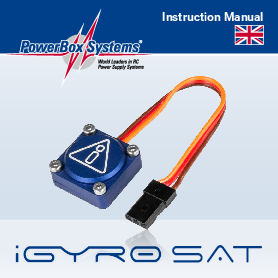
The iGyro SAT converts the PBR-7S, PBR-9D and PBR-26D into an outstanding gyro system. In this configuration the iGyro SAT operates as the sensor unit for the receiver. The gyro software has been developed from the ground up for the iGyro 3xtra, and this is now an integral feature of the receivers. The result is that the pilot obtains an unprecedented level of performance for a gyro system integrated into a receiver.
A further advantage is that all the set-up procedures can be carried out entirely from the transmitter - thanks to the CORE transmitter's powerful telemetry system. Setting up the system involves three fundamental points: channel assignment, detection of installed orientation, and establishing the end-points. Supplementary features such as gyro characteristics, stick priority and lock-in feel also give experts the means to customise the iGyro SAT to their exact personal requirements.
There is yet another very important advantage to mention: if a GPS II Sensor is connected to the P�BUS as a telemetry sensor in the usual way, it delivers the airspeed information needed by the receiver's integral gyro in order to adjust gyro gain in relation to the model's airspeed!

2. INSTALLATION, CONNECTIONS

The iGyro SAT can be installed in any position in the model - provided that it is parallel to or at right-angles (90�) to the model's centreline (direction of flight). The result of installing it at an angle would be a mixed corrective effect. For example: a gust affecting the aileron axis might cause the gyro to correct the elevator and rudder at the same time. Mount the iGyro SAT on a clean, smooth surface, then connect it to the receiver's FastTrack socket. If the connecting lead is too short, you can use a Uni extension

2

PowerBox-Systems - World Leaders in RC Power Supply Systems

lead up to 2m long without problem. This means that the iGyro SAT can be installed in any location in the model, ideally well away from vibration or turbine noise.
The iGyro SAT/receiver combination is capable of controlling two ailerons, two elevators and two rudders independently of each other. If you are installing the system in a model which has already been test-flown correctly, all the servos can remain plugged into the receiver as usual. If the model is new, all the servos must be programmed at the transmitter and connected to the receiver in the usual way. The gyro channels are assigned to the receiver outputs in the transmitter's Telemetry menu.
If you want to use a GPS sensor to adjust gyro gain in relation to airspeed, the GPS unit should be connected to the receiver's P�BUS as mentioned earlier. The GPS II must be set to the P�BUS, and will then be detected automatically by the receiver.

3. SETTINGS

There are two different procedures: one for a model which has already been testflown without a gyro, and the second for a new, untried model:

a) New model

- Assign all model functions, including a gyro gain channel - Adjust all model functions (travel, centre, Expo, etc.) - Test-fly the model including trims, differential, etc. - Assign the gyro outputs - Set the installed position - Establish the centre and end-points

www.powerbox-systems.com

3

- Set up the iGyro in flight using the Gain control - Fine-tune the individual axes if necessary - Assign the established gain value to a switch
b) Test-flown model
- Assign the gyro outputs - Set the installed position - Establish the centre and end-points - Set up the iGyro in flight using the Gain control - Fine-tune the individual axes if necessary - Assign the established gain value to a switch
As you can see, no adjustments of any kind are required at the iGyro SAT or the receiver in order to carry out the basic model set-up, or to test-fly the model with the gyro disabled. For this reason we start the set-up process with the assignment of gyro channels in the Telemetry menu:
3.1. SETTING UP A TELEMETRY WIDGET
The first step - if you have not already done so - is to set up a Telemetry widget for the receiver. This widget provides access to the receiver's Telemetry menu:

4

PowerBox-Systems - World Leaders in RC Power Supply Systems

The menu is designed in such a way that frequently used screen displays are close to the front, while basic setup menus are further back. As a first step you have to set the Data output to FAST TRACK in the first page of the Telemetry menu.

www.powerbox-systems.com

5

3.2. CHANNEL ASSIGNMENT
Tap repeatedly on the right arrow until you come to the channel assignment / Input Mapping display.

At this point you should select the outputs which are to be connected to the corresponding gyro outputs. This means: if you have set the two aileron servos to 1 and 5, then you should enter 1 for Aileron A, 5 for Aileron B. The Gain channel is a fundamental necessity. In the CORE's Function menu all you have to do is set up a function controlled by a rotary or linear control and one servo output (up to +/- 200%). This servo output can be assigned to the Gain channel in this menu.
Note: take care not to tap too quickly in sequence in the Telemetry menu, since all values are sent to the receiver by radio, and the altered value is sent back by the receiver. Other functions in the menu are also affected in many cases, so

6

PowerBox-Systems - World Leaders in RC Power Supply Systems

you should always allow a little time for the menu to refresh itself. If you wish to make substantial adjustments to a particular value, simply keep the button pressed, and the value begins to change faster and faster. Always maintain a certain minimum distance between the transmitter and the receiver. Transmission is poor at very close range, and this slows the process. The delays mentioned above are almost imperceptible when reception is good.

Special feature - delta and V-tail models:

Delta and V-tail models are also set up at the transmitter in the entirely conventional manner. The only special point to note is the gyro assignment: Please observe the following wiring diagrams when setting up deltas and V-tail models. The gyro can cope with deltas and V-tail models with up to four control surfaces:

Delta A: assign the two pairs of control surfaces to Aileron A and Elevator A

Delta B: assign the two pairs of control surfaces to Aileron B and Elevator B

V-tail A: assign the two pairs of control surfaces to Elevator A and Rudder A

V-tail B: assign the two pairs of control surfaces to Elevator B and Rudder B

Delta - vector models: assign Delta A as described above; Elevator B can be used for the thrust vector.

You don't need to worry about differential or unequal travels, as the 3D algorithm detects this, and ensures that the axis inputs are separated again without error.

www.powerbox-systems.com

7

3.3. SETTING THE INSTALLED (MOUNTING) POSITION
Once you have completed the assignment procedure, switch to the Gyro Setup screen:

The installed position of the iGyro SAT and the stick zero and end-points are established at this screen.

The installed position of the iGyro SAT is detected by defined movements of the model. The first step in establishing the installed position is to press the Activate button at Mounting Position. Now wait a moment until the message Move up appears at Status.

The next step is to raise the model's tail briskly. The elevator outputs also reflect this movement, but do not worry about the direction of travel. Hold the model still when the elevators cease moving. Once the iGyro has detected the movement, the elevator outputs return quickly to

8

PowerBox-Systems - World Leaders in RC Power Supply Systems

neutral, and the transmitter displays the message Move right. If the elevators only return slowly to the neutral position, then you did not raise the tail high enough; in this case repeat the procedure. Now move the model's tail briskly to the right. Exactly as before, the rudder moves in a random direction as you move the tail. Once the movement has been detected the rudder returns to neutral, and the screen displays Done.
Note: setting the installed position resets all the Gyro settings! This procedure should only be carried out with a new model, or if you are re-positioning the iGyro in the model.

3.4. ESTABLISHING THE CENTRE AND END-POINTS

During this process the iGyro establishes the neutral position and end-points. At the same time a sophisticated three-dimensional algorithm determines whether delta or V-tail mixers are present, and it can even cope with differential or unequal travels which are programmed in the mixers. This means that ailerons can double as landing flaps without a flap deflection having any influence on the aileron gyro function.

Press Activate at Stick Endpoints to initiate Teach mode. Wait a moment until Aileron right appears on the screen after Teach: Aileron right. Now move the transmitter aileron stick to the right-hand end-point, and press one of the two arrow buttons. Shortly after this the display switches to Aileron left. Move the aileron stick to the left-hand end-point and press one of the buttons. Repeat the whole procedure with the elevator, using Elevator Up/down, then with the rudder using Rudder right/left.

www.powerbox-systems.com

9

The iGyro in your PBR receiver is now ready for the model's test-flight. Increase the gain using the gain control on the transmitter, and check that the directions of gyro effect are correct. If the installed position and the end-points have been established correctly, the directions of effect will also be correct!
Note: if you subsequently alter the trims or end-points (travels), the teaching process should be repeated. Generally speaking, minor changes to the trims or end-points have a barely perceptible influence on the gyro's action, but if - for example - you use Attitude Assist on aileron, a trim change will disable this, since Attitude Assist on all iGyros is only active in the learned centre position.

3.5. TEST-FLIGHT
As mentioned earlier, the model should already be test-flown and trimmed correctly. Start with the gyro switched off, i.e. with the gain control at centre.
By default Attitude Assist is disabled on all axes in Range A (0% to +100%); i.e. the iGyro operates completely in Normal or Damping mode. In Range B (0% to -100%) Attitude Assist is active on Aileron. We recommend that you use this mode for normal flight manoeuvres, since Attitude Assist keeps the model absolutely straight around the roll axis.
Flying straight and level at a safe height, slowly rotate the gain control in one of the two directions until the model starts to oscillate around one axis. At this point turn the gain control back slightly until the model is stable again.

10

PowerBox-Systems - World Leaders in RC Power Supply Systems

Note: if you feel anxious making these adjustments, ask a colleague to alter the gain control for you. Carry out several passes, adjusting the gyro in small steps until you are satisfied. Follow this phase with high-speed runs, loops and knife-edge passes to test the gyro's stabilising effect in all flight situations.
Once you have set gyro gain to the optimum value, select the Function menu at the transmitter so that you can replace the rotary or linear control with a switch. Select the switch rate setting, and enter the percentage value you have found to be ideal during the test-flight.
3.6. GAIN ADJUSTMENT FOR INDIVIDUAL AXES
All the fine-tuning for the iGyro SAT can be carried out using the CORE transmitter's Telemetry menu. The most frequently required point is fine gain adjustment for individual axes. The transmitter's Gain channel adjusts gyro gain for all axes simultaneously, whereas the Fine Tuning menu allows each axis to be adjusted separately.

www.powerbox-systems.com

11

Select the axis to be adjusted at Axis Selection, then the desired range at Range Selection. The two ranges can be used to enter two different settings, which you can then select in flight using a switch. Range A is selected for gain values of 0% to +100%, while Range B applies to 0% to -100%. In all cases the iGyro is disabled at 0%.
For example, you can set up two ranges: one range with Attitude Assist and a second without Attitude Assist; you can then switch between them in flight.

3.7. ADDITIONAL FEATURES

The default settings of the iGyro in the receiver are ideal for the vast majority of pilots. Nevertheless, we have incorporated a range of Expert functions in order to cover all possible applications.

- Attitude Assist: We selected the term Attitude Assist because the iGyro's "heading" mode differs significantly from the Hold modes of other manufacturers. Attitude Assist can even be used with complete safety on elevator, without risking an unwanted stall, as it is only active at the centre position of the stick. As soon as the stick is moved, Attitude Assist is disabled, and the model's control `feel' remains exactly as normal. By default Attitude Assist is active on Aileron in Range B.

- Gyro characteristic: This value can be used to harden or soften the regulatory characteristics of the iGyro. If the model is clearly self-correcting when flying in gusty conditions, alter the value in the direction of Soft; on the other hand, if you think that the iGyro responds too slowly to gusts, alter the value in the direction of Ultra.

12

PowerBox-Systems - World Leaders in RC Power Supply Systems

- Stick priority: The default setting for this is 100%, i.e. the gyro function is completely suppressed when the stick reaches either end-point. If you adjust Stick Priority to, say, 200%, then the gyro function is fully suppressed when the stick reaches the half-way point. This makes the model more agile, but you lose gyro effect more quickly with increasing stick movement.
- Lock-in feel: This feature alters the model's `locking' or `ratchet' characteristics in aerobatic manoeuvres such as four-point rolls. If the value is set too high, you will notice the model "overshoot" at the moment you release the stick. If the value is set too low, the model may not appear to stop cleanly when commanded.
- Airspeed factor: This value defines the progression of gyro gain in relation to changes in airspeed. The setting only has a function if a GPS II is plugged into the P�BUS socket. Increase the airspeed factor if the model displays good gyro performance at low and medium speed, but tends to oscillate at high speed.

www.powerbox-systems.com

13

4. SET CONTENTS
- iGyro SAT - 2 x self-adhesive pad - Operating instructions
5. DIMENSIONS

2 0 8,30

20

14

PowerBox-Systems - World Leaders in RC Power Supply Systems

6. SERVICE NOTE
We make every effort to provide a good service to our customers, and have now established a Support Forum which covers all queries relating to our products. This helps us considerably, as we no longer have to answer frequently asked questions again and again. At the same time it gives you the opportunity to obtain assistance all round the clock, and even at weekends. The answers come from the PowerBox team, which guarantees that the answers are correct.
Please use the Support Forum before you contact us by telephone.
You will find the forum at the following address: www.forum.powerbox-systems.com

www.powerbox-systems.com

15

7. GUARANTEE CONDITIONS

At PowerBox-Systems we insist on the highest possible quality standards in the development and manufacture of our products. They are guaranteed "Made in Germany"!

That is why we are able to grant a 24 month guarantee on our iGyro SAT from the initial date of purchase. The guarantee covers proven material faults, which will be corrected by us at no charge to you. As a precautionary measure, we are obliged to point out that we reserve the right to replace the unit if we deem the repair to be economically unviable.

Repairs which our Service department carries out for you do not extend the original guarantee period.

The guarantee does not cover damage caused by incorrect usage, e.g. reverse polarity, excessive vibration, excessive voltage, damp, fuel, and short-circuits. The same applies to defects due to severe wear.

We accept no liability for transit damage or loss of your shipment. If you wish to make a claim under guarantee, please send the device to the following address, together with proof of purchase and a description of the defect:

SERVICE ADDRESS
PowerBox-Systems GmbH Ludwig-Auer-Stra�e 5 D-86609 Donauwoerth Germany

16

PowerBox-Systems - World Leaders in RC Power Supply Systems

8. LIABILITY EXCLUSION
We are not in a position to ensure that you observe our instructions regarding installation of the iGyro SAT, fulfil the recommended conditions when using the unit, or maintain the entire radio control system competently.
For this reason we deny liability for loss, damage or costs which arise due to the use or operation of the iGyro SAT, or which are connected with such use in any way. Regardless of the legal arguments employed, our obligation to pay damages is limited to the invoice total of our products which were involved in the event, insofar as this is deemed legally permissible.
We wish you every success using your new iGyro SAT.
Donauwoerth, December 2020

www.powerbox-systems.com

17

12/2020
PowerBox-Systems GmbH
Ludwig-Auer-Stra�e 5 D-86609 Donauwoerth Germany
+49-906-99 99 9-200 +49-906-99 99 9-209 www.powerbox-systems.com