

1. Switch to Bluetooth mode
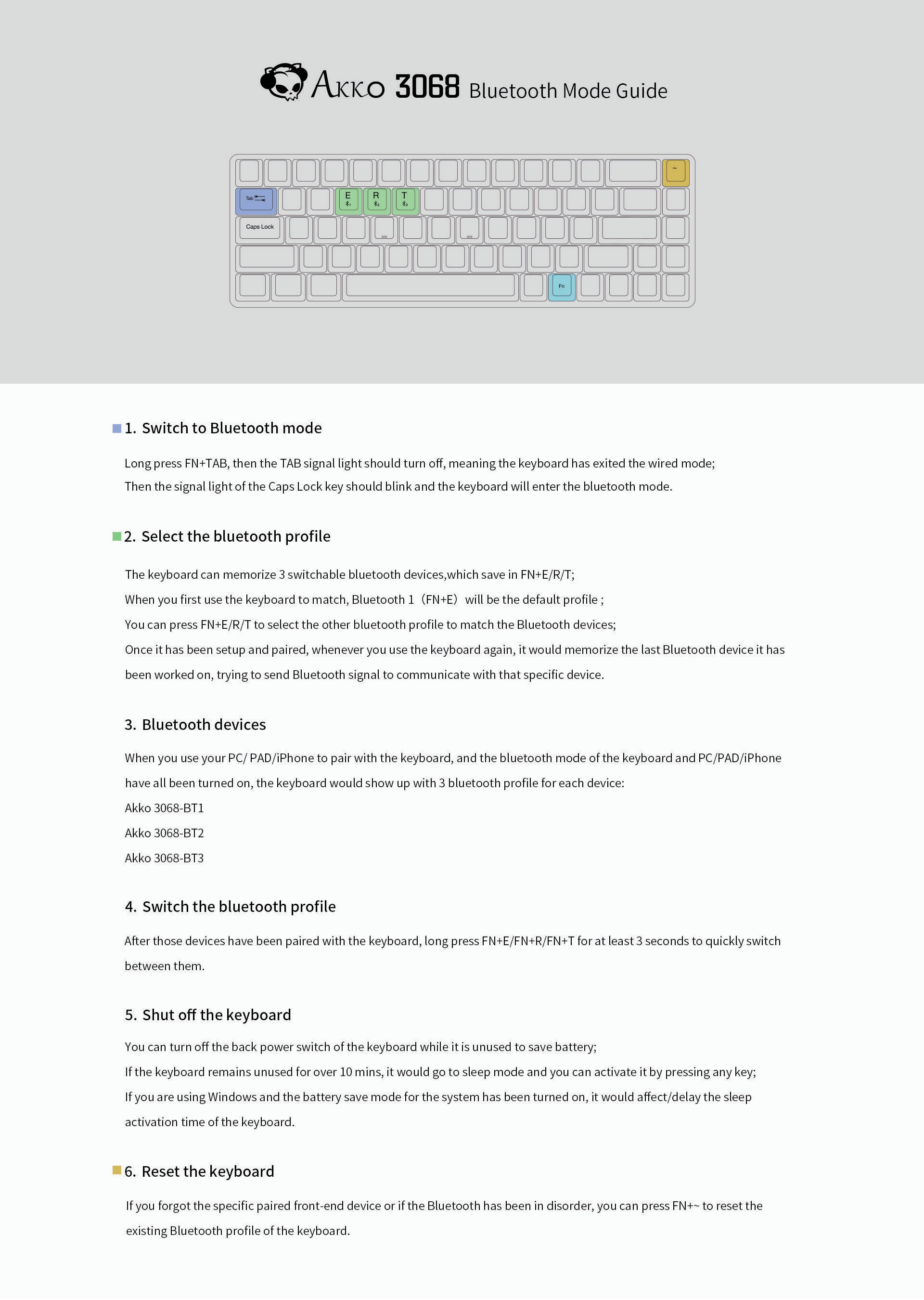
Long press [FN key]+[TAB key], then the TAB signal light should turn off, meaning the keyboard has exited the wired mode. Then the signal light of the Caps Lock key should blink, and the keyboard will enter Bluetooth mode.
2. Select the Bluetooth profile
The keyboard can memorize 3 switchable Bluetooth devices, which are saved in [FN key]+[E key]/[R key]/[T key].
When you first use the keyboard to match, Bluetooth 1 ([FN key]+[E key]) will be the default profile.
You can press [FN key]+[E key]/[R key]/[T key] to select the other Bluetooth profile to match the Bluetooth devices.
Once it has been set up and paired, whenever you use the keyboard again, it will memorize the last Bluetooth device it has been connected to, trying to send Bluetooth signal to communicate with that specific device.
3. Bluetooth devices
When you use your PC/PAD/iPhone to pair with the keyboard, and the Bluetooth mode of the keyboard and PC/PAD/iPhone have all been turned on, the keyboard would show up with 3 Bluetooth profiles for each device:
- Akko 3068-BT1
- Akko 3068-BT2
- Akko 3068-BT3
4. Switch the Bluetooth profile
After those devices have been paired with the keyboard, long press [FN key]+[E key]/[FN key]+[R key]/[FN key]+[T key] for at least 3 seconds to quickly switch between them.
5. Shut off the keyboard
You can turn off the back power switch of the keyboard while it is unused to save battery.
If the keyboard remains unused for over 10 minutes, it will go to sleep mode and you can activate it by pressing any key.
If you are using Windows and the battery save mode for the system has been turned on, it would affect/delay the sleep activation time of the keyboard.
6. Reset the keyboard
If you forgot the specific paired front-end device or if the Bluetooth has been in disorder, you can press [FN key]+[tilde key] (~) to reset the existing Bluetooth profile of the keyboard.
