

I586-E1.book
File info: application/pdf · 974 pages · 44.64MB
I586-E1.book
1S Series Users Manual
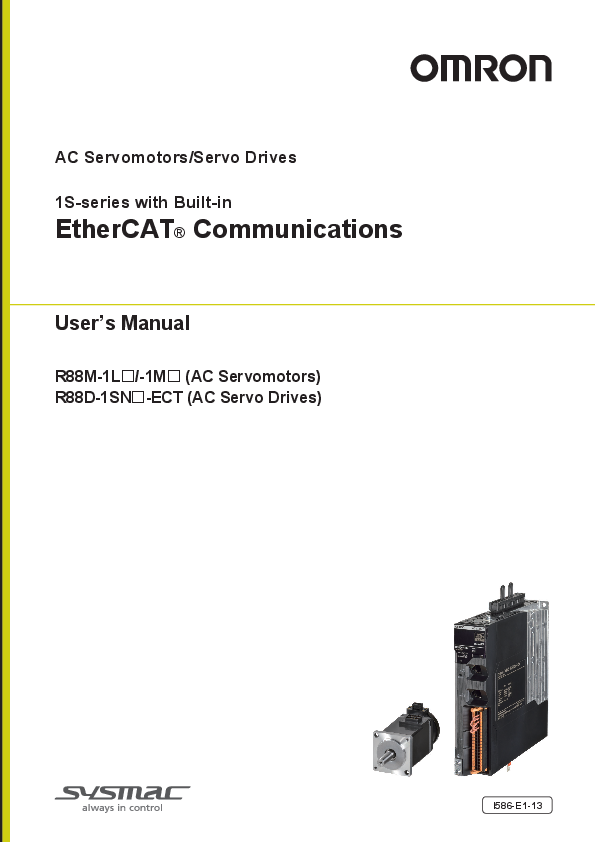
1S-series with Built-in. EtherCAT Communications. User's Manual. I586-E1-13. R88M-1L□/-1M□ (AC Servomotors). R88D-1SN□-ECT (AC Servo Drives) ...
Full PDF Document

If the inline viewer fails, it will open the original document in compatibility mode automatically. You can also open the file directly.
Extracted Text
AC Servomotors/Servo Drives 1S-series with Built-in EtherCAT� Communications User's Manual R88M-1L/-1M (AC Servomotors) R88D-1SN-ECT (AC Servo Drives) I586-E1-13 NOTE All rights reserved. No part of this publication may be reproduced, stored in a retrieval system, or transmitted, in any form, or by any means, mechanical, electronic, photocopying, recording, or otherwise, without the prior written permission of OMRON. No patent liability is assumed with respect to the use of the information contained herein. Moreover, because OMRON is constantly striving to improve its high-quality products, the information contained in this manual is subject to change without notice. Every precaution has been taken in the preparation of this manual. Nevertheless, OMRON assumes no responsibility for errors or omissions. Neither is any liability assumed for damages resulting from the use of the information contained in this publication. Trademarks � Sysmac and SYSMAC are trademarks or registered trademarks of OMRON Corporation in Japan and other countries for OMRON factory automation products. � EtherCAT� is registered trademark and patented technology, licensed by Beckhoff Automation GmbH, Germany. � Safety over EtherCAT� is registered trademark and patented technology, licensed by Beckhoff Automation GmbH, Germany. � ODVA, CIP, CompoNet, DeviceNet, and EtherNet/IP are trademarks of ODVA. Other company names and product names in this document are the trademarks or registered trademarks of their respective companies. Introduction Introduction Thank you for purchasing a 1S-series Servo Drive. This User's Manual describes the installation and wiring methods of the 1S-series Servo Drives and parameter setting method which is required for the operation, as well as troubleshooting and inspection methods. Intended Audience This User's Manual is intended for the following personnel, who must also have electrical knowledge (certified electricians or individuals who have equivalent knowledge). � Personnel in charge of introducing the FA equipment � Personnel in charge of designing the FA systems � Personnel in charge of installing and connecting the FA equipment � Personnel in charge of managing the FA systems and facilities Notice This User's Manual contains information you need to know to correctly use the 1S-series Servo Drives and peripheral equipment. Before using the Servo Drive, read this User's Manual and gain a full understanding of the information provided herein. After you finished reading this User's Manual, keep it in a convenient place so that it can be referenced at any time. Make sure this User's Manual is delivered to the end user. AC Servomotors/Servo Drives 1S-series with Built-in EtherCAT� Communications User's Manual (I586) 1 Manual Structure Manual Structure This section explains the page structure and symbol icons. Page Structure The following page structure is used in this manual. Level 1 heading Level 2 heading Level 3 heading 7 Applied Functions 7-9 Soft Start Function This function sets the acceleration and deceleration against the velocity command input inside the Servo Drive and uses these values for speed control. With this function, soft starts are possible when the step rotation velocity commands are input. To reduce any impacts made by acceleration changes, you can also use the velocity command filter (first-order lag). 7-9-1 Objects Requiring Settings Index (hex) 3021 Subindex (hex) � 01 Name Velocity Command Filter Acceleration Time 02 Deceleration Time 03 IIR Filter Enable 04 Filter Cutoff Frequency Description � Sets the acceleration time during acceleration. Sets the deceleration time during deceleration. Selects whether to enable or disable the IIR filter in the velocity command filter. Reference P. 9-19 P. 9-19 P. 9-19 P. 9-20 0: Disabled 1: Enabled Sets the cutoff frequency for the IIR filter. P. 9-20 7-9-2 Soft Start Acceleration/Deceleration Time For a step velocity command input, set the time until the velocity command reaches 1,000 r/min in Acceleration Time. Similarly, set the time until the velocity command slows from 1,000 r/min down to 0 r/min in Deceleration Time. Acceleration Time (ms) = Vc/1,000 r/min � Acceleration Time � 0.1 ms Deceleration Time (ms) = Vc/1,000 r/min � Deceleration Time � 0.1 ms Velocity command [r/min] 1,000 [r/min] Velocity command before acceleration control (step type command) Velocity command after acceleration control (trapezoidal type command) Acceleration Time � 0.1 ms Deceleration Time � 0.1 ms Time 7 - 30 1S-series AC Servomotors and Servo Drives User's Manual (with Built-in EtherCAT Communications) Manual name Note The above page is only a sample for illustrative purposes. It is not the actual content of this User's Manual. 2 AC Servomotors/Servo Drives 1S-series with Built-in EtherCAT� Communications User's Manual (I586) Manual Structure 7 Applied Functions Precautions for Correct Use Do not set the Acceleration Time and the Deceleration Time when the position loop structure with a host controller is used. 7-9-3 Velocity Command Filter (First-order Lag) The velocity command filter (first-order lag) is an IIR filter used for speed commands. Velocity command [r/min] Velocity command before filter process Velocity command after filter process Target velocity Target velocity Vc � 0.632 Target velocity Vc � 0.368 1/(2 � Filter Cutoff Frequency) (s) Time 7 7-9 Soft Start Function Special information Icons indicate precautions, additional information, or reference information. Level 2 heading Gives the current heading. Page tab Gives the number of the main section. Level 3 heading Gives the current heading. 7-9-3 Velocity Command Filter (First-order Lag) 1S-series AC Servomotors and Servo Drives User's Manual (with Built-in EtherCAT Communications) 7 - 31 Note This illustration is provided only as a sample. It may not literally appear in this manual. Special Information Special information in this manual is classified as follows: Precautions for Safe Use Precautions on what to do and what not to do to ensure safe usage of the product. Precautions for Correct Use Precautions on what to do and what not to do to ensure proper operation and performance. Additional Information Additional information to read as required. This information is provided to increase understanding or make operation easier. Version Information Information on differences in specifications and functionality for Servo Drives with different unit versions and for different versions of the Sysmac Studio is given. AC Servomotors/Servo Drives 1S-series with Built-in EtherCAT� Communications User's Manual (I586) 3 Manual Configuration Manual Configuration This User's Manual consists of the following sections. Read the necessary section or sections by reference to the following table. Section Section 1 Features and System Configuration Section 2 Models and External Dimensions Section 3 Specifications Section 4 Configuration and Wiring Section 5 Section 6 Section 7 EtherCAT Communications Basic Control Functions Applied Functions Section 8 Safety Function Section 9 Details on Servo Parameters Section 10 Operation Section 11 Adjustment Functions Section 12 Troubleshooting Section 13 Maintenance and Inspection Appendices Outline This section explains the features of the Servo Drive and name of each part. This section explains the models of Servo Drives, Servomotors, Decelerators, and peripheral devices, and provides the external dimensions and mounting dimensions. This section provides the general specifications, characteristics, connector specifications, and I/O circuits of the Servo Drives as well as the general specifications, characteristics, encoder specifications of the Servomotors and other peripheral devices. This section explains the conditions for installing Servo Drives, Servomotors, and Decelerators, the wiring methods including wiring conforming to EMC Directives, the regenerative energy calculation methods, as well as the performance of External Regeneration Resistors. This section explains EtherCAT communications under the assumption that the Servo Drive is connected to a Machine Automation Controller NJ/NX-series CPU Unit or Position Control Unit (Model: CJ1W-NC8) This section explains the outline and settings of basic control functions. This section provides the outline and settings of the applied functions such as electronic gear and gain switching. This function stops the motor based on a signal from a safety controller. This section provides the outline of the function and examples of operation and connection. This section explains the details on each servo parameter, including the set values, settings, and the display. This section provides the operational procedure and explains how to operate in each mode. This section explains the functions, setting methods, and items to note regarding adjustments. This section explains the items to check when problems occur, and troubleshooting by the use of error displays or operation state. This section explains maintenance and inspection of the Servomotors and Servo Drives. The appendices provide explanation for the profile that is used to control the Servo Drive, lists of objects, and Sysmac error status codes. 4 AC Servomotors/Servo Drives 1S-series with Built-in EtherCAT� Communications User's Manual (I586) Sections in this Manual Sections in this Manual 1 10 Features and System Configuration Operation 2 11 Models and External Dimensions Adjustment Functions 3 Specifications 12 Troubleshooting 4 Configuration and Wiring 5 EtherCAT Communications 6 Basic Control Functions 13 Maintenance and Inspection A Appendices I Index 7 Applied Functions 8 Safety Function 9 Details on Servo Parameters 1 10 2 11 3 12 4 13 5A 6I 7 8 9 AC Servomotors/Servo Drives 1S-series with Built-in EtherCAT� Communications User's Manual (I586) 5 CONTENTS CONTENTS Introduction .............................................................................................................. 1 Manual Structure ...................................................................................................... 2 Manual Configuration .............................................................................................. 4 Sections in this Manual ........................................................................................... 5 Terms and Conditions Agreement ........................................................................ 16 Safety Precautions ................................................................................................. 18 Items to Check After Unpacking ........................................................................... 29 Related Manuals ..................................................................................................... 40 Terminology ............................................................................................................ 43 Revision History ..................................................................................................... 45 Section 1 Features and System Configuration 1-1 Outline .................................................................................................................................. 1-2 1-1-1 Features of 1S-series Servo Drives .......................................................................................... 1-2 1-1-2 EtherCAT .................................................................................................................................. 1-3 1-1-3 Object Dictionary ...................................................................................................................... 1-4 1-2 System Configuration ......................................................................................................... 1-5 1-3 Names and Functions ......................................................................................................... 1-6 1-3-1 Servo Drive Part Names ........................................................................................................... 1-6 1-3-2 Servo Drive Functions ............................................................................................................ 1-14 1-3-3 Servomotor Part Names ......................................................................................................... 1-17 1-3-4 Servomotor Functions............................................................................................................. 1-19 1-3-5 Shield Clamp Part Names ...................................................................................................... 1-20 1-4 System Block Diagram...................................................................................................... 1-21 1-5 Applicable Standards........................................................................................................ 1-29 1-5-1 EU Directives .......................................................................................................................... 1-29 1-5-2 UL and cUL Standards............................................................................................................ 1-30 1-5-3 Korean Radio Regulations (KC) ............................................................................................. 1-31 1-5-4 SEMI F47................................................................................................................................ 1-31 1-5-5 Australian EMC Labeling Requirements (RCM) ..................................................................... 1-32 1-5-6 EAC Requirements ................................................................................................................. 1-32 1-6 Unit Versions...................................................................................................................... 1-33 1-6-1 Confirmation Method .............................................................................................................. 1-33 1-6-2 Unit Versions and Sysmac Studio Versions............................................................................ 1-33 1-7 Procedures to Start Operation ......................................................................................... 1-34 1-7-1 Overall Procedure................................................................................................................... 1-34 1-7-2 Procedure Details ................................................................................................................... 1-36 Section 2 Models and External Dimensions 2-1 Servo System Configuration .............................................................................................. 2-2 6 AC Servomotors/Servo Drives 1S-series with Built-in EtherCAT� Communications User's Manual (I586) CONTENTS 2-2 How to Read Model Numbers............................................................................................. 2-4 2-2-1 Servo Drive............................................................................................................................... 2-4 2-2-2 Servomotor............................................................................................................................... 2-5 2-2-3 Encoder Cable.......................................................................................................................... 2-6 2-2-4 Motor Power Cable without Brake Wire ................................................................................... 2-7 2-2-5 Motor Power Cable with Brake Wire ........................................................................................ 2-8 2-2-6 Decelerator............................................................................................................................... 2-9 2-3 Model Tables ...................................................................................................................... 2-11 2-3-1 Servo Drive Model Table .........................................................................................................2-11 2-3-2 Servomotor Model Tables....................................................................................................... 2-12 2-3-3 Servo Drive and Servomotor Combination Tables.................................................................. 2-17 2-3-4 Decelerator Model Tables....................................................................................................... 2-19 2-3-5 Servomotor and Decelerator Combination Tables.................................................................. 2-23 2-3-6 Cable and Connector Model Tables ....................................................................................... 2-25 2-3-7 External Regeneration Resistor and External Regeneration Resistance Unit Model Tables .......................................................................................................................... 2-33 2-3-8 External Dynamic Brake Resistor Model Table ...................................................................... 2-34 2-3-9 Reactor Model Table............................................................................................................... 2-34 2-3-10 Noise Filter Model Table ......................................................................................................... 2-35 2-4 External and Mounting Dimensions ................................................................................ 2-36 2-4-1 Servo Drive Dimensions ......................................................................................................... 2-36 2-4-2 Servomotor Dimensions ......................................................................................................... 2-43 2-4-3 Cable Outlet Direction ............................................................................................................ 2-99 2-4-4 Cable Wiring Dimension for a Case of Motor Installing ........................................................ 2-100 2-4-5 Decelerator Dimensions ....................................................................................................... 2-102 2-4-6 Dimensions of External Regeneration Resistors and External Regeneration Resistance Units ...................................................................................................................2-119 2-4-7 Dimensions of External Dynamic Brake Resistors ............................................................... 2-120 2-4-8 Reactor Dimensions ............................................................................................................. 2-121 2-4-9 Noise Filter Dimensions ....................................................................................................... 2-130 Section 3 Specifications 3-1 Servo Drive Specifications ................................................................................................. 3-3 3-1-1 General Specifications ............................................................................................................. 3-3 3-1-2 Characteristics.......................................................................................................................... 3-5 3-1-3 EtherCAT Communications Specifications ............................................................................. 3-13 3-1-4 Main Circuit and Motor Connections ...................................................................................... 3-14 3-1-5 Control I/O Connector (CN1) Specifications........................................................................... 3-27 3-1-6 Control Input Circuits.............................................................................................................. 3-30 3-1-7 Control Input Details............................................................................................................... 3-30 3-1-8 Control Output Circuits ........................................................................................................... 3-31 3-1-9 Control Output Details ............................................................................................................ 3-32 3-1-10 Encoder Pulse Output Specifications ..................................................................................... 3-32 3-1-11 Safety I/O Specifications ........................................................................................................ 3-33 3-1-12 Brake Interlock Connector (CN12) Specifications .................................................................. 3-35 3-1-13 Encoder Connector (CN2) Specifications............................................................................... 3-35 3-1-14 EtherCAT Communications Connector (RJ45) Specifications................................................ 3-36 3-1-15 USB Connector (CN7) Specifications..................................................................................... 3-36 3-1-16 Power ON Sequence.............................................................................................................. 3-37 3-1-17 Overload Characteristics (Electronic Thermal Function) ........................................................ 3-38 3-2 Servomotor Specifications ............................................................................................... 3-43 3-2-1 General Specifications ........................................................................................................... 3-43 3-2-2 Encoder Specifications........................................................................................................... 3-44 3-2-3 Characteristics........................................................................................................................ 3-45 3-3 Decelerator Specifications ............................................................................................... 3-70 3-4 Cable and Connector Specifications ............................................................................... 3-77 3-4-1 Encoder Cable Specifications ................................................................................................ 3-77 3-4-2 Motor Power Cable Specifications ......................................................................................... 3-84 3-4-3 Combination of Power Cable and Extension Cable ..............................................................3-117 AC Servomotors/Servo Drives 1S-series with Built-in EtherCAT� Communications User's Manual (I586) 7 CONTENTS 3-4-4 3-4-5 3-4-6 Resistance to Bending of Flexible Cable .............................................................................. 3-118 Connector Specifications ...................................................................................................... 3-120 EtherCAT Communications Cable Specifications ................................................................. 3-124 3-5 Specifications of External Regeneration Resistors and External Regeneration Resistance Units.............................................................................................................. 3-127 3-5-1 General Specifications .......................................................................................................... 3-127 3-5-2 Characteristics ...................................................................................................................... 3-128 3-5-3 External Regeneration Resistance Unit Specifications......................................................... 3-130 3-6 External Dynamic Brake Resistor .................................................................................. 3-132 3-6-1 General Specifications .......................................................................................................... 3-132 3-6-2 Characteristics ...................................................................................................................... 3-132 3-7 Reactor Specifications.................................................................................................... 3-133 3-7-1 General Specifications .......................................................................................................... 3-133 3-7-2 Characteristics ...................................................................................................................... 3-133 3-7-3 Terminal Block Specifications ............................................................................................... 3-134 3-8 Noise Filter Specifications.............................................................................................. 3-135 3-8-1 General Specifications .......................................................................................................... 3-135 3-8-2 Characteristics ...................................................................................................................... 3-136 3-8-3 Terminal Block Specifications ............................................................................................... 3-137 Section 4 Configuration and Wiring 4-1 Installation Conditions........................................................................................................ 4-2 4-1-1 Servo Drive Installation Conditions........................................................................................... 4-2 4-1-2 Servomotor Installation Conditions ........................................................................................... 4-7 4-1-3 Decelerator Installation Conditions ......................................................................................... 4-11 4-1-4 External Regeneration Resistor and External Regeneration Resistance Unit Installation Conditions............................................................................................................. 4-14 4-1-5 Footprint-type Noise Filter Installation Conditions .................................................................. 4-15 4-1-6 External Dynamic Brake Resistor Installation Condition......................................................... 4-16 4-2 Wiring ................................................................................................................................. 4-17 4-2-1 Peripheral Equipment Connection Examples ......................................................................... 4-18 4-2-2 Procedure for Wiring Terminal Block and Procedure for Mounting Shield Clamp to Servo Drive ......................................................................................................................... 4-34 4-2-3 Connector Attachment Procedure........................................................................................... 4-40 4-2-4 Procedure for Change of Cable Outlet Direction for Connector Type M23 or M40................. 4-44 4-2-5 Terminal Block Wiring Procedure for Footprint-type Noise Filter ............................................ 4-46 4-3 Wiring Conforming to EMC Directives ............................................................................ 4-47 4-3-1 Peripheral Equipment Connection Examples ......................................................................... 4-48 4-3-2 Selecting Connection Component .......................................................................................... 4-62 4-4 Regenerative Energy Absorption..................................................................................... 4-72 4-4-1 Calculating the Regenerative Energy ..................................................................................... 4-72 4-4-2 Servo Drive Regeneration Absorption Capacity ..................................................................... 4-75 4-4-3 Regenerative Energy Absorption by an External Regeneration Resistance Device............... 4-76 4-4-4 Connecting an External Regeneration Resistor...................................................................... 4-77 4-5 Adjustment for Large Load Inertia................................................................................... 4-78 4-6 Machine Accuracy for Servomotor .................................................................................. 4-79 Section 5 EtherCAT Communications 5-1 Display Area and Settings .................................................................................................. 5-2 5-1-1 Node Address Setting ............................................................................................................... 5-2 5-1-2 Status Indicators ....................................................................................................................... 5-3 5-2 Structure of the CAN Application Protocol over EtherCAT ............................................. 5-5 5-3 EtherCAT State Machine ..................................................................................................... 5-6 8 AC Servomotors/Servo Drives 1S-series with Built-in EtherCAT� Communications User's Manual (I586) CONTENTS 5-4 Process Data Objects (PDOs) ............................................................................................ 5-7 5-4-1 PDO Mapping Settings............................................................................................................. 5-7 5-4-2 Sync Manager PDO Assignment Settings................................................................................ 5-8 5-4-3 Fixed PDO Mapping ................................................................................................................. 5-8 5-4-4 Variable PDO Mapping ............................................................................................................5-11 5-4-5 Sync Manager PDO Mapping Assignment Settings ............................................................... 5-12 5-5 Service Data Objects (SDOs)............................................................................................ 5-13 5-6 Synchronization Mode and Communications Cycle ...................................................... 5-14 5-6-1 Distributed Clock (DC) Mode.................................................................................................. 5-14 5-6-2 Free-Run Mode ...................................................................................................................... 5-14 5-7 Emergency Messages ....................................................................................................... 5-15 5-8 Sysmac Device Features .................................................................................................. 5-16 5-9 Cable Redundancy Function ............................................................................................ 5-20 5-9-1 Objects Requiring Settings ..................................................................................................... 5-20 5-9-2 Description of Operation......................................................................................................... 5-20 5-9-3 Procedure of Checking Operation .......................................................................................... 5-21 5-9-4 Slave Communications Statuses When Cable Redundancy Function Is Used...................... 5-23 5-9-5 Relation between the Network Configuration Information and the Actual Configuration ........ 5-24 Section 6 Basic Control Functions 6-1 Outline of Control Functions.............................................................................................. 6-2 6-1-1 Basic Control and Control Methods.......................................................................................... 6-2 6-1-2 Control Method......................................................................................................................... 6-3 6-2 Control Blocks ..................................................................................................................... 6-5 6-2-1 Block Diagram for Position Control .......................................................................................... 6-5 6-2-2 Block Diagram for Velocity Control........................................................................................... 6-7 6-2-3 Block Diagram for Torque Control ............................................................................................ 6-9 6-3 Cyclic Synchronous Position Mode ................................................................................ 6-10 6-4 Cyclic Synchronous Velocity Mode ................................................................................. 6-12 6-5 Cyclic Synchronous Torque Mode................................................................................... 6-14 6-6 Profile Position Mode........................................................................................................ 6-16 6-7 Profile Velocity Mode ........................................................................................................ 6-21 6-8 Homing Mode..................................................................................................................... 6-24 6-9 Connecting with OMRON Controllers.............................................................................. 6-25 Section 7 Applied Functions 7-1 General-purpose Input Signals .......................................................................................... 7-3 7-1-1 Objects Requiring Settings ....................................................................................................... 7-4 7-1-2 Default Setting.......................................................................................................................... 7-6 7-1-3 Function Input Details............................................................................................................... 7-7 7-2 General-purpose Output Signals ....................................................................................... 7-8 7-2-1 Objects Requiring Settings ....................................................................................................... 7-8 7-2-2 Default Setting........................................................................................................................ 7-10 7-2-3 Function Output Details...........................................................................................................7-11 7-3 Drive Prohibition Functions ............................................................................................. 7-15 7-3-1 Objects Requiring Settings ..................................................................................................... 7-15 7-3-2 Description of Operation......................................................................................................... 7-16 7-4 Software Position Limit Functions .................................................................................. 7-17 7-4-1 Operating Conditions.............................................................................................................. 7-17 7-4-2 Objects Requiring Settings ..................................................................................................... 7-17 7-4-3 Description of Operation......................................................................................................... 7-18 AC Servomotors/Servo Drives 1S-series with Built-in EtherCAT� Communications User's Manual (I586) 9 CONTENTS 7-5 7-6 7-7 7-8 7-9 7-10 7-11 7-12 7-13 7-14 Backlash Compensation................................................................................................... 7-20 7-5-1 Operating Conditions .............................................................................................................. 7-20 7-5-2 Objects Requiring Settings ..................................................................................................... 7-20 7-5-3 Description of Operation ......................................................................................................... 7-21 Brake Interlock................................................................................................................... 7-22 7-6-1 Objects Requiring Settings ..................................................................................................... 7-22 7-6-2 Description of Operation ......................................................................................................... 7-24 7-6-3 Operation Timing .................................................................................................................... 7-25 Electronic Gear Function.................................................................................................. 7-29 7-7-1 Objects Requiring Settings ..................................................................................................... 7-29 7-7-2 Operation Example ................................................................................................................. 7-30 Torque Limit Switching ..................................................................................................... 7-31 7-8-1 Operating Conditions .............................................................................................................. 7-31 7-8-2 Objects Requiring Settings ..................................................................................................... 7-31 7-8-3 Torque Limit Switching Method ............................................................................................... 7-32 Soft Start ............................................................................................................................ 7-33 7-9-1 Objects Requiring Settings ..................................................................................................... 7-33 7-9-2 Soft Start Acceleration/Deceleration Time .............................................................................. 7-33 7-9-3 Velocity Command First-order Lag Filter ................................................................................ 7-34 Gain Switching Function .................................................................................................. 7-35 7-10-1 Objects Requiring Settings ..................................................................................................... 7-35 7-10-2 Mode Selection ....................................................................................................................... 7-37 7-10-3 Gain Switching in Position Control.......................................................................................... 7-38 Touch Probe Function (Latch Function).......................................................................... 7-39 7-11-1 Related Objects ...................................................................................................................... 7-39 7-11-2 Trigger Signal Settings............................................................................................................ 7-41 7-11-3 Operation Sequence............................................................................................................... 7-42 Encoder Dividing Pulse Output Function ....................................................................... 7-43 7-12-1 Objects Requiring Settings ..................................................................................................... 7-44 7-12-2 Dividing Ratio.......................................................................................................................... 7-44 7-12-3 Output Reverse Selection....................................................................................................... 7-45 7-12-4 Z-phase Output....................................................................................................................... 7-45 Dynamic Brake................................................................................................................... 7-46 7-13-1 Operating Conditions .............................................................................................................. 7-46 7-13-2 Objects Requiring Settings ..................................................................................................... 7-46 7-13-3 Description of Operation ......................................................................................................... 7-47 Communications Error Period Command Correction Function ................................... 7-50 7-14-1 Operating Conditions .............................................................................................................. 7-50 7-14-2 Operation Example ................................................................................................................. 7-50 Section 8 Safety Function 8-1 Safe Torque OFF Function.................................................................................................. 8-2 8-2 STO Function via Safety Input Signals.............................................................................. 8-4 8-2-1 I/O Signal Specifications ........................................................................................................... 8-4 8-2-2 Operation Example ................................................................................................................... 8-6 8-2-3 Connection Example................................................................................................................. 8-7 8-3 STO Function via EtherCAT Communications................................................................ 8-10 8-3-1 Connection and Setting .......................................................................................................... 8-10 8-3-2 Operation Example ................................................................................................................. 8-12 8-3-3 Connection Example............................................................................................................... 8-14 Section 9 Details on Servo Parameters 9-1 Object Description Format ................................................................................................. 9-4 10 AC Servomotors/Servo Drives 1S-series with Built-in EtherCAT� Communications User's Manual (I586) CONTENTS 9-2 Common Control Objects ................................................................................................... 9-6 9-2-1 3000 hex: Basic Functions ....................................................................................................... 9-6 9-2-2 3001 hex: Machine ................................................................................................................. 9-12 9-2-3 3002 hex: Optimized Parameters........................................................................................... 9-13 9-2-4 3010 hex: Position Command ................................................................................................ 9-15 9-2-5 3011 hex: Position Command Filter........................................................................................ 9-17 9-2-6 3012 hex: Damping Control.................................................................................................... 9-18 9-2-7 3013 hex: Damping Filter 1 .................................................................................................... 9-19 9-2-8 3014 hex: Damping Filter 2 .................................................................................................... 9-20 9-2-9 3020 hex: Velocity Command................................................................................................. 9-22 9-2-10 3021 hex: Velocity Command Filter........................................................................................ 9-23 9-2-11 3030 hex: Torque Command .................................................................................................. 9-24 9-2-12 3031 hex: Velocity Limit in Torque Control ............................................................................. 9-24 9-2-13 3040 hex: Profile Command................................................................................................... 9-25 9-2-14 3041 hex: Command Dividing Function ................................................................................. 9-26 9-3 Control Method Objects.................................................................................................... 9-28 9-3-1 3112 hex: ODF Velocity Feed-forward.................................................................................... 9-28 9-3-2 3113 hex: ODF Torque Feed-forward ..................................................................................... 9-29 9-3-3 3120 hex: TDF Position Control ............................................................................................. 9-30 9-3-4 3121 hex: TDF Velocity Control.............................................................................................. 9-31 9-4 Control Loop Objects........................................................................................................ 9-33 9-4-1 3210 hex: Internal Position Command ................................................................................... 9-33 9-4-2 3211 hex: Position Detection .................................................................................................. 9-34 9-4-3 3212 hex: Gain Switching in Position Control ........................................................................ 9-34 9-4-4 3213 hex: 1st Position Control Gain....................................................................................... 9-35 9-4-5 3214 hex: 2nd Position Control Gain...................................................................................... 9-36 9-4-6 3220 hex: Internal Velocity Command.................................................................................... 9-36 9-4-7 3221 hex: Velocity Detection .................................................................................................. 9-37 9-4-8 3222 hex: Gain Switching in Velocity Control ......................................................................... 9-38 9-4-9 3223 hex: 1st Velocity Control Gain ....................................................................................... 9-38 9-4-10 3224 hex: 2nd Velocity Control Gain ...................................................................................... 9-39 9-4-11 3230 hex: Internal Torque Command ..................................................................................... 9-40 9-4-12 3231 hex: Torque Detection.................................................................................................... 9-40 9-4-13 3232 hex: Filter Switching in Torque Control .......................................................................... 9-40 9-4-14 3233 hex: 1st Torque Command Filter ................................................................................... 9-41 9-4-15 3234 hex: 2nd Torque Command Filter .................................................................................. 9-42 9-5 Torque Output Setting Objects ........................................................................................ 9-43 9-5-1 3310 hex: Torque Compensation............................................................................................ 9-43 9-5-2 3320 hex: Adaptive Notch Filter ............................................................................................. 9-45 9-5-3 3321 hex: 1st Notch Filter ...................................................................................................... 9-46 9-5-4 3322 hex: 2nd Notch Filter ..................................................................................................... 9-48 9-5-5 3323 hex: 3rd Notch Filter ...................................................................................................... 9-50 9-5-6 3324 hex: 4th Notch Filter ...................................................................................................... 9-52 9-5-7 3330 hex: Torque Limit ........................................................................................................... 9-54 9-6 Homing Objects ................................................................................................................. 9-56 9-7 Applied Function Objects ................................................................................................. 9-60 9-7-1 3B10 hex: Drive Prohibition.................................................................................................... 9-60 9-7-2 3B11 hex: Software Position Limit .......................................................................................... 9-61 9-7-3 3B20 hex: Stop Selection ....................................................................................................... 9-63 9-7-4 3B21 hex: Deceleration Stop.................................................................................................. 9-67 9-7-5 3B30 hex: Touch Probe 1 ....................................................................................................... 9-67 9-7-6 3B31 hex: Touch Probe 2 ....................................................................................................... 9-70 9-7-7 3B40 hex: Zone Notification 1 ................................................................................................ 9-71 9-7-8 3B41 hex: Zone Notification 2 ................................................................................................ 9-72 9-7-9 3B50 hex: Position Detection Function .................................................................................. 9-73 9-7-10 3B51 hex: Positioning Completion Notification....................................................................... 9-73 9-7-11 3B52 hex: Positioning Completion Notification 2.................................................................... 9-74 9-7-12 3B60 hex: Speed Detection Function..................................................................................... 9-75 9-7-13 3B70 hex: Vibration Detection ................................................................................................ 9-76 9-7-14 3B71 hex: Runaway Detection ............................................................................................... 9-77 9-7-15 3B80 hex: Load Characteristic Estimation ............................................................................. 9-78 AC Servomotors/Servo Drives 1S-series with Built-in EtherCAT� Communications User's Manual (I586) 11 CONTENTS 9-8 9-9 9-10 9-11 9-12 9-13 9-14 9-15 9-16 Error- and Warning-related Objects................................................................................. 9-81 9-8-1 4000 hex: Error Full Code....................................................................................................... 9-81 9-8-2 4020 hex: Warning Customization ..........................................................................................9-82 9-8-3 4021 hex: Warning Output 1 Setting.......................................................................................9-85 9-8-4 4022 hex: Warning Output 2 Setting.......................................................................................9-86 9-8-5 4030 hex: Information Customization ..................................................................................... 9-87 Monitoring-related Objects............................................................................................... 9-88 9-9-1 4110 hex: Monitor Data via PDO ............................................................................................ 9-88 9-9-2 4120 hex: EtherCAT Communications Error Count ................................................................ 9-89 9-9-3 4130 hex: Safety Status Monitor............................................................................................. 9-89 9-9-4 4131 hex: Safety Command Monitor 1 ................................................................................... 9-91 9-9-5 4132 hex: Safety Command Monitor 2 ................................................................................... 9-92 9-9-6 4140 hex: Lifetime Information ............................................................................................... 9-93 9-9-7 4150 hex: Overload ................................................................................................................ 9-95 Display-related Objects..................................................................................................... 9-97 Power Device-related Objects .......................................................................................... 9-98 9-11-1 4310 hex: Regeneration ......................................................................................................... 9-98 9-11-2 4320 hex: Main Circuit Power Supply..................................................................................... 9-99 External Device-related Objects..................................................................................... 9-101 9-12-1 4410 hex: Motor Identity ....................................................................................................... 9-101 9-12-2 4412 hex: Motor Advanced Setting....................................................................................... 9-102 Encoder-related Objects ................................................................................................. 9-104 I/O-related Objects........................................................................................................... 9-107 9-14-1 4600 hex: I/O Monitor ........................................................................................................... 9-107 9-14-2 4601 hex: Function Input ...................................................................................................... 9-108 9-14-3 4602 hex: Function Output ................................................................................................... 9-110 9-14-4 4604 hex: Control Input Change Count .................................................................................9-111 9-14-5 4605 hex: Control Output Change Count ............................................................................. 9-112 9-14-6 4610 hex: Brake Interlock Output ......................................................................................... 9-113 9-14-7 4620 hex: Encoder Dividing Pulse Output ............................................................................ 9-114 General-purpose Input Setting Objects......................................................................... 9-116 9-15-1 Setting................................................................................................................................... 9-116 9-15-2 4630 hex: Positive Drive Prohibition Input ............................................................................ 9-117 9-15-3 4631 hex: Negative Drive Prohibition Input .......................................................................... 9-117 9-15-4 4632 hex: External Latch Input 1 .......................................................................................... 9-117 9-15-5 4633 hex: External Latch Input 2 .......................................................................................... 9-118 9-15-6 4634 hex: Home Proximity Input........................................................................................... 9-118 9-15-7 4635 hex: Positive Torque Limit Input ................................................................................... 9-118 9-15-8 4636 hex: Negative Torque Limit Input ................................................................................. 9-119 9-15-9 4637 hex: Error Stop Input.................................................................................................... 9-119 9-15-10 4638 hex: Monitor Input 1 ..................................................................................................... 9-119 9-15-11 4639 hex: Monitor Input 2 ..................................................................................................... 9-120 9-15-12 463A hex: Monitor Input 3..................................................................................................... 9-120 9-15-13 463B hex: Monitor Input 4..................................................................................................... 9-120 9-15-14 463C hex: Monitor Input 5 .................................................................................................... 9-121 9-15-15 463D hex: Monitor Input 6 .................................................................................................... 9-121 9-15-16 463E hex: Monitor Input 7..................................................................................................... 9-121 9-15-17 463F hex: Monitor Input 8..................................................................................................... 9-122 General-purpose Output Setting Objects...................................................................... 9-123 9-16-1 Setting................................................................................................................................... 9-123 9-16-2 4650 hex: Error Output ......................................................................................................... 9-124 9-16-3 4651 hex: Servo Ready Output ............................................................................................ 9-124 9-16-4 4652 hex: Positioning Completion Output 1 ......................................................................... 9-124 9-16-5 4653 hex: Positioning Completion Output 2 ......................................................................... 9-125 9-16-6 4654 hex: Velocity Attainment Detection Output................................................................... 9-125 9-16-7 4655 hex: Torque Limit Output.............................................................................................. 9-125 9-16-8 4656 hex: Zero Speed Detection Output .............................................................................. 9-126 9-16-9 4657 hex: Velocity Conformity Output .................................................................................. 9-126 9-16-10 4658 hex: Warning Output 1 ................................................................................................. 9-126 9-16-11 4659 hex: Warning Output 2 ................................................................................................. 9-127 12 AC Servomotors/Servo Drives 1S-series with Built-in EtherCAT� Communications User's Manual (I586) CONTENTS 9-16-12 465A hex: Velocity Limiting Output....................................................................................... 9-127 9-16-13 465B hex: Error Clear Attribute Output................................................................................. 9-127 9-16-14 465C hex: Remote Output 1................................................................................................. 9-128 9-16-15 465D hex: Remote Output 2................................................................................................. 9-128 9-16-16 465E hex: Remote Output 3................................................................................................. 9-128 9-16-17 465F hex: Zone Notification Output 1................................................................................... 9-129 9-16-18 4660 hex: Zone Notification Output 2................................................................................... 9-129 9-16-19 4661 hex: Position Command Status Output ....................................................................... 9-129 9-16-20 4662 hex: Distribution Completed Output ............................................................................ 9-130 9-16-21 4663 hex: External Brake Interlock Output........................................................................... 9-130 Section 10 Operation 10-1 10-2 10-3 Operational Procedure...................................................................................................... 10-2 Preparing for Operation .................................................................................................... 10-3 10-2-1 Items to Check Before Turning ON the Power Supply ........................................................... 10-3 10-2-2 Turning ON the Power Supply................................................................................................ 10-4 10-2-3 Checking the Displays ............................................................................................................ 10-5 10-2-4 Absolute Encoder Setup......................................................................................................... 10-7 10-2-5 Setting Up an Absolute Encoder from the Sysmac Studio ..................................................... 10-7 Test Run ............................................................................................................................. 10-8 10-3-1 Preparations for Test Run....................................................................................................... 10-8 10-3-2 Test Run via USB Communications from the Sysmac Studio ................................................ 10-9 Section 11 Adjustment Functions 11-1 Outline of Adjustment Functions ..................................................................................... 11-3 11-1-1 Adjustment Methods................................................................................................................11-3 11-1-2 Adjustment Procedure.............................................................................................................11-4 11-2 Easy Tuning ....................................................................................................................... 11-6 11-2-1 Objects That Are Set ...............................................................................................................11-6 11-2-2 Executing Easy Tuning............................................................................................................11-8 11-3 Advanced Tuning............................................................................................................... 11-9 11-3-1 Objects That Are Set ...............................................................................................................11-9 11-3-2 Executing Advanced Tuning ..................................................................................................11-10 11-4 Manual Tuning ..................................................................................................................11-11 11-4-1 Objects That Are Set ............................................................................................................. 11-11 11-4-2 Executing Manual Tuning ...................................................................................................... 11-11 11-5 Data Trace ........................................................................................................................ 11-12 11-6 FFT .................................................................................................................................... 11-13 11-7 Damping Control ............................................................................................................. 11-14 11-7-1 Objects Requiring Settings ....................................................................................................11-14 11-7-2 Operating Procedure .............................................................................................................11-16 11-7-3 Setting Frequency with Sysmac Studio .................................................................................11-17 11-8 Load Characteristic Estimation...................................................................................... 11-18 11-8-1 Objects Requiring Settings ....................................................................................................11-19 11-8-2 Setting Load Characteristic Estimation Function...................................................................11-20 11-9 Adaptive Notch Filter ...................................................................................................... 11-21 11-9-1 Objects Requiring Settings ....................................................................................................11-21 11-9-2 Operating Procedure .............................................................................................................11-22 11-10 Notch Filters..................................................................................................................... 11-23 11-10-1 Objects Requiring Settings ....................................................................................................11-24 11-10-2 Notch Filter Width and Depth ................................................................................................11-25 11-11 Friction Torque Compensation Function ...................................................................... 11-26 11-11-1 Operating Conditions.............................................................................................................11-26 AC Servomotors/Servo Drives 1S-series with Built-in EtherCAT� Communications User's Manual (I586) 13 CONTENTS 11-11-2 Objects Requiring Settings ................................................................................................... 11-26 11-11-3 Operation Example ............................................................................................................... 11-27 11-12 Feed-forward Function.................................................................................................... 11-29 11-12-1 Feed-forward Control in TDF Control.................................................................................... 11-29 11-12-2 Feed-forward Control in ODF Control ................................................................................... 11-31 Section 12 Troubleshooting 12-1 12-2 12-3 12-4 12-5 Actions for Problems ........................................................................................................ 12-2 12-1-1 Preliminary Checks When a Problem Occurs......................................................................... 12-2 12-1-2 Precautions When a Problem Occurs..................................................................................... 12-3 12-1-3 Replacing the Servomotor or Servo Drive .............................................................................. 12-4 Warnings ............................................................................................................................ 12-6 12-2-1 Related Objects ...................................................................................................................... 12-6 12-2-2 Warning List ............................................................................................................................ 12-8 Errors................................................................................................................................ 12-10 12-3-1 Error List ............................................................................................................................... 12-10 12-3-2 Deceleration Stop Operation at Errors.................................................................................. 12-13 Information....................................................................................................................... 12-14 12-4-1 Related Objects .................................................................................................................... 12-14 12-4-2 Information List ..................................................................................................................... 12-14 Troubleshooting .............................................................................................................. 12-15 12-5-1 Troubleshooting Using Error Displays .................................................................................. 12-16 12-5-2 Troubleshooting Using AL Status Codes .............................................................................. 12-38 12-5-3 Troubleshooting Using the Operation State.......................................................................... 12-42 Section 13 Maintenance and Inspection 13-1 13-2 13-3 13-4 Periodic Maintenance........................................................................................................ 13-2 Servo Drive Lifetime.......................................................................................................... 13-3 Servomotor Lifetime.......................................................................................................... 13-4 Method for Broken Ring Maintenance and Inspection .................................................. 13-5 Appendices A-1 CiA 402 Drive Profile ..........................................................................................................A-2 A-1-1 Controlling the State Machine of the Servo Drive .....................................................................A-2 A-1-2 Modes of Operation ..................................................................................................................A-4 A-1-3 Modes of Operation and Applied/Adjustment Functions...........................................................A-5 A-1-4 Changing the Mode of Operation..............................................................................................A-5 A-1-5 Homing Mode Specifications ....................................................................................................A-7 A-2 CoE Objects ......................................................................................................................A-12 A-2-1 Object Dictionary Area ............................................................................................................A-12 A-2-2 Data Type................................................................................................................................A-12 A-2-3 Object Description Format ......................................................................................................A-13 A-2-4 Communication Objects..........................................................................................................A-14 A-2-5 PDO Mapping Objects ............................................................................................................A-20 A-2-6 Sync Manager Communication Objects .................................................................................A-35 A-2-7 Manufacturer Specific Objects................................................................................................A-38 A-2-8 Servo Drive Profile Object ......................................................................................................A-41 A-2-9 Safety Function Objects..........................................................................................................A-64 A-3 Object List .........................................................................................................................A-68 A-4 Sysmac Error Status Codes ..........................................................................................A-100 A-4-1 Error List ...............................................................................................................................A-100 14 AC Servomotors/Servo Drives 1S-series with Built-in EtherCAT� Communications User's Manual (I586) CONTENTS A-4-2 Error Descriptions................................................................................................................. A-113 A-5 Response Time in EtherCAT Process Data Communications....................................A-178 A-5-1 Input Response Time ........................................................................................................... A-178 A-5-2 Output Response Time......................................................................................................... A-178 A-6 Version Information........................................................................................................A-179 A-6-1 Relationship between Unit Versions and Sysmac Studio Versions ...................................... A-179 A-6-2 Functions That Were Added or Changed for Each Unit Version .......................................... A-181 Index AC Servomotors/Servo Drives 1S-series with Built-in EtherCAT� Communications User's Manual (I586) 15 Terms and Conditions Agreement Terms and Conditions Agreement Warranty, Limitations of Liability Warranties Exclusive Warranty Omron's exclusive warranty is that the Products will be free from defects in materials and workmanship for a period of twelve months from the date of sale by Omron (or such other period expressed in writing by Omron). Omron disclaims all other warranties, express or implied. Limitations OMRON MAKES NO WARRANTY OR REPRESENTATION, EXPRESS OR IMPLIED, ABOUT NON-INFRINGEMENT, MERCHANTABILITY OR FITNESS FOR A PARTICULAR PURPOSE OF THE PRODUCTS. BUYER ACKNOWLEDGES THAT IT ALONE HAS DETERMINED THAT THE PRODUCTS WILL SUITABLY MEET THE REQUIREMENTS OF THEIR INTENDED USE. Omron further disclaims all warranties and responsibility of any type for claims or expenses based on infringement by the Products or otherwise of any intellectual property right. Buyer Remedy Omron's sole obligation hereunder shall be, at Omron's election, to (i) replace (in the form originally shipped with Buyer responsible for labor charges for removal or replacement thereof) the non-complying Product, (ii) repair the non-complying Product, or (iii) repay or credit Buyer an amount equal to the purchase price of the non-complying Product; provided that in no event shall Omron be responsible for warranty, repair, indemnity or any other claims or expenses regarding the Products unless Omron's analysis confirms that the Products were properly handled, stored, installed and maintained and not subject to contamination, abuse, misuse or inappropriate modification. Return of any Products by Buyer must be approved in writing by Omron before shipment. Omron Companies shall not be liable for the suitability or unsuitability or the results from the use of Products in combination with any electrical or electronic components, circuits, system assemblies or any other materials or substances or environments. Any advice, recommendations or information given orally or in writing, are not to be construed as an amendment or addition to the above warranty. See http://www.omron.com/global/ or contact your Omron representative for published information. Limitation on Liability; Etc OMRON COMPANIES SHALL NOT BE LIABLE FOR SPECIAL, INDIRECT, INCIDENTAL, OR CONSEQUENTIAL DAMAGES, LOSS OF PROFITS OR PRODUCTION OR COMMERCIAL LOSS IN ANY WAY CONNECTED WITH THE PRODUCTS, WHETHER SUCH CLAIM IS BASED IN CONTRACT, WARRANTY, NEGLIGENCE OR STRICT LIABILITY. Further, in no event shall liability of Omron Companies exceed the individual price of the Product on which liability is asserted. 16 AC Servomotors/Servo Drives 1S-series with Built-in EtherCAT� Communications User's Manual (I586) Terms and Conditions Agreement Application Considerations Suitability of Use Omron Companies shall not be responsible for conformity with any standards, codes or regulations which apply to the combination of the Product in the Buyer's application or use of the Product. At Buyer's request, Omron will provide applicable third party certification documents identifying ratings and limitations of use which apply to the Product. This information by itself is not sufficient for a complete determination of the suitability of the Product in combination with the end product, machine, system, or other application or use. Buyer shall be solely responsible for determining appropriateness of the particular Product with respect to Buyer's application, product or system. Buyer shall take application responsibility in all cases. NEVER USE THE PRODUCT FOR AN APPLICATION INVOLVING SERIOUS RISK TO LIFE OR PROPERTY OR IN LARGE QUANTITIES WITHOUT ENSURING THAT THE SYSTEM AS A WHOLE HAS BEEN DESIGNED TO ADDRESS THE RISKS, AND THAT THE OMRON PRODUCT(S) IS PROPERLY RATED AND INSTALLED FOR THE INTENDED USE WITHIN THE OVERALL EQUIPMENT OR SYSTEM. Programmable Products Omron Companies shall not be responsible for the user's programming of a programmable Product, or any consequence thereof. Disclaimers Performance Data Data presented in Omron Company websites, catalogs and other materials is provided as a guide for the user in determining suitability and does not constitute a warranty. It may represent the result of Omron's test conditions, and the user must correlate it to actual application requirements. Actual performance is subject to the Omron's Warranty and Limitations of Liability. Change in Specifications Product specifications and accessories may be changed at any time based on improvements and other reasons. It is our practice to change part numbers when published ratings or features are changed, or when significant construction changes are made. However, some specifications of the Product may be changed without any notice. When in doubt, special part numbers may be assigned to fix or establish key specifications for your application. Please consult with your Omron's representative at any time to confirm actual specifications of purchased Product. Errors and Omissions Information presented by Omron Companies has been checked and is believed to be accurate; however, no responsibility is assumed for clerical, typographical or proofreading errors or omissions. AC Servomotors/Servo Drives 1S-series with Built-in EtherCAT� Communications User's Manual (I586) 17 Safety Precautions Safety Precautions � To ensure that the 1S-series Servomotor/Servo Drive as well as peripheral equipment are used safely and correctly, be sure to read this Safety Precautions section and the main text before using the product. Learn all items you should know before use, regarding the equipment as well as the required safety information and precautions. � Make an arrangement so that this User's Manual also gets to the end user of this product. � After reading this User's Manual, keep it in a convenient place so that it can be referenced at any time. Explanation of Displays � The precautions indicated here provide important information for safety. Be sure to heed the information provided with the precautions. � The following signal words are used to indicate and classify precautions in this User's Manual. Indicates an imminently hazardous situation which, if DANGER not avoided, is likely to result in serious injury or may result in death. Additionally there may be severe property damage. WARNING Indicates a potentially hazardous situation which, if not avoided, will result in minor or moderate injury, or may result in serious injury or death. Additionally there may be significant property damage. Indicates a potentially hazardous situation which, Caution if not avoided, may result in minor or moderate injury or in property damage. Even those items denoted by the caution symbol may lead to a serious outcome depending on the situation. Accordingly, be sure to observe all safety precautions. Explanation of Symbols This User's Manual uses the following symbols. The circle and slash symbol indicates operations that you must not do. The specific operation is shown in the circle and explained in text. This example indicates prohibiting disassembly. The triangle symbol indicates precautions and warnings. The specific operation is shown in the triangle and explained in text. This example indicates a precaution for electric shock. The triangle symbol indicates precautions and warnings. The specific operation is shown in the triangle and explained in text. This example indicates a general precaution. The filled circle symbol indicates operations that you must do. The specific operation is shown in the circle and explained in text. This example indicates a requirement for the ground. 18 AC Servomotors/Servo Drives 1S-series with Built-in EtherCAT� Communications User's Manual (I586) Safety Precautions Precautionary Information � Illustrations contained in this manual sometimes depict conditions without covers and safety shields for the purpose of showing the details. When you use this product, be sure to install the covers and shields as specified and use the product according to this manual. � If the product has been stored for an extended period of time, contact your OMRON sales representative. Handling of Safety Products If the functions of safety products cannot attain their full potential, it will result in minor or moderate injury, or may result in serious injury or death. When building the system, observe the following warnings and optimize safety product selection for your equipment and devices to ensure the integrity of the safety-related components. WARNING Setting Up a Risk Assessment System The process of selecting these products should include the development and execution of a risk assessment system early in the design development stage to help identify potential dangers in your equipment and optimize safety product selection. The following is an example of related international standards. � ISO12100 General Principles for Design - Risk Assessment and Risk Reduction Protective Measure When developing a safety system for the equipment and devices that use safety products, make every effort to understand and conform to the entire series of international and industry standards available, such as the examples given below. The following are examples of related international standards. � ISO12100 General Principles for Design - Risk Assessment and Risk Reduction � IEC60204-1 Electrical Equipment of Machines - Part 1: General Requirements � ISO13849-1, -2 Safety-related Parts of Control Systems � ISO14119 Interlocking Devices Associated with Guards - Principles for Design and Selection � IEC/TS 62046 Application of Protective Equipment to Detect the Presence of Persons Role of Safety Products Safety products incorporate standardized safety functions and mechanisms, but the benefits of these functions and mechanisms are designed to attain their full potential only within properly designed safety-related systems. Make sure you fully understand all functions and mechanisms, and use that understanding to develop systems that will ensure optimal usage. The following are examples of related international standards. � ISO14119 Interlocking Devices Associated with Guards - Principles for Design and Selection � ISO13857 Safety Distances to Prevent Hazard Zones being Reached by Upper and Lower Limbs AC Servomotors/Servo Drives 1S-series with Built-in EtherCAT� Communications User's Manual (I586) 19 Safety Precautions Installing Safety Products Qualified engineers must develop your safety-related system and install safety products in devices and equipment. Prior to machine commissioning, verify through testing that the safety products work as expected. The following are examples of related international standards. � ISO12100 General Principles for Design - Risk Assessment and Risk Reduction � IEC60204-1 Electrical Equipment of Machines - Part 1: General Requirements � ISO13849-1, -2 Safety-related Parts of Control Systems � ISO14119 Interlocking Devices Associated with Guards - Principles for Design and Selection Observing Laws and Regulations Safety products must conform to pertinent laws, regulations, and standards. Make sure that they are installed and used in accordance with the laws, regulations, and standards of the country where the devices and equipment incorporating these products are distributed. Observing Usage Precautions Carefully read the specifications and precautions as well as all items in the Instruction Manual for your safety product to learn appropriate usage procedures. Any deviation from instructions will lead to unexpected device or equipment failure not anticipated by the safety-related system. Transferring Devices and Equipment When you transfer devices and equipment, be sure to retain one copy of the Instruction Manual for safety devices and the User's Manual, and supply another copy with the device or equipment so the person receiving it will have no problems with operation and maintenance. The following are examples of related international standards. � ISO12100 General Principles for Design - Risk Assessment and Risk Reduction � IEC60204-1 Electrical Equipment of Machines - Part 1: General Requirements � ISO13849-1, -2 Safety-related Parts of Control Systems � IEC62061 Functional Safety of Safety-related Electrical, Electronic and Programmable Electronic Control Systems � IEC61508 Functional Safety of Electrical/Electronic/Programmable Electronic Safety-related Sys- tems Transporting and Unpacking WARNING Do not damage, pull, or put excessive stress or heavy objects on the cables. Doing so may cause electric shock, malfunction, or burning. 20 AC Servomotors/Servo Drives 1S-series with Built-in EtherCAT� Communications User's Manual (I586) Safety Precautions Installation, Wiring and Maintenance WARNING Install the Servo Drive, Servomotor, and peripheral equipment before wiring. Not doing so may cause electric shock. Be sure to ground the 100-VAC or 200-VAC input model Servo Drive and Servomotor to 100 or less, and the 400-VAC input model to 10 or less. Not doing so may cause electric shock. Do not remove the front cover, terminal covers, cables, or peripheral equipment while the power is supplied. Doing so may cause electric shock. Before carrying out wiring or inspection, turn OFF the main circuit power and wait for at least the following specific time. Not doing so may cause electric shock or burning. 10 minutes: R88D-1SN06F-ECT, R88D-1SN10F-ECT, R88D-1SN15F-ECT, R88D-1SN20F-ECT, R88D-1SN30F-ECT, R88D-1SN55F-ECT, R88D-1SN75F-ECT, R88D-1SN150F-ECT 15 minutes: R88D-1SN01L-ECT, R88D-1SN02L-ECT, R88D-1SN01H-ECT, R88D-1SN02H-ECT, R88D-1SN04H-ECT 20 minutes: R88D-1SN04L-ECT, R88D-1SN08H-ECT, R88D-1SN10H-ECT, R88D-1SN15H-ECT, R88D-1SN20H-ECT, R88D-1SN30H-ECT, R88D-1SN55H-ECT, R88D-1SN75H-ECT, R88D-1SN150H-ECT Do not damage, pull, or put excessive stress or heavy objects on the cables. Doing so may cause electric shock, malfunction, or burning. Use appropriate tools to wire terminals and connectors. Check that there is no short-circuit before use. Not doing so may cause electric shock. Connect the frame ground wire in the motor cable securely to the Drive. or FG of the Servo Not doing so may cause electric shock. Provide safety measures, such as a fuse, to protect against short circuiting of external wiring and failure of the Servo Drive. Not doing so may cause a fire. Install the Servomotor, Servo Drive, and peripheral equipment on non-flammable materials such as metals. Not doing so may cause a fire. Keep conductive or flammable foreign objects such as screws, metal pieces, and oil out of the Servo Drive and connectors. Pay particular attention to the connector on the top part of Servo Drive. Not doing so may cause a fire or electric shock. Design the configuration to cut off the main circuit power supply when the ERR signal (normally close contact) of the control output function is output (open). Not doing so may cause a fire. Do not bundle the motor cables. Not doing so may cause fire. AC Servomotors/Servo Drives 1S-series with Built-in EtherCAT� Communications User's Manual (I586) 21 Safety Precautions Lock the power cable and extension cable connectors. Not doing so may cause fire. Operation Check WARNING Use the Servomotor, Servo Drive and motor cable in a specified combination. Not doing so may cause fire or equipment damage. Usage WARNING Do not enter the operating area during operation. Doing so may cause injury. Do not touch the Servo Drive radiator, Regeneration Resistor, or Servomotor while the power is supplied or for a while after the power is turned OFF because they get hot. Doing so may cause fire or a burn injury. Take appropriate measures to ensure that the specified power with the rated voltage is supplied. Be particularly careful in locations where the power supply is unstable. Not doing so may cause failure. When the power is restored after a momentary power interruption, the machine may restart suddenly. Do not come close to the machine when restoring power. Implement measures to ensure safety of people nearby even when the machine is restarted. Doing so may cause injury. Use appropriate tools to wire terminals and connectors. Check that there is no short-circuit before use. Not doing so may cause electric shock. Be sure to observe the radiator plate installation conditions that are specified in the manual. Not doing so may cause the Servo Drive or Servomotor to burn. If the load that exceeds the allowable range is installed, it may cause the dynamic brake to be damaged. Be sure to use the appropriate load. For the selection of the appropriate load, refer to 4-5 Adjustment for Large Load Inertia on page 4-78. Not doing so may cause the Servo Drive to be damaged. The dynamic brake is intended for the stop at the time of an error and therefore it has a short-time rating. If the dynamic brake is activated, provide an interval of 3 minutes or more before the next activation to prevent a circuit failure and burning of the Dynamic Brake Resistor. 22 AC Servomotors/Servo Drives 1S-series with Built-in EtherCAT� Communications User's Manual (I586) Safety Precautions Do not place flammable materials near the Servomotor, Servo Drive, or peripheral equipment. Not doing so may cause a fire. If the Servo Drive fails, cut off the power supply to the Servo Drive at the power supply. Not doing so may cause a fire. Use an appropriate External Regeneration Resistor. Install an external protective device such as temperature sensor to ensure safety when using the External Regeneration Resistor. Not doing so run the risk of burnout. Use an appropriate External Dynamic Break Resistor. Not doing so may cause fire, crash or equipment damage. Use the extension cables in a specified combination. Not doing so may cause fire, equipment damage. Transporting and Unpacking Caution When transporting the Servo Drive, do not hold it by the cables, shield clamp, connectors or motor shaft. Injury or failure may result. Do not step on the Servo Drive or place heavy articles on it. Injury may result. Do not overload the product. (Follow the instructions on the product label.) Injury or failure may result. Be sure to observe the specified amount when piling up products. Injury or failure may result. The allowable number of piled-up products Servo Drive, Servomotor, Reactor: Follow the instructions on the individual package. External Regeneration Resistor: 12 External Regeneration Resistance Unit: 4 Noise Filter: 15 Wiring Caution Be careful about sharp parts such as the corner of the equipment when handling the Servo Drive and Servomotor. Injury may result. Wire the cables correctly and securely. Damage to Servo Drive or fire may result. AC Servomotors/Servo Drives 1S-series with Built-in EtherCAT� Communications User's Manual (I586) 23 Safety Precautions Precautions for Safe Use General Precaution � Do not store or install the Servo Drive in the following locations. Doing so may result in electric shock, fire, equipment damage, or malfunction. Locations subject to direct sunlight Locations subject to temperatures outside the range specified in the specifications Locations subject to humidity outside the range specified in the specifications Locations subject to condensation as the result of severe changes in temperature Locations subject to corrosive or flammable gases Locations subject to dust (especially iron dust) or salts Locations subject to exposure to water, oil, or chemicals Locations subject to shock or vibration � Medical electronics such as cardiac pacemakers may malfunction or injury may result. � If an error occurs, remove the cause of the error and ensure safety, and then perform the error reset and restart the operation. Injury, equipment damage, or burning may result. Mounting � Do not move a power connector of a Servomotor with 4 kW or more over 5 times. Burning may result. Wiring � Use a robot cable for the wiring to separately install the Servo Drive and Servomotor to moving and fixed parts of the equipment. Equipment damage may result. � Connect the Servo Drive to the Servomotor without a contactor, etc. Malfunction or equipment damage may result. 24 AC Servomotors/Servo Drives 1S-series with Built-in EtherCAT� Communications User's Manual (I586) Safety Precautions Precautions for Correct Use General Precaution � Take appropriate and sufficient countermeasures to provide shielding when installing systems in the following locations. Not doing so may result in failure. Locations subject to static electricity or other forms of noise Locations subject to strong electromagnetic fields Locations subject to possible exposure to radioactivity Locations close to power lines � When lifting the products at 20 kg or more during moving or installation, always have two people lift the product. a) When lifting a Servo Motor with the following the product model, always have two people lift the product by grasping a metal part other than the shaft. Do not grasp a plastic part. Injury or failure may result. Relevant model: R88M-1M2K010T0-B, R88M-1M3K010T-, R88M-1M2K010C-B, R88M-1M3K010C-, R88M-1M4K015T-, R88M-1M5K015T-, R88M-1M4K015C-, R88M-1M5K515C-, R88M-1M7K515T-, R88M-1M7K515C-, R88M-1M11K015T-, R88M-1M11K015C-, R88M-1M15K015T-, R88M-1M15K015C- b) When lifting a Servo Drive with the following the product model, always have two people lift the product by grasping a terminal block at the upper/bottom side of Servo Drive. Do not grasp a plastic part and a connector. Injury or Failure may result. Relevant model: R88D-1SN150H-ECT c) When lifting a Servo Drive with the following the product model, always have two people lift the product by holding grips at the upper/bottom side of a Servo Drives. Do not grasp a plastic part and a connector. Injury or Failure may result. Relevant model: R88D-1SN150F-ECT Transporting and Unpacking � Check that the eye bolts are not loose after replacing them. If they are loose, the screws can come off and the Servomotor may fall during the transportation by the use of eye bolts. Do not put the human body under the Servomotor during the transportation. Installation � Be sure to observe the mounting direction. Failure may result. � Provide the specified clearance between the Servo Drive and the inner surface of the control panel or other equipment. Fire or failure may result. � Do not apply strong impact on the motor shaft, connectors and Servo Drive. Failure may result. � Do not touch the key grooves with bare hands if the Servomotor with shaft-end key grooves is used. Injury may result. � Use non-magnetic mounting screws. Note also that the depth of any mounted screw does not reach the effective thread length. Equipment damage may result. � Be sure to observe the allowable axial load for the Servomotor. Equipment damage may result. � Install equipment to prevent crash and reduce shock. Do not run the Servomotor outside the operable range by the use of the drive prohibition function such as overtravel. Crash against the stroke edge may occur depending on stopping distance and equipment damage may result. AC Servomotors/Servo Drives 1S-series with Built-in EtherCAT� Communications User's Manual (I586) 25 Safety Precautions � Do not block the intake or exhaust openings. Do not allow foreign objects to enter the Servo Drive. Fire may result. Wiring � Wire the cables correctly and securely. Runaway motor, injury, or failure may result. � Tighten the mounting screws, terminal block screws, cable screws and shield clamp screws for the Servo Drive, Servomotor, and peripheral equipment to the specified torque. Failure may result. � Use crimp terminals to wire screw type terminal blocks. Do not connect bare stranded wires directly to terminals blocks. Fire may result. � Always use the power supply voltage specified in this document. Burning may result. � Do not apply a commercial power supply directly to the Servomotor. Fire or failure may result. � When constructing a system that includes safety functions, be sure you understand the relevant safety standards and all related information in user documentation, and design the system to comply with the standards. Injury or equipment damage may result. � Disconnect all connections to the Servo Drive and Servomotor before attempting a megger test (insulation resistance measurement) on the Servo Drive or Servomotor. Not doing so may result in Servo Drive or Servomotor failure. Do not perform a dielectric strength test on the Servo Drive or Servomotor. Doing so may result in damage of the internal elements. � Carefully perform the wiring and assembling. Injury may result. � Wear the protective equipment when installing or removing the main circuit connector, main circuit connector A, main circuit connector B, main circuit connector E, control power supply connector, or motor connector. Do not apply a force after the protrusion of the connector opener reaches the bottom dead center. (As a guide, do not apply a force of 100 N or more.) � Do not block the intake or exhaust openings. Do not allow foreign objects to enter the Servo Drive. Fire may result. � Be sure to install surge suppressors when you connect a load with an induction coil such as a relay to the control output terminal. Malfunction or equipment damage may result. Adjustment � Install an immediate stop device externally to the machine so that the operation can be stopped and the power supply is cut off immediately. Injury may result. � Do not adjust or set parameters to extreme values, because it will make the operation unstable. Injury may result. � Ensure that the Servomotor has a sufficient rigidity. Equipment damage or malfunction may result. � If a problem occurs in serial communications or the computer during a test operation, you have no means to stop the Servomotor. Connect an externally installed emergency stop switch, etc. to the Error Stop Input of the general-purpose input so that the Servomotor can be stopped without fail. � When using the Servomotor with key, run the Servomotor in a state in which the key cannot jump out of the shaft. Not doing so may result in hurting people around the equipment due to the jumping key. Operation Check � Before operating the Servo Drive in an actual environment, check if it operates correctly based on the newly set parameters. Equipment damage may result. � Do not adjust or set parameters to extreme values, because it will make the operation unstable. Injury may result. � Do not drive the Servomotor by the use of an external drive source. Fire may result. 26 AC Servomotors/Servo Drives 1S-series with Built-in EtherCAT� Communications User's Manual (I586) Safety Precautions Usage � Tighten the mounting screws, terminal block screws, cable screws and shield clamp screws for the Servo Drive, Servomotor, and peripheral equipment to the specified torque. Failure may result. � Install a stopping device on the machine to ensure safety. The holding brake is not a stopping device to ensure safety. Injury may result. � Install an immediate stop device externally to the machine so that the operation can be stopped and the power supply is cut off immediately. Injury may result. � Conduct a test operation after confirming that the equipment is not affected. Equipment damage may result. � Do not use the built-in brake of the Servomotor for normal braking operation. Failure may result. � After an earthquake, be sure to conduct safety checks. Electric shock, injury, or fire may result. � Connect an emergency stop (immediate stop) relay in series with the brake interlock output. Injury or failure may result. � Do not use the cable when it is laying in oil or water. Electric shock, injury, or fire may result. � Install safety devices to prevent idling or locking of the electromagnetic brake or the gear head, or leakage of grease from the gear head. Injury, damage, or taint damage result. � Be sure to turn OFF the power supply when not using the Servo Drive for a prolonged period of time. Not doing so may result in injury or malfunction. � When constructing a system that includes safety functions, be sure you understand the relevant safety standards and all related information in user documentation, and design the system to comply with the standards. Injury or equipment damage may result. � If the Servomotor is not controlled, it may not be possible to maintain the stop. To ensure safety, install a stop device. Equipment damage or injury may result. � Periodically run the Servomotor approximately one rotation when the oscillation operation continues at a small angle of 45� or smaller. Servomotor failure may result. � Immediately stop the operation and cut off the power supply when unusual smell, noise, smoking, abnormal heat generation, or vibration occurs. Not doing so may result in Servo Drive or Servomotor damage or burning. � Fully check the shaft when you reset a brake interlock from PC tool. Maintenance � After replacing the Servo Drive, transfer to the new Servo Drive all data needed to resume operation, before restarting operation. Equipment damage may result. � Do not repair the Servo Drive by disassembling it. Electric shock or injury may result. AC Servomotors/Servo Drives 1S-series with Built-in EtherCAT� Communications User's Manual (I586) 27 Safety Precautions Location of Warning Display The Servo Drive bears a warning label at the following location to provide handling warnings. When you handle the Servo Drive, be sure to observe the instructions provided on this label. Location of warning ECAT RUN L/A ERR IN L/A OUT FS Ether CAT PWR ERR Instructions on Warning Display Note The above is an example of warning display. Disposal Comply with the local ordinance and regulations when disposing of the product. Dispose of in accordance with WEEE Directive 28 AC Servomotors/Servo Drives 1S-series with Built-in EtherCAT� Communications User's Manual (I586) Items to Check After Unpacking Items to Check After Unpacking After you unpack the product, check the following items. � Is this the model you ordered? � Was there any damage sustained during shipment? Servo Drive Nameplate of Servo Drive The model, rating and lot number of the 1S-series Servo Drive are given on the product nameplate. R88D-1SN RUN ERRLIN/A L/A OUT FS EtherCAT Nameplate display location Name plate example: 100 VAC 100 W Servo Drive Servo Drive model Servo Drive rating Lot number and serial number The notifications and their meanings of lot number and serial number are explained below. � Capacity 3 kW or less: Notation: Lot No. DDMYY xxxx DDMYY: Lot number, : For use by OMRON, xxxx: Serial number "M" gives the month (1 to 9: January to September, X: October, Y: November, Z: December) � Capacity 5.5 kW or more: Notation: Lot No. MMYYDD xxx MMYYDD: Lot number, : For use by OMRON, xxx: Serial number Accessories of Servo Drive This product comes with the following accessories. � INSTRUCTION MANUAL � 1 copy � Warning label � 1 sheet � General Compliance Information and instructions for EU � 1 copy � Attached connectors (Depends on the model. Refer to the following table.) When UL/CSA certification is required, attach the warning label to a place around the Servo Drive. AC Servomotors/Servo Drives 1S-series with Built-in EtherCAT� Communications User's Manual (I586) 29 Items to Check After Unpacking Connectors, mounting screws, mounting brackets, and other accessories other than those in the table below are not supplied. They must be prepared by the customer. If any item is missing or a problem is found such as Servo Drive damage, contact the OMRON dealer or sales office where you purchased your product. Specifications Control I/O connector (CN1) Singlephase 100 VAC Singlephase/3-ph ase 200 VAC 100 W 200 W 400 W 100 W 200 W 400 W 750 W 1.5 kW 1 kW 3-phase 200 VAC 3-phase 400 VAC 2 kW 3 kW 5.5 kW 7.5 kW 15 kW 600 W 1 kW 1.5 kW 2 kW 3 kW 5.5 kW 7.5 kW 15 kW Included*1 *1. Four short-circuit wires are connected. *2. Two short-circuit wires are connected. *3. One short-circuit wire is connected. *4. One opener is included. Brake interlock connector (CN12) Main circuit connector and main circuit connector A (CNA) Included*2 *4 Included Included*3 *4 Included*2 *4 Included*3 *4 Included*3 --- Included*3 *4 Included*3 Included Specifications Main circuit connector B (CNB) Motor connector (CNC) Singlephase 100 VAC Singlephase/3-ph ase 200 VAC 3-phase 200 VAC 100 W 200 W 400 W 100 W 200 W 400 W 750 W 1.5 kW 1 kW 2 kW 3 kW 5.5 kW 7.5 kW 15 kW --- Included*1 *3 --Included*1 *3 Included*5 Included*2 Included*3 Included*2 Included*3 --- Control power supply connector (CND) Main circuit connector E (CNE) --- Included*4 --Included*4 Included --Included*1 30 AC Servomotors/Servo Drives 1S-series with Built-in EtherCAT� Communications User's Manual (I586) Items to Check After Unpacking Specifications Main circuit connector B (CNB) Motor connector (CNC) 600 W 1 kW 1.5 kW 3-phase 400 VAC 2 kW 3 kW Included*1 *3 5.5 kW 7.5 kW 15 kW Included*5 *1. One short-circuit wire is connected. Included*3 *2. The connector with 3 terminals is included. *3. The connector with 4 terminals is included. *4. One opener is included. *5. The connector with 2 terminals is included. Control power supply connector (CND) Main circuit connector E (CNE) Included*4 --- Included Included*1 AC Servomotors/Servo Drives 1S-series with Built-in EtherCAT� Communications User's Manual (I586) 31 Items to Check After Unpacking Servomotor Nameplate of Servomotor The model, rating and serial number of the 1S-series Servomotor are given on the product nameplate. Motor model R88M-1M2K020T-BOS2 From the left, Rated rotation speed (Example: 2,000 r/min) Rated frequency (Example: 250 Hz) Motor weight (Example: 10 kg)*1 Serial number 200VAC 2,000 13.3 A 2.0 kW 250 Hz 10kg 10150700003 *1. The weight is not given for the Servomotor with a flange size of 80 x 80 or less. From the left, Number of phases (Example: 3) Rated voltage (Example: 200 VAC) Rated current (Example: 13.3 A) Rated output (Example: 2.0 kW) From the left, Insulation class (Example: F) Totally enclosed protection type motor (Example: TE) Operating ambient temperature (Example: 40�C) Protective structure (Example: IP67) Nameplate display location Accessories of Servomotor This product comes with an instruction manual. 32 AC Servomotors/Servo Drives 1S-series with Built-in EtherCAT� Communications User's Manual (I586) Items to Check After Unpacking Decelerator (Backlash: 3 Arcminutes Max.) For Decelerators (backlash: 3 arcminutes max.), the model number given on the nameplate does not match the model number of the Decelerator. Therefore, refer to the following table for correspondence between the model numbers on nameplates and Decelerators. Example of nameplate: 200-W Decelerator (backlash: 3 arcminutes max., reduction ratio: 1/5) for 3,000-r/min Servomotors HPG-14A-05-J2AXT -- Upper row: Model on nameplate Lower row: Serial No. (the OMRON logo at the end) The model on nameplate HPG-14A-05-J2AXT corresponds to the decelerator model HPG14A05200B. Decelerator (backlash: 3 arcminutes max.) for 3,000-r/min Servomotors Specifications Without key Servomotor rated output Reduction Decelerator model ratio Model on nameplate 1/21 R88GHPG14A21100B HPG-14A-21-J2ABK 50W 1/33 R88GHPG14A33050B HPG-14A-33-J2ABL 1/45 R88GHPG14A45050B HPG-14A-45-J2ABL 1/5 R88GHPG11B05100B HPG-11B-05-J2ADG 1/11 R88GHPG14A11100B HPG-14A-11-J2ABK 100 W 1/21 R88GHPG14A21100B HPG-14A-21-J2ABK 1/33 R88GHPG20A33100B HPG-20A-33-J2JBLA 1/45 R88GHPG20A45100B HPG-20A-45-J2JBLA With key and tap Decelerator model Model on nameplate R88GHPG14A21100BJ R88GHPG14A33050BJ R88GHPG14A45050BJ R88GHPG11B05100BJ R88GHPG14A11100BJ R88GHPG14A21100BJ R88GHPG20A33100BJ R88GHPG20A45100BJ HPG-14A-21-J6ABK HPG-14A-33-J6ABL HPG-14A-45-J6ABL HPG-11B-05-J6ADG HPG-14A-11-J6ABK HPG-14A-21-J6ABK HPG-20A-33-J6JBLA HPG-20A-45-J6JBLA AC Servomotors/Servo Drives 1S-series with Built-in EtherCAT� Communications User's Manual (I586) 33 Items to Check After Unpacking Specifications Without key Servomotor rated output Reduction Decelerator model ratio Model on nameplate 1/5 R88GHPG14A05200B HPG-14A-05-J2AXT 1/11 R88GHPG14A11200B HPG-14A-11-J2AXU 200 W 1/21 R88GHPG20A21200B HPG-20A-21-J2GDH 1/33 R88GHPG20A33200B HPG-20A-33-J2GDI 1/45 R88GHPG20A45200B HPG-20A-45-J2GDI 1/5 R88GHPG14A05400B HPG-14A-05-J2AXW 1/11 R88GHPG20A11400B HPG-20A-11-J2GDK 400 W 1/21 R88GHPG20A21400B HPG-20A-21-J2GDK 1/33 R88GHPG32A33400B HPG-32A-33-J2NELA 1/45 R88GHPG32A45400B HPG-32A-45-J2NELA 1/5 R88GHPG20A05750B HPG-20A-05-J2FFO 1/11 R88GHPG20A11750B HPG-20A-11-J2FFP 750 W (200 V) 1/21 R88GHPG32A21750B HPG-32A-21-J2NAI 1/33 R88GHPG32A33750B HPG-32A-33-J2NAJ 1/45 R88GHPG32A45750B HPG-32A-45-J2NAJ 1/5 R88GHPG32A052K0B HPG-32A-05-J2NFG 1/11 R88GHPG32A112K0B HPG-32A-11-J2NFH 750 W (400 V) 1/21 R88GHPG32A211K5B HPG-32A-21-J2NFI 1/33 R88GHPG32A33600SB HPG-32A-33-J2NFJ 1/45 R88GHPG50A451K5B HPG-50A-45-J2ADBA 1/5 R88GHPG32A052K0B HPG-32A-05-J2NFG 1/11 R88GHPG32A112K0B HPG-32A-11-J2NFH 1 kW 1/21 R88GHPG32A211K5B HPG-32A-21-J2NFI 1/33 R88GHPG50A332K0B HPG-50A-33-J2ADBA 1/45 R88GHPG50A451K5B HPG-50A-45-J2ADBA With key and tap Decelerator model Model on nameplate R88GHPG14A05200BJ R88GHPG14A11200BJ R88GHPG20A21200BJ R88GHPG20A33200BJ R88GHPG20A45200BJ R88GHPG14A05400BJ R88GHPG20A11400BJ R88GHPG20A21400BJ R88GHPG32A33400BJ R88GHPG32A45400BJ R88GHPG20A05750BJ R88GHPG20A11750BJ R88GHPG32A21750BJ R88GHPG32A33750BJ R88GHPG32A45750BJ R88GHPG32A052K0BJ R88GHPG32A112K0BJ R88GHPG32A211K5BJ R88GHPG32A33600SBJ R88GHPG50A451K5BJ R88GHPG32A052K0BJ R88GHPG32A112K0BJ R88GHPG32A211K5BJ R88GHPG50A332K0BJ R88GHPG50A451K5BJ HPG-14A-05-J6AXT HPG-14A-11-J6AXU HPG-20A-21-J6GDH HPG-20A-33-J6GDI HPG-20A-45-J6GDI HPG-14A-05-J6AXW HPG-20A-11-J6GDK HPG-20A-21-J6GDK HPG-32A-33-J6NELA HPG-32A-45-J6NELA HPG-20A-05-J6FFO HPG-20A-11-J6FFP HPG-32A-21-J6NAI HPG-32A-33-J6NAJ HPG-32A-45-J6NAJ HPG-32A-05-J6NFG HPG-32A-11-J6NFH HPG-32A-21-J6NFI HPG-32A-33-J6NFJ HPG-50A-45-J6ADBA HPG-32A-05-J6NFG HPG-32A-11-J6NFH HPG-32A-21-J6NFI HPG-50A-33-J6ADBA HPG-50A-45-J6ADBA 34 AC Servomotors/Servo Drives 1S-series with Built-in EtherCAT� Communications User's Manual (I586) Items to Check After Unpacking Specifications Without key Servomotor rated output Reduction Decelerator model ratio Model on nameplate 1/5 R88GHPG32A052K0B HPG-32A-05-J2NFG 1/11 R88GHPG32A112K0B HPG-32A-11-J2NFH 1.5 kW 1/21 R88GHPG32A211K5B HPG-32A-21-J2NFI 1/33 R88GHPG50A332K0B HPG-50A-33-J2ADBA 1/45 R88GHPG50A451K5B HPG-50A-45-J2ADBA 1/5 R88GHPG32A052K0B HPG-32A-05-J2NFG 2 kW 1/11 R88GHPG32A112K0B 1/21 R88GHPG50A212K0B HPG-32A-11-J2NFH HPG-50A-21-J2ADBA 1/33 R88GHPG50A332K0B HPG-50A-33-J2ADBA 1/5 R88GHPG32A053K0B HPG-32A-05-J2MCK 3 kW 1/11 R88GHPG50A113K0B HPG-50A-11-J2AABB 1/21 R88GHPG50A213K0B HPG-50A-21-J2AABB 4 kW 1/5 R88GHPG32A054K0B 1/11 R88GHPG50A115K0B HPG-32A-05-J2PAO HPG-50A-11-J2BADC 4.7 kW 5 kW 1/5 R88GHPG50A055K0B 1/11 R88GHPG50A115K0B HPG-50A-05-J2BACC HPG-50A-11-J2BADC With key and tap Decelerator model Model on nameplate R88GHPG32A052K0BJ R88GHPG32A112K0BJ R88GHPG32A211K5BJ R88GHPG50A332K0BJ R88GHPG50A451K5BJ R88GHPG32A052K0BJ R88GHPG32A112K0BJ R88GHPG50A212K0BJ R88GHPG50A332K0BJ R88GHPG32A053K0BJ R88GHPG50A113K0BJ R88GHPG50A213K0BJ R88GHPG32A054K0BJ R88GHPG50A115K0BJ R88GHPG50A055K0BJ R88GHPG50A115K0BJ HPG-32A-05-J6NFG HPG-32A-11-J6NFH HPG-32A-21-J6NFI HPG-50A-33-J6ADBA HPG-50A-45-J6ADBA HPG-32A-05-J6NFG HPG-32A-11-J6NFH HPG-50A-21-J6ADBA HPG-50A-33-J6ADBA HPG-32A-05-J6MCK HPG-50A-11-J6AABB HPG-50A-21-J6AABB HPG-32A-05-J6PAO HPG-50A-11-J6BADC HPG-50A-05-J6BACC HPG-50A-11-J6BADC Decelerator (backlash: 3 arcminutes max.) for 2,000-r/min Servomotors Specifications Without key Servomotor rated output Reduction Decelerator model ratio Model on nameplate 1/5 R88GHPG32A052K0B HPG-32A-05-J2NFG 1/11 R88GHPG32A112K0B HPG-32A-11-J2NFH 400 W 1/21 R88GHPG32A211K5B HPG-32A-21-J2NFI 1/33 R88GHPG32A33600SB HPG-32A-33-J2NFJ 1/45 R88GHPG32A45400SB HPG-32A-45-J2NFJ With key and tap Decelerator model Model on nameplate R88GHPG32A052K0BJ R88GHPG32A112K0BJ R88GHPG32A211K5BJ R88GHPG32A33600SBJ R88GHPG32A45400SBJ HPG-32A-05-J6NFG HPG-32A-11-J6NFH HPG-32A-21-J6NFI HPG-32A-33-J6NFJ HPG-32A-45-J6NFJ AC Servomotors/Servo Drives 1S-series with Built-in EtherCAT� Communications User's Manual (I586) 35 Items to Check After Unpacking Specifications Without key Servomotor rated output Reduction Decelerator model ratio Model on nameplate 1/5 R88GHPG32A052K0B HPG-32A-05-J2NFG 1/11 R88GHPG32A112K0B HPG-32A-11-J2NFH 600 W 1/21 R88GHPG32A211K5B HPG-32A-21-J2NFI 1/33 R88GHPG32A33600SB HPG-32A-33-J2NFJ 1/45 R88GHPG50A451K5B HPG-50A-45-J2ADBA 1/5 R88GHPG32A053K0B HPG-32A-05-J2MCK 1/11 R88GHPG32A112K0SB HPG-32A-11-J2MCL 1 kW 1/21 R88GHPG32A211K0SB HPG-32A-21-J2MCM 1/33 R88GHPG50A332K0SB HPG-50A-33-J2AABB 1/45 R88GHPG50A451K0SB HPG-50A-45-J2AABB 1/5 R88GHPG32A053K0B HPG-32A-05-J2MCK 1.5 kW 1/11 R88GHPG32A112K0SB 1/21 R88GHPG50A213K0B HPG-32A-11-J2MCL HPG-50A-21-J2AABB 1/33 R88GHPG50A332K0SB HPG-50A-33-J2AABB 1/5 R88GHPG32A053K0B HPG-32A-05-J2MCK 2 kW 1/11 R88GHPG32A112K0SB 1/21 R88GHPG50A213K0B HPG-32A-11-J2MCL HPG-50A-21-J2AABB 1/33 R88GHPG50A332K0SB HPG-50A-33-J2AABB 1/5 R88GHPG32A054K0B HPG-32A-05-J2PAO 3 kW 1/11 R88GHPG50A115K0B HPG-50A-11-J2BADC 1/21 R88GHPG50A213K0SB HPG-50A-21-J2BADC 1/25 R88GHPG65A253K0SB HPG-65A-25-J2BACC With key and tap Decelerator model Model on nameplate R88GHPG32A052K0BJ R88GHPG32A112K0BJ R88GHPG32A211K5BJ R88GHPG32A33600SBJ R88GHPG50A451K5BJ R88GHPG32A053K0BJ R88GHPG32A112K0SBJ R88GHPG32A211K0SBJ R88GHPG50A332K0SBJ R88GHPG50A451K0SBJ R88GHPG32A053K0BJ R88GHPG32A112K0SBJ R88GHPG50A213K0BJ R88GHPG50A332K0SBJ R88GHPG32A053K0BJ R88GHPG32A112K0SBJ R88GHPG50A213K0BJ R88GHPG50A332K0SBJ R88GHPG32A054K0BJ R88GHPG50A115K0BJ R88GHPG50A213K0SBJ R88GHPG65A253K0SBJ HPG-32A-05-J6NFG HPG-32A-11-J6NFH HPG-32A-21-J6NFI HPG-32A-33-J6NFJ HPG-50A-45-J6ADBA HPG-32A-05-J6MCK HPG-32A-11-J6MCL HPG-32A-21-J6MCM HPG-50A-33-J6AABB HPG-50A-45-J6AABB HPG-32A-05-J6MCK HPG-32A-11-J6MCL HPG-50A-21-J6AABB HPG-50A-33-J6AABB HPG-32A-05-J6MCK HPG-32A-11-J6MCL HPG-50A-21-J6AABB HPG-50A-33-J6AABB HPG-32A-05-J6PAO HPG-50A-11-J6BADC HPG-50A-21-J6BADC HPG-65A-25-J6BACC 36 AC Servomotors/Servo Drives 1S-series with Built-in EtherCAT� Communications User's Manual (I586) Items to Check After Unpacking Decelerator (backlash: 3 arcminutes max.) for 1,500-r/min Servomotors Specifications Without key Servomotor rated output Reduction Decelerator model ratio Model on nameplate 1/5 R88GHPG50A055K0SB HPG-50A-05-J2EBCH 4 kW 1/11 R88GHPG50A115K0SB HPG-50A-11-J2EBDH 1/20 R88GHPG65A205K0SB HPG-65A-20-J2EBCH 1/25 R88GHPG65A255K0SB HPG-65A-25-J2EBCH 1/5 R88GHPG50A054K5TB HPG-50A-05-J2EBCG 5 kW 5.5 kW 1/12 R88GHPG65A127K5SB HPG-65A-12-J2CBAI 1/20 R88GHPG50A054K5TB HPG-65A-20-J2CBAI With key and tap Decelerator model Model on nameplate R88GHPG50A055K0SBJ R88GHPG50A115K0SBJ R88GHPG65A205K0SBJ R88GHPG65A255K0SBJ R88GHPG50A054K5TBJ R88GHPG65A127K5SBJ R88GHPG65A204K5TBJ HPG-50A-05-J6EBCH HPG-50A-11-J6EBDH HPG-65A-20-J6EBCH HPG-65A-25-J6EBCH HPG-50A-05-J6EBCG HPG-65A-12-J6CBAI HPG-65A-20-J6CBAI Decelerator (backlash: 3 arcminutes max.) for 1,000-r/min Servomotors Specifications Without key Servomotor rated output Reduction Decelerator model ratio Model on nameplate 1/5 R88GHPG32A05900TB HPG-32A-05-J2PAK 900 W 1/11 R88GHPG32A11900TB 1/21 R88GHPG50A21900TB HPG-32A-11-J2PAL HPG-50A-21-J2BADB 1/33 R88GHPG50A33900TB HPG-50A-33-J2BADB 1/5 R88GHPG32A052K0TB HPG-32A-05-J2PBS 2 kW 1/11 R88GHPG50A112K0TB 1/21 R88GHPG50A212K0TB HPG-50A-11-J2BBDH HPG-50A-21-J2BBDH 1/25 R88GHPG65A255K0SB HPG-65A-25-J2EBCH 1/5 R88GHPG50A055K0SB HPG-50A-05-J2EBCH 3 kW 1/11 R88GHPG50A115K0SB HPG-50A-11-J2EBDH 1/20 R88GHPG65A205K0SB HPG-65A-20-J2EBCH 1/25 R88GHPG65A255K0SB HPG-65A-25-J2EBCH With key and tap Decelerator model Model on nameplate R88GHPG32A05900TBJ R88GHPG32A11900TBJ R88GHPG50A21900TBJ R88GHPG50A33900TBJ R88GHPG32A052K0TBJ R88GHPG50A112K0TBJ R88GHPG50A212K0TBJ R88GHPG65A255K0SBJ R88GHPG50A055K0SBJ R88GHPG50A115K0SBJ R88GHPG65A205K0SBJ R88GHPG65A255K0SBJ HPG-32A-05-J6PAK HPG-32A-11-J6PAL HPG-50A-21-J6BADB HPG-50A-33-J6BADB HPG-32A-05-J6PBS HPG-50A-11-J6BBDH HPG-50A-21-J6BBDH HPG-65A-25-J6EBCH HPG-50A-05-J6EBCH HPG-50A-11-J6EBDH HPG-65A-20-J6EBCH HPG-65A-25-J6EBCH AC Servomotors/Servo Drives 1S-series with Built-in EtherCAT� Communications User's Manual (I586) 37 Items to Check After Unpacking Decelerator (Backlash: 15 Arcminutes Max.) For Decelerators (backlash: 15 arcminutes max.), the product nameplate indicates the model number, rated output, reduction ratio, serial number, and date of manufacture. Decelerator model number Rated output (Example: 100 W) GEAR R88GVRXF05B100CJ POWER LOT NO. 100 W RATIO 1:5 XXXXXXXXX DATE XXXX.XX OMRON Corporation MADE IN CHINA Reduction ratio (Example: 1/5) Serial number Date of manufacture (Rubber cap) Nameplate display location (Rubber cap side) Motor Power Cable The following product models come with a shield clamp. The shield clamp is used for mounting to a Servo Drive. Keep it until the use. Applicable models: R88A-CA1HF, R88A-CA1JF, R88A-CA1KF As for a shield clamp, refer to Shield Clamp Bracket on page 2-32. 38 AC Servomotors/Servo Drives 1S-series with Built-in EtherCAT� Communications User's Manual (I586) Items to Check After Unpacking External Regeneration Resistor Unit The following product models come with an instruction manual and a connector. Use the connector when wiring an external regeneration resistance unit to a Servo Drive. Applicable models: R88A-RR550 connector External Dynamic Brake Resistor This product comes with an instruction manual and two connectors to extend a wiring. Shield Clamp This product comes with two screws (M4�12) for mounting. AC Servomotors/Servo Drives 1S-series with Built-in EtherCAT� Communications User's Manual (I586) 39 Related Manuals Related Manuals The following are the manuals related to this manual. Use these manuals for reference. Manual name NX-series CPU Unit Hardware User's Manual NX-series NX102 CPU Unit Hardware User's Manual NX-series NX1P2 CPU Unit Hardware User's Manual Cat. No. Model numbers W535 NX701- W593 NX102- W578 NX1P2- Application Learning the basic specifications of the NX-series CPU Units, including introductory information, designing, installation, and maintenance. Mainly hardware information is provided. Description An introduction to the entire NX-series system is provided along with the following information on the CPU Unit. � Features and system configuration � Introduction � Part names and functions � General specifications � Installation and wiring � Maintenance and inspection Learning the basic specifications of the NX102 CPU Units, including introductory information, designing, installation, and maintenance. Mainly hardware information is provided. Use this manual together with the NJ-series CPU Unit Software User's Manual (Cat. No. W501). An introduction to the entire NX102 system is provided along with the following information on the CPU Unit. � Features and system configuration � Introduction � Part names and functions � General specifications � Installation and wiring Learning the basic specifications of the NX1P2 CPU Units, including introductory information, designing, installation, and maintenance. Mainly hardware information is provided. � Maintenance and inspection An introduction to the entire NX1P2 system is provided along with the following information on the CPU Unit. � Features and system configuration � Introduction � Part names and functions � General specifications � Installation and wiring � Maintenance and inspection 40 AC Servomotors/Servo Drives 1S-series with Built-in EtherCAT� Communications User's Manual (I586) Related Manuals Manual name NJ-series CPU Unit Hardware User's Manual Cat. No. W500 Model numbers NJ501- NJ301- NJ101- NJ/NX-series CPU W501 Unit Software User's Manual NX701- NX1P2- NJ501- NJ301- NJ101- NJ/NX-series CPU Unit Built-in EtherCAT� Port User's Manual W505 NJ/NX-series CPU W507 Unit Motion Control User's Manual NX701- NX102- NX1P2- NJ501- NJ301- NJ101- NX701- NX1P2- NJ501- NJ301- NJ101- Application Learning the basic specifications of the NJ-series CPU Units, including introductory information, designing, installation, and maintenance. Mainly hardware information is provided. Description An introduction to the entire NJ-series system is provided along with the following information on the CPU Unit. � Features and system configuration � Introduction � Part names and functions � General specifications � Installation and wiring � Maintenance and inspection Learning how to program and set up an NJ/NX-series CPU Unit. Mainly software information is provided. Use this manual together with the NJ-series CPU Unit Software User's Manual (Cat. No. W501). The following information is provided on a Controller built with an NJ/NX-series CPU Unit. � CPU Unit operation � CPU Unit features � Initial settings � Programming based on IEC 61131-3 language specifications Learning how to configure the EtherCAT communications system. Use this manual together with the NX-series CPU Unit Hardware User's Manual (Cat. No. W535) or NJ-series CPU Unit Hardware User's Manual (Cat. No. W500). Describes setup procedures for building the EtherCAT communications system. Learning about motion control settings and programming concepts. The settings and operation of the CPU Unit and programming concepts for motion control are described. When programming, use this manual together with the NX-series CPU Unit Hardware User's Manual (Cat. No. W535) or NJ-series CPU Unit Hardware User's Manual (Cat. No. W500) and with the NJ/NX-series CPU Unit Software User's Manual (Cat. No. W501). AC Servomotors/Servo Drives 1S-series with Built-in EtherCAT� Communications User's Manual (I586) 41 Related Manuals Manual name NX-series Safety Control Units User's Manual Sysmac Studio Version 1 Operation Manual Cat. No. Z930 Model numbers NX-SL NX-SI NX-SO W504 SYSMAC-SE2 Sysmac Studio Drive Functions Operation Manual SYSMAC CJ-series Position Control Unit Operation Manual I589 W487 G9SP-series Safety Controller Operation Manual Z922 SYSMAC-SE2 CJ1W-NC281 CJ1W-NC481 CJ1W-NC881 CJ1W-NCF81 CJ1W-NC482 CJ1W-NC882 CJ1W-NCF82 G9SP-N10S G9SP-N10D G9SP-N20S Application Learning how to use the NX-series Safety Control Units. Learning about the operating procedures and functions of the Sysmac Studio. Learning how to set up and adjust the Servo Drives. Learning about the NC Units (CJ1W-NC281/ 481/ 881/ F81/ 482/ 882/ F82). Description Describes the hardware, setup methods and functions of the NX-series Safety Control Units. Describes the operating procedures of the Sysmac Studio. Describes the operating procedures of the Sysmac Studio. Describes the setup methods and operating procedures of the NC Units. Learning how to use the G9SP-series safety Controllers. Describes the hardware, setup methods and functions of the G9SP-series safety Controllers. 42 AC Servomotors/Servo Drives 1S-series with Built-in EtherCAT� Communications User's Manual (I586) Terminology Terminology Term Cable Redundancy Function CAN application protocol over EtherCAT CAN in Automation Device Profile Distributed Clocks EtherCAT Slave Controller EtherCAT Slave Information EtherCAT State Machine EtherCAT Technology Group Fieldbus Memory Management Unit Index Object Object Dictionary Physical Device Internal Interface Power Drive System Process Data Process Data Object Receive PDO Ring disconnection status safe state Abbreviation --- CoE CiA --- DC ESC ESI ESM ETG FMMU ----- OD PDI PDS --- PDO RxPDO --- --- Description A function to continue communications with EtherCAT slaves even if a communications cable is broken in the EtherCAT communications path. A CAN application protocol service implemented on EtherCAT. CiA is the international users' and manufacturers' group that develops and supports higher-layer protocols. Collection of device dependent information and functionality providing consistency between similar devices of the same device type. Method to synchronize slaves and maintain a global time base. A controller for EtherCAT slave communication. An XML file that contains setting information for an EtherCAT slave. An EtherCAT communication state machine. The ETG is a global organization in which OEM, End Users and Technology Providers join forces to support and promote the further technology development. Single element of the fieldbus memory management unit: one correspondence between a coherent logical address space and a coherent physical memory location. Address of an object within an application process. Abstract representation of a particular component within a device, which consists of data, parameters, and methods. Data structure addressed by Index and Subindex that contains description of data type objects, communication objects and application objects. A series of elements to access data link services from the application layer. A power drive system consisting of a Servo Drive, an inverter, and other components. Collection of application objects designated to be transferred cyclically or acyclically for the purpose of measurement and control. Structure described by mapping parameters that contain one or several process data entities. A process data object received by an EtherCAT slave. A status in which communications continue even if an EtherCAT physical layer link is disconnected in a ring topology on the EtherCAT system. The status of a device or piece of equipment when the risk of danger to humans has been reduced to an acceptable level. AC Servomotors/Servo Drives 1S-series with Built-in EtherCAT� Communications User's Manual (I586) 43 Terminology safety control Term Safety over EtherCAT safety process data communications safety reaction time Service Data Object Slave Information Interface standard control Subindex Sync Manager Transmit PDO Abbreviation --FSoE ----- SDO SII --- --SM TxPDO Description A type of control that uses devices, functions, and data that are designed with special safety measures. A system to communicate for the functional safety over EtherCAT. A type of I/O data communications that is used for safety control purposes. The time required for the system to enter a safe state in a worst-case scenario after the occurrence of a safety-related input (press of an emergency stop pushbutton switch, interruption of a light curtain, opening of a safety door, etc.) or device failure. The reaction time of the system includes the reaction times of sensors and actuators, just like the reaction time for a Controller or network. CoE asynchronous mailbox communications where all objects in the object dictionary can be read and written. Slave information stored in the nonvolatile memory of each slave. A type of control that use devices, functions, and data that are designed for general control purposes. This term is used to differentiate from a safety control. Sub-address of an object within the object dictionary. Collection of control elements to coordinate access to concurrently used objects. A process data object sent from an EtherCAT slave. 44 AC Servomotors/Servo Drives 1S-series with Built-in EtherCAT� Communications User's Manual (I586) Revision History Revision History The manual revision code is a number appended to the end of the catalog number found in the front and back cover. Example Cat. No. I586-E1-13 Revision code 01 02 03 04 05 06 07 08 09 10 11 12 13 Revision code Date Revised content June 2016 Original production August 2016 � Made changes accompanying release of R88M-1L � Corrected mistakes. March 2017 � Revised for the upgrade to the unit version 1.1. � Corrected mistakes. October 2017 � Added Decelerators. � Corrected mistakes. April 2018 � Revised for the upgrade to the unit version 1.2. � Corrected mistakes. May 2018 Revised Safety Precautions. September 2018 � Made changes accompanying release of R88M-1M05030 � Corrected mistakes. August 2019 � Made changes accompanying release of R88D-1SN55-ECT, etc. � Corrected mistakes. October 2019 Corrected mistakes. March 2020 Corrected mistakes. September 2020 � Made changes accompanying release of R88M-1L4K730T-, etc. � Corrected mistakes. October 2020 � Revised for the upgrade to the unit version 1.4. � Corrected mistakes. November 2020 � Made changes accompanying the support of cable redundancy function. � Corrected mistakes. AC Servomotors/Servo Drives 1S-series with Built-in EtherCAT� Communications User's Manual (I586) 45 Revision History 46 AC Servomotors/Servo Drives 1S-series with Built-in EtherCAT� Communications User's Manual (I586) 1 Features and System Configuration This section explains the features of the Servo Drive and name of each part. 1-1 Outline . . . . . . . . . . . . . . . . . . . . . . . . . . . . . . . . . . . . . . . . . . . . . . . . . . . . . . . 1-2 1-1-1 Features of 1S-series Servo Drives . . . . . . . . . . . . . . . . . . . . . . . . . . . . . . . . 1-2 1-1-2 EtherCAT . . . . . . . . . . . . . . . . . . . . . . . . . . . . . . . . . . . . . . . . . . . . . . . . . . . . 1-3 1-1-3 Object Dictionary . . . . . . . . . . . . . . . . . . . . . . . . . . . . . . . . . . . . . . . . . . . . . . 1-4 1-2 System Configuration . . . . . . . . . . . . . . . . . . . . . . . . . . . . . . . . . . . . . . . . . . 1-5 1-3 Names and Functions . . . . . . . . . . . . . . . . . . . . . . . . . . . . . . . . . . . . . . . . . . 1-6 1-3-1 Servo Drive Part Names . . . . . . . . . . . . . . . . . . . . . . . . . . . . . . . . . . . . . . . . . 1-6 1-3-2 Servo Drive Functions . . . . . . . . . . . . . . . . . . . . . . . . . . . . . . . . . . . . . . . . . 1-14 1-3-3 Servomotor Part Names . . . . . . . . . . . . . . . . . . . . . . . . . . . . . . . . . . . . . . . . 1-17 1-3-4 Servomotor Functions . . . . . . . . . . . . . . . . . . . . . . . . . . . . . . . . . . . . . . . . . 1-19 1-3-5 Shield Clamp Part Names . . . . . . . . . . . . . . . . . . . . . . . . . . . . . . . . . . . . . . 1-20 1-4 System Block Diagram . . . . . . . . . . . . . . . . . . . . . . . . . . . . . . . . . . . . . . . . 1-21 1-5 Applicable Standards . . . . . . . . . . . . . . . . . . . . . . . . . . . . . . . . . . . . . . . . . 1-29 1-5-1 EU Directives . . . . . . . . . . . . . . . . . . . . . . . . . . . . . . . . . . . . . . . . . . . . . . . . 1-29 1-5-2 UL and cUL Standards . . . . . . . . . . . . . . . . . . . . . . . . . . . . . . . . . . . . . . . . . 1-30 1-5-3 Korean Radio Regulations (KC) . . . . . . . . . . . . . . . . . . . . . . . . . . . . . . . . . . 1-31 1-5-4 SEMI F47 . . . . . . . . . . . . . . . . . . . . . . . . . . . . . . . . . . . . . . . . . . . . . . . . . . . 1-31 1-5-5 Australian EMC Labeling Requirements (RCM) . . . . . . . . . . . . . . . . . . . . . . 1-32 1-5-6 EAC Requirements . . . . . . . . . . . . . . . . . . . . . . . . . . . . . . . . . . . . . . . . . . . . 1-32 1-6 Unit Versions . . . . . . . . . . . . . . . . . . . . . . . . . . . . . . . . . . . . . . . . . . . . . . . . 1-33 1-6-1 Confirmation Method . . . . . . . . . . . . . . . . . . . . . . . . . . . . . . . . . . . . . . . . . . 1-33 1-6-2 Unit Versions and Sysmac Studio Versions . . . . . . . . . . . . . . . . . . . . . . . . . 1-33 1-7 Procedures to Start Operation . . . . . . . . . . . . . . . . . . . . . . . . . . . . . . . . . . 1-34 1-7-1 Overall Procedure . . . . . . . . . . . . . . . . . . . . . . . . . . . . . . . . . . . . . . . . . . . . . 1-34 1-7-2 Procedure Details . . . . . . . . . . . . . . . . . . . . . . . . . . . . . . . . . . . . . . . . . . . . . 1-36 AC Servomotors/Servo Drives 1S-series with Built-in EtherCAT� Communications User's Manual (I586) 1 - 1 1 Features and System Configuration 1-1 Outline The 1S-series Servo Drives with Built-in EtherCAT communications support 100-Mbps EtherCAT. When you use the 1S-series Servo Drive with a Machine Automation Controller NJ/NX-series CPU Unit or Position Control Unit with EtherCAT (Model: CJ1W-NC8), you can construct a high-speed and sophisticated positioning control system. You need only one communications cable to connect the Servo Drive and the Controller. Therefore, you can realize a position control system easily with reduced wiring effort. With adjustment functions, adaptive notch filter, notch filter, and damping control, you can set up a system that provides stable operation by suppressing vibration in low-rigidity machines. Moreover, with the two-degree-of-freedom (TDF) control structure, you can easily adjust high-precision positioning. 1-1-1 Features of 1S-series Servo Drives The 1S-series Servo Drives have the following features. Optimal Functionality and Operability by Standardizing Specifications As a Sysmac Device, 1S-series Servo Drives with built-in EtherCAT communications is designed to achieve optimum functionality and ease of operation when it is used together with the NJ/NX-series Machine Automation Controller and the Sysmac Studio Automation Software. Sysmac Device is a generic term for OMRON control devices such as an EtherCAT Slave, designed with unified communications specifications and user interface specifications. Data Transmission Using EtherCAT Communications Combining the 1S-series Servo Drive with a Machine Automation Controller NJ/NX-series CPU Unit or Position Control Unit with EtherCAT (Model: CJ1W-NC8) enables you to exchange all position information with the controller in high-speed data communications. Since the various control commands are transmitted via data communications, Servomotor's operational performance is maximized without being limited by interface specifications such as the response frequency of the encoder feedback pulses. You can use the Servo Drive's various control parameters and monitor data on a host controller, and unify the system data for management. EtherCAT Communications Cycle of 125 �s Combination with an NX7 Machine Automation Controller enables high-speed and high-precision motion control at the communications cycle of 125 �s. High Equipment Utilization Efficiency with 400-V Models The 400-V models are provided for use with large equipment, at overseas facilities and in wide-ranging applications and environment. Since the utilization ratio of facility equipment also increases, the TCO (Total Cost of Ownership) will come down. 1 - 2 AC Servomotors/Servo Drives 1S-series with Built-in EtherCAT� Communications User's Manual (I586) 1-1 Outline 1-1-2 EtherCAT 1 Features and System Configuration Safe Torque OFF (STO) Function to Ensure Safety You can cut off the motor current to stop the motor based on a signal from an emergency stop button or other safety equipment. This can be used for an emergency stop circuit that is compliant with safety standards without using an external contactor. Even during the torque OFF status, the present position of the motor is monitored by the control circuits to eliminate the need to perform the homing at the time of restart. Achievement of Safety on EtherCAT Network 1 You can use NX-series Safety Control Units to integrate safety controls in a sequence and motion control system. The 1S-series Servo Drive supports the FSoE (Safety over EtherCAT) protocol as the safety communications. You can build the safety system that uses the STO function from the safety controller on the EtherCAT network. Suppressing Vibration of Low-rigidity Machines During Acceleration/Deceleration The damping control function suppresses vibration of low-rigidity machines or devices whose tips tend to vibrate. The function can also be used for damping control for larger constructions as it supports vibration ranging from 0.5 to 300 Hz. You can maximize the performance of the Servomotor by adjusting the trade-off between the damping time and the amount of peak control. Easy Adjustment with TDF Control Structure The TDF control structure allows you to separately adjust the amount of overshooting and the resistance against disturbance. With this feature, you can easily achieve high-precision positioning, which is difficult to achieve with the one-degree-of-freedom (ODF) control. 1-1-2 EtherCAT EtherCAT is an open high-speed industrial network system that conforms to Ethernet (IEEE 802.3). Each node achieves a short communications cycle time by transmitting Ethernet frames at high speed. A mechanism that allows sharing clock information enables high-precision synchronization control with low communications jitter. AC Servomotors/Servo Drives 1S-series with Built-in EtherCAT� Communications User's Manual (I586) 1 - 3 1 Features and System Configuration 1-1-3 Object Dictionary 1S-series Servo Drives with Built-in EtherCAT Communications use the object dictionary for CAN application protocol over EtherCAT (CoE) as a base for communications. An object is an abstract representation of a particular component within a device, which consists of data, parameters, and methods. An object dictionary is a data structure that contains description of data type objects, communication objects and application objects. All objects are assigned four-digit hexadecimal indexes in the areas shown in the following table. Index (hex) 0000 to 0FFF 1000 to 1FFF 2000 to 2FFF 3000 to 5FFF 6000 to DFFF E000 to EFFF F000 to FFFF Area Data Type Area CoE Communications Area Manufacturer Specific Area 1 Manufacturer Specific Area 2 Device Profile Area Device Profile Area 2 Device Area Description Definitions of data types. Definitions of objects that can be used by all servers for designated communications. Objects with common definitions for all OMRON products. Objects with common definitions for all 1S-series Servo Drives (servo parameters).*1 Variables defined in the Servo Drive's CiA402 drive profile. Objects defined in the Servo Drive's FSoE CiA402 slave connection. Objects defined in a device. *1. For details on servo parameters, refer to Section 9 Details on Servo Parameters. 1 - 4 AC Servomotors/Servo Drives 1S-series with Built-in EtherCAT� Communications User's Manual (I586) 1-2 System Configuration 1 Features and System Configuration 1-2 System Configuration The system configuration for a 1S-series Servo Drive with Built-in EtherCAT Communications is shown below. Controller (EtherCAT type) 1 ID211 01 2 3 4 56 7 AD042 RUN 8 9 10 11 12 13 14 15 ERC ERH B1 A1 0 1 2 9 01 3 MACH 78 456 4 No. x101 23 23 5 456 6 78 7 x100 9 01 8 9 10 11 12 13 14 15 COM 24 VDC 7 mA Machine Automation Controller NJ/NX-series EtherCAT R88D-1SN RUN ERRLIN/A L/A OUT FS EtherCAT 1S-series Servo Drive R88D-1SN -ECT IPC Machine Controller NY-series Programmable Controller CJ-series Position Control Unit CJ1W-NC 8 1S-series Servomotor R88M-1L /-1M AC Servomotors/Servo Drives 1S-series with Built-in EtherCAT� Communications User's Manual (I586) 1 - 5 1 Features and System Configuration 1-3 Names and Functions This section describes the names and functions of Servo Drive parts. 1-3-1 Servo Drive Part Names The Servo Drive part names are given below. R88D-1SN01L-ECT/-1SN02L-ECT/-1SN04L-ECT/-1SN01H-ECT/ -1SN02H-ECT/-1SN04H-ECT/-1SN08H-ECT/-1SN10H-ECT Main circuit connector (CNA) terminal 7-segment LED display ID switches Status indicators Charge lamp ABCD ABC ABCD ABC 789 9 234 56 23456 789 9 CN7 ID EF01 EF01 x16 x1 Status indicators USB connector (CN7) EtherCAT communications connector (ECAT IN CN10) EtherCAT communications connector (ECAT OUT CN11) Control I/O connector (CN1) terminal 1 - 6 AC Servomotors/Servo Drives 1S-series with Built-in EtherCAT� Communications User's Manual (I586) 1-3 Names and Functions 1-3-1 Servo Drive Part Names 1 Features and System Configuration 1 Brake interlock connector (CN12) Motor connector (CNC) Encoder connector (CN2) terminal AC Servomotors/Servo Drives 1S-series with Built-in EtherCAT� Communications User's Manual (I586) 1 - 7 1 Features and System Configuration R88D-1SN15H-ECT/-1SN20H-ECT/-1SN30H-ECT/-1SN06F-ECT/ -1SN10F-ECT/-1SN15F-ECT/-1SN20F-ECT/-1SN30F-ECT Main circuit connector A (CNA) Control power supply connector (CND) 7-segment LED display ID switches Status indicators CHARGE Charge lamp Control I/O connector (CN1) terminal ABCD ABC ABCD ABC CN7 ID EF01 EF01 9 234 56 234 56 9 789 789 x16 x1 ECCANT 1IN0 ECATCONU1T1 CN1 Main circuit connector B (CNB) Status indicators USB connector EtherCAT communications connector (ECAT IN CN10) EtherCAT communications connector (ECAT OUT CN11) terminal 1 - 8 Top view AC Servomotors/Servo Drives 1S-series with Built-in EtherCAT� Communications User's Manual (I586) 1-3 Names and Functions 1-3-1 Servo Drive Part Names Motor connector (CNC) 1 Features and System Configuration 1 Encoder connector (CN2) Brake interlock connector (CN12) terminal AC Servomotors/Servo Drives 1S-series with Built-in EtherCAT� Communications User's Manual (I586) 1 - 9 1 Features and System Configuration R88D-1SN55H-ECT/-1SN75H-ECT/-1SN55F-ECT/-1SN75F-ECT Main circuit connector A (CNA) Control power supply connector (CND) 7-segment LED display Charge lamp ID switches Status indicators Motor connector (CNC) Main circuit connector B (CNB) Status indicators USB connector EtherCAT communications connector (ECAT IN CN10) EtherCAT communications connector (ECAT OUT CN11) Control I/O connector (CN1) Top view terminal 1 - 10 AC Servomotors/Servo Drives 1S-series with Built-in EtherCAT� Communications User's Manual (I586) 1-3 Names and Functions 1-3-1 Servo Drive Part Names 1 Features and System Configuration Motor connector (CNC) terminal 1 Encoder connector (CN2) Brake interlock connector (CN12) Main circuit connector E (CNE) Bottom view terminal Screw for mounting shield clamp (2 places) AC Servomotors/Servo Drives 1S-series with Built-in EtherCAT� Communications User's Manual (I586) 1 - 11 1 Features and System Configuration R88D-1SN150H-ECT Main circuit connectorB (CNB) Main circuit terminal block(CNA) terminal 7-segment LED display Charge lamp ID switches Status indicators Control power supply connector (CND) Status indicators USB connector EtherCAT communications connector(ECAT IN CN10) EtherCAT communications connector (ECAT OUT CN11) Control I/O connector(CN1) 1 - 12 Motor terminal block(CNC) Main circuit connector E (CNE) Encoder connector(CN2) Brake interlock connector(CN12) terminal Screw for mounting shield clamp (2 places) terminal AC Servomotors/Servo Drives 1S-series with Built-in EtherCAT� Communications User's Manual (I586) 1-3 Names and Functions 1-3-1 Servo Drive Part Names R88D-1SN150F-ECT Main circuit connectorB (CNB) terminal Main circuit terminal block(CNA) 7-segment LED display Charge lamp ID switches Status indicators 1 Features and System Configuration Control power supply connector (CND) 1 Status indicators USB connector EtherCAT communications connector(ECAT IN CN10) EtherCAT communications connector (ECAT OUT CN11) Control I/O connector(CN1) Motor terminal block(CNC) Main circuit connector E (CNE) Encoder connector(CN2) Brake interlock connector(CN12) terminal Screw for mounting shield clamp (2 places) terminal AC Servomotors/Servo Drives 1S-series with Built-in EtherCAT� Communications User's Manual (I586) 1 - 13 1 Features and System Configuration 1-3-2 Servo Drive Functions The functions of each part of the Servo Drive are described below. Status Indicators The following seven indicators are mounted. Name PWR ERR ECAT-RUN ECAT-ERR ECAT-L/A IN, ECAT-L/A OUT FS Color Green Red Green Red Green Red/green Description Displays the status of control power supply. Gives the Servo Drive error status. Displays the EtherCAT communications status. Lights or flashes according to the status of a link in the EtherCAT physical layer. Displays the safety communications status. For details on display, refer to 5-1-2 Status Indicators on page 5-3. 7-segment LED Display A 2-digit 7-segment LED display shows error numbers, the Servo Drive status, and other information. Refer to 10-2-3 Checking the Displays on page 10-5 for details. ID Switches Two rotary switches (0 to F hex) are used to set the EtherCAT node address. Charge Lamp Lights when the main circuit power supply carries electric charge. Control I/O Connector (CN1) Used for command input signals, I/O signals, and as the safety device connector. The short-circuit wire is installed on the safety signals before shipment. Encoder Connector (CN2) Connector for the encoder installed in the Servomotor. 1 - 14 AC Servomotors/Servo Drives 1S-series with Built-in EtherCAT� Communications User's Manual (I586) 1-3 Names and Functions 1-3-2 Servo Drive Functions 1 Features and System Configuration EtherCAT Communications Connectors (ECAT IN CN10, ECAT OUT CN11) These connectors are for EtherCAT communications. USB Connector (CN7) USB-Micro B Communications connector for the computer. This connector enables USB 2.0 Full Speed 1 (12 Mbps) communications. Brake Interlock Connector (CN12) Used for brake interlock signals. Main Circuit Connector (CNA) Connector for the main circuit power supply input, control power supply input, external regeneration resistor, and DC reactor. Applicable models: R88D-1SN01L-ECT/-1SN02L-ECT/-1SN04L-ECT/-1SN01H-ECT/ -1SN02H-ECT/-1SN04H-ECT/-1SN08H-ECT/-1SN10H-ECT Main Circuit Connector A (CNA) Connector for the main circuit power supply input and external regeneration resistor. The connector differs depending on the model. Applicable models: R88D-1SN15H-ECT/-1SN20H-ECT/-1SN30H-ECT/-1SN55H-ECT/ -1SN75H-ECT/-1SN06F-ECT/-1SN10F-ECT/-1SN15F-ECT/-1SN20F-ECT/ -1SN30F-ECT/-1SN55F-ECT/-1SN75F-ECT Main Circuit Terminal Block (CNA) Connector for the main circuit power supply input. Applicable models: R88D-1SN150H-ECT Main Circuit Connector A (CNA) Connector for the main circuit power supply input and AC reactor. Applicable models: R88D-1SN150F-ECT Main Circuit Connector B (CNB) Connector for a DC reactor. The connector differs depending on the model. Applicable models: R88D-1SN15H-ECT/-1SN20H-ECT/-1SN30H-ECT/-1SN55H-ECT/ -1SN75H-ECT/-1SN06F-ECT/-1SN10F-ECT/-1SN15F-ECT/-1SN20F-ECT/ -1SN30F-ECT/-1SN55F-ECT/-1SN75F-ECT AC Servomotors/Servo Drives 1S-series with Built-in EtherCAT� Communications User's Manual (I586) 1 - 15 1 Features and System Configuration Main Circuit Connector B (CNB) Connector for an external regeneration resistor. Applicable models: R88D-1SN150H-ECT/-1SN150F-ECT Control Power Supply Connector (CND) Connector for control power supply input. The connector differs depending on the model. Applicable models: R88D-1SN15H-ECT/-1SN20H-ECT/-1SN30H-ECT/-1SN55H-ECT/ -1SN75H-ECT/-1SN150H-ECT/-1SN06F-ECT/-1SN10F-ECT/-1SN15F-ECT/ -1SN20F-ECT/-1SN30F-ECT/-1SN55F-ECT/-1SN75F-ECT/-1SN150F-ECT Motor Connector (CNC) Connector for the power line to the phase U, V, and W of the Servomotor. The connector differs depending on the model. Motor Terminal Block (CNC) Connector for the power line to the phase U, V, and W of the Servomotor. Applicable models: R88D-1SN150H-ECT Main Circuit Connector E (CNE) Connector for an External Dynamic Brake Resistor. Applicable models:R88D-1SN55H-ECT/-1SN75H-ECT/-1SN150H-ECT/-1SN55F-ECT/ -1SN75F-ECT/-1SN150F-ECT Terminal The number of terminals of the Servo Drives and their connection targets are as follows. Servo Drive model R88D-1SN01L-ECT/ -1SN02L-ECT/-1SN04L-ECT/ -1SN01H-ECT/-1SN02H-ECT/ -1SN04H-ECT/-1SN08H-ECT/ -1SN10H-ECT R88D-1SN15H-ECT/ -1SN20H-ECT/-1SN30H-ECT/ -1SN06F-ECT/-1SN10F-ECT/ -1SN15F-ECT/-1SN20F-ECT/ -1SN30F-ECT R88D-1SN55H-ECT/ -1SN75H-ECT/-1SN150H-ECT/ -1SN55F-ECT/-1SN75F-ECT/ -1SN150F-ECT Number of terminals 1 on top 2 on front 1 on bottom Connection to PE wire of the main circuit power supply cable. FG wire inside the control panel, and FG wire for the motor cable and shielded wire. 1 on top 2 on front 1 on bottom PE wire of the main circuit power supply cable. FG wire inside the control panel and the motor cable shielded wire. 1 on top 2 on front 2 on bottom PE wire of the main circuit power supply cable. FG wire inside the control panel and the motor cable shielded clamp. 1 - 16 AC Servomotors/Servo Drives 1S-series with Built-in EtherCAT� Communications User's Manual (I586) 1-3 Names and Functions 1-3-3 Servomotor Part Names 1 Features and System Configuration 1-3-3 Servomotor Part Names The Servomotor part names are given below. Flange Size of 80 � 80 or less Encoder 1 Connector Power Connector Shaft Flange Mating part 100 VAC 100 W Servomotors (without Brake) Brake connector Encoder connector Power connector Shaft Flange Mating part 200 VAC 200 W Servomotors (with Brake) AC Servomotors/Servo Drives 1S-series with Built-in EtherCAT� Communications User's Manual (I586) 1 - 17 1 Features and System Configuration Flange Size of 100 � 100 or more Power/brake connector Encoder connector Shaft Flange Mating part 200 VAC 1.5 kW Servomotors (with Brake) Flange Size of 130 � 130 or more (4 kW or more) Eye-bolt Power/brake connector Encoder connector Shaft 200 VAC 4 kW Servomotors (with Brake) Mating part Flange 1 - 18 AC Servomotors/Servo Drives 1S-series with Built-in EtherCAT� Communications User's Manual (I586) 1-3 Names and Functions 1-3-4 Servomotor Functions 1 Features and System Configuration 1-3-4 Servomotor Functions The functions of each part of the Servomotor are described below. Shaft The load is mounted on this shaft. The direction which is in parallel with the shaft is called the thrust direction, and the direction which is 1 perpendicular to the shaft is called the radial direction. Flange Used for mounting the Servomotor on the equipment. Fit the mating part into the equipment and use the mounting holes to screw the Servomotor. Power Connector Used for supplying power to the phase U, V, and W of the Servomotor. For Servomotors with a brake and flange size of 100�100 or more, the pins for power and brake are set on the same connector. For Servomotors with the flange size of 130�130 or more, a cable outlet direction can be changed. The change shall be up to five times. Encoder Connector Used for supplying power to the encoder of the Servomotor and communicating with the Servo Drive. For Servomotors at 3000 r/min 4 kW or more and at 1500 r/min, use encoder cables with metal shell type (for applicable Servomotor type B, 4 kW or more). Brake Connector Used for supplying power to the brake coil of the Servomotor. This part is attached only to the Servomotors with a brake and flange size of 80 x 80 or less. Eye bolt Used for moving the Servomotor by hanging it up with wire ropes, etc. hooked through the rings. AC Servomotors/Servo Drives 1S-series with Built-in EtherCAT� Communications User's Manual (I586) 1 - 19 1 Features and System Configuration 1-3-5 Shield Clamp Part Names The shield clamp part names are given below. *1. It comes with a cable. *2. Do not cut cable ties. *3. It is equipped with a cable. Shield clamp blacket*1 Cable tie*2 Shield clamp plate*3 Cable tie*2 1 - 20 AC Servomotors/Servo Drives 1S-series with Built-in EtherCAT� Communications User's Manual (I586) 1-4 System Block Diagram 1 Features and System Configuration 1-4 System Block Diagram The block diagram of a 1S-series Servo Drive with Built-in EtherCAT Communications is shown below. R88D-1SN01L-ECT/-1SN02L-ECT/-1SN01H-ECT/-1SN02H-ECT/ -1SN04H-ECT 1 CNA 24V 0 CNA L1 L2 L3 DC/DC Power supply CNA P/B1 B2 B3 CNC U V W N3 FUSE N2 N1 Input voltage monitoring Display area rotary switch Relay drive Regeneration control error detection Gate drive Current detection Voltage detection Overcurrent detection (IPM error) HS temperature monitoring MPU, FPGA Control circuit ECAT IN ECAT OUT CN10 CN11 EtherCAT EtherCAT communications communications connector connector CN1 Control interface CN2 Encoder CN12 Brake interlock CN7 USB CN1 Safety AC Servomotors/Servo Drives 1S-series with Built-in EtherCAT� Communications User's Manual (I586) 1 - 21 1 Features and System Configuration R88D-1SN04L-ECT/-1SN08H-ECT/-1SN10H-ECT CNA 24V 0 DC/DC DC Power FAN supply CNA L1 L2 L3 CNA P/B1 B2 B3 CNC U V W N3 FUSE N2 N1 Input voltage monitoring Display area rotary switch Relay drive Regeneration control error detection Gate drive Voltage detection Overcurrent detection (IPM error) HS temperature monitoring MPU, FPGA Control circuit Current detection ECAT IN ECAT OUT CN10 CN11 EtherCAT EtherCAT communications communications connector connector CN1 Control interface CN2 Encoder CN12 Brake interlock CN7 USB CN1 Safety 1 - 22 AC Servomotors/Servo Drives 1S-series with Built-in EtherCAT� Communications User's Manual (I586) 1-4 System Block Diagram 1 Features and System Configuration R88D-1SN15H-ECT/-1SN20H-ECT/-1SN30H-ECT CND +24 V 0V DC/DC DC Power FAN supply CNA L1 L2 L3 CNB P N3 N2 N1 Fuse Relay drive Input voltage monitoring Display area rotary switch Regeneration control Gate drive Current detection Voltage detection Overcurrent detection (IPM error) HS temperature monitoring MPU, FPGA Control circuit CNA B1 1 B2 B3 CNC U V W FG ECAT IN ECAT OUT CN10 CN11 CN1 EtherCAT EtherCAT Control communications communications interface connector connector CN2 Encoder CN12 Brake interlock CN7 USB CN1 Safety AC Servomotors/Servo Drives 1S-series with Built-in EtherCAT� Communications User's Manual (I586) 1 - 23 1 Features and System Configuration R88D-1SN06F-ECT/-1SN10F-ECT/-1SN15F-ECT/-1SN20F-ECT/ -1SN30F-ECT CND +24 V 0V DC/DC DC power FAN supply CNA L1 L2 L3 CNB P N3 N2 N1 Fuse Relay drive Input voltage monitoring Display area rotary switch Regeneration control Gate drive Current detection Voltage detection Overcurrent detection (IPM error) HS temperature monitoring MPU, FPGA Control circuit CNA B1 B2 B3 CNC U V W FG ECAT IN ECAT OUT CN10 CN11 EtherCAT EtherCAT communications communications connector connector CN1 Control interface CN2 Encoder CN12 Brake interlock CN7 USB CN1 Safety 1 - 24 AC Servomotors/Servo Drives 1S-series with Built-in EtherCAT� Communications User's Manual (I586) 1-4 System Block Diagram 1 Features and System Configuration R88D-1SN55H-ECT/-1SN75H-ECT CND +24V +24V DC/DC power supply 0V 0V DC FAN CNA L1 L2 L3 FUSE FUSE CNA B1 B2 B3 CNE DB1 1 DB2 DB3 CNC U V W FG CNB P N3 N2 N1 Input voltage monitoring Thyristor drive Regeneration control Inrush prevention error detection Voltage detection Regeneration error detection Gate drive Current detection Overcurrent detection (IPM error) HS temperature monitoring Display area rotary switch MPU, FPGA Control circuit ECAT IN ECAT OUT CN10 CN11 EtherCAT EtherCAT communications communications connector connector CN1 Control interface CN2 Encoder CN12 Brake interlock CN7 USB CN1 Safety AC Servomotors/Servo Drives 1S-series with Built-in EtherCAT� Communications User's Manual (I586) 1 - 25 1 Features and System Configuration R88D-1SN55F-ECT/-1SN75F-ECT CND +24V +24V 0V 0V DC/DC power supply DC FAN CNA L1 L2 L3 FUSE FUSE CNA B1 B2 B3 CNE DB1 DB2 DB3 CNC U V W FG CNB P N3 N2 N1 Input voltage monitoring Thyristor drive Regeneration control Inrush prevention error Voltage detection detection Regeneration error detection Gate drive Current detection Overcurrent detection (IPM error) HS temperature monitoring Display area rotary switch MPU, FPGA Control circuit ECAT IN ECAT OUT CN10 CN11 EtherCAT EtherCAT communications communications connector connector CN1 Control interface CN2 Encoder CN12 Brake interlock CN7 USB CN1 Safety 1 - 26 AC Servomotors/Servo Drives 1S-series with Built-in EtherCAT� Communications User's Manual (I586) 1-4 System Block Diagram 1 Features and System Configuration R88D-1SN150H-ECT CND +24V +24V 0V 0V CNA L1 L2 L3 DC FAN FUSE FUSE DC/DC power supply CNB B1 B2 CNE DB1 1 DB2 DB3 CNC U V W FG Thyristor P drive Regeneration Regeneration Gate drive Current detection N3 control error Inrush detection prevention error Input voltage monitoring detection Voltage detection Overcurrent detection (IPM error) HS temperature monitoring MPU, FPGA Control circuit Display area rotary switch ECAT IN ECAT OUT CN10 CN11 EtherCAT EtherCAT communications communications connector connector CN1 Control interface CN2 Encoder CN12 Brake interlock CN7 USB CN1 Safety AC Servomotors/Servo Drives 1S-series with Built-in EtherCAT� Communications User's Manual (I586) 1 - 27 1 Features and System Configuration R88D-1SN150F-ECT CND +24V +24V 0V 0V CNA L1 L2 L3 DC FAN FUSE FUSE DC/DC power supply CNB B1 B2 CNE DB1 DB2 DB3 CNC U V W FG Thyristor P drive Regeneration Regeneration Gate drive Current detection N3 control error Inrush detection prevention error Voltage detection Input voltage monitoring detection Overcurrent detection (IPM error) HS temperature monitoring MPU, FPGA Control circuit Display area rotary switch ECAT IN ECAT OUT CN10 CN11 EtherCAT EtherCAT communications communications connector connector CN1 Control interface CN2 Encoder CN12 Brake interlock CN7 USB CN1 Safety 1 - 28 AC Servomotors/Servo Drives 1S-series with Built-in EtherCAT� Communications User's Manual (I586) 1 Features and System Configuration 1-5 Applicable Standards 1-5-1 EU Directives 1-5 Applicable Standards This section describes applicable standards. 1-5-1 EU Directives 1 The 1S-series Servomotors, Servo Drives, and Footprint-type Noise Filters conform to the following standards. EU Directives EMC Directive Product Servo Drives Applicable standards EN61800-3 second environment, C3 Category Low Voltage Directive Machinery Directive Servo Drives Servomotors Footprint-type Noise Filters Servo Drives (EN 61326-3-1*1 Functional Safety) EN 61800-5-1 EN 60034-1/-5 EN 60939-2 EN ISO 13849-1 (Cat.3) EN 61508 EN 62061 EN 61800-5-2 *1. The applicable standard of following models is EN61000-6-7. Applicable models: R88D-1SN55-ECT, R88D-1SN75-ECT, R88D-1SN150-ECT Note To conform to EMC Directives, install the Servo Drive and Servomotor under the conditions described in 4-3 Wiring Conforming to EMC Directives on page 4-47. The Servo Drives and Servomotors comply with EN 61800-5-1 as long as the following installation conditions (a) and (b) are met. (a) Use the Servo Drive in pollution degree 2 or 1 environment as specified in IEC 60664-1. Example: Installation inside an IP54 control panel. (b) Connect a fuse or a breaker � The Servo Drives with its capacity 3 kW or less Be sure to connect a fuse or an equivalent that the fusing time is shorter, which complies with IEC 60269-1 CLASS gG, between the power supply and noise filter. Select a fuse that satisfies the maximum current rating of the following table. Servo Drive model R88D-1SN01L-ECT R88D-1SN02L-ECT R88D-1SN04L-ECT R88D-1SN01H-ECT R88D-1SN02H-ECT R88D-1SN04H-ECT R88D-1SN08H-ECT R88D-1SN10H-ECT R88D-1SN15H-ECT R88D-1SN20H-ECT R88D-1SN30H-ECT R88D-1SN06F-ECT Maximum current rating 16 A 16 A 16 A 16 A 16 A 16 A 16 A 16 A 40 A 40 A 40 A 20 A AC Servomotors/Servo Drives 1S-series with Built-in EtherCAT� Communications User's Manual (I586) 1 - 29 1 Features and System Configuration Servo Drive model R88D-1SN10F-ECT R88D-1SN15F-ECT R88D-1SN20F-ECT R88D-1SN30F-ECT Maximum current rating 20 A 20 A 20 A 20 A � The Servo Drives with its capacity 5.5 kW or more Connect the IEC60947 breaker or IEC 60269-1 CLASS gG fuse which should have the fusing time shorter than the UL class RK5 fuse or equivalence. Select a breaker or a fuse that satisfies the maximum current rating of the following table. Servo Drive model R88D-1SN55H-ECT R88D-1SN75H-ECT R88D-1SN150H-ECT R88D-1SN55F-ECT R88D-1SN75F-ECT R88D-1SN150F-ECT Maximum current rating 60 A 60 A 125A 30 A 30A 60A 1-5-2 UL and cUL Standards The 1S-series Servomotors, Servo Drives, and Footprint-type Noise Filters conform to the following standards. Standard UL standards CSA standards*1 Product Servo Drives Servomotors Footprint-type Noise Filters Servo Drives Servomotors Footprint-type Noise Filters Applicable standards UL 61800-5-1 UL 1004-1, UL 1004-6 UL1283 CSA C22.2 No. 274 CSA C22.2 No. 100 CSA C22.2 No. 8-13 File number E179149 E331224 E191135 E179149 E331224 E191135 *1. IN CANADA, TRANSIENT SURGE SUPPRESSION SHALL BE INSTALLED ON THE LINE SIDE OF THIS EQUIPMENT AND SHALL BE RATED 277 V (PHASE TO GROUND), SUITABLE FOR OVERVOLTAGE CATEGORY III, AND SHALL PROVIDE PROTECTION FOR A RATED IMPULSE WITHSTAND VOLTAGE PEAK OF 6 KV The Servo Drives and Servomotors comply with UL 61800-5-1 as long as the following installation conditions (a) and (b) are met. Use copper wiring with a temperature rating of 75�C or higher. (a) Use the Servo Drive in pollution degree 2 or 1 environment as specified in IEC 60664-1. Example: Installation inside an IP54 control panel. (b) Connect a fuse or a breaker � The Servo Drives with its capacity 3 kW or less Be sure to connect a fuse, which is a UL-listed product with LISTED and mark, between the power supply and noise filter. Select the fuse from the following table as well as an equivalent, or the fuse that belongs to the following class: CC, CF, G, J, R or T. Servo Drive model R88D-1SN01L-ECT R88D-1SN02L-ECT R88D-1SN04L-ECT Fuse UL CLASS RK5 15 A UL CLASS RK5 15 A UL CLASS RK5 15 A 1 - 30 AC Servomotors/Servo Drives 1S-series with Built-in EtherCAT� Communications User's Manual (I586) 1-5 Applicable Standards 1-5-3 Korean Radio Regulations (KC) 1 Features and System Configuration Servo Drive model Fuse R88D-1SN01H-ECT UL CLASS RK5 15 A R88D-1SN02H-ECT UL CLASS RK5 15 A R88D-1SN04H-ECT UL CLASS RK5 15 A R88D-1SN08H-ECT UL CLASS RK5 15 A R88D-1SN10H-ECT UL CLASS RK5 15 A R88D-1SN15H-ECT UL CLASS RK5 40 A R88D-1SN20H-ECT UL CLASS RK5 40 A R88D-1SN30H-ECT UL CLASS RK5 40 A 1 R88D-1SN06F-ECT UL CLASS RK5 20 A R88D-1SN10F-ECT UL CLASS RK5 20 A R88D-1SN15F-ECT UL CLASS RK5 20 A R88D-1SN20F-ECT UL CLASS RK5 20 A R88D-1SN30F-ECT UL CLASS RK5 20 A � The Servo Drives with its capacity 5.5 kW or more Use the UL-listed breaker or UL class fuse (RK5, CC, CF, G, J, R or T) which has the rated current in the table. Servo Drive model R88D-1SN55H-ECT R88D-1SN75H-ECT R88D-1SN150H-ECT R88D-1SN55F-ECT R88D-1SN75F-ECT R88D-1SN150F-ECT Voltage (Minimum) 240 V 240 V 240 V 480 V 480 V 480 V Ampere 60 A 60 A 125 A 30 A 30 A 60 A 1-5-3 Korean Radio Regulations (KC) � Observe the following precaution if you use this product in Korea. Guide for Users This equipment has been evaluated for conformity in a commercial environment. When used in a residential environment, it may cause radio interference. � The 1S-series Servo Drives comply with the Korean Radio Regulations (KC). � The 1S-series Servomotors are exempt from the Korean Radio Regulations (KC). 1-5-4 SEMI F47 � The main power supply inputs can conform to the SEMI F47 standard for momentary power interruptions (voltage sag immunity) for no-load operation. � This standard applies to semiconductor manufacturing equipment. Precautions for Correct Use � This standard does not apply to the 24-VDC control power input. Use the power supply. � This standard does not apply to single-phase 100-V Servo Drives. � Be sure to perform evaluation tests for SEMI F47 compliance in the entire machine and system. AC Servomotors/Servo Drives 1S-series with Built-in EtherCAT� Communications User's Manual (I586) 1 - 31 1 Features and System Configuration 1-5-5 Australian EMC Labeling Requirements (RCM) � The 1S-series Servo Drives comply with the Australian EMC Labeling Requirements (RCM). � The 1S-series Servomotors comply with the Australian EMC Labeling Requirements (RCM). 1-5-6 EAC Requirements � The 1S-series Servo Drives comply with the EAC requirements. � The 1S-series Servomotors comply with the EAC requirements. 1 - 32 AC Servomotors/Servo Drives 1S-series with Built-in EtherCAT� Communications User's Manual (I586) 1-6 Unit Versions 1-6-1 Confirmation Method 1 Features and System Configuration 1-6 Unit Versions The 1S-series Servo Drive uses unit versions. Unit versions are used to manage differences in supported functions due to product upgrades, etc. 1-6-1 Confirmation Method 1 The unit version of 1S-series is displayed at the location shown below. R88D-1SN RUN ERRLIN/A L/A OUT FS EtherCAT Display location Display on the product Unit version 1-6-2 Unit Versions and Sysmac Studio Versions The supported functions depend on the unit version of the 1S-series. When you use the functions that were added for an upgrade, you must use the version of Sysmac Studio that supports those functions. Refer to A-6 Version Information on page A-179 for the relationship between the unit versions and the Sysmac Studio versions, and for the functions that are supported by each unit version. AC Servomotors/Servo Drives 1S-series with Built-in EtherCAT� Communications User's Manual (I586) 1 - 33 1 Features and System Configuration 1-7 Procedures to Start Operation This section explains the procedures to operate a system that incorporates 1S-series Servo Drives. 1-7-1 Overall Procedure Use the following procedures to build a system that incorporates 1S-series Servo Drives. To use the Servo Drive safety function, you must build the standard control and safety control together. STEP 1 System Design STEP 1-1 Determining safety measures based on risk assessment STEP 1-2 Selecting standard devices, Servo Drive, Servomotor, and safety devices STEP 1-3 Designing interface between standard control and safety control STEP 2 Software and hardware design for standard control STEP 2-1 Designing I/O and processing STEP 2-2 Designing tasks STEP 2-3 Designing user programs STEP 3 Software and hardware design for safety control STEP 3-1 Determining wiring for communications, power supply, and connection with external I/O devices STEP 3-2 Designing I/O and processing STEP 3-3 Designing safety programs STEP 4 Calculation and verification of safety control responsivity STEP 4-1 Calculating safety reaction time and safety distance STEP 4-2 Verifying specification requirement satisfaction STEP 5 Software setting and programming for standard control STEP 5-1 Creating project STEP 5-2 Creating slave and unit configuration STEP 5-3 Controller settings STEP 5-4 Programming STEP 5-5 Offline debugging STEP 6 Software setting and programming for safety control STEP 6-1 Creating safety control system configuration STEP 6-2 Checking/setting safety process data communications STEP 6-3 Assigning devices to safety I/O terminal STEP 6-4 Assigning device variables to I/O ports STEP 6-5 Programming STEP 6-6 Offline debugging STEP 7 Servo Drive setting, adjustment, and operation check STEP 7-1 Installation and mounting STEP 7-2 Wiring and connections STEP 7-3 Device setting STEP 7-4 Test run STEP 7-5 Adjustment 1 - 34 AC Servomotors/Servo Drives 1S-series with Built-in EtherCAT� Communications User's Manual (I586) 1-7 Procedures to Start Operation 1 Features and System Configuration STEP 8 Mounting and wiring STEP 8-1 Mounting STEP 8-2 Wiring STEP 9 Standard control operation check STEP 9-1 Placing Sysmac Studio online and downloading project STEP 9-2 Online Debugging STEP 11 Operation and maintenance STEP 11-1 Operation STEP 11-2 Troubleshooting STEP 11-3 Inspection and replacement STEP 10 Safety control operation check STEP 10-1 Transferring configuration information STEP 10-2 Checking operation with actual machine STEP 10-3 Conducting safety validation test 1 STEP 10-4 Setting security of unit STEP 10-5 Executing safety validation from Sysmac Studio 1-7-1 Overall Procedure AC Servomotors/Servo Drives 1S-series with Built-in EtherCAT� Communications User's Manual (I586) 1 - 35 1 Features and System Configuration 1-7-2 Procedure Details As described previously, the procedures for the standard control and safety control are performed in parallel. This section explains the procedure details for using the Servo Drive safety function. If you use an NJ/NX-series CPU Unit to perform the standard control, refer to NJ/NX-series CPU Unit Software User's Manual (Cat. No. W501) together with this manual. If you use an NX-series Safety Control Unit to perform the safety control, refer to NX-series Safety Control Unit User's Manual (Cat. No. Z930) together with this manual. STEP 1 System Design Procedure STEP 1-1 Determining safety measures based on risk assessment Description � Identify the source of danger and perform the risk assessment (estimation and evaluation). � Consider and determine the measures for risk minimization. Reference STEP 1-2 Selecting standard device, Servo Drive, Servomotor, and safety device � Select the device that configures inputs, logics, and outputs for standard control. � Select the Servo Drive and Servomotor. � Select the safety device used to configure inputs, logics, and outputs for safety control. Manuals for each unit STEP 1-3 Designing interface between standard control and safety control Design the interface between the standard control and Safety Control Unit User's safety control. Manual STEP 2 Software and Hardware Design for Standard Control Procedure Description STEP 2-1 Designing I/O and processing Design I/O and processing. � External I/O devices and unit configuration � Refresh periods for external devices � Program contents Reference NJ/NX-series CPU Unit User's Manuals STEP 2-2 Designing tasks Design the tasks. � Task configuration � Relationship between tasks and programs � Task periods � Slave and Unit refresh times � Exclusive control methods for variables between tasks NJ/NX-series CPU Unit User's Manuals STEP 2-3 Designing user programs � Design POUs (Program Organization Unit). � Design variables. NJ/NX-series CPU Unit User's Manuals 1 - 36 AC Servomotors/Servo Drives 1S-series with Built-in EtherCAT� Communications User's Manual (I586) 1-7 Procedures to Start Operation 1-7-2 Procedure Details 1 Features and System Configuration STEP 3 Software and Hardware Design for Safety Control Procedure Description STEP 3-1 Determine wiring used for the communication network, Determining wiring for power supply, and safety I/O devices. communications, power supply, and connection with external I/O devices Reference Safety Control Unit User's Manual 1 STEP 3-2 Designing I/O and processing Design the configuration of the safety I/O devices and Safety I/O Unit. � Safety I/O devices � Program contents Safety Control Unit User's Manual STEP 3-3 Designing safety programs Design POUs (Program Organization Unit). � Programs � Function blocks Safety Control Unit User's Manual STEP 4 Calculation and Verification of Safety Control Responsivity Procedure Description STEP 4-1 Calculate the safety reaction time and then determine Calculating safety reac- the safety distance. tion time and safety dis- tance Reference Safety Control Unit User's Manual STEP 4-2 Verify whether the specification requirements are satis- Safety Control Unit User's Verifying specification fied. If not, reconsider the system design. Manual requirement satisfaction STEP 5 Software Design and Programming for Standard Control Procedure Description STEP 5-1 � Create a new project in the Sysmac Studio. Creating project � Insert a Controller. Reference NJ/NX-series CPU Unit User's Manuals STEP 5-2 Creating slave and unit configuration � Create the slave configuration and Unit configuration either offline or online. � Include the safety PDOs (1710 hex and 1B10 hex) in PDO mapping for the Servo Drive. � Register the device variables in the variable table. � Create the axes and set them as real axes or virtual axes. Create axes groups to perform interpolated axes control. NJ/NX-series CPU Unit User's Manuals STEP 5-3 Controller settings Set PLC Function Modules, Motion Control Function Modules, etc. in the Sysmac Studio. NJ/NX-series CPU Unit User's Manuals AC Servomotors/Servo Drives 1S-series with Built-in EtherCAT� Communications User's Manual (I586) 1 - 37 1 Features and System Configuration STEP 5 Software Design and Programming for Standard Control Procedure Description � Register variables in the Sysmac Studio. STEP 5-4 Programming � Write the algorithms for the POUs (programs, function blocks, and functions) in the required languages. � Make task settings. Reference NJ/NX-series CPU Unit User's Manuals STEP 5-5 Offline Debugging Check the algorithms and task execution times on the NJ/NX-series CPU Unit Simulator (virtual controller). User's Manuals STEP 6 Software Design and Programming for Safety Control Procedure Description STEP 6-1 Arrange the Communications Coupler Unit, Safety Creating safety control CPU Unit, and Safety I/O Unit in the Sysmac Studio. system configuration Reference Safety Control Unit User's Manual STEP 6-2 Checking/setting Safety Process Data Communications � Select Safety Controller from the Controller Selection Box in the Sysmac Studio. � Check or change the settings of Safety Process Data Communications. � Make sure that the Servo Drive is displayed, and then select the Active check box. Safety Control Unit User's Manual STEP 6-3 Assigning devices to safety I/O terminal In the parameter setting view for the Safety I/O Unit, select the safety I/O devices connected to the safety I/O terminal. Safety Control Unit User's Manual STEP 6-4 Assigning device variables to I/O ports Register the device variables in the variable table. (Variable names are user defined or automatically created.) Safety Control Unit User's Manual STEP 6-5 Programming � Register the variables used by more than one POU in the global variable table with the Sysmac Studio. � Register the variables in the local variable table for each program. � Register the variables in the local variable table for each function block. � Write the algorithms for the POUs (programs and function blocks) in FBD language. Safety Control Unit User's Manual STEP 6-6 Offline Debugging Execute program debugging with the Simulator. Safety Control Unit User's Manual STEP 7 Servo Drive Setting, Adjustment, and Operation Check Procedure Description STEP 7-1 Installation and mounting Install the Servomotor and Servo Drive according to the installation conditions. Do not connect the Servomotor to mechanical systems before checking the operation without any load. Reference Section 4, 4-1 1 - 38 AC Servomotors/Servo Drives 1S-series with Built-in EtherCAT� Communications User's Manual (I586) 1-7 Procedures to Start Operation 1-7-2 Procedure Details 1 Features and System Configuration STEP 7 Servo Drive Setting, Adjustment, and Operation Check Procedure Description Reference Connect the Servomotor and Servo Drive to the power STEP 7-2 supply and peripheral equipment. Wiring and connections Satisfy specified installation and wiring conditions, par- Section 4, 4-2 ticularly for models that conforms to the EU Directives. 1 STEP 7-3 Device setting Set the objects related to the functions required for application conditions. Section 9 STEP 7-4 Test run � First, check motor operation without any load. Then turn the power supply OFF and connect the Servomotor to mechanical systems. � Use the STO function via safety input signals if you need the function while you perform the test run or adjustment using the Servo Drive with no load. Section 10, 10-3 STEP 7-5 Adjustment Manually adjust the gain if necessary. Section 11 STEP 8 Mounting and Wiring Procedure Description STEP 8-1 Install each unit according to the installation conditions. Mounting Reference Manuals for each unit STEP 8-2 Wiring Connect the network cables and wire the I/O. Manuals for each unit STEP 9 Standard Control Operation Check Procedure Description STEP 9-1 � Turn ON the power supply to the Controller and place Placing Sysmac Studio the Sysmac Studio online. online and downloading � Download the project. project Reference NJ/NX-series CPU Unit User's Manuals STEP 9-2 Online Debugging � Check the wiring by using forced refreshing of real I/O from the I/O Map or Watch Tab Page. � For motion control, use the MC Test Run operations in PROGRAM mode to check the wiring. Then check the motor rotation directions for jogging, travel distances for relative positioning (e.g., for electronic gear settings), and homing operation. � Change the Controller to RUN mode and check the operation of the user program. NJ/NX-series CPU Unit User's Manuals AC Servomotors/Servo Drives 1S-series with Built-in EtherCAT� Communications User's Manual (I586) 1 - 39 1 Features and System Configuration STEP 10 Safety Control Operation Check Procedure Description � Connect the computer (Sysmac Studio) to the NJ/NX-series CPU Unit. STEP 10-1 Transferring configuration information � Download the project data to the CPU Unit. � In the Safety CPU Unit Setup and Programming View, change the mode of the Safety CPU Unit to DEBUG mode. By doing this, the safety application data is transferred to the Safety CPU Unit and the test run for debugging is enabled. Reference � NJ/NX-series CPU Unit User's Manuals � Safety Control Unit User's Manual STEP 10-2 Perform the wiring check and program operation check Safety Control Unit User's Checking operation with to confirm that the Safety Control Unit operates as Manual actual machine intended. STEP 10-3 Conducting safety validation test Conduct the test to check whether all safety functions operate as designed. Safety Control Unit User's Manual STEP 10-4 Set the safety password. Setting security of unit Safety Control Unit User's Manual STEP 10-5 Executing safety validation from Sysmac Studio If the safety validation test is completed successfully, then execute the safety validation command from Sysmac Studio. By doing this, the safety application data is transferred to the non-volatile memory in the Safety CPU Unit, and the operation-ready status is established. Safety Control Unit User's Manual STEP 11 Operation and Maintenance Procedure Description STEP 11-1 Start actual operation. Operation Reference --- STEP 11-2 Troubleshooting In case of an error, use the troubleshooting function of the Sysmac Studio to check the error and identify its cause, and then remove the cause of the error. � Section 9 � Manuals for each unit STEP11-3 Inspection and replacement Perform periodic maintenance. If any defect is found during inspection, replace the device. � Section 10 � Manuals for each unit 1 - 40 AC Servomotors/Servo Drives 1S-series with Built-in EtherCAT� Communications User's Manual (I586) 2 Models and External Dimensions This section explains the models of Servo Drives, Servomotors, Decelerators, and peripheral devices, and provides the external dimensions and mounting dimensions. 2-1 Servo System Configuration . . . . . . . . . . . . . . . . . . . . . . . . . . . . . . . . . . . . . 2-2 2-2 How to Read Model Numbers . . . . . . . . . . . . . . . . . . . . . . . . . . . . . . . . . . . . 2-4 2-2-1 Servo Drive . . . . . . . . . . . . . . . . . . . . . . . . . . . . . . . . . . . . . . . . . . . . . . . . . . . 2-4 2-2-2 Servomotor . . . . . . . . . . . . . . . . . . . . . . . . . . . . . . . . . . . . . . . . . . . . . . . . . . . 2-5 2-2-3 Encoder Cable . . . . . . . . . . . . . . . . . . . . . . . . . . . . . . . . . . . . . . . . . . . . . . . . 2-6 2-2-4 Motor Power Cable without Brake Wire . . . . . . . . . . . . . . . . . . . . . . . . . . . . . 2-7 2-2-5 Motor Power Cable with Brake Wire . . . . . . . . . . . . . . . . . . . . . . . . . . . . . . . . 2-8 2-2-6 Decelerator . . . . . . . . . . . . . . . . . . . . . . . . . . . . . . . . . . . . . . . . . . . . . . . . . . . 2-9 2-3 Model Tables . . . . . . . . . . . . . . . . . . . . . . . . . . . . . . . . . . . . . . . . . . . . . . . . . 2-11 2-3-1 Servo Drive Model Table . . . . . . . . . . . . . . . . . . . . . . . . . . . . . . . . . . . . . . . .2-11 2-3-2 Servomotor Model Tables . . . . . . . . . . . . . . . . . . . . . . . . . . . . . . . . . . . . . . . 2-12 2-3-3 Servo Drive and Servomotor Combination Tables . . . . . . . . . . . . . . . . . . . . 2-17 2-3-4 Decelerator Model Tables . . . . . . . . . . . . . . . . . . . . . . . . . . . . . . . . . . . . . . . 2-19 2-3-5 Servomotor and Decelerator Combination Tables . . . . . . . . . . . . . . . . . . . . 2-23 2-3-6 Cable and Connector Model Tables . . . . . . . . . . . . . . . . . . . . . . . . . . . . . . . 2-25 2-3-7 External Regeneration Resistor and External Regeneration Resistance Unit Model Tables . . . . . . . . . . . . . . . . . . . . . . . . . . . . . . . . . . . . . . . . . . . . . . . . 2-33 2-3-8 External Dynamic Brake Resistor Model Table . . . . . . . . . . . . . . . . . . . . . . . 2-34 2-3-9 Reactor Model Table . . . . . . . . . . . . . . . . . . . . . . . . . . . . . . . . . . . . . . . . . . . 2-34 2-3-10 Noise Filter Model Table . . . . . . . . . . . . . . . . . . . . . . . . . . . . . . . . . . . . . . . . 2-35 2-4 External and Mounting Dimensions . . . . . . . . . . . . . . . . . . . . . . . . . . . . . . 2-36 2-4-1 Servo Drive Dimensions . . . . . . . . . . . . . . . . . . . . . . . . . . . . . . . . . . . . . . . . 2-36 2-4-2 Servomotor Dimensions . . . . . . . . . . . . . . . . . . . . . . . . . . . . . . . . . . . . . . . . 2-43 2-4-3 Cable Outlet Direction . . . . . . . . . . . . . . . . . . . . . . . . . . . . . . . . . . . . . . . . . 2-99 2-4-4 Cable Wiring Dimension for a Case of Motor Installing . . . . . . . . . . . . . . . 2-100 2-4-5 Decelerator Dimensions . . . . . . . . . . . . . . . . . . . . . . . . . . . . . . . . . . . . . . . 2-102 2-4-6 Dimensions of External Regeneration Resistors and External Regeneration Resistance Units . . . . . . . . . . . . . . . . . . . . . . . . . . . . . . . . . . . . . . . . . . . . . .2-119 2-4-7 Dimensions of External Dynamic Brake Resistors . . . . . . . . . . . . . . . . . . . 2-120 2-4-8 Reactor Dimensions . . . . . . . . . . . . . . . . . . . . . . . . . . . . . . . . . . . . . . . . . . 2-121 2-4-9 Noise Filter Dimensions . . . . . . . . . . . . . . . . . . . . . . . . . . . . . . . . . . . . . . . 2-130 AC Servomotors/Servo Drives 1S-series with Built-in EtherCAT� Communications User's Manual (I586) 2 - 1 2 Models and External Dimensions 2-1 Servo System Configuration This section shows the Servo system configuration that consists of Controllers, Servo Drives, Servomotors, Decelerators, and other devices. Controller NJ/NX-series CPU Unit (with EtherCAT port) ID211 01 2 3 4 56 7 AD042 RUN 8 9 10 11 12 13 14 15 ERC ERH B1 A1 0 1 2 9 01 3 MACH 78 456 4 No. �101 23 23 5 456 6 78 7 �100 9 01 8 9 10 11 12 13 14 15 COM 24 VDC 7 mA Machine Automation Controller NJ/NX-series Support Software Automation Software Sysmac Studio NY-series CPU Unit (with EtherCAT port) IPC Machine Controller NY-series CJ-series CPU Unit + Position Control Unit (with EtherCAT Interface) Programmable Controller CJ -CPU Position Control Unit (NC) CJ1W-NC 8 Support Software FA Integrated Tool Package CX-One*1 (CX-Programmer included) *1. You cannot use the CX-One to make the settings of 1S-series Servo Drives. Obtain the Sysmac Studio. 2 - 2 AC Servomotors/Servo Drives 1S-series with Built-in EtherCAT� Communications User's Manual (I586) 2-1 Servo System Configuration 2 Models and External Dimensions USB communications Servo Drive EtherCAT communications R88D-1SN RUN ERRLIN/A L/A OUT FS EtherCAT 1S-series Servo Drive R88D-1SN -ECT 100 VAC 200 VAC 400 VAC Power signal Power cable Standard cable � Without brake wire R88A-CA1 S � With brake wire R88A-CA1 B Flexible cable � Without brake wire R88A-CA1 SF R88A-CA1A SFR � With brake wire R88A-CA1 BF Servomotor 2 Extension cable R88A-CA1 E BF Brake cable for 750 W max. Standard cable R88A-CA1A Flexible cable R88A-CA1A R88A-CA1A B BF BFR Feedback signal Encoder cable Standard cable R88A-CR1A C R88A-CR1B N R88A-CR1B V Flexible cable R88A-CR1A CF R88A-CR1B NF R88A-CR1B VF 1S-series Servomotor R88M-1L /-1M 3,000 r/min 2,000 r/min 1,500 r/min 1,000 r/min Decelerator Backlash: 3 Arcminutes max. R88G-HPG Backlash: 15 Arcminutes max. R88G-VRXF AC Servomotors/Servo Drives 1S-series with Built-in EtherCAT� Communications User's Manual (I586) 2 - 3 2 Models and External Dimensions 2-2 How to Read Model Numbers This section describes how to read and understand the model numbers of Servo Drives, Servomotors, and Decelerators. 2-2-1 Servo Drive The Servo Drive model number tells the Servo Drive type, applicable Servomotor, power supply voltage, etc. R88D-1SN01H-ECT 1S-series Servo Drive Servo Drive type N Communications type Applicable Servomotor rated output 01 100 W 02 200 W 04 400 W 06 600 W 08 750 W 10 1 kW 15 1.5 kW 20 2 kW 30 3 kW 55 5.5 kW 75 7.5 kW 150 15 kW Power supply voltage L 100 VAC H 200 VAC F 400 VAC Communications type ECT EtherCAT communications 2 - 4 AC Servomotors/Servo Drives 1S-series with Built-in EtherCAT� Communications User's Manual (I586) 2-2 How to Read Model Numbers 2-2-2 Servomotor 2 Models and External Dimensions 2-2-2 Servomotor The Servomotor model number tells the Servomotor type, rated output, rated rotation speed, voltage, etc. R88M-1M10030S-BOS2 1S-series Servomotor Servomotor type L Low inertia M Middle inertia 2 Rated output 050 50 W 100 100 W 200 200 W 400 400 W 600 600 W 750 750 W 900 900 W 1K0 1 kW 1K5 1.5 kW 2K0 2 kW 3K0 3 kW 4K0 4 kW 4K7 4.7 kW 5K0 5 kW 5K5 5.5 kW 7K5 7.5 kW 11K0 11 kW 15K0 15 kW Rated rotation speed 10 1,000 r/min 15 1,500 r/min 20 2,000 r/min 30 3,000 r/min Servo Drive main power supply voltage and encoder type S 100 VAC absolute encoder T 200 VAC absolute encoder C 400 VAC absolute encoder Options Brake None Without brake B With 24-VDC brake Oil seal None Without oil seal O With oil seal Key and tap None Straight shaft S2 With key and tap Combinations of Options Without brake With brake Without oil seal Straight shaft With key and tap None -S2 -B -BS2 With oil seal Straight shaft With key and tap -O -OS2 -BO -BOS2 AC Servomotors/Servo Drives 1S-series with Built-in EtherCAT� Communications User's Manual (I586) 2 - 5 2 Models and External Dimensions 2-2-3 Encoder Cable The cable model number tells the cable type, applicable Servomotor type, cable length, connector type, etc. R88A-CR1A003CF Cable type R88A-CR1 1S Series Encoder cable Applicable Servomotor type A 100 VAC, 200 VAC B 200 VAC 400 VAC 200 VCA, 400 VAC 3,000 r/min Servomotor 3,000 r/min Servomotor 3,000 r/min Servomotor 2,000 r/min Servomotor 1,500 r/min Servomotor 1,000 r/min Servomotor 50 W to 750 W 1 kW or more Cable length 003 3 m 005 5 m 010 10 m 015 15 m 020 20 m 030 30 m 040 40 m 050 50 m Connector type*1 C Plastic shell type (for applicable Servomotor type A) N Metal shell type (for applicable Servomotor type B, 3 kW or less) V Metal shell type (for applicable Servomotor type B, 4 kW or more) Others Blank Standard specifications F Flexible cable *1. For an encoder cable for B type Applicable Servomotor, connector types vary in rated output of Servomotors. Refer to 2-3-6 Cable and Connector Model Tables on page 2-25 to check its combination with Applicable Servomotors when you select the cable. 2 - 6 AC Servomotors/Servo Drives 1S-series with Built-in EtherCAT� Communications User's Manual (I586) 2-2 How to Read Model Numbers 2-2-4 Motor Power Cable without Brake Wire 2 Models and External Dimensions 2-2-4 Motor Power Cable without Brake Wire The cable model number tells the cable type, applicable Servomotor type, cable length, connector type, etc. R88A-CA1A003SFR Cable type R88A-CA1 1S Series Motor Power cable 2 Applicable Servomotor type A 100 VAC, 200 VAC 3,000 r/min Servomotor 50 W, 100 W, 200 W, 400 W, 750 W B 200 VAC 3,000 r/min Servomotor 1 kW 2,000 r/min Servomotor 1 kW 1,000 r/min Servomotor 900 W C 200 VAC 3,000 r/min Servomotor 1.5 kW 2,000 r/min Servomotor 1.5 kW 400 VAC 3,000 r/min Servomotor 750 W to 2 kW 2,000 r/min Servomotor 400 W to 2 kW 1,000 r/min Servomotor 900 W E 200 VAC, 400 VAC 3,000 r/min Servomotor 2 kW (200 VAC), 3 kW (200 VAC / 400 VAC) 2,000 r/min Servomotor 2 kW (200 VAC), 3 kW (200 VAC / 400 VAC) 1,000 r/min Servomotor 2 kW (200 VAC / 400 VAC), 3 kW (400 VAC) F 200 VAC 1,000 r/min Servomotor 3 kW H 200 VAC 3,000 r/min Servomotor 4 kW, 4.7 kW 1,500 r/min Servomotor 5 kW 400 VAC 3,000 r/min Servomotor 4 kW, 5 kW 1,500 r/min Servomotor 4 kW, 5.5 kW, 7.5 kW J 400 VAC 1,500 r/min Servomotor 11 kW, 15 kW K 200 VAC 1,500 r/min Servomotor 7.5 kW, 11 kW, 15 kW Cable length 003 3 m 005 5 m 010 10 m 015 15 m 020 20 m 030 30 m*1 040 40 m*1 050 50 m*1 Connector type S without Brake Wire Others Blank F Standard specifications*1 Flexible cable Direction for handling cable Blank R Load side cable Non-load side cable*2 *1. Only for Applicable Servomotor type A to F. *2. Only for Applicable Servomotor type A. AC Servomotors/Servo Drives 1S-series with Built-in EtherCAT� Communications User's Manual (I586) 2 - 7 2 Models and External Dimensions 2-2-5 Motor Power Cable with Brake Wire The cable model number tells the cable type, applicable Servomotor type, cable length, connector type, etc. R88A-CA1A003BFR Cable type R88A-CA1 1S Series Motor Power cable Applicable Servomotor type A*1 100 VAC, 200 VAC B 200 VAC C 200 VAC D 400 VAC E 200 VAC, 400 VAC F 200 VAC H 200 VAC 400 VAC J 400 VAC K 200 VAC 3,000 r/min Servomotor 50 W, 100 W, 200 W, 400 W, 750 W 3,000 r/min Servomotor 1 kW 2,000 r/min Servomotor 1 kW 1,000 r/min Servomotor 900 W 3,000 r/min Servomotor 1.5 kW 2,000 r/min Servomotor 1.5 kW 3,000 r/min Servomotor 750 W, 1 kW, 1.5 kW, 2 kW 2,000 r/min Servomotor 400 W, 600 W, 1 kW, 1.5 kW, 2 kW 1,000 r/min Servomotor 900 W 3,000 r/min Servomotor 2 kW (200 VAC), 3 kW (200 VAC / 400 VAC) 2,000 r/min Servomotor 2 kW (200 VAC), 3 kW (200 VAC / 400 VAC) 1,000 r/min Servomotor 2 kW (200 VAC / 400 VAC), 3kW (400 VAC) 1,000 r/min Servomotor 3 kW 3,000 r/min Servomotor 4 kW, 4.7 kW 1,500 r/min Servomotor 5 kW 3,000 r/min Servomotor 4 kW, 5 kW 1,500 r/min Servomotor 4 kW, 5.5 kW, 7.5 kW 1,500 r/min Servomotor 11 kW, 15 kW 1,500 r/min Servomotor 7.5 kW, 11 kW, 15 kW Cable length Motor Power cable 003 3 m 005 5 m 010 10 m 015 15 m 020 20 m 030 30 m*2 040 40 m*2 050 50 m*2 Motor Power Extension cable*3 E10 10 m E20 20 m Connector type B with Brake Wire Others Blank F Standard specifications*2 Flexible cable Direction for handling cable Blank Load side cable R Non-load side cable*4 *1. This is a cable to be connected only to a brake. Prepare a power cable without a brake wire separately. *2. Only for Applicable Servomotor type A to F. *3. Only cable for Applicable Servomotor type H to K. This cable can be used when extending a power cable without a brake wire. *4. Only for Applicable Servomotor type A. 2 - 8 AC Servomotors/Servo Drives 1S-series with Built-in EtherCAT� Communications User's Manual (I586) 2 Models and External Dimensions 2-2 How to Read Model Numbers 2-2-6 Decelerator 2-2-6 Decelerator The Decelerator model number tells the Decelerator series, flange size number, reduction ratio, backlash, etc. Backlash: 3 Arcminutes Max. R88G-HPG14A05100SBJ Decelerator for Servomotor 2 Backlash: 3 Arcminutes max. Flange size number 11B 40 x 40 14A 60 x 60 20A 90 x 90 32A 120 x 120 50A 170 x 170 65A 230 x 230 Reduction ratio 05 1/5 11 1/11 12 1/12 20 1/20 21 1/21 25 1/25 33 1/33 45 1/45 Applicable Servomotor rated output *1 050 50 W 100 100 W 200 200 W 400 400 W 600 600 W 750 750 W 900 900 W 1K0 1 kW 1K5 1.5 kW 2K0 2 kW 3K0 3 kW 4K0 4 kW 4K5 4.5 kW 5K0 5 kW 7K5 7.5 kW Servomotor type*1 None 3,000-r/min Servomotors S 2,000-r/min Servomotors T 1,000-r/min Servomotors Backlash B Backlash: 3 Arcminutes max. Options None Straight shaft J With key and tap *1. These are based on typical Servomotor's specifications. For the selection, check the Servomotor and Decelerator Combination Tables. AC Servomotors/Servo Drives 1S-series with Built-in EtherCAT� Communications User's Manual (I586) 2 - 9 2 Models and External Dimensions Backlash: 15 Arcminutes Max. Decelerator for Servomotor Backlash: 15 Arcminutes max. Reduction ratio 05 : 1/5 09 : 1/9 15 : 1/15 25 : 1/25 Flange size number B : 52 C : 78 D : 98 Applicable Servomotor rated output 100 : 50W, 100 W 200 : 200 W 400 : 400 W 750 : 750 W Backlash C : Backlash: 15 Arcminutes max. Options J : With key and tap R88G-VRXF09B100CJ 2 - 10 AC Servomotors/Servo Drives 1S-series with Built-in EtherCAT� Communications User's Manual (I586) 2-3 Model Tables 2-3-1 Servo Drive Model Table 2 Models and External Dimensions 2-3 Model Tables This section lists the models of Servo Drives, Servomotors, Decelerators, cables, connectors, peripheral devices, etc. in the tables. 2-3-1 Servo Drive Model Table The following table lists the Servo Drive models. Specifications Model Reference 2 Single-phase 100 VAC 100 W R88D-1SN01L-ECT P. 2-36 200 W R88D-1SN02L-ECT P. 2-37 400 W R88D-1SN04L-ECT P. 2-38 Single-phase/3-phase 100 W R88D-1SN01H-ECT P. 2-36 200 VAC 200 W R88D-1SN02H-ECT 400 W R88D-1SN04H-ECT P. 2-37 750 W R88D-1SN08H-ECT P. 2-38 1.5 kW R88D-1SN15H-ECT P. 2-39 3-phase 200 VAC 1 kW R88D-1SN10H-ECT P. 2-38 2 kW R88D-1SN20H-ECT P. 2-39 3 kW R88D-1SN30H-ECT 5.5 kW R88D-1SN55H-ECT P. 2-40 7.5 kW R88D-1SN75H-ECT 15 kW R88D-1SN150H-ECT P. 2-41 3-phase 400 VAC 600 W R88D-1SN06F-ECT P. 2-39 1 kW R88D-1SN10F-ECT 1.5 kW R88D-1SN15F-ECT 2 kW R88D-1SN20F-ECT 3 kW R88D-1SN30F-ECT 5.5 kW R88D-1SN55F-ECT P. 2-40 7.5 kW R88D-1SN75F-ECT 15 kW R88D-1SN150F-ECT P. 2-42 AC Servomotors/Servo Drives 1S-series with Built-in EtherCAT� Communications User's Manual (I586) 2 - 11 2 Models and External Dimensions Without brake 2-3-2 Servomotor Model Tables The following tables list the Servomotor models by the rated motor speed. 3,000-r/min Servomotors Specifications 100 VAC 50 W 100 W 200 W 400 W 200 VAC 50 W 100 W 200 W 400 W 750 W 1 kW 1.5 kW 2 kW 3 kW 4 KW 4.7 KW 400 VAC 750 W 1 kW 1.5 kW 2 kW 3 kW 4 KW 5 KW Model Without oil seal With oil seal Straight shaft With key and tap Straight shaft With key and tap R88M- R88M- R88M- R88M- 1M05030S 1M05030S-S2 1M05030S-O 1M05030S-OS2 R88M- R88M- R88M- R88M- 1M10030S 1M10030S-S2 1M10030S-O 1M10030S-OS2 R88M- R88M- R88M- R88M- 1M20030S 1M20030S-S2 1M20030S-O 1M20030S-OS2 R88M- R88M- R88M- R88M- 1M40030S 1M40030S-S2 1M40030S-O 1M40030S-OS2 R88M- R88M- R88M- R88M- 1M05030T 1M05030T-S2 1M05030T-O 1M05030T-OS2 R88M- R88M- R88M- R88M- 1M10030T 1M10030T-S2 1M10030T-O 1M10030T-OS2 R88M- R88M- R88M- R88M- 1M20030T 1M20030T-S2 1M20030T-O 1M20030T-OS2 R88M- R88M- R88M- R88M- 1M40030T 1M40030T-S2 1M40030T-O 1M40030T-OS2 R88M- R88M- R88M- R88M- 1M75030T 1M75030T-S2 1M75030T-O 1M75030T-OS2 R88M- R88M- R88M- R88M- 1L1K030T 1L1K030T-S2 1L1K030T-O 1L1K030T-OS2 R88M- R88M- R88M- R88M- 1L1K530T 1L1K530T-S2 1L1K530T-O 1L1K530T-OS2 R88M- R88M- R88M- R88M- 1L2K030T 1L2K030T-S2 1L2K030T-O 1L2K030T-OS2 R88M- R88M- R88M- R88M- 1L3K030T 1L3K030T-S2 1L3K030T-O 1L3K030T-OS2 R88M- R88M- R88M- R88M- 1L4K030T 1L4K030T-S2 1L4K030T-O 1L4K030T-OS2 R88M- R88M- R88M- R88M- 1L4K730T 1L4K730T-S2 1L4K730T-O 1L4K730T-OS2 R88M- R88M- R88M- R88M- 1L75030C 1L75030C-S2 1L75030C-O 1L75030C-OS2 R88M- R88M- R88M- R88M- 1L1K030C 1L1K030C-S2 1L1K030C-O 1L1K030C-OS2 R88M- R88M- R88M- R88M- 1L1K530C 1L1K530C-S2 1L1K530C-O 1L1K530C-OS2 R88M- R88M- R88M- R88M- 1L2K030C 1L2K030C-S2 1L2K030C-O 1L2K030C-OS2 R88M- R88M- R88M- R88M- 1L3K030C 1L3K030C-S2 1L3K030C-O 1L3K030C-OS2 R88M- R88M- R88M- R88M- 1L4K030C 1L4K030C-S2 1L4K030C-O 1L4K030C-OS2 R88M- R88M- R88M- R88M- 1L5K030C 1L5K030C-S2 1L5K030C-O 1L5K030C-OS2 Reference P. 2-43 P. 2-45 P. 2-47 P. 2-47 P. 2-43 P. 2-45 P. 2-47 P. 2-47 P. 2-49 P. 2-51 P. 2-51 P. 2-51 P. 2-53 P. 2-55 P. 2-55 P. 2-57 P. 2-57 P. 2-57 P. 2-57 P. 2-59 P. 2-61 P. 2-61 2 - 12 AC Servomotors/Servo Drives 1S-series with Built-in EtherCAT� Communications User's Manual (I586) 2-3 Model Tables With brake 2-3-2 Servomotor Model Tables 2 Models and External Dimensions Specifications Model Without oil seal With oil seal Straight shaft With key and tap Straight shaft With key and tap Reference 100 VAC 50 W R88M- R88M- R88M- R88M- P. 2-44 1M05030S-B 1M05030S-BS2 1M05030S-BO 1M05030S-BOS2 100 W R88M- R88M- R88M- R88M- P. 2-46 1M10030S-B 1M10030S-BS2 1M10030S-BO 1M10030S-BOS2 200 W R88M- R88M- R88M- R88M- P. 2-48 1M20030S-B 1M20030S-BS2 1M20030S-BO 1M20030S-BOS2 400 W R88M- R88M- R88M- R88M- P. 2-48 1M40030S-B 1M40030S-BS2 1M40030S-BO 1M40030S-BOS2 200 VAC 50 W R88M1M05030T-B R88M1M05030T-BS2 R88M1M05030T-BO R88M- P. 2-44 1M05030T-BOS2 2 100 W R88M- R88M- R88M- R88M- P. 2-46 1M10030T-B 1M10030T-BS2 1M10030T-BO 1M10030T-BOS2 200 W R88M- R88M- R88M- R88M- P. 2-48 1M20030T-B 1M20030T-BS2 1M20030T-BO 1M20030T-BOS2 400 W R88M- R88M- R88M- R88M- P. 2-48 1M40030T-B 1M40030T-BS2 1M40030T-BO 1M40030T-BOS2 750 W R88M- R88M- R88M- R88M- P. 2-50 1M75030T-B 1M75030T-BS2 1M75030T-BO 1M75030T-BOS2 1 kW R88M- R88M- R88M- R88M- P. 2-52 1L1K030T-B 1L1K030T-BS2 1L1K030T-BO 1L1K030T-BOS2 1.5 kW R88M- R88M- R88M- R88M- P. 2-52 1L1K530T-B 1L1K530T-BS2 1L1K530T-BO 1L1K530T-BOS2 2 kW R88M- R88M- R88M- R88M- P. 2-52 1L2K030T-B 1L2K030T-BS2 1L2K030T-BO 1L2K030T-BOS2 3 kW R88M- R88M- R88M- R88M- P. 2-54 1L3K030T-B 1L3K030T-BS2 1L3K030T-BO 1L3K030T-BOS2 4 kW R88M- R88M- R88M- R88M- P. 2-56 1L4K030T-B 1L4K030T-BS2 1L4K030T-BO 1L4K030T-BOS2 4.7 kW R88M1L4K730T-B R88M1L4K730T-BS2 R88M1L4K730T-BO R88M1L4K730T-BOS2 P. 2-56 400 VAC 750 W R88M- R88M- R88M- R88M- P. 2-58 1L75030C-B 1L75030C-BS2 1L75030C-BO 1L75030C-BOS2 1 kW R88M- R88M- R88M- R88M- P. 2-58 1L1K030C-B 1L1K030C-BS2 1L1K030C-BO 1L1K030C-BOS2 1.5 kW R88M- R88M- R88M- R88M- P. 2-58 1L1K530C-B 1L1K530C-BS2 1L1K530C-BO 1L1K530C-BOS2 2 kW R88M- R88M- R88M- R88M- P. 2-58 1L2K030C-B 1L2K030C-BS2 1L2K030C-BO 1L2K030C-BOS2 3 kW R88M- R88M- R88M- R88M- P. 2-60 1L3K030C-B 1L3K030C-BS2 1L3K030C-BO 1L3K030C-BOS2 4 kW R88M- R88M- R88M- R88M- P. 2-62 1L4K030C-B 1L4K030C-BS2 1L4K030C-BO 1L4K030C-BOS2 5 kW R88M- R88M- R88M- R88M- P. 2-62 1L5K030C-B 1L5K030C-BS2 1L5K030C-BO 1L5K030C-BOS2 AC Servomotors/Servo Drives 1S-series with Built-in EtherCAT� Communications User's Manual (I586) 2 - 13 2 Models and External Dimensions Without brake 2,000-r/min Servomotors Specifications 200 VAC 1 kW 1.5 kW 2 kW 3 kW 400 VAC 400 W 600 W 1 kW 1.5 kW 2 kW 3 kW 200 VAC 1 kW 1.5 kW 2 kW 3 kW 400 VAC 400 W 600 W 1 kW 1.5 kW 2 kW 3 kW Model Without oil seal With oil seal Straight shaft With key and tap Straight shaft With key and tap R88M- R88M- R88M- R88M- 1M1K020T 1M1K020T-S2 1M1K020T-O 1M1K020T-OS2 R88M- R88M- R88M- R88M- 1M1K520T 1M1K520T-S2 1M1K520T-O 1M1K520T-OS2 R88M- R88M- R88M- R88M- 1M2K020T 1M2K020T-S2 1M2K020T-O 1M2K020T-OS2 R88M- R88M- R88M- R88M- 1M3K020T 1M3K020T-S2 1M3K020T-O 1M3K020T-OS2 R88M- R88M- R88M- R88M- 1M40020C 1M40020C-S2 1M40020C-O 1M40020C-OS2 R88M- R88M- R88M- R88M- 1M60020C 1M60020C-S2 1M60020C-O 1M60020C-OS2 R88M- R88M- R88M- R88M- 1M1K020C 1M1K020C-S2 1M1K020C-O 1M1K020C-OS2 R88M- R88M- R88M- R88M- 1M1K520C 1M1K520C-S2 1M1K520C-O 1M1K520C-OS2 R88M- R88M- R88M- R88M- 1M2K020C 1M2K020C-S2 1M2K020C-O 1M2K020C-OS2 R88M- R88M- R88M- R88M- 1M3K020C 1M3K020C-S2 1M3K020C-O 1M3K020C-OS2 R88M- R88M- R88M- R88M- 1M1K020T-B 1M1K020T-BS2 1M1K020T-BO 1M1K020T-BOS2 R88M- R88M- R88M- R88M- 1M1K520T-B 1M1K520T-BS2 1M1K520T-BO 1M1K520T-BOS2 R88M- R88M- R88M- R88M- 1M2K020T-B 1M2K020T-BS2 1M2K020T-BO 1M2K020T-BOS2 R88M- R88M- R88M- R88M- 1M3K020T-B 1M3K020T-BS2 1M3K020T-BO 1M3K020T-BOS2 R88M- R88M- R88M- R88M- 1M40020C-B 1M40020C-BS2 1M40020C-BO 1M40020C-BOS2 R88M- R88M- R88M- R88M- 1M60020C-B 1M60020C-BS2 1M60020C-BO 1M60020C-BOS2 R88M- R88M- R88M- R88M- 1M1K020C-B 1M1K020C-BS2 1M1K020C-BO 1M1K020C-BOS2 R88M- R88M- R88M- R88M- 1M1K520C-B 1M1K520C-BS2 1M1K520C-BO 1M1K520C-BOS2 R88M- R88M- R88M- R88M- 1M2K020C-B 1M2K020C-BS2 1M2K020C-BO 1M2K020C-BOS2 R88M- R88M- R88M- R88M- 1M3K020C-B 1M3K020C-BS2 1M3K020C-BO 1M3K020C-BOS2 Reference P. 2-63 P. 2-63 P. 2-63 P. 2-65 P. 2-67 P. 2-67 P. 2-69 P. 2-69 P. 2-69 P. 2-71 P. 2-64 P. 2-64 P. 2-64 P. 2-66 P. 2-68 P. 2-68 P. 2-70 P. 2-70 P. 2-70 P. 2-72 With brake 2 - 14 AC Servomotors/Servo Drives 1S-series with Built-in EtherCAT� Communications User's Manual (I586) 2-3 Model Tables Without brake 2-3-2 Servomotor Model Tables 2 Models and External Dimensions 1,500-r/min Servomotors Specifications 200 VAC 4 kW 5 kW 7.5 kW Model Without oil seal With oil seal Straight shaft With key and tap Straight shaft With key and tap R88M- R88M- R88M- R88M- 1M4K015T 1M4K015T-S2 1M4K015T-O 1M4K015T-OS2 R88M- R88M- R88M- R88M- 1M5K015T 1M5K015T-S2 1M5K015T-O 1M5K515T-OS2 R88M- R88M- R88M- R88M- Reference P. 2-73 P. 2-75 P. 2-77 1M7K515T 11 kW R88M- 1M7K515T-S2 R88M- 1M7K515T-O R88M- 1M7K515T-OS2 R88M- P. 2-79 2 1M11K015T 15 kW R88M- 1M11K015T-S2 R88M- 1M11K015T-O R88M- 1M11K015T-OS2 R88M- P. 2-79 1M15K015T 1M15K015T-S2 1M15K015T-O 1M15K015T-OS2 400 VAC 4 kW 5.5 kW 7.5 kW R88M1M4K015C R88M1M5K515C R88M- R88M1M4K015C-S2 R88M1M5K515C-S2 R88M- R88M1M4K015C-O R88M1M5K515C-O R88M- R88M1M4K015C-OS2 R88M1M5K515C-OS2 R88M- P. 2-81 P. 2-83 P. 2-83 1M7K515C 11 kW R88M- 1M7K515C-S2 R88M- 1M7K515C-O R88M- 1M7K515C-OS2 R88M- P. 2-85 1M11K015C 15 kW R88M- 1M11K015C-S2 R88M- 1M11K015C-O R88M- 1M11K015C-OS2 R88M- P. 2-85 1M15K015C 1M15K015C-S2 1M15K015C-O 1M15K015C-OS2 200 VAC 4 kW 5 kW R88M1M4K015T-B R88M1M5K015T-B R88M1M4K015T-BS2 R88M1M5K015T-BS2 R88M1M4K015T-BO R88M1M5K015T-BO R88M1M4K015T-BOS2 R88M1M5K015T-BOS2 P. 2-74 P. 2-76 7.5 kW R88M- R88M- R88M- R88M- P. 2-78 1M7K515T-B 11 kW R88M- 1M7K515T-BS2 R88M- 1M7K515T-BO R88M- 1M7K515T-BOS2 R88M- P. 2-80 1M11K015T-B 15 kW R88M- 1M11K015T-BS2 R88M- 1M11K015T-BO R88M- 1M11K015T-BOS2 R88M- P. 2-80 400 VAC 4 kW 5.5 kW 7.5 kW 1M15K015T-B R88M1M4K015C-B R88M1M5K515C-B R88M- 1M15K015T-BS2 R88M1M4K015C-BS2 R88M1M5K515C-BS2 R88M- 1M15K015T-BO R88M1M4K015C-BO R88M1M5K515C-BO R88M- 1M15K015T-BOS2 R88M1M4K015C-BOS2 R88M1M5K515C-BOS2 R88M- P. 2-82 P. 2-84 P. 2-84 1M7K515C-B 1M7K515C-BS2 1M7K515C-BO 1M7K515C-BOS2 11 kW R88M- R88M- R88M- R88M- P. 2-86 1M11K015C-B 15 kW R88M- 1M11K015C-BS2 R88M- 1M11K015C-BO R88M- 1M11K015C-BOS2 R88M- P. 2-86 1M15K015C-B 1M15K015C-BS2 1M15K015C-BO 1M15K015C-BOS2 With brake AC Servomotors/Servo Drives 1S-series with Built-in EtherCAT� Communications User's Manual (I586) 2 - 15 2 Models and External Dimensions Without brake 1,000-r/min Servomotors Specifications 200 VAC 900 W 2 kW 3 kW 400 VAC 900 W 2 kW 3 kW 200 VAC 900 W 2 kW 3 kW 400 VAC 900 W 2 kW 3 kW Model Without oil seal With oil seal Straight shaft With key and tap Straight shaft With key and tap R88M- R88M- R88M- R88M- 1M90010T 1M90010T-S2 1M90010T-O 1M90010T-OS2 R88M- R88M- R88M- R88M- 1M2K010T 1M2K010T-S2 1M2K010T-O 1M2K010T-OS2 R88M- R88M- R88M- R88M- 1M3K010T 1M3K010T-S2 1M3K010T-O 1M3K010T-OS2 R88M- R88M- R88M- R88M- 1M90010C 1M90010C-S2 1M90010C-O 1M90010C-OS2 R88M- R88M- R88M- R88M- 1M2K010C 1M2K010C-S2 1M2K010C-O 1M2K010C-OS2 R88M- R88M- R88M- R88M- 1M3K010C 1M3K010C-S2 1M3K010C-O 1M3K010C-OS2 R88M- R88M- R88M- R88M- 1M90010T-B 1M90010T-BS2 1M90010T-BO 1M90010T-BOS2 R88M- R88M- R88M- R88M- 1M2K010T-B 1M2K010T-BS2 1M2K010T-BO 1M2K010T-BOS2 R88M- R88M- R88M- R88M- 1M3K010T-B 1M3K010T-BS2 1M3K010T-BO 1M3K010T-BOS2 R88M- R88M- R88M- R88M- 1M90010C-B 1M90010C-BS2 1M90010C-BO 1M90010C-BOS2 R88M- R88M- R88M- R88M- 1M2K010C-B 1M2K010C-BS2 1M2K010C-BO 1M2K010C-BOS2 R88M- R88M- R88M- R88M- 1M3K010C-B 1M3K010C-BS2 1M3K010C-BO 1M3K010C-BOS2 Reference P. 2-87 P. 2-89 P. 2-91 P. 2-93 P. 2-95 P. 2-97 P. 2-88 P. 2-90 P. 2-92 P. 2-94 P. 2-96 P. 2-98 With brake 2 - 16 AC Servomotors/Servo Drives 1S-series with Built-in EtherCAT� Communications User's Manual (I586) 2 Models and External Dimensions 2-3 Model Tables 2-3-3 Servo Drive and Servomotor Combination Tables 2-3-3 Servo Drive and Servomotor Combination Tables The following tables show the possible combinations of 1S-series Servo Drives and Servomotors. The Servomotors and Servo Drives can only be used in the listed combinations. "" at the end of the motor model number is for options, such as the shaft type and brake. 3,000-r/min Servomotors and Servo Drives Main circuit power supply voltage Servomotor rated output Servomotor Servo Drive Single-phase 100 VAC 50 W R88M-1M05030S- R88D-1SN01L-ECT 2 100 W R88M-1M10030S- R88D-1SN01L-ECT 200 W R88M-1M20030S- R88D-1SN02L-ECT 400 W R88M-1M40030S- R88D-1SN04L-ECT Single-phase/3-phase 50 W R88M-1M05030T- R88D-1SN01H-ECT 200 VAC 100 W R88M-1M10030T- R88D-1SN01H-ECT 200 W R88M-1M20030T- R88D-1SN02H-ECT 400 W R88M-1M40030T- R88D-1SN04H-ECT 750 W R88M-1M75030T- R88D-1SN08H-ECT 1.5 kW R88M-1L1K530T- R88D-1SN15H-ECT 3-phase 200 VAC 1 kW R88M-1L1K030T- R88D-1SN10H-ECT 2 kW R88M-1L2K030T- R88D-1SN20H-ECT 3 kW R88M-1L3K030T- R88D-1SN30H-ECT 4 kW R88M-1L4K030T- R88D-1SN55H-ECT 4.7 kW R88M-1L4K730T- 3-phase 400 VAC 750 W R88M-1L75030C- R88D-1SN10F-ECT 1 kW R88M-1L1K030C- R88D-1SN10F-ECT 1.5 kW R88M-1L1K530C- R88D-1SN15F-ECT 2 kW R88M-1L2K030C- R88D-1SN20F-ECT 3 kW R88M-1L3K030C- R88D-1SN30F-ECT 4 kW R88M-1L4K030C- R88D-1SN55F-ECT 5 kW R88M-1L5K030C- 2,000-r/min Servomotors and Servo Drives Main circuit power supply voltage Single-phase/3-phase 200 VAC 3-phase 200 VAC 3-phase 400 VAC Servomotor rated output 1.5 kW Servomotor R88M-1M1K520T- 1 kW 2 kW 3 kW 400 W 600 W 1 kW 1.5 kW 2 kW 3 kW R88M-1M1K020T- R88M-1M2K020T- R88M-1M3K020T- R88M-1M40020C- R88M-1M60020C- R88M-1M1K020C- R88M-1M1K520C- R88M-1M2K020C- R88M-1M3K020C- Servo Drive R88D-1SN15H-ECT R88D-1SN10H-ECT R88D-1SN20H-ECT R88D-1SN30H-ECT R88D-1SN06F-ECT R88D-1SN06F-ECT R88D-1SN10F-ECT R88D-1SN15F-ECT R88D-1SN20F-ECT R88D-1SN30F-ECT AC Servomotors/Servo Drives 1S-series with Built-in EtherCAT� Communications User's Manual (I586) 2 - 17 2 Models and External Dimensions 1,500-r/min Servomotors and Servo Drives Main circuit power supply voltage 3-phase 200 VAC 3-phase 400 VAC Servomotor rated output 4 kW 5 kW 7.5 kW 11 kW 15 kW 4 kW 5.5 kW 7.5 kW 11 kW 15 kW Servomotor R88M-1M4K015T- R88M-1M5K015T- R88M-1M7K515T- R88M-1M11K015T- R88M-1M15K015T- R88M-1M4K015C- R88M-1M5K515C- R88M-1M7K515C- R88M-1M11K015C- R88M-1M15K015C- 1,000-r/min Servomotors and Servo Drives Main circuit power supply voltage 3-phase 200 VAC 3-phase 400 VAC Servomotor rated output 900 W 2 kW 3 kW 900 W 2 kW 3 kW Servomotor R88M-1M90010T- R88M-1M2K010T- R88M-1M3K010T- R88M-1M90010C- R88M-1M2K010C- R88M-1M3K010C- Servo Drive R88D-1SN55H-ECT R88D-1SN75H-ECT R88D-1SN150H-ECT R88D-1SN55F-ECT R88D-1SN75F-ECT R88D-1SN150F-ECT Servo Drive R88D-1SN10H-ECT R88D-1SN20H-ECT R88D-1SN30H-ECT R88D-1SN10F-ECT R88D-1SN20F-ECT R88D-1SN30F-ECT 2 - 18 AC Servomotors/Servo Drives 1S-series with Built-in EtherCAT� Communications User's Manual (I586) 2-3 Model Tables 2-3-4 Decelerator Model Tables 2 Models and External Dimensions 2-3-4 Decelerator Model Tables The following tables list the Decelerator models for 1S-series Servomotors. The standard shaft type is a straight shaft. A model with a key and tap is indicated with "J" at of the Decelerator model number in the following table. Select an appropriate model based on the Servomotor rated output. Backlash: 3 Arcminutes Max. For 3,000-r/min Servomotors 2 Specifications Servomotor rated output Reduction ratio 50 W 1/21 1/33 1/45 100 W 1/5 1/11 1/21 1/33 1/45 200 W 1/5 1/11 1/21 1/33 1/45 400 W 1/5 1/11 1/21 1/33 1/45 750 W (200 V) 1/5 1/11 1/21 1/33 1/45 750 W (400 V) 1/5 1/11 1/21 1/33 1/45 Model R88G-HPG14A21100B R88G-HPG14A33050B R88G-HPG14A45050B R88G-HPG11B05100B R88G-HPG14A11100B R88G-HPG14A21100B R88G-HPG20A33100B R88G-HPG20A45100B R88G-HPG14A05200B R88G-HPG14A11200B R88G-HPG20A21200B R88G-HPG20A33200B R88G-HPG20A45200B R88G-HPG14A05400B R88G-HPG20A11400B R88G-HPG20A21400B R88G-HPG32A33400B R88G-HPG32A45400B R88G-HPG20A05750B R88G-HPG20A11750B R88G-HPG32A21750B R88G-HPG32A33750B R88G-HPG32A45750B R88G-HPG32A052K0B R88G-HPG32A112K0B R88G-HPG32A211K5B R88G-HPG32A33600SB R88G-HPG50A451K5B Reference P. 2-102 P. 2-104 AC Servomotors/Servo Drives 1S-series with Built-in EtherCAT� Communications User's Manual (I586) 2 - 19 2 Models and External Dimensions Specifications Servomotor rated output Reduction ratio 1 kW 1/5 1/11 1/21 1/33 1/45 1.5 kW 1/5 1/11 1/21 1/33 1/45 2 kW 1/5 1/11 1/21 1/33 3 kW 1/5 1/11 1/21 4 kW 1/5 1/11 4.7 kW 1/5 5 kW 1/11 Model R88G-HPG32A052K0B R88G-HPG32A112K0B R88G-HPG32A211K5B R88G-HPG50A332K0B R88G-HPG50A451K5B R88G-HPG32A052K0B R88G-HPG32A112K0B R88G-HPG32A211K5B R88G-HPG50A332K0B R88G-HPG50A451K5B R88G-HPG32A052K0B R88G-HPG32A112K0B R88G-HPG50A212K0B R88G-HPG50A332K0B R88G-HPG32A053K0B R88G-HPG50A113K0B R88G-HPG50A213K0B R88G-HPG32A054K0B R88G-HPG50A115K0B R88G-HPG50A055K0B R88G-HPG50A115K0B Reference P. 2-106 P. 2-106 P. 2-106 2 - 20 AC Servomotors/Servo Drives 1S-series with Built-in EtherCAT� Communications User's Manual (I586) 2-3 Model Tables 2-3-4 Decelerator Model Tables 2 Models and External Dimensions For 2,000-r/min Servomotors Specifications Servomotor Reduction Model Reference rated output ratio 400 W 1/5 R88G-HPG32A052K0B P. 2-109 1/11 R88G-HPG32A112K0B 1/21 R88G-HPG32A211K5B 1/33 R88G-HPG32A33600SB 1/45 R88G-HPG32A45400SB 600 W 1/5 R88G-HPG32A052K0B 1/11 R88G-HPG32A112K0B 2 1/21 R88G-HPG32A211K5B 1/33 R88G-HPG32A33600SB 1/45 R88G-HPG50A451K5B 1 kW 1/5 R88G-HPG32A053K0B 1/11 R88G-HPG32A112K0SB 1/21 R88G-HPG32A211K0SB 1/33 R88G-HPG50A332K0SB 1/45 R88G-HPG50A451K0SB 1.5 kW 1/5 R88G-HPG32A053K0B P. 2-111 1/11 R88G-HPG32A112K0SB 1/21 R88G-HPG50A213K0B 1/33 R88G-HPG50A332K0SB 2 kW 1/5 R88G-HPG32A053K0B 1/11 R88G-HPG32A112K0SB 1/21 R88G-HPG50A213K0B 1/33 R88G-HPG50A332K0SB 3 kW 1/5 R88G-HPG32A054K0B 1/11 R88G-HPG50A115K0B 1/21 R88G-HPG50A213K0SB 1/25 R88G-HPG65A253K0SB For 1,500-r/min Servomotors Specifications Servomotor rated output Reduction ratio 4 kW 1/5 1/11 1/20 1/25 5 kW 1/5 5.5 kW 1/12 1/20 Model R88G-HPG50A055K0SB R88G-HPG50A115K0SB R88G-HPG65A205K0SB R88G-HPG65A255K0SB R88G-HPG50A054K5TB R88G-HPG65A127K5SB R88G-HPG65A204K5TB Reference P. 2-113 AC Servomotors/Servo Drives 1S-series with Built-in EtherCAT� Communications User's Manual (I586) 2 - 21 2 Models and External Dimensions For 1,000-r/min Servomotors Specifications Servomotor rated output Reduction ratio 900 W 1/5 1/11 1/21 1/33 2 kW 1/5 1/11 1/21 1/25 3 kW 1/5 1/11 1/20 1/25 Model R88G-HPG32A05900TB R88G-HPG32A11900TB R88G-HPG50A21900TB R88G-HPG50A33900TB R88G-HPG32A052K0TB R88G-HPG50A112K0TB R88G-HPG50A212K0TB R88G-HPG65A255K0SB R88G-HPG50A055K0SB R88G-HPG50A115K0SB R88G-HPG65A205K0SB R88G-HPG65A255K0SB Backlash: 15 Arcminutes Max. For 3,000-r/min Servomotors Specifications Servomotor rated output Reduction ratio 50 W 1/5 1/9 1/15 1/25 100 W 1/5 1/9 1/15 1/25 200 W 1/5 1/9 1/15 1/25 400 W 1/5 1/9 1/15 1/25 750 W (200 V) 1/5 1/9 1/15 1/25 Model R88G-VRXF05B100CJ R88G-VRXF09B100CJ R88G-VRXF15B100CJ R88G-VRXF25B100CJ R88G-VRXF05B100CJ R88G-VRXF09B100CJ R88G-VRXF15B100CJ R88G-VRXF25B100CJ R88G-VRXF05B200CJ R88G-VRXF09C200CJ R88G-VRXF15C200CJ R88G-VRXF25C200CJ R88G-VRXF05C400CJ R88G-VRXF09C400CJ R88G-VRXF15C400CJ R88G-VRXF25C400CJ R88G-VRXF05C750CJ R88G-VRXF09D750CJ R88G-VRXF15D750CJ R88G-VRXF25D750CJ Reference P. 2-115 Reference P. 2-117 2 - 22 AC Servomotors/Servo Drives 1S-series with Built-in EtherCAT� Communications User's Manual (I586) 2 Models and External Dimensions 2-3 Model Tables 2-3-5 Servomotor and Decelerator Combination Tables 2-3-5 Servomotor and Decelerator Combination Tables The following tables show the possible combinations of 1S-series Servomotors and Decelerators. You cannot use a Servomotor with a key and tap (model numbers with -S2 at the end) in combination with a Decelerator. Backlash: 3 Arcminutes Max. Combinations of 3,000-r/min motors and decelerators Servomotor models 1/5 Reduction ratio 1/11 1/21 1/33 2 1/45 R88M1M05030 --- --- R88G-HPG 14A21100B R88G-HPG 14A33050B R88G-HPG 14A45050B R88M1M10030 R88G-HPG 11B05100B R88G-HPG 14A11100B R88G-HPG 20A33100B R88G-HPG 20A45100B R88M1M20030 R88G-HPG 14A05200B R88G-HPG 14A11200B R88G-HPG 20A21200B R88G-HPG 20A33200B R88G-HPG 20A45200B R88M1M40030 R88G-HPG 14A05400B R88G-HPG 20A11400B R88G-HPG 20A21400B R88G-HPG 32A33400B R88G-HPG 32A45400B R88M1M75030 (200 VAC) R88G-HPG 20A05750B R88G-HPG 20A11750B R88G-HPG 32A21750B R88G-HPG 32A33750B R88G-HPG 32A45750B R88M1L75030 (400 VAC) R88M1L1K030 R88M1L1K530 R88G-HPG 32A052K0B R88G-HPG 32A112K0B R88G-HPG 32A211K5B R88G-HPG 32A33600SB R88G-HPG 50A332K0B R88G-HPG 50A451K5B R88M1L2K030 R88G-HPG 50A212K0B --- R88M1L3K030 R88G-HPG 32A053K0B R88G-HPG 50A113K0B R88G-HPG 50A213K0B --- --- R88M1L4K030 R88G-HPG 32A054K0B --- --- --- R88M1L4K730 R88G-HPG 50A055K0B R88G-HPG 50A115K0B --- --- --- R88M1L5K030 --- --- --- Combinations of 2,000-r/min motors and decelerators Servomotor models R88M1M40020 (400 VAC) R88M1M60020 (400 VAC) R88M1M1K020 R88M1M1K520 R88M1M2K020 R88M1M3K020 1/5 R88G-HPG 32A052K0B R88G-HPG 32A053K0B R88G-HPG 32A054K0B Reduction ratio 1/11 1/21 1/25 1/33 1/45 R88G-HPG 32A112K0B R88G-HPG 32A211K5B --- R88G-HPG R88G-HPG 32A45400SB --- 32A33600SB R88G-HPG 50A451K5B R88G-HPG 32A112K0SB R88G-HPG 32A211K0SB R88G-HPG 50A213K0B --- R88G-HPG 50A451K0SB --- R88G-HPG 50A332K0SB --- --- --- R88G-HPG 50A115K0B R88G-HPG R88G-HPG 50A213K0SB 65A253K0SB --- --- AC Servomotors/Servo Drives 1S-series with Built-in EtherCAT� Communications User's Manual (I586) 2 - 23 2 Models and External Dimensions Combinations of 1,500-r/min motors and decelerators Servomotor models R88M1M4K015 R88M1M5K15 1/5 R88G-HPG 50A055K0SB R88G-HPG 50A054K5TB 1/11 R88G-HPG 50A115K0SB --- Reduction ratio 1/12 1/20 --- R88G-HPG 65A205K0SB R88G-HPG R88G-HPG 65A127K5SB 65A204K5TB 1/25 R88G-HPG 65A255K0SB --- Combinations of 1,000-r/min motors and decelerators Servomotor models R88M1M90010 R88M1M2K010 R88M1M3K010 1/5 R88G-HPG 32A05900TB R88G-HPG 32A052K0TB R88G-HPG 50A055K0SB 1/11 R88G-HPG 32A11900TB R88G-HPG 50A112K0TB R88G-HPG 50A115K0SB Reduction ratio 1/20 1/21 --- R88G-HPG 50A21900TB --- R88G-HPG 50A212K0TB R88G-HPG 65A205K0SB --- 1/25 --- R88G-HPG 65A255K0SB 1/33 R88G-HPG 50A33900TB --- --- Backlash: 15 Arcminutes Max. Combinations of 3,000-r/min motors and decelerators Servomotor models R88M-1M05030 R88M-1M10030 R88M-1M20030 R88M-1M40030 R88M-1M75030 (AC200V) 1/5 R88G-VRXF05B100CJ R88G-VRXF05B200CJ R88G-VRXF05C400CJ R88G-VRXF05C750CJ Reduction ratio 1/9 1/15 R88G-VRXF09B100CJ R88G-VRXF15B100CJ R88G-VRXF09C200CJ R88G-VRXF09C400CJ R88G-VRXF09D750CJ R88G-VRXF15C200CJ R88G-VRXF15C400CJ R88G-VRXF15D750CJ 1/25 R88G-VRXF25B100CJ R88G-VRXF25C200CJ R88G-VRXF25C400CJ R88G-VRXF25D750CJ 2 - 24 AC Servomotors/Servo Drives 1S-series with Built-in EtherCAT� Communications User's Manual (I586) 2-3 Model Tables 2-3-6 Cable and Connector Model Tables 2 Models and External Dimensions 2-3-6 Cable and Connector Model Tables The following tables list the models of cables, shield clamp and connectors. The cables include encoder cables, motor power cables, and brake cables. Encoder Cables (Standard Cable) Applicable Servomotor Model 100 V 3,000-r/min Servomotors of 50 W, 100 W, 3 m R88A-CR1A003C 200 V 200 W, 400 W, and 750 W 5 m R88A-CR1A005C 10 m R88A-CR1A010C 2 15 m R88A-CR1A015C 20 m R88A-CR1A020C 30 m R88A-CR1A030C 40 m R88A-CR1A040C 50 m R88A-CR1A050C 200V 200V 3 m R88A-CR1B003N 400V 3,000-r/min Servomotors of 1 kW to 3 kW 2,000-r/min Servomotors 1,000-r/min Servomotors 400V 3,000-r/min Servomotors of 3 kW or less 5 m 10 m 15 m 20 m 30 m 40 m R88A-CR1B005N R88A-CR1B010N R88A-CR1B015N R88A-CR1B020N R88A-CR1B030N R88A-CR1B040N 2,000-r/min Servomotors 50 m R88A-CR1B050N 1,000-r/min Servomotors 200 V 3,000-r/min Servomotors of 4 kW or more 3 m R88A-CR1B003V 400 V 1,500-r/min Servomotors 5 m R88A-CR1B005V 10 m R88A-CR1B010V 15 m R88A-CR1B015V 20 m R88A-CR1B020V 30 m R88A-CR1B030V 40 m R88A-CR1B040V 50 m R88A-CR1B050V AC Servomotors/Servo Drives 1S-series with Built-in EtherCAT� Communications User's Manual (I586) 2 - 25 2 Models and External Dimensions Motor Power Cables (Standard Cable) 100 V 200 V 200 V 200 V 400 V 200 V 400 V 200 V Applicable Servomotor 3,000-r/min Servomotors of 100 W, 200 W, 400 W, and 750 W*1 3,000-r/min Servomotors of 1 kW 2,000-r/min Servomotors of 1 kW 1,000-r/min Servomotors of 900 W 3,000-r/min Servomotors of 1.5 kW 2,000-r/min Servomotors of 1.5 kW 3,000-r/min Servomotors of 750 W, 1 kW, 1.5 kW, and 2 kW 2,000-r/min Servomotors of 400 W, 600 W, 1 kW, 1.5 kW, and 2kW 1,000-r/min Servomotors of 900 W 3,000-r/min Servomotors of 2 kW (200 V) and 3 kW (200 V/400 V) 2,000-r/min Servomotors of 2 kW (200 V) and 3 kW (200 V/400 V) 1,000-r/min Servomotors of 2 kW (200 V/400 V) and 3 kW (400 V) 1,000-r/min Servomotors of 3 kW 3 m 5 m 10 m 15 m 20 m 30 m 40 m 50 m 3 m 5 m 10 m 15 m 20 m 30 m 40 m 50 m 3 m 5 m 10 m 15 m 20 m 30 m 40 m 50 m 3 m 5 m 10 m 15 m 20 m 30 m 40 m 50 m 3 m 5 m 10 m 15 m 20 m 30 m 40 m 50 m 3 m 5 m 10 m 15 m 20 m 30 m 40 m 50 m Model Without brake wire With brake wire R88A-CA1A003S --- R88A-CA1A005S --- R88A-CA1A010S --- R88A-CA1A015S --- R88A-CA1A020S --- R88A-CA1A030S --- R88A-CA1A040S --- R88A-CA1A050S --- R88A-CA1B003S R88A-CA1B003B R88A-CA1B005S R88A-CA1B005B R88A-CA1B010S R88A-CA1B010B R88A-CA1B015S R88A-CA1B015B R88A-CA1B020S R88A-CA1B020B R88A-CA1B030S R88A-CA1B030B R88A-CA1B040S R88A-CA1B040B R88A-CA1B050S R88A-CA1B050B R88A-CA1C003S R88A-CA1C003B R88A-CA1C005S R88A-CA1C005B R88A-CA1C010S R88A-CA1C010B R88A-CA1C015S R88A-CA1C015B R88A-CA1C020S R88A-CA1C020B R88A-CA1C030S R88A-CA1C030B R88A-CA1C040S R88A-CA1C040B R88A-CA1C050S R88A-CA1C050B R88A-CA1C003S R88A-CA1D003B R88A-CA1C005S R88A-CA1D005B R88A-CA1C010S R88A-CA1D010B R88A-CA1C015S R88A-CA1D015B R88A-CA1C020S R88A-CA1D020B R88A-CA1C030S R88A-CA1D030B R88A-CA1C040S R88A-CA1D040B R88A-CA1C050S R88A-CA1D050B R88A-CA1E003S R88A-CA1E003B R88A-CA1E005S R88A-CA1E005B R88A-CA1E010S R88A-CA1E010B R88A-CA1E015S R88A-CA1E015B R88A-CA1E020S R88A-CA1E020B R88A-CA1E030S R88A-CA1E030B R88A-CA1E040S R88A-CA1E040B R88A-CA1E050S R88A-CA1E050B R88A-CA1F003S R88A-CA1F003B R88A-CA1F005S R88A-CA1F005B R88A-CA1F010S R88A-CA1F010B R88A-CA1F015S R88A-CA1F015B R88A-CA1F020S R88A-CA1F020B R88A-CA1F030S R88A-CA1F030B R88A-CA1F040S R88A-CA1F040B R88A-CA1F050S R88A-CA1F050B 2 - 26 AC Servomotors/Servo Drives 1S-series with Built-in EtherCAT� Communications User's Manual (I586) 2-3 Model Tables 2-3-6 Cable and Connector Model Tables 2 Models and External Dimensions *1. The Servomotors of 50 W are exempt from the applicable Servomotors. Use these combinations with caution. Brake Cables (Standard Cable) Applicable Servomotor Model 100 V 3,000-r/min Servomotors of 100 W, 200 W, 3 m R88A-CA1A003B 200 V 400 W, and 750 W*1 5 m R88A-CA1A005B 10 m R88A-CA1A010B 15 m R88A-CA1A015B 20 m R88A-CA1A020B 2 30 m R88A-CA1A030B 40 m R88A-CA1A040B 50 m R88A-CA1A050B *1. The Servomotors of 50 W are exempt from the applicable Servomotors. Use these combinations with caution. Encoder Cables (Flexible Cable) 100 V 200 V 200 V 400 V 200 V 400 V Applicable Servomotor 3,000-r/min Servomotors of 50 W, 100 W, 200 W, 400 W, and 750 W 200V 3,000-r/min Servomotors of 1 kW to 3 kW 2,000-r/min Servomotors 1,000-r/min Servomotors 400V 3,000-r/min Servomotors or 3 kW or less 2,000-r/min Servomotors 1,000-r/min Servomotors 3,000-r/min Servomotors of 4 kW or more 1,500-r/min Servomotors 3 m 5 m 10 m 15 m 20 m 30 m 40 m 50 m 3 m 5 m 10 m 15 m 20 m 30 m 40 m 50 m 3 m 5 m 10 m 15 m 20 m 30 m 40 m 50 m Model R88A-CR1A003CF R88A-CR1A005CF R88A-CR1A010CF R88A-CR1A015CF R88A-CR1A020CF R88A-CR1A030CF R88A-CR1A040CF R88A-CR1A050CF R88A-CR1B003NF R88A-CR1B005NF R88A-CR1B010NF R88A-CR1B015NF R88A-CR1B020NF R88A-CR1B030NF R88A-CR1B040NF R88A-CR1B050NF R88A-CR1B003VF R88A-CR1B005VF R88A-CR1B010VF R88A-CR1B015VF R88A-CR1B020VF R88A-CR1B030VF R88A-CR1B040VF R88A-CR1B050VF AC Servomotors/Servo Drives 1S-series with Built-in EtherCAT� Communications User's Manual (I586) 2 - 27 2 Models and External Dimensions Motor Power Cables (Flexible Cable) 100 V 200 V 200 V 200 V 400 V 200 V 400 V 200 V Applicable Servomotor 3,000-r/min Servomotors of 100 W, 200 W, 400 W, and 750 W*1 3,000-r/min Servomotors of 1 kW 2,000-r/min Servomotors of 1 kW 1,000-r/min Servomotors of 900 W 3,000-r/min Servomotors of 1.5 kW 2,000-r/min Servomotors of 1.5 kW 3,000-r/min Servomotors of 750 W, 1 kW, 1.5 kW, and 2 kW 2,000-r/min Servomotors of 400 W, 600 W, 1 kW, 1.5 kW, and 2kW 1,000-r/min Servomotors of 900 W 3,000-r/min Servomotors of 2 kW (200 V) and 3 kW (200 V/400 V) 2,000-r/min Servomotors of 2 kW (200 V) and 3 kW (200 V/400 V) 1,000-r/min Servomotors of 2 kW (200 V/400 V) and 3 kW (400 V) 1,000-r/min Servomotors of 3 kW 3 m 5 m 10 m 15 m 20 m 30 m 40 m 50 m 3 m 5 m 10 m 15 m 20 m 30 m 40 m 50 m 3 m 5 m 10 m 15 m 20 m 30 m 40 m 50 m 3 m 5 m 10 m 15 m 20 m 30 m 40 m 50 m 3 m 5 m 10 m 15 m 20 m 30 m 40 m 50 m 3 m 5 m 10 m 15 m 20 m 30 m 40 m 50 m Model Without brake wire With brake wire R88A-CA1A003SF --- R88A-CA1A005SF --- R88A-CA1A010SF --- R88A-CA1A015SF --- R88A-CA1A020SF --- R88A-CA1A030SF --- R88A-CA1A040SF --- R88A-CA1A050SF --- R88A-CA1B003SF R88A-CA1B003BF R88A-CA1B005SF R88A-CA1B005BF R88A-CA1B010SF R88A-CA1B010BF R88A-CA1B015SF R88A-CA1B015BF R88A-CA1B020SF R88A-CA1B020BF R88A-CA1B030SF R88A-CA1B030BF R88A-CA1B040SF R88A-CA1B040BF R88A-CA1B050SF R88A-CA1B050BF R88A-CA1C003SF R88A-CA1C003BF R88A-CA1C005SF R88A-CA1C005BF R88A-CA1C010SF R88A-CA1C010BF R88A-CA1C015SF R88A-CA1C015BF R88A-CA1C020SF R88A-CA1C020BF R88A-CA1C030SF R88A-CA1C030BF R88A-CA1C040SF R88A-CA1C040BF R88A-CA1C050SF R88A-CA1C050BF R88A-CA1C003SF R88A-CA1D003BF R88A-CA1C005SF R88A-CA1D005BF R88A-CA1C010SF R88A-CA1D010BF R88A-CA1C015SF R88A-CA1D015BF R88A-CA1C020SF R88A-CA1D020BF R88A-CA1C030SF R88A-CA1D030BF R88A-CA1C040SF R88A-CA1D040BF R88A-CA1C050SF R88A-CA1D050BF R88A-CA1E003SF R88A-CA1E003BF R88A-CA1E005SF R88A-CA1E005BF R88A-CA1E010SF R88A-CA1E010BF R88A-CA1E015SF R88A-CA1E015BF R88A-CA1E020SF R88A-CA1E020BF R88A-CA1E030SF R88A-CA1E030BF R88A-CA1E040SF R88A-CA1E040BF R88A-CA1E050SF R88A-CA1E050BF R88A-CA1F003SF R88A-CA1F003BF R88A-CA1F005SF R88A-CA1F005BF R88A-CA1F010SF R88A-CA1F010BF R88A-CA1F015SF R88A-CA1F015BF R88A-CA1F020SF R88A-CA1F020BF R88A-CA1F030SF R88A-CA1F030BF R88A-CA1F040SF R88A-CA1F040BF R88A-CA1F050SF R88A-CA1F050BF 2 - 28 AC Servomotors/Servo Drives 1S-series with Built-in EtherCAT� Communications User's Manual (I586) 2-3 Model Tables 2-3-6 Cable and Connector Model Tables 2 Models and External Dimensions Applicable Servomotor 200 V 400 V 200 V 3,000-r/min Servomotors of 4 kW and 4.7 kW 1,500-r/min Servomotors of 4 kW and 5 kW 400 V 3,000-r/min Servomotors of 4 kW and 5 kW 3 m 5 m 10 m 15 m 20 m Model Without brake wire With brake wire R88A-CA1H003SF R88A-CA1H003BF R88A-CA1H005SF R88A-CA1H005BF R88A-CA1H010SF R88A-CA1H010BF R88A-CA1H015SF R88A-CA1H015BF R88A-CA1H020SF R88A-CA1H020BF 1,500-r/min Servomotors of 4 kW, 5.5 kW, and 7.5 kW 400 V 1,500-r/min Servomotors of 11 kW and 15 kW 3 m R88A-CA1J003SF R88A-CA1J003BF 5 m R88A-CA1J005SF 10 m R88A-CA1J010SF R88A-CA1J005BF R88A-CA1J010BF 2 15 m R88A-CA1J015SF R88A-CA1J015BF 20 m R88A-CA1J020SF R88A-CA1J020BF 200 V 1,500-r/min Servomotors of 7.5 kW, 11 kW and 3 m R88A-CA1K003SF R88A-CA1K003BF 15 kW 5 m R88A-CA1K005SF R88A-CA1K005BF 10 m R88A-CA1K010SF R88A-CA1K010BF 15 m R88A-CA1K015SF R88A-CA1K015BF 20 m R88A-CA1K020SF R88A-CA1K020BF *1. The Servomotors of 50 W are exempt from the applicable Servomotors. Use these combinations with caution. Motor Power Cables (Non-load side, Flexible Cable) When you use the motor power cable with cable on non-load side such as R88A-CA1ASFR and the brake cable together, use the brake cable with cable on non-load side such as R88A-CA1ABFR. Applicable Servomotor 100 V 3,000-r/min Servomotors of 50 W, 200 200 V W, 400 W, and 750 W*1 3 m 5 m 10 m 15 m 20 m Model Without brake wire R88A-CA1A003SFR R88A-CA1A005SFR R88A-CA1A010SFR R88A-CA1A015SFR R88A-CA1A020SFR With brake wire ----------- *1. The Servomotors of 100 W are exempt from the applicable Servomotors. Use these combinations with caution. AC Servomotors/Servo Drives 1S-series with Built-in EtherCAT� Communications User's Manual (I586) 2 - 29 2 Models and External Dimensions Extension Motor Power Cables 200 V 400 V 400 V 200 V Applicable Servomotor 3,000-r/min Servomotors of 4 kW and 4.7 kW 1,500-r/min Servomotors of 4 kW and 5 kW 400 V 3,000-r/min Servomotors of 4 kW and 5 kW 1,500-r/min Servomotors of 4 kW, 5 kW, and 7.5 kW 1,500-r/min Servomotors of 11 kW and 15 kW 200 V 1,500-r/min Servomotors of 7.5 kW, 11 kW and 15 kW 10 m 20 m Model R88A-CA1HE10BF R88A-CA1HE20BF 10 m 20 m 10 m 20 m R88A-CA1JE10BF R88A-CA1JE20BF R88A-CA1KE10BF R88A-CA1KE20BF Brake Cables (Flexible Cable) 100 V 200 V Applicable Servomotor 3,000-r/min Servomotors of 100 W, 200 W, 400 W, and 750 W*1 3 m 5 m 10 m 15 m 20 m 30 m 40 m 50 m Model R88A-CA1A003BF R88A-CA1A005BF R88A-CA1A010BF R88A-CA1A015BF R88A-CA1A020BF R88A-CA1A030BF R88A-CA1A040BF R88A-CA1A050BF *1. The Servomotors of 50 W are exempt from the applicable Servomotors. Use these combinations with caution. Brake Cables (Non-load side, Flexible Cable) When you use the brake cable with cable on non-load side such as R88A-CA1ABFR, use it in combination with the motor power cable with cable on non-load side such as R88A-CA1ASFR. 100 V 200 V Applicable Servomotor 3,000-r/min Servomotors of 50 W, 200 W, 400 W, and 750 W*1 3 m 5 m 10 m 15 m 20 m Model R88A-CA1A003BFR R88A-CA1A005BFR R88A-CA1A010BFR R88A-CA1A015BFR R88A-CA1A020BFR *1. The Servomotors of 100 W are exempt from the applicable Servomotors. Use these combinations with caution. 2 - 30 AC Servomotors/Servo Drives 1S-series with Built-in EtherCAT� Communications User's Manual (I586) 2 Models and External Dimensions 2-3 Model Tables 2-3-6 Cable and Connector Model Tables Peripheral Connector Servo Drive side connector Name and application Main circuit connector (CNA)*1 Model R88A-CN102P*4 For R88D-1SN01L-ECT/ -1SN02L-ECT/ -1SN04L-ECT/ -1SN01H-ECT/ -1SN02H-ECT/ -1SN04H-ECT/ -1SN08H-ECT/ -1SN10H-ECT Main circuit connector A (CNA)*2 R88A-CN103P*4 For R88D-1SN15H-ECT/ -1SN20H-ECT/ -1SN30H-ECT/ -1SN06F-ECT/ -1SN10F-ECT/ -1SN15F-ECT/ -1SN20F-ECT/ -1SN30F-ECT 2 Main circuit connector A (CNA)*2 R88A-CN106P For R88D-1SN55H-ECT/ -1SN75H-ECT/ -1SN55F-ECT/ -1SN75F-ECT Main circuit connector A (CNA) R88A-CN108P For R88D-1SN150F-ECT Main circuit connector B (CNB)*2 R88A-CN104P*4 For R88D-1SN15H-ECT/ -1SN20H-ECT/ -1SN30H-ECT/ -1SN06F-ECT/ -1SN10F-ECT/ -1SN15F-ECT/ -1SN20F-ECT/ -1SN30F-ECT Main circuit connector B (CNB)*2 R88A-CN107P For R88D-1SN55H-ECT/ -1SN75H-ECT/ -1SN55F-ECT/ -1SN75F-ECT Main circuit connector B (CNB) R88A-CN101E For R88D-1SN150H-ECT/ -1SN150F-ECT Motor connector (CNC) For R88D-1SN01L-ECT/ -1SN02L-ECT/ -1SN04L-ECT/ -1SN01H-ECT/-1SN02H-ECT/ -1SN04H-ECT/ -1SN08H-ECT/ -1SN10H-ECT Motor connector (CNC) For R88D-1SN15H-ECT/ -1SN20H-ECT/ -1SN30H-ECT/ -1SN06F-ECT/ R88A-CN101A*4 R88A-CN102A*4 -1SN10F-ECT/ -1SN15F-ECT/ -1SN20F-ECT/ -1SN30F-ECT Motor connector (CNC) R88A-CN103A For R88D-1SN55H-ECT/ -1SN75H-ECT/ -1SN55F-ECT/ -1SN75F-ECT/ -1SN150F-ECT Control power supply connector (CND) For R88D-1SN15H-ECT/ -1SN20H-ECT/ -1SN30H-ECT/ -1SN06F-ECT/ R88A-CN101P*4 -1SN10F-ECT/ -1SN15F-ECT/ -1SN20F-ECT/ -1SN30F-ECT Control power supply connector (CND) R88A-CN105P For R88D-1SN55H-ECT/ -1SN75H-ECT/ -1SN150H-ECT/ -1SN55F-ECT/ -1SN75F-ECT/ -1SN150F-ECT Main circuit connector E (CNE)*2 R88A-CN101D For R88D-1SN55H-ECT/ -1SN75H-ECT/ -1SN150H-ECT/ -1SN55F-ECT/ -1SN75F-ECT/ -1SN150F-ECT Control I/O connector (CN1)*3 Encoder connector (CN2) Brake interlock connector (CN12) R88A-CN101C R88A-CN101R R88A-CN101B *1. Two short-circuit wires are connected to the connector. *2. One short-circuit wire is connected to the connector. *3. Four short-circuit wires are connected to the connector. *4. One opener is included. AC Servomotors/Servo Drives 1S-series with Built-in EtherCAT� Communications User's Manual (I586) 2 - 31 2 Models and External Dimensions Servomotor side connector Encoder connector Name and application 100 V, 200 V For 3,000 r/min (50 to 750 W) 200 V For 3,000 r/min (1 to 3 kW) For 2,000 r/min and 1,000 r/min 400 V For 3,000 r/min (750 W to 3 kW) Model R88A-CNK02R R88A-CN104R 200 V, 400V For 2,000 r/min and 1,000 r/min For 3000 r/min (4 to 5 kW) R88A-CN105R Power connector (for 750 W max.)*1 Brake connector (for 750 W max.) For 1500 r/min R88A-CN111A R88A-CN111B *1. This connector is used for power cables with cable on load side such as R88A-CA1AS and R88A-CA1ASF. This connector cannot be used for power cables with cable on non-load side such as R88A-CA1ASFR. Connector for External Regeneration Resistor Name and application Connector for external regeneration resistor For R88A-RR550 Model R88A-CN101E*1 *1. Same as main circuit connector B (CNB) for R88D-1SN150H-ECT/ -1SN150F-ECT. Shield Clamp Bracket A shield clamp is used for fixing a power cable and connecting a shield wire of the power cable with FG in Servo Drives. A shield clamp consists of a shield clamp bracket and a shield clamp plate. For the each parts name, refer to 1-3-5 Shield Clamp Part Names on page 1-20. Name Shield Clamp Bracket L Applicable Servo Drive R88D-1SN55-ECT R88D-1SN75F-ECT R88D-1SN150F-ECT R88D-1SN75H-ECT R88D-1SN150H-ECT Applicable power cable Model R88A-CA1HF R88A-SC10CA R88A-CA1JF R88A-CA1KF Note A shield clamp bracket comes with an integrated cable. An extension cable does not come with a shield clamp bracket. Precautions for Correct Use For methods for mounting a shield clamp to a Servo Drive and for wiring power cables, refer to Section. 4-2-2 Procedure for Wiring Terminal Block and Procedure for Mounting Shield Clamp to Servo Drive on page 4-34. Use the shield clamp as described in this manual. Malfunction of ambient equipment may result due to deterioration of noise immunity and radiated noise. 2 - 32 AC Servomotors/Servo Drives 1S-series with Built-in EtherCAT� Communications User's Manual (I586) 2 Models and External Dimensions 2-3 Model Tables 2-3-7 External Regeneration Resistor and External Regeneration Resistance Unit Model Tables 2-3-7 External Regeneration Resistor and External Regeneration Resistance Unit Model Tables The following tables list the models of External Regeneration Resistors and External Regeneration Resistance Units. External Regeneration Resistors Applicable Servo Drive Model Specifications R88D-1SN01L-ECT/ -1SN02L-ECT R88A-RR12015 Regeneration process capacity: 24 W, 15 2 R88D-1SN01H-ECT/ -1SN02H-ECT R88A-RR12025 Regeneration process capacity: 24 W, 25 R88D-1SN150H-ECT R88A-RR30002R5 Regeneration process capacity: 60 W, 2.5 R88D-1SN75H-ECT R88A-RR30004 Regeneration process capacity: 60 W, 4 R88D-1SN55H-ECT R88A-RR30005R4 Regeneration process capacity: 60 W, 5.4 R88D-1SN20H-ECT/ -1SN30H-ECT/ -1SN150F-ECT R88A-RR30010 Regeneration process capacity: 60 W, 10 R88D-1SN01L-ECT/ -1SN02L-ECT R88A-RR30015 Regeneration process capacity: 60 W, 15 R88D-1SN55F-ECT/ -1SN75F-ECT R88A-RR30016 Regeneration process capacity: 60 W, 16 R88D-1SN15H-ECT R88A-RR30017 Regeneration process capacity: 60 W, 17 R88D-1SN04L-ECT/ -1SN08H-ECT/ -1SN10H-ECT/ R88A-RR30020 Regeneration process -1SN20F-ECT*1/ -1SN30F-ECT*1 capacity: 60 W, 20 R88D-1SN01H-ECT/ -1SN02H-ECT/ R88A-RR30025 Regeneration process -1SN04H-ECT capacity: 60 W, 25 R88D-1SN06F-ECT*1/ -1SN10F-ECT*1/ -1SN15F-ECT*1 R88A-RR30033 Regeneration process capacity: 60 W, 33 *1. Use two series-connected External Regeneration Resistors for this model. External Regeneration Resistance Units Applicable Servo Drive R88D-1SN150H-ECT R88D-1SN75H-ECT R88D-1SN55H-ECT R88D-1SN150F-ECT R88D-1SN55F-ECT/ -1SN75F-ECT R88D-1SN150H-ECT Model R88A-RR55002R5 R88A-RR55004 R88A-RR55005R4 R88A-RR55010 R88A-RR55016 R88A-RR1K602R5 Specifications Regeneration process capacity: 110 W, 2.5 Regeneration process capacity: 110 W, 4 Regeneration process capacity: 110 W, 5.4 Regeneration process capacity: 110 W, 10 Regeneration process capacity: 110 W, 16 Regeneration process capacity: 640 W, 2.5 AC Servomotors/Servo Drives 1S-series with Built-in EtherCAT� Communications User's Manual (I586) 2 - 33 2 Models and External Dimensions Applicable Servo Drive R88D-1SN75H-ECT Model R88A-RR1K604 R88D-1SN55H-ECT R88A-RR1K605R4 R88D-1SN20H-ECT/ -1SN30H-ECT R88A-RR1K610 R88D-1SN55F-ECT/ -1SN75F-ECT/ -1SN150F-ECT R88A-RR1K616 R88D-1SN15H-ECT R88A-RR1K617 R88D-1SN08H-ECT/ -1SN10H-ECT/ -1SN20F-ECT*1/ -1SN30F-ECT*1/ -1SN55F-ECT R88D-1SN20F-ECT/ -1SN30F-ECT R88A-RR1K620 R88A-RR1K640 R88D-1SN06F-ECT/ -1SN10F-ECT/ -1SN15F-ECT R88A-RR1K666 Specifications Regeneration process capacity: 640 W, 4 Regeneration process capacity: 640 W, 5.4 Regeneration process capacity: 640 W, 10 Regeneration process capacity: 640 W, 16 Regeneration process capacity: 640 W, 17 Regeneration process capacity: 640 W, 20 Regeneration process capacity: 640 W, 40 Regeneration process capacity: 640 W, 66 *1. Use two series-connected External Regeneration Resistance Units for this model. 2-3-8 External Dynamic Brake Resistor Model Table The following table lists the External Dynamic Brake Resistor models. Applicable Servo Drive R88D-1SN150H-ECT R88D-1SN55H-ECT/ -1SN75H-ECT R88D-1SN55F-ECT/ -1SN75F-ECT R88D-1SN150F-ECT Model R88A-DBR30001R2 R88A-DBR30001R5 R88A-DBR30004 R88A-DBR30005 Specifications 1.25 1.5 4 5 2-3-9 Reactor Model Table The following table lists the Reactor models. For a recommended reactor for applicable Servomotor at 5.5 kW or more, refer to 4-3 Wiring Conforming to EMC Directives on page 4-47. Applicable Servo Drive R88D-1SN01L-ECT/-1SN01H-ECT/-1SN02H-ECT R88D-1SN02L-ECT/-1SN04H-ECT R88D-1SN04L-ECT/-1SN08H-ECT R88D-1SN10H-ECT/-1SN15H-ECT R88D-1SN20H-ECT R88D-1SN30H-ECT R88D-1SN06F-ECT R88D-1SN10F-ECT/-1SN15F-ECT R88D-1SN20F-ECT R88D-1SN30F-ECT Model R88A-PD2002 R88A-PD2004 R88A-PD2007 R88A-PD2015 R88A-PD2022 R88A-PD2037 R88A-PD4007 R88A-PD4015 R88A-PD4022 R88A-PD4037 Type of Reactor DC reactor 2 - 34 AC Servomotors/Servo Drives 1S-series with Built-in EtherCAT� Communications User's Manual (I586) 2-3 Model Tables 2 Models and External Dimensions 2-3-10 Noise Filter Model Table The following table lists the Footprint-type Noise Filter models. For a recommended noise filter for applicable Servomotor at 5.5 kW or more, refer to 4-3 Wiring Conforming to EMC Directives on page 4-47. Applicable Servo Drive Model R88D-1SN01L-ECT/-1SN01H-ECT/-1SN02H-ECT (Single-phase input) R88A-FI1S103 R88D-1SN02L-ECT/-1SN04H-ECT (Single-phase input) R88A-FI1S105 R88D-1SN04L-ECT/-1SN08H-ECT (Single-phase input) R88A-FI1S109 R88D-1SN15H-ECT (Single-phase input) R88D-1SN01H-ECT/-1SN02H-ECT (3-phase input) R88A-FI1S116 R88A-FI1S202 or R88A-FI1S203 2 R88D-1SN04H-ECT (3-phase input) R88A-FI1S203 R88D-1SN08H-ECT (3-phase input) /-1SN10H-ECT R88A-FI1S208 R88D-1SN15H-ECT (3-phase input) /-1SN20H-ECT/-1SN30H-ECT R88A-FI1S216 R88D-1SN06F-ECT/-1SN10F-ECT/-1SN15F-ECT/-1SN20F-ECT/ R88A-FI1S309 -1SN30F-ECT 2-3-10 Noise Filter Model Table AC Servomotors/Servo Drives 1S-series with Built-in EtherCAT� Communications User's Manual (I586) 2 - 35 2 Models and External Dimensions 2-4 External and Mounting Dimensions This section provides the external dimensions and mounting dimensions of Servo Drives, Servomotors, Decelerators, and peripheral devices. 2-4-1 Servo Drive Dimensions The Servo Drives are described in order of increasing rated output of the applicable Servomotors. Single-phase 100 VAC: R88D-1SN01L-ECT (100 W) Single-phase/3-phase 200 VAC: R88D-1SN01H-ECT/-1SN02H-ECT (100 to 200 W) External dimensions 40 45 50 185 M4 Mounting dimensions 2-M4 3.2 170�0.5 180 180 5 2-M4 70 M4 6 28�0.5 40 4 2 - 36 AC Servomotors/Servo Drives 1S-series with Built-in EtherCAT� Communications User's Manual (I586) 2-4 External and Mounting Dimensions 2 Models and External Dimensions Single-phase 100 VAC: R88D-1SN02L-ECT (200 W) Single-phase/3-phase 200 VAC: R88D-1SN04H-ECT (400 W) External dimensions 55 50 185 M4 Mounting dimensions 3.2 2-M4 45 2 170�0.5 180 180 5 2-M4 70 M4 6 43�0.5 55 4 2-4-1 Servo Drive Dimensions AC Servomotors/Servo Drives 1S-series with Built-in EtherCAT� Communications User's Manual (I586) 2 - 37 2 Models and External Dimensions Single-phase 100 VAC: R88D-1SN04L-ECT (400 W) Single-phase/3-phase 200 VAC: R88D-1SN08H-ECT (750 W) 3-phase 200 VAC: R88D-1SN10H-ECT (1 kW) External dimensions 65 45 Mounting dimensions 50 215 M4 Air 4.3 outlet 2-M4 170�0.5 180 180 5 2-M4 70 Air M4 intake 7.5 50�0.5 65 4 2 - 38 AC Servomotors/Servo Drives 1S-series with Built-in EtherCAT� Communications User's Manual (I586) 2-4 External and Mounting Dimensions 2 Models and External Dimensions Single-phase/3-phase 200 VAC: R88D-1SN15H-ECT (1.5 kW) 3-phase 200 VAC: R88D-1SN20H-ECT/-1SN30H-ECT (2 to 3 kW) 3-phase 400 VAC: R88D-1SN06F-ECT/-1SN10F-ECT/ -1SN15F-ECT/-1SN20F-ECT/-1SN30F-ECT (600 W to 3 kW) External dimensions Mounting dimensions 5.5 50 225 90 M4 60 Air outlet 2 3-M4 170�0.5 180 180 5 2-M4 70 Air outlet Air intake M4 39�0.5 6 6 78�0.5 90 2-4-1 Servo Drive Dimensions AC Servomotors/Servo Drives 1S-series with Built-in EtherCAT� Communications User's Manual (I586) 2 - 39 2 Models and External Dimensions 3-phase 200 VAC: R88D-1SN55H-ECT/ -1SN75H-ECT (5.5 to 7.5 kW) 3-phase 400 VAC: R88D-1SN55F-ECT/ -1SN75F-ECT (5.5 to 7.5 kW) External dimensions Mounting dimensions 200 50 235 130 M5 2 Air outlet 4-M5 180 75.2 2-M5 46 450 Air intake 20 Shield Clamp 160�0.5 200 220 204�0.5 2 - 40 AC Servomotors/Servo Drives 1S-series with Built-in EtherCAT� Communications User's Manual (I586) 2-4 External and Mounting Dimensions 2 Models and External Dimensions 3-phase 200 VAC: R88D-1SN150H-ECT (15 kW) External dimensions 220 50 250 Air outlet Mounting dimensions 2 4-M6 170 2 466�0.5 496 400 75.2 17.5 2-M5 46 450 Air intake 30 160�0.5 220 Shield Clamp 2-4-1 Servo Drive Dimensions AC Servomotors/Servo Drives 1S-series with Built-in EtherCAT� Communications User's Manual (I586) 2 - 41 2 Models and External Dimensions 3-phase 400 VAC: R88D-1SN150F-ECT (15 kW) External dimensions 220 50 250 Air outlet Mounting dimensions 2 4-M6 170 496 400 75.2 2-M5 46 450 Air intake 30 160�0.5 220 Shield Clamp 466�0.5 17.5 2 - 42 AC Servomotors/Servo Drives 1S-series with Built-in EtherCAT� Communications User's Manual (I586) 2-4 External and Mounting Dimensions 2-4-2 Servomotor Dimensions 2 Models and External Dimensions 2-4-2 Servomotor Dimensions Servomotors are grouped by rated rotation speed, and described in order of increasing rated output. 3,000-r/min Servomotors (100 V and 200 V) 50 W (without Brake) R88M-1M05030S(-O/-S2/-OS2) R88M-1M05030T(-O/-S2/-OS2) Encoder connector 2 Motor connector (43) U T 0 8-0.009 dia. 0 30-0.021 dia. 5�0.5 R0.5 max 21.5�0.1 2.5�0.3 LL 25�0.5 2-4.5�0.35 dia. 40�40�0.8 46�0.3 dia. Model R88M-1M05030S(-S2) R88M-1M05030T(-S2) R88M-1M05030S-O(S2) R88M-1M05030T-O(S2) Dimensions [mm] LL 67.5�1 72.5�1 Note The standard shaft type is a straight shaft. Models with a key and tap are indicated with "S2" at the end of the model number. Models with an oil seal are indicated with "O" at the end of the model number. Shaft-end with key and tap QA QK W QE (tap) LT (tap depth) Key and tap cross section Model R88M-1M05030S(-S2/-OS2) R88M-1M05030T(-S2/-OS2) Dimensions [mm] QA QK W T U QE LT 2 12 3 0 -0.025 3 1.2 0 -0.2 M3 8 2 12 3 0 -0.025 3 1.2 0 -0.2 M3 8 AC Servomotors/Servo Drives 1S-series with Built-in EtherCAT� Communications User's Manual (I586) 2 - 43 2 Models and External Dimensions 50 W (with Brake) R88M-1M05030S-B(O/S2/OS2) R88M-1M05030T-B(O/S2/OS2) Encoder connector Brake connector Motor connector (43) U T 0 8-0.009 dia. 0 30-0.021 dia. 5�0.5 R0.5 max 21.5�0.1 2.5�0.3 LL 25�0.5 2-4.5�0.35 dia. 40�40�0.8 46�0.3 dia. Model R88M-1M05030S-B(S2) R88M-1M05030T-B(S2) R88M-1M05030S-BO(S2) R88M-1M05030T-BO(S2) Dimensions [mm] LL 103.5�1 108.5�1 Note The standard shaft type is a straight shaft. Models with a key and tap are indicated with "S2" at the end of the model number. Models with an oil seal are indicated with "O" at the end of the model number. Shaft-end with key and tap QA QK W QE (tap) LT (tap depth) Key and tap cross section Model R88M-1M05030S-B(S2/OS2) R88M-1M05030T-B(S2/OS2) Dimensions [mm] QA QK W T U QE LT 2 12 3 0 -0.025 3 1.2 0 -0.2 M3 8 2 12 3 0 -0.025 3 1.2 0 -0.2 M3 8 2 - 44 AC Servomotors/Servo Drives 1S-series with Built-in EtherCAT� Communications User's Manual (I586) 2-4 External and Mounting Dimensions (43) U T 0 8-0.009 dia. 0 30-0.021 dia. 2-4-2 Servomotor Dimensions 2 Models and External Dimensions 100 W (without Brake) R88M-1M10030S(-O/-S2/-OS2) R88M-1M10030T(-O/-S2/-OS2) Encoder connector Motor connector 2-4.5�0.35 dia. 5�0.5 46�0.3 dia. R0.5 max 2 21.5�0.1 2.5�0.3 LL 25�0.5 40�40�8 Model R88M-1M10030S(-S2) R88M-1M10030T(-S2) R88M-1M10030S-O(S2) R88M-1M10030T-O(S2) Dimensions [mm] LL 90�1 95�1 Note The standard shaft type is a straight shaft. Models with a key and tap are indicated with "S2" at the end of the model number. Models with an oil seal are indicated with "O" at the end of the model number. Shaft-end with key and tap QA QK W QE (tap) LT (tap depth) Key and tap cross section Model R88M-1M10030S(-S2/-OS2) R88M-1M10030T(-S2/-OS2) Dimensions [mm] QA QK W T U QE LT 2 12 3 0 -0.025 3 1.2 0 -0.2 M3 8 2 12 3 0 -0.025 3 1.2 0 -0.2 M3 8 AC Servomotors/Servo Drives 1S-series with Built-in EtherCAT� Communications User's Manual (I586) 2 - 45 (43) U T 0 8-0.009 dia. 0 30-0.021 dia. 2 Models and External Dimensions 100 W (with Brake) R88M-1M10030S-B(O/S2/OS2) R88M-1M10030T-B(O/S2/OS2) Encoder connector Brake connector Motor connector 5�0.5 R0.5 max 2-4.5�0.35 dia. 46�0.3 dia. 21.5�0.1 2.5�0.3 40�40�0.8 LL 25�0.5 Model R88M-1M10030S-B(S2) R88M-1M10030T-B(S2) R88M-1M10030S-BO(S2) R88M-1M10030T-BO(S2) Dimensions [mm] LL 126�1 131�1 Note The standard shaft type is a straight shaft. Models with a key and tap are indicated with "S2" at the end of the model number. Models with an oil seal are indicated with "O" at the end of the model number. Shaft-end with key and tap QA QK W QE (tap) LT (tap depth) Key and tap cross section Model R88M-1M10030S-B(S2/OS2) R88M-1M10030T-B(S2/OS2) Dimensions [mm] QA QK W T U QE LT 2 12 3 0 -0.025 3 1.2 0 -0.2 M3 8 2 12 3 0 -0.025 3 1.2 0 -0.2 M3 8 2 - 46 AC Servomotors/Servo Drives 1S-series with Built-in EtherCAT� Communications User's Manual (I586) 2 Models and External Dimensions 2-4 External and Mounting Dimensions 2-4-2 Servomotor Dimensions (52.6) U T S 0 50-0.025 dia. 200 W/400 W (without Brake) R88M-1M20030S(-O/-S2/-OS2)/R88M-1M20030T(-O/-S2/-OS2) R88M-1M40030S(-O/-S2/-OS2)/R88M-1M40030T(-O/-S2/-OS2) Encoder connector Motor connector 6�0.5 R0.5 max 27�0.1 2 3�0.3 70�0.3 dia. 4-4.5�0.35 dia. LL 30�0.5 60�60�0.95 Model R88M-1M20030S(-S2) R88M-1M20030T(-S2) R88M-1M40030S(-S2) R88M-1M40030T(-S2) R88M-1M20030S-O(S2) R88M-1M20030T-O(S2) R88M-1M40030S-O(S2) R88M-1M40030T-O(S2) Dimensions [mm] S LL 11 0 -0.011 dia 79.5�1 14 0 -0.011 dia 105.5�1 11 0 -0.011 dia 86.5�1 14 0 -0.011 dia 112.5�1 Note The standard shaft type is a straight shaft. Models with a key and tap are indicated with "S2" at the end of the model number. Models with an oil seal are indicated with "O" at the end of the model number. Shaft-end with key and tap QA QK W QE (tap) LT (tap depth) Key and tap cross section Model R88M-1M20030S(-S2/-OS2) R88M-1M20030T(-S2/-OS2) R88M-1M40030S(-S2/-OS2) R88M-1M40030T(-S2/-OS2) Dimensions [mm] QA QK W T U QE LT 2 20 4 0 -0.03 4 1.5 0 -0.2 M4 10 2 20 4 0 -0.03 4 1.5 0 -0.2 M4 10 2 20 5 0 -0.03 5 2 0 -0.2 M5 12 2 20 5 0 -0.03 5 2 0 -0.2 M5 12 AC Servomotors/Servo Drives 1S-series with Built-in EtherCAT� Communications User's Manual (I586) 2 - 47 2 Models and External Dimensions (52.6) U T S 0 50 -0.025 dia. 200 W/400 W (with Brake) R88M-1M20030S-B(O/S2/OS2)/R88M-1M20030T-B(O/S2/OS2) R88M-1M40030S-B(O/S2/OS2)/R88M-1M40030T-B(O/S2/OS2) Encoder connector Brake connector Motor connector 6�0.5 R0.5 max 27�0.1 70�0.3 dia. 3�0.3 LL 30�0.5 4-4.5�0.35 dia. 60�60�0.95 Model R88M-1M20030S-B(S2) R88M-1M20030T-B(S2) R88M-1M40030S-B(S2) R88M-1M40030T-B(S2) R88M-1M20030S-BO(S2) R88M-1M20030T-BO(S2) R88M-1M40030S-BO(S2) R88M-1M40030T-BO(S2) Dimensions [mm] S LL 11 0 -0.011 dia 107.5�1 14 0 -0.011 dia 133.5�1 11 0 -0.011 dia 114.5�1 14 0 -0.011 dia 140.5�1 Note The standard shaft type is a straight shaft. Models with a key and tap are indicated with "S2" at the end of the model number. Models with an oil seal are indicated with "O" at the end of the model number. Shaft-end with key and tap QA QK W QE (tap) LT (tap depth) Key and tap cross section Model R88M-1M20030S-B(S2/OS2) R88M-1M20030T-B(S2/OS2) R88M-1M40030S-B(S2/OS2) R88M-1M40030T-B(S2/OS2) Dimensions [mm] QA QK W T U QE LT 2 20 4 0 -0.03 4 1.5 0 -0.2 M4 10 2 20 4 0 -0.03 4 1.5 0 -0.2 M4 10 2 20 5 0 -0.03 5 2 0 -0.2 M5 12 2 20 5 0 -0.03 5 2 0 -0.2 M5 12 2 - 48 AC Servomotors/Servo Drives 1S-series with Built-in EtherCAT� Communications User's Manual (I586) 2-4 External and Mounting Dimensions 2-4-2 Servomotor Dimensions 750 W (without Brake) R88M-1M75030T(-O/-S2/-OS2) Encoder connector Motor connector 8�0.5 2 Models and External Dimensions (63.2) U T 0 19-0.013 dia. 0 70 -0.03 dia. 90�0.3 dia. 2 3�0.3 LL 35�0.8 4-6�0.5 dia. 80�80�0.95 Model R88M-1M75030T(-S2) R88M-1M75030T-O(S2) Dimensions [mm] LL 117.3�1 124.3�1 Note The standard shaft type is a straight shaft. Models with a key and tap are indicated with "S2" at the end of the model number. Models with an oil seal are indicated with "O" at the end of the model number. Shaft-end with key and tap QA QK W QE (tap) LT (tap depth) Key and tap cross section Model R88M-1M75030T(-S2/-OS2) Dimensions [mm] QA QK W T U QE LT 3 24 6 0 -0.03 6 2.5 0 -0.2 M5 12 AC Servomotors/Servo Drives 1S-series with Built-in EtherCAT� Communications User's Manual (I586) 2 - 49 2 Models and External Dimensions 750 W (with Brake) R88M-1M75030T-B(O/S2/OS2) Encoder connector Brake connector Motor connector 8�0.5 (63.2) U T 0 19-0.013 dia. 0 70 -0.03 dia. 90�0.3 dia. 3�0.3 LL 35�0.8 4-6�0.5 dia. 80�80�0.95 Model R88M-1M75030T-B(S2) R88M-1M75030T-BO(S2) Dimensions [mm] LL 153�1 160�1 Note The standard shaft type is a straight shaft. Models with a key and tap are indicated with "S2" at the end of the model number. Models with an oil seal are indicated with "O" at the end of the model number. Shaft-end with key and tap QA QK W QE (tap) LT (tap depth) Key and tap cross section Model R88M-1M75030T-B(S2/OS2) Dimensions [mm] QA QK W T U QE LT 3 24 6 0 -0.03 6 2.5 0 -0.2 M5 12 2 - 50 AC Servomotors/Servo Drives 1S-series with Built-in EtherCAT� Communications User's Manual (I586) 2-4 External and Mounting Dimensions 2-4-2 Servomotor Dimensions 2 Models and External Dimensions 1 kW/1.5 kW/2 kW (without Brake) R88M-1L1K030T(-O/-S2/-OS2)/R88M-1L1K530T(-O/-S2/-OS2)/R88M-1L2K030T(-O/-S2/-OS2) Encoder connector KB2 Motor connector KB1 115�0.2 dia. KL2 45�2 U T 0 19 -0.013 dia. 0 95-0.035 dia. R1.5 max 2 50�0.8 10�0.5 3�0.3 LL 55�1 4-9�0.5 dia. 100�100�2 Model R88M-1L1K030T(-O/-S2/-OS2) R88M-1L1K530T(-O/-S2/-OS2) R88M-1L2K030T(-O/-S2/-OS2) LL 168�2 168�2 179�2 Dimensions [mm] KB1 KB2 85�1 153�2 85�1 153�2 96�1 164�2 KL2 97�2 97�2 102�2 Note The standard shaft type is a straight shaft. Models with a key and tap are indicated with "S2" at the end of the model number. Models with an oil seal are indicated with "O" at the end of the model number. Shaft-end with key and tap QA QK W QE (tap) LT (tap depth) Key and tap cross section Model R88M-1L1K030T(-S2/-OS2) R88M-1L1K530T(-S2/-OS2) R88M-1L2K030T(-S2/-OS2) Dimensions [mm] QA QK W T U QE LT 3 42 6 0 -0.03 6 2.5 0 -0.2 M5 12 3 42 6 0 -0.03 6 2.5 0 -0.2 M5 12 3 42 6 0 -0.03 6 2.5 0 -0.2 M5 12 AC Servomotors/Servo Drives 1S-series with Built-in EtherCAT� Communications User's Manual (I586) 2 - 51 2 Models and External Dimensions 1 kW/1.5 kW/2 kW (with Brake) R88M-1L1K030T-B(O/S2/OS2)/R88M-1L1K530T-B(O/S2/OS2)/ R88M-1L2K030T-B(O/S2/OS2) Encoder connector KB2 Motor and brake connector KB1 115�0.2 dia. KL2 45�2 U T 0 19 -0.013 dia. 0 95 -0.035 dia. R1.5 max 50�0.8 10�0.5 3�0.3 LL 55�1 4-9�0.5 dia. 100�100�2 Model R88M-1L1K030T-B(O/S2/OS2) R88M-1L1K530T-B(O/S2/OS2) R88M-1L2K030T-B(O/S2/OS2) LL 209�3 209�3 220�3 Dimensions [mm] KB1 KB2 85�1 194�2 85�1 194�2 96�1 205�2 KL2 97�2 97�2 104�2 Note The standard shaft type is a straight shaft. Models with a key and tap are indicated with "S2" at the end of the model number. Models with an oil seal are indicated with "O" at the end of the model number. Shaft-end with key and tap QA QK W QE (tap) LT (tap depth) Key and tap cross section Model R88M-1L1K030T-B(S2/OS2) R88M-1L1K530T-B(S2/OS2) R88M-1L2K030T-B(S2/OS2) Dimensions [mm] QA QK W T U QE LT 3 42 6 0 -0.03 6 2.5 0 -0.2 M5 12 3 42 6 0 -0.03 6 2.5 0 -0.2 M5 12 3 42 6 0 -0.03 6 2.5 0 -0.2 M5 12 2 - 52 AC Servomotors/Servo Drives 1S-series with Built-in EtherCAT� Communications User's Manual (I586) 2-4 External and Mounting Dimensions 3 kW (without Brake) R88M-1L3K030T(-O/-S2/-OS2) Encoder connector Motor connector 169�2 112�1 2 Models and External Dimensions 116�2 0 22 -0.013 dia. 0 110 -0.035 dia. 45�2 R1.5 max 2 184�2 12�0.5 50�0.8 4�0.4 55�1 145�0.2 dia. 4-9�0.5 dia. 130�130�2 Note The standard shaft type is a straight shaft. Models with a key and tap are indicated with "S2" at the end of the model number. Models with an oil seal are indicated with "O" at the end of the model number. Shaft-end with key and tap 0 8- 0.036 3 42 0 3- 0.4 7 M5(tap) 12(tap depth) Key and tap cross section 2-4-2 Servomotor Dimensions AC Servomotors/Servo Drives 1S-series with Built-in EtherCAT� Communications User's Manual (I586) 2 - 53 2 Models and External Dimensions 3 kW (with Brake) R88M-1L3K030T-B(O/S2/OS2) Encoder connector 215�2 Motor and brake connector 112�1 119�2 45�2 R1.5 max 230�3 12�0.5 50�0.8 4�0.4 55�1 0 22 -0.013 dia. 0 110 -0.035 dia. 145�0.2 dia. 4-9�0.5 dia. 130�130�2 Note The standard shaft type is a straight shaft. Models with a key and tap are indicated with "S2" at the end of the model number. Models with an oil seal are indicated with "O" at the end of the model number. Shaft-end with key and tap 0 8- 0.036 3 42 0 3- 0.4 7 M5(tap) 12(tap depth) Key and tap cross section 2 - 54 AC Servomotors/Servo Drives 1S-series with Built-in EtherCAT� Communications User's Manual (I586) 2-4 External and Mounting Dimensions 4 kW/4.7 kW (without Brake) R88M-1L4K030T(-O/-S2/-OS2) R88M-1L4K730T(-O/-S2/-OS2) (L1) (92 dia.) Encoder connector Motor connector 2 Models and External Dimensions 2 (192) 127�3 U T 0 24-0.013 dia. 0 110 -0.035 dia. 2-4-2 Servomotor Dimensions R2 max 60�0.95 12�0.5 LL 4�0.4 65�1 145�0.2 dia. 4-9�0.5 dia. 130�130�2 Model R88M-1L4K030T(-O/-S2/-OS2) R88M-1L4K730T(-O/-S2/-OS2) Dimensions [mm] LL L1 208�3 128 232�3 152 Note The standard shaft type is a straight shaft. Models with a key and tap are indicated with "S2" at the end of the model number. Models with an oil seal are indicated with "O" at the end of the model number. Shaft-end with key and tap QA QK W QE (tap) LT (tap depth) Key and tap cross section Model R88M-1L4K030T(-S2/-OS2) R88M-1L4K730T(-S2/-OS2) Dimensions [mm] QA QK W T U QE LT 3 52 8 0 -0.036 7 3 0 -0.4 M8 20 3 52 8 0 -0.036 7 3 0 -0.4 M8 20 AC Servomotors/Servo Drives 1S-series with Built-in EtherCAT� Communications User's Manual (I586) 2 - 55 2 Models and External Dimensions 4 kW/4.7 kW (with Brake) R88M-1L4K030T-B(O/S2/OS2) R88M-1L4K730T-B(O/S2/OS2) (L1) (92 dia.) Encoder connector Motor and brake connector (192) 127�3 U T 0 24-0.013 dia. 0 110 -0.035 dia. R2 max 60�0.95 12�0.5 4�0.4 LL 65�1 145�0.2 dia. 4-9�0.5 dia. 130�130�2 Model R88M-1L4K030T-B(O/S2/OS2) R88M-1L4K730T-B(O/S2/OS2) Dimensions [mm] LL L1 251�3 128 275�3 152 Note The standard shaft type is a straight shaft. Models with a key and tap are indicated with "S2" at the end of the model number. Models with an oil seal are indicated with "O" at the end of the model number. Shaft-end with key and tap QA QK W QE (tap) LT (tap depth) Key and tap cross section Model R88M-1L4K030T-B(S2/OS2) R88M-1L4K730T-B(S2/OS2) Dimensions [mm] QA QK W T U QE LT 3 52 8 0 -0.036 7 3 0 -0.4 M8 20 3 52 8 0 -0.036 7 3 0 -0.4 M8 20 2 - 56 AC Servomotors/Servo Drives 1S-series with Built-in EtherCAT� Communications User's Manual (I586) 2 Models and External Dimensions 2-4 External and Mounting Dimensions 2-4-2 Servomotor Dimensions 3,000-r/min Servomotors (400 V) 750 W/1 kW/1.5 kW/2 kW (without Brake) R88M-1L75030C(-O/-S2/-OS2)/R88M-1L1K030C(-O/-S2/-OS2) R88M-1L1K530C(-O/-S2/-OS2)/R88M-1L2K030C(-O/-S2/-OS2) Encoder connector KB2 Motor connector KB1 2 115�0.2 dia. R1.5 max 97�2 45�2 U T 0 19 -0.013 dia. 0 95 -0.035 dia. 50�0.8 10�0.5 LL 3�0.3 55�1 4-9�0.5 dia. 100�100�2 Model R88M-1L75030C(-O/-S2/-OS2) R88M-1L1K030C(-O/-S2/-OS2) R88M-1L1K530C(-O/-S2/-OS2) R88M-1L2K030C(-O/-S2/-OS2) Dimensions [mm] LL KB1 KB2 139�2 56�1 124�2 168�2 85�1 153�2 168�2 85�1 153�2 179�2 96�1 164�2 Note The standard shaft type is a straight shaft. Models with a key and tap are indicated with "S2" at the end of the model number. Models with an oil seal are indicated with "O" at the end of the model number. Shaft-end with key and tap QA QK W QE (tap) LT (tap depth) Key and tap cross section Model R88M-1L75030C(-S2/-OS2) R88M-1L1K030C(-S2/-OS2) R88M-1L1K530C(-S2/-OS2) R88M-1L2K030C(-S2/-OS2) Dimensions [mm] QA QK W T U QE LT 3 42 6 0 -0.03 6 2.5 0 -0.2 M5 12 3 42 6 0 -0.03 6 2.5 0 -0.2 M5 12 3 42 6 0 -0.03 6 2.5 0 -0.2 M5 12 3 42 6 0 -0.03 6 2.5 0 -0.2 M5 12 AC Servomotors/Servo Drives 1S-series with Built-in EtherCAT� Communications User's Manual (I586) 2 - 57 2 Models and External Dimensions 750 W/1 kW/1.5 kW/2 kW (with Brake) R88M-1L75030C-B(O/S2/OS2)/R88M-1L1K030C-B(O/S2/OS2) R88M-1L1K530C-B(O/S2/OS2)/R88M-1L2K030C-B(O/S2/OS2) Encoder connector KB2 Motor and brake connector KB1 115�0.2 dia. 104�2 45�2 U T 0 19 -0.013 dia. 0 95 -0.035 dia. R1.5 max 50�0.8 10�0.5 3�0.3 LL 55�1 4-9�0.5 dia. 100�100�2 Model R88M-1L75030C-B(O/S2/OS2) R88M-1L1K030C-B(O/S2/OS2) R88M-1L1K530C-B(O/S2/OS2) R88M-1L2K030C-B(O/S2/OS2) Dimensions [mm] LL KB1 KB2 180�2 56�1 165�2 209�3 85�1 194�2 209�3 85�1 194�2 220�3 96�1 205�2 Note The standard shaft type is a straight shaft. Models with a key and tap are indicated with "S2" at the end of the model number. Models with an oil seal are indicated with "O" at the end of the model number. Shaft-end with key and tap QA QK W QE (tap) LT (tap depth) Key and tap cross section Model R88M-1L75030C-B(S2/OS2) R88M-1L1K030C-B(S2/OS2) R88M-1L1K530C-B(S2/OS2) R88M-1L2K030C-B(S2/OS2) Dimensions [mm] QA QK W T U QE LT 3 42 6 0 -0.03 6 2.5 0 -0.2 M5 12 3 42 6 0 -0.03 6 2.5 0 -0.2 M5 12 3 42 6 0 -0.03 6 2.5 0 -0.2 M5 12 3 42 6 0 -0.03 6 2.5 0 -0.2 M5 12 2 - 58 AC Servomotors/Servo Drives 1S-series with Built-in EtherCAT� Communications User's Manual (I586) 2-4 External and Mounting Dimensions 3 kW (without Brake) R88M-1L3K030C(-O/-S2/-OS2) Encoder connector Motor connector 169�2 112�1 2 Models and External Dimensions 116�2 0 22 -0.013 dia. 0 110 -0.035 dia. 45�2 R1.5 max 2 184�2 12�0.5 50�0.8 4�0.4 55�1 145�0.2 dia. 4-9�0.5 dia. 130�130�2 Note The standard shaft type is a straight shaft. Models with a key and tap are indicated with "S2" at the end of the model number. Models with an oil seal are indicated with "O" at the end of the model number. Shaft-end with key and tap 0 8- 0.036 3 42 0 3- 0.4 7 M5(tap) 12(tap depth) Key and tap cross section 2-4-2 Servomotor Dimensions AC Servomotors/Servo Drives 1S-series with Built-in EtherCAT� Communications User's Manual (I586) 2 - 59 2 Models and External Dimensions 3 kW (with Brake) R88M-1L3K030C-B(O/S2/OS2) Encoder connector 215�2 Motor and brake connector 112�1 119�2 45�2 0 22 -0.013 dia. 0 110 -0.035 dia. R1.5 max 230�3 50�0.8 12�0.5 4�0.4 55�1 145�0.2 dia. 4-9�0.5 dia. 130�130�2 Note The standard shaft type is a straight shaft. Models with a key and tap are indicated with "S2" at the end of the model number. Models with an oil seal are indicated with "O" at the end of the model number. Shaft-end with key and tap 0 8- 0.036 3 42 0 3- 0.4 7 M5(tap) 12(tap depth) Key and tap cross section 2 - 60 AC Servomotors/Servo Drives 1S-series with Built-in EtherCAT� Communications User's Manual (I586) 2-4 External and Mounting Dimensions 4 kW/5 kW (without Brake) R88M-1L4K030C(-O/-S2/-OS2) R88M-1L5K030C(-O/-S2/-OS2) (L1) (92 dia.) Encoder connector Motor connector 2 Models and External Dimensions 2 (192) 127�3 U T 0 24-0.013 dia. 0 110 -0.035 dia. 2-4-2 Servomotor Dimensions R2 max 60�0.95 12�0.5 LL 4�0.4 65�1 145�0.2 dia. 4-9�0.5 dia. 130�130�2 Model R88M-1L4K030C(-O/-S2/-OS2) R88M-1L5K030C(-O/-S2/-OS2) Dimensions [mm] LL L1 208�3 128 232�3 152 Note The standard shaft type is a straight shaft. Models with a key and tap are indicated with "S2" at the end of the model number. Models with an oil seal are indicated with "O" at the end of the model number. Shaft-end with key and tap QA QK W QE (tap) LT (tap depth) Key and tap cross section Model R88M-1L4K030C(-S2/-OS2) R88M-1L5K030C(-S2/-OS2) Dimensions [mm] QA QK W T U QE LT 3 52 7 M8 20 8 0 -0.036 3 0 -0.4 3 52 7 M8 20 8 0 -0.036 3 0 -0.4 AC Servomotors/Servo Drives 1S-series with Built-in EtherCAT� Communications User's Manual (I586) 2 - 61 2 Models and External Dimensions 4 kW/5 kW (with Brake) R88M-1L4K030C-B(O/S2/OS2) R88M-1L5K030C-B(O/S2/OS2) (L1) (92 dia.) Encoder connector Motor and brake connector (192) 127�3 U T 0 24-0.013 dia. 0 110 -0.035 dia. R2 max 60�0.95 12�0.5 4�0.4 LL 65�1 145�0.2 dia. 4-9�0.5 dia. 130�130�2 Model R88M-1L4K030C-B(O/S2/OS2) R88M-1L5K030C-B(O/S2/OS2) Dimensions [mm] LL L1 251�3 128 275�3 152 Note The standard shaft type is a straight shaft. Models with a key and tap are indicated with "S2" at the end of the model number. Models with an oil seal are indicated with "O" at the end of the model number. Shaft-end with key and tap QA QK W QE (tap) LT (tap depth) Key and tap cross section Model R88M-1L4K030C-B(S2/OS2) R88M-1L5K030C-B(S2/OS2) Dimensions [mm] QA QK W T U QE LT 3 52 7 M8 20 8 0 -0.036 3 0 -0.4 3 52 7 M8 20 8 0 -0.036 3 0 -0.4 2 - 62 AC Servomotors/Servo Drives 1S-series with Built-in EtherCAT� Communications User's Manual (I586) 2-4 External and Mounting Dimensions 2-4-2 Servomotor Dimensions 2 Models and External Dimensions KL2 76�2 U T 0 22-0.013 dia. 0 110-0.035 dia. 2,000-r/min Servomotors (200 V) 1 kW/1.5 kW/2 kW (without Brake) R88M-1M1K020T(-O/-S2/-OS2)/R88M-1M1K520T(-O/-S2/-OS2) R88M-1M2K020T(-O/-S2/-OS2) Encoder connector KB2 KB1 Motor connector 2 R1.5 max 50�0.8 145�0.2 dia. 11.5�0.5 LL 4�0.4 55�1 4-9�0.5 dia. 130�130�2 Model R88M-1M1K020T(-O/-S2/-OS2) R88M-1M1K520T(-O/-S2/-OS2) R88M-1M2K020T(-O/-S2/-OS2) LL 120.5�2 138�2 160�2 Dimensions [mm] KB1 KB2 63�1 109�2 79�1 125�2 99�1 147�2 KL2 118�2 118�2 116�2 Note The standard shaft type is a straight shaft. Models with a key and tap are indicated with "S2" at the end of the model number. Models with an oil seal are indicated with "O" at the end of the model number. Shaft-end with key and tap QA QK W QE (tap) LT (tap depth) Key and tap cross section Model R88M-1M1K020T(-S2/-OS2) R88M-1M1K520T(-S2/-OS2) R88M-1M2K020T(-S2/-OS2) Dimensions [mm] QA QK W T U QE LT 3 42 8 0 -0.036 7 3 0 -0.4 M5 12 3 42 8 0 -0.036 7 3 0 -0.4 M5 12 3 42 8 0 -0.036 7 3 0 -0.4 M5 12 AC Servomotors/Servo Drives 1S-series with Built-in EtherCAT� Communications User's Manual (I586) 2 - 63 2 Models and External Dimensions 1 kW/1.5 kW/2 kW (with Brake) R88M-1M1K020T-B (O/S2/OS2)/R88M-1M1K520T-B(O/S2/OS2) R88M-1M2K020T-B(O/S2/OS2) Encoder connector KB2 Motor and brake connector KB1 KL2 76�2 U T 0 22-0.013 dia. 0 110 -0.035 dia. R1.5 max 50�0.8 145�0.2 dia. 11.5�0.5 LL 4�0.4 55�1 4-9�0.5 dia. 130�130�2 Model R88M-1M1K020T-B(O/S2/OS2) R88M-1M1K520T-B(O/S2/OS2) R88M-1M2K020T-B(O/S2/OS2) LL 162�2 179�2 201�3 Dimensions [mm] KB1 KB2 63�1 149�2 79�1 166�2 99�1 189�2 KL2 118�2 118�2 119�2 Note The standard shaft type is a straight shaft. Models with a key and tap are indicated with "S2" at the end of the model number. Models with an oil seal are indicated with "O" at the end of the model number. Shaft-end with key and tap QA QK W QE (tap) LT (tap depth) Key and tap cross section Model R88M-1M1K020T-B(S2/OS2) R88M-1M1K520T-B(S2/OS2) R88M-1M2K020T-B(S2/OS2) Dimensions [mm] QA QK W T U QE LT 3 42 8 0 -0.036 7 3 0 -0.4 M5 12 3 42 8 0 -0.036 7 3 0 -0.4 M5 12 3 42 8 0 -0.036 7 3 0 -0.4 M5 12 2 - 64 AC Servomotors/Servo Drives 1S-series with Built-in EtherCAT� Communications User's Manual (I586) 2-4 External and Mounting Dimensions 3 kW (without Brake) R88M-1M3K020T(-O/-S2/-OS2) Encoder connector 176�2 Motor connector 119�1 2 Models and External Dimensions 116�2 45�2 0 24-0.013 dia. 0 110 -0.035 dia. R1.5 max 2 60�0.95 145�0.2 dia. 191�2 11.5�0.5 4�0.4 65�1 4-9�0.5 dia. 130�130�2 Note The standard shaft type is a straight shaft. Models with a key and tap are indicated with "S2" at the end of the model number. Models with an oil seal are indicated with "O" at the end of the model number. Shaft-end with key and tap 0 8- 0.036 3 52 0 3-0.4 7 M8 (tap) 20 (tap depth) Key and tap cross section 2-4-2 Servomotor Dimensions AC Servomotors/Servo Drives 1S-series with Built-in EtherCAT� Communications User's Manual (I586) 2 - 65 2 Models and External Dimensions 3 kW (with Brake) R88M-1M3K020T-B(O/S2/OS2) Encoder connector Motor and brake connector 219�2 118�1 0 24-0.013 dia. 0 110-0.035 dia. 119�2 45�2 R1.5 max 60�0.95 145�0.2 dia. 234�3 11.5�0.5 4�0.4 65�1 4-9�0.5 dia. 130�130�2 Note The standard shaft type is a straight shaft. Models with a key and tap are indicated with "S2" at the end of the model number. Models with an oil seal are indicated with "O" at the end of the model number. Shaft-end with key and tap 0 8- 0.036 3 52 0 3-0.4 7 M8 (tap) 20 (tap depth) Key and tap cross section 2 - 66 AC Servomotors/Servo Drives 1S-series with Built-in EtherCAT� Communications User's Manual (I586) 2-4 External and Mounting Dimensions 2-4-2 Servomotor Dimensions 2 Models and External Dimensions 2,000-r/min Servomotors (400 V) 400 W/600 W (without Brake) R88M-1M40020C(-O/-S2/-OS2)/R88M-1M60020C(-O/-S2/-OS2) Encoder connector KB2 Motor connector KB1 97�2 45�2 U T 0 19 -0.013 dia. 0 95 -0.035 dia. 2 R0.5 max 50�0.8 10�0.6 3�0.3 LL 55�1 115�0.2 dia. 4-9�0.5 dia. 100�100�2 Model R88M-1M40020C(-O/-S2/-OS2) R88M-1M60020C(-O/-S2/-OS2) Dimensions [mm] LL KB1 KB2 134.8�1 52�1 120.5�2 151.8�1 69�1 137.5�2 Note The standard shaft type is a straight shaft. Models with a key and tap are indicated with "S2" at the end of the model number. Models with an oil seal are indicated with "O" at the end of the model number. Shaft-end with key and tap QA QK W QE (tap) LT (tap depth) Key and tap cross section Model R88M-1M40020C(-S2/-OS2) R88M-1M60020C(-S2/-OS2) Dimensions [mm] QA QK W T U QE LT 3 42 6 0 -0.03 6 2.5 0 -0.2 M5 12 3 42 6 0 -0.03 6 2.5 0 -0.2 M5 12 AC Servomotors/Servo Drives 1S-series with Built-in EtherCAT� Communications User's Manual (I586) 2 - 67 2 Models and External Dimensions 400 W/600 W (with Brake) R88M-1M40020C-B(O/S2/OS2)/R88M-1M60020C-B(O/S2/OS2) Encoder connector KB2 Motor and brake connector KB1 104�2 45�2 U T 0 19 -0.013 dia. 0 95 -0.035 dia. R0.5 max 50�0.8 115�0.2 dia. 10�0.6 3�0.3 LL 55�1 4-9�0.5 dia. 100�100�2 Model R88M-1M40020C-B(O/S2/OS2) R88M-1M60020C-B(O/S2/OS2) Dimensions [mm] LL KB1 KB2 152.3�1 52�1 138�2 169.3�1 69�1 155�2 Note The standard shaft type is a straight shaft. Models with a key and tap are indicated with "S2" at the end of the model number. Models with an oil seal are indicated with "O" at the end of the model number. Shaft-end with key and tap QA QK W QE (tap) LT (tap depth) Key and tap cross section Model R88M-1M40020C-B(S2/OS2) R88M-1M60020C-B(S2/OS2) Dimensions [mm] QA QK W T U QE LT 3 42 6 0 -0.03 6 2.5 0 -0.2 M5 12 3 42 6 0 -0.03 6 2.5 0 -0.2 M5 12 2 - 68 AC Servomotors/Servo Drives 1S-series with Built-in EtherCAT� Communications User's Manual (I586) 2-4 External and Mounting Dimensions 2-4-2 Servomotor Dimensions 2 Models and External Dimensions 1 kW/1.5 kW/2 kW (without Brake) R88M-1M1K020C(-O/-S2/-OS2)/R88M-1M1K520C(-O/-S2/-OS2) R88M-1M2K020C(-O/-S2/-OS2) Encoder connector Motor connector KB2 KB1 118�2 76�2 U T 0 22-0.013 dia. 0 110 -0.035 dia. R1.5 max 2 50�0.8 145�0.2 dia. 11.5�0.5 LL 4�0.4 55�1 4-9�0.5 dia. 130�130�2 Model R88M-1M1K020C(-O/-S2/-OS2) R88M-1M1K520C(-O/-S2/-OS2) R88M-1M2K020C(-O/-S2/-OS2) Dimensions [mm] LL KB1 KB2 120.5�2 63�1 109�2 138�2 79�1 125�2 160�2 98�1 148�2 Note The standard shaft type is a straight shaft. Models with a key and tap are indicated with "S2" at the end of the model number. Models with an oil seal are indicated with "O" at the end of the model number. Shaft-end with key and tap QA QK W QE (tap) LT (tap depth) Key and tap cross section Model R88M-1M1K020C(-S2/-OS2) R88M-1M1K520C(-S2/-OS2) R88M-1M2K020C(-S2/-OS2) Dimensions [mm] QA QK W T U QE LT 3 42 8 0 -0.036 7 3 0 -0.4 M5 12 3 42 8 0 -0.036 7 3 0 -0.4 M5 12 3 42 8 0 -0.036 7 3 0 -0.4 M5 12 AC Servomotors/Servo Drives 1S-series with Built-in EtherCAT� Communications User's Manual (I586) 2 - 69 2 Models and External Dimensions 1 kW/1.5 kW/2 kW (with Brake) R88M-1M1K020C-B(O/S2/OS2)/R88M-1M1K520C-B(O/S2/OS2) R88M-1M2K020C-B(O/S2/OS2) Encoder connector KB2 Motor and brake connector KB1 119�2 76�2 U T 0 22-0.013 dia. 0 110-0.035 dia. R1.5 max 50�0.8 145�0.2 dia. 11.5�0.5 LL 4�0.4 55�1 4-9�0.5 dia. 130�130�2 Model R88M-1M1K020C-B(O/S2/OS2) R88M-1M1K520C-B(O/S2/OS2) R88M-1M2K020C-B(O/S2/OS2) Dimensions [mm] LL KB1 KB2 162�2 64�1 150�2 179�2 81�1 167�2 201�3 99�1 189�2 Note The standard shaft type is a straight shaft. Models with a key and tap are indicated with "S2" at the end of the model number. Models with an oil seal are indicated with "O" at the end of the model number. Shaft-end with key and tap QA QK W QE (tap) LT (tap depth) Key and tap cross section Model R88M-1M1K020C-B(S2/OS2) R88M-1M1K520C-B(S2/OS2) R88M-1M2K020C-B(S2/OS2) Dimensions [mm] QA QK W T U QE LT 3 42 8 0 -0.036 7 3 0 -0.4 M5 12 3 42 8 0 -0.036 7 3 0 -0.4 M5 12 3 42 8 0 -0.036 7 3 0 -0.4 M5 12 2 - 70 AC Servomotors/Servo Drives 1S-series with Built-in EtherCAT� Communications User's Manual (I586) 2-4 External and Mounting Dimensions 3 kW (without Brake) R88M-1M3K020C(-O/-S2/-OS2) Encoder connector 176�2 Motor connector 119�1 2 Models and External Dimensions 116�2 45�2 0 24-0.013 dia. 0 110 -0.035 dia. R1.5 max 2 60�0.95 145�0.2 dia. 191�2 11.5�0.5 4�0.4 65�1 4-9�0.5 dia. 130�130�2 Note The standard shaft type is a straight shaft. Models with a key and tap are indicated with "S2" at the end of the model number. Models with an oil seal are indicated with "O" at the end of the model number. Shaft-end with key and tap 0 8- 0.036 3 52 0 3-0.4 7 M8 (tap) 20 (tap depth) Key and tap cross section 2-4-2 Servomotor Dimensions AC Servomotors/Servo Drives 1S-series with Built-in EtherCAT� Communications User's Manual (I586) 2 - 71 2 Models and External Dimensions 3 kW (with Brake) R88M-1M3K020C-B(O/S2/OS2) Encoder connector 219�2 Motor and brake connector 118�1 119�2 45�2 0 24-0.013 dia. 0 110 -0.035 dia. R1.5 max 234�3 60�0.95 11.5�0.5 4�0.4 65�1 145�0.2 dia. 4-9�0.5 dia. 130�130�2 Note The standard shaft type is a straight shaft. Models with a key and tap are indicated with "S2" at the end of the model number. Models with an oil seal are indicated with "O" at the end of the model number. Shaft-end with key and tap 0 8- 0.036 3 52 0 3-0.4 7 M8 (tap) 20 (tap depth) Key and tap cross section 2 - 72 AC Servomotors/Servo Drives 1S-series with Built-in EtherCAT� Communications User's Manual (I586) 2-4 External and Mounting Dimensions 2-4-2 Servomotor Dimensions 2 Models and External Dimensions 1,500-r/min Servomotors (200 V) 4 kW (without Brake) R88M-1M4K015T(-O/-S2/-OS2) (102) (92 dia.) Encoder connector Motor connector 2 Eye bolt (2-M6) (243) 153�3 0 35 -0.016 dia. 0 114.3-0.035 dia. R2 max. 2-M6 (For eye bolt) 65�0.95 16�0.8 176�2 3�0.3 70�1 200�0.23 dia. 4-13.5�0.5 dia. 180�180�2 Note The standard shaft type is a straight shaft. Models with a key and tap are indicated with "S2" at the end of the model number. Models with an oil seal are indicated with "O" at the end of the model number. Shaft-end with key and tap 0 10- 0.036 3 52 0 3- 0.4 8 M12 (tap) 25 (tap depth) Key and tap cross section AC Servomotors/Servo Drives 1S-series with Built-in EtherCAT� Communications User's Manual (I586) 2 - 73 2 Models and External Dimensions 4 kW (with Brake) R88M-1M4K015T-B(O/S2/OS2) (102) (92 dia.) Encoder connector Motor and brake connector Eye bolt (2-M6) (243) 153�3 0 35-0.016 dia. 0 114.3-0.035 dia. R2 max 65�0.95 2-M6 (For eye bolt) 16�0.8 223�3 3�0.3 70�1 200�0.23 dia. 4-13.5�0.5 dia. 180�180�2 Note The standard shaft type is a straight shaft. Models with a key and tap are indicated with "S2" at the end of the model number. Models with an oil seal are indicated with "O" at the end of the model number. Shaft-end with key and tap 0 10- 0.036 3 52 0 3- 0.4 8 M12 (tap) 25 (tap depth) Key and tap cross section 2 - 74 AC Servomotors/Servo Drives 1S-series with Built-in EtherCAT� Communications User's Manual (I586) 2-4 External and Mounting Dimensions 2-4-2 Servomotor Dimensions 5 kW (without Brake) R88M-1M5K015T(-O/-S2/-OS2) (174) 2 Models and External Dimensions (92 dia.) Encoder connector Motor connector 2 Eye bolt (2-M6) R1.5 max. (242) 152�3 0 42-0.016 dia. 0 114.3-0.035 dia. 2-M6 (For eye bolt) 19.5�1 248�3 109�0.95 3�0.3 113�1 2040-1�30.5.2�30.5didaia. . 180�180�2 Note The standard shaft type is a straight shaft. Models with a key and tap are indicated with "S2" at the end of the model number. Models with an oil seal are indicated with "O" at the end of the model number. Shaft-end with key and tap 0 12- 0.043 3 90 0 3- 0.4 8 M16 (tap) 32 (tap depth) Key and tap cross section AC Servomotors/Servo Drives 1S-series with Built-in EtherCAT� Communications User's Manual (I586) 2 - 75 2 Models and External Dimensions 5 kW (with Brake) R88M-1M5K015T-B(O/S2/OS2) (174) (92 dia.) (242) 152�3 0 42-0.016 dia. 0 114.3-0.035 dia. Encoder connector Motor and brake connector R1.5 max. Eye bolt (2-M6) 2-M6 (For eye bolt) 295�3 19.5�1 109�0.95 3�0.3 113�1 2040-1�30.5.2�30.5didaia. . 180�180�2 Note The standard shaft type is a straight shaft. Models with a key and tap are indicated with "S2" at the end of the model number. Models with an oil seal are indicated with "O" at the end of the model number. Shaft-end with key and tap 0 12- 0.043 3 90 0 3- 0.4 8 M16 (tap) 32 (tap depth) Key and tap cross section 2 - 76 AC Servomotors/Servo Drives 1S-series with Built-in EtherCAT� Communications User's Manual (I586) 2-4 External and Mounting Dimensions 2-4-2 Servomotor Dimensions 7.5 kW (without Brake) R88M-1M7K515T(-O/-S2/-OS2) (225) 2 Models and External Dimensions (165 dia.) Encoder connector Motor connector 2 Eye bolt (2-M6) (280) 190�3 0 42-0.016.dia. 0 114.3-0.035 dia. R1.5 max. 2-M6 (For eye bolt) 295�3 (306) 19.5�1 109�0.95 3�0.3 113�1 200�0.23 4-13.5�0.5 dia. dia. 180�180�2 Note The standard shaft type is a straight shaft. Models with a key and tap are indicated with "S2" at the end of the model number. Models with an oil seal are indicated with "O" at the end of the model number. Shaft-end with key and tap 0 12- 0.043 3 90 0 3- 0.4 8 M16 (tap) 32 (tap depth) Key and tap cross section AC Servomotors/Servo Drives 1S-series with Built-in EtherCAT� Communications User's Manual (I586) 2 - 77 2 Models and External Dimensions 7.5 kW (with Brake) R88M-1M7K515T-B(O/S2/OS2) (225) (165 dia.) Encoder connector Motor and brake connector Eye bolt (2-M6) (280) 190�3 0 42 -0.016 dia. 0 114.3-0.035 dia. R1.5 max. 2-M6 (For eye bolt) 352�3 19.5�1 109�0.95 3�0.3 113�1 2040-�103..52�30.d5iadi.a. 180�180�2 Note The standard shaft type is a straight shaft. Models with a key and tap are indicated with "S2" at the end of the model number. Models with an oil seal are indicated with "O" at the end of the model number. Shaft-end with key and tap 0 12- 0.043 3 90 0 3- 0.4 8 M16 (tap) 32 (tap depth) Key and tap cross section 2 - 78 AC Servomotors/Servo Drives 1S-series with Built-in EtherCAT� Communications User's Manual (I586) 2-4 External and Mounting Dimensions 2 Models and External Dimensions 11 kW/15 kW (without Brake) R88M-1M11K015T(-O/-S2/-OS2)/R88M-1M15K015T(-O/-S2/-OS2) (L1) (165 dia.) 2-4-2 Servomotor Dimensions Encoder connector Motor connector 2 Eye bolt (2-M8) +0.030 55+0.011 dia. 0 200-0.046 dia. (318) 208�3 U T R1.5max. 4-13.5�0.5 dia. 2-M8 (For eye bolt) LL (L2) 112�0.95 18.5�1 4�0.5 116�1 235�0.23 dia. 220�220�3 Model R88M-1M11K015T(-O/-S2/-OS2) R88M-1M15K015T(-O/-S2/-OS2) Dimensions [mm] LL L1 L2 319�3 249 330 397�3 327 408 Note The standard shaft type is a straight shaft. Models with a key and tap are indicated with "S2" at the end of the model number. Models with an oil seal are indicated with "O" at the end of the model number. Shaft-end with key and tap QA QK W QE (tap) LT (tap depth) Key and tap cross section Model R88M-1M11K015T(-S2/-OS2) R88M-1M15K015T(-S2/-OS2) Dimensions [mm] QA QK W T U QE LT 3 93 16 0 -0.043 10 4 0 -0.4 M20 40 AC Servomotors/Servo Drives 1S-series with Built-in EtherCAT� Communications User's Manual (I586) 2 - 79 2 Models and External Dimensions 11 kW/15 kW (with Brake) R88M-1M11K015T-B(O/S2/OS2)/R88M-1M15K015T-B(O/S2/OS2) (L1) (165 dia.) Encoder connector Motor and brake connector Eye bolt (2-M8) +0.030 55+0.011 dia. 0 200-0.046 dia. (318) 208�3 U T R1.5max. 2-M8 (For eye bolt) LL 112�0.95 18.5�1 4�0.5 116�1 235�0.23 dia. 220�220�3 4-13.5�0.5 dia. Model R88M-1M11K015T-B(O/S2/OS2) R88M-1M15K015T-B(O/S2/OS2) Dimensions [mm] LL L1 382�3 249 493�3 327 Note The standard shaft type is a straight shaft. Models with a key and tap are indicated with "S2" at the end of the model number. Models with an oil seal are indicated with "O" at the end of the model number. Shaft-end with key and tap QA QK W QE (tap) LT (tap depth) Key and tap cross section Model R88M-1M11K015T-B(S2/OS2) R88M-1M15K015T-B(S2/OS2) Dimensions [mm] QA QK W T U QE LT 3 93 16 0 -0.043 10 4 0 -0.4 M20 40 2 - 80 AC Servomotors/Servo Drives 1S-series with Built-in EtherCAT� Communications User's Manual (I586) 2-4 External and Mounting Dimensions 2-4-2 Servomotor Dimensions 2 Models and External Dimensions 1,500-r/min Servomotors (400 V) 4 kW (without Brake) R88M-1M4K015C(-O/-S2/-OS2) (102) (92 dia.) Encoder connector Motor connector 2 Eye bolt (2-M6) (243) 153�3 0 35 -0.016 dia. 0 114.3-0.035 dia. R2 max. 2-M6 (For eye bolt) 65�0.95 16�0.8 176�2 3�0.3 70�1 200�0.23 dia. 4-13.5�0.5 dia. 180�180�2 Note The standard shaft type is a straight shaft. Models with a key and tap are indicated with "S2" at the end of the model number. Models with an oil seal are indicated with "O" at the end of the model number. Shaft-end with key and tap 0 10- 0.036 3 52 0 3- 0.4 8 M12 (tap) 25 (tap depth) Key and tap cross section AC Servomotors/Servo Drives 1S-series with Built-in EtherCAT� Communications User's Manual (I586) 2 - 81 2 Models and External Dimensions 4 kW (with Brake) R88M-1M4K015C-B(O/S2/OS2) (102) (92 dia.) Encoder connector Motor and brake connector Eye bolt (2-M6) (243) 153�3 0 35-0.016 dia. 0 114.3-0.035 dia. R2 max 65�0.95 2-M6 (For eye bolt) 16�0.8 223�3 3�0.3 70�1 200�0.23 dia. 4-13.5�0.5 dia. 180�180�2 Note The standard shaft type is a straight shaft. Models with a key and tap are indicated with "S2" at the end of the model number. Models with an oil seal are indicated with "O" at the end of the model number. Shaft-end with key and tap 0 10- 0.036 3 52 0 3- 0.4 8 M12 (tap) 25 (tap depth) Key and tap cross section 2 - 82 AC Servomotors/Servo Drives 1S-series with Built-in EtherCAT� Communications User's Manual (I586) 2-4 External and Mounting Dimensions 2 Models and External Dimensions 5.5 kW/7.5 kW (without Brake) � R88M-1M5K515C(-O/-S2/-OS2)/R88M-1M7K515C(-O/-S2/-OS2) (L1) (165 dia.) 2-4-2 Servomotor Dimensions (242) 152�3 U T 0 42-0.016 dia. 0 114.3-0.035 dia. Encoder connector Moter connector 2 Eye bolt (2-M6) R1.5 max. 2-M6 19.5�1 (For eye bolt) LL 109�0.95 3�0.3 113�1 200�0.23 4-13.5�0.5 dia. dia. 180�180�2 Model R88M-1M5K515C(-O/-S2/-OS2) R88M-1M7K515C(-O/-S2/-OS2) Dimensions [mm] LL L1 248�3 174 295�3 221 Note The standard shaft type is a straight shaft. Models with a key and tap are indicated with "S2" at the end of the model number. Models with an oil seal are indicated with "O" at the end of the model number. Shaft-end with key and tap QA QK W QE (tap) LT (tap depth) Key and tap cross section Model R88M-1M5K515C(-S2/-OS2) R88M-1M7K515C(-S2/-OS2) Dimensions [mm] QA QK W T U QE LT 3 90 12 0 -0.043 8 3 0 -0.4 M16 32 3 90 12 0 -0.043 8 3 0 -0.4 M16 32 AC Servomotors/Servo Drives 1S-series with Built-in EtherCAT� Communications User's Manual (I586) 2 - 83 2 Models and External Dimensions 5.5 kW/7.5 kW (with Brake) R88M-1M5K515C-B(O/S2/OS2)/R88M-1M7K515C-B(O/S2/OS2) (L1) (92 dia.) (242) 152�3 U T 0 42 -0.016 dia. 0 114.3-0.035 dia. Encoder connector Motor and brake connector R1.5 max. Eye bolt (2-M6) 2-M6 (For eye bolt) LL 19.5�1 109�0.95 3�0.3 113�1 200 �0.23 4-13.5�0.5 dia. dia. 180�180�2 Model R88M-1M5K515C-B(O/S2/OS2) R88M-1M7K515C-B(O/S2/OS2) Dimensions [mm] LL L1 295�3 174 352�3 221 Note The standard shaft type is a straight shaft. Models with a key and tap are indicated with "S2" at the end of the model number. Models with an oil seal are indicated with "O" at the end of the model number. Shaft-end with key and tap QA QK W QE (tap) LT (tap depth) Key and tap cross section Model R88M-1M5K515C-B(S2/OS2) R88M-1M7K515C-B(S2/OS2) Dimensions [mm] QA QK W T U QE LT 3 90 12 0 -0.043 8 3 0 -0.4 M16 32 3 90 12 0 -0.043 8 3 0 -0.4 M16 32 2 - 84 AC Servomotors/Servo Drives 1S-series with Built-in EtherCAT� Communications User's Manual (I586) 2-4 External and Mounting Dimensions 2 Models and External Dimensions 11 kW/15 kW (without Brake) R88M-1M11K015C(-O/-S2/-OS2)/R88M-1M15K015C(-O/-S2/-OS2) (L1) (165 dia.) 2-4-2 Servomotor Dimensions Encoder connector Motor connector 2 Eye bolt (2-M8) +0.030 55+0.011 dia. 0 200-0.046 dia. (318) 208�3 U T R1.5max. 4-13.5�0.5 dia. 2-M8 (For eye bolt) LL (L2) 112�0.95 18.5�1 4�0.5 116�1 235�0.23 dia. 220�220�3 Model R88M-1M11K015C(-O/-S2/-OS2) R88M-1M15K515C(-O/-S2/-OS2) Dimensions [mm] LL L1 L2 319�3 249 330 392�3 327 408 Note The standard shaft type is a straight shaft. Models with a key and tap are indicated with "S2" at the end of the model number. Models with an oil seal are indicated with "O" at the end of the model number. Shaft-end with key and tap QA QK W QE (tap) LT (tap depth) Key and tap cross section Model R88M-1M11K015C(-S2/-OS2) R88M-1M15K015C(-S2/-OS2) Dimensions [mm] QA QK W T U QE LT 3 93 16 0 -0.043 10 4 0 -0.4 M20 40 AC Servomotors/Servo Drives 1S-series with Built-in EtherCAT� Communications User's Manual (I586) 2 - 85 2 Models and External Dimensions 11 kW/15 kW (with Brake) R88M-1M11K015C-B(O/S2/OS2)/R88M-1M15K015C-B(O/S2/OS2) (L1) (165 dia.) Encoder connector Motor and brake connector Eye bolt (2-M8) +0.030 55+0.011 dia. 0 200-0.046 dia. (318) 208�3 U T R1.5max. 2-M8 (For eye bolt) LL 112�0.95 18.5�1 4�0.5 116�1 235�0.23 dia. 220�220�3 4-13.5�0.5 dia. Model R88M-1M11K015C-B(O/S2/OS2) R88M-1M15K515C-B(O/S2/OS2) Dimensions [mm] LL L1 382�3 249 493�3 327 Note The standard shaft type is a straight shaft. Models with a key and tap are indicated with "S2" at the end of the model number. Models with an oil seal are indicated with "O" at the end of the model number. Shaft-end with key and tap QA QK W QE (tap) LT (tap depth) Key and tap cross section Model R88M-1M11K015C-B(S2/OS2) R88M-1M15K015C-B(S2/OS2) Dimensions [mm] QA QK W T U QE LT 3 93 16 0 -0.043 10 4 0 -0.4 M20 40 2 - 86 AC Servomotors/Servo Drives 1S-series with Built-in EtherCAT� Communications User's Manual (I586) 2-4 External and Mounting Dimensions 2-4-2 Servomotor Dimensions 2 Models and External Dimensions 1,000-r/min Servomotors (200 V) 900 W (without Brake) R88M-1M90010T(-O/-S2/-OS2) Motor connector Encoder connector 125�2 79�1 11.5�0.5 118�2 76�2 0 22-0.013 dia. 0 110-0.035 dia. 2 R1.5 max 65�0.95 145�0.2 dia. 138�2 4�0.4 70�1 4-�9�0.5 130�130�2 Note The standard shaft type is a straight shaft. Models with a key and tap are indicated with "S2" at the end of the model number. Models with an oil seal are indicated with "O" at the end of the model number. Shaft-end with key and tap 0 8- 0.036 3 42 0 3- 0.4 7 M5(tap) 12(tap depth) Key and tap cross section AC Servomotors/Servo Drives 1S-series with Built-in EtherCAT� Communications User's Manual (I586) 2 - 87 2 Models and External Dimensions 900 W (with Brake) R88M-1M90010T-B(O/S2/OS2) Encoder connector 166�2 Motor and brake connector 79�1 11.5�0.5 118�2 76�2 0 22 -0.013 dia. 0 110 -0.035 dia. R1.5 max 65�0.95 145�0.2 dia. 179�2 4�0.4 70�1 4-9�0.5 dia. 130�130�2 Note The standard shaft type is a straight shaft. Models with a key and tap are indicated with "S2" at the end of the model number. Models with an oil seal are indicated with "O" at the end of the model number. Shaft-end with key and tap 0 8- 0.036 3 42 0 3- 0.4 7 M5(tap) 12(tap depth) Key and tap cross section 2 - 88 AC Servomotors/Servo Drives 1S-series with Built-in EtherCAT� Communications User's Manual (I586) 2-4 External and Mounting Dimensions 2 Models and External Dimensions 2 kW (without Brake) R88M-1M2K010T(-O/-S2/-OS2) Encoder connector Moter connector 145�2 93�1 16�0.8 141�2 45�2 0 35 -0.016 dia. 0 114.3 -0.035 dia. R1.5 max � 2 200 dia.�0.23 75�0.95 2-M8 (For eye bolt) 159�2 3�0.3 80�1 4-13.5�0.5 dia. 180�180�2 Note The standard shaft type is a straight shaft. Models with a key and tap are indicated with "S2" at the end of the model number. Models with an oil seal are indicated with "O" at the end of the model number. Shaft-end with key and tap 0 10- 0.036 3 62 0 3- 0.4 8 M12(tap) 25(tap depth) Key and tap cross section 2-4-2 Servomotor Dimensions AC Servomotors/Servo Drives 1S-series with Built-in EtherCAT� Communications User's Manual (I586) 2 - 89 2 Models and External Dimensions 2 kW (with Brake) R88M-1M2K010T-B(O/S2/OS2) Motor and brake connector Encoder connector 191�2 92�1 16�0.8 Eye-bolt (2-M8) 144�2 45�2 0 35 -0.016 dia. 0 114.3 -0.035 dia. R1.5 max 75�0.95 200�0.23 dia. 2-M8 (for eye-bolt) 206�3 3�0.3 80�1 4-13.5�0.5 dia. 180�180�2 Note The standard shaft type is a straight shaft. Models with a key and tap are indicated with "S2" at the end of the model number. Models with an oil seal are indicated with "O" at the end of the model number. Shaft-end with key and tap 0 10- 0.036 3 62 0 3- 0.4 8 M12(tap) 25(tap depth) Key and tap cross section 2 - 90 AC Servomotors/Servo Drives 1S-series with Built-in EtherCAT� Communications User's Manual (I586) 2-4 External and Mounting Dimensions 2 Models and External Dimensions 3 kW (without Brake) R88M-1M3K010T(-O/-S2/-OS2) Motor connector Encoder connector 213�2 162�1 19.5�1 Eye-bolt (2-M8) 141�2 45�2 0 35 -0.016 dia. 0 114.3 -0.035 dia. R2 max 200�0.23 dia. 2 75�0.95 2-M8 (for eye-bolt) 228�3 3�0.3 80�1 4-13.5�0.5 dia. 180�180�2 Note The standard shaft type is a straight shaft. Models with a key and tap are indicated with "S2" at the end of the model number. Models with an oil seal are indicated with "O" at the end of the model number. Shaft-end with key and tap 0 10- 0.036 3 62 0 3- 0.4 8 M12(tap) 25(tap depth) Key and tap cross section 2-4-2 Servomotor Dimensions AC Servomotors/Servo Drives 1S-series with Built-in EtherCAT� Communications User's Manual (I586) 2 - 91 144�2 45�2 2 Models and External Dimensions 3 kW (with Brake) R88M-1M3K010T-B(O/S2/OS2) Encoder connector Motor and brake connector 260�2 162�1 19.5�1 R2 max Eye-bolt (2-M8) 200�0.23 dia. 0 35 -0.016 dia. 0 114.3 -0.035 dia. 2-M8 (for eye-bolt) 274�3 75�0.95 3�0.3 80�1 4-13.5�0.5 dia. 180�180�2 Note The standard shaft type is a straight shaft. Models with a key and tap are indicated with "S2" at the end of the model number. Models with an oil seal are indicated with "O" at the end of the model number. Shaft-end with key and tap 0 10- 0.036 3 62 0 3- 0.4 8 M12(tap) 25(tap depth) Key and tap cross section 2 - 92 AC Servomotors/Servo Drives 1S-series with Built-in EtherCAT� Communications User's Manual (I586) 2-4 External and Mounting Dimensions 2-4-2 Servomotor Dimensions 2 Models and External Dimensions 1,000-r/min Servomotors (400 V) 900 W (without Brake) R88M-1M90010C(-O/-S2/-OS2) Encoder connector Motor connector 125�2 79�1 118�2 76�2 0 22 -0.013 dia. 0 110 -0.035 dia. 11.5�0.5 2 R1.5 max 65�0.95 145�0.2 dia. 138�2 4�0.4 70�1 4-9�0.5 dia. 130�130�2 Note The standard shaft type is a straight shaft. Models with a key and tap are indicated with "S2" at the end of the model number. Models with an oil seal are indicated with "O" at the end of the model number. Shaft-end with key and tap 0 8- 0.036 3 42 0 3- 0.4 7 M5(tap) 12(tap depth) Key and tap cross section AC Servomotors/Servo Drives 1S-series with Built-in EtherCAT� Communications User's Manual (I586) 2 - 93 2 Models and External Dimensions 900 W (with Brake) R88M-1M90010C-B(O/S2/OS2) Encoder connector 167�2 Motor and brake connector 81�1 11.5�0.5 119�2 76�2 0 22 -0.013 dia. 0 110-0.035 dia. R1.5 max 65�0.95 145�0.2 dia. 179�2 4�0.4 70�1 4-9�0.5 dia. 130�130�2 Note The standard shaft type is a straight shaft. Models with a key and tap are indicated with "S2" at the end of the model number. Models with an oil seal are indicated with "O" at the end of the model number. Shaft-end with key and tap 0 8- 0.036 3 42 0 3- 0.4 7 M5(tap) 12(tap depth) Key and tap cross section 2 - 94 AC Servomotors/Servo Drives 1S-series with Built-in EtherCAT� Communications User's Manual (I586) 2-4 External and Mounting Dimensions 2 Models and External Dimensions 2 kW (without Brake) R88M-1M2K010C(-O/-S2/-OS2) Encoder connector Motor connector 145�2 93�1 16�0.8 141�2 45�2 0 35 -0.016 dia. 0 114.3 -0.035 dia. R1.5 max 2 200�0.23 dia. 75�0.95 159�2 3�0.3 80�1 4-13.5�0.5 dia. 180�180�2 Note The standard shaft type is a straight shaft. Models with a key and tap are indicated with "S2" at the end of the model number. Models with an oil seal are indicated with "O" at the end of the model number. Shaft-end with key and tap 0 10- 0.036 3 62 0 3- 0.4 8 M12(tap) 25(tap depth) Key and tap cross section 2-4-2 Servomotor Dimensions AC Servomotors/Servo Drives 1S-series with Built-in EtherCAT� Communications User's Manual (I586) 2 - 95 2 Models and External Dimensions 2 kW (with Brake) R88M-1M2K010C-B(O/S2/OS2) Encoder connector Motor and brake connector 191�2 92�1 16�0.8 Eye-bolt (2-M8) 144�2 45�2 0 35 -0.016 dia. 0 114.3 -0.035 dia. R1.5 max 75�0.95 200�0.23 dia. 2-M8 (for eye-bolt) 206�3 3�0.3 80�1 4-13.5�0.5 dia. 180�180�2 Note The standard shaft type is a straight shaft. Models with a key and tap are indicated with "S2" at the end of the model number. Models with an oil seal are indicated with "O" at the end of the model number. Shaft-end with key and tap 0 10- 0.036 3 62 0 3- 0.4 8 M12(tap) 25(tap depth) Key and tap cross section 2 - 96 AC Servomotors/Servo Drives 1S-series with Built-in EtherCAT� Communications User's Manual (I586) 2-4 External and Mounting Dimensions 2 Models and External Dimensions 3 kW (without Brake) R88M-1M3K010C(-O/-S2/-OS2) Motor connector Encoder connector 213�2 162�1 19.5�1 Eye-bolt (2-M8) 141�2 45�2 0 35-0.016 dia. 0 114.3 -0.035 dia. R2 max 200�0.23 dia. 2 75�0.95 2-M8 (for eye-bolt) 228�3 3�0.3 80�1 4-13.5�0.5 dia. 180�180�2 Note The standard shaft type is a straight shaft. Models with a key and tap are indicated with "S2" at the end of the model number. Models with an oil seal are indicated with "O" at the end of the model number. Shaft-end with key and tap 0 10- 0.036 3 62 0 3- 0.4 8 M12(tap) 25(tap depth) Key and tap cross section 2-4-2 Servomotor Dimensions AC Servomotors/Servo Drives 1S-series with Built-in EtherCAT� Communications User's Manual (I586) 2 - 97 2 Models and External Dimensions 3 kW (with Brake) R88M-1M3K010C-B(O/S2/OS2) Motor and brake connector Encoder connector 260�2 162�1 19.5�1 Eye-bolt (2-M8) 144�2 45�2 0 35 -0.016 dia. 0 114.3 -0.035 dia. R2 max 75�0.95 200�0.23 dia. 2-M8 (for eye-bolt) 274�3 3�0.3 80�1 4-13.5�0.5 dia. 180�180�2 Note The standard shaft type is a straight shaft. Models with a key and tap are indicated with "S2" at the end of the model number. Models with an oil seal are indicated with "O" at the end of the model number. Shaft-end with key and tap 0 10- 0.036 3 62 0 3- 0.4 8 M12(tap) 25(tap depth) Key and tap cross section 2 - 98 AC Servomotors/Servo Drives 1S-series with Built-in EtherCAT� Communications User's Manual (I586) 2-4 External and Mounting Dimensions 2-4-3 Cable Outlet Direction 2 Models and External Dimensions 2-4-3 Cable Outlet Direction The cable outlet direction of the Servomotor for connector type M23 or M40 can be selected. The below shows the selectable range. The change of the cable outlet direction shall be up to five times. For a procedure of the change of the cable outlet direction, refer to 4-2-4 Procedure for Change of Cable Outlet Direction for Connector Type M23 or M40 on page 4-44. Cable Outlet Direction for Connector Type M23 Base line Base line 2 Movable range: 98� Movable range: 212� Dead angle: 50� max. Servomotors direction Cable Outlet Direction for Connector Type M40 Base line Base line Movable range: 110� Movable range: 200� Dead angle: 50� max. Servomotors direction AC Servomotors/Servo Drives 1S-series with Built-in EtherCAT� Communications User's Manual (I586) 2 - 99 2 Models and External Dimensions 2-4-4 Cable Wiring Dimension for a Case of Motor Installing Cable wiring dimensions are shown below the table when you install a Servomotor for connector type M23 and M40. The dimensions from the rotation center of the connector to the cable surrounding are indicated as A when you wire a cable with the minimum bending radius (ten times as outer dimension of sheath wire). Motor for Connector Type M23 A Model R88M-1L4K030T(-S2/-O/-OS2/-B/-BS2/-BO/-BOS2) R88M-1L4K030C(-S2/-O/-OS2/-B/-BS2/-BO/-BOS2) R88M-1L4K730T(-S2/-O/-OS2/-B/-BS2/-BO/-BOS2) R88M-1L5K030C(-S2/-O/-OS2/-B/-BS2/-BO/-BOS2) R88M-1M4K015T(-S2/-O/-OS2/-B/-BS2/-BO/-BOS2) R88M-1M4K015C(-S2/-O/-OS2/-B/-BS2/-BO/-BOS2) R88M-1M5K015T(-S2/-O/-OS2/-B/-BS2/-BO/-BOS2) R88M-1M5K515C(-S2/-O/-OS2/-B/-BS2/-BO/-BOS2) R88M-1M7K515C(-S2/-O/-OS2/-B/-BS2/-BO/-BOS2) Dimension [mm] A 265 2 - 100 AC Servomotors/Servo Drives 1S-series with Built-in EtherCAT� Communications User's Manual (I586) 2-4 External and Mounting Dimensions 2 Models and External Dimensions Motor for Connector Type M40 A 2 Model R88M-1M7K515T(-S2/-O/-OS2/-B/-BS2/-BO/-BOS2) R88M-1M11K015T(-S2/-O/-OS2/-B/-BS2/-BO/-BOS2) R88M-1M11K015C(-S2/-O/-OS2/-B/-BS2/-BO/-BOS2) R88M-1M15K015T(-S2/-O/-OS2/-B/-BS2/-BO/-BOS2) R88M-1M15K015C(-S2/-O/-OS2/-B/-BS2/-BO/-BOS2) Dimension [mm] A 421 421 356 421 356 2-4-4 Cable Wiring Dimension for a Case of Motor Installing AC Servomotors/Servo Drives 1S-series with Built-in EtherCAT� Communications User's Manual (I586) 2 - 101 2 Models and External Dimensions 2-4-5 Decelerator Dimensions The following tables show the dimensions of Decelerators. Backlash: 3 Arcminutes Max. For 3,000-r/min Servomotors (50 to 200 W) Servomotor rated output Reduction ratio Model 50 W 1/21 R88G-HPG14A21100B 1/33 R88G-HPG14A33050B 1/45 R88G-HPG14A45050B 100 W 1/5 R88G-HPG11B05100B 1/11 R88G-HPG14A11100B 1/21 R88G-HPG14A21100B 1/33 R88G-HPG20A33100B 1/45 R88G-HPG20A45100B 200 W 1/5 R88G-HPG14A05200B 1/11 R88G-HPG14A11200B 1/21 R88G-HPG20A21200B 1/33 R88G-HPG20A33200B 1/45 R88G-HPG20A45200B Dimensions [mm] Outline drawing LM LR C1 C2 D1 D2 D3 D4 D5 D6*2 E F1 F2 1 64.0 58 60 60 x 60 70 46 56 55.5 40 --- 37 2.5 21 1 64.0 58 60 60 x 60 70 46 56 55.5 40 --- 37 2.5 21 1 64.0 58 60 60 x 60 70 46 56 55.5 40 --- 37 2.5 21 1*1 39.5 42 40 40 x 40 46 46 40 39.5 29 --- 27 2.2 15 1 64.0 58 60 60 x 60 70 46 56 55.5 40 --- 37 2.5 21 1 64.0 58 60 60 x 60 70 46 56 55.5 40 --- 37 2.5 21 2 66.5 80 90 55 dia. 105 46 85 84 59 89 53 7.5 27 2 66.5 80 90 55 dia. 105 46 85 84 59 89 53 7.5 27 1 64.0 58 60 60 x 60 70 70 56 55.5 40 --- 37 2.5 21 1 64.0 58 60 60 x 60 70 70 56 55.5 40 --- 37 2.5 21 2 71.0 80 90 89 dia. 105 70 85 84 59 --- 53 7.5 27 2 71.0 80 90 89 dia. 105 70 85 84 59 --- 53 7.5 27 2 71.0 80 90 89 dia. 105 70 85 84 59 --- 53 7.5 27 Servomotor rated output 50 W 100 W 200 W Reduction ratio 1/21 1/33 1/45 1/5 1/11 1/21 1/33 1/45 1/5 1/11 1/21 1/33 1/45 Model R88G-HPG14A21100B R88G-HPG14A33050B R88G-HPG14A45050B R88G-HPG11B05100B R88G-HPG14A11100B R88G-HPG14A21100B R88G-HPG20A33100B R88G-HPG20A45100B R88G-HPG14A05200B R88G-HPG14A11200B R88G-HPG20A21200B R88G-HPG20A33200B R88G-HPG20A45200B G S T Z1 8 16 28 5.5 8 16 28 5.5 8 16 28 5.5 5 8 20 3.4 8 16 28 5.5 8 16 28 5.5 10 25 42 9 10 25 42 9 8 16 28 5.5 8 16 28 5.5 10 25 42 9 10 25 42 9 10 25 42 9 Dimensions [mm] Z2 M4 � 10 M4 � 10 M4 � 10 M4 � 9 M4 � 10 M4 � 10 M4 � 10 M4 � 10 M4 � 10 M4 � 10 M4 � 10 M4 � 10 M4 � 10 AT*3 QK M3 25 M3 25 M3 25 M3 15 M3 25 M3 25 M4 36 M4 36 M4 25 M4 25 M4 36 M4 36 M4 36 Key b h 5 5 5 5 5 5 3 3 5 5 5 5 8 7 8 7 5 5 5 5 8 7 8 7 8 7 Tap t1 M L 3 M4 8 3 M4 8 3 M4 8 1.8 M3 6 3 M4 8 3 M4 8 4 M6 12 4 M6 12 3 M4 8 3 M4 8 4 M6 12 4 M6 12 4 M6 12 *1. Two set bolts are positioned at 90� from each other. *2. D6 is the maximum diameter of the decelerator body between the flange side and Servomotor side. (Refer to the Outline Drawing) The value is given only when the diameter is larger than the diameters of these two sides. Take heed of this when you mount the decelerator to the machine. *3. Indicates set bolt. Note 1. The standard shaft type is a straight shaft. 2. A model with a key and tap is indicated with "J" at of the model number. (Example: R88G-HPG11B05100BJ) 3. The diameter of the motor shaft insertion hole is the same as the shaft diameter of the corresponding Servomotor. 4. You cannot use this type of Decelerator for the Servomotor with key. 5. The dimensional drawings in this document are for showing main dimensions only, and they do not give the details of the product shape. 2 - 102 AC Servomotors/Servo Drives 1S-series with Built-in EtherCAT� Communications User's Manual (I586) 2-4 External and Mounting Dimensions 2-4-5 Decelerator Dimensions Outline Drawing 1 Flange side C1�C1 E D1 dia. 2 Models and External Dimensions Servomotor side Set bolt (AT) 4-Z2 D2 dia. h t1 D3h7 dia. D4 dia. D5 dia. Sh7 dia. D6 dia. 4-Z1-dia. Key and tap dimensions QK b T F1 F2 G LR LM C2�C2 2 Note Only one set bolt For R88G-HPG11B series, two set bolts are positioned at 90� from each other. Set bolt (AT) 4-Z2 M (Depth L) Outline Drawing 2 Flange side C1�C1 E D1 dia. D2 dia. C2�C2 Servomotor side Set bolt (AT) 4-Z2 D2 dia. h t1 D3h7 dia. D4 dia. D5 dia. Sh7 dia. D6 dia. 4-Z1-dia. Key and tap dimensions QK b T F1 F2 LR G LM M (Depth L) C2 dia. AC Servomotors/Servo Drives 1S-series with Built-in EtherCAT� Communications User's Manual (I586) 2 - 103 2 Models and External Dimensions For 3,000-r/min Servomotors (400 to 750 W) Servomotor rated output Reduction ratio Model Dimensions [mm] Outline drawing LM LR C1 C2 D1 D2 D3 D4 D5 D6*1 E F1 F2 400 W 1/5 R88G-HPG14A05400B 1 64 58 60 60 x 60 70 70 56 55.5 40 --- 37 2.5 21 1/11 R88G-HPG20A11400B 2 71 80 90 89 dia. 105 70 85 84 59 --- 53 7.5 27 1/21 R88G-HPG20A21400B 2 71 80 90 89 dia. 105 70 85 84 59 --- 53 7.5 27 1/33 R88G-HPG32A33400B 1/45 R88G-HPG32A45400B 750 W (200 V) 1/5 R88G-HPG20A05750B 1/11 R88G-HPG20A11750B 2 104 133 120 122 135 70 115 114 84 --- 98 12.5 35 dia. 2 104 133 120 122 135 70 115 114 84 --- 98 12.5 35 dia. 1 78 80 90 80 x 80 105 90 85 84 59 89 53 7.5 27 1 78 80 90 80 x 80 105 90 85 84 59 89 53 7.5 27 1/21 R88G-HPG32A21750B 2 104 133 120 122 135 90 115 114 84 --- 98 12.5 35 dia. 1/33 R88G-HPG32A33750B 2 104 133 120 122 135 90 115 114 84 --- 98 12.5 35 dia. 1/45 R88G-HPG32A45750B 2 104 133 120 122 135 90 115 114 84 --- 98 12.5 35 dia. 750 W 1/5 R88G-HPG32A052K0B 2 110 133 120 135 135 115 115 114 84 --- 98 12.5 35 (400 V) dia. 1/11 R88G-HPG32A112K0B 2 110 133 120 135 135 115 115 114 84 --- 98 12.5 35 dia. 1/21 R88G-HPG32A211K5B 2 110 133 120 135 135 115 115 114 84 --- 98 12.5 35 dia. 1/33 R88G-HPG32A33600SB 2 110 133 120 135 135 115 115 114 84 --- 98 12.5 35 dia. 1/45 R88G-HPG50A451K5B 2 123 156 170 170 190 115 165 163 122 --- 103 12 53 dia. Servomotor rated output 400 W 750 W (200 V) 750 W (400 V) Reduction ratio 1/5 1/11 1/21 1/33 1/45 1/5 1/11 1/21 1/33 1/45 1/5 1/11 1/21 1/33 1/45 Model R88G-HPG14A05400B R88G-HPG20A11400B R88G-HPG20A21400B R88G-HPG32A33400B R88G-HPG32A45400B R88G-HPG20A05750B R88G-HPG20A11750B R88G-HPG32A21750B R88G-HPG32A33750B R88G-HPG32A45750B R88G-HPG32A052K0B R88G-HPG32A112K0B R88G-HPG32A211K5B R88G-HPG32A33600SB R88G-HPG50A451K5B G S T Z1 8 16 28 5.5 10 25 42 9 10 25 42 9 13 40 82 11 13 40 82 11 10 25 42 9 10 25 42 9 13 40 82 11 13 40 82 11 13 40 82 11 13 40 82 11 13 40 82 11 13 40 82 11 13 40 82 11 16 50 82 14 Dimensions [mm] Z2 M4 � 10 M4 � 10 M4 � 10 M4 � 10 M4 � 10 M5 � 12 M5 � 12 M5 � 12 M5 � 12 M5 � 12 M8 � 10 M8 � 10 M8 � 10 M8 � 10 M8 � 10 AT*2 QK M4 25 M4 36 M4 36 M4 70 M4 70 M4 36 M4 36 M6 70 M6 70 M6 70 M6 70 M6 70 M6 70 M6 70 M6 70 Key b h 5 5 8 7 8 7 12 8 12 8 8 7 8 7 12 8 12 8 12 8 12 8 12 8 12 8 12 8 14 9 Tap t1 M L 3 M4 8 4 M6 12 4 M6 12 5 M10 20 5 M10 20 4 M6 12 4 M6 12 5 M10 20 5 M10 20 5 M10 20 5 M10 20 5 M10 20 5 M10 20 5 M10 20 5.5 M10 20 *1. D6 is the maximum diameter of the decelerator body between the flange side and Servomotor side. (Refer to the Outline Drawing) The value is given only when the diameter is larger than the diameters of these two sides. Take heed of this when you mount the decelerator to the machine. *2. Indicates set bolt. Note 1. The standard shaft type is a straight shaft. 2. A model with a key and tap is indicated with "J" at of the model number. (Example: R88G-HPG14A05400BJ) 3. The diameter of the motor shaft insertion hole is the same as the shaft diameter of the corresponding Servomotor. 2 - 104 AC Servomotors/Servo Drives 1S-series with Built-in EtherCAT� Communications User's Manual (I586) 2-4 External and Mounting Dimensions 2-4-5 Decelerator Dimensions 2 Models and External Dimensions h t1 D3h7 dia. D4 dia. D5 dia. Sh7 dia. D6 dia. 4. You cannot use this type of Decelerator for the Servomotor with key. 5. The dimensional drawings in this document are for showing main dimensions only, and they do not give the details of the product shape. Outline Drawing 1 Flange side C1�C1 E Servomotor side Set bolt (AT) 4-Z2 D1 dia. D2 dia. 2 4-Z1-dia. Key and tap dimensions QK b T F1 F2 G LR LM C2�C2 M (Depth L) Outline Drawing 2 Flange side C1�C1 E D1 dia. Servomotor side Set bolt (AT) 4-Z2 D2 dia. h t1 D3h7 dia.*3 D4 dia. D5 dia. Sh7 dia. D6 dia. 4-Z1-dia. T F1 F2 LR G LM Key and tap dimensions *3. The tolerance is "h8" for R88G-HPG50. QK b M (Depth L) C2 dia. AC Servomotors/Servo Drives 1S-series with Built-in EtherCAT� Communications User's Manual (I586) 2 - 105 2 Models and External Dimensions For 3,000-r/min Servomotors (1 to 5 kW) Servomotor rated output Reduction ratio Model Dimensions [mm] Outline drawing LM LR C1 C2 D1 D2 D3 D4 D5 D6*1 E F1 F2 1 kW 1/5 R88G-HPG32A052K0B 2 110 133 120 135 dia. 135 115 115 114 84 --- 98 12.5 35 1/11 R88G-HPG32A112K0B 2 110 133 120 135 dia. 135 115 115 114 84 --- 98 12.5 35 1/21 R88G-HPG32A211K5B 2 110 133 120 135 dia. 135 115 115 114 84 --- 98 12.5 35 1/33 R88G-HPG50A332K0B 2 123 156 170 170 dia. 190 115 165 163 122 --- 103 12 53 1/45 R88G-HPG50A451K5B 2 123 156 170 170 dia. 190 115 165 163 122 --- 103 12 53 1.5 kW 1/5 R88G-HPG32A052K0B 2 110 133 120 135 dia. 135 115 115 114 84 --- 98 12.5 35 1/11 R88G-HPG32A112K0B 2 110 133 120 135 dia. 135 115 115 114 84 --- 98 12.5 35 1/21 R88G-HPG32A211K5B 2 110 133 120 135 dia. 135 115 115 114 84 --- 98 12.5 35 1/33 R88G-HPG50A332K0B 2 123 156 170 170 dia. 190 115 165 163 122 --- 103 12 53 1/45 R88G-HPG50A451K5B 2 123 156 170 170 dia. 190 115 165 163 122 --- 103 12 53 2 kW 1/5 R88G-HPG32A052K0B 2 110 133 120 135 dia. 135 115 115 114 84 --- 98 12.5 35 1/11 R88G-HPG32A112K0B 2 110 133 120 135 dia. 135 115 115 114 84 --- 98 12.5 35 1/21 R88G-HPG50A212K0B 2 123 156 170 170 dia. 190 115 165 163 122 --- 103 12 53 1/33 R88G-HPG50A332K0B 2 123 156 170 170 dia. 190 115 165 163 122 --- 103 12 53 3 kW 1/5 R88G-HPG32A053K0B 1 107 133 120 130 x 130 135 145 115 114 84 --- 98 12.5 35 1/11 R88G-HPG50A113K0B 2 123 156 170 170 dia. 190 145 165 163 122 --- 103 12 53 1/21 R88G-HPG50A213K0B 2 123 156 170 170 dia. 190 145 165 163 122 --- 103 12 53 4 kW 1/5 R88G-HPG32A054K0B 1 129 133 120 130 x 130 135 145 115 114 84 --- 98 12.5 35 1/11 R88G-HPG50A115K0B 1 149 156 170 130 x 130 190 145 165 163 122 170 103 12 53 4.7 kW 1/5 R88G-HPG50A055K0B 1 149 156 170 130 x 130 190 145 165 163 122 170 103 12 53 5 kW 1/11 R88G-HPG50A115K0B 1 149 156 170 130 x 130 190 145 165 163 122 170 103 12 53 2 - 106 AC Servomotors/Servo Drives 1S-series with Built-in EtherCAT� Communications User's Manual (I586) 2-4 External and Mounting Dimensions 2-4-5 Decelerator Dimensions 2 Models and External Dimensions Servomotor rated output 1 kW 1.5 kW 2 kW 3 kW 4 kW 4.7 kW 5 kW Reduction ratio 1/5 1/11 1/21 1/33 1/45 1/5 1/11 1/21 1/33 1/45 1/5 1/11 1/21 1/33 1/5 1/11 1/21 1/5 1/11 1/5 1/11 Model R88G-HPG32A052K0B R88G-HPG32A112K0B R88G-HPG32A211K5B R88G-HPG50A332K0B R88G-HPG50A451K5B R88G-HPG32A052K0B R88G-HPG32A112K0B R88G-HPG32A211K5B R88G-HPG50A332K0B R88G-HPG50A451K5B R88G-HPG32A052K0B R88G-HPG32A112K0B R88G-HPG50A212K0B R88G-HPG50A332K0B R88G-HPG32A053K0B R88G-HPG50A113K0B R88G-HPG50A213K0B R88G-HPG32A054K0B R88G-HPG50A115K0B R88G-HPG50A055K0B R88G-HPG50A115K0B Dimensions [mm] G S T Z1 13 40 82 11 Z2 M8 � 10 Key AT*2 QK b h M6 70 12 8 Tap t1 M L 5 M10 20 13 40 82 11 M8 � 10 M6 70 12 8 5 M10 20 13 40 82 11 M8 � 10 M6 70 12 8 5 M10 20 16 50 82 14 M8 � 10 M6 70 14 9 5.5 M10 20 16 50 82 14 M8 � 10 M6 70 14 9 5.5 M10 20 13 40 82 11 M8 � 10 M6 70 12 8 5 M10 20 13 40 82 11 M8 � 10 M6 70 12 8 5 M10 20 13 40 82 11 M8 � 10 M6 70 12 8 5 M10 20 2 16 50 82 14 M8 � 10 M6 70 14 9 5.5 M10 20 16 50 82 14 M8 � 10 M6 70 14 9 5.5 M10 20 13 40 82 11 M8 � 10 M6 70 12 8 5 M10 20 13 40 82 11 M8 � 10 M6 70 12 8 5 M10 20 16 50 82 14 M8 � 10 M6 70 14 9 5.5 M10 20 16 50 82 14 M8 � 10 M6 70 14 9 5.5 M10 20 13 40 82 11 M8 � 18 M6 70 12 8 5 M10 20 16 50 82 14 M8 � 16 M6 70 14 9 5.5 M10 20 16 50 82 14 M8 � 16 M6 70 14 9 5.5 M10 20 13 40 82 11 M8 � 25 M6 70 12 8 5 M10 20 16 50 82 14 M8 � 25 M6 70 14 9 5.5 M10 20 16 50 82 14 M8 � 25 M6 70 14 9 5.5 M10 20 16 50 82 14 M8 � 25 M6 70 14 9 5.5 M10 20 *1. D6 is the maximum diameter of the decelerator body between the flange side and Servomotor side. (Refer to the Outline Drawing) The value is given only when the diameter is larger than the diameters of these two sides. Take heed of this when you mount the decelerator to the machine. *2. Indicates set bolt. Note 1. The standard shaft type is a straight shaft. 2. A model with a key and tap is indicated with "J" at of the model number. (Example: R88G-HPG32A052K0BJ) 3. The diameter of the motor shaft insertion hole is the same as the shaft diameter of the corresponding Servomotor. 4. You cannot use this type of Decelerator for the Servomotor with key. 5. The dimensional drawings in this document are for showing main dimensions only, and they do not give the details of the product shape. AC Servomotors/Servo Drives 1S-series with Built-in EtherCAT� Communications User's Manual (I586) 2 - 107 2 Models and External Dimensions Outline Drawing 1 Flange side C1�C1 E D1 dia. Servomotor side Set bolt (AT) 4-Z2 D2 dia. h t1 D3h7 dia.*3 D4 dia. D5 dia. Sh7 dia. D6 dia. 4-Z1-dia. Key and tap dimensions QK b T F1 F2 G LR LM *3. The tolerance is "h8" for R88G-HPG50. C2�C2 M (Depth L) Outline Drawing 2 Flange side C1�C1 E D1 dia. Servomotor side Set bolt (AT) 4-Z2 D2 dia. h t1 D3h7 dia.*4 D4 dia. D5 dia. Sh7 dia. D6 dia. 4-Z1-dia. T F1 F2 LR G LM Key and tap dimensions *4. The tolerance is "h8" for R88G-HPG50. QK b C2 dia. M (Depth L) 2 - 108 AC Servomotors/Servo Drives 1S-series with Built-in EtherCAT� Communications User's Manual (I586) 2 Models and External Dimensions 2-4 External and Mounting Dimensions 2-4-5 Decelerator Dimensions For 2,000-r/min Servomotors (400 W to 1 kW) Servomotor rated output Reduction ratio Model Dimensions [mm] Outline drawing LM LR C1 C2 D1 D2 D3 D4 D5 D6*1 E F1 F2 400 W (400 V) 1/5 R88G-HPG32A052K0B 1/11 R88G-HPG32A112K0B 2 110 133 120 135 dia. 135 115 115 114 84 --- 98 12.5 35 2 110 133 120 135 dia. 135 115 115 114 84 --- 98 12.5 35 1/21 R88G-HPG32A211K5B 2 110 133 120 135 dia. 135 115 115 114 84 --- 98 12.5 35 1/33 R88G-HPG32A33600SB 2 110 133 120 135 dia. 135 115 115 114 84 --- 98 12.5 35 1/45 R88G-HPG32A45400SB 2 110 133 120 135 dia. 135 115 115 114 84 --- 98 12.5 35 600 W 1/5 R88G-HPG32A052K0B 2 110 133 120 135 dia. 135 115 115 114 84 --- 98 12.5 35 (400 V) 1/11 R88G-HPG32A112K0B 2 110 133 120 135 dia. 135 115 115 114 84 --- 98 12.5 35 2 1/21 R88G-HPG32A211K5B 2 110 133 120 135 dia. 135 115 115 114 84 --- 98 12.5 35 1/33 R88G-HPG32A33600SB 2 110 133 120 135 dia. 135 115 115 114 84 --- 98 12.5 35 1/45 R88G-HPG50A451K5B 2 123 156 170 170 dia. 190 115 165 163 122 --- 103 12 53 1 kW 1/5 R88G-HPG32A053K0B 1 107 133 120 130 x 130 135 145 115 114 84 --- 98 12.5 35 1/11 R88G-HPG32A112K0SB 1 107 133 120 130 x 130 135 145 115 114 84 --- 98 12.5 35 1/21 R88G-HPG32A211K0SB 1 107 133 120 130 x 130 135 145 115 114 84 --- 98 12.5 35 1/33 R88G-HPG50A332K0SB 2 123 156 170 170 dia. 190 145 165 163 122 --- 103 12 53 1/45 R88G-HPG50A451K0SB 2 123 156 170 170 dia. 190 145 165 163 122 --- 103 12 53 Servomotor rated output 400 W (400 V) 600 W (400 V) 1 kW Reduction ratio 1/5 1/11 1/21 1/33 1/45 1/5 1/11 1/21 1/33 1/45 1/5 1/11 1/21 1/33 1/45 Model R88G-HPG32A052K0B R88G-HPG32A112K0B R88G-HPG32A211K5B R88G-HPG32A33600SB R88G-HPG32A45400SB R88G-HPG32A052K0B R88G-HPG32A112K0B R88G-HPG32A211K5B R88G-HPG32A33600SB R88G-HPG50A451K5B R88G-HPG32A053K0B R88G-HPG32A112K0SB R88G-HPG32A211K0SB R88G-HPG50A332K0SB R88G-HPG50A451K0SB G S T Z1 13 40 82 11 13 40 82 11 13 40 82 11 13 40 82 11 13 40 82 11 13 40 82 11 13 40 82 11 13 40 82 11 13 40 82 11 16 50 82 14 13 40 82 11 13 40 82 11 13 40 82 11 16 50 82 14 16 50 82 14 Z2 M8 � 10 M8 � 10 M8 � 10 M8 � 10 M8 � 10 M8 � 10 M8 � 10 M8 � 10 M8 � 10 M8 � 10 M8 � 18 M8 � 18 M8 � 18 M8 � 16 M8 � 16 Dimensions [mm] AT*2 QK Key b h M6 70 12 8 M6 70 12 8 M6 70 12 8 M6 70 12 8 M6 70 12 8 M6 70 12 8 M6 70 12 8 M6 70 12 8 M6 70 12 8 M6 70 14 9 M6 70 12 8 M6 70 12 8 M6 70 12 8 M6 70 14 9 M6 70 14 9 Tap t1 M L 5 M10 20 5 M10 20 5 M10 20 5 M10 20 5 M10 20 5 M10 20 5 M10 20 5 M10 20 5 M10 20 5.5 M10 20 5 M10 20 5 M10 20 5 M10 20 5.5 M10 20 5.5 M10 20 *1. D6 is the maximum diameter of the decelerator body between the flange side and Servomotor side. (Refer to the Outline Drawing) The value is given only when the diameter is larger than the diameters of these two sides. Take heed of this when you mount the decelerator to the machine. *2. Indicates set bolt. Note 1. The standard shaft type is a straight shaft. 2. A model with a key and tap is indicated with "J" at of the model number. (Example: R88G-HPG32A052K0BJ) 3. The diameter of the motor shaft insertion hole is the same as the shaft diameter of the corresponding Servomotor. 4. You cannot use this type of Decelerator for the Servomotor with key. 5. The dimensional drawings in this document are for showing main dimensions only, and they do not give the details of the product shape. AC Servomotors/Servo Drives 1S-series with Built-in EtherCAT� Communications User's Manual (I586) 2 - 109 2 Models and External Dimensions Outline Drawing 1 Flange side C1�C1 E D1 dia. Servomotor side Set bolt (AT) 4-Z2 D2 dia. h t1 D3h7 dia. D4 dia. D5 dia. Sh7 dia. D6 dia. 4-Z1-dia. Key and tap dimensions QK b T F1 F2 G LR LM C2�C2 h t1 D3h7 dia.*3 D4 dia. D5 dia. Sh7 dia. D6 dia. M (Depth L) Outline Drawing 2 Flange side C1�C1 E D1 dia. Servomotor side Set bolt (AT) 4-Z2 D2 dia. 4-Z1-dia. T F1 F2 LR G LM Key and tap dimensions *3. The tolerance is "h8" for R88G-HPG50. QK b C2 dia. M (Depth L) 2 - 110 AC Servomotors/Servo Drives 1S-series with Built-in EtherCAT� Communications User's Manual (I586) 2-4 External and Mounting Dimensions 2-4-5 Decelerator Dimensions 2 Models and External Dimensions For 2,000-r/min Servomotors (1.5 to 3 kW) Servomotor rated output Reduction ratio Model Dimensions [mm] Outline drawing LM LR C1 C2 D1 D2 D3 D4 D5 D6*1 E F1 F2 1.5 kW 1/5 R88G-HPG32A053K0B 1 107 133 120 130 x 130 135 145 115 114 84 --- 98 12.5 35 1/11 R88G-HPG32A112K0SB 1 107 133 120 130 x 130 135 145 115 114 84 --- 98 12.5 35 1/21 R88G-HPG50A213K0B 2 123 156 170 170 dia. 190 145 165 163 122 --- 103 12 53 1/33 R88G-HPG50A332K0SB 2 123 156 170 170 dia. 190 145 165 163 122 --- 103 12 53 2 kW 1/5 R88G-HPG32A053K0B 1 107 133 120 130 x 130 135 145 115 114 84 --- 98 12.5 35 1/11 R88G-HPG32A112K0SB 1 107 133 120 130 x 130 135 145 115 114 84 --- 98 12.5 35 1/21 R88G-HPG50A213K0B 2 123 156 170 170 dia. 190 145 165 163 122 --- 103 12 53 2 1/33 R88G-HPG50A332K0SB 2 123 156 170 170 dia. 190 145 165 163 122 --- 103 12 53 3 kW 1/5 R88G-HPG32A054K0B 1 129 133 120 130 x 130 135 145 115 114 84 --- 98 12.5 35 1/11 R88G-HPG50A115K0B 1 149 156 170 130 x 130 190 145 165 163 122 170 103 12 53 1/21 R88G-HPG50A213K0SB 1 149 156 170 130 x 130 190 145 165 163 122 170 103 12 53 1/25 R88G-HPG65A253K0SB 1 231 222 230 130 x 130 260 145 220 214 168 220 165 12 57 Servomotor rated output 1.5 kW Reduction ratio 1/5 Model R88G-HPG32A053K0B GS T Z1 13 40 82 11 Dimensions [mm] Z2 M8 � 18 AT*2 QK M6 70 Key b h 12 8 Tap t1 M L 5 M10 20 1/11 R88G-HPG32A112K0SB 13 40 82 11 M8 � 18 M6 70 12 8 5 M10 20 1/21 R88G-HPG50A213K0B 16 50 82 14 M8 � 16 M6 70 14 9 5.5 M10 20 1/33 R88G-HPG50A332K0SB 16 50 82 14 M8 � 16 M6 70 14 9 5.5 M10 20 2 kW 1/5 R88G-HPG32A053K0B 13 40 82 11 M8 � 18 M6 70 12 8 5 M10 20 1/11 R88G-HPG32A112K0SB 13 40 82 11 M8 � 18 M6 70 12 8 5 M10 20 1/21 R88G-HPG50A213K0B 16 50 82 14 M8 � 16 M6 70 14 9 5.5 M10 20 1/33 R88G-HPG50A332K0SB 16 50 82 14 M8 � 16 M6 70 14 9 5.5 M10 20 3 kW 1/5 R88G-HPG32A054K0B 13 40 82 11 M8 � 25 M6 70 12 8 5 M10 20 1/11 R88G-HPG50A115K0B 16 50 82 14 M8 � 25 M6 70 14 9 5.5 M10 20 1/21 R88G-HPG50A213K0SB 16 50 82 14 M8 � 25 M6 70 14 9 5.5 M10 20 1/25 R88G-HPG65A253K0SB 25 80 130 18 M8 � 25 M8 110 22 14 9 M16 35 *1. D6 is the maximum diameter of the decelerator body between the flange side and Servomotor side. (Refer to the Outline Drawing) The value is given only when the diameter is larger than the diameters of these two sides. Take heed of this when you mount the decelerator to the machine. *2. Indicates set bolt. Note 1. The standard shaft type is a straight shaft. 2. A model with a key and tap is indicated with "J" at of the model number. (Example: R88G-HPG32A053K0BJ) 3. The diameter of the motor shaft insertion hole is the same as the shaft diameter of the corresponding Servomotor. 4. You cannot use this type of Decelerator for the Servomotor with key. 5. The dimensional drawings in this document are for showing main dimensions only, and they do not give the details of the product shape. AC Servomotors/Servo Drives 1S-series with Built-in EtherCAT� Communications User's Manual (I586) 2 - 111 2 Models and External Dimensions Outline Drawing 1 Flange side (65) 2-M10�20 Taps for eye bolts*4 E D1 dia. Servomotor side Set bolt (AT) 4-Z2 D2 dia. h t1 D3h7 dia.*3 D4 dia. D5 dia. Sh7 dia. D6 dia. 4-Z1-dia. C1�C1 T F1 F2 G C2�C2 LR LM Key and tap dimensions *3. The tolerance is "h8" for R88G-HPG50 and R88G-HPG65. QK *4. The model R88G-HPG65 has the taps for eye bolts. b h t1 D3h7 dia.*5 D4 dia. D5 dia. Sh7 dia. D6 dia. M (Depth L) Outline Drawing 2 Flange side C1�C1 E D1 dia. 4-Z1-dia. T F1 F2 LR G LM Key and tap dimensions *5. The tolerance is "h8" for R88G-HPG50. QK b Servomotor side Set bolt (AT) 4-Z2 D2 dia. C2 dia. M (Depth L) 2 - 112 AC Servomotors/Servo Drives 1S-series with Built-in EtherCAT� Communications User's Manual (I586) 2-4 External and Mounting Dimensions 2-4-5 Decelerator Dimensions 2 Models and External Dimensions For 1,500-r/min Servomotors (4 kW to 5.5 kW) Servomotor rated output Reduction ratio Model Dimensions [mm] Outline drawing LM LR C1 C2 D1 D2 D3 D4 D5 D6*1 E F1 F2 4 kW 1/5 R88G-HPG50A055 1 K0SB 149 156 170 180 x 180 190 200 165 163 122 --- 103 12 53 1/11 R88G-HPG50A115 1 149 156 170 180 x 180 190 200 165 163 122 --- 103 12 53 K0SB 1/20 R88G-HPG65A205 1 K0SB 231 222 230 180 x 180 260 200 220 214 168 220 165 12 57 1/25 R88G-HPG65A255 1 K0SB 231 222 230 180 x 180 260 200 220 214 168 220 165 12 57 5 kW 1/5 R88G-HPG50A054 1 5.5 kW K5TB 149 156 170 180 x 180 190 200 165 163 122 --- 103 12 53 2 1/12 R88G-HPG65A127 1 245.5 222 230 180 x 180 260 200 220 214 168 220 165 12 57 K5SB 1/20 R88G-HPG65A204 1 254.5 222 230 180 x 180 260 200 220 214 168 220 165 12 57 K5TB Servomotor rated output 4 kW 5 kW 5.5 kW Reduction ratio 1/5 1/11 1/20 1/25 1/5 1/12 1/20 Model R88G-HPG50A055K0SB R88G-HPG50A115K0SB R88G-HPG65A205K0SB R88G-HPG65A255K0SB R88G-HPG50A054K5TB R88G-HPG65A127K5SB R88G-HPG65A204K5TB GS T Z1 16 50 82 14 16 50 82 14 25 80 130 18 25 80 130 18 16 50 82 14 25 80 130 18 25 80 130 18 Dimensions [mm] Z2 M12� 25 M12� 25 M12� 25 M12� 25 M12� 25 M12� 25 M12� 25 AT*2 QK M6 70 M6 70 M8 110 M8 110 M6 70 M8 110 M8 110 Key b h 14 9 14 9 22 14 22 14 14 9 22 14 22 14 Tap t1 M L 5.5 M10 20 5.5 M10 20 9 M16 35 9 M16 35 5.5 M10 20 9 M16 35 9 M16 35 *1. D6 is the maximum diameter of the decelerator body between the flange side and Servomotor side. (Refer to the Outline Drawing) The value is given only when the diameter is larger than the diameters of these two sides. Take heed of this when you mount the decelerator to the machine. *2. Indicates set bolt. Note 1. The standard shaft type is a straight shaft. 2. A model with a key and tap is indicated with "J" at of the model number. (Example: R88G-HPG50A055K0SBJ) 3. The diameter of the motor shaft insertion hole is the same as the shaft diameter of the corresponding Servomotor. 4. You cannot use this type of Decelerator for the Servomotor with key. 5. The dimensional drawings in this document are for showing main dimensions only, and they do not give the details of the product shape. AC Servomotors/Servo Drives 1S-series with Built-in EtherCAT� Communications User's Manual (I586) 2 - 113 2 Models and External Dimensions Outline Drawing 1 Flange side (65) 2-M10�20 Taps for eye bolts*3 E D1 dia. D6 dia. Servomotor side Set bolt (AT) 4-Z2 D2 dia. Sh7 dia. D5 dia. D4 dia. D3h8 dia. 4-Z1-dia. C1�C1 Key and tap dimensions QK b T F1 F2 G LR LM C2�C2 *3. The model R88G-HPG65 has the taps for eye bolts. t1 h M (Depth L) 2 - 114 AC Servomotors/Servo Drives 1S-series with Built-in EtherCAT� Communications User's Manual (I586) 2-4 External and Mounting Dimensions 2-4-5 Decelerator Dimensions 2 Models and External Dimensions For 1,000-r/min Servomotors (900 W to 3 kW) Servomotor rated output Reduction ratio Model Dimensions [mm] Outline drawing LM LR C1 C2 D1 D2 D3 D4 D5 D6*1 E F1 F2 900 W 1/5 R88G-HPG32A05900TB 1 129 133 120 130 x 130 135 145 115 114 84 --- 98 12.5 35 1/11 R88G-HPG32A11900TB 1 129 133 120 130 x 130 135 145 115 114 84 --- 98 12.5 35 1/21 R88G-HPG50A21900TB 1 149 156 170 130 x 130 190 145 165 163 122 170 103 12 53 1/33 R88G-HPG50A33900TB 1 149 156 170 130 x 130 190 145 165 163 122 170 103 12 53 2 kW 1/5 R88G-HPG32A052K0TB 1 129 133 120 180 x 180 135 200 115 114 84 --- 98 12.5 35 1/11 R88G-HPG50A112K0TB 1 149 156 170 180 x 180 190 200 165 163 122 --- 103 12 53 1/21 R88G-HPG50A212K0TB 1 149 156 170 180 x 180 190 200 165 163 122 --- 103 12 53 2 1/25 R88G-HPG65A255K0SB 1 231 222 230 180 x 180 260 200 220 214 168 220 165 12 57 3 kW 1/5 R88G-HPG50A055K0SB 1 149 156 170 180 x 180 190 200 165 163 122 --- 103 12 53 1/11 R88G-HPG50A115K0SB 1 149 156 170 180 x 180 190 200 165 163 122 --- 103 12 53 1/20 R88G-HPG65A205K0SB 1 231 222 230 180 x 180 260 200 220 214 168 220 165 12 57 1/25 R88G-HPG65A255K0SB 1 231 222 230 180 x 180 260 200 220 214 168 220 165 12 57 Servomotor rated output 900 W Reduction ratio 1/5 Model R88G-HPG32A05900TB GS T Z1 13 40 82 11 Z2 M8 � 25 Dimensions [mm] AT*2 QK M6 70 Key b h 12 8 Tap t1 M L 5 M10 20 1/11 R88G-HPG32A11900TB 13 40 82 11 M8 � 25 M6 70 12 8 5 M10 20 1/21 R88G-HPG50A21900TB 16 50 82 14 M8 � 25 M6 70 14 9 5.5 M10 20 1/33 R88G-HPG50A33900TB 16 50 82 14 M8 � 25 M6 70 14 9 5.5 M10 20 2 kW 1/5 R88G-HPG32A052K0TB 13 40 82 11 M12 � 25 M6 70 12 8 5 M10 20 1/11 R88G-HPG50A112K0TB 16 50 82 14 M12 � 25 M6 70 14 9 5.5 M10 20 1/21 R88G-HPG50A212K0TB 16 50 82 14 M12 � 25 M6 70 14 9 5.5 M10 20 1/25 R88G-HPG65A255K0SB 25 80 130 18 M12 � 25 M8 110 22 14 9 M16 35 3 kW 1/5 R88G-HPG50A055K0SB 16 50 82 14 M12 � 25 M6 70 14 9 5.5 M10 20 1/11 R88G-HPG50A115K0SB 16 50 82 14 M12 � 25 M6 70 14 9 5.5 M10 20 1/20 R88G-HPG65A205K0SB 25 80 130 18 M12 � 25 M8 110 22 14 9 M16 35 1/25 R88G-HPG65A255K0SB 25 80 130 18 M12 � 25 M8 110 22 14 9 M16 35 *1. D6 is the maximum diameter of the decelerator body between the flange side and Servomotor side. (Refer to the Outline Drawing) The value is given only when the diameter is larger than the diameters of these two sides. Take heed of this when you mount the decelerator to the machine. *2. Indicates set bolt. Note 1. The standard shaft type is a straight shaft. 2. A model with a key and tap is indicated with "J" at of the model number. (Example: R88G-HPG32A05900TBJ) 3. The diameter of the motor shaft insertion hole is the same as the shaft diameter of the corresponding Servomotor. 4. You cannot use this type of Decelerator for the Servomotor with key. 5. The dimensional drawings in this document are for showing main dimensions only, and they do not give the details of the product shape. AC Servomotors/Servo Drives 1S-series with Built-in EtherCAT� Communications User's Manual (I586) 2 - 115 2 Models and External Dimensions Outline Drawing 1 Flange side (65) 2-M10�20 Taps for eye bolts*4 E D1 dia. D6 dia. Servomotor side Set bolt (AT) 4-Z2 D2 dia. Sh7 dia. D5 dia. D4 dia. D3h7 dia.*3 4-Z1-dia. C1�C1 Key and tap dimensions T F1 F2 G LR LM C2�C2 *3. The tolerance is "h8" for R88G-HPG50 and R88G-HPG65. *4. The model R88G-HPG65 has the taps for eye bolts. QK b t1 h M (Depth L) 2 - 116 AC Servomotors/Servo Drives 1S-series with Built-in EtherCAT� Communications User's Manual (I586) 2 Models and External Dimensions 2-4 External and Mounting Dimensions 2-4-5 Decelerator Dimensions Backlash: 15 Arcminutes Max. For 3,000-r/min Servomotors 50 W 100 W 200 W 400 W 750 W (200 V) Model 1/5 R88G-VRXF05B100CJ 1/9 R88G-VRXF09B100CJ 1/15 R88G-VRXF15B100CJ 1/25 R88G-VRXF25B100CJ 1/5 R88G-VRXF05B100CJ 1/9 R88G-VRXF09B100CJ 1/15 R88G-VRXF15B100CJ 1/25 R88G-VRXF25B100CJ 1/5 R88G-VRXF05B200CJ 1/9 R88G-VRXF09C200CJ 1/15 R88G-VRXF15C200CJ 1/25 R88G-VRXF25C200CJ 1/5 R88G-VRXF05C400CJ 1/9 R88G-VRXF09C400CJ 1/15 R88G-VRXF15C400CJ 1/25 R88G-VRXF25C400CJ 1/5 R88G-VRXF05C750CJ 1/9 R88G-VRXF09D750CJ 1/15 R88G-VRXF15D750CJ 1/25 R88G-VRXF25D750CJ Dimensions [mm] LM LR C1 C2 D1 D2 D3 F G S T 67.5 32 40 52 46 60 50 3 6 12 20 67.5 32 40 52 46 60 50 3 6 12 20 78.0 32 40 52 46 60 50 3 6 12 20 78.0 32 40 52 46 60 50 3 6 12 20 67.5 32 40 52 46 60 50 3 6 12 20 67.5 32 40 52 46 60 50 3 6 12 20 78.0 32 40 52 46 60 50 3 6 12 20 2 78.0 32 40 52 46 60 50 3 6 12 20 72.5 32 60 52 70 60 50 3 10 12 20 89.5 50 60 78 70 90 70 3 8 19 30 100.0 50 60 78 70 90 70 3 8 19 30 100.0 50 60 78 70 90 70 3 8 19 30 89.5 50 60 78 70 90 70 3 8 19 30 89.5 50 60 78 70 90 70 3 8 19 30 100.0 50 60 78 70 90 70 3 8 19 30 100.0 50 60 78 70 90 70 3 8 19 30 93.5 50 80 78 90 90 70 3 10 19 30 97.5 61 80 98 90 115 90 5 10 24 40 110.0 61 80 98 90 115 90 5 10 24 40 110.0 61 80 98 90 115 90 5 10 24 40 Model 50 W 100 W 200 W 400 W 750 W (200 V) 1/5 R88G-VRXF05B100CJ 1/9 R88G-VRXF09B100CJ 1/15 R88G-VRXF15B100CJ 1/25 R88G-VRXF25B100CJ 1/5 R88G-VRXF05B100CJ 1/9 R88G-VRXF09B100CJ 1/15 R88G-VRXF15B100CJ 1/25 R88G-VRXF25B100CJ 1/5 R88G-VRXF05B200CJ 1/9 R88G-VRXF09C200CJ 1/15 R88G-VRXF15C200CJ 1/25 R88G-VRXF25C200CJ 1/5 R88G-VRXF05C400CJ 1/9 R88G-VRXF09C400CJ 1/15 R88G-VRXF15C400CJ 1/25 R88G-VRXF25C400CJ 1/5 R88G-VRXF05C750CJ 1/9 R88G-VRXF09D750CJ 1/15 R88G-VRXF15D750CJ 1/25 R88G-VRXF25D750CJ *1. Indicates set bolt. Dimensions [mm] Z1 Z2 AT*1 L QK Key b h M4 M5 M4 12 16 4 4 M4 M5 M4 12 16 4 4 M4 M5 M4 12 16 4 4 M4 M5 M4 12 16 4 4 M4 M5 M4 12 16 4 4 M4 M5 M4 12 16 4 4 M4 M5 M4 12 16 4 4 M4 M5 M4 12 16 4 4 M4 M5 M4 12 16 4 4 M4 M6 M5 20 22 6 6 M4 M6 M5 20 22 6 6 M4 M6 M5 20 22 6 6 M4 M6 M5 20 22 6 6 M4 M6 M5 20 22 6 6 M4 M6 M5 20 22 6 6 M4 M6 M5 20 22 6 6 M5 M6 M6 20 22 6 6 M5 M8 M6 20 30 8 7 M5 M8 M6 20 30 8 7 M5 M8 M6 20 30 8 7 Tap t1 m l 2.5 M5 10 2.5 M5 10 2.5 M5 10 2.5 M5 10 2.5 M5 10 2.5 M5 10 2.5 M5 10 2.5 M5 10 2.5 M5 10 3.5 M6 12 3.5 M6 12 3.5 M6 12 3.5 M6 12 3.5 M6 12 3.5 M6 12 3.5 M6 12 3.5 M6 12 4 M8 16 4 M8 16 4 M8 16 Note 1. The standard shaft type is a shaft with key and tap. 2. The diameter of the motor shaft insertion hole is the same as the shaft diameter of the corresponding Servomotor. 3. You cannot use this type of Decelerator for the Servomotor with key. 4. The dimensional drawings in this document are for showing main dimensions only, and they do not give the details of the product shape. AC Servomotors/Servo Drives 1S-series with Built-in EtherCAT� Communications User's Manual (I586) 2 - 117 2 Models and External Dimensions Outline Drawing F 4-Z1 D1 dia. 4-Z2 (Available depth L) D2 dia. b Sh6 dia. D3h7 dia. C1�C1 G Set bolt (AT) LM Key T LR C2�C2 m (Depth l) QK t1 h 2 - 118 AC Servomotors/Servo Drives 1S-series with Built-in EtherCAT� Communications User's Manual (I586) 2-4 External and Mounting Dimensions 2-4-6 Dimensions of External Regeneration Resistors and External Regeneration Resistance Units 2 Models and External Dimensions 2-4-6 Dimensions of External Regeneration Resistors and External Regeneration Resistance Units The following are the dimensions of External Regeneration Resistors and External Regeneration Resistance Units. R88A-RR120 60 4.5 500 2 4.5 dia. 221 t3.5 230 20 R88A-RR300 250 235 40 500 t2.5 80 4.5 60 2-4.5 dia. R88A-RR1K6 460 140 37 16 25 205 205 25 10 170 154 190 12 3 4 56 10 t1.6 4-6 dia. 2-R7 2-R3 AC Servomotors/Servo Drives 1S-series with Built-in EtherCAT� Communications User's Manual (I586) 2 - 119 2 Models and External Dimensions R88A-RR550 197 t 1.6 58.8 28 2-10.4 2-6 dia. 20 382 362 342 17.8 200 min. 20 2-10 FG 2-R3 28 2-4-7 Dimensions of External Dynamic Brake Resistors The following are the dimensions of External Dynamic Brake Resistors. R88A-DBR300 250 235 500 40 t2.5 80 4.5 60 2 - 120 2-4.5 dia. AC Servomotors/Servo Drives 1S-series with Built-in EtherCAT� Communications User's Manual (I586) 2-4 External and Mounting Dimensions 2 Models and External Dimensions 2-4-8 Reactor Dimensions The following are the dimensions of Reactors. R88A-PD2002 Terminal block top view 2-terminal M4 screw UX 2 68 95 max. (1.6) 55 78 4-mounting hole (16) for M4 screw 67 76 50 max. 40 max. 2-4-8 Reactor Dimensions AC Servomotors/Servo Drives 1S-series with Built-in EtherCAT� Communications User's Manual (I586) 2 - 121 2 Models and External Dimensions R88A-PD2004 Terminal block top view 2-terminal M4 screw UX 68 95 max. (1.6) 55 78 4-mounting hole (16) for M4 screw 67 76 50 max. 40 max. 2 - 122 AC Servomotors/Servo Drives 1S-series with Built-in EtherCAT� Communications User's Manual (I586) 2-4 External and Mounting Dimensions R88A-PD2007 Terminal block top view 2-terminal M4 screw UX 2 Models and External Dimensions 2 68 95 max. (1.6) 55 4-mounting hole 78 for M4 screw R88A-PD2015 Terminal block top view 2-terminal M4 screw UX (16) 50 max. 67 76 40 max. 2-4-8 Reactor Dimensions 76 105 max. (1.2) (18) 60 4-mounting hole 62 86 for M4 screw 71 50 max. 36 max. AC Servomotors/Servo Drives 1S-series with Built-in EtherCAT� Communications User's Manual (I586) 2 - 123 2 Models and External Dimensions R88A-PD2022 Terminal block top view 2-terminal M4 screw UX 76 105 max. (1.2) (18 ) 60 4-mounting hole 77 for M4 screw 86 86 60 max. 45 max. 2 - 124 AC Servomotors/Servo Drives 1S-series with Built-in EtherCAT� Communications User's Manual (I586) 2-4 External and Mounting Dimensions R88A-PD2037 Terminal block top view 2-terminal M4 screw UX 2 Models and External Dimensions 2 93 120 max. (1.6) (26) 4-mounting hole 64 for M6 bolt 88 105 102 60 max. 55 max. 2-4-8 Reactor Dimensions AC Servomotors/Servo Drives 1S-series with Built-in EtherCAT� Communications User's Manual (I586) 2 - 125 2 Models and External Dimensions R88A-PD4007 Terminal block top view 2-terminal M4 screw UX 68 95 max. (1.6) 55 78 4-mounting hole for M4 screw (16) 67 76 50 max. 40 max. 2 - 126 AC Servomotors/Servo Drives 1S-series with Built-in EtherCAT� Communications User's Manual (I586) 2-4 External and Mounting Dimensions R88A-PD4015 Terminal block top view 2-terminal M4 screw UX 2 Models and External Dimensions 2 76 105 max. (1.2) (18) 60 4-mounting hole 62 for M4 screw 86 71 50 max. 36 max. 2-4-8 Reactor Dimensions AC Servomotors/Servo Drives 1S-series with Built-in EtherCAT� Communications User's Manual (I586) 2 - 127 2 Models and External Dimensions R88A-PD4022 Terminal block top view 2-terminal M4 screw UX 76 105 max. (1.2) (18) 60 4-mounting hole 77 86 for M4 screw 86 60 max. 45 max. 2 - 128 AC Servomotors/Servo Drives 1S-series with Built-in EtherCAT� Communications User's Manual (I586) 2-4 External and Mounting Dimensions R88A-PD4037 Terminal block top view 2-terminal M4 screw UX 2 Models and External Dimensions 2 93 120 max. (1.6) (26) 64 4-mounting hole for M6 bolt 105 88 102 60 max. 55 max. 2-4-8 Reactor Dimensions AC Servomotors/Servo Drives 1S-series with Built-in EtherCAT� Communications User's Manual (I586) 2 - 129 20�0.5 28�0.5 UP UP 2 Models and External Dimensions 2-4-9 Noise Filter Dimensions The following are the dimensions of Footprint-type Noise Filters. R88A-FI1S103/ -FI1S202 2-M4 (4.5) 40�1.0 20�0.5 DOWN 2-R2.25 notch 4�0.5 42�0.5 170�0.5 222�1.0 230�2.0 45�1.0 22�1.0 R88A-FI1S105/ -FI1S203 3-M4 198�2.0 2-4.5 dia. 300�10.0 (10) (4.5) 55�1.0 35�0.5 DOWN 2-R2.25 notch 4�0.5 52�0.5 170�0.5 232�1.0 240�2.0 45�1.0 22�1.0 208�2.0 2-4.5 dia. 300�10.0 (10) 28�0.5 35�0.5 43�0.5 2 - 130 AC Servomotors/Servo Drives 1S-series with Built-in EtherCAT� Communications User's Manual (I586) 2-4 External and Mounting Dimensions UP 2-4-9 Noise Filter Dimensions UP R88A-FI1S109/ -FI1S208 2-M4 2 Models and External Dimensions (4.5) 45�0.5 50�0.5 67.5�1.0 45�0.5 DOWN 2-R2.25 notch 5�0.5 70�0.5 170�0.5 250�1.0 260�2.0 45�1.0 31�1.0 R88A-FI1S116/ -FI1S216 217�2.0 5�0.5 3-M4 2-4.5 dia. 2 300�10.0 (12) DOWN (4.5) 70�0.5 78�0.5 2-R2.25 notch 125�0.5 305�1.0 315�2.0 170�0.5 45�1.0 31�1.0 272�2.0 2-4.5 dia. 300�10.0 175�20.0 (12) 92.5�1.0 70�0.5 AC Servomotors/Servo Drives 1S-series with Built-in EtherCAT� Communications User's Manual (I586) 2 - 131 UP L1 L2 L3 70�0.5 78�0.5 2 Models and External Dimensions R88A-FI1S309 5�0.5 3-M4 (4.5) DOWN 92.5�1.0 70�0.5 2-R2.25 notch 125�0.5 305�1.0 315�2.0 170�0.5 45�1.0 31�1.0 272�2.0 2-4.5 dia. 300�10.0 (12) 2 - 132 AC Servomotors/Servo Drives 1S-series with Built-in EtherCAT� Communications User's Manual (I586) Specifications 3 This section provides the general specifications, characteristics, connector specifications, and I/O circuits of the Servo Drives as well as the general specifications, characteristics, encoder specifications of the Servomotors and other peripheral devices. 3-1 Servo Drive Specifications . . . . . . . . . . . . . . . . . . . . . . . . . . . . . . . . . . . . . . 3-3 3-1-1 General Specifications . . . . . . . . . . . . . . . . . . . . . . . . . . . . . . . . . . . . . . . . . . 3-3 3-1-2 Characteristics . . . . . . . . . . . . . . . . . . . . . . . . . . . . . . . . . . . . . . . . . . . . . . . . 3-5 3-1-3 EtherCAT Communications Specifications . . . . . . . . . . . . . . . . . . . . . . . . . . 3-13 3-1-4 Main Circuit and Motor Connections . . . . . . . . . . . . . . . . . . . . . . . . . . . . . . 3-14 3-1-5 Control I/O Connector (CN1) Specifications . . . . . . . . . . . . . . . . . . . . . . . . . 3-27 3-1-6 Control Input Circuits . . . . . . . . . . . . . . . . . . . . . . . . . . . . . . . . . . . . . . . . . . 3-30 3-1-7 Control Input Details . . . . . . . . . . . . . . . . . . . . . . . . . . . . . . . . . . . . . . . . . . . 3-30 3-1-8 Control Output Circuits . . . . . . . . . . . . . . . . . . . . . . . . . . . . . . . . . . . . . . . . . 3-31 3-1-9 Control Output Details . . . . . . . . . . . . . . . . . . . . . . . . . . . . . . . . . . . . . . . . . 3-32 3-1-10 Encoder Pulse Output Specifications . . . . . . . . . . . . . . . . . . . . . . . . . . . . . . 3-32 3-1-11 Safety I/O Specifications . . . . . . . . . . . . . . . . . . . . . . . . . . . . . . . . . . . . . . . 3-33 3-1-12 Brake Interlock Connector (CN12) Specifications . . . . . . . . . . . . . . . . . . . . 3-35 3-1-13 Encoder Connector (CN2) Specifications . . . . . . . . . . . . . . . . . . . . . . . . . . . 3-35 3-1-14 EtherCAT Communications Connector (RJ45) Specifications . . . . . . . . . . . 3-36 3-1-15 USB Connector (CN7) Specifications . . . . . . . . . . . . . . . . . . . . . . . . . . . . . . 3-36 3-1-16 Power ON Sequence . . . . . . . . . . . . . . . . . . . . . . . . . . . . . . . . . . . . . . . . . . 3-37 3-1-17 Overload Characteristics (Electronic Thermal Function) . . . . . . . . . . . . . . . 3-38 3-2 Servomotor Specifications . . . . . . . . . . . . . . . . . . . . . . . . . . . . . . . . . . . . . 3-43 3-2-1 General Specifications . . . . . . . . . . . . . . . . . . . . . . . . . . . . . . . . . . . . . . . . . 3-43 3-2-2 Encoder Specifications . . . . . . . . . . . . . . . . . . . . . . . . . . . . . . . . . . . . . . . . . 3-44 3-2-3 Characteristics . . . . . . . . . . . . . . . . . . . . . . . . . . . . . . . . . . . . . . . . . . . . . . . 3-45 3-3 Decelerator Specifications . . . . . . . . . . . . . . . . . . . . . . . . . . . . . . . . . . . . . 3-70 3-4 Cable and Connector Specifications . . . . . . . . . . . . . . . . . . . . . . . . . . . . . 3-77 3-4-1 Encoder Cable Specifications . . . . . . . . . . . . . . . . . . . . . . . . . . . . . . . . . . . . 3-77 3-4-2 Motor Power Cable Specifications . . . . . . . . . . . . . . . . . . . . . . . . . . . . . . . . 3-84 3-4-3 Combination of Power Cable and Extension Cable . . . . . . . . . . . . . . . . . . .3-117 3-4-4 Resistance to Bending of Flexible Cable . . . . . . . . . . . . . . . . . . . . . . . . . . .3-118 3-4-5 Connector Specifications . . . . . . . . . . . . . . . . . . . . . . . . . . . . . . . . . . . . . . 3-120 3-4-6 EtherCAT Communications Cable Specifications . . . . . . . . . . . . . . . . . . . . 3-124 AC Servomotors/Servo Drives 1S-series with Built-in EtherCAT� Communications User's Manual (I586) 3 - 1 3 Specifications 3-5 Specifications of External Regeneration Resistors and External Regeneration Resistance Units . . . . . . . . . . . . . . . . . . . . . . . . . . . . . . . . . 3-127 3-5-1 General Specifications . . . . . . . . . . . . . . . . . . . . . . . . . . . . . . . . . . . . . . . . . 3-127 3-5-2 Characteristics . . . . . . . . . . . . . . . . . . . . . . . . . . . . . . . . . . . . . . . . . . . . . . . 3-128 3-5-3 External Regeneration Resistance Unit Specifications . . . . . . . . . . . . . . . . 3-130 3-6 External Dynamic Brake Resistor . . . . . . . . . . . . . . . . . . . . . . . . . . . . . . . 3-132 3-6-1 General Specifications . . . . . . . . . . . . . . . . . . . . . . . . . . . . . . . . . . . . . . . . . 3-132 3-6-2 Characteristics . . . . . . . . . . . . . . . . . . . . . . . . . . . . . . . . . . . . . . . . . . . . . . . 3-132 3-7 Reactor Specifications . . . . . . . . . . . . . . . . . . . . . . . . . . . . . . . . . . . . . . . . 3-133 3-7-1 General Specifications . . . . . . . . . . . . . . . . . . . . . . . . . . . . . . . . . . . . . . . . . 3-133 3-7-2 Characteristics . . . . . . . . . . . . . . . . . . . . . . . . . . . . . . . . . . . . . . . . . . . . . . . 3-133 3-7-3 Terminal Block Specifications . . . . . . . . . . . . . . . . . . . . . . . . . . . . . . . . . . . 3-134 3-8 Noise Filter Specifications . . . . . . . . . . . . . . . . . . . . . . . . . . . . . . . . . . . . . 3-135 3-8-1 General Specifications . . . . . . . . . . . . . . . . . . . . . . . . . . . . . . . . . . . . . . . . . 3-135 3-8-2 Characteristics . . . . . . . . . . . . . . . . . . . . . . . . . . . . . . . . . . . . . . . . . . . . . . . 3-136 3-8-3 Terminal Block Specifications . . . . . . . . . . . . . . . . . . . . . . . . . . . . . . . . . . . 3-137 3 - 2 AC Servomotors/Servo Drives 1S-series with Built-in EtherCAT� Communications User's Manual (I586) 3-1 Servo Drive Specifications 3-1-1 General Specifications 3 Specifications 3-1 Servo Drive Specifications Select a Servo Drive that matches the Servomotor to be used. Refer to 2-3-3 Servo Drive and Servomotor Combination Tables on page 2-17. 3-1-1 General Specifications The specifications of the Servo Drives are shown below. Item Specifications Operating ambient temperature and humidity 0 to 55�C, 90% max. (with no condensation) Storage ambient temperature and humidity -20 to 65�C, 90% max. (with no condensation) Operating and storage atmosphere Operating altitude No corrosive gases 1,000 m max. 3 Vibration resistance 10 to 60 Hz and at an acceleration of 5.88 m/s2 or less (Not to be run continuously at the resonance frequency) Insulation resistance Between power supply terminals/power terminals and PE ter- minals: 0.5 M min. (at 500 VDC) Dielectric strength Between power supply terminals/power terminals and PE ter- minals: 1,500 VAC for 1 min (at 50/60 Hz) Protective structure IP20 (Built into IP54 panel) International EU Directives EMC Direc- EN 61800-3 second environment, C3 category standard tive (EN61326-3-1*1; Functional Safety) Low Voltage EN 61800-5-1 Directive Machinery EN ISO 13849-1 (Cat.3), EN 61508, EN 62061, EN 61800-5-2 Directive UL standards UL 61800-5-1 CSA standards CSA C22.2 No. 274 Korean Radio Regulations Compliant (KC) Australian EMC Labeling Compliant Requirements (RCM) EAC requirements Compliant SEMI standards Can conform to the standard for momentary power interrup- tions (for no-load operation). Ship standards (NK/LR) Not compliant *1. The following product models are applicable to EN61000-6-7. Applicable models: R88D-1SN55-ECT, R88D-1SN75-ECT, R88D-1SN150-ECT Note The above items reflect individual evaluation testing. The results may differ under compound conditions. The detail of Machinery Directive is as follows: The STO function via safety input signals: EN ISO 13849-1 (Cat3 PLe), EN 61508 (SIL3), EN 62061 (SIL3), EN 61800-5-2 (STO) The STO function via EtherCAT communications: EN ISO 13849-1 (Cat.3 PLd), EN 61508 (SIL2), EN 62061 (SIL2), EN 61800-5-2 (STO) AC Servomotors/Servo Drives 1S-series with Built-in EtherCAT� Communications User's Manual (I586) 3 - 3 3 Specifications Precautions for Correct Use Disconnect all connections to the Servo Drive before attempting a megger test (insulation resistance measurement) on a Servo Drive. Not doing so may result in the Servo Drive failure. Do not perform a dielectric strength test on the Servo Drive. Internal elements may be damaged. 3 - 4 AC Servomotors/Servo Drives 1S-series with Built-in EtherCAT� Communications User's Manual (I586) 3-1 Servo Drive Specifications 3-1-2 Characteristics 3 Specifications 3-1-2 Characteristics The characteristics of the Servo Drives are shown below. 100-VAC Input Models Servo Drive model (R88D-) 1SN01L-ECT 1SN02L-ECT 1SN04L-ECT Item 100 W 200 W 400 W Input Main circuit Power supply voltage Single-phase 100 to 120 VAC (85 to 132 V) *1 Rise time 500 ms max.*2 Frequency 50/60 Hz (47.5 to 63 Hz)*1 Control circuit Power sup- 24 VDC (21.6 to 26.4) ply voltage 3 Current con- 600 mA sumption*3 Rated input current Single-phase 2.9 4.9 8.4 [A (rms)] (Main circuit 3-phase --- --- --- power supply voltage: 120 VAC) Out- Rated current [A (rms)] 1.5 2.5 4.8 put Maximum current [A (rms)] 4.7 8.4 14.7 Heating value [W] Main circuit*4 14.8 23.4 33.1 Control cir- 11 11 13.2 cuit Applicable Servomotor rated output [W] 100 200 400 3,000-r/min Servomotor Batteryless 1M05030S 1M20030S 1M40030S (R88M-) 23-bit ABS 1M10030S Hold time at momentary power interruption (Main circuit power supply voltage: 100 VAC) 10 ms (Load condition: rated output)*5 Weight [kg] 1.2 1.5 1.9 *1. The values outside parentheses indicate the rated value, and the values inside parentheses indicate the range of acceptable variation. *2. If the power supply is turned ON slowly, a Regeneration Circuit Error Detected during Power ON (Error No. 14.02) may occur. Check that the power supply has a capacity sufficiently greater than the total capacity of the Servo Drive and the peripheral devices. *3. Select a DC power supply in consideration of the current values that are specified in the current consumption. The rated current value that is printed on the product nameplate is a condition to apply the 1S-series product for the UL/Low Voltage Directive. Therefore, you do not need to consider it when you select a DC power supply for each model. *4. This is the maximum heating value in applicable Servomotors. Refer to Relationship between Servo Drive, Servomotors and the Main Circuit Heating Value on page 3-12 for the heating value of each applicable Servomotor. *5. It is a hold time at momentary power interruption of the main circuit. Use a DC power supply to fulfill the following conditions so that the power supply of the control circuit is held during momentary power interruption. Reinforced insulation or double insulation, and the output hold time of 10 ms or more AC Servomotors/Servo Drives 1S-series with Built-in EtherCAT� Communications User's Manual (I586) 3 - 5 3 Specifications 200-VAC Input Models Servo Drive model (R88D-) Item Input Main circuit Power sup- ply voltage Frequency Control circuit Power sup- ply voltage Current con- sumption*3 Rated current Single- [A (rms)] phase (Main circuit 3-phase power supply voltage: 240 VAC) Out- Rated current [A (rms)] put Maximum current [A (rms)] Heating value [W] Main cir- cuit*5 Control cir- cuit Applicable Servomotor rated output [W] 3,000-r/min Servomo- Batteryless tor (R88M-) 23-bit ABS 2,000-r/min Servomo- Batteryless tor (R88M-) 23-bit ABS 1,000-r/min Servomo- Batteryless tor (R88M-) 23-bit ABS Hold time at momentary power inter- ruption (Main circuit power supply voltage: 200 VAC) Weight [kg] 1SN01H-ECT 1SN02H-ECT 1SN04H-ECT 1SN08H-ECT 100 W 200 W 400 W 750 W Single-phase and 3-phase 200 to 240 VAC (170 to 252 V)*1 Rise time 500 ms max.*2 50/60 Hz (47.5 to 63 Hz)*1 24 VDC (21.6 to 26.4 V) 600 mA 1.8 2.7 4.6 7.3 1.0 1.5 2.7 4.0 0.8 3.1 15.7/15.3*5 1.5 5.6 15.2/14.6*5 2.5 9.1 22.4/22.4*5 4.6 16.9 40/39.7*5 11 11 11 13.2 100 200 400 750 1M05030T 1M10030T --- 1M20030T --- 1M40030T --- 1M75030T --- --- --- --- --- 10 ms (Load condition: rated output)*6 1.2 1.2 1.5 2.0 3 - 6 AC Servomotors/Servo Drives 1S-series with Built-in EtherCAT� Communications User's Manual (I586) 3-1 Servo Drive Specifications 3-1-2 Characteristics 3 Specifications Servo Drive model (R88D-) 1SN10H -ECT 1SN15H -ECT 1SN20H -ECT 1SN30H -ECT Item 1 kW 1.5 kW 2 kW 3 kW Input Main circuit Power supply 3-phase 200 to Single-phase 3-phase 200 to 240 VAC (170 to voltage 240 VAC (170 to 252 V)*1 and 3-phase 200 to 240 VAC (170 to 252 V)*1 252 V)*1 Rise time 500 ms max.*2 Frequency 50/60 Hz (47.5 to 63 Hz)*1 Control circuit Power supply voltage 24 VDC (21.6 to 26.4 V) Current con- 600 mA 900 mA sumption*3 Rated current [A (rms)] (Main circuit power supply voltage: 240 VAC) Singlephase 3-phase --- 15.7 --- --- 3 5.8 9.0 13.0 15.9 Out- Rated current [A (rms)] put Maximum current [A (rms)] 7.7 9.7 16.2 22.3 16.9 28.4 41.0 54.7 Heating value [W] Main circuit*4 46.5 85.5/85.5*5 128.9 167.5 Control circuit 13.2 20.4 20.4 20.4 Applicable Servomotor rated output [W] 1,000 1,500 2,000 3,000 3,000-r/min Servomotor (R88M-) Batteryless 23-bit ABS 1L1K030T 1L1K530T 1L2K030T 1L3K030T 2,000-r/min Servomotor (R88M-) Batteryless 23-bit ABS 1M1K020T 1M1K520T 1M2K020T 1M3K020T 1,000-r/min Servomotor Batteryless 1M90010T --- 1M2K010T 1M3K010T (R88M-) 23-bit ABS Hold time at momentary power interruption (Main circuit power supply voltage: 200 10 ms (Load condition: rated output)*6 VAC) Weight [kg] 2.0 3.4 3.4 3.4 *1. The values outside parentheses indicate the rated value, and the values inside parentheses indicate the range of acceptable variation. *2. If the power supply is turned ON slowly, a Regeneration Circuit Error Detected during Power ON (Error No. 14.02) may occur. Check that the power supply has a capacity sufficiently greater than the total capacity of the Servo Drive and the peripheral devices. *3. Select a DC power supply in consideration of the current values that are specified in the current consumption. The rated current value that is printed on the product nameplate is a condition to apply the 1S-series product for the UL/Low Voltage Directive. Therefore, you do not need to consider it when you select a DC power supply for each model. *4. This is the maximum heating value in applicable Servomotors. Refer to Relationship between Servo Drive, Servomotors and the Main Circuit Heating Value on page 3-12 for the heating value of each applicable Servomotor. *5. The first value is for single-phase input power and the second value is for 3-phase input power. *6. It is a hold time at momentary power interruption of the main circuit. Use a DC power supply to fulfill the following conditions so that the power supply of the control circuit is held during momentary power interruption. Reinforced insulation or double insulation, and the output hold time of 10 ms or more AC Servomotors/Servo Drives 1S-series with Built-in EtherCAT� Communications User's Manual (I586) 3 - 7 3 Specifications Input Servo Drive model (R88D-) Item Main circuit Power supply voltage Frequency Control circuit Power supply voltage Current consump- tion*3 Rated current [A 3-phase (rms)] (Main circuit power supply voltage: 240 VAC) Output Rated current [A (rms)] Maximum current [A (rms)] Heating value [W] Main circuit*4 Control circuit Applicable Servomotor rated output [W] 3,000-r/min Servomotor Batteryless 23-bit (R88M-) ABS 2,000-r/min Servomotor Batteryless 23-bit (R88M-) ABS 1,500-r/min Servomotor Batteryless 23-bit (R88M-) ABS 1,000-r/min Servomotor Batteryless 23-bit (R88M-) ABS Hold time at momentary power interruption (Main circuit power supply voltage: 200 VAC) Weight [kg] 1SN55H-ECT 1SN75H-ECT 1SN150H-ECT 5.5 kW 7.5 kW 15 kW 3-phase 200 to 240 VAC (170 to 252 V)*1 Rise time 500 ms max.*2 50/60 Hz (47.5 to 63 Hz)*1 24 VDC (21.6 to 26.4 V) 900 mA 1,200 mA 27.0 38.0 77.0 28.6 84.8 290 19.9 5,500 1L4K030T 1L4K730T --- 42.0 113.0 360 7,500 --- --- 70.0 169.0 610 29.7 15,000 --- --- 1M4K015T 1M5K015T --- 1M7K515T --- 1M11K015T 1M15K015T --- 10 ms (Load condition: rated output)*5 9.4 9.4 21 *1. The values outside parentheses indicate the rated value, and the values inside parentheses indicate the range of acceptable variation. *2. If the power supply is turned ON slowly, a Regeneration Circuit Error Detected during Power ON (Error No. 14.02) may occur. Check that the power supply has a capacity sufficiently greater than the total capacity of the Servo Drive and the peripheral devices. *3. Select a DC power supply in consideration of the current values that are specified in the current consumption. The rated current value that is printed on the product nameplate is a condition to apply the 1S-series product for the UL/Low Voltage Directive. Therefore, you do not need to consider it when you select a DC power supply for each model. *4. This is the maximum heating value in applicable Servomotors. Refer to Relationship between Servo Drive, Servomotors and the Main Circuit Heating Value on page 3-12 for the heating value of each applicable Servomotor. *5. It is a hold time at momentary power interruption of the main circuit. Use a DC power supply to fulfill the following conditions so that the power supply of the control circuit is held during momentary power interruption. Reinforced insulation or double insulation, and the output hold time of 10 ms or more 3 - 8 AC Servomotors/Servo Drives 1S-series with Built-in EtherCAT� Communications User's Manual (I586) 3-1 Servo Drive Specifications 3-1-2 Characteristics 3 Specifications 400-VAC Input Models Use a neutral grounded 400 VAC 3-phase power supply for the 400 VAC input models. Servo Drive model (R88D-) 1SN06F-ECT 1SN10F-ECT 1SN15F-ECT Item 600 W 1 kW 1.5 kW Input Main circuit Power supply voltage 3-phase 380 to 480 VAC (323 to 504 V)*1 Rise time 500 ms max.*2 Frequency 50/60 Hz (47.5 to 63 Hz)*1 Control circuit Power sup- 24 VDC (21.6 to 26.4 V) ply voltage Current con- 900 mA sumption*3 Rated current 3-phase 2.4 3.1 4.3 3 [A (rms)] (Main circuit power supply voltage: 480 VAC) Output Rated cur- 1.8 4.1 4.7 rent [A (rms)] Maximum 5.5 9.6 14.1 current [A (rms)] Heating value [W] Main cir- 20.2 52.1 77.5 cuit*4 Control cir- 20.4 20.4 20.4 cuit Applicable Servomotor rated output 600 1,000 1,500 [W] 3,000-r/min Servomo- Batteryless --- 1L75030C 1L1K530C tor (R88M-) 23-bit ABS 1L1K030C 2,000-r/min Servomo- Batteryless 1M40020C 1M1K020C 1M1K520C tor (R88M-) 23-bit ABS 1M60020C 1,500-r/min Servomo- Batteryless --- --- --- tor (R88M-) 23-bit ABS 1,000-r/min Servomo- Batteryless --- 1M90010C --- tor (R88M-) 23-bit ABS Hold time at momentary power interruption 10 ms (Load condition: rated output)*5 (Main circuit power supply voltage: 400 VAC) Weight [kg] 3.4 3.4 3.4 AC Servomotors/Servo Drives 1S-series with Built-in EtherCAT� Communications User's Manual (I586) 3 - 9 3 Specifications Servo Drive model (R88D-) Item Input Main circuit Power supply voltage Frequency Control cir- Power cuit supply voltage Current consump- tion*3 Rated cur- 3-phase rent [A (rms)] (Main cir- cuit power supply volt- age: 480 VAC) Output Rated cur- rent [A (rms)] Maximum current [A (rms)] Heating value [W] Main cir- cuit*4 Control cir- cuit Applicable Servomotor rated output [W] 3,000-r/min Servo- Battery- motor (R88M-) less 23-bit ABS 2,000-r/min Servo- Battery- motor (R88M-) less 23-bit ABS 1,500-r/min Servo- Battery- motor (R88M-) less 23-bit ABS 1,000-r/min Servo- Battery- motor (R88M-) less 23-bit ABS Hold time at momentary power interruption (Main circuit power supply volt- age: 400 VAC) Weight [kg] 1SN20F-ECT 2 kW 6.5 7.8 19.8 106.8 20.4 2,000 1L2K030C 1M2K020C --1M2K010C 3.4 1SN30F-ECT 1SN55F-ECT 1SN75F-ECT 3 kW 5.5 kW 7.5 kW 3-phase 380 to 480 VAC (323 to 504 V)*1 Rise time 500 ms max.*2 50/60 Hz (47.5 to 63 Hz)*1 24 VDC (21.6 to 26.4 V) 900 mA 8.4 16.0 23.0 11.3 14.5 22.6 28.3 42.4 56.5 143.3 280.0 20.4 19.9 3,000 5,500 1L3K030C 1L4K030C 1L5K030C 1M3K020C --- 280.0 19.9 7,500 --- --- --- 1M4K015C 1M7K515C 1M5K515C 1M3K010C --- --- 10 ms (Load condition: rated output)*5 3.4 9.4 9.4 1SN150F -ECT 15 kW 1.200 mA 40.0 33.9 84.8 440.0 29.7 15,000 ----1M11K015C 1M15K015C --- 21 *1. The values outside parentheses indicate the rated value, and the values inside parentheses indicate the range of acceptable variation. *2. If the power supply is turned ON slowly, a Regeneration Circuit Error Detected during Power ON (Error No. 14.02) may occur. Check that the power supply has a capacity sufficiently greater than the total capacity of the Servo Drive and the peripheral devices. 3 - 10 AC Servomotors/Servo Drives 1S-series with Built-in EtherCAT� Communications User's Manual (I586) 3-1 Servo Drive Specifications 3 Specifications *3. Select a DC power supply in consideration of the current values that are specified in the current consumption. The rated current value that is printed on the product nameplate is a condition to apply the 1S-series product for the UL/Low Voltage Directive. Therefore, you do not need to consider it when you select a DC power supply for each model. *4. This is the maximum heating value in applicable Servomotors. Refer to Relationship between Servo Drive, Servomotors and the Main Circuit Heating Value on page 3-12 for the heating value of each applicable Servomotor. *5. It is a hold time at momentary power interruption of the main circuit. Use a DC power supply to fulfill the following conditions so that the power supply of the control circuit is held during momentary power interruption. Reinforced insulation or double insulation, and the output hold time of 10 ms or more 3 3-1-2 Characteristics AC Servomotors/Servo Drives 1S-series with Built-in EtherCAT� Communications User's Manual (I586) 3 - 11 3 Specifications Relationship between Servo Drive, Servomotors and the Main Circuit Heating Value The combination of Servo Drive and Servomotors that changes the main circuit heating value is shown below. Servo Drive model R88D-1SN01L-ECT R88D-1SN01H-ECT R88D-1SN10H-ECT R88D-1SN15H-ECT R88D-1SN20H-ECT R88D-1SN30H-ECT R88D-1SN55H-ECT R88D-1SN75H-ECT R88D-1SN150H-ECT R88D-1SN06F-ECT R88D-1SN10F-ECT R88D-1SN15F-ECT R88D-1SN20F-ECT R88D-1SN30F-ECT R88D-1SN55F-ECT R88D-1SN75F-ECT R88D-1SN150F-ECT Servomotor model R88M-1M05030S- R88M-1M10030S- R88M-1M05030T- R88M-1M10030T- R88M-1L1K030T- R88M-1M1K020T- R88M-1M90010T- R88M-1L1K530T- R88M-1M1K520T- R88M-1L2K030T- R88M-1M2K020T- R88M-1M2K010T- R88M-1L3K030T- R88M-1M3K020T- R88M-1M3K010T- R88M-1L4K030T- R88M-1M4K015T- R88M-1L4K730T- R88M-1M5K015T- R88M-1M7K515T- R88M-1M11K015T- R88M-1M15K015T- R88M-1M40020C- R88M-1M60020C- R88M-1L75030C- R88M-1L1K030C- R88M-1M1K020C- R88M-1M90010C- R88M-1L1K530C- R88M-1M1K520C- R88M-1L2K030C- R88M-1M2K020C- R88M-1M2K010C- R88M-1L3K030C- R88M-1M3K020C- R88M-1M3K010C- R88M-1L4K030C- R88M-1M4K015C- R88M-1L5K030C- R88M-1M5K515C- R88M-1M7K515C- R88M-1M11K015C- R88M-1M15K015C- Main circuit heating value [W] 11.2 14.8 13.2/13.2*1 15.7/15.3*1 46.5 37.7 42.9 85.5/85.5*1 84/84*1 128.9 91.3 109.1 167.5 125.5 156.7 250 270 290 290 360 490 610 14.4 20.2 51.1 52.1 33.4 40.2 77.5 47.9 106.8 65.7 79.6 143.3 96.5 115.5 250 280 250 280 280 390 440 *1. The first value is for single-phase input power and the second value is for 3-phase input power. 3 - 12 AC Servomotors/Servo Drives 1S-series with Built-in EtherCAT� Communications User's Manual (I586) 3-1 Servo Drive Specifications 3 Specifications 3-1-3 EtherCAT Communications Specifications The specifications of EtherCAT communications are shown below. Item Specifications Communications standard IEC 61158 Type 12, IEC 61800-7 CiA 402 Drive Profile Physical layer Connectors 100BASE-TX (IEEE802.3) RJ45 � 2 (shielded) ECAT IN: EtherCAT input Communications media ECAT OUT: EtherCAT output Recommended media: Twisted-pair cable, which is doubly shielded by the aluminum tape and braid, with Ethernet Category 5 (100BASE-TX) or higher Communications distance Distance between nodes: 100 m max. Process data Fixed PDO mapping 3 Mailbox (CoE) Variable PDO mapping Emergency messages, SDO requests, SDO responses, and SDO information Synchronization mode DC Mode (Synchronous with Sync0 Event) and communications cycle Communications cycle: 125 �s, 250 �s, 500 �s, 750 �s, 1 to 10 ms (in 0.25 ms increments) Indicators Free Run Mode ECAT-L/A IN (Link/Activity IN) � 1 ECAT-L/A OUT (Link/Activity OUT) � 1 ECAT-RUN � 1 CiA 402 Drive Profile ECAT-ERR � 1 � Cyclic synchronous position mode � Cyclic synchronous velocity mode � Cyclic synchronous torque mode � Profile position mode � Profile velocity mode � Homing mode � Touch probe function � Torque limit function 3-1-3 EtherCAT Communications Specifications AC Servomotors/Servo Drives 1S-series with Built-in EtherCAT� Communications User's Manual (I586) 3 - 13 3 Specifications 3-1-4 Main Circuit and Motor Connections When you wire the main circuit, use proper wire sizes, grounding systems, and noise resistance. R88D-1SN01L-ECT/-1SN02L-ECT/-1SN04L-ECT/-1SN01H-ECT /-1SN02H-ECT/-1SN04H-ECT/-1SN08H-ECT/-1SN10H-ECT Main Circuit Connector (CNA) Specifications Pin No. 1 2 3 Symbol L1 L2 L3 Name Main circuit power supply input R88D-1SNL-ECT Specifications Single-phase *1 100 to 120 VAC (85 to 132 V) 50/60 Hz (47.5 to 63 Hz) R88D-1SNH-ECT Single-phase*1 200 to 240 VAC (170 to 252 V) 50/60 Hz (47.5 to 63 Hz) R88D-1SNH-ECT 3-phase 200 to 240 VAC (170 to 252 V) 50/60 Hz (47.5 to 63 Hz) 4 B3 External Regeneration When the Internal Regeneration Resistor is used*2: 5 6 B2 P/B1 Resistor connection terminals � Open between B1 and B2. � Short-circuit B2 and B3. When the External Regeneration Resistor is used: � Connect the External Regeneration Resistor between B1 and B2. � Open between B2 and B3. 7 N1 DC reactor connection When the DC reactor is not used: 8 N2 terminals 9 N3 � Short-circuit N1 and N2. When the DC reactor is used: � Connect the DC reactor between N1 and N2. 10 24V Control circuit power 24 VDC (21.6 to 26.4 V) 11 supply input Measured current value: 600 mA *1. For single-phase, connect between any two phases out of the following: L1, L2, and L3. *2. Internal regeneration resistor is not built in the following product models. Applicable models: R88D-1SN01L-ECT, R88D-1SN02L-ECT, R88D-1SN01H-ECT, R88D-1SN02H-ECT, R88D-1SN04H-ECT 1 11 3 - 14 AC Servomotors/Servo Drives 1S-series with Built-in EtherCAT� Communications User's Manual (I586) 3-1 Servo Drive Specifications 3-1-4 Main Circuit and Motor Connections 3 Specifications Motor Connector (CNC) Specifications Pin No. 1 2 3 Symbol U V W Name Motor connection terminals Phase U Phase V Phase W Specifications These are output terminals to the Servomotor. 123 R88D-1SN15H-ECT/-1SN20H-ECT/-1SN30H-ECT/-1SN06F-ECT/ -1SN10F-ECT /-1SN15F-ECT/-1SN20F-ECT/-1SN30F-ECT Main Circuit Connector A (CNA) Specifications 3 Symbol B1 B2 B3 Name External Regeneration Resistor connection terminals Specifications When the Internal Regeneration Resistor is used: � Open between B1 and B2. � Short-circuit B2 and B3. When the External Regeneration Resistor is used: � Connect the External Regeneration Resistor between B1 and B2. � Open between B2 and B3. L3 Main circuit power supply R88D-1SN15H-ECT L2 input L1 Single-phase *1 200 to 240 VAC (170 to 252 V) 50/60 Hz (47.5 to 63 Hz) R88D-1SN15H-ECT/-1SN20H-ECT/-1SN30H-ECT 3-phase 200 to 240 VAC (170 to 252 V) 50/60 Hz (47.5 to 63 Hz) R88D-1SNF-ECT 3-phase 380 to 480 VAC (323 to 504 V) 50/60 Hz (47.5 to 63 Hz) *1. For single-phase, connect between any two phases out of the following: L1, L2, and L3. B1 B2 B3 L3 L2 L1 Main Circuit Connector B (CNB) Specifications Symbol N3 N2 N1 P Name DC reactor connection terminals N3 N2 N1 P Specifications When the DC reactor is not used: � Short-circuit N1 and N2. When the DC reactor is used: � Connect the DC reactor between N1 and N2. AC Servomotors/Servo Drives 1S-series with Built-in EtherCAT� Communications User's Manual (I586) 3 - 15 3 Specifications Control Circuit Connector (CND) Specifications Pin No. 1 2 3 Symbol +24V 0 V --- Name Control circuit power supply input --- Specifications 24 VDC (21.6 to 26.4 V) Measured current value: 900 mA Do not connect. 123 Motor Connector (CNC) Specifications Symbol W V U FG Name Motor connection terminals W V U FG Phase W Phase V Phase U FG Specifications These are output terminals to the Servomotor. R88D-1SN55H-ECT/-1SN75H-ECT/-1SN55F-ECT/-1SN75F-ECT Main Circuit Connector A (CNA) Specifications Symbol L1 L2 L3 Name Main circuit power supply input B3 External Regeneration B2 Resistor connection termi- B1 nals L1 L2 L3 B3 B2 B1 R88D-1SNH-ECT Specifications 3-phase 200 to 240 VAC (170 to 252 VAC) 50/60 Hz (47.5 to 63 Hz) R88D-1SNF-ECT 3-phase 380 to 480 VAC (323 to 504 VAC) 50/60 Hz (47.5 to 63 Hz) When the Internal Regeneration Resistor is used: � Open between B1 and B2. � Short-circuit B2 and B3. When the External Regeneration Resistor is used: � Connect the External Regeneration Resistor between B1 and B2. � Open between B2 and B3. 3 - 16 AC Servomotors/Servo Drives 1S-series with Built-in EtherCAT� Communications User's Manual (I586) 3-1 Servo Drive Specifications 3 Specifications Main Circuit Connector B (CNB) Specifications Symbol P N1 N2 N3 Name DC reactor connection terminals P N1 N2 N3 Specifications When the DC reactor is not used: � Short-circuit N1 and N2. When the DC reactor is used: � Connect the DC reactor between N1 and N2. Control Circuit Connector (CND) Specifications Pin No. Symbol Name Specifications 3 1 +24V Control circuit power sup- 24VDC (21.6 to 26.4 V) 2 +24V ply input Measured current value: 900 mA 3 0 V 4 0 V +24V +24V 0V 0V Motor Connector (CNC) Specifications Symbol FG U V W Name Motor connection terminals FG U V W FG Phase U Phase V Phase W Specifications These are output terminals to the Servomotor. 3-1-4 Main Circuit and Motor Connections AC Servomotors/Servo Drives 1S-series with Built-in EtherCAT� Communications User's Manual (I586) 3 - 17 3 Specifications Main Circuit Connector E (CNE) Specifications Symbol DB1 DB2 DB3 Name External Dynamic Brake Resistor connection terminals DB1 DB2 DB3 Specifications When the Internal Dynamic Brake Resistor is used: � Open between DB1 and DB2. � Short-circuit DB2 and DB3. When the External Dynamic Brake Resistor is used: � Connect the External Dynamic Brake Resistor between DB1 and DB2. � Open between DB2 and DB3. R88D-1SN150H-ECT Main Circuit Connector A (CNA) Specifications Symbol P N3 L3 L2 L1 Name ---- Main circuit power supply input Do not connect. Specifications The connector is covered for protection. Do not remove the cover. 3-phase 200 to 240 VAC (170 to 252 VAC) 50/60 Hz (47.5 to 63 Hz) P N3 L3 L2 L1 Main Circuit Connector B (CNB) Specifications Symbol B1 B2 Name External Regeneration Resistor connection terminals Specifications Connect the External Regeneration Resistor between B1 and B2. This Servo Drive does NOT install Internal Regeneration Resistor. B1 B2 3 - 18 AC Servomotors/Servo Drives 1S-series with Built-in EtherCAT� Communications User's Manual (I586) 3-1 Servo Drive Specifications 3 Specifications Control Circuit Connector (CND) Specifications Pin No. 1 2 3 4 Symbol +24V +24V 0 V 0 V Name Control circuit power supply input Specifications 24VDC (21.6 to 26.4 V) Measured current value: 1,200 mA +24V +24V 0V 0V Motor Connector (CNC) Specifications Symbol Name Specifications 3 U Motor connection terminals Phase U These are output terminals to the Servomotor. V Phase V W Phase W FG FG U V W FG Main Circuit Connector E (CNE) Specifications Symbol DB1 DB2 DB3 Name External Dynamic Brake Resistor connection terminals DB1 DB2 DB3 Specifications When the Internal Dynamic Brake Resistor is used: � Open between DB1 and DB2. � Short-circuit DB2 and DB3. When the External Dynamic Brake Resistor is used: � Connect the External Dynamic Brake Resistor between DB1 and DB2. � Open between DB2 and DB3. 3-1-4 Main Circuit and Motor Connections AC Servomotors/Servo Drives 1S-series with Built-in EtherCAT� Communications User's Manual (I586) 3 - 19 3 Specifications R88D-1SN150F-ECT Main Circuit Connector A (CNA) Specifications Symbol P N3 L3 L2 L1 Name ---- Main circuit power supply input Do not connect. Specifications 3-phase 380 to 480 VAC (3230 to 504 VAC) 50/60 Hz (47.5 to 63 Hz) P N3 L3 L2 L1 Main Circuit Connector B (CNB) Specifications Symbol B1 B2 Name External Regeneration Resistor connection terminals Specifications Connect the External Regeneration Resistor between B1 and B2. This Servo Drive does NOT install Internal Regeneration Resistor. B1 B2 Control Circuit Connector (CND) Specifications Pin No. 1 2 3 4 Symbol +24V +24V 0 V 0 V Name Control circuit power supply input Specifications 24VDC (21.6 to 26.4 V) Measured current value: 1,200 mA +24V +24V 0V 0V 3 - 20 AC Servomotors/Servo Drives 1S-series with Built-in EtherCAT� Communications User's Manual (I586) 3-1 Servo Drive Specifications 3 Specifications Motor Connector (CNC) Specifications Symbol FG U V W Name Motor connection terminals FG U V W FG Phase U Phase V Phase W Specifications These are output terminals to the Servomotor. Main Circuit Connector E (CNE) Specifications Symbol Name Specifications 3 DB1 External Dynamic Brake When the Internal Dynamic Brake Resistor is used: DB2 Resistor connection termi- � Open between DB1 and DB2. DB3 nals � Short-circuit DB2 and DB3. When the External Dynamic Brake Resistor is used: � Connect the External Dynamic Brake Resistor between DB1 and DB2. � Open between DB2 and DB3. DB1 DB2 DB3 3-1-4 Main Circuit and Motor Connections AC Servomotors/Servo Drives 1S-series with Built-in EtherCAT� Communications User's Manual (I586) 3 - 21 3 Specifications Terminal Block Wire Sizes The following tables show the rated current that flows to the terminal block on the Servo Drive and the applicable wire sizes. Use the wire with the rated voltage of 600 V or higher for the main circuit. The wire size is determined for when the heat-resistant polyvinyl chloride insulated wire (HIV) is used at the ambient temperature of 50�C. Wire Sizes for 100-VAC Input Model: R88D-1SNL-ECT Item Model (R88D-1SN) Unit 01L-ECT 02L-ECT 04L-ECT Power supply capacity kVA 0.4 0.6 1.0 Main circuit power supply input (L1, L2, and L3) *1 Rated current Wire size Control circuit power supply input (24 V, ) Motor connection terminals (U, V, and W)*2*3 Wire size Rated current Wire size Protective earth Wire size Screw size A(rms) --- --A(rms) ------- 2.9 AWG 20 to 14, 0.5 to 2.0 mm2 1.5 AWG 22 to 14, 0.32 to 2.0 mm2 4.9 AWG 18 to 14, 0.75 to 2.0 mm2 AWG 20 to 16, 0.5 to 1.5 mm2 2.5 AWG 20 to 14, 0.5 to 2.0 mm2 AWG 12, 2.5 mm2 M4 8.4 AWG 14, 2.0 mm2 4.8 AWG 18 to 14, 0.75 to 2.0 mm2 Tightening torque N�m 1.2 *1. Connect between any two phases out of the following: L1, L2, and L3. *2. Connect OMRON Power Cables to the motor connection terminals. *3. Use the wire with the same current capacity for the wiring of the motor connection terminals and for that of B1 and B2. 3 - 22 AC Servomotors/Servo Drives 1S-series with Built-in EtherCAT� Communications User's Manual (I586) 3-1 Servo Drive Specifications 3-1-4 Main Circuit and Motor Connections 3 Specifications Wire Sizes for 200-VAC Input Model: R88D-1SNH-ECT Item Model (R88D-1SN) Unit 01H-ECT 02H-ECT 04H-ECT 08H-ECT 10H-ECT Power supply capacity Main circuit power supply input (L1, L2, and L3) *1 Rated current Wire size kVA 0.6 0.6 1.0 A(rms) 1.8/1.0*2 2.7/1.5*2 4.6/2.7*2 AWG 22 to AWG 20 to AWG 18 to --- 14, 0.32 to 14, 0.5 to 14, 0.75 to 2.0 mm2 2.0 mm2 2.0 mm2 1.4 2.0 7.3/4.0*2 5.8 AWG16 to 14, 1.3 to 2.0 mm2 Control circuit Wire size power supply --- input (24 V, ) AWG 20 to 16, 0.5 to 1.5 mm2 Motor connection terminals Rated current A(rms) 0.8 1.5 2.5 4.6 7.7 (U, V, and W)*3*4 Wire size --- AWG 22 to 14, 0.32 to 2.0 mm2 AWG 20 to AWG 18 to AWG16 to 3 14, 0.5 to 14, 0.75 to 14, 1.3 to 2.0 mm2 2.0 mm2 2.0 mm2 Protective earth Wire size --- AWG 12, 2.5 mm2 Screw size --- M4 Tightening torque N�m 1.2 Item Unit Power supply capacity kVA Main circuit power supply Rated current A input (L1, L2, and L3) *1 Wire size --- Control circuit Wire size power supply input (+24 V --- and 0 V) Motor connec- Rated curtion terminals rent A (U, V, and W) *3*4 Wire size --- Protective earth Wire size --- Screw size --- Tightening torque N�m 15H-ECT 2.5 15.7/ 9.0*2 9.7 AWG 14 to 8, 2.0 to 8.4 mm2 Model (R88D-1SN) 20H-ECT 3.6 13.0 AWG 12 to 8, 3.3 to 8.4 mm2 AWG 20 to 16, 0.5 to 1.5 mm2 30H-ECT 4.7 15.9 16.2 22.3 AWG 10 to 8, 5.3 to 8.4 mm2 AWG 12, 2.5 mm2 M4 1.2 Item Unit Power supply capacity kVA Main circuit power supply Rated current A input (L1, L2, and L3) Wire size --- 55H-ECT 11.2 27.0 AWG 10 to 4, 5.3 to 25 mm2 Model (R88D-1SN) 75H-ECT 15.8 38.0 AWG 8 to 4, 8.4 to 25 mm2 150H-ECT 32.0 77.0 AWG 4 to 1, 21.2 to 50 mm2 AC Servomotors/Servo Drives 1S-series with Built-in EtherCAT� Communications User's Manual (I586) 3 - 23 3 Specifications Item Model (R88D-1SN) Unit 55H-ECT 75H-ECT 150H-ECT Control circuit Wire size power supply input (+24 V --- and 0 V) Motor connec- Rated curtion terminals rent A (U, V, and W) *3*4 Wire size --- Protective earth Wire size --- Screw size --- AWG 20 to 16, 0.5 to 1.5 mm2 28.6 42.0 AWG 10 to 4, 5.3 to 25 mm2 AWG 8 to 4, 8.4 to 25 mm2 AWG 10, 5.3 mm2 min. M5 70.0 AWG 4 to 1/0, 21.2 to 50 mm2 AWG 6, 13.3 mm2 min. Tightening torque N�m 2.3 *1. For single-phase, connect between any two phases out of the following: L1, L2, and L3. *2. The first value is for single-phase input power and the second value is for 3-phase input power. *3. Connect OMRON Power Cables to the motor connection terminals. For R88A-CA1 of the power cable manufactured by OMRON, the wire at rated temperature of 85� is used. In some cases, the wire does not fulfill its size described in the motor terminal block. It does not affect the operation. *4. Use the wire with the same current capacity for the wiring of the motor connection terminals and for that of B1 and B2. Refer to Specifications of External Regeneration Resistors and External Regeneration Resistance Units on page 3-127 for the wire size when the external regeneration resistor and the external regeneration resistance unit (both manufactured by OMRON) are used. 3 - 24 AC Servomotors/Servo Drives 1S-series with Built-in EtherCAT� Communications User's Manual (I586) 3-1 Servo Drive Specifications 3-1-4 Main Circuit and Motor Connections 3 Specifications Wire Sizes for 400-VAC Input Model: R88D-1SNF-ECT Item Model (R88D-1SN) Unit 06F-ECT 10F-ECT 15F-ECT Power supply capacity kVA 1.4 2.0 2.1 Main circuit power Rated cursupply input (L1, rent A(rms) 2.4 3.1 4.3 L2, and L3) *1 Wire size --- AWG 16 to 8, 1.3 to 8.4 mm2 Control circuit Wire size power supply input --- (+24V and 0 V) AWG 20 to 16, 0.5 to 1.5 mm2 Motor connection terminals (U, V, Rated current A(rms) 1.8 4.1 4.7 and W)*1*2 Wire size --- AWG 16 to 8, 1.3 to 8.4 mm2 3 Protective earth Wire size --- AWG 12, 2.5 mm2 Screw size --- M4 Tightening torque N�m 1.2 Item Power supply capacity Main circuit power Rated cursupply input (L1, rent L2, and L3) *1 Wire size Control circuit power supply input (+24V and 0 V) Motor connection terminals (U, V, and W)*1*2 Wire size Rated current Wire size Protective earth Wire size Screw size Tightening torque Model (R88D-1SN) Unit 20F-ECT 30F-ECT 55F-ECT 75F-ECT 150F-ECT kVA 4.2 5.0 13.3 19.1 33.3 A(rms) 6.5 8.4 16.0 23.0 40.0 AWG 16 to AWG 14 to AWG 12 to AWG 10 to AWG 8 to --- 8, 1.3 to 8.4 mm2 8, 2.0 to 8.4 mm2 4, 3.3 to 25 mm2 4, 5.3 to 25 mm2 4, 8.4 to 25 mm2 --- AWG 20 to 16, 0.5 to 1.5 mm2 A(rms) --- ----N�m 7.8 11.3 AWG 14 to 8, 2.0 to 8.4 mm2 AWG 12, 2.5 mm2 M4 1.2 14.5 22.6 33.9 AWG 12 to 4, 4 to 25 mm2 AWG 10 to 4, 5.3 to 25 mm2 AWG 8 to 4, 8.4 to 25 mm2 AWG 10, 5.3 mm2 M5 2.3 *1. Connect OMRON Power Cables to the motor connection terminals. For R88A-CA1 of the power cable manufactured by OMRON, the wire at rated temperature of 85� is used. In some cases, the wire does not fulfill its size described in the motor terminal block. It does not affect the operation. *2. Use the wire with the same current capacity for the wiring of the motor connection terminals and for that of B1 and B2. Refer to Specifications of External Regeneration Resistors and External Regeneration Resistance Units on page 3-127 for the wire size when the external regeneration resistor and the external regeneration resistance unit (both manufactured by OMRON) are used. AC Servomotors/Servo Drives 1S-series with Built-in EtherCAT� Communications User's Manual (I586) 3 - 25 3 Specifications Wire Sizes and Allowable Current (Reference) The following table shows the allowable currents for each wire size. Select wires carefully so that the specified allowable currents are not exceeded. 600-V Heat-resistant Vinyl Wire (HIV) AWG size 20 --18 16 14 12 10 8 6 4 Nominal cross-sectional area [mm2] 0.5 0.75 0.9 1.25 2.0 3.5 5.5 8.0 14.0 22.0 Configuration [wires/mm2] 19/0.18 30/0.18 37/0.18 50/0.18 7/0.6 7/0.8 7/1.0 7/1.2 7/1.6 7/2.0 Conductive resistance [/km] 39.5 26.0 24.4 15.6 9.53 5.41 3.47 2.41 1.35 0.85 Allowable current [A] for ambient temperature 30�C 40�C 50�C 6.6 5.6 4.5 8.8 7.0 5.5 9.0 7.7 6.0 12.0 11.0 8.5 23 20 16 33 29 24 43 38 31 55 49 40 79 70 57 99 88 70 3 - 26 AC Servomotors/Servo Drives 1S-series with Built-in EtherCAT� Communications User's Manual (I586) 3 Specifications 3-1 Servo Drive Specifications 3-1-5 Control I/O Connector (CN1) Specifications 3-1-5 Control I/O Connector (CN1) Specifications The following shows the specifications of the control I/O connector. Control I/O Signal Connections and External Signal Processing External power 12 to 24 VDC COMMON supply 12 VDC-5% to 24 VDC+5% General Input 1IN1 General Input 2IN2 General Input 3IN3 General Input 4IN4 /ERR+ Error output /ERR- OUT1+ General output 1 Maximum 3 OUT1- service voltage : 30 VDC Maximum OUT2+ output current General output 2 : 50 mADC OUT2- General Input 5IN5 General Input 6IN6 OUT3+ General output 3 OUT3- General Input 7IN7 General Input 8 IN8 External power supply 24 VDC�5% External power supply 24 VDC�5% SF1+ SF1+ SF1+ SF1SF1SF2+ SF2+ SF2SF2- A+ Encoder pulses A- Phase A output B+ Encoder pulses B- Phase B output Z+ Encoder pulses Z- Phase Z output GND FG Line driver output EIA RS422A compliant EDM+ P With short-circuit protection EDM+ Without short-circuit protection EDM- Maximum service voltage: 30 VDC Maximum output current: 50 mADC Leakage current: 1 mA or less Residual voltage: 2.0 V or less (EDM+P) 1.7 V or less (EDM+) FG Frame ground AC Servomotors/Servo Drives 1S-series with Built-in EtherCAT� Communications User's Manual (I586) 3 - 27 3 Specifications Control I/O Signal Table Pin No. Symbol 1 EDM+ P 2 EDM+ 3 SF1+ 4 SF15 SF2+ 6 SF27 SFB 8 /ERR+ 9 OUT1+ 10 OUT2+ 11 OUT3+ 12 IN1 13 IN3 14 IN5 15 IN7 16 GND 17 A+ 18 B+ 19 Z+ 20 FG Signal name EDM+ Output with short-circuit protection EDM+ Output without short-circuit protection SF1+ Input SF1- Input SF2+ Input SF2- Input Reserved Error Output General Output 1 General Output 2 General Output 3 General Input 1 General Input 3 General Input 5 General Input 7 (high-speed) GND (for pulse output) Pin No. Symbol 21 EDM- 22 SFA 23 SF1+ 24 SF125 SF2+ 26 SF227 NC 28 /ERR29 OUT130 OUT231 OUT332 IN2 33 IN4 34 IN6 35 IN8 36 COMMON Encoder Pulse Phase-A+ Output Encoder Pulse Phase-B+ Output Encoder Pulse Phase-Z+ Output FG 37 A38 B39 Z40 FG Signal name EDM- Output Reserved SF1+ Input SF1- Input SF2+ Input SF2- Input NC Error Output General Output 1 General Output 2 General Output 3 General Input 2 General Input 4 General Input 6 General Input 8 (high-speed) 12 to 24-VDC Power Supply Input Encoder Pulse Phase-AOutput Encoder Pulse Phase-BOutput Encoder Pulse Phase-ZOutput FG Note When you do not use the STO function via safety input signals use the STO function via safety input signals, short-circuit pins 22 and 23, 24 and 26, 3 and 5, and 6 and 7. When you use the STO function via safety input signals, remove the attached short-circuit wires and do not connect anything to pins 7 and 22. 3 - 28 AC Servomotors/Servo Drives 1S-series with Built-in EtherCAT� Communications User's Manual (I586) 3-1 Servo Drive Specifications 3 Specifications Control I/O Connector (40 pins) Model Manufacturer DFMC1,5/20-ST-3,5-LRBKBDMC-21 PHOENIX CONTACT *1. Four short-circuit wires are connected to the connector. OMRON model R88A-CN101C *1 Applicable wire: AWG 24 to 16 (0.2 to 1.5 mm2) (Strip length of the wire insulating cover: 10 mm) 1 21 3 20 40 3-1-5 Control I/O Connector (CN1) Specifications AC Servomotors/Servo Drives 1S-series with Built-in EtherCAT� Communications User's Manual (I586) 3 - 29 3 Specifications 3-1-6 Control Input Circuits The specifications of the control input circuits are shown below. General Inputs (IN1 to IN6) External power supply 12 VDC-5% to 24 VDC+5% Input current specification 10 mA max. (per point) Signal level ON level: 9 V or more OFF level: 3 V or less COMMON 36 7.5 k IN1 12 2.4 k 7.5 k IN2 32 2.4 k To another input circuit GND common To another input circuit General Inputs (high-speed) (IN7 to IN8) External power supply 12 VDC-5% to 24 VDC+5% Input current specification 10 mA max. (per point) COMMON 36 IN7 15 Signal level ON level: 10 V or more OFF level: 2.3 V or less IN8 35 Response speed 4 s or less (delay due to hardware) 2.5k 1150 2.5k 1150k Photocoupler input Photocoupler input Photocoupler input Photocoupler input 3-1-7 Control Input Details The detailed information about the control input pins is shown below. General Inputs (IN1 to IN8) Pin No. 12 32 13 33 14 34 15 35 General input General input 1 (IN1) General input 2 (IN2) General input 3 (IN3) General input 4 (IN4) General input 5 (IN5) General input 6 (IN6) General input 7 (high-speed) (IN7) General input 8 (high-speed) (IN8) The functions that are allocated by default Error Stop Input (ESTP) Positive Drive Prohibition Input (POT) Negative Drive Prohibition Input (NOT) Home Proximity Input (DEC) Monitor input 1 (MON1) Monitor input 2 (MON2) External Latch Input 1 (EXT1) External Latch Input 2 (EXT2) Note Refer to 7-1 General-purpose Input Signals on page 7-3 for the allocation procedures for general input. 3 - 30 AC Servomotors/Servo Drives 1S-series with Built-in EtherCAT� Communications User's Manual (I586) 3-1 Servo Drive Specifications 3 Specifications 3-1-8 Control Output Circuits The specifications of the control output circuits are shown below. Error Output (/ERR), General Output (OUT1 to 3) Servo Drive 2.2 /ERR+,OUT1+,OUT2+,OUT3+ X 8, 9, 10, 11 External power supply 12 to 24 VDC 28, 29, 30, 31 Di /ERR-,OUT1-,OUT2-,OUT3- Maximum service voltage: 30 VDC Maximum output current: 50 mA Leakage current: 1 mA or less Residual voltage: 3 V or less Di: Surge voltage prevention diode*1 3 *1. When you use an output signal to drive a relay directly, always insert a diode as shown in the above figure. Use a high-speed diode External Brake Interlock Output (EXTBKIR) When the brake control is performed with the external brake interlock output (EXTBKIR) allocated to the general output, the connection must be as shown below. Servo Drive 2.2 OUT1+, OUT2+, OUT3+ External relay (*1) 9, 10, 11 Di X OUT1-, OUT2- ,OUT3- Surge suppressor (*2) Brake 29, 30, 31 External power supply*4 External power supply*4 DC 24V DC 24V Di: Surge voltage prevention diode*3 *1. We recommend you to use the OMRON MY Relay (24V type) for the external relay. *2. We recommend you to use the Panasonic Corporation ERZ-V07D390 for the surge suppressor. *3. Always insert a diode as shown in the above figure. We recommend you to use the Sanken Electric Co., LTD. RU2 for the diode. *4. Do not share the external power supply. 3-1-8 Control Output Circuits AC Servomotors/Servo Drives 1S-series with Built-in EtherCAT� Communications User's Manual (I586) 3 - 31 3 Specifications . 3-1-9 Control Output Details The detailed information about the control output pins is shown below. Error Output (/ERR) Pin No. 8 28 Error output /ERR+ /ERR- Function This output is turned OFF when the Servo Drive detects an error. General Output (OUT1 to OUT3) Pin No. 9 29 10 30 11 31 General-purpose output General Output 1 (OUT1+) General Output 1 (OUT1-) General Output 2 (OUT2+) General Output 2 (OUT2-) General Output 3 (OUT3+) General Output 3 (OUT3-) The functions that are allocated by default Servo Ready Output (READY) Remote Output 1 (R-OUT1) Remote Output 2 (R-OUT2) Note Refer to 7-2 General-purpose Output Signals on page 7-8 for the allocation procedures. 3-1-10 Encoder Pulse Output Specifications The specifications of encoder pulse output signals are shown below. Pin No. 17 37 18 38 19 39 16 Symbol A+ AB+ BZ+ ZGND Name Encoder phase-A output Encoder Phase-B output Encoder Phase-Z output Encoder GND Function and interface Encoder signal output Line driver output EIARS422A compliant (load resistance: 120 (Typ.)) Maximum output frequency: 4 Mpps (quadruple multiplier) GND for Encoder 3 - 32 AC Servomotors/Servo Drives 1S-series with Built-in EtherCAT� Communications User's Manual (I586) 3-1 Servo Drive Specifications 3-1-11 Safety I/O Specifications 3 Specifications Encoder Pulse Output Circuit Servo Drive Phase A Output line driver EIA RS422A compliant Phase B 17 +A 37 -A 18 +B 38 -B External input device R = 120 (Typ.) +A +Vcc -A R Phase A +B -B R Phase B 19 +Z +Z Phase Z 39 -Z -Z R Phase Z 16 ZGND 0 V Shell FG GND 0 V 0 V Applicable line receiver EIA RS422A compliant 3 FG FG 3-1-11 Safety I/O Specifications The specifications of the safety I/O are shown below. Connection of Safety I/O Signals and Processing of External Signals External power supply 24 VDC�5% External power supply 24 VDC�5% SF1+ 3 4.3 k SF1+ 23 430 SF1- 4 SF1- 24 SF2+ 5 4.3 k SF2+ 25 430 SF2- 6 SF2- 26 Short-circuit 1 EDM+ P With short-circuit protection protection element 2 2.2 EDM+ Without short-circuit protection Maximum service voltage: 30 VDC Maximum output current: 50 mADC Leakage current: 1 mA or less 21 Residual voltage: 2.0 V or less (EDM+P) EDM- 1.7 V or less (EDM+) 40 FG 20 FG AC Servomotors/Servo Drives 1S-series with Built-in EtherCAT� Communications User's Manual (I586) 3 - 33 3 Specifications Safety I/O Signal Table Pin No. 3 and 23 4 and 24 5 and 25 6 and 26 1 2 21 Symbol SF1+ SF1SF2+ SF2- EDM+ P EDM+ EDM- Name Safety input 1 Safety input 2 EDM Output Function and interface Inputs 1 and 2 for operating the STO function, which are two independent circuits. This input turns OFF the power transistor drive signals in the Servo Drive to cut off the current output to the motor. A monitor signal is output to detect a safety function failure. Note When you do not use the STO function via safety input signals, short-circuit pins 22 and 23, 24 and 26, 3 and 5, and 6 and 7. When you use the STO function via safety input signals, remove the attached short-circuit wires and do not connect anything to pins 7 and 22. Safety Input Circuits Servo Drive External power supply 24 VDC�5% SF1+ 3, 23 SF1- 4, 24 4.3 k 430 Photocoupler input SF2+ 5, 25 SF2- 6, 26 Signal level ON level: 20.8 V or more OFF level: 5 V or less EDM Output Circuit Servo Drive Short-circuit protection element 1 EDM+P X Di 2 EDM+ 2.2 21 EDM- 4.3 k 430 Photocoupler input External power supply 12 to 24 VDC Maximum service voltage: 30 VDC Maximum output current: 50 mA Leakage current: 1 mA or less Residual voltage: 2.0 V or less (EDM+P) 1.7 V or less (EDM+) Di: Surge voltage prevention diode*1 *1. When you use an output signal to drive a relay directly, always insert a diode as shown in the above figure. Use a high-speed diode. 3 - 34 AC Servomotors/Servo Drives 1S-series with Built-in EtherCAT� Communications User's Manual (I586) 3-1 Servo Drive Specifications 3-1-12 Brake Interlock Connector (CN12) Specifications 3 Specifications 3-1-12 Brake Interlock Connector (CN12) Specifications The specifications of the brake interlock connector are shown below. Pin No. 1 2 3 4 Symbol 0V_BKIR +24V_BKIR BKIRBKIR+ Name 24-V power supply for brake (-) 24-V power supply for brake (+) Brake output (-) Brake output (+) Connectors (4 Pins) Model Manufacturer Omron model 3 2091-1104/0002-1000 WAGO R88A-CN101B 1 234 Applicable wire: AWG 24 to 16 (0.2 to 1.5 mm2) (Strip length of the wire insulating cover: 10 mm) 1 4 Brake Interlock Output Circuits Servo Drive X Relay GND 1 0V_BKIR 2 +24V_BKIR 3 BKIR4 BKIR+ Surge suppressor *1. Relay and surge suppressor are built-in. External power supply DC24V Brake 3-1-13 Encoder Connector (CN2) Specifications The specifications of the encoder connectors are shown below. Pin No. 1 2 3 4 5 6 Shell Symbol E5V E0V Not used. Not used. PS+ PSFG Name Encoder power supply voltage Encoder power supply GND NC NC Encoder + phase S I/O Encoder - phase S I/O Frame ground AC Servomotors/Servo Drives 1S-series with Built-in EtherCAT� Communications User's Manual (I586) 3 - 35 3 Specifications Connectors for CN2 (6 Pins) Name Receptacle Shell kit Model 3E206-0100KV 3E306-3200-008 Manufacturer 3M 3M OMRON model R88A-CN101R 3-1-14 EtherCAT Communications Connector (RJ45) Specifications The EtherCAT twisted-pair cable is connected to a shielded connector. � Electrical characteristics: Conform to IEEE 802.3. � Connector structure: RJ45 8-pin modular connector (conforms to ISO 8877) Pin No. Signal name 1 Send data + 2 Send data - 3 Receive data + 1 4 Not used. 5 Not used. 8 6 Receive data - 7 Not used. 8 Not used. Connector hood Anti-noise ground Signal TD+ TDRD+ ----RD------- Direction Output Output Input ----Input ------- 3-1-15 USB Connector (CN7) Specifications Through the USB connection with computer, you can perform operations such as servo parameter setting and changing, monitoring of control status, and checking error status and error history. Pin No. 1 2 3 4 5 Symbol VBUS DD+ --- GND Name USB signal terminal Not used. Signal ground Function and interface Used for communications with the computer. Do not connect. Signal ground Precautions for Correct Use Use a commercially available USB cable that is double-shielded, gold-plated, and supports USB 2.0. The Micro B type USB cable can be used. 3 - 36 AC Servomotors/Servo Drives 1S-series with Built-in EtherCAT� Communications User's Manual (I586) 3-1 Servo Drive Specifications 3 Specifications 3-1-16 Power ON Sequence This section gives the time from when the control power supply for the Servo Drive is turned ON until the control I/O and EtherCAT communications are enabled. Communications with the master is started after the EtherCAT communications are enabled. Perform Servo ON and send commands only after the EtherCAT communications are established. Control power ON supply (24 V or 0 V) OFF 0.8 s max. 3 s max. ON MPU OFF Initializing Initializing completed 3 ON Control I/O status OFF Disabled Enabled EtherCAT ON communications Init status OFF 3-1-16 Power ON Sequence AC Servomotors/Servo Drives 1S-series with Built-in EtherCAT� Communications User's Manual (I586) 3 - 37 3 Specifications 3-1-17 Overload Characteristics (Electronic Thermal Function) The overload protection function (electronic thermal) is built into the Servo Drive to protect the Servo Drive and Servomotor from overloading. If an overload occurs, first eliminate the cause of the overload and then wait for the Servomotor temperature to drop before you turn ON the power again. If the error reset is repeated at short intervals, the Servomotor windings may burn out. Overload Characteristics Graphs The following graphs show the electronic thermal operation time after continuous operation with 100% load (hot start). The electronic thermal operation time after a continuous 0% load state (cold start) is longer than that for a hot start. In cases where models with an oil seal or with a brake have different characteristics, each of their characteristics is described. The characteristics are the same as those of models with no option unless otherwise specified. In the some models, the detection time of the overload protection function is shorter than existing models. If the overload warning or error occur, change the operation pattern by increasing the acceleration/deceleration time or the like. 100-VAC Servomotors � 50 W 10000 1000 100 R88M-1M05030S S,BS (rotation) S,BS (lock) OS,BOS (rotation) OS,BOS (lock) � 100 W 10000 1000 100 R88M-1M10030S S (rotation) S (lock) OS,BS,BOS (rotation) OS,BS,BOS (lock) Detection time [s] Detection time [s] 10 10 1 1 0.1 100% 150% 200% 250% 300% Output current ratio [%] 350% 400% 0.1 100% 150% 200% 250% 300% 350% 400% Output current ratio [%] 3 - 38 AC Servomotors/Servo Drives 1S-series with Built-in EtherCAT� Communications User's Manual (I586) 3-1 Servo Drive Specifications 3-1-17 Overload Characteristics (Electronic Thermal Function) 3 Specifications � 200 W 10000 1000 100 10 � 400 W R88M-1M20030S S,BS (rotation) S,BS (lock) OS (rotation) OS (lock) BOS (rotation) BOS (lock) 10000 1000 100 10 R88M-1M40030S S,BS (rotation) S,BS (lock) OS,BOS (rotation) OS,BOS (lock) Detection time [s] Detection time [s] 1 1 0.1 100% 150% 200% 250% 300% 350% 400% Output current ratio [%] 200-VAC Servomotors 0.1 100% 150% 200% 250% 300% 350% 400% Output current ratio [%] 3 � 50 W 10000 1000 100 10 � 100 W R88M-1M05030T S,BS (rotation) S,BS (lock) OS,BOS (rotation) OS,BOS (lock) 10000 1000 100 10 R88M-1M10030T S (rotation) S (lock) BS (rotation) BS (lock) OS,BOS (rotation) OS,BOS (lock) Detection time [s] Detection time [s] 1 0.33 s 1 0.31 s 0.1 100% � 200 W 150% 200% 250% 300% Output current ratio [%] 350% 400% 0.1 100% � 400 W 150% 200% 250% 300% Output current ratio [%] 350% 400% 10000 1000 100 R88M-1M20030T S,BS (rotation) S,BS (lock) OS,BOS (rotation) OS,BOS (lock) 10000 1000 100 R88M-1M40030T S (rotation) S (lock) BS (rotation) BS (lock) OS,BOS (rotation) OS,BOS (lock) 10 10 Detection time [s] Detection time [s] 1 0.25 s 0.1 100% 150% 200% 250% 300% 350% 400% Output current ratio [%] 1 0.12 s 0.1 100% 150% 200% 250% 300% 350% Output current ratio [%] 400% AC Servomotors/Servo Drives 1S-series with Built-in EtherCAT� Communications User's Manual (I586) 3 - 39 3 Specifications � 750 W 10000 1000 100 10 � 900 W, 1 kW R88M-1M75030T S,BS (rotation) S,BS (lock) OS,BOS (rotation) OS,BOS (lock) 10000 1000 100 R88M-1L1K030T/-1M1K020T/-1M90010T 1L1K030T (rotation) 1L1K030T (lock) 1M1K020T (rotation) 1M1K020T (lock) 1M90010T (rotation) 1M90010T (lock) 10 Detection time [s] Detection time [s] 1 1 0.31 s 0.1 100% 150% 200% 250% 300% 350% 400% Output current ratio [%] 0.1 100% 150% 200% 250% 300% 350% 400% Output current ratio [%] � 1.5 kW � 2 kW 10000 1000 100 R88M-1L1K530T/-1M1K520T 1L1K530T (rotation) 1L1K530T (lock) 1M1K520T (rotation) 1M1K520T (lock) 10000 1000 100 R88M-1L2K030T/-1M2K020T/-1M2K010T 1L2K030T (rotation) 1L2K030T (lock) 1M2K020T (rotation) 1M2K020T (lock) 1M2K010T (rotation) 1M2K010T (lock) 10 10 Detection time [s] Detection time [s] 1 1 0.1 100% � 3 kW 150% 200% 250% 300% 350% Output current ratio [%] 400% 0.1 100% � 4 kW 10000 1000 100 R88M-1L3K030T/-1M3K020T/-1M3K010T 1L3K030T (rotation) 1L3K030T (lock) 1M3K020T (rotation) 1M3K020T (lock) 1M3K010T (rotation) 1M3K010T (lock) 10000 1000 100 150% 200% 250% 300% 350% 400% Output current ratio [%] R88M-1L4K030T/-1M4K015T 1L4K030T (rotation) 1L4K030T (lock) 1M4K015T (rotation) 1M4K015T (lock) 10 10 Detection time [s] Detection time [s] 1 1 0.1 100% 150% 200% 250% 300% 350% Output current ratio [%] 400% 0.1 100% 150% 200% 250% 300% 350% Output current ratio [%] 400% 3 - 40 AC Servomotors/Servo Drives 1S-series with Built-in EtherCAT� Communications User's Manual (I586) 3-1 Servo Drive Specifications 3-1-17 Overload Characteristics (Electronic Thermal Function) 3 Specifications � 4.7 kW, 5 kW 10000 1000 100 10 � 7.5 kW, 11 kW, 15 kW R88M-1L4K730T/-1M5K015T 1L4K730T (rotation) 1L4K730T (lock) 1M5K015T (rotation) 1M5K015T (lock) 10000 1000 100 R88M-1M7K515T/-1M11K015T/-1M15K015T 1M7K515T (rotation) 1M7K515T (lock) 1M11K015T (rotation) 1M11K015T (lock) 1M15K015T (rotation) 1M15K015T (lock) 10 Detection time [s] Detection time [s] 1 1 0.1 100% 150% 200% 250% 300% 350% Output current ratio [%] 400% 400-VAC Servomotors 0.1 100% 150% 200% 250% 300% 350% 400% Output current ratio [%] 3 � 400 W, 600 W 10000 1000 100 10 R88M-1M40020C/-1M60020C 1M40020C (rotation) 1M40020C (lock) 1M60020C (rotation) 1M60020C (lock) � 750 W, 900 W, 1 kW 10000 1000 100 10 R88M-1L75030C/-1L1K030C/ -1M1K020C/-1M90010C 1L75030C (rotation) 1L75030C (lock) 1L1K030C (rotation) 1L1K030C (lock) 1M1K020C (rotation) 1M1K020C (lock) 1M90010C (rotation) 1M90010C (lock) Detection time [s] Detection time [s] 1 1 0.1 100% � 1.5 kW 10000 1000 100 150% 200% 250% 300% 350% Output current ratio [%] 400% 0.1 100% � 2 kW 150% 200% 250% 300% 350% Output current ratio [%] 400% R88M-1L1K530C/-1M1K520C 1L1K530C (rotation) 1L1K530C (lock) 1M1K520C (rotation) 1M1K520C (lock) 10000 1000 100 R88M-1L2K030C/-1M2K020C/-1M2K010C 1L2K030C (rotation) 1L2K030C (lock) 1M2K020C (rotation) 1M2K020C (lock) 1M2K010C (rotation) 1M2K010C (lock) 10 10 Detection time [s] Detection time [s] 1 1 0.1 100% 150% 200% 250% 300% 350% Output current ratio [%] 400% 0.1 100% 150% 200% 250% 300% 350% Output current ratio [%] 400% AC Servomotors/Servo Drives 1S-series with Built-in EtherCAT� Communications User's Manual (I586) 3 - 41 3 Specifications � 3 kW 10000 1000 100 10 � 4 kW R88M-1L3K030C/-1M3K020C/-1M3K010C 1L3K030C (rotation) 1L3K030C (lock) 1M3K020C (rotation) 1M3K020C (lock) 1M3K010C (rotation) 1M3K010C (lock) 10000 1000 100 10 R88M-1L4K030C/-1M4K015C 1L4K030C (rotation) 1L4K030C (lock) 1M4K015C (rotation) 1M4K015C (lock) Detection time [s] Detection time [s] 1 1 0.1 100% 150% � 5 kW, 5.5 kW 200% 250% 300% Output current ratio [%] 350% 0.1 400% 100% 150% 200% 250% 300% Output current ratio [%] � 7.5 kW, 11 kW, 15 kW 350% 400% 10000 1000 100 R88M-1L5K030C/-1M5K515C 1L5K030C (rotation) 1L5K030C (lock) 1M5K515C (rotation) 1M5K515C (lock) 10000 1000 100 R88M-1M7K515C/-1M11K015C/-1M15K015C 1M7K515C (rotation) 1M7K515C (lock) 1M11K015C (rotation) 1M11K015C (lock) 1M15K015C (rotation) 1M15K015C (lock) 10 10 Detection time [s] Detection time [s] 1 1 0.1 100% 150% 200% 250% 300% 350% Output current ratio [%] 400% 0.1 100% 150% 200% 250% 300% 350% Output current ratio [%] 400% 3 - 42 AC Servomotors/Servo Drives 1S-series with Built-in EtherCAT� Communications User's Manual (I586) 3-2 Servomotor Specifications 3-2-1 General Specifications 3 Specifications 3-2 Servomotor Specifications The following 1S-Series AC Servomotors are available. � 3,000-r/min Servomotors � 2,000-r/min Servomotors � 1,500-r/min Servomotors � 1,000-r/min Servomotors There are various options available, such as models with brakes, or different shaft types. Select a Servomotor based on the mechanical system's load conditions and the installation environment. 3-2-1 General Specifications 3 Item Operating ambient temperature and humidity Storage ambient temperature and humidity Operating and storage atmosphere Vibration resistance*1 0 to 40�C Specifications 20% to 90% (with no condensation) -20 to 65�C 20% to 90% (with no condensation) No corrosive gases Acceleration of 49 m/s2 *2 Impact resistance Insulation resistance Dielectric strength 24.5 m/s2 max. in X, Y, and Z directions when the motor is stopped Acceleration of 98 m/s2 max. 3 times each in X, Y, and Z directions Between power terminals and FG terminals: 10 M min. (at 500 VDC Megger) Between power terminals and FG terminals: 1,500 VAC for 1 min (voltage 100 V, 200 V) Between power terminals and FG terminals: 1,800 VAC for 1 min (voltage 400 V) Insulation class Protective structure Between brake terminal and FG terminals: 1,000 VAC for 1 min Class F IP67 (except for the through-shaft part and connector pins) International standard EU Direc- Low Volt- tives age Direc- tive UL standards CSA standards IP20 if you use a 30-meter or longer encoder cable. EN 60034-1/-5 UL 1004-1/-6 CSA C22.2 No.100 (with cUR mark) *1. The amplitude may be increased by machine resonance. As a guideline, 80% of the specified value must not be exceeded. *2. In the case of Servomotor at 7.5 kW or more, 24.5 m/s2. Note 1. Do not use the cable when it is laying in oil or water. 2. Do not expose the cable outlet or connections to stress due to bending or its own weight. AC Servomotors/Servo Drives 1S-series with Built-in EtherCAT� Communications User's Manual (I586) 3 - 43 3 Specifications 3-2-2 Encoder Specifications The encoder specifications are shown below. Item Encoder system Resolution per rotation Multi-rotation data hold Power supply voltage Current consumption Output signal Output interface Specifications Optical batteryless absolute encoder 23 bits 16 bits 5 VDC�10% 230 mA max. Serial communications RS485 compliant It is possible to use an absolute encoder as an incremental encoder. Refer to 9-13 Encoder-related Objects on page 9-104 for setting. 3 - 44 AC Servomotors/Servo Drives 1S-series with Built-in EtherCAT� Communications User's Manual (I586) 3 Specifications 3-2 Servomotor Specifications 3-2-3 Characteristics 3-2-3 Characteristics 3,000-r/min Servomotors Model (R88M-) 100 VAC Item Unit 1M05030S 1M10030S 1M20030S 1M40030S Rated output*1*2 W 50 100 200 400 Rated torque*1*2 N�m 0.159 0.318 0.637 1.27 Rated rotation speed*1*2 r/min 3,000 Maximum rotation speed r/min 6,000 Momentary maximum torque*1*3 N�m 0.48 0.95 1.91 3.8 Rated current*1*2 A (rms) 1.20 1.50 2.50 4.8 Momentary maximum current*1 Rotor inertia Without brake A (rms) � 10-4 4.00 0.0418 4.70 0.0890 8.40 0.2232 14.7 3 0.4452 kg�m2 With brake � 10-4 0.0496 0.0968 0.2832 0.5052 kg�m2 Applicable load inertia � 10-4 0.810 1.62 4.80 8.40 kg�m2 Torque constant*1 N�m/ A 0.14 0.24 0.28 0.30 (rms) Power rate*1*4 kW/s 6.7 11.9 18.5 36.6 Mechanical time constant*4 ms 1.7 1.1 0.76 0.61 Electrical time constant ms 0.67 0.84 2.4 2.4 Allowable radial load*5 N 68 68 245 245 Allowable thrust load*5 N 58 58 88 88 Weight Without brake kg 0.35 0.52 1.0 1.4 With brake kg 0.59 0.77 1.3 1.9 Radiator plate dimensions (material) mm 250 � 250 � t6 (aluminum) Brake Excitation voltage*7 V 24 VDC�10% specifi- Current consumption A 0.27 0.27 0.32 0.32 cations*6 (at 20�C) Static friction torque N�m 0.32 min. 0.32 min. 1.37 min. 1.37 min. Attraction time Release time*8 ms 25 max. ms 15 max. 25 max. 15 max. 30 max. 20 max. 30 max. 20 max. Backlash � 1.2 max. 1.2 max. 1.2 max. 1.2 max. Allowable braking work J 9 9 60 60 Allowable total work J 9,000 9,000 60,000 60,000 Allowable angular acceleration rad/s2 10,000 max. Brake lifetime (accelera- --- 10 million times min. tion/deceleration) Insulation class --- Class F For models with an oil seal, the following derating is used due to increase in friction torque. Model (R88M-) Item Unit Derating rate % Rated output W Rated current A (rms) 1M05030S-O/ -OS2/ -BO/ -BOS2 90 45 1.20 1M10030S-O/ -OS2/ -BO/ -BOS2 95 95 1.50 1M20030S-O/ -OS2/ -BO/ -BOS2 95 190 2.50 1M40030S-O/ -OS2/ -BO/ -BOS2 80 320 4.0 AC Servomotors/Servo Drives 1S-series with Built-in EtherCAT� Communications User's Manual (I586) 3 - 45 3 Specifications Model (R88M-) Item Unit Rated output*1*2 W Rated torque*1*2 N�m Rated rotation speed*1*2 r/min Maximum rotation speed r/min Momentary maximum torque*1*3 N�m Rated current*1*2 A (rms) Momentary maximum current*1 A (rms) Rotor inertia Without brake � 10-4 kg�m2 With brake � 10-4 kg�m2 Applicable load inertia � 10-4 kg�m2 Torque constant*1 N�m/ A (rms) Power rate*1*4 kW/s Mechanical time constant*4 ms Electrical time constant ms Allowable radial load*5 N Allowable thrust load*5 N Weight Without brake kg With brake kg Radiator plate dimensions (material) mm Brake Excitation voltage*7 V specifi- Current consumption A cations*6 (at 20�C) Static friction torque N�m Attraction time ms Release time*8 ms Backlash � Allowable braking work J Allowable total work J Allowable angular acceleration rad/s2 Brake lifetime (accelera- --- tion/deceleration) Insulation class --- 1M05030T 50 0.159 0.56*9 0.67 2.60 0.0418 0.0496 0.810 0.25 6.7 1.7 0.67 68 58 0.35 0.59 0.27 0.32 min. 25 max. 15 max. 1.2 max. 9 9,000 1M10030T 100 0.318 1.11*9 0.84 3.10 0.0890 200 VAC 1M20030T 200 0.637 3,000 6,000 2.2*9 1.5 5.6 0.2232 1M40030T 400 1.27 4.5*9 2.5 9.1 0.4452 0.0968 0.2832 0.5052 1.62 4.80 8.40 0.42 0.48 0.56 11.9 18.5 36.6 1.2 0.78 0.56 0.83 2.4 2.6 68 245 245 58 88 88 0.52 1.0 1.4 0.77 1.3 1.9 250 � 250 � t6 (aluminum) 24 VDC �10% 0.27 0.32 0.32 0.32 min. 25 max. 15 max. 1.2 max. 9 9,000 1.37 min. 30 max. 20 max. 1.2 max. 60 60,000 10,000 max. 1.37 min. 30 max. 20 max. 1.2 max. 60 60,000 10 million times min. Class F 1M75030T 750 2.39 8.4*9 4.6 16.9 1.8242 2.0742 19.4 0.59 31.4 0.66 3.3 490 196 2.9 3.9 0.37 2.55 min. 40 max. 35 max. 1.0 max. 250 250,000 For models with an oil seal the following derating is used due to increase in friction torque. Model (R88M-) Item Unit Derating rate Rated output Rated current % W A (rms) 1M05030T-O/ -OS2/ -BO/ -BOS2 90 45 0.67 1M10030T-O/ -OS2/ -BO/ -BOS2 95 95 0.84 1M20030T-O/ -OS2/ -BO/ -BOS2 95 190 1.5 1M40030T-O/ -OS2/ -BO/ -BOS2 80 320 2.1 1M75030T-O/ -OS2/ -BO/ -BOS2 90 675 4.2 3 - 46 AC Servomotors/Servo Drives 1S-series with Built-in EtherCAT� Communications User's Manual (I586) 3-2 Servomotor Specifications 3-2-3 Characteristics 3 Specifications Model (R88M-) 200 VAC Item Unit 1L1K030T 1L1K530T 1L2K030T 1L3K030T Rated output*1*2 W 1,000 1,500 2,000 3,000 Rated torque*1*2 N�m 3.18 4.77 6.37 9.55 Rated rotation speed*1*2 r/min 3,000 Maximum rotation speed r/min 5,000 Momentary maximum torque*1*3 N�m 9.55 14.3 19.1 28.7 Rated current*1*2 A (rms) 5.2 8.8 12.5 17.1 Momentary maximum current*1 A (rms) 16.9 28.4 41.0 54.7 Rotor inertia Without brake � 10-4 kg�m2 2.1042 2.1042 2.4042 6.8122 With brake � 10-4 2.5542 2.5542 2.8542 7.3122 Applicable load inertia kg�m2 � 10-4 kg�m2 35.3 47.6 60.2 118 3 Torque constant*1 N�m/ A 0.67 0.58 0.56 0.62 (rms) Power rate*1*4 kW/s 48 108 169 134 Mechanical time constant*4 ms 0.58 0.58 0.50 0.47 Electrical time constant ms 5.9 6.1 6.4 11 Allowable radial load*5 N 490 Allowable thrust load*5 N 196 Weight Without brake kg 5.7 5.7 6.4 11.5 With brake kg 7.4 7.4 8.1 12.5 Radiator plate dimensions (material) mm 400 � 400 � t20 (aluminum) 470 � 470 � t20 (aluminum) Brake Excitation voltage*7 V 24 VDC�10% specifi- Current consumption A 0.70 0.70 0.70 0.66 cations*6 (at 20�C) Static friction torque N�m 9.3 min. 9.3 min. 9.3 min. 12 min. Attraction time ms 100 max. 100 max. 100 max. 100 max. Release time*8 ms 30 max. 30 max. 30 max. 30 max. Backlash � 1.0 max. 1.0 max. 1.0 max. 0.8 max. Allowable braking work J 500 500 500 1,000 Allowable total work J 900,000 900,000 900,000 3,000,000 Allowable angular acceleration rad/s2 10,000 max. Brake lifetime (accelera- --- tion/deceleration) 10 million times min. Insulation class --- Class F AC Servomotors/Servo Drives 1S-series with Built-in EtherCAT� Communications User's Manual (I586) 3 - 47 3 Specifications Model (R88M-) Item Unit Rated output*1*2 W Rated torque*1*2 N�m Rated rotation speed*1*2 r/min Maximum rotation speed r/min Momentary maximum torque*1*3 N�m Rated current*1*2 A (rms) Momentary maximum current*1 A (rms) Rotor inertia Without brake � 10-4 kg�m2 With brake � 10-4 kg�m2 Applicable load inertia � 10-4 kg�m2 Torque constant*1 N�m/ A (rms) Power rate*1*4 kW/s Mechanical time constant*4 ms Electrical time constant ms Allowable radial load*5 N Allowable thrust load*5 N Weight Without brake kg With brake kg Radiator plate dimensions (material) mm Brake specifications*6 Excitation voltage*7 Current consumption (at 20�C) Static friction torque Attraction time Release time*8 Backlash Allowable braking work Allowable total work Allowable angular acceleration Brake lifetime (acceleration/deceleration) Insulation class V A N�m ms ms � J J rad/s2 --- --- 200 VAC 1L4K030T 1L4K730T 4,000 4,700 12.7 15.0 3,000 5,000 38.2 47.7 22.8 25.7 74.0 84.8 8.8122 10.6122 11.3122 13.1122 213 279 0.63 0.65 183 209 0.37 0.37 12 12 880 880 343 343 13.5 16 16 18.5 470 � 470 � t20 540 � 540 � t20 (aluminum) (aluminum) 24 VDC�10% 0.60 0.60 16 min. 150 max. 50 max. 16 min. 150 max. 50 max. 0.6 max. 0.6 max. 350 350 1,000,000 1,000,000 10,000 max. 10 million times min. Class F 3 - 48 AC Servomotors/Servo Drives 1S-series with Built-in EtherCAT� Communications User's Manual (I586) 3-2 Servomotor Specifications 3-2-3 Characteristics 3 Specifications Model (R88M-) 400 VAC Item Unit 1L75030C 1L1K030C 1L1K530C Rated output*1*2 W 750 1,000 1,500 Rated torque*1*2 N�m 2.39 3.18 4.77 Rated rotation speed*1*2 r/min 3,000 Maximum rotation speed r/min 5,000 Momentary maximum torque*1*3 N�m 7.16 9.55 14.3 Rated current*1*2 A (rms) 3.0 3.0 4.5 Momentary maximum current*1 A (rms) 9.6 9.6 14.1 Rotor inertia Without brake � 10-4 1.3042 2.1042 2.1042 kg�m2 With brake � 10-4 1.7542 2.5542 2.5542 Applicable load inertia kg�m2 � 10-4 38.6 35.3 47.6 3 kg�m2 Torque constant*1 N�m/ A 0.91 1.17 1.17 (rms) Power rate*1*4 kW/s 44 48 108 Mechanical time constant*4 ms 1.09 0.6 0.58 Electrical time constant ms 4.3 5.9 5.9 Allowable radial load*5 N 490 Allowable thrust load*5 N 196 Weight Without brake kg 4.1 5.7 5.7 With brake kg 5.8 7.4 7.4 Radiator plate dimensions (material) mm 305 � 305 � t20 (aluminum) 400 � 400 � t20 (aluminum) Brake Excitation voltage*7 V 24 VDC�10% specifi- Current consumption A 0.70 0.70 0.70 cations*6 (at 20�C) Static friction torque N�m 9.3 min. 9.3 min. 9.3 min. Attraction time ms 100 max. 100 max. 100 max. Release time*8 ms 30 max. 30 max. 30 max. Backlash � 1.0 max. 1.0 max. 1.0 max. Allowable braking work J 500 500 500 Allowable total work J 900,000 900,000 900,000 Allowable angular acceleration rad/s2 10,000 max. Brake lifetime (accelera- --- 10 million times min. tion/deceleration) Insulation class --- Class F AC Servomotors/Servo Drives 1S-series with Built-in EtherCAT� Communications User's Manual (I586) 3 - 49 3 Specifications Model (R88M-) Item Unit Rated output*1*2 W Rated torque*1*2 N�m Rated rotation speed*1*2 r/min Maximum rotation speed r/min Momentary maximum torque*1*3 N�m Rated current*1*2 A (rms) Momentary maximum current*1 A (rms) Rotor inertia Without brake � 10-4 kg�m2 With brake � 10-4 kg�m2 Applicable load inertia � 10-4 kg�m2 Torque constant*1 N�m/A (rms) Power rate*1*4 kW/s Mechanical time constant*4 ms Electrical time constant ms Allowable radial load*5 N Allowable thrust load*5 N Weight Without brake kg With brake kg Radiator plate dimensions (material) mm Brake specifications*6 Excitation voltage*7 Current consumption (at 20�C) Static friction torque Attraction time Release time*8 Backlash Allowable braking work Allowable total work Allowable angular acceleration Brake lifetime (acceleration/deceleration) Insulation class V A N�m ms ms � J J rad/s2 --- --- 1L2K030C 2,000 6.37 19.1 6.3 19.8 2.4042 400 VAC 1L3K030C 1L4K030C 3,000 4,000 9.55 12.7 3,000 5,000 28.7 38.2 8.7 12.8 27.7 42.4 6.8122 8.8122 1L5K030C 5,000 15.9 47.7 13.6 42.4 10.6122 2.8542 7.3122 11.3122 13.1122 60.2 118 213 279 1.15 1.23 1.11 1.32 169 134 183 0.52 0.49 0.36 6.3 11 12 490 196 6.4 11.5 13.5 8.1 12.5 16 470 � 470 � t20 (aluminum) 24 VDC�10% 0.70 0.66 0.60 238 0.35 13 880 343 16 18.5 540 � 540 � t20 (aluminum) 0.60 9.3 min. 100 max. 30 max. 1.0 max. 500 900,000 12 min. 100 max. 30 max. 16 min. 150 max. 50 max. 0.8 max. 0.6 max. 1,000 350 3,000,000 1,000,000 10,000 max. 16 min. 150 max. 50 max. 0.6 max. 350 1,000,000 10 million times min. Class F *1. This is a typical value for when the Servomotor is used at a normal temperature (20�C, 65%) in combination with a Servo Drive. *2. The rated values are the values with which continuous operation is possible at an ambient temperature of 40�C when the Servomotor is horizontally installed on a specified radiator plate. *3. The momentary maximum torque is approximately 300% of the rated torque except for some models. *4. This value is for models without options. *5. The allowable radial and thrust loads are the values determined for a limit of 20,000 hours at normal operating temperatures. 3 - 50 AC Servomotors/Servo Drives 1S-series with Built-in EtherCAT� Communications User's Manual (I586) 3-2 Servomotor Specifications 3 Specifications The allowable radial loads are applied as shown in the following diagram. Radial load Thrust load Center of shaft (LR/2) LR *6. When the brake is released for a vertical axis, refer to 7-6 Brake Interlock on page 7-22 to set an appropriate value for Brake Interlock Output (4610 hex). *7. This is a non-excitation brake. It is released when excitation voltage is applied. *8. This value is a reference value. *9. The momentary maximum torque is approximately 350% of the rated torque. The detection time of the overload protec- tion function is short when the momentary maximum torque is output. Refer to 3-1-17 Overload Characteristics (Electronic Thermal Function) on page 3-38. 3 3-2-3 Characteristics AC Servomotors/Servo Drives 1S-series with Built-in EtherCAT� Communications User's Manual (I586) 3 - 51 3 Specifications Torque-Rotation Speed Characteristics for 3,000-r/min Servomotors (100 VAC) The following graphs show the characteristics with a 3-m standard cable and a 100-VAC input. � R88M-1M05030S � R88M-1M10030S � R88M-1M20030S Torque [N�m] 0.6 0.5 0.4 Momentary operation range 0.3 0.2 0.1 Continuous operation range 0 0 1000 2000 3000 4000 5000 6000 Rotation [r/min] Torque [N�m] 1.2 1 0.8 Momentary operation range 0.6 0.4 0.2 Continuous operation range 0 0 1000 2000 3000 4000 5000 6000 Rotation [r/min] Torque [N�m] 2.5 2 Momentary 1.5 operation range 1 0.5 Continuous operation range 0 0 1000 2000 3000 4000 5000 6000 Rotation [r/min] Torque [N�m] � R88M-1M40030S 4.5 4 3.5 Momentary 3 operation range 2.5 2 1.5 1 Continuous 0.5 operation range 0 0 1000 2000 3000 4000 5000 6000 Rotation [r/min] Note The continuous operation range is the range in which continuous operation is possible at an ambient tem- perature of 40�C when the Servomotor is horizontally installed on a specified radiator plate. Continuous operation at the maximum speed is also possible. However, doing so will reduce the output torque. 3 - 52 AC Servomotors/Servo Drives 1S-series with Built-in EtherCAT� Communications User's Manual (I586) 3 Specifications 3-2 Servomotor Specifications 3-2-3 Characteristics Torque-Rotation Speed Characteristics for 3,000-r/min Servomotors (200 VAC) The following graphs show the characteristics with a 3-m standard cable and a 3-phase 200-VAC or single-phase 220-VAC input. � R88M-1M05030T � R88M-1M10030T � R88M-1M20030T Torque [N�m] 0.6 0.5 Momentary operation range 0.4 0.3 0.2 0.1 Continuous operation range 0 0 1000 2000 3000 4000 5000 6000 Rotation [r/min] Torque [N�m] 1.2 2.5 Torque [N�m] 1 Momentary 0.8 operation range 0.6 0.4 2 Momentary operation range 1.5 1 0.2 Continuous 0.5 Continuous operation range 0 0 operation range 0 1000 2000 3000 4000 5000 6000 Rotation [r/min] 0 1000 2000 3000 4000 5000 6000 Rotation [r/min] 3 � R88M-1M40030T � R88M-1M75030T � R88M-1L1K030T Torque [N�m] 5 4.5 4 Momentary 3.5 operation range 3 2.5 2 1.5 1 Continuous 0.5 operation range 0 0 1000 2000 3000 4000 5000 6000 Rotation [r/min] Torque [N�m] 10 9 8 Momentary 7 6 operation range 5 4 3 2 Continuous 1 0 operation range 0 1000 2000 3000 4000 5000 6000 Rotation [r/min] Torque [N�m] 12 10 8 Momentary operation range 6 4 2 Continuous operation range 0 0 1000 2000 3000 4000 5000 Rotation [r/min] � R88M-1L1K530T � R88M-1L2K030T � R88M-1L3K030T Torque [N�m] 16 14 Momentary 12 operation range 10 8 6 4 Continuous 2 operation range 0 0 1000 2000 3000 4000 Rotation [r/min] 5000 Torque [N�m] 25 20 Momentary 15 operation range 10 5 Continuous operation range 0 0 1000 2000 3000 4000 5000 Rotation [r/min] Torque [N�m] 35 30 25 Momentary operation range 20 15 10 Continuous 5 operation range 0 0 1000 2000 3000 4000 5000 Rotation [r/min] � R88M-1L4K030T � R88M-1L4K730T Torque [N�m] 40 35 Momentary 30 operation range 25 20 15 10 Continuous 5 operation range 0 0 1000 2000 3000 4000 5000 Torque [N�m] 50 45 40 Momentary 35 operation range 30 25 20 15 10 Continuous 5 operation range 0 0 1000 2000 3000 4000 5000 Rotation [r/min] Rotation [r/min] Note The continuous operation range is the range in which continuous operation is possible at an ambient tem- perature of 40�C when the Servomotor is horizontally installed on a specified radiator plate. Continuous operation at the maximum speed is also possible. However, doing so will reduce the output torque. AC Servomotors/Servo Drives 1S-series with Built-in EtherCAT� Communications User's Manual (I586) 3 - 53 3 Specifications Torque-Rotation Speed Characteristics for 3,000-r/min Servomotors (400 VAC) The following graphs show the characteristics with a 3-m standard cable and a 3-phase 400-VAC input. � R88M-1L75030C � R88M-1L1K030C � R88M-1L1K530C Torque [N�m] 8 7 6 Momentary 5 operation range 4 3 2 Continuous 1 operation range 0 0 1000 2000 3000 4000 5000 Rotation [r/min] � R88M-1L2K030C 25 Torque [N�m] 20 Momentary 15 operation range 10 5 Continuous operation range 0 0 1000 2000 3000 4000 5000 Rotation [r/min] � R88M-1L5K030C 50 Torque [N�m] 45 40 35 Momentary operation range 30 25 20 15 10 Continuous 5 operation range 0 0 1000 2000 3000 4000 5000 Rotation [r/min] Torque [N�m] Torque [N�m] 12 16 Torque [N�m] 10 8 Momentary operation range 6 14 12 Momentary operation range 10 8 4 2 Continuous operation range 0 0 1000 2000 3000 4000 5000 6 4 Continuous 2 operation range 0 0 1000 2000 3000 4000 Rotation [r/min] Rotation [r/min] � R88M-1L3K030C� R88M-1L4K030C 35 40 30 25 Momentary operation range 20 15 10 5 Continuous operation range 0 0 1000 2000 3000 4000 5000 Rotation [r/min] Torque [N�m] 35 Momentary 30 operation range 25 20 15 10 Continuous 5 operation range 0 0 1000 2000 3000 4000 Rotation [r/min] 5000 5000 Note The continuous operation range is the range in which continuous operation is possible at an ambient temperature of 40�C when the Servomotor is horizontally installed on a specified radiator plate. Continuous operation at the maximum speed is also possible. However, doing so will reduce the output torque. 3 - 54 AC Servomotors/Servo Drives 1S-series with Built-in EtherCAT� Communications User's Manual (I586) 3-2 Servomotor Specifications 3-2-3 Characteristics 3 Specifications 2,000-r/min Servomotors Model (R88M-) 200 VAC Item Unit 1M1K020T 1M1K520T 1M2K020T 1M3K020T Rated output*1*2 W 1,000 1,500 2,000 3,000 Rated torque*1*2 N�m 4.77 7.16 9.55 14.3 Rated rotation speed*1*2 r/min 2,000 Maximum rotation speed r/min 3,000 Momentary maximum torque*1 N�m 14.3 21.5 28.7 43.0 Rated current*1*2 A (rms) 5.2 8.6 11.3 15.7 Momentary maximum current*1 A (rms) 16.9 28.4 40.6 54.7 Rotor inertia Without brake 10-4 6.0042 9.0042 12.2042 15.3122 With brake kg�m2 10-4 6.5042 9.5042 12.7042 17.4122 3 kg�m2 Applicable load inertia 10-4 59.0 79.9 100 142 kg�m2 Torque constant*1 N�m/A 0.93 0.83 0.85 0.93 (rms) Power rate*1*3 kW/s 38 57 75 134 Mechanical time constant*3 ms 0.94 0.78 0.81 0.80 Electrical time constant ms 13 15 14 19 Allowable radial load*4 N 490 784 Allowable thrust load*4 N 196 343 Weight Without brake kg 6.6 8.5 10 12 With brake kg 8.6 10.5 12 15 Radiator plate dimensions (material) mm 400 � 400 � t20 (aluminum) 470 � 470 � t20 (aluminum) Brake Excitation voltage*6 V 24 VDC�10% specifi- Current consumption A 0.51 0.51 0.66 0.60 cations*5 (at 20�C) Static friction torque N�m 9.0 min. 9.0 min. 12 min. 16 min. Attraction time ms 100 max. 100 max. 100 max. 150 max. Release time*7 ms 30 max. 30 max. 30 max. 50 max. Backlash � 0.6 max. 0.6 max. 0.6 max. 0.6 max. Allowable braking work J 1,000 1,000 1,000 350 Allowable total work J 3,000,000 3,000,000 3,000,000 1,000,000 Allowable angular acceleration rad/s2 10,000 max. Brake lifetime (accelera- --- 10 million times min. tion/deceleration) Insulation class --- Class F AC Servomotors/Servo Drives 1S-series with Built-in EtherCAT� Communications User's Manual (I586) 3 - 55 3 Specifications Model (R88M-) Item Unit Rated output*1*2 W Rated torque*1*2 N�m Rated rotation speed*1*2 r/min Maximum rotation speed r/min Momentary maximum torque*1 N�m Rated current*1*2 A (rms) Momentary maximum current*1 A (rms) Rotor inertia Without brake � 10-4 kg�m2 With brake � 10-4 kg�m2 Applicable load inertia � 10-4 kg�m2 Torque constant*1 N�m/A (rms) Power rate*1*3 kW/s Mechanical time constant*3 ms Electrical time constant ms Allowable radial load*4 N Allowable thrust load*4 N Weight Without brake kg With brake kg Radiator plate dimensions (material) mm Brake specifications*5 Excitation voltage*6 Current consumption (at 20�C) Static friction torque Attraction time Release time*7 Backlash Allowable braking work Allowable total work Allowable angular acceleration Brake lifetime (acceleration/deceleration) Insulation class V A N�m ms ms � J J rad/s2 --- --- 1M40020C 400 1.91 5.73 1.1 3.9 2.5042 400 VAC 1M60020C 600 2.86 2,000 3,000 8.59 1.6 5.5 3.9042 2.8472 4.2472 19.0 23.5 1.75 1.84 14.6 21.0 1.57 1.21 6.8 7.8 490 196 3.9 4.7 4.8 5.8 305 � 305 � t12 (aluminum) 24 VDC�10% 0.30 0.30 3.92 min. 40 max. 25 max. 1.0 max. 330 330,000 3.92 min. 40 max. 25 max. 1.0 max. 330 330,000 10,000 max. 10 million times min. Class F 1M1K020C 1,000 4.77 14.3 2.9 9.4 6.0042 6.5042 59.0 1.69 38 0.94 13 6.6 8.6 400 � 400 � t20 (aluminum) 0.51 9.0 min. 100 max. 30 max. 0.6 max. 1,000 3,000,000 3 - 56 AC Servomotors/Servo Drives 1S-series with Built-in EtherCAT� Communications User's Manual (I586) 3-2 Servomotor Specifications 3-2-3 Characteristics 3 Specifications Model (R88M-) 400 VAC Item Unit 1M1K520C 1M2K020C 1M3K020C Rated output*1*2 W 1,500 2,000 3,000 Rated torque*1*2 N�m 7.16 9.55 14.3 Rated rotation speed*1*2 r/min 2,000 Maximum rotation speed r/min 3,000 Momentary maximum torque*1 N�m 21.5 28.7 43.0 Rated current*1*2 A (rms) 4.1 5.7 8.6 Momentary maximum current*1 A (rms) 13.5 19.8 28.3 Rotor inertia Without brake � 10-4 kg�m2 9.0042 12.2042 15.3122 With brake � 10-4 9.5042 12.7042 17.4122 Applicable load inertia kg�m2 � 10-4 79.9 100 142 3 kg�m2 Torque constant*1 N�m/A 1.75 1.75 1.74 (rms) Power rate*1*3 kW/s 57 75 134 Mechanical time constant*3 ms 0.85 0.80 0.76 Electrical time constant ms 13 14 20 Allowable radial load*4 N 490 784 Allowable thrust load*4 N 196 343 Weight Without brake kg 8.5 10 12 With brake kg 10.5 12 15 Radiator plate dimensions (mate- mm rial) 470 � 470 � t20 (aluminum) Brake Excitation voltage*6 V 24 VDC�10% specifi- Current consumption A 0.51 0.66 0.60 cations*5 (at 20�C) Static friction torque N�m 9.0 min. 12 min. 16 min. Attraction time ms 100 max. 100 max. 150 max. Release time*7 ms 30 max. 30 max. 50 max. Backlash � 0.6 max. 0.6 max. 0.6 max. Allowable braking work J 1,000 1,000 350 Allowable total work J 3,000,000 3,000,000 1,000,000 Allowable angular acceleration rad/s2 10,000 max. Brake lifetime (acceler- --- 10 million times min. ation/deceleration) Insulation class --- Class F *1. This is a typical value for when the Servomotor is used at a normal temperature (20�C, 65%) in combination with a Servo Drive. *2. The rated values are the values with which continuous operation is possible at an ambient temperature of 40�C when the Servomotor is horizontally installed on a specified radiator plate. *3. This value is for models without options. *4. The allowable radial and thrust loads are the values determined for a limit of 20,000 hours at normal operating temperatures. AC Servomotors/Servo Drives 1S-series with Built-in EtherCAT� Communications User's Manual (I586) 3 - 57 3 Specifications The allowable radial loads are applied as shown in the following diagram. Radial load Thrust load Center of shaft (LR/2) LR *5. When the brake is released for a vertical axis, refer to 7-6 Brake Interlock on page 7-22 to set an appropriate value for Brake Interlock Output (4610 hex). *6. This is a non-excitation brake. It is released when excitation voltage is applied. *7. This value is a reference value. 3 - 58 AC Servomotors/Servo Drives 1S-series with Built-in EtherCAT� Communications User's Manual (I586) 3-2 Servomotor Specifications 3 Specifications Torque-Rotation Speed Characteristics for 2,000-r/min Servomotors (200 VAC) The following graphs show the characteristics with a 3-m standard cable and a 3-phase 200-VAC or single-phase 220-VAC input. � R88M-1M1K020T � R88M-1M1K520T � R88M-1M2K020T Torque [N�m] 16 14 12 Momentary operation range 10 8 6 4 Continuous 2 operation range 0 0 1000 2000 Rotation [r/min] � R88M-1M3K020T 50 25 35 Torque [N�m] Torque [N�m] 20 Momentary 15 operation range 30 25 Momentary 20 operation range 10 15 10 5 Continuous operation range 5 Continuous operation range 0 0 3000 0 1000 2000 3000 0 1000 2000 Rotation [r/min] Rotation [r/min] 3000 3 Torque [N�m] 40 Momentary operation range 30 20 10 Continuous operation range 0 0 1000 2000 Rotation [r/min] 3000 Note The continuous operation range is the range in which continuous operation is possible at an ambient temperature of 40�C when the Servomotor is horizontally installed on a specified radiator plate. Continuous operation at the maximum speed is also possible. However, doing so will reduce the output torque. 3-2-3 Characteristics AC Servomotors/Servo Drives 1S-series with Built-in EtherCAT� Communications User's Manual (I586) 3 - 59 3 Specifications Torque-Rotation Speed Characteristics for 2,000-r/min Servomotors (400 VAC) The following graphs show the characteristics with a 3-m standard cable and a 400-VAC input. � R88M-1M40020C Torque [N�m] 7 6 5 Momentary operation range 4 3 2 1 Continuous operation range 0 0 1000 2000 Rotation [r/min] � R88M-1M60020C 3000 Torque [N�m] 10 9 8 Momentary 7 operation range 6 5 4 3 2 Continuous 1 operation range 0 0 1000 2000 Rotation [r/min] � R88M-1M1K020C 3000 Torque [N�m] 16 14 12 Momentary operation range 10 8 6 4 Continuous 2 operation range 0 0 1000 2000 Rotation [r/min] 3000 � R88M-1M1K520C � R88M-1M2K020C � R88M-1M3K020C Torque [N�m] 25 35 50 Torque [N�m] Torque [N�m] 20 Momentary 15 operation range 30 25 Momentary 20 operation range 40 Momentary operation range 30 10 5 Continuous operation range 0 0 1000 2000 Rotation [r/min] 3000 15 10 5 Continuous operation range 0 0 1000 2000 Rotation [r/min] 3000 20 10 Continuous operation range 0 0 1000 2000 Rotation [r/min] 3000 Note The continuous operation range is the range in which continuous operation is possible at an ambient temperature of 40�C when the Servomotor is horizontally installed on a specified radiator plate. Continuous operation at the maximum speed is also possible. However, doing so will reduce the output torque. 3 - 60 AC Servomotors/Servo Drives 1S-series with Built-in EtherCAT� Communications User's Manual (I586) 3-2 Servomotor Specifications 3-2-3 Characteristics 3 Specifications 1,500-r/min Servomotors Model (R88M-) 200 VAC Item Unit 1M4K015T 1M5K015T 1M7K515T 1M11K015T 1M15K015T Rated output*1*2 W 4,000 5,000 7,500 11,000 15,000 Rated torque*1*2 N�m 25.5 31.8 47.8 70.0 95.5 Rated rotation speed*1*2 r/min 1,500 Maximum rotation speed r/min 3,000 2,000 Momentary maximum torque*1 N�m 75.0 95.0 119 175 224 Rated current*1*2 A (rms) 25.7 25.8 41.2 57.0 60.7 Momentary maximum current*1 A (rms) 84.8 84.8 113.0 150.0 150.0 Rotor inertia Without brake � 10-4 54.0122 77.0122 113.0122 229.0122 340.0122 With brake kg�m2 � 10-4 60.0122 83.0122 118.0122 253.0122 365.0122 3 kg�m2 Applicable load inertia � 10-4 687 955 1,070 2,200 3,110 kg�m2 Torque constant*1 N�m/A 1.08 (rms) 1.36 1.29 1.40 1.79 Power rate*1*3 kW/s 120 131 202 214 268 Mechanical time constant*3 ms 1.0 1.1 0.75 0.61 0.56 Electrical time constant ms 19 19 24 32 32 Allowable radial load*4 N 1,200 1,470 1,470 2,500 2,500 Allowable thrust load*4 N 343 490 490 686 686 Weight Without brake kg 21 29 39 63 85 With brake kg 26 34 45 73 99 Radiator plate dimensions (material) mm 470 � 470 � t20 540 � 540 � t20 (aluminum) 670 � 630 � t35 (aluminum) (aluminum) Brake specifications*5 Excitation voltage*6 Current consumption (at 20�C) Static friction torque V A 1.0 24 DC �10% 1.0 1.4 1.7 0.92 N�m 32 min. 42 min. 54.9 min. 90 min. 100 min. Attraction time ms 150 max. 150 max. 300 max. 300 max. 600 max. Release time*7 ms 60 max. 60 max. 140 max. 140 max. 215 max. Backlash � 0.8 max. 0.8 max. 0.2 max. 0.2 max. 0.2 max. Allowable braking work J 1,400 1,400 830 1,400 1,400 Allowable total work J 4,600,000 4,600,000 2,500,000 4,600,000 6,100,000 Allowable angular acceleration rad/s2 10,000 max. 5,000 max. 3,000 max. Brake lifetime (accelera- --- 10 million times min. tion/deceleration) Insulation class --- Class F AC Servomotors/Servo Drives 1S-series with Built-in EtherCAT� Communications User's Manual (I586) 3 - 61 3 Specifications Model (R88M-) Item Unit Rated output*1*2 W Rated torque*1*2 N�m Rated rotation speed*1*2 r/min Maximum rotation speed r/min Momentary maximum torque*1 N�m Rated current*1*2 A (rms) Momentary maximum current*1 A (rms) Rotor inertia Without brake � 10-4 kg�m2 With brake � 10-4 kg�m2 Applicable load inertia � 10-4 kg�m2 Torque constant*1 N�m/A (rms) Power rate*1*3 kW/s Mechanical time constant*3 ms Electrical time constant ms Allowable radial load*4 N Allowable thrust load*4 N Weight Without brake kg With brake kg Radiator plate dimensions (material) mm Brake specifications*5 Excitation voltage*6 Current consumption (at 20�C) Static friction torque Attraction time Release time*7 Backlash Allowable braking work Allowable total work Allowable angular acceleration Brake lifetime (acceleration/deceleration) Insulation class V A N�m ms ms � J J rad/s2 --- --- 1M4K015C 4,000 25.5 75.0 12.8 42.4 54.0122 1M5K515C 5,500 35.0 3,000 95.0 14.0 42.4 77.0122 400 VAC 1M7K515C 7,500 47.8 1,500 119 22.0 56.5 113.0122 1M11K015C 1M15K015C 11,000 15,000 70.0 95.5 2,000 175 224 31.4 33.3 80.7 81.2 229.0122 340.0122 60.0122 83.0122 118.0122 253.0122 365.0122 687 955 1,070 2,200 3,110 2.07 2.68 2.49 2.60 3.27 120 1.2 18 1,200 343 21 26 470 � 470 � t20 (aluminum) 1.0 159 202 1.0 0.78 19 1,470 23 1,470 490 490 29 39 34 45 540 � 540 � t20 (aluminum) 24 DC �10% 1.0 1.4 214 268 0.63 0.62 29 2,500 29 2,500 686 686 63 85 73 99 670 � 630 � t35 (aluminum) 1.7 0.92 32 min. 150 max. 60 max. 42 min. 150 max. 60 max. 0.8 max. 0.8 max. 1,400 1,400 4,600,000 4,600,000 10,000 max. 54.9 min. 300 max. 140 max. 0.2 max. 830 2,500,000 5,000 max. 90 min. 300 max. 140 max. 100 min. 600 max. 215 max. 0.2 max. 0.2 max. 1,400 1,400 4,600,000 6,100,000 3,000 max. 10 million times min. Class F *1. This is a typical value for when the Servomotor is used at a normal temperature (20�C, 65%) in combination with a Servo Drive. *2. The rated values are the values with which continuous operation is possible at an ambient temperature of 40�C when the Servomotor is horizontally installed on a specified radiator plate. *3. This value is for models without options. *4. The allowable radial and thrust loads are the values determined for a limit of 20,000 hours at normal operating temperatures. 3 - 62 AC Servomotors/Servo Drives 1S-series with Built-in EtherCAT� Communications User's Manual (I586) 3-2 Servomotor Specifications 3 Specifications The allowable radial loads are applied as shown in the following diagram. Radial load Thrust load Center of shaft (LR/2) LR *5. When the brake is released for a vertical axis, refer to 7-6 Brake Interlock on page 7-22 to set an appropriate value for Brake Interlock Output (4610 hex). *6. This is a non-excitation brake. It is released when excitation voltage is applied. *7. This value is a reference value. 3 3-2-3 Characteristics AC Servomotors/Servo Drives 1S-series with Built-in EtherCAT� Communications User's Manual (I586) 3 - 63 3 Specifications Torque-Rotation Speed Characteristics for 1,500-r/min Servomotors (200 VAC) The following graphs show the characteristics with a 3-m standard cable and a 3-phase 200-VAC input. � R88M-1M4K015T � R88M-1M5K015T � R88M-1M7K515T Torque [N�m] 80 100 140 70 Momentary 60 operation range 50 40 30 20 Continuous 10 operation range Torque [N�m] 90 80 Momentary 70 operation range 60 50 40 30 20 Continuous 10 operation range Torque [N�m] 120 100 Momentary operation range 80 60 40 Continuous 20 operation range 0 0 0 0 1000 2000 3000 0 1000 2000 3000 0 1000 2000 3000 Rotation [r/min] Rotation [r/min] Rotation [r/min] � R88M-1M11K015T � R88M-1M15K015T Torque [N�m] 200 250 175 150 Momentary 125 operation range 100 75 50 Continuous 25 operation range Torque [N�m] 200 Momentary 150 operation range 100 Continuous 50 operation range 0 0 0 1000 2000 0 1000 2000 Rotation [r/min] Rotation [r/min] Note The continuous operation range is the range in which continuous operation is possible at an ambient tem- perature of 40�C when the Servomotor is horizontally installed on a specified radiator plate. Continuous operation at the maximum speed is also possible. However, doing so will reduce the output torque. 3 - 64 AC Servomotors/Servo Drives 1S-series with Built-in EtherCAT� Communications User's Manual (I586) 3-2 Servomotor Specifications 3 Specifications Torque-Rotation Speed Characteristics for 1,500-r/min Servomotors (400 VAC) The following graphs show the characteristics with a 3-m standard cable and a 400-VAC input. � R88M-1M4K015C � R88M-1M5K515C � R88M-1M7K515C Torque [N�m] 80 70 60 Momentary operation range 50 40 30 20 Continuous 10 operation range 0 0 1000 2000 Rotation [r/min] � R88M-1M11K015C 100 90 80 Momentary Torque [N�m] 70 operation range 60 50 40 30 Continuous 20 10 operation range 0 3000 0 1000 2000 Rotation [r/min] � R88M-1M15K015C 140 Torque [N�m] 120 100 Momentary operation range 80 60 40 Continuous 20 operation range 0 3000 0 1000 2000 Rotation [r/min] 3000 3 Torque [N�m] 200 250 175 150 Momentary 125 operation range 100 75 50 Continuous 25 operation range Torque [N�m] 200 Momentary 150 operation range 100 Continuous 50 operation range 0 0 0 1000 2000 0 1000 2000 Rotation [r/min] Rotation [r/min] Note The continuous operation range is the range in which continuous operation is possible at an ambient tem- perature of 40�C when the Servomotor is horizontally installed on a specified radiator plate. Continuous operation at the maximum speed is also possible. However, doing so will reduce the output torque. 3-2-3 Characteristics AC Servomotors/Servo Drives 1S-series with Built-in EtherCAT� Communications User's Manual (I586) 3 - 65 3 Specifications 1,000-r/min Servomotors Model (R88M-) Item Unit Rated output*1*2 W Rated torque*1*2 N�m Rated rotation speed*1*2 r/min Maximum rotation speed r/min Momentary maximum torque*1 N�m Rated current*1*2 A (rms) Momentary maximum current*1 A (rms) Rotor inertia Without brake � 10-4 kg�m2 With brake � 10-4 kg�m2 Applicable load inertia � 10-4 kg�m2 Torque constant*1 N�m/A (rms) Power rate*1*3 kW/s Mechanical time constant*3 ms Electrical time constant ms Allowable radial load*4 N Allowable thrust load*4 N Weight Without brake kg With brake kg Radiator plate dimensions (material) mm Brake specifications*5 Excitation voltage*6 Current consumption (at 20�C) Static friction torque Attraction time Release time*7 Backlash Allowable braking work Allowable total work Allowable angular acceleration Brake lifetime (acceleration/deceleration) Insulation class V A N�m ms ms � J J rad/s2 --- --- 1M90010T 900 8.59 19.3 6.7 16.9 9.0042 200 VAC 1M2K010T 2,000 19.1 1,000 2,000 47.7 14.4 40.6 40.0122 1M3K010T 3,000 28.7 71.7 21.2 54.7 68.0122 9.5042 45.1122 73.1122 79.9 314 492 1.28 1.45 1.51 82 91 0.77 1.0 15 18 686 1,176 196 8.5 18 10.5 22 470 � 470 � t20 (aluminum) 24 DC �10% 0.51 1.2 121 0.83 22 1,470 490 28 33 540 � 540 � t20 (aluminum) 1.0 9.0 min. 100 max. 30 max. 0.6 max. 1,000 3,000,000 22 min. 120 max. 50 max. 0.8 max. 1,400 4,600,000 10,000 max. 42 min. 150 max. 60 max. 0.8 max. 1,400 4,600,000 10 million times min. Class F 3 - 66 AC Servomotors/Servo Drives 1S-series with Built-in EtherCAT� Communications User's Manual (I586) 3-2 Servomotor Specifications 3-2-3 Characteristics 3 Specifications Model (R88M-) 400 VAC Item Unit 1M90010C 1M2K010C 1M3K010C Rated output*1*2 W 900 2,000 3,000 Rated torque*1*2 N�m 8.59 19.1 28.7 Rated rotation speed*1*2 r/min 1,000 Maximum rotation speed r/min 2,000 Momentary maximum torque*1 N�m 19.3 47.7 71.7 Rated current*1*2 A (rms) 3.6 7.1 10.6 Momentary maximum current*1 A (rms) 9.0 19.5 27.7 Rotor inertia Without brake � 10-4 9.0042 40.0122 68.0122 kg�m2 With brake � 10-4 9.5042 45.1122 73.1122 kg�m2 Applicable load inertia � 10-4 79.9 314 492 3 kg�m2 Torque constant*1 N�m/A 2.41 3.00 2.97 (rms) Power rate*1*3 kW/s 82 91 121 Mechanical time constant*3 ms 0.88 1.2 0.92 Electrical time constant ms 13 16 19 Allowable radial load*4 N 686 1,176 1,470 Allowable thrust load*4 N 196 490 Weight Without brake kg 8.5 18 28 With brake kg 10.5 22 33 Radiator plate dimensions (material) mm 470 � 470 � t20 (aluminum) 540 � 540 � t20 (aluminum) Brake Excitation voltage*6 V 24 DC �10% specifi- Current consumption A 0.51 1.2 1.0 cations*5 (at 20�C) Static friction torque N�m 9.0 min. 22 min. 42 min. Attraction time ms 100 max. 120 max. 150 max. Release time*7 ms 30 max. 50 max. 60 max. Backlash � 0.6 max. 0.8 max. 0.8 max. Allowable braking work J 1,000 1,400 1,400 Allowable total work J 3,000,000 4,600,000 4,600,000 Allowable angular acceleration rad/s2 10,000 max. Brake lifetime (accelera- --- 10 million times min. tion/deceleration) Insulation class --- Class F *1. This is a typical value for when the Servomotor is used at a normal temperature (20�C, 65%) in combination with a Servo Drive. *2. The rated values are the values with which continuous operation is possible at an ambient temperature of 40�C when the Servomotor is horizontally installed on a specified radiator plate. *3. This value is for models without options. *4. The allowable radial and thrust loads are the values determined for a limit of 20,000 hours at normal operating temperatures. AC Servomotors/Servo Drives 1S-series with Built-in EtherCAT� Communications User's Manual (I586) 3 - 67 3 Specifications The allowable radial loads are applied as shown in the following diagram. Radial load Thrust load Center of shaft (LR/2) LR *5. When the brake is released for a vertical axis, refer to 7-6 Brake Interlock on page 7-22 to set an appropriate value for Brake Interlock Output (4610 hex). *6. This is a non-excitation brake. It is released when excitation voltage is applied. *7. This value is a reference value. 3 - 68 AC Servomotors/Servo Drives 1S-series with Built-in EtherCAT� Communications User's Manual (I586) 3-2 Servomotor Specifications 3 Specifications Torque-Rotation Speed Characteristics for 1,000-r/min Servomotors (200/400 VAC) The following graphs show the characteristics with a 3-m standard cable and a single-phase 220-VAC or 3-phase 400-VAC input. � R88M-1M90010T � R88M-1M2K010T � R88M-1M3K010T Torque [N�m] 25 20 Momentary 15 operation range 10 Continuous 5 operation range 0 0 1000 Rotation [r/min] 60 Torque [N�m] 50 40 Momentary operation range 30 20 Continuous 10 operation range 0 2000 0 1000 Rotation [r/min] 80 Torque [N�m] 70 60 50 Momentary operation range 40 30 20 Continuous 10 operation range 0 2000 0 1000 Rotation [r/min] 2000 3 � R88M-1M90010C � R88M-1M2K010C � R88M-1M3K010C Torque [N�m] 25 20 Momentary 15 operation range 10 5 Continuous operation range 0 0 1000 Rotation [r/min] 60 Torque [N�m] 50 40 Momentary operation range 30 20 Continuous 10 operation range 0 2000 0 1000 Rotation [r/min] 80 Torque [N�m] 70 60 Momentary operation range 50 40 30 20 Continuous 10 operation range 0 2000 0 1000 2000 Rotation [r/min] Note The continuous operation range is the range in which continuous operation is possible at an ambient temperature of 40�C when the Servomotor is horizontally installed on a specified radiator plate. Continuous operation at the maximum speed is also possible. However, doing so will reduce the output torque. 3-2-3 Characteristics AC Servomotors/Servo Drives 1S-series with Built-in EtherCAT� Communications User's Manual (I586) 3 - 69 3 Specifications 3-3 Decelerator Specifications The following tables list the Decelerator models for 1S-series Servomotors. Select an appropriate model based on the Servomotor rated output. Backlash: 3 Arcminutes Max. For 3,000-r/min Servomotors Servomotor rated output Reduction ratio Model 50 W (100 V) 50 W (200 V) 100 W (100 V) 100 W (200 V) 200 W (100 V) 200 W (200 V) 400 W (100 V) 400 W (200 V) 1/21 1/33 1/45 1/21 1/33 1/45 1/5 1/11 1/21 1/33 1/45 1/5 1/11 1/21 1/33 1/45 1/5 1/11 1/21 1/33 1/45 1/5 1/11 1/21 1/33 1/45 1/5 1/11 1/21 1/33 1/45 1/5 1/11 1/21 1/33 1/45 R88G-HPG14A21100B R88G-HPG14A33050B R88G-HPG14A45050B R88G-HPG14A21100B R88G-HPG14A33050B R88G-HPG14A45050B R88G-HPG11B05100B R88G-HPG14A11100B R88G-HPG14A21100B R88G-HPG20A33100B R88G-HPG20A45100B R88G-HPG11B05100B R88G-HPG14A11100B R88G-HPG14A21100B R88G-HPG20A33100B R88G-HPG20A45100B R88G-HPG14A05200B R88G-HPG14A11200B R88G-HPG20A21200B R88G-HPG20A33200B R88G-HPG20A45200B R88G-HPG14A05200B R88G-HPG14A11200B R88G-HPG20A21200B R88G-HPG20A33200B R88G-HPG20A45200B R88G-HPG14A05400B R88G-HPG20A11400B R88G-HPG20A21400B R88G-HPG32A33400B R88G-HPG32A45400B R88G-HPG14A05400B R88G-HPG20A11400B R88G-HPG20A21400B R88G-HPG32A33400B R88G-HPG32A45400B Rated rotation speed r/min 142 90 66 142 90 66 600 272 142 90 66 600 272 142 90 66 600 272 142 90 66 600 272 142 90 66 600 272 142 90 66 600 272 142 90 66 Rated torque Efficiency Momentary maximum rotation speed Momentary maximum torque Decelerator inertia N�m % r/min N�m � 10-4 kg�m2 2.1 62.6 285 8.4 0.05 3.6 68.4 181 13.4 0.044 4.9 68.4 133 18.3 0.044 2.1 62.6 285 9.9 0.05 3.6 68.4 181 15.9 0.044 4.9 68.4 133 21.7 0.044 1.2 77.0 1200 4.2 0.005 2.5 72.1 545 9.0 0.06 5.2 77.8 285 17.5 0.05 6.8 65.2 181 26.9 0.065 9.8 68.2 133 37.1 0.063 1.2 77.0 1200 4.9 0.005 2.5 72.1 545 10.6 0.06 5.2 77.8 285 20.7 0.05 6.8 65.2 181 31.9 0.065 9.8 68.2 133 44.0 0.063 2.4 75.4 1200 8.3 0.207 5.8 82.6 545 18.8 0.197 10.2 76.2 285 35.9 0.49 17.0 80.6 181 57.3 0.45 23.5 82.1 133 78.5 0.45 2.4 75.4 1200 9.7 0.207 5.8 82.6 545 21.8 0.197 10.2 76.2 285 41.7 0.49 17.0 80.6 181 66.5 0.45 23.5 82.1 133 91.1 0.45 5.3 84.2 1200 17.1 0.207 11.4 81.6 545 38.1 0.57 23.0 86.1 285 74.0 0.49 33.8 80.7 181 114.0 0.62 46.6 81.5 133 155.9 0.61 5.3 84.2 1200 20.4 0.207 11.4 81.6 545 45.5 0.57 23.0 86.1 285 88.1 0.49 33.8 80.7 181 136.2 0.62 46.6 81.5 133 186.1 0.61 Allowable radial load N 340 389 427 340 389 427 135 280 340 916 1006 135 280 340 916 1006 221 280 800 916 1006 221 280 800 916 1006 221 659 800 1565 1718 221 659 800 1565 1718 Allowable thrust load Weight N kg 1358 1.0 1555 1.0 1707 1.0 1358 1.0 1555 1.0 1707 1.0 538 0.3 1119 1.0 1358 1.0 3226 2.4 3541 2.4 538 0.3 1119 1.0 1358 1.0 3226 2.4 3541 2.4 883 1.0 1119 1.1 2817 2.9 3226 2.9 3541 2.9 883 1.0 1119 1.1 2817 2.9 3226 2.9 3541 2.9 883 1.1 2320 2.9 2817 2.9 6240 7.5 6848 7.5 883 1.1 2320 2.9 2817 2.9 6240 7.5 6848 7.5 3 - 70 AC Servomotors/Servo Drives 1S-series with Built-in EtherCAT� Communications User's Manual (I586) 3 Specifications 3-3 Decelerator Specifications Servomotor rated output Reduction ratio Model 750 W 1/5 R88G-HPG20A05750B (200 V) 1/11 R88G-HPG20A11750B 1/21 R88G-HPG32A21750B 1/33 R88G-HPG32A33750B Rated rotation speed r/min 600 272 142 90 Rated torque Efficiency Momentary maximum rotation speed Momentary maximum torque Decelerator inertia N�m % r/min N�m � 10-4 kg�m2 9.9 82.9 1200 38.7 0.68 20.0*1 87.2 545 86.7 0.6 42.1 84.0 285 163.3 3.0 69.3 87.9 181 259.7 2.7 Allowable radial load N 520 659 1367 1565 Allow- able thrust Weight load N kg 1832 2.9 2320 3.1 5448 7.8 6240 7.8 1/45 R88G-HPG32A45750B 66 94.9 88.3 133 299.0*2 2.7 750 W 1/5 R88G-HPG32A052K0B 600 7.7 64.3 1000 30.6 3.8 (400 V) 1/11 R88G-HPG32A112K0B 272 20.5 78.0 454 70.9 3.4 1718 6848 7.8 889 3542 7.4 1126 4488 7.9 1/21 R88G-HPG32A211K5B 142 42.1 84.0 238 138.3 3.0 1367 5448 7.9 1/33 R88G-HPG32A33600SB 90 69.3 87.9 151 220.4 2.7 1565 6240 7.9 3 1/45 R88G-HPG50A451K5B 66 92.0 85.5 111 298.0 4.7 4538 15694 19.0 1 kW 1/5 R88G-HPG32A052K0B 600 11.5 72.2 1000 42.0 3.8 889 3542 7.4 1/11 R88G-HPG32A112K0B 272 28.9 82.5 454 96.1 3.4 1126 4488 7.9 1/21 R88G-HPG32A211K5B 142 58.1 86.9 238 186.5 3.0 1367 5448 7.9 1/33 R88G-HPG50A332K0B 90 90.9 86.7 151 292.7 4.8 4135 14300 19.0 1/45 R88G-HPG50A451K5B 66 126.1 88.1 111 401.3 4.7 4538 15694 19.0 1.5 kW 1/5 R88G-HPG32A052K0B 600 19.1 80.1 1000 64.8 3.8 889 3542 7.4 1/11 R88G-HPG32A112K0B 272 45.7 87.0 454 146.3 3.4 1126 4488 7.9 1/21 R88G-HPG32A211K5B 142 90.1 90.0 238 282.2 3.0 1367 5448 7.9 1/33 R88G-HPG50A332K0B 90 141.3 89.8 151 443.2 4.8 4135 14300 19.0 1/45 R88G-HPG50A451K5B 66 194.8 90.8 111 606.5 4.7 4538 15694 19.0 2 kW 1/5 R88G-HPG32A052K0B 600 26.8 84.1 1000 87.9 3.8 889 3542 7.4 1/11 R88G-HPG32A112K0B 272 62.5 89.3 454 197.0 3.4 1126 4488 7.9 1/21 R88G-HPG50A212K0B 142 119.0 89.0 238 375.7 5.8 3611 12486 19.0 1/33 R88G-HPG50A332K0B 90 192.0 91.3 151 595.3 4.8 4135 14300 19.0 3 kW 1/5 R88G-HPG32A053K0B 600 42.0 88.1 1000 134.0 3.8 889 3542 7.3 1/11 R88G-HPG50A113K0B 272 93.9 89.3 454 296.1 7.7 2974 10285 19.0 1/21 R88G-HPG50A213K0B 142 183.1 91.3 238 569.2 5.8 3611 12486 19.0 4 kW 1/5 R88G-HPG32A054K0B 600 57.2 90.0 1000 179.6 3.8 889 3542 7.9 1/11 R88G-HPG50A115K0B 272 127.1 91.0 454 396.4 8.8 2974 10285 19.1 4.7 kW 1/5 R88G-HPG50A055K0B 600 65.6 87.4 1000 222.5 12.0 2347 8118 18.6 1/11 R88G-HPG50A115K0B 272 151.4 91.8 454 496.7 8.8 2974 10285 19.1 5 kW 1/5 R88G-HPG50A055K0B 600 69.9 87.9 1000 222.5 12.0 2347 8118 18.6 1/11 R88G-HPG50A115K0B 272 160.9 92.0 454 496.7 8.8 2974 10285 19.1 *1. The value is the allowable continuous output torque of the Decelerator. Take care so that this value is not exceeded. *2. The value is the maximum allowable torque of the Decelerator. Take care so that this value is not exceeded. Note 1. The Decelerator inertia is the Servomotor shaft conversion value. 2. The protective structure rating of the Servomotor with the Decelerator is IP44. 3. The Allowable radial load column shows the values obtained at the center of the shaft (T/2). Radial load Thrust load Center of shaft T (T/2) 4. The standard shaft type is a straight shaft. A model with a key and tap is indicated with "J" at of the model number. 5. Take care so that the surface temperature of the Decelerator does not exceed 70�C. AC Servomotors/Servo Drives 1S-series with Built-in EtherCAT� Communications User's Manual (I586) 3 - 71 3 Specifications For 2,000-r/min Servomotors Servomotor rated output 400 W 600 W 1 kW 1.5 kW 2 kW 3 kW Reduction ratio Model Rated rotation speed r/min 1/5 R88G-HPG32A052K0B 400 1/11 R88G-HPG32A112K0B 181 1/21 R88G-HPG32A211K5B 95 1/33 R88G-HPG32A33600SB 60 1/45 R88G-HPG32A45400SB 44 1/5 R88G-HPG32A052K0B 400 1/11 R88G-HPG32A112K0B 181 1/21 R88G-HPG32A211K5B 95 1/33 R88G-HPG32A33600SB 60 1/45 R88G-HPG50A451K5B 44 1/5 R88G-HPG32A053K0B 400 1/11 R88G-HPG32A112K0SB 181 1/21 R88G-HPG32A211K0SB 95 1/33 R88G-HPG50A332K0SB 60 1/45 R88G-HPG50A451K0SB 44 1/5 R88G-HPG32A053K0B 400 1/11 R88G-HPG32A112K0SB 181 1/21 R88G-HPG50A213K0B 95 1/33 R88G-HPG50A332K0SB 60 1/5 R88G-HPG32A053K0B 400 1/11 R88G-HPG32A112K0SB 181 1/21 R88G-HPG50A213K0B 95 1/33 R88G-HPG50A332K0SB 60 1/5 R88G-HPG32A054K0B 400 1/11 R88G-HPG50A115K0B 181 1/21 R88G-HPG50A213K0SB 95 1/25 R88G-HPG65A253K0SB 80 Rated torque Momentary Effi- maxiciency mum rotation speed Momentary maximum torque Decelerator inertia N�m % r/min N�m � 10-4 kg�m2 6.5 68.4 600 24.9 3.8 16.8 79.9 272 57.1 3.4 34.0 84.9 142 111.1 3.0 55.6 88.2 90 176.6 2.7 76.0 88.5 66 241.1 2.7 11.1 77.6 600 38.6 3.8 26.8 85.3 272 87.3 3.4 53.2 88.6 142 168.7 3.0 85.7 90.8 90 267.2 2.7 115.1 89.4 66 362.6 4.7 20.3 85.0 600 66.0 3.8 47.0 89.6 272 147.6 3.4 91.7 91.5 142 283.8 2.9 143.9 91.4 90 445.8 4.7 197.6 92.1 66 609.3 4.7 31.7 88.7 600 100.6 3.8 72.2 91.7 272 223.7 3.4 137.6 91.5 142 426.7 5.8 219.6 92.9 90 673.9 4.7 43.2 90.5 600 135.1 3.8 97.5 92.8 272 299.7 3.4 185.8 92.7 142 571.9 5.8 270.0*1 93.5 90 849.0*2 4.7 66.0 92.3 600 203.8 3.8 146.1 92.9 272 449.2 8.8 260.0*1 93.6 142 849.0*2 6.9 322.9 90.3 120 1011.7 14 Allowable radial load N 889 1126 1367 1565 1718 889 1126 1367 1565 4538 889 1126 1367 4135 4538 889 1126 3611 4135 889 1126 3611 4135 889 2974 3611 7846 Allow- able thrust Weight load N kg 3542 7.4 4488 7.9 5448 7.9 6240 7.9 6848 7.9 3542 7.4 4488 7.9 5448 7.9 6240 7.9 15694 19.0 3542 7.3 4488 7.8 5448 7.8 14300 19.0 15694 19.0 3542 7.3 4488 7.8 12486 19.0 14300 19.0 3542 7.3 4488 7.8 12486 19.0 14300 19.0 3542 7.9 10285 19.1 12486 19.1 28654 52.0 *1. The value is the allowable continuous output torque of the Decelerator. Take care so that this value is not exceeded. *2. The value is the maximum allowable torque of the Decelerator. Take care so that this value is not exceeded. Note 1. The Decelerator inertia is the Servomotor shaft conversion value. 2. The protective structure rating of the Servomotor with the Decelerator is IP44. 3. The Allowable radial load column shows the values obtained at the center of the shaft (T/2). Radial load Thrust load Center of shaft T (T/2) 4. The standard shaft type is a straight shaft. A model with a key and tap is indicated with "J" at of the model number. 5. Take care so that the surface temperature of the Decelerator does not exceed 70�C. 3 - 72 AC Servomotors/Servo Drives 1S-series with Built-in EtherCAT� Communications User's Manual (I586) 3-3 Decelerator Specifications 3 Specifications For 1,500-r/min Servomotors Servomotor rated output Reduction ratio Model Rated rotation speed Rated torque Momentary Effi- maxiciency mum rotation speed Momentary maximum torque Decelerator inertia Allowable radial load Allowable thrust load Weight 4 kW r/min N�m % r/min N�m � 10-4 kg�m2 N N kg 1/5 R88G-HPG50A055K0SB 300 119.0 93.4 600 356.6 11 2347 8118 22.0 1/11 R88G-HPG50A115K0SB 136 217.9*1 94.3 272 788.2 8.4 2974 10285 23.5 1/20 R88G-HPG65A205K0SB 75 474.9 93.1 150 1425.3 14 7338 26799 55.4 1/25 R88G-HPG65A255K0SB 60 596.0 93.5 120 1784.0 14 7846 28654 55.4 5 kW 1/5 R88G-HPG50A054K5TB 300 149.3 93.9 600 452.6 12 2347 8118 22.0 1/12 R88G-HPG65A127K5SB 125 354.1 92.8 250 1082.2 66 6295 22991 52.0 1/20 R88G-HPG65A204K5TB 75 5.5 kW 1/5 R88G-HPG50A054K5TB 300 595.9 93.7 150 164.6 94.1 600 1809.3 452.6 53 12 7338 26799 52.0 2347 8118 22.0 3 1/12 R88G-HPG65A127K5SB 125 391.0 93.1 250 1082.2 66 6295 22991 52.0 1/20 R88G-HPG65A204K5TB 75 657.3 93.9 150 1809.3 53 7338 26799 52.0 *1. The value is the allowable continuous output torque of the Decelerator. Take care so that this value is not exceeded. Note 1. The Decelerator inertia is the Servomotor shaft conversion value. 2. The protective structure rating of the Servomotor with the Decelerator is IP44. 3. The Allowable radial load column shows the values obtained at the center of the shaft (T/2). Radial load Thrust load Center of shaft T (T/2) 4. The standard shaft type is a straight shaft. A model with a key and tap is indicated with "J" at of the model number. 5. Take care so that the surface temperature of the Decelerator does not exceed 70�C. AC Servomotors/Servo Drives 1S-series with Built-in EtherCAT� Communications User's Manual (I586) 3 - 73 3 Specifications For 1,000-r/min Servomotors Servomotor rated output Reduction ratio Model 900 W 1/5 R88G-HPG32A05900TB Rated rotation speed r/min 200 Rated torque Momentary Effi- maxiciency mum rotation speed Momentary maximum torque N�m % r/min N�m 39.8 92.6 400 91.2 Decelerator inertia Allowable radial load � 10-4 kg�m2 N 3.8 889 Allowable thrust load Weight N kg 3542 7.9 1/11 R88G-HPG32A11900TB 90 88.7 93.9 181 201.8 3.4 1126 4488 8.4 1/21 R88G-HPG50A21900TB 47 169.2 93.8 95 385.1 7.0 3611 12486 19.1 1/33 R88G-HPG50A33900TB 30 267.5 94.4 60 606.8 5.9 4135 14300 19.1 2 kW 1/5 R88G-HPG32A052K0TB 200 90.2 94.5 400 227.5 5.2 889 3542 8.90 1/11 R88G-HPG50A112K0TB 90 198.9 94.7 181 500.9 8.4 2974 10285 20.1 1/21 R88G-HPG50A212K0TB 47 320.1*1 94.8 95 849.0*2 6.5 3611 12486 20.1 1/25 R88G-HPG65A255K0SB 40 446.7 93.6 80 1133.1 14 7846 28654 55.4 3 kW 1/5 R88G-HPG50A055K0SB 200 135.4 94.4 400 341.8 11 2347 8118 22.0 1/11 R88G-HPG50A115K0SB 90 246.2*1 94.9 181 754.4 8.4 2974 10285 23.5 1/20 R88G-HPG65A205K0SB 50 540.4 94.2 100 1366.0 14 7338 26799 55.4 1/25 R88G-HPG65A255K0SB 40 677.1 94.4 80 1709.1 14 7846 28654 55.4 *1. The value is the allowable continuous output torque of the Decelerator. Take care so that this value is not exceeded. *2. The value is the maximum allowable torque of the Decelerator. Take care so that this value is not exceeded. Note 1. The Decelerator inertia is the Servomotor shaft conversion value. 2. The protective structure rating of the Servomotor with the Decelerator is IP44. 3. The Allowable radial load column shows the values obtained at the center of the shaft (T/2). Radial load Thrust load Center of shaft T (T/2) 4. The standard shaft type is a straight shaft. A model with a key and tap is indicated with "J" at of the model number. 5. Take care so that the surface temperature of the Decelerator does not exceed 70�C. 3 - 74 AC Servomotors/Servo Drives 1S-series with Built-in EtherCAT� Communications User's Manual (I586) 3-3 Decelerator Specifications 3 Specifications Backlash: 15 Arcminutes Max. For 3,000-r/min Servomotors Servomotor rated output Reduction ratio Model Rated rotation speed r/min Rated torque N�m Efficiency Momentary maximum rotation speed Momentary maximum torque Decelerator inertia % r/min N�m � 10-4 kg�m2 Allowable radial load N Allowable thrust load Weight N kg 50 W 1/5 R88G-VRXF05B100CJ 600 0.65 82 1200 1.97 (100 V) 1/9 R88G-VRXF09B100CJ 333 1.17 82 667 3.54 0.060 0.050 392 196 0.55 441 220 0.55 1/15 R88G-VRXF15B100CJ 200 1.84 77 400 5.54 0.053 588 294 0.70 1/25 R88G-VRXF25B100CJ 120 3.06 77 240 9.24 0.051 686 343 0.70 50 W 1/5 R88G-VRXF05B100CJ 600 0.65 82 1200 2.30 (200 V) 1/9 R88G-VRXF09B100CJ 333 1.17 82 667 4.13 1/15 R88G-VRXF15B100CJ 200 1.84 77 400 6.47 0.060 392 196 0.55 0.050 441 220 0.55 3 0.053 588 294 0.70 1/25 R88G-VRXF25B100CJ 120 3.06 77 240 10.78 0.051 686 343 0.70 100 W 1/5 R88G-VRXF05B100CJ 600 1.43 90 1200 4.28 (100 V) 1/9 R88G-VRXF09B100CJ 333 2.58 90 667 7.70 0.060 0.050 392 196 0.55 441 220 0.55 1/15 R88G-VRXF15B100CJ 200 4.10 86 400 12.26 0.053 588 294 0.70 1/25 R88G-VRXF25B100CJ 120 6.84 86 240 20.43 0.051 686 343 0.70 100 W 1/5 R88G-VRXF05B100CJ 600 1.43 90 (200 V) 1/9 R88G-VRXF09B100CJ 333 2.58 90 1200 667 5.00 8.23*1 0.060 0.050 392 196 0.55 441 220 0.55 1/15 R88G-VRXF15B100CJ 200 4.10 86 400 14.10*1 0.053 588 294 0.70 1/25 R88G-VRXF25B100CJ 120 6.84 86 240 21.90*1 0.051 686 343 0.70 200 W 1/5 R88G-VRXF05B200CJ 600 2.93 92 (100 V) 1/9 R88G-VRXF09C200CJ 333 4.76 83 1200 667 8.79 14.27 0.147 0.273 392 196 0.72 931 465 1.70 1/15 R88G-VRXF15C200CJ 200 8.22 86 400 24.64 0.302 1176 588 2.10 1/25 R88G-VRXF25C200CJ 120 13.70 86 240 41.07 0.293 1323 661 2.10 200 W 1/5 R88G-VRXF05B200CJ 600 2.93 92 (200 V) 1/9 R88G-VRXF09C200CJ 333 4.76 83 1200 667 9.94*1 16.43 0.147 0.273 392 196 0.72 931 465 1.70 1/15 R88G-VRXF15C200CJ 200 8.22 86 400 28.38 0.302 1176 588 2.10 1/25 R88G-VRXF25C200CJ 120 13.70 86 240 47.30 0.293 1323 661 2.10 400 W 1/5 R88G-VRXF05C400CJ 600 5.59 88 (100 V) 1/9 R88G-VRXF09C400CJ 333 10.06 88 1200 667 16.72 30.10 0.370 0.273 784 392 1.70 931 465 1.70 1/15 R88G-VRXF15C400CJ 200 16.95 89 400 50.73 0.302 1176 588 2.10 1/25 R88G-VRXF25C400CJ 120 28.26 89 240 84.55 0.293 1323 661 2.10 400 W 1/5 R88G-VRXF05C400CJ 600 5.59 88 (200 V) 1/9 R88G-VRXF09C400CJ 333 10.06 88 1200 667 19.80 34.00*1 0.370 0.273 784 392 1.70 931 465 1.70 1/15 R88G-VRXF15C400CJ 200 16.95 89 400 56.70*1 0.302 1176 588 2.10 1/25 R88G-VRXF25C400CJ 120 28.26 89 240 92.40*1 0.293 1323 661 2.10 750 W 1/5 R88G-VRXF05C750CJ 600 10.99 92 (200 V) 1/9 R88G-VRXF09D750CJ 333 19.57 91 1200 667 38.64 63.70*1 0.817 0.755 784 392 2.10 1176 588 3.40 1/15 R88G-VRXF15D750CJ 200 31.91 89 400 106.00*1 0.685 1372 686 3.80 1/25 R88G-VRXF25D750CJ 120 53.18 89 240 177.00*1 0.658 1617 808 3.80 *1. It is maximum allowable torque for decelerator. Take a caution not to exceed this value. Note 1. The Decelerator inertia is the Servomotor shaft conversion value. 2. The protective structure rating of the Servomotor combined with the Decelerator is IP44. (Excluding decelerator and servo motor connecting parts.) 3. The Allowable radial load column shows the values obtained at the center of the shaft (T/2). AC Servomotors/Servo Drives 1S-series with Built-in EtherCAT� Communications User's Manual (I586) 3 - 75 3 Specifications Radial load Thrust load Center of shaft T (T/2) 4. The standard shaft type is a shaft with key and tap. (The key is temporarily assembled to the shaft.) 5. Take care so that the surface temperature of the Decelerator does not exceed 90�C. 3 - 76 AC Servomotors/Servo Drives 1S-series with Built-in EtherCAT� Communications User's Manual (I586) 3-4 Cable and Connector Specifications 3 Specifications 3-4 Cable and Connector Specifications This section describes the specifications of the cables to connect between Servo Drives and Servomotors, and the connectors to be used. Select an appropriate cable for the Servomotor. Precautions for Correct Use The regulations for cables differ according to the country in use. (The regulations can also be different in the same country according to the region or where the Servomotors are installed.) Therefore, be sure to check to the respective certificate institution for a cable that conforms to the regulations of each country. 3 3-4-1 Encoder Cable Specifications These cables are used to connect the Servo Drive with an encoder installed in the Servomotor. Select an appropriate cable for the Servomotor. Precautions for Correct Use If the cable is used in a moving part, use a flexible cable. The protective structure rating of the Servomotor with an encoder cable whose length [L] is 30 m or more is IP20. 3-4-1 Encoder Cable Specifications AC Servomotors/Servo Drives 1S-series with Built-in EtherCAT� Communications User's Manual (I586) 3 - 77 3 Specifications Encoder Cables (Standard Cable) R88A-CR1AC Applicable Servomotors 100 V and 200 V: 3,000-r/min Servomotors of 50 W, 100 W, 200 W, 400 W, and 750 W Cable types Model R88A-CR1A003C R88A-CR1A005C R88A-CR1A010C R88A-CR1A015C R88A-CR1A020C R88A-CR1A030C R88A-CR1A040C R88A-CR1A050C Length [L] 3 m 5 m 10 m 15 m 20 m 30 m 40 m 50 m Outer diameter of sheath 5.3 dia. 6.0 dia. Connection configuration and external dimensions [mm] L Servo Drive side R88D-1SN Weight Approx. 0.3 kg Approx. 0.4 kg Approx. 0.7 kg Approx. 1.0 kg Approx. 1.4 kg Approx. 2.2 kg Approx. 3.0 kg Approx. 3.7 kg Servomotor side R88M-1 Wiring Servo Drive side Servomotor side Name E5V E0V S+ S- Symbol 1 Red 2 5 Black Blue 6 Blue/white Symbol 6 3 7 4 Name E5V E0V S+ S- FG Shell 1 FG Cable Servo Drive side AWG22 � 2C + AWG24 � 1P UL20276 (3 to 20 m) Servomotor side connector connector AWG18 � 2C + AWG24 � 1P UL20276 (30 to 50 m) Angle clamp model Connector model JN6FR07SM1 Receptacle: 3E206-0100KV (3M) (Japan Aviation Electronics) Shell kit: 3E306-3200-008 (3M) Connector pin model LY10-C1-A1-10000 (Japan Aviation Electronics) 3 - 78 AC Servomotors/Servo Drives 1S-series with Built-in EtherCAT� Communications User's Manual (I586) 3-4 Cable and Connector Specifications 3-4-1 Encoder Cable Specifications 3 Specifications R88A-CR1BN Applicable Servomotors 200 V: 3,000-r/min Servomotors of 1 kW to 3 kW, 2,000-r/min Servomotors, and 1,000-r/min Servomotors 400 V: 3,000-r/min Servomotors of 3 kW or less, 2,000-r/min Servomotors, and 1,000-r/min Servomotors Cable types Model R88A-CR1B003N R88A-CR1B005N R88A-CR1B010N R88A-CR1B015N R88A-CR1B020N R88A-CR1B030N R88A-CR1B040N R88A-CR1B050N Length [L] 3 m 5 m 10 m 15 m 20 m 30 m 40 m 50 m Outer diameter of sheath Weight 6.0 dia. Approx. 0.3 kg Approx. 0.4 kg Approx. 0.8 kg Approx. 1.1 kg 3 Approx. 1.5 kg Approx. 2.3 kg Approx. 3.0 kg Approx. 3.7 kg Connection configuration and external dimensions [mm] L Servo Drive side R88D-1SN Servomotor side R88M-1 Wiring Servo Drive side Servomotor side Name E5V E0V S+ S- Symbol 1 Red 2 5 Black Blue 6 Blue/white Symbol 4 1 3 7 Name E5V E0V S+ S- FG Shell Servo Drive side 9 FG Cable AWG22 � 2C + AWG24 � 1P UL20276 (3 to 20 m) Servomotor side connector connector AWG18 � 2C + AWG24 � 1P UL20276 (30 to 50 m) Straight plug model Connector model Receptacle: 3E206-0100KV (3M) JN2DS10SL1-R (Japan Aviation Electronics) Shell kit: 3E306-3200-008 (3M) Contact model JN1-22-22S-10000 (Japan Aviation Electronics) AC Servomotors/Servo Drives 1S-series with Built-in EtherCAT� Communications User's Manual (I586) 3 - 79 3 Specifications R88A-CR1BV Applicable Servomotors 200 V and 400 V: 3,000-r/min Servomotors of 4 kW or more, and 1,500-r/min Servomotors Cable types Model R88A-CR1B003V R88A-CR1B005V R88A-CR1B010V R88A-CR1B015V R88A-CR1B020V R88A-CR1B030V R88A-CR1B040V R88A-CR1B050V Length [L] 3 m 5 m 10 m 15 m 20 m 30 m 40 m 50 m Outer diameter of sheath 6.0 dia. Connection configuration and external dimensions [mm] L Servo Drive side R88D-1SN Weight Approx. 0.3 kg Approx. 0.4 kg Approx. 0.8 kg Approx. 1.1 kg Approx. 1.5 kg Approx. 2.3 kg Approx. 3.0 kg Approx. 3.7 kg Servomotor side R88M-1 Wiring Servo Drive side Servomotor side Name E5V E0V S+ S- Symbol 1 Red 2 5 Black Blue 6 Blue/white Symbol 4 1 3 7 Name E5V E0V S+ S- FG Shell Servo Drive side 9 FG Cable AWG22 � 2C + AWG24 � 1P UL20276 (3 to 20 m) Servomotor side connector connector AWG18 � 2C + AWG24 � 1P UL20276 (30 to 50 m) Straight plug model Connector model Receptacle: 3E206-0100KV (3M) JN2VDS10SL1 (Japan Aviation Electronics) Shell kit: 3E306-3200-008 (3M) Contact model JN2V-22-22S-10000 (Japan Aviation Electronics) 3 - 80 AC Servomotors/Servo Drives 1S-series with Built-in EtherCAT� Communications User's Manual (I586) 3-4 Cable and Connector Specifications 3-4-1 Encoder Cable Specifications 3 Specifications Encoder Cables (Flexible Cable) R88A-CR1ACF Applicable Servomotors 100 V and 200 V: 3,000-r/min Servomotors of 50 W, 100 W, 200 W, 400 W, and 750 W Cable types Model R88A-CR1A003CF R88A-CR1A005CF R88A-CR1A010CF R88A-CR1A015CF R88A-CR1A020CF R88A-CR1A030CF R88A-CR1A040CF R88A-CR1A050CF Length [L] Outer diameter of sheath Minimum bending radius Weight 3 m 5.3 dia. 33 mm Approx. 0.3 kg 5 m Approx. 0.4 kg 10 m 15 m Approx. 0.7 kg 3 Approx. 1.0 kg 20 m Approx. 1.4 kg 30 m 6.0 dia. 42 mm Approx. 2.2 kg 40 m Approx. 3.0 kg 50 m Approx. 3.7 kg Connection configuration and external dimensions [mm] L Servo Drive side R88D-1SN Servomotor side R88M-1 Wiring Servo Drive side Name E5V E0V S+ S- Symbol 1 2 5 Red Black Blue 6 Blue/white FG Shell Servo Drive side connector Connector model Cable AWG22 � 2C + AWG24 � 1P UL20276 (3 to 20 m) AWG18 � 2C + AWG24 � 1P UL20276 (30 to 50 m) Receptacle: 3E206-0100KV (3M) Shell kit: 3E306-3200-008 (3M) Servomotor side Symbol Name 6 E5V 3 E0V 7 S+ 4 S- 1 FG Servomotor side connector Angle clamp model JN6FR07SM1 (Japan Aviation Electronics) Connector pin model LY10-C1-A1-10000 (Japan Aviation Electronics) AC Servomotors/Servo Drives 1S-series with Built-in EtherCAT� Communications User's Manual (I586) 3 - 81 3 Specifications R88A-CR1BNF Applicable Servomotors 200 V: 3,000-r/min Servomotors of 1 kW to 3 kW, 2,000-r/min Servomotors, and 1,000-r/min Servomotors 400 V: 3,000-r/min Servomotors of 3 kW or less, 2,000-r/min Servomotors, and 1,000-r/min Servomotors Cable types Model R88A-CR1B003NF R88A-CR1B005NF R88A-CR1B010NF R88A-CR1B015NF R88A-CR1B020NF R88A-CR1B030NF R88A-CR1B040NF R88A-CR1B050NF Length [L] 3 m 5 m 10 m 15 m 20 m 30 m 40 m 50 m Outer diameter of sheath 6.0 dia. Minimum bending radius 33 mm 42 mm Weight Approx. 0.3 kg Approx. 0.4 kg Approx. 0.8 kg Approx. 1.1 kg Approx. 1.5 kg Approx. 2.3 kg Approx. 3.0 kg Approx. 3.7 kg Connection configuration and external dimensions [mm] L Servo Drive side R88D-1SN Servomotor side R88M-1 Wiring Servo Drive side Name E5V E0V S+ S- Symbol 1 Red 2 Black 5 Blue 6 Blue/white FG Shell Servo Drive side Cable AWG22 � 2C + AWG24 � 1P UL20276 (3 to 20 m) connector AWG18 � 2C + AWG24 � 1P UL20276 (30 to 50 m) Connector model Receptacle: 3E206-0100KV (3M) Shell kit: 3E306-3200-008 (3M) Servomotor side Symbol Name 4 E5V 1 E0V 3 S+ 7 S- 9 FG Servomotor side connector Straight plug model JN2DS10SL1-R (Japan Aviation Electronics) Contact model JN1-22-22S-10000 (Japan Aviation Electronics) 3 - 82 AC Servomotors/Servo Drives 1S-series with Built-in EtherCAT� Communications User's Manual (I586) 3-4 Cable and Connector Specifications 3-4-1 Encoder Cable Specifications 3 Specifications R88A-CR1BVF Applicable Servomotors 200 V and 400V: 3,000-r/min Servomotors of 4 kW or more, and 1,500-r/min Servomotors Cable types Model R88A-CR1B003VF R88A-CR1B005VF R88A-CR1B010VF R88A-CR1B015VF R88A-CR1B020VF R88A-CR1B030VF R88A-CR1B040VF R88A-CR1B050VF Length [L] Outer diameter of sheath Minimum bending radius Weight 3 m 6.0 dia. 33 mm Approx. 0.3 kg 5 m Approx. 0.4 kg 10 m Approx. 0.8 kg 15 m Approx. 1.1 kg 20 m 30 m 42 mm Approx. 1.5 kg Approx. 2.3 kg 3 40 m Approx. 3.0 kg 50 m Approx. 3.7 kg Connection configuration and external dimensions [mm] L Servo Drive side R88D-1SN Servomotor side R88M-1 Wiring Servo Drive side Name E5V E0V S+ S- Symbol 1 Red 2 5 Black Blue 6 Blue/white FG Shell Servo Drive side connector Connector model Cable AWG22 � 2C + AWG24 � 1P UL20276 (3 to 20 m) AWG18 � 2C + AWG24 � 1P UL20276 (30 to 50 m) Receptacle: 3E206-0100KV (3M) Shell kit: 3E306-3200-008 (3M) Servomotor side Symbol Name 4 E5V 1 E0V 3 S+ 7 S- 9 FG Servomotor side connector Straight plug model JN2VDS10SL1 (Japan Aviation Electronics) Contact model JN2V-22-22S-10000 (Japan Aviation Electronics) AC Servomotors/Servo Drives 1S-series with Built-in EtherCAT� Communications User's Manual (I586) 3 - 83 3 Specifications 3-4-2 Motor Power Cable Specifications These cables are used to connect the Servo Drive and Servomotor. Select an appropriate cable for the Servomotor. Precautions for Correct Use If the cable is used in a moving part, use a flexible cable. Power Cables without Brake Wire (Standard Cable) R88A-CA1AS Applicable Servomotors 100 V and 200 V: 3,000-r/min Servomotors of 100 W, 200 W, 400 W, and 750 W Cable types Model R88A-CA1A003S R88A-CA1A005S R88A-CA1A010S R88A-CA1A015S R88A-CA1A020S R88A-CA1A030S R88A-CA1A040S R88A-CA1A050S Length [L] 3 m 5 m 10 m 15 m 20 m 30 m 40 m 50 m Outer diameter of sheath 6.8 dia. Connection configuration and external dimensions [mm] Servo Drive side R88D-1SN 60 (80) L Ferrite core E04SR301334 (SEIWA ELECTRIC MFG CO. Ltd) Two turns on the core Weight Approx. 0.4 kg Approx. 0.6 kg Approx. 1.1 kg Approx. 1.5 kg Approx. 2.0 kg Approx. 3.0 kg Approx. 4.0 kg Approx. 5.0 kg Servomotor side R88M-1 150 Wiring Ferrite core Servo Drive side E04SR301334 (SEIWA ELECTRIC MFG CO. Ltd) Red Semi-strip White Blue M4 Crimp terminal Ring terminal (NICHIFU) R2-4 + F(Z) (SUMITOMO ELECTRIC FINE POLYMER, INC.) Cable AWG18 � 3C UL2464 33/0.18 3C XLPE30-SV(U)K-M (Oki Electric Cable Co., Ltd.) Servomotor side Symbol Name 1 Phase U 2 Phase V 3 Phase W 4 FG 5 Shield Servomotor side connector Connector JN6FS05SJ2 (Japan Aviation Electronics) Socket contact ST-JN6-S-C1B-2500 (Japan Aviation Electronics) 3 - 84 AC Servomotors/Servo Drives 1S-series with Built-in EtherCAT� Communications User's Manual (I586) 3-4 Cable and Connector Specifications 3-4-2 Motor Power Cable Specifications 3 Specifications R88A-CA1BS Applicable Servomotors 200 V: 3,000-r/min Servomotors of 1 kW, 2,000-r/min Servomotors of 1 kW, and 1,000-r/min Servomotors of 900 W Cable types Model R88A-CA1B003S R88A-CA1B005S R88A-CA1B010S R88A-CA1B015S R88A-CA1B020S R88A-CA1B030S R88A-CA1B040S R88A-CA1B050S Length [L] 3 m 5 m 10 m 15 m 20 m 30 m 40 m 50 m Outer diameter of sheath Weight 10.8 dia. Approx. 1.0 kg Approx. 1.6 kg Approx. 2.9 kg Approx. 4.3 kg Approx. 5.7 kg 3 Approx. 8.4 kg Approx. 11.1 kg Approx. 13.8 kg Connection configuration and external dimensions [mm] Servo Drive side R88D-1SN 60 (80) L Ferrite core E04SR301334 (SEIWA ELECTRIC MFG CO. Ltd) Two turns on the ferrite core Servomotor side R88M-1 150 Wiring Servo Drive side Ferrite core E04SR301334 (SEIWA ELECTRIC MFG CO. Ltd) Red Semi-strip White Blue M4 Crimp terminal Green/Yellow Ring terminal (NICHIFU) R5.5-4 + F(Z) (SUMITOMO ELECTRIC FINE POLYMER, INC.) Cable AWG16 � 4C UL2586 Servomotor side Symbol Name A Phase U B Phase V C Phase W D FG Servomotor side connector Connector JL10-6A20-4SE-EB (Japan Aviation Electronics) Clamp JL04-2022CK(12)-R (Japan Aviation Electronics) AC Servomotors/Servo Drives 1S-series with Built-in EtherCAT� Communications User's Manual (I586) 3 - 85 3 Specifications R88A-CA1CS Applicable Servomotors 200 V: 3,000-r/min Servomotors of 1.5 kW and 2,000-r/min Servomotors of 1.5 kW 400 V: 3,000-r/min Servomotors of 750 W, 1 kW, 1.5 kW, and 2 kW 2,000-r/min Servomotors of 400 W, 600 W, 1 kW, 1.5 kW, and 2 kW 1,000-r/min Servomotors of 900 W Cable types Model R88A-CA1C003S R88A-CA1C005S R88A-CA1C010S R88A-CA1C015S R88A-CA1C020S R88A-CA1C030S R88A-CA1C040S R88A-CA1C050S Length [L] 3 m 5 m 10 m 15 m 20 m 30 m 40 m 50 m Outer diameter of sheath 10.8 dia. Weight Approx. 1.0 kg Approx. 1.6 kg Approx. 2.9 kg Approx. 4.3 kg Approx. 5.7 kg Approx. 8.4 kg Approx. 11.1 kg Approx. 13.8 kg Connection configuration and external dimensions [mm] 175 L Servo Drive side R88D-1SN 170 Servomotor side R88M-1 Wiring Servo Drive side Semi-strip Red White Blue Green/Yellow M4 Crimp terminal Ring terminal Green/Yellow (NICHIFU) R2-4 + F(Z) (SUMITOMO ELECTRIC FINE POLYMER, INC.) Cable AWG16 � 4C UL2586 Servomotor side Symbol Name A Phase U B Phase V C Phase W D FG Servomotor side connector Connector JL10-6A20-4SE-EB (Japan Aviation Electronics) Clamp JL04-2022CK(12)-R (Japan Aviation Electronics) 3 - 86 AC Servomotors/Servo Drives 1S-series with Built-in EtherCAT� Communications User's Manual (I586) 3-4 Cable and Connector Specifications 3-4-2 Motor Power Cable Specifications 3 Specifications R88A-CA1ES Applicable Servomotors 200 V: 3,000-r/min Servomotors of 2 kW, 3 kW 2,000-r/min Servomotors of 2 kW, 3 kW 1,000-r/min Servomotors of 2 kW 400 V: 3,000-r/min Servomotors of 3 kW 2,000-r/min Servomotors of 3 kW 1,000-r/min Servomotors of 2 kW, 3 kW Cable types Model R88A-CA1E003S R88A-CA1E005S R88A-CA1E010S R88A-CA1E015S R88A-CA1E020S R88A-CA1E030S R88A-CA1E040S R88A-CA1E050S Length [L] 3 m 5 m 10 m 15 m 20 m 30 m 40 m 50 m Outer diameter of sheath Weight 3 12.0 dia. Approx. 1.2 kg Approx. 1.9 kg Approx. 3.5 kg Approx. 5.1 kg Approx. 6.7 kg Approx. 10.0 kg Approx. 13.2 kg Approx. 16.5 kg Connection configuration and external dimensions [mm] 175 L Servo Drive side R88D-1SN 170 Servomotor side R88M-1 Wiring Servo Drive side Semi-strip Red White Blue Green/Yellow M4 Crimp terminal Ring terminal Green/Yellow Cable AWG14 � 4C UL2586 (NICHIFU) R5.5-4 + F(Z) (SUMITOMO ELECTRIC FINE POLYMER, INC.) Servomotor side Symbol Name A Phase U B Phase V C Phase W D FG Servomotor side connector Connector JL10-6A22-22SE-EB (Japan Aviation Electronics) Clamp JL04-2022CK(12)-R (Japan Aviation Electronics) AC Servomotors/Servo Drives 1S-series with Built-in EtherCAT� Communications User's Manual (I586) 3 - 87 3 Specifications R88A-CA1FS Applicable Servomotors 200 V: 1,000-r/min Servomotors of 3 kW Cable types Model R88A-CA1F003S R88A-CA1F005S R88A-CA1F010S R88A-CA1F015S R88A-CA1F020S R88A-CA1F030S R88A-CA1F040S R88A-CA1F050S Length [L] 3 m 5 m 10 m 15 m 20 m 30 m 40 m 50 m Outer diameter of sheath 14.5 dia. Weight Approx. 1.9 kg Approx. 3.0 kg Approx. 5.8 kg Approx. 8.6 kg Approx. 11.4 kg Approx. 16.9 kg Approx. 22.5 kg Approx. 28.1 kg Connection configuration and external dimensions [mm] 175 L Servo Drive side R88D-1SN 170 Servomotor side R88M-1 Wiring Servo Drive side Semi-strip Red White Blue Green/Yellow M4 Crimp terminal Ring terminal Green/Yellow (NICHIFU) R5.5-4 + F(Z) (SUMITOMO ELECTRIC FINE POLYMER, INC.) Servomotor side Symbol Name A Phase U B Phase V C Phase W D FG Cable AWG10 � 4C UL2586 Servomotor side connector Connector JL10-6A22-22SE-EB (Japan Aviation Electronics) Clamp JL04-2022CK(14)-R (Japan Aviation Electronics) 3 - 88 AC Servomotors/Servo Drives 1S-series with Built-in EtherCAT� Communications User's Manual (I586) 3-4 Cable and Connector Specifications 3-4-2 Motor Power Cable Specifications 3 Specifications Power Cables without Brake Wire (Flexible Cable) R88A-CA1ASF Applicable Servomotors 100 V and 200 V: 3,000-r/min Servomotors of 100 W, 200 W, 400 W, and 750 W Cable types Model R88A-CA1A003SF R88A-CA1A005SF R88A-CA1A010SF R88A-CA1A015SF R88A-CA1A020SF R88A-CA1A030SF R88A-CA1A040SF R88A-CA1A050SF Length [L] Outer diameter of sheath Minimum bending radius Weight 3 m 6.8 dia. 40 mm Approx. 0.4 kg 5 m Approx. 0.6 kg 10 m 15 m Approx. 1.1 kg 3 Approx. 1.5 kg 20 m Approx. 2.0 kg 30 m Approx. 3.0 kg 40 m Approx. 4.0 kg 50 m Approx. 5.0 kg Connection configuration and external dimensions [mm] Servo Drive side R88D-1SN 60 (80) L Ferrite core E04SR301334 (SEIWA ELECTRIC MFG CO. Ltd) Two turns on the core Servomotor side R88M-1 150 Wiring Ferrite core Servo Drive side E04SR301334 (SEIWA ELECTRIC MFG CO. Ltd) Red Semi-strip White Blue M4 Crimp terminal Ring terminal (NICHIFU) R2-4 + F(Z) (SUMITOMO ELECTRIC FINE POLYMER, INC.) Cable AWG18 � 3C UL2517 180/0.08 3C EF28-SV(U)K-M (Oki Electric Cable Co., Ltd.) Servomotor side Symbol Name 1 Phase U 2 Phase V 3 Phase W 4 FG 5 Shield Servomotor side connector Connector JN6FS05SJ2 (Japan Aviation Electronics) Socket contact ST-JN6-S-C1B-2500 (Japan Aviation Electronics) AC Servomotors/Servo Drives 1S-series with Built-in EtherCAT� Communications User's Manual (I586) 3 - 89 3 Specifications R88A-CA1BSF Applicable Servomotors 200 V: 3,000-r/min Servomotors of 1 kW, 2,000-r/min Servomotors of 1 kW, and 1,000-r/min Servomotors of 900 W Cable types Model R88A-CA1B003SF R88A-CA1B005SF R88A-CA1B010SF R88A-CA1B015SF R88A-CA1B020SF R88A-CA1B030SF R88A-CA1B040SF R88A-CA1B050SF Length [L] 3 m 5 m 10 m 15 m 20 m 30 m 40 m 50 m Outer diameter of sheath 10.8 dia. Minimum bending radius 90 mm Weight Approx. 1.0 kg Approx. 1.6 kg Approx. 2.9 kg Approx. 4.3 kg Approx. 5.7 kg Approx. 8.4 kg Approx. 11.1 kg Approx. 13.8 kg Connection configuration and external dimensions [mm] Servo Drive side R88D-1SN 60 (80) L Ferrite core E04SR301334 (SEIWA ELECTRIC MFG CO. Ltd) Two turns on the ferrite core Servomotor side R88M-1 150 Wiring Servo Drive side Ferrite core E04SR301334 (SEIWA ELECTRIC MFG CO. Ltd) Red Semi-strip White Blue M4 Crimp terminal Green/Yellow Ring terminal (NICHIFU) R5.5-4 + F(Z) (SUMITOMO ELECTRIC FINE POLYMER, INC.) Cable AWG16 � 4C UL2586 Servomotor side Symbol Name A Phase U B Phase V C Phase W D FG Servomotor side connector Connector JL10-6A20-4SE-EB (Japan Aviation Electronics) Clamp JL04-2022CK(12)-R (Japan Aviation Electronics) 3 - 90 AC Servomotors/Servo Drives 1S-series with Built-in EtherCAT� Communications User's Manual (I586) 3-4 Cable and Connector Specifications 3-4-2 Motor Power Cable Specifications 3 Specifications R88A-CA1CSF Applicable Servomotors 200 V: 3,000-r/min Servomotors of 1.5 kW 2,000-r/min Servomotors of 1.5 kW 400 V: 3,000-r/min Servomotors of 750 W, 1 kW, 1.5 kW, and 2 kW 2,000-r/min Servomotors of 400 W, 600 W, 1 kW, 1.5 kW, and 2 kW 1,000-r/min Servomotors of 900 W Cable types Model R88A-CA1C003SF R88A-CA1C005SF R88A-CA1C010SF R88A-CA1C015SF R88A-CA1C020SF R88A-CA1C030SF R88A-CA1C040SF R88A-CA1C050SF Length [L] Outer diameter of sheath Minimum bending radius Weight 3 3 m 10.8 dia. 90 mm Approx. 1.0 kg 5 m Approx. 1.6 kg 10 m Approx. 2.9 kg 15 m Approx. 4.3 kg 20 m Approx. 5.7 kg 30 m Approx. 8.4 kg 40 m Approx. 11.1 kg 50 m Approx. 13.8 kg Connection configuration and external dimensions [mm] 175 L Servo Drive side R88D-1SN 170 Servomotor side R88M-1 Wiring Servo Drive side Semi-strip Red White Blue Green/Yellow M4 Crimp terminal Ring terminal Green/Yellow Cable AWG16 � 4C UL2586 (NICHIFU) R2-4 + F(Z) (SUMITOMO ELECTRIC FINE POLYMER, INC.) Servomotor side Symbol Name A Phase U B Phase V C Phase W D FG Servomotor side connector Connector JJL10-6A20-4SE-EB (Japan Aviation Electronics) Clamp JL04-2022CK(12)-R (Japan Aviation Electronics) AC Servomotors/Servo Drives 1S-series with Built-in EtherCAT� Communications User's Manual (I586) 3 - 91 3 Specifications R88A-CA1ESF Applicable Servomotors 200 V: 3,000-r/min Servomotors of 2 kW, 3 kW 2,000-r/min Servomotors of 2 kW, 3 kW 1,000-r/min Servomotors of 2 kW 400 V: 3,000-r/min Servomotors of 3 kW 2,000-r/min Servomotors of 3 kW 1,000-r/min Servomotors of 2 kW, 3 kW Cable types Model R88A-CA1E003SF R88A-CA1E005SF R88A-CA1E010SF R88A-CA1E015SF R88A-CA1E020SF R88A-CA1E030SF R88A-CA1E040SF R88A-CA1E050SF Length [L] 3 m 5 m 10 m 15 m 20 m 30 m 40 m 50 m Outer diameter of sheath 12.0 dia. Minimum bending radius 90 mm Weight Approx. 1.2 kg Approx. 1.9 kg Approx. 3.5 kg Approx. 5.1 kg Approx. 6.7 kg Approx. 10.0 kg Approx. 13.2 kg Approx. 16.5 kg Connection configuration and external dimensions [mm] 175 L Servo Drive side R88D-1SN 170 Servomotor side R88M-1 Wiring Servo Drive side Semi-strip Red White Blue Green/Yellow M4 Crimp terminal Ring terminal Green/Yellow Cable AWG14 � 4C UL2586 (NICHIFU) R5.5-4 + F(Z) (SUMITOMO ELECTRIC FINE POLYMER, INC.) Servomotor side Symbol Name A Phase U B Phase V C Phase W D FG Servomotor side connector Connector JL10-6A22-22SE-EB (Japan Aviation Electronics) Clamp JL04-2022CK(12)-R (Japan Aviation Electronics) 3 - 92 AC Servomotors/Servo Drives 1S-series with Built-in EtherCAT� Communications User's Manual (I586) 3-4 Cable and Connector Specifications 3-4-2 Motor Power Cable Specifications 3 Specifications R88A-CA1FSF Applicable Servomotors 200 V: 1,000-r/min Servomotors of 3 kW Cable types Model R88A-CA1F003SF R88A-CA1F005SF R88A-CA1F010SF R88A-CA1F015SF R88A-CA1F020SF R88A-CA1F030SF R88A-CA1F040SF R88A-CA1F050SF Length [L] Outer diameter of sheath Minimum bending radius Weight 3 m 14.5 dia. 100 mm Approx. 1.9 kg 5 m Approx. 3.0 kg 10 m Approx. 5.8 kg 15 m Approx. 8.6 kg 20 m Approx. 11.4 kg 30 m 40 m Approx. 16.9 kg 3 Approx. 22.5 kg 50 m Approx. 28.1 kg Connection configuration and external dimensions [mm] 175 L Servo Drive side R88D-1SN 170 Servomotor side R88M-1 Wiring Servo Drive side Semi-strip Red White Blue Green/Yellow M4 Crimp terminal Ring terminal Green/Yellow (NICHIFU) R5.5-4 + F(Z) (SUMITOMO ELECTRIC FINE POLYMER, INC.) Servomotor side Symbol Name A Phase U B Phase V C Phase W D FG Cable Servomotor side connector AWG10 � 4C UL2586 Connector JL10-6A22-22SE-EB (Japan Aviation Electronics) Clamp JL04-2022CK(14)-R (Japan Aviation Electronics) AC Servomotors/Servo Drives 1S-series with Built-in EtherCAT� Communications User's Manual (I586) 3 - 93 3 Specifications R88A-CA1HSF Applicable Servomotors 200 V: 3,000-r/min Servomotors of 4 kW, 4.7 kW 1,500-r/min Servomotors of 4 kW, 5 kW 400 V: 3,000-r/min Servomotors of 4 kW, 5 kW 1,500-r/min Servomotors of 4 kW, 5.5 kW, 7.5 kW Cable types Model R88A-CA1H003SF R88A-CA1H005SF R88A-CA1H010SF R88A-CA1H015SF R88A-CA1H020SF Length [L] 3 m 5 m 10 m 15 m 20 m Outer diameter of sheath 15.0 dia. Minimum bending radius 150 mm Weight Approx. 1.9 kg Approx. 2.8 kg Approx. 4.9 kg Approx. 7.2 kg Approx. 9.4 kg Connection configuration and external dimensions [mm] 380 L Servo Drive side R88D-1SN Wiring Servo Drive side Red White Semi-strip Blue Green/Yellow *1 Servomotor side Symbol Name A Phase U B Phase V C Phase W D NC PE*2 FG Shell*2 Shield Cable AWG12 � 4C UL758 Servomotor side connector M23 Series (Phoenix Contact) Connector 1621517 Contact Power: 1621578 *1. Connect the cable to the servo drive enclosure using the shield clamp. *2. PE and shell are set in the connectors at Servomotor's side. Servomotor side R88M-1 3 - 94 AC Servomotors/Servo Drives 1S-series with Built-in EtherCAT� Communications User's Manual (I586) 3-4 Cable and Connector Specifications 3-4-2 Motor Power Cable Specifications 3 Specifications R88A-CA1JSF Applicable Servomotors 400 V: 1,500-r/min Servomotors of 11 kW, 15 kW Cable types Model R88A-CA1J003SF R88A-CA1J005SF R88A-CA1J010SF R88A-CA1J015SF R88A-CA1J020SF Length [L] Outer diameter of sheath Minimum bending radius Weight 3 m 17.3 dia. 173 mm Approx. 2.4 kg 5 m Approx. 3.3 kg 10 m Approx. 6.0 kg 15 m Approx. 8.7 kg 20 m Approx. 11.5 kg 3 Connection configuration and external dimensions [mm] 380 L Servo Drive side R88D-1SN Wiring Servo Drive side Semi-strip Red White Blue Green/Yellow *1 Servomotor side Symbol Name A Phase U B Phase V C NC D Phase W PE*2 FG Shell*2 Shield Cable AWG10 � 4C UL758 Servomotor side connector M40 Series (Phoenix Contact) Connector 1623327 Contact Power: 1623379 *1. Connect the cable to the servo drive enclosure using the shield clamp. *2. PE and shell are set in the connectors at Servomotor's side. Servomotor side R88M-1 AC Servomotors/Servo Drives 1S-series with Built-in EtherCAT� Communications User's Manual (I586) 3 - 95 3 Specifications R88A-CA1KSF Applicable Servomotors 200 V: 1,500-r/min Servomotors of 7.5 kW, 11 kW, 15 kW Cable types Model R88A-CA1K003SF R88A-CA1K005SF R88A-CA1K010SF R88A-CA1K015SF R88A-CA1K020SF Length [L] 3 m 5 m 10 m 15 m 20 m Outer diameter of sheath 23.2 dia. Minimum bending radius 232 mm Weight Approx. 4.8 kg Approx. 6.7 kg Approx. 12.5 kg Approx. 18.7 kg Approx. 24.9 kg Connection configuration and external dimensions [mm] 380 L Servo Drive side R88D-1SN Wiring Servo Drive side Semi-strip Red White Blue Green/Yellow *1 Servomotor side Symbol Name A Phase U B Phase V C NC D Phase W PE*2 FG Shell*2 Shield Cable 16Sq � 4C UL758 Servomotor side connector M40 Series (Phoenix Contact) Connector 1623328 Contact Power: 1623381 *1. Connect the cable to the servo drive enclosure using the shield clamp. *2. PE and shell are set in the connectors at Servomotor's side. Servomotor side R88M-1 3 - 96 AC Servomotors/Servo Drives 1S-series with Built-in EtherCAT� Communications User's Manual (I586) 3-4 Cable and Connector Specifications 3-4-2 Motor Power Cable Specifications 3 Specifications Power Cables without Brake Wire (Non-load side, Flexible Cable) R88A-CA1ASFR Applicable Servomotors 100 V and 200 V: 3,000-r/min Servomotors of 50 W, 200 W, 400 W, and 750 W Cable types Model R88A-CA1A003SFR R88A-CA1A005SFR R88A-CA1A010SFR R88A-CA1A015SFR R88A-CA1A020SFR Length [L] Outer diameter of sheath Minimum bending radius Weight 3 m 6.8 dia. 40 mm Approx. 0.4 kg 5 m Approx. 0.6 kg 10 m 15 m Approx. 1.1 kg 3 Approx. 1.5 kg 20 m Approx. 2.0 kg Connection configuration and external dimensions [mm] Servo Drive side R88D-1SN 60 (80) L Ferrite core E04SR301334 (SEIWA ELECTRIC MFG CO. Ltd) Two turns on the core Non-load side display label 150 Servomotor side R88M-1 Wiring Ferrite core Servo Drive side E04SR301334 (SEIWA ELECTRIC MFG CO. Ltd) Red Semi-strip White Blue M4 Crimp terminal Ring terminal (NICHIFU) R2-4 + F(Z) (SUMITOMO ELECTRIC FINE POLYMER, INC.) Cable AWG18 � 3C UL2517 180/0.08 3C EF28-SV(U)K-M (Oki Electric Cable Co., Ltd.) Servomotor side Symbol Name 1 Phase U 2 Phase V 3 Phase W 4 FG 5 Shield Servomotor side connector Connector JN6FS05SJ1 (Japan Aviation Electronics) Socket contact ST-JN6-S-C1B-2500 (Japan Aviation Electronics) AC Servomotors/Servo Drives 1S-series with Built-in EtherCAT� Communications User's Manual (I586) 3 - 97 3 Specifications Power Cables with Brake Wire (Standard Cable) R88A-CA1BB Applicable Servomotors 200 V: 3,000-r/min Servomotors of 1 kW 2,000-r/min Servomotors of 1 kW 1,000-r/min Servomotors of 900 W Cable types Model R88A-CA1B003B R88A-CA1B005B R88A-CA1B010B R88A-CA1B015B R88A-CA1B020B R88A-CA1B030B R88A-CA1B040B R88A-CA1B050B Length [L] 3 m 5 m 10 m 15 m 20 m 30 m 40 m 50 m Outer diameter of sheath 12.5 dia. Weight Approx. 1.2 kg Approx. 1.9 kg Approx. 3.5 kg Approx. 5.1 kg Approx. 6.7 kg Approx. 10.0 kg Approx. 13.2 kg Approx. 16.5 kg Connection configuration and external dimensions [mm] Servo Drive side R88D-1SN 60 (80) L Ferrite core E04SR301334 (SEIWA ELECTRIC MFG CO. Ltd) Two turns on the ferrite core Servomotor side R88M-1 Ferrule 216-201 (WAGO) 150 160 Wiring Servo Drive side Servomotor side Ferrule 216-201 (WAGO) Semi-strip M4 Crimp terminal Symbol Black G Black H Red Ferrite core E04SR301334 (SEIWA ELECTRIC MFG CO. Ltd) A F White I Blue B Green/Yellow E Name Brake Brake NC Phase U Phase V Phase W FG Ring terminal (NICHIFU) R5.5-4 + F(Z) (SUMITOMO ELECTRIC Cable AWG16 � 4C UL2586 AWG20 � 2C UL2586 D FG C NC Servomotor side connector Connector (Japan Aviation Electronics) FINE POLYMER, INC.) JL10-6A20-18SE-EB Clamp (Japan Aviation Electronics) JL04-2022CK(12)-R 3 - 98 AC Servomotors/Servo Drives 1S-series with Built-in EtherCAT� Communications User's Manual (I586) 3-4 Cable and Connector Specifications 3-4-2 Motor Power Cable Specifications 3 Specifications R88A-CA1CB Applicable Servomotors 200 V: 3,000-r/min Servomotors of 1.5 kW 2,000-r/min Servomotors of 1.5 kW Cable types Model R88A-CA1C003B R88A-CA1C005B R88A-CA1C010B R88A-CA1C015B R88A-CA1C020B R88A-CA1C030B R88A-CA1C040B R88A-CA1C050B Length [L] 3 m 5 m 10 m 15 m 20 m 30 m 40 m 50 m Outer diameter of sheath Weight 12.5 dia. Approx. 1.2 kg Approx. 1.9 kg Approx. 3.5 kg Approx. 5.1 kg Approx. 6.7 kg 3 Approx. 10.0 kg Approx. 13.2 kg Approx. 16.5 kg Connection configuration and external dimensions [mm] 175 L Servo Drive side R88D-1SN Servomotor side R88M-1 Ferrule 216-201 (WAGO) 170 180 Wiring Servo Drive side Ferrule 216-201 (WAGO) Black Black Semi-strip Red White Blue Green/Yellow M4 Crimp terminal Ring terminal Green/Yellow (NICHIFU) R2-4 + F(Z) (SUMITOMO ELECTRIC FINE POLYMER, INC.) Cable AWG16 � 4C UL2586 AWG20 � 2C UL2586 Servomotor side Symbol Name G Brake H Brake A NC F Phase U I Phase V B Phase W E FG D FG C NC Servomotor side connector Connector JL10-6A20-18SE-EB (Japan Aviation Electronics) Clamp JL04-2022CK(12)-R (Japan Aviation Electronics) AC Servomotors/Servo Drives 1S-series with Built-in EtherCAT� Communications User's Manual (I586) 3 - 99 3 Specifications R88A-CA1DB Applicable Servomotors 400 V: 3,000-r/min Servomotors of 750 W, 1 kW, 1.5 kW, and 2 kW 2,000-r/min Servomotors of 400 W, 600 W, 1 kW, 1.5 kW, and 2 kW 1,000-r/min Servomotors of 900 W Cable types Model R88A-CA1D003B R88A-CA1D005B R88A-CA1D010B R88A-CA1D015B R88A-CA1D020B R88A-CA1D030B R88A-CA1D040B R88A-CA1D050B Length [L] 3 m 5 m 10 m 15 m 20 m 30 m 40 m 50 m Outer diameter of sheath 12.5 dia. Connection configuration and external dimensions [mm] 175 L Weight Approx. 1.3 kg Approx. 1.9 kg Approx. 3.5 kg Approx. 5.2 kg Approx. 6.8 kg Approx. 10.0 kg Approx. 13.3 kg Approx. 16.5 kg Servo Drive side R88D-1SN Ferrule 216-201 (WAGO) 170 180 Servomotor side R88M-1 Wiring Servo Drive side Ferrule 216-201 (WAGO) Black Black Semi-strip Red White Blue Green/Yellow M4 Crimp terminal Ring terminal Green/Yellow (NICHIFU) R2-4 + F(Z) (SUMITOMO ELECTRIC FINE POLYMER, INC.) Cable AWG16 � 4C UL2586 AWG20 � 2C UL2586 Servomotor side Symbol Name A Brake B Brake C NC D Phase U E Phase V F Phase W G FG H FG I NC Servomotor side connector Connector JL10-6A24-11SE-EB (Japan Aviation Electronics) Clamp JL04-2428CK(14)-R (Japan Aviation Electronics) 3 - 100 AC Servomotors/Servo Drives 1S-series with Built-in EtherCAT� Communications User's Manual (I586) 3 Specifications 3-4 Cable and Connector Specifications 3-4-2 Motor Power Cable Specifications R88A-CA1EB Applicable Servomotors 200 V: 3,000-r/min Servomotors of 2 kW, 3 kW 2,000-r/min Servomotors of 2 kW, 3 kW 1,000-r/min Servomotors of 2 kW 400 V: 3,000-r/min Servomotors of 3 kW 2,000-r/min Servomotors of 3 kW 1,000-r/min Servomotors of 2 kW, 3 kW Cable types Model R88A-CA1E003B R88A-CA1E005B R88A-CA1E010B R88A-CA1E015B R88A-CA1E020B R88A-CA1E030B R88A-CA1E040B R88A-CA1E050B Length [L] 3 m 5 m 10 m 15 m 20 m 30 m 40 m 50 m Outer diameter of sheath Weight 3 14.0 dia. Approx. 1.4 kg Approx. 2.2 kg Approx. 4.1 kg Approx. 6.0 kg Approx. 7.8 kg Approx. 11.6 kg Approx. 15.4 kg Approx. 19.1 kg Connection configuration and external dimensions [mm] 175 L Servo Drive side R88D-1SN Servomotor side R88M-1 Ferrule 216-201 (WAGO) 170 180 Wiring Servo Drive side Ferrule 216-201 (WAGO) Semi-strip Black Black Red White Blue Green/Yellow M4 Crimp terminal Ring terminal Green/Yellow (NICHIFU) R5.5-4 + F(Z) (SUMITOMO ELECTRIC FINE POLYMER, INC.) Cable AWG14 � 4C UL2586 AWG20 � 2C UL2586 Servomotor side Symbol Name A Brake B Brake C NC D Phase U E Phase V F Phase W G FG H FG I NC Servomotor side connector Connector (Japan Aviation Electronics) JL10-6A24-11SE-EB Clamp (Japan Aviation Electronics) JL04-2428CK(14)-R AC Servomotors/Servo Drives 1S-series with Built-in EtherCAT� Communications User's Manual (I586) 3 - 101 3 Specifications R88A-CA1FB Applicable Servomotors 200 V: 1,000-r/min Servomotors of 3 kW Cable types Model R88A-CA1F003B R88A-CA1F005B R88A-CA1F010B R88A-CA1F015B R88A-CA1F020B R88A-CA1F030B R88A-CA1F040B R88A-CA1F050B Length [L] 3 m 5 m 10 m 15 m 20 m 30 m 40 m 50 m Outer diameter of sheath 17.0 dia. Weight Approx. 2.2 kg Approx. 3.5 kg Approx. 6.7 kg Approx. 9.9 kg Approx. 13.0 kg Approx. 19.4 kg Approx. 25.8 kg Approx. 32.1 kg Connection configuration and external dimensions [mm] 175 L Servo Drive side R88D-1SN Servomotor side R88M-1 Ferrule 216-201 (WAGO) 170 180 Wiring Servo Drive side Servomotor side Ferrule 216-201 (WAGO) Black Black Symbol A B Name Brake Brake Semi-strip Red White Blue Green/Yellow C NC D Phase U E Phase V F Phase W G FG M4 Crimp terminal Ring terminal Green/Yellow Cable AWG10 � 4C UL2586 H I FG NC (NICHIFU) R5.5-4 + F(Z) (SUMITOMO ELECTRIC FINE POLYMER, INC.) AWG20 � 2C UL2586 Servomotor side connector Connector JL10-6A24-11SE-EB (Japan Aviation Electronics) Clamp JL04-2428CK(17)-R (Japan Aviation Electronics) 3 - 102 AC Servomotors/Servo Drives 1S-series with Built-in EtherCAT� Communications User's Manual (I586) 3 Specifications 3-4 Cable and Connector Specifications 3-4-2 Motor Power Cable Specifications Power Cables with Brake Wire (Flexible Cable) R88A-CA1BBF Applicable Servomotors 200 V: 3,000-r/min Servomotors of 1 kW 2,000-r/min Servomotors of 1 kW 1,000-r/min Servomotors of 900 W Cable types Model R88A-CA1B003BF R88A-CA1B005BF R88A-CA1B010BF R88A-CA1B015BF R88A-CA1B020BF R88A-CA1B030BF R88A-CA1B040BF R88A-CA1B050BF Length [L] Outer diameter of sheath Minimum bending radius Weight 3 m 12.5 dia. 90 mm Approx. 1.2 kg 3 5 m Approx. 1.9 kg 10 m Approx. 3.5 kg 15 m Approx. 5.1 kg 20 m Approx. 6.7 kg 30 m Approx. 10.0 kg 40 m Approx. 13.2 kg 50 m Approx. 16.5 kg Connection configuration and external dimensions [mm] Servo Drive side R88D-1SN 60 (80) L Ferrite core E04SR301334 (SEIWA ELECTRIC MFG CO. Ltd) Two turns on the ferrite core Servomotor side R88M-1 Ferrule 216-201 (WAGO) 150 160 Wiring Servo Drive side Servomotor side Ferrule 216-201 (WAGO) Semi-strip M4 Crimp terminal Black Black Ferrite core Red E04SR301334 (SEIWA ELECTRIC MFG CO. Ltd) White Blue Green/Yellow Symbol G H A F I B E Name Brake Brake NC Phase U Phase V Phase W FG Ring terminal (NICHIFU) R5.5-4 + F(Z) (SUMITOMO ELECTRIC FINE POLYMER, INC.) Cable AWG16 � 4C UL2586 AWG20 � 2C UL2586 D FG C NC Servomotor side connector Connector (Japan Aviation Electronics) JL10-6A20-18SE-EB Clamp (Japan Aviation Electronics) JL04-2022CK(12)-R AC Servomotors/Servo Drives 1S-series with Built-in EtherCAT� Communications User's Manual (I586) 3 - 103 3 Specifications R88A-CA1CBF Applicable Servomotors 200 V: 3,000-r/min Servomotors of 1.5 kW 2,000-r/min Servomotors of 1.5 kW Cable types Model R88A-CA1C003BF R88A-CA1C005BF R88A-CA1C010BF R88A-CA1C015BF R88A-CA1C020BF R88A-CA1C030BF R88A-CA1C040BF R88A-CA1C050BF Length [L] 3 m 5 m 10 m 15 m 20 m 30 m 40 m 50 m Outer diameter of sheath 12.5 dia. Minimum bending radius 90 mm Weight Approx. 1.2 kg Approx. 1.9 kg Approx. 3.5 kg Approx. 5.1 kg Approx. 6.7 kg Approx. 10.0 kg Approx. 13.2 kg Approx. 16.5 kg Connection configuration and external dimensions [mm] 175 L Servo Drive side R88D-1SN Servomotor side R88M-1 Ferrule 216-201 (WAGO) 170 180 Wiring Servo Drive side Ferrule 216-201 (WAGO) Semi-strip Black Black Red White Blue Green/Yellow M4 Crimp terminal Ring terminal Green/Yellow (NICHIFU) R2-4 + F(Z) (SUMITOMO ELECTRIC FINE POLYMER, INC.) Cable AWG16 � 4C UL2586 AWG20 � 2C UL2586 Servomotor side Symbol Name G Brake H Brake A NC F Phase U I Phase V B Phase W E FG D FG C NC Servomotor side connector Connector JL10-6A20-18SE-EB (Japan Aviation Electronics) Clamp JL04-2022CK(12)-R (Japan Aviation Electronics) 3 - 104 AC Servomotors/Servo Drives 1S-series with Built-in EtherCAT� Communications User's Manual (I586) 3 Specifications 3-4 Cable and Connector Specifications 3-4-2 Motor Power Cable Specifications R88A-CA1DBF Applicable Servomotors 400 V: 3,000-r/min Servomotors of 750 W, 1 kW, 1.5 kW, and 2 kW 2,000-r/min Servomotors of 400 W, 600 W, 1 kW, 1.5 kW, and 2 kW 1,000-r/min Servomotors of 900 W Cable types Model R88A-CA1D003BF R88A-CA1D005BF R88A-CA1D010BF R88A-CA1D015BF R88A-CA1D020BF R88A-CA1D030BF R88A-CA1D040BF R88A-CA1D050BF Length [L] Outer diameter of sheath Minimum bending radius Weight 3 m 12.5 dia. 90 mm Approx. 1.3 kg 5 m Approx. 1.9 kg 10 m 15 m Approx. 3.5 kg Approx. 5.2 kg 3 20 m Approx. 6.8 kg 30 m Approx. 10.0 kg 40 m Approx. 13.3 kg 50 m Approx. 16.5 kg Connection configuration and external dimensions [mm] 175 L Servo Drive side R88D-1SN Ferrule 216-201 (WAGO) 170 180 Servomotor side R88M-1 Wiring Servo Drive side Ferrule 216-201 (WAGO) Semi-strip Black Black Red White Blue Green/Yellow M4 Crimp terminal Ring terminal Green/Yellow (NICHIFU) R2-4 + F(Z) (SUMITOMO ELECTRIC FINE POLYMER, INC.) Cable AWG16 � 4C UL2586 AWG20 � 2C UL2586 Servomotor side Symbol Name A Brake B Brake C NC D Phase U E Phase V F Phase W G FG H FG I NC Servomotor side connector Connector JL10-6A24-11SE-EB (Japan Aviation Electronics) Clamp JL04-2428CK(14)-R (Japan Aviation Electronics) AC Servomotors/Servo Drives 1S-series with Built-in EtherCAT� Communications User's Manual (I586) 3 - 105 3 Specifications R88A-CA1EBF Applicable Servomotors 200 V: 3,000-r/min Servomotors of 2 kW, 3 kW 2,000-r/min Servomotors of 2 kW, 3 kW 1,000-r/min Servomotors of 2 kW 400 V: 3,000-r/min Servomotors of 3 kW 2,000-r/min Servomotors of 3 kW 1,000-r/min Servomotors of 2 kW, 3 kW Cable types Model R88A-CA1E003BF R88A-CA1E005BF R88A-CA1E010BF R88A-CA1E015BF R88A-CA1E020BF R88A-CA1E030BF R88A-CA1E040BF R88A-CA1E050BF Length [L] 3 m 5 m 10 m 15 m 20 m 30 m 40 m 50 m Outer diameter of sheath 14.2 dia. Minimum bending radius 90 mm Weight Approx. 1.4 kg Approx. 2.2 kg Approx. 4.1 kg Approx. 6.0 kg Approx. 7.8 kg Approx. 11.6 kg Approx. 15.4 kg Approx. 19.1 kg Connection configuration and external dimensions [mm] 175 L Servo Drive side R88D-1SN Servomotor side R88M-1 Ferrule 216-201 (WAGO) 170 180 Wiring Servo Drive side Ferrule 216-201 (WAGO) Semi-strip Black Black Red White Blue Green/Yellow M4 Crimp terminal Ring terminal Green/Yellow (NICHIFU) R5.5-4 + F(Z) (SUMITOMO ELECTRIC FINE POLYMER, INC.) Servomotor side Symbol Name A Brake B Brake C NC D Phase U E Phase V F Phase W G FG H FG Cable AWG14 � 4C UL2586 I NC AWG20 � 2C UL2586 Servomotor side connector Connector (Japan Aviation Electronics) JL10-6A24-11SE-EB Clamp (Japan Aviation Electronics) JL04-2428CK(14)-R 3 - 106 AC Servomotors/Servo Drives 1S-series with Built-in EtherCAT� Communications User's Manual (I586) 3-4 Cable and Connector Specifications 3-4-2 Motor Power Cable Specifications 3 Specifications R88A-CA1FBF Applicable Servomotors 200 V: 1,000-r/min Servomotors of 3 kW Cable types Model R88A-CA1F003BF R88A-CA1F005BF R88A-CA1F010BF R88A-CA1F015BF R88A-CA1F020BF R88A-CA1F030BF R88A-CA1F040BF R88A-CA1F050BF Length [L] Outer diameter of sheath Minimum bending radius Weight 3 m 17.0 dia. 100 mm Approx. 2.2 kg 5 m Approx. 3.5 kg 10 m Approx. 6.7 kg 15 m Approx. 9.9 kg 20 m Approx. 13.0 kg 30 m 40 m Approx. 19.4 kg 3 Approx. 25.8 kg 50 m Approx. 32.1 kg Connection configuration and external dimensions [mm] 175 L Servo Drive side R88D-1SN Servomotor side R88M-1 Ferrule 216-201 (WAGO) 170 180 Wiring Servo Drive side Ferrule 216-201 (WAGO) Black Black Semi-strip Red White Blue Green/Yellow M4 Crimp terminal Ring terminal Green/Yellow Cable AWG10 � 4C UL2586 (NICHIFU) R5.5-4 AWG20 � 2C UL2586 + F(Z) (SUMITOMO ELECTRIC FINE POLYMER, INC.) Servomotor side Symbol Name A Brake B Brake C NC D Phase U E Phase V F Phase W G FG H FG I NC Servomotor side connector Connector JL10-6A24-11SE-EB (Japan Aviation Electronics) Clamp JL04-2428CK(17)-R (Japan Aviation Electronics) AC Servomotors/Servo Drives 1S-series with Built-in EtherCAT� Communications User's Manual (I586) 3 - 107 3 Specifications R88A-CA1HBF Applicable Servomotors 200 V: 3,000-r/min Servomotors of 4 kW, 4.7 kW 1,500-r/min Servomotors of 4 kW, 5 kW 400 V: 3,000-r/min Servomotors of 4 kW, 5 kW 1,500-r/min Servomotors of 4 kW, 5.5 kW, 7.5 kW Cable types Model R88A-CA1H003BF R88A-CA1H005BF R88A-CA1H010BF R88A-CA1H015BF R88A-CA1H020BF Length [L] 3 m 5 m 10 m 15 m 20 m Outer diameter of sheath 15.0 dia. Minimum bending radius 150 mm Weight Approx. 1.9 kg Approx. 2.8 kg Approx. 4.9 kg Approx. 7.2 kg Approx. 9.4 kg Connection configuration and external dimensions [mm] 380 L Servo Drive side R88D-1SN Ferrule 966067-2 (TE) 420 Servomotor side R88M-1 Wiring Servo Drive side Semi-strip Ferrule 966067-2 (TE) Red White Blue Green/Yellow Black Black *1 Servomotor side Symbol Name A Phase U B Phase V C Phase W D NC PE*2 FG 1 Brake 2 Brake Shell*2 Shield Cable AWG12�4C UL758 AWG21�2C UL758 Servomotor side connector M23 Series (Phoenix Contact) Connector 1621517 Contact Power: 1621578 Brake: 1618251 *1. Connect the cable to the servo drive enclosure using the shield clamp. *2. PE and shell are set in the connectors at Servomotor's side. 3 - 108 AC Servomotors/Servo Drives 1S-series with Built-in EtherCAT� Communications User's Manual (I586) 3-4 Cable and Connector Specifications 3-4-2 Motor Power Cable Specifications 3 Specifications R88A-CA1JBF Applicable Servomotors 400 V: 1,500-r/min Servomotors of 11 kW, 15 kW Cable types Model Length [L] Outer diameter of sheath Minimum bending radius Weight R88A-CA1J003BF 3 m 17.3 dia. 173 mm Approx. 2.4 kg R88A-CA1J005BF 5 m Approx. 3.3 kg R88A-CA1J010BF 10 m Approx. 6.0 kg R88A-CA1J015BF 15 m Approx. 8.7 kg R88A-CA1J020BF 20 m Approx. 11.5 kg Connection configuration and external dimensions [mm] 3 380 L Servo Drive side R88D-1SN Ferrule 966067-2 (TE) 420 Servomotor side R88M-1 Wiring Servo Drive side Semi-strip Ferrule 966067-2 (TE) Red White Blue Green/Yellow Black Black *1 Servomotor side Symbol Name A Phase U B Phase V C NC D Phase W PE*2 FG 1 Brake 2 Brake Shell*2 Shield Cable Servomotor side connector AWG10 � 4C UL758 M40 Series (Phoenix Contact) AWG21 � 2C UL758 Connector 1623327 Contact Power: 1623379 Brake: 1623604 *1. Connect the cable to the servo drive enclosure using the shield clamp. *2. PE and shell are set in the connectors at Servomotor's side. AC Servomotors/Servo Drives 1S-series with Built-in EtherCAT� Communications User's Manual (I586) 3 - 109 3 Specifications R88A-CA1KBF Applicable Servomotors 200 V: 1,500-r/min Servomotors of 7.5 kW, 11 kW, 15 kW Cable types Model R88A-CA1K003BF R88A-CA1K005BF R88A-CA1K010BF R88A-CA1K015BF R88A-CA1K020BF Length [L] 3 m 5 m 10 m 15 m 20 m Outer diameter of sheath 23.2 dia. Minimum bending radius 232 mm Weight Approx. 4.8 kg Approx. 6.7 kg Approx. 12.5 kg Approx. 18.7 kg Approx. 24.9 kg Connection configuration and external dimensions [mm] 380 L Servo Drive side R88D-1SN Ferrule 966067-2 (TE) 320 Servomotor side R88M-1 Wiring Servo Drive side Semi-strip Ferrule 966067-2 (TE) Red White Blue Green/Yellow Black Black *1 Servomotor side Symbol Name A Phase U B Phase V C NC D Phase W PE*2 FG 1 Brake 2 Brake Shell*2 Shield Cable 16Sq � 4C UL758 AWG21 � 2C UL758 Servomotor side connector M40 Series (Phoenix Contact) Connector 1623328 Contact Power: 1623381 Brake: 1623604 *1. Connect the cable to the servo drive enclosure using the shield clamp. *2. PE and shell are set in the connectors at Servomotor's side. 3 - 110 AC Servomotors/Servo Drives 1S-series with Built-in EtherCAT� Communications User's Manual (I586) 3-4 Cable and Connector Specifications 3-4-2 Motor Power Cable Specifications 3 Specifications Extension Cables R88A-CA1HEBF Applicable Servomotors 200 V: 3,000-r/min Servomotors of 4 kW, 4.7 kW 1,500-r/min Servomotors of 4 kW, 5 kW 400 V: 3,000-r/min Servomotors of 4 kW, 5 kW 1,500-r/min Servomotors of 4 kW, 5 kW, 7.5 kW Cable types Model R88A-CA1HE10BF R88A-CA1HE20BF 3 Length [L] 10 m 20 m Outer diameter of sheath 15.0 dia. Minimum bending radius 150 mm Weight Approx. 5.2kg Approx. 9.7 kg Connection configuration and external dimensions [mm] L Servo Drive side R88D-1SN Servomotor side R88M-1 Wiring Servo Drive side Name Symbol Phase U A Phase V B Phase W C NC D FG PE*1 Brake 1 Brake 2 Shield Shell*1 Red White Blue Green/Yellow Black Black Servo Drive side connector Cable M23 Series (Phoenix Contact) AWG12�4C UL758 Connector AWG21�2C UL758 1621549 Contact Power: 1621581 Brake: 1618256 *1. PE and shell are set in the connectors at Servomotor's side. Servomotor side Symbol Name A Phase U B Phase V C Phase W D NC PE*1 FG 1 Brake 2 Brake Shell*1 Shield Servomotor side connector M23 Series (Phoenix Contact) Connector 1621517 Contact Power: 1621578 Brake: 1618251 AC Servomotors/Servo Drives 1S-series with Built-in EtherCAT� Communications User's Manual (I586) 3 - 111 3 Specifications R88A-CA1JEBF Applicable Servomotors 400 V: 1,500-r/min Servomotors of 11 kW, 15 kW Cable types Model R88A-CA1JE10BF R88A-CA1JE20BF Length [L] 10 m 20 m Outer diameter of sheath 17.3 dia. Minimum bending radius 173 mm Weight Approx. 6.2 kg Approx. 11.7 kg Connection configuration and external dimensions [mm] L Servo Drive side R88D-1SN Servomotor side R88M-1 Wiring Servo Drive side Name Symbol Phase U A Phase V B NC C Phase W D FG PE*1 Brake 1 Brake 2 Shield Shell*1 Red White Blue Green/Yellow Black Black Servomotor side Symbol Name A Phase U B Phase V C NC D Phase W PE*1 FG 1 Brake 2 Brake Shell*1 Shield Servo Drive side connector Cable M40 Series (Phoenix Contact) AWG10 � 4C UL758 Connector AWG21 � 2C UL758 1623357 Contact Power: 1623384 Brake: 1623611 *1. PE and shell are set in the connectors at Servomotor's side. Servomotor side connector M40 Series (Phoenix Contact) Connector 1623327 Contact Power: 1623379 Brake: 1623604 3 - 112 AC Servomotors/Servo Drives 1S-series with Built-in EtherCAT� Communications User's Manual (I586) 3-4 Cable and Connector Specifications 3 Specifications R88A-CA1KEBF Applicable Servomotors 200 V: 1,500-r/min Servomotors of 7.5 kW, 11 kW, 15 kW Cable types Model R88A-CA1KE10BF R88A-CA1KE20BF Length [L] 10 m 20 m Outer diameter of sheath 23.2 dia. Minimum bending radius 232 mm Weight Approx. 12.8 kg Approx. 25.2 kg Connection configuration and external dimensions [mm] L Servo Drive side R88D-1SN 3 Servomotor side R88M-1 Wiring Servo Drive side Name Symbol Phase U A Phase V B NC C Phase W D FG PE*1 Brake 1 Brake 2 Shield Shell*1 Red White Blue Green/Yellow Black Black Servomotor side Symbol Name A Phase U B Phase V C NC D Phase W PE*1 FG 1 Brake 2 Brake Shell*1 Shield Servo Drive side connector Cable M40 Series (Phoenix Contact) 16Sq � 4C UL758 Connector AWG21 � 2C UL758 1623358 Contact Power: 1623386 Brake: 1623611 *1. PE and shell are set in the connectors at Servomotor's side. Servomotor side connector M40 Series (Phoenix Contact) Connector 1623328 Contact Power: 1623381 Brake: 1623604 3-4-2 Motor Power Cable Specifications AC Servomotors/Servo Drives 1S-series with Built-in EtherCAT� Communications User's Manual (I586) 3 - 113 3 Specifications Brake Cables (Standard Cable) R88A-CA1AB Applicable Servomotors 100 V and 200 V: 3,000-r/min Servomotors of 100 W, 200 W, 400 W, and 750 W Cable types Model R88A-CA1A003B R88A-CA1A005B R88A-CA1A010B R88A-CA1A015B R88A-CA1A020B R88A-CA1A030B R88A-CA1A040B R88A-CA1A050B Length [L] 3 m 5 m 10 m 15 m 20 m 30 m 40 m 50 m Outer diameter of sheath 5.0 dia. Weight Approx. 0.2 kg Approx. 0.3 kg Approx. 0.5 kg Approx. 0.7 kg Approx. 0.9 kg Approx. 1.4 kg Approx. 1.8 kg Approx. 2.3 kg Connection configuration and external dimensions [mm] 40 L 5 dia. Servo Drive side R88D-1SN Ferrule 216-201 (WAGO) Servomotor side R88M-1 Wiring Servo Drive side Ferrule 216-201 (WAGO) Black Black Cable: AWG22 � 2C UL2517 Servomotor side Symbol Name 1 Brake 2 Brake Servomotor side connector Connector JN6FR02SM1 (Japan Aviation Electronics) Socket contact LY10-C1-A1-10000 (Japan Aviation Electronics) 3 - 114 AC Servomotors/Servo Drives 1S-series with Built-in EtherCAT� Communications User's Manual (I586) 3-4 Cable and Connector Specifications 3-4-2 Motor Power Cable Specifications 3 Specifications Brake Cables (Flexible Cable) R88A-CA1ABF Applicable Servomotors 100 V and 200 V: 3,000-r/min Servomotors of 100 W, 200 W, 400 W, and 750 W Cable types Model R88A-CA1A003BF R88A-CA1A005BF R88A-CA1A010BF R88A-CA1A015BF R88A-CA1A020BF R88A-CA1A030BF R88A-CA1A040BF R88A-CA1A050BF Length [L] Outer diameter of sheath Minimum bending radius Weight 3 m 5.0 dia. 30 mm Approx. 0.2 kg 5 m Approx. 0.3 kg 10 m 15 m Approx. 0.5 kg 3 Approx. 0.7 kg 20 m Approx. 0.9 kg 30 m Approx. 1.4 kg 40 m Approx. 1.8 kg 50 m Approx. 2.3 kg Connection configuration and external dimensions [mm] 40 L 5 dia. Servo Drive side R88D-1SN Ferrule 216-201 (WAGO) Servomotor side R88M-1 Wiring Servo Drive side Ferrule 216-201 (WAGO) Black Black Cable: AWG22 � 2C UL2517 Servomotor side Symbol Name 1 Brake 2 Brake Servomotor side connector Connector JN6FR02SM1 (Japan Aviation Electronics) Socket contact LY10-C1-A1-10000 (Japan Aviation Electronics) AC Servomotors/Servo Drives 1S-series with Built-in EtherCAT� Communications User's Manual (I586) 3 - 115 3 Specifications Brake Cables (Non-load side, Flexible Cable) R88A-CA1ABFR Applicable Servomotors 100 V and 200 V: 3,000-r/min Servomotors of 50 W, 200 W, 400 W, and 750 W Cable types Model R88A-CA1A003BFR R88A-CA1A005BFR R88A-CA1A010BFR R88A-CA1A015BFR R88A-CA1A020BFR Length [L] 3 m 5 m 10 m 15 m 20 m Outer diameter of sheath 5.0 dia. Minimum bending radius 30 mm Weight Approx. 0.2 kg Approx. 0.3 kg Approx. 0.5 kg Approx. 0.7 kg Approx. 0.9 kg Connection configuration and external dimensions [mm] 40 L 5 dia. Servo Drive side R88D-1SN Ferrule 216-201 (WAGO) Non-load side display label Servomotor side R88M-1 Wiring Servo Drive side Ferrule 216-201 (WAGO) Black Black Cable: AWG22 � 2C UL2517 Servomotor side Symbol Name 1 Brake 2 Brake Servomotor side connector Connector JN6FR02SM1 (Japan Aviation Electronics) Socket contact LY10-C1-A1-10000 (Japan Aviation Electronics) 3 - 116 AC Servomotors/Servo Drives 1S-series with Built-in EtherCAT� Communications User's Manual (I586) 3-4 Cable and Connector Specifications 3 Specifications 3-4-3 Combination of Power Cable and Extension Cable This section describes specifications for a case when an power cable is used with extension cables. When Servomotor is 4 kW or more and the power cable is over 20 m, follow the below list that specifies the combination of power cable with extension cable. Servo Drive Power cable Lentgh 3 m 5 m 10 m 15 m 20 m Extension cable (1) Length 10 m 20 m Extension cable (2) Length 10 m 20 m Servomotor 3 Total 3 5 10 15 20 30 40 50 Length (m) Power cable Extension cable (1) 3 --- 5 --- 10 --- 15 --- 20 --- 20 10 20 20 20 10 Extension cable (2) --------------20 Combination Power cable Power cable Power cable Power cable Power cable Power cable + extension cable (1) Power cable + extension cable (1) Power cable + extension cable (1) + extension cable (2)*1 *1. Extension cable (1); 20 m + Extension cable (2); 10 m can be usable. 3-4-3 Combination of Power Cable and Extension Cable AC Servomotors/Servo Drives 1S-series with Built-in EtherCAT� Communications User's Manual (I586) 3 - 117 3 Specifications 3-4-4 Resistance to Bending of Flexible Cable If the cable is used in a moving part, use a flexible cable. The flexing life of a Flexible Cable is estimated under the following conditions. Precautions for Correct Use � Because the lifetime data on resistance to bending is intended for reference only, use the cable with a sufficient margin. � The minimum bending radius refers to the value at which the core conductor provides electrical continuity without causing cracks and scratches that can have functional impact on the sheath, which does not cover the disconnection of shielded wire. � Malfunction or grounding fault due to dielectric breakdown may occur if cables are used at a radius smaller than the minimum bending radius. Moving Bend Test Stroke Bending radius (R) Encoder Cable Model R88A-CR1ACF*1 Bend test conditions Minimum bending radius [R] Stroke 33 mm 500 to 1,000 mm Estimated life 20 million times R88A-CR1BNF*1 R88A-CR1BVF*1 R88A-CR1ACF*2 42 mm 500 to 1,000 mm 20 million times R88A-CR1BNF*2 R88A-CR1BVF*2 *1. represents a number between 003 and 020. *2. represents a number between 030 and 050. When 030 to 050 cables are used, the bending position on the cables must be at least 100 mm away from the Servomotor's connector. 3 - 118 AC Servomotors/Servo Drives 1S-series with Built-in EtherCAT� Communications User's Manual (I586) 3-4 Cable and Connector Specifications 3-4-4 Resistance to Bending of Flexible Cable 3 Specifications Power Cables without Brake Wire Model R88A-CA1ASF*1 R88A-CA1ASFR*2 R88A-CA1BSF*1 Bend test conditions Minimum bending radius [R] Stroke 40 mm 500 mm 40 mm 500 mm 90 mm 500 to 1,000 mm Estimated life 10 million times 10 million times 20 million times R88A-CA1CSF*1 R88A-CA1ESF*1 R88A-CA1FSF*1 R88A-CA1HSF*2 R88A-CA1JSF*2 R88A-CA1KSF*2 90 mm 100 mm 150 mm 173 mm 232 mm *1. represents a number between 003 and 050. 500 to 1,000 mm 20 million times 500 to 1,000 mm 20 million times 500 to 1,000 mm 10 million times 500 to 1,000 mm 10 million times 500 to 1,000 mm 10 million times 3 *2. represents a number between 003 and 020. Power Cables with Brake Wire Model R88A-CA1BBF*1 Bend test conditions Minimum bending radius [R] Stroke 90 mm 500 to 1,000 mm R88A-CA1CBF*1 R88A-CA1DBF*1 R88A-CA1EBF*1 R88A-CA1FBF*1 R88A-CA1HBF*2 R88A-CA1JBF*2 R88A-CA1KBF*2 90 mm 100 mm 150 mm 173 mm 232 mm 500 to 1,000 mm 500 to 1,000 mm 500 to 1,000 mm 500 to 1,000 mm 500 to 1,000 mm *1. represents a number between 003 and 050. *2. represents a number between 003 and 020. Estimated life 20 million times 20 million times 20 million times 10 million times 10 million times 10 million times Extension Cable Model R88A-CA1HEBF*1 R88A-CA1JEBF*1 R88A-CA1KEBF*1 Bend test conditions Minimum bending radius [R] Stroke 150 mm 500 to 1,000 mm 173 mm 500 to 1,000 mm 232 mm 500 to 1,000 mm *1. represents a number between 003 and 050. Estimated life 10 million times 10 million times 10 million times AC Servomotors/Servo Drives 1S-series with Built-in EtherCAT� Communications User's Manual (I586) 3 - 119 3 Specifications Brake Cable Model R88A-CA1ABF*1 R88A-CA1ABFR*2 Bend test conditions Minimum bending radius [R] Stroke 30 mm 500 to 1,000 mm 30 mm 500 to 1,000 mm *1. represents a number between 003 and 050. *2. represents a number between 003 and 020. Estimated life 20 million times 20 million times 3-4-5 Connector Specifications Encoder Cable Connectors These connectors are used for encoder cables. Use them when you prepare an encoder cable by yourself. Servo Drive Connector Item Applicable Servomotor Connector Receptacle Shell kit Receptacle and shell kit Applicable cable Applicable wire Insulating cover outer diameter Outer diameter of sheath 37.4 Specifications 1S-series Servomotors of all capacities This is a soldering-type connector. 3E206-0100KV (3M) 3E306-3200-008 (3M) R88A-CN101R (OMRON) AWG 18 max. 2.1 mm dia. max. 5.4 to 7.5 mm dia. 12.0 18.8 18.8 3 - 120 AC Servomotors/Servo Drives 1S-series with Built-in EtherCAT� Communications User's Manual (I586) 3-4 Cable and Connector Specifications 3 Specifications Servomotor Connector Item Specifications Applicable Servo- 100 V 3,000-r/min Servomotors of 50 to 400 W motor 200 V 3,000-r/min Servomotors of 50 to 750 W Connector This is a crimping-type connector. For required tools, contact the manufacturers directly. Angle plug JN6FR07SM1 (Japan Aviation Electronics) Connector pin LY10-C1-A1-10000 (Japan Aviation Electronics) Angle plug and con- R88A-CNK02R (OMRON) nector pin Applicable cable Applicable wire AWG 22 max. Insulating cover 1.3 mm dia. max. outer diameter Outer diameter of 5.0�0.5 mm dia. sheath 3 12.5 8 21 16.6 13 dia. 13 3-4-5 Connector Specifications 21.5 Item Applicable Servo- 200 V motor 400 V Connector Applicable cable Straight plug Contact Straight plug and contact Applicable wire Outer diameter of sheath Specifications 3,000-r/min Servomotors of 1 to 3 kW 2,000-r/min Servomotors of 1 to 3 kW 1,000-r/min Servomotors of 900 W to 3 kW 3,000-r/min Servomotors of 750 W to 3 kW 2,000-r/min Servomotors of 400 W to 3 kW 1,000-r/min Servomotors of 900 W to 3 kW This is a crimping-type connector. For required tools, contact the manufacturers directly. JN2DS10SL1-R (Japan Aviation Electronics) JN1-22-22S-10000 (Japan Aviation Electronics) R88A-CN104R (OMRON) AWG 21 max. 5.7 to 7.3 mm dia. 20 dia. 15.6 dia. 19.5 dia. 52 max. AC Servomotors/Servo Drives 1S-series with Built-in EtherCAT� Communications User's Manual (I586) 3 - 121 3 Specifications Item Applicable Servo- 200 V motor 400 V Connector Applicable cable Straight plug Contact Straight plug and contact Applicable wire Outer diameter of sheath Specifications 3,000-r/min Servomotors of 4 to 5 kW 2,000-r/min Servomotors of 4 to 15 kW 3,000-r/min Servomotors of 4 to 5 kW 2,000-r/min Servomotors of 4 to 15 kW This is a crimping-type connector. For required tools, contact the manufacturers directly. JN2VDS10SL1 (Japan Aviation Electronics) JN2V-22-22S-10000 (Japan Aviation Electronics) R88A-CN105R (OMRON) AWG 21 max. 5.7 to 7.3 mm dia. 15.6 dia. 19.5 dia. 20 dia. 52 max. Power Cable Connector This connector is used for power cables with cable on load side such as R88A-CA1AS and R88A-CA1ASF. Use it when you prepare a power cables with cable on load side by yourself. This connector cannot be used for power cables with cable on non-load side such as R88A-CA1ASFR. Item Applicable Servo- 100 V motor 200 V Connector Applicable cable 18 14 Angle plug Socket contact Angle plug and socket contact Applicable wire Insulating cover outer diameter Outer diameter of sheath Specifications 3,000-r/min Servomotors of 100 to 400 W 3,000-r/min Servomotors of 100 to 750 W This is a crimping-type connector. For required tools, contact the manufacturers directly. JN6FS05SJ2 (Japan Aviation Electronics) ST-JN6-S-C1B-2500 (Japan Aviation Electronics) R88A-CN111A (OMRON) AWG 18 1.7 to 1.9 mm dia. 6.4 to 7.2 mm dia. 20 24.5 20.5 3 - 122 30 AC Servomotors/Servo Drives 1S-series with Built-in EtherCAT� Communications User's Manual (I586) 3-4 Cable and Connector Specifications 3 Specifications Brake Cable Connector This connector is used for brake cables. Use it when you prepare a brake cable by yourself. Item Specifications Applicable Servo- 100 V 3,000-r/min Servomotors of 50 to 400 W motor 200 V 3,000-r/min Servomotors of 50 to 750 W Connector This is a crimping-type connector. For required tools, contact the manufacturers directly. Angle plug JN6FR02SM1 (Japan Aviation Electronics) Socket contact LY10-C1-A1-10000 (Japan Aviation Electronics) Angle plug and R88A-CN111B (OMRON) socket contact Applicable cable Applicable wire Insulating cover AWG 22 to 26 0.8 to 1.3 mm dia. 3 outer diameter Outer diameter of 4.5 to 5.5 mm dia. sheath 12.5 8 21 16.6 13 dia. 13 21.5 3-4-5 Connector Specifications AC Servomotors/Servo Drives 1S-series with Built-in EtherCAT� Communications User's Manual (I586) 3 - 123 3 Specifications 3-4-6 EtherCAT Communications Cable Specifications For the EtherCAT communications cable, use a twisted-pair cable, which is doubly shielded by the aluminum tape and braid, with Ethernet Category 5 (100BASE-TX) or higher. Recommended cables are shown below. Recommended Cable Size � Number of cable cores (pairs) AWG 24 � 4P AWG 22 � 2P Recommended manufacturer Tonichi kyosan Cable, Ltd. Kuramo Electric Co. SWCC Showa Cable Systems Co. Kuramo Electric Co. Model NETSTAR-C5E SAB 0.5 � 4P KETH-SB FAE-5004 KETH-PSB-OMR*1 *1. We recommend you to use this cable in combination with the OMRON connector (Model: XS6G-T421-1). Precautions for Correct Use The maximum cable length between nodes is 100 m. However, some cables are specified for less than 100 m. Generally speaking, if the conductor is twisted wire rather than solid wire, transmission performance will be lower, and reliable communications may not be possible at 100 m. Confirm details with the cable manufacturer. Additional Information If an Ethernet cable of Ethernet Category 5 (100BASE-TX) or higher is used, communications will be possible even if the cable is not shielded. However, we recommend a cable, which is doubly shielded by the aluminum tape and braid, to ensure sufficient noise immunity. Recommended Connector (Modular Plug) Use a shielded connector of Ethernet Category 5 (100BASE-TX) or higher. Recommended connectors are shown below. Size � Number of cable cores (pairs) AWG 24 � 4P AWG 22 � 2P Recommended manufacturer Panduit Corporation OMRON Corporation Model MPS588 XS6G-T421-1*1 *1. We recommend you to use this connector in combination with the Kuramo Electric Co. KETH-PSB-OMR cable. Precautions for Correct Use When you select a connector, confirm that it is applicable to the cable that will be used. Confirm the following items: Conductor size, conductor type (solid wire or twisted wire), number of twisted pairs (2 or 4), outer diameter, etc. 3 - 124 AC Servomotors/Servo Drives 1S-series with Built-in EtherCAT� Communications User's Manual (I586) 3-4 Cable and Connector Specifications 3 Specifications Attaching the Connectors to the Cable Use straight wiring for the communications cable, as shown below. Pin No. Wire color Wire color Pin No. 1 White, green White, green 1 2 Green Green 2 3 White, orange White, orange 3 4 Blue Blue 4 5 White, blue White, blue 5 6 Orange Orange 6 7 White, brown White, brown 7 8 Brown Connector hood Shielded wire Brown 8 3 Shielded wire Connector hood Note 1. Connect the cable shield to the connector hood at both ends of the cable. 2. There are two connection methods for Ethernet: T568A and T568B. The T568A connection method is shown above, but you can also use the T568B connection method. 3-4-6 EtherCAT Communications Cable Specifications AC Servomotors/Servo Drives 1S-series with Built-in EtherCAT� Communications User's Manual (I586) 3 - 125 3 Specifications Wiring Wiring Example of Configuring Daisy Chain Topology This example shows how to connect an NJ/NX-series CPU Unit to Servo Drives by the use of EtherCAT Communications Cables. Connect the NJ/NX-series CPU unit to the ECAT IN connector on the first Servo Drive. Connect the ECAT OUT connector on the first Servo Drive to the ECAT IN connector on the next Servo Drive. Do not connect the ECAT OUT connector on the last Servo Drive. NJ/NX-series Power supply unit CPU Unit L1 L2 Ln L/A L/A RUN ERR IN OUT FS L/A L/A RUN ERR IN OUT FS L/A L/A RUN ERR IN OUT FS Wiring Example of Configuring Ring Topology This example shows how to connect an NJ/NX-series CPU Unit to Servo Drives via an OMRON GX-JC03 EtherCAT Junction Slave by the use of EtherCAT Communications Cables. Connect the NJ/NX-series CPU unit to the IN connector on the EtherCAT Junction Slave. Connect the X2 connector (start port of the ring) on the EtherCAT Junction Slave to the ECAT IN connector on the first Servo Drive. Connect the ECAT OUT connector on the first Servo Drive to the ECAT IN connector on the next Servo Drive. Connect the ECAT OUT connector on the last Servo Drive to the X3 connector (end port of the ring) on the EtherCAT Junction Slave. Power supply unit NJ/NX-series CPU Unit L1 L2 L3 L4 EtherCAT Junction Slave IN X2 X3 L/A L/A RUNERRIN OUT FS L/A L/A RUNERRIN OUT FS L/A L/A RUNERRIN OUT FS Ln Precautions for Correct Use � Always turn OFF the power supply to the NJ/NX-series CPU Unit and Servo Drives before you connect or disconnect the EtherCAT Communications Cables. � The cable between the two nodes (L1, L2 ... Ln) must be 100 m or less. 3 - 126 AC Servomotors/Servo Drives 1S-series with Built-in EtherCAT� Communications User's Manual (I586) 3-5 Specifications of External Regeneration Resistors and External Regeneration Resistance Units 3 Specifications 3-5 Specifications of External Regeneration Resistors and External Regeneration Resistance Units This section describes the specifications of the External Regeneration Resistor and External Regeneration Resistance Unit. Refer to 2-4-6 Dimensions of External Regeneration Resistors and External Regeneration Resistance Units on page 2-119 for external dimensions. 3-5-1 General Specifications 3 Item Dielectric strength Insulation resistance Operating ambient temperature and humidity Storage ambient temperature and humidity Operating and storage atmosphere Model R88A-RR120/-RR300 R88A-RR1K6/-RR550 Between terminals and case: 2,000 VAC for 1 min (at 50/60 Hz) Between terminals and case: 20 M min. (at 500 VDC) 0 to 55�C, 90% max. 0 to 55�C, 90% max. (with no condensation) (with no condensation) -25 to 85�C, 95% max. -20 to 65�C, 90% max. (with no condensation) (with no condensation) No corrosive gases 3-5-1 General Specifications AC Servomotors/Servo Drives 1S-series with Built-in EtherCAT� Communications User's Manual (I586) 3 - 127 3 Specifications 3-5-2 Characteristics External Regeneration Resistor Applicable Servo Drive (R88D-1SN -ECT) Model External Regeneration Resistor Power to Resistance value be absorbed for 120�C tempera- Heat radiation specifica- tion Heat radiation condition ture rise 01L, 02L 01H, 02H 150H 75H 55H R88A-RR12015 R88A-RR12025 R88A-RR30002R5 R88A-RR30004 R88A-RR30005R4 15 25 2.5 4 5.4 24 W 60 W Natural cooling Aluminum 350 mm � 350 mm Thickness: 3.0 mm 20H, 30H, 150F R88A-RR30010 10 01L, 02L R88A-RR30015 15 55F, 75F R88A-RR30016 16 15H R88A-RR30017 17 04L, 08H, 10H, R88A-RR30020 20F*1, 30F*1 20 01H, 02H, 04H R88A-RR30025 25 06F*1, 10F*1, 15F*1 R88A-RR30033 33 *1. Use two series-connected External Regeneration Resistors for this model. Weight 0.48 kg 1.6 kg Wire size AWG 16 (Rated temperature: 200�C) Length: 500 mm 3 - 128 AC Servomotors/Servo Drives 1S-series with Built-in EtherCAT� Communications User's Manual (I586) 3-5 Specifications of External Regeneration Resistors and External Regeneration Resistance Units 3 Specifications External Regeneration Resistance Unit Applicable Servo Drive (R88D-1SN -ECT) Model External Regeneration Resistance Unit Power to be Resis- absorbed Heat tance for 120�C radiation value tempera- specification ture rise Weight Wire size*2 150H R88A-RR1K602R5 2.5 640 W Forced cool- 8.0 kg AWG 16 to 10, 75H R88A-RR1K604 4 ing by the fan 1.3 to 5.5 mm2 55H R88A-RR1K605R4 5.4 20H, 30H, R88A-RR1K610 10 AWG 14 to 10, 150F 2.0 to 5.5 mm2 55H, 75H R88A-RR1K616 16 AWG 16 to 10, 1.3 to 5.5 mm2 3 15H R88A-RR1K617 17 AWG 14 to 10, 2.0 to 5.5 mm2 08H R88A-RR1K620 20 AWG 18 to 14, 0.75 to 2.0 mm2 10H AWG 16 to 14, 1.3 to 2.0 mm2 20F*1, 30F*1 20F, 30F R88A-RR1K640 40 AWG 14 to 10, 2.0 to 5.5 mm2 06F, 10F, 15F R88A-RR1K666 66 AWG 16 to 10, 1.3 to 5.5 mm2 150H R88A-RR55002R5 2.5 110 W Natural cool- 3.5 kg AWG 16 to 4, 75H R88A-RR55004 4 ing 1.3 to 22 mm2 55H R88A-RR55005R4 5.4 150F R88A-RR55010 10 55F, 75F R88A-RR55016 16 *1. Use two series-connected External Regeneration Resistance Units for this model. *2. Use wires with the rated voltage of 600 V or higher. An example of using heat-resistant polyvinyl chloride insulated wires (HIV) at the ambient temperature of 50�C. 3-5-2 Characteristics AC Servomotors/Servo Drives 1S-series with Built-in EtherCAT� Communications User's Manual (I586) 3 - 129 3 Specifications 3-5-3 External Regeneration Resistance Unit Specifications This section describes terminal block specifications of external regeneration resistance unit with Fan. Terminal Block Specifications Pin No. 1 2 3 Symbol R R Name Regeneration Resistor connection terminals Protective earth (PE) Specifications External regeneration resistor (640 W) Ground terminal 4 24V Fan power supply input Input voltage: 24 VDC (20.4 to 27.6 V) 5 0V Input current: 0.27 A 6 /SENS Fan rotation error signal Open collector output Input voltage: 27.6 VDC max., Output current: 5 mA max. In the normal state: ON, in the error state (Fan stop): OFF (OPEN) Terminal block screw: M4, Tightening torque: approx. 1.5 to 1.8 N�m Terminal Block Wiring Example To External R Regeneration Resistor connection terminals of R Servo Drive DC24V Load resistance 24V 0V /SENS*1 FAN To user-side control device Ic=5mA max. Sensor output *1. Build a system to prevent the Servomotor from operating if a fan error is detected by the /SENS signal. 3 - 130 AC Servomotors/Servo Drives 1S-series with Built-in EtherCAT� Communications User's Manual (I586) 3-5 Specifications of External Regeneration Resistors and External Regeneration Resistance Units 3 Specifications /SENS Signal Output Waveform 0.5 max. Fan operating 5 max. Fan not operating VOH Fan operating 3 max. VOL 0 V ON OFF ON TIME (s) 3 WARNING Design the configuration to cut off the main circuit power supply when the ERR signal (normally close contact) of the control output function is output (open). Not doing so may cause a fire. 3-5-3 External Regeneration Resistance Unit Specifications AC Servomotors/Servo Drives 1S-series with Built-in EtherCAT� Communications User's Manual (I586) 3 - 131 3 Specifications 3-6 External Dynamic Brake Resistor This section describes the specifications of the External Dynamic Brake Resistor. For the external dimensions, refer to 2-4-7 Dimensions of External Dynamic Brake Resistors on page 2-120. 3-6-1 General Specifications Item Dielectric strength Insulation resistance Operating ambient temperature and humidity Storage ambient temperature and humidity Operating and storage atmosphere Frequency of use Deceleration patterns Model R88A-DBR300 Between terminals and case: 2,000 VAC for 1 min (at 50/60 Hz) Between terminals and case: 20 M min. (at 500 VDC) 0 to 55�C, 90% max. (with no condensation) -25 to 85�C, 95% max. (with no condensation) No corrosive gases 3 minutes or more per activation 10,000 times at rated rotation speed and applicable load inertia 3-6-2 Characteristics Applicable Servo Drive (R88D-1SN -ECT) 55H, 75H 150H 55F, 75F 150F External Regeneration Resistor Model Resistance value Heat radiation specifica- tion Heat radiation condition R88A-DBR30001R5 1.5 Natural cool- Aluminum R88A-DBR30001R2 1.2 ing R88A-DBR30004 4 R88A-DBR30005 5 350 mm � 350 mm Thickness: t3.0 mm Weight Wire size 1.6 kg AWG 16 (Rated temperature: 200�C) Length: 500 mm 3 - 132 AC Servomotors/Servo Drives 1S-series with Built-in EtherCAT� Communications User's Manual (I586) 3-7 Reactor Specifications 3-7-1 General Specifications 3 Specifications 3-7 Reactor Specifications Connect a Reactor to the Servo Drive for reduction of harmonic current. Select an appropriate Reactor according to the Servo Drive model. Refer to 2-4-8 Reactor Dimensions on page 2-121 for dimensions. 3-7-1 General Specifications Item R88A-PD20/200 VAC Model R88A-PD40/400 VAC Insulation class Class H Dielectric strength Between terminals and case: 4,000 VAC for 1 min (at 50/60 Hz) 3 Insulation resistance Between terminals and case: 100 M min. (at 1,000 VDC) Operating ambient tem- 0 to 55�C, 90% max. (with no condensation) perature and humidity Storage ambient tempera- -20 to 65�C, 90% max. (with no condensation) ture and humidity Operating and storage No corrosive gases atmosphere 3-7-2 Characteristics Applicable Servo Drive Voltage Model 100 VAC 200 VAC R88D1SN01L-ECT R88D1SN02L-ECT R88D1SN04L-ECT R88D1SN01H-ECT R88D1SN02H-ECT R88D1SN04H-ECT R88D1SN08H-ECT R88D1SN10H-ECT R88D1SN15H-ECT R88D1SN20H-ECT R88D1SN30H-ECT Model R88APD2002 R88APD2004 R88APD2007 R88APD2002 R88APD2004 R88APD2007 R88APD2015 R88APD2022 R88APD2037 DC Reactor Rated current Inductance (0% to 20%) Weight 1.6 A 21.4 mH 1.8 kg 3.2 A 10.7 mH 1.9 kg Wire size*1 AWG 18 to 14, 0.75 to 2.0 mm2 6.1 A 1.6 A 6.75 mH 21.4 mH 2.0 kg 1.8 kg AWG 14, 1.5 to 2.0 mm2 AWG 18 to 14, 0.75 to 2.0 mm2 3.2 A 6.1 A 9.3 A 13.8 A 22.3 A 10.7 mH 6.75 mH 3.51 mH 1.9 kg 2.0 kg 2.0 kg 2.51 mH 1.6 mH 2.9 kg 4.4 kg AWG 16 to 14, 1.3 to 2.0 mm2 AWG 12 to 10, 3.3 to 5.5 mm2 AWG 10, 4.0 to 5.5 mm2 AC Servomotors/Servo Drives 1S-series with Built-in EtherCAT� Communications User's Manual (I586) 3 - 133 3 Specifications Applicable Servo Drive Voltage Model 400 VAC R88D1SN06F-ECT R88D1SN10F-ECT R88D1SN15F-ECT R88D1SN20F-ECT R88D1SN30F-ECT Model R88APD4007 R88APD4015 R88APD4022 R88APD4037 DC Reactor Rated current Inductance (0% to 20%) Weight 3.0 A 27 mH 2.0 kg 4.7 A 14 mH 2.0 kg Wire size*1 AWG 16 to 10, 1.3 to 5.5 mm2 6.9 A 11.6 A 10.1 mH 6.4 mH 2.9 kg 4.5 kg AWG 14 to 10, 2.0 to 5.5 mm2 *1. Use wires with a rated voltage of 600 V or higher. An example of using heat-resistant polyvinyl chloride insulated wires (HIV) at the ambient temperature of 50�C. 3-7-3 Terminal Block Specifications Symbol U X Name DC Reactor connection terminals Remarks Terminal block screw: M4 Tightening torque: 1.4 to 1.8 N�m 3 - 134 AC Servomotors/Servo Drives 1S-series with Built-in EtherCAT� Communications User's Manual (I586) 3-8 Noise Filter Specifications 3 Specifications 3-8 Noise Filter Specifications Connect a noise filter to the input power supply for conformity to the EMC Directives. For 1S-series Servo Drives, the Book-type and Footprint-type Noise Filters conform to the EMC Directives. (Noise filter manufacturer: Soshin electric Co., Ltd.) Select a noise filter according to the your system. The Footprint-type Noise Filter is attached to the back side of Servo Drive for the use, which can decrease the installation area in the control panel. Select it according to the Servo Drive model and the amount of the leakage current. When a noise filter is used, install the surge absorber on the power supply input (LINE) side. For the external dimensions, refer to 2-4-9 Noise Filter Dimensions on page 2-130. For the Book-type Noise Filters, refer to Noise Filter for Power Input on page 4-58 in 4-3 Wiring Conforming to EMC Directives on page 4-47. 3 3-8-1 General Specifications Item Rated Voltage Dielectric strength Insulation resistance Operating ambient temperature and humidity Storage ambient temperature and humidity Operating and storage atmosphere UL standards EU Directives (Low Voltage Directive) Model R88A-FI1S1 R88A-FI1S2 R88A-FI1S3 Single-phase 100 to 240 3-phase 200 to 240 VAC 3-phase 380 to 480 VAC VAC Between power terminals and Between power terminals PE terminals: 2,000 VDC for 1 min and PE terminals: 2,830 VDC for 1 min Between power terminals and PE terminals: 500 M min. (at 500 VDC) 0 to 55�C (Installed on a metal plate.), 90% max.(with no condensation) -20 to 65�C, 90% max. (with no condensation) No corrosive gases UL 1283 EN 60939-2 3-8-1 General Specifications AC Servomotors/Servo Drives 1S-series with Built-in EtherCAT� Communications User's Manual (I586) 3 - 135 3 Specifications 3-8-2 Characteristics Applicable Servo Drive Voltage Singlephase 100 VAC Singlephase 200 VAC 3-phase 200 VAC Model R88D1SN01L-ECT R88D1SN02L-ECT R88D1SN04L-ECT R88D1SN01H-ECT R88D1SN02H-ECT R88D1SN04H-ECT R88D1SN08H-ECT R88D1SN15H-ECT R88D1SN01H-ECT R88D1SN02H-ECT Model R88AFI1S103 R88AFI1S105 R88AFI1S109 R88AFI1S103 R88AFI1S105 R88AFI1S109 R88AFI1S116 R88AFI1S202*1 R88D1SN01H-ECT R88D1SN02H-ECT R88D1SN04H-ECT R88D1SN08H-ECT R88D1SN10H-ECT R88D1SN15H-ECT R88D1SN20H-ECT R88D1SN30H-ECT R88AFI1S203*1 R88AFI1S208 R88AFI1S216 Noise filter Rated current 3 Arms 5 Arms Leakage current 6.6 mA (at 200 VAC 60Hz) 9 Arms 3 Arms 5 Arms 9 Arms 16 Arms 2 Arms 3 Arms 8 Arms 35 mA (at 200 VAC 60 Hz, with delta connection and singlephase ground) 14 mA (at 200 VAC 60 Hz, with delta connection and singlephase ground) Weight 0.95 kg 1.5 kg 1.8 kg 0.95 kg 1.5 kg 1.8 kg 2.9 kg 0.95 kg 1.7 kg 2.0 kg Wire on power supply side*2 Wire size*3 Strip length AWG 20 to 16, 8 to 9 mm 0.5 to 1.5 mm2 AWG 18 to 16, 0.75 to 1.5 mm2 AWG 14 to 12, 9 to 10 mm 2.0 to 4.0 mm2 AWG 22 to 16, 8 to 9 mm 0.3 to 1.5 mm2 AWG 20 to 16, 0.5 to 1.5 mm2 AWG 18 to 16, 0.75 to 1.5 mm2 AWG 16 to 12, 9 to 10 mm 1.25 to 4.0 mm2 AWG 12, 3.3 to 4.0 mm2 AWG 22 to 16, 8 to 9 mm 0.3 to 1.5 mm2 AWG 20 to 16, 0.5 to 1.5 mm2 AWG 22 to 16, 0.3 to 1.5 mm2 AWG 20 to 16, 0.5 to 1.5 mm2 AWG 18 to 16, 0.75 to 1.5 mm2 AWG 16 to 12, 1.25 to 4.0 mm2 9 to 10 mm 16 Arms 3.2 kg AWG 12, 3.3 to 4.0 mm2 3 - 136 AC Servomotors/Servo Drives 1S-series with Built-in EtherCAT� Communications User's Manual (I586) 3-8 Noise Filter Specifications 3 Specifications Applicable Servo Drive Noise filter Wire on power supply side*2 Voltage Model Model Rated current Leakage current Weight Wire size*3 Strip length 3-phase R88D- R88A- 9 Arms 27 mA 2.9 kg AWG 16 to 14, 8 to 9 mm 400 VAC 1SN06F-ECT R88D1SN10F-ECT R88D1SN15F-ECT FI1S309 (at 400 VAC 60 Hz, with Y-connection and a phase loss) 1.25 to 2.5 mm2 R88D- 1SN20F-ECT R88D- AWG 14, 1SN30F-ECT 2.0 to 2.5 mm2 *1. Select a noise filter in accordance with the amount of the leakage current. If there is no problem with the amount of the leakage current, you can select the R88A-FI1S202. 3 *2. Use wires with a rated voltage of 600 V or higher. *3. An example of using heat-resistant polyvinyl chloride insulated wires (HIV) at the ambient temperature of 50�C. 3-8-3 Terminal Block Specifications R88A-FI1S1 Symbol L1 NC L2 Name Main circuit power supply input Protective earth (PE) Remarks --- Screw: M4, Tightening torque: 1.2 N�m Wire size: 3.5 mm2 (AWG 12) min. 3-8-3 Terminal Block Specifications R88A-FI1S2/-FI1S3 Symbol L1 L2 L3 Name Main circuit power supply input Protective earth (PE) Remarks --- Screw: M4, Tightening torque: 1.2 N�m Wire size: 3.5 mm2 (AWG 12) min. AC Servomotors/Servo Drives 1S-series with Built-in EtherCAT� Communications User's Manual (I586) 3 - 137 3 Specifications R88A-FI1S2 R88A-FI1S3 3 - 138 AC Servomotors/Servo Drives 1S-series with Built-in EtherCAT� Communications User's Manual (I586) Configuration and Wiring This section explains the conditions for installing Servo Drives, Servomotors, and Decelerators, the wiring methods including wiring conforming to EMC Directives, the regenerative energy calculation methods, as well as the performance of External 4 Regeneration Resistors. 4-1 Installation Conditions . . . . . . . . . . . . . . . . . . . . . . . . . . . . . . . . . . . . . . . . . 4-2 4-1-1 Servo Drive Installation Conditions . . . . . . . . . . . . . . . . . . . . . . . . . . . . . . . . . 4-2 4-1-2 Servomotor Installation Conditions . . . . . . . . . . . . . . . . . . . . . . . . . . . . . . . . . 4-7 4-1-3 Decelerator Installation Conditions . . . . . . . . . . . . . . . . . . . . . . . . . . . . . . . . .4-11 4-1-4 External Regeneration Resistor and External Regeneration Resistance Unit Installation Conditions . . . . . . . . . . . . . . . . . . . . . . . . . . . . . . . . . . . . . . 4-14 4-1-5 Footprint-type Noise Filter Installation Conditions . . . . . . . . . . . . . . . . . . . . 4-15 4-1-6 External Dynamic Brake Resistor Installation Condition . . . . . . . . . . . . . . . 4-16 4-2 Wiring . . . . . . . . . . . . . . . . . . . . . . . . . . . . . . . . . . . . . . . . . . . . . . . . . . . . . . 4-17 4-2-1 Peripheral Equipment Connection Examples . . . . . . . . . . . . . . . . . . . . . . . . 4-18 4-2-2 Procedure for Wiring Terminal Block and Procedure for Mounting Shield Clamp to Servo Drive . . . . . . . . . . . . . . . . . . . . . . . . . . . . . . . . . . . . . . . . . . 4-34 4-2-3 Connector Attachment Procedure . . . . . . . . . . . . . . . . . . . . . . . . . . . . . . . . 4-40 4-2-4 Procedure for Change of Cable Outlet Direction for Connector Type M23 or M40 . . . . . . . . . . . . . . . . . . . . . . . . . . . . . . . . . . . . . . . . . . . . . . . . . 4-44 4-2-5 Terminal Block Wiring Procedure for Footprint-type Noise Filter . . . . . . . . . 4-46 4-3 Wiring Conforming to EMC Directives . . . . . . . . . . . . . . . . . . . . . . . . . . . . 4-47 4-3-1 Peripheral Equipment Connection Examples . . . . . . . . . . . . . . . . . . . . . . . . 4-48 4-3-2 Selecting Connection Component . . . . . . . . . . . . . . . . . . . . . . . . . . . . . . . . 4-62 4-4 Regenerative Energy Absorption . . . . . . . . . . . . . . . . . . . . . . . . . . . . . . . . 4-72 4-4-1 Calculating the Regenerative Energy . . . . . . . . . . . . . . . . . . . . . . . . . . . . . . 4-72 4-4-2 Servo Drive Regeneration Absorption Capacity . . . . . . . . . . . . . . . . . . . . . . 4-75 4-4-3 Regenerative Energy Absorption by an External Regeneration Resistance Device . . . . . . . . . . . . . . . . . . . . . . . . . . . . . . . . . . . . . . . . . . . . . . . . . . . . . . 4-76 4-4-4 Connecting an External Regeneration Resistor . . . . . . . . . . . . . . . . . . . . . . 4-77 4-5 Adjustment for Large Load Inertia . . . . . . . . . . . . . . . . . . . . . . . . . . . . . . . 4-78 4-6 Machine Accuracy for Servomotor . . . . . . . . . . . . . . . . . . . . . . . . . . . . . . . 4-79 AC Servomotors/Servo Drives 1S-series with Built-in EtherCAT� Communications User's Manual (I586) 4 - 1 4 Configuration and Wiring 4-1 Installation Conditions This section explains the conditions for installing Servo Drives, Servomotors, Decelerators, and noise filters. 4-1-1 Servo Drive Installation Conditions Install the Servo Drives according to the dimension conditions shown in the following illustration, and ensure proper dispersion of heat from inside the Servo Drive and convection inside the panel. If the Servo Drives are installed side by side, install a fan for air circulation to prevent uneven temperatures inside the panel. Space Conditions around Servo Drives with its capacity 3 kW or less Single-unit Installation C2 Air outlet T C1 S1 S1 B Front view C3 Air intake Side view 4 - 2 AC Servomotors/Servo Drives 1S-series with Built-in EtherCAT� Communications User's Manual (I586) 4-1 Installation Conditions Side-by-side Installation Fan Fan T 4 Configuration and Wiring C2 C1 Air outlet S1 S2 S2 C3 B 4 Air intake Front view Side view Dimension Distance T 100 mm min. B 100 mm min. S1 40 mm min. S2 10 mm min.*1 C1 R88D-1SN01L-ECT/-1SN02L-ECT/-1SN04L-ECT/-1SN01H-ECT/ -1SN02H-ECT/-1SN04H-ECT/-1SN08H-ECT/-1SN10H-ECT R88D-1SN15H-ECT/-1SN20H-ECT/-1SN30H-ECT/-1SN06F-ECT/ -1SN10F-ECT/-1SN15F-ECT/-1SN20F-ECT/-1SN30F-ECT 45 mm min. 60 mm min. C2 50 mm min. C3 70 mm min. *1. Limit the operating ambient temperature of Servo Drive from 0 to 45�C when the distance is less than 10 mm. � Install the Servo Drive on the vertical metal surface. � To provide electrical conduction, remove any paint from the surface on which you install the Servo Drives. Also, it is recommended that you apply conductive plating if you make the mounting bracket by yourself. � The recommended tightening torque for installing the Servo Drive is 1.5 N�m. Make sure that the threaded portion has the sufficient strength to withstand the recommended torque. 4-1-1 Servo Drive Installation Conditions AC Servomotors/Servo Drives 1S-series with Built-in EtherCAT� Communications User's Manual (I586) 4 - 3 4 Configuration and Wiring Space Conditions around Servo Drives with its capacity 5.5 kW or more Single-unit Installation C2 Air outlet T C1 S1 S1 B C3 Air intake Front view Side-by-side Installation Fan Fan S1 S2 S2 Side view C2 Air outlet T C1 B C3 Air intake 4 - 4 Dimension T B S1 Front view Distance R88D-1SN55H-ECT/-1SN75H-ECT/-1SN55F-ECT/-1SN75F-ECT R88D-1SN150H-ECT/-1SN150F-ECT 500 mm min. 40 mm min. Side view 200 mm min. 280 mm min. AC Servomotors/Servo Drives 1S-series with Built-in EtherCAT� Communications User's Manual (I586) 4 Configuration and Wiring Dimension Distance S2 40 mm min. C1 R88D-1SN55H-ECT/-1SN75H-ECT/-1SN55F-ECT/-1SN75F-ECT 130 mm min. R88D-1SN150H-ECT/-1SN150F-ECT 170 mm min. C2 50 mm min. C3 450 mm min. � Install the Servo Drive on the vertical metal surface. � To provide electrical conduction, remove any paint from the surface on which you install the Servo Drives. Also, it is recommended that you apply conductive plating if you make the mounting bracket by yourself. � The recommended tightening torques for installing the Servo Drive are the followings. Make sure that the threaded portion has the sufficient strength to withstand the recommended torque. R88D-1SN55H-ECT/-1SN75H-ECT/-1SN55F-ECT/-1SN75F-ECT: Tightening torque 3 N�m R88D-1SN150H-ECT/-1SN150F-ECT: Tightening torque 5.2 N�m � Set S2 distance over a value shown above table to install a Servo Drives. 4 4-1 Installation Conditions 4-1-1 Servo Drive Installation Conditions AC Servomotors/Servo Drives 1S-series with Built-in EtherCAT� Communications User's Manual (I586) 4 - 5 4 Configuration and Wiring Mounting Direction Turn the bottom of Servo Drive in the gravity direction. Gravity direction Bottom of Servo Drive Front view Side view Operating Environment Conditions The environment in which the Servo Drive is operated must meet the following conditions. The Servo Drive may malfunction if it is operated under any other conditions. Item Operating ambient temperature Operating ambient humidity Operating atmosphere Operating altitude Specifications 0 to 55�C 90% max. (with no condensation) No corrosive gases 1,000 m max. Ambient Temperature Control � Operation in an environment in which there is minimal temperature rise is recommended to maintain a high level of reliability. � When the Servo Drives are installed in a closed space, such as a box, the ambient temperature may rise due to the heat that is generated from each unit. Use a fan or air conditioner to maintain ambient temperature of the Servo Drive under the operating environment conditions. � The Servo Drive surface may rise in temperature of 30�C above the ambient temperature. Use heat-resistant materials for wiring, and provide a distance from any devices or wiring that are sensitive to heat. � The use of the Servo Drive in a hot environment shortens its lifetime. When you use the Servo Drive in continuous operation, use a fan or air conditioner to maintain the ambient temperature at or below 40�C. 4 - 6 AC Servomotors/Servo Drives 1S-series with Built-in EtherCAT� Communications User's Manual (I586) 4-1 Installation Conditions 4 Configuration and Wiring Keeping Foreign Objects Out of Units � Take measures during installation and operation to keep foreign objects such as metal particles, oil, machining oil, dust, or water out of the Servo Drive. � Place a cover over the Servo Drive or take other preventative measures to keep foreign objects, such as drill filings, out of the Servo Drive during installation. Be sure to remove the cover after installation is complete. If the cover is left on during operation, heat dissipation from the Servo Drive is blocked, which may result in malfunction. 4-1-2 Servomotor Installation Conditions Operating Environment Conditions � The environment in which the Servomotor is operated must meet the following conditions. Operating the Servomotor outside of the following ranges may result in malfunction of the Servomotor. Operating temperature: 0 to 40�C (The temperature at a point 50 mm from the Servomotor) Operating humidity: 20% to 90% (with no condensation) Operating ambient atmosphere: No corrosive gases. 4 Impact and Load � Vibration resistance of a Servomotor is shown as below: 5.5 kW or less: 49 m/s2 7.5 kW or more: 24.5 m/s2 � If the Servomotor is mounted on a thin plate, the rigidity may decrease and severe vibration may occur. � The Servomotor is resistant to impacts of up to 98 m/s2. Do not apply heavy impacts or loads during transport, installation, or removal of the Servomotor. � When transporting the Servomotor hold the motor body itself. And do not hold the encoder, cable, or connector areas. Failure to follow this guideline may result in damaging the Servomotor. � Always use a pulley remover to remove pulleys, couplings, or other parts from the shaft. � Connect cables and connectors carefully so that they are not strained. After assembly, secure cables so that there is no impact or load placed on the cable outlet. 4-1-2 Servomotor Installation Conditions AC Servomotors/Servo Drives 1S-series with Built-in EtherCAT� Communications User's Manual (I586) 4 - 7 4 Configuration and Wiring Connecting to Mechanical Systems � For the allowable axial loads for Servomotors, refer to 3-2-3 Characteristics on page 3-45. If an axial load greater than that specified is applied to a Servomotor, it may reduce the limit of the motor bearings and may break the motor shaft. � When you connect the Servomotor to a load, use couplings that can sufficiently absorb mechanical eccentricity and declination. Motor center line Ball screw center line Misalignment of shaft center � When you connect or disconnect loads (or couplings) to or from the Servomotor, be careful not to apply an impact on the motor shaft. Do not allow the thrust load and radial load to exceed the values that are specified in the manual or catalog while you connect a load to the Servomotor. � If an abnormal noise is generated from couplings, adjust the shaft center again to eliminate the noise. Backlash Set a structure in which the distance between axes can be adjusted. � When you align the shaft center of the couplings, turn both the Servomotor side shaft and equipment side shaft. Bevel gear � For spur gears, an extremely large radial load may be applied depending on the gear precision. Use spur gears with a high degree of precision (for example, JIS class 2: normal line pitch error of 6 �m max. for a pitch circle diameter of 50 mm). Set a movable structure Pulley � If the gear precision is not adequate, allow backlash to ensure that no radial load is placed on the motor shaft. � When you use bevel gears, a load is applied in the thrust direction depending on the assembly precision, Belt the gear precision, and temperature changes. Provide appropriate backlash or take other measures to ensure that a thrust load larger than the specified level is not applied. � Do not put rubber packing on the flange surface. If the flange is mounted with rubber packing, the Servomotor flange may crack under the tightening force. � When you connect the Servomotor to a V-belt or timing belt, consult the manufacturer for belt selection and tension. � A radial load twice as large as the belt tension will be placed on the motor shaft. Do not allow a load that exceeds the allowable radial load to be placed on the motor shaft. If an excessive radial load is applied, the motor shaft and bearings may be damaged. Set up a movable pulley in the middle of the motor shaft and the load shaft so that the belt tension can be adjusted. Install the Servo Drive so that its bottom faces the gravity direction. Pulley Tension adjustment (Set a movable structure.) Belt Tension � The cable outlet direction of the Servomotor for power cable connector type M23 or M40 can be selected. The below shows the selectable range. The change of the cable outlet direction shall be up 4 - 8 AC Servomotors/Servo Drives 1S-series with Built-in EtherCAT� Communications User's Manual (I586) 4-1 Installation Conditions 4 Configuration and Wiring to five times. For a procedure of the change of the cable outlet direction, refer to 4-2-3 Connector Attachment Procedure on page 4-40. Water and Drip Resistance The protective structure rating of the Servomotor is IP67, except for the through-shaft part and connector pins. It is IP20 if you use a 30-meter or longer encoder cable. Oil-water Measures Use the Servomotor with an oil seal if you use it in an environment where oil drops can adhere to the through-shaft part. The operating conditions of the Servomotor with an oil seal are as follows: � Keep the oil level below the lip of the oil seal. � Prepare a good lubricated condition under which only oil droplets splash on the oil seal. � If you use the Servomotor with the shaft in upward direction, make sure that no oil accumulates on the lip of the oil seal. 4 Radiator Plate Installation Conditions When you mount a Servomotor onto a small device, be sure to provide enough radiation space on the mounting area because the heat is radiated from the mounting surface. Otherwise the Servomotor temperature may rise too high. One of the preventive measures is to install a radiator plate between the motor attachment area and the motor flange. (See the following figure) Failure to follow this guideline may result in damaging the Servomotor due to a temperature rise. Refer to 3-2 Servomotor Specifications on page 3-43 for the radiator plate specifications. Radiator plate � The temperature rise depends on the mounting part materials and the installation environment. Check the actual temperature rise by using a real Servomotor. � Depending on the environment, such as when the Servomotor is installed near a heating element, the Servomotor temperature may rise significantly. In this case, take any of the following measures. a) Lower the load ratio. b) Review the heat radiation conditions of the Servomotor. c) Install a cooling fan and apply forced air cooling to the Servomotor. 4-1-2 Servomotor Installation Conditions AC Servomotors/Servo Drives 1S-series with Built-in EtherCAT� Communications User's Manual (I586) 4 - 9 4 Configuration and Wiring Other Precautions Take measures to protect the motor shaft from corrosion. The motor shaft is coated with anti-corrosion oil when it is shipped, but you should remove anti-corrosion oil when you connect the components that apply load to the shaft. Wire cables not to contact with Servomotors, which have high temperature. Caution Do not apply a commercial power supply directly to the motor. Fire may result. Do not repair the Servo Drive by disassembling it. Electric shock or injury may result. 4 - 10 AC Servomotors/Servo Drives 1S-series with Built-in EtherCAT� Communications User's Manual (I586) 4-1 Installation Conditions 4-1-3 Decelerator Installation Conditions 4 Configuration and Wiring 4-1-3 Decelerator Installation Conditions Installing the R88G-HPG (3 Arcminutes Type) Follow the instructions bellow for installing this Decelerator and the Servomotor. 1 Turn the input joint and align the head of the bolt that secures the shaft with the rubber cap. 2 Apply the sealant on the side which the Servomotor is installed. (Recommended sealant: Loctite 515) 3 Gently insert the Servomotor into the Decelerator. Put up the decelerator vertically and slide the Servomotor into the input shaft joint while using the motor shaft as guide not to fall over, as shown in the figures on the next page. When the Decelerator cannot be put up vertically, tighten each bolt evenly little by little to ensure that the Servomotor is not inserted at a tilt. 4 Fix the Servomotor and the flange of the Decelerator with bolts. Bolt tightening torque (for aluminum) 4 Allen head bolt size M4 Tightening torque [N�m] 3.2 5 Tighten the bolts of the input joint. M5 M6 M8 M10 M12 6.3 10.7 26.1 51.5 89.9 Bolt tightening torque (for duralumin) Allen head bolt size Tightening torque [N�m] M3 M4 2.0 4.5 M6 M8 15.3 37.2 Note Tighten the bolts to the torque indicated on the above table. A problem such as slipping may occur if the specified torque level is not satisfied. Two screws are used as setscrews for the connecting section to install the R88G-HPG11B. Allen head bolt size M3 Tightening torque [N�m] 0.69 6 Mount the supplied rubber cap to complete the installation. Mount two gasketed screws when you install the R88G-HPG11B. 4. 1. 2. 3. 6. 5. AC Servomotors/Servo Drives 1S-series with Built-in EtherCAT� Communications User's Manual (I586) 4 - 11 4 Configuration and Wiring Installing Decelerator into the Machine When you install the R88G-HPG into the machine, confirm that the mounting surface is flat and there are no burrs on the tap sections, and fix the mounting flange with bolts. Bolt tightening torque on the mounting flange (for aluminum) R88G-HPG 11B 14A 20A 32A 50A 65A Number of bolts 4 4 4 4 4 4 Size of bolts M3 M5 M8 M10 M12 M16 Mounting PCD [mm] 46 70 105 135 190 260 Tightening torque [N�m] 1.4 6.3 26.1 51.5 103 255 Installing the R88G-VRXF (15 Arcminutes Type) Follow the instructions bellow for installing this Decelerator and the Servomotor. 1 Turn the input joint and align the head of the bolt that secures the shaft with the rubber cap. Check that the set bolt is loose. 2 Gently insert the Servomotor into the Decelerator. Put up the decelerator vertically and slide the Servomotor into the input shaft joint while using the motor shaft as guide not to fall over, as shown in the figures on the next page. When the Decelerator cannot be put up vertically, tighten each bolt evenly little by little to ensure that the Servomotor is not inserted at a tilt. 3 Fix the Servomotor and the flange of the Decelerator with bolts. Bolt tightening torque Allen head bolt size M4 M5 Tightening torque [N�m] 2.5 5.1 4 Tighten the bolts of the input joint. Bolt tightening torque (for duralumin) Allen head bolt size M4 M5 M6 Tightening torque [N�m] 4.3 8.7 15 Note Tighten the bolts to the torque indicated on the above table. A problem such as slipping may occur if the specified torque level is not satisfied. 4 - 12 AC Servomotors/Servo Drives 1S-series with Built-in EtherCAT� Communications User's Manual (I586) 4-1 Installation Conditions 4 Configuration and Wiring 5 Mount the supplied rubber cap to complete the installation. 3. 2. 5. 4. 1. 4 Installing Decelerator into the Machine When you install the R88G-VRXF into the machine, confirm that the mounting surface is flat and there are no burrs on the tap sections, and fix the mounting flange with bolts. Bolt tightening torque on the mounting flange (for aluminum) R88G-VRXF B Number of bolts 4 Size of bolts M5 Mounting PCD [mm] 60 Tightening torque [N�m] 5.8 C D 4 4 M6 M8 90 115 9.8 19.6 Using a Non-OMRON Decelerator (Reference) If you use a non-OMRON decelerator together with a 1S-series Servomotor due to system configuration requirement, select the Decelerator so that the loads on the motor shaft i.e., both the radial and thrust loads are within the allowable ranges. For the allowable axial loads for Servomotors, refer to 3-2-3 Characteristics on page 3-45. Also, select the Decelerator so that the allowable input rotation speed and allowable input torque of the decelerator are not exceeded. 4-1-3 Decelerator Installation Conditions AC Servomotors/Servo Drives 1S-series with Built-in EtherCAT� Communications User's Manual (I586) 4 - 13 4 Configuration and Wiring 4-1-4 External Regeneration Resistor and External Regeneration Resistance Unit Installation Conditions General Installation Conditions Obey the following conditions when installing. � Clearance with peripheral equipment: 50 mm min. � Wire length: 3 m max. External Regeneration Resistance Unit with Fan Installation Conditions Obey the following conditions along with the general installation conditions when installing. � Installation Direction: Install the terminal block side of the unit in the gravity direction (downward). External Regeneration Resistance Unit without Fan Installation Conditions Obey the following conditions along with the general installation conditions when installing. � Installation Direction: Install the connector side of the unit in the gravity direction (downward). � Tightening torque: 3.0 N�m Specifications for attached connectors are shown below. Follow the specified length of stripped wire. For a wiring procedure, refer to CNE of R88D-1SN150H-ECT of Procedure for Wiring Terminal Block and Procedure for Mounting Shield Clamp to Servo Drive on page 4-34. � Connector model: R88A-CN101E (832-1102/037-000 manufactured by WAGO) � Length of stripped wire: 19�1 mm 4 - 14 AC Servomotors/Servo Drives 1S-series with Built-in EtherCAT� Communications User's Manual (I586) 4-1 Installation Conditions 4 Configuration and Wiring 4-1-5 Footprint-type Noise Filter Installation Conditions Satisfy the space conditions around Servo Drives that are described in 4-1-1 Servo Drive Installation Conditions on page 4-2. Use the attached exclusive screws when you mount the Servo Drive to the Noise Filter. The tightening torque for the exclusive screws is 1.2 N�m�10%. Mounting Direction Install the Noise Filter on the vertical metal surface. Turn the LINE side of Noise Filter in the gravity direction (downward) as shown in the following figure. Lead wire *2 Metal plate 4 Gravity direction LINE*1 Servo Drive Noise filter Side view *1. Power supply side *2. The specifications of the lead wires are shown below. Noise filter model R88A-FI1S103/-FI1S105/ -FI1S202/-FI1S203 R88A-FI1S109/-FI1S208 R88A-FI1S116/-FI1S216 R88A-FI1S309 Wire size AWG 16 AWG 14 AWG 10 AWG 12 Length Approx. 300 mm Approx. 300 mm Approx. 300 mm Approx. 300 mm Strip length 8.5�0.5 mm 8.5�0.5 mm 13.7�0.5 mm 13.7�0.5 mm 4-1-5 Footprint-type Noise Filter Installation Conditions AC Servomotors/Servo Drives 1S-series with Built-in EtherCAT� Communications User's Manual (I586) 4 - 15 4 Configuration and Wiring 4-1-6 External Dynamic Brake Resistor Installation Condition Obey the following conditions when installing. � Clearance with peripheral equipment: 50 mm min. � Wire length: 3 m max. Use attached connectors when extending wirings. Specifications for the connectors are shown below. � Connector model: WFR-2 (WAGO) � Wire size: AWG16, 1.3 mm2 � Length of stripped wire: 11�1 mm An example of using heat-resistant polyvinyl chloride insulated wires (HIV) at the ambient temperature of 50�C. Use wires with the rated voltage of 600 V or higher. Length of stripped wire of external dynamic brake resistor while shipping is specified 19�1 mm. Set to the specified length before wiring the resistor to the connectors. Follow the specified length of stripped wire of Servo Drive side at 19�1 mm. 4 - 16 AC Servomotors/Servo Drives 1S-series with Built-in EtherCAT� Communications User's Manual (I586) 4 Configuration and Wiring 4-2 Wiring This section gives the examples of connection with peripheral equipment and wiring such as connection of the main circuit and Servomotor. 4 4-2 Wiring AC Servomotors/Servo Drives 1S-series with Built-in EtherCAT� Communications User's Manual (I586) 4 - 17 4 Configuration and Wiring 4-2-1 Peripheral Equipment Connection Examples R88D-1SN01L-ECT/-1SN02L-ECT/-1SN04L-ECT/-1SN01H-ECT -1SN02H-ECT/-1SN04H-ECT/-1SN08H-ECT (Single-phase Input) (*5) R T Single-phase 100 to 120 VAC, 50/60 Hz: R88D-1SN Single-phase 200 to 240 VAC, 50/60 Hz: R88D-1SN MCCB (Fuse) L-ECT H-ECT 13 E NF 46 Ground to 100 or less Noise filter (*1) Main circuit power supply OFF ON X 1MC Main circuit contactor (*1) X 1MC Surge suppressor (*1) PL Servo error display 1MC External regeneration resistor (*4) Reactor (*6) 1S-series Servo Drive CNA L1 L2 L3 (*3) B3 CNC U B2 V P/B1 W N1 1S-series Servomotor Brake cable (*2) B M 24 VDC N2 N3 Power cable 24 V CN2 Ground to 100 or less CN1 Encoder cable E 24 VDC X 8 /ERR+ 28 /ERR- X CN12 (*7) BKIR+4 User-side control device Control cable Other E-CAT devices CN1 BKIR-3 +24V_BKIR 2 0V_BKIR 1 E-CAT IN,CN10 E-CAT OUT,CN11 24 VDC 4 - 18 AC Servomotors/Servo Drives 1S-series with Built-in EtherCAT� Communications User's Manual (I586) 4 Configuration and Wiring *1. Recommended products are listed in 4-3 Wiring Conforming to EMC Directives on page 4-47. This connection example is for when the book-type noise filter is used. When you use the footprint-type noise filter, built the system to directly connect the noise filter and the Servo Drive. When a noise filter is used, install the surge absorber on the power supply input (LINE) side. When wiring multiple Servo Drives from the same power supply, use one noise filter for each Servo Drive regardless of whether the Servo Drives are operated at the same time. The noise generated from the Servo Drive may be transmitted through the power supply cable and cause other Servo Drives to perform unexpected operations such as regeneration operation or Overvoltage Error. *2. There is no polarity on the brakes. *3. Short-circuit B2 and B3 for models with a built-in regeneration resistor (1SN04L-ECT and 1SN08H-ECT). When the amount of regeneration is large, remove the short-circuit wire between B2 and B3 and connect a regeneration resistor between B1 and B2. *4. There is no internal regeneration resistor for 1SN01L-ECT to 1SN02L-ECT and 1SN01H- ECT to 1SN04H-ECT. When the amount of regeneration is large, connect the necessary regeneration resistor between B1 and B2. *5. To ensure safety, install a leakage breaker for the main circuit power supply input in the control panel. Refer to 4-3-2 Selecting Connection Component on page 4-62. *6. When the DC reactor is not used, short-circuit N1 and N2. When the DC reactor is used, remove the short-circuit wire between N1 and N2, and connect the DC reactor between N1 and N2. *7. External connection components are not required because a brake relay and a surge absorbing element are built into 4 the Servo Drive. WARNING Design the configuration to cut off the main circuit power supply when the ERR signal (normally close contact) of the control output function is output (open). Not doing so may cause a fire. 4-2 Wiring 4-2-1 Peripheral Equipment Connection Examples AC Servomotors/Servo Drives 1S-series with Built-in EtherCAT� Communications User's Manual (I586) 4 - 19 4 Configuration and Wiring R88D-1SN01H-ECT/-1SN02H-ECT/-1SN04H-ECT/-1SN08H-ECT (3-phase Input) (*5) R S T 3-phase 200 to 240 VAC, 50/60 Hz: R88D-1SN H-ECT MCCB (Fuse) 123 E NF 456 Ground to 100 or less Noise filter (*1) Main circuit power supply OFF ON X 1MC Main circuit contactor (*1) X 1MC Surge suppressor (*1) PL Servo error display 1MC External regeneration resistor (*4) Reactor (*6) 24 VDC 1S-series Servo Drive CNA L1 L2 L3 (*3) B3 CNC U V B2 W P/B1 N1 N2 CN2 N3 24 V 1S-series Servomotor Brake cable (*2) B M Power cable Ground to 100 or less Encoder cable E X 24 VDC X User-side control device Control cable CN1 8 /ERR+ 28 /ERR- CN12 (*7) BKIR+4 CN1 BKIR-3 +24V_BKIR 2 0V_BKIR 1 24 VDC Other E-CAT devices E-CAT IN,CN10 E-CAT OUT,CN11 4 - 20 AC Servomotors/Servo Drives 1S-series with Built-in EtherCAT� Communications User's Manual (I586) 4 Configuration and Wiring *1. Recommended products are listed in 4-3 Wiring Conforming to EMC Directives on page 4-47. This connection example is for when the book-type noise filter is used. When you use the footprint-type noise filter, built the system to directly connect the noise filter and the Servo Drive. When a noise filter is used, install the surge absorber on the power supply input (LINE) side. When wiring multiple Servo Drives from the same power supply, use one noise filter for each Servo Drive regardless of whether the Servo Drives are operated at the same time. The noise generated from the Servo Drive may be transmitted through the power supply cable and cause other Servo Drives to perform unexpected operations such as regeneration operation or Overvoltage Error. *2. There is no polarity on the brakes. *3. Short-circuit B2 and B3 for models with a built-in regeneration resistor (1SN08H-ECT). When the amount of regeneration is large, remove the short-circuit wire between B2 and B3 and connect a regeneration resistor between B1 and B2. *4. There is no Internal Regeneration Resistor for 1SN01H-ECT to 1SN04H-ECT. When the amount of regeneration is large, connect the necessary Regeneration Resistor between B1 and B2. *5. To ensure safety, install a leakage breaker for the main circuit power supply input in the control panel. Refer to 4-3-2 Selecting Connection Component on page 4-62. *6. When the DC reactor is not used, short-circuit N1 and N2. When the DC reactor is used, remove the short-circuit wire between N1 and N2, and connect the DC reactor between N1 and N2. *7. External connection components are not required because a brake relay and a surge absorbing element are built into the Servo Drive. 4 WARNING Design the configuration to cut off the main circuit power supply when the ERR signal (normally close contact) of the control output function is output (open). Not doing so may cause a fire. 4-2 Wiring 4-2-1 Peripheral Equipment Connection Examples AC Servomotors/Servo Drives 1S-series with Built-in EtherCAT� Communications User's Manual (I586) 4 - 21 4 Configuration and Wiring R88D-1SN10H-ECT (3-phase Input) (*4) R S T 3-phase 200 to 240 VAC, 50/60 Hz: R88D-1SN H-ECT MCCB (Fuse) 123 E NF 456 Ground to 100 or less Noise filter (*1) Main circuit power supply OFF ON X 1MC Main circuit contactor (*1) X 1MC Surge suppressor (*1) PL Servo error display 1MC External regeneration resistor Reactor (*5) 24 VDC 1S-series Servo Drive CNA L1 L2 L3 (*3) B3 CNC U V B2 W P/B1 N1 N2 CN2 N3 24 V 1S-series Servomotor Power cable (*2) B M Ground to 100 or less Encoder cable E X 24 VDC X User-side control device Control cable CN1 8 /ERR+ 28 /ERR- CN12 (*6) BKIR+4 CN1 BKIR-3 +24V_BKIR 2 0V_BKIR 1 24 VDC Other E-CAT devices E-CAT IN,CN10 E-CAT OUT,CN11 4 - 22 AC Servomotors/Servo Drives 1S-series with Built-in EtherCAT� Communications User's Manual (I586) 4 Configuration and Wiring *1. Recommended products are listed in 4-3 Wiring Conforming to EMC Directives on page 4-26. This connection example is for when the book-type noise filter is used. When you use the footprint-type noise filter, built the system to directly connect the noise filter and the Servo Drive. When a noise filter is used, install the surge absorber on the power supply input (LINE) side. When wiring multiple Servo Drives from the same power supply, use one noise filter for each Servo Drive regardless of whether the Servo Drives are operated at the same time. The noise generated from the Servo Drive may be transmitted through the power supply cable and cause other Servo Drives to perform unexpected operations such as regeneration operation or Overvoltage Error. *2. There is no polarity on the brakes. *3. Short-circuit B2 and B3 for models with a built-in regeneration resistor (1SN10H-ECT).When the amount of regeneration is large, remove the short-circuit wire between B2 and B3 and connect a regeneration resistor between B1 and B2. *4. To ensure safety, install a leakage breaker for the main circuit power supply input in the control panel. Refer to 4-3-2 Selecting Connection Component on page 4-62. *5. When the DC reactor is not used, short-circuit N1 and N2. When the DC reactor is used, remove the short-circuit wire between N1 and N2, and connect the DC reactor between N1 and N2. *6. External connection components are not required because a brake relay and a surge absorbing element are built into the Servo Drive. 4 WARNING Design the configuration to cut off the main circuit power supply when the ERR signal (normally close contact) of the control output function is output (open). Not doing so may cause a fire. 4-2 Wiring 4-2-1 Peripheral Equipment Connection Examples AC Servomotors/Servo Drives 1S-series with Built-in EtherCAT� Communications User's Manual (I586) 4 - 23 4 Configuration and Wiring R88D-1SN15H-ECT (Single-phase Input) (*4) R T Single-phase 200 to 240 VAC, 50/60 Hz: R88D-1SN H-ECT MCCB (Fuse) 1 3 E NF 4 6 Ground to 100 or less Noise filter (*1) Main circuit power supply Main circuit contactor (*1) OFF ON X 1MC Surge suppressor (*1) X 1MC PL Servo error display 1MC External regeneration resistor Reactor (*5) 1S-series Servo Drive CNA L1 L2 L3 (*3) B3 CNC U V B2 W B1 CNB 1S-series Servomotor Power cable (*2) B M N2 CN2 Ground to 100 or less N1 Encoder cable E 24 VDC X 24 VDC X User-side control device Control cable Other E-CAT devices CND +24 V 0 V CN1 8 /ERR+ 28 /ERR- CN1 CN12 (*6) BKIR+4 BKIR-3 +24V_BKIR 2 0V_BKIR 1 E-CAT IN,CN10 24 VDC E-CAT OUT,CN11 4 - 24 AC Servomotors/Servo Drives 1S-series with Built-in EtherCAT� Communications User's Manual (I586) 4 Configuration and Wiring *1. Recommended products are listed in 4-3 Wiring Conforming to EMC Directives on page 4-47. This connection example is for when the book-type noise filter is used. When you use the footprint-type noise filter, built the system to directly connect the noise filter and the Servo Drive. When a noise filter is used, install the surge absorber on the power supply input (LINE) side. When wiring multiple Servo Drives from the same power supply, use one noise filter for each Servo Drive regardless of whether the Servo Drives are operated at the same time. The noise generated from the Servo Drive may be transmitted through the power supply cable and cause other Servo Drives to perform unexpected operations such as regeneration operation or Overvoltage Error. *2. There is no polarity on the brakes. *3. Short-circuit B2 and B3 for models with a built-in regeneration resistor (1SN15H-ECT). When the amount of regenera- tion is large, remove the short-circuit wire between B2 and B3 and connect a regeneration resistor between B1 and B2. *4. To ensure safety, install a leakage breaker for the main circuit power supply input in the control panel. Refer to 4-3-2 Selecting Connection Component on page 4-62. *5. When the DC reactor is not used, short-circuit N1 and N2. When the DC reactor is used, remove the short-circuit wire between N1 and N2, and connect the DC reactor between N1 and N2. *6. External connection components are not required because a brake relay and a surge absorbing element are built into the Servo Drive. 4 WARNING Design the configuration to cut off the main circuit power supply when the ERR signal (normally close contact) of the control output function is output (open). Not doing so may cause a fire. 4-2 Wiring 4-2-1 Peripheral Equipment Connection Examples AC Servomotors/Servo Drives 1S-series with Built-in EtherCAT� Communications User's Manual (I586) 4 - 25 4 Configuration and Wiring R88D-1SN15H-ECT/-1SN20H-ECT/-1SN30H-ECT (200 to 240 VAC) R88D-1SN06F-ECT/-1SN10F-ECT/-1SN15F-ECT/-1SN20F-ECT/ -1SN30F-ECT (380 to 480 VAC Neutral grounding) (*4) R S T 3-phase 200 to 240 VAC, 50/60 Hz: R88D-1SN 3-phase 380 to 480 VAC, 50/60 Hz: R88D-1SN MCCB (Fuse) H-ECT F-ECT Ground (*5) 123 E NF 456 Noise filter (*1) Main circuit power supply OFF ON X Main circuit contactor (*1) 1MC X 1MC Surge suppressor (*1) PL Servo error display 1MC External regeneration resistor 1S-series Servo Drive CNA L1 L2 L3 (*3) B3 B2 CNC U V W B1 1S-series Servomotor Power cable (*2) B M CNB Reactor (*6) N2 (*5) CN2 Ground N1 Encoder cable E 24 VDC X 24 VDC User-side control device X Control cable Other E-CAT devices CND +24V 0V CN12 (*7) BKIR+ 4 BKIR- 3 +24V_BKIR 2 0V_BKIR 1 24 VDC CN1 8 /ERR+ 28 /ERR- CN1 E-CAT IN,CN10 E-CAT OUT,CN11 4 - 26 AC Servomotors/Servo Drives 1S-series with Built-in EtherCAT� Communications User's Manual (I586) 4 Configuration and Wiring *1. Recommended products are listed in 4-3 Wiring Conforming to EMC Directives on page 4-47. This connection example is for when the book-type noise filter is used. When you use the footprint-type noise filter, built the system to directly connect the noise filter and the Servo Drive. When a noise filter is used, install the surge absorber on the power supply input (LINE) side. When wiring multiple Servo Drives from the same power supply, use one noise filter for each Servo Drive regardless of whether the Servo Drives are operated at the same time. The noise generated from the Servo Drive may be transmitted through the power supply cable and cause other Servo Drives to perform unexpected operations such as regeneration operation or Overvoltage Error. *2. There is no polarity on the brakes. *3. Short-circuit B2 and B3 for models with a built-in regeneration resistor (1SN15H-ECT/ -1SN20H-ECT/ -1SN30H-ECT/ -1SN06F-ECT/ -1SN10F-ECT/ -1SN15F-ECT/ -1SN20F-ECT/ -1SN30F-ECT). When the amount of regeneration is large, remove the short-circuit wire between B2 and B3 and connect a regeneration resistor between B1 and B2. *4. To ensure safety, install a leakage breaker for the main circuit power supply input in the control panel. Refer to 4-3-2 Selecting Connection Component on page 4-62. *5. Ground the 200-VAC input model Servo Drive to 100 or less, and the 400-VAC input model to 10 or less. *6. When the DC reactor is not used, short-circuit N1 and N2. When the DC reactor is used, remove the short-circuit wire between N1 and N2, and connect the DC reactor between N1 and N2. *7. External connection components are not required because a brake relay and a surge absorbing element are built into the Servo Drive. 4 WARNING Design the configuration to cut off the main circuit power supply when the ERR signal (normally close contact) of the control output function is output (open). Not doing so may cause a fire. 4-2 Wiring 4-2-1 Peripheral Equipment Connection Examples AC Servomotors/Servo Drives 1S-series with Built-in EtherCAT� Communications User's Manual (I586) 4 - 27 4 Configuration and Wiring R88D-1SN55H-ECT/-1SN75H-ECT (200 to 240 VAC) R88D-1SN55F-ECT/-1SN75F-ECT (380 to 480 VAC Neutral grounding) (*6) R S T 3-phase 200 to 240 VAC, 50/60 Hz: R88D-1SN H-ECT 3-phase 380 to 480 VAC, 50/60 Hz: R88D-1SN F-ECT Breaker or Fuse 123 E NF 456 Noise filter (*1) Main circuit power supply OFF ON X Ground (*8) Main circuit contactor(*1) 1MC 1MC Internal regeneration resistor (*3) External regeneration resistor DC Reactor (*4) Control power supply 24 VDC X 1MC Surge suppressor(*1) PL 1S-series Servo Drive Servo error display CNA L1 L2 L3 CN12 0V _BKIR +24V _BKIR BKIR- 24 VDC (*2) Power cable (*7) B3 B2 B1 CNB N3 N2 BKIR+ CNC W V U FG N1 P CND +24 0V CN2 Ground (*8) Encoder cable 1S-series Servomotor B M E X 24 VDC User-side control device X Control cable Other E-CAT ECAT cable devices CN1 /ERR+ /ERR CN1 CNE DB1 DB2 DB3 CN1 CN10(E-CAT IN) CN11(E-CAT OUT) (*5) External Dynamic Brake resistor Internal Dynamic Brake resistor 4 - 28 AC Servomotors/Servo Drives 1S-series with Built-in EtherCAT� Communications User's Manual (I586) 4 Configuration and Wiring *1. Recommended products are listed in 4-3 Wiring Conforming to EMC Directives on page 4-47. When a noise filter is used, install the surge absorber on the power supply input (LINE) side. When wiring multiple Servo Drives from the same power supply, use one noise filter for each Servo Drive regardless of whether the Servo Drives are operated at the same time. The noise generated from the Servo Drive may be transmitted through the power supply cable and cause other Servo Drives to perform unexpected operations such as regeneration operation or Overvoltage Error. *2. External connection components are not required because a brake relay and a surge absorbing element are built into the Servo Drive. *3. Short-circuit B2 and B3 for models with a built-in regeneration resistor. When the amount of regeneration is large, remove the short-circuit wire between B2 and B3 and connect a regeneration resistor between B1 and B2. *4. When the DC reactor is not used, short-circuit N1 and N2. When the DC reactor is used, remove the short-circuit wire between N1 and N2, and connect the DC reactor between N1 and N2. *5. Short-circuit DB2 and DB3 for models with a built-in dynamic brake resistor. When the amount of braking energy is large, remove the short-circuit wire between DB2 and DB3 and connect a dynamic brake resistor between DB1 and DB2. *6. To ensure safety, install a leakage breaker for the main circuit power supply input in the control panel. Refer to 4-3-2 Selecting Connection Component on page 4-62 *7. There is no polarity on the brakes. *8. Ground the 200-VAC input model Servo Drive to 100 or less, and the 400-VAC input model to 10 or less. 4 WARNING Design the configuration to cut off the main circuit power supply when the ERR signal (normally close contact) of the control output function is output (open). Not doing so may cause a fire. 4-2 Wiring 4-2-1 Peripheral Equipment Connection Examples AC Servomotors/Servo Drives 1S-series with Built-in EtherCAT� Communications User's Manual (I586) 4 - 29 4 Configuration and Wiring R88D-1SN150H-ECT (*5) R S T 3-phase 200 to 240 VAC, 50/60Hz MCCB (Breaker or Fuse) 123 E NF 456 Ground to 100 or less Noise filter (*1) Main circuit power supply OFF ON X Main circuit contactor (*1) 1MC X 1MC Surge suppressor (*1) PL Servo error display 1MC AC Reactor (*6) Ground to 100 or less (*3) External regeneration resistor Control power supply 24 VDC X 24 VDC X User-side control device Control cable ECAT cable Other E-CAT devices ECAT cable 1S-series Servo Drive CNA L1 CN12 0V _BKIR1 +24V _BKIR2 L2 BKIR-3 L3 N3 P CNB B1 B2 BKIR+4 CNC U V W FG CND +24V 0V CN1 8/ERR+ 28/ERR- CN1 CN2 CNE DB1 DB2 DB3 E-CAT IN, CN10 CN1 24 VDC Power cable (*2) 1S-series Servomotor B M Encoder cable E External Dynamic Breake resistor (*4) E-CAT OUT, CN11 4 - 30 AC Servomotors/Servo Drives 1S-series with Built-in EtherCAT� Communications User's Manual (I586) 4 Configuration and Wiring *1. Recommended products are listed in 4-3 Wiring Conforming to EMC Directives on page 4-47. When a noise filter is used, install the surge absorber on the power supply input (LINE) side. When wiring multiple Servo Drives from the same power supply, use one noise filter for each Servo Drive regardless of whether the Servo Drives are operated at the same time. The noise generated from the Servo Drive may be transmitted through the power supply cable and cause other Servo Drives to perform unexpected operations such as regeneration operation or Overvoltage Error. *2. There is no polarity on the brakes. *3. There is no built-in regeneration resistor. Connect a required regeneration resistor between B1 and B2. *4. Short-circuit DB2 and DB3 for models with a built-in dynamic brake resistor. When the amount of braking energy is large, remove the short-circuit wire between DB2 and DB3 and connect a dynamic brake resistor between DB1 and DB2. *5. To ensure safety, install a leakage breaker for the main circuit power supply input in the control panel. Refer to 4-3-2 Selecting Connection Component on page 4-62. *6. Recommended products are listed in 4-3 Wiring Conforming to EMC Directives on page 4-47. You cannot use the DC reactor. WARNING Design the configuration to cut off the main circuit power supply when the ERR signal (nor- 4 mally close contact) of the control output function is output (open). Not doing so may cause a fire. 4-2 Wiring 4-2-1 Peripheral Equipment Connection Examples AC Servomotors/Servo Drives 1S-series with Built-in EtherCAT� Communications User's Manual (I586) 4 - 31 4 Configuration and Wiring R88D-1SN150F-ECT (*5) R S T 3-phase 380 to 480 VAC, 50/60 Hz MCCB (Breaker or Fuse) 123 E NF 456 Noise filter (*1) Main circuit power supply OFF ON X Ground to 10 or less Main circuit contactor (*1) 1MC X 1MC Surge suppressor (*1) PL Servo error display 1MC 1S-series Servo Drive AC Reactor (*6) Ground to 10 or less CNA L1 L2 CN12 0V _BKIR1 +24V _BKIR2 BKIR-3 L3 BKIR+4 (*3) External regeneration resistor Control power supply 24 VDC 24 VDC N3 P CNB B1 B2 CND +24V 0V CN1 CN1 X 8/ERR+ 28/ERR- CNC U V W FG CN2 CNE X CN1 DB1 User-side control device Control cable ECAT cable Other E-CAT devices ECAT cable DB2 DB3 E-CAT IN, CN10 CN1 E-CAT OUT, CN11 24 VDC Power cable (*2) 1S-series Servomotor B M Encoder cable E External Dynamic Brake resistor (*4) 4 - 32 AC Servomotors/Servo Drives 1S-series with Built-in EtherCAT� Communications User's Manual (I586) 4 Configuration and Wiring *1. Recommended products are listed in 4-3 Wiring Conforming to EMC Directives on page 4-47. When a noise filter is used, install the surge absorber on the power supply input (LINE) side. When wiring multiple Servo Drives from the same power supply, use one noise filter for each Servo Drive regardless of whether the Servo Drives are operated at the same time. The noise generated from the Servo Drive may be transmitted through the power supply cable and cause other Servo Drives to perform unexpected operations such as regeneration operation or Overvoltage Error. *2. There is no polarity on the brakes. *3. There is no built-in regeneration resistor. Connect a required regeneration resistor between B1 and B2. *4. Short-circuit DB2 and DB3 for models with a built-in dynamic brake resistor. When the amount of braking energy is large, remove the short-circuit wire between DB2 and DB3 and connect a dynamic brake resistor between DB1 and DB2. *5. To ensure safety, install a leakage breaker for the main circuit power supply input in the control panel. Refer to 4-3-2 Selecting Connection Component on page 4-62. *6. Recommended products are listed in 4-3 Wiring Conforming to EMC Directives on page 4-47. You cannot use the DC reactor. WARNING Design the configuration to cut off the main circuit power supply when the ERR signal (nor- 4 mally close contact) of the control output function is output (open). Not doing so may cause a fire. 4-2 Wiring 4-2-1 Peripheral Equipment Connection Examples AC Servomotors/Servo Drives 1S-series with Built-in EtherCAT� Communications User's Manual (I586) 4 - 33 4 Configuration and Wiring 4-2-2 Procedure for Wiring Terminal Block and Procedure for Mounting Shield Clamp to Servo Drive This section describes each procedure for wiring a terminal block and for mounting power cables or shield clamp to a Servo Drive. Precautions for Correct Use � Wear the protective equipment when you perform the task. Do not apply any force to the opener (Servo Drive's accessory) after its protrusion reaches the bottom dead center. As a guide, do not apply the force of 100 N or more. � Wear a protective equipment to protect eyes from the cables or hands from cables and shield clamp when you perform the task. R88D-1SNL-ECT/ -1SN1SN0H-ECT/ -1SN10H-ECT/ -1SN15H-ECT/ -1SN20H-ECT/ -1SN30H-ECT/ -1SN06F-ECT/ -1SN10F-ECT/ -1SN15F-ECT/ -1SN20F-ECT/ -1SN30F-ECT 1 Remove the terminal block from the Servo Drive before wiring. The Servo Drive may be damaged if the wiring is done with the terminal block in place. 2 Strip off the covering from the wire. Refer to Terminal Block Wire Sizes on page 3-22 for applicable wire sizes. If the stripped wire is bended, loose or too large in diameter due to twist, retwist it gently and check its strip length by the use of a gauge before you use it. Smoothen the cut surface of wires and the stripped surface of covering. Or, you can use a ferrule. � R88D-1SN01L-ECT/-1SN02L-ECT/-1SN04L-ECT/-1SN01H-ECT/ -1SN02H-ECT/-1SN04H-ECT/-1SN08H-ECT/-1SN10H-ECT STRIP GAUGE Wire Strip length 8.5�0.5mm 4 - 34 AC Servomotors/Servo Drives 1S-series with Built-in EtherCAT� Communications User's Manual (I586) 4-2 Wiring 4-2-2 Procedure for Wiring Terminal Block and Procedure for Mounting Shield Clamp to Servo Drive 4 Configuration and Wiring � R88D-1SN15H-ECT/-1SN20H-ECT/-1SN30H-ECT/-1SN06F-ECT/-1SN10F-ECT/ -1SN15F-ECT/-1SN20F-ECT/-1SN30F-ECT STRIP GAUGE STRIP GAUGE Wire Wire Strip length 8.5�0.5mm Strip length 13.7�0.5mm (CND) 3 Connect the wires. (CNA/CNB/CNC) Insert the hook of the spring opener into a square hole located on the same side as the wire holes, and use your thumb to press down the lever of the spring opener until it clicks into place. Insert the wire fully into the back of a wire hole while the lever of the spring opener is held down. 4 Release the lever, and then pull the wire gently to check that it does not come out. Spring opener 2 Spring opener 2 11 1 3 2 4 3 5 4 5 6 7 6 7 8 8 9 10 9 10 1 Spring opener 2 Wire Spring opener 1 Wire 4 Mount the terminal block to the Servo Drive. After all of the terminals are wired, return the terminal block to its original position on the Servo Drive. Note The wire may not be inserted easily depending on the shape of the ferrule connected to it. If this occurs, perform one of the following methods to insert the wire. � Change the direction of inserting the ferrule by 90�. � Correct the shape of the ferrule with tools such as pliers. AC Servomotors/Servo Drives 1S-series with Built-in EtherCAT� Communications User's Manual (I586) 4 - 35 4 Configuration and Wiring R88D-1SN55H-ECT/ -1SN75H-ECT/ -1SN150H-ECT/ -1SN55F-ECT/ -1SN75F-ECT/ -1SN150F-ECT 1 Remove the terminal block from the Servo Drive before wiring. The Servo Drive may be damaged if the wiring is done with the terminal block in place. The main circuit connector A (CNA) and the motor connector (CNC) for R88D-1SN150H-ECT are wired directly. These connectors are not needed to be removed. 2 Strip off the covering from the wire. Refer to Terminal Block Wire Sizes on page 3-22 for applicable wire sizes. If the stripped wire is bended, loose or too large in diameter due to twist, retwist it gently and check its strip length by the use of a gauge before you use it. Smoothen the cut surface of wires and the stripped surface of covering. Or, you can use a ferrule. � R88D-1SN55H-ECT/ -1SN75H-ECT/ -1SN55F-ECT/ -1SN75F-ECT/ -1SN150F-ECT STRIP GAUGE Wire Strip length 10-11 mm (CND) Wire Strip length 18-20 mm (CNA/CNB/CNC/CNE) 4 - 36 AC Servomotors/Servo Drives 1S-series with Built-in EtherCAT� Communications User's Manual (I586) � R88D-1SN150H-ECT 4 Configuration and Wiring STRIP GAUGE Wire (CND) Strip length 10-11 mm Wire Strip length 18-20 mm (CNB/CNE) 4 Wire Strip length 2 Wire size 10-25 mm : 18�0.5 mm 2 Wire size 35-50 mm : 20�0.5 mm Terminal block (CNA/CNC) 4-2 Wiring 4-2-2 Procedure for Wiring Terminal Block and Procedure for Mounting Shield Clamp to Servo Drive AC Servomotors/Servo Drives 1S-series with Built-in EtherCAT� Communications User's Manual (I586) 4 - 37 4 Configuration and Wiring 3 Connect the wires. � R88D-1SN55-ECT/-1SN75-ECT/-1SN150-ECT Use fingers to push up the lever until it clicks into place. Insert the wire fully into the back of a wire hole while the lever is pushed up. Use fingers to push up the lever until it clicks into place. Pull the wire gently to make sure that it does not come out. Lever Lever Wire R88D-1SN55-ECT/ -1SN75-ECT/ -1SN150F-ECT (CNA/CNB/CNC/CNE) R88D-1SN150H-ECT (CNB/CNE) Insert the wire fully into back of a wire hole while a push button is pressed with a flathead screwdriver. Pull the wire gently to make sure that it does not come out. A solid wire or a twisted wire crimped the ferrule terminals can be inserted even if you do not press the push button. Push button Push button Flathead screwdriver (CND) Wire Flathead screwdriver � R88D-1SN150H-ECT Insert a screwdriver into a hole of a lever and push up the lever. Insert the wire fully into the back of a wire hole. Insert the screwdriver into the hole of the lever and push down the lever. Pull the wire gently to make sure that it is completely caught by a bracket and does not come out. Use a fully tough screwdriver. Recommended Screwdriver Model: SZK PZ2 VDE (PHOENIX CONTACT) Screwdriver Lever Screwdriver Lever 4 - 38 Wire (CNA/CNC) Wire AC Servomotors/Servo Drives 1S-series with Built-in EtherCAT� Communications User's Manual (I586) 4-2 Wiring 4 Configuration and Wiring 4 Mount the shield clamp bracket. See below figures. Remove a screw and loosen another. Hook U-shape of the shield clamp bracket onto the loosened screw and tighten another screw. After that, tighten the screw of U-shape. Tightening torque: 1.5 N�m M4 x 10 Screw (Removed) M4 x 10 Screw (Loosen) M4 x 10 Screw (Removed) Shield clamp bracket M4 x 10 Screw (Loosen) Shield clamp bracket R88D-1SN55 -ECT/ -1SN75 -ECT R88D-1SN150 -ECT 5 Mount the shield clamp plate to the shield clamp bracket. Tightening torque: 1.5 N�m Do not cut a cable tie. 4 Cable tie Shield clamp plate Cable tie M4 x 12 Screw (It comes with a shield clamp bracket.) Do not put loads on the cable and the shield clamp such as twisting, pushing and pulling, etc. 4-2-2 Procedure for Wiring Terminal Block and Procedure for Mounting Shield Clamp to Servo Drive 6 Mount the terminal block to the Servo Drive. After all of the terminals are wired, return the terminal block to its original position on the Servo Drive. Note The wire may not be inserted easily depending on the shape of the ferrule connected to it. If this occurs, perform one of the following methods to insert the wire. � Change the direction of inserting the ferrule by 90�. � Correct the shape of the ferrule with tools such as pliers. AC Servomotors/Servo Drives 1S-series with Built-in EtherCAT� Communications User's Manual (I586) 4 - 39 4 Configuration and Wiring 4-2-3 Connector Attachment Procedure This section describes the procedure for attaching a connector to a Servomotor. Use the following procedure to fit the connectors. Servomotors with Flange Size of 80�80 or less 1 Align the connector's orientation with the key position, and fit the connector into place. Key 2 Tighten the screws to fix the connector after it is fitted. Note Make sure that the connector is securely fitted into place without a gap or tilt. Do not tighten the screws if the connector is not securely fitted into place. Doing so may result in a damage. Tighten the four screws evenly. The screw tightening torque is 0.2 N�m. Example: tighten the screws in the order of 1, 4, 3, and then 2. 3 1 4 2 Example of a gap Example of screw tightening order 4 - 40 AC Servomotors/Servo Drives 1S-series with Built-in EtherCAT� Communications User's Manual (I586) 4 Configuration and Wiring Servomotors with Flange Size of 100�100 or more (Type JL10 Connector) 1 Align of the main keys of the plug and receptacle. Receptacle Plug * The arrow mark on the receptacle shell indicates the position of the main key. Arrow mark Main key 2 Press in the plug gently and turn the coupling nut clockwise. Fitting is completed when the turned coupling nut clicks into place. 4 Turn clockwise. Press in gently. Coupling nut When fitting is completed, the arrow marks of the plug and receptacle are aligned. 4-2 Wiring 4-2-3 Connector Attachment Procedure Arrow mark Note Before starting the fitting procedure, make sure that there is no dirt, foreign materials, etc. adhered to the fitting surfaces. Do not perform the procedure in an environment where water or oil can adhere to these surfaces. AC Servomotors/Servo Drives 1S-series with Built-in EtherCAT� Communications User's Manual (I586) 4 - 41 4 Configuration and Wiring Servomotors with Flange Size of 130�130 or more (Type M23 and M40 Connector) Procedure for Mounting Connectors 1 Turn the knurling nut of a cable plug to counterclockwise direction. When a printed "open" on the nut is aligned with a mark of the cable plug, the nut stops. If not aligned, the knurling nut cannot be inserted to the motor receptacle firmly. Alignment mark of cable plug Knurling nut Cable plug Type M23 Connector 2 Align a mark of the motor receptacle with the printed "open" on the knurling nut. 3 Insert the knurling nut into the receptacle as far as it goes. At this time, push the nut linearly in a state that a printed "open" on the nut lines up with a mark of the cable plug. � Type M23 Connector Motor receptacle Color-ring Knurling nut Alignment mark of motor receptacle Cable plug � Type M40 Connector Motor receptacle Color-ring Knurling nut State of a knurling nut inserted to a motor receptacle firmly Alignment mark of motor receptacle Cable plug State of a knurling nut inserted to a motor receptacle firmly 4 - 42 AC Servomotors/Servo Drives 1S-series with Built-in EtherCAT� Communications User's Manual (I586) 4 Configuration and Wiring 4 Turn the knurling nut to clockwise direction until it stops. The connector is locked by turning the knurling nut until it stops. 4-2 Wiring Knurling nut Procedure for Detaching Connectors 1 Turn the knurling nut of the cable plug to counterclockwise direction. When the printed "open" lines up with a mark of the cable plug, the mating is unlocked. 4 Knurling nut 2 Pull the cable plug out the motor receptacle linearly. At this time, do not move the cable plug up and down or right and left. Motor receptacle Cable plug 4-2-3 Connector Attachment Procedure Precautions for Correct Use � Before mating the motor receptacle into the cable plug, check for dirt and foreign substances on the surface of each mating site. � Do not carry out the mating in locations subject to exposure to water and oil. � Insert a cable into a Servomotors securely and fix a knurling nut. � Unwind a winding cable from packing before mounting the cable to a connector. Not doing so results in twisted force to apply to the connector and the cable. That may cause damage of the connector and the cable. Extension Cable For connector for extension cable, turn it horizontally before its locking. AC Servomotors/Servo Drives 1S-series with Built-in EtherCAT� Communications User's Manual (I586) 4 - 43 4 Configuration and Wiring 4-2-4 Procedure for Change of Cable Outlet Direction for Connector Type M23 or M40 This section describes a procedure for change of cable outlet direction for connector Type M23 or M40. The change of cable outlet directions shall be up to five times. Pre-determine the cable outlet directions such as mounting a Servomotor to devices, etc. before the change. 1 Determine the cable outlet directions. Refer to 2-4-3 Cable Outlet Direction on page 2-99 to fix the cable outlet direction. The connector has a dead angle. When you change the cable outlet direction, avoid excessive force applied to the connector. Otherwise, failures of the connector may result. Movable range (Cable outlet direction can be changed) Dead angle range (Cable outlet direction cannot be changed) 2 Mount a cable and lock it firmly. Mount a cable to a connector, referring to 4-2-3 Connector Attachment Procedure on page 4-40. Lock a cable securely to be fixed to a connector. If the lock is loosened, a connector is removed. That may cause injury and failure of a connector. 3 Place your hand on the end of a connector at a cable side and apply force slowly toward movable direction to change the cable outlet direction. Apply force horizontally to movable directions. When you apply force to the end of a connector, the force over 100 N is required. Force applied to not-specified direction may result in failure of a connector. Movable direction Movable direction 4 - 44 AC Servomotors/Servo Drives 1S-series with Built-in EtherCAT� Communications User's Manual (I586) 4 Configuration and Wiring Use your hand, instead of tool, etc. when changing the cable outlet direction. Otherwise, a large amount of force is applied easily even toward not-specified direction and may cause failure of the connector. Do not pull out a cable during the change of cable outlet direction. Doing so may cause failures of a connector and a cable. Also, the change shall be up to five times. The change over five times may result in failure of the connector. Precautions for Correct Use 4 Wire cables not to contact with Servomotors, which have high temperature. 4-2 Wiring 4-2-4 Procedure for Change of Cable Outlet Direction for Connector Type M23 or M40 AC Servomotors/Servo Drives 1S-series with Built-in EtherCAT� Communications User's Manual (I586) 4 - 45 4 Configuration and Wiring 4-2-5 Terminal Block Wiring Procedure for Footprint-type Noise Filter R88A-FI1S1/-FI1S2 Screwdriver Front slot Wire � Insert a screwdriver (tip width 3.5 � 0.5 mm) into a front slot. � Insert the wire fully into the back of a wire hole. � Pull out the screwdriver while you push the wire against the back. � Pull the wire gently to check that it does not come out. R88A-FI1S3 Screwdriver Wire Front slot Screwdriver Side view � Insert a screwdriver (tip width 3.5 � 0.5 mm) at an angle into a front slot. � Insert the screwdriver deep while you hold it vertically as shown in the side view. � Insert the wire fully into the back of a wire hole. � Pull out the screwdriver while you push the wire against the back. � Pull the wire gently to check that it does not come out. 4 - 46 AC Servomotors/Servo Drives 1S-series with Built-in EtherCAT� Communications User's Manual (I586) 4-3 Wiring Conforming to EMC Directives 4 Configuration and Wiring 4-3 Wiring Conforming to EMC Directives 1S-series Servo Drives conform to the EMC Directives (EN 61800-3) under the wiring conditions described in this section. The following conditions are determined so that 1S-series products can conform to EMC Directives. When the products are installed in the equipment, the customer must perform the check to confirm that the overall machine conforms to EMC Directives. The following are the conditions required for conformance to the EMC Directives. � Install the Servo Drive on the ground plate. � Install a noise filter and lightening surge absorbing element (surge absorber) on the power line. � Use braided-shield cables for the I/O signals and encoder. Tinned soft steel wires must be used for the shields. � Ground the shield of each cable. 4 AC Servomotors/Servo Drives 1S-series with Built-in EtherCAT� Communications User's Manual (I586) 4 - 47 4 Configuration and Wiring 4-3-1 Peripheral Equipment Connection Examples R88D-1SN01L-ECT/-1SN02L-ECT/-1SN04L-ECT/-1SN01H-ECT /-1SN02H-ECT/-1SN04H-ECT/-1SN08H-ECT Ground plate (1) SG NF (2) CNA L1 L2 L3 B3 B2 P/B1 N1 N2 N3 24V FC1 FG SD CN7 FC1 (5) ECAT IN CN10 (6) ECAT OUT CN11 FC1 CN1 (7) CN12 CN2 PE FG U V W (4) FC2 CNC (9) (10) 24 VDC I/O slave Single-phase 100 VAC SM 3-phase 200 VAC Controller Note For single-phase inputs, connect between any two phases out of the following: L1, L2, and L3. � Provide single-point grounding of the ground plate for unit frame grounding as shown in the above diagram. � Use a protective earth wire with a minimum thickness of 2.5 mm2 and arrange the wiring so that the protective earth wire is as short as possible. � Install a surge absorber and noise filter near the main circuit connector A of Servo Drive. Separate I/O wires from each other for the wiring. 4 - 48 AC Servomotors/Servo Drives 1S-series with Built-in EtherCAT� Communications User's Manual (I586) 4 Configuration and Wiring 4-3 Wiring Conforming to EMC Directives 4-3-1 Peripheral Equipment Connection Examples Device Details Symbol Name Manufacturer Model Remarks SG Surge absorber Soshin Electric LT-C12G801WS 1-phase 100 VAC/200 VAC Co., Ltd. LT-C32G801WS 3-phase 200 VAC NF Noise filter Soshin Electric Co., Ltd. HF2020A-SZC-33DDD*1 HF3020C-SZC-33DDD*1 1-phase 100 VAC/200 VAC (20 A) 3-phase 200 VAC (20 A) OMRON R88A-FI1S103 1-phase R88D-1SN01L-ECT 1-phase R88D-1SN01H-ECT 1-phase R88D-1SN02H-ECT R88A-FI1S105 1-phase R88D-1SN02L-ECT 1-phase R88D-1SN04H-ECT R88A-FI1S109 1-phase R88D-1SN04L-ECT 1-phase R88D-1SN08H-ECT R88A-FI1S202 3-phase R88D-1SN01H-ECT 3-phase R88D-1SN02H-ECT R88A-FI1S203 3-phase R88D-1SN04H-ECT SD Servo Drive OMRON R88A-FI1S208 --- 3-phase R88D-1SN08H-ECT *2 4 SM Servomotor OMRON --- *2 FC1 Ferrite core NEC TOKIN ESD-SR-250 --- FC2 Ferrite core SEIWA ELEC- E04SR301334 --- TRIC MFG --- I/O slave --- --- --- --- Controller --- --- --- *1. Consult Soshin Electric Co., Ltd. *2. Refer to 2-3-3 Servo Drive and Servomotor Combination Tables on page 2-17 for Servo Drive and Servomotor combinations. Cable Details No. Interface Max. cable length, shield 1 Power supply cable 3 m (main circuit) Non-shielded 2 Power supply cable 3 m (control circuit) Non-shielded 4 Motor cable (Servomo- 20 m tor) Shielded 5 EtherCAT communica- 20 m tions cable (ECAT IN) Shielded 6 EtherCAT communica- 20 m tions cable (ECAT OUT) Shielded 7 Safety/control 20 m I/O cables Shielded 20 m 9 Encoder cable Shielded 20 m 10 Brake interlock cable Shielded 20 m Non-shielded Cable classification EN/IEC 61800-3 EN/IEC 61326-3-1 Power supply port AC input power sup- ply port Port for process mea- Signal and control surement and control line Power supply interface Signal and control line Signal interface Signal and control line Signal interface Signal and control line Ferrite core None 2 turns 2 turns 1 turn 1 turn Signal interface Signal interface Signal interface Signal interface Signal and control line Signal and control line Signal and control line Signal and control line None None None None AC Servomotors/Servo Drives 1S-series with Built-in EtherCAT� Communications User's Manual (I586) 4 - 49 4 Configuration and Wiring R88D-1SN10H-ECT Ground plate (1) SG NF (2) CNA L1 L2 L3 B3 B2 P/B1 N1 N2 N3 24V FC1 FG SD CN7 FC1 (5) ECAT IN CN10 (6) ECAT OUT CN11 FC1 CN1 (7) CN12 CN2 PE FG U V W (4) FC2 CNC (9) (10) 24 VDC I/O slave 3-phase 200 VAC SM Controller � Provide single-point grounding of the ground plate for unit frame grounding as shown in the above diagram. � Use a protective earth wire with a minimum thickness of 2.5 mm2 and arrange the wiring so that the protective earth wire is as short as possible. � Install a surge absorber and noise filter near the main circuit connector of Servo Drive. Separate I/O wires from each other for the wiring. 4 - 50 AC Servomotors/Servo Drives 1S-series with Built-in EtherCAT� Communications User's Manual (I586) 4-3 Wiring Conforming to EMC Directives 4 Configuration and Wiring Device Details Symbol Name SG Surge absorber NF Noise filter Manufacturer Soshin Electric Co., Ltd. Soshin Electric Co., Ltd. Model LT-C32G801WS Remarks 3-phase 200 VAC HF3020C-SZC-33DDD 3-phase 200 VAC (20 A) *1 SD Servo Drive SM Servomotor FC1 Ferrite core FC2 Ferrite core --- I/O slave --- Controller OMRON OMRON OMRON NEC TOKIN SEIWA ELECTRIC MFG ----- R88A-FI1S208 R88D-1SN10H-ECT --ESD-SR-250 E04SR301334 ----- 3-phase R88D-1SN10H-ECT *2 *2 ----- ----- *1. Consult Soshin Electric Co., Ltd. *2. Refer to 2-3-3 Servo Drive and Servomotor Combination Tables on page 2-17 for Servo Drive and Servomo- tor combinations. 4 Cable Details No. Interface Max. cable length, shield 1 Power supply cable 3 m (main circuit) Non-shielded 2 Power supply cable 3 m (control circuit) Non-shielded 4 Motor cable (Servomo- 20 m tor) Shielded 5 EtherCAT communica- 20 m tions cable (ECAT IN) Shielded 6 EtherCAT communica- 20 m tions cable (ECAT OUT) Shielded 7 Safety/control 20 m I/O cables Shielded 20 m 9 Encoder cable Shielded 20 m 10 Brake Interlock cable Shielded 20 m Shielded Cable classification EN/IEC 61800-3 EN/IEC 61326-3-1 Power supply port AC input power sup- ply port Port for process mea- Signal and control surement and control line Power supply interface Signal and control line Signal interface Signal and control line Signal interface Signal and control line Ferrite core None 2 turns 2 turns 1 turn 1 turn Signal interface Signal interface Signal interface Signal interface Signal and control line Signal and control line Signal and control line Signal and control line None None None None 4-3-1 Peripheral Equipment Connection Examples AC Servomotors/Servo Drives 1S-series with Built-in EtherCAT� Communications User's Manual (I586) 4 - 51 4 Configuration and Wiring R88D-1SN15H-ECT/ -1SN20H-ECT/ -1SN30H-ECT/ -1SN06F-ECT/ -1SN10F-ECT/ -1SN15F-ECT/ -1SN20F-ECT/ -1SN30F-ECT Ground plate (1) NF SG CNB N3 N2 N1 CNA P L1 FG L2 L3 SD CN7 B3 FC1 B2 (5) B1 ECAT IN CN10 (2) FC1 +24V 0V - CND (6) ECAT OUT CN11 FC1 CN1 (7) PE FG CN12 CN2 FG U V (4) W CNC (9) (10) 24 VDC I/O slave 3-phase 200 VAC SM 3-phase 400 VAC Controller Note For single-phase inputs, connect between any two phases out of the following: L1, L2, and L3. � Provide single-point grounding of the ground plate for unit frame grounding as shown in the above diagram. � Use a protective earth wire with a minimum thickness of 2.5 mm2 and arrange the wiring so that the protective earth wire is as short as possible. � Install a surge absorber and noise filter near the main circuit connector A of Servo Drive. Separate I/O wires from each other for the wiring. 4 - 52 AC Servomotors/Servo Drives 1S-series with Built-in EtherCAT� Communications User's Manual (I586) 4 Configuration and Wiring 4-3 Wiring Conforming to EMC Directives 4-3-1 Peripheral Equipment Connection Examples Device Details Symbol Name SG Surge absorber NF Noise filter Manufacturer Soshin Electric Co., Ltd. Soshin Electric Co., Ltd. Model LT-C12G801WS LT-C32G801WS LT-C35G102WS HF2020A-SZC-33DDD *1 Remarks 1-phase 100 VAC/200 VAC 3-phase 200 VAC 3-phase 400 VAC 1-phase 200 VAC (20 A) OMRON SD Servo Drive SM Servomotor OMRON OMRON FC1 Ferrite core NEC TOKIN --- I/O slave --- --- Controller --- *1. Consult Soshin Electric Co., Ltd. HF3020C-SZC-33DDD 3-phase 200 VAC (20 A) *1 HF3020C-SZC*1 3-phase 400 VAC (20 A) R88A-FI1S116 1-phase R88D-1SN15H-ECT R88A-FI1S216 3-phase R88D-1SN15H-ECT 3-phase R88D-1SN20H-ECT 3-phase R88D-1SN30H-ECT R88A-FI1S309 3-phase R88D-1SN06F-ECT 3-phase R88D-1SN10F-ECT 3-phase R88D-1SN15F-ECT 3-phase R88D-1SN20F-ECT 4 3-phase R88D-1SN30F-ECT --- *2 --- *2 ESD-SR-250 --- --- --- --- --- *2. Refer to 2-3-3 Servo Drive and Servomotor Combination Tables on page 2-17 for Servo Drive and Servomotor combinations. Cable Details No. Interface Max. cable length, shield 1 Power supply cable 3 m (main circuit) Non-shielded 2 Power supply cable 3 m (control circuit) Non-shielded 4 Motor cable (Servomo- 20 m tor) Shielded 5 EtherCAT communica- 20 m tions cable (ECAT IN) Shielded 6 EtherCAT communica- 20 m tions cable (ECAT OUT) Shielded 7 Safety/control 20 m I/O cables Shielded 20 m 9 Encoder cable Shielded 20 m 10 Brake Interlock cable Shielded 20 m Shielded Cable classification EN/IEC 61800-3 EN/IEC 61326-3-1 Power supply port AC input power sup- ply port Port for process mea- Signal and control surement and control line Power supply interface Signal and control line Signal interface Signal and control line Signal interface Signal and control line Ferrite core None 2 turns None 1 turn 1 turn Signal interface Signal interface Signal interface Signal interface Signal and control line Signal and control line Signal and control line Signal and control line None None None None AC Servomotors/Servo Drives 1S-series with Built-in EtherCAT� Communications User's Manual (I586) 4 - 53 4 Configuration and Wiring R88D-1SN55H-ECT/ -1SN75H-ECT/ -1SN55F-ECT/ -1SN75F-ECT Ground plate (1) NF SG CNB N3 N2 N1 CNA P L1 PE L2 L3 SD B3 FC1 B2 (5) B1 ECAT IN CN10 FC1 (2) CND +24V 0V (6) ECAT OUT CN11 FC1 CNE DB1 DB2 DB3 CN1 (7) DC 24 V FG FG FG U V W (4) CNC (10) CN12 CN2 FG (9) Shieid clamp I/O slave 3 phase: 200 VAC SM 3 phase: 400 VAC Controller Note � Provide single-point grounding of the ground plate for unit frame grounding as shown in the above diagram. For grounding of the Servo Drive, use any of a PE terminal or FG terminals. � Use a ground wire with a minimum thickness of 4.0 mm2 and arrange the wiring so that the protective earth wire is as short as possible. � Install a surge absorber and noise filter near the main circuit connector A of Servo Drive. Separate I/O wires from each other for the wiring. � A shield clamp bracket comes with a power cable. 4 - 54 AC Servomotors/Servo Drives 1S-series with Built-in EtherCAT� Communications User's Manual (I586) 4-3 Wiring Conforming to EMC Directives 4 Configuration and Wiring Device Details Symbol Name SG Surge absorber NF Noise filter Manufacturer Soshin Electric Co., Ltd. Soshin Electric Co., Ltd. Model LT-C32G801WS LT-C35G102WS HF3040C-SZA-33EDD*1 HF3050C-SZB-33EDD*1 Remarks 3-phase 200 VAC 3-phase 400 VAC 3-phase R88D-1SN55H-ECT 3-phase R88D-1SN75H-ECT SD Servo Drive SM Servomotor FC Ferrite core --- I/O slave --- Controller OMRON OMRON NEC TOKIN ----- HF3080C-SZC-33EDE*1 HF3040C-SZA-47DDD*1 HF3040C-SZL*1*2 ----ESD-SR-250 ----- 3-phase R88D-1SN55F-ECT 3-phase R88D-1SN75F-ECT 3-phase R88D-1SN75F-ECT *3 *3 ------- *1. Use a noise filter in a range of the ambient temperature from 0 to 50�C. Consult Soshin Electric Co., Ltd. *2. Use the filter when a cable length is over 20 m. Conformity to the EMC Directives is not confirmed. 4 *3. Refer to 2-3-3 Servo Drive and Servomotor Combination Tables on page 2-17 for Servo Drive and Servomo- tor combinations. Cable Details No. Interface Max. cable length, shield 1 Power supply cable 3 m (main circuit) Non-shielded 2 Power supply cable 3 m (control circuit) Non-shielded 4 Motor cable (Servomo- 20 m tor) Shielded 5 EtherCAT communica- 20 m tions cable (ECAT IN) Shielded 6 EtherCAT communica- 20 m tions cable (ECAT OUT) Shielded 7 Safety/control 20 m I/O cables Shielded 20 m 9 Encoder cable Shielded 20 m 10 Brake Interlock cable Shielded 20 m Shielded Cable classification EN/IEC 61800-3 EN/IEC 61000-6-7 Power supply port AC input power sup- ply port Port for process mea- Signal and control surement and control line Power supply interface Signal and control line Signal interface Signal and control line Signal interface Signal and control line Ferrite core None 2 turns None 1 turn 1 turn Signal interface Signal interface Signal interface Signal interface Signal and control line Signal and control line Signal and control line Signal and control line None None None None 4-3-1 Peripheral Equipment Connection Examples AC Servomotors/Servo Drives 1S-series with Built-in EtherCAT� Communications User's Manual (I586) 4 - 55 4 Configuration and Wiring R88D-1SN150H-ECT/ -1SN150F-ECT Ground plate (1) SG CNA PE L1 NF L2 L3 N3 P FC1 (2) CND +24V 0V CNE DB1 DB2 DB3 CNB (3) B1 B2 FG External regeneration resistor SD FC1 (5) ECAT IN CN10 (6) ECAT OUT CN11 FC1 CN1 (7) DC 24 V CN12 CN2 FG FG FG FG U V W (4) CNC (10) (9) Shield clamp I/O slave 3 phase: 200 VAC SM 3 phase: 400 VAC Controller Note � Provide single-point grounding of the ground plate for unit frame grounding as shown in the above diagram. For grounding of the Servo Drive, use any of a PE terminal or FG terminals. � Use a ground wire with a minimum thickness of 4.0 mm2 and arrange the wiring so that the protective earth wire is as short as possible. � Install a surge absorber and noise filter near the main circuit connector A of Servo Drive. Separate I/O wires from each other for the wiring. � A shield clamp bracket comes with a power cable. 4 - 56 AC Servomotors/Servo Drives 1S-series with Built-in EtherCAT� Communications User's Manual (I586) 4-3 Wiring Conforming to EMC Directives 4 Configuration and Wiring Device Details Symbol Name SG Surge absorber NF Noise filter Manufacturer Soshin Electric Co., Ltd. Soshin Electric Co., Ltd. Model LT-C32G801WS LT-C35G102WS HF3100C-SZC-33EDE*1 HF3080C-SZC-47EDE*1 Remarks 3-phase 200 VAC 3-phase 400 VAC 3-phase 200 VAC 3-phase 400 VAC SD Servo Drive OMRON SM Servomotor OMRON FC1 Ferrite core NEC TOKIN --- I/O slave --- --- Controller --- --- External regen- OMRON eration resistor*3 ----ESD-SR-250 ----R88A-RR55002R5 R88A-RR55010 *2 *2 ------3-phase 200 VAC 3-phase 400 VAC *1. Use a noise filter in a range of the ambient temperature from 0 to 50�C. Consult Soshin Electric Co., Ltd. *2. Refer to 2-3-3 Servo Drive and Servomotor Combination Tables on page 2-17 for Servo Drive and Servomo- tor combinations. *3. Conformity to the EMC Directives is confirmed with External Regeneration Resistor Unit. 4 Cable Details No. Interface Max. cable length, shield 1 Power supply cable 3 m (main circuit) Non-shielded 2 Power supply cable 3 m (control circuit) Non-shielded 3 External regeneration 0.5 m resistor cable Shielded 4 Motor cable (Servomo- 20 m tor) Shielded 5 EtherCAT communica- 20 m tions cable (ECAT IN) Shielded 6 EtherCAT communica- 20 m tions cable (ECAT OUT) Shielded 7 Safety/control 20 m I/O cables Shielded 20 m 9 Encoder cable Shielded 20 m 10 Brake Interlock cable Shielded 20 m Shielded Cable classification EN/IEC 61800-3 EN/IEC 61000-6-7 Power supply port AC input power sup- ply port Port for process mea- Signal and control surement and control line Power supply interface Signal and control line Power supply interface Signal and control line Signal interface Signal and control line Signal interface Signal and control line Ferrite core None 2 turns None None 1 turn 1 turn Signal interface Signal interface Signal interface Signal interface Signal and control line Signal and control line Signal and control line Signal and control line None None None None 4-3-1 Peripheral Equipment Connection Examples AC Servomotors/Servo Drives 1S-series with Built-in EtherCAT� Communications User's Manual (I586) 4 - 57 4 Configuration and Wiring Noise Filter for Power Input The following noise filters are recommended for Servo Drives. The noise filter comes in two types: book type and footprint type. Both types conform to the EMC Directives. When a noise filter is used, install the surge absorber on the power supply input (LINE) side. Applicable Servo Drive Phase Model Singlephase 3-phase R88D-1SN-EC T R88D-1SN0H-ECT/ -1SN1H-ECT/ -1SN20H-ECT/ -1SN30H-ECT R88D-1SN55H-ECT R88D-1SN75H-ECT R88D-1SN150H-ECT R88D-1SN06F-ECT/ -1SN1F-ECT/ -1SN20F-ECT/ -1SN30F-ECT R88D-1SN55F-ECT R88D-1SN75F-ECT R88D-1SN150F-ECT Book-type Noise Filter*1 Model Rated current Leakage current HF2020A-SZC-33DDD 20 Arms 8.5 mA max. (at 250 VAC 60 Hz) HF3020C-SZC-33DDD 20 Arms 3.5 mA max. (at 400 VAC 50 Hz by UL1283*2), 4.0 mA max. HF3040C-SZA-33EDD*3 HF3050C-SZB-33EDD*3 HF3080C-SZC-33EDE*3 40 Arms 50 Arms (at 200 VAC 60 Hz, delta connection and single-phase ground) HF3100C-SZC-33EDE*3 100 Arms HF3020C-SZC 20 Arms 7 mA max. (at 400 VAC 50 Hz by UL1283*2) HF3040C-SZA-47DDD*3 HF3040C-SZA-47DDD*3 HF3040C-SZL*3*4 40 Arms 40 Arms 40 Arms HF3080C-SZC-47EDE*3 80 Arms 14 mA max. (at 400 VAC 50 Hz by UL1283*2) 7 mA max. (at 400 VAC 50 Hz by UL1283*2) 14 mA max. (at 400 VAC 50 Hz by UL1283*2) Manufacturer Soshin Electric Co., Ltd. *1. Consult Soshin Electric Co., Ltd. *2. When you use a neutral grounded 3-phase power supply, the leakage current does not flow normally. *3. Use a noise filter in a range of the ambient temperature from 0 to 50�C. *4. Use the filter when a cable length is over 20 m. Conformity to the EMC Directives is not confirmed. 4 - 58 AC Servomotors/Servo Drives 1S-series with Built-in EtherCAT� Communications User's Manual (I586) 4-3 Wiring Conforming to EMC Directives 4 Configuration and Wiring Applicable Servo Drive Footprint-type Noise Filter Phase Voltage Model Model Rated current Leakage current Manufacturer Singlephase 100 V R88D-1SN01L-ECT R88D-1SN02L-ECT R88A-FI1S103 R88A-FI1S105 3 Arms 6.6 mA (at 200 5 Arms VAC 60Hz) OMRON R88D-1SN04L-ECT R88A-FI1S109 9 Arms 200 V R88D-1SN01H-ECT R88A-FI1S103 3 Arms R88D-1SN02H-ECT R88D-1SN04H-ECT R88A-FI1S105 5 Arms R88D-1SN08H-ECT R88A-FI1S109 9 Arms R88D-1SN15H-ECT R88A-FI1S116 16 Arms 3-phase 200 V R88D-1SN01H-ECT R88D-1SN02H-ECT R88A-FI1S202*1 2 Arms 35 mA (at 200 VAC 60Hz, with delta connection and single phase ground) R88D-1SN01H-ECT R88A-FI1S203*1 3 Arms 14 mA R88D-1SN02H-ECT R88D-1SN04H-ECT (at 200 VAC 60Hz, with delta connec- 4 R88D-1SN08H-ECT R88A-FI1S208 8 Arms tion and single R88D-1SN10H-ECT phase ground) R88D-1SN15H-ECT R88A-FI1S216 16 Arms R88D-1SN20H-ECT R88D-1SN30H-ECT 400 V R88D-1SN06F-ECT R88A-FI1S309 9 Arms 27 mA R88D-1SN10F-ECT R88D-1SN15F-ECT R88D-1SN20F-ECT (at 400 VAC 60Hz, with Y-connection and a phase loss) R88D-1SN30F-ECT *1. Select a Noise Filter in accordance with the amount of the leakage current. If there is no problem with the amount of the leakage current, you can select the R88A-FI1S202. � If the molded case circuit breaker is located in an upper area and the power supply is wired through the duct at the bottom, keep a sufficient distance between the input wires and internal wires, or use the metal tubing for wiring. If input and output cables are placed in the same duct, the noise immunity will be impaired. � Place the noise filter as close as possible to the opening of the control panel. Use the diagram below to the left for wiring. Separate I/O AC input Ground 1 NF 4 2 5 3 E6 AC output Noise filter less effective AC input Ground AC output 1 NF 4 2 5 3 E6 4-3-1 Peripheral Equipment Connection Examples AC Servomotors/Servo Drives 1S-series with Built-in EtherCAT� Communications User's Manual (I586) 4 - 59 4 Configuration and Wiring � The power cables must be twisted or tightly bundled. Twist Servo Drive Tight bundle L1 L2 � Wire the power and signal lines separately. Bundle External Dimensions of Book-type Noise Filter HF2020A-SZC-33DDD/HF3020C-SZC (-33DDD) R2.25 � 6 Servo Drive L1 L2 L3 66 55 12.5 12.5 10.5 210 78 220 4.5 dia. HF3040C-SZA-33EDD/ HF3040C-SZA-47DDD/ HF3050C-SZB-33EDD R2.25 � 7 80 70 (16) (16) (13) 260 84 270 5.5 dia. 4 - 60 AC Servomotors/Servo Drives 1S-series with Built-in EtherCAT� Communications User's Manual (I586) 4-3 Wiring Conforming to EMC Directives HF3080C-SZC-47EDE/ HF3100C-SZC-33EDE 4 Configuration and Wiring 6.5 75 100 (20.5) (20.5) (17.5) 290 6.5 dia. 210 310 Circuit Diagram of Book-type Noise Filter 4 For single-phase LINE LOAD (PE) For 3-phase LINE LOAD (PE) 4-3-1 Peripheral Equipment Connection Examples AC Servomotors/Servo Drives 1S-series with Built-in EtherCAT� Communications User's Manual (I586) 4 - 61 4 Configuration and Wiring 4-3-2 Selecting Connection Component This section describes the criteria for selecting connection components that are required to improve noise immunity. Thoroughly understand the characteristics such as capacity, performance, and the range of application of the connection components before you select them. Consult the manufacturer for details of the parts. Molded Case Circuit Breaker (MCCB) Select a molded case circuit breaker based on the maximum input current and inrush current. Maximum input current � The momentary maximum output of the Servo Drive is approximately three times as much as the rated output, and the maximum output duration is three seconds. Therefore, select a molded case circuit breaker which can operate 10 seconds or more at 300% of the rated current. � Select a molded case circuit breaker with a rated current larger than the sum of the effective load current (when multiple Servo Drives are used). Refer to Main Circuit and Motor Connections on page 3-14 for the rated current of the power supply input for each motor. � When you select a molded case circuit breaker, add the current consumption by other devices such as the Controller. Inrush Current � The following table shows the inrush current of the Servo Drives. � The amount of inrush current that a low-speed type molded case circuit breaker can flow for 0.02 seconds is approximately 10 times higher than the rated current. � To turn ON the power supply for multiple Servo Drives simultaneously, select a molded case circuit breaker whose allowable current in 20 ms is larger than the sum of the inrush currents shown in the following table. � The inrush current of the control power supply is limited by the output capacity of the DC power supply in use. Servo Drive model R88D-1SN01L-ECT R88D-1SN02L-ECT R88D-1SN04L-ECT R88D-1SN01H-ECT R88D-1SN02H-ECT R88D-1SN04H-ECT R88D-1SN08H-ECT R88D-1SN10H-ECT R88D-1SN15H-ECT R88D-1SN20H-ECT R88D-1SN30H-ECT R88D-1SN55H-ECT R88D-1SN75H-ECT R88D-1SN150H-ECT R88D-1SN06F-ECT Inrush current (Ao-p) Main circuit power supply 8A*1 8 A*1 8 A*1 16 A*1 16 A*1 16 A*1 16 A*1 16 A*1 29 A 29 A 29 A 68 A 68 A 68 A 32 A 4 - 62 AC Servomotors/Servo Drives 1S-series with Built-in EtherCAT� Communications User's Manual (I586) 4-3 Wiring Conforming to EMC Directives 4 Configuration and Wiring Servo Drive model R88D-1SN10F-ECT R88D-1SN15F-ECT R88D-1SN20F-ECT R88D-1SN30F-ECT R88D-1SN55F-ECT R88D-1SN75F-ECT R88D-1SN150F-ECT Inrush current (Ao-p) Main circuit power supply 32 A 32 A 32 A 32 A 68 A 68 A 68 A *1. If an external regeneration resistor is attached, the inrush currents of the main circuit power supplies in the above table will be increased. (Increase in current = 2 � main circuit power supply voltage/external regeneration resistance) The value of the inrush current varies depending on the input voltage to the Servo Drive. The values shown above are for the following input voltages. Model Main circuit power supply voltage 4 R88D-1SNL-ECT 120 VAC R88D-1SNH-ECT 240 VAC R88D-1SNF-ECT 480 VAC Leakage Breaker Selection of Leakage Breaker � Select a leakage breaker which is made for high frequency and surge resistance. � When you determine the threshold value for leakage current detection, add the total leakage cur- rent from all devices that are connected to the same breaker. � Refer to the catalogs from the manufacturers for details on how to select a leakage breaker and ensure a sufficient margin. 4-3-2 Selecting Connection Component AC Servomotors/Servo Drives 1S-series with Built-in EtherCAT� Communications User's Manual (I586) 4 - 63 4 Configuration and Wiring Selection of Leakage Breaker for Servo Drive at 3 kW or less Servo Drive model (R88D-) Servomotor model (R88D-) Input power Leakage current (3 m cable) Increase per 10 m of cable length 1SN01L-ECT 1SN02L-ECT 1SN04L-ECT 1SN01H-ECT 1M10030S 1M20030S 1M40030S 1M10030T 1SN02H-ECT 1M20030T 1SN04H-ECT 1M40030T 1SN08H-ECT 1M75030T 1SN10H-ECT 1SN15H-ECT 1L1K030T 1M1K020T 1M90010T 1L1K530T 1M1K520T 1SN20H-ECT 1SN30H-ECT 1SN06F-ECT 1SN10F-ECT 1SN15F-ECT 1SN20F-ECT 1SN30F-ECT 1L2K030T 1M2K020T 1M2K010T 1L3K030T 1M3K020T 1M3K010T 1M40020C 1M60020C 1L75030C 1L1K030C 1M1K020C 1M90010C 1L1K530C 1M1K520C 1L2K030C 1M2K020C 1M2K010C 1L3K030C 1M3K020C 1M3K010C Single-phase 100 V Single-phase 100 V Single-phase 100 V Single-phase 200 V 3-phase 200 V Single-phase 200 V 3-phase 200 V Single-phase 200 V 3-phase 200 V Single-phase 200 V 3-phase 200 V 3-phase 200 V 3-phase 200 V 3-phase 200 V Single-phase 200 V 3-phase 200 V Single-phase 200 V 3-phase 200 V 3-phase 200 V 3-phase 200 V 3-phase 200 V 3-phase 200 V 3-phase 200 V 3-phase 200 V 3-phase 400 V 3-phase 400 V 3-phase 400 V 3-phase 400 V 3-phase 400 V 3-phase 400 V 3-phase 400 V 3-phase 400 V 3-phase 400 V 3-phase 400 V 3-phase 400 V 3-phase 400 V 3-phase 400 V 3-phase 400 V 0.6 mA 1.5 mA 2.2 mA 1.9 mA 2.4 mA 0.3 mA 1.3 mA 1.9 mA 1.7 mA 3.0 mA Note These values vary greatly depending of the installation conditions of the motor power cable and the measurement conditions. Use the values just as a reference. 4 - 64 AC Servomotors/Servo Drives 1S-series with Built-in EtherCAT� Communications User's Manual (I586) 4-3 Wiring Conforming to EMC Directives 4 Configuration and Wiring Selection of Leakage Breaker for Servo Drives at 5.5 kW or more and Servomotors at 4 kW or more Leakage current during use of both motor power cable and extension cable is shown. Select a leakage breaker that has enough margin. Servo Drive Model (R88D) Servomotor Model (R88M-) Motor Power/Exten- Leakage current (mA)*2 sion Cable Model 3m 5 m 10 m 15 m 20 m 30 m 40 m 50 m (R88A-)*1 1SN55H-ECT 1L4K030T CA1HF 3.8 3.8 4.0 4.1 4.3 4.6 4.9 5.2 1L4K730T 1M4K015T 3.5 3.6 3.7 3.8 3.9 4.1 4.4 4.6 1M5K015T 1SN75H-ECT 1M7K515T CA1KF 4.4 4.5 4.9 5.2 5.6 6.3 7.0 7.7 1SN150H-ECT 1M15K015T 4.4 4.5 4.8 5.1 5.4 6.0 6.6 7.3 1SN55F-ECT 1L4K030C CA1HF 3.6 3.8 4.4 5.0 5.6 6.7 7.9 9.1 1L5K030C 1M4K015C 1M5K515C 3.6 3.8 4.3 4.8 5.3 6.3 7.3 8.3 4 1SN75F-ECT 1M7K515C 4.4 4.6 5.2 5.7 6.3 7.4 8.5 9.6 1SN150F-ECT 1M15K015C CA1JF 4.9 5.1 5.5 6.0 6.5 7.4 8.3 9.2 *1. 3 m to 20 m: Only motor power cable 30m: Motor Power Cable(20 m) + Extension Cable(10 m) 40m: Motor Power Cable(20 m) + Extension Cable(20 m) 50m: Motor Power Cable(20 m) + Extension Cable(10 m) + Extension Cable(20 m) *2. Wiring conforming to the EMC Directives is 20 m at maximum. Note The value of leakage current significantly varies in installation conditions of motor power cable and extension cable or the measurement conditions. Use the above list for your reference. 4-3-2 Selecting Connection Component AC Servomotors/Servo Drives 1S-series with Built-in EtherCAT� Communications User's Manual (I586) 4 - 65 4 Configuration and Wiring Surge Absorber � Use a surge absorber to absorb the lightning surge voltage and the abnormal voltage from the power input line. � The following table gives the recommended surge absorber specifications. Servo Drive voltage Single-phase 100 VAC Single-phase 200 VAC 3-phase 200 VAC 3-phase 400 VAC Surge current tolerance 410 V�20%, 2500 A 410 V�20%, 2500 A 410 V�20%, 2500 A 800 V�20%, 2500 A Recommended manufacturer Soshin Electric Co., Ltd. Soshin Electric Co., Ltd. Soshin Electric Co., Ltd. Soshin Electric Co., Ltd. Recommended model LT-C12G801WS LT-C12G801WS LT-C32G801WS LT-C35G102WS Note 1. Refer to the catalogs from the manufacturer for how to use. 2. The surge current tolerance is the value for the standard impulse current of 8/20 s. For a greater pulse width, reduce the current or change the surge absorber to the one with a higher capacity. 3. Select a CSA-certified product when you use a surge absorber. External Dimensions Separator operation indicator For single-phase Separator operation indicator For 3-phase 33.5 4 25 33.5 4 25 4.3 dia. 4.3 dia. Lead wire (L3) 19 Lead wire (L1) Ground wire Case 250 Lead wire (L3) 19 Lead wire (L2) Lead wire (L1) Ground wire Case 250 28 28 4 4 38 22.5 Equivalent Circuit 38 22.5 For single-phase For 3-phase Thermal fuse ZnO element Discharging gap Thermal fuse ZnO element Discharging gap 4 - 66 AC Servomotors/Servo Drives 1S-series with Built-in EtherCAT� Communications User's Manual (I586) 4-3 Wiring Conforming to EMC Directives 4-3-2 Selecting Connection Component 4 Configuration and Wiring Surge Suppressors � Install surge suppressors for a load with an induction coil such as a relay, solenoid, and clutch. � The following table gives the types of surge suppressors and the recommended products. Type Feature Recommended product Diode Diodes are used for relatively small loads such as relays when the reset time is not an issue. The surge voltage at power cutoff is the lowest, but the reset time takes longer. Use a high-speed diode, especially the fast-recovery diode with short reverse recovery time such as RU2 made by Sanken Electronic Co., Ltd. Used for 24/48-VDC systems. Varistor Thyristors and varistors are used for Select the varistor voltage according to loads when an induction coil is large, as in the following list. a solenoid, and when reset time is an � 24-VDC type: varistor voltage 39 V issue. � 100-VDC type: varistor voltage 200 V The surge voltage at power cutoff is � 100-VAC type: varistor voltage 270 V approximately 1.5 times the varistor voltage. � 200-VAC type: varistor voltage 470 V 4 Capacitor and The combination of capacitor and resistor Okaya Electric Industries Co., Ltd. resistor is used to absorb vibration in the surge at XEB12002 0.2 F - 120 power cutoff. You can shorten the reset time by selecting the appropriate capaci- XEB12003 0.3 F - 120 tance and resistance. � The manufacturer of varistor is shown below. Refer to the catalogs from the manufacturer for details. Varistor: SEMITEC Corporation, Panasonic Corporation Contactor Select a contactor based on the inrush current that flows through circuits and the maximum momentary phase current. For details on the inrush current of the Servo Drives, refer to Molded Case Circuit Breaker (MCCB) on page 4-62. Improving Noise Immunity of Control I/O Signals The I/O signals may malfunction if control I/O is affected by noise. � Use the control I/O power supply (especially 24 VDC) which is completely separated from the external power supply used for operation. Especially, be careful not to connect the ground wires of these two power supplies. � Install a noise filter on the primary side of the control I/O power supply. � When you use a motor with a brake, do not share the 24 VDC power supply between the brake and the control I/O (24 VDC). Also, do not connect the ground wires. Doing so may cause I/O signals to malfunction. � If there is a long wiring for the control I/O power supply, you can improve its noise immunity by adding an approximately 1-�F laminated ceramic capacitor between the control I/O power supply and the ground at the Servo Drive's input section or the Controller's output section. AC Servomotors/Servo Drives 1S-series with Built-in EtherCAT� Communications User's Manual (I586) 4 - 67 4 Configuration and Wiring Reactor for Harmonic Current Reduction Countermeasure against Harmonic Current � Use a reactor to suppress the harmonic current. A reactor can suppress a sharp change in current. � Select the reactor according to the model of your Servo Drive. Applicable Servo Drive Voltage Model 100 VAC 200 VAC 400 VAC R88D-1SN01L-ECT R88D-1SN02L-ECT R88D-1SN04L-ECT R88D-1SN01H-ECT R88D-1SN02H-ECT R88D-1SN04H-ECT R88D-1SN08H-ECT R88D-1SN10H-ECT R88D-1SN15H-ECT R88D-1SN20H-ECT R88D-1SN30H-ECT R88D-1SN06F-EC R88D-1SN10F-ECT R88D-1SN15F-ECT R88D-1SN20F-ECT R88D-1SN30F-ECT Model R88A-PD2002 R88A-PD2004 R88A-PD2007 R88A-PD2002 R88A-PD2004 R88A-PD2007 R88A-PD2015 R88A-PD2022 R88A-PD2037 R88A-PD4007 R88A-PD4015 R88A-PD4022 R88A-PD4037 DC Reactor Rated current 1.6 A 3.2 A 6.1 A 1.6 A Inductance (0% to 20%) 21.4 mH 10.7 mH 6.75 mH 21.4 mH 3.2 A 6.1 A 9.3 A 10.7 mH 6.75 mH 3.51 mH 13.8 A 22.3 A 3.0 A 4.7 A 2.51 mH 1.6 mH 27 mH 14 mH 6.9 A 11.6 A 10.1 mH 6.4 mH Applicable Servo Drive Voltage Model 200 VAC R88D-1SN55H-ECT R88D-1SN75H-ECT 400 VAC R88D-1SN55F-ECT R88D-1SN75F-ECT Model UZDA-B-OMR1S 5575H (Drawing No. 43NA08-A) UZDA-BOMR1S 5575F (Drawing No. 43NA53-B) Rated current 43.7 A 21.9 A DC Reactor*1 Induc- tance (0% to Wire size*2 20%) 0.84 mH AWG 6 to 4, 14.0 to 22.0 mm2 3.35 mH AWG 12 to 8, 3.5 to 8.0 mm2 Weight 5.3 kg 5.4 kg Manufacturer Sao Electric Co., Ltd. Applicable Servo Drive Voltage Model Model 200 VAC 400 VAC R88D-1SN150H-ECT UZBA-B-OMR1S 150H (Drawing No. 43NA10-A) R88D-1SN150F-ECT UZBA-B-OMR1S 150F (Drawing No. 43NA12-A) Rated current 70.0 A 36.0 A AC Reactor*1 Induc- tance (0% to Wire size*2 20%) 0.35 mH AWG 6 to 4, 14.0 to 22.0 mm2 1.30 mH AWG 10 to 8, 5.5 to 8.0 mm2 Weight 12.2 kg 11.9 kg Manufacturer Sao Electric Co., Ltd. *1. Please contact SUN-WA TECHNOS Co., Ltd. Please inform of the Model and the Drawing No. *2. Use wires with the rated voltage of 600 V or higher. An example of using heat-resistant polyvinyl chloride insulated wires (HIV) at the ambient temperature of 50�C. 4 - 68 AC Servomotors/Servo Drives 1S-series with Built-in EtherCAT� Communications User's Manual (I586) 4-3 Wiring Conforming to EMC Directives 4 Configuration and Wiring DC Reactor Connection As shown in the following figure, remove the short-circuit wire between N1 and N2, and connect the DC Reactor between N1 and N2. Servo Drive DC Reactor N1 U N2 X Remove the short-circuit wire between N1 and N2. AC Reactor Connection As shown in the following figure, connect the AC Reactor between the AC power supply for the main circuit and Servo Drive. AC Reactor Servo Drive AC input U X L1 4 V Y L2 W Z L3 Recommended Reactor External Dimensions UZDA-B-OMR1S5575H Terminal block top view 2-terminal M5 screw UX 4-3-2 Selecting Connection Component 68 145 max. (1.6) 72 4-mounting hole (16) 114 for M6 bolt 89 115 80 max. AC Servomotors/Servo Drives 1S-series with Built-in EtherCAT� Communications User's Manual (I586) 4 - 69 4 Configuration and Wiring UZDA-B-OMR1S5575F Terminal block top view 2-terminal M5 screw UX 68 139 max. (1.6) 72 4-mounting hole 114 for M6 bolt UZDA-B-OMR1S150H (16) 89 115 70 max. 6-terminal for M8 bolt 175 max. U V W X Y Z (3.2) 75�1 205�1 4-mounting hole for M6 bolt (25) 110 max. 77�2 101�2 (51) 4 - 70 AC Servomotors/Servo Drives 1S-series with Built-in EtherCAT� Communications User's Manual (I586) 4-3 Wiring Conforming to EMC Directives UZDA-B-OMR1S150F U V W X Y Z 175 max. 4 Configuration and Wiring 6-terminal for M8 bolt (3.2) 75�1 205�1 4-mounting hole for M6 bolt (25) 4 77�2 101�2 105 max. (51) Ferrite Core Use a ferrite core to reduce switching noise caused by PWM output of Servo Drive and radiated noise caused by internal oscillator circuit. The recommended product is shown as below. Product model E04SR301334 Manufacturer SEIWA ELECTRIC MFG Purpose Install between a Servo Drive and an external regeneration resistor. Install it to 30 mm or less from a Servo Drive. Number of windings are 1 turn. 4-3-2 Selecting Connection Component AC Servomotors/Servo Drives 1S-series with Built-in EtherCAT� Communications User's Manual (I586) 4 - 71 4 Configuration and Wiring 4-4 Regenerative Energy Absorption The Servo Drives have a built-in capacitor, which absorbs the regenerative energy produced during motor deceleration, etc. When the built-in capacitor cannot absorb all regenerative energy, the Internal Regeneration Resistor absorbs the rest of the energy. If the amount of regenerative energy from the Servomotor is too large, regeneration operation stops and an Overvoltage Error occurs in order to prevent the Internal Regeneration Resistor from burning. If this occurs, reduce the regenerative energy by changing operating patterns, or increase the regeneration process capacity by connecting an External Regeneration Resistor. Additional Information � Some Servo Drive models do not have the Internal Regeneration Resistor. � Regenerative energy absorption capacity depends on the Servo Drive model. Refer to Amount of Internal Regeneration Absorption in Servo Drives on page 4-75 for checking the Servo Drive model with Internal Regeneration Resistor and its regenerative energy absorption capacity. 4-4-1 Calculating the Regenerative Energy Regenerative energy calculation for a horizontal axis is explained. + N1 Motor operation Motor output torque - N2 TD2 Eg2 TD1 Eg1 t1 t2 T � In the output torque graph, acceleration in the positive direction is shown as positive (+), and acceleration in the negative direction is shown as negative (-). � The regenerative energy values in each region can be calculated from the following equations. N 1, N 2 : Rotation speed at start of deceleration [r/min] TD1, TD2 : Deceleration torque [N�m] t1, t2 : Deceleration time [s] Note Due to the loss from motor winding resistance and inverter, the actual regenerative energy will be approxi- mately 90% of the values calculated from the above equations. 4 - 72 AC Servomotors/Servo Drives 1S-series with Built-in EtherCAT� Communications User's Manual (I586) 4-4 Regenerative Energy Absorption 4 Configuration and Wiring Regenerative energy calculation for a vertical axis is explained. + N1 Motor operation Upward movement Downward movement - N2 TD2 Motor output torque Eg21 TL2 Eg22 TD1 Eg1 t 1 t2 t3 T � In the output torque graph, acceleration in the rising direction is shown as positive (+), and accelera- tion in the falling direction is shown as negative (-). � The regenerative energy values in each region can be calculated from the following equations. 4 N 1, N 2 : Rotation speed at start of deceleration [r/min] TD1, TD2 : Deceleration torque [N�m] T L2 : Torque during downward movement [N�m] t1, t3 : Deceleration time [s] t2 : Constant-speed driving time during downward movement [s] Note Due to the loss from winding resistance, the actual regenerative energy will be approximately 90% of the values calculated from these equations. 4-4-1 Calculating the Regenerative Energy AC Servomotors/Servo Drives 1S-series with Built-in EtherCAT� Communications User's Manual (I586) 4 - 73 4 Configuration and Wiring Regenerative Energy Absorption by Built-in Capacitor If both of the previously mentioned values Eg1 and Eg2 [J] are smaller than or equal to the amount of regenerative energy Ec [J] that the Servo Drive's built-in capacitor can absorb, the built-in capacitor can process all regenerative energy. If either of Eg1 and Eg2 [J] is larger than the amount of regenerative energy Ec [J] that the Servo Drive's built-in capacitor can absorb, use the following equation to calculate the average amount of regenerative power Pr [W]. E g= (E g1 - E c)+ (E g2 - E c) [J] P r = E g / T [W] P r : Average regenerative power that must be absorbed in one cycle of operation [W] Eg : Regenerative energy that must be absorbed in one cycle of operation [J] Ec : Regenerative energy that the drive's built-in capacitor can absorb [J] T : Operation cycle [s] Note If the result of (Eg1 - Ec) is zero or less, then assign 0 to the result. The same applies to the case where (Eg2 - Ec) is zero or less. The above equation calculates the average regenerative power Pr [W] that cannot be absorbed by the built-in capacitor. If this average regenerative power Pr [W] is smaller than or equal to the average regenerative power which the Servo Drive's Internal Regeneration Resistor can absorb, the Servo Drive can process all regenerative energy. If the Internal Regeneration Resistor cannot process the average regenerative power Pr [W], take the following measures. � Connect an External Regeneration Resistor. Regenerative process capacity improves. � Reduce the operating rotation speed. The amount of regenerative energy is proportional to the square of the rotation speed. � Lengthen the deceleration time. Regenerative energy per unit time decreases. � Lengthen the operation cycle, i.e., the cycle time. Average regenerative power decreases. 4 - 74 AC Servomotors/Servo Drives 1S-series with Built-in EtherCAT� Communications User's Manual (I586) 4 Configuration and Wiring 4-4 Regenerative Energy Absorption 4-4-2 Servo Drive Regeneration Absorption Capacity 4-4-2 Servo Drive Regeneration Absorption Capacity Amount of Internal Regeneration Absorption in Servo Drives The following table shows the amount of regenerative energy and regenerative power that each Servo Drive can absorb. If the regenerative energy exceeds these values, take measures as mentioned previously. Servo Drive specifications Regenerative energy specifications Singlephase/ 3-phase Main circuit power supply voltage Rated output Model Singlephase 100 VAC 100 W 200 W R88D-1SN01L-ECT R88D-1SN02L-ECT Average Regenerative energy to be absorbed by built-in capacitor [J] regenerative energy to be absorbed by Internal Regeneration Resis- Allowable minimum regeneration resistance [] tor [W] 24 --- 15 4 36 --- 15 400 W R88D-1SN04L-ECT 50 18 20 Single and 200 VAC 100 W R88D-1SN01H-ECT 19 --- 25 3-phase 200 W R88D-1SN02H-ECT 19 --- 25 400 W R88D-1SN04H-ECT 26 --- 25 750 W R88D-1SN08H-ECT 46 18 20 3-phase 1 kW R88D-1SN10H-ECT 46 18 20 Single and 3-phase 1.5 kW R88D-1SN15H-ECT 60 32 17 3-phase 2 kW R88D-1SN20H-ECT 60 32 10 3 kW R88D-1SN30H-ECT 72 32 10 5.5 kW R88D-1SN55H-ECT 168 60 5.4 7.5 kW R88D-1SN75H-ECT 168 60 4.0 15 kW R88D-1SN150H-ECT 348 --- 2.5 400 VAC 600 W R88D-1SN06F-ECT 24 24 65 1 kW R88D-1SN10F-ECT 24 24 65 1.5 kW R88D-1SN15F-ECT 49 24 65 2 kW R88D-1SN20F-ECT 73 32 40 3 kW R88D-1SN30F-ECT 73 32 40 5.5 kW R88D-1SN55F-ECT 171 60 16 7.5 kW R88D-1SN75F-ECT 171 60 16 15 kW R88D-1SN150F-ECT 354 --- 10 The regenerative energy to be absorbed by built-in capacitor varies depending on the input voltage to the main circuit power supply for the Servo Drive. The values shown above are calculated based on the following input voltages. Model R88D-1SNL-ECT R88D-1SNH-ECT R88D-1SNF-ECT Main circuit power supply input voltage 100 VAC 200 VAC 400 VAC AC Servomotors/Servo Drives 1S-series with Built-in EtherCAT� Communications User's Manual (I586) 4 - 75 4 Configuration and Wiring 4-4-3 Regenerative Energy Absorption by an External Regeneration Resistance Device If the regenerative power exceeds the average regenerative power that the Internal Regeneration Resistor of the Servo Drive can absorb, connect an External Regeneration Resistance Device. Connect the External Regeneration Resistance Device between B1 and B2 terminals on the Servo Drive. Double-check the terminal names when you connect the resistor because the Servo Drive may be damaged if the resistor is connected to the wrong terminals. The surface of the External Regeneration Resistance Device will heat up to approximately 200�C. Do not place it near equipment and wiring that is easily affected by heat. External Regeneration Resistor Refer to 3-5 Specifications of External Regeneration Resistors and External Regeneration Resistance Units on page 3-127 for details on the specifications. Characteristics External Regeneration Resistor R88A-RR120, R88A-RR300 Model R88A-RR12015 R88A-RR12025 R88A-RR30002R5 R88A-RR30004 R88A-RR30005R4 R88A-RR30010 R88A-RR30015 R88A-RR30016 R88A-RR30017 R88A-RR30020 R88A-RR30025 R88A-RR30033 Resistance value 15 25 2.5 4 5.4 10 15 16 17 20 25 33 Power to be absorbed for 120�C tempera- ture rise 24 W 60 W Heat radiation specification Natural cooling Heat radiation condition Aluminum 350 mm � 350 mm Thickness: 3.0 mm 4 - 76 AC Servomotors/Servo Drives 1S-series with Built-in EtherCAT� Communications User's Manual (I586) 4-4 Regenerative Energy Absorption 4 Configuration and Wiring External Regeneration Resistance Unit R88A-RR1K6, R88A-RR550 Power to be Model Resistance value absorbed for 120�C tempera- Heat radiation specification ture rise R88A-RR1K602R5 2.5 640 W Forced cooling by R88A-RR1K604 4 the fan R88A-RR1K605R4 5.4 R88A-RR1K610 10 R88A-RR1K616 16 R88A-RR1K617 17 R88A-RR1K620 20 R88A-RR1K640 40 R88A-RR1K666 66 R88A-RR55002R5 2.5 110 W Natural cooling R88A-RR55004 4 R88A-RR55005R4 R88A-RR55010 5.4 10 4 R88A-RR55016 16 4-4-4 Connecting an External Regeneration Resistor Normally, short-circuit B2 and B3. When an External Regeneration Resistor is required, remove the short-circuit wire between B2 and B3, and connect an External Regeneration Resistor between B1 and B2 as shown below. Servo Drive B1 External Regeneration B2 Resistor B3 Remove the short-circuit wire between B2 and B3. Precautions for Correct Use In Regeneration (4310 hex), set a value which is appropriate for the external regeneration resistor that is connected. If you set a wrong value, the resistor may produce heat abnormally, and fire or burning may result. 4-4-4 Connecting an External Regeneration Resistor AC Servomotors/Servo Drives 1S-series with Built-in EtherCAT� Communications User's Manual (I586) 4 - 77 4 Configuration and Wiring 4-5 Adjustment for Large Load Inertia The applicable Servomotor load inertia is a value to prevent the Servo Drive circuits from damage during normal operation. For the use of the Servomotor within the range of applicable load inertia, the precautions for adjustment and dynamic brake are described below. Do not use the dynamic brake frequently for deceleration operation because the dynamic brake is intended for the stop at the time of an error. Observe the following instructions to prevent wire breakage, smoking and ignition from occurring in the dynamic brake. � Do not use Servo ON/OFF to start and stop the Servomotor when it is not necessary. � Do not use an external drive source to drive the Servomotor. Do not turn ON the power supply during motor rotation. � When the Servomotor is stopped by the dynamic brake, allow it to be in a stop state for three minutes or more before the Servo is turned ON again. As a guide, the dynamic brake can be used 1,000 times under the following conditions: Stopping is performed when the Servomotor rotates at the rated speed, the maximum applicable load inertia is not exceeded, and the dynamic brake is used once every three minutes. The load applied to the dynamic brake circuit increases in proportion to the load inertia and rotation speed. An excessive load may cause a failure. Use the following expression as a guide for determining the operating rotation speed and operating inertia. Operating inertia (Maximum applicable inertia + Servomotor inertia) � Rated rotation speed2 - Operating rotation speed2 Servomotor inertia Refer to 7-13 Dynamic Brake on page 7-46 for how to set the dynamic brake. 4 - 78 AC Servomotors/Servo Drives 1S-series with Built-in EtherCAT� Communications User's Manual (I586) 4-6 Machine Accuracy for Servomotor 4 Configuration and Wiring 4-6 Machine Accuracy for Servomotor The following table shows the machine accuracy (Total Indicator Reading) for the output shaft and mounting parts of the Servomotor. a A R88M-1L b A cA Item Accuracy (mm) 4 Runout of output shaft end (a) 0.02 Eccentricity of flange outer diameter to 0.06 output shaft (b) Squareness of flange surface to output 0.08 shaft (c) R88M-1M Item Runout of output shaft end (a) Eccentricity of flange outer diameter to output shaft (b) Squareness of flange surface to output shaft (c) Servomotor Flange Size Rated Output Flange Size 180�180 or less 220�220 3 kW or less 4 kW or more 80�80 or less 100�100 to 180�180 220�220 Accuracy (mm) 0.02 0.03 0.06 0.08 0.07 0.08 0.10 AC Servomotors/Servo Drives 1S-series with Built-in EtherCAT� Communications User's Manual (I586) 4 - 79 4 Configuration and Wiring 4 - 80 AC Servomotors/Servo Drives 1S-series with Built-in EtherCAT� Communications User's Manual (I586) EtherCAT Communications This section explains EtherCAT communications under the assumption that the Servo Drive is connected to a Machine Automation Controller NJ/NX-series CPU Unit or Position Control Unit (Model: CJ1W-NC8). 5-1 Display Area and Settings . . . . . . . . . . . . . . . . . . . . . . . . . . . . . . . . . . . . . . . 5-2 5 5-1-1 Node Address Setting . . . . . . . . . . . . . . . . . . . . . . . . . . . . . . . . . . . . . . . . . . . 5-2 5-1-2 Status Indicators . . . . . . . . . . . . . . . . . . . . . . . . . . . . . . . . . . . . . . . . . . . . . . . 5-3 5-2 Structure of the CAN Application Protocol over EtherCAT . . . . . . . . . . . . 5-5 5-3 EtherCAT State Machine . . . . . . . . . . . . . . . . . . . . . . . . . . . . . . . . . . . . . . . . 5-6 5-4 Process Data Objects (PDOs) . . . . . . . . . . . . . . . . . . . . . . . . . . . . . . . . . . . . 5-7 5-4-1 PDO Mapping Settings . . . . . . . . . . . . . . . . . . . . . . . . . . . . . . . . . . . . . . . . . . 5-7 5-4-2 Sync Manager PDO Assignment Settings . . . . . . . . . . . . . . . . . . . . . . . . . . . 5-8 5-4-3 Fixed PDO Mapping . . . . . . . . . . . . . . . . . . . . . . . . . . . . . . . . . . . . . . . . . . . . 5-8 5-4-4 Variable PDO Mapping . . . . . . . . . . . . . . . . . . . . . . . . . . . . . . . . . . . . . . . . . .5-11 5-4-5 Sync Manager PDO Mapping Assignment Settings . . . . . . . . . . . . . . . . . . . 5-12 5-5 Service Data Objects (SDOs) . . . . . . . . . . . . . . . . . . . . . . . . . . . . . . . . . . . 5-13 5-6 Synchronization Mode and Communications Cycle . . . . . . . . . . . . . . . . . 5-14 5-6-1 Distributed Clock (DC) Mode . . . . . . . . . . . . . . . . . . . . . . . . . . . . . . . . . . . . 5-14 5-6-2 Free-Run Mode . . . . . . . . . . . . . . . . . . . . . . . . . . . . . . . . . . . . . . . . . . . . . . 5-14 5-7 Emergency Messages . . . . . . . . . . . . . . . . . . . . . . . . . . . . . . . . . . . . . . . . . 5-15 5-8 Sysmac Device Features . . . . . . . . . . . . . . . . . . . . . . . . . . . . . . . . . . . . . . . 5-16 5-9 Cable Redundancy Function . . . . . . . . . . . . . . . . . . . . . . . . . . . . . . . . . . . . 5-20 5-9-1 Objects Requiring Settings . . . . . . . . . . . . . . . . . . . . . . . . . . . . . . . . . . . . . . 5-20 5-9-2 Description of Operation . . . . . . . . . . . . . . . . . . . . . . . . . . . . . . . . . . . . . . . . 5-20 5-9-3 Procedure of Checking Operation . . . . . . . . . . . . . . . . . . . . . . . . . . . . . . . . 5-21 5-9-4 Slave Communications Statuses When Cable Redundancy Function Is Used . . . . . . . . . . . . . . . . . . . . . . . . . . . . . . . . . . . . . . . . . . . . . . . . . . . . . . . 5-23 5-9-5 Relation between the Network Configuration Information and the Actual Configuration . . . . . . . . . . . . . . . . . . . . . . . . . . . . . . . . . . . . . . . . . . . . . . . . 5-24 AC Servomotors/Servo Drives 1S-series with Built-in EtherCAT� Communications User's Manual (I586) 5 - 1 5 EtherCAT Communications 5-1 Display Area and Settings This section explains the indicators and switches located on the front of the Serve Drive. ID switches ABCD ABCD 2334455 2345 ID EF01 2 EF01 6789 6789 x16 x1 CN7 Status indicators 5-1-1 Node Address Setting Use the ID switches located in the display area to set the EtherCAT node address. ID switch setting 00 01 to FF Description Connection to NJ/NX-series CPU Unit or Position Control Unit (Model: CJ1W-NC8) The controller sets the node address. The ID switches set the node address. Precautions for Correct Use The ID switch setting is read only once when the Unit power supply is turned ON. Although the setting is changed after the Unit power supply is ON, it is not reflected in the control. It is enabled the next time the Unit power supply is turned ON. Additional Information EtherCAT Slave Information File Information on EtherCAT slave settings is stored in the ESI (EtherCAT Slave Information) file. The master uses the information in this file to configure the network and set communications parameters. This information is in an XML file. 5 - 2 AC Servomotors/Servo Drives 1S-series with Built-in EtherCAT� Communications User's Manual (I586) 5-1 Display Area and Settings 5 EtherCAT Communications 5-1-2 Status Indicators The following table shows the status indicators and their meaning. Name PWR ERR ECAT-RUN ECAT-ERR L/A IN L/A OUT FS Function Displays the status of control power supply. Displays Unit error status. Displays the status of ESM. Displays EtherCAT communications error status. Color Green OFF ON Status Red OFF ON Flashing Green OFF Blinking Single flash ON Red OFF Blinking Single flash Double flash Displays link status in EtherCAT physical layer. Displays link status in EtherCAT physical layer. Displays FSoE communications status. ON Green OFF ON Flickering Green OFF ON Flickering Green ON Flashing Red Flashing --- OFF Description Control power supply OFF Control power supply ON No error Error detected A warning occurred Init state or power OFF state Pre-Operational state Safe-Operational state Operational state No error Communications setting error Synchronization error or communica- tions data error Application WDT timeout (Sync Manager 5 WDT Error) A fatal error such as WDT timeout Link not established in physical layer Link established in physical layer In operation after link was established Link not established in physical layer Link established in physical layer In operation after link was established FSoE slave connection established FSoE slave connection establishment in progress Safety Parameter Error, Safety Communications Timeout, or other errors STO via FSoE is disabled, the power is not supplied, or a fatal error including Self-diagnosis Error 5-1-2 Status Indicators AC Servomotors/Servo Drives 1S-series with Built-in EtherCAT� Communications User's Manual (I586) 5 - 3 5 EtherCAT Communications See the following diagram for the status of the indicators. 50 ms Flickering Blinking Single flashing Double flashing Flashing ON OFF ON 200 ms 200 ms OFF ON 200 ms 1,000 ms OFF ON 200 ms 200 ms 200 ms OFF ON 500 ms 500 ms OFF 200 ms 1,000 ms 200 ms 5 - 4 AC Servomotors/Servo Drives 1S-series with Built-in EtherCAT� Communications User's Manual (I586) 5-2 Structure of the CAN Application Protocol over EtherCAT 5 EtherCAT Communications 5-2 Structure of the CAN Application Protocol over EtherCAT This section explains the structure of the CAN application protocol over EtherCAT (CoE) for a 1S-series Servo Drive with built-in EtherCAT communications. Servo Drive Application layer Servo Drive application EtherCAT State Machine Object dictionary SDO (Mailbox) PDO mapping PDO (Cyclic) Register Mailbox Process data SyncManager FMMU 5 EtherCAT data link layer EtherCAT physical layer Normally, EtherCAT can transmit different protocols. 1S-series Servo Drives with Built-in EtherCAT Communications use the IEC 61800-7 (CiA 402) drive profile. The object dictionary in the application layer contains parameters and application data as well as information on the PDO mapping between the process data servo interface and Servo Drive application. The process data object (PDO) consists of the object dictionary that can be used for PDO mapping. The contents of the process data are defined by the PDO mapping. Process data communications cyclically reads and writes the PDO. Mailbox communications (SDO) uses asynchronous message communications where all objects in the object dictionary can be read and written. AC Servomotors/Servo Drives 1S-series with Built-in EtherCAT� Communications User's Manual (I586) 5 - 5 5 EtherCAT Communications 5-3 EtherCAT State Machine The EtherCAT State Machine (ESM) of the EtherCAT slave is controlled by the EtherCAT master. Initialization Pre-Operational Safe-Operational Operational State Init Pre-Operational Safe-Operational Operational SDO communications Not possible Possible Possible Possible PDO reception Not possible Not possible Not possible Possible PDO transmission Not possible Not possible Possible Possible Description Communication initialization is in progress. Communications are not possible. Only SDO communications are possible in this state. This state is entered after initialization is completed. In this state, the network settings are initialized. In this state, PDO transmissions are possible in addition to SDO communications. PDO transmissions can be used to send information such as status from the Servo Drive. This is a normal operating state. PDO communications can be used to control the Servomotor. Note The Bootstrap mode is not supported. 5 - 6 AC Servomotors/Servo Drives 1S-series with Built-in EtherCAT� Communications User's Manual (I586) 5-4 Process Data Objects (PDOs) 5 EtherCAT Communications 5-4 Process Data Objects (PDOs) The process data objects (PDOs) are used for real-time data transfer during cyclic communications. PDOs can be RxPDOs, which receive data from the controller, or TxPDOs, which send status from the Servo Drive to the host controller. Host Controller RxPDO Operation commands and target values TxPDO Operation status and actual values Servo Drive The EtherCAT application layer can hold multiple objects to enable transferring Servo Drive process data. The contents of the process data are described in the PDO mapping objects and the Sync Manager PDO Assignment objects. 5-4-1 PDO Mapping Settings The PDO mapping objects provide mapping for the application objects (real-time process data) between the object dictionary and PDOs. The number of mapped objects is shown in subindex 00 hex in the mapping table. In this mapping 5 table, 1600 to 17FF hex are for RxPDOs and 1A00 to 1BFF hex are for TxPDOs. 1S-series Servo Drives use 1600 hex, 1701 to 1705 hex, and 1710 hex for an RxPDO, and 1A00 hex, 1B01 to 1B04 hex, 1B10 hex, and 1BFF hex for a TxPDO. The following table is an example of PDO mapping. Object Dictionary Index Sub 1ZZZ hex 01 hex 1ZZZ hex 02 hex 1ZZZ hex 03 hex Object contents 6TTT hex TT hex 8 6UUU hex UU hex 8 YYYY hex YY hex 16 Mapping Object PDO_1 Object A Object B Object D 6TTT hex TT hex 6UUU hex UU hex 6VVV hex VV hex 6YYY hex YY hex 6ZZZ hex ZZ hex Object A Object B Object C Object D Object E 5-4-1 PDO Mapping Settings Application Object AC Servomotors/Servo Drives 1S-series with Built-in EtherCAT� Communications User's Manual (I586) 5 - 7 5 EtherCAT Communications 5-4-2 Sync Manager PDO Assignment Settings A Sync Manager channel consists of several PDOs. The Sync Manager PDO Assignment objects describe relationships between these PDOs and the Sync Manager. The number of PDOs is shown in subindex 00 hex in the Sync Manager PDO Assignment table. 1S-series Servo Drives use 1C12 hex for an RxPDO, and 1C13 hex for a TxPDO. The following table is an example of Sync Manager PDO mapping. Sync Manager PDO Assignment Object Object Dictionary Index Sub Object contents 1C1z hex 1 1A00 hex 1C1z hex 2 1A01 hex 1C1z hex 3 1A03 hex Sync Manager Entity z PDO A PDO B PDO D Mapping Objects 1A00 hex 1A01 hex 1A02 hex 1A03 hex 1A04 hex 1A05 hex 1A06 hex PDO A PDO B PDO C PDO D PDO E PDO F PDO G 5-4-3 Fixed PDO Mapping This section describes the contents of fixed PDO mapping for 1S-series Servo Drives. You cannot change these contents. Use Sync Manager 2 PDO Assignment (1C12 hex) and Sync Manager 3 PDO Assignment (1C13 hex) to specify the PDO mapping you use. Some typical examples of RxPDO and TxPDO combinations are provided below. PDO Mapping 1 (Position Control and Touch Probe Function) This is the mapping for an application that uses only the Cyclic synchronous position mode (csp). The touch probe function is available. RxPDO: [258th receive PDO Mapping] (1701 hex) TxPDO: [258th trans- mit PDO Mapping] (1B01 hex) Controlword (6040 hex), Target position (607A hex), Touch probe function (60B8 hex), and Physical outputs (60FE-01 hex) Error code (603F hex), Statusword (6041 hex), Position actual value (6064 hex), Torque actual value (6077 hex), Following error actual value (60F4 hex), Touch probe status (60B9 hex), Touch probe 1 positive edge (60BA hex), Touch probe 2 positive edge (60BC hex), and Digital inputs (60FD hex) 5 - 8 AC Servomotors/Servo Drives 1S-series with Built-in EtherCAT� Communications User's Manual (I586) 5 EtherCAT Communications 5-4 Process Data Objects (PDOs) 5-4-3 Fixed PDO Mapping PDO Mapping 2 (Position Control, Velocity Control, Torque Control, and Touch Probe Function) This is the mapping for an application that uses one of the following modes with switching them: Cyclic synchronous position mode (csp), Cyclic synchronous velocity mode, and Cyclic synchronous torque mode. The touch probe function is available. RxPDO: [259th receive PDO Mapping] (1702 hex) TxPDO: [259th trans- mit PDO Mapping] (1B02 hex) Controlword (6040 hex), Target position (607A hex), Target velocity (60FF hex), Target torque (6071 hex), Modes of operation (6060 hex), Touch probe function (60B8 hex), and Max profile velocity (607F hex) Error code (603F hex), Statusword (6041 hex), Position actual value (6064 hex), Torque actual value (6077 hex), Modes of operation display (6061 hex), Touch probe status (60B9 hex), Touch probe 1 positive edge (60BA hex), Touch probe 2 positive edge (60BC hex), and Digital inputs (60FD hex) PDO Mapping 3 (Position Control, Velocity Control, Touch Probe Function, and Torque Limit) This is the mapping for an application that uses one of the following modes with switching them: Cyclic 5 synchronous position mode (csp) and Cyclic synchronous velocity mode. The touch probe function and torque limit are available. RxPDO: [260th receive PDO Mapping] (1703 hex) TxPDO: [260th trans- mit PDO Mapping] (1B03 hex) Controlword (6040 hex), Target position (607A hex), Target velocity (60FF hex), Modes of operation (6060 hex), Touch probe function (60B8 hex), Positive torque limit value (60E0 hex), and Negative torque limit value (60E1 hex) Error code (603F hex), Statusword (6041 hex), Position actual value (6064 hex), Torque actual value (6077 hex), Following error actual value (60F4 hex), Modes of operation display (6061 hex), Touch probe status (60B9 hex), Touch probe 1 positive edge (60BA hex), Touch probe 2 positive edge (60BC hex), and Digital inputs (60FD hex) PDO Mapping 4 (Position Control, Velocity Control, Torque Control, Touch Probe Function, and Torque Limit) This is the mapping for an application that uses one of the following modes with switching them: Cyclic synchronous position mode (csp), Cyclic synchronous velocity mode, and Cyclic synchronous torque mode. The touch probe function and torque limit are available. RxPDO: [261th receive PDO Mapping] (1704 hex) TxPDO: [259th trans- mit PDO Mapping] (1B02 hex) Controlword (6040 hex), Target position (607A hex), Target velocity (60FF hex), Target torque (6071 hex), Modes of operation (6060 hex), Touch probe function (60B8 hex), Max profile velocity (607F hex), Positive torque limit value (60E0 hex), and Negative torque limit value (60E1 hex) Error code (603F hex), Statusword (6041 hex), Position actual value (6064 hex), Torque actual value (6077 hex), Modes of operation display (6061 hex), Touch probe status (60B9 hex), Touch probe 1 positive edge (60BA hex), Touch probe 2 positive edge (60BC hex), and Digital inputs (60FD hex) AC Servomotors/Servo Drives 1S-series with Built-in EtherCAT� Communications User's Manual (I586) 5 - 9 5 EtherCAT Communications PDO Mapping 5 (Position Control, Velocity Control, Touch Probe Function, Torque Limit, and Torque Feed-forward) This is the mapping for an application that uses one of the following modes with switching them: Cyclic synchronous position mode (csp) and Cyclic synchronous velocity mode. The touch probe function and torque limit are available. You can specify the amount of torque feed-forward in the Torque offset (60B2 hex). RxPDO: [262th receive PDO Mapping] (1705 hex) TxPDO: [261th trans- mit PDO Mapping] (1B04 hex) Controlword (6040 hex), Target position (607A hex), Target velocity (60FF hex), Modes of operation (6060 hex), Touch probe function (60B8 hex), Positive torque limit value (60E0 hex), Negative torque limit value (60E1 hex), and Torque offset (60B2 hex) Error code (603F hex), Statusword (6041 hex), Position actual value (6064 hex), Torque actual value (6077 hex), Modes of operation display (6061 hex), Touch probe status (60B9 hex), Touch probe 1 positive edge (60BA hex), Touch probe 2 positive edge (60BC hex), Digital inputs (60FD hex), and Velocity actual value (606C hex) PDO Mapping 6 (Safety Function) This is the mapping for using the safety function through EtherCAT communications. RxPDO: [273th receive PDO Mapping] (1710 hex) TxPDO: [261th trans- mit PDO Mapping] (1B10 hex) FSoE Master CMD (E700-01 hex), STO command (6640 hex), error acknowledge (6632 hex), FSoE Master CRC_0 (E700-03 hex), and FSoE Master Conn_ID (E700-02 hex) FSoE Slave CMD (E600-01 hex), STO command (6640 hex), error acknowledge (6632 hex), Safety Connection Status (E601-01 hex), FSoE Slave CRC_0 (E600-03 hex), and FSoE Slave Conn_ID (E600-02 hex) 5 - 10 AC Servomotors/Servo Drives 1S-series with Built-in EtherCAT� Communications User's Manual (I586) 5-4 Process Data Objects (PDOs) 5 EtherCAT Communications 5-4-4 Variable PDO Mapping 1S-series Servo Drives allow you to change some mapped objects. The PDO mapping objects for which you can change the setting are the 1st receive PDO Mapping (1600 hex) and the 1st transmit PDO Mapping (1A00 hex). These objects can be changed only when the EtherCAT communications state is Pre-Operational. Since the mapping you changed is not saved in non-volatile memory, set the EtherCAT master so that the settings can be configured each time you turn ON the power supply in order to use the mapping other than the default setting. Default Setting RxPDO: [1st Controlword (6040 hex), Target position (607A hex), and Touch probe function (60B8 hex) receive PDO Mapping] (1600 hex) TxPDO: [1st Error code (603F hex), Statusword (6041 hex), Position actual value (6064 hex), Touch probe transmit status (60B9 hex), Touch probe 1 positive edge (60BA hex), Touch probe 2 positive edge (60BC PDO Map- hex), Digital inputs (60FD hex) ping] (1A00 hex) 5 Maximum Number of Objects and Maximum Total Size Allowed in a PDO Mapping PDO mapping object RxPDO: [1st receive PDO Mapping] (1600 hex) TxPDO: [1st transmit PDO Mapping] (1A00 hex) Max. number of objects Communications cycle: 125 �s Communications cycle: 250 �s or more 6 10 6 10 Max. total size of objects 32 bytes 38 bytes Precautions for Correct Use For information on the objects you can map, refer to A-2-5 PDO Mapping Objects on page A-20. 5-4-4 Variable PDO Mapping AC Servomotors/Servo Drives 1S-series with Built-in EtherCAT� Communications User's Manual (I586) 5 - 11 5 EtherCAT Communications 5-4-5 Sync Manager PDO Mapping Assignment Settings 1S-series Servo Drives use Sync Manager 2 to 5 PDO Assignment. You can assign PDO mapping objects to each Sync Manager as shown in the following table. Sync Manager Assigned object Supported PDO Assigned PDO mapping object Sync Manager 2 1C12 hex RxPDO 1600 hex, 1701 to 1705 hex, and 1710 hex Sync Manager 3 1C13 hex TxPDO 1A00 hex, 1B01 to 1B04 hex, 1B10 hex, and 1BFF hex *1. The maximum object size assigned to Sync Manager 2 PDO Assignment is 32 bytes. *2. The maximum object size assigned to Sync Manager 3 PDO Assignment is 38 bytes. Max. No. of assigned objects 3*1 3*2 Objects are mapped in the order of subindex setting 01 hex, 02 hex, and 03 hex. These objects can be changed only when the EtherCAT communications state is Pre-Operational. Since the mapping you changed is not saved in non-volatile memory, set the EtherCAT master so that the settings can be configured each time you turn ON the power supply in order to use the mapping other than the default setting. Default Setting Sync Manager 2 (1C12 hex) Sync Manager 3 (1C13 hex) 1701 hex 1B01 hex Precautions for Correct Use � If mapped objects exceed the maximum total size, the RxPDO Setting Error (Error No.90.05) or TxPDO Setting Error (Error No.90.06) occurs. � If the same object is mapped in an RxPDO more than once, the value of the last object is used. � If the same object is mapped in a TxPDO more than once, the values of the all objects are updated. 5 - 12 AC Servomotors/Servo Drives 1S-series with Built-in EtherCAT� Communications User's Manual (I586) 5-5 Service Data Objects (SDOs) 5 EtherCAT Communications 5-5 Service Data Objects (SDOs) 1S-series Servo Drives support SDO communications. SDO communications are used for setting objects and monitoring the status of Servo Drives. The host controller performs object setting and status monitoring by reading and writing data to entries in the object dictionary. The following table lists the abort codes for when an SDO communications error occurs. Code (hex) Meaning 05030000 Toggle bit not changed 05040000 SDO protocol timeout 05040001 Client/Server command specifier not valid or unknown 05040005 Out of memory 06010000 Unsupported access to an object 06010001 Attempt to read to a write only object 06010002 Attempt to write to a read only object 06010003 Subindex cannot be written, SI0 must be 0 for write access 06020000 The object does not exist in the object directory 06040041 The object can not be mapped into the PDO 06040042 The number and length of the objects to be mapped would exceed the PDO length 0604 0043 0604 0047 General parameter incompatibility reason General internal incompatibility in the device 5 06060000 Access failed due to a hardware error 06070010 Data type does not match, length of service parameter does not match 06070012 Data type does not match, length of service parameter too high 06070013 Data type does not match, length of service parameter too low 06090011 Subindex does not exist 06090030 Value range of parameter exceeded (only for write access) 06090031 Value of parameter written too high 06090032 Value of parameter written too low 06090036 Maximum value is less than minimum value 08000000 General error 08000020 Data cannot be transferred or stored to the application 08000021 Data cannot be transferred or stored to the application because of local control *1 08000022 Data cannot be transferred or stored to the application because of the present device state 08000023 Object dictionary dynamic generation fails or no object dictionary is present *1. In this state, the slave operates locally and cannot be controlled from the EtherCAT master. AC Servomotors/Servo Drives 1S-series with Built-in EtherCAT� Communications User's Manual (I586) 5 - 13 5 EtherCAT Communications 5-6 Synchronization Mode and Communications Cycle 1S-series Servo Drives support the following synchronization modes. � Distributed Clock (DC) Mode � Free-Run Mode Note SM Event Mode is not supported. 5-6-1 Distributed Clock (DC) Mode A mechanism called distributed clock (DC) is used to synchronize EtherCAT communications. The DC Mode is used for 1S-series Servo Drives to perform highly accurate control in a multi-axis system. In DC Mode, the master and slaves are synchronized by sharing the same clock. Interruptions (Sync0) are generated in the slaves at precise intervals based on this clock. Servo Drive control is executed at this precise timing. Communications Cycle (DC Cycle) The communications cycle is determined by setting the output cycle of Sync0 signal on the master side. Setting range : 125 �s/250 �s/500 �s/750 �s/1 to 10 ms (in 0.25 ms increments) 5-6-2 Free-Run Mode You can use the Free-Run Mode when synchronization such as the DC Mode is not required. In Free-Run Mode, slaves perform I/O processing, i.e. refresh I/O data asynchronously with the communications cycle of the master. Communications Cycle The communications cycle is determined by the cycle time of the master. Setting range : 125 �s to 100 ms 5 - 14 AC Servomotors/Servo Drives 1S-series with Built-in EtherCAT� Communications User's Manual (I586) 5 EtherCAT Communications 5-7 Emergency Messages When an error or warning occurs in a 1S-series Servo Drive, an emergency message is sent to the master through SDO communications. An emergency message is not sent for a communications error. You can select whether or not to send emergency messages in Diagnosis History (10F3 hex). When the power supply is turned ON, Diagnosis History � Flags (10F3-05 hex) is set to 0 (not notify). To send emergency messages, set the least significant bit of Diagnosis History � Flags (10F3-05 hex) to 1 every time the power is turned ON. An emergency message consists of 8-byte data. Byte Contents 0 1 Emergency Error Code*1 2 Error Register (object 1001 hex) 3 4 5 6 7 Manufacturer-specific Error Field*2 *1. Error codes (FF00 to FFFF hex) in the manufacturer-specific area are used. Byte 0 is fixed to FF hex, and byte 1 shows the main code of an error number or warning number. *2. Byte 3 is not used. An error code is shown in bytes 4 to 7. For details on error event codes, refer to A-4 Sysmac Error Status Codes on page A-100. 5 Note For details on errors and warnings of the Servo Drive, refer to Section 12 Troubleshooting. 5-7 Emergency Messages AC Servomotors/Servo Drives 1S-series with Built-in EtherCAT� Communications User's Manual (I586) 5 - 15 5 EtherCAT Communications 5-8 Sysmac Device Features Sysmac Device refers to the control device product designed according to standardized communications and user interface specifications for OMRON control devices. And the features that are available with such a device are called Sysmac Device Features. This section describes the features that the Servo Drive provides when it is combined with a Machine Automation Controller such as NJ/NX series and automation software. Sysmac Error Status Because, in Sysmac Devices, errors that may occur in slaves are systematized, you can check the causes and remedies for errors with a common procedure. The status of an error can be monitored in the Sysmac Error Status (2002-01 hex). To display the error detected by the Servo Drive in Sysmac Studio, the Sysmac Error Status (2002-01 hex) must be mapped to the PDO. Sysmac Studio, by default, uses the 512th transmit PDO Mapping (1BFF hex) assignment to map the Sysmac Error Status (2002-01 hex) automatically to the PDO. Additional Information � For the Sysmac Error Status (2002-01 hex), refer to A-2-7 Manufacturer Specific Objects on page A-38. � For errors displayed in Sysmac Studio, refer to A-4 Sysmac Error Status Codes on page A-100. 5 - 16 AC Servomotors/Servo Drives 1S-series with Built-in EtherCAT� Communications User's Manual (I586) 5-8 Sysmac Device Features 5 EtherCAT Communications Saving the Node Address Setting When the ID switches are set to 00, the value of the node address you set in Sysmac Studio is used. (Software setting) When Software setting is enabled, in Sysmac Studio, execute Slave Node Address Writing on the EtherCAT tab page to save the slave node address setting in the non-volatile memory of the Servo Drive. Software Setting The set value saved as Slave Information Interface (SII) information in the non-volatile memory of the slave is used as the node address. EtherCAT Master (4) (5) EtherCAT Slave Controller Non-volatile (2) memory SII Register: 0010 hex (3) Register: 0012 hex 5 (1) EtherCAT Slave (Servo Drive) ID switches (1) Set the ID switches to 00 during power OFF. (2) Write a node address value to Slave SII from the master. (3) When the slave power is turned ON, the node address value is applied to Register: 0012 hex by the software. (4) The EtherCAT master reads the value that is set in Register: 0012 hex. (5) The EtherCAT master writes the value of 0012 hex to 0010 hex as the node address. AC Servomotors/Servo Drives 1S-series with Built-in EtherCAT� Communications User's Manual (I586) 5 - 17 5 EtherCAT Communications Switch Setting The value of the ID switches of the slave is used as the node address. EtherCAT Master (3) (4) EtherCAT Slave Controller Non-volatile memory SII Register: 0010 hex (2) Register: 0012 hex (1) EtherCAT Slave (Servo Drive) ID switches (1) Set the ID switches during power OFF. (2) When the slave power is turned ON, the value of the ID switches is applied to the register: 0012 hex. (3) The EtherCAT master reads the value that is set in Register: 0012 hex. (4) The EtherCAT master writes the value of 0012 hex to 0010 hex as the node address. Serial Number Display The serial number saved in the non-volatile memory of the Servo Drive is displayed in the Serial Number (1018-04 hex). Controllers that support Sysmac Device Features can use this serial number to check the network configuration. To enable this check, in Sysmac Studio, set Serial Number Check Method to Setting = Actual Device on the EtherCAT tab page. If the specified condition is not met, a Network Configuration Verification Error will occur. Additional Information This network configuration check can detect the replacement of slave devices, which prevents you from forgetting to set parameters on those slaves. Compliance with ESI Specification (ETG.2000 S (R) V1.0.7) The ESI Specification is a set of specifications that define the entries required in an EtherCAT Slave Information (ESI) file. Controllers that support Sysmac Device Features can use the Option function defined in the ESI Specification to identify the backup parameters stored on slaves. The backup parameters on an identified slave can be backed up and restored from Sysmac Studio. 5 - 18 AC Servomotors/Servo Drives 1S-series with Built-in EtherCAT� Communications User's Manual (I586) 5 EtherCAT Communications SII Data Check The Slave Information Interface (SII) contains EtherCAT slave configuration information that is written to the non-volatile memory of an EtherCAT slave. Sysmac Device EtherCAT slaves check the SII information from the slave side. If one of these slaves finds that SII information with which it cannot operate was written, it generates an SII Verification Error (Error No. 88.03) or ESC Initialization Error (Error No. 88.01). If this error is not cleared after the power cycle, contact your OMRON sales representative. Precautions for Correct Use Do not use non-OMRON configuration tools to edit the SII information. 5 5-8 Sysmac Device Features AC Servomotors/Servo Drives 1S-series with Built-in EtherCAT� Communications User's Manual (I586) 5 - 19 5 EtherCAT Communications 5-9 Cable Redundancy Function Configuring a ring topology on the EtherCAT system enables communications to continue even if an EtherCAT physical layer link is disconnected in the ring topology. This function is available for the unit version 1.3 or later. Possible causes for the ring disconnection status in which an EtherCAT physical layer link is disconnected are as follows: � An EtherCAT communications cable is disconnected, loose, broken, or short-circuited. � Failure of the EtherCAT physical layer of a Servo Drive 5-9-1 Objects Requiring Settings When the cable redundancy function is used on the Machine Automation Controller NJ/NX Series, make the following settings. Index (hex) 2200 Subindex (hex) Name 00 Communications Error Setting Recommended setting 2 or more Description Set the value at least two larger than the default value because one communications error occurs when the ring is broken or during the restoration. The default value is 1. When you build a safety system using FSoE communications, you also need to set the following item. As for the detail, refer to the NX-series Safety Control Unit User's Manual (Cat. No. Z930). Item Watchdog Time of Safety Process Data Communications Settings Recommended setting Auto set value + EtherCAT communications cycle � 2 or more*1 Description Make the value at least two communications cycles larger than the auto set value because one communications error occurs when the ring is broken or during the restoration. *1. If EtherCAT communications cycle � 2 is less than 3 ms, add 3 ms or more to the auto set value. 5-9-2 Description of Operation This function enables communications to continue even if a cable is disconnected or broken in a ring topology and the ring disconnection status results. A communications error may occur immediately after the ring disconnection status occurs or during restoration from the ring disconnection status, and cause all Servo Drives to detect EtherCAT Communications Warnings temporarily. When an EtherCAT Communications Warning occurs, the communications error period command correction function corrects the target position. Refer to 7-14 Communications Error Period Command Correction Function on page 7-50 for details. Even when the cable is disconnected from the ECAT IN connector on the Servo Drive B and the ring disconnection status results as in the figure below, all Servo Drives can continue communications. If an EtherCAT communications cable is disconnected, protect the disconnected connector. 5 - 20 AC Servomotors/Servo Drives 1S-series with Built-in EtherCAT� Communications User's Manual (I586) 5-9 Cable Redundancy Function 5 EtherCAT Communications Power supply unit NJ/NX-series CPU Unit L1 L2 Servo Drive A EtherCAT Junction Slave IN L/A L/A RUN ERR IN OUT FS X2 X3 L3 Servo Drive B L4 Servo Drive C L/A L/A RUN ERR IN OUT FS L/A L/A RUN ERR IN OUT FS L5 The ring disconnection status may have resulted not because an EtherCAT communications cable is disconnected, but because a communications cable is broken or short-circuited, or because a Servo Drive broke down. If the ring disconnection status occurs, immediately perform inspection and take appropriate measures. Refer to 13-4 Method for Broken Ring Maintenance and Inspection on page 13-5 for details on the inspection method. After the ring disconnection status occurs because a communications cable is broken or short-circuited, or because a Servo Drive broke down, continuing to use the devices as they are may stop the entire 5 communications system. Precautions for Correct Use If the ring disconnection status occurs, immediately perform inspection and take appropriate measures. Equipment damage may result. 5-9-3 Procedure of Checking Operation This section takes the following configuration example and describes how to check that the cable redundancy function operates correctly. Power supply unit NJ/NX-series CPU Unit L1 L2 Servo Drive A L3 Servo Drive B L4 Servo Drive C EtherCAT Junction Slave IN X2 X3 L/A L/A RUN ERR IN OUT FS L/A L/A RUN ERR IN OUT FS L/A L/A RUN ERR IN OUT FS L5 5-9-3 Procedure of Checking Operation AC Servomotors/Servo Drives 1S-series with Built-in EtherCAT� Communications User's Manual (I586) 5 - 21 5 EtherCAT Communications 1 Check that the devices start up in the normal status. � Connect the EtherCAT communications cables correctly, and turn ON the power supply to the EtherCAT master and to the slaves. � Check that there is no problem with the EtherCAT master and the slaves. � Check that the L/A IN indicators and the L/A OUT indicators of all slaves blink. � Turn OFF the power supply to the EtherCAT master and to the slaves. 2 With a cable disconnected from a connector, check that the communications continue in the ring disconnection status. � Disconnect the cable from the ECAT IN connector on Servo Drive B, and protect the disconnected cable connector. � Turn ON the power supply to the EtherCAT master and to the slaves. � Check that there is no problem with the EtherCAT master and the slaves. 3 Check the location where the ring is broken. � Check that the L/A OUT indicator of Servo Drive A and the L/A IN indicator of Servo Drive B are OFF. � Check that the other the L/A IN indicators and the L/A OUT indicators blink. � Stop operation and turn OFF the power supply to the EtherCAT master and to the slaves. � Connect the disconnected cable to the ECAT IN connector on Servo Drive B. 4 With a cable disconnected from another connector, check that the communications continue in the ring disconnection status. � Disconnect the cable from the ECAT OUT connector on Servo Drive B, and protect the disconnected cable connector. � Turn ON the power supply to the EtherCAT master and to the slaves. � Check that there is no problem with the EtherCAT master and the slaves. 5 Check the location where the ring is broken. � Check that the L/A OUT indicator of Servo Drive B and the L/A IN indicator of Servo Drive C are OFF. � Check that the other the L/A IN indicators and the L/A OUT indicators blink. � Stop operation and turn OFF the power supply to the EtherCAT master and to the slaves. � Connect the disconnected cable to the ECAT OUT connector on Servo Drive B. Now you are done with checking operation. 5 - 22 AC Servomotors/Servo Drives 1S-series with Built-in EtherCAT� Communications User's Manual (I586) 5 EtherCAT Communications 5-9-4 Slave Communications Statuses When Cable Redundancy Function Is Used This section takes the following example in which the cable redundancy function is used and a ring topology is configured, and describes communications statuses during normal operation and in the ring disconnection status. The configuration example contains three devices in the ring topology. Normal Status All slaves are in communication. EtherCAT Master Junction Slave Device X Slave A Slave B 5-9 Cable Redundancy Function 5-9-4 Slave Communications Statuses When Cable Redundancy Function Is Used Slave C Device Y Slave D Slave E Device Z Slave F Slave G 5 Ring Disconnection Status Although the ring is broken between Slave C and D, all slaves continue communications. EtherCAT Master Junction Slave Device X Slave A Slave B Slave C Device Y Slave D Slave E Device Z Slave F Slave G Open circuit Stop Device X to Z and then turn OFF the power supply to the EtherCAT master. Fix the ring disconnection status by replacing the cable, and then turn ON the power supply to the EtherCAT master and to the devices, which returns the system to the normal communications status. AC Servomotors/Servo Drives 1S-series with Built-in EtherCAT� Communications User's Manual (I586) 5 - 23 5 EtherCAT Communications 5-9-5 Relation between the Network Configuration Information and the Actual Configuration The following table shows the relation between the network configuration information downloaded in an NJ/NX-series CPU Unit supporting the cable redundancy function and the actual configuration. No. Network Configuration Information Actual Configuration EtherCAT Communications Status Communications Status with a Cable Disconnected or Broken 1 Daisy chain Daisy chain and Normal status The communications status changes to the and branching branching topol- minor fault status in which part of the slaves can topology only ogy only (same as the network config- continue communications.*1 uration informa- tion) 2 Contains the ring Minor fault All slaves can continue communications. topology Removing a cable added from the network con- figuration information and resetting the error returns the communications status to the status of No. 1. 3 Contains the Daisy chain and Ring disconnec- The communications status changes to the ring topology branching topol- tion status minor fault status in which part of the slaves can ogy only continue communications. *1 4 Contains the ring Normal status The communications status changes to the ring topology (same as disconnection status in which all slaves can the network config- continue communications. If a cable is discon- uration informa- nected or broken in this status, the status tion) changes to the minor fault status in which part of the slaves can continue communications. *1 *1. If a minor fault occurs, slaves not separated from the EtherCAT master operate according to Fail-soft Operation Setting of the CPU Unit. Slaves separated from the EtherCAT master cannot continue communications. Refer to the NJ/NX-series CPU Unit Built-in EtherCAT Port User's Manual (Cat. No. W505) for details on Fail-soft Operation Setting. 5 - 24 AC Servomotors/Servo Drives 1S-series with Built-in EtherCAT� Communications User's Manual (I586) 5 EtherCAT Communications The following example shows a case of No. 4. In this example, the communications status changes from the normal status to the ring disconnection status, and then the power supply to Device Y is turned OFF, which turns OFF the power supply to Slave C to E and causes a minor fault. Slave A, B, F, and G continue communications even after the minor fault occurs. EtherCAT Master Junction Slave Device X Slave A Slave B Slave C Device Y (Power OFF) Slave D Slave E Open circuit Device Z Slave F Slave G 5 5-9 Cable Redundancy Function 5-9-5 Relation between the Network Configuration Information and the Actual Configuration AC Servomotors/Servo Drives 1S-series with Built-in EtherCAT� Communications User's Manual (I586) 5 - 25 5 EtherCAT Communications 5 - 26 AC Servomotors/Servo Drives 1S-series with Built-in EtherCAT� Communications User's Manual (I586) Basic Control Functions This section explains the outline and settings of basic control functions. 6-1 Outline of Control Functions . . . . . . . . . . . . . . . . . . . . . . . . . . . . . . . . . . . . 6-2 6-1-1 Basic Control and Control Methods . . . . . . . . . . . . . . . . . . . . . . . . . . . . . . . . 6-2 6-1-2 Control Method . . . . . . . . . . . . . . . . . . . . . . . . . . . . . . . . . . . . . . . . . . . . . . . . 6-3 6-2 Control Blocks . . . . . . . . . . . . . . . . . . . . . . . . . . . . . . . . . . . . . . . . . . . . . . . . 6-5 6-2-1 6-2-2 Block Diagram for Position Control . . . . . . . . . . . . . . . . . . . . . . . . . . . . . . . . . 6-5 Block Diagram for Velocity Control . . . . . . . . . . . . . . . . . . . . . . . . . . . . . . . . . 6-7 6 6-2-3 Block Diagram for Torque Control . . . . . . . . . . . . . . . . . . . . . . . . . . . . . . . . . 6-9 6-3 Cyclic Synchronous Position Mode . . . . . . . . . . . . . . . . . . . . . . . . . . . . . . 6-10 6-4 Cyclic Synchronous Velocity Mode . . . . . . . . . . . . . . . . . . . . . . . . . . . . . . 6-12 6-5 Cyclic Synchronous Torque Mode . . . . . . . . . . . . . . . . . . . . . . . . . . . . . . . 6-14 6-6 Profile Position Mode . . . . . . . . . . . . . . . . . . . . . . . . . . . . . . . . . . . . . . . . . 6-16 6-7 Profile Velocity Mode . . . . . . . . . . . . . . . . . . . . . . . . . . . . . . . . . . . . . . . . . . 6-21 6-8 Homing Mode . . . . . . . . . . . . . . . . . . . . . . . . . . . . . . . . . . . . . . . . . . . . . . . . 6-24 6-9 Connecting with OMRON Controllers . . . . . . . . . . . . . . . . . . . . . . . . . . . . 6-25 AC Servomotors/Servo Drives 1S-series with Built-in EtherCAT� Communications User's Manual (I586) 6 - 1 6 Basic Control Functions 6-1 Outline of Control Functions This section explains the implemented control functions. 6-1-1 Basic Control and Control Methods 1S-series Servo Drives can use the following controls to control Servomotors. � Position control � Velocity control � Torque control The following control methods are available for position control and velocity control. � Two-degree-of-freedom (TDF) control � One-degree-of-freedom (ODF) control Each control corresponds to the following modes of operation defined by the CiA402 drive profile. Basic control Position control Velocity control Torque control Control method TDF ODF TDF ODF --- Modes of operation Cyclic synchronous position mode Profile position mode Homing mode Cyclic synchronous velocity mode Profile velocity mode Cyclic synchronous torque mode 6 - 2 AC Servomotors/Servo Drives 1S-series with Built-in EtherCAT� Communications User's Manual (I586) 6-1 Outline of Control Functions 6 Basic Control Functions 6-1-2 Control Method For the 1S-series Servo Drives, TDF control and ODF control are available. TDF control is a control method proper for positioning control. The smooth internal commands are generated so that the control target can be followed, and TDF controls the internal commands. In TDF control, the following ability for the internal commands is improved and the overshooting is reduced making it easier to reduce the positioning stabilization time. Use TDF control to reduce the impact on devices. If the delay of the internal commands itself for a command value seems to be a problem, adjust the command following gain. ODF control is a control method proper to use when a high-precision path following performance such as synchronization control is necessary. The delay for a command can be minimized by setting the ODF Velocity Feed-forward - Gain to a larger value such as 100%. However, if a command that changes the acceleration rapidly is given, the command cannot be followed, and the overshooting occurs. In this case, correct the command value itself so that the command value change gets smoother. Velocity Larger command following gain Position Command Motor Velocity Internal Position Command Motor Velocity Present Motor Velocity 6 Velocity Setting time Time Time response waveform in TDF control Position Command Motor Velocity Present Motor Velocity Setting time Time Time response waveform in ODF control (ODF Velocity Feed-forward�Gain=100%) 6-1-2 Control Method AC Servomotors/Servo Drives 1S-series with Built-in EtherCAT� Communications User's Manual (I586) 6 - 3 6 Basic Control Functions TDF Control Structure Diagram Target position Torque offset Velocity offset + - TDF control section Position control + + + + + + Velocity + + control - Velocity detection Torque control Motor Encoder ODF Control Structure Diagram Torque offset Velocity offset Target position + - Position control + + Velocity + + control - Velocity detection Torque control Motor Encoder Related Objects Use Control Method Selection (3000-03 hex) to switch between TDF control and ODF control. Index (hex) 3000 Subindex (hex) --03 Name Basic Functions Control Method Selection Description Set the basic functions. Switches the control method between one-degree-of-freedom control and two-degree-of-freedom control. 0: ODF control 1: TDF control Reference P. 9-6 P. 9-7 6 - 4 AC Servomotors/Servo Drives 1S-series with Built-in EtherCAT� Communications User's Manual (I586) 6-2 Control Blocks 6 Basic Control Functions 6-2 Control Blocks The block diagrams for position control, velocity control and torque control are given. 6-2-1 Block Diagram for Position Control The block diagrams for TDF position control and ODF position control are given. TDF Position Control 607A hex Target position (Command unit) 6062 hex Position demand value (Command unit) 3010-83 hex Position Command Velocity (Command unit/s) 60FC hex Position demand internal value (Encoder pulse) 3010-84 hex Position Command Motor Velocity (r/min) 3010-85 hex Motor Velocity After Position Command Filtering (r/min) 3010-86 hex Motor Velocity After Damping Filtering (r/min) + + + 60B0 hex Position offset (Command unit) - Gear ratio Shaft revolutions 6091-01 Motor revolutions 6091-02 Position Command Filter FIR Filter Moving Average Time 3011-02 Position Command Filter IIR Filter Cutoff Frequency 3011-04 3010-91 hex Position Command Following Error (Command unit) Damping Filter 1 Filter selection 3012-01 Frequency Damping Time Coefficient 1st 3013-01 3013-02 2nd 3013-03 3013-04 3rd 3013-05 3013-06 4th 3013-07 3013-08 Damping Filter 2 Filter selection 3012-02 Frequency Damping Time Coefficient 1st 3014-01 3014-02 2nd 3014-03 3014-04 3rd 3014-05 3014-06 4th 3014-07 3014-08 Gain Switching in Position Control Mode Selection 3212-01 Delay Time 3212-02 Speed 3212-03 Time 3212-04 TDF Position Control Command Following Gain Selection 3120-10 60B2 hex Torque offset Command Following Gain Command Following Gain 2 3120-01 3120-11 6 (0.1%) 60B1 hex Velocity offset (Command unit/s) + - 60BA hex or 60BC hex Touch probe 1/2 positive edge (Command unit) 6064 hex Position actual value (Command unit) 6063 hex Position actual internal value (Encoder pulse) 3210-81 hex Internal Position Command - Position (Command unit) 606Bhex Velocity demand value (Command unit/s) 60FA hex Control effort (Command unit/s) Torque Compensation Viscous Friction Coefficient 3310-01 Unbalanced Load Compensation 3310-02 Positive Dynamic Compensation Friction 3310-03 Negative Dynamic Compensation Friction 3310-04 3210-84 hex Internal Position Command Motor Velocity (r/min) 3220-82 hex Internal Velocity Command Motor Velocity (r/min) Velocity Control ++ Position Control + + Proportional Gain 1st 3213-01 2nd 3214-01 + Proportional Integral Gain Gain 1st 3223-01 3223-02 + + + + + + - 2nd 3224-01 3224-02 Inertia Ratio 3001-01 606C hex Velocity actual value 60F4 hex Following error actual value (Command unit) (Command unit/s) 3221-82 hex Present Motor Velocity 3210-92 hex Following Error Actual Internal Value (Encoder pulse) (r/min) Velocity detection 6077 hex Torque actual value (0.1%) EM Notch Filter Frequency Q-value Depth 1st 3321-02 3321-03 3321-04 2nd 3322-02 3322-03 3322-04 3rd 3323-02 3323-03 3323-04 4th 3324-02 3324-03 3324-04 Adaptive Notch Filter 3320-01 Torque Command Filter Cutoff Frequency 1st 3233-02 2nd 3234-02 6074 hex Torque demand (0.1%) Current control Torque Limit Switching Selection 3330-01 Positive torque limit value 60E0 Negative torque limit value 60E1 Positive Torque Limit Value 2 3330-05 Negative Torque Limit Value 2 3330-06 Max torque 6072 6-2-1 Block Diagram for Position Control AC Servomotors/Servo Drives 1S-series with Built-in EtherCAT� Communications User's Manual (I586) 6 - 5 6 Basic Control Functions ODF Position Control 607A hex Target position (Command unit) 6062 hex Position demand value (Command unit) 3010-83 hex Position Command Velocity (Command unit/s) 60FC hex Position demand internal value (Encoder pulse) 3010-84 hex Position Command Motor Velocity (r/min) 3010-85 hex Motor Velocity After Position Command Filtering (r/min) 3010-86 hex Motor Velocity After Damping Filtering (r/min) + + + 60B0 hex Position offset (Command unit) Gear ratio Shaft revolutions 6091-01 Motor revolutions 6091-02 Position Command Filter FIR Filter Moving Average Time 3011-02 Position Command Filter IIR Filter Cutoff Frequency 3011-04 3010-91 hex Position Command Following Error (Command unit) Damping Filter 1 Filter selection 3012-01 Frequency Damping Time Coefficient 1st 3013-01 3013-02 2nd 3013-03 3013-04 3rd 3013-05 3013-06 4th 3013-07 3013-08 Damping Filter 2 Filter selection 3012-02 Frequency Damping Time Coefficient 1st 3014-01 3014-02 2nd 3014-03 3014-04 3rd 3014-05 3014-06 4th 3014-07 3014-08 60B2 hex Torque offset (0.1%) 60B1 hex Velocity offset (Command unit/s) 3210-81 hex Internal Position Command - Position (Command unit) 3210-84 hex Internal Position Command Motor Velocity (r/min) + - 60BA hex or 60BC hex Touch probe 1/2 positive edge (Command unit) 6064 hex Position actual value (Command unit) 6063 hex Position actual internal value (Encoder pulse) Gain Switching in Position Control Mode Selection 3212-01 ODF Velocity Feed-forward Gain 3112-01 ODF Torque Feed-forward Gain 3113-01 LPF Cutoff Frequency 3113-03 Delay Time Speed Time 3212-02 3212-03 3212-04 LPF Cutoff Frequency 3112-03 606B hex Velocity demand value (Command unit/s) 60FA hex Torque Compensation Control effort (Command unit/s) Unbalanced Load Compensation 3310-02 Positive Dynamic Friction Compensation 3310-03 3220-82 hex Internal Velocity Command Negative Dynamic Friction Compensation 3310-04 Motor Velocity ++ Position Control + + Proportional Gain 1st 3213-01 (r/min) + - Velocity Control Proportional Integral Gain Gain 1st 3223-01 3223-02 + + + + + + 2nd 3224-01 3224-02 Notch Filter Frequency Q-value Depth 1st 3321-02 3321-03 3321-04 2nd 3322-02 3322-03 3322-04 Torque Command Filter Cutoff Frequency 1st 3233-02 2nd 3234-02 2nd 3214-01 Inertia Ratio 3001-01 3rd 3323-02 3323-03 3323-04 60F4 hex Following error actual value (Command unit) 3210-92 hex Following Error Actual Internal Value (Encoder pulse) 606C hex Velocity actual value (Command unit/s) 3221-82 hex Present Motor Velocity (r/min) Velocity detection E 4th 3324-02 3324-03 3324-04 Adaptive Notch Filter 3320-01 6077 hex Torque actual value (0.1%) M 6074 hex Torque demand (0.1%) Current control Torque Limit Switching Selection 3330-01 Positive torque limit value 60E0 Negative torque limit value 60E1 Positive Torque Limit Value 2 3330-05 Negative Torque Limit Value 2 3330-06 Max torque 6072 6 - 6 AC Servomotors/Servo Drives 1S-series with Built-in EtherCAT� Communications User's Manual (I586) 6 Basic Control Functions 6-2-2 Block Diagram for Velocity Control The block diagrams for TDF velocity control and ODF velocity control are given. TDF Velocity Control 60FF hex Target velocity (Command unit/s) 3020-82 hex Velocity Command Motor Velocity (r/min) 3020-83 hex Motor Velocity After Velocity Command Filtering (r/min) + + + 60B1 hex Velocity offset (Command unit/s) Velocity Command Filter IIR Filter Cutoff Frequency 3021-04 Velocity Command Filter Acceleration Time 3021-01 Deceleration Time 3021-02 3020-92 hex Velocity Command Motor Velocity Deviation (r/min) TDF Velocity Control Command Following Gain Selection Command Following Gain Command Following Gain 2 3121-10 3121-01 3121-11 Gain Switching in Velocity Control Mode Selection 3222-01 Torque Compensation 60B2 hex Torque offset (0.1%) 606B hex Viscous Friction Coefficient 3310-01 Velocity demand value (Command unit/s) 3220-82 hex Internal Velocity 3220-92 hex Internal Velocity Command Motor Velocity Deviation (r/min) Unbalanced Load Compensation 3310-02 Positive Dynamic Friction Compensation 3310-03 Negative Dynamic Friction Compensation 3310-04 Command Motor Velocity (r/min) + 606C hex Velocity actual value (Command unit/s) +++ + ++ Velocity Control Proportional Integral Gain Gain 1st 3223-01 3223-02 Notch Filter Frequency Q-value Depth 1st 3321-02 3321-03 3321-04 2nd 3322-02 3322-03 3322-04 Torque Command Flter Cutoff Frequency 1st 3233-02 2nd 3234-02 2nd 3224-01 3224-02 3rd 3323-02 3323-03 3323-04 3221-82 hex Present Motor Velocity Inertia Ratio 3001-01 4th 3324-02 3324-03 3324-04 6 (r/min) Adaptive Notch Filter 3320-01 60BA hex or 60BC hex Touch probe 1/2 positive edge (Command unit) 6064 hex Position actual value (Command unit) 6063 hex Position actual internal value (Encoder pulse) Velocity Detection E Torque Limit Switching Selection 3330-01 Positive torque limit value 60E0 Negative torque limit value 60E1 Positive Torque Limit Value 2 3330-05 Negative Torque Limit Value 2 3330-06 Max torque 6072 M Current control 6077 hex Torque actual value (0.1%) 6074 hex Torque demand (0.1%) 6-2 Control Blocks 6-2-2 Block Diagram for Velocity Control AC Servomotors/Servo Drives 1S-series with Built-in EtherCAT� Communications User's Manual (I586) 6 - 7 6 Basic Control Functions ODF Velocity Control 60FF hex Target velocity (Command unit/s) 3020-82 hex Velocity Command Motor Velocity (r/min) 3020-83 hex Motor Velocity After Velocity Command Filtering (r/min) Velocity Command Filter Velocity Command Filter + IIR Filter Cutoff Frequency Acceleration Time 3021-01 Gain Switching in Velocity Control + 3021-04 Deceleration Time 3021-02 Mode Selection 3222-01 + 60B1 hex Velocity offset (Command unit/s) 3020-92 hex Velocity Command Motor Velocity Deviation (r/min) 60B2 hex Torque offset (0.1%) ODF Torque Feed-forward Gain 3113-01 606B hex LPF Cutoff Frequency 3113-03 Velocity demand value (Command unit/s) 3220-92 hex 3220-82 hex Internal Velocity Command Motor Velocity Internal Velocity Command Motor Velocity Deviation (r/min) + ++ (r/min) + 606C hex Velocity actual value (Command unit/s) + Velocity Control Proportional Integral Gain Gain 1st 3223-01 3223-02 2nd 3224-01 3224-02 ++ 3221-82 hex Present Motor Velocity Inertia Ratio 3001-01 (r/min) 60BA hex or 60BC hex Touch probe 1/2 positive edge (Command unit) Velocity Detection 6064 hex Position actual value (Command unit) 6063 hex Position actual internal value (Encoder pulse) EM Torque Compensation Unbalanced Load Compensation 3310-02 Positive Dynamic Friction Compensation 3310-03 Negative Dynamic Friction Compensation 3310-04 Notch Filter Frequency Q-value Depth 1st 3321-02 3321-03 3321-04 2nd 3322-02 3322-03 3322-04 3rd 3323-02 3323-03 3323-04 4th 3324-02 3324-03 3324-04 Adaptive Notch Filter 3320-01 Torque Command Filter Cutoff Frequency 1st 3233-02 2nd 3234-02 Current control Torque Limit Switching Selection 3330-01 Positive torque limit value 60E0 Negative torque limit value 60E1 Positive Torque Limit Value 2 3330-05 Negative Torque Limit Value 2 3330-06 Max torque 6072 6077 hex Torque actual value (0.1%) 6074 hex Torque demand (0.1%) 6 - 8 AC Servomotors/Servo Drives 1S-series with Built-in EtherCAT� Communications User's Manual (I586) 6 Basic Control Functions 6-2-3 Block Diagram for Torque Control The block diagram for torque control is given. 6071 hex Target torque (0.1%) 3030-81 hex Torque Command Torque (0.1%) + + 60B2 hex Torque offset (0.1%) Filter Switching in Torque Control Mode Selection 3232-01 607F hex Max profile velocity (Command unit/s) Sign Velocity Limit in Torque Control Velocity Limit Value 3031-01 + 606C hex Velocity actual value (Command unit/s) Velocity Control Proportional Integral Gain Gain 1st 3223-01 3223-02 2nd 3224-01 3224-02 Notch Filter Frequency Q-value Depth 1st 3321-02 3321-03 3321-04 2nd 3322-02 3322-03 3322-04 Torque Command Filter Cutoff Frequency 1st 3233-02 2nd 3234-02 3221-82 hex Inertia Ratio 3001-01 3rd 3323-02 3323-03 3323-04 Present Motor Velocity (r/min) 4th 3324-02 3324-03 3324-04 60BA hex or 60BC hex Velocity Adaptive Notch Filter 3320-01 Torque Limit Switching Selection 3330-01 6 Touch probe 1/2 positive edge (Command unit) Detection 6064 hex Position actual value (Command unit) EM Current control Positive torque limit value 60E0 Negative torque limit value 60E1 Positive Torque Limit Value 2 3330-05 Negative Torque Limit Value 2 3330-06 6063 hex Max torque 6072 Position actual 6077 hex 6074 hex internal value (Encoder pulse) Torque actual value Torque demand (0.1%) (0.1%) 6-2 Control Blocks 6-2-3 Block Diagram for Torque Control AC Servomotors/Servo Drives 1S-series with Built-in EtherCAT� Communications User's Manual (I586) 6 - 9 6 Basic Control Functions 6-3 Cyclic Synchronous Position Mode In this mode of operation, the controller has a path generation function (an operation profile calculation function) and it gives the target position to the Servo Drive in cyclic synchronization. Velocity offset (60B1 hex) and Torque offset (60B2 hex) can be used as the velocity feed-forward and torque feed-forward amounts respectively. Cyclic Synchronous Position Mode Configuration The following diagram shows the configuration of the Cyclic synchronous position mode. Torque offset (60B2 hex) Velocity offset (60B1 hex) Position offset (60B0 hex) + + + Target position (607A hex) + Position + control Velocity + control Torque control M Following error actual value (60F4 hex) E Velocity actual value (606C hex) Torque actual value (6077 hex) (= Torque demand) Position actual value (6064 hex) Velocity detection The following diagram shows the configuration of the control function of the Cyclic synchronous position mode. Position offset (60B0 hex) + Target position (607A hex) + Position actual value (6064 hex) Following error actual value (60F4 hex) Following error window (6065 hex) Velocity offset (60B1 hex) Torque offset (60B2 hex) Max torque (6072 hex) Control function Velocity actual value (606C hex) Torque actual value (6077 hex) 6 - 10 AC Servomotors/Servo Drives 1S-series with Built-in EtherCAT� Communications User's Manual (I586) 6-3 Cyclic Synchronous Position Mode 6 Basic Control Functions Related Objects Index (hex) Subindex (hex) Name Access Size Unit Setting range Default setting 6040 00 Controlword RW U16 --- 0 to FFFF hex 0000 hex 6041 00 Statusword RO U16 --- --- --- 6060 00 Modes of operation RW INT8 --- 0 to 10 0 6064 00 Position actual value RO INT32 Command --- --- unit 6065*1 00 Following error win- dow RW U32 Command 0 to 84,000, unit 2,147,483,647 or 000 4,294,967,295 606C 00 Velocity actual value RO INT32 Command --- --- unit/s 6072 00 Max torque RW U16 0.1% 0 to 5,000 5,000 6077 00 Torque actual value RO INT16 0.1% --- --- 607A 00 Target position RW INT32 Command -2,147,483,648 to 0 unit 2,147,483,647 60B0 00 Position offset RW INT32 Command -2,147,483,648 to 0 unit 2,147,483,647 60B1 00 Velocity offset RW INT32 Command -2,147,483,648 to 0 unit/s 2,147,483,647 60B2 00 Torque offset RW INT16 0.1% -5,000 to 5,000 0 60F4 00 Following error actual RO INT32 Command --- value unit --- 6 *1. Following error window can be set to between 0 and 2,147,483,647, or 4,294,967,295. If the object is set to 4,294,967,295, the detection of Excessive Position Deviation Error will be disabled. If it is set to 0, an Exces- sive Position Deviation Error will always occur. If the set value is between 2,147,483,647 and 4,294,967,294, it is treated as 2,147,483,647. AC Servomotors/Servo Drives 1S-series with Built-in EtherCAT� Communications User's Manual (I586) 6 - 11 6 Basic Control Functions 6-4 Cyclic Synchronous Velocity Mode In this mode of operation, the controller has a path generation function (an operation profile calculation function) and it gives the target velocity to the Servo Drive in cyclic synchronization. The Torque offset (60B2 hex) can be used as the torque feed-forward amount. Cyclic Synchronous Velocity Mode Configuration The following diagram shows the configuration of the Cyclic synchronous velocity mode. Torque offset (60B2 hex) Velocity offset (60B1 hex) + + Target velocity (60FF hex) + Velocity + Torque control control M E Velocity actual value (606C hex) Torque actual value (6077 hex) (= Torque demand) Position actual value (6064 hex) Velocity detection The following diagram shows the configuration of the control function of the Cyclic synchronous velocity mode. Velocity offset (60B1 hex) + Target velocity (60FF hex) + Position actual value (6064 hex) Torque offset (60B2 hex) Max torque (6072 hex) Control function Velocity actual value (606C hex) Torque actual value (6077 hex) 6 - 12 AC Servomotors/Servo Drives 1S-series with Built-in EtherCAT� Communications User's Manual (I586) 6 Basic Control Functions Related Objects Index (hex) Subindex (hex) Name 6040 00 Controlword 6041 6060 6064 00 Statusword 00 Modes of operation 00 Position actual value 606C 00 Velocity actual value 6072 6077 60B1 00 Max torque 00 Torque actual value 00 Velocity offset 60B2 60FF 00 Torque offset 00 Target velocity Access Size RW U16 RO U16 RW INT8 RO INT32 RO INT32 RW U16 RO INT16 RW INT32 RW INT16 RW INT32 Unit --- ----Command unit Command unit/s 0.1% 0.1% Command unit/s 0.1% Command unit/s Setting range 0 to FFFF hex --0 to 10 --- --- 0 to 5,000 --- -2,147,483,648 to 2,147,483,647 -5,000 to 5,000 -2,147,483,648 to 2,147,483,647 Default setting 0000 hex --- 0 --- --- 5,000 --0 0 0 6 6-4 Cyclic Synchronous Velocity Mode AC Servomotors/Servo Drives 1S-series with Built-in EtherCAT� Communications User's Manual (I586) 6 - 13 6 Basic Control Functions 6-5 Cyclic Synchronous Torque Mode In this mode of operation, the controller has a path generation function (an operation profile calculation function) and it gives the target torque to the Servo Drive in cyclic synchronization. Cyclic Synchronous Torque Mode Configuration The following diagram shows the configuration of the Cyclic synchronous torque mode. Torque offset (60B2 hex) Target torque (6071 hex) + + Torque control M Torque actual value (6077 hex) (= Torque demand) Velocity actual value (606C hex) Position actual value (6064 hex) E Velocity detection The following diagram shows the configuration of the control function of the Cyclic synchronous torque mode. Torque offset (60B2 hex) + Target torque (6071 hex) + Max torque (6072 hex) Position actual value (6064 hex) Velocity actual value (606C hex) Control function Torque actual value (6077 hex) Max profile velocity (607F hex) 6 - 14 AC Servomotors/Servo Drives 1S-series with Built-in EtherCAT� Communications User's Manual (I586) 6 Basic Control Functions Related Objects Index (hex) Subindex (hex) Name 6040 00 Controlword Access Size Unit RW U16 --- 6041 6060 6064 606C 6071 6072 6077 607F 60B2 00 Statusword RO U16 --- 00 Modes of operation RW INT8 --- 00 Position actual value RO INT32 Command unit 00 Velocity actual value RO INT32 Command unit/s 00 Target torque RW INT16 0.1% 00 Max torque RW U16 0.1% 00 Torque actual value RO INT16 0.1% 00 Max profile velocity RW U32 Command unit/s 00 Torque offset RW INT16 0.1% Setting range 0 to FFFF hex --0 to 10 --- --- -5,000 to 5,000 0 to 5,000 --0 to 2,147,483,647 -5,000 to 5,000 Default setting 0000 hex --- 0 --- --- 0 5,000 --0 0 Related Functions Index (hex) Subindex (hex) Name Description Reference 3031 --- Velocity Limit in --- Torque Control P. 9-24 6 01 Velocity Limit Value Sets the velocity limit value in the torque control. P. 9-24 The torque control is performed so that the value set in the Velocity Limit Value is not exceeded. 6-5 Cyclic Synchronous Torque Mode AC Servomotors/Servo Drives 1S-series with Built-in EtherCAT� Communications User's Manual (I586) 6 - 15 6 Basic Control Functions 6-6 Profile Position Mode In this mode of operation, the controller uses the path generation function (an operation profile calculation function) inside the Servo Drive to perform PTP positioning operation. It executes path generation based on the target position, profile velocity, profile acceleration, profile deceleration, and other information. The Profile position mode can be used when the communications period is 250 s or more. If the communications period is less than 250 s, a Command Error (Error No. 91.01) occurs. The following diagram shows the configuration of the path generation function. Target position (607A hex) Profile velocity (6081 hex) Max profile velocity (607F hex) Profile acceleration (6083 hex) Profile deceleration (6084 hex) Limit function Limit function Limit function Position demand value (6062 hex) Position demand internal value (60FC hex) Path generation function To use these objects, map them in the variable PDO mapping as appropriate. Profile Position Mode Configuration The following diagram shows the configuration of Profile position mode. Position demand value (6062 hex) Position control Velocity control Torque control M Following error actual value (60F4 hex) E Control effort (60FA hex) Velocity actual value (606C hex) Torque actual value (6077 hex) (= Torque demand) Position actual value (6064 hex) Velocity detection The following diagram shows the control function configuration of Profile position mode. Position demand value (6062 hex) Position actual value (6064 hex) Following error actual value (60F4 hex) Following error window (6065 hex) Max torque (6072 hex) Control function Velocity actual value (606C hex) Torque actual value (6077 hex) (= Torque demand) Control effort (60FA hex) 6 - 16 AC Servomotors/Servo Drives 1S-series with Built-in EtherCAT� Communications User's Manual (I586) 6-6 Profile Position Mode 6 Basic Control Functions Related Objects Index Subindex (hex) (hex) Name Access Size Unit Setting range Default setting 6040 00 Controlword RW U16 --- 0 to FFFF hex 0000 hex 6041 00 Statusword RO U16 --- --- --- 6060 00 Modes of operation RW INT8 --- 0 to 10 0 6062 00 Position demand RO INT32 Command --- --- value unit 6064 00 Position actual value RO INT32 Command --- --- unit 6065*1 00 Following error win- RW U32 Command 0 to 100,000 dow unit 2,147,483,647 or 4,294,967,295 606C 00 Velocity actual value RO INT32 Command --- --- unit/s 6072 00 Max torque RW U16 0.1% 0 to 5,000 5,000 6077 00 Torque actual value RO INT16 0.1% --- --- 607A*2 00 Target position RW INT32 Command -2,147,483,648 0 unit to 2,147,483,647 607F 00 Max profile velocity W U32 Command 0 to 2,147,483,647 unit/s 2,147,483,647 6081 00 Profile velocity RW U32 Command 0 to 0000 hex unit/s 2,147,483,647 6083 00 Profile acceleration RW U32 Command 1 to 1,000,000 unit/s2 2,147,483,647 6 6084 00 Profile deceleration RW U32 Command 1 to 1,000,000 unit/s2 2,147,483,647 60F4 00 Following error RO INT32 Command --- --- actual value unit 60FA 00 Control effort RO INT32 Command --- --- unit/s 60FC 00 Position demand RO INT32 Encoder --- --- internal value unit *1. Following error window can be set to between 0 and 2,147,483,647, or 4,294,967,295. If the object is set to 4,294,967,295, the detection of Excessive Position Deviation Error will be disabled. If it is set to 0, an Excessive Position Deviation Error will always occur. If the set value is between 2,147,483,647 and 4,294,967,294, it is treated as 2,147,483,647. *2. To enable the Servo Drive to accept commands without fail, the object value must always be retained for two communications cycles or more. AC Servomotors/Servo Drives 1S-series with Built-in EtherCAT� Communications User's Manual (I586) 6 - 17 6 Basic Control Functions Description of Function Set the Controlword (6040 hex) bit 5 (Change set immediately) to 1. When you set the Target position (607A hex) and the Profile velocity (6081 hex) and then change the Controlword (6040 hex) bit 4 (New set point) from 0 to 1, the Servo Drive starts positioning to the set target position. Velocity 6040 hex, bit 4: New set-point 607A hex: Target position 6041 hex, bit 12: Set-point acknowledge 6041 hex, bit 10: Target reached You can change the target value while PTP positioning is in progress. During PTP positioning, when you change the Target position (607A hex) and Profile velocity (6081 hex) value and then change the Controlword (6040 hex) bit 4 (New set point) from 0 to 1, the Servo Drive performs positioning with the changed value. Velocity 6040 hex, bit 4: New set-point 607A hex: Target position Current target position 6041 hex, bit 12: Set-point acknowledge 6041 hex, bit 10: Target reached 6 - 18 AC Servomotors/Servo Drives 1S-series with Built-in EtherCAT� Communications User's Manual (I586) 6-6 Profile Position Mode 6 Basic Control Functions Precautions for Correct Use Depending on the positional relationship between the position actual value and target position, operation is performed in the direction with a shorter travel distance. Position [Command unit] Position actual value Operation in the direction with a shorter travel distance 7FFF FFFF Hex Target position 8000 0000 Hex Controlword (6040 hex) in Profile Position Mode The bits in Controlword used in the Profile position mode are explained below. For the bits that are common to all modes, refer to A-1 CiA 402 Drive Profile on page A-2. 6 Bit Name 4 New set-point 5 Change set immediately 6 Absolute/relative (abs/rel) 8 Halt 9 Change on Set-point Description Starts positioning at the rising edge, from 0 to 1, of the signal. In this timing, the values of Target position (607A hex) and Profile velocity (6081 hex) are obtained. Always set to 1 (Change set immediately). If set to 0, positioning does not occur due to a Command Warning. Always set to 0 (abs). If set to 1 (rel), positioning does not occur due to a Command Warning. When set to 0, positioning starts or continues. When set to 1, positioning stops according to the Halt option code (605D hex) setting. Unused for 1S-series Servo Drives. AC Servomotors/Servo Drives 1S-series with Built-in EtherCAT� Communications User's Manual (I586) 6 - 19 6 Basic Control Functions Statusword (6041 hex) in Profile Position Mode The bits in Statusword used in the Profile position mode are explained below. Bit Name 10 Target reached 12 Set-point acknowledge 13 Following error Value 0 1 0 1 0 1 Description Halt bit is 0: Positioning is not completed. Halt bit is 1: The axis is decelerating. Halt bit is 0: Positioning is completed. Halt bit is 1: The axis speed is zero. Waiting for a new Target position. Ready to accept updates (overwriting) of the Target position. No Following error occurred. A Following error occurred. 6 - 20 AC Servomotors/Servo Drives 1S-series with Built-in EtherCAT� Communications User's Manual (I586) 6-7 Profile Velocity Mode 6 Basic Control Functions 6-7 Profile Velocity Mode In this mode of operation, the controller uses the path generation function (an operation profile calculation function) inside the 1S-series Servo Drive to control the velocity. It executes path generation based on the target velocity, profile acceleration, profile deceleration, and other information. The Profile velocity mode can be used when the communications period is 250 s or more. If the communications period is less than 250 s, a Command Error (Error No. 91.01) occurs. The following diagram shows the configuration of the path generation function. Target velocity (60FF hex) Max profile velocity (607F hex) Limit function Profile acceleration (6083 hex) Profile deceleration (6084 hex) Velocity demand value (606B hex) Path generation function To use these objects, map them in the variable PDO mapping as appropriate. Profile Velocity Mode Configuration The following diagram shows the configuration of the Profile velocity mode. 6 Velocity demand value (606B hex) Velocity Torque control control M Velocity actual value (606C hex) E Torque actual value (6077 hex) Velocity detection Position actual value (6064 hex) AC Servomotors/Servo Drives 1S-series with Built-in EtherCAT� Communications User's Manual (I586) 6 - 21 6 Basic Control Functions Related Objects Index (hex) 6040 6041 6064 606B 606C 6077 607F 6083 6084 60FF Subindex (hex) Name 00 Controlword 00 Statusword 00 Position actual value 00 Velocity demand value 00 Velocity actual value 00 Torque actual value 00 Max profile velocity 00 Profile acceleration 00 Profile deceleration 00 Target velocity Access W R R R R R W W W W Size U16 U16 INT32 INT32 INT32 INT16 U32 U32 U32 INT32 Unit Setting range --- --Command unit Command unit/s Command unit/s 0.1% Command unit/s Command unit/s2 Command unit/s2 Command unit/s 0000 to FFFF hex ------- --- --0 to 2,147,483,647 1 to 2,147,483,647 1 to 2,147,483,647 -2,147,483,648 to 2,147,483,647 Default setting 0000 hex ------- --- --0 1,000,000 1,000,000 0 Description of Function When you set the Target velocity (60FF hex), the Servo Drive starts acceleration/deceleration operation to the set target velocity. You can change the target velocity while acceleration/deceleration is in progress. Velocity 60FF hex: Target velocity 6041 hex bit 10: Target velocity reached 6 - 22 AC Servomotors/Servo Drives 1S-series with Built-in EtherCAT� Communications User's Manual (I586) 6 Basic Control Functions Controlword (6040 hex) in Profile Velocity Mode The bits in Controlword used in the Profile position mode are explained below. For the bits that are common to all modes, refer to A-1 CiA 402 Drive Profile on page A-2. Bit Name 4 Not used. 5 Not used. 6 Not used. 8 Halt 9 Not used. Value ------0 1 --- Description ------Velocity control starts or continues. Stop axis according to the Halt option code (605D hex). --- Statusword (6041 hex) in Profile Velocity Mode The bits in Statusword used in the Profile position mode are explained below. Bit Name 10 Target reached 12 Speed 13 Not used. Value 0 1 0 1 0 Description Target velocity not reached Target velocity reached Zero speed not detected Zero speed detected --- 6 6-7 Profile Velocity Mode AC Servomotors/Servo Drives 1S-series with Built-in EtherCAT� Communications User's Manual (I586) 6 - 23 6 Basic Control Functions 6-8 Homing Mode In this mode of operation, the Servo Drive has a path generation function (an operation profile calculation function) and it executes the homing operation in the Homing method specified from the controller. When a controller is connected, the following two homing procedures are available depending on the controller specifications. Procedure 1 Create a homing operation pattern in the controller, and provide the command to the Servo Drive in Cyclic synchronous position mode (csp). When you use the controller to perform the homing operation in procedure 1, refer to the manual for the controller. Procedure 2 Use the Homing mode of the Servo Drive. The controller specifies a homing method supported by the Servo Drive and commands the start of the homing operation. The Homing mode can be used when the communications period is 250 s or more. If the communications period is less than 250 s, a Command Error (Error No. 91.01) occurs. When you use the controller to perform the homing operation in procedure 2, refer to the manual for the controller and A-1-5 Homing Mode Specifications on page A-7. Additional Information Procedure 1 is used for the OMRON Machine Automation Controller NJ/NX-series CPU Unit and the Position Control Unit (Model: CJ1W-NC8). In this procedure, the Position Control Unit creates a homing operation pattern and provides the command to the Servo Drive in the Cyclic synchronous position mode (csp) to perform the homing operation. 6 - 24 AC Servomotors/Servo Drives 1S-series with Built-in EtherCAT� Communications User's Manual (I586) 6-9 Connecting with OMRON Controllers 6 Basic Control Functions 6-9 Connecting with OMRON Controllers This section describes the settings required to connect the Servo Drive with an OMRON controller. Machine Automation Controller NJ/NX-series CPU Unit The following tables show the setting values required to use the control functions of the controller. If you change these settings, read and understand the relevant specifications in advance and set appropriate values. Common Settings Index (hex) Subindex (hex) Name Recommended setting Description 3001 --- Machine --- The gear ratio used by the Servo Drive is 1:1, 05 Motor Revolutions 06 Shaft Revolutions 1 and command units are set by the control- 1 ler.*1 3330 --- Torque Limit --- If both PCL and NCL are OFF, the torque limit 01 Switching Selection 2 is controlled with the values of 60E0 hex and 60E1 hex that are mapped to a PDO. 05 Positive Torque Limit 5,000 Default setting = 500.0% Value 2 06 Negative Torque Limit 5,000 Default setting = 500.0% 6 Value 2 3A00 --- Homing --- The value of offset used by the Servo Drive is 06 Home Offset 0 0. 3B10 --- Drive Prohibition --- Drive prohibition input is disabled for the 01 Enable 0 Servo Drive, and this function is handled by the controller. 3B11 --- Software Position Limit --- Disabled in both positive and negative direc- 01 Enable Selection 0 tions. 3B30 --- Touch Probe 1 --- Touch probe1 source is set to External Latch 01 Touch Probe 1 Source 1 Input 1, and Touch probe 2 source is set to External Latch Input 2. 3B31 --- Touch Probe 2 --- Touch probe1 source is set to External Latch 01 Touch Probe 2 Source 2 Input 1, and Touch probe 2 source is set to External Latch Input 2. 4020 --- Warning Customiza- --- The warning is automatically cleared when tion the cause of the warning is eliminated. 04 Warning Hold Selec- 0 tion 4510 --- Encoder --- Used as the absolute encoder and the Abso- 01 Operation Selection 2 lute Encoder Counter Overflow is ignored. when Using Absolute Encoder 4630 --- Positive Drive Prohibi- --- The Positive Drive Prohibition Input is allo- tion Input cated to General Input 2 (IN2) with negative 01 Port Selection 2 logic (NC contact). 02 Logic Selection 1 AC Servomotors/Servo Drives 1S-series with Built-in EtherCAT� Communications User's Manual (I586) 6 - 25 6 Basic Control Functions Index (hex) Subindex (hex) Name 4631 4632 4633 4634 --- Negative Drive Prohi- bition Input 01 Port Selection 02 Logic Selection --- External Latch Input 1 01 Port Selection 02 Logic Selection --- External Latch Input 2 01 Port Selection 02 Logic Selection --- Home Proximity Input 01 Port Selection 02 Logic Selection Recommended setting --- 3 1 --- 7 0 --- 8 0 --- 4 0 Description The Negative Drive Prohibition Input is allocated to General Input 3 (IN3) with negative logic (NC contact). The External Latch Input 1 is allocated to General Input 7 (IN7) with positive logic (NO contact). The External Latch Input 2 is allocated to General Input 8 (IN8) with positive logic (NO contact). The Home Proximity Input is allocated to General Input 4 (IN4) with positive logic (NO contact). *1. If the unit version of the NJ/NX-series CPU Units is 1.10 or earlier, some Servomotors cannot be driven at the maximum rotation speed. In such a case, set the electronic gear ratio of the Servo Drive to 2:1 or higher. Settings for Configuring Ring Topology in EtherCAT Network Index (hex) 2200 Subindex (hex) Name 00 Communications Error Setting Recommended setting 2 or more Description Set the value to 2 or more because one communications error occurs when the ring is broken or during the restoration. The default value is 1. When you build a safety system using FSoE communications, you also need to set the following item. As for the detail, refer to the NX-series Safety Control Unit User's Manual (Cat. No. Z930). Item Watchdog Time of Safety Process Data Communications Settings Recommended setting Auto set value + EtherCAT communications cycle � 2 or more*1 Description Make the value at least two communications cycles larger than the auto set value because one communications error occurs when the ring is broken or during the restoration. *1. If EtherCAT communications cycle � 2 is less than 3 ms, add 3 ms or more to the auto set value. Precautions for Correct Use � Do not rotate the Servomotor at more than 2,147,483,647 [command unit] if the power supply of NJ/NX-series CPU Unit is OFF when you use the absolute encoder. When the power supply is turned ON, the CPU Unit cannot restore the present position. � Do not rotate the Servomotor at more than 2,147,483,647 [command unit] if EtherCAT communications are not established with the NJ/NX-series CPU Unit when you use the absolute encoder. When communications are established, the CPU Unit cannot restore the present position. Position Control Unit (Model: CJ1W-NC8) The following table shows the setting values required to use the control functions of the controller. If you change these settings, read and understand the relevant specifications in advance and set appropriate values. 6 - 26 AC Servomotors/Servo Drives 1S-series with Built-in EtherCAT� Communications User's Manual (I586) 6-9 Connecting with OMRON Controllers 6 Basic Control Functions Index (hex) Subindex (hex) Name Recommended setting Description 3001 --- Machine --- The gear ratio used by the Servo Drive is 05 Motor Revolutions 06 Shaft Revolutions 8 8:1, and command units are set by the 1 controller. 3330 --- Torque Limit --- If both PCL and NCL are ON, the torque 01 Switching Selection 1 limit is controlled with the values of 60E0 hex and 60E1 hex that are mapped to a PDO. 05 Positive Torque Limit Value 5,000 Default setting = 500.0% 06 Negative Torque Limit 5,000 Default setting = 500.0% Value 3A00 --- Homing --- The value of offset used by the Servo 06 Home Offset 0 Drive is 0. 3B10 --- Drive Prohibition --- Drive prohibition input is disabled for the 01 Enable 0 Servo Drive, and this function is handled by the controller. 3B11 --- Software Position Limit --- Disabled in both positive and negative 01 Enable Selection 0 directions. 3B30 --- Touch Probe 1 --- Touch probe1 source is set to External 01 Touch Probe 1 Source 1 Latch Input 1, and Touch probe 2 source is set to External Latch Input 2. 3B31 --- Touch Probe 2 --- Touch probe1 source is set to External 4020 01 Touch Probe 2 Source --- Warning Customization 2 Latch Input 1, and Touch probe 2 source is set to External Latch Input 2. --- The warning is automatically cleared 6 04 Warning Hold Selection 0 when the cause of the warning is elimi- nated. 4510 --- Encoder --- Used as the absolute encoder and the 01 Operation Selection when Using Absolute Encoder 2 Absolute Encoder Counter Overflow is ignored. 4630 --- Positive Drive Prohibition --- The Positive Drive Prohibition Input is Input allocated to General Input 2 (IN2) with 01 Port Selection 2 negative logic (NC contact). 02 Logic Selection 1 4631 --- Negative Drive Prohibition --- The Negative Drive Prohibition Input is Input allocated to General Input 3 (IN3) with 01 Port Selection 3 Negative logic (NC contact). 02 Logic Selection 1 4632 --- External Latch Input 1 --- The External Latch Input 1 is allocated to 01 Port Selection 7 General Input 7 (IN7) with positive logic 02 Logic Selection 0 (NO contact).*1 4633 --- External Latch Input 2 --- The External Latch Input 2 is allocated to 01 Port Selection 02 Logic Selection 8 General Input 8 (IN8) with positive logic 0 (NO contact).*1 4634 --- Home Proximity Input --- The Home Proximity Input is allocated to 01 Port Selection 02 Logic Selection 4 General Input 4 (IN4) with positive logic 0 (NO contact). *1. CJ1W-NC8 uses the latch signals as follows: External Latch Input 1: Origin Input External Latch Input 2: Interrupt Input AC Servomotors/Servo Drives 1S-series with Built-in EtherCAT� Communications User's Manual (I586) 6 - 27 6 Basic Control Functions Precautions for Correct Use To use the interrupt feeding function of the Position Control Unit (CJ1W-NC8), set the Basic Functions � Control Method Selection servo parameter (3000-03 hex) to 0 (ODF control). 6 - 28 AC Servomotors/Servo Drives 1S-series with Built-in EtherCAT� Communications User's Manual (I586) Applied Functions This section provides the outline and settings of the applied functions such as electronic gear and gain switching. 7-1 General-purpose Input Signals . . . . . . . . . . . . . . . . . . . . . . . . . . . . . . . . . . . 7-3 7-1-1 Objects Requiring Settings . . . . . . . . . . . . . . . . . . . . . . . . . . . . . . . . . . . . . . . 7-4 7-1-2 Default Setting . . . . . . . . . . . . . . . . . . . . . . . . . . . . . . . . . . . . . . . . . . . . . . . . 7-6 7-1-3 Function Input Details . . . . . . . . . . . . . . . . . . . . . . . . . . . . . . . . . . . . . . . . . . . 7-7 7-2 General-purpose Output Signals . . . . . . . . . . . . . . . . . . . . . . . . . . . . . . . . . 7-8 7-2-1 Objects Requiring Settings . . . . . . . . . . . . . . . . . . . . . . . . . . . . . . . . . . . . . . . 7-8 7-2-2 Default Setting . . . . . . . . . . . . . . . . . . . . . . . . . . . . . . . . . . . . . . . . . . . . . . . 7-10 7 7-2-3 Function Output Details . . . . . . . . . . . . . . . . . . . . . . . . . . . . . . . . . . . . . . . . .7-11 7-3 Drive Prohibition Functions . . . . . . . . . . . . . . . . . . . . . . . . . . . . . . . . . . . . 7-15 7-3-1 Objects Requiring Settings . . . . . . . . . . . . . . . . . . . . . . . . . . . . . . . . . . . . . . 7-15 7-3-2 Description of Operation . . . . . . . . . . . . . . . . . . . . . . . . . . . . . . . . . . . . . . . . 7-16 7-4 Software Position Limit Functions . . . . . . . . . . . . . . . . . . . . . . . . . . . . . . . 7-17 7-4-1 Operating Conditions . . . . . . . . . . . . . . . . . . . . . . . . . . . . . . . . . . . . . . . . . . 7-17 7-4-2 Objects Requiring Settings . . . . . . . . . . . . . . . . . . . . . . . . . . . . . . . . . . . . . . 7-17 7-4-3 Description of Operation . . . . . . . . . . . . . . . . . . . . . . . . . . . . . . . . . . . . . . . . 7-18 7-5 Backlash Compensation . . . . . . . . . . . . . . . . . . . . . . . . . . . . . . . . . . . . . . . 7-20 7-5-1 Operating Conditions . . . . . . . . . . . . . . . . . . . . . . . . . . . . . . . . . . . . . . . . . . 7-20 7-5-2 Objects Requiring Settings . . . . . . . . . . . . . . . . . . . . . . . . . . . . . . . . . . . . . . 7-20 7-5-3 Description of Operation . . . . . . . . . . . . . . . . . . . . . . . . . . . . . . . . . . . . . . . . 7-21 7-6 Brake Interlock . . . . . . . . . . . . . . . . . . . . . . . . . . . . . . . . . . . . . . . . . . . . . . . 7-22 7-6-1 Objects Requiring Settings . . . . . . . . . . . . . . . . . . . . . . . . . . . . . . . . . . . . . . 7-22 7-6-2 Description of Operation . . . . . . . . . . . . . . . . . . . . . . . . . . . . . . . . . . . . . . . . 7-24 7-6-3 Operation Timing . . . . . . . . . . . . . . . . . . . . . . . . . . . . . . . . . . . . . . . . . . . . . 7-25 7-7 Electronic Gear Function . . . . . . . . . . . . . . . . . . . . . . . . . . . . . . . . . . . . . . 7-29 7-7-1 Objects Requiring Settings . . . . . . . . . . . . . . . . . . . . . . . . . . . . . . . . . . . . . . 7-29 7-7-2 Operation Example . . . . . . . . . . . . . . . . . . . . . . . . . . . . . . . . . . . . . . . . . . . . 7-30 7-8 Torque Limit Switching . . . . . . . . . . . . . . . . . . . . . . . . . . . . . . . . . . . . . . . . 7-31 7-8-1 Operating Conditions . . . . . . . . . . . . . . . . . . . . . . . . . . . . . . . . . . . . . . . . . . 7-31 7-8-2 Objects Requiring Settings . . . . . . . . . . . . . . . . . . . . . . . . . . . . . . . . . . . . . . 7-31 7-8-3 Torque Limit Switching Method . . . . . . . . . . . . . . . . . . . . . . . . . . . . . . . . . . . 7-32 AC Servomotors/Servo Drives 1S-series with Built-in EtherCAT� Communications User's Manual (I586) 7 - 1 7 Applied Functions 7-9 Soft Start . . . . . . . . . . . . . . . . . . . . . . . . . . . . . . . . . . . . . . . . . . . . . . . . . . . . 7-33 7-9-1 Objects Requiring Settings . . . . . . . . . . . . . . . . . . . . . . . . . . . . . . . . . . . . . . 7-33 7-9-2 Soft Start Acceleration/Deceleration Time . . . . . . . . . . . . . . . . . . . . . . . . . . . 7-33 7-9-3 Velocity Command First-order Lag Filter . . . . . . . . . . . . . . . . . . . . . . . . . . . . 7-34 7-10 Gain Switching Function . . . . . . . . . . . . . . . . . . . . . . . . . . . . . . . . . . . . . . . 7-35 7-10-1 Objects Requiring Settings . . . . . . . . . . . . . . . . . . . . . . . . . . . . . . . . . . . . . . 7-35 7-10-2 Mode Selection . . . . . . . . . . . . . . . . . . . . . . . . . . . . . . . . . . . . . . . . . . . . . . . 7-37 7-10-3 Gain Switching in Position Control . . . . . . . . . . . . . . . . . . . . . . . . . . . . . . . . . 7-38 7-11 Touch Probe Function (Latch Function) . . . . . . . . . . . . . . . . . . . . . . . . . . . 7-39 7-11-1 Related Objects . . . . . . . . . . . . . . . . . . . . . . . . . . . . . . . . . . . . . . . . . . . . . . . 7-39 7-11-2 Trigger Signal Settings . . . . . . . . . . . . . . . . . . . . . . . . . . . . . . . . . . . . . . . . . . 7-41 7-11-3 Operation Sequence . . . . . . . . . . . . . . . . . . . . . . . . . . . . . . . . . . . . . . . . . . . 7-42 7-12 Encoder Dividing Pulse Output Function . . . . . . . . . . . . . . . . . . . . . . . . . . 7-43 7-12-1 Objects Requiring Settings . . . . . . . . . . . . . . . . . . . . . . . . . . . . . . . . . . . . . . 7-44 7-12-2 Dividing Ratio . . . . . . . . . . . . . . . . . . . . . . . . . . . . . . . . . . . . . . . . . . . . . . . . . 7-44 7-12-3 Output Reverse Selection . . . . . . . . . . . . . . . . . . . . . . . . . . . . . . . . . . . . . . . 7-45 7-12-4 Z-phase Output . . . . . . . . . . . . . . . . . . . . . . . . . . . . . . . . . . . . . . . . . . . . . . . 7-45 7-13 Dynamic Brake . . . . . . . . . . . . . . . . . . . . . . . . . . . . . . . . . . . . . . . . . . . . . . . 7-46 7-13-1 Operating Conditions . . . . . . . . . . . . . . . . . . . . . . . . . . . . . . . . . . . . . . . . . . . 7-46 7-13-2 Objects Requiring Settings . . . . . . . . . . . . . . . . . . . . . . . . . . . . . . . . . . . . . . 7-46 7-13-3 Description of Operation . . . . . . . . . . . . . . . . . . . . . . . . . . . . . . . . . . . . . . . . 7-47 7-14 Communications Error Period Command Correction Function . . . . . . . . 7-50 7-14-1 Operating Conditions . . . . . . . . . . . . . . . . . . . . . . . . . . . . . . . . . . . . . . . . . . . 7-50 7-14-2 Operation Example . . . . . . . . . . . . . . . . . . . . . . . . . . . . . . . . . . . . . . . . . . . . 7-50 7 - 2 AC Servomotors/Servo Drives 1S-series with Built-in EtherCAT� Communications User's Manual (I586) 7-1 General-purpose Input Signals 7 Applied Functions 7-1 General-purpose Input Signals The 1S-series Servo Drive provides 8 ports for general-purpose input signals to which you can allocate function inputs in the Control I/O Connector (CN1). You can also set the logic for input signals that can be allocated. Note that you cannot allocate more than one function to the same general-purpose input signal. Refer to 3-1-5 Control I/O Connector (CN1) Specifications on page 3-27 for I/O signal connection and external signal processing. General Input 7 (IN7) and 8 (IN8) are high-speed inputs. Use these inputs for functions that require high precision, such as the latch input. Precautions for Correct Use The signal status must be held for at least 125 s for high-speed inputs and at least 2 ms for other inputs. Function Inputs That Can Be Allocated Function input name Symbol Positive Drive Prohibition Input POT Negative Drive Prohibition Input NOT Error Stop Input ESTP External Latch Input 1 EXT1 External Latch Input 2 EXT2 Home Proximity Input Positive Torque Limit Input DEC PCL 7 Negative Torque Limit Input NCL Monitor Input 1 MON1 Monitor Input 2 MON2 Monitor Input 3 MON3 Monitor Input 4 MON4 Monitor Input 5 MON5 Monitor Input 6 MON6 Monitor Input 7 MON7 Monitor Input 8 MON8 AC Servomotors/Servo Drives 1S-series with Built-in EtherCAT� Communications User's Manual (I586) 7 - 3 7 Applied Functions 7-1-1 Objects Requiring Settings Index (hex) 4630 4631 4632 4633 4634 4635 4636 4637 4638 4639 463A Subindex (hex) --- 01 02 --- 01 02 --- 01 02 --- 01 02 --- 01 02 --- 01 02 --- 01 02 --- 01 02 --- 01 02 --- 01 02 --- 01 02 Name Positive Drive Prohibition Input Port Selection Logic Selection Negative Drive Prohibition Input Port Selection Logic Selection External Latch Input 1 Port Selection Logic Selection External Latch Input 2 Port Selection Logic Selection Home Proximity Input Port Selection Logic Selection Positive Torque Limit Input Port Selection Logic Selection Negative Torque Limit Input Port Selection Logic Selection Error Stop Input Port Selection Logic Selection Monitor Input 1 Port Selection Logic Selection Monitor Input 2 Port Selection Logic Selection Monitor Input 3 Port Selection Logic Selection Description Sets the input signal allocation and logic. Selects the port to be allocated. 0: No allocation 1: General Input 1 (IN1) 2: General Input 2 (IN2) 3: General Input 3 (IN3) 4: General Input 4 (IN4) 5: General Input 5 (IN5) 6: General Input 6 (IN6) 7: General Input 7 (IN7) 8: General Input 8 (IN8) Sets the positive logic (NO contact) or negative logic (NC contact). 0: Positive logic (NO contact) 1: Negative logic (NC contact) Sets the input signal allocation and logic. The function is the same as 4630-01 hex. The function is the same as 4630-02 hex. Sets the input signal allocation and logic. The function is the same as 4630-01 hex. The function is the same as 4630-02 hex. Sets the input signal allocation and logic. The function is the same as 4630-01 hex. The function is the same as 4630-02 hex. Sets the input signal allocation and logic. The function is the same as 4630-01 hex. The function is the same as 4630-02 hex. Sets the input signal allocation and logic. The function is the same as 4630-01 hex. The function is the same as 4630-02 hex. Sets the input signal allocation and logic. The function is the same as 4630-01 hex. The function is the same as 4630-02 hex. Sets the input signal allocation and logic. The function is the same as 4630-01 hex. The function is the same as 4630-02 hex. Sets the input signal allocation and logic. The function is the same as 4630-01 hex. The function is the same as 4630-02 hex. Sets the input signal allocation and logic. The function is the same as 4630-01 hex. The function is the same as 4630-02 hex. Sets the input signal allocation and logic. The function is the same as 4630-01 hex. The function is the same as 4630-02 hex. Reference P. 9-117 P. 9-117 P. 9-117 P. 9-118 P. 9-118 P. 9-118 P. 9-119 P. 9-119 P. 9-119 P. 9-120 P. 9-120 7 - 4 AC Servomotors/Servo Drives 1S-series with Built-in EtherCAT� Communications User's Manual (I586) 7 Applied Functions Index (hex) 463B 463C 463D 463E 463F Subindex (hex) --- 01 02 --- 01 02 --- 01 02 --- 01 02 --- 01 02 Name Monitor Input 4 Port Selection Logic Selection Monitor Input 5 Port Selection Logic Selection Monitor Input 6 Port Selection Logic Selection Monitor Input 7 Port Selection Logic Selection Monitor Input 8 Port Selection Logic Selection Description Sets the input signal allocation and logic. The function is the same as 4630-01 hex. The function is the same as 4630-02 hex. Sets the input signal allocation and logic. The function is the same as 4630-01 hex. The function is the same as 4630-02 hex. Sets the input signal allocation and logic. The function is the same as 4630-01 hex. The function is the same as 4630-02 hex. Sets the input signal allocation and logic. The function is the same as 4630-01 hex. The function is the same as 4630-02 hex. Sets the input signal allocation and logic. The function is the same as 4630-01 hex. The function is the same as 4630-02 hex. Reference P. 9-120 P. 9-121 P. 9-121 P. 9-121 P. 9-122 7 7-1 General-purpose Input Signals 7-1-1 Objects Requiring Settings AC Servomotors/Servo Drives 1S-series with Built-in EtherCAT� Communications User's Manual (I586) 7 - 5 7 Applied Functions 7-1-2 Default Setting The allocations of the default input signals are as follows. Index (hex) 4630 4631 4632 4633 4634 4635 4636 4637 4638 4639 463A 463B 463C 463D 463E 463F Name Positive Drive Prohibition Input Negative Drive Prohibition Input External Latch Input 1 External Latch Input 2 Home Proximity Input Positive Torque Limit Input Negative Torque Limit Input Error Stop Input Monitor Input 1 Monitor Input 2 Monitor Input 3 Monitor Input 4 Monitor Input 5 Monitor Input 6 Monitor Input 7 Monitor Input 8 Default setting Subindex 01 hex Subindex 02 hex Port Selection Logic Selection Set value Status Set value Status 2 General Input 2 (IN2) 1 Negative logic (NC contact) 3 General Input 3 (IN3) 1 Negative logic (NC contact) 7 General Input 7 (IN7) 0 Positive logic (NO contact) 8 General Input 8 (IN8) 0 Positive logic (NO contact) 4 General Input 4 (IN4) 0 Positive logic (NO contact) 0 No allocation 0 Positive logic (NO contact) 0 No allocation 0 Positive logic (NO contact) 1 General Input 1 (IN1) 1 Negative logic (NC contact) 5 General Input 5 (IN5) 0 Positive logic (NO contact) 6 General Input 6 (IN6) 0 Positive logic (NO contact) 0 No allocation 0 Positive logic (NO contact) 0 No allocation 0 Positive logic (NO contact) 0 No allocation 0 Positive logic (NO contact) 0 No allocation 0 Positive logic (NO contact) 0 No allocation 0 Positive logic (NO contact) 0 No allocation 0 Positive logic (NO contact) 7 - 6 AC Servomotors/Servo Drives 1S-series with Built-in EtherCAT� Communications User's Manual (I586) 7-1 General-purpose Input Signals 7 Applied Functions 7-1-3 Function Input Details This section explains the function inputs that can be allocated to the general-purpose inputs. Error Stop Input (ESTP) � This signal is used to forcibly generate an error to stop motor rotation from an external device. � If the Error Stop Input (ESTP) signal turns ON during motor rotation, the Servomotor stops according to the setting in the Stop Selection - Fault Reaction Option Code (3B20-04 hex). � If the Error Stop Input (ESTP) signal turns ON when the Servomotor is energized, the Error Stop Input (Error No. 87.00) will occur. Positive Drive Prohibition Input (POT) and Negative Drive Prohibition Input (NOT) � These two input signals prohibit the positive and negative drive (over-travel). � When these terminals are short-circuited (default setting), the Servo Drive can drive the Servomotor in each rotation direction. � In the drive prohibition state, the Servo Drive does not enter an error state. � To use this function, set Drive Prohibition - Enable (3B10-01 hex) to 1. � When Drive Prohibition - Enable (3B10-01 hex) is set to 1, you can select the operation at a drive prohibition input in Drive Prohibition - Stop Selection (3B10-02 hex). Home Proximity Input (DEC) � This is the deceleration signal for homing. � If the Home Proximity Input turns ON while the Servomotor is running at the Speed During Search for Switch (3A00-03 hex), it will decelerate to Homing - Speed During Search for Zero (3A00-04 hex). External Latch Input (EXT1 and EXT2) 7 � These are the external input signals to latch the present position. � The encoder position data is obtained at the rising edge when the External Latch Input is turned ON. Monitor Inputs (MON1 to MON8) � These can be used as general-purpose monitor inputs. � The general-purpose monitor inputs do not affect operation, and they can be monitored from the host controller. Positive Torque Limit Input (PCL) and Negative Torque Limit Input (NCL) � The Positive Torque Limit Input (PCL) is used to switch the torque limit between the Positive torque limit value (60E0 hex or 3330-03 hex) and Positive Torque Limit Value 2 (3330-05 hex). � The Negative Torque Limit Input (NCL) is used to switch the torque limit between the Negative torque limit value (60E1 hex or 3330-04 hex) and Negative Torque Limit Value 2 (3330-06 hex). � Use the Torque Limit - Switching Selection (3330-01 hex) to select a method to switch the torque limit. 7-1-3 Function Input Details AC Servomotors/Servo Drives 1S-series with Built-in EtherCAT� Communications User's Manual (I586) 7 - 7 7 Applied Functions 7-2 General-purpose Output Signals The 1S-series Servo Drive provides 3 ports for general-purpose output signals to which you can allocate function outputs in the Control I/O Connector (CN1). You can also set the logic for output signals that can be allocated. Note that you cannot allocate more than one function to the same general-purpose output signal. Refer to 3-1-5 Control I/O Connector (CN1) Specifications on page 3-27 for I/O signal connection and external signal processing. Function Outputs That Can Be Allocated Function output name Error Output Servo Ready Output Positioning Completion Output 1 Positioning Completion Output 2 Velocity Attainment Detection Output Torque Limit Output Zero Speed Detection Output Velocity Conformity Output Warning Output 1 Warning Output 2 Velocity Limiting Output Error Clear Attribute Output Remote Output 1 Remote Output 2 Remote Output 3 Zone Notification Output 1 Zone Notification Output 2 Position Command Status Output Distribution Completed Output External Brake Interlock Output*1 Symbol ERR READY INP1 INP2 TGON TLMT ZSP VCMP WARN1 WARN2 VLMT ERR-ATB R-OUT1 R-OUT2 R-OUT3 ZONE1 ZONE2 PCMD DEN EXTBKIR *1. This function is available for the unit version 1.2 or later. 7-2-1 Objects Requiring Settings Index (hex) 4650 Subindex (hex) --- 01 Name Error Output Port Selection 02 Logic Selection Description Sets the output signal allocation and logic. Selects the port to be allocated. bit 0: General Output 1 (OUT1) bit 1: General Output 2 (OUT2) bit 2: General Output 3 (OUT3) 0: Not allocated 1: Allocated 1: Negative logic (NC contact) Reference P. 9-124 7 - 8 AC Servomotors/Servo Drives 1S-series with Built-in EtherCAT� Communications User's Manual (I586) 7 Applied Functions 7-2 General-purpose Output Signals Index (hex) 4651 Subindex (hex) --- 01 Name Servo Ready Output Port Selection Description Sets the output signal allocations and logic. Selects the port to be allocated. Reference P. 9-124 bit 0: General Output 1 (OUT1) bit 1: General Output 2 (OUT2) bit 2: General Output 3 (OUT3) 0: Not allocated 02 Logic Selection 1: Allocated Sets the positive logic (NO contact) or negative logic (NC contact). 0: Positive logic (NO contact) 4652 4653 4654 4655 4656 4657 4658 4659 465A 465B 465C 465D 1: Negative logic (NC contact) --- Positioning Completion Out- Sets the output signal allocation and logic. P. 9-124 put 1 01 Port Selection The function is the same as 4651-01 hex. 02 Logic Selection The function is the same as 4651-02 hex. --- Positioning Completion Out- Sets the output signal allocation and logic. P. 9-125 put 2 01 Port Selection The function is the same as 4651-01 hex. 02 Logic Selection The function is the same as 4651-02 hex. --- Velocity Attainment Detec- Sets the output signal allocation and logic. P. 9-125 tion Output 01 Port Selection The function is the same as 4651-01 hex. 02 Logic Selection The function is the same as 4651-02 hex. --- Torque Limit Output Sets the output signal allocation and logic. P. 9-125 01 Port Selection The function is the same as 4651-01 hex. 02 Logic Selection The function is the same as 4651-02 hex. --- Zero Speed Detection Out- Sets the output signal allocation and logic. P. 9-126 7 put 01 Port Selection The function is the same as 4651-01 hex. 02 Logic Selection The function is the same as 4651-02 hex. --- Velocity Conformity Output Sets the output signal allocation and logic. P. 9-126 01 Port Selection The function is the same as 4651-01 hex. 02 Logic Selection The function is the same as 4651-02 hex. --- Warning Output 1 Sets the output signal allocation and logic. P. 9-126 01 Port Selection The function is the same as 4651-01 hex. 02 Logic Selection The function is the same as 4651-02 hex. --- Warning Output 2 Sets the output signal allocation and logic. P. 9-127 01 Port Selection The function is the same as 4651-01 hex. 02 Logic Selection The function is the same as 4651-02 hex. --- Velocity Limiting Output Sets the output signal allocation and logic. P. 9-127 01 Port Selection The function is the same as 4651-01 hex. 02 Logic Selection The function is the same as 4651-02 hex. --- Error Clear Attribute Output Sets the output signal allocation and logic. P. 9-127 01 Port Selection The function is the same as 4651-01 hex. 02 Logic Selection The function is the same as 4651-02 hex. --- Remote Output 1 Sets the output signal allocation and logic. P. 9-128 01 Port Selection The function is the same as 4651-01 hex. 02 Logic Selection The function is the same as 4651-02 hex. --- Remote Output 2 Sets the output signal allocation and logic. P. 9-128 01 Port Selection The function is the same as 4651-01 hex. 02 Logic Selection The function is the same as 4651-02 hex. AC Servomotors/Servo Drives 1S-series with Built-in EtherCAT� Communications User's Manual (I586) 7 - 9 7-2-1 Objects Requiring Settings 7 Applied Functions Index (hex) 465E 465F 4660 4661 4662 4663 Subindex (hex) --- 01 02 --- 01 02 --- 01 02 --- 01 02 --- 01 02 --- 01 02 Name Description Remote Output 3 Port Selection Logic Selection Zone Notification Output 1 Port Selection Logic Selection Zone Notification Output 2 Port Selection Logic Selection Position Command Status Output Port Selection Logic Selection Distribution Completed Output Port Selection Logic Selection External Brake Interlock Output Port Selection Sets the output signal allocation and logic. The function is the same as 4651-01 hex. The function is the same as 4651-02 hex. Sets the output signal allocation and logic. The function is the same as 4651-01 hex. The function is the same as 4651-02 hex. Sets the output signal allocation and logic. The function is the same as 4651-01 hex. The function is the same as 4651-02 hex. Sets the output signal allocation and logic. The function is the same as 4651-01 hex. The function is the same as 4651-02 hex. Sets the output signal allocation and logic. The function is the same as 4651-01 hex. The function is the same as 4651-02 hex. Sets the output signal allocation and logic. Selects the port to be allocated. If this function is not allocated, it is output to the brake output (BKIR). bit 0: General Output1 (OUT1) bit 1: General Output2 (OUT2) bit 2: General Output3 (OUT3) 0: Not allocated Logic Selection 1: Allocated 0: Positive logic (NO contact) Reference P. 9-128 P. 9-129 P. 9-129 P. 9-129 P. 9-130 P. 9-130 7-2-2 Default Setting The allocations of the default output signals are as follows. Index (hex) Name 4650 4651 4652 4653 4654 4655 4656 Error Output Servo Ready Output Positioning Completion Output 1 Positioning Completion Output 2 Velocity Attainment Detection Output Torque Limit Output Zero Speed Detection Output Default setting Subindex 01 hex Subindex 02 hex Port Selection Logic Selection Set value Status Set value Status 0 No allocation 1 Negative logic (NC contact) 1 General Output 1 0 Positive logic (NO (OUT1) contact) 0 No allocation 0 Positive logic (NO contact) 0 No allocation 0 Positive logic (NO contact) 0 No allocation 0 Positive logic (NO contact) 0 No allocation 0 Positive logic (NO contact) 0 No allocation 0 Positive logic (NO contact) 7 - 10 AC Servomotors/Servo Drives 1S-series with Built-in EtherCAT� Communications User's Manual (I586) 7-2 General-purpose Output Signals 7 Applied Functions Default setting Index (hex) Name Subindex 01 hex Port Selection Subindex 02 hex Logic Selection Set value Status Set value Status 4657 Velocity Conformity Out- 0 No allocation 0 Positive logic (NO put contact) 4658 Warning Output 1 0 No allocation 0 Positive logic (NO contact) 4659 Warning Output 2 0 No allocation 0 Positive logic (NO contact) 465A Velocity Limiting Output 0 No allocation 0 Positive logic (NO contact) 465B Error Clear Attribute Out- 0 No allocation 0 Positive logic (NO put contact) 465C Remote Output 1 2 General Output 2 0 Positive logic (NO (OUT2) contact) 465D Remote Output 2 4 General Output 3 0 Positive logic (NO (OUT3) contact) 465E Remote Output 3 0 No allocation 0 Positive logic (NO contact) 465F Zone Notification Output 0 No allocation 0 Positive logic (NO 1 contact) 4660 Zone Notification Output 0 No allocation 0 Positive logic (NO 2 contact) 4661 Position Command Sta- 0 No allocation 0 Positive logic (NO tus Output contact) 4662 Distribution Completed 0 No allocation 0 Positive logic (NO Output contact) 4663 External Brake Interlock 0 No allocation 0 Positive logic (NO Output contact) 7 7-2-3 Function Output Details This section explains the function outputs that can be allocated to the general-purpose outputs. Error Output (ERR) � This output is turned OFF when the Servo Drive detects an error. � This output is OFF when the power supply is turned ON, but the output turns ON when the Servo Drive's initial processing is completed. Servo Ready Output (READY) � This output signal indicates the Servo Drive is ready to supply power to the Servomotor. � It turns ON when no error is detected after the main circuit power supply turns ON. Position Completion Output (INP1 and INP2) � INP1 will turn ON when the following error is less than or equal to Positioning Completion Notification - Position Window (3B51-01 hex). � INP2 output will turn ON as specified in the Positioning Completion Notification 2 - Notification Condition (3B52-02 hex). � This output remains OFF in controls other than position control. 7-2-3 Function Output Details AC Servomotors/Servo Drives 1S-series with Built-in EtherCAT� Communications User's Manual (I586) 7 - 11 7 Applied Functions Velocity Attainment Detection Output (TGON) � This output turns ON when the motor rotation speed exceeds the value that is set in the Speed Detection Function - Velocity Attainment Detection Level (3B60-01 hex). � The output is effective both in positive and negative directions regardless the actual direction in which the motor rotates. � The detection level has a hysteresis of 10 r/min. Motor rotation speed [r/min] Velocity Attainment Detection Level +10 Velocity Attainment Detection Level -10 Motor speed - (Velocity Attainment Detection Level -10) - (Velocity Attainment Detection Level +10) Velocity Attainment Detection OFF ON OFF ON Output (TGON) Time Torque Limit Output (TLMT) This output turns ON when the output torque reaches the value set in the followings. � Max torque (6072 hex or 3330-02 hex) � Positive torque limit value (60E0 hex or 3330-03 hex) � Negative torque limit value (60E1 hex or 3330-04 hex) � Positive Torque Limit Value 2 (3330-05 hex) � Negative Torque Limit Value 2 (3330-06 hex) Zero Speed Detection Output (ZSP) � This output turns ON when the motor rotation speed goes below the value that is set in the Speed Detection Function - Zero Speed Detection Level (3B60-02 hex). � The output is effective both in positive and negative directions regardless the actual direction in which the motor rotates. � The detection level has a hysteresis of 10 r/min. Velocity Forward (Zero Speed Detection Level + 10) r/min Zero Speed Detected (ZSP) Reverse ON (Zero Speed Detection Level - 10) r/min 7 - 12 AC Servomotors/Servo Drives 1S-series with Built-in EtherCAT� Communications User's Manual (I586) 7-2 General-purpose Output Signals 7 Applied Functions Velocity Conformity Output (VCMP) � This output turns ON when the motor speed conforms to the command velocity. � The velocity conformity is determined when the difference between the velocity command inside the Servo Drive before acceleration or deceleration process and the motor rotation speed is within the range set in the Speed Detection Function - Velocity Conformity Detection Range (3B60-03 hex). � The detection range has a hysteresis of 10 r/min. � This output remains OFF in controls other than velocity control. Velocity command Velocity [r/min] Velocity command after acceleration/ deceleration process Velocity Conformity Detection Range Velocity Conformity Detection Range Motor speed Velocity Conformity Detection Range Time Velocity Conformity ON OFF ON Output (VCMP) OFF Warning Output (WARN1 and WARN2) � The Warning Output 1 (WARN1) turns ON when the warning that is set in Warning Output 1 Setting (4021 hex) is detected. � The Warning Output 2 (WARN2) turns ON when the warning that is set in Warning Output 2 Set- 7 ting (4022 hex) is detected. Position Command Status Output (PCMD) � This output turns ON when a position command is issued in the position control. � It is recognized that there is a position command when the command position changes from the last one. Velocity Limiting Output (VLMT) � This output turns ON when the motor speed reaches the following limit values. a) Maximum motor speed b) Velocity Limit in Torque Control - Velocity Limit Value (3031-01 hex) c) Max profile velocity (607F hex) � This output remains OFF in controls other than torque control. Error Clear Attribute Output (ERR-ATB) � This output turns ON when an error that can be reset occurs. 7-2-3 Function Output Details AC Servomotors/Servo Drives 1S-series with Built-in EtherCAT� Communications User's Manual (I586) 7 - 13 7 Applied Functions Remote Output (R-OUT1 to R-OUT3) � Remote Output 1 (R-OUT1) turns ON and OFF according to the value of bit 16 in the Digital outputs (60FE hex). � Remote Output 2 (R-OUT2) turns ON and OFF according to the value of bit 17 in the Digital outputs (60FE hex). � Remote Output 3 (R-OUT3) turns ON and OFF according to the value of bit 18 in the Digital outputs (60FE hex). Zone Notification Output (ZONE1 and ZONE2) � Zone Notification Output 1 turns ON when the present position is within the range between Lower Limit (3B40-01 hex) and Upper Limit (3B40-02 hex) of Zone Notification 1. � Zone Notification Output 2 turns ON when the present position is within the range between Lower Limit (3B41-01 hex) and Upper Limit (3B41-02 hex) of Zone Notification 2. � The Zone Notification Output is performed when home is defined. This output is always OFF when home is undefined. Position Zone Notification Upper limit Lower limit Present position Zone Notification Output OFF ON OFF ON OFF Time Distribution Completed Output (DEN) � This output turns ON when the command position inside the Servo Drive reaches the target position. External Brake Interlock Output (EXTBKIR) � This output turns ON while the external brake interlock relay holds the brake. � This function is available for the unit version 1.2 or later. 7 - 14 AC Servomotors/Servo Drives 1S-series with Built-in EtherCAT� Communications User's Manual (I586) 7 Applied Functions 7-3 Drive Prohibition Functions If the Positive Drive Prohibition Input (POT) or the Negative Drive Prohibition Input (NOT) is active, the motor will stop rotating. You can thus prevent the motor from rotation outside of the movement range of the device by using limit inputs from the device connected to the Servo Drive. 7-3-1 Objects Requiring Settings Index (hex) 3B10 Subindex (hex) --- 01 Name Drive Prohibition Enable Description Sets the drive prohibition function. Selects whether to enable or disable the drive prohibition function. Reference P. 9-60 P. 9-60 0: Drive prohibition disabled 3B21 1: Drive prohibition enabled 02 Stop Selection Selects the operation when Positive Drive Prohibi- P. 9-60 tion or Negative Drive Prohibition is enabled. --- Deceleration Stop Sets the operation during deceleration stop. P. 9-67 01 Torque Sets the torque limit value during deceleration P. 9-67 stop. 4630 4631 Setting range: 0.1% to 500.0% --- Positive Drive Prohi- Sets the input signal allocation and logic. P. 9-117 bition Input 01 Port Selection Selects the port to be allocated. 02 Logic Selection Select Positive logic (NO contact) or Negative 7 logic (NC contact). --- Negative Drive Pro- Sets the input signal allocation and logic. P. 9-117 hibition Input 01 Port Selection Selects the port to be allocated. 02 Logic Selection Select Positive logic (NO contact) or Negative logic (NC contact). 7-3 Drive Prohibition Functions 7-3-1 Objects Requiring Settings AC Servomotors/Servo Drives 1S-series with Built-in EtherCAT� Communications User's Manual (I586) 7 - 15 7 Applied Functions 7-3-2 Description of Operation If Drive Prohibition - Enable (3B10-01 hex) is set to 1 (Drive Prohibition Enabled), when the Servo Drive detects that the Positive Drive Prohibition Input (POT) or Negative Drive Prohibition Input (NOT) is active, it stops the Servomotor according to the method specified in Stop Selection (3B10-02 hex). Stop Selection set value 2 4*3 During deceleration*1 Deceleration method Following error The deceleration stop torque Clear is used.*2 Stop according to the setting --of Fault reaction option code After stopping State after stopping Following error Lock at the stop position Stop according to the setting of Fault reaction option code Cleared at the stop and held after stopping --- *1. During deceleration means the period in which the running motor decelerates and its speed reaches 30 r/min or lower. Once the motor speed reaches 30 r/min or lower and the operation changes to after stopping, the following operation conforms to the description for the state after stopping, regardless of the motor speed. *2. When the deceleration stop torque is used to stop the Servomotor, the operation direction may be reversed if the inertia is small and the operation speed is slow. *3. If you set Stop Selection to 4, a Drive Prohibition Detected (Error No. 38.01) occurs due to detection of the drive prohibition input. Precautions for Correct Use � Because the deceleration stop causes the Servomotor to decelerate quickly, in the position control mode, the following error may become large momentarily. This results in an Excessive Position Deviation Error (Error No. 24.00). If this error occurs, set the Position Detection Function - Following Error Window (3B50-05 hex) to an appropriate value. � A load on the vertical axis and so forth may fall due to its own weight when the Drive Prohibition Input is ON. To prevent the load from falling, set Drive Prohibition - Stop Selection (3B10-02 hex) to 2 so that the Servomotor decelerates with the deceleration stop torque and stops with the servo lock, or use the host controller to limit the operation instead of this function. � A Command Warning (Error No. B1.00) will occur if a command is given in the drive prohibition direction while the Servomotor is stopped (i.e., decreases the speed to approximately 30 r/min or lower) and the Drive Prohibition Input is active. � By default, drive prohibition disabled (drive prohibition does not operate) is set. Set Drive Prohibition - Enable (3B10-01 hex) to 1 (drive prohibition enabled) for a system that requires the drive prohibition input. Additional Information While the Positive Drive Prohibition Input (POT) is active, the Servomotor cannot be driven in the positive direction, but it can be driven in the negative direction. Conversely, while Negative Drive Prohibition Input (NOT) is active, the Servomotor cannot be driven in the negative direction, but it can be driven in the positive direction. 7 - 16 AC Servomotors/Servo Drives 1S-series with Built-in EtherCAT� Communications User's Manual (I586) 7-4 Software Position Limit Functions 7 Applied Functions 7-4 Software Position Limit Functions This function notifies you that the present position exceeded the specified movement range and stops the Servomotor rotation. 7-4-1 Operating Conditions The Software Position Limit Function is performed when home is defined. 7-4-2 Objects Requiring Settings Index (hex) 3B11 Subindex (hex) --- 01 Name Software Position Limit Enable Selection Description Sets the software position limit function. Selects whether to enable or disable the software position limit function. Reference P. 9-61 P. 9-61 0: Positive: Disabled, Negative: Disabled 1: Positive: Disabled, Negative: Enabled 2: Positive: Enabled, Negative: Disabled 3B21 3: Positive: Enabled, Negative: Enabled 02 Stop Selection Selects the operation when the software position limit P. 9-62 is enabled. 03 Min Position Limit Sets the negative limit value. P. 9-62 04 Max Position Limit Sets the positive limit value. --- Deceleration Stop Sets the operation during deceleration stop. P. 9-62 7 P. 9-67 01 Torque Sets the torque limit value during deceleration stop. P. 9-67 3000 --- Basic Functions 81 Function Status Setting range: 0.0% to 500.0% Sets the basic functions of Servo Drives. Gives the status of the Servo Drive. P. 9-6 P. 9-8 bit 5: Positive Software Limit (PSOT) bit 6: Negative Software Limit (NSOT) 0: Within limit value 1: Outside limit value 7-4-1 Operating Conditions AC Servomotors/Servo Drives 1S-series with Built-in EtherCAT� Communications User's Manual (I586) 7 - 17 7 Applied Functions 7-4-3 Description of Operation When the software position limit function is enabled in Software Position Limit - Enable Selection (3B11-01 hex), if the present position exceeds the specified movement range, the Servo Drive stops the Servomotor according to the method specified in Stop Selection (3B11-02 hex). The value set in Enable Selection (3B11-01 hex) determines the movement range as follows. Stop Selection set value 2 4*3 During deceleration*1 Deceleration method Following error The deceleration stop torque Clear is used.*2 Stop according to the setting --of Fault reaction option code After stopping State after stopping Following error Lock at the stop position Stop according to the setting of Fault reaction option code Cleared at the stop and held after stopping --- *1. During deceleration means the period in which the running motor decelerates and its speed reaches 30 r/min or lower. Once the motor speed reaches 30 r/min or lower and the operation changes to after stopping, the following operation conforms to the description for the state after stopping, regardless of the motor speed. *2. When the deceleration stop torque is used to stop the Servomotor, the operation direction may be reversed if the inertia is small and the operation speed is slow. *3. If you set Stop Selection to 4, a Software Limit Exceeded (Error No. 34.1) occurs when the movement range is exceeded. PSOT NSOT Negative direction Min Position Limit Positive direction Max Position Limit Movement range for 0: Positive: Disabled, Negative: Disabled Movement range for 1: Positive: Disabled, Negative: Enabled Movement range for 2: Positive: Enabled, Negative: Disabled Movement range for 3: Positive: Enabled, Negative: Enabled Note that the Servomotor does not stop if Max Position Limit (3B11-04 hex) is equal to or smaller than Min Position Limit (3B11-03 hex). If the Servomotor stops outside the allowable operating range, commands only for the direction of the movement range are accepted. Positive Software Limit (PSOT) and Negative Software Limit (NSOT) of Function Status (3000-81 hex) give the status regardless of the setting in Enable Selection (3B11-01 hex). 7 - 18 AC Servomotors/Servo Drives 1S-series with Built-in EtherCAT� Communications User's Manual (I586) 7 Applied Functions Precautions for Correct Use � Because the deceleration stop causes the Servomotor to decelerate quickly, in the position control mode, the following error may become large momentarily. This may result in an Excessive Position Deviation Error (Error No. 24.00). If this error occurs, set the Position Detection Function - Following Error Window (3B50-05 hex) to an appropriate value. � A load on the vertical axis and so forth may fall due to its own weight when the software limit value is exceeded. To prevent the load from falling, set Stop Selection (3B11-02 hex) to 2 so that the Servomotor decelerates with the deceleration stop torque and stops with the servo lock, or use the host controller to limit the operation instead of this function. � A Command Warning (Error No. B1.00) will occur if a command is given in the direction outside the setting range while the Servomotor is stopped (i.e., decreases the speed to approximately 30 r/min or lower). 7 7-4 Software Position Limit Functions 7-4-3 Description of Operation AC Servomotors/Servo Drives 1S-series with Built-in EtherCAT� Communications User's Manual (I586) 7 - 19 7 Applied Functions 7-5 Backlash Compensation This function compensates the specified backlash compensation amount, travel distance, and present position. Use this function when there is a meshing error in machine systems. The Backlash Compensation function can be used when the communications period is 250 �s or more. When the communications period is 125 �s, set Backlash Compensation Selection to 0 (disabled). 7-5-1 Operating Conditions The backlash compensation function operates in the position control. 7-5-2 Objects Requiring Settings Index (hex) 3001 Subindex (hex) --- 02 Name Machine Backlash Compensation Selection 03 Backlash Compensation Amount 04 Backlash Compensation Time Constant Description --- Selects whether to enable or disable backlash compensation in the position control, and the operation direction for the compensation. 0: Disabled 1: Compensate at the first positive operation after Servo ON 2: Compensate at the first negative operation after Servo ON Sets the backlash compensation amount in the position control. Sets the backlash compensation time constant in the position control. Reference P. 9-12 P. 9-12 P. 9-12 P. 9-13 7 - 20 AC Servomotors/Servo Drives 1S-series with Built-in EtherCAT� Communications User's Manual (I586) 7 Applied Functions 7-5-3 Description of Operation When the first operation after Servo ON is performed in the direction specified in Backlash Compensation Selection (3001-02 hex), position data is compensated by Backlash Compensation Amount. After that, compensation is executed each time the operation direction is reversed. The compensation is performed for the target position and the present position. The software position limit function and the latch function are performed based on the position data after compensation. Backlash Compensation is performed as follows: Compensation amount (position) Operation start Operation start in reverse direction Backlash Compensation Amount Backlash Compensation Time Constant Time Backlash Compensation Time Constant To determine the actual position of the Servomotor, the Servomotor position data acquired via EtherCAT communications is offset by the Backlash Compensation Amount. If the Servo is turned OFF when backlash compensation is performed, the position data is reset to the value that does not contain Backlash Compensation Amount. The backlash compensation is performed as described above when the Servo is turned ON again. 7 Additional Information Conditions for Clearing Backlash Compensation � When the following error is reset: This includes when the Servo is OFF, and when following error is cleared due to the drive prohibition input. � When the position data is initialized, except for the homing operation in Homing mode (hm): This includes Absolute Encoder Setup (4510-F1 hex). 7-5 Backlash Compensation 7-5-3 Description of Operation AC Servomotors/Servo Drives 1S-series with Built-in EtherCAT� Communications User's Manual (I586) 7 - 21 7 Applied Functions 7-6 Brake Interlock This function lets you set the output timing for the Brake Interlock Output (BKIR) signal that activates the holding brake when the Servo is turned OFF or an error occurs. It is also possible to use the controller to force the brake control via EtherCAT communications. In the unit version 1.2 or later, you can select an output port from the brake output (BKIR) and a General Output (OUT 1 to 3). For the details on the connection method for when a General Output (OUT 1 to 3) is selected, refer to the wiring diagram in External Brake Interlock Output (EXTBKIR) on page 3-31. Set an appropriate value to parameters described in 7-6-1 Objects Requiring Settings on page 7-22. 7-6-1 Objects Requiring Settings Index (hex) 4610 4663 Subindex (hex) --- 01 02 03 04 --- 01 02 Name Brake Interlock Output Enable Timeout at Servo OFF Threshold Speed at Servo OFF*2 Hardware Delay Time External Brake Interlock Output*3 Port Selection Logic Selection Description Sets the brake interlock operation. Selects whether to enable or disable the brake interlock output. 0: Disabled*1 1: Enabled Sets the time from when the OFF state of the operation command is detected (the power supply to the motor is OFF) until the Brake Interlock Output (BKIR) is turned OFF (brake is held), when the Servo OFF is performed during motor operation. Sets the motor speed at which the Brake Interlock Output (BKIR) can be turned OFF (brake is held) after the Servo OFF command is detected, when the Servo OFF is performed during motor operation. Sets the delay time of the mechanical brake operation, etc. Outputs the timing signal of the external brake by the use of this delay time, when the Servo OFF is performed during motor stop. Sets the output signal allocation and logic. Selects the port to be allocated. If this function is not allocated, it is output to the brake output (BKIR). bit 0: General Output 1 (OUT1) bit 1: General Output 2 (OUT2) bit 2: General Output 3 (OUT3) 0: Not allocated 1: Allocated 0: Positive logic (NO contact) Reference P. 9-113 P. 9-113 P. 9-113 P. 9-113 P. 9-114 P. 9-130 P. 9-130 P. 9-130 7 - 22 AC Servomotors/Servo Drives 1S-series with Built-in EtherCAT� Communications User's Manual (I586) 7 Applied Functions Index Subindex (hex) (hex) Name 60FE --- Digital outputs --- Description Reference P. A-61 4602 01 Physical outputs Changes the function output status. bit 0: NC Contact Brake Interlock Output (BKIR_b) 0: Brake released 1: Brake held bit 28: NO Contact Brake Interlock Output (BKIR_a)*4 0: Brake held 1: Brake released --- Function Output Sets the function output. P. A-61 P. 9-110 01 Bit Mask Selects whether to enable or disable the function output. P. 9-110 bit 0: NC Contact Brake Interlock Output (BKIR_b) 0: Output disabled*5 1: Output enabled bit 28: NO Contact Brake Interlock Output (BKIR_a)*4 0: Output disabled*5 1: Output enabled *1. If this object is set to 0 (disabled), the Brake Interlock Output (BKIR) turns ON (brake released). *2. With the unit version Ver.1.4 or later, the default setting is changed. Refer to 9-14-6 4610 hex: Brake Interlock Output on page 9-113 for details. *3. This object is available for the unit version 1.2 or later. *4. This bit is available for the unit version 1.4 or later. *5. Even when Bit Mask is 0 (output disabled), the Servo Drive can perform the brake control. 7 Precautions for Correct Use � The brake built into a Servomotor with a brake is a non-excitation brake designed only to hold the motor in the stop state when the operation is stopped. Accordingly, set an appropriate time so that the brake is applied after the Servomotor stops. � If the brake is applied while the Servomotor is rotating, the brake disc will wear abnormally or sustain damage. This results in a bearing or encoder failure in the Servomotor. � The workpiece may fall when the brake is released for a vertical axis. Carefully consider the timing of releasing the brake. � For STO or an error applicable to Operation B of a method to stop, in some cases, a Servomotor power supply becomes OFF before a brake is held. As a result, a workpiece may fall. Take a caution of the timing when the brake is held. For a method to stop, refer to Shutdown option code (605B hex), Disable operation option code (605C hex) and Fault reaction option code (605E hex). 7-6 Brake Interlock 7-6-1 Objects Requiring Settings AC Servomotors/Servo Drives 1S-series with Built-in EtherCAT� Communications User's Manual (I586) 7 - 23 7 Applied Functions 7-6-2 Description of Operation To control the brake forcibly via EtherCAT communications, set Digital outputs - Physical outputs (60FE-01 hex) and Function Output - Bit Mask (4602-01 hex). However, to prevent a workpiece from falling for a vertical axis, the brake is constantly applied except when the status of ESM is Operational. Relationship between Brake Interlock Function and Status of ESM Status of ESM Operational Other than Operational Physical outputs (60FE-01 hex) bit 0 bit 28*1 0 --- 1 --- 0 1 0 --- Bit Mask (4602-01 hex) bit 0 bit 28*1 0 0 1 0 1 0 0 1 0 1 0 --- 1 1 0 1 *1. This bit is available for the unit version 1.4 or later. *2. Released if the unit version is 1.1 or earlier. *3. 1 if the unit version is 1.1 or earlier. Brake state Held Released Held Held Held Held Held Released Held Held*2 Held Held Digital inputs bit 26 0 1 0 0 0 0 0 1 0 0*3 0 0 Set External Brake Interlock Output - Port Selection (4663-01 hex) to change the output port of the brake interlock signal. The following table lists output ports corresponding to values of Port Selection. Value of Port Selection 0 1 2 4 Output port Brake output (BKIR) General Output 1 (OUT1) General Output 2 (OUT2) General Output 3 (OUT3) You can monitor the output status of the brake interlock signal by I/O Monitor - Physical I/O (4600-81 hex), Digital inputs (60FD-00 hex) bit 26, and External Brake Interlock Output - Signal Status (4663-81 hex). The output status is given to data that are indicated with a check mark in the following table. Output port General Output 1 (OUT1) General Output 2 (OUT2) General Output 3 (OUT3) Brake output (BKIR) bit 17 --- --- --- Physical I/O bit 18 bit 19 --- --- --- --- --- --- bit 30 ------- Digital inputs bit 26 Signal Status (4663-81 hex) --- 7 - 24 AC Servomotors/Servo Drives 1S-series with Built-in EtherCAT� Communications User's Manual (I586) 7-6 Brake Interlock 7 Applied Functions 7-6-3 Operation Timing This section shows the timing of the Brake Interlock Output (BKIR). Basic Timing Control power supply ON (L1C, L2C) OFF OFF ON Servo ON/OFF OFF Servo OFF Brake Interlock ON Output (BKIR) OFF Forced-braking is possible. ON Servo ON Servo OFF Release request Forced-braking is possible. Servo ON/OFF Operation Timing When Motor Is Stopped Servo ON/OFF ON OFF Dynamic Brake Released Applied Motor power supply ON OFF Brake Interlock Output (BKIR)*3 ON OFF Servo OFF Servo ON*1 Approx. 20 ms DB applied*1 DB released Approx. 80 ms No power supply Power supply 21 ms or more*4*5 Release request Servo OFF DB applied*2 4610-04 hex No power supply 7 21 ms or more*4*5 Holding brake operation Released Held Attraction time Brake released Release time *1. The Servo does not turn ON until the motor rotation speed drops to approximately 30 r/min or lower. *2. The operation of the dynamic brake when the Servo is OFF depends on the set value in Stop Selection � Disable Operation Option Code (3B20-02 hex). *3. The Brake Interlock Output (BKIR) signal is output when a release request command is received from either servo control or EtherCAT communications. The above example shows when there is no brake release request from EtherCAT communications. *4. Depends on the set value in Brake Interlock Output � Hardware Delay Time (4610-04 hex). The brake attraction time and release time vary depending on the Servomotor brake. For details, refer to 3-2 Servomotor Specifications on page 3-43. *5. 2 ms or more when the External Brake Interlock Output is used. 7-6-3 Operation Timing AC Servomotors/Servo Drives 1S-series with Built-in EtherCAT� Communications User's Manual (I586) 7 - 25 7 Applied Functions Servo ON/OFF Operation Timing When Motor Is Operating Based on these operation timings, regenerative energy is produced if the motor rotation stops abnormally. Accordingly, repeated operation cannot be performed. Provide a wait time of at least 10 minutes for the motor to cool down. Servo ON/OFF ON OFF Dynamic Brake Released Applied ON Motor power supply OFF Brake Interlock Output (BKIR)*3 ON OFF Servo OFF *1 DB applied No power supply Servo ON*1 DB released Approx. 80 ms Power supply Brake held 21 ms or more*5 Release request Servo OFF Approx. 15 ms DB applied*2 No power supply*2 t1*4 4610-02 hex Brake held When the 4610-02 hex Approx. +30 r/min set value comes earlier Motor rotation speed Servo ON enabled 4610-03 hex set value Approx. -30 r/min BKIR When the 4610-03 hex set value comes earlier Release request 4610-03 hex set value Brake held *1. The Servo does not turn ON until the motor rotation speed drops to 30 r/min or lower. If the Servo ON command is input during motor rotation, the Command Warning (Error No. B1.00) will occur. The Servo ON command is ignored. *2. The operation of the dynamic brake when the Servo is OFF depends on the set value in Stop Selection � Disable Operation Option Code (3B20-02 hex). *3. The Brake Interlock Output (BKIR) signal is output when a release request command is received from either servo control or EtherCAT communications. The above example shows when there is no brake release request from EtherCAT communications. *4. "t1" is the period until the value becomes smaller than the set value in the Timeout at Servo OFF (4610-02 hex) or the Threshold Speed at Servo OFF (4610-03 hex), whichever comes earlier. *5. Depends on the set value in Brake Interlock Output � Hardware Delay Time (4610-04 hex). Note 1. Even when the Servo ON input is turned ON again while the motor is decelerating, the system does not enter the Servo ON state until the motor stops. 2. If the Brake Interlock Output (BKIR) is output because of Timeout at Servo OFF (4610-02 hex), a Brake Interlock Error (Error No. 97.00) will occur. 7 - 26 AC Servomotors/Servo Drives 1S-series with Built-in EtherCAT� Communications User's Manual (I586) 7 Applied Functions Operation Timing When an Error Occurs (Servo ON) Error status Normal Error Motor power supply ON Power supply OFF 1 to 2 ms No power supply Dynamic Brake Released DB released Applied DB applied*1 Servo Ready Output (READY) ON OFF READY Error Output (/ERR) ON OFF Normal Error When the 4610-02 hex set value comes earlier Motor rotation speed A 4610-03 hex set value t1*3 Brake Interlock Output (BKIR)*2 ON OFF Release request 4610-02 hex Brake held When the 4610-03 hex set value comes earlier Motor rotation speed B 7 4610-03 hex set value Brake Interlock Output (BKIR)*2 BKIR Release request Brake held *1. The operation of the dynamic brake when there is an error depends on the set value in the Stop Selection � Fault Reaction Option Code (3B20-04 hex). *2. The Brake Interlock Output (BKIR) signal is output when a release request command is received from either servo control or EtherCAT communications. The above example shows when there is no brake release request from EtherCAT communications. *3. "t1" is the period until the value becomes smaller than the set value in the Timeout at Servo OFF (4610-02 hex) or the Threshold Speed at Servo OFF (4610-03 hex), whichever comes earlier. Note 1. Even when the Servo ON input is turned ON again while the motor is decelerating, the system does not enter the Servo ON state until the motor stops. 2. If the main circuit power supply turns OFF while the motor is operating, a phase loss error or main circuit undervoltage will occur, in which case this operation timing is applied. 3. If the Brake Interlock Output (BKIR) is output because of Timeout at Servo OFF (4610-02 hex), a Brake Interlock Error (Error No. 97.00) will occur. 7-6 Brake Interlock 7-6-3 Operation Timing AC Servomotors/Servo Drives 1S-series with Built-in EtherCAT� Communications User's Manual (I586) 7 - 27 7 Applied Functions Operation Timing When an Error is Reset Error reset command Servo Ready Output (READY) ON OFF ON OFF Reset 1 to 2 ms or more READY Error Output (/ERR) ON OFF Error Servo ON/OFF ON OFF Servo OFF Dynamic Brake Released Applied DB applied ON No power Motor power supply supply OFF Brake Interlock Output (BKIR)*2 ON OFF Brake held Operation command input ON OFF Normal 0 ms or more Servo ON*1 Approx. 20 ms DB released Approx. 80 ms Power supply 21 ms or more Release request 100 ms or more Input prohibited Input allowed *1. The Servo does not turn ON until the motor rotation speed drops to approximately 30 r/min or lower. *2. The Brake Interlock Output (BKIR) signal is output when a release request command is received from either servo control or EtherCAT communications. The above example shows when there is no brake release request from EtherCAT communications. *3. Depends on the set value in Brake Interlock Output � Hardware Delay Time (4610-04 hex). Note After an error is reset, the system enters the Servo OFF state (motor not energized). To turn ON the Servo, after resetting the error, send the Servo ON command again according to the above timing. 7 - 28 AC Servomotors/Servo Drives 1S-series with Built-in EtherCAT� Communications User's Manual (I586) 7 Applied Functions 7-7 Electronic Gear Function The Electronic Gear Function controls the position by using the value that is obtained by multiplication of the position command input from the host controller by the specified gear ratio. The Electronic Gear Function can be used when the communications period is 250 �s or more. When the communications period is 125 �s, set the gear ratio to 1:1. When the Servo Drive is connected to an OMRON Machine Automation Controller NJ/NX-series CPU Unit, the electronic gear ratio is set on the controller. Set the electronic gear ratio to 1:1 on the Servo Drive. Note If the unit version of the NJ/NX-series CPU Units is 1.10 or earlier, some Servomotors cannot be driven at the maximum rotation speed. In such a case, set the electronic gear ratio of the Servo Drive to 2:1 or higher. When the Servo Drive is connected to an OMRON Position Control Unit (Model: CJ1W-NC8), set the electronic gear ratio to 8:1 or higher on the Servo Drive. 7-7-1 Objects Requiring Settings Index (hex) 3001 Subindex (hex) --- Name Machine 05 Motor Revolutions*1 06 Shaft Revolutions*1 Description Sets the mechanical system which is connected to the motor. Set the numerator of the electronic gear ratio. Set the denominator of the electronic gear ratio. Reference P. 9-12 P. 9-13 P. 9-13 *1. The electronic gear ratio must be between 1/2,000 and 2,000. If it is set outside the range, an Electronic Gear Setting Error (Error No. 93.00) will occur. 7 Precautions for Correct Use To make the position command smoother after the electronic gear setting, adjust it by using the Position Command Filter (3011 hex). 7-7 Electronic Gear Function 7-7-1 Objects Requiring Settings AC Servomotors/Servo Drives 1S-series with Built-in EtherCAT� Communications User's Manual (I586) 7 - 29 7 Applied Functions 7-7-2 Operation Example This example uses a motor with a 23-bit encoder (8,388,608 pulses per rotation). � If you set 3001-05 hex/3001-06 hex to 8,388,608/1,048,576, the operation is the same as the 20-bit Servomotor (1,048,576 pulses per rotation). Servo Drive Position Command 1,048,576 [Command unit] Motor Revolutions (3001-05 hex) Shaft Revolutions (3001-06 hex) 8,388,608 = 1,048,576 8,388,608 pulses Servomotor Encoder resolution: 23 bits 1 rotation (8,388,608 pulses) 7 - 30 AC Servomotors/Servo Drives 1S-series with Built-in EtherCAT� Communications User's Manual (I586) 7 Applied Functions 7-8 Torque Limit Switching This function switches the torque limit according to the operation direction, and depending on the Positive Torque Limit (PCL), the Negative Torque Limit (NCL), and the Positive/Negative Torque Limit Input Commands from EtherCAT communications. This function is used in the following conditions. � When push-motion operation, such as pressing, is performed. � When the torque at startup and during deceleration is suppressed to protect mechanical systems, etc. The Torque Limit - Switching Selection (3330-01 hex) is used to select a method to switch the torque limit. 7-8-1 Operating Conditions The torque limit switching function is enabled under the following conditions. � Position control, velocity control, and torque control � The Servo is ON. 7-8-2 Objects Requiring Settings Index (hex) 3330 60E0 60E1 Subindex (hex) --- 01 02 03 04 05 06 --- --- Name Torque Limit Switching Selection Max Torque Positive Torque Limit Value Negative Torque Limit Value Positive Torque Limit Value 2 Negative Torque Limit Value 2 Positive torque limit value Negative torque limit value Description Sets the torque limit function. Selects the torque limit switching method. Sets the maximum torque limit value. Sets the positive torque limit value. Sets the negative torque limit value. Sets the positive torque limit value 2. Sets the negative torque limit value 2. Sets the positive torque limit value. Sets the negative torque limit value. Refer- ence P. 9-54 P. 9-54 P. 9-54 7 P. 9-55 P. 9-55 P. 9-55 P. 9-55 P. A-58 P. A-58 7-8 Torque Limit Switching 7-8-1 Operating Conditions AC Servomotors/Servo Drives 1S-series with Built-in EtherCAT� Communications User's Manual (I586) 7 - 31 7 Applied Functions 7-8-3 Torque Limit Switching Method The following table shows the operations that are performed according to the setting of the Torque Limit - Switching Selection (3330-01 hex). Torque limit switching selection 0 Positive torque limit iPCL*1OFF iPCL*1ON Positive torque limit value Negative torque limit iNCL*2OFF iNCL*2ON Negative torque limit value (60E0 hex or 3330-03 hex) (60E1 hex or 3330-04 hex) 1 Positive Torque Limit Positive torque limit Negative Torque Negative torque limit Value 2 value Limit Value 2 value (3330-05 hex) (60E0 hex or (3330-06 hex) (60E1 hex or 3330-03 hex) 3330-04 hex) 2 Positive torque limit Positive Torque Limit Negative torque limit Negative Torque value Value 2 value Limit Value 2 (60E0 hex or 3330-03 hex) (3330-05 hex) (60E1 hex or 3330-04 hex) (3330-06 hex) *1. iPCL = Logical OR of the general-purpose input signal (PCL) and P_CL (Controlword) *2. iNCL = Logical OR of the general-purpose input signal (NCL) and N_CL (Controlword) For the Positive torque limit value (60E0 hex or 3330-03 hex) and Negative torque limit value (60E1 hex or 3330-04 hex), the values of 60E0 hex and 60E1 hex are used if 60E0 hex and 60E1 hex are mapped to a PDO. If they are not mapped to a PDO, the values of 3330-03 hex and 3330-04hex are used. The positive torque limit and negative torque limit are limited by the maximum torque regardless of the settings. 7 - 32 AC Servomotors/Servo Drives 1S-series with Built-in EtherCAT� Communications User's Manual (I586) 7-9 Soft Start 7 Applied Functions 7-9 Soft Start This function performs auto acceleration and deceleration inside the Servo Drive when step-type velocity commands are input. To reduce any impacts made by acceleration changes, you can also use the velocity command first-order lag filter. 7-9-1 Objects Requiring Settings Index (hex) 3021 Subindex (hex) --- 01 Name Velocity Command Filter Acceleration Time 02 Deceleration Time 03 IIR Filter Enable 04 Filter Cutoff Frequency Description --- Sets the acceleration time during acceleration. Sets the deceleration time during deceleration. Selects whether to enable or disable the IIR filter in the velocity command filter. 0: Disabled 1: Enabled Sets the cutoff frequency for the IIR filter. Reference P. 9-23 P. 9-23 P. 9-23 P. 9-23 P. 9-23 7-9-2 Soft Start Acceleration/Deceleration Time For a step velocity command input, set the time required for the velocity command to reach 1,000 r/min 7 in Acceleration Time. Similarly, set the time required for the velocity command to decrease the velocity from 1,000 r/min to 0 r/min in Deceleration Time. Acceleration Time [ms] = Vc/1,000 r/min � Acceleration Time � 0.1 ms Deceleration Time [ms] = Vc/1,000 r/min � Deceleration Time � 0.1 ms Velocity command [r/min] 1,000 [r/min] Velocity command before acceleration control (step type command) Velocity command after acceleration control (trapezoidal type command) Acceleration Time � 0.1 ms Deceleration Time � 0.1 ms Time 7-9-1 Objects Requiring Settings AC Servomotors/Servo Drives 1S-series with Built-in EtherCAT� Communications User's Manual (I586) 7 - 33 7 Applied Functions Precautions for Correct Use Do not set the Acceleration Time and the Deceleration Time when the position loop structure with a host controller is used. 7-9-3 Velocity Command First-order Lag Filter The command first-order lag filter is an IIR filter for velocity commands. Velocity command [r/min] Velocity command before filter process Velocity command after filter process Target velocity Target velocity Vc � 0.632 Target velocity Vc � 0.368 1/(2 � Filter Cutoff Frequency) (s) Time 7 - 34 AC Servomotors/Servo Drives 1S-series with Built-in EtherCAT� Communications User's Manual (I586) 7-10 Gain Switching Function 7 Applied Functions 7-10 Gain Switching Function This function switches the position control gain, velocity control gain, and torque command filter. If the load inertia changes or you want to change the responsiveness depending on whether the motor is stopping or operating, you can perform optimal control by using gain switching. 7-10-1 Objects Requiring Settings Index (hex) 3212 Subindex (hex) --- 01 Name Gain Switching in Position Control Mode Selection Description Sets the gain switching method in the position control. Selects the condition to switch between Gain 1 and Gain 2. Reference P. 9-34 P. 9-35 0: Always Gain 1 1: Always Gain 2 2: Gain switching command input via EtherCAT communications 3213 3214 3222 3: Actual motor velocity with position com- mand 02 Delay Time Sets the delay time when the gain returns P. 9-35 from Gain 2 to Gain 1 when the Mode Selec- tion is set to 3. 03 Speed Sets the speed threshold when Gain 2 P. 9-35 switches to Gain 1. This object is enabled 04 Time when the Mode Selection is set to 3. 7 Sets the time to switch the gain completely P. 9-35 when the gain is switched from low to high in stages. --- 1st Position Control Gain Sets the 1st position control gain. P. 9-35 01 Proportional Gain Sets the proportional gain. P. 9-35 --- 2nd Position Control Gain Sets the 2nd position control gain. P. 9-36 01 Proportional Gain Sets the proportional gain. P. 9-36 --- Gain Switching in Velocity Sets the gain switching method in the velocity P. 9-38 Control control. 01 Mode Selection Selects the condition to switch between Gain P. 9-38 1 and Gain 2. 0: Always Gain 1 1: Always Gain 2 3223 3224 2: Gain switching command input via Ether- CAT communications --- 1st Velocity Control Gain Sets the 1st velocity control gain. P. 9-38 01 Proportional Gain Sets the proportional gain. P. 9-38 02 Integral Gain Sets the velocity integral gain. P. 9-38 --- 2nd Velocity Control Gain Sets the 2nd velocity control gain. P. 9-39 01 Proportional Gain Sets the proportional gain. P. 9-39 02 Integral Gain Sets the velocity integral gain. P. 9-39 7-10-1 Objects Requiring Settings AC Servomotors/Servo Drives 1S-series with Built-in EtherCAT� Communications User's Manual (I586) 7 - 35 7 Applied Functions Index (hex) 3232 3233 3234 4602 60FE Subindex (hex) --- 01 --- 01 02 --- 01 02 --- Name Filter Switching in Torque Control Mode Selection 1st Torque Command Filter Enable Cutoff Frequency 2nd Torque Command Filter Enable Cutoff Frequency Function Output Description Sets the filter switching method in the torque control. Selects the condition to switch between 1st Filter and 2nd Filter. 0: Always 1st Filter 1: Always 2nd Filter 2: Gain switching command input via EtherCAT communications Sets the 1st torque command filter. Selects whether to enable or disable the 1st torque command filter. 0: Disabled 1: Enabled Sets the cutoff frequency for the filter. Sets the 2nd torque command filter. Selects whether to enable or disable the 2nd torque command filter. 0: Disabled 1: Enabled Sets the cutoff frequency for the filter. Sets the function output. Reference P. 9-40 P. 9-41 P. 9-41 P. 9-41 P. 9-41 P. 9-42 P. 9-42 P. 9-42 P. 9-110 01 Bit Mask --- Digital outputs 01 Physical outputs Selects whether to enable or disable the func- P. 9-110 tion outputs. bit 24: Gain Switching (G-SEL) 0: Gain switching disabled 1: Gain switching enabled � Changes the function output status of each bit. P. A-61 P. A-61 bit 24: Gain Switching (G-SEL) 0: Gain 1 1: Gain 2 7 - 36 AC Servomotors/Servo Drives 1S-series with Built-in EtherCAT� Communications User's Manual (I586) 7 Applied Functions 7-10 Gain Switching Function 7-10-2 Mode Selection The Mode Selection is used to set the condition to switch between Gain 1 and Gain 2. When you select Gain 1, control is performed based on 1st Position Control Gain, 1st Velocity Control Gain, and 1st Torque Command Filter. When you select Gain 2, control is performed based on 2nd Position Control Gain, 2nd Velocity Control Gain, and 2nd Torque Command Filter. The following is an operation example. Mode Selection: Gain Switching in Position Control - Mode Selection (3212-01 hex) = 0: Gain1 Gain Switching in Velocity Control - Switching Selection (3222-01 hex) = 1: Gain 2 Switching when Filter Switching in Torque Control - Mode Selection (3232-01 hex) = 2: Input command (G-SEL) Operation mode Position control Velocity control Torque control G-SEL 0 1 Position control gain Velocity control gain Torque command filter Gain 1 Gain 2 Gain 1 Gain 2 7 When Mode Selection = 0: Always Gain 1 or 1: Always Gain 2 If Mode Selection is set to 0, 1st Position Control Gain (3213 hex), 1st Velocity Control Gain (3223 hex), and 1st Torque Command Filter (3233 hex) are used. If Mode Selection is set to 1, 2st Position Control Gain (3214 hex), 2st Velocity Control Gain (3224 hex), and 2st Torque Command Filter (3234 hex) are used. When Mode Selection = 2: Gain switching command input via EtherCAT communications If Mode Selection is set to 2, you can switch between Gain 1 and Gain 2 by changing the value of bit 24: G-SEL of Digital outputs - Physical outputs (60FE-01 hex) via EtherCAT communications. Set value 0 1 Description Gain 1 Gain 2 G-SEL 0 1 0 Position control gain Velocity control gain Torque command filter Gain 1 Gain 2 Gain 1 AC Servomotors/Servo Drives 1S-series with Built-in EtherCAT� Communications User's Manual (I586) 7 - 37 7-10-2 Mode Selection 7 Applied Functions When Mode Selection = 3: Actual motor velocity with position command If Mode Selection is set to 3, you can switch between Gain 1 and Gain 2 by using the position command and the motor velocity. Set the Gain Switching in Position Control - Speed (3212-03 hex) to a speed threshold to switch from Gain 2 to Gain 1. You can set the delay time for this switching operation in Delay Time (3212-02 hex). Gain 1 switches to Gain 2 when the position command velocity becomes a value other than 0. After the operation is performed, the position command velocity becomes 0, and Gain 2 switches to Gain 1 when the motor velocity reaches the set Gain Switching in Position Control � Speed (3212-03 hex) or lower and the Gain Switching in Position Control � Delay Time (3212-02 hex) elapses. Position command velocity Motor velocity Gain Switching in Position Control Speed (3212-03 hex) Gain 1 Gain 2 Gain 1 Gain Switching in Position Control Delay Time (3212-02 hex) After Gain 2 switched to Gain 1, the Gain 1 is held even if overshooting occurs and the motor velocity exceeds the Gain Switching in Position Control - Speed (3212-03 hex). 7-10-3 Gain Switching in Position Control In position control, vibration may occur if Gain 1 and Gain 2 are switched and the gain increases rapidly. To switch the gain gradually and suppress the vibration, set Position Gain Switching - Time (3212-04 hex). When the gain changes from a lower set value to a higher set value, it increases in the specified time. When the gain changes to a lower value, the change occurs immediately. Gain 2 set value Gain 1 set value Gain 1 Position Gain Switching - Time (3212-04 hex) Gain 2 Gain 1 7 - 38 AC Servomotors/Servo Drives 1S-series with Built-in EtherCAT� Communications User's Manual (I586) 7-11 Touch Probe Function (Latch Function) 7 Applied Functions 7-11 Touch Probe Function (Latch Function) The touch probe function latches the actual position and time stamp at the rising edge of an external latch input signal or the encoder's phase-Z signal. 1S-series Servo Drives have two latch functions. 7-11-1 Related Objects Index (hex) 3B30 Subindex (hex) --- 01 Name Touch Probe 1 Touch Probe 1 Source Description --- 1: External Latch Input 1 (EXT1) Reference P. 9-67 P. 9-68 2: External Latch Input 2 (EXT2) 3B31 6: Encoder Phase Z 83 Positive Edge Time Stamp Gives the time which is latched by the Latch P. 9-68 Function 1 (Touch Probe 1). --- Touch Probe 2 --- P. 9-70 01 Touch Probe 2 Source 1: External Latch Input 1 (EXT1) P. 9-70 2: External Latch Input 2 (EXT2) 4632 6: Encoder Phase Z 83 Positive Edge Time Stamp Gives the time which is latched by the Latch P. 9-70 Function 2 (Touch Probe 2). --- External Latch Input 1 --- P. 9-117 01 Port Selection Selects the port to be allocated. 0: No allocation 7 1: General Input 1 (IN1) 2: General Input 2 (IN2) 3: General Input 3 (IN3) 4: General Input 4 (IN4) 5: General Input 5 (IN5) 6: General Input 6 (IN6) 7: General Input 7 (IN7) 02 Logic Selection 8: General Input 8 (IN8) Select positive logic (NO contact) or negative logic (NC contact). 0: Positive logic (NO contact) 1: Negative logic (NC contact) 7-11-1 Related Objects AC Servomotors/Servo Drives 1S-series with Built-in EtherCAT� Communications User's Manual (I586) 7 - 39 7 Applied Functions Index (hex) 4633 Subindex (hex) --- 01 Name External Latch Input 2 Port Selection Description --- Selects the port to be allocated. 0: No allocation 1: General Input 1 (IN1) 2: General Input 2 (IN2) 3: General Input 3 (IN3) 4: General Input 4 (IN4) 5: General Input 5 (IN5) 6: General Input 6 (IN6) 7: General Input 7 (IN7) 02 Logic Selection 8: General Input 8 (IN8) Select positive logic (NO contact) or negative logic (NC contact). 0: Positive logic (NO contact) 60B8 60B9 60BA 60BC 1: Negative logic (NC contact) --- Touch probe function*1 Sets the latch (touch probe) function. --- Touch probe status*2 Gives the status of the Latch Function (Touch Probe) 1 and 2. --- Touch probe 1 positive Gives the position which is latched by the edge Latch Function 1 (Touch Probe 1). --- Touch probe 2 positive Gives the position which is latched by the edge Latch Function 2 (Touch Probe 2). *1. The bits of Touch probe function are specified as follows. Reference P. 9-118 P. A-55 P. A-56 P. A-56 P. A-56 b15 b14 b13 b12 b11 b10 b9 b8 b7 b6 b5 b4 b3 b2 Rsv Rsv ENg EPs TriSel Cont Ena Rsv Rsv ENg EPs TriSel Latch Function 2 Latch Function 1 Ena: Latch function disabled (0) or enabled (1) Cont: Trigger First Event Mode (0)/Continuous Mode (1) in latch operation TriSel: Latch trigger input switch b1 b0 Cont Ena Bit 3 (11) 0 0 1 1 Bit 2 (10) 0 1 0 1 Selected trigger input EXT1 (or 2) Phase Z Follow the setting in the Touch probe source (60D0 hex). Reserved The trigger signal input is processed as 0. EPs: Latch enabled (1) or disabled (0) on the positive edge ENg: Unsupported (Fixed to 0) Rsv: Reserved (Fixed to 0) *2. The bits of Touch probe status are specified as follows. b15 b14 b13 b12 b11 b10 b9 b8 UD Rsv Rsv Rsv NLc PLc Enb Latch Function 2 Rsv: Reserved (Fixed to 0) Enb: Latch function disabled (0) or enabled (1) PLc: With (0) or without (1) Latch positive data NLc: Latch negative data (Fixed to 0) UD: User-defined (Fixed to 0) b7 b6 UD b5 b4 b3 b2 b1 b0 Rsv Rsv Rsv NLc PLc Enb Latch Function 1 7 - 40 AC Servomotors/Servo Drives 1S-series with Built-in EtherCAT� Communications User's Manual (I586) 7 Applied Functions 7-11-2 Trigger Signal Settings You can select the latch trigger as follows. IN1/2/3/4 EXT1/2 (A) EXT1 EXT1/2/ Phase Z (B) Phase Z (C) Phase Z EXT2 EXT1/2/ Phase Z (B) Phase Z (C) Phase Z Actual position Latch trigger input Latch Function 1 Actual position Latch trigger input Latch Function 2 Touch probe 1 positive edge Touch probe 2 positive edge Function (A) General-purpose input function selection (including logic selection) (B) Touch probe source (C) Latch trigger input switching Description Allocation of general-purpose input signals and logic selection Selecting the latch trigger from EXT1, EXT2, and phase Z Switching a trigger to be used from a signal selected in Touch probe source, EXT1, EXT2, and Phase Z Precautions for Correct Use When you use the general-purpose inputs as the external latch signals, use the general-purpose input signals 7 and 8. If you use the general-purpose input signals 1 to 6, a delay of approximately 2 ms will occur. 7 7-11 Touch Probe Function (Latch Function) 7-11-2 Trigger Signal Settings AC Servomotors/Servo Drives 1S-series with Built-in EtherCAT� Communications User's Manual (I586) 7 - 41 7 Applied Functions 7-11-3 Operation Sequence The operations when Cont (latch operation) is 0 (Trigger First Event Mode) and 1 (Continuous Mode) are explained below. When the setting is changed when Ena (touch probe function) is 1 (enabled), the change is applied immediately. The value of the status is valid only when Ena (touch probe function) is 1 (enabled). Trigger First Event (60B8 hex Bit 1/9 = 0: Trigger first event) Touch probe function Ena bit bit 0/8 Touch probe function Cont bit bit 1/9 Touch probe function Eps bit bit 4/12 Touch probe status Enb bit bit 0/8 Touch probe status Plc bit bit 1/9 Latch signal Touch probe 1 positive edge /Touch probe 2 positive edge Last value Latch position A Latch position B Latch position C Continuous (60B8 hex Bit 1/9 = 1: Continuous) Touch probe function Ena bit bit 0/8 Touch probe function Cont bit bit 1/9 Touch probe function Eps bit bit 4/12 Touch probe status Enb bit bit 0/8 Touch probe status Plc bit bit 1/9 Latch signal Touch probe 1 positive edge /Touch probe 2 positive edge Last value Latch position A Latch position B Latch position C Latch position D 7 - 42 AC Servomotors/Servo Drives 1S-series with Built-in EtherCAT� Communications User's Manual (I586) 7-12 Encoder Dividing Pulse Output Function 7 Applied Functions 7-12 Encoder Dividing Pulse Output Function The Encoder Dividing Pulse Output Function outputs the position information obtained from the encoder in the form of two-phase pulses (phase A and B) with a 90� phase difference. This function also supports Z-phase outputs. Pulse Output Waveform The following figure shows the waveforms of two-phase pulse outputs with 90� phase difference. The maximum pulse output frequency is 4 Mpps. Phase A Phase B t1 t1 t1 t1 t2 t1 > 0.25 s t2 > 1.0 s Pulse Output at Power ON The following figure shows the pulses that are output when the power is turned ON. 7 3 s max. Pulse output initial processing time Phase A Not determined Phase A output Phase B Not determined Phase B output Phase Z Not determined Phase Z output Control power ON The phase status of the present encoder position is applied. AC Servomotors/Servo Drives 1S-series with Built-in EtherCAT� Communications User's Manual (I586) 7 - 43 7 Applied Functions 7-12-1 Objects Requiring Settings Index (hex) 4620 Subindex (hex) --- 01 02 03 04 Name Encoder Dividing Pulse Output Enable Dividing Numerator Dividing Denominator Output Reverse Selection Description Sets the encoder dividing pulse output. Selects whether to enable or disable the encoder dividing pulse output function. 0: Disabled 1: Enabled Sets the number of output pulses per motor rotation. For applications for which the number of output pulses per rotation is not an integer, when this set value is set to a value other than 0, the number of output pulses per motor rotation can be set by the use of the dividing ratio which is calculated from the dividing numerator and dividing denominator. Selects whether to reverse the encoder dividing pulse output or not. 0: Not reverse 1: Reverse Reference P. 9-114 P. 9-114 P. 9-114 P. 9-115 P. 9-115 7-12-2 Dividing Ratio You can change the number of output pulses by setting the dividing ratio. When Dividing Denominator (4620-03 hex) = 0 The number of output pulses is determined as follows when Encoder Dividing Pulse Output - Dividing Denominator (4620-03 hex) is set to 0. Encoder pulses Dividing Numerator (4620-02 hex) � 4 Encoder resolution Output pulses Number of output pulses per rotation = Encoder Dividing Numerator (4620-02 hex) � 4 When Dividing Denominator (4620-03 hex) 0 The number of output pulses is determined as follows when Encoder Dividing Pulse Output - Dividing Denominator (4620-03 hex) is set to a value other than 0. Encoder pulses Dividing Numerator (4620-02 hex) Dividing Denominator (4620-03 hex) Output pulses Number of output pulses per rotation = Dividing Numerator (4620-02 hex) Dividing Denominator (4620-03 hex) x Encoder resolution 7 - 44 AC Servomotors/Servo Drives 1S-series with Built-in EtherCAT� Communications User's Manual (I586) 7-12 Encoder Dividing Pulse Output Function 7 Applied Functions 7-12-3 Output Reverse Selection You can use Output Reverse Selection (4620-04 hex) to reverse the output pulses. Output Reverse Selection 0: Not reverse Phase A 1: Reverse Phase B Phase A Phase B CCW CW Phase A Phase B Phase A Phase B 7-12-4 Z-phase Output Phase Z is output in synchronization with phase A. CCW A CW A B B 7 Z Z Precautions for Correct Use � The maximum pulse output frequency is 4 Mpps. Use the function so that this frequency is not exceeded. If the maximum output frequency is exceeded, a Pulse Output Overspeed Error (Error No. 28.0) occurs. � If the Dividing Denominator is not 0, set the values so that Dividing Numerator is equal to or smaller than Dividing Denominator. If the values are not set correctly, a Pulse Output Setting Error (Error No. 28.1) occurs. � If you use phase Z when the Dividing Denominator is not 0, set the values so that the number of output pulses per rotation is a multiple of 4. If this condition is not met, phase Z is not output. 7-12-3 Output Reverse Selection AC Servomotors/Servo Drives 1S-series with Built-in EtherCAT� Communications User's Manual (I586) 7 - 45 7 Applied Functions 7-13 Dynamic Brake The dynamic brake can be used to stop the Servomotor in the events such as drive prohibition input, Servo OFF, and occurrence of an error. The dynamic brake stops the Servomotor quicker than a free-run stopping. You can install the external dynamic brake resistor with a Servo Drive at 5.5 kW or more. In its use, wire the resistor to a main circuit connector E (CNE) securely. Refer to the details about 3-6 External Dynamic Brake Resistor on page 3-132. Precautions for Correct Use � Do not use the dynamic brake frequently for deceleration operation because the dynamic brake is intended for the stop at the time of an error. Confirm the precautions that are given in 4-5 Adjustment for Large Load Inertia on page 4-78 before use. � Do not drive the Servomotor by the use of an external drive source when the power supply is OFF and the Dynamic brake is applied. � The dynamic brake is intended for the stop at the time of an error and therefore it has a short-time rating. Do not use it for the stop in normal operation. � The following frequency and number of times are the guideline for using the internal dynamic brake. Frequency of use: 3 minutes or more per activation Deceleration patterns: 1,000 times at rated rotation speed and applicable load inertia 7-13-1 Operating Conditions The dynamic brake can be applied can be applied in the following cases. � Drive prohibition � Software position limit � Servo OFF � Main circuit power OFF � Occurrence of error � Control power supply OFF (only for Servo Drives at 3 kW or less) 7-13-2 Objects Requiring Settings Index (hex) 3B10 Subindex (hex) --- 02 Name Drive Prohibition Stop Selection 3B11 --- Software Position Limit 02 Stop Selection Description --- Selects the operation when Positive Drive Prohibition or Negative Drive Prohibition is enabled. --- Selects the operation when the software position limit is enabled. Reference P. 9-60 P. 9-61 7 - 46 AC Servomotors/Servo Drives 1S-series with Built-in EtherCAT� Communications User's Manual (I586) 7-13 Dynamic Brake 7 Applied Functions Index (hex) 3B20 Subindex (hex) --- 01 Name Stop Selection Shutdown Option Code 02 Disable Operation Option Code 04 Fault Reaction Option Code Description --- Selects the operation for the time when the PDS state machine is Shutdown. Mirror object of 605B hex Selects the operation for the time when the PDS state machine is Disable Operation. Mirror object of 605C hex Selects the operation for the time when an error occurred in the Servo Drive (PDS state = Fault reaction active). Mirror object of 605E hex Reference P. 9-63 7-13-3 Description of Operation This section describes the dynamic brake operation for each function. Drive Prohibition For the drive prohibition function, you can select the dynamic brake as a method to stop the Servomotor when Positive Drive Prohibition Input (POT) or Negative Drive Prohibition Input (NOT) is active. Use the Drive Prohibition - Stop Selection (3B10-02 hex) for setting. Stop Selection During deceleration set value Deceleration method 2 The deceleration stop torque is used. 4 Stop according to the setting of Fault reaction option code 7 Software Position Limit You can select the dynamic brake as a method to stop the Servomotor when the present position exceeds the specified movement range. Use the Software Position Limit - Stop Selection (3B11-02 hex) for setting. Stop Selection set value 2 4 During deceleration Deceleration method The deceleration stop torque is used. Stop according to the setting of Fault reaction option code Main Circuit Power OFF You can select the dynamic brake as a method to stop the Servomotor when the main circuit power is turned OFF (PDS state machine = Shutdown). Also, you can select the dynamic brake for the operation after stopping. Use the Stop Selection - Shutdown Option Code (3B20-01 hex) for setting. 7-13-3 Description of Operation AC Servomotors/Servo Drives 1S-series with Built-in EtherCAT� Communications User's Manual (I586) 7 - 47 7 Applied Functions Set value -7 -6 -5 -4 -3 -2 -1 0 Deceleration operation Operation Deceleration stop (The decelera- A*1 tion stop torque is used.) Operation Free-run B*1 Operation Deceleration stop (The decelera- A*1 tion stop torque is used.) Operation Dynamic brake operation B*1 Operation Deceleration stop (The decelera- A*1 tion stop torque is used.) Operation Free-run B*1 Operation Deceleration stop (The decelera- A*1 tion stop torque is used.) Operation Dynamic brake operation B*1 Dynamic brake operation Free-run Dynamic brake operation Free-run Operation after stopping Free Free Dynamic brake operation Dynamic brake operation Free Dynamic brake operation Dynamic brake operation Free *1. The Servomotor stops according to the setting of Operation B while in an STO status or when the P-N Voltage drops to the specified value or lower. In other cases, the Servomotor decelerates to stop according to the setting of Operation A. Servo OFF You can select the dynamic brake as a method to stop the Servomotor when the Servo is turned OFF (PDS state machine = Disable operation). Also, you can select the dynamic brake for the operation after stopping. Use the Stop Selection - Disable Operation Option Code (3B20-02 hex) for setting. Set value -6 -4 -3 -2 -1 0 Deceleration operation Deceleration stop (The deceleration stop torque is used.) Dynamic brake operation Free-run Dynamic brake operation Free-run Operation after stopping Free Dynamic brake operation Free Dynamic brake operation Dynamic brake operation Free Occurrence of Error You can select the dynamic brake as a method to stop the Servomotor when an error occurs (PDS state = Fault reaction active). Also, you can select the dynamic brake for the operation after stopping. Use the Stop Selection - Fault Reaction Option Code (3B20-04 hex) for setting. 7 - 48 AC Servomotors/Servo Drives 1S-series with Built-in EtherCAT� Communications User's Manual (I586) 7 Applied Functions Set value -7 -6 -5 -4 -3 -2 -1 0 Deceleration operation Operation after stopping Operation Deceleration stop (The deceleration stop A*1 torque is used.) Operation Free-run B*1 Operation Deceleration stop (The deceleration stop A*1 torque is used.) Operation Dynamic brake operation B*1 Operation Deceleration stop (The deceleration stop A*1 torque is used.) Operation Free-run B*1 Operation Deceleration stop (The deceleration stop A*1 torque is used.) Operation Dynamic brake operation B*1 Dynamic brake operation Free-run Dynamic brake operation Free-run Free Free Dynamic brake operation Dynamic brake operation Free Dynamic brake operation Dynamic brake operation Free *1. Operation A and B indicate whether or not to perform the deceleration stop when an error occurs. If an error that causes the deceleration stop occurs, the deceleration stop is performed according to the setting of Operation A. If an error that does not cause the deceleration stop occurs, the dynamic brake operation or free-run is performed according to the setting of Operation B. For details on errors, refer to 12-3 Errors on page 12-10. 7 Control Power Supply OFF When control power supply is off, the dynamic brake is as follows. � Capacity 3 kW or less: The dynamic brake is applied. � Capacity 5.5 kW or more: The dynamic brake is released and free. When the control power supply is turned ON, the dynamic brake operation or free-run is performed according to the setting of Stop Selection � Shutdown Option Code (3B20-01 hex). Precautions for Correct Use � Do not drive the Servomotor by the use of an external drive source when the power supply is OFF and the dynamic brake is applied. 7-13 Dynamic Brake 7-13-3 Description of Operation AC Servomotors/Servo Drives 1S-series with Built-in EtherCAT� Communications User's Manual (I586) 7 - 49 7 Applied Functions 7-14 Communications Error Period Command Correction Function If a target position is lost because of a communications error, this function corrects the next target position on the basis of the previous target position. 7-14-1 Operating Conditions The communications error period command correction function is always enabled under the following conditions. � The mode of operation is Cyclic synchronous position mode (csp) � The synchronous mode is Distributed Clock (DC) Mode This function corrects a target position so that the Velocity of Position Command (3010-83 hex) becomes equal to the previous velocity. When the mode of operation is Cyclic synchronous velocity mode (csv) or Cyclic synchronous torque mode (cst), the previous command is retained. 7-14-2 Operation Example The following is an operation example. The velocities corrected by this function are closer to the Velocity of Position Command (3010-83 hex), which is expected when no communications error occurs, than the velocities not corrected. Velocity of Position Command Communications error occurs Communications error occurs When no communications error occurs When a communications error occurs 7 - 50 AC Servomotors/Servo Drives 1S-series with Built-in EtherCAT� Communications User's Manual (I586) 7-14 Communications Error Period Command Correction Function 7 Applied Functions Without this function, the target positions will not be corrected and become as follows. Velocity of Position Command Communications error occurs Communications error occurs When no communications error occurs When a communications error occurs 7 7-14-2 Operation Example AC Servomotors/Servo Drives 1S-series with Built-in EtherCAT� Communications User's Manual (I586) 7 - 51 7 Applied Functions 7 - 52 AC Servomotors/Servo Drives 1S-series with Built-in EtherCAT� Communications User's Manual (I586) Safety Function This function stops the motor based on a signal from a safety controller. This section provides the outline of the function and examples of operation and connection. 8-1 Safe Torque OFF Function . . . . . . . . . . . . . . . . . . . . . . . . . . . . . . . . . . . . . . 8-2 8-2 STO Function via Safety Input Signals . . . . . . . . . . . . . . . . . . . . . . . . . . . . 8-4 8-2-1 I/O Signal Specifications . . . . . . . . . . . . . . . . . . . . . . . . . . . . . . . . . . . . . . . . . 8-4 8-2-2 Operation Example . . . . . . . . . . . . . . . . . . . . . . . . . . . . . . . . . . . . . . . . . . . . . 8-6 8-2-3 Connection Example . . . . . . . . . . . . . . . . . . . . . . . . . . . . . . . . . . . . . . . . . . . 8-7 8-3 STO Function via EtherCAT Communications . . . . . . . . . . . . . . . . . . . . . 8-10 8-3-1 Connection and Setting . . . . . . . . . . . . . . . . . . . . . . . . . . . . . . . . . . . . . . . . 8-10 8-3-2 Operation Example . . . . . . . . . . . . . . . . . . . . . . . . . . . . . . . . . . . . . . . . . . . . 8-12 8-3-3 Connection Example . . . . . . . . . . . . . . . . . . . . . . . . . . . . . . . . . . . . . . . . . . 8-14 8 AC Servomotors/Servo Drives 1S-series with Built-in EtherCAT� Communications User's Manual (I586) 8 - 1 8 Safety Function 8-1 Safe Torque OFF Function The Safe Torque OFF (STO) function is used to cut off the motor current and stop the motor through the input signals from a safety controller. When the STO function is activated, the Servo Drive turns OFF the Servo Ready Output (READY) and enters the safe state. The 1S-series Servo Drives have the following two types of STO functions. Use either of these functions according to your safety device configuration. � STO function via safety input signals � STO function via EtherCAT communications The PFH value of the 1S-series Servo Drives is as follows. STO function STO function via safety input signals STO function via EtherCAT communications PFH [1/h] 2.0 x 10⁻¹¹ 1.6 x 10⁻⁹ 8 - 2 Precautions for Correct Use On setting � Before you execute downloads and restoration, check that the equipment does not operate. � When downloads and restoration are completed, conduct the user test before system opera- tion to make sure that all safety devices operate correctly. On replacement � A Servo Drive before replacement must have the factory default condition. If you are not sure that the Servo Drive has the factory default condition, initialize the parameters for the Servo Drive after replacement. � When you replace a unit, make sure that the unit model is correct, the mounting positions of the unit and terminal blocks are correct, and the unit is properly configured and operates as intended. On conducting test run � When you use Sysmac Studio to perform a test run without EtherCAT cable connection, the STO function via EtherCAT communications is disabled temporarily. If you need the STO function during this type of test run, use the STO function via safety input signals. On use of STO function � When you use the STO function, be sure to execute a risk assessment of the equipment to confirm that the system safety requirements are met. � There are the following risks even when the STO function is operating. Be sure to take safety into account as part of the risk assessment. � The motor runs if an external force is present (e.g., force of gravity on a vertical axis). If holding is required, implement appropriate measures, such as providing external brakes. The brakes for a Servomotor with brakes are used for holding only, and cannot be used for control. � Even if there is no external force, when Stop Selection - Shutdown Option Code (3B20-01 hex) is set to free-run with the dynamic brake disabled, the motor uses free-run stopping and the stop distance is long. � In case of internal failure of components such as the power transistor, the motor may operate in the range of up to 180 degrees of electrical angle. � The power supply to the motor is cut off by the STO function, but the power supply to the Servo Drive will not be cut off nor electrically isolated. When you conduct Servo Drive maintenance, cut off the power supply to the Servo Drive through another means. AC Servomotors/Servo Drives 1S-series with Built-in EtherCAT� Communications User's Manual (I586) 8 Safety Function � The EDM output signal is not a safety output. Do not use the EDM output for any purpose other than the failure monitoring function. � During installation, be sure to perform wiring check. Especially, check the following items. � There is no short circuit nor disconnection � The EDM circuit polarity is correct (not reversed) � SF1, SF2, and EDM operate correctly � Wrong wiring may prevent the safety function from operating correctly. � The dynamic brake and the external brake release signal output do not belong to the safety-related parts. During the system design, make sure that there is no danger even if the external brake release function fails in the STO status. � When you use the STO function, connect equipment that meets the safety standards. � When you use the STO function with the safety input signals wired, confirm STO operation once every three months. � When you use the STO function via EtherCAT communications, be sure to turn the power from OFF to ON once every three months to check that no error occurs due to the 1S-series Servo Drive's self diagnosis (at power ON). � Before you build a system with the safety function, make sure that you thoroughly understand the related safety standards and specifications in the user's manuals so that you can design a system that meets all requirements of those standards and specifications. � Qualified engineers must develop your safety-related system and install safety products in devices and equipment. Prior to machine commissioning, verify through testing that the safety products work as expected. � Carefully read the specifications and precautions as well as all items in the Instruction Manual for your safety product to learn appropriate usage procedures. Any deviation from instructions will lead to unexpected device or equipment failure not anticipated by the safety-related system. � Conduct the user test before system operation to make sure that all safety devices operate correctly. Otherwise, safety functions may be impaired and serious injury may result. � Design programs for the safety controller so that the STO function is not canceled automatically even when the emergency stop switch is released. � Design programs for the safety controller so that the STO function is not canceled automati- cally when a Servo Drive failure is detected through the EDM output. 8 � When you use the STO function via EtherCAT communications, enable the security function of the EtherCAT master to ensure that the PDO mapping is not changed. � Use the Operation Authority Verification function in the NJ/NX-series CPU Unit to enable the security function. Set authorities so that synchronization of the transfer operations cannot be operated. Refer to the Sysmac Studio Version 1 Operation Manual (Cat. No. W504) for details. � When you use STO function for a vertical axis, in some cases, the power supply of a Servomotor becomes OFF before the brake is held. As a result, a workpiece may fall. Take a caution of the timing when the brake is held. Refer to the details about 7-6 Brake Interlock on page 7-22. 8-1 Safe Torque OFF Function AC Servomotors/Servo Drives 1S-series with Built-in EtherCAT� Communications User's Manual (I586) 8 - 3 8 Safety Function 8-2 STO Function via Safety Input Signals This section explains how to use the STO function via the safety input signals. 8-2-1 I/O Signal Specifications The following I/O signals are available to use the STO function: the safety input signals (SF1 and SF2) and the external device monitoring (EDM) output signal. Refer to 3-1-5 Control I/O Connector (CN1) Specifications on page 3-27 for I/O signal connection and external signal processing. Safety Input Signals Two safety input circuits are installed to operate the STO function. Signal Symbol Pin No. Description Safety input 1 SF1+ SF1- CN1-3,23 The upper arm drive signal of the power transistor inside the CN1-4,24 Servo Drive is cut off. Safety input 2 SF2+ SF2- CN1-5,25 The lower arm drive signal of the power transistor inside the CN1-6,26 Servo Drive is cut off. � When safety input 1 or 2 turns OFF, the STO function will start operating within 5 ms after the input, and the motor output torque will be cut off. � Connect the equipment so that the safety input circuit turns OFF when the STO function is activated. � Set the operation when the safety input turns OFF in the Stop Selection � Shutdown Option Code (3B20-01 hex). Precautions for Correct Use L pulses for self-diagnosis of safety equipment When you connect a safety device, such as a safety controller or a safety sensor, the safety output signal of the device may include L pulses for self-diagnosis. To avoid malfunction due to the L pulses for self-diagnosis, a filter that removes the L pulses is built into the safety input circuit. If the OFF time of the safety input signal is 1 ms or less, the safety input circuit does not recognize it as OFF. To make sure that OFF is recognized, maintain the OFF status of safety input signal for at least 5 ms. For self-diagnosis L pulse Safety Input signal 5 ms or more 1 ms or less Servo Drive operation Normal operation 5 ms or less STO status 8 - 4 AC Servomotors/Servo Drives 1S-series with Built-in EtherCAT� Communications User's Manual (I586) 8 Safety Function External Device Monitoring (EDM) Output Signal This is a monitor output signal that is used to monitor the status of safety input signals from an external device. Connect the EDM output signal to the external device monitoring terminal on a safety device, such as a safety controller or a safety sensor. Signal EDM output Symbol EDM+P EDM+ EDM- Pin No. CN1-1 CN1-2 CN1-21 Description A monitor signal is output to detect a safety function failure. This is not a safety output. Relationship between Safety Input Signals and EDM Output Signal Normally when both safety inputs 1 and 2 are OFF, the EDM output circuit signal is ON. When both safety inputs 1 and 2 are OFF, this means the STO function is active in both 1 and 2 safety input circuits. You can detect a failure of the safety input circuit and the EDM output circuit by monitoring all of the following 4 signal status from an external device. These are the two cases of errors: � Both safety inputs 1 and 2 are OFF, but the EDM output circuit signal does not turn ON. � Either or both safety inputs 1 and 2 are ON, but the EDM output circuit signal is ON. Signal Safety input 1 Safety input 2 EDM output Symbol SF1 SF2 EDM ON ON OFF Signal status ON OFF OFF OFF ON OFF OFF OFF ON The maximum delay time is 6 ms after the safety input signal is input until the EDM output signal is output. Relationship between EtherCAT and EDM Output Signal 8 When a 1S-series Servo Drive is not connected to the EtherCAT network, its safe state is held by the STO function. The EDM signal is ON while in this state. Precautions for Correct Use Start the applications of the safety controller after the Servo Drive established EtherCAT communications. If this condition is not met, an EDM error may be detected. 8-2 STO Function via Safety Input Signals 8-2-1 I/O Signal Specifications AC Servomotors/Servo Drives 1S-series with Built-in EtherCAT� Communications User's Manual (I586) 8 - 5 8 Safety Function 8-2-2 Operation Example This section gives the timing charts to show the operation timing to a safe state as well as the timing of return from safe state. Operation Timing to a Safe State Servo ON/OFF Servo ON Servo OFF Safety input 1 Safety input 2 Motor power status EDM output Dynamic brake Normal status on off DB released STO status Reaction time: 5 ms max. off 6 ms max. on 15 ms max. DB applied PDS state Operation enabled Switched on disabled Brake Interlock Output (BKIR) Brake released Brake held T T is determined by a set value of the following objects, whichever comes earlier. 4610-02 hex : Brake Interlock Output � Timeout at Servo OFF 4610-03 hex : Brake Interlock Output � Threshold Speed at Servo OFF The Servo Drive goes into the STO status when either safety input 1 or 2 turns OFF. The dynamic brake operates according to the setting of the Stop Selection � Shutdown Option Code (3B20-01 hex). Timing of Return from Safe State Servo ON/OFF Servo OFF Servo ON Safety input 1 Safety input 2 STO status Normal status Motor power status off on EDM output on 6 ms max. off Dynamic brake PDS state Brake Interlock Output (BKIR) DB applied Switched on disabled Brake held Ready to switch on Switched on DB released Operation enabled 8 - 6 AC Servomotors/Servo Drives 1S-series with Built-in EtherCAT� Communications User's Manual (I586) 8-2 STO Function via Safety Input Signals 8 Safety Function Precautions for Correct Use � Design programs for the safety controller so that the STO function is not canceled automatically even when the emergency stop switch is released. � Design programs for the safety controller so that the STO function is not canceled automatically when a Servo Drive failure is detected through the EDM output. 8-2-3 Connection Example The following connection examples show how to connect the safety inputs and the EDM output to the safety controller. Connection with a Safety Controller Safety Controller G9SP Series Safety output (source) Safety output 1 SF1 + Safety output 2 Safety input SF1 - SF2 + Servo Drive SF2 - Test 0 V output EDM + P Safety input EDM + EDM - EDM input EDM output Wire SF1 and SF2 to different safety outputs. Wiring SF1 and SF2 to the same safety output Safety Controller G9SP Series Safety output (source) Safety output 1 SF1 + Safety input SF1 - SF2 + Servo Drive SF2 0 V M 8 8-2-3 Connection Example AC Servomotors/Servo Drives 1S-series with Built-in EtherCAT� Communications User's Manual (I586) 8 - 7 8 Safety Function Connection with a Safety Controller (Multiple Servo Drives) This example shows how to connect multiple Servo Drives. Connect the EDM signal to the terminal EDM + P on the first Unit, and to the terminal EDM + on a Unit from the second as shown in the following diagram when you use multiple Servo Drives. When a G9SP-series safety controller is used, you can connect up to four 1S-series Servo Drives. Safety Controller G9SP Series Safety output (source) Safety output 1 SF1 + Servo Drive SF1 - Safety output 2 SF2 + M SF2 - Test output Safety input EDM input EDM + P EDM + EDM - EDM output SF1 + Servo Drive SF1 - SF2 + M SF2 - EDM + P EDM + EDM - 0 V EDM output 8 - 8 AC Servomotors/Servo Drives 1S-series with Built-in EtherCAT� Communications User's Manual (I586) 8 Safety Function Programming Example This is a programming example in which the STO function of the 1S-series Servo Drive is operated from the Safety Controller. SF_EmergencyStop S_EStop In S_EStop Out Reset EDM Reset SF_EDM S_OutControl S_EDM Out S_EDM1 Reset STO Precautions for Correct Use � Design programs for the safety controller so that the STO function is not canceled automatically even when the emergency stop switch is released. � Design programs for the safety controller so that the STO function is not canceled automatically when a Servo Drive failure is detected through the EDM output. 8 8-2 STO Function via Safety Input Signals 8-2-3 Connection Example AC Servomotors/Servo Drives 1S-series with Built-in EtherCAT� Communications User's Manual (I586) 8 - 9 8 Safety Function 8-3 STO Function via EtherCAT Communications This section explains how to use the STO function via EtherCAT communications. 8-3-1 Connection and Setting To use the STO function via EtherCAT communications, you need to connect the network and make settings for the EtherCAT master and the Safety CPU Unit. Network Connection Configure the EtherCAT network that includes the EtherCAT master and the Safety CPU Unit. EtherCAT Master Safety CPU Unit and Safety I/O Unit 1S-series Servo Drives 8 - 10 AC Servomotors/Servo Drives 1S-series with Built-in EtherCAT� Communications User's Manual (I586) 8-3 STO Function via EtherCAT Communications 8 Safety Function Setting 1 Add Safety PDOs to the 1S-series Servo Drive PDOs in the EtherCAT network configuration. � RxPDO: 273th receive PDO Mapping (1710 hex) � TxPDO: 273th transmit PDO Mapping (1B10 hex) 2 Enable the 1S-series Servo Drive in the setting for the Safety CPU Unit. 3 Use the following data and create safety programs for the Safety CPU Unit. 4 Establish communications between the EtherCAT master and the Safety CPU Unit. The STO function is enabled when communications with the Safety CPU Unit are established once. If the communications cannot be established after you change the Safety CPU Unit setting, clear the FSoE slave address. Precautions for Correct Use � When you use the STO function via EtherCAT communications, enable the security function of the EtherCAT master so that the PDO mapping is not changed. � Use the Operation Authority Verification function in the NJ/NX-series CPU Unit to enable the security function. Set authorities so that synchronization of the transfer operations cannot be operated. Refer to the Sysmac Studio Version 1 Operation Manual (Cat. No. W504) for details. � When communications with the EtherCAT master are established, the STO status is detected and the 7-segment LED display shows "ST". Reset STO after communications with the Safety CPU Unit are established. RxPDO (1710 hex) Name Description STO command Performs the STO function. 0: Activate STO 8 Error acknowledge reset 1: Reset STO Resets an error of the safety function on the rising edge from 0 to 1. TxPDO (1B10 hex) Name STO status Error acknowledge Safety Connection Status Description Gives the status of the STO function. 0: Normal status 1: STO status Gives the error status of the safety function. 0: No error 1: STO internal circuit error detection This flag indicates that the safety connection is in progress. The flag is used for inputting to the Activate terminal for the safety program, or it is used in the safety connection/disconnection application. 8-3-1 Connection and Setting AC Servomotors/Servo Drives 1S-series with Built-in EtherCAT� Communications User's Manual (I586) 8 - 11 8 Safety Function 8-3-2 Operation Example Operation Timing to a Safe State Servo ON/OFF Servo ON Servo OFF STO command at Safety CPU Unit STO command at Servo Drive Motor power status STO status at Servo Drive Dynamic brake Reset STO Activate STO Reset STO on Normal status DB released Communication time Activate STO Reaction time 7 ms max. off 10 ms max. STO status 15 ms max. DB applied PDS state Operation enabled Switched on disabled Brake Interlock Output (BKIR) Inactive Communication time is determined by the following factors. Safety CPU Unit cycle time EtherCAT Communications cycle Active T T is determined by a set value of the following objects, whichever comes earlier. 4610-02 hex 4610-03 hex : Brake Interlock Output � Timeout at Servo OFF : Brake Interlock Output � Threshold Speed at Servo OFF The dynamic brake operates according to the setting of the Stop Selection � Shutdown Option Code (3B20-01 hex). 8 - 12 AC Servomotors/Servo Drives 1S-series with Built-in EtherCAT� Communications User's Manual (I586) 8 Safety Function Timing of Return from Safe State Servo ON/OFF STO command at Servo Drive Servo OFF Activate STO Reset STO Servo ON Motor power status off on STO status at Servo Drive STO status 10 ms max. normal status Dynamic brake DB applied DB released PDS state Brake Interlock Output (Bkir) Switched on disabled Active Ready to switch on Switched on Operation The STO is also activated if a hardware failure is detected during the self diagnosis. In this case, the STO remains active until the power is turned OFF. Precautions for Correct Use Design programs for the safety controller so that the STO function is not canceled automatically even when the emergency stop switch is released. 8 8-3 STO Function via EtherCAT Communications 8-3-2 Operation Example AC Servomotors/Servo Drives 1S-series with Built-in EtherCAT� Communications User's Manual (I586) 8 - 13 8 Safety Function 8-3-3 Connection Example This section explains how to use an NX-series Safety CPU Unit. Use the Sysmac Studio for setting and programming. Refer to the NX-series Safety Control Unit User's Manual (Cat. No. Z930) for details. Connection with Safety CPU Unit Add a Safety CPU Unit and 1S-series Servo Drives to the EtherCAT network configuration. EtherCAT Master NJ/NX-series CPU Unit NX-series Safety CPU Unit NX-series Safety Input Unit Reset switch Emergency stop switch 1S-series Servo Drives Programming Example This is a programming example in which the Safe Torque Off function of the 1S-series Servo Drive is operated from the Safety CPU Unit. SF_EmergencyStop S_EStop In S_EStop Out Reset STO status (TxPDO) Reset SF_EDM S_OutControl S_EDM Out S_EDM1 Reset STO command (RxPDO) Precautions for Correct Use Design programs for the safety controller so that the STO function is not canceled automatically even when the emergency stop switch is released. 8 - 14 AC Servomotors/Servo Drives 1S-series with Built-in EtherCAT� Communications User's Manual (I586) 8 Safety Function Slave Control Period NX-series Safety CPU Units use the Safety Output Unit's processing time and the slave control period to calculate the safety reaction time and the safety task period respectively. Refer to the NX-series Safety Control Unit User's Manual (Cat. No. Z930) for details. For 1S-series Servo Drives, use the following values: Safety Input Unit's processing time: 4 ms Slave control period: 3 ms 8 8-3 STO Function via EtherCAT Communications 8-3-3 Connection Example AC Servomotors/Servo Drives 1S-series with Built-in EtherCAT� Communications User's Manual (I586) 8 - 15 8 Safety Function 8 - 16 AC Servomotors/Servo Drives 1S-series with Built-in EtherCAT� Communications User's Manual (I586) Details on Servo Parameters This section explains the details on each servo parameter, including the set values, settings, and the display. 9-1 Object Description Format . . . . . . . . . . . . . . . . . . . . . . . . . . . . . . . . . . . . . . 9-4 9-2 Common Control Objects . . . . . . . . . . . . . . . . . . . . . . . . . . . . . . . . . . . . . . . 9-6 9-2-1 3000 hex: Basic Functions . . . . . . . . . . . . . . . . . . . . . . . . . . . . . . . . . . . . . . . 9-6 9-2-2 3001 hex: Machine . . . . . . . . . . . . . . . . . . . . . . . . . . . . . . . . . . . . . . . . . . . . 9-12 9-2-3 3002 hex: Optimized Parameters . . . . . . . . . . . . . . . . . . . . . . . . . . . . . . . . . 9-13 9-2-4 3010 hex: Position Command . . . . . . . . . . . . . . . . . . . . . . . . . . . . . . . . . . . 9-15 9-2-5 3011 hex: Position Command Filter . . . . . . . . . . . . . . . . . . . . . . . . . . . . . . . 9-17 9-2-6 3012 hex: Damping Control . . . . . . . . . . . . . . . . . . . . . . . . . . . . . . . . . . . . . 9-18 9-2-7 3013 hex: Damping Filter 1 . . . . . . . . . . . . . . . . . . . . . . . . . . . . . . . . . . . . . 9-19 9-2-8 3014 hex: Damping Filter 2 . . . . . . . . . . . . . . . . . . . . . . . . . . . . . . . . . . . . . 9-20 9-2-9 3020 hex: Velocity Command . . . . . . . . . . . . . . . . . . . . . . . . . . . . . . . . . . . . 9-22 9-2-10 3021 hex: Velocity Command Filter . . . . . . . . . . . . . . . . . . . . . . . . . . . . . . . 9-23 9-2-11 3030 hex: Torque Command . . . . . . . . . . . . . . . . . . . . . . . . . . . . . . . . . . . . 9-24 9-2-12 3031 hex: Velocity Limit in Torque Control . . . . . . . . . . . . . . . . . . . . . . . . . . 9-24 9 9-2-13 3040 hex: Profile Command . . . . . . . . . . . . . . . . . . . . . . . . . . . . . . . . . . . . . 9-25 9-2-14 3041 hex: Command Dividing Function . . . . . . . . . . . . . . . . . . . . . . . . . . . . 9-26 9-3 Control Method Objects . . . . . . . . . . . . . . . . . . . . . . . . . . . . . . . . . . . . . . . 9-28 9-3-1 3112 hex: ODF Velocity Feed-forward . . . . . . . . . . . . . . . . . . . . . . . . . . . . . 9-28 9-3-2 3113 hex: ODF Torque Feed-forward . . . . . . . . . . . . . . . . . . . . . . . . . . . . . . 9-29 9-3-3 3120 hex: TDF Position Control . . . . . . . . . . . . . . . . . . . . . . . . . . . . . . . . . . 9-30 9-3-4 3121 hex: TDF Velocity Control . . . . . . . . . . . . . . . . . . . . . . . . . . . . . . . . . . 9-31 9-4 Control Loop Objects . . . . . . . . . . . . . . . . . . . . . . . . . . . . . . . . . . . . . . . . . 9-33 9-4-1 3210 hex: Internal Position Command . . . . . . . . . . . . . . . . . . . . . . . . . . . . . 9-33 9-4-2 3211 hex: Position Detection . . . . . . . . . . . . . . . . . . . . . . . . . . . . . . . . . . . . 9-34 9-4-3 3212 hex: Gain Switching in Position Control . . . . . . . . . . . . . . . . . . . . . . . . 9-34 9-4-4 3213 hex: 1st Position Control Gain . . . . . . . . . . . . . . . . . . . . . . . . . . . . . . . 9-35 9-4-5 3214 hex: 2nd Position Control Gain . . . . . . . . . . . . . . . . . . . . . . . . . . . . . . 9-36 9-4-6 3220 hex: Internal Velocity Command . . . . . . . . . . . . . . . . . . . . . . . . . . . . . 9-36 9-4-7 3221 hex: Velocity Detection . . . . . . . . . . . . . . . . . . . . . . . . . . . . . . . . . . . . 9-37 9-4-8 3222 hex: Gain Switching in Velocity Control . . . . . . . . . . . . . . . . . . . . . . . . 9-38 9-4-9 3223 hex: 1st Velocity Control Gain . . . . . . . . . . . . . . . . . . . . . . . . . . . . . . . 9-38 9-4-10 3224 hex: 2nd Velocity Control Gain . . . . . . . . . . . . . . . . . . . . . . . . . . . . . . 9-39 AC Servomotors/Servo Drives 1S-series with Built-in EtherCAT� Communications User's Manual (I586) 9 - 1 9 Details on Servo Parameters 9 - 2 9-4-11 9-4-12 9-4-13 9-4-14 9-4-15 3230 hex: Internal Torque Command . . . . . . . . . . . . . . . . . . . . . . . . . . . . . . . 9-40 3231 hex: Torque Detection . . . . . . . . . . . . . . . . . . . . . . . . . . . . . . . . . . . . . . 9-40 3232 hex: Filter Switching in Torque Control . . . . . . . . . . . . . . . . . . . . . . . . . 9-40 3233 hex: 1st Torque Command Filter . . . . . . . . . . . . . . . . . . . . . . . . . . . . . . 9-41 3234 hex: 2nd Torque Command Filter . . . . . . . . . . . . . . . . . . . . . . . . . . . . . 9-42 9-5 Torque Output Setting Objects . . . . . . . . . . . . . . . . . . . . . . . . . . . . . . . . . . 9-43 9-5-1 3310 hex: Torque Compensation . . . . . . . . . . . . . . . . . . . . . . . . . . . . . . . . . . 9-43 9-5-2 3320 hex: Adaptive Notch Filter . . . . . . . . . . . . . . . . . . . . . . . . . . . . . . . . . . . 9-45 9-5-3 3321 hex: 1st Notch Filter . . . . . . . . . . . . . . . . . . . . . . . . . . . . . . . . . . . . . . . 9-46 9-5-4 3322 hex: 2nd Notch Filter . . . . . . . . . . . . . . . . . . . . . . . . . . . . . . . . . . . . . . . 9-48 9-5-5 3323 hex: 3rd Notch Filter . . . . . . . . . . . . . . . . . . . . . . . . . . . . . . . . . . . . . . . 9-50 9-5-6 3324 hex: 4th Notch Filter . . . . . . . . . . . . . . . . . . . . . . . . . . . . . . . . . . . . . . . 9-52 9-5-7 3330 hex: Torque Limit . . . . . . . . . . . . . . . . . . . . . . . . . . . . . . . . . . . . . . . . . . 9-54 9-6 Homing Objects . . . . . . . . . . . . . . . . . . . . . . . . . . . . . . . . . . . . . . . . . . . . . . . 9-56 9-7 Applied Function Objects . . . . . . . . . . . . . . . . . . . . . . . . . . . . . . . . . . . . . . . 9-60 9-7-1 3B10 hex: Drive Prohibition . . . . . . . . . . . . . . . . . . . . . . . . . . . . . . . . . . . . . . 9-60 9-7-2 3B11 hex: Software Position Limit . . . . . . . . . . . . . . . . . . . . . . . . . . . . . . . . . 9-61 9-7-3 3B20 hex: Stop Selection . . . . . . . . . . . . . . . . . . . . . . . . . . . . . . . . . . . . . . . . 9-63 9-7-4 3B21 hex: Deceleration Stop . . . . . . . . . . . . . . . . . . . . . . . . . . . . . . . . . . . . . 9-67 9-7-5 3B30 hex: Touch Probe 1 . . . . . . . . . . . . . . . . . . . . . . . . . . . . . . . . . . . . . . . . 9-67 9-7-6 3B31 hex: Touch Probe 2 . . . . . . . . . . . . . . . . . . . . . . . . . . . . . . . . . . . . . . . . 9-70 9-7-7 3B40 hex: Zone Notification 1 . . . . . . . . . . . . . . . . . . . . . . . . . . . . . . . . . . . . 9-71 9-7-8 3B41 hex: Zone Notification 2 . . . . . . . . . . . . . . . . . . . . . . . . . . . . . . . . . . . . 9-72 9-7-9 3B50 hex: Position Detection Function . . . . . . . . . . . . . . . . . . . . . . . . . . . . . 9-73 9-7-10 3B51 hex: Positioning Completion Notification . . . . . . . . . . . . . . . . . . . . . . . 9-73 9-7-11 3B52 hex: Positioning Completion Notification 2 . . . . . . . . . . . . . . . . . . . . . . 9-74 9-7-12 3B60 hex: Speed Detection Function . . . . . . . . . . . . . . . . . . . . . . . . . . . . . . 9-75 9-7-13 3B70 hex: Vibration Detection . . . . . . . . . . . . . . . . . . . . . . . . . . . . . . . . . . . . 9-76 9-7-14 3B71 hex: Runaway Detection . . . . . . . . . . . . . . . . . . . . . . . . . . . . . . . . . . . . 9-77 9-7-15 3B80 hex: Load Characteristic Estimation . . . . . . . . . . . . . . . . . . . . . . . . . . . 9-78 9-8 Error- and Warning-related Objects . . . . . . . . . . . . . . . . . . . . . . . . . . . . . . 9-81 9-8-1 4000 hex: Error Full Code . . . . . . . . . . . . . . . . . . . . . . . . . . . . . . . . . . . . . . . 9-81 9-8-2 4020 hex: Warning Customization . . . . . . . . . . . . . . . . . . . . . . . . . . . . . . . . . 9-82 9-8-3 4021 hex: Warning Output 1 Setting . . . . . . . . . . . . . . . . . . . . . . . . . . . . . . . 9-85 9-8-4 4022 hex: Warning Output 2 Setting . . . . . . . . . . . . . . . . . . . . . . . . . . . . . . . 9-86 9-8-5 4030 hex: Information Customization . . . . . . . . . . . . . . . . . . . . . . . . . . . . . . 9-87 9-9 Monitoring-related Objects . . . . . . . . . . . . . . . . . . . . . . . . . . . . . . . . . . . . . 9-88 9-9-1 4110 hex: Monitor Data via PDO . . . . . . . . . . . . . . . . . . . . . . . . . . . . . . . . . . 9-88 9-9-2 4120 hex: EtherCAT Communications Error Count . . . . . . . . . . . . . . . . . . . . 9-89 9-9-3 4130 hex: Safety Status Monitor . . . . . . . . . . . . . . . . . . . . . . . . . . . . . . . . . . 9-89 9-9-4 4131 hex: Safety Command Monitor 1 . . . . . . . . . . . . . . . . . . . . . . . . . . . . . 9-91 9-9-5 4132 hex: Safety Command Monitor 2 . . . . . . . . . . . . . . . . . . . . . . . . . . . . . 9-92 9-9-6 4140 hex: Lifetime Information . . . . . . . . . . . . . . . . . . . . . . . . . . . . . . . . . . . . 9-93 9-9-7 4150 hex: Overload . . . . . . . . . . . . . . . . . . . . . . . . . . . . . . . . . . . . . . . . . . . . 9-95 9-10 Display-related Objects . . . . . . . . . . . . . . . . . . . . . . . . . . . . . . . . . . . . . . . . 9-97 9-11 Power Device-related Objects . . . . . . . . . . . . . . . . . . . . . . . . . . . . . . . . . . . 9-98 9-11-1 4310 hex: Regeneration . . . . . . . . . . . . . . . . . . . . . . . . . . . . . . . . . . . . . . . . . 9-98 9-11-2 4320 hex: Main Circuit Power Supply . . . . . . . . . . . . . . . . . . . . . . . . . . . . . . 9-99 9-12 External Device-related Objects . . . . . . . . . . . . . . . . . . . . . . . . . . . . . . . . 9-101 9-12-1 4410 hex: Motor Identity . . . . . . . . . . . . . . . . . . . . . . . . . . . . . . . . . . . . . . . 9-101 9-12-2 4412 hex: Motor Advanced Setting . . . . . . . . . . . . . . . . . . . . . . . . . . . . . . . 9-102 9-13 Encoder-related Objects . . . . . . . . . . . . . . . . . . . . . . . . . . . . . . . . . . . . . . . 9-104 AC Servomotors/Servo Drives 1S-series with Built-in EtherCAT� Communications User's Manual (I586) 9 Details on Servo Parameters 9-14 I/O-related Objects . . . . . . . . . . . . . . . . . . . . . . . . . . . . . . . . . . . . . . . . . . . 9-107 9-14-1 4600 hex: I/O Monitor . . . . . . . . . . . . . . . . . . . . . . . . . . . . . . . . . . . . . . . . . 9-107 9-14-2 4601 hex: Function Input . . . . . . . . . . . . . . . . . . . . . . . . . . . . . . . . . . . . . . 9-108 9-14-3 4602 hex: Function Output . . . . . . . . . . . . . . . . . . . . . . . . . . . . . . . . . . . . . .9-110 9-14-4 4604 hex: Control Input Change Count . . . . . . . . . . . . . . . . . . . . . . . . . . . . 9-111 9-14-5 4605 hex: Control Output Change Count . . . . . . . . . . . . . . . . . . . . . . . . . . .9-112 9-14-6 4610 hex: Brake Interlock Output . . . . . . . . . . . . . . . . . . . . . . . . . . . . . . . . .9-113 9-14-7 4620 hex: Encoder Dividing Pulse Output . . . . . . . . . . . . . . . . . . . . . . . . . .9-114 9-15 General-purpose Input Setting Objects . . . . . . . . . . . . . . . . . . . . . . . . . . 9-116 9-15-1 Setting . . . . . . . . . . . . . . . . . . . . . . . . . . . . . . . . . . . . . . . . . . . . . . . . . . . . .9-116 9-15-2 4630 hex: Positive Drive Prohibition Input . . . . . . . . . . . . . . . . . . . . . . . . . .9-117 9-15-3 4631 hex: Negative Drive Prohibition Input . . . . . . . . . . . . . . . . . . . . . . . . .9-117 9-15-4 4632 hex: External Latch Input 1 . . . . . . . . . . . . . . . . . . . . . . . . . . . . . . . . .9-117 9-15-5 4633 hex: External Latch Input 2 . . . . . . . . . . . . . . . . . . . . . . . . . . . . . . . . .9-118 9-15-6 4634 hex: Home Proximity Input . . . . . . . . . . . . . . . . . . . . . . . . . . . . . . . . .9-118 9-15-7 4635 hex: Positive Torque Limit Input . . . . . . . . . . . . . . . . . . . . . . . . . . . . . .9-118 9-15-8 4636 hex: Negative Torque Limit Input . . . . . . . . . . . . . . . . . . . . . . . . . . . . .9-119 9-15-9 4637 hex: Error Stop Input . . . . . . . . . . . . . . . . . . . . . . . . . . . . . . . . . . . . . .9-119 9-15-10 4638 hex: Monitor Input 1 . . . . . . . . . . . . . . . . . . . . . . . . . . . . . . . . . . . . . . .9-119 9-15-11 4639 hex: Monitor Input 2 . . . . . . . . . . . . . . . . . . . . . . . . . . . . . . . . . . . . . . 9-120 9-15-12 463A hex: Monitor Input 3 . . . . . . . . . . . . . . . . . . . . . . . . . . . . . . . . . . . . . . 9-120 9-15-13 463B hex: Monitor Input 4 . . . . . . . . . . . . . . . . . . . . . . . . . . . . . . . . . . . . . 9-120 9-15-14 463C hex: Monitor Input 5 . . . . . . . . . . . . . . . . . . . . . . . . . . . . . . . . . . . . . 9-121 9-15-15 463D hex: Monitor Input 6 . . . . . . . . . . . . . . . . . . . . . . . . . . . . . . . . . . . . . 9-121 9-15-16 463E hex: Monitor Input 7 . . . . . . . . . . . . . . . . . . . . . . . . . . . . . . . . . . . . . 9-121 9-15-17 463F hex: Monitor Input 8 . . . . . . . . . . . . . . . . . . . . . . . . . . . . . . . . . . . . . . 9-122 9-16 General-purpose Output Setting Objects . . . . . . . . . . . . . . . . . . . . . . . . 9-123 9-16-1 Setting . . . . . . . . . . . . . . . . . . . . . . . . . . . . . . . . . . . . . . . . . . . . . . . . . . . . 9-123 9-16-2 4650 hex: Error Output . . . . . . . . . . . . . . . . . . . . . . . . . . . . . . . . . . . . . . . . 9-124 9-16-3 4651 hex: Servo Ready Output . . . . . . . . . . . . . . . . . . . . . . . . . . . . . . . . . 9-124 9-16-4 4652 hex: Positioning Completion Output 1 . . . . . . . . . . . . . . . . . . . . . . . . 9-124 9-16-5 4653 hex: Positioning Completion Output 2 . . . . . . . . . . . . . . . . . . . . . . . . 9-125 9-16-6 4654 hex: Velocity Attainment Detection Output . . . . . . . . . . . . . . . . . . . . 9-125 9-16-7 4655 hex: Torque Limit Output . . . . . . . . . . . . . . . . . . . . . . . . . . . . . . . . . . 9-125 9-16-8 4656 hex: Zero Speed Detection Output . . . . . . . . . . . . . . . . . . . . . . . . . . 9-126 9 9-16-9 4657 hex: Velocity Conformity Output . . . . . . . . . . . . . . . . . . . . . . . . . . . . 9-126 9-16-10 4658 hex: Warning Output 1 . . . . . . . . . . . . . . . . . . . . . . . . . . . . . . . . . . . . 9-126 9-16-11 4659 hex: Warning Output 2 . . . . . . . . . . . . . . . . . . . . . . . . . . . . . . . . . . . . 9-127 9-16-12 465A hex: Velocity Limiting Output . . . . . . . . . . . . . . . . . . . . . . . . . . . . . . . 9-127 9-16-13 465B hex: Error Clear Attribute Output . . . . . . . . . . . . . . . . . . . . . . . . . . . . 9-127 9-16-14 465C hex: Remote Output 1 . . . . . . . . . . . . . . . . . . . . . . . . . . . . . . . . . . . . 9-128 9-16-15 465D hex: Remote Output 2 . . . . . . . . . . . . . . . . . . . . . . . . . . . . . . . . . . . . 9-128 9-16-16 465E hex: Remote Output 3 . . . . . . . . . . . . . . . . . . . . . . . . . . . . . . . . . . . . 9-128 9-16-17 465F hex: Zone Notification Output 1 . . . . . . . . . . . . . . . . . . . . . . . . . . . . . 9-129 9-16-18 4660 hex: Zone Notification Output 2 . . . . . . . . . . . . . . . . . . . . . . . . . . . . . 9-129 9-16-19 4661 hex: Position Command Status Output . . . . . . . . . . . . . . . . . . . . . . . 9-129 9-16-20 4662 hex: Distribution Completed Output . . . . . . . . . . . . . . . . . . . . . . . . . . 9-130 9-16-21 4663 hex: External Brake Interlock Output . . . . . . . . . . . . . . . . . . . . . . . . . 9-130 AC Servomotors/Servo Drives 1S-series with Built-in EtherCAT� Communications User's Manual (I586) 9 - 3 9 Details on Servo Parameters 9-1 Object Description Format The 1S-series Servo Drives with built-in EtherCAT communications use the servo parameters that are defined with objects. For information on the objects, refer to 1-1-3 Object Dictionary on page 1-4. In this manual, objects are described in the following format. Index (hex) <Index> Subindex Object Setting (hex) name range Unit Default setting <Subindex> <Object <Range> <Unit> <Default> name> Data attribute <Attribute> Size Access <Size> <Access> Data is indicated in pointed brackets <>. Details on data are as follows. PDO map <PDO map> Complete access <Complete access> Modes of operation <Modes of operation> Item Index Subindex Object name Setting range Unit Default setting Data attribute Size Access PDO map Complete access Modes of operation Description Object index given by a four-digit hexadecimal number. Object subindex given by a two-digit hexadecimal number. The object name. For a subindex, the subindex name is given. Indicates the range of data that can be set for a writable object. Physical units. Default value set before shipment. The timing when a change in the contents is updated for a writable object. A: Always updated D: Possible to change only when the EtherCAT communications state is Pre-Operational E: Servo ON R: Updated after the control power is reset or restarted �: Write prohibited Gives the object size. Indicates whether the object is to read only, or read and write. RO: Read only RW: Read and write (Saved in non-volatile memory) W: Read and write (Not saved in non-volatile memory) Indicates the PDO mapping attribute. RxPDO: Reception PDOs can be mapped TxPDO: Transmission PDOs can be mapped �: PDOs cannot be mapped Indicates whether Complete access is allowed or not. The profile mode in which the object is enabled. �: Independent of the Modes of operation csp: Cyclic synchronous position mode csv: Cyclic synchronous velocity mode cst: Cyclic synchronous torque mode pp: Profile position mode pv: Profile velocity mode hm: Homing mode 9 - 4 AC Servomotors/Servo Drives 1S-series with Built-in EtherCAT� Communications User's Manual (I586) 9 Details on Servo Parameters Mirror Objects For 1S-series Servo Drives, a special object called "mirror object" is defined. A mirror object enables access to the same object from different object numbers. Accessing the mirror object and accessing the original object cause the same operation. More specifically, the mirror objects are used to assign the Servo Drive profile objects (index number 6000s) to the servo parameter objects (index number 3000s to 4000s). 9-1 Object Description Format 9 AC Servomotors/Servo Drives 1S-series with Built-in EtherCAT� Communications User's Manual (I586) 9 - 5 9 Details on Servo Parameters 9-2 Common Control Objects This section explains the common control objects. 9-2-1 3000 hex: Basic Functions Sets the basic functions of Servo Drives. Index (hex) Subindex (hex) Object name Setting range Unit 3000 --- Basic Functions --- --- 00 Number of entries --- --- 01 Motor Rotation 0 to 1 --Direction Selection 02 Control Mode Selection --- --- Default setting --FF hex 1 0 03 Control Method 0 to 1 Selection 04 Function Set- --- tings 81 Function Status --- --- 1 --- 0000 0001 hex --- --- 82 Motor Stop --- --- --- Cause 83 Modes of Oper- --- --- --- ation Display 84 Supported Functions --- --- 0000 0001 hex 85 Supported Drive Modes --- --- 000003A5 hex F1 Controlword 0000 to --FFFF hex 0000 hex F2 Modes of Oper- 0 to 10 --- 0 ation FF Statusword --- --- --- Data attribute ----R --- E*1 A ------- ----A A --- Size --1 byte (U8) 4 bytes (INT32) 4 bytes (INT32) 4 bytes (INT32) 4 bytes (U32) 4 bytes (INT32) 4 bytes (INT32) 1 byte (INT8) 4 bytes (U32) 4 bytes (U32) 2 bytes (U16) 1 byte (INT8) 2 bytes (U16) Access --RO PDO map ----- RW --- RO --- RW --- RW --- RO TxPDO RO --- RO --- RO --- RO --- W --- W --- RO --- Complete access Possible --- Modes of operation --- --- --- csp, csv, cst, pp, pv, hm --- csp, csv, cst, pp, pv, hm --- csp, csv, pp, pv --- --- --- --- --- --- --- csp, csv, cst, pp, pv, hm --- --- --- --- --- csp, csv, cst, pp, pv, hm --- csp, csv, cst, pp, pv, hm --- csp, csv, cst, pp, pv, hm *1. The data attribute is "R: Updated after the control power is reset or restarted" for the unit version 1.3 or earlier. 9 - 6 AC Servomotors/Servo Drives 1S-series with Built-in EtherCAT� Communications User's Manual (I586) 9 Details on Servo Parameters Subindex 01 hex: Motor Rotation Direction Selection � Selects the motor rotation direction for the command position. Description of Set Values Set value Description 0 A positive direction command sets the motor rotation to clockwise direction. 1 A positive direction command sets the motor rotation to counterclockwise direction. � Regarding the rotation direction of the Servomotor, a clockwise rotation is defined as CW and a counterclockwise rotation is defined as CCW, when viewed from the load-side shaft. 9-2 Common Control Objects CW CCW Subindex 02 hex: Control Mode Selection � Selects the semi-closed control or the fully-closed control. For 1S-series Servo Drives, this object is fixed to 0 (fixed to semi-closed control). Subindex 03 hex: Control Method Selection � Switches the control method between TDF (two-degree-of-freedom) control and ODF (one-degree-of-freedom) control. Description of Set Values Set value Description 0 ODF control 1 TDF control 9 Subindex 04 hex: Function Settings � Selects whether to enable or disable the extended functions which are supported by the Servo Drive. � Mirror object of 60DA hex Description of Set Values Set value Bit 0 Bits 1 to 30 Bits 31 Status Toggle 0: Disabled 1: Enabled Reserved Always set to 0. Reserved by system Always set to 0. Description AC Servomotors/Servo Drives 1S-series with Built-in EtherCAT� Communications User's Manual (I586) 9 - 7 9-2-1 3000 hex: Basic Functions 9 Details on Servo Parameters Subindex 81 hex: Function Status � Gives the status of the Servo Drive. Description of Set Values Set value Description Bit 0 Origin Position (ZPOINT) 0 Outside origin range 1 Within origin range Bit 1 Distribution Completed (DEN) 0 Distribution not completed 1 Distribution completed Bit 2 Zero Speed Detected (ZSP) 0 Zero speed not detected 1 Zero speed detected Bit 3 Torque Limit Applied (TLMT) 0 Torque limit not applied 1 Torque limit applied Bit 4 Velocity Limit (VLMT) 0 Velocity limit not applied 1 Velocity limit applied Bit 5 Positive Software Limit (PSOT) 0 Within limit value 1 Outside limit value Bit 6 Negative Software Limit (NSOT) 0 Within limit value 1 Outside limit value Bit 7 Velocity Conformity (VCMP) 0 No velocity conformity 1 Velocity conformity Bit 8 Positioning Completion Output 2 (INP2) 0 The present position is outside the range of Positioning Completion Output 2. 1 The present position is within the range of Positioning Completion Output 2. Bit 9 Velocity Attainment Detection Output (TGON) 0 The motor velocity does not reach the velocity attainment detection value. 1 The motor velocity reached the velocity attainment detection value. Bit 10 Position Command Status Output (PCMD) 0 Position command not changed 1 Position command changed Bit 11 Error Clear Attribute Output (ERR-ATB)*1 0 An error which must be reset by the restart function (Control power supply OFF/ON, Unit Restart) exists. 1 An error which can be reset exists. Bit 12 Homing completion state 0 Homing non-completion state 1 Homing completion state *1. The Error Clear Attribute Output (ERR-ATB) gives 0 when there is no error. 9 - 8 AC Servomotors/Servo Drives 1S-series with Built-in EtherCAT� Communications User's Manual (I586) 9 Details on Servo Parameters Subindex 82 hex: Motor Stop Cause � Gives the failure cause when the motor does not rotate. � If the value of a bit is 1, the motor stop cause which corresponds to the bit is present. Description of Set Values Bit Description 0 Main circuit power supply not turned ON 1 Not Servo ON 2 Drive Prohibition state 3 Software Position Limit state 4 Position command variation is 0 5 Velocity command value is 0 6 Max profile velocity is 0 7 Torque command value is 0 8 Torque limit value is 0 9 Velocity Limit in Torque Control is 0 31 STO status Subindex 83 hex: Modes of Operation Display � Gives the present mode of operation. � Mirror object of 6061 hex Description of Set Values Set value Description 0 Not specified. 1 Profile position mode (pp) 3 Profile velocity mode (pv) 6 Homing mode (hm) 8 Cyclic synchronous position mode (csp) 9 Cyclic synchronous velocity mode (csv) 10 Cyclic synchronous torque mode (cst) 9 Subindex 84 hex: Supported Functions � Gives the functions which are supported by the Servo Drive. � Mirror object of 60D9 hex Description of Set Values Set value Bit 0 Bits 1 to 31 Status Toggle 0: Disabled 1: Enabled Reserved Description 9-2 Common Control Objects 9-2-1 3000 hex: Basic Functions AC Servomotors/Servo Drives 1S-series with Built-in EtherCAT� Communications User's Manual (I586) 9 - 9 9 Details on Servo Parameters Subindex 85 hex: Supported Drive Modes � Gives the supported modes of operation. � Mirror object of 6502 hex Description of Set Values Bit 0 1 2 3 4 5 6 7 8 9 10 to 31 Supported mode pp (Profile position mode) vl (Velocity mode) pv (Profile velocity mode) tq (Profile torque mode) Reserved hm (Homing mode) ip (Interpolated position mode) csp (Cyclic synchronous position mode) csv (Cyclic synchronous velocity mode) cst (Cyclic synchronous torque mode) Reserved Subindex F1 hex: Controlword � Controls the state machine of the Servo Drive (PDS). � Mirror object of 6040-00 hex Description of Set Values Bit 0 1 2 3 4 to 6 7 8 9 10 11 12 13 to 15 Switch on Enable voltage Quick stop Enable operation Operation mode specific Fault reset Halt Operation mode specific Reserved P_CL N_CL Manufacturer specific Description Definition 1: Supported 0: Not supported 1: Supported 0: Not supported 0 1: Supported 0: Not supported 1: Supported 1: Supported 1: Supported 0 9 - 10 AC Servomotors/Servo Drives 1S-series with Built-in EtherCAT� Communications User's Manual (I586) 9 Details on Servo Parameters Subindex F2 hex: Modes of Operation � Selects the Modes of operation. � Mirror object of 6060 hex Description of Set Values Set value 0 1 3 6 8 9 10 Not specified. Profile position mode (pp) Profile velocity mode (pv) Homing mode (hm) Cyclic synchronous position mode (csp) Cyclic synchronous velocity mode (csv) Cyclic synchronous torque mode (cst) Description Subindex FF hex: Statusword � Gives the present status of the Servo Drive (PDS). � Mirror object of 6041 hex Description of Set Values Bit Description 0 Ready to switch on 1 Switched on 2 Operation enabled 3 Fault 4 Voltage enabled 5 Quick Stop 6 Switch on disabled 7 Warning 8 Manufacturer specific 9 Remote 9 10 Operation mode specific 11 Internal limit active 12 Operation mode specific 13 Operation mode specific 14 Manufacturer specific 15 Manufacturer specific 9-2 Common Control Objects 9-2-1 3000 hex: Basic Functions AC Servomotors/Servo Drives 1S-series with Built-in EtherCAT� Communications User's Manual (I586) 9 - 11 9 Details on Servo Parameters 9-2-2 3001 hex: Machine Sets the mechanical system which is connected to the motor. Index (hex) Subindex (hex) Object name Setting range Unit 3001 --- Machine --- --- 00 Number of entries --- --- 01 Inertia Ratio 0 to 30,000*1 % Default setting --81 hex 250 02 Backlash Compensation Selection 0 to 2 --- 0 03 Backlash Com- -262,144 to Com- 0 pensation 262,143 mand unit Amount 04 Backlash Com- 0 to 6,400 0.01 ms 0 pensation Time Constant 05 Motor Revolu- 0 to --- 1 tions 1,073,741,824 06 Shaft Revolu- 1 to --- 1 tions 1,073,741,824 81 Inertia Ratio --- % --- Display *1. The default setting is 30 for the unit version 1.3 or earlier. Data attribute ----A R E E R R --- Size Access PDO map --- --- --- 1 byte RO --- (U8) 4 bytes RW --- (INT32) 4 bytes RW --- (INT32) 4 bytes RW --- (INT32) 4 bytes RW --- (INT32) 4 bytes RW --- (U32) 4 bytes RW --- (U32) 4 bytes RO --- (INT32) Complete access Possible ----- --- --- --- --- --- --- Modes of oper- ation ----- csp, csv, cst, pp, pv, hm csp, pp, hm csp, pp, hm csp, pp, hm csp, csv, cst, pp, pv, hm csp, csv, cst, pp, pv, hm csp, csv, cst, pp, pv, hm Subindex 01 hex: Inertia Ratio � Sets the ratio of load inertia to the motor rotor inertia. � Inertia ratio = (Load inertia � Rotor inertia) � 100% Subindex 02 hex: Backlash Compensation Selection � Selects whether to enable or disable backlash compensation in the position control, and the operation direction for the compensation. Description of Set Values Set value 0 1 2 Description Disabled Compensate at the first positive operation after servo ON Compensate at the first negative operation after servo ON Subindex 03 hex: Backlash Compensation Amount � Sets the backlash compensation amount in the position control. 9 - 12 AC Servomotors/Servo Drives 1S-series with Built-in EtherCAT� Communications User's Manual (I586) 9 Details on Servo Parameters Subindex 04 hex: Backlash Compensation Time Constant � Sets the backlash compensation time constant in the position control. Refer to 7-5 Backlash Compensation on page 7-20 for details. Subindex 05 hex: Motor Revolutions � Sets the numerator of the electronic gear. � Mirror object of 6091-01hex Subindex 06 hex: Shaft Revolutions � Sets the denominator of the electronic gear. � Mirror object of 6091-02hex � Refer to 7-7 Electronic Gear Function on page 7-29 for details. Subindex 81 hex: Inertia Ratio Display � Gives the inertia ratio that is currently set. � The value is updated automatically when Load Characteristic Estimation - Inertia Ratio Update Selection (3B80-01 hex) is set to 1 (update with the estimation result). 9-2-3 3002 hex: Optimized Parameters This object is used to copy values, which are calculated in the Servo Drive, to the user setting area. Index (hex) 3002 Subindex (hex) --- 00 F1 FF Object name Optimized Parameters Number of entries Apply Parameters Execution Status Setting range --- --- --- --- Unit Default setting Data attribute Size Access PDO map Complete access Modes of oper- ation --- --- --- --- --- --- Possible --- --- FF hex --- 1 byte RO --- --- --- (U8) --- 000000 A 4 bytes W --- --- --- 00 hex (INT32) --- --- --- 4 bytes RO --- --- --- 9 (INT32) Subindex F1 hex: Apply Parameters � The optimized parameters of Servo Drive are copied to the user setting area by the writing of 7970 6F63 hex. They are used as user set values. � To save the data in the non-volatile memory, execute the Store Parameters (1010-01 hex). � The Optimized Parameters refer to the objects listed below. All these objects are copied. 9-2 Common Control Objects 9-2-3 3002 hex: Optimized Parameters AC Servomotors/Servo Drives 1S-series with Built-in EtherCAT� Communications User's Manual (I586) 9 - 13 9 Details on Servo Parameters Index (hex) 3001 3310 3321 3322 3323 3324 Name Machine Torque Compensation 1st Notch Filter 2nd Notch Filter 3rd Notch Filter 4th Notch Filter Subindex (hex) 81 81 82 83 84 81 82 83 84 81 82 83 84 81 82 83 84 81 82 83 84 Copy source Name Inertia Ratio Display Viscous Friction Coefficient Display Unbalanced Load Compensation Display Positive Dynamic Friction Compensation Display Negative Dynamic Friction Compensation Display Enable Display Frequency Display Q-value Display Depth Display Enable Display Frequency Display Q-value Display Depth Display Enable Display Frequency Display Q-value Display Depth Display Enable Display Frequency Display Q-value Display Depth Display Subindex (hex) 01 01 02 03 04 01 02 03 04 01 02 03 04 01 02 03 04 01 02 03 04 Copy destination Name Inertia Ratio Viscous Friction Coefficient Unbalanced Load Compensation Positive Dynamic Friction Compensation Negative Dynamic Friction Compensation Enable Frequency Q-value Depth Enable Frequency Q-value Depth Enable Frequency Q-value Depth Enable Frequency Q-value Depth Subindex FF hex: Execution Status � Gives the execution status of whether the optimized parameters are applied. Description of Set Values Set value 0 1 Apply completed Apply in execution Description 9 - 14 AC Servomotors/Servo Drives 1S-series with Built-in EtherCAT� Communications User's Manual (I586) 9 Details on Servo Parameters 9-2 Common Control Objects 9-2-4 3010 hex: Position Command Sets the position command and gives the command value. Index (hex) Subindex (hex) Object name Setting range Unit Default setting Data attribute Size Access PDO map Complete access Modes of oper- ation 3010 --- Position Com- --- mand --- --- --- --- --- --- Possible --- 00 Number of entries --- --- F2 hex --- 1 byte RO --- --- --- (U8) 81 Position Demand Value --- Command --- --- 4 bytes RO --- unit (INT32) --- csp, pp, hm 82 Position --- Encoder --- --- 4 bytes RO --- Demand Inter- unit (INT32) nal Value --- csp, pp, hm 83 Velocity --- Command --- --- 4 bytes RO --- unit/s (INT32) --- csp, pp, hm 84 Motor Velocity --- r/min --- --- 4 bytes RO --- (INT32) --- csp, pp, hm 85 Motor Velocity --- After Position Command Fil- tering r/min --- --- 4 bytes RO --- (INT32) --- csp, pp, hm 86 Motor Velocity --- After Damping Filtering r/min --- --- 4 bytes RO --- (INT32) --- csp, pp, hm 87 Reference Position for csp --- Command 0 unit --- 4 bytes RO TxPDO --- csp, csv, (INT32) cst, pp, pv, hm 91 Following Error --- Command --- --- 4 bytes RO --- unit (INT32) --- csp, pp, hm 92 Following Error --- Command --- --- 4 bytes RO TxPDO --- csp, pp, After Interpola- unit (INT32) hm tion*1 F1 Target Position -2,147,483, Command 0 648 to unit 2,147,483, 647 A 4 bytes W --- (INT32) --- csp, pp F2 Position Offset -2,147,483, Command 0 A 4 bytes W --- --- csp 648 to unit (INT32) 2,147,483, 647 9 *1. This object is available for the unit version 1.4 or later. Subindex 81 hex: Position Demand Value � Gives the command position which is generated in the Servo Drive, in units of command. � Mirror object of 6062 hex Subindex 82 hex: Position Demand Internal Value � Gives the command position which is generated in the Servo Drive, in units of encoder. � Mirror object of 60FC hex Subindex 83 hex: Velocity � Gives the command velocity which is generated in the Servo Drive, in units of command/s. AC Servomotors/Servo Drives 1S-series with Built-in EtherCAT� Communications User's Manual (I586) 9 - 15 9-2-4 3010 hex: Position Command 9 Details on Servo Parameters Subindex 84 hex: Motor Velocity � Gives the command velocity which is generated in the Servo Drive, in units of r/min. Subindex 85 hex: Motor Velocity After Position Command Filtering � Gives the command velocity after position command filtering in units of r/min. Subindex 86 hex: Motor Velocity After Damping Filtering � Gives the command velocity after damping filtering, in units of r/min. Subindex 87 hex: Reference Position for csp � Gives the reference position for when the Cyclic synchronous velocity mode or Cyclic synchronous torque mode is switched to the Cyclic synchronous position mode. Subindex 91 hex: Following Error � Gives the following error between the command position and the present position. Subindex 92 hex: Following Error After Interpolation � Gives the following error between the command position after interpolation and the present position. Subindex F1 hex: Target Position � Sets the command position in the Cyclic synchronous position mode (csp) and Profile position mode (pp). � Mirror object of 607A hex Subindex F2 hex: Position Offset � Sets the offset for the Target position. � Mirror object of 60B0 hex 9 - 16 AC Servomotors/Servo Drives 1S-series with Built-in EtherCAT� Communications User's Manual (I586) 9 Details on Servo Parameters 9-2 Common Control Objects 9-2-5 3011 hex: Position Command Filter Sets the position command filter. The position command filter can be used when the communications cycle is 250 �s or more. When the communications cycle is 125 �s, the position command filter is disabled. Index (hex) Subindex (hex) Object name Setting range Unit Default setting 3011 --- Position Com- --- --- --- mand Filter 00 Number of entries --- --- 04 hex 01 FIR Filter Enable 0 to 1 --- 0 02 FIR Filter Moving 1 to 0.1 ms 1 Average Time 10,000 03 IIR Filter Enable 0 to 1 --- 1 04 IIR Filter Cutoff Frequency 10 to 50,000 0.1 Hz 219/146 *1 Data attribute --- --- A A A A Size --- Access --- PDO map --- Complete Modes of access operation Possible --- 1 byte RO --- (U8) 4 bytes RW --- (INT32) 4 bytes RW --- (INT32) 4 bytes RW --- (INT32) 4 bytes RW --- (INT32) --- --- --- csp, pp, hm --- csp, pp, hm --- csp, pp, hm --- csp, pp, hm *1. The first value is for the Servo Drive with its capacity 3kw or less. The second value is for the Servo Drive with its capacity 5kw or more. Subindex 01 hex: FIR Filter Enable � Selects whether to enable or disable the FIR filter in the position command filter. Description of Set Values Set value 0 1 Disabled Enabled Description Subindex 02 hex: FIR Filter Moving Average Time 9 � Sets the moving average time for the FIR filter. Subindex 03 hex: IIR Filter Enable � Selects whether to enable or disable the IIR filter in the position command filter. Description of Set Values Set value 0 1 Disabled Enabled Description Subindex 04 hex: IIR Filter Cutoff Frequency � Sets the cutoff frequency for the IIR filter. AC Servomotors/Servo Drives 1S-series with Built-in EtherCAT� Communications User's Manual (I586) 9 - 17 9-2-5 3011 hex: Position Command Filter 9 Details on Servo Parameters 9-2-6 3012 hex: Damping Control Selects the method to switch the damping filters. Index (hex) 3012 Subindex (hex) --00 01 02 Object name Damping Control Number of entries Damping Filter 1 Selection Damping Filter 2 Selection Setting range ----- 0 to 4 0 to 4 Unit Default setting --- --- --- 02 hex --- 0 --- 0 Data attribute ----- A A Size Access --- --- 1 byte RO (U8) 4 bytes RW (INT32) 4 bytes RW (INT32) PDO map ----- --- --- Complete access Possible --- Modes of operation --- --- --- csp, pp, hm --- csp, pp, hm Subindex 01 hex: Damping Filter 1 Selection � Selects the setting to use for the damping filter 1. Description of Set Values Set value 0 1 2 3 4 Description Disabled 1st Frequency and 1st Damping Time Coefficient 2nd Frequency and 2nd Damping Time Coefficient 3rd Frequency and 3rd Damping Time Coefficient 4th Frequency and 4th Damping Time Coefficient Subindex 02 hex: Damping Filter 2 Selection � Selects the setting to use for the damping filter 2. Description of Set Values Set value 0 1 2 3 4 Description Disabled 1st Frequency and 1st Damping Time Coefficient 2nd Frequency and 2nd Damping Time Coefficient 3rd Frequency and 3rd Damping Time Coefficient 4th Frequency and 4th Damping Time Coefficient 9 - 18 AC Servomotors/Servo Drives 1S-series with Built-in EtherCAT� Communications User's Manual (I586) 9 Details on Servo Parameters 9-2-7 3013 hex: Damping Filter 1 Sets the damping filter 1. Index (hex) 3013 Subindex (hex) --00 01 Object name Damping Filter 1 Number of entries 1st Frequency Setting range Unit --- --- --- --- 5 to 3,000 0.1 Hz Default setting --09 hex 3,000 02 1st Damping 50 to 200 % 100 Time Coefficient 03 2nd Frequency 5 to 3,000 0.1 Hz 3,000 04 2nd Damping 50 to 200 % 100 Time Coefficient 05 3rd Frequency 5 to 3,000 0.1 Hz 3,000 06 3rd Damping 50 to 200 % 100 Time Coefficient 07 4th Frequency 5 to 3,000 0.1 Hz 3,000 08 4th Damping 50 to 200 % 100 Time Coefficient Data attribute ----- A A A A A A A A Size Access --- --- 1 byte RO (U8) 4 bytes RW (INT32) 4 bytes RW (INT32) 4 bytes RW (INT32) 4 bytes RW (INT32) 4 bytes RW (INT32) 4 bytes RW (INT32) 4 bytes RW (INT32) 4 bytes RW (INT32) PDO map --------------------- Complete access Possible --- Modes of operation --- --- --- csp, pp, hm --- csp, pp, hm --- csp, pp, hm --- csp, pp, hm --- csp, pp, hm --- csp, pp, hm --- csp, pp, hm --- csp, pp, hm Subindex 01 hex: 1st Frequency � Sets the damping frequency 1 for the damping filter 1. Subindex 02 hex: 1st Damping Time Coefficient � Sets the trade-off with torque required for the vibration suppression time and damping. Setting a small value shortens the time to suppress the vibration, however it is highly possible that torque saturation occurs. Subindex 03 hex: 2nd Frequency 9 � Sets the damping frequency 2 for the damping filter 1. Subindex 04 hex: 2nd Damping Time Coefficient � Sets the trade-off with torque required for the vibration suppression time and damping. Setting a small value shortens the time to suppress the vibration, however it is highly possible that torque saturation occurs. Subindex 05 hex: 3rd Frequency � Sets the damping frequency 3 for the damping filter 1. 9-2 Common Control Objects 9-2-7 3013 hex: Damping Filter 1 AC Servomotors/Servo Drives 1S-series with Built-in EtherCAT� Communications User's Manual (I586) 9 - 19 9 Details on Servo Parameters Subindex 06 hex: 3rd Damping Time Coefficient � Sets the trade-off with torque required for the vibration suppression time and damping. Setting a small value shortens the time to suppress the vibration, however it is highly possible that torque saturation occurs. Subindex 07 hex: 4th Frequency � Sets the damping frequency 4 for the damping filter 1. Subindex 08 hex: 4th Damping Time Coefficient � Sets the trade-off with torque required for the vibration suppression time and damping. Setting a small value shortens the time to suppress the vibration, however it is highly possible that torque saturation occurs. 9-2-8 3014 hex: Damping Filter 2 Sets the damping filter 2. Index (hex) 3014 Subindex (hex) --00 01 Object name Damping Filter 2 Number of entries 1st Frequency Setting range ----- 5 to 3,000 Unit ----- 0.1 Hz 02 1st Damping 1 to 200 % Time Coefficient 03 2nd Frequency 5 to 3,000 0.1 Hz 04 2nd Damping 1 to 200 % Time Coefficient 05 3rd Frequency 5 to 3,000 0.1 Hz 06 3rd Damping 1 to 200 % Time Coefficient 07 4th Frequency 5 to 3,000 0.1 Hz 08 4th Damping 1 to 200 % Time Coefficient Default setting --09 hex 3,000 100 3,000 100 3,000 100 3,000 100 Data attribute ----- A A A A A A A A Size Access --- --- 1 byte RO (U8) 4 bytes RW (INT32) 4 bytes RW (INT32) 4 bytes RW (INT32) 4 bytes RW (INT32) 4 bytes RW (INT32) 4 bytes RW (INT32) 4 bytes RW (INT32) 4 bytes RW (INT32) PDO map --------------------- Complete access Possible --- Modes of operation --- --- --- csp, pp, hm --- csp, pp, hm --- csp, pp, hm --- csp, pp, hm --- csp, pp, hm --- csp, pp, hm --- csp, pp, hm --- csp, pp, hm Subindex 01 hex: 1st Frequency � Sets the damping frequency 1 for the damping filter 2. Subindex 02 hex: 1st Damping Time Coefficient � Sets the trade-off with torque required for the vibration suppression time and damping. Setting a small value shortens the time to suppress the vibration, however it is highly possible that torque saturation occurs. 9 - 20 AC Servomotors/Servo Drives 1S-series with Built-in EtherCAT� Communications User's Manual (I586) 9 Details on Servo Parameters Subindex 03 hex: 2nd Frequency � Sets the damping frequency 2 for the damping filter 2. Subindex 04 hex: 2nd Damping Time Coefficient � Sets the trade-off with torque required for the vibration suppression time and damping. Setting a small value shortens the time to suppress the vibration, however it is highly possible that torque saturation occurs. Subindex 05 hex: 3rd Frequency � Sets the damping frequency 3 for the damping filter 2. Subindex 06 hex: 3rd Damping Time Coefficient � Sets the trade-off with torque required for the vibration suppression time and damping. Setting a small value shortens the time to suppress the vibration, however it is highly possible that torque saturation occurs. Subindex 07 hex: 4th Frequency � Sets the damping frequency 4 for the damping filter 2. Subindex 08 hex: 4th Damping Time Coefficient � Sets the trade-off with torque required for the vibration suppression time and damping. Setting a small value shortens the time to suppress the vibration, however it is highly possible that torque saturation occurs. 9 9-2 Common Control Objects 9-2-8 3014 hex: Damping Filter 2 AC Servomotors/Servo Drives 1S-series with Built-in EtherCAT� Communications User's Manual (I586) 9 - 21 9 Details on Servo Parameters 9-2-9 3020 hex: Velocity Command Sets the velocity command and gives the command value. Index (hex) 3020 Subindex (hex) --- 00 82 Object name Velocity Command Number of entries Motor Velocity Setting range --- --- --- Unit ----r/min 83 Motor Velocity --- After Velocity Command Filter- ing r/min 92 Motor Velocity --- r/min Deviation F1 Target Velocity -2,147,4 83,648 to 2,147,48 3,647 Command unit/s F2 Velocity Offset -2,147,4 83,648 to 2,147,48 3,647 Command unit/s Default setting --F2 hex ----- --0 0 Data attribute --------- --A A Size --- Access --- PDO map --- 1 byte RO --- (U8) 4 bytes RO --- (INT32) 4 bytes RO --- (INT32) 4 bytes RO --- (INT32) 4 bytes W --- (INT32) 4 bytes W --- (INT32) Complete access Possible Modes of oper- ation --- --- --- --- csv, pv --- csv, pv --- csv, pv --- csv, pv --- csp, csv, pp, pv Subindex 82 hex: Motor Velocity � Gives the velocity command which is generated in the Servo Drive. Subindex 83 hex: Motor Velocity After Velocity Command Filtering � Gives the command velocity after velocity command filtering. Subindex 92 hex: Motor Velocity Deviation � Gives the deviation between the command velocity and the present velocity. Subindex F1 hex: Target Velocity � Sets the command velocity for the Cyclic synchronous velocity mode (csv) and Profile velocity mode (pv). � Mirror object of 60FF hex Subindex F2 hex: Velocity Offset � Sets the offset for the Target velocity. � Mirror object of 60B1 hex 9 - 22 AC Servomotors/Servo Drives 1S-series with Built-in EtherCAT� Communications User's Manual (I586) 9 Details on Servo Parameters 9-2-10 3021 hex: Velocity Command Filter Sets the velocity command filter. Index (hex) 3021 Subindex (hex) --- 00 01 02 03 Object name Velocity Command Filter Number of entries Acceleration Time Deceleration Time IIR Filter Enable 04 Filter Cutoff Frequency Setting range --- Unit Default setting --- --- --- --- 04 hex 0 to ms 0 10,000 0 to ms 0 10,000 0 to 1 --- 0 10 to 50,000 0.1 Hz 50,000 Data attribute --- --- E E A E Size --- Access --- PDO map --- Complete access Possible Modes of operation --- 1 byte RO --- (U8) 4 bytes RW --- (INT32) 4 bytes RW --- (INT32) 4 bytes RW --- (INT32) 4 bytes RW --- (INT32) --- --- --- csv, pv --- csv, pv --- csv, pv --- csv, pv Subindex 01 hex: Acceleration Time � Sets the acceleration time during acceleration. � Sets the time to accelerate from 0 to 1,000 r/min. Subindex 02 hex: Deceleration Time � Sets the deceleration time during deceleration. � Sets the time to decelerate from 1,000 to 0 r/min. Subindex 03 hex: IIR Filter Enable � Selects whether to enable or disable the IIR filter in the velocity command filter. Description of Set Values Set value Description 9 0 Disabled 1 Enabled Subindex 04 hex: Filter Cutoff Frequency � Sets the cutoff frequency for the IIR filter. 9-2 Common Control Objects 9-2-10 3021 hex: Velocity Command Filter AC Servomotors/Servo Drives 1S-series with Built-in EtherCAT� Communications User's Manual (I586) 9 - 23 9 Details on Servo Parameters 9-2-11 3030 hex: Torque Command Sets the torque command and gives the command value. Index (hex) 3030 Subindex (hex) --- 00 81 Object name Torque Command Number of entries Torque F1 Target Torque F2 Torque Offset Setting range --- Unit Default setting --- --- --- --- F2 hex --- 0.1% --- -5,000 to 0.1% 0 5,000 -5,000 to 0.1% 0 5,000 Data attribute --- --- --- A A Size --- Access --- PDO map --- Complete Modes of access operation Possible --- 1 byte RO --- (U8) 4 bytes RO --- (INT32) 2 bytes W --- (INT16) 2 bytes W --- (INT16) --- --- --- cst --- cst --- csp, csv, cst, pp, pv Subindex 81 hex: Torque � Gives the torque command value which is generated in the Servo Drive. Subindex F1 hex: Target Torque � Sets the torque command in the Cyclic synchronous torque mode. � Mirror object of 6071 hex Subindex F2 hex: Torque Offset � Sets the offset for the Target torque. � Mirror object of 60B2 hex 9-2-12 3031 hex: Velocity Limit in Torque Control Sets the velocity limit in the torque control. Index (hex) 3031 Subindex (hex) --- 00 01 81 Object name Velocity Limit in Torque Control Number of entries Velocity Limit Value Status Setting range --- --- 0 to 20,000 --- Unit ----r/min --- Default setting --- 81 hex 20,000 --- Data attribute --- --- A --- Size --- Access --- PDO map --- 1 byte RO --- (U8) 4 bytes RW --- (INT32) 4 bytes RO --- (INT32) Complete access Possible Modes of operation --- --- --- --- cst --- cst Subindex 01 hex: Velocity Limit Value � Sets the velocity limit in the torque control. 9 - 24 AC Servomotors/Servo Drives 1S-series with Built-in EtherCAT� Communications User's Manual (I586) 9 Details on Servo Parameters 9-2 Common Control Objects Subindex 81 hex: Status � Gives the velocity limit status in the torque control. Description of Set Values Set value 0 1 Velocity limit not applied Velocity limit applied Description 9-2-13 3040 hex: Profile Command Sets the profile command. Index (hex) 3040 Subindex (hex) --- 00 F1 F2 F3 F4 Object name Profile Command Number of entries Max Profile Velocity Profile Velocity Profile Acceleration Profile Deceleration Setting range --- --- 0 to 2,147,483,647 0 to 2,147,483,647 1 to 2,147,483,647 1 to 2,147,483,647 Unit --- --- Command unit/s Command unit/s Command unit/s2 Command unit/s2 Default setting --- Data attribute --- F4 hex --- 2,147,483,647 A 0 A 1,000,000 A 1,000,000 A Size --- 1 byte (U8) 4 bytes (U32) 4 bytes (U32) 4 bytes (U32) 4 bytes (U32) Access --- RO W W W W PDO map --- ----- ----- --- Complete access Possible ----- ----- --- Modes of oper- ation --- --- cst, pp, pv pp pp, pv pp, pv Subindex F1 hex: Max Profile Velocity � Sets the velocity limit value in the Cyclic synchronous torque mode (cst), Profile position mode (pp), and Profile velocity mode (pv). 9 � Mirror object of 607F hex Subindex F2 hex: Profile Velocity � Sets the velocity in the Profile position mode (pp). � Mirror object of 6081 hex Subindex F3 hex: Profile Acceleration � Sets the acceleration rate in the Profile position mode (pp) and Profile velocity mode (pv). � Mirror object of 6083 hex Subindex F4 hex: Profile Deceleration � Sets the deceleration rate in the Profile position mode (pp) and Profile velocity mode (pv). � Mirror object of 6084 hex AC Servomotors/Servo Drives 1S-series with Built-in EtherCAT� Communications User's Manual (I586) 9 - 25 9-2-13 3040 hex: Profile Command 9 Details on Servo Parameters 9-2-14 3041 hex: Command Dividing Function Sets the Command Dividing Function which is enabled in the Cyclic synchronous position mode (csp) or Cyclic synchronous velocity mode (csv). In the free-run mode only, the setting is updated, and in the synchronous mode, the DC cycle time is automatically applied as the interpolation time period. Interpolation time period = Interpolation Time Period Value �10 (Interpolation Time Index) seconds. Index (hex) Subindex (hex) Object name Setting range Unit 3041 --- Command Divid- --- --- ing Function 00 Number of entries --- --- 01 Operation Selec- 0 to 1 --- tion in csv 02 Interpolation Time Period Value 0 to 255 --- 03 Interpolation Time Index -128 to 63 --- 10 Interpolation 0 to 1 --- Method Selec- tion in csp*1 Default setting --10 hex 0 1 -3 0 *1. This object is available for the unit version 1.2 or later. Data attribute --- --- R E E A Size --- Access --- PDO map --- Complete Modes of access operation Possible --- 1 byte RO --- (U8) 4 bytes RW --- (INT32) 1 byte RW --- (U8) --- --- --- csv --- csp, csv 1 byte RW --- (INT8) 1 byte RW --- (INT32) --- csp, csv --- csp Subindex 01 hex: Operation Selection in csv � Selects whether to enable or disable the Command Dividing Function in the Cyclic synchronous velocity mode (csv). Description of Set Values Set value 0 1 Disabled Enabled Description Subindex 02 hex: Interpolation Time Period Value � Sets the value of the interpolation time period. � Mirror object of 60C2-01 hex Subindex 03 hex: Interpolation Time Index � Sets the index of the interpolation time index period. � Mirror object of 60C2-02 hex 9 - 26 AC Servomotors/Servo Drives 1S-series with Built-in EtherCAT� Communications User's Manual (I586) 9 Details on Servo Parameters Subindex 10 hex: Interpolation Method Selection in csp � Selects the interpolation method for the command in the Cyclic synchronous position mode (csp). � This object is available for the unit version 1.2 or later. � In the unit version 1.1 or earlier, 1st Order Interpolation is always performed. Description of Set Values Set value 0 1 1st Order Interpolation 2nd Order Interpolation Description 9-2 Common Control Objects 9-2-14 3041 hex: Command Dividing Function 9 AC Servomotors/Servo Drives 1S-series with Built-in EtherCAT� Communications User's Manual (I586) 9 - 27 9 Details on Servo Parameters 9-3 Control Method Objects This section explains the objects that set the operations in the one-degree-of-freedom and two-degree-of-freedom controls. 9-3-1 3112 hex: ODF Velocity Feed-forward Sets the velocity feed-forward in the one-degree-of-freedom control. Index (hex) 3112 Subindex (hex) --- 00 01 Object name ODF Velocity Feed-forward Number of entries Gain Setting range --- --- 0 to 1,000 Unit ----0.1% 02 LPF Enable 0 to 1 --- 03 LPF Cutoff Frequency 10 to 50,000 0.1 Hz E1 Gain Command 0 to 1,000 0.1% E2 LPF Cutoff Frequency Command 10 to 50,000 0.1 Hz Default setting --E2 hex 300 1 50,000 300 50,000 Data attribute --- --- A A A A A Size --- Access --- PDO map --- Complete Modes of access operation Possible --- 1 byte RO --- --- (U8) 4 bytes RW --- --- (INT32) 4 bytes RW --- --- (INT32) 4 bytes RW --- --- (INT32) 4 bytes W RxPDO --- (INT32) 4 bytes W RxPDO --- (INT32) --- csp, pp, hm csp, pp, hm csp, pp, hm csp, pp, hm csp, pp, hm Subindex 01 hex: Gain � Sets the one-degree-of-freedom velocity feed-forward gain. � The velocity feed-forward can reduce a following error and improve the responsiveness during posi- tion control. � Although the following ability is improved by the increase in gain, overshooting may occur in some cases. Subindex 02 hex: LPF Enable � Selects whether to enable or disable the low-pass filter in the velocity feed-forward. Description of Set Values Set value 0 1 Disabled Enabled Description Subindex 03 hex: LPF Cutoff Frequency � Sets the low-pass filter cutoff frequency in the one-degree-of-freedom velocity feed-forward filter. 9 - 28 AC Servomotors/Servo Drives 1S-series with Built-in EtherCAT� Communications User's Manual (I586) 9 Details on Servo Parameters Subindex E1 hex: Gain Command � Sets the one-degree-of-freedom velocity feed-forward gain. � The velocity feed-forward can reduce a following error and improve the responsiveness during posi- tion control. � Although the following ability is improved by the increase in gain, overshooting may occur in some cases. � This object is intended for PDO assignment. Use this object to change the Gain (subindex 01 hex) from a PDO. Subindex E2 hex: LPF Cutoff Frequency Command � Sets the low-pass filter cutoff frequency in the one-degree-of-freedom velocity feed-forward filter. � This object is intended for PDO assignment. Use this object to change the LPF Cutoff Frequency (subindex 03 hex) from a PDO. 9-3-2 3113 hex: ODF Torque Feed-forward Sets the torque feed-forward in the one-degree-of-freedom control. Index (hex) Subindex (hex) Object name Setting range Unit Default setting Data attribute Size Access PDO map Complete access Modes of operation 3113 --- ODF Torque Feed-forward --- --- --- --- --- --- --- Possible --- 00 Number of entries --- --- E2 hex --- 1 byte RO --- --- --- (U8) 01 Gain 0 to 1,000 0.1% 0 A 4 bytes RW --- (INT32) --- csp, pp, hm 02 LPF Enable 0 to 1 --- 0 A 4 bytes RW --- (INT32) --- csp, pp, hm 03 LPF Cutoff Fre- 10 to 0.1 Hz 50,000 A 4 bytes RW --- quency 50,000 (INT32) --- csp, pp, hm E1 Gain Command 0 to 1,000 0.1% 0 A 4 bytes W RxPDO --- (INT32) csp, pp, hm E2 LPF Cutoff Fre- 10 to 0.1 Hz 50,000 A 4 bytes W RxPDO --- csp, pp, quency Command 50,000 (INT32) hm 9 Subindex 01 hex: Gain � Sets the one-degree-of-freedom torque feed-forward gain. � The torque feed-forward can improve the responsiveness of the velocity control system. � Although the following ability is improved by the increase in gain, overshooting may occur in some cases. 9-3 Control Method Objects 9-3-2 3113 hex: ODF Torque Feed-forward AC Servomotors/Servo Drives 1S-series with Built-in EtherCAT� Communications User's Manual (I586) 9 - 29 9 Details on Servo Parameters Subindex 02 hex: LPF Enable � Selects whether to enable or disable the low-pass filter in the torque feed-forward. Description of Set Values Set value 0 1 Disabled Enabled Description Subindex 03 hex: LPF Cutoff Frequency � Sets the low-pass filter cutoff frequency for the one-degree-of-freedom torque feed-forward. Subindex E1 hex: Gain Command � Sets the one-degree-of-freedom torque feed-forward gain. � The torque feed-forward can improve the responsiveness of the velocity control system. � Although the following ability is improved by the increase in gain, overshooting may occur in some cases. � This object is intended for PDO assignment. Use this object to change the Gain (subindex 01 hex) from a PDO. Subindex E2 hex: LPF Cutoff Frequency Command � Sets the low-pass filter cutoff frequency for the one-degree-of-freedom torque feed-forward. � This object is intended for PDO assignment. Use this object to change the LPF Cutoff Frequency (subindex 03 hex) from a PDO. 9-3-3 3120 hex: TDF Position Control Sets the operation in the two-degree-of-freedom position control. Index (hex) 3120 Subindex (hex) --- 00 01 10 11 Object name TDF Position Control Number of entries Command Following Gain Command Following Gain Selection*1 Command Following Gain 2*1 Setting range --- --- 10 to 5,000 0 to 1 Unit Default setting Data attribute --- --- --- Size --- Access --- PDO map --- Complete Modes of access operation Possible --- --- 02 hex --- 1 byte RO --- (U8) % 50 A 4 bytes RW --- (INT32) --- 0 A 4 bytes RW --- (INT32) --- --- --- csp, pp, hm --- csp, pp, hm 1 to 0.1 Hz 219/146 A 4 bytes RW --- 50,000 *2 (INT32) --- csp, pp, hm *1. These objects are available for the unit version 1.1 or later. *2. The first value is for the Servo Drive with its capacity 3 kw or less. The second value is for the Servo Drive with its capacity 5.5 kw or more. 9 - 30 AC Servomotors/Servo Drives 1S-series with Built-in EtherCAT� Communications User's Manual (I586) 9 Details on Servo Parameters Subindex 01 hex: Command Following Gain � Sets the following performance for the target position. � The higher the gain is, the higher the following performance of the internal command is for the target position. � The set value is valid when TDF Position Control - Command Following Gain Selection (3120-10 hex) is set to 0 (use the Command Following Gain). Subindex 10 hex: Command Following Gain Selection � Selects the command following gain switching method. Description of Set Values Set value 0 1 Use the Command Following Gain. Use the Command Following Gain 2. Description Subindex 11 hex: Command Following Gain 2 � Sets the cutoff frequency to the position command. � The higher the set value is, the higher the following performance of the internal command is for the target position. � The set value is valid when TDF Position Control - Command Following Gain Selection (3120-10 hex) is set to 1 (use the Command Following Gain 2). 9-3-4 3121 hex: TDF Velocity Control Sets the operation in the two-degree-of-freedom velocity control. Index (hex) Subindex (hex) Object name Setting range Unit Default setting Data attribute Size Access PDO map Complete Modes of access operation 9 3121 --- TDF Velocity --- --- --- --- --- --- --- Possible --- Control 00 Number of entries --- --- 01 hex --- 1 byte RO --- --- --- (U8) 01 Command Fol- 10 to % 100 A 4 bytes RW --- --- csv, pv lowing Gain 5,000 (INT32) 10 Command Fol- 0 to 1 --- 0 A 4 bytes RW --- --- csv, pv lowing Gain (INT32) Selection*1 11 Command Fol- 1 to 0.1 Hz 219/146 A 4 bytes RW --- lowing Gain 2*1 50,000 *2 (INT32) --- csv, pv *1. These objects are available for the unit version 1.1 or later. *2. The first value is for the Servo Drive with its capacity 3kw or less. The second value is for the Servo Drive with its capacity 5kw or more. 9-3 Control Method Objects 9-3-4 3121 hex: TDF Velocity Control AC Servomotors/Servo Drives 1S-series with Built-in EtherCAT� Communications User's Manual (I586) 9 - 31 9 Details on Servo Parameters Subindex 01 hex: Command Following Gain � Sets the following performance for the target velocity. � The higher the gain is, the higher the following performance of the internal command is for the target velocity. � The set value is valid when TDF Velocity Control - Command Following Gain Selection (3120-10 hex) is set to 0 (use the Command Following Gain). Subindex 10 hex: Command Following Gain Selection � Selects the command following gain switching method. Description of Set Values Set value 0 1 Use the Command Following Gain. Use the Command Following Gain 2. Description Subindex 11 hex: Command Following Gain 2 � Sets the cutoff frequency to the velocity command. � The higher the set value is, the higher the following performance of the internal command is for the target velocity. � The set value is valid when TDF Velocity Control - Command Following Gain Selection (3120-10 hex) is set to 1 (use the Command Following Gain 2). 9 - 32 AC Servomotors/Servo Drives 1S-series with Built-in EtherCAT� Communications User's Manual (I586) 9 Details on Servo Parameters 9-4 Control Loop Objects This section explains the objects related to the control loop. 9-4-1 3210 hex: Internal Position Command Gives the position command value which is calculated in the Servo Drive. Index (hex) Subindex (hex) Object name Setting range Unit Default setting 3210 --- Internal Position --- --- --- Command 00 Number of entries --- --- 92 hex 81 Position 84 Motor Velocity --- Command --- unit --- r/min --- 91 Following Error Actual Value 92 Following Error Actual Internal Value --- Command --- unit --- Encoder --- unit Data attribute --- --- --- --- --- --- Size --- Access --- PDO map --- Complete Modes of access operation Possible --- 1 byte RO --- (U8) 4 bytes RO --- (INT32) 4 bytes RO --- (INT32) 4 bytes RO --- (INT32) 4 bytes RO --- (INT32) --- --- --- csp, pp, hm --- csp, pp, hm --- csp, pp, hm --- csp, pp, hm Subindex 81 hex: Position � Gives the command position to the feedback control in units of command. Subindex 84 hex: Motor Velocity � Gives the command velocity to the feedback control in units of r/min. Subindex 91 hex: Following Error Actual Value � Gives the following error between the command position to the feedback control and the present 9 position in units of command. � Mirror object of 60F4 hex Subindex 92 hex: Following Error Actual Internal Value � Gives the following error between the command position to the feedback control and the present position in units of encoder. 9-4 Control Loop Objects 9-4-1 3210 hex: Internal Position Command AC Servomotors/Servo Drives 1S-series with Built-in EtherCAT� Communications User's Manual (I586) 9 - 33 9 Details on Servo Parameters 9-4-2 3211 hex: Position Detection Gives the position detection value. Index (hex) 3211 Subindex (hex) --- 00 81 Object name Position Detection Number of entries Position Actual Value 82 Position Actual Internal Value Setting range --- Unit --- Default setting --- --- --- 83 hex --- Com- --- mand unit --- Encoder --- unit 83 Present Position --- ns --- Time Stamp Data attribute ------- --- --- Size --- Access --- PDO map --- Complete access Possible Modes of operation --- 1 byte RO --- --- --- (U8) 4 bytes RO --- (INT32) --- csp, csv, cst, pp, pv, hm 4 bytes RO --- (INT32) --- csp, csv, cst, pp, pv, hm 8 bytes RO TxPDO --- csp, csv, (U64) cst, pp, pv, hm Subindex 81 hex: Position Actual Value � Gives the present position in units of command. � Mirror object of 6064 hex Subindex 82 hex: Position Actual Internal Value � Gives the present position in units of encoder. � Mirror object of 6063 hex Subindex 83 hex: Present Position Time Stamp � Gives the time when the present position is obtained. 9-4-3 3212 hex: Gain Switching in Position Control Sets the gain switching function in the position control. Index (hex) 3212 Subindex (hex) --- 00 01 Object name Gain Switching in Position Control Number of entries Mode Selection 02 Delay Time 03 Speed 04 Time Setting range --- --- 0 to 3 0 to 10,000 0 to 20,000 0 to 10,000 Unit Default setting --- --- --- 04 hex --- 0 0.1 ms 50 r/min 50 0.1 ms 100 Data attribute --- --- E E E E Size --- Access --- PDO map --- 1 byte RO --- (U8) 4 bytes RW --- (INT32) 4 bytes RW --- (INT32) 4 bytes RW --- (INT32) 4 bytes RW --- (INT32) Complete access Possible Modes of operation --- --- --- --- csp, pp, hm --- csp, pp, hm --- csp, pp, hm --- csp, pp, hm 9 - 34 AC Servomotors/Servo Drives 1S-series with Built-in EtherCAT� Communications User's Manual (I586) 9 Details on Servo Parameters 9-4 Control Loop Objects Subindex 01 hex: Mode Selection � Selects the method to switch the gain in the position control. Description of Set Values Set value 0 1 2 3 Description Always Gain 1 Always Gain 2 Gain switching command input via EtherCAT communications Actual motor velocity with position command Subindex 02 hex: Delay Time � Sets the delay time when the gain returns from Gain 2 to Gain 1 if the Mode Selection is set to 3. Subindex 03 hex: Speed � Sets the speed threshold for when Gain 2 switches to Gain 1 if the Mode Selection is set to 3. Subindex 04 hex: Time � Sets the time to change the gain from a high value to a low value. 9-4-4 3213 hex: 1st Position Control Gain Sets the 1st position control gain. Index (hex) Subindex (hex) Object name Setting range Unit Default setting Data attribute Size Access PDO map Complete access Modes of operation 3213 --- 1st Position Con- --- trol Gain --- --- --- --- --- --- Possible --- 00 Number of entries --- --- E1 hex --- 1 byte RO --- --- (U8) --- 9 01 Proportional Gain 0 to 5,000 0.1 Hz 44/29*1 A 4 bytes RW --- (INT32) --- csp, pp, hm E1 Proportional Gain 0 to 5,000 0.1 Hz 44/29*1 A 4 bytes W RxPDO --- Command (INT32) csp, pp, hm *1. The first value is for the Servo Drive with its capacity 3kw or less. The second value is for the Servo Drive with its capacity 5kw or more. Subindex 01 hex: Proportional Gain � Sets the 1st position proportional gain. Subindex E1 hex: Proportional Gain Command � Sets the 1st position proportional gain. � This object is intended for PDO assignment. Use this object to change the Proportional Gain (subindex 01 hex) from a PDO. AC Servomotors/Servo Drives 1S-series with Built-in EtherCAT� Communications User's Manual (I586) 9 - 35 9-4-4 3213 hex: 1st Position Control Gain 9 Details on Servo Parameters 9-4-5 3214 hex: 2nd Position Control Gain Sets the 2nd position control gain. Index (hex) 3214 Subindex (hex) --- 00 01 Object name 2nd Position Control Gain Number of entries Proportional Gain Setting range --- --- 0 to 5,000 Unit ----0.1 Hz Default setting --- 01 hex 44/29*1 E1 Proportional Gain 0 to 5,000 0.1 Hz 44/29*1 Command Data attribute --- --- A A Size --- Access --- PDO map --- Complete access Possible Modes of operation --- 1 byte RO --- --- (U8) 4 bytes RW --- --- (INT32) 4 bytes W RxPDO --- (INT32) --- csp, pp, hm csp, pp, hm *1. The first value is for the Servo Drive with its capacity 3kw or less. The second value is for the Servo Drive with its capacity 5kw or more. Subindex 01 hex: Proportional Gain � Sets the 2nd position proportional gain. Subindex E1 hex: Proportional Gain Command � Sets the 2nd position proportional gain. � This object is intended for PDO assignment. Use this object to change the Proportional Gain (subindex 01 hex) from a PDO. 9-4-6 3220 hex: Internal Velocity Command Gives the velocity command value in the Servo Drive. Index (hex) 3220 Subindex (hex) --- 00 81 82 Object name Internal Velocity Command Number of entries Velocity Demand Value Motor Velocity Setting range --- --- --- --- 83 Control Effort --- 92 Motor Velocity --- Deviation Unit Default setting Data attribute Size Access PDO map Complete access Modes of oper- ation --- --- --- --- --- --- Possible --- --- 92 hex --- 1 byte RO --- (U8) Command --- unit/s --- 4 bytes RO --- (INT32) r/min --- --- 4 bytes RO --- (INT32) Command --- unit/s r/min --- --- 4 bytes RO --- (INT32) --- 4 bytes RO --- (INT32) --- --- --- csp, pp, hm --- csp, csv, hm, pp, pv --- csp, pp, hm --- csp, csv, hm, pp, pv Subindex 81 hex: Velocity Demand Value � Gives the command velocity which is generated in the Servo Drive, in units of command/s. � The displayed value may have an error due to the unit conversion from [r/min] to [command unit/s]. � Mirror object of 606B hex 9 - 36 AC Servomotors/Servo Drives 1S-series with Built-in EtherCAT� Communications User's Manual (I586) 9 Details on Servo Parameters Subindex 82 hex: Motor Velocity � Gives the command velocity which is generated in the Servo Drive, in units of r/min. Subindex 83 hex: Control Effort � Gives the velocity command value which is generated in the position control of the Servo Drive. � The displayed value may have an error due to the unit conversion from [r/min] to [command unit/s]. � Mirror object of 60FA hex Subindex 92 hex: Motor Velocity Deviation � Gives the deviation between the command velocity to the feedback control and the present velocity. 9-4-7 3221 hex: Velocity Detection Gives the velocity detection value. Index (hex) 3221 Subindex (hex) --- 00 81 Object name Velocity Detection Number of entries Velocity Actual Value 82 Present Motor Velocity 83 Acceleration Setting range Unit Default setting Data attribute Size Access PDO map Complete access Modes of oper- ation --- --- --- --- --- --- --- Possible --- --- --- 83 hex --- 1 byte RO --- --- --- (U8) --- Command --- --- 4 bytes RO --- unit/s (INT32) --- csp, csv, cst, pp, pv, hm --- r/min --- --- 4 bytes RO TxPDO --- csp, csv, (INT32) cst, pp, pv, hm --- rad/s2 --- --- 4 bytes RO --- (INT32) --- csp, csv, cst, pp, pv, hm Subindex 81 hex: Velocity Actual Value 9 � Gives the present velocity in units of command/s. � Mirror object of 606C hex Subindex 82 hex: Present Motor Velocity � Gives the present motor velocity in units of r/min. Subindex 83 hex: Acceleration � Gives the motor acceleration. 9-4 Control Loop Objects 9-4-7 3221 hex: Velocity Detection AC Servomotors/Servo Drives 1S-series with Built-in EtherCAT� Communications User's Manual (I586) 9 - 37 9 Details on Servo Parameters 9-4-8 3222 hex: Gain Switching in Velocity Control Sets the gain switching function in the velocity control. Index (hex) 3222 Subindex (hex) --- 00 01 Object name Gain Switching in Velocity Control Number of entries Mode Selection Setting range --- --- 0 to 2 Unit Default setting --- --- --- 01 hex --- 0 Data attribute --- --- E Size --- Access --- PDO map --- Complete Modes of access operation Possible --- 1 byte RO --- (U8) 4 bytes RW --- (INT32) --- --- --- csv, pv Subindex 01 hex: Mode Selection � Selects the gain switching function in the velocity control. Description of Set Values Set value 0 1 2 Description Always Gain 1 Always Gain 2 Gain switching command input via EtherCAT communications 9-4-9 3223 hex: 1st Velocity Control Gain Sets the 1st velocity control gain. Index (hex) 3223 Subindex (hex) --- 00 01 Object name 1st Velocity Control Gain Number of entries Proportional Gain 02 Integral Gain E1 Proportional Gain Command E2 Integral Gain Command Setting range --- --- 0 to 30,000 0 to 16,000 0 to 30,000 0 to 16,000 Unit Default setting --- --- --- E2 hex 0.1 Hz 219/146*1 0.1 Hz 55/37*1 0.1 Hz 219/146*1 0.1 Hz 55/37*1 Data attribute --- --- A A A A Size --- Access --- PDO map --- Complete access Possible Modes of operation --- 1 byte RO --- --- (U8) 4 bytes RW --- --- (INT32) 4 bytes RW --- --- (INT32) 4 bytes W RxPDO --- (INT32) 4 bytes W RxPDO --- (INT32) --csv, pv csv, pv csv, pv csv, pv *1. The first value is for the Servo Drive with its capacity 3kw or less. The second value is for the Servo Drive with its capacity 5kw or more. Subindex 01 hex: Proportional Gain � Sets the 1st velocity proportional gain. Subindex 02 hex: Integral Gain � Sets the 1st velocity integral gain. 9 - 38 AC Servomotors/Servo Drives 1S-series with Built-in EtherCAT� Communications User's Manual (I586) 9 Details on Servo Parameters Subindex E1 hex: Proportional Gain Command � Sets the 1st velocity proportional gain. � This object is intended for PDO assignment. Use this object to change the propotional gain from a PDO. Subindex E2 hex: Integral Gain Command � Sets the 1st velocity integral gain. � This object is intended for PDO assignment. Use this object to change the integral gain from a PDO. 9-4-10 3224 hex: 2nd Velocity Control Gain Sets the 2nd velocity control gain. Index (hex) 3224 Subindex (hex) --- 00 01 Object name 2nd Velocity Control Gain Number of entries Proportional Gain 02 Integral Gain E1 Proportional Gain Command E2 Integral Gain Command Setting range --- --- 0 to 30,000 0 to 16,000 0 to 30,000 0 to 16,000 Unit Default setting Data attribute Size Access PDO map Complete access Modes of operation --- --- --- --- --- --- Possible --- --- 02 hex --- 1 byte RO --- --- (U8) 0.1 Hz 219 A 4 bytes RW --- --- (INT32) 0.1 Hz 55 A 4 bytes RW --- --- (INT32) 0.1 Hz 219 A 4 bytes W RxPDO --- (INT32) 0.1 Hz 55 A 4 bytes W RxPDO --- (INT32) --csv, pv csv, pv csv, pv csv, pv Subindex 01 hex: Proportional Gain � Sets the 2nd velocity proportional gain. Subindex 02 hex: Integral Gain 9 � Sets the 2nd velocity integral gain. Subindex E1 hex: Proportional Gain Command � Sets the 2nd velocity proportional gain. � This object is intended for PDO assignment. Use this object to change the propotional gain from a PDO. Subindex E2 hex: Integral Gain Command � Sets the 2nd velocity integral gain. � This object is intended for PDO assignment. Use this object to change the integral gain from a PDO. 9-4 Control Loop Objects 9-4-10 3224 hex: 2nd Velocity Control Gain AC Servomotors/Servo Drives 1S-series with Built-in EtherCAT� Communications User's Manual (I586) 9 - 39 9 Details on Servo Parameters 9-4-11 3230 hex: Internal Torque Command Gives the internal torque command value. Index (hex) 3230 Subindex (hex) --- 00 81 Object name Internal Torque Command Number of entries Torque Demand Setting range --- --- --- Unit Default setting Data attribute --- --- --- Size --- Access --- PDO map --- Complete access Possible Modes of operation --- --- 81 hex --- 1 byte RO --- (U8) 0.1% --- --- 2 bytes R --- (INT16) --- --- --- csp, csv, cst, pp, pv, hm Subindex 81 hex: Torque Demand � Gives the torque command value which is generated in the Servo Drive. � Mirror object of 6074 hex 9-4-12 3231 hex: Torque Detection Gives the torque detection value. Index (hex) 3231 Subindex (hex) --00 81 Object name Torque Detection Number of entries Torque Actual Value Setting range ----- --- Unit ----- 0.1% Default setting --81 hex --- Data attribute ----- --- Size Access --- --- 1 byte RO (U8) 2 bytes R (INT16) PDO map ----- --- Complete access Possible --- Modes of operation --- --- --- csp, csv, cst, pp, pv, hm Subindex 81 hex: Torque Actual Value � Gives the present torque value. � Mirror object of 6077 hex 9-4-13 3232 hex: Filter Switching in Torque Control Sets the filter switching function in the torque control. Index (hex) 3232 Subindex (hex) --- 00 01 Object name Filter Switching in Torque Control Number of entries Mode Selection Setting range --- --- 0 to 2 Unit Default setting Data attribute --- --- --- Size --- Access --- PDO map --- Complete access Possible Modes of operation --- --- 01 hex --- 1 byte RO --- --- --- (U8) --- 0 E 4 bytes RW --- --- cst (INT32) 9 - 40 AC Servomotors/Servo Drives 1S-series with Built-in EtherCAT� Communications User's Manual (I586) 9 Details on Servo Parameters 9-4 Control Loop Objects Subindex 01 hex: Mode Selection � Selects the condition to switch between 1st torque filter and 2nd torque filter. Description of Set Values Set value 0 1 2 Description Always 1st Filter Always 2nd Filter Gain switching command input via EtherCAT communications 9-4-14 3233 hex: 1st Torque Command Filter Sets the 1st torque command filter. Index (hex) 3233 Subindex (hex) --- 00 01 Object name 1st Torque Command Filter Number of entries Enable Setting range --- --- 0 to 1 02 Cutoff Frequency 10 to 50,000 E1 Cutoff Frequency Command 10 to 50,000 Unit Default setting --- --- --- E1 hex --- 1 0.1 Hz 0.1 Hz 1,536/ 1,024*1 1,536/ 1,024*1 Data attribute ----A A A Size --- Access --- PDO map --- Complete access Possible Modes of operation --- 1 byte RO --- --- (U8) 4 bytes RW --- --- (INT32) 4 bytes RW --- --- (INT32) 4 bytes W RxPDO --- (INT32) --- csp, csv, cst, pp, pv, hm csp, csv, cst, pp, pv, hm csp, csv, cst, pp, pv, hm *1. The first value is for the Servo Drive with its capacity 3kw or less. The second value is for the Servo Drive with its capacity 5kw or more. Subindex 01 hex: Enable � Selects whether to enable or disable the 1st torque command filter. 9 Description of Set Values Set value 0 1 Disabled Enable Description Subindex 02 hex: Cutoff Frequency � Sets the cutoff frequency for the 1st torque command filter. Subindex E1 hex: Cutoff Frequency Command � Sets the cutoff frequency for the 1st torque command filter. � This object is intended for PDO assignment. Use this object to change the Cutoff Frequency from a PDO. AC Servomotors/Servo Drives 1S-series with Built-in EtherCAT� Communications User's Manual (I586) 9 - 41 9-4-14 3233 hex: 1st Torque Command Filter 9 Details on Servo Parameters 9-4-15 3234 hex: 2nd Torque Command Filter Sets the 2nd torque command filter. Index (hex) 3234 Subindex (hex) --- 00 01 Object name 2nd Torque Command Filter Number of entries Enable Setting range --- --- 0 to 1 02 Cutoff Frequency E1 Cutoff Frequency Command 10 to 50,000 10 to 50,000 Unit Default setting --- --- --- E1 hex --- 1 0.1 Hz 0.1 Hz 1,536/ 1,024*1 1,536/ 1,024*1 Data attribute ----A A A Size --- Access --- PDO map --- Complete access Possible Modes of operation --- 1 byte RO --- --- --- (U8) 4 bytes RW --- (INT32) --- csp, csv, cst, pp, pv, hm 4 bytes RW --- (INT32) --- csp, csv, cst, pp, pv, hm 4 bytes W RxPDO --- csp, csv, (INT32) cst, pp, pv, hm *1. The first value is for the Servo Drive with its capacity 3kw or less. The second value is for the Servo Drive with its capacity 5kw or more. Subindex 01 hex: Enable � Selects whether to enable or disable the 2nd torque command filter. Description of Set Values Set value 0 1 Disabled Enabled Description Subindex 02 hex: Cutoff Frequency � Sets the cutoff frequency for the 2nd torque command filter. Subindex E1 hex: Cutoff Frequency Command � Sets the cutoff frequency for the 2nd torque command filter. � This object is intended for PDO assignment. Use this object to change the Cutoff Frequency from a PDO. 9 - 42 AC Servomotors/Servo Drives 1S-series with Built-in EtherCAT� Communications User's Manual (I586) 9 Details on Servo Parameters 9-5 Torque Output Setting Objects These objects are used for the torque output setting. 9-5-1 3310 hex: Torque Compensation Sets the torque compensation. Index (hex) Subindex (hex) Object name Setting range Unit Default setting Data attribute Size Access PDO map Complete access Modes of operation 3310 --- Torque Compen- --- sation --- --- --- --- --- --- Possible --- 00 Number of entries --- --- 84 hex --- 1 byte RO --- --- --- (U8) 01 Viscous Friction 0 to 0.1% 0 Coefficient 10,000 A 4 bytes RW --- (INT32) --- csp, csv, cst, pp, pv, hm 02 Unbalanced -1,000 to 0.1% 0 Load Compensa- 1,000 tion A 4 bytes RW --- (INT32) --- csp, csv, cst, pp, pv, hm 03 Positive Dynamic 0 to 1,000 0.1% 0 Friction Compen- sation A 4 bytes RW --- (INT32) --- csp, csv, cst, pp, pv, hm 04 Negative 0 to 1,000 0.1% 0 Dynamic Friction Compensation A 4 bytes RW --- (INT32) --- csp, csv, cst, pp, pv, hm 81 Viscous Friction --- 0.1% --- Coefficient Dis- play --- 4 bytes RO --- (INT32) --- csp, csv, cst, pp, pv, hm 82 Unbalanced --- Load Compensa- tion Display 0.1% --- --- 4 bytes RO --- (INT32) --- csp, csv, cst, pp, pv, hm 83 Positive Dynamic --- Friction Compen- sation Display 0.1% --- --- 4 bytes RO --- (INT32) --- csp, csv, cst, pp, pv, hm 84 Negative --- Dynamic Friction Compensation Display 0.1% --- --- 4 bytes RO --- (INT32) --- csp, csv, cst, pp, pv, hm 9 Subindex 01 hex: Viscous Friction Coefficient � Adjusts the amount of viscous friction compensation torque. � Sets the amount of torque at 10,000 r/min. Subindex 02 hex: Unbalanced Load Compensation � Sets the amount of unbalanced load torque compensation. Subindex 03 hex: Positive Dynamic Friction Compensation � Sets the amount of dynamic friction compensation in the positive direction. 9-5 Torque Output Setting Objects 9-5-1 3310 hex: Torque Compensation AC Servomotors/Servo Drives 1S-series with Built-in EtherCAT� Communications User's Manual (I586) 9 - 43 9 Details on Servo Parameters Subindex 04 hex: Negative Dynamic Friction Compensation � Sets the amount of dynamic friction compensation in the negative direction. Subindex 81 hex: Viscous Friction Coefficient Display � Gives the amount of viscous friction compensation torque that is currently set. � The value is updated automatically when Load Characteristic Estimation � Viscous Friction Compensation Update Selection (3B80-02 hex) is set to 1 (update with the estimation result). Subindex 82 hex: Unbalanced Load Compensation Display � Gives the amount of unbalanced load torque compensation that is currently set. � The value is updated automatically when Load Characteristic Estimation � Unbalanced Load Compensation Update Selection (3B80-03 hex) is set to 1 (update with the estimation result). Subindex 83 hex: Positive Dynamic Friction Compensation Display � Gives the amount of dynamic friction compensation in the positive direction that is currently set. � The value is updated automatically when Load Characteristic Estimation � Dynamic Friction Compensation Update Selection (3B80-04 hex) is set to 1 (update with the estimation result). Subindex 84 hex: Negative Dynamic Friction Compensation Display � Gives the amount of dynamic friction compensation in the negative direction that is currently set. � The value is updated automatically when Load Characteristic Estimation � Dynamic Friction Compensation Update Selection (3B80-04 hex) is set to 1 (update with the estimation result). 9 - 44 AC Servomotors/Servo Drives 1S-series with Built-in EtherCAT� Communications User's Manual (I586) 9 Details on Servo Parameters 9-5-2 3320 hex: Adaptive Notch Filter Sets the adaptive notch filter. Index (hex) Subindex (hex) Object name Setting range Unit Default setting Data attribute 3320 --- Adaptive Notch --- --- --- --- Filter 00 Number of entries --- --- 04 hex --- 01 Adaptive Notch 0 to 4 --- 0 A Selection 03 Resonance 0 to 500 % 4 A Detection Threshold Size --- Access --- PDO map --- Complete access Possible Modes of operation --- 1 byte RO --- (U8) 4 bytes RW --- (INT32) 4 bytes RW --- (INT32) --- --- --- csp, csv, cst, pp, pv, hm --- csp, csv, cst, pp, pv, hm Subindex 01 hex: Adaptive Notch Selection � Selects the notch filter to adapt the estimation result. This object is disabled when 0 is set. Description of Set Values Set value 0 1 2 3 4 Disabled 1st Notch Filter 2nd Notch Filter 3rd Notch Filter 4th Notch Filter Description Subindex 03 hex: Resonance Detection Threshold � Sets the torque output to detect the resonance, as a percentage of the rated torque. 9 9-5 Torque Output Setting Objects 9-5-2 3320 hex: Adaptive Notch Filter AC Servomotors/Servo Drives 1S-series with Built-in EtherCAT� Communications User's Manual (I586) 9 - 45 9 Details on Servo Parameters 9-5-3 3321 hex: 1st Notch Filter Sets the 1st resonance suppression notch filter. Index (hex) 3321 Subindex (hex) --00 01 Object name 1st Notch Filter Number of entries Enable 02 Frequency 03 Q-value 04 Depth 81 Enable Display 82 Frequency Display 83 Q-value Display 84 Depth Display Setting range Unit Default setting --- --- --- --- --- 84 hex 0 to 1 --- 0 500 to 50,000 0.1 Hz 50,000 50 to 0.01 140 1,000 0 to 60 dB 60 --- --- --- --- 0.1 Hz --- --- 0.01 --- --- dB --- Data attribute ----A A A A --- --- --- --- Size Access --- --- 1 byte RO (U8) 4 bytes RW (INT32) 4 bytes RW (INT32) 4 bytes RW (INT32) 4 bytes RW (INT32) 4 bytes RO (INT32) 4 bytes RO (INT32) 4 bytes RO (INT32) 4 bytes RO (INT32) PDO map ------- --- --- --- --- --- --- --- Complete access Possible --- Modes of operation --- --- --- csp, csv, cst, pp, pv, hm --- csp, csv, cst, pp, pv, hm --- csp, csv, cst, pp, pv, hm --- csp, csv, cst, pp, pv, hm --- csp, csv, cst, pp, pv, hm --- csp, csv, cst, pp, pv, hm --- csp, csv, cst, pp, pv, hm --- csp, csv, cst, pp, pv, hm Subindex 01 hex: Enable � Selects whether to enable or disable the 1st notch filter function. Description of Set Values Set value 0 1 Disabled Enabled Description Subindex 02 hex: Frequency � Sets the notch frequency of the 1st resonance suppression notch filter. Subindex 03 hex: Q-value � Sets the Q-value of the 1st resonance suppression notch filter. � Decreasing the setting value widens the notch width. 9 - 46 AC Servomotors/Servo Drives 1S-series with Built-in EtherCAT� Communications User's Manual (I586) 9 Details on Servo Parameters Subindex 04 hex: Depth � Sets the notch depth of the 1st resonance suppression notch filter. � Increasing the setting value lengthens the notch depth and the phase lag. Subindex 81 hex: Enable Display � Gives whether the 1st notch filter function is enabled or disabled. Description of Set Values Set value 0 1 Disabled Enabled Description Subindex 82 hex: Frequency Display � Gives the notch frequency that is currently set in the 1st notch filter. � The value is updated automatically when the notch filter is specified in Adaptive Notch Filter � Adaptive Notch Selection (3320-01 hex). Subindex 83 hex: Q-value Display � Gives the Q-value that is currently set in the 1st notch filter. � The value is updated automatically when the notch filter is specified in Adaptive Notch Filter � Adaptive Notch Selection (3320-01 hex). Subindex 84 hex: Depth Display � Gives the depth that is currently set in the 1st notch filter. � The value is updated automatically when the notch filter is specified in Adaptive Notch Filter � Adaptive Notch Selection (3320-01 hex). 9 9-5 Torque Output Setting Objects 9-5-3 3321 hex: 1st Notch Filter AC Servomotors/Servo Drives 1S-series with Built-in EtherCAT� Communications User's Manual (I586) 9 - 47 9 Details on Servo Parameters 9-5-4 3322 hex: 2nd Notch Filter Sets the 2nd resonance suppression notch filter. Index (hex) 3322 Subindex (hex) --00 01 Object name 2nd Notch Filter Number of entries Enable 02 Frequency 03 Q-value 04 Depth 81 Enable Display 82 Frequency Display 83 Q-value Display 84 Depth Display Setting range ----0 to 1 500 to 50,000 50 to 1,000 0 to 60 --- --- --- --- Unit Default setting --- --- --- 84 hex --- 0 0.1 Hz 50,000 0.01 140 dB 60 --- --- 0.1 Hz --- 0.01 --- dB --- Data attribute ----A A A A --- --- --- --- Size Access --- --- 1 byte RO (U8) 4 bytes RW (INT32) PDO map ----- --- 4 bytes RW --- (INT32) 4 bytes RW --- (INT32) 4 bytes RW --- (INT32) 4 bytes RO --- (INT32) 4 bytes RO --- (INT32) 4 bytes RO --- (INT32) 4 bytes RO --- (INT32) Complete access Possible --- Modes of operation --- --- --- csp, csv, cst, pp, pv, hm --- csp, csv, cst, pp, pv, hm --- csp, csv, cst, pp, pv, hm --- csp, csv, cst, pp, pv, hm --- csp, csv, cst, pp, pv, hm --- csp, csv, cst, pp, pv, hm --- csp, csv, cst, pp, pv, hm --- csp, csv, cst, pp, pv, hm Subindex 01 hex: Enable � Selects whether to enable or disable the 2nd notch filter function. Description of Set Values Set value 0 1 Disabled Enabled Description Subindex 02 hex: Frequency � Sets the notch frequency of the 2nd resonance suppression notch filter. Subindex 03 hex: Q-value � Sets the Q-value of the 2nd resonance suppression notch filter. � Decreasing the setting value widens the notch width. 9 - 48 AC Servomotors/Servo Drives 1S-series with Built-in EtherCAT� Communications User's Manual (I586) 9 Details on Servo Parameters Subindex 04 hex: Depth � Sets the notch depth of the 2nd resonance suppression notch filter. � Increasing the setting value lengthens the notch depth and the phase lag. Subindex 81 hex: Enable Display � Gives whether the 2nd notch filter function is enabled or disabled. Description of Set Values Set value 0 1 Disabled Enabled Description Subindex 82 hex: Frequency Display � Gives the notch frequency that is currently set in the 2nd notch filter. � The value is updated automatically when the notch filter is specified in Adaptive Notch Filter � Adaptive Notch Selection (3320-01 hex). Subindex 83 hex: Q-value Display � Gives the Q-value that is currently set in the 2nd notch filter. � The value is updated automatically when the notch filter is specified in Adaptive Notch Filter � Adaptive Notch Selection (3320-01 hex). Subindex 84 hex: Depth Display � Gives the depth that is currently set in the 2nd notch filter. � The value is updated automatically when the notch filter is specified in Adaptive Notch Filter � Adaptive Notch Selection (3320-01 hex). 9 9-5 Torque Output Setting Objects 9-5-4 3322 hex: 2nd Notch Filter AC Servomotors/Servo Drives 1S-series with Built-in EtherCAT� Communications User's Manual (I586) 9 - 49 9 Details on Servo Parameters 9-5-5 3323 hex: 3rd Notch Filter Sets the 3rd resonance suppression notch filter. Index (hex) 3323 Subindex (hex) --00 01 Object name 3rd Notch Filter Number of entries Enable 02 Frequency 03 Q-value 04 Depth 81 Enable Display 82 Frequency Display 83 Q-value Display 84 Depth Display Setting range ----0 to 1 500 to 50,000 50 to 1,000 0 to 60 --- --- --- --- Unit Default setting --- --- --- 84 hex --- 0 0.1 Hz 50,000 0.01 140 dB 60 --- --- 0.1 Hz --- 0.01 --- dB --- Data attribute ----A A A A --- --- --- --- Size --1 byte (U8) 4 bytes (INT32) 4 bytes (INT32) 4 bytes (INT32) 4 bytes (INT32) 4 bytes (INT32) 4 bytes (INT32) 4 bytes (INT32) 4 bytes (INT32) Access --RO RW RW RW RW RO RO RO RO PDO map ------- --- --- --- --- --- --- --- Complete Modes of access operation Possible --- --- --- --- csp, csv, cst, pp, pv, hm --- csp, csv, cst, pp, pv, hm --- csp, csv, cst, pp, pv, hm --- csp, csv, cst, pp, pv, hm --- csp, csv, cst, pp, pv, hm --- csp, csv, cst, pp, pv, hm --- csp, csv, cst, pp, pv, hm --- csp, csv, cst, pp, pv, hm Subindex 01 hex: Enable � Selects whether to enable or disable the 3rd notch filter function. Description of Set Values Set value 0 1 Disabled Enabled Description Subindex 02 hex: Frequency � Sets the notch frequency of the 3rd resonance suppression notch filter. Subindex 03 hex: Q-value � Sets the Q-value of the 3rd resonance suppression notch filter. � Decreasing the setting value widens the notch width. 9 - 50 AC Servomotors/Servo Drives 1S-series with Built-in EtherCAT� Communications User's Manual (I586) 9 Details on Servo Parameters Subindex 04 hex: Depth � Sets the notch depth of the 3rd resonance suppression notch filter. � Increasing the setting value lengthens the notch depth and the phase lag. Subindex 81 hex: Enable Display � Gives whether the 3rd notch filter function is enabled or disabled. Description of Set Values Set value 0 1 Disabled Enabled Description Subindex 82 hex: Frequency Display � Gives the notch frequency that is currently set in the 3rd notch filter. � The value is updated automatically when the notch filter is specified in Adaptive Notch Filter � Adaptive Notch Selection (3320-01 hex). Subindex 83 hex: Q-value Display � Gives the Q-value that is currently set in the 3rd notch filter. � The value is updated automatically when the notch filter is specified in Adaptive Notch Filter � Adaptive Notch Selection (3320-01 hex). Subindex 84 hex: Depth Display � Gives the depth that is currently set in the 3rd notch filter. � The value is updated automatically when the notch filter is specified in Adaptive Notch Filter � Adaptive Notch Selection (3320-01 hex). 9 9-5 Torque Output Setting Objects 9-5-5 3323 hex: 3rd Notch Filter AC Servomotors/Servo Drives 1S-series with Built-in EtherCAT� Communications User's Manual (I586) 9 - 51 9 Details on Servo Parameters 9-5-6 3324 hex: 4th Notch Filter Sets the 4th resonance suppression notch filter. Index (hex) 3324 Subindex (hex) --00 01 Object name 4th Notch Filter Number of entries Enable 02 Frequency 03 Q-value 04 Depth 81 Enable Display 82 Frequency Display 83 Q-value Display 84 Depth Display Setting range Unit Default setting --- --- --- --- --- 84 hex 0 to 1 --- 0 500 to 50,000 0.1 Hz 50,000 50 to 0.01 140 1,000 0 to 60 dB 60 --- --- --- --- 0.1 Hz --- --- 0.01 --- --- dB --- Data attribute ----A A A A --- --- --- --- Size Access --- --- 1 byte RO (U8) 4 bytes RW (INT32) 4 bytes RW (INT32) 4 bytes RW (INT32) 4 bytes RW (INT32) 4 bytes RO (INT32) 4 bytes RO (INT32) 4 bytes RO (INT32) 4 bytes RO (INT32) PDO map ------- --- --- --- --- --- --- --- Complete access Possible --- Modes of operation --- --- --- csp, csv, cst, pp, pv, hm --- csp, csv, cst, pp, pv, hm --- csp, csv, cst, pp, pv, hm --- csp, csv, cst, pp, pv, hm --- csp, csv, cst, pp, pv, hm --- csp, csv, cst, pp, pv, hm --- csp, csv, cst, pp, pv, hm --- csp, csv, cst, pp, pv, hm Subindex 01 hex: Enable � Selects whether to enable or disable the 4th notch filter function. Description of Set Values Set value 0 1 Disabled Enabled Description Subindex 02 hex: Frequency � Sets the notch frequency of the 4th resonance suppression notch filter. Subindex 03 hex: Q-value � Sets the Q-value of the 4th resonance suppression notch filter. � Decreasing the setting value widens the notch width. 9 - 52 AC Servomotors/Servo Drives 1S-series with Built-in EtherCAT� Communications User's Manual (I586) 9 Details on Servo Parameters Subindex 04 hex: Depth � Sets the notch depth of the 4th resonance suppression notch filter. � Increasing the setting value lengthens the notch depth and the phase lag. Subindex 81 hex: Enable Display � Gives whether the 4th notch filter function is enabled or disabled. Description of Set Values Set value 0 1 Disabled Enabled Description Subindex 82 hex: Frequency Display � Gives the notch frequency that is currently set in the 4th notch filter. � The value is updated automatically when the notch filter is specified in Adaptive Notch Filter � Adaptive Notch Selection (3320-01 hex). Subindex 83 hex: Q-value Display � Gives the Q-value that is currently set in the 4th notch filter. � The value is updated automatically when the notch filter is specified in Adaptive Notch Filter � Adaptive Notch Selection (3320-01 hex). Subindex 84 hex: Depth Display � Gives the depth that is currently set in the 4th notch filter. � The value is updated automatically when the notch filter is specified in Adaptive Notch Filter � Adaptive Notch Selection (3320-01 hex). 9 9-5 Torque Output Setting Objects 9-5-6 3324 hex: 4th Notch Filter AC Servomotors/Servo Drives 1S-series with Built-in EtherCAT� Communications User's Manual (I586) 9 - 53 9 Details on Servo Parameters 9-5-7 3330 hex: Torque Limit Sets the torque limit function. Index (hex) 3330 Subindex (hex) --00 01 02 Object name Torque Limit Number of entries Switching Selection Max Torque Setting range ----- 0 to 2 0 to 5,000 Unit ------0.1% 03 Positive Torque Limit Value 0 to 5,000 0.1% 04 Negative Torque 0 to 5,000 0.1% Limit Value 05 Positive Torque Limit Value 2 0 to 5,000 0.1% 06 Negative torque 0 to 5,000 0.1% limit value 2 81 Status --- --- Default setting --81 hex 0 5,000 5,000 5,000 5,000 5,000 --- Data attribute ----A A A A A A --- Size Access --- --- 1 byte RO (U8) 4 bytes RW (INT32) 2 bytes RW (U16) 2 bytes RW (U16) 2 bytes RW (U16) 2 bytes RW (U16) 2 bytes RW (U16) 4 bytes RO (INT32) PDO map ------- --- --- --- - --- Complete access Possible --- Modes of operation --- --- --- cst - csp, csv, cst, pp, pv, hm --- csp, csv, cst, pp, pv, hm --- csp, csv, cst, pp, pv, hm --- csp, csv, cst, pp, pv, hm - csp, csv, cst, pp, pv, hm --- csp, csv, cst, pp, pv, hm Subindex 01 hex: Switching Selection � Selects the torque limit switching method. � When 1 or 2 is set, positive and negative torque limit values vary with state of the torque limit input (PCL/NCL) and Controlword (P_CL/N_CL). � When the maximum torque value is smaller than the other torque limit values, it is used as the limit value. Description of Set Values Set value 0 1 2 Description Switching by PCL/NCL signal is not allowed. Use the Positive torque limit value and Negative torque limit value. Use the Positive Torque Limit Value 2 when both of the torque limit input (PCL) and Controlword (P_CL) are OFF, and the Positive Torque Limit Value for the other combinations. If both the torque limit input (NCL) and Controlword (N_CL) are OFF, the Negative torque limit value 2 is used. In other cases, the Negative torque limit value is used. Use the Positive Torque Limit Value when both of the torque limit input (PCL) and Controlword (P_CL) are OFF, and the Positive Torque Limit Value 2 for the other combinations. If both the torque limit input (NCL) and Controlword (N_CL) are OFF, the Negative torque limit value is used. In other cases, the Negative torque limit value 2 is used. Subindex 02 hex: Max Torque � Sets the maximum torque limit value. The function of this object is the same as the Max torque (6072 hex). Set this object when you use a limit value without mapping 6072 hex to a PDO. 9 - 54 AC Servomotors/Servo Drives 1S-series with Built-in EtherCAT� Communications User's Manual (I586) 9 Details on Servo Parameters Subindex 03 hex: Positive Torque Limit Value � Sets the positive torque limit value. � The function of this object is the same as the Positive torque limit value (60E0 hex). Set this object when you use the limit value without mapping 60E0 hex to a PDO. Subindex 04 hex: Negative Torque Limit Value � Sets the negative torque limit value. � The function of this object is the same as the Negative torque limit value (60E1 hex). Set this object when you use the limit value without mapping 60E1 hex to a PDO. Subindex 05 hex: Positive Torque Limit Value 2 � Sets the positive torque limit value 2. Subindex 06 hex: Negative Torque Limit Value 2 � Sets the negative torque limit value 2. Subindex 81 hex: Status � Gives the torque limit status. Description of Set Values Set value Description Bit 0 Positive Torque Limit Applied 0 Torque limit not applied 1 Torque limit applied Bit 1 Negative Torque Limit Applied 0 Torque limit not applied 1 Torque limit applied 9 9-5 Torque Output Setting Objects 9-5-7 3330 hex: Torque Limit AC Servomotors/Servo Drives 1S-series with Built-in EtherCAT� Communications User's Manual (I586) 9 - 55 9 Details on Servo Parameters 9-6 Homing Objects These objects are used for the homing setting. Index (hex) 3A00 Subindex (hex) --00 01 Object name Homing Number of entries Zero Position Range Setting range ----- 0 to 2,147,483,647 02 Homing Method 0 to 37 03 Speed During Search for Switch 1 to 2,147,483,647 04 Speed During Search for Zero 1 to 2,147,483,647 05 Homing 1 to Acceleration 2,147,483,647 06 Home Offset -2,147,483,648 to 2,147,483,647 81 Homing Sta- --- tus 82 Homing --- Method Mon- itor 83 1st Sup- --- ported Hom- ing Method 84 2nd Sup- --- ported Hom- ing Method 85 3rd Sup- --- ported Hom- ing Method 86 4th Sup- --- ported Hom- ing Method 87 5th Sup- --- ported Hom- ing Method 88 6th Sup- --- ported Hom- ing Method 89 7th Sup- --- ported Hom- ing Method Unit ----Command unit --Command unit/s Command unit/s Command unit/s2 Command unit ----- --- --- --- --- --- --- --- Default setting --89 hex 8,000 0 5,000 5,000 1,000,000 0 ----8 12 19 20 33 34 37 Data attribute ----A E A A A R ----- --- --- --- --- --- --- --- Size --1 byte (U8) 4 bytes (INT32) 1 byte (INT8) 4 bytes (U32) 4 bytes (U32) 4 bytes (U32) 4 bytes (INT32) 4 bytes (INT32) 4 bytes (INT32) 2 bytes (INT16) 2 bytes (INT16) 2 bytes (INT16) 2 bytes (INT16) 2 bytes (INT16) 2 bytes (INT16) 2 bytes (INT16) Access --RO RW RW RW RW RW RW RO RO RO RO RO RO RO RO RO PDO map ----------- --- ----------------------- Complete access Possible --------- --- ----------------------- Modes of oper- ation ----- csp, csv, cst, pp, pv, hm hm hm hm hm csp, csv, cst, pp, pv, hm hm hm hm hm hm hm hm hm hm Subindex 01 hex: Zero Position Range � Sets the range (absolute value) to be recognized as the home position. � Any position within the specified range is recognized as the home position. 9 - 56 AC Servomotors/Servo Drives 1S-series with Built-in EtherCAT� Communications User's Manual (I586) 9 Details on Servo Parameters Subindex 02 hex: Homing Method � Selects the homing method in the Homing mode (hm). � Mirror object of 6098 hex Description of Set Values Set value 0 8 12 19 20 33 34 37 Description Not specified Homing by Home Proximity Input and home signal (positive operation start) Homing by Home Proximity Input and home signal (negative operation start) Homing without home signal (positive operation start) Homing without home signal (negative operation start) Homing with home signal (negative operation start) Homing with home signal (positive operation start) Present home preset Subindex 03 hex: Speed During Search for Switch � Sets the operation speed to be used until the Home Proximity Input signal is detected. � Mirror object of 6099-01 hex Subindex 04 hex: Speed During Search for Zero � Sets the operation speed to be used until the home signal is detected. � Mirror object of 6099-02 hex Subindex 05 hex: Homing Acceleration � Sets the acceleration and deceleration speed to be used during homing. � Mirror object of 609A hex Subindex 06 hex: Home Offset 9 � Sets the offset value from the home of the absolute encoder to the zero position of the Position actual value. � Mirror object of 607C hex 9-6 Homing Objects AC Servomotors/Servo Drives 1S-series with Built-in EtherCAT� Communications User's Manual (I586) 9 - 57 9 Details on Servo Parameters Subindex 81 hex: Homing Status � Gives the homing status. Description of Set Values Set value Bit 0 0 1 Bit 1 0 1 Bit 2 0 1 Bit 3 0 1 During Homing Interrupted or not started During Homing Homing Completion Not completed Completed Target Position Reached Not reached Reached Homing Error No error Occurred Description Subindex 82 hex: Homing Method Monitor � Gives the status of the present homing method. Description of Set Values Set value 0 8 12 19 20 33 34 37 Description Not specified Homing by Home Proximity Input and home signal (positive operation start) Homing by Home Proximity Input and home signal (negative operation start) Homing without home signal (positive operation start) Homing without home signal (negative operation start) Homing with home signal (negative operation start) Homing with home signal (positive operation start) Present home preset Subindex 83 hex: 1st Supported Homing Method � Gives the number of the supported homing method. � Mirror object of 60E3-01 hex Subindex 84 hex: 2nd Supported Homing Method � Gives the number of the supported homing method. � Mirror object of 60E3-02 hex Subindex 85 hex: 3rd Supported Homing Method � Gives the number of the supported homing method. � Mirror object of 60E3-03 hex 9 - 58 AC Servomotors/Servo Drives 1S-series with Built-in EtherCAT� Communications User's Manual (I586) 9 Details on Servo Parameters Subindex 86 hex: 4th Supported Homing Method � Gives the number of the supported homing method. � Mirror object of 60E3-04 hex Subindex 87 hex: 5th Supported Homing Method � Gives the number of the supported homing method. � Mirror object of 60E3-05 hex Subindex 88 hex: 6th Supported Homing Method � Gives the number of the supported homing method. � Mirror object of 60E3-06 hex Subindex 89 hex: 7th Supported Homing Method � Gives the number of the supported homing method. � Mirror object of 60E3-07 hex 9 9-6 Homing Objects AC Servomotors/Servo Drives 1S-series with Built-in EtherCAT� Communications User's Manual (I586) 9 - 59 9 Details on Servo Parameters 9-7 Applied Function Objects This section explains the objects related to the applied functions. 9-7-1 3B10 hex: Drive Prohibition Sets the drive prohibition function. Refer to 7-3 Drive Prohibition Functions on page 7-15 for details. Index (hex) 3B10 Subindex (hex) --00 01 Object name Drive Prohibition Number of entries Enable 02 Stop Selection Setting range ----- 0 to 1 2 or 4 Unit Default setting Data attribute Size Access PDO map Complete Modes of access operation --- --- --- --- --- --- Possible --- --- 02 hex --- 1 byte RO --- --- --- (U8) --- 0 E 4 bytes RW --- --- --- (INT32) --- 2 E 4 bytes RW --- --- --- (INT32) Subindex 01 hex: Enable � Selects whether to enable or disable the drive prohibition function. Description of Set Values Set value 0 1 Drive prohibition disabled Drive prohibition enabled Description Subindex 02 hex: Stop Selection � Selects the operation when Positive Drive Prohibition or Negative Drive Prohibition is enabled. � Stop means the state in which the motor speed is 30 r/min or lower. Description of Set Values Set value 2 Description Deceleration method: Deceleration stop (The deceleration stop torque is used.) State after stopping: Lock at the stop position PDS state: Operation enabled Following error state: Clear at the start of deceleration and at the stop. Hold after stopping. 4*1 Deceleration method: Stop according to the setting of Fault reaction option code State after stopping: Stop according to the setting of Fault reaction option code PDS state: Fault Following error state: Stop according to the setting of Fault reaction option code *1. A Drive Prohibition Detected (Error No. 38.01) is generated. 9 - 60 AC Servomotors/Servo Drives 1S-series with Built-in EtherCAT� Communications User's Manual (I586) 9 Details on Servo Parameters 9-7-2 3B11 hex: Software Position Limit Sets the software position limit function. Index (hex) 3B11 Subindex (hex) --- 00 01 Object name Software Position Limit Number of entries Enable Selection Setting range ----- 0 to 3 02 Stop Selection 2 or 4 03 Min Position Limit 04 Max Position Limit 81 Status -2,147,483,648 to 2,147,483,647 -2,147,483,648 to 2,147,483,647 --- Unit --- --- --- --- Command unit Command unit --- Default setting --- Data attribute --- Size --- Access --- PDO map --- Complete access Possible Modes of operation --- 81 hex --- 1 byte RO --- (U8) 0 E 4 bytes RW --- (INT32) 2 E 4 bytes RW --- (INT32) -50,000 E 4 bytes RW --- (INT32) 50,000 E 4 bytes RW --- (INT32) --- --- 4 bytes RO --- (INT32) --- --- --- --- --- --- --- csp, csv, cst, pp, pv, hm --- csp, csv, cst, pp, pv, hm --- --- Subindex 01 hex: Enable Selection � Selects whether to enable or disable the software position limit function. � You can select whether to enable or disable the software position limit function in the positive and negative direction respectively. Description of Set Values Set value Description 0 Positive: Disabled, Negative: Disabled 1 Positive: Disabled, Negative: Enabled 2 Positive: Enabled, Negative: Disabled 3 Positive: Enabled, Negative: Enabled 9 9-7 Applied Function Objects 9-7-2 3B11 hex: Software Position Limit AC Servomotors/Servo Drives 1S-series with Built-in EtherCAT� Communications User's Manual (I586) 9 - 61 9 Details on Servo Parameters Subindex 02 hex: Stop Selection � Selects the operation when the software position limit is enabled. Description of Set Values Set value 2 Description Deceleration method: Deceleration stop (The deceleration stop torque is used.) State after stopping: Lock at the stop position PDS state: Operation enabled Following error state: Clear at the start of deceleration and at the stop. Hold after stopping. 4*1 Deceleration method: Stop according to the setting of Fault reaction option code State after stopping: Stop according to the setting of Fault reaction option code PDS state: Fault Following error state: Stop according to the setting of Fault reaction option code *1. A Software Limit Exceeded (Error No. 34.00) is generated. Subindex 03 hex: Min Position Limit � Sets the negative limit value for the Position actual value (6064 hex). � Mirror object of 607D-01 hex Subindex 04 hex: Max Position Limit � Sets the positive limit value for the Position actual value (6064 hex). � Mirror object of 607D-02 hex Subindex 81 hex: Status � Gives the status of the software position limit function and the position. Description of Set Values Set value Bit 0 0 1 Bit 1 0 1 Bit 2 0 1 Bit 3 0 1 Description Software Position Limit in the positive direction Disabled Enabled Software Position Limit in the negative direction Disabled Enabled Positive Software Limit (PSOT) Within limit value Outside limit value Negative Software Limit (NSOT) Within limit value Outside limit value 9 - 62 AC Servomotors/Servo Drives 1S-series with Built-in EtherCAT� Communications User's Manual (I586) 9 Details on Servo Parameters 9-7 Applied Function Objects 9-7-3 3B20 hex: Stop Selection Sets the operation during stop. Index (hex) 3B20 Subindex (hex) --00 01 02 03 04 Object name Stop Selection Number of entries Shutdown Option Code Disable Operation Option Code Halt Option Code Fault Reaction Option Code Setting range ----- -7 to 0 -6 to 0 1 to 3 -7 to 0 Unit Default setting --- --- --- 04 hex --- -5 --- -4 --- 1 --- -4 Data attribute ----- C C C C Size Access --- --- 1 byte RO (U8) 2 bytes RW (INT16) 2 bytes RW (INT16) 2 bytes RW (INT16) 2 bytes RW (INT16) PDO map ----- --- --- --- --- Complete Modes of access operation Possible --- --- --- --- --- --- --- --- pp, pv, hm --- --- Subindex 01 hex: Shutdown Option Code � Selects the operation for the time when the PDS state machine is Shutdown. � When the running motor decelerates and its speed reaches 30 r/min or lower, the operation changes from the deceleration operation to the operation after stopping. � The following error is cleared for all set values. � Mirror object of 605B hex Description of Set Values Set value Deceleration operation Operation after stopping -7 Operation Deceleration stop (The decelera- Free A*1 tion stop torque is used.) Operation Free-run B*1 -6 Operation Deceleration stop (The decelera- Free A*1 tion stop torque is used.) 9 Operation Dynamic brake operation B*1 -5 Operation Deceleration stop (The decelera- Dynamic brake operation A*1 tion stop torque is used.) Operation Free-run B*1 -4 Operation Deceleration stop (The decelera- Dynamic brake operation A*1 tion stop torque is used.) Operation Dynamic brake operation B*1 -3 Dynamic brake operation Free -2 Free-run Dynamic brake operation -1 Dynamic brake operation Dynamic brake operation 0 Free-run Free *1. The Servomotor stops according to the setting of Operation B while in an STO status or when the P-N Voltage drops to the specified value or lower. In other cases, the Servomotor decelerates to stop according to the setting of Operation A. AC Servomotors/Servo Drives 1S-series with Built-in EtherCAT� Communications User's Manual (I586) 9 - 63 9-7-3 3B20 hex: Stop Selection 9 Details on Servo Parameters Precautions for Correct Use When the error is cleared, a process which makes the command position follow the present position comes into effect. To operate in Cyclic synchronous position mode (csp) after the Servo turns ON, reset the command coordinates in the host controller and then execute the operation. The Servomotor may move suddenly. Subindex 02 hex: Disable Operation Option Code � Selects the operation for the time when the PDS state machine is Disable operation. � When the running motor decelerates and its speed reaches 30 r/min or lower, the operation changes from the deceleration operation to the operation after stopping. � The following error is cleared for all set values. � Mirror object of 605C hex Description of Set Values Set value -6 -4 -3 -2 -1 0 Deceleration operation Deceleration stop (The deceleration stop torque is used.) Dynamic brake operation Free-run Dynamic brake operation Free-run Operation after stopping Free Dynamic brake operation Free Dynamic brake operation Dynamic brake operation Free Precautions for Correct Use When the error is cleared, a process which makes the internal command position follow the actual position comes into effect. To execute commands that perform feeding for interpolation after the Servo turns ON, reset the command coordinates in the host controller and then execute the operation. The Servomotor may move suddenly. 9 - 64 AC Servomotors/Servo Drives 1S-series with Built-in EtherCAT� Communications User's Manual (I586) 9 Details on Servo Parameters Subindex 03 hex: Halt Option Code � Selects the stop method when bit 8 (Halt) in Controlword is set to 1, under the condition that the Modes of operation is set to the Profile position mode (pp), Profile velocity mode (pv), or Homing mode (hm). � When the running motor decelerates and its speed reaches 30 r/min or lower, the operation changes from the deceleration operation to the operation after stopping. � The following error is cleared for all set values after the Servomotor stops. � Mirror object of 605D hex Description of Set Values Set value 1 2 3 Deceleration operation Deceleration stop at a speed which is used in the selected operation mode pp, pv: Profile deceleration hm: Homing acceleration Not supported Deceleration stop (The deceleration stop torque is used.) Operation after stopping the deceleration operation pp, hm: Internal position command is zero pv: Internal velocity command is zero --- pp, hm: Internal position command is zero pv: Internal velocity command is zero 9 9-7 Applied Function Objects 9-7-3 3B20 hex: Stop Selection AC Servomotors/Servo Drives 1S-series with Built-in EtherCAT� Communications User's Manual (I586) 9 - 65 9 Details on Servo Parameters Subindex 04 hex: Fault Reaction Option Code � Selects the operation for the time when an error occurred in the Servo Drive (PDS state = Fault reaction active). � When the running motor decelerates and its speed reaches 30 r/min or lower, the operation changes from the deceleration operation to the operation after stopping. � The following error is cleared for all set values. � Mirror object of 605E hex Description of Set Values Set value -7 -6 -5 -4 -3 -2 -1 0 Deceleration operation Operation after stopping Operation Deceleration stop (The deceleration stop A*1 torque is used.) Operation Free-run B*1 Operation Deceleration stop (The deceleration stop A*1 torque is used.) Operation Dynamic brake operation B*1 Operation Deceleration stop (The deceleration stop A*1 torque is used.) Operation Free-run B*1 Operation Deceleration stop (The deceleration stop A*1 torque is used.) Operation Dynamic brake operation B*1 Dynamic brake operation Free-run Dynamic brake operation Free-run Free Free Dynamic brake operation Dynamic brake operation Free Dynamic brake operation Dynamic brake operation Free *1. Operation A and B indicate whether or not to perform the deceleration stop when an error occurs. If an error that causes the deceleration stop occurs, the deceleration stop is performed according to the setting of Operation A. If an error that does not cause the deceleration stop occurs, the dynamic brake operation or free-run is performed according to the setting of Operation B. For details on errors, refer to 12-3 Errors on page 12-10. Precautions for Correct Use When the error is cleared, a process which makes the command position follow the present position comes into effect. To operate in Cyclic synchronous position mode (csp) after the Servo turns ON, reset the command coordinates in the host controller and then execute the operation. The Servomotor may move suddenly. 9 - 66 AC Servomotors/Servo Drives 1S-series with Built-in EtherCAT� Communications User's Manual (I586) 9 Details on Servo Parameters 9-7-4 3B21 hex: Deceleration Stop Sets the operation during deceleration stop. Index (hex) 3B21 Subindex (hex) --- 00 01 Object name Deceleration Stop Number of entries Torque Setting range --- --- 1 to 5,000 Unit ----0.1% Default setting --- 01 hex 5,000 Data attribute --- --- E Size --- Access --- PDO map --- Complete access Possible Modes of operation --- 1 byte RO --- --- --- (U8) 4 bytes RW --- --- --- (INT32) Subindex 01 hex: Torque � Sets the torque for deceleration stop. � Sets the value in units of 0.1% of the rated voltage (100%). � The set value is used for the following deceleration stop methods. a) When the drive prohibition is enabled and deceleration is performed with Drive Prohibition Stop Selection (3B10-02 hex) set to 2 b) When deceleration is performed with Disable Operation Option Code (3B20-02 hex) set to -6 or -4 c) When deceleration is performed with Shutdown Option Code (3B20-01 hex) set to -7 to -4 d) When deceleration is performed with Halt Option Code (3B20-03 hex) set to 3 e) When deceleration is performed with Fault Reaction Option Code (3B20-04 hex) set to -7 to -4 f) When deceleration is performed with Software Position Limit - Stop Selection (3B11-02 hex) set to 2 9-7-5 3B30 hex: Touch Probe 1 Sets the Latch Function 1 (Touch Probe 1). Refer to 7-11 Touch Probe Function (Latch Function) on page 7-39 for details. Index (hex) Subindex (hex) Object name Setting range Unit Default setting Data attribute Size Access PDO map Complete access Modes of operation 9 3B30 --- Touch Probe 1 --- --- --- --- --- --- --- Possible --- 00 Number of entries --- --- 84 hex --- 1 byte RO --- --- --- (U8) 01 Touch Probe 1 1 to 6 --- 1 A 2 bytes RW --- --- --- Source (INT16) 81 Status --- --- --- --- 4 bytes RO --- --- --- (INT32) 83 Positive Edge --- ns --- --- 8 bytes RO TxPDO --- --- Time Stamp (U64) 84 Touch Probe 1 --- Com- --- --- 4 bytes RO --- --- --- Positive Edge mand (INT32) unit F1 Setting 0000 0000 --- 0 A 4 bytes W --- --- --- to (INT32) FFFF FFFF hex 9-7 Applied Function Objects 9-7-4 3B21 hex: Deceleration Stop AC Servomotors/Servo Drives 1S-series with Built-in EtherCAT� Communications User's Manual (I586) 9 - 67 9 Details on Servo Parameters Subindex 01 hex: Touch Probe 1 Source � Selects the trigger to be used for the Latch Function 1. � Mirror object of 60D0-01 hex Description of Set Values Set value 1 2 6 External Latch Input 1 (EXT1) External Latch Input 2 (EXT2) Encoder Phase Z Description Subindex 81 hex: Status � Gives the status of the Latch Function 1. Description of Set Values Set value Bit 0 0 1 Bit 1 0 1 Enable or disable Latch Function 1 Disabled Enabled With or without Latch 1 positive data Without latch data With latch data Description Subindex 83 hex: Positive Edge Time Stamp � Gives the time which is latched by the Latch Function 1 (Touch Probe 1). Subindex 84 hex: Touch Probe 1 Positive Edge � Gives the position which is latched on the positive edge by the Latch Function 1 (Touch Probe 1). � Mirror object of 60BA hex 9 - 68 AC Servomotors/Servo Drives 1S-series with Built-in EtherCAT� Communications User's Manual (I586) 9 Details on Servo Parameters Subindex F1 hex: Setting � Sets the Latch Function 1. Description of Set Values Set value Bit 0 0 1 Bit 1 0 1 Bit 2 and 3 00 01 10 11 Bit 4 0 1 Description Enable or disable Latch Function 1 Disabled Enabled Latch 1 operation Latch on the first trigger only. Latch continuously on every trigger input Latch 1 trigger input signal switch EXT1 Phase Z Follow the setting in the Touch probe source. Reserved Latch 1 trigger operation on the positive edge Latch is disabled Latch is enabled 9 9-7 Applied Function Objects 9-7-5 3B30 hex: Touch Probe 1 AC Servomotors/Servo Drives 1S-series with Built-in EtherCAT� Communications User's Manual (I586) 9 - 69 9 Details on Servo Parameters 9-7-6 3B31 hex: Touch Probe 2 Sets the Latch Function 2 (Touch Probe 2). Refer to 7-11 Touch Probe Function (Latch Function) on page 7-39 for details. Index (hex) 3B31 Subindex (hex) --00 01 81 Object name Touch Probe 2 Number of entries Touch Probe 2 Source Status Setting range ----- 1 to 6 --- Unit Default setting --- --- --- F1 hex --- 2 --- --- 83 Positive Edge --- Time Stamp ns --- 84 Touch Probe 2 --- Positive Edge Com- --- mand unit F1 Setting 0000 0000 --- 0 to FFFF FFFF hex Data attribute ----- A --- --- --- A Size --1 byte (U8) 2 bytes (INT16) 4 bytes (INT32) 8 bytes (U64) 4 bytes (INT32) Access --RO PDO map ----- RW --- RO --- RO TxPDO RO --- Complete access Possible --- --- --- --- --- Modes of operation ----- --- --- --- --- 4 bytes W --- --- --- (INT32) Subindex 01 hex: Touch Probe 2 Source � Selects the trigger to be used for the Latch Function 2. � Mirror object of 60D0-02 hex Description of Set Values Set value 1 2 6 External Latch Input 1 (EXT1) External Latch Input 2 (EXT2) Encoder Phase Z Description Subindex 81 hex: Status � Gives the status of the Latch Function 2. Description of Set Values Set value Bit 8 0 1 Bit 9 0 1 Enable or disable Latch Function 2 Disabled Enabled With or without Latch 2 positive data Without latch data With latch data Description Subindex 83 hex: Positive Edge Time Stamp � Gives the time which is latched by the Latch Function 2 (Touch Probe 2). 9 - 70 AC Servomotors/Servo Drives 1S-series with Built-in EtherCAT� Communications User's Manual (I586) 9 Details on Servo Parameters 9-7 Applied Function Objects Subindex 84 hex: Touch Probe 2 Positive Edge � Gives the position which is latched on the positive edge by the Latch Function 2 (Touch Probe 2). � Mirror object of 60BC hex Subindex F1 hex: Setting � Sets the Latch Function 2. Description of Set Values Set value Bit 8 0 1 Bit 9 0 1 Bit 10 and 11 00 01 10 11 Bit 12 0 1 Description Enable or disable Latch Function 2 Disabled Enabled Latch 2 operation Latch on the first trigger only. Latch continuously on every trigger input Latch 2 trigger input signal switch EXT2 Phase Z Follow the setting in the Touch probe source. Reserved Latch 2 trigger operation on the positive edge Latch is disabled Latch is enabled 9-7-7 3B40 hex: Zone Notification 1 Sets the Zone Notification 1. Index (hex) Subindex (hex) Object name Setting range Unit Default setting Data attribute Size Access PDO map Complete access Modes of opera- tion 3B40 --- Zone Notification --- 1 00 Number of --- entries --- --- --- --- --- --- Possible --- 9 --- 81 hex --- 1 byte RO --- --- --- (U8) 01 Lower Limit -2,147,483,648 Com- 0 A 4 bytes RW --- --- --- to mand (INT32) 2,147,483,647 unit 02 Upper Limit -2,147,483,648 Com- 0 A 4 bytes RW --- --- --- to mand (INT32) 2,147,483,647 unit 81 Status --- --- --- --- 4 bytes RO --- --- --- (INT32) Subindex 01 hex: Lower Limit � Sets the lower limit range of Zone Notification. Subindex 02 hex: Upper Limit � Sets the upper limit range of Zone Notification. AC Servomotors/Servo Drives 1S-series with Built-in EtherCAT� Communications User's Manual (I586) 9 - 71 9-7-7 3B40 hex: Zone Notification 1 9 Details on Servo Parameters Subindex 81 hex: Status � Gives the status of Zone Notification 1. Description of Set Values Set value Bit 0 0 1 Bit 1 0 1 Description Range of Zone Notification 1 Outside the range Within the range Enable or disable the function Disabled (upper limit less than or equal to lower limit) Enabled (upper limit greater than lower limit) 9-7-8 3B41 hex: Zone Notification 2 Sets the Zone Notification 2. Index (hex) 3B41 Subindex (hex) --- 00 01 Object name Zone Notification 2 Number of entries Lower Limit 02 Upper Limit 81 Status Setting range Unit Default setting Data attribute --- --- --- --- --- --- 81 hex --- -2,147,483,648 Com- 0 A to mand 2,147,483,647 unit -2,147,483,648 Com- 0 A to mand 2,147,483,647 unit --- --- --- --- Size --- 1 byte (U8) 4 bytes (INT32) 4 bytes (INT32) 4 bytes (INT32) Access --RO RW RW RO PDO map ------- --- --- Complete access Possible Modes of oper- ation --- --- --- --- --- --- --- --- --- Subindex 01 hex: Lower Limit � Sets the lower limit range of Zone Notification. Subindex 02 hex: Upper Limit � Sets the upper limit range of Zone Notification. Subindex 81 hex: Status � Gives the status of Zone Notification 2. Description of Set Values Set value Bit 0 0 1 Bit 1 0 1 Description Range of Zone Notification 2 Outside the range Within the range Enable or disable the function Disabled (upper limit less than or equal to lower limit) Enabled (upper limit greater than lower limit) 9 - 72 AC Servomotors/Servo Drives 1S-series with Built-in EtherCAT� Communications User's Manual (I586) 9 Details on Servo Parameters 9-7 Applied Function Objects 9-7-9 3B50 hex: Position Detection Function Sets the Position Detection Function. Index (hex) 3B50 Subindex (hex) --- 00 05 Object name Position Detection Function Number of entries Following Error Window Setting range Unit --- --- Default setting --- Data attribute --- Size --- Access PDO map --- --- Complete access Possible Modes of oper- ation --- --- --- 05 hex --- 1 byte RO --- (U8) 0 to Com- 84,000,000 A 4 bytes RW --- 4,294,967,295 mand unit (U32) --- --- --- csp, pp, hm Subindex 05 hex: Following Error Window � Sets the threshold for a following error. � When the following error is more than or equal to this set value, an Excessive Position Deviation Error (Error No. 24.00) is detected. � Mirror object of 6065 hex Description of Set Values Set value 0 to 2,147,483,647 2,147,483,648 to 4,294,967,294 4,294,967,295 Description Enabled at the value set in the Following error window Enabled at 2,147,483,647 hex as the value set in the Following error window Excessive position deviation detection disabled 9-7-10 3B51 hex: Positioning Completion Notification Sets the condition of the Positioning Completion Output (INP1). Index (hex) Subindex (hex) Object name Setting range Unit Default setting Data attribute Size Access PDO map Complete access Modes of oper- ation 9 3B51 --- Positioning --- --- --- --- --- --- --- Possible --- Completion Notification 00 Number of entries --- --- 81 hex --- 1 byte RO --- --- --- (U8) 01 Position Win- 1 to Com- dow 2,147,483,647 mand unit 8,000 A 4 bytes RW --- (U32) --- csp, pp, hm 81 Status --- --- --- --- 4 bytes RO --- --- csp, pp, (INT32) hm Subindex 01 hex: Position Window � When the following error is less than or equal to the set value of this object, the Positioning Completion Output 1 (INP1) turns ON. � This setting is also used as the threshold for detecting Target reached flag in the EtherCAT communications status. � Mirror object of 6067 hex AC Servomotors/Servo Drives 1S-series with Built-in EtherCAT� Communications User's Manual (I586) 9 - 73 9-7-9 3B50 hex: Position Detection Function 9 Details on Servo Parameters Subindex 81 hex: Status � Gives the status of Positioning Completion 1. Description of Set Values Set value 0 1 Not completed Completed Description 9-7-11 3B52 hex: Positioning Completion Notification 2 Sets the condition of the Positioning Completion Output 2 (INP2). Index (hex) 3B52 Subindex (hex) --- 00 01 Object name Positioning Completion Notification 2 Number of entries Position Window Setting range --- --1 to 2,147,483,647 02 Notification Condition 81 Status 0 to 1 --- Unit --- --- Command unit --- --- Default setting --- 81 hex 8,000 1 --- Data attribute --- --A A --- Size --- 1 byte (U8) 4 bytes (INT32) 4 bytes (INT32) 4 bytes (INT32) Access --- RO RW RW RO PDO map --- ----- ----- Complete access Possible ----- ----- Modes of oper- ation --- --- csp, pp, hm csp, pp, hm csp, pp, hm Subindex 01 hex: Position Window � Sets the range (following error) to determine that positioning is completed. Subindex 02 hex: Notification Condition � Sets the judgment condition to output the Positioning Completion Output 2 (INP2). Description of Set Values Set value 0 1 Description When the following error is less than or equal to the value set in the Position Window, Positioning Completion Output is turned ON. When there is no position command and the following error is less than or equal to the Position Window, Positioning Completion Output is turned ON. 9 - 74 AC Servomotors/Servo Drives 1S-series with Built-in EtherCAT� Communications User's Manual (I586) 9 Details on Servo Parameters 9-7 Applied Function Objects Subindex 81 hex: Status � Gives the status of Positioning Completion 2. Description of Set Values Set value 0 1 Not completed Completed Description 9-7-12 3B60 hex: Speed Detection Function Sets the Speed Detection Function. Index (hex) Subindex (hex) Object name Setting range Unit Default setting Data attribute Size Access PDO map Complete access Modes of opera- tion 3B60 --- Speed Detection --- Function --- --- --- --- --- --- Possible --- 00 Number of entries --- --- 81 hex --- 1 byte RO --- --- --- (U8) 01 Velocity Attain- 10 to 20,000 r/min 1,000 A 4 bytes RW --- ment Detection (INT32) Level --- csp, csv, cst, pp, pv, hm 02 Zero Speed 10 to 20,000 r/min 50 Detection Level A 4 bytes RW --- (INT32) --- csp, csv, cst, pp, pv, hm 03 Velocity Confor- 10 to 20,000 r/min 50 mity Detection Range A 4 bytes RW --- (INT32) --- csp, csv, cst, pp, pv, hm 04 Excessive Speed -2,147,483,648 r/min 0 Detection Level to 2,147,483,647 A 4 bytes RW --- (INT32) --- csp, csv, cst, pp, pv, hm 05 Excessive Veloc- 0 to 20,000 r/min 0 ity Deviation Detection Level A 4 bytes RW --- (INT32) --- csp, pp, hm 81 Status --- --- --- --- 4 bytes RO --- --- csp, csv, (INT32) cst, pp, pv, hm 9 Subindex 01 hex: Velocity Attainment Detection Level � Sets the velocity to be detected by the velocity attainment detection function which detects that the motor velocity reaches any velocity. Subindex 02 hex: Zero Speed Detection Level � Sets the rotation speed [r/min] at which the motor speed can be regarded as 0 (stop). Subindex 03 hex: Velocity Conformity Detection Range � Sets the range (deviation) in which the motor velocity can be regarded as conformed to the command velocity. 9-7-12 3B60 hex: Speed Detection Function AC Servomotors/Servo Drives 1S-series with Built-in EtherCAT� Communications User's Manual (I586) 9 - 75 9 Details on Servo Parameters Subindex 04 hex: Excessive Speed Detection Level � Sets the excessive speed detection level. When 0 is set, the excessive speed is detected at 1.2 times as high as the maximum speed of the motor. � When the excessive speed is detected, an Excessive Speed Error (Error No. 26.00) occurs. Subindex 05 hex: Excessive Velocity Deviation Detection Level � Sets the threshold to detect the excessive velocity deviation. � When the velocity deviation reaches the set value or more, an Excessive Speed Deviation Error (Error No. 24.01) occurs. Description of Set Values Set value 0 Others Description Disabled Threshold for Excessive Velocity Deviation Detection Level Subindex 81 hex: Status � Gives the status of each detection function. � The bit value 1 represents detected, and 0 represents not detected. Bit Descriptions Bit Description 0 Velocity Attainment Detection 1 Zero Speed Detection 2 Velocity Conformity Detection 3 Excessive Speed Detection 4 Excessive Velocity Deviation Detection 9-7-13 3B70 hex: Vibration Detection Sets the vibration detection function. Index (hex) 3B70 Subindex (hex) --- 00 01 Object name Vibration Detection Number of entries Detection Level Setting range --- --- 0 to 500 Unit Default setting --- --- --- 01 hex % 500 Data attribute --- --- A Size --- Access --- PDO map --- Complete Modes of access operation Possible --- 1 byte RO --- --- --- (U8) 4 bytes RW --- --- --- (INT32) Subindex 01 hex: Detection Level � Sets the vibration detection level. � If torque vibration more than or equal to this set value is detected, the Motor Vibration Warning (Error No. A6.00) is output. 9 - 76 AC Servomotors/Servo Drives 1S-series with Built-in EtherCAT� Communications User's Manual (I586) 9 Details on Servo Parameters 9-7 Applied Function Objects 9-7-14 3B71 hex: Runaway Detection Sets the runaway detection function. This object is available for the unit version 1.1 or later. Index (hex) 3B71 Subindex (hex) --- 00 01 Object name Runaway Detection Number of entries Enable Setting range --- --- 0 to 1 Unit Default setting Data attribute --- --- --- Size --- Access --- PDO map --- Complete access Possible Modes of operation --- --- 01 hex --- 1 byte RO --- --- --- (U8) --- 1 R 4 bytes RW --- --- --- (INT32) Subindex 01 hex: Enable � Selects whether to enable or disable the runaway detection function. Description of Set Values Set value Description 0 Disabled 1 Enabled � The default value is 1 (enabled). � When the runaway detection function detects that the Servomotor rotates in the opposite direction due to incorrect wiring of the motor cable, etc., a Runaway Detected (Error No. 20.00) occurs. � When the command torque and the motor speed exceed a certain value after Servo ON, this function detects whether it is normal operation or an error. When the acceleration direction of the Servomotor does not conform to the direction of the command torque for a certain period of time, this function determines that the Servomotor rotates in the opposite direction, a Runaway Detected occurs. Command torque Motor speed Detection range Detection range Nomal operation 9 Detection range Detection range Error Precautions for Correct Use � If the gain is lower than the default setting, the runaway detection function may not work. � If 1st Torque Command Filter - Cutoff Frequency (3233-02 hex) or 2nd Torque Command Filter - Cutoff Frequency (3234-02 hex) is set to 10 [Hz] or lower, this function may not work. � When the Servomotor has a near-no load such that the inertia ratio is 50% or lower, if 1st Velocity Control Gain - Proportional Gain (3323-01 hex) or 2nd Velocity Control Gain Proportional Gain (3324-01 hex) is set to a value higher than 400 [Hz], this function may not work. � If the Servomotor rotates in the opposite direction by an external force over the momentary maximum torque of the Servomotor. AC Servomotors/Servo Drives 1S-series with Built-in EtherCAT� Communications User's Manual (I586) 9 - 77 9-7-14 3B71 hex: Runaway Detection 9 Details on Servo Parameters 9-7-15 3B80 hex: Load Characteristic Estimation Sets the operation of the load characteristic estimation. Refer to 11-8 Load Characteristic Estimation on page 11-18 for details. Index (hex) 3B80 Subindex (hex) --- 00 01 Object name Load Characteristic Estimation Number of entries Inertia Ratio Update Selection Setting range --- --- 0 to 1 02 Viscous Friction Compensation Update Selection 0 to 1 03 Unbalanced Load Compensation Update Selection 0 to 1 04 Dynamic Friction Compensation Update Selection 0 to 1 05 Viscous Friction Tuning Coefficient 0 to 200 06 Estimation Sensi- 0 to 2 tivity Selection FF Estimation Status --- Unit Default setting Data attribute --- --- --- Size --- Access --- PDO map --- Complete access Possible Modes of operation --- --- FF hex --- 1 byte RO --- (U8) --- 1 A 4 bytes RW --- (INT32) --- 0 A 4 bytes RW --- (INT32) --- 0 A 4 bytes RW --- (INT32) --- --- --- csp, csv, cst, pp, pv, hm --- csp, csv, cst, pp, pv, hm --- csp, csv, cst, pp, pv, hm --- 0 A 4 bytes RW --- (INT32) % 100 A 4 bytes RW --- (INT32) --- 1 A 4 bytes RW --- (INT32) --- --- --- 4 bytes RO --- (INT32) --- csp, csv, cst, pp, pv, hm --- csp, csv, cst, pp, pv, hm --- csp, csv, cst, pp, pv, hm --- --- Subindex 01 hex: Inertia Ratio Update Selection � Selects whether to estimate load characteristics and update a value of the inertia ratio. Description of Set Values Set value 0 1 Use the present set value. Update with the estimation result. Description Subindex 02 hex: Viscous Friction Compensation Update Selection � Selects whether to estimate load characteristics and update a value of the viscous friction coefficient. Set value 0 1 Use the present set value. Update with the estimation result. Description 9 - 78 AC Servomotors/Servo Drives 1S-series with Built-in EtherCAT� Communications User's Manual (I586) 9 Details on Servo Parameters Subindex 03 hex: Unbalanced Load Compensation Update Selection � Selects whether to estimate load characteristics and update a value of the unbalanced load compensation. Description of Set Values Set value 0 1 Use the present set value. Update with the estimation result. Description Subindex 04 hex: Dynamic Friction Compensation Update Selection � Selects whether to estimate load characteristics and update a value of the dynamic friction compensation. Description of Set Values Set value 0 1 Use the present set value. Update with the estimation result. Description Subindex 05 hex: Viscous Friction Tuning Coefficient � Sets the value to adjust the amount of torque compensation which is calculated from the estimated viscous friction value. When the viscous friction coefficient update is enabled, the viscous friction coefficient is updated with a value which is calculated by multiplying the estimated viscous friction by this tuning coefficient. � Viscous friction coefficient used in torque compensation = Estimated viscous friction coefficient � Tuning coefficient � 100 Subindex 06 hex: Estimation Sensitivity Selection � Selects the sensitivity to estimate load characteristics from load changes during the load characteris- 9 tic estimation. � The higher the set value is, the earlier the load characteristic change is followed, but the estimated variation against the disturbance becomes greater. Description of Set Values Set value 0 1 2 Description Estimate by minutes from load characteristic changes. This setting is used when there is a little change in load characteristics. Estimate by seconds from load characteristic changes. This setting is used when there is a gradual change in load characteristics. Estimate immediately from load characteristic changes. This setting is used when there is a sharp change in load characteristics. 9-7 Applied Function Objects 9-7-15 3B80 hex: Load Characteristic Estimation AC Servomotors/Servo Drives 1S-series with Built-in EtherCAT� Communications User's Manual (I586) 9 - 79 9 Details on Servo Parameters Subindex FF hex: Estimation Status � Gives the execution status of the load characteristic estimation. Description of Set Values Set value 0 1 2 3 Never Executed Obtaining data During estimation Estimation completed Description 9 - 80 AC Servomotors/Servo Drives 1S-series with Built-in EtherCAT� Communications User's Manual (I586) 9 Details on Servo Parameters 9-8 Error- and Warning-related Objects These objects are used for the error and warning setting. 9-8-1 4000 hex: Error Full Code Gives the error code. Index (hex) Subindex (hex) Object name Setting range Unit 4000 --- Error Full Code --- --- 00 Number of entries --- --- Default setting --82 hex 81 Error Full Code --- --- --- 82 Error Code --- --- --- Data attribute ----- --- --- Size --1 byte (U8) 4 bytes (INT32) 2 bytes (U16) Access --RO RO RO PDO map ----- TxPDO --- Complete access Possible --- Modes of opera- tion --- --- --- --- --- --- Subindex 81 hex: Error Full Code � Gives the error number of an error or warning which occurs in the Servo Drive. � For example, in the case of Overload Warning (Error No. A0.00), a value of 0x0000A000 hex is given. Subindex 82 hex: Error Code � Gives the code of the latest existing error or warning which exists in the Servo Drive. When more than one error or warning occurs at the same time, the highest-priority one is given. � The given error is from the manufacturer specific area FF00 to FFFF hex. � The lower word of FF00 to FFFF hex gives the main code of the error. � Mirror object of 603F hex 9 9-8 Error- and Warning-related Objects 9-8-1 4000 hex: Error Full Code AC Servomotors/Servo Drives 1S-series with Built-in EtherCAT� Communications User's Manual (I586) 9 - 81 9 Details on Servo Parameters 9-8-2 4020 hex: Warning Customization Sets the warning detection function. Index (hex) Subindex (hex) Object name Setting range Unit 4020 --- Warning Custom- --- --- ization 00 Number of entries --- --- 01 Warning Mask 1 0 to --- Selection FFFF FFFF hex 03 Warning Mask 3 0 to --- Selection FFFF FFFF hex 04 Warning Hold Selection 0 to 7 hex --- 05 Warning Level 0 to --- Change 1 Selec- FFFF FFFF tion hex 07 Warning Level 0 to --- Change 3 Selec- FFFF FFFF tion hex Default setting --07 hex 0 hex 0 hex 0 hex 0 hex 0 hex Data attribute --- Size --- Access --- PDO map --- Complete access Possible Modes of oper- ation --- --- 1 byte RO --- --- --- (U8) R 4 bytes RW --- --- --- (INT32) R 4 bytes RW --- --- --- (INT32) R 4 bytes RW --- --- --- (INT32) R 4 bytes RW --- --- --- (INT32) R 4 bytes RW --- --- --- (INT32) Subindex 01 hex: Warning Mask 1 Selection � Sets the mask for the warning. � When a bit is set to 1, the detection of the corresponding warning is disabled. Description of Set Values Bit Description 0 Overload Warning 1 Regeneration Overload Warning 2 Encoder Communications Warning 3 Motor Vibration Warning 4 Capacitor Lifetime Warning 5 Inrush Current Prevention Relay Lifetime Warning 7 Brake Interlock Output Relay Lifetime Warning 9 Lifetime Information Corruption Warning 10 Encoder Lifetime Warning 11 Fan Rotation Warning 12 Absolute Encoder Counter Overflow Warning 9 - 82 AC Servomotors/Servo Drives 1S-series with Built-in EtherCAT� Communications User's Manual (I586) 9 Details on Servo Parameters 9-8 Error- and Warning-related Objects Subindex 03 hex: Warning Mask 3 Selection � Sets the mask for the warning. � When a bit is set to 1, the detection of the corresponding warning is disabled. Description of Set Values Bit 0 Data Setting Warning 1 Command Warning 2 EtherCAT Communications Warning Description Subindex 04 hex: Warning Hold Selection � Selects whether to hold or not the warning state. Description of Set Values Set value Bit 0 0 1 Bit 2 0 1 Description Warning mask 1 hold selection Not hold the warning enabled in Warning Mask 1 Selection. The warning is automatically cleared when the cause of the warning is eliminated. However, the warning is held for at least 1 second. Hold the warning enabled in Warning Mask 1 Selection. After the cause of the warning is eliminated, the error reset command must be sent. Warning mask 3 hold selection Not hold the warning enabled in Warning Mask 3 Selection. The warning is automatically cleared when the cause of the warning is eliminated. However, the warning is held for at least 1 second. Hold the warning enabled in Warning Mask 3 Selection. After the cause of the warning is eliminated, the error reset command must be sent. Subindex 05 hex: Warning Level Change 1 Selection � Changes the warning level. � When a bit is set to 1, the level of the corresponding warning is set as the error. 9 Description of Set Values Bit Description 0 Overload Warning 1 Regeneration Overload Warning 2 Encoder Communications Warning 3 Motor Vibration Warning 4 Capacitor Lifetime Warning 5 Inrush Current Prevention Relay Lifetime Warning 7 Brake Interlock Output Relay Lifetime Warning 9 Lifetime Information Corruption Warning 10 Encoder Lifetime Warning 11 Fan Rotation Warning 12 Absolute Encoder Counter Overflow Warning AC Servomotors/Servo Drives 1S-series with Built-in EtherCAT� Communications User's Manual (I586) 9 - 83 9-8-2 4020 hex: Warning Customization 9 Details on Servo Parameters Subindex 07 hex: Warning Level Change 3 Selection � Changes the warning level. � When a bit is set to 1, the level of the corresponding warning is set as the error. Description of Set Values Bit 0 Data Setting Warning 1 Command Warning 2 EtherCAT Communications Warning Description 9 - 84 AC Servomotors/Servo Drives 1S-series with Built-in EtherCAT� Communications User's Manual (I586) 9 Details on Servo Parameters 9-8-3 4021 hex: Warning Output 1 Setting Sets the warning to be output by Warning Output 1 (WARN1). Index (hex) Subindex (hex) Object name Setting range Unit Default setting Data attribute Size Access PDO map Complete access Modes of opera- tion 4021 --- Warning Output 1 --- Setting --- --- --- --- --- --- Possible --- 00 Number of entries --- --- 03 hex --- 1 byte RO --- --- --- (U8) 01 Selection 1 0 to FFFF FFFF --- 0 hex A 4 bytes RW --- --- --- hex (INT32) 03 Selection 3 0 to FFFF FFFF --- 0 hex A 4 bytes RW --- --- --- hex (INT32) Subindex 01 hex: Selection 1 � Selects the warning type to be output by Warning Output 1 (WARN1). � When a bit is set to 1, the output turns ON at the occurrence of the corresponding warning. Description of Set Values Bit Description 0 Overload Warning 1 Regeneration Overload Warning 2 Encoder Communications Warning 3 Motor Vibration Warning 4 Capacitor Lifetime Warning 5 Inrush Current Prevention Relay Lifetime Warning 7 Brake Interlock Output Relay Lifetime Warning 9 Lifetime Information Corruption Warning 10 Encoder Lifetime Warning 11 Fan Rotation Warning 12 Absolute Encoder Counter Overflow Warning Subindex 03 hex: Selection 3 9 � Selects the warning type to be output by Warning Output 1 (WARN1). Description of Set Values Bit Description 0 Data Setting Warning 1 Command Warning 2 EtherCAT Communications Warning 9-8 Error- and Warning-related Objects 9-8-3 4021 hex: Warning Output 1 Setting AC Servomotors/Servo Drives 1S-series with Built-in EtherCAT� Communications User's Manual (I586) 9 - 85 9 Details on Servo Parameters 9-8-4 4022 hex: Warning Output 2 Setting Sets the warning to be output by Warning Output 2 (WARN2). Index (hex) Subindex (hex) Object name Setting range Unit 4022 --- Warning Output 2 --- --- Setting 00 Number of entries --- --- 01 Selection 1 03 Selection 3 0 to FFFF FFFF --hex 0 to FFFF FFFF --hex Default setting --- 03 hex 0 hex 0 hex Data attribute --- --- A A Size --- 1 byte (U8) 4 bytes (INT32) 4 bytes (INT32) Access --RO RW RW PDO map --- --- --- --- Complete access Possible Modes of oper- ation --- --- --- --- --- --- --- Subindex 01 hex: Selection 1 � Selects the warning type to be output by Warning Output 2 (WARN2). � When a bit is set to 1, the output turns ON at the occurrence of the corresponding warning. Description of Set Values Bit Description 0 Overload Warning 1 Regeneration Overload Warning 2 Encoder Communications Warning 3 Motor Vibration Warning 4 Capacitor Lifetime Warning 5 Inrush Current Prevention Relay Lifetime Warning 7 Brake Interlock Output Relay Lifetime Warning 9 Lifetime Information Corruption Warning 10 Encoder Lifetime Warning 11 Fan Rotation Warning 12 Absolute Encoder Counter Overflow Warning Subindex 03 hex: Selection 3 � Selects the warning type to be output by Warning Output 2 (WARN2). � When a bit is set to 1, the output turns ON at the occurrence of the corresponding warning. Description of Set Values Bit 0 Data Setting Warning 1 Command Warning 2 EtherCAT Communications Warning Description 9 - 86 AC Servomotors/Servo Drives 1S-series with Built-in EtherCAT� Communications User's Manual (I586) 9 Details on Servo Parameters 9-8-5 4030 hex: Information Customization Sets the function for information detection. Index (hex) Subindex (hex) Object name Setting range Unit Default setting 4030 --- Information Cus- --- tomization --- --- 00 Number of entries --- --- 01 hex 01 Information Level 0 to FFFF FFFF --- 0 hex Change Selec- hex tion Data attribute --- --- R Size --- Access PDO map --- --- Complete access Possible Modes of oper- ation --- 1 byte RO --- --- --- (U8) 4 bytes RW --- --- --- (INT32) Subindex 01 hex: Information Level Change Selection � Sets the level change of information. � When a bit is set to 1, the level of the corresponding information is set as the error. Description of Set Values Bit 0 STO Detected Description 9 9-8 Error- and Warning-related Objects 9-8-5 4030 hex: Information Customization AC Servomotors/Servo Drives 1S-series with Built-in EtherCAT� Communications User's Manual (I586) 9 - 87 9 Details on Servo Parameters 9-9 Monitoring-related Objects These objects are used for the monitoring setting. 9-9-1 4110 hex: Monitor Data via PDO Sets the object for monitoring. You can monitor any object by mapping the monitor data to a TxPDO. Index (hex) 4110 Subindex (hex) --- 00 01 to 04 Object name Monitor Data via PDO Number of entries Target Object 1 to 4 81 to Monitor Data 1 84 to 4 Setting range Unit --- --- --- --- 00000000 --to FFFF FFFF hex --- --- Default setting --- 84 hex 0000 0000 hex --- Data attribute ----A --- Size --- Access --- PDO map --- Complete access Possible Modes of operation --- 1 byte RO --- --- --- (U8) 4 bytes RW --- --- --- (U32) 4 bytes RO TxPDO --- --- (INT32) Subindex 01 to 04 hex: Target Object 1 to 4 � Sets the object for monitoring. � Set the index in upper two bytes and the subindex in lower two bytes. Description of Set Values Set value Upper 2 bytes Lower 2 bytes Index of the target object Subindex of the target object Description Subindex 81 to 84 hex: Monitor Data 1 to 4 � Gives the object value set in Target Object. � The given value is always four bytes. If the size of the set object is less than four bytes, the data size will be extended to four bytes by the sign extension. If the size of the set object is four bytes or more, lower four bytes of the object will be given. Precautions for Correct Use Objects whose data type is BOOL, U, or INT can be set in Target Object. Do not set objects whose data type is VS or OS. 9 - 88 AC Servomotors/Servo Drives 1S-series with Built-in EtherCAT� Communications User's Manual (I586) 9 Details on Servo Parameters 9-9-2 4120 hex: EtherCAT Communications Error Count Counts the number of EtherCAT communication errors and clears the error count value. Index (hex) 4120 Subindex (hex) --- 00 81 Object name EtherCAT Communications Error Count Number of entries Error Count Setting range --- ----- F1 Error Count Clear 0 to 1 Unit Default setting Data attribute --- --- --- Size --- Access --- PDO map --- Complete Modes of access operation Possible --- --- F1 hex --- 1 byte RO --- --- --- (U8) --- --- --- 4 bytes RO --- --- --- (U32) --- 0 A 4 bytes W --- --- --- (INT32) Subindex 81 hex: Error Count � Counts the number of EtherCAT communication errors. This object does not count from 7FFFFFFF hex. Subindex F1 hex: Error Count Clear � Clears the error count value by the writing of 1. 9-9-3 4130 hex: Safety Status Monitor Monitors the safety function. Index (hex) Subindex (hex) Object name Setting range Unit Default setting Data attribute Size Access PDO map Complete Modes of access operation 4130 --- Safety Status Monitor --- --- --- --- --- --- --- Possible --- 00 Number of entries --- --- B1 hex --- 1 byte RO --- --- --- (U8) 81 Safety Status --- --- --- --- 4 bytes RO TxPDO --- --- 9 (U32) 91 Safety Control- --- --- --- --- 1 byte RO --- --- --- word 1st Byte (U8) 92 Safety Control- --- --- --- --- 1 byte RO --- --- --- word 2nd Byte (U8) A1 Safety Statusword --- --- --- --- 1 byte RO --- --- --- 1st Byte (U8) A2 Safety Statusword --- --- --- --- 1 byte RO --- --- --- 2nd Byte (U8) B1 FSoE Address --- --- --- --- 2 bytes RO --- --- --- (U16) 9-9 Monitoring-related Objects 9-9-2 4120 hex: EtherCAT Communications Error Count AC Servomotors/Servo Drives 1S-series with Built-in EtherCAT� Communications User's Manual (I586) 9 - 89 9 Details on Servo Parameters Subindex 81 hex: Safety Status � Gives the status of the safety function. Description of Set Values Set value Bit 0 0 1 STO status STO is not active STO is active Description Subindex 91 hex: Safety Controlword 1st Byte � Gives the command status of the safety function. � Mirror object of 6620-01 hex Description of Set Values Set value Bit 0 0 1 Bit 7 0 1 Description Gives the status of STO command. STO activate command issued STO activate command not issued Gives the status of error reset command. Error reset command issued Error reset command not issued Subindex 92 hex: Safety Controlword 2nd Byte � Gives the command status of the safety function. � Mirror object of 6620-02 hex Subindex A1 hex: Safety Statusword 1st Byte � Gives the status of the safety function. � Mirror object of 6621-01 hex Description of Set Values Set value Bit 0 0 1 Bit 7 0 1 Description Gives the STO status. Normal status STO status Gives the error status of the safety function. No error Error detected 9 - 90 AC Servomotors/Servo Drives 1S-series with Built-in EtherCAT� Communications User's Manual (I586) 9 Details on Servo Parameters Subindex A2 hex: Safety Statusword 2nd Byte � Gives the status of the safety function. � Mirror object of 6621-02 hex Description of Set Values Set value Bit 7 0 1 Gives the safety connection status Without safety connection With safety connection Description Subindex B1 hex: FSoE Address � Gives the FSoE slave address. � Mirror object of F980-01 hex 9-9-4 4131 hex: Safety Command Monitor 1 Monitors the safety command. Index (hex) Subindex (hex) Object name Setting range Unit Default setting Data attribute Size Access PDO map Complete access Modes of operation 4131 --- Safety Com- --- --- --- --- --- --- --- Possible --- mand Monitor 1 00 Number of entries --- --- 93 hex --- 1 byte RO --- --- --- (U8) 81 FSoE Slave CMD --- --- --- --- 1 byte RO --- --- --- (U8) 82 FSoE Slave Con- --- --- --- --- 2 bytes RO --- --- --- n_ID (U16) 83 FSoE Slave CRC_0 --- --- --- --- 2 bytes RO --- --- --- (U16) 91 FSoE Master --- --- --- --- 1 byte RO --- --- --- CMD (U8) 92 FSoE Master Conn_ID --- --- --- --- 2 bytes RO --- --- (U16) --- 9 93 FSoE Master --- --- --- --- 2 bytes RO --- --- --- CRC_0 (U16) Subindex 81 hex: FSoE Slave CMD � Gives the command which is sent from the slave. � Mirror object of E600-01 hex Subindex 82 hex: FSoE Slave Conn_ID � Gives the connection ID which is sent from the slave. � Mirror object of E600-02 hex 9-9 Monitoring-related Objects 9-9-4 4131 hex: Safety Command Monitor 1 AC Servomotors/Servo Drives 1S-series with Built-in EtherCAT� Communications User's Manual (I586) 9 - 91 9 Details on Servo Parameters Subindex 83 hex: FSoE Slave CRC_0 � Gives the cyclic redundancy code which is sent from the slave. � Mirror object of E600-03 hex Subindex 91 hex: FSoE Master CMD � Gives the command which is sent from the master. � Mirror object of E700-01 hex Subindex 92 hex: FSoE Master Conn_ID � Gives the connection ID which is sent from the master. � Mirror object of E700-02 hex Subindex 93 hex: FSoE Master CRC_0 � Gives the cyclic redundancy code which is sent from the master. � Mirror object of E700-03 hex 9-9-5 4132 hex: Safety Command Monitor 2 Monitors the safety command. Index (hex) 4132 Subindex (hex) --- 00 81 92 A0 Object name Safety Command Monitor 2 Number of entries Safety Connection Status Error Acknowledge STO Command Setting range Unit Default setting Data attribute --- --- --- --- --- --- A0 hex --- --- --- --- --- --- --- --- --- --- --- --- --- Size Access PDO map --- --- --- 1 byte RO --- (U8) 1 bit RO --- (BOOL) 1 bit RO --- (BOOL) 1 bit RO --- (BOOL) Complete access Possible Modes of operation --- --- --- --- --- --- --- --- --- Subindex 81 hex: Safety Connection Status � This flag indicates that the safety connection is executed. When the value is 1, the safety connection is in execution. � It is used for the input to the Activate terminal of Safety FB or connection/disconnection applications of the safety equipment. � Mirror object of E601-01 hex Subindex 92 hex: Error Acknowledge � Gives an error of the safety function. � Mirror object of 6632-00 hex 9 - 92 AC Servomotors/Servo Drives 1S-series with Built-in EtherCAT� Communications User's Manual (I586) 9 Details on Servo Parameters Description of Set Values Set value Description 0 No error 1 Error detected (STO internal circuit error detection) Subindex A0 hex: STO Command � Gives the STO status. � Mirror object of 6640-00 hex Description of Set Values Set value 0 Normal status 1 STO status Description 9-9-6 4140 hex: Lifetime Information Gives the lifetime information of the Servo Drive. When the set value of each lifetime information is FFFF FFFF hex, it means that data is corrupted. Index (hex) Subindex (hex) Object name Setting range Unit Default setting Data attribute Size Access PDO map Complete access Modes of operation 4140 --- Lifetime Infor- --- --- --- --- --- --- --- Possible --- mation 00 Number of entries --- --- FF hex --- 1 byte RO --- --- --- (U8) 81 Total Power ON --- min 0 --- 4 bytes RO --- --- --- Time (INT32) 82 Total Capacitor --- min 0 --- 4 bytes RO --- --- --- Operating Time (INT32) 83 Capacitor Oper- --- 0.1% 0 --- 4 bytes RO --- --- --- ating Time Ratio (INT32) 84 Inrush Current --- Time 0 --- 4 bytes RO --- --- --- Prevention Relay ON (INT32) 9 Count 85 Dynamic Brake --- Time 0 --- 4 bytes RO --- --- --- Relay ON (INT32) Count 86 Motor Operat- --- min 0 --- 4 bytes RO --- --- --- ing Time (INT32) 87 Brake Interlock --- Time 0 --- 4 bytes RO --- --- --- Output Relay (INT32) ON Count F1 Motor Operat- 00000000 --- 0 A 4 bytes W --- --- --- ing Time Clear to (INT32) FFFF FFFF hex F2 Clear 00000000 --- 0 A 4 bytes W --- --- --- to (INT32) FFFF FFFF hex FF Clear Status --- --- 0 --- 4 bytes RO --- --- --- (INT32) 9-9 Monitoring-related Objects 9-9-6 4140 hex: Lifetime Information AC Servomotors/Servo Drives 1S-series with Built-in EtherCAT� Communications User's Manual (I586) 9 - 93 9 Details on Servo Parameters Subindex 81 hex: Total Power ON Time � Gives the total power ON time of the Servo Drive (control power supply). � The data is saved in the non-volatile memory approximately every hour. Subindex 82 hex: Total Capacitor Operating Time � Gives the total operating time of the capacitor. Subindex 83 hex: Capacitor Operating Time Ratio � Gives the ratio of the present operating time to the lifetime of the capacitor. � When the ratio is 100%, the lifetime reaches the end. Subindex 84 hex: Inrush Current Prevention Relay ON Count � Gives the number of times when the inrush current prevention relay is changed to ON. � The data is saved in the non-volatile memory approximately every hour. Subindex 85 hex: Dynamic Brake Relay ON Count � Gives the number of times the command was sent to change the dynamic brake relay contact to ON. This is not the number of deceleration operations performed with the dynamic brake. � The data is saved in the non-volatile memory approximately every hour. Subindex 86 hex: Motor Operating Time � Gives the total time when the motor is not in a stop state. � The data is saved in the non-volatile memory approximately every hour. Subindex 87 hex: Brake Interlock Output Relay ON Count � Gives the number of times when the brake interlock output relay is changed to ON. � The data is saved in the non-volatile memory approximately every hour. Subindex F1 hex: Motor Operating Time Clear � Clears the motor operating time counter. Clear is executed by the writing of 6A64 6165 hex to this object. Subindex F2 hex: Clear � Clears the lifetime information by the writing of 6A64 6165 hex. Clear is executed only when the Lifetime Information Corruption Warning exists. 9 - 94 AC Servomotors/Servo Drives 1S-series with Built-in EtherCAT� Communications User's Manual (I586) 9 Details on Servo Parameters Subindex FF hex: Clear Status � Gives the status of the Motor Operating Time Clear and Lifetime Information Clear. Description of Set Values Set value Bit 0 0 1 Bit 1 0 1 Status of Motor Operating Time Clear Clear is not executed or completed Clear in execution Status of Lifetime Information Clear Clear is not executed or completed Clear in execution Description 9-9-7 4150 hex: Overload Sets the overload detection and gives the load ratio. Index (hex) 4150 Subindex (hex) --00 01 81 Object name Overload Number of entries Warning Notification Level Load Ratio Setting range ----- 0 to 100 --- 82 Servo Drive Load --- Ratio 83 Motor Load Ratio --- Unit Default setting Data attribute Size Access PDO map Complete access Modes of operation --- --- --- --- --- --- Possible --- --- 83 hex --- 1 byte RO --- --- --- (U8) % 85 A 4 bytes RW --- --- --- (INT32) % --- --- 4 bytes R TxPDO --- --- (INT32) % --- --- 4 bytes R --- --- --- (INT32) % --- --- 4 bytes R --- --- --- (INT32) Subindex 01 hex: Warning Notification Level � Sets the level to notify the Overload Warning. When the level reaches 100%, an Overload Error occurs. 9 Subindex 81 hex: Load Ratio � Gives the load ratio of Servo Drive or motor, whichever is higher. � The value of load ratio is the average of the last five seconds. Subindex 82 hex: Servo Drive Load Ratio � Gives the load ratio of the Servo Drive. � The value of load ratio is the average of the last five seconds. � The value of load ratio is the ratio of the current to the rated current Servo Drive current Servo Drive load ratio (%) = � 100 Servo Drive rated current 9-9 Monitoring-related Objects 9-9-7 4150 hex: Overload AC Servomotors/Servo Drives 1S-series with Built-in EtherCAT� Communications User's Manual (I586) 9 - 95 9 Details on Servo Parameters Subindex 83 hex: Motor Load Ratio � Gives the load ratio of the motor. � The value of load ratio is the average of the last five seconds. � The value of load ratio is the ratio of the current to the rated current. Servomotor current Servomotor load ratio (%) = � 100 Servomotor rated current 9 - 96 AC Servomotors/Servo Drives 1S-series with Built-in EtherCAT� Communications User's Manual (I586) 9 Details on Servo Parameters 9-10 Display-related Objects These objects are used for the display setting. Index (hex) 4210 Subindex (hex) --00 01 Object name Display Number of entries LED Display Selection Setting range ----- 0 to 1 Unit Default setting Data attribute Size Access PDO map Complete Modes of access operation --- --- --- --- --- --- Possible --- --- 01 hex --- 1 byte RO --- --- --- (U8) --- 0 A 4 bytes RW --- --- --- (INT32) Subindex 81 hex: LED Display Selection � Selects data to be displayed on the 7-segment display on the front panel. Description of Set Values Set value 0 1 PDS state (simple) EtherCAT node address Description 9 9-10 Display-related Objects AC Servomotors/Servo Drives 1S-series with Built-in EtherCAT� Communications User's Manual (I586) 9 - 97 9 Details on Servo Parameters 9-11 Power Device-related Objects These objects are used for the power device setting. 9-11-1 4310 hex: Regeneration Sets the regeneration resistor. Index (hex) 4310 Subindex (hex) --00 01 02 03 04 81 Object name Regeneration Number of entries External Regeneration Resistor Selection External Regeneration Resistance External Regeneration Allowable Power External Regeneration Overload Ratio Regeneration Load Ratio Setting range Unit Default setting --- --- --- --- --- 81 hex 0 to 1 --- 0 1 to 0.1 1 2,147,483,647 1 to W 1 2,147,483,647 0 to 100 % 85 --- % --- Data attribute ----R R R R --- Size Access --- --- 1 byte RO (U8) 4 bytes RW (INT32) PDO map ----- --- 4 bytes RW --- (INT32) 4 bytes RW --- (INT32) 4 bytes RW --- (INT32) 4 bytes RO TxPDO (INT32) Complete access Possible --- Modes of oper- ation --- --- --- --- --- --- --- --- --- --- --- --- Subindex 01 hex: External Regeneration Resistor Selection � Selects whether to use or not the external regeneration resistor. Description of Set Values Set value 0 1 Description Not use the external regeneration resistor Use the external regeneration resistor Subindex 02 hex: External Regeneration Resistance � Sets the resistance value of the external regeneration resistor in use. It is used for regeneration overload detection. Subindex 03 hex: External Regeneration Allowable Power � Sets the power that can be consumed by the external regeneration resistor. It is necessary to set the allowable power. The rated power must not be set. Subindex 04 hex: External Regeneration Overload Ratio � Sets the regenerative load ratio to notify an error when regeneration is processed by the external regeneration resistor. 9 - 98 AC Servomotors/Servo Drives 1S-series with Built-in EtherCAT� Communications User's Manual (I586) 9 Details on Servo Parameters Subindex 81 hex: Regeneration Load Ratio � Gives the regenerative load ratio. 9-11-2 4320 hex: Main Circuit Power Supply Sets the main circuit power supply. Index (hex) Subindex (hex) Object name Setting range Unit Default setting Data attribute Size Access PDO map Complete access Modes of operation 4320 --- Main Circuit Power Supply --- --- --- --- --- --- --- Possible --- 00 Number of entries --- --- 82 hex --- 1 byte RO --- --- --- (U8) 01 Momentary Hold 1 to ms 15 R 4 bytes RW --- --- --- Time 2,000 (INT32) 02 Phase Loss 0 to 1 --- 1 R 4 bytes RW --- --- --- Detection Enable (INT32) 03 Capacitor Dis- 0 to 1 --- 1 R 4 bytes RW --- --- --- charge Enable (INT32) 81 P-N Voltage --- V --- --- 4 bytes RO --- --- --- (INT32) 82 Servo Drive Tem- --- �C --- --- 4 bytes RO --- --- --- perature (INT32) Subindex 01 hex: Momentary Hold Time � When the main circuit power supply is cut off for the time or more set in the Momentary Hold Time, it is recognized as the cutoff of the main circuit power supply and the PDS state transitions to Switch on disabled. Precautions for Correct Use When a single-phase power supply is used, the duration of undervoltage for the main circuit power supply may be several milliseconds longer than the actual interruption time, depending on the timing or phase at which a momentary power interruption occurs. To avoid false detection, set a value which is approximately five milliseconds longer than the interruption time. 9 Subindex 02 hex: Phase Loss Detection Enable � Selects whether to enable or disable the phase loss detection function for the 3-phase power supply. � The model for both single- and/3-phase power supply operates according to the setting. � This function does not work for the model for the single-phase power supply. Description of Set Values Set value 0 1 Disabled Enabled Description 9-11 Power Device-related Objects 9-11-2 4320 hex: Main Circuit Power Supply AC Servomotors/Servo Drives 1S-series with Built-in EtherCAT� Communications User's Manual (I586) 9 - 99 9 Details on Servo Parameters Subindex 03 hex: Capacitor Discharge Enable � Selects whether to enable or disable the capacitor discharge enable function. � When the function is enabled, the electric charge in the capacitor is discharged through the internal or external regeneration resistor by turning the main circuit power supply OFF while the control power supply is ON. Description of Set Values Set value 0 1 Disabled Enabled Description Subindex 81 hex: P-N Voltage � Gives the P-N voltage. Subindex 82 hex: Servo Drive Temperature � Gives the internal temperature of the Servo Drive. 9 - 100 AC Servomotors/Servo Drives 1S-series with Built-in EtherCAT� Communications User's Manual (I586) 9 Details on Servo Parameters 9-12 External Device-related Objects These objects are used for the external device-related setting. 9-12-1 4410 hex: Motor Identity Index (hex) 4410 Subindex (hex) --- 00 Object name Motor Identity Number of entries Setting range Unit --- --- --- --- 81 Motor Model --- --- 82 Serial Number --- --- 83 Last Connected Motor Model 84 Last Connected Serial Number 90 Motor Type --- --- --- --- --- --- 92 Motor Manufacturer --- --- F1 Motor Setup --- --- FF Setup Status --- --- Default setting --FF hex ------------0 --- Data attribute ----- --- --- --- --- --- --- A --- Size --1 byte (U8) 20 bytes (VS) 16 bytes (VS) 20 bytes (VS) 16 bytes (VS) 2 bytes (U16) 20 bytes (VS) 4 bytes (INT32) 4 bytes (INT32) Access --RO RO RO RO RO RO RO W RO PDO map --------------------- Complete access Possible --- Modes of oper- ation --- --- --- --- --- --- --- --- --- --- --- --- --- --- --- --- --- --- Subindex 81 hex: Motor Model � Gives the model of the motor which is connected to the Servo Drive. Subindex 82 hex: Serial Number � Gives the serial number of the motor which is connected to the Servo Drive. 9 Subindex 83 hex: Last Connected Motor Model � Gives the model of the motor which was connected the last time. Subindex 84 hex: Last Connected Serial Number � Gives the serial number of the motor which was connected the last time. Subindex 90 hex: Motor Type � Gives the type of connected motor. � Mirror object of 6402 hex 9-12 External Device-related Objects 9-12-1 4410 hex: Motor Identity AC Servomotors/Servo Drives 1S-series with Built-in EtherCAT� Communications User's Manual (I586) 9 - 101 9 Details on Servo Parameters Subindex 92 hex: Motor Manufacturer � Gives the motor manufacturer name. � Mirror object of 6404 hex Subindex F1 hex: Motor Setup � The Motor ID Setup is executed by the writing of 7465 736D hex. Subindex FF hex: Setup Status � Gives the execution status of Motor Setup. Description of Set Values Set value 0 1 Setup is not executed or completed Setup in execution Description 9-12-2 4412 hex: Motor Advanced Setting Index (hex) Subindex (hex) Object name Setting range Unit Default setting Data attribute Size Access PDO map Complete access Modes of oper- ation 4412 --- Motor Advanced --- --- --- --- --- --- --- Possible --- Setting 00 Number of entries --- --- 81 hex --- 1 byte RO --- --- --- (U8) 02 Without Motor 0 to 1 --- 1 R 4 bytes RW --- --- --- Operation Selec- (INT32) tion 81 Without Motor --- --- --- --- 4 bytes RO TxPDO --- --- Operation Status (INT32) Subindex 02 hex: Without Motor Operation Selection � Selects the mode of without motor operation. Description of Set Values Set value Description 0 Normal operation 1 Without motor operation � When a value is set to "1: Without motor operation", the Servo Drive operates as the Servomotor is virtually connected to it. Therefore, the Servo Drive displays present position and present velocity without Encoder Communications Error etc, even if the Servomotor is not actually connected. � The following table shows the operation in Without motor operation. Item Encoder - Operation Selection when Using Absolute Encoder (4510-01 hex) Load Inertia Description Operates as 1 (Use as the incremental encoder). Regards that the load inertia of the value displayed in Inertia Ratio Display (3001-81 hex) is connected. 9 - 102 AC Servomotors/Servo Drives 1S-series with Built-in EtherCAT� Communications User's Manual (I586) 9 Details on Servo Parameters Item Position Detection - Position Actual Value (3211-81 hex), Position Detection - Position Actual Internal Value (3211-82 hex) Velocity Detection - Velocity Actual Value (3221-81 hex), Velocity Detection - Present Motor Velocity (3221-82 hex) Torque Detection - Torque Actual Value (3231-81 hex) Encoder Dividing Pulse Output Function Brake Interlock Dynamic Brake Main circuit power supply Encoder - Encoder Temperature (4510-89 hex) Description They are 0 when the power supply is turned ON and follow command after Servo ON. They interlocks with the change of the present position. It follows Position/Velocity/Torque command. Does not output. Always held. Always activated. Always applied. It displays -274. Subindex 81 hex: Without Motor Operation Status � Gives the status of the without motor operation. Description of Set Values Set value 0 1 Normal operation Without motor operation Description 9 9-12 External Device-related Objects 9-12-2 4412 hex: Motor Advanced Setting AC Servomotors/Servo Drives 1S-series with Built-in EtherCAT� Communications User's Manual (I586) 9 - 103 9 Details on Servo Parameters 9-13 Encoder-related Objects These objects are used for the encoder setting. Index (hex) 4510 Subindex (hex) --00 01 02 81 Object name Encoder Number of entries Operation Selection when Using Absolute Encoder Absolute Encoder Counter Overflow Warning Level Serial Number Setting range ----0 to 2 0 to 32,767 --- Unit ------- rotation --- Default setting --FF hex 2 32,000 --- 82 Resolution per Rotation 84 One-rotation Data 85 Multi-rotation Data 86 Encoder Communications Error Count 87 Electric Angle --- --- --- --- Encoder --- unit --- rotation --- --- --- --- --- � --- 88 Mechanical Angle --- � --- 89 Encoder Tem- --- �C --- perature F1 Absolute 0000 0000 --- 0 Encoder Setup to FFFF FFFF hex F2 Encoder Com- 0000 0000 --- 0 munications to Error Count FFFF FFFF Clear hex FF Clear Status --- --- --- Data attribute ----- R Size Access --- --- 1 byte RO (U8) 4 bytes RW (INT32) PDO map ----- --- Complete access Possible --- Modes of operation --- --- --- --- A 4 bytes RW --- --- --- (INT32) --- 16 bytes RO --- --- --- (VS) --- 4 bytes RO --- --- --- (INT32) --- 4 bytes RO --- --- --- (U32) --- 4 bytes RO --- --- --- (INT32) --- 4 bytes RO --- --- --- (INT32) --- 4 bytes RO --- --- --- (INT32) --- 4 bytes RO --- --- --- (U32) --- 4 bytes RO --- --- --- (INT32) A 4 bytes W --- --- --- (U32) A 4 bytes W --- --- --- (U32) --- 4 bytes RO --- --- --- (U32) Subindex 01 hex: Operation Selection when Using Absolute Encoder � Selects the operating method for the absolute encoder. Description of Set Values Set value 0 1 2 Description Use as the absolute encoder Use as the incremental encoder Used as the absolute encoder and ignore the absolute encoder counter overflow. 9 - 104 AC Servomotors/Servo Drives 1S-series with Built-in EtherCAT� Communications User's Manual (I586) 9 Details on Servo Parameters 9-13 Encoder-related Objects Subindex 02 hex: Absolute Encoder Counter Overflow Warning Level � Sets the level to notify the warning. � When the Operation Selection when Using Absolute Encoder is set to 0 (use as the absolute encoder), if the absolute value of encoder multi-rotation number exceeds the set value, the Absolute Encoder Counter Overflow Warning is output. Subindex 81 hex: Serial Number � Gives the encoder serial number. Subindex 82 hex: Resolution per Rotation � Gives the resolution per rotation. Subindex 84 hex: One-rotation Data � Gives the one-rotation position of the encoder. When the phase-Z position is 0, if the motor rotates counterclockwise as viewed from the motor load side, the encoder value increases. Subindex 85 hex: Multi-rotation Data � Gives the number of encoder rotations. The encoder value increases each time the motor rotates counterclockwise as viewed from the motor load side. Subindex 86 hex: Encoder Communications Error Count � Obtains the total number of encoder errors via serial communications. Subindex 87 hex: Electric Angle � Gives the electric angle. � In the counterclockwise rotation, 0� indicates the position which is the zero cross point (rising) of the 9 phase-U inductive voltage. � The encoder value increases when the motor rotates counterclockwise, and the display range is from 0 to 359�. Subindex 88 hex: Mechanical Angle � Gives the one-rotation data of the encoder as the mechanical angle. � The encoder value increases when the motor rotates counterclockwise, and the display range is from 0 to 359�. Subindex 89 hex: Encoder Temperature � Gives the internal temperature of the encoder which is mounted on the motor, or the internal temperature of the motor. AC Servomotors/Servo Drives 1S-series with Built-in EtherCAT� Communications User's Manual (I586) 9 - 105 9 Details on Servo Parameters Subindex F1 hex: Absolute Encoder Setup � Clears the multi-rotation counter of the absolute encoder. Clear is executed by the writing of 6A64 6165 hex to this object. � Set the value to this object while the motor stops and it is in Servo OFF state. Subindex F2 hex: Encoder Communications Error Count Clear � Clears the Encoder Communications Error Count. Clear is executed by the writing of 1 to this object. Subindex FF hex: Clear Status � Gives the status of the multi-rotation counter of the absolute encoder and Encoder Communications Error Count Clear. Description of Set Values Set value Bit 0 0 1 Bit 1 0 1 Description Status of Absolute Encoder Setup Clear is not executed or completed Clear in execution Status of Encoder Communications Error Count Clear Clear is not executed or completed Clear in execution 9 - 106 AC Servomotors/Servo Drives 1S-series with Built-in EtherCAT� Communications User's Manual (I586) 9 Details on Servo Parameters 9-14 I/O-related Objects These objects are used for input/output. 9-14-1 4600 hex: I/O Monitor Index (hex) 4600 Subindex (hex) --00 81 Object name I/O Monitor Number of entries Physical I/O Setting range ----- --- Unit Default setting Data attribute Size Access PDO map Complete access Modes of operation --- --- --- --- --- --- Possible --- --- 81 hex --- 1 byte RO --- --- --- (U8) --- --- --- 4 bytes RO TxPDO --- --- (INT32) Subindex 81 hex: Physical I/O � Gives each I/O terminal status of the Servo Drive. � 0: Low, 1: High Description of Set Values Bit Signal name Symbol 0 General Input 1 IN1 1 General Input 2 IN2 2 General Input 3 IN3 3 General Input 4 IN4 4 General Input 5 IN5 5 General Input 6 IN6 6 General Input 7 IN7 7 General Input 8 IN8 14 Safety Input 1 STO1 15 Safety Input 2 STO2 16 Error Output ERR 9 17 General Output 1 OUT1 18 General Output 2 OUT2 19 General Output 3 OUT3 30 Brake Interlock Output BKIR 31 EDM Output EDM 9-14 I/O-related Objects 9-14-1 4600 hex: I/O Monitor AC Servomotors/Servo Drives 1S-series with Built-in EtherCAT� Communications User's Manual (I586) 9 - 107 9 Details on Servo Parameters 9-14-2 4601 hex: Function Input Gives each function input status of the Servo Drive. Index (hex) 4601 Subindex (hex) --00 81 Object name Function Input Number of entries Monitor Input Setting range ----- --- Unit Default setting --- --- --- 82 hex --- --- Data attribute ----- --- 82 Digital inputs --- --- --- --- Size --1 byte (U8) 4 bytes (INT32) 4 bytes (U32) Access --RO RO RO PDO map ----- TxPDO --- Complete Modes of access operation Possible --- --- --- --- --- --- --- Subindex 81 hex: Monitor Input � Gives the monitor input status. Description of Set Values Bit Signal name Symbol 0 Monitor Input 1 MON1 1 Monitor Input 2 MON2 2 Monitor Input 3 MON3 3 Monitor Input 4 MON4 4 Monitor Input 5 MON5 5 Monitor Input 6 MON6 6 Monitor Input 7 MON7 7 Monitor Input 8 MON8 Subindex 82 hex: Digital Inputs � Gives each function I/O status of the Servo Drive. � Mirror object of 60FD hex Bit Descriptions Bit Signal name 0 Negative Drive Prohibition Input 1 Positive Drive Prohibition Input 2 Home Proximity Input 16 Encoder Phase Z Detection 17 External Latch Input 1 18 External Latch Input 2 Symbol NOT POT DEC PC EXT1 EXT2 Value 0 1 0 1 0 1 0 1 0 1 0 1 Description OFF ON OFF ON OFF ON Phase-Z signal not detected during communication cycle Phase-Z signal detected during communication cycle OFF ON OFF ON 9 - 108 AC Servomotors/Servo Drives 1S-series with Built-in EtherCAT� Communications User's Manual (I586) Bit Signal name 20 Monitor Input 1 21 Monitor Input 2 22 Monitor Input 3 23 Positive Torque Limit Input 24 Negative Torque Limit Input 25 Error Stop Input 26 Brake Interlock Output 27 Safety input 1 28 Safety input 2 29 EDM Output 30 Monitor Input 4 31 Monitor Input 5 9 Details on Servo Parameters Symbol MON1 MON2 MON3 PCL NCL ESTP BKIR SF SF EDM MON4 MON5 Value 0 1 0 1 0 1 0 1 0 1 0 1 0 1 0 1 0 1 0 1 0 1 0 1 Description OFF ON OFF ON OFF ON OFF ON OFF ON OFF ON Brake held Brake released OFF ON OFF ON OFF ON OFF ON OFF ON 9 9-14 I/O-related Objects 9-14-2 4601 hex: Function Input AC Servomotors/Servo Drives 1S-series with Built-in EtherCAT� Communications User's Manual (I586) 9 - 109 9 Details on Servo Parameters 9-14-3 4602 hex: Function Output Changes the function output status. Index Subindex (hex) (hex) Object name Setting range 4602 --- Function Output --- 00 Number of --- entries 01 Bit Mask 0000 0000 to FFFF FFFF hex F1 Physical Out- 0000 0000 puts to FFFF FFFF hex Unit Default setting Data attribute --- --- --- --- F1 hex --- --- 00000000 A hex --- 0000 0001 A hex*1 *1. If the unit version is 1.1 or earlier, the default setting is 0000 0000 hex. Size --1 byte (U8) 4 bytes (U32) 4 bytes (U32) Access --RO RW W PDO map ------- --- Complete access Possible --- Modes of oper- ation --- --- --- --- --- --- Subindex 01 hex: Bit Mask � Selects whether to enable or disable the function output. � Mirror object of 60FE-02 hex Description of Set Values Bit Signal 0 NC Contact Brake Interlock Output*1 16 Remote Output 1 17 Remote Output 2 18 Remote Output 3 24 Gain Switching 28 NO Contact Brake Interlock Output*1*2 Symbol BKIR_b R-OUT1 R-OUT2 R-OUT3 G-SEL BKIR_a Value 0 1 0 1 0 1 0 1 0 1 0 1 Description Output disabled Output enabled Output disabled Output enabled Output disabled Output enabled Output disabled Output enabled Setting disabled Setting enabled Output disabled Output enabled *1. Even when Bit Mask for Brake Interlock Output is 0 (output disabled), the Servo Drive can perform the brake control. *2. This bit is available for the unit version 1.4 or later. Subindex F1 hex: Physical Outputs � Changes the function output status by the writing of a value to the corresponding bit. � Mirror object of 60FE-01 hex Description of Set Values Bit Signal 0 NC Contact Brake Interlock Output Symbol BKIR_b Value 0 1 Description Brake released Brake held 9 - 110 AC Servomotors/Servo Drives 1S-series with Built-in EtherCAT� Communications User's Manual (I586) 9 Details on Servo Parameters Bit Signal 16 Remote Output 1 Symbol R-OUT1 17 Remote Output 2 R-OUT2 18 Remote Output 3 R-OUT3 24 Gain Switching G-SEL 28 NO Contact Brake Interlock Output*1 BKIR_a *1. This bit is available for the unit version 1.4 or later. Value 0 1 0 1 0 1 0 1 0 1 Description OFF ON OFF ON OFF ON Gain 1 Gain 2 Brake held Brake released 9-14-4 4604 hex: Control Input Change Count Counts the number of changes in control inputs. Index Subindex (hex) (hex) Object name Setting range Unit Default Data setting attribute Size Access PDO map Complete access Modes of oper- ation 4604 --- Control Input --- --- --- --- --- --- --- Possible --- Change Count 00 Number of entries --- --- FF hex --- 1 byte RO --- --- --- (U8) 81 to 88 General Input 1 --- --- --- --- 4 bytes RO --- --- --- to 8 (U32) F1 Count Clear 0 to 1 --- --- A 4 bytes W --- --- --- (INT32) FF Count Clear --- --- --- --- 4 bytes RO --- --- --- Execution Sta- (INT32) tus Subindex 81 to 88 hex: General Input 1 to 8 � Counts the number of changes in General Input 1 to 8. Subindex F1 hex: Count Clear 9 � Clears the Control Input Change Count. Clear is executed by the writing of 1 to this object. Subindex FF hex: Count Clear Execution Status � Gives the status of the Control Input Change Count Clear. Description of Set Values Set value 0 1 Clear completed Clear in execution Description 9-14 I/O-related Objects 9-14-4 4604 hex: Control Input Change Count AC Servomotors/Servo Drives 1S-series with Built-in EtherCAT� Communications User's Manual (I586) 9 - 111 9 Details on Servo Parameters 9-14-5 4605 hex: Control Output Change Count Counts the number of changes in control outputs. Index Subindex (hex) (hex) Object name Setting range Unit Default setting Data attribute Size Access PDO map Complete access Modes of oper- ation 4605 --- Control Output --- --- --- --- --- --- --- Possible --- Change Count 00 Number of entries --- --- FF hex --- 1 byte RO --- --- --- (U8) 81 Error Output --- --- 0 --- 4 bytes R --- --- --- (U32) 82 to 84 General Output --- --- 0 --- 4 bytes RO --- --- --- 1 to 3 (U32) F1 Count Clear 0 to 1 --- 0 A 4 bytes W --- --- --- (INT32) FF Count Clear --- --- --- --- 4 bytes RO --- --- --- Execution Sta- (INT32) tus Subindex 81 hex: Error Output � Counts the number of changes in error output. Subindex 82 to 84 hex: General Output 1 to 3 � Counts the number of changes in General Output 1 to 3. Subindex F1 hex: Count Clear � Clears the Control Output Change Count. Clear is executed by the writing of 1 to this object. Subindex FF hex: Count Clear Execution Status � Gives the status of the Control Output Change Count Clear. Description of Set Values Set value 0 1 Clear completed Clear in execution Description 9 - 112 AC Servomotors/Servo Drives 1S-series with Built-in EtherCAT� Communications User's Manual (I586) 9 Details on Servo Parameters 9-14 I/O-related Objects 9-14-6 4610 hex: Brake Interlock Output Sets the brake interlock operation. Refer to 7-6 Brake Interlock on page 7-22 for details. Index (hex) Subindex (hex) Object name Setting range Unit Default setting 4610 --- Brake Interlock --- --- --- Output 00 Number of entries --- --- 04 hex 01 Enable 0 to 1 --- 1 02 Timeout at Servo 0 to ms 500 OFF 10,000 03 Threshold Speed 30 to r/min 80*1 at Servo OFF 3,000 04 Hardware Delay 0 to ms 0 Time 10,000 *1. The default setting is 30 for the unit version 1.3 or earlier. Data attribute --- --- R E E E Size --- Access --- PDO map --- 1 byte RO --- (U8) 4 bytes RW --- (INT32) 4 bytes RW --- (INT32) 4 bytes RW --- (INT32) 4 bytes RW --- (INT32) Complete Modes of access operation Possible --- --- --- --- --- --- --- --- --- --- --- Subindex 01 hex: Enable � Set whether to enable or disable the brake interlock output. � If this object is set to 0 (disabled), the Brake Interlock Output (BKIR) is turned ON (brake is released). � If this object is set to 1 (enabled), the Brake Interlock Output (BKIR) is turned ON (brake is released) and OFF (brake is held) according to the Servo ON or Servo OFF state. Description of Set Values Set value 0 1 Disabled Enabled Description Subindex 02 hex: Timeout at Servo OFF � Sets the time from when the OFF state of the operation command is detected (the power supply to 9 the motor is OFF) until the Brake Interlock Output (BKIR) is turned OFF (brake is held), when the Servo OFF is performed during motor operation. � When the Servo OFF is applied during motor operation, the motor decelerates to reduce rotation speed. The Brake Interlock Output (BKIR) is turned OFF (brake is held) after the set time elapses. � During operation, the set value of Threshold Speed at Servo OFF may be detected earlier, and this may cause the Brake Interlock Output (BKIR) to turn OFF (brake is held). � If the Brake Interlock Output (BKIR) is turned OFF (brake is held) because the set value of Timeout at Servo OFF is detected, a Brake Interlock Error (Error No. 97.00) will occur. Subindex 03 hex: Threshold Speed at Servo OFF � Sets the motor speed at which the Brake Interlock Output (BKIR) can be turned OFF (brake is held) after the Servo OFF command is detected, when the Servo OFF is performed during motor operation. � During operation, the set value of Timeout at Servo OFF may be detected earlier, and this may cause the Brake Interlock Output (BKIR) to turn OFF (brake is held). AC Servomotors/Servo Drives 1S-series with Built-in EtherCAT� Communications User's Manual (I586) 9 - 113 9-14-6 4610 hex: Brake Interlock Output 9 Details on Servo Parameters Subindex 04 hex: Hardware Delay Time � Sets the delay time of the mechanical brake operation, etc. � Outputs the timing signal of the external brake by the use of this delay time, when the Servo OFF is performed during motor stop. � This object is used for the time from when the Servo turns ON until the Brake Interlock Output (BKIR) is turned ON (brake is released) and for the time from when the Brake Interlock Output (BKIR) is turned OFF (brake is held) until the Servo turns OFF. For this purpose, set the brake attraction time or release time, whichever is longer. 9-14-7 4620 hex: Encoder Dividing Pulse Output Sets the encoder dividing pulse output. Index (hex) Subindex (hex) Object name Setting range Unit Default setting Data attribute Size Access PDO map Complete Modes of access operation 4620 --- Encoder Dividing --- Pulse Output --- --- --- --- --- --- Possible --- 00 Number of entries --- --- 04 hex --- 1 byte RO --- --- --- (U8) 01 Enable 0 to 1 --- 0 R 4 bytes RW --- --- --- (INT32) 02 Dividing Numera- 0 to --- 2,500 R 4 bytes RW --- --- --- tor 2,097,152 (INT32) 03 Dividing Denomi- 0 to --- 0 R 4 bytes RW --- --- --- nator 2,097,152 (INT32) 04 Output Reverse 0 to 1 --- 0 R 4 bytes RW --- --- --- Selection (INT32) Subindex 01 hex: Enable � Selects whether to enable or disable the encoder dividing pulse output function. Description of Set Values Set value 0 1 Disabled Enabled Description Subindex 02 hex: Dividing Numerator � Sets the number of output pulses per motor rotation. 9 - 114 AC Servomotors/Servo Drives 1S-series with Built-in EtherCAT� Communications User's Manual (I586) 9 Details on Servo Parameters Subindex 03 hex: Dividing Denominator � For applications for which the number of output pulses per rotation is not an integer, set this object to a value other than 0. By setting a value other than 0, the number of output pulses per motor rotation can be set with the dividing ratio which is calculated from the dividing numerator and dividing denominator. Description of Set Values Set value 0 Others Description Number of output pulses per rotation = Encoder Dividing Numerator � 4 Number of output pulses per rotation = Encoder Dividing Numerator � Encoder Dividing Denominator � Encoder Resolution Subindex 04 hex: Output Reverse Selection � Selects whether to reverse the encoder dividing pulse output or not. Description of Set Values Set value 0 1 Not reverse Reverse Description 9 9-14 I/O-related Objects 9-14-7 4620 hex: Encoder Dividing Pulse Output AC Servomotors/Servo Drives 1S-series with Built-in EtherCAT� Communications User's Manual (I586) 9 - 115 9 Details on Servo Parameters 9-15 General-purpose Input Setting Objects These objects are used for the general-purpose input setting. Refer to 7-1 General-purpose Input Signals on page 7-3 for details. 9-15-1 Setting This section explains the contents of the general-purpose input setting. These setting items are common to all general-purpose inputs. Subindex 01 hex: Port Selection � Selects the port to be allocated. Description of Set Values Set value 0 1 2 3 4 5 6 7 8 No allocation General Input 1 (IN1) General Input 2 (IN2) General Input 3 (IN3) General Input 4 (IN4) General Input 5 (IN5) General Input 6 (IN6) General Input 7 (IN7) General Input 8 (IN8) Description Subindex 02 hex: Logic Selection � Sets 0 (positive logic (NO contact)) or 1 (negative logic (NC contact)). Description of Set Values Set value 0 1 Positive logic (NO contact) Negative logic (NC contact) Description Subindex 81 hex: Signal Status � Gives the signal status. Description of Set Values Set value 0 1 Inactive Active Description 9 - 116 AC Servomotors/Servo Drives 1S-series with Built-in EtherCAT� Communications User's Manual (I586) 9-15 General-purpose Input Setting Objects 9 Details on Servo Parameters 9-15-2 4630 hex: Positive Drive Prohibition Input Sets the Positive Drive Prohibition Input (POT). Index (hex) Subindex (hex) Object name Setting range Unit Default setting Data attribute Size Access PDO map Complete Modes of access operation 4630 --- Positive Drive --- --- --- --- --- --- --- Possible --- Prohibition Input 00 Number of entries --- --- 81 hex --- 1 byte RO --- --- --- (U8) 01 Port Selection 0 to 8 --- 2 R 4 bytes RW --- --- --- (INT32) 02 Logic Selection 0 to 1 --- 1 R 4 bytes RW --- --- --- (INT32) 81 Signal Status --- --- --- --- 4 bytes RO --- --- --- (INT32) 9-15-3 4631 hex: Negative Drive Prohibition Input Sets the Negative Drive Prohibition Input (NOT). Index (hex) Subindex (hex) Object name Setting range Unit Default setting Data attribute Size Access PDO map Complete Modes of access operation 4631 --- Negative Drive --- --- --- --- --- --- --- Possible --- Prohibition Input 00 Number of entries --- --- 81 hex --- 1 byte RO --- --- --- (U8) 01 Port Selection 0 to 8 --- 3 R 4 bytes RW --- --- --- (INT32) 02 Logic Selection 0 to 1 --- 1 R 4 bytes RW --- --- --- (INT32) 81 Signal Status --- --- --- --- 4 bytes RO --- --- --- (INT32) 9-15-4 4632 hex: External Latch Input 1 Sets the External Latch Input 1 (EXT1). 9 Index (hex) 4632 Subindex (hex) --- 00 01 Object name External Latch Input 1 Number of entries Port Selection 02 Logic Selection 81 Signal Status Setting range --- --- 0 to 8 0 to 1 --- Unit Default setting --- --- --- 81 hex --- 7 --- 0 --- --- Data attribute --- --- R R --- Size --- Access --- PDO map --- Complete Modes of access operation Possible --- 1 byte RO --- --- --- (U8) 4 bytes RW --- --- --- (INT32) 4 bytes RW --- --- --- (INT32) 4 bytes RO --- --- --- (INT32) 9-15-2 4630 hex: Positive Drive Prohibition Input AC Servomotors/Servo Drives 1S-series with Built-in EtherCAT� Communications User's Manual (I586) 9 - 117 9 Details on Servo Parameters 9-15-5 4633 hex: External Latch Input 2 Sets the External Latch Input 2 (EXT2). Index (hex) 4633 Subindex (hex) --- 00 01 Object name External Latch Input 2 Number of entries Port Selection Setting range --- --- 0 to 8 Unit Default setting --- --- --- 81 hex --- 8 Data attribute --- --- R 02 Logic Selection 0 to 1 --- 0 R 81 Signal Status --- --- --- --- Size --- Access --- PDO map --- 1 byte RO --- (U8) 4 bytes RW --- (INT32) 4 bytes RW --- (INT32) 4 bytes RO --- (INT32) Complete Modes of access operation Possible --- --- --- --- --- --- --- --- --- 9-15-6 4634 hex: Home Proximity Input Sets the Home Proximity Input (DEC). Index (hex) Subindex (hex) Object name Setting range Unit Default setting Data attribute 4634 --- Home Proximity --- --- --- --- Input 00 Number of entries --- --- 81 hex --- 01 Port Selection 0 to 8 --- 4 R 02 Logic Selection 0 to 1 --- 0 R 81 Signal Status --- --- --- --- Size --- Access --- PDO map --- Complete Modes of access operation Possible --- 1 byte RO --- --- --- (U8) 4 bytes RW --- --- --- (INT32) 4 bytes RW --- --- --- (INT32) 4 bytes RO --- --- --- (INT32) 9-15-7 4635 hex: Positive Torque Limit Input Sets the Positive Torque Limit Input (PCL). Index (hex) 4635 Subindex (hex) --- 00 01 Object name Positive Torque Limit Input Number of entries Port Selection 02 Logic Selection 81 Signal Status Setting range --- --- 0 to 8 0 to 1 --- Unit Default setting --- --- --- 81 hex --- 0 --- 0 --- --- Data attribute --- --- R R --- Size --- Access --- PDO map --- Complete Modes of access operation Possible --- 1 byte RO --- --- --- (U8) 4 bytes RW --- --- --- (INT32) 4 bytes RW --- --- --- (INT32) 4 bytes RO --- --- --- (INT32) 9 - 118 AC Servomotors/Servo Drives 1S-series with Built-in EtherCAT� Communications User's Manual (I586) 9 Details on Servo Parameters 9-15-8 4636 hex: Negative Torque Limit Input Sets the Negative Torque Limit Input (NCL). Index (hex) Subindex (hex) Object name Setting range Unit Default setting Data attribute Size Access PDO map Complete Modes of access operation 4636 --- Negative Torque --- --- --- --- --- --- --- Possible --- Limit Input 00 Number of entries --- --- 81 hex --- 1 byte RO --- --- --- (U8) 01 Port Selection 0 to 8 --- 0 R 4 bytes RW --- --- --- (INT32) 02 Logic Selection 0 to 1 --- 0 R 4 bytes RW --- --- --- (INT32) 81 Signal Status --- --- --- --- 4 bytes RO --- --- --- (INT32) 9-15-9 4637 hex: Error Stop Input Sets the Error Stop Input (ESTP). Index (hex) Subindex (hex) Object name Setting range Unit Default setting 4637 --- Error Stop Input --- --- --- 00 Number of entries --- --- 81 hex 01 Port Selection 0 to 8 --- 1 02 Logic Selection 0 to 1 --- 1 81 Signal Status --- --- --- Data attribute ----- R R --- Size Access --- --- 1 byte RO (U8) 4 bytes RW (INT32) 4 bytes RW (INT32) 4 bytes RO (INT32) PDO map ----- --- --- --- Complete Modes of access operation Possible --- --- --- --- --- --- --- --- --- 9-15-10 4638 hex: Monitor Input 1 Sets the Monitor Input 1 (MON1). 9 Index (hex) Subindex (hex) Object name Setting range Unit Default setting Data attribute Size Access PDO map Complete Modes of access operation 4638 --- Monitor Input 1 --- --- --- --- --- --- --- Possible --- 00 Number of entries --- --- 81 hex --- 1 byte RO --- --- --- (U8) 01 Port Selection 0 to 8 --- 5 R 4 bytes RW --- --- --- (INT32) 02 Logic Selection 0 to 1 --- 0 R 4 bytes RW --- --- --- (INT32) 81 Signal Status --- --- --- --- 4 bytes RO --- --- --- (INT32) 9-15 General-purpose Input Setting Objects 9-15-8 4636 hex: Negative Torque Limit Input AC Servomotors/Servo Drives 1S-series with Built-in EtherCAT� Communications User's Manual (I586) 9 - 119 9 Details on Servo Parameters 9-15-11 4639 hex: Monitor Input 2 Sets the Monitor Input 2 (MON2). Index (hex) Subindex (hex) Object name Setting range Unit Default setting 4639 --- Monitor Input 2 --- --- --- 00 Number of entries --- --- 81 hex 01 Port Selection 0 to 8 --- 6 02 Logic Selection 0 to 1 --- 0 81 Signal Status --- --- --- Data attribute ----- R R --- Size Access --- --- 1 byte RO (U8) 4 bytes RW (INT32) 4 bytes RW (INT32) 4 bytes RO (INT32) PDO map ----- --- --- --- Complete Modes of access operation Possible --- --- --- --- --- --- --- --- --- 9-15-12 463A hex: Monitor Input 3 Sets the Monitor Input 3 (MON3). Index (hex) Subindex (hex) Object name Setting range Unit Default setting 463A --- Monitor Input 3 --- --- --- 00 Number of entries --- --- 81 hex 01 Port Selection 0 to 8 --- 0 02 Logic Selection 0 to 1 --- 0 81 Signal Status --- --- --- Data attribute ----- R R --- Size Access --- --- 1 byte RO (U8) 4 bytes RW (INT32) 4 bytes RW (INT32) 4 bytes RO (INT32) PDO map ----- --- --- --- Complete Modes of access operation Possible --- --- --- --- --- --- --- --- --- 9-15-13 463B hex: Monitor Input 4 Sets the Monitor Input 4 (MON4). Index (hex) Subindex (hex) Object name Setting range Unit Default setting 463B --- Monitor Input 4 --- --- --- 00 Number of entries --- --- 81 hex 01 Port Selection 0 to 8 --- 0 02 Logic Selection 0 to 1 --- 0 81 Signal Status --- --- --- Data attribute ----- R R --- Size Access --- --- 1 byte RO (U8) 4 bytes RW (INT32) 4 bytes RW (INT32) 4 bytes RO (INT32) PDO map ----- --- --- --- Complete Modes of access operation Possible --- --- --- --- --- --- --- --- --- 9 - 120 AC Servomotors/Servo Drives 1S-series with Built-in EtherCAT� Communications User's Manual (I586) 9 Details on Servo Parameters 9-15-14 463C hex: Monitor Input 5 Sets the Monitor Input 5 (MON5). Index (hex) 463C Subindex (hex) --00 01 Object name Monitor Input 5 Number of entries Port Selection Setting range ----- 0 to 8 Unit Default setting --- --- --- 81 hex --- 0 02 Logic Selection 0 to 1 --- 0 81 Signal Status --- --- --- Data attribute ----- R R --- Size Access --- --- 1 byte RO (U8) 4 bytes RW (INT32) 4 bytes RW (INT32) 4 bytes RO (INT32) PDO map ----- --- --- --- Complete Modes of access operation Possible --- --- --- --- --- --- --- --- --- 9-15-15 463D hex: Monitor Input 6 Sets the Monitor Input 6 (MON6). Index (hex) 463D Subindex (hex) --00 01 Object name Monitor Input 6 Number of entries Port Selection Setting range ----- 0 to 8 Unit Default setting --- --- --- 81 hex --- 0 02 Logic Selection 0 to 1 --- 0 81 Signal Status --- --- --- Data attribute ----- R R --- Size Access --- --- 1 byte RO (U8) 4 bytes RW (INT32) 4 bytes RW (INT32) 4 bytes RO (INT32) PDO map ----- --- --- --- Complete Modes of access operation Possible --- --- --- --- --- --- --- --- --- 9-15-16 463E hex: Monitor Input 7 Sets the Monitor Input 7 (MON7). Index (hex) Subindex (hex) Object name Setting range Unit Default setting Data attribute Size Access PDO map Complete Modes of access operation 9 463E --- Monitor Input 7 --- --- --- --- --- --- --- Possible --- 00 Number of entries --- --- 81 hex --- 1 byte RO --- --- --- (U8) 01 Port Selection 0 to 8 --- 0 R 4 bytes RW --- --- --- (INT32) 02 Logic Selection 0 to 1 --- 0 R 4 bytes RW --- --- --- (INT32) 81 Signal Status --- --- --- --- 4 bytes RO --- --- --- (INT32) 9-15 General-purpose Input Setting Objects 9-15-14 463C hex: Monitor Input 5 AC Servomotors/Servo Drives 1S-series with Built-in EtherCAT� Communications User's Manual (I586) 9 - 121 9 Details on Servo Parameters 9-15-17 463F hex: Monitor Input 8 Sets the Monitor Input 8 (MON8). Index (hex) Subindex (hex) Object name Setting range Unit Default setting 463F --- Monitor Input 8 --- --- --- 00 Number of entries --- --- 81 hex 01 Port Selection 0 to 8 --- 0 02 Logic Selection 0 to 1 --- 0 81 Signal Status --- --- --- Data attribute ----- R R --- Size Access --- --- 1 byte RO (U8) 4 bytes RW (INT32) 4 bytes RW (INT32) 4 bytes RO (INT32) PDO map ----- --- --- --- Complete Modes of access operation Possible --- --- --- --- --- --- --- --- --- 9 - 122 AC Servomotors/Servo Drives 1S-series with Built-in EtherCAT� Communications User's Manual (I586) 9-16 General-purpose Output Setting Objects 9 Details on Servo Parameters 9-16 General-purpose Output Setting Objects These objects are used for the general-purpose output setting. Refer to 7-2 General-purpose Output Signals on page 7-8 for details. 9-16-1 Setting This section explains the contents of the general-purpose output setting. These setting items are common to all general-purpose outputs. Subindex 01 hex: Port Selection � Selects the port to be allocated. Description of Set Values Set value Bit 0 0 1 Bit 1 0 1 Bit 2 0 1 General Output 1 (OUT1) Not allocated Allocated General Output 2 (OUT2) Not allocated Allocated General Output 3 (OUT3) Not allocated Allocated Description Subindex 02 hex: Logic Selection � Sets 0 (positive logic (NO contact)) or 1 (negative logic (NC contact)). 9 Description of Set Values Set value 0 1 Positive logic (NO contact) Negative logic (NC contact) Description Subindex 81 hex: Signal Status � Gives the signal status. Description of Set Values Set value 0 1 Inactive Active Description 9-16-1 Setting AC Servomotors/Servo Drives 1S-series with Built-in EtherCAT� Communications User's Manual (I586) 9 - 123 9 Details on Servo Parameters 9-16-2 4650 hex: Error Output Sets the Error Output (ERR). Index (hex) 4650 Subindex (hex) --00 01 Object name Error output Number of entries Port Selection 02 Logic Selection 81 Signal Status Setting range ----- 0 to 7 --- --- Unit Default setting --- --- --- 81 hex --- 0 --- 1 --- --- Data attribute ----- R R --- Size Access --- --- 1 byte RO (U8) 4 bytes RW (INT32) 4 bytes RW (INT32) 4 bytes RO (INT32) Note The Logic Selection is fixed to 1 (negative logic (NC contact)). PDO map ----- --- --- --- Complete Modes of access operation Possible --- --- --- --- --- --- --- --- --- 9-16-3 4651 hex: Servo Ready Output Sets the Servo Ready Output (READY). Index (hex) 4651 Subindex (hex) --- 00 01 Object name Servo Ready Output Number of entries Port Selection Setting range --- --- 0 to 7 Unit Default setting --- --- --- 81 hex --- 1 Data attribute --- --- R 02 Logic Selection 0 to 1 --- 0 R 81 Signal Status --- --- --- --- Size --- Access --- PDO map --- Complete access Possible Modes of operation --- 1 byte RO --- --- --- (U8) 4 bytes RW --- --- --- (INT32) 4 bytes RW --- --- --- (INT32) 4 bytes RO --- --- --- (INT32) 9-16-4 4652 hex: Positioning Completion Output 1 Sets the Positioning Completion Output 1 (INP1). Index (hex) Subindex (hex) Object name Setting range Unit Default setting Data attribute Size Access PDO map Complete Modes of access operation 4652 --- Positioning Com- --- --- --- --- --- --- --- Possible --- pletion Output 1 00 Number of entries --- --- 81 hex --- 1 byte RO --- --- --- (U8) 01 Port Selection 0 to 7 --- 0 R 4 bytes RW --- --- --- (INT32) 02 Logic Selection 0 to 1 --- 0 R 4 bytes RW --- --- --- (INT32) 81 Signal Status --- --- --- --- 4 bytes RO --- --- --- (INT32) 9 - 124 AC Servomotors/Servo Drives 1S-series with Built-in EtherCAT� Communications User's Manual (I586) 9-16 General-purpose Output Setting Objects 9 Details on Servo Parameters 9-16-5 4653 hex: Positioning Completion Output 2 Sets the Positioning Completion Output 2 (INP2). Index (hex) Subindex (hex) Object name Setting range Unit Default setting Data attribute Size Access PDO map Complete access Modes of operation 4653 --- Positioning Com- --- --- --- --- --- --- --- Possible --- pletion Output 2 00 Number of entries --- --- 81 hex --- 1 byte RO --- --- --- (U8) 01 Port Selection 0 to 7 --- 0 R 4 bytes RW --- --- --- (INT32) 02 Logic Selection 0 to 1 --- 0 R 4 bytes RW --- --- --- (INT32) 81 Signal Status --- --- --- --- 4 bytes RO --- --- --- (INT32) 9-16-6 4654 hex: Velocity Attainment Detection Output Index (hex) 4654 Sets the Velocity Attainment Detection Output (TGON). Subindex (hex) Object name Setting range Unit Default setting Data attribute --- Velocity Attain- --- --- --- --- ment Detection Output 00 Number of entries --- --- 81 hex --- 01 Port Selection 0 to 7 --- 0 R 02 Logic Selection 0 to 1 --- 0 R 81 Signal Status --- --- --- --- Size --- 1 byte (U8) 4 bytes (INT32) 4 bytes (INT32) 4 bytes (INT32) Access --- RO RW RW RO PDO map --- --------- Complete Modes of access operation Possible --- --- --- --- --- --- --- --- --- 9-16-7 4655 hex: Torque Limit Output Sets the Torque Limit Output (TLIMIT). 9 Index (hex) Subindex (hex) Object name Setting range Unit Default setting Data attribute Size Access PDO map Complete access Modes of operation 4655 --- Torque Limit Out- --- --- --- --- --- --- --- Possible --- put 00 Number of entries --- --- 81 hex --- 1 byte RO --- --- --- (U8) 01 Port Selection 0 to 7 --- 0 R 4 bytes RW --- --- --- (INT32) 02 Logic Selection 0 to 1 --- 0 R 4 bytes RW --- --- --- (INT32) 81 Signal Status --- --- --- --- 4 bytes RO --- --- --- (INT32) 9-16-5 4653 hex: Positioning Completion Output 2 AC Servomotors/Servo Drives 1S-series with Built-in EtherCAT� Communications User's Manual (I586) 9 - 125 9 Details on Servo Parameters 9-16-8 4656 hex: Zero Speed Detection Output Sets the Zero Speed Detection Output (ZSP). Index (hex) Subindex (hex) Object name Setting range Unit Default setting Data attribute Size Access PDO map Complete Modes of access operation 4656 --- Zero Speed --- --- --- --- --- --- --- Possible --- Detection Output 00 Number of entries --- --- 81 hex --- 1 byte RO --- --- --- (U8) 01 Port Selection 0 to 7 --- 0 R 4 bytes RW --- --- --- (INT32) 02 Logic Selection 0 to 1 --- 0 R 4 bytes RW --- --- --- (INT32) 81 Signal Status --- --- --- --- 4 bytes RO --- --- --- (INT32) 9-16-9 4657 hex: Velocity Conformity Output Sets the Velocity Conformity Output (VCMP). Index (hex) Subindex (hex) Object name Setting range Unit Default setting Data attribute Size Access PDO map Complete access Modes of operation 4657 --- Velocity Confor- --- --- --- --- --- --- --- Possible --- mity Output 00 Number of entries --- --- 81 hex --- 1 byte RO --- --- --- (U8) 01 Port Selection 0 to 7 --- 0 R 4 bytes RW --- --- --- (INT32) 02 Logic Selection 0 to 1 --- 0 R 4 bytes RW --- --- --- (INT32) 81 Signal Status --- --- --- --- 4 bytes RO --- --- --- (INT32) 9-16-10 4658 hex: Warning Output 1 Sets the Warning Output 1 (WARN1). Index (hex) Subindex (hex) Object name Setting range Unit Default setting 4658 --- Warning Output 1 --- --- --- 00 Number of entries --- --- 81 hex 01 Port Selection 0 to 7 --- 0 02 Logic Selection 0 to 1 --- 0 81 Signal Status --- --- --- Data attribute ----- R R --- Size Access --- --- 1 byte RO (U8) 4 bytes RW (INT32) 4 bytes RW (INT32) 4 bytes RO (INT32) PDO map ----- --- --- --- Complete Modes of access operation Possible --- --- --- --- --- --- --- --- --- 9 - 126 AC Servomotors/Servo Drives 1S-series with Built-in EtherCAT� Communications User's Manual (I586) 9-16 General-purpose Output Setting Objects 9 Details on Servo Parameters 9-16-11 4659 hex: Warning Output 2 Sets the Warning Output 2 (WARN2). Index (hex) Subindex (hex) Object name Setting range Unit Default setting 4659 --- Warning Output 2 --- --- --- 00 Number of entries --- --- 81 hex 01 Port Selection 0 to 7 --- 0 02 Logic Selection 0 to 1 --- 0 81 Signal Status --- --- --- Data attribute ----- R R --- Size Access --- --- 1 byte RO (U8) 4 bytes RW (INT32) 4 bytes RW (INT32) 4 bytes RO (INT32) PDO map ----- --- --- --- Complete access Possible --- Modes of operation --- --- --- --- --- --- --- --- 9-16-12 465A hex: Velocity Limiting Output Sets the Velocity Limiting Output (VLIMIT). Index (hex) Subindex (hex) Object name Setting range Unit Default setting Data attribute Size Access PDO map Complete access Modes of operation 465A --- Velocity Limiting --- --- --- --- --- --- --- Possible --- Output 00 Number of entries --- --- 81 hex --- 1 byte RO --- --- --- (U8) 01 Port Selection 0 to 7 --- 0 R 4 bytes RW --- --- --- (INT32) 02 Logic Selection 0 to 1 --- 0 R 4 bytes RW --- --- --- (INT32) 81 Signal Status --- --- --- --- 4 bytes RO --- --- --- (INT32) 9-16-13 465B hex: Error Clear Attribute Output Sets the Error Clear Attribute Output (ERR-ATB). 9 Index (hex) Subindex (hex) Object name Setting range Unit Default setting Data attribute Size Access PDO map Complete access Modes of operation 465B --- Error Clear Attri- --- --- --- --- --- --- --- Possible --- bute Output 00 Number of entries --- --- 81 hex --- 1 byte RO --- --- --- (U8) 01 Port Selection 0 to 7 --- 0 R 4 bytes RW --- --- --- (INT32) 02 Logic Selection 0 to 1 --- 0 R 4 bytes RW --- --- --- (INT32) 81 Signal Status --- --- --- --- 4 bytes RO --- --- --- (INT32) 9-16-11 4659 hex: Warning Output 2 AC Servomotors/Servo Drives 1S-series with Built-in EtherCAT� Communications User's Manual (I586) 9 - 127 9 Details on Servo Parameters 9-16-14 465C hex: Remote Output 1 Sets the Remote Output 1 (R-OUT1). Index (hex) Subindex (hex) Object name Setting range Unit Default setting 465C --- Remote Output 1 --- --- --- 00 Number of entries --- --- 81 hex 01 Port Selection 0 to 7 --- 2 02 Logic Selection 0 to 1 --- 0 81 Signal Status --- --- --- Data attribute ----- R R --- Size Access --- --- 1 byte RO (U8) 4 bytes RW (INT32) 4 bytes RW (INT32) 4 bytes RO (INT32) PDO map ----- --- --- --- Complete Modes of access operation Possible --- --- --- --- --- --- --- --- --- 9-16-15 465D hex: Remote Output 2 Sets the Remote Output 2 (R-OUT2). Index (hex) Subindex (hex) Object name Setting range Unit Default setting 465D --- Remote Output 2 --- --- --- 00 Number of entries --- --- 81 hex 01 Port Selection 0 to 7 --- 4 02 Logic Selection 0 to 1 --- 0 81 Signal Status --- --- --- Data attribute ----- R R --- Size Access --- --- 1 byte RO (U8) 4 bytes RW (INT32) 4 bytes RW (INT32) 4 bytes RO (INT32) PDO map ----- --- --- --- Complete access Possible --- Modes of operation --- --- --- --- --- --- --- --- 9-16-16 465E hex: Remote Output 3 Sets the Remote Output 3 (R-OUT3). Index (hex) Subindex (hex) Object name Setting range Unit Default setting 465E --- Remote Output 3 --- --- --- 00 Number of entries --- --- 81 hex 01 Port Selection 0 to 7 --- 0 02 Logic Selection 0 to 1 --- 0 81 Signal Status --- --- --- Data attribute ----- R R --- Size Access --- --- 1 byte RO (U8) 4 bytes RW (INT32) 4 bytes RW (INT32) 4 bytes RO (INT32) PDO map ----- --- --- --- Complete Modes of access operation Possible --- --- --- --- --- --- --- --- --- 9 - 128 AC Servomotors/Servo Drives 1S-series with Built-in EtherCAT� Communications User's Manual (I586) 9-16 General-purpose Output Setting Objects 9 Details on Servo Parameters 9-16-17 465F hex: Zone Notification Output 1 Sets the Zone Notification Output 1 (ZONE1). Index (hex) Subindex (hex) Object name Setting range Unit Default setting Data attribute Size Access PDO map Complete Modes of access operation 465F --- Zone Notification --- --- --- --- --- --- --- Possible --- Output 1 00 Number of entries --- --- 81 hex --- 1 byte RO --- --- --- (U8) 01 Port Selection 0 to 7 --- 0 R 4 bytes RW --- --- --- (INT32) 02 Logic Selection 0 to 1 --- 0 R 4 bytes RW --- --- --- (INT32) 81 Signal Status --- --- --- --- 4 bytes RO --- --- --- (INT32) 9-16-18 4660 hex: Zone Notification Output 2 Sets the Zone Notification Output 2 (ZONE2). Index (hex) Subindex (hex) Object name Setting range Unit Default setting Data attribute Size Access PDO map Complete Modes of access operation 4660 --- Zone Notification --- --- --- --- --- --- --- Possible --- Output 2 00 Number of entries --- --- 81 hex --- 1 byte RO --- --- --- (U8) 01 Port Selection 0 to 7 --- 0 R 4 bytes RW --- --- --- (INT32) 02 Logic Selection 0 to 1 --- 0 R 4 bytes RW --- --- --- (INT32) 81 Signal Status --- --- --- --- 4 bytes RO --- --- --- (INT32) 9-16-19 4661 hex: Position Command Status Output Sets the Position Command Status Output (PCMD). 9 Index (hex) Subindex (hex) Object name Setting range Unit Default setting Data attribute Size Access PDO map Complete Modes of access operation 4661 --- Position Com- --- --- --- --- --- --- --- Possible --- mand Status Out- put 00 Number of entries --- --- 81 hex --- 1 byte RO --- --- --- (U8) 01 Port Selection 0 to 7 --- 0 R 4 bytes RW --- --- --- (INT32) 02 Logic Selection 0 to 1 --- 0 R 4 bytes RW --- --- --- (INT32) 81 Signal Status --- --- --- --- 4 bytes RO --- --- --- (INT32) 9-16-17 465F hex: Zone Notification Output 1 AC Servomotors/Servo Drives 1S-series with Built-in EtherCAT� Communications User's Manual (I586) 9 - 129 9 Details on Servo Parameters 9-16-20 4662 hex: Distribution Completed Output Sets the Distribution Completed Output (DEN). Index (hex) Subindex (hex) Object name Setting range Unit Default setting Data attribute Size Access PDO map Complete Modes of access operation 4662 --- Distribution Com- --- --- --- --- --- --- --- Possible --- pleted Output 00 Number of entries --- --- 81 hex --- 1 byte RO --- --- --- (U8) 01 Port Selection 0 to 7 --- 0 R 4 bytes RW --- --- --- (INT32) 02 Logic Selection 0 to 1 --- 0 R 4 bytes RW --- --- --- (INT32) 81 Signal Status --- --- --- --- 4 bytes RO --- --- --- (INT32) 9-16-21 4663 hex: External Brake Interlock Output Sets the External Brake Interlock Output (EXTBKIR). Index (hex) Subindex (hex) Object name Setting range Unit Default setting Data attribute Size Access PDO map Complete Modes of access operation 4663 --- External Brake --- --- --- --- --- --- --- Possible --- Interlock Output 00 Number of entries --- --- 81 hex --- 1 byte RO --- --- --- (U8) 01 Port Selection 0 to 7 --- 0 R 4 bytes RW --- --- --- (INT32) 02 Logic Selection 0 --- 0 R 4 bytes RW --- --- --- (INT32) 81 Signal Status --- --- --- --- 4 bytes RO --- --- --- (INT32) 9 - 130 AC Servomotors/Servo Drives 1S-series with Built-in EtherCAT� Communications User's Manual (I586) 10 Operation This section provides the operational procedure and explains how to operate in each mode. 10-1 Operational Procedure . . . . . . . . . . . . . . . . . . . . . . . . . . . . . . . . . . . . . . . . 10-2 10-2 Preparing for Operation . . . . . . . . . . . . . . . . . . . . . . . . . . . . . . . . . . . . . . . . 10-3 10-2-1 Items to Check Before Turning ON the Power Supply . . . . . . . . . . . . . . . . . 10-3 10-2-2 Turning ON the Power Supply . . . . . . . . . . . . . . . . . . . . . . . . . . . . . . . . . . . 10-4 10-2-3 Checking the Displays . . . . . . . . . . . . . . . . . . . . . . . . . . . . . . . . . . . . . . . . . 10-5 10-2-4 Absolute Encoder Setup . . . . . . . . . . . . . . . . . . . . . . . . . . . . . . . . . . . . . . . . 10-7 10-2-5 Setting Up an Absolute Encoder from the Sysmac Studio . . . . . . . . . . . . . . 10-7 10-3 Test Run . . . . . . . . . . . . . . . . . . . . . . . . . . . . . . . . . . . . . . . . . . . . . . . . . . . . 10-8 10-3-1 Preparations for Test Run . . . . . . . . . . . . . . . . . . . . . . . . . . . . . . . . . . . . . . . 10-8 10-3-2 Test Run via USB Communications from the Sysmac Studio . . . . . . . . . . . 10-9 AC Servomotors/Servo Drives 1S-series with Built-in EtherCAT� Communications User's Manual (I586) 10 - 1 10 Operation 10-1 Operational Procedure Perform installation and wiring correctly, and turn ON the power supply to check the operation of the individual Servomotor and Servo Drive. Then make the function settings as required according to the use of the Servomotor and Servo Drive. If the objects are set incorrectly, there is a risk of unexpected motor operation, which can be dangerous. Set the objects accurately according to the setting methods in this manual. Item Installation and mounting Description Install the Servomotor and Servo Drive according to the installation conditions. Do not connect the Servomotor to mechanical systems before checking the operation without any load. Reference Section 4, 4-1 Wiring and connections Connect the Servomotor and Servo Drive to the power supply and peripheral equipment. Satisfy specified installation and wiring conditions, particularly for models that conforms to the EU Directives. Section 4, 4-2 Preparing for operation Check the necessary items and then turn ON the commercial power supply. Check on the display to see whether there are any internal errors in the Servo Drive. Section 10, 10-2 Function set- Set the objects related to the functions required for application tings conditions. Section 9 Test run First, check motor operation without any load. Then turn the power supply OFF and connect the Servomotor to mechanical systems. When you use a Servomotor with an absolute encoder, set up the absolute encoder. Execute the Unit Restart or cycle the power supply, and check to see whether protective functions, such as the immediate stop and operational limits, operate properly. Check operation at both low speed and high speed using the system without a workpiece, or with dummy workpieces. Section 10, 10-3 Adjustment Manually adjust the set values of objects such as gain if necessary. Section 11 Operation Operation can now be started. If any problems should occur, refer to Section 12 Troubleshooting. Section 12 10 - 2 AC Servomotors/Servo Drives 1S-series with Built-in EtherCAT� Communications User's Manual (I586) 10 Operation 10-2 Preparing for Operation 10-2 Preparing for Operation This section explains the procedure that you perform to prepare the system for operation after installation and wiring of the Servomotor and Servo Drive are completed. It explains items to check both before and after turning ON the power supply. It also explains the setup procedure required if you use a Servomotor with an absolute encoder. 10 10-2-1 Items to Check Before Turning ON the Power Supply 10-2-1 Items to Check Before Turning ON the Power Supply Checking Power Supply Voltage Check to be sure that the power supply voltage is within the ranges shown below. Model R88D-1SN01L-ECT/ -1SN02L-ECT/ -1SN04L-ECT (Single-phase 100-VAC input) R88D-1SN01H-ECT/ -1SN02H-ECT/ -1SN04H-ECT/ -1SN08H-ECT/ -1SN15H-ECT (Single-phase/3-phase 200-VAC input) R88D-1SN10H-ECT/ -1SN20H-ECT/ -1SN30H-ECT/ -1SN55H-ECT/ -1SN75H-ECT/ -1SN150H-ECT (3-phase 200-VAC input) R88D-1SN06F-ECT/ -1SN10F-ECT/ -1SN15F-ECT/ -1SN20F-ECT/ -1SN30F-ECT/ -1SN55F-ECT/ -1SN75F-ECT/ -1SN150F-ECT (3-phase 400-VAC input) Main circuit power supply Single-phase 100 to 120 VAC (85 to 132 V) 50/60 Hz Single-phase/ 3-phase 200 to 240 VAC (170 to 252 V) 50/60 Hz 3-phase 200 to 240 VAC (170 to 252 V) 50/60 Hz 3-phase 380 to 480 VAC (323 to 504 V) 50/60 Hz Control circuit power supply 24 VDC (21.6 to 26.4 V) 24 VDC (21.6 to 26.4 V) 24 VDC (21.6 to 26.4 V) 24 VDC (21.6 to 26.4 V) Checking Terminal Block Wiring � The main circuit power supply inputs (L1/L2/L3) must be properly connected to the terminal block. � The control circuit power supply inputs (24V, or +24 V, 0V) must be properly connected to the ter- minal block. � The motor's red (U), write (V), and blue (W) power lines and the green ( ) must be properly connected to the terminal block. Checking the Servomotor � There should be no load on the Servomotor. Do not connect mechanical systems. � The Servomotor side power lines and the power cables must be securely connected. Checking the Encoder Wiring � The encoder cable must be securely connected to the encoder connector (CN2) at the Servo Drive. � The encoder cable must be securely connected to the encoder connector of the Servomotor. AC Servomotors/Servo Drives 1S-series with Built-in EtherCAT� Communications User's Manual (I586) 10 - 3 10 Operation Checking the EtherCAT Communications Connectors Do not connect the EtherCAT Communications Cables to the EtherCAT Communications Connectors (ECAT IN and ECAT OUT). Checking the Node Address Setting Make sure that the node address is correctly set on the ID switches. 7-segment LED display CN7 ID switches ID switch setting 00 01 to FF ABCD ABCD 2334455 2345 ID EF01 2 EF01 6789 6789 x16 x1 Status indicators Description Connection to NJ/NX-series CPU Unit or Position Control Unit (Model: CJ1W-NC8) The controller sets the node address. The ID switches set the node address. Precautions for Correct Use The ID switch setting is read only once when the Unit power supply is turned ON. Although the setting is changed after the Unit power supply is ON, it is not reflected in the control. It is enabled the next time the Unit power supply is turned ON. 10-2-2 Turning ON the Power Supply Turn ON the control circuit power after you finish the checks which you must conduct before turning ON the power supply. You can turn ON the main circuit power, but it is not a required. 10 - 4 AC Servomotors/Servo Drives 1S-series with Built-in EtherCAT� Communications User's Manual (I586) 10 Operation 10-2 Preparing for Operation 10-2-3 Checking the Displays 7-segment LED Display The following figure shows the 7-segment LED display located on the front panel. When the power is turned ON, it shows the node address that is set by the ID switches. Then the display changes according to the setting of the LED Display Selection (4210-01 hex). 10 An error code is displayed if an error occurs. A warning code is displayed if a warning occurs. Control circuit power ON Fully OFF 10-2-3 Checking the Displays Fully ON Node address (set value of the ID switch) display (1 s) Example: upper digit (�16) = 0 and lower digit (�1) = 3 LED Display Selection (4210-01 hex) set to 0 [- -] Main circuit power ON Servo ON Main circuit power OFF [- -] + Dot on right lights. Servo OFF [OE] + Dot on right lights. (OE = Operation Enabled) LED Display Selection (4210-01 hex) set to a value other than 0 Main circuit power ON . The display of data that is selected in LED Display Selection Main circuit power OFF Servo ON Servo OFF Dot on right lights. AC Servomotors/Servo Drives 1S-series with Built-in EtherCAT� Communications User's Manual (I586) 10 - 5 10 Operation Error occurs Warning occurs Error reset Error display and warning display The preset character, main code and sub code are displayed in turns. Example) Encoder Communications Error: 2101 hex [ER] (1 s) Error No. Main (1 s) Error No. Sub (1 s) Information display ST is displayed. Example) STO Detected: C000 hex [ST] (1 s) The node address is displayed as follows. Node address 0 to 255 256 to 511 512 or more Expression Expressed as 2-digit hexadecimal numbers from "0" to "FF". Display example The dot of the indicator is lit. The address is expressed as numbers from ".0" to "F.F". Expressed as "0.0". 1 256 (100 hex) 255 (FF hex) 511 (1FF hex) 512 or more Numbers from 0 to F hex are displayed as follows. 0 1 2 3 4 5 6 7 8 9 ABCDEF EtherCAT Status Indicators Check the status of the status indicators. If the RUN indicator does not turn ON or the ERR indicator does not turn OFF, refer to 5-1-2 Status Indicators on page 5-3 and check the status. 10 - 6 AC Servomotors/Servo Drives 1S-series with Built-in EtherCAT� Communications User's Manual (I586) 10 Operation 10-2 Preparing for Operation 10-2-4 Absolute Encoder Setup ABS You must set up the absolute encoder if you use a motor with an absolute encoder. The setup is required when you turn ON the power supply for the first time. When you use an absolute encoder, set the Encoder � Operation Selection when Using Absolute Encoder (4510-01 hex). Set this object to 0 or 2 (default setting) when you use the encoder as the absolute encoder. 10 Additional Information Set this object to 1 when you use the encoder as the incremental encoder. 10-2-4 Absolute Encoder Setup Set up the absolute encoder while the Servo is OFF. Be sure to execute the Unit Restart or cycle the power supply after you finish the setup. For information on setup using the Sysmac Studio, refer to the Sysmac Studio Drive Functions Operation Manual (Cat. No. I589) and Setting Up an Absolute Encoder from the Sysmac Studio described below. 10-2-5 Setting Up an Absolute Encoder from the Sysmac Studio 1 Start the Sysmac Studio and go online with the Servo Drive via EtherCAT or USB communications. 2 In the Sysmac Studio, right-click the target Servo Drive under Configurations and Setup, and select Motor and Encoder. 3 Click the Clear system button in the Encoder Properties pane. An Absolute Value Cleared (Error No. 27.01) error will occur after execution is completed. 4 Execute the Unit Restart or turn the control power supply to the Servo Drive OFF and then ON again. AC Servomotors/Servo Drives 1S-series with Built-in EtherCAT� Communications User's Manual (I586) 10 - 7 10 Operation 10-3 Test Run When you finished installation, wiring, and switch settings, and confirmed that the status was normal after turning ON the power supply, perform test run. The main purpose of test run is to confirm that the servo system operation is electrically correct. If an error occurs during test run, refer to Section 12 Troubleshooting and eliminate the cause. Then check for safety, and retry test run. 10-3-1 Preparations for Test Run Inspections Before Test Run Check the following items. Wiring � Make sure that there are no wiring errors (especially for the power supply input and motor output). � Make sure that there are no short circuits. (Check the ground for short circuits as well.) � Make sure that there are no loose connections. � Make sure that the EtherCAT cable is pulled out. Power Supply and Voltage � Make sure that the power voltage is within the specified range. � Make sure that there is no voltage fluctuation. Servomotor Installation � Make sure that the Servomotor is securely installed. Disconnection from Mechanical Systems � If necessary, make sure that the load is disconnected from mechanical systems. Brake Released � Make sure that the brake is released. Connection to Mechanical Systems � Make sure that the load and Servomotor shaft are properly aligned. � Make sure that the load on the Servomotor shaft is within specifications. 10 - 8 AC Servomotors/Servo Drives 1S-series with Built-in EtherCAT� Communications User's Manual (I586) 10 Operation 10-3-2 Test Run via USB Communications from the Sysmac Studio 10-3 Test Run 1 Connect a sensor or other device to the control I/O connector (CN1). 2 Turn ON the Servo Drive power supply. 3 Connect a USB cable to the USB connector (CN7). 4 Start the Sysmac Studio and go online with the Servo Drive via USB communications. 10 5 In the Sysmac Studio, right-click the target Servo Drive under Configurations and Setup, and select Test Run. 6 Click the Servo ON button to apply the servo lock to the Servomotor. 7 Click the or button to start the Servomotor. For how to use the Sysmac Studio, refer to the Sysmac Studio Drive Functions Operation Manual (Cat. No. I589). 10-3-2 Test Run via USB Communications from the Sysmac Studio Precautions for Correct Use � A test run can be performed in the Profile position mode (pp) or Profile velocity mode (pv). If the torque compensation is set, the axes move because the compensation command is output when the Servo is turned ON. � When you perform a test run via USB communications, pull out the EtherCAT cable before you turn ON the power supply to the Servo Drive. � When you perform a test run from the Sysmac Studio without EtherCAT connection, you cannot use the STO function via EtherCAT communications. If you need the STO function, use the STO function via safety input signals. In this case, display the test run pane so that you can reset STO status via safety input signals. � If you need EtherCAT connection while you perform a test run from the Sysmac Studio without EtherCAT connection, first terminate the test run function and then perform EtherCAT connection. Additional Information When you use an NJ/NX-series CPU Unit, you can perform a test run from the Sysmac Studio via EtherCAT. In this case, you can use the STO function via EtherCAT communications. AC Servomotors/Servo Drives 1S-series with Built-in EtherCAT� Communications User's Manual (I586) 10 - 9 10 Operation 10 - 10 AC Servomotors/Servo Drives 1S-series with Built-in EtherCAT� Communications User's Manual (I586) 11 Adjustment Functions This section explains the functions, setting methods, and items to note regarding adjustments. 11-1 Outline of Adjustment Functions . . . . . . . . . . . . . . . . . . . . . . . . . . . . . . . . 11-3 11-1-1 Adjustment Methods . . . . . . . . . . . . . . . . . . . . . . . . . . . . . . . . . . . . . . . . . . . .11-3 11-1-2 Adjustment Procedure . . . . . . . . . . . . . . . . . . . . . . . . . . . . . . . . . . . . . . . . . .11-4 11-2 Easy Tuning . . . . . . . . . . . . . . . . . . . . . . . . . . . . . . . . . . . . . . . . . . . . . . . . . 11-6 11-2-1 Objects That Are Set . . . . . . . . . . . . . . . . . . . . . . . . . . . . . . . . . . . . . . . . . . .11-6 11-2-2 Executing Easy Tuning . . . . . . . . . . . . . . . . . . . . . . . . . . . . . . . . . . . . . . . . . .11-8 11-3 Advanced Tuning . . . . . . . . . . . . . . . . . . . . . . . . . . . . . . . . . . . . . . . . . . . . . 11-9 11-3-1 Objects That Are Set . . . . . . . . . . . . . . . . . . . . . . . . . . . . . . . . . . . . . . . . . . .11-9 11-3-2 Executing Advanced Tuning . . . . . . . . . . . . . . . . . . . . . . . . . . . . . . . . . . . . .11-10 11-4 Manual Tuning . . . . . . . . . . . . . . . . . . . . . . . . . . . . . . . . . . . . . . . . . . . . . . .11-11 11-4-1 Objects That Are Set . . . . . . . . . . . . . . . . . . . . . . . . . . . . . . . . . . . . . . . . . . 11-11 11-4-2 Executing Manual Tuning . . . . . . . . . . . . . . . . . . . . . . . . . . . . . . . . . . . . . . . 11-11 11-5 Data Trace . . . . . . . . . . . . . . . . . . . . . . . . . . . . . . . . . . . . . . . . . . . . . . . . . . 11-12 11-6 FFT . . . . . . . . . . . . . . . . . . . . . . . . . . . . . . . . . . . . . . . . . . . . . . . . . . . . . . . . 11-13 11-7 Damping Control . . . . . . . . . . . . . . . . . . . . . . . . . . . . . . . . . . . . . . . . . . . . 11-14 11-7-1 Objects Requiring Settings . . . . . . . . . . . . . . . . . . . . . . . . . . . . . . . . . . . . . .11-14 11-7-2 Operating Procedure . . . . . . . . . . . . . . . . . . . . . . . . . . . . . . . . . . . . . . . . . .11-16 11-7-3 Setting Frequency with Sysmac Studio . . . . . . . . . . . . . . . . . . . . . . . . . . . .11-17 11-8 Load Characteristic Estimation . . . . . . . . . . . . . . . . . . . . . . . . . . . . . . . . 11-18 11-8-1 Objects Requiring Settings . . . . . . . . . . . . . . . . . . . . . . . . . . . . . . . . . . . . . .11-19 11-8-2 Setting Load Characteristic Estimation Function . . . . . . . . . . . . . . . . . . . . .11-20 11-9 Adaptive Notch Filter . . . . . . . . . . . . . . . . . . . . . . . . . . . . . . . . . . . . . . . . . 11-21 11-9-1 Objects Requiring Settings . . . . . . . . . . . . . . . . . . . . . . . . . . . . . . . . . . . . . .11-21 11-9-2 Operating Procedure . . . . . . . . . . . . . . . . . . . . . . . . . . . . . . . . . . . . . . . . . .11-22 11-10 Notch Filters . . . . . . . . . . . . . . . . . . . . . . . . . . . . . . . . . . . . . . . . . . . . . . . 11-23 11-10-1 Objects Requiring Settings . . . . . . . . . . . . . . . . . . . . . . . . . . . . . . . . . . . . . .11-24 11-10-2 Notch Filter Width and Depth . . . . . . . . . . . . . . . . . . . . . . . . . . . . . . . . . . . .11-25 AC Servomotors/Servo Drives 1S-series with Built-in EtherCAT� Communications User's Manual (I586) 11 - 1 11 Adjustment Functions 11-11 Friction Torque Compensation Function . . . . . . . . . . . . . . . . . . . . . . . . 11-26 11-11-1 Operating Conditions . . . . . . . . . . . . . . . . . . . . . . . . . . . . . . . . . . . . . . . . . . 11-26 11-11-2 Objects Requiring Settings . . . . . . . . . . . . . . . . . . . . . . . . . . . . . . . . . . . . . 11-26 11-11-3 Operation Example . . . . . . . . . . . . . . . . . . . . . . . . . . . . . . . . . . . . . . . . . . . 11-27 11-12 Feed-forward Function . . . . . . . . . . . . . . . . . . . . . . . . . . . . . . . . . . . . . . . 11-29 11-12-1 Feed-forward Control in TDF Control . . . . . . . . . . . . . . . . . . . . . . . . . . . . . . 11-29 11-12-2 Feed-forward Control in ODF Control . . . . . . . . . . . . . . . . . . . . . . . . . . . . . 11-31 11 - 2 AC Servomotors/Servo Drives 1S-series with Built-in EtherCAT� Communications User's Manual (I586) 11 Adjustment Functions 11-1 Outline of Adjustment Functions 11-1 Outline of Adjustment Functions The Servo Drive must operate the Servomotor in response to commands without time delay and with reliability to maximize the performance of the machine. The Servo Drive is adjusted according to the characteristics of the machine. Precautions for Safe Use � Motor operation is required during adjustment. Take sufficient measures to ensure safety. � Especially, if unusual noise or vibration occurs, immediately turn OFF the power supply or turn OFF the Servo. 11 11-1-1 Adjustment Methods 11-1-1 Adjustment Methods The adjustment function of the Sysmac Studio Automation Software and the automatic adjustment function of the Servo Drive facilitate adjustment according to your purpose. Adjustment Function of Sysmac Studio Use the Sysmac Studio to execute the following adjustment functions and monitor data for adjustment. For how to operate the Sysmac Studio, refer to the Sysmac Studio Drive Functions Operation Manual (Cat. No. I589). Function Easy Tuning Advanced Tuning Manual Tuning Data Trace FFT Damping Control Description Adjusts the gain automatically while motor operation is repeated. Use this function to perform adjustment easily. Uses simulation to perform adjustment with minimum motor operation. Fine setting adjustment is possible for each parameter including the gain and filter. Adjusts multiple gains at a time according to the one set parameter. Measures commands to the motor and motor operation (velocity, command torque and following error) and displays them with waveforms. Measures the frequency characteristics of velocity closed loop. Automatically detects the vibration frequency. This function makes it easy to set damping control. Reference P. 11-6 P. 11-9 P. 11-11 P. 11-12 P. 11-13 P. 11-14 Automatic Adjustment Function of Servo Drive The Servo Drive has the following automatic adjustment functions. Function Load Characteristic Estimation Adaptive Notch Filter Description Estimates the load characteristics of the machine in realtime and sets the values of the inertia ratio and friction torque compensation automatically according to the result of estimation. Reduces vibration by estimating the resonance frequency and automatically setting the frequency of the notch filter. Reference P. 11-18 P. 11-21 AC Servomotors/Servo Drives 1S-series with Built-in EtherCAT� Communications User's Manual (I586) 11 - 3 11 Adjustment Functions Manual Adjustment Function of Servo Drive The Servo Drive has the following manual adjustment functions. Function Notch Filter Friction Torque Compensation Feed-forward Damping Control Description Reduces vibration according to the specified resonance frequency. Reduces the influence of mechanical frictions. Uses the velocity and torque feed-forward to increase responsiveness. Reduces vibration of tips that occurs in low-rigidity machines. Reference P. 11-23 P. 11-26 P. 11-29 P. 11-14 11-1-2 Adjustment Procedure Use the following procedure to perform adjustment. Start adjustment. Automatic adjustment? Yes Easy tuning No Manual tuning No (make detailed settings) Operation OK? No Yes Write to non-volatile memory. Adjustment completed. Use simulation to adjust? No Yes Advanced tuning Use the parameter table to adjust each gain. Operation OK? No Yes Consult OMRON. 11 - 4 AC Servomotors/Servo Drives 1S-series with Built-in EtherCAT� Communications User's Manual (I586) 11 Adjustment Functions 11-1 Outline of Adjustment Functions Gain Adjustment and Machine Rigidity The natural vibration (resonance) of mechanical systems has a large impact on the gain adjustment of the Servo. The servo system responsiveness cannot be set high for machines with a low resonance frequency (low machine rigidity). To improve machine rigidity: � Install the machine on a secure base so that it does not have any play. � Use couplings that have a high rigidity, and that are designed for servo systems. � When you use a timing belt, select a wide one. Use a tension within the range of allowable axial load for the Servomotor or decelerator output. � When you use gears, select ones with small backlash. 11 11-1-2 Adjustment Procedure AC Servomotors/Servo Drives 1S-series with Built-in EtherCAT� Communications User's Manual (I586) 11 - 5 11 Adjustment Functions 11-2 Easy Tuning This function adjusts the gain automatically while the Servomotor is actually operated based on commands from the Controller or operation conditions that are set on the Sysmac Studio. It is possible to select the single drive or multiple drives tuning method. In the system with the synchronized axes, you can adjust the gain at the same time in a short time by the use of the easy tuning for multiple drives. Version Information Servo Drives with unit version 1.1 or later and Sysmac Studio version 1.18 or higher are required to adjust multiple drives. 11-2-1 Objects That Are Set This section gives the objects that are set when the easy tuning is executed. Objects That Are Adjusted Automatically The values of the following objects are adjusted automatically when the easy tuning is executed. Index (hex) 3011 3120 3213 3214 3223 3224 3233 3234 Subindex (hex) --04 --11 --01 --01 --01 02 --01 02 --02 --02 Name Position Command Filter IIR Filter Cutoff Frequency TDF Position Control Command Following Gain 2*1 1st Position Control Gain Proportional Gain 2nd Position Control Gain Proportional Gain 1st Velocity Control Gain Proportional Gain Integral Gain 2nd Velocity Control Gain Proportional Gain Integral Gain 1st Torque Command Filter Cutoff Frequency 2nd Torque Command Filter Cutoff Frequency Reference P. 9-17 P. 9-17 P. 9-30 P. 9-31 P. 9-35 P. 9-35 P. 9-36 P. 9-36 P. 9-38 P. 9-38 P. 9-38 P. 9-39 P. 9-39 P. 9-39 P. 9-41 P. 9-41 P. 9-42 P. 9-42 *1. This object is automatically adjusted only when the multiple drives tuning method is selected. 11 - 6 AC Servomotors/Servo Drives 1S-series with Built-in EtherCAT� Communications User's Manual (I586) 11 Adjustment Functions Objects That Are Changed According to Easy Tuning Settings The values of the following objects are changed according to the settings that are configured when the easy tuning is executed. 11-2 Easy Tuning Index (hex) Subindex (hex) Name Reference 3001 --- Machine P. 9-12 01 Inertia Ratio P. 9-12 3120 --- TDF Position Control P. 9-30 01 Command Following Gain*1 P. 9-31 10 Command Following Gain Selection*1 P. 9-31 11 3310 --- Torque Compensation P. 9-43 01 Viscous Friction Coefficient P. 9-43 11-2-1 Objects That Are Set 02 Unbalanced Load Compensation P. 9-43 03 Positive Dynamic Friction Compensation P. 9-43 04 Negative Dynamic Friction Compensation P. 9-44 3320 --- Adaptive Notch Filter P. 9-45 01 Adaptive Notch Selection P. 9-45 3321 --- 1st Notch Filter P. 9-46 01 Enable P. 9-46 02 Frequency P. 9-46 03 Q-value P. 9-46 04 Depth P. 9-47 3322 --- 2nd Notch Filter P. 9-48 01 Enable P. 9-48 02 Frequency P. 9-48 03 Q-value P. 9-48 04 Depth P. 9-49 3323 --- 3rd Notch Filter P. 9-50 01 Enable P. 9-50 02 Frequency P. 9-50 03 Q-value P. 9-50 04 Depth P. 9-51 3324 --- 4th Notch Filter P. 9-52 01 Enable P. 9-52 02 Frequency P. 9-52 03 Q-value P. 9-52 04 Depth P. 9-53 3B51 --- Positioning Completion Notification P. 9-73 01 Position Window P. 9-73 3B80 --- Load Characteristic Estimation P. 9-78 01 Inertia Ratio Update Selection P. 9-78 02 Viscous Friction Compensation Update P. 9-78 Selection 03 Unbalanced Load Compensation Update P. 9-79 Selection 04 Dynamic Friction Compensation Update P. 9-79 Selection *1. This object is changed only in two-degree-of-freedom (TDF) control. AC Servomotors/Servo Drives 1S-series with Built-in EtherCAT� Communications User's Manual (I586) 11 - 7 11 Adjustment Functions Objects That Are Set to Fixed Values The following objects are set to the fixed values when the easy tuning is executed. Index (hex) 3011 3112 3113 3233 3234 3B80 Subindex (hex) --03 --01 02 03 --01 02 03 --01 --01 --05 Name Position Command Filter IIR Filter Enable ODF Velocity Feed-forward Gain LPF Enable LPF Cutoff Frequency ODF Torque Feed-forward Gain LPF Enable LPF Cutoff Frequency 1st Torque Command Filter Enable 2nd Torque Command Filter Enable Load Characteristic Estimation Viscous Friction Tuning Coefficient Unit ------0.1% --0.1 Hz --0.1% --0.1 Hz ----------% Set value Reference --1 --300 0 50,000 --0 0 50,000 --1 --1 --100 P. 9-17 P. 9-17 P. 9-28 P. 9-28 P. 9-28 P. 9-28 P. 9-29 P. 9-29 P. 9-30 P. 9-30 P. 9-41 P. 9-41 P. 9-42 P. 9-42 P. 9-78 P. 9-79 11-2-2 Executing Easy Tuning Use the Sysmac Studio to execute the easy tuning. For how to use, refer to the Sysmac Studio Drive Functions Operation Manual (Cat. No. I589). Precautions for Correct Use Easy tuning is performed by the use of the automatic adjustment function of the Servo Drive (Load Characteristic Estimation and Adaptive Notch Filter). If each function does not operate properly, the automatic adjustment by the easy tuning also may not operate properly. Refer to 11-8 Load Characteristic Estimation on page 11-18 and 11-9 Adaptive Notch Filter on page 11-21 for details. 11 - 8 AC Servomotors/Servo Drives 1S-series with Built-in EtherCAT� Communications User's Manual (I586) 11 Adjustment Functions 11-3 Advanced Tuning 11-3 Advanced Tuning This function uses simulation to adjust the gain and filter settings. Repeating actual Servomotor operation is not necessary, and a fine adjustment is possible in a short period of time. 11-3-1 Objects That Are Set This section gives the objects that are set when the advanced tuning is executed. 11 Objects That Are Adjusted with Advanced Tuning The advanced tuning adjusts the values of the following objects. 11-3-1 Objects That Are Set Index (hex) 3011 3112 3113 3120 3121 3213 3223 3233 3321 3322 Subindex (hex) --03 04 --01 02 03 --01 02 03 --01 --01 --01 --01 02 --01 02 --01 02 03 04 --01 02 03 04 Name Position Command Filter IIR Filter Enable IIR Filter Cutoff Frequency ODF Velocity Feed-forward Gain LPF Enable LPF Cutoff Frequency ODF Torque Feed-forward Gain LPF Enable LPF Cutoff Frequency TDF Position Control Command Following Gain TDF Velocity Control Command Following Gain 1st Position Control Gain Proportional Gain 1st Velocity Control Gain Proportional Gain Integral Gain 1st Torque Command Filter Enable Cutoff Frequency 1st Notch Filter Enable Frequency Q-value Depth 2nd Notch Filter Enable Frequency Q-value Depth Reference P. 9-17 P. 9-17 P. 9-17 P. 9-28 P. 9-28 P. 9-28 P. 9-28 P. 9-29 P. 9-29 P. 9-30 P. 9-30 P. 9-30 P. 9-30 P. 9-31 P. 9-31 P. 9-35 P. 9-35 P. 9-38 P. 9-38 P. 9-38 P. 9-41 P. 9-41 P. 9-41 P. 9-46 P. 9-46 P. 9-46 P. 9-46 P. 9-47 P. 9-48 P. 9-48 P. 9-48 P. 9-48 P. 9-49 AC Servomotors/Servo Drives 1S-series with Built-in EtherCAT� Communications User's Manual (I586) 11 - 9 11 Adjustment Functions Index (hex) 3323 3324 Subindex (hex) --01 02 03 04 --01 02 03 04 Name 3rd Notch Filter Enable Frequency Q-value Depth 4th Notch Filter Enable Frequency Q-value Depth Reference P. 9-50 P. 9-50 P. 9-50 P. 9-50 P. 9-51 P. 9-52 P. 9-52 P. 9-52 P. 9-52 P. 9-53 11-3-2 Executing Advanced Tuning Use the Sysmac Studio to execute the advanced tuning. For how to use, refer to the Sysmac Studio Drive Functions Operation Manual (Cat. No. I589). 11 - 10 AC Servomotors/Servo Drives 1S-series with Built-in EtherCAT� Communications User's Manual (I586) 11 Adjustment Functions 11-4 Manual Tuning 11-4 Manual Tuning This function adjusts the values of multiple gain parameters at a time according to set values for machine rigidity that are manually adjusted. 11-4-1 Objects That Are Set This section gives the objects that are set when the manual tuning is executed. 11 Objects That Are Changed According to Set Values for Machine Rigidity The values of the following objects are changed according to the set values for machine rigidity. 11-4-1 Objects That Are Set Index (hex) 3011 3213 3214 3223 3224 3233 3234 Subindex (hex) --04 --01 --01 --01 02 --01 02 --02 --02 Name Position Command Filter IIR Filter Cutoff Frequency 1st Position Control Gain Proportional Gain 2nd Position Control Gain Proportional Gain 1st Velocity Control Gain Proportional Gain Integral Gain 2nd Velocity Control Gain Proportional Gain Integral Gain 1st Torque Command Filter Cutoff Frequency 2nd Torque Command Filter Cutoff Frequency Reference P. 9-17 P. 9-17 P. 9-35 P. 9-35 P. 9-36 P. 9-36 P. 9-38 P. 9-38 P. 9-38 P. 9-39 P. 9-39 P. 9-39 P. 9-41 P. 9-41 P. 9-42 P. 9-42 Objects That Are Set to Fixed Values The following objects are set to the fixed values when the manual tuning is executed. Index (hex) 3011 3233 3234 Subindex (hex) --03 --01 --01 Name Position Command Filter IIR Filter Enable 1st Torque Command Filter Enable 2nd Torque Command Filter Enable Unit ------------- Set value Reference --- P. 9-17 1 P. 9-17 --- P. 9-41 1 P. 9-41 --- P. 9-42 1 P. 9-42 11-4-2 Executing Manual Tuning Use the Sysmac Studio to execute the manual tuning. For how to use, refer to the Sysmac Studio Drive Functions Operation Manual (Cat. No. I589). AC Servomotors/Servo Drives 1S-series with Built-in EtherCAT� Communications User's Manual (I586) 11 - 11 11 Adjustment Functions 11-5 Data Trace This function takes samples of commands to the Servomotor and motor operation (position, velocity, and torque) at regular intervals, and displays the tracing results by the use of the Sysmac Studio. For 1S-series Servo Drives, the data trace on single Servo Drive and the synchronized data trace on multiple Servo Drives are provided. The data trace on multiple Servo Drives can perform synchronized sampling on up to four Servo Drives. The results are displayed on the same window. For how to use, refer to the Sysmac Studio Drive Functions Operation Manual (Cat. No. I589). 11 - 12 AC Servomotors/Servo Drives 1S-series with Built-in EtherCAT� Communications User's Manual (I586) 11 Adjustment Functions 11-6 FFT When you use the Sysmac Studio, you can measure the frequency characteristics of velocity closed loop. For how to use, refer to the Sysmac Studio Drive Functions Operation Manual (Cat. No. I589). 11 11-6 FFT AC Servomotors/Servo Drives 1S-series with Built-in EtherCAT� Communications User's Manual (I586) 11 - 13 11 Adjustment Functions 11-7 Damping Control If the tip of the mechanical unit vibrates, you can use the damping control function to reduce vibration. This is effective on vibration generated by a low-rigidity machine. The applicable frequencies are from 0.5 to 300 Hz. Two damping filters, the Damping Filter 1 and 2, are provided to control two vibration frequencies simultaneously. Up to four damping frequencies can be set for each damping filter. This enables you to switch the damping frequency from one to another when it varies depending on the position. The tip vibrates. Position Controller Servo Drive Movement Precautions for Correct Use If you change the operation mode while damping control is used, stop the Servomotor before you change the mode. Changing the operation mode during motor operation may result in unexpected operation. 11-7-1 Objects Requiring Settings Index (hex) 3012 Subindex (hex) --- 01 02 Name Damping Control Damping Filter 1 Selection Damping Filter 2 Selection Description Selects the damping filters. Selects the setting to use for the damping filter 1. 0: Disabled 1: 1st Frequency and 1st Damping Time Coefficient 2: 2nd Frequency and 2nd Damping Time Coefficient 3: 3rd Frequency and 3rd Damping Time Coefficient 4: 4th Frequency and 4th Damping Time Coefficient Selects the setting to use for the damping filter 2. The function is the same as 01 hex. Reference P. 9-18 P. 9-18 P. 9-18 11 - 14 AC Servomotors/Servo Drives 1S-series with Built-in EtherCAT� Communications User's Manual (I586) 11 Adjustment Functions Index (hex) 3013 Subindex (hex) --- 01 02 Name Damping Filter 1 1st Frequency 1st Damping Time Coefficient 3014 03 2nd Frequency 04 2nd Damping Time Coefficient 05 3rd Frequency 06 3rd Damping Time Coefficient 07 4th Frequency 08 4th Damping Time Coefficient � Damping Filter 2 01 1st Frequency 02 1st Damping Time Coefficient 03 2nd Frequency 04 2nd Damping Time Coefficient 05 3rd Frequency 06 3rd Damping Time Coefficient 07 4th Frequency 08 4th Damping Time Coefficient Description Sets the damping filter 1. Sets the damping frequency for the damping filter. Sets the trade-off with torque required for the vibration suppression time and damping. Reference P. 9-19 P. 9-19 P. 9-19 11-7 Damping Control Setting a small value shortens the time to suppress the vibration, however it is highly possible that torque saturation occurs. The function is the same as 01 hex. P. 9-19 The function is the same as 02 hex. P. 9-19 The function is the same as 01 hex. P. 9-19 11 The function is the same as 02 hex. P. 9-20 11-7-1 Objects Requiring Settings The function is the same as 01 hex. The function is the same as 02 hex. P. 9-20 P. 9-20 Sets the damping filter 2. Sets the damping frequency for the damping filter. Sets the trade-off with torque required for the vibration suppression time and damping. Setting a small value shortens the time to suppress the vibration, however it is highly possible that torque saturation occurs. The function is the same as 01 hex. The function is the same as 02 hex. P. 9-20 P. 9-20 P. 9-20 P. 9-21 P. 9-21 The function is the same as 01 hex. The function is the same as 02 hex. P. 9-21 P. 9-21 The function is the same as 01 hex. The function is the same as 02 hex. P. 9-21 P. 9-21 Precautions for Correct Use � Stop operation before changing the object settings. � Damping control may not function properly or have no effect under the following conditions. Item Load condition Conditions that interfere with the effect of damping control � If forces other than position commands, such as external forces, cause vibration � If the damping frequency is outside the range of 0.5 to 300 Hz � If the ratio of the resonance frequency to anti-resonance frequency is large AC Servomotors/Servo Drives 1S-series with Built-in EtherCAT� Communications User's Manual (I586) 11 - 15 11 Adjustment Functions 11-7-2 Operating Procedure 1 Adjust the position loop gain and the velocity loop gain. In the easy tuning, manual tuning, advanced tuning, etc., Adjust 1st Position Control Gain or 2nd Position Control Gain (1st: 3213 hex, 2nd: 3214 hex), 1st Velocity Control Gain or 2nd Velocity Control Gain (1st: 3223 hex, 2nd: 3224 hex), and 1st Torque Command Filter or 2nd Torque Command Filter (1st: 3233 hex, 2nd: 3234 hex). 2 Measure the vibration frequency at the tip of the mechanical unit. Measure the vibration frequency by using a device such as a laser displacement meter, servo accelerometer, and acceleration pick-up. Set the measured vibration frequency in one of 1st to 4th Frequency (01 hex, 03 hex, 05 hex, 07 hex) of Damping Filter 1 or 2 (1: 3013 hex, 2: 3014 hex). Also set Damping Filter 1 Selection (01 hex) or Damping Filter 2 Selection (02 hex) of Damping Control (3012 hex) so that the frequency set in the above step is enabled. If the frequency is set in 1st Frequency (01 hex) of Damping Filter 1 (3013 hex), set Damping Filter 1 Selection (01 hex) of Damping Control (3012 hex) to 1. If vibration persists after you set the frequency, increase or decrease the damping frequency to find a proper frequency at which vibration decreases. 3 Make the damping filter settings. Set the corresponding damping time coefficient of Damping Filter 1 or Damping Filter 2 (1: 3013 hex, 2: 3014 hex). First, set it to 100% and check the torque waveform during operation. Setting a value smaller than 100% for the damping time can shorten the vibration suppression time, but it increases the maximum operation speed and torque command. Set the damping time within a range in which the maximum motor velocity is not exceeded and torque saturation does not occur. The effects of vibration suppression will be lost if the maximum motor velocity is exceeded or torque saturation occurs. Also, setting a large value for the damping time can reduce the torque command while the setting time gets long. Appropriate damping time coefficient Small damping time coefficient Torque saturation Torque command 4 Set Damping Control (3012 hex). You can switch Damping filter 1 and 2 according to the conditions of the machine vibration. Set value (hex) 01 02 Description Damping Filter 1 Selection Damping Filter 2 Selection 11 - 16 AC Servomotors/Servo Drives 1S-series with Built-in EtherCAT� Communications User's Manual (I586) 11-7 Damping Control 11 Adjustment Functions 11-7-3 Setting Frequency with Sysmac Studio When you use a function of the Sysmac Studio, you can set the damping control easily based on the vibration frequency that is detected automatically. For how to use, refer to the Sysmac Studio Drive Functions Operation Manual (Cat. No. I589). 11 11-7-3 Setting Frequency with Sysmac Studio AC Servomotors/Servo Drives 1S-series with Built-in EtherCAT� Communications User's Manual (I586) 11 - 17 11 Adjustment Functions 11-8 Load Characteristic Estimation The Load Characteristic Estimation function estimates the load characteristics of the machine in realtime, and sets values of the inertia ratio, viscous friction coefficient, unbalanced load compensation, and dynamic friction compensation automatically according to the result of estimation. You can check the values that are set automatically with Machine � Inertia Ratio Display (3001-81 hex), Torque Compensation � Viscous Friction Coefficient Display (3310-81 hex), Unbalanced Load Compensation Display (3310-82 hex), and Dynamic Friction Compensation Display (3310-83 hex and 3310-84 hex). This Load Characteristic Estimation function is enabled in the position control, velocity control, and torque control. Position/Velocity command Position/ Velocity control Position/Velocity feedback Friction torque Torque command compensation Current control Load characteristic estimation Position/Velocity feedback Motor Load Encoder Precautions for Correct Use � The Load Characteristic Estimation function may not operate properly under the following conditions. In such cases, set the related objects manually. Load inertia Load Operation Conditions that interfere with the Load Characteristic Estimation function � If the load inertia is small, i.e. less than 3 times the rotor inertia or large, i.e. the applicable load inertia or more � If the load inertia changes easily � If the machine rigidity is extremely low � If there is a non-linear element (play), such as a backlash � If the speed continues at lower than 100 r/min � If the acceleration/deceleration is 2,000 r/min/s or lower � If the acceleration/deceleration torque is small compared with the unbalanced load and the friction torque � If the speed or torque oscillates due to the high gain or small effect of each filter. 11 - 18 AC Servomotors/Servo Drives 1S-series with Built-in EtherCAT� Communications User's Manual (I586) 11 Adjustment Functions 11-8 Load Characteristic Estimation 11-8-1 Objects Requiring Settings Index (hex) 3B80 Subindex (hex) --- 01 Name Load Characteristic Estimation Inertia Ratio Update Selection Description Sets the operation of the load characteristic estimation. Reference P. 9-78 Selects whether to estimate load characteristics and update a P. 9-78 value of the inertia ratio. 0: Use the present set value. 1: Update with the estimation result. 02 Viscous Friction Com- Selects whether to estimate load characteristics and update a P. 9-78 11 pensation Update value of the viscous friction coefficient. Selection 0: Use the present set value. 11-8-1 Objects Requiring Settings 1: Update with the estimation result. 03 Unbalanced Load Selects whether to estimate load characteristics and update a P. 9-79 Compensation Update value of the unbalanced load compensation. Selection 0: Use the present set value. 1: Update with the estimation result. 04 Dynamic Friction Com- Selects whether to estimate load characteristics and update a P. 9-79 pensation Update value of the dynamic friction compensation. Selection 0: Use the present set value. 1: Update with the estimation result. 05 Viscous Friction Tun- Sets the value to adjust the amount of torque compensation P. 9-79 ing Coefficient which is calculated from the estimated viscous friction value. When the viscous friction coefficient update is enabled, the viscous friction coefficient is updated with a value which is calculated by multiplying the estimated viscous friction by the amount of viscous friction compensation. 06 Estimation Sensitivity Selects the sensitivity to estimate load characteristics from P. 9-79 Selection load changes during the load characteristic estimation. 0: Estimate by minutes from load characteristic changes. This setting is used when there is a little change in load char- acteristics. 1: Estimate by seconds from load characteristic changes. This setting is used when there is a gradual change in load characteristics. FF Estimation Status 2: Estimate immediately from load characteristic changes. This setting is used when there is a sharp change in load characteristics. Gives the execution status of the load characteristic estimation. P. 9-80 0: Never executed 1: Obtaining data 2: During estimation 3: Estimation completed AC Servomotors/Servo Drives 1S-series with Built-in EtherCAT� Communications User's Manual (I586) 11 - 19 11 Adjustment Functions 11-8-2 Setting Load Characteristic Estimation Function 1 Turn OFF the Servo before you set the load characteristic estimation function. 2 Set Update Selections (3B80-01 to 3B80-04 hex) depending on the load. If compensation for friction and unbalanced loads is not required, set only Inertia Ratio Update Selection (01 hex) to 1. If you use this function for a vertical axis, set Unbalanced Load Compensation Update Selection (03 hex) to 1. If you use this function for a device with high friction, set Viscous Friction Compensation Update Selection (02 hex) and Dynamic Friction Compensation Update Selection (04 hex) to 1. 3 Turn ON the Servo to operate the Servomotor. The values of the objects for which update is enabled are set automatically in realtime with the estimation results. If you want to hold the value of an object that is set automatically, set the corresponding update selection object to 0. Then, execute Optimized Parameters � Apply Parameters (3002-F1 hex) and Store Parameters (1010-01 hex). Precautions for Correct Use � If the value that is set in the Inertia Ratio (3001-01 hex) is extremely different from the load inertia, operation may be unstable. In such a case, during this function operation, noise, vibration, velocity over the command, or overshooting may occur until the load inertia estimation is completed. � If the unusual noise or vibration continues, take the following measures in the possible order. � Write the objects that you used during normal operation to the non-volatile memory. � Lower the gain. � Manually set the notch filter. � If unusual noise or vibration occurs, the setting of the inertia ratio or friction torque compensation may be changed to an extreme value. In such a case, check the values of Machine � Inertia Ratio Display (3001-81 hex), Torque Compensation � Viscous Friction Coefficient Display (3310-81 hex), Torque Compensation � Unbalanced Load Compensation Display (3310-82 hex), and Torque Compensation � Positive/Negative Dynamic Friction Compensation Display (3310-83 hex and 3310-84 hex) and take the above measures. 11 - 20 AC Servomotors/Servo Drives 1S-series with Built-in EtherCAT� Communications User's Manual (I586) 11 Adjustment Functions 11-9 Adaptive Notch Filter 11-9 Adaptive Notch Filter The Adaptive Notch Filter reduces resonance frequency vibration by estimating the resonance frequency from the vibration component that appears in the motor speed during actual operation and automatically setting the frequency of the notch filter, which removes the resonance component from the internal torque command. You can check the values that are set automatically with 1st Notch Filter (3321 hex)/2nd Notch Filter (3322 hex)/3rd Notch Filter (3323 hex)/4th Notch Filter (3324 hex) � Frequency Display (Subindex 82 hex), Q-value Display (Subindex 83 hex), and Depth Display (Subindex 84 hex). Refer to 11-10 Notch Filters on page 11-23 for information on notch filter. 11 Operation Example Motor velocity 11-9-1 Objects Requiring Settings Before estimation of resonance frequency Estimation of resonance frequency in progress After estimation of resonance frequency 11-9-1 Objects Requiring Settings Index (hex) 3320 Subindex (hex) --- 01 03 Name Adaptive Notch Filter Adaptive Notch Selection Resonance Detection Threshold Description Sets the adaptive notch filter. Selects the notch filter to adapt the estimation result. This object is disabled when 0 is set. 0: Disabled 1: 1st Notch Filter 2: 2nd Notch Filter 3: 3rd Notch Filter 4: 4th Notch Filter Sets the torque output to detect the resonance, as a percentage of the rated torque. Reference P. 9-45 P. 9-45 P. 9-45 AC Servomotors/Servo Drives 1S-series with Built-in EtherCAT� Communications User's Manual (I586) 11 - 21 11 Adjustment Functions Precautions for Correct Use � The adaptive notch filter may not operate properly under the following conditions. Item Conditions that interfere with the adaptive filter Resonance frequency � If the resonance frequency is 300 Hz or lower � If the resonance peak or control gain is too low to affect the motor speed � If more than one resonance frequency occurs Load � If the motor speed with high-frequency components changes due to backlash or other non-linear elements Command pattern � If the acceleration/deceleration is 3,000 r/min/s or higher � If the adaptive notch filter does not operate properly, disable it and manually set the notch filter. Refer to 11-10 Notch Filters on page 11-23 for information on notch filter. 11-9-2 Operating Procedure 1 Set Adaptive Notch Filter (3320 hex). Select adaptive notch filter from 1 to 4 in Adaptive Notch Filter - Adaptive Notch Selection (3320-01 hex). 2 Start actual operation. Enter an operation command and start the actual operation. 3 The notch filter is automatically set. When the influence of resonance frequency appears in the motor speed, the selected notch filter is set automatically. Precautions for Correct Use � After startup, immediately after the first servo ON, unusual noise or vibration may occur until the adaptive notch filter stabilizes. This is not an error if it disappears right away. If the vibration or unusual noise, however, continues for three or more reciprocating operations, take the following measures in the possible order. � Write the value that are used during normal operation to the notch filter, and save the value in the non-volatile memory. � Disable the adaptive notch filter by setting Adaptive Notch Selection (3320-01 hex) to 0. � Manually set the notch filter. � If unusual noise or vibration occurs, the setting of the notch filter selected in Adaptive Notch Selection may be changed to an extreme value. In this case, disable Adaptive Notch Filter and then disable the selected Notch Filter. Next, enable Adaptive Notch Filter again. 11 - 22 AC Servomotors/Servo Drives 1S-series with Built-in EtherCAT� Communications User's Manual (I586) 11 Adjustment Functions 11-10 Notch Filters 11-10 Notch Filters A notch filter reduces a specified frequency component. When the machine rigidity is low, factors such as axis torsion may produce resonance which results in vibration and noise. Thus you may not be able to set a high gain. The notch filter suppresses the resonance peak to reduce vibration and noise, and allows you to set a high gain. The 1S-series Servo Drives provide four notch filters for which you can adjust each frequency, width and depth. fw Width fw 11 0 dB -3 dB Depth = d [dB] Notch Frequency Fc Frequency Hz If mechanical resonance occurs, use this notch filter to eliminate resonance. Gain [dB] Resonance Characteristics before filtering Frequency [Hz] Notch filter Characteristics after filtering AC Servomotors/Servo Drives 1S-series with Built-in EtherCAT� Communications User's Manual (I586) 11 - 23 11 Adjustment Functions 11-10-1 Objects Requiring Settings Index (hex) 3321 Subindex (hex) --- 01 Name 1st Notch Filter Enable 3322 02 Frequency 03 Q-value 04 Depth --- 2nd Notch Filter 01 Enable 3323 02 Frequency 03 Q-value 04 Depth --- 3rd Notch Filter 01 Enable 3324 02 Frequency 03 Q-value 04 Depth --- 4th Notch Filter 01 Enable 02 Frequency 03 Q-value 04 Depth Description Sets the 1st resonance suppression notch filter. Selects whether to enable or disable the 1st notch filter function. 0: Disabled 1: Enabled Sets the notch frequency of the 1st resonance suppression notch filter. Sets the Q-value of the 1st resonance suppression notch filter. Sets the notch depth of the 1st resonance suppression notch filter. Sets the 2nd resonance suppression notch filter. Selects whether to enable or disable the 2nd notch filter function. The function is the same as 3321 hex. 0: Disabled 1: Enabled Sets the notch frequency of the 2nd resonance suppression notch filter. The function is the same as 3321 hex. Sets the Q-value of the 2nd resonance suppression notch filter. The function is the same as 3321 hex. Sets the notch depth of the 2nd resonance suppression notch filter. The function is the same as 3321 hex. Sets the 3rd resonance suppression notch filter. Selects whether to enable or disable the 3rd notch filter function. The function is the same as 3321 hex. 0: Disabled 1: Enabled Sets the notch frequency of the 3rd resonance suppression notch filter. The function is the same as 3321 hex. Sets the Q-value of the 3rd resonance suppression notch filter. The function is the same as 3321 hex. Sets the notch depth of the 3rd resonance suppression notch filter. The function is the same as 3321 hex. Sets the 4th resonance suppression notch filter. Selects whether to enable or disable the 4th notch filter function. The function is the same as 3321 hex. 0: Disabled 1: Enabled Sets the notch frequency of the 4th resonance suppression notch filter. The function is the same as 3321 hex. Sets the Q-value of the 4th resonance suppression notch filter. The function is the same as 3321 hex. Sets the notch depth of the 4th resonance suppression notch filter. The function is the same as 3321 hex. Reference P. 9-46 P. 9-46 P. 9-46 P. 9-46 P. 9-47 P. 9-48 P. 9-48 P. 9-48 P. 9-48 P. 9-49 P. 9-50 P. 9-50 P. 9-50 P. 9-50 P. 9-51 P. 9-52 P. 9-52 P. 9-52 P. 9-52 P. 9-53 11 - 24 AC Servomotors/Servo Drives 1S-series with Built-in EtherCAT� Communications User's Manual (I586) 11 Adjustment Functions Precautions for Correct Use � Identify the resonance frequency from the FFT function or other functions of the Sysmac Studio, and set the identified frequency in Frequency of the notch filter. � If the adaptive notch filter is set, the objects for the specified notch filter are automatically set. If you want to set the objects for the notch filter manually, disable Adaptive Notch Filter. 11-10 Notch Filters 11-10-2 Notch Filter Width and Depth 11-10-2 Notch Filter Width and Depth This section explains how to set width and depth of the notch filter. 11 Width Setting Use Q-value to set the notch filter width. The relationship between Q-value, Cutoff Frequency (Fc), and Width (fw) is expressed as Q = Fc/fw. The lower the Q-value is, the wider the notch filter becomes. 0 -10 -20 Gain [dB] -30 -40 Q = 0.5 Q = 0.75 -50 Q = 1.0 -60 Frequency [Hz] Depth Setting Set the notch filter depth in damping ratio [dB]. The larger the value of damping ratio is, the deeper the notch filter becomes. 0 -10 -20 Gain [dB] -30 -40 -50 Depth 60 dB Depth 40 dB Depth 20 dB -60 Frequency [Hz] AC Servomotors/Servo Drives 1S-series with Built-in EtherCAT� Communications User's Manual (I586) 11 - 25 11 Adjustment Functions 11-11 Friction Torque Compensation Function You can set the following three types of friction torque compensations to reduce the influence of mechanical frictions. � Unbalanced load compensation: Offsets the constantly applied unbalance torque � Dynamic friction compensation: Compensates friction that changes its direction in accordance with the operating direction. � Viscous friction compensation: Compensates friction that varies in accordance with velocity. 11-11-1 Operating Conditions The friction torque compensation function is enabled under the following conditions. � Position control or velocity control � The Servo is ON. The following table shows the relationship between the control method and enabled compensation functions. Control method TDF control ODF control Viscous friction compensation Enabled Disabled Unbalanced load compensation Enabled Enabled Dynamic friction compensation Enabled Enabled 11-11-2 Objects Requiring Settings The friction torque compensation function needs the combined settings of the following four objects. Index (hex) 3310 Subindex (hex) --- 01 02 03 04 Name Description Torque Compensation Viscous Friction Coefficient Unbalanced Load Compensation Positive Dynamic Friction Compensation Negative Dynamic Friction Compensation Sets the torque compensation. Adjusts the amount of viscous friction compensation torque. This object is enabled only in two-degree-of-freedom (TDF) control. Sets the amount of unbalanced load torque compensation. Sets the amount of dynamic friction compensation in the positive direction. Sets the amount of dynamic friction compensation in the negative direction. Reference P. 9-43 P. 9-43 P. 9-43 P. 9-43 P. 9-44 Precautions for Correct Use If the update selection of the Load Characteristic Estimation is set to 1, the friction torque compensation is set automatically. If you want to set the torque compensation manually, set the update selection of Load Characteristic Estimation to 0. 11 - 26 AC Servomotors/Servo Drives 1S-series with Built-in EtherCAT� Communications User's Manual (I586) 11 Adjustment Functions 11-11 Friction Torque Compensation Function 11-11-3 Operation Example The friction torque compensation is applied according to the operation as shown in the drawing below. Positive direction Command velocity Time 11 11-11-3 Operation Example Negative direction Viscous friction compensation Viscous friction compensation Positive Dynamic Friction Compensation Unbalanced Load Compensation Negative Dynamic Friction Compensation Time Viscous friction compensation Viscous friction compensation Note The dynamic friction compensation holds the compensation value until the command direction changes, in order to sustain the position during stabilization. By setting the torque command value in Unbalanced Load Compensation (3310-02 hex), you can reduce the variations of positioning operations that occur depending on the movement directions. This object is useful when a constant amount of unbalanced load torque is always applied to the Servomotor at axes such as a vertical axis. By setting the friction torque for each rotation direction in Positive Dynamic Friction Compensation (3310-03 hex) and Negative Dynamic Friction Compensation (3310-04 hex), you can reduce deterioration of and inconsistencies in the positioning stabilization time due to dynamic friction. These objects are useful for loads that require a larger amount of dynamic friction torque for a radial load, such as the belt-driven shaft. AC Servomotors/Servo Drives 1S-series with Built-in EtherCAT� Communications User's Manual (I586) 11 - 27 11 Adjustment Functions Precautions for Correct Use You can use Unbalanced Load Compensation and Dynamic Friction Compensation together or separately. Take note that the following use limit is applied depending on the operation mode switching or servo ON condition. During torque control The friction torque compensation is set to 0 regardless of the object setting. When servo is ON in position control The values of Unbalanced Load Compensation and Dynamic Friction Compensation are held until the position command is input. 11 - 28 AC Servomotors/Servo Drives 1S-series with Built-in EtherCAT� Communications User's Manual (I586) 11 Adjustment Functions 11-12 Feed-forward Function 11-12 Feed-forward Function The feed-forward function is used to improve the following performance for the target position and velocity. 11-12-1 Feed-forward Control in TDF Control In the normal TDF control, do not add Velocity offset (60B1 hex) and Torque offset (60B2 hex), because the optimized feed-forward amount is input from the TDF control section. 11 TDF Control-related Objects The following are the feed-forward setting objects used in the TDF control. 11-12-1 Feed-forward Control in TDF Control Index (hex) 3120 Subindex (hex) --- Name TDF Position Control 01 Command Following Gain 10 Command Following Gain Selection*1 Description Sets the operation in the two-degree-of-freedom position control. Sets the following performance for the target position. The higher the gain is, the higher the following performance of the internal command is for the target position. Selects the command following gain switching method. 0: Use the Command Following Gain. 3121 1: Use the Command Following Gain 2. 11 Command Following Sets the cutoff frequency to the position command. Gain 2 *1 The higher the set value is, the higher the following perfor- mance of the internal command is for the target position. --- TDF Velocity Control Sets the operation in the two-degree-of-freedom velocity control. 01 Command Following Sets the following performance for the target velocity. Gain The higher the gain is, the higher the following performance of the internal command is for the target velocity. 10 Command Following Selects the command following gain switching method. Gain Selection*1 0: Use the Command Following Gain. 1: Use the Command Following Gain 2. 11 Command Following Sets the cutoff frequency to the velocity command. Gain 2*1 The higher the set value is, the higher the following perfor- mance of the internal command is for the target velocity. *1. These objects are available for the unit version 1.1 or later. Reference P. 9-30 P. 9-31 P. 9-31 P. 9-31 P. 9-31 P. 9-32 P. 9-32 P. 9-32 AC Servomotors/Servo Drives 1S-series with Built-in EtherCAT� Communications User's Manual (I586) 11 - 29 11 Adjustment Functions Adjustment of TDF Command Following Gain In the TDF control, the smooth internal commands are generated in the TDF control section so that rapid changes in target position or velocity do not cause overshooting. However, the smoother the internal commands are, the longer the delay of the internal commands gets. This trade-off between the overshooting suppression and internal command delay is adjusted with the command following gain. Velocity Present Motor Velocity Position Command � Motor Velocity Internal Position Command � Motor Velocity (Command Following Gain = 500%) Internal Position Command � Motor Velocity (Command Following Gain = 50%) Time The smaller the set value of Command Following Gain is, the more the overshooting can be suppressed. Normally, set Command Following Gain to 50%. Set a value of approximately 30% when you want to suppress overshooting. 11 - 30 AC Servomotors/Servo Drives 1S-series with Built-in EtherCAT� Communications User's Manual (I586) 11 Adjustment Functions 11-12 Feed-forward Function 11-12-2 Feed-forward Control in ODF Control The feed-forward function that can be used in the ODF control comes in 2 types: velocity feed-forward and torque feed-forward. In the ODF control, the responsiveness can be increased by changing these feed-forward amounts. ODF Control-related Objects The following are the feed-forward setting objects used in the ODF control. 11-12-2 Feed-forward Control in ODF Control Index (hex) 3112 Subindex (hex) --- 01 Name ODF Velocity Feed-forward Gain 02 LPF Enable Description Reference 11 Sets the velocity feed-forward in the one-degree-of-freedom P. 9-28 control. Sets the velocity feed-forward gain. Normally, use the P. 9-28 default setting. Selects whether to enable or disable the low-pass filter in P. 9-28 the velocity feed-forward. 0: Disabled 3113 1: Enabled 03 LPF Cutoff Frequency Sets the cutoff frequency for the feed-forward low-pass filter. P. 9-28 --- ODF Torque Sets the torque feed-forward in the one-degree-of-freedom P. 9-29 Feed-forward control. 01 Gain Sets the torque feed-forward gain. Normally, use the default P. 9-29 setting. 02 LPF Enable Selects whether to enable or disable the low-pass filter in P. 9-30 the torque feed-forward. 0: Disabled 1: Enabled 03 LPF Cutoff Frequency Sets the cutoff frequency for the feed-forward low-pass filter. P. 9-30 Operating Method of ODF Velocity Feed-forward Increase the value of ODF Velocity Feed-forward � Gain (3112-01 hex) little by little to adjust the gain so that overshooting does not occur during acceleration/deceleration. If you set ODF Velocity Feed-forward - Gain to 1,000 (100%), the calculated following error will be 0. However, large overshooting may occur during acceleration/deceleration. ODF Velocity FF Gain 0 [%] 50 [%] Present Motor Velocity Position Command � Motor Velocity Following error 80 [%] Time The following error in a constant velocity range gets smaller as you increase the velocity feed-forward gain. AC Servomotors/Servo Drives 1S-series with Built-in EtherCAT� Communications User's Manual (I586) 11 - 31 11 Adjustment Functions Operating Method of ODF Torque Feed-forward 1 Set Inertia Ratio (3001-01 hex). Set the inertia ratio as accurate as possible. � If the inertia ratio is calculated when the Servomotor is selected, input the calculated value. � If the inertia ratio is unknown, use the load characteristic estimation or easy tuning function to set the inertia ratio. 2 Adjust ODF Torque Feed-forward - Gain (3113-01 hex). Increase value of ODF Torque Feed-forward - Gain (3113-01 hex) little by little. Since the following error during constant acceleration/deceleration can be close to 0, it can be controlled almost to 0 throughout the entire operation range in a trapezoidal velocity pattern under ideal condition where no disturbance torque is applied. In reality, disturbance torque is always applied and, therefore, the following error cannot be completely 0. Amount of velocity feed-forward = 100 [%] fixed Present Motor Velocity Position Command � Motor Velocity Amount of torque feed-forward Time Following error 0 [%] 50 [%] 100 [%] You can reduce the following error in a constant acceleration range by using the torque feed-forward. 11 - 32 AC Servomotors/Servo Drives 1S-series with Built-in EtherCAT� Communications User's Manual (I586) Troubleshooting 12 This section explains the items to check when problems occur, and troubleshooting by the use of error displays or operation state. 12-1 Actions for Problems . . . . . . . . . . . . . . . . . . . . . . . . . . . . . . . . . . . . . . . . . . 12-2 12-1-1 Preliminary Checks When a Problem Occurs . . . . . . . . . . . . . . . . . . . . . . . 12-2 12-1-2 Precautions When a Problem Occurs . . . . . . . . . . . . . . . . . . . . . . . . . . . . . 12-3 12-1-3 Replacing the Servomotor or Servo Drive . . . . . . . . . . . . . . . . . . . . . . . . . . 12-4 12-2 Warnings . . . . . . . . . . . . . . . . . . . . . . . . . . . . . . . . . . . . . . . . . . . . . . . . . . . . 12-6 12-2-1 Related Objects . . . . . . . . . . . . . . . . . . . . . . . . . . . . . . . . . . . . . . . . . . . . . . 12-6 12-2-2 Warning List . . . . . . . . . . . . . . . . . . . . . . . . . . . . . . . . . . . . . . . . . . . . . . . . . 12-8 12-3 Errors . . . . . . . . . . . . . . . . . . . . . . . . . . . . . . . . . . . . . . . . . . . . . . . . . . . . . 12-10 12-3-1 Error List . . . . . . . . . . . . . . . . . . . . . . . . . . . . . . . . . . . . . . . . . . . . . . . . . . . 12-10 12-3-2 Deceleration Stop Operation at Errors . . . . . . . . . . . . . . . . . . . . . . . . . . . . 12-13 12-4 Information . . . . . . . . . . . . . . . . . . . . . . . . . . . . . . . . . . . . . . . . . . . . . . . . . 12-14 12-4-1 Related Objects . . . . . . . . . . . . . . . . . . . . . . . . . . . . . . . . . . . . . . . . . . . . . 12-14 12-4-2 Information List . . . . . . . . . . . . . . . . . . . . . . . . . . . . . . . . . . . . . . . . . . . . . . 12-14 12-5 Troubleshooting . . . . . . . . . . . . . . . . . . . . . . . . . . . . . . . . . . . . . . . . . . . . . 12-15 12-5-1 Troubleshooting Using Error Displays . . . . . . . . . . . . . . . . . . . . . . . . . . . . 12-16 12-5-2 Troubleshooting Using AL Status Codes . . . . . . . . . . . . . . . . . . . . . . . . . . 12-38 12-5-3 Troubleshooting Using the Operation State . . . . . . . . . . . . . . . . . . . . . . . . 12-42 AC Servomotors/Servo Drives 1S-series with Built-in EtherCAT� Communications User's Manual (I586) 12 - 1 12 Troubleshooting 12-1 Actions for Problems If any problems should occur, take the following actions. 12-1-1 Preliminary Checks When a Problem Occurs This section explains the preliminary checks required to determine the cause of a problem if one occurs. Checking the Power Supply Voltage Check the voltage at the power supply input terminals. Input terminal Main circuit power supply input (L1, L2, L3) Model R88D-1SNL-ECT R88D-1SNH-ECT Control Circuit Power Supply Input Termi- nals (24 V, or +24 V, 0V) R88D-1SNF-ECT --- Voltage Single-phase 100 to 120 VAC (85 to 132 V)*1 50/60 Hz Single-phase/3-phase 200 to 240 VAC (170 to 252 V)*1 50/60 Hz 3-phase 380 to 480 VAC (323 to 504 V)*1 50/60 Hz 24 VDC (21.6 to 26.4V) *1. The values outside parentheses indicate the rated value, and the values inside parentheses indicate the range of acceptable variation. If the voltage is out of this range, operation failure may result. Be sure that the power supply is within the specified range. Make sure that the power supply voltage for control input signals is within the range of 12 VDC-5% to 24 VDC+5%, and the power supply voltage for safety input signals is within the range of 24 VDC�5%. If the voltage is out of this range, operation failure may result. Be sure that the power supply is within the specified range. Checking the Error Occurrence Check whether an error exists by the use of the 7-segment LED display on the front of the Servo Drive or from the Sysmac Studio. When an Error Exists Check the error display () and make an analysis based on the error that is indicated. Refer to 12-5-1 Troubleshooting Using Error Displays on page 12-16. When an Error Does Not Exist Make an analysis according to the error conditions. Refer to 12-5-3 Troubleshooting Using the Operation State on page 12-42. 12 - 2 AC Servomotors/Servo Drives 1S-series with Built-in EtherCAT� Communications User's Manual (I586) 12 Troubleshooting The following figure shows the 7-segment display when an error exists. Error display and warning display The preset character, main code and sub code are displayed in turns. Example) Encoder Communications Error: 2101 hex 12-1 Actions for Problems [ER] (1 s) Error No. main (1 s) Error No. sub (1 s) Information display ST is displayed. Example) STO Detected: C000 hex 12 [ST] (1 s) Numbers from 0 to F hex are displayed as follows. 12-1-2 Precautions When a Problem Occurs 0 1 2 3 4 5 6 7 8 9 ABCDEF 12-1-2 Precautions When a Problem Occurs When you check and verify I/O after a problem occurred, the Servo Drive may suddenly start to operate or suddenly stop, so always take the following precautions. You should assume that anything not described in this manual is not possible with this product. Precautions � Disconnect the wiring before checking for cable breakage. If you test conduction with the cable connected, test results may not be accurate due to conduction via bypassing circuit. � If the encoder signal is lost, the Servomotor may run away, or an error may occur. Be sure to disconnect the Servomotor from mechanical systems before you check the encoder signal. � When you perform tests, first check that there are no persons in the vicinity of the equipment, and that the equipment will not be damaged even if the Servomotor runs away. Before you perform the tests, verify that you can immediately stop the machine by the use of functions such as the immediate stop in case the machine runs out of control. AC Servomotors/Servo Drives 1S-series with Built-in EtherCAT� Communications User's Manual (I586) 12 - 3 12 Troubleshooting 12-1-3 Replacing the Servomotor or Servo Drive Use the following procedure to replace the Servomotor or Servo Drive. Replacing the Servomotor 1 Replace the Servomotor. 2 Perform the Motor Setup. � Turn ON the power supply to the Servo Drive. The Motor Replacement Detected (Error No. 95.05) occurs. Use the Sysmac Studio to clear the Motor Replacement Detected. � When you use an absolute encoder, perform the Absolute Encoder Setup. Refer to 10-2-4 Absolute Encoder Setup on page 10-7 for details. 3 In the position control, perform origin adjustment. � When you replace the motor, the motor's origin position (phase Z) may deviate, so you must perform origin adjustment. � Refer to the position controller's manual for details on performing origin adjustment. Additional Information With the Sysmac Studio, you can clear the Motor Operating Time retained by the Servo Drive. Replacing the Servo Drive 1 Take a record of all object settings. Use the Sysmac Studio to read all of the servo parameters in the Parameters tab page and save them in a file. 2 Replace the Servo Drive. 3 Set the objects. Use the Sysmac Studio to write all of the servo parameters in the Parameters tab page. 4 Perform the Motor Setup. � When the Motor Replacement Detected (Error No. 95.05) occurs on the Servo Drive, use the Sysmac Studio to clear the Motor Replacement Detected. Precautions for Correct Use � Confirm that the charge lamp is not lit before you perform replacement of the Servo Drive. � Usually, it takes at least 10 minutes to discharge electricity. � The models with a regeneration resistor can discharge electricity in a short period of time when there is no error in its circuits and the main circuit power supply is cut off while the control power supply is ON. 12 - 4 AC Servomotors/Servo Drives 1S-series with Built-in EtherCAT� Communications User's Manual (I586) 12-1 Actions for Problems 12 Troubleshooting Clearing Motor Replacement Detected 1 Start the Sysmac Studio and go online with the Servo Drive via EtherCAT or USB communications. 2 In the Sysmac Studio, right-click the target Servo Drive under Configurations and Setup, and select Motor and Encoder. 3 Click the Reset Motor Replacement Detection error button in the Encoder Properties pane. 4 Execute the Unit Restart or turn the control power supply to the Servo Drive OFF and then ON again. 12 12-1-3 Replacing the Servomotor or Servo Drive AC Servomotors/Servo Drives 1S-series with Built-in EtherCAT� Communications User's Manual (I586) 12 - 5 12 Troubleshooting 12-2 Warnings This function outputs a warning signal to enable you to check a state such as an overload before an error occurs. With Warning Customization (4020 hex), you can select whether or not to detect warnings and whether or not to hold the warning state. Also, you can set this object to be notified of warnings as errors. If Warning Customization - Warning Hold Selection (4020-04 hex) is set to a not hold, a warning is cleared automatically when the cause of warning is eliminated. If it is set to a hold, perform the normal procedure to clear errors after you remove the cause of the error. 12-2-1 Related Objects Index (hex) 4020 Subindex (hex) --01 03 Name Description Warning Customization Warning Mask 1 Selection Warning Mask 3 Selection Sets the warning detection function. When a bit is set to 1, the detection of the corresponding warning is disabled. bit 0: Overload Warning bit 1: Regeneration Overload Warning bit 2: Encoder Communications Warning bit 3: Motor Vibration Warning bit 4: Capacitor Lifetime Warning bit 5: Inrush Current Prevention Relay Lifetime Warning bit 7: Brake Interlock Output Relay Lifetime Warning bit 9: Lifetime Information Corruption Warning bit 10: Encoder Lifetime Warning bit 11: Fan Rotation Warning bit 12: Absolute Encoder Counter Overflow Warning When a bit is set to 1, the detection of the corresponding warning is disabled. bit 0: Data Setting Warning bit 1: Command Warning bit 2: EtherCAT Communications Warning Reference P. 9-82 P. 9-82 P. 9-83 12 - 6 AC Servomotors/Servo Drives 1S-series with Built-in EtherCAT� Communications User's Manual (I586) 12 Troubleshooting Index (hex) 4020 Subindex (hex) 04 Name Warning Hold Selection Description Selects whether to hold or not the warning state. Reference P. 9-83 Bit 0: 0: Not hold the warning enabled in Warning Mask 1 Selection. The warning is automatically cleared when the cause of the warning is eliminated. However, the warning is held for at least 1 second. 1: Hold the warning enabled in Warning Mask 1 Selection. After the cause of the warning is eliminated, the error reset command must be sent. 12-2 Warnings Bit 2: 12 0: Not hold the warning enabled in Warning Mask 3 Selection. 12-2-1 Related Objects The warning is automatically cleared when the cause of the warning is eliminated. However, the warning is held for at least 1 second. 1: Hold the warning enabled in Warning Mask 3 Selection. After the cause of the warning is eliminated, the error reset command must be sent. 05 Warning Level When a bit is set to 1, the level of the corresponding warn- P. 9-83 Change 1 Selec- ing is set as the error. tion bit 0: Overload Warning bit 1: Regeneration Overload Warning bit 2: Encoder Communications Warning bit 3: Motor Vibration Warning bit 4: Capacitor Lifetime Warning bit 5: Inrush Current Prevention Relay Lifetime Warning bit 7: Brake Interlock Output Relay Lifetime Warning bit 9: Lifetime Information Corruption Warning bit 10: Encoder Lifetime Warning bit 11: Fan Rotation Warning bit 12: Absolute Encoder Counter Overflow Warning 07 Warning Level When a bit is set to 1, the level of the corresponding warn- P. 9-84 Change 3 Selec- ing is set as the error. tion bit 0: Data Setting Warning bit 1: Command Warning bit 2: EtherCAT Communications Warning AC Servomotors/Servo Drives 1S-series with Built-in EtherCAT� Communications User's Manual (I586) 12 - 7 12 Troubleshooting 12-2-2 Warning List General Warnings Error No. Main Sub (hex) (hex) A0 00 A1 00 A3 00 A4 00 A6 00 A7 01 02 04 05 06 AB 00 Warning name Overload Warning Regeneration Overload Warning Fan Rotation Warning Encoder Communications Warning Motor Vibration Warning Capacitor Lifetime Warning Inrush Current Prevention Relay Lifetime Warning Brake Interlock Output Relay Lifetime Warning Lifetime Information Corruption Warning Encoder Lifetime Warning Absolute Encoder Counter Overflow Warning Warning condition The load ratio of Servo Drive or motor (4150-81 hex) exceeded the level set in Overload - Warning Notification Level (4150-01 hex). The Regeneration Load Ratio (4310-81 hex) exceeded 85% of the regeneration overload ratio. The rotation speed of the fan is 80% or less of the rating and the cooling performance decreases. Encoder communications errors occurred in series more frequently than the specified value. The motor vibration, which was higher than or equal to the level set in the Vibration Detection - Detection Level (3B70-01 hex), was detected. The capacitor built into the Servo Drive reached the service life of the manufacturer's guarantee. The inrush current prevention relay built into the Servo Drive reached the service life of the manufacturer's guarantee. The brake interlock output (BKIR) relay built into the Servo Drive reached the service life of the manufacturer's guarantee. An error was detected in the saved lifetime information. � The encoder lifetime is close to the end. � The encoder broke down. The multi-rotation counter of the encoder exceeded the value set in Encoder - Absolute Encoder Counter Overflow Warning Level (4510-02 hex). Warning Mask 1 Selection*1 (4020-01 hex) Warning Level Change 1 Selection (4020-05 hex) corresponding bit Bit 0 Bit 1 Bit 11 Bit 2 Bit 3 Bit 4 Bit 5 Bit 7 Bit 9 Bit 10 Bit 12 *1. For Warning Mask 1 Selection, when a bit is set to 1, the detection of the corresponding warning is disabled. Precautions for Correct Use You can clear these warnings by executing the error rest command. The command does clear the warning even if the cause of the warning is not removed, but the same warning will occur again. 12 - 8 AC Servomotors/Servo Drives 1S-series with Built-in EtherCAT� Communications User's Manual (I586) 12 Troubleshooting EtherCAT Communications Warning Error No. Main Sub (hex) (hex) Warning name Warning condition Warning Mask 3 Selection*1 (4020-03 hex), Warning Level Change 3 Selection (4020-07 hex) corresponding bit B0 00 Data Setting Warning The object set value is out of the range. Bit 0 12-2 Warnings B1 00 Command Warning A command could not be executed. Bit 1 B2 00 EtherCAT Communications An EtherCAT communications Warning*2 error occurred more than one time. Bit 2 *1. For Warning Mask 3 Selection, when a bit is set to 1, the detection of the corresponding warning is disabled. 12 *2. This warning also occurs when the power supply to the master unit is turned OFF after EtherCAT communica- tion establishment. For this reason, a warning may be recorded in the error history if the power supply to the 1S-series Servo Drive is turned OFF immediately after the power supply to the master unit is turned OFF. 12-2-2 Warning List AC Servomotors/Servo Drives 1S-series with Built-in EtherCAT� Communications User's Manual (I586) 12 - 9 12 Troubleshooting 12-3 Errors If the Servo Drive detects an abnormality, it outputs an error (/ERR), turns OFF the power drive circuit, and displays the error number (main and sub) on the front panel. Precautions for Correct Use � Refer to 12-5-1 Troubleshooting Using Error Displays on page 12-16 for information on troubleshooting. � You can reset the error by turning OFF the power supply and then ON again, or executing the error reset command via EtherCAT communications or on the Sysmac Studio. Be sure to remove the cause of the error first. � Some errors are reset only by turning the power supply OFF then ON again. For details, refer to 12-3-1 Error List on page 12-10. � If nothing is displayed on the 7-segment display even when the control power supply is ON, it indicates that the internal MPU is malfunctioning. If you find this symptom, cut off the power supply immediately. 12-3-1 Error List Error No. Main Sub (hex) (hex) 12 00 13 00 01 14 00 01 02 03 15 00 01 16 00 18 00 01 02 20 00 21 00 01 24 00 01 26 00 27 01 28 00 01 29 03 33 00 09 34 01 Error name Overvoltage Error Main Power Supply Undervoltage (insufficient voltage between P and N) Main Circuit Power Supply Phase Loss Error Overcurrent Error Power Module Error Regeneration Circuit Error Detected during Power ON*3 Inrush Current Prevention Circuit Error*4 Servo Drive Overheat Motor Overheat Error Overload Error Regeneration Overload Error Regeneration Circuit Error*4 Regeneration Processing Error Runaway Detected*5 Encoder Communications Disconnection Error Encoder Communications Error Excessive Position Deviation Error Excessive Speed Deviation Error Excessive Speed Error Absolute Value Cleared Pulse Output Overspeed Error Pulse Output Setting Error Following Error Counter Overflow General Input Allocation Duplicate Error General Output Allocation Duplicate Error Software Limit Exceeded Attribute Can be Deceleration reset*1 operation*2 --- B Yes B Yes B --- B --- B --- B --- B Yes B Yes B Yes B --- B --- B --- B --- B --- B --- B Yes A Yes A Yes A --- B Yes A --- A --- B --- A --- A Yes A 12 - 10 AC Servomotors/Servo Drives 1S-series with Built-in EtherCAT� Communications User's Manual (I586) 12 Troubleshooting Error No. Main Sub (hex) (hex) 35 00 01 02 36 00 37 00 38 00 01 41 00 43 01 44 00 45 00 01 47 00 58 00 59 00 62 00 70 00 01 02 03 04 83 01 02 03 04 05 06 87 00 88 01 02 03 04 90 00 01 02 03 04 05 06 07 08 09 91 01 93 00 94 00 95 01 05 97 00 Error name FPGA WDT Error System Error Self-diagnosis Error Non-volatile Memory Data Error Non-volatile Memory Hardware Error Drive Prohibition Input Error Drive Prohibition Detected Absolute Encoder Counter Overflow Error Encoder Memory Error 1-rotation Counter Error Absolute Encoder Multi-rotation Counter Error Absolute Position Detection Error Overspeed Error Main Circuit Temperature Monitoring Circuit Failure Fan Error Control Right Release Error Safety Parameter Error Safety Communications Setting Error FSoE Slave Address Error Safety Frame Error Safety Communications Timeout EtherCAT State Change Error EtherCAT Illegal State Change Error Communications Synchronization Error Synchronization Error Sync Manager WDT Error Bootstrap State Transition Request Error Error Stop Input ESC Initialization Error Synchronization Interruption Error SII Verification Error ESC Error Mailbox Setting Error PDO WDT Setting Error SM Event Mode Setting Error DC Setting Error Synchronization Cycle Setting Error RxPDO Setting Error TxPDO Setting Error RxPDO Mapping Error TxPDO Mapping Error Node Address Updated Command Error Electronic Gear Setting Error Function Setting Error Motor Non-conformity Motor Replacement Detected Brake Interlock Error Attribute Can be Deceleration reset*1 operation*2 --- B --- B --- B --- A --- A Yes A Yes A 12-3 Errors --- A --- B --- B --- B ----- B B 12 --- B Yes A 12-3-1 Error List Yes A Yes A Yes A Yes A Yes A Yes A Yes A Yes A Yes A Yes*6 A Yes A Yes A Yes A --- A --- A --- A --- A Yes A Yes A Yes A Yes A Yes A Yes A Yes A Yes A Yes A --- A Yes A --- A Yes A --- A --- A Yes A *1. "Yes" means that you can clear the error by executing the error reset command. The mark "---" means that you need to cycle the power supply or execute Unit Restart (2400 hex) to clear the error. AC Servomotors/Servo Drives 1S-series with Built-in EtherCAT� Communications User's Manual (I586) 12 - 11 12 Troubleshooting *2. The deceleration operation shows the operation (Operation A or Operation B) that is used when Fault reaction option code (605E hex) is set to -4 to -7. *3. This error can occur in the unit version 1.2 only. *4. This error can occur in the unit version 1.3 or later. *5. This error can occur in the unit version 1.1 or later. *6. "---" is specified for the unit version 1.0. 12 - 12 AC Servomotors/Servo Drives 1S-series with Built-in EtherCAT� Communications User's Manual (I586) 12 Troubleshooting 12-3-2 Deceleration Stop Operation at Errors The deceleration stop function controls the motor and decelerates it to stop if an error that causes the deceleration stop occurs. Related Objects Index (hex) Subindex (hex) Name Description Reference 12-3 Errors 605E 00 Fault reaction option Sets the state during deceleration and after P. A-46 code stopping for when an error occurs. 3B21 --- Deceleration Stop Sets the torque for deceleration stop. P. 9-67 01 Torque Sets the torque limit value during deceleration P. 9-67 stop. 12 12-3-2 Deceleration Stop Operation at Errors Deceleration Stop Operation Speed [r/mn] Speed determined as stop [30 r/min] Error Velocity command Motor speed No error Time Error that causes the deceleration stop occurs Control Control through host commands Control through host commands Torque control is performed to stop the motor with Deceleration Stop - Torque (3B21-01 hex (measure to reduce shock at the time of stop) AC Servomotors/Servo Drives 1S-series with Built-in EtherCAT� Communications User's Manual (I586) 12 - 13 12 Troubleshooting 12-4 Information Information is an event other than errors of which you are notified. You can change information to errors by changing its level. 12-4-1 Related Objects Index (hex) 4030 Subindex (hex) --- 01 Name Information Customization Information Level Change Selection Sets the information. Description Reference P. 9-87 Sets the level change of information. When a bit is set to 1, the level of the corresponding information is set as the error. Bit 0: STO P. 9-87 12-4-2 Information List Error No. Main (hex) Sub (hex) Information name Warning condition C0*2 00 STO Detected STO status Information Level Change Selection*1 (4030-01 hex) Bit 0 *1. For Information Level Change Selection, when a bit is set to 1, the level of the corresponding information is set as the error. *2. When a level corresponds to the information, ST is displayed on the 7-segment LED. If you change the level of the corresponding information to an error, Er C0 00 will be displayed. 12 - 14 AC Servomotors/Servo Drives 1S-series with Built-in EtherCAT� Communications User's Manual (I586) 12 Troubleshooting 12-5 Troubleshooting If an error occurs in the Servo Drive or operation, identify the cause of the error and take appropriate measures as shown below. � For the error occurrence, check its frequency, timing, and the environment in which the error occurred. � You can reduce errors that occur temporarily by taking noise countermeasures such as wiring a thick ground wire as short as possible. � For details on noise countermeasures, refer to 4-3 Wiring Conforming to EMC Directives on page 4-47. 12 12-5 Troubleshooting AC Servomotors/Servo Drives 1S-series with Built-in EtherCAT� Communications User's Manual (I586) 12 - 15 12 Troubleshooting 12-5-1 Troubleshooting Using Error Displays When an error or warning occurs, the error number is displayed on the 7-segment LED display the front of the Servo Drive. Error List Error No. Main Sub (hex) (hex) 12 00 Name Overvoltage Error Cause Measures The main circuit power supply voltage (P-N voltage) exceeded the operation guarantee range. The P-N voltage exceeded the specified value. The input voltage increased. The Regeneration Resistor wiring is broken. The External Regeneration Resistor is set or selected inappropriately. P-N voltage increased because a noise of a Servo Drive during Servo ON interrupted to a Servo Drive during Servo OFF. Servo Drive failure Input the correct voltage. Use appropriately external devices such as UPS. If a resistance value of the external resistor is infinite between the terminal B1 and B2 of the Servo Drive, the wiring is broken. Replace the external resistor. Confirm the necessary regeneration processing capacity, and connect an appropriate External Regeneration Resistor. Also, set the parameters of the External Regeneration Resistor to the resistance value of the External Regeneration Resistor in use. When several Servo Drives are used, DO NOT bundle motor power cables. Wire so that inductance of the power supply cable is smaller. You can find effect of improvement once a noise filter is set to the power line. Use one noise filter for each Servo Drive. You can find effect of improvement once an External Regeneration Resistor is set to a Servo Drive with non built-in a Regeneration Resistor. If this event occurs again after you performed all corrections shown above, replace the Servo Drive. 12 - 16 AC Servomotors/Servo Drives 1S-series with Built-in EtherCAT� Communications User's Manual (I586) 12 Troubleshooting Error No. Main Sub (hex) (hex) 13 00 Name Main Power Supply Undervoltage (insufficient voltage between P and N) Cause The main circuit power supply voltage fell below the operation guarantee range during Servo ON. Incorrect wiring of the main circuit power supply The low power supply voltage is applied to the Servo Drive. Measures If the power supply cables are not wired to the main circuit power supply terminals (L1, L2, L3), connect them. Increase the power supply capacity if it is small. Measure the applied power supply voltage, and apply the voltage according to the specification. 12-5 Troubleshooting The long time was set in Remove the cause that momentar- Momentary Hold Time ily decreased the voltage. Set a and the voltage was short time in the Momentary Hold decreased momentarily. Time so as not to detect this error due to a momentary decrease in 12 voltage. Servo Drive failure If this event occurs again after you performed all corrections shown above, replace the Servo Drive. 12-5-1 Troubleshooting Using Error Displays When there is a failure in inrush current prevention circuit, in some cases, this error occurs. 01 Main Circuit The phase loss of the Incorrect wiring, for Confirm the Servo Drive specifica- Power Sup- main circuit power sup- example the single- tions, and perform the correct wir- ply Phase ply was detected. phase power supply is ing. Loss Error input to a 3-phase input type Servo Drive. In the case where the single-phase power supply is input to a single- and 3-phase input type Servo Drive, the phase loss detection is enabled. The power supply voltage is low or insufficient. Set Main Circuit Power Supply Phase Loss Detection Enable (4320-02 hex) to 0 (disabled). Improve power supply conditions by increasing the power supply capacity or the like. Broken wiring of the main circuit power supply input Replace the main circuit power supply input cable. Servo Drive failure If this event occurs again after you performed all corrections shown above, replace the Servo Drive. AC Servomotors/Servo Drives 1S-series with Built-in EtherCAT� Communications User's Manual (I586) 12 - 17 12 Troubleshooting Error No. Main Sub (hex) (hex) 14 00 Name Overcurrent Error 01 Power Module Error Cause Measures The current flowing to the motor exceeded the protection level. An error was detected in the power module. There is a short circuit, ground fault, or contact failure on the U, V, or W motor cable. There is a short circuit on the wiring of External Regeneration Resistor. The insulation resistance failed between the U, V, or W motor cable and the motor ground wire. False detection due to the noise Servo Drive failure There is a short circuit, ground fault, or contact failure on the U, V, or W motor cable. There is a short circuit on the wiring of External Regeneration Resistor, or the value of resistance became too small. The insulation resistance failed between the U, V, or W motor cable and the motor ground wire. Servo Drive failure Correct the connection of the U, V, or W motor cable. Correct the wiring of External Regeneration Resistor. Replace the motor. Take noise countermeasures. If this event occurs again after you performed all corrections shown above, replace the Servo Drive. Correct the connection of the U, V, or W motor cable. If there is a short-circuit on the wiring of External Regeneration Resistor, correct the wiring. Replace the motor. If this event occurs again after you performed all corrections shown above, replace the Servo Drive. 12 - 18 AC Servomotors/Servo Drives 1S-series with Built-in EtherCAT� Communications User's Manual (I586) 12 Troubleshooting Error No. Main Sub (hex) (hex) Name Cause Measures 14 02 Regenera- An error of the Regener- � Power supply voltage Cut off the main circuit power sup- tion Circuit ation Circuit was is insufficient at power ply immediately and check whether Error detected at power ON. ON, or rising slowly. charge lamp is turned ON/OFF. Detected � Power supply voltage 12-5 Troubleshooting during Power ON*1 fluctuated at power ON. If the charge lamp is turned OFF, remove the wiring and make the fol- � L1, L2, and L3 termi- lowing check. nals are not connected or disconnected. � Check whether there is an abnormality in the appearance of the Servo Drive, and that the wiring is � N1 and N2 terminals properly done. are opened. � Check that the resistance value and the power of the External 12 Regeneration Resistor is correct. � Wait until the voltage between P 12-5-1 Troubleshooting Using Error Displays and N1 goes to less than 1 V to check the resistance value between P and N1. (If it is less than 10 k, replace the Servo Drive.) � Wait until the voltage get stable to check the resistance value between B2 and N1. (If it is less than 100 k, replace the Servo Drive.) � Check whether fluctuation in the power supply voltage or power supply occurs or not. (Make sure that an instantaneous power drop does not occur, and that the power rise time is 500 ms or shorter.) Servo Drive failure 03 Inrush Cur- An error of inrush cur- Servo Drive failure rent Preven- rent prevention circuit tion Circuit was detected. Error*2 If the charge lamp is turned ON, check whether fluctuation in the power supply voltage or power supply occurs or not. (Make sure that an instantaneous power drop does not occur, and that the power rise time is 500 ms or shorter.) If this event occurs again after you performed all corrections shown above, replace the Servo Drive. If this event occurs again, replace the Servo Drive. AC Servomotors/Servo Drives 1S-series with Built-in EtherCAT� Communications User's Manual (I586) 12 - 19 12 Troubleshooting Error No. Main Sub (hex) (hex) 15 00 Name Servo Drive Overheat 01 Motor Overheat Error 16 00 Overload Error Cause Measures The internal temperature of Servo Drive exceeded the circuit protection level. The encoder detected the temperature that exceeded the protection level of motor. The load ratio of Servo Drive or motor (4105-81 hex) exceeded 100%. The ambient temperature of the Servo Drive exceeded the specified value. Overload The temperature is high around the motor. The motor is overloaded. Encoder failure Operation was continued for a long time with high load. There is incorrect wiring of the motor cable or a broken cable. Increase in friction Improve the ambient temperature and the cooling conditions of the Servo Drive. Increase the setting of the acceleration/deceleration time or stopping time to lighten the load. Or, increase the capacities of the Servo Drive and the motor. Adjust the temperature around the motor to be within the range of the operating temperature. Adjust the motor load ratio to be within the specified range. Replace the motor if this event occurs repeatedly. Take the following actions according to conditions. � Increase the set value of the acceleration/deceleration time or the stop time. � Lighten the load. � Adjust the gain or inertia ratio. � If torque waveforms oscillate excessively, adjust the system by the tuning so that the oscillation does not occur. � Set the appropriate brake timing. � Increase the capacities of the Servo Drive and the motor. � Connect the motor cable as shown in the wiring diagram. If the cable is broken, replace it. Or, connect the motor cable and encoder cable that are used together to the same motor. � Measure the voltage at the brake terminal. If the brake is applied, release it. Check machine conditions and remove the cause of the friction. 12 - 20 AC Servomotors/Servo Drives 1S-series with Built-in EtherCAT� Communications User's Manual (I586) 12 Troubleshooting Error No. Main Sub (hex) (hex) 18 00 Name Regeneration Overload Error Cause Measures The Regeneration Load Ratio (4310-81 hex) exceeded the regeneration overload ratio. The regeneration processing is set inappropriately. The Regeneration Resistor is selected inappropriately. Check the regeneration processing setting, and set the same value as the resistance value of the Regeneration Resistor in use. Check the operation pattern by the velocity monitor. Check the load ratio of Regeneration Resistor, and perform the following corrections accordingly. 12-5 Troubleshooting � Increase the deceleration time and stopping time. � Decrease the command velocity to the motor. 12 � Use an External Regeneration Resistor. 12-5-1 Troubleshooting Using Error Displays The Regeneration Resistor is used for continuous regenerative braking. The applied power supply voltage is higher than the specified value. � Increase the capacities of the Servo Drive and the motor. The Regeneration Resistor cannot be used for continuous regenerative braking. Apply the specified power supply voltage. Regeneration Resistor Check whether the Regeneration failure Resistor is faulty, and use one with- out failures. 01 Regenera- An regeneration circuit There is a short circuit Perform the correct wiring, referring tion Circuit error was detected. between B2 and N2/N3. the cases of the connection with Error*2 peripheral devices. Regeneration circuit fail- Replace the Servo Drive. ure Noise into wiring of the Take noise countermeasures by external regeneration shortening wiring or the like. registor. 02 Regenera- The regeneration pro- The regeneration pro- Check the regeneration processing tion Process- cessing was stopped to cessing is set inappro- setting, and set the same value as ing Error protect the Regenera- priately. the resistance value of the Regen- tion Resistor. eration Resistor in use. This error occurs when the regeneration processing continues for 500 ms or more. AC Servomotors/Servo Drives 1S-series with Built-in EtherCAT� Communications User's Manual (I586) 12 - 21 12 Troubleshooting Error No. Main Sub (hex) (hex) 18 02 20 00 21 00 Name Cause Measures Regeneration Processing Error Runaway Detected*3 Encoder Communications Disconnection Error The regeneration processing was stopped to protect the Regeneration Resistor. This error occurs when the regeneration processing continues for 500 ms or more. The motor rotated in the direction opposite to the command. The communications disconnection was detected between the encoder and the Servo Drive. This error is detected if the encoder communications timeout occurs four times in a row. The Regeneration Resistor is selected inappropriately. Check the operation pattern by the velocity monitor. Check the load ratio of Regeneration Resistor, and perform the following corrections accordingly. � Increase the deceleration time and stopping time. � Decrease the command velocity to the motor. � Use an External Regeneration Resistor. The Regeneration Resistor is used for continuous regenerative braking. The applied power supply voltage is higher than the specified value. Regeneration Resistor failure � Increase the capacities of the Servo Drive and the motor. The Regeneration Resistor cannot be used for continuous regenerative braking. Apply the specified power supply voltage. Check whether the Regeneration Resistor is faulty, and use one without failures. There is incorrect wir- Connect the motor cable as shown ing of the motor cable or in the wiring diagram. If the cable is a broken cable. broken, replace it. Or, connect the motor cable and encoder cable that are used together to the same motor. The motor rotated in the direction opposite to the command by external forces. Noise into the encoder cable Take countermeasures so that the motor is not subjected to external forces. Set Runaway Detection - Enable (3B71-01 hex) to 0 (disabled) when the motor runs as intended. � Separate the motor cable and the encoder cable if they are bundled together. � Connect the shield to FG. � Confirm that the motor ground wire is connected to FG. Contact failure of the signal line, and disconnection of the encoder Replace the encoder cable if it is broken. Firmly connect the encoder connector to the Servo Drive. Power supply undervoltage to the encoder Encoder failure Use the recommended encoder cable. If this event occurs after you performed all corrections shown above, replace the motor. 12 - 22 AC Servomotors/Servo Drives 1S-series with Built-in EtherCAT� Communications User's Manual (I586) 12 Troubleshooting Error No. Main Sub Name Cause Measures (hex) (hex) 21 01 Encoder Illegal data was Noise into the encoder � Separate the motor cable and the Communica- received from the cable encoder cable if they are bundled tions Error encoder the specified together. number of times. � Connect the shield to FG. 12-5 Troubleshooting This error is detected if the data error occurs four times in a row during communications with the encoder. Contact failure of the signal line, and disconnection of the encoder � Check that the motor ground wire is connected to FG. Replace the encoder cable if it is broken. Firmly connect the encoder connector to the Servo Drive. Power supply undervolt- Use the recommended encoder age to the encoder cable. 24 00 Excessive The position deviation is The motor operation Identify and remove a cause that Position greater than or equal to does not follow the com- limits the motor operation. 12 Deviation the value set in the Fol- mand. During the acceleration/decelera- Error lowing error window. tion, the command may not be fol- 12-5-1 Troubleshooting Using Error Displays lowed depending on operation patterns. In that case, adjust the gain, increase the accelera- tion/deceleration time or the like. The value of Following Increase the setting of the Follow- error window is small. ing error window to an acceptable range. 01 Excessive The speed deviation is The motor operation Adjust the gain to improve the fol- Speed Devia- greater than or equal to does not follow the com- lowing ability. Or, increase the tion Error the value set in the mand because a param- acceleration/deceleration time for Excessive Velocity eter value is the internal position command Deviation Detection inappropriate. velocity. Level. The output axis of motor Take countermeasures so that the is limited on the opera- output axis is not limited on the tion by external forces. operation by external forces. The value of the Exces- Increase the setting of the Exces- sive Velocity Deviation sive Velocity Deviation Detection Detection Level is inap- Level to an acceptable range. Dis- propriate. able the Excessive Velocity Devia- tion Detection if it is unnecessary to monitor the velocity deviation. 26 00 Excessive The feedback motor The velocity command Do not give the excessive velocity Speed Error speed is greater than or value is too large. command. Check whether the elec- equal to the value set in tronic gear ratio is set correctly. the Excessive Speed Detection Level. Overshooting occurred. If overshooting occurred due to faulty gain adjustment, adjust the gain. The motor is rotated by Check whether the motor is rotated external forces. by external forces. 27 01 Absolute The multi-rotation counter of the absolute encoder This operation is performed for Value was cleared. safety and is not an error. Cleared AC Servomotors/Servo Drives 1S-series with Built-in EtherCAT� Communications User's Manual (I586) 12 - 23 12 Troubleshooting Error No. Main Sub (hex) (hex) 28 00 01 29 03 33 00 09 34 01 Name Cause Measures Pulse Output Overspeed Error Pulse Output Setting Error Following Error Counter Overflow General Input Allocation Duplicate Error General Output Allocation Duplicate Error Software Limit Exceeded The speed, which The dividing ratio setting exceeded the fre- is inappropriate for the quency that could be actual usage condition. output by the Encoder Dividing Pulse Output function, was detected. The dividing numerator exceeded the dividing denominator when the Encoder Dividing Pulse Output - Dividing Denominator was set to a value other than 0. The following error The motor operation value exceeded the does not follow the com- range from mand. -2,147,483,648 to 2,147,483,647. The motor is rotated or limited on the operation by external forces. More than one function input is allocated to one general input. More than one function output is allocated to one general output. The Position actual value detected the position that exceeded the value set in the Software Position Limit, and stopped the operation according to the user setting. Incorrect setting of Software Position Limit When the Software Position Limit - Stop Selection was set to a Stop according to the setting of Fault reaction option code, the position exceeded the value set in the Software Position Limit. Correct the setting of Encoder Dividing Pulse Output - Dividing Denominator and Dividing Numerator. Correct the setting of Encoder Dividing Pulse Output - Dividing Denominator and Dividing Numerator. Identify and remove a cause that limits the motor operation. During the acceleration/deceleration, the command may not be followed depending on operation patterns. In that case, change the operation pattern by increasing the acceleration/deceleration time or the like. Take countermeasures so that the motor is not subjected to external forces. Correct the duplicate general input allocation. Correct the duplicate general output allocation. Correct the setting of Software Position Limit. Set the command value to be within the range of Software Position Limit. 12 - 24 AC Servomotors/Servo Drives 1S-series with Built-in EtherCAT� Communications User's Manual (I586) 12 Troubleshooting Error No. Main Sub (hex) (hex) Name Cause Measures 35 00 FPGA WDT An FPGA error was False detection due to a If this event does not occur after Error detected. data read error that was you cycled the power supply, use caused by excessive the product continuously. It is sup- noise posed that a temporary error Hardware failure occurred due to a read error. 12-5 Troubleshooting If this event occurs again, the hardware is faulty. Replace the Servo Drive. 01 System Error A hardware error due to False detection due to a If this event does not occur after the self-diagnosis and a data read error that was you cycled the power supply, use fatal software error were caused by excessive the product continuously. It is sup- detected. noise posed that a temporary error A fatal software error was detected. occurred due to a read error. If this event occurs again, a fatal 12 Hardware failure error exists. Replace the Servo Drive. 12-5-1 Troubleshooting Using Error Displays 02 Self-diagno- An error was detected False detection due to a If this event does not occur after sis Error by the self-diagnosis of the safety function. data read error that was you cycled the power supply, use caused by excessive the product continuously. It is sup- noise posed that a temporary error Hardware failure occurred due to a read error. If this event occurs again, replace the Servo Drive. 36 00 Non-volatile An error of data saved Power interruption or Save data after setting the parame- Memory Data in the non-volatile mem- noise occurred while ter again, and cycle the power sup- Error ory was detected. parameters other than ply. the safety were saved Power interruption or Execute Motor Setup, and cycle the noise occurred while the power supply. motor identity information was saved Power interruption or noise occurred while Clear the FSoE slave address, execute FSoE Enable Reset, and cycle safety parameters were the power supply. saved 37 00 Non-volatile An error occurred on the False detection due to a After you cycled the power supply, if Memory non-volatile memory. data read error that was this error occurs continuously Hardware caused by excessive although the error is reset, the Error noise non-volatile memory is faulty. Non-volatile memory Replace the Servo Drive. failure AC Servomotors/Servo Drives 1S-series with Built-in EtherCAT� Communications User's Manual (I586) 12 - 25 12 Troubleshooting Error No. Main Sub (hex) (hex) 38 00 01 41 00 43 01 44 00 Name Cause Measures Drive Prohibition Input Error Drive Prohibition Detected Absolute Encoder Counter Overflow Error Encoder Memory Error 1-rotation Counter Error Both the Positive Drive Prohibition (POT) and the Negative Drive Prohibition Input (NOT) turned ON. The operation was stopped according to the user setting because the motor ran in the prohibited direction when the Drive Prohibition was enabled. The multi-rotation counter of the encoder exceeded the maximum number of rotations. The encoder detected a non-volatile memory error. The encoder detected a one-rotation counter error. An error occurred on the switch, wire, power supply, and wiring that was connected to the Positive Drive Prohibition Input (POT) or Negative Drive Prohibition Input (NOT). False detection occurred because the control signal power supply was turned ON slowly. Incorrect or broken wiring of Positive Drive Prohibition Input (POT) or Negative Drive Prohibition Input (NOT) Incorrect setting of the Drive Prohibition Input An inappropriate value was set in the Encoder - Operation Selection when Using Absolute Encoder (4510-01 hex). The multi-rotation number of the encoder exceeded the maximum number of rotations. False detection due to a data read error that was caused by excessive noise Non-volatile memory failure There is excessive noise. Failure due to vibration, impact, condensation or foreign matter, etc. Check and correct an error on the switch, wire, power supply, and wiring that is connected to the Positive Drive Prohibition Input or Negative Drive Prohibition Input. Check whether the control signal power supply (12 to 24 VDC) is turned ON slowly, and adjust the timing if it is slow. Correct the wiring if the Positive Drive Prohibition Input (POT) or Negative Drive Prohibition Input (NOT) is wired incorrectly. If the cable is broken, replace it. Review the setting of the drive prohibition input port and set it correctly. Set the appropriate value in the Encoder - Operation Selection when Using Absolute Encoder (4510-01 hex). Set the travel distance so that the multi-rotation number does not exceed the maximum number of rotations. If this event occurs after you cycled the power supply, the encoder is faulty. Replace the motor. Take noise countermeasures. If this event occurs after you performed noise countermeasures, the motor is faulty. Replace the motor. 12 - 26 AC Servomotors/Servo Drives 1S-series with Built-in EtherCAT� Communications User's Manual (I586) 12 Troubleshooting Error No. Main Sub Name Cause Measures (hex) (hex) 45 00 Absolute The encoder detected a A temporary error Use the product continuously if this Encoder multi-rotation counter occurred in the encoder event does not occur after improv- Multi-rotation error. multi-rotation detection ing the operating environment. 12-5 Troubleshooting Counter Error function due to vibration, impact, or condensation. Replace the motor if this event occurs again. Encoder failure 01 Absolute The encoder detected a A detection error was Perform the Absolute Encoder Position multi-rotation counter detected in the Setup after cycling the power sup- Detection error. multi-rotation detection ply, and update the multi-rotation Error section of the encoder. number.*4 There is excessive Take noise countermeasures. noise. Replace the motor if this event occurs repeatedly. 12 47 00 Overspeed The encoder detected The motor is rotated by Take countermeasures so that the 12-5-1 Troubleshooting Using Error Displays Error the overspeed. external forces. motor is not subjected to external forces if the motor is rotated by external forces. Encoder failure and If this event occurs repeatedly, the false detection encoder is faulty. Replace the motor. 58 00 Main Circuit A temperature monitoring circuit failure was If this event occurs repeatedly after Temperature detected on the main circuit. you cycled the power supply, Monitoring Replace the Servo Drive. Circuit Fail- ure 59 00 Fan Error The rotation speed of There is a foreign mat- Check whether there is a foreign the fan is 40% or less of ter in the cooling fan matter in the fan. If you find a for- the rating and the cool- and it blocks the rota- eign matter, remove it. ing performance tion. decreases. Cooling fan failure If there is no improvement after you performed the correction above, replace the Servo Drive. 62 00 Control Right Communications The USB cable or Eth- Connect the USB cable or Ether- Release between the Sysmac erCAT cable was dis- CAT cable between the Servo Drive Error Studio and Servo Drive connected during the and the computer that controls the were interrupted while a connection with the Sys- Servo Drive if it is disconnected. specific function was mac Studio. used from the Sysmac There is excessive Studio. noise. Take noise countermeasures for the USB cable or EtherCAT cable. This error is detected A command sent from Finish other applications to reduce when the FFT, test run, the Sysmac Studio was the processing load of the com- or control output check not sent to the Servo puter. function is used. Drive because the computer was in a busy state or the like. AC Servomotors/Servo Drives 1S-series with Built-in EtherCAT� Communications User's Manual (I586) 12 - 27 12 Troubleshooting Error No. Main Sub (hex) (hex) 70 00 01 02 03 04 83 01 02 Name Cause Safety Parameter Error Safety process data communications were not established with the Safety CPU Unit because an incorrect parameter was received. Safety Communications Setting Error Safety process data communications were not established with the Safety CPU Unit because of an incorrect communications setting. The watchdog time was set incorrectly. FSoE Slave Address Error Safety Frame Error Safety Communications Timeout EtherCAT State Change Error The processing was not completed within the watchdog time because communications were not established due to the noise. Safety process data communications were not established with the Safety CPU Unit because of an incorrect FSoE slave address. Safety process data An incorrect frame was communications were received in safety pro- not established with the cess data communica- Safety CPU Unit tions. because an incorrect frame was received. There is excessive noise. A communications time- A setting is not correct. out occurred in safety The setting of the safety process data communi- task period of the Safety cations with the Safety CPU Unit is too short. CPU Unit. There is excessive noise. The Safety CPU Unit or safety slave entered a status where it could not continue safety process data communications. A communications state change command was received for which the current communications state could not be changed. EtherCAT An undefined communications state change com- Illegal State mand was received. Change Error Measures Check whether the connected safety slave model matches the safety slave model that is set from the Sysmac Studio, and correct it. If the watchdog time of the safety process data communications setting was set to a value inappropriate for the communications cycle or the configuration, correct it, and transfer the setting to the Safety CPU Unit. If there is no improvement after you performed noise countermeasures, set the longer watchdog time, and transfer the setting to the Safety CPU Unit. Perform the FSoE Slave Address Clear for the Servo Drive. The Servo Drive model does not match the safety slave model that is sent from the safety master. Check the connection configuration and configure it correctly. Take noise countermeasures. Increase the safety task period of the Safety CPU Unit and then transfer the settings to the Safety CPU Unit. Take noise countermeasures. Check the status of the Safety CPU Unit or safety slave. Check the command specifications for communications state transitions in the host controller and correct host controller processing. Check the command specifications for communications state transitions in the host controller and correct host controller processing. 12 - 28 AC Servomotors/Servo Drives 1S-series with Built-in EtherCAT� Communications User's Manual (I586) 12 Troubleshooting Error No. Main Sub Name Cause Measures (hex) (hex) 83 03 Communica- Communications were The power supply to the Reset the error in the host control- tions Syn- not established consec- host controller was ler. This event reports an error that chronization utively because the syn- interrupted during PDO was detected when the power sup- Error chronization with the communications. ply to the host controller was inter- 12-5 Troubleshooting EtherCAT Master could rupted. It does not indicate that an not be achieved. error currently exists. An EtherCAT communi- Connect the EtherCAT communica- cations cable is discon- tions cable securely. If the cable is nected, broken, broken, replace it. short-circuited, or has a contact failure in a daisy chain configuration. An EtherCAT communi- � Set Communications Error Setcations cable is broken, ting (2200 hex) to 2 or more. 12 short-circuited, or has a contact failure in a ring topology configuration. � Connect the EtherCAT communications cable securely. If the cable is broken, replace it. 12-5-1 Troubleshooting Using Error Displays Noise Take noise countermeasures if excessive noise affects the Ether- CAT communications cable. Failure of the EtherCAT If this event occurs again after you physical layer of a performed all corrections shown Servo Drive above, replace the Servo Drive. 04 Synchroniza- A signal for synchro- Noise Take noise countermeasures if tion Error nous communications excessive noise affects the Ether- could not be detected. CAT communications cable. Error of the EtherCAT If this event occurs again after you slave communications cycled the power supply, replace controller the Servo Drive. 05 Sync Man- PDO communications An EtherCAT communi- Connect the EtherCAT communica- ager WDT were interrupted for the cations cable is discon- tions cable securely. If the cable is Error allowable period or lon- nected, loose, broken, broken, replace it. ger. or has a contact failure. Host controller error Check the operation of the host controller. Take appropriate countermeasures if there is a prob- lem. 06 Bootstrap The state transition to unsupported Bootstrap was Check the EtherCAT master setting State Transi- requested. so that the EtherCAT master does tion Request not request the transition to Boot- Error strap. 87 00 Error Stop The Error Stop Input The Error Stop Input Remove the cause of Error Stop Input (ESTP) is active. (ESTP) was input. Input (ESTP). The Error Stop Input Correct the wiring if the Error Stop (ESTP) is incorrectly Input (ESTP) is incorrectly wired. wired. AC Servomotors/Servo Drives 1S-series with Built-in EtherCAT� Communications User's Manual (I586) 12 - 29 12 Troubleshooting Error No. Main Sub (hex) (hex) 88 01 02 03 04 Name ESC Initialization Error Synchronization Interruption Error SII Verification Error ESC Error Cause Measures The initialization of EtherCAT slave communications controller failed. Synchronization interruption did not occur within the specified period. An error occurred in SII data of the EtherCAT slave communications controller. An error occurred in the EtherCAT slave communications controller. Data was incorrectly written in the non-volatile memory of the EtherCAT slave communications controller. Failure of the EtherCAT slave communications controller Incorrect EtherCAT synchronization setting of the host controller. Failure of the EtherCAT slave communications controller or false detection Data was incorrectly overwritten in the non-volatile memory of the EtherCAT slave communications controller. Failure of the EtherCAT slave communications controller or false detection When AL Status Code is 0051 hex, errors or false detection are found in EtherCAT Slave Controller. When AL Status Code is 0050 hex, abnormal access by the third party's EtherCAT master If this event does not occur after you cycled the power supply, use the product continuously. It is supposed that a temporary error occurred due to a read error. If this event occurs again, replace the Servo Drive. Set the synchronization setting of the host controller according to the synchronization specifications for the EtherCAT slave. If this event does not occur after you cycled the power supply, use the product continuously. It is supposed that a temporary error occurred due to a read error. If this event occurs again, the Servo Drive is faulty. Replace the Servo Drive. If this event does not occur after you cycled the power supply, use the product continuously. It is supposed that a temporary error occurred due to a read error. If this event occurs again, replace the Servo Drive. If this event occurs repeatedly after you cycled the power supply, the EtherCAT slave communications controller is faulty. Replace the Servo Drive. 12 - 30 AC Servomotors/Servo Drives 1S-series with Built-in EtherCAT� Communications User's Manual (I586) 12 Troubleshooting Error No. Main Sub (hex) (hex) 90 00 Name Mailbox Setting Error Cause An incorrect mailbox setting of Sync Manager was detected. Measures Check the mailbox setting, and then download it to the EtherCAT master again. 01 PDO WDT An incorrect PDO WDT setting was detected. Check the PDO WDT setting, and 12-5 Troubleshooting Setting Error then download it to the EtherCAT master again. 02 SM Event The unsupported SM Event Mode was set. Check the synchronization setting, Mode Set- and then download it to the Ether- ting Error CAT master again. 03 DC Setting A mistake was made in the DC Mode operation Check the DC Mode setting, and Error setting. then download it to the EtherCAT master again. 04 Synchroniza- When the DC mode was The variable PDO map- Set the number of objects to a value tion Cycle established, the cycle ping is used, and the smaller than the maximum number 12 Setting Error time was set to the inop- number of objects is of mapped objects for the cycle erable value. more than the maximum time. 12-5-1 Troubleshooting Using Error Displays In the variable PDO mapping, the maximum number of objects you can map is specified as follows: 6 for both number of mapped objects for the cycle time. The cycle time setting is incorrect. Correct the cycle time setting. RxPDO and TxPDO for the communication period of 125 �s, 10 for both RxPDO and TxPDO for other com- munication periods. An error occurs if you map a larger number of objects than that speci- fied above. This error is also detected in the following case: the cycle time is an integral multiple of 125 �s and is not 10 ms or lower. 05 RxPDO Set- An RxPDO setting error The RxPDO setting of Correct the RxPDO setting accord- ting Error was detected. EtherCAT master is ing to the definition of ESI of Servo incorrect. Drive, and then download it to the Servo Drive failure EtherCAT master again. If this event occurs repeatedly after the download to the EtherCAT master, the Servo Drive is faulty. Replace the Servo Drive. 06 TxPDO Set- A TxPDO setting error The TxPDO setting of Correct the TxPDO setting accord- ting Error was detected. EtherCAT master is ing to the definition of ESI of Servo incorrect. Drive, and then download it to the Servo Drive failure EtherCAT master again. If this event occurs repeatedly after the download to the EtherCAT master, the Servo Drive is faulty. Replace the Servo Drive. AC Servomotors/Servo Drives 1S-series with Built-in EtherCAT� Communications User's Manual (I586) 12 - 31 12 Troubleshooting Error No. Main Sub (hex) (hex) 90 07 08 09 Name Cause RxPDO Map- An incorrect RxPDO was set, such as out of the ping Error allowable range of Index, Subindex, or size. This error is detected when the following settings are made. � If an object which cannot be mapped as a PDO is mapped � If the total size of objects mapped as the safety process data exceeds the specified size � If the total size of objects mapped to Sync Manager 2 PDO Assignment is one byte � If the total size of objects mapped as the variable PDOs exceeds the maximum size � If 1B10 hex is not mapped while 1710 hex is mapped (in 1B10 hex/1710 hex mapping) � If there were too many or too little data in 1710 hex TxPDO Mapping Error � If the process data components were included in PDOs other than 1710 hex An incorrect TxPDO was set, such as out of the allowable range of Index, Subindex, or size. This error is detected when the following settings are made. � If an object which cannot be mapped as a PDO is mapped � If the total size of objects mapped as the safety process data exceeds the specified size � If the total size of objects mapped to Sync Manager 3 PDO Assignment is one byte � If the total size of objects mapped as the variable PDOs exceeds the maximum size � If 1710 hex is not mapped while 1B10 hex is mapped (in 1710 hex/1B10 hex mapping) � If there were too many or too little data in 1B10 hex Node Address Updated � If the process data components were included in PDOs other than 1B10 hex The node address is changed from a set value in Sysmac Studio to a value of the ID switches. Measures Correct the RxPDO setting, and then download it to the EtherCAT master again. Correct the TxPDO setting, and then download it to the EtherCAT master again. Check the node address value. Set a correct value if it is wrong. 12 - 32 AC Servomotors/Servo Drives 1S-series with Built-in EtherCAT� Communications User's Manual (I586) 12 Troubleshooting Error No. Main Sub Name Cause Measures (hex) (hex) 91 01 Command A mistake was made in When bit 9 (Remote) of Check the Servo Drive specifica- Error using a command. the Statusword was set tions and use the command cor- to 1 (remote), and the rectly. Servo Drive was in 12-5 Troubleshooting Operation enabled state (Servo ON), the Servo Drive received a com- mand to change the communications state from Operational to another state (Init, Pre-Operational, or Safe-Operational). A mode of operation 12 other than the hm mode was set during the hom- 12-5-1 Troubleshooting Using Error Displays ing operation. Modes of operation was set to pp, pv or hm mode when the commu- nications period was set to shorter than 250 s. 93 00 Electronic The electronic gear ratio exceeded the allowable Correct the electronic gear ratio to Gear Setting range. the range from 1/2,000 to 2,000 Error You can set the electronic gear ratio to the range times. from 1/2,000 to 2,000 times. 94 00 Function The function that was The electronic gear ratio Correct the electronic gear ratio to Setting Error set does not support the was not 1:1 when the 1:1, or set the communications communications period. communications period period to longer than 125 �s. was set to 125 s. The Backlash Compen- Disable the Backlash sation was enabled when the communications period was set to 125 s. Compensation, or set the communications period to longer than 125 s. 95 01 Motor The Servo Drive and motor combination is not cor- Replace the motor with one that Non-confor- rect. matches the Servo Drive. mity 05 Motor The connected motor is The motor was Perform the Motor Setup and Abso- Replace- different from the motor replaced. lute Encoder Setup. ment Detected that was connected the The Servo Drive was last time. replaced. Perform the Motor Setup. 97 00 Brake Inter- The Brake Interlock The Brake Interlock Increase the set value of the Time- lock Error Output (BKIR) was out- Output (BKIR) was out- out at Servo OFF according to put by the Timeout at put because the motor actual operation conditions. Servo OFF. rotation speed did not decrease to or less than the speed set in the Threshold Speed at Servo OFF within the time set in the Timeout at Servo OFF when Servo OFF was per- formed during the motor operation. AC Servomotors/Servo Drives 1S-series with Built-in EtherCAT� Communications User's Manual (I586) 12 - 33 12 Troubleshooting Error No. Main Sub (hex) (hex) A0 00 A1 00 Name Cause Measures Overload Warning Regeneration Overload Warning The load ratio of Servo Drive or motor (4150-81 hex) exceeded the level set in the Overload Warning Notification Level. The Regeneration Load Ratio (4310-81 hex) exceeded 85% of the regeneration overload ratio. Operation was continued for a long time with high load. Perform the following corrections accordingly. � Increase the set value of the acceleration/deceleration time or the stop time. � Lighten the load. � Adjust the gain and inertia ratio. � If torque waveforms oscillate excessively, adjust the system by the tuning so that the oscillation does not occur. � Set the appropriate brake timing. There is incorrect wiring of the motor cable or a broken cable. � Increase the capacities of the Servo Drive and the motor. � Connect the motor cable as shown in the wiring diagram. If the cable is broken, replace it. Or, connect the motor cable and encoder cable that are used together to the same motor. Increase in friction The regeneration processing is set inappropriately. The Regeneration Resistor is selected inappropriately. � Measure the voltage at the brake terminal. If the brake is applied, release it. Check machine conditions and remove the cause of the friction. Check the regeneration processing setting, and set the same value as the resistance value of the Regeneration Resistor in use. Check the operation pattern by the velocity monitor. Check the load ratio of Regeneration Resistor, and perform the following corrections accordingly. � Increase the deceleration time and stopping time. � Decrease the command velocity to the motor. � Use an External Regeneration Resistor. This Regeneration Resistor is used for continuous regenerative braking. The applied power supply voltage is higher than the specified value. Regeneration Resistor failure � Increase the capacities of the Servo Drive and the motor. The Regeneration Resistor cannot be used for continuous regenerative braking. Apply the specified power supply voltage. Check whether the Regeneration Resistor is faulty, and use one without failures. 12 - 34 AC Servomotors/Servo Drives 1S-series with Built-in EtherCAT� Communications User's Manual (I586) 12 Troubleshooting Error No. Main Sub Name Cause Measures (hex) (hex) A3 00 Fan Rotation The rotation speed of There is a foreign mat- Check whether there is a foreign Warning the fan is 80% or less of ter in the cooling fan matter in the fan. If you find a for- the rating and the cool- and it blocks the rota- eign matter, remove it. ing performance tion. 12-5 Troubleshooting decreases. Cooling fan failure If there is no improvement after you performed the correction above, replace the Servo Drive. A4 00 Encoder Encoder communica- Noise into the encoder � Separate the motor cable and the Communica- tions errors occurred in cable encoder cable if they are bundled tions Warning series more frequently together. than the specified value. � Connect the shield to FG. This warning is detected � Check that the motor ground wire if encoder communication fails twice in a row Contact failure of the is connected to FG. Check whether the connector is dis- 12 due to events such as a encoder cable connected. Connect the connector timeout or data error. firmly if it is disconnected or loose. 12-5-1 Troubleshooting Using Error Displays Check that the encoder cable is not broken. Replace the encoder cable if it is broken. Power supply undervolt- Use the recommended encoder age to the encoder cable. A6 00 Motor Vibra- The motor vibration, The control parameter is Set the control parameters such as tion Warning which was higher than set inappropriately. inertia ratio, gain, and filter to or equal to the level set appropriate values by gain tuning or in the Vibration Detec- manually. tion - Detection Level (3B70-01 hex), was detected. The rigidity decreased due to mechanical looseness or wear. Check whether the mechanical system is not loose and secure it firmly. If the rigidity of mechanical system is changed, adjust the control parameter again. AC Servomotors/Servo Drives 1S-series with Built-in EtherCAT� Communications User's Manual (I586) 12 - 35 12 Troubleshooting Error No. Main Sub (hex) (hex) A7 01 02 04 05 06 AB 00 B0 00 Name Cause Measures Capacitor Lifetime Warning Inrush Current Prevention Relay Lifetime Warning Brake Interlock Output Relay Lifetime Warning Lifetime Information Corruption Warning The capacitor built into the Servo Drive reached the service life. The inrush current prevention relay built into the Servo Drive reached the service life. The brake interlock output (BKIR) relay built into the Servo Drive reached the service life. An error was detected in the saved lifetime information. The operating time of the capacitor in the Servo Drive exceeded the service life. The number of operating times of the inrush current prevention relay in the Servo Drive exceeded the service life.*5 The number of operating times of the brake interlock output in the Servo Drive exceeded the service life.*5 The lifetime information corruption was detected when the power supply was turned ON. Send the Servo Drive for repair or replace the Servo Drive with a new one. It is necessary to replace the component that reached the service life. Perform the Lifetime Information Clear. Note that the lifetime may not be detected correctly after the clear operation because the value of lifetime information is cleared. Encoder Lifetime Warning Absolute Encoder Counter Overflow Warning Data Setting Warning The encoder lifetime is close to the end. The multi-rotation counter of the encoder exceeded the value set in Encoder - Absolute Encoder Counter Overflow Warning Level (4510-02 hex). Temporary noise The end of the encoder life Encoder breakdown An inappropriate value was set in the Encoder - Operation Selection when Using Absolute Encoder (4510-01 hex). The multi-rotation number of the encoder exceeded the warning level. The object set value is out of the range. If this event occurs repeatedly, the area to save lifetime information is faulty. Replace the Servo Drive. If this event occurs repeatedly, the lifetime is close to the end. Replace the motor. Set an appropriate value in the Encoder - Operation Selection when Using Absolute Encoder (4510-01 hex). Set the travel distance so that the multi-rotation number does not exceed the value set in the Encoder - Absolute Encoder Counter Overflow Warning Level (4510-02 hex). Correct the object setting to be within the specified range. 12 - 36 AC Servomotors/Servo Drives 1S-series with Built-in EtherCAT� Communications User's Manual (I586) 12 Troubleshooting Error No. Main Sub (hex) (hex) B1 00 Name Command Warning Cause Measures A command could not be executed. The Switch on command was received. The Enable operation command was received. Send the Switch on command with the main circuit power supply ON. Send the Enable operation command under the following conditions. 12-5 Troubleshooting � In supported operation mode � The motor rotation speed is 30 r/min or less. � In the free-run mode, the interpo- lation time period is the integral multiple of the communications cycle. An operation command Check status of the Drive Prohibi- 12 in the prohibition direc- tion Input and Software Position tion was received after Limit by the Digital inputs, Sta- the immediate stop by tusword, and Software Position the Drive Prohibition Limit. Then, do not issue the com- Input or Software Posi- mand in the drive prohibition direc- tion Limit. tion. Homing started. Set a supported number of the Homing method for homing. 12-5-1 Troubleshooting Using Error Displays Start homing at the timing of when homing is not performed. The positioning start command was received in the Profile position mode. Set a supported value for bit 5 and 6 in the Controlword. B2 00 EtherCAT An EtherCAT communi- An EtherCAT communi- Connect the EtherCAT communica- Communica- cations error occurred cations cable is discon- tions cable securely. If the cable is tions Warning more than one time. nected, broken, broken, replace it. short-circuited, or has a contact failure in a daisy chain configuration. � In a ring topology con- Refer to 13-4 Method for Broken figuration, the ring dis- Ring Maintenance and Inspection connection status on page 13-5 and perform inspec- occurred. tion. C0 00 STO (ST) Detected The safety input OFF state was detected via the safety input signal or EtherCAT communications. � In a ring topology configuration, the ring disconnection status was fixed. Noise Failure of the EtherCAT physical layer of a Servo Drive The cable is disconnected or broken. The STO input was turned OFF via EtherCAT communications. Take noise countermeasures so that the noise does not affect the EtherCAT communications cable. If this event occurs again after you performed all corrections shown above, replace the Servo Drive. Reconnect the input wiring for safety inputs 1 and 2. If the cable is broken, replace it. Remove the cause that turned OFF the safety input signal of the Safety Input Unit. AC Servomotors/Servo Drives 1S-series with Built-in EtherCAT� Communications User's Manual (I586) 12 - 37 12 Troubleshooting *1. This error can occur in the unit version 1.2 only. *2. This error can occur in the unit version 1.3 or later. *3. This error can occur in the unit version 1.1 or later. *4. Refer to 10-2-4 Absolute Encoder Setup on page 10-7 for the absolute encoder setup. *5. Refer to 13-2 Servo Drive Lifetime on page 13-3 for the lifetime of components. 12-5-2 Troubleshooting Using AL Status Codes The AL status codes notify users of errors related to EtherCAT communications. This section gives errors that 1S-series Servo Drives notify to the host controllers with AL status codes, as well as their causes and remedies. AL Status Code List AL status code (hex) 0011 0012 0013 0014 0016 001B 001D Name EtherCAT State Change Error EtherCAT Illegal State Change Error Bootstrap State Transition Request Error SII Verification Error Mailbox Setting Error Sync Manager WDT Error RxPDO Setting Error Cause A communications state change command was received for which the current communications state could not be changed. An undefined communications state change command was received. The state transition to unsupported Bootstrap was requested by the EtherCAT master. An error occurred in SII Data was incorrectly over- data of the EtherCAT written in the non-volatile slave communications memory of the EtherCAT controller. slave communications controller. Failure of the EtherCAT slave communications controller or false detec- tion An incorrect mailbox setting of Sync Manager was detected. PDO communications were interrupted for the allowable period or longer. An EtherCAT communications cable is disconnected, loose, or broken Host controller error An RxPDO setting error was detected. The RxPDO setting of EtherCAT master is incorrect. Servo Drive failure Measures Check the command specifications for communications state transitions in the host controller and correct host controller processing. Check the command specifications for communications state transitions in the host controller and correct host controller processing. Check the EtherCAT master setting so that the EtherCAT master does not request the transition to Bootstrap. If this event does not occur after you cycled the power supply, use the product continuously. It is supposed that a temporary error occurred due to a read error. If this event occurs again, replace the Servo Drive. Check the mailbox setting, and then download it to the EtherCAT master again. Connect the EtherCAT communications cable securely. Check the operation of the host controller. Take appropriate countermeasures if there is a problem. Correct the RxPDO setting according to the definition of ESI of Servo Drive, and then download it to the EtherCAT master again. If this event occurs repeatedly after the download to the EtherCAT master, the Servo Drive is faulty. Replace the Servo Drive. 12 - 38 AC Servomotors/Servo Drives 1S-series with Built-in EtherCAT� Communications User's Manual (I586) 12 Troubleshooting AL status code (hex) 001E Name TxPDO Setting Error Cause Measures A TxPDO setting error was detected. The TxPDO setting of EtherCAT master is incorrect. Servo Drive failure Correct the TxPDO setting according to the definition of ESI of Servo Drive, and then download it to the EtherCAT master again. 12-5 Troubleshooting If this event occurs repeatedly after the download to the EtherCAT master, the Servo Drive is faulty. Replace the Servo Drive. 001F PDO WDT An incorrect PDO WDT setting was detected. Check the PDO WDT setting, and Setting Error then download it to the EtherCAT master again. 0024 TxPDO Map- An incorrect TxPDO was set, such as out of the allow- Correct the TxPDO setting, and ping Error able range of Index, Subindex, or size. then download it to the EtherCAT This error is detected when the following settings are master again. 12 made. � If an object which cannot be mapped as a PDO is mapped 12-5-2 Troubleshooting Using AL Status Codes � If the total size of objects mapped as the safety process data exceeds the specified size � If the total size of objects mapped to Sync Manager 3 PDO Assignment is one byte � If the total size of objects mapped as the variable PDOs exceeds the maximum size � If 1710 hex is not mapped while 1B10 hex is mapped (in 1710 hex/1B10 hex mapping) � If there were too many or too little data in 1B10 hex 0025 RxPDO Mapping Error � If the process data components were included in PDOs other than 1B10 hex An incorrect RxPDO was set, such as out of the allowable range of Index, Subindex, or size. This error is detected when the following settings are made. Correct the RxPDO setting, and then download it to the EtherCAT master again. � If an object which cannot be mapped as a PDO is mapped � If the total size of objects mapped as the safety process data exceeds the specified size � If the total size of objects mapped to Sync Manager 2 PDO Assignment is one byte � If the total size of objects mapped as the variable PDOs exceeds the maximum size � If 1B10 hex is not mapped while 1710 hex is mapped (in 1B10 hex/1710 hex mapping) � If there were too many or too little data in 1710 hex 0028 SM Event Mode Setting Error � If the process data components were included in PDOs other than 1710 hex The unsupported SM Event Mode was set. Check the synchronization setting, and then download it to the EtherCAT master again. AC Servomotors/Servo Drives 1S-series with Built-in EtherCAT� Communications User's Manual (I586) 12 - 39 12 Troubleshooting AL status code (hex) 002C 002D 0030 0034 Name Synchronization Error Synchronization Interruption Error DC Setting Error Communications Synchronization Error Cause A signal for synchronous communications could not be detected. Synchronization interruption did not occur within the specified period. Noise Error of the EtherCAT slave communications controller Incorrect EtherCAT synchronization setting of the host controller. Failure of the EtherCAT slave communications controller or false detection A mistake was made in the DC Mode operation setting. Communications were not established consecutively because the synchronization with the EtherCAT Master could not be achieved. The power supply to the host controller was interrupted during PDO communications. An EtherCAT communications cable is disconnected, broken, short-circuited, or has a contact failure in a daisy chain configuration. An EtherCAT communications cable is broken, short-circuited, or has a contact failure in a ring topology configuration. Noise Failure of the EtherCAT physical layer of a Servo Drive Measures Take noise countermeasures if excessive noise affects the EtherCAT communications cable. If this event occurs again after you cycled the power supply, replace the Servo Drive. Set the synchronization setting of the host controller according to the synchronization specifications for the EtherCAT slave. If this event does not occur after you cycled the power supply, use the product continuously. It is supposed that a temporary error occurred due to a read error. If this event occurs again, the Servo Drive is faulty. Replace the Servo Drive. Check the DC Mode setting, and then download it to the EtherCAT master again. Reset the error in the host controller. This event reports an error that was detected when the power supply to the host controller was interrupted. It does not indicate that an error currently exists. Connect the EtherCAT communications cable securely. If the cable is broken, replace it. � Set Communications Error Setting (2200 hex) to 2 or more. � Connect the EtherCAT communications cable securely. If the cable is broken, replace it. Take noise countermeasures if excessive noise affects the EtherCAT communications cable. If this event occurs again after you performed all corrections shown above, replace the Servo Drive. 12 - 40 AC Servomotors/Servo Drives 1S-series with Built-in EtherCAT� Communications User's Manual (I586) 12 Troubleshooting AL status code (hex) Name Cause Measures 0035 Synchroniza- When the DC mode was The variable PDO map- Set the number of objects to a value tion Cycle established, the cycle time ping is used, and the num- smaller than the maximum number Setting Error was set to the inoperable ber of objects is more than of mapped objects for the cycle value. the maximum number of time. 12-5 Troubleshooting In the variable PDO mapping, the maximum number of objects you can map is specified as fol- mapped objects for the cycle time. The cycle time setting is incorrect. Correct the cycle time setting. lows: 6 for both RxPDO and TxPDO for the com- munication period of 125 �s, 10 for both RxPDO and TxPDO for other com- munication periods. An error occurs if you map a 12 larger number of objects than that specified above. 12-5-2 Troubleshooting Using AL Status Codes This error is also detected in the following case: the cycle time is an integral multiple of 125 �s and is not 10 ms or lower. 0050 ESC Error An error occurred in the Error access from the EtherCAT slave communi- non-OMRON EtherCAT cations controller. master Please contact the manufacturer of EtherCAT master. 0051 0061 Error of the EtherCAT slave communications controller or false detection Node Address Updated The node address is changed to a value of the ID switches. The node address is changed from a set value in Sysmac Studio to a value of the ID switches. If this event occurs repeatedly after you cycled the power supply, the EtherCAT slave communications controller is faulty. Replace the Servo Drive. Check the node address value. Set a correct value if it is wrong. 8000 Unit Restarted Restart was performed. --- AC Servomotors/Servo Drives 1S-series with Built-in EtherCAT� Communications User's Manual (I586) 12 - 41 12 Troubleshooting 12-5-3 Troubleshooting Using the Operation State Symptom The 7-segment display does not light. The ECAT ERR indicator flashes or lights. The L/A IN and L/A OUT indicators are OFF. The L/A IN or L/A OUT indicator is OFF. An error occurred. The Servo does not lock. Probable cause The control power is not supplied. A communications-related error occurred. A link in the EtherCAT physical communications layer is not established. In a ring topology configuration, the ring disconnection status occurred. Read the error number and the error log. The power cable is not connected correctly. The Servomotor power supply is not ON. Positive Drive Prohibition Input (POT) or Negative Drive Prohibition Input (NOT) is OFF. The torque limit is set to 0. The Servo Drive is in a safe state (STO). Communications with the Safety CPU Unit are not established. The Servo Drive is broken down. Check items Measures Check to see if the power sup- Supply the correct power sup- ply input is within the allowed ply voltage. power supply voltage range. Check to see if the power sup- Wire correctly. ply input is wired correctly. Refer to EtherCAT Communications Warning on page 12-9. Check to see if the communica- Connect the communications tions cable is connected cor- cable correctly. rectly. Check to see if the host control- Start the host controller. ler started. Refer to 13-4 Method for Broken Ring Maintenance and Inspection on page 13-5 and perform inspection. If the Servo Drive is faulty, replace it. Check the cause listed in 12-5-1 Troubleshooting Using Error Displays on page 12-16. Check to see if the motor power Wire the motor power cable cable is connected properly. correctly. Check the main circuit wiring Input the correct power and and power voltage. voltage for the main circuit. � Check to see if the input for Turn ON POT and NOT. Input POT or NOT is OFF. +24 VIN correctly. � Check the input of +24 VIN to CN1. Check to see if the torque limits in the Positive torque limit value (60E0 hex) and the Negative torque limit value (60E1 hex) are set to 0. Set the maximum torque that you use for each of these objects. Check the wiring of the safety Wire correctly. input. When you use the STO func- Make the settings for the Safety tion via EtherCAT communications, confirm that communications with the CPU Unit. Safety CPU Unit are performed. --- Replace the Servo Drive. 12 - 42 AC Servomotors/Servo Drives 1S-series with Built-in EtherCAT� Communications User's Manual (I586) 12 Troubleshooting Symptom Probable cause Check items Measures The Servo locks but The host controller does not For a position command, check Enter position and speed data. the Servomotor does give a command. to see if the speed and position Start the Servomotor. not rotate. are set to 0. The Servo Drive received a Check to see if the Servo Drive Set the Servo Drive so that it command but it is not retains the object value for two retains the object value for two accepted. communications cycles or more communications cycles or 12-5 Troubleshooting in Profile position mode (pp). more. It is hard to determine if the Check to see if the velocity Check the velocity command Servomotor is rotating. command given by the host from the host controller. controller is too small. The holding brake is operating. Check the Brake Interlock Out- Check to see if the holding put (BKIR) signal and the +24 brake on a Servomotor with VDC power supply. brake is released when the Servo is locked. The torque limits set in the Positive torque limit value Check to see if the torque limits Set the maximum torque that in objects 60E0 hex and 60E1 you use for each of these 12 (60E0 hex) and the Negative hex are set to a value close to objects. torque limit value (60E1 hex) 0. 12-5-3 Troubleshooting Using the Operation State are too small. Positive Drive Prohibition Input Check the ON/OFF state of the � Turn ON the POT and NOT (POT) or Negative Drive Prohi- POT and NOT signals from the signals. bition Input (NOT) is OFF. Sysmac Studio. � Disable them in the settings when the POT and NOT sig- nals are not used. The motor power cable is wired Check the wiring. Wire correctly. incorrectly. The encoder cable is wired incorrectly. Power is not supplied. Check the power supply and Turn ON the power. the 7-segment display. Check the voltage between the Wire the power-ON circuit cor- power terminals. rectly. The Servo Drive is broken --- Replace the Servo Drive. down. The Servomotor oper- The position commands given Check the position data and the Set the correct data. ates momentarily, but are too little. electronic gear ratio at the host then it does not oper- controller. ate after that. The motor power cable is wired Check the wiring of the motor Wire correctly. incorrectly. power cable's phases U, V, and W. The encoder cable is wired Check the encoder cable's wir- Wire correctly. incorrectly. ing. The Servomotor There are inputs of small val- Check if there is an input in Set the velocity command to 0. rotates without a com- ues in velocity control mode. velocity control mode. Alternatively, change the mode mand. to position control mode. The motor power cable is wired Check the wiring. Wire correctly. incorrectly. When the runaway detection function is enabled, the Servomotor rotates without a command. The Servomotor power cable is wired incorrectly, and conditions under which the runaway detection function cannot work are satisfied. Check the wiring. Wire correctly. AC Servomotors/Servo Drives 1S-series with Built-in EtherCAT� Communications User's Manual (I586) 12 - 43 12 Troubleshooting Symptom The Servomotor rotates in the reverse direction from the command. When the runaway detection function is enabled, the Servomotor rotates in the reverse direction from the command. The holding brake does not work. The applied timing for the holding brake is early. Probable cause The value set in Motor Rotation Direction Selection (3000-01 hex) is incorrect. The command given by the host controller is incorrect. The Servomotor power cable is wired incorrectly. The value set in Motor Rotation Direction Selection (3000-01 hex) is incorrect. The command given by the host controller is incorrect. The Servomotor power cable is wired incorrectly. The Servomotor power cable is wired incorrectly, and conditions under which the runaway detection function cannot work are satisfied. Power is supplied to the holding brake. The set value of Brake Interlock Output (4610 hex) does not match the machine. Check items Check the value of Motor Rotation Direction Selection. Measures Change the value of Motor Rotation Direction Selection. � The size of the absolute command is set incorrect. � The polarity of an incremental command is set incorrect. Check the wiring. � Check the actual and target values. � Check the rotation direction. Wire correctly. Check the value of Motor Change the value of Motor Rotation Direction Selection. Rotation Direction Selection. � The size of the absolute command is set incorrect. � The polarity of an incremental command is set incorrect. Check the wiring. � Check the actual and target values. � Check the rotation direction. Wire correctly. Check to see if power is supplied to the holding brake. Review the setting of Brake Interlock Output (4610 hex). � Check the Brake Interlock Output (BKIR) signal and the relay circuit. � Check to see if the holding brake is worn down. Adjust Brake Interlock Output (4610 hex). Motor rotation is unstable. Check the unit version of the Servo Drive. The default setting of Brake Interlock Output - Threshold Speed at Servo OFF (4610-03 hex) is large for the unit version Ver.1.4 or later. The motor power cable or Check the wiring of the motor encoder cable is wired incor- power cable's phases U, V, W rectly. and check the encoder cable's wiring. Low rigidity is causing vibration. Measure the vibration fre- quency of the load. The load's moment of inertia exceeds the Servo Drive's allowable value. Calculate the load inertia. Loose joint and/or large clearance with the machine. The load and gain do not match. Check the joint with the machine. Check the response waveforms for speed and torque. Wire correctly. Enable the damping control. Set the damping filter frequency. � Check if manual tuning can achieve proper adjustment. � Increase the Servomotor capacity. Remove the joint looseness with the machine. Perform the tuning again to stabilize the rotation. 12 - 44 AC Servomotors/Servo Drives 1S-series with Built-in EtherCAT� Communications User's Manual (I586) 12 Troubleshooting Symptom Probable cause Check items Measures The Servomotor is overheating. The ambient temperature is too high. Check to see if the ambient temperature around the Servomotor is over 40�C. � Lower the ambient temperature around the Servomotor to 40�C or less. (Use a fan or air conditioner.) � Lower the load ratio. 12-5 Troubleshooting The heat radiation condition for the Servomotor is inappropriate. � Check to see if the specified radiation conditions are observed. � For a Servomotor with a brake, check the load ratio. � Improve the radiation conditions. � Reduce the load. � Improve ventilation. The Servomotor is overloaded. The Servomotor vibrates during rotation. Check the torque with the Sysmac Studio. � Decrease the acceleration and deceleration rates. � Lower the speed and check the load. The machine position The coupling of the motor shaft Check to see if the coupling of � Tighten the coupling again. 12 is misaligned. and the machine is abnormal. the Servomotor and the � Replace the coupling with a machine is misaligned. coupling that has no loose- 12-5-3 Troubleshooting Using the Operation State ness. The host controller gave a deceleration stop command. Check the control ladder program in the host controller. Review the control in the host controller. The gain is wrong. --- Check if manual tuning can achieve proper adjustment. The load inertia is too large. � Check the load inertia. � Review the load inertia. � Check the Servomotor rotation speed. � Replace the Servomotor and Servo Drive with proper ones. The power supply was turned Check Encoder - Multi- Perform the operation within ON while the encoder multi-rotation exceeded the limit value. rotation Data. the multi-rotation range. The command value from the host controller is not correct. Check the control ladder program and settings in the host controller. Review the control and settings in the host controller. The home position was shifted. � Check the home position of � Adjust the mechanical home the absolute encoder. � Check whether homing is performed normally. and home position of the absolute encoder. � Change the setting or input signals so that the correct home position can be defined during homing. The set values of the Servo Drive do not match the Check the settings of gear ratio, gain, maximum torque, Adjust the set values so that they match the machine. machine. etc. The Servomotor does not stop or is hard to stop even if the Servo is turned OFF while the Servomotor is rotating. The load inertia is too large. The dynamic brake is disabled. � Check the load inertia. � Check the Servomotor rota- tion speed. Check if the dynamic brake is disabled or broken. � Review the load inertia. � Replace the Servomotor and Servo Drive with proper ones. � Enable the dynamic brake, if it is disabled. � Replace the dynamic brake if it is broken. AC Servomotors/Servo Drives 1S-series with Built-in EtherCAT� Communications User's Manual (I586) 12 - 45 12 Troubleshooting Symptom The Servomotor or the load generates abnormal noise or vibration. Probable cause Vibration occurs due to improper mechanical installation. Vibration occurs due to low mechanical rigidity. Vibration occurs due to machine resonance. There is a problem with the bearings. The gain is too high. Velocity Command Filter (3021 hex) is wrong. Check items Check to see if the Servomotor's mounting screws are loose. Check the load for eccentricity. Check to see if the coupling with the load is unbalanced. Check to see if the decelerator is generating any abnormal noise. Check to see if the vibration frequency is 100 Hz or lower. Check to see if the resonance frequency is high or low. Check for noise or vibration around the bearings. --- Check the set value of Velocity Command Filter. Measures Retighten the mounting screws. Eliminate the eccentricity. It results in torque fluctuation and noise. Balance the rotation. Check the decelerator specifications. Check the decelerator for malfunctions. If the frequency is 100 Hz or lower, set the correct damping frequency for the damping filter to eliminate the vibration. If the resonance frequency is high, set the adaptive filter to eliminate the resonance. Alternatively, measure the resonance frequency and set 1st Notch Filter and 2nd Notch Filter. Check to see if the bearings are mounted properly, and adjust them if necessary. Use the Sysmac Studio to measure the response and adjust the gain. Return the setting to the default value of 0. Alternatively, set a large value and operate the Servomotor. 12 - 46 AC Servomotors/Servo Drives 1S-series with Built-in EtherCAT� Communications User's Manual (I586) 12 Troubleshooting Symptom Probable cause Check items Measures The Servomotor or 1st Torque Command Filter Review the set value of the Set a small value for the torque the load generates (3233 hex) or 2nd Torque torque command filter. command filter to eliminate the abnormal noise or Command Filter (3234 hex) vibration. vibration. does not match the load. 1st Position Control Gain Review the setting of the posi- Use the Sysmac Studio to mea- (3213 hex) or 2nd Position tion control gain. sure the response and adjust 12-5 Troubleshooting Control Gain (3214 hex) is too the gain. large. Proportional Gain and Inte- Review the set values of the gral Gain in 1st Velocity Con- velocity control gain. trol Gain (3223 hex) and 2nd Velocity Control Gain (3224 hex) are balanced incorrectly. Noise is entering into the con- Check the length of the control Shorten the control I/O signal trol I/O signal cable because the cable is longer than the I/O signal cable. cable to 3 m or less. 12 specified length. Noise is entering into the cable Check to see if it is a shielded Use an encoder cable that 12-5-3 Troubleshooting Using the Operation State because the encoder cable twisted-pair cable with core meets specifications. does not meet specifications. wires that are at least 0.12 mm2. Noise is entering into the Check the length of the Shorten the encoder cable to encoder cable because the encoder cable. less than 50 m. cable is longer than the speci- fied length. Noise is entering into the signal Check the encoder cable for Correct the encoder cable's lines because the encoder damage. pathway. cable is stuck or the sheath is damaged. Excessive noise on encoder Check to see if the encoder Install the encoder cable where cable. cable is bound together with or it won't be subjected to surges. too close to high-current lines. The FG's potential is fluctuating Check for ground problems Ground the equipment prop- due to devices near the Servo- (loss of ground or incomplete erly and prevent current from motor, such as welding ground) at equipment such as flowing to the encoder FG. machines. welding machines near the Ser- vomotor. Errors are caused by excessive There are problems with Reduce the mechanical vibra- vibration or shock on the mechanical vibration or Servo- tion or correct the Servomotor's encoder. motor installation (such as the installation. precision of the mounting sur- face, attachment, or axial off- set). Overshooting at 1st Position Control Gain Review the setting of the posi- Use the Sysmac Studio to mea- startup or when stop- (3213 hex) or 2nd Position tion control gain. sure the response and adjust ping Control Gain (3214 hex) is too the gain. large. Proportional Gain and Inte- Review the set values of the gral Gain in 1st Velocity Con- velocity control gain. trol Gain (3223 hex) and 2nd Velocity Control Gain (3224 hex) are balanced incorrectly. The set inertia ratio differs from Review the set value of the Adjust the set value of the Iner- the load. Inertia Ratio (3001-01 hex). tia Ratio. AC Servomotors/Servo Drives 1S-series with Built-in EtherCAT� Communications User's Manual (I586) 12 - 47 12 Troubleshooting Symptom Vibration is occurring at the same frequency as the power supply. The command velocity or torque is not reached. Probable cause Inductive noise is occurring. The input command value exceeds the velocity limit value or the torque limit value. Check items Check to see if the drive control signal lines are too long. Check to see if the control signal lines and power supply lines are bound together. Check to see if the Internal limit active bit of Statusword is active. Measures Shorten the control signal lines. � Separate control signal lines from power supply lines. � Use a low-impedance power supply for control signals. Input the command value that does not exceed the velocity limit value or the torque limit value from the host controller. 12 - 48 AC Servomotors/Servo Drives 1S-series with Built-in EtherCAT� Communications User's Manual (I586) Maintenance and Inspection This section explains maintenance and inspection of the Servomotors and Servo Drives. 13 13-1 Periodic Maintenance . . . . . . . . . . . . . . . . . . . . . . . . . . . . . . . . . . . . . . . . . 13-2 13-2 Servo Drive Lifetime . . . . . . . . . . . . . . . . . . . . . . . . . . . . . . . . . . . . . . . . . . 13-3 13-3 Servomotor Lifetime . . . . . . . . . . . . . . . . . . . . . . . . . . . . . . . . . . . . . . . . . . 13-4 13-4 Method for Broken Ring Maintenance and Inspection . . . . . . . . . . . . . . . 13-5 AC Servomotors/Servo Drives 1S-series with Built-in EtherCAT� Communications User's Manual (I586) 13 - 1 13 Maintenance and Inspection 13-1 Periodic Maintenance Caution After replacing the Servo Drive, transfer to the new Servo Drive all data needed to resume operation, before restarting operation. Equipment damage may result. Do not repair the Servo Drive by disassembling it. Electric shock or injury may result. Servomotors and Servo Drives contain many components and will operate properly only when each of the individual components is operating properly. Some of the electrical and mechanical components require maintenance depending on application conditions. Periodic inspection and replacement are necessary to ensure proper long-term operation of Servomotors and Servo Drives. (Quoted from The Recommendation for Periodic Maintenance of a General-purpose Inverter published by JEMA.) The periodic maintenance cycle depends on the installation environment and application conditions of the Servomotors and Servo Drives. Recommended maintenance times are given below for Servomotors and Servo Drives. Use these for reference in periodic maintenance. Note AC-type fuses are built in a Servo Drive at 5.5 kW or more. Even when one of the fuses blows due to a failure of a rectifier diode in the Servo Drive, in some cases, Main Circuit Power Supply Phase Loss Error (Error No.13.01) does not occur and the Servo Drive operates. That causes shortening of parts life of the Servo Drive. Therefore, measure the conductivity of the terminals between L1-P and L3-P with a tester (diode mode), referring to 1-4 System Block Diagram on page 1-21, and Check that the fuse does not blow. If the fuse has a failure, replace the Servo Drive. Check Procedure 1 Cut off a power supply of a Servo Drive, and start the check after the following time pass. 10 minutes: R88D-1SN55F-ECT, R88D-1SN75F-ECT, R88D-1SN150F-ECT 20 minutes: R88D-1SN55H-ECT, R88D-1SN75H-ECT, R88D-1SN150H-ECT 2 Disconnect wiring from a main circuit connector of the Servo Drive or a main circuit terminal block (CNA). 3 Set a tester to diode mode. Check conductivity between terminals, following the below table. Tester terminal (+) Tester terminal (-) L1 P L3 P Display depends on a tester. Display on the tester in normal 1 V max. 1 V max. Display on the tester in normal Display on the tester when fuse blows Non-conductivity (O.L.) Non-conductivity (O.L.) 13 - 2 AC Servomotors/Servo Drives 1S-series with Built-in EtherCAT� Communications User's Manual (I586) 13 Maintenance and Inspection 13-2 Servo Drive Lifetime � The lifetime of Servo Drive depends on application conditions. When the ambient temperature is 40�C and the average output is 70% of the rated output, the design life expectancy is ten years. � The use of the Servo Drive in a hot environment shortens its lifetime. We recommend that the ambient temperature and the power supply ON time be reduced as much as possible to lengthen the lifetime of the Servo Drive. � The lifetimes for the different parts of Servo Drive are given below. Name Inrush current prevention relay Brake interlock output relay Lifetime Approx. 36,500 operations (lifetime depends on application conditions.) Approx. 36,500 operations (lifetime depends on application conditions.) 13-2 Servo Drive Lifetime 13 AC Servomotors/Servo Drives 1S-series with Built-in EtherCAT� Communications User's Manual (I586) 13 - 3 13 Maintenance and Inspection 13-3 Servomotor Lifetime The lifetimes for the different motor parts are listed below. Bearing Name Decelerator Oil seal Encoder All 3 kW or more models and 2 kW 1,000-r/min (200/400 V) models Brake Lifetime 20,000 hours 20,000 hours 5,000 hours (models with oil seal) 30,000 hours ON/OFF 1,000,000 times The operating conditions are determined as follows. � Operating ambient temperature: 40�C � Within the range of allowable axial load � Rated operation (rated torque and rated rotation speed) � Installation as specified in this manual � Operation is not repeated with the motor shaft rotation at an angle of 45� or less, which causes the fretting. Oil seal can be replaced for repair. When the Servomotor is used for a belt hook such as timing pulley, the radial load during motor operation is generally two or more times the static load. Consult with the belt and pulley manufacturers to adjust designs and system settings so that the motor allowable axial load is not exceeded even during operation. If the Servomotor is used under a shaft load that exceeds the allowable limit, the motor shaft can be broken and the bearings can be damaged. Additional Information If the Encoder Lifetime Warning occurs, we recommend you to replace the encoder within a few weeks. This warning also occurs when the encoder breaks due to impact on the axis. 13 - 4 AC Servomotors/Servo Drives 1S-series with Built-in EtherCAT� Communications User's Manual (I586) 13 Maintenance and Inspection 13-4 Method for Broken Ring Maintenance and Inspection 13-4 Method for Broken Ring Maintenance and Inspection This section takes the following example of a configuration in which the ring is broken between Servo Drive A and B, and describes how to perform inspection and how to replace the Servo Drive. L1 L2 L3 L4 Servo Drive A Servo Drive B Servo Drive C L/A L/A RUN ERR IN OUT FS L/A L/A RUN ERR IN OUT FS L/A L/A RUN ERR IN OUT FS 13 L5 1 Identify where the ring is broken. � With a tool such as support software, find the node address of the Servo Drive breaking the ring. For the NJ/NX-series Controller, check the _EC_RingBreakNodeAdr system-defined variable that will provide you with the node address of Servo Drive A. Check that the L/A OUT indicator of Servo Drive A and the L/A IN indicator of Servo Drive B are OFF. 2 Reconnect the EtherCAT communications cable between Servo Drive A and B. � Stop operation and turn OFF the power supply to the EtherCAT master and to the slaves. � After the charge lamps of Servo Drive A and B turn OFF, reconnect the EtherCAT communications cable, and then turn ON the control power supply to Servo Drive A and B. � If the L/A OUT indicator of Servo Drive A and the L/A IN indicator of Servo Drive B are ON, the ring disconnection status has been fixed. � If the L/A IN and L/A OUT indicators are OFF, the ring disconnection status has not been fixed yet. Move on to the next step. 3 Replace the relevant cable with a new EtherCAT communications cable. � Replace the EtherCAT communications cable between Servo Drive A and B with a new cable. To avoid incorrect wiring, do not remove any other cable. � If the L/A OUT indicator of Servo Drive A and the L/A IN indicator of Servo Drive B are ON or blink, the ring disconnection status has been fixed. � If the L/A IN and L/A OUT indicators are OFF, Servo Drive A or B is faulty. Move on to the next step. 4 Identify the faulty Servo Drive. � As in the following figure, connect one EtherCAT communications cable to the ECAT IN and ECAT OUT connectors on Servo Drive A. If the L/A IN and L/A OUT indicators remain OFF, Servo Drive A is faulty. � In the same way, connect one EtherCAT communications cable to the ECAT IN and ECAT OUT connectors on Servo Drive B. If the L/A IN and L/A OUT indicators remain OFF, Servo Drive B is faulty. AC Servomotors/Servo Drives 1S-series with Built-in EtherCAT� Communications User's Manual (I586) 13 - 5 13 Maintenance and Inspection L/A L/A RUNERRIN OUT FS 5 Replace the identified faulty Servo Drive. � Back up the parameters of the Servo Drive. � Turn OFF the control power supply, and replace the Servo Drive. Then, turn ON the control power supply, write the backup of the parameters, and turn OFF the control power supply. 6 Turn ON the power supply to the devices, and then establish EtherCAT communications. � Connect the EtherCAT communications cables correctly, and turn ON the power supply to the EtherCAT master and to the slaves. Precautions for Correct Use When the ring disconnection status occurs and then you reconnect an EtherCAT communications cable, turn OFF the power supply to the EtherCAT master and to the slaves. Connecting a faulty EtherCAT communications cable while the devices are in operation may stop the entire EtherCAT communications system. 13 - 6 AC Servomotors/Servo Drives 1S-series with Built-in EtherCAT� Communications User's Manual (I586) Appendices The appendices provide explanation for the profile that is used to control the Servo Drive, lists of objects, and Sysmac error status codes. A-1 CiA 402 Drive Profile . . . . . . . . . . . . . . . . . . . . . . . . . . . . . . . . . . . . . . . . . . . A-2 A A-1-1 Controlling the State Machine of the Servo Drive . . . . . . . . . . . . . . . . . . . . . . A-2 A-1-2 Modes of Operation . . . . . . . . . . . . . . . . . . . . . . . . . . . . . . . . . . . . . . . . . . . . A-4 A-1-3 Modes of Operation and Applied/Adjustment Functions . . . . . . . . . . . . . . . . . A-5 A-1-4 Changing the Mode of Operation . . . . . . . . . . . . . . . . . . . . . . . . . . . . . . . . . . A-5 A-1-5 Homing Mode Specifications . . . . . . . . . . . . . . . . . . . . . . . . . . . . . . . . . . . . . A-7 A-2 CoE Objects . . . . . . . . . . . . . . . . . . . . . . . . . . . . . . . . . . . . . . . . . . . . . . . . . A-12 A-2-1 Object Dictionary Area . . . . . . . . . . . . . . . . . . . . . . . . . . . . . . . . . . . . . . . . . A-12 A-2-2 Data Type . . . . . . . . . . . . . . . . . . . . . . . . . . . . . . . . . . . . . . . . . . . . . . . . . . . A-12 A-2-3 Object Description Format . . . . . . . . . . . . . . . . . . . . . . . . . . . . . . . . . . . . . . A-13 A-2-4 Communication Objects . . . . . . . . . . . . . . . . . . . . . . . . . . . . . . . . . . . . . . . . A-14 A-2-5 PDO Mapping Objects . . . . . . . . . . . . . . . . . . . . . . . . . . . . . . . . . . . . . . . . . A-20 A-2-6 Sync Manager Communication Objects . . . . . . . . . . . . . . . . . . . . . . . . . . . . A-35 A-2-7 Manufacturer Specific Objects . . . . . . . . . . . . . . . . . . . . . . . . . . . . . . . . . . . A-38 A-2-8 Servo Drive Profile Object . . . . . . . . . . . . . . . . . . . . . . . . . . . . . . . . . . . . . . A-41 A-2-9 Safety Function Objects . . . . . . . . . . . . . . . . . . . . . . . . . . . . . . . . . . . . . . . . A-64 A-3 Object List . . . . . . . . . . . . . . . . . . . . . . . . . . . . . . . . . . . . . . . . . . . . . . . . . . . A-68 A-4 Sysmac Error Status Codes . . . . . . . . . . . . . . . . . . . . . . . . . . . . . . . . . . . A-100 A-4-1 Error List . . . . . . . . . . . . . . . . . . . . . . . . . . . . . . . . . . . . . . . . . . . . . . . . . . . A-100 A-4-2 Error Descriptions . . . . . . . . . . . . . . . . . . . . . . . . . . . . . . . . . . . . . . . . . . . . A-113 A-5 Response Time in EtherCAT Process Data Communications . . . . . . . . A-178 A-5-1 Input Response Time . . . . . . . . . . . . . . . . . . . . . . . . . . . . . . . . . . . . . . . . . A-178 A-5-2 Output Response Time . . . . . . . . . . . . . . . . . . . . . . . . . . . . . . . . . . . . . . . . A-178 A-6 Version Information . . . . . . . . . . . . . . . . . . . . . . . . . . . . . . . . . . . . . . . . . . A-179 A-6-1 Relationship between Unit Versions and Sysmac Studio Versions . . . . . . A-179 A-6-2 Functions That Were Added or Changed for Each Unit Version . . . . . . . . . A-181 AC Servomotors/Servo Drives 1S-series with Built-in EtherCAT� Communications User's Manual (I586) A - 1 Appendices A-1 CiA 402 Drive Profile This section describes the profile that is used to control the Servo Drive. A-1-1 Controlling the State Machine of the Servo Drive The state of 1S-series Servo Drives with built-in EtherCAT communications is called "PDS state." The PDS state is controlled by Controlword (6040 hex). Each PDS state is shown in Statusword (6041 hex). State Machine The state of an 1S-series Servo Drive changes as shown below. Each box indicates a state, while numbers 2 to 10 and 15 indicate the state control commands. Refer to State Descriptions on page A-3 for details on the states, and State Control Commands on page A-3 for details on the state control. Start Power turned OFF or Reset 0: After the control power is turned ON Control circuit Main circuit Servo power supply power supply ON/OFF Not ready to switch on 1: After initialization is completed Switch on disabled 15: Fault reset Fault ON ON or OFF OFF Shutdown: 2 7: Disable Voltage Ready to switch on Switch on: 3 6: Shutdown Disable Voltage: 10 Switched on 14: Error response operation ON completed ON OFF Enable operation: 4 5: Disable operation Fault reaction active Operation enabled 8: Shut down 13: Error occurs 9: Disable Voltage ON ON ON Note Quick stop active state is not supported. Even if a Quick stop command is received, it will be ignored. A - 2 AC Servomotors/Servo Drives 1S-series with Built-in EtherCAT� Communications User's Manual (I586) A-1 CiA 402 Drive Profile Appendices State Descriptions Status Not ready to switch on Switch on disabled Ready to switch on Switched on Operation enabled Fault reaction active Fault Description The control circuit power supply is turned ON and initialization is in progress. Initialization is completed. Servo Drive parameters can be set. The main circuit power supply can be turned ON. Servo Drive parameters can be set. The main circuit power supply is ON. (Servo ready) Servo Drive parameters can be set. The Servo is ON. Servo Drive parameters can be set. There was an error in the Servo Drive and the cause determination is in progress. Servo Drive parameters can be set. There is an error in the Servo Drive. Servo Drive parameters can be set. State Control Commands A State is controlled by combining the bits in Controlword (6040 hex) as shown in the following table. fr = fault reset, eo = enable operation, qs = quick stop, ev = enable voltage, so = switch on Command Shutdown Switch on Switch on + enable operation Disable voltage Quick stop Disable operation Enable operation Fault reset Bit 7 fr Disabled Disabled Disabled Disabled Disabled Disabled Disabled 0 1*3 Bit 3 eo Disabled 0 1 Controlword bit Bit 2 qs 1 1 1 Bit 1 ev 1 1 1 Disabled Disabled 0 1 Disabled Disabled 0 1 1 Disabled 0 1 1 1 Disabled Bit 0 so 0 1 1 Move to 2, 6, 8 3 3 + 4*1 Disabled Disabled 1 1 Disabled 7, 9, 10 Disabled*2 5 4 15 *1. The state automatically moves to Operation enabled state after Switched On state. *2. Quick stop commands are not supported. Even if this command is received, it will be ignored. *3. Bit 7: Operation when the Fault Reset bit turns ON Fault state : Errors are reset and the Servo Drive returns to the Switch On Disabled state. : If Warning (6041 hex: Statusword bit 7) is ON, it is reset. State other than Fault State : If Warning (6041 hex: Statusword bit 7) is ON, it is reset. : The state will change according to command bits 0 to 3. A-1-1 Controlling the State Machine of the Servo Drive AC Servomotors/Servo Drives 1S-series with Built-in EtherCAT� Communications User's Manual (I586) A - 3 Appendices State Coding State is indicated by the combination of bits in Statusword (6041 hex), as shown in the following table. Status Not ready to switch on Switch on disabled Ready to switch on Switched on Operation enabled Fault reaction active Fault *1. sod = switch on disabled *2. qs = quick stop *3. ve = voltage enabled *4. f = fault *5. oe = operation enabled *6. so = switched on *7. rtso = ready to switch on Bit 6 sod*1 0 1 0 0 0 0 0 Bit 5 qs*2 0 1 1 1 1 1 1 Bit 4 ve*3 Disabled Disabled Disabled Disabled Disabled Disabled Disabled Bit 3 f*4 0 0 0 0 0 1 1 Bit 2 oe*5 0 0 0 0 1 1 0 Bit 1 so*6 0 0 0 1 1 1 0 Bit 0 rtso*7 0 0 1 1 1 1 0 A-1-2 Modes of Operation 1S-series Servo Drives with built-in EtherCAT communications support the following modes of operation. Modes of operation csp csv cst pp pv hm Cyclic synchronous position mode Cyclic synchronous velocity mode Cyclic synchronous torque mode Profile position mode Profile velocity mode Homing mode Description The operation mode is set in Modes of operation (6060 hex). It is also given in Modes of operation display (6061 hex). You can check the operation modes supported by the Servo Drive with Supported drive modes (6502 hex). If an unsupported operation mode is specified, a Command Warning will occur. A - 4 AC Servomotors/Servo Drives 1S-series with Built-in EtherCAT� Communications User's Manual (I586) Appendices A-1 CiA 402 Drive Profile A-1-3 Modes of Operation and Applied/Adjustment Functions A-1-3 Modes of Operation and Applied/Adjustment Functions The relationships between the modes of operation of 1S-series Servo Drives with built-in EtherCAT communications and the applied/adjustment functions are shown below. Function Notch filter Damping filter Velocity feed-forward function Torque feed-forward function Position Command Filter Velocity Command Filter Torque command filter Load characteristic estimation function Friction torque compensation function Gain switching function Modes of operation csp pp hm csv pv cst Supported Supported Supported Supported Not supported Not supported Supported Not supported Not supported Supported Supported Not supported Supported Not supported Not supported Not supported Supported Not supported Supported Supported Supported Supported Supported Supported Supported Supported Not supported Supported Supported Supported A-1-4 Changing the Mode of Operation A The operation mode of the 1S-series Servo Drives with built-in EtherCAT communications is changed as described below. Changing the Mode of Operation The operation mode of the Servo Drive is changed by setting the operation mode from the controller, and the Servo Drive can operate the Servomotor. To change the operation mode, change the set value of Modes of operation (6060 hex). The operation mode is changed within two communication cycles after the set value is changed. When the Homing mode (hm) is changed to another operation mode, the operation mode is changed within 2 ms after the set value is changed. When you change the operation mode, also change the command value of the object mapped to the RxPDO. For example, in Cyclic synchronous position mode (csp), which is a position control mode, Target Position (607A hex) is enabled as the command value, whereas in Cyclic synchronous velocity mode (csv), which is a velocity control mode, Target velocity (60FF hex) is enabled as the command value. Therefore, when the operation mode changes from the position control mode to the velocity control mode, a valid command value must be set in Target velocity (60FF hex) at the same time. You can check the actual operation mode of the Servo Drive from the Modes of operation display (6061 hex). Changing to an Unsupported Control Mode If Modes of operation (6060 hex) is set to a value other than 0 (nma), 1 (pp), 3 (pv), 6 (hm), 8 (csp), 9 (csv), or 10 (cst), a warning will occur. If a warning occurs, the operation mode is not changed and the current operation mode is retained. AC Servomotors/Servo Drives 1S-series with Built-in EtherCAT� Communications User's Manual (I586) A - 5 Appendices 0 (nma) Setting 1 (pp), 3 (pv), 6 (hm), 8 (csp), 9 (csv), or 10 (cst) 2, 4, 5, or 7 Others Operation The current operation mode is retained. Changed to the specified mode. The current operation mode is retained. The current operation mode is retained. Warning None None Command Warning Data Setting Warning Changing to Homing Mode or Profile Position Mode When the Motor Is Running � If the operation mode is changed to Homing mode during the motor operation, the motor performs the stop operation according to the setting of Halt option code (605D hex). � If a motion command of Homing mode or Profile position mode is input during a deceleration stop operation, the motor starts the Homing operation or Profile position operation. Precautions in Homing Mode If you change the operation mode to another mode while the motor is performing the homing operation, a command error will occur. Modes of Operation Display You can check the actual operation mode from the Modes of operation display (6061 hex). Bit Displays According to Modes of Operation Display (6061 hex) Some of the bits in the Statusword (6041 hex) are dependent on the operation mode. Their relationship with Modes of operation display (6061 hex) is shown in the following table: Object (hex) 6041 Modes of operation display (6061 hex) Bit Position control Velocity control Torque control csp pp hm Not specified csv pv cst 10 Status Target Target 0 Status Target Status toggle reached reached toggle reached toggle 12 Target Acknowl- Home 0 Target Speed Target position edge attained velocity torque ignored*1 ignored*1 ignored*1 13 Following Following Homing 0 0 0 0 error error error *1. If commands in Controlword (6040 hex) are not followed when the Servo is ON, this bit will be 0 (ignored). For details, see the following Example of Servo OFF during Operation in csp, csv, or cst. A - 6 AC Servomotors/Servo Drives 1S-series with Built-in EtherCAT� Communications User's Manual (I586) Appendices A-1 CiA 402 Drive Profile A-1-5 Homing Mode Specifications A-1-5 Homing Mode Specifications This section describes the specifications of the Homing mode of the 1S-series Servo Drives with built-in EtherCAT communications. Homing Mode Configuration The configuration of the Homing mode is as follows: Controlword (6040 hex) Homing method (6098 hex) Homing speeds (6099 hex) Homing Homing acceleration (609A hex) Home offset (607C hex) Statusword (6041 hex) Position demand value (6062 hex) or Position demand internal value (60FC hex) Supported Homing Methods A The following homing methods are supported by 1S-series Servo Drives with built-in EtherCAT commu- nications: Homing method 0 8 12 19 20 33 34 37 Description Not specified Homing by Home Proximity Input and home signal (positive operation start) Homing by Home Proximity Input and home signal (negative operation start) Homing without home signal (positive operation start) Homing without home signal (negative operation start) Homing with home signal (negative operation start) Homing with home signal (positive operation start) Present home preset Reference � P. A-9 P. A-9 P. A-10 P. A-10 P. A-11 P. A-11 P. A-11 You can check the homing method supported by the Servo Drive in Supported homing methods (60E3 hex). Related Objects Index (hex) 6040 6060 6098 6099 6041 Subindex (hex) 00 00 00 01 02 00 Name Controlword Modes of operation Homing method Speed during search for switch Speed during search for zero Statusword Access W W RW RW RW RO Size U16 INT8 INT8 U32 U32 U16 Unit ----- --Command unit/s Command unit/s --- Setting range 0 to FFFF hex 0 to 10 Default setting 0000 hex 0 1 to 37 0 to 2,147,483,647 0 5,000 1 to 2,147,483,647 5,000 --- --- AC Servomotors/Servo Drives 1S-series with Built-in EtherCAT� Communications User's Manual (I586) A - 7 Appendices Index (hex) 609A 607C Subindex (hex) 00 00 Name Homing acceleration Home offset 60FC 6062 00 Position demand internal value 00 Position demand value Access Size RW U32 RW INT32 RO INT32 RO INT32 Unit Setting range Command unit/s2 Command unit Encoder unit 1 to 2,147,483,647 -2,147,483,648 to 2,147,483,647 --- Command unit --- Default setting 1,000,000 0 --- --- Controlword (6040 hex) in Homing Mode Bit Name 4 Homing operation start 8 Halt Value 0 1 0 1 Description Do not start homing procedure. Start or continue homing procedure.*1 Enable bit 4. Stop axis according to the Halt option code (605D hex). *1. A Command Warning (Error No. B1.00) will occur if the Homing operation start command is given while the homing procedure is performed. Bit 6 is not used. For details on other bits, refer to Controlword (6040 hex). Statusword (6041 hex) in Homing Mode Bit Name 10 Target reached 12 Homing attained 13 Homing error Description The status of the homing operation is indicated by the combination of these bits. The status based on the combination of the bits are shown in the following table. Bit 13 0 0 0 0 1 1 1 1 Bit 12 0 0 1 1 0 0 1 1 Bit 10 0 1 0 1 0 1 0 1 Description Homing procedure is in progress. Homing procedure is interrupted or not started. Homing is attained, but target is not reached. Homing procedure is completed successfully. Homing error occurred, velocity is not 0. Homing error occurred, velocity is 0. Reserved Reserved A - 8 AC Servomotors/Servo Drives 1S-series with Built-in EtherCAT� Communications User's Manual (I586) Appendices A-1 CiA 402 Drive Profile A-1-5 Homing Mode Specifications Homing Operation This section describes the operation of the supported homing methods. Homing Methods 8 and 12: Homing by Home Proximity Input and Home Signal These Homing methods use the Home Proximity Input that is enabled only in some parts of the drive range, and stop the motor when the home signal is detected. The home signal is detected in the positive direction for Homing method 8 and in the negative direction for Homing method 12. The operation start direction of the homing operation is as follows: When the Home Proximity Input is OFF, it is the same as the direction in which the home signal is detected. When the Home Proximity Input is ON, it is opposite to the direction in which the home signal is detected. The operation direction reverses by the positive drive prohibition input. 8 8 A 8 Home signal Home Proximity Input Positive Drive Prohibition Input Negative direction Positive direction 12 12 12 Home signal Home Proximity Input Negative Drive Prohibition Input Negative direction Positive direction A homing error occurs in the following cases. (Home error = 1) � If the drive prohibition inputs in both directions are ON at the same time. � If the drive prohibition input in one direction is ON, and the drive prohibition input in the opposite direction is turned ON although the rising edge of the Home Proximity Input is not detected. � If the rising edge of the Home Proximity Input is detected in the home detection direction and then the drive prohibition input turns ON before the home signal is detected AC Servomotors/Servo Drives 1S-series with Built-in EtherCAT� Communications User's Manual (I586) A - 9 Appendices Precautions for Correct Use � If the home signal exists near the point where the Home Proximity Input turns ON or OFF, the first home signal after the Home Proximity Input is turned ON or OFF may not be detected. Set the Home Proximity Input so that the home signal occurs away from the point where the home Proximity Input turns ON /OFF. � During the homing operation, the stop function for Drive Prohibition - Stop Selection is disabled. Homing Methods 19 and 20: Homing without Home Signal In these homing methods, only the Home Proximity Input is used. The Homing method 19 stops the homing operation when the Home Proximity Input turns OFF, and the Homing method 20 stops the homing operation when the Home Proximity Input turns ON. The operation start direction of the homing operation is the positive direction when the Home Proximity Input is OFF, and the negative direction when the Home Proximity Input is ON. 19 19 20 20 Home Proximity Input Negative direction Positive direction A homing error occurs in the following cases. (Home error = 1) � If the drive prohibition inputs in both directions are ON at the same time. � If turning ON or OFF of the Home Proximity Input is not detected before the drive prohibition input in the drive direction turns ON. Precautions for Correct Use During the homing operation, the stop function for Drive Prohibition - Stop Selection is disabled. A - 10 AC Servomotors/Servo Drives 1S-series with Built-in EtherCAT� Communications User's Manual (I586) Appendices Homing Method 33 and 34: Homing with Home Signal In these homing methods, only the Home signal is used. The operation start direction of the homing operation is the negative direction when the homing method is 33, and the positive direction when the homing method is 34. 33 34 Home signal Negative direction Positive direction A homing error occurs in the following cases. (Home error = 1) � If the drive prohibition inputs in both directions are ON at the same time. � If the home signal is not detected before the drive prohibition input in the drive direction turns ON. Precautions for Correct Use During the homing operation, the stop function for Drive Prohibition - Stop Selection is disabled. Homing Method 37: Present Home Preset A In this Homing method, the value of Home offset is considered as the present position. You can use this method even when you are using an absolute encoder, but the position is not saved in Home offset (607C hex). When the control power is turned OFF or when Unit Restart is executed, the home set by this Homing method is disabled. You can execute this Homing method only when the Modes of operation is set to Homing mode (hm) and in the Servo ON state. A-1 CiA 402 Drive Profile A-1-5 Homing Mode Specifications AC Servomotors/Servo Drives 1S-series with Built-in EtherCAT� Communications User's Manual (I586) A - 11 Appendices A-2 CoE Objects This section explains the CoE objects implemented in 1S-series Servo Drives. A-2-1 Object Dictionary Area CAN application protocol over EtherCAT (CoE) uses the object dictionary as its base. All objects are assigned four-digit hexadecimal indexes in the areas shown in the following table. Index (hex) 0000 to 0FFF 1000 to 1FFF Area Data Type Area CoE Communications Area 2000 to 2FFF Manufacturer Specific Area 1 3000 to 5FFF Manufacturer Specific Area 2 6000 to DFFF Device Profile Area E000 to EFFF Device Profile Area 2 F000 to FFFF Device Area Description Definitions of data types. Definitions of objects that can be used by all servers for designated communications. Objects with common definitions for all OMRON products. Objects with common definitions for all 1S-series Servo Drives (servo parameters). Objects defined in the Servo Drive's CiA402 drive profile. Objects defined in the Servo Drive's FSoE CiA402 slave connection. Objects defined in a device. A-2-2 Data Type Data types shown in the following table are used in this profile. Data type Boolean Unsigned 8 Unsigned 16 Unsigned 32 Unsigned 64 Integer 8 Integer 16 Integer 32 Visible string Octet string Code BOOL U8 U16 U32 U64 INT8 INT16 INT32 VS OS Size 1 bit 1 byte 2 bytes 4 bytes 8 bytes 1 byte 2 bytes 4 bytes ----- Range 0 to 1 0 to 255 0 to 65,535 0 to 4,294,967,295 0 to 18,446,744,073,709,551,615 -128 to 127 -32,768 to 32,767 -2,147,483,648 to 2,147,483,647 ----- A - 12 AC Servomotors/Servo Drives 1S-series with Built-in EtherCAT� Communications User's Manual (I586) A-2 CoE Objects Appendices A-2-3 Object Description Format In this manual, objects are described in the following format. Index (hex) <Index> Subindex (hex) <Subindex> Object Setting name range Unit <Object <Range> <Unit> name> Default setting <Default> Data attribute <Attribute> Size Access <Size> <Access> Data is indicated in pointed brackets <>. Details on data are as follows. PDO map <PDO map> Complete access <Complete access> Modes of operation <Modes of operation> Item Index Subindex Object name Setting range Unit Default setting Data attribute Size Access PDO map Complete access Modes of operation Description Object index given by a four-digit hexadecimal number. Object subindex given by a two-digit hexadecimal number. The object name. For a subindex, the subindex name is given. Indicates the range of data that can be set for a writable object. Physical units. Default value set before shipment. The timing when a change in the contents is updated for a writable object. A: Always updated D: Possible to change only when the EtherCAT communications state is Pre-Opera- tional A E: Servo ON R: Updated after the control power is reset or restarted �: Write prohibited Gives the object size. Indicates whether the object is to read only, or read and write. RO: Read only RW: Read and write (Saved in non-volatile memory) W: Read and write (Not saved in non-volatile memory) Indicates the PDO mapping attribute. RxPDO: Reception PDOs can be mapped TxPDO: Transmission PDOs can be mapped �: PDOs cannot be mapped Indicates whether Complete access is allowed or not. The profile mode in which the object is enabled. �: Independent of the Modes of operation csp: Cyclic synchronous position mode csv: Cyclic synchronous velocity mode cst: Cyclic synchronous torque mode pp: Profile position mode pv: Profile velocity mode hm: Homing mode A-2-3 Object Description Format AC Servomotors/Servo Drives 1S-series with Built-in EtherCAT� Communications User's Manual (I586) A - 13 Appendices A-2-4 Communication Objects Index (hex) 1000 Subindex (hex) Object name Setting range Unit Default setting --- Device Type --- --- 000A 0192 hex � Gives the CoE device profile number. Data attribute --- Size Access 4 bytes RO (U32) PDO map --- Complete access Not possible Modes of operation --- Description of Set Values Bit 0 to 15 16 to 23 24 to 31 Name Device profile number Type Mode Description 402 (192 hex): Drive Profile 0A: Servo Drive (with safety function) 0: Manufacturer specific Index (hex) 1001 Subindex (hex) Object name Setting range Unit Default setting Data attribute Size --- Error Register --- --- 0 --- 1 byte (U8) � Gives the error type that has occurred in the Servo Drive. Access RO PDO map --- Complete access Not possible Modes of operation --- Description of Set Values Bit Description Bit Description 0 Generic error 4 Communication error (unsupported) 1 Current error (unsupported) 5 Device profile specific error (unsupported) 2 Voltage error (unsupported) 6 Reserved 3 Temperature error (unsup- 7 Manufacturer specific error (unsupported) ported) A - 14 AC Servomotors/Servo Drives 1S-series with Built-in EtherCAT� Communications User's Manual (I586) A-2 CoE Objects Appendices Index (hex) 1008 Subindex (hex) --- Object name Manufacturer Device Name Setting range --- Unit --- Default setting *1 *1. The following table shows the default settings. Data attribute --- Size Access 20 bytes RO (VS) PDO map --- Complete access Not possible Modes of operation --- Specifications Model Single-phase 100 VAC 100 W R88D-1SN01L-ECT 200 W R88D-1SN02L-ECT 400 W R88D-1SN04L-ECT Single-phase/ 3-phase 200 VAC 100 W R88D-1SN01H-ECT 200 W R88D-1SN02H-ECT 400 W R88D-1SN04H-ECT 750 W R88D-1SN08H-ECT 1.5 kW R88D-1SN15H-ECT 3-phase 200 VAC 1 kW R88D-1SN10H-ECT 2 kW R88D-1SN20H-ECT 3 kW R88D-1SN30H-ECT 5.5 kW R88D-1SN55H-ECT 7.5 kW R88D-1SN75H-ECT 3-phase 400 VAC 15 kW R88D-1SN150H-ECT 600 W R88D-1SN06F-ECT A 1 kW R88D-1SN10F-ECT 1.5 kW R88D-1SN15F-ECT 2 kW R88D-1SN20F-ECT 3 kW R88D-1SN30F-ECT 5.5 kW R88D-1SN55F-ECT 7.5 kW R88D-1SN75F-ECT 15 kW R88D-1SN150F-ECT � Gives the Servo Drive model number. Index (hex) 1009 Subindex (hex) Object name Setting range Unit Default setting Data attribute --- Manufacturer --- Hardware Ver- sion --- --- --- � Gives the version of the Servo Drive hardware. Size Access 20 bytes RO (VS) PDO map --- Complete access Not possible Modes of operation --- Index (hex) 100A Subindex (hex) Object name Setting range Unit Default setting --- Manufacturer --- --- --- Software Ver- sion � Gives the version of the Servo Drive software. Data attribute --- Size 20 bytes (VS) Access RO PDO map --- Complete access Not possible Modes of operation --- A-2-4 Communication Objects AC Servomotors/Servo Drives 1S-series with Built-in EtherCAT� Communications User's Manual (I586) A - 15 Appendices Index (hex) 1010 Subindex (hex) Object name Setting range Unit Default setting Data attribute Size Access PDO map Complete access Modes of operation --- Store Parame- --- --- --- --- --- --- --- Possible --- ters 00 Number of entries --- --- 01 hex --- 1 byte RO --- --- --- (U8) 01 Store Parame- 00000000 --- 0000 0001 A 4 bytes W --- --- --- ters to hex (U32) FFFF FFFF hex � All storable servo parameters are stored in the Servo Drive non-volatile memory. � Storing is executed only when a specific value is written to subindex 01 hex. This prevents servo parameter values from being stored accidentally. � The specific value means "save". MSB e 65 hex v 76 hex a 61 hex LSB s 73 hex � A value of 0000 0001 hex (command valid) is given when reading. � If a value other than 6576 6173 hex is written, an ABORT code is returned. � Writing to the non-volatile memory may take up to 10 seconds when all objects are changed. � There is a limit to the number of times to write to the non-volatile memory. Index (hex) Subindex (hex) Object name Setting range Unit 1011 --- Restore Default --- --- Parameters 00 Number of entries --- --- 01 Restore Default 00000000 --- Parameters to FFFF FFFF hex 03 Restore Default --- --- Application Parameters Default setting --- 03 hex 0000 0001 hex 0000 0001 hex Data attribute ----A A Size --- Access --- PDO map --- Complete access Possible Modes of operation --- 1 byte RO --- --- --- (U8) 4 bytes W --- --- --- (U32) 4 bytes W --- --- --- (U32) � Subindex 01 hex Restore Default Parameters can restore the servo parameters and safety settings to their default values by the writing of 64616F6C hex (load). The restored servo parameters are stored in the non-volatile memory. � Subindex 03 hex Restore Default Application Parameters can restore the servo parameters to their default values by the writing of 64616F6C hex (load). The restored servo parameters are stored in the non-volatile memory. � A value of 0000 0001 hex (command valid) is given when reading. � Reset the control power supply to enable the objects. � If any of the following operation is attempted, an ABORT code is returned. a) Writing other than the specific value. b) Writing in the Operation enabled state. � Writing to the non-volatile memory may take up to 10 seconds. This is when all objects are changed. � There is a limit to the number of times to write to the non-volatile memory. A - 16 AC Servomotors/Servo Drives 1S-series with Built-in EtherCAT� Communications User's Manual (I586) Appendices A-2 CoE Objects A-2-4 Communication Objects Precautions for Correct Use � When you use the STO function via EtherCAT communications, confirm that the security function of EtherCAT master is enabled, and then execute Restore Default Parameters (subindex 01 hex) so that the PDO mapping is not changed. � Use the Operation Authority Verification function in the NJ/NX-series CPU Unit to enable the security function. Set authorities so that synchronization of the transfer operations cannot be operated. Refer to the Sysmac Studio Version 1 Operation Manual (Cat. No. W504) for details. Index (hex) Subindex (hex) Object name Setting range Unit Default setting Data attribute Size Access PDO map Complete access Modes of operation 1018 --- Identity Object --- --- --- --- --- --- --- Possible --- 00 Number of entries --- --- 04 hex --- 1 byte RO --- --- --- (U8) 01 Vendor ID --- --- 0000 0083 --- 4 bytes RO --- --- --- hex (U32) 02 Product Code --- --- Refer to --- 4 bytes RO --- --- --- the table. (U32) 03 Revision Number --- --- Refer to --- 4 bytes RO --- --- --- the table. (U32) 04 Serial Number --- --- Refer to --- 4 bytes RO --- --- --- the descrip- (U32) A tion. � This object gives the device information. � Subindex 01 hex Vendor ID gives the manufacturer identifier. � Subindex 02 hex Product Code gives the code specific to each model. Specifications Single-phase 100 100 W VAC 200 W 400 W Single-phase/ 100 W 3-phase 200 VAC 200 W 400 W 750 W 1.5 kW 3-phase 200 VAC 1 kW 2 kW 3 kW 5.5 kW 7.5 kW 15 kW 3-phase 400 VAC 600 W 1 kW 1.5 kW 2 kW 3 kW 5.5 kW 7.5 kW 15 kW Model R88D-1SN01L-ECT R88D-1SN02L-ECT R88D-1SN04L-ECT R88D-1SN01H-ECT R88D-1SN02H-ECT R88D-1SN04H-ECT R88D-1SN08H-ECT R88D-1SN15H-ECT R88D-1SN10H-ECT R88D-1SN20H-ECT R88D-1SN30H-ECT R88D-1SN55H-ECT R88D-1SN75H-ECT R88D-1SN150H-ECT R88D-1SN06F-ECT R88D-1SN10F-ECT R88D-1SN15F-ECT R88D-1SN20F-ECT R88D-1SN30F-ECT R88D-1SN55F-ECT R88D-1SN75F-ECT R88D-1SN150F-ECT Product Code 000000AB hex 000000AC hex 000000AD hex 000000AE hex 000000AF hex 000000B0 hex 000000B1 hex 000000B3 hex 000000B2 hex 000000B4 hex 000000B5 hex 000000E7 hex 000000E8 hex 000000E9 hex 000000BE hex 000000B6 hex 000000B7 hex 000000B8 hex 000000B9 hex 000000EA hex 000000EB hex 000000EC hex AC Servomotors/Servo Drives 1S-series with Built-in EtherCAT� Communications User's Manual (I586) A - 17 Appendices � Subindex 03 hex Revision Number gives the device revision number. Bit Description 0 to 15 Minor revision number 16 to 31 Major revision number � Subindex 04 hex Serial Number gives the product serial number. Index (hex) Subindex (hex) Object name Setting range Unit Default setting Data attribute 10E0 --- Node Address --- --- --- --- Reload 00 Number of entries --- --- 03 hex --- 01 Configured 0000 to --- 0 A Station Alias FFFF hex value 03 ID-Selector 0000 to --- 0 A validation FFFF hex Size --- Access --- PDO map --- Complete access Possible Modes of operation --- 1 byte RO --- --- --- (U8) 2 bytes W --- --- --- (U16) 2 bytes W --- --- --- (U16) � This object sets the node address reload function. � Subindex 01 hex Configured Station Alias value is used when the node address is set and updated from the master. � Subindex 03 hex ID-Selector validation is used when the node address is set and updated from the rotary switch. Index (hex) 10F3 Subindex (hex) --00 01 02 03 04 05 Object name Diagnosis History Number of entries Maximum Messages Newest Message Newest Acknowledged Message New Messages Available Flags 06 to 19 Diagnosis Message 1 to 20 Setting range --- --- --- --- 00 to FF hex --- 0000 to 003F hex --- Unit Default setting Data attribute --- --- --- --- 19 hex --- --- --- --- --- --- --- --- 00 hex A --- --- --- --- 0000 hex A --- --- --- Size --- Access --- PDO map --- Complete access Possible Modes of operation --- 1 byte RO --- --- --- (U8) 1 byte RO --- --- --- (U8) 1 byte RO --- --- --- (U8) 1 byte W --- --- --- (U8) 1 bit RO TxPDO --- --- (BOOL) 2 bytes W --- --- --- (U16) 30 bytes RO --- --- --- (OS) � This object gives up to 20 Diagnosis Messages. It also enables or disables emergency messages. � Subindex 01 hex Maximum Messages gives the number of Diagnosis Messages. � Subindex 02 hex Newest Message gives the subindex where the latest Diagnosis Message is saved. � Subindex 03 hex Newest Acknowledged Message is used to execute the message clear. A - 18 AC Servomotors/Servo Drives 1S-series with Built-in EtherCAT� Communications User's Manual (I586) A-2 CoE Objects Appendices Value Description 0 The slave will clear all messages. 1 to 5 An abort code is returned. 06 to 2D hex The written value can be read. 2E to FF hex An abort code is returned. � Subindex 04 hex New Messages Available gives whether there are new messages to be read. Value Description 0 No new message to be read. 1 New messages to be read are available. � Subindex 05 hex Flags sets whether or not to notify the Diagnosis History as an emergency message. It is set to 0000 hex (not notify) when power is turned ON. Write 0001 hex to send emergency messages. � Subindexes 06 to 19 hex Diagnosis Message 1 to Diagnosis Message 20 give the Diagnosis History. Diagnosis History is saved in Diagnosis Message 1 to 20 in ascending order. When 20 messages are saved, the 21st message is saved in Diagnosis Message 1 and the sequence starts again. � The format of the Diagnosis History is shown below. Item Diag Code Data type UINT32 Details Bit 16 to 31: Emergency Error Code Bit 0 to 15: E800 hex Flags UINT16 Bit 8 to 15: 01 hex (number of parameters) A Bit 4 to 7: 02 hex (time stamp is based on time distribution) Bit 0 to 3: Type 0: Info message 1: Warning message Text ID Time Stamp UINT16 UINT64 2: Error message 0000 hex: No text ID 0: No time stamp Flags Parameter 1 UINT16 Not 0: Time stamp Bit 12 to 15: 1 hex Parameter 1 ARRAY (0.4) OF BYTE Bit 0 to 11: 00C hex (size of parameter 1) Contents of Sysmac Minor Fault (2004 hex) and Sysmac Observation (2003 hex) � The time stamp is recorded based on the time information that is obtained from the NJ/NX-series CPU Unit. If the time information cannot be obtained from the NJ/NX-series CPU Unit, the time stamp on the Sysmac Studio will be displayed as "1970/1/1 0:00:00". The time stamp of a Diagnosis Message that is saved before the time information is obtained from the NJ/NX-series CPU Unit will also be displayed as "1970/1/1 0:00:00". Index (hex) Subindex (hex) Object name Setting range Unit Default setting Data attribute 10F9 --- Present Time --- --- --- --- for Event Log 00 Number of entries --- --- 01 hex --- 01 Present Time 0 to 18,446, --- 0 A for Event Log 744,073, 709,551, 615 Size --- Access --- PDO map --- Complete access Possible Modes of operation --- 1 byte RO --- --- --- (U8) 8 bytes W --- --- --- (U64) � Subindex 01 hex Present Time for Event Log stores the time information that is distributed by the EtherCAT master, and uses it for time stamp of the event log, i.e., Diagnosis Message. A-2-4 Communication Objects AC Servomotors/Servo Drives 1S-series with Built-in EtherCAT� Communications User's Manual (I586) A - 19 Appendices A-2-5 PDO Mapping Objects Indexes 1600 to 17FF hex are used for receive PDO mapping and indexes 1A00 to 1BFF hex are used for transmit PDO mapping. Subindexes after subindex 01 hex provide information about the mapped application object. 31 MSB Index 16 15 87 0 Sub Bit length index LSB Bits 16 to 31 Bits 8 to 15 Bits 0 to 7 : Index of the mapped object : Subindex of the mapped object : Bit length of the mapped object For example, for 32 bits, 20 hex is given. A - 20 AC Servomotors/Servo Drives 1S-series with Built-in EtherCAT� Communications User's Manual (I586) A-2 CoE Objects Appendices Index (hex) Subindex (hex) Object name Setting range Unit 1600 --- 1st receive --- --- PDO Mapping 00 Number of 00 to 0A --- objects in this hex PDO Default setting --- 03 hex Data attribute --- D Size --- Access --- PDO map --- Complete access Possible Modes of operation --- 1 byte W --- --- --- (U8) 01 1st Output --- --- 6040 0010 D 4 bytes W --- --- --- Object to be hex (U32) mapped 02 2nd Output --- --- 607A 0020 D 4 bytes W --- --- --- Object to be hex (U32) mapped 03 3rd Output --- --- 60B8 0010 D 4 bytes W --- --- --- Object to be hex (U32) mapped 04 4th Output --- --- 0000 0000 D 4 bytes W --- --- --- Object to be hex (U32) mapped 05 5th Output --- --- 0000 0000 D 4 bytes W --- --- --- Object to be hex (U32) mapped 06 6th Output --- --- 0000 0000 D 4 bytes W --- --- --- Object to be hex (U32) mapped 07 7th Output --- --- 0000 0000 D 4 bytes W --- --- --- A Object to be hex (U32) mapped 08 8th Output --- --- 0000 0000 D 4 bytes W --- --- --- Object to be hex (U32) mapped 09 9th Output --- --- 0000 0000 D 4 bytes W --- --- --- Object to be hex (U32) mapped 0A 10th Output --- --- 0000 0000 D 4 bytes W --- --- --- Object to be hex (U32) mapped � You can change these objects only when the EtherCAT communications state is Pre-Operational. � The mapping you changed is not saved in the non-volatile memory. To use the mapping other than the default setting, specify objects each time you turn ON the power supply. � You can map up to 10 objects in a PDO mapping. If you attempt to map 11 or more objects, an RxPDO Setting Error (Error. No. 90.5) will occur. � The communications cycle you can set varies depending on the total size of mapped objects. For details, refer to A-1-3 Modes of Operation and Applied/Adjustment Functions on page A-5. � If the same object is mapped more than once, the value of the last object is used. � If any of the following operation is attempted, an ABORT code is returned. a) Writing when the EtherCAT communications state is Safe-Operational or Operational b) Writing with non-existent objects specified c) Writing with incorrect object size specified d) Writing with objects that cannot be mapped in the PDO mapping specified A-2-5 PDO Mapping Objects AC Servomotors/Servo Drives 1S-series with Built-in EtherCAT� Communications User's Manual (I586) A - 21 Appendices � You can map the following objects to the receive PDO mapping. Index (hex) 3112 3113 3213 3214 3223 3224 3233 3234 6040 6060 6071 6072 607A 607F 6081 6083 6084 60B0 60B1 60B2 60B8 60E0 60E1 60FE 60FF Subindex (hex) E1 E2 E1 E2 E1 E1 E1 E2 E1 E2 E1 E1 00 00 00 00 00 00 00 00 00 00 00 00 00 00 00 01 00 Bit length (hex) 20 20 20 20 20 20 20 20 20 20 20 20 10 08 10 10 20 20 20 20 20 20 20 10 10 10 10 20 20 Object name ODF Velocity Feed-forward - Gain ODF Velocity Feed-forward - LPF Cutoff Frequency ODF Torque Feed-forward - Gain ODF Torque Feed-forward - LPF Cutoff Frequency 1st Position Control Gain - Proportional Gain 2nd Position Control Gain - Proportional Gain 1st Velocity Control Gain - Proportional Gain 1st Velocity Control Gain - Integral Gain 2nd Velocity Control Gain - Proportional Gain 2nd Velocity Control Gain - Integral Gain 1st Torque Command Filter - Cutoff Frequency 2nd Torque Command Filter - Cutoff Frequency Controlword Modes of operation Target torque Max torque Target position Max profile velocity Profile velocity Profile acceleration Profile deceleration Position offset Velocity offset Torque offset Touch probe function Positive torque limit value Negative torque limit value Physical outputs Target velocity A - 22 AC Servomotors/Servo Drives 1S-series with Built-in EtherCAT� Communications User's Manual (I586) Appendices A-2 CoE Objects A-2-5 PDO Mapping Objects Index (hex) Subindex (hex) Object name Setting range Unit 1701 --- 258th receive --- --- PDO Mapping 00 Number of --- --- objects in this PDO Default setting --- 04 hex Data attribute --- --- Size --- Access --- PDO map --- Complete access Possible Modes of operation --- 1 byte RO --- --- --- (U8) 01 1st Output --- --- 6040 0010 --- 4 bytes RO --- --- --- Object to be hex (U32) mapped 02 2nd Output --- --- 607A 0020 --- 4 bytes RO --- --- --- Object to be hex (U32) mapped 03 3rd Output --- --- 60B8 0010 --- 4 bytes RO --- --- --- Object to be hex (U32) mapped 04 4th Output --- --- 60FE 0120 --- 4 bytes RO --- --- --- Object to be hex (U32) mapped � This object gives the mapping for an application that uses only the Cyclic synchronous position control (csp). � The touch probe function is available. � The following objects are mapped. Controlword (6040 hex), Target position (607A hex), Touch probe function (60B8 hex), and Physical outputs (60FE hex) A Index (hex) 1702 Subindex (hex) --00 01 02 03 04 05 06 07 Object name 259th receive PDO Mapping Number of objects in this PDO 1st Output Object to be mapped 2nd Output Object to be mapped 3rd Output Object to be mapped 4th Output Object to be mapped 5th Output Object to be mapped 6th Output Object to be mapped 7th Output Object to be mapped Setting range ----- ----- ----------- Unit ----- ----- ----------- Default setting --- 07 hex 6040 0010 hex 607A 0020 hex 60FF 0020 hex 6071 0010 hex 6060 0008 hex 60B8 0010 hex 607F 0020 hex Data attribute ----- ----- ----------- Size --- Access --- PDO map --- Complete access Possible Modes of operation --- 1 byte RO --- --- --- (U8) 4 bytes RO --- --- --- (U32) 4 bytes RO --- --- --- (U32) 4 bytes RO --- --- --- (U32) 4 bytes RO --- --- --- (U32) 4 bytes RO --- --- --- (U32) 4 bytes RO --- --- --- (U32) 4 bytes RO --- --- --- (U32) � This is the mapping for an application that uses one of the following modes with switching them: Cyclic synchronous position mode (csp), Cyclic synchronous velocity mode (csv), and Cyclic synchronous torque mode (cst). � The touch probe function is available. � The following objects are mapped. Controlword (6040 hex), Target position (607A hex), Target velocity (60FF hex), Target torque (6071 hex), Modes of operation (6060 hex), Touch probe function (60B8 hex), and Max profile velocity (607F hex) AC Servomotors/Servo Drives 1S-series with Built-in EtherCAT� Communications User's Manual (I586) A - 23 Appendices Index (hex) 1703 Subindex (hex) --00 01 02 03 04 05 06 07 Object name 260th receive PDO Mapping Number of objects in this PDO 1st Output Object to be mapped 2nd Output Object to be mapped 3rd Output Object to be mapped 4th Output Object to be mapped 5th Output Object to be mapped 6th Output Object to be mapped 7th Output Object to be mapped Setting range ----- --- --- --- --- --- --- --- Unit Default setting Data attribute Size Access PDO map Complete access Modes of operation --- --- --- --- --- --- Possible --- --- 07 hex --- 1 byte RO --- --- --- (U8) --- 6040 0010 --- 4 bytes RO --- --- --- hex (U32) --- 607A 0020 --- 4 bytes RO --- --- --- hex (U32) --- 60FF 0020 --- 4 bytes RO --- --- --- hex (U32) --- 6060 0008 --- 4 bytes RO --- --- --- hex (U32) --- 60B8 0010 --- 4 bytes RO --- --- --- hex (U32) --- 60E0 0010 --- 4 bytes RO --- --- --- hex (U32) --- 60E1 0010 --- 4 bytes RO --- --- --- hex (U32) � This is the mapping for an application that uses one of the following modes with switching them: Cyclic synchronous position mode (csp) and Cyclic synchronous velocity mode (csv). � The touch probe function and torque limit are available. � The following objects are mapped. Controlword (6040 hex), Target position (607A hex), Target velocity (60FF hex), Modes of operation (6060 hex), Touch probe function (60B8 hex), Positive torque limit value (60E0 hex), and Negative torque limit value (60E1 hex) A - 24 AC Servomotors/Servo Drives 1S-series with Built-in EtherCAT� Communications User's Manual (I586) A-2 CoE Objects Appendices Index (hex) Subindex (hex) Object name Setting range Unit Default setting Data attribute Size Access PDO map Complete access Modes of operation 1704 --- 261th receive --- --- --- --- --- --- --- Possible --- PDO Mapping 00 Number of --- --- 09 hex --- 1 byte RO --- --- --- objects in this (U8) PDO 01 1st Output --- --- 6040 0010 --- 4 bytes RO --- --- --- Object to be hex (U32) mapped 02 2nd Output --- --- 607A 0020 --- 4 bytes RO --- --- --- Object to be hex (U32) mapped 03 3rd Output --- --- 60FF 0020 --- 4 bytes RO --- --- --- Object to be hex (U32) mapped 04 4th Output --- --- 6071 0010 --- 4 bytes RO --- --- --- Object to be hex (U32) mapped 05 5th Output --- --- 6060 0008 --- 4 bytes RO --- --- --- Object to be hex (U32) mapped 06 6th Output --- --- 60B8 0010 --- 4 bytes RO --- --- --- Object to be hex (U32) mapped 07 7th Output --- --- 607F 0020 --- 4 bytes RO --- --- --- A Object to be hex (U32) mapped 08 8th Output --- --- 60E0 0010 --- 4 bytes RO --- --- --- Object to be hex (U32) mapped 09 9th Output --- --- 60E1 0010 --- 4 bytes RO --- --- --- Object to be hex (U32) mapped � This is the mapping for an application that uses one of the following modes with switching them: Cyclic synchronous position mode (csp), Cyclic synchronous velocity mode (csv), and Cyclic synchronous torque mode (cst). � The touch probe function and torque limit are available. � The following objects are mapped. Controlword (6040 hex), Target position (607A hex), Target velocity (60FF hex), Target torque (6071 hex), Modes of operation (6060 hex), Touch probe function (60B8 hex), Max profile velocity (607F hex), Positive torque limit value (60E0 hex), and Negative torque limit value (60E1 hex) A-2-5 PDO Mapping Objects AC Servomotors/Servo Drives 1S-series with Built-in EtherCAT� Communications User's Manual (I586) A - 25 Appendices Index (hex) 1705 Subindex (hex) --00 01 02 03 04 05 06 07 08 Object name 262th receive PDO Mapping Number of objects in this PDO 1st Output Object to be mapped 2nd Output Object to be mapped 3rd Output Object to be mapped 4th Output Object to be mapped 5th Output Object to be mapped 6th Output Object to be mapped 7th Output Object to be mapped 8th Output Object to be mapped Setting range --------------------- Unit Default setting Data attribute Size Access PDO map Complete access Modes of operation --- --- --- --- --- --- Possible --- --- 08 hex --- 1 byte RO --- --- --- (U8) --- 6040 0010 --- 4 bytes RO --- --- --- hex (U32) --- 607A 0020 --- 4 bytes RO --- --- --- hex (U32) --- 60FF 0020 --- 4 bytes RO --- --- --- hex (U32) --- 6060 0008 --- 4 bytes RO --- --- --- hex (U32) --- 60B8 0010 --- 4 bytes RO --- --- --- hex (U32) --- 60E0 0010 --- 4 bytes RO --- --- --- hex (U32) --- 60E1 0010 --- 4 bytes RO --- --- --- hex (U32) --- 60B2 0010 --- 4 bytes RO --- --- --- hex (U32) � This is the mapping for an application that uses one of the following modes with switching them: Cyclic synchronous position mode (csp) and Cyclic synchronous velocity mode (csv). � The touch probe function and torque limit are available. � You can specify the amount of torque feed-forward in Torque offset (60B2 hex). � The following objects are mapped. Controlword (6040 hex), Target position (607A hex), Target velocity (60FF hex), Modes of operation (6060 hex), Touch probe function (60B8 hex), Positive torque limit value (60E0 hex), and Negative torque limit value (60E1 hex), and Torque offset (60B2 hex) A - 26 AC Servomotors/Servo Drives 1S-series with Built-in EtherCAT� Communications User's Manual (I586) Appendices Index (hex) Subindex (hex) Object name Setting range Unit Default setting Data attribute Size Access PDO map Complete access Modes of operation 1710 --- 273th receive --- --- --- --- --- --- --- Possible --- PDO Mapping 00 Number of --- --- 13 hex --- 1 byte RO --- --- --- objects in this (U8) PDO 01 1st Output --- --- E700 0108 --- 4 bytes RO --- --- --- Object to be hex (U32) mapped 02 2nd Output --- --- 6640 0001 --- 4 bytes RO --- --- --- Object to be hex (U32) mapped 03 to 3rd-8th Output --- --- 0000 0001 --- 4 bytes RO --- --- --- 08 Object to be hex (U32) mapped 09 9th Output --- --- 6632 0001 --- 4 bytes RO --- --- --- Object to be hex (U32) mapped 0A to 10th-17th Out- --- --- 0000 0001 --- 4 bytes RO --- --- --- 11 put Object to hex (U32) be mapped 12 18th Output --- --- E700 0310 --- 4 bytes RO --- --- --- Object to be hex (U32) mapped 13 19th Output --- --- E700 0210 --- 4 bytes RO --- --- --- A Object to be hex (U32) mapped � This PDO Mapping is required when the STO Function via EtherCAT Communications is used. A-2 CoE Objects A-2-5 PDO Mapping Objects AC Servomotors/Servo Drives 1S-series with Built-in EtherCAT� Communications User's Manual (I586) A - 27 Appendices Index (hex) 1A00 Subindex (hex) --00 01 02 03 04 05 06 07 08 09 0A Object name 1st transmit PDO Mapping Number of objects in this PDO 1st Output Object to be mapped 2nd Output Object to be mapped 3rd Input Object to be mapped 4th Input Object to be mapped 5th Input Object to be mapped 6th Input Object to be mapped 7th Input Object to be mapped 8th Output Object to be mapped 9th Input Object to be mapped 10th Input Object to be mapped Setting range --00 to 0A hex --- --- --- --- --- --- --- --- --- --- Unit Default setting Data attribute --- --- --- Size --- Access --- PDO map --- Complete access Possible Modes of operation --- --- 07 hex D 1 byte W --- --- --- (U8) --- 6041 0010 D 4 bytes W --- --- --- hex (U32) --- 6064 0020 D 4 bytes W --- --- --- hex (U32) --- 60B9 0010 D 4 bytes W --- --- --- hex (U32) --- 60BA 0020 D 4 bytes W --- --- --- hex (U32) --- 60BC 0020 D 4 bytes W --- --- --- hex (U32) --- 603F 0010 D 4 bytes W --- --- --- hex (U32) --- 60FD 0020 D 4 bytes W --- --- --- hex (U32) --- 0000 0000 D 4 bytes W --- --- --- hex (U32) --- 0000 0000 D 4 bytes W --- --- --- hex (U32) --- 0000 0000 D 4 bytes W --- --- --- hex (U32) � You can change these objects only when the EtherCAT communications state is Pre-Operational. � The mapping you changed is not saved in the non-volatile memory. To use the mapping other than the default setting, specify objects each time you turn ON the power supply. � You can map up to 10 objects in a PDO mapping. If you attempt to map 11 or more objects, an TxPDO Setting Error (Error. No. 90.6) will occur. � The communications cycle you can set varies depending on the total size of mapped objects. For details, refer to A-1-3 Modes of Operation and Applied/Adjustment Functions on page A-5. � If the same object is mapped more than once, the value of the last object is used. � If any of the following operation is attempted, an ABORT code is returned. a) Writing when the EtherCAT communications state is Safe-Operational or Operational b) Writing with non-existent objects specified c) Writing with incorrect object size specified d) Writing with objects that cannot be mapped in the PDO mapping specified A - 28 AC Servomotors/Servo Drives 1S-series with Built-in EtherCAT� Communications User's Manual (I586) A-2 CoE Objects Appendices � You can map the following objects to the transmit PDO mapping. Index (hex) Subindex (hex) Bit length (hex) Object name 10F3 04 01 Diagnosis History - New Messages Available 2002 01 08 Sysmac Error Status 3000 81 20 Basic Functions - Function Status 3010 87 20 Position Command - Reference Position for csp 92 20 Position Command - Following Error After Interpolation 3211 83 40 Position Detection - Present Position Time Stamp 3221 82 20 Velocity Detection - Present Motor Velocity 3B30 83 40 Touch Probe 1 - Positive Edge Time Stamp 3B31 83 40 Touch Probe 2 - Positive Edge Time Stamp 4000 81 20 Error Full Code 4110 81 20 Monitor Data via PDO - Monitor Data 1 82 20 Monitor Data via PDO - Monitor Data 2 83 20 Monitor Data via PDO - Monitor Data 3 84 20 Monitor Data via PDO - Monitor Data 4 4130 81 20 Safety Status Monitor - Safety Status 4150 81 20 Overload - Load Ratio 4310 81 20 Regeneration - Regeneration Load Ratio 4412 81 20 Motor Advanced Setting - Without Motor Operation Status 4600 81 20 I/O Monitor - Physical I/O A 4601 81 20 Function Input - Monitor Input 603F 00 10 Error code 6041 00 10 Statusword 6061 00 08 Modes of operation display 6062 00 20 Position demand value 6063 00 20 Position actual internal value 6064 00 20 Position actual value 606B 00 20 Velocity demand value 606C 00 20 Velocity actual value 6074 00 10 Torque demand 6077 00 10 Torque actual value 60B9 00 10 Touch probe status 60BA 00 20 Touch probe 1 positive edge 60BC 00 20 Touch probe 2 positive edge 60F4 00 20 Following error actual value 60FA 00 20 Control effort 60FC 00 20 Position demand internal value 60FD 00 20 Digital inputs A-2-5 PDO Mapping Objects AC Servomotors/Servo Drives 1S-series with Built-in EtherCAT� Communications User's Manual (I586) A - 29 Appendices Index (hex) 1B01 Subindex (hex) --00 01 02 03 04 05 06 07 08 09 Object name 258th transmit PDO Mapping Number of objects in this PDO 1st Output Object to be mapped 2nd Output Object to be mapped 3rd Input Object to be mapped 4th Input Object to be mapped 5th Input Object to be mapped 6th Input Object to be mapped 7th Input Object to be mapped 8th Output Object to be mapped 9th Input Object to be mapped Setting range ----------------------- Unit Default setting Data attribute Size Access PDO map Complete access Modes of operation --- --- --- --- --- --- Possible --- --- 09 hex --- 1 byte RO --- --- --- (U8) --- 603F 0010 --- 4 bytes RO --- --- --- hex (U32) --- 6041 0010 --- 4 bytes RO --- --- --- hex (U32) --- 6064 0020 --- 4 bytes RO --- --- --- hex (U32) --- 6077 0010 --- 4 bytes RO --- --- --- hex (U32) --- 60F4 0020 --- 4 bytes RO --- --- --- hex (U32) --- 60B9 0010 --- 4 bytes RO --- --- --- hex (U32) --- 60BA 0020 --- 4 bytes RO --- --- --- hex (U32) --- 60BC 0020 --- 4 bytes RO --- --- --- hex (U32) --- 60FD 0020 --- 4 bytes RO --- --- --- hex (U32) � This object gives the mapping for an application that uses only the Cyclic synchronous position control (csp). � The touch probe function is available. � The following objects are mapped. Error code (603F hex), Statusword (6041 hex), Position actual value (6064 hex), Torque actual value (6077 hex), Following error actual value (60F4 hex), Touch probe status (60B9 hex), Touch probe 1 positive edge (60BA hex), Touch probe 2 positive edge (60BC hex), and Digital inputs (60FD hex) A - 30 AC Servomotors/Servo Drives 1S-series with Built-in EtherCAT� Communications User's Manual (I586) A-2 CoE Objects Appendices Index (hex) Subindex (hex) Object name Setting range Unit Default setting Data attribute Size Access PDO map Complete access Modes of operation 1B02 --- 259th transmit --- --- --- --- --- --- --- Possible --- PDO Mapping 00 Number of --- --- 09 hex --- 1 byte RO --- --- --- objects in this (U8) PDO 01 1st Output --- --- 603F0010 --- 4 bytes RO --- --- --- Object to be hex (U32) mapped 02 2nd Output --- --- 6041 0010 --- 4 bytes RO --- --- --- Object to be hex (U32) mapped 03 3rd Input --- --- 6064 0020 --- 4 bytes RO --- --- --- Object to be hex (U32) mapped 04 4th Input --- --- 6077 0010 --- 4 bytes RO --- --- --- Object to be hex (U32) mapped 05 5th Input --- --- 6061 0008 --- 4 bytes RO --- --- --- Object to be hex (U32) mapped 06 6th Input --- --- 60B9 0010 --- 4 bytes RO --- --- --- Object to be hex (U32) mapped 07 7th Input --- --- 60BA 0020 --- 4 bytes RO --- --- --- A Object to be hex (U32) mapped 08 8th Output --- --- 60BC 0020 --- 4 bytes RO --- --- --- Object to be hex (U32) mapped 09 9th Input --- --- 60FD 0020 --- 4 bytes RO --- --- --- Object to be hex (U32) mapped � This is the mapping for an application that switches the mode of operation. � The touch probe function is available. � The following objects are mapped. Error code (603F hex), Statusword (6041 hex), Position actual value (6064 hex), Torque actual value (6077 hex), Modes of operation display (6061 hex), Touch probe status (60B9 hex), Touch probe 1 positive edge (60BA hex), Touch probe 2 positive edge (60BC hex), and Digital inputs (60FD hex) A-2-5 PDO Mapping Objects AC Servomotors/Servo Drives 1S-series with Built-in EtherCAT� Communications User's Manual (I586) A - 31 Appendices Index (hex) 1B03 Subindex (hex) --00 01 02 03 04 05 06 07 08 09 0A Object name 260th transmit PDO Mapping Number of objects in this PDO 1st Output Object to be mapped 2nd Output Object to be mapped 3rd Input Object to be mapped 4th Input Object to be mapped 5th Input Object to be mapped 6th Input Object to be mapped 7th Input Object to be mapped 8th Output Object to be mapped 9th Input Object to be mapped 10th Input Object to be mapped Setting range ------------------------- Unit Default setting Data attribute Size Access PDO map Complete access Modes of operation --- --- --- --- --- --- Possible --- --- 0A hex --- 1 byte RO --- --- --- (U8) --- 603F 0010 --- 4 bytes RO --- --- --- hex (U32) --- 6041 0010 --- 4 bytes RO --- --- --- hex (U32) --- 6064 0020 --- 4 bytes RO --- --- --- hex (U32) --- 6077 0010 --- 4 bytes RO --- --- --- hex (U32) --- 60F4 0020 --- 4 bytes RO --- --- --- hex (U32) --- 6061 0008 --- 4 bytes RO --- --- --- hex (U32) --- 60B9 0010 --- 4 bytes RO --- --- --- hex (U32) --- 60BA 0020 --- 4 bytes RO --- --- --- hex (U32) --- 60BC 0020 --- 4 bytes RO --- --- --- hex (U32) --- 60FD 0020 --- 4 bytes RO --- --- --- hex (U32) � This is the mapping for an application that switches the mode of operation. � The touch probe function is available. � The following objects are mapped. Error code (603F hex), Statusword (6041 hex), Position actual value (6064 hex), Torque actual value (6077 hex), Following error actual value (60F4 hex), Modes of operation display (6061 hex), Touch probe status (60B9 hex), Touch probe 1 positive edge (60BA hex), Touch probe 2 positive edge (60BC hex), and Digital inputs (60FD hex) A - 32 AC Servomotors/Servo Drives 1S-series with Built-in EtherCAT� Communications User's Manual (I586) A-2 CoE Objects Appendices Index (hex) Subindex (hex) Object name Setting range Unit 1B04 --- 261th transmit --- --- PDO Mapping 00 Number of --- --- objects in this PDO Default setting --- 0A hex Data attribute --- --- Size --- Access --- PDO map --- Complete access Possible Modes of operation --- 1 byte RO --- --- --- (U8) 01 1st Output --- --- 603F 0010 --- 4 bytes RO --- --- --- Object to be hex (U32) mapped 02 2nd Output --- --- 6041 0010 --- 4 bytes RO --- --- --- Object to be hex (U32) mapped 03 3rd Input --- --- 6064 0020 --- 4 bytes RO --- --- --- Object to be hex (U32) mapped 04 4th Input --- --- 6077 0010 --- 4 bytes RO --- --- --- Object to be hex (U32) mapped 05 5th Input --- --- 6061 0008 --- 4 bytes RO --- --- --- Object to be hex (U32) mapped 06 6th Input --- --- 60B9 0010 --- 4 bytes RO --- --- --- Object to be hex (U32) mapped 07 7th Input --- --- 60BA 0020 --- 4 bytes RO --- --- --- A Object to be hex (U32) mapped 08 8th Output --- --- 60BC 0020 --- 4 bytes RO --- --- --- Object to be hex (U32) mapped 09 9th Input --- --- 60FD 0020 --- 4 bytes RO --- --- --- Object to be hex (U32) mapped 0A 10th Input --- --- 606C 0020 --- 4 bytes RO --- --- --- Object to be hex (U32) mapped � This is the mapping for an application that switches the mode of operation. � The touch probe function is available. Only one latch position value is available. � The following objects are mapped. Error code (603F hex), Statusword (6041 hex), Position actual value (6064 hex), Torque actual value (6077 hex), Modes of operation display (6061 hex), Touch probe status (60B9 hex), Touch probe 1 positive edge (60BA hex), Touch probe 2 positive edge (60BC hex), Digital inputs (60FD hex), and Velocity actual value (606C hex) A-2-5 PDO Mapping Objects AC Servomotors/Servo Drives 1S-series with Built-in EtherCAT� Communications User's Manual (I586) A - 33 Appendices Index (hex) 1B10 Subindex (hex) Object name Setting range Unit Default setting Data attribute Size Access PDO map Complete access Modes of operation --- 273th transmit --- --- --- --- --- --- --- Possible --- PDO Mapping 00 Number of --- --- 13 hex --- 1 byte RO --- --- --- objects in this (U8) PDO 01 1st Output --- --- E600 0108 --- 4 bytes RO --- --- --- Object to be hex (U32) mapped 02 2nd Output --- --- 6640 0001 --- 4 bytes RO --- --- --- Object to be hex (U32) mapped 03 to 3rd-8th Input --- --- 0000 0001 --- 4 bytes RO --- --- --- 08 Object to be hex (U32) mapped 09 9th Input --- --- 6632 0001 --- 4 bytes RO --- --- --- Object to be hex (U32) mapped 0A to 10th-16th Input --- --- 0000 0001 --- 4 bytes RO --- --- --- 10 Object to be hex (U32) mapped 11 17th Input --- --- E601 0101 --- 4 bytes RO --- --- --- Object to be hex (U32) mapped 12 18th Input --- --- E600 0310 --- 4 bytes RO --- --- --- Object to be hex (U32) mapped 13 19th Input --- --- E600 0210 --- 4 bytes RO --- --- --- Object to be hex (U32) mapped � This PDO Mapping is required when the STO Function via EtherCAT Communications is used. Index (hex) 1BFF Subindex (hex) --- 00 01 Object name 512th transmit PDO Mapping Number of objects in this PDO 1st Output Object to be mapped Setting range ----- --- Unit Default setting Data attribute Size Access PDO map Complete access Modes of operation --- --- --- --- --- --- Possible --- --- 01 hex --- 1 byte RO --- --- --- (U8) --- 2002 0108 --- 4 bytes RO --- --- --- hex (U32) � This transmit mapping notifies the host controller that the Servo Drive detected an error. � Sysmac Error Status (2002-01 hex) is mapped. � If you connect the Servo Drive with a Machine Automation Controller NJ/NX-series CPU Unit, map this object to Sync Manager 3 PDO Assignment (1C13 hex). Sysmac Studio, by default, automatically maps this object. A - 34 AC Servomotors/Servo Drives 1S-series with Built-in EtherCAT� Communications User's Manual (I586) Appendices A-2 CoE Objects A-2-6 Sync Manager Communication Objects A-2-6 Sync Manager Communication Objects Objects 1C00 to 1C33 hex set how to use the EtherCAT communications memory. Index (hex) Subindex (hex) Object name Setting range Unit Default setting Data attribute Size Access PDO map Complete access Modes of operation 1C00 --- Sync Manager --- Communication Type --- --- --- --- --- --- Possible --- 00 Number of used --- --- 04 hex --- 1 byte RO --- --- --- Sync Manager (U8) channels 01 Communication --- --- 01 hex --- 1 byte RO --- --- --- Type Sync Man- (U8) ager 0 02 Communication --- --- 02 hex --- 1 byte RO --- --- --- Type Sync Man- (U8) ager 1 03 Communication --- --- 03 hex --- 1 byte RO --- --- --- Type Sync Man- (U8) ager 2 04 Communication --- --- 04 hex --- 1 byte RO --- --- --- Type Sync Man- (U8) ager 3 � The Sync Manager has the following settings. A SM0 : Mailbox receive (Master to Slave) SM1 : Mailbox send (Slave to Master) SM2 : Process data output (Master to Slave) SM3 : Process data input (Slave to Master) Index (hex) Subindex (hex) Object name Setting range Unit 1C12 --- Sync Manager --- --- 2 PDO Assign- ment 00 Number of 00 to 03 --- assigned PDOs hex 01 1st PDO Map- 0000 to --- ping Object 17FF hex Index of assigned PDO 02 2nd PDO Map- 0000 to --- ping Object 17FF hex Index of assigned PDO 03 3rd PDO Map- 0000 to --- ping Object 17FF hex Index of assigned PDO Default setting --01 hex 1701 hex 0000 hex 0000 hex Data attribute --- Size --- Access --- PDO map --- Complete access Possible Modes of operation --- D 1 byte W --- --- --- (U8) D 2 bytes W --- --- --- (U16) D 2 bytes W --- --- --- (U16) D 2 bytes W --- --- --- (U16) � This object gives the reception PDOs used by this Sync Manager. � You can change these objects only when the EtherCAT communications state is Pre-Operational. � The mapping you changed is not saved in the non-volatile memory. To use the mapping other than the default setting, specify objects each time you turn ON the power supply. � If any of the following operation is attempted, an ABORT code for SDO communications will be returned. a) Writing when the communications state is other than Pre-Operational b) Writing a value other than 1600 hex, 1701 to 1705 hex, and 1710 hex AC Servomotors/Servo Drives 1S-series with Built-in EtherCAT� Communications User's Manual (I586) A - 35 Appendices Index (hex) Subindex (hex) Object name Setting range Unit 1C13 --- Sync Manager --- --- 3 PDO Assign- ment 00 Number of 00 to 03 --- assigned PDOs hex 01 1st PDO Map- 0000 to --- ping Object 1BFF hex Index of assigned PDO 02 2nd PDO Map- 0000 to --- ping Object 1BFF hex Index of assigned PDO 03 3rd PDO Map- 0000 to --- ping Object 1BFF hex Index of assigned PDO Default setting --01 hex 1B01 hex 0000 hex 0000 hex Data attribute --- D D D D Size --- Access --- PDO map --- Complete access Possible Modes of operation --- 1 byte W --- --- --- (U8) 2 bytes W --- --- --- (U16) 2 bytes W --- --- --- (U16) 2 bytes W --- --- --- (U16) � This object gives the transmission PDOs used by this Sync Manager. � You can change these objects only when the EtherCAT communications state is Pre-Operational. � The mapping you changed is not saved in the non-volatile memory. To use the mapping other than the default setting, specify objects each time you turn ON the power supply. � If any of the following operation is attempted, an ABORT code for SDO communications will be returned. a) Writing when the communications state is other than Pre-Operational b) Writing a value other than 1A00 hex, 1B01 to 1B04 hex, 1B10 hex, or 1BFF hex Index (hex) Subindex (hex) Object name Setting range Unit 1C32 --- Sync Manager --- --- 2 Synchroniza- tion 00 Number of --- --- Synchroniza- tion Parame- ters 01 Synchroniza- 0000 to --- tion Type 0003 hex 02 Cycle Time --- ns 03 Shift Time 0 to ns FFFF FFFF hex 04 Synchroniza- --- --- tion Types sup- ported 05 Minimum Cycle Time --- ns 06 Calc and Copy --- ns Time 09 Delay Time --- ns 0B Cycle Time Too --- --- Small Default setting --- Data attribute --- 0C hex --- 0000 hex A 0000 0000 --- hex 0 A 0006 hex --- 125,000 --- 125,000 --- 31,250 --- --- --- Size --- Access --- PDO map --- Complete access Possible Modes of operation --- 1 byte RO --- --- --- (U8) 2 bytes W --- --- --- (U16) 4 bytes RO --- --- --- (U32) 4 bytes W --- --- --- (U32) 2 bytes RO --- --- --- (U16) 4 bytes RO --- --- --- (U32) 4 bytes RO --- --- --- (U32) 4 bytes RO --- --- --- (U32) 4 bytes RO --- --- --- (U32) � This object gives the parameters for synchronization of Sync Manager 2. � Subindex 01 hex Synchronization Type gives the synchronization mode of Sync Manager 2. A - 36 AC Servomotors/Servo Drives 1S-series with Built-in EtherCAT� Communications User's Manual (I586) A-2 CoE Objects Appendices Value Description 0000 hex Free Run 0001 hex Synchronous 0002 hex DC Sync0 0003 hex DC Sync1 � Subindex 02 hex Cycle Time gives the cycle in nanoseconds. � Subindex 03 hex Shift Time sets the delay time from Sync0 to signal output. It is unsupported by the 1S-series Servo Drive. � Subindex 04 hex Synchronization Types supported gives the types of synchronization supported by this Servo Drive. Bit Description 1 Synchronous Supported 2 to 4 DC Type Supported DC (1: Sync0) � Subindex 05 hex Minimum Cycle Time gives the time required for this Servo Drive to process the reception or transmission PDO. � Subindex 06 hex Calc and Copy Time gives the internal processing time from data reception to signal output. � Subindex 09 hex Delay Time gives the hardware-related delay time from signal output to actual output via the terminal. � Subindex 0B hex Cycle Time Too Small gives the number of times which input data could not be updated because the internal processing was not completed before the next SM event. A Index (hex) 1C33 Subindex (hex) Object name Setting range Unit Default setting Data attribute Size Access PDO map Complete access Modes of operation --- Sync Manager --- --- --- --- --- --- --- Possible --- 3 Synchroniza- tion 00 Number of --- --- 0C hex --- 1 byte RO --- --- --- Synchroniza- (U8) tion Parameters 01 Synchroniza- 0000 to --- 0000 hex A 2 bytes W --- --- --- tion Type 0003 hex (U16) 02 Cycle Time --- ns 0000 0000 --- 4 bytes RO --- --- --- hex (U32) 03 Shift Time 0 to ns 0 A 4 bytes W --- --- --- FFFF FFFF (U32) hex 04 Synchroniza- --- tion Types sup- ported --- 0026 hex --- 2 bytes RO --- --- --- (U16) 05 Minimum Cycle Time --- ns 125,000 --- 4 bytes RO --- --- --- (U32) 06 Calc and Copy --- ns 125,000 --- 4 bytes RO --- --- --- Time (U32) 09 Delay Time --- ns 31,250 --- 4 bytes RO --- --- --- (U32) 0B Cycle Time Too --- --- --- --- 4 bytes RO --- --- --- Small (U32) � This object gives the parameters for synchronization of Sync Manager 3. � Subindex 01 hex Synchronization Type gives the synchronization mode of Sync Manager 3. A-2-6 Sync Manager Communication Objects AC Servomotors/Servo Drives 1S-series with Built-in EtherCAT� Communications User's Manual (I586) A - 37 Appendices Value Description 0000 hex Free Run 0001 hex Synchronous 0002 hex DC Sync0 0003 hex DC Sync1 � Subindex 02 hex Cycle Time gives the sync0 event cycle in nanoseconds. � Subindex 03 hex Shift Time sets the timing of input signal recognition from Sync0. � Subindex 04 hex Synchronization Types supported gives the types of synchronization supported by this Servo Drive. Bit Description 1 Synchronous Supported 2 to 4 DC Type Supported DC (1: Sync0) 5 to 6 Shift Settings (1: Input Shift with local timer) � Subindex 05 hex Minimum Cycle Time gives the time required for this Servo Drive to process the reception or transmission PDO. � Subindex 06 hex Calc and Copy Time gives the internal processing time from input signal recognition to transmission PDO setting. � Subindex 0B hex Cycle Time Too Small gives the number of times which input data could not be updated because the internal processing was not completed before the next SM event. A-2-7 Manufacturer Specific Objects For details on servo parameters, refer to Section 9 Details on Servo Parameters. Index (hex) Subindex (hex) Object name Setting range Unit Default setting Data attribute Size Access PDO map Complete access Modes of operation 2002 --- Sysmac Error --- --- --- --- --- --- --- Possible --- 00 Number of entries --- --- 02 hex --- 1 byte RO --- --- --- (U8) 01 Sysmac Error --- --- --- --- 1 byte RO TxPDO --- --- Status (U8) 02 Sysmac Error 00 to 01 --- 00 hex A 1 byte W --- --- --- Status Clear hex (U8) � This object is used to notify and clear the data of the Sysmac Error Status. � Subindex 01 hex Sysmac Error Status notifies that the Servo Drive detected an error. If you connect the Servo Drive with a Machine Automation Controller NJ/NX-series CPU Unit, map this object to the PDO. � Subindex 02 hex Sysmac Error Status Clear enables a Machine Automation Controller NJ/NX-series CPU Unit to reset the error that occurred in the Servo Drive. Additional Information Sysmac Studio, by default, uses the 512th transmit PDO Mapping (1BFF hex) assignment to map the Sysmac Error Status (subindex 01 hex) automatically to the PDO. A - 38 AC Servomotors/Servo Drives 1S-series with Built-in EtherCAT� Communications User's Manual (I586) Appendices A-2 CoE Objects A-2-7 Manufacturer Specific Objects Index (hex) Subindex (hex) Object name Setting range Unit 2003 --- Sysmac --- --- Observation 00 Number of entries --- --- 01 Observation 1 --- --- 02 Observation 2 --- --- 03 Observation 3 --- --- 04 Observation 4 --- --- 05 Observation 5 --- --- Default setting --05 hex ----------- Data attribute --- --- --- --- --- --- --- Size --- Access --- PDO map --- Complete access Possible Modes of operation --- 1 byte RO --- --- --- (U8) 12 bytes RO --- --- --- (OS) 12 bytes RO --- --- --- (OS) 12 bytes RO --- --- --- (OS) 12 bytes RO --- --- --- (OS) 12 bytes RO --- --- --- (OS) � This object gives data of the existing observation. � Subindexes 01 to 05 hex Observation 1 to 5 give the code of the existing observation-level event. � The format of the observation is shown below. Item Data type Details Error code UINT32 The event code is stored in little-endian format. Error detail type UINT32 Byte 2 to 3: Type of the detailed data A Byte 1: Size of the detailed data Error detail UINT32 Byte 0: 00 hex (no detailed data), 01 hex (detailed data) Detailed data Index (hex) 2004 Subindex (hex) --- 00 01 Object name Sysmac Minor Fault Number of entries Minor Fault 1 Setting range --- --- --- 02 Minor Fault 2 --- 03 Minor Fault 3 --- 04 Minor Fault 4 --- 05 Minor Fault 5 --- Unit --------------- Default setting --05 hex ----------- Data attribute --- --- --- --- --- --- --- Size --- Access --- PDO map --- Complete access Possible Modes of operation --- 1 byte RO --- --- --- (U8) 12 bytes RO --- --- --- (OS) 12 bytes RO --- --- --- (OS) 12 bytes RO --- --- --- (OS) 12 bytes RO --- --- --- (OS) 12 bytes RO --- --- --- (OS) � This object gives data of the existing minor fault. � Subindexes 01 to 05 hex Minor Fault 1 to 5 give the code of the existing minor-fault-level event. � The format of the minor fault is shown below. Item Error code Error detail type Error detail Data type UINT32 UINT32 UINT32 Details The event code is stored in little-endian format. Byte 2 to 3: Type of the detailed data Byte 1: Size of the detailed data Byte 0: 00 hex (no detailed data), 01 hex (detailed data) Detailed data AC Servomotors/Servo Drives 1S-series with Built-in EtherCAT� Communications User's Manual (I586) A - 39 Appendices Index (hex) Subindex (hex) Object name Setting range Unit 2100 --- Error History 0000 0000 --- Clear to FFFF FFFF hex Default setting 0000 0000 hex Data attribute A Size Access 4 bytes W (U32) PDO map --- Complete access Not possible Modes of operation --- � This object clears the data of Diagnosis History (10F3 hex). � The data is cleared by the writing of 6c63 6c65 hex. � If a value other than 6c63 6c65 hex is written, an ABORT code is returned. Index (hex) 2200 Subindex (hex) --- Object name Communications Error Setting Setting range 0 to 15 Unit Times Default setting 1 Data attribute R Size Access 1 byte RW (U8) PDO map --- Complete access Not possible Modes of operation --- � This object sets the number of consecutive times to detect a Communications Synchronization Error (Error. No. 83.03). � The range of the set value is from 0 to 15. The error is detected when the number of detection times reaches "the set value +1". � If the set value is 0, a Communications Synchronization Error (Error No. 83.03) is detected when one communications error occurs. � If you configure a ring topology with a Machine Automation Controller NJ/NX-series CPU Unit, set this object to 2 or more. If the set value is less than 2, a Communications Synchronization Error (Error No. 83.03) may be detected when the ring disconnection status occurs. Additional Information When the set value is 1 (default setting), a Communications Synchronization Error (Error No. 83.03) is detected if a communications error occurs twice in a row. Index (hex) Subindex (hex) Object name Setting range Unit Default setting Data attribute Size Access PDO map Complete access Modes of operation 2201 --- Sync Not 0 to 600 s 0 R 2 bytes RO --- Not possi- --- Received Tim- (U16) ble eout Setting � This object sets a value to detect a Synchronization Interruption Error (Error No. 88.02). � If the set value is 0, the detection time will be 120 seconds. Index (hex) Subindex (hex) Object name Setting range Unit Default setting Data attribute Size Access PDO map Complete access Modes of operation 2400 --- Unit Restart --- --- --- --- --- --- --- Not pos- --- sible 00 Number of entries --- --- 01 hex --- 1 byte RO --- --- --- (U8) 01 Unit Restart 0000 0000 0000 --- 0 A 6 bytes W --- --- --- to (VS) FFFF FFFF FFFF hex � This object is used to execute the Unit Restart function. � This function is executed by the writing of 7465 7365 7261 hex. If a value other than 7465 7365 7261 hex is written, an ABORT code is returned. A - 40 AC Servomotors/Servo Drives 1S-series with Built-in EtherCAT� Communications User's Manual (I586) A-2 CoE Objects Appendices A-2-8 Servo Drive Profile Object This section explains the CiA402 drive profile supported by 1S-series Servo Drives. Index (hex) 603F Subindex (hex) --- Object name Error code Setting range --- Unit Default setting Data attribute Size Access PDO map Complete access Modes of operation --- --- --- 2 bytes RO TxPDO Not possi- --- (U16) ble � This object gives the code of the latest existing event or warning which exists in the Servo Drive. � When more than one error or warning occurs at the same time, the highest-priority one is given. � The given error is from the manufacturer specific area FF00 to FFFF hex. � The lower word of FF00 to FFFF hex gives the main error number. Index (hex) Name Data type Specifications 603F Error code U16 0000 hex : No error FF01 hex : Main error number 1 FF02 hex : Main error number 2 : : FF99 hex : Main error number 99 FFA0 hex : Warning A0 hex : : A FFC0 hex : Information C0 hex Others : Reserved Index (hex) Subindex (hex) Object name Setting range Unit 6040 --- Controlword 0000 to --- FFFF hex Default setting 0000 hex Data attribute A Size 2 bytes (U16) Access PDO map W RxPDO Complete access Not possible Modes of operation csp, csv, cst, pp, pv, hm � This object is used to control the state machine of the Servo Drive (PDS). Description of Set Values Bit 0 1 2 3 4 to 6 7 8 9 10 11 12 13 to 15 Name Switch on Enable voltage Quick stop Enable operation Operation mode specific Fault reset Operation mode specific Operation mode specific Reserved P_CL N_CL Manufacturer specific Description The state is controlled by these bits. Quick stop is not supported. The Quick stop bit is ignored even if it is set to 0. For details, refer to State Control Commands on page A-3. These bits are specific to the operation mode. Errors and warnings are reset when this bit turns ON. This bit is specific to the operation mode. This bit is specific to the operation mode. These bits switch the torque limit function. They are normally set to 0. Refer toTorque Limit Switching on page 7-31 for details. These are manufacturer specific bits. Always keep them at 0. A-2-8 Servo Drive Profile Object AC Servomotors/Servo Drives 1S-series with Built-in EtherCAT� Communications User's Manual (I586) A - 41 Appendices Description of bits specific to operation mode Modes of operation Bit 9 Bit 8 Controlword Bit 6 Bit 5 Bit 4 Profile position mode Change on Halt (pp) Set-point Abs/rel Change set immediately New set-point Profile velocity mode (pv) --- Halt --- --- --- Homing mode (hm) --- Halt --- --- Homing opera- tion start Cyclic synchronous --- --- --- --- --- position mode (csp) Cyclic synchronous --- --- --- --- --- velocity mode (csv) Cyclic synchronous --- --- --- --- --- torque mode (cst) � For details on how to use, refer to 6-6 Profile Position Mode on page 6-16 for the Profile position mode, 6-7 Profile Velocity Mode on page 6-21 for the Profile velocity mode, and Homing Mode Specifications on page A-7 for the Homing mode. Index (hex) Subindex (hex) Object name Setting range Unit 6041 --- Statusword 0000 to --- FFFF hex Default setting 0000 hex Data attribute --- Size 2 bytes (U16) Access RO PDO map TxPDO Complete access Not possible Modes of operation csp, csv, cst, pp, pv, hm � This object gives the present status of the Servo Drive (PDS). Bit Descriptions Bit Name 0 Ready to switch on 1 Switched on 2 Operation enabled 3 Fault 4 Voltage enabled*1 5 Quick stop 6 Switch on disabled 7 Warning 8 Manufacturer specific 9 Remote 10 Operation mode specific 11 Internal limit active Description These bits give the status. For details, refer to State Coding on page A-4. This bit indicates that warning status exists. Operation continues without changing the status. This is a manufacturer specific bit. This bit is not used by 1S-series Servo Drives. This bit indicates that the Servo Drive is currently controlled with Controlword. After initialization is completed, this bit changes to 1 (remote). When 0 (local) is given, it indicates that the support software has the control right to the Servo Drive. This bit is specific to the operation mode. This bit indicates that the limit function is in effect. This bit changes to 1 when the limit function in the Servo Drive is activated. The limit function has four types of limits: the torque limit, velocity limit, drive prohibition input, and software position limit. A - 42 AC Servomotors/Servo Drives 1S-series with Built-in EtherCAT� Communications User's Manual (I586) A-2 CoE Objects Appendices Bit 12 to 13 14 to 15 Name Operation mode specific Manufacturer specific Description These bits are specific to the operation mode. These are manufacturer specific bits. These bits are not used by 1S-series Servo Drives. *1. The Voltage enabled bit indicates that the main circuit power supply voltage is applied when it is 1. Description of bits specific to operation mode Modes of operation Bit 13 Controlword Bit 12 Bit 10 Profile position mode (pp) Following error Set-point acknowledge Target reached Profile velocity mode (pv) --- Speed Target reached Homing mode (hm) Homing error Homing attained Target reached Cyclic synchronous posi- Following error Target position ignored Status Toggle tion mode (csp) Cyclic synchronous veloc- --ity mode (csv) Target velocity ignored Status Toggle Cyclic synchronous torque --mode (cst) Target torque ignored Status Toggle � Target position ignored, Target velocity ignored, and Target torque ignored show whether the operation can follow the command. These bits change to 0 when operation cannot follow the com- mand due to Drive Prohibition, Software Position Limit, etc. A Set value Description 0 Ignore command 1 Follow command � Status Toggle switches between 0 and 1 each time an RxPDO is received. The function of this bit is enabled or disabled with Function Settings (60DA hex). � For how to use other bits, refer to Profile Position Mode on page 6-16 for the Profile position mode, Profile Velocity Mode on page 6-21 for the Profile velocity mode, and Homing Mode Specifications on page A-7 for the Homing mode. Index (hex) 605B Subindex (hex) --- Object name Shutdown option code Setting range -7 to 0 Unit Default setting Data attribute Size Access PDO map Complete access Modes of operation --- -5 E 2 bytes RW (INT16) --- Not possi- --- ble � This object sets the operation of the Servo Drive during Shutdown (transition from the Operation enabled state to the Ready to switch on state). "During Shutdown" refers to the duration in which the Servo Drive decelerates and then stops after main circuit power OFF (Shutdown). � When the running motor decelerates and the speed reaches 30 r/min or lower, the operation changes from the Deceleration Operation to the Operation after Stopping. � The following error is cleared regardless of the set value. A-2-8 Servo Drive Profile Object AC Servomotors/Servo Drives 1S-series with Built-in EtherCAT� Communications User's Manual (I586) A - 43 Appendices Description of Set Values Set value -7 -6 -5 -4 -3 -2 -1 0 Deceleration method Operation A*1 Deceleration stop (The deceleration stop torque is used.) Operation B*1 Free-run Operation A*1 Deceleration stop (The deceleration stop torque is used.) Operation B*1 Dynamic brake operation Operation A*1 Deceleration stop (The deceleration stop torque is used.) Operation B*1 Free-run Operation A*1 Deceleration stop (The deceleration stop torque is used.) Operation B*1 Dynamic brake operation Dynamic brake operation Free-run Dynamic brake operation Free-run Operation after stopping Free Free Dynamic brake operation Dynamic brake operation Free Dynamic brake operation Dynamic brake operation Free *1. The Servomotor stops according to the setting of Operation B while in an STO status that or when the P-N Voltage drops to the specified value or lower. In other cases, the Servomotor decelerates to stop according to the setting of Operation A. Precautions for Correct Use � When the error is cleared, a process which makes the command position follow the present position comes into effect. To operate in Cyclic synchronous position mode (csp) after the Servo turns ON, reset the command coordinates in the host controller and then execute the operation. The Servomotor may move suddenly. � If an error occurs while the main power supply is OFF, operation will follow Fault reaction option code (605E hex). A - 44 AC Servomotors/Servo Drives 1S-series with Built-in EtherCAT� Communications User's Manual (I586) Appendices Index (hex) 605C Subindex (hex) --- Object name Disable operation option code Setting range -6 to 0 Unit Default setting Data attribute Size Access PDO map Complete access Modes of operation --- -4 E 2 bytes RW --- Not possi- --- (INT16) ble � This object sets the operation of the Servo Drive during Disable operation (transition from the Operation enabled state to the Switched on state). "During Disable operation" refers to the duration in which the Servo Drive decelerates and then stops after Servo OFF (Disable operation). � When the running motor decelerates and the speed reaches 30 r/min or lower, the operation changes from the Deceleration Operation to the Operation after Stopping. � The following error is cleared regardless of the set value. Description of Set Values Set value Deceleration operation Operation after stopping -6 Deceleration stop (The deceleration stop torque is used.) Free -4 Dynamic brake operation -3 Dynamic brake operation Free -2 Free-run Dynamic brake operation -1 Dynamic brake operation Dynamic brake operation 0 Free-run Free A Precautions for Correct Use � When the error is cleared, a process which makes the internal command position follow the actual position comes into effect. To execute commands that perform feeding for interpolation after the Servo turns ON, reset the command coordinates in the host controller and then execute the operation. The Servomotor may move suddenly. � If an error occurs while the Servo is OFF, operation will follow Fault reaction option code (605E hex). � If the main power supply turns OFF while the Servo is OFF, operation will follow Shutdown option code (605B hex). A-2 CoE Objects A-2-8 Servo Drive Profile Object AC Servomotors/Servo Drives 1S-series with Built-in EtherCAT� Communications User's Manual (I586) A - 45 Appendices Index (hex) 605D Subindex (hex) --- Object name Halt option code Setting range 1 to 3 Unit Default setting Data attribute Size Access PDO map Complete access Modes of operation --- 1 E 2 bytes RW --- Not possi- pp, pv, hm (INT16) ble � This object sets the stop method when bit 8 (Halt) of Controlword (6040 hex) is set to 1 during Homing mode (hm), pp mode, or pv mode. � When the running motor decelerates and its speed reaches 30 r/min or lower, the operation changes from the deceleration operation to the operation after stopping. � The following error is cleared regardless of the set value after the Servomotor stops. Description of Set Values Set value 1 2 3 Deceleration method Stopping with the following deceleration. pp, pv: Profile deceleration hm: Homing acceleration Not supported Deceleration stop (The deceleration stop torque is used.) Operation after stopping pp, hm: Internal position command is zero pv: Internal velocity command is zero --- pp, hm: Internal position command is zero pv: Internal velocity command is zero Index (hex) 605E Subindex (hex) --- Object name Fault reaction option code Setting range -7 to 0 Unit Default setting Data attribute Size Access PDO map Complete access Modes of operation --- -4 E 2 bytes RW (INT16) --- Not possi- --- ble � This object sets the operation for the time when an error occurs. � When the running motor decelerates and its speed reaches 30 r/min or lower, the operation changes from the Deceleration Operation to the Operation after Stopping. � The following error is cleared regardless of the set value. A - 46 AC Servomotors/Servo Drives 1S-series with Built-in EtherCAT� Communications User's Manual (I586) A-2 CoE Objects Appendices Description of Set Values Set value -7 -6 -5 -4 -3 -2 -1 0 Deceleration operation Operation A*1 Deceleration stop (The deceleration stop torque is used.) Operation B*1 Free-run Operation A*1 Deceleration stop (The deceleration stop torque is used.) Operation B*1 Dynamic brake operation Operation A*1 Deceleration stop (The deceleration stop torque is used.) Operation B*1 Free-run Operation A*1 Deceleration stop (The deceleration stop torque is used.) Operation B*1 Dynamic brake operation Dynamic brake operation Free-run Dynamic brake operation Free-run Operation after stopping Free Free Dynamic brake operation Dynamic brake operation Free Dynamic brake operation Dynamic brake operation Free *1. Operation A and B indicate whether or not to perform the deceleration stop when an error occurs. If an error that causes the deceleration stop occurs, the deceleration stop is performed according to the setting of Operation A. If an error that does not cause the deceleration stop occurs, the dynamic brake operation or free-run A is performed according to the setting of Operation B. For details on errors, refer to 12-3 Errors on page 12-10. Precautions for Correct Use When the error is cleared, a process which makes the command position follow the present position comes into effect. To operate in Cyclic synchronous position mode (csp) after the Servo turns ON, reset the command coordinates in the host controller and then execute the operation. The Servomotor may move suddenly. Index (hex) 6060 Subindex (hex) --- Object name Modes of operation Setting range 0 to 10 Unit Default setting Data attribute --- 0 A Size 1 byte (INT8) Access W PDO map RxPDO Complete access Not possible Modes of operation csp, csv, cst, pp, pv, hm � This object sets the mode of operation. � The default value is 0 (not specified). Set the mode of operation from the master after the power supply is turned ON. � A Command Warning (Error No. B1.00) occurs if the Servo is turned ON (Operation enabled = 1) with the default setting of 0 (not specified). � Even when the default value 0 (not specified) is set again after changing the mode of operation, the mode of operation does not return to a not specified. The last mode of operation is retained. � Similarly, when an unsupported mode of operation is set, the last mode is retained. � When an unsupported mode of operation is set via SDO communications, an ABORT code is returned. A-2-8 Servo Drive Profile Object AC Servomotors/Servo Drives 1S-series with Built-in EtherCAT� Communications User's Manual (I586) A - 47 Appendices Description of Set Values Set value Description 0 Not specified 1 Profile position mode (pp) 3 Profile velocity mode (pv) 6 Homing mode (hm) 8 Cyclic synchronous position mode (csp) 9 Cyclic synchronous velocity mode (csv) 10 Cyclic synchronous torque mode (cst) � For details about changing the modes of operation, refer to A-1-4 Changing the Mode of Operation on page A-5. Index (hex) 6061 Subindex (hex) --- Object name Modes of operation display Setting range --- Unit Default setting Data attribute Size Access PDO map Complete access Modes of operation --- --- --- 1 byte RO TxPDO Not possi- csp, csv, (INT8) ble cst, pp, pv, hm � This object gives the present mode of operation. � The value definitions are the same as those for Modes of operation (6060 hex). Index (hex) 6062 Subindex (hex) --- Object name Position demand value Setting range --- Unit Command unit Default setting --- Data attribute --- Size 4 bytes (INT32) Access RO PDO map TxPDO Complete access Not possible Modes of operation csp, pp, hm � This object gives the command position which is generated in the Servo Drive. A - 48 AC Servomotors/Servo Drives 1S-series with Built-in EtherCAT� Communications User's Manual (I586) A-2 CoE Objects Appendices Index (hex) 6063 Subindex (hex) --- Object name Position actual internal value Setting range --- Unit Encod er unit Default setting --- Data attribute --- Size Access PDO map 4 bytes RO TxPDO (INT32) Complete access Not possible Modes of operation csp, csv, cst, pp, pv, hm � This object gives the present position in units of encoder. Index (hex) 6064 Subindex (hex) --- Object name Position actual value Setting range Unit --- Com- mand unit Default setting --- Data attribute --- Size 4 bytes (INT32) Access RO PDO map TxPDO Complete access Not possible Modes of operation csp, csv, cst, pp, pv, hm � This object gives the present position in units of command. Index (hex) 6065 Subindex (hex) --- Object name Following error window Setting range 0 to 4,294,967,295 Unit Command unit Default setting 84,000,000 Data attribute A Size 4 bytes (U32) Access RW PDO map --- Complete access Not possible Modes of operation csp, pp, hm � This object sets the threshold for a following error. � When the following error is more than or equal to this set value, an Excessive Position Deviation A Error (Error No. 24.00) is detected. Description of Set Values Set value Description 0 to 2,147,483,647 Enabled at the value set in the Following error window 2,147,483,648 to 4,294,967,294 Enabled at 2,147,483,647 hex as the value set in the Following error window 4,294,967,295 Excessive position deviation detection disabled � If it is set to 4,294,967,295 (FFFF FFFF hex), detection of following errors is disabled. � If it is set to 0, there will always be a following error. � When it is set to between 2,147,483,648 and 4,294,967,294, the set value becomes 2,147,483,648. Index (hex) 6067 Subindex (hex) --- Object name Position window Setting range Unit 1 to Com- 2,147,483,647 mand unit Default setting 8000 Data attribute A Size Access 4 bytes RW (U32) PDO map --- Complete access Not possible Modes of operation csp, pp, hm � When the following error is less than or equal to the set value of this object, the Positioning Completion Output 1 (INP1) turns ON. � This setting is also used as the threshold for detecting Target reached flag in the EtherCAT communications status. A-2-8 Servo Drive Profile Object AC Servomotors/Servo Drives 1S-series with Built-in EtherCAT� Communications User's Manual (I586) A - 49 Appendices Index (hex) 606B Subindex (hex) --- Object name Velocity demand value Setting range --- Unit Command unit/s Default setting --- Data attribute --- Size 4 bytes (INT32) Access RO PDO map TxPDO Complete access Not possible Modes of operation csp, pp, hm � This object gives the command velocity which is generated in the Servo Drive. � The displayed value may have an error due to the unit conversion from [r/min] to [command unit/s]. Index (hex) 606C Subindex (hex) --- Object name Velocity actual value Setting range --- Unit Command unit/s Default setting --- Data attribute --- Size 4 bytes (INT32) Access RO PDO map TxPDO Complete access Not possible Modes of operation csp, csv, cst, pp, pv, hm � This object gives the present velocity. � The displayed value may have an error due to the unit conversion from [r/min] to [command unit/s]. Index (hex) 6071 Subindex (hex) --- Object name Target torque Setting range -5,000 to 5,000 Unit 0.1% Default setting 0 Data attribute A Size 2 bytes (INT16) Access W PDO map RxPDO Complete access Not possible Modes of operation cst � This object sets the torque command in Cyclic synchronous torque mode (cst). � Set the value in units of 0.1% of the rated torque (100%). Index (hex) 6072 Subindex (hex) --- Object name Max torque Setting range 0 to 5,000 Unit 0.1% Default setting 5,000 Data attribute A Size 2 bytes (U16) Access RW PDO map RxPDO Complete access Not possible Modes of operation csp, csv, cst, pp, pv, hm � This object sets the maximum torque limit value. � Set the value in units of 0.1% of the rated torque (100%). � This object is intended for PDO assignment. Use this object to set the maximum torque from a PDO. � To use the limit value without mapping it to a PDO, set the value in Torque Limit � Max Torque (3330-02 hex). Index (hex) 6074 Subindex (hex) --- Object name Torque demand Setting range --- Unit 0.1% Default setting --- Data attribute --- Size 2 bytes (INT16) Access RO PDO map TxPDO Complete access Not possible Modes of operation csp, csv, cst, pp, pv, hm � This object gives the torque command value which is generated in the Servo Drive. � The value is given in units of 0.1% of the rated torque (100%). A - 50 AC Servomotors/Servo Drives 1S-series with Built-in EtherCAT� Communications User's Manual (I586) A-2 CoE Objects Appendices Index (hex) 6077 Subindex (hex) --- Object name Torque actual value Setting range --- Unit 0.1% Default setting --- Data attribute --- Size 2 bytes (INT16) Access RO PDO map TxPDO Complete access Not possible Modes of operation csp, csv, cst, pp, pv, hm � This object gives the present torque value. � The value is given in units of 0.1% of the rated torque (100%). Index (hex) 607 A Subindex (hex) --- Object name Target position Setting range -2,147,483,648 to 2,147,483,647 Unit Command unit Default setting 0 Data attribute A Size 4 bytes (INT32) Access W PDO map RxPDO Complete access Not possible Modes of operation csp, pp � This object sets the command position in Cyclic synchronous position mode (csp) and Profile position mode (pp). Index (hex) Subindex (hex) Object name Setting range Unit Default setting Data attribute Size Access PDO map Complete access Modes of operation 607C --- Home offset -2,147,483,648 Com- 0 R 4 bytes RW --- Not pos- csp, csv, to mand (INT32) sible cst, pp, 2,147,483,647 unit pv, hm A � This object sets the offset value from the home of the absolute encoder to the zero position of Posi- tion actual value (6064 hex). Index (hex) 607D Subindex (hex) --- 00 01 Object name Software position limit Number of entries Min position limit 02 Max position limit Setting range Unit --- --- --- --- -2,147,483,648 to 2,147,483,647 -2,147,483,648 to 2,147,483,647 Command unit Command unit Default setting --02 hex -50,000 50,000 Data attribute --- --- E E Size --- Access --- PDO map --- Complete access Possible Modes of operation --- 1 byte RO --- (U8) 4 bytes RW --- (INT32) 4 bytes RW --- (INT32) --- --- --- csp, csv, cst, pp, pv, hm --- csp, csv, cst, pp, pv, hm � This object sets the software position limit function. � Subindex 01 hex Min position limit sets the negative limit value for Position actual value (6064 hex). � Subindex 02 hex Max position limit sets the positive limit value for Position actual value (6064 hex). � The software position limit is always relative to the home. � Setting Software Position Limit (3B11 hex) is necessary to use the software position limit function. � Refer to 7-4 Software Position Limit Functions on page 7-17 for details. Precautions for Correct Use � Make sure that the value of Max position limit is larger than the value of Min position limit. The software position limit function is disabled when this condition is not met. � The software position limit function is disabled when home is not defined. A-2-8 Servo Drive Profile Object AC Servomotors/Servo Drives 1S-series with Built-in EtherCAT� Communications User's Manual (I586) A - 51 Appendices Index (hex) 607F Subindex (hex) --- Object name Max profile velocity Setting range Unit Default setting 0 to 2,147,483,647 Command unit/s 2,147,483,647 Data attribute A Size 4 bytes (U32) Access PDO map W RxPDO Complete access Not possible Modes of operation cst, pp, pv � This object sets the velocity limit value in Cyclic synchronous torque mode (cst), Profile position mode (pp), and Profile velocity mode (pv). Index (hex) 6081 Subindex (hex) --- Object name Profile velocity Setting range Unit 0 to Com- 2,147,483,647 mand unit/s Default setting 0 Data attribute A Size 4 bytes (U32) Access W PDO map RxPDO Complete access Not possible Modes of operation pp � This object sets the velocity used in Profile position mode (pp). Index (hex) 6083 Subindex (hex) --- Object name Profile acceleration Setting range 1 to 2,147,483,647 Unit Command unit/s2 Default setting 1,000,000 Data attribute A Size 4 bytes (U32) Access W PDO map RxPDO Complete access Not possible Modes of operation pp, pv � This object sets the acceleration rate in the Profile position mode (pp) and Profile velocity mode (pv). Index (hex) 6084 Subindex (hex) --- Object name Profile deceleration Setting range 1 to 2,147,483,647 Unit Command unit/s2 Default setting 1,000,000 Data attribute A Size 4 bytes (U32) Access PDO map W RxPDO Complete access Not possible Modes of operation pp, pv � This object sets the deceleration rate in the Profile position mode (pp) and Profile velocity mode (pv). A - 52 AC Servomotors/Servo Drives 1S-series with Built-in EtherCAT� Communications User's Manual (I586) A-2 CoE Objects Appendices Index (hex) 6091 Subindex (hex) Object name Setting range Unit Default setting Data attribute Size Access PDO map Complete access Modes of operation --- Gear ratio --- --- --- --- --- --- --- Possible --- 00 Number of entries --- --- 02 hex --- 1 byte RO --- --- --- (U8) 01 Motor revolu- 0 to --- 1 R 4 bytes RW --- --- csp, csv, tions 1,073,741,824 (U32) cst, pp, pv, hm 02 Shaft revolu- 1 to --- 1 R 4 bytes RW --- --- csp, csv, tions 1,073,741,824 (U32) cst, pp, pv, hm � This object sets the electronic gear ratio. � Subindex 01 hex Motor Revolutions sets the numerator of the electronic gear. If the set value is 0, the encoder resolution is set in the numerator. � Subindex 02 hex Shaft Revolutions sets the denominator of the electronic gear. � The electronic gear ratio must be between 1/2,000 to 2,000. If it is set outside the range, an Electronic Gear Setting Error (Error No. 93.00) will occur. � For details on the electronic gear setting, refer to 7-7 Electronic Gear Function on page 7-29. Index (hex) 6098 Subindex (hex) --- Object name Homing method Setting range 0 to 37 Unit Default setting Data attribute Size Access PDO map Complete access Modes of operation --- 0 E 1 byte RW --- Not possi- hm (INT8) ble A � This object selects the homing method in the Homing mode (hm). Description of Set Values Set value Description 0 Not specified 8 Homing by Home Proximity Input and home signal (positive operation start) 12 Homing by Home Proximity Input and home signal (negative operation start) 19 Homing without home signal (positive operation start) 20 Homing without home signal (negative operation start) 33 Homing with home signal (negative operation start) 34 Homing with home signal (positive operation start) 37 Present home preset � If the homing operation is started by setting a value other than 8, 12, 19, 20, 33, 34, or 37, a Command Error (Error No. 91.01) will occur. � For details on homing, refer to A-1-5 Homing Mode Specifications on page A-7. A-2-8 Servo Drive Profile Object AC Servomotors/Servo Drives 1S-series with Built-in EtherCAT� Communications User's Manual (I586) A - 53 Appendices Index (hex) 6099 Subindex (hex) --- 00 01 02 Object name Homing speeds Number of entries Speed during search for switch Speed during search for zero Setting range --- --- 1 to 2,147,483,647 1 to 2,147,483,647 Defaul Unit t set- ting --- --- --- 02 hex Command 5,000 unit/s Command 5,000 unit/s Data attribute --- --- A A Size --- Access --- PDO map --- 1 byte RO --- (U8) 4 bytes RW --- (U32) 4 bytes RW --- (U32) Complete access Possible Modes of operation --- --- --- --- hm --- hm � This object sets the homing speed. � Subindex 01 hex Speed during search for switch sets the operation speed to be used until the Home Proximity Input signal is detected. � Subindex 02 hex Speed during search for zero sets the operation speed to be used until the home signal is detected. Index (hex) 609 A Subindex (hex) --- Object name Homing acceleration Setting range 1 to 2,147,483,647 Unit Command unit/s2 Default setting 1,000,000 Data attribute A Size 4 bytes (U32) Access RW PDO map --- Complete access Not possible Modes of operation hm � This object sets the acceleration and deceleration rate to be used during homing. Index (hex) 60B0 Subindex (hex) --- Object name Position offset Setting range -2,147,483,648 to 2,147,483,647 Unit Command unit Default setting 0 Data attribute A Size 4 bytes (INT32) Access W PDO map RxPDO Complete access Not possible Modes of operation csp � This object sets the offset for Target position (607A hex). � In Cyclic synchronous position mode (csp), the offset value is added to Target position (607A hex) for use as the target position for the control. Index (hex) 60B1 Subindex (hex) --- Object name Velocity offset Setting range -2,147,483,648 to 2,147,483,647 Unit Command unit/s Defaul t setting 0 Data attribute A Size 4 bytes (INT32) Access W PDO map RxPDO Complete access Not possible Modes of operation csp, csv � This object sets the offset for Target velocity (60FF hex). Index (hex) 60B2 Subindex (hex) --- Object name Torque offset Setting range -5,000 to 5,000 Unit 0.1% Default setting 0 Data attribute A Size 2 bytes (INT16) Access W PDO map RxPDO Complete access Not possible Modes of operation csp, csv, cst � This object sets the offset for Target torque (6071 hex). A - 54 AC Servomotors/Servo Drives 1S-series with Built-in EtherCAT� Communications User's Manual (I586) A-2 CoE Objects Appendices Index (hex) 60B8 Subindex (hex) --- Object name Touch probe function Setting range 0 to 65,535 Unit Default setting Data attribute Size Access PDO map Complete access Modes of operation --- 0 A 2 bytes W RxPDO Not possi- --- (U16) ble � This object sets the latch (touch probe) function. � There are two channels, Latch Function 1 (bits 0 to 7) and Latch Function 2 (bits 8 to 15). � Bits 0 and 8 execute latching when changed from 0 to 1. � To change the settings, set bit 0 or 8 to 0 and then to 1 again. � For details, refer to 7-11 Touch Probe Function (Latch Function) on page 7-39. Bit Descriptions Set value Description Bit 0 Enable or disable Latch Function 1 0 Latch Function 1 is disabled 1 Latch Function 1 is enabled Bit 1 Latch 1 operation 0 Latch on the first trigger only. 1 Latch continuously on every trigger input Bit 2 to 3 00 Latch 1 trigger input signal switch Latch on the EXT1 signal. A 01 Latch on the phase-Z signal. 10 Follow the setting in the Touch probe source. 11 Reserved Bit 4 Latch 1 trigger operation on the positive edge 0 Not obtain data 1 Obtain data Bit 8 Enable or disable Latch Function 2 0 Latch Function 2 is disabled 1 Latch Function 2 is enabled Bit 9 Latch 2 operation 0 Latch on the first trigger only. 1 Latch continuously on every trigger input Bit 10 to 11 Latch 2 trigger input signal switch 00 EXT2 01 Latch on the phase-Z signal. 10 Follow the setting in the Touch probe source. 11 Reserved Bit 12 Latch 2 trigger operation on the positive edge 0 Not obtain data 1 Obtain data A-2-8 Servo Drive Profile Object AC Servomotors/Servo Drives 1S-series with Built-in EtherCAT� Communications User's Manual (I586) A - 55 Appendices Index (hex) 60B9 Subindex (hex) --- Object name Touch probe status Setting range --- Unit Default setting Data attribute --- --- --- � This object gives the status of the latch function. Size 2 bytes (U16) Access RO PDO map TxPDO Complete access Not possible Modes of operation --- Bit Descriptions Set value Bit 0 0 1 Bit 1 0 1 Bit 8 0 1 Bit 9 0 1 Description Enable or disable Latch Function 1 Disabled Enabled With or without Latch 1 positive data Without latch data With latch data Enable or disable Latch Function 2 Disabled Enabled With or without Latch 2 positive data Without latch data With latch data Index (hex) 60BA Subindex (hex) --- Object name Touch probe 1 positive edge Setting range --- Unit Command unit Default setting --- Data attribute --- Size 4 bytes (INT32) Access RO PDO map TxPDO Complete access Not possible Modes of operation --- � This object gives the position which is latched on the positive edge by the Latch Function 1 (Touch probe 1). Index (hex) 60BC Subindex (hex) --- Object name Touch probe 2 positive edge Setting range --- Unit Command unit Default setting --- Data attribute --- Size 4 bytes (INT32) Access RO PDO map TxPDO Complete access Not possible Modes of operation --- � This object gives the position which is latched on the positive edge by the Latch Function 2 (Touch probe 2). Index (hex) Subindex (hex) Object name Setting range Unit 60C2 --- Interpolation --- --- time period 00 Number of entries --- --- 01 Interpolation 0 to 255 --- time period value 02 Interpolation -128 to 63 --- time index Default setting --- 02 hex 1 Data attribute --- --- E -3 E Size --- Access --- PDO map --- 1 byte RO --- (U8) 1 byte RW --- (U8) 1 byte RW --- (INT8) Complete access Possible Modes of operation --- --- --- --- csp, csv --- csp, csv � Sets the Command Dividing Function which is enabled in the Cyclic synchronous position mode (csp) or Cyclic synchronous velocity mode (csv). A - 56 AC Servomotors/Servo Drives 1S-series with Built-in EtherCAT� Communications User's Manual (I586) Appendices � In the free-run mode only, the setting is updated, and in the synchronous mode, the EtherCAT communications are automatically set as the interpolation time period. � Interpolation time period = Interpolation time period value � 10 (Interpolation time index) seconds. � The set interpolation time period is used to perform linear interpolation for the target position and cal- culate the command position. � If the set value exceeds 100 ms, then 100 ms is used to calculate the command position. Interpolation time period Target position Command position A-2 CoE Objects A-2-8 Servo Drive Profile Object PDO receive Index (hex) Subindex (hex) Object name Setting range Unit Default setting Data attribute Size Access PDO map Complete access Modes of operation A 60D0 --- Touch probe --- --- --- --- --- --- --- Possible --- source 00 Number of entries --- --- 02 hex --- 1 byte RO --- --- --- (U8) 01 Touch probe 1 1 to 6 --- 1 A 2 bytes RW --- --- --- source (INT16) 02 Touch probe 2 1 to 6 --- 2 A 2 bytes RW --- --- --- source (INT16) � This object selects the trigger to be used for the latch function. Description of Set Values Value 1 2 6 Description External Latch Input 1 (EXT1) External Latch Input 2 (EXT2) Encoder Phase Z Index (hex) 60D9 Subindex (hex) --- Object name Supported functions Setting range --- Unit Default setting Data attribute Size Access PDO map Complete access Modes of operation --- 0000 0001 --- 4 bytes RO --- Not pos- --- hex (U32) sible � This object gives the extended functions which are supported by the Servo Drive. Set value Bit 0 Bits 1 to 31 Description Status Toggle 0: Not supported 1: Supported Reserved AC Servomotors/Servo Drives 1S-series with Built-in EtherCAT� Communications User's Manual (I586) A - 57 Appendices Index (hex) Subindex (hex) Object name Setting range Unit 60DA --- Function Set- 0000 0000 --- tings to FFFF FFFF hex Default setting 0000 0001 hex Data attribute A Size Access 4 bytes RW (U32) PDO map --- Complete access Not possible Modes of operation --- � This object selects whether to enable or disable the extended functions which are supported by the Servo Drive. Set value Bit 0 Bits 1 to 31 Description Status Toggle 0: Disabled 1: Enabled Reserved Always set to 0. Index (hex) 60E0 Subindex (hex) --- Object name Positive torque limit value Setting range 0 to 5,000 Unit 0.1% Default setting 5,000 Data attribute A Size 2 bytes (U16) Access W PDO map RxPDO Complete access Not possible Modes of operation csp, csv, cst, pp, pv, hm � This object sets the positive torque limit value. � The value is limited by the maximum torque of the connected motor. � For details, refer to 7-8 Torque Limit Switching on page 7-31. � Set the value in units of 0.1% of the rated torque (100%). � This object is intended for PDO assignment. Use this object to set the positive torque limit value from a PDO. � To use the limit value without mapping it to a PDO, set the value in Torque Limit � Positive Torque Limit Value (3330-03 hex). Index (hex) 60E1 Subindex (hex) --- Object name Negative torque limit value Setting range 0 to 5,000 Unit 0.1% Default setting 5,000 Data attribute A Size 2 bytes (U16) Access W PDO map RxPDO Complete access Not possible Modes of operation csp, csv, cst, pp, pv, hm � This object sets the negative torque limit value. � The value is limited by the maximum torque of the connected motor. � For details, refer to 7-8 Torque Limit Switching on page 7-31. � Set the value in units of 0.1% of the rated torque (100%). � This object is intended for PDO assignment. Use this object to set the negative torque limit value from a PDO. � To use the limit value without mapping it to a PDO, set the value in Torque Limit � Negative Torque Limit Value (3330-04 hex). A - 58 AC Servomotors/Servo Drives 1S-series with Built-in EtherCAT� Communications User's Manual (I586) Appendices A-2 CoE Objects A-2-8 Servo Drive Profile Object Index (hex) 60E3 Subindex (hex) --- 00 01 02 03 04 05 06 07 Object name Supported homing methods Number of entries 1st supported homing method 2nd supported homing method 3rd supported homing method 4th supported homing method 5th supported homing method 6th supported homing method 7th supported homing method Setting range ------------------- Unit Default setting Data attribute --- --- --- --- 07 hex --- --- 8 --- --- 12 --- --- 19 --- --- 20 --- --- 33 --- --- 34 --- --- 37 --- � This object gives the supported homing methods. Size --- Access --- PDO map --- 1 byte RO --- (U8) 2 bytes RO --- (INT16) 2 bytes RO --- (INT16) 2 bytes RO --- (INT16) 2 bytes RO --- (INT16) 2 bytes RO --- (INT16) 2 bytes RO --- (INT16) 2 bytes RO --- (INT16) Complete access Possible Modes of operation --- --- --- --- hm --- hm --- hm --- hm --- hm --- hm --- hm Index (hex) Subindex (hex) Object name Setting range Unit Default setting Data attribute Size Access PDO map Complete access Modes of operation A 60F4 --- Following error --- Com- --- actual value mand unit --- 4 bytes RO TxPDO Not possi- csp, pp, (INT16) ble hm � This object gives the amount of following error. Index (hex) 60FA Subindex (hex) --- Object name Control effort Setting range --- Unit Command unit/s Default setting --- Data attribute --- Size 4 bytes (INT32) Access RO PDO map TxPDO Complete access Not possible Modes of operation csp, pp, hm � This object gives the velocity command value which is generated in the position control of the Servo Drive. � The displayed value may have an error due to the unit conversion from [r/min] to [command unit/s]. Index (hex) 60FC Subindex (hex) --- Object name Position demand internal value Setting range --- Unit Default setting Encoder --- unit Data attribute --- Size 4 bytes (INT32) Access RO PDO map TxPDO Complete access Not possible Modes of operation csp, pp, hm � This object gives the command position which is generated in the Servo Drive. Index (hex) 60FD Subindex (hex) --- Object name Digital inputs Setting range --- Unit Default setting Data attribute Size Access PDO map Complete access Modes of operation --- --- --- 4 bytes RO TxPDO Not possi- --- (U32) ble � This object gives each function I/O status of the Servo Drive. AC Servomotors/Servo Drives 1S-series with Built-in EtherCAT� Communications User's Manual (I586) A - 59 Appendices Bit Descriptions Bit Signal name Symbol Value Description 0 Negative Drive Prohibition NOT 0 OFF Input 1 ON 1 Positive Drive Prohibition Input POT 0 OFF 1 ON 2 Home Proximity Input DEC 0 OFF 1 ON 16 Encoder Phase Z Detection PC 0 Phase-Z signal not detected during commu- nication cycle 1 Phase-Z signal detected during communication cycle 17 External Latch Input 1 EXT1 0 OFF 1 ON 18 External Latch Input 2 EXT2 0 OFF 1 ON 20 Monitor Input 1 MON1 0 OFF 1 ON 21 Monitor Input 2 MON2 0 OFF 1 ON 22 Monitor Input 3 MON3 0 OFF 1 ON 23 Positive Torque Limit Input PCL 0 OFF 1 ON 24 Negative Torque Limit Input NCL 0 OFF 1 ON 25 Error Stop Input ESTP 0 OFF 1 ON 26 Brake Interlock BKIR 0 Brake released 1 Brake locked 27 Safety input 1 SF1 0 OFF 1 ON 28 Safety input 2 SF2 0 OFF 1 ON 29 EDM Output EDM 0 OFF 1 ON 30 Monitor Input 4 MON4 0 OFF 1 ON 31 Monitor Input 5 MON5 0 OFF 1 ON A - 60 AC Servomotors/Servo Drives 1S-series with Built-in EtherCAT� Communications User's Manual (I586) A-2 CoE Objects Appendices Index (hex) Subindex (hex) Object name Setting range Unit Default setting Data attribute Size 60FE --- Digital out- --- puts --- --- --- --- 00 Number of --- --- 02 hex --- 1 byte entries (U8) 01 Physical out- 0000 0000 to --- 0000 0001 A 4 bytes puts FFFF FFFF hex hex*1 (U32) 02 Bit mask 0000 0000 to --- FFFF FFFF hex 0000 0000 hex A 4 bytes (U32) *1. If the unit version is 1.1 or earlier, the default setting is 0000 0000 hex. Access --RO W RW PDO map ----RxPDO --- Complete access Possible Modes of operation --- --- --- --- --- --- --- � This object sets and controls the function output. � Subindex 01 hex Physical outputs changes the function output status by the writing of a value to the corresponding bit. � Subindex 02 hex Bit mask selects whether to enable or disable the function outputs. Bit Description of Subindex 01 hex Set 0 for the bits that are not listed in the table. Bit Signal Symbol Value Description A 0 NC Contact Brake Interlock Output BKIR_b 0 Brake released 1 Brake held 16 Remote Output 1 R-OUT1 0 OFF 1 ON 17 Remote Output 2 R-OUT2 0 OFF 1 ON 18 Remote Output 3 R-OUT3 0 OFF 1 ON 24 Gain Switching G-SEL 0 Gain 1 1 Gain 2 28 NO Contact Brake Interlock Output*1 BKIR_a 0 Brake held 1 Brake released *1. This bit is available for the unit version 1.4 or later. A-2-8 Servo Drive Profile Object AC Servomotors/Servo Drives 1S-series with Built-in EtherCAT� Communications User's Manual (I586) A - 61 Appendices Bit Description of Subindex 02 hex Bit Signal name 0 NC Contact Brake Interlock Output*1 16 Remote Output 1 17 Remote Output 2 18 Remote Output 3 24 Gain Switching 28 NO Contact Brake Interlock Output*1*2 Symbol BKIR_b R-OUT1 R-OUT2 R-OUT3 G-SEL BKIR_a Value 0 1 0 1 0 1 0 1 0 1 0 1 Description Output disabled Output enabled Output disabled Output enabled Output disabled Output enabled Output disabled Output enabled Setting disabled Setting enabled Output disabled Output enabled *1. Even when Bit mask for Brake Interlock Output is 0 (output disabled), the Servo Drive can perform the brake control. *2. This bit is available for the unit version 1.4 or later. Index (hex) 60FF Subindex (hex) --- Object name Target velocity Setting range -2,147,483,648 to 2,147,483,647 Unit Command unit/s Default setting 0 Data attribute A Size 4 bytes (INT32) Access W PDO map RxPDO Complete access Not possible Modes of operation csv, pv � This object sets the command velocity in Cyclic synchronous velocity mode (csp) and Profile velocity mode (pp). Index (hex) 6402 Subindex (hex) --- Object name Motor type Setting range --- Unit Default setting Data attribute Size Access --- 3 --- 2 bytes RO (U16) � This object gives the type of connected motor. � It is always 3 (PM synchronous motor) for 1S-series Servo Drives. PDO map --- Complete access Not possible Modes of operation --- Index (hex) Subindex (hex) Object name Setting range Unit Default setting Data attribute 6404 --- Motor manu- --- --- OMRON --- facturer � This object gives the motor manufacturer name. Size Access 20 bytes RO (VS) PDO map --- Complete access Not possible Modes of operation --- A - 62 AC Servomotors/Servo Drives 1S-series with Built-in EtherCAT� Communications User's Manual (I586) Appendices Index (hex) 6502 Subindex (hex) --- Object name Supported drive modes Setting range --- Unit Default setting Data attribute --- 0000 03A5 --- hex � This object gives the supported modes of operation. Bit Descriptions Size Access 4 bytes RO (U32) PDO map --- Complete access Not possible Modes of operation --- Bit Supported mode 0 pp (Profile position mode) 1 vl (Velocity mode) 2 pv (Profile velocity mode) 3 tq (Profile torque mode) 4 Reserved 5 hm (Homing mode) 6 ip (Interpolated position mode) 7 8 9 10 to 31 csp (Cyclic synchronous position mode) csv (Cyclic synchronous velocity mode) cst (Cyclic synchronous torque mode) Reserved Value 1: Supported 0: Not sup- ported 1: Supported 0: Not sup- ported 0 1: Supported 0: Not sup- ported 1: Supported 1: Supported A 1: Supported 0 A-2 CoE Objects A-2-8 Servo Drive Profile Object AC Servomotors/Servo Drives 1S-series with Built-in EtherCAT� Communications User's Manual (I586) A - 63 Appendices A-2-9 Safety Function Objects This section explains objects defined in the FSoE CiA402 slave connection. Index (hex) 6620 Subindex (hex) --- 00 Object name safety controlword Number of entries 01 safety controlword 1st Byte 02 safety controlword 2nd Byte Setting range ----- Unit Default setting --- --- --- 02 hex Data attribute --- --- --- --- --- --- --- --- --- --- Size --1 byte (U8) 1 byte (U8) 1 byte (U8) � This object gives the command status of the safety function. Access --RO RO RO PDO map ----- --- --- Complete access Possible --- Modes of operation ----- --- --- --- --- Bit Description of Subindex 01 hex Bit Description 1 Gives the status of STO com- mand. 0: STO activate command issued 1: STO activate command not issued 7 Gives the status of error reset command. 0: Error reset command issued 1: Error reset command not issued � No bit of subindex 02 hex is used. Index (hex) 6621 Subindex (hex) --- 00 Object name safety statusword Number of entries Setting range ----- Unit Default setting Data attribute --- --- --- --- 02 hex --- 01 safety statusword --- 1st Byte 02 safety statusword --- 2nd Byte --- --- --- --- --- --- � This object gives the status of safety function. Size --1 byte (U8) 1 byte (U8) 1 byte (U8) Access --RO PDO map ----- RO --- RO --- Complete access Possible --- Modes of operation ----- --- --- --- --- A - 64 AC Servomotors/Servo Drives 1S-series with Built-in EtherCAT� Communications User's Manual (I586) A-2 CoE Objects Appendices Bit Description of Subindex 01 hex Bit Description 1 Gives the STO status. 0: Normal status 1: STO status 7 Gives the error status of the safety function. 0: No error 1: Error detected Bit Description of Subindex 02 hex Bit Description 7 Gives the safety connection status. 0: Without safety connection 1: With safety connection Index (hex) Subindex (hex) Object name Setting range Unit Default setting Data attribute Size Access PDO map Complete access Modes of operation 6632 --- error acknowl- 0 to 1 --- 0 --- 1 bit W RxPDO, Not possi- --- edge (BOOL) TxPDO ble A � This object gives and resets an error of the safety function. � You can use this function by mapping this object to the safety process data. � If you map this object to the SDO communications or normal PDOs, the written value will be ignored. Description of Reading and Writing Access Read Write Description Gives an error of the safety function. 0: No error 1: Error detected (STO internal circuit error detection) Resets an error of the safety function. From 0 to 1: Error reset Index (hex) 6640 Subindex (hex) --- Object name STO command Setting range 0 to 1 Unit Default setting Data attribute Size Access PDO map Complete access Modes of operation --- 0 --- 1 bit W RxPDO, Not possi- --- (BOOL) TxPDO ble � This object gives the STO status and issues the STO command. � You can use this function by mapping this object to the safety process data. � If you map this object to the SDO communications or normal PDOs, the written value will be ignored. A-2-9 Safety Function Objects AC Servomotors/Servo Drives 1S-series with Built-in EtherCAT� Communications User's Manual (I586) A - 65 Appendices Description of Reading and Writing Access Read Write Description Gives the STO status. 0: Normal status 1: STO status Issues the STO command. 0: Activate STO 1: Reset STO Index (hex) Subindex (hex) Object name Setting range Unit E600 --- FSoE Slave --- --- Frame Elements Axis Ch1 00 Number of entries --- --- 01 FSoE Slave CMD --- --- 02 FSoE Slave Con- --- --- n_ID 03 FSoE Slave --- --- CRC_0 Default setting --- Data attribute --- Size --- Access --- PDO map --- Complete access Possible Modes of operation --- 03 hex --- 1 byte RO --- --- --- (U8) --- --- 1 byte RO TxPDO --- --- (U8) --- --- 2 bytes RO TxPDO --- --- (U16) --- --- 2 bytes RO TxPDO --- --- (U16) � This object is used to send safety process data. � Subindex 01 hex FSoE Slave CMD gives the command which is sent from the slave. � Subindex 02 hex FSoE Slave Conn_ID gives the connection ID which is sent from the slave. � Subindex 03 hex FSoE Slave CRC_0 gives the cyclic redundancy code which is sent from the slave. Index (hex) E601 Subindex (hex) --- 00 Object name Safety input 1 Number of entries 01 Safety Connection Status Setting range ----- --- Unit Default setting Data attribute Size Access PDO map --- --- --- --- --- --- --- 01 hex --- 1 byte RO --- (U8) --- --- --- 1 bit RO TxPDO (BOOL) � This object indicates that the safety connection is in execution. � When the value is 1, the safety connection is in execution. Complete access Possible --- Modes of operation ----- --- --- A - 66 AC Servomotors/Servo Drives 1S-series with Built-in EtherCAT� Communications User's Manual (I586) A-2 CoE Objects Appendices Index (hex) Subindex (hex) Object name Setting range Unit E700 --- FSoE Master --- --- Frame Ele- ments Axis Ch1 00 Number of entries --- --- 01 FSoE Master 00 to FF --- CMD hex 02 FSoE Master 0000 to --- Conn_ID FFFF hex 03 FSoE Master 0000 to --- CRC_0 FFFF hex Default setting --- 03 hex 00 hex 0000 hex 0000 hex Data attribute --- Size --- Access --- PDO map --- Complete access Possible Modes of operation --- --- 1 byte RO --- --- --- (U8) --- 1 byte W RxPDO --- --- (U8) --- 2 bytes W RxPDO --- --- (U16) --- 2 bytes W RxPDO --- --- (U16) � This object is used to send safety process data. � Subindex 01 hex FSoE Master CMD gives the command which is sent from the master. � Subindex 02 hex FSoE Master Conn_ID gives the connection ID which is sent from the master. � Subindex 03 hex FSoE Master CRC_0 gives the cyclic redundancy code which is sent from the mas- ter. Index (hex) F980 Subindex (hex) --- Object name Device Safety Setting range --- Unit Default setting Data attribute --- --- --- Size --- Access --- PDO map --- Complete access Possible Modes of operation --- A Address 00 Number of entries --- --- 03 hex --- 1 byte RO --- --- --- (U8) 01 FSoE Address --- --- --- --- 2 bytes RO --- --- --- (U16) 02 Restore Default --- --- 0 A 5 bytes W --- --- --- FSoE Address (VS) 03 FSoE Enable --- --- 0 A 7 bytes W --- --- --- Reset (VS) � This object gives and clears the FSoE slave address. � Subindex 01 hex FSoE Address gives the FSoE slave address. � Subindex 02 hex Restore Default FSoE Address restores FSoE slave addresses to their default values by the writing of reset. � Subindex 03 hex FSoE Enable Reset resets the FSoE enabled state by the writing of disable. A-2-9 Safety Function Objects AC Servomotors/Servo Drives 1S-series with Built-in EtherCAT� Communications User's Manual (I586) A - 67 Appendices A-3 Object List � This section describes the profile that is used to control the Servo Drive. � Some objects are updated by cycling the power supply. After you change these objects, turn OFF the power supply, and then turn ON it again. After you turn OFF the power supply, confirm that the power supply indicator is not lit. � See below for the data attributes. A : Always updated D : Possible to change only when the EtherCAT communications state is Pre-Operational E : Servo ON R : Updated when the control power is reset or restarted. � : Write prohibited Index (hex) 1000 Subindex (hex) 00 Object name Device Type Setting range --- 1001 00 Error Register --- 1008 1009 100A 1010 1011 1018 00 Manufacturer Device --- Name 00 Manufacturer Hardware --- Version 00 Manufacturer Software --- Version 01 Store Parameters 0000 0000 to FFFF FFFF hex --- Restore Default Parame- --- ters 01 Restore Default Parame- 0000 0000 to ters FFFFFFFF hex 03 Restore Default Applica- 0000 0000 to tion Parameters FFFF FFFF hex --- Identity Object --- 01 Vendor ID --- 02 Product Code --- 03 Revision Number --- 04 Serial Number --- 10F3 --- Diagnosis History --- 01 Maximum Messages --- 02 Newest Message --- 03 Newest Acknowledged Message 04 New Messages Available 05 Flags 06 Diagnosis Message 1 00 to FF hex --- 0000 to 003F hex --- 07 Diagnosis Message 2 --- Unit --------------------------------------------- Default setting 000A0192 hex Data attribute --- 00 hex --- R88D-1SN- --ECT --- --- --- --- 00000001 hex A --- --- 00000001 hex A 00000001 hex A --- --- 00000083 hex --- --- --- --- --- --- --- --- --- --- --- --- --- 00 hex A --- --- 0000 hex A --- --- --- --- Size 4 bytes (U32) 1 byte (U8) 20 bytes (VS) 20 bytes (VS) 20 bytes (VS) 4 bytes (U32) --- 4 bytes (U32) 4 bytes (U32) --4 bytes (U32) 4 bytes (U32) 4 bytes (U32) 4 bytes (U32) --1 byte (U8) 1 byte (U8) 1 byte (U8) 1 bit (BOOL) 2 bytes (U16) 30 bytes (OS) 30 bytes (OS) PDO map ------------------------------------- TxPDO ------- A - 68 AC Servomotors/Servo Drives 1S-series with Built-in EtherCAT� Communications User's Manual (I586) Appendices A-3 Object List Index (hex) Subindex (hex) Object name Setting range Unit 10F3 08 Diagnosis Message 3 --- --- 09 Diagnosis Message 4 --- --- 0A Diagnosis Message 5 --- --- 0B Diagnosis Message 6 --- --- 0C Diagnosis Message 7 --- --- 0D Diagnosis Message 8 --- --- 0E Diagnosis Message 9 --- --- 0F Diagnosis Message 10 --- --- 10 Diagnosis Message 11 --- --- 11 Diagnosis Message12 --- --- 12 Diagnosis Message 13 --- --- 13 Diagnosis Message 14 --- --- 14 Diagnosis Message 15 --- --- 15 Diagnosis Message 16 --- --- 16 Diagnosis Message 17 --- --- 17 Diagnosis Message 18 --- --- 18 Diagnosis Message 19 --- --- 19 Diagnosis Message 20 --- --- 10F9 01 Present Time for Event 0 to --- Log 18,446,744,073, 709,551,615 1600 --- 1st receive PDO Map- --- --- ping 00 Number of objects in this 00 to 0A hex --- PDO 01 1st Output Object to be 0000 0000 to --- mapped FFFF FFFF hex 02 2nd Output Object to be 0000 0000 to --- mapped FFFF FFFF hex 03 3rd Output Object to be 0000 0000 to --- mapped FFFF FFFF hex 04 4th Output Object to be 0000 0000 to --- mapped FFFF FFFF hex 05 5th Output Object to be 0000 0000 to --- mapped FFFF FFFF hex 06 6th Output Object to be 0000 0000 to --- mapped FFFF FFFF hex 07 7th Output Object to be 0000 0000 to --- mapped FFFF FFFF hex 08 8th Output Object to be 0000 0000 to --- mapped FFFF FFFF hex 09 9th Output Object to be 0000 0000 to --- mapped FFFF FFFF hex Default setting Data attribute Size PDO map --- --- 30 bytes --- (OS) --- --- 30 bytes --- (OS) --- --- 30 bytes --- (OS) --- --- 30 bytes --- (OS) --- --- 30 bytes --- (OS) --- --- 30 bytes --- (OS) --- --- 30 bytes --- (OS) --- --- 30 bytes --- (OS) --- --- 30 bytes --- (OS) --- --- 30 bytes --- (OS) --- --- 30 bytes --- (OS) --- --- 30 bytes --- (OS) A --- --- 30 bytes --- (OS) --- --- 30 bytes --- (OS) --- --- 30 bytes --- (OS) --- --- 30 bytes --- (OS) --- --- 30 bytes --- (OS) --- --- 30 bytes --- (OS) 0 A 8 bytes --- (U64) --- --- --- --- 03 hex D 1 byte --- (U8) 60400010 hex D 4 bytes --- (U32) 607A 0020 hex D 4 bytes --- (U32) 60B8 0010 hex D 4 bytes --- (U32) 00000000 hex D 4 bytes --- (U32) 00000000 hex D 4 bytes --- (U32) 00000000 hex D 4 bytes --- (U32) 00000000 hex D 4 bytes --- (U32) 00000000 hex D 4 bytes --- (U32) 00000000 hex D 4 bytes --- (U32) AC Servomotors/Servo Drives 1S-series with Built-in EtherCAT� Communications User's Manual (I586) A - 69 Appendices Index (hex) Subindex (hex) Object name Setting range Unit 1600 0A 10th Output Object to be 0000 0000 to --- mapped FFFF FFFF hex 1701 --- 258th receive PDO Map- --- --- ping 00 Number of objects in this --- --- PDO 01 1st Output Object to be --- --- mapped 02 2nd Output Object to be --- --- mapped 03 3rd Output Object to be --- --- mapped 04 4th Output Object to be --- --- mapped 1702 --- 259th receive PDO Map- --- --- ping 00 Number of objects in this --- --- PDO 01 1st Output Object to be --- --- mapped 02 2nd Output Object to be --- --- mapped 03 3rd Output Object to be --- --- mapped 04 4th Output Object to be --- --- mapped 05 5th Output Object to be --- --- mapped 06 6th Output Object to be --- --- mapped 07 7th Output Object to be --- --- mapped 1703 --- 260th receive PDO Map- --- --- ping 00 Number of objects in this --- --- PDO 01 1st Output Object to be --- --- mapped 02 2nd Output Object to be --- --- mapped 03 3rd Output Object to be --- --- mapped 04 4th Output Object to be --- --- mapped 05 5th Output Object to be --- --- mapped 06 6th Output Object to be --- --- mapped 07 7th Output Object to be --- --- mapped 1704 --- 261th receive PDO Map- --- --- ping 00 Number of objects in this --- --- PDO 01 1st Output Object to be --- --- mapped 02 2nd Output Object to be --- --- mapped 03 3rd Output Object to be --- --- mapped 04 4th Output Object to be --- --- mapped Default setting 00000000 hex Data attribute D --- --- 04 hex --- 60400010 hex --- 607A0020 hex --- 60B8 0010 hex --- 60FE0120 hex --- --- --- 07 hex --- 60400010 hex --- 607A0020 hex --- 60FF 0020 hex --- 60710010 hex --- 60600008 hex --- 60B8 0010 hex --- 607F 0020 hex --- --- --- 07 hex --- 60400010 hex --- 607A0020 hex --- 60FF 0020 hex --- 60600008 hex --- 60B8 0010 hex --- 60E0 0010 hex --- 60E1 0010 hex --- --- --- 09 hex --- 60400010 hex --- 607A0020 hex --- 60FF 0020 hex --- 60710010 hex --- Size 4 bytes (U32) --- 1 byte (U8) 4 bytes (U32) 4 bytes (U32) 4 bytes (U32) 4 bytes (U32) --- 1 byte (U8) 4 bytes (U32) 4 bytes (U32) 4 bytes (U32) 4 bytes (U32) 4 bytes (U32) 4 bytes (U32) 4 bytes (U32) --- 1 byte (U8) 4 bytes (U32) 4 bytes (U32) 4 bytes (U32) 4 bytes (U32) 4 bytes (U32) 4 bytes (U32) 4 bytes (U32) --- 1 byte (U8) 4 bytes (U32) 4 bytes (U32) 4 bytes (U32) 4 bytes (U32) PDO map --------------------------------------------------------------- A - 70 AC Servomotors/Servo Drives 1S-series with Built-in EtherCAT� Communications User's Manual (I586) Appendices A-3 Object List Index (hex) Subindex (hex) Object name Setting range Unit 1704 05 5th Output Object to be --- --- mapped 06 6th Output Object to be --- --- mapped 07 7th Output Object to be --- --- mapped 08 8th Output Object to be --- --- mapped 09 9th Output Object to be --- --- mapped 1705 --- 262th receive PDO Map- --- --- ping 00 Number of objects in this --- --- PDO 01 1st Output Object to be --- --- mapped 02 2nd Output Object to be --- --- mapped 03 3rd Output Object to be --- --- mapped 04 4th Output Object to be --- --- mapped 05 5th Output Object to be --- --- mapped 06 6th Output Object to be --- --- mapped 07 7th Output Object to be --- --- mapped 08 8th Output Object to be --- --- mapped 1710 --- 273th receive PDO Map- --- --- ping 00 Number of objects in this --- --- PDO 01 1st Output Object to be --- --- mapped 02 2nd Output Object to be --- --- mapped 03 to 3rd---8th Output Object --- --- 08 to be mapped 09 9th Output Object to be --- --- mapped 0A to 10th---17th Output --- --- 11 Object to be mapped 12 18th Output Object to be --- --- mapped 13 19th Output Object to be --- --- mapped 1A00 --- 1st transmit PDO Map- --- --- ping 00 Number of objects in this 00 to 0A hex --- PDO 01 1st Input Object to be 0000 0000 to --- mapped FFFF FFFF hex 02 2nd Input Object to be 0000 0000 to --- mapped FFFF FFFF hex 03 3rd Input Object to be 0000 0000 to --- mapped FFFF FFFF hex 04 4th Input Object to be 0000 0000 to --- mapped FFFF FFFF hex 05 5th Input Object to be 0000 0000 to --- mapped FFFF FFFF hex Default setting 60600008 hex Data attribute --- 60B8 0010 hex --- 607F 0020 hex --- 60E0 0010 hex --- 60E1 0010 hex --- --- --- Size 4 bytes (U32) 4 bytes (U32) 4 bytes (U32) 4 bytes (U32) 4 bytes (U32) --- PDO map ------------- 08 hex --- 1 byte --- (U8) 60400010 hex --- 4 bytes --- (U32) 607A 0020 hex --- 4 bytes --- (U32) 60FF0020 hex --- 4 bytes --- (U32) 60600008 hex --- 4 bytes --- (U32) 60B8 0010 hex --- 4 bytes --- (U32) A 60E0 0010 hex --- 4 bytes --- (U32) 60E1 0010 hex --- 4 bytes --- (U32) 60B2 0010 hex --- 4 bytes --- (U32) --- --- --- --- 13 hex --- 1 byte --- (U8) E700 0108 hex --- 4 bytes --- (U32) 66400001 hex --- 4 bytes --- (U32) 00000001 hex --- 4 bytes --- (U32) 66320001 hex --- 4 bytes --- (U32) 00000001 hex --- 4 bytes --- (U32) E700 0310 hex --- 4 bytes --- (U32) E700 0210 hex --- 4 bytes --- (U32) --- --- --- --- 07 hex D 1 byte --- (U8) 60410010 hex D 4 bytes --- (U32) 60640020 hex D 4 bytes --- (U32) 60B9 0010 hex D 4 bytes --- (U32) 60BA0020 hex D 4 bytes --- (U32) 60BC 0020 hex D 4 bytes --- (U32) AC Servomotors/Servo Drives 1S-series with Built-in EtherCAT� Communications User's Manual (I586) A - 71 Appendices Index (hex) Subindex (hex) Object name Setting range Unit 1A00 06 6th Input Object to be 0000 0000 to --- mapped FFFF FFFF hex 07 7th Input Object to be 0000 0000 to --- mapped FFFF FFFF hex 08 8th Input Object to be 0000 0000 to --- mapped FFFF FFFF hex 09 9th Input Object to be 0000 0000 to --- mapped FFFF FFFF hex 0A 10th Input Object to be 0000 0000 to --- mapped FFFF FFFF hex 1B01 --- 258th transmit PDO --- --- Mapping 00 Number of objects in this --- --- PDO 01 1st Input Object to be --- --- mapped 02 2nd Input Object to be --- --- mapped 03 3rd Input Object to be --- --- mapped 04 4th Input Object to be --- --- mapped 05 5th Input Object to be --- --- mapped 06 6th Input Object to be --- --- mapped 07 7th Input Object to be --- --- mapped 08 8th Input Object to be --- --- mapped 09 9th Input Object to be --- --- mapped 1B02 --- 259th transmit PDO --- --- Mapping 00 Number of objects in this --- --- PDO 01 1st Input Object to be --- --- mapped 02 2nd Input Object to be --- --- mapped 03 3rd Input Object to be --- --- mapped 04 4th Input Object to be --- --- mapped 05 5th Input Object to be --- --- mapped 06 6th Input Object to be --- --- mapped 07 7th Input Object to be --- --- mapped 08 8th Input Object to be --- --- mapped 09 9th Input Object to be --- --- mapped 1B03 --- 260th transmit PDO --- --- Mapping 00 Number of objects in this --- --- PDO 01 1st Input Object to be --- --- mapped 02 2nd Input Object to be --- --- mapped Default setting 603F 0010 hex Data attribute D 60FD0020 hex D 00000000 hex D 00000000 hex D 00000000 hex D --- --- 09 hex --- 603F 0010 hex --- 60410010 hex --- 60640020 hex --- 60770010 hex --- 60F40020 hex --- 60B9 0010 hex --- 60BA0020 hex --- 60BC 0020 hex --- 60FD0020 hex --- --- --- 09 hex --- 603F 0010 hex --- 60410010 hex --- 60640020 hex --- 60770010 hex --- 60610008 hex --- 60B9 0010 hex --- 60BA0020 hex --- 60BC 0020 hex --- 60FD0020 hex --- --- --- 0A hex --- 603F 0010 hex --- 60410010 hex --- Size 4 bytes (U32) 4 bytes (U32) 4 bytes (U32) 4 bytes (U32) 4 bytes (U32) --- 1 byte (U8) 4 bytes (U32) 4 bytes (U32) 4 bytes (U32) 4 bytes (U32) 4 bytes (U32) 4 bytes (U32) 4 bytes (U32) 4 bytes (U32) 4 bytes (U32) --- 1 byte (U8) 4 bytes (U32) 4 bytes (U32) 4 bytes (U32) 4 bytes (U32) 4 bytes (U32) 4 bytes (U32) 4 bytes (U32) 4 bytes (U32) 4 bytes (U32) --- 1 byte (U8) 4 bytes (U32) 4 bytes (U32) PDO map --------------------------------------------------------------- A - 72 AC Servomotors/Servo Drives 1S-series with Built-in EtherCAT� Communications User's Manual (I586) Appendices A-3 Object List Index (hex) Subindex (hex) Object name Setting range Unit Default setting Data attribute Size PDO map 1B03 03 3rd Input Object to be --- mapped --- 60640020 hex --- 4 bytes --- (U32) 04 4th Input Object to be --- mapped --- 60770010 hex --- 4 bytes --- (U32) 05 5th Input Object to be --- mapped --- 60F4 0020 hex --- 4 bytes --- (U32) 06 6th Input Object to be --- mapped --- 60610008 hex --- 4 bytes --- (U32) 07 7th Input Object to be --- mapped --- 60B9 0010 hex --- 4 bytes --- (U32) 08 8th Input Object to be --- mapped --- 60BA0020 hex --- 4 bytes --- (U32) 09 9th Input Object to be --- mapped --- 60BC 0020 hex --- 4 bytes --- (U32) 0A 10th Input Object to be --- mapped --- 60FD 0020 hex --- 4 bytes --- (U32) 1B04 --- 261th transmit PDO --- --- Mapping --- --- --- --- 00 Number of objects in this --- PDO --- 0A hex --- 1 byte --- (U8) 01 1st Input Object to be --- mapped --- 603F 0010 hex --- 4 bytes --- (U32) 02 2nd Input Object to be --- mapped --- 60410010 hex --- 4 bytes --- (U32) A 03 3rd Input Object to be --- mapped --- 60640020 hex --- 4 bytes --- (U32) 04 4th Input Object to be --- mapped --- 60770010 hex --- 4 bytes --- (U32) 05 5th Input Object to be --- mapped --- 60610008 hex --- 4 bytes --- (U32) 06 6th Input Object to be --- mapped --- 60B9 0010 hex --- 4 bytes --- (U32) 07 7th Input Object to be --- mapped --- 60BA0020 hex --- 4 bytes --- (U32) 08 8th Input Object to be --- mapped --- 60BC 0020 hex --- 4 bytes --- (U32) 09 9th Input Object to be --- mapped --- 60FD 0020 hex --- 4 bytes --- (U32) 0A 10th Input Object to be --- mapped --- 606C0020 hex --- 4 bytes --- (U32) 1B10 --- 273th transmit PDO --- --- Mapping --- --- --- --- 00 Number of objects in this --- PDO --- 13 hex --- 1 byte --- (U8) 01 1st Input Object to be --- mapped --- E600 0108 hex --- 4 bytes --- (U32) 02 2nd Input Object to be --- mapped --- 66400001 hex --- 4 bytes --- (U32) 03 to 3rd-8th Input Object to --- 08 be mapped --- 00000001 hex --- 4 bytes --- (U32) 09 9th Input Object to be --- mapped --- 66320001 hex --- 4 bytes --- (U32) 0A to 10th-16th Input Object to --- 10 be mapped --- 00000001 hex --- 4 bytes --- (U32) 11 17th Input Object to be --- mapped --- E601 0101 hex --- 4 bytes --- (U32) 12 18th Input Object to be --- mapped --- E600 0310 hex --- 4 bytes --- (U32) 13 19th Input Object to be --- mapped --- E600 0210 hex --- 4 bytes --- (U32) 1BFF --- 512th transmit PDO --- --- Mapping --- --- --- --- AC Servomotors/Servo Drives 1S-series with Built-in EtherCAT� Communications User's Manual (I586) A - 73 Appendices Index (hex) Subindex (hex) Object name Setting range Unit 1BFF 00 Number of objects in this --- --- PDO 01 1st Input Object to be --- --- mapped 1C00 --- Sync Manager Commu- --- --- nication Type 00 Number of used Sync --- --- Manager channels 01 Communication Type --- --- Sync Manager 0 02 Communication Type --- --- Sync Manager 1 03 Communication Type --- --- Sync Manager 2 04 Communication Type --- --- Sync Manager 3 1C12 --- Sync Manager 2 PDO --- --- Assignment 00 Number of assigned 00 to 03 hex --- PDOs 01 1st PDO Mapping Object 0000 to 17FF --- Index of assigned PDO hex 02 2nd PDO Mapping 0000 to 17FF --- Object Index of assigned hex PDO 03 3rd PDO Mapping Object 0000 to 17FF --- Index of assigned PDO hex 1C13 --- Sync Manager 3 PDO --- --- Assignment 00 Number of assigned 00 to 03 hex --- PDOs 01 1st PDO Mapping Object 0000 to 1BFF --- Index of assigned PDO hex 02 2nd PDO Mapping 0000 to 1BFF --- Object Index of assigned hex PDO 03 3rd PDO Mapping Object 0000 to 1BFF --- Index of assigned PDO hex 1C32 --- Sync Manager 2 Syn- --- --- chronization 00 Number of Synchroniza- --- --- tion Parameters 01 Synchronization Type 0000 to 0003 --- hex 02 Cycle Time --- ns 03 Shift Time 0000 0000 to ns FFFF FFFF hex 04 Synchronization Types --- --- supported 05 Minimum Cycle Time --- ns 06 Calc and Copy Time --- ns 09 Delay Time --- ns 0B Cycle Time Too Small --- --- 1C33 --- Sync Manager 3 Syn- --- --- chronization 00 Number of Synchroniza- --- --- tion Parameters Default setting 01 hex Data attribute --- 20020108 hex --- --- --- 04 hex --- 01 hex --- 02 hex --- 03 hex --- 04 hex --- --- --- 01 hex D 1701 hex D 0000 hex D 0000 hex D --- --- 01 hex D 1B01 hex D 0000 hex D 0000 hex D --- --- 0C hex --- 0000 hex A --- --- 0 A 0006 hex --- 125,000 --- 125,000 --- 31,250 --- --- --- --- --- 0C hex --- Size 1 byte (U8) 4 bytes (U32) --- 1 byte (U8) 1 byte (U8) 1 byte (U8) 1 byte (U8) 1 byte (U8) --- 1 byte (U8) 2 bytes (U16) 2 bytes (U16) 2 bytes (U16) --- 1 byte (U8) 2 bytes (U16) 2 bytes (U16) 2 bytes (U16) --- 1 byte (U8) 2 bytes (U16) 4 bytes (U32) 4 bytes (U32) 2 bytes (U16) 4 bytes (U32) 4 bytes (U32) 4 bytes (U32) 4 bytes (U32) --- 1 byte (U8) PDO map ------------------------- ----------- --------------------------- A - 74 AC Servomotors/Servo Drives 1S-series with Built-in EtherCAT� Communications User's Manual (I586) Appendices A-3 Object List Index (hex) 1C33 Subindex (hex) 01 Object name Synchronization Type 02 Cycle Time Setting range 0000 to 0003 hex --- 03 Shift Time 04 Synchronization Types supported 05 Minimum Cycle Time 0000 0000 to FFFF FFFF hex --- --- 06 Calc and Copy Time --- 09 Delay Time --- 0B Cycle Time Too Small --- 2002 --- Sysmac Error --- 01 Sysmac Error Status --- 2003 02 Sysmac Error Status Clear --- Sysmac Observation 01 Observation 1 00 to 01 hex ----- 02 Observation 2 --- 03 Observation 3 --- 04 Observation 4 --- 05 Observation 5 --- 2004 --- Sysmac Minor Fault --- 01 Minor Fault 1 --- 02 Minor Fault 2 --- 03 Minor Fault 3 --- 04 Minor Fault 4 --- 05 Minor Fault 5 --- 2100 2200 2201 2400 3000 00 Error History Clear 0000 0000 to FFFF FFFF hex 00 Communications Error Setting 00 to 0F hex 00 Sync Not Received Timeout Setting 0 to 600 --- Unit Restart --- 01 Unit Restart 0000 0000 to FFFF FFFF hex --- Basic Functions --- 01 Motor Rotation Direction Selection 0 to 1 02 Control Mode Selection --- 03 Control Method Selection 04 Function Settings (Mirror object of 60DA hex) 0 to 1 0 to 4,294,967,295 Unit --ns ns --ns ns ns ----------------------------------Times s --------------- Default setting Data attribute Size PDO map 0000 hex A 2 bytes --- (U16) --- --- 4 bytes --- (U32) 0 A 4 bytes --- (U32) 0026 hex --- 2 bytes --- (U16) 125,000 --- 4 bytes --- (U32) 125,000 --- 4 bytes --- (U32) 31,250 --- 4 bytes --- (U32) --- --- 4 bytes --- (U32) --- --- --- --- --- --- 1 byte TxPDO (U8) 00 hex A 1 byte --- (U8) --- --- --- --- --- --- 12 bytes --- (OS) A --- --- 12 bytes --- (OS) --- --- 12 bytes --- (OS) --- --- 12 bytes --- (OS) --- --- 12 bytes --- (OS) --- --- --- --- --- --- 12 bytes --- (OS) --- --- 12 bytes --- (OS) --- --- 12 bytes --- (OS) --- --- 12 bytes --- (OS) --- --- 12 bytes --- (OS) 00000000 hex A 4 bytes --- (U32) 1 R 1 byte --- (U8) 0 R 2 bytes --- (U16) --- --- --- --- 0 A 6 bytes --- (VS) --- --- --- --- 1 R 4 bytes --- (U32) 0 --- 4 bytes --- (U32) 1 E*1 4 bytes --- (U32) 00000001 hex A 4 bytes --- (U32) AC Servomotors/Servo Drives 1S-series with Built-in EtherCAT� Communications User's Manual (I586) A - 75 Appendices Index (hex) Subindex (hex) Object name Setting range Unit Default setting 3000 81 Function Status --- --- --- 82 Motor Stop Cause --- --- --- 3001 83 Modes of Operation Dis- --- --- play (Mirror object of 6061 hex) 84 Supported Functions --- --- (Mirror object of 60D9 hex) 85 Supported Drive Modes --- --- (Mirror object of 6502 hex) F1 Controlword (Mirror 0000 to FFFF --- object of 6040 hex) hex F2 Modes of Operation (Mir- 0 to 10 --- ror object of 6060 hex) FF Statusword (Mirror object --- --- of 6041 hex) --- Machine --- --- 01 Inertia Ratio 0 to 30,000*2 % 02 Backlash Compensation 0 to 2 --- Selection 03 Backlash Compensation Amount -262,144 to 262,143 Command unit 04 Backlash Compensation Time Constant 0 to 6,400 0.01 ms 05 Motor Revolutions (Mir- 0 to --- ror object of 6091-01 1,073,741,824 hex) 06 Shaft Revolutions (Mirror 1 to --- object of 6091-02 hex) 1,073,741,824 81 Inertia Ratio Display --- % --- 00000001 hex 000003A5 hex 0000 hex 0 ----- 250 0 0 0 1 1 --- 3002 --- Optimized Parameters --- F1 Apply Parameters --- --- --- --- 00000000 hex F2 Execution Status --- --- --- 3010 --- Position Command 81 Position Demand Value (Mirror object of 6062 hex) 82 Position Demand Internal Value (Mirror object of 60FC hex) 83 Velocity --- --- --- --- Command unit --- --- Encoder unit --- --- Command unit/s --- 84 Motor Velocity --- r/min --- 85 Motor Velocity After --- r/min --- Position Command Fil- tering 86 Motor Velocity After --- r/min --- Damping Filtering 87 Reference Position for csp --- Command unit 0 91 Following Error --- Command unit --- 92 Following Error After Interpolation*3 --- Command unit --- Data attribute ------- --- --- A A ----A R E E R R ----A ------- --- ------- --------- Size 4 bytes (INT32) 4 bytes (INT32) 1 byte (INT8) 4 bytes (U32) 4 bytes (U32) 2 bytes (U16) 1 byte (INT8) 2 bytes (U16) --4 bytes (INT32) 4 bytes (INT32) 4 bytes (INT32) 4 bytes (INT32) 4 bytes (U32) 4 bytes (U32) 4 bytes (INT32) --4 bytes (INT32) 4 bytes (INT32) --4 bytes (INT32) 4 bytes (INT32) 4 bytes (INT32) 4 bytes (INT32) 4 bytes (INT32) 4 bytes (U32) 4 bytes (U32) 4 bytes (U32) 4 bytes (U32) PDO map TxPDO ----- --- --- ------------------- --------------- --- ------- --TxPDO --TxPDO A - 76 AC Servomotors/Servo Drives 1S-series with Built-in EtherCAT� Communications User's Manual (I586) Appendices A-3 Object List Index (hex) Subindex (hex) Object name Setting range Unit Default setting Data attribute Size PDO map 3010 F1 Target Position (Mirror -2,147,483,648 Command unit 0 object of 607A hex) to 2,147,483,647 A 4 bytes --- (INT32) F2 Position Offset (Mirror -2,147,483,648 Command unit 0 object of 60B0 hex) to 2,147,483,647 A 4 bytes --- (INT32) 3011 --- Position Command Filter --- --- --- --- --- --- 01 FIR Filter Enable 0 to 1 --- 0 A 4 bytes --- (INT32) 02 FIR Filter Moving Average Time 1 to 10,000 0.1 ms 1 A 4 bytes --- (INT32) 03 IIR Filter Enable 0 to 1 --- 1 A 4 bytes --- (INT32) 04 IIR Filter Cutoff Frequency 10 to 50,000 0.1 Hz 219/146*4 A 4 bytes --- (INT32) 3012 --- Damping Control --- --- --- --- --- --- 01 Damping Filter 1 Selec- 0 to 4 --- tion 0 A 4 bytes --- (INT32) 02 Damping Filter 2 Selec- 0 to 4 --- tion 0 A 4 bytes --- (INT32) 3013 --- Damping Filter 1 --- --- --- --- --- --- 01 1st Frequency 02 1st Damping Time Coefficient 5 to 3,000 50 to 200 0.1 Hz 1% 3,000 A 4 bytes --- 100 (INT32) A 4 bytes --- A (INT32) 03 2nd Frequency 5 to 3,000 0.1 Hz 3,000 A 4 bytes --- (INT32) 04 2nd Damping Time Coef- 50 to 200 1% ficient 100 A 4 bytes --- (INT32) 05 3rd Frequency 5 to 3,000 0.1 Hz 3,000 A 4 bytes --- (INT32) 06 3rd Damping Time Coef- 50 to 200 1% ficient 100 A 4 bytes --- (INT32) 07 4th Frequency 5 to 3,000 0.1 Hz 3,000 A 4 bytes --- (INT32) 08 4th Damping Time Coef- 50 to 200 1% ficient 100 A 4 bytes --- (INT32) 3014 --- Damping Filter 2 --- --- --- --- --- --- 01 1st Frequency 5 to 3,000 0.1 Hz 3,000 A 4 bytes --- (INT32) 02 1st Damping Time Coef- 50 to 200 1% ficient 100 A 4 bytes --- (INT32) 03 2nd Frequency 5 to 3,000 0.1 Hz 3,000 A 4 bytes --- (INT32) 04 2nd Damping Time Coef- 50 to 200 1% ficient 100 A 4 bytes --- (INT32) 05 3rd Frequency 5 to 3,000 0.1 Hz 3,000 A 4 bytes --- (INT32) 06 3rd Damping Time Coef- 50 to 200 1% ficient 100 A 4 bytes --- (INT32) 07 4th Frequency 5 to 3,000 0.1 Hz 3,000 A 4 bytes --- (INT32) 08 4th Damping Time Coef- 50 to 200 1% ficient 100 A 4 bytes --- (INT32) 3020 --- Velocity Command --- --- --- --- --- --- 82 Motor Velocity --- r/min --- --- 4 bytes --- (INT32) 83 Motor Velocity After --- Velocity Command Fil- tering r/min --- --- 4 bytes --- (INT32) AC Servomotors/Servo Drives 1S-series with Built-in EtherCAT� Communications User's Manual (I586) A - 77 Appendices Index (hex) 3020 Subindex (hex) 92 Object name Motor Velocity Deviation Setting range --- Unit r/min Default setting --- F1 Target Velocity (Mirror -2,147,483,648 Command unit/s 0 object of 60FF hex) to 2,147,483,647 F2 Velocity Offset (Mirror -2,147,483,648 Command unit/s 0 object of 60B1 hex) to 2,147,483,647 3021 --- Velocity Command Filter --- --- --- 01 Acceleration Time 0 to 10,000 ms 0 02 Deceleration Time 0 to 10,000 ms 0 03 IIR Filter Enable 0 to 1 --- 0 04 Filter Cutoff Frequency 10 to 50,000 0.1 Hz 50,000 3030 --- Torque Command 81 Torque --- --- --- --- 0.1% --- F1 Target Torque (Mirror -5,000 to 5,000 0.1% 0 object of 6071 hex) F2 Torque Offset (Mirror -5,000 to 5,000 0.1% 0 object of 60B2 hex) 3031 --- Velocity Limit in Torque Control 01 Velocity Limit Value --0 to 20,000 --r/min --20,000 82 Status --- --- 0 3040 3041 --- Profile Command --- --- --- F1 Max Profile Velocity (Mir- 0 to Command unit/s 2,147,483,647 ror object of 607F hex) 2,147,483,647 F2 Profile Velocity (Mirror 0 to Command unit/s 0 object of 6081 hex) 2,147,483,647 F3 Profile Acceleration (Mir- 1 to ror object of 6083 hex) 2,147,483,647 Command unit/s2 1,000,000 F4 Profile Deceleration (Mir- 1 to ror object of 6084 hex) 2,147,483,647 Command unit/s2 1,000,000 --- Command Dividing --- --- --- Function 01 Operation Selection in 0 to 1 --- 0 csv 02 Interpolation Time Period 0 to 255 --- 1 Value (Mirror object of 60C2-01 hex) 03 Interpolation Time Index -128 to 63 --- -3 (Mirror object of 60C2-02 hex) 10 Interpolation Method 0 to 1 --- 0 Selection in csp*5 Data attribute --A A --E E A E ----A A --A ----A A A A --R E E A Size 4 bytes (INT32) 4 bytes (INT32) 4 bytes (INT32) --4 bytes (INT32) 4 bytes (INT32) 4 bytes (INT32) 4 bytes (INT32) --4 bytes (INT32) 2 bytes (INT16) 2 bytes (INT16) --- 4 bytes (INT32) 4 bytes (INT32) --4 bytes (U32) 4 bytes (U32) 4 bytes (U32) 4 bytes (U32) --- 4 bytes (INT32) 1 byte (U8) 1 byte (INT8) 1 bytes (INT32) PDO map ----- --- ------------------- ----------------------- --- --- A - 78 AC Servomotors/Servo Drives 1S-series with Built-in EtherCAT� Communications User's Manual (I586) Appendices A-3 Object List Index (hex) Subindex (hex) Object name Setting range Unit Default setting Data attribute Size PDO map 3112 --- ODF Velocity Feed-forward --- --- --- --- --- --- 01 Gain 0 to 1,000 0.1% 300 A 4 bytes --- (INT32) 02 LPF Enable 0 to 1 --- 0 A 4 bytes --- (INT32) 03 LPF Cutoff Frequency 10 to 50,000 0.1 Hz 50,000 A 4 bytes --- (INT32) E1 Gain Command 0 to 1,000 0.1% 300 A 4 bytes RxPDO (INT32) E2 LPF Cutoff Frequency Command 10 to 50,000 0.1 Hz 50,000 A 4 bytes RxPDO (INT32) 3113 --- ODF Torque Feed-forward --- --- --- --- --- --- 01 Gain 0 to 1,000 0.1% 0 A 4 bytes --- (INT32) 02 LPF Enable 0 to 1 --- 0 A 4 bytes --- (INT32) 03 LPF Cutoff Frequency 10 to 50,000 0.1 Hz 50,000 A 4 bytes --- (INT32) E1 Gain Command 0 to 1,000 0.1% 0 A 4 bytes RxPDO (INT32) E2 LPF Cutoff Frequency Command 10 to 50,000 0.1 Hz 50,000 A 4 bytes RxPDO (INT32) A 3120 --- TDF Position Control --- --- --- --- --- --- 01 Command Following 10 to 5000 % Gain 50 A 4 bytes --- (INT32) 10 Command Following 0 to 1 --- Gain Selection*6 0 A 4 bytes --- (INT32) 11 Command Following Gain 2*6 1 to 50,000 0.1 Hz 219/146*4 A 4 bytes --- (INT32) 3121 --- TDF Velocity Control --- --- --- --- --- --- 01 Command Following 10 to 5000 % Gain 100 A 4 bytes --- (INT32) 10 Command Following 0 to 1 --- Gain Selection*6 0 A 4 bytes --- (INT32) 11 Command Following Gain 2*6 1 to 50,000 0.1 Hz 219/146*4 A 4 bytes --- (INT32) 3210 --- Internal Position Com- --- --- mand --- --- --- --- 81 Position --- Command unit --- --- 4 bytes --- (INT32) 84 Motor Velocity --- r/min --- --- 4 bytes --- (INT32) 91 Following Error Actual Value (Mirror object of 60F4 hex) --- Command unit --- --- 4 bytes --- (INT32) 92 Following Error Actual Internal Value --- Encoder unit --- --- 4 bytes --- (INT32) 3211 --- Position Detection --- --- --- --- --- --- 81 Position Actual Value (Mirror object of 6064 hex) --- Command unit --- --- 4 bytes --- (INT32) 82 Position Actual Internal --- Encoder unit --- Value (Mirror object of 6063 hex) --- 4 bytes --- (INT32) 83 Present Position Time --- ns Stamp --- --- 8 bytes TxPDO (U64) AC Servomotors/Servo Drives 1S-series with Built-in EtherCAT� Communications User's Manual (I586) A - 79 Appendices Index (hex) Subindex (hex) Object name Setting range Unit Default setting 3212 --- Gain Switching in Posi- --- --- --- tion Control 01 Mode Selection 0 to 3 --- 0 02 Delay Time 0 to 10,000 0.1 ms 50 03 Speed 0 to 20,000 r/min 50 04 Time 0 to 10,000 0.1 ms 100 3213 3214 3220 --- 1st Position Control Gain 01 Proportional Gain E1 Proportional Gain Command --- 2nd Position Control Gain 01 Proportional Gain E1 Proportional Gain Command --- Internal Velocity Command 81 Velocity Demand Value (Mirror object of 606B hex) 82 Motor Velocity --0 to 5,000 0 to 5,000 --0 to 5,000 0 to 5,000 ----- --- --0.1 Hz 0.1 Hz --0.1 Hz 0.1 Hz --Command unit/s r/min --44/29*4 44/29*4 --44/29*4 44/29*4 ----- --- 83 Control Effort (Mirror object of 60FA hex) --- Command unit/s --- 92 Motor Velocity Deviation --- r/min --- 3221 --- Velocity Detection 81 Velocity Actual Value (Mirror object of 606C hex) 82 Present Motor Velocity --- --- --- --- Command unit/s --- --- r/min --- 83 Acceleration --- rad/s2 --- 3222 --- Gain Switching in Veloc- --- --- --- ity Control 01 Mode Selection 0 to 2 --- 0 3223 --- 1st Velocity Control Gain 01 Proportional Gain 02 Integral Gain E1 Proportional Gain Command E2 Integral Gain Command --0 to 30,000 0 to 16,000 0 to 30,000 0 to 16,000 --0.1 Hz 0.1 Hz 0.1 Hz 0.1 Hz --219/146*4 55/37*4 219/146*4 55/37*4 Data attribute --E E E E --A A --A A ----- ----------- ------E --A A A A Size --- 4 bytes (INT32) 4 bytes (INT32) 4 bytes (INT32) 4 bytes (INT32) --4 bytes (INT32) 4 bytes (INT32) --- 4 bytes (INT32) 4 bytes (INT32) --- 4 bytes (INT32) 4 bytes (INT32) 4 bytes (INT32) 4 bytes (INT32) --4 bytes (INT32) 4 bytes (INT32) 4 bytes (INT32) --- 4 bytes (INT32) --4 bytes (INT32) 4 bytes (INT32) 4 bytes (INT32) 4 bytes (INT32) PDO map --------------- RxPDO ----- RxPDO ----- ----------- TxPDO ------------- RxPDO RxPDO A - 80 AC Servomotors/Servo Drives 1S-series with Built-in EtherCAT� Communications User's Manual (I586) Appendices A-3 Object List Index (hex) 3224 Subindex (hex) --- 01 Object name 2nd Velocity Control Gain Proportional Gain Setting range --- 0 to 30,000 02 Integral Gain 0 to 16,000 E1 Proportional Gain Command E2 Integral Gain Command 0 to 30,000 0 to 16,000 3230 3231 3232 --- Internal Torque Command 81 Torque Demand (Mirror object of 6074 hex) --- Torque Detection 81 Torque Actual Value (Mirror object of 6077 hex) --- Filter Switching in Torque Control 01 Mode Selection --------- --0 to 2 3233 --- 1st Torque Command Filter 01 Enable --0 to 1 02 Cutoff Frequency 10 to 50,000 3234 E1 Cutoff Frequency Command --- 2nd Torque Command Filter 01 Enable 10 to 50,000 --- 0 to 1 02 Cutoff Frequency 10 to 50,000 3310 3320 E1 Cutoff Frequency Command 10 to 50,000 --- Torque Compensation --- 01 Viscous Friction Coefficient 0 to 1,000 02 Unbalanced Load Com- -1,000 to 1,000 pensation 03 Positive Dynamic Friction Compensation 0 to 1,000 04 Negative Dynamic Friction Compensation 0 to 1,000 81 Viscous Friction Coeffi- --- cient Display 82 Unbalanced Load Com- --- pensation Display 83 Positive Dynamic Fric- --- tion Compensation Dis- play 84 Negative Dynamic Fric- --- tion Compensation Dis- play --- Adaptive Notch Filter --- 01 Adaptive Notch Selection 0 to 4 03 Resonance Detection Threshold 0 to 500 Unit --0.1 Hz 0.1 Hz 0.1 Hz 0.1 Hz --0.1% --0.1% --------0.1 Hz 0.1 Hz ----0.1 Hz 0.1 Hz --0.1% 0.1% 0.1% 0.1% 0.1% 0.1% 0.1% 0.1% ----% Default setting --- Data attribute --- Size --- PDO map --- 219/146*4 55/37*4 219/146*4 55/37*4 --- A 4 bytes --- (INT32) A 4 bytes --- (INT32) A 4 bytes RxPDO (INT32) A 4 bytes RxPDO (INT32) --- --- --- --- --- 2 bytes --- (INT16) --- --- --- --- --- --- 2 bytes --- (INT16) --- --- --- --- 0 E 4 bytes --- (INT32) --- --- --- --- A 1 A 4 bytes --- (INT32) 1,536/1,024*4 A 4 bytes --- (INT32) 1,536/1,024*4 A 4 bytes RxPDO (INT32) --- --- --- --- 0 1,536/1,024*4 1,536/1,024*4 --0 0 0 0 ------- A 4 bytes --- (INT32) A 4 bytes --- (INT32) A 4 bytes RxPDO (INT32) --- --- --- A 4 bytes --- (INT32) A 4 bytes --- (INT32) A 4 bytes --- (INT32) A 4 bytes --- (INT32) --- 4 bytes --- (INT32) --- 4 bytes --- (INT32) --- 4 bytes --- (INT32) --- --- 4 bytes --- (INT32) --- --- --- --- 0 A 4 bytes --- (INT32) 4 A 4 bytes --- (INT32) AC Servomotors/Servo Drives 1S-series with Built-in EtherCAT� Communications User's Manual (I586) A - 81 Appendices Index (hex) 3321 Subindex (hex) --- 01 Object name 1st Notch Filter Enable 02 Frequency 03 Q-value 04 Depth 81 Enable Display 82 Frequency Display 83 Q-value Display 84 Depth Display 3322 --- 2nd Notch Filter 01 Enable 02 Frequency 03 Q-value 04 Depth 81 Enable Display 82 Frequency Display 83 Q-value Display 84 Depth Display 3323 --- 3rd Notch Filter 01 Enable 02 Frequency 03 Q-value 04 Depth 81 Enable Display 82 Frequency Display 83 Q-value Display 84 Depth Display Setting range --- 0 to 1 500 to 50,000 50 to 1,000 0 to 60 ----------0 to 1 500 to 50,000 50 to 1,000 0 to 60 ----------0 to 1 500 to 50,000 50 to 1,000 0 to 60 --------- Unit ----0.1 Hz 0.01 dB --0.1 Hz 0.01 dB ----0.1Hz 0.01 dB --0.1 Hz 0.01 dB ----0.1Hz 0.01 dB --0.1 Hz 0.01 dB Default setting --0 Data attribute --- A 50,000 A 140 A 60 A --- --- --- --- --- --- --- --- --- --- 0 A 50,000 A 140 A 60 A --- --- --- --- --- --- --- --- --- --- 0 A 50,000 A 140 A 60 A --- --- --- --- --- --- --- --- Size --- 4 bytes (INT32) 4 bytes (INT32) 4 bytes (INT32) 4 bytes (INT32) 4 bytes (INT32) 4 bytes (INT32) 4 bytes (INT32) 4 bytes (INT32) --- 4 bytes (INT32) 4 bytes (INT32) 4 bytes (INT32) 4 bytes (INT32) 4 bytes (INT32) 4 bytes (INT32) 4 bytes (INT32) 4 bytes (INT32) --- 4 bytes (INT32) 4 bytes (INT32) 4 bytes (INT32) 4 bytes (INT32) 4 bytes (INT32) 4 bytes (INT32) 4 bytes (INT32) 4 bytes (INT32) PDO map ------------------------------------------------------- A - 82 AC Servomotors/Servo Drives 1S-series with Built-in EtherCAT� Communications User's Manual (I586) Appendices A-3 Object List Index (hex) Subindex (hex) Object name Setting range Unit Default setting Data attribute Size PDO map 3324 --- 4th Notch Filter --- --- --- --- --- --- 01 Enable 0 to 1 --- 0 A 4 bytes --- (INT32) 02 Frequency 500 to 50,000 0.1Hz 50,000 A 4 bytes --- (INT32) 03 Q-value 50 to 1,000 0.01 140 A 4 bytes --- (INT32) 04 Depth 0 dB 60 A 4 bytes --- (INT32) 81 Enable Display --- --- --- --- 4 bytes --- (INT32) 82 Frequency Display --- 0.1 Hz --- --- 4 bytes --- (INT32) 83 Q-value Display --- 0.01 --- --- 4 bytes --- (INT32) 84 Depth Display --- dB --- --- 4 bytes --- (INT32) 3330 --- Torque Limit --- --- --- --- --- --- 01 Switching Selection 0 to 2 --- 0 A 4 bytes --- (INT32) 02 Max Torque 0 to 5,000 0.1% 5,000 A 2 bytes --- (U16) 03 Positive Torque Limit Value 0 to 5,000 0.1% 5,000 A 2 bytes --- (U16) A 04 Negative Torque Limit Value 0 to 5,000 0.1% 5,000 A 2 bytes --- (U16) 05 Positive Torque Limit Value 2 0 to 5,000 0.1% 5,000 A 2 bytes --- (U16) 06 Negative Torque Limit Value 2 0 to 5,000 0.1% 5,000 A 2 bytes --- (U16) 81 Status --- --- --- --- 4 bytes --- (INT32) 3A00 --- Homing --- --- --- --- --- --- 01 Zero Position Range 0 to Command unit 2,147,483,647 8,000 A 4 bytes --- (INT32) 02 Homing Method (Mirror 0 to 37 --- object of 6098 hex) 0 E 1 byte --- (INT8) 03 Speed During Search for 1 to Command unit/s Switch (Mirror object of 2,147,483,647 6099-01 hex) 5,000 A 4 bytes --- (U32) 04 Speed During Search for 1 to Command unit/s Zero (Mirror object of 2,147,483,647 6099-02 hex) 5,000 A 4 bytes --- (U32) 05 Homing Acceleration 1 to Command 1,000,000 A 4 bytes --- (Mirror object of 609A hex) 2,147,483,647 unit/s2 (U32) 06 Home Offset (Mirror -2,147,483,648 Command unit 0 object of 607C hex) to 2,147,483,647 R 4 bytes --- (INT32) 81 Homing Status --- --- --- --- 4 bytes --- (INT32) 82 Homing Method Monitor --- --- --- --- 4 bytes --- (INT32) 83 1st Supported Homing --- --- Method (Mirror object of 60E3-01 hex) 8 --- 2 bytes --- (INT16) 84 2nd Supported Homing --- --- Method (Mirror object of 60E3-02 hex) 12 --- 2 bytes --- (INT16) 85 3rd Supported Homing --- --- Method (Mirror object of 60E3-03 hex) 19 --- 2 bytes --- (INT16) AC Servomotors/Servo Drives 1S-series with Built-in EtherCAT� Communications User's Manual (I586) A - 83 Appendices Index (hex) Subindex (hex) Object name Setting range Unit Default setting Data attribute 3A00 86 4th Supported Homing --- --- Method (Mirror object of 60E3-04 hex) 20 --- 87 5th Supported Homing --- --- Method (Mirror object of 60E3-05 hex) 33 --- 88 6th Supported Homing --- --- Method (Mirror object of 60E3-06 hex) 34 --- 89 7th Supported Homing --- --- Method (Mirror object of 60E3-07 hex) 37 --- 3B10 --- Drive Prohibition --- --- --- --- 01 Enable 0 to 1 --- 0 E 02 Stop Selection 2 or 4 --- 2 E 3B11 --- Software Position Limit --- --- 01 Enable Selection 0 to 3 --- --- --- 0 E 02 Stop Selection 2 or 4 --- 2 E 03 Min Position Limit (Mirror -2,147,483,648 Command unit -50,000 E object of 607D-01 hex) to 2,147,483,647 04 Max Position Limit (Mir- -2,147,483,648 Command unit 500,000 E ror object of 607D-02 to hex) 2,147,483,647 81 Status --- --- --- --- 3B20 3B21 --- Stop Selection 01 Shutdown Option Code (Mirror object of 605B hex) 02 Disable Operation Option Code (Mirror object of 605C hex) 03 Halt Option Code (Mirror object of 605D hex) 04 Fault Reaction Option Code (Mirror object of 605E hex) --- Deceleration Stop 01 Torque -7 to 0 -6 to 0 1 to 3 -7 to 0 --1 to 5,000 --- --- ----- --0.1% -5 E -4 E 1 E -4 E --- --- 5,000 E 3B30 --- Touch Probe 1 --- --- 01 Touch Probe 1 Source 1 to 6 --- (Mirror object of 60D0-01 hex) 81 Status --- --- --- --- 1 A --- --- 83 Positive Edge Time --- ns Stamp --- --- 84 Touch Probe 1 Positive --- Command unit --- --- Edge (Mirror object of 60BA hex) F1 Setting 0000 0000 to --- FFFF FFFF hex 0 A Size 2 bytes (INT16) 2 bytes (INT16) 2 bytes (INT16) 2 bytes (INT16) --4 bytes (INT32) 4 bytes (INT32) --4 bytes (INT32) 4 bytes (INT32) 4 bytes (INT32) 4 bytes (INT32) 4 bytes (INT32) 2 bytes (INT16) 2 bytes (INT16) 2 bytes (INT16) 2 bytes (INT16) --4 bytes (INT32) --2 bytes (INT16) 4 bytes (INT32) 8 bytes (U64) 4 bytes (INT32) 4 bytes (INT32) PDO map --- --- --- --- --------------- --- --- --- --- ----- --------- --TxPDO --- --- A - 84 AC Servomotors/Servo Drives 1S-series with Built-in EtherCAT� Communications User's Manual (I586) A-3 Object List Appendices Index (hex) Subindex (hex) Object name Setting range Unit Default setting Data attribute Size PDO map 3B31 --- Touch Probe 2 --- --- --- --- --- --- 01 Touch Probe 2 Source 1 to 6 --- (Mirror object of 60D0-02 hex) 2 A 2 bytes --- (INT16) 81 Status --- --- --- --- 4 bytes --- (INT32) 83 Positive Edge Time --- ns Stamp --- --- 8 bytes TxPDO (U64) 84 Touch Probe 2 Positive --- Command unit --- Edge --- 4 bytes --- (INT32) (Mirror object of 60BC hex) F1 Setting 0000 0000 to --- FFFF FFFF hex --- A 4 bytes --- (INT32) 3B40 --- Zone Notification 1 --- --- --- --- --- --- 01 Lower Limit -2,147,483,648 Command unit 0 to 2,147,483,647 A 4 bytes --- (INT32) 02 Upper Limit -2,147,483,648 Command unit 0 to 2,147,483,647 A 4 bytes --- (INT32) 81 Status --- --- 3B41 --- Zone Notification 2 --- --- --- --- 4 bytes --- (INT32) --- --- --- --- A 01 Lower Limit -2,147,483,648 Command unit 0 to 2,147,483,647 A 4 bytes --- (INT32) 02 Upper Limit -2,147,483,648 Command unit 0 to 2,147,483,647 A 4 bytes --- (INT32) 81 Status --- --- --- --- 4 bytes --- (INT32) 3B50 --- Position Detection Func- --- --- tion --- --- --- --- 05 Following Error Window 0 to Command unit 84,000,000 A 4 bytes --- (Mirror object of 6065 4,294,967,295 (U32) hex) 3B51 --- Positioning Completion --- --- Notification --- --- --- --- 01 Position Window (Mirror 1 to Command unit object of 6067 hex) 2,147,483,647 8,000 A 4 bytes --- (U32) 81 Status --- --- --- --- 4 bytes --- (INT32) 3B52 --- Positioning Completion --- --- Notification 2 --- --- --- --- 01 Position Window 1 to Command unit 2,147,483,647 8,000 A 4 bytes --- (INT32) 02 Notification Condition 0 to 1 --- 1 A 4 bytes --- (INT32) 81 Status --- --- 0 --- 4 bytes --- (INT32) AC Servomotors/Servo Drives 1S-series with Built-in EtherCAT� Communications User's Manual (I586) A - 85 Appendices Index (hex) 3B60 Subindex (hex) --- 01 02 03 04 05 81 Object name Speed Detection Function Velocity Attainment Detection Level Zero Speed Detection Level Velocity Conformity Detection Range Excessive Speed Detection Level Excessive Velocity Deviation Detection Level Status Setting range --- 10 to 20,000 10 to 20,000 10 to 20,000 0 to 20,000 0 to 20,000 --- 3B70 --- Vibration Detection 01 Detection Level --0 to 500 3B71 3B80 --- Runaway Detection 01 Enable*6 --- Load Characteristic Estimation 01 Inertia Ratio Update Selection 02 Viscous Friction Compensation Update Selection 03 Unbalanced Load Compensation Update Selection 04 Dynamic Friction Compensation Update Selection 05 Viscous Friction Tuning Coefficient 06 Estimation Sensitivity Selection FF Estimation Status --0 to 1 --0 to 1 0 to 1 0 to 1 0 to 1 0 to 200 0 to 2 --- 4000 --- Error Full Code --- 81 Error Full Code --- 4020 82 Error Code (Mirror object --- of 603F hex) --- Warning Customization --- 01 Warning Mask 1 Selection 0000 0000 to FFFF FFFF hex 03 Warning Mask 3 Selection 0000 0000 to FFFF FFFF hex 04 Warning Hold Selection 0 to 7 hex 4021 05 Warning Level Change 1 0000 0000 to Selection FFFF FFFF hex 07 Warning Level Change 3 0000 0000 to Selection FFFF FFFF hex --- Warning Output 1 Set- --- ting 01 Selection 1 0000 0000 to FFFF FFFF hex 03 Selection 3 0000 0000 to FFFF FFFF hex Unit --r/min r/min r/min r/min r/min ----% ----------- --- --- ------------------------------- Default setting --- Data attribute --- 1,000 A 50 A 50 A 0 A 0 A --- --- --- --- 500 A --- --- 1 R --- --- 1 A 0 A 0 A 0 A 100 A 1 A --- --- --- --- --- --- --- --- --- --- 0 hex R 0 hex R 0 hex R 0 hex R 0 hex R --- --- 0 hex A 0 hex A Size --- 4 bytes (INT32) 4 bytes (INT32) 4 bytes (INT32) 4 bytes (INT32) 4 bytes (INT32) 4 bytes (INT32) --4 bytes (INT32) --4 bytes (INT32) --- 4 bytes (INT32) 4 bytes (INT32) 4 bytes (INT32) 4 bytes (INT32) 4 bytes (INT32) 4 bytes (INT32) 4 bytes (INT32) --4 bytes (INT32) 2 bytes (U16) --4 bytes (INT32) 4 bytes (INT32) 4 bytes (INT32) 4 bytes (INT32) 4 bytes (INT32) --- 4 bytes (INT32) 4 bytes (INT32) PDO map ----------------------------- --- --- --------TxPDO --------------------- A - 86 AC Servomotors/Servo Drives 1S-series with Built-in EtherCAT� Communications User's Manual (I586) Appendices A-3 Object List Index (hex) Subindex (hex) Object name Setting range Unit 4022 --- Warning Output 2 Set- --- --- ting 01 Selection 1 0000 0000 to --- FFFF FFFF hex 03 Selection 3 0000 0000 to --- FFFF FFFF hex 4030 --- Information Customiza- --- --- tion 01 Information Level 0000 0000 to --- Change Selection FFFF FFFF hex 4110 --- Monitor Data via PDO --- --- 01 Target Object 1 0000 0000 to --- FFFF FFFF hex 02 Target Object 2 0000 0000 to --- FFFF FFFF hex 03 Target Object 3 0000 0000 to --- FFFF FFFF hex 04 Target Object 4 0000 0000 to --- FFFF FFFF hex 81 Monitor Data 1 --- --- 82 Monitor Data 2 --- --- 83 Monitor Data 3 --- --- 84 Monitor Data 4 --- --- 4120 --- EtherCAT Communica- --- --- tions Error Count 81 Error Count --- --- F1 Error Count Clear 0 to 1 --- 4130 --- Safety Status Monitor --- --- 81 Safety Status --- --- 91 Safety Controlword 1st --- --- Byte (Mirror object of 6620-01 hex) 92 Safety Controlword 2nd --- --- Byte (Mirror object of 6620-02 hex) A1 Safety Statusword 1st --- --- Byte (Mirror object of 6621-01 hex) A2 Safety Statusword 2nd --- --- Byte (Mirror object of 6621-02 hex) B1 FSoE Address (Mirror --- --- object of F980-01 hex) 4131 --- Safety Command Moni- --- --- tor 1 81 FSoE Slave CMD (Mirror --- --- object of E600-01 hex) 82 FSoE Slave Conn_ID --- --- (Mirror object of E600-02 hex) 83 FSoE Slave CRC_0 (Mir- --- --- ror object of E600-03 hex) Default setting --- Data attribute --- Size --- PDO map --- 0 hex 0 hex --- A 4 bytes --- (INT32) A 4 bytes --- (INT32) --- --- --- 0 R 4 bytes --- (INT32) --- --- --- --- 00000000 hex A 4 bytes --- (U32) 00000000 hex A 4 bytes --- (U32) 00000000 hex A 4 bytes --- (U32) 00000000 hex A 4 bytes --- (U32) --- --- 4 bytes TxPDO (INT32) --- --- 4 bytes TxPDO --- (INT32) --- 4 bytes TxPDO A (INT32) --- --- 4 bytes TxPDO (INT32) --- --- --- --- --- --- 4 bytes --- (INT32) 0 A 4 bytes --- (INT32) --- --- --- --- --- --- 4 bytes TxPDO (INT32) --- --- 1 byte --- (U8) --- --- 1 byte --- (U8) --- --- 1 byte --- (U8) --- --- 1 byte --- (U8) --- --- 2 bytes --- (U16) --- --- --- --- --- --- 1 byte --- (U8) --- --- 2 bytes --- (U16) --- --- 2 bytes --- (U16) AC Servomotors/Servo Drives 1S-series with Built-in EtherCAT� Communications User's Manual (I586) A - 87 Appendices Index (hex) 4131 4132 4140 Subindex (hex) 91 92 93 --81 92 A0 --81 Object name FSoE Master CMD (Mirror object of E700-01 hex) FSoE Master Conn_ID (Mirror object of E700-02 hex) FSoE Master CRC_0 (Mirror object of E700-03 hex) Safety Command Monitor 2 Safety Connection Status (Mirror object of E601-01 hex) Error Acknowledge (Mirror object of 6632 hex) STO Command (Mirror object of 6640 hex) Lifetime Information Total Power ON Time Setting range --- --- --- ----- --------- 82 Total Capacitor Operat- --- ing Time 83 Capacitor Operating --- Time Ratio 84 Inrush Current Preven- --- tion Relay ON Count 85 Dynamic Brake Relay --- ON Count 86 Motor Operating Time --- 87 Brake Interlock Output Relay ON Count F1 Motor Operating Time Clear F2 Clear FF Clear Status --- 0000 0000 to FFFF FFFF hex 0000 0000 to FFFF FFFF hex --- 4150 --- Overload 01 Warning Notification Level 81 Load Ratio --0 to 100 --- 82 Servo Drive Load Ratio --- 83 Motor Load Ratio --- 4210 --- Display 01 LED Display Selection --0 to 1 4310 --- Regeneration --- 01 External Regeneration Resistor Selection 0 to 1 02 External Regeneration Resistance 1 to 2,147,483,647 03 External Regeneration Resistor Capacity 1 to 2,147,483,647 04 External Regeneration Overload Ratio 0 to 100 81 Regeneration Load Ratio --- Unit --- --- --- ----- ------min min 0.1% Time Time min Time --------% % % % --------0.1 W % % Default setting --- Data attribute --- --- --- --- --- --- --- --- --- --- --- --- --- --- --- 0 --- 0 --- 0 --- 0 --- 0 --- 0 --- 0 --- 0 A 0 A --- --- --- --- 85 A --- --- --- --- --- --- --- --- 0 A --- --- 0 R 1 R 1 R 85 R --- --- Size 1 byte (U8) 2 bytes (U16) 2 bytes (U16) --- 1 bit (BOOL) 1 bit (BOOL) 1 bit (BOOL) --4 bytes (INT32) 4 bytes (INT32) 4 bytes (INT32) 4 bytes (INT32) 4 bytes (INT32) 4 bytes (INT32) 4 bytes (INT32) 4 bytes (INT32) 4 bytes (INT32) 4 bytes (INT32) --4 bytes (INT32) 4 bytes (INT32) 4 bytes (INT32) 4 bytes (INT32) --4 bytes (INT32) --4 bytes (INT32) 4 bytes (INT32) 4 bytes (INT32) 4 bytes (INT32) 4 bytes (INT32) PDO map --- --- --- ----- ------------------------------TxPDO ------------------TxPDO A - 88 AC Servomotors/Servo Drives 1S-series with Built-in EtherCAT� Communications User's Manual (I586) Appendices A-3 Object List Index (hex) Subindex (hex) Object name Setting range Unit Default setting Data attribute Size PDO map 4320 --- Main Circuit Power Sup- --- --- ply --- --- --- --- 01 Momentary Hold Time 1 to 2,000 ms 15 R 4 bytes --- (INT32) 02 Phase Loss Detection 0 to 1 --- Enable 1 R 4 bytes --- (INT32) 03 Capacitor Discharge 0 to 1 --- Enable 1 R 4 bytes --- (INT32) 81 P-N Voltage --- V --- --- 4 bytes --- (INT32) 82 Servo Drive Temperature --- �C --- --- 4 bytes --- (INT32) 4410 --- Motor Identity --- --- --- --- --- --- 81 Motor Model --- --- --- --- 20 bytes --- (VS) 82 Serial Number --- --- --- --- 16 bytes --- (VS) 83 Last Connected Motor --- --- Model --- --- 20 bytes --- (VS) 84 Last Connected Serial --- --- Number --- --- 16 bytes --- (VS) 90 Motor Type (Mirror object --- --- of 6402 hex) 92 Motor Manufacturer (Mir- --- --- ror object of 6404 hex) --- --- 2 bytes --- --- (U16) --- 20 bytes --- A (VS) F1 Motor Setup --- --- 0 A 4 bytes --- (INT32) FF Setup Status --- --- --- --- 4 bytes --- (INT32) 4412 --- Motor Advanced Set- --- --- ting*2 --- --- --- --- 02 Without Motor Operation 0 to 1 --- Selection --- R 4 bytes (INT32) 81 Without Motor Operation --- --- Status --- --- 4 bytes TxPDO (INT32) 4510 --- Encoder --- --- --- --- --- --- 01 Operation Selection 0 to 2 --- when Using Absolute Encoder 2 R 4 bytes --- (INT32) 02 Absolute Encoder Counter Overflow Warning Level 0 to 32,767 rotation 32,000 A 4 bytes --- (INT32) 81 Serial Number --- --- --- --- 16 bytes --- (VS) 82 Resolution per Rotation --- --- --- --- 4 bytes --- (INT32) 84 One-rotation Data --- Encoder unit --- --- 4 bytes --- (U32) 85 Multi-rotation Data --- rotation --- --- 4 bytes --- (INT32) 86 Encoder Communica- --- --- tions Error Count --- --- 4 bytes --- (INT32) 87 Electric Angle --- � --- --- 4 bytes --- (INT32) 88 Mechanical Angle --- � --- --- 4 bytes --- (U32) 89 Encoder Temperature --- �C --- --- 4 bytes --- (INT32) F1 Absolute Encoder Setup 0000 0000 to --- FFFF FFFF hex 0 A 4 bytes --- (U32) AC Servomotors/Servo Drives 1S-series with Built-in EtherCAT� Communications User's Manual (I586) A - 89 Appendices Index (hex) Subindex (hex) Object name Setting range Unit 4510 F2 Encoder Communica- 0000 0000 to --- tions Error Count Clear FFFF FFFF hex FF Clear Status --- --- 4600 --- I/O Monitor 81 Physical I/O --- --- --- --- 4601 --- Function Input 81 Monitor Input --- --- --- --- 82 Digital Inputs (Mirror --- --- object of 60FD hex) 4602 --- Function Output --- --- 01 Bit Mask 0000 0000 to --- FFFF FFFF hex F1 Physical Outputs 0000 0000 to --- FFFF FFFF hex 4604 --- Control Input Change --- --- Count 81 General Input 1 --- --- 82 General Input 2 --- --- 83 General Input 3 --- --- 84 General Input 4 --- --- 85 General Input 5 --- --- 86 General Input 6 --- --- 87 General Input 7 --- --- 88 General Input 8 --- --- F1 Count Clear 0 to 1 --- FF Count Clear Execution --- --- Status 4605 --- Control Output Change --- --- Count 81 Error Output --- --- 82 General Output 1 --- --- 83 General Output 2 --- --- 84 General Output 3 --- --- F1 Count Clear 0 to 1 --- FF Count Clear Execution --- --- Status Default setting 0 Data attribute A --- --- --- --- --- --- --- --- --- --- --- --- --- --- 00000000 hex A 0000 0001 hex*7 A --- --- 0 --- 0 --- 0 --- 0 --- 0 --- 0 --- 0 --- 0 --- 0 A --- --- --- --- --- --- 0 --- 0 --- 0 --- 0 A --- --- Size 4 bytes (U32) 4 bytes (U32) --4 bytes (U32) --4 bytes (INT32) 4 bytes (U32) --4 bytes (U32) 4 bytes (U32) --- 4 bytes (INT32) 4 bytes (INT32) 4 bytes (INT32) 4 bytes (INT32) 4 bytes (INT32) 4 bytes (INT32) 4 bytes (INT32) 4 bytes (INT32) 4 bytes (INT32) 4 bytes (INT32) --- 4 bytes (U32) 4 bytes (INT32) 4 bytes (INT32) 4 bytes (INT32) 4 bytes (INT32) 4 bytes (INT32) PDO map ------- TxPDO ----- TxPDO ------------------------------------------- A - 90 AC Servomotors/Servo Drives 1S-series with Built-in EtherCAT� Communications User's Manual (I586) A-3 Object List Appendices Index (hex) 4610 Subindex (hex) --- 01 Object name Brake Interlock Output Enable Setting range --0 to 1 02 Timeout at Servo OFF 0 to 10,000 03 Threshold Speed at Servo OFF 04 Hardware Delay Time 30 to 3,000 0 to 10,000 4620 --- Encoder Dividing Pulse Output 01 Enable --0 to 1 02 Dividing Numerator 0 to 2,097,152 03 Dividing Denominator 0 to 2,097,152 4630 04 Output Reverse Selection --- Positive Drive Prohibition Input 01 Port Selection 0 to 1 --- 0 to 8 02 Logic Selection 0 to 1 81 Signal Status --- 4631 --- Negative Drive Prohibition Input 01 Port Selection --0 to 8 02 Logic Selection 0 to 1 81 Signal Status --- 4632 --- External Latch Input 1 01 Port Selection --0 to 8 02 Logic Selection 0 to 1 81 Signal Status --- 4633 --- External Latch Input 2 01 Port Selection --0 to 8 02 Logic Selection 0 to 1 81 Signal Status --- 4634 --- Home Proximity Input 01 Port Selection --0 to 8 02 Logic Selection 0 to 1 81 Signal Status --- Unit ----ms r/min ms --------------------------------------------------- Default setting --1 Data attribute --- R 500 E 80*8 E 0 E --- --- Size --4 bytes (INT32) 4 bytes (INT32) 4 bytes (INT32) 4 bytes (INT32) --- PDO map ------------- 0 2,500 0 0 --- R 4 bytes --- (INT32) R 4 bytes --- (INT32) R 4 bytes --- (INT32) R 4 bytes --- (INT32) --- --- --- 2 R 4 bytes --- 1 (INT32) R 4 bytes --- A (INT32) --- --- 4 bytes --- (INT32) --- --- --- --- 3 R 4 bytes --- (INT32) 1 R 4 bytes --- (INT32) --- --- 4 bytes --- (INT32) --- --- --- --- 7 R 4 bytes --- (INT32) 0 R 4 bytes --- (INT32) --- --- 4 bytes --- (INT32) --- --- --- --- 8 R 4 bytes --- (INT32) 0 R 4 bytes --- (INT32) --- --- 4 bytes --- (INT32) --- --- --- --- 4 R 4 bytes --- (INT32) 0 R 4 bytes --- (INT32) --- --- 4 bytes --- (INT32) AC Servomotors/Servo Drives 1S-series with Built-in EtherCAT� Communications User's Manual (I586) A - 91 Appendices Index (hex) 4635 Subindex (hex) --- 01 Object name Positive Torque Limit Input Port Selection 02 Logic Selection 81 Signal Status 4636 --- Negative Torque Limit Input 01 Port Selection 02 Logic Selection 81 Signal Status 4637 --- Error Stop Input 01 Port Selection 02 Logic Selection 81 Signal Status 4638 --- Monitor Input 1 01 Port Selection 02 Logic Selection 81 Signal Status 4639 --- Monitor Input 2 01 Port Selection 02 Logic Selection 81 Signal Status 463A --- Monitor Input 3 01 Port Selection 02 Logic Selection 81 Signal Status 463B --- Monitor Input 4 01 Port Selection 02 Logic Selection 81 Signal Status 463C --- Monitor Input 5 01 Port Selection 02 Logic Selection 81 Signal Status Setting range --- 0 to 8 0 to 1 ----0 to 8 0 to 1 ----0 to 8 0 to 1 ----0 to 8 0 to 1 ----0 to 8 0 to 1 ----0 to 8 0 to 1 ----0 to 8 0 to 1 ----0 to 8 0 to 1 --- Unit ----------------------------------------------------------------- Default setting --- Data attribute --- 0 R 0 R --- --- --- --- 0 R 0 R --- --- --- --- 1 R 1 R --- --- --- --- 5 R 0 R --- --- --- --- 6 R 0 R --- --- --- --- 0 R 0 R --- --- --- --- 0 R 0 R --- --- --- --- 0 R 0 R --- --- Size --- 4 bytes (INT32) 4 bytes (INT32) 4 bytes (INT32) --- 4 bytes (INT32) 4 bytes (INT32) 4 bytes (INT32) --4 bytes (INT32) 4 bytes (INT32) 4 bytes (INT32) --4 bytes (INT32) 4 bytes (INT32) 4 bytes (INT32) --4 bytes (INT32) 4 bytes (INT32) 4 bytes (INT32) --4 bytes (INT32) 4 bytes (INT32) 4 bytes (INT32) --4 bytes (INT32) 4 bytes (INT32) 4 bytes (INT32) --4 bytes (INT32) 4 bytes (INT32) 4 bytes (INT32) PDO map ----------------------------------------------------------------- A - 92 AC Servomotors/Servo Drives 1S-series with Built-in EtherCAT� Communications User's Manual (I586) Appendices A-3 Object List Index (hex) Subindex (hex) Object name Setting range Unit Default setting Data attribute Size PDO map 463D --- Monitor Input 6 --- --- --- --- --- --- 01 Port Selection 0 to 8 --- 0 R 4 bytes --- (INT32) 02 Logic Selection 0 to 1 --- 0 R 4 bytes --- (INT32) 81 Signal Status --- --- --- --- 4 bytes --- (INT32) 463E --- Monitor Input 7 --- --- --- --- --- --- 01 Port Selection 0 to 8 --- 0 R 4 bytes --- (INT32) 02 Logic Selection 0 to 1 --- 0 R 4 bytes --- (INT32) 81 Signal Status --- --- --- --- 4 bytes --- (INT32) 463F --- Monitor Input 8 --- --- --- --- --- --- 01 Port Selection 0 to 8 --- 0 R 4 bytes --- (INT32) 02 Logic Selection 0 to 1 --- 0 R 4 bytes --- (INT32) 81 Signal Status --- --- --- --- 4 bytes --- (INT32) 4650 --- Error Output --- --- --- --- --- --- 01 Port Selection 0 to 7 hex --- 0 hex R 4 bytes --- (INT32) A 02 Logic Selection 1 --- 1 R 4 bytes --- (INT32) 81 Signal Status --- --- --- --- 4 bytes --- (INT32) 4651 --- Servo Ready Output --- --- --- --- --- --- 01 Port Selection 0 to 7 hex --- 1 hex R 4 bytes --- (INT32) 02 Logic Selection 0 to 1 --- 0 R 4 bytes --- (INT32) 81 Signal Status --- --- --- --- 4 bytes --- (INT32) 4652 --- Positioning Completion --- --- Output 1 --- --- --- --- 01 Port Selection 0 to 7 hex --- 0 hex R 4 bytes --- (INT32) 02 Logic Selection 0 to 1 --- 0 R 4 bytes --- (INT32) 81 Signal Status --- --- --- --- 4 bytes --- (INT32) 4653 --- Positioning Completion --- --- Output 2 --- --- --- --- 01 Port Selection 0 to 7 hex --- 0 hex R 4 bytes --- (INT32) 02 Logic Selection 0 to 1 --- 0 R 4 bytes --- (INT32) 81 Signal Status --- --- --- --- 4 bytes --- (INT32) 4654 --- Velocity Attainment --- --- Detection Output --- --- --- --- 01 Port Selection 0 to 7 hex --- 0 hex R 4 bytes --- (INT32) 02 Logic Selection 0 to 1 --- 0 R 4 bytes --- (INT32) 81 Signal Status --- --- --- --- 4 bytes --- (INT32) AC Servomotors/Servo Drives 1S-series with Built-in EtherCAT� Communications User's Manual (I586) A - 93 Appendices Index (hex) 4655 Subindex (hex) --- 01 Object name Torque Limit Output Port Selection Setting range --0 to 7 hex 02 Logic Selection 0 to 1 81 Signal Status --- 4656 --- Zero Speed Detection Output 01 Port Selection --0 to 7 hex 02 Logic Selection 0 to 1 81 Signal Status --- 4657 --- Velocity Conformity Output 01 Port Selection --0 to 7 hex 02 Logic Selection 0 to 1 81 Signal Status --- 4658 --- Warning Output 1 01 Port Selection --0 to 7 hex 02 Logic Selection 0 to 1 81 Signal Status --- 4659 --- Warning Output 2 01 Port Selection --0 to 7 hex 02 Logic Selection 0 to 1 81 Signal Status --- 465A --- Velocity Limiting Output 01 Port Selection --0 to 7 hex 02 Logic Selection 0 to 1 81 Signal Status --- 465B --- Error Clear Attribute Output 01 Port Selection --0 to 7 hex 02 Logic Selection 0 to 1 81 Signal Status --- 465C --- Remote Output 1 01 Port Selection --0 to 7 hex 02 Logic Selection 0 to 1 81 Signal Status --- Unit ----------------------------------------------------------------- Default setting --0 hex Data attribute --- R 0 R --- --- --- --- 0 hex R 0 R --- --- --- --- 0 hex R 0 R --- --- --- --- 0 hex R 0 R --- --- --- --- 0 hex R 0 R --- --- --- --- 0 hex R 0 R --- --- --- --- 0 hex R 0 R --- --- --- --- 2 hex R 0 R --- --- Size --4 bytes (INT32) 4 bytes (INT32) 4 bytes (INT32) --- 4 bytes (INT32) 4 bytes (INT32) 4 bytes (INT32) --- 4 bytes (INT32) 4 bytes (INT32) 4 bytes (INT32) --4 bytes (INT32) 4 bytes (INT32) 4 bytes (INT32) --4 bytes (INT32) 4 bytes (INT32) 4 bytes (INT32) --4 bytes (INT32) 4 bytes (INT32) 4 bytes (INT32) --- 4 bytes (INT32) 4 bytes (INT32) 4 bytes (INT32) --4 bytes (INT32) 4 bytes (INT32) 4 bytes (INT32) PDO map ----------------------------------------------------------------- A - 94 AC Servomotors/Servo Drives 1S-series with Built-in EtherCAT� Communications User's Manual (I586) Appendices A-3 Object List Index (hex) Subindex (hex) Object name Setting range Unit Default setting Data attribute Size PDO map 465D --- Remote Output 2 --- --- --- --- --- --- 01 Port Selection 0 to 7 hex --- 4 hex R 4 bytes --- (INT32) 02 Logic Selection 0 to 1 --- 0 R 4 bytes --- (INT32) 81 Signal Status --- --- --- --- 4 bytes --- (INT32) 465E --- Remote Output 3 --- --- --- --- --- --- 01 Port Selection 0 to 7 hex --- 0 hex R 4 bytes --- (INT32) 02 Logic Selection 0 to 1 --- 0 R 4 bytes --- (INT32) 81 Signal Status --- --- --- --- 4 bytes --- (INT32) 465F --- Zone Notification Output --- --- 1 --- --- --- --- 01 Port Selection 0 to 7 hex --- 0 hex R 4 bytes --- (INT32) 02 Logic Selection 0 to 1 --- 0 R 4 bytes --- (INT32) 81 Signal Status --- --- --- --- 4 bytes --- (INT32) 4660 --- Zone Notification Output --- --- 2 --- --- --- --- A 01 Port Selection 0 to 7 hex --- 0 hex R 4 bytes --- (INT32) 02 Logic Selection 0 to 1 --- 0 R 4 bytes --- (INT32) 81 Signal Status --- --- --- --- 4 bytes --- (INT32) 4661 --- Position Command Sta- --- --- tus Output --- --- --- --- 01 Port Selection 0 to 7 hex --- 0 hex R 4 bytes --- (INT32) 02 Logic Selection 0 to 1 --- 0 R 4 bytes --- (INT32) 81 Signal Status --- --- --- --- 4 bytes --- (INT32) 4662 --- Distribution Completed --- --- Output --- --- --- --- 01 Port Selection 0 to 7 hex --- 0 hex R 4 bytes --- (INT32) 02 Logic Selection 0 to 1 --- 0 R 4 bytes --- (INT32) 81 Signal Status --- --- --- --- 4 bytes --- (INT32) 4663 --- External Brake Interlock --- --- Output*5 --- --- --- --- 01 Port Selection 0 to 7 hex --- 0 hex R 4 bytes --- (INT32) 02 Logic Selection 0 --- 0 R 4 bytes --- (INT32) 81 Signal Status --- --- --- --- 4 bytes --- (INT32) 603F 00 Error code --- --- 0000 hex --- 2 bytes TxPDO (U16) 6040 00 Controlword 0000 to FFFF --- hex 0000 hex A 2 bytes RxPDO (U16) 6041 00 Statusword --- --- 0000 hex --- 2 bytes TxPDO (U16) AC Servomotors/Servo Drives 1S-series with Built-in EtherCAT� Communications User's Manual (I586) A - 95 Appendices Index (hex) Subindex (hex) Object name Setting range Unit Default setting 605B 00 Shutdown option code -7 to 0 --- -5 605C 00 Disable operation option -6 to 0 --- -4 code 605D 00 Halt option code 1 to 3 --- 1 605E 00 Fault reaction option -7 to 0 --- -4 code 6060 00 Modes of operation 0 to 10 --- 0 6061 00 Modes of operation dis- --- --- --- play 6062 00 Position demand value --- Command unit --- 6063 6064 00 Position actual internal value 00 Position actual value --- Encoder unit --- --- Command unit --- 6065 6067 606B 00 Following error window 00 Position window 00 Velocity demand value 0 to 4,294,967,295 1 to 2,147,483,647 --- Command unit Command unit Command unit/s 84,000,000 8,000 --- 606C 00 Velocity actual value --- Command unit/s --- 6071 00 Target torque -5,000 to 5,000 0.1% 0 6072 00 Max torque 0 to 5,000 0.1% 5,000 6074 00 Torque demand --- 0.1% --- 6077 00 Torque actual value --- 0.1% --- 607A 00 Target position 607C 00 Home offset 607D --- Software position limit 01 Min position limit 02 Max position limit 607F 6081 6083 00 Max profile velocity 00 Profile velocity 00 Profile acceleration 6084 00 Profile deceleration 6091 --- Gear ratio 01 Motor revolutions 02 Shaft revolutions -2,147,483,648 to 2,147,483,647 -2,147,483,648 to 2,147,483,647 --- -2,147,483,648 to 2,147,483,647 -2,147,483,648 to 2,147,483,647 0 to 2,147,483,647 0 to 2,147,483,647 1 to 2,147,483,647 1 to 2,147,483,647 --- 0 to 1,073,741,824 1 to 1,073,741,824 Command unit Command unit --Command unit Command unit Command unit/s Command unit/s Command unit/s2 Command unit/s2 ------- 0 0 ---50,000 50,000 2,147,483,647 0 1,000,000 1,000,000 --1 1 Data attribute E E E E A --------A A ----A A ----A R --E E A A A A --R R Size 2 bytes (INT16) 2 bytes (INT16) 2 bytes (INT16) 2 bytes (INT16) 1 byte (INT8) 1 byte (INT8) 4 bytes (INT32) 4 bytes (INT32) 4 bytes (INT32) 4 bytes (INT32) 4 bytes (U32) 4 bytes (INT32) 4 bytes (INT32) 2 bytes (INT16) 2 bytes (U16) 2 bytes (INT16) 2 bytes (INT16) 4 bytes (INT32) 4 bytes (INT32) --4 bytes (INT32) 4 bytes (INT32) 4 bytes (U32) 4 bytes (U32) 4 bytes (U32) 4 bytes (U32) --4 bytes (U32) 4 bytes (U32) PDO map --------- RxPDO TxPDO TxPDO TxPDO TxPDO ----TxPDO TxPDO RxPDO RxPDO TxPDO TxPDO RxPDO --- ----- --- RxPDO RxPDO RxPDO RxPDO ------- A - 96 AC Servomotors/Servo Drives 1S-series with Built-in EtherCAT� Communications User's Manual (I586) Appendices A-3 Object List Index (hex) Subindex (hex) Object name Setting range Unit Default setting Data attribute Size PDO map 6098 00 Homing method 0 to 37 --- 0 E 1 byte --- (INT8) 6099 --- Homing speeds --- --- --- --- --- --- 01 Speed during search for 1 to Command unit/s switch 2,147,483,647 5,000 A 4 bytes --- (U32) 02 Speed during search for 1 to Command unit/s zero 2,147,483,647 5,000 A 4 bytes --- (U32) 609A 00 Homing acceleration 1 to Command 1,000,000 A 4 bytes --- 2,147,483,647 unit/s2 (U32) 60B0 00 Position offset -2,147,483,648 Command unit 0 to 2,147,483,647 A 4 bytes RxPDO (INT32) 60B1 00 Velocity offset -2,147,483,648 Command unit/s 0 to 2,147,483,647 A 4 bytes RxPDO (INT32) 60B2 00 Torque offset -5,000 to 5,000 0.1% 0 A 2 bytes RxPDO (INT16) 60B8 00 Touch probe function 0 to 65,535 --- 0 A 2 bytes RxPDO (U16) 60B9 00 Touch probe status --- --- --- --- 2 bytes TxPDO (U16) 60BA 60BC 00 Touch probe 1 positive edge 00 Touch probe 2 positive edge --- Command unit --- --- Command unit --- --- 4 bytes TxPDO (INT32) --- 4 bytes TxPDO A (INT32) 60C2 --- Interpolation time period --- --- --- --- --- --- 01 Interpolation time period 0 to 255 --- value 1 E 1 byte --- (U8) 02 Interpolation time index -128 to 63 --- -3 E 1 byte --- (INT8) 60D0 --- Touch probe source --- --- --- --- --- --- 01 Touch probe 1 source 1 to 6 --- 1 A 2 bytes --- (INT16) 02 Touch probe 2 source 1 to 6 --- 2 A 2 bytes --- (INT16) 60D9 00 Supported functions --- --- 00000001 hex --- 4 bytes --- (U32) 60DA 00 Function Settings 0000 0000 to --- FFFF FFFF hex 00000001 hex A 4 bytes --- (U32) 60E0 00 Positive torque limit value 0 to 5,000 0.1% 5,000 A 2 bytes RxPDO (U16) 60E1 00 Negative torque limit value 0 to 5,000 0.1% 5,000 A 2 bytes RxPDO (U16) 60E3 --- Supported homing meth- --- --- ods --- --- --- --- 01 1st supported homing --- --- method 8 --- 2 bytes --- (INT16) 02 2nd supported homing --- --- method 12 --- 2 bytes --- (INT16) 03 3rd supported homing --- --- method 19 --- 2 bytes --- (INT16) 04 4th supported homing --- --- method 20 --- 2 bytes --- (INT16) 05 5th supported homing --- --- method 33 --- 2 bytes --- (INT16) 06 6th supported homing --- --- method 34 --- 2 bytes --- (INT16) 07 7th supported homing --- --- method 37 --- 2 bytes --- (INT16) 60F4 00 Following error actual value --- Command unit --- --- 4 bytes TxPDO (INT32) AC Servomotors/Servo Drives 1S-series with Built-in EtherCAT� Communications User's Manual (I586) A - 97 Appendices Index (hex) 60FA Subindex (hex) 00 Object name Control effort Setting range Unit Default setting --- Command unit/s --- 60FC 00 Position demand inter- --- Encoder unit --- nal value 60FD 00 Digital inputs --- --- --- 60FE 60FF --- Digital outputs 01 Physical outputs 02 Bit mask 00 Target velocity 6402 00 Motor Type --- 0000 0000 to FFFF FFFF hex 0000 0000 to FFFF FFFF hex -2,147,483,648 to 2,147,483,647 --- ------Command unit/s --- --0000 0001 hex*7 00000000 hex 0 3 6404 00 Motor manufacturer --- --- OMRON 6502 00 Supported drive modes --- --- 000003A5 hex 6620 --- safety controlword --- --- --- 01 safety controlword 1st --- --- --- Byte 02 safety controlword 2nd --- --- --- Byte 6621 --- safety statusword --- --- --- 01 safety statusword 1st --- --- --- Byte 02 safety statusword 2nd --- --- --- Byte 6632 00 error acknowledge 0 to 1 --- 0 6640 00 STO command 0 to 1 --- 0 E600 --- FSoE Slave Frame Ele- --- --- --- ments Axis Ch1 01 FSoE Slave CMD --- --- --- 02 FSoE Slave Conn_ID --- --- --- 03 FSoE Slave CRC_0 --- --- --- E601 --- Safety input 1 --- --- 01 Safety Connection Sta- --- --- tus E700 --- FSoE Master Frame Ele- --- --- ments Axis Ch1 01 FSoE Master CMD 00 to FF hex --- ----- --- 00 hex 02 FSoE Master Conn_ID 0000 to FFFF --- hex 03 FSoE Master CRC_0 0000 to FFFF --- hex F980 --- Device Safety Address --- --- 01 FSoE Address --- --- 0000 hex 0000 hex ----- 02 Restore Default FSoE --- --- 0 Address 03 FSoE Enable Reset --- --- 0 Data attribute --------A A A ------------------A A ------------------------A A Size 4 bytes (INT32) 4 bytes (INT32) 4 bytes (U32) --4 bytes (U32) 4 bytes (U32) 4 bytes (INT32) 2 bytes (U16) 20 bytes (VS) 4 bytes (U32) --1 byte (U8) 1 byte (U8) --1 byte (U8) 1 byte (U8) 1 bit (BOOL) 1 bit (BOOL) --- 1 byte (U8) 2 bytes (U16) 2 bytes (U16) --1 bit (BOOL) --- 1 byte (U8) 2 bytes (U16) 2 bytes (U16) --2 bytes (U16) 5 bytes (VS) 7 bytes (VS) PDO map TxPDO TxPDO TxPDO --RxPDO --RxPDO ------------------RxPDO, TxPDO RxPDO, TxPDO --TxPDO TxPDO TxPDO --TxPDO --RxPDO RxPDO RxPDO --------- A - 98 AC Servomotors/Servo Drives 1S-series with Built-in EtherCAT� Communications User's Manual (I586) Appendices *1. The data attribute is "R: Updated after the control power is reset or restarted" for the unit version 1.3 or earlier. *2. The setting range is specified from 0 to 10,000 for the unit version 1.0. *3. This object is available for the unit version 1.4 or later. *4. The first value is for the Servo Drive with its capacity 3 kw or less. The second value is for the Servo Drive with its capacity 5 kW or more. *5. This object is available for the unit version 1.2 or later. *6. This object is available for the unit version 1.1 or later. *7. If the unit version is 1.1 or earlier, the default setting is 0000 0000 hex. *8. The default setting is 30 for the unit version 1.3 or earlier. A A-3 Object List AC Servomotors/Servo Drives 1S-series with Built-in EtherCAT� Communications User's Manual (I586) A - 99 Appendices A-4 Sysmac Error Status Codes This section lists and describes the error event codes that you can see in Sysmac Studio. A-4-1 Error List The errors (events) that can occur in 1S-series AC Servo Drives with Built-in EtherCAT Communications are given on the following pages. Event levels are given in the table as follows: Min: Minor fault level Obs: Observation Info: Information Refer to the NJ/NX-series Troubleshooting Manual (Cat. No. W503) for all of the event codes that may occur in an NJ/NX-series Controller. Event code (hex) Event name 04B3 0000 Regeneration Circuit Error Detected during Power ON*1 04B5 0000 04B6 0000 Inrush Current Prevention Circuit Error*2 Regeneration Circuit Error*2 05430000 ESC Error Description Assumed cause Level An error of the Regeneration Circuit was detected at power ON. An error of inrush current prevention circuit was detected. An regeneration circuit error was detected. An error occurred in the EtherCAT slave communications controller. � Power supply voltage is insufficient at power ON, or rising slowly. � Power supply voltage fluctuated at power ON. � L1, L2, and L3 terminals are not connected or disconnected. � N1 and N2 terminals are opened. � Servo Drive failure. � Inrush current prevention circuit failure � There is a short circuit between B2 and N2/N3. � Regeneration circuit failure � Noise into wiring of the external regeneration regis- tor. � Error of the EtherCAT slave communications controller or false detection when the AL status code is 0051 hex � Error access from the non-OMRON EtherCAT master when the AL status code is 0050 hex Min Obs Info Reference P. A-114 P. A-116 P. A-116 P. A-117 A - 100 AC Servomotors/Servo Drives 1S-series with Built-in EtherCAT� Communications User's Manual (I586) A-4 Sysmac Error Status Codes Appendices Event code (hex) Event name Description Assumed cause Level Reference Min Obs Info 0839 0000 083B 0000 083C 0000 083D 0000 083F 0000 0841 0000 0842 0000 Power Module Error Self-diagnosis Error Main Circuit Temperature Monitoring Circuit Failure Fan Error Regeneration Processing Error Overvoltage Error Motor Overheat Error An error was detected in the power module. � There is a short-circuit, ground fault, or contact failure on the U, V, or W motor cable � There is a short-circuit on the wiring of External Regeneration Resistor or the resistance value is small � The insulation resistance failed between the U, V, or W motor cable and the motor ground wire � Servo Drive failure An error was detected by the self-diagnosis of the safety function. � False detection due to a data read error that was caused by excessive noise � Hardware failure A temperature monitoring circuit failure was detected on the main circuit. � Broken wiring of the thermistor, temperature monitor- ing circuit failure The rotation speed of the � There is a foreign matter in fan is 40% or less of the rating and the cooling perfor- the cooling fan and it blocks the rotation mance decreases. � Cooling fan failure The regeneration processing was stopped to protect the Regeneration Resistor. � The regeneration processing is set inappropriately � The Regeneration Resistor is selected inappropriately � The Regeneration Resistor is used for continuous regenerative braking � The applied power supply voltage is higher than the specified value � Regeneration Resistor failure The main circuit power sup- � The P-N voltage exceeded ply voltage (P-N voltage) the specified value exceeded the operation guarantee range. � The input voltage increased � The Regeneration Resistor wiring is broken � The External Regeneration Resistor is set or selected inappropriately � Servo Drive failure The encoder detected the � The temperature is high temperature that exceeded around the motor the protection level of motor. � The motor is overloaded � Encoder failure P. A-118 P. A-119 P. A-119 A P. A-120 P. A-121 P. A-122 P. A-123 A-4-1 Error List AC Servomotors/Servo Drives 1S-series with Built-in EtherCAT� Communications User's Manual (I586) A - 101 Appendices Event code (hex) Event name Description Assumed cause Level 08430000 1-rotation Counter Error The encoder detected a � There is excessive noise one-rotation counter error. � Failure due to vibration, impact, condensation, for- eign matter, etc. 08440000 Overspeed Error The encoder detected the � The motor was rotated by overspeed. external forces � Encoder failure and false detection 08450000 Encoder Memory Error The encoder detected a non-volatile memory error. � False detection due to a data read error that was caused by excessive noise � Non-volatile memory failure � Encoder failure 08460000 Absolute Position Detection Error The encoder detected a � A detection error was multi-rotation counter error. detected in the multi-rota- tion detection section of the encoder � There is excessive noise 08480000 Main Power Supply The main circuit power sup- � Incorrect wiring of the main Undervoltage (insuf- ply voltage fell below the circuit power supply ficient voltage between P and N) operation guarantee range � The low power supply volt- during Servo ON. age is applied to the Servo Drive � The long time was set in Momentary Hold Time and the voltage was decreased momentarily � Servo Drive failure 08490000 Overcurrent Error The current flowing to the motor exceeded the protection level. � There is a short-circuit, ground fault, or contact failure on the U, V, or W motor cable � There is a short-circuit on the wiring of External Regeneration Resistor � The insulation resistance failed between the U, V, or W motor cable and the motor ground wire � False detection due to the noise � Servo Drive failure 084A 0000 Encoder Communications Disconnection Error The communications disconnection was detected between the encoder and the Servo Drive. � Noise into the encoder cable � Contact failure of the signal line, and disconnection of the encoder � Power supply undervoltage to the encoder � Encoder failure Min Obs Info Reference P. A-123 P. A-124 P. A-124 P. A-125 P. A-126 P. A-127 P. A-128 A - 102 AC Servomotors/Servo Drives 1S-series with Built-in EtherCAT� Communications User's Manual (I586) Appendices A-4 Sysmac Error Status Codes A-4-1 Error List Event code (hex) Event name Description Assumed cause Level Reference Min Obs Info 084B 0000 084D 0000 1823 0000 1838 0000 183A 0000 246D 0000 2808 0000 Encoder Communications Error Illegal data was received from the encoder the specified number of times. Non-volatile Memory An error occurred on the Hardware Error non-volatile memory. Absolute Encoder Multi-rotation Counter Error The encoder detected a multi-rotation counter error. System Error A hardware error due to the self-diagnosis and a fatal software error were detected. Non-volatile Memory An error of data saved in the Data Error non-volatile memory was detected. Motor Non-conformity Main Circuit Power Supply Phase Loss Error The Servo Drive and motor combination is not correct. The phase loss of the main circuit power supply was detected � Noise into the encoder cable � Contact failure of the signal line, and disconnection of the encoder � Power supply undervoltage to the encoder � False detection due to a data read error that was caused by excessive noise � Non-volatile memory failure � A temporary error occurred in the encoder multi-rotation detection function due to vibration, impact, or con- densation � Encoder failure � False detection due to a data read error that was caused by excessive noise � A fatal software error was detected � Hardware failure � Power interruption or noise occurred while parameters other than the safety were saved � Power interruption or noise occurred while the motor identity information was saved � Power interruption or noise occurred while safety parameters were saved � The Servo Drive and motor combination is not correct � Incorrect wiring, for example the single-phase power supply is input to a 3-phase input type Servo Drive � In the case where the single-phase power supply is input to a single- and 3-phase input type Servo Drive, the phase loss detection is enabled. � The power supply voltage is low or insufficient � Broken wiring of the main circuit power supply input � Servo Drive failure P. A-129 P. A-130 P. A-130 P. A-131 A P. A-131 P. A-132 P. A-133 AC Servomotors/Servo Drives 1S-series with Built-in EtherCAT� Communications User's Manual (I586) A - 103 Appendices Event code (hex) Event name Description Assumed cause Level 280D0000 357D 0000 357E 0000 357F 0000 3580 0000 3581 0000 3582 0000 3583 0000 3584 0000 3585 0000 3586 0000 3857 0000 3878 0000 Runaway Detected*3 The motor rotated in the direction opposite to the command. DC Setting Error Synchronization Cycle Setting Error A mistake was made in the DC Mode operation setting. When the DC mode was established, the cycle time was set to the inoperable value. Mailbox Setting Error RxPDO Setting Error An incorrect mailbox setting of Sync Manager was detected. An RxPDO setting error was detected. TxPDO Setting Error A TxPDO setting error was detected. RxPDO Mapping Error An incorrect RxPDO was set. TxPDO Mapping Error An incorrect TxPDO was set. PDO WDT Setting Error Node Address Updated An incorrect PDO WDT setting was detected. The node address is changed to a value of the ID switches. SM Event Mode Setting Error Function Setting Error The unsupported SM Event Mode was set. The function that was set does not support the communications period. General Input Allocation Duplicate Error More than one function input is allocated to one general input. � There is incorrect wiring of the motor cable or a broken cable. � The motor rotated in the direction opposite to the command by external forces. � A mistake was made in the DC Mode operation setting � The variable PDO mapping is used, and the number of objects is more than the maximum number of mapped objects for the cycle time � The cycle time setting is incorrect � An incorrect mailbox setting of Sync Manager was detected � The RxPDO setting of EtherCAT master is incorrect � Servo Drive failure � The TxPDO setting of EtherCAT master is incorrect � Servo Drive failure � An incorrect RxPDO was set, such as out of the allowable range of Index, Subindex, or size � An incorrect RxPDO was set, such as out of the allowable range of Index, Subindex, or size � An incorrect PDO WDT set- ting was detected � The node address is changed from a set value in Sysmac Studio to a value of the ID switches � The unsupported SM Event Mode was set � The electronic gear ratio was not 1:1 when the communications period was set to 125 �s. � The Backlash Compensa- tion was enabled when the communications period was set to 125 �s. � More than one function input is allocated to one general input Min Obs Info Reference P. A-134 P. A-135 P. A-135 P. A-136 P. A-136 P. A-137 P. A-137 P. A-138 P. A-138 P. A-139 P. A-139 P. A-140 P. A-141 A - 104 AC Servomotors/Servo Drives 1S-series with Built-in EtherCAT� Communications User's Manual (I586) A-4 Sysmac Error Status Codes Appendices Event code (hex) Event name Description Assumed cause Level Reference Min Obs Info 3879 0000 387B 0000 387C 0000 387F 0000 3880 0000 3881 0000 3882 0000 3883 0000 General Output Allocation Duplicate Error Pulse Output Setting Error Motor Replacement Detected Electronic Gear Setting Error Servo Drive Overheat More than one function output is allocated to one general output. The dividing numerator exceeded the dividing denominator when the Encoder Dividing Pulse Output - Dividing Denominator was set to a value other than 0. The connected motor is different from the motor that was connected the last time. The electronic gear ratio exceeded the allowable range. The internal temperature of Servo Drive exceeded the circuit protection level. Overload Error The Load Ratio of Servo Drive or motor (4150-81 hex) exceeded 100%. Regeneration Overload Error The Regeneration Load Ratio (4310-81 hex) exceeded the regeneration overload ratio. Excessive Position Deviation Error The position deviation is greater than or equal to the value set in the Following error window. � More than one function output is allocated to one gen- eral output � The dividing numerator exceeded the dividing denominator when the Encoder Dividing Pulse Output - Dividing Denominator was set to a value other than 0 � The motor was replaced � The Servo Drive was replaced � The electronic gear ratio exceeded the allowable range � The ambient temperature of the Servo Drive exceeded the specified value � Overload � Operation was continued for a long time with high load � There is incorrect wiring of the motor cable or a broken cable � Increase in friction � The regeneration processing is set inappropriately � The Regeneration Resistor is selected inappropriately � The Regeneration Resistor is used for continuous regenerative braking � The applied power supply voltage is higher than the specified value � Regeneration Resistor failure � The motor operation does not follow the command � The value of Following error window is small P. A-141 P. A-142 P. A-142 P. A-143 P. A-143 A P. A-144 P. A-145 P. A-146 A-4-1 Error List AC Servomotors/Servo Drives 1S-series with Built-in EtherCAT� Communications User's Manual (I586) A - 105 Appendices Event code (hex) Event name Description Assumed cause Level 3884 0000 3885 0000 3886 0000 3887 0000 3888 0000 3889 0000 388A 0000 388B 0000 Excessive Speed Deviation Error Excessive Speed Error Following Error Counter Overflow Absolute Encoder Counter Overflow Error Safety Communications Setting Error Safety Frame Error Safety Parameter Error FSoE Slave Address Error The speed deviation is � The motor operation does greater than or equal to the not follow the command value set in the Excessive because a parameter value Velocity Deviation Detec- is inappropriate tion Level. � The output axis of motor is limited on the operation by external forces � The value of the Excessive Velocity Deviation Detection Level is inappropriate The feedback motor speed � The velocity command is greater than or equal to value is too large the value set in the Exces- � Overshooting occurred sive Speed Detection Level. � The motor was rotated by external forces The following error value exceeded the range from -2147483648 to 2147483647. � The motor operation does not follow the command � The motor is rotated or lim- ited on the operation by external forces The multi-rotation counter of the encoder exceeded the maximum number of rotations. � An inappropriate value was set in the Encoder - Opera- tion Selection when Using Absolute Encoder (4510-01 hex) � The multi-rotation number of the encoder exceeded the maximum number of rotations Safety process data com- � The watchdog time was set munications were not estab- incorrectly lished with the Safety CPU � The processing was not Unit because of an incorrect completed within the watch- communications setting. dog time because commu- nications were not established due to the noise Safety process data com- � An incorrect frame was munications were not estab- received in safety process lished with the Safety CPU data communications Unit because an incorrect frame was received. � There is excessive noise Safety process data com- � The set safety slave model munications were not estab- is incorrect lished with the Safety CPU Unit because an incorrect parameter was received. Safety process data com- � The setting of the FSoE munications were not established with the Safety CPU Unit because of an incorrect slave address in the safety process data communica- tions settings is different FSoE slave address. from the setting in the Unit Min Obs Info Reference P. A-147 P. A-148 P. A-149 P. A-149 P. A-150 P. A-151 P. A-151 P. A-152 A - 106 AC Servomotors/Servo Drives 1S-series with Built-in EtherCAT� Communications User's Manual (I586) A-4 Sysmac Error Status Codes Appendices Event code (hex) Event name Description Assumed cause Level Reference Min Obs Info 48080000 FPGA WDT Error 64E30000 Drive Prohibition Input Error 68200000 Drive Prohibition Detected 68210000 Control Right Release Error 68220000 Error Stop Input 68230000 Software Limit Exceeded 78200000 Pulse Output Overspeed Error An FPGA error was detected. � False detection due to a data read error that was caused by excessive noise � Hardware failure Both the Positive Drive Pro- � An error occurred on the hibition (POT) and the Neg- switch, wire, power supply, ative Drive Prohibition Input and wiring that were con- (NOT) turned ON. nected to the Positive Drive Prohibition (POT) or Nega- tive Drive Prohibition Input (NOT) � False detection occurred because the control signal power supply was turned ON slowly The operation was stopped � Incorrect or broken wiring of according to the user setting Positive Drive Prohibition because the motor ran in Input (POT) or Negative the prohibited direction Drive Prohibition Input when the Drive Prohibition (NOT) was enabled. � Incorrect setting of the Drive Prohibition Input Communications between � The USB cable or EtherCAT the Sysmac Studio and cable was disconnected Servo Drive were inter- during the connection with rupted while a specific func- the Sysmac Studio tion was used from the Sysmac Studio. � There is excessive noise � A command sent from the Sysmac Studio was not sent to the Servo Drive because the computer was in a busy state or the like The Error Stop Input (ESTP) is active. � The Error Stop Input (ESTP) was input � The Error Stop Input (ESTP) is incorrectly wired The Position actual value detected the position that exceeded the value set in the Software Position Limit, and stopped the operation according to the user setting. � Incorrect setting of Software Position Limit � When the Software Position Limit - Stop Selection was set to Stop according to the setting of Fault reaction option code, the position exceeded the value set in the Software Position Limit The speed, which exceeded � The dividing ratio setting is the frequency that could be inappropriate for the actual output by the Encoder usage condition Dividing Pulse Output func- tion, was detected. P. A-152 P. A-153 P. A-154 A P. A-155 P. A-156 P. A-156 P. A-157 A-4-1 Error List AC Servomotors/Servo Drives 1S-series with Built-in EtherCAT� Communications User's Manual (I586) A - 107 Appendices Event code (hex) Event name Description Assumed cause Level 7821 0000 7823 0000 84B1 0000 84B2 0000 84B4 0000 84B5 0000 84B6 0000 Brake Interlock Error The Brake Interlock Output (BKIR) was output by the Timeout at Servo OFF. Command Error A mistake was made in using a command. EtherCAT State Change Error EtherCAT Illegal State Change Error Synchronization Error Sync Manager WDT Error A communications state change command was received for which the current communications state could not be changed. An undefined communications state change command was received. A signal for synchronous communications could not be detected. PDO communications were interrupted for the allowable period or longer. ESC Initialization Error The initialization of EtherCAT slave communications controller failed. � The Brake Interlock Output (BKIR) was output because the motor rotation speed did not decrease to or less than the speed set in the Thresh- old Speed at Servo OFF within the time set in the Timeout at Servo OFF when Servo OFF was per- formed during the motor operation � When bit 9 (Remote) of the Statusword was set to 1 (remote), and the Servo Drive was in Operation enabled state (Servo ON), the Servo Drive received a command to change the communications state from Operational to another state (Init, Pre-Operational, or Safe-Operational) � A mode of operation other than the hm mode was set during the homing operation � Modes of operation was set to pp, pv or hm mode when the communications period was set to shorter than 250 s � A communications state change command was received for which the cur- rent communications state could not be changed � An undefined communica- tions state change com- mand was received � Noise � Error of the EtherCAT slave communications controller � An EtherCAT communica- tions cable is disconnected, loose, or broken � Host controller error � Data was incorrectly over- written in the non-volatile memory of the EtherCAT slave communications con- troller � Failure of the EtherCAT slave communications controller Min Obs Info Reference P. A-157 P. A-158 P. A-159 P. A-159 P. A-160 P. A-160 P. A-161 A - 108 AC Servomotors/Servo Drives 1S-series with Built-in EtherCAT� Communications User's Manual (I586) A-4 Sysmac Error Status Codes Appendices Event code (hex) Event name Description Assumed cause Level Reference Min Obs Info 84B70000 SII Verification Error An error occurred in SII data � Data was incorrectly over- of the EtherCAT slave com- written in the non-volatile munications controller. memory of the EtherCAT slave communications con- troller P. A-161 � Failure of the EtherCAT slave communications controller or false detection 84B90000 Synchronization Interruption Error Synchronization interrup- � Incorrect EtherCAT syn- tion did not occur within the chronization setting of the specified period. host controller � Failure of the EtherCAT P. A-162 slave communications controller or false detection 84BA0000 Bootstrap State The state transition to � The EtherCAT master Transition Request unsupported Bootstrap was requested the transition of Error requested. unsupported Bootstrap P. A-162 88100000 Communications Communications were not � The power supply to the Synchronization established consecutively host controller was inter- Error because the synchronization with the EtherCAT Mas- rupted during PDO communications. A ter could not be achieved. � An EtherCAT communica- tions cable is disconnected, broken, short-circuited, or has a contact failure in a daisy chain configuration. � An EtherCAT communica- tions cable is broken, P. A-163 short-circuited, or has a contact failure in a ring topology configuration. � Noise � Failure of the EtherCAT physical layer of a Servo Drive 8812 0000 Safety Communications Timeout A communications timeout occurred in safety process data communications with the Safety CPU Unit. � A setting is not correct. The setting of the safety task period of the Safety CPU Unit is too short � There is excessive noise � The Safety CPU Unit or safety slave entered a status where it could not con- P. A-164 tinue safety process data communications 98200000 Absolute Value Cleared The multi-rotation counter of � The multi-rotation counter of the absolute encoder was the absolute encoder was cleared. cleared P. A-164 081C0000 Capacitor Lifetime The capacitor built into the � The operating time of the Warning Servo Drive reached the capacitor in the Servo Drive service life. exceeded the service life P. A-165 A-4-1 Error List AC Servomotors/Servo Drives 1S-series with Built-in EtherCAT� Communications User's Manual (I586) A - 109 Appendices Event code (hex) Event name Description Assumed cause 081D 0000 081F 0000 083A 0000 0847 0000 084C 0000 084E 0000 1839 0000 34E0 0000 387A 0000 Inrush Current Prevention Relay Lifetime Warning Brake Interlock Output Relay Lifetime Warning Encoder Communications Warning Encoder Lifetime Warning Fan Rotation Warning Absolute Encoder Counter Overflow Warning Lifetime Information Corruption Warning Data Setting Warning Overload Warning The inrush current prevention relay built into the Servo Drive reached the service life. The brake interlock output (BKIR) relay built into the Servo Drive reached the service life. Encoder communications errors occurred in series more frequently than the specified value. The encoder lifetime is close to the end. The rotation speed of the fan is 80% or less of the rating and the cooling performance decreases. The multi-rotation counter of the encoder exceeded the value set in Encoder Absolute Encoder Counter Overflow Warning Level (4510-02 hex). An error was detected in the saved lifetime information. The object set value is out of the range. The Load Ratio of Servo Drive or motor (4150-81 hex) exceeded the level set in Overload - Warning Notification Level (4150-01 hex). � The number of operating times of the inrush current prevention relay in the Servo Drive exceeded the service life � The number of operating times of the brake interlock output in the Servo Drive exceeded the service life � Noise into the encoder cable � Contact failure of the encoder cable � Power supply undervoltage to the encoder � Temporary noise � The end of the encoder life � Encoder break down due to impact on the axis or other causes � There is a foreign matter in the cooling fan and it blocks the rotation � Cooling fan failure � An inappropriate value was set in the Encoder - Operation Selection when Using Absolute Encoder (4510-01 hex) � The multi-rotation number of the encoder exceeded the warning level � The lifetime information corruption was detected when the power supply was turned ON � The object set value is out of the range � Operation was continued for a long time with high load. � There is incorrect wiring of the motor cable or a broken cable � Increase in friction Min Obs Info Level Reference P. A-165 P. A-166 P. A-167 P. A-168 P. A-168 P. A-169 P. A-170 P. A-170 P. A-171 A - 110 AC Servomotors/Servo Drives 1S-series with Built-in EtherCAT� Communications User's Manual (I586) Appendices A-4 Sysmac Error Status Codes A-4-1 Error List Event code (hex) Event name Description Assumed cause Level Reference Min Obs Info 387D 0000 Regeneration Overload Warning The Regeneration Load Ratio (4150-81 hex) exceeded 85%. � The regeneration processing is set inappropriately � The Regeneration Resistor is selected inappropriately � The Regeneration Resistor is used for continuous regenerative braking P. A-172 � The applied power supply voltage is higher than the specified value � Regeneration Resistor fail- ure 387E0000 Motor Vibration Warning The motor vibration, which � The control parameter is set was higher than or equal to inappropriately the level set in the Vibra- � The rigidity decreased due tion Detection - Detection to mechanical looseness or Level (3B70-01 hex), was wear detected. P. A-173 78220000 Command Warning A command could not be � The Switch ON command executed. was received � The Enable operation com- A mand was received � An operation command in the prohibition direction was received after the immedi- ate stop by the Drive Prohi- bition Input or Software P. A-174 Position Limit � Homing started � The positioning start com- mand was received in the Profile position mode 84B0 0000 EtherCAT Communi- An EtherCAT communica- cations Warning tions error occurred more than one time. � An EtherCAT communications cable is disconnected, broken, short-circuited, or has a contact failure in a daisy chain configuration. � In a ring topology configura- tion, the ring disconnection status occurred. � In a ring topology configura- tion, the ring disconnection P. A-175 status was fixed. � Noise � Failure of the EtherCAT physical layer of a Servo Drive 90A00000 Unit Restarted Restart was performed. � Restart was performed P. A-175 98210000 STO Detected The safety input OFF state � The cable is disconnected was detected via the safety input signal or EtherCAT communications. or broken � The STO input was turned OFF via EtherCAT communications P. A-176 AC Servomotors/Servo Drives 1S-series with Built-in EtherCAT� Communications User's Manual (I586) A - 111 Appendices Event code (hex) Event name Description Assumed cause 9822 0000 9824 0000 Memory All Cleared Event Log Cleared The Unit setting was cleared. The event log was cleared. *1. This error can occur in the unit version 1.2 only. *2. This error can occur in the unit version 1.3 or later. *3. This error can occur in the unit version 1.1 or later. � Clear All Memory was performed � Clear Event Log was performed Min Obs Info Level Reference P. A-176 P. A-177 A - 112 AC Servomotors/Servo Drives 1S-series with Built-in EtherCAT� Communications User's Manual (I586) A-4 Sysmac Error Status Codes Appendices A-4-2 Error Descriptions This section describes errors. Error Table The items that are used to describe individual errors (events) are described in the following copy of an error table. Event name Gives the name of the error (event). Event code Gives the code of the error (event). Description Gives a short description of the error (event). Source Gives the source of the error (event). Source details Gives details on the source of the error. Detection timing Tells when the error is detected. Error attributes Level Tells the influence on control.*1 Recovery Gives the recovery method.*2 Log category Tells which log the error is saved in. Tells what will Provides special information on the operation that Effects happen to exe- User program cution of the Operation results from the error (event). user program.*3 EtherCAT NET RUN EtherCAT NET ERR EtherCAT LINK/ACT A Indicators Gives the status of the built-in EtherNet/IP port and built-in EtherCAT port indicators. Indicator status is given only for errors in the EtherCAT Master Function Module and the EtherNet/IP Function Module. System Variable Data type Name -defined Lists the variable names, data types, and meanings for system-defined variables that provide direct error variables notification, that are directly affected by the error, or that contain settings that cause the error. Cause and Assumed cause Correction Prevention correction Lists the possible causes, corrections, and preventive measures for the error (event). Attached Provides the additional information that is displayed by the Sysmac Studio or an NS-series PT. information Precautions/ Provides precautions, restrictions, and supplemental information. Remarks *1. One of the following: Minor fault: Minor fault level Observation Information *2. One of the following: Automatic recovery: Normal status is restored automatically when the cause of the error is removed. Error reset: Normal status is restored when the error is reset after necessary measures are taken. Cycle the power supply: Normal status is restored when the power supply is turned OFF and then back ON after necessary measures are taken. Replace the Servo Drive: Normal status is restored when the Servo Drive is replaced with a new one. *3. "Continues." indicates that execution of the user program will continue. A-4-2 Error Descriptions AC Servomotors/Servo Drives 1S-series with Built-in EtherCAT� Communications User's Manual (I586) A - 113 Appendices Error Descriptions Event name Meaning Source Error attributes Effects Indicators System -defined variables Regeneration Circuit Error Detected during Power ON Event code 04B30000 hex*1 An error of the Regeneration Circuit was detected at power ON. EtherCAT Master Function Module Source details Slave Detection timing Continuously Minor fault Error reset System log Level Recovery (after cycling Log category slave power) User program Continues. Operation Power drive circuit is OFF EtherCAT NET RUN EtherCAT NET ERR EtherCAT LINK/ACT --- --- --- Variable Data type Name None None None A - 114 AC Servomotors/Servo Drives 1S-series with Built-in EtherCAT� Communications User's Manual (I586) A-4 Sysmac Error Status Codes Appendices Assumed cause Correction Prevention � Power supply voltage is insuffi- Cut off the main circuit power sup- � If you are using the External cient at power ON, or rising ply immediately and check Regeneration Resistor, make slowly. whether charge lamp is turned sure that an appropriate resis- � Power supply voltage fluctuated at power ON. ON/OFF. tance value is set and that it is a resistor for the electric power. � L1, L2, and L3 terminals are not connected or disconnected. If the charge lamp is turned OFF, remove the wiring and make the following check. � Increase the power supply capacity to improve the power environment. � N1 and N2 terminals are opened. � Check whether there is an abnormality in the appearance of the Servo Drive, and that the wiring is properly done. � Check that the resistance value and the power of the External Regeneration Resistor is correct. � Wait until the voltage between P and N1 goes to less than 1 V to check the resistance value between P and N1. (If it is less � Separate the Servo Drive and cables from the noise source, or install other devices separately with the power line of the Servo Drive so that the surge voltage that is too large is not imposed. � Power rise time must be 500 ms or shorter. � Check that the wiring for the following terminals is properly done: L1, L2, L3, N1, N2, N3, B1, B2, B3, and P. than 10 k, replace the Servo Cause and correction Drive.) � Wait until the voltage get stable A to check the resistance value between B2 and N1. (If it is less than 100 k, replace the Servo Drive.) � Check whether fluctuation in the power supply voltage or power supply occurs or not. (Make sure that an instantaneous power drop does not occur, and that the power rise time is 500 ms or shorter.) Attached information Precautions/ Remarks If the charge lamp is turned ON, check whether fluctuation in the power supply voltage or power supply occurs or not. (Make sure that an instantaneous power drop does not occur, and that the power rise time is 500 ms or shorter.) Servo Drive failure If this event occurs again after you performed all corrections shown above, replace the Servo Drive. Attached information 1: System information AL status code: -, Error No.: 1402 hex *1. This error can occur in the unit version 1.2 only. None A-4-2 Error Descriptions AC Servomotors/Servo Drives 1S-series with Built-in EtherCAT� Communications User's Manual (I586) A - 115 Appendices Event name Meaning Source Error attributes Effects Indicators System -defined variables Cause and correction Attached information Precautions/ Remarks Inrush Current Prevention Circuit Error Event code 04B50000 hex*1 An error of inrush current prevention circuit was detected. EtherCAT Master Function Module Source details Slave Detection timing During Servo ON Minor fault Error reset System log Level Recovery (after cycling Log category slave power) User program Continues. Operation Power drive circuit is OFF EtherCAT NET RUN EtherCAT NET ERR EtherCAT LINK/ACT --- --- --- Variable Data type Name None None None Assumed cause Inrush current prevention circuit failure None Correction Replace the Servo Drive. Prevention None AL status code: -, Error No.: 1403 hex *1. This error can occur in the unit version 1.3 or later. Event name Meaning Source Error attributes Effects Indicators System -defined variables Cause and correction Attached information Precautions/ Remarks Regeneration Circuit Error Event code 04B60000 hex*1 An regeneration circuit error was detected. EtherCAT Master Function Module Source details Slave Detection timing Continuously Minor fault Error reset System log Level Recovery (after cycling Log category slave power) User program Continues. Operation Power drive circuit is OFF EtherCAT NET RUN EtherCAT NET ERR EtherCAT LINK/ACT --- --- --- Variable Data type Name None None None Assumed cause There is a short circuit between B2 and N2/N3. Regeneration circuit failure Noise into wiring of the external regeneration registor. None Correction Perform the correct wiring, referring the cases of the connection with peripheral devices. Replace the Servo Drive. Take noise countermeasures by shortening wiring or the like. Prevention Perform the correct wiring. None Take noise countermeasures. AL status code: -, Error No.: 1801 hex *1. This error can occur in the unit version 1.3 or later. A - 116 AC Servomotors/Servo Drives 1S-series with Built-in EtherCAT� Communications User's Manual (I586) Appendices Event name ESC Error Event code 0543 0000 hex Meaning An error occurred in the EtherCAT slave communications controller. Source EtherCAT Master Function Module Source details Slave Detection timing At power ON Error attributes Level Minor fault Recovery Error reset (after cycling slave power) Log category System log Effects User program Continues. Operation Power drive circuit is OFF Indicators EtherCAT NET RUN --- EtherCAT NET ERR --- EtherCAT LINK/ACT --- System Variable Data type Name -defined variables None None None Assumed cause Correction Prevention Error of the EtherCAT slave com- If this event occurs repeatedly None munications controller or false after you cycled the power supply, detection when the AL status the EtherCAT slave communica- Cause and code is 0051 hex tions controller is faulty. Replace correction the Servo Drive. Error access from the Please contact the manufacturer of non-OMRON EtherCAT master EtherCAT master. when the AL status code is 0050 hex A Attached None information Precautions/ AL status code: 0050 hex or 0051 hex, Error No.: 8804 hex Remarks A-4 Sysmac Error Status Codes A-4-2 Error Descriptions AC Servomotors/Servo Drives 1S-series with Built-in EtherCAT� Communications User's Manual (I586) A - 117 Appendices Event name Description Source Error attributes Effects Indicators System -defined variables Cause and correction Attached information Precautions/ Remarks Power Module Error Event code 08390000 hex An error was detected in the power module. EtherCAT Master Function Module Source details Slave Detection timing Continuously Minor fault Error reset System log Level Recovery (after cycling Log category slave power) User program Continues. Operation Power drive circuit is OFF EtherCAT NET RUN EtherCAT NET ERR EtherCAT LINK/ACT --- --- --- Variable Data type Name None None None Assumed cause There is a short-circuit, ground fault, or contact failure on the U, V, or W motor cable There is a short-circuit on the wiring of External Regeneration Resistor or the resistance value is small Correction Correct the connection of the U, V, or W motor cable. If there is a short-circuit on the wiring of External Regeneration Resistor, correct the wiring. The insulation resistance failed between the U, V, or W motor cable and the motor ground wire Replace the motor. Servo Drive failure If this event occurs again after you performed all corrections shown above, replace the Servo Drive. Attached information 1: System information Prevention Confirm that the motor cables are not broken and connect them correctly. Wire the External Regeneration Resistor correctly when using it. Use the recommended External Regeneration Resistor. If a resistance value of the External Regeneration Resistor is small, excessive current will flow into the power module and cause a failure. Confirm that the insulation resistance is insulated between the U, V, and W motor cable and the motor ground wire before using the motor. Do not perform Servo ON/OFF frequently. Doing so may cause a Servo Drive failure. AL status code: -, Error No.: 1401 hex A - 118 AC Servomotors/Servo Drives 1S-series with Built-in EtherCAT� Communications User's Manual (I586) A-4 Sysmac Error Status Codes Appendices Event name Self-diagnosis Error Event code 083B0000 hex Description An error was detected by the self-diagnosis of the safety function. Source EtherCAT Master Function Module Source details Slave Detection timing Continuously Error attributes Level Minor fault Recovery Error reset (after cycling slave power) Log category System log Effects User program Continues. Operation Power drive circuit is OFF Indicators EtherCAT NET RUN --- EtherCAT NET ERR --- EtherCAT LINK/ACT --- System Variable Data type Name -defined variables None None None Assumed cause Correction Prevention False detection due to a data If this event does not occur after If the normal operation can restart read error that was caused by you cycled the power supply, use after you cycled the power supply, Cause and excessive noise the product continuously. It is sup- consider noise countermeasures. correction Hardware failure posed that a temporary error There may be excessive noise occurred due to a read error. If this around the Servo Drive. event occurs again, replace the Servo Drive. Attached Attached information 1: System information information A Precautions/ AL status code: -, Error No.: 3502 hex Remarks Event name Description Source Error attributes Effects Indicators System -defined variables Cause and correction Attached information Precautions/ Remarks Main Circuit Temperature Monitoring Circuit Failure Event code 083C 0000 hex A temperature monitoring circuit failure was detected on the main circuit. EtherCAT Master Function Module Source details Slave Detection timing Continuously Minor fault Error reset System log Level Recovery (after cycling Log category slave power) User program Continues. Operation Power drive circuit is OFF EtherCAT NET RUN EtherCAT NET ERR EtherCAT LINK/ACT --- --- --- Variable Data type Name None None None Assumed cause Broken wiring of the thermistor, temperature monitoring circuit failure None Correction If this event occurs repeatedly after you cycled the power supply, replace the Servo Drive. Prevention None AL status code: -, Error No.: 5800 hex A-4-2 Error Descriptions AC Servomotors/Servo Drives 1S-series with Built-in EtherCAT� Communications User's Manual (I586) A - 119 Appendices Event name Description Source Error attributes Effects Indicators System -defined variables Cause and correction Attached information Precautions/ Remarks Fan Error Event code 083D0000 hex The rotation speed of the fan is 40% or less of the rating and the cooling performance decreases. EtherCAT Master Function Module Source details Slave Detection timing Continuously Minor fault Error reset System log Level Recovery (after resetting Log category slave errors) User program Continues. Operation Power drive circuit is OFF EtherCAT NET RUN EtherCAT NET ERR EtherCAT LINK/ACT --- --- --- Variable Data type Name None None None Assumed cause There is a foreign matter in the cooling fan and it blocks the rotation Cooling fan failure None Correction Check whether there is a foreign matter in the fan. If you find a foreign matter, remove it. If there is no improvement after you performed the correction above, replace the Servo Drive. Prevention Do not use the fan in an area surrounded by excessive foreign matter. Also, do not allow foreign objects to enter. AL status code: -, Error No.: 5900 hex A - 120 AC Servomotors/Servo Drives 1S-series with Built-in EtherCAT� Communications User's Manual (I586) A-4 Sysmac Error Status Codes Appendices Event name Regeneration Processing Error Event code 083F 0000 hex Description The regeneration processing was stopped to protect the Regeneration Resistor. Source EtherCAT Master Function Module Source details Slave Detection timing Continuously Error attributes Level Minor fault Recovery Error reset (after cycling slave power) Log category System log Effects User program Continues. Operation Power drive circuit is OFF Indicators EtherCAT NET RUN --- EtherCAT NET ERR --- EtherCAT LINK/ACT --- System -defined variables Variable None Data type None Name None Assumed cause Correction Prevention The regeneration processing is set inappropriately Check the regeneration processing setting, and set the same value as the resistance value of the Regeneration Resistor in use. Check the items given for corrections in advance and take countermeasures as required. The Regeneration Resistor is selected inappropriately Check the operation pattern by the velocity monitor. Check the load ratio of Regeneration Resistor, and perform the following corrections accordingly. A � Increase the deceleration time and stopping time. Cause and correction � Decrease the command velocity to the motor. � Use an External Regeneration Resistor. � Increase the capacity of the Servo Drive and the motor. The Regeneration Resistor is used for continuous regenerative braking The Regeneration Resistor cannot be used for continuous regenerative braking. Do not use the Regeneration Resistor for continuous regenerative braking. The applied power supply voltage is higher than the specified value Apply the specified power supply voltage. Review the power supply voltage to be the specified value before use. Regeneration Resistor failure Check whether the Regeneration Confirm that the Regeneration Resistor is faulty, and use one without failures. Resistor is not faulty before use. Attached None information Precautions/ AL status code: -, Error No.: 1802 hex Remarks A-4-2 Error Descriptions AC Servomotors/Servo Drives 1S-series with Built-in EtherCAT� Communications User's Manual (I586) A - 121 Appendices Event name Meaning Source Error attributes Effects Indicators System -defined variables Cause and correction Attached information Precautions/ Remarks Overvoltage Error Event code 08410000 hex The main circuit power supply voltage (P-N voltage) exceeded the operation guarantee range. EtherCAT Master Function Module Source details Slave Detection timing Continuously Minor fault Error reset System log Level Recovery (after cycling Log category slave power) User program Continues. Operation Power drive circuit is OFF EtherCAT NET RUN EtherCAT NET ERR EtherCAT LINK/ACT --- --- --- Variable Data type Name None None None Assumed cause The P-N voltage exceeded the specified value The input voltage increased The Regeneration Resistor wiring is broken The External Regeneration Resistor is set or selected inappropriately Servo Drive failure None Correction Input the correct voltage. Prevention Input the correct voltage. Use appropriately external devices such as UPS. If a resistance value of the external resistor is infinite between the terminal B1 and B2 of the Servo Drive, the wiring is broken. Replace the external resistor. Confirm the necessary regeneration processing capacity, and connect an appropriate External Regeneration Resistor. Also, set the parameters of the External Regeneration Resistor to the resistance value of the External Regeneration Resistor in use. If this event occurs again after you performed all corrections shown above, replace the Servo Drive. Use appropriately external devices such as UPS. Check a resistance value of the external resistor. Select an External Regeneration Resistor after calculating the necessary regeneration processing capacity because it varies with operation patterns or the like. Also, set the parameter correctly when using the External Regeneration Resistor. None AL status code: -, Error No.: 1200 hex A - 122 AC Servomotors/Servo Drives 1S-series with Built-in EtherCAT� Communications User's Manual (I586) A-4 Sysmac Error Status Codes Appendices Event name Motor Overheat Error Event code 0842 0000 hex Description The encoder detected the temperature that exceeded the protection level of motor. Source EtherCAT Master Function Module Source details Slave Detection timing Continuously Error attributes Level Minor fault Recovery Error reset (after resetting slave errors) Log category System log Effects User program Continues. Operation Power drive circuit is OFF Indicators EtherCAT NET RUN --- EtherCAT NET ERR --- EtherCAT LINK/ACT --- System Variable Data type Name -defined variables None None None Assumed cause Correction Prevention The temperature is high around Adjust the temperature around the Adjust the ambient temperature to the motor motor to be within the range of the be within the range of the operat- operating temperature. ing temperature before using the Cause and motor. correction The motor is overloaded Adjust the motor load ratio to be Adjust the operation before use, so within the specified range. that the motor load ratio does not become high for a long time. Encoder failure Replace the motor if this event None occurs repeatedly. A Attached None information Precautions/ AL status code: -, Error No.: 1501 hex Remarks Event name Description Source Error attributes Effects Indicators System -defined variables Cause and correction Attached information Precautions/ Remarks 1-rotation Counter Error Event code 0843 0000 hex The encoder detected a one-rotation counter error. EtherCAT Master Function Module Source details Slave Detection timing Continuously Minor fault Error reset System log Level Recovery (after cycling Log category slave power) User program Continues. Operation Power drive circuit is OFF EtherCAT NET RUN EtherCAT NET ERR EtherCAT LINK/ACT --- --- --- Variable Data type Name None None None Assumed cause Correction There is excessive noise Failure due to vibration, impact, condensation, foreign matter, etc. Take noise countermeasures. If this event occurs after you performed noise countermeasures, the motor is faulty. Replace the motor. Attached information 1: System information Prevention Take noise countermeasures. Do not use the product in an area surrounded by excessive foreign matter. Also, do not allow foreign matter to enter. AL status code: -, Error No.: 4400 hex A-4-2 Error Descriptions AC Servomotors/Servo Drives 1S-series with Built-in EtherCAT� Communications User's Manual (I586) A - 123 Appendices Event name Meaning Source Error attributes Effects Indicators System -defined variables Cause and correction Attached information Precautions/ Remarks Overspeed Error Event code 08440000 hex The encoder detected the overspeed. EtherCAT Master Function Module Source details Slave Detection timing Continuously Minor fault Error reset System log Level Recovery (after cycling Log category slave power) User program Continues. Operation Power drive circuit is OFF EtherCAT NET RUN EtherCAT NET ERR EtherCAT LINK/ACT --- --- --- Variable Data type Name None None None Assumed cause The motor is rotated by external forces Encoder failure and false detection None Correction Take countermeasures so that the motor is not subjected to external forces if the motor is rotated by external forces. If this event occurs repeatedly, the encoder is faulty. Replace the motor. Prevention Take countermeasures so that the motor is not rotated by external forces. None AL status code: -, Error No.: 4700 hex Event name Description Source Error attributes Effects Indicators System -defined variables Cause and correction Attached information Precautions/ Remarks Encoder Memory Error Event code 08450000 hex The encoder detected a non-volatile memory error. EtherCAT Master Function Module Source details Slave Detection timing Continuously Minor fault Error reset System log Level Recovery (after cycling Log category slave power) User program Continues. Operation Power drive circuit is OFF EtherCAT NET RUN EtherCAT NET ERR EtherCAT LINK/ACT --- --- --- Variable Data type Name None None None Assumed cause False detection due to a data read error that was caused by excessive noise Non-volatile memory failure Encoder failure None Correction If this event occurs after you cycled the power supply, the encoder is faulty. Replace the motor. Prevention None AL status code: -, Error No.: 4301 hex A - 124 AC Servomotors/Servo Drives 1S-series with Built-in EtherCAT� Communications User's Manual (I586) Appendices Event name Absolute Position Detection Error Event code 0846 0000 hex Description The encoder detected a multi-rotation counter error. Source EtherCAT Master Function Module Source details Slave Detection timing Continuously Error attributes Level Minor fault Recovery Error reset (after cycling slave power) Log category System log Effects User program Continues. Operation Power drive circuit is OFF Indicators EtherCAT NET RUN --- EtherCAT NET ERR --- EtherCAT LINK/ACT --- System Variable Data type Name -defined variables None None None Assumed cause Correction Prevention A detection error was detected in Perform the Absolute Encoder None the multi-rotation detection sec- Setup after cycling the power sup- Cause and tion of the encoder ply, and update the multi-rotation correction number. There is excessive noise Take noise countermeasures. Take noise countermeasures. Replace the motor if this event occurs repeatedly. Attached None information A Precautions/ AL status code: -, Error No.: 4501 hex Remarks A-4 Sysmac Error Status Codes A-4-2 Error Descriptions AC Servomotors/Servo Drives 1S-series with Built-in EtherCAT� Communications User's Manual (I586) A - 125 Appendices Event name Meaning Source Error attributes Effects Indicators System -defined variables Cause and correction Attached information Precautions/ Remarks Main Power Supply Undervoltage (insufficient voltage between P and N) Event code 08480000 hex The main circuit power supply voltage fell below the operation guarantee range during Servo ON. EtherCAT Master Function Module Source details Slave Detection timing During Servo ON Minor fault Error reset System log Level Recovery (after resetting Log category slave errors) User program Continues. Operation Power drive circuit is OFF EtherCAT NET RUN EtherCAT NET ERR EtherCAT LINK/ACT --- --- --- Variable Data type Name None None None Assumed cause Incorrect wiring of the main circuit power supply The low power supply voltage is applied to the Servo Drive The long time was set in Momentary Hold Time and the voltage was decreased momentarily Servo Drive failure None Correction If the power supply cables are not wired to the main circuit power supply terminals (L1, L2, L3), connect them. Increase the power supply capacity if it is small. Measure the applied power supply voltage, and apply the voltage according to the specification. Remove the cause that momentarily decreased the voltage. Set a short time in the Momentary Hold Time so as not to detect this error due to a momentary decrease in voltage. If this event occurs again after you performed all corrections shown above, replace the Servo Drive. Prevention Check the wiring of the main circuit power supply before use. Apply the voltage appropriate for the Servo Drive. Set an appropriate value in the Momentary Hold Time. None AL status code: -, Error No.: 1300 hex A - 126 AC Servomotors/Servo Drives 1S-series with Built-in EtherCAT� Communications User's Manual (I586) A-4 Sysmac Error Status Codes Appendices Event name Overcurrent Error Event code 0849 0000 hex Meaning The current flowing to the motor exceeded the protection level. Source EtherCAT Master Function Module Source details Slave Detection timing During Servo ON Error attributes Level Minor fault Recovery Error reset (after cycling slave power) Log category System log Effects User program Continues. Operation Power drive circuit is OFF Indicators EtherCAT NET RUN --- EtherCAT NET ERR --- EtherCAT LINK/ACT --- System Variable Data type Name -defined variables None None None Assumed cause Correction Prevention There is a short-circuit, ground Correct the connection of the U, V, Confirm that the motor cables are fault, or contact failure on the U, or W motor cable. not broken and connect them cor- V, or W motor cable rectly. There is a short-circuit on the wir- Correct the wiring of External Wire the External Regeneration ing of External Regeneration Regeneration Resistor. Resistor correctly when using it. Resistor The insulation resistance failed Replace the motor. Confirm that the insulation resis- Cause and between the U, V, or W motor tance is insulated between the U, correction cable and the motor ground wire V, and W motor cable and the A motor ground wire before connect- ing and using the motor. False detection due to the noise Take noise countermeasures. Take noise countermeasures because excessive noise may cause false detection. Servo Drive failure If this event occurs again after you Do not perform Servo ON/OFF fre- performed all corrections shown quently. Doing so may cause a above, replace the Servo Drive. Servo Drive failure. Attached None information Precautions/ AL status code: -, Error No.: 1400 hex Remarks A-4-2 Error Descriptions AC Servomotors/Servo Drives 1S-series with Built-in EtherCAT� Communications User's Manual (I586) A - 127 Appendices Event name Description Source Error attributes Effects Indicators System -defined variables Cause and correction Attached information Precautions/ Remarks Encoder Communications Disconnection Error Event code 084A0000 hex The communications disconnection was detected between the encoder and the Servo Drive. EtherCAT Master Function Module Source details Slave Detection timing Continuously Minor fault Error reset System log Level Recovery (after cycling Log category slave power) User program Continues. Operation Power drive circuit is OFF EtherCAT NET RUN EtherCAT NET ERR EtherCAT LINK/ACT --- --- --- Variable Data type Name None None None Assumed cause Noise into the encoder cable Contact failure of the signal line, and disconnection of the encoder Power supply undervoltage to the encoder Encoder failure None Correction � Separate the motor cable and the encoder cable if they are bundled together. � Connect the shield to FG. � Check that the motor ground wire is connected to FG. Replace the encoder cable if it is broken. Firmly connect the encoder connector to the Servo Drive. Use the recommended encoder cable. If this event occurs again after you performed all corrections shown above, replace the motor. Prevention � Separate the motor cable and the encoder cable if they are bundled together. � Connect the shield to FG. � Check that the motor ground wire is connected to FG. Confirm that the encoder is not broken before use, and connect the encoder connector to the Servo Drive securely. Use the recommended encoder cable. None AL status code: -, Error No.: 2100 hex A - 128 AC Servomotors/Servo Drives 1S-series with Built-in EtherCAT� Communications User's Manual (I586) A-4 Sysmac Error Status Codes Appendices Event name Encoder Communications Error Event code 084B0000 hex Description Illegal data was received from the encoder the specified number of times. Source EtherCAT Master Function Module Source details Slave Detection timing Continuously Error attributes Level Minor fault Recovery Error reset (after cycling slave power) Log category System log Effects User program Continues. Operation Power drive circuit is OFF Indicators EtherCAT NET RUN --- EtherCAT NET ERR --- EtherCAT LINK/ACT --- System -defined variables Variable None Data type None Name None Assumed cause Correction Prevention Noise into the encoder cable � Separate the motor cable and the encoder cable if they are bundled together. � Separate the motor cable and the encoder cable if they are bundled together. � Connect the shield to FG. � Connect the shield to FG. Cause and correction Contact failure of the signal line, � Check that the motor ground wire is connected to FG. Replace the encoder cable if it is � Confirm that the motor ground wire is connected to FG. Confirm that the encoder is not and disconnection of the encoder broken. Firmly connect the broken before use, and connect encoder connector to the Servo the encoder connector to the A Drive. Servo Drive securely. Power supply undervoltage to the Use the recommended encoder encoder cable. Use the recommended encoder cable. Attached None information Precautions/ AL status code: -, Error No.: 2101 hex Remarks A-4-2 Error Descriptions AC Servomotors/Servo Drives 1S-series with Built-in EtherCAT� Communications User's Manual (I586) A - 129 Appendices Event name Description Source Error attributes Effects Indicators System -defined variables Cause and correction Attached information Precautions/ Remarks Non-volatile Memory Hardware Error An error occurred on the non-volatile memory. EtherCAT Master Function Module Source details Level Minor fault Recovery Event code Slave Error reset 084D0000 hex Detection timing Log category At power ON System log User program Continues. EtherCAT NET RUN --Variable None Operation Power drive circuit is OFF EtherCAT NET ERR EtherCAT LINK/ACT --- --- Data type Name None None Assumed cause Correction False detection due to a data After you cycled the power supply, read error that was caused by if this error occurs continuously excessive noise although the error is reset, the Non-volatile memory failure non-volatile memory is faulty. Replace the Servo Drive. Attached information 1: System information Prevention None AL status code: -, Error No.: 3700 hex Event name Meaning Source Error attributes Effects Indicators System -defined variables Cause and correction Attached information Precautions/ Remarks Absolute Encoder Multi-rotation Counter Error Event code 18230000 hex The encoder detected a multi-rotation counter error. EtherCAT Master Function Module Source details Slave Detection timing Continuously Minor fault Error reset System log Level Recovery (after cycling Log category slave power) User program Continues. Operation Power drive circuit is OFF EtherCAT NET RUN EtherCAT NET ERR EtherCAT LINK/ACT --- --- --- Variable Data type Name None None None Assumed cause A temporary error occurred in the encoder multi-rotation detection function due to vibration, impact, or condensation Encoder failure None Correction Use the product continuously if this event does not occur after improving the operating environment. Replace the motor if this event occurs again. Prevention Do not use the product in an environment where the temperature and vibration resistance exceed the specified level. AL status code: -, Error No.: 4500 hex A - 130 AC Servomotors/Servo Drives 1S-series with Built-in EtherCAT� Communications User's Manual (I586) Appendices A-4 Sysmac Error Status Codes A-4-2 Error Descriptions Event name System Error Event code 1838 0000 hex Description A hardware error due to the self-diagnosis and a fatal software error were detected. Source EtherCAT Master Function Module Source details Slave Detection timing Continuously Error attributes Level Minor fault Recovery Error reset (after cycling slave power) Log category System log Effects User program Continues. Operation Power drive circuit is OFF Indicators EtherCAT NET RUN --- EtherCAT NET ERR --- EtherCAT LINK/ACT --- System Variable Data type Name -defined variables None None None Assumed cause Correction Prevention False detection due to a data If this event does not occur after If the normal operation can restart read error that was caused by you cycled the power supply, use after you cycled the power supply, Cause and correction excessive noise A fatal software error was detected the product continuously. It is sup- consider noise countermeasures. posed that a temporary error There may be excessive noise occurred due to a read error. around the Servo Drive. Hardware failure If this event occurs again, a fatal error exists. Replace the Servo Drive. Attached Attached information 1: System information A information Precautions/ AL status code: -, Error No.: 3501 hex Remarks Event name Description Source Error attributes Effects Indicators System -defined variables Cause and correction Attached information Precautions/ Remarks Non-volatile Memory Data Error Event code An error of data saved in the non-volatile memory was detected. EtherCAT Master Function Module Source details Slave Level Minor fault Recovery Error reset 183A0000 hex Detection timing Log category At power ON System log User program Continues. EtherCAT NET RUN --Variable None Operation Power drive circuit is OFF EtherCAT NET ERR EtherCAT LINK/ACT --- --- Data type Name None None Assumed cause Correction Power interruption or noise Save data after setting the param- occurred while parameters other eter again, and cycle the power than the safety were saved supply. Power interruption or noise Execute the Motor Setup, and occurred while the motor identity cycle the power supply. information was saved Power interruption or noise Clear the FSoE slave address, occurred while safety parameters execute FSoE Enable Reset, and were saved cycle the power supply. Attached Information 1: Cause Details 1: Data corruption of parameters other than the safety 2: Data corruption of the motor identity information 3: Data corruption of the safety parameters AL status code: -, Error No.: 3600 hex Prevention Do not interrupt the power while the parameter is saved. AC Servomotors/Servo Drives 1S-series with Built-in EtherCAT� Communications User's Manual (I586) A - 131 Appendices Event name Description Source Error attributes Effects Indicators System -defined variables Cause and correction Attached information Precautions/ Remarks Motor Non-conformity Event code 246D0000 hex The Servo Drive and motor combination is not correct. EtherCAT Master Function Module Source details Slave Detection timing At power ON Minor fault Error reset System log Level Recovery (after cycling Log category slave power) User program Continues. Operation Power drive circuit is OFF EtherCAT NET RUN EtherCAT NET ERR EtherCAT LINK/ACT --- --- --- Variable Data type Name None None None Assumed cause Correction The Servo Drive and motor com- Replace the motor with one that bination is not correct matches the Servo Drive. Attached Information 1: Cause Details Prevention Use a motor that matches the Servo Drive. 1: Error at a time when the capacity of the connected Servomotor does not conform to the capacity of Servo Drive. 2: The Servomotor with different operating voltage is connected. AL status code: -, Error No.: 9501 hex A - 132 AC Servomotors/Servo Drives 1S-series with Built-in EtherCAT� Communications User's Manual (I586) A-4 Sysmac Error Status Codes Appendices Event name Main Circuit Power Supply Phase Loss Error Event code 2808 0000 hex Description The phase loss of the main circuit power supply was detected. Source EtherCAT Master Function Module Source details Slave Detection timing Continuously Error attributes Level Minor fault Recovery Error reset (after resetting slave errors) Log category System log Effects User program Continues. Operation Power drive circuit is OFF Indicators EtherCAT NET RUN --- EtherCAT NET ERR --- EtherCAT LINK/ACT --- System Variable Data type Name -defined variables None None None Assumed cause Correction Prevention Incorrect wiring, for example the Confirm the Servo Drive specifica- Confirm the Servo Drive specifica- single-phase power supply is tions, and perform the correct wir- tions, and perform the correct wir- input to a 3-phase input type ing. ing. Servo Drive In the case where the sin- Set Main Circuit Power Supply - Disable the phase loss detection gle-phase power supply is input Phase Loss Detection Enable when you input the single-phase to a single- and 3-phase input (4320-02 hex) to 0 (disabled). power supply to a single- and Cause and correction type Servo Drive, the phase loss detection is enabled. The power supply voltage is low Improve power supply conditions 3-phase input type Servo Drive. Improve power supply conditions A or insufficient by increasing the power supply by increasing the power supply capacity or the like. capacity or the like. Broken wiring of the main circuit Replace the main circuit power Confirm that the main circuit power power supply input supply input cable. supply input cable is not broken before use. Servo Drive failure If this event occurs again after you None performed all corrections shown above, replace the Servo Drive. Attached None information Precautions/ AL status code: -, Error No.: 1301 hex Remarks A-4-2 Error Descriptions AC Servomotors/Servo Drives 1S-series with Built-in EtherCAT� Communications User's Manual (I586) A - 133 Appendices Event name Description Source Error attributes Effects Indicators System -defined variables Cause and correction Runaway Detected Event code 280D0000 hex*1 The motor rotated in the direction opposite to the command. EtherCAT Master Function Module Source details Slave Detection timing Continuously Minor fault Error reset System log Level Recovery (after resetting Log category slave errors) User program Continues. Operation Power drive circuit is OFF EtherCAT NET RUN EtherCAT NET ERR EtherCAT LINK/ACT --- --- --- Variable Data type Name None None None Assumed cause There is incorrect wiring of the motor cable or a broken cable. The motor rotated in the direction opposite to the command by external forces. Correction Connect the motor cable as shown in the wiring diagram. If the cable is broken, replace it. Or, connect the motor cable and encoder cable that are used together to the same motor. Take countermeasures so that the motor is not subjected to external forces. Prevention Connect the motor cable as shown in the wiring diagram. Connect the motor cable and encoder cable/external encoder cable that are used together to the same motor. Take countermeasures so that the motor is not rotated by external forces. Attached information Precautions/ Remarks None Set Runaway Detection - Enable (3B71-01 hex) to 0 (disabled) when the motor runs as intended. AL status code: -, Error No.: 2000 hex *1. This error can occur in the unit version 1.1 or later. A - 134 AC Servomotors/Servo Drives 1S-series with Built-in EtherCAT� Communications User's Manual (I586) A-4 Sysmac Error Status Codes Appendices Event name DC Setting Error Event code 357D 0000 hex Description A mistake was made in the DC Mode operation setting. Source EtherCAT Master Function Mod- Slave ule Source details Detection timing When establishing EtherCAT communications Error attributes Level Minor fault Recovery Error reset Log category System log Effects User program Continues. Operation Power drive circuit is OFF Indicators EtherCAT NET RUN --- EtherCAT NET ERR --- EtherCAT LINK/ACT --- System Variable Data type Name -defined variables None None None Assumed cause Correction Prevention Cause and correction A mistake was made in the DC Mode operation setting Check the DC Mode setting, and then download it to the EtherCAT master again. Configure the setting of communications to slaves in the EtherCAT master in accordance with ESI data. Attached None information Precautions/ AL status code: 0030 hex, Error No.: 9003 hex Remarks A Event name Description Source Error attributes Effects Indicators System -defined variables Cause and correction Attached information Precautions/ Remarks Synchronization Cycle Setting Error Event code 357E0000 hex When the DC mode was established, the cycle time was set to the inoperable value. EtherCAT Master Function Mod- Slave ule Source details Detection timing Level Minor fault Recovery Error reset Log category When establishing EtherCAT communications System log User program Continues. EtherCAT NET RUN --Variable None Operation Power drive circuit is OFF EtherCAT NET ERR EtherCAT LINK/ACT --- --- Data type Name None None Assumed cause The variable PDO mapping is used, and the number of objects is more than the maximum number of mapped objects for the cycle time The cycle time setting is incorrect Correction Set the number of objects to a value smaller than the maximum number of mapped objects for the cycle time. Correct the cycle time setting. None Prevention Confirm the maximum number of mapped objects and the limit on the number of objects before using the variable PDO mapping. Confirm the EtherCAT slave specifications, and set the cycle time. AL status code: 0035 hex, Error No.: 9004 hex A-4-2 Error Descriptions AC Servomotors/Servo Drives 1S-series with Built-in EtherCAT� Communications User's Manual (I586) A - 135 Appendices Event name Description Source Error attributes Effects Indicators System -defined variables Cause and correction Attached information Precautions/ Remarks Mailbox Setting Error Event code An incorrect mailbox setting of Sync Manager was detected. EtherCAT Master Function Mod- Slave ule Source details Level Minor fault Recovery Error reset 357F0000 hex Detection timing Log category When establishing EtherCAT communications System log User program Continues. EtherCAT NET RUN --Variable None Operation Power drive circuit is OFF EtherCAT NET ERR EtherCAT LINK/ACT --- --- Data type Name None None Assumed cause An incorrect mailbox setting of Sync Manager was detected None Correction Check the mailbox setting, and then download it to the EtherCAT master again. Prevention Configure the setting of communications to slaves in the EtherCAT master in accordance with ESI data. AL status code: 0016 hex, Error No.: 9000 hex Event name Meaning Source Error attributes Effects Indicators System -defined variables Cause and correction Attached information Precautions/ Remarks RxPDO Setting Error An RxPDO setting error was detected. EtherCAT Master Function Mod- ule Source details Event code Slave Level Minor fault Recovery Error reset 35800000 hex Detection timing Log category When establishing EtherCAT communications System log User program Continues. EtherCAT NET RUN --Variable None Operation Power drive circuit is OFF EtherCAT NET ERR EtherCAT LINK/ACT --- --- Data type Name None None Assumed cause The RxPDO setting of EtherCAT master is incorrect Servo Drive failure None Correction Correct the RxPDO setting according to the definition of ESI of Servo Drive, and then download it to the EtherCAT master again. If this event occurs repeatedly after the download to the EtherCAT master, the Servo Drive is faulty. Replace the Servo Drive. Prevention Configure the setting of communications to slaves in the EtherCAT master in accordance with ESI data. None AL status code: 001D hex, Error No.: 9005 hex A - 136 AC Servomotors/Servo Drives 1S-series with Built-in EtherCAT� Communications User's Manual (I586) A-4 Sysmac Error Status Codes Appendices Event name TxPDO Setting Error Event code 3581 0000 hex Meaning A TxPDO setting error was detected. Source EtherCAT Master Function Mod- Slave ule Source details Detection timing When establishing EtherCAT communications Error attributes Level Minor fault Recovery Error reset Log category System log Effects User program Continues. Operation Power drive circuit is OFF Indicators EtherCAT NET RUN --- EtherCAT NET ERR --- EtherCAT LINK/ACT --- System Variable Data type Name -defined variables None None None Assumed cause Correction Prevention The TxPDO setting of EtherCAT Correct the TxPDO setting accord- Configure the setting of communi- master is incorrect ing to the definition of ESI of Servo cations to slaves in the EtherCAT Cause and correction Servo Drive failure Drive, and then download it to the EtherCAT master again. If this event occurs repeatedly master in accordance with ESI data. None after the download to the Ether- CAT master, the Servo Drive is faulty. Replace the Servo Drive. Attached None A information Precautions/ AL status code: 001E hex, Error No.: 9006 hex Remarks Event name Meaning Source Error attributes Effects Indicators System -defined variables Cause and correction Attached information Precautions/ Remarks RxPDO Mapping Error An incorrect RxPDO was set. EtherCAT Master Function Module Source details Event code Slave Level Minor fault Recovery Error reset 3582 0000 hex Detection timing Log category When establishing EtherCAT communications System log User program Continues. EtherCAT NET RUN --Variable None Operation Power drive circuit is OFF EtherCAT NET ERR EtherCAT LINK/ACT --- --- Data type Name None None Assumed cause An incorrect RxPDO was set, such as out of the allowable range of Index, Subindex, or size Correction Correct the RxPDO setting, and then download it to the EtherCAT master again. None Prevention Confirm the specifications of ETG or FSoE, and configure the setting of communications to slaves in the EtherCAT master in accordance with ESI data. AL status code: 0025 hex, Error No.: 9007 hex A-4-2 Error Descriptions AC Servomotors/Servo Drives 1S-series with Built-in EtherCAT� Communications User's Manual (I586) A - 137 Appendices Event name Meaning Source Error attributes Effects Indicators System -defined variables Cause and correction Attached information Precautions/ Remarks TxPDO Mapping Error An incorrect TxPDO was set. EtherCAT Master Function Module Source details Event code Slave Level Minor fault Recovery Error reset 35830000 hex Detection timing Log category When establishing EtherCAT communications System log User program Continues. EtherCAT NET RUN --Variable None Operation Power drive circuit is OFF EtherCAT NET ERR EtherCAT LINK/ACT --- --- Data type Name None None Assumed cause An incorrect TxPDO was set, such as out of the allowable range of Index, Subindex, or size Correction Correct the TxPDO setting, and then download it to the EtherCAT master again. None Prevention Confirm the specifications of ETG or FSoE, and configure the setting of communications to slaves in the EtherCAT master in accordance with ESI data. AL status code: 0024 hex, Error No.: 9008 hex Event name Meaning Source Error attributes Effects Indicators System -defined variables Cause and correction Attached information Precautions/ Remarks PDO WDT Setting Error An incorrect PDO WDT setting was detected. EtherCAT Master Function Mod- ule Source details Event code Slave Level Minor fault Recovery Error reset 35840000 hex Detection timing Log category When establishing EtherCAT communications System log User program Continues. EtherCAT NET RUN --Variable None Operation Power drive circuit is OFF EtherCAT NET ERR EtherCAT LINK/ACT --- --- Data type Name None None Assumed cause An incorrect PDO WDT setting was detected None Correction Check the PDO WDT setting, and then download it to the EtherCAT master again. Prevention Configure the setting of communications to slaves in the EtherCAT master in accordance with ESI data. AL status code: 001F hex, Error No.: 9001 hex A - 138 AC Servomotors/Servo Drives 1S-series with Built-in EtherCAT� Communications User's Manual (I586) A-4 Sysmac Error Status Codes Appendices Event name Node Address Updated Event code 3585 0000 hex Description The node address is changed to a value of the ID switches. Source EtherCAT Master Function Mod- Slave ule Source details Detection timing When establishing EtherCAT communications Error attributes Level Minor fault Recovery Error reset (after cycling slave power) Log category System log Effects User program Continues. Operation Not affected. Indicators EtherCAT NET RUN --- EtherCAT NET ERR --- EtherCAT LINK/ACT --- System Variable Data type Name -defined None None None variables Assumed cause Correction Prevention Cause and The node address is changed Check the node address value. --- correction from a set value in Sysmac Stu- Set a correct value if it is wrong. dio to a value of the ID switches Attached None information Precautions/ AL status code: 0061 hex, Error No.: 9009 hex Remarks A Event name Meaning Source Error attributes Effects Indicators System -defined variables Cause and correction Attached information Precautions/ Remarks SM Event Mode Setting Error The unsupported SM Event Mode was set. EtherCAT Master Function Mod- ule Source details Event code Slave Level Minor fault Recovery Error reset 3586 0000 hex Detection timing Log category When establishing EtherCAT communications System log User program Continues. EtherCAT NET RUN --Variable None Operation Power drive circuit is OFF EtherCAT NET ERR EtherCAT LINK/ACT --- --- Data type Name None None Assumed cause The unsupported SM Event Mode was set None Correction Check the synchronization setting, and then download it to the EtherCAT master again. Prevention Configure the setting of communications to slaves in the EtherCAT master in accordance with ESI data. AL status code: 0028 hex, Error No.: 9002 hex A-4-2 Error Descriptions AC Servomotors/Servo Drives 1S-series with Built-in EtherCAT� Communications User's Manual (I586) A - 139 Appendices Event name Meaning Source Error attributes Effects Indicators System -defined variables Cause and correction Attached information Precautions/ Remarks Function Setting Error Event code 38570000 hex The function that was set does not support the communications period. EtherCAT Master Function Slave When Module Source details Detection timing establishing EtherCAT communications Minor fault Error reset System log Level Recovery (after resetting Log category slave errors) User program Continues. Operation Power drive circuit is OFF EtherCAT NET RUN EtherCAT NET ERR EtherCAT LINK/ACT --- --- --- Variable Data type Name None None None Assumed cause Correction The electronic gear ratio was not Correct the electronic gear ratio to 1:1 when the communications 1:1, or set the communications period was set to 125 �s. period to longer than 125 �s. The Backlash Compensation Disable the Backlash was enabled when the Compensation, or set the communications period was set communications period to longer to 125 �s. than 125 �s. Attached information 1: Condition that was met 1: The electronic gear ratio was not 1:1 2: The Backlash Compensation was enabled AL status code: - Error No.: 9400 hex Prevention Check the Servo Drive specifications to avoid the amused causes of this event, and use the Servo Drive correctly. A - 140 AC Servomotors/Servo Drives 1S-series with Built-in EtherCAT� Communications User's Manual (I586) Appendices A-4 Sysmac Error Status Codes A-4-2 Error Descriptions Event name Description Source Error attributes General Input Allocation Duplicate Error Event code More than one function input is allocated to one general input. EtherCAT Master Function Module Source details Slave Minor fault Error reset Level Recovery (after cycling slave power) 3878 0000 hex Detection timing Log category At power ON System log Effects Indicators System -defined variables Cause and correction User program Continues. EtherCAT NET RUN --Variable None Assumed cause More than one function input is allocated to one general input Operation Power drive circuit is OFF EtherCAT NET ERR EtherCAT LINK/ACT --- --- Data type Name None None Correction Correct the duplicate general input allocation. Prevention Confirm that there is no duplicate allocation when setting a function input. Attached Information 1: Cause Details 1: General Input 1 (IN1) Allocation Duplicate Error 2: General Input 2 (IN2) Allocation Duplicate Error 3: General Input 3 (IN3) Allocation Duplicate Error Attached information 4: General Input 4 (IN4) Allocation Duplicate Error A 5: General Input 5 (IN5) Allocation Duplicate Error 6: General Input 6 (IN6) Allocation Duplicate Error 7: General Input 7 (IN7) Allocation Duplicate Error 8: General Input 8 (IN8) Allocation Duplicate Error Precautions/ AL status code: -, Error No.: 3300 hex Remarks Event name Description Source Error attributes Effects Indicators System -defined variables Cause and correction Attached information Precautions/ Remarks General Output Allocation Duplicate Error Event code 3879 0000 hex More than one function output is allocated to one general output. EtherCAT Master Function Module Source details Slave Detection timing At power ON Minor fault Error reset System log Level Recovery (after cycling Log category slave power) User program Continues. Operation Power drive circuit is OFF EtherCAT NET RUN EtherCAT NET ERR EtherCAT LINK/ACT --- --- --- Variable Data type Name None None None Assumed cause More than one function output is allocated to one general output Correction Correct the duplicate general output allocation. Attached information 1: Cause details 1: General Output 1 (OUT1) Allocation Duplicate Error 2: General Output 2 (OUT2) Allocation Duplicate Error 3: General Output 3 (OUT3) Allocation Duplicate Error 4: General Output 4 (OUT4) Allocation Duplicate Error AL status code: -, Error No.: 3309 hex Prevention Confirm that there is no duplicate allocation when setting a function output. AC Servomotors/Servo Drives 1S-series with Built-in EtherCAT� Communications User's Manual (I586) A - 141 Appendices Event name Description Source Error attributes Effects Indicators System -defined variables Cause and correction Attached information Precautions/ Remarks Pulse Output Setting Error Event code 387B0000 hex The dividing numerator exceeded the dividing denominator when the Encoder Dividing Pulse Output - Dividing Denominator was set to a value other than 0. EtherCAT Master Function Module Source details Slave Detection timing At power ON Minor fault Error reset System log Level Recovery (after cycling Log category slave power) User program Continues. Operation Power drive circuit is OFF EtherCAT NET RUN EtherCAT NET ERR EtherCAT LINK/ACT --- --- --- Variable Data type Name None None None Assumed cause The dividing numerator exceeded the dividing denominator when the Encoder Dividing Pulse Output - Dividing Denominator was set to a value other than 0 None Correction Correct the setting of Encoder Dividing Pulse Output - Dividing Denominator and Dividing Numerator. Prevention Set the Encoder Dividing Pulse Output - Dividing Numerator to a value smaller than the Dividing Denominator. AL status code: -, Error No.: 2800 hex Event name Description Source Error attributes Effects Indicators System -defined variables Cause and correction Attached information Precautions/ Remarks Motor Replacement Detected Event code 387C0000 hex The connected motor is different from the motor that was connected the last time. EtherCAT Master Function Module Source details Slave Detection timing At power ON Minor fault Error reset System log Level Recovery (after cycling Log category slave power) User program Continues. Operation Power drive circuit is OFF EtherCAT NET RUN EtherCAT NET ERR EtherCAT LINK/ACT --- --- --- Variable Data type Name None None None Assumed cause The motor was replaced The Servo Drive was replaced Correction Perform the Motor Setup and Absolute Encoder Setup. Perform the Motor Setup. None Prevention After replacing the motor, perform the Motor Setup and Absolute Encoder Setup before use. After replacing the Servo Drive, perform the Motor Setup before use. AL status code: -, Error No.: 9505 hex A - 142 AC Servomotors/Servo Drives 1S-series with Built-in EtherCAT� Communications User's Manual (I586) A-4 Sysmac Error Status Codes Appendices Event name Description Source Error attributes Effects Indicators System -defined variables Cause and correction Attached information Precautions/ Remarks Electronic Gear Setting Error Event code 387F 0000 hex The electronic gear ratio exceeded the allowable range. EtherCAT Master Function Module Source details Slave Detection timing At power ON Minor fault Error reset System log Level Recovery (after cycling Log category slave power) User program Continues. Operation Power drive circuit is OFF EtherCAT NET RUN EtherCAT NET ERR EtherCAT LINK/ACT --- --- --- Variable Data type Name None None None Assumed cause The electronic gear ratio exceeded the allowable range None Correction Correct the electronic gear ratio to the range from 1/2,000 to 2,000 times. Prevention Set the electronic gear ratio to the range from 1/2,000 to 2,000 times. AL status code: -, Error No.: 9300 hex Event name Servo Drive Overheat Event code 3880 0000 hex A Meaning The internal temperature of Servo Drive exceeded the circuit protection level. Source EtherCAT Master Function Module Source details Slave Detection timing Continuously Error attributes Level Minor fault Recovery Error reset (after resetting slave errors) Log category System log Effects User program Continues. Operation Power drive circuit is OFF Indicators EtherCAT NET RUN --- EtherCAT NET ERR --- EtherCAT LINK/ACT --- System Variable Data type Name -defined variables None None None Assumed cause Correction Prevention The ambient temperature of the Improve the ambient temperature Check the ambient temperature of Servo Drive exceeded the speci- and the cooling conditions of the the Servo Drive and set up the Cause and correction fied value Overload Servo Drive. necessary cooling conditions. Increase the setting of the acceler- Increase the setting of the acceler- ation/deceleration time or stop- ation/deceleration time or stop- ping time to lighten the load. Or, ping time as much as possible to increase the capacities of the lighten the load. Servo Drive and the motor. Attached None information Precautions/ AL status code: -, Error No.: 1500 hex Remarks A-4-2 Error Descriptions AC Servomotors/Servo Drives 1S-series with Built-in EtherCAT� Communications User's Manual (I586) A - 143 Appendices Event name Meaning Source Error attributes Effects Indicators System -defined variables Cause and correction Attached information Precautions/ Remarks Overload Error Event code 38810000 hex The Load Ratio of Servo Drive or motor (4105-81 hex) exceeded 100%. EtherCAT Master Function Module Source details Slave Detection timing During Servo ON Minor fault Error reset System log Level Recovery (after resetting Log category slave errors) User program Continues. Operation Power drive circuit is OFF EtherCAT NET RUN EtherCAT NET ERR EtherCAT LINK/ACT --- --- --- Variable Data type Name None None None Assumed cause Operation was continued for a long time with high load Correction Perform the following corrections accordingly. � Increase the set value of the acceleration/deceleration time and the stop time. Prevention Check the items given for corrections in advance and take countermeasures as required. � Lighten the load. � Adjust the gain or inertia ratio. � If torque waveforms oscillate excessively, adjust the system by the tuning so that the oscillation does not occur. � Set the appropriate brake timing. There is incorrect wiring of the motor cable or a broken cable � Increase the capacities of the Servo Drive and the motor. � Connect the motor cable as shown in the wiring diagram. If the cable is broken, replace it. Or, connect the motor cable and encoder cable that are used together to the same motor. Connect the motor cable as shown in the wiring diagram. Connect the motor cable and encoder cable/external encoder cable that are used together to the same motor. Increase in friction � Measure the voltage at the brake terminal. If the brake is applied, release it. Check machine conditions and remove the cause of the friction. Attached Information 1: Cause Details Take countermeasures so that machine distortion is not generated. 1: The Servo Drive is overloaded 2: The Servomotor is overloaded AL status code: -, Error No.: 1600 hex A - 144 AC Servomotors/Servo Drives 1S-series with Built-in EtherCAT� Communications User's Manual (I586) A-4 Sysmac Error Status Codes Appendices Event name Regeneration Overload Error Event code 3882 0000 hex Meaning The Regeneration Load Ratio (4310-81 hex) exceeded the regeneration overload ratio. Source EtherCAT Master Function Module Source details Slave Detection timing During Servo ON Error attributes Level Minor fault Recovery Error reset (after cycling slave power) Log category System log Effects User program Continues. Operation Power drive circuit is OFF Indicators EtherCAT NET RUN --- EtherCAT NET ERR --- EtherCAT LINK/ACT --- System -defined variables Variable None Data type None Name None Assumed cause Correction Prevention The regeneration processing is set inappropriately Check the regeneration processing setting, and set the same value as the resistance value of the Regeneration Resistor in use. Check the items given for corrections in advance and take countermeasures as required. The Regeneration Resistor is Check the operation pattern by the selected inappropriately velocity monitor. Check the load ratio of Regeneration Resistor, and perform the following corrections accordingly. A � Increase the deceleration time and stopping time. Cause and correction � Decrease the command velocity to the motor. � Use an External Regeneration Resistor. � Increase the capacities of the Servo Drive and the motor. The Regeneration Resistor is used for continuous regenera- The Regeneration Resistor can- Do not use the Regeneration not be used for continuous regen- Resistor for continuous regenera- tive braking erative braking. tive braking. The applied power supply voltage is higher than the specified value Apply the specified power supply voltage. Review the power supply voltage to be the specified value before use. Regeneration Resistor failure Check whether the Regeneration Resistor is faulty, and use one without failures. Confirm that the Regeneration Resistor is not faulty before use. Attached None information Precautions/ AL status code: -, Error No.: 1800 hex Remarks A-4-2 Error Descriptions AC Servomotors/Servo Drives 1S-series with Built-in EtherCAT� Communications User's Manual (I586) A - 145 Appendices Event name Meaning Source Error attributes Effects Indicators System -defined variables Cause and correction Attached information Precautions/ Remarks Excessive Position Deviation Error Event code 38830000 hex The position deviation is greater than or equal to the value set in the Following error window. EtherCAT Master Function Module Source details Slave Detection timing During Servo ON Minor fault Error reset System log Level Recovery (after resetting Log category slave errors) User program Continues. Operation Power drive circuit is OFF EtherCAT NET RUN EtherCAT NET ERR EtherCAT LINK/ACT --- --- --- Variable Data type Name None None None Assumed cause Correction The motor operation does not fol- Identify and remove a cause that low the command limits the motor operation. During the acceleration/deceleration, the command may not be followed depending on operation patterns. In that case, adjust the gain, increase the acceleration/deceleration time or the like. The value of Following error window is small None Increase the setting of the Following error window to an acceptable range. Prevention Adjust the gain and limit values appropriately before use. Set the operation pattern appropriately according to the connected load. Increase the setting of the Following error window to an acceptable range. AL status code: -, Error No.: 2400 hex A - 146 AC Servomotors/Servo Drives 1S-series with Built-in EtherCAT� Communications User's Manual (I586) A-4 Sysmac Error Status Codes Appendices Event name Excessive Speed Deviation Error Event code 3884 0000 hex Meaning The speed deviation is greater than or equal to the value set in the Excessive Velocity Deviation Detection Level. Source EtherCAT Master Function Module Source details Slave Detection timing During Servo ON Error attributes Level Minor fault Recovery Error reset (after resetting slave errors) Log category System log Effects User program Continues. Operation Power drive circuit is OFF Indicators EtherCAT NET RUN --- EtherCAT NET ERR --- EtherCAT LINK/ACT --- System Variable Data type Name -defined variables None None None Assumed cause Correction Prevention The motor operation does not fol- Adjust the gain to improve the fol- Adjust the gain to improve the fol- low the command because a lowing ability. Or, increase the lowing ability. Or, increase the parameter value is inappropriate acceleration/deceleration time for acceleration/deceleration time for the internal position command the internal position command velocity. velocity. Cause and correction The output axis of motor is limited on the operation by external forces Take countermeasures so that the output axis is not limited on the operation by external forces. Take countermeasures so that the output axis is not limited on the operation by external forces. A The value of the Excessive Increase the setting of the Exces- Increase the setting of the Exces- Velocity Deviation Detection sive Velocity Deviation Detection sive Velocity Deviation Detection Level is inappropriate Level to an acceptable range. Dis- Level to an acceptable range. Dis- able the Excessive Velocity Devia- able the Excessive Velocity Devia- tion Detection if it is unnecessary tion Detection if it is unnecessary to monitor the velocity deviation. to monitor the velocity deviation. Attached None information Precautions/ AL status code: -, Error No.: 2401 hex Remarks A-4-2 Error Descriptions AC Servomotors/Servo Drives 1S-series with Built-in EtherCAT� Communications User's Manual (I586) A - 147 Appendices Event name Meaning Source Error attributes Effects Indicators System -defined variables Cause and correction Attached information Precautions/ Remarks Excessive Speed Error Event code 38850000 hex The feedback motor speed is greater than or equal to the value set in the Excessive Speed Detection Level. EtherCAT Master Function Module Source details Slave Detection timing During Servo ON Minor fault Error reset System log Level Recovery (after resetting Log category slave errors) User program Continues. Operation Power drive circuit is OFF EtherCAT NET RUN EtherCAT NET ERR EtherCAT LINK/ACT --- --- --- Variable Data type Name None None None Assumed cause The velocity command value is too large Overshooting occurred The motor is rotated by external forces None Correction Do not give the excessive velocity command. Check whether the electronic gear ratio is set correctly. If overshooting occurred due to faulty gain adjustment, adjust the gain. Check whether the motor is rotated by external forces. Prevention Set the velocity command value within the range in which the feedback motor velocity does not exceed the excess velocity detection level. Do not increase the gain too much. Check whether the motor is rotated by external forces. AL status code: -, Error No.: 2600 hex A - 148 AC Servomotors/Servo Drives 1S-series with Built-in EtherCAT� Communications User's Manual (I586) Appendices A-4 Sysmac Error Status Codes A-4-2 Error Descriptions Event name Following Error Counter Overflow Event code 3886 0000 hex Meaning The following error value exceeded the range from -2147483648 to 2147483647. Source EtherCAT Master Function Module Source details Slave Detection timing During Servo ON Error attributes Level Minor fault Recovery Error reset (after resetting slave errors) Log category System log Effects User program Continues. Operation Power drive circuit is OFF Indicators EtherCAT NET RUN --- EtherCAT NET ERR --- EtherCAT LINK/ACT --- System Variable Data type Name -defined variables None None None Assumed cause Correction Prevention The motor operation does not fol- Identify and remove a cause that Adjust the gain and limit values low the command limits the motor operation. During appropriately before use. Cause and correction the acceleration/deceleration, the command may not be followed depending on operation patterns. In that case, change the operation Set the operation pattern appropriately according to the connected load. pattern by increasing the accelera- tion/deceleration time or the like. The Servomotor is rotated or lim- Take countermeasures so that the Take countermeasures so that the A ited on the operation by external motor is not subjected to external motor operation is not interfered by forces forces. external forces. Attached None information Precautions/ AL status code: -, Error No.: 2903 hex Remarks Event name Meaning Source Error attributes Effects Indicators System -defined variables Cause and correction Attached information Precautions/ Remarks Absolute Encoder Counter Overflow Error Event code 3887 0000 hex The multi-rotation counter of the encoder exceeded the maximum number of rotations. EtherCAT Master Function Module Source details Slave Detection timing Continuously Minor fault Error reset System log Level Recovery (after cycling Log category slave power) User program Continues. Operation Power drive circuit is OFF EtherCAT NET RUN EtherCAT NET ERR EtherCAT LINK/ACT --- --- --- Variable Data type Name None None None Assumed cause An inappropriate value was set in the Encoder � Operation Selection when Using Absolute Encoder (4510-01 hex) The multi-rotation number of the encoder exceeded the maximum number of rotations None Correction Set the appropriate value in the Encoder - Operation Selection when Using Absolute Encoder (4510-01 hex). Set the travel distance so that the multi-rotation number does not exceed the maximum number of rotations. Prevention Set the appropriate value in the Encoder - Operation Selection when Using Absolute Encoder (4510-01 hex). Set the travel distance so that the multi-rotation number does not exceed the maximum number of rotations. AL status code: -, Error No.: 4100 hex AC Servomotors/Servo Drives 1S-series with Built-in EtherCAT� Communications User's Manual (I586) A - 149 Appendices Event name Meaning Source Error attributes Effects Indicators System -defined variables Cause and correction Attached information Precautions/ Remarks Safety Communications Setting Error Event code 38880000 hex Safety process data communications were not established with the Safety CPU Unit because of an incor- rect communications setting. EtherCAT Master Function Mod- Slave ule Source details Detection timing When establishing FSoE communications Minor fault Error reset System log Level Recovery (after resetting Log category slave errors) User program Continues. Operation Power drive circuit is OFF EtherCAT NET RUN EtherCAT NET ERR EtherCAT LINK/ACT --- --- --- Variable Data type Name None None None Assumed cause The watchdog time was set incorrectly The processing was not completed within the watchdog time because communications were not established due to the noise None Correction If the watchdog time of the safety process data communications setting is set to a value inappropriate for the communications cycle or the configuration, correct it, and transfer the setting to the Safety CPU Unit. If there is no improvement after you performed noise countermeasures, set the longer watchdog time, and transfer the setting to the Safety CPU Unit. Prevention Set the watchdog time in consideration of the actual configuration and surrounding environment. AL status code: -, Error No.: 7001 hex A - 150 AC Servomotors/Servo Drives 1S-series with Built-in EtherCAT� Communications User's Manual (I586) A-4 Sysmac Error Status Codes Appendices Event name Safety Frame Error Event code 3889 0000 hex Meaning Safety process data communications were not established with the Safety CPU Unit because an incorrect frame was received. Source EtherCAT Master Function Mod- Slave ule Source details Detection timing When establishing FSoE communications Error attributes Level Minor fault Recovery Error reset (after resetting slave errors) Log category System log Effects User program Continues. Operation Power drive circuit is OFF Indicators EtherCAT NET RUN --- EtherCAT NET ERR --- EtherCAT LINK/ACT --- System Variable Data type Name -defined variables None None None Assumed cause Correction Prevention An incorrect frame was received The Servo Drive model does not Set the system configuration and in safety process data communi- match the safety slave model that setup according to the corrections Cause and cations is sent from the safety master. that are given on the left. correction Check the connection configura- tion and configure it correctly. There is excessive noise Take noise countermeasures. Take noise countermeasures if Attached None excessive noise caused the error. A information Precautions/ AL status code: -, Error No.: 7003 hex Remarks Event name Description Source Error attributes Effects Indicators System -defined variables Cause and correction Attached information Precautions/ Remarks Safety Parameter Error Event code 388A0000 hex Safety process data communications were not established with the Safety CPU Unit because an incorrect parameter was received. EtherCAT Master Function Mod- Slave ule Source details Detection timing When establishing FSoE communications Minor fault Error reset System log Level Recovery (after resetting Log category slave errors) User program Continues. Operation Power drive circuit is OFF EtherCAT NET RUN EtherCAT NET ERR EtherCAT LINK/ACT --- --- --- Variable Data type Name None None None Assumed cause The set safety slave model is incorrect None Correction Check whether the connected safety slave model matches the safety slave model that is set from the Sysmac Studio, and correct it. Prevention Set the correct safety slave model that matches the actual connection configuration. AL status code: -, Error No.: 7000 hex A-4-2 Error Descriptions AC Servomotors/Servo Drives 1S-series with Built-in EtherCAT� Communications User's Manual (I586) A - 151 Appendices Event name Description Source Error attributes Effects Indicators System -defined variables Cause and correction Attached information Precautions/ Remarks FSoE Slave Address Error Event code 388B0000 hex Safety process data communications were not established with the Safety CPU Unit because of an incor- rect FSoE slave address. EtherCAT Master Function Mod- Slave ule Source details Detection timing When establishing FSoE communications Minor fault Error reset System log Level Recovery (after resetting Log category slave errors) User program Continues. Operation Power drive circuit is OFF EtherCAT NET RUN EtherCAT NET ERR EtherCAT LINK/ACT --- --- --- Variable Data type Name None None None Assumed cause The setting of the FSoE slave address in the safety process data communications settings is different from the setting in the Unit None Correction Perform the FSoE Slave Address Clear for the Servo Drive. Prevention If you use a Servo Drive for which safety process data communications were previously established in another system, perform the FSoE Slave Address Clear before you use the Servo Drive. AL status code: -, Error No.: 7002 hex Event name Description Source Error attributes Effects Indicators System -defined variables Cause and correction Attached information Precautions/ Remarks FPGA WDT Error An FPGA error was detected. EtherCAT Master Function Module Minor fault Level User program Continues. EtherCAT NET RUN --Variable None Event code 48080000 hex Source details Slave Detection timing Continuously Error reset System log Recovery (after cycling Log category slave power) Operation Power drive circuit is OFF EtherCAT NET ERR EtherCAT LINK/ACT --- --- Data type Name None None Assumed cause Correction False detection due to a data If this event does not occur after read error that was caused by you cycled the power supply, use excessive noise the product continuously. It is sup- Hardware failure posed that a temporary error occurred due to a read error. If this event occurs again, the hardware is faulty. Replace the Servo Drive. Attached information 1: System information Prevention If the normal operation can restart after you cycled the power supply, consider noise countermeasures. There may be excessive noise around the Servo Drive. AL status code: -, Error No.: 3500 hex A - 152 AC Servomotors/Servo Drives 1S-series with Built-in EtherCAT� Communications User's Manual (I586) A-4 Sysmac Error Status Codes Appendices Event name Drive Prohibition Input Error Event code 64E30000 hex Description Both the Positive Drive Prohibition (POT) and the Negative Drive Prohibition Input (NOT) turned ON. Source EtherCAT Master Function Module Source details Slave Detection timing Continuously Error attributes Level Minor fault Recovery Error reset (after resetting slave errors) Log category System log Effects User program Continues. Operation Power drive circuit is OFF Indicators EtherCAT NET RUN --- EtherCAT NET ERR --- EtherCAT LINK/ACT --- System Variable Data type Name -defined variables None None None Assumed cause Correction Prevention An error occurred on the switch, Check and correct an error on the Confirm that there are not discon- wire, power supply, and wiring switch, wire, power supply, and nection and incorrect logic setting, that were connected to the Posi- wiring that were connected to the and use the Drive Prohibition Cause and correction tive Drive Prohibition (POT) or Negative Drive Prohibition Input (NOT) Positive Drive Prohibition Input or Negative Drive Prohibition Input. Input. False detection occurred Check whether the control signal Adjust the timing at which the con- because the control signal power power supply (12 to 24 VDC) is trol signal power supply is turned supply was turned ON slowly turned ON slowly, and adjust the ON so that the signal can be input A timing if it is slow. correctly. Attached None information Precautions/ AL status code: -, Error No.: 3800 hex Remarks A-4-2 Error Descriptions AC Servomotors/Servo Drives 1S-series with Built-in EtherCAT� Communications User's Manual (I586) A - 153 Appendices Event name Description Source Error attributes Effects Indicators System -defined variables Cause and correction Attached information Precautions/ Remarks Drive Prohibition Detected Event code 68200000 hex The operation was stopped according to the user setting because the motor ran in the prohibited direction when the Drive Prohibition was enabled. EtherCAT Master Function Module Source details Slave Detection timing Continuously Minor fault Error reset System log Level Recovery (after resetting Log category slave errors) User program Continues. Operation Power drive circuit is OFF EtherCAT NET RUN EtherCAT NET ERR EtherCAT LINK/ACT --- --- --- Variable Data type Name None None None Assumed cause Incorrect or broken wiring of Positive Drive Prohibition Input (POT) or Negative Drive Prohibition Input (NOT) Incorrect setting of the Drive Prohibition Input Correction Correct the wiring if the Positive Drive Prohibition Input (POT) or Negative Drive Prohibition Input (NOT) is wired incorrectly. If the cable is broken, replace it. Review the setting of the drive prohibition input port and set it correctly. Attached information 1: System information Prevention Confirm that the Positive Drive Prohibition Input (POT) and Negative Drive Prohibition Input (NOT) are wired correctly. Confirm that the cable is not broken before use. Configure the setting of the drive prohibition input port to be appropriate for the actual connection condition. AL status code: -, Error No.: 3801 hex A - 154 AC Servomotors/Servo Drives 1S-series with Built-in EtherCAT� Communications User's Manual (I586) A-4 Sysmac Error Status Codes Appendices Event name Control Right Release Error Event code 6821 0000 hex Description Communications between the Sysmac Studio and Servo Drive were interrupted while a specific function was used from the Sysmac Studio. Source EtherCAT Master Function Module Source details Slave Detection timing Continuously Error attributes Level Minor fault Recovery Error reset (after resetting slave errors) Log category System log Effects User program Continues. Operation Power drive circuit is OFF Indicators EtherCAT NET RUN --- EtherCAT NET ERR --- EtherCAT LINK/ACT --- System Variable Data type Name -defined variables None None None Assumed cause Correction Prevention The USB cable or EtherCAT Connect the USB cable or Ether- Do not disconnect the cable during cable was disconnected during CAT cable between the Servo the operation of Sysmac Studio. the connection with the Sysmac Drive and the computer that con- Studio trols the Servo Drive if it is discon- Cause and correction There is excessive noise nected. Take noise countermeasures for the USB cable or EtherCAT cable. Use the recommended USB cable or EtherCAT cable. A command sent from the Sys- Finish other applications to reduce Do not use the Sysmac Studio with A mac Studio was not sent to the the processing load of the com- more than one application active Servo Drive because the com- puter. so that the computer does not go puter was in a busy state or the into a busy state. like Attached None information Precautions/ AL status code: -, Error No.: 6200 hex Remarks A-4-2 Error Descriptions AC Servomotors/Servo Drives 1S-series with Built-in EtherCAT� Communications User's Manual (I586) A - 155 Appendices Event name Meaning Source Error attributes Effects Indicators System -defined variables Cause and correction Attached information Precautions/ Remarks Error Stop Input Event code 68220000 hex The Error Stop Input (ESTP) is active. EtherCAT Master Function Module Source details Slave Detection timing Continuously Minor fault Error reset System log Level Recovery (after resetting Log category slave errors) User program Continues. Operation Power drive circuit is OFF EtherCAT NET RUN EtherCAT NET ERR EtherCAT LINK/ACT --- --- --- Variable Data type Name None None None Assumed cause The Error Stop Input (ESTP) was input The Error Stop Input (ESTP) is incorrectly wired None Correction Remove the cause of Error Stop Input (ESTP). Correct the wiring if the Error Stop Input (ESTP) is incorrectly wired. Prevention A preventative measure is not required because the purpose is to detect an error. Confirm that the Error Stop Input (ESTP) is correctly wired. AL status code: -, Error No.: 8700 hex Event name Description Source Error attributes Effects Indicators System -defined variables Cause and correction Attached information Precautions/ Remarks Software Limit Exceeded Event code 68230000 hex The Position actual value detected the position that exceeded the value set in the Software Position Limit, and stopped the operation according to the user setting. EtherCAT Master Function Module Source details Slave Detection timing Continuously Minor fault Error reset System log Level Recovery (after resetting Log category slave errors) User program Continues. Operation Power drive circuit is OFF EtherCAT NET RUN EtherCAT NET ERR EtherCAT LINK/ACT --- --- --- Variable Data type Name None None None Assumed cause Incorrect setting of Software Position Limit When the Software Position Limit - Stop Selection was set to Stop according to the setting of Fault reaction option code, the position exceeded the value set in the Software Position Limit None Correction Correct the setting of Software Position Limit. Set the command value to be within the range of Software Position Limit. Prevention Confirm that the setting of Software Position Limit is correct. Set the command value to be within the range of Software Position Limit. AL status code: -, Error No.: 3401 hex A - 156 AC Servomotors/Servo Drives 1S-series with Built-in EtherCAT� Communications User's Manual (I586) Appendices A-4 Sysmac Error Status Codes A-4-2 Error Descriptions Event name Pulse Output Overspeed Error Event code 7820 0000 hex Description The speed, which exceeded the frequency that could be output by the Encoder Dividing Pulse Output function, was detected. Source EtherCAT Master Function Module Source details Slave Detection timing Continuously Error attributes Level Minor fault Recovery Error reset (after resetting slave errors) Log category System log Effects User program Continues. Operation Power drive circuit is OFF Indicators EtherCAT NET RUN --- EtherCAT NET ERR --- EtherCAT LINK/ACT --- System Variable Data type Name -defined None None None variables Assumed cause Correction Prevention The dividing ratio setting is inap- Correct the setting of Encoder Set the Encoder Dividing Pulse Cause and correction propriate for the actual usage condition Dividing Pulse Output - Dividing Output - Dividing Denominator Denominator and Dividing Numer- and Dividing Numerator to a ator. value appropriate for the maximum speed that is detected during oper- ation. Attached None information A Precautions/ AL status code: -, Error No.: 2800 hex Remarks Event name Description Source Error attributes Effects Indicators System -defined variables Cause and correction Attached information Precautions/ Remarks Brake Interlock Error Event code 7821 0000 hex The Brake Interlock Output (BKIR) was output by the Timeout at Servo OFF. EtherCAT Master Function Module Source details Slave Detection timing Continuously Minor fault Error reset System log Level Recovery (after resetting Log category slave errors) User program Continues. Operation Power drive circuit is OFF EtherCAT NET RUN EtherCAT NET ERR EtherCAT LINK/ACT --- --- --- Variable Data type Name None None None Assumed cause The Brake Interlock Output (BKIR) was output because the motor rotation speed did not decrease to or less than the speed set in the Threshold Speed at Servo OFF within the time set in the Timeout at Servo OFF when Servo OFF was performed during the motor operation None Correction Increase the setting of the Timeout at Servo OFF according to actual operation conditions. Prevention Confirm the corrections that are given on the left before use. AL status code: -, Error No.: 9700 hex AC Servomotors/Servo Drives 1S-series with Built-in EtherCAT� Communications User's Manual (I586) A - 157 Appendices Event name Meaning Source Error attributes Effects Indicators System -defined variables Cause and correction Attached information Precautions/ Remarks Command Error A mistake was made in using a command. EtherCAT Master Function Module Source details Level Minor fault Recovery Event code Slave Error reset 78230000 hex Detection timing Log category Continuously System log User program Continues. EtherCAT NET RUN --Variable None Operation Power drive circuit is OFF EtherCAT NET ERR EtherCAT LINK/ACT --- --- Data type Name None None Assumed cause When bit 9 (Remote) of the Statusword was set to 1 (remote), and the Servo Drive was in Operation enabled state (Servo ON), the Servo Drive received a command to change the communications state from Operational to another state (Init, Pre-Operational, or Safe-Operational) A mode of operation other than the hm mode was set during the homing operation Modes of operation was set to pp, pv or hm mode when the communications period was set to shorter than 250 s None Correction Check the Servo Drive specifications and use the command correctly. Prevention Check the Servo Drive specifications and use the command correctly. AL status code: -, Error No.: 9101 hex A - 158 AC Servomotors/Servo Drives 1S-series with Built-in EtherCAT� Communications User's Manual (I586) A-4 Sysmac Error Status Codes Appendices Event name EtherCAT State Change Error Event code 84B10000 hex Description A communications state change command was received for which the current communications state could not be changed. Source EtherCAT Master Function Module Source details Slave Detection timing Continuously Error attributes Level Minor fault Recovery Error reset (after resetting slave errors) Log category System log Effects User program Continues. Operation Power drive circuit is OFF Indicators EtherCAT NET RUN --- EtherCAT NET ERR --- EtherCAT LINK/ACT --- System Variable Data type Name -defined variables None None None Assumed cause Correction Prevention Cause and correction A communications state change Check the command specifications Check the command specifications command was received for which for communications state transi- for communications state transithe current communications state tions in the host controller and cor- tions in the host controller and pro- could not be changed rect host controller processing. gram host controller processing. Attached None information Precautions/ AL status code: 0011 hex, Error No.: 8301 hex Remarks A Event name Description Source Error attributes Effects Indicators System -defined variables Cause and correction Attached information Precautions/ Remarks EtherCAT Illegal State Change Error Event code 84B20000 hex An undefined communications state change command was received. EtherCAT Master Function Module Source details Slave Detection timing Continuously Minor fault Error reset System log Level Recovery (after resetting Log category slave errors) User program Continues. Operation Power drive circuit is OFF EtherCAT NET RUN EtherCAT NET ERR EtherCAT LINK/ACT --- --- --- Variable Data type Name None None None Assumed cause An undefined communications state change command was received None Correction Check the command specifications for communications state transitions in the host controller and correct host controller processing. Prevention Check the command specifications for communications state transitions in the host controller and program host controller processing. AL status code: 0012 hex, Error No.: 8302 hex A-4-2 Error Descriptions AC Servomotors/Servo Drives 1S-series with Built-in EtherCAT� Communications User's Manual (I586) A - 159 Appendices Event name Description Source Error attributes Effects Indicators System -defined variables Cause and correction Attached information Precautions/ Remarks Synchronization Error Event code 84B4 0000 hex A signal for synchronous communications could not be detected. EtherCAT Master Function Module Source details Slave Detection timing Continuously Minor fault Error reset System log Level Recovery (after resetting slave errors)*1 Log category User program Continues. Operation Power drive circuit is OFF EtherCAT NET RUN EtherCAT NET ERR EtherCAT LINK/ACT --- --- --- Variable Data type Name None None None Assumed cause Noise Error of the EtherCAT slave communications controller None Correction Take noise countermeasures if excessive noise affects the EtherCAT communications cable. If this event occurs again after you cycled the power supply, replace the Servo Drive. Prevention Take noise countermeasures if excessive noise affects the EtherCAT communications cable. None AL status code: 002C hex, Error No.: 8304 hex *1. "Error reset (after cycling slave power)" is specified for the unit version 1.0. Event name Description Source Error attributes Effects Indicators System -defined variables Cause and correction Attached information Precautions/ Remarks Sync Manager WDT Error Event code 84B5 0000 hex PDO communications were interrupted for the allowable period or longer. EtherCAT Master Function Module Source details Slave Detection timing Continuously Minor fault Error reset System log Level Recovery (after resetting Log category slave errors) User program Continues. Operation Power drive circuit is OFF EtherCAT NET RUN EtherCAT NET ERR EtherCAT LINK/ACT --- --- --- Variable Data type Name None None None Assumed cause An EtherCAT communications cable is disconnected, loose, or broken Host controller error None Correction Connect the EtherCAT communications cable securely. Prevention Connect the EtherCAT communications cable securely. Check the operation of the host controller. Take appropriate countermeasures if there is a problem. None AL status code: 001B hex, Error No.: 8305 hex A - 160 AC Servomotors/Servo Drives 1S-series with Built-in EtherCAT� Communications User's Manual (I586) A-4 Sysmac Error Status Codes Appendices Event name ESC Initialization Error Event code 84B60000 hex Description The initialization of EtherCAT slave communications controller failed. Source EtherCAT Master Function Module Source details Slave Detection timing At power ON Error attributes Level Minor fault Recovery Error reset (after cycling slave power) Log category System log Effects User program Continues. Operation Power drive circuit is OFF Indicators EtherCAT NET RUN --- EtherCAT NET ERR --- EtherCAT LINK/ACT --- System Variable Data type Name -defined variables None None None Assumed cause Correction Prevention Data was incorrectly overwritten If this event does not occur after None in the non-volatile memory of the you cycled the power supply, use Cause and EtherCAT slave communications the product continuously. It is sup- correction controller posed that a temporary error Failure of the EtherCAT slave communications controller occurred due to a read error. If this event occurs again, replace the Servo Drive. Attached None information A Precautions/ AL status code: -, Error No.: 8801 hex Remarks Event name Description Source Error attributes Effects Indicators System -defined variables Cause and correction Attached information Precautions/ Remarks SII Verification Error Event code 84B70000 hex An error occurred in SII data of the EtherCAT slave communications controller. EtherCAT Master Function Module Source details Slave Detection timing At power ON Minor fault Error reset System log Level Recovery (after cycling Log category slave power) User program Continues. Operation Power drive circuit is OFF EtherCAT NET RUN EtherCAT NET ERR EtherCAT LINK/ACT --- --- --- Variable Data type Name None None None Assumed cause Data was incorrectly overwritten in the non-volatile memory of the EtherCAT slave communications controller Failure of the EtherCAT slave communications controller or false detection None Correction If this event does not occur after you cycled the power supply, use the product continuously. It is supposed that a temporary error occurred due to a read error. If this event occurs again, replace the Servo Drive. Prevention None AL status code: 0014 hex, Error No.: 8803 hex A-4-2 Error Descriptions AC Servomotors/Servo Drives 1S-series with Built-in EtherCAT� Communications User's Manual (I586) A - 161 Appendices Event name Description Source Error attributes Effects Indicators System -defined variables Cause and correction Attached information Precautions/ Remarks Synchronization Interruption Error Event code 84B9 0000 hex Synchronization interruption did not occur within the specified period. EtherCAT Master Function Module Source details Slave Detection timing Continuously Minor fault Error reset System log Level Recovery (after cycling Log category slave power) User program Continues. Operation Power drive circuit is OFF EtherCAT NET RUN EtherCAT NET ERR EtherCAT LINK/ACT --- --- --- Variable Data type Name None None None Assumed cause Incorrect EtherCAT synchronization setting of the host controller Failure of the EtherCAT slave communications controller or false detection None Correction Set the synchronization setting of the host controller according to the synchronization specifications for the EtherCAT slave. If this event does not occur after you cycled the power supply, use the product continuously. It is supposed that a temporary error occurred due to a read error. If this event occurs again, the Servo Drive is faulty. Replace the Servo Drive. Prevention Confirm the synchronization specifications for the EtherCAT slave, and configure the synchronization setting from the host controller correctly. None AL status code: 002D hex, Error No.: 8802 hex Event name Description Source Error attributes Effects Indicators System -defined variables Cause and correction Attached information Precautions/ Remarks Bootstrap State Transition Request Error Event code The state transition to unsupported Bootstrap was requested. EtherCAT Master Function Module Source details Slave Level Minor fault Recovery Error reset 84BA0000 hex Detection timing Log category Continuously System log User program Continues. EtherCAT NET RUN --Variable None Operation Power drive circuit is OFF EtherCAT NET ERR EtherCAT LINK/ACT --- --- Data type Name None None Assumed cause The EtherCAT master requested the transition of unsupported Bootstrap None Correction Check the EtherCAT master setting so that the EtherCAT master does not request the transition to Bootstrap. Prevention Check the EtherCAT master setting so that the EtherCAT master does not request the transition to Bootstrap. AL status code: 0013 hex, Error No.: 8306 hex A - 162 AC Servomotors/Servo Drives 1S-series with Built-in EtherCAT� Communications User's Manual (I586) A-4 Sysmac Error Status Codes Appendices Event name Communications Synchronization Error Event code 8810 0000 hex Meaning Communications were not established consecutively because the synchronization with the EtherCAT Master could not be achieved. Source EtherCAT Master Function Module Source details Slave Detection timing Continuously Error attributes Level Minor fault Recovery Error reset (after resetting slave errors) Log category System log Effects User program Continues. Operation Power drive circuit is OFF Indicators EtherCAT NET RUN --- EtherCAT NET ERR --- EtherCAT LINK/ACT --- System Variable Data type Name -defined variables None None None Assumed cause Correction Prevention The power supply to the host Reset the error in the host control- If you turn OFF the power supply controller was interrupted during ler. This event reports an error that to the host controller, also turn PDO communications was detected when the power sup- OFF the power supply to the Servo ply to the host controller was inter- Drive. rupted. It does not indicate that an error currently exists. An EtherCAT communications Connect the EtherCAT communi- Connect the EtherCAT communi- cable is disconnected, broken, cations cable securely. If the cable cations cable securely. A short-circuited, or has a contact is broken, replace it. Cause and correction failure in a daisy chain configuration. An EtherCAT communications � Set Communications Error � Set Communications Error cable is broken, short-circuited, Setting (2200 hex) to 2 or more. Setting (2200 hex) to 2 or more. or has a contact failure in a ring � Connect the EtherCAT commu- � Connect the EtherCAT commu- topology configuration. nications cable securely. If the nications cable securely. cable is broken, replace it. Noise Take noise countermeasures if Take noise countermeasures if excessive noise affects the Ether- excessive noise affects the Ether- CAT communications cable. CAT communications cable. Failure of the EtherCAT physical If this event occurs again after you None layer of a Servo Drive performed all corrections shown above, replace the Servo Drive. Attached None information Precautions/ AL status code: 0034 hex, Error No.: 8303 hex Remarks A-4-2 Error Descriptions AC Servomotors/Servo Drives 1S-series with Built-in EtherCAT� Communications User's Manual (I586) A - 163 Appendices Event name Meaning Source Error attributes Effects Indicators System -defined variables Cause and correction Attached information Precautions/ Remarks Safety Communications Timeout Event code 88120000 hex A communications timeout occurred in safety process data communications with the Safety CPU Unit. EtherCAT Master Function Mod- Slave When establish- ule Source details Detection timing ing FSoE communications/dur ing FSoE com- munications Minor fault Error reset System log Level Recovery (after resetting Log category slave errors) User program Continues. Operation Power drive circuit is OFF EtherCAT NET RUN EtherCAT NET ERR EtherCAT LINK/ACT --- --- --- Variable Data type Name None None None Assumed cause A setting is not correct. The setting of the safety task period of the Safety CPU Unit is too short There is excessive noise The Safety CPU Unit or safety slave entered a status where it could not continue safety process data communications None Correction Increase the safety task period of the Safety CPU Unit and then transfer the settings to the Safety CPU Unit. Take noise countermeasures. Check the status of the Safety CPU Unit or safety slave. Prevention Set the system configuration and setup according to the corrections that are given on the left. Take noise countermeasures if excessive noise caused the error. Refer to troubleshooting information for the Safety CPU Unit or safety slave. AL status code: -, Error No.: 7004 hex Event name Meaning Source Error attributes Effects Indicators System -defined variables Cause and correction Attached information Precautions/ Remarks Absolute Value Cleared Event code 98200000 hex The multi-rotation counter of the absolute encoder was cleared. EtherCAT Master Function Module Source details Slave Detection timing Continuously Minor fault Error reset System log Level Recovery (after cycling Log category slave power) User program Continues. Operation Power drive circuit is OFF EtherCAT NET RUN EtherCAT NET ERR EtherCAT LINK/ACT --- --- --- Variable Data type Name None None None Assumed cause The multi-rotation counter of the absolute encoder was cleared Correction This operation is performed for safety and is not an error. None Prevention A preventative measure is not required because this is a safety measure. AL status code: -, Error No.: 2701 hex A - 164 AC Servomotors/Servo Drives 1S-series with Built-in EtherCAT� Communications User's Manual (I586) A-4 Sysmac Error Status Codes Appendices Event name Capacitor Lifetime Warning Event code 081C 0000 hex Meaning The capacitor built into the Servo Drive reached the service life of the manufacturer's guarantee. Source EtherCAT Master Function Module Source details Slave Detection timing Continuously Error attributes Level Observation*1 Recovery --- Log category System log Effects User program Continues. Operation Not affected. Indicators EtherCAT NET RUN --- EtherCAT NET ERR --- EtherCAT LINK/ACT --- System Variable Data type Name -defined None None None variables Assumed cause Correction Prevention The operating time of the capaci- Send the Servo Drive for repair or None Cause and tor in the Servo Drive exceeded replace the Servo Drive with a new correction the service life one. It is necessary to replace the component that reached the ser- vice life. Attached None information Precautions/ AL status code: -, Error No.: A701 hex Remarks *1. You can change the level to minor fault by using Warning Level Change 1 Selection (4020-05 hex). A Event name Description Source Error attributes Effects Indicators System -defined variables Cause and correction Attached information Precautions/ Remarks Inrush Current Prevention Relay Lifetime Warning Event code 081D 0000 hex The inrush current prevention relay built into the Servo Drive reached the service life of the manufacturer's guarantee. EtherCAT Master Function Module Source details Slave Detection timing Continuously Level Observation*1 Recovery --- Log category System log User program Continues. EtherCAT NET RUN --Variable None Operation Not affected. EtherCAT NET ERR --- Data type None EtherCAT LINK/ACT --Name None Assumed cause The number of operating times of the inrush current prevention relay in the Servo Drive exceeded the service life None Correction Send the Servo Drive for repair or replace the Servo Drive with a new one. It is necessary to replace the component that reached the service life. Prevention None AL status code: -, Error No.: A702 hex *1. You can change the level to minor fault by using Warning Level Change 1 Selection (4020-05 hex). A-4-2 Error Descriptions AC Servomotors/Servo Drives 1S-series with Built-in EtherCAT� Communications User's Manual (I586) A - 165 Appendices Event name Description Source Error attributes Effects Indicators System -defined variables Cause and correction Attached information Precautions/ Remarks Brake Interlock Output Relay Lifetime Warning Event code 081F0000 hex The brake interlock output (BKIR) relay built into the Servo Drive reached the service life of the manufac- turer's guarantee. EtherCAT Master Function Module Source details Slave Detection timing Continuously Level Observation*1 Recovery --- Log category System log User program Continues. EtherCAT NET RUN --Variable None Operation Not affected. EtherCAT NET ERR --- Data type None EtherCAT LINK/ACT --Name None Assumed cause The number of operating times of the brake interlock output in the Servo Drive exceeded the service life None Correction Send the Servo Drive for repair or replace the Servo Drive with a new one. It is necessary to replace the component that reached the service life. Prevention None AL status code: -, Error No.: A704 hex *1. You can change the level to minor fault by using Warning Level Change 1 Selection (4020-05 hex). A - 166 AC Servomotors/Servo Drives 1S-series with Built-in EtherCAT� Communications User's Manual (I586) A-4 Sysmac Error Status Codes Appendices Event name Description Source Error attributes Effects Indicators System -defined variables Encoder Communications Warning Event code 083A0000 hex Encoder communications errors occurred in series more frequently than the specified value. EtherCAT Master Function Module Source details Slave Detection timing Continuously Level Observation*1 Recovery --- Log category System log User program Continues. EtherCAT NET RUN --Variable None Operation Not affected. EtherCAT NET ERR --- Data type None EtherCAT LINK/ACT --Name None Assumed cause Noise into the encoder cable Correction � Separate the motor cable and the encoder cable if they are bundled together. Prevention � Separate the motor cable and the encoder cable if they are bundled together. � Connect the shield to FG. � Connect the shield to FG. � Check that the motor ground � Confirm that the motor ground Cause and correction Contact failure of the encoder cable wire is connected to FG. Check whether the connector is disconnected. Connect the con- wire is connected to FG. Confirm that the connector is connected. Use the recommended nector securely if it is disconnected cable and periodically check that or loose. Check that the encoder the encoder cable is not broken. A cable is not broken. Replace the encoder cable if it is broken. Power supply undervoltage to the Use the recommended encoder Use the recommended encoder encoder cable. cable. Attached Attached information 1: System information information Precautions/ AL status code: -, Error No.: A400 hex Remarks *1. You can change the level to minor fault by using Warning Level Change 1 Selection (4020-05 hex). A-4-2 Error Descriptions AC Servomotors/Servo Drives 1S-series with Built-in EtherCAT� Communications User's Manual (I586) A - 167 Appendices Event name Description Source Error attributes Effects Indicators System -defined variables Cause and correction Attached information Precautions/ Remarks Encoder Lifetime Warning The encoder lifetime is close to the end. EtherCAT Master Function Module Source details Level Observation*1 Recovery Event code Slave --- User program Continues. EtherCAT NET RUN --Variable None Operation Not affected. EtherCAT NET ERR --- Data type None Assumed cause Temporary noise The end of the encoder life Encoder breakdown None Correction If this event occurs repeatedly, the lifetime is close to the end. Replace the motor. This warning also occurs when the encoder breaks due to impact on the axis. AL status code: -, Error No.: A706 hex 08470000 hex Detection timing Log category Continuously System log EtherCAT LINK/ACT --Name None Prevention None *1. You can change the level to minor fault by using Warning Level Change 1 Selection (4020-05 hex). Event name Description Source Error attributes Effects Indicators System -defined variables Cause and correction Attached information Precautions/ Remarks Fan Rotation Warning Event code 084C0000 hex The rotation speed of the fan is 80% or less of the rating and the cooling performance decreases. EtherCAT Master Function Module Source details Slave Detection timing Continuously Level Observation*1 Recovery --- Log category System log User program Continues. EtherCAT NET RUN --Variable None Operation Not affected. EtherCAT NET ERR --- Data type None EtherCAT LINK/ACT --Name None Assumed cause There is a foreign matter in the cooling fan and it blocks the rotation Cooling fan failure None Correction Check whether there is a foreign matter in the fan. If you find a foreign matter, remove it. If there is no improvement after you performed the correction above, replace the Servo Drive. Prevention Do not use the fan in an area surrounded by excessive foreign matter. Also, do not allow foreign matter to enter. AL status code: -, Error No.: A300 hex *1. You can change the level to minor fault by using Warning Level Change 1 Selection (4020-05 hex). A - 168 AC Servomotors/Servo Drives 1S-series with Built-in EtherCAT� Communications User's Manual (I586) A-4 Sysmac Error Status Codes Appendices Event name Absolute Encoder Counter Overflow Warning Event code 084E0000 hex Description The multi-rotation counter of the encoder exceeded the value set in Encoder - Absolute Encoder Counter Overflow Warning Level (4510-02 hex). Source EtherCAT Master Function Module Source details Slave Detection timing Continuously Error attributes Level Observation*1 Recovery --- Log category System log Effects User program Continues. Operation Not affected. Indicators EtherCAT NET RUN --- EtherCAT NET ERR --- EtherCAT LINK/ACT --- System Variable Data type Name -defined variables None None None Assumed cause Correction Prevention An inappropriate value was set in Set an appropriate value in the Set an appropriate value in the the Encoder � Operation Selec- Encoder - Operation Selection Encoder - Operation Selection tion when Using Absolute when Using Absolute Encoder when Using Absolute Encoder Cause and correction Encoder (4510-01 hex) The multi-rotation number of the encoder exceeded the warning (4510-01 hex). Set the travel distance so that the multi-rotation number does not (4510-01 hex). Set the travel distance so that the multi-rotation number does not level exceed the value set in the exceed the value set in the Encoder - Absolute Encoder Encoder - Absolute Encoder Counter Overflow Warning Level Counter Overflow Warning Level A (4510-02 hex). (4510-02 hex). Attached None information Precautions/ AL status code: -, Error No.: AB00 hex Remarks *1. You can change the level to minor fault by using Warning Level Change 1 Selection (4020-05 hex). A-4-2 Error Descriptions AC Servomotors/Servo Drives 1S-series with Built-in EtherCAT� Communications User's Manual (I586) A - 169 Appendices Event name Description Source Error attributes Effects Indicators System -defined variables Cause and correction Attached information Precautions/ Remarks Lifetime Information Corruption Warning Event code An error was detected in the saved lifetime information. EtherCAT Master Function Module Source details Slave Level Observation*1 Recovery --- User program Continues. EtherCAT NET RUN --Variable None Operation Not affected. EtherCAT NET ERR --- Data type None Assumed cause The lifetime information corruption was detected when the power supply was turned ON None Correction Perform the Lifetime Information Clear. Note that the lifetime may not be detected correctly after the clear operation because the value of lifetime information is cleared. If this event occurs repeatedly, the area to save lifetime information is faulty. Replace the Servo Drive. AL status code: -, Error No.: A705 hex 18390000 hex Detection timing Log category At power ON System log EtherCAT LINK/ACT --Name None Prevention None *1. You can change the level to minor fault by using Warning Level Change 1 Selection (4020-05 hex). Event name Description Source Error attributes Effects Indicators System -defined variables Cause and correction Attached information Precautions/ Remarks Data Setting Warning The object set value is out of the range. EtherCAT Master Function Module Source details Level Observation*1 Recovery Event code Slave --- User program Continues. EtherCAT NET RUN --Variable None Operation Not affected. EtherCAT NET ERR --- Data type None Assumed cause The object set value is out of the range None Correction Correct the object setting to be within the specified range. AL status code: -, Error No.: B000 hex 34E0 0000 hex Detection timing Log category Continuously System log EtherCAT LINK/ACT --Name None Prevention Correct the object setting to be within the specified range. *1. You can change the level to minor fault by using Warning Level Change 1 Selection (4020-05 hex). A - 170 AC Servomotors/Servo Drives 1S-series with Built-in EtherCAT� Communications User's Manual (I586) A-4 Sysmac Error Status Codes Appendices Event name Description Source Error attributes Effects Indicators System -defined variables Overload Warning Event code 387A0000 hex The Load Ratio of Servo Drive or motor (4150-81 hex) exceeded the level set in the Overload - Warning Notification Level (4150-01 hex). EtherCAT Master Function Module Source details Slave Detection timing Continuously Level Observation*1 Recovery --- Log category System log User program Continues. EtherCAT NET RUN --Variable None Operation Not affected. EtherCAT NET ERR --- Data type None EtherCAT LINK/ACT --Name None Assumed cause Operation was continued for a long time with high load. Correction Perform the following corrections accordingly. � Increase the set value of the acceleration/deceleration time and the stop time. Prevention Check the items given for corrections in advance and take countermeasures as required. � Lighten the load. � Adjust the gain or inertia ratio. � If torque waveforms oscillate excessively, adjust the system A by the tuning so that the oscilla- tion does not occur. Cause and correction There is incorrect wiring of the motor cable or a broken cable � Set the appropriate brake timing. � Increase the capacities of the Servo Drive and the motor. � Connect the motor cable as shown in the wiring diagram. If the cable is broken, replace it. Or, connect the motor cable and encoder cable that are used together to the same motor. Connect the motor cable as shown in the wiring diagram. Connect the motor cable and encoder cable/external encoder cable that are used together to the same motor. Increase in friction � Measure the voltage at the brake terminal. If the brake is applied, release it. Check machine conditions and remove the cause of the friction. Attached information Precautions/ Remarks Attached Information 1: Cause Details 1: The Servo Drive is overloaded 2: The Servomotor is overloaded AL status code: -, Error No.: A000 hex Take countermeasures so that machine distortion is not generated. *1. You can change the level to minor fault by using Warning Level Change 1 Selection (4020-05 hex). A-4-2 Error Descriptions AC Servomotors/Servo Drives 1S-series with Built-in EtherCAT� Communications User's Manual (I586) A - 171 Appendices Event name Description Source Error attributes Effects Indicators System -defined variables Regeneration Overload Warning Event code 387D0000 hex The Regeneration Load Ratio (4310-81 hex) exceeded 85% of the regeneration overload ratio. EtherCAT Master Function Module Source details Slave Detection timing Continuously Level Observation*1 Recovery --- Log category System log User program Continues. EtherCAT NET RUN --Variable None Operation Not affected. EtherCAT NET ERR --- Data type None EtherCAT LINK/ACT --Name None Assumed cause The regeneration processing is set inappropriately The Regeneration Resistor is selected inappropriately Correction Check the regeneration processing setting, and set the same value as the resistance value of the Regeneration Resistor in use. Check the operation pattern by the velocity monitor. Check the load ratio of Regeneration Resistor, and perform the following corrections accordingly. Prevention Check the items given for corrections in advance and take countermeasures as required. Cause and correction � Increase the deceleration time and stopping time. � Decrease the command velocity to the motor. � Use an External Regeneration Resistor. Attached information Precautions/ Remarks The Regeneration Resistor is used for continuous regenerative braking The applied power supply voltage is higher than the specified value Regeneration Resistor failure None � Increase the capacities of the Servo Drive and the motor. The Regeneration Resistor cannot be used for continuous regenerative braking. Apply the power supply voltage to be the specified value. Check whether the Regeneration Resistor is faulty, and use one without failures. AL status code: -, Error No.: A100 hex Do not use the Regeneration Resistor for continuous regenerative braking. Review the power supply voltage to be the specified value before use. Confirm that the Regeneration Resistor is not faulty before use. *1. You can change the level to minor fault by using Warning Level Change 1 Selection (4020-05 hex). A - 172 AC Servomotors/Servo Drives 1S-series with Built-in EtherCAT� Communications User's Manual (I586) A-4 Sysmac Error Status Codes Appendices Event name Motor Vibration Warning Event code 387E0000 hex Description The motor vibration, which was higher than or equal to the level set in the Vibration Detection - Detection Level (3B70-01 hex), was detected. Source EtherCAT Master Function Module Source details Slave Detection timing During Servo ON Error attributes Level Observation*1 Recovery --- Log category System log Effects User program Continues. Operation Not affected. Indicators EtherCAT NET RUN --- EtherCAT NET ERR --- EtherCAT LINK/ACT --- System Variable Data type Name -defined variables None None None Assumed cause Correction Prevention The control parameter is set Set the control parameters such as Set and use the appropriate con- inappropriately inertia ratio, gain, and filter to trol parameter. appropriate values by gain tuning Cause and or manually. correction The rigidity decreased due to Check whether the mechanical Secure the mechanical system mechanical looseness or wear system is not loose and secure it firmly without the looseness. firmly. If the rigidity of mechanical system is changed, adjust the con- trol parameter again. A Attached None information Precautions/ AL status code: -, Error No.: A600 hex Remarks *1. You can change the level to minor fault by using Warning Level Change 1 Selection (4020-05 hex). A-4-2 Error Descriptions AC Servomotors/Servo Drives 1S-series with Built-in EtherCAT� Communications User's Manual (I586) A - 173 Appendices Event name Meaning Source Error attributes Effects Indicators System -defined variables Command Warning A command could not be executed. EtherCAT Master Function Module Source details Level Observation*1 Recovery Event code Slave --- User program Continues. EtherCAT NET RUN --Variable None Operation Not affected. EtherCAT NET ERR --- Data type None 78220000 hex Detection timing Log category Continuously System log EtherCAT LINK/ACT --Name None Assumed cause The Switch on command was received The Enable operation command was received Correction Send the Switch on command with the main circuit power supply ON. Send the Enable operation command under the following conditions. Prevention Use the Servo Drive after confirming the corrections that are given on the left. Cause and correction An operation command in the prohibition direction was received after the immediate stop by the Drive Prohibition Input or Software Position Limit Homing started � In supported operation mode � The motor rotation speed is 30 r/min or less. � In the free-run mode, the interpolation time period is the integral multiple of the communications cycle. Check status of the Drive Prohibition Input and Software Position Limit by the Digital inputs, Statusword, and Software Position Limit. Then, do not issue the command in the drive prohibition direction. Set a supported number of the Homing method for homing. Attached information Precautions/ Remarks The positioning start command was received in the Profile position mode None Start homing at the timing of when homing is not performed. Set a supported value for bit 5 and 6 in the Controlword. AL status code: -, Error No.: B100 hex *1. You can change the level to minor fault by using Warning Level Change 3 Selection (4020-07 hex). A - 174 AC Servomotors/Servo Drives 1S-series with Built-in EtherCAT� Communications User's Manual (I586) Appendices A-4 Sysmac Error Status Codes A-4-2 Error Descriptions Event name EtherCAT Communications Warning Event code 84B00000 hex Description An EtherCAT communications error occurred more than one time. Source EtherCAT Master Function Module Source details Slave Detection timing Continuously Error attributes Level Observation*1 Recovery --- Log category System log Effects User program Continues. Operation Not affected. Indicators EtherCAT NET RUN --- EtherCAT NET ERR --- EtherCAT LINK/ACT --- System Variable Data type Name -defined None None None variables Assumed cause Correction Prevention An EtherCAT communications Connect the EtherCAT communi- Confirm that the EtherCAT com- cable is disconnected, broken, cations cable securely. If the cable munications cable is not broken short-circuited, or has a contact is broken, replace it. before use, and connect it failure in a daisy chain configura- securely. tion. � In a ring topology configura- Refer to 13-4 Method for Broken tion, the ring disconnection sta- Ring Maintenance and Inspection Cause and tus occurred. on page 13-5 and perform inspec- correction � In a ring topology configura- tion. tion, the ring disconnection sta- A tus was fixed. Noise Take noise countermeasures so Take noise countermeasures so that the noise does not affect the that the noise does not affect the EtherCAT communications cable. EtherCAT communications cable. Failure of the EtherCAT physical If this event occurs again after you None layer of a Servo Drive performed all corrections shown above, replace the Servo Drive. Attached None information Precautions/ AL status code: -, Error No.: B200 hex Remarks *1. You can change the level to minor fault by using Warning Level Change 3 Selection (4020-07 hex). Event name Description Source Error attributes Effects Indicators System -defined variables Cause and correction Attached information Precautions/ Remarks Unit Restarted Restart was performed. EtherCAT Master Function Mod- ule Level Information Source details Recovery Event code Slave --- User program Continues. EtherCAT NET RUN --Variable None Operation Not affected. EtherCAT NET ERR --- Data type None Assumed cause Restart was performed None Correction --- AL status code: 8000 hex, Error No.: - 90A00000 hex Detection timing Log category Operation by user System log EtherCAT LINK/ACT --Name None Prevention --- AC Servomotors/Servo Drives 1S-series with Built-in EtherCAT� Communications User's Manual (I586) A - 175 Appendices Event name Description Source Error attributes Effects Indicators System -defined variables Cause and correction Attached information Precautions/ Remarks STO Detected Event code 98210000 hex The safety input OFF state was detected via the safety input signal or EtherCAT communications. EtherCAT Master Function Module Source details Slave Detection timing Continuously Level Information*1 Recovery --- Log category System log User program Continues. EtherCAT NET RUN --Variable None Operation Power drive circuit is OFF EtherCAT NET ERR EtherCAT LINK/ACT --- --- Data type Name None None Assumed cause The cable is disconnected or broken The STO input was turned OFF via EtherCAT communications Correction Reconnect the input wiring for safety inputs 1 and 2. If the cable is broken, replace it. Remove the cause that turned OFF the safety input signal of the Safety Input Unit. None Prevention Connect the input wiring for safety inputs 1 and 2 securely. Improve the surrounding environment based on the cause that turned OFF the safety input signal of the Safety Input Unit. AL status code: -, Error No.: C000 hex (ST) *1. You can change the level to minor fault by using Information Level Change Selection (4030-01 hex). Event name Meaning Source Error attributes Effects Indicators System -defined variables Cause and correction Attached information Precautions/ Remarks Memory All Cleared The Unit setting was cleared. EtherCAT Master Function Mod- ule Level Information User program Continues. EtherCAT NET RUN --Variable None Assumed cause Clear All Memory was performed None AL status code: -, Error No.: - Event code Source details Slave Recovery --- Operation Not affected. EtherCAT NET ERR --- Data type None Correction --- 98220000 hex Detection timing Log category Operation by user System log EtherCAT LINK/ACT --Name None Prevention --- A - 176 AC Servomotors/Servo Drives 1S-series with Built-in EtherCAT� Communications User's Manual (I586) Appendices Event name Meaning Source Error attributes Effects Indicators System -defined variables Cause and correction Attached information Precautions/ Remarks Event Log Cleared The event log was cleared. EtherCAT Master Function Mod- ule Level Information User program Continues. EtherCAT NET RUN --Variable None Assumed cause Clear Event Log was performed None AL status code: -, Error No.: - Event code Source details Slave Recovery --- Operation Not affected. EtherCAT NET ERR --- Data type None Correction --- 9824 0000 hex Detection timing Log category Operation by user System log EtherCAT LINK/ACT --Name None Prevention --- A A-4 Sysmac Error Status Codes A-4-2 Error Descriptions AC Servomotors/Servo Drives 1S-series with Built-in EtherCAT� Communications User's Manual (I586) A - 177 Appendices A-5 Response Time in EtherCAT Process Data Communications The input response time and output response time of each slave unit are required to calculate the system I/O response time in the EtherCAT process data communications. The specifications of this product are given below. Refer to the manuals for your master unit when you calculate the system I/O response time. A-5-1 Input Response Time The input response time of this product is given below. Sync0 Sync0 Sync0 Master processing EtherCAT communications Communications cycle Frame generation Data processing Refreshing Servo processing Data processing Servo operation Input response time Input response time: Communication cycle - Shift time A-5-2 Output Response Time The output response time of this product is given below. Sync0 Sync0 Sync0 Data processing Master processing Refreshing Communications cycle EtherCAT communications Servo processing Frame generation Data processing Servo operation Output response time: 100 �s Output response time A - 178 AC Servomotors/Servo Drives 1S-series with Built-in EtherCAT� Communications User's Manual (I586) Appendices A-6 Version Information A-6-1 Relationship between Unit Versions and Sysmac Studio Versions A-6 Version Information This section describes the relationship between the unit versions of 1S-series Servo Drives and the Sysmac Studio versions, and the functions that were added or changed for each unit version. A-6-1 Relationship between Unit Versions and Sysmac Studio Versions This section also describes how the unit versions of 1S-series Servo Drives correspond to Sysmac Studio versions. Unit Versions and Corresponding Sysmac Studio Versions The following table gives the relationship between unit versions of 1S-series Servo Drives and the corresponding Sysmac Studio versions. Ver.1.0 Ver.1.1 Ver.1.2 Ver.1.3*1 Ver.1.4*1 Unit version Corresponding version of Sysmac Studio Ver.1.16 or higher Ver.1.18 or higher Ver.1.22 or higher A Ver.1.27 or higher Ver.1.43 or higher *1. Sysmac Studio version 1.44 or higher enables you to use the cable redundancy function and configure a ring topology. Specifications for Combinations of Unit Versions and Sysmac Studio Versions The operation specifications depending on combinations of unit versions of 1S-series Servo Drives and Sysmac Studio versions are given in this section. Using a Lower Version of the Sysmac Studio When you use the Sysmac Studio that does not correspond to the unit version of Servo Drive, you cannot select the unit version of your Servo Drive from the device list of Sysmac Studio. When you use the Sysmac Studio without its update, select from the displayed unit versions. Example: Unit version 1.2 of Servo Drive Sysmac Studio version 1.17 Sysmac Studio version 1.17 corresponds to up to the unit version 1.0 of the Servo Drive. Therefore, you select the unit version 1.0. In this case, the Servo Drive operates as follows. � The Servo Drive can use only functions of Sysmac Studio that are supported by the unit version 1.0. � It is impossible to set the servo parameters that were added in the unit version 1.2. Therefore, the Servo Drive operates with the present set values. � When you execute Initialize drive by Sysmac Studio, all servo parameters of the unit version 1.2 are restored to the default values. AC Servomotors/Servo Drives 1S-series with Built-in EtherCAT� Communications User's Manual (I586) A - 179 Appendices � When you initialize the drive by which the brake interlock function for a General Output (OUT 1 to 3) is selected, it is impossible to select the brake interlock function for a General Output (OUT 1 to 3) in the lower version of the Sysmac Studio. Using an Earlier Unit Version of the Servo Drive When you use the Sysmac Studio that corresponds to the unit version of Servo Drive, select the unit version of your Servo Drive from the device list of Sysmac Studio. Example: Unit version 1.0 of Servo Drive Sysmac Studio version 1.22 Sysmac Studio version 1.22 corresponds to up to the unit version 1.2 of the Servo Drive. Therefore, you select the unit version 1.0 from the device list. In this case, the Servo Drive can use all functions that are implemented in the unit version 1.0. When you select the unit version 1.2 from the device list, the online connection to the unit version 1.0 of the Servo Drive is impossible. Select the unit version 1.0 from the device list. Backup and Restore Using Sysmac Studio The specifications for when you use the backup function of Sysmac Studio are given in this section. � When you back up files that are created by the earlier unit version, and restore them to the later unit version, only parameters that are covered by the earlier unit version are restored. � When you back up files that are created by the later unit version, you cannot restore them to the ear- lier unit version. � When you use the latest unit version of Servo Drive, match EtherCAT slave configurations so as to back up all parameters, and recreate backup files. The examples for when you use the unit version 1.0 and unit version 1.2 are given below. � When you back up files by the EtherCAT slave configuration that is created as the unit version 1.0, and restore them to the unit version 1.2, only parameters that are covered by the unit version 1.0 are restored. � When you back up files by the unit version 1.2 of the EtherCAT slave configuration, you cannot restore them to the unit version 1.0. A - 180 AC Servomotors/Servo Drives 1S-series with Built-in EtherCAT� Communications User's Manual (I586) Appendices A-6 Version Information A-6-2 Functions That Were Added or Changed for Each Unit Version A-6-2 Functions That Were Added or Changed for Each Unit Version This section gives the functions that were added or changed for each unit version of 1S-series Servo Drive. Function Addition/ change Unit version Reference EtherCAT com- Cable Redundancy Function Addition Ver.1.3 P. 5-20 munications Adjustment Multiple Drives Tuning Function Addition Ver.1.1 P. 11-6 Function Object Basic Functions - Control Method Selec- Change Ver.1.4 P. 9-7 tion (3000-03 hex) Machine - Inertia Ratio Change Ver.1.1 P. 9-12 (3001-01 hex) Position Command - Following Error Addition Ver.1.4 P. 9-16 After Interpolation (3010-92 hex) Command Dividing Function - Interpola- Addition Ver.1.2 P. 9-27 tion Method Selection in csp (3041-10 hex) TDF Position Control - Command Fol- Addition Ver.1.1 P. 9-31 A lowing Gain Selection (3120-10 hex) TDF Position Control - Command Fol- Addition Ver.1.1 P. 9-31 lowing Gain 2 (3120-11 hex) TDF Velocity Control - Command Follow- Addition Ver.1.1 P. 9-32 ing Gain Selection (3121-10 hex) TDF Velocity Control - Command Follow- Addition Ver.1.1 P. 9-32 ing Gain 2 (3121-11 hex) Runaway Detection (3B71 hex) Addition Ver.1.1 P. 9-77 Motor Advanced Setting (4412 hex) Addition Ver.1.4 P. 9-102 Function Output - Bit Mask Change Ver.1.4 P. 9-110 (4602-01 hex) Function Output - Physical Outputs Change Ver.1.2 P. 9-110 (4602-F1 hex) Ver1.4 Brake Interlock Output - Threshold Change Ver.1.4 P. 9-113 Speed at Servo OFF (4610-03 hex)*1 External Brake Interlock Output Addition Ver.1.2 P. 9-130 (4663 hex) Digital outputs - Physical outputs Change Ver.1.2 P. 9-110 (60FE-01 hex) Ver.1.4 Digital outputs - Bit mask Change Ver.1.4 P. 9-110 (60FE-02 hex) Error detection Runaway Detection Addition Ver.1.1 P. 12-10 function Synchronization Error Change Ver.1.1 P. 12-11 Regeneration Circuit Error Detected during Addition Ver.1.2 P. 12-10 Power ON Delete Ver.1.3 Inrush Current Prevention Circuit Error Addition Ver.1.3 P. 12-10 Regeneration Circuit Error Addition Ver.1.3 P. 12-10 AC Servomotors/Servo Drives 1S-series with Built-in EtherCAT� Communications User's Manual (I586) A - 181 Appendices Applied Functions Function Brake Interlock Addition/ change Addition Change Unit version Reference Ver.1.2 Ver.1.4 P. 7-22 *1. With the unit version Ver.1.4 or later, the default setting is changed. Refer to 9-14-6 4610 hex: Brake Interlock Output on page 9-113 for details. A - 182 AC Servomotors/Servo Drives 1S-series with Built-in EtherCAT� Communications User's Manual (I586) Index I AC Servomotors/Servo Drives 1S-series with Built-in EtherCAT� Communications User's Manual (I586) I - 1 Appendices Index Numerics F 7-segment LED Display ................................................ 10-5 A Free-Run Mode ............................................................ 5-14 H Absolute encoder ............................ 2-5, 2-6, 2-7, 2-8, 3-44 Accessories ..................................................................... 29 AL Status Code List .................................................... 12-38 B Brake Interlock Connector (CN12) ........1-7, 1-9, 1-15, 3-35 C Home Proximity Input (DEC) .......................... 3-30, 7-3, 7-7 I ID switch ................................................1-6, 1-10, 1-14, 5-2 indicators ............................................................... 1-14, 5-2 Information ................................................................. 12-14 L CAN application protocol over EtherCAT ..............5-5, A-12 Charge lamp ..........................................1-6, 1-8, 1-10, 1-14 Checking the Error Occurrence .................................... 12-2 CiA 402 Drive Profile ......................................................A-2 CoE Objects .................................................................A-12 Control Circuit Connector (CND) .................................. 3-16 Control I/O Connector (CN1) ....... 1-6, 1-8, 1-10, 1-14, 3-27 Control Power Supply Connector (CND) ............... 1-8, 1-16 Controlword .......................................................... A-2, A-41 D DC Mode ...................................................................... 5-14 Decelerator .......................... 2-19, 2-99, 2-100, 2-102, 3-70 Distribution Completed Output (DEN) ................... 7-8, 7-14 E EDM ...................................................................... 3-27, 8-5 EDM output .................................................................... 8-5 EDM Output Circuit ...................................................... 3-34 Emergency Messages .................................................. 5-15 Encoder ........................................................................ 3-44 Encoder Connector (CN2) .....................1-7, 1-9, 1-14, 3-35 Error Clear Attribute Output (ERR-ATB) ................ 7-8, 7-13 Error List .............................................. 12-10, 12-16, A-100 Error Output (ERR) ..............................3-28, 3-32, 7-8, 7-11 Error Stop Input (ESTP) .................................3-30, 7-3, 7-7 EtherCAT Communications Connector ................................................ 1-6, 1-10, 1-12, 1-13, 3-36 EtherCAT Slave Information (ESI) ................................ 5-18 EtherCAT State Machine (ESM) ..................................... 5-6 Event code .................................................................A-100 External Latch Input .............................................. 3-30, 7-3 External Regeneration Resistance Unit ............................. 2-33, 2-119, 3-129, 3-130, 3-132, 4-77 External Regeneration Resistor .......................................... 2-33, 2-119, 3-128, 4-76, 4-77 LED ..................................................................... 1-14, 10-5 M Main Circuit Connector (CNA) .............1-6, 1-10, 1-15, 3-14 Main Circuit Connector A (CNA) .......................... 1-15, 3-15 Main Circuit Connector B (CNB) .........1-8, 1-15, 1-16, 3-15 Modes of Operation ........................................................ A-5 Monitor input .................................................. 3-30, 7-3, 7-7 Motor Connector (CNC) ...............1-7, 1-9, 1-16, 3-15, 3-16 N Negative Drive Prohibition Input .............................. 7-3, 7-7 Negative Torque Limit Input (NCL) .......................... 7-3, 7-7 Node Address ........................................................ 5-2, 5-17 Noise Filter ....................................2-35, 2-130, 3-135, 4-46 O object dictionary ........................................................... A-12 Object List .................................................................... A-68 One-degree-of-freedom (ODF) control ........................... 6-2 P PDO ............................................................................... 5-7 PDO Mapping ................................................................. 5-8 PDS state ....................................................................... A-2 PFH ................................................................................ 8-2 Position Command Status Output (PCMD) ........... 7-8, 7-13 Position Completion Output (INP1, INP2) ............. 7-8, 7-11 Position control ........................................................ 6-2, 6-5 Positive Drive Prohibition Input (POT) ........... 3-30, 7-3, 7-7 Positive Torque Limit Input (PCL) ............................ 7-3, 7-7 I - 2 AC Servomotors/Servo Drives 1S-series with Built-in EtherCAT� Communications User's Manual (I586) Appendices R W Reactor .................................................. 2-34, 2-121, 3-133 Remote output ..............................................................3-32 Remote Output (R-OUT1 to R-OUT3) .................. 7-8, 7-14 RxPDO ............................................................................5-7 Warning List ..................................................................12-8 Warning Output (WARN1, WARN2) .......................7-8, 7-13 Z S Zero Speed Detection Output (ZSP) ......................7-8, 7-12 Zone Notification Output (ZONE1, ZONE2) ...........7-8, 7-14 Safety I/O Signal ................................................... 3-34, 8-4 Safety Input Circuits ......................................................3-34 SDO ..............................................................................5-13 SDO communications ...................................................5-13 Servo Drive Characteristics ..........................................................3-5 Dimension ...............................................................2-36 General Specifications ..............................................3-3 How to Read Model Numbers ...................................2-4 Installation Conditions ...............................................4-2 Model Table .............................................................2-11 Replacing ................................................................12-4 Servo Drive and Servomotor Combination Tables ..2-17 Servo Ready Output (READY) ..................... 3-32, 7-8, 7-11 Servomotor Characteristics ........................................................3-45 General Specifications ............................................3-43 Installation Conditions ...............................................4-7 Model Tables ...........................................................2-12 I Replacing ................................................................12-4 Servo Drive and Servomotor Combination Tables ..2-17 Servomotor model number ........................................2-5 Slave Information Interface (SII) ...................................5-19 State Machine ................................................................ A-2 Status Indicators ................................... 1-6, 1-10, 1-14, 5-3 Statusword ............................................................A-2, A-42 STO function ...................................................................8-2 Sysmac Error Status .....................................................5-16 Sysmac Studio ............................................... 1-2, 2-2, 10-9 T Torque control ......................................................... 6-2, 6-9 Torque Limit Output (TLMT) .................................. 7-8, 7-12 Two-degree-of-freedom (TDF) control ............................6-2 TxPDO ............................................................................5-7 U USB connector (CN7) ......................... 1-6, 1-10, 1-15, 3-36 V Velocity Attainment Detection Output (TGON) ...... 7-8, 7-12 Velocity Conformity Output (VCMP) ...................... 7-8, 7-13 Velocity control ........................................................ 6-2, 6-7 Velocity Limiting Output (VLMT) ........................... 7-8, 7-13 AC Servomotors/Servo Drives 1S-series with Built-in EtherCAT� Communications User's Manual (I586) I - 3 Appendices I - 4 AC Servomotors/Servo Drives 1S-series with Built-in EtherCAT� Communications User's Manual (I586) OMRON Corporation Industrial Automation Company Kyoto, JAPAN Contact: www.ia.omron.com Regional Headquarters OMRON EUROPE B.V. Wegalaan 67-69, 2132 JD Hoofddorp The Netherlands Tel: (31)2356-81-300/Fax: (31)2356-81-388 OMRON ELECTRONICS LLC 2895 Greenspoint Parkway, Suite 200 Hoffman Estates, IL 60169 U.S.A. Tel: (1) 847-843-7900/Fax: (1) 847-843-7787 OMRON ASIA PACIFIC PTE. LTD. No. 438A Alexandra Road # 05-05/08 (Lobby 2), Alexandra Technopark, Singapore 119967 Tel: (65) 6835-3011/Fax: (65) 6835-2711 OMRON (CHINA) CO., LTD. Room 2211, Bank of China Tower, 200 Yin Cheng Zhong Road, PuDong New Area, Shanghai, 200120, China Tel: (86) 21-5037-2222/Fax: (86) 21-5037-2200 Authorized Distributor: � OMRON Corporation 2016-2020 All Rights Reserved. In the interest of product improvement, specifications are subject to change without notice. Cat. No. I586-E1-13 1120