

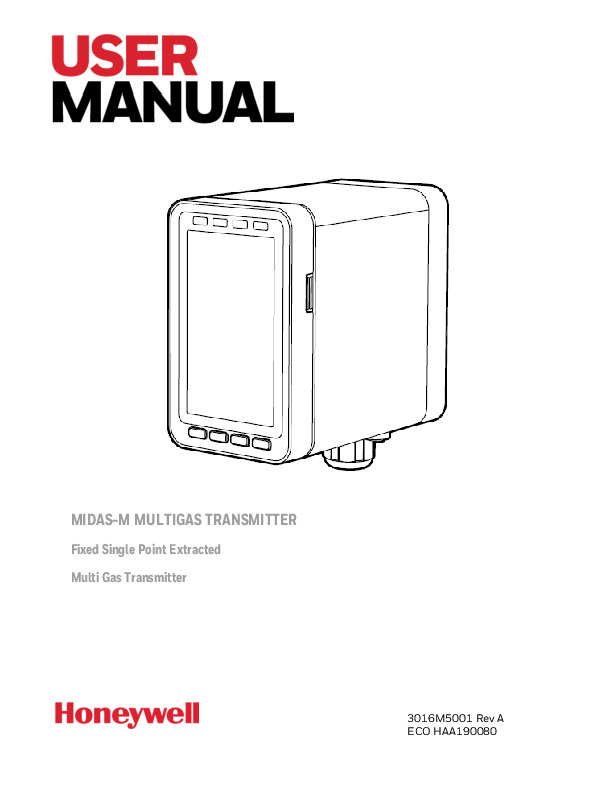
Honeywell Midas-M Multigas Transmitter User Manual
File info: application/pdf · 109 pages · 6.15MB
3016M5001 ENG-Rev01 MIDAS-M User Manual
3016M5001 ENG-Rev01 MIDAS-M User Manual - Honeywell
Honeywell Analytics: the global leader in gas detection. While you build a better world, we're building smarter safety. For nearly 50 years, Honeywell Analytics ...
Table Of Contents 7 7 7 8 9 10 11 11 15 Introduction About Us Product Description Overview User Interface Configuration Installation Mount the Transmitter Device
Extracted Text
MIDAS-M MULTIGAS TRANSMITTER
Fixed Single Point Extracted Multi Gas Transmitter
3016M5001 Rev A ECO HAA190080

Table Of Contents

CHAPTER 1 -- Introduction

7

About Us

7

Product Description

7

Overview

8

User Interface

9

Default Configuration

10

CHAPTER 2 -- Installation

11

Mount the Transmitter Device

11

Mount the Relay Module

15

Sample and Exhausting Tubing Calculations

17

In-Line Filters

18

Local Detector Option

18

Electrical Installation

19

Electrical Connection

23

Wiring The Relay Module

26

Mount The Sensor Cartridge

28

CHAPTER 3 -- Device & Web Operations

29

Comissioning

29

Monitoring Mode

30

Review Information

32

Setup Operations

34

Test Mode

36

Calibration Mode

38

Calibration & Bump Test

39

Bump Test

40

Internal Web Server

41

Physical Network Components

41

Internet Settings

41

Running the Web Server

42

CHAPTER 4 -- Maintenance

65

System Leak Check

66

CHAPTER 5 -- Additional Information

69

EU Directive 2012/19/EU: Waste Electrical and Electronic

Equipment (WEEE)

69

Troubleshooting and Fault Diagnosis

70

Specifications

74

Ordering

77

Transmitter

77

Cartridge

77

Smart Sensor

78

Accesories

78

Gas Table

82

Combination Index

84

Reflex

85

A Modbus/TCP Interface

86

Security

99

Modbus TCP

99

DOS attack

99

Install Web Server Certificate in Google Chrome

101

Install Web Server Certificate in MS Browsers

103

Warranty

105

Sensor Cartridge Warranty
Contact Us

106
107

1CHAPTER

Introduction

Learn what you need to know about the Honeywell Midas�-M Gas Detector before operating.
About Us
Honeywell Analytics: the global leader in gas detection
While you build a better world, we're building smarter safety. For nearly 50 years, Honeywell Analytics has been protecting people who put their lives on the line every day. It takes a special level of drive and dedication to work in hostile environments, and we believe your workers deserve the same kind of commitment from us when it comes to securing their health and safety. Right from the start, our founders were determined to find better ways to design, build and manufacture reliable gas detection solutions. Through advanced technology and pure industry know-how, Honeywell Analytics continues to improve and evolve our products. Today, we're proud to partner with customers worldwide who share our vision of vigilance and rely on us to help them protect what matters most. From custom-designed solutions to unmatched training and support, Honeywell Analytics is simply the smartest choice when you demand the best in safety.

Product Description

The Honeywell Midas�-M is a Fixed Extractive Single Point with 4-in-1 Multi Gas Detector that draws a sample locally or from a remote point to a sensor cartridge that is located inside the detector's chassis. A wide range of toxic, flammable and oxygen gas sensor cartridges are available that enable detection of gases used or generated in the Semiconductor and other manufacturing industries. Midas-M is shipped from the factory with the security function disabled. We strongly recommend enabling this function for safe use of the detector. To enable it, select Set up > Security and type an 8 character password. Midas-M is wall mounted and displays gas concentration, alarm, fault and status information via its backlit LCD and LEDs. A simple to use 4-button keypad located under the display provides the facility to set-up, review, operate and make changes to the detector's configuration.

Midas-M

7

User Manual

Midas-M has flexible power and communications capabilities built in as standard. These include 3 on board relays, 0-21 mA analog output, Modbus/TCP outputs for signal and service connectivity as well as Power over Ethernet (PoE) connection that enables a single Ethernet connection to be made for all power, control and communication requirements.
Overview
The Midas-M gas detector comprises of 4 parts: the main module, the mounting bracket assembly, the sensor cartridge and the pump module.

Midas-M

8

User Manual

User Interface
Detector's User Interface overview.

Midas-M

9

User Manual

Default Configuration

The Midas-M gas detector is factory-configured.

NOTE: Oxygen levels are 20.9% v/v in a normal atmosphere, equivalent to 17.3 mA. Use caution when integrating an oxygen Midas-M unit using the 4-20 mA output since fault, inhibit, and no power conditions are below 4 mA and, by default, an oxygen depletion alarm is triggered on a falling alarm (default 19.5% v/v). In that case, Honeywell Analytics recommends one of the following:

� Use Modbus TCP digital communications

� Use discrete relay inputs instead of a 4-20 mA signal to trigger gas alarms � Program the control system of the 4-20 mA input with logic and a delay (e.g., 1 second) before triggering an alarm to determine if the 4-20 mA output is at one of the 0-4 mA conditions described above.

Contact Honeywell Analytics for further information.

Factory Default Configuration

Toxic Gas

flammable gas1

oxygen

Full Scale (FS)

Typically 4 x Threshold 100% Lower Explosive 25% Volume (v/v)

Limit Value (TLV)

Limit (LEL)

Alarm 1

1/2 TLV

10% LEL

23.5% v/v (Rising)

(Relay 1) Alarm 2

Normally de-energized, energizes on alarm.

TLV

20% LEL

19.5% v/v (Falling)

(Relay 2) Fault

Normally de-energized, energizes on alarm. Normally energizes, de-energized on fault.

(Relay 3)

Latching

Latching. Alarm and fault relays DO NOT automatically reset when reading falls below alarm thresholds. Relays MUST be manually reset.

Passcode

No Passcode set.

Address

169.254.60.47 subnet mask 255.255.255.0

Current source with: 1.0 mA 2.0 mA 3.0 mA 4.0 to 20.0 mA 21.0 mA

Fault Inhibit Maintenance Fault Gas reading (normal operation) Over range

1 Not yet released

Midas-M

10

User Manual

2CHAPTER

Installation

For ease of installation Midas-M has been designed to allow the installation of the mounting bracket assembly and main module separately from the other parts of the detector. The detector location and hard wiring can therefore be completed before fitting the detector's main module and sensor cartridge.
WARNING Midas-M is designed for installation and use in indoor safe area non-explosive atmospheres. Installation must be in accordance with the recognized standards of the appropriate authority in the country concerned. Prior to carrying out any installation ensure local regulations and site procedures are followed. Ensure the connection of all modules (e,g pump, and cartridge module) with the main module. Otherwise, Midas-M can have flow leakage or malfunction.
Mount the Transmitter Device
The Midas-M gas detector has an integral mounting bracket assembly that is easily mounted to a suitable vertical surface such as a wall, tool housing, mounting plate on a pole etc.
Midas-M outline dimensions

Midas-M

11

User Manual

NOTE Notice the space required to install the instrument, open the door, push in/pull out modules, and tubing.
Mounting procedure

Midas-M

12

User Manual

1. the door. 2. Un-tight the two screws. 3. Carefully pull the main module forward. 4. Drill two holes 2.2 in (55.9 mm) Use 2 x M4 Screws or equivalent for mounting
(head size 7-11 mm).

Midas-M

13

User Manual

NOTE This drill template is not to scale.

5.

a. Partially screw the fixings into the mounting surface.

b. Place the mounting bracket assembly over the screws, so they pass

through the mounting holes and then slide down to locate in the slots.

c. Tighten the screws to secure the mounting bracket assembly.

6.

a. Align the rounded corner at the lower of the main module with the similar

rounded corner at the bottom of the mounting bracket assembly

b. Slide the main module backward while pushing the main module up after

connecting with a mounting bracket so that the PCB connector and tubes

engage simultaneously.

7. Ensure the PCB, connector, and tubes are fully engaged by firmly pushing the

main module horizontally backward on the mounting bracket assembly. DO

NOT PUSH ON THE LCD AS THIS MAY DAMAGE IT.

8.

a. Align the two fixing screws located at the bottom of the module with the

screw threads on the mounting bracket assembly.

b. Tighten the screws to secure the module to the mounting bracket

assembly.

9. Remove the internal packing card securing the pump. Failure to remove this packing will result in damage to the Midas-M detector.

Midas-M

14

User Manual

Mount the Relay Module

The Relay Module has an integral mounting bracket assembly that is easily mounted to a suitable vertical surface such as a wall, tool housing, mounting plate on a pole etc.

1. Pull out the four screws and remove the plate cover.

2.

a. Partially screw the fixings into the mounting surface.

b. Place the Relay module over the screws, so they pass through the holes to locate in

the slots.

c. Tighten the screws to fix the Relay Module to the surface.

3. Connect the wire through the cable gland to the terminal block.

4. Place the plate cover in position and screw the four screws you removed in Step 1.

5. Push the mounting bracket assembly horizontally and engage the Relay Module connector.

6.

a. Align the screw holes and the slot-boundaries, and tight the machine screws

(3016D0355) provided in packaging.

b. Connect the mounting bracket assembly to the Relay Module.

Midas-M

15

User Manual

Midas-M

16

User Manual

Sample and Exhausting Tubing Calculations
Description of flow rate, and tubing vacuum at the inlet and exhaust points,

Description

Inlet sample specifications Maximum

Tubing Length, m (ft)

30 (100)

Sample Point Vacuum Transport Time (sec), ID 1/8" 1

-25.4 cm H2O (-10 in H2O) 25

Transport Time (sec), ID 3/16" Flow rate, cc/min.

53 600 (Flow is constant) 2

Tubing OD, mm (in)

6.35 (0.25)

Tubing ID, mm (in)

3.18 (0.125)

1Honeywell Analytics recommends thick-wall tubing (1/8" ID) for best speed of response. Due to its lower surface area, thick- wall tubing may require less conditioning than thin-wall tubing. 2 The flow rate is electronically maintained at approximately 600 cc/min and may vary within acceptable tolerances. Tubing lengths vary among gases. See the Gas Chart for recommended lengths.

NOTE Honeywell Analytics recommends the use of Teflon FEP (Fluorinated Ethylene Polymer) tubing to assure proper sample transport. The properties of Teflon FEP make it the best choice for transporting sample toxic gases to instruments when compared with the properties of other similar tubing materials.

description

Outlet sample specifications maximum

Tubing Length, m (ft) Back Pressure at Exhaust Point Flow rate, cc/min

30 (100) 20.3 cm H2O (8 in H2O) 600 (Flow is constant)

Midas-M

17

User Manual

description

maximum

Tubing OD, mm (in) Tubing ID, mm (in)

6.35 (0.25) 4.76 (0.188)

Prepare Tubing
1. Cut the tube squarely and remove any burrs. 2. Mark from end of tube the length of insertion. The insertion lenght of Midas-Mfrom the end
of tube is 15.5 mm.
NOTE When inserting the tube into the inlet/outlet port of the Midas-M, make sure that it is inserted up to the marked position.

In-Line Filters
External filters must be used to protect the tubing from contamination. Use particulate filter part number 780248 for normal gases and 1830-0055 or 1991-0147 for corrosive gases. Replace the filter every 3 months. Refer to the Gases Table for specific gases.
Local Detector Option
The Midas-M gas detector can also be used to monitor for gas at the location of the detector. To do this, an inline filter is simply connected to the sensor cartridge gas inlet port. The external dust filter part number is 780248 for normal gases and 1830-0055 or 1991-0147 for corrosive gases. The area around the detector is then being monitored as opposed to a sample being drawn from a remote location.

Midas-M

18

User Manual

Electrical Installation
Access for the electrical wires to the terminal module is made via the PG16 cable gland located at the bottom of the mounting bracket assembly. The cable gland can be removed and replaced with a suitable conduit fitting if required. Typical wire routing

The terminals used are suitable for conductors of 24 to 14 AWG (0.5 to 1.8mm Dia.). We recommend using the 16 AWG (1.5 mm Dia.) conductors. If Power over Ethernet (PoE) is used to power the device, then 24 VDC power must not also be connected to the device, (or conversely, if 24 VDC is used to power the Midas-M, then electrical power via the Ethernet port must not be applied). Failure to observe this requirement may cause damage to the gas detection system and will not be covered by the standard warranty. When connecting the wires ensure that the power switch is in the off position.
NOTE Earthing Requirements: If the Midas-M unit's metal chassis is not connected directly to a metal surface for earthing purposes, an additional earth wire will be required. Connect a

Midas-M

19

User Manual

wire via the PG16 gland to the dedicated earth tag (screw terminal) located on the bottom bracket and connect the other end of the wire to a dedicated external earthing point. If Power over Ethernet (PoE) power supply is being used, shielded CAT5 Ethernet cable is recommended. Please ensure that your wiring avoids earth ground loops that may affect the performance of your equipment.
NOTE Instrument grounding is required to ensure stable performance and to limit the effects of radiofrequency interference before installation. The following diagram shows the terminal module layout and terminal identification as well as the jumper locations.
Transmitter Terminals

Midas-M

20

User Manual

terminal number 1 2 3 4 5 6 7 8 9 10 11 12 13 14 15 16 17 18 19 20 21
Midas-M

Transmiter Terminals function
24Vdc Input 24Vdc Input mA output - Channel 1 mA output - Channel 1 mA output - Channel 1 mA output - Channel 2 mA output - Channel 2 mA output - Channel 2 mA output - Channel 3 mA output - Channel 3 mA output - Channel 3 mA output - Channel 4 mA output - Channel 4 mA output - Channel 4 Relay 1 Relay 1 Relay 1 Relay 2 Relay 2 Relay 2 Relay 3

description
0Vdc +24Vdc COM mAmA+ COM mAmA+ COM mAmA+ COM mAmA+ Normally Closed Common Normally Open Normally Closed Common Normally Open Normally Closed

21

User Manual

terminal number 22 23

function Relay 3 Relay 3

description Common Normally Open

Display INSTRUMENT F ONLY SEPARATE F
COMBINED F
Midas-M

Relay function table

Description

Relay 1 Relay 2

Instrument fault only
Separate fault relays
Combined fault relay

Alarm 1 Alarm 2

Any alarm

Maintenance fault

Alarm 1 Alarm 2

Relay 3
Instrument fault Instrument fault
Any fault

22

User Manual

Electrical Connection
Midas-M can be powered by either 24 VDC via traditional discrete wiring or by approximately 48 VDC delivered through the Ethernet cable from a PoE source. In either case, the 4-20 mA analog output can be used. The analog output can be configured for fully isolated operation. With 24 VDC power the 4-20 mA output can be configured for sink, source or isolated output operations. Following are some schematic diagrams of typical electrical connection configuration.
NOTE When wiring the Midas-M Transmitter to a controller, program the controller for a 1-2 second delay before reporting to prevent false alarms.
Generic example Midas-M 3-wire sourcing

Midas-M

23

User Manual

Generic example Midas-M 4-Wire Isolated output Generic example Midas-M 3-wire Sinking output

Midas-M

24

User Manual

Generic example Midas-M Isolated 4-20mA output w/PoE power

Midas-M

25

User Manual

Wiring The Relay Module
The Midas-M relay module contains: Nine relays to activate external devices. Eight gas alarm relays which indicate level 1 and level 2 alarms of each channel. A common fault relay which indicate maintenance fault or instrument fault.

Power Supply
Power consumption Relay rating Wiring

Specifications No separated power supply required Supplied from the Midas-M transmitter
< 1.45 W
1.0 A @ 30VDC or 0.5 A @ 125 VAC max, 10 uA @ 10 mV minimum 14 AWG maximum per each channel

Midas-M

26

User Manual

All alarm relays Common fault relay

Default configuration Normally de-energized, energized on alarm
Normally energized, de-energized on fault

Midas-M

27

User Manual

Mount The Sensor Cartridge
The Midas-M Sensor Cartridge enables the detection of a wide range of asphyxiant, toxic, flammable, pyrophoric, corrosive, and oxidizer (including Oxygen) gases. The plug & play Sensor Cartridge is located inside the detector's chassis.
NOTE The Midas-M sensor cartridge is supplied separately. Before use, verify the part number and type of sensor cartridge is correct for your application.

1. Turn the power off.

2. Open the door and remove the BiAS battery module and the two plug caps from the sensor

cartridge.

3. Align the Sensor cartridge pins with the socket in the sensor cartridge chamber and then

push the sensor cartridge gently until fully seated.

4. Close the door.

5.

a. Press the `O' button to clear the "Detect New Cartridge " message.

b. Confirm that the green LED is flashing, and that the yellow and red LEDs are off.

c. Confirm the display shows a concentration of zero as appropriate.

Midas-M

28

User Manual

3CHAPTER

Device & Web Operations

Learn what you can do with your Honeywell Midas�-M Detector, from commissioning to Maintenance
Comissioning
Comissioning should be followed carefully and only performed by suitably trained personnel. WARNING
Before carrying out any work, ensure local and site procedures are followed. Ensure that the associated control panel is inhibited to prevent false alarms.
1. Ensure the detector is wired correctly. 2. Ensure that the correct sensor cartridge is fitted. (If the cartridge has not been stored at room
temperature, allow one hour for equilibration.) 3. Ensure the ON/OFF switch on the bottom of the mounting bracket assembly is in the ON
position. 4. Apply power to the system. Wait for a couple of minutes until the start-up routine completes. 5. After the start-up routine, the detector will display the Normal/Monitoring Operating Mode. 6. Perform a leak test to ensure all connections are secure. `Waiting...' will be displayed on booting
time. 7. Allow the detector to stabilize until the `Warm-up' message is no longer displayed after booting.
The maximum warm-up time is dependent on sensor type. Refer to individual cartridge data sheets. Warm-up times are typically much faster. 8. Ensure the correct ID code is selected in Set-up > alarm menu 9. If this is a first-time start-up, the "Detect New Cartridge ~" message could be displayed. Press the `O' button to clear the message.

Midas-M

29

User Manual

Monitoring Mode
After commissioning, the Midas-M detector is set in the Monitoring Mode, which is the starting point for all of the device's operations.

The examples in the following table are for a linear 4-20 mA output over a full scale range of 2 ppm. The current output for a given gas concentration will be different for other full scale ranges (linear 4 mA = 0 % full scale to 20 mA = 100 % full scale). The alarm and fault relays are in default (latching) mode.
Normal Operation Display and Outputs.
This table is based on the default configuration of toxic sensor type.

Status

Relay Status

4-20mA output

LEDs

Backlight

Alarm 1

Alarm relay 1 activated

mA output to Green flash

match the

Alarm 1 Red

concentration on

Red on of the channel

Midas-M

30

User Manual

Status

Relay Status

4-20mA output

LEDs

Backlight

Alarm relay 2 deactivated
Fault relay deactivated

Alarm 2

Alarm relay 1 activated Alarm relay 2 activated Fault relay de-activated

mA output to match the concentration

Green flash Alarm 1 Red onAlarm 2 Red flash

Red flash of the channel

Greater than full scale

Alarm relay 1 activated
Alarm relay 2 activated
Fault relay deactivated

21mA

Green flash
Alarm 1 Red on
Alarm 2 Red flash
Yellow on

Yellow on of the channel

Inhibit

Alarm relay 1 deactivated
Alarm relay 2 deactivated
Fault relay deactivated

2mA

Green flash

Maintenance fault

Alarm relay 1 deactivated
Alarm relay 2 deactivated
Fault relay deactivated

3mA

Green flash
Yellow on

Yellow on of the channel or all channels dependent on fault type

Instrument fault

Alarm relay 1 deactivated
Alarm relay 2 deactivated
Fault relay activated

1mA

Green flash
Yellow flash

Yellow flash of the channel or all channels dependent on fault type

Midas-M

31

User Manual

Review Information

From the Review Mode, you can see the information of transmitter, cartridge, alarm, 4-20mA, relays, fault, calibration, date/time, network, event log, and advance.

1. Go to the Monitoring Mode.

2. By pressing

or

buttons you are entered automatically to the Review Mode and one

of the Review options is displayed under Review.

3. Press

or

buttons to scroll to your desired option.

4. Press

to accept and enter the selected option.

5. Repeat Steps 3 and 4 to continue exploring more options from the Review Mode.

6. Optional Step: Press

to cancel and return one step back.

From the Review Mode panel, you can review any of the following options:

Option

Information you can review from selected option

Transmitter Cartridge Alarms

l FW Revision l Part Number l Serial Number l FW checksum l Web version l FW Revision l Boot loader revision l Part Number l Serial Number l Sensor parameter revision of each channel l Gas type of each channel

Midas-M

32

User Manual

Option
4-20mA Internal Relays External Relays Faults Calibration Date/Time Network Event Log Advance

Information you can review from selected option l Alarm 1 type and level of each channel l Alarm 2 type and level of each channel l Deadband level of each channel l Alarm latching/non-latching of each channel l Alarm delay time of each channel
Concentration range of 4-20mA output of each channel l Relay configuration l Relay energized/de-energized in normal condition
Relay energized/de-energized in normal condition l Latching/Non-latching l Maintenance fault enable/disable l Temperature fault enable/disable l Calibration interval of each channel l Calibration due days of each channel l Sensor expired days of each channel
Date and Time l IP obtain method l IP address l Subnet Mask l Gateway l MAC Address
Event logs Channel ON/OFF

Midas-M

33

User Manual

Setup Operations

From the Setup Mode, you can configure alarms, 4-20mA, relays, faults, channels, date & time, network, advance, and security.

1. Go to the Monitoring Mode.

2. Press

or

buttons and hold for one second to enter the Main Menu, and one of the

Menu options is displayed.

3. Press

or

buttons to scroll to Setup.

4. Press

to accept and enter the Setup menu.

5. Press

or

to continue exploring more options from the Setup Mode, and then press

to accep it.

6. Optional Step: Press

to cancel and return one step back.

From the Setup Mode panel, you can review any of the following options:

Option

Operations you can Setup from selected option

Alarms

l Gas type of each channel l Correlation factor of each channel if gas type is "USER" l Alarm 1 type and level of each channel l Alarm 2 type and level of each channel l Deadband level of each channel l Alarm latching/non-latching of each channel l Alarm delay time of each channel

4-20mA Internal

Concentration range of 4-20mA output of each channel. l Relay configuration (Instrument Fault Only, Separate Fault Relay,

Midas-M

34

User Manual

Option Relays External Relays Faults Calibration Date/Time
Network
Advance Security

Operations you can Setup from selected option
Combined Fault Relay). l Relay energized/de-energized in normal condition.
Relay energized/de-energized in normal condition.
Latching/Non-latching Maintenance fault enable/disable Temperature fault enable/disable. Calibration interval of each channel
l Date l Date format (YYYY MM DD, DD MM YYYY, MM DD YYYY) l Time l IP obtain method (Manual, Auto) l IP address l Subnet Mask l Gateway Channel ON/OFF l Security ON/OFF l Password

Midas-M

35

User Manual

Test Mode

From the TestMode, you can test Bump, Simulation, 4-20mA, and Inhibit.

1. Go to the Monitoring Mode.

2. Press

or

buttons and hold for one second to enter the Main Menu, and one of the

Menu options is displayed.

3. Press

or

buttons to scroll to Test.

4. Press

to accept and enter the Test menu.

5. Press

or

to continue exploring more options from the Test Mode, and then press

to accep it.

6. Optional Step: Press

to cancel and return one step back.

From the Test Mode panel, you can test any of the following options:

Option

Operations you can Test from the selected option

Bump Simulation 4-20mA Inhibit

Gas bump test l Alarm 1 of each channel l Alarm 2 of each channel l Maintenance Fault l Instrument Fault
Force 4-20mA output of each channel l Inhibit ON/OFF

Midas-M

36

User Manual

Option

Operations you can Test from the selected option l Inhibit time

Midas-M

37

User Manual

Calibration Mode

From the Configuration Mode, you can configure Zero, Span, Flow, and 4-20mA.

1. Go to the Monitoring Mode.

2. Press

or

buttons and hold for one second to enter the Main Menu, and one of the

Menu options is displayed.

3. Press 4. Press

or

buttons to scroll to Calibration.

to accept and enter the Calibration menu.

5. Press

or

to continue exploring more options from the Calibration Mode, and then

press

to accept it.

6. Optional Step: Press

to cancel and return one step back.

From the Calibration Mode panel, you can configure any of the following options:

Option

Operations you can calibrate from the selected option

Zero Span Flow 4-20mA

Zero gas calibration of each channel Span gas calibration of each channel Pump flow calibration 4-20mA output calibration of each channel

Midas-M

38

User Manual

Calibration & Bump Test
All Midas-M sensor cartridges are pre-calibrated by Honeywell Analytics using traceable gas standards and approved calibration methods to a proven ISO 9000 quality controlled procedure. The Midas-M sensor cartridge design is very robust and resistant to long term drift; in fact in a normal operating environment it is possible to extend the calibration interval with Midas-M up to 24 months (subject to local requirements concerning calibrations). This design feature is another element that supports Midas-M as a long term cost effective gas detection solution. Honeywell Analytics recommends frequent bump testing to confirm performance.
NOTE It is the sole responsibility of each user to determine their own calibration and bump test schedule based on their own safety assessments and understanding of local requirements.
Just prior to commissioning, each Midas-M unit should be zero calibrated to ensure accuracy. It is recommended that the unit be powered with the cartridge installed for at least 30 minutes prior to conducting a zero calibration. A second zero calibration may be required after a 24 hour period which is dependent on the site conditions. O2 sensors are not zero calibrated but should be span gas calibrated. See the Gas Table for span gas calibration details. If the ambient condition in the area the detector is monitoring experiences a long-term change, it is necessary to perform a zero calibration to allow the unit to adjust to the new conditions.
NOTE When performing a zero calibration, be sure that the area is free of the target gas and/or interfering gases (refer to the cartridge data sheets for further details), as the presence of a background gas will affect the ability for the detector to properly calibrate to the correct levels. If the sample area cannot be verified to be free of the target gas or cross-sensitive gases, use a cylinder of zero air to perform the calibration
Calibration of an electrochemical sensor cartridge is a relatively complex discipline to master and it is possible that in less ideal field conditions the calibration can be far less accurate than under laboratory conditions and therefore substantial inaccuracies can be introduced. In the absence of any formal calibration policy by the end user, it is preferable to retain the original factory calibration. Care must be taken to ensure that the correct materials for an extractive application are obtained from reputable suppliers and are of proven quality and composition. Inappropriate calibration equipment will lead to under - or over-presenting the wrong concentration of gas to the sensor cartridge during the calibration period. Likewise contaminated or inadequately flushed tubing and other gas-wet surfaces can also introduce errors into the calibration process. Only qualified, trained personnel should attempt to perform gas calibrations; contact your local Honeywell Analytics Service Representative for further details on calibration services. Testing should be performed at the end of the sample tube or at the detector with a short length of tubing. Applying gas with a short length (less than 5 feet/1.5 meters) of clean FEP tubing will give optimal results for confirming the accuracy and response time of the cartridge. Applying gas at the end of the installed sample line will test the full system including the whole length of tubing. This will verify the integrity of the tubing. Sample line integrity can also be

Midas-M

39

User Manual

checked by performing a leak check. Note that there will be additional transport time due to the tubing length and conditioning the gas-wet surfaces. Bump tests are also used as an approximate means to present a controlled gas release to the sensor cartridge in order to verify that the transmitter does respond accordingly. Bump testing is popular as typical experiences show that a smaller list of easier to handle gases can be used to provide functional tests on a wider range of gas types. In the absence of a formal calibration policy from the end user, Honeywell Analytics would recommend a minimum semi-annual schedule of at least one bump test per sensor with the appropriate test gas. Bump testing may reduce sensor cartridge lifetime and the accuracy of the calibration if applied incorrectly or too frequently. Use only the target gas or the recommended bump test gas. Zero calibration is a recommended procedure that should be performed periodically to improve the performance of the sensor. This is particularly important when the sensor is operating outside of normal environmental conditions (20�C, 50% rH). The Gas Table indicates the recommended calibration or bump test gas for the Midas-M sensor cartridges: Consult with your Honeywell Analytics Service Representative for approved methods and materials before commencing calibrations and bump tests.

Bump Test
A bump test is not intended to be an accurate calibration, but is used as a confidence check to ensure that the gas detection system is functional. Since some of the target gases are difficult to handle, bump testing often makes use of cross sensitivities so that more convenient gases can be used. In bump test mode, the Modbus/TCP outputs are not inhibited. Only the 4-20 mA and alarm outputs are inhibited. The bump gas test is a functional check only. Consult local guidelines for recommended best practices. Bump test concentrations are calculated to generate a minimum first alarm level response.
Preparation
Most of the test gases are highly toxic. It is essential that personnel using these toxic gases be trained in their use. Ensure that the test gas will be vented safely. Applying test gas may cause alarm, fault or maintenance fault indications on the 4-20 mA loop, relays or digital outputs. Before starting a test, ensure that suitable steps have been taken to prevent these indications from triggering unwanted actions. The Midas-M gas detector has a special mode for bump testing where the alarm outputs are inhibited.
Finishing
Wait for the gas reading to return to normal levels. This may take some time, especially if concentrations above the recommended levels have been used or if the test gas has been applied for an extended period of time. Ensure that any latched faults or alarms that have been generated by the testing have been cleared.

Midas-M

40

User Manual

Make sure that the gas detection system is fully restored to its normal operating state and that any control system overrides used during the testing have been removed. The alarms generated by the testing will have created entries in the transmitter's history log.
Troubleshooting
If the test does not produce a satisfactory result, check the following points: l Check the gas cylinder concentration and type are correct l Check the expiration date of the cylinder. l Check that there is sufficient gas left in the cylinder. l Check that there are no leaks on the test system. l Make sure that the tubing length is as short as possible and that there are no blockages. l Make sure that the transmitter is not displaying a fault before the test is started.
Internal Web Server
The Midas-M gas detector unit utilizes an Ethernet port with the TCP/IP protocol as standard. The Midas-M can function as a HTML web page server and these web pages can be viewed on external computer equipment (PC, PocketPC etc.) by using a standard software program, i.e.; Microsoft Internet Explorer 11, Safari, or Chrome . These web pages replicate the user interface on the front panel of the Midas-M in a more flexible and friendly format for diagnostic and data entry purposes. The web pages also contain additional features not available via the keypad. This procedure explains how to view web pages for a single Midas-M which is connected to a single PC only. Of course it is possible to connect hundreds of Midas-M units to an Ethernet network. More information may be required from the local IT department and Honeywell Analytics as appropriate.
Physical Network Components
The Ethernet physical network is intended to connect computers to other computers through hubs. MIDAS-M has a 10/100 Mbps Ethernet transceiver and supports Auto-MDIX. It supports Auto-Negotiation for selecting the highest performance mode of operation. To use CAT5 standard or higher shield ethernet cable is recommended for the highest efficiency communication speed.
Internet Settings
Communications requires knowledge of the IP address and netmask of both the Midas-M and the PC. Unless the Midas-M is connected to a network with a DHCP server, the addresses must be set manually. The procedure for setting the IP address of a PC is detailed in the following example using a PC loaded with Microsoft TM Windows 7 and Internet Explorer version 11.0 or higher as illustrated as follows. In the usual case the netmask for both computers should be set to 255.255.255.0. The mostsignificant three bytes of the IP address must be identical and the least-significant byte must be

Midas-M

41

User Manual

unique. For example, if the IP address of the Midas-M was set to 169.254.60.47 (the factory default) then an appropriate IP address for the PC would be 169.254.60.42. IP Address setting in Windows 7

Running the Web Server
In a web browser, set the URL to "http://xxx.xxx.xxx.xxx" where the "xxx" fields are replaced with the IP address of the Midas-M.
Device's Overview
Display general information about the device and gas information of each channel. From the home page, select General > Status > Overview. The following image shows the information you can review from the Overview page.

Midas-M

42

User Manual

Overview page

Option

Description

Channels
General
Summary & Print
Reset Alarm

The gas information for each channel is displayed. The color bar under each box shows the status of the channel. Device's general information
A print-ready summary of device's information.
If alarms are occurring, reset the alarms.

Midas-M

43

User Manual

Log Review
On this page, you can view information about records in text format and as a detailed graph. From the home page, select General > Event History.

Midas-M

44

User Manual

The following graph shows detailed information about the selected log. The graphic displays the gas concentration before and after a specific time from when the event occurred.

Midas-M

45

User Manual

Get a Calibration Certificate
Get the calibration information implemented on a per-channels basis when the device was manufactured. On this page, you can view information from the producer, device, and name of the calibrator. From the home page, select General > Calibration Certificate.

Midas-M

46

User Manual

Get Fault and Contact information
To get fault's list and Contact info, select General > Contact Info/Help.

Midas-M

47

User Manual

Set up Gas and Alarm
Set up gas detection and alarm set for each channel. On the home page, select Set-up>Gas/Alarm. 1. Set the desired channel. 2. Gas: Set the gas you want to detect on each channel. Gas-name and K-factor (weight value
for gas value) can be set only for User-gas. Note: You cannot set the range.
3. Set the concentration at which Alarm1 occurs. 4. Set the concentration at which Alarm2 occurs. 5. Enter the Dead band. 6. Enter the Alarm delay. When an alarm condition is reached, an alarm occurs at a delayed
time. 7. Set up Latching in an alarm situation. 8. Set the time for calibrating the progress alarm. 9. Click Accept.

Midas-M

48

User Manual

Configure the Relays
Set the Alarm and Fault relays.
On the home page, select Set-up > Relays. You can set the relays as follows:
l Relay configuration: Set the operation conditions for Relay 1,2,3. l Alarm relay: Set whether to generate alarm relay. l Fault relay: Set whether to generate a fault relay.

Midas-M

49

User Manual

Set up the 4-20 mA
Set the ratio of mA and concentration values.
On the home page, select Set-up > 4-20 mA. You can set the 4-20MA as follows:
l Channel: Select the channel to set. l Output 4 mA: Set the gas concentration for 4mA. l Output 20 mA: Set the gas concentration for 20mA.

Midas-M

50

User Manual

Set up Faults
Set a Fault Occurrence
On the home page, select Set-up > Faults. You can set the faults as follows:
l Latching faults: Set whether to perform latching when faults occur. l Maintenance: Set whether to generate a fault for maintenance l Temperature: Set whether to generate a fault for Temperature. This option is enabled if the
Maintenance setting is allowed too.

Midas-M

51

User Manual

Set up the Network
Set an specific network.
On the home page, select Set-up > Network. You can set the network as follows:
l Obtain IP: You can select whether Manual or Automatic. l Ip address, Subnet, and Default gateway are enabled only when the Obtain IP option is set to
Manual. l Hostname: Hostname setting.

Midas-M

52

User Manual

Set up the Time and Date
Set the time and date.
On the home page, select Set-up > Time/Date. You can set the Time and Date in a 24 hour format and synchronize it with the computer.

Midas-M

53

User Manual

Turn Channels on/OFF
You can turn ON/OFF an individual channel. On the home page, select Set-up > Advance.

Zero Calibration
Perform Zero calibration for a specific channel or all at once.
1. On the home page, select Calibration > Zero Calibration. 2. Select the channel or channels to zero calibrate, and then click Start.

Midas-M

54

User Manual

3. Wait until the gas reading is stable, and then click Accept.

Midas-M

55

User Manual

4. On the Result window the status of zero calibration is displayed. Click Finish. 5. In the Inhibit window you have the option to check Inhibit, and then click Accept.

Span Calibration
Perform an span calibration for each channel of the device.
1. On the home page, select Calibration > Span Calibration. 2. On the Span calibration page, you can select the gas, the gas type, and the target
concentration. 3. Click Start and then follow screen instructions.

Midas-M

56

User Manual

Flow Calibration
Calibrate the amount of gas entering the device.
On the home page, select Calibration > Flow Calibration, and then follw screen instructions. You can adjust setpoints,and sync setpoints.

Midas-M

57

User Manual

Calibrate 4-20 mA
Perform a mA calibration for each channel of the device.
1. On the home page, select Calibration > 4-20mA Calibration. 2. Select a channel, and then click Start. 3. Increase or decrease the mA value, and then click Next to Zero calibration (4 mA).

Midas-M

58

User Manual

4. Increase or decrease the mA value, and then click Next to calibrate the span (20mA).
Perform a Bump Test
Perform a Bump Test on diverse channels. 1. On the home page, select Test > Bump Test. 2. Click Enter Bump Test Mode. 3. Optional Step. You can click Stop Bump Test to cancel the procedure.

Midas-M

59

User Manual

Perform an Alarm or Fault Simulation
Simulate function for testing alarm faults.
1. On the home page, select Test > Alarm/Fault Simulation. 2. Select a Channel. 3. Select whether the simulation should be on an Alarm or a Instrument fault. 4. Click Accept.

Midas-M

60

User Manual

Perform Inhibit Test
Enable or disable the inhibit state.
1. On the home page, select Test > Inhibit. 2. From the Inhibit level option, select No inhibit or Inhibit. 3. Select the Inhibit timeout in minutes. 4. Click Accept.

Midas-M

61

User Manual

Perform a 4-20mA test
Test the mA value on a channel. Note: The 4-20 MA test may cause unexpected alam activation. Only authorized operators should perform this task. 1. On the home page, select Test > 4-20 mA Test. 2. Select a Channel. 3. Click Accept.
4. Increase or decrease the mA value. 5. Click Close.

Midas-M

62

User Manual

Midas-M

63

User Manual

CHAPTER
4

Maintenance

Midas-M is a fully serviceable product designed with modular components that can be readily replaced by trained service personnel so as to minimize the time that the gas detector is not available. External in-line air filters should be replaced every three months or more frequently if the system is sampling in environments that have high levels of particulate matter or very acidic / wet atmospheres. Similarly, the internal particulate filter should be replaced every two years or more frequently if the sample lines are prone to heavy contamination. Refer to the following table. Every sensor cartridge is shipped with a 2 years warranty. All sensor cartridges are factory calibrated to traceable national standards before shipment to the end user. Note that testing or calibrating with the wrong (incorrect, out of date, non-traceable) calibration gases, calibration equipment, methods or operating conditions can actually damage the sensor cartridge's lifetime and alter the calibration adversely. Only qualified calibration technicians should attempt to calibrate the Midas-M gas detector. The internal pump module is designed to operate for a minimum of 24 months and it is recommended that this pump module (part number MM-PM ) be replaced every 2 years.
Recommended maintenance schedule

Component

Frequency

Pump

2 years or as needed

Internal filter

2 years or as needed

External Sample Line Filter

Part Number 780248, every 3-6 months Part Number 1991-0147, every 3-6 months Part Number 1830-0055, every 3-6 months

Leak Check

Leak Check every 6 months or after replacing any component.

Bump Test

6 months

Flow Calibration

Flow Calibrate after pump, internal and external filter replacement.

Midas-M

65

User Manual

See the Gas Table for the correct filter requirement for your application. NOTE
Every sensor cartridge warranty: Typically, two years depending on the sensor type. The Bias battery will last only about six months. After replacement, allow at least a day for the cartridge to reach equilibrium.
System Leak Check
When performing a leak check, the Midas-M must be placed in Inhibit mode to prevent false concentrations or faults to be activated when plugging the Sample or Exhaust Lines. Example: O2 (oxygen) � plugging of the ports causes the O2 levels within the Midas-M flow path to be depleted as the sample becomes stagnant. The result is the concentration levels begin to fall and trigger the alarms for the O2 depletion. 1. Place the Midas-M into Inhibit. 2. Plug the Inlet Sample line.

3. The flow meter indicators will begin to drop and ultimately disappear within seconds. 4. Continue to keep the port plugged until the Midas-M reports an "F41" (Flow Fail) � approximate time to fault is 24 seconds. 5. Remove the plug. 6. Allow 15 seconds or so to allow the Midas-M flow to stabilize then clear the fault by pressing and holding `X' 7. Plug the Outlet Exhaust line. 8. The flow meter indicators will begin to drop and ultimately disappear within seconds. 9. Continue to keep the port plugged until the Midas-M reports an "F41" (Flow Fail) � approximate time to fault is 24 seconds. 10. Remove the plug.

Midas-M

66

User Manual

11. Allow 15 seconds or so to allow the Midas-M flow and concentrations to stabilize then clear the fault by pressing and holding `X' 12. Return the unit to the Monitoring Mode.

Midas-M

67

User Manual

CHAPTER
5

Additional Information

Learn from about strategic information related to the Honeywell Midas�-M Detector.
EU Directive 2012/19/EU: Waste Electrical and Electronic Equipment (WEEE)

This symbol indicates that the product must not be disposed of as general industrial or domestic waste. This product should be disposed of through suitable WEEE disposal facilities. For more information about disposal of this product, contact your local authority, distributor or the manufacturer.

Midas-M

69

User Manual

Troubleshooting and Fault Diagnosis
General troubleshooting guide and specific fault code table for the Midas-M gas detector.

Number Date

Fault code descriptions Data Field Condition

Recovery

M02

Simulated M fault

N/A

User enters simulation mode

Reset simulated fault

Check for background

gas concentration,

M10

Baseline warning

Concentration

temperature, or

without

Cell baseline has drifted. humidity fluctuations.

Deadband

Perform zero

calibration. Replace

cell.

Large concentration of

M11

Over Range

Peak concentration

gas has been detected. The Midas-M requires an independent confirmation that the gas

Supply clean air to the Midas-M and clear the fault.

hazard is gone.

Perform zero and span

M20

Calibration expired

Days until fault

The user-specified calibration interval has elapsed.

calibrations. Increase span calibration period. (zero days =

disabled)

M21

Cell expires Days until

soon

fault

Cell is old and will expire Replace the cartridge

soon.

or the cell with a new.

M40

Temperature Temperature Temperature is within 5 Check installation

Near Limit (C)

C of limit.

environment.

M41

Flow Low

Flow (cc/min)

Midas-M is no longer

Check filters and

able to regulate the flow. pump.

LED

F01

indicator

N/A

error

LED indicator has no response.

Replace the LCD

F02

Simulated F Fault

N/A

User enters simulation mode

Reset simulated fault

Midas-M

70

User Manual

Number Date

Data Field Condition

Recovery

Check for background

gas concentration,

F10

Baseline Fault

Concentration

temperature or

without

Cell baseline has drifted. humidity fluctuations.

Deadband

Perform zero

calibration. Replace

cell.

Calibration

F20

Expired too N/A

long.

Too long since last calibration.

Replace or calibrate the Cell.

F21

Cell expired. N/A

Cell is too old.

Replace the cartridge or cell.

F40

Temperature Limits Exceeded

Temperature (C)

Temperature is out of limit.

Check installation environment.

F41

Flow Fail

Flow (cc/min)

Flow < 70% of nominal for 24 seconds

Check filters and pump.

Pump

F42

Memory

N/A

error

Pump memory has no response or corrupted data

Reboot

F43

Pump absent

N/A

There is no pump

Device Power off and then insert the pump

F44

LIT test fail N/A

LIT test failed

Check a flow path

F50

Cell Failure N/A

Reflex test fail of toxic cell

Replace cell

F51

Cell comm. Failure

N/A

It has failed to communicate with IR cell

Replace IR cell

F52

Cell memory error

N/A

Cell memory has no response or corrupted data

Replace cell

F53

Cell Memory Invalid

N/A

Checksum error.

Replace cell

F54

Cell IR

N/A

Cell IR voltage is out of Replace cell

Midas-M

71

User Manual

Number Date

Data Field Condition

Recovery

voltage error

F60

The absent cartridge

N/A

F61

Cartridge wrong type

Cell ID

F62

No valid cell N/A

Cartridge

F63

Memory

N/A

Invalid

Cartridge

F64

app Memory N/A

Invalid

F65

Cartridge 3.3V error

Voltage

F66

Cartridge 5V error

Voltage

F67

Cartridge app failed

N/A

Transmitter

F80

NOR flash N/A

error

Transmitter

F81

memory

N/A

invalid

Transmitter

F82

memory

N/A

comm. Error

Transmitter

F83

app memory N/A

invalid

F84

Transmitter 3.3V error

Voltage

range
No communications.
Cartridge has one or more empty channel Cartridge has no valid cell

Reset cartridge. Replace cartridge. Replace cartridge.
Replace cartridge.

Checksum error.

Reboot

Checksum error.

Replace cartridge.

Cartridge 3.3V is out of range
Cartridge 5V is out of range
Cannot start cartridge app

Replace cartridge.
Replace cartridge. Update the latest cartridge app

No communication

Replace the transmitter

Checksum error.

Reboot

Communication failed Reboot

Checksum error.
Transmitter 3.3V is out of range

Replace transmitter or update the latest version
Replace Transmitter

Midas-M

72

User Manual

Number Date

Data Field Condition

Recovery

F85

Transmitter 24V error

Voltage

F86

Transmitter 5V error

Voltage

Transmitter 24V is out of range

Replace Transmitter

Transmitter 5V is out of range

Replace Transmitter

Midas-M

73

User Manual

Specifications

Transmitter Dimension

Specifications

Size (unit with Cartridge)

"136 mm (H) X 83 mm (W) X 152 mm (D) (5.35 X 3.27 X 5.98 in)"

Weight Transmitter

1.3 kg (2.87 lb)

Weight Cartridge

0.17 ~ 0.22 kg (0.38 ~ 0.49 lb) dependent on sensor type

Optional Relay Dimension

Size

"137 mm (H) X 84 mm (W) X 41 mm (D) (5.39 X 3.31 X 1.61 in)"

Weight

0.31 kg (0.68 lb)

Power Requirements

Operating Voltage

24 VDC Nominal, -15 to +10% (20.4 to 26.4 VDC)

"Operating Voltage with Power over Ethernet (PoE)"

48 VDC PoE (IEEE 802.3af compliant)

Power Consumption

Transmitter unit (normal condition) 1

Typ. 5W

Transmitter unit (full load condition) 2

 11.45W

Transmitter with Optional Relay

 12.9 W

Outputs

Visuals

"Alarm, power, fault LEDs, and LCD with all the gas readings and events. LEDs: Power (Green), Alarm 1 (Red), Alarm 2 (Red), Fault (Yellow)"

Relays in Transmitter

"Alarm1, Alarm2, Fault Relays (3) rated 1.0 A @ 30Vdc or 0.5A @ 125Vac Max 10uA @ 10mV minimum, configurable as normally open or closed, latched or unlatched"

Midas-M

74

User Manual

Relays in Optional Relay

Specifications
"8 relays for Alarm1 and Alarm2 of each channel and a relay for common fault rated 1.0 A @ 30Vdc or 0.5 A @ 125 Vac Max 10uA @ 10mV minimum, configurable as normally open or closed, latched or unlatched"

Analog

3 wire sink, 3 wire source, or 4 wire fully isolated; 0 to 21 mA for each channel

Digital Communications Modbus / TCP Ethernet / Power over Ethernet (PoE)

Certification and Specification

"CE marked Meets EN 50270:2015+AC:2016 and EN61000-64:2007+A1 ETL approved UL 61010-1:2012 Ed.3 IEEE 802.3af-2003"

Performance

Refer to Individual sensor datasheets

Transport System

Flow Rate

600 mL/min

Transport Time 2 to 25 seconds maximum

Sample Line Tubing

3.18 mm ID X 6.35 mm OD (0.125 X 0.25 in)

Tubing Length Up to 30 m (100 ft) with FEP tubing

Exhaust Line Tubing

4.76 mm ID X 6.35 mm OD (0.188 X 0.25 in)

Exhaust Length Up to 30 m (100 ft)

Ambient Point In line air filter required

Operating Temperature

0�C to +40�C (32�F to 104�F)

Wiring Requirement

4-20mA

2 wire, 14 AWG maximum

Digital

CAT5 Cable or equivalent: RJ45 connector

Gas Concentration Display and Interface

Instrument

"4-digit alphanumeric display with separate units, concentration bar graph for each channel and other icon driven indicators 4 button interface keypad"

Midas-M

75

User Manual

Remote

Specifications Internet browser access via Ethernet

Installation Details

Mounting

Wall mounted using pre-drilled holes on chassis. Options for DIN rail.

Material
Warranty Transmitter unit

"Cover: Plastic (Polycarbonate) Chassis/Mounting Bracket: Zinc plated steel Red frame : Liquid coated Aluminum "
1 year

Sensor cartridge 2 years

1 Normal condition: (1) No gas alarm, (2) Without tube and pressure/vacuum 2 Full load condition: (1) All 4 channels gas alarm are on, (2) Maximum tubing length and pressure/vacuum on the inlet/exhaust line

Midas-M

76

User Manual

Ordering

This section contains details of how to order complete Midas-M detector and sensor cartridge kits, separate transmitters and sensor cartridges as well as spares and accessories.

Transmitter

Part Description Number

MMT-01 Midas-M 4-20mA Extractive Transmitter

MMT-02 Midas-M TCP/IP Modbus Extractive Transmitter

MMT- Midas-M 4-20mA Extractive Transmitter with Tube T01

MMT- Midas-M TCP/IP Modbus Extractive Transmitter

T02

with Tube

MMT- Midas-M 4-20mA Extractive Transmitter Bulk

B01

Package (6pcs)

MMT- Midas-M TCP/IP Modbus Extractive Transmitter

B02

Bulk Package (6pcs)

Cartridge

Part Number MMC-xxxxxxxx

Description Midas-M Sensor Cartridge with Smart Sensors

Midas-M

77

User Manual

Smart Sensor

Code

Dummy

00

Hydrogen Chloride (HCI) 0 - 8ppm, 2 years E2

Silane (SiH4) 0 -20 ppm, 2 years

X2

Hydrogen (H2) 0 - 1000ppm, 2 years

G2

Chlorine (CI2) 0 - 2ppm, 2 years

L2

Ammonia (NH3) 0 - 100ppm, 2 years

A2

Carbon Monoxide (CO) 0 - 100ppm, 2 years C2

Phosphine (PH3) 0 - 1200ppb, 2 years

R2

Ozone (O3) 0 - 0.4ppm, 2 years

U2

Oxygen (O2) 0 - 25%v/v, 3 years

D2

Sulphur Dioxide (SO2) 0 - 8ppm, 2 years S2

Hydrogen Flouride (HF) 0 - 12ppm, 2 years Z2

Smart Sensor
Part Description number MMS-00 Midas-M Dummy Sensor MMS-E2 Midas-M Hydrogen Chloride (HCI) 0 - 8ppm, 2 years MMS-X2 Midas-M Silane (SiH4) 0 -20 ppm, 2 years MMS-G2 Midas-M Hydrogen (H2) 0 - 1000ppm, 2 years MMS-L2 Midas-M Chlorine (CI2) 0 - 2ppm, 2 years MMS-A2 Midas-M Ammonia (NH3) 0 - 100ppm, 2 years MMS-C2 Midas-M Carbon Monoxide (CO) 0 - 100ppm, 2
years MMS-R2 Midas-M Phosphine (PH3) 0 - 1200ppb, 2 years MMS-U2 Midas-M Ozone (O3) 0 - 0.4ppm, 2 years MMS-D2 Midas-M Oxygen (O2) 0 - 25%v/v, 3 years MMS-S2 Midas-M Sulphur Dioxide (SO2) 0 - 8ppm, 2 years MMS-Z2 Midas-M Hydrogen Flouride (HF) 0 - 12ppm, 2 years

Accesories
Modules / Replacements

Midas-M

78

User Manual

Part

Description

number

MM-REL Midas-M Relay Module

MM-PM Midas-M Pump Module

MM-FIL Midas-M Filter Module

MM-FRT Midas-M Front Module

MM-B01 Midas-M 4-20mA Base Module

MM-B02 Midas-M TCP/IP Base Module

MM-M01 Midas-M 4-20mA Main Module

MM-M02 Midas-M TCP/IP Main Module

MM-CAT Midas-M Cartridge wo Smart Sensors

Mounting Accessories

Part number Description

MIDAS-A-036 MIDAS DIN Rail Mounting Kit

0235-0128

Flexible Conduit 21" - length

0235-0163

Flexible Conduit 27" - length

MVIP3632-2A 2A 24VDC power supply in vented NEMA 4 enclosure

MVIP3632-5A 5A 24VDC power supply in vented NEMA 4 enclosure

Duct Sampling Adaptors

Part number Description

1283K1090

Duct Adapter for 1/4" O.D. tubing for 416" round ducts

0235-0095

Union Fitting 1/4" tube, polypropylene

Tubing and External Sample Line Filters

Part number Description

780248

End of Line Particulate Filter, Disposable

1991-0147

End of Line Particulate Filter for Corrosive Gases, Disposable This disposable filter provides protection against particulate build up in the sample line when monitoring for Corrosive Gases.

0235-0095

Union Fitting - Use to connect disposable filter to end of line

Midas-M

79

User Manual

1830-0055
0235-1072 102599 1991-0136 100440 1991-0137

End of Line Particulate Filter for Corrosive Gases, Reusable This reusable filter housing provides protection against particulate build up in the sample line when monitoring for Corrosive Gases. Replaceable filter element (P/N 0235-1072) purchased separately
Replacement "Corrosive" Filter Elements (pk 100) For use in 1830-0055 filter housing
Tubing Teflon� FEP 1/4" OD x 1/8" ID (Sample inlet) (Price per Foot)
Tubing Teflon� FEP 1/4" OD x 1/8" ID (Sample Inlet) (100' continuous length)
Tubing Polypropylene 1/4" OD X 3/16" ID (Exhaust) (Price per Foot)
Tubing Polypropylene 1/4" OD X 3/16" ID (Exhaust) (100' continuous length)

Midas-M

80

User Manual

Gas Table

Gas Name Formula

Hydrogen Chloride
Boron Trichloride

HCI BCI3

Dichlorosilane SiH2Cl2

Hydrogen Bromide

HBr

Silane

SiH4

Disilane

Si2H6

Hydrogen (ppm)

H2

Chlorine

Cl2

Ammonia

NH3

Carbon Monoxide

CO

Phosphine PH3

Ozone

O3

Oxygen Proficiency & O2 Deficiency

Sulfur Dioxide SO2

Hydrogen

HF

Range

Resolution

Default Alarm

1

0-8 ppm

0.05 ppm 1 ppm

Default Alarm
2
2 ppm

Sensor Part Number

Maximum Sensor
Warm-up Time(minutes)

Flow Rate (cc/min)

Calibration

Calibration Gas

Conc.

Output Equiv.

(ppm)

MMSE2

20

600

HCl

4

4

Bump Test

Recommended

Exp Recommended Conc Max

Time Bump Test (ppm) Time

(sec)

Gas

(sec)

Maximum Sample Line Length(m)

300 HCl

4-6 180 51

End of line filter 1991-0147

0-8 ppm

0.05 ppm

1 ppm

2 ppm

MMSE2

20

600

HCl

4

4

300 HCl

4-6 180 51

1991-0147

0-8 ppm

0.05 ppm

1 ppm

2 ppm

MMSE2

20

600

HCl

4

4

300 HCl

4-6 180 51

1991-0147

0-8 ppm

0.05 ppm

1 ppm

2 ppm

MMSE2

20

600

HCl

4

4.5

300 HCl

4-6 180 51

1991-0147

0 - 20 ppm

0.01 ppm

2.5 ppm

5 ppm

MMSX2

20

600

SiH4

10 10

300 SiH4

10 180 30

"780248, 19910147 or 18300055""780248, 1991-0147 or 1830-0055"

0 - 20 ppm

0.05 ppm

1 ppm

2 ppm

MMSE2

20

600

SiH4

4

4

300 SiH4

10 180 10

"780248, 19910147 or 18300055"

01000 ppm

5 ppm

125 ppm

250 ppm

MMSG2

10

600

H2

500 500 300 H2

500 180 30

"780248, 19910147 or 18300055"

0-2 ppm

0.01 ppm

0.25 ppm

0.5 ppm

MMSL2

10

600

Cl2

1

1

300 Cl2

1

180 10

1991-0147 or 1830-0055

0100 ppm

0.5 ppm

12.5 ppm

25 ppm

MMSA2

10

600

NH3

50 50

300 NH3

50 180 10

"780248, 19910147 or 18300055"

0100 ppm

0.5 ppm

12.5 ppm

25 ppm

MMSC2

10

600

CO

50 50

300 CO

50 180 30

"780248, 19910147 or 18300055"

01200 ppb

5 ppb

150 ppb

300 ppb

MMSR2

20

600

PH3

600 600 ppb ppb

300 PH3

600 180 30

"780248, 19910147 or 18300055"

0 - 0.4 0.002 ppm ppm

0.05 ppm

0.1 ppm

MMSU2

10

600

O3

0.2 0.2

300 NO2 2

1

180 5

1830-0055

0 - 25 %vol

0.1 %vol

23.5 %vol

19.5 %vol

MMSD2

30

600

O2

Air

20.9 %vol

300 O2

Air 180 30

"780248, 19910147 or 18300055"

0-8 ppm

0.05 ppm

1 ppm

2 ppm

MMSS2

10

600

SO2

4

4

300 SO2

4

180 30

1991-0147 or 1830-0055

0 - 12 0.05 ppm 1.5

3 pmm MMS- 20

600

HF

6

6

300 Cl2

10

180 51

1991-0147 or

Gas Name
Fluoride Boron Trifluoride Tungsten Hexafluoride

Formula

Range ppm

Resolution

Default Alarm

1

ppm

Default Alarm
2

Sensor Part Number

Maximum Sensor
Warm-up Time(minutes)

Flow Rate (cc/min)

Calibration

Calibration Gas

Conc.

Output Equiv.

(ppm)

Z2

Bump Test

Exp Recommended Conc

Time Bump Test (ppm)

(sec)

Gas

Max Time (sec)

Recommended Maximum Sample Line Length(m)

End of line filter 1830-0055

BF3

0-8 ppm

0.05 ppm

1 ppm

2 ppm

MMSZ2

20

600

HF

4

5.2

300 Cl2

5

180 51

1991-0147 or 1830-0055

WF6

0 - 12 ppm

0.05 ppm

1.5 ppm

3 ppm

MMSZ2

20

600

HF

6

6

300 Cl2

10

180 51

1991-0147 or 1830-0055

1 Recommended to keep the sample lines as short as possible where the RH condition at the sample point is high (above %50 RH); there will be some sample loss due to absorption onto the sample line. 2 An ozone generator can be used instead of 1 ppm NO2.

Bump Testing Notes: As an alternative, the actual target gas can always be used instead of a cross-sensitive gas. Higher concentrations than the recommended ones can be used if necessary, but extra time may be needed for the reading to recover to zero. IMPORTANT: this should only be done once to avoid the danger of poisoning the sensor.

Combination Index

HCl SiH4 H2 Cl2 NH3 CO PH3 O3 O2 SO2 HF H (MMS- (MMS- (MMS- (MMS- (MMS- (MMS- (MMS- (MMS- (MMS- (MMS- (MMSE2) X2) G2) L2) A2) C2) R2) U2) D2) S2) Z2)

HCl

NO

(MMS-

E2)

SiH4 (MMSX2)

H2 (MMSG2)

Cl2

NO

(MMS-

L2)

NH3 NO

NO

NO

(MMS-

A2)

CO (MMSC2)

PH3 (MMSR2)

O3

NO

(MMS-

U2)

O2 (MMSD2)

SO2

NO

(MMS-

S2)

HF H

NO

(MMS-

Z2)

Midas-M

84

User Manual

Reflex
Midas-M uses patented Honeywell Analytics technology to continuously monitor the health check status of specific electrochemical cells and alert the user if a cell enters a variety of fault conditions (such as open or short circuit etc.) which would leave the cell unable to detect gas and raise an appropriate alarm signal. REFLEX� overcomes this unseen failure mode by applying periodically a special electronic pulse to the cell and reviewing the `echo' from the cell as it responds to the applied signal. If the cell is deteriorating within certain pre-set limits based on the received signals then Midas-M will decrease the REFLEX sampling interval in order to establish the actual viability of the cell. Within a relatively short time, Midas-M will be able to alert the user via fault codes that the electrochemical cell is likely to be requiring replacement and is possibly unable to correctly detect gas. REFLEX is not required for pellistors, IR, oxygen electrochemical cell or bias electrochemical cell as these sensor cartridges provide alternative electronic means to indicate open circuits and other sensor cartridge damage issues.

Midas-M

85

User Manual

A Modbus/TCP Interface
The Midas-M gas detector can report concentration information in a variety of formats including relay contact closure, an analog 4-20 mA loop, Ethernet/ IP/HTML web pages and via the Modbus/TCP networking protocol. This section defines the format of data in Modbus/TCP registers. More information about Modbus/TCP can be obtained from www. modbus.org. The Midas-M is a Modbus/TCP "server" as defined in the MODBUS Application Protocol Specification V1.0 . It supports command 03 ("read holding registers") for registers 40001 to 40122 as listed in the following table. The Midas-M reports floating-point concentration numbers in little-endian or Intel format. This is scaled in units of ppm for gasses which have display units of ppm or ppb. For other display units the concentration is scaled directly in display units. This applies to registers Gas Concentration and Alarm Threshold. The Midas-M fills 122 Modbus/TCP holding registers as listed in Table 1. The Monitoring Status register is a concise summary of Midas-M status. The other registers provide more complete information.

Midas-M Modus Register Map
Midas-M Modbus Register Map : Register 40001 is mapped with base address (zero) (If channel is disabled, channel information is 0).

ModBus Register Number

Information

R/W

Data Type

Data Size (Byte)

Description

Holding Register

Device Status

40001

Reserved for R

2

future

expansion

Note

Midas-M

86

User Manual

ModBus Register Number
40002

Information

R/W

Data Type

Data Size (Byte)

Description

Note

Monitoring R u16 2 Status

bit 0 : Warmup bit 1 : Inhibit Mode bit 2 : Alarm/Fault simulation bit 3 : 4-20mA calibration mode bit 4 : 4-20mA test mode bit 5 : Flow calibration mode bit 6 : LIT calibration mode (Reserved) bit 7 : LIT Enabled (Reserved) bit 8 : Gas calibration mode bit 9 : Gas bump test mode bit 10 : Alarm bit 11 : Fault bit 12 ~ 15 : for future expansion

40003

Alarm State R u16 2

bit 0 : Ch1 Alarm 1 active bit 1 : Ch1 Alarm 2 active bit 2 : Ch2 Alarm 1 active bit 3 : Ch2 Alarm 2 active bit 4 : Ch3 Alarm 1 active bit 5 : Ch3 Alarm 2 active bit 6 : Ch4 Alarm 1 active bit 7 : Ch4 Alarm 2 active bit 8~15 : for future expansion

40004

Fault State R u16 2

bit 0 : Ch1 fault active bit 1 : Ch2 fault active bit 2 : Ch3 fault active bit 3 : Ch4 fault active bit 4 : Device fault active bit 5~15 : for future expansion

40005

Top Fault

R u16 2

Number of most important active fault

Midas-M

87

User Manual

ModBus Register Number
40006

Information

R/W

Data Type

Data Size (Byte)

Description

Note

Channel

R

Enabled State

u16 2

This is the bit bit 0 : Ch1 Dummy cell bit 1 : Ch1

representation Disabled bit 2 : Ch1 Reserved for

information of futher expansion bit 3 : Ch2 Dummy

channel

cell bit 4 : Ch2 Disabled bit 5 : Ch2

enabled. If Reserved for futher expansion bit 6 :

dummy cell is Ch3 Dummy cell bit 7 : Ch3 Disabled

attached or bit 8 : Ch3 Reserved for futher

channel is

expansion bit 9 : Ch4 Dummy cell bit

disabled bit 10 : Ch4 Disabled bit 11 : Ch4

value is set. Reserved for futher expansion bit

12~15 : for future expansion

40007 to 40008
40009 to 40010
40011 to 40012
40013 to 40014
40015 to 40016
40017 to 40018
40019 to 40020
40021 to 40022

Gas

R

Concentration

Ch1

Gas

R

Concentration

Ch2

Gas

R

Concentration

Ch3

Gas

R

Concentration

Ch4

Gas

R

Concentration

Ch1

Gas

R

Concentration

Ch2

Gas

R

Concentration

Ch3

Gas

R

Concentration

Ch4

f32 4 f32 4 f32 4 f32 4 u32 4 u32 4 u32 4 u32 4

Value in float

Value in float

Value in float

Value in float

Value in fixed Conversion equation: ppm value =

point

Value * 1/10 DECP

Value in fixed Conversion equation: ppm value =

point

Value * 1/10 DECP

Value in fixed Conversion equation: ppm value =

point

Value * 1/10 DECP

Value in fixed Conversion equation: ppm value =

point

Value * 1/10 DECP

Midas-M

88

User Manual

ModBus Register Number 40023
40024
40025 to 40026

Information

R/W

Data Type

Data Size (Byte)

Description

Note

Decimal Point R Indicator

u16 2

Decimal point bit 0 ~ 2 : Ch1 Decimal point indicator indicator of (0, 1, 2, 3) bit 3 ~ 5 : Ch2 Decimal Display Gas point indicator (0, 1, 2, 3) bit 6 ~ 8 : Concentration Ch3 Decimal point indicator (0, 1, 2, 3)
bit 9 ~ 11 : Ch4 Decimal point indicator (0, 1, 2, 3) bit 12~15 : for future expansion

Heat beat Counter

R u16 2

System time in seconds. Range of this value is from 0 to 59

Device

R

Maintenance

Fault

u32 4

This is the bit bit 0 : Simulated Maintenance Fault

order

(m02) bit 1 : Flow Warning (m41) bit

representation 2~31 : for future expansion

of the

maintenance

fault status. If

any fault exists

this will take a

value in each

bit. if any

maintenance

fault exists, this

will take a

value zero.

The meaning

of bit will be

described as

fault code in

more detail

Midas-M

89

User Manual

ModBus Register Number 40027 to 40028
40029
40030

Information

R/W

Data Type

Data Size (Byte)

Description

Note

Device

R u32 4

Instrument

Fault

This is the bit bit 0 : LCD Fault (F01) bit 1 :

order

Simulated Instrument Fault (F02) bit 2

representation : Reserved for future expansion bit 3 :

of the

Flow Fail (F41) bit 4 : Pump EEPROM

instrument (F42) bit 5 : Pump Absent (F43) bit 6 :

fault status. If LIT Fail (F44) (Reserved) bit 7 :

any fault exists Cartridge Absent (F60) bit 8 : Catridge

this will take a Wrong Type (F61) bit 9 : Cartridge No

value in each valid cell (F62) bit 10 : Catridge

bit. if any

EEPROM (F63) bit 11 : Catridge

instrument Flash (F64) bit 12 : Catridge Power

fault exists, this 3.3v (F65) bit 13 : Catridge Power 5v

will take a

(F66) bit 14 : Catridge Application Fail

value zero. (F67) bit 15 : Transmitter Nor Flash

The meaning (F80) bit 16 : Transmitter EEPROM

of bit will be Corrupted (F81) bit 17 : Transmitter

described as EEPROM Com Fail (F82) bit 18 :

fault code in Transmitter Flash (F83) bit 19 :

more detail Transmitter Power 3.3v (F84) bit 20 :

Transmitter Power 24v (F85) bit 21 :

Transmitter Power 5v (F86) bit 22~31

: for future expansion

Relay Status R u16 2

The meaning of bit : Value 0 is Deenergized Value 1 is Energized

bit 0 : Internal Relay 1 energized bit 1 : Internal Relay 2 energized bit 2 : Internal Relay 3 energized bit 3 : for future expansion bit 4 : External Relay Fitted bit 5 : External Relay 1 energized (Ch1 alarm1) bit 6 : External Relay 2 energized (Ch1 alarm2) bit 7 : External Relay 3 energized (Ch2 alarm1) bit 8 : External Relay 4 energized (Ch2 alarm2) bit 9 : External Relay 5 energized (Any fault) bit 10 : External Relay 6 energized (Ch3 alarm1) bit 11 : External Relay 7 energized (Ch3 alarm2) bit 12 : External Relay 8 energized (Ch4 alarm1) bit 13 : External Relay 9 energized (Ch4 alarm2) bit 14~15 : for future expansion

Temperature R in Celsius (oC)

s16 2

Temperature

Midas-M

90

User Manual

ModBus Register Number

Information

R/W

Data Type

Data Size (Byte)

Description

Note

40031

Flow rate in R cc/minute

u16 2

Current pump flow

40032 ~ 40037

Reserved for R future expansion

u16 12

Channel 1 Information

40038

Gas Selection R u16 2

bit 0 - 7 : Gas ID bit 8 - 15 : Cell ID

40039 to 40040
40041 to 40042
40043

Alarm1 threshold
Alarm2 threshold
Measuring units

R/W f32 4 R/W f32 4 R u16 2

Concentration 0 : N/A 1 : mA 2 : %LEL 3 : % volume 4

units

: ppb 5 : ppm 6 : mg/m3 7 ~ 15:

reserved

40044 40045

Alarm Status R Fault Status R

u16 2 u16 2

bit 0 : Alarm 1 active bit 1 : Alarm 2 active

This is the bit bit 0 : Baseline Warning (m10) bit 1 :

order

Overrange Warning (m11) bit 2 :

representation Calibration Expire Soon (m20) bit 3 :

of the channel Cell Expire Soon (m21) bit 4 :

fault status. If Temperature Warning (m40) bit 5 :

any fault exists Baseline Fault (F10) bit 6 : Calibration

this will take a Expired (F20) bit 7 : Cell Expired

value in each (F21) bit 8 : Temperature Exceeded

bit.

(F40) bit 9 : Cell Failure Refelex (F50)

bit 10 : Cell Failure IR Comm. (F51) bit

11 : Cell EEPROM Read Error (F52)

bit 12 : Cell EEPROM Corrupted

(F53) bit 13 : Cell Failure IR Volt.

(F54) bit 14~15 : : for future expansion

Midas-M

91

User Manual

ModBus Register Number

Information

R/W

Data Type

Data Size (Byte)

Description

Note

40046

Cell life remaining days

R s16 2

Days of cell remains

40047 ~

Reserved for R

6

40049

future

expansion

Channel 2 Information

40050

Gas Selection R u16 2

bit 0 - 7 : Gas ID bit 8 - 15 : Cell ID

40051 to 40052
40053 to 40054
40055

Alarm1 threshold
Alarm2 threshold
Measuring units

R/W f32 4 R/W f32 4 R u16 2

Concentration 0 : N/A 1 : mA 2 : %LEL 3 : % volume 4

units

: ppb 5 : ppm 6 : mg/m3 7 ~ 15:

reserved

40056 40057

Alarm Status R Fault Status R

u16 2 u16 2

bit 0 : Alarm 1 active bit 1 : Alarm 2 active

This is the bit bit 0 : Baseline Warning (m10) bit 1 :

order

Overrange Warning (m11) bit 2 :

representation Calibration Expire Soon (m20) bit 3 :

of the channel Cell Expire Soon (m21) bit 4 :

fault status. If Temperature Warning (m40) bit 5 :

any fault exists Baseline Fault (F10) bit 6 : Calibration

this will take a Expired (F20) bit 7 : Cell Expired

value in each (F21) bit 8 : Temperature Exceeded

bit.

(F40) bit 9 : Cell Failure Refelex (F50)

bit 10 : Cell Failure IR Comm. (F51) bit

11 : Cell EEPROM Read Error (F52)

bit 12 : Cell EEPROM Corrupted

(F53) bit 13 : Cell Failure IR Volt.

(F54) bit 14~15 : : for future expansion

Midas-M

92

User Manual

ModBus Register Number

Information

R/W

Data Type

Data Size (Byte)

Description

Note

40058

Cell life remaining days

R s16 2

Days of cell remains

40059 ~

Reserved for R

6

40061

future

expansion

Channel 3 Information

40062

Gas Selection R u16 2

bit 0 - 7 : Gas ID bit 8 - 15 : Cell ID

40063 to 40064
40065 to 40066
40067

Alarm1 threshold
Alarm2 threshold
Measuring units

R/W f32 4 R/W f32 4 R u16 2

Concentration 0 : N/A 1 : mA 2 : %LEL 3 : % volume 4

units

: ppb 5 : ppm 6 : mg/m3 7 ~ 15:

reserved

40068 40069

Alarm Status R Fault Status R

u16 2 u16 2

bit 0 : Alarm 1 active bit 1 : Alarm 2 active

This is the bit bit 0 : Baseline Warning (m10) bit 1 :

order

Overrange Warning (m11) bit 2 :

representation Calibration Expire Soon (m20) bit 3 :

of the channel Cell Expire Soon (m21) bit 4 :

fault status. If Temperature Warning (m40) bit 5 :

any fault exists Baseline Fault (F10) bit 6 : Calibration

this will take a Expired (F20) bit 7 : Cell Expired

value in each (F21) bit 8 : Temperature Exceeded

bit.

(F40) bit 9 : Cell Failure Refelex (F50)

bit 10 : Cell Failure IR Comm. (F51) bit

11 : Cell EEPROM Read Error (F52)

bit 12 : Cell EEPROM Corrupted

(F53) bit 13 : Cell Failure IR Volt.

(F54) bit 14~15 : : for future expansion

Midas-M

93

User Manual

ModBus Register Number

Information

R/W

Data Type

Data Size (Byte)

Description

Note

40070

Cell life remaining days

R s16 2

Days of cell remains

40071 ~

Reserved for R

6

40073

future

expansion

Channel 4 Information

40074

Gas Selection R u16 2

bit 0 - 7 : Gas ID bit 8 - 15 : Cell ID

40075 to 40076
40077 to 40078
40079

Alarm1 threshold
Alarm2 threshold
Measuring units

R/W f32 4 R/W f32 4 R u16 2

Concentration 0 : N/A 1 : mA 2 : %LEL 3 : % volume 4

units

: ppb 5 : ppm 6 : mg/m3 7 ~ 15:

reserved

40080 40081

Alarm Status R Fault Status R

u16 2 u16 2

bit 0 : Alarm 1 active bit 1 : Alarm 2 active

This is the bit bit 0 : Baseline Warning (m10) bit 1 :

order

Overrange Warning (m11) bit 2 :

representation Calibration Expire Soon (m20) bit 3 :

of the channel Cell Expire Soon (m21) bit 4 :

fault status. If Temperature Warning (m40) bit 5 :

any fault exists Baseline Fault (F10) bit 6 : Calibration

this will take a Expired (F20) bit 7 : Cell Expired

value in each (F21) bit 8 : Temperature Exceeded

bit.

(F40) bit 9 : Cell Failure Refelex (F50)

bit 10 : Cell Failure IR Comm. (F51) bit

11 : Cell EEPROM Read Error (F52)

bit 12 : Cell EEPROM Corrupted

(F53) bit 13 : Cell Failure IR Volt.

(F54) bit 14~15 : : for future expansion

Midas-M

94

User Manual

ModBus Register Number

Information

R/W

Data Type

Data Size (Byte)

Description

Note

40082

Cell life remaining days

R s16 2

Days of cell remains

40083 ~

Reserved for R

6

40085

future

expansion

Device Information

40086 to 40095

Transmitter R serial number

char 20 [20]

ASCII code format

40096 to 40105

Cartridge

R

serial number

char 20 [20]

ASCII code format

40106

Time Value in R/W u16 2 Year

40107

Time Value in R/W u16 2 Month, Date

bit 0 - 7 : Date bit 8 - 15 : Month

40108

Time Value in R/W u16 2 Hour, Minute

bit 0 - 7 : Minute bit 8 - 15 : Hour

40109

Time Value in R/W u16 2 Seconds

40110

Firmware

R

Version

(Transmitter)

u16 2

bit 0 - 7 : Minor bit 8 - 15 : Major

40111

Firmware

R

Version

(Cartridge)

u16 2

bit 0 - 7 : Minor bit 8 - 15 : Major

40112 ~

Reserved for

20

40121

future

expansion

Write Command (Write command1 and command2 to execute)

40122

Write

W

Command 1

u16 2

0x015e : Reset Alarm & Fault 0x025e : Enter Inhibit (default 30min) 0x035e : Exit Inhibit

40123

Write

W

Command 2

u16 2

Fixed value as 0x3626

Midas-M

95

User Manual

Cell ID & Gas ID

Cell ID

Gas ID

0 N/A

0 N/A

1 H2

1 H2

2 SiH4

2 SiH4

3 Cl2

3 Cl2

4 NH3 Low

4 NH3

5 NH3 High

5 HBr

6 HBr

6 HCl

7 HCl

7 CO

8 CO

8 PH3

9 PH3

9 BCl3

10 BCl3

10 HF

11 HF High

11 TEOS

12 TEOS

12 B2H6

13 B2H6

13 ClF3

14 ClF3

14 BF3

15 BF3

15 WF6

16 WF6

16 O3

17 O3

17 GeH4

18 GeH4

18 CH4

19 CH4

19 AsH3

20 AsH3

20 F2

21 F2

21 SiF4

22 SiF4

22 O2

23 O2

23 Si2H6

24 Si2H6

24 SO2

25 SO2

25 CO2

26 CO2

26 SiH2Cl2

27 SiH2Cl2

27 NO

28 NO

28 N2O

29 N2O

29 NO2

30 NO2

30 Br2

31 Br2

31 H2S

32 H2S High

32 POCl3

33 H2S Low

33 3MS

Midas-M

96

User Manual

Cell ID 34 POCl3 35 3MS 36 N2H4 37 TMB 38 TMP 39 ETO 40 C3H8 41 ClO2 42 HCN 43 SF4 44 CH3COOH 45 COCl2 46 HMDS 47 H2Se 48 HF Low 1234 Dummy Cell

Gas ID 34 N2H4 35 TMB 36 TMP 37 ETO 38 C3H8 39 ClO2 40 HCN 41 SF4 42 CH3COOH 43 COCl2 44 HMDS 45 H2Se

Fault Code

Fault Code ID

Description

00

No Fault

01

M02 - Simulated M fault

02

M10 - Baseline Warning

03

M11 - Over Range

04

M20 - Calibration Expired

05

M21 - Cell Expires Soon

06

M40 - Temperature Near Limit

07

M41 - Flow Low

08

F01 - LED indicator error

09

F02 - Simulated F Fault

10

F10 - Baseline Fault

11

F20 - Calibration Expired too long

12

F21 - Cell Expired

Midas-M

97

User Manual

Fault Code ID

Description

13

F40 - Temperature Limits Exceeded

14

F41 - Flow Fail

15

F42 - Pump Memory error

16

F43 - Pump absent

17

F44 - LIT test fail

18

F50 - Cell Failure

19

F51 - Cell comm. Failure

20

F52 - Cell memory error

21

F53 - Cell Memory Invalid

22

F54 - Cell IR voltage error

23

F60 - The cartridge absent

24

F61 - Cartridge wrong type

25

F62 - No valid cell

26

F63 - Cartridge Memory Invalid

27

F64 - Cartridge app Memory Invalid

28

F65 - Cartridge 3.3V error

29

F66 - Cartridge 5V error

30

F67 - Cartridge app failed

31

F80 - Transmitter NOR flash error

32

F81 - Transmitter memory invalid

33

F82 - Transmitter memory comm. Error

34

F83 - Transmitter app memory invalid

35

F84 - Transmitter 3.3V error

36

F85 - Transmitter 24V error

37

F86 - Transmitter 5V error

Midas-M

98

User Manual

Security
Midas-M is shipped from the factory with security disabled. It is recommended to enable the security function for safe use of the device. The security function can only be enabled through the Set up > Security menu of the local UI and requires at least 8 of passwords. If the security function is enabled, the web server can be accessed through HTTPS. And it is recommended to clear the browser cache to access the web server through HTTP after security is disabled.
Modbus TCP
The MODBUS protocol does not have any authentication and integrity checking function. So the bump-in-the wire solution is recommended using a network equipment with SSL VPN Firewall function to protect the Midas-M from external attacks.

DOS attack
The web application may not work due to DoS attacks. The Midas device is even needed to restart for the web application to work properly. So the bump-in-the wire solution is recommended using a network firewall hardware solution that can detect and block DoS attacks.

Midas-M

99

User Manual

Midas-M

100

User Manual

Install Web Server Certificate in Google Chrome
How to install a web sever certificate in a Chrome web browser, when the security function is enabled. 1. Open Chrome browser window and type https://xxx.xxx.xxx.xxx (device address) as the URL,
and then press ENTER to connect to the device. A "Connection to this site is not secure" message is displayed. 2. Click Certificate to download the certificate and follow onscreen instructions.

3. On the Chrome main page, click the three dots (Advanced) button and select Settings > Manage certificates and then follow onscreen instructions as follows to set the certificate.

Midas-M

101

User Manual

4. Close and re-open the Chrome Web browser, and then access to your device's address https://xxx.xxx.xxx.xxx . A "Connection is secure" message is displayed. The certificate should be reinstalled when the IP address is changed

Midas-M

102

User Manual

Install Web Server Certificate in MS Browsers
How to install a web sever certificate in Microsoft Internet Explorer and Edger, when the security function is enabled. 1. Open browser window and access https://xxx.xxx.xxx.xxx (device address) in your browser.
Click "Certificate error" text. The Certificate Information window is displayed. 2. Click Export to File and then save the certificate in your PC or device. 3. On your computer locate and run Certificate Manager certmgr.msc
4. On the Certificate Manager window, expand Trusted Root Certification Authorities and right click on Certificates. Select All tasks > Import...

5. Follow the Certificate Import Wizard onscreen instructions.

Midas-M

103

User Manual

The certificate should be reinstalled when the IP address is changed

Midas-M

104

User Manual

Warranty
All products are designed and manufactured to the latest internationally recognized standards by Honeywell Analytics under a Quality Management System that is certified to ISO 9001. As such, the Midas-M Transmitter (including the pump) is warranted under proper use, to the original end- user purchaser, against any defects in materials or workmanship related failures for a period of 12 months from the date of first turn-on or 18 months from delivery from Honeywell Analytics to the customer, whichever is less. Separate warranty conditions apply to the sensor cartridges limited as indicated below. During this period, Honeywell Analytics will repair or replace defective parts on an exchange basis, F.O.B. to approved service centers on a global basis. This warranty does not cover damage caused by accident, abuse, abnormal operating conditions or extreme poisoning of the sensor cartridge. Defective equipment must be returned to Honeywell Analytics for repair. Before returning materials for repair or replacement, the Customer must obtain a Service Event Number (SE#) by contacting Honeywell Analytics Service in advance; include a detailed report stating the nature of the defect and ship the equipment prepaid to Honeywell Analytics' factory. If no detail report is included, Honeywell Analytics reserves the right to charge an investigative fee (prices available upon request) before any repair or replacement is performed. Returned goods must detail the Service Event Number (SE#) clearly on the package. Service in the field or at the customer's premises is not covered under these warranty terms. Time and travel expenses for on-site warranty services will be charged at Honeywell Analytics' normal billing rates.
Contact your Honeywell Analytics representative for information on available Service Contracts. Honeywell Analytics shall not be liable for any loss or damage whatsoever or howsoever occasioned which may be a direct or indirect result of the use or operation of the Contract Goods by the Buyer or any Party. This warranty covers the gas detector and parts sold to the Buyer only by authorized distributors, dealers and representatives as appointed by Honeywell Analytics. This warranty does not cover defects attributable to improper installation, repair by an unauthorized person or the use of unauthorized accessories/parts on the product. A warranty claim will only be accepted if a proof of purchase is submitted and all conditions obtained within this Warranty are met. Honeywell Analytics reserves the right to validate any warranty claim prior to processing. Upon acceptance of a warranty claim, Honeywell Analytics will repair or replace the defective product free of charge. The initial warranty period is not extended by virtue of any works carried out there after. Instruments which have been repaired or replaced during the warranty period are warranted for the remainder of the unexpired portion of the original warranty period. Honeywell Analytics is released from all obligations under its warranty in the event repairs or modifications are made by persons other than its own authorized personnel, unless such work is

Midas-M

105

User Manual

authorized in writing by Honeywell Analytics. The initial warranty period is not extended by virtue of any works carried out there under. Honeywell Analytics reserves the right to change this policy at any time. Contact Honeywell Analytics for the most current warranty information.
Sensor Cartridge Warranty
Midas-M sensor cartridges with part numbers beginning in MIDAS-E carry a 24 month warranty from switch-on/installation or up to 30 months from the date of shipment from Honeywell Analytics, whichever is less, provided this takes place before the "Activate Before" date on the cartridge. Pro-rata after "Activate Before"/ install by date. l The oxygen sensor cartridge is guaranteed to operate satisfactorily for the period described
above and will be replaced at no charge within that period only if it will not provide a correct reading after calibration by Authorized Service personnel. Physical or chemical damage, resulting from exposure to improper elements, is not covered. l The toxic sensor cartridges are guaranteed to operate satisfactorily for the period described above. They will be replaced at no charge within that period only if they will not provide a correct reading after calibration by Authorized Service personnel, and only if the sensor cartridge membranes exhibit no physical or chemical damage resulting from exposure to improper substances. Note that the Midas-M sensor cartridge stores an electronic history of each individual sensor cartridge's manufacture, warranty and calibration activity that is accessible by Authorized Service personnel.

Midas-M

106

User Manual

Contact Us
Americas Honeywell Analytics 405 Barclay Boulevard Lincolnshire, IL 60069 Tel: +1 847 955 8200 Toll free: +1 800 538 0363 Fax: +1 847 955 8208 detectgas@honeywell.com
Europe, Middle East, and Africa Life Safety Distribution AG(LSD) Javastrasse 2 8604 Hegnau Switzerland Tel: +41 (0)44 943 4300 Fax: +41 (0)44 943 4398 gasdetection@honeywell.com
Asia Pacific, India. Honeywell Analytics Asia Pacific, Co., Ltd. 7F SangAm IT Tower, 434 Worldcup Buk-ro, Mapo-gu, Seoul 03922, South Korea Tel: +82 (0) 2 6909 0300 Fax: +82 (0) 2 2025 0388 India Tel: +91 124 4752 700 Analytics.ap@honeywell.com
Mainland China Honeywell Industrial Safety Gas Detectors Building#1, 555 Huanke Road Zhang Jiang

Midas-M

107

User Manual

Hi-Tech Park Pudong New Area Shanghai 201203, China Tel: 021-80386800 Fax: 021-60246070 gaschina@honeywell.com
Taiwan Honeywell Taiwan Ltd 6F-2, No.8, ZiQiang S. Road, Jubei City, 30264 Taiwan Tel: +886-3-5169284 Fax: +886-3-5169339 analytics.tw@honeywell.com

Midas-M

108

User Manual

� 2019
 Modbus Organization
  xxx.xxx.xxx.xxx