

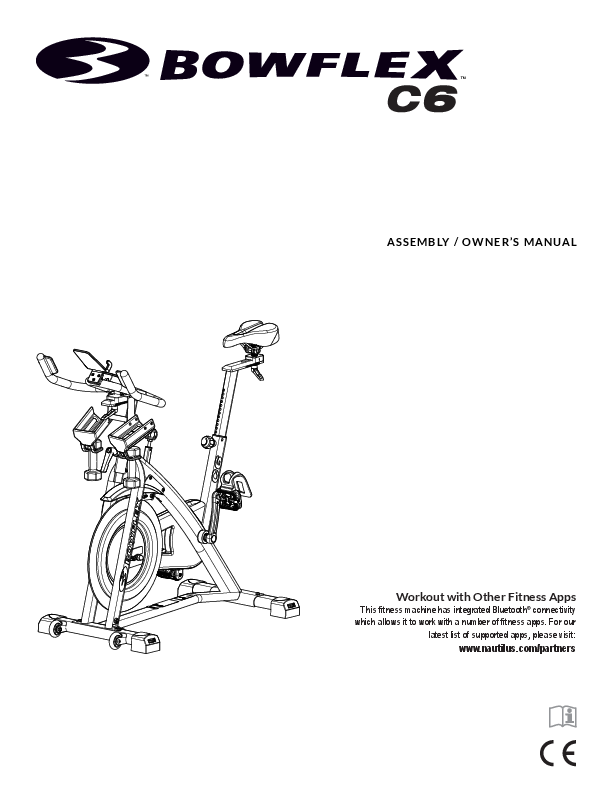
Bowflex C6 Exercise Bike Assembly and Owner's Manual
Brand: Bowflex
Introduction
This document is the Assembly and Owner's Manual for the Bowflex C6 exercise bike. It provides comprehensive instructions for assembly, operation, maintenance, troubleshooting, and warranty information.
Model: Bowflex C6
Connectivity: This fitness machine features integrated Bluetooth® connectivity, allowing it to work with various fitness apps. For the latest list of supported apps, please visit: www.nautilus.com/partners.
This manual is the original English version only.
Table of Contents
This manual is organized into the following sections: Important Safety Instructions, Safety Warning Labels, Specifications, Assembly, Operations, Maintenance, Troubleshooting, and Warranty.
Registration: To validate warranty support, keep your original proof of purchase and record the serial number and date of purchase.
Contact Information:
- Nautilus, Inc., 5415 Centerpoint Parkway, Groveport, OH 43125 USA, www.NautilusInc.com
- Customer Service (North America): (800) 605–3369, csnls@nautilus.com
- Nautilus (Shanghai) Fitness Equipments Co, Ltd, Room 1701 &1702, 1018 Changning Road, Changning District, Shanghai, China 200042, www.nautilus.cn - 86 21 6115 9668
- Outside U.S.: www.nautilusinternational.com
Trademarks: Bowflex, JRNY, Nautilus, Schwinn, Google Play™, Apple, App Store, Bluetooth®.
Important Safety Instructions
⚠️ This icon indicates a potentially hazardous situation which, if not avoided, could result in death or serious injury.
General Warnings:
- Read and understand all warnings on this machine.
- Carefully read and understand the Assembly instructions and the complete Manual. Keep the Manual for future reference.
- Keep bystanders and children away from the product during assembly.
- Do not connect power supply until instructed.
- Unplug the AC Adapter before cleaning, maintaining, or repairing. Wait 5 minutes before proceeding. Place the AC Adapter in a secure location.
- Do not assemble outdoors or in wet/moist locations.
- Assemble in an appropriate workspace away from traffic and bystanders.
- Use a second person for heavy or awkward assembly steps.
- Set up on a solid, level, horizontal surface.
- Do not modify the design or functionality of the machine; this voids the warranty.
- Use only genuine Nautilus replacement parts.
- Do not use the machine until fully assembled and inspected.
- Follow assembly steps in sequence; incorrect assembly can lead to injury.
- Connect to a properly grounded or earthed outlet only.
- Keep the AC Adapter away from heat sources and hot surfaces.
SAVE THESE INSTRUCTIONS.
Warnings Before Use:
- Read and understand the complete Manual and all warnings. Replace loose or unreadable warning labels.
- Keep children and pets away from the machine. Moving parts are dangerous.
- Not intended for use by anyone under 14 years of age.
- Consult a physician before starting an exercise program. Stop if you feel pain, chest tightness, shortness of breath, or faintness.
- Before each use, examine the machine for damage (power cord, loose parts, wear). Do not use if damaged. Monitor Seat, Pedals, and Crank Arms.
Usage Warnings & Guidelines
- Use only the provided power supply unit or an approved Nautilus replacement.
- Maximum user weight limit: 150 kg (330 lbs.).
- This machine is for home use only; not for commercial or institutional settings (gyms, clubs, etc.).
- Do not wear loose clothing or jewelry; the machine has moving parts. Keep fingers and objects away from moving parts.
- Always wear rubber-soled athletic shoes or cycling shoes with cleats. Do not use with bare feet or socks only.
- Set up and operate on a solid, level, horizontal surface.
- Do not step off the machine until the pedals have fully stopped.
- Make pedals stable before stepping on. Use caution when stepping on and off.
- Disconnect all power before servicing.
- Do not operate outdoors or in moist/wet locations. Keep pedals clean and dry.
- Maintain a clear space of at least 0.6 m (24") along the side used for access and to the rear of the machine for passage and emergency dismounts. Keep third parties out of this space during use.
- Do not overexert yourself. Operate as described in the manual.
- Perform regular and periodic maintenance.
- Do not drop or put objects into any opening of the machine.
- Correctly adjust and engage all positional adjustment devices. Ensure they do not hit the user.
- Exercise requires coordination and balance. Anticipate changes in speed/resistance to avoid loss of balance and injury.
- The machine has a fixed gear; do not pedal backward. This may loosen pedals and cause damage or injury. Never operate with loose pedals.
- For safe storage, remove power supply, place in a secure location. Lock the flywheel by tightening the Brake/Resistance Adjustment Knob until the flywheel is locked. Store away from children and pets.
- This appliance is not intended for use by persons (including children) with reduced physical, sensory, or mental capabilities, or lack of experience and knowledge, unless supervised by a responsible person.
- The bike cannot stop pedals independently of the flywheel. Reduce pace to slow down. Do not dismount until pedals are completely stopped. Be aware moving pedals can strike legs.
- Supervise children to ensure they do not play with the appliance.
SAVE THESE INSTRUCTIONS.
Safety Warning Labels and Serial Number
⚠️ WARNING!
- Injury or death is possible if caution is not used.
- Keep children and pets away.
- Read and follow all warnings on the machine.
- Refer to the Owner's Manual for additional warnings and safety information.
- Heart rate displayed is an approximation for reference only.
- Not intended for use by anyone under 14 years of age.
- Maximum user weight: 330 lbs (150 kg).
- For home use only.
- Consult a physician prior to using any exercise equipment.
(Label is only available in English and French Canadian.)
Product Specification and Serial Number: The location for the product specification and serial number is indicated on the machine.
FCC Compliance
This product complies with Part 15 of the FCC Rules. Operation is subject to two conditions: (1) this device may not cause harmful interference, and (2) it must accept any interference received, including interference that may cause undesired operation.
This equipment has been tested and found to comply with the limits for a Class B digital device, pursuant to CFR47 Part 15 Subpart B of the FCC Rules. These limits are designed to provide reasonable protection against harmful interference in a residential installation.
If interference occurs, users are encouraged to try correcting it by:
- Reorienting or relocating the receiving antenna.
- Increasing the separation between the equipment and receiver.
- Consulting the dealer or an experienced radio/TV technician.
This product complies with the European Radio Equipment Directive 2014/53/EU.
Specifications
| Specification | Value |
|---|---|
| Maximum User Weight | 150 kg (330 lbs.) |
| Machine Weight without Dumbbells | 48.1 kg (106 lbs.) |
| Weight of Dumbbells (supplied in U.S./Canada) | 2.7 kg (6 lbs.) |
| Total Surface Area (footprint) of equipment | 6667 cm² (1032.4 in²) |
Power Requirements
| Component | Details |
|---|---|
| Power Adapter | Input Voltage: 100-240V AC, 50-60Hz, 0.5A Output Voltage: 9V DC, 1.5A |
| Arm Band (supplied in U.S./Canada) | Rechargeable lithium battery |
Diagram showing the Bowflex C6 bike with overall dimensions: Height 131.6 cm (51.8"), Width 53.9 cm (21.2"), Depth 123.7 cm (48.7").
♻️ Recycling Notice: Do not dispose of this product as refuse. It is to be recycled. Follow prescribed methods at an approved waste center for proper disposal.
Before Assembly
Location: Select a hard, level surface for setup and operation. Maintain a workout area clear of 0.6m (24") along the side used for access and to the rear. Allow a minimum workout area of 1.15m x 1.85m (45.2" x 72.7").
Diagram illustrating the required clearance and workout area dimensions.
Basic Assembly Tips:
- Read and understand the "Important Safety Instructions" before assembly.
- Collect all necessary pieces for each assembly step.
- Tighten bolts and nuts clockwise (to tighten) and counter-clockwise (to loosen), unless instructed otherwise.
- When attaching two pieces, carefully align and insert bolts through holes.
- Assembly requires 2 people.
Parts List
Diagram showing an exploded view of the Bowflex C6 bike with numbered parts.
| Item | Qty | Description |
|---|---|---|
| 1 | 1 | Console |
| 2 | 1 | Handlebar Post |
| 3 | 1 | Seat |
| 4 | 1 | Seat Post |
| 5 | 1 | Pedal, Left |
| 6 | 1 | Stabilizer, Rear |
| 7 | 1 | Frame |
| 8 | 1 | Stabilizer, Front |
| 9 | 1 | AC Adapter |
| 10 | 2 | Water Bottle Holder |
| 11 | 1 | Pedal, Right |
| 12 | 1 | Water Bottle Bracket |
| 13 | 1 | Handlebar |
| 14 | 1 | Media Tray |
| 15 | 2 | Shoe Clips (Cleats) |
Hardware and Tools
Hardware:
Diagram showing hardware items labeled A, B, and C.
| Item | Qty | Description |
|---|---|---|
| A | 2 | Adjustment Handle, Handlebar / Seat |
| B | 2 | Flat Washer, M10 Wide |
| C | 1 | Adjustment Handle, Handlebar Post |
Tools Included:
3 mm Allen Wrench, #2 Phillips Screwdriver, 6 mm Allen Wrench, 15 mm Wrench, 17 mm Wrench.
Assembly Steps
Step 1: Attach Stabilizers to Frame
Note: Hardware (*) is pre-installed and not in the Hardware Bag. If a tube is pre-installed in the stabilizer bracket, remove and set it aside.
Diagram illustrating the attachment of the rear and front stabilizers (parts 6 and 8) to the main frame (part 7) using 6mm bolts.
Step 2: Attach Pedals to Frame Assembly
⚠️ If threads strip due to improper installation, pedals can disengage or break during use, potentially causing serious injury.
Note: The Left Pedal is reverse-threaded. Ensure pedals are attached to the correct sides (Left pedal marked "L", Right pedal marked "R").
NOTICE: Pedals MUST be installed straight into the Crank Arms by hand to avoid stripping threads. If resistance is felt, ensure threads are aligned correctly. If the pedal is not in-line, remove and restart.
Start the pedal by hand for several turns, then fully tighten with the 15 mm Wrench. Confirm tightness. Repeat for the other pedal.
Diagrams showing correct and incorrect pedal installation methods, and the process of tightening the pedal with a wrench.
Step 3: Attach the Handlebar Post and Seat Post to the Frame Assembly, and then Attach the Seat
NOTICE: Ensure the Handlebar Post Adjustment Handle engages the holes in the Handlebar Post, and the Seat Adjustment Knob engages the holes in the Seat Post. When fully tightened, the Handlebar Post Adjustment Handle must point downward.
Diagram showing the attachment of the handlebar post, seat post, and seat to the frame.
Step 4: Install the Handlebar Assembly to the Frame Assembly
NOTICE: Ensure the Adjustment Handle engages the holes in the Handlebar Post. When fully tightened, the Handlebar Adjustment Handle must point forward.
Diagram showing the handlebar assembly being attached to the handlebar post.
Step 5: Attach the Water Bottle Bracket and Holders to the Frame Assembly
Diagram showing the attachment of the water bottle bracket (12) and holders (10) to the frame.
Step 6: Attach the Console to the Frame Assembly
NOTICE: Remove the pre-installed screws (*) from the back of the Console before connecting the cable. Do not crimp the cable.
Diagram showing the console (1) being connected to the handlebar assembly.
Step 7: Attach the Media Tray to the Frame Assembly
Diagram showing the media tray (2) being attached to the handlebar assembly.
Step 8: Attach the AC Adapter to the Frame Assembly
Diagram showing the AC adapter (9) being connected to the frame.
Step 9: Final Inspection
Inspect your machine to ensure all hardware is tight and components are properly assembled. Be sure the pedals are fully tightened.
Record the serial number in the provided field.
⚠️ Do not use or put the machine into service until it has been fully assembled and inspected for correct performance.
Installing the Shoe Clips (Cleats) on Cycling Shoes
Note: The provided shoe cleats fit both the right and left pedals. Cycling shoes are not provided.
Tools needed (not included): Pliers, 4 mm hex wrench.
- With pliers, pull off the rubber cover (if present) to expose the cleat mounting holes on the bottom of the cycling shoe.
- From the bottom of the shoe, position the anti-skid sheet over the cleat holes, then place a cleat. Ensure the single arrow on the cleat points toward the toe of the shoe. Tighten the cleat mounting bolts to 2.5 N·m.
- The cleat has an adjustment range of 20mm front to back and 5mm left to right. Practice engaging and releasing with the pedal, one shoe at a time. Readjust to determine the best cleat position.
- Using a 4mm hex key, fully tighten the cleat mounting bolts to 5 – 6 N·m.
Diagrams illustrating the process of attaching cleats to a cycling shoe, including bolt tightening and adjustment range.
Before You Start
Moving and Storing the Machine
⚠️ The machine may be moved by one or more persons depending on their physical abilities. Ensure all persons are physically fit and able to move the machine safely.
- Remove dumbbells, media devices, or water bottles before moving.
- To lock the Flywheel, turn the Emergency Brake/Resistance Adjustment Knob clockwise until resistance increases, then turn another 1/2 turn clockwise. The Flywheel is now locked.
- To move the bike, carefully pull the Handlebars toward you while pushing the front of the bike downward. Push to the desired location.
NOTICE: Be careful when moving the machine; abrupt motions can affect computer operation.
⚠️ For safe storage, remove the power supply and place it in a secure location. Lock the Flywheel as described. Store the machine in a secure location away from children and pets.
Diagram showing a person moving the exercise bike.
Leveling the Machine
If your workout area is uneven, the machine needs to be leveled. Levelers are located on each side of the stabilizers. Lift the stabilizer slightly to take weight off the adjuster, then turn the knob to adjust the stabilizer foot.
⚠️ Do not adjust levelers to a height where they detach or unscrew; this can cause injury or damage.
Ensure the machine is level and stable before exercising.
Diagram showing the adjustment of the stabilizer foot for leveling the machine.
Features
Exploded view diagram of the Bowflex C6 bike with parts labeled A through Y.
| Label | Part Name | ||
|---|---|---|---|
| A | Adjustment Handle, Seat Slider | N | Flywheel |
| B | Seat Slider | O | Power Inlet |
| C | Seat | P | Front Stabilizer |
| D | Adjustment Knob, Seat Post | Q | Transport Wheel |
| E | Emergency Brake/Resistance Adjustment Knob | R | Leveler |
| F | Console | S | Rear Stabilizer |
| G | Media Tray | T | Pedal w/Foot Restraint and Shoe Cleat |
| H | Handlebar Assembly | U | Cover, Drive Belt |
| I | Adjustment Handle, Handlebar Slider | V | Shoe Clips (Cleats) |
| J | Water Bottle Holder | W | USB Charging Port |
| K | Dumbbell Rack (Dumbbells only supplied with U.S./Canada machines) | X | Bluetooth® Connectivity (not shown) |
| L | Adjustment Handle, Handlebar Post | Y | Bluetooth® Heart Rate (HR) Receiver (not shown) |
| M | Brake Assembly |
⚠️ WARNING! Use calculated or measured values from the machine's computer for reference purposes only. Heart rate displayed is an approximation. Over exercising may result in serious injury or death. Stop exercising immediately if you feel faint.
Emergency Stop
To stop the pedals immediately, push down hard on the Emergency Brake/Resistance Adjustment Knob.
⚠️ This bike cannot stop the pedals independently of the flywheel. Reduce pace to slow the flywheel and pedals to a stop. Do not dismount until pedals are completely stopped. Be aware that moving pedals can strike the backs of the legs.
Diagram showing the location and action of the Emergency Brake/Resistance Adjustment Knob.
Console Features
The Console provides information about your workout on the display screens.
Keypad Functions:
- Connect Bluetooth® Heart Rate button: Makes the Console disconnect any previous connections and search for an active Bluetooth® Heart Rate Monitor (quick push) or Bluetooth® enabled device (push and hold for 3 seconds).
- START/ENTER button: Starts a workout and confirms workout values.
- RESET button: Push and hold for 3 seconds to reset the console.
- Increase (▲) button: Push to increase the value.
- Decrease (▼) button: Push to decrease the value.
The console will beep when a button is pushed.
Diagram of the Bowflex console showing display fields (RPM, Time, Calories, Speed, Distance, Level, Pulse) and button layout (Start/Enter, Reset, Increase, Decrease, Bluetooth Heart Rate Connect, USB Charging Port).
Program Data Display:
- RPM Range: Displays current average revolutions per minute (RPM). Ranges: 1-24, 25-49, 50-74, 75-99, 100-125. A larger indicator lights up for higher RPM ranges.
- TIME: Displays workout time from start to finish. To set a time goal, push START/ENTER until the TIME field blinks, then use arrow buttons to adjust. During workout, shows remaining time. Maximum time: 99 minutes 59 seconds.
- CALORIES: Displays estimated total calories burned. To set a calorie goal, push START/ENTER until the CALORIES field blinks, then use arrow buttons to adjust. During workout, shows remaining calories. Maximum value: 9999 Kcal.
- SPEED: Displays current calculated speed. Maximum SPEED: 99.9 (km or m)/h.
- DISTANCE: Displays distance from start to finish. To set a distance goal, push START/ENTER until the DISTANCE field blinks, then use arrow buttons to adjust (0.50 km or miles increments). During workout, shows remaining distance. Maximum value: 9999.9.
- Unit Measures (KM/MI): To switch units before a workout, push UP and DOWN buttons together for 3 seconds. Use arrow buttons to change units (KM or MI). Push any button to save.
- LEVEL: Displays current resistance level (0% - 100%), adjustable in 1% increments via the Emergency Brake/Resistance Adjustment Knob (clockwise to increase, counter-clockwise to decrease). Note: The knob can turn past 100% for storage; ensure level is 0%-100% for operation.
- Bluetooth® App Connected icon: Shows when the Console is paired with an App.
- PULSE (HEART RATE): Displays heart rate in beats per minute (BPM) from a telemetric sensor. Push MODE to activate. Display is blank if no signal is detected. Range: 40 - 240 BPM.
⚠️ Consult a physician before starting an exercise program. Stop exercising if you feel pain or tightness in your chest, become short of breath, or feel faint. Use calculated or measured values for reference only. Heart rate is an approximation.
Bluetooth® Heart Rate Monitor Connected icon: Displays when the Console is paired with a Bluetooth® Heart Rate Monitor.
JRNY™ Membership, Fitness Apps, and Bluetooth® Heart Rate
Using your JRNY™ membership:
Access JRNY™ guided workouts and virtual coaching through your synced device. Download the "Bowflex™ JRNY™" app from the App Store or Google Play™. Ensure Bluetooth® and Location Settings are active on your device. Open the app near the machine and follow sync instructions. If syncing fails, restart your device and the machine, then repeat sync.
Workout with Other Fitness Apps:
The machine's integrated Bluetooth® connectivity supports various fitness apps. See www.nautilus.com/partners for a list of supported apps.
Bluetooth® Heart Rate Enabled:
The machine can receive signals from a Bluetooth® Heart Rate Sensing device. The Console will display the Bluetooth® Heart Rate Monitor Connected icon when connected. Follow the described method to sync your device.
⚠️ If you have a pacemaker or other implanted electronic device, consult your doctor before using a Bluetooth® strap or other Bluetooth® heart rate monitor.
Bluetooth® Heart Rate Monitor (supplied in U.S. / Canada only):
Follow the instructions provided with your Bluetooth® HR monitor. Ensure the protective cover (if provided) is removed from the Heart Rate Sensor before use.
- Put on and activate your Bluetooth® Heart Rate monitor.
- Push the Connect Bluetooth® Heart Rate button on the Console. The icon will flash while searching.
- When connected, the icon will flash with your pulse, and your heart rate will be displayed.
⚠️ If you have a pacemaker or other implanted electronic device, consult your doctor before using a Bluetooth® armband or other Bluetooth® heart rate monitor.
* A JRNY™ membership is required for the JRNY™ experience. See www.bowflex.com/jrny for details. For U.S. and Canada customers, call 800-269-4126 or visit www.bowflex.com/jrny. JRNY™ memberships may not be available in all countries.
Heart Rate Calculations
Maximum heart rate typically decreases with age. At-rest heart rate is influenced by endurance training.
The Heart Rate table provides an estimate of Heart Rate Zones (HRZ) effective for fat burning and cardiovascular improvement. Individual HRZs may vary.
Fat-Burning Target Heart Rate: For optimal fat burning, maintain a heart rate between 60-85% of your maximum heart rate for over 20 minutes.
Graph showing FAT-BURNING TARGET HEART RATE by Age. Includes Maximum Heart Rate and Target Heart Rate Zone indicators.
Note: Always use your best judgment when increasing exercise time or intensity.
Shoe Clips (Cleats):
Pedals are equipped for cycling shoes with cleats for secure footing. Cleats are SPD Compatible and fit shoes with "Standard 2-Hole MTB SPD Cleat Mounts".
⚠️ Prior to use, understand the engagement/release mechanism for pedals and cleats. Keep cleats and bindings clear of dirt and debris. Check cleats periodically for wear and replace if necessary.
Operations
What to Wear:
Wear rubber-soled athletic shoes or cycling shoes with cleats. Choose clothing that allows free movement.
How Often Should You Exercise:
- Consult a physician before starting an exercise program.
- Recommended: 3 times a week for 20 minutes each day.
- Schedule workouts in advance and try to follow the schedule.
Seat Adjustment:
Correct seat placement enhances efficiency and comfort, reducing injury risk.
- With a pedal forward, place your heel on the lowest part of the pedal; your leg should be slightly bent.
- If your leg is too straight or cannot reach the pedal, move the seat down. If too bent, move the seat up.
- ⚠️ Step off the machine before adjusting the seat.
- Loosen and pull the Seat Post Adjustment Knob on the Seat Post. Adjust seat to desired height. ⚠️ Do not lift the Seat post above the "STOP" mark.
- Release the knob to engage the locking pin. Ensure it's fully engaged and tighten the knob.
- To move the seat closer/away from the console, loosen the Seat Slider Adjustment Handle, slide the seat, and tighten the handle.
Note: If the handle cannot turn due to collision, pull the handle, turn, and push back in to reposition.
Diagram illustrating seat adjustment for height and fore/aft position.
Foot Position / Pedal Strap Adjustment:
Pedals have straps for secure footing.
- Place the ball of each foot in the Foot Restraint on the pedals.
- Fasten the strap over the shoe.
- Repeat for the other foot.
Ensure toes and knees point forward for maximum pedal efficiency. Pedal straps can remain in position.
Using the Shoe Clips (Cleats):
Turn pedals so the Foot Restraint is under the pedal for cleat engagement.
Diagram showing foot placement on the pedal strap.
Pedal Engagement/Release:
⚠️ Understand the engagement/release mechanism before use. Keep cleats and bindings clear of dirt.
- Ensure the arrow on top of the pedal points forward.
- Push the cleat down and forward to engage the pedal.
- Repeat for the other foot.
- Practice engaging and disengaging before your workout. To disengage, push heels outward and lift.
Diagrams illustrating pedal engagement and disengagement.
For users with very low body weight, pedal retention may need adjustment. Locate the adjustment bolt in the rear of the pedal and turn with a 3mm hex wrench (counter-clockwise to decrease, clockwise to increase retention).
Handlebar Adjustment:
- Loosen the Handlebar Post Adjustment Knob. Adjust handlebar height. ⚠️ Do not lift the Handlebar Post above the "STOP" mark.
- Tighten the knob to engage the locking pin. Ensure it's fully engaged and tighten the knob.
- NOTICE: Do not crimp cables.
- To move the handlebar closer/away from the seat, loosen the Handlebar Slider Adjustment Handle, slide the handlebar, and tighten the handle.
Note: If the handle cannot turn due to collision, pull, turn, and push back in to reposition.
Locking the Flywheel for Storage:
When not in use, lock the Flywheel by turning the Emergency Brake/Resistance Adjustment Knob clockwise until resistance increases, then another 1/2 turn clockwise. The flywheel is now locked.
⚠️ For safe storage, remove the power supply, place in a secure location, and lock the flywheel. Store away from children and pets.
Power-Up, Auto Shut-Off, Resistance, and Workout Start
Power-Up Mode:
The Console enters Power-Up Mode when any button is pushed or an RPM signal is received.
Auto Shut-Off (Sleep Mode):
The Console automatically shuts off after approximately 5 minutes of inactivity. The LCD display is off in Sleep Mode. There is no On/Off switch.
Resistance Adjustment:
Turn the resistance adjustment knob clockwise to increase workload and counter-clockwise to decrease. The range is 0% to slightly past 100% (locked flywheel). Do not turn past the movement range to avoid damage.
Starting a Workout:
- Push the START/ENTER button. The Console displays Time.
- Use Increase/Decrease buttons to set Time goal, then push START/ENTER.
- Use Increase/Decrease buttons to set Calories goal, then push START/ENTER.
- Use Increase/Decrease buttons to set Distance goal, then push START/ENTER.
- The workout begins.
Changing Unit Measures (English Imperial/Metric):
Before starting a workout, push UP and DOWN buttons together for 3 seconds. When the display blinks, use arrow buttons to change units (KM or MI). Push any button to save.
Pausing or Stopping:
- Stop pedaling to pause the workout. The Console pauses if there is no RPM signal for 2 seconds.
- Start pedaling to continue the workout.
The workout ends after 5 minutes of pause. To end a paused workout, push and hold the Reset button.
Maintenance
⚠️ Read all maintenance instructions fully before starting repair. An assistant may be required for some tasks.
Equipment must be examined regularly for damage. Worn or damaged components must be repaired or replaced immediately with manufacturer-supplied parts.
If warning labels become loose or unreadable, replace them. Contact Customer Service or your local distributor for replacements.
⚠️ Disconnect all power before servicing the machine.
Daily:
- Before each use, examine for loose, broken, damaged, or worn parts. Do not use if found in this condition.
- Tighten adjustment knobs as necessary.
- After each workout, wipe the machine and Console with a damp cloth to remove moisture.
NOTICE: Clean the Console with mild dish soap and a soft cloth only. Do not use petroleum-based solvents, automotive cleaners, or ammonia-based products. Do not clean in direct sunlight or at high temperatures. Keep the Console free of moisture.
Weekly:
- Check and tighten pedals as necessary.
- Clean the machine to remove dust, dirt, or grime.
- Check for smooth seat operation. Apply a thin coating of silicone lubricant if needed.
Note: Silicone lubricant is not for human consumption. Keep out of reach of children. Do not use petroleum-based products.
Monthly or after 20 hours:
- Check crank arms and tighten as necessary. Ensure all bolts and screws are tight.
- Check drive belt tension and adjust if necessary.
Checking the Drive Belt Tension:
Operate the bike, rotating pedals at about 20 RPM. Suddenly increase RPM to maximum ability. If pedals move normally without slipping, tension is correct. If pedals slip, the belt needs adjustment.
Adjusting the Drive Belt Tension:
- Loosen the Axle Nuts using a 15mm wrench.
- If the belt is too loose and slipping, use a 10mm wrench to turn each Flywheel Retainer Nut a 1/4 turn clockwise.
- Re-test tension and adjust further if necessary.
A detailed procedure can be found in the Service Manual.
Diagram showing the location of Flywheel Retainer Nuts and Axle Nut for belt tension adjustment.
Maintenance Parts
Diagram showing an exploded view of the Bowflex C6 bike with parts labeled A through FF.
| Label | Part Name | Label | Part Name |
|---|---|---|---|
| A | Adjustment Handle | L | Dumbbell Rack (U.S./Canada only) |
| B | Adjustment Handle, Seat Slider | M | Adjustment Handle, Handlebar Post |
| C | Seat | N | Brake Assembly |
| D | Seat Post | O | Flywheel |
| E | Seat Post Adjustment Knob | P | Power Inlet |
| F | Brake/Resistance Knob | Q | Front Stabilizer |
| G | Console | R | Transport Wheel |
| H | Media Tray | S | Leveler |
| I | Handlebar | T | Rear Stabilizer |
| J | Adjustment Handle, Handlebar Slider | U | Drive Belt |
| K | Water Bottle Holder | V | Cover, Drive Belt Inside |
| W | Drive Pulley | X | Cover, Drive Belt |
| Y | Crank Arm | Z | Crank Cap |
| AA | Pedal w/Foot Restraint | BB | Axle Nut |
| CC | Flywheel Retainer Nut | DD | Data Cable |
| EE | Speed Sensor | FF | Speed Sensor Magnet |
Troubleshooting
| Condition/Problem | Things to Check | Solution |
|---|---|---|
| No display/partial display/unit will not turn on | Check electrical (wall) outlet | Make sure unit is plugged into a functioning wall outlet. |
| Check connection at front of unit | Connection should be secure and undamaged. Replace adapter or connection at unit if either are damaged. | |
| Check data cable integrity | All wires in cable should be intact. If any are visibly crimped or cut, replace cable. | |
| Check data cable connections/orientation | Be sure cable is connected securely and oriented properly. Small latch on connector should line up and snap into place. | |
| Check console display for damage | Check for visual sign that console display is cracked or otherwise damaged. Replace Console if damaged. | |
| Console Display | If Console only has partial display and all connections are fine, replace the Console. | |
| If the above steps do not resolve the problem, contact Customer Service (if inside US/Canada) or your local distributor (if outside US/Canada). | ||
| Speed displayed is not accurate | Check Speed Sensor Magnet position | Speed Sensor Magnet should be in place on Flywheel. |
| Speed displayed is always “0”/ stuck in Pause mode | Data cable | Make sure the data cable is connected to the Console from the main frame assembly. |
| Speed Sensor | Make sure the data cable is connected to the Speed Sensor. | |
| No Speed/RPM reading | Check data cable integrity | All wires in cable should be intact. If any are cut or crimped, replace cable. |
| Check data cable connections/orientation | Be sure cable is connected securely and oriented properly. Small latch on connector should line up and snap into place. | |
| Check Speed Sensor Assembly | Speed Sensor Assembly should be connected to data cable. Realign sensor if necessary. Replace if there is any damage to the sensor or the connecting wire. | |
| Unit operates but Bluetooth® Heart Rate (HR) not displayed | Bluetooth® Heart Rate Sensing Device (Armband provided with U.S./Canada machines) | Make sure device is directly against skin and contact area is wet. |
| Bluetooth® Heart Rate Sensing Device Batteries | If device has replaceable batteries, install new batteries. | |
| Interference | Try moving unit away from sources of interference (TV, Microwave, etc). | |
| Replace Heart Rate Sensing Device | If interference is eliminated and HR does not function, replace device. | |
| Replace Console | If HR still does not function, replace Console. | |
| Unit operates but Bluetooth® HR displayed incorrectly | Connected to previous user | Push Connect Bluetooth® button to disconnect from them/ connect to your Heart Rate Sensing Device. |
| Console shuts off (enters sleep mode) while in use | Check electrical (wall) outlet | Make sure unit is plugged into a functioning wall outlet. |
| Check connection at front of unit | Connection should be secure and undamaged. Replace adapter or connection at unit if either are damaged. | |
| Check data cable integrity | All wires in cable should be intact. If any are cut or crimped, replace cable. | |
| Check data cable connections/orientation | Be sure cable is connected securely and oriented properly. Small latch on connector should line up and snap into place. | |
| Reset machine | Unplug unit from electrical outlet for 3 minutes. Reconnect to outlet. | |
| Check Speed Sensor | Speed sensor should be connected to data cable. Realign sensor if necessary. Replace if there is any damage to the sensor or the connecting wire. | |
| Contact Customer Service (if inside US/Canada) or your local distributor (if outside US/Canada). | ||
| Unit rocks/does not sit level | Check level adjustment | Levelers may be turned to level machine. |
| Check surface under unit | Adjustment may not be able to compensate for extremely uneven surfaces. Move machine to level area. | |
| Pedals loose/unit difficult to pedal/ Pedals seem to skip or slip with a sudden increase in rpm | Check pedal to crank connection | Pedal should be tightened securely to crank arm. Be sure connection is not cross-threaded. |
| Check crank arm to axle connection | Crank arm should be tightened securely to axle. | |
| Check drive belt tension | Refer to the "Adjust the Belt Tension” procedure. Contact Customer Service (if inside US/Canada) or your local distributor (if outside US/Canada). | |
| Clicking sound when pedaling | Check pedal to crank connection | Remove pedals. Make sure there is no debris on threads, and reinstall the pedals. |
| Seat post movement | Check locking pin | Be sure adjustment pin is locked into one of the seat post adjustment holes. |
| Check locking knob | Be sure knob is securely tightened. |
Warranty (If purchased in U.S./Canada)
Who Is Covered:
This warranty is valid only to the original purchaser and is not transferable.
What Is Covered:
Nautilus, Inc. warrants this product to be free from defects in materials and workmanship when used as intended, under normal conditions, and with proper care and maintenance as described in the Product's Assembly and Owner's manual. This warranty applies only to authentic, original machines manufactured by Nautilus, Inc. and sold through an authorized agent in the United States or Canada.
Terms:
- Frame: 10 years
- Mechanical parts: 3 years
- Electronics: 3 years
- Labor: 1 year (Labor support does not include installation of replacement parts for initial assembly or preventative maintenance.)
For warranty and service of products purchased outside U.S./Canada, contact your local distributor. Find your international distributor at: www.nautilusinternational.com.
How Nautilus Will Support the Warranty:
Nautilus, Inc. will repair or replace any defective machine. Nautilus reserves the right to apply a limited credit reimbursement toward another Nautilus, Inc. brand product. Reimbursement may be prorated based on ownership length. Nautilus provides repair service in major metropolitan areas and may charge for travel outside these areas. Nautilus is not responsible for dealer labor charges beyond warranty periods. Nautilus may substitute materials or parts of equal or better quality. Any replacement does not extend the original warranty period.
What You Must Do:
- Retain acceptable Proof of Purchase.
- Operate, maintain, and inspect the Product as specified in the Product Documentation.
- Use the Product exclusively for its intended purpose.
- Notify Nautilus within 30 days after detecting an issue.
- Install replacement parts according to Nautilus instructions.
- Perform diagnostic procedures with a Nautilus representative if requested.
What Is Not Covered:
- Damage due to abuse, tampering, modification, improper assembly/maintenance/safety warnings, improper storage, environmental conditions, misuse, mishandling, accident, natural disasters, power surges.
- Machines used in commercial or institutional settings.
- Damage from exceeding maximum user weights.
- Damage due to normal usage and wear and tear.
- This warranty does not extend to territories or countries outside the United States and Canada.
How to Obtain Service:
For products purchased directly from Nautilus, Inc., contact the Nautilus office listed in the Owner's manual. You may need to return defective components at your expense. Nautilus pays for standard ground shipping of warranty replacement parts. For products purchased from a retailer, contact your retailer for support.
Exclusions:
The warranties provided are exclusive and supersede any prior representations. No agent or employee has authority to alter this warranty. Implied warranties (merchantability, fitness for a particular purpose) are limited to the duration of the express warranty. Some states may not allow limitations on implied warranty duration.
Limitation of Remedies:
The purchaser's exclusive remedy is limited to repair or replacement of defective components. Nautilus, Inc. is not liable for any special, consequential, incidental, indirect, or economic damages, lost revenue, profit, data, or punitive damages, even if advised of the possibility of such damages. This exclusion applies even if a remedy fails its essential purpose. Some states may not allow exclusion or limitation of consequential or incidental damages.
State Laws:
This warranty grants specific legal rights, and you may have other rights that vary by state.
Expirations:
If the warranty has expired, Nautilus, Inc. may assist with repairs for a charge. Contact Nautilus for post-warranty service information. Nautilus does not guarantee availability of spare parts after the warranty period expires.
International Purchases:
For machines purchased outside the United States, consult your local distributor or dealer for warranty coverage.
 JRNY Digital Fitness Platform
  Nautilus Home Fitness Solutions - Home Page | Nautilus
  Explore the World App | Schwinn
  Homepage - BowFlex Inc.
  International Brands | BowFlex