

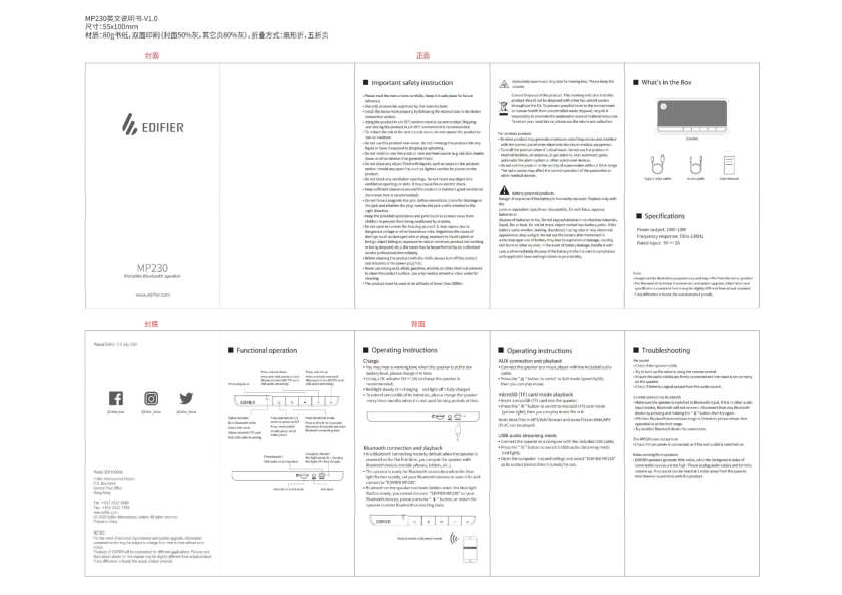
Edifier MP230 Portable Bluetooth Speaker User Manual
Model: MP230
Important Safety Instructions
- Read instructions carefully and keep for future reference.
- Use only manufacturer-approved accessories.
- Install properly as per device connection instructions.
- Recommended operating/storage environment: 0-35°C.
- Do not expose to rain or moisture ?.
- Do not place near water or immerse in liquid.
- Do not install or use near heat sources ?.
- Do not place liquid-filled objects or open flames on the product.
- Do not block ventilation openings ?.
- Ensure sufficient clearance (min 5cm) for ventilation.
- Do not force plugs into jacks.
- Keep accessories and parts away from children ?.
- Do not open or remove housing; risk of dangerous voltage ⚠️. Refer repairs to authorized professionals.
- Turn off and disconnect power before cleaning ?.
- Use only neutral solvent or clear water for cleaning.
- Product must be used at altitude < 2000m.
- Excessively loud music may lead to hearing loss ?.
- Correct Disposal: Follow EU guidelines for recycling to prevent environmental harm.
- Wireless product: May interfere with other electronic devices or medical equipment. Turn off when disallowed. Do not use in medical facilities, airplanes, near gas stations, automatic gates, or fire alarm systems. Keep 20cm away from pacemakers.
- Battery powered products: Danger of explosion if battery is replaced incorrectly. Replace with same/equivalent type. Do not disassemble, hit, squeeze, or dispose of in fire. Do not expose batteries to conductive materials, liquid, fire, or heat. Avoid metal contact with battery poles. If battery is swollen, leaking, or abnormal, stop using it. Do not use after immersion in water. Improper use may cause explosion/leakage. Handle leakage carefully and dispose according to local regulations.
What's in the Box
- Edifier MP230 Speaker
- Type-C data cable
- Audio cable
- User manual
Specifications
- Power output: 10W+10W
- Frequency response: 70Hz-13KHz
- Rated input: 5V-2A
Note: Images are for illustration only. Specifications may vary slightly from the actual product.
Functional Operation
Button Functions
- Press: Play/Pause ▶️ / ⏸️ (Bluetooth/microSD/USB)
- Press: Volume Down ?- (Press and hold: Previous Track ⏮️)
- Press: Volume Up ?+ (Press and hold: Next Track ⏭️)
- Press and hold for 1.5 seconds: Power On/Off ⚡️
- Press: Mode Switch ?
- Press: Bluetooth Mode ?
- Press and hold for 2 seconds: Disconnect Bluetooth and enter connecting state ??
- Double press: Check battery level ?
Status Indicator
- Blue light: Bluetooth mode
- Green light: AUX mode
- Yellow light: microSD (TF) card mode
- Red light: USB audio streaming mode
Charging Indicator
- Red light steady lit: Charging
- Red light off: Fully charged
Operating Instructions
Charge
A warning tone indicates low battery. Charge the speaker using a DC adapter (5V-2A). The red indicator light is steady when charging and turns off when fully charged. For long periods of non-use, charge the speaker every three months to extend battery life.
Bluetooth Connection and Playback
The speaker enters Bluetooth connecting mode by default upon first power-on. Pair with Bluetooth devices (mobile phones, tablets, etc.). The blue light flashes rapidly when ready for connection. Search for and connect to "EDIFIER MP230" on your device. If Bluetooth is hidden (blue light flashes slowly), press the [Bluetooth] button or restart the speaker to re-enter connecting state. Effective range is 10 meters.
AUX Connection and Playback
Connect the speaker to a music player using the included audio cable. Press the [Mode] button to switch to AUX mode (green light), then play music.
microSD (TF) Card Mode Playback
Insert a microSD (TF) card into the speaker. Press the [Mode] button to switch to microSD (TF) card mode (yellow light), then play music files. Supported formats include MP3/WAV and some WMA/APE/FLAC files.
USB Audio Streaming Mode
Connect the speaker to a computer using the included USB cable. Press the [Mode] button to switch to USB audio streaming mode (red light). Open your computer's sound settings and select "EDIFIER MP230" as the output device.
Troubleshooting
No Sound
- Check if the speaker is ON.
- Turn up the volume using the volume control.
- Ensure audio cables are firmly connected and the correct input is selected.
- Check if there is an audio signal output from the source device.
Cannot Connect via Bluetooth
- Ensure the speaker is in Bluetooth input mode. If in other modes, Bluetooth will not connect.
- Disconnect from any existing Bluetooth device by pressing and holding the [Bluetooth] button, then try again.
- Ensure operation is within the effective Bluetooth range (10 meters).
- Try connecting with a different Bluetooth device.
The MP230 Does Not Turn On
- Check if the main power is connected and the wall outlet is switched on.
Noise Coming from Speakers
- Edifier speakers generate minimal noise. If background noise from audio devices is too high, unplug audio cables and turn the volume up. If no sound is heard from 1 meter away, the product is likely functioning correctly.
Regulatory Compliance
FCC Regulatory Compliance
This equipment has been tested and found to comply with the limits for a Class B digital device, pursuant to Part 15 of the FCC Rules. These limits are designed to provide reasonable protection against harmful interference in a residential installation. This equipment generates, uses, and can radiate radio frequency energy and, if not installed and used in accordance with the instructions, may cause harmful interference to radio communications. However, there is no guarantee that interference will not occur in a particular installation. If this equipment does cause harmful interference to radio or television reception, which can be determined by turning the equipment off and on, the user is encouraged to try to correct the interference by reorienting or relocating the receiving antenna, increasing the separation between the equipment and receiver, connecting the equipment into an outlet on a circuit different from that to which the receiver is connected, or consulting the dealer or an experienced radio/TV technician.
RF Exposure Compliance
This equipment complies with FCC radiation exposure limits set forth for an uncontrolled environment.
ISED Regulatory Compliance
This device contains licence-exempt transmitters that comply with Innovation, Science and Economic Development Canada's licence-exempt RSS(s). Operation is subject to the following two conditions: (1) This device may not cause interference. (2) This device must accept any interference, including interference that may cause undesired operation of the device. This equipment complies with IC RSS-102 radiation exposure limits set forth for an uncontrolled environment.
