

Honeywell Home FocusPRO N100 Series Non-Programmable Thermostat Installer Guide
Introduction
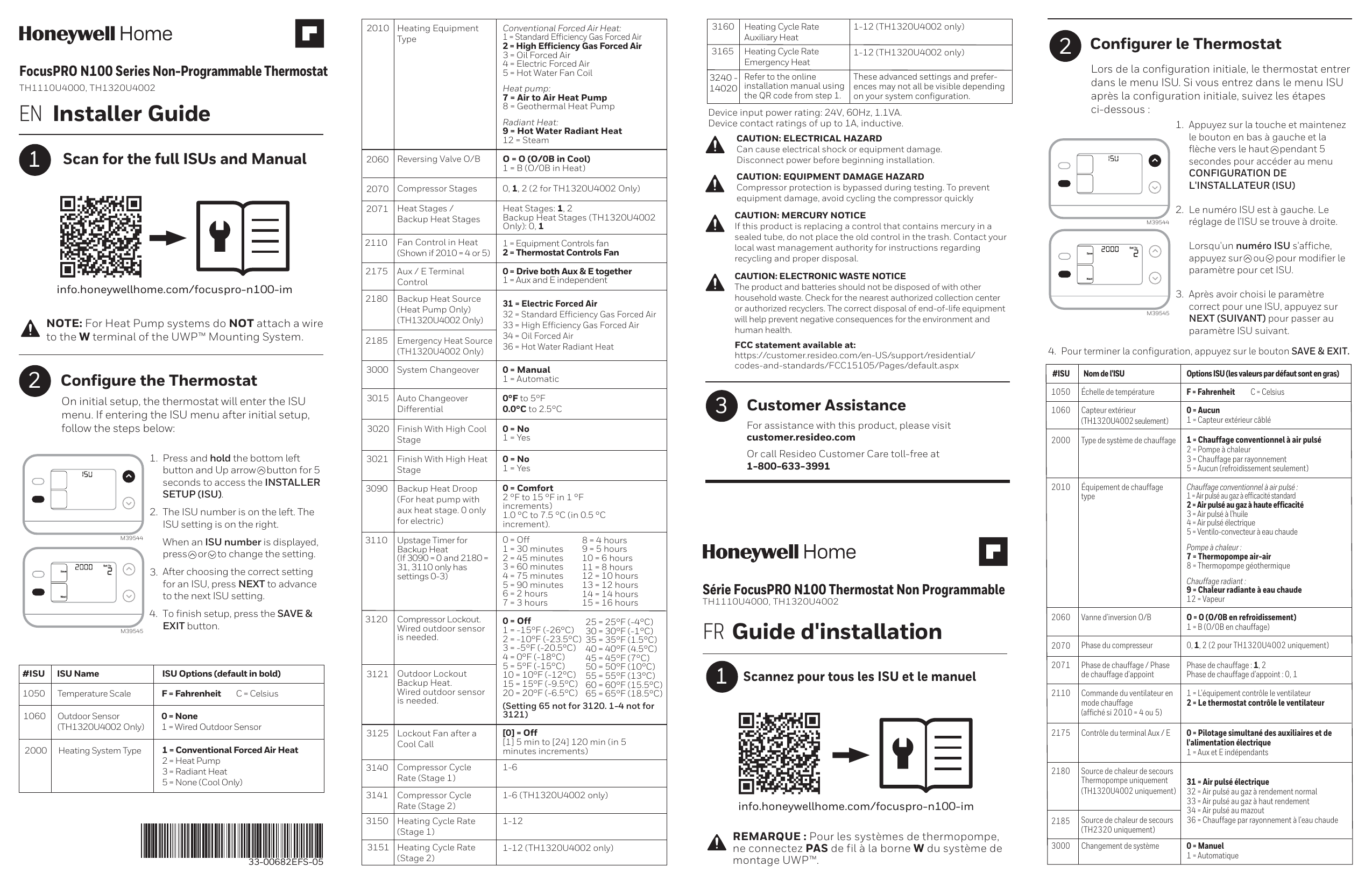
This guide provides instructions for installing and configuring the Honeywell Home FocusPRO N100 Series Non-Programmable Thermostat, models TH1110U4000 and TH1320U4002.
Scan for Full Manual: To access the complete Installation User's Sheets (ISUs) and the full manual, scan the QR code or visit: info.honeywellhome.com/focuspro-n100-im [QR Code]
Note: For Heat Pump systems, do NOT attach a wire to the W terminal of the UWP™ Mounting System.
Configure the Thermostat
On initial setup, the thermostat will enter the ISU menu. To access the ISU menu after initial setup:
- Press and hold the bottom left button and the Up arrow button for 5 seconds to access the INSTALLER SETUP (ISU).
- The ISU number is displayed on the left, and the ISU setting is on the right. Press the [Up Arrow] or [Down Arrow] button to change the setting.
- After selecting the correct setting for an ISU, press NEXT to advance to the next ISU setting.
- To finish setup, press the SAVE & EXIT button.
Diagram Description: A visual representation shows how to pull the thermostat off the UWP mounting base. Another diagram illustrates the thermostat buttons and display used during configuration.
Full PDF Document

If the inline viewer fails, it will open the original document in compatibility mode automatically. You can also open the file directly.