

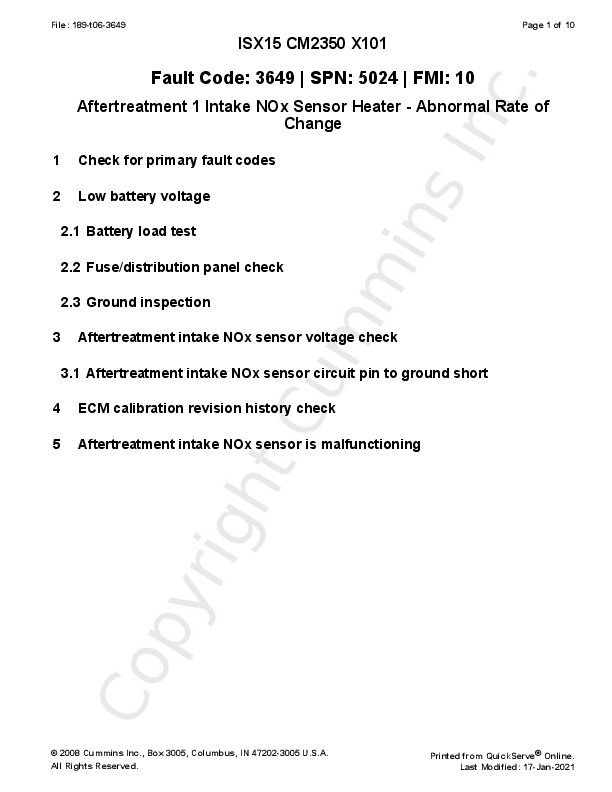
Cummins ISX15 CM2350 X101 Troubleshooting Guide
Fault Code: 3649 | SPN: 5024 | FMI: 10
Aftertreatment 1 Intake NOx Sensor Heater - Abnormal Rate of Change
1. Check for primary fault codes
Solution: S00000293
Verification
Conditions
- Turn keyswitch ON.
- Connect the recommended Cummins® electronic service tool or equivalent.
Action
- Use the recommended Cummins® electronic service tool or equivalent to read the fault codes.
Specification
Before troubleshooting this fault code, troubleshoot any fault code that is active or has more than one inactive count within the last 25 engine operating hours from the following list:
- Aftertreatment NOx: 1885, 3232, 3682
- Aftertreatment DOC: 3313, 3314, 3315
Linked Solutions
- None
Repair
- Perform a search on the appropriate fault codes.
Validation
- None
2. Low battery voltage
Solution: S00001110
Verification
Conditions
- Turn keyswitch OFF.
Action
- Visually inspect the batteries and the battery cable connections for corrosion.
- Measure the voltage from the positive (+) battery terminal to the negative (-) battery terminal.
- If this vehicle has been repaired within the last 30 days for the same fault code, then proceed to the Linked Solutions section.
Specification
- If the battery voltage is below 12 VDC (12 volt systems) or 24 VDC (24 volt systems), then proceed to the Linked Solutions section.
- If the battery or battery cables show signs of corrosion or damage, then proceed to the Repair Section.
Linked Solutions
- Battery load test (2.1 [S00001379])
- Fuse/distribution panel check (2.2 [S00000753])
- Ground inspection (2.3 [S00000754])
Repair
- Repair or replace only the components that were found to be out of specification.
- Clean corrosion or tighten battery cable connections. Refer to OEM Service Manual
- Charge or replace the batteries. Refer to OEM Service Manual
Validation
- Connect all components
- Connect the recommended Cummins® electronic service tool or equivalent.
- Disable the fault code.
- Operate the engine within the "Conditions for Clearing the Fault Code" found in the Overview section of the troubleshooting procedure.
- Verify that the fault code is no longer active.
- Check ECM Calibration Revision History
- Use the recommended Cummins® electronic service tool or equivalent to find the current ECM code and revision number in the ECM.
- Compare the ECM code and revision number in the ECM to the calibration revisions listed in the ECM Calibration Revision History Database for applicable changes related to this fault code.
- Refer to ECM Calibration Revision History Database.
2.1 Battery load test
Solution: S00001379
Verification
Conditions
- Turn keyswitch OFF.
Action
- Disconnect the batteries from each other.
- Connect a load tester separately to each battery.
- Measure the voltage from the positive (+) battery terminal to the negative (-) battery terminal.
Specification
If the battery voltage while load tested is below 12 VDC (12 volt systems) or 24 VDC (24 volt systems) for each battery, then proceed to the Repair section.
Linked Solutions
- None
Repair
- Charge or replace the batteries. Refer to OEM Service Manual
Validation
- Connect all components
- Connect the recommended Cummins® electronic service tool or equivalent.
- Disable the fault code.
- Operate the engine within the "Conditions for Clearing the Fault Code" found in the Overview section of the troubleshooting procedure.
- Verify that the fault code is no longer active.
- Check ECM Calibration Revision History
- Use the recommended Cummins® electronic service tool or equivalent to find the current ECM code and revision number in the ECM.
- Compare the ECM code and revision number in the ECM to the calibration revisions listed in the ECM Calibration Revision History Database for applicable changes related to this fault code.
- Refer to ECM Calibration Revision History Database.
2.2 Fuse/distribution panel check
Solution: S00000753
Verification
Conditions
- Turn keyswitch OFF.
Action
- Visually inspect ECM battery supply fuses for damage, corrosion or loose connections.
- Visually inspect aftertreatment battery supply fuses for damage, corrosion or loose connections.
- Visually inspect the battery supply fuses under a microscope or a magnifying glass for micro cracks.
- Fuses can be difficult to locate. Some applications utilize a fuse distribution box within the battery box while others utilize inline fuses. There are instances where these will be located behind the battery box wrapped in a buddle of wires next to the frame rail.
- Micro cracks most commonly occur near the bends on either side of the interior of the fuse.
Specification
If damage, corrosion or cracks are found, then proceed to the Repair section.
Linked Solutions
- None
Repair
- Replace the fuse. Refer to OEM Service Manual
Validation
- Connect all components
- Connect the recommended Cummins® electronic service tool or equivalent.
- Disable the fault code.
- Operate the engine within the "Conditions for Clearing the Fault Code" found in the Overview section of the troubleshooting procedure.
- Verify that the fault code is no longer active.
- Check ECM Calibration Revision History
- Use the recommended Cummins® electronic service tool or equivalent to find the current ECM code and revision number in the ECM.
- Compare the ECM code and revision number in the ECM to the calibration revisions listed in the ECM Calibration Revision History Database for applicable changes related to this fault code.
- Refer to ECM Calibration Revision History Database.
2.3 Ground inspection
Solution: S00000754
Verification
Conditions
- Turn keyswitch OFF.
Action
- Visually inspect the ECM ground for damage, corrosion and loose connections.
- Visually inspect the aftertreatment interface harness ground for damage, corrosion and loose connections.
- Visually inspect the grounds for proper routing.
Specification
If damage, corrosion or incorrect routing of grounds are found, then proceed to the Repair section.
Linked Solutions
- None
Repair
- Clean or replace connections. Refer to OEM Service Manual
Validation
- Connect all components
- Connect the recommended Cummins® electronic service tool or equivalent.
- Disable the fault code.
- Operate the engine within the "Conditions for Clearing the Fault Code" found in the Overview section of the troubleshooting procedure.
- Verify that the fault code is no longer active.
- Check ECM Calibration Revision History
- Use the recommended Cummins® electronic service tool or equivalent to find the current ECM code and revision number in the ECM.
- Compare the ECM code and revision number in the ECM to the calibration revisions listed in the ECM Calibration Revision History Database for applicable changes related to this fault code.
- Refer to ECM Calibration Revision History Database.
3. Aftertreatment intake NOx sensor voltage check
Solution: S00000880
Verification
Conditions
- Turn keyswitch OFF.
- Disconnect the aftertreatment intake NOx sensor from the engine wiring harness.
Action
- Inspect the pins and connectors for damage. Refer to Procedure 019-361
- Turn keyswitch ON.
- Measure the voltage between the aftertreatment intake NOx sensor battery SUPPLY pin and the aftertreatment intake NOx sensor battery RETURN pin at the aftertreatment intake NOx sensor engine wiring harness connector.
- Refer to the circuit diagram or wiring diagram for connector pin identification.
Specification
- Proceed to the Linked Solutions section if the voltage is not within the following specification of battery voltage: 1 VDC
- Proceed to the next solution if voltage is within the following specification of battery voltage: 1 VDC
Linked Solutions
- Aftertreatment intake NOx sensor circuit pin to ground short (3.1 [S00000881])
Repair
- No additional action is required for this solution.
Validation
- None
3.1 Aftertreatment intake NOx sensor circuit pin to ground short
Solution: S00000881
Verification
Conditions
- Turn keyswitch OFF.
- Disconnect the aftertreatment intake NOx sensor from the engine wiring harness.
Action
- Inspect the pins and connectors for damage.
- Turn keyswitch ON.
- Measure the voltage between the aftertreatment intake NOx sensor SUPPLY pin at the sensor connector of the engine wiring harness and ground.
- Refer to the circuit diagram or wiring diagram for connector pin identification.
Specification
A short circuit has been detected if the voltage is not within the following specification of battery voltage: 1 VDC
Linked Solutions
- None
Repair
- Repair or replace only the components that were found to be out of specification.
- Troubleshoot the OEM wiring harness, engine wiring harness, and all interconnects.
- Repair or replace the engine wiring harness. Refer to Procedure 019-043
- Repair or replace the OEM wiring harness. Refer to Procedure 019-071
Validation
- Connect all components
- Connect the recommended Cummins® electronic service tool or equivalent.
- Disable the fault code.
- Operate the engine within the "Conditions for Clearing the Fault Code" found in the Overview section of the troubleshooting procedure.
- Verify that the fault code is no longer active.
- Check ECM Calibration Revision History
- Use the recommended Cummins® electronic service tool or equivalent to find the current ECM code and revision number in the ECM.
- Compare the ECM code and revision number in the ECM to the calibration revisions listed in the ECM Calibration Revision History Database for applicable changes related to this fault code.
- Refer to ECM Calibration Revision History Database.
4. ECM calibration revision history check
Solution: S00000443
Verification
Conditions
- Connect all components.
- Connect the recommended Cummins® electronic service tool or equivalent.
- Turn keyswitch ON.
Action
- Use the recommended Cummins® electronic service tool or equivalent to read the fault codes.
- Use the recommended Cummins® electronic service tool or equivalent to find the current ECM code and revision number in the ECM.
- Compare the ECM code and revision number in the ECM to the calibration revision listed in the ECM calibration revision history for applicable changes.
Specification
If a calibration update for this fault code is available, the ECM calibration revision must be that revision or higher.
Linked Solutions
- None
Repair
- Prior to downloading the ECM calibration, check to see that all job images and all other troubleshooting has been documented as downloading an ECM calibration will remove the fault codes on the ECM.
- Download the updated ECM calibration code. Refer to Procedure 019-032
Validation
- Connect all components
- Connect the recommended Cummins® electronic service tool or equivalent.
- Disable the fault code.
- Operate the engine within the "Conditions for Clearing the Fault Code" found in the Overview section of the troubleshooting procedure.
- Verify that the fault code is no longer active.
- Check ECM Calibration Revision History
- Use the recommended Cummins® electronic service tool or equivalent to find the current ECM code and revision number in the ECM.
- Compare the ECM code and revision number in the ECM to the calibration revisions listed in the ECM Calibration Revision History Database for applicable changes related to this fault code.
- Refer to ECM Calibration Revision History Database.
5. Aftertreatment intake NOx sensor is malfunctioning
Solution: S00007913
Verification
Conditions
- Turn keyswitch ON.
- Connect the recommended Cummins® electronic service tool or equivalent.
Action
- Verify all preceding solution verifications for this fault code have been performed.
- Use the recommended Cummins® electronic service tool or equivalent to read the fault codes.
Specification
If the fault code is active or has more than one inactive count within the last 25 engine operating hours, then a malfunctioning aftertreatment intake NOx sensor has been detected.
Linked Solutions
- None
Repair
- Replace the aftertreatment intake NOx sensor. Refer to Procedure 019-463
Validation
- Connect all components
- Connect the recommended Cummins® electronic service tool or equivalent.
- Disable the fault code.
- Operate the engine within the "Conditions for Clearing the Fault Code" found in the Overview section of the troubleshooting procedure.
- Verify that the fault code is no longer active.
- Check ECM Calibration Revision History
- Use the recommended Cummins® electronic service tool or equivalent to find the current ECM code and revision number in the ECM.
- Compare the ECM code and revision number in the ECM to the calibration revisions listed in the ECM Calibration Revision History Database for applicable changes related to this fault code.
- Refer to ECM Calibration Revision History Database.
If all steps have been completed and no root cause has been identified, then follow the technical escalation process.
