

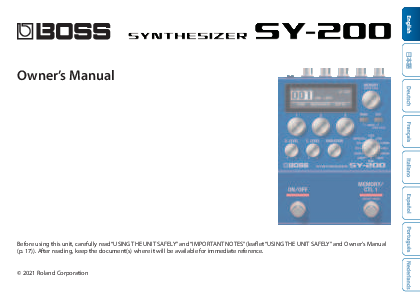
BOSS SY-200 Synthesizer Owner's Manual
Brand: BOSS
Product Type: Synthesizer Pedal
Introduction
Before using this unit, carefully read "USING THE UNIT SAFELY" and "IMPORTANT NOTES" (leaflet "USING THE UNIT SAFELY" and Owner's Manual (p. 17)). After reading, keep the document(s) where it will be available for immediate reference.
© 2021 Roland Corporation
Panel Descriptions
Top Panel
A photograph of the BOSS SY-200 synthesizer pedal. It is a blue rectangular pedal with a display screen showing "001 SAW LEAD J=120". It features several knobs labeled "TONE", "RESONANCE", "DEPTH", "D. LEVEL", "E. LEVEL", "VARIATION", and "MEMORY/CTL 1". There are also buttons labeled "MENU" and "EXIT".
| Control | Description | ||||||||||||||||||||||||||
|---|---|---|---|---|---|---|---|---|---|---|---|---|---|---|---|---|---|---|---|---|---|---|---|---|---|---|---|
| 1 Display | Displays various information such as the current memory number. | ||||||||||||||||||||||||||
| 2 [MEMORY] knob |
MEMORY (turn the knob): Turn the knob to switch between memories 1-128 (p. 7). To change a value in larger steps, turn a knob while pressing it. ENTER (press the knob): Press this knob to confirm the setting or perform other tasks. |
||||||||||||||||||||||||||
| 3 [1]-[3] knobs | Use these knobs to set the parameter values shown in the screen. To change a value in larger steps, turn a knob while pressing it. | ||||||||||||||||||||||||||
| 4 [MENU] button | The menu screen appears. | ||||||||||||||||||||||||||
| 5 [EXIT] button | Returns you to the previous screen. In some screens, this cancels the function currently being executed. Preventing accidental operation (panel lock): By holding down the [EXIT] button, you can switch between enabling (unlocking) or disabling (locking) the knobs and buttons. If you use these controls while the unit is locked, the display indicates "LOCKED." MEMO: Press both the [MENU] and [EXIT] buttons together to display the WRITE UTILITY screen, where you can save, exchange and initialize the memories (p. 7). |
||||||||||||||||||||||||||
| 6 [D. LEVEL] knob | This adjusts the volume of the direct sound. | ||||||||||||||||||||||||||
| 7 [E. LEVEL] knob | This adjusts the volume of the effect sound (synth sound). | ||||||||||||||||||||||||||
| 8 [VARIATION] knob | This selects variations for the type that is selected. | ||||||||||||||||||||||||||
| 9 Type knob |
Use this knob to switch between different synth sound types.
|
||||||||||||||||||||||||||
| 10 [ON/OFF] switch | Turns the effect (synth sound) on/off. | ||||||||||||||||||||||||||
| 11 [MEMORY/CTL 1] switch | Switches between memories (p. 7). Holding this down makes it function as the [CTL 1] switch. MEMO: You can change the footswitch function with the "FUNCTION" (ON/OFF FUNCTION/CTL FUNCTION) parameter. |
Rear Panel
Note: To prevent malfunction and equipment failure, always turn down the volume, and turn off all the units before making any connections.
| Jack | Description |
|---|---|
| A INPUT jack | Connect your guitar, bass, or effect unit here. Turning on/off the power: The INPUT jack also serves as the power switch. The power turns on when you insert a plug into the INPUT jack. |
| B SEND/RETURN jacks | This unit sends signals from the SEND jack to an external effect unit, and receives signals from an external effect unit via the RETURN jack. You can switch the SEND/RETURN function using the "SEND/RETURN" parameter. |
| C OUTPUT jack | Connect this jack to your amp or monitor speakers. |
| D CTL 2, 3/EXP jack |
Using the jack as CTL 2/3: You can connect a footswitch (sold separately: FS-5U, FS-6 or FS-7) and assign it to control a variety of functions (p. 9). Using the jack as EXP: You can connect an expression pedal (EV-30, Roland EV-5 or similar, sold separately) and use it to control the volume or tonal character of the synth sound (p. 12). * Use only the specified expression pedal. By connecting any other expression pedals, you risk causing malfunction and/or damage to the unit. |
| E DC IN jack | Use this jack to connect an AC adaptor (PSA-S series, sold separately). * Use only the specified AC adaptor (sold separately: PSA-S series) and plug it into an AC outlet of the correct voltage. * If the AC adaptor is connected while the batteries are installed, the power supply is drawn from the AC adaptor. |
| F Ground terminal | * Connect this to an external earth or ground if necessary. |
Powering Up and Down Procedures:
- Once everything is properly connected (p. 4), be sure to follow the procedure below to turn on their power. If you turn on equipment in the wrong order, you risk causing malfunction or equipment failure.
- Before turning the unit on/off, always be sure to turn the volume down. Even with the volume turned down, you might hear some sound when switching the unit on/off. However, this is normal and does not indicate a malfunction.
- When powering up: Turn on equipment such as your guitar amp last.
- When powering down: Turn off equipment such as your guitar amp first.
Side Panel
| Connector | Description |
|---|---|
| G MIDI jacks | Use a TRS/MIDI connecting cable (BMIDI-5-35, sold separately) to connect an external MIDI device. You can use an external MIDI device to switch between memories on this unit. * Do not connect an audio device here. Doing so will cause malfunctions. |
| H USB port | Connect your computer using a commercially available USB cable that supports USB 2.0. * Do not use a micro USB cable that is designed only for charging a device. Charge-only cables cannot transmit data. * Used only for updating programs. |
Saving and Switching Between Memories
Saving to a Memory
You can save the settings you've edited.
- Press the [MENU] and [EXIT] buttons at the same time. The WRITE UTILITY screen appears.
- Use the [1] knob to select "WRITE."
- Use the [1] knob to select the memory (1–128) to which you will save the settings, and press the [MEMORY] knob. You can also edit the name here.
- Press the [MEMORY] knob. The current settings are saved.
Name Editing Controls:
| Controller | Operation |
|---|---|
| [1] knob | Edits the character. |
| [2] knob | Moves the cursor. |
| [3] knob | Changes the character type. |
| [MENU] button | Delete one character |
Switching Between Memories
Here's how to recall a saved memory.
- Turn the [MEMORY] knob. The memory number changes in ascending order (1 → 2 → 3 → 4... 128).
MEMO: Hold down the [MEMORY] knob to switch between screen displays.
Memory name displayed larger:
001 SAW LEAD J=120
Memory number displayed larger:
001 J=120
Turn the [MEMORY] knob to move the cursor and edit the tempo.
Exchanging Memories
You can change the order of saved memories by exchanging them.
- Turn the [MEMORY] knob to select the memory to exchange.
- Press the [MENU] and [EXIT] buttons at the same time. The WRITE UTILITY screen appears.
- Press the [2] knob and select "EXCHANGE."
- Turn the [1] knob to select the memory to exchange.
- Press the [MEMORY] knob. This exchanges the memories you selected in steps 1 and 4.
Initializing a Memory
You can return (initialize) a memory to its standard settings. This is useful when you want to create a new tone from scratch.
- Turn the [MEMORY] knob to select the memory to initialize.
- Press the [MENU] and [EXIT] buttons at the same time. The WRITE UTILITY screen appears.
- Use the [3] knob to select "INITIALIZE." The memory is initialized.
Various Settings (Menu)
Basic Operations
- Press the [MENU] button. The unit enters MENU mode.
- Press knobs [1], [2] and [3] to select the item to edit. Hold down the [MEMORY] knob to switch between the setting pages.
- Use the [1], [2], [3] and [MEMORY] knobs to edit the settings for each item.
- When editing parameters besides "SYSTEM" (p. 13), "MIDI" (p. 13), and "MIDI PC MAP" (p. 14), operate the unit as shown in "Saving to a Memory" (p. 7). * If you do not do this, the changes are lost when you switch memories.
- Press the [EXIT] button. The unit exits MENU mode.
Assigning functions to an external pedal
You can connect a footswitch (FS-5U, FS-6 or FS-7, sold separately) to the CTL 2, 3/EXP jack, and use it to tap-input the tempo or to switch memories. The settings for this are in the "CTL FUNCTION," found in the menu (p. 10).
Diagram Description: The diagram shows the BOSS SY-200's CTL 2,3/EXP jack connecting to various footswitches (FS-5U, FS-5U x 1, FS-5U x 2, FS-6 or FS-7) via 1/4" phone type cables. It illustrates different connection configurations and the polarity switches found on some pedals.
Parameter List
ON/OFF FUNCTION
These parameters specify the function of the [ON/OFF] switch.
| Parameter | Value |
|---|---|
| FUNCTION | Sets the function of the switch.
|
| PARAM | Sets how the switch operates. ON/OFF:
|
CTL FUNCTION
Use this to configure the functions of the [MEMORY/CTL 1] switch and the footswitch connected to the CTL 2, 3/EXP jack.
| Parameter | Value |
|---|---|
| FUNCTION | Selects which function the switch controls, as follows.
|
| PARAM 1 | Configures the effect.
|
| PARAM 2 | Adjusts the effect.
|
| SW MODE | Sets how the switch operates.
|
| PREF |
|
MEMO: Hold the [MEMORY/CTL 1] switch down to switch between settings for two functions.
- MEM‡/HLD: Increment memory, sound hold
- MEM‡/PT: Increment memory, pitch bend
- MEM‡/TAP: Increment memory, tap tempo
- MEM‡/TMP: Increment memory, tempo (BPM)
- MEM‡/ON: Increment memory, effect on/off
- MEM∇/HLD: Decrement memory, sound hold
- MEM∇/PT: Decrement memory, pitch bend
- MEM∇/TAP: Decrement memory, tap tempo
- MEM∇/TMP: Decrement memory, tempo (BPM)
- MEM∇/ON: Decrement memory, effect on/off
EXP PDL FUNCTION
Specifies the function of the expression pedal connected to the CTL 2, 3/EXP jack.
| Parameter | Value |
|---|---|
| FUNCTION | Select the function of the pedal. OFF, TONE, RESONANCE, PITCH, RATE, TEMPO, DEPTH, E.LEVEL, D.LEVEL, MULTI
* "MULTI" is shown only if PREF is set to "MEMORY." |
| MIN | Set the minimum (MIN) value |
| MAX | Set the maximum (MAX) value |
| PREF |
|
Here's how to set the multi settings:
- Set the minimum (MIN) value using the [1], [2], [3], [D. LEVEL] and [E. LEVEL] knobs.
- Press the [MEMORY] knob.
- Set the maximum (MAX) value using the [1], [2], [3], [D. LEVEL] and [E. LEVEL] knobs.
- Press the [MEMORY] knob.
SEND/RETURN
Sets the function for the SEND/RETURN jack.
| Parameter | Value |
|---|---|
| SEND/RETURN |
|
SYSTEM
| Parameter | Value |
|---|---|
| MODE | Switches to settings that are suitable for a guitar or a bass. GUITAR, BASS |
| EFFECT OUTPUT | You can switch to settings more appropriate for playback devices. Use the "AMP" setting for guitar/bass amps, and the "LINE" setting for equipment like monitor speakers. AMP, LINE |
| DISPLAY CONTRAST | Adjusts the contrast of the display. 1-16 |
| MEMORY EXT MIN | Sets the minimum (MIN) and maximum (MAX) values for selectable memories. 1-128 * You can select all memories with [MEMORY] knob. |
| MEMORY EXT MAX | 1-128 |
| EXP PDL HOLD | Specifies whether or not the operational status of the EXP PEDAL's FUNCTION is carried over when memories are switched. ON, OFF * You can adjust this if the EXP PEDAL's PREF parameter is set to MEMORY. |
MIDI
| Parameter | Value |
|---|---|
| RX CH | Specifies the MIDI receive channel. If this is "OFF," MIDI messages are not received. 1-16, OFF |
| TX CH | Specifies the MIDI transmit channel. If this is "OFF," MIDI messages are not transmitted. When set to "Rx," the unit transmits on the same channel as the RX CH. 1-16, Rx, OFF |
| PC IN | Sets whether program change messages are received (ON) or not (OFF). ON, OFF |
| PC OUT | Specifies whether program change messages are transmitted (ON) or not (OFF). ON, OFF |
| CC IN | Specifies whether control change messages are received (ON) or not (OFF). This unit can use CC messages it receives to control the same operations as a knob or footswitch via MIDI. ON, OFF |
| CC OUT | Specifies whether control change messages are transmitted (ON) or not (OFF). ON, OFF |
| PARAM1 CC PARAM2 CC PARAM3 CC D. LEVEL CC E. LEVEL CC ON/OFF SW CC CTL1 CC CTL2 CC CTL3 CC EXP CC EFFECT CC | Specifies the controller number corresponding to each controller. OFF, #1-31, #64–95 |
| SYNC | Specifies the tempo clock to which this unit synchronizes. INTERNAL: Synchronizes to the internal tempo. AUTO: Normally synchronizes to the internal tempo, but if a MIDI clock is received via the MIDI IN connector, the tempo synchronizes to the MIDI clock. If you're using the SY-200 as a remote device, choose "AUTO." |
| CLOCK OUT | Sets whether to output the internal clock. ON, OFF |
MIDI THRU
Specifies whether MIDI messages received at the MIDI IN connector are retransmitted as-is from the MIDI OUT connector (ON) or are not retransmitted (OFF). ON, OFF
MIDI PC MAP
Use the program change map to customize which memories on the SY-200 correspond to which program change messages sent from an external MIDI device, switching to the memory in question.
| Parameter | Value |
|---|---|
| PC#1-PC#128 | OFF, 1-128: Sets the memory number (1-128) that corresponds to the program number. If this is "OFF," the effect turns off. |
Appendix
Restoring the Factory Settings (Factory Reset)
Here's how to restore the SY-200 to its factory defaults. You can also restore just the system settings or part of the memories. Select the range to initialize using the "FROM" and "TO" parameters.
- Press the [MENU] button. The unit enters MENU mode.
- Select "FACTORY RESET."
- Turn knobs [1] and [3] to edit the range you wish to initialize.
- Use the [MEMORY] knob to select "OK," and then press the [MEMORY] knob.
| Parameter | Explanation |
|---|---|
| FROM, TO | SYSTEM: System parameter settings 001-128: Memory settings |
Changing the Batteries
Insert the batteries facing the correct way, as shown in the illustration.
Illustration Description: A diagram showing the correct orientation for inserting AA (LR6) alkaline batteries into the battery compartment of the BOSS SY-200. It depicts two batteries with their positive (+) ends facing upwards, aligning with the '+' markings inside the compartment.
- Batteries should always be installed or replaced before connecting any other devices. This way, you can prevent malfunction and damage.
- If operating this unit on batteries, please use alkaline batteries.
- Even if batteries are installed, the unit will turn off if you connect or disconnect the power cord from the AC outlet while the unit is turned on, or if you connect or disconnect the AC adaptor from the unit. When this occurs, unsaved data may be lost. You must turn off the power before you connect or disconnect the power cord or AC adaptor.
- When turning the unit over, be careful so as to protect the buttons and knobs from damage. Also, handle the unit carefully; do not drop it.
- If you handle batteries improperly, you risk explosion and fluid leakage. Make sure that you carefully observe all of the items related to batteries that are listed in "USING THE UNIT SAFELY" and "IMPORTANT NOTES" (leaflet "USING THE UNIT SAFELY" and the Owner's Manual).
- "BATTERY LOW" will appear on the display if the batteries are low. Replace them with new ones.
Attaching the Rubber Feet
You can attach the rubber feet (included) if necessary. Attach them in the locations shown in the illustration.
Illustration Description: A diagram showing the underside of the BOSS SY-200 synthesizer pedal with four circular rubber feet being attached to the designated circular indentations at each corner.
- When turning the unit over, be careful so as to protect the buttons and knobs from damage. Also, handle the unit carefully; do not drop it.
- Using the unit without rubber feet may damage the floor.
Main Specifications
| Category | Details |
|---|---|
| Power Supply | Alkaline battery (AA, LR6) x 3, AC adaptor (sold separately) |
| Dimensions | 101 (W) x 138 (D) x 63 (H) mm / 4 (W) x 5-7/16 (D) x 2-1/2 (H) inches (excluding rubber feet) 101 (W) x 138 (D) x 65 (H) mm / 4 (W) x 5-7/16 (D) x 2-9/16 (H) inches (including rubber foot) |
| Weight | 700 g / 1 lb 9 oz (including batteries) |
| Accessories | Owner's Manual Leaflet "USING THE UNIT SAFELY" Alkaline battery (AA, LR6) x 3 Rubber foot x 4 |
| Options (sold separately) | AC adaptor: PSA-S series Footswitch: FS-5U Dual footswitch: FS-6, FS-7 Expression pedal: FV-500H, FV-500L, EV-30, Roland EV-5 MIDI/TRS connecting cable: BMIDI-5-35 |
* 0 dBu = 0.775 Vrms
* This document explains the specifications of the product at the time that the document was issued. For the latest information, refer to the Roland website.
Website: https://roland.cm/sy-200_spec
USING THE UNIT SAFELY/IMPORTANT NOTES
CAUTION
Keep small items out of the reach of children
To prevent accidental ingestion of the parts listed below, always keep them out of the reach of small children.
- Accessories: Rubber foot x 4 (p. 16)
Handle the ground terminal carefully
If you remove the screw from the ground terminal, be sure to replace it; don't leave it lying around where it could accidentally be swallowed by small children. When refastening the screw, make that it is firmly fastened, so it won't come loose.
⚠️
Repairs and Data
- Before sending the unit away for repairs, be sure to write down the needed information. Although we will do our utmost to preserve the data stored in your unit when we carry out repairs, in some cases, such as when the memory section is physically damaged, restoration of the stored content may be impossible. Roland assumes no liability concerning the restoration of any stored content that has been lost.
Additional Precautions
- Any data stored within the unit can be lost as the result of equipment failure, incorrect operation, etc. To protect yourself against the irretrievable loss of data, try to make a habit of writing down the needed information.
- Roland assumes no liability concerning the restoration of any stored content that has been lost.
- Never strike or apply strong pressure to the display.
- When disposing of the packing carton or cushioning material in which this unit was packed, you must observe the waste disposal regulations that apply to your locality.
- Do not use connection cables that contain a built-in resistor.
Intellectual Property Right
- This product includes third party open source software. Copyright (c) 2009-2017 ARM Limited. All rights reserved. Licensed under the Apache License, Version 2.0 (the "License"); You may obtain a copy of the License at http://www.apache.org/licenses/LICENSE-2.0
- Roland and BOSS are either registered trademarks or trademarks of Roland Corporation in the United States and/or other countries.
- Company names and product names appearing in this document are registered trademarks or trademarks of their respective owners.
