

File info: application/pdf · 12 pages · 2.08MB
MAXXFAN - Forest River
in this manual for use and testing of your remote control. Install two AAA batteries, follow instructions, aim remote at the ceiling unit and test your fan. The Remote Control comes with a cradle for wall mount storage…
READ AND SAVE THESE INSTRUCTIONS. NOTE: Refer to Installation Instructions, Information and Operation Guides regarding the model you have purchased.
Extracted Text
MAXXFAN� INSTALLATION INSTRUCTIONS, INFORMATION AND OPERATING GUIDE
FOR MAXXFAN� and MAXXFAN� Plus MODELS
4000K, 4001K, 4050K, 4201KW, 4251KW, 4301K, 4401K, 4500K, 4501K, 4541K, 4700K, 4751KS, 4761KS, 4800K, 4801K, 4900K, 4951KS
READ AND SAVE THESE INSTRUCTIONS
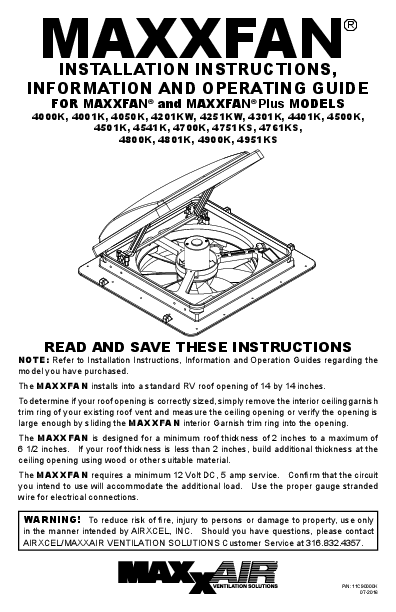
NOTE: Refer to Installation Instructions, Information and Operation Guides regarding the model you have purchased. The MAXXFAN installs into a standard RV roof opening of 14 by 14 inches. To determine if your roof opening is correctly sized, simply remove the interior ceiling garnish trim ring of your existing roof vent and measure the ceiling opening or verify the opening is large enough by sliding the MAXXFAN interior Garnish trim ring into the opening. The MAXXFAN is designed for a minimum roof thickness of 2 inches to a maximum of 6 1/2 inches. If your roof thickness is less than 2 inches, build additional thickness at the ceiling opening using wood or other suitable material. The MAXXFAN requires a minimum 12 Volt DC, 5 amp service. Confirm that the circuit you intend to use will accommodate the additional load. Use the proper gauge stranded wire for electrical connections.
WARNING! To reduce risk of fire, injury to persons or damage to property, use only in the manner intended by AIRXCEL, INC. Should you have questions, please contact AIRXCEL/MAXXAIR VENTILATION SOLUTIONS Customer Service at 316.832.4357.
P/N: 11C90000K 07-2016

INSTALLATION INSTRUCTIONS - ALL MODELS

STEP 1 MAXXFAN requires a 14" x 14" roof opening, if you are replacing another type already installed, remove the old existing roof vent. Remove all old roof sealant for a minimum of 2" entirely around the roof opening.

STEP 3 Using the insulated 16 gauge electrical connectors provided, connect the vehicle's 12 volt power to the two MAXXFAN power wires located on the driver side of the MAXXFAN.
NOTE: The MAXXFAN black wire identified with a tag showing
(+) must be connected to the vehicle 12 volt (+) positive supply.

Place the MAXXFAN into the roof opening and trace a pencil line around it to verify the clean seal area that will be required. Note that the MAXXFAN must be centered in the roof opening with the hinge of the lid facing the front of the vehicle.
CAUTION: When installing your MAXXFAN, only use a caulking/sealant compatible with the flange (plastic product) and the roof surface. DO NOT use materials containing solvents such as or similar to Xylene, Toluene, Methyl Ethyl Ketone, Acetate or Acetone as they can damage the flange. Also, Polysulfide (Thiokol) type sealants must be avoided.

STEP 4 Insert the MAXXFAN into the opening with the lid hinge facing the front of the vehicle and centering the MAXXFAN in the opening. Make sure the power wires slide to the interior and do not become entangled. Using the sixteen (16) screws provided, screw the flange to the roof at each raised ring dimple location along the flange. Screw into the dimple to pierce the flange, making sure not to overtighten the screws to avoid cracking the flange.
4

If in doubt, please contact the manufacturer of your RV for further information.

STEP 2 Prior to installing the MAXXFAN into the roof opening, apply a continuous strip of BUTYL tape or equivalent to the underside of the flange, making sure to cover the screw holes.
CAUTION: Disconnect main vehicle power before connecting 12 volt DC power to the MAXXFAN!

STEP 5 After the MAXXFAN has been installed, remove the excess BUTYL caulk that may have squeezed out. Using a sealer such as Dicor self-leveling lap sealant or similar caulking, apply a daub over every exposed screw head. In addition, apply a bead (approximately 3/16") along the outside edge of the flange all the way around the vent.

2

5

THIS COMPLETES THE ROOF TOP PORTION OF THE INSTALLATION
NOTE: Re-apply 12 volt vehicle power. The MAXXFAN, excluding the 4301K and 4401K models, will emit a beeping sound to indicate power is properly connected. In addition, the Remote Control model will automatically close the vent cover. If the MAXXFAN does not beep when power is connected, go back to step #3. Confirm that proper connections were made and 12 volt power is on and available. This MAXXFAN incorporates a self-resetting fuse on the circuit board located in the ceiling assembly. It can be reset by removing and re-applying power. If your fan fails to operate or needs reset, contact Customer Service at 316.832.4357 for assistance or solicit the aid of an electrical technician.
FOR REMOTE CONTROL MODELS: Please refer to the REMOTE CONTROL OPERATING GUIDE in this manual for use and testing of your remote control. Install two AAA batteries, follow instructions, aim remote at the ceiling unit and test your fan. The Remote Control comes with a cradle for wall mount storage of the Handheld Remote Control. Mount the cradle to your wall using the screws provided.

STEP 6 The interior Garnish Trim Ring must be trimmed to fit your particular RV roof thickness. To accomplish this, measure the distance from the vehicle ceiling surface to each corner of the MAXXFAN Control Plate.
Most RV roofs have some slope, so measuring each corner is necessary. The Garnish ring should be cut 1/4" to 1/2" longer than the dimensions measured at each corner.
In Picture #6 to the right, the installation measures 3 and 1/2" from the ceiling (this is an example only) to the Control Plate. After adding 1/2" as in this example, using a ruler, place a mark at 4" on each corner of each side of the Garnish Ring (refer to 6A below). Once marked, draw a line connecting all 4" markers on the outside of the Garnish ring and trim accordingly (refer to 6B to the right).

IR RECEIVER

3 1/2"

6

CEILING

NOTE: DO NOT probe or tamper with the thermostat sensor or IR sensor shown in illustration #6 above.

6A

GARNISH RING

STEP 7 Complete the installation by placing any excess wiring to the inside of the roof opening and sliding the Garnish Ring into position. Fasten in place by using the four painted flat head screws provided.

6B

GARNISH RING

MEASUREMENTS STATED IN STEP 6 ARE USED AS AN EXAMPLE FOR ILLUSTRATION
PURPOSES ONLY

7

CONGRATULATIONS!!!

You have successfully completed the

FOR REMOTE CONTROL MODELS:

installation of your new MAXXFAN.

Attach the included cradle to wall with (2) #6

If you have questions, please visit

screws provided. Handheld Remote Control may

Airxcel.com or call us at 316-832-4357.

be placed into wall cradle for storage. 3

MAXXFAN� 2 YEAR LIMITED WARRANTY
AIRXCEL, INC. - RV PRODUCTS DIVISION / MAXXAIR RETAINING KNOB SERIAL NUMBER Ventilation Solutions warrants to be free of manufacturing defects, regardless of ownership for a period of two (2) years from the original date of purchase. If the product is installed as original equipment on a vehicle, the warranty period shall begin on the date of the original purchase of the vehicle. In all other instances, the warranty shall begin on the date the product was purchased. You must keep your original sales receipt. This Limited Warranty does not include "Acts of God," failure due to misuse, improper installation or accidental / incidental damages. Please call AIRXCEL, INC. at 1-316-832-4357 if you have any questions or need assistance.
Please have your original sales receipt and MAXXFAN Serial Number readily available. AIRXCEL will correct the confirmed defect within 45 days by repair or replacement without charge for materials and labor. This limited warranty does not cover any freight costs for the return of the product to or from AIRXCEL, INC. or costs associated with installation, removal or reinstallation of the product.
We invite your comments and suggestions regarding our products. Any information you supply is for AIRXCEL / MAXXAIR's internal use and will not be shared or sold to others.
The Serial Number for your MAXXFAN is located on the back page of this booklet and on the fan control plate under the round insect screen frame. (Your serial number may or may not be located in the same position as referenced in the above image). Reference your operating guide. Rotate the four retaining knobs 180� and remove the screen to view. DO NOT OPERATE the MAXXFAN with the screen removed.
CAUTIONS AND CARE OF YOUR MAXXFAN� This product has been manufactured using prime UV stabilized Polymers for maximum toughness and durability. However, the use of caustic or solvent based chemicals can cause cracking and product failure.
PLEASE CLEAN ALL PARTS WITH MILD SOAP AND WATER ONLY. Do not use Petroleum Containing Additives or Solvent Based Products on any of the MAXXFAN's components or its corrosion resistant hardware.
LISTED BELOW ARE SOME KNOWN CHEMICAL PRODUCTS TO BE AWARE OF: NON COMPATIBLE CHEMICALS - DO NOT USE THESE: Ketones, Esters, Acetone or other like solvents, Halogenated Hydrocarbons, Amines, Aromatic Hydrocarbons, (Loctite Formulas), or any products containing references to: chemicals that are not to be used on plastics.
GENERALLY COMPATIBLE (But should be used in low concentration where possible) Acids, Alcohol, Alkalis, Aliphatic Hydrocarbons, Mild Soap Solution (avoid strong Alkaline Material), Silicone Oil or Greases (avoid those containing Aromatic Hydrocarbons or other additives). Review the contents of your cleaning materials carefully.
For additional information regarding your NEW MAXXFAN� or MAXXFAN� Plus, please refer to the INFORMATION AND OPERATION GUIDES
FOR YOUR PARTICULAR MODEL ON THE FOLLOWING PAGES.
4

INFORMATION AND OPERATING GUIDE
FOR MAXXFAN� MANUAL OPENING KEYPAD MODELS
4201KW � 4251KW � 4301K � 4401K

KNOB, VENT LID OPEN/CLOSE Manual Opening Pull to unlock prior to turning. Rotate Knob clockwise to Close Vent Lid; Rotate Knob counter-clockwise to Open Vent Lid. Push "IN" to lock when Vent Lid is open or closed. It may be necessary to slightly rotate the knob to properly align it while pushing it up to lock.
Do not use excessive force when operating Knob.
KEYPAD CONTROLS Use Keys on Keypad to control MAXXFAN functions (see descriptions below).
INSECT SCREEN RETAINER KNOB Rotate all 4 knobs 1/2 turn to remove screen. Caution: Never operate fan with screen removed.
CEILING FAN MODE With the fan motor running, close the Vent Lid to enter Ceiling Fan Mode. The fan motor will continue to run and circulate air within the RV cabin.
SERIAL NUMBER LABEL The serial number label is located underneath the round insect screen. NOTE: The MAXXFAN is designed to be fully opened or fully closed when the vehicle is moving.

KEYPAD CONTROLS
FOR MAXXFAN� MANUAL OPENING KEYPAD MODELS
4201KW � 4251KW � 4301K � 4401K
CAUTION: When removing insect screen for cleaning, turn the MAXXFAN OFF and remove the vehicle 12 volt power to the MAXXFAN. When cleaning your MAXXFAN, use only a mild detergent solution.

FAN ON 1-2-3-4

Turns the Fan Motor ON to the last

selected speed

When the fan is running, cycles

through four (4) speeds, once HIGH

FAN

FAN ON SPEED is reached, fan motor cycles

OFF

1-2-3-4 back to LOW SPEED

Turns the Fan Motor OFF at any selected speed
FAN 5 OFF

INFORMATION AND OPERATING GUIDE
FOR MAXXFAN� Plus MODELS 4000K, 4001K, 4050K, 4500K, 4501K,
4541K, 4761KS, 4800K, 4801K

KNOB, VENT LID OPEN/CLOSE Manual Opening Models Pull to unlock prior to turning. Rotate Knob clockwise to Close Vent Lid; Rotate Knob counter-clockwise to Open Vent Lid. Push "IN" to lock when Vent Lid is open or closed.

Automatic Opening Models Allows closing of the vent lid in the event of RV power loss. This knob does not lock. Do not push in or pull out. Rotate knob clockwise to close vent lid; rotate knob counter-clockwise to open vent lid.

Do not use excessive force when operating Knob.

KEYPAD CONTROLS Use Keys on Keypad to control MAXXFAN functions (see descriptions on next page). NOTE: IR Sensor not on all models

THERMOSTAT TEMPERATURE SENSOR

INSECT SCREEN RETAINER KNOB Rotate all 4 knobs 1/2 turn to remove screen. CAUTION: Never operate fan with screen removed. When removing screen for cleaning, turn the MAXXFAN OFF and remove the vehicle 12 volt power to the MAXXFAN. When cleaning your
MAXXFAN, use only a mild detergent solution.

RAIN SENSOR - Automatic Models only. If the Rain Sensor circuit detects moisture, it will TURN OFF the fan and close the lid. If ANY key is pressed when the Rain Sensor is still wet, the fan will BEEP THREE (3) TIMES. Press the FAN ON key to restart the fan after the Rain Sensor has dried.
CAUTION: If the lid is opened MANUALLY, the RAIN SENSOR will not close the MAXXFAN lid.

CEILING FAN MODE With the fan motor running, close the Vent Lid to enter Ceiling Fan Mode. The fan motor will continue to run and circulate air within the RV cabin.

SERIAL NUMBER LABEL The serial number label is located underneath the round insect screen.

NOTE: The MAXXFAN is designed to be fully opened or fully closed when the vehicle is moving.

6

KEYPAD CONTROLS
FOR MAXXFAN� Plus INTAKE/EXHAUST MODELS
4000K, 4050K, 4500K,
4800K

KEYPAD CONTROLS
FOR MAXXFAN� Plus EXHAUST ONLY MODELS
4001K, 4501K, 4541K,
4761KS, 4801K

NOTE: A beeping sound will confirm each key press
ON/OFF: Use this key to start the fan or to tum off the fan. On Automatic Opening Models the lid will also open or close when the fan is turned on or off. On Manual Opening Models pushing this key while in Auto Mode will exit Auto Mode, turn off the fan and the lid will stay in the position you selected. On Automatic Opening Models this button will exit Auto mode, tum the fan off, and close the lid.
IN/OUT: Use this key to reverse the direction of the fan, the fan will slow down and pause for two (2) seconds before resuming operation in the opposite direction. Note: In Auto Mode the fan direction is automatically positioned to Exhaust, but may be overridden and changed to Intake by depressing this key. PLEASE NOTE: THIS KEY HAS BEEN REMOVED ON EXHAUST ONLY MODELS
AUTO: Auto Mode allows the thermostat to turn the fan ON and OFF depending on the thermostat setting. Press this key once for less than three (3) seconds to enter Auto Mode, three (3) quick beeps will confirm the MAXXFAN has entered Auto Mode. To EXIT Auto Mode, press the ON/OFF key. Initial factory set point for the thermostat is 78�F. The green LED will light to indicate the MAXXFAN is in Auto Mode. To adjust, follow instructions below: If no previous thermostat temperature was entered, or you wish to change a previous set temperature, press the HOLD TO SET key for more than 3 seconds and you will hear one long beep and the thermostat will be reset to 78�F. To further adjust the set temperature, if desired, use the (+) or (-) Arrow keys to adjust at 1�F per press. The fan will emit a beeping sound to confirm this setting. If a previous thermostat temperature was entered, the fan will remember this temperature setting and the next time you enter Auto Mode, the fan will start ventilating automatically as directed by the thermostat. The fan speed will automatically adjust based on the cabin temperature. As cabin temperature rises, the fan increases in speed. Note: If 12 volt RV power is removed from the MAXXFAN, the thermostat will be reset to 78�F.
ARROW When in Auto Mode: Use the (+) & (-) Arrow keys to adjust the thermostat set temperature up or down by 1�F per press. When in Manual Mode: Use the (+) & (-) Arrow keys to adjust the fan speed up or down. When the fan speed reaches either the maximum or minimum speed, the fan will respond with 2 quick beeps to indicate this.
ARROW KEYS PRESSED TOGETHER: Automatic Lift Models Only Press the (+) & (-) Arrow keys at the same time to Open or Close the lid. The fan motor will remain in its current state.
RAIN SENSOR: Automatic Opening Models Only Press this key to tum the Rain Sensor OFF. This will deactivate the Rain Sensor. The red LED will light to indicate that the Rain Sensor is deactivated. Use caution when deactivating the Rain Sensor as rain could enter your RV. If the Rain Sensor circuit detects rain, it will turn off the fan and close the lid. The red LED will blink to indicate that the Rain Sensor has shut the fan off. Press the Rain Sensor key again to reset the fan and extinguish the blinking LED. Note: CAUTION, the Rain Sensor will not close the MAXXFAN lid if the lid is opened manually with the knob.
7

REMOTE CONTROL OPERATING GUIDE
WIRELESS REMOTE CONTROL FOR
MAXXFAN� Plus MODEL 4500K
OPTIONAL for MAXXFAN� Plus MODELS 4700K, 4800K, 4900K

FAN ON & POWER OFF - Press this button: � To start the fan � To turn the fan off � To exit Auto Mode

Remove protective film from Display Screen

VENT LID POSITION - Press this button to open or close the vent lid � While the fan is running in Manual Mode press once to close the vent lid and enter "Ceiling Fan" Mode. NOTE: This button is not active in Auto Mode. If the fan loses 12volt RV power or power is removed from the fan, use the knob located at the ceiling to manually open or close the vent lid if desired.

AIR EXHAUST / INTAKE - Press this button to reverse the fan from intake or exhaust NOTE: In Auto Mode, the fan direction is automatically positioned to Exhaust, but may be overridden and changed to Intake by depressing this key.

FAN AUTO MODE - Press this button to enter Auto Mode � Auto Mode allows the fan lid to automatically open and the fan motor to
operate as dictated by the thermostat set point temperature. Once the cabin temperature cools and reaches the set point temperature, the fan lid will close and the fan motor will shut off. � Pressing this button while in Auto Mode will shut off Auto Mode, close the vent lid and shut off the fan motor.

THERMOSTAT SET TEMPERATURE
TEMP + ~ Press this button to increase the Set Temperature for Auto Mode. TEMP - ~ Press this button to decrease the Set Temperature for Auto Mode. NOTE: The thermostat ranges is from 29�F to 99�F or -2�C to 37�C. To change from Fahrenheit to Celsius on the temperature display, press and hold both set temperature keys simultaneously.

FAN SPEED
Fan Speed + ~ Press this button to increase the fan speed. The fan has ten speeds. Fan Speed - ~ Press this button to decrease the fan speed. The fan has ten speeds. NOTE: When the fan speed reaches either the maximum or minimum speed, the fan will respond with 2 quick beep sounds to indicate this.

LOW BATTERY INDICATOR

SET TEMPERATURE

TRANSMIT

LOW BATTERY INDICATOR

� When the battery is at full

charge, three black power

bars are displayed.

� One or zero power bars AUTO MODE

displayed

indicates INDICATOR

ROOM TEMPERATURE

the batteries need

replacement.

FAN ON

VENT LID IN

TRANSMISSION SIGNAL INDICATOR

AUTO MODE

� This symbol is displayed

on the screen when any button is pressed to indicate the signal was transmitted to the fan.

FAN OFF INDICATOR

CEILING FAN

VENT LID POSITION

�

A beep sound from the

ceiling unit indicates the

signal from the remote control was received by

FAN SPEED

CEILING FAN MODE

AIR DIRECTION INDICATOR

the fan.

ENJOY your new MAXXFAN� in ALL WEATHER CONDITIONS with the NEW FANMATE� featuring EZClipTM Hardware for
TOOL FREE INSTALLATION. Visit AIRXCEL.com for details.

8

REMOTE CONTROL OPERATING GUIDE
WIRELESS REMOTE CONTROL FOR
MAXXFAN� Plus MODELS 4501K, 4541K
OPTIONAL for MAXXFAN� Plus MODEL 4801K

FAN ON & POWER OFF - Press this button: � To start the fan � To turn the fan off � To exit Auto Mode

Remove protective film from Display Screen

VENT LID POSITION - Press this button to open or close the vent lid � While the fan is running in Manual Mode press once to close the vent lid and enter "Ceiling Fan" Mode. NOTE: This button is not active in Auto Mode. If the fan loses 12volt RV power or power is removed from the fan, use the knob located at the ceiling to manually open or close the vent lid if desired.

AIR OUT

FAN AUTO MODE - Press this button to enter Auto Mode � Auto Mode allows the fan lid to automatically open and the fan motor to
operate as dictated by the thermostat set point temperature. Once the cabin temperature cools and reaches the set point temperature, the fan lid will close and the fan motor will shut off. � Pressing this button while in Auto Mode will shut off Auto Mode, close the vent lid and shut off the fan motor.

THERMOSTAT SET TEMPERATURE
TEMP + ~ Press this button to increase the Set Temperature for Auto Mode. TEMP - ~ Press this button to decrease the Set Temperature for Auto Mode. NOTE: The thermostat ranges is from 29�F to 99�F or -2�C to 37�C. To change from Fahrenheit to Celsius on the temperature display, press and hold both set temperature keys simultaneously.

FAN SPEED
Fan Speed + ~ Press this button to increase the fan speed. The fan has ten speeds. Fan Speed - ~ Press this button to decrease the fan speed. The fan has ten speeds. NOTE: When the fan speed reaches either the maximum or minimum speed, the fan will respond with 2 quick beep sounds to indicate this.

LOW BATTERY INDICATOR

� When the battery is at full charge, three black power

SET TEMPERATURE

bars are displayed.

� One or zero power bars

displayed

indicates

the batteries replacement.

need AUTO MODE
INDICATOR

TRANSMIT

LOW BATTERY INDICATOR

ROOM TEMPERATURE

TRANSMISSION SIGNAL � This symbol is displayed
on the screen when any button is pressed to indicate the signal was transmitted to the fan. � A beep sound from the ceiling unit indicates the signal from the remote control was received by the fan.

FAN ON INDICATOR
FAN OFF INDICATOR
FAN SPEED

CEILING FAN

VENT LID IN AUTO MODE
VENT LID POSITION

CEILING FAN MODE

AIR DIRECTION INDICATOR

ENJOY your new MAXXFAN� in ALL WEATHER CONDITIONS with the NEW FANMATE� featuring EZClipTM Hardware for
TOOL FREE INSTALLATION. Visit AIRXCEL.com for details.

9

OPERATION GUIDE - 1-SWITCH WALL CONTROL FOR USE WITH MAXXFAN� MANUAL OPENING Models 4000K, 4001K, 4050K, 4201KW, 4251KW, 4301K, 4401K

OPERATION OF 1-SWITCH WALL CONTROL

FAN 1-2-3

Turns the fan motor ON at the last selected speed and OPENS the Vent Lid.

When Fan is running, select LOW, MEDIUM or HIGH Speed. Once HIGH Speed is reached, the fan motor cycles back to LOW Speed.

FAN OFF Turns the Fan Motor OFF

OPERATION GUIDE - 2-SWITCH WALL CONTROL FOR USE WITH MAXXFAN� ELECTRIC OPENING Models 4500K, 4501K, 4541K, 4761KS, 4800K, 4801K

CONTROL FAN 1-2-3

DESCRIPTION

When Fan is running, se-

Turns the fan motor ON at lect LOW, MEDIUM or HIGH

the last selected speed and Speed. Once HIGH Speed is

OPENS the Vent Lid.

reached, the fan motor cycles

back to LOW Speed.

FAN OFF Turns the Fan Motor OFF and CLOSES the Vent Lid

VENT OPEN

OPENS the Vent Lid

VENT CLOSED

CLOSES the Vent Lid

Fan motor remains in previous state
Fan motor remains in previous state. If fan motor is ON, the MAXXFAN enters Ceiling Fan Mode

OPERATION GUIDE - 4 KEY WALL CONTROL FOR MAXXFAN� Models 4751KS, 4951KS OPTIONAL FOR MAXXFAN� Models 4000K, 4001K, 4050K, 4201KW, 4251KW, 4301K, 4401K, 4761KS

OPERATION OF 4 KEY WALL CONTROL

FAN ON 1-2-3-4

VENT OPEN

FAN ON 1-2-3-4

Turns the fan motor ON at the last selected speed and OPENS the Vent Lid.

When Fan is running, cycles through four (4) fan Speeds. Once HIGH Speed is reached, the fan motor cycles back to LOW Speed.

FAN OFF

Turns the Fan Motor OFF and CLOSES the Vent Lid

FAN OFF

VENT CLOSE

VENT OPEN

OPENS the Vent Lid

VENT CLOSE

CLOSES the Vent Lid

10

Fan motor remains in previous state
Fan motor remains in previous state. If fan motor is ON, the MAXXFAN enters Ceiling Fan Mode

OPERATION GUIDE - 5 KEY WALL CONTROL OPTIONAL FOR MAXXFAN� Plus Models 4501K, 4541K, 4801K

FAN ON/OFF
OPEN/ CLOSE
HOLD TO SET 78�F
AUTO

OPERATION OF 5 KEY WALL CONTROL

FAN ON/OFF

Turns the fan motor ON at the last selected speed and OPENS the Vent Lid. Turns the fan motor OFF and CLOSES Vent Lid. Pressing this key when in AUTO mode will cause the fan to exit
AUTO mode.

AUTO

Puts the fan in AUTOMATIC thermostat mode. Vent lid will automatically open and fan will turn on to cool RV when set temperature is reached. Once RV is cooled down, fan will turn off and vent lid will close. Thermostat is set to last selected temperature (memory function). Green LED will light to indicate MAXXFAN is in AUTO mode. Hold key for three (3) seconds to reset thermostat temperature to 78�F, use (+) & (-) keys to adjust set temperature up or down. Press ON/OFF key to exit AUTO mode.

Adjusts the fan speed or thermostat set temperature. When fan is on in MANUAL mode: adjusts fan speed up or down from 10% to 100% (10 speeds). When fan is in AUTO mode: adjusts thermostat set temperature up or down by 1�F per key press.

OPEN/ CLOSE

OPENS and CLOSES the motorized Vent Lid. Allows the vent lid to be open or closed with the fan motor on or off. Close vent lid with fan motor running in Manual mode to enter Ceiling Fan Mode.

RAIN
SENSOR Plus Models Only

Turns OFF the fan and CLOSES the lid if rain is detected. If you press any key to try and activate the fan, it will beep three (3) times to let you know the rain sensor is wet. Press any key to activate the fan after the rain sensor has dried. CAUTION: Rain Sensor will not close the MAXXFAN lif if the lid is opened manually with the knob.

OPERATION GUIDE 6 KEY WALL CONTROL FOR MAXXFAN� Plus Models 4700K, 4900K OPTIONAL FOR MAXXFAN� Plus Models 4500K, 4800K

FAN ON/OFF

OPEN/ CLOSE
HOLD TO SET 78�F
AUTO

IN / OUT

FAN ON/OFF
AUTO
OPEN/ CLOSE IN/OUT RAIN SENSOR
Plus Models Only

OPERATION OF 6 KEY WALL CONTROL
Turns the fan motor ON at the last selected speed and OPENS the Vent Lid. Turns the fan motor OFF and CLOSES Vent Lid. Pressing this key when in AUTO mode will cause the fan to exit AUTO mode.
Puts the fan in AUTOMATIC thermostat mode. Vent lid will automatically open and fan will turn on to cool RV when set temperature is reached. Once RV is cooled down, fan will turn off and vent lid will close. Thermostat is set to last selected temperature (memory function). Green LED will light to indicate MAXXFAN is in AUTO mode. Hold key for three (3) seconds to reset thermostat temperature to 78�F, use (+) & (-) keys to adjust set temperature up or down. Press ON/OFF key to exit AUTO mode.
Adjusts the fan speed or thermostat set temperature. When fan is on in MANUAL mode: adjusts fan speed up or down from 10% to 100% (10 speeds). When fan is in AUTO mode: adjusts thermostat set temperature up or down by 1�F per key press.
OPENS and CLOSES the motorized Vent Lid. Allows the vent lid to be open or closed with the fan motor on or off. Close vent lid with fan motor running in Manual mode to enter Ceiling Fan Mode.
Reverses fan motor for either INTAKE or EXHAUST air direction.
Turns OFF the fan and CLOSES the lid if rain is detected. If you press any key to try and activate the fan, it will beep three (3) times to let you know the rain sensor is wet. Press any key to activate the fan after the rain sensor has dried. CAUTION: Rain Sensor will not close the MAXXFAN lif if the lid is opened manually with the knob.

. . . reinventing comfort!
PLACE CONSUMER LABEL HERE
For additional product information please visit www.AIRXCEL.com AIRXCEL, INC. - RV Products Division / MAXXAIR
3050 N. St. Francis St. � Wichita, KS 67219 � 316.832.3400