

File info: application/pdf · 44 pages · 3.83MB
Reverse Cycle Inverter Split System Air ... - Stirling Appliances
The product is guaranteed to be free from defects in workmanship and parts for a period of 60 months from the date of purchase. Defects that.
Full PDF Document

If the inline viewer fails, it will open the original document in compatibility mode automatically. You can also open the file directly.
Extracted Text
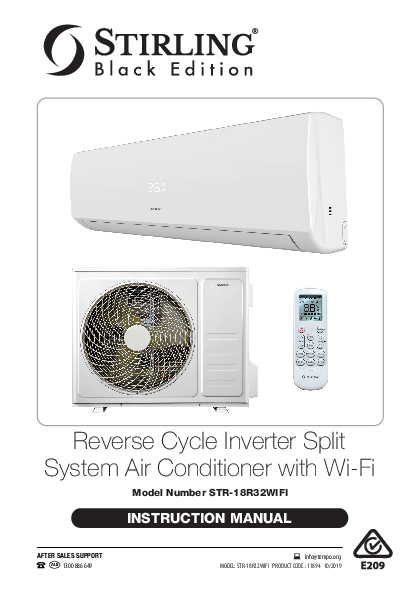
Reverse Cycle Inverter Split System Air Conditioner with Wi-Fi
Model Number STR-18R32WIFI
INSTRUCTION MANUAL

AFTER SALES SUPPORT AUS 1300 886 649

info@tempo.org MODEL: STR-18R32WIFI PRODUCT CODE : 11894 10/2019

Welcome
Congratulations on choosing to buy a STIRLING� product. All products brought to you by STIRLING� are manufactured to the highest standards of performance and safety and, as part of our philosophy of customer service and satisfaction, are backed by our comprehensive warranty. We hope you will enjoy using your purchase for many years to come.

AFTER SALES SUPPORT

2

AUS 1300 886 649

info@tempo.org MODEL: STR-18R32WIFI PRODUCT CODE : 11894 10/2019

Contents
02 Welcome 04 Warranty Details 05 General Safety Instructions 10 Product Overview 13 Getting Started 16 Instructions 26 Wi-Fi Control 36 FAQs and Troubleshooting Guide 38 Other Useful Information 43 Repair and Refurbished Goods or Parts Notice

AFTER SALES SUPPORT AUS 1300 886 649

info@tempo.org

MODEL: STR-18R32WIFI PRODUCT CODE : 11894 10/2019

3

Reverse Cycle Inverter Split System Air Conditioner with Wi-Fi
Warranty Details
REGISTER YOUR PURCHASE AT www.aldi.com.au/en/about-aldi/product-registration/ TO KEEP UP-TO-DATE WITH IMPORTANT PRODUCT INFORMATION
The product is guaranteed to be free from defects in workmanship and parts for a period of 60 months from the date of purchase. Defects that occur within this warranty period, under normal use and care, will be repaired, replaced or refunded at our discretion. The benefits conferred by this warranty are in addition to all rights and remedies in respect of the product that the consumer has under the Competition and Consumer Act 2010 and similar state and territory laws. Our goods come with guarantees that cannot be excluded under the Australian Consumer Law. You are entitled to a replacement or refund for a major failure and to compensation for any other reasonably foreseeable loss or damage. You are also entitled to have the goods repaired or replaced if the goods fail to be of acceptable quality and the failure does not amount to a major failure.

AFTER SALES SUPPORT

4

AUS 1300 886 649

info@tempo.org MODEL: STR-18R32WIFI PRODUCT CODE : 11894 10/2019

General Safety Instructions
IMPORTANT SAFETY INSTRUCTIONS
READ CAREFULLY AND KEEP FOR FUTURE REFERENCE
Read this manual thoroughly before getting the appliance installed, maintained or using it. The manual contains many important safety statements concerning use of this appliance. Always read and observe all safety statements. They reduce the risk of fire, electric shock and injury when correctly adhered to.
Keep the manual in a safe place for future reference, along with the completed warranty card and purchase receipt. If you sell or transfer ownership of this product, pass these instructions on to the next owner.
Always follow basic safety precautions and accident prevention measures when using an electrical appliance, including the following:
Installation � IMPORTANT! This unit comes with separate installation instructions for
use by an appropriately qualified installer. Do not try to install the air conditioner on your own; doing so will expose you to danger and void the warranty. � It is your responsibility to ensure the unit is installed by a qualified technician, who should check that it is earthed in accordance with national wiring regulations and install a thermomagnetic circuit breaker. � Note the installer's details on page 42 of this manual for future reference. � Please refer to the Installation Manual supplied with this appliance for safety instructions specific to the installation, service and maintenance of the indoor and outdoor units. These installation safety instructions include information about the refrigerant gas used in the appliance (R32) and important safety advice relating to the refrigerant.
Electrical safety � Voltage: Make sure your electrical voltage and circuit frequency
correspond to those indicated on the appliance rating plate.
� Power plug: Keep the power plug clean. To avoid the risk of electric shock or fire, insert the plug correctly and firmly into the socket. Check and ensure that the socket is suitable for the plug, otherwise have the socket changed. Do not alter the plug.
� No extension cord: Do not use the unit with an extension cord or adaptor. � Power cord: Do not bend, tug or compress the power cord as this could
damage it. A damaged power cord can cause electric shock or fire.

AFTER SALES SUPPORT AUS 1300 886 649

info@tempo.org

MODEL: STR-18R32WIFI PRODUCT CODE : 11894 10/2019

5

General Safety Instructions (Cont.)

� Damaged cord: If the supply cord is damaged, it must be replaced by the manufacturer, its service agent or similarly qualified persons in order to avoid a hazard. Contact our after sales support line for advice.
� Protect from water: Do not expose the air conditioner to water. The electrical insulation could be damaged and cause electrocution. Do not touch the unit when barefoot or parts of your body are wet or damp.
� Do not disconnect during use: Pulling out the plug to switch off the appliance when it is in operation could create a spark and cause a fire.
� Disconnect when not in use: Ensure that the indoor unit is switched off and disconnected from the power supply when it will remain inoperative for a long period and before cleaning or maintenance. Grip the plug when disconnecting, do not pull the cord.
Usage conditions and restrictions
� Intended purpose: This appliance has been made for air conditioning domestic environments and must not be used for any other purpose, such as for drying clothes, cooling food etc. It is not intended for commercial, trade or industrial use. Only use the air conditioner as instructed in this manual.
� Alterations: Do not alter the characteristics of the appliance in any way.
� Common sense: These instructions are not intended to cover every possible condition and situation. As with any electrical household appliance, common sense and caution are therefore always recommended when installing, operating and maintaining the unit.
� Usage restriction: This appliance is not intended for use by persons (including children) with reduced physical, sensory or mental capabilities, or lack of experience and knowledge, unless they have been given supervision or instruction concerning use of the appliance by a person responsible for their safety.
� Children: Supervise children to ensure they do not play with the appliance. Cleaning and user maintenance shall not be made by children without supervision.
� Air filter: Always use the air conditioner with the air filter mounted. Using it without air filter could cause an excessive accumulation of dust or waste on the inner parts of the device with possible subsequent failures.
� Temperature selection: Selecting the most suitable temperature can prevent damage to the unit.
� Exposure to cold air flow: Never remain directly exposed to the flow of cold air for a long time, as direct and prolonged exposure to cold air from the air conditioner could be dangerous for your health. Take particular care in rooms where there are children, or old or sick people.

AFTER SALES SUPPORT

6

AUS 1300 886 649

info@tempo.org MODEL: STR-18R32WIFI PRODUCT CODE : 11894 10/2019

General Safety Instructions (Cont.)
� Air flow direction: The airflow direction should be properly adjusted. The flaps should be directed downwards in heating and upwards in cooling mode.
� Plants and animals: Do not direct the airflow onto plants or animals, as long and direct exposure to cold air from an air conditioner could adversely affect them.
� Do not block openings: Do not obstruct the air inlet or outlet of the indoor or outdoor unit. Obstructing openings reduces the operating efficiency of the air conditioner with possible consequent failures or damages.
� Keep clear: Do not climb onto or place any objects on top of the unit.
� Do not insert objects: Never insert a stick or similar object into the appliance. It could cause injury.
� Maximise efficiency: Do not leave windows or doors open for long when the air conditioner is operating.
� Smoke or burning smell: If the appliance gives off smoke or there is a burning smell, immediately disconnect the unit from the power supply and contact the after sales support line. Prolonged use of the appliance in such conditions could cause fire or electrocution.
Cleaning, servicing and repair
� Disconnect before cleaning: Before carrying out any cleaning or maintenance, make sure the unit is disconnected from the mains electricity supply.
Do not use any other means to clean the appliance than those referred to in this manual (see pages 38 to 39 for comprehensive instructions).
� Professional care: Cleaning and maintenance must be carried out by specialised technical personnel.
� Repair: Only have the unit repaired by an authorised service centre. Incorrect repair could expose you to the risk of electric shock, fire or injury. Prolonged use of the unit in such conditions could cause fire or electrocution.
� Do not use when faulty: Do not use the appliance in the event of a technical fault. Any faults must be fixed by an appropriately qualified and authorised person. Contact our after sales support line for advice.
� Batteries: Make sure the batteries in the remote control are disposed of appropriately for recycling.
� Liability: We assume no liability for any eventual damages to property or injury to persons caused by misuse of the product or noncompliance with these instructions.

AFTER SALES SUPPORT AUS 1300 886 649

info@tempo.org

MODEL: STR-18R32WIFI PRODUCT CODE : 11894 10/2019

7

General Safety Instructions (Cont.)
Important safety precautions concerning refrigerant R32
WARNING: Combustible & Dangerous This symbol alerts you to take care as the appliance contains a flammable refrigerant: R32 (difluoromethane). Take extra care when installing the unit and when carrying out maintenance.
The refrigerant used in this air conditioner, R32, is an odourless hydrocarbon gas with a high level of environmental compatibility, with just one third of the global warming potential (GWP) and a zero ozone depleting potential (ODP). While R32 is flammable and can explode under certain conditions, there will be no risk of burning and explosion if the air conditioner is installed correctly by a professional installer following all instructions and safety advice below and in the separate installation manual.

Read the user manual

Read the installation manual

� The room in which this air conditioner is installed must have a minimum area of more than 15m2. (This air conditioner is suitable for cooling/heating a room of 30�35m2.)
� Do not expose the appliance to high heat, sparks and open flames.
� The appliance shall be stored in a room without continuously operating sources, such as open flames, an operating ignition gas appliance or an operating electric heater.
� Do not pierce or burn the appliance.
� This air conditioner has been fully charged with refrigerant at the factory. Should a recharge of refrigerant become necessary, it may only be recharged by a professional installer.
� Maintenance must only be carried out by properly qualified, authorised personnel. If the appliance requires maintenance or service, please contact our after sales support centre.
� The service technician must strictly comply with: � All instructions in the installation manual provided with the appliance � All relevant provisions of gas-related local laws and regulations.

AFTER SALES SUPPORT

8

AUS 1300 886 649

info@tempo.org MODEL: STR-18R32WIFI PRODUCT CODE : 11894 10/2019

General Safety Instructions (Cont.)
� After installation, the service technician must: � Check that air cannot enter the refrigerant system � Check for refrigerant leaks when moving the air conditioner � Carry out a test cycle under controlled conditions after installing the unit and record the operating data.
Disposal � This air conditioner contains a flammable refrigerant, which must be
removed before disposal. Contact your municipal authorities for any codes or regulations concerning the disposal of such materials.
� At the end of its working life, do not throw this appliance out with your household rubbish. Electrical and electronic products contain substances that can have a detrimental effect on the environment and human health if disposed of inappropriately. Observe any local regulations regarding the disposal of electrical consumer goods and dispose of it appropriately for recycling and recovery of the refrigerant.

AFTER SALES SUPPORT AUS 1300 886 649

info@tempo.org

MODEL: STR-18R32WIFI PRODUCT CODE : 11894 10/2019

9

Product Overview
� This Reverse Cycle Inverter Air Conditioner is made up of an indoor and outdoor unit (Fig. 1 & 2), which are connected through properly insulated copper pipes (not supplied) and an electrical connecting cable.
� The indoor unit is installed on a wall of the room to be air conditioned (it must not be installed in a laundry or similar room with high humidity levels).
� The outdoor unit is installed outdoors on the ground, or on a wall on suitable brackets.
12 3
4 5

10

9

8 7

11

NOTE: Due to continued product improvement, images and illustrations in this manual may vary slightly from the product purchased. All images in this manual are for reference purposes only. Parts are not necessarily pictured to scale.

10

AFTER SALES SUPPORT AUS 1300 886 649

6
Scope of delivery (A) Indoor unit: parts No Part
1 Front panel 2 LED display 3 Air filter 4 Indoor unit rating label 5 Terminal block cover 6 Emergency button 7 Wi-Fi module 8 Deflectors 9 Signal receptor 10 Airflow direction flaps 11 Remote control
info@tempo.org MODEL: STR-18R32WIFI PRODUCT CODE : 11894 10/2019

Product Overview (Cont.)

(B) Outdoor unit: parts

No Part

12 Outdoor unit rating label

13 Terminal block cover

B

14 Air outlet grille

15 Gas valve

16 Liquid valve

Fig. 2 12 13
14

15 16

NOTE: The diagrams throughout this manual are for illustrative purposes only
and may vary slightly from the appearance of the unit purchased.

AFTER SALES SUPPORT AUS 1300 886 649

info@tempo.org MODEL: STR-18R32WIFI PRODUCT CODE : 11894 10/2019

11

Product Overview (Cont.)

Fig. 3 17

C Installation hardware
(for illustrative purposes only, not to scale)

21

24

18

22

25

19

23 20

I

(C) Installation hardware No Part
17 Power cable 18 Copper nuts (x4) 19 Drainage pipe 20 Sealing colloid 21 Pipe insulation (open tube) 22 Binding tape 23 Rubber mats for outdoor unit (x4) 24 Screws & plugs (x8) 25 Drainage mouth

(D) Other inclusions (not pictured) Remote control holder (for wall-mounting) AAA Batteries (x2) Instruction and installation manuals Quick start guide Warranty certificate

12

AFTER SALES SUPPORT AUS 1300 886 649

info@tempo.org MODEL: STR-18R32WIFI PRODUCT CODE : 11894 10/2019

Getting Started
Unpacking � When unpacking the appliance, keep the original packaging carton and
materials in a safe place. It will help prevent any damage if the product needs to be transported in the future. � In the event it is to be disposed of, please recycle all packaging materials where possible. � Plastic wrapping can be a suffocation hazard for babies and young children, so ensure all packaging materials are out of their reach and disposed of safely. � Read the manual to familiarise yourself with all parts and operating principles of the air conditioner. Pay particular attention to the safety instructions on the previous pages.
Installation
WARNING! � This air conditioner must be correctly installed by an authorised, licensed
installer in accordance with all applicable rules and national wiring regulations and all instructions in the separate INSTALLATION MANUAL. It is in your interest and that of your safety to ensure compliance. � Do not try to install the air conditioner yourself! Doing so will expose you to danger and void the warranty. Improper installation, adjustment, alteration or service can cause injury or damage. We decline any responsibility for injury or damage, to persons or property, as a result of improper use or installation.
Introduction This Reverse Cycle Inverter Split System Air Conditioner is designed to create comfortable climatic conditions in any room of your home. It consists of an indoor unit that must be wall-mounted in the room you want to heat or cool, and an outdoor unit that can be installed on the ground or on an outside wall on suitable brackets.
Modes of operation You can set the air conditioner to cool, heat or dehumidify the air, or let the unit adjust the room temperature automatically to ensure comfortable conditions all year round. These modes are described in detail in the "Instructions" section of this manual.

AFTER SALES SUPPORT AUS 1300 886 649

info@tempo.org MODEL: STR-18R32WIFI PRODUCT CODE : 11894 10/2019

13

Getting Started (Cont.)

How it works
� The indoor air, sucked in by the fan, enters the unit through the grille at the front panel and passes through a filter, which collects any dust (Fig. 4).
� The air is then conveyed to the heat exchanger, where it is cooled and dehumidified or heated, depending on your setting. The heat removed from the room is released to the outside.
� At the end of the cycle, the fan releases the conditioned air back into the room.
� The direction of the air outlet is regulated by flaps on the indoor unit, which are motorised up and down. The vertical deflectors, also motorised, direct the airflow right and left.

Fig. 4

Getting the most out of your air conditioner
� Keep windows and doors shut. Rooms in which the air conditioner is being used should be closed off so the room air is recirculated.
� Locate window/wall units on the south side of the house, if possible. Shade the unit if it is exposed to full sun, but don't restrict airflow over it.
� Set thermostats at 23-26�C for summer cooling. Each degree you lower the thermostat may increase running costs by up to 10%.
� Homes that are insulated require air conditioners with lower heating/ cooling outputs because they can trap the cool/warm air. A fully insulated home will require less power usage from the air conditioner to reach a comfortable room temperature. However, ceiling sweep fans will help move warm/cool air back down to floor level in rooms with very high ceilings.

14

AFTER SALES SUPPORT AUS 1300 886 649

info@tempo.org MODEL: STR-18R32WIFI PRODUCT CODE : 11894 10/2019

Getting Started (Cont.)

Preparing the remote control
Inserting/replacing batteries
� Remove the cover from the battery compartment by sliding it off the housing (Fig. 5).
� Insert two new AAA (1.5V) batteries, ensuring the polarities (+/-) match the markings.
� Refit the cover by sliding it back into place.
NOTE:
� Do not use rechargeable batteries.
� Replace old batteries with new ones of the same type when the display is no longer legible.
� Dispose of your remote control batteries in accordance with your local laws and regulations concerning battery disposal.
Programming the remote control
When you open the battery compartment at the back of the remote control, a switch will be visible, above the space for the batteries, as illustrated (Fig. 6). This switch can be set to HEAT or COOL, and to �C or �F.
For this type of air conditioner (reverse cycle) the switch will have been set to HEAT at the factory, which means that the unit will be able to function in all available modes. The switch will also have been set to �C, for your convenience, so the temperature will be displayed in degrees Celsius.

Fig. 5 Fig. 6

IMPORTANT!
Make sure that the switch is set to HEAT. If it is set to COOL, you will not be able to activate the heating function. To do this you need to take out the batteries and set the switch to HEAT without the batteries in place. Then insert the batteries, and the unit will be programmed to function in all
available modes.

AFTER SALES SUPPORT AUS 1300 886 649

info@tempo.org MODEL: STR-18R32WIFI PRODUCT CODE : 11894 10/2019

15

Instructions
Indoor unit LED display Fig. 7

No LED 1 Temperature display 2 Timer
3 Sleep

Function
Indicates the set temperature (in �C)
Illuminates when the Timer function is activated Illuminates when the Sleep function is activated

NOTE: The shape and position of switches and indicators may vary slightly according to the model, but their function is the same.

16

AFTER SALES SUPPORT AUS 1300 886 649

info@tempo.org MODEL: STR-18R32WIFI PRODUCT CODE : 11894 10/2019

Instructions (Cont.)

Remote control buttons

No Button Function

Fig. 8

1

POWER Switch the unit on or to standby.

2

FAN

Select the fan speed.

3

TEMP UP Increase temperature or time setting.

4

TEMP DOWN

Decrease temperature or time setting.

1

14

5

SLEEP

Activate the sleep function.

2

6

DISPLAY Switch on/off the LED display.

3

13

7

MUTE

Activate the mute function.

4

12

11

In cooling mode, produce maximum 5

10

8

TURBO

cooling performance (16�C). In heating mode, produce maximum

6 7

9

heating performance (31�C).

8

Activate/deactivate the I FEEL function

9

I FEEL

for automatic regulation of the room temperature based on the temperature

around the remote controller.

10

TIMER

Set to switch on and off automatically.

In cooling mode, the room

temperature will be allowed to rise

2�C above the set temperature

11

ECO

before cooling restarts; in heating

mode, it will be allowed to fall 2�C

below the set temperature before

heating restarts.

Press the MODE and TIMER buttons at

12

LOCK

the same time to activate the child lock

and lock the remote control buttons.

Activate or deactivate flaps for up/

down air movement, or the deflectors

13

SWING

for <> right/left air movement.

When both parts of the button are

pressed, the horizontal and vertical

vanes swing together simultaneously.

14

MODE

Select the mode of operation.

NOTE: Every time you press a button, the unit confirms with a beep the correct reception of each action.

AFTER SALES SUPPORT AUS 1300 886 649

info@tempo.org MODEL: STR-18R32WIFI PRODUCT CODE : 11894 10/2019

17

Instructions (Cont.)

Remote control display Symbol Indicator AUTO mode indicator COOLING mode indicator DEHUMIDIFYING / DRY mode indicator FAN ONLY mode indicator HEATING mode indicator TIMER ON indicator TIMER OFF indicator
I FEEL indicator DEFLECTOR SWING indicator FLAP SWING indicator 3D AIR (flap & deflector swing) indicator SIGNAL RECEPTION indicator AUTO FAN indicator LOW FAN SPEED indicator MEDIUM FAN SPEED indicator HIGH FAN SPEED indicator MUTE indicator SLEEP indicator ECO indicator SUPER/TURBO indicator Not applicable for this model

Fig. 9

18

AFTER SALES SUPPORT AUS 1300 886 649

info@tempo.org MODEL: STR-18R32WIFI PRODUCT CODE : 11894 10/2019

Instructions (Cont.)

Using the remote control

� Direct the remote control towards the signal receptor at the front panel of the indoor unit, as illustrated (Fig. 10).

Fig. 10

� Ensure that there are no objects between the remote control and the signal receptor at the front of the air conditioner's indoor unit.
� Operate the remote control from a maximum distance of 3m.

Signal receptor

� Never leave the remote control exposed to direct sunlight.

� Keep the remote control at a distance of at least 1m from any television or other electrical appliances.

The remote control may be kept in a wall-mounted holder (supplied). Just attach it to a suitable wall, as illustrated (Fig. 11), and store the remote in easy reach.

Fig. 11 Remote control holder

Replacing the batteries
When there is no beep confirmation from the indoor unit, or when the LCD does not activate, it is time to replace the batteries. Take off the cover at back and replace the old batteries with fresh ones of the same size and type. See "Inserting/replacing batteries", page 15, for detailed instructions.
NOTE:Only remove the batteries from the remote control when the air conditioner is not in operation.

AFTER SALES SUPPORT AUS 1300 886 649

info@tempo.org MODEL: STR-18R32WIFI PRODUCT CODE : 11894 10/2019

19

Instructions (Cont.)

Airflow swing control
The airflow direction (Fig. 12) ensures even distribution of cool air in the room (or warm air, in heating mode).
� P ress the top part of the SWING button to activate the flaps, which direct the airflow up/down.
� P ress the bottom part of the SWING < > button to activate the deflectors for left/right airflow direction.
� Press both parts of the SWING button to activate both airflow directions for 3D air circulation.

Fig. 12

� In COOLING mode, make sure the flaps (Fig. 13) are oriented upwards so the cooled air is directed upwards � it will automatically sink down.
� In HEATING mode, the flaps (Fig. 13) should be oriented downward, as warm air tends to rise upwards.
Fig. 13

Flap movement
movement

Deflectors Flaps

CAUTION! � Always adjust the airflow while the unit is switched off.
� Never attempt to change the flap position manually, as this could seriously damage the delicate flap activating mechanism.
� DANGER! Never insert your hand or objects in the unit's air outlet. It contains a fan that turns at high speed.

20

AFTER SALES SUPPORT AUS 1300 886 649

info@tempo.org MODEL: STR-18R32WIFI PRODUCT CODE : 11894 10/2019

Instructions (Cont.)

COOLING mode

Fig. 14

In COOLING mode (Fig. 14) the air conditioner will cool down the room to your set temperature and reduce the humidity in the air at the same time.

� To activate the cooling function, press the MODE button on the remote control until the cooling symbol ( ) appears on the display.

� To activate the cooling cycle, use the or buttons to set the temperature lower than the current ambient room temperature.

� To optimise the air conditioner's cooling function, set the temperature as described above, then also adjust the speed (by pressing the FAN button) and the airflow direction (see page 20).

HEATING mode

Fig. 15

In HEATING mode (Fig. 15) the air conditioner will heat up the room to your set temperature.

� To activate the heating function, press the MODE button on the remote control until the heating symbol ( ) appears on the display.
� To activate the heating cycle, use the or buttons to set the temperature higher than the current ambient room temperature.
� To optimise the air conditioner's heating function, set the temperature as described, then also adjust the speed (by pressing the FAN button) and the airflow direction (see page 20).

IMPORTANT!
� If the unit is fitted with a `Hot Start' function, startup will be delayed for a few seconds to ensure an immediate output of hot air.
� In HEATING mode the unit will automatically activate a defrost cycle if there is an excessive amount of frost on the condenser. This procedure usually lasts for 2�10 minutes during which time the fans stop operation. After defrosting, the unit will automatically return to HEATING mode.
� If the remote control is programmed for COOLING mode, you will not be able to activate the heating function. To do this you need to take out the batteries and repeat the programming procedure for HEATING mode (see page 15).

AFTER SALES SUPPORT AUS 1300 886 649

info@tempo.org MODEL: STR-18R32WIFI PRODUCT CODE : 11894 10/2019

21

Instructions (Cont.)

TIMER ON function
Program the timer to switch the unit on automatically (Fig. 16).

Fig. 16

� To program the start time, make sure the unit is switched off.

� Press the TIMER button on the remote control for the first time to activate the timer, then use the or buttons to set the desired temperature.

� Press the TIMER button a second time, then use the or buttons to set the time period after which the unit will switch on. With every press of the or buttons, the time will adjust by half an hour. Keep pressing until the display shows the time that passes between programming and the start time. The TIMER icon will be illuminated on the indoor unit display (Fig. 17).

Fig. 17 Indoor display

Example: If it is 11am now and you want the unit to come on at 1pm, you must press the button four times for the two-hour period.

TIMER OFF mode Program the timer to switch the unit off automatically (Fig. 16).

� To cancel the set function, press the TIMER button again. � To program the stop time, the unit should be switched on. � Press the TIMER button on the remote control, then use the or buttons
to set the time period after which the unit will switch off. With every press of the or buttons, the time will increase/decrease by half an hour. � To cancel the set function, press the TIMER button again.
IMPORTANT! � Before proceeding with the timed start, program the working mode (with
the MODE button) and the fan speed (with the FAN button). Then switch the air conditioner off (with the POWER button). � In case of a power failure or other disconnections from the power supply, you will have to reset your timer settings.

22

AFTER SALES SUPPORT AUS 1300 886 649

info@tempo.org MODEL: STR-18R32WIFI PRODUCT CODE : 11894 10/2019

Instructions (Cont.)

FAN mode
In FAN mode (Fig. 18) only the air conditioner's ventilation will be working.

Fig. 18

� To activate FAN mode, press the MODE button until the fan symbol ( ) appears in the display.
� Press the FAN button to change the fan speed: LOW - MEDIUM - HIGH - AUTO.
NOTE: The remote control stores the speed that was set in the previous mode of operation.

DRY (DEHUMIDIFYING) mode
In DRY mode (Fig. 19), the unit will alternate cooling and fan only cycles to reduce the Fig. 19 humidity in the air, making the room more comfortable.
� To activate DRY mode, press the MODE button until the dry symbol ( ) appears in the display.

SLEEP function

When the SLEEP function (Fig. 20) is selected, the unit will automatically switch to quiet operation and maintain the temperature at a comfortable level during the night.

� To activate the SLEEP function, press the SLEEP button on the remote control until the sleep symbol ( ) appears in the display. The SLEEP icon will be illuminated on the indoor unit display (Fig. 21).

Fig. 21 Indoor display

Fig. 20

NOTE: When the SLEEP function is selected:
� In COOLING or DRY mode the set temperature will automatically rise by 1�C every hour to achieve a total 2�C increase during the first 2 hours.
� In HEATING mode the set temperature is gradually decreased by 2�C during the first 2 hours.
� After running in SLEEP mode for 10 hours, the unit will automatically switch off.

AFTER SALES SUPPORT AUS 1300 886 649

info@tempo.org MODEL: STR-18R32WIFI PRODUCT CODE : 11894 10/2019

23

Instructions (Cont.)

AUTO mode

Fig. 22

In AUTO mode (Fig. 22) the fan speed and temperature are set automatically according to the room temperature (tested by the temperature sensor incorporated in the indoor unit) to ensure and maintain comfortable conditions.

� To activate AUTO mode, press the MODE button on the remote control until the auto symbol ( ) appears in the display.

� The unit will cool, heat or dry the room automatically, depending on the current room temperature, as listed in the table below.

Ambient temp. < 20�C
20�C � 26�C >26�C

Operation mode Heating Drying Cooling

Auto temp. 23�C 18�C 23�C

� To optimise the efficient working of the air conditioner, adjust the temperature (only 2�C), the speed and the airflow direction by pressing the relevant buttons.

I FEEL function

Fig. 23

When the I FEEL function (Fig. 23) is selected, the appliance will automatically regulate the room temperature based on the temperature (0�50�C) around the remote control.

� To activate the I FEEL function, press the I FEEL button on the remote control until the I FEEL symbol ( ) appears in the display.

� This function will terminate two hours after activation.

24

AFTER SALES SUPPORT AUS 1300 886 649

info@tempo.org MODEL: STR-18R32WIFI PRODUCT CODE : 11894 10/2019

Instructions (Cont.)

Turbo function
Press the TURBO button to produce maximum cooling or heating performance in the shortest time.
Eco function
Press the ECO button to achieve energy savings while running the unit. Depending on the mode selected, the room temperature will be allowed to rise 2�C above (or fall 2�C below) the set temperature before cooling/heating restarts.
Child lock function
Press the MODE and TIMER buttons at the same time to activate the child lock. All buttons on the remote control are now locked. To unlock the child lock, press both buttons again.

Auto-restart function
The appliance is preset to restart automatically and keep the selected settings after a power blackout or a voltage drop.

Emergency function
If the remote control is lost, lift the front panel of the unit to access the emergency button (Fig. 24), then proceed as follows:
� Press the button once (one beep) if you want the air conditioner to work in FORCED COOLING mode.
� Press the button twice (two beeps) if you want the air conditioner to work in FORCED HEATING mode.
� Press the button again (a single long beep) to switch off the air conditioner. After 30 minutes in forced mode, the unit will automatically start working in AUTO mode (see page 24 for details).

Fig. 24
Front Panel
Emergency Button
The emergency button is located on the right part of the unit under the front panel.

NOTE:
� The shape and position of the emergency button may vary according to the model, but its function is the same.
� The external static pressure of the air conditioner is 0Pa for all models.

AFTER SALES SUPPORT AUS 1300 886 649

info@tempo.org MODEL: STR-18R32WIFI PRODUCT CODE : 11894 10/2019

25

Wi-Fi Control

This STIRLING Reverse Cycle Inverter Split System Air Conditioner features Wi-Fi technology, which enables you to control the air conditioner remotely from wherever you are -- at work, at play or on the go -- so that on your arrival your home is comfortably cool or warm. The air conditioner works in conjunction with your mobile device, using your home Wi-Fi network router to communicate with the air conditioner.
Controlling the air conditioner remotely is very easy. You will need:
� An Android smartphone or tablet, or an Apple iPhone or iPad. � An internet connection at your home. � A Wi-Fi network router set up at home. � You must also have our STIRLING Air Con App installed on your
smartphone or mobile device. This app is available from Google Play Store or Apple App Store.

Initial set-up

Upon installation of your new air conditioner, or when you have changed your mobile device or wireless router, you will have to set up the communication channel between the devices. In order to do this, make sure you have the STIRLING Air Con App installed on your mobile device, your Wi-Fi router is switched on and your mobile device connected to your home Wi-Fi network.

� On your mobile device, tap on the STIRLING Air Con App, it will open (Fig. WF1) and take you to the Login Page (Fig. WF2).

� Before you log in, please tap Register and register your account using your mobile or email account (Fig. WF3).

Fig. WF1

Fig. WF2

Fig. WF3

26

AFTER SALES SUPPORT AUS 1300 886 649

info@tempo.org MODEL: STR-18R32WIFI PRODUCT CODE : 11894 10/2019

Wi-Fi Control (Cont.)

� Once you enter your phone number or email address and password, tap Get Verification code and an SMS message will be sent directly to the mobile phone or email account that you entered when registering. Enter this verification code and tap Complete (Fig. WF4).
� Now you have to finish the registration process and return to the Login Page (Fig. WF5). Enter your details and password and tap Login. You will now enter the main page Device list (Fig. WF6). Tap [ + ] in the top right hand corner and add your device.

Fig. WF4

Fig. WF5

Fig. WF6

AFTER SALES SUPPORT AUS 1300 886 649

info@tempo.org MODEL: STR-18R32WIFI PRODUCT CODE : 11894 10/2019

27

Wi-Fi Control (Cont.)

� On the air conditioner's remote

Fig. WF7

control (Fig. WF7), press the DISPLAY

button 6 times, every press of the

button will be followed by a short

beep -- do not pause for more than

2 seconds in between pressing the

button. After you have pressed the

button 6 times, the unit will beep twice,

indicating that the Wi-Fi module is

ready for configuration with your mobile

phone.

� On your mobile device, tap Next (Fig. WF8) and enter your Wi-Fi password, then tap Connect (Fig. WF9). The message "Configuring Network" will appear on the screen (Fig. WF10).

� During the configuration process the air conditioner indoor unit will show "PP", "SA", "AP" on the display. ("PP" means "searching the router", "SA" means "connected to the router", and "AP" means "connected to the server".)

Fig. WF8

Fig. WF9

Fig. WF10

Press the DISPLAY button 6 times

28

AFTER SALES SUPPORT AUS 1300 886 649

info@tempo.org MODEL: STR-18R32WIFI PRODUCT CODE : 11894 10/2019

Wi-Fi Control (Cont.)

� On completion (Fig. WF11), you can name your device.
� Tap Complete and you will return to the Device list page and your device will be shown (Fig. WF12).
� Click on the device name and it will take you to the device's main control page (Fig. WF13).

Fig. WF11

Fig. WF12

Fig. WF13

AFTER SALES SUPPORT AUS 1300 886 649

info@tempo.org MODEL: STR-18R32WIFI PRODUCT CODE : 11894 10/2019

29

Wi-Fi Control (Cont.)

Adding the STIRLING Air Con App to your Google Home App
� Open your Google Home App. (Before you can link your STIRLING Air Con App to your Google Home App you will have to have a Google Home account set up.)
� From the home screen of the Google Home app, tap Add (Fig. WF14).
� Tap Set up device (Fig. WF15), then tap Have something already set up? under the "Works with Google" banner (Fig. WF16).

Fig. WF14

Fig. WF15

Fig. WF16

30

AFTER SALES SUPPORT AUS 1300 886 649

info@tempo.org MODEL: STR-18R32WIFI PRODUCT CODE : 11894 10/2019

Wi-Fi Control (Cont.)

� Using the magnifying glass icon, search for Stirling Air Conditioner (Fig. WF17).
� Tap the Stirling Air Con app and enter your Stirling Air Con account details and password, then tap Sign in (Fig. WF18).

Fig. WF17

Fig. WF18

Stirling Air Conditioner

Stirling Air Conditioner

AFTER SALES SUPPORT AUS 1300 886 649

info@tempo.org MODEL: STR-18R32WIFI PRODUCT CODE : 11894 10/2019

31

Wi-Fi Control (Cont.)
Adding the STIRLING Air Con App to your Alexa account
� Before you can link your STIRLING Air Con App to your Alexa account you will have to have an Alexa account set up.
� From the home screen of the Alexa app, tap the three bars in the top left hand corner (Fig. WF19). Tap Skills & Games (Fig. WF20), then use the magnifying glass icon to search for Stirling Air Conditioner (Fig. WF21).

Fig. WF19

Fig. WF20

Fig. WF21

32

AFTER SALES SUPPORT AUS 1300 886 649

info@tempo.org MODEL: STR-18R32WIFI PRODUCT CODE : 11894 10/2019

Wi-Fi Control (Cont.)
� Select the Stirling Air Conditioner app(Fig. WF22). Ensure you have followed the steps listed, then select Confrimed and tap Next (Fig. WF23). Enter your Stirling Air Con account details and password, then tap Sign in (Fig. WF24).

Fig. WF22

Fig. WF23

Fig. WF24

AFTER SALES SUPPORT AUS 1300 886 649

info@tempo.org MODEL: STR-18R32WIFI PRODUCT CODE : 11894 10/2019

33

Wi-Fi Control (Cont.)

Wi-Fi troubleshooting

Problem

Possible cause and solution

Check and ensure you have internet reception and your mobile phone and the air conditioner are connected to the same Wi-Fi network.

During the set-up, the air conditioner cannot be configured successfully.

Check and ensure your Wi-Fi password is correct.
Check and ensure that no firewalls or other restrictions are set.
Check and ensure that the router works normally -- check the network requirements (see page 35).

Ensure that the air conditioner, router and mobile are all on the same Wi-Fi network and within the signal range.

Software display: "Identification failed"

I cannot control the air conditioner with my mobile.

If this message is displayed, the air conditioner has been reset and the mobile phone lost control permission. You need to reconnect the phone to your air conditioner, following the set-up instructions in this manual.
If after these steps you still cannot control the air conditioner with your mobile, please delete the air conditioner from your device list and reconnect again.

Software display: "Device offline"

My mobile phone cannot find the air conditioner.

If this message is displayed, please check and ensure that your air conditioner is connected to your mains supply and power is switched on at the outlet.
Also ensure that your router is connected to the mains supply and that the router and your mobile phone are properly connected to your Wi-Fi network.

34

AFTER SALES SUPPORT AUS 1300 886 649

info@tempo.org MODEL: STR-18R32WIFI PRODUCT CODE : 11894 10/2019

Wi-Fi Control (Cont.)

Smartphone and Wi-Fi specification requirements
Minimum smartphone specifications Android 2.1 version or higher IOS 5.0 version or higher
Wireless network requirements of the Wi-Fi module

Frequency range Standard Output power
Sensitivity
Data rate Security Number of channels

2.412 GHz - 2.472 GHz EEE 802.11 b/g/n 802.11b:18dBm, 802.11g:16dBm 802.11n:16dBm 802.11b<@1Mbps, 802.11b<@11Mbps 802.11g<@6Mbps, 802.11g<@54Mbps 11M@802.11b, 54M@802.11g, MCS7@802.11n WEP/WEPA/WPA2 13

Wi-Fi module location and MAC address
Open the front panel of the air conditioner's indoor unit, the Wi-Fi module (Fig. WF20) is near the terminal block cover. The MAC address is the ID of a Wi-Fi module, it is very important for after service, please do not remove or destroy the MAC address label.

Fig. WF20

AFTER SALES SUPPORT AUS 1300 886 649

info@tempo.org MODEL: STR-18R32WIFI PRODUCT CODE : 11894 10/2019

35

FAQs and Troubleshooting Guide

If you experience problems with your air conditioner, check for solutions in the table below. If the problem cannot be solved by simple adjustments, contact our after sales support centre, or contact a licensed air conditioner technician.

Problem

Possible cause and solution

The appliance does not work.
Strange odour.

� Power failure/disconnected -- check the power supply and ensure the unit is properly connected.
� The Timer On function is activated -- see page 22. � Damaged indoor/outdoor unit fan motor -- call the
after sales support line to arrange a service. � Faulty compressor/thermomagnetic circuit breaker
-- call for service. � Faulty protective device or fuse -- call for service. � Loose connections or disconnected -- check the
power supply and ensure proper connection. � A protection mechanism has activated to protect the
appliance -- see page 38. � The voltage is higher or lower than the required
voltage range -- call for service. � The electronic control board is damaged -- call for
service.
The air filter is dirty -- see `Air filters', page 39.

Noise like running water.
Strange crackling noise.

This is the backflow of liquid in the refrigerant circulation -- call for service.
With varying temperatures, the front panel expands and contracts, which can make a noise -- this is not a problem and no cause for concern.

There is a fine mist This occurs when the air in the room becomes very

coming from the cold, for example in COOLING or DRY mode -- this is

air outlet.

not a problem and no cause for concern.

The appliance does not respond to commands.

� The remote control is too far from the indoor unit -- operate the remote control from a 3m maximum distance, see page 19.
� The remote control batteries are flat -- insert new ones.
� There are obstacles between the remote control and the signal receiver on the indoor unit -- move the obstacles, see page 19.

36

AFTER SALES SUPPORT AUS 1300 886 649

info@tempo.org MODEL: STR-18R32WIFI PRODUCT CODE : 11894 10/2019

FAQs and Troubleshooting Guide (Cont.)

Problem

Possible cause and solution

Insufficient airflow, either hot or cold.

� Unsuitable temperature setting -- adjust the fan by pressing the FAN button.
� Obstructed air intakes and outlets -- clear any obstructions.
� Dirty air filter -- clean the filter, see `Air filters', p. 39. � Fan speed is set to minimum -- adjust by pressing
the FAN button. � Other sources of heat in the room -- check for other
heat sources. � No refrigerant -- call for service.

The display is off.

There has been a power failure -- check if other appliances are working.

Problems with Wi-Fi control or connection.

Please refer to page 34 for separate FAQs relating to Wi-Fi control.

Error and other signals on the display
In case of certain malfunctions, the indoor unit will display the error codes below. Note the code and contact our after sales support centre for advice.

Code

Error
Fault of the indoor temperature sensor -- set the temperature manually and call for service.
Fault of the indoor pipe temperature sensor -- set the temperature manually and call for service.
Malfunction of the indoor fan motor -- call for service.
Filter cleaning reminder -- cut off power and clean the filter before reuse.

AFTER SALES SUPPORT AUS 1300 886 649

info@tempo.org MODEL: STR-18R32WIFI PRODUCT CODE : 11894 10/2019

37

Other Useful Information

Service required!
Switch off the appliance immediately, cut off the power supply and call our after sales support line for service in the event of:
� Loud and unusual noises during operation. � Faulty electronic control board. � Faulty fuses or switches. � Spraying water or objects inside the appliance. � Overheated cables or plugs. � Very strong smell or smoke coming from the appliance.

Protection The protective device may trip and stop the appliance in the following situations.

Heating mode
Cooling mode Dry mode

Outdoor air temperature is above 24�C. Outdoor air temperature is below -15�C. Room temperature is above 27�C. Outdoor air temperature is above 43�C. Room temperature is below 21�C. Room temperature is below 18�C.

NOTE: After stopping and restarting the air conditioner, or after changing the mode during operation, the system does not restart immediately. This is a protection function for the compressor. In such a case, wait for three minutes for the system to restart.
Maintenance Periodic maintenance is essential for keeping your air conditioner efficient.
CAUTION! Before carrying out any maintenance, disconnect the power supply by
setting the installation on/off switch to OFF.
End of season maintenance � Disconnect the automatic switch or the plug. � Clean and replace the filters. � On a sunny day let the appliance work in ventilation for some hours, so that
the inside of the unit can dry completely.

38

AFTER SALES SUPPORT AUS 1300 886 649

info@tempo.org MODEL: STR-18R32WIFI PRODUCT CODE : 11894 10/2019

Other Useful Information (Cont.)

Air filters
After running for a particular period, the air conditioner will display "CL" and remind you to clean the filter (Fig. 25).
� Open the front panel following the direction of the arrow (Fig. 26).
� Keeping the front panel raised with one hand (Fig. 27), take out the air filter with the other hand (Fig. 28).
� Clean the filter with a damp cloth or, if necessary, wash it in warm water (not exceeding 45�C). Leave to dry in a cool and dry place.
� Once the filter is completely dry, insert it back into the unit with one hand while keeping the front panel raised with the one hand.
� Close the front panel.
NOTE: A ny electrostatic and deodorant filters (if installed) cannot be washed and must be replaced every six months.

Fig. 25
Fig. 26 Fig. 27

Cleaning the heat exchanger
� Open the front panel of the unit, lift it up as far as possible and then unhook it from the hinges to make cleaning easier.
� Clean the indoor unit using a cloth with warm water (not exceeding 40�C) and a mild detergent. Never use harsh solvents or detergents.
� If the battery of the outdoor unit is clogged by dust, leaves or other environmental debris, remove it with an air jet or a bit of water.

Fig. 28

Air filter

AFTER SALES SUPPORT AUS 1300 886 649

info@tempo.org MODEL: STR-18R32WIFI PRODUCT CODE : 11894 10/2019

39

Other Useful Information (Cont.)
Replacing the batteries The batteris in the remote control will need replacing when the indoor unit no longer emits a confirmation beep when you press a button. Insert two new AAA (1.5V) batteries, ensuring the polarities (+/-) match the markings. For more details and an illustration, please refer to page 15.

Service and repair
If you look after your air conditioner it should give you years of good service. Should you experience problems with the appliance that you cannot solve yourself using the advice given on pages 36�37, please contact our after sales support centre for advice. Do not attempt to repair the unit yourself!

Spare parts

Our after sales support centre stocks the following spare parts for the STR-18R32WIFI STIRLING Reverse Cycle Inverter Split System Air Conditioner.

To purchase a part, call the centre on 1300 886 649 or email us at info@tempo.org

Indoor unit

Outdoor unit

Air filter Cross fan Display PCB Drainage hose Main PCB Motor Remote controller Remote controller holder Sensor assembly Vane (up and down) Vane motor 1+2 Water drainage assembly

4-way valve and valve assembly Discharge temperature sensor Motor Outdoor unit PCB assembly Outdoor unit temperature sensor Pipe temperature sensor Propeller fan

40

AFTER SALES SUPPORT AUS 1300 886 649

info@tempo.org MODEL: STR-18R32WIFI PRODUCT CODE : 11894 10/2019

Other Useful Information (Cont.)

Technical specifications

Model Number

STR-18R32WIFI

Capacity

Cooling Heating

5100W 5100W

Current

Cooling Heating

5.3A 5.2A

Rated Current (AS/NZS 60335)

Cooling Heating

10.3A 10.2A

Power Input

Cooling Heating

1190W 1180W

Cooling Rated Power Input (AS/NZS 60335)
Heating

2300W 2250W

Room size suitability

30�35m2

Rated Voltage and Frequency

220�240V ~, 50Hz

Ingress Protection

Outdoor Unit

IPX4

Max. Pressure

Discharge Suction

3.7MPa 1.2MPa

Noise (SPL)

Indoor Unit Outdoor Unit

49dB(A) 59dB(A)

Refrigerant Type

Type Quantity

R32 1.110kg

Indoor Airflow Volume

Cooling Heating

900m3/h 930m3/h

Net Weight

Indoor Unit Outdoor Unit

17kg 40kg

Dimensions (mm)

Indoor Unit Outdoor Unit

1186 x 340 x 258 927 x 380 x 699

AFTER SALES SUPPORT AUS 1300 886 649

info@tempo.org MODEL: STR-18R32WIFI PRODUCT CODE : 11894 10/2019

41

Other Useful Information (Cont.)
Compliance This product has been fully tested and meets all requirements as set out by standards AS/NZS 60335.1 and AS/NZS 60335.2.40 and also AS/NZS 3823.1.1 and AS/NZS 3823.2.

E209

The RCM Mark (Regulatory Compliance Mark) indicates that the product complies with the relevant guidelines of the ACMA as well as corresponding government requirements for the safety of electrical devices.

Responsible disposal
At the end of its working life, do not throw this appliance out with your household rubbish. Electrical and electronic products contain substances that can have a detrimental effect on the environment and human health if disposed of inappropriately. Observe any local regulations regarding the disposal of electrical consumer goods and dispose of it appropriately for recycling and recovery of the refrigerant.
This air conditioner contains a flammable refrigerant, which must be removed before disposal. Contact your municipal authorities for any codes or regulations concerning the disposal of such materials.

Licensed installer details
Please ask your licensed installer/electrician to fill in the details below (or in the INSTALLATION manual) so you have them on record should you need to contact the installer in the future. Proof of professional installation is also required for warranty claims.

Please fill in the details below:

Name of licensed installer: ....................................................................

Licence number: ....................................................................................

Date of installation: ...............................................................................

Signature / Date: ...................................................................................

42

AFTER SALES SUPPORT AUS 1300 886 649

info@tempo.org MODEL: STR-18R32WIFI PRODUCT CODE : 11894 10/2019

Reverse Cycle Inverter Split System Air Conditioner with Wi-Fi
Repair and Refurbished Goods or Parts Notice
Unfortunately, from time to time, faulty products are manufactured which need to be returned to the supplier for repair.
Please be aware that if your product is capable of retaining user-generated data (such as files stored on a computer hard drive, telephone numbers stored on a mobile telephone, songs stored on a portable media player, games saved on a games console or files stored on a USB memory stick) during the process of repair, some or all of your stored data may be lost. We recommend you save this data elsewhere prior to sending the product for repair.
You should also be aware that rather than repairing goods, we may replace them with refurbished goods of the same type or use refurbished parts in the repair process.
Please be assured though, refurbished parts or replacements are only used where they meet ALDI's stringent quality specifications.
If at any time you feel your repair is being handled unsatisfactorily, you may escalate your complaint. Please telephone us on 1300 886 649 or write to us at:
Tempo (Aust) Pty Ltd ABN 70 106 100 252 PO BOX 6056 Frenchs Forest, Sydney, Australia NSW 2086 Tempo Help Desk: 1300 886 649 (Aust) (Operating Hours: Mon-Sat 09:00am to 06:00pm AEST) Email: info@tempo.org

AFTER SALES SUPPORT AUS 1300 886 649

info@tempo.org MODEL: STR-18R32WIFI PRODUCT CODE : 11894 10/2019

43

Warranty returns
Should you for any reason need to return this product for a warranty claim, make sure to include all accessories with the product.
Product does not work?
If you encounter problems with this product, or if it fails to perform to your expectations, make sure to contact our After Sales Support Centre on 1300 886 649.
For an electronic copy of this manual, go to www.stirlingappliances.com.au and download a copy, or contact our after sales support centre.

Instruction Manual Revision Index

Version No Issue Date

V1.0

12 July 2019

V1.1

25 July 2019

Description Original release Minor update, page 12

AFTER SALES SUPPORT AUS 1300 886 649

info@tempo.org MODEL: STR-18R32WIFI PRODUCT CODE : 11894 10/2019