

Nighthawk Tri-Band AX12 12-Stream AX WiFi Router Model RAX200 Quick Start Guide
Nighthawk Tri-Band AX12 12-Stream AX WiFi Router Model RAX200 Quick Start Guide
Nighthawk, Tri-Band, AX12, 12-Stream, Router, RAX200, Quick Start Guide
Thank you for purchasing this NETGEAR product. You can ...
Title: Nighthawk Tri-Band AX12 12-Stream AX WiFi Router Model RAX200 Quick Start Guide Author: NETGEAR Subject: Nighthawk Tri-Band AX12 12-Stream AX WiFi Router Model RAX200 Quick Start Guide
Nighthawk Tri-Band AX12 12-Stream AX WiFi ... - Coolblue
Quick Start. Tri-Band ... help, access the latest downloads and user manuals, and join our community. ... The Nighthawk app guides you through the installation.
Thank you for purchasing this NETGEAR product. You can visit ...
Nighthawk Tri-Band AX12 12-Stream AX WiFi Router Model RAX200 Quick Start Guide Author: NETGEAR Subject: Nighthawk Tri-Band AX12 12-Stream AX WiFi Router Model RAX200 Quick Start Guide Created Date: 3/4/2019 4:57:49 PM
Full PDF Document

If the inline viewer fails, it will open the original document in compatibility mode automatically. You can also open the file directly.
Extracted Text
Support
Thank you for purchasing this NETGEAR product. You can visit https://www.netgear.com/support/ to register your product, get help, access the latest downloads and user manuals, and join our community. We recommend that you use only official NETGEAR support resources.
Si ce produit est vendu au Canada, vous pouvez acc�der � ce document en fran�ais canadien � https://www.netgear.com/support/download/.
(If this product is sold in Canada, you can access this document in Canadian French at https://www.netgear.com/support/download/.)
For regulatory compliance information including the EU Declaration of Conformity, visit https://www.netgear.com/about/regulatory/.
See the regulatory compliance document before connecting the power supply.

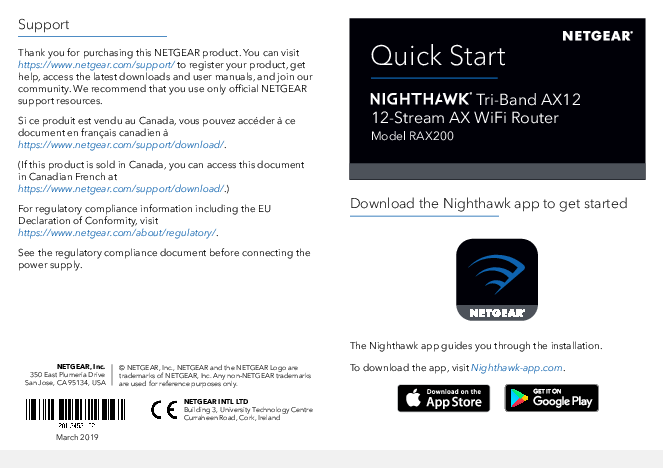
Quick Start
Tri-Band AX12 12-Stream AX WiFi Router
Model RAX200
Download the Nighthawk app to get started

NETGEAR, Inc. 350 East Plumeria Drive San Jose, CA 95134, USA

� NETGEAR, Inc., NETGEAR and the NETGEAR Logo are trademarks of NETGEAR, Inc. Any nonNETGEAR trademarks are used for reference purposes only.

NETGEAR INTL LTD Building 3, University Technology Centre Curraheen Road, Cork, Ireland

March 2019

The Nighthawk app guides you through the installation. To download the app, visit Nighthawk-app.com.

Package contents

Rear panel

Router

Ethernet cable

Power adapter (varies by region)

Router WiFi network name and password
A sticker on your router displays the preset WiFi network name, password, and QR code.
Your Preset Wireless Settings WiFi Network Name (SSID): Network Key (Password):
Example
Your PWrieFsi NetetWwNioerrtekwleoNsraksmKSeee(yStt(SiPnIaDgs)s:sword):

23

4

5

67

1

8

1 LED On/Off switch 2 Reset button 3 USB ports 1 and 2 4 Internet port

5 Ethernet ports 1�4 6 Multi-Gig Ethernet port 5 7 Power On/Off button 8 DC power connector

For more information about the hardware features on the rear panel, see the user manual. The user manual is available online at https://www.netgear.com/support/download/.

Do more with the Nighthawk app

Now that your Nighthawk WiFi is set up, here are some more things you can do with the app:
View a list of devices that are connected to your network.

Change your WiFi network name and password.

Test your router's Internet connection speeds.