

POM Gear Smart Pods Pro
Premium Wireless Pods
User Manual
Product Overview
All POM Gear products are developed to provide users with Peace Of Mind. POM's mission is to create products that offer simple solutions by combining the latest technology and top-quality materials to exceed expectations. This manual provides instructions for using your new POM Gear Smart Pods Pro.
Compatibility: Works with Siri® and the Google Assistant.
Website: www.pomgear.com
Specifications
- Bluetooth® Version: V5.0
- Operation Range: 33 Ft / 360°
- Frequency Range: 2.4 GHZ
- Earbud Battery: 40 mAh
- Charging Case Battery: 300 mAh
Getting Started: Charging
The Smart Pods Pro can be recharged inside their storage case. Place the pods in the charging case, and they will begin to recharge. The earbuds and case will not charge simultaneously.
To recharge the carrying case, plug the included Micro USB Cable into the Micro USB Port on the back of the unit. The LED indicator light will flash Red while charging and turn solid Red when fully charged.
Getting Started: Bluetooth® Pairing
We recommend fully charging the Smart Pods Pro before first use. Place them in their charging case until the red blinking light on the case goes out.
First-Time Use: Syncing Earbuds
- Remove the Smart Pods Pro from their charging case. They will automatically power on. To manually power them on, press and hold the Multifunction button.
- The LED lights on the Smart Pods Pro will blink Red/Blue, indicating Auto SYNC mode.
- Wait approximately 5-10 seconds for the earbuds to auto-sync. When one of the Smart Pods Pro stops blinking Red/Blue, it indicates that both the Right & Left Smart Pods Pro are synced to each other.
Pairing Earbuds to Your Cell Phone
- Navigate to the Bluetooth® settings on your cell phone.
- Turn Bluetooth® On and select "POM Gear Smart Pods Pro" from the list of available devices. When paired, the LED lights on the Smart Pods Pro will slowly blink Blue.
Auto-Pair Use
Once paired, the Smart Pods Pro should auto-sync to each other and auto-pair to your device whenever removed from their charging case or powered on. If this does not work, ensure Bluetooth® on your device is ON and discoverable. Power the Smart Pods Pro off and then back on again. For further assistance, contact customer support.
Using Your Smart Pods Pro
Powering On/Off
Press and hold the Multifunction button on the Smart Pods Pro to power them on or off.
Music Control
Press the Multifunction button once to Pause/Play music.
Phone Calls
- To accept an incoming call: Press the Multifunction button once.
- To reject a call: Press and hold the Multifunction button.
- To redial the last number: Press the Multifunction button twice.
On phone calls, the earbuds function as both the microphone and the speaker.
Using Google Assistant
If the Google Assistant app is running on your mobile device, double-press the multifunction button to command the Google Assistant. For example, ask "What is the weather?". Response may be slightly delayed due to Bluetooth® connection.
If the Smart Pods Pro do not respond, ensure your device is correctly connected via Bluetooth®. If issues persist, check Google Assistant app settings: Navigate to Settings > Voice > "Ok Google Detection" and follow on-screen prompts to reactivate.
Using Siri®
With your iOS device connected to the Smart Pods Pro, double-press the multifunction button to open Siri® on your device. For example, ask "What day is today?".
If the Smart Pods Pro do not respond, ensure your device is correctly connected via Bluetooth®. If issues persist, go to your iOS device Settings > "Siri & Search" and enable "Listen for Hey Siri®".
Product Components
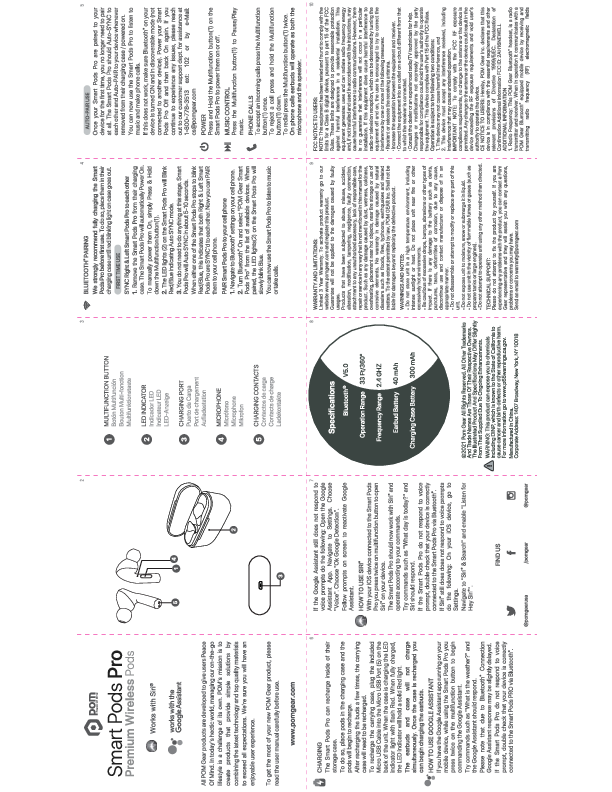
- 1. Multifunction Button: Used for power, music control, calls, and voice assistant activation.
- 2. LED Indicator: Shows charging status and pairing mode.
- 3. Charging Port: Micro USB port for recharging the case.
- 4. Microphone: For phone calls and voice commands.
- 5. Charging Contacts: Connects to the charging case to recharge the earbuds.
Warnings and Safety Information
- Do not store the unit in high temperatures, including intense sunlight or heat. Do not place near fire or excessively hot environments.
- Avoid excessive drops, bumps, abrasions, or other impacts. If the battery shows signs of damage (dents, punctures, tears, corrosion), discontinue use and contact the manufacturer or dispose of appropriately.
- Do not disassemble or attempt to modify or replace any part of this unit.
- Do not use the unit near flammable fumes or gases (e.g., propane tanks, large engines).
- Do not expose the unit to moisture, snow, or submerge it in liquid.
- Do not attempt to operate the unit using any method other than directed.
California Proposition 65 Warning: This product can expose you to chemicals, including DINP, known to the State of California to cause cancer and birth defects or other reproductive harm. For more information, visit www.p65warnings.ca.gov.
Warranty and Limitations
Limited 3-Year Warranty. To activate, register your product on www.pomgear.com. The guarantee does not apply to damages caused by faulty usage, abuse, misuse, accident, alteration, modification, tampering, negligence, faulty connection, attachment to unauthorized accessories, lack of responsible care, or repairs/service not mentioned in this manual. Damages caused by dust, wetness, coldness, overheating, placement near hot objects, fire storage, corrosive elements, or natural disasters (floods, fires, typhoons, earthquakes) are not covered. POM GEAR Inc. is not liable for damages beyond replacing the defective product.
Regulatory Information
FCC Notice to Users
This equipment has been tested and found to comply with the limits for a Class B digital device, pursuant to Part 15 of the FCC Rules. These limits are designed to provide reasonable protection against harmful interference in a residential installation. This equipment generates, uses, and can radiate radio frequency energy and, if not installed and used in accordance with the instructions, may cause harmful interference to radio communications. However, there is no guarantee that interference will not occur in a particular installation. If this equipment causes harmful interference to radio or television reception, which can be determined by turning the equipment off and on, the user is encouraged to try to correct the interference by one or more of the following measures:
- Reorient or relocate the receiving antenna.
- Increase the separation between the equipment and receiver.
- Connect the equipment into an outlet on a circuit different from that to which the receiver is connected.
- Consult the dealer or an experienced radio/TV technician for help.
Changes or modifications not expressly approved by the party responsible for compliance could void the user's authority to operate the equipment. This device complies with Part 15 of the FCC Rules. Operation is subject to the following two conditions: (1) this device may not cause harmful interference, and (2) this device must accept any interference received, including interference that may cause undesired operation.
IMPORTANT NOTE: To comply with FCC RF exposure compliance requirements, no changes to the antenna or device are permitted. Any change could result in the device exceeding RF exposure requirements and voiding user authority to operate the device.
FCC ID: 2AH16NEWELL
CE Notice to Users
POM Gear Inc. declares that this device is in compliance with the essential requirements and other relevant provisions of Directive 1999/5/EC.
Technical Support
Please do not attempt to fix the product yourself. For any problems, contact a POM Gear representative. Send an email to warranty@pomgear.com or call 1-800-778-3513 ext: 102. For customer support issues, email cs@pomgear.com.
