

CooSpo BC26 User Manual
Introduction to the CooSpo BC26
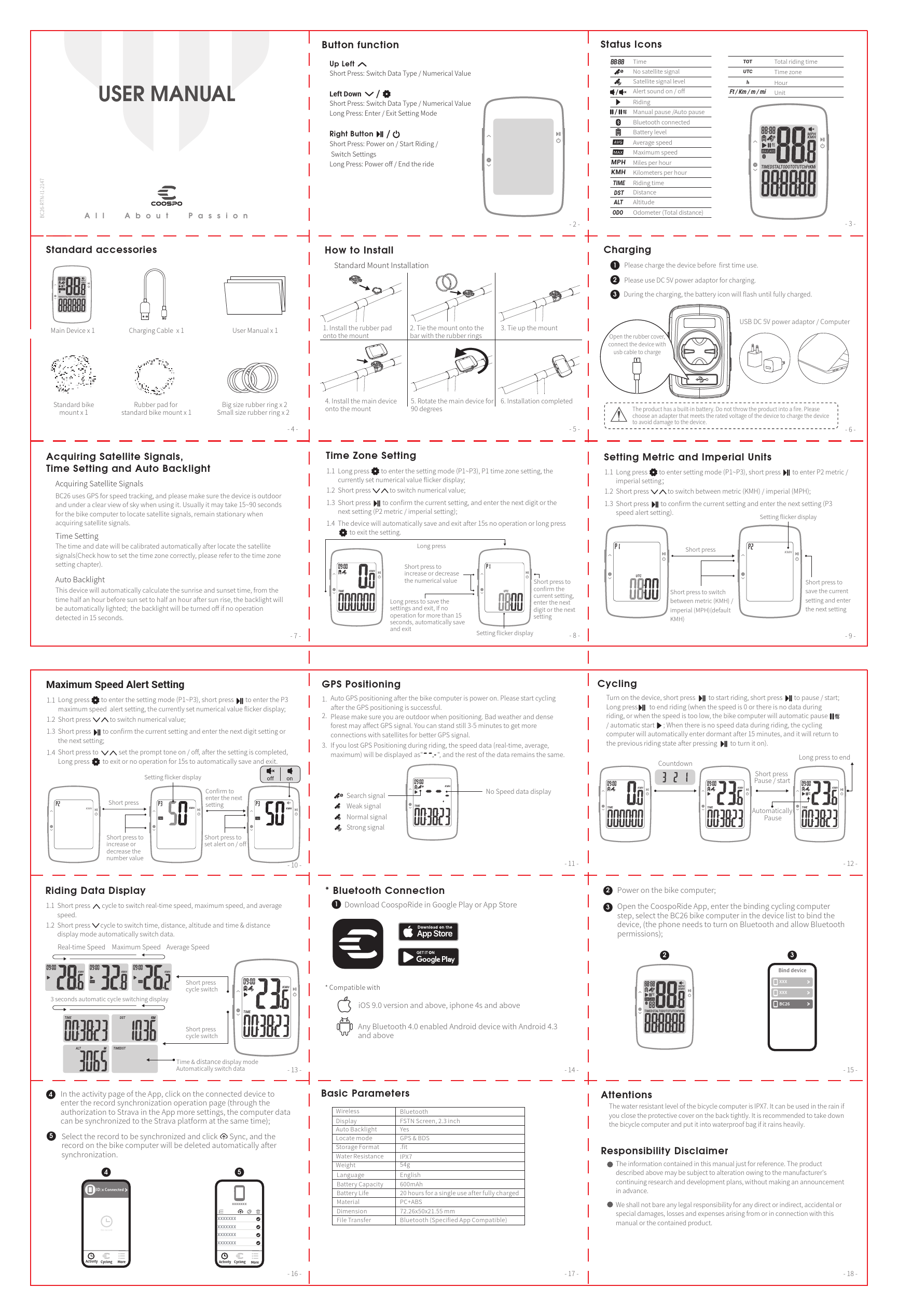
The CooSpo BC26 is a wireless GPS cycling computer designed to enhance the cycling experience by providing essential data and features for riders. This user manual guides users through the setup, operation, and maintenance of the device.
Key Features and Functions
This cycling computer offers a range of functionalities to support your rides:
- GPS Positioning: Utilizes GPS for accurate speed tracking and location data.
- Data Display: Shows real-time speed, maximum speed, average speed, distance, time, and altitude.
- Auto Backlight: Automatically adjusts backlight for visibility in varying light conditions.
- Metric/Imperial Units: Supports both KMH and MPH settings.
- Speed Alerts: Provides optional speed alerts and prompt tones.
- Bluetooth Connectivity: Connects wirelessly to the CoospoRide app for data synchronization and analysis.
- Water Resistance: Features an IPX7 water-resistant rating for use in various weather conditions.
Getting Started
To begin using the CooSpo BC26:
- Installation: Mount the device securely onto your bicycle handlebars using the provided accessories.
- Charging: Charge the device fully before its first use via USB.
- Setup: Configure essential settings such as time zone and preferred units (metric or imperial).
App Connectivity
Download the CoospoRide application from Google Play or the App Store to pair your BC26 device. This allows for seamless data synchronization, including uploading ride data to platforms like Strava.
Important Information
Please refer to the manual for detailed instructions on specific functions, troubleshooting, and important disclaimers regarding product usage and manufacturer responsibility.
Models: BC26, Bike Computer Wireless GPS, BC26 Bike Computer Wireless GPS, Computer Wireless GPS, Wireless GPS, GPS