

Murata Wi-Fi/BT Solution for i.MX User Manual (Linux) 5.4
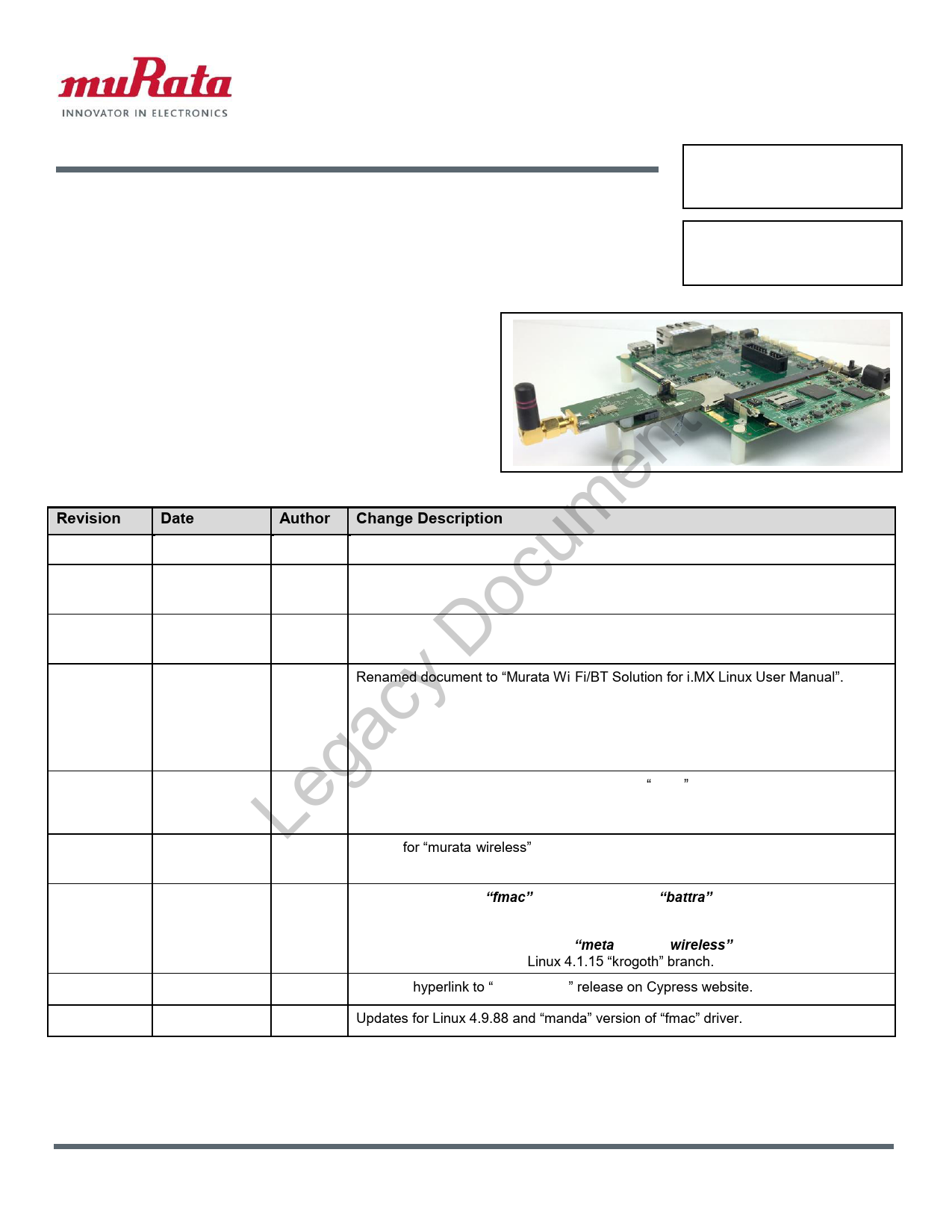
Murata Wi-Fi/BT Solution for i.MX User Manual (Linux) 5.4
Murata, NXP, Cypress, i.MX 6UL EVK, i.MX 6ULL EVK, i.MX 6ULZ EVK, i.MX 6SL EVK, i.MX 6SLL EVK, i.MX 6SoloX SDB, i.MX 6SX SDB, i.MX 6Quad SDB, i.MX 6QuadPlus SDB, i.MX 6DualLite SDB, i.MX 6Q SDB, i.MX 6QP SDB, i.MX 6DL SDB, i.MX Linux
Murata;, NXP;, Cypress;, i.MX, 6UL, EVK;, i.MX, 6ULL, EVK;, i.MX, 6ULZ, EVK;, i.MX, 6SL, EVK;, i.MX, 6SLL, EVK;, i.MX, 6SoloX, SDB;, i.MX, 6SX, SDB;, i.MX, 6Quad, SDB;, i.MX, 6QuadPlus, SDB;, i.MX, 6DualLite, SDB;, i.MX, 6Q, SDB;, i.MX, 6QP, SDB;, i.MX, 6DL, SDB;, i.MX, Linux
Murata Wi-Fi/BT Solution for i.MX User Manual (Linux) 5
boards. Please refer to the Murata Quick Start Guide (Linux) and Murata Hardware User Manual for more details. No V1/V2 adapter kit is required for the i.MX 7Dual SDB3. This platform has the Murata ZP module soldered do…
S Kerr. Renamed document to "Murata Wi-Fi/BT Solution for i.MX Linux User Manual". Incorporated changes for NXP Linux 4.1.15 2.0.0 GA ...
Murata Wi-Fi/BT Solution for i.MX Linux User Manual 5.4 6/19/19 Page 1 of 85 www.murata.com E2B-93-1092 Revision History Revision Date Author Change Description 1.0 Sept 7, 2015 S Kerr Initial Release 2.0 Nov 7, 2015 S…
Full PDF Document

If the inline viewer fails, it will open the original document in compatibility mode automatically. You can also open the file directly.
Extracted Text
E2B-93-1092
Murata Wi-Fi/BT Solution for i.MX Linux User Manual

Revision History ent Revision m 1.0 u 2.0 oc 3.0 D 4.0 Legacy 5.0

Date Sept 7, 2015 Nov 7, 2015 March 1, 2016 Feb 14, 2017
Dec 23, 2017

Author S Kerr S Kerr

Change Description
Initial Release
Changes for L3.14.38_6UL GA BSP Release and support modified Murata Wi-Fi/BT EVK Definition.

S Kerr

Incorporated changes for NXP Linux 3.14.52 GA BSP Release. Added support for hostapd and Broadcom firmware package.

S Kerr

Renamed document to "Murata Wi-Fi/BT Solution for i.MX Linux User Manual". Incorporated changes for NXP Linux 4.1.15_2.0.0 GA BSP release. Modified NXP Linux 3.14.52_1.1.0 GA BSP release to build in bcmdhd WLAN driver, thereby matching 4.1.15_2.0.0 configuration. Added instructions for Murata source patch release which addresses errata/features on both releases. Added support for new i.MX 7Dual SDB, i.MX 6ULL EVK and Murata Type 1CK.

S Kerr

Complete revision for integrating new Cypress "fmac" driver release. Added support

J Kareem for SDIO/UART 1.8V VIO signaling on i.MX6UL(L) and i.MX6SX platforms. Rollout of

Murata customized Yocto build for i.MX BSP L4.9.11_1.0.0 release.

5.1

Jan 12, 2018

S Kerr

Revise for "murata-wireless" Github and revised branches/releases. Add support for

J Kareem i.MX 7ULP EVK.

5.2

March 23, 2018 S Kerr

Add support for new "fmac" release, codename "battra". Support latest i.MX

J Kareem hardware: NXP i.MX8MQuad EVK. Provide quick/easy steps for generating Linux

image with automated scripting. Update build steps with Code Aurora repository

paths. Provide explanation of how "meta-murata-wireless" customized layer works.

Add support for i.MX Yocto Linux 4.1.15 "krogoth" branch.

5.3

April 24, 2018 S Kerr

Updated hyperlink to "fmac battra" release on Cypress website.

5.4

June 19, 2019 S Kerr

Updates for Linux 4.9.88 and "manda" version of "fmac" driver.

�2019 by Murata Manufacturing Co., Ltd. Murata Wi-Fi/BT Solution for i.MX Linux User Manual 5.4

6/19/19

Page 1 of 85

www.murata.com

Legacy Document This page intentionally left blank.

�2019 Murata Manufacturing Co., Ltd. Murata Wi-Fi/BT Solution for i.MX Linux User Manual 5.4

6/19/19

Page 2 of 85

www.murata.com

TABLE OF CONTENTS

1 INTRODUCTION ............................................................................................................................................................ 5
1.1 Acronyms ................................................................................................................................................................... 7 1.2 References ................................................................................................................................................................. 8
1.2.1 Murata Hardware User Manual ......................................................................................................................... 8 1.2.2 Murata Quick Start Guide (Linux) ...................................................................................................................... 8 1.2.3 NXP Reference Documentation ........................................................................................................................ 8
2 MURATA'S CUSTOMIZED I.MX YOCTO IMAGE EXPLAINED................................................................................... 9
2.1 Overview .................................................................................................................................................................... 9 2.2 Murata Github: Cornerstone of "fmac" Implementation ........................................................................................... 11 2.3 "fmac" Backport Implementation .............................................................................................................................. 15 2.4 "meta-murata-wireless": Pulling it All Together ........................................................................................................ 16
2.4.1 What does "meta-murata-wireless" do exactly? .............................................................................................. 16 2.4.2 The Contents of "meta-murata-wireless"......................................................................................................... 16 2.4.3 Dynamic "fmac" Backport Steps Explained ..................................................................................................... 19
t 2.4.4 Staging Directories: Important Note! .......................................................................................................... 21
3 I.MX HW/SW CONFIGURATIONS SUPPORTED WITH WHAT MURATA MODULES?........................................... 22
n 4 FINALLY... BUILDING I.MX YOCTO LINUX! ............................................................................................................. 24 e 4.1 i.MX Yocto Build: Overview...................................................................................................................................... 24
4.2 i.MX Yocto Build: The Fast Track (In a Hurry or Linux Beginner?) .......................................................................... 24
m 4.2.1 Install Ubuntu................................................................................................................................................... 24 u 4.2.2 Download Murata's Script Files ....................................................................................................................... 24
4.2.3 Configure Ubuntu for i.MX Yocto Build ........................................................................................................... 25
c 4.2.4 Murata's i.MX Yocto Build Script ..................................................................................................................... 26 o 4.3 i.MX Yocto Build: Manual Steps (Advanced Users)................................................................................................. 28
4.3.1 Host PC Preparation........................................................................................................................................ 28
D 4.3.2 Yocto Project Setup......................................................................................................................................... 28
4.3.3 Image Build Configuration with i.MX Target Selection .................................................................................... 29 4.3.4 Fetch "meta-murata-wireless" from Github and copy into "Sources" .............................................................. 31
y 4.3.5 Install Necessary "hooks" for "meta-murata-wireless"..................................................................................... 32 c 4.3.6 Configure Either Default 3.3V or 1.8V VIO Signaling...................................................................................... 33
4.3.7 Build Murata-Customized Yocto Image for Specific i.MX Target .................................................................... 34
a 4.4 i.MX Yocto Build: Manual Steps "Take 2" (Quick Recap) ........................................................................................ 35 g 4.4.1 Initialize Linux i.MX Yocto Default Build Environment..................................................................................... 35
4.4.2 Configuring the i.MX Target ............................................................................................................................ 35
e 4.4.3 Add "meta-murata-wireless" Layer and Kick off the Build ............................................................................... 36 L 4.5 i.MX Yocto Build: Manual Steps "Take 2" for "4.9.123" with FMAC "Manda" .......................................................... 37
4.5.1 For i.MX8 platform ........................................................................................................................................... 37 4.5.2 For i.MX6/7 platforms ...................................................................................................................................... 38 4.6 i.MX Yocto Build: Manual Steps "Take 2" for "4.9.88" with FMAC "Manda" ............................................................ 39 4.6.1 For i.MX8 platform ........................................................................................................................................... 39 4.6.2 For i.MX6/7 platforms ...................................................................................................................................... 40
5 FLASHING SD CARD.................................................................................................................................................. 41
5.1 WLAN Firmware, CLM Blob, and NVRAM Considerations...................................................................................... 42 5.1.1 Switching/Updating WLAN firmware version................................................................................................... 42 5.1.2 Master Backup of Murata NVRAM files ........................................................................................................... 42
6 SPECIFIC WLAN DRIVER CONFIGURATIONS ........................................................................................................ 43
6.1 Handling Edge versus Level Sensitive Interrupts (OOB IRQ only) .......................................................................... 43 6.2 UHS SDIO 3.0 Support ............................................................................................................................................ 44 6.3 Type 1LV (CYW43012) 1.8V VIO Configuration...................................................................................................... 44

�2019 Murata Manufacturing Co., Ltd. Murata Wi-Fi/BT Solution for i.MX Linux User Manual 5.4

6/19/19

Page 3 of 85

www.murata.com

7 BLUETOOTH PATCHFILE CONSIDERATIONS ........................................................................................................ 45 8 USING "FMAC" DRIVER AND "WL" TOOL .............................................................................................................. 45
8.1 How-To on "fmac" driver .......................................................................................................................................... 45 8.2 Tool for RF Testing (both mfgtest and regulatory) ................................................................................................... 46 9 BUILDING LINUX KERNEL WITH FMAC STANDALONE......................................................................................... 46 10 APPLYING CYPRESS PATCHES TO HOSTAPD AND WPA SUPPLICANT ........................................................... 48 11 BUILDING HOSTAPD THROUGH YOCTO ................................................................................................................ 50 12 BUILDING WPA SUPPLICANT THROUGH YOCTO ................................................................................................. 51 13 TECHNICAL SUPPORT RESOURCES ...................................................................................................................... 52 APPENDIX A: USEFUL "GIT" COMMANDS ...................................................................................................................... 53 APPENDIX B: USEFUL "BITBAKE" COMMANDS ............................................................................................................ 55 APPENDIX C: EXAMPLE OF RUNNING HOST SETUP FOR YOCTO SCRIPT................................................................ 56
APPENDIX D: EXAMPLE OF RUNNING MURATA WIRELESS BUILD ............................................................................ 59
ent LIST OF TABLES m Table 1: Acronyms used in Linux User Manual ...................................................................................................................... 7 u Table 2: NXP Reference Documentation Listing .................................................................................................................... 9
Table 3: NXP i.MX EVK / Yocto (MACHINE) target / Kernel Version Matrix ........................................................................ 10
c Table 4: Murata Github Repositories used in "fmac" build.................................................................................................... 12 o Table 5: Important folders/files in "meta-murata-wireless".................................................................................................... 18
Table 6: NXP i.MX EVK / Murata Module Matrix .................................................................................................................. 23 Table 7: i.MX8 Targets supported on Linux 4.9.88_2.0.0 GA & 4.9.51 Beta Releases ....................................................... 29
D Table 8: i.MX6/7 Targets supported on Linux 4.9.88_2.0.0 & 4.9.11_1.0.0 GA Releases ................................................... 29
Table 9: i.MX6/7 Targets supported on Linux 4.1.15_2.0.0 GA Release ............................................................................. 30
y Table 10: List of Support Resources..................................................................................................................................... 52 c Table 11: Useful "git" commands .......................................................................................................................................... 53
Table 12: Useful "bitbake" commands .................................................................................................................................. 55
ga LIST OF FIGURES e Figure 1: Murata i.MX6/7 Interconnect Kit Interfaces ............................................................................................................. 6 L Figure 2: i.MX 7Dual SDB Block Diagram .............................................................................................................................. 6
Figure 3: i.MX 8MQuad EVK Wi-Fi/BT Interconnect Block Diagram ...................................................................................... 7 Figure 4: USB to SD Card Reader/Writer Adapter................................................................................................................ 41

�2019 Murata Manufacturing Co., Ltd. Murata Wi-Fi/BT Solution for i.MX Linux User Manual 5.4

6/19/19

Page 4 of 85

www.murata.com

1 Introduction
Murata has partnered with Cypress Semiconductor Corporation to offer a complete Wi-Fi and Bluetooth connectivity environment for building world class Internet-connected products. The Murata Connectivity Modules enable developers to minimize the development time and effort for connectivity function implementation. This Linux User Manual provides details on building all necessary software for enabling Murata Wi-Fi/Bluetooth on reference NXP i.MX platforms. The latest release supports NXP i.MX Linux 4.1.15, and 4.9.11 GA BSP's for i.MX6/7, Linux L4.9.51 for i.MX 8MQuad Beta and Linux 4.9.88 for i.MX6/7/8. This manual details Murata's customized wireless Yocto layer which allows the user to easily build their desired i.MX image while pulling in the FMAC driver, configured/patched WPA supplicant & Hostapd, firmware files, NVRAM files, and Bluetooth patch files.
Note the current NXP i.MX Platforms supported include:
- i.MX 8MQuad Evaluation Kit
t - i.MX 7ULP Evaluation Kit1 n - i.MX 7Dual SABRE Development Board e - i.MX 6QuadPlus SABRE Development Board
- i.MX 6Quad/DualLite SABRE Development Board
m - i.MX 6SoloX SABRE Development Board cu - i.MX 6SoloLite Evaluation Kit o - i.MX 6UltraLite (or i.MX 6UL) Evaluation Kit
- i.MX 6ULL Evaluation Kit
y D A high-level connection Diagram for the Murata Interconnect kit (i.MX6 platforms and i.MX7ULP EVK) c is provided in Figure 1. All the Murata Wi-Fi/BT modules enabled by this release are shown2. The a Murata Wi-Fi/BT kit for i.MX6/7 enables this configuration by providing two custom-built Adapter
boards. Please refer to the Murata Quick Start Guide (Linux) and Murata Hardware User Manual for
g more details. Le No V1/V2 adapter kit is required for the i.MX 7Dual SDB3. This platform has the Murata ZP module
soldered down on the board. Both Wi-Fi and Bluetooth interfaces are supported on this platform. Unlike the 3.3V VIO InterConnect limitation on some i.MX6 platforms, there is no inherent "legacy" restriction on the i.MX7D platform which limits SDIO throughput. The Murata ZP module supports a very high throughput (SDIO 3.0 mode � UHS) over SDIO bus resulting in a much better performance.
Please reference the NXP i.MX7 schematics for specifics: download package here4.

1 With difficult rework, the V1 adapter can be used to interconnect with the i.MX 7ULP EVK. 2 Some of the modules shown are only available directly from Murata. 3 Although an external module can be connected to the i.MX7D SDB, Murata does not recommend this given extensive rework required. 4 For Wi-Fi/BT schematics on i.MX 7Dual SDB, refer to page 13 of "sch-28590_i.mx7d_saber_rev_2.pdf" document.

�2019 Murata Manufacturing Co., Ltd. Murata Wi-Fi/BT Solution for i.MX Linux User Manual 5.4

6/19/19

Page 5 of 85

www.murata.com

Figure 2 shows a simplified block diagram for the i.MX 7Dual SDB. NOTE: only the i.MX6UL(L). i.MX6SX and i.MX7ULP EVK's support 1.8V VIO signaling with specific modifications to the V1/V2 InterConnect adapter. For more details on Wi-Fi throughput dependency on SDIO bus speed and hardware modifications necessary for 1.8V VIO signaling, please refer to the Murata Hardware User Manual.

Figure 1: Murata i.MX6/7 Interconnect Kit Interfaces

NXP i.MX6/7 Platform

Murata

Murata i.MX InterConnect

WLAN SDIO

Wi-Fi/BT EVB:

BLUETOOTH
nt HCI H4-UART e CTRL Signals um WL_REG_ON
BT_REG_ON
c WL_HOST_WAKE

1BB/ 1MW/1HK/1LC/
1CK/ZP/ 1LV/ 1BW/
1DX/1FX/1LN/ SN8000

cy Do Figure 2: i.MX 7Dual SDB Block Diagram Lega WLAN SDIO

BLUETOOTH

NXP i.MX 7Dual
Processor

HCI H4-UART

Murata Type ZP Module

CTRL Signals

WL_REG_ON BT_REG_ON WL_HOST_WAKE

�2019 Murata Manufacturing Co., Ltd. Murata Wi-Fi/BT Solution for i.MX Linux User Manual 5.4

6/19/19

Page 6 of 85

www.murata.com

Figure 3 shows a simplified block diagram for the i.MX 8MQuad EVK Wi-Fi/BT interconnect. Currently both (CYW4356) modules supported are 2x2 802.11ac MIMO with PCIe interface. NOTE: some minor rework must be done to fully enable The M.2 Wi-Fi/BT option on the i.MX8MQuad EVK. However, the basic WLAN PCIe and Bluetooth UART interfaces are supported with no hardware modifications.
Figure 3: i.MX 8MQuad EVK Wi-Fi/BT Interconnect Block Diagram

Murata M.2-to-EVB Adapter

WLAN PCIe

NXP i.MX 8MQuad Processor
1.1 Acronyms
Acronym API DTB EVB EVK FW GPIO PC PCIe SW UART USB

BLUETOOTH
t UART, PCM en CTRL Signals m WL_REG_ON u WL_HOST_WAKE c BT_REG_ON
BT_DEV_WAKE
o BT_HOST_WAKE

Murata Type 1CX, 1DK Modules

gacy D Table 1: Acronyms used in Linux User Manual Le Meaning

Application Programming Interface Device Tree Blob: Kernel reads in at boot time for configuration. Evaluation Board (Murata module on custom PCB) Evaluation Kit (includes EVB + Adapter) Firmware General Purpose Input/Output Personal Computer PCI Express Software Universal Asynchronous Receiver/Transmitter Universal Serial Bus

�2019 Murata Manufacturing Co., Ltd. Murata Wi-Fi/BT Solution for i.MX Linux User Manual 5.4

6/19/19

Page 7 of 85

www.murata.com

1.2 References
1.2.1 Murata Hardware User Manual
Murata Wi-Fi/BT Solution for i.MX Hardware User Manual 1.0, "Murata Wi-Fi & BT Solution for i.MX Hardware User Manual 1.0.pdf".
This manual provides HW specifics for the various i.MX platforms supported:
� Murata V1/V2 i.MX InterConnect Adapters. � Signals required to interface Murata Wi-Fi/BT module solution. � i.MX6UL(L), and i.MX6SX 1.8V VIO customizations. � i.MX7D SDB Wi-Fi/BT interconnect to onboard Type ZP module.
The Murata Hardware User Manual is available here: https://wireless.murata.com/imx.
nt 1.2.2 Murata Quick Start Guide (Linux) e Murata Wi-Fi/BT Solution for i.MX Quick Start Guide (Linux) 5.0, "Murata Wi-Fi & BT Solution for i.MX
Quick Start Guide (Linux) 5.0.pdf".
um This Quick Start Guide details steps to get Murata Wi-Fi/BT solution up and running quickly on i.MX c platforms. o The Murata Quick Start Guide is available here: https://wireless.murata.com/imx. D 1.2.3 NXP Reference Documentation cy Some of the key NXP reference documentation for Linux includes the following:
ga � Yocto Project User's Guide: This document describes how to build an image for a NXP i.MX platform by using a Yocto Project build environment. It describes the NXP release layer and Le the NXP-specific usage. � i.MX Linux User's Guide: This document explains how to build and install the NXP Linux O/S
BSP on the i.MX platform. It also covers special NXP features and how to use them.
� i.MX Linux Reference Manual: This document supports porting the i.MX Linux O/S BSP to customer-specific products. Intended audience should have a working knowledge of Linux O/S kernel internals, driver models and i.MX processors.
� i.MX Linux Release Notes: This document contains important information about the package contents, supported features, known issues, and limitations in the release.

�2019 Murata Manufacturing Co., Ltd. Murata Wi-Fi/BT Solution for i.MX Linux User Manual 5.4

6/19/19

Page 8 of 85

www.murata.com

Table 2 provides the following information on all releases supported:
� document filename � document number � document release revision � date of release � hyperlink to NXP document download

Table 2: NXP Reference Documentation Listing

Document Filename 4.9.88_2.0.0

4.9.51 MQ Beta 4.9.11_1.0.0 4.1.15_2.0.0

/ Number

i.MX_Yocto_Project_

User's_Guide.pdf /

IMXLXYOCTOUG
i.MX_Linux_User's_G
t uide.pdf /
IMXLUG
n i.MX_Linux_Referenc e e_Manual.pdf /
IMXLXRM
m i.MX_Linux_Release_ u Notes.pdf / c IMXLXRN

Rev. L4.9.88_2.0.0ga, 05/2018

Rev. L4.9.51_imx8mqbeta; 12/2017

Rev. L4.9.11_1.0.0ga+mx8-alpha; 09/2017

Rev. L4.1.15_2.0.0ga; 102016

Do 2 Murata's Customized i.MX Yocto Image Explained

cy 2.1 Overview a The default NXP i.MX Linux 4.1.15, and 4.9.11 GA BSP's for i.MX6/7, Linux L4.9.51 for i.MX 8MQuad g Beta and Linux 4.9.88 for i.MX6/7/8 integrate the legacy Cypress WLAN "bcmdhd" driver and have e limited Bluetooth support5. The new implementation of Cypress' WLAN driver is referred to as L "fmac". Please note that there is a distinct difference between the "brcmfmac" open source

community drivers integrated into kernel.org Linux releases. The "fmac" driver (as customized by

Murata) is an official open source release from Cypress that is tested and verified. The "fmac"

release leverages the Linux Backports implementation to integrate the WLAN driver into the desired

Linux kernel version.

Murata's customized Yocto layer "meta-murata-wireless" seamlessly disables the existing "bcmdhd" WLAN driver and pulls in the "fmac" (officially supported) driver implementation. More specifically it provides the following enhancements/customizations:

5 Default BlueZ stack and Bluetooth driver is operational with Murata modules but NXP default image does not include all the necessary or correct Bluetooth patchfiles.

�2019 Murata Manufacturing Co., Ltd. Murata Wi-Fi/BT Solution for i.MX Linux User Manual 5.4

6/19/19

Page 9 of 85

www.murata.com

� Pull Cypress "fmac" driver and run backports tool during Yocto build to generate necessary

driver modules.

� Additional/necessary patches to Cypress "fmac" driver for i.MX implementation.

� i.MX Linux kernel customizations to support "fmac" driver with OOB IRQ interrupts.

� Provide ultra-high speed (UHS) SDIO operation for WLAN interface to i.MX6UL(L), i.MX6SX,

and i.MX7ULP platforms with 1.8V VIO configuration.

� WLAN production firmware files. For manufacturing test firmware (necessary for RF/regulatory

testing), please contact Murata directly.

� Murata NVRAM files for correctly configuring WLAN RF.

� Example Bluetooth patchfiles.

� WL tool binary necessary for interoperability and RF testing.

� Hostapd (Version 2.6) configuration with specific patch release.

� Hostap-conf enablement.

� Hostap-utils enablement.

� WPA-supplicant (Version 2.6) configuration with specific patch release. � Wi-Fi Direct (P2P) enablement.
nt There are four versions of "fmac" currently supported: "v4.12 orga", "v4.14 battra", "v4.14
mothra" and "v4.14 manda". "orga", "battra", "mothra" and "manda" are the Cypress
e codenames denoting "fmac" release version. "v4.12" and "v4.14" are the latest kernel versions
supported by either release (either "fmac" release can be backported to kernel version 3.0). To
m abbreviate references to specific versions of "fmac", Murata uses *just* the Cypress codename � i.e. u "orga" / "battra" / "mothra" / "manda". oc NOTE: It is strongly recommended to use the latest "fmac" release version: currently this is
"manda".
D Murata's customized Yocto layer supports the following NXP i.MX EVK's as outlined in Table 3. y "MACHINE=target" is a direct reference to Yocto build6. The "target" string is the keyword used to c select hardware configuration for the build. With the newer EVK's (i.MX 8MQuad and 7ULP) only
certain kernel versions are supported.

ga Table 3: NXP i.MX EVK / Yocto (MACHINE) target / Kernel Version Matrix

Le i.MX EVK

MACHINE=target

Kernel Versions Supported

Notes

i.MX 8MQuad EVK imx8mqevk

4.9.88, 4.9.51 Beta

EVB via M.2 interconnect.

i.MX 7ULP EVK

imx7ulpevk

4.9.88, 4.9.11

V1 Interconnect. Rework required.

i.MX 7Dual SDB

imx7dsabresd

4.9.88, 4.9.11, 4.1.15

Onboard ZP is supported.

i.MX 6QuadPlus

imx6qpsabresd 4.9.88, 4.9.11, 4.1.15

V2 Interconnect.

SDB

i.MX 6Quad SDB

imx6qsabresd

4.9.88, 4.9.11, 4.1.15

V2 Interconnect.

i.MX 6DualLite SDB imx6dlsabresd 4.9.88, 4.9.11, 4.1.15

V2 Interconnect.

i.MX 6SX SDB

imx6sxsabresd 4.9.88, 4.9.11, 4.1.15

V1 Interconnect.

6 Refer to Yocto Project User's Guide for your kernel version. Table 2 provides documentation package download links.

�2019 Murata Manufacturing Co., Ltd. Murata Wi-Fi/BT Solution for i.MX Linux User Manual 5.4

6/19/19

Page 10 of 85

www.murata.com

i.MX EVK
i.MX 6SL EVK i.MX 6UL EVK (14x14, 9x9) i.MX 6ULL EVK (14x14) i.MX 6ULL EVK (9x9)

MACHINE=target
imx6slevk imx6ulevk

Kernel Versions Supported
4.9.88, 4.9.11, 4.1.15 4.9.88, 4.9.11, 4.1.15

imx6ull14x14evk 4.9.88, 4.9.11, 4.1.15

imx6ull9x9evk

4.9.88, 4.9.11, 4.1.15

Notes
V1 Interconnect. V2 Interconnect. Builds image for i.MX6ULL EVK as well. V2 Interconnect.
V2 Interconnect.

2.2 Murata Github: Cornerstone of "fmac" Implementation

"The cornerstone is the first stone set in the construction of a masonry foundation, important since all other stones will be set in reference to this stone, thus determining the position of the entire structure."
nt Murata Github is the cornerstone of the customized "fmac" i.MX Yocto implementation. Refer to
Table 4 for a complete listing of the Murata repositories used to build the i.MX Yocto image. For each
e repository, all available branch and release/tag names are included. All repositories are hosted at:
https://github.com/murata-wireless. Depending on the repository, the branch naming convention vary
m as follows: cu � "fmac" version ("manda" / "mothra" / "battra" / "orga" / /). It is strongly recommended to
use "manda" (latest release).
o � Linux kernel (equivalent to Yocto codename. i.e. "rocko", "morty", "krogoth", "jethro") and D "fmac" versions.
� i.MX architecture (i.MX8 versus i.MX6/7), Linux kernel, and "fmac" versions.
cy The release names follow the branch-naming convention. When deciding on using a branch versus
release/tag, the user will want to consider the following points:
ga � Release/tag is strongly recommended for end users who want a stable/tested version of the e customized "fmac" release. Murata only "tags" a branch after having run through a testing L cycle on the various i.MX/module configurations.
� If the user *just* needs to build a reference SD card image, then it is strongly recommended to use a release/tag.
� Branches are recommended for users who need the latest updates. Users can examine the latest git commits on Github for any given repository. The most up-to-date branch by default is "master". Note that Murata does limited testing on updates (new git commits) to a given branch. If the user runs into any unexpected difficulty, please report the errata back to Murata by emailing wirelessFAQ@murata.com with "Github" in the subject line.
� The "master" branch in "cyw-fmac" repository corresponds to the latest "fmac" release � in this case "battra". If the user is checking for latest patches to "fmac" driver, then it is recommended to check "drivers/net/wireless/broadcom/brcm80211" folder in https://github.com/murata-wireless/cyw-fmac.

�2019 Murata Manufacturing Co., Ltd. Murata Wi-Fi/BT Solution for i.MX Linux User Manual 5.4

6/19/19

Page 11 of 85

www.murata.com

Table 4: Murata Github Repositories used in "fmac" build

Murata Github Repository Name

Branch Names

Current Release / Tag Names

Contents

"meta-murata-wireless"
"cyw-fmac" "cyw-fmac-fw" "cyw-fmac-nvram"

"master" "imx-rocko-manda" "imx-rocko-mothra" "imx8-morty-battra" "imx8-morty-orga" "imx-morty-manda" "imx-morty-mothra" "imx-morty-battra"
"imx-morty-orga" "imx-krogoth-manda" "imx-krogoth-mothra" "imx-krogoth-battra"
"imx-krogoth-orga"
t Github Listing men "master" u "imx-rocko-manda"
"imx-rocko-mothra"
c "imx8-morty-battra" o "imx8-morty-orga"
"imx-morty-manda"
D "imx-morty-mothra"
"imx-morty-battra" "imx-morty-orga"
y "imx-krogoth-manda" c "imx-krogoth-mothra"
"imx-krogoth-battra"
a "imx-krogoth-orga" Leg Github Listing

"imx-rocko-manda_r1.0" "imx-rocko-mothra_r1.0" "imx8-morty-battra_r1.0" "imx8-morty-orga_r1.1" "imx-morty-manda_r1.0" "imx-morty-mothra_r1.0" "imx-morty-battra_r1.0"
"imx-morty-orga_r1.2" "imx-krogoth-manda_r1.0" "imx-krogoth-mothra_r1.0" "imx-krogoth-battra_r1.0"
"imx-krogoth-orga_r1.1" Github Listing

"meta-murata-wireless" customized recipe layer. It drops into existing Yocto build environment. "master" branch only contains build script utilities � key starting point for user wanting to generate an image.

"fmac" backports tarball extracted from official Cypress release with some modifications. Links to original Cypress releases provided below.

"imx-rocko-manda_r1.0" "imx-rocko-mothra_r1.0" "imx8-morty-battra_r1.0" "imx8-morty-orga_r1.0" "imx-morty-manda_r1.0" "imx-morty-mothra_r1.0" "imx-morty-battra_r1.0"
"imx-morty-orga_r1.0" "imx-krogoth-manda_r1.0" "imx-krogoth-mothra_r1.0" "imx-krogoth-battra_r1.0"
"imx-krogoth-orga_r1.0" Github Listing

"manda": Private: https://community.cypress.com/docs/DOC15932
Public: https://community.cypress.com/docs/DOC15932
"battra": "cypress-backports-v4.14-2018_0321.zip"
"orga": "cypress-fmac-v4.12-2018_0205.zip"

NOTE: "master" branch includes latest fixes on most recent "fmac" release (i.e.

"manda").

"master" "manda" "mothra" "battra"
"orga" Github Listing

WLAN production firmware files (including any applicable "CLM blob" files) for following modules: SN8000, 1FX, 1DX/1LN, 1BW, 1LV, ZP/1CK, 1MW/1LC/1HK, 1BB, and 1CX/1DK.

"master" "manda" "mothra" "battra"
"orga" Github Listing

WLAN NVRAM files (customized by Murata with Cypress guidance) for following modules: SN8000, 1FX, 1DX/1LN, 1BW, 1LV, ZP/1CK, 1MW/1LC/1HK, 1BB, and 1CX/1DK.

�2019 Murata Manufacturing Co., Ltd. Murata Wi-Fi/BT Solution for i.MX Linux User Manual 5.4

6/19/19

Page 12 of 85

www.murata.com

Murata Github Repository Name
"cyw-fmac-utils-imx32"
"cyw-fmac-utils-imx64"
"cyw-bt-patch"

Branch Names

Current Release / Tag Names

Contents

"master"

"manda"

"mothra"

"wl" tool binary pre-compiled for i.MX 32-

"battra"

bit.

"orga"

Github Listing

"master"

"manda"

"mothra"

"wl" tool binary pre-compiled for i.MX 64-

"battra"

bit.

"orga"

Github Listing

"master"

"rocko-manda"

"rocko-mothra" "morty-manda"
t "morty-mothra"
"morty-battra"
n "morty-orga"
"krogoth-manda"
e "krogoth-mothra"
"krogoth-battra"
m "krogoth-orga" Legacy Docu Github Listing

Bluetooth patchfiles (*.hcd) which are used during Linux/BlueZ "hciattach" call to configure BT core. Bluetooth patchfiles for following modules: 1DX/1LN, 1BW, 1LV, ZP/1CK, 1MW/1LC/1HK, 1BB, and 1CX/1DK.

�2019 Murata Manufacturing Co., Ltd. Murata Wi-Fi/BT Solution for i.MX Linux User Manual 5.4

6/19/19

Page 13 of 85

www.murata.com

Digging deeper into the Murata Github repositories:

� "meta-murata-wireless" repository is the "driver's seat". It determines which branches/releases of other branches are pulled into the Yocto build. This repository versions the Murata-customized Yocto layer which is copied into the Yocto "sources" sub-folder. In this Yocto build implementation, each i.MX/kernel/fmac implementation is independent. As such, there can be no single "master" branch that is the latest/greatest for all these unique branches. However, the "master" branch does contain a unique sub-folder "cyw-script-utils" with Linux scripts for assisting the user on automatically building a customized i.MX image.

� "cyw-fmac" contains the backport tool source used to backport the "fmac" driver and the

actual WLAN "fmac" driver code: see sub-folder

"/drivers/net/wireless/broadcom/brcm80211/brcmfmac". The backport tool source is

customized by Cypress to correct various issues/errata. Unlike the "brcmfmac" integrated into

� �

the Linux kernel GIT (https://git.kernel.org/pub/scm/linux/kernel/git/torvalds/linux.git), this
release is configured/tested/released by the Cypress team. The integrated backport tool (refer
t to https://backports.wiki.kernel.org/index.php/Main_Page) allows the "fmac" driver to be
"dropped into" any Linux kernel version from 3.0 to 4.12("orga")/4.14("battra")/4.14("mothra")/
n 4.14("manda"). The "manda" release is a bigger/better version of "orga" as it provides support e for more recent kernel versions (version 4.14 compared to 4.12) and includes
fixes/enhancements not in previous releases. The "meta-murata-wireless" layer uses this
m repository to dynamically backport the "fmac" driver to the various supported i.MX kernel
versions. NOTE: the i.MX kernel does include
u "drivers/net/wireless/broadcom/brcm80211/brcmfmac" � please ignore this driver source c code. It is very important that this internal "brcmfmac" driver is disabled to avoid any conflicts o with the Cypress "fmac" implementation. D Except "master" (and minor revisions to "meta-murata-wireless"), there is a one-to-one
mapping of branches between the "meta-murata-wireless" and "cyw-fmac" repositories. i.e.
y "imx-morty-battra" branch of "meta-murata-wireless" backports/compiles the "fmac" c source code from the same branch in "cyw-fmac". NOTE: "meta-murata-wireless" does not a compile the "fmac" source from "master" branch of "cyw-fmac" repository. This is because
each "meta-murata-wireless" branch is dependent not just on the "fmac" version, but also
g the CPU selected (i.e. "imx8" or "imx") and the Yocto version (i.e. "krogoth" or "morty"). Le The "cyw-bt-patch" repository uses branch names keying off the kernel (Yocto codename)

and "fmac" versions. This is done to better manage kernel-specific issues - particularly

regarding BlueZ stack implementation (default i.MX Yocto stack implementation).

� The remaining repositories ("cyw-fmac-fw", "cyw-fmac-nvram", "cyw-fmac-utils-imx32", and "cyw-fmac-utils-imx32") key off the Cypress "fmac" driver codename � in this case "battra" or "orga". "meta-murata-wireless" only pulls from the Cypress codename branch; it does not pull from "master". If the user needs the (not yet officially released) updates from a given "master" branch, they should download the files from Murata Github manually and install them on their Linux file system (or modify their own customized Yocto build).

� The "cyw-fmac-nvram" repository includes a "murata-master" sub-folder. This sub-folder contains additional NVRAM files (text format) to provide comprehensive support for all Murata modules. This is necessary due to how the WLAN driver ("fmac") is implemented. When the

�2019 Murata Manufacturing Co., Ltd. Murata Wi-Fi/BT Solution for i.MX Linux User Manual 5.4

6/19/19

Page 14 of 85

www.murata.com

"fmac" driver loads, it looks for specific filename formats for both WLAN NVRAM and optional regulatory conformance file (CLM Blob) in the "/lib/firmware/brcm" folder:
o "brcmfmac" + <CYW chipset number> + <"-sdio" or "-pcie"> + ".txt" o "brcmfmac" + <CYW chipset number> + <"-sdio" or "-pcie"> + ".clm_blob"

The "murata-master" sub-folder contains additional NVRAM files which are not the "Cypress Chipset Default" module. The default modules include: ZP(CYW4339), 1MW(CY43455), and 1CX(CYW4356). NOTE: the "fmac" driver requires that if the user needs to use a "non-default" Murata module, then the NVRAM file being copied into the "/lib/firmware/brcm" folder needs to have the module-identifying string removed. For more details refer to the Quick Start Guide.

The "cyw-bt-patch" repository includes a "murata-master" sub-folder. This sub-folder contains additional Bluetooth patchfiles necessary to comprehensively support all Murata modules. This is necessary due to the BT Stack (BlueZ) implementation. To initialize the BT core, the BlueZ function "hciattach" is called and searches a Bluetooth patchfile with format: "BCM" + <CYW chipset number> + <CYW chipset version> + <Addl Chars> + ".hcd"
t NOTE: "BCM" not "CYW" is first character string. The "Addl Chars" field provides flexibility, n thereby allowing Murata to add the module name so Bluetooth patchfiles can be distinguished e between different modules with same Cypress chipset. Unfortunately, this "free field" is not
possible with the "fmac" driver implementation. For more details refer to the Quick Start
m Guide. cu 2.3 "fmac" Backport Implementation o Many users may already be familiar with "brcmfmac" open source driver. This WLAN driver is an D established part of the Linux kernel. If the user clones the Linux kernel repository at
https://git.kernel.org/pub/scm/linux/kernel/git/torvalds/linux.git, the latest "brcmfmac" source code is
y at "/drivers/net/wireless/broadcom/brcm80211/brcmfmac". Both Broadcom and Cypress c contribute to this release, pushing their latest code updates and fixes. By comparison to the true open a source "brcmfmac" driver, the key attributes to consider regarding the Cypress "fmac" release
include:
eg � The driver release follows formal software development practices. It is configured, tested, and L released every three (3) to four (4) months. Currently four releases are available: "manda" ,
"mothra" , "battra" and "orga". It is recommended that the user updates to latest "fmac" driver version.

� Key components such as WLAN firmware binaries, along with WPA supplicant and Hostapd (including patches) are tested and released with the "fmac" driver.

� The "fmac" driver release is integrated with Linux backport tool. For more details on backport refer to https://backports.wiki.kernel.org/index.php/Main_Page. The key attraction here is that the *same* Cypress "fmac" source code release can be evaluated on different kernel versions. Also, the backport tool provides "automatic" porting � something which the "metamurata-wireless" layer invokes dynamically during the Yocto i.MX image build.

� Lastly, Cypress and Murata only support the formal "fmac" driver release.

�2019 Murata Manufacturing Co., Ltd. Murata Wi-Fi/BT Solution for i.MX Linux User Manual 5.4

6/19/19

Page 15 of 85

www.murata.com

2.4 "meta-murata-wireless": Pulling it All Together

2.4.1 What does "meta-murata-wireless" do exactly?
Quick recap on the essential ingredient in arriving at the correctly configured, "fmac"-enabled i.MX image. Murata's customized Yocto layer "meta-murata-wireless" seamlessly disables the existing "bcmdhd" WLAN driver and pulls in the "fmac" driver implementation. More specifically it provides the following enhancements/customizations:
� Pull Cypress "fmac" driver and run backports tool during Yocto build to generate necessary driver modules.
� Additional/necessary patches to Cypress "fmac" driver for i.MX implementation. � i.MX Linux kernel customizations to support "fmac" driver with OOB IRQ interrupts. � Provide ultra-high speed (UHS) SDIO operation for WLAN interface to i.MX6UL(L), i.MX6SX,
and i.MX7ULP platforms with 1.8V VIO configuration.
t � WLAN production firmware files.
� Murata NVRAM files for correctly configuring WLAN RF.
n � Example Bluetooth patchfiles. e � WL tool binary necessary for interoperability and RF testing.
� Hostapd (Version 2.6) configuration with specific patch release.
m � Hostap-conf enablement. u � Hostap-utils enablement. c � WPA-supplicant (Version 2.6) configuration with specific patch release. o � Wi-Fi Direct (P2P) enablement. D For a Yocto primer, please refer to https://wiki.yoctoproject.org/wiki/Main_Page. For specifics on the
i.MX Yocto implementation, refer to Table 2: NXP Reference Documentation Listing to obtain the
y i.MX Yocto Project User's Guide. ac 2.4.2 The Contents of "meta-murata-wireless" g "meta-murata-wireless" is a Murata-customized Yocto layer. Each Yocto layer resides in the e "sources" sub-folder. Murata's implementation follows the Yocto "norm" with some minor exceptions L due to required backport implementation. If you are planning on customizing or porting the Murata
implementation, please read this section carefully. First off, refer to Table 5 for a description of important folders/files in the "meta-murata-wireless" layer. Adding some more detail to the entries in Table 5:
� "cyw-script-utils/latest/": contains "Host_Setup_for_Yocto.sh" and "Murata_Wireless_Yocto_Build.sh" script files. Refer to Section 4.2 for more details on how these script files accelerate the Linux image build process.
� "add-murata-layer-script/add-murata-wirless.sh": this is the "hook". When run, it will insert necessary code into the current i.MX Yocto build to pull in "meta-murata-wireless" layer. This script is run after i.MX Yocto build environment setup and i.MX target/graphics selection. It should only be run once for any given/unique build directory.

�2019 Murata Manufacturing Co., Ltd. Murata Wi-Fi/BT Solution for i.MX Linux User Manual 5.4

6/19/19

Page 16 of 85

www.murata.com

� "conf/layer.conf": setting priorities for layers pulled into the Yocto build is very important. "meta-murata-wireless" is set to the highest priority (9) which guarantees that it's packages will be compiled in if there is any conflict. As a specific example, there is "competition" between two WPA supplicant packages. One is included in "meta-murata-wireless" and the other is "meta" (i.MX default version). "meta" layer priority is 5, so the WPA supplicant package it pulls in will not be part of the image (version 2.5). Rather, the "meta-murata-wireless" WPA supplicant package (version 2.6) with associated/configured/tested patches is compiled into the i.MX image.

� "freescale/imx6ulevk.conf": When compiling i.MX image for i.MX6UL(L) EVK, this file is critical. It pulls in the necessary DTB files to the image � otherwise the resulting SD card image would not have the correct Device Tree Blob (DTB) file to configure the kernel when the platform boots.

� � �

"recipes-connectivity/hostapd": this folder contains the recipe file that configures the Hostapd version (i.e. "hostapd_2.6.bb"). The "hostapd" sub-folder contains Hostapd patches,
t and necessary configuration files. NOTE: every release of "fmac" is configured for a specific
Hostapd. As such, it is extremely important that the user does not deviate from this Hostapd
n configuration. e "recipes-connectivity/backporttool-native/backporttool-native_1.0.bb"; m "recipes-kernel/backporttool-linux/backporttool-linux_1.0.bb": This are the two key u recipes that dynamically backport the "fmac" driver during the Yocto build. For more details,
refer to Section 2.4.3.
oc "recipes-connectivity/murata-binaries/murata-binaries_1.0.bb": this recipe installs the
following files:
D o WLAN firmware/regulatory files from https://github.com/murata-wireless/cyw-fmac-fw
repository into "/lib/firmware/brcm" folder.
y o Bluetooth ("*.hcd") patchfiles from https://github.com/murata-wireless/cyw-bt-patch into c "/etc/firmware" folder. a o WLAN NVRAM files from https://github.com/murata-wireless/cyw-fmac-nvram into g "/lib/firmware/brcm" folder.
o "wl" tool binary from https://github.com/murata-wireless/cyw-fmac-utils-imx32 or
e https://github.com/murata-wireless/cyw-fmac-utils-imx64 into "/usr/sbin" folder. NOTE: L the "wl" tool binary differs for i.MX 32 and 64 bit architecture.

� "recipes-connectivity/wpa-supplicant": this folder contains the recipe file that configures the WPA Supplicant version (i.e. "wpa-supplicant_2.6.bb"). The "wpa-supplicant" sub-folder contains WPA Supplicant patches, and necessary configuration files. NOTE: every release of "fmac" is configured for a specific WPA Supplicant. As such, it is extremely important that the user does not deviate from this WPA Supplicant configuration.

� "recipes-kernel/firmware-imx/firmware-imx_6.0.bbappend": the default i.MX image includes WLAN firmware/NVRAM ("/lib/firmware/bcm"), and Bluetooth patchfiles ("/etc/firmware") that need to be removed. This ensures that the user will use the properly configured files installed by the "murata-binaries_1.0.bb" recipe.

�2019 Murata Manufacturing Co., Ltd. Murata Wi-Fi/BT Solution for i.MX Linux User Manual 5.4

6/19/19

Page 17 of 85

www.murata.com

Table 5: Important folders/files in "meta-murata-wireless"

"meta-murata-wireless" folder/file

Notes

cyw-script-utils/latest/

Murata automated script files for host setup and i.MX Yocto build.

add-murata-layer-script/ add-murata-wireless.sh
conf/layer.conf

Script file which modifies "bblayer.conf" and "local.conf"; thereby enabling the Murata-customized "fmac" implementation for current "target" build.
Enable "meta-murata-wireless" bbappend files and set priority for "meta-muratawireless" layer. NOTE: priority setting is important to avoid conflicts with multiple recipes in Yocto implementation such as WPA supplicant, Hostapd, etc.

freescale/imx6ulevk.conf

Ensures that all necessary i.MX6UL(L) Device Tree Blob (DTB) files are included in boot folder of generated i.MX image. Not applicable to non-i.MX6UL(L) platforms.

recipes-connectivity/ hostapd/
t recipes-connectivity/
backporttool-native/
n backporttool-native_1.0.bb

Configure and patch Hostapd.
Recipe file that uses native make (x86_64-linux) to produce local tools and generate .config file used in backport process.

e recipes-connectivity/

Installs WLAN firmware, Bluetooth patch, WLAN NVRAM, WLAN regulatory

murata-binaries/murata-binaries_1.0.bb (CLM_blob), and "wl" binary files on root file system.

m recipes-connectivity/ u wpa-supplicant/

Configure and patch WPA supplicant.

oc recipes-kernel/
backporttool-linux/
D backporttool-linux_1.0.bb

Recipe that generates WLAN driver files (including cross-compilation step) and copies them to root file system. From "/lib/modules/${KERNEL_VERSION}/kernel/" folder:
- "drivers/net/wireless/broadcom/brcm80211/brcmfmac/brcmfmac.ko" - "drivers/net/wireless/broadcom/brcm80211/brcmutil/brcmutil.ko" - "compat/compat.ko" - "net/wireless/cfg80211.ko"

cy recipes-kernel/ a firmware-imx/ g firmware-imx_6.0.bbappend

Appends to the default i.MX recipe "meta-fsl-bsp-release/imx/meta-bsp/recipesbsp/firmware-imx/firmware-imx_6.0.bb"; taking the following actions:
- delete "/lib/firmware/bcm" folder which contains legacy WLAN firmware and NVRAM files (used to support "bcmdhd").
- delete legacy Bluetooth patchfiles ("*.hcd" files) included in "/etc/firmware/".

Le recipes-kernel/

Appends to the default i.MX recipe "poky/meta/recipes-kernel/linux-firmware/linuxfirmware_git.bb" which pulls various firmware files and writes them to "/etc/firmware"

linux-firmware/

folder. The bbappend file removes the "/lib/firmware/brcm" folder and all its contents.

linux-firmware_git.bbappend

This is important so that only the specific configured contents (NVRAM, firmware, etc.)

for the given "fmac" driver implementation is written to this folder.

recipes-kernel/ linux/ linux-imx_<Kernel Version>.bbappend

Appends to the default i.MX recipe "meta-fsl-bsp-release/imx/meta-bsp/recipeskernel/linux/linux-imx_<Kernel Version>.bb". This file patches the i.MX kernel and makes any necessary changes to the kernel configuration file (".config"). Optional bbappend files are included in this folder for specific VIO or SDIO clock configurations. NOTE: currently i.MX6UL(L), i.MX6SX, and i.MX7ULP have customized bbappend files so user can configure VIO to 1.8V VIO or enable UHS (SDIO 3.0) mode.

recipes-kernel/ linux/ linux-imx-<Kernel Version>/

Kernel patch files. Some of the patches implement specific VIO configuration settings so that the kernel is specific for a given i.MX platform: i.MX6UL(L), i.MX6SX, and i.MX7ULP all connect to Murata Wi-Fi SDIO interface with different MMC slots.

�2019 Murata Manufacturing Co., Ltd. Murata Wi-Fi/BT Solution for i.MX Linux User Manual 5.4

6/19/19

Page 18 of 85

www.murata.com

� "recipes-kernel/linux-firmware/linux-firmware_git.bbappend": removes "lib/firmware/brcm" folder and all its contents. This ensures that a clean install (with correct NVRAM, firmware, and regulatory files) is done by the "murata-binaries_1.0.bb" recipe.
� "recipes-kernel/linux/linux-imx_<Kernel Version>.bbappend": As already described in the table, this file makes additional changes to the i.MX Linux kernel and ".config" file. The default recipe configures all i.MX VIO for 3.3V. However, there are additional recipe files provided to configure specific platforms for 1.8V VIO: i.MX6UL(L), i.MX6SX, and i.MX7ULP. Configuring VIO for 1.8V allows SDIO 3.0 (UHS) modes. Referring to Table 6, you will also see that some module EVK's require 1.8V VIO (Type 1LV).
� "recipes-kernel/linux/linux-imx-<Kernel Version>/": this folder contains all the patches applied to the i.MX kernel. The "linux-imx_<Kernel Version>.bbappend" recipe selects which patches to apply.
t 2.4.3 Dynamic "fmac" Backport Steps Explained en This section explains the most difficult implementation piece of "meta-murata-wireless" � especially
for individuals new to Yocto. There are two phases involved in building the "fmac" driver. They are:
m � 1st Phase: u Generation of ".config" file using "backporttool-native_1.0.bb" recipe.
oc � 2nd Phase: Generation of ".ko" (Kernel Object � WLAN driver) files using D "backporttool-linux_1.0.bb" recipe.
y Each of the two phases is broken down to three steps: input, build and output; with specific details on c each step. To provide more specifics, we use the "linux-morty-battra_r1.0" release as an example. a Refer to Table 4 for more branch and release information or browse the branches/releases directly on
Murata Github: https://github.com/murata-wireless/meta-murata-wireless.
Leg 2.4.3.1 1st Phase: Generation of ".config" file using "backporttool-native_1.0.bb" recipe
Input:
Source file for building "fmac" driver is fetched from Murata Github location: https://github.com/murata-wireless/cyw-fmac/blob/imx-morty-battra/imx-morty-battra_r1.0.tar.gz.
Yocto framework extracts the tar file and places the source files in the following location:
"<fsl-bsp-release-dir>/<build-dir>/tmp/work/x86_64-linux/backporttool-native/1.0-r0/imx-mortybattra_r1.0".

�2019 Murata Manufacturing Co., Ltd. Murata Wi-Fi/BT Solution for i.MX Linux User Manual 5.4

6/19/19

Page 19 of 85

www.murata.com

Build:
Key instructions: i) the DEPENDS = "linux-imx" line (in "backporttool-native_1.0.bb" recipe) notifies Yocto build framework to first compile Linux kernel and then compile "backporttool-native" recipe.
ii) Compilation of source code is performed using native make (x86_64-linux) to produce ".config" file. The "inherit native" line (in "backporttool-native_1.0.bb") instructs the compiler to use native make instead of Yocto toolchain settings.
Steps for compilation: Function "do_compile()" in "backportool-native" performs the compilation.
i) Copies source files to folder: "backporttool-native-1.0"
ii) Following commands are used to generate ".config" file:
nt oe_runmake KLIB="${STAGING_KERNEL_DIR}" e KLIB_BUILD="${STAGING_KERNEL_BUILDDIR}" defconfig-brcmfmac m Key Parameters are explained as follows: u � "oe-runmake": make compilation tool c � "KLIB": points to kernel path o � "KLIB_BUILD": points to kernel build path
� "defconfig-brcmfmac": default configuration file for using brcmfmac (AKA "fmac")
D Output: cy Generated ".config" file can be found in: "<fsl-bsp-release-dir>/<build-dir>/tmp/work/x86_64Lega linux/backporttool-native/1.0-r0/ backporttool-native-1.0".
2.4.3.2 2nd Phase: Generation of ".ko" (Kernel Object � WLAN Driver) files using "backporttoollinux_1.0.bb" recipe.
Input:
All output files from 1st phase are used as input for 2nd phase.
FROM: "<fsl-bsp-release-dir>/<build-dir>/tmp/work/x86_64-linux/backporttool-native/1.0-r0/ backporttool-native-1.0"
TO: "<fsl-bsp-release-dir>/<build-dir>/tmp/work/<machine-poky-linux-gnueabi>/backporttoollinux/1.0-r0/backporttool-linux-1.0"

�2019 Murata Manufacturing Co., Ltd. Murata Wi-Fi/BT Solution for i.MX Linux User Manual 5.4

6/19/19

Page 20 of 85

www.murata.com

Build:
Key instructions: The DEPENDS += " backporttool-native" line instructs Yocto to compile the "backporttool-native" recipe first and then backporttool-linux.

Steps for compilation: The following commands are used to generate ".ko" files:

oe_runmake KLIB="${STAGING_KERNEL_DIR}" KLIB_BUILD="${STAGING_KERNEL_BUILDDIR}" modules

During this stage, target toolchain (Ex: "imx6ulevk-poky-linux-gnueabi") is used to build the

backports tool and produce necessary ".ko" ("compat", "cfg80211", "brcmutil", "brcmfmac") driver files.

nt Output:

e Generated ".ko" files are found in sub-folders of "backporttool-linux-1.0":

m � "compat.ko": u � "cfg80211.ko": c � "brcmutil.ko": o � "brcmfmac.ko":

/compat/ /net/wireless/ /drivers/net/wireless/broadcom/brcm80211/brcmutil/ /drivers/net/wireless/broadcom/brcm80211/brcmfmac/

y D 2.4.4 Staging Directories: Important Note! c Both recipes ("backporttool-native_1.0.bb" and "backporttool-linux_1.0.bb") use staged kernel a directory paths. i.e. Both recipes need kernel source and kernel build output paths used by g "linux-imx" recipe. Le The reason for using staged kernel directory is because "linux-imx" recipe makes the kernel source

code and libraries available for use by other recipes through Staging.

"linux-imx" recipe removes the temporary build outputs after backport recipes finishes building ".ko" WLAN driver files. Hence, it is recommended, that, user doesn't build the "fmac" driver recipes standalone.

If any changes are made to the kernel source, it is strongly recommended that the user always builds the kernel using the command, "bitbake fsl-image-validation-imx". This will, in turn, build "fmac" backports as well � because backports depends on "linux-imx" recipe.

�2019 Murata Manufacturing Co., Ltd. Murata Wi-Fi/BT Solution for i.MX Linux User Manual 5.4

6/19/19

Page 21 of 85

www.murata.com

3 i.MX HW/SW Configurations Supported with What Murata Modules?

Table 6 provides an overview i.MX Reference versus Murata module matrix. An additional column is included to provide a quick Cypress chipset lookup for the different Murata module names. For a given i.MX platform and Murata module, you can quickly look up the compatibility. Providing more details on the terminology used in the table:

� "NC" means not compatible. This is due to one or both of the following reasons: o VIO incompatible: module requires VIO voltage level that the i.MX HW cannot provide. o Bus (SDIO, PCIe, UART) interconnect not available.

� "RW" means rework required. Murata only recommends this configuration if the user is willing

to spin additional cycles on customizing the interconnect. These configurations are currently

not supported. Contact Murata directly with any questions.

� �

"DRW" means difficult rework required. This configuration is not recommended and not
t supported by Murata. n "Y" or GREEN text means that the configuration is supported. The entries with green text e provide the following information:
o VIO supported with corresponding interrupt configuration. There are two VIO's (1.8V
m and 3.3V). When configuring some of the i.MX platforms (i.MX 6UL(L) and 6SoloX) for u 1.8V VIO operation, there is a limitation on control signal voltage levels. More c specifically the WL_REG_ON, BT_REG_ON, WL_HOST_WAKE pins are configured for o 3.3V at i.MX processor end (even though rest of platform is running @1.8V). To ensure
reliability the interrupt configuration is changed to SDIO in-band to avoid possible
D unreliability issues (i.e. WL_HOST_WAKE driven at 1.8V VIO with i.MX pin (GPIO)
configured for 3.3V VIO).
y o To further explain the VIO/interrupt configuration. "Out" denotes out-of-band signaling: c this is when WL_HOST_WAKE line is used and the i.MX requires a dedicated GPIO to
monitor the interrupt. "In" denotes SDIO-in-band signaling. The i.MX SDIO host
a controller monitors for interrupt status on the SDIO_DATA_1 line. g o Maximum SDIO clock frequency. Some modules only support SDIO 2.0, thereby limiting e SDIO clock frequency to 50 MHz. When the i.MX platform only supports 3.3V VIO over L SDIO bus, then that also limits SDIO bus frequency to 50 MHz. For i.MX/module

configurations that both support SDIO 3.0 (UHS mode), then the SDIO clock can go up

to 200 MHz (i.MX 6SoloX and 6UL). NOTE: The i.MX 6ULL platform has a maximum

SDIO clock of 132 MHz.

� The i.MX 8MQuad (with Murata Type 1CX) supports WLAN PCIe interface with BT UART and PCM. A special Murata M.2 interconnect board is required for this combination. PCM is only enabled by minor rework on the i.MX 8MQuad platform. NOTE: for more specifics on HW interconnect, please reference the Hardware User Manual.

�2019 Murata Manufacturing Co., Ltd. Murata Wi-Fi/BT Solution for i.MX Linux User Manual 5.4

6/19/19

Page 22 of 85

www.murata.com

Table 6: NXP i.MX EVK / Murata Module Matrix

Murata CYW 6UL(L)

6SL

Module Chipset

6SX 6Q(P)/DL

7D

7ULP 8MQ

SN8000 43362 3.3V=Out 3.3V=Out 3.3V=Out 3.3V=Out

50 MHz

50 MHz 50 MHz 50 MHz

DRW

DRW NC

1FX

43364 1.8V=In 3.3V=Out 1.8V=In 3.3V=Out DRW DRW NC

3.3V=Out 50 MHz 3.3V=Out 50 MHz

50 MHz

50 MHz

1DX / 1LN

4343W 1.8V=In 3.3V=Out 50 MHz

3.3V=Out 50 MHz

1.8V=In 3.3V=Out 3.3V=Out 50 MHz 50 MHz

DRW

DRW NC

1BW
ZP / 1CK 1MW / 1LC 1HK 1LV 1BB
1CX / 1DK

43340 4339 43455 43455 43012 4354 4356

1.8V=In 3.3V=Out
t 50 MHz n 1.8V=In e 3.3V=Out
200 MHz
m 1.8V=In u 3.3V=Out c 200 MHz o 1.8V=In D 200 MHz
1.8V=In
y 50 MHz c 1.8V=In a 3.3V=Out g 200 MHz Le NC

3.3V=Out 50 MHz
3.3V=Out 50 MHz
3.3V=Out 50 MHz
NC
NC
3.3V=Out 50 MHz
NC

1.8V=In 3.3V=Out 3.3V=Out 50 MHz 50 MHz

1.8V=In 3.3V=Out 3.3V=Out 50 MHz 200 MHz

1.8V=In 3.3V=Out 3.3V=Out 50 MHz 200 MHz

1.8V=In

NC

200 MHz

1.8V=In

NC

50 MHz

1.8V=In 3.3V=Out 3.3V=Out 50 MHz 200 MHz

RW

RW

DRW
ZP onboard
DRW
DRW DRW DRW
RW

DRW DRW DRW DRW DRW DRW NC

NC NC NC NC NC NC Y

Y = Supported NC = Not Compatible RW = Rework Req'd DRW = Difficult Rework Req'd

Additional information is provided for WLAN-SDIO configurations.

The VIO and Interrupt Configuration is listed as: <VIO>=<In | Out> VIO is 1.8V or 3.3V with corresponding supported interrupt configuration. "In" is SDIO-in-band interrupts; "Out" is Out-of-Band IRQ (Host GPIO Req'd)

MAX SDIO Clock frequency is listed: For 3.3V VIO; MAX SDIO clock frequency is 50 MHz. MAX frequency for dual 1.8/3.3V support only applies to 1.8V VIO (i.e. UHS).

�2019 Murata Manufacturing Co., Ltd. Murata Wi-Fi/BT Solution for i.MX Linux User Manual 5.4

6/19/19

Page 23 of 85

www.murata.com

4 Finally... Building i.MX Yocto Linux!
4.1 i.MX Yocto Build: Overview
If possible, Murata would gladly provide i.MX image binary with built-in "fmac" release. However, there are certain 3rd-party IP restrictions that prevent us from doing so (3rd-party drivers that are integrated into the baseline NXP i.MX image). Given this restriction, it is necessary for the end user to arrive at their own "SD card" image. We provide two paths to arrive at the necessary image:
a) Follow manually documented steps. Intended for users with reasonable familiarity of Linux and Yocto: refer to Section 4.3. For users familiar with "meta-murata-wireless" implementation, all the steps from Section 4.3 are repeated in a condensed version: Section 4.4.
b) Execute Murata automated build script. This is intended to ease the "start up" phase. However, the user does need to install Ubuntu on a machine (PC or virtual environment). If selecting this
t (easier option) then please refer to Section 4.2. en 4.2 i.MX Yocto Build: The Fast Track (In a Hurry or Linux Beginner?) m 4.2.1 Install Ubuntu cu First step is to install Ubuntu 12.04, 14.04 or 16.04 (Murata's build is verified on Ubuntu 16.04 64-bit o install) on the host - native PC or virtual environment like VMware. Host PC typically used has Ubuntu
16.04/14.04/12.04 installed with 50 GB free disk space (80 GB needed for i.MX8 build).
D NOTE: Murata has verified these build steps using Ubuntu 16.04 (x64). For more information on the
Ubuntu download, please refer to this link: https://www.ubuntu.com/download/desktop. The Ubuntu
y installation manual is provided here. ac 4.2.2 Download Murata's Script Files eg With Ubuntu installed, we need to get the script files downloaded. There are a couple of quick options L here:
a) Using "web browser" option to download "meta-murata-wireless" zip file and extract:
� Click on "clone or download" button at: https://github.com/murata-wireless/meta-muratawireless.
� Now select "Download ZIP" option. � Once the file is downloaded, extract it with "unzip" command or folder UI. � Now go to the "meta-murata-wireless-master/cyw-script-utils/latest" folder where the
necessary README and script files are contained.
OR:

�2019 Murata Manufacturing Co., Ltd. Murata Wi-Fi/BT Solution for i.MX Linux User Manual 5.4

6/19/19

Page 24 of 85

www.murata.com

b) Use "wget" command to pull specific files from Murata Github (NOTE: we need to set script files as executable afterwards with "chmod a+x" command because "wget" does not maintain the file permissions correctly):

wget --no-check-certificate --content-disposition https://github.com/murata-wireless/meta-muratawireless/raw/master/cyw-script-utils/latest/README.txt
wget --no-check-certificate --content-disposition https://github.com/murata-wireless/meta-muratawireless/raw/master/cyw-script-utils/latest/Host_Setup_for_Yocto.sh
wget --no-check-certificate --content-disposition https://github.com/murata-wireless/meta-muratawireless/raw/master/cyw-script-utils/latest/Murata_Wireless_Yocto_Build.sh
chmod a+x *.sh
nt 4.2.3 Configure Ubuntu for i.MX Yocto Build e Next step is configuring Ubuntu for Yocto build. Please run Murata's host setup script (should already m be downloaded at this stage): "Host_Setup_for_Yocto.sh". To examine the plain ASCII text version, u you can go to this link or just hit the "Raw" button. For more information (README file), just go to the c main folder: https://github.com/murata-wireless/meta-murata-wireless/tree/master/cyw-script-
utils/latest. The "latest" folder is used to maintain the most recent/up-to-date script.
o Murata's script installs necessary additional packages required for the Yocto build. For additional D information, refer to NXP Yocto Project User's Guide (part of NXP Reference Documents release). y Murata's script will prompt user for password � as supervisory access is needed to install various
packages. GIT is also configured so it can be used later during the build process. For more
c information on first-time GIT setup, you can refer to this link. ga Running the script file is straightforward. Simply invoke at Ubuntu "terminal" prompt (folder location is Le not important):
./Host_Setup_for_Yocto.sh
The script goes through the following stages:
1) Verifying Host Environment 2) Verifying Host Script Version 3) Installing Essential Yocto host packages 4) GIT Configuration: verifying User name and email ID 5) Install toolchain for TI Sitara (Note: This step is for users who are using TI Sitara platforms).

For an example input/output sequence, refer to Appendix C.

�2019 Murata Manufacturing Co., Ltd. Murata Wi-Fi/BT Solution for i.MX Linux User Manual 5.4

6/19/19

Page 25 of 85

www.murata.com

4.2.4 Murata's i.MX Yocto Build Script
With Ubuntu installed and configured to build i.MX Yocto, please run the build script (should already be downloaded at this stage): "Murata_Wireless_Yocto_Build.sh". For plain ASCII text version, you can go to this link or just hit the "Raw" button. For more information (README file), just go to the main folder: https://github.com/murata-wireless/meta-murata-wireless/tree/master/cyw-scriptutils/latest. The "latest" folder is used to maintain the most recent/up-to-date script.
Prior to running Murata's build script, make sure you have completed the following:
� Installed 64-bit version of Ubuntu 16.04 (preferred), 14.04, or 12.04. � Ran Murata's host setup script in Section 4.2.3 to add necessary packages for Yocto build
and configure GIT. � Created a i.MX BSP folder specific to the desired i.MX Yocto Release. The i.MX Yocto
distribution cannot build different versions of Yocto (Linux kernel) in the same folder. Currently the following Yocto releases are supported:
t o 4.9.88_2.0.0 GA
o 4.9.51 8MQuad Beta
n o 4.9.11_1.0.0 GA e o 4.1.15_2.0.0 GA
� Once the build script successfully completes, the i.MX BSP folder will contain:
m o Yocto "sources" and "downloads" folder. u o "meta-murata-wireless" folder � is a sub-folder of "sources". c o One or more i.MX build folders. o NOTE: when creating a i.MX BSP folder ($BSP_DIR or "murata-imx-bsp" used to reference this
all-important folder later in this document), make sure that no parent folder contains a ".repo"
D folder. y Murata's build script performs the following tasks: ac � Verifies host environment (i.e. Ubuntu 12.04/14.04/16.04). g � Check to make sure script being run is latest version. e � Prompts user to select release type:
L o "Stable" corresponds to "meta-murata-wireless" release/tag (rather than branch). Murata tests wireless functionality on i.MX platforms for each release/tag. This release type is recommended for baseline image builds or initial bring-up testing. o "Developer" corresponds to a branch which can be a "moving target". When performing
the automated build, the script file pulls the latest branch contents � as opposed to a specific GIT commit on that branch. If the user wants the latest fixes, then this is the best option to go with. NOTE: Murata only runs "spot" tests before submitting fixes/enhancements to the branch. � Select the "fmac" release. The script displays both the "fmac" codename and latest kernel version supported by that release. Currently four "fmac" releases are supported: "manda" (most recent and up-to-date regarding fixes and enhancements), "mothra", "battra" and "orga". Murata strongly recommends using "battra" release.

�2019 Murata Manufacturing Co., Ltd. Murata Wi-Fi/BT Solution for i.MX Linux User Manual 5.4

6/19/19

Page 26 of 85

www.murata.com

� Select the i.MX Yocto release. As already pointed out the current i.MX BSP folder (from which script is being executed) can only support one i.MX Yocto release. If you need to test/evaluate different Yocto/kernel versions, then you have to create additional folders.
� Select i.MX target: refer to Table 8 for more details. � If the i.MX target selected supports alternative VIO options (i.e. i.MX6UL(L), i.MX6SoloX, and
i.MX7ULP all support 1.8V VIO signaling), then the script prompts the user for desired configuration. Regarding the "non-UHS" option, this forces the SDIO mode to not go "Ultra High Speed" or switch to SDIO 3.0 mode (even if the target supports it). Only use this if you want to slow down the SDIO clock for debugging purposes. NOTE: non-default VIO (i.e. 1.8V instead of 3.3V) requires hardware rework. � Select the "DISTRO and image". This configures the graphical driver and Yocto image. For more details reference the Yocto documentation. It is recommended to go with Murata defaults on this step � Murata has tested/validated with these images. � Name desired build target folder name. If re-running the Murata build script, this folder name must be unique. � Review final configuration and accept before moving forward.
t � Accept the NXP/Freescale End User's License Agreement (EULA). There is 3rd party IP included in the i.MX Yocto build. This step addresses the sub-licensing issue. During this step n the user must review a fair bit of legal documentation (by repeatedly entering space bar) or if e already familiar with the EULA language, enter `q' to bypass displaying the complete agreement. The final step of this EULA step prompts the user to enter "y" to accept.
m � Last and final step is to confirm that user want to kick off final build process (invoke "bitbake u <image>" command). c Running the script file is straightforward. Simply invoke from your i.MX BSP folder ($BSP_DIR or o "murata-imx-bsp"): D ./Murata_Wireless_Yocto_Build.sh y The script goes through the following stages: ac 1) Verifying Host Environment g 2) Verifying Script Version e 3) Select Release Type: L a) Stable: Murata tested/verified release tag. Stable is the recommended default.
b) Developer: Includes latest fixes on branch. May change at any time. 4) Select "fmac" version 5) Select i.MX Yocto Release 6) Select Target 6.1) Select VIO Signaling 7) Select DISTRO & Image 8) Creation of Build directory 9) Verify your selection 10) Acceptance of End User License Agreement(EULA) 11) Starting Build Now. Note: depending on machine type, build may take 1-7 hours to complete.
For an example input/output sequence, refer to Appendix D.

�2019 Murata Manufacturing Co., Ltd. Murata Wi-Fi/BT Solution for i.MX Linux User Manual 5.4

6/19/19

Page 27 of 85

www.murata.com

4.3 i.MX Yocto Build: Manual Steps (Advanced Users)
The user should be very familiar with the NXP Yocto Project User's Guide (part of NXP Reference Documents release). We are only emphasizing some important steps in this section.
4.3.1 Host PC Preparation
First step is to install Ubuntu 12.04, 14.04 or 16.04 (Murata's build is verified on Ubuntu 16.04 64-bit install) on the host - native PC or virtual environment like VMware. Host PC typically used has Ubuntu 16.04/14.04/12.04 installed with 50 GB free disk space (80 GB needed for i.MX8 build / 100 GB needed for TI Sitara build). NOTE: Murata has verified these build steps using Ubuntu 16.04 (x64).
Next step is configuring Ubuntu for Yocto build. Refer to Yocto Project User's Guide (Section 3 "Host Setup"). When following NXP's Yocto Project User's Guide, make sure that GIT is setup properly with the commands below:
nt git config --global user.name "Your Name" e git config --global user.email "Your Email" m git config --list cu 4.3.2 Yocto Project Setup o The NXP Yocto Project BSP Release directory contains a "sources" directory, which contains the D recipes used to build, one or more build directories, and a set of scripts used to set up the
environment. The recipes used to build the project come from both the community and NXP. The
y Yocto Project layers are downloaded to the sources directory. This sets up the recipes that are used c to build the project. The following example shows how to download the NXP Yocto Project a Community BSP recipe layers. Rather than use a specific folder name, we use the variable
"BSP_DIR" name to represent the base directory for Yocto Build.
Leg Create a build directory and setup "BSP_DIR":
cd ~ mkdir murata-imx-bsp cd murata-imx-bsp export BSP_DIR=`pwd`

Now we are ready to download the Freescale Yocto Project Community BSP recipe layers.
In this example, we are targeting Linux 4.9.11_1.0.0 release. Execute the following repo commands:
repo init -u https://source.codeaurora.org/external/imx/fsl-arm-yocto-bsp.git -b imx-morty -m imx-4.9.11-1.0.0_ga.xml repo sync

�2019 Murata Manufacturing Co., Ltd. Murata Wi-Fi/BT Solution for i.MX Linux User Manual 5.4

6/19/19

Page 28 of 85

www.murata.com

Once "repo sync" is completed, the source code is checked out into the directory "$BSP_DIR/sources". You can perform repo synchronization, with the command "repo sync", periodically to update to the latest code. If errors occur during repo initialization, try deleting the ".repo" directory and running the repo initialization command again. In Section 4.3.4, we add the customized "meta-murata-wireless" to "$BSP_DIR/sources".
4.3.3 Image Build Configuration with i.MX Target Selection
For the i.MX Yocto Linux 4.9.11_1.0.0 GA release, refer to Table 8 for the supported targets: i.MX reference interrupt configuration, DTB file, and Murata Adapter (V1/V2) are identified. For other Yocto/Kernel releases, refer to Table 7 and Table 9. Note: the first harmonized i.MX BSP release that supports all i.MX 8/7/6 architectures is Linux 4.9.88_2.0.0 GA.

Table 7: i.MX8 Targets supported on Linux 4.9.88_2.0.0 GA & 4.9.51 Beta Releases

t Target n (MACHINE) e Imx8mqevk

NXP i.MX DTB File fsl-imx8mq-evk-pcie1-m2.dtb

Adapter M.2

m Table 8: i.MX6/7 Targets supported on Linux 4.9.88_2.0.0 & 4.9.11_1.0.0 GA Releases

cu Target o (MACHINE)
imx7dsabresd
D imx6qpsabresd
imx6qsabresd
y imx6dlsabresd c imx6sxsabresd ga imx6slevk Le imx6ulevk

Interrupt Configuration OOB IRQ OOB IRQ OOB IRQ OOB IRQ OOB for 3.3V; SDIO in-band for 1.8V OOB IRQ OOB IRQ

NXP i.MX DTB File
imx7d-sdb.dtb imx6qp-sabresd-btwifi.dtb imx6q-sabresd-btwifi.dtb imx6dl-sabresd-btwifi.dtb imx6sx-sdb-btwifi.dtb
imx6sl-evk-btwifi.dtb imx6ul-14x14-evk-btwifi-oob.dtb imx6ul-9x9-evk-btwifi-oob.dtb

Adapter
Integrated7 V2 V2 V2 V1

1.8V VIO Option Yes (default)
No No No Yes

V1

No

V2

Yes

imx6ulevk

SDIO in-band imx6ul-14x14-evk-btwifi.dtb

V2

Yes

imx6ul-9x9-evk-btwifi.dtb

imx6ull14x14evk OOB IRQ

imx6ull-14x14-evk-btwifi-oob.dtb

V2

Yes

imx6ull14x14evk SDIO in-band imx6ull-14x14-evk-btwifi.dtb

V2

Yes

imx6ull9x9evk

OOB IRQ

imx6ull-9x9-evk-btwifi-oob.dtb

V2

Yes

imx6ull9x9evk

SDIO in-band imx6ull-9x9-evk-btwifi.dtb

V2

Yes

Imx7ulpevk

OOB IRQ

Imx7ulp-evk.dtb

V18

Yes

7 i.MX 7Dual SDB has Murata Module ZP soldered down onto platform. 8 Rework is required on i.MX7ULP EVK to add support for external Wi-Fi/BT via SD card connector.

�2019 Murata Manufacturing Co., Ltd. Murata Wi-Fi/BT Solution for i.MX Linux User Manual 5.4

6/19/19

Page 29 of 85

www.murata.com

Table 9: i.MX6/7 Targets supported on Linux 4.1.15_2.0.0 GA Release

Target

Interrupt

NXP i.MX DTB File

Adapter 1.8V VIO

(MACHINE)

Configuration

Option

imx7dsabresd

OOB IRQ

imx7d-sdb.dtb

Integrated9 Yes (default)

imx6qpsabresd OOB IRQ

imx6qp-sabresd-btwifi.dtb

V2

No

imx6qsabresd

OOB IRQ

imx6q-sabresd-btwifi.dtb

V2

No

imx6dlsabresd OOB IRQ

imx6dl-sabresd-btwifi.dtb

V2

No

imx6sxsabresd OOB for 3.3V; imx6sx-sdb-btwifi.dtb

V1

Yes

SDIO in-band

for 1.8V

imx6slevk

OOB IRQ

imx6sl-evk-btwifi.dtb

V1

No

imx6ulevk

OOB IRQ

imx6ul-14x14-evk-btwifi-oob.dtb

V2

Yes

imx6ul-9x9-evk-btwifi-oob.dtb

imx6ulevk

SDIO in-band imx6ul-14x14-evk-btwifi.dtb

V2

Yes

imx6ul-9x9-evk-btwifi.dtb

t imx6ull14x14evk OOB IRQ

imx6ull-14x14-evk-btwifi-oob.dtb

V2

Yes

n imx6ull14x14evk SDIO in-band imx6ull-14x14-evk-btwifi.dtb

V2

Yes

e imx6ull9x9evk

OOB IRQ

imx6ull-9x9-evk-btwifi-oob.dtb

V2

Yes

imx6ull9x9evk

SDIO in-band imx6ull-9x9-evk-btwifi.dtb

V2

Yes

um To setup build directory for Linux 4.9.11_1.0.0, the following command syntax is used: oc cd $BSP_DIR
DISTRO=<distro name> MACHINE=<machine name> source fsl-setup-release.sh -b <build dir>

y D One example is to build x11 graphical back end for i.MX 6UltraLite EVK: ac cd $BSP_DIR g DISTRO=fsl-imx-x11 MACHINE=imx6ulevk source fsl-setup-release.sh -b build-imx6ulevk-x11

Le NOTE: When specifying the build directory (-b <build dir>), it is better to specify a unique folder

name (in this example "build-imx6ulevk-x11"). Otherwise the next time you configure a Yocto build

from the same folder (i.e. invoke "fsl-setup-release.sh" script from "BSP_DIR", it will delete your

previous build.

After invoking the "fsl-release-setup.sh" script, the EULA (End User License Agreement) will be presented to the user for agreement. Press "space" bar repeatedly (or "q" to skip reading entire EULA) until you reach the bottom of the agreement. Enter `y' to accept the EULA agreement:

9 i.MX 7Dual SDB has Murata Module ZP soldered down onto platform.

�2019 Murata Manufacturing Co., Ltd. Murata Wi-Fi/BT Solution for i.MX Linux User Manual 5.4

6/19/19

Page 30 of 85

www.murata.com

2.3.

For NXP Licensed Software provided to you in source code

Do you accept the EULA you just read? (y/n) y

EULA has been accepted.

In this example, the final expected output is (after accepting license agreement):
Your build environment has been configured with: MACHINE=imx6ulevk SDKMACHINE=i686 DISTRO=fsl-imx-x11 EULA= BSPDIR= BUILD_DIR=.
t meta-freescale directory found n <username>@ubuntu:~/murata-imx-bsp/build-imx6ulevk-x11$ e To make code examples easier going forward, let's create a variable for the build directory: um $ export BUILD_DIR=`pwd`  in this example "~/murata-imx-bsp/build-imx6ulevk-x11" oc 4.3.4 Fetch "meta-murata-wireless" from Github and copy into "Sources" y D Clone "meta-murata-wireless" git and checkout "imx-morty-battra_r1.0" release (Linux 4.9.11): c cd $BSP_DIR/sources a git clone https://github.com/murata-wireless/meta-murata-wireless.git g cd meta-murata-wireless Le git checkout imx-morty-battra_r1.0
"meta-murata-wireless" contains the following (refer to Section 2.4.2 for more details):
� "add-murata-layer-script" folder � "conf" folder � "freescale" folder � "recipes-connectivity" folder � "recipes-kernel" folder � files (COPYING.MIT, README, README.md)

�2019 Murata Manufacturing Co., Ltd. Murata Wi-Fi/BT Solution for i.MX Linux User Manual 5.4

6/19/19

Page 31 of 85

www.murata.com

4.3.5 Install Necessary "hooks" for "meta-murata-wireless"
To enable "meta-murata-wireless" into the selected i.MX target Yocto build, certain Yocto configuration files must be modified. Murata provides "add-murata-wireless.sh" script file:
cd $BSP_DIR sh ./sources/meta-murata-wireless/add-murata-layer-script/add-murata-wireless.sh build-imx6ulevk-x11
NOTE: "build-imx6ulevk-x11" is just the build folder name and not the directory.
If successful, the output will look like:
Welcome to Freescale Community BSP
The Yocto Project has extensive documentation about OE including a reference manual which can be found at:
t http://yoctoproject.org/documentation en For more information about OpenEmbedded see their website:
http://www.openembedded.org/
m You can now run 'bitbake <target>' cu Common targets are: o core-image-minimal
meta-toolchain
D meta-toolchain-sdk y adt-installer
meta-ide-support
ac Your configuration files at build-imx6ulevk-x11 have not been touched.  misleading statement10 g BSPDIR= e BUILD_DIR=. L meta-freescale directory found
CORRECTION: Murata modified the following files  Add'l Murata logging to clarify file modifications. - bblayers.conf present in <BUILD_DIR>/conf - local.conf present in <BUILD_DIR>/conf - imx6ulevk.conf present in sources/meta-freescale/conf/machine
Murata-Wireless setup complete. Create an image with: $ bitbake fsl-image-validation-imx  no errors logged and here is the bitbake command

10 "$BSP_DIR/sources/meta-fsl-bsp-release/imx/tools/fsl-setup-release.sh" generates the "have not been touched" message. Subsequently the "add-murata-wireless.sh" script modifies the "bblayer.conf" and "local.conf".

�2019 Murata Manufacturing Co., Ltd. Murata Wi-Fi/BT Solution for i.MX Linux User Manual 5.4

6/19/19

Page 32 of 85

www.murata.com

To double check on correct script execution, you can check the content of two files in "$BUILD_DIR/conf" folder: "bblayers.conf" and "local.conf". Verify last line in "$BUILD_DIR/conf/bblayers.conf" is:
BBLAYERS += " ${BSPDIR}/sources/meta-murata-wireless "
Verify the last two lines in "$BUILD_DIR/conf/local.conf" are:
INTERNAL_MIRROR = "http://localhost" CORE_IMAGE_EXTRA_INSTALL += " hostap-conf hostap-utils hostapd backporttool-linux murata-binaries"
4.3.6 Configure Either Default 3.3V or 1.8V VIO Signaling
If using default 3.3V VIO Signaling,11 then skip to Section 4.3.7. For the i.MX 6SoloX, 6UL(L), and 7ULP platforms, the user has the option of configuring for 1.8V VIO operation. The i.MX7ULP default
t configuration is set to 1.8V. Reasons to configure for 1.8V VIO include: n � SDIO 3.0 UHS support: UHS (Ultra High Speed) modes are only supported by 1.8V VIO. UHS e SDIO modes are necessary for optimizing the WLAN throughput for 802.11ac devices such as
Type 1BB, 1MW, 1LC, 1HK, and ZP.
m � Some modules only support 1.8V VIO operation: Type 1LV (CYW43012).
� Closer implementation to target hardware: typically, final hardware implementation will use
u 1.8V VIO signaling for both WLAN and Bluetooth interfaces. oc The "meta-murata-wireless" layer provides a simple mechanism for end user to configure 1.8V VIO
signaling for the i.MX 6SoloX, 6UL(L) or 7ULP platforms (VIO signaling changed on both WLAN SDIO
D and Bluetooth UART interfaces). Just copy the relevant "bbappend" file in
"$BSP_DIR/sources/meta-murata-wirelss/recipes-kernel/linux" to choose one of the following
y configurations: ac 1) i.MX 6UL(L) EVK at 1.8V VIO signaling with UHS support: g cd $BSP_DIR/sources/meta-murata-wireless/recipes-kernel/linux Le cp linux-imx_4.9.11.bbappend.6UL_6ULL@1.8V linux-imx_4.9.11.bbappend
2) i.MX 6UL(L) EVK at 1.8V VIO signaling with no UHS support (50 MHz max SDIO clock)12:
cd $BSP_DIR/sources/meta-murata-wireless/recipes-kernel/linux cp linux-imx_4.9.11.bbappend.6UL_6ULL@1.8V_No_UHS linux-imx_4.9.11.bbappend

11 Note that Type 1LV (CYW43012) requires 1.8V VIO configuration. It will not work with 3.3V VIO. As such for users interested in evaluating Type 1LV, only i.MX 6SoloX or i.MX6UL(L) platforms can be used. 12 This option is a current workaround for SDIO bus stability issues on i.MX6UL EVK when running SDR104 mode (alternative workaround is to use default 3.3V VIO signaling which does not permit SDR104 mode). This is not required for i.MX6ULL EVK which has a slower Max SDIO bus speed (132 MHz versus 198 MHz for UL). Note that HW rework is required for this configuration. On i.MX6UL CPU board, R720 must be changed from 464 KOhm to 160 KOhm to hardwire 1.8V VIO on SDIO interface. Refer to the Murata Hardware User Manual for more details on rework.

�2019 Murata Manufacturing Co., Ltd. Murata Wi-Fi/BT Solution for i.MX Linux User Manual 5.4

6/19/19

Page 33 of 85

www.murata.com

3) i.MX 6SoloX EVK at 1.8V VIO signaling with UHS support: cd $BSP_DIR/sources/meta-murata-wireless/recipes-kernel/linux cp linux-imx_4.9.11.bbappend.6SX@1.8V linux-imx_4.9.11.bbappend
4) i.MX 7ULP EVK at 1.8V VIO signaling with UHS support: cd $BSP_DIR/sources/meta-murata-wireless/recipes-kernel/linux cp linux-imx_4.9.11.bbappend.7ULP@1.8V linux-imx_4.9.11.bbappend
To revert to default 3.3V VIO signaling: cd $BSP_DIR/sources/meta-murata-wireless/recipes-kernel/linux cp linux-imx_4.9.11.bbappend.default@3.3V linux-imx_4.9.11.bbappend
t 4.3.7 Build Murata-Customized Yocto Image for Specific i.MX Target en Now that the "meta-murata-wireless" layer is "hooked" into the i.MX BSP Yocto build, we can
invoke "bitbake" to build the default (Murata-verified) "fsl-image-validation-imx" image:
um cd $BUILD_DIR
bitbake fsl-image-validation-imx
oc Things to watch out for: y D � If any necessary source file cannot be fetched, the build process terminates. In such a
scenario, re-execute the command "bitbake fsl-image-validation-imx" again to see if the
c problem resolves itself. If the problem persists, report the error to whoever maintains the failing a git repository. g � The "bitbake" step is expected to take at least 1-7 hours to complete. This build process
depends heavily on processor speed, RAM, hard drive access (i.e. SSD is optimal), and
Le internet download speeds.
� Ensure that there is a minimum of 50 GB free disk space (80 GB needed for i.MX8 build).

�2019 Murata Manufacturing Co., Ltd. Murata Wi-Fi/BT Solution for i.MX Linux User Manual 5.4

6/19/19

Page 34 of 85

www.murata.com

4.4 i.MX Yocto Build: Manual Steps "Take 2" (Quick Recap)
This section is for users already familiar with the "meta-murata-wireless" implementation. It provides a condensed (i.e. repeat) version of Section 4.3. The following example sequence shows all the necessary steps to build the Murata customized i.MX image for the following configuration:
� i.MX6UL or i.MX6ULL EVK at 1.8V VIO (both WLAN and BT interfaces). � SDIO 3.0 UHS support (MAX SDIO clock for SDR104 mode of 198 MHz (i.MX6UL) and 132
MHz (i.MX6ULL). Modules supporting SDR104 include 1BB, 1MW, 1HK, 1LC, 1CK, and ZP. � Murata V2 adapter used to connect i.MX6UL(L) EVK with TP5 soldered, VIO jumper moved to
1.8V setting, and 32 KHz SLOW CLK (AKA LPO_IN) resistor circuit modified. See Hardware User Manual for more details. � SDIO in-band (default) and OOB IRQ (WL_HOST_WAKE) both supported in DTB files. However due to i.MX hardware limitation, OOB IRQ is not guaranteed to work � testing has shown that it does "work". To configure for OOB IRQ, choose the "oob" version of DTB file. � WLAN interface is initialized during kernel boot. To bring up interface just invoke
t "ifconfig wlan0 up" or configure WPA supplicant, Hostapd, etc. n � Bluetooth UART is connected and is initialized by running "hciattach" command. e � Bluetooth PCM connection is not supported. m 4.4.1 Initialize Linux i.MX Yocto Default Build Environment cu cd ~ o mkdir murata-imx-bsp D cd murata-imx-bsp
export BSP_DIR=`pwd`
y repo init -u https://source.codeaurora.org/external/imx/fsl-arm-yocto-bsp.git -b imx-morty -m imx-4.9.11-1.0.0_ga.xml c repo sync Lega 4.4.2 Configuring the i.MX Target
cd $BSP_DIR  in this example "~/murata-imx-bsp"
DISTRO=fsl-imx-x11 MACHINE=imx6ulevk source fsl-setup-release.sh -b build-imx6ulevk-x11

This will bring the EULA (End User License Agreement). Press "space" bar repeatedly (or "q" to skip reading entire EULA) until you reach the bottom of the agreement. Enter `y' to accept the EULA agreement:

2.3.

For NXP Licensed Software provided to you in source code

Do you accept the EULA you just read? (y/n) y

EULA has been accepted.

�2019 Murata Manufacturing Co., Ltd. Murata Wi-Fi/BT Solution for i.MX Linux User Manual 5.4

6/19/19

Page 35 of 85

www.murata.com

4.4.3 Add "meta-murata-wireless" Layer and Kick off the Build
export BUILD_DIR=`pwd`  in this example "~/murata-imx-bsp/build-imx6ulevk-x11" cd $BSP_DIR/sources git clone https://github.com/murata-wireless/meta-murata-wireless.git cd meta-murata-wireless git checkout imx-morty-battra_r1.0 cd $BSP_DIR sh ./sources/meta-murata-wireless/add-murata-layer-script/add-murata-wireless.sh build-imx6ulevk-x11
NOTE: Special configuration step for i.MX 6UL(L) EVK at 1.8V VIO signaling with UHS support:
t cd $BSP_DIR/sources/meta-murata-wireless/recipes-kernel/linux n cp linux-imx_4.9.11.bbappend.6UL_6ULL@1.8V linux-imx_4.9.11.bbappend e cd $BUILD_DIR Legacy Docum bitbake fsl-image-validation-imx

�2019 Murata Manufacturing Co., Ltd. Murata Wi-Fi/BT Solution for i.MX Linux User Manual 5.4

6/19/19

Page 36 of 85

www.murata.com

4.5 i.MX Yocto Build: Manual Steps "Take 2" for "4.9.123" with FMAC "Manda"

4.5.1 For i.MX8 platform cd ~ mkdir murata-imx-bsp cd murata-imx-bsp export BSP_DIR=`pwd` repo init -u https://source.codeaurora.org/external/imx/imx-manifest -b imx-linux-rocko -m imx-4.9.1232.3.0-8mm_ga.xml repo sync
cd $BSP_DIR DISTRO=fsl-imx-wayland MACHINE=imx8mqevk source ./fsl-setup-release.sh -b build-imx8mqevk-wayland export BUILD_DIR=`pwd` cd $BSP_DIR/sources
t git clone https://github.com/murata-wireless/meta-murata-wireless.git n cd meta-murata-wireless e git checkout imx-rocko-mini-manda m cd $BSP_DIR
chmod 777 sources/meta-murata-wireless/add-murata-layer-script/add-murata-wireless.sh
u sh ./sources/meta-murata-wireless/add-murata-layer-script/add-murata-wireless.sh build-imx8mqevk-wayland oc cd $BSP_DIR/sources/meta-murata-wireless/recipes-kernel/linux
cp linux-imx_4.9.123.bbappend.8MQ linux-imx_4.9.123.bbappend
y D COMMENT: Renaming recipes files kernel-module-qca6174_2.0.bb and kernel-module-qca9377_2.0.bb, to
kernel-module-qca6174_2.0.bbx and kernel-module-qca9377_2.0.bbx
c This will disable qualcomm cld recipe files. ga mv $BSP_DIR/sources/meta-fsl-bsp-release/imx/meta-bsp/recipes-kernel/kernel-modules/kernel-modulee qca6174_2.0.bb $BSP_DIR/sources/meta-fsl-bsp-release/imx/meta-bsp/recipes-kernel/kernelL modules/kernel-module-qca6174_2.0.bbx
mv $BSP_DIR/sources/meta-fsl-bsp-release/imx/meta-bsp/recipes-kernel/kernel-modules/kernel-moduleqca9377_2.0.bb $BSP_DIR/sources/meta-fsl-bsp-release/imx/meta-bsp/recipes-kernel/kernelmodules/kernel-module-qca9377_2.0.bbx
COMMENT: Copying necessary backport recipes and murata binaries recipes for i.MX8 platform
cp -f $BSP_DIR/sources/meta-murata-wireless/freescale/backporttool-linux_1.0.bb@imx8 $BSP_DIR/sources/meta-murata-wireless/recipes-kernel/backporttool-linux/backporttool-linux_1.0.bb cp -f $BSP_DIR/sources/meta-murata-wireless/freescale/murata-binaries_1.0.bb@imx8 $BSP_DIR/sources/meta-murata-wireless/recipes-connectivity/murata-binaries/murata-binaries_1.0.bb cd $BUILD_DIR
bitbake core-image-base

�2019 Murata Manufacturing Co., Ltd. Murata Wi-Fi/BT Solution for i.MX Linux User Manual 5.4

6/19/19

Page 37 of 85

www.murata.com

Known Issue: Sometimes, it is possible that, you may encounter following error, when you try to create an image with "core-image-base". The error doesn't occur with "fsl-image-validation-imx".
ERROR: backporttool-linux-1.0-r0 do_make_scripts: Function failed: do_make_scripts (log file is located at /home/jkareem/testing/imx8mmevk-bsp/build-dir/tmp/work/imx8mmevk-poky-linux/backporttool-linux/1.0r0/temp/log.do_make_scripts.20350) ERROR: Logfile of failure stored in: /home/jkareem/testing/imx8mmevk-bsp/build-dir/tmp/work/imx8mmevkpoky-linux/backporttool-linux/1.0-r0/temp/log.do_make_scripts.20350

Solution: The solution is to continue the build with following 2 statements from <BSP_DIR>.
cd $BSP_DIR source sources/base/setup-environment <BUILD_DIR>
t 4.5.2 For i.MX6/7 platforms en cd ~
mkdir murata-imx-bsp
m cd murata-imx-bsp u export BSP_DIR=`pwd` c repo init -u https://source.codeaurora.org/external/imx/imx-manifest -b imx-linux-rocko -m imx-4.9.123-
2.3.0-8mm_ga.xml
o repo sync D cd $BSP_DIR y DISTRO=fsl-imx-wayland MACHINE=imx6ulevk source ./fsl-setup-release.sh -b build-imx6ulevk-wayland c export BUILD_DIR=`pwd`
cd $BSP_DIR/sources
a git clone https://github.com/murata-wireless/meta-murata-wireless.git g cd meta-murata-wireless Le git checkout imx-rocko-mini-manda
cd $BSP_DIR chmod 777 sources/meta-murata-wireless/add-murata-layer-script/add-murata-wireless.sh sh ./sources/meta-murata-wireless/add-murata-layer-script/add-murata-wireless.sh build-imx6ulevk-wayland
NOTE: Special configuration step for i.MX 6UL(L) EVK at 1.8V VIO signaling with UHS support:

cd $BSP_DIR/sources/meta-murata-wireless/recipes-kernel/linux cp linux-imx_4.9.123.bbappend.6UL_6ULL@1.8V linux-imx_4.9.123.bbappend

cd $BUILD_DIR bitbake core-image-base

�2019 Murata Manufacturing Co., Ltd. Murata Wi-Fi/BT Solution for i.MX Linux User Manual 5.4

6/19/19

Page 38 of 85

www.murata.com

4.6 i.MX Yocto Build: Manual Steps "Take 2" for "4.9.88" with FMAC "Manda"
4.6.1 For i.MX8 platform cd ~ mkdir murata-imx-bsp cd murata-imx-bsp export BSP_DIR=`pwd` repo init -u https://source.codeaurora.org/external/imx/imx-manifest -b imx-linux-rocko -m imx-4.9.882.0.0_ga.xml repo sync
cd $BSP_DIR DISTRO=fsl-imx-x11 MACHINE=imx8mqevk source ./fsl-setup-release.sh -b build-imx8mqevk-x11 export BUILD_DIR=`pwd` cd $BSP_DIR/sources git clone https://github.com/murata-wireless/meta-murata-wireless.git
t cd meta-murata-wireless n git checkout imx-rocko-manda e cd $BSP_DIR m chmod 777 sources/meta-murata-wireless/add-murata-layer-script/add-murata-wireless.sh
sh ./sources/meta-murata-wireless/add-murata-layer-script/add-murata-wireless.sh build-imx8mqevk-wayland
cu cd $BSP_DIR/sources/meta-murata-wireless/recipes-kernel/linux o cp linux-imx_4.9.88.bbappend.8MQ linux-imx_4.9.88.bbappend D COMMENT: Renaming the recipes files kernel-module-qcacld_2.0.bb and kernel-module-qcacld-lea_1.0.bb,
to kernel-module-qcacld_2.0.bbx and kernel-module-qcacld-lea_1.0.bbx.
y Basically, disabling qualcomm cld driver recipes. ac mv $BSP_DIR/sources/meta-fsl-bsp-release/imx/meta-bsp/recipes-kernel/kernel-modules/kernel-moduleg qcacld_2.0.bb $BSP_DIR/sources/meta-fsl-bsp-release/imx/meta-bsp/recipes-kernel/kernel-modules/kernel-
module-qcacld_2.0.bbx
Le mv $BSP_DIR/sources/meta-fsl-bsp-release/imx/meta-bsp/recipes-kernel/kernel-modules/kernel-module-
qcacld-lea_1.0.bb $BSP_DIR/sources/meta-fsl-bsp-release/imx/meta-bsp/recipes-kernel/kernelmodules/kernel-module-qcacld-lea_1.0.bbx
COMMENT: Copying necessary backport recipes and Murata binaries recipes for i.MX8 platform
cp -f $BSP_DIR/sources/meta-murata-wireless/freescale/backporttool-linux_1.0.bb@imx8 $BSP_DIR/sources/meta-murata-wireless/recipes-kernel/backporttool-linux/backporttool-linux_1.0.bb cp -f $BSP_DIR/sources/meta-murata-wireless/freescale/murata-binaries_1.0.bb@imx8 $BSP_DIR/sources/meta-murata-wireless/recipes-connectivity/murata-binaries/murata-binaries_1.0.bb
cd $BUILD_DIR
bitbake core-image-base

�2019 Murata Manufacturing Co., Ltd. Murata Wi-Fi/BT Solution for i.MX Linux User Manual 5.4

6/19/19

Page 39 of 85

www.murata.com

4.6.2 For i.MX6/7 platforms
cd ~ mkdir murata-imx-bsp cd murata-imx-bsp export BSP_DIR=`pwd` repo init -u https://source.codeaurora.org/external/imx/imx-manifest -b imx-linux-rocko -m imx-4.9.882.0.0_ga.xml repo sync
cd $BSP_DIR DISTRO=fsl-imx-x11 MACHINE=imx6ulevk source ./fsl-setup-release.sh -b build-imx6ulevk-x11 export BUILD_DIR=`pwd` cd $BSP_DIR/sources git clone https://github.com/murata-wireless/meta-murata-wireless.git cd meta-murata-wireless
t git checkout imx-rocko-manda en cd $BSP_DIR
chmod 777 sources/meta-murata-wireless/add-murata-layer-script/add-murata-wireless.sh
m sh ./sources/meta-murata-wireless/add-murata-layer-script/add-murata-wireless.sh build-imx6ulevk-x11 cu NOTE: Special configuration step for i.MX 6UL(L) EVK at 1.8V VIO signaling with UHS support: o cd $BSP_DIR/sources/meta-murata-wireless/recipes-kernel/linux D cp linux-imx_4.9.88.bbappend.6UL_6ULL@1.8V linux-imx_4.9.88.bbappend cy cd $BUILD_DIR Lega bitbake core-image-base

�2019 Murata Manufacturing Co., Ltd. Murata Wi-Fi/BT Solution for i.MX Linux User Manual 5.4

6/19/19

Page 40 of 85

www.murata.com

5 Flashing SD Card
Now that the SD card image is built, we can now flash the (micro) SD card used for booting the i.MX platform. Insert the (micro) SD card into host machine (PC). It is imperative that the (micro) SD card comes up as "/dev/sdx" device. If it does not, then you may require a USB to (micro) SD card adapter as shown in Figure 4. This Kingston device (MobileLite G4) provides direct plug-ins for microSD and SD cards. It supports USB 3.0 and UHS SD cards � allowing very fast transfer speeds. With the "right" (micro) SD Card Reader/Writer and UHS (micro) SD card, flashing a 1 GB i.MX image can be done in 10~20 seconds versus 1~2 minutes (or more).
Figure 4: USB to SD Card Reader/Writer Adapter

ument Once the (micro) SD card has been inserted into the PC, run the "dmesg" command to find which c "/dev/sdx" device was just enumerated: o dmesg y D The enumeration log of the *just* inserted (micro) SD card should look like: ac [285317.464075] usbcore: registered new interface driver usb-storage
[285318.472525] scsi 6:0:0:0: Direct-Access Generic- USB3.0 CRW -0 1.00 PQ: 0 ANSI: 4
g [285318.473143] sd 6:0:0:0: Attached scsi generic sg2 type 0 e [285319.263194] sd 6:0:0:0: [sdc] 15597568 512-byte logical blocks: (7.98 GB/7.43 GiB) L [285319.264368] sd 6:0:0:0: [sdc] Write Protect is off
[285319.264379] sd 6:0:0:0: [sdc] Mode Sense: 2f 00 00 00 [285319.265413] sd 6:0:0:0: [sdc] Write cache: disabled, read cache: enabled, doesn't support DPO or FUA [285319.274779] sdc: sdc1 sdc2
Referencing this example log, the correct device for the (micro) SD card is "/dev/sdc".
NOTE: Before running next command, make sure you have selected the correct device. Otherwise you may unintentionally wipe/erase your hard drive! Substitute the correct (micro) SD device name for "/dev/sdx" in "dd" command line below.

�2019 Murata Manufacturing Co., Ltd. Murata Wi-Fi/BT Solution for i.MX Linux User Manual 5.4

6/19/19

Page 41 of 85

www.murata.com

Following the "imx6ulevk" target example, the command for flashing the (micro) SD is:
sudo dd if=$BUILD_DIR/tmp/deploy/images/imx6ulevk/fsl-image-validation-imx.sdcard of=/dev/sdx bs=1M && sync
 SD Card is now flashed with customized Murata wireless image which integrates "fmac" driver and other components listed in Section 2.1.
5.1 WLAN Firmware, CLM Blob, and NVRAM Considerations
The following files are maintained in the "/lib/firmware/brcm" folder: � WLAN firmware: firmware file downloaded to WLAN core. The naming format is: "brcmfmac"+<CYW number>+<"-sdio" or "-pcie">+".bin"
� CLM Blob: regulatory conformance file. The naming format is: "brcmfmac"+<CYW number>+<"-sdio" or "-pcie">+".clm_blob"13
t � NVRAM file: configures module/chipset and sets RF parameters. The naming format is: "brcmfmac"+<CYW number>+<"-sdio" or "-pcie">+".txt"
en All the applicable WLAN firmware, CLM blob and NVRAM files are copied into the
"/lib/firmware/brcm" folder as part of the Yocto build. The FMAC driver will not work correctly unless
m the correctly named files are present in the "/lib/firmware/brcm" folder. cu 5.1.1 Switching/Updating WLAN firmware version o The "production" version of WLAN firmware is used on default image. To switch over to D manufacturing test firmware, the user needs to contact Murata or Cypress for the manufacturing test
firmware files.
cy � Obtain manufacturing test firmware tarball.
� Mount flashed (micro) SD card on Linux host PC.
a � "cd" to "lib/firmware/brcm" folder. g � Switch user to "root". e � Backup existing "*.bin" and "*.clm_blob" files. L � Copy manufacturing test firmware files into "lib/firmware/brcm" folder.
5.1.2 Master Backup of Murata NVRAM files
Backup versions of the Murata NVRAM files are maintained in "lib/firmware/brcm/murata-master". Note that this folder also allows us to differentiate NVRAM files for modules using the same CYW chipset � "lib/firmware/brcm" can only contain one NVRAM file for a given CYW chipset module. Note that there are multiple modules on the following CYW chipsets:

13 Not all modules/chipsets have "CLM blob" files. Check https://github.com/murata-wireless/cyw-fmac-fw branches.

�2019 Murata Manufacturing Co., Ltd. Murata Wi-Fi/BT Solution for i.MX Linux User Manual 5.4

6/19/19

Page 42 of 85

www.murata.com

� CYW43455: Type 1MW, 1LC, and 1HK. � CYW4339: Type 1CK, and ZP.
To use/update any of the NVRAM files in the "lib/firmware/brcm" folder, the user must copy the version out of the "murata-master" sub-folder and remove the module string (i.e. "1LV") out of the name before over-writing the existing NVRAM file in "lib/firmware/brcm".
6 Specific WLAN Driver Configurations
The "fmac" driver has more features that require additional consideration. These features include:
� Handling Edge versus Level sensitive interrupts: particularly for Murata Type 1BW (CYW43340) and SN8000 (CYW43362). Neither of these modules works for OOB IRQ configuration without editing the DTS(I) file containing the "fmac" interrupt descriptor entry and changing from Level to Edge interrupts.
t � UHS SDIO 3.0 is only supported at 1.8V VIO. Currently only the i.MX 6SoloX and i.MX 6UL(L), n and i.MX 7ULP EVK platforms support this configuration (i.MX7D SABRE supports with
onboard ZP module).
e � Type 1LV (CYW43012) VIO must be set to 1.8V. um 6.1 Handling Edge versus Level Sensitive Interrupts (OOB IRQ only) oc This is only a necessary consideration if you are using either Type 1BW or SN8000. The DTS file
includes an "fmac" interrupt descriptor that needs to be changed and then the DTB file rebuilt. If
D using SDIO in-band interrupts, you can skip this step. y � Locate the correct DTS(I) file in "/arch/arm/boot/dts" folder and open with editor. c � Locate the "brcmf" descriptor and then look for "interrupts" line. Change a "IRQ_TYPE_LEVEL_HIGH" string to "IRQ_TYPE_EDGE_RISING".
� Recompile DTB file for target and flash to (micro) SD card.
Leg This example is pulled from "/arch/arm/boot/dts/imx6ul-evk-btwifi-oob.dtsi":
/* Murata: add OOB IRQ definition for FMAC driver. */ &usdhc1 {
brcmf: bcrmf@1 { interrupt-parent = <&gpio2>;
/* WL_HOST_WAKE = GPIO2_IO15 active high. Change to IRQ_TYPE_EDGE_RISING for 1BW and SN8000. */ interrupts = <15 IRQ_TYPE_LEVEL_HIGH>;  change "LEVEL_HIGH" to "EDGE_RISING" interrupt-names = "host-wake";
};

�2019 Murata Manufacturing Co., Ltd. Murata Wi-Fi/BT Solution for i.MX Linux User Manual 5.4

6/19/19

Page 43 of 85

www.murata.com

6.2 UHS SDIO 3.0 Support
The default Murata Software and Hardware configurations set SDIO and UART VIO to 3.3V (exception of i.MX7D SABRE that has native 1.8V VIO for onboard ZP module). UHS SDIO 3.0 is only supported at 1.8V VIO. Currently only the i.MX 6SoloX, i.MX 6UL(L) EVK, and i.MX 7ULP EVK platforms support this configuration (i.MX7D SDB as already noted supports 1.8V VIO as well). Refer to Section 4.3.6 for more details on software configuration. For hardware configuration, refer to the Murata Hardware User Manual. As a quick reference, the 1.8V VIO hardware configuration is explained here.
i.MX 6UL(L) EVK: � On V2 InterConnect Adapter, short TP5 (solder pads together) to provide 1.8V VIO at VIO_REG_OUT (TP10). � On V2 InterConnect Adapter, move Jumper from 3.3V VIO (default) to 1.8V VIO setting. � To modify SLOW CLK (LPO_IN) on V2 InterConnect Adapter, remove R2 resistor and replace R1 resistor with 0 Ohm value (original configuration is 15 Ohms).
t � NOTE: no modifications required on i.MX 6UL(L) EVK. n i.MX 6SX SDB: e � On V1 InterConnect Adapter, short TP115 (solder pads together) to provide 1.8V VIO at
VIO_REG_OUT (TP124).
m � On V1 InterConnect Adapter, move Jumper from 3.3V VIO (default) to 1.8V VIO setting. u � To modify SLOW CLK (LPO_IN) on V1 InterConnect Adapter, remove R101 resistor and c replace R100 resistor with 0 Ohm value (original configuration is 15 Ohms). o � NOTE: no modifications required on i.MX 6SX SDB. D i.MX 7ULP EVK:
� On V1 InterConnect Adapter, short TP115 (solder pads together) to provide 1.8V VIO at
y VIO_REG_OUT (TP124). c � On V1 InterConnect Adapter, move Jumper from 3.3V VIO (default) to 1.8V VIO setting. a � To modify SLOW CLK (LPO_IN) on V1 InterConnect Adapter, remove R101 resistor and
replace R100 resistor with 0 Ohm value (original configuration is 15 Ohms).
g � NOTE: Extensive modifications required on i.MX7ULP EVK. Please refer to Murata Hardware Le User Manual.
With 1.8V hardware customization there is a shortcoming/limitation with the control signaling. WL_HOST_WAKE is only driven by WLAN module/chipset at 1.8V VIO; whereas the i.MX GPIO is fixed at 3.3V VIO rail (i.MX 7ULP is exception here with all 1.8V VIO signaling). Informal testing has shown this configuration to work � however it cannot be guaranteed. As such for 100% reliability, it is recommended to run SDIO in-band interrupts only.

6.3 Type 1LV (CYW43012) 1.8V VIO Configuration

Type 1LV (CYW43012) can only operate at 1.8V VIO. As such the Murata customized i.MX Yocto image must be configured per Section 4.3.6. No special consideration for "non-UHS" must be given (even on i.MX6UL EVK) since the Type 1LV is currently configured for a maximum SDIO bus speed of 50 MHz.

�2019 Murata Manufacturing Co., Ltd. Murata Wi-Fi/BT Solution for i.MX Linux User Manual 5.4

6/19/19

Page 44 of 85

www.murata.com

7 Bluetooth Patchfile Considerations
The Murata customized build configures example Bluetooth patchfiles ("*.hcd") in the "/etc/firmware" folder. Like WLAN, the file naming convention is very important. The default Bluetooth stack implementation is BlueZ. When the "hciattach" command is invoked, the BT core is interrogated for the Chip ID. That Chip ID is then used to select the correct Bluetooth patchfile to download.
All Cypress customized Bluetooth patchfiles start with a "CYW" string which is changed by "meta-murata-wireless" to "BCM" (during file system build) for the "hciattach" call to work correctly. You can see a listing of the Bluetooth patchfiles at https://github.com/murata-wireless/cyw-bt-patch. Here is an example (Bluetooth bring-up/scan) sequence if you are using Type 1MW:
 First boot the platform and login as "root".
cd /etc/firmware mv CYW4345C0.1MW.hcd BCM4345C0.1MW.hcd
t hciattach /dev/ttymxc1 bcm43xx 3000000 flow -t 20  "/dev/ttymxc1" is correct UART for i.MX6UL(L) EVK n hciconfig hci0 up e hcitool scan m NOTE: After kernel boot, no toggling of BT_REG_ON is necessary given the "modem" construct in u the i.MX DTS file. i.e. The kernel boot sequence should guarantee correct toggling of BT_REG_ON c during power on, so that the Bluetooth core is in the correct state. Do 8 Using "fmac" driver and "wl" tool y This section is intended to provide the user with a quick "how to" when using "fmac" driver for the c first time. ga 8.1 How-To on "fmac" driver Le Here is a quick overview on expected output when platform is correctly configured for Murata-
Cypress WLAN solution. First off, let's go through a checklist:
� Murata-customized image correctly built and (micro) SD card flashed. Even without testing WLAN/BT, make sure your finished image allows the i.MX platform to boot correctly (use default i.MX "dtb" file).
� Correct WLAN firmware, CLM blob (if applicable), and WLAN NVRAM files in "/lib/firmware/brcm" folder.
� i.MX hardware correctly setup: i.e. for 1.8V VIO signaling image, make sure the V1/V2 adapter is correctly configured.
� Select the correct "dtb" file by interrupting bootloader sequence. Refer to Table 7, Table 8, or Table 9 for selecting the right "dtb" (Device Tree Blob) file.

�2019 Murata Manufacturing Co., Ltd. Murata Wi-Fi/BT Solution for i.MX Linux User Manual 5.4

6/19/19

Page 45 of 85

www.murata.com

The "fmac" driver consists of loadable modules. If the "dtb" file enables WLAN interface and the Murata WLAN hardware is connected, then the "fmac" driver should automatically load during kernel boot. Look for the following key logging messages:
brcmfmac: brcmf_c_preinit_dcmds: Firmware version = wl0: Nov 13 2017 17:54:11 version 6.37.39.87 (r677401 CY) brcmfmac: brcmf_c_preinit_dcmds: CLM version = API: 10.0 Data: 6.8.1 Compiler: 1.15.3 ClmImport: 1.15.3 Inc Data: 9.10.84 Inc Compiler: 1.26.11 Inc ClmImport: 1.36.3
After the kernel boots, the "wlan0" interface can be initialized by one of the following methods.
� "ifconfig" command:
ifconfig wlan0 up
t � WPA supplicant . First bring up WPA supplicant and then invoke "wpa_cli": n wpa_supplicant -i wlan0 -D nl80211 -c /etc/wpa_supplicant.conf -B e wpa_cli -i wlan0 um Currently Murata has tested the following on "fmac" driver: oc � "ifconfig"
� "wl"
D � "iw"
� "wpa_cli"
y � WPA supplicant c � HostApd ga 8.2 Tool for RF Testing (both mfgtest and regulatory) Le The Murata-customized image incorporates the "wl" tool binary and necessary "libnl" libraries it
depends on. "wl" tool is located in "/usr/sbin". For the "wl" tool to work correctly the "wlan0" interface must be up. So, if following typical boot sequence....
ifconfig wlan0 up wl revinfo  example "wl" command
9 Building Linux Kernel with FMAC Standalone
The following steps show how to build "fmac" driver standalone. Linux kernel version 4.14.52 with "manda" version of "fmac" driver is used as an example.

�2019 Murata Manufacturing Co., Ltd. Murata Wi-Fi/BT Solution for i.MX Linux User Manual 5.4

6/19/19

Page 46 of 85

www.murata.com

1) Download Linux stable kernel (v4.14.52) source using following command.
wget https://git.kernel.org/pub/scm/linux/kernel/git/stable/linux.git/snapshot/linux-4.14.52.tar.gz tar zxvf linux-stable-4.14.52.tar.gz
2) Fetch Cypress patch files (cypress-patch-v4.14.52-2018_0928.tar.gz) for FMAC from the following public link (https://community.cypress.com/docs/DOC-15932).
3) Copy the file (cypress-patch-v4.14.52-2018_0928.tar.gz) to the folder "linux-4.14.52". 4) Untar the file, cypress-patch-v4.14.52-2018_0928.tar.gz. Patch files will be placed in the
folder, "cypress-patch".
5) In Linux root folder, apply cypress patches with below bash commands
cd linux-4.14.52 for i in cypress-patch/*.patch; do patch -p1 < $i; done
ent 6) Source the necessary toolchain for arm 32bit/64bit. m source /opt/fsl-imx-x11/4.9.88-2.0.0/environment-setup-cortexa7hf-neon-poky-linux-gnueabi u 7) Use the default defconfig (imx_v6_v7_defconfig) to create .config file. oc make imx_v6_v7_defconfig D 8) Set kernel .config and enable below options, then compile kernel image y CONFIG_BRCMUTIL=y c CONFIG_BRCMFMAC=y a CONFIG_BRCMFMAC_SDIO=y g CONFIG_BRCMFMAC_PROTO_BCDC=y
CONFIG_BRCMFMAC_PCIE=y
Le CONFIG_BRCMFMAC_PROTO_MSGBUF=y
9) Build the new kernel image using the command.
make -j8 zImage modules dtbs
10) Create modules using the following command.
make modules_install INSTALL_MOD_PATH=/home/<user-name>/tempModules
11) Copy kernel to the boot folder. Copy the contents from "tempModules/lib/Modules" to rootfs (/lib/modules/).
12) Boot the system with the new kernel and modules

�2019 Murata Manufacturing Co., Ltd. Murata Wi-Fi/BT Solution for i.MX Linux User Manual 5.4

6/19/19

Page 47 of 85

www.murata.com

10 Applying Cypress Patches to Hostapd and WPA Supplicant
This section describes the building of "hostapd" and "wpa_supplicant" packages for "manda" release.
1) get a clone of the repository and update the branch to tag hostap_2_6.
git clone git://w1.fi/hostap.git cd hostap git checkout hostap_2_6
2) Fetch Cypress patch files (cypress-hostap_2_6-2018_0928.tar.gz) for Integrated (Hostapd + wpa_supplicant) from the following public link (https://community.cypress.com/docs/DOC-15932)
3) Apply all the patches
git am <path-to-cypress-path>/cypress-hostap_2_6/*.patch
nt ----sample output--e Applying: hostapd: Avoid key reinstallation in FT handshake m Applying: Prevent reinstallation of an already in-use group key
Applying: Extend protection of GTK/IGTK reinstallation of WNM-Sleep Mode cases
u Applying: Prevent installation of an all-zero TK c Applying: Fix PTK rekeying to generate a new ANonce o Applying: TDLS: Reject TPK-TK reconfiguration
Applying: WNM: Ignore WNM-Sleep Mode Response without pending request
D Applying: FT: Do not allow multiple Reassociation Response frames y Applying: Sync with mac80211-next.git include/uapi/linux/nl80211.h
Applying: Sync with mac80211-next.git include/uapi/linux/nl80211.h
c Applying: Sync with mac80211-next.git include/uapi/linux/nl80211.h a Applying: Sync with mac80211-next.git include/uapi/linux/nl80211.h g Applying: Sync with mac80211-next.git include/uapi/linux/nl80211.h e Applying: Sync with mac80211-next.git include/uapi/linux/nl80211.h L Applying: Sync with mac80211-next.git include/uapi/linux/nl80211.h
Applying: driver_nl80211: support passing PSK on connect Applying: driver_nl80211: check 4-way handshake offload support Applying: nl80211: Add API to set the PMK to the driver Applying: driver: Add port authorized event Applying: nl80211: Handle port authorized event Applying: wpa_supplicant: Handle port authorized event Applying: wpa_supplicant: Notify Neighbor Report for driver-triggered request Applying: driver_nl80211: Fix 802.1X auth failure when offloading 4-way handshake Applying: Sync with mac80211-next.git include/uapi/linux/nl80211.h Applying: Sync with mac80211-next.git include/uapi/linux/nl80211.h Applying: Sync with mac80211-next.git include/uapi/linux/nl80211.h Applying: SAE: Allow SAE password to be configured separately (STA)

�2019 Murata Manufacturing Co., Ltd. Murata Wi-Fi/BT Solution for i.MX Linux User Manual 5.4

6/19/19

Page 48 of 85

www.murata.com

Applying: Fix sae_password documentation in wpa_supplicant to refer correct field Applying: Add more debug prints for wpa_sm_set_pmk() calls Applying: SAE: Fix default PMK configuration for PMKSA caching case Applying: nl80211: Use RSN_AUTH_KEY_MGMT_* instead of WLAN_AKM_SUITE_* Applying: non-upstream: Sync with Linux kernel nl80211.h for SAE offload support Applying: nl80211: Check SAE authentication offload support Applying: SAE: Pass SAE password on connect for SAE authentication offload support Applying: WPA: Ignore unauthenticated encrypted EAPOL-Key data

4) Source appropriate toolchain. Example shown below.

source /opt/fsl-imx-x11/4.9.11-1.0.0/environment-setup-cortexa7hf-neon-poky-linux-gnueabi

5) Build hostapd with the attached config file (config_hostapd)
cp <path-to-config-hostapd>/config_hostapd hostapd/.config
t cd hostapd n make clean e make m --sample output-- u LD hostapd c CC hostapd_cli.c o CC ../src/common/wpa_ctrl.c
CC ../src/common/cli.c
D CC ../src/utils/edit_simple.c y LD hostapd_cli ac 6) Build wpa_supplicant with the attached config file (config_supplicant) g cd ../wpa_supplicant Le cp ../../config_supplicant .config
make clean make

-----sample output--

LD wpa_supplicant CC wpa_cli.c CC ../src/common/wpa_ctrl.c CC ../src/common/cli.c CC ../src/utils/edit_simple.c LD wpa_cli CC wpa_passphrase.c LD wpa_passphrase

�2019 Murata Manufacturing Co., Ltd. Murata Wi-Fi/BT Solution for i.MX Linux User Manual 5.4

6/19/19

Page 49 of 85

www.murata.com

11 Building Hostapd through Yocto
1) After you have created a SD card image through the script or by any of the methods (take 1/2/3). Enter the following command from the build directory. Example shown below.
<build-dir>$ bitbake -c devshell hostapd

Legacy Document Note: This will open another new shell window as shown below.
2) User can build "hostapd" using the new shell.
cd hostapd make clean make

�2019 Murata Manufacturing Co., Ltd. Murata Wi-Fi/BT Solution for i.MX Linux User Manual 5.4

6/19/19

Page 50 of 85

www.murata.com

12 Building WPA Supplicant through Yocto
1) After you have created a SD card image through the script or by any of the methods (take 1/2/3). Enter the following command from the build directory. Example shown below.
<build-dir>$ bitbake -c devshell wpa-supplicant

Legacy Document Note: This will open another new shell window as shown below.
2) User can build "wpa_supplicant" using the new shell. cd wpa_supplicant make clean make

�2019 Murata Manufacturing Co., Ltd. Murata Wi-Fi/BT Solution for i.MX Linux User Manual 5.4

6/19/19

Page 51 of 85

www.murata.com

13 Technical Support Resources

Table 10 lists all the support resources available for the NXP/Cypress/Murata i.MX Wi-Fi/BT solution. There is a dedicated Murata website (no login required) in addition to a dedicated imxfaq@murata.com email alias. All website/email addresses are hyperlinked in the "Support Site" column below.

Table 10: List of Support Resources

Support Site

Notes

No login credentials required: http://wireless.murata.com/imx. This

is an excellent starting point to understand all hardware/software

Murata i.MX Landing Page configurations supported. All supporting Murata i.MX Wireless

documentation is provided here. Links to other Murata wireless pages which provide specifics on various module solutions.

ent NXP i.MX Community Forum

Go to: https://community.nxp.com/community/imx. Login credentials required. Numerous forum postings on interfacing Murata wireless solutions on NXP i.MX platforms. NXP and Murata teams support this forum.

ocum Cypress Linux Support Forum

Go to: https://community.cypress.com/community/linux. Login credentials required. Includes support forum, chipset datasheets, application notes, etc. Cypress and Murata Teams support this forum.

Legacy D Murata i.MX FAQ Email

i.MX FAQ email: imxfaq@murata.com. Supported by Murata Team. Typically used to support issues accessing support sites, this email address can also be used to escalate issues not answered on any of the support forums.

�2019 Murata Manufacturing Co., Ltd. Murata Wi-Fi/BT Solution for i.MX Linux User Manual 5.4

6/19/19

Page 52 of 85

www.murata.com

Appendix A: Useful "git" commands

Git is a free and open source distributed version control system. It is important for the user to have a reasonable understanding of Git, because Murata's "fmac" implementation relies heavily on Github (https://github.com/): a remote Git repository. Some people may be new to using "git" commands or to remote Git repositories such as Github. Here is a good primer on using "git". For more details, refer to the main Git page: https://git-scm.com/. Commonly used "git" commands are shown in Table 11.

Table 11: Useful "git" commands

"git" command

Description

git config --list

List Git identity: user name and email address.

git config --global
t --unset-all user.name n git config --global e --unset-all user.email m git config --global u user.name "<User Name>" c git config --global o user.email "<User Email>" D git clone <remote_URL> y git branch -a c git tag a git checkout <branch_name> g git status Le git reset --hard

Remove Git user name setting.
Remove Git user email address setting.
Configure Git user name. Is done as part of first-time Git setup. Example: git config --global user.name "Fred Jones" Configure Git user email address. Is done as part of first-time Git setup. Example: git config --global user.email "fj@gmail.com" Creates a local working copy of an existing remote repository. Lists all available branches of current local repository. Lists all the available release tags. Check out a specific branch or release/tag in local repository. Lists the current branch (which is checked out) in local repository. Reset current Git repository content to default branch settings. NOTE: there are two "-" characters before "hard" switch.

git log

Shows the chronological commit history for local repository.

Providing more details on certain "git" commands:
� "git config" commands: Git needs to be configured prior to using it. At a minimum the username and email address must be configured. For more details refer to: https://gitscm.com/book/en/v2/Getting-Started-First-Time-Git-Setup.

�2019 Murata Manufacturing Co., Ltd. Murata Wi-Fi/BT Solution for i.MX Linux User Manual 5.4

6/19/19

Page 53 of 85

www.murata.com

� "git clone": this command is one of the key steps in building the customized Murata i.MX Yocto image. After configuring the baseline i.MX Yocto environment, the user must install the "metamurata-wireless" layer in the Yocto "sources" folder by invoking "git clone https://github.com/murata-wireless/meta-murata-wireless.git".

� "git branch -a": this command is useful to see which branches are currently available. Once you have the correct spelling of a given branch, then you can invoke the "git checkout" command to pull your desired release.

� "git tag": for users who want to use formal configured/tested release. This command will list all the current release tags. Typically run only in "meta-murata-wireless" and "cyw-fmac" repositories.

� � �

"git checkout": this command checks out a given branch or release tag. It can only be run after a git repository is created. In the Murata-customized build flow, we are invoking "git checkout"
t after "git clone" which creates a local copy of the "meta-murata-wireless" repository. "git n clone/checkout" are also useful to pull specific versions of NVRAM, firmware, or patchfiles. "git
checkout" can be used to easily switch branches in any given repository.
me "git status": this confirms which branch/release you are on. It also indicates if there have been
any changes to the files: both tracked (files checked out as part of the current branch) and un-
u tracked (new files that you may have added). oc "git reset --hard": note the double "-" character entry before "hard" switch. This command resets D the content of the current Git repository to the default for current "<branch_name>". This is a
useful command if you implemented certain changes that you want to back out. You can also
Legacy invoke "git reset <filename>" to reset (restore) just that one file.

�2019 Murata Manufacturing Co., Ltd. Murata Wi-Fi/BT Solution for i.MX Linux User Manual 5.4

6/19/19

Page 54 of 85

www.murata.com

Appendix B: Useful "bitbake" commands

Quoting from the BitBake User Manual:

"Fundamentally, BitBake is a generic task execution engine that allows shell and Python tasks to be run efficiently and in parallel while working within complex inter-task dependency constraints. One of BitBake's main users, OpenEmbedded14, takes this core and builds embedded Linux software stacks using a task-oriented approach."

Or to be more succinct, BitBake is the "Swiss Army Knife" when using Yocto or OpenEmbedded. Table 12 provides a list of essential "bitbake" commands.

Table 12: Useful "bitbake" commands

Yocto commands
t bitbake -c devshell virtual/kernel

Description To access kernel source

n bitbake <recipe> -c devshell e bitbake-layers show-layers m bitbake -e <recipe> | grep ^PV cu bitbake -c fetch <recipe>

Open a new shell where necessary system values already defined for recipe
To see the layers and their priorities.
To check which version actually got selected for the recipe.
To fetch source code. Source code can be found in downloads folder.

o bitbake -b <recipe.bb> -c compile -D To force compilation of the selected recipe.

y D bitbake -b <recipe.bb>

To perform build on the selected recipe.

c bitbake -b <recipe.bb> -c clean

To perform clean on the selected recipe.

ga bitbake fsl-image-validation-imx

To create SD card image.

Le bitbake virtual/kernel -c menuconfig Interactive kernel configuration

bitbake <image > -g -u depexp

Show the package dependency for image.

NOTE: "bitbake" commands must be invoked from the Yocto build directory.

14 OpenEmbedded and Yocto are similar embedded Linux distributions. "meta-murata-wireless" can be easily leveraged in OpenEmbedded as well.

�2019 Murata Manufacturing Co., Ltd. Murata Wi-Fi/BT Solution for i.MX Linux User Manual 5.4

6/19/19

Page 55 of 85

www.murata.com

Appendix C: Example of running Host Setup for Yocto Script
$ ./Host_Setup_for_Yocto.sh Murata: setup script to check Ubuntu installation and install
additional host packages necessary for Yocto build ========================================================================

1) Verifying Host Environment ----------------------------Murata: Verified Linux Distribution: Ubuntu Murata: Verified Ubuntu Release: 16.04
2) Verifying Host Script Version
t -------------------------------n Fetching latest script from Murata Github. e Cloning "https://github.com/murata-wireless/meta-murata-wireless.git" m Creating "meta-murata-wireless" subfolder. u Latest: 03222018 c Current: 03222018........PASS o 3) Installing Essential Yocto host packages D ------------------------------------------cy Murata: Installing Essential Yocto Project host packages. a sudoers-priviledged user will be prompted for password... g [sudo] password for skerr: Le Reading package lists... Done
Building dependency tree Reading state information... Done build-essential is already the newest version (12.1ubuntu2). diffstat is already the newest version (1.61-1). gawk is already the newest version (1:4.1.3+dfsg-0.1). gcc-multilib is already the newest version (4:5.3.1-1ubuntu1). libsdl1.2-dev is already the newest version (1.2.15+dfsg1-3). unzip is already the newest version (6.0-20ubuntu1). chrpath is already the newest version (0.16-1). socat is already the newest version (1.7.3.1-1).

�2019 Murata Manufacturing Co., Ltd. Murata Wi-Fi/BT Solution for i.MX Linux User Manual 5.4

6/19/19

Page 56 of 85

www.murata.com

texinfo is already the newest version (6.1.0.dfsg.1-5). git-core is already the newest version (1:2.7.4-0ubuntu1.3). wget is already the newest version (1.17.1-1ubuntu1.3). 0 upgraded, 0 newly installed, 0 to remove and 258 not upgraded. Murata: Installing i.MX layers host packages... Reading package lists... Done Building dependency tree Reading state information... Done autoconf is already the newest version (2.69-9). automake is already the newest version (1:1.15-4ubuntu1). g++ is already the newest version (4:5.3.1-1ubuntu1). gcc is already the newest version (4:5.3.1-1ubuntu1). libglu1-mesa-dev is already the newest version (9.0.0-2.1).
t libsdl1.2-dev is already the newest version (1.2.15+dfsg1-3). n make is already the newest version (4.1-6). e sed is already the newest version (4.2.2-7). m xterm is already the newest version (322-1ubuntu1). u asciidoc is already the newest version (8.6.9-3). c docbook-utils is already the newest version (0.6.14-3ubuntu1). o groff is already the newest version (1.22.3-7).
help2man is already the newest version (1.47.3).
D lzop is already the newest version (1.03-3.2). y mercurial is already the newest version (3.7.3-1ubuntu1). c python-pysqlite2 is already the newest version (2.7.0-1). a repo is already the newest version (1.12.32-2). g texi2html is already the newest version (1.82+dfsg1-5). Le coreutils is already the newest version (8.25-2ubuntu3~16.04).
curl is already the newest version (7.47.0-1ubuntu2.7). cvs is already the newest version (2:1.12.13+real-15ubuntu0.1). desktop-file-utils is already the newest version (0.22-1ubuntu5.1). libgl1-mesa-dev is already the newest version (17.2.8-0ubuntu0~16.04.1). subversion is already the newest version (1.9.3-2ubuntu1.1). 0 upgraded, 0 newly installed, 0 to remove and 258 not upgraded. Murata: Installing i.MX layers host packages for a Ubuntu 16.04 or 14.04 host setup only... Reading package lists... Done Building dependency tree Reading state information... Done

�2019 Murata Manufacturing Co., Ltd. Murata Wi-Fi/BT Solution for i.MX Linux User Manual 5.4

6/19/19

Page 57 of 85

www.murata.com

u-boot-tools is already the newest version (2016.01+dfsg1-2ubuntu3). 0 upgraded, 0 newly installed, 0 to remove and 258 not upgraded. Murata: Ubuntu Linux host environment verified, necessary host packages installed...
4) GIT Configuration: ---------------------
Scott Kerr skerr@murata.com
user.name : Scott Kerr user.email: skerr@murata.com
t Do you want to proceed with user name and email ID? Y/n: Y en Murata: please verify git username and email address prior to running Yocto build. m Currently configured as... u color.ui=auto c user.name=Scott Kerr o user.email=skerr@murata.com Legacy D Murata: If git username/email OK, then ready to build "meta-murata-wireless" customized i.MX Linux image!

�2019 Murata Manufacturing Co., Ltd. Murata Wi-Fi/BT Solution for i.MX Linux User Manual 5.4

6/19/19

Page 58 of 85

www.murata.com

Appendix D: Example of running Murata Wireless Build
MURATA Custom i.MX Linux build using Yocto ==========================================

1) Verifying Host Environment ----------------------------Murata: Verified Linux Distribution: Ubuntu Murata: Verified Ubuntu Release: 16.04

2) Verifying Script Version --------------------------Fetching latest script from Murata Github.
t Cloning "https://github.com/murata-wireless/meta-murata-wireless.git" n Creating "meta-murata-wireless" subfolder. e Latest: 03222018 m Current: 03222018........PASS cu 3) Select Release Type o ----------------------
a) Stable: Murata tested/verified release tag. Stable is the recommended default.
y D b) Developer: Includes latest fixes on branch. May change at any time. ac Select Stable ( 'n'=Developer )? Y/n: Y Leg Stable release selected
4) Select "fmac" version ------------------------

-------------------------------------------------------------

| Entry | "fmac" version

|

|-------|---------------------------------------------------|

| 1. | "orga" (v4.12) - Previous release

|

| 2. | "battra" (v4.14) - Latest and Highly recommended |

-------------------------------------------------------------

Select which entry? 2

�2019 Murata Manufacturing Co., Ltd. Murata Wi-Fi/BT Solution for i.MX Linux User Manual 5.4

6/19/19

Page 59 of 85

www.murata.com

Selected : "battra" (v4.14)

5) Select i.MX Yocto Release ----------------------------

------------------------------------------------------------------------------

|Entry| i.MX Yocto | Yocto | i.MX |"meta-murata-wireless" |

| | Release | branch | Supported | Release Tag |

|-----|------------------|---------|---------------|-------------------------|

| 1 | 4.9.51 8MQ Beta | morty | 8

| imx8-morty-battra_r1.0 |

| 2 | 4.9.11_1.0.0 GA | morty | 6,7 | imx-morty-battra_r1.0 |

| 3 | 4.1.15_2.0.0 GA | krogoth | 6,7 (No 7ULP) | imx-krogoth-battra_r1.0 | ------------------------------------------------------------------------------
t Select which entry? 2 n Selected: 4.9.11_1.0.0 GA cume 6) Select Target o ---------------D -----------------------------------------------------y | Entry | Target Name | i.MX Platform | c |--------|-------------------|-----------------------| a | 1 | imx7dsabresd | i.MX 7Dual SDB | g | 2 | imx6qpsabresd | i.MX 6QuadPlus SDB | Le | 3 | imx6qsabresd | i.MX 6Quad SDB |
| 4 | imx6dlsabresd | i.MX 6DualLite SDB |

| 5 | imx6sxsabresd | i.MX 6SX SDB |

| 6 | imx6slevk | i.MX 6SL EVK |

| 7 | imx6ulevk | i.MX 6UL EVK |

| 8 | imx6ull14x14evk | i.MX 6ULL EVK(14x14) |

| 9 | imx6ull9x9evk | i.MX 6ULL EVK(9x9) |

| 10 | imx7ulpevk | i.MX 7ULP EVK |

------------------------------------------------------

Select your entry: 7

Selected target: imx6ulevk

�2019 Murata Manufacturing Co., Ltd. Murata Wi-Fi/BT Solution for i.MX Linux User Manual 5.4

6/19/19

Page 60 of 85

www.murata.com

6.1) Select VIO Signaling -------------------------

------------------------------------------------------------------------------

| Entry | Options

|

|--------|-------------------------------------------------------------------|

| 1. | 1.8V VIO signaling with UHS support

|

| 2. | 1.8V VIO signaling without UHS support

|

| 3. | 3.3V VIO signaling (No HW mods needed)

|

------------------------------------------------------------------------------

Refer to Murata Quickstart Guide for more details: - Murata Wi-Fi BT Solution for i.MX Quick Start Guide (Linux) 5.x.pdf
nt Select your entry: 3 e Selected 3.3V VIO signaling (No HW mods needed). um 7) Select DISTRO & Image c -----------------------o Murata default DISTRO & Image pre-selected are: D DISTRO: fsl-imx-x11 y Image: fsl-image-validation-imx ac Proceed with this configuration? Y/n: Y Leg Proceeding with Murata defaults.
8) Creation of Build directory ------------------------------

Ex: <build-imx6ulevk-x11> for imx6ulevk with x11 backend Ex: <build-xwayland-imx8mq> for imx8mqevk with xwayland backend

NOTE: The directory will be created in your <fsl-yocto-bsp-release> folder.

Enter build directory name: build-imx6ul-3.3V-x11

�2019 Murata Manufacturing Co., Ltd. Murata Wi-Fi/BT Solution for i.MX Linux User Manual 5.4

6/19/19

Page 61 of 85

www.murata.com

9) Verify your selection -------------------------

i.MX Yocto Release

: 4.9.11_1.0.0 GA

Yocto branch

: morty

fmac version

: "battra" (v4.14)

Target

: imx6ulevk

meta-murata-wireless Release Tag: imx-morty-battra_r1.0

VIO Signaling

: 3.3V VIO signaling (No HW mods needed)

DISTRO

: fsl-imx-x11

Image

: fsl-image-validation-imx

Build Directory

: build-imx6ul-3.3V-x11

t Please verify your selection n Do you accept selected configurations ? Y/n: Y

me 10) Acceptance of End User License Agreement(EULA) u --------------------------------------------------

oc ********************************************************************************

* Thank you for entering necessary configuration!

*

D * Please be patient to complete the last phase of the build script process. *

y * Final steps of the build script require user to review and accept

*

c * NXP/Freescale Software License Agreement.

*

a *

*

g * NOTE: It may take several minutes to display EULA Agreement.

*

Le *

*

* User is prompted to enter space bar to fully display EULA Agreement OR 'q' *

* to quit reading entire EULA.

*

*

*

* Please enter space bar (repeatedly) OR 'q' until you see the final EULA *

* acceptance prompt as shown below:

*

*

*

* Do you accept the EULA you just read? (y/n)

*

*

*

* Please make sure to enter 'y', so build script continues.

*

* Once EULA has been successfully accepted following line is displayed: *

�2019 Murata Manufacturing Co., Ltd. Murata Wi-Fi/BT Solution for i.MX Linux User Manual 5.4

6/19/19

Page 62 of 85

www.murata.com

*

*

* EULA has been accepted.

*

*

*

* Once EULA is accepted, final step (last User Prompt) is to kick off Yocto *

* build.

*

********************************************************************************

Do you want to continue? Y/n: Y Get https://gerrit.googlesource.com/git-repo/clone.bundle Get https://gerrit.googlesource.com/git-repo Get https://source.codeaurora.org/external/imx/fsl-arm-yocto-bsp.git % Total % Received % Xferd Average Speed Time Time Time Current
Dload Upload Total Spent Left Speed
t 100 161 100 161 0 0 603 0 --:--:-- --:--:-- --:--:-- 602 n 0 0 0 0 0 0 0 0 --:--:-- --:--:-- --:--:-- 0 e curl: (22) The requested URL returned error: 404 Not Found m Server does not provide clone.bundle; ignoring. u remote: Counting objects: 867, done. c remote: Total 867 (delta 0), reused 0 (delta 0) o Receiving objects: 100% (867/867), 151.10 KiB | 0 bytes/s, done.
Resolving deltas: 100% (391/391), done.
D From https://source.codeaurora.org/external/imx/fsl-arm-yocto-bsp y * [new branch] imx-4.1-krogoth -> origin/imx-4.1-krogoth c * [new branch] imx-4.1.15-1.0.0_ga -> origin/imx-4.1.15-1.0.0_ga a * [new branch] imx-morty -> origin/imx-morty g * [new branch] nxp/imx-3.10.17-1.0.0_ga -> origin/nxp/imx-3.10.17-1.0.0_ga Le * [new branch] nxp/imx-3.10.17-1.0.1_ga -> origin/nxp/imx-3.10.17-1.0.1_ga
* [new branch] nxp/imx-3.10.17-1.0.2_ga -> origin/nxp/imx-3.10.17-1.0.2_ga * [new branch] nxp/imx-3.10.17-1.0.3_patch -> origin/nxp/imx-3.10.17-1.0.3_patch * [new branch] nxp/imx-3.10.53-1.1.0_ga -> origin/nxp/imx-3.10.53-1.1.0_ga * [new branch] nxp/imx-3.10.53-1.1.1_patch -> origin/nxp/imx-3.10.53-1.1.1_patch * [new branch] nxp/imx-3.10.53-1.1.2_patch -> origin/nxp/imx-3.10.53-1.1.2_patch * [new branch] nxp/imx-3.14.28-1.0.0_ga -> origin/nxp/imx-3.14.28-1.0.0_ga * [new branch] nxp/imx-3.14.28-1.0.1_patch -> origin/nxp/imx-3.14.28-1.0.1_patch * [new branch] nxp/imx-3.14.28-7D_alpha -> origin/nxp/imx-3.14.28-7D_alpha * [new branch] nxp/imx-3.14.38-6QP_beta -> origin/nxp/imx-3.14.38-6QP_beta * [new branch] nxp/imx-3.14.38-6QP_ga -> origin/nxp/imx-3.14.38-6QP_ga

�2019 Murata Manufacturing Co., Ltd. Murata Wi-Fi/BT Solution for i.MX Linux User Manual 5.4

6/19/19

Page 63 of 85

www.murata.com

* [new branch] nxp/imx-3.14.38-6UL7D_beta -> origin/nxp/imx-3.14.38-6UL7D_beta * [new branch] nxp/imx-3.14.38-6UL_ga -> origin/nxp/imx-3.14.38-6UL_ga * [new branch] nxp/imx-3.14.38-6UL_patch -> origin/nxp/imx-3.14.38-6UL_patch * [new branch] nxp/imx-3.14.52-1.1.0_ga -> origin/nxp/imx-3.14.52-1.1.0_ga * [new branch] nxp/imx-4.1-krogoth -> origin/nxp/imx-4.1-krogoth * [new branch] nxp/imx-4.1.15-1.0.0_agl-demo -> origin/nxp/imx-4.1.15-1.0.0_agl-demo * [new branch] nxp/imx-4.1.15-1.0.0_ga -> origin/nxp/imx-4.1.15-1.0.0_ga * [new branch] nxp/imx-4.1.15-1.0.0_genivi-demo -> origin/nxp/imx-4.1.15-1.0.0_genivi-demo * [new branch] nxp/imx-4.1.15-1.0.0_iotg-demo -> origin/nxp/imx-4.1.15-1.0.0_iotg-demo * [new branch] nxp/imx-4.1.15-1.0.0_xbmc-demo -> origin/nxp/imx-4.1.15-1.0.0_xbmc-demo * [new branch] nxp/imx-morty -> origin/nxp/imx-morty * [new branch] nxp/scm-imx-3.14.52-1.1.0_ga -> origin/nxp/scm-imx-3.14.52-1.1.0_ga * [new branch] nxp/scm-imx-3.14.52-1.1.1_ga -> origin/nxp/scm-imx-3.14.52-1.1.1_ga
nt Your identity is: Scott Kerr <skerr@murata.com> e If you want to change this, please re-run 'repo init' with --config-name um repo has been initialized in /home/skerr/Downloads/test c Fetching project fsl-community-bsp-base o Fetching project poky
remote: Counting objects: 263, done.
D remote: Total 263 (delta 0), reused 0 (delta 0), pack-reused 263 y Receiving objects: 100% (263/263), 55.99 KiB | 0 bytes/s, done. c Resolving deltas: 100% (143/143), done. a From git://github.com/Freescale/fsl-community-bsp-base g * [new branch] daisy -> freescale/daisy Le * [new branch] danny -> freescale/danny
* [new branch] denzil -> freescale/denzil * [new branch] dizzy -> freescale/dizzy * [new branch] dora -> freescale/dora * [new branch] dylan -> freescale/dylan * [new branch] fido -> freescale/fido * [new branch] jethro -> freescale/jethro * [new branch] krogoth -> freescale/krogoth * [new branch] master -> freescale/master * [new branch] master-next -> freescale/master-next * [new branch] morty -> freescale/morty

�2019 Murata Manufacturing Co., Ltd. Murata Wi-Fi/BT Solution for i.MX Linux User Manual 5.4

6/19/19

Page 64 of 85

www.murata.com

* [new branch] pyro -> freescale/pyro * [new branch] rocko -> freescale/rocko * [new tag] 1.2 -> 1.2 * [new tag] 1.2-rc1 -> 1.2-rc1 * [new tag] 1.3 -> 1.3 * [new tag] 1.4 -> 1.4 * [new tag] 1.5 -> 1.5 * [new tag] 1.6 -> 1.6 * [new tag] 1.7 -> 1.7 * [new tag] 1.8 -> 1.8 * [new tag] 2.0 -> 2.0 * [new tag] 2.1 -> 2.1 * [new tag] 2.2 -> 2.2
t Fetching project meta-freescale n remote: Counting objects: 24965, done. e remote: Compressing objects: 100% (8326/8326), done. m remote: Counting objects: 398359, done. | 1.63 MiB/s u remote: Compressing objects: 100% (94827/94827), done. c remote: Total 24965 (delta 13455), reused 24860 (delta 13350) o Receiving objects: 100% (24965/24965), 40.80 MiB | 472.00 KiB/s, done.
Resolving deltas: 100% (13455/13455), done.
D From git://git.yoctoproject.org/meta-freescale y * [new branch] master -> yocto/master c * [new branch] master-next -> yocto/master-next a * [new branch] morty -> yocto/morty g * [new branch] pyro -> yocto/pyro Le * [new branch] rocko -> yocto/rocko
* [new tag] 2.1 -> 2.1 * [new tag] 2.2 -> 2.2 Fetching projects: 22% (2/9) Fetching project meta-freescale-3rdparty remote: Counting objects: 4463, done. 9 MiB | 1.39 MiB/s remote: Total 4463 (delta 0), reused 0 (delta 0), pack-reused 4463 Receiving objects: 100% (4463/4463), 2.30 MiB | 3.29 MiB/s, done. Resolving deltas: 100% (2544/2544), done.40.12 MiB | 1.25 MiB/s From git://github.com/Freescale/meta-freescale-3rdparty * [new branch] daisy -> freescale/daisy * [new branch] danny -> freescale/danny

�2019 Murata Manufacturing Co., Ltd. Murata Wi-Fi/BT Solution for i.MX Linux User Manual 5.4

6/19/19

Page 65 of 85

www.murata.com

* [new branch] denzil -> freescale/denzil * [new branch] dizzy -> freescale/dizzy * [new branch] dora -> freescale/dora * [new branch] dylan -> freescale/dylan * [new branch] fido -> freescale/fido * [new branch] jethro -> freescale/jethro * [new branch] krogoth -> freescale/krogoth * [new branch] master -> freescale/master * [new branch] master-next -> freescale/master-next * [new branch] morty -> freescale/morty * [new branch] pyro -> freescale/pyro * [new branch] rocko -> freescale/rocko * [new tag] 1.2 -> 1.2
t * [new tag] 1.2-rc1 -> 1.2-rc1 n * [new tag] 1.3 -> 1.3 e * [new tag] 1.4 -> 1.4 m * [new tag] 1.5 -> 1.5 u * [new tag] 1.6 -> 1.6 c * [new tag] 1.7 -> 1.7 o * [new tag] 1.8 -> 1.8
* [new tag] 2.0 -> 2.0
D * [new tag] 2.1 -> 2.1 y * [new tag] 2.2 -> 2.2 c Fetching projects: 33% (3/9) Fetching project meta-qt5 a remote: Counting objects: 8789, done. 2 MiB | 1.25 MiB/s g remote: Compressing objects: 100% (7/7), done. Le remote: Total 8789 (delta 0), reused 1 (delta 0), pack-reused 8782
Receiving objects: 100% (8789/8789), 2.44 MiB | 2.33 MiB/s, done. Resolving deltas: 100% (5626/5626), done. From git://github.com/meta-qt5/meta-qt5 * [new branch] daisy -> QT5/daisy * [new branch] dizzy -> QT5/dizzy * [new branch] dora -> QT5/dora * [new branch] dora-next -> QT5/dora-next * [new branch] dylan -> QT5/dylan * [new branch] fido -> QT5/fido * [new branch] fido-next -> QT5/fido-next

�2019 Murata Manufacturing Co., Ltd. Murata Wi-Fi/BT Solution for i.MX Linux User Manual 5.4

6/19/19

Page 66 of 85

www.murata.com

* [new branch] jansa/daisy -> QT5/jansa/daisy * [new branch] jansa/dizzy -> QT5/jansa/dizzy * [new branch] jansa/fido -> QT5/jansa/fido * [new branch] jansa/jethro -> QT5/jansa/jethro * [new branch] jansa/krogoth -> QT5/jansa/krogoth * [new branch] jansa/master -> QT5/jansa/master * [new branch] jansa/morty -> QT5/jansa/morty * [new branch] jansa/pyro -> QT5/jansa/pyro * [new branch] jansa/rocko -> QT5/jansa/rocko * [new branch] jethro -> QT5/jethro * [new branch] jethro-next -> QT5/jethro-next * [new branch] krogoth -> QT5/krogoth * [new branch] krogoth-next -> QT5/krogoth-next
t * [new branch] master -> QT5/master n * [new branch] master-next -> QT5/master-next e * [new branch] morty -> QT5/morty m * [new branch] morty-next -> QT5/morty-next u * [new branch] otavio/master -> QT5/otavio/master c * [new branch] pyro -> QT5/pyro o * [new branch] pyro-next -> QT5/pyro-next
* [new branch] rocko -> QT5/rocko
D * [new branch] rocko-next -> QT5/rocko-next y * [new tag] 5.2.1+origin/release -> 5.2.1+origin/release c * [new tag] jansa/test-2013-10-08 -> jansa/test-2013-10-08 a * [new tag] master-next-2014-02-19 -> master-next-2014-02-19 g Fetching projects: 44% (4/9) Fetching project meta-openembedded Le remote: Counting objects: 89284, done. MiB | 975.00 KiB/s
remote: Compressing objects: 100% (30668/30668), done. remote: Total 89284 (delta 55092), reused 87988 (delta 53996) Receiving objects: 100% (89284/89284), 28.41 MiB | 3.70 MiB/s, done. Resolving deltas: 100% (55092/55092), done..93 MiB | 849.00 KiB/s From git://git.openembedded.org/meta-openembeddedB | 780.00 KiB/s * [new branch] daisy -> oe/daisy * [new branch] daisy-next -> oe/daisy-next * [new branch] danny -> oe/danny * [new branch] danny-next -> oe/danny-next * [new branch] denzil -> oe/denzil

�2019 Murata Manufacturing Co., Ltd. Murata Wi-Fi/BT Solution for i.MX Linux User Manual 5.4

6/19/19

Page 67 of 85

www.murata.com

* [new branch] denzil-next -> oe/denzil-next * [new branch] dizzy -> oe/dizzy * [new branch] dizzy-next -> oe/dizzy-next * [new branch] dora -> oe/dora * [new branch] dora-next -> oe/dora-next * [new branch] dylan -> oe/dylan * [new branch] dylan-next -> oe/dylan-next * [new branch] fido -> oe/fido * [new branch] fido-next -> oe/fido-next * [new branch] jansa/dizzy -> oe/jansa/dizzy * [new branch] jansa/fido -> oe/jansa/fido * [new branch] jansa/master -> oe/jansa/master * [new branch] jethro -> oe/jethro
t * [new branch] jethro-next -> oe/jethro-next n * [new branch] krogoth -> oe/krogoth e * [new branch] krogoth-next -> oe/krogoth-next m * [new branch] master -> oe/master u * [new branch] master-next -> oe/master-next c * [new branch] morty -> oe/morty o * [new branch] morty-next -> oe/morty-next
* [new branch] pyro -> oe/pyro
D * [new branch] pyro-next -> oe/pyro-next y * [new branch] rocko -> oe/rocko c * [new branch] rocko-next -> oe/rocko-next a * [new branch] stagging/master-next -> oe/stagging/master-next g Fetching projects: 55% (5/9) Fetching project meta-browser Le remote: Counting objects: 3981, done.
remote: Compressing objects: 100% (34/34), done. remote: Total 3981 (delta 12), reused 27 (delta 6), pack-reused 3941 Receiving objects: 100% (3981/3981), 1001.52 KiB | 0 bytes/s, done. Resolving deltas: 100% (2563/2563), done. From git://github.com/OSSystems/meta-browser * [new branch] danny -> OSSystems/danny * [new branch] dora -> OSSystems/dora * [new branch] dylan -> OSSystems/dylan * [new branch] jansa/master -> OSSystems/jansa/master * [new branch] jethro -> OSSystems/jethro

�2019 Murata Manufacturing Co., Ltd. Murata Wi-Fi/BT Solution for i.MX Linux User Manual 5.4

6/19/19

Page 68 of 85

www.murata.com

* [new branch] krogoth -> OSSystems/krogoth * [new branch] master -> OSSystems/master * [new branch] morty -> OSSystems/morty Fetching projects: 66% (6/9) Fetching project meta-fsl-bsp-release % Total % Received % Xferd Average Speed Time Time Time Current
Dload Upload Total Spent Left Speed 100 161 100 161 0 0 1029 0 --:--:-- --:--:-- --:--:-- 1032 0 0 0 0 0 0 0 0 --:--:-- --:--:-- --:--:-- 0 curl: (22) The requested URL returned error: 404 Not Found Server does not provide clone.bundle; ignoring. remote: Counting objects: 113648, done. remote: Compressing objects: 100% (637/637), done. remote: Total 113648 (delta 1951), reused 3107 (delta 1951)
t Receiving objects: 100% (113648/113648), 11.27 MiB | 9.05 MiB/s, done. n Resolving deltas: 100% (70096/70096), done..06 MiB | 688.00 KiB/s e From https://source.codeaurora.org/external/imx/meta-fsl-bsp-release m * [new branch] imx-morty -> CAF/imx-morty u * [new branch] jethro_4.1.15-1.0.0_ga -> CAF/jethro_4.1.15-1.0.0_ga c * [new branch] jethro_4.1.15-1.1.0_usb-pll-patch -> CAF/jethro_4.1.15-1.1.0_usb-pll-patch o * [new branch] jethro_4.1.15-1.2.1 -> CAF/jethro_4.1.15-1.2.1
* [new branch] krogoth_4.1.y -> CAF/krogoth_4.1.y
D * [new branch] morty-4.9.51-8mq_beta -> CAF/morty-4.9.51-8mq_beta y * [new branch] morty-4.9.51-8mq_ga -> CAF/morty-4.9.51-8mq_ga c * [new branch] morty-4.9.51-8qm_beta2 -> CAF/morty-4.9.51-8qm_beta2 a * [new branch] morty-4.9.51-8qxp_alpha -> CAF/morty-4.9.51-8qxp_alpha g * [new branch] morty-4.9.51-mx8_beta -> CAF/morty-4.9.51-mx8_beta Le * [new branch] nxp/daisy_3.10.53-1.1.0_GA -> CAF/nxp/daisy_3.10.53-1.1.0_GA
* [new branch] nxp/daisy_3.10.53-1.1.1_patch -> CAF/nxp/daisy_3.10.53-1.1.1_patch * [new branch] nxp/daisy_3.10.53-1.1.2_patch -> CAF/nxp/daisy_3.10.53-1.1.2_patch * [new branch] nxp/dizzy_3.14.28-1.0.0_GA -> CAF/nxp/dizzy_3.14.28-1.0.0_GA * [new branch] nxp/dizzy_3.14.28-1.0.1_patch -> CAF/nxp/dizzy_3.14.28-1.0.1_patch * [new branch] nxp/dora_3.10.17-1.0.0_GA -> CAF/nxp/dora_3.10.17-1.0.0_GA * [new branch] nxp/dora_3.10.17-1.0.1 -> CAF/nxp/dora_3.10.17-1.0.1 * [new branch] nxp/dora_3.10.17-1.0.2 -> CAF/nxp/dora_3.10.17-1.0.2 * [new branch] nxp/dora_3.10.17-1.0.3 -> CAF/nxp/dora_3.10.17-1.0.3 * [new branch] nxp/fido_3.14.28_7D_alpha -> CAF/nxp/fido_3.14.28_7D_alpha * [new branch] nxp/fido_3.14.38_6QP_beta -> CAF/nxp/fido_3.14.38_6QP_beta

�2019 Murata Manufacturing Co., Ltd. Murata Wi-Fi/BT Solution for i.MX Linux User Manual 5.4

6/19/19

Page 69 of 85

www.murata.com

* [new branch] nxp/fido_3.14.38_6QP_ga -> CAF/nxp/fido_3.14.38_6QP_ga * [new branch] nxp/fido_3.14.38_6UL7D_beta -> CAF/nxp/fido_3.14.38_6UL7D_beta * [new branch] nxp/fido_3.14.38_6UL_ga -> CAF/nxp/fido_3.14.38_6UL_ga * [new branch] nxp/fido_3.14.38_6UL_patch -> CAF/nxp/fido_3.14.38_6UL_patch * [new branch] nxp/fido_3.14.52_1.1.0_ga -> CAF/nxp/fido_3.14.52_1.1.0_ga * [new branch] nxp/imx-morty -> CAF/nxp/imx-morty * [new branch] nxp/jethro_4.1.15-1.0.0_ga -> CAF/nxp/jethro_4.1.15-1.0.0_ga * [new branch] nxp/jethro_4.1.15-1.1.0_usb-pll-patch -> CAF/nxp/jethro_4.1.15-1.1.0_usb-pll-patch * [new branch] nxp/krogoth_4.1.15-2.0.0_patch -> CAF/nxp/krogoth_4.1.15-2.0.0_patch * [new branch] nxp/krogoth_4.1.15-2.0.1 -> CAF/nxp/krogoth_4.1.15-2.0.1 * [new branch] nxp/krogoth_4.1.30_7ULP_alpha -> CAF/nxp/krogoth_4.1.30_7ULP_alpha * [new branch] nxp/krogoth_4.1.y -> CAF/nxp/krogoth_4.1.y * [new branch] nxp/master -> CAF/nxp/master
t * [new tag] imx_3.14.52_1.1.0_ga -> imx_3.14.52_1.1.0_ga n * [new tag] imx_3.14.52_1.1.1 -> imx_3.14.52_1.1.1 e * [new tag] imx_4.1.15.2.0.3_patch -> imx_4.1.15.2.0.3_patch m * [new tag] imx_4.1.15_1.0.0_ga -> imx_4.1.15_1.0.0_ga u * [new tag] imx_4.1.15_1.1.0_ga -> imx_4.1.15_1.1.0_ga c * [new tag] imx_4.1.15_1.1.1 -> imx_4.1.15_1.1.1 o * [new tag] imx_4.1.15_1.2.0_ga -> imx_4.1.15_1.2.0_ga
* [new tag] imx_4.1.15_2.0.1 -> imx_4.1.15_2.0.1
D * [new tag] imx_4.1.15_2.0.2 -> imx_4.1.15_2.0.2 y * [new tag] imx_4.1.33_7ulp_beta -> imx_4.1.33_7ulp_beta c * [new tag] rel_imx_3.14.28_1.0.0_ga -> rel_imx_3.14.28_1.0.0_ga a * [new tag] rel_imx_4.1.15_2.1.0_ga -> rel_imx_4.1.15_2.1.0_ga g * [new tag] rel_imx_4.9.51_8qm_beta1 -> rel_imx_4.9.51_8qm_beta1 Le * [new tag] rel_imx_4.9.51_8qm_beta2 -> rel_imx_4.9.51_8qm_beta2
Fetching projects: 77% (7/9) Fetching project meta-freescale-distro remote: Counting objects: 1435, done. remote: Compressing objects: 100% (40/40), done. remote: Total 1435 (delta 27), reused 39 (delta 18), pack-reused 1376 Receiving objects: 100% (1435/1435), 320.53 KiB | 0 bytes/s, done. Resolving deltas: 100% (799/799), done., 52.82 MiB | 711.00 KiB/s From git://github.com/Freescale/meta-freescale-distro * [new branch] daisy -> freescale/daisy * [new branch] danny -> freescale/danny * [new branch] denzil -> freescale/denzil

�2019 Murata Manufacturing Co., Ltd. Murata Wi-Fi/BT Solution for i.MX Linux User Manual 5.4

6/19/19

Page 70 of 85

www.murata.com

* [new branch] dizzy -> freescale/dizzy * [new branch] dora -> freescale/dora * [new branch] dylan -> freescale/dylan * [new branch] fido -> freescale/fido * [new branch] jethro -> freescale/jethro * [new branch] krogoth -> freescale/krogoth * [new branch] master -> freescale/master * [new branch] master-next -> freescale/master-next * [new branch] morty -> freescale/morty * [new branch] pyro -> freescale/pyro * [new branch] rocko -> freescale/rocko * [new tag] 1.2 -> 1.2 * [new tag] 1.2-rc1 -> 1.2-rc1
t * [new tag] 1.3 -> 1.3 n * [new tag] 1.4 -> 1.4 e * [new tag] 1.5 -> 1.5 m * [new tag] 1.6 -> 1.6 u * [new tag] 1.7 -> 1.7 c * [new tag] 1.8 -> 1.8 o * [new tag] 2.0 -> 2.0
* [new tag] 2.1 -> 2.1
D * [new tag] 2.2 -> 2.2 y remote: Total 398359 (delta 297029), reused 398029 (delta 296700) 3.61 MiB | 723.00 KiB/s c Receiving objects: 100% (398359/398359), 144.35 MiB | 1.95 MiB/s, done. a Resolving deltas: 100% (297029/297029), done. g From git://git.yoctoproject.org/poky Le * [new branch] 1.1_M1 -> yocto/1.1_M1
* [new branch] 1.1_M2 -> yocto/1.1_M2 * [new branch] 1.1_M3 -> yocto/1.1_M3 * [new branch] 1.1_M4 -> yocto/1.1_M4 * [new branch] 1.2_M1 -> yocto/1.2_M1 * [new branch] 1.2_M2 -> yocto/1.2_M2 * [new branch] 1.2_M3 -> yocto/1.2_M3 * [new branch] 1.2_M4 -> yocto/1.2_M4 * [new branch] 1.3_M1 -> yocto/1.3_M1 * [new branch] 1.3_M2 -> yocto/1.3_M2 * [new branch] 1.3_M3 -> yocto/1.3_M3

�2019 Murata Manufacturing Co., Ltd. Murata Wi-Fi/BT Solution for i.MX Linux User Manual 5.4

6/19/19

Page 71 of 85

www.murata.com

* [new branch] * [new branch] * [new branch] * [new branch] * [new branch] * [new branch] * [new branch] * [new branch] * [new branch] * [new branch] * [new branch] * [new branch] * [new branch] * [new branch] * [new branch] * [new branch] * [new branch] * [new branch] * [new branch] * [new branch] * [new branch] * [new branch] * [new branch] * [new branch] * [new branch] * [new branch] * [new branch] * [new branch] * [new branch] * [new branch] * [new branch] * [new branch] * [new branch] * [new branch] * [new branch] * [new branch] * [new branch]

1.3_M4 -> yocto/1.3_M4 1.3_M5 -> yocto/1.3_M5 1.3_beta -> yocto/1.3_beta 1.4_M1 -> yocto/1.4_M1 1.4_M3 -> yocto/1.4_M3 1.4_M4 -> yocto/1.4_M4 1.4_M5 -> yocto/1.4_M5 1.6_M5 -> yocto/1.6_M5 bernard -> yocto/bernard blinky -> yocto/blinky clyde -> yocto/clyde daisy -> yocto/daisy danny -> yocto/danny
t danny-next -> yocto/danny-next n denzil -> yocto/denzil e dizzy -> yocto/dizzy m dora -> yocto/dora u dora-toaster -> yocto/dora-toaster c dylan -> yocto/dylan o edison -> yocto/edison
elroy -> yocto/elroy
D fido -> yocto/fido y green -> yocto/green c jethro -> yocto/jethro a krogoth -> yocto/krogoth g krogoth-next -> yocto/krogoth-next Le laverne -> yocto/laverne
master -> yocto/master master-next -> yocto/master-next master-next2 -> yocto/master-next2 morty -> yocto/morty morty-next -> yocto/morty-next pinky -> yocto/pinky purple -> yocto/purple pyro -> yocto/pyro pyro-next -> yocto/pyro-next rocko -> yocto/rocko

�2019 Murata Manufacturing Co., Ltd. Murata Wi-Fi/BT Solution for i.MX Linux User Manual 5.4

6/19/19

Page 72 of 85

www.murata.com

* [new branch] rocko-next -> yocto/rocko-next

* [new tag] 1.1_M1.final -> 1.1_M1.final

* [new tag] 1.1_M1.rc1 -> 1.1_M1.rc1

* [new tag] 1.1_M1.rc2 -> 1.1_M1.rc2

* [new tag] 1.1_M2.final -> 1.1_M2.final

* [new tag] 1.1_M2.rc1 -> 1.1_M2.rc1

* [new tag] 1.1_M2.rc2 -> 1.1_M2.rc2

* [new tag] 1.1_M2.rc3 -> 1.1_M2.rc3

* [new tag] 1.1_M3.final -> 1.1_M3.final

* [new tag] 1.1_M3.rc2 -> 1.1_M3.rc2

* [new tag] 1.1_M3.rc3 -> 1.1_M3.rc3

* [new tag] * [new tag] * [new tag] * [new tag] * [new tag] * [new tag] * [new tag] * [new tag] * [new tag] * [new tag] * [new tag] * [new tag] * [new tag] * [new tag] * [new tag] * [new tag] * [new tag]

1.1_M4.rc2+ -> 1.1_M4.rc2+
1.1_M4.rc3 -> 1.1_M4.rc3
t 1.1_M4.rc4 -> 1.1_M4.rc4 n 1.2_M1.final -> 1.2_M1.final e 1.2_M1.rc1 -> 1.2_M1.rc1 m 1.2_M1.rc2 -> 1.2_M1.rc2 u 1.2_M2.final -> 1.2_M2.final c 1.2_M2.rc1 -> 1.2_M2.rc1 o 1.2_M3.final -> 1.2_M3.final
1.2_M3.rc1 -> 1.2_M3.rc1
D 1.2_M4.rc1 -> 1.2_M4.rc1 y 1.2_M4.rc2 -> 1.2_M4.rc2 c 1.2_M4.rc3 -> 1.2_M4.rc3 a 1.2_M4.rc3.1 -> 1.2_M4.rc3.1 g 1.2_M4.rc3.2 -> 1.2_M4.rc3.2 Le 1.2_M4.rc4 -> 1.2_M4.rc4
1.2_M4.rc4.0 -> 1.2_M4.rc4.0

* [new tag] 1.3 -> 1.3

* [new tag] 1.3.1 -> 1.3.1

* [new tag] 1.3.2 -> 1.3.2

* [new tag] 1.3.2.final -> 1.3.2.final

* [new tag] 1.3_M1.final -> 1.3_M1.final

* [new tag] 1.3_M1.rc1 -> 1.3_M1.rc1

* [new tag] 1.3_M2.final -> 1.3_M2.final

* [new tag] 1.3_M2.rc1 -> 1.3_M2.rc1

* [new tag] 1.3_M3.final -> 1.3_M3.final

�2019 Murata Manufacturing Co., Ltd. Murata Wi-Fi/BT Solution for i.MX Linux User Manual 5.4

6/19/19

Page 73 of 85

www.murata.com

* [new tag] * [new tag] * [new tag] * [new tag] * [new tag] * [new tag] * [new tag] * [new tag] * [new tag] * [new tag] * [new tag] * [new tag] * [new tag] * [new tag] * [new tag] * [new tag] * [new tag] * [new tag] * [new tag] * [new tag] * [new tag] * [new tag] * [new tag] * [new tag] * [new tag] * [new tag] * [new tag] * [new tag] * [new tag] * [new tag] * [new tag] * [new tag] * [new tag] * [new tag] * [new tag] * [new tag] * [new tag]

1.3_M3.rc2 -> 1.3_M3.rc2 1.3_M4.final -> 1.3_M4.final 1.3_M4.rc1 -> 1.3_M4.rc1 1.3_M5.rc1 -> 1.3_M5.rc1 1.3_M5.rc2 -> 1.3_M5.rc2 1.3_M5.rc3 -> 1.3_M5.rc3 1.3_M5.rc4 -> 1.3_M5.rc4 1.4.1.rc1 -> 1.4.1.rc1 1.4_M1.final -> 1.4_M1.final 1.4_M1.rc1 -> 1.4_M1.rc1 1.4_M3.final -> 1.4_M3.final 1.4_M3.rc1 -> 1.4_M3.rc1 1.4_M3.rc2 -> 1.4_M3.rc2
t 1.4_M4.final -> 1.4_M4.final n 1.4_M4.rc1 -> 1.4_M4.rc1 e 1.4_M5.final -> 1.4_M5.final m 1.4_M5.rc1 -> 1.4_M5.rc1 u 1.4_M5.rc2 -> 1.4_M5.rc2 c 1.4_M5.rc3 -> 1.4_M5.rc3 o 1.4_M6.rc1 -> 1.4_M6.rc1
1.5_M1.final -> 1.5_M1.final
D 1.5_M1.rc1 -> 1.5_M1.rc1 y 1.5_M2.rc1 -> 1.5_M2.rc1 c 1.5_M3 -> 1.5_M3 a 1.5_M3.final -> 1.5_M3.final g 1.5_M3.rc1 -> 1.5_M3.rc1 Le 1.5_M4 -> 1.5_M4
1.5_M4.final -> 1.5_M4.final 1.5_M4.rc1 -> 1.5_M4.rc1 1.5_M4.rc2 -> 1.5_M4.rc2 1.5_M4.rc3 -> 1.5_M4.rc3 1.5_M5.rc1 -> 1.5_M5.rc1 1.5_M5.rc2 -> 1.5_M5.rc2 1.5_M5.rc3 -> 1.5_M5.rc3 1.5_M5.rc4 -> 1.5_M5.rc4 1.5_M5.rc5 -> 1.5_M5.rc5 1.5_M5.rc6 -> 1.5_M5.rc6

�2019 Murata Manufacturing Co., Ltd. Murata Wi-Fi/BT Solution for i.MX Linux User Manual 5.4

6/19/19

Page 74 of 85

www.murata.com

* [new tag] * [new tag] * [new tag] * [new tag] * [new tag] * [new tag] * [new tag] * [new tag] * [new tag] * [new tag] * [new tag] * [new tag] * [new tag] * [new tag] * [new tag] * [new tag] * [new tag] * [new tag] * [new tag] * [new tag] * [new tag] * [new tag] * [new tag] * [new tag] * [new tag] * [new tag] * [new tag] * [new tag] * [new tag] * [new tag] * [new tag] * [new tag] * [new tag] * [new tag] * [new tag] * [new tag] * [new tag]

1.5_M5.rc7 -> 1.5_M5.rc7

1.5_M5.rc8 -> 1.5_M5.rc8

1.6_M1 -> 1.6_M1

1.6_M1.final -> 1.6_M1.final

1.6_M1.rc1 -> 1.6_M1.rc1

1.6_M2 -> 1.6_M2

1.6_M3 -> 1.6_M3

1.6_M3.final -> 1.6_M3.final

1.6_M4 -> 1.6_M4

1.7_M1 -> 1.7_M1

1.7_M2 -> 1.7_M2

1.7_M3 1.8_M1 1.8_M2 1.8_M3 1.9_M2 2.1_M1 2.2_M1 2.2_M2 2.2_M3 2.3_M1 2.3_M2 2.3_M3 2.4_M1 2.4_M2 2.4_M3 2.5_M1 2.5_M2

-> 1.7_M3
-> 1.8_M1
t -> 1.8_M2 n -> 1.8_M3 e -> 1.9_M2 m -> 2.1_M1 u -> 2.2_M1 c -> 2.2_M2 o -> 2.2_M3
-> 2.3_M1
D -> 2.3_M2 y -> 2.3_M3 c -> 2.4_M1 a -> 2.4_M2 g -> 2.4_M3 Le -> 2.5_M1
-> 2.5_M2

bernard-1.0rc1 -> bernard-1.0rc1

bernard-5.0 -> bernard-5.0

bernard-5.0-alpha -> bernard-5.0-alpha

bernard-5.0.1 -> bernard-5.0.1

bernard-5.0.2 -> bernard-5.0.2

bernard-5.0.2+docs -> bernard-5.0.2+docs

bernard-5.0rc1 -> bernard-5.0rc1

bernard-5.0rc2 -> bernard-5.0rc2

blinky-3.0 -> blinky-3.0

�2019 Murata Manufacturing Co., Ltd. Murata Wi-Fi/BT Solution for i.MX Linux User Manual 5.4

6/19/19

Page 75 of 85

www.murata.com

* [new tag] * [new tag] * [new tag] * [new tag] * [new tag] * [new tag] * [new tag] * [new tag] * [new tag] * [new tag] * [new tag] * [new tag] * [new tag] * [new tag] * [new tag] * [new tag] * [new tag] * [new tag] * [new tag] * [new tag] * [new tag] * [new tag] * [new tag] * [new tag] * [new tag] * [new tag] * [new tag] * [new tag] * [new tag] * [new tag] * [new tag] * [new tag] * [new tag] * [new tag] * [new tag] * [new tag] * [new tag]

clyde-2.0 -> clyde-2.0 daisy-11.0.0 -> daisy-11.0.0 daisy-11.0.1 -> daisy-11.0.1 daisy-11.0.2 -> daisy-11.0.2 daisy-11.0.3 -> daisy-11.0.3 danny-8.0 -> danny-8.0 danny-8.0.1 -> danny-8.0.1 danny-8.0.2 -> danny-8.0.2 denzil-7.0 -> denzil-7.0 denzil-7.0.0 -> denzil-7.0.0 denzil-7.0.1 -> denzil-7.0.1 denzil-7.0.1_rc2 -> denzil-7.0.1_rc2 denzil-7.0.2 -> denzil-7.0.2
t dizzy-12.0.0 -> dizzy-12.0.0 n dizzy-12.0.1 -> dizzy-12.0.1 e dizzy-12.0.2 -> dizzy-12.0.2 m dizzy-12.0.3 -> dizzy-12.0.3 u dora-10.0.0 -> dora-10.0.0 c dora-10.0.0.final -> dora-10.0.0.final o dora-10.0.1 -> dora-10.0.1
dora-10.0.1.final -> dora-10.0.1.final
D dora-10.0.2 -> dora-10.0.2 y dora-10.0.3 -> dora-10.0.3 c dora-10.0.4 -> dora-10.0.4 a dylan-9.0.0 -> dylan-9.0.0 g dylan-9.0.1 -> dylan-9.0.1 Le dylan-9.0.1.rc1 -> dylan-9.0.1.rc1
dylan-9.0.2 -> dylan-9.0.2 dylan-9.0.2.rc1 -> dylan-9.0.2.rc1 dylan-9.0.3 -> dylan-9.0.3 dylan-9.0.4 -> dylan-9.0.4 edison-6.0 -> edison-6.0 edison-6.0.1 -> edison-6.0.1 edison-6.0.1.final -> edison-6.0.1.final edison-6.0.1.release -> edison-6.0.1.release edison-6.0.2 -> edison-6.0.2 edison-6.0.2_rc1 -> edison-6.0.2_rc1

�2019 Murata Manufacturing Co., Ltd. Murata Wi-Fi/BT Solution for i.MX Linux User Manual 5.4

6/19/19

Page 76 of 85

www.murata.com

* [new tag] * [new tag] * [new tag] * [new tag] * [new tag] * [new tag] * [new tag] * [new tag] * [new tag] * [new tag] * [new tag] * [new tag] * [new tag] * [new tag] * [new tag] * [new tag] * [new tag] * [new tag] * [new tag] * [new tag] * [new tag] * [new tag] * [new tag] * [new tag] * [new tag] * [new tag] * [new tag] * [new tag] * [new tag] * [new tag] * [new tag] * [new tag] * [new tag] * [new tag] * [new tag] * [new tag] * [new tag]

fido-13.0.0 -> fido-13.0.0 fido-13.0.1 -> fido-13.0.1 fido-13.0.2 -> fido-13.0.2 green-3.3 -> green-3.3 green-3.3.1 -> green-3.3.1 inky-1.0 -> inky-1.0 jethro-14.0.0 -> jethro-14.0.0 jethro-14.0.1 -> jethro-14.0.1 jethro-14.0.2 -> jethro-14.0.2 jethro-14.0.3 -> jethro-14.0.3 krogoth-15.0.0 -> krogoth-15.0.0 krogoth-15.0.1 -> krogoth-15.0.1 krogoth-15.0.2 -> krogoth-15.0.2
t krogoth-15.0.3 -> krogoth-15.0.3 n laverne-4.0 -> laverne-4.0 e laverne-4.0.1 -> laverne-4.0.1 m morty-16.0.0 -> morty-16.0.0 u morty-16.0.1 -> morty-16.0.1 c morty-16.0.2 -> morty-16.0.2 o morty-16.0.3 -> morty-16.0.3
pinky-3.1 -> pinky-3.1
D pinky-3.1.1 -> pinky-3.1.1 y pinky-3.1.2 -> pinky-3.1.2 c poky-10.0.0.final -> poky-10.0.0.final a purple-3.2 -> purple-3.2 g purple-3.2.1 -> purple-3.2.1 Le pyro-17.0.0 -> pyro-17.0.0
pyro-17.0.1 -> pyro-17.0.1 pyro-17.0.2 -> pyro-17.0.2 pyro-17.0.3 -> pyro-17.0.3 rocko-18.0.0 -> rocko-18.0.0 rocko-18.0.1 -> rocko-18.0.1 rocko-18.0.2 -> rocko-18.0.2 toaster-dora-10.0.0 -> toaster-dora-10.0.0 uninative-1.0 -> uninative-1.0 uninative-1.3 -> uninative-1.3 uninative-1.4 -> uninative-1.4

�2019 Murata Manufacturing Co., Ltd. Murata Wi-Fi/BT Solution for i.MX Linux User Manual 5.4

6/19/19

Page 77 of 85

www.murata.com

* [new tag] * [new tag] * [new tag] * [new tag] * [new tag] * [new tag] * [new tag] * [new tag] * [new tag] * [new tag] * [new tag] * [new tag] * [new tag] * [new tag] * [new tag] * [new tag] * [new tag] * [new tag] * [new tag] * [new tag] * [new tag] * [new tag] * [new tag] * [new tag] * [new tag] * [new tag] * [new tag] * [new tag] * [new tag] * [new tag] * [new tag] * [new tag] * [new tag] * [new tag] * [new tag] * [new tag] * [new tag]

uninative-1.5 -> uninative-1.5 uninative-1.6 -> uninative-1.6 uninative-1.7 -> uninative-1.7 uninative-1.8 -> uninative-1.8 yocot-1.4.2 -> yocot-1.4.2 yocto-1.4.1 -> yocto-1.4.1 yocto-1.4.2 -> yocto-1.4.2 yocto-1.4.2.rc1 -> yocto-1.4.2.rc1 yocto-1.4.3 -> yocto-1.4.3 yocto-1.4.4 -> yocto-1.4.4 yocto-1.5 -> yocto-1.5 yocto-1.5.1 -> yocto-1.5.1 yocto-1.5.1.final -> yocto-1.5.1.final
t yocto-1.5.2 -> yocto-1.5.2 n yocto-1.5.3 -> yocto-1.5.3 e yocto-1.5.4 -> yocto-1.5.4 m yocto-1.5.final -> yocto-1.5.final u yocto-1.5_M5.rc2 -> yocto-1.5_M5.rc2 c yocto-1.6 -> yocto-1.6 o yocto-1.6.1 -> yocto-1.6.1
yocto-1.6.2 -> yocto-1.6.2
D yocto-1.6.3 -> yocto-1.6.3 y yocto-1.7 -> yocto-1.7 c yocto-1.7.1 -> yocto-1.7.1 a yocto-1.7.2 -> yocto-1.7.2 g yocto-1.7.3 -> yocto-1.7.3 Le yocto-1.8 -> yocto-1.8
yocto-1.8.1 -> yocto-1.8.1 yocto-1.8.2 -> yocto-1.8.2 yocto-1.9_M1 -> yocto-1.9_M1 yocto-2.0 -> yocto-2.0 yocto-2.0.1 -> yocto-2.0.1 yocto-2.0.2 -> yocto-2.0.2 yocto-2.0.3 -> yocto-2.0.3 yocto-2.1 -> yocto-2.1 yocto-2.1.1 -> yocto-2.1.1 yocto-2.1.2 -> yocto-2.1.2

�2019 Murata Manufacturing Co., Ltd. Murata Wi-Fi/BT Solution for i.MX Linux User Manual 5.4

6/19/19

Page 78 of 85

www.murata.com

* [new tag] yocto-2.1.3 -> yocto-2.1.3 * [new tag] yocto-2.2 -> yocto-2.2 * [new tag] yocto-2.2.1 -> yocto-2.2.1 * [new tag] yocto-2.2.2 -> yocto-2.2.2 * [new tag] yocto-2.2.3 -> yocto-2.2.3 * [new tag] yocto-2.3 -> yocto-2.3 * [new tag] yocto-2.3.1 -> yocto-2.3.1 * [new tag] yocto-2.3.2 -> yocto-2.3.2 * [new tag] yocto-2.3.3 -> yocto-2.3.3 * [new tag] yocto-2.4 -> yocto-2.4 * [new tag] yocto-2.4.1 -> yocto-2.4.1 * [new tag] yocto-2.4.2 -> yocto-2.4.2 * [new tag] yocto_1.5_M5.rc8 -> yocto_1.5_M5.rc8
t Fetching projects: 100% (9/9), done. men Build directory is build-imx6ul-3.3V-x11 cu Some BSPs depend on libraries and packages which are covered by Freescale's o End User License Agreement (EULA). To have the right to use these binaries in
your images, you need to read and accept the following...
y D LA_OPT_BASE_LICENSE v18 February 2017 ac IMPORTANT. Read the following NXP Software License Agreement ("Agreement") g completely. By selecting the "I Accept" button at the end of this page, you Le indicate that you accept the terms of the Agreement and you acknowledge that
you have the authority, for yourself or on behalf of your company, to bind your company to these terms. You may then download or install the file.
NXP SOFTWARE LICENSE AGREEMENT
This is a legal agreement between you, as an authorized representative of your employer, or if you have no employer, as an individual (together "you"), and NXP B.V. ("NXP"). It concerns your rights to use the software identified in the Software Content Register and provided to you in binary or source code form and any accompanying written materials (the "Licensed Software"). The Licensed

�2019 Murata Manufacturing Co., Ltd. Murata Wi-Fi/BT Solution for i.MX Linux User Manual 5.4

6/19/19

Page 79 of 85

www.murata.com

Software may include any updates or error corrections or documentation relating to the Licensed Software provided to you by NXP under this License. In consideration for NXP allowing you to access the Licensed Software, you are agreeing to be bound by the terms of this Agreement. If you do not agree to all of the terms of this Agreement, do not download or install the Licensed Software. If you change your mind later, stop using the Licensed Software and delete all copies of the Licensed Software in your possession or control. Any copies of the Licensed Software that you have already distributed, where permitted, and do not destroy will continue to be governed by this Agreement. Your prior use will also continue to be governed by this Agreement.

1.

DEFINITIONS

t 1.1.

For NXP, the term "Affiliate" means (i) any Person

n Controlled by NXP Semiconductors N.V. or (ii) any Person Controlled by any

e transferee of all or substantially all of the assets of NXP Semiconductors

m N.V., where "Controlled" means the direct or indirect beneficial ownership of

u more than fifty percent (50%) of the voting stock, or decision-making authority

c in the event that there is no voting stock, in another entity; provided, any

o such Person described in clause (i) or (ii) shall be deemed to be an

"Affiliate" only for so long as such Person is Controlled by NXP Semiconductors

D N.V. or such transferee. For the purposes of this definition, "Person" is

y defined to mean "an individual, corporation, partnership, limited liability

c company, association, unincorporated association, trust or other entity or

a organization, including a government or political subdivision or an agency or

Leg instrumentality thereof."

1.2.

"Essential Patent" means a patent to the limited extent

that infringement of such patent cannot be avoided in remaining compliant with

the technology standards implicated by the usage of any of the Licensed

Software, including optional implementation of the standards, on technical but

not commercial grounds, considering normal technical practice and the

state of the art generally available at the time of standardization.

1.3.

"Intellectual Property Rights" means any and all rights

under statute, common law or equity in and under copyrights, trade secrets, and

patents (including utility models), and analogous rights throughout the world,

�2019 Murata Manufacturing Co., Ltd. Murata Wi-Fi/BT Solution for i.MX Linux User Manual 5.4

6/19/19

Page 80 of 85

www.murata.com

including any applications for and the right to apply for, any of the foregoing.

1.4.

"Software Content Register" means the documentation

accompanying the Licensed Software which identifies the contents of the

Licensed Software, including but not limited to identification of any Third

Party Software.

1.5.

"Third Party Software" means, any software included in

the Licensed Software that is not NXP Proprietary software, and is not open

source software, and to which different license terms may apply.

2.

LICENSE GRANT.

t 2.1.

Separate license grants to Third Party Software, or other

n terms applicable to the Licensed Software if different from those granted in

e this Section 2, are contained in Appendix A. The Licensed Software is

m accompanied by a Software Content Register which will identify that portion of

u the Licensed Software, if any, that is subject to the different terms in

c Appendix A.

o 2.2.

Exclusively in connection with your development and

D distribution of product containing a programmable processing unit (e.g. a

y microprocessor, microcontroller, sensor or digital signal processor) supplied

c directly or indirectly from NXP ("Authorized System") NXP grants you a

a world-wide, personal, non-transferable, non-exclusive, non-sublicensable,

Leg license, under NXP's Intellectual Property Rights:

(a) to use and reproduce the Licensed Software only as part of, or

integrated within, Authorized Systems and not on a standalone basis;

(b) to directly or indirectly manufacture, demonstrate, copy, distribute,

market and sell the Licensed Software in object code (machine readable) only as

part of, or embedded within, Authorized Systems in object code form and not on

a standalone basis. Notwithstanding the foregoing, those files marked as .h

files ("Header files") may be distributed in source or object code form, but

only as part of, or embedded within Authorized Systems.

(c) to copy, use and distribute as needed, solely in connection with an

Authorized System, proprietary NXP information associated with the Licensed

�2019 Murata Manufacturing Co., Ltd. Murata Wi-Fi/BT Solution for i.MX Linux User Manual 5.4

6/19/19

Page 81 of 85

www.murata.com

Software for the purpose of developing, maintaining and supporting Authorized Systems with which the Licensed Software is integrated or associated.

2.3.

For NXP Licensed Software provided to you in source code

Do you accept the EULA you just read? (y/n) y EULA has been accepted.

Welcome to Freescale Community BSP

The Yocto Project has extensive documentation about OE including a reference manual which can be found at:
http://yoctoproject.org/documentation
nt For more information about OpenEmbedded see their website: e http://www.openembedded.org/ um You can now run 'bitbake <target>' oc Common targets are:
core-image-minimal
D meta-toolchain y meta-toolchain-sdk c adt-installer a meta-ide-support Leg Your build environment has been configured with:
MACHINE=imx6ulevk SDKMACHINE=i686 DISTRO=fsl-imx-x11 EULA= BSPDIR= BUILD_DIR=. meta-freescale directory found Cloning into 'meta-murata-wireless'... remote: Counting objects: 331, done.

�2019 Murata Manufacturing Co., Ltd. Murata Wi-Fi/BT Solution for i.MX Linux User Manual 5.4

6/19/19

Page 82 of 85

www.murata.com

remote: Total 331 (delta 0), reused 0 (delta 0), pack-reused 331 Receiving objects: 100% (331/331), 174.84 KiB | 0 bytes/s, done. Resolving deltas: 100% (140/140), done. Checking connectivity... done. Note: checking out 'imx-morty-battra_r1.0'.
You are in 'detached HEAD' state. You can look around, make experimental changes and commit them, and you can discard any commits you make in this state without impacting any branches by performing another checkout.
If you want to create a new branch to retain commits you create, you may do so (now or later) by using -b with the checkout command again. Example:
t git checkout -b <new-branch-name> en HEAD is now at 40e31c8... Updated imx-morty-battra for cyw-script-utils m setting to default machine cu Welcome to Freescale Community BSP o The Yocto Project has extensive documentation about OE including a D reference manual which can be found at: y http://yoctoproject.org/documentation ac For more information about OpenEmbedded see their website: Leg http://www.openembedded.org/
You can now run 'bitbake <target>'
Common targets are: core-image-minimal meta-toolchain meta-toolchain-sdk adt-installer meta-ide-support
Your configuration files at build-imx6ul-3.3V-x11 have not been touched.

�2019 Murata Manufacturing Co., Ltd. Murata Wi-Fi/BT Solution for i.MX Linux User Manual 5.4

6/19/19

Page 83 of 85

www.murata.com

BSPDIR= BUILD_DIR=. meta-freescale directory found

CORRECTION: Murata modified the following files - bblayers.conf present in <BUILD_DIR>/conf - local.conf present in <BUILD_DIR>/conf - imx6ulevk.conf present in sources/meta-freescale/conf/machine

Murata-Wireless setup complete. Create an image with:

$ bitbake fsl-image-validation-imx

t 11) Starting Build Now. n -----------------------

me NOTE: depending on machine type, build may take 1-7 hours to complete.

cu 'Y' to continue, 'n' aborts build.

o Do you want to start the build ? Y/n: Y

NOTE: Your conf/bblayers.conf has been automatically updated.

D NOTE: Your conf/bblayers.conf has been automatically updated.

y WARNING: Host distribution "Ubuntu-16.04" has not been validated with this version of the build system; you may possibly experience c unexpected failures. It is recommended that you use a tested distribution.

a Parsing

recipes:

100%

|###########################################################################################################

g ############################################################################################################

e ##########################################################| Time: 0:00:59

L Parsing of 2326 .bb files complete (0 cached, 2326 parsed). 3054 targets, 277 skipped, 2 masked, 0 errors.

NOTE: Resolving any missing task queue dependencies

Build Configuration:

BB_VERSION = "1.32.0"

BUILD_SYS = "x86_64-linux"

NATIVELSBSTRING = "Ubuntu-16.04"

TARGET_SYS = "arm-poky-linux-gnueabi"

MACHINE

= "imx6ulevk"

DISTRO

= "fsl-imx-x11"

DISTRO_VERSION = "4.9.11-1.0.0"

�2019 Murata Manufacturing Co., Ltd. Murata Wi-Fi/BT Solution for i.MX Linux User Manual 5.4

6/19/19

Page 84 of 85

www.murata.com

TUNE_FEATURES = "arm armv7ve vfp neon callconvention-hard cortexa7"

TARGET_FPU = "hard"

meta

meta-poky = "HEAD:78890ea22750804e3e9113e76f7ca3d7234c8342"

meta-oe

meta-multimedia = "HEAD:fe5c83312de11e80b85680ef237f8acb04b4b26e"

meta-freescale = "HEAD:a398b50b7fc084a9e68cc3000c218d5028522a25"

meta-freescale-3rdparty = "HEAD:68314612e236cab1da82d72a0da62635a3523f84"

meta-freescale-distro = "HEAD:cd5c7a2539f40004f74126e9fdf08254fd9a6390"

meta-bsp

meta-sdk = "HEAD:daba3340ecd8b358e0c6c415baeee0fcae95c525"

meta-browser = "HEAD:10f6e3778d823ee1be106c126216c6f941088fbf" meta-gnome
t meta-networking n meta-python e meta-filesystems = "HEAD:fe5c83312de11e80b85680ef237f8acb04b4b26e" m meta-qt5 = "HEAD:ff073f04109900fc07bf81e2f1df63c626caf342" u meta-murata-wireless = "HEAD:40e31c8c5c4c81c2ee0af07eaf35053c9078e738"

oc Initialising

tasks:

100%

|###########################################################################################################

D ############################################################################################################

#######################################################| Time: 0:00:18

y NOTE: Executing SetScene Tasks

c NOTE: Executing RunQueue Tasks

a WARNING: libmpc-native-1.0.3-r0 do_fetch: Failed to fetch URL http://www.multiprecision.org/mpc/download/mpc-1.0.3.tar.gz, Leg attempting MIRRORS if available

�2019 Murata Manufacturing Co., Ltd. Murata Wi-Fi/BT Solution for i.MX Linux User Manual 5.4

6/19/19

Page 85 of 85

www.murata.com