

File info: application/pdf · 3 pages · 252.96KB
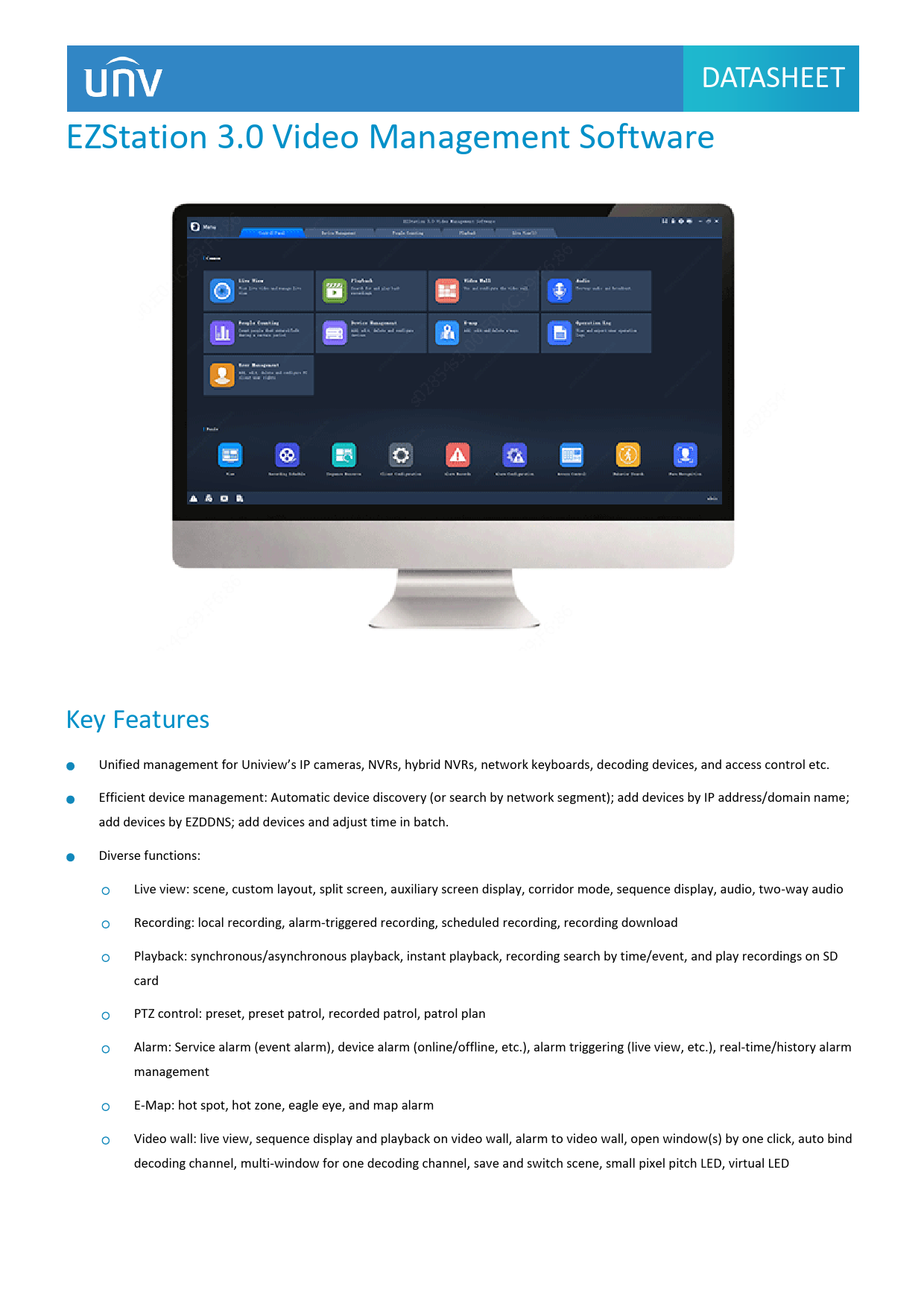
EZStation 3.0 Video Management Software
custom stream, corridor mode, audio, two-way audio, and manual alarm Playback Recording Play back recording from NVR and SD card 16-ch (Async)/16-ch (Sync) playback Display recording status on a calendar Recording in .t…
EZStation 3.0 Video Management Software - Uniview
custom stream, corridor mode, audio, two-way audio, and manual alarm. Playback. Recording. Play back recording from NVR and SD card. 16-ch (Async)/ 16-ch ...
1 DATASHEET EZStation 3.0 Video Management Software Key Features Unified management for Uniview’s IP cameras, NVRs, hybrid NVRs, network keyboards, decoding devices, and access control etc.
Extracted Text
DATASHEET
EZStation 3.0 Video Management Software
Key Features
Unified management for Uniview's IP cameras, NVRs, hybrid NVRs, network keyboards, decoding devices, and access control etc. Efficient device management: Automatic device discovery (or search by network segment); add devices by IP address/domain name; add devices by EZDDNS; add devices and adjust time in batch. Diverse functions:
Live view: scene, custom layout, split screen, auxiliary screen display, corridor mode, sequence display, audio, two-way audio Recording: local recording, alarm-triggered recording, scheduled recording, recording download Playback: synchronous/asynchronous playback, instant playback, recording search by time/event, and play recordings on SD card PTZ control: preset, preset patrol, recorded patrol, patrol plan Alarm: Service alarm (event alarm), device alarm (online/offline, etc.), alarm triggering (live view, etc.), real-time/history alarm management E-Map: hot spot, hot zone, eagle eye, and map alarm Video wall: live view, sequence display and playback on video wall, alarm to video wall, open window(s) by one click, auto bind decoding channel, multi-window for one decoding channel, save and switch scene, small pixel pitch LED, virtual LED
1

DATASHEET

Specifications

Function

Description

Note: Functions and system requirements may vary with software version.

Device Management

Features

Device discovery (auto discovery, specify network segment) Add devices by IP address/domain name/ EZDDNS Cloud device management(add, edit, delete and share) Group devices, view device status, restart device Remote configuration(image parameters, encoding parameters, OSD) Fisheye camera supported

Live View

Screen Layout

1/ 4/ 5 /6 /8 /9 /10 /13 /16 /17 /25 /32 /36 /64 split view 1 / 4 / 9 / 16 / 25 default view and custom view 3 auxiliary screens

PTZ Control Features

Pan, tilt, zoom, shortcut PTZ, focus, preset, patrol, 3D positioning, IR control, wiper control, heat control, snow removing Note: Actual functionality may vary depending on device capability. Group display, sequence display, snapshot, digital zoom, scene, instant playback, local recording, default and custom view, custom stream, corridor mode, audio, two-way audio, and manual alarm

Playback

Recording

Play back recording from NVR and SD card 16-ch (Async)/16-ch (Sync) playback Display recording status on a calendar Recording in .ts, .mp4 format

Local recording, scheduled recording, alarm triggered recording, search recording by time/recording type, recording

Features

download, snapshot, digital zoom, -16x~16x speed for forward and backward, audio, instant playback, play back local

recordings, playback by image, playback by frame, playback in default/custom view

Alarm

Type

Multiple alarm types.

Alarm Triggering

Live view, recording, email, preset, sound and etc. Trigger other IPCs

Alarm Records

Real-time alarm info display and acknowledge History alarm display/acknowledge/query

E-Map

Format

PNG/JPEG/BMP

Map Alarm

Alarm flash, search and acknowledge

Features

Hot spot, hot zone, map zoom in/out, eagle eye

User Management

User Management

Add, edit and delete user, query user

User Level

Super administrator, administrator, operator

User name, password, user level, permissions

User Info

Different default permissions for different user levels

Assignable permission(s) of each IPC

2

System Configuration Audio & Video
System Operation System Requirement EZStation 3.0 64-bit EZStation 3.0 32-bit EZStation 3.0 Mac

Configure video processing mode, display mode, stream transmission protocol Enable shortcut PTZ control, GPU mode Configure snapshot mode, image save path Configure format and save path for local and downloaded recordings Enable auto login to EZStation/ Windows Set retention period for operation/alarm log Import and export configuration Set alarm duration, alarm recording start and end time Enable auto time sync, set synchronization interval Configure SMTP server and email address used to send/receive emails
Operating System: Microsoft Windows 7/Windows 8/Windows 10 (64-bit) CPU: Intel Core i5 3.1 GHz or higher Memory: 4GB or higher Operating System: Microsoft Windows 7/Windows 8/Windows 10 (32-bit or 64-bit) CPU: Intel Pentium IV 3.0 GHz or higher (4Cores, 3.0 GHz recommended) Memory: 4GB or higher Operating System: Mac OS 10.11 or higher CPU: Intel Core i5 3.1 GHz or higher Memory: 4GB or higher

Order Info
Model EZStation 3.0 Video Management Software

Note Free of charge

DATASHEET

Zhejiang Uniview Technologies Co., Ltd. South Tower, Building 10, Wanlun Science Park, 88 Jiangling Road, Hangzhou, P.R. China 310051 Email: overseasbusiness@uniview.com; globalsupport@uniview.com http://www.uniview.com �2011-2019 Zhejiang Uniview Technologies Co., Ltd. All rights reserved. *Product specifications and availability are subject to change without notice.

3