

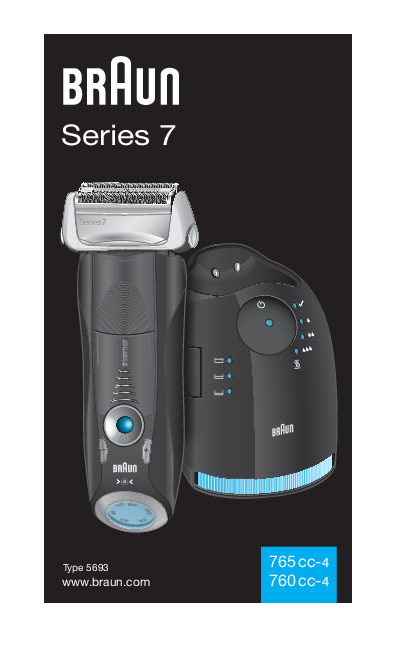
Braun Series 7 Electric Shaver
Type 5693
Models: 765 cc-4, 760 cc-4
Website: www.braun.com
Introduction
Braun products are designed to meet the highest standards of quality, functionality, and design. We hope you enjoy your new Braun Shaver. Please read these instructions completely, as they contain important safety information. Keep this manual for future reference.
Safety Warnings ?
- The shaver head is suitable for cleaning under running tap water. Always detach the shaver from the power supply before cleaning the shaver head in water.
- Your shaving system is provided with a special cord set featuring an integrated Safety Extra Low Voltage power supply. Do not exchange or tamper with any part of it, as this poses a risk of electric shock. Only use the special cord set provided with your appliance.
- Do not shave with a damaged foil or cord.
- This appliance is not intended for use by children or persons with reduced physical, sensory, or mental capabilities, unless they are supervised by a person responsible for their safety. In general, keep the appliance out of reach of children. Children should be supervised to ensure they do not play with the appliance.
- To prevent the cleaning fluid from leaking, ensure the Clean&Renew station is placed on a flat, stable surface. When a cleaning cartridge is installed, do not tip, move suddenly, or transport the station in any way, as cleaning fluid might spill out. Do not place the station inside a mirror cabinet, over a radiator, or on a polished or lacquered surface.
- The cleaning cartridge contains a highly flammable liquid. Keep it away from sources of ignition. Do not smoke near the station. Do not expose to direct sunlight for long periods of time.
- Do not refill the cartridge; use only original Braun refill cartridges.
Description of Components
Clean&Renew station
- 1. Cleaning fluid display: Indicates the amount of cleaning fluid remaining.
- 2. Lift button for cartridge exchange: Used to open the housing for cartridge replacement.
- 3. Station-to-shaver contacts: Connects the station to the shaver for charging and cleaning.
- 4. Start button: Initiates cleaning or charging programs.
- 5. Cleaning program indicators: Lights up to show the selected cleaning program (e.g., clean, economical cleaning, normal cleaning, intensive cleaning).
- 6. Station power socket: Port for connecting the power cord.
- 7. Cleaning cartridge: Holds the cleaning solution.
Shaver
- 8. Foil & Cutter cassette: The shaving head unit.
- 9. Cassette release button: Releases the Foil & Cutter cassette for cleaning or replacement.
- 10. Shaver head lock switch: Locks the pivoting shaver head for shaving difficult areas.
- 11. Pop-out long hair trimmer: For trimming sideburns, moustache, or beard.
- 12. On/off switch: Powers the shaver on and off.
- 13. (-) Setting button (sensitive): Adjusts the shaver to a sensitive setting.
- 14. (+) Setting button (intensive): Adjusts the shaver to a more powerful setting.
- 15. Reset button: Used to reset the replacement indicator after changing the cassette.
- 16. Shaver display: Shows battery charge status and replacement indicators.
- 17. Shaver-to-station contacts: Located on the back of the shaver for connection to the station.
- 18. Shaver power socket: Port for connecting the power cord directly to the shaver.
- 19. Travel case: For storing and transporting the shaver.
- 20. Special cord set: Power adapter for charging and operating the shaver.
Before Shaving
Prior to first use, connect the shaver to an electrical outlet using the special cord set (20) or follow these steps for installing the Clean&Renew station:
Installing the Clean&Renew station
- Using the special cord set (20), connect the station power socket (6) to an electrical outlet.
- Press the lift button (2) to open the housing.
- Hold the cleaning cartridge (7) down on a flat, stable surface (e.g., a table).
- Carefully remove the lid from the cartridge.
- Slide the cartridge into the base of the station as far as it will go.
- Slowly close the housing by pushing it down until it locks.
The cleaning fluid display (1) will show the fluid status:
- Up to 30 cleaning cycles available
- Up to 7 cleaning cycles remaining
- New cartridge required
Charging and cleaning the shaver
Insert the shaver head down into the cleaning station. The contacts (17) on the back of the shaver will align with the contacts (3) in the cleaning station.
If required, the Clean&Renew station will automatically charge the shaver. The hygiene status of the shaver will be analyzed, and one of the following cleaning program indicators (5) will light up:
- Shaver is clean
- Short economical cleaning required
- Normal level of cleaning required
- High intensive cleaning required
If the station selects a cleaning program, it will not start until you press the start button (4). For best shaving results, cleaning after each shave is recommended.
During cleaning, the respective program indicator will blink. Each program involves flushing with cleaning fluid and a heat-drying process, taking 32 to 43 minutes. Do not interrupt the cleaning programs. The shaver head may be hot and wet while drying. A blue ✔️ indicator signifies completion.
Stand-by mode
10 minutes after charging or cleaning, the Clean&Renew station enters stand-by mode, and its indicators turn off.
Shaver display
The shaver display (16) shows battery charge status. Green charge status lights blink during charging or use. A continuously lit green light indicates a full charge when the shaver is on or connected to power. The display turns off after a few minutes in stand-by mode.
Low charge indicator
A red low charge indicator blinks when battery capacity drops below 20% (while the shaver is on). The remaining battery is sufficient for 2 to 3 shaves.
Charging Information
- A full charge provides up to 50 minutes of cordless shaving time, which may vary based on beard growth.
- The recommended ambient temperature for charging is 5°C to 35°C. Extreme temperatures may prevent charging or reduce efficiency. The optimal shaving temperature is 15°C to 35°C. Do not expose the shaver to temperatures above 50°C for extended periods.
Personalizing Your Shaver
Use the (-) (13) and (+) (14) buttons to select the best setting for different facial areas and needs. The pilot light on the on/off switch (12) indicates the setting:
- Dark blue: Powerful shave
- Light blue: Normal shave
- White: Comfortable shave for sensitive areas (e.g., neck)
For a thorough and fast shave, the (+) setting is recommended. The last used setting is activated on the next power-on.
How to Use
Press the on/off switch (12) to operate the shaver:
- The pivoting shaver head and floating foils automatically adjust to facial contours.
- To shave hard-to-reach areas (e.g., under the nose), slide the shaver head lock switch (10) to the back position to lock the head at an angle.
- To trim sideburns, moustache, or beard, slide the pop-out long hair trimmer (11) upwards.
Tips for the Perfect Dry Shave
For best results, Braun recommends these 3 steps:
- Always shave before washing your face.
- Hold the shaver at a 90° angle to your skin at all times.
- Stretch your skin and shave against the direction of beard growth.
Cleaning
Shaving with the cord
If the shaver's battery is depleted and there's no time to recharge, you can shave by connecting the shaver directly to an electrical outlet using the special cord set (20).
Automatic Cleaning
After each shave, return the shaver to the Clean&Renew station. Charging and cleaning are handled automatically. With daily use, a cleaning cartridge lasts for approximately 30 cleaning cycles.
The hygienic cleaning cartridge contains alcohol that evaporates slowly. Replace the cartridge approximately every 8 weeks, even if not used daily. The cartridge also contains lubricants that may leave residue on the foil frame, which can be wiped off with a soft cloth or tissue.
Manual Cleaning
Rinsing the shaver head under running water is an alternative, especially when traveling:
- Switch the shaver on (cordless) and rinse the head under hot running water. Use liquid soap without abrasive substances. Rinse off foam and let the shaver run for a few more seconds.
- Switch off the shaver, press the release button (9) to remove the Foil & Cutter cassette (8), and let it dry.
- If cleaning regularly with water, apply a drop of light machine oil on top of the Foil & Cutter cassette once a week.
Alternatively, clean the shaver with a brush:
- Switch off the shaver. Remove the Foil & Cutter cassette (8) and tap it on a flat surface.
- Use the brush to clean the inner area of the pivoting head. Do not clean the cassette with the brush, as it may cause damage.
Cleaning the housing
Periodically clean the shaver body and the Clean&Renew station with a damp cloth, especially the interior of the cleaning chamber.
Replacing the cleaning cartridge
After pressing the lift button (2) to open the housing, wait a few seconds before removing the used cartridge to avoid dripping. Before discarding, close the openings with the lid from the new cartridge, as the used one contains contaminated cleaning solution.
Keeping Your Shaver in Top Shape
Replacing the Foil & Cutter cassette/reset
To maintain 100% shaving performance, replace the Foil & Cutter cassette (8) when the replacement symbol lights up on the shaver display (16) (approximately every 18 months) or when the cassette is worn. The replacement symbol will remind you for the next 7 shaves. The shaver will then automatically reset the display.
After replacing the cassette, use a ball-pen to press the reset button (15) for at least 3 seconds to reset the counter. The replacement light blinks during reset and turns off upon completion. Manual reset is possible at any time.
Accessories
Available at your dealer or Braun Service Centres:
- Foil & Cutter cassette: 70S
- Cleaning cartridge Clean&Renew: CCR
Troubleshooting
| Problem | Possible Reason | Remedy |
|---|---|---|
| SHAVER | ||
| Unpleasant smell from the shaver head. | 1. Shaver head is cleaned with water. 2. Cleaning cartridge is in use for more than 8 weeks. | 1. When cleaning with water, use hot water and occasionally liquid soap (without abrasive substances). Remove Foil & Cutter cassette to let it dry. 2. Change cleaning cartridge at least every 8 weeks. |
| Battery performance dropped significantly. | 1. Foil and cutter are worn, requiring more power. 2. Shaver head is cleaned regularly with water but not lubricated. | 1. Renew Foil & Cutter cassette. 2. If cleaned with water only, apply a drop of light machine oil on the foil weekly. |
| Shaving performance dropped significantly. | 1. Foil and cutter are worn. 2. Personal setting has been changed. 3. Shaving system is clogged. | 1. Renew Foil & Cutter cassette. 2. For a thorough shave, use the green (intensive) setting. 3. Soak cassette in hot water with dish liquid, rinse, tap dry, and apply light machine oil. |
| Shaver turns off with fully charged battery. | Foil and cutter are worn, requiring more power than the motor can deliver. | Renew Foil & Cutter cassette. Regularly oil the shaving system, especially when cleaning with water only. |
| Battery segments in the display are skipped with decreasing battery capacity. | Foil and cutter are worn, requiring more power for each shave. | Renew Foil & Cutter cassette. Regularly oil the shaving system, especially when cleaning with water only. |
| Shaving parts have been changed recently but replacement symbol lights up. | Reset button has not been pushed. | Push the reset button for at least 3 seconds to reset the counter. |
| CLEAN&RENEW STATION | ||
| Shaving system is still wet after cleaning program has been completed. | 1. Drain of the Clean&Renew station is clogged. 2. Cleaning cartridge has been used for quite a while. | 1. Clean the drain with a wooden toothpick. Wipe the tub clean regularly. 2. Alcohol proportion has decreased; oil proportion has increased. Remove residue with a cloth. |
| Cleaning does not start when pressing the start button. | 1. Shaver is not placed properly in the Clean&Renew station. 2. Cleaning cartridge contains not enough cleaning fluid (display lights red). 3. Appliance is in stand-by mode. | 1. Insert shaver correctly, aligning contacts. 2. Insert a new cleaning cartridge. 3. Press the start button again. |
| Increased consumption of cleaning fluid. | Drain of the Clean&Renew station is clogged. | Clean the drain with a wooden toothpick. Wipe the tub clean regularly. |
Environmental Notice ♻️
This product contains rechargeable batteries. To protect the environment, do not dispose of the product in household waste at the end of its useful life. Disposal should be at a Braun Service Centre or appropriate collection points in your country.
The cleaning cartridge can be disposed of with regular household waste.
Subject to change without notice.
For electric specifications, refer to the printing on the special cord set.
