

File info: application/pdf · 20 pages · 804.58KB
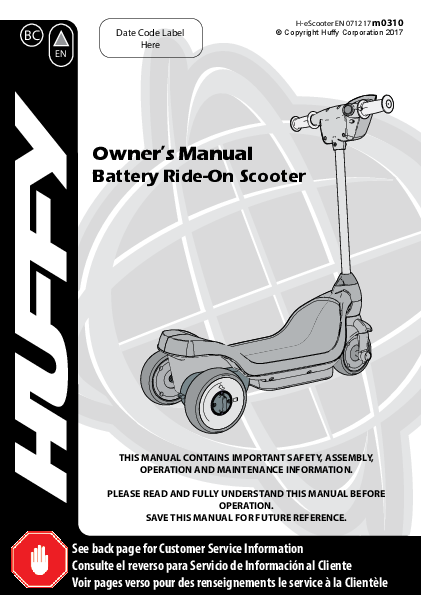
Owner's Manual Battery Ride-On Scooter - Huffy Bikes
The drive motor circuit features a thermal fuse that will automatically trip and cut all power to the vehicle if the motor, electric system or battery is overloaded. The ...
Owner’s Manual - Huffy
owner’s manual battery ride-on scooter this manual contains important safety, assembly, operation and maintenance information. please read and fully understand this manual before operation. save this manual for future r…
Extracted Text
BC
EN

Date Code Label Here

H-eScooter EN 071217 m0310
� Copyright Huffy Corporation 2017

Owner's Manual
Battery Ride-On Scooter

THIS MANUAL CONTAINS IMPORTANT SAFETY, ASSEMBLY, OPERATION AND MAINTENANCE INFORMATION.
PLEASE READ AND FULLY UNDERSTAND THIS MANUAL BEFORE OPERATION.
SAVE THIS MANUAL FOR FUTURE REFERENCE.
See back page for Customer Service Information Consulte el reverso para Servicio de Informaci�n al Cliente Voir pages verso pour des renseignements le service � la Client�le

Owner's Manual Index
Safety
� General Warnings and Safety Information..................................................................3-4 � Radio Frequency Information............................................................................................4 � Drive Motor Battery Warnings............................................................................................5 � Battery Notes and Charging Time.....................................................................................6
Assembly
� Parts Assembly View..............................................................................................................7 � Charging the Battery...........................................................................................................8-9 � Fork and Handlebar Assembly...................................................................................... 10-11
Operation
� Drive Hub Lock.......................................................................................................................12 � Operating the Scooter.........................................................................................................13
Maintenance Repair and Service
� General Repair and Service................................................................................................14 � Battery Storage replacement and disposal..................................................................15
Troubleshooting............................................................................................. 16-17 Warranty
� Limited Warranty...................................................................................................................18
Contact Information....................................................................................................... Back Cover
Tools Needed for Assembly:
Small Phillips Screwdriver
WARNING: CHOKING HAZARD: Small parts. Not for children under 3 years. The
user must be 3-5 years, and weigh no more than 50lbs (23kgs).
IMPORTANT! Before using the unit for the first time the battery needs to be charged for at least 8 to 12 hours - no more than 20 hours. Only an adult who has read and understands the safety warnings should handle, charge or recharge of the battery (see Maintenance).

WARNING: TO AVOID SERIOUS INJURY:

� It is the responsibility of the adult to edu- ronment on flat, smooth paved surfaces

Safety and Warnings

cate the child and determine if they are

only.

capable of operating the vehicle safely. � Do not use the vehicle in an unsafe man-

� Before using the vehicle the child must

ner or at an unsafe speed.

understand the controls and safety issues. Examples include but are not limited to:

They must also demonstrate the capability � Do not pull or push the vehicle with

and skill to handle the vehicle and operate another vehicle or similar device.

its controls to avoid falls or collisions.

� Do not tow anything behind the vehicle.

� After complete assembly, remove and

� Do not drive into fixed objects, which

dispose of all protective material and poly

may cause the wheels to spin, causing

bags. Keep poly bags away from child. Be

the motor to overheat.

sure to remove all packaging materials and � Never use near streets, water, swimming

parts from underneath the vehicle body.

pools, hills, steps, drop-offs, sloped sur-

� Ensure child uses common sense and safe

faces or driveways, wet areas, flammable

practices when using the vehicle.

vapors, in alleys, at night or in the dark.

� All of these safety rules and guidelines � Do not use the vehicle in unsafe condi-

must be followed or serious injury or

tions such as snow, rain, loose dirt, mud

death may occur to the user:

sand or fine gravel. This may result in

� Adult assembly required. Choking hazard unexpected action such as tip over and

to children under the age of 3 years - con-

skidding. Using the vehicle in loose dirt,

tains small parts. Keep small children away mud, sand, or fine gravel may damage

when assembling.

the electronics and gear box inside the

� To reduce the risk of injury, adult super- vehicle.

vision is required. Never use in road- � Vehicle Cautions: Do not overload the

ways, near motor vehicles, on or near

vehicle. Do not drive in very hot weather,

steep inclines or steps, swimming pools components may overheat. Do not allow

or other bodies of water; always wear

water or other liquids to come in contact

shoes, and never allow more than one with the battery or other electric com-

(1) rider.

ponents. Do not tamper with the electri-

� RISK OF FIRE. Do not bypass fuse. Re-

cal system. Doing so may create a short,

place only with size and type.

causing the fuse to trip or other damage

� Continuous adult supervision required

including fire.

while using the vehicle.

� There are additional hazards of using the

� Riders should always wear a properly fitted vehicle in areas other than private grounds.

helmet that complies with U.S. Consumer � THIS VEHICLE HAS NO BRAKES. When

Product Safety Commission CPSC) Stan- engaged, motor friction will gradually stop

dard 16 CFR 1203.

the unit.

� Always sit in the seat when using the

vehicle.

� Body parts such as hands, legs, hair and

clothing can get caught in moving parts.

Never place a body part near a moving

part or wear loose clothing while using the

vehicle.

� Always use vehicle in a safe, secure envi-

3

Safety and Warnings

Helmet Warning Information
WARNING: ALWAYS WEAR YOUR HELMET WHEN RIDING
THIS PRODUCT!
� Helmet should sit level on your head and low on your forehead. Exposed forehead can result in serious injury.
� Adjust the strap sliders below the ear on both sides. � Buckle the chin strap. Adjust strap until it is snug. � No more than two fingers should fit between the strap and
your chin. � A proper fitting helmet should be comfortable and not rock
forward/backward or side to side.

Radio Frequency Information (charger/adapter)

radio frequency energy and, if not installed

CAUTION: Changes or modifications and used in accordance with the instructions,

to this unit not expressly approved by the may cause harmful interference to radio

party responsible for compliance could

communications.

void the user's authority to operate the

However, there is no guarantee that

equipment.

interference will not occur in a particular

This device (charger/adapter) complies with installation. If this equipment does cause

Part 15 of the FCC Rules. Operation is subject harmful interference to radio or television

to the following two conditions:

reception, which can be determined by

(1) this device may not cause harmful

turning the equipment off and on, the user is

interference, and

encouraged to try to correct the interference

(2) this device must accept any interference by one or more of the following measures:

received, including interference that may

� Reorient or relocate the receiving

cause undesired operation.

antenna.

NOTE: This equipment has been tested and � Increase the separation between the

found to comply with the limits for a Class B

equipment and receiver.

digital device, pursuant to Part 15 of the FCC � Connect the equipment into an outlet on

Rules. These limits are designed to provide

a circuit different from that to which the

reasonable protection against harmful

receiver is connected.

interference in a residential installation. This � Consult the dealer or an experienced

equipment generates, uses and can radiate

radio/TV technician for help.

4

Safety and Warnings

WARNING - Charging the Drive Motor Battery
The following safety hazards may result in serious injury or death to the user of the vehicle: � Use of a battery or charger other than the supplied rechargeable battery and charger may cause a fire or explosion. Only use the supplied rechargeable battery (or suitable replacement) and charger with the vehicle. � Using the rechargeable battery and charger for any other product may result in overheating, fire or explosion. Never use the rechargeable battery and charger with another product. � Explosion. Gases are created during charging. Charge the battery in a well ventilated area. Do not charge the battery near heat or flammable materials. � Contact between the positive and negative terminals may result in fire or explosion. Avoid direct contact between the terminals. Picking up the battery by the wires or charger can cause damage to the battery and may result in a fire. Always pick up the battery by its case or handles. � Battery must be handled by adults only. Liquids on the battery may cause fire or electric shock. Always keep all liquids away from the battery and keep the battery dry. � Contact or exposure to battery leakage (lead acid) may cause serious injury. If contact or exposure occurs immediately call your physician. If the chemical is on the skin or in the eyes, flush with cool water for 15 minutes. If the chemical was swallowed, immediately give the person water or milk. Do not give water or milk if the patient is vomiting or has a decreased level of alertness. Do not induce vomiting. � Battery Posts, terminals and related accessories contain lead and lead compounds (acid), chemicals known to cause cancer, reproductive harm and are toxic and corrosive. Never open the battery. � Tampering or modifying the electric circuit system may case a shock, fire or explosion and permanently damage the system. Exposed wiring and circuitry in the charger may cause electric shock. Always keep the charger housing closed.
Important! Before using the unit for the first time the battery needs to be charged for 8 to 12 hours - never longer than 20 hours, Only an adult who has read and understands the safety warnings should handle, charge or recharge of the battery (see Maintenance).
NOTE: It is not necessary to remove the battery from the vehicle for charging.
5

Drive Battery

Drive Motor Battery
Only an adult who has read and understands the safety warnings should handle, charge or recharge the battery. Failure to comply with all safety warnings may result in serious injury or death.
Battery Fuse
The drive motor circuit features a thermal fuse that will automatically trip and cut all power to the vehicle if the motor, electric system or battery is overloaded. The fuse will reset and power will be restored after a short time. If the thermal fuse trips repeatedly during normal use, the vehicle may need repair.
WARNING:DO NOT BYPASS THE FUSE - RISK OF FIRE. This may overload
and damage the electrical system.
Battery Re-charge Interval and Time IMPORTANT!
Check the drive battery and charger (supply cord, connector) for wear and damage before charging. Do not charge the battery if damage has occurred. Only replace with the same type and voltage rechargeable battery and charger supplied by the manufacturer. � Only use the rechargeable battery (or equivalent replacement) and charger supplied with
your vehicle. � Before first use, charge battery 8 to 12 hours - never longer than 20 hours. � Once battery is depleted, recharge for 8 to 12 hours - never longer than 20 hours. � Do not short circuit the battery: Do NOT connect red and black wires together or connect
positive and negative terminals on the battery together. � When battery is fully charged, un-plug charger from the wall outlet and disconnect from
charger port. The drive battery should be charged when depleted, or if not used regularly, once a month. Failure to charge the battery as directed will cause permanent damage to the battery and will void the warranty.
6

Parts View
Battery Fuse is located in the battery compartment under
the Deck.
1 11 2

4
53
No. 1 2 3 4 5 6 7 8 9 10 11

6
7
Description Frame/Deck Left (free) Wheel Right (Drive) Wheel Drive Motor Axle Assembly
Battery Battery Cover Fork Assembly Handlebar Assembly
Basket Drive Battery Charger

10 9 8
7

Parts List

Charging Drive Battery

Charging the Drive Battery

D C

B A
NOTE: Before first use, charge battery 8 to 12 hours.

8

Charging Drive Battery

Charging the Drive Battery
1. Charge Drive Battery after 1-2 hours of use or when the vehicle does not move at its normal speed.
2. Ensure Power Switch is OFF.
B 3. The Charger Socket is located at rear end of the Scooter as shown. A B 4. First insert the Charger Cord into the Charger Socket and then insert the Charger
C D into the Wall Socket .
5. After charging is complete (8 to 12 hours - never longer than 20 hours) unplug the charger from the wall outlet.
6. Unplug the charger from the charger socket. NOTE: The charger may feel warm during the charging. This is normal and not a cause for concern. If excessively hot, unplug and replace.
9

Assembly

Main Assembly: Assemble the Fork and Handlebar
A B NOTE: Cover , and Steering Lock Collar assembly are packed attached to the SteerC A ing Tube . Slide Cover up on Steering Tube for ease of assembly.
Step 1:
D � Insert Fork Tube up through Scooter Neck opening with short end of Fender fac-
ing forward. Step 2:
B C E � With Steering Lock Collar still on Steering Tube , remove Screw . Ensure Nut F remains in place inside Steering Lock Collar cutout.
C B D � Insert Steering Tube with Steering Lock Collar onto Fork Tube so that
mounting holes of Steering Tube, Lock Collar and Fork Tube line up. Ensure Basket is facing forward.
G NOTE: Ensure Steering Lock Collar Tab is facing forward and fully seated inside steer-
ing cutout.
F E � With Nut flush inside Steering Lock Collar cutout, install Screw and tighten
securely. Nut will be facing FORWARD. Step 3:
H I � Connect Plugs firmly and securely and insert into plug Opening . WARNING: Make sure wires are not pinched through full movement (left and
right) of Handlebars.
A � Slide Cover down and snap into place.
10

Main Assembly: Assemble the Fork and Handlebar

Assembly

B

E

F

C

A
G H
EB

I D

11

Operation

Drive Hub Lock Operation
B C
A
WARNING: Hub Lock must be snapped firmly into position to operate cor-
rectly. NOTE: To change drive modes, grip wheel and gently pull outward (as shown), while turn-
A ing Hub Lock .
USAGE:
A � To use as foot propelled Scooter, Push IN and fully rotate Hub Lock to Free B mode . Turn Hub until it snaps into position.
A � To use as a battery driven Scooter, Push IN and fully rotate Hub Lock to Drive C mode . Turn Hub until it snaps into position.
12

Operation

Operating the Scooter A

USAGE: � To make the Scooter move, firmly grip both hand grips, then push Power Button
A with thumb. A � Release Power Button to make unit
stop.
WARNING: Both hands must
firmly grip the handlebar before pushing Power Button. Failure to follow this rule can result in personal injury or damage to the product.

13

Maintenance

Maintenance Repair and Service

General: The vehicle should be checked for Note: If the drive wheel is not tight, it will not

damage, missing or badly worn parts before engage the gears and the vehicle will not run.

each use. If any part of the product does not � Ensure the battery bracket is securely in place

operate properly � discontinue use.

before use.

� Check the tightness of the fasteners before � Store the vehicle indoors. Keep it away from

each use. Replace any fasteners that are dam- sources of heat, such as stoves and heaters.

aged.

� Keep the product clean and free of dirt, dust

� Inspect the product frequently. Failure to in- and water. This will prolong the useful life of

spect the product and to make repairs or ad- the product.

justments, as necessary, can result in injury to � Clean the vehicle with a soft, dry cloth. To

the rider or to others. Make sure all parts are restore shine to plastic parts, use a non-wax

correctly assembled and adjusted as written furniture polish. Do not use automotive wax,

in this manual and any "Special Instructions". abrasive cleaners or wash the vehicle with

� Immediately replace any damaged, missing, soap and water.

or badly worn parts.

� Make sure all fasteners are correctly tightened as written in this manual and any "Special

WARNING: Water will damage

Instructions". Parts that are not tight enough the motor, electrical system and battery.

can be lost or operate poorly. Over tight-

ened parts can be damaged. Make sure any NOTE: If the instructions in this manual or any

replacement fasteners are the correct size and "Special Instructions" are not sufficient for

type.

you, please contact customer service.

� Check the tightness of the wheels:

14

Maintenance

Drive Battery Replacement and Disposal

The drive battery will eventually lose the ability to hold a charge. Follow these steps to replace and dispose the battery: 1. Turn Scooter over and re-
A move Battery Cover
2. Remove the Battery Bracket
C and Screws .
3. Disconnect the Red and Black battery connectors
B.
4. Carefully remove the Battery
D.
� Depending on the condition of the battery (leakage or damage) you may want to wear protective rubber gloves before removal.
� Do not lift the battery by its connectors or cables.
5. Place the dead battery in a plastic bag.

B D C
A

WARNING:
� See Maintenance section: Battery Storage and Disposal.
NOTE: Replacement batteries are available at most battery supply stores. Document battery size and type (found on battery).
6. Install replacement battery and reconnect the connectors: Red to Red Terminal, Black to Black Terminal.
7. Replace the battery bracket. 8. Replace the battery cover.

15

Troubleshooting

Troubleshooting Guide
The following are examples of potential problems. Completely read through this manual and the troubleshooting guide table before calling. If you still need help resolving the problem please contact Customer Service.
NOTE: Vehicle should be turned off and fully changed before doing troubleshooting.

Problem Vehicle does not run
Vehicle does not run very long
Vehicle runs sluggishly
Vehicle makes loud noise when in use

Possible Cause Battery low on power
Thermal fuse has tripped Battery connector or wires are loose
Battery is dead
Electrical system or motor is damaged Battery is undercharged.
Battery is old and cannot be fully charged Battery low on power
Battery is old and cannot be fully charged Vehicle is overloaded
Vehicle is being used in harsh conditions
Chain is dry (on chain drive models)

Solution
Recharge battery (see Battery: Recharge interval and time)
Let Fuse reset
Check that the battery connectors are firmly plugged into each other. If wires are loose around the motor call Customer Service.
Replace battery (see Battery: Replacement and Disposal)
Call Customer Service.
Check that the battery connectors are firmly plugged into each other when recharging (see Battery: Recharge interval and Time)
Replace battery (see Battery: Replacement and Disposal)
Recharge battery (see Battery: Replacement and Disposal)
Replace battery (see Battery: Replacement and Disposal)
Reduce weight on vehicle (see user requirements and Safety Warnings)
Avoid using vehicle in harsh conditions (see User Requirements and Safety Warnings)
Lubricate chain with light oil.

continued >> 16

Troubleshooting

Troubleshooting Guide - continued

Problem

Possible Cause

Solution

Vehicle will not run when Switch is pressed.

Poor contact of wires or connectors

"Dead Spot" on motor

Loud grinding or clicking noises coming from motor or gear box
Battery will not recharge

Motor or gears are damaged
Drive Wheel is partially engaged
Battery connector or adapter connector is loose
Charger not plugged in
Charger is not working

Charger feels warm when recharging

Battery is dead
This is normal and not a cause for concern

Check that the battery connectors are firmly plugged into each other. If wires are loose around the motor call Customer Service. A dead spot means the electric power is not being delivered to the terminal connection and the vehicle needs repair. Call Customer Service. Call Customer Service.
Check drive wheel - to motor engagement. Check that the battery connectors are firmly plugged into each other.
Check that the battery charger is plugged into a working wall outlet. Replace battery. If excessively hot, unplug and replace.

17

Warranty

Limited Warranty
General: � Part or model specifications are subject to change without notice. � This Limited Warranty is the only warranty for the product. There are no other express warranties. � The only uses for this product are described in this manual. � Warranty registration is not required. � The Limited Warranty extends only to the original consumer and is not transferable to anyone else.
What does this Limited Warranty cover? This Limited Warranty covers all parts of the product except those indicated below as not warranted.
What must you do to keep the Limited Warranty in effect? This Limited Warranty is effective only if:
� Product is completely and correctly assembled.
� Product is used under normal conditions for its intended purpose (see the following section for excluded activities).
� Product receives all necessary maintenance and adjustments.
� Product is used for general transportation and recreational use only.

� Used in a manner contrary to the instructions and warnings in this Owner's Manual
Huffy will not be liable for incidental or consequential loss or damage due directly or indirectly from use of this product. Some States do not allow the exclusion or limitation of incidental or consequential damages, so the above limitation may not apply to you.
What will Huffy do? Huffy will replace, without charge to you, any part, or component found to be defective by Huffy.
How do you get service? Contact the Customer Service Department. � See included list for Customer Contact
information or visit www.huffybikes.com/ contact.
What rights do you have? This warranty gives you specific legal rights. You may also have other rights which vary from State to State.
For how long does this Limited Warranty last?
� Drive Battery - 30 days � Electronics - 90 days � All other Components - 6 months

What is not covered by this Limited Warranty? This product is designed for recreational use only. This Limited Warranty does not cover normal wear and tear, normal maintenance items, or any damage, failure, or loss that is caused by improper assembly, maintenance, adjustment, storage, or use of the product.

This product meets ASTM F963 and CPSIA requirements for electric vehicles.

This Limited Warranty will be void if the product is ever:
� Used in any competitive sport � Used for stunt riding, jumping, aerobatics or
similar activity � Modified in any way � Modified with the addition of a motor � Ridden by more than one person at a time 18 � Rented, sold, or given away

NOTES:

[ In the US ] PLEASE - BEFORE RETURNING TO STORE, CONTACT HUFFY CUSTOMER SERVICE. WE ARE GLAD TO ASSIST YOU WITH ANY PARTS
OR ASSEMBLY PROBLEMS YOU MIGHT HAVE!

For Fast Customer Service, go to:
http://www.huffybikes.com/contact
To Order Parts (US only), go to:
http://www.huffybikes.com/parts
OR TEL: 1 800 872 2453 (US only)

For email, go to http://www.huffybikes.com/contact

[ CANADA ]

[ M�XICO ]

VEUILLEZ NOTER : AVANT DE

ANTES DE DEVOLVER EL

RETOURNER AU MAGASIN,

PRODUCTO A LA TIENDA,

COMMUNIQUEZ AVEC LE SERVICE COMUN�QUESE CON SERVICIO

� LA CLIENT�LE DE HUFFY. NOUS

AL CLIENTE DE HUFFY. NOS

VOUS AIDERONS VOLONTIERS AVEC COMPLACE AYUDARLO CON

TOUT PROBL�ME CONCERNANT LES CUALQUIER PARTE O PROBLEMA

PI�CES OU LE MONTAGE!

DE ENSAMBLADO QUE PUDIERA

TENER.

Pour un Service � la client�le rapide, allez sur le

site :

Para obtener Servicio al cliente r�pido, visite:

http://www.huffybikes.com/contact http://www.huffybikes.com/

To Order Parts (CANADA only), go to:

O LLAME AL TEL: 01800 1483 391

http://www.huffybikes.com/parts

(Mexico only)

OU appelez le 1 800 872 2453 (CANADA only)

Para comunicarse por correo electr�nico: servicio@huffymex.com

Pour communiquer par courriel huffycanada@huffy.com

H-Tri_STOP-Global_022217_i0388

Check http://www.huffybikes.com/home/globalcontact for the current contact information
http://www.huffybikes.com/home/globalcontact para obtener la informaci�n de contacto actual
V�rifier http://www.huffybikes.com/home/globalcontact pour les informations de contact actuelles