

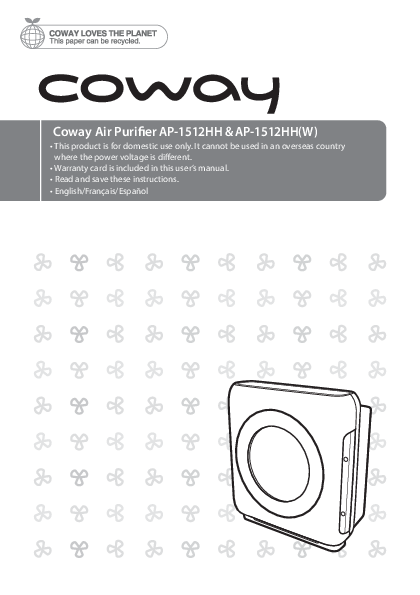
Coway Air Purifier AP-1512HH & AP-1512HH(W) User Manual
This document provides comprehensive information on the features, operation, maintenance, and safety precautions for the Coway Air Purifier models AP-1512HH and AP-1512HH(W).
Features
The Coway Air Purifier offers several key features:
- Excellent air purification performance: Equipped with a True HEPA filter capable of trapping airborne allergens and contaminants down to 0.3 microns, optimized for fast and effective removal of indoor pollutants.
- Air quality indicator: Displays real-time indoor air pollution levels using a dust sensor, indicated by color changes (Blue for Clean, Dark Purple for Polluted, Red for Highly Polluted).
- Filter replacement indicator: Notifies users when filters need replacement, enhancing convenience.
- Timer: Allows users to set an automatic shut-off time for the air purifier.
Dear Customers
Thank you for choosing the Coway air purifier. This manual is designed to help you use and maintain the product correctly. It also contains the product warranty card. Please keep it in a safe place.
Contents Overview
This manual is organized into the following sections:
- For Information: Safety Information (Danger, Warning, Caution), Parts Name, Air Purification Process.
- Maintenance: Cleaning Method (Product, Filter), Filter Replacement.
- How to Use: Before Use, Filter Installation, Indicators and Buttons, How to Use, Adjust Air Quality Sensor.
- Others: Troubleshooting, Product Specification, Warranty.
Safety Precautions
DANGER: Failing to follow these precautions may result in serious injury or death.
- Do not use a damaged power plug or loose electric outlet.
- Connect the power plug to a dedicated grounded electrical outlet for 120 V, 60 Hz.
- Do not move the product by pulling only the power cord.
- Do not handle the power plug with wet hands.
- Do not bend the power cord forcefully or place it under heavy objects.
- Do not repeatedly connect and disconnect the power plug.
- If the electrical outlet is wet, unplug carefully and let it dry completely before use.
- Unplug the product before repairing, inspecting, or replacing parts.
- Remove dust or water from the power plug.
- Do not plug into an outlet or power strip used by multiple appliances; use a dedicated outlet.
- Unplug the system if not used for a long time.
- Do not attempt to repair or modify the power cord yourself.
- If the power cord is damaged, contact a service center for replacement.
- Do not install near heating devices.
- Do not install in locations exposed to moisture or water.
- Do not use in areas with flammable gases or combustible materials.
- Do not insert sharp objects into the Air quality sensor.
- If the product produces strange noise, burning smell, or smoke, unplug immediately and call the service center.
- Never place the product in water.
- Do not spray flammable materials (insecticides, air fresheners) near or into the air inlet.
- Do not disassemble, repair, or modify the product without authorization.
- Do not place containers with water, medicine, food, metallic objects, or flammable material on top of the product.
- Unplug the system before cleaning.
- Do not clean by spraying water directly or using benzene/thinner.
- Use for home or business use as intended.
- Do not use in industrial settings with machine oil in the air.
- Do not run the cord under carpeting or cover with rugs/runners. Arrange cord away from traffic areas to prevent tripping.
WARNING: Failing to follow these precautions may result in considerable physical injury or property damage.
- This appliance is not for use by children or persons with reduced physical, sensory, or mental capabilities, or lack of experience/knowledge, unless supervised or instructed.
- Do not insert fingers or foreign objects into the air inlet or outlet.
- Do not let children hang on or climb on the product.
- Exercise caution when removing the front cover to prevent body parts or objects from getting stuck.
- The appliance has a polarized plug (one blade wider than the other) for reduced electric shock risk. Ensure it fits a polarized outlet. If not, reverse the plug; if it still doesn't fit, contact an electrician. Do not defeat this safety feature.
- Do not operate with a damaged cord or plug. Discard or return for repair.
- Do not run cord under carpeting or cover with rugs/runners. Arrange cord away from traffic areas to prevent tripping.
CAUTION: Failing to follow these precautions may result in slight physical injury or property damage.
- Do not install on a sloped surface.
- Do not apply force or impact to the product.
- Maintain at least 20 cm distance from walls/objects and 30-60 cm above the product when in use.
- Install so no obstacles block air circulation.
- Install away from strong artificial lighting or direct sunlight.
- Install at least 2 m away from electronic appliances like TVs.
- Do not install in locations exposed to direct sunlight.
- Replace filters according to replacement cycles.
- Clean the Pre-filter with water regularly and dry completely before use.
- Suitable for use with solid-state speed controls.
- Cleaning and user-maintenance (e.g., lubrication) may cause fire, electric shock, or injury.
- Unplug or disconnect from power supply before servicing.
Parts Name
The air purifier consists of the following main parts:
Front/Rear View:
- Front Cover: The main exterior panel.
- Operation / Indication part: Control panel with buttons and indicators.
- Air quality indicator: A sensor that monitors air quality.
- Air quality sensor: Detects pollutants in the air.
- Handle: For carrying the unit.
- Air outlet: Where purified air is expelled.
- Power cord: Connects the unit to the power supply.
Operation / Indication Part Details:
The control panel includes:
- Speed indicator: Shows the current fan speed (Auto, 1, 2, 3, ECO).
- Eco mode indicator: Illuminates when Eco mode is active.
- Ionizer indicator: Shows if the ionizer function is on or off.
- Timer indicator: Displays the set timer duration (1H, 4H, 8H).
- Filter replacement indicator: Lights up when a filter needs replacement.
- Air quality indicator: Displays the current pollution level of the room with colored lights (Blue: Clean, Dark Purple: Polluted, Red: Highly Polluted).
Air Purification Process
The air purification system uses a multi-stage filtration process:
- Pre-filter: Removes large particles such as dust, mold, human hair, and pet hair.
- Deodorization filter: Effectively traps odors and harmful gases, keeping the air fresh.
- True HEPA filter: A high-performance filter that removes fine dust and cigarette smoke particles up to 99.97%.
Visual representation of filters:
- [Filter 1: Pre-filter]
- [Filter 2: Deodorization filter]
- [Filter 3: True HEPA filter]
How to Use
Before Use
Tips:
- Connect the power plug to an electric outlet before operating.
- The air purifier automatically operates in auto mode when turned on.
Manual & Auto Mode
Press the power button, then use the speed button to select the desired fan speed (Auto, 1, 2, 3, ECO).
Selecting Auto Mode
Press the speed button repeatedly until the Eco mode indicator is on.
Auto Mode
Automatically optimizes fan speed (1-3) based on detected indoor air quality. Recommended for general users.
Eco Mode
When no pollution is detected for 30 minutes, the fan automatically stops to save energy.
Timer Activation/Deactivation
The timer feature allows automatic power-off after 1, 4, or 8 hours. To deactivate, press and hold the Timer button until the indicator is off.
Adjust Air Quality Sensor
The air quality sensor sensitivity can be adjusted if the pollution level reading seems inaccurate. The default setting is 'Standard'.
- With the air purifier on, press and hold the airflow speed button and ionizer button for 2 seconds.
- The speed indicator will flash at 1-second intervals with a beep, indicating sensor sensitivity adjustment mode.
- Press the speed button to cycle through sensitivity levels: Speed step 1 (Sensitive), Speed step 2 (Standard), Speed step 3 (Insensitive).
- Press and hold the airflow speed button and ionizer button for another 2 seconds to confirm the setting. The unit will resume normal operation. The setting is also applied if no input is made for 10 seconds.
High sensitivity: The purifier indicates a higher pollution level than actual for extended periods.
Low sensitivity: The purifier indicates a lower pollution level than actual for extended periods.
Cleaning Method
Always unplug the air purifier before cleaning.
Tips:
- Do not use detergents containing organic solvents, bleach, chlorine, or abrasives.
- Do not immerse the product in water or spray water directly on it.
Cleaning the Air Quality Sensor (Every 2 Months)
- Open the sensor cover on the right side. Clean the air inlet/outlet vent and sensor with a soft brush or vacuum cleaner.
- Use a lightly damp cotton swab to clean the sensor lens, dust inlet, and dust outlet. Dry with a dry cotton swab.
- Regular cleaning is crucial for sensor performance. Clean more often in dusty environments.
Cleaning the Air Inlet and Outlet (Every 2 Months)
- Clean with a soft brush. Be careful not to let dust fall inside the unit.
- If vents are dusty, run the purifier in manual mode for 10 minutes to blow out dust.
Cleaning the Front Cover
- Separate the front cover and remove dust with a soft dry brush or cloth.
- Use a lightly damp cloth for serious contamination, avoiding abrasives.
Cleaning the Product Body (Every 2-4 Weeks)
- Use a dry, soft cloth.
- Use a lightly damp cloth for serious contamination, avoiding abrasives.
Filter Replacement
Tips:
- Ensure filters are installed in the correct direction ('front' side).
- Use original Coway filters for optimal performance.
- Always unplug the air purifier before replacing filters.
Filter Cleaning and Replacement Cycles
| Filter | Cycles | Method |
|---|---|---|
| Pre-filter | Every 2-4 weeks | Cleaning |
| Deodorization filter | Every 6 months | Replacement |
| True HEPA filter | Every 1 year | Replacement |
Note: Service life is based on 8-hour use at maximum air speed. Recommended cycles may vary by operating environment.
Resetting the Filter Replacement Indicator
- The reset indicator blinks when a filter needs to be replaced.
- Odor LED indicates Deodorization Filter; HEPA LED indicates True HEPA filter.
- The pollution level indicator will not function if the filter replacement indicator is active.
- After replacing a filter, press and hold the Reset button for 2 seconds.
Forcible Reset Mode
This mode allows resetting the filter replacement cycle even if it hasn't reached its scheduled time.
- With the reset function inactive, press and hold the reset button for 2 seconds.
- Press the reset button to select the filter: Press once for Odor LED (Deodorization Filter), press twice for HEPA LED (True HEPA Filter).
- After selecting the filter, press and hold the reset button for 2 seconds to erase the accumulated time.
- If no input is made for 5 seconds, the reset mode cancels.
Troubleshooting
Minor issues may arise from user unfamiliarity rather than product malfunction. Check these common solutions:
| Problem | Check | Possible Solutions |
|---|---|---|
| No air is blowing. | Is the power cord connected? Is the display part all turned off? Isn't the power gone out? | Connect the power cord to a 120 V, 60 Hz outlet. Press the power button and select the desired function. Use after power returns. |
| The airflow speed does not change. | Is the front cover closed? Isn't it in manual mode? | Close the front cover properly. Set the desired operating mode. |
| The airflow speed is significantly weaker than before. | Isn't the filter cleaning or replacement time passed? | Check filter cleaning/replacement cycles and clean/replace filters if necessary. |
| A bad smell comes out of the air outlet. | Isn't the filter cleaning or replacement time passed? | Check filter cleaning/replacement cycles and clean/replace filters if necessary. |
| The color of the pollution level indicator always stays the same. | Isn't there dust on the pollution sensor's lens? Does the pollution level keep indicating a high level? Does the pollution level keep indicating a low level? | Clean the pollution sensor lens. Adjust sensor sensitivity to Insensitive or Standard. Adjust sensor sensitivity to Sensitive or Standard. |
| When other functional problems are detected. | Check the symptoms. | Unplug the product and contact the service center. |
Product Specification
| Product Specification | Details |
|---|---|
| Model | AP-1512HH & AP-1512HH(W) |
| Rated voltage | 120 V~, 60 Hz |
| Phase | Single phase |
| Power consumption | 77 W |
| Product insulation grade | Grade 2 device |
| Dust collection method | Mechanical dust collection method (True HEPA filter) |
| Safety feature | Fan motor shuts down when the front cover is open. |
| Installation place | Indoor use |
| Maximum volume of air | 268.39 ft³/min |
| Size | 16.81 inch(W) x 9.56 inch(D) x 18.30 inch(H) |
| Weight | 12.34 lbs |
Specifications are subject to change without notice.