

ATS22 User Manual EN BBV51330 04
File info: application/pdf · 85 pages · 5.58MB
ATS22 User Manual EN BBV51330 04
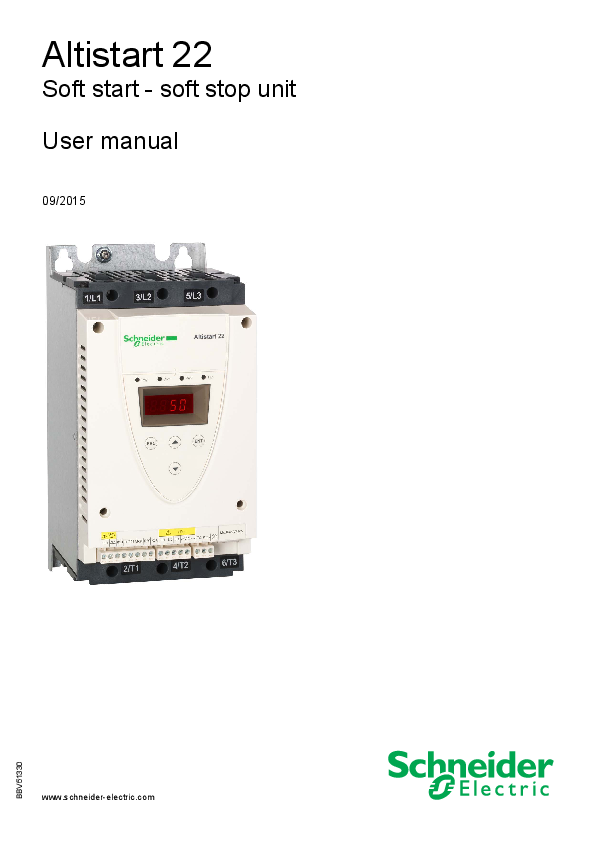
Soft start - soft stop unit User manual
User manual This manual describes how to install, commission, operate, and program the soft starter. Quick Start guide This document (S1A10388) is delivered with the soft starter, and you can download it on www.schneide…
ATS22 User Manual EN BBV51330 04 - NET
This user manual covers the technical characteristics, specifications, installation, wiring, programming, and troubleshooting of ATS22. Terminology. Some of the ...
Full PDF Document

If the inline viewer fails, it will open the original document in compatibility mode automatically. You can also open the file directly.
Extracted Text
2354235 11/2008
Altistart 22
Soft start - soft stop unit User manual
09/2015
www.schneider-electric.com

BBV51330

The information provided in this documentation contains general descriptions and/or technical characteristics of the performance of the products contained herein. This documentation is not intended as a substitute for and is not to be used for determining suitability or reliability of these products for specific user applications. It is the duty of any such user or integrator to perform the appropriate and complete risk analysis, evaluation and testing of the products with respect to the relevant specific application or use thereof. Neither Schneider Electric nor any of its affiliates or subsidiaries shall be responsible or liable for misuse of the information contained herein. If you have any suggestions for improvements or amendments or have found errors in this publication, please notify us.
No part of this document may be reproduced in any form or by any means, electronic or mechanical, including photocopying, without express written permission of Schneider Electric.
All pertinent state, regional, and local safety regulations must be observed when installing and using this product. For reasons of safety and to help ensure compliance with documented system data, only the manufacturer should perform repairs to components.
When devices are used for applications with technical safety requirements, the relevant instructions must be followed.
Failure to use Schneider Electric software or approved software with our hardware products may result in injury, harm, or improper operating results.
Failure to observe this information can result in injury or equipment damage.
� 2013 Schneider Electric. All rights reserved.

Content
Important Information __________________________________________________________________________________________ 4 Before you begin______________________________________________________________________________________________ 5 Documentation structure________________________________________________________________________________________ 6
Steps for setting up the soft starter (also refer to Quick Start guide)__________________________________________ 7
Receiving and handling ________________________________________________________________________________________ 8 Selection ___________________________________________________________________________________________________ 10 Dimensions and weights_______________________________________________________________________________________ 14 Mounting ___________________________________________________________________________________________________ 17 Mounting - Fan option_________________________________________________________________________________________ 20 Thermal protection ___________________________________________________________________________________________ 22 Wiring _____________________________________________________________________________________________________ 26 Wiring - power terminals _______________________________________________________________________________________ 32 Wiring - control terminals ______________________________________________________________________________________ 35 Wiring - in line connection - application diagram ____________________________________________________________________ 38 Display terminal _____________________________________________________________________________________________ 42 Remote keypad display - option _________________________________________________________________________________ 44 Programming _______________________________________________________________________________________________ 45 List of parameters ____________________________________________________________________________________________ 48 Parameter settings ___________________________________________________________________________________________ 49 Configuration menu (ConF) ____________________________________________________________________________________ 50 Settings menu (SEt) __________________________________________________________________________________________ 51 Advanced adjustments menu (AdJ) ______________________________________________________________________________ 53 Advanced settings menu (SEt2) _________________________________________________________________________________ 55 Advanced protections menu (PrO) _______________________________________________________________________________ 56 Advanced IO menu (IO) _______________________________________________________________________________________ 60 Advanced communication menu (COP) ___________________________________________________________________________ 62 Advanced monitoring menu (SUP) _______________________________________________________________________________ 63 Utility menu (UtIL) ____________________________________________________________________________________________ 64 Command channel ___________________________________________________________________________________________ 65 Modbus Function ____________________________________________________________________________________________ 68 Connection to RS485 bus______________________________________________________________________________________ 73 Maintenance ________________________________________________________________________________________________ 74 Diagnostics / Troubleshooting __________________________________________________________________________________ 75 Parameter Index and Modbus addresses__________________________________________________________________________ 77 Annex 1: UL508 schematics ____________________________________________________________________________________ 82

BBV51330 09/2015

3

Important Information
NOTICE
Read these instructions carefully, and look at the equipment to become familiar with the device before trying to install, operate, or maintain it. The following special messages may appear throughout this documentation or on the equipment to warn of potential hazards or to call attention to information that clarifies or simplifies a procedure.
The addition of this symbol to a Danger or Warning safety label indicates that an electrical hazard exists, which will result in personal injury if the instructions are not followed.
This is the safety alert symbol. It is used to alert you to potential personal injury hazards. Obey all safety messages that follow this symbol to avoid possible injury or death.
DANGER
DANGER indicates an imminently hazardous situation, which, if not avoided, will result in death or serious injury.
WARNING
WARNING indicates a potentially hazardous situation, which, if not avoided, can result in death, serious injury or equipment damage.
CAUTION
CAUTION indicates a potentially hazardous situation, which, if not avoided, can result in injury or equipment damage.
NOTICE
NOTICE, used without the safety alert symbol, indicates a potentially hazardous situation which, if not avoided, can result in equipment damage.
PLEASE NOTE
Electrical equipment should be installed, operated, serviced, and maintained only by qualified personnel. No responsibility is assumed by Schneider Electric for any consequences arising out of the use of this product. � 2013 Schneider Electric. All Rights Reserved.

4

BBV51330 09/2015

Before you begin
Read and understand these instructions before performing any procedure with this soft starter.
DANGER
HAZARD OF ELECTRIC SHOCK, EXPLOSION, OR ARC FLASH
� Only appropriately trained persons who are familiar with and understand the contents of this manual and all other pertinent product documentation and who have received safety training to recognize and avoid hazards involved are authorized to work on and with this soft starter system. Installation, adjustment, repair, and maintenance must be performed by qualified personnel.
� The system integrator is responsible for compliance with all local and national electrical code requirements as well as all other applicable regulations with respect to grounding of all equipment.
� Many components of the product, including the printed circuit boards, operate with mains voltage. Do not touch. Use only electrically insulated tools.
� Do not touch unshielded components or terminals with voltage present. � AC voltage can couple voltage to unused conductors in the motor cable. Insulate both ends of unused conductors of the motor cable. � Before performing work on the soft starter system:
- Disconnect all power, including external control power that may be present. - Place a "Do Not Turn On" label on all power switches. - Lock all power switches in the open position. � Install and close all covers before applying power voltage.
Failure to follow these instructions will result in death or serious injury.
DANGER
UNINTENDED EQUIPMENT OPERATION
� Read and understand this manual before installing or operating the Altistart 22. � Any changes made to the parameter settings must be performed by qualified personnel.
Failure to follow these instructions will result in death or serious injury.
WARNING
DAMAGED SOFT STARTER EQUIPMENT
Do not operate or install any soft starter or soft starter accessory that appears damaged.
Failure to follow these instructions can result in death, serious injury, or equipment damage.
WARNING
LOSS OF CONTROL
� The designer of any control scheme must - consider the potential failure modes of control paths and, for certain critical control functions, - provide a means to achieve a safe state during and after a path failure.
Examples of critical control functions are emergency stop and overtravel stop. � Separate or redundant control paths must be provided for critical control functions. � System control paths may include communication links. Consideration must be given to the implications of unanticipated
transmission delays or failures of the link. (1) � Each implementation of an ATS22 soft starter must be individually and thoroughly tested for proper operation before being placed
into service.
Failure to follow these instructions can result in death, serious injury, or equipment damage.
(1) For additional information, refer to NEMA ICS 1.1 (latest edition), "Safety Guidelines for the Application, Installation, and Maintenance of Solid State Control".

BBV51330 09/2015

5

Documentation structure
The following Altistart 22 technical documents are available on the Schneider Electric website (www.schneider-electric.com).
User manual
This manual describes how to install, commission, operate, and program the soft starter.
Quick Start guide
This document (S1A10388) is delivered with the soft starter, and you can download it on www.schneider-electric.com.
Quick Start annex
Annex for UL 508 with SCCR (Short Circuit Current Ratings) and branch circuit protection). This document (S1A14738) is delivered with the soft starter, and you can download it on www.schneider-electric.com.

6

BBV51330 09/2015

Steps for setting up the soft starter (also refer to Quick Start guide)

Steps 1 to 4 are performed with the power off.

1. Receive and Inspect the soft starter
v Check that the soft starter reference on the nameplate is similar to the
purchase order.
v Remove the Altistart 22 from packaging and check that it has not been
damaged
2. Check the line voltage compatibility
v Check that the line voltage, and control voltage are
compatible with the soft starter (pages 11 to 13).

3. Mount the soft starter vertically
v Mount the soft starter in accordance with the
instructions in this document (page 17).

BBV51330 09/2015

4. Wire the soft starter (page 29)
v Connect the motor, ensuring that its
connections correspond to the voltage.
v Connect the line supply, after making
sure that the power is off.
v Check and Connect the control supply
on CL1-CL2
5. Configure the soft starter
(page 45)
v Power on control, and do not give
a start command.
v Adjust UIn line voltage. v AdjustIn motor rated current.
6. Start
7

Receiving and handling

Introduction
The ATS22 offers acceleration and deceleration control of standard three-phase asynchronous induction (squirrel cage) motors. The ATS22 controls the motor performance based on the motor torque rather than simple voltage or current based control. Advanced control algorithms are incorporated to help smooth rotation throughout the starting ramp and reducing mechanical instability at the end of starting. A digital keypad display is provided for soft starter setup and motor performance display. The ATS22 is available in 15 rated currents from 17 to 590 A. ATS22 are rated for use from 208 to 600 V motors, and are self-adjusting for a 50 Hz or 60 Hz supply frequency. This user manual covers the technical characteristics, specifications, installation, wiring, programming, and troubleshooting of ATS22.

Terminology
Some of the terms and acronyms used in this manual are defined in the table below:

Term

Definition

Soft starter Full Load Amps Soft starter FLA This value is on the soft starter nameplate IcL.
IcL: Soft starter rated current

Motor FLA

Motor Full Load Amps This value is on the motor nameplate. The rated current of an induction motor at rated speed and load. Soft starter in line connection: In = rated current of the motor FLA. Soft starter inside delta connection: In = rated current of the motor FLA / 3.

OCPD

Overcurrent protective device.

Receiving and Preliminary Inspection
Before installing the ATS22 soft starter, read this manual and follow all precautions. Before removing the ATS22 soft starter from its packing material, verify that the packing carton is not damaged from shipping. Damage to the packing carton usually indicates improper handling. If any damage is found, notify the carrier and your Schneider Electric representative. After removing the ATS22 soft starter from its packaging, inspect it for damage. If any shipping damage is found, notify the carrier and your sales representative. Verify that the ATS22 soft starter nameplate and label conform to the packing slip and corresponding purchase order.

WARNING
DAMAGED SOFT STARTER EQUIPMENT
Do not operate or install any soft starter that appears damaged.
Failure to follow these instructions can result in death, serious injury, or equipment damage.
Storing and Shipping
If the ATS22 soft starter is not being immediately installed, store it in a clean, dry area where the ambient temperature is between -25 �C and +70 �C (-13 �F and +158 �F). If the ATS22 soft starter must be shipped to another location, use the original shipping material and carton to help protect it.
Soft starter catalog numbers
Catalog numbers are composed with: Soft starter rating (1) Power and control voltage

Product symbol A T S 2 2

Q S6 S6U

230-440 V, 230 Vac control supply, 24 Vdc logic inputs 208-600 V, 230 Vac control supply, 24 Vdc logic inputs 208-600 V, 110 Vac control supply, 110 Vac logic inputs

(1) The range is composed of 5 physical frame sizes distributed in 15 ratings from D17 to C59 (see page 11).

8

BBV51330 09/2015

Receiving and handling
Handling the soft starter
Hoisting the ATS22
The ATS22 range comprises 5 frame sizes, with various weights and dimensions. Small soft starters can be removed from their packaging and installed without a handling device. A handling device must be used from ATS22C21ppp to ATS22C59ppp; for this reason they are supplied with lifting holes.
WARNING
HANDLING AND LIFTING HAZARD
Keep the area below any equipment being lifted clear of all personnel and property. Use the lifting method as shown below.
Failure to follow these instructions can result in death, serious injury, or equipment damage.
Do not remove the ATS22 from the carton until it is at the final installation site. Handle the soft starter carefully after removing it from the carton to avoid damage to the internal components, frame, or exterior. Once removed from the carton, the soft starter can be handled:
� With a hoist. When hoisting the soft starter, attach a spreader bar to the two lifting holes on top as shown below.
� In a horizontal position, with the back of the soft starter resting on a pallet.
45� maxi

Package content
� Soft starter � Quick Install guide � Package of screws for frame sizes C, D, and E � Allen key, supplied with size B products

BBV51330 09/2015

9

Selection
Torque characteristic

Ts and Is: Direct on line starting of an asynchronous motor.
Ts1: Total torque range available with an Altistart 22, which is dependent on the limiting current ILt, page 51. The progression of the soft starter is controlled by the motor torque within this range.
Tr: Resistive torque, which must always be less than the Ts1 torque.

Soft starter selection
S1 motor duty corresponds to starting followed by operation at constant load enabling the thermal stability to be reached. S4 motor duty corresponds to a cycle comprising starting, operation at constant load, and an idle period. This cycle is characterized by a load factor. The Altistart 22 must be selected depending on the type of application ("standard" or "severe") and the nominal power of the motor. "Standard" or "severe" applications define the limiting values of the current and the cycle for motor duties S1 and S4. These duties are described in the IEC 60034-1.

Standard application
Example: centrifugal pump In standard application, the Altistart 22 is designed to provide: � in S1 duty: starting at 3.5 In for 40 seconds from a cold state. � in S4 duty: a load factor of 90% and n starts per hour (see table below), with 3.5 In for 20 seconds or an equivalent thermal cycle. In this case, the motor thermal protection must conform to protection class 10.

:

Framesize In S4 duty, number of

starts (1) per hour

Standard With fan

A

6

10

B

6

10

C

4

10

D

NA

4

E

NA

4

(1) Note: in case of both soft starts and soft stops, the number of starts has to be divided by 2.

Severe application
The Altistart 22 rated current is limited to 3.5 IcL, see table page 19.IcL is the nominal current of the Altistart 22. If the application requires a higher rated starting current (> 3.5 IcL), the soft starter must be oversized. See soft starter selection table, page 11.

Soft starter sizing according to thermal protection class

Starting current
y 3.5In max starting time

Protection class

Class 10

Class 20

Nominal*

Nominal + 1**

16 s

32 s

Class 30
Nominal + 2*** 48 s

* Nominal = nominal size of the soft starter according to the nominal motor current (Motor FLA). ** Nominal + 1 = oversize the soft starter by one rating compared to the nominal motor current (Motor FLA). *** Nominal + 2 = oversize the soft starter by 2 ratings compared to the nominal motor current (Motor FLA).

10

BBV51330 09/2015

Selection

Standard application, Altistart 22���Q, 230/440 V supply,
soft starter in line connection

Motor Nominal motor power

230 V

400 V

kW

kW

4

7.5

7.5

15

11

22

15

30

18.5

37

22

45

30

55

37

75

45

90

55

110

75

132

90

160

110

220

132

250

160

315

440 V
kW 7.5 15 22 30 37 45 55 75 90 110 132 160 220 250 355

Altistart 22pppQ, 230/440 V (+ 10% - 15%) - 50/60 Hz (+/- 10%)

Motor nominal
current In (Motor FLA)

Soft starter rated
current IcL (Soft starter FLA)

Reference

A

A

14.8

17

ATS22D17Q

28.5

32

ATS22D32Q

42

47

ATS22D47Q

57

62

ATS22D62Q

69

75

ATS22D75Q

81

88

ATS22D88Q

100

110

ATS22C11Q

131

140

ATS22C14Q

162

170

ATS22C17Q

195

210

ATS22C21Q

233

250

ATS22C25Q

285

320

ATS22C32Q

388

410

ATS22C41Q

437

480

ATS22C48Q

560

590

ATS22C59Q

The nominal motor current In must not exceed the maximum permanent current in class 10. See wiring page 30.

Maximum surrounding temperature
The information in the table above is based on operation at a maximum ambient temperature of 40 �C (104 �F) and mini. -10 �C (14 �F). The Altistart 22 can be used up to an ambient temperature of 60 �C (140 �F) as long as the max. permanent current in class 10 is derated by 2.2% for each degree above 40 �C (104 �F).

Example: ATS22D32Q at 50 �C (122 �F) derated by 10 x 2.2% = 22%, 32 A becomes 32 x (1-0.22) = 24.96 A (max. nominal motor current).

BBV51330 09/2015

11

Selection

Standard application, Altistart 22���Q, 230/440 V supply,
soft starter inside delta connection
Only the Altistart 22pppQ can be installed inside delta connection.
NOTICE
RISK OF DAMAGE TO THE MOTOR
ATS22pppS6 and ATS22pppS6U must not be installed inside delta connection.
Failure to follow these instructions can result in equipment damage.

Motor

Nominal motor power

230 V

400 V

kW

kW

5.5

11

11

22

18.5

45

22

55

30

55

37

75

45

90

55

110

15

132

90

160

110

220

132

250

160

315

220

355

250

400

440 V
kW 15 22 45 55 75 75 90 110 132 160 220 250 355 400 500

Soft starter 230/440 V (+ 10% - 15%) - 50/60 Hz (+/- 10%)

Line current (Motor FLA) (1)

In setting

Soft starter

(Line current/3) rated currentIcL

(soft starter FLA)

A

A

A

25

14.4

17

48

27.7

32

70

40.4

47

93

53.7

62

112

64.7

75

132

76.2

88

165

95.3

110

210

121.2

140

255

147.2

170

315

181.9

210

375

216.5

250

480

277.1

320

615

355.1

410

720

415.7

480

885

511.0

590

Soft starter reference
ATS22D17Q ATS22D32Q ATS22D47Q ATS22D62Q ATS22D75Q ATS22D88Q ATS22C11Q ATS22C14Q ATS22C17Q ATS22C21Q ATS22C25Q ATS22C32Q ATS22C41Q ATS22C48Q ATS22C59Q

(1) Line current is maximum 1.5 IcL. Also, the In setting must not exceed IcL. Example: for a 400 V - 110 kW motor with a line current of 195 A, the minimum soft starter rated current,IcL = 195/1.5 = 130 A. Thus select ATS22C14Q

The nominal motor current In must not exceed the max. permanent current in class 10. See wiring page 26.

Maximum surrounding temperature
The information in the table above is based on operation at a maximum ambient temperature of 40 �C (104 �F) and mini. -10 �C (14 �F). The Altistart 22 can be used up to an ambient temperature of 60 �C (140 �F) as long as the max. permanent current in class 10 is derated by 2.2% for each degree above 40 �C (104 �F).

Example: ATS22D32Q at 50 �C (122 �F) derated by 10 x 2.2% = 22%, 48 A becomes 48 x 0.78 = 37.5 A (max. nominal motor current).

12

BBV51330 09/2015

Selection

Standard application, 208/600 V supply, soft starter in line connection

Motor Nominal motor power 208 V 230 V 230 V

400 V

440 V

460 V

500 V

575 V

HP

HP

kW

kW

kW

HP

kW

HP

3

5

4

7.5

7.5

10

9

15

7.5

10

7.5

15

15

20

18.5 25

(1)

15

11

22

22

30

30

40

15

20

15

30

30

40

37

50

20

25

18.5 37

37

50

45

60

25

30

22

45

45

60

55

75

30

40

30

55

55

75

75

100

40

50

37

75

75

100

90

125

50

60

45

90

90

125

110

150

60

75

55

110

110

150

132

200

75

100

75

132

132

200

160

250

100

125

90

160

160

250

220

300

125

150

110

220

220

300

250

350

150

-(1)

132

250

250

350

315

400

(1)

200

160

315

355

400

400

500

(1) Value not indicated when there is no corresponding standardized motor.

Soft starter 208/600 V (+ 10% - 15%) 50/60 Hz (+/- 10%)

Motor
nominal
current In (Motor FLA)

Soft starter rated
currentIcL (Soft starter FLA)

Soft starter reference

A

A

14

17

ATS22D17S6 or S6U

27

32

ATS22D32S6 or S6U

40

47

ATS22D47S6 or S6U

52

62

ATS22D62S6 or S6U

65

75

ATS22D75S6 or S6U

77

88

ATS22D88S6 or S6U

96

110

ATS22C11S6 or S6U

124

140

ATS22C14S6 or S6U

156

170

ATS22C17S6 or S6U

180

210

ATS22C21S6 or S6U

240

250

ATS22C25S6 or S6U

302

320

ATS22C32S6 or S6U

361

410

ATS22C41S6 or S6U

414

480

ATS22C48S6 or S6U

477

590

ATS22C59S6 or S6U

The nominal motor current In must not exceed the max. permanent current in class 10.

Maximum surrounding temperature
The information in the table above is based on operation at a maximum ambient temperature of 40 �C (104 �F) and mini. -10 �C (14 �F). The Altistart 22 can be used up to an ambient temperature of 60 �C (140 �F) as long as the max. permanent current in class 10 is derated by 2.2% for each degree above 40 �C (104 �F). Example: ATS22D32S6 at 50 �C (122 �F) derated by 10 x 2.2% = 22%, 27 A becomes 27 x 0.78 =21.06 A (max. nominal motor current).

BBV51330 09/2015

13

Dimensions and weights
ATS22D17 to D88

For frame sizes D17 to D88, the fan is sold separately. (1)

ATS22
D17 D32 D47 D62 D75 D88

Frame size
A A A B B B

a
mm (in.)
130 (5.1)
145 (5.7)

b
mm (in.)
265 (10.4)
295 (11.6)

c
mm (in.)
169 (6.6)
207 (8.1)

c1
mm (in.)
209 (8.2)
247 (9.7)

e
mm (in.)
6.5 (0.3)

H

Standard With fan

G

G1

mm

mm

mm

(in.)

(in.)

(in.)

250 (9.8)

100 (3.9)

65 (2.6)

10.5 (0.4)

276 (10.9)

115 (4.5)

80 (3.15)

c: dimension of the product alone. c1: dimension of the product with its fan. (1) The voltage of the fan has to match the control voltage of the soft starter: ATS22pppQ or ATS22pppS6 Fan 230 V (VW3G22ppp, ppp = 400 for size A, 401 for size B or 402 for size C) ATS22pppS6U Fan 110 V (VW3G22Uppp, ppp = 400 for size A, 401 for size B or 402 for size C)

D mm mm (in.)
7 (0.28)
7 (0.28)

Weight
kg (lb)
5.5 (12.1)
7.8 (17.2)

14

BBV51330 09/2015

Dimensions and weights
ATS22C11 to C17

For frame sizes C11 to C17, the fan is sold separately. (1)

ATS22 Frame size C
C11 C14 C17

a
mm (in.)
150 (5.9)

b

c

c1

e

H

mm mm mm mm mm (in.) (in.) (in.) (in.) (in.)

356 229.5 269.5 10.5 331

(14)

(9) (10.6) (0.41) (13)

G1
mm (in.)
120 (4.7)

P
mm (in.)
40.5 (1.6)

Q
mm (in.)
34.5 (1.3)

Q1
mm (in.)
5 (0.2)

S

D1

D2

D3 Weight

mm mm mm mm

kg

(in.) (in.) (in.) (in.) (lb)

20

9

7

6

12.2

(0.8) (0.35) (0.28) (0.23) (26.9)

c: dimension of the product alone. c1: dimension of the product with its fan. (1) The voltage of the fan has to match the control voltage of the soft starter: ATS22pppQ or ATS22pppS6 Fan 230 V (VW3G22ppp, ppp = 400 for size A, 401 for size B or 402 for size C) ATS22pppS6U Fan 110 V (VW3G22Uppp, ppp = 400 for size A, 401 for size B or 402 for size C)

BBV51330 09/2015

15

Dimensions and weights
ATS22C21 to C59

For frame sizes C21 to C59, the fan is integrated.

ATS22 Frame size

C21

D

C25

D

C32

D

C41

D

C48

E

C59

E

a mm (in.)
206 (8.1)
304 (11.9)

b mm (in.)
425 (16.7)
455 (17.9)

c mm (in.)
299 (11.8)
339.7 (13.4)

e mm (in.)
15 (0.59)
15 (0.59)

H mm (in.)
396 (15.6)
426 (16.8)

G1 mm (in.)
157 (6.2)
264 (10.4)

P mm (in.)
60 (2.4)
94 (3.7)

Q

Q1

S

D1

D2 Weight

mm (in.)

mm (in.)

mm (in.)

mm (in.)

mm (in.)

kg (lb)

40

1.3

30

13.5

9

20.5

(1.6) (0.05) (1.2) (0.53) (0.35) (45.2)

55

1

40

13.5

9

33

(2.2) (0.04) (1.6) (0.53) (0.35) (73.3)

16

BBV51330 09/2015

Mounting

Mounting Precautions
Follow these precautions when mounting the ATS22 soft starter:
� The soft starter is compliant with pollution Degree 2 as defined in NEMA ICS1-1 or IEC 60664-1. � For environment pollution degree 3 install the product inside a cabinet type 12 or IP54.

DANGER
HAZARD OF ELECTRIC SHOCK, EXPLOSION, OR ARC FLASH
ATS22 soft starters are open devices and must be mounted in a suitable enclosure.
Failure to follow these instructions will result in death or serious injury.

� The ATS22 soft starter generates heat and must be properly ventilated. Refer to "Thermal considerations for sizing enclosures" page 19 to determine power dissipated.
� When several soft starters are installed in a control panel, arrange them in a row. Do not stack soft starters. Heat generated from the bottom soft starter can adversely affect the ambient temperature around the top soft starter.
� Install the ATS22 vertically, within � 10� (other positions are not allowed). � Do not place it close to heating elements. Leave sufficient free space so that the air required for cooling purposes can circulate from
the bottom to the top of the unit. � Electrical current through the ATS22 will result in heat losses that must be dissipated into the ambient air immediately surrounding
the soft starter. To help prevent a thermal fault, provide sufficient enclosure cooling and/or ventilation to limit the ambient temperature around the soft starter.

S  100 mm (3.9 in)

Note: For the soft starters mounted side-by-side, the free space must be  50 mm (1.95 in.)

S  50 mm (1.95 in.)

S  50 mm (1.95 in.)

S  100 mm (3.9 in)
DANGER
HAZARD OF ELECTRIC SHOCK, EXPLOSION, OR ARC FLASH
Check that no liquid, dust or conductive object can fall into the soft starter (degree of protection IP00 from above). Failure to follow these instructions will result in death or serious injury.

BBV51330 09/2015

17

Mounting

Soft starter ventilation
On soft starters installed with a cooling fan, the fan is factory set to switch on automatically as soon as the heatsink temperature reaches 46 �C (114.8 �F). It is switched off when the heatsink temperature falls back to 43 �C (109.4 �F). This behavior can be modified by adjusting the FAn parameter in IO menu on page 61.

Fan flow rates
Reference ATS22 D17, D32, D47 ATS22 D62, D75, D88 ATS22 C11, C14, C17 ATS22 C21, C25, C32, C41 ATS22 C48, C59
(1) Cubic Feet / Minute

Frame size A
B
C
D
E

Unit
m3/hour CFM (1) m3/hour CFM (1) m3/hour CFM (1) m3/hour CFM (1) m3/hour CFM (1)

Standard 110 V 148 87 148 87

230 V 148 87 148 87

With optional fan kit

110 V

230 V

28

31

16

18

28

31

16

18

108

108

64

64

-

-

-

-

-

-

-

-

Mounting in a General Purpose Metal Enclosure
Observe the mounting recommendations on the previous page.

To help proper air circulation in the soft starter: � Install ventilation grilles. � Verify that ventilation is adequate: if not install a forced ventilation unit, with a filter if necessary.
Derate the soft starter current IcL by 2.2% per �C for temperatures above 40 �C up to 60 �C (104 �F up to 140 �F).

18

BBV51330 09/2015

Mounting
Mounting in a dust and damp-proof metal enclosure
Ventilation for dust and damp- proof enclosure
�i = internal ambient temperature �e = external ambient temperature

Follow the instructions in this section in order to meet NEMA Type 12 (IP54) degree of protection. Do not use insulated or non-metallic enclosures as they have poor thermal conduction. Provide a stirring fan to circulate air inside the enclosure and to help prevent hot spots in the soft starter. This allows operation of the soft starter in an enclosure with a maximum internal temperature of 60 �C (140 �F). Ensure that the ambient temperature around the soft starters does not exceed this limit. Derate the soft starter current IcL by 2.2% per �C for temperatures above 40 �C up to 60 �C (104 �F up to 140 �F).
Thermal considerations for sizing enclosures
When mounting the ATS22 soft starter in an enclosure, use the enclosure manufacturers' recommendations for proper sizing based on thermal considerations. For this, it is necessary to sum the power dissipated by each device in the enclosure. Table hereafter lists the steady state and starting power dissipations for the ATS22 soft starter, operating at rated current.

Power dissipated by the soft starters, at their nominal current

Soft starter reference
ATS22D17 ATS22D32 ATS22D47 ATS22D62 ATS22D75 ATS22D88 ATS22C11 ATS22C14 ATS22C17 ATS22C21 ATS22C25 ATS22C32 ATS22C41 ATS22C48 ATS22C59

Power
Frame size

IcL

A

A

17

A

32

A

47

B

62

B

75

B

88

C

110

C

140

C

170

D

210

D

250

D

320

D

410

E

480

E

590

During starting total power at 3.5 IcL W 208 404 562 781 1016 1060 1345 1548 1922 2596 3275 3699 5147 6396 7599

Steady state total power bypass W 5 10 14 19 23 26 33 42 51 63 75 96 123 144 177

Control supply

Electronics Shorting contactors (1)

W

W

20

-

20

-

20

-

20

14

20

14

Fans W 14 (2) 20 (2) 20 (2)
20 40

(1) For ATS22pppQ, ATS22pppS6 and ATS22pppS6U, frame sizes A, B and C the shorting contactor power is included in the electronics. (2) Optional fan kit

Example: for an ATS22D47
Power dissipated during starting: 562 W Power dissipated in steady state: 14 W Power for Control supply: 20 W without fan, 34 W with fan

Example: for an ATS22C48
Power dissipated during starting: 6396 W Power dissipated in steady state: 144 W Power for Control supply: 74 W

BBV51330 09/2015

19

Mounting - Fan option
Fan for frame sizes A, B and C

Connections between the fan and the ATS22
Tightening torque: 3.5 N�m (31 lb.in)

ATS22pppQ or ATS22pppS6 Fan 230 V ATS22pppS6U Fan 110 V
20

* As 2 different fan options could be connected to the ATS22 according to the fan voltage (matching the ATS22 control voltage), the connector is different according to the voltage, to help avoid wrong assembly and misuse. (1) The voltage of the fan has to match the control voltage of the soft starter:
BBV51330 09/2015

Mounting - Fan option
Fan dimensions for frame sizes ATS22D17 to C17

For frame sizes D17 to D88, the fan is sold separately. (1)

Fan kit ATS22

a

b

k

e

H

G

G1

X

mm

mm

mm

mm

mm

mm

mm

mm

(in.)

(in.)

(in.)

(in.)

(in.)

(in.)

(in.)

(in.)

D17

A

D32

D47

130 (5.1)

265 (10.4)

40 (1.6)

8.5 (0.33)

248 (9.8)

100 (3.9)

65 (2.6)

250 (9.8)

D62

B

D75

D88

145 (5.7)

295 (11.6)

40 (1.6)

8.5 (0.33)

278 (10.9)

115 (4.5)

80 (3.1)

276 (10.9)

C11 C C14
C17

150

350

40

8.5

333

120

85

331

(5.9)

(13.8)

(1.6)

(0.33) (13.1)

(4.7)

(3.3)

(13)

(1) The voltage of the fan has to match the control voltage of the soft starter. ATS22pppQ or ATS22pppS6 Fan 230 V (VW3G22ppp, ppp = 400 for size A, 401 for size B or 402 for size C) ATS22pppS6U Fan 110 V (VW3G22Uppp, ppp = 400 for size A, 401 for size B or 402 for size C)

D mm (in.)
7 (0.28)
7 (0.28)
7 (0.28)

Weight kg (lb)
1.2 (2.6)
1.4 (3.1)
1.6 (3.5)

BBV51330 09/2015

21

Thermal protection
Soft starter thermal protection
The thermal protection is provided by the temperature sensor installed on the heatsink.
Motor thermal protection
Standard IEC 60947-4-2 defines the protection classes giving the starting capacities of the motor (warm or cold start) without thermal faults. Different protection classes are given for a COLD state (corresponding to a stabilized motor thermal state, switched off) and for a WARM state (corresponding to a stabilized motor thermal state, at nominal power).
� The soft starter is factory set to protection class 10. � This protection class can be modified using tHP parameter in SEt menu. � The motor thermal state is stored in memory. No estimate of motor cooling is calculated while power of the control part is off. � An overload alarm is activated if motor thermal state exceeds 110%. � A thermal trip OLF?stops the motor if motor thermal state exceeds 125%. � If the thermal protection has not been disabled, the thermal trip can be indicated by a relay depending on output assignment. � After the motor has stopped or the soft starter has been switched off, the thermal state is saved. At next start or switch-on, the thermal
protection value is restored. � If a special motor is used (explosion proof, submersible, etc.), the thermal protection should be provided by PTC probes.
NOTICE
RISK OF DAMAGE TO THE MOTOR
The use of external overload protection is required under the following conditions: � Running multiple motors � Running motors rated at less than 40% of the nominal soft starter current � Using motor switching � Using special motor (explosion proof, submersible, etc...)
Failure to follow these instructions can result in equipment damage.
See Motor thermal protection with PTC probes, page 25.

22

BBV51330 09/2015

Thermal protection
Cold curves
t (s)

Class 30 Class 20
Class 10

Trip time for a standard application (class 10)
3.5 In
32 s

Trip time for a severe application (class 20)
3.5 In
63 s

Trip time for a severe application (class 30)
3.5 In
95 s

BBV51330 09/2015

23

Thermal protection
Warm curves
t (s)

Class 30 Class 20
Class 10

Trip time for a standard application (class 10)
3.5 In
16 s

Trip time for a severe application (class 20)
3.5 In
32 s

Trip time for a severe application (class 30)
3.5 In
48 s

24

BBV51330 09/2015

Thermal protection
Motor thermal protection with PTC probes
PTC probes integrated in the motor to measure its temperature can be connected to the control card terminals. Note: PTC probe protection does not deactivate the motor thermal protection provided by the soft starter calculation. Both types of protection can operate in parallel.
PTC wiring
(1)
(1) Shielded cable is optional.
Characteristics
Total resistance of the probe circuit: 750  at 25 �C (77 �F). Tripping: between 2700  and 3100 .

BBV51330 09/2015

25

Wiring
Installation Precautions
DANGER
HAZARD OF ELECTRIC SHOCK, EXPLOSION, OR ARC FLASH
� Read and understand this manual before installing or operating the Altistart 22. Installation, adjustment, repair, and maintenance must be performed by qualified personnel.
� The user is responsible for compliance with all international and national electrical code requirements with respect to grounding of all equipment.
� Many parts of this soft starter, including the printed circuit boards, operate at the line voltage. DO NOT TOUCH. Use only electrically insulated tools.
� DO NOT touch unshielded components or terminal strip screw connections with voltage present.
� Before servicing the soft starter: - Disconnect all power, including external control power that may be present. - Place a "DO NOT TURN ON" label on all power disconnects. - Lock all power disconnects in the open position.
� Install and close all covers before applying power or starting and stopping the soft starter.
Failure to follow these instructions will result in death or serious injury.
Good wiring practice requires the separation of control circuit wiring from all power (line and load) wiring. Power wiring to the motor must have the maximum possible separation from all other power wiring. Do not run them in the same conduit. This separation reduces the possibility of coupling electrical noise between circuits.
Follow these precautions when installing the ATS22 soft starter: � Voltage and frequency specifications for the input line must match the soft starter configuration. � A disconnect switch must be installed between the input line and the soft starter.
DANGER
HAZARD OF ELECTRIC SHOCK, EXPLOSION, OR ARC FLASH
� The solid state switches of the ATS22 soft starter's power circuit do not provide complete isolation from the AC line. Due to leakage currents through the solid-state switches, hazardous voltages can be present on the soft starter load-side power circuit whenever power is applied to the line side of the soft starter.
� Disconnect all power before servicing the soft starter or motor.
Failure to follow these instructions will result in death or serious injury.
� When using an isolation contactor, the contactor must close before or at the same time as the application of the soft starter run command. If line power is not detected at the L1, L2, and L3 terminals of the soft starter within 500 ms of this run command, a Phase Failure trip will occur.
� External overcurrent protection devices (OCPD), either fuses or a circuit breaker, must be installed on the line-side connections of the ATS22 soft starter. The maximum recommended OCPD rating, along with the associated soft starter short circuit withstand rating, is listed on the Quickstart S1A14738.

26

BBV51330 09/2015

Wiring
WARNING
INADEQUATE OVERCURRENT PROTECTION
� An overcurrent protective device must be installed on the line-side of the ATS22 to achieve published short-circuit withstand ratings. � Do not exceed the maximum overcurrent protective device ratings shown on the Quickstart annex (S1A14738). � Do not connect the soft starter to a power feeder whose short circuit capacity exceeds the soft starter short circuit withstand rating
shown on the Quickstart annex (S1A14738).
Failure to follow these instructions can result in death, serious injury, or equipment damage.
� Power factor correction capacitors should not be connected to a motor controlled by an ATS22 soft starter. If power factor correction is required, the capacitors must be located on the line-side of the soft starter. A separate contactor should be used to switch the capacitors off when the motor is off, or during acceleration and deceleration. Refer to bulletin No 8638PD9603.
NOTICE
RISK OF DAMAGE TO THE SOFT STARTER
� Do not connect power factor correction capacitors to the load-side power circuit of the ATS22. � Do not connect loads other than motors (for example transformers and resistors are forbidden).
Failure to follow these instructions can result in equipment damage.
� The ATS22 uses solid-state power switches to control motor power. When checking the condition of conductor or motor insulation, do not connect the high potential dielectric test equipment or insulation resistance tester to the soft starter since the test voltages used may damage the soft starter. Always disconnect the soft starter from the conductors or motor before performing such tests.
NOTICE
RISK OF DAMAGE TO THE SOFT STARTER
� Do not perform high potential dielectric tests on circuits while the circuits are connected to the ATS22 soft starter. � Any circuit requiring high potential dielectric tests must be disconnected from the soft starter prior to performing the test.
Failure to follow these instructions can result in equipment damage.
� The ATS22 contains electronic circuitry to detect and signal when the solid-state switches have become inoperable. � Since the solid-state switches may be incapable of completely blocking the motor power should the soft starter detect a fault, auxiliary
isolation on the line side of the soft starter is required. Use either a circuit breaker equipped with a shunt trip coil or an electromagnetic contactor. Connect the isolation device to the detected fault relay of the soft starter so that it opens the soft starter power circuit in the event of a soft starter trip. The isolation device must be capable of interrupting motor locked rotor current.

BBV51330 09/2015

27

Wiring
Refer to application diagrams that display the logic controlling the isolation device via the detected fault relay.
CAUTION
MOTOR OVERHEATING HAZARD
If the solid-state switches on the ATS22 become inoperable, single-phase operation of the motor can result. � Use an isolation device consisting of either a circuit breaker equipped with a shunt trip coil or an electromagnetic contactor to open
the line-side of the soft starter. � The isolation device must be capable of interrupting the motor locked rotor current. � Connect the detected fault relay of the soft starter to open the isolation device in the event of a soft starter trip.
Failure to follow these instructions can result in injury or equipment damage.
WARNING
INADEQUATE SYSTEM GROUNDING- BRANCH CIRCUIT CONDUCTOR HAZARD
If system grounding is not adequate for ground fault levels, use properly coordinated external ground fault protection. Possible solutions include: � Time delay fuses coordinated to 125% of motor FLA. � A properly coordinated external overload relay.
Failure to follow these instructions can result in death, serious injury, or equipment damage.
System Grounding
If system grounding is not adequate to handle ground trip levels which can exceed 1300% of motor full load amps (Motor FLA), then this device may not protect the branch circuit conductors. In this case, external ground trip protection must be properly coordinated. Recommended solutions include:
� Time delay fuses coordinated to 125% of motor FLA. The fuses listed in the chapter Branch circuit protection are sized to provide proper coordination and may be used for applications that do not require start times longer than 50 seconds at 300% current limit or 20 seconds at 500% current limit.
� External overload relay. For multi-motor applications, applications in which motor does not match the soft starter size, or applications that use a full voltage bypass scheme, an external overload relay can be coordinated to protect conductors from a high-impedance ground trip.
General wiring practices
When wiring ATS22 soft starter, follow the wiring practices required by national and local electrical codes. In addition, follow these guidelines:
� Use metallic conduit for all soft starter wiring. Do not run control and power wiring in the same conduit. � Separate metallic conduits carrying power wiring or low-level control wiring by at least 80 mm (3 in). � Separate non-metallic conduits or cable trays used to carry power wiring from metallic conduit carrying low-level control wiring by at
least 305 mm (12 in). � Always cross power and control wiring at right angles. � Keep the control circuits away from the power cables.
Adaptation to line input
The control circuit is completely independent of the power circuit. To apply control voltage, follow the instructions on the label located on the soft starter terminal strip. Connect single phase voltage of 110 Vac or 230 Vac supply to terminals CL1 and CL2. The power circuit adapts automatically to the input line voltage and frequency over a range of 230 to 440 V for ATS22pppQ soft starters, and over a range of 208 to 600 V for ATS22pppS6 and ATS22pppS6U soft starters.

28

BBV51330 09/2015

Wiring

Power Requirements
Connect the control supply (CL1-CL2), ensuring that it is off, according to the model number of the soft starter.

ATS22pppQ and ATS22pppS6
ATS22pppS6U

230 V 220 V 115 V 110 V

+10 % �15 % +10 % �15 %

Connect the power line supply (1/L1-3/L2-5/L3), ensuring that it is off, according to the model number of the soft starter.

ATS22pppQ

230 V 440 V

ATS22pppS6 or ATS22pppS6U

208 V 600 V

+10 % �15 % +10 % �15 %

Connect the motor (2/T1 - 4/T2 - 6/T3), ensuring that its coupling corresponds to the supply voltage. Note: If the ATS22pppQ is used inside delta connection, follow the recommendations on page 12, and the diagrams on page 30.

Bypass contactor

NOTICE

DAMAGE TO THE EQUIPMENT
If a downstream contactor is used between the soft starter and the motor, verify the following: - The contacts between the motor and the soft starter must be closed before a Run command is executed. - The contacts between the motor and the soft starter must remain closed while the demagnetization of the motor is in progress. - The power stage must not be enabled when the contacts between the motor and the soft starter open.

Failure to follow these instructions can result in equipment damage.

An internal bypass contactor is integrated into all ATS22 soft starters. The bypass contactor is activated when: I motor < 120% In AND U motor = 100% input line voltage

Block diagram of the power part of the Altistart 22

ATS22pppQ range

ATS22pppS6 and ATS22pppS6U ranges

BBV51330 09/2015

29

Wiring
The ATS22pppQ range (230-440 V) can be connected in the motor supply line or inside delta connection of the motor.
The Altistart 22 in line connection
The motor connection depends on the supply voltage. Two possibilities are shown below: star connection and delta connection. ATS22

Motor

Star connection

Delta connection

The Altistart 22 connected inside delta connection

ATS22

NOTICE
RISK OF DAMAGE TO THE SOFT STARTER
� Only the ATS22pppQ range can be installed inside delta connection. � Ensure connection exactly as shown on the example. � Line voltage should not exceed 440 V. � The parameter dLtA must be set to dLt.
Failure to follow these instructions can result in equipment damage.

Note: Phase sequence must be 1 - 2 - 3

Motor

30

BBV51330 09/2015

Wiring The ATS22���Q connected inside delta connection
ATS22pppQ soft starters can be inserted inside delta connection of the motor. Only the ATS22pppQ range can be installed inside delta connection. Set the parameter dLtA to dLt. See the tables on page 12 for more information about soft starter-motor combinations.
Note: To reverse the direction of the motor as shown on the figure: - reverse the two outputs U1 and V1, - reverse the two inputs L1 and L3.

BBV51330 09/2015

31

Wiring - power terminals

Power
Observe the cable cross-sectional areas recommended in the standards. The soft starter must be grounded to conform to the regulations concerning leakage currents. If the installation involves several soft starters on the same line, each soft starter must be grounded separately. Keep the power cables separate from circuits in the installation with low-level signals (sensors, PLCs, measuring devices, video, telephone).

Cage style connectors for frame sizes A and B

Ground connection

bottom view

1L1

3L2

5L3

Rdy Com Run Trip

2/T1 4/T2 6/T3

Ground connections, screw size

Frame size A B C D E

Screw M6 M6 M6 M10 M10

2T1

4T2

6T3

Ground connection

Power connections, minimum and maximum wiring capabilities, tightening torque

Frame size
A B

ATS22
D17, D32, D47 D62, D75, D88

IEC cable

1/L1 3/L2 5/L3 and 2/T1 4/T2 6/T3 power supply and output to motor

Size min. max

Tightening torque

min.

max

Strip length

mm� mm� N�m

N�m

mm

2.5 16

3

3

10

4 (a) 50

10

10

15

UL cable

1/L1 3/L2 5/L3 and 2/T1 4/T2 6/T3 power supply and output to motor

Gauge min. max

Tightening torque

min.

max

Strip length

AWG AWG

lb�in

lb�in

in.

12

4

26

26

0.4

10 (a)

1/0

89

89

0.6

(a) The cable gauge affects the IP protection of the soft starter. To keep IP20 value with a connected cable on frame B, the minimum cable gauge is: 16 mm� or 4 AWG. Allen key, supplied with size B products

DANGER
FIRE HAZARD DUE TO LACK OF TIGHTENING TORQUE
� Ensure correct connector tightening torque for power terminals. � For size B, use the Allen key provided with the product.
Failure to follow these instructions will result in death or serious injury.

32

BBV51330 09/2015

Wiring - power terminals
Bus bar connections for frame sizes C to E

Depth

Ground connection

Width

Frame Size

ATS22

C C11, C14, C17 D C21, C25, C32, C41 E C48, C59

Width mm (in.) 20 (0.79) 30 (1.18) 40 (1.57)

Bar Depth mm (in.) 5 (0.2) 5 (0.2) 5 (0.2)

1/L1 3/L2 5/L3 and 2/T1 4/T2 6/T3 power supply and output to motor

Cable and cover

Bolt

Size

Gauge

Cover

Tightening torque

M

mm�

MCM

Ref

N�m

lb�in

8 (0.31)

95

250

LA9F702

18

159

12 (0.47) 2x150

2x250 LA9F703

57

503

12 (0.47) 2x240

2x500 LA9F703

57

503

For more details, see Dimensions and weights paragraph page 14.

BBV51330 09/2015

33

Wiring - power terminals

Power connections, minimum required wiring section

Frame Size ATS22

IEC cable mm� (Cu 70 �C/158 �F) (1)

A

D17

2.5

D32

6

D47

10

B

D62

16

D75

25

D88

35

C

C11

35

C14

50

C17

70

D

C21

95

C25

120

C32

185

C41

2 x 150

E

C48

2 x 150

C59

2 x 185

(1) at max ambient temperature of 40 �C (104 �F)

UL cable AWG (Cu 75 �C/167 �F) (1) 10 8 6 4 3 2 1/0 2/0 4/0 300 MCM 350 MCM 2 x 3/0 2 x 250 MCM 2 x 350 MCM 2 x 500 MCM

34

BBV51330 09/2015

Wiring - control terminals

Electrical characteristics for ATS22���S6 and ATS22���Q ranges (230 Vac with 24 Vdc logic input)

Terminal CL1 CL2 R1B R1C R1A R2B R2C R2A LI1 LI2 LI3 +24 Vdc

Function
ATS22 control power supply
Relay1 normally closed Relay1 common Relay1 normally open Relay2 normally closed Relay2 common Relay2 normally open Logic input 1 Logic input 2 Logic input 3 Float 24 Vdc(+) (1)

COM

Float 24 Vdc(-)

PTC1 PTC2 t RJ45 pin 1 RJ45 pin 2 RJ45 pin 3 RJ45 pin 4 RJ45 pin 5 RJ45 pin 6 RJ45 pin 7 RJ45 pin 8 RJ45 shield

PTC (+) PTC (-) Ground (shield) Not connected Not connected Common D1 D0 Not connected 12 �0.5 Vdc (2) Common Signal ground (SNG)

Characteristics 230 Vac +10 % 220 Vac -15 %
Max switching capability: 5 A- 250 Vac or 30 Vdc on resistive load ( p.f. =1) 2 A-250 Vac or 30 Vdc on inductive load ( p.f.=0.4) Minimimal commutation capability: 100 mA 12 Vdc
3 x 24 V logic inputs with 4.3 k impedance Umax = 30 V, Imax = 8 mA state 1: U>11 V - I>5 mA state 0: U<5 V - I<2 mA The 24 V power supply is limited to 42 mA (for both internal and external use). 24 Vdc accuracy: 24 V �6 Vdc Turn on/off time delay:
� Hardware: <15 ms � Software: <70-85 ms (anti bounce)
PTC probe connection: Total resistance of the probe circuit: 750  at 25 �C (77 �F).

RJ45 Modbus connector for � Remote terminal � SoMove software � Communication bus

Modbus RJ45 1 2 3 4 5 6 7 8

(1) 24 Vdc current is limited to 42 mA �10 %. (2) The voltage is 11.8 V �0.5 V when the communication is running, but not loaded externally. Maximum output current is 100 mA.

Layout of control terminals

(1)
t

The control terminals are installed with one-way plug-in connectors. Maximum connection capacity: 2.5 mm� (12 AWG) Maximum tightening torque: 0.5 N�m (4.5 lb�in)
DANGER
UNINTENDED EQUIPMENT OPERATION
It is mandatory that: - One of the relay (R1 or R2) must be set to trIP. - Relay R1 or R2 set to trIP must be wired in order to command a line contactor as shown on page 38 through 41.
Failure to follow these instructions will result in death or serious injury.

BBV51330 09/2015

35

Wiring - control terminals

Electrical characteristics for ATS22���S6U range (110 Vac with 110 Vac logic inputs)

Terminal CL1 CL2 R1B R1C R1A R2B R2C R2A LI1 LI2 LI3 NC

Function
ATS22 control power supply
Relay1 normally closed Relay1 common Relay1 normally open Relay2 normally closed Relay2 common Relay2 normally open Logic input 1 Logic input 2 Logic input 3 Not connected

COM

Common 110 Vac

PTC1 PTC22
t RJ45 pin 1 RJ45 pin 2 RJ45 pin 3 RJ45 pin 4 RJ45 pin 5 RJ45 pin 6 RJ45 pin 7 RJ45 pin 8 RJ45 shield

PTC (+) PTC (-) Ground (shield) Not connected Not connected Common D1 D0 Not connected 12 �0.5 Vdc (1) Common Signal ground (SNG)

Characteristics 110 Vac -15 % 115 Vac +10 %
Max switching capability: 5 A- 250 Vac or 30 Vdc on resistive load ( p.f. =1) 2 A-250 Vac or 30 Vdc on inductive load ( p.f.=0.4) Minimimal commutation capability: 100 mA 12 Vdc
3 x 110 V logic inputs with 20 k impedance Umax = 126,5 Vac, Imax = 5 mA state 1: U>79 V - I>2 mA state 0: U<20 V - I<15 mA Turn on/off time delay:
� Hardware: <15 ms � Software: <70-85 ms (anti bounce)
PTC probe connection: Total resistance of the probe circuit: 750  at 25 �C (77 �F).

RJ45 Modbus connector for � Remote terminal � So Move software � Communication bus

Modbus RJ45 1 2 3 4 5 6 7 8

(1) The voltage is 11.8 V �0.5 V when the communication is running, but not loaded externally. Maximum output current is 100 mA.

Layout of control terminals

NC
t

The control terminals are installed with one-way plug-in connectors. Maximum connection capacity: 2.5 mm� (12 AWG) Maximum tightening torque: 0.5 N�m (4.5 lb�in)
DANGER
UNINTENDED EQUIPMENT OPERATION
It is mandatory that: - One of the relay (R1 or R2) must be set to trIP. - Relay R1 or R2 set to trIP must be wired in order to command a line contactor as shown on page 38 through 41.
Failure to follow these instructions will result in death or serious injury.

36

BBV51330 09/2015

Wiring - control terminals
Types of command
LI1 stop behavior
LI1 assignment is stop and cannot be changed by HMI or serial link. This input is active on level (Low level (0) = stop).
RUN and START management
RUN and START can only be assigned to LI2 (not LI3).
In 2-wire control
On power-up or on manual trip reset, the motor will restart if the RUN command is present.
Control supply
LI2
Motor
In 3-wire control
On power-up or a manual trip reset or after a stop command, or a change of assignment, the motor can only be powered once the START input has been opened (state 0) followed by a new pulse (state 1). When switching from remote command to local command, with Run order present on the terminal control, the motor doesn't start in 3-wire control: need to remove Run order and apply it again.
Control supply Motor

BBV51330 09/2015

37

Wiring - in line connection - application diagram ATS22���Q and ATS22���S6: 230 Vac control, logic Inputs (LI) 24 Vdc, 3-wire control

(1) Check the operating limits of the contact, for example when connecting to high rating contactors. See "Electrical characteristics" page 35. (2) Select a voltage transformer in accordance with the mains voltage.

3-wire control setting
In the menu Advanced I/OIO, set the following parameters:

Parameter LI2 r2

Value Strt trlP

Description Logic Input 2 is set to start Trip relay is de-energized upon trip

38

BBV51330 09/2015

Wiring - in line connection - application diagram ATS22���Q and ATS22���S6: 230 Vac control, logic Inputs (LI) 24 Vdc,
2-wire control, freewheel stop

(1) Check the operating limits of the contact, for example when connecting to high rating contactors. See "Electrical characteristics" page 35. (2) Insert a voltage transformer if the power voltage is higher than the Altistart 22 acceptable value. Characteristics: min 100 VA page 13.

2-wire control setting
In the menu Advanced I/O IO, set the following parameters:

Parameter Value

LI2

rUn

r2

trlP

Description Logic Input 2 is set to Run Trip relay is de-energized upon trip

Note: For UL508 schematics, see page 82.

BBV51330 09/2015

39

Wiring - in line connection - application diagram ATS22���S6U: 110 Vac control, Logic Inputs (LI) 110 Vac, 3-wire control

(1) Check the operating limits of the contact, for example when connecting to high rating contactors. See "Electrical characteristics" page 36. (2) Insert a voltage transformer if the power voltage is higher than the Altistart 22 acceptable value. Characteristics: min 100 VA page 13.

3-wire control setting
In the menu Advanced I/O IO, set the following parameters:

Parameter LI2 r2

Value Strt trlP

Description Logic Input 2 is set to start Trip relay is de-energized upon trip

40

BBV51330 09/2015

Wiring - in line connection - application diagram ATS22���S6U: 110 Vac control, Logic Inputs (LI) 110 Vac, 2-wire control, freewheel
stop

(1) Check the operating limits of the contact, for example when connecting to high rating contactors. See "Electrical characteristics" page 36. (2) Insert a voltage transformer if the power voltage is higher than the Altistart 22 acceptable value. Characteristics: min 100 VA page 13.

2-wire control setting
In the menu Advanced I/O IO, set the following parameters:

Parameter LI2 r2

Value rUn trlP

Description Logic Input 2 is set to Run Trip relay is de-energized upon trip

Note: For UL508 schematics, see page 83.

BBV51330 09/2015

41

Display terminal
Functions of the keys and the display
4 signaling LEDS
ESC Exits to the previous level
Scroll backward

4 seven segment display
Scroll forward
ENT Enters the menu or parameter, or saves the displayed parameter value

Selection process
The selection process takes you through three levels:
1-Scroll to a parameter menu and press the ENT key.
2-Scroll to a specific parameter and press the ENT key.
3-Scroll to a value and press the ENT key to save the value. A parameter value becomes valid and takes effect immediately, before you press the ENT key.
This means that, if for example you increase the current limit during the start process, the motor current will increase immediately (until 15 seconds maximum). Once you find the correct value, you can either decide to store it (press the ENT key) or return the Altistart 22 to its previous value (press the ESC key), or wait 15 seconds.
Special key combinations
Special keys combinations are used as shortcuts, see below.

ESC ESC

Key combination
ESC +

Description Displays UtIL menu (Utility)

Parameter menu Parameter Value Save value

+

+

Clear the trip message and reset the soft starter

ENT ENT ENT

ESC +

+

Soft starter not locked (see Cod parameter)

42

BBV51330 09/2015

Display terminal

LED's display
The front cover of the control board contains four LEDs above the seven segment display that display the Altistart 22 status and activity.

Name Rdy Com Run Trip

Location Green - front cover Green - front cover Yellow - front cover Red - front cover

Description
ON = line and control supplied OFF = no voltage on control Flashing = control supplied but no power line nrdY or Snb reached
ON = Modbus status OK; Communication present. OFF = Modbus status not OK
ON = motor runs at full voltage and bypass contactor on OFF = motor stopped Flashing = ACC or DEC phase
ON = trip with immediate stop OFF = no problem Flashing = alarm warning - no stop

NOTE: see LED parameter, page 78.

LEDs included inside the seven segment display

Name

Location

Description

LCr1

Led upper left 7 segments

Current phase 1 display

LCr2

Led middle left 7 segments

Current phase 2 display

LCr3

Led down left 7 segments

Current phase 3 display

Example: LCr1= 88 A

Note1: When the soft starter is inside delta connection, LCr1, LCr2, LCr3 values are current inside the windings. The line current = LCr x 3.
Note:2 For ATS22pppQ, LCr2 displays "--" because there is no current sensor on phase 2.

BBV51330 09/2015

43

Remote keypad display - option
The VW3G22101 remote keypad IP54 or VW3G22102 remote keypad IP65 can be mounted on the door of the wall-mounted or floorstanding enclosure with a seal which offers IP65 protection. Any display restrictions applied to the soft starter by the remote terminal switch will still be in force once the soft starter has been disconnected and even after it has been switched off. Note: Set the remote keypad with
� Modbus rate = 19.2 Kbps, (see tbr ) � Modbus format = 8E1, 8 bit, even parity, 1 stop bit (see For )
1L1 3L2 5L3
Rdy Com Run Trip

RJ45 connector

2T1 4T2 6T3
RJ45 connector
Cable VW3A1104Rpp (pp = 10 or 30)

44

BBV51330 09/2015

Programming
Programming and setup
Preliminary recommendations
WARNING
LOSS OF CONTROL
� The designer of any control scheme must - consider the potential failure modes of control paths and, for certain critical control functions, - provide a means to achieve a safe state during and after a path failure.
Examples of critical control functions are emergency stop and overtravel stop. � Separate or redundant control paths must be provided for critical control functions. � System control paths may include communication links. Consideration must be given to the implications of unanticipated
transmission delays or failures of the link. (1) � Each implementation of an ATS22 soft starter must be individually and thoroughly tested for proper operation before being placed
into service.
Failure to follow these instructions can result in death, serious injury, or equipment damage.
(1) For additional information, refer to NEMA ICS 1.1 (latest edition), "Safety Guidelines for the Application, Installation, and Maintenance of Solid State Control".
When changing the factory configuration, record your parameter settings in the Parameter Index and Modbus addresses table, starting page 77.

BBV51330 09/2015

45

Programming

Menu structure
Two menu levels are provided.
"Easy start up" level - factory setting
Access to basic parameters which define the characteristics of the application to manage: acceleration ramp, boost level.
"Advanced level"
Access to dedicated parameters which define the characteristics of the motor protections, interface, communication,... This selection will add some menus and, in the particular case of Monitoring menu, it will add some parameters.

Menu selection: "Easy start up" level or "Advanced" level
1. Scroll up or down using the forward and backward keys until you reach conF menu and press the ENT key. This enters Configuration menu.
2. Scroll up or down using the forward and backward keys until you reach LAC setting in conF menu and press the ENT key. 3. Select the desired parameter (oFF for the easy start up level or On for the advanced level) then press the ENT key. Repeat for each
level of submenus and parameters until you reach the desired parameter and value. 4. Press the ENT key to save the value.

Note: A parameter value becomes valid and takes effect immediately upon changing its value. If ESC is pressed, the value previously stored in the EEPROM is restored.

Menu description Easy start up level

Advanced level

Status (1) conF SEt

Actual Data Configuration Settings

SUP

Amdovnaitnocreindg

Status (1) conF SEt
AdJ SEt2 PrO IO COP SUP

UtIL
(1) Status displays the state of the soft starter: rdY nrdY rUn. See next page for Status menu.

Utility

46

Actual Data Configuration Settings Advanced adjustments
Advanced Settings Advanced protections Advanced I/O Advanced communication mAdovnaitnocriendg
BBV51330 09/2015

Programming

Status and actual data monitoring

Status

Actual data

ACC
USF nrdY rdY rUN

LCr1 LCr2

Current phase 1 display, value in Amp Current phase 2 display, value in Amp

LCr3 LI Lo

Current phase 3 display, value in Amp

Logic input status: 1=logic input ON 0=logic input OFF

Example: LI3 ON, LI2 OFF, LI1 OFF

Logic Output relays status (r2 and r1):

1=relay ON

Example: R2 ON, R1 OFF

0=relay OFF

Note: When the soft starter is inside delta connection, LCr1, LCr2, LCr3 values are current inside the windings. The line current = LCr x 3.

Status ACC tbS dEC nrdY
rdY rUn

Description
During acceleration
The soft starter has tripped in SnbF, too many starts, see Diagnostics/Troubleshooting page 76. During deceleration
A stop command is present, with line and control power-on LI1 = 0 and LI2 = 1 in 2-wire control LI1 = 1 and LI2 = 1 at power up in 3-wire control Or main power is switched off
Soft starter is ready to start
Steady state, the bypass contactor is closed

For the trip codes, see chapter Diagnostics / Troubleshooting page 75.

BBV51330 09/2015

47

List of parameters

Parameters access control
� R (Read): parameter value on read ONLY. � R/W (Read/Write): Parameter value can be changed when motor is running (except during soft start and soft stop when command is
given by Modbus). � R/W* (Read/Write): parameter value can be changed only when the soft starter is stopped.

Code
LCr1 LCr2 LCr3 LI Lo

Description
Actual data Current phase 1 display (p. 47) Current phase 2 display (p. 47) Current phase 3 display (p. 47) Logic input status (p. 47) Logic Output relays status (p. 47)

IcL dLtA Uln In Cod LAC

conF Configuration Soft starter rated current (p. 50) Connection type (line or delta) (p. 50) Line voltage (p. 50) Motor rated current (p. 50) Setting lock (p. 50) Advanced mode (p. 50)

t90 ILt tLS ACC dEC EdC tHP

SEt Settings Initial voltage (p. 51) Current limit (p. 51) Max start time (p. 51) Acceleration time (p. 52) Deceleration time (p. 52) End of deceleration (p. 52) Motor thermal protection (p. 52)

R/W
R R R R R
R R/W* R/W R/W* R/W R/W
R/W R/W R/W R/W R/W R/W R/W

Code
PHr PHL USd USt OSd OSt PtC ItH

Description
PrO Advanced Protections (continued) (1) Phase sequence (p. 57) Phase loss detection (p. 58) Under voltage threshold (p. 58) Under voltage time delay (p. 58) Over voltage threshold (p. 59) Over voltage time delay (p. 59) PTC probes motor monitoring (p. 59) Overload protection (p. 59)

R/W
R/W* R/W R/W R/W R/W R/W R/W R/W*

LI2 LI3 r1 r2 FAn

IO Advanced IO (1) Logic input 2 (p. 60) Logic input 3 (p. 60) Relay 1 (p. 61) Relay 2 (p. 61) Fan management (p. 61)

R/W* R/W* R/W* R/W* R/W

Add tbr For ttO CtrL

COP Advanced communication (1) Modbus address (p. 62) Modbus baudrate (p. 62) Modbus format (p. 62) Modbus time out (p. 62) Command channel (p. 62)

R/W* R/W* R/W* R/W* R/W*

Snb SLG bSt SSC SPCU

AdJ Advanced adjustements (1) Number of starts (p. 53) Starts period (p. 53) Boost time (p. 53) Start-stop control (p. 54) Start-stop profile control voltage (p. 54)

R/W R/W R/W R/W* R/W*

t92 ILt2 ACC2 dEC2 In2

SEt2 Advanced settings (1) 2nd initial voltage (p. 55) 2nd current limit (p. 55) 2nd acceleration time (p. 55) 2nd deceleration time (p. 55) 2nd motor rated Current (p. 55)

R/W R/W R/W R/W R/W*

PrO Advanced Protections (1)

UId Under current threshold (p. 56)

R/W

UIt Under current time delay (p. 56)

R/W

OId Overcurrent threshold (p. 56)

R/W

OIt Overcurrent time delay (p. 57)

R/W

Ubd Unbalance threshold (p. 57)

R/W

Ubt Unbalance time delay (p. 57)

R/W

Grdd Ground leakage current threshold (p. 57)

R/W

Grdt Ground leakage current time delay (p. 57) R/W

(1) Only available when Advanced mode LAC page 50 is set to On

SUP Advanced monitoring

StPr Last starting time (p. 63)

R

SICL Last start maximum current (p. 63)

R

LFt Last trip (p. 63)

R

dICL Trip current (p. 63)

R

rnt Total run time (p. 63)

R

Stnb Total number of starts (p. 63)

R

dEFt Total number of trips (p. 63)

R

dEF1 Trip history 1 (p. 63)

R

dEF2 Trip history 2 (1) (p. 63)

R

dEF3 Trip history 3 (1) (p. 63)

R

dEF4 Trip history 4 (1) (p. 63)

R

dEF5 Trip history 5 (1) (p. 63)

R

dEF6 Trip history 6 (1) (p. 63)

R

dEF7 Trip history 7 (1) (p. 63)

R

dEF8 Trip history 8 (1) (p. 63)

R

dEF9 Trip history 9 (1) (p. 63)

R

tESt UdP FCS rPr

UtIL Utility (2) Soft starter self test (p. 64) Soft starter software version (p. 64) Back to factory settings (p. 64) Reset of trip history and counters (p. 64)

R/W* R R/W* R/W*

(2) Accessible, except motor in run state, using the key shortcut

ESC +

48

BBV51330 09/2015

Parameter settings

Structure of parameter tables
Parameter tables contain the descriptions of the various menus and are exploitable as well with the remote terminal and with the integrated terminal.
Example:

Code

Name/Description

conF 2 Configuration menu 1

dLtA 5 LInE
dLt Uln
4

M Connection type

v v

In line connection Inside delta connection

M Line voltage

3

Set to the nominal voltage of the mains.

R/W

Adjustment range Factory setting

R/W* 6

Line

R/W

Q range:

7 Q range: 8

200 to 440 V

400 V

S6-S6U ranges:

S6-S6U ranges:

200 to 600 V

480 V

1. Menu name 2. Menu code on display 3. Description of the parameter and complementary information 4. Parameter code on display 5. Parameter value code(s) on display

6. Access control: � R (Read): parameter value on read ONLY
� R/W (Read/Write): parameter value can be changed when
motor is running (except during soft start and soft stop when
command is given by Modbus).
� R/W* (Read/Write): parameter value can be changed only
when the soft starter is stopped.
� Write (R/W): parameter value can be changed when the soft
starter is running 7. If any, adjustment range of the parameter 8. Factory setting of the parameter, if write is possible the
parameter can be modified by the user.

BBV51330 09/2015

49

Configuration menu (ConF)

Code conF
IcL
dLtA

Name/Description

R/W Adjustment range Factory setting

Configuration menu

M Soft starter rated current

R

According to the soft starter rating

Maximum rated continuous current of the soft starter (see pages 11 and on the Quickstart annex (S1A14738)). IcL value is on the soft starter nameplate (Soft starter FLA). Read only parameter between 17 A and 590 A.

M Connection type

R/W*

LInE

NOTICE
RISK OF DAMAGE TO THE SOFT STARTER
� This parameter must be set in accordance with the wiring type, see page 30. � When dLtA is set to dLt:
- Only the ATS22pppQ range can be installed inside delta connection. - Ensure connection exactly as shown page 30. - Line voltage should not exceed 440 V.
Failure to follow these instructions can result in equipment damage.

LInE dLt
Uln
In
Cod nLOC LOC
LAC oFF On

v v

Line: in line connection Inside delta connection of the motor.

Parameters automatically set when dLtA = dLt

Parameter Set

Description

code

value

bSt

0

Boost time, see page 53

SSC

oFF Start-stop control, see page 54

SPCU 0

Start-stop profile control voltage, see page 54

PHr

123 Phase sequence, see page 57

EdC

Inactive End of deceleration, see page 52

M Line voltage

R/W Q range: 200 to 440 V S6-S6U ranges: 200 to 600 V

Q range: 400 V S6-S6U ranges: 480 V

Set to the nominal voltage of the mains. Note: Improper setting may cause unnecessary tripping, because Uln is the reference for over voltage and under voltage protections.

M Motor rated current

R/W* 0.4 IcL up to IcL

According to the soft starter rating (pages 11 to 22)

� Soft starter in line connection:In = rated current of the motor. � Soft starter inside delta connection:In = rated current of the motor / 3.

M Setting lock

R/W

nLOC

v v

Used to enable or disable parameters modification on the displays. not locked: all R/W parameters can be modified. Also accessible with key combination locked: all parameters are read only on local display or remote keypad display (the parameters can be

still modified by serial link and SoMove software).

M Advanced mode

R/W

oFF

v v

Allows you to access to the Advanced level, see page 46 for detailed description. off: Easy start up level on: Advanced level

Note: It also allows to display a longer trip history list:

LAC set to oFF: Total number of trips dEFt and Trip history 1 dEF1 , page 63.

LAC set to On: Total number of trips dEFt and Trip history 1 dEF1 to Trip history 9 dEF9 ,

page 63.

*: Write only when the soft starter is stopped

50

BBV51330 09/2015

Settings menu (SEt)

Code SEt
t90

Name/Description

R/W Adjustment range Factory setting

Settings menu

M Initial voltage

R/W 10..50 % of full voltage, by increment of 5

30 %

Sets the motor's initial starting voltage. Initial voltage should be set in order to produce motor rotation as soon as the voltage is applied to the motor. If set too low, the motor will rotate later after the "Run" signal.
Voltage%

t90 is set by increment of 5 with the HMI. And t90 is set by increment of 1 only with the communication network.

ILt

Time (s)

Run
M Current limit

R/W 200..700 % of In with max 350 % of
IcL

350 %

Set the motor current limit applied during the soft start. With the maximum load, the ILt should be set to a high enough value to allow motor start. Current limit is not operating during Run and Soft stop.

If the application requires more 350% IcL, the soft starter must be oversized.

ILt

tLS

Time (s)
NOTICE
RISK OF DAMAGE TO THE SOFT STARTER
By communication network, do not set ILt above 350 % of IcL.
Failure to follow these instructions can result in equipment damage.

M Max start time

R/W 1..250 s

15 s

Set the maximum start time. The time calculation is between the "start" order and "Run" Led light on (motor runs at full voltage and bypass contactor on). Used to prevent a longer start time than expected. Note: Check that ACC is lower than tLS.

Example: jammed motor If the starting time exceeds the value of tLS, the Soft starter displays StF "Too Long StartTime" trip, page 76.

BBV51330 09/2015

51

Settings menu (SEt)

Code SEt
ACC

Name/Description

R/W Adjustment range

Settings menu (continued)

M Acceleration time

R/W 1..60 s

Determines motor's voltage ramp up time, if SSC is set to OFF. Determines motor's torque ramp up time, if SSC is set to ON.

Factory setting 10 s

Run command

dEC

M Deceleration time

R/W FrEE, 1...60 s

Free

1 to 60 FrEE

Determines motor's voltage ramp down time, if SSC is set to OFF.
DetermvvinDFesreecmeewolethoreare'tsilotdnoertcqimeuleeerraatmiopn down time, if SSC is set to ON.
%

EdC

Time(s) Run

M End of deceleration

R/W 0..10

0

Threshold for changing to freewheel stop mode at the end of deceleration.

Soft deceleration will end when the estimated torque falls below the EdC value. Note: Edc is inactive when dLtA = dLt. In this case, EdC value is not used and is not relevant.

Motor voltage

Motor voltage

dEC

Freewheel Time(s)

tHP
10 20 30

M Motor thermal protection

R/W

To

sevvvlectIIIEEEthCCCe

class class class class

of motor thermal 10 20 30 (heavy duty)

protection,

see

explanations

and

curves

page

22.

Note: To activate the Motor thermal protection, set ItH to ErUn or On, page 59

Freewheel 10

52

BBV51330 09/2015

Advanced adjustments menu (AdJ)

Code AdJ (1)
Snb
SLG bSt

Name/Description
Advanced adjustments menu

R/W Adjustment range Factory setting

M Number of starts

R/W oFF, 1..10

oFF

Limiting the number of soft starts and soft stops during an adjustable period of time. This period is set with SLG. When the number of soft starts and soft stops is above the Snb value, during SLG period, the trip message is SnbF or tbS. Example 1: Snb = 6, SLG = 30 min and dEC = Free 6 starts are allowed in 30 min period. If you do 7 starts, you will have SnbF trip message. Example 2: Snb = 6, SLG = 30 min and dEC = 10 3 starts and 3 stops are allowed in 30 min period. If you do 4 starts, you will have SnbF trip message.

M Starts period

R/W 1..60 min

30 min

See Snb above.

M Boost time

R/W 0.0 .. 1.0

0 (no pulse)

by increment of 0.1

Intended to start high friction loads that require high starting torque for a short time.
A pulse of 80% Uln, without current limit, is initiated to break the load free. Pulse duration is adjustable, 0.1 � 1sec. After this pulse, the voltage is ramped down to the initial voltage setting, before ramping up again to full
voltage according to start parameters settings.

Voltage %

Note: bSt is inactive (=0) when dLtA = dLt. In this case, bSt value is not used and is not relevant.

0.1 s on keypad becomes 1 with Modbus (1/10th s value with Modbus).

Run 0.1 to 1 s

Time (s)

(1) Only available when Advanced mode LAC page 50 is set to On. *: Write only when the soft starter is stopped

BBV51330 09/2015

53

Advanced adjustments menu (AdJ)

Code AdJ (1)
SSC

Name/Description
Advanced adjustments menu (continued)
M Start-stop control

R/W Adjustment range Factory setting

R/W*

On

On oFF

v On : Acceleration ACC and deceleration dEC are controlled by torque.
When SSC=On the soft starter will set automatically the Start-stop profile control voltage, SPCU DEACTIVATED. This configuration is suitable for most of the applications, and especially pumps. However, other controls are available with SPCU (activated when SSC=oFF)
v Off

Parameters affected when SSC = oFF

Parameter Status

Description

code

ACC

Controlled by

Acceleration time, see page 52.

dEC

voltage variation Deceleration time, see page 52.

SPCU Active

Start-stop profile control voltage

SPCU
0 1 2 3

Note: SSC is set to oFF when dLtA =dLt. In this case, SSC value is not used and is not relevant.

M Start-stop profile control voltage

R/W*

0

Acceleration and deceleration are controlled by voltage variation
Note: SPCU is forced to "profile 0" when dLtA = dLt. SPCU is inactive When SSC = On. In these cases, SPCU values are not used and are not relevant.

v v v v

Start-stop profile 0: open loop with simple voltage ramp-up. Start-stop profile 1 Start-stop profile 2 Start-stop profile 3

Profiles 1, 2 and 3, are controlling voltage ramp-up with reduction of the over-torque at the end of starting.

Advice: evaluate behavior on the application from profile 0 up to profile 3. If the application is instable, come back

to the previous profile.

Torque

time
(1) Only available when Advanced mode LAC page 50 is set to On. *: Write only when the soft starter is stopped

54

BBV51330 09/2015

Advanced settings menu (SEt2)

Code SEt2 (1)
t92 ILt2 ACC2 dEC2 In2

Name/Description
Advanced settings menu

R/W Adjustment range

Factory setting

SEt2 allows you to have a 2nd set for the 5 parameters below. These parameters have the same definition as SEt.

They can be validated with 2 possibilities: � Remotely by communication. � With logic input.

M 2nd initial voltage
Same as Initial voltage t90 page 51.
M 2nd current limit
Same as Current limit ILt page 51.
M 2nd acceleration time
Same as acceleration time ACC page 52.
M 2nd deceleration time
Same as deceleration time dEC page 52.
M 2nd motor rated Current
Same as motor rated current In page 50.

R/W 10..50 % of full voltage 30 % Uln, by increment of 5

R/W 200..700 of In2 with max 350 % IcL

350 %

R/W 1..60 s

10 s

R/W FrEE, 1..60 s

FrEE

R/W* 0.4 IcL up to IcL

According to the soft starter rating (see pages 11 to 22)

(1) Only available when Advanced mode LAC page 50 is set to On.

BBV51330 09/2015

55

Advanced protections menu (PrO)

Code PrO (1)
UId

Name/Description

R/W Adjustment range Factory setting

Advanced protections menu

M Under current threshold

R/W Off, 20..90 (%In) oFF

Trips the soft starter when motor current drops below set level for a time longer than under current time delay (UIt). Active in running state. Note: Trip message is UCF.
Current (A)

UIt OId

Time (s)

UCF
trip message

M Under current time delay

R/W

1..40 s by increment of 1 s

10 s

Adjusts the time delay linked with the parameter under current threshold UId.

M Overcurrent threshold

R/W 100..300 (%In) by increment of 5

200 %

Trips the soft starter when motor current rises above a set level for a time longer than overcurrent time delay (OIt). Active in running state. Note: Trip message is OCF.
Current (A)

OCF
Trip message
(1) Only available when Advanced mode LAC page 50 is set to On.

Time (s)

56

BBV51330 09/2015

Advanced protections menu (PrO)

Code PrO (1)
OIt Ubd
Ubt Grdd
Grdt PHr

Name/Description

R/W Adjustment range Factory setting

Advanced protections menu (continued)

M Overcurrent time delay

R/W

0.0 .. 5.0 by increment of 0.1

0.5 s

Adjusts the time delay linked with the parameter OId.

M Unbalance threshold

R/W Off,10..100 (% of In) 25

Trips the soft starter in case of motor current unbalance, between 2 or 3 phases.
This is depending also to the soft starter range.
This is linked with the unbalance time delay Ubt. Adjusts the motor current unbalance. Combined with unbalance delay Ubt. Note: Trip message is PHbd.

M Unbalance time delay

R/W 1..60 s

10 s

by increment of 1

Adjusts the time of unbalance threshold Ubd.

M Ground leakage current threshold

R/W Off, 10..100 % of In 25 for S6 and S6U oFF for Q

Only in the ATS22pppS6 range and ATS22pppS6U ranges
Automatically set to oFF on ATS22pppQ range Combined with Ground leakage current time delay (Grdt). Note: Trip message is GrdF.

M Ground leakage current time delay R/W 1..60 s

5s

Adjusts time delay of ground leakage current threshold Grdd.

M Phase sequence

R/W*

oFF

321 123 oFF

v v v

3 2 1: reverse (L3 - L2 - L1) 1 2 3: Forward (L1 - L2 - L3) Off: not monitoring

If the line phases are not in the order configured, the soft starter trips and displays PIF.

Note: When dLtA is set to dLt (the soft starter is connected Inside delta connection), PHr is forced to

123.

In this case, PHr value is not used and is not relevant.

(1) Only available when Advanced mode LAC page 50 is set to On. *: Write only when the soft starter is stopped

BBV51330 09/2015

57

Advanced protections menu (PrO)

Code

Name/Description

R/W Adjustment range Factory setting

PrO (1)

Advanced protections menu (continued)

PHL
On oFF

M Phase loss detection

R/W*

On

Managve v

the on off

input (or line) phase loss controls.

Note: Trip message is PHF.

Note: The motor phase loss detection of the 3 phases is only active at the startup of the soft starter.

It will not be detected if the loss occurred while the soft starter is already in running state.

USd

M Under voltage threshold

R/W 50..90 (% of ULn) 70 %

Trips the soft starter when the voltage drops below the set level for a time longer than under voltage time delay (USt).
Line voltage (V)

USt

Time (s)

Note: Becomes operational only after start signal. When voltage drops to zero (voltage outage), the soft starter will trip immediately, overriding the delay. Trip message is USF.

M Under voltage time delay

R/W 1..10

5s

Adjusts the time of under voltage threshold USd.

(1) Only available when Advanced mode LAC page 50 is set to On. (2) Only available by Modbus.

58

BBV51330 09/2015

Advanced protections menu (PrO)

Code PrO (1)
OSd

Name/Description

R/W Adjustment range Factory setting

Advanced protections menu (continued)

M Over voltage threshold

R/W* 110..125 % of Uln 120 %

Trips the soft starter when mains voltage increases above the set level for a time longer than over voltage time delay (OSt).
Line voltage (V)

Time (s)

OSt
PtC
oFF On
ItH oFF
ErUn On

Note: Trip message is OSF. The trip appears only after a Run command.

M Over voltage time delay

R/W 1..10

2s

Trips the soft starter when mains voltage increases above the set level for a time longer than overvolt delay. Note: Trip message is OSF.

M PTC probes motor monitoring

R/W

oFF

The PTC probes on the motor must be connected to the correct analog input (see page 25).
This protection is independent of the Motor thermal protection tHP.
Both tvvypeoosnffo((fPNpTorCoPteTpcrCtoiobpneroscbaaencstbivaearetuesndeo.dtWasicirmteivutahltteaendpe)roobuselsy).
Note: Trip message is OtF.

M Overload protection

R/W*

On

ItHvvvdeoEOtefrnfru:m:ntthi:hneteehoseovviofeevarrlenolordaaloddwaphdpreropontrteoetchtcetetioicootnnioviensisrdilasoislaweadnabapylebrsodleetenocantbiloylend.iusriancgtivthee steady state (rUn)
Note: Trip message is OLF.ItH set to oFF resets the thermal state of the motor when the soft starter is stopped.

CAUTION
RISK OF DAMAGE TO THE SOFT STARTER AND THE MOTOR
� When ItH = oFF, it is recommended to use PtC probes to protect the motor against overheating. � When ItH = ErUn, it is recommended to set tLS to the maximum start time of the installation, to protect
the installation in case of motor stalling.

Failure to follow these instructions can result in equipment damage.

(1) Only available when Advanced mode LAC page 50 is set to On. *: Write only when the soft starter is stopped

BBV51330 09/2015

59

Advanced IO menu (IO)

Code

Name/Description

R/W Adjustment range

IO (1)

Advanced IO menu

LI2
Strt rUn 2nd EtF rSt FAn FI LIL

M Logic input 2

R/W*

v v v v v v v v

start: for a 3-wire control run: for a 2-wire control 2nd: 2nd set of parameters EtF: external detected fault rSt: remote reset FAn: fan control FI: trip inhibition: assigned after a continuous press of ENTER key during 2 s. LIL: Forced local command (by control terminals)

Note: the modification will be taken into account only at the next control power-on.

Factory setting rUn

DANGER
LOSS OF PERSONNEL AND EQUIPMENT PROTECTION � Enabling Logic input to FI will disable the soft starter protection features, except PIF, PHF, SCF, CFF, trAP. � It should not be enabled for typical applications of this equipment. � It should be enabled only in extraordinary situations where a thorough risk analysis demonstrates that the
presence of soft starter protection poses a greater risk than personnel injury or equipment damage.

Failure to follow these instructions will result in death or serious injury.

LI3
2nd EtF rSt FAn
FI LIL

M Logic input 3

R/W*

rSt

v v v v v v

2nd: 2nd set of parameters EtF: external detected fault rSt: remote reset FAn: fan control FI: trip inhibition: assigned after a continuous press of ENTER key during 2 s. LIL: Forced local command (by control terminals)

Note: the modification will be taken into account only at the next control power-on.

DANGER
LOSS OF PERSONNEL AND EQUIPMENT PROTECTION

� Enabling Logic input to FI will disable the soft starter protection features, except PIF, PHF, SCF, CFF, trAP. � It should not be enabled for typical applications of this equipment. � It should be enabled only in extraordinary situations where a thorough risk analysis demonstrates that the
presence of soft starter protection poses a greater risk than personnel injury or equipment damage.
Failure to follow these instructions will result in death or serious injury.

(1) Only available when Advanced mode LAC page 50 is set to On. *: Write only when the soft starter is stopped

60

BBV51330 09/2015

Advanced IO menu (IO)

Code IO (1)
r1

Name/Description
Advanced IO menu (continued)
M Relay 1

R/W Adjustment range Factory setting

R/W*

nStP

StPd nStP Strt
rUn rdY
trIp ALr
r2
FAn
AUto On
oFF HAnd

DANGER
UNINTENDED EQUIPMENT OPERATION
It is mandatory that: - One of the relay (R1 or R2) must be set to trIP. - Relay R1 or R2 set to trip must be wired in order to command a line contactor as shown on page 38 through 41.

Failure to follow these instructions will result in death or serious injury.

v v v v v

stopped - Relay is energized at stop not stopped - Relay is not energized at stop and is energized at all other times starting - Relay is energized during the start process until the bypass contactor is closed running - Relay is energized when the bypass contactor is closed ready - Relay is energized when the soft starter is ready to be started (mains is connected, no trip and

v v

the maximum number of starts (Snb) is not reached) trip - Relay is de-energized in case of trip alarm - Relay is de-energized upon alarm, Overload alarm: thermal state of overload protection is above

110%.

Note: An alarm indicates the presence of non critical event.

M Relay 2

R/W*

trIP

Same as r1.

M Fan management

R/W

v v v v

auto: the soft starter manages automatically the fan. on: always on off: always oFF Hand: manual Fan is controlled by a Logic input (LI2 or LI3)

CAUTION

AUto

RISK OF DAMAGE TO THE SOFT STARTER
When FAn is set to oFF or HAnd, ensure that the soft starter mets the mounting recommendations described page 18.

Failure to follow these instructions can result in equipment damage.

(1) Only available when Advanced mode LAC page 50 is set to On. *: Write only when the soft starter is stopped

BBV51330 09/2015

61

Advanced communication menu (COP)

Code COP

Name/Description
Advanced communication menu

R/W Adjustment range Factory setting

Add oFF
1 to 247
tbr
For 8o1 8E1 8n1 8n2
ttO

M Modbus address

R/W* 1..247

v v

off Modbus address

Note: the modification will be taken into account only at the next control power-on.

M Modbus baudrate

R/W* 4.8, 9.6, 19.2 Kbps

Note: the modification will be taken into account only at the next control power on. With the remote keypad, set 19.2 Kbps

M Modbus format

R/W*

v v v v

8 bit, odd parity, 1 stop bit 8 bit, even parity, 1 stop bit 8 bit, no parity, 1 stop bit 8 bit, no parity, 2 stop bit

Note: the modification will be taken into account only at the next control power-on.

With the remote keypad, set 8E1

M Modbus time out

R/W* 0.1..60.0 s

Note: 0.1s on keypad becomes 1 with Modbus (1/10th s value with Modbus). Trip message is SLF.

WARNING

oFF 19.2 Kbps 8E1
5.0 s

LOSS OF CONTROL
Check that the selection of Modbus time out will not endanger personnel or equipment in any way.

Failure to follow this instruction can result in death or serious injury or equipment damage.

CtrL
LCL dbS

M Command channel

R/W*

LCL

v v

local command: with the control terminals remote command: Modbus

Note: During soft start and soft stop, parameters values written by Modbus are not taken into account. LI1 must be activated (LI1 = 1) to allow the remote command.

(1) Only available when Advanced mode LAC page 50 is set to On. *: Write only when the soft starter is stopped.

62

BBV51330 09/2015

Advanced monitoring menu (SUP)

Code SUP
StPr
SICL
LFt
dICL
rnt
Stnb
dEFt
dEF1
dEF2 (1)
dEF3 (1)
dEF4 (1)
dEF5 (1)
dEF6 (1)
dEF7 (1)
dEF8 (1)
dEF9 (1)

Name/Description
Advanced monitoring menu
M Last starting time
Starting time is the duration to start the motor.
M Last start maximum current
Displays last starting maximum current.
M Last trip
Displays last trip message. See trip codes page 75.
M Trip current
Displays motor current value upon last trip.
M Total run time
Displays motor total run time.
M Total number of starts
Displays total number of starts.
M Total number of trips
Displays total number of trips.
M Trip history 1
Displays the trip message occurred before LFt.
M Trip history 2
Displays the trip message occurred before dEF1.
M Trip history 3
Displays the trip message occurred before dEF2.
M Trip history 4
Displays the trip message occurred before dEF3.
M Trip history 5
Displays the trip message occurred before dEF4.
M Trip history 6
Displays the trip message occurred before dEF5.
M Trip history 7
Displays the trip message occurred before dEF6.
M Trip history 8
Displays the trip message occurred before dEF7.
M Trip history 9
Displays the trip message occurred before dEF8.

(1) Only available when Advanced mode LAC page 50 is set to On.

BBV51330 09/2015

R/W Range

R

0-999 s

R

0-999 A

R

-

R

0-999 A

R

hours

R

-

R

-

R

-

R

-

R

-

R

-

R

-

R

-

R

-

R

-

R

-

63

Utility menu (UtIL)

Code UtIL (1)
tESt
UdP FCS
rPr

Name/Description

R/W Adjustment range

Utility menu

M Soft starter self test

R/W*

Result
Good BAd. Possible causes : - Improper internal voltage, - Checksum error, - Disconnected keyboard, - Disconnected heatsink thermal sensor, - Disconnected bypass relay (frame size C). If the detected fault persists, contact Schneider Electric product support.

M Soft starter software version

R

Two first digits: version Two last digits: sub version

M Back to factory settings

R/W*

On oFF 0000..9999

Factory setting

DANGER
UNINTENDED EQUIPMENT OPERATION
Check that the modification of the current configuration is compatible with the wiring diagram used.

Failure to follow these instructions will result in death or serious injury.

After press "Enter", SUrE is displayed. After press "Enter", parameters go back to factory settings.

M Reset of trip history and counters

R/W*

After press "Enter", SUrE is displayed. After press "Enter", trip history and counters are reset (rnt, dEF1 to dEF9 in the SUP menu).

*: Write only when the soft starter is stopped (1) Accessible, except motor in run state, using the key shortcut
ESC +

64

BBV51330 09/2015

Command channel
Command channel: local or remote command
A command channel gives the possibility to command the motor by the soft starter (start, stop...). it can also read or write parameters. In local command mode, the Altistart 22 can be set from the display terminal:
� Use the 4 keys to enter into the menu. In remote command, the Altistart 22 soft starter can be set from the remote keypad:
� The remote keypad can be used in a similar way than the embedded keypad, it means that the HMI on the remote keypad has the same behavior as the HMI on the product.
Note: Some command channels can also read or write parameters.

Priority stop

Soft starter command

Keypad or PLC

Modbus

Active channel CtrL
configuration parameter
(CtrL = Modbus)

Forced local:
LI3= LIL or Command word, bit 15 = 1

In this example, LI3 is configured to forced local command (LIL).
If CtrL = Modbus + forced local: it's forced local in first.
LOCAL mode: The soft starter is entirely controlled via the terminals. The parameters can be read and written via Modbus. The soft starter remains in LOCAL mode as long as the CtrL = 0.
FORCED LOCAL mode: The soft starter is entirely controlled via the terminals. Write access to the parameters from the Modbus link is prohibited. Reading is possible.
Note: LI1 must be activated (LI1 = 1) to allow the remote command. A switch can be used on LI1 if a local stop by the terminal is needed. In this case, the stop will be in freewheel.

BBV51330 09/2015

65

Command channel

Behavior on channel change
In the COP menu (Advanced communication), the active channel can be changed via CtrL parameter:

Code CtrL

Name command channel

Range
0: local command 1: Remote command: Modbus

Default value 0

CtrL parameter is a configuration parameter that can be modified when the motor is stopped.

In the IO menu (Advanced IO), a Logic input can be assigned to local command: :

Code
LI2 or LI3

Name
Logic input 2 or logic input 3

Value LIL: Forced Local command

The local remote input is active at level 1. When the input local remote is active, the active command channel is the local channel. When the local force function is active from a Logic input, the parameters can only be written by the local HMI or the external keypad. If written by Modbus function 6 or 16, the exception 1 bad function is sent back. When the local force function is active, Modbus command word and parameters can be written also by Modbus.

The Logic input assign to "Forced local command" has the priority on bit 15 from Modbus command word. If LI3 is assigned to LIL and LI3=1, even if bit 15=1 the "Forced local command" is active.

When CTRL = Modbus and LI force local command activated, then a Modbus request 6 or 16 sends back an exception code 1 illegal function.

When on Modbus, only LI1 stop is taken into account.

Command word
The control register write definition is changed as follows:

The Altistart 22 incorporates one control register intended for controlling the Altistart 22. Address: The control register address is: 752. In order to control the Altistart 22 using the control register:
� Use Function 16 or function 6 � Use Address_High (page) = 2 � Use Address_Low = 240 (0F0H) � Write to one register only � Set comm_control (CtrL) to 1 for Modbus

Bit bit 0
bit 1 bit 2 bit 3 bit 4 bit 5 bit 6 bit 7 bit 8 bit 9 bit 10 bit 11 bit 12 bit 13 bit 14 bit 15

Function RUN/STOP
reserved reserved trip reset reserved reserved reserved reserved reserved reserved Freewheel stop 2nd set of parameters reserved reserved reserved Forced local command

Comment Write "1" (On) to RUN Write "0" (oFF) to STOP, in configured stop (DEC parameter) Write "1" to reset
Write "1" to set freewheel deceleration, linked with bit 0 Write "1" to enable second set of parameters
Write "1" (On) forces local command

66

BBV51330 09/2015

Command channel

Status word
The Status register address is: 256 � Use Function 3 only � Use Address_High (page) = 1 � Use Address_Low = 0 (00H) � Read one register only

Bit

Function

bit 0 Ready

bit 1
bit 2 bit 3 bit 4 bit 5 bit 6 bit 7 bit 8 bit 9 bit 10 bit 11 bit 12 bit 13
bit 14
bit 15

On Trip Warning Reserved LI3 LI2 LI1
(Motor current in %)
Local control Ramping

Comment All the conditions that will permit the operation of a switching device by the remote host controller have been fulfilled. The main circuit contacts are closed or the semiconductor switches of semiconductor switching device are in the conducting state (ACC, DEC and BYPASS). A trip condition exists. A warning condition exists.
The motor current is expressed as a percentage of the motor rated current. Range is 0-200%. 6 bits code 200 % = 63 (decimal) = 111111 (binary)
The indication to a remote host controller that as a result of operator intervention, commands received will not be accepted or acted upon (forced local command). Accelerating or decelerating the motor.

BBV51330 09/2015

67

Modbus Function

This section describes the connection to the bus or network, signaling, diagnostics, and configuration of the communication-specific parameters via the 7-segment LED display. It also describes the communication services of the Modbus protocol.

Modbus Protocol

The transmission mode used is RTU mode. The frame contains no message header byte, nor end of message bytes. It is defined as follows:

Slave address

Request code

Data

CRC16

The data is transmitted in binary code. CRC16: cyclical redundancy check. The end of the frame is detected on a silence greater than or equal to 3 characters.

Principle
The Modbus protocol is a master-slave protocol. Master

Slave i

Slave j

Direct slave-to-slave communications are not possible.

Slave k

Only one device can transmit on the line at any time. The master manages the exchanges and only it can take the initiative. It interrogates each of the slaves in succession. No slave can send a message unless it is invited to do so. The master repeats the question when there is an incorrect exchange, and declares the interrogated slave absent if no response is received within a given time period. If a slave does not understand a message, it sends an exception response to the master. The master may or may not repeat the request.

For slave-to-slave communication, the application software must therefore be designed to interrogate a slave and send back data received to the other slave.

Two types of dialogue are possible between master and slaves: � the master sends a request to a slave and waits for its response � the master sends a request to all slaves without waiting for a response (broadcasting principle)

Addresses
� The soft starter Modbus address can be configured from 1 to 247. � Address 0 coded in a request sent by the master is reserved for broadcasting. ATS22 take account of the request, but do not respond to it.

Supported Modbus functions
The Altistart 22 supports the following Modbus functions.

Function name

Code

Description

Read holding registers

03

16#03 Read N output words

Write one output word

06

16#06 Write one output word

Write multiple registers

16

16#10 Write N output word

(Sub-function) Read device Identification 43

16#2B Read device identification

Remarks Max PDU length : 63 words
Max PDU length : 61 words

The service life of the EEPROM is limited to 500,000 write operations.
NOTICE
REDUCED SERVICE LIFE
In case of PLC program using Modbus protocol, verify that the program does not perform permanent writing. Each word write operation is saved in EEPROM except command word (752).
Failure to follow these instructions can result in equipment damage.

68

BBV51330 09/2015

Modbus Function

The following paragraphs describes each supported function.

Read Holding registers

Request
Function code Starting Address Quantity of Registers

1 Byte 2 Bytes 2 Bytes

0x03 0x0000 to 0xFFFF 1 to 63 (0x 3F)

Response
Function code Byte count Register value *N: Quantity of Registers
Error
Error code Exception code

1 Byte 1 Byte N* x 2 Bytes

0x03 2 x N*

1 Byte 1 Byte

0x83
01 or 02 or 03 or 04 (see details on page 72)

Example
Note: Hi = high order byte, Lo = low order byte.

This function can be used to read all ATS22 words, both input words and output words.

Request Slave no.
1 byte

03 1 byte

No. of first word

Hi

Lo

2 bytes

Number of words

Hi

Lo

2 bytes

CRC16

Lo

Hi

2 bytes

Response Slave no.
1 byte

03 1 byte

Number of bytes read
1 byte

First word value

Hi

Lo

2 bytes

-------

Last word value

Hi

Lo

2 bytes

CRC16

Lo

Hi

2 bytes

Example: read 2 words 'ACC and DEC at Modbus address 19 and 20 to W3105 (16#0013 to 16#0014) in slave 2, using function 3, where:
� ACC - Acceleration = 10 � DEC - Deceleration = 0

Request

02

03

0019

0002

CRC16

Response

02

03

04

Value of:

Parameters:

000A W0019
ACC

0000 W020 DEC

CRC16

BBV51330 09/2015

69

Modbus Function

Write one output word

Request
Function code Register Address Register value

1 Byte 2 Bytes 2 Bytes

Response
Function code Register Address Register value
Error
Error code Exception code

1 Byte 2 Bytes 2 Bytes
1 Byte 1 Byte

0x06 0x0000 to 0xFFFF 0x0000 to 0xFFFF
0x06 0x0000 to 0xFFFF 0x0000 to 0xFFFF
0x86 01 or 02 or 03 or 04 (see details on page 72)

Example
Request and response (the frame format is identical)

Slave no.
1 byte

06 1 byte

Word number

Hi

Lo

2 bytes

Value of word

Hi

Lo

2 bytes

Example: write value 16#0008 in word W0022 (16#2329) in slave 2 Snb Number of starts 8.

Request and response

02

06

0016

0008

CRC16

Lo

Hi

2 bytes

CRC16

70

BBV51330 09/2015

Modbus Function

Read Device Identification

ID 0x00 0x01 0x02

Name / Description VendorName ProductCode MajorMinorRevision

Type ASCII String ASCII String ASCII String

Example Default values to be detailed
Request

Slave no.
1 byte

2B 1 byte

Type of MEI 0E
1 byte

Response

Slave no.
1 byte

2B 1 byte

Type of MEI 0E
1 byte

ReadDeviceId 01
1 byte
ReadDeviceId 01
1 byte

Object Id 00
1 byte

CRC16

Lo

Hi

2 bytes

Degree of conformity 02
1 byte

-------

-------

Number of additional frames 00
1 byte

Next object Id 00
1 byte

Number of objects 03
1 byte

-------

-------

Id of object no. 1 00
1 byte

Length of object no. 1 12
1 byte

Value of object no. 1 "Schneider Electric"
18 bytes

-------

-------

Id of object no. 2 01
1 byte

Length of object no. 2 0B
1 byte

Value of object no. 2 "ATS22XXXXXX"
11 bytes

-------

-------

Id of object no. 3 02
1 byte

Length of object no. 3 04
1 byte

Value of object no. 3 "0201"
04 bytes

-------

-------

CRC16

Lo

Hi

1 byte

1 byte

The total response size equals 49 bytes The three objects contained in the response correspond to the following objects:

� Object no. 1: � Object no. 2: � Object no. 3:

Manufacturer name (always "Schneider Electric", ie. 18 bytes).
Device reference (ASCII string; for example: "ATS22XXXXXX", ie. 11 bytes).
Device version, in "MMmm" format where "MM" represents the determinant and "mm" the subdeterminant (4-bytes ASCII string; for example: "0201" for version 2.1).

Note: The response to function 43 may be negative; in this case, the response located at the top of the next page is sent by the Altistart 22 rather than the response described above.

BBV51330 09/2015

71

Modbus Function

Error management
Exception responses
An exception response is returned by a slave when it is unable to perform the request which is addressed to it.
Format of an exception response:

Slave no.
1 byte

Response code
1 byte

Error code
1 byte

CRC16

Lo

Hi

2 bytes

Response code: request function code + 16#80.
Error code: 1 = The function requested is not recognized by the slave 2 = The bit or word addresses indicated in the request do not exist in the slave 3 = The bit or word values indicated in the request are not permissible in the slave 4 = The slave has started to execute the request but cannot continue to process it completely
CRC16 calculation
The CRC16 is calculated on all the message bytes by applying the following method:
Initialize the CRC (16-bit register) to 16#FFFF.
Enter the first to the last byte of the message:

End enter

CRC Enter
End enter

XOR

<byte> --> CRC

8 times

Move the CRC one bit to the right

If the output bit = 1, enter CRC XOR 16#A001--> CRC

The CRC obtained will be transmitted with the low order bytes sent first, followed by the high order ones (unlike the other data contained in Modbus frames).
XOR = exclusive OR.

72

BBV51330 09/2015

Connection to RS485 bus
Standard schematic
The standard schematic corresponds to the Modbus specification published on the Modbus.org site in 2002 (Modbus_over_serial_line_V1.pdf, Nov 2002) and in particular to the schematic of the 2-wire multidrop serial bus. The ATS22 follows this specification. Schematic diagram:
Master

Slave 1

Slave n

Type of trunk cable Maximum length of bus Maximum number of stations (without repeater) Maximum length of tap links
Bus polarisation
Line terminator Common polarity

Shielded cable with 1 twisted pair and at least a 3rd conductor 1000 m at 19200 bps with the Schneider Electric TSX CSAppp cable 32 stations, ie. 31 slaves
� 20 m for one tap link � 40 m divided by the number of tap links on a multiple junction box � One 450 to 650  pulldown resistor at 5 V (650  recommended) � One 450 to 650  pulldown resistor at the Common (650  recommended) This polarization is recommended for the master. One 120  0.25 W resistor in series with a 1 nF 10 V capacitor Yes (Common), connected to the protective ground at one or more points on the bus

BBV51330 09/2015

73

Maintenance
Servicing
It is advisable to perform the following actions regularly: � Check the condition and tightness of connections. � Ensure that the temperature around the unit remains at an acceptable level and that ventilation is effective (average service life of fans: 3 to 5 years depending on the operating conditions). � Ensure proper fan operation. � Remove any dust from the soft starter. � Check physical damages to the soft starter.
Spare parts and repairs
Consult Schneider Electric products support.

74

BBV51330 09/2015

Diagnostics / Troubleshooting

Soft starter does not start, no trip code displayed
� No display: - check that the line supply is present on the control supply CL1/CL2, - check if a short circuit is not existing on the Modbus network cable (especially between RJ45 pin 7 and RJ45 pin3 or pin8. See pages 35 and 36).
� Check that the code displayed does not correspond to the normal state of the soft starter (see page 46). � Check for the presence of the RUN/STOP commands (see page 37).
Soft starter does not start, trip code displayed
� Trip code flashes on the display. � Storing of the last 7 trips, visible with SoMove software workshop. � The soft starter locks and the motor stop with to freewheel mode.

DANGER
HAZARD OF ELECTRIC SHOCK, EXPLOSION, OR ARC FLASH
� Read and understand the precautions in "Before you begin" chapter, before performing any procedure in this section.
Failure to follow these instructions will result in death or serious injury.

Trip code displayed bPF CFF EtF GrdF
InF OCF OHF
OLF
OSF
DtF

Name

Remedy

Bypass contactor detected fault Invalid configuration on power-up External detected fault Ground leakage current detected fault Internal detected fault Motor overcurrent Over heat detected fault Low temperature detected fault
Overload motor
Overvoltage
Motor Over Temperature � Motor thermal trip detected by
the PTC probes

� Switch-off the soft starter and contact Schneider Electric services.
� Revert to the factory setting in the soft starter UtIL menu � Reconfigure the soft starter
� Clear the cause of the detected fault
� Check the electrical insulation of the motor � Check the installation � Check the values of Grdd, Grdt parameters in PrO menu page 57
� Disconnect and reconnect the control supply. If the detected fault persists, contact Schneider Electric product support
� Check the values of OId and OIt parameters in PrO menu page 56
� Check the sizing of the soft starter in relation to the motor and the mechanical requirement
� Check the operation of the fan (if the Altistart 22 used has one), ensuring that the air passage is not obstructed in any way and the heatsink is clean. Ensure that the mounting recommendations are observed
� Wait for the Altistart 22 cooling before restarting, keeping the starter powered on
� Check the mechanism (wear, mechanical play, lubrication, blockages, etc.) � Check the sizing of the soft starter motor in relation to the mechanical requirement � Check the value of tHP parameter in SEt menu page 52 andIn parameter in
conF menu page 50 � Wait for the motor to cool before restarting
� Check ULn parameter in conF menu � Check the power supply circuit and voltage � Check OSd and OSt parameters in PrO menu
� Check the mechanism (wear, mechanical play, lubrication, blockages, etc.) � Check the sizing of the soft starter motor in relation to the mechanical requirement � Check the value of PtC setting in PrO menu page 59 � Wait for the motor to cool before restarting

BBV51330 09/2015

75

Diagnostics / Troubleshooting

Trip code displayed PHbd PHF
PIF
trAP SCF SLF
SnbF SSCr
StF
tbS
UCF USF

Name
Phase unbalance
Loss of a line phase
Line frequency, out of tolerance This detected fault can be configured in PrO menu Phase inversion Line phase inversion does not conform to the selection made by PHr in PrO menu Trap code
Short circuit: � short-circuit on soft starter output
Modbus Time Out Too many starts
Shorted thyristor or wrong connection
Starting time detected fault � Too long start time
Too many starts
Motor underload (undercurrent) Under voltage or no voltage

Remedy
� Check the line voltage. � Check the values of Ubd, Ubt parameters in PrO menu page 57. � Check the line voltage, the connection to the soft starter and any isolating devices
located between the line and the soft starter (contactors, fuses, circuit breakers, etc.). � Check the motor connection and any isolating devices located between the soft
starter and the motor (contactors, circuit breakers, etc.). � Check the motor state. � Check the line frequency. � Check the configuration of PHL.
� Invert two lines phases or set PHr = oFF.
� Disconnect and reconnect the control supply. If the detected fault persists, contact Schneider Electric support.
� Switch-off the soft starter. � Check the motor connections and the motor insulation. � If connections and insulation are OK, contact Schneider Electric services. � Serial link detected fault. Check the RS485 connection. � The number of soft starts has exceeded the maximum allowed by Snb in SLG
period. See Snb page 53. � Switch-off the soft starter. � Check the motor connections and the motor insulation. � If connections and insulation are OK, contact Schneider Electric services. � Check the mechanism (wear, mechanical play, lubrication, blockages, etc.) � Check that tLS (Max start time) is bigger than ACC (Acceleration time). See
SEt menu page 51. � Check the sizing of the soft starter motor in relation to the mechanical requirement � Check ILt value : if the value is too low, the motor may not reach acceleration and full
speed. � Wait 5 minutes for frame size A. � Wait 15 minutes for frame sizes B, C, D and E. tbS appears after SnbF trip message, when trying to reset the soft starter before end of the timer. � Check the values of UId and UIt parameters in PrO menu page 57. � Check UIn, USd and USt parameters in PrO menu � Check line voltage.

Remote keypad messages

Display InIt

COME

flashing

A-17

flashing

CLr

flashing

dEUE rOME rAME CPUE

flashing flashing flashing flashing

Message On initializing itself
Communication interruption Key alarm
Confirm trip reset
Soft starter mismatch ROM trip RAM trip CPU trip

Description
Microcontroller initializing. Communication configuration searching.
It has 50 ms time out. This message is shown after 20 times retrying.
� Key has been held consecutively more than 10 seconds. � Membrane switch disconnected. � Keypad waked up while a key is holding.
This is shown when : First time STOP key has been pressed while the soft starter has tripped in detected fault.
Soft starter type (brand) did not match with keypad type (brand).
Keypad ROM detected fault.
Keypad RAM detected fault.
Keypad CPU detected fault.

76

BBV51330 09/2015

Parameter Index and Modbus addresses

Code
ACC ACC2 Add bSt Cod CtrL dEC dEC2 dEF1 dEF2 dEF3 dEF4 dEF5 dEF6 dEF7 dEF8 dEF9 dEFt dICL dLtA EdC
FAn
FCS

Page Name

Unit

Modbus code and Adjustment Range (1)

52 Acceleration time

s 1 to 60

55 2nd acceleration time s 1 to 60

62 Modbus address

-

0 = oFF 1 to 247

53 Boost time

s 0.0??to?1.0

50 Setting lock

-

0 = nLOC 1 = LOC

62 Command channel

-

0 = LCL 1 = dbS

52 Deceleration time

s

0 = FrEE 1 to 60

55

2nd deceleration time

s

0 = FrEE 1 to 60

63 Trip history 1 63 Trip history 2

-

01 = UCF 02 = OCF

03 = PHbd

- 04 = GrdF

63 Trip history 3 63 Trip history 4 63 Trip history 5 63 Trip history 6 63 Trip history 7 63 Trip history 8 63 Trip history 9

-

05 = OLF 06 = OtF

07 = OHF

- 08 = PIF

09 = PHF

-

10 = USF 11 = OSF

12 = StF

- 13 = SnbF

14 = SSCr

- 15 = EtF 16 = InF

17 = SLF - 18 = trAp

19 = SCF

- 20 = bPF 21 = CFF

63 Total number of trips - -

63 Trip current

A 0 to 999

50 Connection type

-

0= LInE 1 = dLt

52 End of deceleration

- 0 to 10

61 Fan management

0= AUto

-

1 = On 2 = oFF

3= HAnd

64

Back to factory settings

-1

Description

Modbus Factory User address setting setting

-

19

10

-

42

10

off Modbus address

80

oFF

1 with Modbus = 0.1s

34

0

not locked locked

4

nLoc

0 � Local (LCL) 1 � Modbus (dbS)

84

LCL

freewheel deceleration -

20

FrEE

freewheel deceleration -

43

FrEE

01 = Motor underload (undercurrent) 02 = Motor overcurrent

282

-

03 = Phase unbalance

04 = Ground leakage current detected 283

-

fault

05 = Overload motor 06 = Motor Over Temperature

284

-

07 = Over heat detected fault

08 = Phase inversion

285

-

09 = Loss of a line phase

10 = Under voltage or no voltage 11 = Over Voltage

286

-

12 = Starting time detected fault 13 = Too Many Starts

287

-

14 = Shorted thyristor or wrong connection

15 = External detected fault 16 = Internal detected fault

288

-

17 = Modbus Time Out 18 = Trap code

289

-

19 = Short-circuit

20 = Bypass contactor detected fault

290

-

21 = Invalid configuration on power-up

-

278

-

-

280

-

in line connection inside delta connection

1

LInE

-

21

0

auto on off manual

76

AUto

= 1 to perform FCS

130

-

(1) Modbus code = Soft starter message
example : oFF on the soft starter will be equivalent to "0" with Modbus protocol (remote command) * : parameter visible only with Modbus

BBV51330 09/2015

77

Parameter Index and Modbus addresses

Code
For Freq* Grdd Grdt
IcL
IG* ILt ILt2 In In2 ItH LAC LCr1 LCr2 LCr3 LED*
LFt

Page Name

Unit

62 Modbus format

-

Frequency

Hz

57

Ground leakage current threshold

% ofIn

Ground leakage

57 current time

s

delay

50

Soft starter rated current

A

Integral gain

%

51 Current limit

% ofIn

55

2nd current limit

% ofIn

50

Motor rated current

A

55

2nd motor rated Current

A

59

Overload protection

-

50 Advanced mode -
47 LCr1 47 LCr2 47 LCr3

LEDS Status

63 Last trip

-

Modbus code and Adjustment Range (1)
0 = 8o1 1 = 8E1 2 = 8n1 3 = 8n2
-
10 to 100 101 = oFF

Description
8 bit, odd parity, 1 stop bit 8 bit, even parity, 1 stop bit 8 bit, no parity, 1 stop bit 8 bit, no parity, 2 stop bit -
Off

Modbus address

Factory setting

User setting

82

8E1

265

-

25 for S6

54

and S6U

OFF for Q

1 to 60

-

55

5

-

-

0

0 to 100%

This parameter is reserved for

expert mode.

38

Active when SSC = On

200 to 700%

max. value:

-

17

350% of IcL

200 to 700%

max. value:

-

41

350% of IcL

0.4 IcL to IcL -

3

0.4 IcL to IcL -

44

0 = oFF

off

1 = rUn

run

63

2 = On

on

0 = oFF

off

1 = On

on

5

Phase 1 Current, Amp

257

Phase 2 Current, Amp

258

Phase 3 Current, Amp

259

d4: COMM LED (0=OFF,1=ON) d6: Ready LED (0=OFF,1=ON)

d7: Run LED (0=OFF,1=ON). Flashing during soft start / soft stop.

269

d8: Trip LED (0=OFF,1=ON)

Note: other bits are reserved.

same as dEF1 to dEF9

279

Read from the power card's serial EEPROM
20
350
350 According to
the soft starter rating According to
the soft starter rating
On
oFF
-

(1) Modbus code = Soft starter message
example : oFF on the soft starter will be equivalent to "0" with Modbus protocol (remote command) * : parameter visible only with Modbus

78

BBV51330 09/2015

Parameter Index and Modbus addresses

Code LI*
LI2
LI3
Lo OIt OId OSd OSt PG* PHL PHr PtC

Page Name Logical inputs
60 Logic input 2

60 Logic input 3

47

Logic Output relays status

57

Overcurrent time delay

56

Overcurrent threshold

59

Over voltage threshold

58

Under voltage time delay

Proportional gain

58

Phase loss detection

57 Phase sequence

59

PTC probes motor monitoring

Unit
-
-
s % ofIn % of Uln s % -

Modbus code and Adjustment Range (1)

Description

d0: Input 1. 0 � open, 1 � closed. d1: Input 2. d2: Input 3. d3...d15: Reserved

0 = Strt 1 = rUn 2 = 2nd 3 = EtF 4 = rSt 5 = FAn 6 = FI 7 = LIL

start:for a 3-wire control run:for a 2-wire control 2nd set of parameters external detected fault remote reset fan control trip inhibition forced local command

2 = 2nd 3 = EtF 4 = rSt 5 = FAn 6 = FI 7 = LIL

2nd set of parameters external detected fault remote reset fan control trip inhibition forced local command

d0: Relay 1. 0 � not energized, 1 - energized d1: Relay 2 d2...d15: reserved

0 to 50 s

5 with Modbus = 0.5s 50 with Modbus = 5.0s

100 to 300, by increment of 5

-

110 to 125

-

1 to 10
0 to 100%
0 = oFF 1 = On 0 = 123 1 = 321 2 = oFF 0 = oFF 1 = On

-
This parameter is reserved for expert mode. Active when SSC = On
off on
123 321 off
off on

Modbus address
261
72
73
262 51 50 60 61 37 57 56 62

Factory setting
rUn
rSt
0.5 200 120
2 60 On oFF oFF

User setting

(1) Modbus code = Soft starter message example : oFF on the soft starter will be equivalent to "0" with Modbus protocol (remote command)
* : parameter visible only with Modbus

BBV51330 09/2015

79

Parameter Index and Modbus addresses

Code
r1
r2 rnt rPr SICL SLG Snb
SPCU
SSC Stnb StPr t90
t92

Page Name

61 Relay 1

61 Relay 2

63 Total run time

64

Reset of trip history and counters

63

Last start maximum current

53 Starts period

53 Number of starts

54

Start-stop profile control voltage

54 Start-stop control 63 Total number of starts 63 Last starting time
51 Initial voltage

55 2nd initial voltage

Modbus

Unit

code and Adjustment

Range (1)

0 = StPd 1 = nStP 2 = Strt - 3 = rUn 4 = rdY 5 = trIp 6 = ALr

- as r1

hours -

--

A 0 to 999

min 1 to 60

-

1 to 10 11 = oFF

0

-

1 2

3

-

0 = oFF 1 = On

--

s 0 to 999

10 to 50% of full % voltage, by
increment of 5

10 to 50% of full % voltage Uln, by
increment of 5

Description
stopped not stopped starting running ready trip alarm as r1 -
-
-
Number of starts off 0 1 2 3 off on -
-
-

Modbus address
74
75 273 NA 276 33 32
36
35 274 275 16
40

(1) Modbus code = Soft starter message example : oFF on the soft starter will be equivalent to "0" with Modbus protocol (remote command)
* : parameter visible only with Modbus

Factory setting

User setting

nStP
trIP 30
oFF
0
On -
30%
30%

80

BBV51330 09/2015

Parameter Index and Modbus addresses

Code Page Name

tbr 62 Modbus baudrate

tESt 64 tHP 52 tLS 51 ttO 62

Soft starter self test
Motor thermal protection Max start time
Modbus time out

Ubd 57 Unbalance threshold

Ubt 57 Unbalance time delay

UdP

64

Soft starter software version

UId

56

Under current threshold

Uln 50 Line voltage

UIt 56 USd 58
USt 58 Voltage*

Under current time delay
Under voltage threshold
Under voltage time delay
Voltage

Unit
Kbps s s

Modbus code and Adjustment Range (1)
0 = 4.8 1 = 9.6 2 = 19.2
on off
1 = 10 2 = 20 3 = 30
1 to 250
1 = 0.1 to 600 = 60.0

% of In
s

101 = oFF 10 to 100%
1 to 60

Description

Modbus address

Factory setting

User setting

-

81

19.2

on off

NA

-

class 10

class 20

22

10

class 30 (heavy duty)

-

18

15

1 with Modbus = 0.1s

600 with

83

5.0

Modbus = 60.0s

-

52

25

-

53

10

- 0000 to 9999

-

317

% of In
V

0 = oFF 20 to 90% of In

-

Q range: 200 to 440 S6-S6U ranges: 200 to 600

48

oFF

Q range: 400

2

S6-S6U

ranges: 480

s 1 to 40

-

49

10

% of In

50 to 90% of Uln

-

58

70

s 1 to 10

-

59

5

V Line voltage, volts

260

(1) Modbus code = Soft starter message example : oFF on the soft starter will be equivalent to "0" with Modbus protocol (remote command)
* : parameter visible only with Modbus

BBV51330 09/2015

81

Annex 1: UL508 schematics ATS22���Q or ATS22���S6: 230 V, 2-wire control, freewheel stop
Z1

(1) Check the operating limits of the contact, for example when connecting to high rating contactors. See "Electrical characteristics" page 35. (2) Insert a voltage transformer if the power voltage is higher than the Altistart 22 acceptable value. Characteristics: min 100 VA page 13. (3) Detected fault trip relay

2-wire control setting
In the menu Advanced I/O IO, set the following parameters:

Parameter Value

LI2

rUn

r2

trlP

Description Logic Input 2 is set to Run Trip relay is de-energized upon trip

82

BBV51330 09/2015

Annex 1: UL508 schematics ATS22���S6U: 110V, 2-wire control, freewheel stop
Z1

(1) Check the operating limits of the contact, for example when connecting to high rating contactors. See "Electrical characteristics" page 36. (2) Insert a voltage transformer if the power voltage is higher than the Altistart 22 acceptable value. Characteristics: min 100 VA page 13. (3) Detected fault trip relay

2-wire control setting
In the menu Advanced I/OIO, set the following parameters:

Parameter Value

LI2

rUn

r2

trlP

Description Logic Input 2 is set to Run Trip relay is denergized upon trip

BBV51330 09/2015

83

84

BBV51330 09/2015

ATS22_User Manual_EN_BBV51330_04 BBV51330 09/2015