

DA30
File info: application/pdf · 8 pages · 1.74MB
DA30
Inside US: 1 (877) 432-9908 Bulletin No. DA30D-A Outside ...
in the manual or on equipment must be observed to ensure personal safety and to prevent damage to either the instrument or equipment connected to it. If equipment is used in a manner not specified by the manufacturer, t…
Inside US: 1 (877) 432-9908 Bulletin No. DA30D-A Outside US ...
Full PDF Document

If the inline viewer fails, it will open the original document in compatibility mode automatically. You can also open the file directly.
Extracted Text
Inside US: +1 (877) 432-9908 Outside US: +1 (717) 767-6511 www.redlion.net

Bulletin No. DA30D-A Drawing No. LP1078 Effective 2018-11-02

Model DA30D - High Performance Protocol Converter and Data Acquisition System

� CONFIGURED USING CRIMSON� 3.1 SOFTWARE
� THREE SERIAL COMMUNICATION PORTS,
(2 RS-232 and 1 RS-422/485)
� A 10 BASE T/100 BASE-TX ETHERNET PORT COMMUNICATES
WITH UP TO TEN PROTOCOLS SIMULTANEOUSLY
� ACCEPTS ONE EXPANSION COMMUNICATION MODULE TO ADD
CANOPEN, J1939, PROFIBUS, DEVICENET AND MORE
� ONE USB DEVICE PORT TO LOAD THE UNIT'S CONFIGURATION
OR TRANSFER DATA TO AND FROM A PC
� SD CARD SOCKET FOR DATA LOGGING AND LOADING DATABASE
IN FIELD
� RUGGED IP40-RATED ENCLOSURE
� THREE FRONT FACE LED INDICATORS
� POWER UNIT FROM 10-30 VDC SUPPLY
� SUPPORTS OVER 300 INDUSTRIAL PROTOCOLS
� BUILT-IN WEB SERVER FOR REMOTE ACCESS
� REAL-TIME DATA LOGGING
� ALARM NOTIFICATIONS VIA EMAIL OR SMS MESSAGES

C UR L US

FOR USE IN HAZARDOUS LOCATIONS:

LISTED

Class I, Division 2, Groups A, B, C, and D

IND.CONT. EQ.

E317425

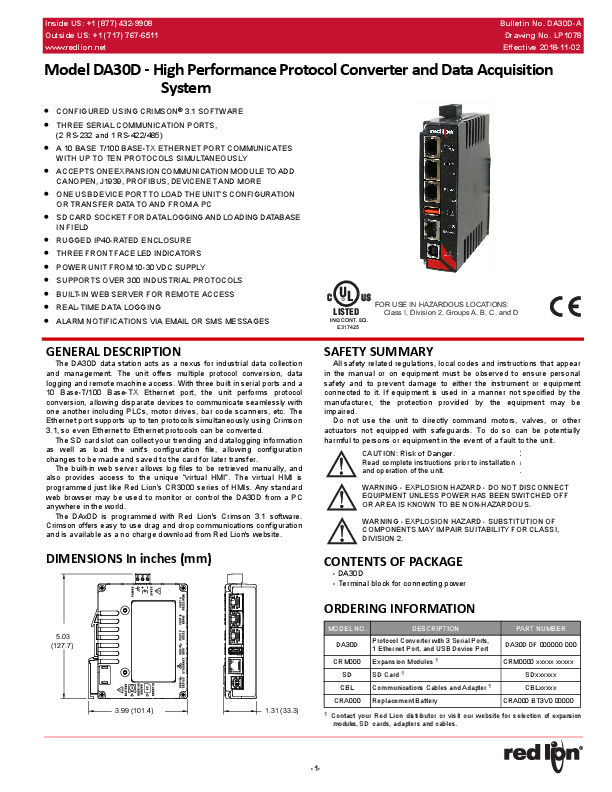
GENERAL DESCRIPTION The DA30D data station acts as a nexus for industrial data collection and management. The unit offers multiple protocol conversion, data logging and remote machine access. With three built in serial ports and a 10 Base-T/100 Base-TX Ethernet port, the unit performs protocol conversion, allowing disparate devices to communicate seamlessly with one another including PLCs, motor drives, bar code scanners, etc. The Ethernet port supports up to ten protocols simultaneously using Crimson 3.1, so even Ethernet to Ethernet protocols can be converted.
The SD card slot can collect your trending and datalogging information as well as load the unit's configuration file, allowing configuration changes to be made and saved to the card for later transfer.
The built-in web server allows log files to be retrieved manually, and also provides access to the unique "virtual HMI". The virtual HMI is programmed just like Red Lion's CR3000 series of HMIs. Any standard web browser may be used to monitor or control the DA30D from a PC anywhere in the world.
The DAx0D is programmed with Red Lion's Crimson 3.1 software. Crimson offers easy to use drag and drop communications configuration and is available as a no charge download from Red Lion's website.
DIMENSIONS In inches (mm)

SAFETY SUMMARY All safety related regulations, local codes and instructions that appear in the manual or on equipment must be observed to ensure personal safety and to prevent damage to either the instrument or equipment connected to it. If equipment is used in a manner not specified by the manufacturer, the protection provided by the equipment may be impaired.
Do not use the unit to directly command motors, valves, or other actuators not equipped with safeguards. To do so can be potentially harmful to persons or equipment in the event of a fault to the unit.
WCAAURTNIIONNG: -REisXkPoLfODSaIOngNeHr.AZARD - DO NOT D ERQeaUdIPcMomEpNlTeteUNinLsEtrSucStioPnOsWpErioRr HtoAiSnsBtaEllEatNioSnW OanRdAoRpeErAatIioSnKoNf OthWe NunTitO. BE NON-HAZARDOU
WARNING - EXPLOSION HAZARD - DO NOT DISCONNECT EQUIPMENT UNLESS POWER HAS BEEN SWITCHED OFF OR AREA IS KNOWN TO BE NON-HAZARDOUS.
WARNING - EXPLOSION HAZARD - SUBSTITUTION OF COMPONENTS MAY IMPAIR SUITABILITY FOR CLASS I, DIVISION 2.
CONTENTS OF PACKAGE - DA30D - Terminal block for connecting power

5.03 (127.7)
3.99 (101.4)

1.31 (33.3)

ORDERING INFORMATION

MODEL NO.

DESCRIPTION

DA30D

Protocol Converter with 3 Serial Ports, 1 Ethernet Port, and USB Device Port

CRM000 Expansion Modules 1

SD

SD Card 1

CBL

Communications Cables and Adapter 1

CRA000 Replacement Battery

PART NUMBER
DA30D 0F 000000 000
CRM0000 xxxxx xxxxx SDxxxxxx CBLxxxxx
CRA000 BT3V0 00000

1 Contact your Red Lion distributor or visit our website for selection of expansion modules, SD cards, adapters and cables.

-1-

Bulletin No. DA30D-A Drawing No. LP1078

Effective 2018-11-02

SPECIFICATIONS

1. POWER REQUIREMENTS: Must use a Class 2 circuit according to National Electrical Code (NEC), NFPA-70 or Canadian Electrical Code (CEC), Part I, C22.1 or a Limited Power Supply (LPS) according to IEC 60950-1 or Limitedenergy circuit according to IEC 61010-1. Power connection via removable three position terminal block. Supply Voltage: 10 to 30 VDC, Class 2 source

Input Voltage (Volts) 10 V Typ. Power DA30D only (Watts) 4.5 Max Power DA30D only (Watts) 6.5 Max Power DA30D w/Module (W) 11.5

12 V 5.0 7.0 12.5

24 V 5.0 7.0 12.5

30 V 5.0 7.0 12.5

2. BATTERY: Lithium coin cell. Typical lifetime of 5 years, nominal. To maintain UL rating, replacement battery must be: Red Lion CRA000 BT3V0 00000, Rayovac BR1225X-BA or Panasonic BR1225A/BN.
3. MEMORY: On Board User Memory: 512 Mbyte of non-volatile Flash memory. Memory Card: SD slot accepts standard capacity cards up to 16 GB.
4. COMMUNICATION CAPABILITIES: USB Device Port: Isolated and adheres to USB specification 2.0 full speed only using Type B connection. USB DEVICE PORT IS FOR
SYSTEM SET-UP AND DIAGNOSTICS AND IS NOT INTENDED FOR PERMANENT CONNECTION.
USB Host Port: Comply with Universal Serial Bus Specification Rev 2.0. Support data transfers at (high speed, full speed). Hardware over current protected (0.5 A max per port).
Serial Ports: Ports are individually isolated. Format and Baud Rates for each port are individually software programmable up to 115,200 baud. Port to Port Isolation: 1500 Vrms for 1 minute. Signal Isolation: 500 V.

Ethernet Port: 10 BASE-T / 100 BASE-TX RJ45 jack is wired as a NIC (Network Interface Card). Isolation from Ethernet network to operator interface: 1500 Vrms
5. ENVIRONMENTAL CONDITIONS: Operating Temperature Range: -10 to 50 �C Storage Temperature Range: -20 to 70 �C Vibration to IEC 68-2-6: Operational 5-500 Hz, 2 g Shock to IEC 68-2-27: Operational 30 g Operating and Storage Humidity: 0 to 85% max. RH non-condensing Altitude: Up to 2000 meters Installation Category II, Pollution Degree 2 as defined in IEC/EN 60664-1.
6. CERTIFICATIONS AND COMPLIANCES: CE Approved EN 61326-1 Immunity to Industrial Locations Emission CISPR 11 Class A IEC/EN 61010-1 RoHS Compliant UL Hazardous: File #E317425 Rugged IP40 enclosure
7. CONNECTIONS: High compression cage-clamp terminal block Wire Strip Length: 0.3" (7.5 mm)
Wire Gage Capacity: 12 to 24 AWG (3.31 to 0.20 mm2) copper wire Torque: 4.4-5.3 inch-lbs (0.5-0.6 N-m) 8. CONSTRUCTION: Polycarbonate enclosure with IP40 rating. For indoor use only. 9. MOUNTING REQUIREMENTS: Snaps onto standard DIN style top hat (T) profile mounting rails according to EN50022 � 35 x 7.5 mm and 35 x 15 mm. 10. WEIGHT: 6.9 oz (195.61 g)

INSTALLING AND POWERING THE DA30D
MOUNTING INSTRUCTIONS DIN rail should be mounted horizontally so that the unit's ventilation holes are vertical in relation to cabinet orientation. A minimum clearance of 1 inch (25.4 mm) should be maintained above and below the unit in order to ensure proper thermal regulation.
Figure 1 - Attach DAx0D To DIN Rail

TOP 1.00" min. clearance

ROTATE

1.00" min. clearance

The unit shall be installed inside a UL Listed Industrial Control Panel or similar type of enclosure. A minimum 3.2 mm distance shall be maintained between the hazardous live parts of the equipment and accessible parts of the fire/electrical enclosure.

BOTTOM
For hazardous location installation the following shall be taken into consideration:
- This device is open-type and must be mounted in a suitable dusttight end-enclosure in accordance with articles 500 and 502 of the National Electric Code (NEC).
- Must be wired using Division 2 wiring methods as specified in article 501-4(b), 502-4(b), and 503-3(b) of the NEC, NFPA 70 for installation within the United States, or as specified in section 19-152 of Canadian Electrical Code for installation in Canada.
- Combinations of equipment in your system are subject to investigation by the local Authority having jurisdiction at the time of installation.

-2-

Effective 2018-11-02
CONNECTING POWER
The DA30D requires a 10-30 VDC power supply. A pluggable power block is provided to connect the 24 VDC. There are three screw terminals. Strip and connect the wire according to the terminal block specifications on Page 2. Connect the positive lead to the plus (+) screw and the negative lead to the minus (-) screw.
Please take care to observe the following points: � Mount the power supply close to the unit, with usually not more than
6 feet (1.8 m) of cable between the supply and the operator interface. Ideally, the shortest length possible should be used. � The wire used to connect the operator interface's power supply should be at least 22-gage wire suitably rated for the temperatures of the environment to which it is being installed. If a longer cable run is used, a heavier gage wire should be used. The routing of the cable should be kept away from large contactors, inverters, and other devices which may generate significant electrical noise. � A power supply with an NEC Class 2 or Limited Power Source (LPS) and SELV rating is to be used. This type of power supply provides isolation to accessible circuits from hazardous voltage levels generated by a mains power supply due to single faults. SELV is an acronym for "safety extra-low voltage." Safety extra-low voltage circuits shall exhibit voltages safe to touch both under normal operating conditions and after a single fault, such as a breakdown of a layer of basic insulation or after the failure of a single component has occurred. A suitable disconnect device shall be provided by the end user.
CONNECTING TO EARTH GROUND
The third pin of the power connector is chassis ground for the unit. Your unit should be connected to earth ground. Steps should be taken beyond connecting to earth ground to eliminate the buildup of electrostatic charges.
The chassis ground is not connected to signal common of the unit. Maintaining isolation between earth ground and signal common is not required to operate your unit. But, other equipment connected to this unit may require isolation between signal common and earth ground. To maintain isolation between signal common and earth ground care must be taken when connections are made to the unit. For example, a power supply with isolation between its signal common and earth ground must be used. Also, plugging in a USB cable may connect signal common and earth ground.1
1 USB's shield may be connected to earth ground at the host. USB's shield in turn may also be connected to signal common.
MODULE INSTALLATION Remove module plug and attach module to DA30D. Torque screws to 6.0 pound-force inch [96 ounce-force inch] (0.68 Nm).
REMOVE MODULE PLUG

Bulletin No. DA30D-A
Drawing No. LP1078
EMC INSTALLATION GUIDELINES Although Red Lion Controls products are designed with a high degree of immunity to Electromagnetic Interference (EMI), proper installation and wiring methods must be followed to ensure compatibility in each application. The type of the electrical noise, source or coupling method into a unit may be different for various installations. Cable length, routing, and shield termination are very important and can mean the difference between a successful or troublesome installation. Listed are some EMI guidelines for a successful installation in an industrial environment. 1. A unit should be mounted in a metal enclosure, which is properly
connected to protective earth. 2. Use shielded cables for all Signal and Control inputs. The shield
connection should be made as short as possible. The connection point for the shield depends somewhat upon the application. Listed below are the recommended methods of connecting the shield, in order of their effectiveness. a. Connect the shield to earth ground (protective earth) at one end
where the unit is mounted. b. Connect the shield to earth ground at both ends of the cable, usually
when the noise source frequency is over 1 MHz. 3. Never run Signal or Control cables in the same conduit or raceway with
AC power lines, conductors, feeding motors, solenoids, SCR controls, and heaters, etc. The cables should be run through metal conduit that is properly grounded. This is especially useful in applications where cable runs are long and portable two-way radios are used in close proximity or if the installation is near a commercial radio transmitter. Also, Signal or Control cables within an enclosure should be routed as far away as possible from contactors, control relays, transformers, and other noisy components. 4. Long cable runs are more susceptible to EMI pickup than short cable runs. 5. In extremely high EMI environments, the use of external EMI suppression devices such as Ferrite Suppression Cores for signal and control cables is effective. The following EMI suppression devices (or equivalent) are recommended:
Fair-Rite part number 0443167251 (Red Lion Controls #FCOR0000) Line Filters for input power cables: Schaffner # FN2010-1/07 (Red Lion Controls #LFIL0000) 6. To protect relay contacts that control inductive loads and to minimize radiated and conducted noise (EMI), some type of contact protection network is normally installed across the load, the contacts or both. The most effective location is across the load. a. Using a snubber, which is a resistor-capacitor (RC) network or metal oxide varistor (MOV) across an AC inductive load is very effective at reducing EMI and increasing relay contact life. b. If a DC inductive load (such as a DC relay coil) is controlled by a transistor switch, care must be taken not to exceed the breakdown voltage of the transistor when the load is switched. One of the most effective ways is to place a diode across the inductive load. Most Red Lion products with solid state outputs have internal zener diode protection. However external diode protection at the load is always a good design practice to limit EMI. Although the use of a snubber or varistor could be used. Red Lion part numbers: Snubber: SNUB0000
Varistor: ILS11500 or ILS23000 7. Care should be taken when connecting input and output devices to the
instrument. When a separate input and output common is provided, they should not be mixed. Therefore a sensor common should NOT be connected to an output common. This would cause EMI on the sensitive input common, which could affect the instrument's operation.
Visit www.redlion.net/emi for more information on EMI guidelines, Safety and CE issues as they relate to Red Lion products.

WARNING: Disconnect all power to the unit before installing or removing modules.

-3-

Bulletin No. DA30D-A Drawing No. LP1078

COMMUNICATING WITH THE DA30D
CONFIGURING A DA30D The DA30D is configured using Crimson� 3.1 software. Crimson is available as a no charge download from Red Lion's website. Crimson updates for new features and drivers are posted on the website as they become available. By configuring the DA30D using the latest Crimson version, you are assured that your unit has the most up to date feature set. Crimson software can configure the DA30D through the RS232 PGM port, USB port, Ethernet port or SD card.
The DA30D has three serial ports, a USB device port, one USB Host port, and an Ethernet port as shown below.
The serial ports are available via RJ connectors. There are two RS232 ports. The port labeled RS232 (PGM) can be used as a Programming Port or you can assign a protocol to it. The RS485 port can be used for both RS485 or 422 communications. All of the serial ports are isolated.
The Ethernet port can be programmed to communicate via ten protocols simultaneously. For more information on protocol support, please refer to the Crimson 3.1 User Manual.
The USB device port is a standard device port with a Type B connector, and is used as the programming port. The driver needed to use the USB port will be installed with Crimson.
The USB host port is a standard host port with a Type A connector and can be used to interface to USB enabled peripherals. This port supplies 5 V power per the USB standard.
The SD card can be used to program a DA30D by placing a database image file on the SD card. The card is then inserted into the target DA30D and powered. Refer to the Crimson 3.1 User Manual for more information on the naming convention and location for this file.

CTS (PIN 1) Rx
COMM COMM
Tx RTS (PIN 6)
TxB (PIN 1) TxA RxA RxB
TxEN COMM
TxB TxA (PIN 8)
CTS (PIN 1) Rx
COMM COMM
Tx RTS (PIN 6)

DA30D PORT PIN OUTS
RS232 (PGM)

RS485/422
RS232
USB TYPE A

FRONT PANEL LEDS ALARM (RED)
SD STATUS (BLUE) POWER (GREEN)

ETHERNET (NIC)

USB TYPE B
USB, DATA TRANSFERS FROM THE SD CARD
WARNING - DO NOT CONNECT OR DISCONNECT CABLES WHILE POWER IS APPLIED UNLESS AREA IS KNOWN TO BE NON-HAZARDOUS. USB DEVICE PORT IS FOR SYSTEM SET-UP AND DIAGNOSTICS AND IS NOT INTENDED FOR PERMANENT CONNECTION.
In order to transfer data from the SD card via the USB port, a driver must be installed on your computer. This driver is installed with Crimson and is located in the folder C:\Program Files\Red Lion Controls\Crimson 3.1\Device\ after Crimson is installed. This may have already been accomplished if your DAx0D was configured using the USB port.
Once the driver is installed, connect the DAx0D to your PC with a USB cable, and refer to the "Mounting the SD Card" section in the Crimson 3.1 User Manual.

Effective 2018-11-02
INSERTION/REMOVAL OF THE SD CARD Insert the SD card into the slot provided with the card oriented as shown. The card is inserted properly when the end of the card is flush with the DA30D case. To remove the SD card, push in slightly on the card.

CABLES AND DRIVERS Red Lion has a wide range of cables and drivers for use with many different communication types. A list of these drivers and cables along with pin outs is available from Red Lion's website. New cables and drivers are added on a regular basis. If making your own cable, refer to the "Port Pin Outs" that corresponds to your specific model for wiring information.

ETHERNET COMMUNICATIONS Ethernet communications can be established at either 10 BASE-T or 100 BASE-TX. The unit's RJ45 jack is wired as a NIC (Network Interface Card). It auto-detects remote transmit and receive pairs and correctly assigns the transmit and receive pairs. This feature enables the user to use whichever type of cable (cross-over or straight) is available.
The Ethernet connector contains two LEDs. A yellow LED in the upper right, and a green LED in the upper left. The LEDs represent the following statuses:

LED COLOR YELLOW solid YELLOW flashing GREEN (OFF) GREEN (ON)

DESCRIPTION Link established. Data being transferred. 10 BASE-T Communications 100 BASE-TX Communications

On the rear of each unit is a unique 12-digit MAC address. Refer to the Crimson manual and Red Lion's website for additional information on Ethernet communications.

RS232 PORTS
The DA30D has two RS232 serial ports. Although only one of these ports can be used for programming, both ports can be used for communications with a PLC. The serial ports can be used for either master or slave protocols with any DA30D configuration. Each serial port has a pair of LEDs to indicate transmit and receive activity. The pinouts are shown to the right.

DAX0D RS232 TO A PC

DAx0D: RJ12 Name PC: DB9

4

COMM

1

5

Tx

2

2

Rx

3

N/C

4

3

COMM

5

N/C

6

1

CTS

7

6

RTS

8

N/C

9

Name DCD Rx
Tx DTR GND DSR RTS CTS
RI

-4-

Effective 2018-11-02

RS422/485 COMMS PORT The RS485 port of the DA30D can be used for RS485 or RS422 communication. There is a separate RJ connector for each option. Each serial port has a pair of LEDs to indicate transmit and receive activity.

RS422/485 4-WIRE CONNECTIONS

RS485 2-WIRE CONNECTIONS

5V 130K
TX
130K

7 TxB
1
8 TxA
2

5V 130K
TX/RX 130K

7 TxB
1
8 TxA
2

5 TxEN (OC)

5V 130K
RX
130K

4 RxB 3 RxA
6 COMM

5 TxEN (OC) 6 COMM

Bulletin No. DA30D-A Drawing No. LP1078

Examples of RS485 2-Wire Connections

DAX0D TO RED LION RJ11 DAx0D:RJ45 Name RLC:RJ11 Name

5

TxEN

2

TxEN

6

COMM

3

COMM

1

TxB

5

B-

2

TxA

4

A+

DAX0D TO RED LION RJ45 DAx0D Name RLC:RJ45 Name

1,4 TxB

1,4

TxB

4,1 RxB

4,1

RxB

2,3 TxA

2,3

TxA

3,2 RxA

3,2

RxA

5 TxEN

5

TxEN

6 COMM

6

COMM

7

TxB

7

TxB

8

TxA

8

TxA

DH485 COMMUNICATIONS The DA30D's RS422/485 COMMS port can also be used for Allen Bradley DH485 communications.
WARNING: DO NOT use a standard DH485 cable to connect this port to Allen Bradley equipment. A cable and wiring diagram are available from Red Lion at www.redlion.net/cables-drivers.

Note: All Red Lion devices connect A to A and B to B. Refer to www.redlion.net for additional information.

SOFTWARE/UNIT OPERATION

CRIMSON� 3.1 SOFTWARE Crimson 3.1 software is available as a no charge download from Red Lion's website. The latest version of the software is always available from the website, and updating your copy is free.

STATUS LEDS There are three status LEDs that show system status by default, or they may be be user configured via System Functions using Crimson 3.1. Shown below is the default system status of the LEDs.

LED

INDICATION

GREEN STEADY

Unit is powered.

BLUE FLASHING OFF STEADY FLASHING RAPIDLY FLICKERING FLASHING SLOWLY
RED FLASHING STEADY

Unit is in the boot loader No SD card is present. Valid SD card present. SD card being checked. SD card accessed. Incorrectly formatted SD card present.
Data tag is in an alarm active state. Data tag is in an alarm accepted state.

FACTORY RESET BUTTON The factory reset button located on the bottom of the unit enclosure near the SD card slot can be used to access the system console. Refer to Crimson 3 System Console Technical Note at www.redlion.net/TNIA22 for access procedure and available options.
TROUBLESHOOTING YOUR DAx0D If for any reason you have trouble operating, connecting, or simply have questions concerning your new DAx0D unit, contact Red Lion's technical support.
Email: support@redlion.net Website: www.redlion.net Inside US: +1 (877) 432-9908 Outside US: +1 (717) 767-6511

-5-

Bulletin No. DA30D-A Drawing No. LP1078
BATTERY & TIME KEEPING
WARNING - EXPLOSION HAZARD - DISCONNECT POWER AND ENSURE THE AREAS IS KNOWN TO BE NON-HAZARDOUS BEFORE SERVICING/REPLACING THE UNIT AND BEFORE INSTALLING OR REMOVING I/O WIRING AND BATTERY.
A battery is used to keep time when the unit is without power. The battery of a DAx0D unit does not affect the unit's memory, all configurations and data is stored in non-volatile memory.
Changing the Battery
To change the battery of a DAx0D, first remove power to the unit. Remove the SD card if one is installed. Insert a small screwdriver into the slot provided on the battery holder and pry the battery holder with battery out of the unit. Remove the old battery from the plastic holder and replace it with a new battery. Make sure the orientation of the battery is correct and as shown in the diagram.
Re-install the battery holder with battery into the DAx0D unit. Enter new date and time using Crimson 3.1 software.
To maintain UL rating, battery must be replaced with one listed in the Specifications.
+
-

Effective 2018-11-02
CAUTION: Lithium battery. Danger of explosion if battery is incorrectly replaced. Replace only with the same or equivalent type recommended by the manufacturer.
Please note that the old battery must be disposed of in a manner that complies with your local waste regulations. The battery must not be disposed of in fire, or in a manner whereby it may be damaged and its contents could come into contact with human skin.

-6-

Effective 2018-11-02

Bulletin No. DA30D-A Drawing No. LP1078

This page intentionally left blank
-7-

Bulletin No. DA30D-A Drawing No. LP1078
TRADEMARK ACKNOWLEDGMENTS
Ethernet is a registered trademark of Xerox Corporation. All other company and product names are trademarks of their respective owners.

Effective 2018-11-02

LIMITED WARRANTY
(a) Red Lion Controls Inc., (the "Company") warrants that all Products shall be free from defects in material and workmanship under normal use for the period of time provided in "Statement of Warranty Periods" (available at www.redlion.net) current at the time of shipment of the Products (the "Warranty Period"). EXCEPT FOR THE ABOVESTATED WARRANTY, COMPANY MAKES NO WARRANTY WHATSOEVER WITH RESPECT TO THE PRODUCTS, INCLUDING ANY (A) WARRANTY OF MERCHANTABILITY; (B) WARRANTY OF FITNESS FOR A PARTICULAR PURPOSE; OR (C) WARRANTY AGAINST INFRINGEMENT OF INTELLECTUAL PROPERTY RIGHTS OF A THIRD PARTY; WHETHER EXPRESS OR IMPLIED BY LAW, COURSE OF DEALING, COURSE OF PERFORMANCE, USAGE OF TRADE OR OTHERWISE. Customer shall be responsible for determining that a Product is suitable for Customer's use and that such use complies with any applicable local, state or federal law.
(b) The Company shall not be liable for a breach of the warranty set forth in paragraph (a) if (i) the defect is a result of Customer's failure to store, install, commission or maintain the Product according to specifications; (ii) Customer alters or repairs such Product without the prior written consent of Company.
(c) Subject to paragraph (b), with respect to any such Product during the Warranty Period, Company shall, in its sole discretion, either (i) repair or replace the Product; or (ii) credit or refund the price of Product provided that, if Company so requests, Customer shall, at Company's expense, return such Product to Company.
(d) THE REMEDIES SET FORTH IN PARAGRAPH (c) SHALL BE THE CUSTOMER'S SOLE AND EXCLUSIVE REMEDY AND COMPANY'S ENTIRE LIABILITY FOR ANY BREACH OF THE LIMITED WARRANTY SET FORTH IN PARAGRAPH (a).
-8-