

ACH580 Bypass Packaged Drive UM 3AXD50000289554.book
File info: application/pdf · 257 pages · 15.52MB
ACH580 Bypass Packaged Drive UM 3AXD50000289554.book
ACH580 - ABB Group
ignore the safety instructions, injury, death or ... J429 = Control panel with Bluetooth interface ... Connection and wiring diagrams – Vertical E-Clipse Bypass ... ACH580 E-Clipse bypass and packaged drive user manual.…
ACH580
Full PDF Document

If the inline viewer fails, it will open the original document in compatibility mode automatically. You can also open the file directly.
Extracted Text
ACH580
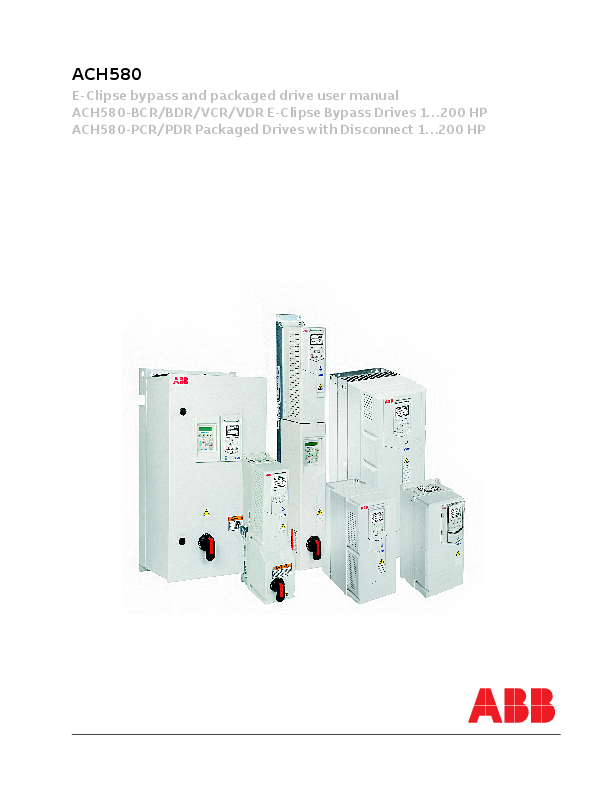
E-Clipse bypass and packaged drive user manual ACH580-BCR/BDR/VCR/VDR E-Clipse Bypass Drives 1...200 HP ACH580-PCR/PDR Packaged Drives with Disconnect 1...200 HP
ACH580 E-Clipse bypass and packaged drive user manual
Table of Contents
Safety instructions Use of warnings and notes in this manual . . . . . . . . . . . . . . . . . . . . . . . . . . . . . iv General safety in installation, start-up and maintenance . . . . . . . . . . . . . . . . . . iv Electrical safety in installation, start-up and maintenance . . . . . . . . . . . . . . . . . v Additional instructions for Safety Functions . . . . . . . . . . . . . . . . . . . . . . . . . . . vii Additional instructions for permanent magnet motor drives . . . . . . . . . . . . . . . vii General safety in operation . . . . . . . . . . . . . . . . . . . . . . . . . . . . . . . . . . . . . . . viii Cybersecurity disclaimer . . . . . . . . . . . . . . . . . . . . . . . . . . . . . . . . . . . . . . . . . viii
ACH580 BCR/BDR/VCR/VDR E-Clipse Bypass Drives 1...200 HP
Installation Application . . . . . . . . . . . . . . . . . . . . . . . . . . . . . . . . . . . . . . . . . . . . . . . . . . . . . 3 E-Clipse bypass features and functions . . . . . . . . . . . . . . . . . . . . . . . . . . . . . . . 3 Installation flow chart . . . . . . . . . . . . . . . . . . . . . . . . . . . . . . . . . . . . . . . . . . . . . 5 Preparing for installation . . . . . . . . . . . . . . . . . . . . . . . . . . . . . . . . . . . . . . . . . . . 6 Installing the wiring . . . . . . . . . . . . . . . . . . . . . . . . . . . . . . . . . . . . . . . . . . . . . . . 7
Control panel
Start-up Start-up . . . . . . . . . . . . . . . . . . . . . . . . . . . . . . . . . . . . . . . . . . . . . . . . . . . . . . . 31
E-Clipse bypass functions overview Operating modes . . . . . . . . . . . . . . . . . . . . . . . . . . . . . . . . . . . . . . . . . . . . . . . 35 Relay contact (digital) inputs . . . . . . . . . . . . . . . . . . . . . . . . . . . . . . . . . . . . . . 43 Relay contact outputs . . . . . . . . . . . . . . . . . . . . . . . . . . . . . . . . . . . . . . . . . . . . 45 Energy Savings Estimator . . . . . . . . . . . . . . . . . . . . . . . . . . . . . . . . . . . . . . . . 49
Application macros E-Clipse HVAC Default macro . . . . . . . . . . . . . . . . . . . . . . . . . . . . . . . . . . . . . 52 Damper macro . . . . . . . . . . . . . . . . . . . . . . . . . . . . . . . . . . . . . . . . . . . . . . . . . 53 Retrofit macro . . . . . . . . . . . . . . . . . . . . . . . . . . . . . . . . . . . . . . . . . . . . . . . . . . 54 Smoke Control (Override1) macro . . . . . . . . . . . . . . . . . . . . . . . . . . . . . . . . . . 55
Parameters Parameter list and descriptions . . . . . . . . . . . . . . . . . . . . . . . . . . . . . . . . . . . . 59
Embedded fieldbus Overview . . . . . . . . . . . . . . . . . . . . . . . . . . . . . . . . . . . . . . . . . . . . . . . . . . . . . 75 Mechanical and electrical installation � Embedded Fieldbus (EFB) . . . . . . . . . 76 Communication setup � EFB . . . . . . . . . . . . . . . . . . . . . . . . . . . . . . . . . . . . . . 79 Activate drive control functions � EFB . . . . . . . . . . . . . . . . . . . . . . . . . . . . . . . 85 Feedback from the drive � EFB . . . . . . . . . . . . . . . . . . . . . . . . . . . . . . . . . . . . 89 Activate bypass control functions � EFB . . . . . . . . . . . . . . . . . . . . . . . . . . . . . 91 Feedback from the ABB E-Clipse Bypass � EFB . . . . . . . . . . . . . . . . . . . . . . . 94 Diagnostics � EFB . . . . . . . . . . . . . . . . . . . . . . . . . . . . . . . . . . . . . . . . . . . . . . 95
Table of Contents
ii
ACH580 E-Clipse bypass and packaged drive user manual
N2 protocol technical data � system . . . . . . . . . . . . . . . . . . . . . . . . . . . . . . . . 100 BACnet protocol technical data � system . . . . . . . . . . . . . . . . . . . . . . . . . . . . 114 BACnet Protocol Implementation Conformance Statement . . . . . . . . . . . . . . 132 Modbus protocol technical data � Drive only . . . . . . . . . . . . . . . . . . . . . . . . . 138 ABB control profiles technical data � Drive . . . . . . . . . . . . . . . . . . . . . . . . . . . 146 Modbus protocol technical data - system mode . . . . . . . . . . . . . . . . . . . . . . . 155
Fieldbus adapter
Overview . . . . . . . . . . . . . . . . . . . . . . . . . . . . . . . . . . . . . . . . . . . . . . . . . . . . . 161 Mechanical and electrical installation � FBA . . . . . . . . . . . . . . . . . . . . . . . . . 164 Communication setup � FBA . . . . . . . . . . . . . . . . . . . . . . . . . . . . . . . . . . . . . 165 Activate drive control functions � FBA . . . . . . . . . . . . . . . . . . . . . . . . . . . . . . 166 Feedback from the drive � FBA . . . . . . . . . . . . . . . . . . . . . . . . . . . . . . . . . . . 170 Activate bypass control functions � FBA . . . . . . . . . . . . . . . . . . . . . . . . . . . . 170 Diagnostics � FBA . . . . . . . . . . . . . . . . . . . . . . . . . . . . . . . . . . . . . . . . . . . . . 172 ABB drives profile technical data . . . . . . . . . . . . . . . . . . . . . . . . . . . . . . . . . . 175 Generic profile technical data . . . . . . . . . . . . . . . . . . . . . . . . . . . . . . . . . . . . . 182
Diagnostics
Diagnostic displays . . . . . . . . . . . . . . . . . . . . . . . . . . . . . . . . . . . . . . . . . . . . . 185 Correcting faults . . . . . . . . . . . . . . . . . . . . . . . . . . . . . . . . . . . . . . . . . . . . . . . 186 Correcting warnings . . . . . . . . . . . . . . . . . . . . . . . . . . . . . . . . . . . . . . . . . . . . 191 Diagnostics . . . . . . . . . . . . . . . . . . . . . . . . . . . . . . . . . . . . . . . . . . . . . . . . . . . 192
Maintenance
Maintenance . . . . . . . . . . . . . . . . . . . . . . . . . . . . . . . . . . . . . . . . . . . . . . . . . . 199
Technical data
Motor connections . . . . . . . . . . . . . . . . . . . . . . . . . . . . . . . . . . . . . . . . . . . . . 209 E-Clipse Bypass control unit connections (RBCU) . . . . . . . . . . . . . . . . . . . . . 210 Dimensional references . . . . . . . . . . . . . . . . . . . . . . . . . . . . . . . . . . . . . . . . . 211 Dimensions and weights 580-01 . . . . . . . . . . . . . . . . . . . . . . . . . . . . . . . . . . . 215 Applicable standards . . . . . . . . . . . . . . . . . . . . . . . . . . . . . . . . . . . . . . . . . . . 219
ACH580-PCR/PDR Packaged Drives with Disconnect 1...200 HP
Installation
Installation . . . . . . . . . . . . . . . . . . . . . . . . . . . . . . . . . . . . . . . . . . . . . . . . . . . . 223 Application . . . . . . . . . . . . . . . . . . . . . . . . . . . . . . . . . . . . . . . . . . . . . . . . . . . 224 Installation flow chart . . . . . . . . . . . . . . . . . . . . . . . . . . . . . . . . . . . . . . . . . . . 225 Preparing for installation . . . . . . . . . . . . . . . . . . . . . . . . . . . . . . . . . . . . . . . . . 226 Installing the wiring . . . . . . . . . . . . . . . . . . . . . . . . . . . . . . . . . . . . . . . . . . . . . 227
Maintenance
Maintenance . . . . . . . . . . . . . . . . . . . . . . . . . . . . . . . . . . . . . . . . . . . . . . . . . . 235
Technical data
Dimensions and weights . . . . . . . . . . . . . . . . . . . . . . . . . . . . . . . . . . . . . . . . . 243 Degrees of protection . . . . . . . . . . . . . . . . . . . . . . . . . . . . . . . . . . . . . . . . . . . 245 Applicable standards . . . . . . . . . . . . . . . . . . . . . . . . . . . . . . . . . . . . . . . . . . . 246
Table of Contents
iv
Safety instructions
ACH580 Installation, Operation and Maintenance Manual
These are the safety instructions which you must obey when you install and operate the drive and do maintenance on the drive. If you ignore the safety instructions, injury, death or damage can occur.
Use of warnings and notes in this manual
Warnings tell you about conditions which can cause injury or death, or damage to the equipment. They also tell you how to prevent the danger. Notes draw attention to a particular condition or fact, or give information on a subject.
The manual uses these warning symbols:
Electricity warning tells about hazards from electricity which can cause injury or death, or damage to the equipment.
General warning tells about conditions, other than those caused by electricity, which can cause injury or death, or damage to the equipment.
Electrostatic sensitive devices warning tells you about the risk of electrostatic discharge which can cause damage to the equipment.
General safety in installation, start-up and maintenance
These instructions are for all personnel that install the drive and do maintenance work on it.
WARNING! Obey these instructions. If you ignore them, injury or death, or damage to the equipment can occur.
� Use safety shoes with a metal toe cap to avoid foot injury. Wear protective gloves and long sleeves. Some parts have sharp edges.
� Handle the drive carefully. � Frames R5...R9: Lift the drive with a lifting device. Use the lifting eyes of the drive. � Frames R5...R9: Do not tip the drive over. The drive is heavy and its center of gravity is high. An overturning drive can cause physical injury.
� Beware of hot surfaces. Some parts, such as heatsinks of power semiconductors, remain hot for a while after disconnection of the electrical supply.
� Keep the drive in its package or protect it otherwise from dust and burr from drilling and grinding until you install it.
� Vacuum clean the area below the drive before the start-up to prevent the drive cooling fan from drawing the dust inside the drive.
� Do not cover the air inlet and outlet when the drive runs.
� Make sure that there is sufficient cooling. See the ACH580 Hardware Manual (3AXD50000044839) for more information.
Safety instructions
ACH580 Installation, Operation and Maintenance Manual
v
� Before you connect voltage to the drive, make sure that the drive covers are on. Keep the covers on during the operation.
� Before you adjust the drive operation limits, make sure that the motor and all driven equipment can operate throughout the set operation limits.
� Before you activate the automatic fault reset or automatic restart functions of the drive control program, make sure that no dangerous situations can occur. These functions reset the drive automatically and continue operation after a fault or supply break. If these functions are activated, the installation must be clearly marked as defined in IEC/EN 61800-5-1, subclause 6.5.3, for example, "THIS MACHINE STARTS AUTOMATICALLY".
� The maximum number of drive power-ups is five in ten minutes. Too frequent power-ups can damage the charging circuit of the DC capacitors.
� If you have connected safety circuits to the drive (for example, emergency stop and Safe torque off), validate them at the start up. For the validation of the Safe torque off, see ACH580 HVAC control program firmware manual (3AXD50000027537 [English]). For the validation of other safety circuits, see the instructions provided with them.
Note:
� If you select an external source for start command and it is on, and the start command is level-triggered, the drive will start immediately after fault reset. See parameters 20.02 Ext1 start trigger type and 20.07 Ext2 start trigger type in ACH580 HVAC control program firmware manual (3AXD50000027537 [English]).
� When the control location is not set to Local (text Hand is not shown on the top row of the panel and parameter 19.19 Off mode disable has value Off button disabled), the stop key on the control panel will not stop the drive.
� Frames R1...R5: Do not attempt to repair a malfunctioning drive; contact your local representative for replacement or repair by authorized persons.
� Frames R6...R9: Can be repaired by authorized persons.
Electrical safety in installation, start-up and maintenance
Precautions before electrical work
These warnings are for all personnel who do work on the drive, motor cable or motor.
WARNING! Frames R1 ... R9: Obey these instructions. If you ignore them, injury or death, or damage to the equipment can occur. If you are not a qualified electrical professional, do not do electrical installation or maintenance work. Go through these steps before you begin any installation or maintenance work.
1. Clearly identify the work location.
2. Disconnect all possible voltage sources. Lock and tag.
� Open the main disconnector at the power supply of the drive.
� Make sure that reconnection is not possible.
� Disconnect any external power sources from the control circuits.
� After you disconnect the drive, always wait for 5 minutes to let the intermediate circuit capacitors discharge before you continue.
3. Protect any other energized parts in the work location against contact.
4. Take special precautions when close to bare conductors.
5. Measure that the installation is de-energized.
� Use a multimeter with an impedance of at least 1 Mohm.
Safety instructions
vi
ACH580 Installation, Operation and Maintenance Manual
� Make sure that the voltage between the drive input power terminals (L1, L2, L3) and the grounding terminal (PE) is close to 0 V.
Frames R1...R3: Measure the voltage between the drive UDC+ terminal and grounding terminal (PE) with one multimeter. As there is no UDC- terminal, measure the voltage between the drive T1/U terminal and grounding terminal (PE) with another multimeter. Make sure that the voltage difference between the multimeters is close to 0 V.
Frames R4...R9: Measure the voltage between the drive DC terminals (UDC+ and UDC-) and the grounding terminal (PE) and make sure that it is close to 0 V.
6. Install temporary grounding as required by the local regulations.
7. Ask for a permit to work from the person in control of the electrical installation work.
If the drive does not operate according to these steps, refer to the ACH580-01 Hardware Manual (3AXD50000044839).
Additional instructions and notes
WARNING! Obey these instructions. If you ignore them, injury or death, or damage to the equipment can occur.
� If the drive will be connected on an IT system (ungrounded or high-resistancegrounded [over 30 ohms]), make sure neither the EMC filter nor the ground-tophase varistor are connected (metal screws should not be installed). Connections with metal screws in these systems can cause danger or damage. See section Checking the compatibility with IT (ungrounded) and corner-grounded TN systems (North America) in the ACH580 Installation, Operation and Maintenance Manual (3AXD50000049127).
Note: For other systems, connecting the internal EMC filter will reduce the conducted emission.
� If the drive will be connected on a cornergrounded TN system, make sure the EMC filter is not connected (metal screws should not be installed). Connections with metal screws in these systems can cause danger or damage. See section Checking the compatibility with IT (ungrounded) and corner-grounded TN systems (North America) in the ACH580 Installation, Operation and Maintenance Manual (3AXD50000049127).
Note: For other systems, connecting the internal EMC filter (using metal screws) will reduce the conducted emission.
� Use all ELV (extra low voltage) circuits connected to the drive only within a zone of equipotential bonding, that is, within a zone where all simultaneously accessible conductive parts are electrically connected to prevent hazardous voltages appearing between them. You can accomplish this by a proper factory grounding, that is, make sure that all simultaneously accessible conductive parts are grounded to the protective earth (PE) bus of the building.
� Do not do insulation or voltage withstand tests on the drive or drive modules.
Note:
� The motor cable terminals of the drive are at a dangerous voltage when the input power is on, regardless of whether the motor is running or not.
� The DC and brake resistor terminals (UDC+, UDC-, R+ and R-) are at a dangerous voltage.
� External wiring can supply dangerous voltages to the terminals of relay outputs (RO1, RO2 and RO3).
� The Safe torque off function does not remove the voltage from the main and auxiliary circuits. The function is not effective against deliberate sabotage or misuse.
WARNING! Use a grounding wrist band when you handle the printed circuit boards. Do not touch the boards unnecessarily.
Safety instructions
ACH580 Installation, Operation and Maintenance Manual
vii
The boards contain components sensitive to electrostatic discharge.
Grounding
These instructions are for all personnel who are responsible for the electrical installation, including the grounding of the drive.
WARNING! Obey these instructions. If you ignore them, injury or death, or equipment malfunction can occur, and electromagnetic interference can increase.
� If you are not a qualified electrical professional, do not do grounding work.
� Always ground the drive, the motor and adjoining equipment to the protective earth (PE) bus of the power supply. This is necessary for the personnel safety. Proper grounding also reduces electromagnetic emission and interference.
� In a multiple-drive installation, connect each drive separately to the protective earth (PE) bus of the power supply.
� Make sure that the conductivity of the protective earth (PE) conductors is sufficient. See section Power cable terminal and lead-through data in the ACH580 Installation, Operation and Maintenance Manual (3AXD50000049127). Obey the local regulations.
� Connect the power cable shields to the protective earth (PE) terminals of the drive.
� Standard IEC/EN & UL 61800-5-1 (section 4.3.5.5.2.) requires that as the normal touch current of the drive is higher than 3.5 mA AC or 10 mA DC, you must use a fixed protective earth (PE) connection. In addition,
� install a second protective earth conductor of the same cross-sectional area as the original protective earthing conductor,
or
� install a protective earth conductor with a cross-section of at least 7 AWG (10 mm2) Cu,
or
� install a device which automatically disconnects the supply if the protective earth conductor breaks.
Additional instructions for Safety Functions
WARNING! Bypass configurations (ACH580-VxR & ACH580-BxR) do not support Safe Torque Off (STO) functionality in bypass mode.
Additional instructions for permanent magnet motor drives
Safety in installation, start-up and maintenance
These are additional warnings concerning permanent magnet motor drives. The other safety instructions in this chapter are also valid.
WARNING! Obey these instructions. If you ignore them, injury or death and damage to the equipment can occur.
� Do not work on a drive when a rotating permanent magnet motor is connected to it. A rotating permanent magnet motor energizes the drive including its power terminals.
Before installation, start-up and maintenance work on the drive:
� Stop the motor.
� Disconnect the motor from the drive with a safety switch or by other means.
� If you cannot disconnect the motor, make sure that the motor cannot rotate during work. Make sure that no other system, like hydraulic crawling drives, can rotate the motor directly or through any mechanical connection like felt, nip, rope, etc.
� Measure that the installation is deenergized.
� Use a multimeter with an impedance of at least 1 Mohm.
� Make sure that the voltage between the drive output terminals (T1/U, T2/V, T3/W)
Safety instructions
viii
ACH580 Installation, Operation and Maintenance Manual
and the grounding (PE) busbar is close to 0 V.
� Make sure that the voltage between the drive input power terminals (L1, L2, L3) and the grounding (PE) busbar is close to 0 V.
� Make sure that the voltage between the drive DC terminals (UDC+, UDC-) and the grounding (PE) terminal is close to 0 V.
� Install temporary grounding to the drive output terminals (T1/U, T2/V, T3/W). Connect the output terminals together as well as to the PE.
Start-up and operation:
� Make sure the motor is not run over the rated speed with dynamic/positive displacement loads.
General safety in operation
These instructions are for all personnel that operate the drive.
WARNING! Obey these instructions. If you ignore them, injury or death, or damage to the equipment can occur.
� Do not control the motor with the line side disconnect at the drive power supply; instead, use the control panel start and stop keys or commands through the I/O terminals of the drive.
� Give a stop command to the drive before you reset a fault. If you have an external source for the start command and the start is on, the drive will start immediately after the fault reset, unless you configure the drive for pulse start. See the firmware manual.
� Before you activate automatic fault reset functions of the drive control program, make sure that no dangerous situations can occur. These functions reset the drive automatically and continue operation after a fault.
Note: When the drive is not in the Hand mode, the Off key on the control panel will not stop the drive.
Cybersecurity disclaimer
This product is designed to be connected to and to communicate information and data via a network interface. It is Customer's sole responsibility to provide and continuously ensure a secure connection between the product and Customer network or any other network (as the case may be). Customer shall establish and maintain any appropriate measures (such as but not limited to the installation of firewalls, application of authentication measures, encryption of data, installation of anti-virus programs, etc) to protect the product, the network, its system and the interface against any kind of security breaches, unauthorized access, interference, intrusion, leakage and/or theft of data or information. ABB and its affiliates are not liable for damages and/or losses related to such security breaches, any unauthorized access, interference, intrusion, leakage and/or theft of data or information.
Safety instructions
ACH580 BCR/BDR/VCR/VDR E-Clipse Bypass Drives 1...200 HP
2018 ABB. All Rights Reserved. ACH580 BCR/BDR/VCR/VDR E-Clipse Bypass Drives 1...200 HP
ACH580 BCR/BDR/VCR/VDR E-Clipse Bypass Drives 1...200 HP
ACH580 E-Clipse bypass and packaged drive user manual
3
Installation
Study these installation instructions carefully before proceeding. Failure to observe the warnings and instructions may cause a malfunction or personal hazard.
WARNING! Before you begin read Safety instructions on page iv.
WARNING! When the ACH580 with E-Clipse Bypass is connected to the line power, the Motor Terminals T1, T2, and T3 are live even if the motor is not running. Do not make any connections when the ACH580 with E-Clipse Bypass is connected to the line. Disconnect and lock out power to the drive before servicing the drive. Failure to disconnect power may cause serious injury or death.
Application
This manual is a supplement to the ACH580-01 User's Manual and documents E-Clipse Bypass configurations.
E-Clipse bypass features and functions
The ACH580 with E-Clipse Bypass is an ACH580 AC adjustable frequency drive in an integrated UL (NEMA) Type 1, UL (NEMA) Type 12, or UL (NEMA) Type 3R package with a bypass motor starter. The ACH580 with E-Clipse Bypass provides: � Disconnect switch or circuit breaker with door mounted handle mechanism. The
handle can be padlocked in the OFF position (padlock not supplied). � Bypass starter. � Motor overload protection. � Local operator panel with indicating lights and multifunction display. � Provisions for external control connections. � Embedded communications for major BMS protocols including BACnet, Johnson
Controls International N2 and Modbus. � Optional field bus adapters for connection to additional BMS protocols including
LonWorks, Ethernet/IP, DeviceNet, and PROFINET. � Optional drive service switch (drive input disconnect), the functional equivalent of
a three-contactor bypass arrangement.
Installation
4
ACH580 E-Clipse bypass and packaged drive user manual
The following shows the front view of the ACH580 E-Clipse Bypass vertical configuration, and identifies the major components.
ACH580 Drive
ACH-AP-H Control Panel
E-Clipse Bypass Control Panel
Operating Handle for Disconnect Switch
or Circuit Breaker
E-Clipse Bypass
VxR
The following shows the front view of the ACH580 E-Clipse Bypass standard configurations, and identifies the major components.
E-Clipse Bypass Control Panel
ESC
BYPASS CONTROL ENTER
ENABLE
SELECTED FAULTED
HAND
DRIVE
BYPASS OFF/RESET
MOTOR RUN
AUTO
ACH-AP-H Control Panel
Installation
Operating Handle for Disconnect Switch
or Circuit Breaker
BxR
ACH580 E-Clipse bypass and packaged drive user manual
5
The following is a typical power diagram.
Disconnect Switch or Circuit Breaker
Drive with E-Clipse Bypass Bypass Control
3 Phase Input Power 3
ACH580 Drive
Service Switch (Optional)
Drive Input Fuse
Drive Output Contactor Motor 3 Bypass Contactor
Installation flow chart
The installation of E-Clipse Bypass Configurations for ACH580 drives follows the outline below. The steps must be carried out in the order shown. At the right of each step are references to the detailed information needed for the correct installation of the unit.
Task PREPARE for installation
Reference in ACH580-01 Hardware Manual
(3AXD50000044839) Installation section Preparing for installation in the ACH580-01 Hardware Manual (3AXD50000044839)
Reference in this Manual
Preparing for installation on page 6. Suitable mounting location on page 7
PREPARE the mounting
PREPARE the mounting
--
location
location
MOUNT the unit
MOUNT the drive
--
REMOVE the covers
REMOVE the front cover
--
from Vertical E-Clipse
Bypass Unit
INSTALL wiring
Wiring overview and Install the wiring
Installing the wiring starting on page 7.
CHECK jumpers and
--
switches
Check jumpers and switches on page 25.
CHECK installation
Check installation
Check installation � Bypass on page 19.
RE-INSTALL the covers
Re-install cover
--
APPLY power
Apply power
--
START-UP
Start-up
--
For more details, refer to the ACH580-01 Hardware Manual (3AXD50000044839).
Installation
6
ACH580 E-Clipse bypass and packaged drive user manual
Preparing for installation
Drive identification
Drive labels
To determine the type of drive you are installing, refer to either:
� Serial number label attached on upper part of the chokeplate between the mounting holes.
ACH580-BCR-316A-4
� Type code label attached on the heat sink � on the right side of the unit cover.
S/N 2090501769
VFD Rating
Input Voltage(U1) Current(I1n)
3PH 50...60 Hz 440...480 Vac 240 A
Short Circuit 100 kA
E-Clipse Package Rating Power(Pn) 200 Hp
Output
3PH 0...500 Hz
Voltage(U2) 0...U1 Vac
Current(I2n) 240 A
ABB Inc. Made in the USA of foreign parts Mfg. Date: xx-xxxx-20xx
Schematic: 3AUA0000014954
MTR OL INCL: SEE MANUAL Orig. Drive Firmware: V.2.05.0.0
Orig. Bypass Firmware: V.1.01B
S/N 2090501769
ACH580�BCR�240A-4
Type code
Use the following chart to interpret the type code found on either label.
AC, HVAC Drive = 580 Product Series Construction
01 = Base Drive BCR = E-Clipse Bypass with circuit breaker BDR = E-Clipse Bypass with disconnect switch PCR = Packaged Drive with circuit breaker PDR = Packaged Drive with disconnect switch VCR = Vertical bypass with circuit breaker VDR = Vertical bypass with disconnect switch VFD output current rating (See ratings chart for details) Voltage rating 2 = 208...240 VAC 4 = 440...480 VAC 6 = 575...600 VAC Enclosure protection class No specification = UL (NEMA) Type 1 +B056 = UL (NEMA) Type 12 +B058 = UL (NEMA) Type 3R Power options +E213 = Line reactor (PxR or BxR Configurations) +F267 = Service switch (VxR or BxR Configurations) Input/Output option modules +L501 = Ext 24V DC/AC and digital I/O Extension +L512 = 115/230 V digital input interface +L523 = Ext 24V and isolated PTC Interface Fieldbus adaptors +K451 = DeviceNet Adapter +K452 = LonWorks Adapter +K454 = Profibus Adapter +K462 = ControlNet Adapter +K465 = BACnet/IP (2-port) Adapter (PxR or -01 configurations) +K475 = Ethernet Adapter Keypad +J429 = Control panel with Bluetooth� interface
ACH580-BCR-012A-4 +...+...
Installation
ACH580 E-Clipse bypass and packaged drive user manual
7
Ratings and frame size
For ratings and frame size information refer to the chart in the Ratings section of the ACH580-01 Hardware Manual (3AXD50000044839). This section lists technical specifications, and identifies the drive's frame size, which is significant, since some instructions in this document vary, depending on the drive's frame size. To read the Ratings table, you need the "Output current rating" entry from Type code on page 6. Also, when using the Ratings tables, note that there are three tables based on the drive's "Voltage rating".
Suitable mounting location
In selecting a suitable mounting location for E-Clipse Bypass configurations, refer to the Technical data on page 213 in this manual for the appropriate information on:
� Branch circuit protection
� Dimensions and weights
� UL (NEMA) Type 3R, Bx3R-1...Bx3R-4 enclosures are designed to be mounted on a wall.
Installing the wiring
WARNING!
� Metal shavings or debris in the enclosure can damage electrical equipment and create a hazardous condition. Where parts, such as conduit plates require cutting or drilling, first remove the part. If that is not practical, cover nearby electrical components to protect them from all shavings or debris.
� Do not connect or disconnect input or output power wiring, or control wires, when power is applied.
� Never connect line voltage to drive output Terminals T1, T2, and T3.
� Do not make any voltage tolerance tests (Hipot or Megger) on any part of the unit. Disconnect motor wires before taking any measurements in the motor or motor wires.
� Make sure that power factor correction capacitors are not connected between the drive and the motor.
Wiring requirements Refer to the Wiring requirements in the ACH580-01 Hardware Manual (3AXD50000044839). The requirements apply to all ACH580 drives. In particular: � Use separate, metal conduit runs to keep these three classes of wiring apart: � Input power wiring. � Motor wiring. � Control/communications wiring. � Properly and individually ground the drive, the motor and cable shields.
Installation
8
ACH580 E-Clipse bypass and packaged drive user manual
� Use wire ties to permanently affix control/communications wiring to the hooked wire race tie points provided maintaining a minimum 6 mm (1/4 in.) spacing from power wiring.
� Use a separate motor conduit run for each motor.
Wiring overview
Connection and wiring diagrams � Vertical E-Clipse Bypass
ACH580 Vertical E-Clipse Bypass units are configured for wiring access from the bottom only. The following figures show the layout and wiring connection points. For drive control wiring, see page 52. Maintain appropriate separation of control and power wires.
Drive Control Panel
ACH580 Drive
E-Clipse Bypass Control Board Terminals (X2)
Fuses Service Switch
(Optional) Disconnect Switch or Circuit Breaker
Input Terminals
Installation
E-Clipse Bypass Control Panel
Motor Terminals Motor Ground
Lug
Input Ground Lug
V1/V2 (Vx1-1, Vx1-2)
ACH580 E-Clipse bypass and packaged drive user manual
ACH580 Drive
Drive Control Panel
E-Clipse Bypass Control Board Terminals (X2)
Input Ground Lug
Input Terminals
Fuses
E-Clipse Bypass Control Panel
Disconnect Switch or Circuit Breaker
Motor Terminals Motor Ground
Lug Service Switch
(Optional) V3/V4
(Vx1-3, Vx1-4)
9 Installation
10
ACH580 E-Clipse bypass and packaged drive user manual
Connection and wiring diagrams � Box E-Clipse Bypass
ACH580 Box E-Clipse Bypass units are configured for wiring access from the top (for UL (NEMA) Type 1 and 12) and from the bottom (for UL (NEMA) Type 3R). The following figures show the layout and wiring connection points. For drive control wiring, see page 52. Maintain appropriate separation of control and power wires.
User Power Cable Guides
E-Clipse Bypass Control Board Terminals (X2) Fuses Service Switch (Optional)
Disconnect Switch or Circuit Breaker
Input Terminals
ACH580 Drive Motor Terminals Motor Ground
Lug Input Ground
Lug
MOV and Line Reactor (Optional)
Installation
B1 (Bx1-1, Bx12-1)
ACH580 E-Clipse bypass and packaged drive user manual
11
User Power Cable Guides
E-Clipse Bypass Control Board Terminals (X2)
Disconnect Switch or Circuit Breaker
Input Terminals Input Ground
Lug Motor Ground
Lug Motor Terminals
Fuses
Service Switch (Optional)
ACH580 Drive MOV and
Line Reactor (Optional)
B2 (Bx1-2, Bx12-2)
Installation
12
Motor Ground Lug
Input Ground Lug Motor Terminals
Fuses
Service Switch (Optional) Input Terminals Disconnect Switch or
Circuit Breaker E-Clipse Bypass
Control Board Terminals X2
ACH580 E-Clipse bypass and packaged drive user manual ACH580 Drive
*Hood and filter kit not shown Installation
B3 600V, 41A - 77A (Bx1-3, Bx12-3*)
ACH580 E-Clipse bypass and packaged drive user manual
13
Motor Ground Lug
Input Ground Lug
Motor Terminals
Input Terminals
Disconnect Switch or
Circuit Breaker
E-Clipse Bypass Control Board Terminals X2
Service Switch (Optional)
ACH580 Drive Fuses
*Hood and filter kit not shown
B3 Units above 77A (Bx1-3, Bx12-3*)
Installation
14
E-Clipse Bypass Control Board Terminals X2 Disconnect Switch or Circuit Breaker Input Terminals Input Ground Lug Motor Ground Lug Motor Terminals Fuses
Service Switch (Optional)
ACH580 E-Clipse bypass and packaged drive user manual
RHTR Temperature HI/LO Jumper (X1)
Default Setting (X1 jumper in LO
position)
Alternate Setting (X1 jumper in HI
position)
Heater ON Heater OFF Temperature Temperature
14.4 �C 58 �F
21.4 �C 70.5 �F
17.8 �C 64 �F
24.4 �C 76.5 �F
The alternate (HI) setting further reduces the likelihood of condensate in high humidity environments.
ACH580 Drive
Installation
B2 (Bx3R-2)
ACH580 E-Clipse bypass and packaged drive user manual
15
Install the line input wiring
Line input connections � Vertical E-Clipse Bypass configurations
Connect the input power to the terminals at the bottom of the disconnect switch or circuit breaker as shown below. Also see Connection and wiring diagrams � Vertical E-Clipse Bypass on page 8. Connect the equipment grounding conductor to the ground lug near the input power connection point.
Ground Input Power Cables
Line input connections � Standard E-Clipse Bypass configurations (wall mounted)
Connect input power to the terminals of the disconnect switch or circuit breaker. Connect the equipment grounding conductor to the ground lug at the top of the enclosure. For connection points for Standard E-Clipse Bypass configurations, refer to Connection and wiring diagrams � Vertical E-Clipse Bypass on page 8 and Connection and wiring diagrams � Box E-Clipse Bypass on page 10.
Note: Route cables through the cable guides on the left side of the enclosure. Use separate conduits for input power and motor cables. Follow the guides to separate the cables from each other.
Power connections � Vertical E-Clipse Bypass configurations
Line input connections
Connect the input power to the terminals at the bottom of the disconnect switch or circuit breaker. Also see Connection and wiring diagrams � Vertical E-Clipse Bypass on page 8. Connect the equipment grounding conductor to the ground lug near the input power connection point.
Motor connections
Connect the motor cables to the terminals at the bottom of the bypass section. Also see Connection and wiring diagrams � Vertical E-Clipse Bypass on page 8. Connect the motor grounding conductor to the ground lug near the motor cable terminal block connection point.
Power connections � Standard E-Clipse Bypass configurations (wall mounted)
Line input connections
Connect input power to the terminals of the disconnect switch or circuit breaker. Connect the equipment grounding conductor to the ground lug at the top of the enclosure. The figure below shows the connection points for Standard E-Clipse Bypass configurations. Also see Connection and wiring diagrams � Box E-Clipse Bypass on page 10.
Installation
16
ACH580 E-Clipse bypass and packaged drive user manual
Motor connections
Connect the motor cables to the output terminal block as shown on page 17. Also see Connection and wiring diagrams � Box E-Clipse Bypass on page 10. The motor grounding conductor can be connected to the ground lug near the terminal block.
Note: Route cables through the cable guides on the left side of the enclosure. Use separate conduits for input power and motor cables. Follow the guides to separate the cables from each other.
WARNING! Check the motor and motor wiring insulation before connecting the ACH580 to line power. Refer to the ACH580-01 Hardware Manual (3AXD50000044839). Before proceeding with the insulation resistance measurements, check that the ACH580 is disconnected from incoming line power. Failure to disconnect line power could result in death or serious injury.
Installation
ACH580 E-Clipse bypass and packaged drive user manual
17
Install the control wiring
Connect control wiring to terminal block X1 on the ACH580 control board and to terminal block X2 on the E-Clipse Bypass control board. For more information on these connections, refer to the following:
� X1 terminal block location and terminal data are defined in the Installation instructions for the drive on page 5.
� X2 terminal block location is illustrated in the figures starting with Connection and wiring diagrams � Vertical E-Clipse Bypass on page 8.
� X2 terminal data are provided in Basic control connections for E-Clipse HVAC Default on page 18.
� Basic connections are described in the following paragraphs. Alternate configurations using the E-Clipse Bypass macro are described in the ACH580 HVAC control program firmware manual (3AXD50000027537).
� On Terminal Block X1 inside the ACH580, analog inputs and outputs and additional digital input and relay output connections (AI1, AI2, AO1, AO2, DI1...DI6 and RO1...RO6) are available for use.
Note: The E-Clipse Bypass control circuitry uses serial communications connections (X1:29...X1:31) inside the ACH580. These connections are not available for any other purpose and must not be reconfigured.
Digital I/O control
terminals
J2 connection GND J6
BYPASS CONTROL
ESC ENABLED
ENTER
SELECTED FAULTED
HAND
DRIVE
BYPASS OFF/RESET
MOTOR RUN
AUTO
Bottom view
EIA-485 port
control terminals
J7 connection
J8 connection
Basic connections
The figure on page 17 shows the basic control connections for use with the E-Clipse Bypass HVAC Default macro. These connections are described in the following paragraphs.
In typical installations, only analog input wires connect to the ACH580 terminal block, with other control connections made on the E-Clipse Bypass control board.
Use wire ties to permanently affix control/ communications wiring to the hooked wire race tie points provided, maintaining a minimum 6 mm (1/4 in.) spacing from power wiring.
Drive's power connection terminals
Refer to the tables in the Technical data section from pages 201 � 208, which list the maximum power and motor cable terminal sizes for connections to an input circuit breaker or disconnect switch, a motor terminal block and ground lugs. The tables also list torque that should be applied when tightening the terminals.
Installation
18
ACH580 E-Clipse bypass and packaged drive user manual
Basic control connections for E-Clipse HVAC Default
ACH580 CONTROL BOARD
X1
1 Terminal for Signal Cable Shield
+
2 Analog Input 1
-
3 Analog Input Common
4 +10V Reference Voltage for Potentiometer
5 Analog Input 2
6 Analog Input Common
7 Analog Output 1
8 Analog Output 2
9 Analog Output Common
E-CLIPSE BYPASS CONTROL BOARD
X2
1 +24Vdc
2 +24Vdc
3 Digital Input Common
4 GND
5 Digital Input 1 (Parameter 1601)
START/STOP
6 Digital Input 2 (Parameter 1602,06) NOT SEL
7 Digital Input 3 (Parameter 1603)
START INTERLOCK 1
8 Digital Input 4 (Parameter 1604,07) NOT SEL
9 Digital Input 5 (Parameter 1605, 1701) NOT SEL
10 Digital Input 6 (Fixed)
SMOKE CONTROL* (OVERRIDE 1)
X2
11
Relay Output 1 (parameter 1401) BYP NOT FLT
12
Default Operation: Bypass Not Faulted
11 connected to 13
Bypass Faulted
11 connected to 12
13
14
Relay Output 2 (parameter 1404) SYS RUNNING
15
Default Operation: System Running
14 connected to 16
16
17
Relay Output 3 (parameter 1407) SYS STARTED
18
Default Operation: System started
17 connected to 19
19
20
Relay Output 4 (parameter 1410) BYPASS SEL
21
Default Operation: Bypass selected
20 connected to 22
22
23
Relay Output 5 (parameter 1413) BYPASS AUTO
24
Default Operation: Bypass auto
23 connected to 25
25
Parameters Changed Relative to E-Clipse HVAC Default
Parameter Number
Description
Setting
� Smoke Control (Override1) is a fixed input. Closing Digital Input 6 will place the E-Clipse Bypass in Smoke Control mode which may reassign the function of the other Digital Inputs. Refer to the Smoke Control (Override1) documentation.
Installation
ACH580 E-Clipse bypass and packaged drive user manual
19
Check installation � Bypass
Control panel settings and checks
Apply power to the E-Clipse Bypass unit. The ACH580 Control Panel should show the operating status of the drive. If the E-Clipse Bypass Control Panel displays a PHASE SEQ (Phase Sequence) fault, remove power, wait at least 5 minutes and then swap any two input phase wires. If the motor is a standard 208/230 V, 60 Hz motor connected to a 240 V drive or a 460 V, 60 Hz motor connected to a 480 V drive, the default parameter settings should be suitable for the initial tests described below. If the motor's rating is not 208/230 V or 460 V, 60 Hz, the Motor Nominal Voltage and Motor Nominal Frequency parameters will need to be properly set before proceeding. Refer to the ACH580 HVAC control program firmware manual (3AXD50000027537) and set the parameters as required.
Note: The settings for ALL external communication between the ACH580 with E-Clipse Bypass and any Building Automation System are configured using the E-Clipse Bypass operator panel. DO NOT attempt to configure the external communication connection using the ACH580 operator panel!
The settings for internal communication between the ACH580 and the E-Clipse Bypass are configured at the factory and require no adjustment.
Drive Link recovery procedure
If the ACH580 Drive communication settings are unintentionally changed during setup a "Drive Link Fault", "Drive Link Error" or "Drive Setup" warning may be displayed. Should this occur, accomplish the following steps in order.
Using the ACH580 Drive Keypad, set Parameter 9521 bit 5 to "Bypass present". This will automatically set up the ACH580 to support the bypass.
Installation
20
ACH580 E-Clipse bypass and packaged drive user manual
System check: motor connected to ACH580 with E-Clipse Bypass
After performing the control panel checks and setting the ACH580 Drive Start-up Data parameters, check the operation of the ACH580 Drive with E-Clipse Bypass with the motor connected as follows:
1. In order to prevent the motor from starting, the system should be in the Drive mode and the drive should be OFF when the power is disconnected at the end of the previous series of control panel settings and checks.
2. Disconnect and lock out power to the E-Clipse Bypass unit, wait at least five minutes before disconnecting power.
3. Connect the motor to the output terminals.
CAUTION: Be aware of the state of the contacts before applying power.
If the Advanced Override (Override 2) input contact is closed, the motor will start across the line as soon as power is applied.
If the Start Interlock and Run Permissive input contacts are closed and the Smoke Control (Override 1) input contact is closed, the motor will start across the line as soon as power is applied.
If the Start/Stop, Start Interlock, and Run Permissive input contacts are closed and the system is in the Bypass mode and in either Hand or Auto, the motor will start across the line as soon as power is applied.
If the Start/Stop, Start Interlock, and Run Permissive input contacts are closed and the system is in the Drive mode with the drive in either Hand or Auto mode, the motor will start on the drive as soon as power is applied.
In order to prevent the motor from running without disconnecting the motor, open the Run Permissive and Start Interlock contacts on bypass control board terminals X2:2, X2:3 and X2:4 before applying power. Set the bypass to Drive mode and the drive to OFF.
4. Apply power to the E-Clipse Bypass unit. The ACH580 Control Panel display should be illuminated. On the bypass control panel, both the display and Enabled LED should be illuminated. If the Enabled LED is not illuminated solid green, check to see that closed contacts or jumpers connect terminal X2:3 to X2:4 and X2:2 to X2:7 on the bypass control board.
5. The Drive Selected LED should be illuminated. If not, press the Drive Select key to switch to Drive mode. Leave the system in the Drive mode when proceeding to the next step.
6. Press the Hand key on the ACH580 Control Panel. Press and hold the UP key until the motor just starts rotating.
Installation
ACH580 E-Clipse bypass and packaged drive user manual
21
Note: If the ACH580 Control Panel displays an Overcurrent, Short circuit or Earth leakage fault, disconnect and lock out power to the E-Clipse Bypass unit. Wait at least 5 minutes. Disconnect the motor leads from the E-Clipse Bypass unit and Megger each motor lead to ground to determine if the motor is good. Check the power leads from the Drive / Bypass to the motor for damaged or improper wiring. If the ACH580 Control Panel displays any other drive faults, correct the fault condition before proceeding to the next step.
CAUTION: Check motor rotation direction as soon as the motor begins to move. If motor does not rotate in the correct direction, shut down the drive, disconnect and lock out power to the drive and wait five minutes. Swap any two motor output wires (T1, T2, and T3). Incorrect motor rotation direction may cause equipment damage.
7. Increase the speed to the highest safe operating speed.
8. Press the OFF key on the drive control panel. The motor should stop.
If the drive does not operate according to these steps, refer to the ACH580 HVAC control program firmware manual (3AXD50000027537).
If the drive operates according to these steps, your ACH580 with E-Clipse Bypass is ready to use with preset or modified macro settings.
Note: The settings for ALL external communication between the ACH580 with EClipse Bypass and any Building Automation System are configured using the E-Clipse Bypass operator panel. DO NOT attempt to configure the external communication connection using the ACH580 operator panel!
The settings for internal communication between the ACH580 and the E-Clipse Bypass are configured at the factory and require no adjustment.
Installation
22
ACH580 E-Clipse bypass and packaged drive user manual
Note: On the ACH580 drive, Parameter 9521, bit 5 must be set for proper operation with the E-Clipse Bypass. When this bit is set, the following ACH580 parameter values are set and write protected:
Parameter 20.01 � Ext1 commands 20.02 � Ext1 start trigger type 20.06 � Ext2 commands 20.07 � Ext2 start trigger type 20.40 � Run permissive 20.41 � Start interlock 1 20.42 � Start interlock 2 20.43 � Start interlock 3 20.44 � Start interlock 4 58.01 � Protocol 58.04 � Baud rate 58.05 � Parity 58.25 � Control profile 58.34 � Word order
Value 14 � Embedded fieldbus 1 � Level 14 � Embedded fieldbus 1 � Level 15 � Embedded fieldbus 15 � Embedded fieldbus 1 � Not used 1 � Not used 1 � Not used 1 � Modbus RTU 6 � 76.8kbits/s 2 � 8 EVEN 1 5 � DCU profile 0 � HI-LO
Refer to the ACH580-01 firmware manual (3AXD50000027537) for programming instructions.
Note: Primary Settings not to be used to configure parameters above which include: � Start/Stop � Interlocks and Permissive � Communications
Note: Run motor from drive before attempting bypass operation.
System check: motor disconnected from the ACH580 with E-Clipse Bypass
If you are familiar with the E-Clipse Bypass operation, you may skip the following section. Otherwise, after performing the system checks and setting the ACH580 Drive Start-up Data parameters, become familiar with the operation of the ACH580 Drive with E-Clipse Bypass without the motor connected as follows:
1. Disconnect and lock out power to the E-Clipse Bypass unit, wait at least five minutes after disconnecting power.
2. Disconnect the motor from the E-Clipse Bypass unit.
3. Apply power to the E-Clipse Bypass unit by turning on the branch circuit disconnect device and the bypass disconnect switch or circuit breaker.
4. The ACH580 Control Panel display should be illuminated. On the E-Clipse Bypass control panel, both the display and Enabled LED should be illuminated. If the
Installation
ACH580 E-Clipse bypass and packaged drive user manual
23
Enabled LED is not illuminated solid green, check to see that closed contacts or jumpers connect terminal X2:3 to X2:4 and X2:2 to X2:7 on the bypass control board.
5. On the E-Clipse Bypass control panel, either the Drive Selected or Bypass Selected LED should be illuminated. Pressing the Drive Select or Bypass Select key should switch the bypass back and forth between the Drive mode and the Bypass mode as indicated by the LEDs above each button. Check that the bypass control panel switches the system between modes. Leave the system in the Bypass mode when proceeding to the next step.
6. Check to see that pressing the:
� Auto key on the bypass control panel causes the bottom line on the E-Clipse Bypass display to indicate "Bypass in Auto".
� Hand key on the bypass control panel generates a Motor Phase Fault.
� Under normal conditions (motor connected) pressing the Hand key on the bypass control panel causes the bottom line on the E-Clipse Bypass display to indicate "Hand #A Run".
� OFF key on the bypass control panel causes the bottom line on the E-Clipse Bypass display to indicate "Off Stop".
7. For Steps 8 through 14, ACH580 Drive Parameter 99.04 must be set to "Scalar". After successful completion of Step 13, Parameter 99.04 may be set to "Vector" if very specific application requirements make it necessary to use this type of motor control. Operation using the "Vector" setting is unnecessary for control of almost all fan and pump applications. Refer to the ACH580 firmware manual (3AXD50000027537) for details on setting parameters.
8. Press the Drive Select key on the E-Clipse Bypass control panel. The Drive Select LED should be illuminated.
9. Check to see that pressing the:
� Auto key on the bypass control panel causes the E-Clipse Bypass display to indicate "Bypass in Auto".
� Hand key on the bypass control panel causes no change to the E-Clipse Bypass display.
� OFF key on the bypass control panel causes the E-Clipse Bypass display to indicate "Bypass in Off".
10. Press the HAND key on the drive control panel. Note that the top line of the control panel display indicates "HAND" and run as a clockwise rotating arrow. The Drive Run LED on the E-Clipse Bypass control panel should be illuminated.
11. Press the UP arrow on the drive control panel. Note that the speed reference indication in the top line of the drive control panel display increases from "0 HZ".
12. In the middle line of the drive control panel display, the output current indication should indicate "0.0 A."
13. Press the DOWN arrow on the drive control panel until the speed and frequency indications return to "0.0."
Installation
24
ACH580 E-Clipse bypass and packaged drive user manual
14. Press the OFF key on the drive control panel. Note that the bottom line of the drive control panel display indicates "Off."
If the ACH580 Drive and E-Clipse Bypass operate according to these steps, and you have familiarized yourself with their operation, disconnect and lock out power to prepare for the next test.
Refer to the Safety instructions section on page v for the warnings all personnel who do work on the drive, motor cable or motor need to follow.
If the drive does not operate according to these steps, refer to the ACH580-01 Hardware Manual (3AXD50000044839).
Installation
ACH580 E-Clipse bypass and packaged drive user manual
25
Check jumpers and switches
The settings described in this section are factory set and, for most situations, do not require adjustment. However, it is a good practice to review these settings to confirm that they are appropriate for the configuration installed.
Jumper and switch locations
The figure below shows the locations of the SW1 DIP switch on the E-Clipse Bypass control board. The function and setting of this switch is explained in the following paragraph.
Factory Installed Jumpers
Serial Communications Termination Resistors
SW1 ON=Terminated OFF=Not Terminated
Hooked Wire Race Tie Points
DIP switch settings The DIP switch is used to configure the serial communications termination resistors. To reduce noise on the serial communications network, terminate the EIA-485 network using 120 ohm resistors at both ends of the network. Use the DIP switches to connect or disconnect the on-board termination resistors. Both switches must be positioned in the ON or OFF position to correctly configure the termination resistors.
Circuit breaker settings On some ACH580 E-Clipse Bypasses, the circuit breaker has adjustable settings for instantaneous current protection. The factory default settings are practical for most applications. Refer to the "ABB SACE Instruction Sheet" (supplied with these units) for additional information on the adjustment of these settings.
Installation
26
ACH580 E-Clipse bypass and packaged drive user manual
Installation
ACH580 E-Clipse bypass and packaged drive user manual
27
Control panel
Bypass control The bypass control panel features:
"Power On Indication" (Display Illuminated)
LCD Display
Down
Up
Escape
E-CLIPSE BYPASS CONTROL
Enter
Enabled LED Drive and Bypass Selected/Faulted LEDs
ESC
ENABLED
ENTER
ON/Hand Key
SELECTED FAULTED
HAND
OFF/Reset Key
Drive/Bypass Select Keys
DRIVE
BYPASS OFF/RESET
AUTO
Auto Key
Power On Indication
MOTOR RUN
Motor Run LED
The Ready (Power On) indication is provided by the bypass control panel. The bypass control panel display will be illuminated and text will be displayed when the disconnect switch or circuit breaker is closed and control power is applied to the bypass.
Enabled LED
The Enabled LED is illuminated green under the following conditions:
� Both the Start Interlock(s) and Run Permissive contacts are closed.
� The Start Interlock contact(s) are closed with no Start command present.
The Enabled LED flashes green if the Run Permissive contact is open, the Start Interlock contact(s) are closed, and Start command is present.
The Enabled LED is illuminated red when the Start Interlock contact(s) are open.
Motor Run LED
The Motor Run LED is illuminated green when the motor is running in either bypass mode or in drive mode. The Motor Run LED flashes green to indicate the system has been placed in an Override condition.
Control panel
28
ACH580 E-Clipse bypass and packaged drive user manual
Bypass Faulted LED
The Bypass Faulted LED is illuminated or flashes red when the motor or bypass protection functions have shut down the bypass. The specific nature of the fault is indicated on the bypass control display. Refer to the Diagnostics section on page 185 for more details.
Drive Selected LED
The Drive Selected LED is illuminated green when the drive has been selected as the power source for the motor and no drive fault is present.
Bypass Selected LED
The Bypass Selected LED is illuminated or flashes green when the bypass has been selected as the power source for the motor and no bypass fault is present.
Drive Faulted LED
The Drive Faulted LED is illuminated red when the bypass has lost its communications link with the drive or when the motor or drive protection functions have shut down the drive. The specific nature of the fault is indicated on the drive control panel display. Refer to the Diagnostics section on page 185 for more details.
Automatic Transfer
The Automatic Transfer indication is provided on the bypass control panel. The bypass control display will continuously flash an warning to indicate the system has automatically transferred to Bypass after a Drive fault. The Bypass Selected LED flashes green when the system has automatically transferred to bypass operation. The bypass event log will also record this event.
Auto Indication
The Auto Indication is provided on the bypass control panel default display when the bypass control panel Auto key is pressed. Normally this indicates that the Auto Start contact or communications has been selected as the means for starting and stopping the motor in the bypass mode.
Off Indication
The Off Indication is provided on the bypass control panel default display when bypass control panel Off key is pressed.
Hand Indication
The Hand Indication is provided on the bypass control panel default display when the motor has been started manually in the bypass mode.
Drive Select Key
The Drive Select Key selects the drive as the power source for the motor.
Bypass Select Key
The Bypass Select Key selects the bypass as the power source for the motor.
Off/Reset Key
The Off/Reset Key may be used to manually stop the motor if the motor has been running on bypass power. The Off/Reset key also resets most bypass faults. It may
Control panel
ACH580 E-Clipse bypass and packaged drive user manual
29
take several minutes before the bypass can be reset after an overload trip. If a bypass fault condition is present the second press of this key places the bypass in the OFF mode.
Auto Key
The Auto Key selects the Auto Start contact or communications as the means for starting and stopping the motor in the bypass mode.
Hand Key
The Hand Key can be used to manually start the motor when the bypass has been selected as the power source for the motor.
Bypass control panel modes
The HVAC Bypass Control Panel has several different modes for configuring, operating and diagnosing the bypass. Select MENU and use the UP/DOWN buttons to select modes. The modes are:
� Default Display mode � Provides (HAND/OFF/AUTO) indication of the bypass operating control mode.
� Bypass Status mode � Provides status indications of the current system operating conditions.
� Start-Up Parameter Mode � Provides a list of parameters or operating conditions that may be configured or viewed during startup.
� Parameter List mode � Used to edit parameter values individually.
� Changed Parameter mode � Displays changed parameters.
� Bypass Fault Display mode � If there is an active bypass fault, the control panel will flash the fault number and fault diagnostic indication in English.
� Bypass Warning Display mode � If there is an active bypass warning, the control panel will flash the warning number and warning diagnostic indication in English.
Control panel
30
ACH580 E-Clipse bypass and packaged drive user manual
BOOT
Default Display
System Selected Bypass Mode
Enter Esc
Any state
Fault
Reset
Bypass Fault
(Flashes over Blank Display )
Any state
Alarm Alarm dismissed
Bypass Alarm (Flashes over Current Display)
Main Menu
Bypass Status
Enter Esc
Up Dn
Start-up Parameter Menu
Enter Esc
Up Dn
Parameter List
Enter Esc
Up Dn
Changed Parameter Menu
Enter Esc
Bypass Status
Status 1 Status 2
...
Parameters
9802 9902
...
Enter Esc
Parameter edit
Parameter Groups
01 03 ...
Enter Esc
Parameters
0102 0103
...
Enter Esc
Parameter edit
Changed Parameters
Parameter 1 Parameter 2
...
Enter Esc
Parameter edit
Alarm and Fault Displays Silenced for 30 Seconds on Key Press
Refer to the illustration for the Bypass Control Panel's Menu Structure.
Control panel
ACH580 E-Clipse bypass and packaged drive user manual
31
Start-up
Start-up
Start-Up can be performed in two ways: � Using the Start-Up Parameter List � Changing the parameters individually from the Full Parameter List.
Note: Run motor from drive before attempting bypass operation.
Down Escape Enabled LED Drive and Bypass Selected/Faulted LEDs
Drive/Bypass Select Keys
E-CLIPSE BYPASS CONTROL
ESC
ENABLED
ENTER
LCD Display Up Enter
ON/Hand Key
SELECTED FAULTED
HAND
DRIVE
BYPASS OFF/RESET
MOTOR RUN
AUTO
OFF/Reset Key Auto Key Motor Run LED
Start-up
32
ACH580 E-Clipse bypass and packaged drive user manual
Start-up by changing the parameters from the start-up list To change the parameters, follow these steps:
1
The Default Display indicates the
Bypass Control mode.
DRIVE SELECTED BYPASS IN OFF
2
Press ENTER to enter the Main Menu.
ENTER
*BYPASS STATUS STARTUP PARAMS
3
Select the Startup Params with the
Up/Down arrows and press ENTER.
ENTER
BYPASS STATUS *STARTUP PARAMS
4
Select the appropriate Parameter with
the Up/Down arrows and press
ENTER.
ENTER
*1601 START/STOP 1613 BP DISABLE
5
Press the Up/Down arrows to change
the Parameter Value.
*1601 START/STOP 1602 PERMISSIVE
6
Press ENTER to store the modified
value or press ESC to leave the Parameter Edit mode.
ENTER
or
ESC
*1601 START/STOP 1613 BP DISABLE
7
Press ESC to return to the Main Menu,
and again to return to the. Default
ESC
Display.
*1601 START/STOP 1613 BP DISABLE
Start-up by changing the parameters individually from the parameter list To change the parameters, follow these steps:
1
The Default Display indicates the
Bypass Control mode.
DRIVE SELECTED BYPASS IN OFF
2
Press ENTER to enter the Main Menu.
ENTER
*BYPASS STATUS STARTUP PARAMS
3
Select the Parameter List with the Up/
Down arrows and press ENTER.
ENTER
STARTUP PARAMS *PARAMETER LIST
4
Select the appropriate Parameter
Group with the Up/Down arrows and
press ENTER.
ENTER
14 RELAY OUT *16 SYSTEM CTRL
5
Select the appropriate Parameter in a
group with the Up/Down arrows and
press ENTER.
ENTER
*1601 START/STOP 1602 PERMISSIVE
Start-up
ACH580 E-Clipse bypass and packaged drive user manual
33
6
Press the Up/Down arrows to change
the Parameter Value.
7
Press ENTER to store the modified
value or press ESC to leave the Parameter Edit mode.
ENTER
or
ESC
8
Press ESC to return to the listing of
Parameter Groups, and again to
return to the Main Menu.
ESC
ESC
9
Press ESC to return to the Default
Display from the Main Menu.
ESC
1601 START/STOP
[
1:DI1
]
*1601 START/STOP 1602 PERMISSIVE
*16 SYSTEM CTRL 17 OVERRIDE
DRIVE SELECTED BYPASS IN OFF
Note: In the Parameter Edit mode the current parameter value appears below the parameter name.
Note: To view the default parameter value, press the Up/Down arrows simultaneously. Press Enter to restore the default parameter value or press ESC to leave the Parameter Edit mode.
Start-up
34
ACH580 E-Clipse bypass and packaged drive user manual
Start-up
ACH580 E-Clipse bypass and packaged drive user manual
35
E-Clipse bypass functions overview
Operating modes
Note: For normal operation with the bypass, place the drive control panel in the Auto mode. Place the E-Clipse bypass control panel to Drive (selected) and ensure the Hand-off auto selection is set to OFF.
Drive Mode
Under normal conditions the system is in the Drive mode. The drive provides power to the motor and controls its speed. The source of the drive's start/stop and speed commands is determined by the Auto or Hand mode selection of the drive's control panel. Commands come from the bypass control terminals (or communication) when the Auto mode has been selected or directly from the drive control panel when the Hand mode has been selected. The user can normally switch to the Drive mode by pressing the Drive key on the bypass control panel.
Reverse Drive Mode
Reverse Drive mode is a subset of Drive mode; as such the drive provides power to the motor and controls its speed and direction. The source of the drive's start/stop, speed and direction commands is the Reverse Drive input (DI2 - if programmed).
In this mode the system acknowledges all of the same permissives and interlocks as Drive mode. When the Reverse Drive input contact is closed with the drive running, the drive ramps down to zero speed then reverses motor direction and continues running; with the drive stopped, the drive starts and runs in the reverse direction. In either case the motor operates at the constant speed programmed on the drive. No other start command is required. See parameter 1630 on page 66 for a description of drive programming and wiring requirements.
Bypass Mode
In the Bypass mode, the motor is powered by AC line power through the bypass contactor. The drive contactor opens to isolate the drive output. The source of the bypass start/stop commands is determined by the Auto or Hand mode selection of the bypass' control panel. Commands come from the bypass control terminals (or communication) when the Auto mode has been selected or directly from the bypass control panel when the Hand mode has been selected. The user can normally switch to the Bypass mode by pressing the Bypass key on the bypass control panel. Alternative methods of bypass control called Overrides are also available. Refer to the following descriptions of the Override modes.
E-Clipse bypass functions overview
36
ACH580 E-Clipse bypass and packaged drive user manual
Smoke Control Mode (Override 1)
In the Smoke Control (Override 1) mode, the motor is powered by AC line power through the bypass contactor. The source of the start command is internal and unaffected by external stop commands. The system also ignores all commands from either the drive or bypass control panels, or over communications, when in this mode. The user can switch to the Smoke Control mode by closing the Smoke Control input contact (DI6). When the Smoke Control input contact is closed, the system is forced to bypass and runs the motor (refer to the Note on page 55). The Motor Run LED flashes green when the system is in Override. While in Smoke Control mode, the system does not respond to some inputs and does respond to other inputs, i.e., the system will ignore low priority safeties such as low temp or FreezeStats and return duct smoke detectors. While in Smoke Control mode, the system will respond to high priority safeties such as high static pressure and damper end-switch proofs. The system will always respond to the electronic motor overload protection included in the bypass controller. See the diagrams on page 56 for suggested wiring of typical customer inputs.
Normally when the Smoke Control input contact is switched from closed to open, the system returns to the operating mode that existed prior to entering Override and can again be controlled using the Drive and Bypass keys. The exception to this is when the Advanced Override (Override 2) input contact is closed, in which case the system switches to Advanced Override mode.
Supervisory Mode
In the Bypass Supervisory mode, the bypass has the ability to control a process by cycling the bypass contactor on and off with a hysteresis control. In this mode the motor is powered by AC line power through the bypass contactor. The source of the bypass start/stop commands is determined by the Auto or Hand mode selection of the bypass' control panel. Commands come from the analog input level (AI2) on the ACH580 drive when the Auto mode has been selected or directly from the bypass control panel when the Hand mode has been selected (manual). Bypass supervisory control is enabled and configured in parameter Group 32. Once enabled, the user can switch to the Supervisory Bypass mode by pressing the Bypass key on the bypass control panel. Alternative methods of bypass control called Overrides are also available. Refer to the following descriptions of the Override modes. The Supervisory control only operates in Bypass / Auto mode. If the user presses the Hand or Off buttons, operation is the same as normal bypass operation. If the user selects Drive mode, the Supervisory operation is also stopped. Returning to Bypass / Auto mode will put the bypass back to Supervisory mode.
Temp Sensor
AI2
ACH580
Parameter
Output =
0121 = AI2
1 if AI2 > Start Level
0 if AI2 < Stop Level
unchanged otherwise
Output = 1 if AI2 > Start Level 0 if AI2 < Stop Level unchanged otherwise
Bypass
Supervisory
Controller
Traditional
Contactor
Control
Start >= Stop
Transitions subject
Drive mode OR NOT AUTO OR OVERRIDE OR 32.01 = 0
Start < Stop
to Start Delay and
Stop Delay
Bypass mode AND AUTO
AND NOT OVERRIDE
AND 32.01 = 1
Bypass Contactor
E-Clipse bypass functions overview
ACH580 E-Clipse bypass and packaged drive user manual
37
Advanced Override Mode (Override 2)
In the Advanced Override (Override 2) mode, the motor is powered either by the drive through the drive or by AC line power through the bypass contactor. Depending on the E-Clipse bypass parameter 1708 setting, the user can switch to the Advanced Override mode by closing the Advanced Override input contact (DI5 if programmed) or as a command through communications.
When Advanced Override is active, the system does not respond to the inputs on the Drive and E-Clipse Bypass control panel keys.
The Motor Run LED flashes green on the drive and bypass keypads when the system is in override.
While in Advanced Override, the system responds to bypass overloads and programmed faults. The system can be custom programmed to acknowledge or disregard certain faults, safeties and enables. The unit default is programmed to ignore all external safeties and run enables. See Group 17 for programmability of the digital input and fault functions.
Normally when the Advanced Override is deactivated, the system returns to the previous operating mode and can be controlled using the Drive and Bypass keypads. If the system was previously in Hand mode, the system reverts to Off mode. The exception to this is when the Smoke Control (Override 1) input contact is closed, in which case the system remains in Smoke Control mode.
The tables on pages 38-40 provide information on how to set up the E-Clipse bypass and the ACH580 drive for Override 2 mode. The table on page 38 describes the key Override 2 parameters in the E-Clipse bypass. The table on page 39 describes the key Override parameters that would be programmed in the ACH580 drive.
The table on page 40 describes how to configure Override in the ACH580 drive using Primary Settings, instead of using parameters. In most Override 2 applications the Primary Settings (page 40) will be used to program Override 2 applications.
Note that programming ACH580 drive Override parameters / Primary Settings is not necessary if E-Clipse bypass parameter 1708 is set to [1] Bypass or [4] Stop. The tables on pages 39 and 40 assume the ACH580 drive is in Scalar mode.
E-Clipse bypass functions overview
38
ACH580 E-Clipse bypass and packaged drive user manual
Programming Advanced Override (Override 2)
Parameter Number
Parameter Name
Parameter Value
Comments
Programming the E-Clipse Bypass for Advanced Override Operation
1701
OVERRIDE 2
[1] DI5
Digital Input 5 of the E-Clipse Bypass is used to activate Override operation for both the VFD and the E-Clipse Bypass.
1702
Permissive Override as required PERMIS OVR
Determines whether the E-Clipse's Run Permissive input can interrupt Override operation. (The default value does not allow Run Permissive to interrupt Override operation. If the damper control interlock function is desired during Override operation, this interlock must be ACKNOWLEDGED.)
1703
Interlock 1 Override as required INTLK1 OVR
Determines whether the Eclipse's Interlock 1 input can interrupt Override operation. (The default value does not allow Interlock 1 to interrupt Override operation.)
1704
Interlock 2 Override as required INTLK2 OVR
Determines whether the Eclipse's Interlock 2 input can interrupt Override operation. (The default value does not allow Interlock 2 to interrupt Override operation.)
1706
Interlock 4 Override as required INTLK4 OVR
Determines whether the Eclipse's Interlock 4 input can interrupt Override operation. (The default value does not allow Interlock 4 to interrupt Override operation.)
1707
FAULTS OVR
as required
Determines whether certain Eclipse Faults can interrupt Override operation.
1708
OVR2 MODE
as required
[1] BYPASS
During Override 2 operation, the motor will only run at full speed in bypass mode.
E-Clipse Bypass Parameters
[2] VFD
During Override 2 operation, the motor will only run at a controlled speed from the ACH580 VFD. Parameter Group 70 in the ACH580 VFD is used to program its operation. If the VFD cannot run the motor, the motor will stop. Requires additional control wiring between E-Clipse and ACH580 VFD.
[3] VFD/BYPASS
During Override 2 operation, the system will first attempt to run the motor from the ACH580 VFD, as programmed in Parameter Group 70 of the ACH580 VFD. If the VFD loses power or is in a fault condition, the system will use the E-Clipse Bypass to run the motor at full speed in bypass mode. Requires additional control wiring between E-Clipse and ACH580 VFD. See the diagram on page 41.
[4] STOP
During Override 2 operation, the motor will stop.
1401 1402
1403
RO1 SELECT R1 ON DLY
R1 OFF DLY
[7] BYP NOT FLT 10.0 s (or as required) 2.0 s
Relay 1 is used to delay the Override 2 command for the E-Clipse Bypass during power-up of the system. This is to ensure that the ACH580 VFD has had enough time to boot up before the system goes into Override 2 Mode. (the value of parameter 1402 can be adjusted as needed.)
1410
RO4 SELECT
14111 14121
R4 ON DLY R4 OFF DLY
[12] OVERRIDE
0.0 s 0.0 s
When the E-Clipse Bypass is in the Override 1 or Override 2 mode, this relay will activate. Its normally open contacts are wired to activate the Override function in the ACH580 VFD. This will cause the VFD to display WARNING 2020, Override. It will also lock out the ability to change the VFD's parameters or control it externally.
1413
RO5 SELECT
14141 14151
R5 ON DLY R5 OFF DLY
[32] OVRD2 ENAB
0.0 s 0.0 s
Enables Override 2 operation for the VFD based on the programming of E-Clipse parameters 1701 through 1708. The normally open contact of this relay is wired to apply control voltage to Digital Input 4 of the ACH580 VFD. This enables the VFD to run in Override mode. The E-Clipse Bypass can stop the VFD during Override 2 operation by opening this contact.
1) Indicates a parameter that is unchanged from its default value.
E-Clipse bypass functions overview
ACH580 E-Clipse bypass and packaged drive user manual
39
ACH580 Parameters
Initial Programming for Override function using OVRD2, via parameters
Only required for E-Clipse parameter selections: 1708, OVRD2 MODE [2] VFD or [3] VFD/BYPASS
The drive should first be set up and operating correctly with the E-Clipse Bypass.
The parameters in this section program the ACH580 VFDs operation during Override Mode.
Parameter 95.21 70.02
70.03 70.04
70.05
70.06 70.20 70.21
Parameter Name HW option word 2
Override enable
Parameter Value
Bit 5: Bypass present Bit 8: Legacy bypass present
[0] Off [1] On [2] On, critical
Override activation source [5] DI5 high
Override reference source Override direction Override frequency
[0] Constant speed/freq [1] AI1 [2] AI2 [3] Override speed/freq [4] Motor potentiometer [5] Stop [6] Process PID set1
[0] Forward [1] Reverse [2] to [7], DI1 to DI6 [8] to [13], -DI1 to -DI6 [9] Other
-500 Hz to 500 Hz
Override fault handling Override Auto reset trials
[0] Fault on high priority [1] Autoreset
Integer value: 1 to 5
Comments Verify that the Drive is set up for E-Clipse bypass. Word value for 95.21 = [1] E-Clipse bypass is = 0010 0000. Default is [0] Off � Off: Override is not being used, � On: Uses programmed number of fault
resets, � On, Critical: infinite number of fault
resets. Contacts closing against the drive's DI5 will activate Override Mode in the ACH580 VFD. Defaults to [3] Override speed/freq The drive will use the Hz value programmed in 70.06 Note that [0] Constant speed/freq is similar
Defaults to [0] Forward
Defaults to 0.0 Hz. Set the value the drive will control to in Override when 70.04 is [3]. Defaults to [1] Fault on high priority.
Defaults to 5 times.
70.22
Override Auto reset time
Value from 5.0 to 120.0 secs
Defaults to 5.0 seconds.
E-Clipse bypass functions overview
40
ACH580 E-Clipse bypass and packaged drive user manual
Primary Settings > Override >
Initial Programming for Override function using OVRD2, via parameters
Only required for E-Clipse parameter selections: 1708, OVRD2 MODE [2] VFD or [3] VFD/BYPASS
The drive should first be set up and operating correctly with the E-Clipse Bypass.
Primary Settings > Override > Example for using a single Override frequency
The Primary Settings in this section program the ACH580 OED's operation during Override mode.
Path > Selection Options
Selected option/Description
Override mode: Activate override from: Reference from:
Override frequency:
Disabled; Normal; Critical
DI1 to DI6, high DI1 to DI6, low
[0] Constant speed/freq [1] AI1 [2] AI2 [3] Override speed/freq [4] Motor potentiometer [5] Stop [6] Process PID set1
-500 Hz to 500 Hz
Normal: programmed number of fault resets, or Critical: infinite number of fault resets. Select: DI5 high See wiring diagram on page 42. Confirm: [3] Override speed/freq (default)
Set the appropriate value required by the engineer and air balancer.
Direction selection:
[0] Forward [1] Reverse [2] to [7], DI1 to DI6 [8] to [13], -DI1 to -DI6 [9] Other
Override safeties:
Not used
Use autoreset for critical faults:
Confirm: Default of [0] Forward Design may require Reverse or a changeable direction.
Wire and Configure the Safeties at the E-Clipse bypass. ACH580 drive safeties are not used with an E-Clipse bypass. Default is the checkbox is unselected. Critical faults are the faults that would require restarting the inverter in normal operation.
E-Clipse bypass functions overview
ACH580 E-Clipse bypass and packaged drive user manual
41
.
Override 2 Command
1 SCR 2 AI1 3 AGND 4 +10V 5 AI2 6 AGND 7 AO1 8 AO2 9 AGND
Signal Cable Shield (screen) Analog Input AI1
Analog Input Circuit Common Reference Voltage 10 V DC Analog Input AI2: FEEDBACK Analog Input Circuit Common Analog Output AO1 Analog Output Analog Output Circuit Common
10 +24V 11 GND 12 DCOM 13 DI1 14 DI2 15 DI3 16 DI4 17 DI5 18 DI6
Auxiliary Voltage Output +24 V DC Auxiliary Voltage Output Common Digital Input Common for All
(P 70.03: Override activation source: [6] DI5)
19 RO1C 20 RO1A 21 RO1B
22 RO2C 23 RO2A 24 RO2B
25 RO3C 26 RO3A 27 RO3B
ACH580
1 +24V 2 +24V 3 DCOM 4 GND 5 DI1 6 DI2 7 DI3 8 DI4 9 DI5 10 DI6
Auxiliary voltage output +24 V DC Auxiliary voltage output +24 V DC Digital input common for all Auxiliary voltage common
Override 2 Command
11 RO1C 12 RO1A 13 RO1B
(P 1401: R04 SEELCT: [12] OVERRIDE) Power-up time delay for Override 2
14 RO2C 15 RO2A 16 RO2B
17 RO3C 18 RO3A 19 RO3B
20 RO4C 21 RO4A 22 RO4B
(P 1410: R04 SEELCT: [12] OVERRIDE)
23 RO5C 24 RO5A 25 RO5B
(P 1413: RO5 SELECT: [32] OVRD2 ENAB)
26 SCR Screen 27 B + Positive 28 A - Negative 29 AGND 30 SCR Screen
E-Clipse Bypass Recommended control wiring between ACH580 and E-Clipse Bypass to enable Advanced Override 2.
Required for E-Clipse parameter 1708 selections [2] VFD and [3] VFD/BYPASS.
E-Clipse bypass functions overview
42
ACH580 E-Clipse bypass and packaged drive user manual
Hand Mode
When the system is in the Bypass mode, the operator can manually start the motor by pressing the Hand key on the bypass control panel. The motor will run and Hand is indicated on the bypass control display. In order to run the motor, the Start Interlock(s) and Run Permissive contacts must be closed (green Enabled LED) and any bypass fault must be reset.
Auto Mode
In the Auto mode the bypass start/stop command comes from the Start/Stop input terminal on the bypass control board (or communication). The Auto mode is selected by pressing the Auto key on the bypass control panel. Auto is indicated on the bypass control display when the bypass is in the Auto mode. If the system is in the Bypass mode, the motor will run across the line if the Auto mode is selected, the Start/Stop, Start Interlock(s) and Run Permissive contacts are closed and any bypass fault is reset.
Off Mode
If the motor is running in the Bypass mode, the operator can manually stop the motor by pressing the Off/Reset key on the bypass control panel. The Hand or Auto indication on the bypass control display will change to Off. The motor can be restarted by pressing the Hand key or the bypass can be returned to the Auto mode by pressing the Auto key. If the system is in the Drive mode, pressing the Off/Reset key will take the bypass out of the Auto mode, but will not affect motor operation from the drive. If the system is switched to the Bypass mode, a motor that is running will stop.
Bypass/Drive Mode transfers
If the drive is in the Auto mode and the motor is running in the Drive mode, the motor will transfer to bypass operation and continue running if the system is switched to the Bypass mode and the bypass is in the Auto mode with the Start/Stop Input contact closed. If the motor is running in the Bypass mode, the motor will transfer to drive operation and continue running if the system is switched to the Drive mode and the drive is in the Auto mode with the Start/Stop Input contact closed.
Starting the motor on application of power
If the Start Interlock(s) and Run Permissive Input contacts are closed (Start command must also be present in Auto) and the system is in the Bypass mode and in either the Hand or Auto mode, the motor will start across the line as soon as power is applied. If the system is in the Drive mode with the drive in the Auto mode, the motor will start on the drive as soon as power is applied.
Automatic transfer feature
When the Automatic Transfer feature is selected, the system switches to Bypass mode and the motor is automatically transferred to line power if the drive trips out on a protective trip. If automatic restart has been enabled in the drive, the drive will attempt to automatically restart before the motor is transferred to line power. The Automatic Transfer function can be enabled through the bypass control panel. The Automatic Transfer indication is provided on the bypass control panel. The control panel display will continuously flash a warning to indicate the system has automatically transferred to Bypass. The bypass event log will also record this event.
E-Clipse bypass functions overview
ACH580 E-Clipse bypass and packaged drive user manual
43
Bypass control board inputs and outputs
The bypass control board has five programmable and one fixed relay contact (digital) inputs and five programmable relay outputs that are available for connection to external control circuits. The internal 24VDC supply is normally used in conjunction with the relay contact inputs. The input and output functions are described below. Refer to the Installation section on page 3 for additional information and connection instructions.
Relay contact (digital) inputs
All Relay Contact (Digital) Inputs with the exception of the Override 1 "Smoke Control" and "Reverse Drive" Inputs can be configured to any one of three (3) conditions.
1. "Digital Input" (DI), in which case the bypass system will react to the defined input function during normal operation.
2. "Not Selected", in which case the bypass system will ignore the defined input function as bypass control, but will continue to pass the operating state of the digital input through communications to the building automation system.
3. "Comms", in which case the bypass system will react to the defined input function over communications during normal operation. The bypass system will ignore the digital input as a defined input function, but will continue to pass the operating state of the digital input over communications to the building automation system.
Start/Stop (DI1)
The Start/Stop input is connected to a normally open contact that starts and stops the system. When the bypass is in the Drive mode and the drive is in the Auto mode, the Start/Stop input contact controls the motor by starting and stopping the drive. When the bypass is in the Bypass mode and Auto is indicated on the bypass control display, the Start/Stop input contact controls the motor by controlling the bypass contactor.
Permissive (DI2)
The Run Permissive input is connected to the series combination of any external normally closed permissive contacts, such as damper end switches, that must be closed to allow the motor to run. If any of these external contacts are open while a Start command is present, the Enabled LED will flash green and the motor is prevented from running.
Reverse Drive (DI2)
The Reverse Drive input can be connected to an external contact that is closed to select the Reverse Drive mode. See Reverse Drive Mode on page 35 for a description of this mode.
Safety Interlock (DI2...DI5)
The Safety Interlock input(s) are connected to the series combination of any external normally closed interlock contacts, such as Firestat, Freezestat, and high static pressure switches � switches that must be closed to allow the motor to run. If any of these external contacts are open, the Enabled LED is illuminated red, the drive
E-Clipse bypass functions overview
44
ACH580 E-Clipse bypass and packaged drive user manual
output contactor, bypass contactor, and System Started relay are de-energized preventing the motor from running.
Bypass Fault Reset (DI4)
The Bypass Fault Reset input can be connected to an external contact that is closed to reset a bypass fault. It may take several minutes before the bypass can be reset after an overload trip.
Advanced Override (DI5) (Override 2)
The Advanced Override (Override 2) input can be connected to an external contact that is closed to select the Advanced Override mode. See Advanced Override Mode (Override 2) on page 37 for a description of this mode.
Smoke Control (DI6) (Override 1)
The Smoke Control (Override 1) input can be connected to an external contact that is closed to select the Fireman's Override mode. See Smoke Control Mode (Override 1) on page 36 for a description of this mode.
E-Clipse bypass functions overview
ACH580 E-Clipse bypass and packaged drive user manual
45
Relay contact outputs
System Ready (1) [SYS READY]
If configured for System Ready, the relay is energized when the Drive/Bypass System is ready to be started. Two conditions must be met in order for the System Ready relay to energize.
� The Safety Interlock input contact(s) must be closed and
� There can be no fault present in the selected mode (Drive or Bypass) of the system.
System Running (2) [SYS RUNNING]
If configured for System Running, the relay is energized when the Drive/Bypass system is running. The System Running relay provides an output when the motor is running whether powered by the drive or the bypass.
System Started (3) [SYS STARTED]
If configured for System Started, the relay is energized when the Drive/Bypass system is started. Three conditions must be met in order for the relay to energize.
� A Start command must be present,
� The Safety Interlock input contact(s) must be closed and
� There can be no fault present in the system. The Start command can come from the bypass control board terminal block, the drive control panel, the bypass control panel, or communications, depending on the operational mode selected.
The System Started relay is ideal for use in damper actuator circuits, opening the dampers only under those conditions where the system is preparing to run the motor. Closing the dampers if the safeties open, the system faults, or when a Stop command is issued.
Bypass Selected (4) [BYPASS MODE]
If configured for Bypass Selected, the relay is energized when Bypass Mode has been selected as the method of motor control. The Bypass Selected relay is deenergized when Drive Mode has been selected as the method of motor control.
Bypass Run (5) [BYPASS RUN]
If configured for Bypass Run, the relay is energized when the bypass is running. The Bypass Run relay provides an output only when the motor is running and powered by the bypass. The Bypass Run relay is de-energized when the motor is not being run in bypass.
Bypass Fault (6) [BYPASS FLT]
If configured for Bypass Fault, the relay is energized when a bypass fault has occurred or when the bypass motor overload/underload protection has tripped. The specific nature of the fault is indicated on the bypass control panel display. The Bypass Fault relay is de-energized during normal operation.
E-Clipse bypass functions overview
46
ACH580 E-Clipse bypass and packaged drive user manual
Bypass Not Fault (7) [BYP NOT FLT]
If configured for Bypass Not Fault, the relay is energized during normal operation. The Bypass Not Fault relay is de-energized when power is removed from the system, a bypass fault has occurred or when the bypass motor overload/underload protection has tripped. The specific nature of the fault is indicated on the bypass control panel display.
Bypass Warning (8) [BYPASS WRNG]
If configured for Bypass Warning, the relay is energized when a bypass warning is present. The specific nature of the warning is indicated on the bypass control panel display. The Bypass Warning relay is de-energized during normal operation.
Drive Fault (9) [DRIVE FAULT]
If configured for Drive Fault, the relay is energized when a drive fault has occurred. The specific nature of the fault is indicated on the drive control panel display. The Drive Fault relay is de-energized during normal control panel.
Drive Not Fault (10) [DRV NOT FLT]
If configured for Drive Not Fault, the relay is energized during normal operation. The Drive Not Fault relay is de-energized when power is removed from the system, or when a drive fault has occurred. The specific nature of the fault is indicated on the drive control panel display.
Drive Warning (11) [DRIVE WARNING]
If configured for Drive Warning, the relay is energized when a drive warning is present. The specific nature of the warning is indicated on the drive control panel display. The Drive Warning relay is de-energized during normal operation.
Override (12) [OVERRIDE]
If configured for Override, the relay is energized when Smoke Control Override or Advanced Override mode is selected and de-energized in all other modes. The Override relay is de-energized during normal operation.
Bypass Hand (13) [BYPASS HAND]
If configured for Bypass Hand, the relay is energized when the motor is running in Bypass Mode and Hand (manual operation) is selected. The Bypass Hand relay is de-energized when Bypass Auto or Bypass Off are selected.
Bypass Off (14) [BYPASS OFF]
If configured for Bypass Off, the relay is energized when the bypass control mode Off is selected. The Bypass Off relay is de-energized when either Bypass Auto or Bypass Hand are selected.
Bypass Auto (15) [BYPASS AUTO]
If configured for Bypass Auto, the relay is energized when the bypass control mode Auto is selected. The Bypass Auto relay is de-energized when either Bypass Off or Bypass Hand are selected.
E-Clipse bypass functions overview
ACH580 E-Clipse bypass and packaged drive user manual
47
Communications Control (16) [COMM CTRL]
If configured for Communications Control, the relay is energized when the appropriate ON command is provided over the communications connection. The relay is de-energized when the appropriate OFF command is provided over the communications connection.
System Warning (17) [SYS WARNING]
If configured for System Warning, the relay is energized when a drive/bypass warning is present. The specific nature of the warning is indicated on either the drive control panel display or the bypass control panel display, depending upon the origination of the warning. The System Warning relay is de-energized during normal operation.
Bypass Fault/Warning (18) [BYP FLT/WRN]
If configured for Bypass Fault/Warning , the relay is energized when either a bypass fault has occurred, the bypass motor overload/underload protection has tripped or when a bypass warning condition is present. The Bypass Fault/Warning relay is de-energized during normal operation.
Bypass Overload (19) [BYP OVERLD]
If configured for Bypass Overload, the relay is energized when the bypass motor overload level has exceeded the programmed protection setting. The Bypass Overload relay is de-energized during normal operation.
Bypass Underload (20) [BYP UNDERLD]
If configured for Bypass Underload, the relay is energized when the bypass motor underload level has fallen below the programmed protection setting. This output is often used for broken belt indication. The Bypass Underload relay is de-energized during normal operation.
PCB Overtemperature (21) [PCB OVERTMP]
If configured for PCB Overtemperature, the relay is energized when the temperature of the bypass control, printed circuit board has exceeded the fixed protection setting. The PCB Overtemperature relay is de-energized during normal operation.
System Underload (22) [SYS UNDERLD]
If configured for System Underload, the relay is energized when either the drive or bypass motor underload level has fallen below the programmed protection setting. This output is often used for broken belt indication. The System Underload relay is de-energized during normal operation.
System Fault (23) [SYSTEM FLT]
If configured for System Fault, the relay is energized when either a drive/bypass fault has occurred or the bypass motor overload/underload protection has tripped. The System Fault relay is de-energized during normal operation.
System Fault/Warning (24) [SYS FLT/WRN]
If configured for System Fault/Warning, the relay is energized when either a drive/ bypass fault has occurred, the bypass motor overload/underload protection has
E-Clipse bypass functions overview
48
ACH580 E-Clipse bypass and packaged drive user manual
tripped or when a drive/bypass warning condition is present. The System Fault/ Warning relay is de-energized during normal operation.
System External Control (25) [SYS EXT CTL]
If configured for System External Control, the relay is energized when Auto is selected as the control mode for the selected power source (Drive or Bypass). The System External Control relay is de-energized when either Hand or Off is selected as the control mode for the selected power source.
System Overload (26) [SYS OVERLD]
If configured for System Overload, the relay is energized when either the drive or bypass motor overload level has risen above the programmed protection setting. This output is often used for motor overload indication. The System Overload relay is de-energized during normal operation.
Contactor Fault (27) [CONTACT FLT]
If configured for Contactor Fault, the relay is energized when either a drive contactor/ bypass contactor fault has occurred. The Contactor Fault relay is de-energized during normal operation.
System No Fault (28) [SYS NOT FLT]
If configured for System No Fault, the relay is energized during normal operation. The System No Fault relay is de-energized when power is removed from the system, a system fault has occurred or when the active motor overload/underload protection has tripped. The specific nature of the fault is indicated on the control panel display (Drive or Bypass).
Drive Link Error (29) [DRV LNK ERR]
If configured for Drive Link Error, the relay is energized when the communications link between the drive and bypass has been interrupted. The Drive Link Error relay is de-energized during normal operation.
External Comm Loss (30) [EXT COMM LS]
If configured for External Comm Loss, the relay is energized when the communications link between the system (Drive/Bypass) and the external communications network (building automation system) has been interrupted. The External Comm Loss relay is de-energized during normal operation.
Override 2 Stop (31) [OVRD2 STOP]
If configured for Override 2 Stop, the relay is energized when the motor is expected to stop during Override 2. For this relay to energize, Override 2 must be active and parameter 1708 programmed for STOP. The Override 2 Stop relay is de-energized during normal operation.
Override 2 Enable (32) [OVRD2 ENAB]
If configured for Override 2 Enable, the relay is energized when the drive is expected to control the motor during Override 2. For this relay to energize, the drive output contactor must be closed and any interlocks programmed as acknowledge in parameters 1702...1707 must be present. The Override 2 Enable relay is de-energized during normal operation.
E-Clipse bypass functions overview
ACH580 E-Clipse bypass and packaged drive user manual
49
Energy Savings Estimator
The ABB E-Clipse Bypass is capable of displaying the estimated energy savings provided by variable frequency drive operation. Additional displays provide estimated dollar savings based upon a user provided cost per kilowatt hour and estimated CO2 avoidance in tons.
The Energy Savings Estimator feature is activated by enabling the Learn Mode in Parameter 1628 (LEARN MODE). Learn Mode should be activated on a day with typical ambient conditions for best accuracy. Once the Learn Mode is enabled, the E-Clipse Bypass will keep a running tally of the energy used to run the application for the length of time defined in Parameter 1629. This energy usage becomes the base line for energy savings calculations on this application.
The user can adjust the default Learn Time (48 hours) by adjusting Parameter 1629 (LEARN TIME). The minimum Learn Time setting is 6 minutes (0.1 hour) and the maximum Learn Time setting is 200 hours. It is recommended that the E-Clipse Bypass run in Learn Mode for at least 24 hours for increased accuracy.
The MWh Saved estimation is displayed in megawatt hours in Parameter 0114 (MWH).
The Cost Saved calculation is simply the user provided cost per kilowatt hour in cents per kilowatt hour from Parameter 1627 (COST/KWH), times the energy saved. The Cost Saved estimate is displayed in thousands of dollars (K$) in Parameter 0115 (COST SAVED).
The CO2 Saved calculation is a constant (0.5 tons per megawatt-hour) times the energy saved. The CO2 Saved estimate is displayed in tons of CO2 (tn) in Parameter 0116 (CO2 SAVED). Since the application uses less energy in drive mode, less CO2 is generated by the power plant supplying power to the site.
E-Clipse bypass functions overview
50
ACH580 E-Clipse bypass and packaged drive user manual
Energy Saving Estimator setup Verify the connected equipment is ready for operation. Set the following Parameters: � Parameter 1627 � set to local cost of energy in cents per kilowatt hours � Parameter 1629 � set to desired hours of initial bypass operation to establish energy usage baseline � Select Bypass Mode on E-Clipse Keypad � Parameter 1628 � set to ENABLED � Start Bypass � Run Bypass for at least the LEARN TIME set in Parameter 1629 � Select Drive Mode on E-Clipse Keypad � Operate System normally
Note: The Learn Mode is terminated by any of the following conditions:
User clears the Learn Mode request (Parameter 1628 = NOT SEL) The running time in Learn Mode equals the time set by Parameter 1629 The user enters Drive Mode.
At the end of Learn Mode, the average bypass power is calculated.
From that point on, whenever the system is operated in Drive Mode, it keeps a running total of the energy savings.
The energy savings is measured from a certain point in time. This starting point is triggered by any of the following events:
Learn Mode is terminated 01.57 Inverter kWh counter (resettable) Drive parameter 01.15 (KWH COUNTER) is reset Bypass parameter 0114 (KWH SAVED) is reset
E-Clipse bypass functions overview
ACH580 E-Clipse bypass and packaged drive user manual
51
Application macros
The following figures show a variety of configurations and connections using the available E-Clipse Bypass Macros. E-Clipse Bypass macros are selected and configured using the E-Clipse Bypass Control Panel.
E-Clipse Bypass macros provide a simple, easy method of configuring the E-Clipse Bypass unit to the most commonly used HVAC applications.
The availability of up to four separate safety inputs (START INTERLOCKS) and a Run Permissive, along with override and automatic transfer capabilities, provide unparalleled integration into real world HVAC applications and building automation systems.
Application macros
52
ACH580 E-Clipse bypass and packaged drive user manual
E-Clipse HVAC Default macro
Speed Reference / Process Setpoint Process Feedback Signal
E-Clipse HVAC Default
ACH580 CONTROL BOARD
X1
1
Terminal for Signal Cable Shield
2
Analog Input 1
3
Analog Input Common
4
10V / 10mA Reference Voltage for Potentiometer
5
Analog Input 2
6
Analog Input Common
Customer Auto Start Firestat, Freezestat, High Static Switch
E-CLIPSE BYPASS CONTROL BOARD
X2
1 +24VDC
2 +24VDC
3 Digital Input Common
4 GND
5 Digital Input 1 (Parameter 1601)
START/STOP
6
Digital Input 2 (Parameter 1602, 06) NOT SEL
7
Digital Input 3 (Parameter 1603)
INTERLOCK 1
8
Digital Input 4 (Parameter 1604, 07) NOT SEL
9
Digital Input 5 (Parameter 1605, 1701) NOT SEL
10
Digital Input 5 (Fixed)
SMOKE CONTROL* (Override 1)
X2
11
Relay Output 1 (Parameter 1401) BYP NOT FLT
12
Default Operation: Bypass Not Faulted 11 connected to 13
13
Bypass Faulted 11 connected to 13
14
Relay Output 2 (Parameter 1404) SYS RUNNING
15
Default Operation: System Running 14 connected to 16
16
17
Relay Output 3 (Parameter 1407) SYS STARTED
18
Default Operation: System Started
17 connected to 19
19
20
Relay Output 4 (Parameter 1410)
BYPASS SEL
21
Default Operation: Bypass Selected 20 connected to 22
22
23
Relay Output 5 (Parameter 1413)
BYPASS AUTO
24
Default Operation: Bypass In Auto
23 connected to 25
25
Parameter Number
Parameters Changed Relative to E-Clipse HVAC Default
Description
Setting
* Smoke Control (Override1) is a fixed input. Closing Digital Input 6 will place the E-Clipse Bypass in Smoke Control mode which may reassign the function of the other Digital Inputs. Refer to the Smoke Control (Override1) documentation.
Application macros
ACH580 E-Clipse bypass and packaged drive user manual
53
Damper macro
Speed Reference / Process Setpoint Process Feedback Signal
Damper
ACH580 CONTROL BOARD
X1
1
Terminal for Signal Cable Shield
2
Analog Input 1
3
Analog Input Common
4
10V / 10mA Reference Voltage for Potentiometer
5
Analog Input 2
6
Analog Input Common
Customer Auto Start Damper End Switch Firestat, Freezestat, High Static Switch Firestat, Freezestat, High Static Switch
To Damper Actuator
E-CLIPSE BYPASS CONTROL BOARD
X2
1 +24VDC
2 +24VDC
3 Digital Input Common
4 GND
5 Digital Input 1 (Parameter 1601)
6
Digital Input 2 (Parameter 1602)
7
Digital Input 3 (Parameter 1603)
8
Digital Input 4 (Parameter 1604)
9
Digital Input 5 (Parameter 1605)
10
Digital Input 5 (Fixed)
START/STOP RUN PERMISSIVE INTERLOCK 1 INTERLOCK 2 NOT SEL SMOKE CONTROL* (Override 1)
X2
11
Relay Output 1 (Parameter 1401) BYP NOT FLT
12
Default Operation: Bypass Not Faulted 11 connected to 13
13
Bypass Faulted 11 connected to 12
14
Relay Output 2 (Parameter 1404) SYS RUNNING
15
Default Operation: System Running 14 connected to 16
16
17
Relay Output 3 (Parameter 1407) SYS STARTED
18
Default Operation: System Started
17 connected to 19
19
20
Relay Output 4 (Parameter 1410) BYPASS SEL
21
Default Operation: Bypass Selected 20 connected to 22
22
23
Relay Output 5 (Parameter 1413) BYPASS AUTO
24
Default Operation: Bypass In Auto
23 connected to 25
25
Parameters Changed Relative to HVAC Default
Parameter Number
1602
1604
Description
Damper End Switch PERMISSIVE
Firestat, Freezestat, High Static Switch INTERLOCK 2
Setting
DI2
DI4
* Smoke Control (Override1) is a fixed input. Closing Digital Input 6 will place the E-Clipse Bypass in Smoke Control mode which may reassign the function of the other Digital Inputs. Refer to the Smoke Control (Override1) documentation.
Application macros
54
Retrofit macro
Speed Reference / Process Setpoint Process Feedback Signal
Customer Auto Start Damper End Switch Firestat, Freezestat, High Static Switch Formerly Fireman's Override Formerly Bypass Override
To Damper Actuator
ACH580 E-Clipse bypass and packaged drive user manual
Retrofit
ACH580 CONTROL BOARD
X1
1
Terminal for Signal Cable Shield
2
Analog Input 1
3
Analog Input Common
4
10V / 10mA Reference Voltage for Potentiometer
5
Analog Input 2
6
Analog Input Common
E-CLIPSE BYPASS CONTROL BOARD
X2
1 +24VDC
2 +24VDC
3 Digital Input Common
4 GND
5 Digital Input 1 (Parameter 1601)
6
Digital Input 2 (Parameter 1602)
7
Digital Input 3 (Parameter 1603)
8
Digital Input 4 (Parameter 1604, 07)
9
Digital Input 5 (Parameter 1605)
10
Digital Input 5 (Fixed)
START/STOP RUN PERMISSIVE INTERLOCK 1 NOT SEL OVERRIDE 2 (E-Bypass Retrofit) SMOKE CONTROL* (Override 1)
X2
11
Relay Output 1 (Parameter 1401) BYP NOT FLT
12
Default Operation: Bypass Not Faulted 11 connected to 13
13
Bypass Faulted 11 connected to 12
14
Relay Output 2 (Parameter 1404) SYS RUNNING
15
Default Operation: System Running 14 connected to 16
16
17
Relay Output 3 (Parameter 1407) SYS STARTED
18
Default Operation: System Started
17 connected to 19
19
20
Relay Output 4 (Parameter 1410)
BYPASS SEL
21
Default Operation: Bypass Selected 20 connected to 22
22
23
Relay Output 5 (Parameter 1413)
BYPASS AUTO
24
Default Operation: Bypass In Auto
23 connected to 25
25
Parameter Number
1602
1701
Parameters Changed Relative to HVAC Default
Description
Damper End Switch PERMISSIVE Refer to page 37 OVERRIDE 2 (Advanced Override)
Setting
DI2
DI5
* Smoke Control (Override1) is a fixed input. Closing Digital Input 6 will place the E-Clipse Bypass in Smoke Control mode which may reassign the function of the other Digital Inputs. Refer to the Smoke Control (Override1) documentation.
Application macros
ACH580 E-Clipse bypass and packaged drive user manual
55
Smoke Control (Override1) macro
Speed Reference / Process Setpoint Process Feedback Signal
ACH580 CONTROL BOARD
X1
1
Terminal for Signal Cable Shield
2
Analog Input 1
3
Analog Input Common
4
10V / 10mA Reference Voltage for Potentiometer
5
Analog Input 2
6
Analog Input Common
Fire Shutdown & Customer Auto Start Damper End Switch High Static Switch
Manual Smoke Control & Supply SD Freezestat & Return SD
Automatic Smoke Control
To Damper Actuator
E-CLIPSE BYPASS CONTROL BOARD
X2
1 +24VDC
2 +24VDC
3 Digital Input Common
4 GND
5 Digital Input 1 (Parameter 1601)
6
Digital Input 2 (Parameter 1602)
7
Digital Input 3 (Parameter 1603)
8
Digital Input 4 (Parameter 1604)
9
Digital Input 5 (Parameter 1605)
10
Digital Input 6 (Fixed)
START/STOP RUN PERMISSIVE INTERLOCK 1 INTERLOCK 2 INTERLOCK 3 SMOKE CONTROL* (Override 1)
X2
11
Relay Output 1 (Parameter 1401) BYP NOT FLT
12
Default Operation: Bypass Not Faulted 11 connected to 13
13
Bypass Faulted 11 connected to 12
14
Relay Output 2 (Parameter 1404) SYS RUNNING
15
Default Operation: System Running 14 connected to 16
16
17
Relay Output 3 (Parameter 1407) SYS STARTED
18
Default Operation: System Started
17 connected to 19
19
20
Relay Output 4 (Parameter 1410) BYPASS SEL
21
Default Operation: Bypass Selected 20 connected to 22
22
23
Relay Output 5 (Parameter 1413) BYPASS AUTO
24
Default Operation: Bypass In Auto
23 connected to 25
25
Parameter Number
1602 1603
1604
1605
Description
Damper End Switch PERMISSIVE
High Pressure Switch, High Priority Safeties INTERLOCK 1
Supply Smoke Detector, Emergency Shutdown INTERLOCK 2
Freezestat, Low Priority Safeties INTERLOCK 3
Setting
DI2 DI3
DI4
DI5
* Smoke Control (Override1) is a fixed input. Closing Digital Input 6 will place the E-Clipse Bypass in Automatic Smoke Control mode. The Macro change will be implemented when DI6 closes. All Interlock and Permissives are required before the motor runs. Refer to the Smoke Control (Override1) documentation.
Application macros
56
ACH580 E-Clipse bypass and packaged drive user manual
Typical wiring diagram showing a conventional wiring and use of the E-Clipse Bypass using Override 1 macro.
Typical system wiring with use of E-Clipse Bypass:
X2 E-Clipse Bypass Controller Input
1
Normal Auto Start / Stop
Damper End Switch
Manual Pressure
High Pressure
Supply Duct Smoke
Freezestat
Auto Pressure
Auto Fire Shut Down
Return Duct Smoke
2
3
Normal Operation:
� Close Start/Stop (X2:5)
4
Smoke � Fan starts, assuming that
Normal Control
X2: 6, 7, 8, and 9 are all
closed
5
(DI1) Start/Stop [Terminal X2:5]
1
0
Emergency Shutdown:
� Open auto fire shutdown,
6
(DI2) Run Enable [Terminal X2:6]
1
1
unit stops
Smoke Control Mode:
7
(DI3) High Priority Safeties
1
1
� Close contact on X2:10
[Terminal X2:7]
� Fan starts regardless of
(DI4) Emergency
position of internal HOA
8
Shutdown
1
1
switch and inputs
[Terminal X2:8]
X2:5 and X2:9
9
(DI5) Low Priority Safeties [Terminal X2:9]
1
0
� Inputs X2:6, 7 and 8 followed
10
(DI6) Smoke Control
0
[Terminal X2:10]
1
� Internal overloads followed
Application macros
ACH580 E-Clipse bypass and packaged drive user manual
57
Alternate wiring examples
Alternate wiring examples showing analog input connections for using PID control in ACH580. Also, these examples show how 24VAC can be connected to digital input on E-Clipse Bypass Control Board.
Speed Reference / Process Setpoint Process Feedback Signal
24VAC Customer Auto Start Firestat, Freezestat, High Static Switch
ACH580 CONTROL BOARD
X1
1
Terminal for Signal Cable Shield
2
Analog Input 1
3
Analog Input Common
4
10V / 10mA Reference Voltage for Potentiometer
5
Analog Input 2
6
Analog Input Common
7
Analog Input 1
8
Analog Input 2
9
Analog Input Common
10
+24VDC
11
GND
12
Digital Input Common
Customer Supplied "24VAC" Wiring
E-CLIPSE BYPASS CONTROL BOARD
X2
1 +24VDC
2 +24VDC
3 Digital Input Common 4 GND
5 Digital Input 1 (Parameter 1601)
START/STOP
6
Digital Input 2 (Parameter 1602, 06) PERMISSIVE, INTERLOCK 4
7
Digital Input 3 (Parameter 1603)
INTERLOCK 1
8
Digital Input 4 (Parameter 1604, 07) INTERLOCK 2, RESET SRC
9
Digital Input 5 (Parameter 1605, 1701) INTERLOCK 3, OVERRIDE 2
10
Digital Input 6 (Fixed)
SMOKE CONTROL* (Override 1)
X2
11
Relay Output 1 (Parameter 1401) BYP NOT FLT
12
Default Operation: Bypass Not Faulted 11 connected to 13
13
Bypass Faulted 11 connected to 12
14
Relay Output 2 (Parameter 1404) SYS RUNNING
15
Default Operation: System Running 14 connected to 16
16
17
Relay Output 3 (Parameter 1407) SYS STARTED
18
Default Operation: System Started
17 connected to 19
19
20
Relay Output 4 (Parameter 1410) BYPASS SEL
21
Default Operation: Bypass Selected 20 connected to 22
22
23
Relay Output 5 (Parameter 1413) BYPASS AUTO
24
Default Operation: Bypass In Auto
23 connected to 25
25
Application macros
58
ACH580 E-Clipse bypass and packaged drive user manual
Application macros
ACH580 E-Clipse bypass and packaged drive user manual
59
Parameters
Parameter list and descriptions
Parameter data is specific to bypass firmware version.
Group 01: Actual Data
Group 01: Actual Data
Code
Name
Resolution
Range
Default
Description
0101 MOTOR CURR
0.1 A
--
Display motor current in any mode.
0102 INPUT VOLT
1 V
--
Average of line-line input voltages
0103 DI STATUS
1
000000 - 111111
--
DI1-> 110010 <- DI6
0104 RO STATUS
1
00000 - 11111
--
RO1-> 11001 <- RO5
0105 PCB TEMP
0.1 �C
--
Temperature of bypass board
0106 KW HOURS (R)
1 kWh
0 - 65535
0
Bypass-mode kilowatt hours
(resettable).
0107 COMM RO
1
0-FFFFh
--
Serial link control word that can be
linked to relay output control (see
group 14)
0108 RUN TIME(R)
1 hr
0 - 65535 hr
0
Bypass-mode run time (resettable).
0109 ON TIME 1(R)
1 day
0 - 65535 days
0
Total power on time of bypass, days
(resettable)
0110 ON TIME 2(R)
2sec
00:00:00 23:59:58
0
Total power on time of bypass,
hr:min:sec (resettable)
0111 A-B VOLT
1 V
--
Phase A - Phase B voltage
0112 B-C VOLT
1 V
--
Phase B - Phase C voltage
0113 C-A VOLT
1 V
--
Phase C - Phase A voltage
0114 MWH(R) SAVED
0.001 MWH - 1 0.001 MWH -
MWH
65535 MWH
0
Drive kWh savings over bypass
operation (resettable)
0115 COST SAVED(R) 0.001 K$ - 1 K$ 0.001 K$ - 65535 K$
0
Drive cost savings over bypass
operation (reset by parameter 0114)
0116 CO2 SAVED(R)
0.1 tn
0.1 - 6553.5 tn
0
Drive CO2 savings over bypass
operation (reset by parameter 0114)
0117 KWH SAVE L
1
0 - 65535
0
Calculated drive savings (kWh) =
(65536 x [parameter 0017 +
parameter 0018])/256
0118 KWH SAVE H
1
0 - 65535
0
Calculated drive savings (kWh) =
(65536 x [parameter 0017 +
parameter 0018])/256
(R) Can be reset by pressing UP and DOWN buttons simultaneously when in parameter set mode.
Parameters
60
ACH580 E-Clipse bypass and packaged drive user manual
Group 03: Status
Code
Name
0301 FBUS CW 1
0303 FBUS SW 1
0305 FLT WORD 1
0306 FLT WORD 2
Resolution -- --
--
--
Group 03: Status Range
b0: 1 = Start b1: 1 = Fault reset b2: 1 = Run disable b3: 1 = Field bus local b4: 1 = Start disable 1 b5: 1 = Start disable 2 b6: 1 = Start disable 3 b7: 1 = Start disable 4 b8: 1 = Override 2 b9: 1 = Link On b10 - b15: not used b0: 1 = Ready b1: 1 = Enabled b2: 1 = Started b3: 1 = Running b4: 1 = Field bus local b5: 1 = Fault b6: 1 = Warning b7: 1 = Notice b8: 1 = Request control b9: 1 = Override b10: 1 = Powered up b11: 1 = Bypass mode b12: 1 = Panel local mode b13 - 15: not used b0: 1 = Coil current measurement b1: 1 = Bypass contact stuck b2: 1 = Drive contact stuck b3: 1 = Bypass coil open b4: 1 = Drive coil open b5: 1 = Undervoltage b6: not used b7: 1 = Drive AI2 fault b8: 1 = Motor overload b9: 1 = Input phase A loss b10: 1 = Input phase B loss b11:1 = Input phase C loss 12: 1 = Drive 1st start fault b13: 1 = coil power supply fault b14: not used b15: 1 = Earth fault b0: 1 = Motor Underload b1: 1 = Max cycling fault b2: 1 = Drive link fault b3: 1 = Reverse rotation b4: 1 = Phase A current measurement b5: 1 = Phase C current measurement b6: 1 = Bypass coil shorted b7: 1 = Drive coil shorted b8: not used b9: not used b10: 1 = Invalid sub-assembly b11: 1 = Serial 1 Err b12: 1 = EFB Config File b13: 1 = Force Trip b14: 1 = EFB 1 b15: 1 = EFB 2
Default 0 0
0
0
Description Control word 1 from field bus Status word 1 to field bus
Bypass fault status, word 1
Bypass fault status, word 2
Parameters
ACH580 E-Clipse bypass and packaged drive user manual
61
Code
Name
0307 FLT WORD 3
0308 WRN WORD 1
0309 WRN WORD 2
Group 04: Fault Log
Code
Name
0401 LAST FAULT
0402 F1 TIME 1 0403 F1 TIME 2
0404 0405 0406
F1 VOLTAGE F1 CURRENT F1 EVENT 1
0407 F1 E1 TIME
0408 F1 EVENT 2
Resolution --
--
--
Group 03: Status Range
b0: 1 = EFB 3 b1: 1 = Open motor phase b2: not used b3: not used b4: 1 = Control board
temperature b5: not used b6: not used b7: not used b8: 1 = RBIO ID error b9: 1 = Stack overflow b10: 1 = Timed scan
overflow b11: 1 = Serial flash corrupt b12: 1 = Unknown drive b13: 1 = Unknown bypass b14 - b15: not used b0: 1 = Input phase A loss b1: 1 = Input phase B loss b2: 1 = Input phase C loss b3: 1 = Auto transfer active b4: 1 = External Comm
Error b5: 1 = Permissive b6: 1 = PCB Temp b7: 1 = Drive Setup b8: 1 = Bypass run delay b9: 1 = Motor Temp b10: 1 = Underload b11: 1 = Bypass disabled b12: 1 = Drive link error b13: 1 = Drive test b14: 1 = Drive 1st start
needed b15: 1 = Low input voltage b0: not used b1: not used b2: Override 1 b3: Override 2 b4: 1 = Interlock 1 b5: 1 = Interlock 2 b6: 1 = Interlock 3 b7: 1 = Interlock 4 b8: 1 = Mode auto lock b9: 1 = Mode local lock b10: 1 = Comm config error b11: 1 = FIG parameter
configuration b12: 1 = Drive faulted b13 - b15: not used
Default
Description
0
Bypass fault status,
word 3
0
Bypass warning status,
word 1
0
Bypass warning status,
word 2
Resolution 1
1, days ago 2, ago
Group 04: Fault Log Range
3001 - 3999 See 'Faults' page 0 - 65535 00:00:00 - 23:59:58
1V 0.1A
--
0 - 1200V 0.0 - 6553.5A See parameter 501
2, before 00:00:00 - 23:59:58
1, days before 0 - 9999
--
See parameter 501
Default
Description
0 Last fault declared
0 Time since last fault, days 0 Time since last fault,
hr:min:sec 0 Input voltage at last fault 0 Motor current at last fault 0 Last event status before last
fault 0 Time before last fault of last
event: hr:min:sec if time < 1 day days if time >= 1 day 0 2nd to last event status before last fault
Parameters
62
ACH580 E-Clipse bypass and packaged drive user manual
Code
Name
0409 F1 E2 TIME
0410 FAULT 2 0411 F2 TIME 1 0412 F2 TIME 2 0413 F2 VOLTAGE 0414 F2 CURRENT 0415 F2 EVENT 1 0416 F2 E1 TIME
0417 F2 EVENT 2 0418 F2 E2 TIME
0419 FAULT 3 0420 FAULT 4 0421 FAULT 5
Resolution 2, before
Group 04: Fault Log Range
00:00:00 - 23:59:58
1, days before 1
1, days ago
0 - 9999 3001 - 3999 See 'Faults' page 0 - 65535
2, ago
00:00:00 - 23:59:58
1V
0 - 1200V
0.1A
0.0 - 6553.5A
--
See parameter 501
2, before 00:00:00 - 23:59:58
1, days before 0 - 9999
--
See parameter 501
2, before 00:00:00 - 23:59:58
1, days before 1
1
1
0 - 9999 3001 - 3999 See 'Faults' page 3001 - 3999 See 'Faults' page 3001 - 3999 See 'Faults' page
Default 0
0
Description Time before last fault of 2nd last event: hr:min:sec if time < 1 day days if time >= 1 day 2nd to last fault
0 Time since 2nd to last fault, days
0 Time since 2nd to last fault, hr:min:sec
0 Input voltage at 2nd to last fault
0 Motor current at 2nd to last fault
0 Last event status before 2nd to last fault
0 Time before 2nd last fault of last event: hr:min:sec if time < 1 day days if time >= 1 day
0 2nd to last event before 2nd to last fault
0 Time before 2nd last fault of 2nd last event: hr:min:sec if time < 1 day days if time >= 1 day
0 3rd to last fault
0 4th to last fault
0 5th to last fault
Group 05: Event Log
Code
Name
0501 LAST EVENT
0502 E1 TIME 1
Resolution --
1, days ago
Group 05: Event Log Range
b0: 1 = Bypass mode b1: 1 = Safeties In b2: 1 = Permissive b3: 1 = Start b4: 1 = In Auto Transfer b5: 1 = Override 2 b6: 1 = Override 1 b7: 1 = Drive Fault b8: 1 = Bypass Fault b9: 1 = System Started b10: 1 = System Running b11:1 = Drive First Start Completed b12: not used b13: not used b15,b14: 0,0 = Off; 0,1 = Hand, 1,0 = Auto; 1,1 = not valid 0 - 65535
0503 E1 TIME 2
2, ago
00:00:00 - 23:59:58
0504 EVENT 2 0505 E2 TIME 1
-- 1, days ago
See parameter 501 0 - 65535
0506 E2 TIME 2
2, ago
00:00:00 - 23:59:58
0507 EVENT 3
--
See parameter 501
Default
Description
0 Status at last event
0 Time since last event, days
0 Time since last event, hr:min:sec
0 Status of 2nd to last event 0 Time since 2nd last event,
days 0 Time since 2nd last event,
hr:min:sec 0 Status of 3rd to last event
Parameters
ACH580 E-Clipse bypass and packaged drive user manual
63
Code
Name
0508 E3 TIME 1
0509 E3 TIME 2
0510 EVENT 4 0511 E4 TIME 1
0512 E4 TIME 2
Resolution 1, days ago
Group 05: Event Log Range
0 - 65535
2, ago
00:00:00 - 23:59:58
-- 1, days ago
See parameter 501 0 - 65535
2, ago
00:00:00 - 23:59:58
Default
Description
0 Time since 3rd last event, days
0 Time since 3rd last event, hr:min:sec
0 Status of 4th to last event
0 Time since 4th last event, days
0 Time since 4th last event, hr:min:sec
Group 14: Relay Outputs
Code
Name
1401 RO1 SELECT
1402 R1 ON DLY
Group 14: Relay Outputs
Resolution
Range
1
0 = NOT SEL
1 = SYS READY
2 = SYS RUNNING
3 = SYS STARTED
4 = BYPASS SEL
5 = BYPASS RUN
6 = BYPASS FLT
7 = BYP NOT FLT
8 = BYPASS WRNG
9 = DRIVE FAULT
10 = DRV NOT FLT
11 = DRIVE WARNING
12 = OVERRIDE
13 = BYPASS HAND
14 = BYPASS OFF
15 = BYPASS AUTO
16 = COMM CTRL
17 = SYS WARNING
18 = BYP FLT/WRN
19 = BYP OVERLD
20 = BYP UNDERLD
21 = PCB OVERTMP
22 = SYS UNDERLD
23 = SYSTEM FLT
24 = SYS FLT/WRN
25 = SYS EXT CTL
26 = SYS OVERLD
27 = CONTACT FLT
28 = SYS NOT FLT
29 = DRV LNK ERR
30 = EXT COMM LS
31 = OVRD2 STOP
32 = OVRD2 ENAB
0.1 sec 0-3600.0s
1403 R1 OFF DLY
0.1 sec 0-3600.0s
1404 RO2 SELECT
1
See RO 1 Select.
1405 R2 ON DLY 1406 R2 OFF DLY 1407 RO3 SELECT
0.1 sec 0.1 sec
1
0-3600.0s 0-3600.0s See RO 1 Select.
1408 R3 ON DLY 1409 R3 OFF DLY 1410 RO4 SELECT
0.1 sec 0.1 sec
1
0-3600.0s 0-3600.0s See RO 1 Select.
Default BYP NOT
FLT (7)
Description Selects function for digital output. Define the event or condition that activates relay 1.
0s 0s SYS RUNNING (2) 0s 0s SYS STARTED (3) 0s 0s BYPASS SEL (4)
Delay from active state to active output. Delay from inactive state to inactive output.
Delay from active state to active output. Delay from inactive state to inactive output.
Delay from active state to active output. Delay from inactive state to inactive output.
Parameters
64
ACH580 E-Clipse bypass and packaged drive user manual
Code
Name
1411 R4 ON DLY
1412 R4 OFF DLY
1413 RO5 SELECT
1414 R5 ON DLY 1415 R5 OFF DLY
Group 14: Relay Outputs
Resolution
Range
0.1 sec 0-3600.0s
0.1 sec 0-3600.0s
1
See RO 1 Select.
0.1 sec 0.1 sec
0-3600.0s 0-3600.0s
Default 0s
0s
BYPASS AUTO (13) 0s
0s
Description Delay from active state to active output. Delay from inactive state to inactive output.
Delay from active state to active output. Delay from inactive state to inactive output.
Group 16: System Control
Code
Name
1601 START/STOP
1602 PERMISSIVE
1603 INTERLOCK 1
1604 INTERLOCK 2
1605 INTERLOCK 3
1606 INTERLOCK 4
1607 RESET SRC
1608 AUTO XFR
Resolution 1 1 1 1 1 1 1 1
Group 16: System Control
Range
Default
0 = NOT SEL
DI 1
1 = DI1
(1)
2 = COMM
0 = NOT SEL 1 = DI2 2 = COMM
NOT SEL (0)
0 = NOT SEL
DI 3
1 = DI3
(1)
2 = COMM
0 = NOT SEL 1 = DI4 2 = COMM
NOT SEL (0)
0 = NOT SEL 1 = DI5 2 = COMM
NOT SEL (0)
0 = NOT SEL 1 = DI2 2 = COMM
NOT SEL (0)
0 = NOT SEL 1 = DI4 2 = COMM
NOT SEL (0)
0 = NOT SEL 1 = ENABLE
NOT SEL (0)
1609 OC TRANSFR 1610 OV TRANSFR 1611 UV TRANSFR 1612 AI TRANSFR 1613 BP DISABLE 1614 BP RUN DLY 1615 SAVE PARAM
1 1 1 1 1 1 sec
0 = NOT SEL 1 = ENABLE 0 = NOT SEL 1 = ENABLE 0 = NOT SEL 1 = ENABLE 0 = NOT SEL 1 = ENABLE 0 = NOT SEL 1 = DISABLE 0 - 300 secs
1
0 = DONE
1 = SAVE
NOT SEL (0)
NOT SEL (0)
NOT SEL (0)
NOT SEL (0)
NOT SEL (0) 0s
0
Description Selects source for system start command.
Selects source for the permissive command.
Selects source for the interlock 1 command.
Selects source for the interlock 2 command.
Selects source for the interlock 3 command.
Selects source for the interlock 4 command.
Selects source for fault reset command (rising edge).
Enabled allows auto transfer to bypass on all drive faults except the conditional faults which require an additional enable. NOT SEL prevents auto transfer to bypass for all drive faults including the conditional faults. Drive over current causes auto transfer. Requires global auto transfer enable also. Drive over voltage causes auto transfer. Requires global auto transfer enable also. Drive under voltage causes auto transfer. Requires global auto transfer enable also. Drive AI loss causes auto transfer. Requires global auto transfer enable also. Disables bypass mode.
Bypass contactor pick-up delay when starting bypass or transferring from Drive mode. Save User Settings (SaveImm + SavePwrd).
Parameters
ACH580 E-Clipse bypass and packaged drive user manual
65
Code
Name
1616 DISP WRNGS
1617 DRIVE TEST 1618 PASS CODE 1619 PAR LOCK
1620 PERMSV TXT
1621 INTLK1 TXT
1622 INTLK2 TXT 1623 INTLK3 TXT 1624 INTLK4 TXT 1625 COMM CTRL
Resolution 1
1 1 1
1
1
1 1 1 1
Group 16: System Control
Range
Default
0 = DISABLE 1 = ENABLE
ENABLE (1)
0 = DISABLE 1 = ENABLE 0 - 65535
DISABLE (0) 123
0 = LOCKED 1 = OPEN
OPEN (1)
0 = PERMISSIVE 1 = DAMPER END SWTCH 2 = VALVE OPENING 3 = PRE-LUBE CYCLE
0 = INTERLOCK 1 1 = VIBRATION SWITCH 2 = FIRESTAT 3 = FREEZESTAT 4 = OVERPRESSUR E 5 = VIBRATION TRIP 6 = SMOKE WARNING 7 = SAFETY OPEN 8 = LOW SUCTION
0 = INTERLOCK 2 ...
PERMISSIVE (0)
INTERLOCK 1 (0)
INTERLOCK 2 (0)
0 = INTERLOCK 3 INTERLOCK 3
...
(0)
0 = INTERLOCK 4 INTERLOCK 4
...
(0)
0 = DRIVE ONLY 1 = SYSTEM
DRIVE ONLY (0)
Description Enables warnings to be displayed: INP PHASE A LOSS, INP PHASE B LOSS, INP PHASE C LOSS, MTR OVERLOAD, BYPASS DISABLED, DRIVE SETUP, PCB TEMP DRIVE LINK ERROR DRIVE FAULTED Enables drive test mode. Drive contactor is opened. Pass code entry to edit panel lock parameter and view/edit security lock parameters. The security parameters are 1640 � 1644. Default: 123 When switched to "LOCKED" prevents parameter changes from panel. Does not affect to Field Bus writes, expect changing the lock value itself: correct password must always be set first, even in case of Field Bus. Alternative text choices for warning 4006.
Alternative text choices for warning 4021.
Alternative text choices for warning 4022. See parameter 1621 for range. Alternative text choices for warning 4023. See parameter 1621 for range. Alternative text choices for warning 4024. See parameter 1621 for range. Selects comm control mode. In drive only mode, control of drive is made through drive points, and control of bypass over comms is not possible. In system mode, control of system (bypass or drive) is made through bypass points.
Parameters
66
ACH580 E-Clipse bypass and packaged drive user manual
Code
Name
1626 MODE LOCK
Resolution 1
Group 16: System Control
Range
Default
0 = NOT SEL 1 = AUTO MODE 2 = LOCAL MODE
NOT SEL (0)
1627 COST/KWH 1628 LEARN MODE
1629 LEARN TIME 1630 START REV
0.1 c/kWh 1
0.0 - 100.00 c/ kWh 0 = NOT SEL 1 = ENABLED
0.1 Hr 0.0 - 200.0 Hr
0 = NOT SEL 1 = DI2
7.0 c/kWh NOT SEL
(0) 48.0 Hr NOT SEL
(0)
Description When Mode Lock is AUTO MODE, the control panel will not allow switching to Hand or Off. When Mode Lock is LOCAL MODE, the control panel will not allow switching to Auto. Cost of energy: cents/kWh
When enabled, bypass learns average power consumption while operating in bypass mode Time that learn mode will be active after it is enabled
Drve
DI3 DComm
Rev Request
DComm
DI2
+24V ByPass
� Selects source for drive start reverse command for a constant frequency for wiring diagram above and programming below.
� Reverse request can only be selected for DI2 on the E-Clipse
� Drive Param 20.21 (Direction) needs to be set for REQUEST.
� Drive Param 28.22 (Constant Frequency Sel 1) needs to be set to DI3.
� Drive Param 28.26 (Constant Frequency 1) needs to be set for frequency required. Use positive value.
� Drive Param 28.21 bit 1 (Direction enable) set to 1.
� When E-Clipse input DI2 is energized the bypass sets drive's reverse run request over the communication link.
� The same signal input for bypass DI2 goes to Drive DI3 and sets constant frequency.
� The Reverse request has priority over normal Run input, this means that if both DI1 and DI2 are closed at the same time motor will run reverse at the constant frequency.
Parameters
ACH580 E-Clipse bypass and packaged drive user manual
67
Code
Name
1631 DRV/BYPASS
1640 PASS SET
1641 PASS CNFRM 1642 ABB ACCESS 1643 FB LOCK
1644 DNLD LOCK
Group 17: Override 2
Code
Name
1701 OVERRIDE 2
1702 PERMSV OVR 1703 INTLK1 OVR 1704 INTLK2 OVR 1706 INTLK4 OVR 1707 FAULTS OVR
1708 OVRD2 MODE
Resolution 1
Group 16: System Control
Range
Default
0 = KEYPAD 1 = DI5
KEYPAD (0)
0 � 65535
0 � 65535 0 = LOCKED 1 = OPEN 0 = LOCKED 1 = OPEN
0
0 LOCKED
(0) OPEN
(1)
0 = LOCKED 1 = OPEN
OPEN (1)
Description
Selects source for drive/bypass mode command. (0) Keypad � The drive/bypass
mode selection is made from the bypass keypad (DRIVE or BYPASS select keys). (1) DI5 � The drive/bypass mode selection from the bypass keypad is disabled and selection is made from the digital input. When DI5 is energized the system is set to bypass mode.
Sets the passcode that is compared against parameter 1618- PASS CODE. Passcode required to open.
Confirms the setting of parameter 1640 - PASS SET.
Locks access to factory only parameters and factory debug tool. Passcode required to open.
� Allows Fieldbus writing of parameters. Applies to embedded and FBA.
� Does not affect control of the bypass over the fieldbus.
� Does not affect bypass parameters in group 53- FBA DATA OUT.
� Does not affect writing of parameters to the drive.
Passcode required to open.
Allows locking of program and serial flash downloads. Passcode required to open.
Resolution 1
1 1 1 1 1
Group 17: Override 2 Range
0 = NOT SEL 1 = DI5 2 = COMM 0 = ACKNOWLEDGE 1 = DISREGARD 0 = ACKNOWLEDGE 1 = DISREGARD 0 = ACKNOWLEDGE 1 = DISREGARD 0 = ACKNOWLEDGE 1 = DISREGARD 0 = ACKNOWLEDGE 1 = DISREGARD
1
1 = BYPASS
2 = VFD
3 = VFD/BYPASS
4 = STOP
Default NOT SEL
(0)
Description Selects source for override 2 command.
DISREGARD (1)
DISREGARD (1)
DISREGARD (1)
DISREGARD (1)
DISREGARD (1)
BYPASS (1)
Acknowledge or disregard permissive during override 2. Acknowledge or disregard interlock 1 during override 2. Acknowledge or disregard interlock 2 during override 2. Acknowledge or disregard interlock 4 during override 2. Acknowledge or disregard overrideable bypass faults during override 2. All faults can be overridden except: 3009, 3021, 3022, 3023, 3024, 3027, 3034, 3101, 3202, 3203, 3204, 3205, 3206 1 = Use bypass contactor only 2 = Use drive only 3 = Use drive, switch to bypass on drive fault 4 = Both contactors open
Parameters
68
ACH580 E-Clipse bypass and packaged drive user manual
Note: For wiring requirements and additional configuration detail refer to Advanced Override Mode (Override 2) on page 37.
Group 30: Fault Function
Code
Name
3001 UL ACTION
3002 UL TIME 3003 UL TRIP % 3004 COMM LOSS
3005 COMM TIME
3006 PHASE LOSS 3007 PHASE SEQ
Group 30: Fault Function
Resolution
Range
Default
1
0 = NOT SEL
1 = FAULT
2 = WARNING
NOT SEL (0)
1 sec
10 - 400 sec
20 sec
1%
0 - 100%
20%
1
0 = NOT SEL
NOT SEL
1 = FAULT
(0)
2 = CONST SP7
3 = LAST SPEED
0.1s
0.0 - 600.0s
0
1
0 = DISABLE
1
1 = ENABLE
1
0 = DISABLE
1
1 = ENABLE
Description Selects action to be taken if underload occurs.
Time below underload level before fault is declared. Sets power level at which underload is declared. This parameter serves similar purpose as parameter 58.14 in drive which specifies behavior if communication link goes down. Sets the communication fault time used with COMM LOSS parameter. A value of "0" disables the timer. Provides input phase loss detection for bypass mode. Indicates if drive and bypass would run the motor in the same direction.
Group 32: Supervisory Control
Code
Name
3201 SUPER CTRL
3202 START LVL
3203 STOP LEVEL
3204 START DLY
3205 STOP DLY
3206 FBK LOSS
Group 32: Supervisory Control
Resolution
Range
Default
Description
1
0 = DISABLE
1 = ENABLE
DISABLE Enable supervisory control in
(0)
bypass mode.
1%
0 - 100%
70%
Value of drive's AI2 that causes bypass contactor closure. Applies only in supervisory mode.
1%
0 - 100%
30%
Value of drive's AI2 that causes bypass contactor opening. Applies only in supervisory mode.
1s
20 - 3600s
40s
Time that close condition must be
present before contactor is closed.
Applies only in supervisory mode.
1s
20 - 3600s
60s
Time that open condition must be
present before contactor is
opened.
Applies only in supervisory mode.
1
0 = BYP STOP
BYP START Bypass contactor operation if drive
1 = BYP START
(1)
link fault, drive AI2 loss or
excessive cycling.
Group 33: Information
Code
Name
3301 FW VERSION
3302 3303 3304 3305
PT VERSION LP VERSION CB VERSION TEST DATE
Resolution hex
Group 33: Information
Range
Default
--
hex
--
--
--
--
--
--
--
Description Revision of main application firmware. Revision of panel text file. Loading package version. Control board version.
Parameters
ACH580 E-Clipse bypass and packaged drive user manual
69
Code
Name
3306 DRIVE TYPE
3307 SUB ASMBLY 3308 PLANT CODE
3309 MFG DATE
3310 UNIT NUM
Resolution --
Group 33: Information
Range
Default
--
--
--
1
0-9
0
1
0107 - 5299
0
1
00001 - 65535
0
Description Drive Type - copy of drive's parameter 07.03. Bypass Sub assembly type. Part of bypass serial number: Shows 1 digit plant code. Identifies the factory where the device was made Part of bypass serial number: Shows 4 digit manufacturing date. WWYY. (2 digits for the week number 01-52 and 2 digits for the year) Part of bypass serial number: Shows 5 digit unit number here. Tells order number of a unit manufactured during a certain week. Maximum number is 65525.
Group 50: Bypass EFB
Code 5003 5008
Name BP MAC ID BP OK MSG
5013 TOKEN CNT 5040 BP OB ID L
5099 BP OB ID H
Resolution 1 1 1 1
1
Group 50: Bypass EFB
Range
Default
0 - 65535
256
0 - 65535
0
0 - 65535
0
0 - 65535
0
0 - 419
0
Description
Bypass station ID (NODE ADDRESS)
Contains a count of valid messages received by the bypass. During normal operation, this counter is increasing constantly.
Contains a count of the number of times the bypass has received the token.
BACnet Device object ID lower word. The Bypass's Device object ID must be unique across all BACnet devices in the building network. Valid values are 0...4194303. The Device Object ID is formed as a combination of parameter 5040 and 5099. To set an ID from 1 to 65535 set this parameter = to the desired ID and set 5099 = 0. To set an ID greater than 65535, set this parameter to the lower 4 digits of the ID and set 5099 to the remaining upper digits. For example, to set the ID to 71234, set the 5040 = 1234 and 5099 = 7. The default values of 5040 = 0 and 5099 = 0 are handled specially. This case uses parameter 5003, the MAC ID as the value for the device object ID.
BACnet Device object ID upper word. See parameter 5040 for description of how to use this parameter.
Parameters
70
ACH580 E-Clipse bypass and packaged drive user manual
Group 51: External Comm Mode
Code
Name
5101 FBA TYPE
5102 ...
5126
5127
FBA PAR 2 ... FBA PAR 26
REFRESH
5128 5129 5130 5131 5132
FBA PAR 28 FBA PAR 29 FBA PAR 30 FBA PAR 31 FBA PAR 32
5133 FBA PAR 33
Group 51: External Comm Mode
Resolution
Range
Default
1
0 = NOT DEFINED
--
1 = Profibus
15 = LonWorks
37 = DeviceNet
502 = Modbus TCP
2222 Ethernet/IP
1
0 - 65535
0
Description Displays type of attached fieldbus adapter module.
Fieldbus specific - consult FBA User's Manual.
1
0 = DONE
1 = REFRESH
1
0 - 0xFFFF
1
0 - 0xFFFF
1
0 - 0xFFFF
1
0 - 6
1
0 - 0xFFFF
0 - 0xFFFF
0
Validates any changed adapter
module configuration
parameters. After refreshing,
value reverts automatically to
DONE.
0
Parameter table version
0
Bypass type code
0
Mapping file version
0
Fieldbus adapter status
0
Module common software
version
0
Module application software
version
Group 52: FBA Data In
Code
5201 ...
5210
Name
DATA IN 1 ... DATA IN 10
Resolution 1
Group 52: FBA Data In
Range
0 = Not In Use 1 = Control Word (ABBDP) 2 = Ref 1 (ABBDP) 3 = Ref 2 (ABBDP) 4 = Status Word (ABBDP) 5 = Actual Value 1 (ABBDP) 6 = Actual Value 2 (ABBDP) 0101h -063FFh = Drive parameters 8101h - E3FFh = Bypass parameters + 8000h
Default 0
Description
Specifies information to be read from the drive (into the network). Only for modules that support the cyclic low scanner function (such as FMBT-12).
For specifying values 1-6, select ABB drive's profile information, like status word or actual values.
To specify drive
parameters, use the format
pggahra.pmpehtewrhgerroeupgginh is the
hexadecimal and the parameter in
pph
is
hexadecimal.
For instance, drive parameter 30.14 is encoded as 1E0Eh.
Bypass parameter is specified as 8000h + bggyph.apspsh.pFaroarminesttearn0c1e1, 4 is encoded as 810Eh.
Parameters
ACH580 E-Clipse bypass and packaged drive user manual
71
Group 53: FBA Data Out
Code
5301 ...
5310
Name
DATA OUT 1 ... DATA OUT10
Resolution 1
Group 53: FBA Data Out
Range
0 = Not In Use 1 = Control Word (ABBDP) 2 = Ref 1 (ABBDP) 3 = Ref 2 (ABBDP) 4 = Status Word (ABBDP) 5 = Actual Value 1 (ABBDP) 6 = Actual Value 2 (ABBDP) 0101h -063FFh = Drive parameters 8101h - E3FFh = Bypass parameters + 8000h
Default --
Description
Specifies information to be written to the drive (out of the network). Only for modules that support the cyclic low scanner function (such as FMBT-12).
For specifying values 1-6, select ABB drive's profile information, like control word of reference.
To specify drive
parameters, use the format
pgagrha.pmpehtewrhgeroreupgginh is the
hexadecimal parameter in
ahnedxapdpehciismtahle.
For instance, drive parameter 30.14 is encoded as 1E0Eh.
Bypass parameter is specified as 8000h + gbygph.apspsh.pFaroarminesttearn0c1e1, 4 is encoded as 810Eh.
Group 58: Drive EFB
The drive's Group 58 must be replicated on bypass, since the EFB link on the drive is reserved for internal communication with the bypass. All Group 58 functionality associated with selection by 98.02 is hosted on the bypass controller for drive. Group 58 parameters on the bypass are a subset of the Group 58 parameters on the drive.
Code
Name
5802 DV PROT ID
5803 DV MAC ID
5804 BAUD RATE
5805 EFB PARITY
Group 58: Drive EFB
Resolution
Range
Default
hex
0x0000 - 0xFFFF
0x0000
1
0 - 65535
256
0.1 kbit/s 1.2, 2.4, 4.8, 9.6, 19.2,
9.6
38.4, 57.6, 76.8
1
0=8 NONE 1,
0
1=8 NONE 2,
2=8 EVEN 1,
3=8 ODD 1
Description
Protocol ID and revision: Format: XXYY where XX = protocolID and YY = program revision
Default value is protocoldependent: Modbus and N2 is 1, BACnet is 128. Drive station ID (NODE ADDRESS) Refer to Communication setup � EFB on page 79 for more information.
Default value is protocoldependent: Modbus and N2 is 9.6, BACnet is 38.4. Defines the communication speed of the RS485 link in kbits per second (kb/s). Refer to Communication setup � EFB on page 79 for more information.
Defines the data length, parity and stop bits to be used with the RS485 link communication. Default value is protocoldependent: Modbus is 1, N2 and BACnet is 0. Refer to Communication setup � EFB on page 79 for more information.
Parameters
72
ACH580 E-Clipse bypass and packaged drive user manual
Code 5807
5808 5811 5812 5813 5817 5818 5819 5825 5840
5841 5842 5899 58100
Name DV STATUS
DV OK MSG UART ERROR DV CRC ERR TOKEN CNT TX DELAY EFB CNTRL EFB STAT PROFILE DV OB ID L
MAX MASTER MAX INF FR DV OB ID H DB REV
Resolution 1
1
Group 58: Drive EFB
Range
Default
0=IDLE,
0
1=EXECUT INIT,
2=TIME OUT,
3=CONFIG ERR,
4=OFF-LINE,
5=ON-LINE,
6=RESET,
7=LISTEN ONLY
0 - 65535
0
1
0 - 65535
1
0 - 65535
1
0 - 65535
1
0 - 65535
1
0 - 0xFFFF
1
0 - 0xFFFF
1
0=ABB DRV LIM,
1=DCU PROFILE,
2=ABB DRV FULL
1
0 - 65535
0 0 0 0
0
0 0 4303
1
0 - 127
127
1
0 - 10
1
1
0 - 419
419
1
0 - 65535
0
Description Contains the status of the drive EFB protocol.
Contains a count of valid messages received by the drive. � During normal operation, this
counter is increasing constantly. Contains a count of the messages with a character error received by the drive. Contains a count of the messages with a CRC error received by the drive. Contains a count of the number of times the drive has received the token. Defines the drive minimum response delay in addition to any fixed delay imposed by the protocol. Displays the raw (unmodified) control word sent by the Modbus controller to the drive. This parameter is read-only. Status word sent by the drive to the Modbus controller. this parameter is read-only. Selects the communications profile used by the EFB protocol.
BACnet Device object ID lower word. The Drive's Device object ID must be unique across all BACnet devices in the building network. Valid values are 0...4194303. The Device Object ID is formed as a combination of parameter 5840 and 5899. To set an ID from 1 to 65535 set this parameter = to the desired ID and set 5899 = 0. To set an ID greater than 65535, set this parameter to the lower 4 digits of the ID and set 5899 to the remaining upper digits. For example, to set the ID to 71234, set the 5840 = 1234 and 5899 = 7. The default values of 5840 = 0 and 5899 = 0 are handled specially. This case uses parameter 5803, the MAC ID as the value for the device object ID. The Drive's highest master address for devices on the BACnet MS/TP bus. The maximum number of information frames the drive may transmit before it must pass the token. BACnet Device object ID upper word. See parameter 58.40 for description of how to use this parameter. BACnet Database Revision
Parameters
ACH580 E-Clipse bypass and packaged drive user manual
73
Code
Name
58105 DV IO 5
58106 DV IO 6
58107 DV IO 7
58108 DV IO 8
58109 DV IO 9
58110 DV IO 10
58111 DV IO 11
58112 DV IO 12
Resolution 1
Group 58: Drive EFB
Range
Default
0 � FFFFh (values less
0
than 0101h are
ignored)
1
0 � FFFFh (values less
0
than 0101h are
ignored)
1
0 � FFFFh (values less
0
than 0101h are
ignored)
1
0 � FFFFh (values less
0
than 0101h are
ignored)
1
0 � FFFFh (values less
0
than 0101h are
ignored)
1
0 � FFFFh (values less
0
than 0101h are
ignored)
1
0 � FFFFh (values less
0
than 0101h are
ignored)
1
0 � FFFFh (values less
0
than 0101h are
ignored)
Description
Defines the address in the drive which the Modbus master accesses when it reads from or writes to register address 40005. Drive parameter is specified as pgagrha.pmpeht.eFro3r0in.1s4taisnceen,cdordiveed as 1E0Eh.
Defines the address in the drive which the Modbus master accesses when it reads from or writes to register address 40006. Drive parameter is specified as gpagrha.pmpeht.eFro3r0in.1s4taisnceen,cdordiveed as 1E0Eh.
Defines the address in the drive which the Modbus master accesses when it reads from or writes to register address 40007. Drive parameter is specified as gpagrha.pmpeht.eFro3r0in.1s4taisnceen,cdordiveed as 1E0Eh.
Defines the address in the drive which the Modbus master accesses when it reads from or writes to register address 40008. Drive parameter is specified as gpagrha.pmpeht.eFro3r0in.1s4taisnceen,cdordiveed as 1E0Eh.
Defines the address in the drive which the Modbus master accesses when it reads from or writes to register address 40009. Drive parameter is specified as gpagrha.pmpeht.eFro3r0in.1s4taisnceen,cdordiveed as 1E0Eh.
Defines the address in the drive which the Modbus master accesses when it reads from or writes to register address 40010. Drive parameter is specified as gpagrha.pmpeht.eFro3r0in.1s4taisnceen,cdordiveed as 1E0Eh.
Defines the address in the drive which the Modbus master accesses when it reads from or writes to register address 40011. Drive parameter is specified as gpagrha.pmpeht.eFro3r0in.1s4taisnceen,cdordiveed as 1E0Eh.
Defines the address in the drive which the Modbus master accesses when it reads from or writes to register address 40012. Drive parameter is specified as gpagrha.pmpeht.eFro3r0in.1s4taisnceen,cdordiveed as 1E0Eh.
Parameters
74
ACH580 E-Clipse bypass and packaged drive user manual
Group 98: Options
Code
Name
9802 COMM PROT
Resolution 1
Group 98: Options Range
0=NOT SEL 1=STD MODBUS 2=N2 4=EXT FBA 5=BACNET
Default 0
Description This parameter sets the communication protocol that the package will communicate to the building automation system.
Group 99: Startup Data
Code
Name
9902 B.P. MACRO
Resolution 1
Group 99: Startup Data Range
1 = HVAC DEFAULT 2 = DAMPER 3 = RETROFIT 4 = SMOKE CONTROL
Default 1
Description Select bypass macro. Predefined set of parameter values for certain application is loaded in use.
Parameters
ACH580 E-Clipse bypass and packaged drive user manual
75
Embedded fieldbus
Overview
The ABB E-Clipse bypass can be set up to accept control for the ACH580 drive and/ or the E-Clipse Bypass from an external system using standard communication protocols. When using communication, the ABB E-Clipse bypass can:
� Receive system control information from the fieldbus,
� Receive drive only control information from the fieldbus, or
� Be controlled from some combination of fieldbus control and other available control locations, such as digital or analog inputs, and the control panel.
Fieldbus Controller
Fieldbus
Other Devices
Connect using either: � Standard embedded fieldbus (EFB) at
terminals X2:26...30 � Fieldbus adapter (FBA) module
mounted in slot 2 (option Fxxx)
Two basic fieldbus communications configurations are available: � Embedded fieldbus (EFB) � Using the EIA 485 interface at terminals X2:26...30
on the control board, a control system can communicate with the system using: � Modbus� - RTU EIA 485 � Metasys� N2 EIA 485 � BACnet� MS/TP EIA 485 � Fieldbus adapter (FBA) � See Fieldbus adapter on page 161.
NOTE: Throughout this manual, references to parameters pertain to parameters and adjustments in the ABB E-Clipse Bypass.
Unless specifically called-out as drive parameters, all parameter adjustments are in the ABB E-Clipse bypass.
In this document any references to "system" refers to ABB E-Clipse Bypass and ACH580 drive.
Embedded fieldbus
76
ACH580 E-Clipse bypass and packaged drive user manual
Control interface
In general, the basic control interface between the fieldbus system and the drive consists of:
Protocol Modbus
N2 BACnet
Control Interface
� Output Words � Control word � Reference1 � Reference2
� Input Words � Status word � Actual value 1 � Actual value 2 � Actual value 3 � Actual value 4 � Actual value 5 � Actual value 6 � Actual value 7 � Actual value 8
� Binary output objects � Analog output objects � Binary input objects � Analog input objects
� Device management � Binary output objects � Analog output objects � Binary input objects � Analog input objects
Reference for more information The content of these words is defined by profiles. For details on the profiles used, see Modbus protocol technical data � Drive only starting on page 138
N2 protocol technical data � system on page 100 and Bypass overview on page 109 BACnet protocol technical data � system on page 114
Note: The words "output" and "input" are used as seen from the fieldbus controller point of view. For example an output describes data flow from the fieldbus controller to the bypass.
Mechanical and electrical installation � Embedded Fieldbus (EFB)
Warning! Connections should be made only while the bypass is disconnected from the power source.
Bypass terminals 26...30 are for EIA 485 communications. � Use Belden 9842 or equivalent. Belden 9842 is a dual twisted, shielded pair cable
with a wave impedance of 120 .
� Use one of these twisted shielded pairs for the EIA 485 link. Use this pair to connect all A (-) terminals together and all B (+) terminals together.
� Use both of the other wires in the other pair for the reference/common (terminal 29).
Embedded fieldbus
ACH580 E-Clipse bypass and packaged drive user manual
77
� Do not directly ground the EIA 485 network at any point. Ground all devices on the network using their corresponding earthing terminals.
� As always, the grounding wires should not form any closed loops, and all the devices should be earthed to a common ground.
� Connect the EIA 485 link in a daisy-chained bus, without dropout lines.
� Do not connect the shield at the bypass. Tie the shields together at the bypass. Only load the shield connection at the EIA 485 master.
� For configuration information see the following:
� Communication setup � EFB section. � Activate drive control functions � EFB section. � The appropriate EFB protocol specific technical data.
� To reduce noise on the network, terminate the EIA 485 network using 120
resistors at both ends of the network. Use the DIP switch to connect or disconnect the termination resistors. Refer to page 78 for the diagram and table.
Embedded fieldbus
78
ACH580 E-Clipse bypass and packaged drive user manual
Preferred wiring diagram
ABB E-CLIPSE BYPASS RS485: Terminal Block: X2
SCR Screen B + Positive A - Negative AGND SCR Screen
26 27 28 29 30
ON ON
ON
Required Wiring: ANSI/ASHRAE Standard 135
(Twisted Pair and Reference with Isolated Devices) See Note 5
NOTES:
See Note 2: Shield
1. Use 3 Conductor Cable - 1 twisted triplet. Tie 3rd wire to AGND: X2-29.
2. Tie shield wires together at Drive - Do Not terminate at SCR. 3. Terminate shield ONLY at "Ground" terminal in the Building
Automation Controller. 4. Terminate AGND wire at "Reference" terminal in the Building
Automation Controller. 5. The transceiver in the E-Clipse bypass is a 1/8th load device. Only
255 ACH550 drives with E-Clipse bypass may be connected to a given EIA-485 segment without repeaters. Network biasing is required per ANSI / ASHRAE Standard 135.
See Note 3: Ground
G R�+
See Note 4: Reference/Common
Building Automation Controller
Alternate wiring diagram
ABB E-CLIPSE BYPASS RS485: Terminal Block: X2
SCR Screen B + Positive A - Negative AGND SCR Screen
26 27 28 29 30
ON ON
ALTERNATE WIRING: 4 Conductor with Shield
NOTES: 1. Use 2 Conductor Cable - 2 twisted pair w/shield. Tie 3rd & 4th wire (2nd pair) to AGND: X2-29. 2. Terminate shield at "Reference" terminal in the Building Automation Controller!
Embedded fieldbus
GR- +
See Note 2: Reference/Common
Building Automation Controller
ACH580 E-Clipse bypass and packaged drive user manual
79
Communication setup � EFB
The addition of serial communications to the ABB E-Clipse bypass system is done by bringing the network connection to the bypass and using the bypass software to direct messages either to the drive or to the bypass control software. The user makes no connection to the drive fieldbus terminals since this channel is reserved for the bypass control interface to the drive.
For all EFB Protocols, the drive is viewed as one node and the bypass is viewed as a separate node. This node and bypass, along with the physical and logical connections for communications are illustrated in the following figure.
Network Client
RS485
RBCU (E-Clipse Bypass Control Unit) Bypass
E-Clipse bypass
Drive interface
Bypass parameter
group 58 Drive node ID
1625 = (0) Drive Only
Drive serial
Internal
communication drive control enabled 1)
MODBUS Interface
ACH580 2)
Factory configured Do not alter
Fieldbus Interface
E-Clipse bypass parameter1625 = (1) System
Drive & Bypass serial
Drive parameter
communication control enabled 1)
1) Parameter 1625 only activates serial communication control. Both the drive and bypass will be visible to the
Bypass interface
serial communication link. For all configurations both the bypass and drive node ID must be set to a unique value.
Bypass parameter
group 50 Drive node ID
2) The ACH580 connected to the E-Clipse bypass has been programmed at the factory. Unless specified, do not modify drive parameters. Use bypass parameters
group 58 for drive serial communication configuration.
Setup of the drive logical connection is done in parameter Group 58 on the bypass keypad. This group contains, among other things, the Drive MAC ID and Device Object Instance ID. Group 58 on the drive must not be modified from the settings defined by drive parameter 95.21, HW options word2; bit 5, Bypass present.
Selection of the EFB protocol is done in bypass parameter 9802. Setup of the bypass logical connection is done in parameter Group 50 on the bypass keypad.
The user can use bypass parameter 1625, COMM CTRL to determine if control signals (start and enables) go to the drive or to the system. Parameter 1625 = 0 (DRIVE ONLY) is intended for legacy applications where the network was only able to control the drive. Parameter 1625 = 1 (SYSTEM) provides new functionality where control signals control both the drive and bypass depending on the drive/bypass mode selected on the bypass keypad. In both cases, non-control related points are visible on the bypass. Parameter 1625 should be left as DRIVE ONLY when the Building Automation System is only monitoring, and not controlling, the drive package over communications.
Embedded fieldbus
80
ACH580 E-Clipse bypass and packaged drive user manual
E-Clipse
1625 = System Mode
Bypass (Group 50)
Drive (Group 58)
ACH580
Control: - Start / Stop - Run Permissive - Start Interlock 1...4
Status: - Ready - Enabled - Started - Running
Control: - Reverse - Ext 1 / Ext2 - Reference 1 - Reference 2
Status: - Actual Values
Refer to the figure for the System mode diagram.
Fieldbus communication selection To activate the fieldbus communication, set parameter 9802 COMM PROT = � 1 (STD MODBUS). � 2 (N2) � 4 (EXT FBA) - See Fieldbus adapter on page 161 � 5 (BACNET)
Note: In System mode, the Building Automation System writes to either the bypass or the drive, through two logical nodes. A common physical port supports both nodes. Group 58 is used to configure (i.e., baud rate) and diagnose the common physical port. Group 58 is also used to configure (i.e., MAC ID and Device Object Instance ID) and diagnose the drive logical node. Group 50 is used to configure (i.e., MAC ID and Device Object Instance ID) and diagnose the bypass logical node.
Embedded fieldbus
ACH580 E-Clipse bypass and packaged drive user manual
81
Serial communication configuration � Drive
Setting 9802 automatically sets the appropriate default values in parameters that define the communication process. These parameters and descriptions are defined below. In particular, note that the station ID may require adjustment.
Bypass Parameter
Description
1625
COMM CONTROL
5802 5803
DV PROT ID Contains the identification and program revision of the protocol.
DV MAC ID Defines the drives node address of the EIA 485 link.
5804
EFB BAUD RATE Defines the communication speed of the EIA 485 link in kbits per second (kbits/s). 1.2 kbits/s 2.4 kbits/s 4.8 kbits/s 9.6 kbits/s 19.2 kbits/s 38.4 kbits/s 57.6 kbits/s 76.8 kbits/s
EFB Protocol Reference
Modbus
N2
BACnet
1625 = 0 (Drive Only) for control signals (Start/Stop and enables) to go to drive only. 1625 = 1 (System) for control signals to go to the system (drive or bypass, depending on keypad mode selection)
Do not edit. Any non-zero value entered for parameter 9802 COMM PROT SEL, sets this parameter automatically. The format is: XXYY, where xx = protocol ID, and YY = program revision.
Set each bypass on the network with a unique value for this parameter. Default: 1 Note: For a new address to take affect, the system power must be cycled OR 5302 must first be set to 0 before selecting a new address. Leaving 5302 = 0 places the EIA 485 channel in reset, disabling communication.
Sets MS/TP MAC ID. A temporary value of 0 places the protocol channel in reset. Default: 128
Default: 9.6 kbits/s Do not edit for N2
Default: 38.4 kbits/s
Embedded fieldbus
82
ACH580 E-Clipse bypass and packaged drive user manual
Bypass Parameter 5805
5825
Description
EFB PARITY Defines the data length, parity and stop bits to be used with the EIA 485 link communication. � The same settings must be
used in all on-line stations.
0=8 NONE 1 � 8 data bits, No parity, one stop bit. 1=8 NONE 2 � 8 data bits, No parity, two stop bits. 2=8 EVEN 1 � 8 data bits, Even parity, one stop bit. 3=8 ODD 1 � 8 data bits, Odd parity, one stop bit.
PROFILE Selects the communication profile used by the EFB protocol. 0 = ABB DRV LIM � Operation
of Control/Status Words conform to limited ABB Drives Profile, as used in ACH550/580. 1 = DCU PROFILE � Operation of Control/Status Words conform to 32-bit DCU Profile. 2 = ABB DRV FULL � Operation of Control/Status Words conform to ABB Bypass Profile, as used in ACH550.
Modbus Default: 1
Default: 0
EFB Protocol Reference
N2
BACnet
Default: 0
Default: 0
Embedded fieldbus
ACH580 E-Clipse bypass and packaged drive user manual
83
Bypass Parameter 5840
5841 5842 5899 58100
Description
DV OB ID L BACnet Device object ID lower word. The Drive's Device object ID must be unique across all BACnet devices in the building network. Valid values are 0...4194302. The Device Object ID is formed as a combination of parameter 5840 and 5899. To set an ID from 1 to 65535 set this parameter = to the desired ID and set 5899 = 0. To set an ID greater than 65535, set this parameter to the lower 4 digits of the ID and set 58.99 to the remaining upper digits. For example, to set the ID to 71234, set the 5840 = 1234 and 5899 = 7. The default values of 5840 = 0 and 5899 = 0 are handled specially. This case uses parameter 5803, the MAC ID as the value for the device object ID. MAX MASTER The Drive's highest master address for devices on the BACnet MS/TP bus. MAX INF FR The maximum number of information frames the drive may transmit before it must pass the token. DV OB ID H BACnet Device object ID upper word. See parameter 5840 for description of how to use this parameter. DB REV BACnet Database Revision
Modbus N/A
EFB Protocol Reference
N2
BACnet
Resolution: 1 Range: 0-65535 Default: 0
N/A
Resolution: 1 Range: 0-127 Default: 127
Resolution: 1 Range: 0-10 Default: 1
Resolution: 1 Range: 0-419 Default: 0
Resolution: 1 Range: 0-65535 Default: 0
Note: After any changes to the communication settings, the communication channel must be reset by either cycling the system power, or by clearing (set to 0 and enter) and then restoring the station ID (5803) to desired station ID.
Embedded fieldbus
84
ACH580 E-Clipse bypass and packaged drive user manual
Serial communication configuration � Bypass
Setting 9802 automatically sets the appropriate default values in parameters that define the communication process. These parameters and descriptions are defined below. In particular, note that the station ID may require adjustment.
Bypass Parameter 1625 5003
5040
Description COMM CONTROL BP STATION ID Defines the drives node address of the EIA 485 link.
BY OB ID L BACnet Device object ID lower word. The Drive's Device object ID must be unique across all BACnet devices in the building network. Valid values are 0...4194303. The Device Object ID is formed as a combination of parameter 50.40 and 50.99. To set an ID from 1 to 65535 set this parameter = to the desired ID and set 58.99 = 0. To set an ID greater than 65535, set this parameter to the lower 4 digits of the ID and set 58.99 to the remaining upper digits. For example, to set the ID to 71234, set the 5040 = 1234 and 5099 = 7. The default values of 5840 = 0 and 5899 = 0 are handled specially. This case uses parameter 5003, the MAC ID as the value for the device object ID.
EFB Protocol Reference
Modbus
N2
BACnet
1625 = 0 (Drive Only) for control signals (Start/Stop and enables) to go to drive only. 1625 = 1 (System) for control signals to go to the system (drive or bypass, depending on keypad mode selection)
Set each bypass on the network with a unique value for this parameter. When this protocol is selected, the default value for this parameter is: 256 Note: For a new address to take affect, the system power must be cycled OR 5003 must first be set to 0 before selecting a new address. Leaving 5003 = 0 places the EIA 485 channel in reset, disabling communication. The default value fro Modbus and N2 is 1.
Sets MS/TP MAC ID. A temporary value of 0 places the protocol channel in reset. Default: 256
N/A
N/A
Resolution: 1
Range: 0-65535
Default: 0
Embedded fieldbus
ACH580 E-Clipse bypass and packaged drive user manual
85
Bypass Parameter
Description
5099
BY OB ID H BACnet Device object ID upper word. See parameter 5040 for description of how to use this parameter.
Modbus N/A
EFB Protocol Reference
N2
BACnet
N/A
Resolution: 1
Range: 0-419
Default: 0
Note: After any changes to the communication settings, the communication channel must be reset by either cycling the system power, or by clearing (set to 0 and enter) and then restoring the station ID (5002) to desired station ID.
Activate drive control functions � EFB
Controlling the drive
Fieldbus control of various drive functions requires configuration to: � Tell the drive (via the bypass) to accept fieldbus control of the function. � Define as a fieldbus input, any drive data required for control. � Define as a fieldbus output, any control data required by the drive. The following sections describe, at a general level, the configuration required for each control function. For the protocol-specific details, see the specific protocol technical data section in this manual.
Start/stop control (Drive only)
Using the fieldbus for start/stop control of the drive only requires:
� Bypass parameter values set as defined below.
� Fieldbus controller supplied command(s) in the appropriate location. (The location is defined by the Protocol Reference, which is protocol dependent.)
� Control commands must be addressed to the Drive node with parameter 1625 set to 0 (DRIVE ONLY). For SYSTEM control refer to Start/stop control (System) on page 91.
Bypass Parameter
Value
Description
Protocol Reference
Modbus1
N2
ABB DRV
DCU PROFILE
BACnet
1601 START/ STOP
2 (COMM)
Start/Stop by
40001 bits
fieldbus with Ext1 0...3 (see
or Ext2 selected. page 150)
40031 bits BO1 BV10 0, 1 (see page 151)
1625 COMM CTRL
0 (DRIVE ONLY)
Enable drive only N/A control.
1) For Modbus, the protocol reference can depend on the profile used, hence two columns in these tables. One column refers to the ABB Drives profile, selected when parameter 5825 = 0 (ABB DRV LIM) or 5825 = 2 (ABB DRV FULL). The other column refers to the DCU profile selected when parameter 5825 = 1 (DCU PROFILE). See ABB control profiles technical data � Drive section on page 146.
Embedded fieldbus
86
ACH580 E-Clipse bypass and packaged drive user manual
Input reference select
Using the fieldbus to provide input references to the drive requires:
� Drive parameter values set with the drive keypad as defined below.
� Fieldbus controller supplied reference word(s) in the appropriate location. (The location is defined by the Protocol Reference, which is protocol dependent.)
Ext1/Ext2 Select
Ext1
Ref1 Ref2
Ext2
Ref1 Ref2
Scalar Control (Group 28)
Vector Control (Group 22)
19.11
28.11
22.11
28.12
22.12
28.15
22.15
28.16
22.16
Value 32, EFB MCW bit 11 Flexibility to write to 3.09 (EFBRef1) or 3.10 (EFBRef2)
EFB Ref1/Ref2
Drive Parameter
19.11 Ext1/Ext2 Selection 3.09 EFB Ref1 3.10 EFB Ref2
Modbus
ABB DRV
DCU Profile
40001
40031
bit11
bit5
40002
40003
N2
BO5 AO1 AO2
BACnet
BV13 AV16 AV17
Reference
As described earlier in Control interface, the REFERENCE word is a speed or frequency reference.
Reference scaling
Where required, REFERENCES can be scaled. See the following, as appropriate:
� Modbus Register 40002 in the Modbus protocol technical data � Drive only section.
� N2 analog output objects � Drive in the N2 protocol technical data � system section.
� The slope of points 60 and 61 in the BACnet protocol technical data � system section.
The following table describes REFERENCE scaling for the ABB Drives profile.
Reference
Range
REF1
-32767... +32767
REF2
-32767... +32767
ABB Drives Profile (EFB)
Reference Type
Scalar
Frequency -20000 = -(par 46.02) +20000 = (par 46.02)
Speed
-20000 = -(par 46.01) +20000 = (par 46.01)
Frequency -20000 = -(par 46.02) +20000 = (par 46.02)
Speed
-20000 = -(par 46.01) +20000 = (par 46.01)
Remarks
Final reference limited by 30.13/30.14 Final reference limited by 30.11/30.12 Final reference limited by 30.13/30.14 Final reference limited by 30.11/30.12
Embedded fieldbus
ACH580 E-Clipse bypass and packaged drive user manual
87
Drive relay output control
Using the fieldbus for relay output control requires:
� Drive parameter values set as defined below.
� Fieldbus controller supplied reference word(s) in the appropriate location. (The location is defined by the Protocol Reference, which is protocol dependent.)
Protocol Reference
Drive Parameter
Value
Setting
Modbus
ABB DRV
DCU PROFILE
N2
10.24 RO1 Source
RELAY
62, RO/DIO Relay Output 1 controlled 402659 bit 0 or 00033
OUTPUT 1 control word by fieldbus.
BO7
10.27
RELAY
62, RO/DIO Relay Output 2 controlled 402659 bit 1 or 00034
OUTPUT 2 control word by fieldbus.
BO8
10.30 15.071) 15.101) 15.231 DO1 Source
RELAY OUTPUT 3 RELAY OUTPUT 4 RELAY OUTPUT 5 DIGITAL OUTPUT 1
62, RO/DIO control word 62, RO/DIO control word 62, RO/DIO control word 62, RO/DIO control word
Relay Output 3 controlled 402659 bit 2 or 00035 by fieldbus. Relay Output 4 controlled 402659 bit 3 or 00036 by fieldbus. Relay Output 5 controlled 402659 bit 4 or 00037 by fieldbus. Digital Output 1 controlled 402659 bit 8 or 00038 by fieldbus.
BO9 BO10 BO11 BO12
1) More than 3 relays requires the addition of a relay extension module.
BACnet BO0 BO1 BO2 BO3 BO4 BO5
For example: To control relays 1 and 2 using serial communication: Set parameters 10.24 RO1 Source = 62, RO/DIO control word. Then, for example using N2: � To turn Relay 1 On: Force object BO7 to On. � To turn Relay 2 On: Force object BO8 to On. � To turn both Relay 1 and 2 On: Force objects BO7 and BO8 On.
Note: Relay status feedback occurs without configuration as defined below.
Drive Parameter
10.21 RO Status 15.04 RO/DO Status
RO 1-3 STATUS RO 4-5 STATUS DOI STATUS
Value
Relay 1...3 status. Relay 4...6 status.
Setting
N/A N/A N/A
Protocol Reference
Modbus
ABB DRV
DCU PROFILE
N2
402581 or 00033...35 BI4...BI6
403844 or 00036...37 BI7...BI8
403844 or 00038
BI9
BACnet
BI0...BI2 BI3...BI4 BI5
Analog output control
Using the fieldbus for analog output control requires: � Drive parameter values set as defined below. � Fieldbus controller supplied reference word(s) in the appropriate location. (The
location is defined by the Protocol Reference, which is protocol dependent.)
Embedded fieldbus
88
ACH580 E-Clipse bypass and packaged drive user manual
Drive Parameter
Value
Setting
13.12 AO1 Source 13.91 AO1 Data Storage
13.22 AO2 Content Sel 13.92 AO2 Data Storage
37, AO1 Data Storage �
38, AO2 Data Storage �
Analog Output 1 controlled by writing to parameter 13.91. Analog Output 2 controlled by writing to parameter 13.92.
Protocol Reference
Modbus
ABB
DCU
N2 BACnet
DRV PROFILE
�
�
�
403419
AO14 AO0
� 403420
�
�
AO15 AO1
PID control setpoint source
Using the fieldbus for the PID control setpoint requires:
� Drive parameter values set as defined below.
� Fieldbus controller supplied setpoint value in the appropriate location. (As defined in Analog output control)
Drive Parameter
Value
Description
Protocol Reference
40.16 Set 1 setpoint 1
24 (Setpoint data
Communication channel setpoint
�
source
storage)
source
40.17
Set 1 setpoint 2 source
3 (AI1 scaled)
Optional analog input value. Needed if � combining communication reference with analog input value
40.18
Set 1 setpoint function
0 (In1) 1 (In1+In2) 3 (In1*In2)
Setpoint is 40.92 value itself/+AI1/*AI1 �
NOTE: For 41.16 � 41.18, PID set 2 can be used. Setpoint data storage still uses 40.92, even when PID set 2 is used.
Embedded fieldbus
ACH580 E-Clipse bypass and packaged drive user manual
89
Feedback from the drive � EFB
Pre-defined feedback
Inputs to the controller (drive outputs) have pre-defined meanings established by the protocol. This feedback does not require drive configuration. The following table lists a sample of feedback data. For a complete listing, see input word/point/object listings in the technical data for the appropriate protocol starting on page 100.
01.01 01.06 01.07 01.10 01.14 01.11 01.13 01.57 10.02 10.21 58.19 58.19
Drive Parameter
Motor Speed Used Output Frequency Motor Current Motor Torque Output Power DC Voltage Output Voltage Inverter KWH Counter (resettable) DI Delayed Status RO Status EFB Status Word � bit 0 (STOP) EFB Status Word � bit 2 (REV)
Protocol Reference
Modbus
N2
BACnet
400257
AI3
AV0
400262
AI1
AV1
400263
AI4
AV4
400266
AI5
AV5
400270
AI6
AV6
400267
AI11
AV2
400269
AI12
AV3
400313
AI8
AV8
402562
BI12
BI6
402581
BI4, BI5, BI6 BI0
414867 bit 0 BI1
BV0
414867 bit 2 BI2
BV1
Note: With Modbus, any parameter can be accessed using the format: 4 followed by the parameter number. Example: 400000 + (group #) * 256 + parameter#
Embedded fieldbus
90
ACH580 E-Clipse bypass and packaged drive user manual
Mailbox read/write
The ACH580 provides a "Mailbox" function to access parameters that have not been pre-defined by the protocol. Using mailbox, any drive parameter can be identified and read. Mailbox can also be used to adjust parameter settings by writing a value to any parameter identified. The following table describes the use of this function.
Name
Description
Protocol Reference
Modbus1)
N2
BACnet
Mailbox Parameter
Enter the number of the drive group and parameter number using the format: (group #) * 256 + parameter #.
AO19
AV25
Example: drive parameter 28.01 is entered as (28 * 256) + 1 = 7169
Mailbox Data Mailbox Read
Contains the parameter value after a read, or enter the desired parameter value for a write. A binary value triggers a read � the value of the "Mailbox Parameter" appears in "Mailbox data".
Does not apply.
AO20 BO19
AV26 BV15
Mailbox Write A binary value triggers a write � the drive value for the "Mailbox Parameter" changes to the value in "Mailbox data".
BO20
BV16
1) Modbus provides direct access to all parameters using the format: 400000 + (group #) * 256 + parameter #.
Example: drive parameter 28.01 is mapped as 40000 + 28 * 256 + 1 = 407169.
Actual value scaling
When using Modbus, the scaling of actual values is set by the parameter resolution. (Refer to the Parameter list and descriptions section in the ACH580 HVAC control program firmware manual (3AXD50000027537) for parameter resolutions.) For example:
Feedback Integer 100 (example: 12.11 AI1 actual feedback) 10
Scaling 1000 = 1 unit
10 = 1%
(Feedback Integer) / (Scaling) = Scaled Value 100 / 1000 = 0.1 mA
10 / 10 = 1%
Embedded fieldbus
ACH580 E-Clipse bypass and packaged drive user manual
91
Activate bypass control functions � EFB
Controlling the bypass Fieldbus control of various bypass functions requires configuration to: � Tell the system to accept fieldbus control of the function. � Define as a fieldbus input, any bypass data required for control. � Define as a fieldbus output, any control data required by the drive/bypass. The following sections describe, at a general level, the configuration required for each control function.
Start/stop control (System)
Using the fieldbus for start/stop control of the system requires:
� Bypass parameter values set as defined below.
� Fieldbus controller supplied command(s) in the appropriate location. (The location is defined by the Protocol Reference, which is protocol dependent.)
� Control commands must be addressed to the Bypass node with parameter 1625 set to 1 (SYSTEM). For DRIVE ONLY control refer to Start/stop control (Drive only) on page 85.
Bypass Parameter
Value
1601 START/ STOP
2 (COMM)
1625 COMM CTRL 1 (SYSTEM)
Description
Start/Stop by fieldbus with Ext1 or Ext2 selected. Enable system control.
Protocol Reference
Modbus
N2
BACnet
400001 bit 0 BO1
BV10
N/A
Embedded fieldbus
92
ACH580 E-Clipse bypass and packaged drive user manual
Miscellaneous system control
Note: Control of system commands is dependent upon the setting of bypass parameter 1625.
Using the fieldbus miscellaneous system control requires:
� Bypass parameter values set as defined below.
� Fieldbus controller supplied reference word(s) in the appropriate location. (The location is defined by the Protocol Reference, which is protocol dependent.)
Bypass Parameter 1602 RUN
PERMISSIVE 1603 START
INTERLOCK 1
1604 START INTERLOCK 2
1605 START INTERLOCK 3
1606 START INTERLOCK 4
1607 RESET SRC 1625 COMM CTRL
Value 2 (COMM) (Not Recommended) 2 (COMM) (Not Recommended)
2 (COMM) (Not Recommended)
2 (COMM) (Not Recommended) 2 (COMM) (Not Recommended) 2 (COMM)
1 (SYSTEM)
Setting Run permissive by fieldbus.
Protocol Reference
Modbus
N2 BACnet
400001 bit 2 BO2 BV12
Source for Start Interlock 1 is the fieldbus Command word. Source for Start Interlock 2 is the fieldbus Command word.
400001 bit 4 400001 bit 5 400001 bit 6
BO10 BV15 BO11 BV16 BO12 BV17
400001 bit 7 BO13 BV18
Fault reset by fieldbus Enable System Control.
400001 bit 1 BO3 BV14 N/A
Embedded fieldbus
ACH580 E-Clipse bypass and packaged drive user manual
93
Bypass relay output control
Using the fieldbus for relay output control requires:
� Bypass parameter values set as defined below.
� Fieldbus controller supplied reference word(s) in the appropriate location. (The location is defined by the Protocol Reference, which is protocol dependent.)
Bypass Parameter
Value
1401 RELAY
16
OUTPUT 1 (Comm
Ctrl)
1404 RELAY
16
OUTPUT 2 (Comm
Ctrl)
1407 RELAY
16
OUTPUT 3 (Comm
Ctrl)
1410 RELAY
16
OUTPUT 4 (Comm
Ctrl)
1413 RELAY
16
OUTPUT 5 (Comm
Ctrl)
1) Written via Bypass node. 2) Written via Drive node.
Setting
Relay Output 1 controlled by fieldbus. Relay Output 2 controlled by fieldbus. Relay Output 3 controlled by fieldbus. Relay Output 4 controlled by fieldbus. Relay Output 5 controlled by fieldbus.
Protocol Reference
Modbus
1625 = "SYSTEM"1
1625 = "DRIVE ONLY"2
N2
400263 bit 0 433031 bit 0 BO5
400263 bit 1 433031 bit 1 BO6
400263 bit 2 433031 bit 2 BO7
400263 bit 3 433031 bit 3 BO8
400263 bit 4 433031 bit 4 BO9
BACnet BO0 BO1 BO2 BO3 BO4
For example: To control relays 1 and 2 using serial communication: From the bypass keypad, set parameters 1401 RELAY OUTPUT 1 and 1402 RELAY OUTPUT 2 = 16 (COMM CTRL).
Then, for example using N2:
� To turn Relay 1 On: Force object BO5 to On.
� To turn Relay 2 On: Force object BO6 to On.
� To turn both Relay 1 and 2 On: Force objects BO5 and BO6 On.
Note: Relay status feedback occurs without configuraton as defined below
.
Bypass Parameter
0104 RO Status
RO 1-5 STATUS
Value Relay 1...5 status.
N2
BACnet
B10...B14 B10...B14
Embedded fieldbus
94
ACH580 E-Clipse bypass and packaged drive user manual
Communications fault
When using fieldbus control, specify the bypass' action if external serial communication is lost.
Bypass Parameter
Value
Setting
3004 COMM LOSS
0 (Not Sel) 1 (Fault) 2 (Const Sp7) 3 (Last Speed)
Set for appropriate drive/bypass response. NOTE: If the system is in bypass mode when communication is lost, choices 2 and 3 will cause the bypass contactor to remain in its present state.
3005 COMM FAULT TIME Set time delay before acting on a communication loss.
Feedback from the ABB E-Clipse Bypass � EFB
Pre-defined feedback
Inputs to the controller (bypass outputs) have pre-defined meanings established by the protocol. This feedback does not require bypass configuration. The following table lists a sample of feedback data. For a complete listing, see input word/point/ object listings in the technical data for the appropriate protocol.
0101
Bypass Parameter MOTOR CURR
Modbus 400257
Protocol Reference
N2
BACnet
AI1
AV0
Note: As noted above, Modbus provides direct access to all parameters using the format: 400000 + (group #) * 256 + parameter #.
Example: drive parameter 28.01 is mapped as 40000 + 28 * 256 + 1 = 407169.
Type
Name
DI
System Ready
DI
System Enabled
DI
System Started
DI
System Running
DI
Fieldbus Local
DI
Bypass Fault
DI
Bypass Warning
DI
Comm Control
DI
Override
DI
DI1 Status
Description
N2
System is ready to accept start command (either BI1 mode).
System is enabled to start motor (either mode). BI2
System start interlocks are made and start
BI3
command has been received (either mode).
Motor runs if run permissive is active.
Motor is running (either mode).
BI4
System is under fieldbus local control (either
BI5
mode).
Bypass is faulted.
BI6
Bypass is alarming.
BI7
System is configured for control in the comm BI8 channel
Override status
BI9
Bypass digital input 1 status
BI10
BACnet BV7
BV9 BV1
BV0 N/A
BV2 BV5 N/A
BV13 BI5
Embedded fieldbus
ACH580 E-Clipse bypass and packaged drive user manual
95
Type
Name
DI
DI2 Status
DI
DI3 Status
DI
DI4 Status
DI
DI5 Status
DI
DI6 Status
DI
RO1 Status
DI
RO2 Status
DI
RO3 Status
DI
RO4 Status
DI
RO5 Status
DI
Bypass Select
DI
System Underload
DI
System Fault
DI
Bypass Run
Description Bypass digital input 2 status Bypass digital input 3 status Bypass digital input 4 status Bypass digital input 5 status Bypass digital input 6 status Bypass relay output 1 status Bypass relay output 2 status Bypass relay output 3 status Bypass relay output 4 status Bypass relay output 5 status 1=Bypass mode, 0=Drive mode Reports system underload status (either mode) Reports system fault status (either mode) Reports motor running status in bypass mode
N2 BI11 BI12 BI13 BI14 BI15 BI16 BI17 BI18 BI19 BI20 BI21 BI22 BI23 BI24
BACnet BI6 BI7 BI8 BI9 BI10 BI0 BI1 BI2 BI3 BI4 BV4 BV8 BV3 BV6
Diagnostics � EFB
Fault queue for drive diagnostics (read via Drive node)
For general ACH580 diagnostics information, see the Diagnostics section on page 185. For specific ACH580 fault codes, refer to the ACH580 Hardware Manual (3AXD50000044839).
Type
Name
AI
Last Fault
AI
Previous Fault
AI
Oldest Fault
Description Reports last drive fault Reports fault previous to last Reports third-oldest fault
Modbus
N2
401025 AI17
401026 AI18
401027 AI19
BACnet AV18 AV19 AV20
Fault queue for bypass diagnostics (read via Bypass node)
For general E-Clipse Bypass diagnostics information, see Diagnostics section on page 185. For specific E-Clipse bypass fault codes, see Fault listing on page 186.
Type AI AI AI
Name Last Fault Warning Word 1 Warning Word 2
Description Reports last drive fault Reports warning word 1 Reports warning word 2
Modbus 401025 400776 400777
N2 AI2 AI3 AI4
BACnet AV3 AV4 AV5
Embedded fieldbus
96
ACH580 E-Clipse bypass and packaged drive user manual
Serial communication diagnostics
Network problems can be caused by multiple sources. Some of these sources are:
� Loose connections
� Incorrect wiring (including swapped wires)
� Bad grounding
� Duplicate station numbers
� Incorrect setup of bypass or other devices on the network
The major diagnostic features for fault tracing on an EFB network include Group 58 EFB Protocol parameters 5808...5819. The Parameters section on page 59 describes these parameters in detail. Group 58 applies to the drive external communications. Group 50 applies to the bypass external communications.
Diagnostic situations
The sub-sections below describe various diagnostic situations � the problem symptoms and corrective actions.
Normal operation
During normal network operation, 5808...5819 bypass parameter values act as follows at each bypass:
� 5808 DV OK MESSAGES advances (advances for each application message properly received and addressed to this drive).
� 5812 DV CRC ERRORS does not advance at all (advances when an invalid message CRC is received).
� 5811 UART ERRORS does not advance at all (advances when character format errors are detected, such as parity or framing errors).
� 5819 DV status value varies depending on network traffic.
� BACnet protocol: 5813 TOKEN CNT (MS/TP token counter) advances for each token passed to this drive. (Does not apply for other protocols.)
Loss of communication
The action taken by the ABB E-Clipse Bypass, if communication is lost, is configured in Communications fault. The parameters are 3004 COMM LOSS and 3005 COMM TIME. The Parameters section describes these parameters in detail.
No master station on line
If no master station is on line: Neither the EFB OK MESSAGES nor the errors (5812 EFB CRC ERRORS and 5811 EFB UART ERRORS) increase on any of the stations.
To correct:
� Check that a network master is connected and properly programmed on the network.
� Verify that the cable is connected, and is not cut or short circuited.
Embedded fieldbus
ACH580 E-Clipse bypass and packaged drive user manual
97
Duplicate stations
If two or more stations have duplicate numbers:
� Two or more drives cannot be addressed.
� Every time there is a read or write to one particular station, the value for 5812 EFB CRC ERRORS or 5811 EFB UART ERRORS advances.
To correct: Check all station numbers and edit conflicting values.
Swapped wires
If the communication wires are swapped (terminal A on one drive is connected to terminal B on another):
� The value of 5808 EFB OK MESSAGES does not advance.
� The values of 5812 EFB CRC ERRORS and 5811 EFB UART ERRORS are advancing.
To correct: Check that the EIA-485 lines are not swapped.
Fault 3028 � EXT COMM LOSS
If the bypass' control panel shows fault code 3028 "EXT COMM LOSS", check for either of the following:
� The master system is down. To correct, resolve problem with master system.
� The communication connection is bad. To correct, check communication connection at the bypass.
� The time-out selection for the bypass is too short for the given installation. The master is not polling the bypass within the specified time-out delay. To correct, increase the time set by parameter 3005 COMM TIME.
Embedded fieldbus
98
ACH580 E-Clipse bypass and packaged drive user manual
Troubleshooting
The troubleshooting table below should be followed in order from top to bottom by parameter number. Begin the troubleshooting process by displaying the first parameter in the table (58.11) and determining if the display on the panel exhibits the symptom. If it does, review the possible cause(s) and take the necessary corrective action(s). Once the symptom for this parameter is eliminated, continue to the next parameter and repeat the process until you have reached the end.
The parameters in the list refer to Drive EFB 58xx and E-Clipse Bypass EFB 58xx. The factory default setting for E-Clipse Bypass EFB parameter 5003 prevents the network from seeing the E-Clipse Bypass. Change this setting ONLY if the bypass will be seen as a node on the network. Troubleshoot the E-Clipse Bypass EFB (50xx) portion ONLY if the bypass will be seen as a node on the network.
Parameter Number
5811 UART ERRORS
Display on Panel
(Symptom) Rapidly Increasing Numeric Value 1
Possible Cause
Corrective Action
1. Duplicate Addresses
2. Swapped Wires 3. Incorrect Baud Rate 4. Incorrect Parity 5. Too many devices
on wire 6. Noise on EIA-485
wire 7. Blown EIA-485
transceiver
1. Ensure Drive EFB parameters 5803 [also 5840 and 5899 when using BACnet] and Bypass EFB parameters 5003 [also 5040 and 5099 when using BACnet] are unique. 5803 and 5003 must be unique addresses on the segment. [5840, 5899 and 5040, 5099 must be unique addresses on the network when using BACnet].
2. Swap wires B(+) and A(-). 3. Adjust parameter 5804 and Cycle power. 4. Change parity using parameter 5805 and
cycle power. 5. Limit to 31 unit loads on 1 segment.
6. Install EIA-485 (3 conductor shielded) data grade cable communications wire. See drawings on page 78.
7. Find and correct ground loop or high voltage problems before replacing any component assemblies. Perform the following steps to determine if the EIA-485 transceiver is damaged. a. Power unit down. b. Remove bus wires and re-tighten connections. c. Turn bus termination ON. d. Measure impedance between B(+) and A(-) ACH580 121 ohms +/- 5% E-Clipse 140 ohms +/- 5% If measurements are not within the specified range the EIA-485 transceiver is bad, replace the assembly containing the EIA-485 port.
Embedded fieldbus
ACH580 E-Clipse bypass and packaged drive user manual
99
Parameter Number
Display on Panel
(Symptom)
Possible Cause
Corrective Action
5812 DV CRC ERR
Rapidly Increasing Numeric Value 1
1. Duplicate Addresses
2. Too many devices on wire
3. Noise on EIA-485 wire
1. See Corrective Action 1. Parameter Number 5811
2. Limit to 31 unit loads on 1 segment (Bypass = 1 unit load)
3. See Corrective Action 6. Parameter Number 5811
5819
IDLE
DV STATUS
1. No network connection
2. Blown EIA-485 transceiver
1. Land communication wires as shown in drawings on page 78. Check Repeater (if installed onsite)
2. See Corrective Action 7. Parameter Number 5811
3. Change application number in the Siemens field panel.
5813
Not
5013 TOKEN CNT
Increasing Numeric Value
(BACnet
Only)
1. Drive device address parameter 5803 is set to 128 or greater.
2. E-Clipse Bypass device address parameter 5003 is set to 128 or greater.
3. Max Masters is set too low on all drives.
1. Change parameter 5803 to a unique value below 128.
2. Change parameter 5003 to a unique value below 128. Note: The default value for parameter 5003 is 256. This setting prevents the network from seeing the bypass. Change this setting ONLY if the bypass will be seen as a node on the network.
3. Change Max Masters property at all devices on bus to 127.
5808 DV OK MSG
OK Message Counter not increasing 1
1. Master/Client not communicating with drive.
2. Failed router
1. Add device and points to the building control system.
2. Replace router.
1) Reset by pressing UP and DOWN arrows simultaneously in edit mode. Save change by pressing ENTER.
Embedded fieldbus
100
ACH580 E-Clipse bypass and packaged drive user manual
N2 protocol technical data � system
System overview
The N2 Fieldbus connection to the system is based on an industry standard RS-485 physical interface. The N2 Fieldbus protocol is a master-slave type, serial communication protocol, used by the Johnson Controls Metasys� system. In the Metasys architecture the N2 Fieldbus connects object interfaces and remote controllers to Network Control Units (NCUs).
The N2 Fieldbus can also be used to connect the system to the Metasys Companion product line.
This section describes the use of the N2 Fieldbus with the E-Clipse Bypass connection.
Supported features
In the N2 Fieldbus protocol the ACH580 and E-Clipse Bypass may appear as a "virtual object".
Metasys
Analog Inputs
Virtual Object
Binary Inputs Analog Outputs
ACH580
Binary Outputs
Internal values, Float, Integer, Byte
Metasys Virtual Object
Analog Inputs Binary Inputs Analog Outputs Binary Outputs
E-Clipse Bypass
Internal values, Float, Integer, Byte
Note: Metasys inputs are drive outputs and drive inputs are Metasys outputs
A virtual object is made up of: � Analog Inputs � Binary Inputs � Analog Outputs � Binary Outputs � Internal values for Floating point, Integer, and Byte values.
Embedded fieldbus
ACH580 E-Clipse bypass and packaged drive user manual
101
Metasys integration
The following diagram shows the drives' integration to the Johnson Controls Metasys system.
N1LAN
NCU
N2 Fieldbus
The following diagram shows the drives' integration to the Johnson Controls
Metasys Companion system.
PPCC-VeVrseiornsion
PPaanneleVl eVrseiorns/iLoTnD/LTD
RS232 -RCSon4ve8rte5r Converter
N2 Fieldbus
On the N2 Fieldbus each system can be accessed by the full complement of Metasys FMS features, including Change-of-State (COS) monitoring, warning notification, scheduling, trend, and totalization. On one N2 Fieldbus segment there can be up to 32 nodes while integrating the E-Clipse Bypass system with Johnson Controls Metasys. Each E-Clipse bypass may
Embedded fieldbus
102
ACH580 E-Clipse bypass and packaged drive user manual
consume two nodes on a N2 fieldbus segment, if both the drive and bypass objects are being polled by the system.
Drive device type
For the Metasys and Metasys Companion products, the device type for the ACH580 drive is VND.
When bypass parameter 1625 COMM CTL= (0) DRIVE ONLY, drive's N2 objects are all supported using the drive's device address. The bypass's N2 objects related to the control word are no longer valid. For further information on the functional implications of the setting of parameter 1625, see Communication setup � EFB on page 79.
Bypass N2 Objects Not Valid
Number
Object
BO1
SYSTEM START
BO2
SYSTEM DISABLE
BO3
SYSTEM RESET
BO4
OVERRIDE
B10
START INTERLOCK 1
B11
START INTERLOCK 2
B12
START INTERLOCK 3
B13
START INTERLOCK 4
Bypass Parmeter Command Word Command Word Command Word Command Word Command Word Command Word Command Word Command Word
When bypass parameter 1625 COMM CTL= (1) SYSTEM, drive's N2 following objects related to control are no longer available when using the drive's device address.
Drive N2 Objects Not Valid
Number
Object
BO1
START/STOP
BO2
RUN PERMISSIVE
BO3
N2 LOCAL CTL
Bypass Parameter Command Word Command Word Command Word
Drive Overview The ACH580 drive does not support N2 Fieldbus communication "internal values". All of the Analog and Binary I/O objects are listed below. Analog Input � The analog input objects support the following features: � Analog Input actual value in engineering units � Low Warning limit � Low Warning limit � High Warning limit � High Warning limit � Differential value for the hysteresis of the Alarms and Warnings
Embedded fieldbus
ACH580 E-Clipse bypass and packaged drive user manual
103
� Change of State (COS) enabled � Warning Enabled � Warning Enabled � Override value is received, but there is no action taken. Binary Input � The binary input objects support the following features: � Binary Input actual value � Normal / Warning state specification � Warning Enabled � Change of State (COS) enabled � Override value is received, but there is no action taken. Analog Output � The analog output objects support the following features: � Analog Output value in engineering units � Override value is used to change the Analog Output value. It is not possible to
return to the previous value by removing the override. The override feature is used only to change the value. Binary Output � The binary output objects support the following features: � Binary Output value � Override value is used to change the Binary Output value. It is not possible to return to the previous value by removing the override. The override feature is used only to change the value.
N2 analog input objects � Drive The following table lists the N2 Analog Input objects defined for the ACH580 drive.
Number
Object
AI1 AI2 AI3 AI4 AI5 AI6 AI7 AI8 AI9 AI10 AI11 AI12 AI13
OUTPUT FREQUENCY RATED SPEED SPEED CURRENT TORQUE POWER DRIVE TEMPERATURE KILOWATT HOURS MEGAWATT HOURS RUN TIME DC BUS VOLTAGE OUTPUT VOLTAGE PRC PID FEEDBACK
N2 Analog Inputs:
Drive Parameter
Resolution
01.06
0.1
01.62
0.1
01.01
1
01.07
0.1
01.10
0.1
01.17
0.1
05.11
0.1
01.58
1
Derived value 1
05.03
1
01.11
1
01.13
1
40.97
0.1
Units
Hz % rpm A % kW
%
kWh MWh H V V %
Range
0...250 0...100 0...9999 0...9999 -200...200 0...65535 -40...160 0...65535 0...65535 0...65535 0...999 0...999 0...100
Embedded fieldbus
104
ACH580 E-Clipse bypass and packaged drive user manual
N2 Analog Inputs:
Number
Object
Drive Parameter
Resolution
Units
Range
AI14
PRC PID DEVIATION
40.99
0.1
%
0...100
AI15
EXT PID FEEDBACK
Derived value 0.1
%
0...100
AI16
EXT PID DEVIATION
Derived value 0.1
%
0...100
AI17
LAST FAULT
Derived value 1
fault code
AI18
PREV FAULT
Derived value 1
fault code
AI19
OLDEST FAULT
Derived value 1
fault code
AI20
AI 1 ACTUAL
12.101
0.1
%
0...100
AI21
AI 2 ACTUAL
12.102
0.1
%
0...100
AI22
AO 1 ACTUAL
13.11
0.1
mA
0...20
AI23 AI24
AO 2 ACTUAL MOTOR TEMP
13.21
0.1
Derived value 1
mA
0...20
�C
0...200
1) Rated Speed Is A Percent Of Maximum Frequency (Parameter 2008) If The Drive Is In Scalar Mode, And Is A Percent Of Maximum Speed (Parameter 2002) In Speed Mode.
N2 binary input objects � Drive The following table lists the N2 Binary Input objects defined for the ACH580 drive.
Number
Object
BI1
STOP/RUN
BI2
FORWARD/REVERSE
BI3
FAULT STATUS
BI4
RELAY 1 STATUS
BI5
RELAY 2 STATUS
BI6
RELAY 3 STATUS
BI7
RELAY 4 STATUS
BI8
RELAY 5 STATUS
BI9
DIGITAL OUT 1 STATUS
BI10
INPUT 1 STATUS
BI11
INPUT 2 STATUS
BI12
INPUT 3 STATUS
BI13
INPUT 4 STATUS
BI14
INPUT 5 STATUS
BI15
INPUT 6 STATUS
BI16
EXTERNAL 2 SELECT
BI17
HAND/AUTO
BI18
WARNING
BI20
DRIVE READY
BI21
AT SETPOINT
N2 Binary Inputs:
Drive Parameter
Range
Status Word, BIT2
0 = Stop, 1 = Drive Running
Status Word, BIT11
0 = Forward, 1 = Reverse
Status Word, BIT15
0 = OK, 1 = Drive Fault
10.21, BIT0
0 = Off, 1 = On
10.21, BIT1
0 = Off, 1 = On
10.21, BIT2
0 = Off, 1 = On
15.04, BIT0
0 = Off, 1 = On
15.04, BIT1
0 = Off, 1 = On
15.04, BIT5
0 = Off, 1 = On
10.02, BIT0
0 = Off, 1 = On
10.02, BIT1
0 = Off, 1 = On
10.02, BIT2
0 = Off, 1 = On
10.02, BIT3
0 = Off, 1 = On
0119 (bit mask 02)
0 = Off, 1 = On
10.02, BIT5
0 = Off, 1 = On
DCU status word, BIT14 0 = EXT1 = EXT2
DCU status word, BIT12 0 = AUTO, 1 = HAND
DCU status word, BIT16 0 = OK, 1 = WARNING
DCU status word, BIT0 0 = Not Ready, 1 = Ready
DCU status word, BIT7 0 = No, 1 = At Setpoint
Embedded fieldbus
ACH580 E-Clipse bypass and packaged drive user manual
105
Number
Object
BI22
RUN PERMISSIVES
BI23
N2 LOCAL MODE
BI24
N2 CONTROL SRC
BI25
N2 REF1 SRC
BI26
N2 REF2 SRC
N2 Binary Inputs:
Drive Parameter
Range
DCU status word, BIT1 0 = Not Enabled, 1 = Enabled
DCU status word, BIT13 0 = Auto, 1 = N2 Local
DCU status word, BIT26 0 = No, 1 = Yes
DCU status word, BIT27 0 = No, 1 = Yes
DCU status word, BIT28 0 = No, 1 = Yes
N2 analog output objects � Drive The following table lists the N2 Analog Output objects defined for the ACH580 drive.
Number
Object
AO1 AO2 AO3 AO4 AO5 AO6 AO7 AO8 AO9 AO10 AO11 AO12 AO13 AO14 AO15 AO16 AO17 AO18 AO19 AO20
REFERENCE 1 REFERENCE 2 ACCEL TIME 1 DECEL TIME 1 CURRENT LIMIT PID1-CONT GAIN PID1-CONT I-TIME PID1-CONT D-TIME PID1-CONT D FILTER PID2-CONT GAIN PID2-CONT I-TIME PID2-CONT D-TIME PID2-CONT D FILTER COMMAND AO 1 COMMAND AO 2 EXT PID SETPOINT SPD OUT MIN SPD OUT MAX MB PARAM MB DATA
N2 Analog Outputs:
Drive Parameter
Resolution
Reference 1 0.1
Reference 2 0.1
Derived value 0.1
Derived value 0.1
30.17
0.1
40.32
0.1
40.33
0.1
40.34
0.1
40.35
0.1
41.32
0.1
41.33
0.1
41.34
0.1
41.35
0.1
13.91
0.1
13.92
0.1
71.21
0.1
Derived value 0.1
Derived value 0.1
N/A
1
N/A
1
Units
% % s s A % s s s % s s s % % % % % None None
Range
0...100 0...100 0.1...1800 0.1...1800 0...1.3�I2n 0.1...100 0.1...600 0...10 0...10 0.1...100 0.1...600 0...10 0...10 0...100 0...100 0...100 0...200 0...200 0...65535 0...65535
Embedded fieldbus
106
ACH580 E-Clipse bypass and packaged drive user manual
N2 binary output objects � Drive The following table lists the N2 Binary Output objects defined for the ACH580 drive.
N2 Binary Outputs:
Number
Object
Drive Parameter
Range
BO1
STOP/START
Command Word 0 = Stop, 1 = Start to Speed
BO2
FORWARD/REVERSE Command Word 0 = Forward, 1 = Reverse
BO3
PANEL LOCK
Command Word 0 = Open, 1 = Locked
BO4
RUN PERMISSIVE
Command Word 0 = Enable, 1 = Disable
BO5
REF1/REF2 SELECT
Command Word
0 = Ref1, 1 = Ref2
BO6
FAULT RESET
Command Word Change 0 -> 1 Resets
BO7
COMMAND RO 1
10.99, bit0
0 = Off, 1 = On
BO8
COMMAND RO 2
10.99, bit1
0 = Off, 1 = On
BO9
COMMAND RO 3
10.99, bit2
0 = Off, 1 = On
BO10 COMMAND RO 4
10.99, bit3
0 = Off, 1 = On
BO11 COMMAND RO 5
10.99, bit4
0 = Off, 1 = On
BO12 COMMAND RO 6
10.99, bit5
0 = Off, 1 = On
BO13 RESET RUN TIME
Indirectly mapping 0 = N/A, 1 = On (Reset Run Time)
BO14 RESET KWH COUNT Indirectly mapping 0 = N/A, 1 = On (Reset kWh Count)
BO15 PRC PID SELECT
40.57 (indirectly) 0 = SET2, 1 = SET2
BO16
N2 LOCAL CTL (Note 1) DCU Control Word, 0 = Auto, 1 = N2 BIT16
BO17
N2 LOCAL REF (Note 1) DCU Control Word, 0 = Auto, 1 = N2 BIT17
BO18 SAVE PARAMETERS 96.07 (indirectly) 0 = N/A, 1 = On (Save Parameters)
BO19 READ MB
N/A
0 = NO, 1 = READ
BO20 WRITE MB
N/A
0 = NO, 1 = WRITE
1) N2 LOCAL CTL and N2 LOCAL REF have priority over drive input terminals. Use these binary outputs for temporary N2 control of the drive when COMM is not the selected control source.
Embedded fieldbus
ACH580 E-Clipse bypass and packaged drive user manual
107
DDL file for NCU � Drive
The listing below is the Data Definition Language (DDL) file for ACH580 drives used with the Network Control Units.
This listing is useful when defining drive I/O objects to the Network Controller Units.
Below is the ACH580.DDL file listing.
******************************************************************* * ABB Drives, ACH 580 Variable Frequency Drive ******************************************************************* CSMODEL "ACH_580","VND"
AITITLE "Analog_Inputs" BITITLE "Binary_Inputs" AOTITLE "Analog_Outputs" BOTITLE "Binary_Outputs"
CSAI "AI1",N,N,"FREQ_ACT","Hz" CSAI "AI2",N,N,"PCT_ACT","%" CSAI "AI3",N,N,"SPEED","RPM" CSAI "AI4",N,N,"CURRENT","A" CSAI "AI5",N,N,"TORQUE","%" CSAI "AI6",N,N,"POWER","kW" CSAI "AI7",N,N,"DRV_TEMP_PCT","%" CSAI "AI8",N,N,"ENERGY_k","kWh" CSAI "AI9",N,N,"ENERGY_M","MWh" CSAI "AI10",N,N,"RUN_TIME","H" CSAI "AI11",N,N,"DC_VOLT","V" CSAI "AI12",N,N,"VOLT_ACT","V" CSAI "AI13",N,N,"PID1_ACT","%" CSAI "AI14",N,N,"PID2_DEV","%" CSAI "AI15",N,N,"PID2_ACT","%" CSAI "AI16",N,N,"PID2_DEV","%" CSAI "AI17",N,N,"LAST_FLT","Code" CSAI "AI18",N,N,"PREV_FLT","Code" CSAI "AI19",N,N,"1ST_FLT","Code" CSAI "AI20",N,N,"AI_1_ACT","%" CSAI "AI21",N,N,"AI_2_ACT","%" CSAI "AI22",N,N,"AO_1_ACT","mA" CSAI "AI23",N,N,"AO_2_ACT","mA" CSAI "AI24",N,N,"MTR_TEMP","�C"
CSBI "BI1",N,N,"STOP/RUN","STOP","RUN" CSBI "BI2",N,N,"FWD/REV","FWD","REV" CSBI "BI3",N,N,"FAULT","OK","FLT" CSBI "BI4",N,N,"RELAY_1","OFF","ON" CSBI "BI5",N,N,"RELAY_2","OFF","ON" CSBI "BI6",N,N,"RELAY_3","OFF","ON" CSBI "BI7",N,N,"RELAY_4","OFF","ON" CSBI "BI8",N,N,"RELAY_5","OFF","ON"
Embedded fieldbus
108
ACH580 E-Clipse bypass and packaged drive user manual
CSBI "BI9",N,N,"DO_1","OFF","ON" CSBI "BI10",N,N,"INPUT_1","OFF","ON" CSBI "BI11",N,N,"INPUT_2","OFF","ON" CSBI "BI12",N,N,"INPUT_3","OFF","ON" CSBI "BI13",N,N,"INPUT_4","OFF","ON" CSBI "BI14",N,N,"INPUT_5","OFF","ON" CSBI "BI15",N,N,"INPUT_6","OFF","ON" CSBI "BI16",N,N,"EXT1/2","EXT1","EXT2" CSBI "BI17",N,N,"HND/AUTO","AUTO","HAND" CSBI "BI18",N,N,"WARNING","OFF","ON" CSBI "BI20",N,N,"DRV_REDY","NO","YES" CSBI "BI21",N,N,"AT_SETPT","NO","YES" CSBI "BI22",N,N,"RUN_PERMISSIVE","DISABLED","ENABLED" CSBI "BI23",N,N,"N2_LOC_M","AUTO","N2_L" CSBI "BI24",N,N,"N2_CTRL","NO","YES"
CSBI "BI25",N,N,"N2_R1SRC","NO","YES" CSBI "BI26",N,N,"N2_R2SRC","NO","YES" CSAO "AO1",Y,Y,"REF_1","%" CSAO "AO2",Y,Y,"REF_2","%" CSAO "AO3",Y,Y,"ACCEL_1","s" CSAO "AO4",Y,Y,"DECEL_1","s" CSAO "AO5",Y,Y,"CURR_LIM","A" CSAO "AO6",Y,Y,"PID1_GN","%" CSAO "AO7",Y,Y,"PID1_I","s" CSAO "AO8",Y,Y,"PID1_D","s" CSAO "AO9",Y,Y,"PID1_FLT","s" CSAO "AO10",Y,Y,PID2_GN","%" CSAO "AO11",Y,Y,"PID2_I","s" CSAO "AO12",Y,Y,"PID2_D","s" CSAO "AO13",Y,Y,"PID2_FLT","s" CSAO "AO14",Y,Y,"CMD_AO_1","%" CSAO "AO15",Y,Y,"CMD_AO_2","%" CSAO "AO16",Y,Y,"PI2_STPT","%" CSAO "AO17",Y,Y,"MIN_SPD","%" CSAO "AO18",Y,Y,"MAX_SPD","%" CSAO "AO19",Y,Y,"MB_PARAM","" CSAO "AO20",Y,Y,"MB_DATA","" CSBO "BO1",Y,Y,"START","STOP","START" CSBO "BO2",Y,Y,"REVERSE","FWD","REV" CSBO "BO3",Y,Y,"PAN_LOCK","OPEN","LOCKED" CSBO "BO4",Y,Y,"RUN_ENAB","ENABLE","DISABLE" CSBO "BO5",Y,Y,"R1/2_SEL","EXT_1","EXT_2" CSBO "BO6",Y,Y,"FLT_RSET","-","RESET" CSBO "BO7",Y,Y,"CMD_RO_1","OFF","ON" CSBO "BO8",Y,Y,"CMD_RO_2","OFF","ON" CSBO "BO9",Y,Y,"CMD_RO_3","OFF","ON" CSBO "BO10",Y,Y,"CMD_RO_4","OFF","ON" CSBO "BO11",Y,Y,"CMD_RO_5","OFF","ON" CSBO "BO12",Y,Y,"CMD_RO_6","OFF","ON"
Embedded fieldbus
ACH580 E-Clipse bypass and packaged drive user manual
109
CSBO "BO13",Y,Y,"RST_RTIM","OFF","RESET" CSBO "BO14",Y,Y,"RST_KWH","OFF","RESET" CSBO "BO15",Y,Y,"PID_SEL","SET1","SET2" CSBO "BO16",Y,Y,"N2_LOC_C","AUTO","N2" CSBO "BO17",Y,Y,"N2_LOC_R","AUTO","N2" CSBO "BO18",Y,Y,"SAV_PRMS","OFF","SAVE" CSBO "BO19",Y,Y,"READ_MB","NO","READ" CSBO "BO20",Y,Y,"WRITE_MB","NO","WRITE"
Bypass overview
The ABB E-Clipse bypass does not support N2 Fieldbus communication "internal values".
All of the Binary I/O objects are listed below.
Binary Input � The binary input objects support the following features:
� Binary Input actual value
� Normal / Warning state specification
� Warning Enabled
� Change of State (COS) enabled
� Override value is received, but there is no action taken.
Binary Output � The binary output objects support the following features:
� Binary Output value
� Override value is used to change the Binary Output value. It is not possible to return to the previous value by removing the override. The override feature is used only to change the value.
N2 analog input objects � Bypass
The following table lists the N2 Analog Input objects defined for the ABB E-Clipse bypass.
Number
Object
AI1
CURRENT
AI2
LAST FAULT
AI3
WARNING WORD 1
AI4
WARNING WORD 2
AI5
HAND OFF AUTO
AI6
INPUT VOLT
N2 Analog Inputs:
Bypass Parameter
Resolution
0101
0.1
0401
1
0308
1
0309
1
0102
1
Units A
V
Range
0...9999 fault code Warning mask (see bypass manual description of parameter 0308) Warning mask (see bypass manual description of parameter 0309) 0=Off, 1=Hand, 2=Auto Average of line-line input voltage
Embedded fieldbus
110
ACH580 E-Clipse bypass and packaged drive user manual
Number
Object
AI7
PCB TEMP
AI8 AI9 AI10 AI11 AI12
KW HOURS RUN TIME A-B VOLT B-C VOLT C-B VOLT
N2 Analog Inputs:
Bypass Parameter
Resolution
0105
0.1
0106
1
0108
1
0111
1
0112
1
0113
1
Units
�C
kWh HR V V V
Range
Temperature of bypass board Bypass-mode kilowatt hours 0...65535 Phase A - Phase B voltage Phase B - Phase C voltage Phase C - Phase A voltage
N2 analog output objects � Bypass
The following table lists the N2 Analog Input objects defined for the ABB E-Clipse bypass.
Number
Object
AO1 AO2 AO3
BYP RUNDLY MB PARAM MB DATA
N2 Analog Inputs:
Bypass Parameter
Resolution
1614
1
N/A
1
N/A
1
Units
s None None
Range
0...300 0...65535 0...65535
N2 binary input objects � Bypass
The following table lists the N2 Binary Input objects defined for the ABB E-Clipse bypass.
Number
Object
BI1
SYSTEM READY
BI2
SYSTEM ENABLED
BI3
SYSTEM STARTED
BI4
SYSTEM RUNNING
BI5
N2 LOCAL MODE
BI6
FAULT
BI7
WARNING
BI8
N2 CONTROL SCR
BI9
OVERRIDE
BI10
INPUT 1 STATUS
BI11
INPUT 2 STATUS
BI12
INPUT 3 STATUS
BI13
INPUT 4 STATUS
BI14
INPUT 5 STATUS
BI15
INPUT 6 STATUS
N2 Binary Inputs: Drive Parameter
Status Word Status Word Status Word Status Word Status Word Status Word Status Word Status Word Status Word 0103 (bit mask 1) 0103 (bit mask 2) 0103 (bit mask 4) 0103 (bit mask 8) 0103 (bit mask 10h) 0103 (bit mask 20h)
Range 1 = Ready 1 = Enabled 1 = System Started 1 = System Running 1 = N2 Local 1 = Bypass Fault 1 = Bypass Warning 1 = Yes 1 = Override 1 = On 1 = On 1 = On 1 = On 1 = On 1 = On
Embedded fieldbus
ACH580 E-Clipse bypass and packaged drive user manual
111
Number
Object
BI16
RELAY 1 STATUS
BI17
RELAY 2 STATUS
BI18
RELAY 3 STATUS
BI19
RELAY 4 STATUS
BI20
RELAY 5 STATUS
BI21
BYPASS MODE
BI22
SYS UNDERLOAD
BI23
SYS FAULT
BI24
BYPASS RUNNING
N2 Binary Inputs: Drive Parameter
0104 (bit mask 1) 0104 (bit mask 2) 0104 (bit mask 4) 0104 (bit mask 8) 0104 (bit mask 10h) Status Word Status Word Status Word Status Word
Range 1 = On 1 = On 1 = On 1 = On 1 = On 0 = Drive mode, 1 = Bypass mode 1 = System Underload 1 = System Fault 1 = Bypass Running
N2 binary output objects � Bypass
The following table lists the N2 Binary Output objects defined for the ABB E-Clipse bypass.
Number
Object
BO1
SYSTEM START
BO2
SYS RUN PERMISSIVE
BO3
SYSTEM RESET
BO4
OVERRIDE
BO5
COMMAND RO 1
BO6
COMMAND RO 2
BO7
COMMAND RO 3
BO8
COMMAND RO 4
BO9
COMMAND RO 5
BO10 SYS INTERLOCK 1
BO11 SYS INTERLOCK 2
BO12 SYS INTERLOCK 3
BO13 SYS INTERLOCK 4
BO14 RESET KW HOURS
BO15 RESET RUN TIME
BO16 PAR LOCK
BO17 N2 LOCAL MODE
BO18 READ MB
BO19 WRITE MB
N2 Binary Outputs:
Drive Parameter
Range
Command Word 1 = Started
Command Word 1 = Enable
Command Word Change 0 -> 1 Resets
Command Word 1 = Override
107 (bit mask 1)
1 = On
107 (bit mask 2)
1 = On
107 (bit mask 4)
1 = On
107 (bit mask 8)
1 = On
107 (bit mask 10h) 1 = On
Command Word 1 = Enable
Command Word 1 = Enable
Command Word 1 = Enable
Command Word 1 = Enable
0106
Bypass-mode kilowatt hours - RESET
0108
0...65535 - RESET
1619
0 = LOCKED, 1 = OPEN
Command Word 0 = AUTO, 1 = N2 LOCAL
N/A
0 = NO, 1 = READ
N/A
0 = NO, 1 = WRITE
Embedded fieldbus
112
ACH580 E-Clipse bypass and packaged drive user manual
DDL file for NCU � Bypass
The listing below is the Data Definition Language (DDL) file for ABB E-Clipse bypass used with the Network Control Units.
This listing is useful when defining bypass I/O objects to the Network Controller Units.
******************************************************************* * ABB Drives, E-Clipse Bypass ******************************************************************* CSMODEL "E-Clipse_Bypass","VND"
AITITLE "Analog Inputs" BITITLE "Binary Inputs" AOTITLE "Analog Outputs" BOTITLE "Binary Outputs"
CSAI "AI1",N,N,"CURRENT","A" CSAI "AI2",N,N,"LAST FLT","Code" CSAI "AI3",N,N,"ALM WD 1","Code" CSAI "AI4",N,N,"ALM WD 2","Code" CSAI "AI5",N,N,"HOA","Code" CSAI "AI6",N,N,"INP VOLT","V" CSAI "AI7",N,N,"PCB TEMP","?C" CSAI "AI8",N,N,"KW HOURS","kWh" CSAI "AI9",N,N,"RUN TIME","H" CSAI "AI10",N,N,"A-B VOLT","V" CSAI "AI11",N,N,"B-C VOLT","V" CSAI "AI12",N,N,"C-A VOLT","V"
CSBI "BI1",N,N,"SYS RDY","NO","YES" CSBI "BI2",N,N,"SYS ENAB","DISABLED","ENABLED" CSBI "BI3",N,N,"SYS STRT","NO","YES" CSBI "BI4",N,N,"SYS RUN","NO","YES" CSBI "BI5",N,N,"N2 LOC M","AUTO","N2 L" CSBI "BI6",N,N,"FAULT","OK","FLT" CSBI "BI7",N,N,"WARNING","NO","YES" CSBI "BI8",N,N,"N2 CTRL","NO","YES" CSBI "BI9",N,N,"OVERRIDE","NO","YES" CSBI "BI10",N,N,"INPUT 1","OFF","ON" CSBI "BI11",N,N,"INPUT 2","OFF","ON" CSBI "BI12",N,N,"INPUT 3","OFF","ON" CSBI "BI13",N,N,"INPUT 4","OFF","ON" CSBI "BI14",N,N,"INPUT 5","OFF","ON" CSBI "BI15",N,N,"INPUT 6","OFF","ON" CSBI "BI16",N,N,"RELAY 1","OFF","ON" CSBI "BI17",N,N,"RELAY 2","OFF","ON" CSBI "BI18",N,N,"RELAY 3","OFF","ON" CSBI "BI19",N,N,"RELAY 4","OFF","ON" CSBI "BI20",N,N,"RELAY 5","OFF","ON"
Embedded fieldbus
ACH580 E-Clipse bypass and packaged drive user manual
113
CSBI "BI21",N,N,"BP MODE","DRIVE","BYPASS" CSBI "BI22",N,N,"SYS UNLD","NO","YES" CSBI "BI23",N,N,"SYS FLT","NO","YES" CSBI "BI24",N,N,"BP RUN","NO","YES"
CSAO "AO1",Y,Y,"BP R DLY","s" CSAO "AO2",Y,Y,"MB PARAM","" CSAO "AO3",Y,Y,"MB DATA",""
CSBO "BO1",Y,Y,"SYS STRT","STOP","START" CSBO "BO2",Y,Y,"SYS RUN PERMISSIVE","DISABLE","ENABLE" CSBO "BO3",Y,Y,"SYS RSET","OFF","RESET" CSBO "BO4",Y,Y,"OVERRIDE","OFF","OVERRIDE" CSBO "BO5",Y,Y,"CMD RO 1","OFF","ON" CSBO "BO6",Y,Y,"CMD RO 2","OFF","ON" CSBO "BO7",Y,Y,"CMD RO 3","OFF","ON" CSBO "BO8",Y,Y,"CMD RO 4","OFF","ON" CSBO "BO9",Y,Y,"CMD RO 5","OFF","ON" CSBO "BO10",Y,Y,"SYS INTERLOCK 1","DISABLE","ENABLE" CSBO "BO11",Y,Y,"SYS INTERLOCK 2","DISABLE","ENABLE" CSBO "BO12",Y,Y,"SYS INTERLOCK 3","DISABLE","ENABLE" CSBO "BO13",Y,Y,"SYS INTERLOCK 4","DISABLE","ENABLE" CSBO "BO14",Y,Y,"RST KWH","OFF","RESET" CSBO "BO15",Y,Y,"RST RTIM","OFF","RESET" CSBO "BO16",Y,Y,"PAR LOCK","OPEN","LOCKED" CSBO "BO17",Y,Y,"N2 LOC C","AUTO","N2" CSBO "BO18",Y,Y,"READ MB","NO","READ" CSBO "BO19",Y,Y,"WRITE MB","NO","WRITE"
Embedded fieldbus
114
ACH580 E-Clipse bypass and packaged drive user manual
BACnet protocol technical data � system
System overview -
When bypass parameter 1625 COMM CTL = (0) DRIVE ONLY, the drive's BACnet objects are supported using the drive's device address. The bypass's BACnet objects related to the control word are no longer valid See Communication setup � EFB on page 79.
Bypass BACnet objects not valid
Point # BV10 BV11 BV12 BV14 BV15 BV16 BV17 BV18
Name RUN/STOP CMD OVERRIDE CMD RUN PERMISSIVE CMD FAULT RESET START INTERLOCK 1 START INTERLOCK 2 START INTERLOCK 3 START INTERLOCK 4
When bypass parameter 1625 COMM CTL = (1) SYSTEM, the drive's BACnet following objects related to control are no longer available when using the drive's device address.
Drive BACnet objects not valid
Point # BV10 BV12 BV20 BV21
Name RUN/STOP CMD RUN PERMISSIVE CMD START INTERLOCK 1 START INTERLOCK 2
Drive overview
Bypass parameter Group 58 defines features used by all Embedded Fieldbus (EFB) protocols.
Note: The system will function as a master with MAC IDs in the range of 1-127. With MAC ID settings of 128-254, the drive is in slave only mode.
Changes made to drive parameter Group 58, EFB Protocol, do not take affect until you perform one of the following:
� Cycle the bypass power OFF and ON, or
� Set bypass parameter 5803 to 0, and then back to a unique MAC ID, or
� Use the ReinitializeDevice service.
Embedded fieldbus
ACH580 E-Clipse bypass and packaged drive user manual
115
Quick-start sequence - drive communications
The following steps summarize the process for enabling and configuring BACnet on the ABB E-Clipse Bypass:
1. Enable BACnet protocol: Set bypass parameter 9802, COMM PROTOCOL SEL BACNET (5).
� To confirm this selection, read bypass parameter 5803, EFB PROTOCOL ID. It should read x5xx (where "x" is any value).
2. Place the BACnet channel in "reset": Set bypass parameter 5803, EFB STATION ID = 0.
� This setting holds the BACnet communication channel in reset while remaining settings are completed.
3. Define the MS/TP baud rate.
� Set bypass parameter 5803, EFB BAUD RATE = appropriate value
4. Define the Device Object instance.
� To define a specific device object instance value, use bypass parameters 5840 and 5899 (object instance values must be unique and in the range 0 to 4,194,302).
� To use the bypass' MS/TP MAC ID as the device object instance value, set bypass parameter 5840 and 5899 = 0.
� BACnet requires a unique Device Object ID for each device on the BACnet network.
5. Define a unique MS/TP MAC ID. Set bypass parameter 5802, EFB STATION ID = appropriate value.
� Once this parameter is set to a non-zero value, current BACnet settings are "latched" and used for communication until the channel is reset.
� In order to participate in MS/TP token passing, the MAC ID used must be within the limits defined by other masters' "Max Master" property.
6. Confirm proper BACnet communication.
� When BACnet communication is operating properly, bypass parameter 5813, EFB PAR 16 (the MS/TP token counter), should be continually increasing.
� Bypass parameter 5811, UART ERRORS, should be stable.
7. Configure the Device Object Name.
� BACnet requires a unique name for each device on the BACnet network. Write the Object Name of the Device Object of the drive to a unique text string using the operator workstation or software tool capable of writing BACnet properties. The Object Name cannot be modified with the ABB display panel and only the Device object name is writable in this product. The E-Clipse bypass does not support writing of Device Description.
Embedded fieldbus
116
ACH580 E-Clipse bypass and packaged drive user manual
BACnet Device Address Rules
-- MSTP MAC Addresses must be unique for all devices connected to the same RS485 network. -- MSTP MAC Address is configurable via parameter 5003 in the bypass.
1..127 = range of supported Master addresses for the bypass -- Network Number must be unique for each network (IP and MSTP) -- Network Number of 0 is reserved for broadcasts -- Device Object IDs must be unique across the entire BACnet network, all IP and MSTP subnetworks. -- Device Object IDs are 22 bits, configurable via parameters 5840 and 5899 in the bypass. -- The example Network Numbers and DeviceOIDs show a good way to maintain unique DeviceOIDs
across the network.
OWS (Operator Workstation)
IP Network#=1 IP
Router 1
MSTP
MSTP Network#=2 MSTP MAC=0 DeviceOID=2000 IP Network#=1
VAV1
VAV2
VAV3
MSTP MAC=1
MSTP MAC=2
MSTP MAC=3
DeviceOID=2001 DeviceOID=2002 DeviceOID=2003
Router 2
MSTP
MSTPNetwork#=3 MSTP MAC=0 DeviceOID=3000 IP Network#=1
E-Clipse
ACH 580
MSTP MAC=1 (param 58.03 = 1)
DeviceOID=3001 (param 58.40 = 3001) (param 58.99 = 0)
Drive
Bypass
MSTP MAC = 2 (bypass param 5803 = 2)
DeviceOID = 3002 (bypass param 58.40 = 3002) (bypass param 58.99 = 0)
MSTP MAC = 3 (bypass param 5003 = 3)
DeviceOID = 3003 (bypass param 50.40 = 3003) (bypass param 50.99 = 0)
Embedded fieldbus
ACH580 E-Clipse bypass and packaged drive user manual
117
Activate drive control functions Controlling the drive
Fieldbus control of various drive functions requires configuration to: � Tell the drive to accept fieldbus control of the function. � Define as a fieldbus input, any system data required for control (drive only or
system) � Define as a fieldbus output, any control data required by the drive. The following sections describe the configuration required for each control function.
Note: The user should change only the parameters for the functions you wish to control via BACnet. All other parameters should typically remain at factory default.
Start/stop direction control � Drive Using the fieldbus for start/stop/direction control of the drive requires: � Drive parameter values set as defined below. � Fieldbus controller supplied command(s) in the appropriate location.
Bypass Parameter
Value
Description
1601 START/STOP 2 (COMM) Start/Stop by fieldbus with Ext1 or Ext21 selected
1625 COMM CTRL
0 (Drive Only) 1 (System)
1625 = 0 for control signals (Start/Stop and enables) to go to drive only 1625 = 1 for control signals to go to the system (drive or bypass, depending on keypad mode selection)
1) Ext1 = Ref 1 Ext 2 = Ref 2; Ref 2 normally used for PID setpoint commands.
BACnet Access Point BV10
N/A
Input reference select Using the fieldbus for start/stop/direction control of the drive requires: � Drive parameter values set as defined below. � Fieldbus controller supplied command(s) in the appropriate location.)
Ext1/Ext2 Select
Ext1
Ref1 Ref2
Ext2
Ref1 Ref2
Scalar Control (Group 28)
Vector Control (Group 22)
19.11
28.11
22.11
28.12
22.12
28.15
22.15
28.16
22.16
Value 32, EFB MCW bit 11
Flexibility to write to 3.09 (EFBRef1) or 3.10 (EFBRef2)
Embedded fieldbus
118
ACH580 E-Clipse bypass and packaged drive user manual
EFB Ref1/Ref2
Drive Parameter 19.11 Ext1/Ext2 Selection 3.09 EFB Ref1 3.10 EFB Ref2
BACnet Access Point BV13 AV16 AV17
Drive relay output control Using the fieldbus for relay output control requires: � Drive parameter values set as defined below. � Only make these drive programming changes if you require control via BACnet. � Fieldbus controller supplied, binary coded, relay command(s) in the appropriate location.
Drive Parameter
Value
Setting
10.24 RO1 Source
RELAY OUTPUT 1 62, RO/DIO control Relay Output 1
word
controlled by fieldbus.
10.27
RELAY OUTPUT 2 62, RO/DIO control Relay Output 2
word
controlled by fieldbus.
10.30 15.071) 15.101) 15.231) DO1 Source
RELAY OUTPUT 3 RELAY OUTPUT 4 RELAY OUTPUT 5 DIGITAL OUTPUT 1
62, RO/DIO control word 62, RO/DIO control word 62, RO/DIO control word 62, RO/DIO control word
Relay Output 3 controlled by fieldbus. Relay Output 4 controlled by fieldbus. Relay Output 5 controlled by fieldbus. Digital Output 1 controlled by fieldbus.
1) More than 3 relays requires the addition of a relay extension module.
BACnet Access Point BO0 BO1 BO2 BO3 BO4 BO5
Analog output control Using the fieldbus for analog output control requires: � Drive parameter values set as defined below. � Fieldbus controller supplied analog value(s) in the appropriate location.
Drive Parameter
Value
13.12
13.91 13.22
13.92
AO1 Source
AO1 Data Storage AO2 Content Sel
AO2 Data Storage
37, AO1 Data Storage � 38, AO2 Data Storage �
Setting Analog Output 1 controlled by writing to parameter 13.91. Analog Output 2 controlled by writing to parameter 13.92.
BACnet Access Point �
AO0 �
AO1
Embedded fieldbus
ACH580 E-Clipse bypass and packaged drive user manual
119
Feedback from the drive
Pre-defined feedback
Inputs to the controller (drive outputs) have pre-defined meanings established by the protocol. This feedback does not require drive configuration. The following table lists a sample of feedback data.
01.01 01.06 01.07 01.10 01.14 01.11 01.13 01.57 10.02 10.21 58.19 58.19
Drive Parameter Motor Speed Used Output Frequency Motor Current Motor Torque Output Power DC Voltage Output Voltage Inverter KWH Counter (resettable) DI Delayed Status RO Status EFB Status Word � bit 0 (STOP) EFB Status Word � bit 2 (REV)
BACnet AV0 AV1 AV4 AV5 AV6 AV2 AV3 AV8 BI6 BI0 BV0 BV1
Mailbox read/write
The E-Clipse bypass provides a "Mailbox" function to access parameters that have not been pre-defined by the protocol. Using mailbox, any drive parameter can be identified and read. Mailbox can also be used to adjust parameter settings by writing a value to any drive or bypass parameter identified. The following table describes the use of this function.
Name
Description
Mailbox Parameter Enter the number of the drive group and parameter number using the format: (group #) * 256 + parameter #.
BACnet Access Point
Drive node Bypass node
objects
objects
AV25
AV13
Mailbox Data Mailbox Read Mailbox Write
Example: drive parameter 28.01 is entered as (28 * 256) + 1 = 7169
Contains the parameter value after a read, or enter the desired parameter value for a write.
AV26
A binary value triggers a read � the value of the BV15 "Mailbox Parameter" appears in "Mailbox data".
A binary value triggers a write � the drive value BV16 for the "Mailbox Parameter" changes to the value in "Mailbox data".
AV14 BV21 BV22
Embedded fieldbus
120
ACH580 E-Clipse bypass and packaged drive user manual
Note: You must read and write mailbox values using the drive's internal scaling. For example, the parameter 28.72 Freq acceleration time 1, has a resolution of 0.1 sec., which means that, in the drive (and in the mailbox), the value 1 = 0.1 seconds. So, a mailbox value of 10 translates to 1.0 second, a mailbox value of 300 translates to 30.0 seconds, etc. Refer to the Parameter list and descriptions section for each parameter's resolution and units of measure.
Note: Relay status feedback occurs without configuration as defined below.
Drive Parameter
10.21 RO Status
RO 1-3 STATUS
15.04 RO/DO Status
RO 4-5 STATUS DOI STATUS
Value Relay 1...3 status. Relay 4...6 status.
Setting N/A N/A N/A
BACnet BI0...BI2 BI3...BI4 B15
Protocol Implementation Conformance Statement (PICS) - Drive
PICS summary
BACnet Standard Device Profile. This version of the bypass BACnet fully conforms to the `Application-Specific Controller' standard device profile (B-ASC).
Services Supported. The following services are supported by the bypass:
� I-Am (Response to Who-Is, also broadcast on power-up and other reset)
� I-Have (Response to Who-Has)
� ReadProperty
� WriteProperty
� DeviceCommunicationControl
� ReinitializeDevice
Data Link Layer. The ACH580 implements MS/TP (Master) Data Link Layer. All standard MS/TP baud rates are supported (9600, 19200, 38400 and 76800).
MAC ID / Device Object Instance. The bypass supports separate MAC ID and Device Object Instance parameters:
� Set the MAC ID using bypass parameter 5803. Default: 5803 = 1.
� Set the Device Object Instance using drive parameters 5840 and 53.17. Default: Both 5840 and 5899 = 0, which causes the MAC ID to "double" as the Device Object Instance. For Device Object Instance values not linked to the MAC ID, set ID values using 5840 and 5899 = a value other than 0.
� For IDs in the range of 1 to 65,535: Parameter 5840 sets the ID directly (5317 must be 0). For example, the following values set the ID to 49134: 5840 = 49134 and 5899 = 0.
� For IDs > 65,535: The ID equals 5311's value plus 10,000 times 5317's value. For example, the following values set the ID to 71,234: 5840 = 1234 and 5899 = 7.
Embedded fieldbus
ACH580 E-Clipse bypass and packaged drive user manual
121
Max Info Frames Property. Configure the Device Object Max Info Frames property using bypass parameter 5842. Default: 5312 = 1.
Max Master Property. Configure the Device Object Max Master property using drive parameter 5313. Default: 5841 = 127.
MS/TP token counter
Parameter 5813 stores the count of MS/TP tokens passed to this drive.
Embedded fieldbus
122
ACH580 E-Clipse bypass and packaged drive user manual
Object definitions � Drive Object/property support matrix
The following table summarizes the Object Types/Properties Supported:
Property
Object Identifier Object Name Object Type System Status Vendor Name Vendor Identifier Model Name Firmware Revision Appl Software Revision Protocol Version Protocol Revision Services Supported Object Types Supported Object List Max APDU Length Segmentation Support APDU Timeout Number APDU Retries Max Master Max Info Frames Device Address Binding Database Revision Present Value Status Flags Event State Out-of-Service Units Priority Array Relinquish Default Polarity Active Text Inactive Text Property List
Device
Binary Input
Binary Output
Binary Value
1 1
Object Type
Analog Analog Input Output
Analog Value
1 1
Multistate Value
Properties
Loop Properties
Embedded fieldbus
ACH580 E-Clipse bypass and packaged drive user manual
123
Property
Device
Local Date
Local Time
Active COV Subscriptions2
COV Increment2
Number of States
State Text
Output Units
Manipulated Variable Reference
Controlled Variable Reference
Controlled Variable Value
Controlled Variable Units
Setpoint Reference
Action
Proportional Constant
Proportional Constant Units
Integral Constant
Integral Constant Units
Derivative Constant
Derivative Constant Units
Derivative Filter Time
Priority for Writing
Object Name ID
1) For commandable values only. 2) If COV supported.
Binary Input
Binary Output
Object Type Binary Analog Analog Analog Value Input Output Value
Multistate Value
Properties
Loop Properties
Binary input object instance summary � Drive The following table summarizes the Binary Input Objects supported:
Instance ID
BI0
Object Name RO 1 ACT
BI1
RO 2 ACT
BI2
RO 3 ACT
BI3
RO 4 ACT
Description
This object indicates the status of Relay Output 1. This object indicates the status of Relay Output 2. This object indicates the status of Relay Output 3. This object indicates the status of Relay Output 4 (requires CMOD-01 or CHD-01 option).
Active/ Inactive Text ON/OFF ON/OFF ON/OFF ON/OFF
Present Value Access Type R R R R
Embedded fieldbus
124
ACH580 E-Clipse bypass and packaged drive user manual
Instance ID
BI4
Object Name RO 5 ACT
BI5 BI6 BI7 BI8 BI9 BI10 BI11
DO 1 ACT DI 1 ACT DI 2 ACT DI 3 ACT DI 4 ACT DI 5 ACT DI 6 ACT
Description
This object indicates the status of Relay Output 5 (requires CMOD-01 or CHD-01 option). This object indicates the status of Relay Output 6 (requires CMOD-01 option). This object indicates the status of Digital Input 1. This object indicates the status of Digital Input 2. This object indicates the status of Digital Input 3. This object indicates the status of Digital Input 4. This object indicates the status of Digital Input 5. This object indicates the status of Digital Input 6.
Active/ Inactive Text ON/OFF
ON/OFF ON/OFF ON/OFF ON/OFF ON/OFF ON/OFF ON/OFF
Present Value Access Type R
R R R R R R R
Note: For Present Value Access Types, R = Read-only, W = Writeable, C = Commandable. Commandable values support priority arrays and relinquish defaults.
Binary output object instance summary � Drive The following table summarizes the Binary Output Objects supported:
Instance ID
Object Name
BO0
RO1 CMD
BO1
RO2 CMD
BO2
RO3 CMD
BO3
RO4 CMD
Description
This object controls the output stateof Relay 1. This control requires that drive parameter 10.24 value = 62 (RO/DIO CONTROL WORD). This object controls the output state of Relay 1. This control requires that drive parameter 10.27 value = 62 (RO/DIO control word). This object controls the output state of Relay 1. This control requires that drive parameter 10.30 value = 62 (RO/DIO control word). This object controls the output state of Relay 1. This control requires that drive parameter 15.07 value = 62 (RO/DIO control word). Also requires CMOD-01 option.
Active/
Present Value
Inactive Text Access Type
ON/OFF
C
ON/OFF
C
ON/OFF
C
ON/OFF
C
Embedded fieldbus
ACH580 E-Clipse bypass and packaged drive user manual
125
Instance ID
Object Name
BO4
RO5 CMD
BO5
RO6 CMD
Description
This object controls the output state of Relay 1. This control requires that drive parameter 15.10 value = 62 (RO/DIO control word). Also requires CMOD-01 option. This object controls the output state of Digital Output 1. This control requires that drive parameter 15.23 value = 62 (RO/DIO control word). Also requires CMOD-01 option.
Active/ Inactive Text ON/OFF
ON/OFF
Present Value Access Type C
C
Note: For Present Value Access Types, R = Read-only, W = Writeable, C = Commandable. Commandable values support priority arrays and relinquish defaults.
Binary value object instance summary � Drive The following table summarizes the Binary Value Objects supported:
Instance ID
BV0 BV1
BV2 BV3 BV4 BV5 BV7 BV8 BV9
Object Name RUN/STOP ACT FWD/REV ACT
FAULT ACT EXT 1/2 ACT HAND/AUTO ACT WARNING ACT DRIVE READY AT SETPOINT ENABLE ACT
Description
This object indicates the drive Run Status, regardless of the control source. This object indicates the motor's rotation direction, regardless of the control source. this object indicates the drive's fault status. This object indicates which control source is active: External 1 or External 2. This object indicates whether the drive is under Hand or Auto control. This object indicates the drive's warning status. This object indicates whether the drive is ready to accept a run command. This object indicates whether the drive is at the commanded setpoint. This object indicates the System Enable command status (the combination of all Run and Start Interlocks), regardless of the control source.
Active/Inactive Text
RUN/STOP REV/FWD
FAULT/OK EXT2/EXT1 HAND/AUTO WARNING/OK READY/NOT READY YES/NO ENABLE/ DISABLE
Present Value Access Type R R
R R R R R R R
Embedded fieldbus
126
ACH580 E-Clipse bypass and packaged drive user manual
Instance ID
Object Name
BV10
RUN/STOP CMD
BV11
FWD/REV CMD
BV12 BV13
RUN PERMISSIVE CMD EXT 1/2 CMD
BV14
FAULT RESET
BV15
MBOX READ
BV16
MBOX WRITE
BV17
LOCK PANEL
BV18
CTL OVERRIDE CMD
BV19 BV20
CTL OVERRIDE ACT START INTERLOCK 1
BV21
START INTERLOCK 2
BV24
STARTED MON
Description
This object commands a drive start. Control requires bypass parameter 1601 value = comm. This object commands a motor rotation direction change. Control requires 20.11 = request (0) and drive configured to receive the reference over the fieldbus. This object commands Run Permissive. Control requires parameter 1601 value = COMM. This object selects EXT1 or EXT2 as the active control source. Control requires parameter 19.11 value = EFB MCW bit 11 (32). This object resets a faulted drive. The command is rising-edge triggered. This object reads a parameter (defined by AV25 MBOX PARAM) and returns it in AV26 MBOX DATA. This object writes the data value specified by AV26, MBOX DATA, to a parameter (defined by AV25, MBOX PARAM). This object locks the panel and prevents parameter changes. The corresponding drive parameter is 96.02. This object commands the drive into BACnet Control Override. In this mode, BACnet takes drive control from the normal source. However, the control panel's HAND mode has priority over BACnet Control Override. This object indicates whether the drive is in BACnet Control Override. (See BV18.) This object commands start interlock1. Control requires bypass parameter 1603 value = COMM. This object commands start interlock1. Control requires bypass parameter 1604 value = COMM. This object indicates the drive's started status.
Active/Inactive Text
RUN/STOP REV/FWD
ENABLE/ DISABLE EXT2/EXT1
RESET/NO READ/RESET WRITE/RESET LOCK/UNLOCK ON/OFF
ON/OFF ENABLE/ DISABLE ENABLE/ DISABLE START/NO START
Present Value Access Type C C
C C
C W W W C
R C C R
Embedded fieldbus
ACH580 E-Clipse bypass and packaged drive user manual
127
Instance ID
Object Name
BV25
STO MON
BV26
UL MON
BV27
OL MON
BV28
MTR HTG CMD
BV29
MTR HG MON
BV30
USER0 MON
BV31
USER1 MON
BV32
USER2 MON
BV33
USER3 MON
BV34
USER0 CMD
BV35
USER1 CMD
BV36
USER2 CMD
BV37
USER3 CMD
BV39
PAR SAV CMD
BV40
PID SET2 SEL
Description
This object indicates the drive's Safe Torque Off status. This object indicates the drive's underload status. This object indicates the drive's overload status. This object activates the drive's motor pre-heating function. This object indicates the drive's motor pre-heating status. This object indicates the drive's User Bit0 status. This object indicates the drive's User Bit1 status. This object indicates the drive's User Bit2 status. This object indicates the drive's User Bit3 status. This object activates the drive's User Bit0. This object activates the drive's User Bit1. This object activates the drive's User Bit2. This object activates the drive's User Bit3. This object triggers the drive to save parameters to non-volatile memory. This object selects which PID gain set is active.
Active/Inactive Text
ON/OFF ON/OFF ON/OFF ON/OFF ON/OFF ON/OFF ON/OFF ON/OFF ON/OFF ON/OFF ON/OFF ON/OFF ON/OFF SAVE/DONE
SET2/SET1
Present Value Access Type R R R W R R R R R C C C C W
W
Note: For Present Value Access Types, R = Read-only, W = Writeable, C = Commandable. Commandable values support priority arrays and relinquish defaults.
Analog input object instance summary � Drive The following table summarizes the Analog Input Objects supported:
Instance ID
AI0
AI1
Object Name ANALOG INPUT 1
ANALOG INPUT 2
Description
This object indicates the value of Analog Input 1. The corresponding drive parameter is 12.101. This object indicates the value of Analog Input 2. The corresponding drive parameter is 12.102.
Units Percent
Present Value Access Type R
Percent R
Embedded fieldbus
128
ACH580 E-Clipse bypass and packaged drive user manual
Note: For Present Value Access Types, R = Read-only, W = Writeable, C = Commandable. Commandable values support priority arrays and relinquish defaults.
Analog output object instance summary � Drive The following table summarizes the Analog Output Objects supported:
Name
Description
Mailbox Parameter Enter the number of the drive group and parameter number using the format: (group #) * 256 + parameter #.
BACnet Access Point AV25
Mailbox Data Mailbox Read Mailbox Write
Example: drive parameter 28.01 is entered as (28 * 256) + 1 = 7169 Contains the parameter value after a read, or enter the desired parameter value for a write. A binary value triggers a read � the value of the "Mailbox Parameter" appears in "Mailbox data". A binary value triggers a write � the drive value for the "Mailbox Parameter" changes to the value in "Mailbox data".
AV26 BV15 BV16
Note: For Present Value Access Types, R = Read-only, W = Writeable, C = Commandable. Commandable values support priority arrays and relinquish defaults.
Embedded fieldbus
ACH580 E-Clipse bypass and packaged drive user manual
129
Analog value object instance summary � Drive The following table summarizes the Analog Value Objects supported:
Instance ID
Object Name
Description
AV0
OUTPUT
SPEED
This object indicates the calculated motor speed in RPM. The corresponding drive parameter is 01.01.
AV1
OUTPUT FREQ This object indicates the output
frequency applied to the motor in Hz. The
corresponding drive parameter is 01.06.
AV2
DC BUS VOLT This object indicates the drive's DC bus
voltage level. The corresponding drive
parameter is 01.11.
AV3
OUTPUT VOLT This object indicates the AC output
voltage applied to the motor. The
corresponding drive parameter is 01.13.
AV4
CURRENT
This object indicates the measured
output current. The corresponding drive
parameter is 01.07.
AV5
TORQUE
This object indicates the calculated motor output torque as a percentage of nominal torque. The corresponding drive parameter is 01.10.
AV6
POWER
This object indicates the measured output power in kW. The corresponding drive parameter is 01.14.
AV7
DRIVE TEMP This object indicates the measured
heatsink temperature expressed as
percent where:
0% = 0�C (32�F)
100% = Fault limit
The corresponding drive parameter is 05.11
AV8
KWH (R)
This object indicates, in kW hours, the drive's accumulated energy usage since the last reset. The value can be reset to zero. The corresponding drive parameter is 01.58.
AV9
KWH (NR)
This object indicates the drive's
accumulated energy usage in MW hours.
The value cannot be reset.
AV10
PRC PID FBCK This object is the Process PID feedback signal. The corresponding drive parameter is 40.97.
AV11
PRC PID DEV
This object is the Process PID output signal's deviation from its setpoint. The corresponding drive parameter is 40.99.
AV12
EXT PID FBCK This object is the External PID feedback signal. Calculated as (drive parameter 71.02) / drive parameter 71.14).
Units RPM Hertz Volts Volts Amps Percent Kilowatts Percent
kWh
MWh Percent Percent Percent
Present Value Access Type R R R R R R R R
W
R R R R
Embedded fieldbus
130
ACH580 E-Clipse bypass and packaged drive user manual
Instance ID
Object Name
AV13
EXT PID DEV
AV14
RUN TIME (R)
AV15
MOTOR TEMP
AV16 AV17
INPUT REF 1 INPUT REF 2
AV18 AV19
LAST FLT PREV FLT 1
AV20 AV21
PREV FLT 2 AO 1 ACT
AV22
AO 2 ACT
AV23
ACCEL1 TIME
AV24
DECEL1 TIME
AV25
MBOX PARAM
AV26
MBOX DATA
AV29 AV30
FRQ OUT MIN FRQ OUT MAX
Description
This object is the External PID output signal's deviation from its setpoint. Calculated as (drive parameter 71.04) / drive parameter 71.14). This object indicates, in hours, the drive's accumulated run time since the last reset. The value can be reset to zero. The corresponding drive parameter is 05.03. This object indicates the drive's motor temperature, as set up in parameter Group 35. The corresponding drive parameter is 35.02 or 35.03 if either enabled or 35.01. This object sets 03.09. Group 22 must be configured to make use of EFB ref 1. � This object sets 03.10. Group 22 must
be configured to make use of EFB ref 2. This object indicates the most recent fault entered in the drive's fault log. This object indicates the second most recent fault entered in the drive's fault log. This object indicates the third most recent fault entered in the drive's fault log. This object indicates Analog Output 1's level. The corresponding drive parameter is 12.11. Units depend on drive parameter 12.15. This object indicates Analog Output 2's level. The corresponding drive parameter is 12.22. Units depend on drive parameter 12.25. This object sets the Ramp1 acceleration time. The corresponding drive parameter is 28.72 if 99.04 value = Scalar; 23.12 if 99.04 value = Vector. This object sets the Ramp1 deceleration time. The corresponding drive parameter is 28.73 if 99.04 value = Scalar; 23.13 if 99.04 value = Vector. This object defines the parameter to be read or written to by the mailbox function. See BV15 and BV16. This object holds the mailbox function's parameter value � a value that was read, or is to be written. See BV15 and BV16. This object indicates the drive's minimum output frequency. This object indicates the drive's maximum output frequency.
Units Percent
Hours
�C
Percent Percent None None None mA or V
mA or V
Seconds
Seconds
None None Amps Percent
Present Value Access Type R
W
R
C C R R R R
R
W
W
W W R R
Embedded fieldbus
ACH580 E-Clipse bypass and packaged drive user manual
131
Instance ID
Object Name
Description
AV31
SPD OUT PCT This object indicates the drive's output speed, as a percentage of rated.
AV32
CUR OUT PCT This object indicates the drive's output current, as a percentage of rated.
AV33
MAX CURRENT
This object indicates the drive's maximum output current.
AV40
PRC PID FBK This object indicates the drive's process
RD
PID feedback.
AV41
PRC PID STPT This object indicates the drive's process
RD
PID setpoint.
AV42
PRC PID STPT This object sets the drive's process PID
WR
setpoint.
AV43
PRC PID FBK This object sets the drive's process PID
WR
feedback.
AV44
PRC PID OUT This object indicates the drive's process PID output.
AV45
PID SET1 GAIN This object sets the drive's process PID set1 proportional gain.
AV46
PID SET1 ITIME
This object sets the drive's process PID set1 integration time.
AV49
PRC PID DEV This object indicates the drive's process
MON
PID deviation.
AV53
PID SET2 GAIN This object sets the drive's process PID set2 proportional gain.
AV54
PID SET2 ITIME
This object sets the drive's process PID set2 integration time.
AV55
EXT PID FBK RD
This object indicates the drive's external PID feedback.
AV56
EXT PID STPT This object indicates the drive's external
RD
PID setpoint.
AV59
EXT PID OUT This object indicates the drive's external PID output.
AV60
EXT PID PGAIN
This object sets the drive's external PID proportional gain.
AV61
EXT PID ITIME This object sets the drive's external PID integration time.
AV64
EXT PID DEV This object indicates the drive's external
MON
PID deviation.
AV130
KWH CUR HR This object indicates the drive's energy usage for the current hour.
AV131
KWH PRV HR This object indicates the drive's energy usage for the previous hour.
AV132
KWH CUR DAY This object indicates the drive's energy usage for the current day.
AV133
KWH PRV DAY This object indicates the drive's energy usage for the previous day.
Units Percent Percent Percent Percent Percent Percent Percent Percent None Seconds Percent None Seconds Percent Percent Percent None Seconds Percent kWh kWh kWh kWh
Present Value Access Type R R R R R C C R W W R W W R R R W W R R R R R
Embedded fieldbus
132
ACH580 E-Clipse bypass and packaged drive user manual
Multistate Value Objects The following table summarizes the Multistate Value Objects supported
Instance ID
Object Name
MSV0
HAND AUTO REF
MSV1
ACTIVE FAULT 1
MSV2
ACTIVE FAULT 2
MSV3
ACTIVE FAULT 3
MSV4
ACTIVE WARNING 1
MSV5
ACTIVE WARNING 2
MSV6
ACTIVE WARNING 3
Description This object indicates the drive's Hand/Off/ Auto status. This object indicates the drive's most recent fault. This object indicates the drive's second most recent fault. This object indicates the drive's third most recent fault. This object indicates the drive's most recent warning. This object indicates the drive's second most recent warning. This object indicates the drive's third most recent warning.
Loop Objects The following table summarizes the Multistate Value Objects supported
Instance ID
Object Name
LOOP0
LOOP SET 1
LOOP1
LOOP SET 2
Description This object controls the drive's first loop object. This object controls the drive's second loop object.
BACnet Protocol Implementation Conformance Statement
For the BACnet Protocol Implementation Conformance Statement, please see ABB document 3AXD10000768421.
Embedded fieldbus
ACH580 E-Clipse bypass and packaged drive user manual
133
Object definitions � Bypass Object/property support matrix � Bypass
The following table summarizes the Object Types/Properties Supported:
Property
Device
Object Identifier
Object Name
Object Type
Description
System Status
Vendor Name
Vendor Identifier
Model Name
Firmware Revision
Appl Software Revision
Protocol Version
Protocol Revision
Services Supported
Object Types Supported
Object List
Max APDU Length
Segmentation Support
APDU Timeout
Number APDU Retries
Max Master
Max Info Frames
Device Address Binding
Database Revision
Present Value
Status Flags
Event State
Out-of-Service
Units
Priority Array
Relinquish Default
Polarity
Active Text
Inactive Text
1) For commandable values only.
Binary Input
Object Type
Binary Binary Analog Output Value Input
*
*
Analog Output
Analog Value
* *
Embedded fieldbus
134
ACH580 E-Clipse bypass and packaged drive user manual
BACnet input object instance summary � Bypass The following table summarizes the Binary Input Objects supported:
Instance ID
BI0 BI1 BI2 BI3 BI4 BI5 BI6 BI7 BI8 BI9 BI10
Object Name RO 1 ACT RO 2 ACT RO 3 ACT RO 4 ACT RO 5 ACT DI 1 ACT DI 2 ACT DI 3 ACT DI 4 ACT DI 5 ACT DI 6 ACT
Description
This object indicates the status of bypass Relay Output 1. This object indicates the status of bypass Relay Output 2. This object indicates the status of bypass Relay Output 3. This object indicates the status of bypass Relay Output 4. This object indicates the status of bypass Relay Output 5. This object indicates the status of bypass Digital Input 1. This object indicates the status of bypass Digital Input 2. This object indicates the status of bypass Digital Input 3. This object indicates the status of bypass Digital Input 4. This object indicates the status of bypass Digital Input 5. This object indicates the status of bypass Digital Input 6.
Active/ Inactive Text ON/OFF
Present Value Access Type R
ON/OFF
R
ON/OFF
R
ON/OFF
R
ON/OFF
R
ON/OFF
R
ON/OFF
R
ON/OFF
R
ON/OFF
R
ON/OFF
R
ON/OFF
R
Note: For Present Value Access Types, R = Read-only, W = Writeable, C = Commandable. Commandable values support priority arrays and relinquish defaults.
BACnet output object instance summary � Bypass The following table summarizes the Binary Output Objects supported:
Instance ID
Object Name
BO0
RO1 COMMAND
BO1
RO2 COMMAND
BO2
RO3 COMMAND
Description
This object controls the output state of bypass Relay Output 1. This control requires that parameter 1401 value = COMM. This object controls the output state of bypass Relay Output 2. This control requires that parameter 1404 value = COMM. This object controls the output state of bypass Relay Output 3. This control requires that parameter 1407 value = COMM.
Active/ Inactive Text ON/OFF
ON/OFF
ON/OFF
Present Value Access Type C
C
C
Embedded fieldbus
ACH580 E-Clipse bypass and packaged drive user manual
135
Instance ID
Object Name
BO3
RO4 COMMAND
BO4
RO5 COMMAND
Description
This object controls the output state of bypass Relay Output 4. This control requires that parameter 1410 value = COMM (also requires OREL-01 option). This object controls the output state of bypass Relay Output 5. This control requires that parameter 1413 value = COMM (also requires OREL-01 option).
Active/ Inactive Text ON/OFF
ON/OFF
Present Value Access Type C
C
Note: For Present Value Access Types, R = Read-only, W = Writeable, C = Commandable. Commandable values support priority arrays and relinquish defaults.
BACnet value object instance summary � Bypass The following table summarizes the Binary Value Objects supported:
Instance ID
BV0 BV1 BV2 BV3 BV4 BV5 BV6 BV7 BV8 BV9
Object Name SYS RUN ACT SYST START ACT BYP FLT ACT SYS FLT ACT SYSTEM MODE WARNING ACT BYP RUN ACT READY TO RUN UNDERLOAD ENABLE ACT
Description
This Object indicates the system run status regardless of the control source. This Object indicates the system started status regardless of the control source. This Object indicates the bypass fault status. This Object indicates the system fault status. This Object indicates if the bypass or the drive is controlling the motor. This Object indicates the bypass warning status. This Object indicates the bypass run status regardless of the control source. This Object indicates whether the system is ready to receive a run command. This Object indicates whether the system is in an underload condition. This Object indicates the System Enable command status (the combination of all Run and Start Interlocks), regardless of the control source.
Active/ Inactive Text RUN/STOP
START/NO START FAULT/OK FAULT/OK BYPASS/ DRIVE WARNING/OK RUN/STOP
READY/NO READY YES/NO
ENABLE/ DISABLE
Present Value Access Type R R R R R R R R R R
Embedded fieldbus
136
ACH580 E-Clipse bypass and packaged drive user manual
Instance ID
Object Name
BV10
RUN/STOP CMD
BV11
OVERRIDE CMD
BV12
RUN PERMISSIVE CMD
BV13
OVERRIDE ACT
BV14
FAULT RESET
BV15
START INTERLOCK 1
BV16
START INTERLOCK 2
BV17
START INTERLOCK 3
BV18
START INTERLOCK 4
BV19
PAR LOCK
BV20
CTL OVERRIDE CMD
BV21
MBOX READ
Description
This Object commands a system start. This requires bypass parameter 1601 value = COMM for BACnet to control. This Object commands the system to an override 2 condition. This requires bypass parameter 1701 value = COMM for BACnet to control. This Object commands the system Run Permissive. This requires bypass parameter 1602 value = COMM for BACnet to control. This Object indicates if override 1 or override 2 is active regardless of the control source. This Object resets a faulted bypass. This requires bypass parameter 1607 value = COMM for BACnet to control. This Object commands the system Start Interlock 1. This requires bypass parameter 1603 value = COMM for BACnet to control. This Object commands the system Start Interlock 2. This requires bypass parameter 1604 value = COMM for BACnet to control. This Object commands the system Start Interlock 3. This requires bypass parameter 1605 value = COMM for BACnet to control. This Object commands the system Start Interlock 4. This requires bypass parameter 1606 value = COMM for BACnet to control. When switched to locked prevents parameter changes from the panel. Commands the bypass into BACnet Control Override. In this mode, BACnet takes the bypass control from the normal source. However, the panel's HAND mode still has priority. This object reads a parameter (defined by AV13 MBOX PARAM) and returns it in AV14 MBOX DATA
Active/ Inactive Text RUN/ STOP YES/NO
ENABLE/ DISABLE YES/NO RESET/ NO ENABLE/ DISABLE ENABLE/ DISABLE ENABLE/ DISABLE ENABLE/ DISABLE LOCK / UNLOCK ON / OFF
READ / RESET
Present Value Access Type C C C R C C C C C W C
W
Embedded fieldbus
ACH580 E-Clipse bypass and packaged drive user manual
137
Instance ID
Object Name
BV22
MBOX WRITE
Description This object writes the data value specified by AV14, MBOX DATA, to a parameter (defined by AV13, MBOX PARAM).
Active/ Inactive Text WRITE / RESET
Present Value Access Type W
Note: For Present Value Access Types, R = Read-only, W = Writeable, C = Commandable. Commandable values support priority arrays and relinquish defaults.
BACnet analog value object instance summary � Bypass The following table summarizes the Analog Value Objects supported:
Instance ID
Object Name
Description
Units
AV0
CURRENT
This Object indicates the measured
Amps
output current. The corresponding
bypass parameter is 0101.
AV1
BYPASS MODE This Object indicates the Hand/Off/Auto None
status of the bypass. 0=OFF; 1=HAND;
2=AUTO.
AV2
BYP RUN DLY This Object sets the bypass Run delay. Secs
The corresponding bypass parameter is
1614
AV3
LAST FLT
This Object indicates the last fault
None
recorded by the bypass. The
corresponding bypass parameter is 0401
AV4
WARNING
This Object indicates the first warning
None
WORD 1
status word of the bypass. The
corresponding bypass parameter is 0308
AV5
WARNING
This Object indicates the first warning
None
WORD 2
status word of the bypass. The
corresponding bypass parameter is 0309
AV6
INPUT VOLT Average of line-line input voltage
Volts
AV7
PCB TEMP
DEG C of bypass board
DEG C
AV8
KW HOURS
Bypass mode kilowatt hours
kWh
AV9
RUN TIME
Bypass mode run hours
Hrs
AV10
A-B VOLT
Phase A - Phase B voltage
Volts
AV11
B-C VOLT
Phase B - Phase C voltage
Volts
AV12
C-B VOLT
Phase C - Phase A voltage
Volts
AV13
MBOX PARAM This object defines the parameter to be None read or written to by the mailbox function. See BV21 and BV22.
AV14
MBOX DATA
This object holds the mailbox function's None parameter value - a value that was read, or is to be written. See BV21 and BV22.
Present Value Access Type R
R
W
R
R
R
R R W W R R R W
W
Embedded fieldbus
138
ACH580 E-Clipse bypass and packaged drive user manual
Modbus protocol technical data � Drive only
System overview
The Modbus� protocol was introduced by Modicon, Inc. for use in control environments featuring Modicon programmable controllers. Due to its ease of use and implementation, this common PLC language was quickly adopted as a de-facto standard for integration of a wide variety of master controllers and slave devices.
Modbus is a serial, asynchronous protocol. Transactions are half-duplex, featuring a single Master controlling one or more Slaves. While RS232 can be used for point-topoint communication between a single Master and a single Slave, a more common implementation features a multi-drop EIA 485 network with a single Master controlling multiple Slaves. The ABB E-Clipse bypass features EIA 485 for its Modbus physical interface.
RTU
The Modbus specification defines two distinct transmission modes: ASCII and RTU. The ABB E-Clipse Bypass supports RTU only.
Feature summary
The following Modbus function codes are supported by the system.
Function
Code (Hex)
Description
Read Coil Status 0x01
Read discrete output status. For the system, the individual bits of the control word are mapped to Coils 1...16. Relay outputs are mapped sequentially beginning with Coil 33 (e.g. RO1=Coil 33).
Read Discrete Input 0x02 Status
Read discrete inputs status. For the system, the individual bits of the status word are mapped to Inputs 1...16 or 1...32, depending on the active profile. Terminal inputs are mapped sequentially beginning with Input 33 (e.g. DI1=Input 33).
Read Multiple
0x03
Holding Registers
Read multiple holding registers. For the system, the entire parameter set is mapped as holding registers, as well as command, status and reference values.
Read Multiple Input 0x04 Registers
Read multiple input registers. For the system, the 2 analog input channels are mapped as input registers 1 and 2.
Force Single Coil 0x05
Write a single discrete output. For the system, the individual bits of the control word are mapped to Coils 1...16. Relay outputs are mapped sequentially beginning with Coil 33 (e.g. RO1=Coil 33).
Write Single Holding Register
0x06
Write single holding register. For the system, the entire parameter set is mapped as holding registers, as well as command, status and reference values.
Diagnostics
0x08
Perform Modbus diagnostics. Subcodes for Query (0x00), Restart (0x01) and Listen Only (0x04) are supported.
Force Multiple Coils 0x0F
Write multiple discrete outputs. For the system, the individual bits of the control word are mapped to Coils 1...16. Relay outputs are mapped sequentially beginning with Coil 33 (e.g. RO1=Coil 33).
Write Multiple
0x10
Holding Registers
Write multiple holding registers. For the system, the entire parameter set is mapped as holding registers, as well as command, status and reference values.
Read/Write Multiple 0x17 Holding Registers
This function combines functions 0x03 and 0x10 into a single command.
Embedded fieldbus
ACH580 E-Clipse bypass and packaged drive user manual
139
Mapping summary
The following table summarizes the mapping between the system (parameters and I/0) and Modbus reference space. For details, see Modbus addressing below.
ACH580
� Control Bits � Relay Outputs
Modbus Reference Coils(0xxxx)
� Status Bits � Discrete Inputs
Discrete Inputs(1xxxx)
� Analog Inputs
Input Registers(3xxxxx)
� Parameters
Holding Registers(4xxxx)
� Control/Status Words
� References
Supported Function Codes � 01 � Read Coil Status � 05 � Force Single Coil � 15 � Force Multiple Coils � 02 � Read Input Status
� 04 � Read Input Registers � 03 � Read 4X Registers � 06 � Preset Single 4X Register � 16 � Preset Multiple 4X Registers � 23 � Read/Write 4X Registers
Communication profiles
When communicating by Modbus, the drive supports multiple profiles for control and status information. Bypass parameter 5825 (EFB CTRL PROFILE) selects the profile used. If bypass parameter 1625 = (1) SYSTEM then the drive and bypass profile are fixed ABB BYPASS PROFILE. See section Bypass Overview for ABB BYPASS PROFILE
� ABB DRV LIM � The primary (and default) profile is the ABB DRV LIM profile, which standardizes the control interface with ACH580 and ACH550 drive products. This profile is based on the PROFIBUS interface, and is discussed in detail in the following sections.
� DCU PROFILE � Another profile is called the DCU PROFILE. It extends the control and status interface to 32 bits.
� ABB DRV FULL � This profile standardizes the control interface with the ACH580 and ACH550 drive products. This profile is also based on the PROFIBUS interface, and supports two control word bits not supported by the ABB DRV LIM profile.
Modbus addressing
With Modbus, each function code implies access to a specific Modbus reference set. Thus, the leading digit is not included in the address field of a Modbus message.
Note: The drive supports the zero-based addressing of the Modbus specification. Holding register 400002 is addressed as 0001 in a Modbus message. Similarly, coil 33 is addressed as 0032 in a Modbus message.
Refer again to the Mapping summary above. The following sections describe, in detail, the mapping to each Modbus reference set.
0xxxx Mapping � Modbus Coils. The drive maps the following information to the 0xxxx Modbus set called Modbus Coils:
Embedded fieldbus
140
ACH580 E-Clipse bypass and packaged drive user manual
� Bit-wise map of the CONTROL WORD (selected using bypass parameter 5825 EFB CTRL PROFILE). The first 32 coils are reserved for this purpose.
� Relay output states, numbered sequentially beginning with coil 00033.
The following table summarizes the 0xxxx reference set:
Modbus Ref.
Internal Location (All Profiles)
00001
CONTROL WORD � Bit 0
00002
CONTROL WORD � Bit 1
00003
CONTROL WORD � Bit 2
00004
CONTROL WORD � Bit 3
00005
CONTROL WORD � Bit 4
00006
CONTROL WORD � Bit 5
00007
CONTROL WORD� Bit 6
00008
CONTROL WORD � Bit 7
00009
CONTROL WORD � Bit 8
00010
CONTROL WORD � Bit 9
00011
CONTROL WORD � Bit 10
00012
CONTROL WORD � Bit 11
00013
CONTROL WORD � Bit 12
00014
CONTROL WORD � Bit 13
00015
CONTROL WORD � Bit 14
00016
CONTROL WORD � Bit 15
00017
CONTROL WORD � Bit 16
00018
CONTROL WORD � Bit 17
00019
CONTROL WORD � Bit 18
00020
CONTROL WORD � Bit 19
00021... 00032
Reserved
00033
RELAY OUTPUT 1
00034
RELAY OUTPUT 2
00035
RELAY OUTPUT 3
00036
RELAY OUTPUT 4
00037
RELAY OUTPUT 5
00038
RELAY OUTPUT 6
1) = Active low
ABB DRV LIM BP Param (5825 = 0)
OFF11 OFF21 OFF31 START N/A RAMP_HOLD* RAMP_IN_ZERO* RESET N/A N/A N/A EXT2 N/A N/A N/A N/A Does not apply
Reserved
Relay Output 1 Relay Output 2 Relay Output 3 Relay Output 4 Relay Output 5 Relay Output 6
DCU PROFILE BP Param (5825 = 1)
STOP START REVERSE N/A RESET EXT2 RUN_DISABLE STPMODE_R STPMODE_EM STPMODE_C RAMP_2 RAMP_OUT_0 RAMP_HOLD RAMP_IN_0 REQ_LOCALLOCK TORQLIM2 FBLOCAL_CTL FBLOCAL_REF START_DISABLE1 START_DISABLE2 Reserved
Relay Output 1 Relay Output 2 Relay Output 3 Relay Output 4 Relay Output 5 Relay Output 6
ABB DRV FULL BP Param (5825 = 2)
OFF1* OFF2* OFF3* START RAMP_OUT_ZERO* RAMP_HOLD* RAMP_IN_ZERO* RESET N/A N/A REMOTE_CMD* EXT2 N/A N/A N/A N/A Does not apply
Reserved
Relay Output 1 Relay Output 2 Relay Output 3 Relay Output 4 Relay Output 5 Relay Output 6
For the 0xxxx registers: � Status is always readable. � Forcing is allowed by user configuration of the drive for fieldbus control. � Additional relay outputs are added sequentially.
Embedded fieldbus
ACH580 E-Clipse bypass and packaged drive user manual
141
The system supports the following Modbus function codes for coils:
Function Code 01 05 15 (0x0F Hex)
Description Read coil status Force single coil Force multiple coils
1xxxx Mapping � Modbus Discrete Inputs. The drive maps the following information to the 1xxxx Modbus set called Modbus Discrete Inputs:
� Bit-wise map of the STATUS WORD (selected using bypass parameter 5825 EFB CTRL PROFILE). The first 32 inputs are reserved for this purpose.
� Discrete hardware inputs, numbered sequentially beginning with input 33.
The following table summarizes the 1xxxx reference set:
Modbus Ref.
Internal Location (All Profiles)
10001 10002 10003 10004 10005 10006 10007 10008 10009 10010 10011 10012 10013 10014 10015 10016 10017 10018 10019 10020 10021 10022 10023 10024 10025 10026
STATUS WORD � Bit 0 STATUS WORD � Bit 1 STATUS WORD � Bit 2 STATUS WORD � Bit 3 STATUS WORD � Bit 4 STATUS WORD � Bit 5 STATUS WORD � Bit 6 STATUS WORD � Bit 7 STATUS WORD � Bit 8 STATUS WORD � Bit 9 STATUS WORD � Bit 10 STATUS WORD � Bit 11 STATUS WORD � Bit 12 STATUS WORD � Bit 13 STATUS WORD � Bit 14 STATUS WORD � Bit 15 STATUS WORD � Bit 16 STATUS WORD � Bit 17 STATUS WORD � Bit 18 STATUS WORD � Bit 19 STATUS WORD � Bit 20 STATUS WORD � Bit 21 STATUS WORD � Bit 22 STATUS WORD � Bit 23 STATUS WORD � Bit 24 STATUS WORD � Bit 25
ABB DRV
BP Param (5825 = 0 or 2) RDY_ON RDY_RUN RDY_REF TRIPPED OFF_2_STA1 OFF_3_STA1 SWC_ON_INHIB WARNING AT_SETPOINT REMOTE ABOVE_LIMIT EXT2 RUN_ENABLE N/A N/A N/A Reserved Reserved Reserved Reserved Reserved Reserved Reserved Reserved Reserved Reserved
DCU PROFILE
BP Param (5825 = 1) READY ENABLED STARTED RUNNING ZERO_SPEED ACCELERATE DECELERATE AT_SETPOINT LIMIT SUPERVISION REV_REF REV_ACT PANEL_LOCAL FIELDBUS_LOCAL EXT2_ACT FAULT WARNING REQ_MAINT DIRLOCK LOCALLOCK CTL_MODE Reserved Reserved Reserved Reserved Reserved
Embedded fieldbus
142
ACH580 E-Clipse bypass and packaged drive user manual
Modbus Ref.
Internal Location (All Profiles)
ABB DRV
BP Param (5825 = 0 or 2)
DCU PROFILE
BP Param (5825 = 1)
10027 STATUS WORD � Bit 26 Reserved
REQ_CTL
10028 STATUS WORD � Bit 27 Reserved
REQ_REF1
10029 STATUS WORD � Bit 28 Reserved
REQ_REF2
10030 STATUS WORD � Bit 29 Reserved
REQ_REF2EXT
10031 STATUS WORD � Bit 30 Reserved
ACK_STARTINH
10032 STATUS WORD � Bit 31 Reserved
ACK_OFF_ILCK
10033 DI1
DI1
DI1
10034 DI2
DI2
DI2
10035 DI3
DI3
DI3
10036 DI4
DI4
DI4
10037 DI5
DI5
DI5
10038 DI6
DI6
DI6
1) = Active low
For the 1xxxx registers:
� Additional discrete inputs are added sequentially.
The system supports the following Modbus function codes for discrete inputs:
Function Code 02
Description Read input status
3xxxx Mapping � Modbus Inputs. The drive maps the following information to the 3xxxx Modbus addresses called Modbus input registers:
� Any user defined analog inputs.
The following table summarizes the input registers:
Modbus Reference
30001 30002
Internal Location (All Profiles) AI1 AI2
Remarks
This register shall report the level of Analog Input 1 (0...100%). This register shall report the level of Analog Input 2 (0...100%).
The ACH580 supports the following Modbus function codes for 3xxxx registers:
Function Code
Description
04
Read 3xxxx input status
4xxxxx Register Mapping. The drive maps its parameters and other data to the 4xxxxx holding registers as follows:
� 400001...400099 map to drive control and actual values. These registers are described in the table below.
� 400101...465535 map to drive parameters or bypass parameters. Register addresses that do not correspond to drive parameters are invalid. If there is an
Embedded fieldbus
ACH580 E-Clipse bypass and packaged drive user manual
143
attempt to read or write outside the parameter addresses, the Modbus interface returns an exception code to the controller.
� Register addressing is done as follows:
� For drive parameters use: 400000 + 256 * parameter group + parameter index. For example: parameter 22.80 would be mapped to register 400000 + 256 * 22 + 80 = 405712.
� For bypass parameters use: 400000 + 256 * (parameter group + 128) + parameter index. For example: bypass parameter 01.11 would be mapped to register 400000 + 256 * (1 + 128) + 11 = 433035.
The following table summarizes the 4xxxxx drive control registers 400001...400099 (for 4xxxxx registers above 400099, see the drive parameter list, e.g. 400258 is parameter 0102):
Modbus Register
Access
Remarks
400001
ABB DRIVES
R/W
PROFILE CONTROL
WORD
Maps directly to the profile's Control Word. Supported only if bypass parameter 5825 = 0 or 2 (ABB drive profile). Bypass parameter 5318 holds a copy in hex format.
400002 Reference 1
R/W Range = 0...+20000 (scaled to +maximum reference), or -20000...0 (scaled to -maximum reference). Where: maximum reference is drive parameter 46.01, Speed scaling if control mode is vector or parameter 46.02, Frequency scaling if control mode is scalar.
400003 Reference 2
R/W Range = 0...+10000 (scaled to +maximum reference), or -10000...0 (scaled to -maximum reference). Where: maximum reference is drive parameter 46.01, Speed scaling if control mode is vector or parameter 46.02, Frequency scaling if control mode is scalar.
400004 ABB DRIVES
R
PROFILE STATUS
WORD
4000051 Actual 1.
R
(select using drive
parameter 58.28,
EFB act1 type)
4000062 Actual 2.
R
(select using drive
parameter 58.29,
EFB act2 type)
Maps directly to the profile`S STATUS WORD. Supported only if bypass parameter 5825 = 0 or 2 (ABB bypass profile). Bypass parameter 5819 holds a copy in hex format. By default, stores a copy of speed or frequency. Use drive parameter 58.28 to select a different value.
By default, stores nothing. Use drive parameter 58.29 to select a value.
400007
Actual 3.
R
(select using bypass
parameter 58107)
By default, stores nothing. Use bypass parameter 5312 to select an actual value for this register.
400008
Actual 4.
R
(select using bypass
parameter 58108)
By default, stores nothing. Use bypass parameter 5313 to select an actual value for this register.
400009
Actual 5.
R
(select using bypass
parameter 58109)
By default, stores nothing. Use bypass parameter 5314 to select an actual value for this register.
400010
Actual 6.
R
(select using bypass
parameter 58110)
By default, stores nothing. Use bypass parameter 5315 to select an actual value for this register.
Embedded fieldbus
144
ACH580 E-Clipse bypass and packaged drive user manual
Modbus Register
Access
Remarks
400011
Actual 7.
R
(select using bypass
parameter 58111)
By default, stores nothing. Use bypass parameter 5316 to select an actual value for this register.
400012
Actual 8.
R
(select using bypass
parameter 58112)
By default, stores nothing. Use bypass parameter 5317 to select an actual value for this register.
400031 DCU CONTROL WORD LSW
R/W
Maps directly to the Least Significant Word of the DCU profile's CONTROL WORD. Supported only if BP Param 5825 = 1. See bypass parameter 0301.
400032 DCU CONTROL
R
WORD MSW
Maps directly to the Most Significant Word of the DCU profile's CONTROL WORD. Supported only if BP Param 5825 = 1. See bypass parameter 0302.
400033 DCU STATUS WORD LSW
R
Maps directly to the Least Significant Word of the DCU
profile's CONTROL WORD. Supported only if BP Param
5825 = 1. See bypass parameter 0303.
400034 DCU STATUS WORD MSW
R
Maps directly to the Most Significant Word of the DCU
profile's CONTROL WORD. Supported only if BP Param
5825 = 1. See bypass parameter 0304.
400045 ACH580 REF1 LSW R/W
Maps directly to the Least Significant Word of the DCU profile's REF1. Supported only if BP Parameter 5825 = 1. See drive parameter 03.09, EFB reference 1.
400046 ACH580 REF1 MSW R/W
Maps directly to the Most Significant Word of the DCU profile's REF1. Supported only if BP Parameter 5825 = 1. See drive parameter 03.09, EFB reference 1.
400047 ACH580 REF2 LSW R/W
Maps directly to the Least Significant Word of the DCU profile's REF2. Supported only if BP Parameter 5825 = 1. See drive parameter 03.10, EFB reference 2.
400048 ACH580 REF2 MSW R/W
Maps directly to the Most Significant Word of the DCU profile's REF2. Supported only if BP Parameter 5825 = 1. See drive parameter 03.10, EFB reference 2.
1) These Modbus Register numbers are selected using drive parameters 58.28 and 58.29. 2) These Modbus Register numbers are selected using drive parameters 58.28 and 58.29.
For the Modbus protocol, drive parameters in group 58 report the parameter mapping to 4xxxxx Registers.
BP Param 58107 58108 58109 58110 58111 58112 5318
Description
DV IO 7 Specifies the parameter mapped to Modbus register 400007.
DV IO 8 Specifies the parameter mapped to Modbus register 400008.
DV IO 9 Specifies the parameter mapped to Modbus register 400009.
DV IO 10 Specifies the parameter mapped to Modbus register 400010.
DV IO 11 Specifies the parameter mapped to Modbus register 400011.
DV IO 12 Specifies the parameter mapped to Modbus register 400012.
Reserved.
Embedded fieldbus
ACH580 E-Clipse bypass and packaged drive user manual
145
Except where restricted by the system, all parameters are available for both reading and writing. The parameter writes are verified for the correct value, and for a valid register addresses.
Note: Parameter writes through standard Modbus are always volatile i.e. modified values are not automatically stored to permanent memory. Use bypass parameter 1615 PARAM. SAVE to save all altered values.
The system supports the following Modbus function codes for 4xxxxx registers:
Function Code 03 06 16 (0x10 Hex) 23 (0x17 Hex)
Description Read holding 4xxxxx registers Preset single 4xxxxx register Preset multiple 4xxxxx registers Read/write 4xxxxx registers
Actual values
The contents of the register addresses 400005...400012 are ACTUAL VALUES and are:
� 400005 and 400006 are specified using drive parameters 58.28...58.29
� 400007...400012 are specified using bypass parameters 58107...58112.
� Read-only values containing information on the operation of the drive.
� 16-bit words containing a sign bit and a 15-bit integer.
� When negative values, written as the two's complement of the corresponding positive value.
� Scaled as described earlier in Actual value scaling.
Exception codes
Exception codes are serial communication responses from the drive. The drive supports the standard Modbus exception codes defined below.
Exception Code
Name
01
ILLEGAL FUNCTION
02
ILLEGAL DATA
ADDRESS
03
ILLEGAL DATA
VALUE
Meaning
Unsupported Command
The data address received in the query is not allowable. It is not a defined parameter/group.
A value contained in the query data field is not an allowable value for the ACH580, because it is one of the following: � Outside minimum or maximum. limits. � Parameter is read-only. � Message is too long. � Parameter write not allowed when start is active. � Parameter write not allowed when factory macro is selected.
Embedded fieldbus
146
ACH580 E-Clipse bypass and packaged drive user manual
ABB control profiles technical data � Drive
Overview
ABB drives profile
The ABB Drives profile provides a standard profile that can be used with embedded Modbus. Two implementations of the ABB drives profile are available:
� ABB DRV LIM � The primary (and default) profile is the ABB DRV LIM profile, which standardizes the control interface with ACH580 and ACH550 drive products.
� ABB DRV FULL � This profile standardizes the control interface with the ACH580 and ACH550 drive products.
Except as noted, the following ABB drives profile descriptions apply to both implementations.
DCU profile
The DCU profile extends the control and status interface to 32 bits.
Control Word
The CONTROL WORD is the principal means for controlling the bypass from a fieldbus system. The fieldbus master station sends the CONTROL WORD to the system. The drive switches between states according to the bit-coded instructions in the CONTROL WORD. Using the CONTROL WORD (ABB drives profile version) requires that:
� The drive is in remote (REM) control.
� The serial communication channel used is configured to use an ABB control profile. For example, to use the control profile ABB DRV FULL, requires both bypass parameter 9802 COMM PROT SEL = 1 (STD MODBUS), and bypass parameter 5825 EFB CTRL PROFILE = 2 (ABB DRV FULL).
ABB drives profile
The following table and the state diagram later in this sub-section describe the CONTROL WORD content for the ABB Drives Profile.
Bit 0
Name OFF1 CONTROL
ABB Drives Profile (EFB) CONTROL WORD
Value
Commanded State
Comments
1
READY TO
OPERATE
Enter READY TO OPERATE
0
EMERGENCY
Drive ramps to stop according to currently
OFF
active deceleration ramp (22.13 or 22.15 if
control mode is vector. 28.73 or 28.75 if
control mode is scalar)
Normal command sequence:
� Enter OFF1 ACTIVE
� Proceed to READY TO SWITCH ON, unless other interlocks (OFF2, OFF3) are active.
Embedded fieldbus
ACH580 E-Clipse bypass and packaged drive user manual
147
Bit 1 2
3
4 5 6 7 8...9
ABB Drives Profile (EFB) CONTROL WORD
Name
Value
Commanded State
Comments
OFF2 CONTROL
1
OPERATING
Continue operation (OFF2 inactive)
0
EMERGENCY
Drive coasts to stop.
OFF
Normal command sequence:
� Enter OFF2 ACTIVE
� Proceed to SWITCHON INHIBITED
OFF3 CONTROL
1
OPERATING
Continue operation (OFF3 inactive)
0
EMERGENCY
Drive stops within in time specified by
STOP
drive parameter 23.23.
Normal command sequence:
� Enter OFF3 ACTIVE
� Proceed to SWITCH ON INHIBITED
WARNING! Be sure motor and bypass equipment can be stopped using this mode.
INHIBIT
1
OPERATION
OPERATION ENABLED
Enter OPERATION ENABLED (Note the Run Permissive signal must be active. See bypass parameter 1601. If 1601 is set to COMM, this bit also actives the Run Permissive signal.)
0
OPERATION
INHIBITED
Inhibit operation. Enter OPERATION INHIBITED
Unused (ABB DRV LIM)
RAMP_OUT_ 1
ZERO
(ABB DRV FULL)
0
NORMAL OPERATION RFG OUT ZERO
Enter RAMP FUNCTION GENERATOR: ACCELERATION ENABLED Force ramp function generator output to Zero. Drive ramps to stop (current and DC voltage limits in force).
RAMP_HOLD 1
RFG OUT ENABLED
Enable ramp function. Enter RAMP FUNCTION GENERATOR: ACCELERATOR ENABLED
0
RFG OUT HOLD Halt ramping (Ramp Function Generator
output held)
RAMP_IN_
1
RFG INPUT
ZERO
ENABLED
Normal operation. Enter OPERATING
0
RFG INPUT ZERO Force Ramp Function Generator input to
zero.
RESET
0=>1 RESET
Fault reset if an active fault exists (Enter SWITCH-ON INHIBITED). Effective if bypass parameter 1604 = COMM.
0
OPERATING
Continue normal operation
Unused
Embedded fieldbus
148
ACH580 E-Clipse bypass and packaged drive user manual
ABB Drives Profile (EFB) CONTROL WORD
Bit
Name
Value
Commanded State
Comments
10
Unused (ABB DRV LIM)
REMOTE_CMD 1
(ABB DRV FULL)
0
Fieldbus control enabled.
� CW =/ 0 or Ref =/ 0: Retain last CW and Ref.
� CW = 0 and Ref = 0: Fieldbus control enabled.
� Ref and deceleration/acceleration ramp are locked.
11
EXT CTRL LOC 1
EXT2 SELECT
Select external control location 2 (EXT2).
Effective if drive parameter 19.11 = EFB
MCW bit 11.
0
EXT1 SELECT
Select external control location 1 (EXT1).
Effective if drive parameter 19.11 = EFB
MCW bit 11.
12...15 Unused
DCU profile
The following tables describe the CONTROL WORD content for the DCU profile.
Bit
Name
0 STOP
1 START
2 REVERSE
3 LOCAL 4 RESET 5 EXT2 6 RUN_DISABLE 7 STPMODE_R
DCU Profile CONTROL WORD
Value Command/Req.
Comments
1
Stop
0
(no op)
1
Start
0
(no op)
Stops according to either the stop mode parameter or the stop mode requests (bits 7 and 8). Simultaneous STOP and START commands result in a stop command.
1
Reverse direction Setting this bit forces the reference to
0
Forward direction
be negative regardless of the sign of the reference sent over fieldbus. If the
bit is cleared, the direction is set
according to the ABB Drives Profile
reference table on page 180.
1
Local mode
When the fieldbus sets this bit, it steals
0
External mode
control and the bypass moves to fieldbus local control mode.
-> 1 Reset
Edge sensitive.
other (no op)
1
Switch to EXT2
0
Switch to EXT1
1
Run disable
Inverted run permissive.
0
Run permissive on
1
Normal ramp stop
mode
0
(no op)
Embedded fieldbus
ACH580 E-Clipse bypass and packaged drive user manual
149
DCU Profile CONTROL WORD
Bit
Name
Value Command/Req.
Comments
8 STPMODE_EM
1
Emergency ramp stop mode
0
(no op)
9 STPMODE_C
1
Coast stop mode
0
(no op)
10 RAMP_2
1
Ramp pair 2
0
Ramp pair 1
11 RAMP_OUT_0
1
Ramp output to 0
0
(no op)
12 RAMP_HOLD
1
Ramp freeze
0
(no op)
13 RAMP_IN_0
1
Ramp input to 0
0
(no op)
14 RREQ_LOCALLOC 1 0
Local mode lock (no op)
In lock, drive will not switch to local mode.
15 TORQLIM2
1
Torque limit pair 2
0
Torque limit pair 1
16 FBLOCAL_CTL
1
0
FB Local mode for control word requested. FB Local mode for control word requested.
Field bus sets these bits-> drive moves to field bus local control mode of control word or reference (field bus steals the control)
17 FBLOCAL_REF
1
FB Local mode for control word requested.
0
FB Local mode for
control word
requested.
18 START_DISABLE1 1 0
19 START_DISABLE2 1
Start disabled 1 Start enabled 1 on Start disabled 2
Inverted Start Interlock x2. When Start Interlock is missing, the drive doesn't set STARTED status bit.
0
Start enabled 2 on
Bit
Name
16...26
27 REF_CONST
28 REF_AVE
DCU Profile CONTROL WORD
Value
Function
Comments
Reserved
1
Constant speed ref. These bits are only for supervision
0
(no op)
purposes.
1
Average speed ref.
0
(no op)
Embedded fieldbus
150
ACH580 E-Clipse bypass and packaged drive user manual
DCU Profile CONTROL WORD
Bit
Name
Value
Function
29 LINK_ON
1
Master is detected
in link
0
Link is down
30 REQ_STARTINH 1
Start inhibit request is pending
0
Start inhibit request
is OFF
Comments
Status Word
The contents of the STATUS WORD is status information, sent by the drive to the master station.
ABB drives profile
The following table and the state diagram later in this sub-section describe the status word content for the ABB Drives Profile.
ABB Drives Profile (EFB) STATUS WORD
Bit
Name
Value
Description (Correspond to states/boxes in the state diagram)
0 RDY_ON
1
READY TO SWITCH ON
0
NOT READY TO SWITCH ON
1 RDY_RUN
1
READY TO OPERATE
0
OFF1 ACTIVE
2 RDY_REF
1
OPERATION ENABLED
0
OPERATION INHIBITED
3 TRIPPED
0...1 FAULT
0
No fault
4 OFF_2_STA
1
OFF2 INACTIVE
0
OFF2 ACTIVE
5 OFF_3_STA
1
OFF3 INACTIVE
0
OFF3 ACTIVE
6 SWC_ON_INHIB
1
SWITCH-ON INHIBIT ACTIVE
0
SWITCH-ON INHIBIT NOT ACTIVE
7 WARNING
1
Warning/warning (See Warning listing in the Diagnostics
section for details on warnings.)
0
No warning/warning
8 AT_SETPOINT
1
OPERATING. Actual value equals (within tolerance limits)
the reference value.
0
Actual value is outside tolerance limits (not equal to
reference value).
9 REMOTE
1
Drive control location: REMOTE (EXT1 or EXT2)
0
Drive control location: LOCAL
Embedded fieldbus
ACH580 E-Clipse bypass and packaged drive user manual
151
ABB Drives Profile (EFB) STATUS WORD
Bit
Name
Value
Description (Correspond to states/boxes in the state diagram)
10 ABOVE_LIMIT
1
Supervised parameter's value > supervision high limit.
Bit remains "1" until supervised parameter's value < supervision low limit.
See group 32, Supervision
0
Supervised parameter's value < supervision low limit.
Bit remains "0" until supervised parameter's value > supervision high limit.
See group 32, Supervision
11 EXT CTRL LOC
1
External control location 2 (EXT2) selected
0
External control location 1 (EXT1) selected
12 EXT RUN PERMISSIVE
1
External Run Permissive signal received
0
No External Run Permissive signal received
13... 15 Unused
DCU profile
The following tables describe the STATUS WORD content for the DCU profile.
Bit
Name
0 READY
1 ENABLED
2 STARTED
3 RUNNING
4 ZERO_SPEED
5 ACCELERATE
6 DECELERATE
7 AT_SETPOINT
8 LIMIT
9 SUPERVISION
DCU Profile STATUS WORD
Value
Status
1
System is ready to receive start command.
0
System is not ready.
1
External run permissive signal received.
0
No external run permissive signal received.
1
System has received start command.
0
System has not received start command.
1
System is modulating.
0
System is not modulating.
1
System is at zero speed.
0
System has not reached zero speed.
1
System is accelerating.
0
System is not accelerating.
1
System is decelerating.
0
System is not decelerating.
1
System is at setpoint.
0
System has not reached setpoint.
1
Operation is limited by Group 30 settings.
0
Operation is within Group 30 settings.
1
Actual value (speed, frequency or torque) is above a
limit. Limit is set with drive parameters 46.31...46.
0
Actual value (speed, frequency or torque) is within limits.
Embedded fieldbus
152
ACH580 E-Clipse bypass and packaged drive user manual
DCU Profile STATUS WORD
Bit
Name
Value
Status
10 REV_REF
1
Reference is in reverse direction.
0
Reference is in forward direction.
11 REV_ACT
1
System is running in reverse direction.
0
System is running in forward direction.
12 PANEL_LOCAL
1
Control is in control panel (or PC tool) local mode.
0
Control is not in control panel local mode.
13 FIELDBUS_LOCAL 1
Control is in fieldbus local mode (steals control panel local).
0
Control is not in fieldbus local mode.
14 EXT2_ACT
1
Control is in EXT2 mode.
0
Control is in EXT1 mode.
15 FAULT
1
Drive is in a fault state.
0
Drive is not in a fault state.
Bit
Name
16 WARNING
17 REQ_MAINT
18 DIRLOCK
19 LOCALLOCK
20 CTL_MODE
21...25 26 REQ_CTL
27 REQ_REF1
28 REQ_REF2
29 REQ_REF2EXT
30 ACK_STARTINH
31 ACK_OFF_ILCK
DCU Profile STATUS WORD
Value
Status
1
An warning is on.
0
No warnings are on.
1
A maintenance request is pending.
0
No maintenance request is pending.
1
Direction lock is ON. (Direction change is locked out.)
0
Direction lock is OFF.
1
Local mode lock is ON. (Local mode is locked out.)
0
Local mode lock is OFF.
1
Drive is in vector control mode.
0
Drive is in scalar control mode.
Reserved
1
Copy the control word
0
(no op)
1
Reference 1 requested in this channel.
0
Reference 1 is not requested in this channel.
1
Reference 2 requested in this channel.
0
Reference 2 is not requested in this channel.
1
External PID reference 2 requested in this channel.
0
External PID reference 2 is not requested in this channel.
1
A start inhibit from this channel is granted.
0
A start inhibit from this channel is not granted.
1
Start inhibit due to OFF button
0
Normal operation
Embedded fieldbus
ACH580 E-Clipse bypass and packaged drive user manual
153
State Diagram
ABB drives profile
To illustrate the operation of the state diagram, the following example (ABB DRV LIM implementation of the ABB Drives profile) uses the control word to start the system:
� First, the requirements for using the CONTROL WORD must be met.
� When the power is first connected, the state of the bypass is not ready to switch on. See dotted lined path ( ) in the state diagram below.
� Use the CONTROL WORD to step through the state machine states until the OPERATING state is reached, meaning that the bypass is running and follows the given reference. See table below.
Step CONTROL WORD Value
Description
1 CW = 0000 0000 0000 0110 This CW value changes the bypass state to READY TO
SWITCH ON.
bit 15
bit 0
2
Wait at least 100 ms before proceeding.
3 CW = 0000 0000 0000 0111 This CW value changes the bypass state to READY TO OPERATE.
4 CW = 0000 0000 0000 1111 This CW value changes the bypass state to OPERATION ENABLED. The drive starts, but will not accelerate.
5 CW = 0000 0000 0010 1111 This CW value releases the ramp function generator (RFG) output, and changes the drive state to RFG: ACCELERATOR ENABLED.
6 CW = 0000 0000 0110 1111 This CW value releases the ramp function generator (RFG) output, and changes the bypass state to OPERATING. The bypass accelerates to the given reference and follows the reference.
Embedded fieldbus
154
ACH580 E-Clipse bypass and packaged drive user manual
The state diagram below describes the start-stop function of CONTROL WORD (CW) and STATUS WORD (SW) bits for the ABB Drives profile.
From any state
Emergency Stop OFF3 (CW Bit2=0)
From any state
From any state
Emergency Off OFF2 (CW Bit1=0)
Fault
(SW Bit5=0)
OFF3 ACTIVE
f=0 / l=0
OFF2 ACTIVE
(SW Bit4=0)
FAULT (SW Bit3=1) (CW Bit7=1)*
From any state OFF1 (CW Bit0=0)
MAINS OFF
f=0 / l=0
Power ON
A
CD
(CW Bit3=0)
(SW Bit2=0)
OPERATION INHIBITED
CD (CW Bit5=0)
SWITCH-ON INHIBITED
(SW Bit6=1)
(CW Bit0=0)
NOT READY TO SWITCH ON
(SW Bit0=0)
(CW xxxx xxxx xxxx x110)
READY TO SWITCH ON
(SW Bit0=1)
(CW xxxx xxxx xxxx x111)
READY TO OPERATE
(SW Bit1=1)
(CW Bit3=1 and SW Bit12=1)
OPERATION
D
ENABLED
(SW Bit2=1)
(CW Bit6=0)
A (CW Bit5=1)
KEY State CW = CONTROL WORD SW = STATUS WORD Path described in example
l = Param. 0104 CURRENT f = Param. 0103 OUTPUT FREQ
RFG: ACCELERATOR ENABLED
C (CW Bit6=1)
OPERATING
(SW Bit8=1)
RFG = Ramp Function Generator D
*This state transition also occurs if the fault is reset from any other source (e.g. digital input).
Embedded fieldbus
ACH580 E-Clipse bypass and packaged drive user manual
155
Modbus protocol technical data - system mode
Bypass overview
The new mode that is available on the E-Clipse bypass is selected by setting bypass parameter 1625 to SYSTEM. With this configuration the drive node is still present but network commands to start the drive are ignored. Instead, the user should send start commands to the bypass node. In this mode, a start command will start the bypass if in bypass mode or start the drive if in drive mode.
In system mode, the profile that controls system logic is always the ABB BYPASS PROFILE which is sent to the bypass device. The setting of bypass parameter 5825, PROFILE is only used for reference related control (e.g. ramp control bits) and for the drive status word. These bits are used when writing to or reading the drive device.
The following table defines the ABB bypass profile control word. Note that this word is written to the bypass.
ABB Bypass Profile CONTROL WORD
Bit
Name
Value
Description
Comments
0 START
1
Start
0
Stop
1 RESET
0->1 Reset command Fault reset. Edge sensitive.
Other (no op)
2 RUN_DISABLE
1
0
Run disabled
Inverted Run Permissive. The
Run Permissive on
STARTED status bit may be set even when Run Permissive is missing.
3 FBLOCAL_CTL
1
0
FB Local mode for control word requested FB Local mode for control word not requested
Field bus sets these bits to move the bypass to field bus local control mode of control word (field bus steals the control).
4 START_DISABLE1 1 0
5 START_DISABLE2 1
Start disabled 1 Start Interlock 1 on Start disabled 2
Inverted Start Interlocks. When Start Interlock is missing, the drive doesn't set STARTED status bit.
0
Start Interlock 2 on
6 START_DISABLE3 1
Start disabled 3
0
Start Interlock 3 on
7 START_DISABLE4 1
Start disabled 4
0
Start Interlock 4 on
8 OVERRIDE
1
Override selected This selects override 2 which is
0
Override not
controlled by Group 17.
selected
9 LINK_ON
1
Master is detected This is not settable from the field bus
in link
but reflects the internal state of the link.
0
Link is down
Embedded fieldbus
156
ACH580 E-Clipse bypass and packaged drive user manual
ABB Bypass Profile CONTROL WORD
Bit
Name
Value
Description
Comments
10...15
Reserved
The drive control words when bypass parameter 1625 = (1) SYSTEM are summarized in the following table. Note that these are written to the drive.
Bit 0 1 2 3 4 5 6 7 8 9 10 11 12 13 14 15 16 17 18 19 20-31
DRIVE CONTROL WORD
ABB DRV LIM
DCU PROFILE
N/A
N/A
N/A
N/A
N/A
REVERSE
N/A
N/A
N/A
RESET
RAMP_HOLD
EXT2
RAMP_IN_ZERO
N/A
RESET
STP_MODE_R
N/A
STP_MODE_EM
N/A
STP_MODE_C
N/A
RAMP_2
EXT2
RAMP_OUT_0
N/A
RAMP_HOLD
N/A
RAMP_IN_0
N/A
REQ_LOCALLOCK
N/A
TORQLIM2
N/A
N/A
N/A
FBLOCAL_REF
N/A
N/A
N/A
N/A
N/A
Reserved
ABB DRV FULL N/A N/A N/A N/A RAMP_OUT_ZERO RAMP_HOLD RAMP_IN_ZERO RESET N/A N/A REMOTE_CMD (ref only) EXT2 N/A N/A N/A N/A N/A N/A N/A N/A N/A
Embedded fieldbus
ACH580 E-Clipse bypass and packaged drive user manual
157
The bypass status word is defined in table below. The drive status word depends on the profile selected and does not change when bypass parameter 1625 = DRIVE ONLY or SYSTEM modes (see drive manual).
Bit 0 1
2
3 4
5 6 7 8
9 10
11 12 13...15
NAME READY ENABLED
STARTED RUNNING FIELDBUS_LOCAL
FAULT WARNING REQ_CTL
OVERRIDE POWERED_UP
MODE PANEL LOCAL Reserved
BYPASS STATUS WORD
Value
Description
1
Bypass is ready to receive
start command
0
Bypass is not ready
1
External Run Permissive and
Start Interlock signals
received
0
External Run Permissive or
Start Interlock signals missing
1
Bypass has received start
command
0
Bypass has not received start
command
1
Motor is running
0
Motor is not modulating
1
Bypass is in fieldbus local
mode
0
Bypass is not in fieldbus local
mode
1
Bypass is in fault state
0
No faults
1
Warning is on
0
No warnings
Reserved
1
Control word requested in this
channel
0
Control word not requested
1
In override
0
Not in override
1
Powered up
1
Bypass mode
0
Drive mode
1
Bypass in local (Hand or Off)
0
Bypass in Auto
Comments
Field bus is controlling all inputs that can have COMM setting.
This bit set indicates that the bypass is expecting at least one control bit from the serial channel. Override 1 or override 2 is active Input voltage has passed minimum level beyond which normal bypass operation can proceed including writing of parameters from the field bus.
Embedded fieldbus
158
ACH580 E-Clipse bypass and packaged drive user manual
MODBUS addressing � Bypass
0xxxx Registers
MODBUS addressing of 0xxxx registers maps the Bypass Control Word shown in the following table to the first 16 coils when using the bypass device ID. The coil number is the bit number plus 1. In other words, bits 0-31 are mapped to 1-32.
Relay output control is possible on the bypass by using coils 33-37 and the bypass device ID. Relay control on the drive is described in the 0xxxx mapping subsection of the Modbus addressing section for the drive device ID on page 139.
These registers are summarized in the following tables. Reminder: stop and enable related bits are valid at only one device subject to the status of bypass parameter 1625, COMM CTRL.
MODBUS Registers (0xxxx)
MODBUS Ref.
Bit
Bypass Device ID BCU PROFILE
00001
0
START
00002
1
RESET
00003
2
RUN_DISABLE
00004
3
FBLOCAL_CTL
00005
4
START_DISABLE1
00006
5
START_DISABLE2
00007
6
START_DISABLE3
00008
7
START_DISABLE4
00009
8
OVERRIDE
00010
9
LINK_ON
00011
10
N/A
00012
11
N/A
00013
12
N/A
00014
13
N/A
00015
14
N/A
00016
15
N/A
00017
16
N/A
00018
17
N/A
00019
18
N/A
00020
19
N/A
00021...00032 20-31
N/A
00033
Bypass Relay Output 1
00034
Bypass Relay Output 2
00035
Bypass Relay Output 3
00036
Bypass Relay Output 4
00037
Bypass Relay Output 5
00038
N/A
Embedded fieldbus
ACH580 E-Clipse bypass and packaged drive user manual
159
1xxxx Registers � Bypass
MODBUS addressing of 1xxxx registers maps the Bypass Status Word shown in the following table to the first 16 coils when using the bypass device ID. The coil number is the bit number plus 1. In other words, bits 0-31 are mapped to 1-32.
Bypass digital input status can be read using registers 33-37 and the bypass device ID. Digital input status of the drive is described in the 1xxxx mapping subsection of the Modbus addressing section for the drive device ID on page 139.
These registers are summarized in the following table.
1.1.1 MODBUS Registers (1xxxx)
MODBUS Ref.
Bit
Bypass Device ID BCU PROFILE
10001
0
READY
10002
1
ENABLED
10003
2
STARTED
10004
3
RUNNING
10005
4
FIELDBUS_LOCAL
10006
5
FAULT
10007
6
WARNING
10008
7
Reserved
10009
8
REQ_CTL
10010
9
OVERRIDE
10011
10
POWERED_UP
10012
11
N/A
10013
12
N/A
10014
13
N/A
10015
14
N/A
10016
15
N/A
10017
16
N/A
10018
17
N/A
10019
18
N/A
10020
19
N/A
10021
20
10022
21
10023
22
10024
23
10025
24
10026
25
10027
26
10028
27
10029
28
Embedded fieldbus
160
ACH580 E-Clipse bypass and packaged drive user manual
1.1.1 MODBUS Registers (1xxxx)
MODBUS Ref.
Bit
Bypass Device ID BCU PROFILE
10030
29
10031
30
10032
31
10033 10034
Bypass DI1 Bypass DI2
10035
Bypass DI3
10036
Bypass DI4
10037
Bypass DI5
10038
Bypass DI6
4xxxxx Registers � Bypass
MODBUS addressing of 4xxxxx registers maps the drive's parameters and other values when using the drive device ID. The bypass's parameters and other values are mapped when using the bypass device ID.
Registers 400001 ... 400099 - Bypass
The bypass maps its parameters and other data to the 4xxxxx holding registers as follows:
400001...400099 map to bypass control and actual values. These registers are descibed in the table below.
400267...465535 map to bypass parameters 0101...255255. Register addresses that do not correspond to bypass parameters are invalid. If there is an attempt to read or write outside the parameters addresses, the Modbus interface returns an exception code to the controller.
Register addressing is done as follows: Use 400000 + 256 * (parameter group) + parameter index. For example: bypass parameter 0111 would be mapped to 400000 + 256 * 1 = 400267.
The following table summarizes the 4xxxxx bypass control registers 400001...400099:
MODBUS Ref. 400001 400004
MODBUS Registers (40001 to 40099)
Internal location (All profiles)
Bypass Device ID
Control Word
Maps directly to BCU profile control word.
Status Word
Maps directly to BCU profile status word.
Note: All parameters referenced are bypass parameters.
Embedded fieldbus
ACH580 E-Clipse bypass and packaged drive user manual
161
Fieldbus adapter
Overview
The ACH580 can be set up to accept control from an external system using standard communication protocols. When using fieldbus communication, the ACH580 can either:
� Receive all of its control information from the fieldbus, or
� Be controlled from some combination of fieldbus control and other available control locations, such as digital or analog inputs, and the control panel.
Fieldbus Controller
Fieldbus
Other Devices
Connect using either: � Standard embedded fieldbus (EFB) at
terminals X2:26...30 � Fieldbus adapter (FBA) module
mounted in slot 2 (option Fxxx)
Two basic fieldbus communications configurations are available:
� Embedded fieldbus (EFB) � See Embedded fieldbus on page 75.
� Fieldbus adapter (FBA) � With one of the optional FBA modules in the drive's expansion slot 2, the drive can communicate to a control system using one of the following protocols:
� Profibus-DP� � LonWorks� � DeviceNet� � Ethernet/IP � Modbus TCP/IP The E-Clipse Bypass detects automatically which communication protocol is used by the plug-in fieldbus adapter. The default settings for each protocol assume that the profile used is the protocol's industry-standard drive profile (e.g. PROFIdrive for PROFIBUS, AC/DC Drive for DeviceNet). All of the FBA protocols can also be configured for the ABB Drives profile.
Configuration details depend on the protocol and profile used.These details are provided in a user's manual supplied with the FBA module.
Details for the ABB Drives profile (which apply for all protocols) are provided in ABB drives profile technical data on page 175.
Fieldbus adapter
162
ACH580 E-Clipse bypass and packaged drive user manual
Control interface
In general, the basic control interface between the fieldbus system and the drive consists of:
� Output Words:
� CONTROL WORD � REFERENCE (speed or frequency) � Input Words:
� STATUS WORD � Actual Value (speed or frequency)
Note: The words "output" and "input" are used as seen from the fieldbus controller point of view. For example an output describes data flow from the fieldbus controller to the drive and appears as an input from the drive point of view.
The meanings of the controller interface words are not restricted by the ACH580. However, the profile used may set particular meanings.
Fieldbus Controller
Fieldbus
Process I/O (cyclic)
Service Messages (Acyclic)
Control Word (CW) References
Status Word (SW) Actual Values
Parameter R/W Requests/Responses
Control Word
The CONTROL WORD is the principal means for controlling the drive from a fieldbus system. The fieldbus controller sends the CONTROL WORD to the drive. The drive switches between states according to the bit-coded instructions in the CONTROL WORD. Using the CONTROL WORD requires that:
� The drive is in AUTO (AUTO) control.
� The communication channel is defined as the source for controlling commands from EXT1 or EXT2. Set E-Clipse Parameter 1601= COMM[2].
� The external plug-in fieldbus adapter is activated when:
� Parameter 9802 COMM PROT SEL = 4 (EXT FBA) in E-Clipse Bypass Control Board.
� The external plug-in fieldbus adapter is configured to use the drive profile mode or drive profile objects.
Fieldbus adapter
ACH580 E-Clipse bypass and packaged drive user manual
163
The content of the control word depends on the protocol/profile used. See the user's manual provided with the FBA module and/or the ABB drives profile technical data.
Status Word
The STATUS WORD is a 16-bit word containing status information, sent by the drive to the fieldbus controller. The content of the STATUS WORD depends on the protocol/profile used. See the user's manual provided with the FBA module and/or the ABB drives profile technical data section.
Reference
The contents of each REFERENCE word:
� Is a 16-bit word comprised of a sign bit and a 15-bit integer.
� Negative references (indicating reversed rotation direction) are indicated by the two's complement of the corresponding positive reference value.
The use of a second reference (REF2) is supported only when a protocol is configured for the ABB Drives profile.
Reference scaling is fieldbus type specific. See the user's manual provided with the FBA module and/or the following sections as appropriate:
� ABB drives profile technical data
� Generic profile technical data
Actual Values
Actual Values are 16-bit words containing information on selected operations of the drive. Drive Actual Values (for example, group 01 parameters) can be mapped to Input Words using group 51 parameters (protocol-dependent, but typically parameters 5104...5126).
Planning
Network planning should address the following questions:
� What types and quantities of devices must be connected to the network?
� What control information must be sent down to the drives?
� What feedback information must be sent from the drives to the controlling system?
Fieldbus adapter
164
ACH580 E-Clipse bypass and packaged drive user manual
Mechanical and electrical installation � FBA
WARNING! Connections should be made only while the drive is disconnected from the power source.
Overview
The FBA (fieldbus adapter) is a plug-in module that fits in the bypass expansion slot 2. The module is held in place with plastic retaining clips and one screw. The screws also ground the shield for the module cable, and connect the module GND signals to the drive control board.
On installation of the module, electrical connection to the bypass is automatically established through the 34-pin connector.
Mounting procedure
Note: Install the input power and motor cables first.
1. Insert the module carefully into the bypass expansion slot until the retaining clips lock the module into position.
2. Fasten the screw (included) to the stand-off.
1
Note: Correct installation of the screw is essential for fulfilling the EMC requirements and for proper operation of the module.
3. Open the appropriate knockout for the conduit and route the network cable into the enclosure.
25
4. Route the network cable using the appropriate cable tie points.
5. Connect the network cable to the module's network connector.
6. For configuration information see the following:
� Communication setup � FBA below.
� Activate bypass control functions � FBA on page 170.
� The protocol specific documentation provided with the module.
Fieldbus adapter
ACH580 E-Clipse bypass and packaged drive user manual
165
Communication setup � FBA
Protocol selection
To activate the fieldbus adapter communication, use parameter 9802 COMM PROTOCOL SEL. Set bypass parameter 9802 = 4 (EXT FBA).
Protocol configuration
Setting 9802, together with mounting a particular FBA module, automatically sets the appropriate default values in parameters that define the communication process. These parameters and descriptions are defined in the user's manual supplied with the FBA module.
� Parameter 5101 is automatically configured.
� Parameters 5102...5126 are protocol-dependent and define, for example, the profile used, and additional I/O words. These parameters are referred to as the fieldbus configuration parameters. See the user's manual provided with the FBA module for details on the fieldbus configuration parameters.
� Parameter 5127 forces the validation of changes to parameters 5102...5126. If parameter 5127 is not used, changes to parameters 5102...5126 take affect only after the drive power is cycled.
� Parameters 5128...5133 provide data about the FBA module currently installed (e.g. component versions and status).
� Parameters 5201...5210 provide parameter mapping data from E-Clipse Bypass to field controller.
� Parameters 5301...5310 provide parameter mapping data from fieldbus controller to E-Clipse Bypass.
� To map ACH580 parameters in groups 52 or 53 program parameters 5201...5210 or 5301...5310 with the actual ACH580 parameter value in hexadecimal. For example: to read ACH580 parameter 2897 (Frequency ref unlimited) convert group 28 to hexadecimal and parameter 97 to hexadecimal and combine as follows: 28 = 1ch 97 = 61h parameter 52.01 is set to: 1c61h
� To map E-Clipse Bypass parameters in groups 52 or 53 program parameters 5201...5210 or 5301...5310 add 8000h to the calculation: Bypass parameter 0106 (KW HOURS): 01 = 01h 06 = 06h parameter 5201 is set to: 0106h + 8000h = 8106h
The Parameters section lists the group 51 parameters.
Fieldbus adapter
166
ACH580 E-Clipse bypass and packaged drive user manual
Activate drive control functions � FBA
Fieldbus control of various drive functions requires configuration to:
� Tell the drive (via the bypass) to accept fieldbus control of the function.
� Define as a fieldbus input, any drive data required for control.
� Define as a fieldbus output, any control data required by the drive.
The following sections describe, at a general level, the configuration required for each control function. The last column in each table below is deliberately blank. See the user's manual supplied with the FBA module for the appropriate entry.
Start/stop control
Using the fieldbus for start/stop/direction control of the drive only requires:
� Bypass parameter values set as defined below.
� Fieldbus controller supplied command(s) in the appropriate location. (The location is defined by the Protocol Reference, which is protocol dependent.)
Bypass Parameter
Value
Description
1601 START/STOP 1625 COMM CTRL
2 (COMM) 0 (DRIVE ONLY)
Selects Source for system start command. Enable drive only control.
Protocol Reference Modbus TCP1
ABB DRV
DCU PROFILE
400001 bits 0...3
40031 bits 0, 1
N/A
Input reference select
Using the fieldbus to provide input reference to the drive requires:
� Drive parameter value set as defined below.
� Fieldbus controller supplied reference word(s) in the appropriate location. (The location is defined by the Protocol Reference, which is protocol dependent.)
Ext1/Ext2 Select
Ext1 Ext2
Ref1 Ref2 Ref1 Ref2
Scalar Control (Group 28)
Vector Control (Group 22)
19.11
28.11
22.11
28.12
22.12
28.15
22.15
28.16
22.16
Value 2 FBA MCW bit 11
Flexibility to write to 3.04 (FB A ref1) or 3.05 (FB A ref 2)
Fieldbus adapter
ACH580 E-Clipse bypass and packaged drive user manual
167
FBA Ref1/Ref2
Drive Parameter
19.11 Ext1/Ext2 Selection 3.04 FBA Ref1 3.05 FBA Ref2
Modbus TCP
ABB DRV
DCU Profile
40001
40031
bit11
bit5
40002
40003
Note: Multiple references are supported only when using the ABB Drives profile.
Reference scaling Where required, REFERENCES can be scaled. See the Reference scaling in the following sections, as appropriate: � ABB drives profile technical data � Generic profile technical data
Fieldbus adapter
168
ACH580 E-Clipse bypass and packaged drive user manual
Drive relay output control
Using the fieldbus for relay output control requires:
� Drive parameter values set as defined below.
� Fieldbus controller supplied, binary coded, relay command(s) in the appropriate location. (The location is defined by the Protocol Reference, which is protocol dependent.)
Protocol Reference
Drive Parameter
Value
Description
Modbus TCP
ABB DRV DCU PROFILE
10.24 RO1 Source
Relay Output 1
Relay Output 1
402659 bit 0 or 00033
controlled by fieldbus.
10.27
Relay Output 2
Relay Output 2
402659 bit 1 or 00034
controlled by fieldbus.
10.30 15.071 15.101 15.231 DO1 Source
Relay Output 3 Relay Output 4 Relay Output 5 Digital Output 1
62, RO/DIO control word
Relay Output 3 controlled by fieldbus. Relay Output 4 controlled by fieldbus. Relay Output 5 controlled by fieldbus. Digital Output 1 controlled by fieldbus.
402659 bit 2 or 00035 402659 bit 3 or 00036 402659 bit 4 or 00037 402659 bit 8 or 00038
1) More than 3 relays requires the addition of a relay extension module.
Note: Relay status feedback occurs without configuration as defined below.
Drive Parameter
10.21 RO Status
RO 1-3 STATUS
15.04 RO/DO Status RO 4-6 STATUS
Value
Relay 1...3 status. Relay 4...6 status.
Protocol Reference
Modbus TCP
ABB DRV
DCU PROFILE
402581 or 00033...35
403844 or 00036...37
Fieldbus adapter
ACH580 E-Clipse bypass and packaged drive user manual
169
Analog output control
Using the fieldbus for analog output control (e.g. PID setpoint) requires:
� Drive parameter values set as defined below.
� Fieldbus controller supplied analog value(s) in the appropriate location. (The location is defined by the Protocol Reference, which is protocol dependent.)
Drive Parameter
13.12 AO1 Source 13.91 AO1 Data Storage 13.15 AO1 Unit Selection 13.16 Filter AO1 13.17 AO1 source min ... 13.20 AO1 out at AO1 src max 13.22 AO2 Source 13.92 AO2 Data Storage 13.26 AO2 Filter Time 13.27 AO2 source min ...... 13.30 AO2 out at AO2 src max
Value
Description
37, AO1 Data Analog Output 1 controlled
Storage
by writing to parameter
�
13.91.
V or mA
Voltage or current output selection.
�
Filter time constant for
AO1
�
Used for scaling
38, AO2 Data Analog Output 2 controlled
Storage
by writing to parameter
�
13.92.
�
Filter time constant for
AO2
�
Used for scaling
Protocol Reference
Modbus TCP
ABB DRV
DCU PROFILE
�
403419 �
�
403420 �
PID control setpoint source
Using the fieldbus for the PID control setpoint requires:
� Drive parameter values set as defined below.
� Fieldbus controller supplied setpoint value in the appropriate location.
Drive Parameter
Value
Description
Protocol Reference
40.16 Set 1 setpoint 1 24 (Setpoint data Communication channel setpoint �
source
storage)
source
40.17 Set 1 setpoint 2 3 (AI1 scaled) source
Optional analog input value.
�
Needed if combining
communication reference with
analog input value
40.18 Set 1 setpoint function
0 (In1) 1 (In1+In2) 3 (In1*In2)
Setpoint is 40.92 value itself/
�
+AI1/*AI1
40.92 Set point storage �
Communication channel setpoint 410332 value
NOTE: For 41.16 � 41.18, PID set 2 can be used. Setpoint data storage still uses 40.92, even when PID set 2 is used.
Fieldbus adapter
170
ACH580 E-Clipse bypass and packaged drive user manual
Feedback from the drive � FBA
Inputs to the controller (drive outputs) have pre-defined meanings established by the protocol. This feedback does not require drive configuration. The following table lists a sample of feedback data. For a complete listing, see all parameters listed in Parameter list and descriptions.
01.01 01.06 01.07 01.10 01.14 01.11 01.13 58.19 58.19 10.02
Drive Parameter
Motor Speed Used Output Frequency Motor Current Motor Torque Output Power DC Voltage Output Voltage FB STATUS WORD � bit 0 (STOP) FB STATUS WORD � bit 2 (REV) DI Delayed Status
Protocol Reference Modbus TCP
400257 400262 400263 400266 400270 400267 400269 414867 bit 0 414867 bit 2 402562
Scaling
To scale the drive parameter values see the Actual value scaling in the following sections, as appropriate:
� ABB drives profile technical data
� Generic profile technical data
Activate bypass control functions � FBA
Controlling the bypass
Fieldbus control of various bypass functions requires configuration to:
� Tell the system to accept fieldbus control of the function.
� Define as a fieldbus input, any bypass data required for control.
� Define as a fieldbus output, any control data required by the drive/bypass.
The following sections describe, at a general level, the configuration required for each control function. The last column in each table below is deliberately blank. See the User's Manual supplied with the FBA module for the appropriate entry.
Fieldbus adapter
ACH580 E-Clipse bypass and packaged drive user manual
171
Start/stop direction control
Using the fieldbus for start/stop control of the system requires:
� Bypass parameter values set as defined below.
� Fieldbus controller supplied command(s) in the appropriate location. (The location is defined by the Protocol Reference, which is protocol dependent.)
Bypass Parameter
Value
Description
Protocol Reference Modbus TCP1
ABB DRV DCU PROFILE
1601 START/STOP 2 (COMM)
Start/Stop by fieldbus with 400001 bits 40031 bits 0, 1
Ext1 or Ext2 selected.
0...3
1625 COMM CTRL 1 (SYSTEM) Enable system control.
N/A
1) For Modbus TCP, the protocol reference can depend on the profile used, hence two columns in these tables. One column refers to the ABB Drives profile, selected when parameter 51.02 = 0 (ABB Drives-Classic) or 51.02 = 1 (ABB Drives-Enhanced). The other column refers to the DCU profile selected when parameter 51.02 = 2 (Transparent-16-Bit). See ABB drives profile technical data section on page 175.
Miscellaneous system control
Note: Control of system commands is dependent upon the setting of bypass parameter 1625.
Using the fieldbus miscellaneous system control requires:
� Bypass parameter values set as defined below.
� Fieldbus controller supplied reference word(s) in the appropriate location. (The location is defined by the Protocol Reference, which is protocol dependent.)
Bypass Parameter 1602 RUN PERMISSIVE 1603 START INTERLOCK 1
1604 START INTERLOCK 2
1605 START INTERLOCK 3 1606 START INTERLOCK 4 1607 START RESET SEL 1625 COMM CTROL
Value
2 (COMM) (Not Recommended) 2 (COMM) (Not Recommended)
2 (COMM) (Not Recommended)
2 (COMM) (Not Recommended) 2 (COMM) (Not Recommended) 2 (COMM) 1 (SYSTEM)
Setting Run permissive by fieldbus. Source for Start Interlock 1 is the fieldbus Command word. Source for Start Interlock 2 is the fieldbus Command word.
Fault reset by fieldbus Enable System Control.
Protocol Reference Modbus TCP 400001 bit 2 400001 bit 4
400001 bit 5
400001 bit 6 400001 bit 7 400001 bit 1 N/A
Fieldbus adapter
172
ACH580 E-Clipse bypass and packaged drive user manual
Bypass relay output control
Using the fieldbus for relay output control requires:
� Bypass parameter values set as defined below.
� Fieldbus controller supplied, binary coded, relay command(s) in the appropriate location. (The location is defined by the Protocol Reference, which is protocol dependent.)
Bypass Parameter
1401 1402 1403 1410 1411
RELAY OUTPUT 1 RELAY OUTPUT 2 RELAY OUTPUT 3 RELAY OUTPUT 4 RELAY OUTPUT 5
Value
Description
16 (COMM CTRL)
Relay Output 1 controlled by fieldbus. Relay Output 2 controlled by fieldbus. Relay Output 3 controlled by fieldbus. Relay Output 4 controlled by fieldbus. Relay Output 5 controlled by fieldbus.
Protocol Reference Modbus TCP 433031 bit 0
433031 bit 3
Note: Relay status feedback occurs without configuration as defined below.
0122 0123
Bypass Parameter RO 1-3 STATUS RO 4-5 STATUS
Value Relay 1...3 status. Relay 4...5 status.
Protocol Reference 400278 400279
Communication fault When using fieldbus control, specify the bypass action if communication is lost.
Drive Parameter 50.02 FBA A COMM
LOSS FUNC
50.03 FBA A COMM LOSS T OUT
Value
Description
0 = No action
Set for appropriate drive/
�
1 = Fault 2 = Last speed
bypass response. NOTE: If the system is in bypass mode when communication is lost,
3 = Speed ref safe choices 2 and 3 will cause the
4 = Fault always bypass contactor to remain in
5 = Warning
its present state.
Set time delay before acting on a communication � loss.
Protocol Reference
Diagnostics � FBA
Fault Handling The ACH580 or E-Clipse provides fault information as follows: � The control panel display shows a fault code and text. See Diagnostics starting on page 185 for a complete description. � Parameters 0401 LAST FAULT, 0402 PREVIOUS FAULT1 and 0403 PREVIOUS FAULT2 store the most recent faults.
Fieldbus adapter
ACH580 E-Clipse bypass and packaged drive user manual
173
� For fieldbus access, the drive reports faults as a hexadecimal value, assigned and coded according to the DRIVECOM specification. See table below. Not all profiles support requesting fault codes using this specification. For profiles that support this specification, the profile documentation defines the proper fault request process.
Drive Fault Code
1
OVERCURRENT
2
DC OVERVOLT
3
DEV OVERTEMP
4
SHORT CIRC
5
Reserved
6
DC UNDERVOLT
7
AI1 LOSS
8
AI2 LOSS
9
MOT TEMP
10
PANEL LOSS
11
ID RUN FAIL
12
MOTOR STALL
14
EXTERNAL FLT 1
15
EXTERNAL FLT 2
16
EARTH FAULT
17
UNDERLOAD
18
THERM FAIL
19
OPEX LINK
20
OPEX PWR
21
CURR MEAS
22
SUPPLY PHASE
23
ENCODER ERR
24
OVERSPEED
25
Reserved
26
DRIVE ID
27
CONFIG FILE
28
SERIAL 1 ERR
29
EFB CONFIG FILE
30
FORCE TRIP
31
EFB 1
32
EFB 2
33
EFB 3
34
MOTOR PHASE
35
OUTPUT WIRING
Fieldbus Fault Code (DRIVECOM specification) 2310h 3210h 4210h 2340h FF6Bh 3220h 8110h 8110h 4310h 5300h FF84h 7121h 9000h 9001h 2330h FF6Ah 5210h 7500h 5414h 2211h 3130h 7301h 7310h FF80h 5400h 630Fh 7510h 6306h FF90h FF92h FF93h FF94h FF56h FF95h
Fieldbus adapter
174
ACH580 E-Clipse bypass and packaged drive user manual
Drive Fault Code
36 101 102 103 104 105 201 202 203 204 205 206 207 1000 1001 1002 1003 1004 1005 1006 1007 1008 1009 1010 1011 1012 1013 1014
INCOMP SWTYPE SERF CORRUPT Reserved SERF MACRO Reserved Reserved DSP T1 OVERLOAD DSP T2 OVERLOAD DSP T3 OVERLOAD DSP STACK ERROR Reserved OMIO ID ERROR EFB LOAD ERR PAR HZRPM PAR PFAREFNG Reserved (obsolete) PAR AI SCALE PAR AO SCALE PAR PCU 2 EXT ROMISSING PAR FBUSMISSING PAR PFAWOSCALAR PAR PCU 1 PAR PFA OVERRIDE PAR OVERRIDE PARS PAR PFC IO 1 PAR PFC IO 2 PAR PFC IO 3
Fieldbus Fault Code (DRIVECOM specification) 630Fh FF55h FF55h FF55h FF55h FF55h 6100h 6100h 6100h 6100h 5000h 5000h 6100h 6320h 6320h 6320h 6320h 6320h 6320h 6320h 6320h 6320h 6320h 6320h 6320h 6320h 6320h 6320h
Communication diagnostics
Besides the drive fault codes, the FBA module has diagnostic tools. Refer to the user's manual supplied with the FBA module.
Fieldbus adapter
ACH580 E-Clipse bypass and packaged drive user manual
175
ABB drives profile technical data
Overview
ABB drives profile
The ABB Drives profile provides a standard profile that can be used on multiple protocols, available on the FBA modules. This section describes the ABB Drives profile implemented for FBA modules.
� ABB DRV LIM � The primary (and default) profile is the ABB DRV LIM profile, which standardizes the control interface with ACH580 and ACH550 drive products. This profile is based on the PROFIBUS interface, and is discussed in detail in the following sections.
� ABB DRV FULL � This profile standardizes the control interface with the ACH580 and ACH550 drive products. This profile is also based on the PROFIBUS interface, and supports two control word bits not supported by the ABB DRV LIM profile.
Control Word
As described earlier in Control interface the CONTROL WORD is the principal means for controlling the drive from a fieldbus system.
The following table and the state diagram later in this sub-section describe the CONTROL WORD content for the ABB Drives profile.
Bit 0
Name OFF1 CONTROL
1
OFF2
CONTROL
ABB Drives Profile (FBA) CONTROL WORD
Value
Commanded State
Comments
1
READY TO
OPERATE
Enter READY TO OPERATE
0
EMERGENCY
Drive ramps to stop according to currently
OFF
active deceleration ramp (2203 or 2205)
Normal command sequence:
� Enter OFF1 ACTIVE
� Proceed to READY TO SWITCH ON, unless other interlocks (OFF2, OFF3) are active.
1
OPERATING
Continue operation (OFF2 inactive)
0
EMERGENCY
Drive coasts to stop.
OFF
Normal command sequence:
� Enter OFF2 ACTIVE
� Proceed to SWITCHON INHIBITED
Fieldbus adapter
176
ACH580 E-Clipse bypass and packaged drive user manual
ABB Drives Profile (FBA) CONTROL WORD
Bit
Name
Value
Commanded State
Comments
2
OFF3
1
OPERATING
Continue operation (OFF3 inactive)
CONTROL
0
EMERGENCY
Drive stops within in time specified by
STOP
parameter 2208.
Normal command sequence:
� Enter OFF3 ACTIVE
� Proceed to SWITCH ON INHIBITED
WARNING! Be sure motor and driven equipment can be stopped using this mode.
3
INHIBIT
1
OPERATION
Enter OPERATION ENABLED (Note the
OPERATION
ENABLED
Run Permissive signal must be active.
See 1601. If 1601 is set to COMM, this bit
also actives the Run Permissive signal.)
0
OPERATION
INHIBITED
Inhibit operation. Enter OPERATION INHIBITED
4
RAMP_OUT_ 1
NORMAL
Enter RAMP FUNCTION GENERATOR:
ZERO
OPERATION
ACCELERATION ENABLED
0
RFG OUT ZERO Force ramp function generator output to
Zero. Drive ramps to stop (current and DC
voltage limits in force).
5
RAMP_HOLD 1
RFG OUT
ENABLED
Enable ramp function. Enter RAMP FUNCTION GENERATOR: ACCELERATOR ENABLED
0
RFG OUT HOLD Halt ramping (Ramp Function Generator
output held)
6
RAMP_IN_
1
RFG INPUT
ZERO
ENABLED
Normal operation. Enter OPERATING
0
RFG INPUT ZERO Force Ramp Function Generator input to
zero.
7
RESET
0=>1 RESET
Fault reset if an active fault exists (Enter SWITCH-ON INHIBITED). Effective if 1604 = COMM.
0
OPERATING
Continue normal operation
8...9 Unused
10
REMOTE_CMD 1
Fieldbus control enabled
0
� CW =/ 0 or Ref =/ 0: Retain last CW and
Ref.
� CW = 0 and Ref = 0: Fieldbus control enabled.
� Ref and deceleration/acceleration ramp are locked.
11
EXT CTRL LOC 1
EXT2 SELECT
Select external control location 2 (EXT2).
Effective if 1102 = COMM.
0
EXT1 SELECT
Select external control location 1 (EXT1).
Effective if 1102 = COMM.
12...15 Unused
Fieldbus adapter
ACH580 E-Clipse bypass and packaged drive user manual
177
Status Word
As described earlier in Control interface, the contents of the STATUS WORD is status information, sent by the drive to the master station. The following table and the state diagram later in this sub-section describe the status word content.
ABB Drives Profile (FBA) STATUS WORD
Bit
Name
Value
Description (Correspond to states/boxes in the state diagram)
0
RDY_ON
1
READY TO SWITCH ON
0
NOT READY TO SWITCH ON
1
RDY_RUN
1
READY TO OPERATE
0
OFF1 ACTIVE
2
RDY_REF
1
OPERATION ENABLED
0
OPERATION INHIBITED
3
TRIPPED
0...1 FAULT
0
NO FAULT
4
OFF_2_STA
1
OFF2 INACTIVE
0
OFF2 ACTIVE
5
OFF_3_STA
1
OFF3 INACTIVE
0
OFF3 ACTIVE
6
SWC_ON_INHIB
1
SWITCH-ON INHIBIT ACTIVE
0
SWITCH-ON INHIBIT NOT ACTIVE
7
1
Warning/ (See Warning listing in the Diagnostics
section for details on warnings.)
0
No warning/
8
AT_SETPOINT
1
OPERATING. Actual value equals (within tolerance
limits) the reference value.
0
Actual value is outside tolerance limits (not equal to
reference value).
9
REMOTE
1
Drive control location: REMOTE (EXT1 or EXT2)
0
Drive control location: LOCAL
10
ABOVE_LIMIT
1
Supervised parameter's value > supervision high limit.
Bit remains "1" until supervised parameter's value < supervision low limit.
See group 32, Supervision
0
Supervised parameter's value < supervision low limit.
Bit remains "0" until supervised parameter's value > supervision high limit.
See group 32, Supervision
11
EXT CTRL LOC
1
External control location 2 (EXT2) selected
0
External control location 1 (EXT1) selected
12
EXT RUN PERMISSIVE 1
External Run Permissive signal received
0
No External Run Permissive signal received
13... 15 Unused
Fieldbus adapter
178
ACH580 E-Clipse bypass and packaged drive user manual
The state diagram below describes the start-stop function of CONTROL WORD (CW) and STATUS WORD (SW) bits.
From any state From any state
From any state
Emergency Stop OFF3 (CW Bit2=0)
Emergency Off OFF2 (CW Bit1=0)
Fault
(SW Bit5=0)
OFF3 ACTIVE
n(f)=0 / l=0
OFF2 ACTIVE
(SW Bit4=0)
FAULT (SW Bit3=1) (CW Bit7=1)
From any state
OFF1 (CW Bit0=0)
(SW Bit1=0)
OFF1 ACTIVE
MAINS OFF
n(f)=0 / l=0
Power ON
SWITCH-ON INHIBITED
(SW Bit6=1)
(CW Bit0=0)
ABCD
(CW Bit3=0)
(SW Bit2=0)
OPERATION INHIBITED
OPERATION INHIBITED
NOT READY TO SWITCH ON
(SW Bit0=0)
(CW xxxx x1xx xxxx x110)
READY TO SWITCH ON
(SW Bit0=1)
(CW= xxxx x1xx xxxx x111)
BCD (CW Bit4=0)
CD (CW Bit5=0)
READY TO OPERATE
(SW Bit1=1)
(CW Bit3=1 and SW Bit12=1)
OPERATION ENABLED
(SW Bit2=1)
A (CW=xxxx x1xx xxx1 1111)
D
KEY
(CW Bit6=0)
State State change CW = CONTROL WORD
SW = STATUS WORD
RFG = Ramp Function Generator l = Param. 0104 CURRENT f = Param. 0103 OUTPUT FREQ
n = Speed
RFG OUTPUT ENABLED
B (CW=xxxx x1xx xx11 1111)
RFG: ACCELERATOR ENABLED
C (CW=xxxx x1xx x111 1111)
OPERATING (SW Bit8=1)
D
Fieldbus adapter
ACH580 E-Clipse bypass and packaged drive user manual
179
Reference
As described earlier in Control interface, the REFERENCE word is a speed or frequency reference.
Reference scaling The following table describes REFERENCE scaling for the ABB Drives profile.
Reference
Range
REF1
-32767... +32767
REF2
-32767... +32767
ABB Drives Profile (FBA)
Reference Type
Scalar
Frequency -20000 = -(par 46.02) +20000 = (par 46.02)
Speed
-20000 = -(par 46.01) +20000 = (par 46.01)
Frequency -20000 = -(par 46.02) +20000 = (par 46.02)
Speed
-20000 = -(par 46.01) +20000 = (par 46.01)
Remarks
Final reference limited by 30.13/30.14 Final reference limited by 30.11/30.12 Final reference limited by 30.13/30.14 Final reference limited by 30.11/30.12
Note: The setting of parameter 1104 REF1 MIN and 1107 REF2 MIN has no effect on the scaling of references.
Fieldbus adapter
180
ACH580 E-Clipse bypass and packaged drive user manual
Reference handling
Use drive parameter 20.21 to control the rotation direction when using FBA A reference 1, FBA A reference 2, EFB reference 1 or EFB reference 2. The following diagrams illustrate how parameter 20.21 and the sign of the fieldbus reference interact to produce Reference values.
Note: Fieldbus references are bipolar; that is, they can be positive or negative.
Parameter Value Setting 20.21 Direction 1 (Forward)
ABB Drives Profile Resultant Reference
Max. Ref
Resultant Ref.
20.21 Direction 2 (Reverse)
Fieldbus Reference
-(Max. Ref.) Max. Ref
Fieldbus Reference
-100%
100%
-100%
Resultant Ref. 100%
20.21 Direction 3 (Request)
-(Max. Ref.) Max. Ref
Fieldbus Reference
-(Max. Ref.)
-100%
Resultant Ref. 100%
Fieldbus adapter
ACH580 E-Clipse bypass and packaged drive user manual
181
Actual value
As described earlier in Control interface, Actual Values are words containing drive values.
Actual value scaling
The scaling of the integers sent to the fieldbus as Actual Values depends on the resolution of the selected drive parameter. Except as noted for Data Words 5 and 6 below, scale the feedback integer using the resolution listed for the parameter in the ACH580 HVAC control program firmware manual (3AXD50000027537). For example:
Feedback Integer 100 (example: 12.11 AI1 actual feedback) 10
Scaling 1000 = 1 unit
10 = 1%
(Feedback Integer) / (Scaling) = Scaled Value 100 / 1000 = 0.1 mA
10 / 10 = 1%
Data words 5 and 6 are scaled as follows:
Data Word Contents
5
Set by drive
parameter
58.28
6
Set by drive
parameter
58.29
ABB Drives Profile
Scaling
-20000 ... +20000 = -(par 46.01) ... +(par 46.01) if content is Speed -20000 ... +20000 = -(par 46.02) ... +(par 46.02) if content is Frequency -10000 ... +10000 = -(par 46.03) ... +(par 46.03) if content is Torque
-20000 ... +20000 = -(par 46.01) ... +(par 46.01) if content is Speed -20000 ... +20000 = -(par 46.02) ... +(par 46.02) if content is Frequency -10000 ... +10000 = -(par 46.03) ... +(par 46.03) if content is Torque
Actual value mapping See the user's manual supplied with the FBA module.
Fieldbus adapter
182
ACH580 E-Clipse bypass and packaged drive user manual
Generic profile technical data
Overview The generic profile aims to fulfill the industry-standard drive profile for each protocol (e.g. PROFIdrive for PROFIBUS, AC/DC Drive for DeviceNet).
Control Word As described earlier in Control interface the control word is the principal means for controlling the drive from a fieldbus system. For specific CONTROL WORD content, see the user's manual provided with the FBA module.
Status Word As described earlier in Control interface, the contents of the STATUS WORD is status information, sent by the drive to the master station. For specific STATUS WORD content, see the user's manual provided with the FBA module.
Reference As described earlier in Control interface, the REFERENCE WORD is a speed or frequency reference.
Note: REF2 is not supported by the Generic Drive profiles.
Reference scaling
REFERENCE scaling is fieldbus type specific. However, at the drive, the meaning of a 100% REFERENCE value is fixed as described in the table below. For a detailed description on the range and scaling of the REFERENCE, see the user's manual supplied with the FBA module.
Reference
Range
REF
-32767... +32767
ABB Drives Profile (FBA)
Reference Type
Scalar
Frequency -20000 = -(par 46.02) +20000 = (par 46.02)
Speed
-20000 = -(par 46.01) +20000 = (par 46.01)
Remarks
Final reference limited by 30.13/30.14 Final reference limited by 30.11/30.12
Fieldbus adapter
ACH580 E-Clipse bypass and packaged drive user manual
183
Actual Values
As described earlier in Control interface, Actual Values are words containing drive values.
Actual value scaling
For Actual Values, scale the feedback integer using the parameter's resolution. (See the ACH580 HVAC control program firmware manual (3AXD50000027537) for parameter resolutions.) For example:
Feedback Integer 100 (example: 12.11 AI1 actual feedback) 10
Scaling 1000 = 1 unit
10 = 1%
(Feedback Integer) / (Scaling) = Scaled Value 100 / 1000 = 0.1 mA
10 / 10 = 1%
Actual value mapping See the user's manual supplied with the FBA module.
Fieldbus adapter
184
ACH580 E-Clipse bypass and packaged drive user manual
Fieldbus adapter
ACH580 E-Clipse bypass and packaged drive user manual
185
Diagnostics
WARNING! Do not attempt any measurement, parts replacement or other service procedure not described in this manual. Such action will void the warranty, may endanger correct operation, and increase downtime and expense.
WARNING! All electrical installation and maintenance work described in this chapter should only be undertaken by qualified service personnel. The Safety instructions on the first pages of this manual must be followed.
Diagnostic displays
The bypass detects error situations and reports them using: � The green and red status LEDs on the bypass control panel � The bypass control panel display The form of the display depends on the severity of the error. You can specify the severity for many errors by directing the bypass to: � Ignore the error situation. � Report the situation as a warning. � Report the situation as a fault.
Red � faults The bypass signals that it has detected a severe error, or fault, by: � Enabling the red Faulted LED on the bypass (LED is either steady on or blinking). � Overriding the control panel display with the display of a fault code. � Stopping the motor (if it was on). The message reappears after 30 seconds if the control panel is not touched and the fault is still active. The Faulted LED remains active (either steady on or blinking) even when the fault display is silenced.
Flashing display � warnings For less severe errors, called warnings, the diagnostic display is advisory. For these situations, the bypass is simply reporting that it had detected something "unusual." In these situations, the bypass overrides the control panel display with the display of a warning code and/or name. The warning code on the display flashes over the current display. Pressing any key silences the warning message. The message reappears after 30 seconds if the control panel is not touched and the warning is still active.
Diagnostics
186
ACH580 E-Clipse bypass and packaged drive user manual
Correcting faults
The recommended corrective action for faults is: � Use the following Fault listing table to find and address the root cause of the
problem. � Reset the system.
Fault listing
Fault Fault Name Code In Panel
Fault
Possible Cause
Corrective Action
3001 3002
COIL CURR FBK
RBCU is sensing abnormal current feedback when neither contactor should be energized
Defective component Change RBCU on RBCU
BYP CNTACT M2 contactor indicates it Defective Contactor
STUCK
is not prepared to move on a power up check of
Defective RBCU
the contactor or after
contact is commanded
to open
Disconnect incoming power from unit Check if contactor armature moves freely. If armature moves freely, then change the RBCU. If armature does not move freely, then change individual contactor (M2) or the complete assembly (RCSA-0x)
3003 3004
DRV CNTACT M1 contactor indicates it Defective Contactor
STUCK
is not prepared to move on a power up check of
Defective RBCU
the contactor or after
contact is commanded
to open
BYPASS COIL OPEN
M2 contactor will not Loose J8 connector
close when commanded on RBCU
to do so
Loose wires on
contactor terminals
A1 and/or A2
Bad Output on RBCU
Bad Contactor
Disconnect incoming power from unit Check if contactor armature moves freely. If armature moves freely, then change the RBCU. If armature does not move freely, then change individual contactor (M1) or the complete assembly (RCSA-0x) Verify that J8 connector is firmly seated. With incoming power disconnected, check for tightness of A1 and A2 terminals Swap RBCU Change Contactor/Assembly
3005
DRIVE COIL OPEN
M1 contactor will not Loose J8 connector
close when commanded on RBCU
to do so
Loose wires on
contactor terminals
A1 and/or A2
Bad Output on RBCU
Bad Contactor
Verify that J8 connector is firmly seated. With incoming power disconnected, check for tightness of A1 and A2 terminals Swap RBCU Change Contactor/Assembly
Diagnostics
ACH580 E-Clipse bypass and packaged drive user manual
187
Fault Fault Name Code In Panel
Fault
Possible Cause
Corrective Action
3006
3008 3009
UNDERVOLT Fault will be generated
AGE
only if the drive is
controlling the motor
and the power to the
bypass is removed
before the drive shuts
down. This fault is
generated when the
drive contactor opens
while the drive is
operating.
Loose J7 connector Check that J7 connector is on RBCU unit (refer firmly seated in RBCU (refer to page 17 for the J7 to page 17 for the J7 connector location) connector location)
Loose input wiring Incoming power problems
Check tightness of incoming connections Check Parameter 0413 to view voltage level at time of trip
Check upstream protection
DRIVE AI2 LOSS
Only displayed when in Check ACH580
Supervisory mode.
manual for AI2 loss
Indicates that AI2 on the
drive has failed.
Check ACH580 manual for AI2 loss
MTR OVERLOAD
Bypass opens on motor Drive Mode:
overload conditions defined in the drive
Bad Motor Bad CTs
Bad RBCU
Bypass mode:
Bad motor
Bad CTs
Bad RBCU
Check if overload condition exists Drive Mode: Refer to 580 manual for proper troubleshooting techniques Bypass Mode: Check that J2 connector is firmly seated in RBCU
Either mode: low input voltage
Use clamp meter to verify mtr current vs. display in parameter 0101
Check input voltage
3010 3011
INP PHASE A Fault will be generated Loose J7 connector Check J7 connector (refer to
LOSS
when the bypass
(refer to page 17 for page 17 for the J7 connector
contactor is requested to the J7 connector
location)
be closed and the RBCU location)
does not sense voltage on Phase A
Loose wiring on Contactor assembly.
Check yellow wire on input block Check incoming voltage,
Blown upstream fuse phase to ground
INP PHASE B Fault will be generated Loose J7 connector Check J7 connector (refer to
LOSS
when the bypass
(refer to page 17 for page 17 for the J7 connector
contactor is requested to the J7 connector
location)
be closed and the RBCU location)
does not sense voltage on Phase B
Loose wiring on Contactor assembly.
Check black wire on input block Check incoming voltage,
Blown upstream fuse phase to ground
3012 3013
INP PHASE C Fault will be generated Loose J7 connector Check J7 connector (refer to
LOSS
when the bypass
(refer to page 17 for page 17 for the J7 connector
contactor is requested to the J7 connector
location)
be closed and the RBCU location)
does not sense voltage on Phase C
Loose wiring on Contactor assembly.
Check red on input block Check incoming voltage, phase to ground
Blown upstream fuse
DRIVE 1ST START
Fault generated if
N/A
attempting to close the
bypass contactor with
out running the bypass
in drive mode first.
Run bypass unit in drive mode before attempting bypass mode
Diagnostics
188
ACH580 E-Clipse bypass and packaged drive user manual
Fault Fault Name Code In Panel
Fault
Possible Cause
Corrective Action
3014
3016 3017
3018 3019 3020 3021 3022
COIL POW SUPPLY
Coil power supply has failed to reach rated voltage
Internal failure on RBCU unit Shorted contactor coil
Cycle power on bypass unit. If contactor coil is shorted, fault 3023 or 3024 will be generated. If 3023 or 3024 is generated, replace respective contactor
If 3023 or 3024 is not generated on power up, replace RBCU unit.
EARTH FAULT
Declared if attempting to Earth fault in motor close the bypass contactor when the drive has earth fault declared
Refer to the ACH580 manual
MTR
If motor power(%) level Broken belt
UNDERLOAD falls below minimum
power level establish in
parameter 3003 for the
time (s) set in parameter
3002 fault will be
generated. Parameter
3003 is a percentage of
motor power as defined
in the drive via
parameter 9909. Fault
only applies to bypass
mode
Check load Reset bypass keypad Check ACH580 manual, fault code 17, for further action
MAX CYCLE FAULT
Supervisory Mode only. Declared if bypass contactor is closed by supervisory control 16 times within a 1 hour period.
High and low levels of hysteresis band are too tight
Check parameters 3202� 3205. Increase time delays on parameters 3204 and 3205
DRIVE LINK FAULT
Supervisory Mode Only. Bad cable/
Fault generated if
connection between
RS-485 link between drive and bypass.
drive and bypass stops communicating.
Drive parameter 95.21, bit 5 not set
for Bypass present.
Proper seating of cable in drive and RBCU (connector J3). Check that drive parameter 95.21, bit 5 is set.
PHASE SEQ
Sequence of 3 phase Phase sequence voltage input is such that unknown at time of bypass operation will wiring result in motor rotation opposite of drive forward operation.
Swap any two of the three input wires to the bypass unit
PH A CURR FBK
Fault is generated when Loose CT connection Check J2 connector for
current in Phase A is detected and the bypass contactor is open
Bad RBCU Bad CT
proper seating Check connector on Current Assembly
Replace RBCU
Replace RCSA unit
PH C CURR FBK
Fault is generated when Loose CT connection Check J2 connector for
current in Phase C is detected and the bypass contactor is open
Bad RBCU Bad CT
proper seating Check connector on Current Assembly
Replace RBCU
Replace RCSA unit
Diagnostics
ACH580 E-Clipse bypass and packaged drive user manual
189
Fault Fault Name Code In Panel
Fault
Possible Cause
Corrective Action
3023 BYP COIL SHORTED
3024 DRV COIL SHORTED
Coil characteristics are checked only on power up and coil current is greater than allowable values Coil characteristics are checked only on power up and coil current is greater than allowable values
Shorted contactor coil Shorted/damaged cable Bad RBCU Shorted contactor coil Shorted/damaged cable Bad RBCU
Replace RBCU Replace RCSA unit
Replace RBCU Replace RCSA unit
3027
3028
3029 3030 3031 ... 3033
INVALID SUB Contactor assembly as
ASM
recorded in the RBCU
unit does not match
drive information
communicated via 485
link
EXT COMM LOSS
Time between fieldbus messages has exceeded timeout interval set with parameter 3005
EFB CONFIG Error reading
FILE
configuration file for
embedded fieldbus
FORCE TRIP Fault trip forced by external fieldbus
EFB 1...EFB 3 Fault code reserved for embedded fieldbus.
RBCU unit from a Contact ABB at different size bypass 1-800-752-0696 option 1 used to replace a defective RBCU.
Parameters not matched after Firmware change.
Incorrect Communication settings in Group 51 and 58. Poor Connections
Check Group 51 and 58 Tighten Connections Check Communication Cable Grounding
Noise on Communication Line
Internal Startup error Cycle Power
Replace RBCU
Overriding Control System tripped E-Clipse unit via fieldbus. For Bacnet: Device object instances for the drive and or bypass are set greater than 4194302 in parameters 5040 5099 and/or 5840 5899 respectively
Check Overriding Control System Check Parameters 5040, 5099 and/or 5840, 5899
3034 3037
MTR PHASE PCB TEMP
Detects open motor phase. Detection is done by current transformers in bypass unit.
Internal problem Cable problem Motor problem
RBCU unit has reached Cabinet cooling has
190 degrees Fahrenheit, failed
88 degrees Celsius
Ambient conditions
too high
Bad RBCU unit
Check wiring in E-Clipse Unit Check motor cabling Check Motor Check if 3006 is Disabled
Stop drive and let cool down and restart Add additional cooling Replace RBCU
Diagnostics
190
ACH580 E-Clipse bypass and packaged drive user manual
Fault Fault Name Code In Panel 3038 NO DRIVE
DATA
3039 FBA PAR CONF
3101 SFLASH CORRUPT
3102 PMAP FILE 3201 T1
OVERLOAD 3202 T2
OVERLOAD 3203 T3
OVERLOAD 3204 STACK
OVERFLOW 3205 UNKNOWN
CB 3206 UNKNOWN
DRIVE 3207 UNKNOWN
BYPASS
Fault
Possible Cause
Corrective Action
No drive data available (Group 112)
Bypass not able to Proper seating of cable in
extract drive data on drive and RBCU
initial power up due (connector J3).
to:
Check that drive parameter
Bad cable/
95.21, bit 5 is set.
connection between
drive and bypass.
Drive parameter 95.21, bit 5 not set for Bypass present.
Non embedded fieldbus Incorrect settings in Verify Group 51 parameters has detected an error in Group 51 Group 51 parameters
Internal checksum error N/A
Cycle power
Replace RBCU
Upgrade firmware
Parameter file is corrupt
Cycle Power
Contact ABB with information that preceded fault
T1 program cycle is
N/A
overloaded
Contact ABB with information that preceded fault
Cycle Power
Replace RBCU
T2 program cycle is
N/A
overloaded
Contact ABB with information that preceded fault
Cycle Power
Replace RBCU
T3 program cycle is
N/A
overloaded
Contact ABB with information that preceded fault
Cycle Power
Replace RBCU
Program cycle is
N/A
overloaded
Contact ABB with information that preceded fault
Cycle Power
Replace RBCU
Bypass control board type is unknown.
Firmware is not compatible with control board in RBCU.
Contact ABB at 1-800-752-0696 option 1
Drive reports rating not Drive does not match Replace RBCU or reload with
found in bypass
drives configured in most current firmware
software
bypass RBCU
N/A
N/A
Replace RBCU or load most
current firmware
Contact ABB at 1-800-752-0696 option 1
Replace RBCU or load most current firmware
Diagnostics
ACH580 E-Clipse bypass and packaged drive user manual
191
Fault resetting
WARNING! If an external source for start command is selected and it is active, the system may start immediately after fault reset.
Flashing red LED To reset the bypass for faults indicated by a flashing red LED: � Turn off the power for 5 minutes.
Red LED To reset the bypass for faults indicated by a red LED (on, not flashing), correct the problem and do one of the following: � From the bypass control panel, press OFF/RESET � Turn off the power for 5 minutes. Depending on the value of 1607, FAULT RESET SELECT, the following could also be used to reset the drive: � Digital input � Fieldbus communication When the fault has been corrected, the motor can be started.
Note: For some faults such as motor phase open and motor OC, it is suggested that you check the drive to motor wiring and/or meggar the motor before attempting to restart the system on bypass.
History For reference, the last five fault codes are stored into parameters 0401, 0410, 0419, 0420 and 0421. For the most recent fault (identified by parameter 0401) and Fault 2 (identified by parameter 0410), the drive stores additional data (in group 4 and the event log) to aid in troubleshooting a problem. To clear the fault history (all of the Group 04, Fault History parameters):
1. Using the control panel in Parameters mode, select parameter 0401. 2. Press ENTER. 3. Press Up and Down simultaneously. 4. Press ENTER.
Correcting warnings
The recommended corrective action for warnings is: � Determine if the Warning requires any corrective action (action is not always
required). � Use the following Warning listing to find and address the root cause of the
problem.
Diagnostics
192
ACH580 E-Clipse bypass and packaged drive user manual
Diagnostics
Warning listing The following table lists the warnings by code number and describes each.
Warning Warning Name In
Code
Panel
4001
INP PHASE A LOSS
4002
INP PHASE B LOSS
4003
INP PHASE C LOSS
4004
AUTO TRANSFER
4005
EXT COMM ERR
4006 4007
Selected by PAR 1620: RUN PERMISSIVE DAMPER END SWITCH VALVE OPENING PRE-LUBE CYCLE PCB TEMP
Warning Warning will occur in drive mode. In bypass, warning will occur if bypass contactor has not closed. Unit will trip on Fault 3010 if the bypass contactor is closed Warning will occur in drive mode. In bypass, warning will occur if bypass contactor has not closed. Unit will trip on Fault 3011 if the bypass contactor is closed Warning will occur in drive mode. In bypass, warning will occur if bypass contactor has not closed. Unit will trip on Fault 3012 if the bypass contactor is closed Message is displayed when the drive faults and the bypass switches to bypass mode as configured in Parameter 1608 Time between fieldbus messages has exceeded timeout interval set with parameter 3005
Warning will occur when start order is given and the "RUN Permissive" is not present
RBCU unit reached 181 degrees Fahrenheit, 83 degrees Celsius
Possible Cause Loose J8 connector Loose wiring on Contactor assembly. Blown upstream fuse
Loose J8 connector Loose wiring on Contactor assembly. Blown upstream fuse
Loose J8 connector Loose wiring on Contactor assembly. Blown upstream fuse
Drive fault
Incorrect Communication settings in Group 51 and 58. Poor Connections Noise on Communication Line Run Permissive condition is not satisfied. Bad 24v supply Bad digital input
Cabinet cooling has failed Ambient conditions too high Bad RBCU unit
Corrective Action Check J8 connector Check yellow wire on input block Check incoming voltage, phase to ground
Check J8 connector Check black wire on input block Check incoming voltage, phase to ground
Check J8 connector Check red wire on input block Check incoming voltage, phase to ground
Check drive
Check Group 51 and 58 Tighten Connections Check Communication Cable Grounding
Check 24 Volts on RBCU unit Check for 24 volts on respective DI when condition is satisfied Check Parameter 0103 for status of digital input Stop drive and let cool down and restart Add additional cooling Replace RBCU
Diagnostics
ACH580 E-Clipse bypass and packaged drive user manual
193
Warning Warning Name In
Code
Panel
4008
DRIVE SETUP
4009
BYPASS RUN DELAY
4010
MTR OVERLOAD
4011
MTR UNDERLOAD
4012 4013
BYPASS DISABLED DRIVE LINK ERROR
4014
DRIVE TEST
4015
START DRIVE 1ST
Warning Warning generated when configuration of drive is such that bypass can not properly control the drive. Specifically, drive parameter 95.21, bit 5 Warning is generated when a bypass start command is issued and there is non zero time value in bypass parameter 1614 Bypass warning if motor overload conditions exist as defined in the drive
Warning comes at half the time of a mtr underload fault. See fault 3017 for further text Warning will be generated if parameter 1613 is set to "Disable" Same as Fault 3019 however will occur when not in supervisory mode
Warning is generated when bypass parameter 1617 is set to "enable" Message displayed on initial "out of box" power up sequence
Possible Cause Incorrect parameters settings
N/A
Overloaded motor drive mode:
Bad Motor Bad CTs Bad RBCU Bypass mode: Bad motor Bad CTs Bad RBCU Either mode: low input voltage N/A
N/A
Bad cable between drive and bypass Drive parameter 95.21, bit 5 not set for "Bypass present"
N/A
N/A
Corrective Action Check that drive parameter 95.21, bit 5 = "Bypass present"
N/A
Drive Mode: Refer to ACH580
manual for proper troubleshooting techniques Bypass Mode:
Check that J2 connector is firmly seated in RBCU
Check input voltage Does overload condition exist? Parameter 3002 is the time Parameter 3003 is the level N/A
Proper seating of cable in drive and RBCU (connector J3) Check that drive parameter 95.21, bit 5 = "Bypass present" Follow DriveLink recovery procedure N/A
Run drive in Hand
Diagnostics
194
ACH580 E-Clipse bypass and packaged drive user manual
Warning Warning Name In
Code
Panel
4016
INP VOLTAGE LOW
4019
OVERRIDE 1
4020
OVRD2 BYP
4021 4022 4023
Selected by PAR 1621 START INTERLOCK 1 VIBRATION SWITCH FIRESTAT FREEZESTAT OVERPRESSURE VIBRATION TRIP SMOKE SAFETY OPEN LOW SUCTION PRES Selected by PAR 1622 START INTERLOCK 2 VIBRATION SWITCH ... LOW SUCTION PRES
Selected by PAR 1623 START INTERLOCK 3 VIBRATION SWITCH ... LOW SUCTION PRES
Warning 3-Phase input voltage has not reached a sufficient level to enable editing of parameters via the keypad. This message is generated within a few seconds of power up Warning is generated when override 1 is active Warning is generated when override 2 is active and the bypass is controlling the motor Warning will occur when start order is given and the "RUN Permissive" is not present
Warning will occur when start order is given and the "RUN Permissive" is not present
Warning will occur when start order is given and the "RUN Permissive" is not present
Possible Cause N/A
N/A
N/A
Run Permissive condition is not satisfied. Bad 24 V supply Bad digital input 24 V common is not tied to Digital input common on bypass when using external 24 V supply
Run Permissive condition is not satisfied. Bad 24v supply Bad digital input 24 V common is not tied to Digital input common on bypass when using external 24 v supply Run Permissive condition is not satisfied. Bad 24 V supply Bad digital input 24 V common is not tied to Digital input common on bypass when using external 24 V supply
Corrective Action Loose J7 connector Low input voltage. Incoming voltage has not reached at least 155 VAC within a few seconds of powerup
Check Parameter 0103 and 0104 for digital input status Check Parameter 0103 and 0104 for digital input status Check 24 Volts on RBCU unit Check for 24 volts on respective DI when condition is satisfied Check Parameter 0103 For status of digital input
Check 24 Volts on RBCU unit Check for 24 volts on respective DI when condition is satisfied Check Parameter 0103 For status of digital input
Check 24 Volts on RBCU unit Check for 24 volts on respective DI when condition is satisfied Check Parameter 0103 For status of digital input
Diagnostics
ACH580 E-Clipse bypass and packaged drive user manual
195
Warning Warning Name In
Code
Panel
4024
Selected by PAR 1624 START INTERLOCK 4 VIBRATION SWITCH ... LOW SUCTION PRES
4025
LOCAL DISABLED
4026
AUTO DISABLED
4027
COMM CONFIG ERR
4028
FBA PAR CONF
4029 4030
DRIVE FAULTED OVRD2 VFD
4031
OVRD2 STOP
Warning Warning will occur when start order is given and the "RUN Permissive" is not present
Warning is displayed if MODE LOCK (16.29) is set to AUTO MODE and the Hand or Off key is pressed This warning is displayed if MODE LOCK (1629) is set to LOCAL MODE and the Auto key is pressed. Warning is displayed if the drive and bypass MAC addresses are equal or invalid. Non embedded fieldbus has detected an error in Group 51 parameters The drive is faulted. Warning is generated when override 2 is active and the drive is controlling the motor Warning is generated when override 2 is active and both the bypass and drive output contactors are deenergized
Possible Cause Run Permissive condition is not satisfied. Bad 24 V supply Bad digital input 24 V common is not tied to Digital input common on bypass when using external 24 V supply
E-Clipse parameters 5003 (BP MAC ID) and 5803 (DV MAC ID) are set to the same value
N/A N/A
Corrective Action Check 24 Volts on RBCU unit Check for 24 volts on respective DI when condition is satisfied Check Parameter 0103 For status of digital input
Change MAC address to unique values Verify Group 51 parameters Reset drive Check Parameter 0103 and 0104 for digital input status Check Parameter 0103 and 0104 for digital input status
Diagnostics
196
ACH580 E-Clipse bypass and packaged drive user manual
Bypass status listing
Bypass Status (16 Characters) DRIVE/BYPASS? SAFETIES?
RUN PERMISSIVES? START REQUEST? AUTO TRANSFER?
BYP OVERRIDE 1? BYP OVERRIDE 2? DRIVE FAULTED? BYPASS FAULTED? SYSTEM STARTED? SYSTEM RUNNING? BYPASS ALARMS? HAND/OFF/AUTO?
Condition
DRIVE SELECTED BYPASS SELECTED OPEN CLOSED
OPEN CLOSED NOT PRESENT PRESENT NOT TRANSFERRED TRANSFERRED
NOT ACTIVATED ACTIVATED NOT ACTIVATED ACTIVATED NO YES NO YES NO YES NO YES NO ALARMS ACTIVE OFF MODE HAND MODE AUTO MODE
Description Displays which one is selected, drive or bypass Displays if safeties (=START INTERLOCK 1 and/or START INTERLOCK 2) have been applied, or if they are missing Displays if RUN PERMISSIVE is present or not Displays if start request has been applied to the system Displays if the system is in Auto Transfer state or not. Does not reflect to PAR 16.08 AUTO XFER value itself Status of Override 1
Status of Override 2
Displays if drive is faulted or not
Displays if bypass is faulted or not
Displays if system is started or not
Displays if system is running or not
Displays if there is an active warning(s) in bypass or not Displays operating mode of the bypass - OFF, HAND or AUTO
Diagnostics
ACH580 E-Clipse bypass and packaged drive user manual
197
Error messages
#
Error Message
1
CAN'T EDIT
PAR IS READ ONLY
2
CAN'T EDIT
WHEN STARTED
3
CAN'T EDIT
UP+DOWN ONLY
4
CAN'T EDIT
INP VOLTAGE LOW
5
CAN'T EDIT
PAR IS HIDDEN
6
CAN'T EDIT
UNDER LO-LIMIT
7
CAN'T EDIT
UNDER HI-LIMIT
8
CAN'T EDIT
ENUM VAL ONLY
9
CAN'T EDIT
NO DEFAULT
10 CAN'T EDIT TRY AGAIN.
Description Try to save value (=press the ENTER key in Parameter Edit State) of a read-only parameter. E.g. try to change value PAR 01.02 INPUT VOLT Try to change value of a parameter, which is allowed to be changed only when system is not started. E.g. PAR 16.02 RUN PERMISSIVE Try to change value of a "reset only" parameter other than zero. UP+DOWN buttons must be pressed simultaneously for requesting default value of the PAR on the display (value zero), and after that ENTER pressed for saving it (reset the parameter). E.g. PAR 04.01 LAST FAULT Input voltage too low. Changing of parameters prohibited since system cannot save values to nv-mem w/ insufficient voltage. Try to save value (=press the ENTER key in Parameter Edit State) of a hidden parameter. Should not be possible. If hidden parameters are turned visible, this message is not given. Try to save value which is over LO-LIMIT of the parameter. Should not be possible when changing parameters from control panel. Try to save value which is over HI-LIMIT of the parameter. Should not be possible when changing parameters from control panel. Try to save value which is out of enumerated value list. Should not be possible when changing parameters from control panel. Try to request default value (=press UP and DOWN buttons simultaneously) for a parameter which is defined not to have a default value. Should not be possible when changing parameters from control panel. Parameter system is busy, e.g. application macro change is in process at the same time when someone is trying to save a value for a parameter. Should not be possible when changing parameters from control panel.
Diagnostics
198
ACH580 E-Clipse bypass and packaged drive user manual
Diagnostics
ACH580 E-Clipse bypass and packaged drive user manual
199
Maintenance
Maintenance
Maintenance intervals
If installed in an appropriate environment, the drive requires very little maintenance. This table lists the routine maintenance intervals recommended by ABB for ACH580 enclosures.
Maintenance
Configuration
Check/replace hinged Hinged door wall
door wall mount
mount UL (NEMA)
enclosure inlet air filter Type 12 enclosures
Interval
Instruction
Check every
Enclosure air filter replacement
3 months. Replace � UL (NEMA) Type 12 hinged
as needed.
door wall mount enclosures on
page 199.
Enclosure air filter replacement � UL (NEMA) Type 12 hinged door wall mount enclosures
Filter material
Material American Air Filter (358-35-06A-12A)
Filter Type POLYKLEON WHITE 12.7mm (1/2 in.) X 152.4mm (6 in.) X 304.6mm (12 in.) stk.
This procedure applies to drive with input disconnect configurations in UL (NEMA) Type 12 hinged door wall mount enclosures. This filter is located at the bottom of the enclosure. Use the following procedure to check and replace filters.
1. On the enclosure, remove the screws holding the filter bracket in place.
2. Remove the filter kit from the enclosure.
Back of Enclosure
Mounting Screws (4X)
Enclosure Door Bottom of Enclosure Filter Bracket
Maintenance
200
ACH580 E-Clipse bypass and packaged drive user manual
3. Lift the filter out of the filter bracket and replace as appropriate.
4. With the filter in the filter bracket, reinstall filter kit onto enclosure.
5. Replace the mounting screws. Tighten to the recommended torque of 2 N�m (1.47 ft-lbs) per installation instruction 3AXD50000221370.
Maintenance
ACH580 E-Clipse bypass and packaged drive user manual
201
Technical data
Vertical enclosure terminals maximum wire size and terminal torque values
Type Code1
Nominal Output Ratings
Drive Package Current Power
A
HP
Frame Size
Maximum Wire Size and Terminal Torque
Circuit Disconnect Motor
Ground
Breaker
Switch Termination Lugs
208/230 Volts
ACH580-VxR-04A6-2
4.6
1
R1
ACH580-VxR-06A6-2
6.6
ACH580-VxR-07A5-2
7.5
ACH580-VxR-10A6-2
10.6
1.5
R1
#10
#10
2
R1
62 in-lbs 55 in-lbs
#6
#4
3
R1
11-13 in-lbs 35 in-lbs
ACH580-VxR-017A-2
16.7
ACH580-VxR-024A-2
24.2
ACH580-VxR-031A-2
30.8
5
R1
#6
7.5
R2
#8
55 in-lbs
10
R2
62 in-lbs
#4 55 in-lbs
#1 35 in-lbs
ACH580-VxR-046A-2
46.2
ACH580-VxR-059A-2
59.4
15
R3
#2 55 in-lbs
#2
20
R3
#2 62 in-lbs
#1 55 in-lbs
#2/0 110 in-lbs
50 in-lbs
ACH580-VxR-075A-2
74.8
25
R4
#1/0 75 in-lbs
1) "VxR" represents both VCR and VDR.
Type Code1
Nominal Output Ratings
Drive Package Current Power
A
HP
ACH580-VxR-02A1-4
2.1
1
ACH580-VxR-03A0-4
3.0
1.5
ACH580-VxR-03A5-4
3.5
2
ACH580-VxR-04A8-4
4.8
3
ACH580-VxR-07A6-4
7.6
5
ACH580-VxR-012A-4
12
7.5
ACH580-VxR-014A-4
14
10
ACH580-VxR-023A-4
23
15
ACH580-VxR-027A-4
27
20
ACH580-VxR-034A-4
34
25
ACH580-VxR-044A-4
44
30
ACH580-VxR-052A-4
52
40
ACH580-VxR-065A-4
65
50
ACH580-VxR-077A-4
77
60
1) "VxR" represents both VCR and VDR.
Frame Size
Maximum Wire Size and Terminal Torque
Circuit Disconnect Motor
Ground
Breaker
Switch Termination Lugs
460 Volts
R1
R1
R1
#12
R1
62 in-lbs
R1
R1
R2
#10
R2
62 in-lbs
R3
#8
R3
62 in-lbs
R3
R4
R4
#2 62 in-lbs
R4
#10 55 in-lbs
#8 55 in-lbs
#6 55 in-lbs
#4 55 in-lbs
#3 55 in-lbs
#2 55 in-lbs
#1 55 in-lbs
#1/0 75 in-lbs
#6
#4
11-13 in-lbs 35 in-lbs
#1 35 in-lbs
#2/0 110 in-lbs
#2 50 in-lbs
Technical data
202
ACH580 E-Clipse bypass and packaged drive user manual
Type Code1
Nominal Output Ratings
Drive Package Current Power
A
HP
Frame Size
Maximum Wire Size and Terminal Torque
Circuit Disconnect Motor
Ground
Breaker
Switch Termination Lugs
575 Volts2
ACH580-VxR-02A7-6
2.7
2
R2
ACH580-VxR-03A9-6
3.9
ACH580-VxR-06A1-6
6.1
ACH580-VxR-09A0-6
9
ACH580-VxR-011A-6
11
ACH580-VxR-017A-6
17
ACH580-VxR-022A-6
22
ACH580-VxR-027A-6
27
ACH580-VxR-032A-6
32
3
R2
5
R2
7.5
R2
#10 55 in-lbs
#6
#4
11-13 in-lbs 35 in-lbs
10
R2
#10 62 in-lbs
15
R2
#6
20
R3
55 in-lbs
25
R3
30
R3
#4 55 in-lbs
#1 35 in-lbs
#2 50 in-lbs
1) "VxR" represents both VCR and VDR. 2) VCR is rated 600Y/347V. For use on a solidly grounded Wye source only.
Box enclosure terminals maximum wire size and terminal torque values
Type Code1
Nominal Output Ratings
Drive Package Current Power
A
HP
Base Drive Frame Size
Circuit Breaker
UL (NEMA)
Type 1 and 12
ACH580-BxR-04A6-2 4.6
1
ACH580-BxR-06A6-2 6.6
1.5
ACH580-BxR-07A5-2 7.5
2
ACH580-BxR-10A6-2 10.6
3
ACH580-BxR-017A-2 16.7
5
ACH580-BxR-024A-2 24.2
7.5
ACH580-BxR-031A-2 30.8
10
ACH580-BxR-046A-2 46.2
15
ACH580-BxR-059A-2 59.4
20
ACH580-BxR-075A-2 74.8
25
ACH580-BxR-088A-2 88
30
ACH580-BxR-114A-2 114
40
ACH580-BxR-143A-2 143 ACH580-BxR-169A-2 169 ACH580-BxR-211A-2 211
ACH580-BxR-248A-2 248
50 60 75 1002
1) "BxR" represents both BCR and BDR. 2) 100 HP @ 230V.
R1
R1
#12
R1 62 in-lbs
R1
R1
#8
R2 62 in-lbs
R2
#6 62 in-lbs
R3
R3
#2 62 in-lbs
R4
R5
#1/0
R6 124 in-lbs
R6
#3/0
R7 124 in-lbs
R7
373
R8
MCM 274 in-lbs
Maximum Wire Size and Terminal Torque
Circuit Breaker
UL (NEMA) Type 3R
Disconnec t Switch
UL (NEMA) Type
1 and 12
Disconnect Switch
UL (NEMA) Type 3R
208/230 Volts
Motor Terminals UL (NEMA)
Type 1 and 2
Motor Terminals UL (NEMA) Type 3R
Ground Lugs UL
(NEMA) Type
1 and 2
#12
#10
62 in-lbs 55 in-lbs
#8 62 in-lbs
#6 62 in-lbs
#2 62 in-lbs
Consult factory
#6 55 in-lbs
#4 55 in-lbs
#2 55 in-lbs
#1 55 in-lbs
#1/0 75 in-lbs
#2/0 275 in-lbs
#4/0 275 in-lbs
300 MCM 275 in-lbs
2 X 500 MCM
274 in-lbs
#10 55 in-lbs
#6 55 in-lbs
#4 55 in-lbs
#2 55 in-lbs
#1 55 in-lbs
#1/0 75 in-lbs
Consult factory
#6
#6
#4
11-13 in-lbs 11-13 in-lbs 35 in-lbs
#1 35 in-lbs
#1 35 in-lbs
#2/0 110 in-lbs
#2/0 110 in-lbs
#2 50 in-lbs
#2/0 71 in-lbs 300 MCM 301 in-lbs 500 MCM 372 in-lbs 2 X 500
MCM 372 in-lbs
Consult
#1/0
factory 50 in-lbs
Ground Lugs UL
(NEMA) Type 3R
#4 35 in-lbs
#2 50 in-lbs Consult factory
Technical data
ACH580 E-Clipse bypass and packaged drive user manual
203
Type Code1
Nominal Output Ratings
Drive Package Current Power
A
HP
Base Drive Frame Size
Circuit Breaker
UL (NEMA)
Type 1 and 12
ACH580-BxR-02A1-4 2.1
1
ACH580-BxR-03A0-4 3.0
1.5
ACH580-BxR-03A5-4 3.5
2
ACH580-BxR-04A8-4 4.8
3
ACH580-BxR-07A6-4 7.6
5
ACH580-BxR-012A-4 12
7.5
ACH580-BxR-014A-4 14
10
ACH580-BxR-023A-4 23
15
ACH580-BxR-027A-4 27
20
ACH580-BxR-034A-4 34
25
ACH580-BxR-044A-4 44
30
ACH580-BxR-052A-4 52
40
ACH580-BxR-065A-4 65
50
ACH580-BxR-077A-4 77
60
ACH580-BxR-096A-4 96
75
ACH580-BxR-124A-4 124
100
ACH580-BxR-156A-4 156
125
ACH580-BxR-180A-4 180
150
ACH580-BxR-240A-4 240
200
1) "BxR" represents both BCR and BDR.
R1
R1
R1
#12
R1 62 in-lbs
R1
R1
R2
#10
R2 62 in-lbs
R3 #8
R3 62 in-lbs R3
R4
R4
#2 62 in-lbs
R4
R5
#1/0 124 in-lbs
R6
#2/0 124 in-lbs
R7
#3/0
R7 124 in-lbs
350
R8
MCM
274 in-lbs
Maximum Wire Size and Terminal Torque
Circuit Breaker
UL (NEMA) Type 3R
Disconnect Switch
UL (NEMA) Type
1 and 12
Disconnect Switch
UL (NEMA) Type 3R
460 Volts
Motor Terminals UL (NEMA)
Type 1 and 2
Motor Terminals UL (NEMA) Type 3R
Ground Lugs UL
(NEMA) Type
1 and 2
#12
#10
62 in-lbs 55 in-lbs
#10 62 in-lbs
#8 62 in-lbs
#2 62 in-lbs
Consult factory
#8 55 in-lbs
#6 55 in-lbs
#4 55 in-lbs
#3 55 in-lbs
#2 55 in-lbs
#1 55 in-lbs
#1/0 75 in-lbs
#3/0 275 in-lbs 250 MCM 275 in-lbs
300 MCM 275 in-lbs
350 MCM 274 in-lbs
#10 55 in-lbs
#8 55 in-lbs
#6 55 in-lbs
#4 55 in-lbs
#3 55 in-lbs
#2 55 in-lbs
#1 55 in-lbs
#1/0 75 in-lbs
Consult factory
#6
#6
#4
11-13 in-lbs 11-13 in-lbs 35 in-lbs
#1 35 in-lbs
#1 35 in-lbs
#2/0 110 in-lbs
#2/0 110 in-lbs
#2 50 in-lbs
#2/0 71 in-lbs 300 MCM 301 in-lbs 500 MCM 372 in-lbs 2 X 500
MCM 372 in-lbs
Consult
#1/0
factory 50 in-lbs
Ground Lugs UL
(NEMA) Type 3R
#4 35 in-lbs
# 2 50 in-lbs Consult factory
Technical data
204
ACH580 E-Clipse bypass and packaged drive user manual
Type Code1
Nominal Output Ratings
Drive Package Current Power
A
HP
Base Drive Frame Size
Circuit Breaker
UL (NEMA) Type 1 and 12
Maximum Wire Size and Terminal Torque
Circuit Breaker
UL (NEMA) Type 3R
Disconnect Switch
UL (NEMA) Type
1 and 12
Disconnect Switch
UL (NEMA) Type 3R
Motor Terminals UL (NEMA)
Type 1 and 2
Motor Terminals UL (NEMA) Type 3R
575 Volts2
ACH580-BxR-02A7-6 2.7
2
R2
ACH580-BxR-03A9-6 3.9
ACH580-BxR-06A1-6 6.1
ACH580-BxR-09A0-6
9
3
R2
5
R2
#12
#12
#10
62 in-lbs 62 in-lbs 55 in-lbs
#10 55 in-lbs
#6
#6
7.5
R2
11-13 in lbs 11-13 in lbs
ACH580-BxR-011A-6 11
10
R2
ACH580-BxR-017A-6 17 ACH580-BxR-022A-6 22 ACH580-BxR-027A-6 27 ACH580-BxR-032A-6 32
ACH580-BxR-041A-6 41
15 20 25 30
40
R2 R3 R3
#10 62 in-lbs
#10 62 in-lbs
#6 55 in-lbs
#4
#6 55 in-lbs
#4
R3
#6
R5 62 in-lbs
55 in-lbs #3
55 in-lbs
55 in-lbs
#1 35 in-lbs
#1 35 in-lbs
ACH580-BxR-052A-63 52
50
R5
#2 62 in-lbs
#2 55 in-lbs
ACH580-BxR-062A-6 62
60
R5
#1 62 in-lbs
#1 275 in-lbs
#2/0 110 in-lbs
ACH580-BxR-077A-6 77
75
R5
#1/0
Consult
#1/0
62 in-lbs factory 275 in-lbs
Consult factory
Consult factory
ACH580-BxR-099A-6 99
100
R7
#3/0 124 in-lbs
#3/0 275 in-lbs
#2/0 71 in-lbs
ACH580-BxR-125A-6 125
125
R7
250
MCM
ACH580-BxR-144A-6 144
150
R8 124 in-lbs
250 MCM 275 in-lbs 300 MCM 275 in-lbs
300 MCM 301 in-lbs
1) "BxR" represents both BCR and BDR. 2) BCR is rated 600Y/347V unless otherwise specified. For use on a solidly grounded Wye source only.
3) BCR supports Delta network configuration.
Ground Lugs UL
(NEMA) Type 1 and 2
#4 35 in-lbs
#2 50 in-lbs
3 x #3/0 250 in-lbs
Ground Lugs UL
(NEMA) Type 3R
#4 35 in-lbs
Consult factory
Technical data
ACH580 E-Clipse bypass and packaged drive user manual
205
Branch circuit protection
Input power is connected to the ACH580 with E-Clipse Bypass through a door interlocked disconnect switch or circuit breaker. Neither of these inputs are fused. The branch circuit that provides power to the ACH580 with E-Clipse Bypass with disconnect switch must include the specified external fuses to provide short circuit and ground fault protection for the motor in the bypass mode.
When connected to a 240V or 480V power source, the ACH580 with E-Clipse Bypass with the circuit breaker option is suitable for use on a circuit capable of delivering not more than 100,000 RMS symmetrical amperes. When connected to a 600V power source ABB E-Clipse units provided with a circuit breaker, VCR and BCR configurations, are suitable for use on a circuit capable of delivering not more than 10,000 RMS symmetrical amperes.
Fuses
Note: The UL listed drive fuses in the table are provided in the purchased product.
� Replacement fuses are required to be of the same class, current rating, and voltage rating. Fuses from other manufacturers can be used if they are 600V rated and meet the specifications given in the table.
� Fuses with higher current rating than specified must not be used.
208/230 Volt fuses for vertical enclosures
Type Code1
Nominal Output Ratings
Drive Current
A
Package Power HP
Base Drive Frame Size
Internal Drive Fuse Rating
Class
Max Current Rating
208/230 Volts
ACH580-VxR-04A6-2
4.6
1
R1
Class CC
15A
ACH580-VxR-06A6-2
6.6
1.5
R1
Class CC
15A
ACH580-VxR-07A5-2
7.5
2
R1
Class CC
15A
ACH580-VxR-10A6-2
10.6
3
R1
Class CC
15A
ACH580-VxR-017A-2
16.7
5
R1
Class CC
30A
ACH580-VxR-024A-2
24.2
7.5
R2
Class CC
30A
ACH580-VxR-031A-2
30.8
10
R2
Class T
40A
ACH580-VxR-046A-2
46.2
15
R3
Class T
80A
ACH580-VxR-059A-2
59.4
20
R3
Class T
80A
ACH580-VxR-075A-2
74.8
25
R4
Class T
100A
1) "VxR" represents both VCR and VDR.
External Fuse for Disconnect Option
Class
Max Current Rating
Class J Class J Class J Class J Class J Class J Class J Class J Class J Class J
15A 15A 20A 25A 40A 45A 60A 100A 100A 100A
Technical data
206
ACH580 E-Clipse bypass and packaged drive user manual
460 Volt fuses for vertical enclosures
Type Code1
Nominal Output Ratings
Drive Package Current Power
A
HP
Base Drive Frame Size
460 Volts
ACH580-VxR-02A1-4
2.1
1
R1
ACH580-VxR-03A0-4
3.0
1.5
R1
ACH580-VxR-03A5-4
3.5
2
R1
ACH580-VxR-04A8-4
4.8
3
R1
ACH580-VxR-07A6-4
7.6
5
R1
ACH580-VxR-012A-4
12
7.5
R1
ACH580-VxR-014A-4
14
10
R2
ACH580-VxR-023A-4
23
15
R2
ACH580-VxR-027A-4
27
20
R3
ACH580-VxR-034A-4
34
25
R3
ACH580-VxR-044A-4
44
30
R3
ACH580-VxR-052A-4
52
40
R4
ACH580-VxR-065A-4
65
50
R4
ACH580-VxR-077A-4
77
60
R4
1) "VxR" represents both VCR and VDR.
Internal Drive Fuse Rating
Class
Max Current Rating
External Fuse for Disconnect Option
Class
Max Current Rating
Class CC Class CC Class CC Class CC Class CC Class CC Class CC Class CC Class T Class T Class T Class T Class T Class T
15A 15A 15A 15A 15A 15A 30A 30A 40A 60A 60A 80A 90A 100A
Class J Class J Class J Class J Class J Class J Class J Class J Class J Class J Class J Class J Class J Class J
15A 15A 15A 15A 20A 25A 35A 45A 60A 60A 60A 100A 100A 100A
575 Volt fuses for vertical enclosures
Type Code1 ACH580-VxR-02A7-6
Nominal Output Ratings
Drive Package Current Power
A
HP
2.7
2
Base Drive Frame Size
Internal Drive Fuse Rating
External Fuse for Disconnect Option
Class
Max Current Rating
Class
Max Current Rating
575 Volts2
R2
Class CC
30A
Class J
15A
ACH580-VxR-03A9-6
3.9
3
R2
Class CC
30A
Class J
15A
ACH580-VxR-06A1-6
6.1
5
R2
Class CC
30A
Class J
15A
ACH580-VxR-09A0-6
9
7.5
R2
Class CC
30A
Class J
20A
ACH580-VxR-011A-6
11
10
R2
Class CC
30A
Class J
25A
ACH580-VxR-017A-6
17
15
R2
Class CC
30A
Class J
40A
ACH580-VxR-022A-6
22
20
R3
Class T
40A
Class J
50A
ACH580-VxR-027A-6
27
25
R3
Class T
40A
Class J
60A
1) "VxR" represents both VCR and VDR. 2) VCR is rated 600Y/347V. For use on a solidly grounded Wye source only.
Technical data
ACH580 E-Clipse bypass and packaged drive user manual
207
208/230 Volt fuses for box enclosures
Type Code1
Nominal Output Ratings
Drive Current
Package Power
A
HP
Base Drive Frame Size
Internal Drive Fuse Rating
Class
Max Current Rating
208/230 Volts
ACH580-BxR-04A6-2
4.6
1
R1
Class CC
15A
ACH580-BxR-06A6-2
6.6
1.5
R1
Class CC
15A
ACH580-BxR-07A5-2
7.5
2
R1
Class CC
15A
ACH580-BxR-10A6-2
10.6
3
R1
Class CC
15A
ACH580-BxR-017A-2
16.7
5
R1
Class CC
30A
ACH580-BxR-024A-2
24.2
7.5
R2
Class CC
30A
ACH580-BxR-031A-2
30.8
10
R2
Class T
40A
ACH580-BxR-046A-2
46.2
15
R3
Class T
80A
ACH580-BxR-059A-2
59.4
20
R3
Class T
80A
ACH580-BxR-075A-2
74.8
25
R4
Class T
100A
ACH580-BxR-088A-2
88
30
R5
Class T
110A
ACH580-BxR-114A-2
114
40
R5
Class T
150A
ACH580-BxR-143A-2
143
50
R6
Class T
200A
ACH580-BxR-169A-2
169
60
R7
Class T
250A
ACH580-BxR-211A-2
211
ACH580-BxR-248A-2
248
75 1002
R7
Class T
R8
Class T
300A 350A
1) "BxR" represents both BCR and BDR.
2) 100 HP @ 230V.
460 Volt fuses for box enclosures
Type Code1
ACH580-BxR-02A1-4 ACH580-BxR-03A0-4 ACH580-BxR-03A5-4 ACH580-BxR-04A8-4 ACH580-BxR-07A6-4 ACH580-BxR-012A-4 ACH580-BxR-014A-4 ACH580-BxR-023A-4 ACH580-BxR-027A-4 ACH580-BxR-034A-4 ACH580-BxR-044A-4 ACH580-BxR-052A-4
Nominal Output Ratings
Drive Package Current Power
A
HP
Base Drive Frame Size
460 Volts
2.1
1
R1
3.0
1.5
R1
3.5
2
R1
4.8
3
R1
7.6
5
R1
12
7.5
R1
14
10
R2
23
15
R2
27
20
R3
34
25
R3
44
30
R3
52
40
R4
Internal Drive Fuse Rating
Class
Max Current Rating
Class CC
15A
Class CC
15A
Class CC
15A
Class CC
15A
Class CC
15A
Class CC
15A
Class CC
30A
Class CC
30A
Class T
40A
Class T
60A
Class T
60A
Class T
80A
External Fuse for Disconnect Option
Class
Max Current Rating
Class J Class J Class J Class J Class J Class J Class J Class J Class J Class J Class J Class J Class J Class J Class J Class J
15A 15A 20A 25A 40A 60A 60A 100A 100A 100A 200A 300A 350A 350A 400A 400A
External Fuse for Disconnect Option
Class
Max Current Rating
Class J Class J Class J Class J Class J Class J Class J Class J Class J Class J Class J Class J
15A 15A 15A 15A 20A 25A 35A 50A 60A 60A 60A 100A
Technical data
208
ACH580 E-Clipse bypass and packaged drive user manual
Type Code1
Nominal Output Ratings
Drive Package Current Power
A
HP
ACH580-BxR-065A-4
65
50
ACH580-BxR-077A-4
77
60
ACH580-BxR-096A-4
96
75
ACH580-BxR-124A-4
124
100
ACH580-BxR-156A-4
156
125
ACH580-BxR-180A-4
180
150
ACH580-BxR-240A-4
240
200
1) "BxR" represents both BCR and BDR.
575 Volt fuses for box enclosures
Base Drive Frame Size
R4 R4 R5 R6 R7 R7 R8
Internal Drive Fuse Rating
Class
Max Current Rating
Class T Class T Class T Class T Class T Class T Class T
90A 100A 150A 200A 225A 300A 350A
External Fuse for Disconnect Option
Class
Max Current Rating
Class J Class J Class J Class J Class J Class J Class J
100A 100A 225A 300A 350A 350A 400A
Type Code1
Nominal Output Ratings
Drive Package Current Power
A
HP
Base Drive Frame Size
575 Volts2
Internal Drive Fuse Rating
Class
Max Current Rating
External Fuse for Disconnect Option
Class
Max Current Rating
ACH580-BxR-02A7-6
2.7
2
R2
Class CC
15A
Class J
15A
ACH580-BxR-03A9-6
3.9
3
R2
Class CC
15A
Class J
15A
ACH580-BxR-06A1-6
6.1
5
R2
Class CC
15A
Class J
15A
ACH580-BxR-09A0-6
9
7.5
R2
Class CC
15A
Class J
20A
ACH580-BxR-011A-6
11
10
R2
Class CC
15A
Class J
25A
ACH580-BxR-017A-6
17
15
R2
Class CC
30A
Class J
40A
ACH580-BxR-022A-6
22
20
R3
Class T
40A
Class J
50A
ACH580-BxR-027A-6
27
25
R3
Class T
40A
Class J
60A
ACH580-BxR-032A-6
32
30
R3
Class T
40A
Class J
60A
ACH580-BxR-041A-6
41
40
R5
Class T
50A
Class J
100A
ACH580-BxR-052A-63
52
50
R5
Class T
80A
Class J
100A
ACH580-BxR-062A-6
62
60
R5
Class T
80A
Class J
150A
ACH580-BxR-077A-6
77
75
R5
Class T
100A
Class J
175A
ACH580-BxR-099A-6
99
100
R7
Class T
150A
Class J
225A
ACH580-BxR-125A-6
125
125
R7
Class T
175A
Class J
300A
ACH580-BxR-144A-6
144
150
R8
Class T
200A
Class J
350A
1) "BxR" represents both BCR and BDR. 2) BCR is rated 600Y/347V unless otherwise specified. For use on a solidly grounded Wye source only. 3) BCR supports Delta network configuration.
Technical data
ACH580 E-Clipse bypass and packaged drive user manual
209
Motor connections
Motor Terminals
See Wiring overview on page 8.
Bypass Contactors
The bypass circuit available with the ACH580 E-Clipse Bypass includes two contactors. One contactor is the bypass contactor (2M) that can be used to manually connect the motor directly to the incoming power line in the event that the ACH580 is out of service. The other contactor is the ACH580 output contactor (1M) that disconnects the ACH580 from the motor when the motor is operating in the Bypass mode. The drive output contactor and the bypass contactor are interlocked to prevent "back feeding," applying line voltage to the ACH580 output terminals.
Motor Overload Protection
Motor overload protection is set using the ACH580 drive control panel. Refer to the ACH580 HVAC control program firmware manual (3AXD50000027537). The overload protection parameters set on the ACH580 drive are used by both the drive and the bypass.
In the Drive mode, motor overload protection is provided by the ACH580.
In the Bypass mode, motor overload protection is provided by the bypass control board.
WARNING! If power is applied and the switches and contacts in the control circuit are commanding the motor to run, the motor will start as soon as the overload protection is reset. Use caution when resetting the overload protection to make sure it is safe to start the motor.
Maximum recommended motor cable length
Operational functionality and motor cable length
The drive is designed to operate with optimum performance with maximum motor cable lengths found in the ACH580-01 Hardware Manual (3AXD50000044839) or ACH580 Installation, Operation and Maintenance Manual (3AXD50000049127).
Technical data
210
ACH580 E-Clipse bypass and packaged drive user manual
E-Clipse Bypass control unit connections (RBCU)
Control cable requirements for connections to the E-Clipse Bypass (RBCU) (X2) are the same as those described for the ACH580 control panel (X1). Refer to the ACH580-01 Hardware Manual (3AXD50000044839) for additional information.
Bypass control unit connection specifications
Digital Inputs Relays
(Digital Outputs)
Control Connection Specifications
Digital input impedance 1.5 k. Maximum voltage for digital inputs is 30 V AC/DC
� Max. contact voltage: 30 V DC, 250 V AC � Max. contact current / power: 6 A, 30 V DC; 1500 VA, 250 V AC � Max. continuous current: 2 A rms (cos . = 1), 1 A rms (cos. = 0.4) � Minimum load: 500 mW (12 V, 10 mA) � Contact material: Silver-nickel (AgN) � Isolation between relay digital outputs, test voltage: 2.5 kV rms, 1 minute
WARNING! Relay coils generate noise spikes in response to steps in applied power. To avoid drive damage from such spikes, all AC relay coils mounted across control panel inputs require R-C snubbers, and all DC relay coils mounted across control panel outputs require diodes � see figure.
AC Coil
0.47 uF
33 Ohm Typical R-C
Snubber
Control Panel Inputs
DC Coil + -
Diode
Control Panel Outputs
Bypass control unit terminals
The following table provides specifications for the E-Clipse Bypass's control unit terminals.
Frame Size All
Control
Maximum Wire Size
mm2
AWG
Torque
N�m
lb-ft
0.12...2.5
26...14
0.4
0.3
Technical data
ACH580 E-Clipse bypass and packaged drive user manual
211
Dimensional references
The following tables contain dimensional references that identify the dimensional information applying to a given type code.
Vertical enclosures � E-Clipse bypass drive with circuit breaker
Type Code
Nominal Output Ratings
Frame
Dim
Drive Current A
Package Power HP
Size
Ref
U1 = 208 to 240V. Power ratings are valid at nominal output voltage UN = 208/230 V 60 Hz
ACH580-VxR-04A6-2
4.6
1
R1
Vx1-1
ACH580-VxR-06A6-2
6.6
1.5
R1
Vx1-1
ACH580-VxR-07A5-2
7.5
2
R1
Vx1-1
ACH580-VxR-10A6-2
10.6
3
R1
Vx1-1
ACH580-VxR-017A-2
16.7
5
R1
Vx1-1
ACH580-VxR-024A-2
24.2
7.5
R2
Vx1-2
ACH580-VxR-031A-2
30.8
10
R2
Vx1-3
ACH580-VxR-046A-2
46.2
15
R3
Vx1-3
ACH580-VxR-059A-2
59.4
20
R3
Vx1-4
ACH580-VxR-075A-2
74.8
25
R4
Vx1-4
1) "VxR" represents VCR and VDR.
Type Code
Nominal Output Ratings
Frame
Dim
Drive Current A
Package Power HP
Size
Ref
U1 = 440 to 480V. Power ratings are valid at nominal output voltage UN = 460 V 60 Hz
ACH580-VxR-02A1-4
2.1
1
R1
Vx1-1
ACH580-VxR-03A0-4
3
1.5
R1
Vx1-1
ACH580-VxR-03A5-4
3.5
2
R1
Vx1-1
ACH580-VxR-04A8-4
4.8
3
R1
Vx1-1
ACH580-VxR-07A6-4
7.6
5
R1
Vx1-1
ACH580-VxR-012A-4
12
7.5
R1
Vx1-1
ACH580-VxR-014A-4
14
10
R2
Vx1-2
ACH580-VxR-023A-4
23
15
R2
Vx1-2
ACH580-VxR-027A-4
27
20
R3
Vx1-3
ACH580-VxR-034A-4
34
25
R3
Vx1-3
ACH580-VxR-044A-4
44
30
R3
Vx1-3
ACH580-VxR-052A-4
52
40
R4
Vx1-4
ACH580-VxR-065A-4
65
50
R4
Vx1-4
ACH580-VxR-077A-4
77
60
R4
Vx1-4
1) "VxR" represents VCR and VDR.
Technical data
212
ACH580 E-Clipse bypass and packaged drive user manual
Type Code1
Nominal Output Ratings
Frame
Dim
Drive Current A
Package Power HP
Size
Ref
U1 = 500 to 600V. Power ratings are valid at nominal output voltage UN = 575 V 60 Hz2
ACH580-VxR-02A7-6
2.7
2
R2
Vx1-2
ACH580-VxR-03A9-6
3.9
3
R2
Vx1-2
ACH580-VxR-06A1-6 ACH580-VxR-09A0-6 ACH580-VxR-011A-6 ACH580-VxR-017A-6 ACH580-VxR-022A-6
6.1
5
R2
Vx1-2
9
7.5
R2
Vx1-2
11
10
R2
Vx1-2
17
15
R2
Vx1-2
22
20
R3
Vx1-3
ACH580-VxR-027A-6
27
25
R3
Vx1-3
ACH580-VxR-032A-6
32
30
R3
Vx1-3
1) "VxR" represents VCR and VDR. 2) VCR is rated 600Y/347V. For use on a solidly grounded Wye source only.
Technical data
ACH580 E-Clipse bypass and packaged drive user manual
213
Standard enclosures � E-Clipse bypass drive with circuit breaker
Type Code1
Nominal Output Ratings
Current A
Package Power HP
Frame Size
UL (NEMA) Type 1 Dim
Ref
UL (NEMA) Type 12
(+B056) Dim Ref
UL (NEMA) Type 3R (+B058) Dim Ref
U1 = 208 to 240V. Power ratings are valid at nominal output voltage UN = 208 V 60 Hz
ACH580-BxR-04A6-2
4.6
1
R1
Bx1-1
Bx12-1
Bx3R-1
ACH580-BxR-06A6-2
6.6
1.5
R1
Bx1-1
Bx12-1
Bx3R-1
ACH580-BxR-07A5-2
7.5
2
R1
Bx1-1
Bx12-1
Bx3R-1
ACH580-BxR-10A6-2
10.6
3
R1
Bx1-1
Bx12-1
Bx3R-1
ACH580-BxR-017A-2
16.7
5
R1
Bx1-1
Bx12-1
Bx3R-1
ACH580-BxR-024A-2
24.2
7.5
R2
Bx1-1
Bx12-1
Bx3R-1
ACH580-BxR-031A-2
30.8
10
R2
Bx1-2
Bx12-2
Bx3R-2
ACH580-BxR-046A-2
46.2
15
R3
Bx1-2
Bx12-2
Bx3R-2
ACH580-BxR-059A-2
59.4
20
R3
Bx1-2
Bx12-2
Bx3R-2
ACH580-BxR-075A-2
74.8
25
R4
Bx1-2
Bx12-2
Bx3R-2
ACH580-BxR-088A-2
88
30
R5
Bx1-3
Bx12-3
ACH580-BxR-114A-2
114
40
R5
Bx1-3
Bx12-3
ACH580-BxR-143A-2
143
50
ACH580-BxR-169A-2
169
60
R6
Bx1-3
Bx12-3
Consult
R7
Bx1-3
Bx12-3
factory
ACH580-BxR-211A-2
211
75
R7
Bx1-3
Bx12-3
ACH580-BxR-248A-2
248
1002
R8
Bx1-3
Bx12-3
1) "BxR" represents BCR and BDR. 2) 100 HP @ 230V
Type Code1
Nominal Output Ratings
Current A
Package Power HP
Frame Size
UL (NEMA) Type 1 Dim
Ref
UL (NEMA) Type 12
(+B056) Dim Ref
UL (NEMA) Type 3R (+B058) Dim Ref
U1 = 440 to 480V. Power ratings are valid at nominal output voltage UN = 460 V 60 Hz
ACH580-BxR-02A1-4
2.1
1
R1
Bx1-1
Bx12-1
Bx3R-1
ACH580-BxR-03A0-4
3
1.5
R1
Bx1-1
Bx12-1
Bx3R-1
ACH580-BxR-03A5-4
3.5
2
R1
Bx1-1
Bx12-1
Bx3R-1
ACH580-BxR-04A8-4
4.8
3
R1
Bx1-1
Bx12-1
Bx3R-1
ACH580-BxR-07A6-4
7.6
5
R1
Bx1-1
Bx12-1
Bx3R-1
ACH580-BxR-012A-4
12
7.5
R1
Bx1-1
Bx12-1
Bx3R-1
ACH580-BxR-014A-4
14
10
R2
Bx1-1
Bx12-1
Bx3R-1
ACH580-BxR-023A-4
23
15
R2
Bx1-1
Bx12-1
Bx3R-1
ACH580-BxR-027A-4
27
20
R3
Bx1-2
Bx12-2
Bx3R-2
ACH580-BxR-034A-4
34
25
R3
Bx1-2
Bx12-2
Bx3R-2
ACH580-BxR-044A-4
44
30
R3
Bx1-2
Bx12-2
Bx3R-2
ACH580-BxR-052A-4
52
40
R4
Bx1-2
Bx12-2
Bx3R-2
ACH580-BxR-065A-4
65
50
R4
Bx1-2
Bx12-2
Bx3R-2
ACH580-BxR-077A-4
77
60
R4
Bx1-2
Bx12-2
Bx3R-2
Technical data
214
ACH580 E-Clipse bypass and packaged drive user manual
ACH580-BxR-096A-4
96
75
ACH580-BxR-124A-4
124
100
ACH580-BxR-156A-4
156
125
ACH580-BxR-180A-4
180
150
ACH580-BxR-240A-4
240
200
1) "BxR" represents BCR and BDR.
R5
Bx1-3
Bx12-3
R6
Bx1-3
Bx12-3
R7
Bx1-3
Bx12-3
Consult factory
R7
Bx1-3
Bx12-3
R8
Bx1-3
Bx12-3
Type Code1
Nominal Output Ratings
Current A
Package Power HP
Frame Size
UL (NEMA) Type 1 Dim
Ref
UL (NEMA) Type 12
(+B056) Dim Ref
UL (NEMA) Type 3R (+B058) Dim Ref
U1 = 575 to 600V. Power ratings are valid at nominal output voltage UN = 575 V 60 Hz2
ACH580-BxR-02A7-6
2.7
2
R2
Bx1-1
Bx12-1
Bx3R-1
ACH580-BxR-03A9-6
3.9
3
R2
Bx1-1
Bx12-1
Bx3R-1
ACH580-BxR-06A1-6
6.1
5
R2
Bx1-1
Bx12-1
Bx3R-1
ACH580-BxR-09A0-6
9
7.5
R2
Bx1-1
Bx12-1
Bx3R-1
ACH580-BxR-011A-6
11
10
R2
Bx1-1
Bx12-1
Bx3R-1
ACH580-BxR-017A-6
17
15
R2
Bx1-1
Bx12-1
Bx3R-1
ACH580-BxR-022A-6
22
20
R3
Bx1-2
Bx12-2
Bx3R-2
ACH580-BxR-027A-6
27
25
R3
Bx1-2
Bx12-2
Bx3R-2
ACH580-BxR-032A-6
32
30
R3
Bx1-2
Bx12-2
Bx3R-2
ACH580-BxR-041A-6
41
40
ACH580-BxR-052A-63
52
50
R5
Bx1-3
Bx12-3
R5
Bx1-3
Bx12-3
ACH580-BxR-062A-6
62
60
R6
Bx1-3
Bx12-3
ACH580-BxR-077A-6
77
75
R6
Bx1-3
Bx12-3
Consult factory
ACH580-BxR-099A-6
99
100
R7
Bx1-3
Bx12-3
ACH580-BxR-125A-6
125
125
R7
Bx1-3
Bx12-3
ACH580-BxR-144A-6
144
150
R8
Bx1-3
Bx12-3
1) "BxR" represents BCR and BDR. 2) BCR is rated 600Y/347V unless otherwise specified. For use on a solidly grounded Wye source only. 3) BCR supports Delta network configuration.
Technical data
ACH580 E-Clipse bypass and packaged drive user manual
215
Dimensions and weights 580-01
Dimensions: ACH580-VxR UL (NEMA) Type 1, R1 through R4 Frame Size
Wall Mount (Vx1-1 - Vx1-4)
W
D
H
Drawing is not for engineering purposes.
Frame
Height (H)
in
mm
Width (W)
in
mm
Depth (D)
in
mm
Weight
lb
kg
Dimensional Drawings
Vx1-1 40.18 1020 5.39 136 10.55 268 30.0 13.6 3AXD50000037428
Vx1-2 44.10 1120 5.39 136 10.77 273 50.7 23.0 3AXD50000037429
Vx1-3 38.81 985 8.44 214 10.90 276 59.5 27.0 3AXD50000153787
Vx1-4 47.93 1217 8.44 214 12.00 304 86.0 39.0 3AXD50000153770
*Keep a minimum of 50 mm (2 in) of free space on each side and 200 mm (8 in) of free space above and below all units from non-heat producing sources. Double these distances from heat producing sources.
Technical data
216
ACH580 E-Clipse bypass and packaged drive user manual
Dimensions ACH580-BxR UL (NEMA) Type 1, R1 through R8 Frame Size
Wall Mount (Bx1-1)
Wall Mount (Bx1-2 to Bx1-3)
W
D
W
D
H
ESC
BYPASS CONTROL ENTER
ENABLE
SELECTED FAULTED
HAND
DRIVE
BYPASS OFF/RESET
MOTOR RUN
AUTO
H
BYPASS CONTROL
ESC
ENTER
ENABLE
SELECTED FAULTED
DRIVE
BYPASS
MOTOR RUN
HAND
OFF/RESET AUTO
Drawing is not for engineering purposes.
Frame
Height (H)
in
mm
Width (W) in mm
Depth (D) in mm
Weight
lb
kg
Dimensional Drawings
Bx1-1 33.16 842 17.63 447 13.90 353 84.0 38.1 3AXD50000234028
Bx1-2 40.60 1030 20.50 521 15.30 388 139.0 63.0 3AXD50000234639
Bx1-3 47.72 1212 28.24 717 19.04 483 448.0 203.0 3AXD50000203253
*Keep a minimum of 50 mm (2 in) of free space on each side and 200 mm (8 in) of free space above and below all units from non-heat producing sources. Double these distances from heat producing sources.
Technical data
ACH580 E-Clipse bypass and packaged drive user manual
217
Dimensions: ACH580-BxR UL (NEMA) Type 12, R1 through R8 Frame Size
Wall Mount (Bx12-1 - Bx12-3)
W
D
H
ESC
BYPASS CONTROL ENTER
ENABLE
SELECTED FAULTED
HAND
DRIVE
BYPASS OFF/RESET
MOTOR RUN
AUTO
Drawing is not for engineering purposes.
Frame
Height (H)
in
mm
Width (W) in mm
Depth (D) in mm
Weight
lb
kg
Dimensional Drawings
Bx12-1 33.16 842 17.63 447 13.90 353 84.0 38.1 3AXD50000234028
Bx12-2 40.60 1030 20.50 521 15.30 388 139.0 63.0 3AXD50000235193
Bx12-3 54.17 1376 28.24 717 19.04 483 448.0 203.0 3AXD50000211159
*Keep a minimum of 50 mm (2 in) of free space on each side and 200 mm (8 in.) of free space above and below all units from non-heat producing sources. Double these distances from heat producing sources.
Technical data
218
ACH580 E-Clipse bypass and packaged drive user manual
Dimensions: ACH580-BxR UL (NEMA) Type 3R, R1 through R4 Frame Size
Wall Mount (Bx3R-1 - Bx3R-2)
W
D
H
Drawing is not for engineering purposes.
Frame
Height (H)
in
mm
Width (W) in mm
Depth (D)
in
mm
Weight
lb
kg
Dimensional Drawings
Bx3R-1 33.30 846 17.70 449 14.00 355 83.8 38.0 3AXD50000234622
Bx3R-2 40.60 1032 20.10 511 15.40 391 193.0 88.0 3AXD50000235315
*Keep a minimum of 50 mm (2 in.) of free space on each side and 200 mm (8 in.) of free space above and below all units from non-heat producing sources. Double these distances from heat producing sources.
Note: UL (NEMA) Type 3R, Bx3R-1...Bx3R-2 enclosures are designed to be mounted on a wall. Mounting these 3R enclosures on an open rack system requires the use of the supplied 3R enclosure back plates to maintain 3R integrity.
Technical data
ACH580 E-Clipse bypass and packaged drive user manual
219
Applicable standards
E-Clipse bypass compliance with the following standards is identified by the standards "marks" on the drive type code label.
Mark
UL 508A
Applicable Standards UL Standard for Industrial Control Panels
Compliance is valid with the following provisions:
� The motor and control cables are chosen as specified in this manual.
� The installation rules of this manual are followed.
Additional ACH580-01 standards information can be located in the Technical data/ applicable standards section of the ACH580 Hardware Manual (3AXD50000044839).
Technical data
220
ACH580 E-Clipse bypass and packaged drive user manual
Technical data
ACH580-PCR/PDR Packaged Drives with Disconnect 1...200 HP
2018 ABB. All Rights Reserved. ACH580-PCR/PDR Packaged Drives with Disconnect 1...200 HP
ACH580-PCR/PDR Packaged Drives with Disconnect 1...200 HP
ACH580 E-Clipse bypass and packaged drive user manual
223
Installation
Installation
This information is unique to ACH580 input disconnect configurations (PCR or PDR). The ACH580 with Input Disconnect is an ACH580 AC adjustable frequency drive packaged with an input disconnect switch or circuit breaker. Refer to the Preparing for installation instructions on page 226, for all other information. Failure to observe the warnings and instructions may cause a malfunction or personal hazard.
WARNING! Before you begin read Safety instructions on page iv.
WARNING! When the ACH580 with Input Disconnect is connected to the line power, the Motor Terminals T1, T2, and T3 are live even if the motor is not running. Do not make any connections when the ACH580 with Input Disconnect is connected to the line. Disconnect and lock out power to the drive before servicing the drive. Failure to disconnect power may cause serious injury or death.
Study these installation instructions carefully before proceeding. Failure to observe the warnings and instructions may cause a malfunction or personal hazard.
WARNING!
� Metal shavings or debris in the enclosure can damage electrical equipment and create a hazardous condition. Where parts, such as conduit plates require cutting or drilling, first remove the part. If that is not practical, cover nearby electrical components to protect them from all shavings or debris.
� Do not connect or disconnect input or output power wiring, or control wires, when power is applied.
� Never connect line voltage to drive output Terminals T1, T2, and T3. � Do not make any voltage tolerance tests (Hi Pot or Megger) on any part of the
unit. Disconnect motor wires before taking any measurements in the motor or motor wires. Make sure that power factor correction capacitors are not connected between the drive and the motor.
Input disconnect configuration
The ACH580 with Input Disconnect is an ACH580 AC adjustable frequency drive packaged with an input disconnect switch or circuit breaker, and with a door interlocked, external operating handle. The operating handle can be padlocked in the OFF position (padlock not supplied). Enclosure options are UL (NEMA) Type 1, UL (NEMA) Type 12, and UL (NEMA) Type 3R.
Installation
224
ACH580 E-Clipse bypass and packaged drive user manual
The following is a typical power diagram.
Disconnect Switch or Circuit Breaker
Drive With Input Disconnect
3 Phase
Input Power
3
ACH580
Drive
3
Drive Input Fuses
Motor
Application
This manual contains supplemental information that is unique to ACH580 input disconnect configurations (PCR or PDR). Refer to the ACH580-01 Hardware Manual (3AXD50000044839) for all other information.
The following shows the front view of the ACH580 Drive with Input Disconnect standard configurations, and identifies the major components.
UL (NEMA) Type 1 and UL (NEMA) Type 12 Hinged Door Wall Mount Enclosures
UL (NEMA) Type 1and UL (NEMA) Type 12
Vertical Construction Enclosures
ACH580 Drive Control Panel
Installation
UL (NEMA) Type 3R ACH580 Drive Control Panel with Hinged Cover
Operating Handle for Disconnect Switch
or Circuit Breaker
UL (NEMA) Type 3R Enclosures
ACH580 E-Clipse bypass and packaged drive user manual
225
Installation flow chart
The installation of Input Disconnect configurations for ACH580 drives follows the outline below. The steps must be carried out in the order shown. At the right of each step are references to the detailed information needed for the correct installation of the unit.
Note: References in the middle column below are to the ACH580-01 Hardware Manual (3AXD50000044839). References in the third column below are to this manual.
Task PREPARE for installation
Reference in ACH580-01 Hardware Manual
(3AXD50000044839) Installation section Preparing for installation in the ACH580-01 Hardware Manual (3AXD50000044839)
Additional References in the ACH580-01 Hardware Manual (3AXD50000044839), including:
� Drive identification � Suitable mounting/venting Note: Some instructions in this document vary, depending on the drive's frame size.
PREPARE the mounting
PREPARE the mounting
--
location
location
REMOVE the front cover
REMOVE the front cover
--
MOUNT the drive
MOUNT the drive
--
INSTALL wiring
Wiring overview and Install the wiring
Installing the wiring (ACH580-01 Hardware Manual [3AXD50000044839]).
CHECK installation
Check installation
--
RE-INSTALL the cover
Re-install cover
--
APPLY power
Apply power
--
START-UP
--
--
For more details, refer to the ACH580-01 Hardware Manual (3AXD50000044839).
Installation
226
ACH580 E-Clipse bypass and packaged drive user manual
Preparing for installation
Drive identification
Drive label
To identify the type of device you are installing, refer to the type code number on the device identification label.
� Wall mounting base drives � label attached on the side surface of the enclosure.
� Packaged drive with screw cover � label on side surface of the enclosure.
� Enclosure with hinged cover/door � label on inside surface of the cover/door.
� 3R enclosure with hinged cover/door � label attached to outside surface on the left side of enclosure.
Type code
Use the following to interpret the type code found on the identification label.
ACH580-PCR-012A-4 +...+...
AC, HVAC Drive = 580 Product Series Construction
01 = Base Drive BCR = E-Clipse Bypass with circuit breaker BDR = E-Clipse Bypass with disconnect switch PCR = Packaged Drive with circuit breaker PDR = Packaged Drive with disconnect switch VCR = Vertical bypass with circuit breaker VDR = Vertical bypass with disconnect switch VFD output current rating (See ratings chart for details) Voltage rating 2 = 208...240 VAC 4 = 440...480 VAC 6 = 575...600 VAC Enclosure protection class No specification = UL (NEMA) Type 1 +B056 = UL (NEMA) Type 12 +B058 = UL (NEMA) Type 3R Power options +E213 = Line reactor (PxR or BxR Configurations) +F267 = Service switch (VxR or BxR Configurations) Input/Output option modules +L501 = Ext 24V DC/AC and digital I/O Extension +L512 = 115/230 V digital input interface +L523 = Ext 24V and isolated PTC Interface Fieldbus adaptors +K451 = DeviceNet Adapter +K452 = LonWorks Adapter +K454 = Profibus Adapter +K462 = ControlNet Adapter +K465 = BACnet/IP (2-port) Adapter (PxR or -01 configurations) +K475 = Ethernet Adapter Keypad +J429 = Control panel with Bluetooth� interface
Installation
ACH580 E-Clipse bypass and packaged drive user manual
227
Ratings and frame size
The charts in the Ratings section of the ACH580-01 Hardware Manual (3AXD50000044839) list technical specifications, and identify the drive's frame size.
Note: Some instructions in this document vary, depending on the drive's frame size. To read the Ratings table, you need the "Output current rating" entry from the Type code (see page 226).
Suitable mounting location For selecting a suitable mounting location for PCR/PDR configurations, refer to: � The ACH580-01 Hardware Manual (3AXD50000044839), and � The Technical data section on page 237 in this manual for the appropriate information on dimensions and weights � UL (NEMA) Type 3R, Px3R-1...Px3R-4 enclosures are designed to be mounted on a wall. Mounting these 3R enclosures on an open rack system requires the use of the supplied 3R enclosure back plates to maintain 3R integrity.
Installing the wiring
�
Wiring requirements The wiring requirements apply to all ACH580 drives. In particular: � Use separate, metal conduit runs for the following different classes of wiring: � Input power wiring. � Motor wiring. � Control/communications wiring. � Properly and individually ground the drive, the motor and cable shields.
Installation
228
ACH580 E-Clipse bypass and packaged drive user manual
Connection diagrams � Vertical Packaged Drive with input disconnect
ACH580 Vertical Packaged Drive units are configured for wiring access from the bottom only. The following figures show the layout and wiring connection points. Refer to the ACH580-01 Hardware Manual (3AXD50000044839) for control connections to the drive. Maintain appropriate separation of control and power wires.
ACH580 Drive
Fuses
Input Power Terminals
Motor Terminals
Motor Ground Lug
Disconnect Switch or Circuit Breaker
Input Ground Lug
Installation
P1/P2 (Px1-1, Px12-1, Px1-2, Px12-2)
ACH580 E-Clipse bypass and packaged drive user manual
229
ACH580 Drive
Fuses Input
Ground Lug
Motor Terminals
Motor Ground Lug Disconnect Switch or Circuit Breaker
Input Terminals
P3/P4 (Px1-3, Px12-3, Px1-4, Px12-4)
Installation
230
ACH580 E-Clipse bypass and packaged drive user manual
Connection diagrams � Box Packaged Drive with input disconnect ACH580 Packaged Drive units are configured for wiring access from the top (for UL (NEMA) Type 1 and 12) and from the bottom (for UL (NEMA) Type 3R). The following figures show the layout and wiring connection points. Refer to the ACH580-01 Hardware Manual (3AXD50000044839) for control connections to the drive.
User Power Cable Guides
Fuses
ACH580 Drive
Disconnect Switch or Circuit Breaker
Input Terminals
Input Ground Lug
Motor Terminals
Motor Ground Lug
Line Reactor (Optional)
Installation
PB1 (PxB1-1, PxB12-1)
ACH580 E-Clipse bypass and packaged drive user manual
231
User Power Cable Guides
Disconnect Switch or Circuit Breaker
Input Ground Lug
Input Terminals
Fuses
ACH580 Drive
Motor Terminals
Motor Ground Lug
Line Reactor (Optional)
PB2 (PxB1-2, PxB12-2)
Installation
232
Motor Ground Lug
Input Ground Lug
User Power Cable
Guide Input Terminals Disconnect Switch or Circuit Breaker
User Power Cable
Guide
Motor Ground Lug
ACH580 E-Clipse bypass and packaged drive user manual
ACH580 Drive
Motor Terminals
Fuses
Installation
PB3 (PxB1-3, PxB12-3)
ACH580 E-Clipse bypass and packaged drive user manual
233
Fuses
Service Switch (Optional)
Disconnect Switch or Circuit Breaker
RHTR Temperature HI/LO Jumber (X1)
Default Setting (X1 jumper in LO
position)
Alternate Setting (X1 jumper in HI
position)
Heater ON Temperature
14.4 �C 58 �F
17.8 �C 64 �F
Heater OFF Temperature
21.4 �C 70.5 �F
24.4 �C 76.5 �F
The alternate (HI) setting further reduces the likelihood of condensate in high humidity environments.
ACH580 Drive
Motor Terminals
Motor Ground Lug
Input Terminals
Input Ground Lug
Line Reactor (Optional)
Motor Terminals T1 T2 T3
Output Ground Lug
PB1/PB2 (PxB3R-1, PxB3R-2)
Installation
234
ACH580 E-Clipse bypass and packaged drive user manual
Installation
ACH580 E-Clipse bypass and packaged drive user manual
235
Maintenance
Maintenance
Maintenance intervals
If installed in an appropriate environment, the drive requires very little maintenance. This table lists the routine maintenance intervals recommended by ABB for ACH580 enclosures.
Maintenance
Configuration
Check/replace hinged Hinged door wall
door wall mount
mount UL (NEMA)
enclosure inlet air filter Type 12 enclosures
Interval
Instruction
Check every
Enclosure air filter replacement
3 months. Replace � UL (NEMA) Type 12 hinged
as needed.
door wall mount enclosures on
page 235.
Enclosure air filter replacement � UL (NEMA) Type 12 hinged door wall mount enclosures
Filter material
Material American Air Filter (358-35-06A-12A)
Filter Type POLYKLEON WHITE 12.7mm (1/2 in.) X 152.4mm (6 in.) X 304.6mm (12 in.) stk.
This procedure applies to drive with input disconnect configurations in UL (NEMA) Type 12 hinged door wall mount enclosures. This filter is located at the bottom of the enclosure. Use the following procedure to check and replace filters.
1. On the enclosure, remove the screws holding the filter bracket in place.
2. Remove the filter kit from the enclosure.
Back of Enclosure
Mounting Screws (4X)
Enclosure Door Bottom of Enclosure Filter Bracket
Maintenance
236
ACH580 E-Clipse bypass and packaged drive user manual
3. Lift the filter out of the filter bracket and replace as appropriate.
4. With the filter in the filter bracket, reinstall filter kit onto enclosure.
5. Replace the mounting screws. Tighten to the recommended torque of 2 N�m (1.47 ft-lbs) per installation instruction 3AXD50000221370.
Maintenance
ACH580 E-Clipse bypass and packaged drive user manual
237
Technical data
Power connection terminals
The following tables show maximum wire size and required tightening torque for incoming power, grounding and motor terminals.
208/230 Volt Type Code1
Output Ratings A HP
Base Drive Frame Size
Circuit Breaker
UL (NEMA) Type 1 and 12
Maximum Power Wiring Data
Circuit Breaker UL (NEMA) Type 3R
Disconnect Switch
UL (NEMA) Type 1 and 12
Disconnect Switch
UL (NEMA) Type 3R
Motor Terminals
ACH580-PxR-04A6-2 4.6 1
R1
ACH580-PxR-06A6-2 6.6 1.5 R1
#10
#10
#10
#10
ACH580-PxR-07A5-2 7.5 2
R1
62 in-lbs 62 in-lbs
55 in-lbs
55 in-lbs
#10 0.7 ft-lbs
ACH580-PxR-10A6-2 10.6 3
R1
ACH580-PxR-017A-2 16.7 5
R1
#6
#6
#6
#6
ACH580-PxR-024A-2 24.2 7.5 R2 62 in-lbs 62 in-lbs 55 in-lbs 55 in-lbs
#6
ACH580-PxR-031A-2 30.8 10
R2
#4
#4
62 in-lbs 62 in-lbs
#4 55 in-lbs
#4 55 in-lbs
1.1 ft-lbs
ACH580-PxR-046A-2 46.2 15 ACH580-PxR-059A-2 59.4 20
R3
#2
#2
62 in-lbs 62 in-lbs
R3
#1
#1
62 in-lbs 62 in-lbs
#2 55 in-lbs
#1 55 in-lbs
#2 55 in-lbs
#1 55 in-lbs
#2 2.6 ft-lbs
ACH580-PxR-075A-2 74.8 25
R4
#1/0
#1/0
62 in-lbs 62 in-lbs
#1/0 55 in-lbs
#1/0 55 in-lbs
#1 3.0 ft-lbs
ACH580-PxR-088A-2 88 30 ACH580-PxR-114A-2 114 40
R5
#2/0 124 in-lbs
R5
#1/0 124 in-lbs
#2/0 275 in-lbs
#4/0 275 in-lbs
#2/0 4.1 ft-lbs
ACH580-PxR-143A-2 143 50 ACH580-PxR-169A-2 169 60
R6
#3/0 124 in-lbs
R7
#4/0 124 in-lbs
Consult Factory
ACH580-PxR-211A-2 211 75
2 X 500
R7
MCM
274 in-lbs
ACH580-PxR-248A-2 248 1002 R8
373 MCM
274 in-lbs
200 MCM 275 in-lbs 2 X 500
MCM 274 in-lbs
Consult Factory
300 MCM 22.1 ft-lbs 500 MCM 29.5 ft-lbs
2 x 300 MCM 29.6 ft-lbs
1) "PxR" represents both PCR and PDR. 2) 100 HP @ 230V.
Ground Lugs UL
(NEMA) Type 1 and 12
#2 50 in-lbs
#1/0 50 in-lbs
Ground Lugs UL
(NEMA) Type 3R
#2 50 in-lbs
Consult Factory
Technical data
238
ACH580 E-Clipse bypass and packaged drive user manual
460 Volt
Type Code1
ACH580-PxR-02A1-4 ACH580-PxR-03A0-4 ACH580-PxR-03A5-4 ACH580-PxR-04A8-4 ACH580-PxR-07A6-4 ACH580-PxR-012A-4
Output Ratings
A HP
2.1 1 3 1.5 3.5 2 4.8 3 7.6 5 12 7.5
Base Drive Frame Size
R1 R1 R1 R1 R1 R1
Circuit Breaker
UL (NEMA) Type 1 and 12
#12 62 in-lbs
ACH580-PxR-014A-4 14 10 R2 #10
62 in-lbs ACH580-PxR-023A-4 23 15 R2
ACH580-PxR-027A-4 27 20 ACH580-PxR-034A-4 34 25 ACH580-PxR-044A-4 44 30 ACH580-PxR-052A-4 52 40
R3
#8 62 in-lbs
R3
#6
R3 62 in-lbs
R4
#1/0 124 in-lbs
ACH580-PxR-065A-4 65 50 ACH580-PxR-077A-4 77 60
R4 #1/0
124 in-lbs R4
ACH580-PxR-096A-4 96 75 R5 ACH580-PxR-124A-4 124 100 R6 ACH580-PxR-156A-4 156 125 R7 ACH580-PxR-180A-4 180 150 R7 ACH580-PxR-240A-4 240 200 R8 1) "PxR" represents both PCR and PDR.
#1/0 124 in-lbs
#2/0 124 in-lbs
#3/0 124 in-lbs
#4/0 124 in-lbs
350 MCM 274 in-lbs
Circuit Breaker
UL (NEMA) Type 3R
#12 62 in-lbs
#10 62 in-lbs
#8 62 in-lbs
#6 62 in-lbs
#1/0 124 in-lbs
Consult Factory
Maximum Power Wiring Data
Disconnect Switch
UL (NEMA) Type 1 and 12
Disconnec t Switch
UL (NEMA) Type 3R
Motor Terminals
Ground Lugs UL
(NEMA) Type 1 and 12
#10 55 in-lbs
#10 55 in-lbs
#10 0.7 ft-lbs
#8 55 in-lbs
#6 55 in-lbs
#4 55 in-lbs
#3 55 in-lbs
#2 55 in-lbs
#1 55 in-lbs
#1/0 55 in-lbs
#3/0 275 in-lbs 250 MCM 275 in-lbs
300 MCM 275 in-lbs
#8 55 in-lbs
#6 55 in-lbs
#4 55 in-lbs
#3 55 in-lbs
#2 55 in-lbs
#1 55 in-lbs
#1/0 55 in-lbs
Consult Factory
#6 1.1 ft-lbs
#2 50 in-lbs
#2 2.6 ft-lbs
#1 3.0 ft-lbs
#2/0 4.1 ft-lbs 300 MCM 22.1 ft-lbs
3 x #3/0 500 MCM 250 in-lbs 29.5 ft-lbs
2 x 500 MCM 274 in-lbs
2 x 300 MCM 29.6 ft-lbs
Ground Lugs UL
(NEMA) Type 3R
#2 50 in-lbs
Consult Factory
Technical data
ACH580 E-Clipse bypass and packaged drive user manual
239
575 Volt
Output Range
Maximum Power Wiring Data
Type Code1, 2
A
HP
Base Drive Frame Size
Circuit Breaker
UL (NEMA) Type 1 and 12
Circuit Disconnect Disconnect
Breaker UL Switch UL
Switch
(NEMA) (NEMA) Type UL (NEMA)
Type 3R
1 and 12
Type 3R
ACH580 Motor
Terminals
Ground Lugs
UL (NEMA) Type 1 and 12
Ground Lugs
UL (NEMA) Type 3R
ACH580-PxR-02A7-6 2.7
2
R2
#10 62 in-lbs
#10 62 in-lbs
ACH580-PxR-03A9-6 3.9
3
R2
#12 62 in-lbs
#12 62 in-lbs
ACH580-PxR-06A1-6 6.1
5
R2
ACH580-PxR-09A0-6 9
7.5
R2
#10 62 in-lbs
#10 62 in-lbs
ACH580-PxR-011A-6 11
10
R2
ACH580-PxR-017A-6 17
15
R2
#6
#6
ACH580-PxR-022A-6 22
20
R3 62 in-lbs 62 in-lbs
ACH580-PxR-027A-6 27
25
R3
#4
#4
ACH580-PxR-032A-6 32
30
R3 62 in-lbs 62 in-lbs
ACH580-PxR-041A-6 41
40
R5
#3 62 in-lbs
ACH580-PxR-052A-63 52
50
R5
#2 62 in-lbs
#10 55 in-lbs
#6 55 in-lbs
#4 55 in-lbs
#3 55 in-lbs
#2 55 in-lbs
#10 55 in-lbs
#6 1.1 ft-lbs
#2 50 in-lbs
#6 55 in-lbs
#4 55 in-lbs
#2 2.6 ft-lbs
#2 50 in-lbs
#2/0 4.1 ft-lbs
ACH580-PxR-062A-6 62
60
R6
#1 62 in-lbs
#1 275 in-lbs
300 MCM
ACH580-PxR-077A-6 77
75
R6
#1/0 62 in-lbs
Consult Factory
#1/0 275 in-lbs
Consult Factory
22.1 ft-lbs
Consult Factory
ACH580-PxR-099A-6 99
100
R7
#3/0 124 in-lbs
#3/0 275 in-lbs
ACH580-PxR-125A-6 125 125 ACH580-PxR-144A-6 144 150
R7
250 MCM 124 in-lbs R8
250 MCM 275 in-lbs 300 MCM 275 in-lbs
1) "PxR" represents both PCR and PDR. 2) PCR is rated 600Y/347V unless otherwise specified. For use on a solidly grounded Wye source only. 3) PCR supports Delta network configuration.
500 MCM 29.5 ft-lbs
2 x 300 MCM 29.6 ft-lbs
3 x #3/0 250 in-lbs
Technical data
240
ACH580 E-Clipse bypass and packaged drive user manual
Branch circuit protection
Input power is connected to the ACH580 with E-Clipse Bypass through a door interlocked disconnect switch or circuit breaker. Neither of these inputs are fused. The branch circuit that provides power to the ACH580 with E-Clipse Bypass with disconnect switch must include the specified external fuses to provide short circuit and ground fault protection for the motor in the bypass mode.
When connected to a 240V or 480V power source, the ACH580 with E-Clipse Bypass with the circuit breaker option is suitable for use on a circuit capable of delivering not more than 100,000 RMS symmetrical amperes. When connected to a 600V power source, PCR configurations are suitable for use on a circuit capable of delivering not more than 10,000 RMS symmetrical amperes (75-150 HP), and not more than 25,000 RMS symmetrical amperes (2-60 HP).
Fuses
Note: The UL listed drive fuses in the table are provided in the purchased product.
� Replacement fuses are required to be of the same class, current rating, and voltage rating. Fuses from other manufacturers can be used if they are 600V rated and meet the specifications given in the table.
� Fuses with higher current rating than specified must not be used.
208 Volt fuses for packaged drive
208 Volt Type Code1
Nominal Output Range
Drive Packag Current e Power
A
HP
Base Drive Frame Size
Internal Drive Fuse Rating
Class
Current Rating
ACH580-PxR-04A6-2
4.6
1
R1 Class CC 15A
ACH580-PxR-06A6-2
6.6
1.5
R1 Class CC 15A
ACH580-PxR-07A5-2
7.5
2
R1 Class CC 15A
ACH580-PxR-10A6-2 10.6
3
R1 Class CC 15A
ACH580-PxR-017A-2 16.7
5
R1 Class CC 30A
ACH580-PxR-024A-2 24.2
7.5
R2 Class CC 30A
ACH580-PxR-031A-2 30.8
10
R2 Class T
40A
ACH580-PxR-046A-2 46.2
15
R3 Class T
80A
ACH580-PxR-059A-2 59.4
20
R3 Class T
80A
ACH580-PxR-075A-2 74.8
25
R4 Class T
100A
ACH580-PxR-088A-2
88
30
R5 Class T
110A
ACH580-PxR-114A-2
114
40
R5 Class T
150A
ACH580-PxR-144A-2 143
50
R6 Class T
200A
ACH580-PxR-169A-2 169
60
R7 Class T
250A
ACH580-PxR-211A-2
211
75
R7 Class T
300A
ACH580-PxR-248A-2 248
1002
R8 Class T
350A
1) "PxR" represents both PCR and PDR. 2) 100 HP @ 230V
External Fuse for Disconnect Option
Class
N/A N/A N/A N/A N/A N/A N/A N/A N/A N/A N/A N/A N/A N/A Class J or RK1 Class J or RK1
Max Current Rating N/A N/A N/A N/A N/A N/A N/A N/A N/A N/A N/A N/A N/A N/A 400A 400A
Technical data
ACH580 E-Clipse bypass and packaged drive user manual
241
460 Volt fuses for packaged drive
480 Volt
Type Code1
ACH580-PxR-02A1-4 ACH580-PxR-03A0-4 ACH580-PxR-03A5-4 ACH580-PxR-04A8-4 ACH580-PxR-07A6-4 ACH580-PxR-012A-4 ACH580-PxR-014A-4 ACH580-PxR-023A-4 ACH580-PxR-027A-4 ACH580-PxR-034A-4 ACH580-PxR-044A-4 ACH580-PxR-052A-4 ACH580-PxR-065A-4 ACH580-PxR-077A-4 ACH580-PxR-096A-4 ACH580-PxR-124A-4 ACH580-PxR-156A-4 ACH580-PxR-180A-4
Nominal Output Range
Drive Package Current Power
A
HP
2.1
1
3
1.5
3.5
2
4.8
3
7.6
5
12
7.5
14
10
23
15
27
20
34
25
44
30
52
40
65
50
77
60
96
75
124
100
156
125
180
150
Base Drive Frame Size
R1 R1 R1 R1 R1 R1 R2 R2 R3 R3 R3 R4 R4 R4 R5 R6 R7 R7
Internal Drive Fuse Rating
Class
Class CC Class CC Class CC Class CC Class CC Class CC Class CC Class CC Class T Class T Class T Class T Class T Class T Class T Class T Class T Class T
Current Rating
15A 15A 15A 15A 15A 15A 30A 30A 40A 60A 60A 80A 90A 100A 150A 200A 225A 300A
ACH580-PxR-240A-4
240
200 R8
Class T
350A
1) "PxR" represents both PCR and PDR.
575 Volt fuses for packaged drive
575 Volt
Type Code1, 2
ACH580-PxR-02A7-6 ACH580-PxR-03A9-6 ACH580-PxR-06A1-6 ACH580-PxR-09A0-6 ACH580-PxR-011A-6 ACH580-PxR-017A-6 ACH580-PxR-022A-6 ACH580-PxR-027A-6 ACH580-PxR-032A-6 ACH580-PxR-041A-6
Nominal Output Range
Drive Package Current Power
A
HP
2.7
2
3.9
3
3.5
6.1
4.8
9
7.6
11
17
15
22
20
27
25
32
30
41
40
Base Drive Frame Size
R2 R2 R2 R2 R2 R2 R3 R3 R3 R5
Internal Drive Fuse Rating
Class
Class CC Class CC Class CC Class CC Class CC Class CC Class T Class T Class T Class T
Current Rating
15A 15A 15A 15A 30A 30A 40A 40A 40A 50A
External Fuse for Disconnect Option
Class
N/A N/A N/A N/A N/A N/A N/A N/A N/A N/A N/A N/A N/A N/A N/A N/A N/A N/A Class J or RK1
Max Current Rating N/A N/A N/A N/A N/A N/A N/A N/A N/A N/A N/A N/A N/A N/A N/A N/A N/A N/A
400A Max
External Fuse for Disconnect Option
Class
N/A N/A N/A N/A N/A N/A N/A N/A N/A N/A
Max Current Rating N/A N/A N/A N/A N/A N/A N/A N/A N/A N/A
Technical data
242
ACH580 E-Clipse bypass and packaged drive user manual
575 Volt Type Code1, 2 ACH580-PxR-052A-63
Nominal Output Range
Drive Package Current Power
A
HP
52
50
Base Drive Frame Size
R5
Internal Drive Fuse Rating
Class Class T
Current Rating
80A
External Fuse for Disconnect Option
Class N/A
Max Current Rating N/A
ACH580-PxR-062A-6
62
60
R5 Class T
80A
N/A
N/A
ACH580-PxR-077A-6
77
75
R5 Class T
100A
N/A
N/A
ACH580-PxR-099A-6
99
100
R7 Class T
150A
N/A
N/A
ACH580-PxR-125A-6
125
125
R7 Class T
175A
N/A
N/A
ACH580-PxR-144A-6
144
150
R8 Class T
200A
N/A
N/A
ACH580-PxR-180A-4
180
150
R2 Class T
300A
N/A
N/A
ACH580-PxR-240A-4
240
200
R2 Class T
350A
Class J or RK1
400A Max
1) "PxR" represents both PCR and PDR. 2) PCR is rated 600Y/347V unless otherwise specified. For use on a solidly grounded Wye source only. 3) PCR supports Delta network configuration.
Technical data
ACH580 E-Clipse bypass and packaged drive user manual
Dimensions and weights
Mounting dimensions Dimensions: ACH580-PxR UL (NEMA) Type 1
W
D
W
H
H
243 D
Px1-1 to Px1-4
PxB1-1 to PxB1-4
Frame
Height (H)
in
mm
Px1-1 24.60 624
Px1-2 28.49 723
Px1-3 34.86 885
Px1-4 40.61 1031
PxB1-1 33.16 842
PxB1-2 40.60 1030
PxB1-3 47.72 1212
Width (W)
in
mm
6.34
160
6.34
161
8.39
213
8.39
213
17.63 447
20.50 521
28.24 717
Depth (D)
in
mm
12.42 315
12.63 320
13.22 335
14.26 362
13.90 353
15.30 388
19.04 483
Weight
lb
kg
18.1
8.2
22.0
10.0
39.0
17.7
60.0
27.2
77.0
35.0
122.0 55.3
393.0 178.3
Dimensional Drawings
3AXD50000220946 3AXD50000221738 3AXD50000222636 3AXD50000222940 3AXD50000236596 3AXD50000236602 3AXD50000236374
See page 243 for mounting dimension details and additional free space recommendations.
Note: Keep a minimum of 50 mm (2 in.) of free space on each side and 200 mm (8 in.) of free space above and below all units from non-heat producing sources. Double these distances from heat producing sources.
Technical data
244
ACH580 E-Clipse bypass and packaged drive user manual
Dimensions: ACH580-PxR UL (NEMA) Type 12
W
D
W
D
W
D
H
H
H
Px12-1 to Px12-4
PxB12-1 to PxB12-2
PxB12-3
Frame
Px12-1 Px12-2 Px12-3 Px12-4 PxB12-1 PxB12-2 PxB12-3
Height (H)
in
mm
26.50 673
30.22 768
36.51 927
42.50 1079
33.16 842
40.60 1030
54.17 1376
Width (W)
in
mm
6.50 164
6.50 164
8.39 213
8.39 213
17.63 447
20.50 521
28.24 717
Depth (D)
in
mm
12.40 315
12.64 321
13.22 335
14.26 362
13.90 353
15.30 388
19.04 483
Weight
lb
kg
18.2
8.2
22.0
10.0
39.0
17.7
60.0
27.2
77.0
35.0
122.0 55.3
393.0 178.3
Dimensional Drawings
3AXD50000220953 3AXD50000221912 3AXD50000222834 3AXD50000222674 3AXD50000236305 3AXD50000236619 3AXD50000236718
See page 243 for mounting dimension details and additional free space recommendations.
Note: Keep a minimum of 50 mm (2 in.) of free space on each side and 200 mm (8 in.) of free space above and below all units from non-heat producing sources. Double these distances from heat producing sources.
Technical data
ACH580 E-Clipse bypass and packaged drive user manual
245
Dimensions: ACH580-PxR UL (NEMA) Type 3R
W
D
H
PxB3R-1 to PxB3R-2
Frame
PxB3R-1 PxB3R-2
Height (H)
in
mm
33.30 846
40.60 1032
Width (W)
in
mm
17.70 449
20.10 511
Depth (D)
in
mm
14.00 355
15.00 391
Weight
lb
kg
83.8 38.0
193.0 88.0
Dimensional Drawings
3AXD50000236367 3AXD50000237531
Note: UL (NEMA) Type 3R, Px3R-1...Px3R-4 enclosures are designed to be mounted on a wall.
Note: Keep a minimum of 50 mm (2 in.) of free space on each side and 200 mm (8 in.) of free space above and below all units from non-heat producing sources. Double these distances from heat producing sources.
Degrees of protection
Available enclosures: � UL (NEMA) Type 1 enclosure. The site must be free of airborne dust, corrosive
gases or liquids, and conductive contaminants such as condensation, carbon dust, and metallic particles. � UL (NEMA) Type 12 enclosure. This enclosure provides protection from airborne dust and light sprays or splashing water from all directions. � UL (NEMA) Type 3R enclosure. This enclosure provides protection from the ingress of water (rain, sleet, or snow). The external formation of ice does not damage this enclosure.
Technical data
246
ACH580 E-Clipse bypass and packaged drive user manual
Applicable standards
Packaged drive compliance with the following standards is identified by the standards "marks" on the type code label.
Mark
UL 508A
Applicable Standards UL Standard for Industrial Control Panels
Compliance is valid with the following provisions:
� The motor and control cables are chosen as specified in this manual.
� The installation rules of this manual are followed.
Additional ACH580-01 standards information can be located in the Technical data/ applicable standards section of the ACH580 Hardware Manual (3AXD50000044839).
Technical data
3AXD50000289554 REV A Effective: 09/01/2018 Supersedes: --
ABB Inc.
16250 West Glendale Drive
New Berlin, WI 53151
USA
Telephone +1 800 752-0696
Fax
+1 262 785-0397
Internet www.abb.us/drives