

File info: application/pdf · 14 pages · 4.10MB
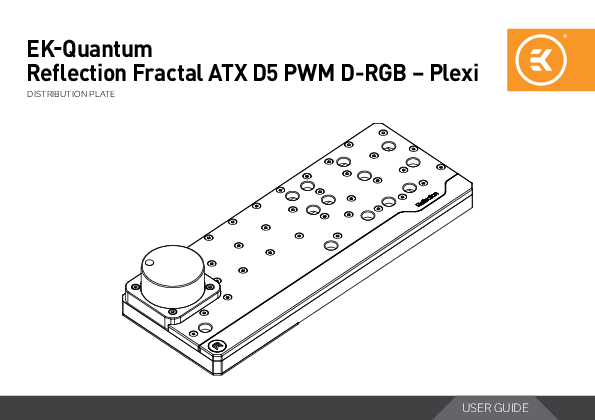
EK-Quantum Reflection Fractal ATX D5 PWM D-RGB – Plexi
the PC case manual. STEP 1 Remove the both side panels and the front panel from the case. STEP 1 STEP 2 STEP 2 Remove the top filter frame and follow the process in the Fractal Design R6 case manual to remove all drive…
Full PDF Document

If the inline viewer fails, it will open the original document in compatibility mode automatically. You can also open the file directly.
Extracted Text
EK-Quantum Reflection Fractal ATX D5 PWM D-RGB � Plexi
DISTRIBUTION PLATE
USER GUIDE

Before you start using this product please follow these basic guidelines:
Please carefully read the manual before beginning with the installation process!
The EK Fittings require only a small amount of force to screw them firmly in place since the liquid seal is ensured by the rubber O-ring gaskets.
The use of corrosion inhibiting coolants is always recommended for any liquid cooling system. EKWB recommends any of the EKCryofuel for worry-free usage.

TABLE OF CONTENT

PREPARING THE DEFINE R6/VECTOR RS

4

INSTALLING THE DISTRIBUTION PLATE IN THE DEFINE R6/VECTOR RS

6

PREPARING THE DEFINE S2/MESHIFY S2

7

INSTALLING THE DISTRIBUTION PLATE IN THE DEFINE S2/MESHIFY S2

8

PREPARING THE DEFINE 7/7 XL

9

INSTALLING THE DISTRIBUTION PLATE IN THE DEFINE 7/7 XL

9

RECOMMENDED DISTRIBUTION PLATE CONFIGURATIONS

10

CONFIGURATION WITH ONLY TOP RADIATOR

10

CONFIGURATION WITH BOTH RADIATORS

11

CONNECTING THE D-RGB LED STRIP

12

CONNECTING THE PUMP

13

TESTING THE LOOP

13

SUPPORT AND SERVICE

14

SOCIAL MEDIA

14

- 3 -

PREPARING THE DEFINE R6/VECTOR RS
Before installing the distribution plate, carefully read the PC case manual.
STEP 1 Remove the both side panels and the front panel from the case.

STEP 1

STEP 2 Remove the top filter frame and follow the process in the Fractal Design R6 case manual to remove all drive mounts and re-position the drive cover to the back of the case.

STEP 2
- 4 -

STEP 3 Unscrew two (2) encircled screws and use the marked holes for distribution plate mounting screws.

STEP 3

You can also remove the drive cover in order to secure the distribution plate with additional mounting screws if required.

- 5 -

INSTALLING THE DISTRIBUTION PLATE IN THE DEFINE R6/VECTOR RS
STEP 1 Carefully place the EK-Quantum Reflection Fractal ATX D5 PWM D-RGB � Plexi distribution plate into the PC case. Make sure that mounting holes are aligned.

STEP 1
Steel Washer M3 X 10 DIN7984

STEP 2 Secure the EK-Quantum Reflection Fractal ATX D5 PWM D-RGB � Plexi distribution plate with two M3 x 10 7984DIN screws and steel washers.

STEP 2
- 6 -

PREPARING THE DEFINE S2/MESHIFY S2
Before installing the distribution plate, carefully read the PC case manual.
STEP 1 Remove the both side panels from the case.

STEP 1

STEP 2 Remove the hard drive cage. It can be reused, after installing EK-Quantum Reflection Fractal ATX D5 PWM D-RGB � Plexi distribution plate.

STEP 2
- 7 -

INSTALLING THE DISTRIBUTION PLATE IN THE DEFINE S2/MESHIFY S2
STEP 1 Carefully place the EK-Quantum Reflection Fractal ATX D5 PWM D-RGB � Plexi distribution plate into the PC case. Make sure that mounting holes are aligned.

Steel Washer M3 X 10 7984DIN

STEP 1

STEP 2 Secure the EK-Quantum Reflection Fractal ATX D5 PWM D-RGB � Plexi distribution plate with enclosed M3 X 10 7984DIN mounting screws and steel washers.

STEP 2
- 8 -

PREPARING THE DEFINE 7/7 XL

First take off the both side panels from the case.
Factory provided fans, drive cover and drive cages also need to be removed in order to install the EK-Quantum Reflection Fractal ATX D5 PWM D-RGB � Plexi distribution plate.

STEP 1

INSTALLING THE DISTRIBUTION PLATE IN THE DEFINE 7/7 XL

M3 X 10 DIN7984
Screw
Steel Washer

STEP 1 Carefully place the EK-Quantum Reflection Fractal ATX D5 PWM D-RGB � Plexi distribution plate into the PC case. Make sure that mounting holes are aligned.
STEP 2 Secure the EK-Quantum Reflection Fractal ATX D5 PWM D-RGB � Plexi distribution plate with M3 x 10 7984DIN screws and steel washers.

STEP 1&2
- 9 -

RECOMMENDED DISTRIBUTION PLATE CONFIGURATIONS

CPU OUTLET

TOP RADIATOR INLET

CONFIGURATION WITH ONLY TOP RADIATOR
All remaining and unused ports should be closed using the supplied plugs and an EK-Loop Multi Allen Key (6mm, 8mm, 9mm).

CPU INLET

TOP RADIATOR OUTLET

GPU INLET (One must be used)

GPU OUTLET (One must be used)
FILL

DRAIN - 10 -

FRONT RADIATOR INLET
CPU OUTLET CPU INLET
GPU INLET (One must be used)

FRONT RADIATOR OUTLET

CONFIGURATION WITH BOTH RADIATORS
All remaining and unused ports should be closed using the supplied plugs and an EK-Loop Multi Allen Key (6mm, 8mm, 9mm).

TOP RADIATOR INLET
TOP RADIATOR OUTLET GPU OUTLET (One must be used)
FILL

DRAIN - 11 -

CONNECTING THE D-RGB LED STRIP
Plug the 3-pin connector of the distribution plate D-RGB LED light to the D-RGB HEADER on the motherboard. The LED will work if the pin layout on the header is as follows: +5V, Digital, Empty, Ground.
Please ensure that the arrow indicated on the connector is plugged into the +5V line as indicated on your motherboard. If you put LED Diode to the 12V RGB HEADER you can damage the LEDs. Connector is the same on D-RGB and RGB versions, but D-RGB version has 3 cables from connector to PCB; RGB version has 4 cables. If you connect D-RGB led to ordinary RGB header you can damage your motherboard or LED strip.
D-RGB Connector
- 12 -

CONNECTING THE PUMP

4-pin molex connector

4-pin PWM fan connector

The EK-D5 PWM pump has two connectors.
1. 4-pin Molex: It must be connected directly to your PSU at all times as it is used to power the pump.
2. 4-pin PWM fan: It can be connected to your motherboard's CPU_ Fan or designated water pump header. It can also be connected to a controller. This cable is used to control and report the rotational speed of the pump. If it's not connected, the pump will run at maximum speed (100% PWM).

TESTING THE LOOP
To make sure the installation of EK components was successful, we recommend you perform a leak test for 24 hours.
When your loop is complete and filled with coolant, connect the pump to a PSU outside of your system. Do not connect power to any of the other components. Turn on the PSU and let the pump run continuously. It is normal for the coolant level to drop during this process as air collects in the distribution plate.
Inspect all parts of the loop, and in the eventuality that coolant leaks, fix the issue and repeat the testing process. Ensure that all hardware is dry before the system is powered on in order to prevent any damage.
- 13 -

SUPPORT AND SERVICE
For assistance please contact: http://support.ekwb.com/ EKWB d.o.o. Pod lipami 18 1218 Komenda Slovenia - EU
SOCIAL MEDIA
EKWaterBlocks @EKWaterBlocks ekwaterblocks EKWBofficial ekwaterblocks