

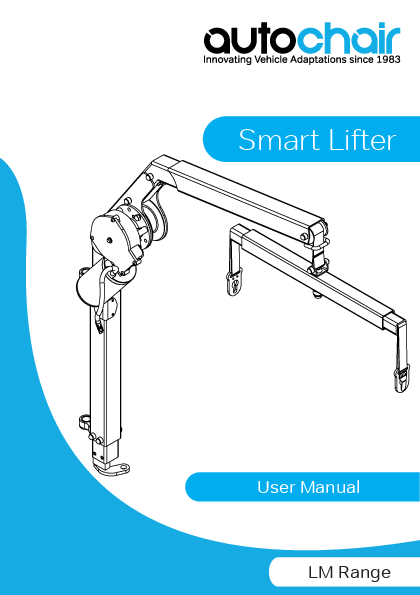
Autochair Smart Lifter LM Range User Manual
Innovating Vehicle Adaptations since 1983
1. Introduction
Congratulations on the purchase of your new Smart Lifter manufactured by Autochair Ltd.
Please read through these instructions thoroughly before operating your Smart Lifter.
All models of this product are very powerful in both the UP (lifting) and DOWN (lowering) and for 4-way version; also the IN (into vehicle) and OUT (out of vehicle) operation. Care should be taken that the boom and the mobility product that is being lifted is free to move. These devices have the power to break trim and cause harm if not operated correctly.
This Smart Lifter is designed to lift wheelchairs, electric wheelchairs and scooters into vehicles. They should be fitted into the vehicle by a competent fitter who will also ensure that the correct lifting bracket is fitted to suit your mobility vehicle. The fitter will also demonstrate the operation of your Smart Lifter and show you how the lifting brackets are connected.
Please note that your Smart Lifter comes complete with a 12-month warranty. This warranty covers the replacement of any faulty parts and the labour for replacing those parts. The warranty does not cover travel costs.
Online and Private Purchases
If you purchased your product online or from a previous owner and require any information about the safe use and maintenance of your Smart Lifter, please visit our website at www.autochair.co.uk or contact your Accredited Autochair Dealer.
End-User's Agreement
By accepting delivery of this Smart Lifter, you agree that you will not modify, change or alter this product or remove or render inoperable or unsafe any guards, shields, or other safety features of this product; fail, refuse, or neglect to install any retrofit kits from time to time provided by Autochair to enhance or preserve the safe use of this product.
Delivery and Shipping
Before using or operating your Smart Lifter, make sure your delivery is complete. Some components may be individually packaged. If you do not receive a complete delivery or if any damage has occurred to the product or packaging whilst in transit, please contact your Accredited Autochair Dealer. Upon delivery of your new product your Accredited Autochair Dealer should provide a demonstration on the correct use of the Smart Lifter.
Feedback and Suggestions
We want to hear your questions, comments, and suggestions about this manual. We would also like to hear about the safety and reliability of your new Smart Lifter and about the service you received from your Accredited Autochair Dealer.
Please notify us of any change of address, so we can keep you apprised of important information about safety, new products, and new options that could improve your ability to use and enjoy your lift system. Please feel free to contact us at the address below:
Manufactured By:
Autochair Ltd.
Wood Street North
Meadow Lane Industrial Estate
Alfreton
Derbyshire
DE55 7JR
Phone: 0800 009 2326
Email: service@autochair.co.uk
Website: www.autochair.co.uk
2. Safety
Product Safety Symbols
Please study the symbols below to ensure you understand them completely. They are used on the Smart Lifter and in the manual to identify warnings and mandatory or prohibited actions.
- [!] Read and follow all directions in this manual.
- [Max Weight] Maximum lifting capacity.
- [No Riding] Do not ride on the mobility product while operating the Smart Lifter or when the vehicle is in motion.
- [Pinch Point] Pinch/Crush points on the Smart Lifter. Keep hands and fingers away from moving components and crush points when operating the Smart Lifter.
- [Battery Hazard] Battery posts, terminals and related accessories contain lead and lead compounds. Wear goggles and gloves when handling batteries and wash hands after handling.
- [Recycle Symbol] Disposal and recycling. Contact your Accredited Autochair Dealer for information on proper disposal of your Smart Lifter and its packaging.
Lifting Capacities
This Smart Lifter is designed to lift a maximum weight of 40kg or 80kg depending on the version you have installed in your vehicle. Check this by referring to labels on the boom. Under no circumstances should the Smart Lifter exceed the stated lifting capacity. Subjecting the Smart Lifter to the strain of lifting more than it is designed to may cause it to fail, resulting in damage to the mobility product and/or injury to the operator.
Refer to the mobility product specifications for information on the overall weight of the mobility product before lifting with the Smart Lifter.
- WARNING! Exceeding the maximum lifting capacity of your specific Smart Lifter may cause the lift system to fail, resulting in injury to the operator and damage to the Smart Lifter.
- MANDATORY! Adding accessories, oversized batteries, or a different seat will increase the weight of your mobility device. Verify with your mobility device supplier to ensure your mobility device does not exceed the maximum lift capacity of the Smart Lifter.
- WARNING! The Fitting Kit and Accessories for your vehicle may be rated at a lower capacity than your Smart Lifter. Please check with your Accredited Autochair Dealer to ensure the correct Safe Working Load is maintained.
Pre-Use Inspection
There should be no sharp edges on the Smart Lifter, the Post/A-Frame or the lifting bracket. If you find any sharp edges, please contact your Accredited Autochair Dealer and notify them. Make sure that you are completely happy with the operation of your Smart Lifter before lifting your mobility device. Misuse or incorrect operation of the Smart Lifter could result in injury. Inspect the lifting straps before every use for twisting, fraying or signs of wear. If signs of wear become evident, have them replaced by your Accredited Autochair Dealer.
- WARNING! A frayed or worn strap can snap, resulting in damage to the Smart Lifter and mobility device and potentially injury to the operator.
- MANDATORY! If your scooter or mobility device model changes, please contact your Accredited Autochair Dealer to confirm suitability with your existing Smart Lifter before use.
Operator Positioning
The operator should stand a safe distance from the Smart Lifter when it is in operation to ensure that their feet are never positioned under a raised mobility product. For the 4-way version; keep hands and fingers clear of the Smart Lifter when loading the mobility product in and out of the vehicle.
Vehicle Positioning
Be sure your vehicle is parked on flat, level ground and the handbrake is engaged before attempting to lift a mobility product. Before lowering ensure that the Smart Lifter is fully out of the vehicle, otherwise your mobility device may come into contact with your vehicles bumper.
- WARNING! Do not lift the Smart Lifter pass the Yellow stitching on the webbing strap. Lifting past this point can cause damage to the Smart Lifter motor and may result in Smart Lifter failure.
- WARNING! The safety R-clip must be fitted into the top pin in the post/A-Frame before operating.
- WARNING! For folding versions of the Smart Lifter; Never use the Smart Lifter when in the folded position.
- WARNING! This Smart Lifter must never be operated by a child or any person not deemed appropriate by the technician who installed it.
- WARNING! Attempting to lift a mobility product when a vehicle is not on level ground will cause the mobility product to swing toward or away from the vehicle, making it difficult to get the mobility product into the vehicle, especially for the 2-way version.
- WARNING! Note the position of all pinch point warning labels stating "Keep Clear". Never place your hands in these locations when the Smart Lifter is in operation.
- WARNING! Never use a Smart Lifter that has signs of damage or excessive wear.
- WARNING! Do not exceed the maximum stated lifting capacity.
- WARNING! Misuse of the Smart Lifter may result in serious injury and damage to the unit or vehicle.
Before lifting the mobility product for the first time, operate the Smart Lifter without a load until you are familiar with the controls and how the Smart Lifter operates.
Any adjustment to the Smart Lifter settings must only be carried out by an Accredited Autochair Dealer. Your Smart Lifter should be serviced every year to ensure it is in good working order.
If in doubt about any aspect of your Smart Lifter, please contact your Accredited Autochair Dealer.
Diagram: Shows the process of unfolding the Smart Lifter arm. Step 1: Lift the arm. Step 2: Pull the lever to release the latch. Step 3: Lower the arm to its horizontal locking position.
WARNING! Do not lift the Smart Lifter past the Yellow stitching on the webbing strap. Lifting past this point can cause damage to the Smart Lifter motor and may result in Smart Lifter failure.
3. Technical
Smart Lifter Type
There are several configurations that are available for this Smart Lifter, depending on the weight rating (40kg or 80kg), control type (2 way or 4 way), mounting method (post or A-frame), and boom type (fixed or folding).
Weight Rating
There are two versions of the Smart Lifter; one that has a maximum lifting capacity of 40kg and one that has a maximum lifting capacity of 80kg. There is a weight rating sticker at the top of each Smart Lifter, which your mobility device should not exceed. If your mobility device changes; please contact your Accredited Autochair Dealer to ensure that the mobility device is within the Smart Lifter's weight capacity and to arrange a new lifting bracket to be fitted.
The control box on all new Mini Smart Lifter models have been modified to incorporate a resettable fuse. The motors used on the Smart Lifter can be overworked and potentially stall or overheat when the webbing (and spreader bar) pass over the Yellow Line and jams on the horizontal boom.
If the webbing does pass over the Yellow Line, the auto resettable fuse will blow and power will be cut to the Smart Lifter until it resets. This will take approximately 8 seconds before the power resumes.
The fuses are colour coded depending on the weight capacity of the Smart Lifter, where the 40kg uses a 15Amp Blue fuse and the 80kg uses a 20Amp Yellow. These fuses are located on the left hand side of the control box and are not removable.
A separate fuse is also connected to the car battery through an in-line fuse holder and can be replaced if blown. A spare fuse will be provided as part of your installation. For these fuses; the 40kg uses a 25Amp and the 80kg uses a 30Amp.
Product Specifications
| Model | 40kg | 80kg |
|---|---|---|
| Lifting arm weight | 6kg | 6kg |
| Maximum lifting capacity | 40kg | 80kg |
| Power supply | 12V DC | |
Mounting Method
Dependant on the vehicle this Smart Lifter is being installed into; it can be mounted either on a Post or an A-frame for both weight capacities.
Diagram: Illustrates the 'Post' mounting method with a retaining pin (R-Clip) securing the post. Illustrates the 'A-Frame' mounting method with a retaining pin (R-Clip) securing the A-frame.
Spreader Bar
The spreader bar is used to connect the Smart Lifter to your mobility device (using a lifting bracket). There are two types of spreader bar connectors; a key hole type and a clipping type (called Karabiners). The Karabiner type is more preferable when hand or finger function of the user is reduced.
Diagram: Shows a 'Spreader Bar with Key Hole Lifting Points' and a 'Spreader Bar with Karabiner Lifting Points'.
Mounting Side
Dependant on the vehicle; the Smart Lifter can be placed on the Right hand side or the Left hand side and as such the motor can be mounted either side.
Diagram: Shows a 'Left Hand Side Motor' configuration and a 'Right Hand Side Motor' configuration.
Boom Type
The boom can be Fixed or Folding. The folding version can reduce the height of the Smart Lifter by up to 325mm (12.8 inches). This is especially important for smaller or hatchback type vehicles; where it wouldn't be possible to close the boot with the Smart Lifter in its erect position.
Note: the Smart Lifter should NEVER be used when in the folded position.
Diagram: Shows a 'Folding Boom' and a 'Fixed Boom'.
Control Type
There are two control types; a 2 way or a 4 way and as such two different handset and controllers. The 2 way version lifts the mobility device up from ground level to the boot height and vice versa for the lowering the mobility device down from the boot to ground level.
The 4 way version has the added capability to move the mobility device (once it has reached boot height) in to the vehicle and vice versa for moving the mobility device out of the vehicle (using an In/Out actuator). This motion has to be completed manually on the 2 way version.
Diagram: Shows the '4 Way Control' with an In/Out Actuator, Plate, Control Box, and Handset. It also details the resettable fuses for 40kg (15Amp) and 80kg (20Amp) models, noting they are not removable. Shows the '2 Way Control' with Control Box and Handset, also detailing the resettable fuses.
4. Operation - Loading
Loading a Mobility Device
Diagram: Illustrates the folding version ONLY for loading. Step 1: Ensure the Smart Lifter is in the upright position. Pull the lever to release the latch and raise the boom to its locked upright position. Step 2: Press the power button to switch on the unit; indicated by a red light. Step 3: Locate and pick up the handset. Step 4: Configure the mobility device for lifting as recommended by the product demonstrator or installer.
Diagram: Shows 'Left Hand Installs' and 'Right Hand Installs'. Step 5: Press and hold the RIGHT button to swing the Smart Lifter outwards. Release when the boom is at its outermost position. This is done manually for a 2-way version. Step 6: Press and hold the LEFT button to swing the Smart Lifter outwards. Release when the boom is at its outermost position. This is done manually for a 2-way version.
Diagram: Step 7: Position the mobility device so that the lifting points are directly beneath the spreader bar. Step 8: Press and hold the down button to lower the spreader bar.
Diagram: Shows 'Karabiner Clips' and 'Keyhole Plates'. Step 9: Engage the keyhole plates/karabiner clips securely to the lifting bracket. DO NOT attempt to lift without all lifting straps securely connected.
Diagram: Step 10: Press and hold the up button to raise the mobility device from the ground.
Diagram: Step 11: Release the up button once the mobility device is above the luggage area floor. WARNING! Do not lift past the Yellow stitching on the webbing strap.
Diagram: Shows 'Left Hand Installs'. Step 12: Press and hold the LEFT button to move the mobility device inwards. Rotate the mobility device as it moves inwards. This is done manually for a 2-way version.
Diagram: Shows 'Right Hand Installs'. Step 13: Press and hold the RIGHT button to move the mobility device inwards. Rotate the mobility device as it moves inwards. This is done manually for a 2-way version.
Diagram: Step 14: Guide the mobility device into the boot, ensuring adequate clearance for the boom and mobility device to swing into position.
Diagram: Step 15: Press and hold the down button until the mobility device is firmly placed onto the floor of the vehicle and the straps become loose enough to detach.
Diagram: Step 16: If fitted, engage the restraint system.
Diagram: Illustrates the 'Folding Version ONLY'. Step 17: Lift the arm (1), pull the lever to release latch (2), and lower the boom (3) to ensure adequate space to close the car boot.
Diagram: Shows the control panel. Step 18: Return the handset to its stored position, ensuring the cable is clear of trapping points. Press the power button to switch the unit off.
4. Operation - Unloading
Unloading a Mobility Device
Diagram: Shows restraint system disengagement.
Diagram: Illustrates 'Folding Version ONLY'. Step 1: If a restraint system is fitted, it should first be disengaged. Step 2: Before operating the Smart Lifter, ensure it's in the upright position. Pull the lever to release latch (1) and raise the boom (2) to its locked upright position.
Diagram: Shows the control panel. Step 3: Press the power button to switch on the unit; indicated by a red light. Step 4: Locate and pick up the handset from its stored position.
Diagram: Step 5: Press and hold the up button to raise the mobility device from the vehicle floor. Step 6: Release the up button once the mobility device has reached its uppermost position.
Diagram: Shows 'Left Hand Installs'. Step 7: Press and hold the RIGHT button to swing the Smart Lifter outwards. This is done manually for a 2-way version. Step 8: Press and hold the LEFT button to swing the Smart Lifter outwards. This is done manually for a 2-way version.
Diagram: Step 9: Press and hold the down button to lower the mobility device. Step 10: Release the down button once the mobility device is grounded and there is slack in the lifting straps.
Diagram: Shows 'Karabiner Clips' and 'Keyhole Plates'. Step 11: Release the key hole plates/karabiner clips from the lifting bracket.
Diagram: Step 12: Ensure the mobility device is free from the Smart Lifter. Press the up button to raise the spreader bar fully upwards.
Diagram: Shows 'Left Hand Installs'. Step 13: Release the up button before the Yellow marked line. WARNING! Do not lift past the Yellow stitching on the webbing strap.
Diagram: Shows 'Right Hand Installs'. Step 14: Press and hold the LEFT button to move the Smart Lifter inwards. This is done manually for a 2-way version. Step 15: Press and hold the RIGHT button to move the Smart Lifter inwards. This is done manually for a 2-way version.
Diagram: Step 16: Return the handset to its stored position, ensuring the cable is clear of trapping points or hazards.
Diagram: Illustrates 'Folding Version ONLY'. Step 17: Fold the boom down by lifting the arm (1), pulling the lever to release latch (2), and lowering the boom to its horizontal locking position (3).
Diagram: Shows the control panel. Step 17: Press the power button to switch off the unit. The light should no longer be illuminated indicating the unit is switched off.
5. Removing & Replacing
Removing
NOTE: The following illustrations show the steps for the post version. These steps also apply to A-Frame versions.
Diagram: Shows electrical connectors (red and black).
1. Turn the power OFF and unclip the red (4 Way Version ONLY) and black connectors. DO NOT pull apart by the wires. This will damage the connectors.
2. Remove the Retaining Pin (R-Clip) from the top pin.
Diagram: Shows '4 Way Version ONLY'. Step 3: Partially remove the actuator pin. Step 4: Rotate the actuator away from the bottom post and remove the actuator pin.
5. Slide the Smart Lifter upwards to remove it from the mounting lugs. TAKE CARE when lifting.
6. Store the Smart Lifter in a dry, safe place when not in use.
Replacing
NOTE: The following illustrations show the steps for the post version. These steps also apply to A-Frame versions.
Diagram: Shows the Smart Lifter being lowered onto the mounting lugs.
1. Rest the upper mounting lug onto the longer upper pin before aligning the lower pin. The Smart Lifter should slide smoothly down into place.
1. Continued - Ensure both pins are located on their respective lugs.
Diagram: Shows '4 Way Version ONLY'. Step 2: Half engage the actuator pin. Rotate the Smart Lifter and align the bottom mount with the actuator arm. Step 3: Fully engage the actuator pin by pushing it all the way down. This will secure the in/out actuator.
Diagram: Step 4: IMPORTANT - Fully insert the Retaining Pin (R-Clip) into the top pin.
Diagram: Shows electrical connectors (red and black). Step 6: Connect the red (4 Way Version ONLY) and black connectors.
6. Troubleshooting
| Problem | Solution |
|---|---|
| No power to the unit |
|
| The handset doesn't work |
|
| Smart Lifter turns on but won't lift |
|
| Smart Lifter stops during lifting |
|
| The Smart Lifter lifts very slowly |
|
| Is servicing available? | We offer yearly servicing to ensure your Smart Lifter is safe and reliable. |
| What if we have an accident? | If you think that your Smart Lifter has been damaged in any way please call your Accredited Autochair Dealer to arrange an inspection and safety test. |
If you can't find a solution to your problem, before operating the Smart Lifter please contact your Accredited Autochair Dealer as soon as possible. Their details will be written on the inside cover and the back page of this manual. If you do not have their contact details, get in touch with us and we'll let you know who your Accredited Dealer is and how to get in touch with them.
7. Care & Maintenance
Smart Lifter Care and Maintenance
The following routine maintenance should be performed at the indicated intervals. Failure to perform the maintenance procedures at the required intervals may void your product warranty.
Perform prior to daily use:
- Inspect buckles, straps & fasteners for damage or excessive wear.
- Inspect Smart Lifter for damage or excessive wear.
- Check electrical wires and connections for signs of damage or wear.
Any parts found to be damage or showing excessive wear should be reported to your Accredited Autochair Dealer.
Perform at least every 6 months:
- Inspect all mounting hardware and lift pivots for defects and a secure fit.
Any parts found to be loose or defective should be reported to your Accredited Autochair Dealer.
Perform every 12 months:
- It is recommended that the Smart Lifter is serviced every year by Autochair or your Accredited Autochair Dealer.
Cleaning:
- If required, the Smart Lifter can be cleaned with a damp cloth and detergent. Ensure the unit is disconnected from the power before cleaning.
Do not immerse in water, do not allow water to run into the electrical connectors or control box and allow to dry before use.
8. Warranty
Product Warranty
The warranty period for the Smart Lifter is detailed in your contract.
This warranty will cover any defects of workmanship or function.
The warranty does not cover any incorrectly installed Smart Lifter's or one with damaged mechanical or electrical components due to incorrect use or damage.
The warranty does not cover consequential loss, unless regional law requires it.
The warranty is invalidated if the seal on either the actuator or control box is broken. These contain no user replaceable components.
No alteration should be made to the Smart Lifter by anyone other than a qualified person, as defined by an Accredited Autochair Dealer.
In the event of damage or defects in the actuator, the Smart Lifter should be returned to your Accredited Autochair Dealer for evaluation.
No wires must be cut as they are fitted with connectors that must be correctly removed before repair.
In the event of any malfunction of the electrical circuit box or handset which require replacement; please contact your Accredited Autochair Dealer.
Serial Number: _______________
Date Supplied: _______________
Details of the Supplier: _______________
Mobility Device Weight: _______________
Name: _______________
Signature: _______________
Set up details: [Diagram illustrating setup details]
| Tick hoist details | ||
|---|---|---|
| Weight Rating | 40kg | 80kg |
| Control Type | 2 Way | 4 Way |
| Mounting Method | Post | A-Frame |
| Boom Type | Fixed | Folding |
| Fitting Kit Rating: Lifting Accessory Rating: |
||
Your Dealers Details:
Motobility
You've got a friend
Website: www.motobility.com.au
Email: info@motobility.com.au
Phone: (08) 9242 7333
 Autochair disabled car adaptations, lifts & hoists
  Mobility Equipment - Mobility Scooters, Electric Wheelchairs, Stair & Platform Lifts, Adjustable Beds, Hoists | Osborne Park, Joondalup & M…