

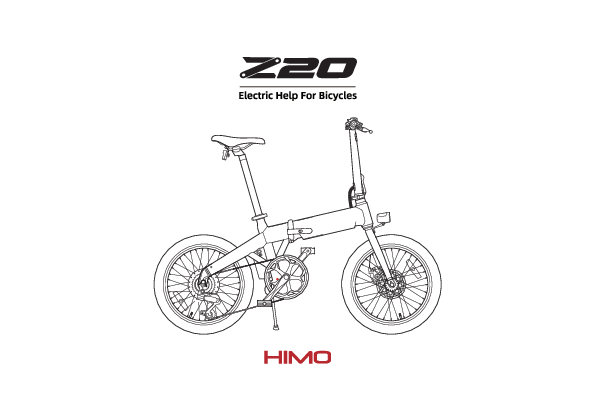
HIMO Z20 Electric Help For Bicycles
Precautions for use
E-Scooter and E-Bike laws differ by State - check your local laws and only ride in legally permitted areas. Use helmets, protective gear and always ride responsibly.
Safety tips for electric bike use
- Please strictly abide by the traffic laws and regulations, prepare helmets, protective equipment and other protective equipment before riding, and pay attention to cycling safety.
- Always ride with both hands on the handle.
- Do not park in building doors, evacuation staircases, walkways, and safety exits.
- Do not charge inside residential buildings and parks.
- Stay away from combustibles when charging.
- Please charge according to the suggested time; do not charge for too long.
- Use and store the batteries correctly; batteries should never be disassembled.
- Read all warning terms before riding or charging; only use the original charger.
- When adjusting the saddle position, do not exceed the safety line on the supporting tube.
Checklist before riding
- The power circuit and lighting are working.
- The front and rear brake levers are working.
- The handlebars are tightened.
- The front & rear wheels are tightened.
- The tire pressure is normal.
- Check the reflector for contamination before cycling.
Bike coding position
A line drawing of an electric bicycle with a placeholder for "Bike coding position".
Electrical schematic diagram
A block diagram illustrating the electrical system, showing connections between the Motor, Controller, Booster sensor, Display, Knob, and Battery. It includes power (+36V), signals (Overspeed warning signal, Head light signal, Handle signal), and fuses (25A fuse, 5A fuse).
Specification
| Size(length×width×height) | 1470×610×1095mm |
| Folding | 860×430×740 |
| Max weight | 21.6kg |
| Maximum design speed | 25km/h |
| Assisting range | ≈80km |
| Electric range | ≈55km |
| Consumes electricity(100km) | 0.65kWh/100km |
| Loading weight | <100kg |
Note: Under full power, 75kg load, 25°C, no wind, 15km/h uniform speed, endurance is measured. Actual endurance varies with load, temperature, wind speed, road surface, and habits.
Battery Spec
| Battery type | Lithium ion battery |
| Capacity | 10Ah |
| Voltage | 36V |
Motor Spec
| Motor type | Brushless dc motor |
| Rated power | 250W |
| Rated speed | 260r/min |
| Voltage | 36V |
Controller Spec
| Under voltage protection | 31±2V |
| Over current protection | 15±2A |
How to fold
Folding step
- The handle switch is pushed up. The handle opens outwards. [Diagram showing handle mechanism]
- Turn the handlebars to one side. [Diagram showing handlebar folding]
- Push the pedal inward. [Diagram showing pedal folding]
- Flip the pedal up to fold. [Diagram showing pedal secured in folded position]
- Handle safety switch pushed forward. Handle opens outward. [Diagram showing safety switch and handle release]
- The bike body folds to one side. [Diagram showing the main frame folding]
- Open quick-release handle outward and adjust seat to minimum. [Diagram showing seat post adjustment and quick release]
- Folding completion diagram. [Diagram showing the fully folded bike]
Steps to use pump
- Open the quick-release tube clamp and pull out the seat.
- Unscrew the cap and draw out the air cylinder assembly.
- Plug the air nozzle tightly into the tire nozzle.
- Use the 90-degree hand grip of the flip fastener to inflate.
Taillight opening and maintenance
Diagram showing the taillight assembly with labels for Tail lamp, Rear reflector, and Switch. The taillight is designed as an independent switch. Press the switch when in use.
Change the battery
- Prepare 1 Phillips screwdriver and 2 batteries.
- Remove the rear light, unscrew the front panel screw, open the rear housing, and replace the battery.
- Fasten the rear shell, twist the screw, install it on the fixing plate, and replace the battery.
Visuals: Phillips screwdriver, two No.7 batteries.
Gears
Understand the gears
Diagram showing a gear pointer indicating "Down gear" and "+ Up gear" on a numbered dial (1-6).
| Gear | Intensity | Speed |
| 1-2 | Relax | Slow |
| 3-4 | Moderate | Moderate |
| 5-6 | Hard | Fast |
Advice: To speed up, start with a lower gear and shift to a higher gear. When going uphill, use a lower gear. On a flat terrain, use a higher gear. This advice can be modified according to personal preferences.
When changing gears, please take note on:
- Do not skip gears to avoid damaging the system; change gradually.
- Do not reverse the gear system when the bike is not moving or going downhill.
- If the gearing system is inaccurate or faulty, repair at a professional bike shop.
Dashboard and cycling mode
Dashboard introduction
Diagram of the bicycle's dashboard showing: Speed display, Cumulative mileage (switching), Subtotal mileage (switching), Mode key, Button key, Highlight indicator, Power indicator, and Speed indicator (power/medium speed/high speed).
Cycling Modes
Power cycling
Dashboard display showing "ECO" mode. Instructions: Long press [power symbol] for 3 seconds to start the bike. The default mode is "ECO" assisted cycling. Start this mode when pedaling speed reaches 5KM/H.
Human pedaling
Dashboard display showing speed. Instructions: Long press [power symbol] for 3 seconds to shut down the bike. Pedaling is enough.
Electric riding (DISABLED according to ANZ regulations)
Dashboard display showing "MID" and "HIGH" modes. Instructions: Press [+] button to switch to "MID" electric cycling mode. This mode can be started by turning the handlebar or when speed exceeds 5KM/H. Press [+] to switch to "HIGH" electric riding mode. This mode can be started by turning the handlebar or when speed exceeds 5km/h.
Parking mode
Dashboard display showing "P" mode. Instructions: In the startup state, long press the [-] button for 3 seconds to switch mode to "P". This activates parking mode.
Headlight switch
Instructions: Long press [+] for 3 seconds to turn on the lights. Long press [+] to turn off the lights for 3 seconds.
Description: Dashboard display showing light status.
Mileage pattern
Instructions: In the startup state, press [M] to rotate between TRIP and ODO.
Description: Dashboard display showing TRIP and ODO mileage.
Battery instructions
How to charge:
- IMPORTANT: Connect the charger to the charging port of the battery first, then connect the charger to the power supply.
- When charging, the indicator light on the charger is red, and it will turn green when fully charged.
- Disconnect the charger from the power supply after charging.
- If you want to charge the battery while it is in the bike, please first turn off the bike power.
Description: Diagram showing a battery status lamp, charging plug, and power pin. Also shows a diagram of the bike's charging port.
Battery removal and installation
- Insert the key and turn it to the end in the direction indicated by the arrow. Release the battery lock and pull back to take out the battery.
- Push the battery into the bottom slowly. The battery installation will be completed when the battery latch springs back and locks.
- Note: The key cannot be pulled out when the battery lock is open.
Description: Diagrams showing the battery lock and the battery latch mechanism.
The battery
Instructions before use of lithium battery
- Only use the original battery. Never use non-authentic batteries or batteries from other brands.
- Before use, ensure the lithium battery is intact, with no damage, fluid leakage, overheating, smoke, or other abnormality.
- Please charge the battery before first use or after long-term storage.
Using the environment
- The best operating environment is 10°C-45°C.
- At low temperatures, available capacity decreases: ~70% at -10°C, ~85% at 0°C, and 100% at 25°C.
- If the battery shows signs of odor, heat, deformation, or other abnormality, stop using it immediately. Stay away and isolate the battery. Contact the after-sales department.
Warning
The battery is not user-repairable. Contact the after-sales department for maintenance if any abnormality occurs. Unauthorized disassembly voids the warranty and may cause heat, smoke, fire, or explosion.
Charging environment
- Only use the original charger.
- Charge at ambient temperature of 10°C - 40°C with good ventilation, away from flammable substances.
- Do not charge for more than 12 hours; overcharging affects battery life and safety.
- Charging speed varies.
- The battery stops charging below 0°C.
- Never charge outdoors in bad weather.
- Keep children away from the battery during charging, as it may heat up and cause burns.
Storage environment
- Remove the battery from the bike when not in use to prevent power drain.
- Store the battery separately at ambient temperature from 0°C to 25°C. Do not store above 45°C, as high temperature damages capacity.
- Best storage condition is 50% power capacity. Long-term storage below 10% or above 90% capacity leads to irreversible damage. Charge to 50% regularly even when not in use.
- Avoid storing batteries in unsafe locations. Falling can cause injury and damage the battery interior, leading to leakage, overheating, smoke, fire, explosion, or other abnormalities.
Maintenance and repair
Maintenance and cleaning instructions
- Do not use water; it damages internal components and wiring.
- Use neutral cleaner for painted/plastic parts, wipe with a damp cloth, then dry.
- Use lubricating oil on metal parts.
- Do not oil brake parts to avoid brake failure.
Regular inspection
- Check if parts are fastened and joints are in good condition.
- Check tire wear/cracks, tire pressure, and power system function.
- Check if the brake system is working properly.
Bike storage method
- Do not store the bike or parts outdoors, under strong light, or below zero. Keep at least 2m away from heat sources.
- Store indoors in a dry, clean, well-ventilated environment with temperature 10°C - 45°C and relative humidity no more than 90%.
- For long-term storage, charge the battery to 50% regularly (every two months) and store it separately.
- Keep the product away from corrosives, mechanical impact, and heavy objects.
Troubleshooting
| Issue | Reason | Solution way |
| No power | No power supply for bike | Check battery insertion, charge battery. |
| Turn on the power and twist the handle. Motor does not start. | In the braking state; Start switch fault. | Check brake lever, pedal to 5km/h, remove P mode, contact after-sales service. |
| Insufficient range | Battery undercharged; Tire pressure low; Frequent braking; Battery aging; Low temperature. | Check charger, check tire pressure, develop good driving habits, replace battery. |
| The battery won't charge | Charger not plugged in properly; Battery temperature too low; Battery temperature too high; Under voltage. | Check power plug, wait for battery temperature to normalize, contact customer service. |
RoHS
Bike name: Electric help for bicycles
The name and content of harmful substances in the product
| Parts name | Hazardous substance | |||||
| (Pb) | (Hg) | (Cd) | (Cr(VI)) | (PBB) | (PBDE) | |
| Display | ⚪ | ❌ | ⚪ | ⚪ | ⚪ | ⚪ |
| Head lamp | ⚪ | ❌ | ⚪ | ⚪ | ⚪ | ⚪ |
| Tail lamp | ⚪ | ❌ | ⚪ | ⚪ | ⚪ | ⚪ |
| Battery | ⚪ | ❌ | ⚪ | ⚪ | ⚪ | ⚪ |
| Controller | ⚪ | ❌ | ⚪ | ⚪ | ⚪ | ⚪ |
| Charger | ⚪ | ❌ | ⚪ | ⚪ | ⚪ | ⚪ |
Notes: ⚪ indicates content is below the limit set by GB/T 26572. ❌ indicates content exceeds the limit in at least one homogeneous material. This form is prepared in accordance with SJ/T 1136.
Company Information
- The principal: Shang hai HIMO Electric Technology Co. LTD
- Manufacturers: Tianjin Fuji-ta Technology Co. LTD
- Producer: Tianjin Fuji-ta Technology Co. LTD
- Manufacturer add: Taian road and AIMA road, south distr development zone, tianjin
- Distributor: Panmi Pty Ltd
- Address: 174 Broadway Chippendale 2008 Australia
- Warranty and Support Email: support@panmi.com.au
- Web: www.panmi.com.au/warranty
- Phone: 1800 070 031