

SKYRC E680 Multi-Chemistry Charger Instruction Manual
File info: application/pdf · 40 pages · 1.46MB
Instruction Manual
Full PDF Document

If the inline viewer fails, it will open the original document in compatibility mode automatically. You can also open the file directly.
Extracted Text
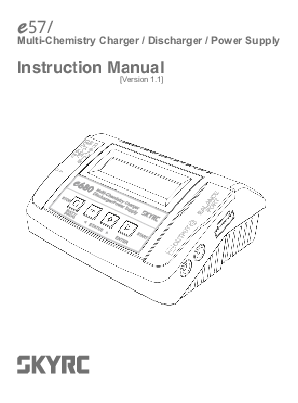
680
Multi-Chemistry Charger / Discharger / Power Supply
Instruction Manual [Version 1.1]

Table of Contents

Introduction

01

Special Features

03

Warning and Safety Notes

05

Program Flow Chart

08

Explanation of Buttons

09

Power and Battery Connection

10

Charge Operation

12

Lithium Battery Program (LiPo/LiFe/Lilon/LiHV)

13

NiMH/NiCd Battery Program

16

Pb Lead-acid Battery Program

20

Dji Mavic Battery Program

23

DC Power Supply

24

Battery Memory Set and Call Out

25

System Setting

27

Battery Voltage Meter

29

Battery Resistance Meter

30

Warning and Error Message

31

The Set Contains

32

Recommended Accessories

33

Specification

34

Conformity Declaration

35

Commonly Used Terms

36

Warranty and Service

37

WARNING:
This charger is not intended for use by persons (including children) with reduced physical, sensory or mental capabilities, or lack of experience and knowledge, unless they have been given supervision or instruction concerning use of the appliance by a person responsible for their safety. Children should be supervised to ensure that they do not play with the charger. Do not recharge non-rechargeable batteries! During charging, the battery must be placed in a well-ventilated area! Never leave the charger unattended when charging the battery.

Introduction
Congratulations on your choice of SKYRC e680 Multi-Chemistry Charger/Discharger/Power Supply. This unit is simple to use, but the operation of a sophisticated automatic charger such as SKYRC e680 does require some knowledge on the part of the user. These operating instructions are designed to ensure that you quickly become familiar with its functions. It is therefore important that you read right through the Operating Instructions, Warning and Safety Notes before you attempt to use your new charger for the first time. We hope you have many years of pleasure and success with your new battery charger.
SkyRC e680 is a high-performance, micro processor control charge / discharge / power supply with battery management suitable for use with all current battery types. It is with integral equalizer for six-cell LithiumPolymer (LiPo), Lithium iron phosphate (LiFe), Lithium-ion (LiIon) and Lithium High Voltage (LiHV) battery with max. 8A charge current and 80W charge power. For PB battery, e680 adds AGM and cold charge modes. It can charge AGM battery, and Pb battery can be charged in cold charge mode in cold days.
This charger can be powered by 11-18V DC or 100-240V AC power source via the built in switch-mode power supply. Besides that, e680 is able to power DC equipment such as tire sander, LED pit light and motor checker, etc. The new features and functions will be listed and explained in detail in the following pages.
Please BE SURE to read these INSTRUCTIONS, WARNING and SAFETY NOTES before you use the charger for the first time.
Mishandling batteries and battery
chargers is extremely dangerous,
which may cause fire and explosion.

e680

01 �

Introduction

Please read this entire operating manual completely and attentively before using this product, as it covers a wide range of information on operating and safety. Or please do use this product in company with a specialist!

LCD Display Scroll Through the Main Menu Stop Any Charge Processes Alter Values See the Status of Individual Cells in Balance Charge Mode Resume or Start Charge Processes

Balance Lead Socket

Cooling Fan

Output Socket 4mm Banana Plug

DC Input

AC Socket 100-240V Temperature Sensor Port

� 02

e680

Special Features
DC Power Supply SkyRC e680 Charger is integrated with DC power supply function, whose output is 13.8V, and output power ranges from 10W to 80W.
Support Charging DJI Mavic Battery SkyRC e680 charger supports charging DJI Mavic battery.
PB AGM and Cold Charge For PB battery, e680 adds AGM and cold charge modes. It can charge AGM battery, and Pb battery can be charged in cold charge mode in cold days.
Optimized Operating Software SkyRC e680 features the so-called AUTO function that set the feeding current during the process of charging or discharging. Especially for lithium batteries, it can prevent the overcharging which may lead to an explosion due to the user's fault. It can disconnect the circuit automatically and alarm once detecting any malfunction. All the programs of this product were controlled through two way linkage and communication, to achieve the maximum safety and minimize the trouble. All the settings can be configured by users!
Battery Memory (Data Store/Load) The charger can store up to 10 different charge/discharge profiles for your convenience. You can keep the data pertaining to program setting of the battery of continuous charging or discharging. Users can call out these data at any time without any special program setting.
Terminal Voltage Control(TVC) The charger allows user to change the end voltage. (for expert user only)
Internal Independent Lithium Battery Balancer SkyRC e680 employs an individual-cell-voltage balancer. It isn't necessary to connect an external balancer for balance charging.
Balancing Individual Cells Battery Discharging During the process of discharging, SkyRC e680 can monitor and balance each cell of the battery individually. Error message will be indicated and the process will be ended automatically if the voltage of any single one cell is abnormal.
Adaptable to Various Type of Lithium Battery SkyRC e680 is adaptable to various types of lithium batteries, such as LiPo, LiIon, LiFe and the new LiHV batteries.

e680

03 �

Special Features
Fast and Storage Mode of Lithium Battery Purposes to charge lithium battery varies, 'fast' charge reduce the duration of charging, whereas 'store' state can control the final voltage of your battery, so as to store for a long time and protect useful time of the battery.
Re-Peak Mode of NiMH/NiCd Battery In re-peak charge mode, the charger can peak charge the battery once, twice or three times in a row automatically. This is good for making certain the battery is fully charged.
Delta-peak Sensitivity for NiMH/NiCd Delta-peak sensitivity for NiMH/NiCd battery: The automatic charge termination program based on the principle of the Delta-peak voltage detection. When the battery's voltage exceeds the threshold, the process will be terminated automatically.
Cyclic Charging/Discharging 1 to 5 cyclic and continuous process of charge > discharge or discharge > charge is operable for battery refreshing and balancing to stimulate the battery's activity.
Automatic Charging Current Limit You can set up the upper limit of the charging current when charging your NiMH or NiCd battery, it is useful for the NiMH battery of low impedance and capacity in the 'AUTO' charging mode.
Battery Meter The user can check battery voltage and battery internal resistance.
Battery Internal Resistance Meter The user can check battery's total internal resistance and each cell's internal resistance.
Capacity Limit The charging capacity is always calculated as the charging current multiplied by time. If the charging capacity exceeds the limit, the process will be terminated automatically when you set the maximum value.
Temperature Threshold* The battery's internal chemical reaction will cause the temperature of the battery to rise. If the temperature limit is reached, the process will be terminated. * This function is available by connecting optional temperature probe, which is not included in the package.
Processing Time Limit: You can also limit the maximum process time to avoid any possible defect.

� 04

e680

Warning and Safety Notes
These warnings and safety notes are particularly important. Please follow the instructions for maximum safety; otherwise the charger and the battery can be damaged or at worst it can cause a fire.
Never leave the charger unattended when it is connected to its power supply. If any malfunction is found, TERMINATE THE PROCESS AT ONCE and refer to the operation manual.
Keep the charger well away from dust, damp, rain, heat, direct sunshine and vibration. Never drop it.
The allowable AC input voltage is 100~240V AC and DC 11-18V.
This charger and the battery should be put on a heat-resistant, noninflammable and nonconductive surface. Never place them on a car seat, carpet or similar. Keep all the inflammable volatile materials away from operating area.
Make sure you know the specifications of the battery to be charged or discharged to ensure it meets the requirements of this charger. If the program is set up incorrectly, the battery and charger may be damaged .It can cause fire or explosion due to overcharging.

Standard Battery Parameters

Nominal Voltage

LiPo

LiIon

3.7V/cell 3.6V/cell

LiFe

LiHV NiCd

3.3V/cell 3.7V/cell 1.2V/cell

NiMH

Pb

1.2V/cell 2.0V/cell

Max Charge Voltage

4.2V/cell 4.1V/cell 3.6V/cell 4.35V/cell 1.5V/cell

1.5V/cell 2.46V/cell

Storage Voltage

3.8V/cell 3.7V/cell 3.3V/cell 3.85V/cell n/a

n/a

n/a

Allowable Fast Charge

1C

1C

4C

1C

1C-2C 1C-2C 0.4C

Min. Discharge Voltage

3.0-3.3V/cell

2.9-3.2V/cell

2.6-2.9V/cell

3.1-3.4V/cell 0.1-1.1V/cell

0.1-1.1V/cell

1.8V/cell

Be very careful to choose the correct voltage for different types of battery otherwise you may cause damage to the batteries. Incorrect settings could cause the cells to fire or explode.

e680

05 �

Warning and Safety Notes
Never attempt to charge or discharge the following types of batteries.
A battery pack which consists of different types of cells (including different manufacturers) A battery that is already fully charged or just slightly discharged. Non-rechargeable batteries (Explosion hazard). Batteries that require a different charge technique from NiCd, NiMh, LiPo or Gel cell (Pb, Lead acid). A faulty or damaged battery. A battery fitted with an integral charge circuit or a protection circuit. Batteries installed in a device or which are electrically linked to other components. Batteries that are not expressly stated by the manufacturer to be suitable for the currents the charger delivers during the charge process.
Please bear in mind the following points before commencing charging: Did you select the appropriate program suitable for the type of battery you are charging? Did you set up adequate current for charging or discharging? Have you checked the battery voltage? Lithium battery packs can be wired in parallel and in series, i.e. a 2 cell pack can be 3.7V (in parallel) or 7.4V (in series). Have you checked that all connections are firm and secure? Make sure there are no intermittent contacts at any point in the circuit.
Charging
During charge process, a specific quantity of electrical energy is fed into the battery. The charge quantity is calculated by multiplying charge current by charge time. The maximum permissible charge current varies depending on the battery type or its performance, and can be found in the information by the battery manufacturer. Only batteries that are expressly stated to be capable of quickcharge are allowed to be charged at rates higher than the standard charge current.
Connect the battery to the terminal of the charger: red is positive and black is negative. Due to the difference between resistance of cable and connector, the charger can not detect resistance of the battery pack, the essential requirement for the charger to work properly is that the charge lead should be of adequate conductor cross-section, and high quality connectors which are normally goldplated should be fitted to both ends.
Always refer to the manual by battery manufacturer about charging methods, recommended charging current and charging time. Especially, the lithium battery should be charged according the charging instruction provided by the manufacturer strictly.

� 06

e680

Warning and Safety Notes
Attention should be paid to the connection of lithium battery especially.
Do not attempt to disassemble the battery pack arbitrarily.
Please get highlighted that lithium battery packs can be wired in parallel and in series. In the parallel connection, the battery s capacity is calculated by multiplying single battery capacity by the number of cells with total voltage stay the same. The voltages imbalance may cause fire or explosion .Lithium battery is recommended to charge in series.
Discharging The main purpose of discharging is to clean residual capacity of the battery, or to reduce the battery voltage to a defined level. The same attention should be paid to the discharging process as charging. The final discharge voltage should be set up correctly to avoid deep-discharging. Lithium battery can not be discharged to lower than the minimum voltage, or it will cause a rapid loss of capacity or a total failure. Generally, lithium battery doesn't need to be discharged. Please pay attention to the minimum voltage of lithium battery to protect the battery.
Some rechargeable batteries have a memory effect. If they are partly used and recharged before the whole charge is accomplished, they remember this and will only use that part of their capacity next time. This is a memory effect. It is said that NiCd and NiMH batteries are suffering from memory effect. NiCd has more memory effect than NiMH.

e680

07 �

Program Flow Chart

BATT/PROGRAM

LiPo BALANCE CHG

LiPo BATT ENTER 2.0A 7.4V (2S)

LiPo CHARGE 2.0A 7.4V (2S)

LiPo FAST CHG 2.0A 7.4V (2S)

LiPo STORAGE 2.0A 7.4V (2S)

LiPo DISCHARGE 2.0A 7.4V (2S)

BATT/PROGRAM

LiFe BALANCE CHG

LiFe BATT ENTER 2.0A 6.6V (2S)

LiFe CHARGE 2.0A 6.6V (2S)

LiFe FAST CHG 2.0A 6.6V (2S)

LiFe STORAGE 2.0A 6.6V (2S)

LiFe DISCHARGE 2.0A 6.6V (2S)

BATT/PROGRAM

Lilo BALANCE CHG

LiIo BATT ENTER 2.0A 7.2V (2S)

BATT/PROGRAM

LiHV BALANCE CHG

LiHV BATT ENTER 2.0A 7.6V (2S)

Lilo CHARGE 2.0A 7.2V (2S)
LiHV CHARGE 2.0A 7.6V (2S)

Lilo FAST CHG 2.0A 7.2V (2S)
LiHV FAST CHG 2.0A 7.6V (2S)

Lilo STORAGE 2.0A 7.2V (2S)
LiHV STORAGE 2.0A 7.6V (2S)

Lilo DISCHARGE 2.0A 7.2V (2S)
LiHV DISCHARGE 2.0A 7.6V (2S)

BATT/PROGRAM

NiMH CHARGE

NiMH BATT ENTER CURRENT 2.0A

NiMH Auto CHARGE CURRENT 2.0A

NiMH DISCHARGE 0.1A CUT: 1.0V

NiMH RE-PEAK 1

NiMH CYCLE CHG>DCHG 1

BATT/PROGRAM

NiCd CHARGE

NiCd BATT ENTER CURRENT 2.0A

NiCd Auto CHARGE CURRENT 2.0A

BATT/PROGRAM

Pb NORMAL CHG INC Pb AGM CHG

Pb BATT ENTER 2.0A 2.0V (1P) DEC 0.1A 2.0V (1P)

NiCd DISCHARGE 0.1A CUT: 1.0V
INC Pb COLD CHG DEC 0.1A 2.0V (1P)

NiCd RE-PEAK 1

NiCd CYCLE CHG>DCHG  1

Pb DISCHARGE 0.1A 2.0V (1P)

BATT/PROGRAM

LH3S CHARGE

DJI Mavic BATT ENTER TURN ON BATTERY

LH3S STORAGE TURN ON BATTERY

BATT/PROGRAM

4.20 4.19 4.19 V

BATT METER ENTER 0.00 0.00 0.00 V

BATT/PROGRAM

5 3 3 m

BATT RESISTANCE 5 ENTER 0 0 m

MAIN 12.58V H4.20V L4.19V
TATAL: 16m

BATT/PROGRAM

DC SUPPLY: 10W

SYSTEM SETTING-> ENTER CHARGE POWER: 50W

Stop Version BATT PROG HW:1.00 FW: 1.00

Safety Timer

ON

120Min

Load Factory Set Enter

Capacity Cut-Off ON 5000mAH
DC Input Low Cut-Off 11.0V

Temp Cut-Off ON 50�C 122�F

Key Beep ON

Buzzer

ON

Temperature Unit Celsius
  NiCd Sensitivity
D.Peak 4mV

Rest Time CHG>DCHG 10Min
NiMH Sensitivity D.Peak  4mV

BATT/PROGRAM BATT MEMORY

[ BATT MEMORY 1 ]

BATT TYPE

ENTER

ENTER SET-> ENTER LiPo

 ENTER>3Seconds

[ BATT MEMORY 1 ]

C:4.9A D:2.2A

BATT VOLTAGE 7.4V ( 2S )
[ BATT MEMORY 1 ] LiPo 7.4V (2S )

CHARGE CURRENT 4.9A

DISCHG CURRENT 2.2A

SAVE PROGRAM

SAVE PROGRAM

SAVE....

ENTER

ENTER

DISCHG VOLTAGE 3.0V/CELL
TVC=YOUR RISK 4.20V

ENTER CHARGER LOAD......

LiPo BALANCE CHG 4.9A 7.4V(2S)

[ BATT MEMORY 2 ]

BATT TYPE

ENTER

ENTER SET-> ENTER NiMH

LiPo CHARGE
4.9A 7.4V(2S)
BATT VOLTAGE 2.4V (2S)

LiPo FAST CHG 4.9A 7.4V(2S)
CHARGE CURRENT 3.3A

[ BATT MEMORY 2 ] C:1.0A D:1.0A
ENTER CHARGER LOAD......

[ BATT MEMORY 2 ] NiMH 2.4V (2S )
NiMH CHARGE CURRENT 1.0A

SAVE PROGRAM SAVE....

SAVE PROGRAM

ENTER

ENTER

NiMH Auto CHARGE CURRENT 1.2A

NiMH DISCHARGE 1.0A CUT: 2.0V

[ BATT MEMORY 3 ]

BATT TYPE

ENTER

ENTER SET-> ENTER Pb

BATT VOLTAGE 4.0V (2P)

Pb NORMAL CHG 2.0A 2.0V (1P)
Pb AGM CHG 0.1A 2.0V (1P)

 ENTER CHARGER
LOAD......

[ BATT MEMORY 3 ] C:3.3A D:1.5A

ENTER>3Seconds

INC Pb COLD CHG DEC 0.1A 2.0V (1P)

Pb DISCHARGE 1.5A 4.0V(2P)

CHARGE CURRENT 3.3A
[ BATT MEMORY 3 ] Pb 4.0V (2P )

LiPo STORAGE 4.9A 7.4V(2S)

LiPo DISCHARGE 2.2A 7.4V(2S)

TRICKLE
100mA
DISCHG VOLTAGE 1.1V/CELL

PEAK DELAY 1Min
DISCHG CURRENT 2.2A

NiMH RE-PEAK
 2
DISCHG CURRENT 1.5A

NiMH CYCLE
DCHG>CHG 1
DISCHG VOLTAGE 1.7V/CELL

SAVE PROGRAM SAVE....

SAVE PROGRAM

ENTER

ENTER

� 08

e680

Explanation of Buttons

BATT PROG / STOP Button: It is used to stop the progress or go back to previous step/screen
DEC Button: It is used to go through the menus and decrease the parameter value
INC Button: It is used to go through the menus and increase the parameter value
ENTER / START Button: It is used to enter parameter or store parameter on screen.
When you are willing to alter the parameter value in the program, press the START/ENTER button to make it blink then change the value by pressing DEC and INC button. The value will be stored by re-pressing the START/ENTER button. If there is another parameter can be altered in the same screen, when you confirm the first parameter value, the next parameter value will start to blink which means it is ready to alert.
When you are willing to start the progress, press and hold the START/ENTER button for 3 seconds. When you are willing to stop the progress or go back to previous step/screen, press the BATT PROG/STOP button once.
When you power on the charger, it will enter LiPo Battery balance program directly. You could change the mode (balance mode, normal charge mode, fast charge mode, store mode or discharge mode), enter the desired charging/discharging mode, set the referred parameter and start the progress.
If you have no request for LiPo Battery program, please press the BATT PROG/STOP button to enter BATT PROGRAM screen.

e680

09 �

Power and Battery Connection
1. Connecting to power source There are two kinds of inputs for SKYRC e680, DC 11-18V and AC 100-240V. AC 100-240V power source connection.
12V DC Battery / DC power supply connection.

XT60

� 10

e680

Power and Battery Connection
2. Connecting the battery TO AVOID SHORT CIRCUITS, ALWAYS CONNECT THE CHARGE LEADS TO THE CHARGER FIRST, AND THEN TO THE BATTERY.
WARNING! REVERSE THE SEQUENCE WHEN DISCONNECTING THE PACK. 1) LiPo Battery Connection
8
Lithium Battery Pack
The balance wire of the battery must be connected to the charger. Always remember to keep right polarity in the connection. Please refer to the wiring diagram above,which shows a correct way for your LiPo battery connection in the balance charge mode. In the other modes, there is no request to connect the balance wire to the balance socket in the charger. But we suggest to charge your battery in balance mode for better performance.
2) NiMH/NiCd or Pb Battery Connection
NiMH

e680

11 �

Charge Operation

Charging Program Depends on different battery type, the operation programs are different.

Batt Type
LiPo LiHV Lilon LiFe

Operation Program
CHARGE DISCHARGE
STORAGE
FAST CHG
BAL CHARGE

Description
This charging mode is for charging LiPo/LiHV/LiFe/LiIon battery in normal mode. This mode is for discharging LiPo/LiHV/LiFe/LiIon battery. This program is for charging or discharging lithium battery which will not be used for long time.
The charging capacity may be a bit smaller than normal charging but the process time will be reduced.
This mode is for balancing the voltage of lithium-polymer battery cells while charging.

CHARGE

The charger will charge NiMH and NiCd batteries using the charge current set by the user.

AUTO CHG
NiMH DISCHARGE NiCd
RE-PEAK
CYCLE

In this program the charger detects the condition of the battery which is connected to the output and automatically charges the battery. Note: you should set up the upper limit of the charge current to avoid damage by excessive feeding current. Some batteries of low resistance and capacity can lead to higher current.
This mode is for discharging NiMH/NiCd battery.
In re-peak charge mode, the charger can peak charge the battery once, twice or three times in a row automatically. This is good for confirming the battery is fully charged, and for checking how well the battery receives fast charges.
1 to 5 cyclic and continuous process of charge>discharge or discharge>charge is operable for battery refreshing and balancing to stimulate the battery's activity.

NORMAL CHG This mode is for charging Pb battery.

AGM CHG

This mode is for charging AGM battery.

Pb COLD CHG

This mode is for charging Pb battery in cold days when the temperature is 5 to -20.

DISCHARGE This mode is for discharging Pb battery.

� 12

e680

Lithium Battery Program (LiPo/LiFe/Lilon/LiHV)

(1) A memory profile is available for setting and storing pertinent information for 10 different program sets. Once a battery program is stored into memory, it will be retained until changed again manually. Recalling a program memory number makes the charger instantly ready to go!
(2) If you do not wish to use the battery program memories, this charger can be manually set before each use.

The following flowchart shows how the program is set manually:

BATT/PROGRAM LiPo BATT
START/ENTER

BATT/PROGRAM Select
Press INC and DEC to go through all the programs and press START/ENTER to enter LiPo BATT Program.

LiPo BALANCE 2.0A 11.1V (3S)
START/ENTER

Mode Select Press INC and DEC to go through all the modes and press START/ENTER to enter LiPo Balance Charge Mode.

LiPo BALANCE 2.0A 11.1V (3S)
START/ENTER
LiPo BALANCE 2.0A 11.1V (3S)
START/ENTER
LiPo BALANCE 2.0A 11.1V (3S)
START/ENTER > 3 Seconds

Battery Setting Press START/ENTER, the present value will start to blink. Press INC and DEC to change the value and press START/ENTER to confirm your setting. At the same time, the battery pack's cell count will start to blink, press INC and DEC to change the value and press START/ ENTER to confirm your setting.
Program Start Press and hold START/ENTER for 3 seconds to start the program.

e680

13 �

Lithium Battery Program(LiPo/LiFe/Lilon/LiHV)

BATTERY CHECK WAIT...

The charger is detecting the battery cell.

R:3SER S:3SER CANCEL(STOP)
R:3SER S:3SER CONFIRM(ENTER)
START/ENTER Lp3s 1.5A 12.14V BAL 000:50 00022
[ END: FINISH ] 16.8V 2600mAh
[ Time: 00: 45: 32 ] 16.8V 2600mAh

R shows the number of cells detected by the charger and S is the number of cells set by you on the previous screen. If the two numbers are not identical, press STOP to go back to the previous screen to recheck the number of cells of the battery pack that you set before going ahead.
R shows the number of cells detected by the charger and S is the number of cells set by you on the previous screen. If the two numbers are identical, press START/ENTER to start the charging process.
Charging Status Monitor During charge process, real-time status will be shown as seen on the left.
Program Complete
Once the battery is fully charged, the screen will read "END: FINISH" and the charger will emit a ringing sound. The charger also displays battery voltage, charged capacity and elapsed time.

Program Stop During the charging process, press STOP to stop the charging process.

Please scan and watch the tutorial video about how to charge LiPo Video battery in balance mode. Tutorial

� 14

e680

Lithium Battery Program (LiPo/LiFe/Lilon/LiHV)

VARIOUS INFORMATION DURING THE PROCESS

Press INC or DEC during the charging or discharging process to view further pertinent information on the LCD screen.

Lp3s 1.5A 12.14V BAL 000:50 00022
INC

Real-time status: battery type, battery cell count, charge current, battery pack total voltage,working mode, elapsed time and charged capacity.

4.07 4.06 4.11 V 0.00 0.00 0.00 V

Voltage of each cell in the battery pack when the battery is connected with balance lead.

INC

Fuel= 90% Cell= 4.10V

Charged capacity percentage and average cell voltage of the battery pack.

Lp3s 1.5A 12.14V BAL 000:50 00022
DEC End Voltage
12.6V(3S)

DEC
IN Power Voltage 12.56V

DEC

Ext. Temp ---Int. Temp 37�C

DEC

Temp Cut-Off


50C

DEC

Safety Timer ON 200min

DEC

Capacity Cut-Off ON 5000mAh

Final voltage when the program ends.
Input voltage. Internal temperature. Temperature probe needs to be connected to show external temperature. Cut-off temperature.
Safety timer ON and duration of time in minutes.
Capacity cut-off ON and value of the set capacity limit.

e680

15 �

NiMH/NiCd Battery Program

NiMH/NiCd: This program is only suitable for charging/discharging NiMH/NiCd batteries. The e680 offers the following NiMH/NiCd charge modes: Charge, Auto Charge, Discharge, Re-Peak and Cycle.
Selecting the Battery Type: After powering on the e680, press the INC or DEC button repeatedly until you reach the appropriate program for the battery type you wish to charge. For this example we have chosen the "NiMH BATT" or "NiCd BATT" program. Now press the ENTER button to enter the desired program.
BEFORE YOU BEGIN CHARGING YOUR BATTERY, MAKE SURE YOU ARE CHARGING NIMH/NICD BATTERIES. CHARGING LIPO BATTERY WARNING! UNDER NIMH/ NICD BATTERY PROGRAM WILL CAUSE FIRE.

NiMH/NiCd Charge Mode:

BEFORE YOU BEGIN CHARGING YOUR BATTERY, MAKE SURE YOU HAVE READ AND UNDERSTOOD ALL OF THE WARNINGS AND SAFETY INFORMATION CONTAINED ON PAGES 05-07. After selecting the correct battery type, if the screen does not read "CHARGE", use the DEC or INC buttons to change it to the "CHARGE" mode.

NiMH CHARGE CURRENT 2.0A
START/ENTER
NiMH 2.0A 5.42V CHG 002:22 00106

Press the ENTER button and the amp rate value will begin blinking. Use the DEC or INC button to adjust the value to the desired rate. Follow the instructions provided on your battery when setting the charge current. Press and hold the ENTER button for 3 seconds to start charging.
Once charging has commenced, the charger will display the following real-time information: battery type, charging current, battery voltage, working mode, elapsed time and charged capacity. Once the battery is fully charged, the screen will read "END: FINISHED" and the charger will emit a ringing sound. You can press the STOP button at any time during the charging process to stop charging.

NiMH/NiCd Auto Charge Mode: In this mode, the charger automatically detects the connected NiMH or NiCD battery and determines the proper full charge and cut-off thresholds. Setting the upper charge current limit for safe levels based on your battery specifications will ensure safe charging of your specific battery. If you are unsure of the maximum allowable charge rates, set the charger to a maximum of 1C (battery mAh/1000, e.g. 3200mAh = 3.2A).

� 16

e680

NiMH/NiCd Battery Program

NiMH Auto CHARGE CURRENT 1.3A
START/ENTER
NiMH 1.3A 5.42V AUT 002:22 00106

After selecting the correct battery type, use the INC or DEC button to change the charge mode to the "Auto CHARGE" setting. Press the START button and the amp rate value will begin flashing. Use the INC or DEC button to adjust the value to the desired rate. Follow the instructions provided on your battery when setting the upper charge amperage rate. Press and hold the START button for 3 seconds to start charging.
Once charging has commenced, the charger will display the following real-time information: battery type, charging current, battery voltage, elapsed time and charged capacity. Once the battery is fully charged, the screen will read "END: FINISHED" and the charger will emit a ringing sound. You can press the STOP button at any time during the charging process to stop charging.

NiMH/NiCd Discharge Mode:

NiMH DISCHARGE 1.3A CUT:9.6V

After selecting the correct battery type, use the INC or DEC button to select the "DISCHARGE" mode. Press the START button and the amp rate value will begin flashing. Use the INC or DEC buttons to adjust the value to the desired discharge rate. Press the START button again and the voltage cut-off will begin to flash. Use the INC or DEC button to adjust the value to the desired rate.
Follow the instructions provided on your battery when setting the voltage cut-off. The e680 will stop discharging when the battery has reached the preset voltage cut-off.

NiMH 1.3A 10.42V AUT 002:22 00106

Press and hold the START button for 3 seconds to start discharging. Once discharging has commenced, the charger will display the following real-time information: battery type, discharging current, battery voltage, working mode,elapsed
time and discharged capacity.

e680

17 �

NiMH/NiCd Battery Program

[ TIME: 00:04:04 ] 9.6V 00640mAh

When discharging is complete, the screen will read "END:
CUTOFF-VOL" and the charger will emit a ringing sound. The charger will display the elapsed time, end voltage and
the discharged capacity in mAh. You can press the STOP button at any time during the
discharging process to stop the discharge process.

NiMH/NiCd Re-Peak Mode:
Applicable to NiMH and NiCD batteries only, in re-peak mode the charger can peakcharge the battery once, twice, or three times in a row automatically. This process is good for confirming that the battery is fully charged and for verifying how well the battery can accept a fast charge. A five-minute cool-down delay occurs after each repeak charge.

IN RE-PEAK MODE, THE e680 USES THE CHARGE AMPERAGE AND VOLTAGE SETTINGS ENTERED IN CHARGE MODE.

NiMH RE-PEAK 2
START/ENTER

After selecting the correct battery type, use the INC or DEC button to select the "RE-PEAK" mode. Press the START button and the Re-peak cycle number 1 begins to flash on the screen. Use the INC or DEC button to scroll through the cycle count and set a number between 1 and 3. Press and hold the START button for 3 seconds to start the re-peak process.

NiMH 1.3A 10.42V RPC 004:04 00686

Once the Re-Peak process has begun, the charger will display the following real-time information: battery type, charging current, battery voltage, elapsed time and charged capacity. Once the Re-Peak process has completed, the screen will read "END: RE-PEAK" and the charger will emit a ringing sound. The charger will display the charge/discharge capacity for each cycle. Using the + and - buttons, you can scroll through the history data of each cycle.

� 18

e680

NiMH/NiCd Battery Program

NiMH/NiCd Cycle Mode:
The e680 makes cycling of NiMH/NiCd batteries easy. The process of discharging and recharging (cycling) can be performed automatically with one simple step and will improve the performance of NiMH/NiCd batteries. We strongly recommend cycling any battery that has been discharged and stored for a period of time. This will increase the remaining usable battery life and also improve the battery performance.

NiMH CYCLE DCHG > CHG 2
START/ENTER

After selecting the correct battery type, use the INC or DEC button to select the "CYCLE" mode. The Cycle Mode gives you two cycling options: "DCHG>CHG" or "CHG>DCHG". The "DCHG>CHG" option will first discharge the battery and then recharge the battery.

NiMH CYCLE CHG > DCHG 5

The "CHG>DCHG" option will first charge the battery and then discharge the battery. If this screen does not show your desired cycling option, press the START button once and this setting will begin flashing. Use the INC or DEC button to change this setting.

Pressing the START button again will cause the cycle count to begin flashing. Use the INC or DEC button to change this to the number of cycles you want the e680 to run. The e680 can cycle the battery a maximum of 5 times consecutively. Press and hold the START button for 3 seconds to start the Cycle Mode.

NiMH 0.5A 9.6V D > C 004:04 00034

Once cycling has commenced, the charger will display the following real-time information: battery type, charging/ discharging current, battery voltage, working mode,elapsed
time and charged/discharged capacity. You will also see "D>C" or "C>D". This will indicate which cycling order you have chosen. Either "D" or "C" will be flashing. This flashing indicates which part of the cycle is currently being executed.

Once the cycling process is complete, the screen will read "END: CYCLE" and the charger will emit a ringing sound. The e680 will display the charged/discharged capacity for each cycle. Using the + and - buttons, you can scroll through this data for each cycle.

e680

19 �

Pb Lead-acid Battery Program

Additional NiMH/NiCd Process Information:

During the NiMH/NiCd battery charging/discharging process the e680 can display a variety of information. Using the INC or DEC buttons, you can also view the following information:

NiMH Sensitivity D.Peak 4mV/CELL

Delta Peak Voltage Sensitivity setting

In Power Voltage 12.56V

Input Voltage

Ext. Temp ---Int. Temp 37 C

External*/ internal temperature

Temp Cut-off

Temperature

50 C/122 F cut-off

Safety Timer ON 200min

Safety timer setting

Capacity Cut-Off ON 5000mAh

Capacity limit setting

Pb Lead-Acid Battery Program

Pb (Lead-Acid):

BATT/PROGRAM Pb BATT

This program is only suitable for charging Pb(lead-acid) batteries with nominal voltage ranging from 2 to 20V which are significantly different from NiMH/NiCd batteries. Pb batteries are suggested to charge with a low current of 0.1C and cannot be used for fast charging. Please follow the instructions provided by the battery manufacturer.
The e680 offers the following Pb charge modes: Charge, AGM, COLD and Discharge.

Pb Charge Mode: After selecting the correct battery type, use the INC or DEC button to change it to the "CHARGE" mode. Press the START button and the amp rate value will begin flashing. Use the INC or DEC buttons to adjust the value to the desired charge rate. The amp rate should be set to 1/10th of capacity. For example, if you are charging a 20Ah battery the charge rate should be set to 2A. Follow the instructions provided on your battery when setting the amp rate.

� 20

e680

Pb Lead-acid Battery Program

Pb Charge 1.5A 12.0V(6P)
P-6 1.5A 13.56V CHG 002:22 00106

Press the START button again and the nominal battery pack voltage will begin flashing. Use the INC or DEC button to set the voltage and the number of cells.
Press and hold the START button for 3 seconds to start charging.
Once charging has commenced, the charger will display the following real-time information: battery type, charging current, battery voltage, working mode, elapsed time and charged capacity.
When charging is complete, the screen will read "FINISHED" and the charger will emit a ringing sound.

Pb AGM CHARGE Mode: After selecting the correct battery type, use the INC or DEC button to change it to the "AGM CHARGE" mode. Press the START button and the amp rate value will begin flashing. Use the INC or DEC buttons to adjust the value to the desired charge rate. The amp rate should be set to 1/10th of capacity. For example, if you are charging a 20Ah battery the charge rate should be set to 2A. Follow the instructions provided on your battery when setting the amp rate.

Pb AGM CHG 1.5A 12.0V(6P)
P-6 1.5A 13.56V CHG 002:22 00106

Press the START button again and the nominal battery pack voltage will begin flashing. Use the INC or DEC button to set the voltage and the number of cells.
Press and hold the START button for 3 seconds to start charging.
Once charging has commenced, the charger will display the following real-time information: battery type, charging current, battery voltage, working mode, elapsed time and charged capacity.
When charging is complete, the screen will read "FINISHED" and the charger will emit a ringing sound.

Pb Cold CHARGE Mode:

Pb COLD CHG 1.5A 12.0V(6P)

Press the START button again and the nominal battery pack voltage will begin flashing. Use the INC or DEC button to set

the voltage and the number of cells.

Press and hold the START button for 3 seconds to start

charging.

e680

21 �

Pb Lead-Acid Battery Program

P-6 1.5A 13.56V CHG 002:22 00106

Once charging has commenced, the charger will display the following real-time information: battery type, charging current, battery voltage, working mode, elapsed time and
charged capacity.
When charging is complete, the screen will read "FINISHED" and the charger will emit a ringing sound.

Pb Discharge Mode:

After selecting the correct battery type, use the INC or DEC buttons to change it to the "DISCHARGE" mode. Press the START button and the amp rate value will begin flashing. Use the INC or DEC buttons to adjust the value to the desired discharge rate. Follow the instructions provided with your battery when setting the amp rate.

Pb Discharge 1.5A 12.0V(6P)

Press the START button again and the nominal battery pack voltage will begin flashing. Use the INC or DEC buttons to set the voltage and the number of cells. Press and hold the START button and discharging will begin.

P-6 1.0A 13.56V DCH 005:10 00964

Once discharging has commenced, the charger will display the following real-time information: battery type, cell count,
discharging current, battery voltage, elapsed time and discharged capacity. When discharging is complete, the screen will read "FINISHED" and the charger will emit a ringing sound.

Additional Pb Process Information: During the Pb battery charging/discharging process the e680 can display a variety of information. Using the INC or DEC buttons you can also view the following information:

Capacity Cut-Off ON 5000mAh

Capacity cutoff setting

Safety Timer ON 200min

Safety timer setting

Temp Cut-off

Temperature 50 C cut-off

Ext. Temp ---Int. Temp 37 C

External*/ internal temperature

In Power Voltage 12.56V

Input voltage

� 22

e680

Dji Mavic Battery Program

This charger is capable of charging, storage DJI Mavic smart battery.

Charging Mode Connect the battery to the charger as show on the diagram. Mavic charging cable(SK-60002306) is not included in the package. You need purchase it separately. Turn ON the battery before you put it in charging mode.

CONNECTION DIAGRAM Note: Mavic charging cable is not included in the package

Press the Power Button once

Press Again and Hold for 2 Seconds to Turn On

BATT/PROGRAM DJI Mavic BATT

Click +/- to locate DJI Mavic BATT program

LH3S CHARGE TURN ON BATTERY

Click ENTER to get into CHARGE mode
Press and hold START/ENTER for 3 seconds to start the program.

Storage Mode
When the battery is idle for more than ten days. It is better to discharge the battery to 65% of total power in order to prevent swelling. If the battery level is below 65%(15.6V), you need recharge it to 65%.

Turn ON the battery before you put it in storage mode.

BATT/PROGRAM DJI Mavic BATT

Click +/- to locate DJI Mavic BATT program

e680

23 �

DC Power Supply

LH3S CHARGE TURN ON BATTERY

Click +/- to locate STORAGE mode

LH3S STORAGE TURN ON BATTERY

Press and hold START/ENTER for 3 seconds to start the program.

DC Power Supply
To use e680 as a power supply, the user must connect it to AC power source. When the green LED on the left side turns on, then the user is free to use the power supply, the power of DC output is adjustable from 10W to 80W. The output voltage is 13.8V. The power of DC output is shared with charger power. When you increase the power of DC output, the charger power will be decreased accordingly. (DC Power + Charger Power = 80 Watts)

DC Fan

EXPLANATION OF LED STATUS

OFF

DC Power Off

Green

0-50% Loading

Yellow

51-75% Loading

Red

76-100% Loading

Red Blinking Over Load

BATT/PROGRAM SYSTEM SETTING->

ENTER

DC SUPPLY:

OFF

CHARGE POWER: 80W

ENTER

DC SUPPLY:

25W

CHARGE POWER: 35W

Press the ENTER to enter the DC Power Supply program
Select the power of DC output.
Press ENTER, the power value will blink, click +/to allocate the power.

Caution: The maximum DC Power output is 80 Watts. Please check your device loading before you allocate the power.

� 24

e680

Battery Memory Set and Call Out
The charger can store up to 10 different charge/discharge profiles for your convenience, and the stored profiles can be recalled quickly without having to go through the setup process. When you are willing to alter the parameter value in the program, press START/ENTER to make it blink then change the value with INC or DEC. The value will be stored by pressing START/ENTER once. Note: All following screen are taking 2S(7.4V) LiPo battery for example.

1. Battery Memory Set

[ BATT MEMORY 1 ] ENTER SET->

Enter the battery memory program. (10 different charge/discharge profiles can be stored).

START/ENTER

BATT TYPE LiPo
DEC INC

Set the battery type(LiPo/LiHV/LiFe/LiIon/NiMH/NiCd/Pb).

BATT VOLTS 7.4V ( 2S )
DEC INC

Set the voltage and number of cells(1-6S).

CHARGE CURRENT 4.9A
DEC INC

Set the charge current(0.1-8.0A).

DSCH CURRENT 2.0A
DEC INC

Set the discharge current (0.1A-2.0A).

DSCH VOLTAGE 3.0V/CELL
DEC INC

Set the discharge voltage(3.0-3.3V/Cell).

TVC=YOUR RISK 4.20V
DEC INC

Set the terminal voltage(4.18-4.25V).

SAVE PROGRAM ENTER

Press ENTER to save program.

START/ENTER

e680

25 �

Battery Memory Set and Call Out
SAVE PROGRAM SAVE .

[ BATT MEMORY 1 ] L i P o  7 . 4 V ( 2 S )

Indicate the battery type and battery cell of the saved profile.

[ BATT MEMORY 1 ] Indicate the charge and discharge current of the saved profile. C:4.9A D:2.2A Press the START/ENTER for 3 seconds to call out the memory.

START/ENTER
>3 Seconds 2. Battery Memory Call Out

ENTER CHARGER LOAD

Load the memory set

LiPo BALANCE CHG

4.9A

7.4V(2S)

Press START/ENTER for 3 seconds to start the process.

� 26

e680

System Setting
It will be operated with the default value of the essential user settings when it is powered on for the first time.The screen displays the following information in sequence and the user can change the value of parameter on each screen. When you are willing to alter the parameter value in the program, press START/ENTER to make it blink then change the value with INC or DEC. The value will be stored by pressing START/ENTER once.

ITEM

DC SUPPLYCHARGE POWER

ON

80 W

SELECTION
DC SUPPLY: 10-80W CHARGE POWER: 0-80W

DESCRIPTION
The total power for DC SUPPLY and CHARGE POWER is 80W. You could set the DC supply manually and the CHARGE POWER will be set automatically(DC Power + Charger Power = 80 Watts).

Safety Timer

ON

120Min

Capacity Cut-Off

ON

5000mAH

Temp Cut-Off ON 50 C 122 F
Temperature Unit Celsius
Rest Time CHG>DCHG 10Min

OFF/ ON (1-720 Min)

When you start a charge process, the integral safety timer automatically starts running at the same time. This is programmed to prevent overcharge the battery if it proves to be faulty, or if the termination circuit cannot detect the battery full. The value for the safety timer should be generous enough to allow a full charge of the battery.

OFF/ ON (100-50000 mAh)
OFF/ ON (20 C/68 F 80 C/176 F)

This program sets the maximum charge capacity that will be supplied to the battery during charge. If the delta peak voltage is not detected nor the safety timer expired by any reason, this feature will automatically stop the process at the selected capacity value.
The battery's internal chemical reaction will cause the temperature of the battery to rise. If the temperature limit is reached, the process will be terminated.

Celsius Fahrenheit
1-60Min

You can choose the temperature displayed by Celsius or Fahrenheit as you like.
A rest time allowing the battery to cool down between charging/discharging cycle.

e680

27 �

System Setting

ITEM
  N i M H S e n s i t i v i t y
D.Peak Default
  N i C d S e n s i t i v i t y
D.Peak Default

SELECTION

DESCRIPTION

Default: 4mV/Cell 3-15mV/Cell

This program is for NiMH/NiCd battery only. When the charger detects the delta peak value reaches the value you set, the charger will say the battery is fully charged.

Key Beep Buzzer

ON ON

OFF/ON

The beep sounds at every time touching the buttons to confirm your action. The beep or melody sounded at various times during operation to alert different mode changes.

DC Input Low Cut-Off  11.0V

10-12V

There will be error message when DC input voltage is lower than the reset value.

Load Factory Set Enter

Press ENTER to load factory default setting.

Version HW:1.00 FW: 1.10

It indicates the hardware and firmware version.

� 28

e680

Battery Voltage Meter
The user can check battery's total voltage, the highest voltage, the lowest voltage and each cell's voltage. Please connect the battery to the charger main battery lead to battery socket and balance wires to balance socket.

4.19 4.15 4.18V 4.15 4.19 4.18V
8

This diagram shows the correct way to connect your battery to check the voltage.

Lithium Battery Pack

BATT/PROGRAM BATT METER
START ENTER

Press the START/ENTER to enter the Lithium Battery Meter program.

4.20 4.18

4.19 4.18

4.19 V 4.19 V

The screen indicate each cell's voltage.

INC

MAIN 25.13V

The screen indicate the total voltage, the highest

H 4 . 2 0 0 V L 4 . 1 8 2 V voltage and the lowest voltage.

e680

29 �

Battery Resistance Meter
The user can check battery's total resistance, the highest resistance, the lowest resistance and each cell's resistance. Please connect the battery to the charger main battery lead to battery socket and balance wires to balance socket.

 005 003 003 m
0 0 5 0 0 3 0 0 3 m
8

This diagram shows the correct way to connect your battery to check the resistance.

Lithium Battery Pack

BATT/PROGRAM BATT RESISTANCE

 Start
Enter

0 1 2 0 0 5 0 0 5 m

006

m

Press the START/ENTER to enter the Lithium Battery Resistance program.
The screen indicate each cell's resistance.

INC

T A T A L :2 8 m H :1 2 m L :5 m

The screen indicate the total resistance, the highest resistance and the lowest resistance.

� 30

e680

Warning And Error Message

In case of an error the screen will display the cause of error and emit an audible sound. Incorrect polarity connected.

The battery is interrupted.

CONNECT ERROR CHECK MAIN PORT
BALANCE CONNECT ERROR
DC IN TOO LOW

Thebattery connection is wrong. Thebalanceconnectiswrong. Input voltage less than 11V.

DC IN TOO HIGH

Input voltage higher than 18V.

CELL ERROR LOW VOLTAGE

Voltage of one cell in the battery pack is too low.

CELL ERROR HIGH VOLTAGE

Voltage of one cell in the battery pack is too high.

CELL ERROR VOLTAGE-INVALID

Voltage of one cell in the battery pack is invalid.

CELL NUMBER INCORRECT

The cell number is wrong.

INT.TEMP.TOO HI The internal temperature of the unit goes too high.

EXT.TEMP.TOO HI The external temperature of the battery goes too high.

OVER CHARGE CAPACITY LIMIT OVER TIME LIMIT
BATTERY WAS FULL
NO POWER DISTRIBUTED

The battery capacity is more than the maximum capacity which the user sets.
The charging time is longer than the maximum charging time which the user sets.
The battery voltage is higher than the maximum voltage which the user sets when charging in balance mode.
No power allocate to the charger.

e680

31 �

The Set Contains
THESETCONTAINS 1. SKYRC e680 Charger 2. Power Cord 3. XT60 Connector Charging Cable 4. DC Cable with Alligator Clip Connector 5. XH Adaptor

1

2 � 32

3

4

5 e680

Recommended Accessories

DC Power Distributor SK-600114-02

Temperature Sensor SK-600040-01

DJI Mavic charging cable SK-600023-06

Tamiya charging cable 5201-0030-01

EC3 charging cable 5201-0034-01

Crocodile clip charging cable 5201-0031-01

JST/BEC charging cable 5201-0043-01

Dean charging cable 5203-0016-01

e680

33 �

Specification

DC Input Voltage:11-18V

AC Input Voltage : 100-240V

Display Type: 2x16 LCD

Display Backlight: Blue

Case Material: Plastic

Controls: Four Buttons

Case Size: 135x110x60mm

Weight: 390g

External Port: 1-6S Balance Socket-XH, Temperature Probe Socket,

Battery Socket, DC Input.

Delta Peak Detection for NiMH/NiCd: 3-15mV/cell / Default: 4mV/cell

Battery Cutoff Temperature: 20�C/68�F-80�C/176�F(adjustable)

Charge Voltage: NiMH/NiCd: Delta peak detection


LiPo: 4.18-4.25V/cell

Pb Normal:2.4V/cell

LiHV:4.25-4.35V/cell

Pb AGM:2.45V/cell

LiFe: 3.58-3.7V/cell

Pb Cold:2.45V/cell

LiIon: 4.08-4.2V/cell

DJI:13.05V

Balance Current: 300mA/cell

Reading Voltage Range: 0.1-26.1V/cell

Battery Types/Cells: LiPo/LiHV/LiFe/LiIon: 1-6cells

NiMH/NiCd: 1-15cells


Pb: 2-20V DJI:3cells(LiHV)

Battery Capacity Range: NiMH/NiCd: 100-50000mAh

LiPo/LiHV/LiFe/LiIon: 100-50000mAh

Pb: 100-50000mAh

Charge Current: 0.1A-8.0A

Safety Timer: 1-120minutes off

Charge Wattage: 80W

Discharge Current: 0.1A-2.0A

Discharge Cut-off Voltage: NiMH/NiCd: 0.1-1.1V/cell

LiPo: 3.0-3.3V/cell LiHV: 3.1-3.4V/Cell

LiFe: 2.6-2.9V/cell LiIon: 2.9--3.2V/cell

Pb: 1.8-2.0V/cell

Discharge Wattage: 10W

Balance Cells: 2-6 cells

Memory: 10 different charge/discharge profiles

Charge Method: CC/CV for lithium types and lead (Pb) batteries

Delta-peak Sensitivity for NiMH/NiCd.

� 34

e680

Conformity Declaration
SkyRC e680 satisfy all relevant and mandatory EC directives and FCC Part 15 Subpart B.

EN 55014-1:2017 Electromagnetic compatibility
EN 55014-2:2015 Electromagnetic compatibility

Requirements for Household Appliances, electric tools, and similar apparatus �Part 1: Emission
Requirements for Household Appliances, electric tools, and similar apparatus � Part 2: ImmunityProduct family standard

EN 61000-3-2:2014 Electromagnetic compatibility (EMC)

Part 3-2: Limits-Limits for harmonic current emissions (equipment input current up to and including 16 A per phase

EN 61000-3-3:2013 Electromagnetic compatibility (EMC)

Part 3-3: Limits - Limitation of voltage changes, voltage fluctuations and flicker in public low-voltage supply systems, for equipment with rated current  16 A per phase and not subject to conditional connection

EN 60335-2-29:2004+A2:2010+ A11:2018 to be used in conjunction with EN 60335-1:2012+A11:2014+ A13:2017

Safety of household and similar electrical applicances

FCC Rules Part 15 Subpart B

Unintentional Radiators

This symbol means that you must dispose of electrical from the General household waste when it reaches the end of its useful life. Take your charger to your local waste collection point or recycling centre. This applies to all countries of the European Union, and to other European countries with a separate waste collection system.

e680

35 �

Commonly Used Terms
Commonly used terms
Final charge voltage: the voltage at which the battery's charge limit (capacity limit) is reached. The charge process switches from a high current to a low maintenance rate (trickle charge) at this point. From this point on further high current charging would cause overheating and eventual terminal damage to the pack.
Final discharge voltage: the voltage at which the battery's discharge limit is reached. The chemical composition of the batteries determines the level of this voltage. Below this voltage the battery enters the deep discharge zone. Individual cells within the pack may become reverse polarized in this condition, and this can cause permanent damage.
A, mA: unit of measurement relating to charge or discharge current.1000 mA = 1 A (A=Ampere,mA=Milliampere)
Ah, mAh: unit of measurement for the capacity of a battery (Amperes x time unit; h = hour). If a pack is charged for one hour at a current of 2 A, it has been fed 2 Ah of energy. It receives the same quantity of charge (2 Ah) if it is charged for 4 hours at 0.5 A, or 15 minutes (=1/4 h) at 8 A.
'C'-rating: Capacity is also referred to as the 'C' rating. Some battery suppliers recommend charge and discharge currents based on the battery 'C' rating. A battery's '1C' current is the same number as the battery's rated capacity number, but noted in mA or amps. A 600mAh battery has a 1C current value of 600mA, and a 3C current value of (3 x 600mA) 1800mA or 1.8A. The 1C current value for a 3200mAh battery would be 3200mA (3.2A).
Nominal voltage(V): The nominal voltage of the battery pack can be determined as follows; -.NiCd or NiMH: multiply the total number of cells in the pack by 1.2. A 8-cell pack will have a nominal voltage of 9.6 volts (8x1.2). -.LiPo: multiply the total number of cells in the pack by 3.7. A 3-cell LiPo wired in series will have a nominal voltage of 11.1 volts (3x3.7). -.LiIo: multiply the total number of cells in the pack by 3.6. A 2-cell LiIo wired in series will have a nominal voltage of 7.2 volts (2x3.6). -.LiFe: multiply the total number of cells in the pack by 3.3. A 4-cell LiIo wired in series will have a nominal voltage of 13.2 volts (4x3.3). If the nominal voltage of the battery is not printed on the battery's label, consult your battery manufacturer or supplier. Do not guess the rated voltage of battery.

� 36

e680

Warranty and Service
Liability exclusion This charger is designed and approved exclusively for use with the types of battery stated in this Instruction Manual. SkyRC accepts no liability of any kind if the charger is used for any purpose other than that stated. We are unable to ensure that you follow the instructions supplied with the charger, and we have no control over the methods you employ for using, operating and maintaining the device. For this reason we are obliged to deny all liability for loss, damage or costs which are incurred due to the incompetent or incorrect use and operation of our products, or which are connected with such operation in any way.Unless otherwise prescribed by law, our obligation to pay compensation, regardless of the legal argument employed, is limited to the invoice value of those SkyRC products which were immediately and directly involved in the event in which the damage occurred.
Warranty and service
THIS WARRANTY IS ONLY VALID IN THE COUNTRY OF PURCHASE AND THROUGH FORMAL DISTRIBUTOR.
We guarantee this product to be free of manufacturing and assembly defects for a period of one year from the time of purchase. The warranty only applies to material or operational defects, which are present at the time of purchase. During that period, we will repair or replace free of service charge for products deemed defective due to those causes.
For any repair or replace service, please contact your dealer in the first instance, who is responsible for processing guarantee claims. This warranty is not valid for any damage or subsequent damage arising as a result of misuse, modification or as a result of failure to observe the procedures outlined in this manual.

e680

37 �

This content is subject to change.
Latest version can be downloaded from www.skyrc.com
If you have any question about this document, please contact SkyRC by sending a message to info@skyrc.cn All Rights Reserved.

All specifications and figures are subject to change without notice.

Printed in China 2019.03

7504-1138-02