

Machine Controller MP3000 Series MP3300 Product Manual
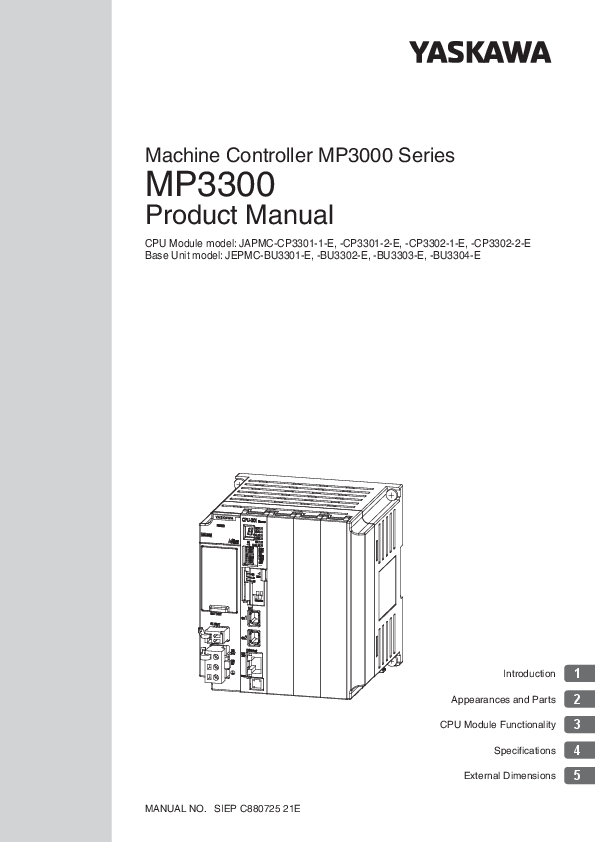
Machine Controller MP3000 Series MP3300 Product Manual
SIEP C880725 21E -1 made in December 2019
This manual describes the specifications and sys tem configuration of MP3300 Machine Controllers and the functionality of the CPU Modules. Read this manual carefully to ensure the correct usage of the Machine Controller…
User's Manual. SIEP C880700 14. Describes the functions, specifica- tions, and application methods of the. MP2200 Machine Controller.
About this Manual This manual describes the specifications and sys tem configuration of MP3300 Machine Controllers and the functionality of the CPU Modules. Read this manual carefully to ensure the correct usage of the…
Full PDF Document

If the inline viewer fails, it will open the original document in compatibility mode automatically. You can also open the file directly.
Extracted Text
Machine Controller MP3000 Series
MP3300
Product Manual
CPU Module model: JAPMC-CP3301-1-E, -CP3301-2-E, -CP3302-1-E, -CP3302-2-E Base Unit model: JEPMC-BU3301-E, -BU3302-E, -BU3303-E, -BU3304-E
MANUAL NO. SIEP C880725 21E
Introduction 1 Appearances and Parts 2 CPU Module Functionality 3
Specifications 4 External Dimensions 5
Copyright � 2014 YASKAWA ELECTRIC CORPORATION
All rights reserved. No part of this publication may be reproduced, stored in a retrieval system, or transmitted, in any form, or by any means, mechanical, electronic, photocopying, recording, or otherwise, without the prior written permission of Yaskawa. No patent liability is assumed with respect to the use of the information contained herein. Moreover, because Yaskawa is constantly striving to improve its high-quality products, the information contained in this manual is subject to change without notice. Every precaution has been taken in the preparation of this manual. Nevertheless, Yaskawa assumes no responsibility for errors or omissions. Neither is any liability assumed for damages resulting from the use of the information contained in this publication.
About this Manual
This manual describes the specifications and system configuration of MP3300 Machine Controllers and the functionality of the CPU Modules. Read this manual carefully to ensure the correct usage of the Machine Controller and apply the Machine Controller to control your manufacturing system. Keep this manual in a safe place so that it can be referred to whenever necessary.
Using this Manual
Basic Terms
Unless otherwise specified, the following definitions are used:
Basic Terms MP2000 MP3000 MPE720 PLC MP3300 Machine Controller
Motion Control Function Modules
Communications Function Modules
Meaning A Machine Controller in the MP2000 Series A Machine Controller in the MP3000 Series The Engineering Tool or a personal computer running the Engineering Tool A Programmable Logic Controller A generic name for the CPU Module and Base Unit. An MP3300 Machine Controller in the MP3000 Series The Function Modules in the Motion Modules and the Function Modules in the SVC, SVC32, SVR, or SVR32 built into the CPU Modules. The Function Modules in the Communications Modules and the Function Modules in the 218IFD built into the CPU Module.
MPE720 Engineering Tool Version Number
In this manual, the operation of MPE720 is described using screen captures of MPE720 version 7.
Indication of Reverse Signals
In this manual, the names of reverse signals (ones that are valid when low) are written with a forward slash (/) before the signal name, as shown in the following example:
Notation Examples � S-ON = /S-ON � P-CON = /P-CON
The Meaning of "Torque" in This Manual
Although the term "torque" is commonly used when describing rotary Servomotors and "force" is used when describing linear Servomotors, this manual uses "torque" when describing either one (excluding parameter names).
Copyrights
� MECHATROLINK is a trademark of the MECHATROLINK Members Association. � DeviceNet is a registered trademark of the ODVA (Open DeviceNet Venders Association). � PROFIBUS is a trademark of the PROFIBUS User Organization. � Ethernet is a registered trademark of the Xerox Corporation. � Other product names and company names are the trademarks or registered trademarks of the
respective company. "TM" and the � mark do not appear with product or company names in this manual.
iii
Visual Aids
The following aids are used to indicate certain types of information for easier reference.
Important
Indicates precautions or restrictions that must be observed.
Indicates alarm displays and other precautions that will not result in machine damage.
Example Indicates operating or setting examples.
Information Indicates supplemental information to deepen understanding or useful information.
Indicates definitions of difficult terms or terms that have not been previously
explained in this manual.
Term
iv
Related Manuals
The following table lists the related manuals. Refer to these manuals as required.
Be aware of all product specifications and restrictions to product application before you attempt to use any product.
Category
Basic functionality
Manual Name
Machine Controller MP3000 Series Machine Controller System Setup Manual
Machine Controller MP2000 Series Machine Controller System Setup Manual
Machine Controller MP3000 Series Machine Controller System Troubleshooting Manual
Machine Controller MP3000 Series MP3100 Product Manual
Machine Controller MP3000 Series MP3200 Product Manual
Machine Controller MP2200 User's Manual
Machine Controller MP2000 Series MPU-01 Multi-CPU Module User's Manual
Manual Number SIEP C880725 00
SIEP C880732 14 SIEP C880725 01 SIEP C880725 24 SIEP C880725 10 SIEP C880700 14 SIEP C880781 05
Contents
Describes the functions of the MP3000-series Machine Controllers and the procedures that are required to use the Machine Controller, from installation and connections to settings, programming, trial operation, and debugging.
Describes the functions of the MP2000-series Machine Controllers and the procedures that are required to use the Machine Controller, from installation and connections to settings, programming, trial operation, and debugging.
Describes troubleshooting an MP3000-series Machine Controller System.
Describes the specifications and system configuration of an MP3000series MP3100 Machine Controller and the functions of the CPU.
Describes the specifications and system configuration of an MP3000series MP3200 Machine Controller and the functions of the CPU Unit.
Describes the functions, specifications, and application methods of the MP2200 Machine Controller.
Describes the functions, specifications, operating methods, maintenance, inspections, and troubleshooting of the MP2000series MPU-01 Multi-CPU Module.
Continued on next page.
v
Category
Communications functionality
Motion control functionality
Programming
Manual Name
Machine Controller MP3000 Series Communications User's Manual
Machine Controller MP2000 Series Communication Module User's Manual
Machine Controller MP2000 Series 262IF-01 FL-net Communication Module User's Manual
Machine Controller MP2000 Series 263IF-01 EtherNet/IP Communication Module User's Manual
Machine Controller MP2000 Series 265IF-01 CompoNet Module User's Manual
Machine Controller MP3000 Series Motion Control User's Manual
Machine Controller MP2000 Series Pulse Output Motion Module PO-01 User's Manual
Machine Controller MP2000 Series SVA-01 Motion Module User's Manual
Machine Controller MP2000 Series Built-in SVB/SVB-01 Motion Module User's Manual
Machine Controller MP2000 Series SVC-01 Motion Module User's Manual
Machine Controller MP3000 Series Ladder Programming Manual
Machine Controller MP3000 Series Motion Programming Manual
Manual Number SIEP C880725 12
SIEP C880700 04 SIEP C880700 36 SIEP C880700 39 SIEP C880700 44 SIEP C880725 11 SIEP C880700 28 SIEP C880700 32 SIEP C880700 33 SIEP C880700 41 SIEP C880725 13 SIEP C880725 14
Continued from previous page.
Contents
Describes the specifications, system configuration, and communications connection methods for the Ethernet communications that are used with an MP3000-series Machine Controller.
Provides information on the Communications Modules that can be connected to an MP2000-series Machine Controller and describes the communications methods.
Describes the specifications and communications methods for the FLnet Communications Module that can be connected to an MP2000series Machine Controller.
Describes the specifications and communications methods for the EtherNet/IP Communications Module that can be connected to an MP2000-series Machine Controller.
Describes the specifications and communications methods for the CompoNet Communications Module that can be connected to an MP2000-series Machine Controller.
Describes the specifications, system configuration, and operating methods for the SVC32/SVR32 Motion Function Modules that are used in an MP3000-series Machine Controller.
Describes the functions, specifications, and operating methods of the MP2000-series PO-01 Motion Module.
Describes the functions, specifications, and operating methods of the MP2000-series SVA-01 Motion Module.
Describes the functions, specifications, and operating methods of the MP2000-series Motion Module (builtin Function Modules: SVB, SVB-01, and SVR).
Describes the functions, specifications, and operating methods of the MP2000-series SVC-01 Motion Module.
Describes the ladder programming specifications and instructions of MP3000-series Machine Controller.
Describes the motion programming and sequence programming specifications and instructions of MP3000series Machine Controller.
Continued on next page.
vi
Category
Manual Name
Machine Controller MP2000/MP3000 Series MPLoader Ver. 4 User's Manual
Machine Controller MP2000/MP3000 Series Engineering Tools MPLoad Maker Version 4 User's Manual
Machine Controller MP2000/MP3000 Series Engineering Tool MPE720 Version 7 User's Manual
Machine Controller MP2000 Series Analog Input/Analog Output Module AI-01/AO-01 User's Manual
I/O Modules
Machine Controller MP2000 Series Counter Module CNTR-01 User's Manual
Machine Controller MP2000 Series I/O Module User's Manual
MECHATROLINK I/O
MECHATROLINK-III Compatible I/O Module User's Manual
Machine Controller MP900/MP2000 Series Distributed I/O Module User's Manual MECHATROLINK System
Manual Number SIEP C880761 01 SIEP C880761 02 SIEP C880761 03 SIEP C880700 26 SIEP C880700 27 SIEP C880700 34
SIEP C880781 04
SIE-C887-5.1
Continued from previous page. Contents
Describes how to install and operate the MPLoader.
Describes how to install and operate the MPLoad Maker.
Describes how to operate MPE720 version 7.
Describes the functions, specifications, and operating methods of the AI-01 and AO-01 I/O Modules for MP2000-series Machine Controllers. Describes the functions, specifications, and operating methods of the CNTR-01 Counter Module for MP2000-series Machine Controllers. Describes the functions, specifications, and operating methods of the LIO-01, LIO-02, LIO-04, LIO-05, LIO-06, and DO-01 I/O Modules for MP2000-series Machine Controllers. Describes the functions, specifications, operating methods, and MECHATROLINK-III communications for the Remote I/O Modules for MP2000/MP3000-series Machine Controllers.
Describes MECHATROLINK distributed I/O for MP900/MP2000-series Machine Controllers.
vii
Safety Precautions
Safety Information
To prevent personal injury and equipment damage in advance, the following signal words are used to indicate safety precautions in this document. The signal words are used to classify the hazards and the degree of damage or injury that may occur if a product is used incorrectly. Information marked as shown below is important for safety. Always read this information and heed the precautions that are provided.
DANGER
Indicates precautions that, if not heeded, are likely to result in loss of life, serious injury, or fire.
WARNING
Indicates precautions that, if not heeded, could result in loss of life, serious injury, or fire.
CAUTION
Indicates precautions that, if not heeded, could result in relatively serious or minor injury, or in fire.
NOTICE
Indicates precautions that, if not heeded, could result in property damage.
viii
Safety Precautions That Must Always Be Observed
General Precautions
WARNING
The installation must be suitable and it must be performed only by an experienced technician. There is a risk of electrical shock or injury.
Before connecting the machine and starting operation, make sure that an emergency stop procedure has been provided and is working correctly. There is a risk of injury.
Do not approach the machine after a momentary interruption to the power supply. When power is restored, the Machine Controller and the device connected to it may start operation suddenly. Provide safety measures in advance to ensure human safety when operation restarts. There is a risk of injury.
Do not touch anything inside the Machine Controller. There is a risk of electrical shock.
Do not remove the front cover, cables, connector, or options while power is being supplied. There is a risk of electrical shock, malfunction, or damage.
Do not damage, pull on, apply excessive force to, place heavy objects on, or pinch the cables. There is a risk of electrical shock, operational failure of the Machine Controller, or burning.
Do not attempt to modify the Machine Controller in any way. There is a risk of injury or device damage.
Storage and Transportation Precautions
CAUTION
Do not store the Machine Controller in any of the following locations. � Locations that are subject to direct sunlight � Locations that are subject to ambient temperatures that exceed the storage conditions � Locations that are subject to ambient humidity that exceeds the storage conditions � Locations that are subject to rapid temperature changes and condensation � Locations that are subject to corrosive or inflammable gas � Locations that are subject to excessive dust, dirt, salt, or metallic powder � Locations that are subject to water, oil, or chemicals � Locations that are subject to vibration or shock There is a risk of fire, electrical shock, or device damage.
Hold onto the main body of the Machine Controller when transporting it. Holding the cables or connectors may damage them or result in injury.
Do not overload the Machine Controller during transportation. (Follow all instructions.) There is a risk of injury or an accident.
Never subject the Machine Controller to an atmosphere containing halogen (fluorine, chlorine, bromine, or iodine) during transportation. There is a risk of malfunction or damage.
If disinfectants or insecticides must be used to treat packing materials such as wooden frames, pallets, or plywood, the packing materials must be treated before the product is packaged, and methods other than fumigation must be used. Example: Heat treatment, where materials are kiln-dried to a core temperature of 56�C for 30 minutes or more. If the electronic products, which include stand-alone products and products installed in machines, are packed with fumigated wooden materials, the electrical components may be greatly damaged by the gases or fumes resulting from the fumigation process. In particular, disinfectants containing halogen, which includes chlorine, fluorine, bromine, or iodine can contribute to the erosion of the capacitors.
ix
Installation Precautions
CAUTION
Do not install the Machine Controller in any of the following locations. � Locations that are subject to direct sunlight � Locations that are subject to ambient temperatures that exceed the operating conditions � Locations that are subject to ambient humidity that exceeds the operating conditions � Locations that are subject to rapid temperature changes and condensation � Locations that are subject to corrosive or inflammable gas � Locations that are subject to excessive dust, dirt, salt, or metallic powder � Locations that are subject to water, oil, or chemicals � Locations that are subject to vibration or shock There is a risk of fire, electrical shock, or device damage.
Never install the Machine Controller in an atmosphere containing halogen (fluorine, chlorine, bromine, or iodine). There is a risk of malfunction or damage.
Do not step on the Machine Controller or place heavy objects on the Machine Controller. There is a risk of injury or an accident.
Do not block the air exhaust ports on the Machine Controller. Do not allow foreign objects to enter the Machine Controller. There is a risk of internal element deterioration, malfunction, or fire.
Always mount the Machine Controller in the specified orientation. There is a risk of malfunction.
Leave the specified amount of space between the Machine Controller, and the interior surface of the control panel and other devices. There is a risk of fire or malfunction.
Do not subject the Machine Controller to strong shock. There is a risk of malfunction.
Suitable Battery installation must be performed and it must be performed only by an experienced technician. There is a risk of electrical shock, injury, or device damage.
Do not touch the electrodes of the Battery. Static electricity may damage the Battery.
x
Wiring Precautions
CAUTION
Check the wiring to be sure it has been performed correctly. There is a risk of motor run-away, injury, or accidents.
Always use a power supply of the specified voltage. There is a risk of fire or accident.
In places with poor power supply conditions, ensure that the input power is supplied within the specified voltage range. There is a risk of device damage.
Install breakers and other safety measures to provide protection against shorts in external wiring. There is a risk of fire.
Provide sufficient shielding when using the Machine Controller in the following locations. � Locations that are subject to noise, such as from static electricity � Locations that are subject to strong electromagnetic or magnetic fields � Locations that are subject to radiation � Locations that are near power lines There is a risk of device damage.
Configure the circuits to turn ON the power supply to the CPU Module before the 24-V I/O power supply. Refer to the following manual for details on circuits.
MP3000 Series MP3300 CPU Module Instructions Manual (Manual No.: TOBP C880725 23)
If the power supply to the CPU Module is turned ON after the external power supply, e.g., the 24-V I/O power supply, the outputs from the CPU Module may momentarily turn ON when the power supply to the CPU Module turns ON. This can result in unexpected operation that may cause injury or device damage. Provide emergency stop circuits, interlock circuits, limit circuits, and any other required safety measures in control circuits outside of the Machine Controller. There is a risk of injury or device damage. If you use MECHATROLINK I/O Modules, use the establishment of MECHATROLINK communications as an interlock output condition. There is a risk of device damage. Connect the Battery with the correct polarity. There is a risk of battery damage or explosion. Select the I/O signal wires for external wiring to connect the Machine Controller to external devices based on the following criteria: � Mechanical strength � Noise interference � Wiring distance � Signal voltage Separate the I/O signal cables for control circuits from the power cables both inside and outside the control panel to reduce the influence of noise from the power cables. If the I/O signal lines and power lines are not separated properly, malfunction may occur.
Example of Separated Cables
Steel separator
Power cable
I/O signal cables in control circuits
xi
Operation Precautions
CAUTION
Follow the procedures and instructions in the user's manuals for the relevant products to perform normal operation and trial operation. Operating mistakes while the Servomotor and machine are connected may damage the machine or even cause accidents resulting in injury or death.
Implement interlock signals and other safety circuits external to the Machine Controller to ensure safety in the overall system even if the following conditions occur. � Machine Controller failure or errors caused by external factors � Shutdown of operation due to Machine Controller detection of an error in self-diagnosis and the subsequent turning OFF or holding of output signals � Holding of the ON or OFF status of outputs from the Machine Controller due to fusing or burning of output relays or damage to output transistors � Voltage drops from overloads or short-circuits in the 24-V output from the Machine Controller and the subsequent inability to output signals � Unexpected outputs due to errors in the power supply, I/O, or memory that cannot be detected by the Machine Controller through self-diagnosis. There is a risk of injury, device damage, or burning.
Maintenance and Inspection Precautions
CAUTION
Do not attempt to disassemble or repair the Machine Controller. There is a risk of electrical shock, injury, or device damage.
Do not change any wiring while power is being supplied. There is a risk of electrical shock, injury, or device damage.
Suitable Battery replacement must be performed and it must be performed only by an experienced technician. There is a risk of electrical shock, injury, or device damage.
Do not forget to perform the following tasks when you replace the CPU Module: � Back up all programs and parameters from the CPU Module that is being replaced. � Transfer all saved programs and parameters to the new CPU Module. If you operate the CPU Module without transferring this data, unexpected operation may occur. There is a risk of injury or device damage.
Do not touch the heat sink on the CPU Module while the power supply is turned ON or for a sufficient period of time after the power supply is turned OFF. The heat sink may be very hot, and there is a risk of burn injury.
Disposal Precautions
Dispose of the Machine Controller as general industrial waste. Observe all local laws and ordinances when you dispose of used Batteries.
General Precautions
The products shown in the illustrations in this manual are sometimes shown without covers or protective guards. Always replace the cover or protective guard as specified first, and then operate the products in accordance with the manual.
The illustrations that are presented in this manual are typical examples and may not match the product you received.
If the manual must be ordered due to loss or damage, inform your nearest Yaskawa representative or one of the offices listed on the back of this manual.
xii
Warranty
Details of Warranty
Warranty Period The warranty period for a product that was purchased (hereinafter called "delivered product") is one year from the time of delivery to the location specified by the customer or 18 months from the time of shipment from the Yaskawa factory, whichever is sooner. Warranty Scope Yaskawa shall replace or repair a defective product free of charge if a defect attributable to Yaskawa occurs during the warranty period above. This warranty does not cover defects caused by the delivered product reaching the end of its service life and replacement of parts that require replacement or that have a limited service life. This warranty does not cover failures that result from any of the following causes. � Improper handling, abuse, or use in unsuitable conditions or in environments not described in
product catalogs or manuals, or in any separately agreed-upon specifications � Causes not attributable to the delivered product itself � Modifications or repairs not performed by Yaskawa � Abuse of the delivered product in a manner in which it was not originally intended � Causes that were not foreseeable with the scientific and technological understanding at the time
of shipment from Yaskawa � Events for which Yaskawa is not responsible, such as natural or human-made disasters
Limitations of Liability
� Yaskawa shall in no event be responsible for any damage or loss of opportunity to the customer that arises due to failure of the delivered product.
� Yaskawa shall not be responsible for any programs (including parameter settings) or the results of program execution of the programs provided by the user or by a third party for use with programmable Yaskawa products.
� The information described in product catalogs or manuals is provided for the purpose of the customer purchasing the appropriate product for the intended application. The use thereof does not guarantee that there are no infringements of intellectual property rights or other proprietary rights of Yaskawa or third parties, nor does it construe a license.
� Yaskawa shall not be responsible for any damage arising from infringements of intellectual property rights or other proprietary rights of third parties as a result of using the information described in catalogs or manuals.
xiii
Suitability for Use
� It is the customer's responsibility to confirm conformity with any standards, codes, or regulations that apply if the Yaskawa product is used in combination with any other products.
� The customer must confirm that the Yaskawa product is suitable for the systems, machines, and equipment used by the customer.
� Consult with Yaskawa to determine whether use in the following applications is acceptable. If use in the application is acceptable, use the product with extra allowance in ratings and specifications, and provide safety measures to minimize hazards in the event of failure.
� Outdoor use, use involving potential chemical contamination or electrical interference, or use in conditions or environments not described in product catalogs or manuals
� Nuclear energy control systems, combustion systems, railroad systems, aviation systems, vehicle systems, medical equipment, amusement machines, and installations subject to separate industry or government regulations
� Systems, machines, and equipment that may present a risk to life or property � Systems that require a high degree of reliability, such as systems that supply gas, water, or electricity, or
systems that operate continuously 24 hours a day � Other systems that require a similar high degree of safety
� Never use the product for an application involving serious risk to life or property without first ensuring that the system is designed to secure the required level of safety with risk warnings and redundancy, and that the Yaskawa product is properly rated and installed.
� The circuit examples and other application examples described in product catalogs and manuals are for reference. Check the functionality and safety of the actual devices and equipment to be used before using the product.
� Read and understand all use prohibitions and precautions, and operate the Yaskawa product correctly to prevent accidental harm to third parties.
Specifications Change
The names, specifications, appearance, and accessories of products in product catalogs and manuals may be changed at any time based on improvements and other reasons. The next editions of the revised catalogs or manuals will be published with updated code numbers. Consult with your Yaskawa representative to confirm the actual specifications before purchasing a product.
xiv
Contents
About this Manual. . . . . . . . . . . . . . . . . . . . . . . . . . . . . . . . . . . . . . . . . . . . . . . . . iii Using this Manual . . . . . . . . . . . . . . . . . . . . . . . . . . . . . . . . . . . . . . . . . . . . . . . . . iii Related Manuals . . . . . . . . . . . . . . . . . . . . . . . . . . . . . . . . . . . . . . . . . . . . . . . . . . v Safety Precautions . . . . . . . . . . . . . . . . . . . . . . . . . . . . . . . . . . . . . . . . . . . . . . . viii Warranty . . . . . . . . . . . . . . . . . . . . . . . . . . . . . . . . . . . . . . . . . . . . . . . . . . . . . . . xiii
1
Introduction
1.1 Definition of Terms . . . . . . . . . . . . . . . . . . . . . . . . . . . . . . . . . . . 1-2
1.1.1 1.1.2 1.1.3 1.1.4 1.1.5
MP3300 . . . . . . . . . . . . . . . . . . . . . . . . . . . . . . . . . . . . . . . . . . . . . . . . . . . . 1-2 Racks . . . . . . . . . . . . . . . . . . . . . . . . . . . . . . . . . . . . . . . . . . . . . . . . . . . . . 1-2 Main Rack and Expansion Racks . . . . . . . . . . . . . . . . . . . . . . . . . . . . . . . . 1-2 Rack Numbers. . . . . . . . . . . . . . . . . . . . . . . . . . . . . . . . . . . . . . . . . . . . . . . 1-3 Slot Numbers . . . . . . . . . . . . . . . . . . . . . . . . . . . . . . . . . . . . . . . . . . . . . . . 1-4
1.2 System Configuration Example . . . . . . . . . . . . . . . . . . . . . . . . . 1-5
1.3 Devices and Components That Are Required to Build a System. . 1-6
1.3.1 MP3300 Module/Unit List . . . . . . . . . . . . . . . . . . . . . . . . . . . . . . . . . . . . . . 1-7 1.3.2 Optional Modules . . . . . . . . . . . . . . . . . . . . . . . . . . . . . . . . . . . . . . . . . . . . 1-8
1.4 Precautions When Setting the Parameters . . . . . . . . . . . . . . . 1-10
1.4.1 Precautions When Setting the Circuit Numbers . . . . . . . . . . . . . . . . . . . . . 1-10 1.4.2 Precautions When Setting Module Configuration Definitions . . . . . . . . . . . 1-10
2
Appearances and Parts
2.1 CPU Module . . . . . . . . . . . . . . . . . . . . . . . . . . . . . . . . . . . . . . . . 2-2
2.1.1 2.1.2 2.1.3 2.1.4 2.1.5
Appearance and Part Names . . . . . . . . . . . . . . . . . . . . . . . . . . . . . . . . . . . . 2-2 Display and Indicators . . . . . . . . . . . . . . . . . . . . . . . . . . . . . . . . . . . . . . . . . 2-4 Switches . . . . . . . . . . . . . . . . . . . . . . . . . . . . . . . . . . . . . . . . . . . . . . . . . . . 2-7 Connectors . . . . . . . . . . . . . . . . . . . . . . . . . . . . . . . . . . . . . . . . . . . . . . . . . 2-9 Temperature Sensor . . . . . . . . . . . . . . . . . . . . . . . . . . . . . . . . . . . . . . . . . 2-10
2.2 Base Units . . . . . . . . . . . . . . . . . . . . . . . . . . . . . . . . . . . . . . . . 2-11
2.2.1 Appearance and Part Names . . . . . . . . . . . . . . . . . . . . . . . . . . . . . . . . . . . 2-11 2.2.2 Connector . . . . . . . . . . . . . . . . . . . . . . . . . . . . . . . . . . . . . . . . . . . . . . . . . 2-11
xv
3
CPU Module Functionality
3.1 Basic Functionality . . . . . . . . . . . . . . . . . . . . . . . . . . . . . . . . . . . 3-2
3.1.1 3.1.2 3.1.3 3.1.4
Programs . . . . . . . . . . . . . . . . . . . . . . . . . . . . . . . . . . . . . . . . . . . . . . . . . . .3-2 Registers . . . . . . . . . . . . . . . . . . . . . . . . . . . . . . . . . . . . . . . . . . . . . . . . . .3-17 Execution Scheduling . . . . . . . . . . . . . . . . . . . . . . . . . . . . . . . . . . . . . . . . .3-28 Scans . . . . . . . . . . . . . . . . . . . . . . . . . . . . . . . . . . . . . . . . . . . . . . . . . . . . .3-29
3.2 Function Modules. . . . . . . . . . . . . . . . . . . . . . . . . . . . . . . . . . . 3-35
3.2.1 3.2.2 3.2.3 3.2.4 3.2.5 3.2.6 3.2.7 3.2.8 3.2.9 3.2.10
Self Configuration. . . . . . . . . . . . . . . . . . . . . . . . . . . . . . . . . . . . . . . . . . . .3-35 Communications Function Module (218IFD) . . . . . . . . . . . . . . . . . . . . . . . .3-45 Motion Control Function Modules (SVC, SVC32, SVR, and SVR32) . . . . . .3-47 The M-EXECUTOR . . . . . . . . . . . . . . . . . . . . . . . . . . . . . . . . . . . . . . . . . . .3-53 Data Logging . . . . . . . . . . . . . . . . . . . . . . . . . . . . . . . . . . . . . . . . . . . . . . .3-66 USB Memory . . . . . . . . . . . . . . . . . . . . . . . . . . . . . . . . . . . . . . . . . . . . . . .3-87 File Transfer . . . . . . . . . . . . . . . . . . . . . . . . . . . . . . . . . . . . . . . . . . . . . . . .3-91 Security . . . . . . . . . . . . . . . . . . . . . . . . . . . . . . . . . . . . . . . . . . . . . . . . . .3-101 Calendar. . . . . . . . . . . . . . . . . . . . . . . . . . . . . . . . . . . . . . . . . . . . . . . . . . 3-101 Maintenance Monitoring . . . . . . . . . . . . . . . . . . . . . . . . . . . . . . . . . . . . . . 3-102
4
Specifications
4.1 Installation and Usage Conditions . . . . . . . . . . . . . . . . . . . . . . . 4-2
4.1.1 Installation and Operating Conditions. . . . . . . . . . . . . . . . . . . . . . . . . . . . . .4-2 4.1.2 Control Panel Cooling Method . . . . . . . . . . . . . . . . . . . . . . . . . . . . . . . . . . .4-3
4.2 CPU Module Specifications . . . . . . . . . . . . . . . . . . . . . . . . . . . . 4-4
4.2.1 4.2.2 4.2.3 4.2.4 4.2.5 4.2.6 4.2.7
Hardware Specifications. . . . . . . . . . . . . . . . . . . . . . . . . . . . . . . . . . . . . . . .4-4 Performance Specifications . . . . . . . . . . . . . . . . . . . . . . . . . . . . . . . . . . . . .4-5 Communications Specifications . . . . . . . . . . . . . . . . . . . . . . . . . . . . . . . . . .4-8 Motion Control Function Module Specifications . . . . . . . . . . . . . . . . . . . . . .4-9 M-EXECUTOR Specifications . . . . . . . . . . . . . . . . . . . . . . . . . . . . . . . . . . .4-10 USB Memory Specifications . . . . . . . . . . . . . . . . . . . . . . . . . . . . . . . . . . . .4-11 System Register Specifications . . . . . . . . . . . . . . . . . . . . . . . . . . . . . . . . .4-11
4.3 Base Unit Specifications . . . . . . . . . . . . . . . . . . . . . . . . . . . . . 4-60
5
External Dimensions
5.1 CPU Module . . . . . . . . . . . . . . . . . . . . . . . . . . . . . . . . . . . . . . . . 5-2 5.2 Base Units . . . . . . . . . . . . . . . . . . . . . . . . . . . . . . . . . . . . . . . . . 5-3
Index
Revision History
xvi
Introduction
This chapter introduces the MP3300.
1.1 Definition of Terms . . . . . . . . . . . . . . . . . . . 1-2
1.1.1 1.1.2 1.1.3 1.1.4 1.1.5
MP3300 . . . . . . . . . . . . . . . . . . . . . . . . . . . . . . . 1-2 Racks . . . . . . . . . . . . . . . . . . . . . . . . . . . . . . . . . 1-2 Main Rack and Expansion Racks . . . . . . . . . . . . 1-2 Rack Numbers . . . . . . . . . . . . . . . . . . . . . . . . . . 1-3 Slot Numbers . . . . . . . . . . . . . . . . . . . . . . . . . . . 1-4
1.2 System Configuration Example . . . . . . . . . . 1-5
1.3 Devices and Components That Are Required to Build a System . . 1-6
1.3.1 MP3300 Module/Unit List . . . . . . . . . . . . . . . . . . 1-7 1.3.2 Optional Modules . . . . . . . . . . . . . . . . . . . . . . . . 1-8
1.4 Precautions When Setting the Parameters . .1-10
1.4.1 1.4.2
Precautions When Setting the Circuit Numbers . . 1-10 Precautions When Setting Module Configuration Definitions . . . . . . . . . . . . . . . . . . 1-10
1
1.1 Definition of Terms 1.1.1 MP3300
1.1 Definition of Terms
This section defines terms that have specific meanings in this manual.
1.1.1
MP3300
"MP3300" is a collective term that refers to the following CPU Modules and Base Units.
Name CPU Module Base Unit
Primary Function
Stores the module definitions and programs, and interprets the programs. The CPU Module also controls the Optional Modules.
Provides the backplane to which Modules are mounted and supplies the required power to the Modules.
1.1.2
Racks
A Rack is a Base Unit with Modules mounted to it.
Connection Example
+
CPU Module
Base Unit
1.1.3
Main Rack and Expansion Racks
You can add Units and Optional Modules to a Rack to expand functionality. However, if a restriction such as the power supply capacity or number of Base Unit slots for one Rack is exceeded, you must add an Expansion Rack.
You can achieve the following things by adding Units or Optional Modules to a Rack. � Increase the number of Optional Modules that you can use. � Increase the number of axes that are controlled.
If you add Racks, the Racks are classified into the Main Rack and Expansion Racks.
Type Main Rack
Expansion Racks
Description
The Main Rack contains the Main CPU Module. There can be only one Main Rack in any one system configuration.
Expansion Racks are connected to the Main Rack. You can connect up to three Expansion Racks to the Main Rack. (The Expansion Racks use EXIOIF Modules.)
Refer to the following section for an expansion example.
MP3300 Expansion Example on page 1-3
1-2
MP3300 Expansion Example
An MP3300 expansion example is given in the following figure.
EXIOIF Module*
1.1 Definition of Terms 1.1.4 Rack Numbers
CPU Module
Main Rack
Expansion Racks with EXIOIF Modules (up to 3 Racks)
MP2200 MBU-02 POWER
EXIOIF
MP2200 MBU-02 POWER
EXIOIF
MP2200 MBU-02 POWER
EXIOIF
DC
DC
DC
EXIOIF Module MP2200 Base Unit*
EXIOIF Module MP2200 Base Unit*
EXIOIF Module MP2200 Base Unit*
* Refer to the following manual for details on the MP2200 Base Unit and EXIOIF Module. MP2200 Series User's Manual (Manual No.: SIEP C880700 14)
1.1.4
Rack Numbers
When you add Expansion Racks, the MPE720 automatically assigns a number to each Rack so that the Racks can be identified.
Rack No. Rack 1 Rack 2 Rack 3 Rack 4
Main Rack
Description
Expansion Racks added by using EXIOIF Modules
The following figure illustrates Rack numbers.
Rack 1
MP2200 MBU-02 POWER
EXIOIF
DC
Rack 2
MP2200 MBU-02 POWER
EXIOIF
DC
Rack 3
MP2200 MBU-02 POWER
EXIOIF
DC
Rack 4
1
Introduction
1-3
1.1 Definition of Terms 1.1.5 Slot Numbers
1.1.5
Slot Numbers
The MPE720 automatically assigns slot numbers to the slots on the Base Unit so that the slots can be identified. Numbers 1 to 9 are assigned to the slots in order from the left. The highest slot number depends on the specifications of the Base Unit.
1-4
1.2 System Configuration Example
1.2
System Configuration Example
The following figure shows a typical system configuration. Refer to the following section for details on 1 to 12 in the following figure.
1.3 Devices and Components That Are Required to Build a System on page 1-6
MPE720 Integrated Engineering Tool Version 7
Optional Modules I/O Modules
External outputs
External inputs
LIO-01 LIO-02 LIO-04 LIO-05 LIO-06 DI-01 DO-01 AI-01 AO-01 CNTR-01
Host PLC
HUB Ethernet communications cable
RLYOUT connector cable
MP3300
PC
*
Status monitoring device
Battery
264IF-01 265IF-01 266IF-01 266IF-02 267IF-01 269IF-01 215AIF-01
217IF-01 218IF-01 218IF-02 260IF-01 261IF-01 262IF-01 263IF-01
Communications Modules Motion Modules
RS-232C Ethernet DeviceNet PROFIBUS RS422/485 CC-Link 215 communications
SVA-01 SVB-01 PO-01 SVC-01 MPU-01
Power cable
24-VDC power supply or AC power supply
Up to 4 Racks Front cover for unused slot
Expansion Interface Module Cable
Expansion Rack Module
SERVOPACK
EXIOIF
Power cable
24-VDC power supply or AC power supply
Battery
Front cover for unused slot
Expansion Interface Module Cable
AFMP-01 AFMP-02-C/-CA MPANL00-0 MPCUNET-0 MPHLS-01
Other Modules (including those from other manufacturers)
MECHATROLINK-III Cable MECHATROLINK-III
AnyWire CC-Link A-net/A-link
SERVOPACKs with MECHATROLINK-III Communications
I/O Module with MECHATROLINK-III Communications
Power cable
24-VDC power supply or AC power supply
Battery
Front cover for unused slot
Expansion Interface Module Cable
I/O Servomotor Servomotor Servomotor
Up to 21 stations, including I/O (with up to 16 Servo axes.)
Introduction
Battery
Power cable
Front cover for unused slot
24-VDC power supply or AC power supply
* This manual primarily describes this area. Note: Supplying Power When Using Expansion Racks
� Either supply power simultaneously to both the Main Rack and Expansion Racks or supply power to the Expansion Racks first.
� If you turn the power supply OFF and ON again to an Expansion Rack, turn the power supply OFF and ON again to the Main Rack as well. (Unless of course you turn the power supply OFF and ON again simultaneously.)
1
1-5
1.3 Devices and Components That Are Required to Build a System
1.3 Devices and Components That Are Required to Build a System
The following table lists the devices and components that are required to build the system that is shown below. The numbers to 12 correspond to the numbers in the figure that is shown below.
1.2 System Configuration Example on page 1-5
No.
Name
CPU Module MP3300
Base Unit
Ethernet communications cables
Battery with Special Connector
Power supply cable
RLYOUT connector cable
Front cover for unused slot
Optional Modules
MECHATROLINK-III Cable
SERVOPACK with MECHATROLINK-III
Communications
Use Stores the module definitions and programs, and interprets the programs. The CPU Module also controls the Optional Modules. Provides the backplane to which Modules are mounted and supplies the required power to the Modules. Used to connect the CPU Module to Ethernet communications devices or to connect the CPU Module to a PC that has the MPE720 installed on it. Provides power for the calendar and backup memory while the power is turned OFF.
Connects the power supply of the Base Unit to a 24VDC power supply or an AC power supply.
Connects the power supply of the Base Unit to a status monitoring device.
Used to cover unused slots on the Base Unit. Motion Modules, I/O Modules, and Communications Modules are selected based on the application.
Connects the CPU Module to MECHATROLINK-III communications devices.
Used to control Servomotors.
Model
Remarks
Refer to the following section for details. 1.3.1 MP3300 Module/Unit List on page 1-7
Use a commercially available cable that meets
the following conditions: � Ethernet specification: 100Base-TX � Category 5 or higher � Twisted-pair cable with RJ-45 connectors
JZSP-BA01
The Battery is provided with the CPU Module.
Use a commercially available cable that meets
the following conditions: � Wire size: AWG18 to AWG13 (0.8 to 2.6
mm2) � Twisted-pair cable
Use a commercially available cable that meets
the following conditions: � Wire size: AWG28 to AWG14 (0.08 to 2.0
mm2)
JEPMCOP3301-E
-
Refer to the following section for details.
1.3.2 Optional Modules on page 1-8
JEPMCW6012-E
JEPMCW6013-E
JEPMCW6014-E
SGD7S 20
SGD7W 20
Standard cable Length: 0.2 to 50 m
Cable with ferrite cores Length: 10 to 50 m
Cable with loose wires at one end Length: 0.5 to 50 m
7S (Single-axis) AC SERVOPACK with MECHATROLINK-III Communications
7W (Two-axis) AC SERVOPACK with MECHATROLINK-III Communications
Continued on next page.
1-6
I/O Modules with MECHATROLINK-III Communications
Introduction
1.3 Devices and Components That Are Required to Build a System 1.3.1 MP3300 Module/Unit List
No.
Name
64-point I/O Module
Continued from previous page.
Use
Model
Remarks
JEPMCMTD2310-E
24 VDC, 64 inputs, 64 outputs
Analog Input Module
JEPMCMTA2900-E
8 analog input channels
Analog Output Module
Used to input or output digital, analog, or pulse train signals.
JEPMCMTA2910-E
4 analog output channels
Pulse Train Input Module
JEPMCMTP2900-E
2 pulse-train inputs
Pulse Train Output Module
JEPMCMTP2910-E
11
MPE720 Integrated Engineering Tool Version 7
Used to adjust, maintain, and program AC Servo Drives and Inverters that are connected to the network.
CPMCMPE780D
4 pulse-train outputs -
12
Expansion Interface Module Cables
Used to use an Expansion Interface Module to connect the Main Rack to an Expansion Rack or to connect two Expansion Racks.
JEPMCW2094-A5-E
JEPMCW2094-01-E
JEPMCW2094-2A5-E
Length: 0.5 m Length: 1.0 m Length: 2.5 m
-
Panel-mounting Bracket
Used to mount the MP3300 inside a control panel.
JEPMCOP2300S-E
-
1.3.1 MP3300 Module/Unit List
The following table lists the MP3300 Modules and Units.
Type
Abbreviation
Model
Description
CPU Module for 16 axes
CPU-301 (16 axes) CPU-302 (16 axes)
JAPMC-CP3301-1-E - JAPMC-CP3302-1-E -
Motion Control
SVC
-
Function Modules SVR
-
MECHATROLINK-III Virtual axes*
Communications Function Module
218IFD
-
Ethernet
CPU Module for for 32 axes
CPU-301 (32 axes) CPU-302 (32 axes)
JAPMC-CP3301-2-E - JAPMC-CP3302-2-E -
Motion Control
SVC32
-
Function Module
SVR32
-
MECHATROLINK-III Virtual axes*
Communications Function Module
218IFD
-
Ethernet
MBU-301
JEPMC-BU3301-E
8 slots
1
Base Unit
MBU-302 MBU-303
JEPMC-BU3302-E JEPMC-BU3303-E
8 slots 3 slots
MBU-304
JEPMC-BU3304-E
1 slot
* Refer to the following section for details. 3.2.3 Motion Control Function Modules (SVC, SVC32, SVR, and SVR32) on page 3-47
1-7
1.3 Devices and Components That Are Required to Build a System 1.3.2 Optional Modules
1.3.2
Optional Modules
You can add the Optional Modules that are listed in the following table for as many open slots there are in the Base Unit.
Unit
Abbreviation
Motion Modules
SVC-01 SVB-01 SVA-01 PO-01
MPU-01
215AIF-01 217IF-01 218IF-01
218IF-02
Communications Modules
260IF-01 261IF-01 262IF-01 263IF-01 264IF-01
265IF-01
266IF-01 266IF-02
267IF-01
269IF-01
AFMP-01
Communications Modules (from other manufacturers)
AFMP-02-C AFMP-02-CA MPANL00-0 MPCUNET-0
MPHLS-01
Model
JAPMC-MC2320-E JAPMC-MC2310-E JAPMC-MC2300 JAPMC-PL2310-E
JAPMC-CP2700-E
JAPMC-CM2360-E JAPMC-CM2361 JAPMC-CM2310-E JAPMC-CM2300-E
JAPMC-CM2302-E JAPMC-CM2320-E JAPMC-CM2330-E JAPMC-CM2303-E JAPMC-CM2304-E JAPMC-CM2305-E JAPMC-CM2390-E JAPMC-CM2306-E JAPMC-CM2307-E JAPMC-CM23A0
JAPMC-CM2308-E
- - - - - -
Description
Compatible CPU Module Version
MECHATROLINK-III � 1
MECHATROLINK-II � 1
2-axis analog servo interface 4-axis control with pulse-train output
All versions
Optional Module with CPU Module and SVC-01 functionality MECHATROLINK-III � 1
RS-232C/MPLINK communications
RS-232C/CP-215 communications
RS-232C/RS-422 communications
RS-232C/Ethernet communications (10Base-T)
RS-232C/Ethernet communications (100Base-TX/10Base-T)
RS-232C/DeviceNet communications
RS-232C/PROFIBUS communications All versions
FL-net communications
EtherNet/IP communications
EtherCAT (EtherCAT slave)
CompoNet (I/O communications and message communications)
PROFINET (PROFINET master)
PROFINET (PROFINET slave)
CC-Link communications (CC-Link master)
CC-Link IE Field communications (CC-Link IE Field slave)
Version 1.32 or higher
AnyWire-Master DB by Anywire Corporation
CC-Link by Anywire Corporation
CC-Link and AnyWire-Master DB by Anywire Corporation
All versions
A-net/A-Link by ALGO System
CUnet by ALGO System
HLS by M-System Co.,Ltd.
Version 1.12 or higher
Continued on next page.
1-8
1.3 Devices and Components That Are Required to Build a System 1.3.2 Optional Modules
Continued from previous page.
Unit
Abbreviation
Model
Description
Compatible CPU Module Version
LIO-01
JAPMC-IO2300-E
16 inputs, 16 sinking outputs 1 pulse-train input
LIO-02
JAPMC-IO2301-E
16 inputs, 16 sourcing outputs 1 pulse-train input
LIO-04 LIO-05
JAPMC-IO2303-E JAPMC-IO2304-E
32 inputs, 32 sinking outputs 32 inputs, 32 sourcing outputs
All versions
I/O Modules
LIO-06
JAPMC-IO2305-E
DI-01 (Currently under JAPMC-DI2300-E development)
8 digital inputs, 8 digital sinking outputs 1 analog input channel and 1 analog output channel 1 pulse-train counter channel
64 inputs
Version 1.45 or higher
DO-01
JAPMC-DO2300-E 64 sinking outputs
AI-01 AO-01
JAPMC-AN2300-E 8 analog input channels JAPMC-AN2310-E 4 analog output channels
All versions
CNTR-01
JAPMC-PL2300-E
2 counter channels, input circuits: 5 V or 12 V
Rack Expansion EXIOIF Modules
JAPMC-EX2200-E -
All versions
* Refer to the manuals for individual Optional Modules for details.
Introduction
1
1-9
1.4 Precautions When Setting the Parameters 1.4.1 Precautions When Setting the Circuit Numbers
1.4 Precautions When Setting the Parameters
Observe the following precautions when setting the Machine Controller.
1.4.1
Precautions When Setting the Circuit Numbers
When assigning circuit numbers to the Motion Control and Communications Function Modules, the numbers must be within the following ranges.
Unit
Function Modules in CPU Module
Motion Control Function Module
Communications Function Module
Motion Modules
Optional Modules
Communications Modules
Abbreviations of Built-in Modules
SVC and SVR
SVC32 and SVR32
218IFD
SVA-01 (SVA), SVB-01 (SVB01), SVC-01 (SVC), MPU-01 (MPUIF), PO-01 (PO)
217IF-01 (217IF)
218IF-01 (218IF), 218IF-02 (218IFB), 260IF-01 (260IF (DeviceNet)), 261IF-01 (261IFS (Profibus)), 262IF-01 (FL-net), 263IF-01 (EtherNet/IP), 264IF-01 (EtherCAT-S), 265IF-01 (Componet), 266IF-01, 266IF-02, 267IF-01 (CC-Link), 269IF-01 (CC-Link IE Field), 215AIF-01 (MPLINK), 215AIF-01 (CP-215)
Circuit numbers 1 to 16 1 to 16 1 to 8 1 to 16 1 to 16
1 to 8
1.4.2
Precautions When Setting Module Configuration Definitions
Observe the following precautions when writing module configuration definitions. � Write the module configuration definitions only when the high-speed scan has sufficient
unused processing time. Otherwise, processing may exceed the time limit of the high-speed scan. � Before writing module configuration definitions, make sure the machine is not in operation. � Before you use the Machine Controller, save any written data to flash memory and turn the power supply to the Racks OFF and ON again.
1-10
Appearances and Parts
This section describes the appearance and parts of the MP3300.
2.1 CPU Module . . . . . . . . . . . . . . . . . . . . . . . . 2-2
2.1.1 2.1.2 2.1.3 2.1.4 2.1.5
Appearance and Part Names . . . . . . . . . . . . . . . 2-2 Display and Indicators . . . . . . . . . . . . . . . . . . . . 2-4 Switches . . . . . . . . . . . . . . . . . . . . . . . . . . . . . . . 2-7 Connectors . . . . . . . . . . . . . . . . . . . . . . . . . . . . . 2-9 Temperature Sensor . . . . . . . . . . . . . . . . . . . . . 2-10
2.2 Base Units . . . . . . . . . . . . . . . . . . . . . . . . . 2-11
2.2.1 Appearance and Part Names . . . . . . . . . . . . . . 2-11 2.2.2 Connector . . . . . . . . . . . . . . . . . . . . . . . . . . . . . 2-11
2
2.1 CPU Module 2.1.1 Appearance and Part Names
2.1 CPU Module
The CPU Module stores the module definitions and programs, and interprets the programs. The CPU Module also controls the Optional Modules. This section shows the appearance and part names of the CPU Module and describes the indicators, switches, and connectors.
2.1.1
Appearance and Part Names
The following figure shows the appearance of the CPU Module and the part names.
CPU-301
Display MECHATROLINK-III status indicators
Status indicators Mode switches USB status indicator
MECHATROLINK-III connectors
Ethernet status indicators Ethernet connector
CPU-302
Display MECHATROLINK-III status indicators
Status indicators Mode switches USB status indicator
MECHATROLINK-III connectors
Ethernet status indicators Ethernet connector
2-2
2.1 CPU Module 2.1.1 Appearance and Part Names
Precautions When Using a CPU-302 Module
The CPU-302 Module uses the CPU Slot and one option slot. As shown below, the number of usable Option Modules will be reduced by one when you mount the CPU-302 to any Base Unit.
MBU-301 or MBU-302 (Eight Slots)
You can mount seven Optional Modules.
MBU-303 (Three Slots)
You can mount two Optional Modules.
MBU-304 (One Slot)
You cannot mount any Optional Modules.
Appearances and Parts
2
2-3
2.1 CPU Module 2.1.2 Display and Indicators
2.1.2
Display and Indicators
The CPU Module has the following display and four types of indicators. � Display � Status indicators � USB status indicator � MECHATROLINK-III status indicators � Ethernet status indicators
Display
The display shows the execution or error status of the CPU Module.
Color
Display
Lit dot at lower right
Status
Initializing (The RDY status indicator is not lit.)
Normal operation (The RDY status indicator is lit.)
Description The CPU Module started normally after the power was turned ON or after the system was reset.
The CPU Module is operating normally.
Flashing dot at lower right
CPU stopped
The CPU is stopped.
Save or load is starting.
Red
USB memory batch transfer
Save or load is in progress.
Three digits after
or
Save or load was completed. After 2 seconds, the display will indicate the status of the CPU Module.
A system error occurred.
An alarm occurred.
Refer to the following manual for details on errors.
MP3000 Series Machine Controller System Troubleshooting Manual (Manual No.: SIEP C880725 01)
2-4
Status Indicators
These indicators show the status of the CPU Module.
2.1 CPU Module 2.1.2 Display and Indicators
Indicator Name RDY RUN ALM ERR BAT
M-ALM
Color Green Green Red Red Red
Red
Status When Lit*
Operation is normal.
A user program is being executed.
An alarm occurred.
An error occurred.
The battery alarm occurred.
An error occurred with one of the Servo axes: � Warning � Alarm � Command Error Completed Status
* Refer to the following manual for details. MP3000 Series Machine Controller System Troubleshooting Manual (Manual No.: SIEP C880725 01)
USB Status Indicator
This indicator shows the status of the USB memory.
Indicator Name Indicator Status
Status
Not lit
No USB memory device
Description
No USB memory device has been inserted yet, or the USB memory device is ready to be removed.
USB ACTIVE
Lit
USB memory device inserted
A USB memory device is inserted.
Flashing
Accessing USB memory
The USB memory is being accessed.
MECHATROLINK-III Status Indicators
These indicators show the status of the MECHATROLINK-III communications.
Indicator Name
Color
Status When Lit
CN
Green
MECHATROLINK-III communications is established with the CPU Module as a slave (i.e., the Connect command is ON).
2
LK1
Green
MECHATROLINK-III communications are active on PORT1.
LK2
Green
MECHATROLINK-III communications are active on PORT2.
2-5
Appearances and Parts
2.1 CPU Module 2.1.2 Display and Indicators
Ethernet Status Indicators
These indicators show the status of Ethernet communications.
Indicator Name LINK/ACT 100M
Color Yellow Green
Status When Not Lit, Lit, or Flashing
Lit: Ethernet link established. Flashing: Ethernet communications activity.
Not lit: 10 M connection Lit: 100 M connection
2-6
2.1.3
Switches
The CPU Module has the following two types of switches. � DIP switches: Mode switches � STOP/SAVE switch
DIP Switches: Mode Switches
These DIP switches primarily set the operating mode of the CPU Module.
2.1 CPU Module 2.1.3 Switches
Pin Name STOP
E-INIT
Status
Operating Mode
ON Stops the user programs.
OFF
Executes the user programs.
ON
Sets the default IP address.
OFF
Does not set the default IP address.
Default OFF
OFF
ON Resets memory.
INIT
OFF
OFF Normal operation
ON Configuration Mode
CNFG
OFF
OFF Normal operation
Remarks
Turn ON the pin to stop execution of the user program.
If this pin is set to ON, the IP address is set to 192.168.1.1. If this pin is set to OFF, the IP address for the definition that is stored in flash memory is used. If there is no definition stored in flash memory, the IP address is set to 192.168.1.1.
Turn OFF the pin to execute the programs that are stored in the flash memory.
Turn ON the pin to perform self configuration. Turn OFF the pin to operate according to the definitions that are stored in the flash memory.
LOAD
ON Loads data. OFF Does not load data.
Turn ON the pin and then turn ON the power
to batch load data from the USB memory to
OFF
the CPU Module.
Refer to the following section for details.
3.2.6 USB Memory on page 3-87
ON Reserved for system.
TEST
OFF
Keep this pin OFF at all times.
OFF Normal operation
ON Reserved for system.
MNT
OFF
Keep this pin OFF at all times.
OFF Normal operation
ON Reserved for system.
-
OFF
-
OFF Normal operation
2
2-7
Appearances and Parts
2.1 CPU Module 2.1.3 Switches
STOP/SAVE Switch
This switch is used when removing the USB memory device, or when batch saving data to the USB memory.
STOP/SAVE switch Open the cover.
� Lightly press this switch to prepare the USB memory device for removal. The USB memory device can be safely removed when the USB status indicator changes from flashing to not lit.
� Press and hold this switch for at least 2 seconds to save all of the data to the USB memory. The display will show the progress of saving.
2-8
2.1 CPU Module 2.1.4 Connectors
2.1.4
Connectors
The CPU Module has three types of connectors: MECHATROLINK-III, Ethernet, and USB.
MECHATROLINK-III Connectors
These connectors are used to connect MECHATROLINK-III communications devices.
Ethernet Connectors
These connectors are used to connect Ethernet communications devices.
Appearances and Parts
USB Connector
This connector is used to connect a USB memory device.
Open the cover.
USB connector
Before removing the USB memory device, press the STOP/SAVE switch and wait until the USB status indicator goes out. If the USB memory device is removed while the USB status indicator is lit or flashing, the data may become corrupted.
Important
2
2-9
2.1 CPU Module 2.1.5 Temperature Sensor
2.1.5
Temperature Sensor
A temperature sensor is built into the CPU Module.
The temperature sensor constantly monitors for abnormal temperatures in the CPU Module. If a temperature error is detected, an alarm is displayed on the CPU Module.
There are four levels of alarms, as shown in the following table.
Display A.241 E.081 E.082
h
ALM Indicator Lit Lit
Lit
Lit
Error Description
A rise in the internal temperature was detected.
The temperature continued to increase after A.241 was detected and is approaching the permissible temperature of the internal parts. (The CPU Module will stop.)
The temperature continued to increase after E.081 was detected and has reached the permissible temperature of the internal parts. (The CPU Module will stop.)
The failsafe function was activated for E.082 (Temperature Warning). (The CPU Module will stop.) (This alarm is displayed if the temperature continues to increase after E.082 was detected.)
Important
If any one of the above alarms occurs, take the following actions. � A.241: Check the ambient environment and installation conditions.
If you are using natural cooling for the control panel, we recommend that you change to forced-air cooling. � E.081, E.082, or h: Turn OFF the power supply to the Machine Controller immediately and check the ambient environment and installation conditions. Refer to the following section for details on the ambient environment and installation requirements.
4.1 Installation and Usage Conditions on page 4-2
2-10
2.2 Base Units
2.2 Base Units 2.2.1 Appearance and Part Names
The Base Unit provides the backplane to which Modules are mounted and supplies the required power to the Modules. There are two models of Base Units, a one-slot model and a three-slot model.
This section shows the appearance and part names of the Base Unit and describes the connector.
2.2.1
Appearance and Part Names
The following figure shows the appearance of the Base Unit and a part name.
Appearances and Parts
RLYOUT connector Power connector
2.2.2
Connector
The Base Unit has two connectors: an RLYOUT connector and a power connector.
RLYOUT Connector
This connector outputs the status of the CPU Module.
Model: 734-302
Pin Assignments
No.
Signal Label
Description
1
OUT
� Normal operation: Circuit closed.
2
2
OUT
� Error: Circuit open.
2-11
2.2 Base Units 2.2.2 Connector
Power Connector
Connect the power supply to this connector.
AC Power Supply
DC Power Supply
Type AC power supply DC power supply
Model 3-2134249-3 4-2013522-3
Color Black White
Pin Assignments: AC Power Supply
Pin No. 3 2 1
Signal Label AC AC FG
Description AC input AC input Connects to the frame ground. (Ground to 100 max.)
Pin Assignments: DC Power Supply
Pin No. 3 2 1
Signal Label DC24 V DC0 V FG
Description 24-VDC input 0-VDC input Connects to the frame ground. (Ground to 100 max.)
2-12
CPU Module Functionality
This chapter describes the functionality of the MP3300 CPU Module.
3.1 Basic Functionality . . . . . . . . . . . . . . . . . . . 3-2
3.1.1 3.1.2 3.1.3 3.1.4
Programs . . . . . . . . . . . . . . . . . . . . . . . . . . . . . . 3-2 Registers . . . . . . . . . . . . . . . . . . . . . . . . . . . . . . 3-17 Execution Scheduling . . . . . . . . . . . . . . . . . . . . 3-28 Scans . . . . . . . . . . . . . . . . . . . . . . . . . . . . . . . . 3-29
3.2 Function Modules . . . . . . . . . . . . . . . . . . . 3-35
3.2.1 3.2.2 3.2.3
3.2.4 3.2.5 3.2.6 3.2.7 3.2.8 3.2.9 3.2.10
Self Configuration . . . . . . . . . . . . . . . . . . . . . . . 3-35 Communications Function Module (218IFD) . . . 3-45 Motion Control Function Modules (SVC, SVC32, SVR, and SVR32) . . . . . . . . . . . . 3-47 The M-EXECUTOR . . . . . . . . . . . . . . . . . . . . . . 3-53 Data Logging . . . . . . . . . . . . . . . . . . . . . . . . . . 3-66 USB Memory . . . . . . . . . . . . . . . . . . . . . . . . . . . 3-87 File Transfer . . . . . . . . . . . . . . . . . . . . . . . . . . . 3-91 Security . . . . . . . . . . . . . . . . . . . . . . . . . . . . . . 3-101 Calendar . . . . . . . . . . . . . . . . . . . . . . . . . . . . . 3-101 Maintenance Monitoring . . . . . . . . . . . . . . . . . 3-102
3
3.1 Basic Functionality 3.1.1 Programs
3.1 Basic Functionality
This section describes the basic functionality of the CPU Module.
3.1.1
Programs
A program is a list of instructions to be processed by the CPU Module. This section describes the types of programs and gives an overview of each type.
Types of Programs
There are three types of user programs: � Ladder programs � Motion programs � Sequence programs
This section describes these programs.
Ladder Programs
Ladder programs are managed as drawings (ladder diagrams) that are identified by their drawing numbers (DWG numbers). These drawings form the basis of the user program.
Drawing Types and Hierarchical Configuration
This section describes the types of ladder drawings and their hierarchical configuration.
� Types
Ladder drawings are divided into four different types based on their purpose. � DWG.A (Startup Drawings) This type of ladder drawing is used to set register data. These ladder drawings are executed before high-speed scan process drawings and low-speed scan process drawings. � DWG.I (Interrupt Drawings) This type of ladder drawing is used to perform processing with priority given to signals input from an Optional Module. These ladder drawings are executed with higher priority than high-speed scan process drawings regardless of the scan cycle. � DWG.H (High-speed Scan Process Drawings) This type of ladder drawing is used to perform motion control or high-speed I/O control. � DWG.L (Low-speed Scan Process Drawings) This type of ladder drawing is used for communications with HMIs and external devices as well as for standard I/O control.
The following table lists the priority, execution conditions, and maximum number of drawings for each type of ladder drawing.
Drawing Type DWG.A (Startup Drawings)
Priority*
Execution Condition
1
Power ON (These drawings are executed once when the power supply is turned ON.)
Maximum Number of Drawings
64
DWG.I (Interrupt Drawings)
DWG.H (High-speed Scan Process Drawings)
External interrupt (These drawings are executed
2
when a DI interrupt or counter match interrupt is 64
received from an Option Module.)
3
Started at fixed intervals. (These drawings are executed once every high-speed scan.)
1,000
DWG.L (Low-speed Scan Process Drawings)
4
Started at fixed intervals. (These drawings are executed once every low-speed scan.)
2,000
* Drawings with lower numbers have higher priority.
3-2
3.1 Basic Functionality 3.1.1 Programs
� Hierarchical Configuration
There are four types of ladder drawings: parent drawings, child drawings, grandchild drawings, and operation error drawings.
� Parent Drawings These drawings are automatically executed by the system program when the execution conditions are met.
� Child Drawings These drawings are executed when they are called from a parent drawing with a SEE instruction.
� Grandchild Drawings These drawings are executed when they are called from a child drawing with a SEE instruction.
� Operation Error Drawings These drawings are automatically executed by the system program when an operation error occurs.
A parent drawing cannot call a child drawing from a different type of drawing. Similarly, a child drawing cannot call a grandchild drawing from a different type of drawing. A parent drawing cannot call a grandchild drawing directly. The parent drawing first must call the child drawing, and then the child drawing must call the grandchild drawing. This is called the hierarchical configuration of drawings. The following figure shows the parent-child-grandchild structure in which a program is created.
Parent Drawing
Child Drawings
Grandchild Drawings
User Functions
DWG.
DWG.01
DWG.01.01
DWG.01.02
FUNC-001
FUNC-006
DWG.nn
DWG.01.03
FUNC-032
Note: = A, I, H, or L DWG notation: DWG. .
FUNC-064
Grandchild drawing number
Child drawing number Parent drawing type (A, I, H, or L) Note: The following notation is used for operation error drawings.
DWG. 00
Fixed value (00)
Parent drawing type (A, I, H, or L) of the drawing where the error occurs
3
CPU Module Functionality
3-3
3.1 Basic Functionality 3.1.1 Programs
The breakdown of the number of ladder drawings in each category is given in the following table.
Drawings
Parent Drawings Operation Error Drawings Child Drawings Grandchild Drawings
Number of Drawings
DWG.A
DWG.I
DWG.H
1
1
1
1
1
1
Total of 62 max.
Total of 62 max.
Total of 998 max.
DWG.L
1 1 Total of 1,998 max.
Information
There are separate functions that can be called from the drawings as required. Functions are executed when they are called from a parent, child, or grandchild drawing with the
FUNC instruction. You can create up to 2,000 functions.
Execution Processing of Drawings
The drawings are executed by calling them from the top to the bottom, following the hierarchy of the drawings. The following figure illustrates the execution processing of a high-speed scan drawing (DWG.H).
Execution is started by the system program when the execution condition is met.
Parent Drawing DWG.H SEE H01
Child Drawings DWG.H01 SEE H01.01
Grandchild Drawings DWG.H01.01
FUNC 01
Functions FUNC 01
END
END
END
Execution is
SEE H02
H02
automatically
started by the
An operation system.
H00
error occurs.
END
END
END
Note: 1. The parent drawing is automatically called and executed by the system. Child drawings and grandchild drawings are executed by calling them from a parent drawing or a child drawing using the SEE instruction.
2. You can call functions from any drawing. You can also call functions from other functions. 3. If an operation error occurs, the operation error drawing for the drawing type will be started automatically. 4. Always specify 00 as the drawing number for operation error drawings.
3-4
3.1 Basic Functionality
3.1.1 Programs
Functions Functions are executed when they are called from a parent, child, or grandchild drawing with the FUNC instruction.
Functions can be freely called from any drawing. The same function can be called simultaneously from different types of drawings or different levels of drawings. You can also call functions from other functions that you have created.
The use of functions provides the following merits: � Easy user program modularization � Easy user program creation and maintenance You can use standard functions that are provided by the system, and you can define user functions.
� Standard System Functions
The following functions for communications and other purposes are provided as standard functions in the system. You cannot change the system functions.
Function
Name
COUNTER
Counter
FINFOUT
First-in First-out
TRACE
Trace
DTRC-RD
Read Data Trace
DTRC-RDE
Read Data Trace Extended
MSG-SND
Send Message
MSG-SNDE
Send Message Extended
MSG-RCV
Receive Message
MSG-RCVE
Receive Message Extended
ICNS-WR
Inverter Parameter Write
ICNS-RD
Inverter Parameter Read
MLNK-SVW
Write SERVOPACK Parameter
MLNK-SVR
Read SERVOPACK Parameter
FLASH-OP
Flash Operation
MOTREG-W
Write Motion Register
MOTREG-R
Read Motion Register
IMPORT
Import
IMPORTL
Import Extended
EXPORT
Export
EXPORTL
Export Extended
� User Functions
You can freely program the body of a user function and program the user function definitions.
A maximum of 2,000 user function drawings can be defined.
Information Refer to the following manual for details on how to define functions.
MP3000 Series Ladder Programming Manual (Manual No.: SIEP C880725 13)
3
CPU Module Functionality
3-5
3.1 Basic Functionality 3.1.1 Programs
Motion Programs
A motion program is a program that is written in a text-based motion language. There are two types of motion programs.
Type Main programs Subprograms
Designation Method
MPM (=1 to 512)
MPS (=1 to 512)
Features
Number of Programs
� Main programs are called
from a DWG.H drawing. � Main programs are called
You can create up to 512 motion programs, including the following programs:
from the M-EXECUTOR pro- � Motion main programs
gram execution definitions.
Subprograms are called from a main program.
� Motion subprograms � Sequence main programs
� Sequence subprograms
Important
1. The same numbers are used to manage the motion programs and sequence programs. Use a unique number for each program. � Motion program numbers are given in the form MPM or MPS. � Sequence program numbers are given in the form SPM or SPS.
2. The number of motion programs that can be executed simultaneously depends on the model of the Machine Controller. If the number of simultaneously executable programs is exceeded, an alarm will occur (No System Work Available Error).
Motion Subprograms Subprograms are created to perform common operations. They help minimizing the number of program steps and allow efficient use of memory.
Term
Main program
Main program
Main program
MPM001
MPM002
MPM003
Call (MSEE)
Call (MSEE)
Call (MSEE)
MPS010 Subprogram
The common process is written as a
subprogram.
Motion Program Execution Motion programs are called with an MSEE instruction from a ladder program in an H drawing.
Information
You can also register the motion program in the M-EXECUTOR (Motion Executor) to call it. Refer to the following section for details.
3.2.4 The M-EXECUTOR on page 3-53
After you create the motion program, place a Call Motion Program (MSEE) instruction in the ladder program of an H drawing. Motion programs can be called from any H drawing, regardless of whether it is a parent, child, or grandchild drawing.
3-6
3.1 Basic Functionality 3.1.1 Programs
The following figure shows an execution example.
Execution is started by the system program when the execution condition is met.
Parent drawing
DWG.H
SEE H01
Child drawing DWG.H01 SEE H01.01
Grandchild drawing DWG.H01.01
MSEE MPM001
DEND
MSEE MPM003
MSEE MPM002
DEND
Motion programs MPM001
VEL [a1]5000 [b1].. FMX T10000000; IAC T25; IDC T30; MOV [a1]300. [b1].. MVS [a1]200. [b1]..
END
MPM002
END
MPM003
MSEE MPS101
Subprogram MPS101
DEND
END
RET
The ladder instruction in the H drawing is executed every high-speed scan cycle according to the hierarchical organization of parent-child-grandchild drawings.
The above programming only prepares for execution of the motion program. The motion program is not executed when the MSEE instruction is inserted. To start the motion program after inserting the MSEE instruction, use a control signal to turn ON the Request for Start of Program Operation.
The motion program is executed in the scan cycle, but unlike ladder programs, the entire program is not executed in a single scan. Motion programs are controlled specifically by the system's motion management.
Important
The following points must be taken into consideration when executing motion programs. � Motion programs that are registered in the M-EXECUTOR cannot be executed with MSEE
instructions. � More than one instance of the same motion program (i.e., the same program number) cannot
be executed with MSEE instructions. � Subprograms (MPS) cannot be executed with MSEE instructions in a ladder program.
You can call subprograms only from motion programs and motion subprograms (MPM and MPS). � You cannot call the same subprogram more than once at the same time. � Sequence programs (SPM or SPS) cannot be called with MSEE instructions from a
ladder program.
3
CPU Module Functionality
3-7
3.1 Basic Functionality 3.1.1 Programs
Specifying Motion Programs There are two methods that you can use to specify motion programs. � Calling the motion program by specifying it directly � Calling the motion program by specifying it indirectly These two methods are described below.
� Calling the Motion Program by Specifying It Directly
Direct designation is used to call a motion program by specifying its program number (MPM) directly. To call the motion program from a ladder program with the MSEE instruction, specify the program number in the Program Number operand of the MSEE instruction.
MPM001
MSEE Instruction MPM address
ABS; MOV[X] _ [Y] _ MVS[X] _ [Y] _ F IOW MB0001 MOV[X] _ [Y] _
...
Ladder Program
Motion Program
� Calling the Motion Program by Specifying It Indirectly
Indirect designation is used to call a motion program by specifying its number in a register.
In this method, the program (MPM) whose number is the same as the value that is stored in the register is called.
To call the motion program from a ladder program with an MSEE instruction, use the Program Number operand of the MSEE instruction to specify the M or D register that indirectly designates the motion program.
MPM003
03
Setting device
The value is stored in the MW00200 register.
* MW00200 = 3
MSEE Instruction Register address
ABS;
MOV[X] _ [Y] _ MVS[X] _ [Y] _ F IOW MB0001 MOV[X] _ [Y] _
...
Ladder Program
Motion Program
3-8
3.1 Basic Functionality 3.1.1 Programs
Work Registers Work registers are used to set and monitor motion programs. The address of the first work register for the motion program that is called with an MSEE instruction is specified in the MSEE instruction in the ladder program. The following figure shows the structure of the work registers.
Address of first work register (M register or D register)
Work Register 1st register 2nd register 3rd register 4th register
Contents Motion Program Status Flags Motion Program Control Signals Interpolation Override System Work Number
Reference Page 3-9 Page 3-10 Page 3-13 Page 3-13
� Status Flags
The Motion Program Status Flags give the execution condition of the motion program. The following table describes the meanings of the Status Flags.
Bit No.
Name
Description
Bit 0 Program Executing
This bit is set to 1 when a motion program is running. 0: Motion program is stopped. 1: Motion program is running.
Bit 1 Program Paused
This bit is set to 1 when execution of a motion program is paused by a Request for Pause of Program. After a Request for Pause of Program control signal is input, it is confirmed that the axis decelerated to a stop and then the status flag is turned ON.
0: Program is not stopped by a pause request. 1: Program is stopped by a pause request.
Bit 2
Program Stopped for Stop Request
This bit is set to 1 when execution of a motion program is stopped by a Request for Stop of Program.
0: Program is not stopped by a stop request. 1: Program is stopped by a stop request.
Bit 3 Reserved for system. -
Bit 4
Program Single-block Execution Stopped
This bit is set to 1 when execution of a single block is stopped in Debug Operation Mode.
0: Single block execution is not stopped. 1: Single block execution is stopped.
Bit 5 Reserved for system. -
Bit 6 Reserved for system. -
Bit 7 Reserved for system. -
Bit 8 Program Alarm
This bit is set to 1 when a program alarm occurs. When this bit is set to 1, details on the error will be displayed in the Error Information Dialog Box and are given in the S registers.
0: There is no program alarm. 1: A program alarm occurred.
Bit 9
Program Stopped at Breakpoint
This bit is set to 1 when execution of a program stops at a breakpoint in Debug Operation Mode.
0: Not stopped at a breakpoint. 1: Stopped at a breakpoint.
Bit A Reserved for system. -
Bit B
Debug Operation Mode
This bit is set to 1 when a program is running in Debug Operation Mode. 0: Not in Debug Operation Mode (Normal Execution Mode). 1: In Debug Operation Mode.
3
This bit reports whether the program that is being executed is a motion
Bit C Program Type
program or a sequence program. 0: Motion program
1: Sequence program
Continued on next page.
CPU Module Functionality
3-9
3.1 Basic Functionality 3.1.1 Programs
Continued from previous page.
Bit No.
Name
Description
Bit D Start Request History
This bit is set to 1 when the Request for Start of Program Operation is ON. 0: Request for Start of Program Operation is OFF. 1: Request for Start of Program Operation is ON.
Bit E
No System Work Error or Execution Scan Error
This bit is set to 1 when a system work number that was needed to execute a motion program could not be obtained, or when an MSEE instruction is programmed in a drawing other than a DWG.H.
0: There is no system work error or execution scan error. 1: A no system work error or execution scan error occurred.
Bit F
Main Program Number Limit Exceeded Error
This bit is set to 1 when the specified motion program number is out of range. Motion program number range:1 to 512
0: There is no motion program number error. 1: A motion program number error occurred.
Note: If a program alarm occurs, motion program error information is provided in the Error Information Dialog Box and given in the S registers.
� Control Signals
To control the execution of a motion program, you must input program control signals (Request for Start of Program Operation, or Request for Stop of Program, etc.). The following table describes the control signals for motion programs.
: This mark indicates that the signal must be kept ON until the system acknowledges it.
: This mark indicates that the signal needs to be turned ON only for one high-speed scan.
Bit No. Bit 0
Bit 1 Bit 2 Bit 3 Bit 4 Bit 5 Bit 6 Bit 7
Name
Description
Request for Start of Program Operation
This bit makes a request to start execution of a motion program. The motion program starts when this bit changes from 0 to 1. This bit is ignored when there is a motion program alarm.
0: Turn OFF the request to start the program. 1: Turn ON the request to start the program.
This bit makes a request to pause execution of a motion program.
Request for Pause of Program
Execution of the program that was paused will resume when the pause request is turned OFF.
0: Turn OFF the request to pause the program (i.e., cancel the pause).
1: Turn ON the request to pause the program.
Request for Stop of Program
This bit makes a request to stop execution of a motion program. A motion program alarm occurs if this bit is set to 1 while the axis is in motion.
0: Turn OFF the request to stop the program. 1: Turn ON the request to stop the program.
Program Single-block Mode Selection
This bit makes a request to select Program Single-block Execution Mode. This mode can be used in place of Debug Operation Mode.
0: Turn OFF the request to select single-block mode. 1: Turn ON the request to select single-block mode.
Program Single-block Start Request
When this bit is changed from 0 to 1, program execution changes to singleblock execution (step execution). This bit is valid only when bit 3 (Program Single-block Mode Selection) in the control signals is set to 1.
0: Turn OFF the request to start the program in single-block mode. 1: Turn ON the request to start the program in single-block mode.
Program Reset This bit resets motion programs and alarms.
and Alarm Reset 0: Turn OFF the request to reset the program and alarms.
Request
1: Turn ON the request to reset the program and alarms.
Request for Start of Continuous Program Operation
This bit makes a request to resume execution of a program that was stopped by a Request for Stop of Program.
0: Turn OFF the request to resume the program. 1: Turn ON the request to resume the program.
Reserved for system.
-
Continued on next page.
3-10
3.1 Basic Functionality 3.1.1 Programs
Continued from previous page.
Bit No.
Name
Description
Bit 8 Skip 1 Information
If this bit changes to 1 while an axis is in motion due to a SKP instruction (when the skip input signal selection is set to SS1), the axis will decelerate to a stop, and the reference in the remaining travel distance will be canceled.
0: Turn OFF the skip 1 signal. 1: Turn ON the skip 1 signal.
Bit 9 Skip 2 Information
If this bit changes to 1 while an axis is in motion due to a SKP instruction (when the skip input signal selection is set to SS2), the axis will decelerate to a stop, and the reference in the remaining travel distance will be canceled. 0: Turn OFF the skip 2 signal. 1: Turn ON the skip 2 signal.
Bit A, B
Reserved for system.
-
Bit C
Reserved for system.
-
Bit D
System Work Number Setting*1
To specify a system work number, set this bit to 1. 0: Do not specify a system work number. 1: Specify a system work number.
Bit E
Interpolation
To specify an interpolation override, set this bit to 1.
Override Setting*2
0: Do not specify an interpolation override. 1: Specify an interpolation override.
Bit F
Reserved for system.
-
*1. System Work Number Setting � When the Motion Program Is Registered in M-EXECUTOR: The system work number cannot be specified. The system will use the definition number as the system work number. � When a Motion Program Is Called from a Ladder Program with an MSEE Instruction: � OFF: The system will use an automatically acquired system work number. The system work number will be different each time. � ON: The work number that is specified by the system will be used. � However, if the work number is assigned to the M-EXECUTOR, a No System Work Available Error (Status Flag Bit E) is reported.
*2. Interpolation Override Setting � OFF: The interpolation override is always 100%. � ON: The interpolation override in the parameter setting is used.
Note: 1. Use the specified signal types for the ladder program inputs.
2. At startup, the motion programs for which the Request for Start of Program Operation control signals are ON will be executed.
CPU Module Functionality
3
3-11
3.1 Basic Functionality 3.1.1 Programs
Example Timing chart examples for axis operations and status flags after a control signal is input are provided below.
Request for Start of Program Operation
Control signal: Request for Start of Program Operation
Status flag: Program Executing
Axis operation: Pulse distribution
Request for Pause
Control signal: Request for Start of Program Operation
Control signal: Request for Pause of Program
Status flag: Program Executing
Status flag: Program Paused
1 scan*
Axis operation: Pulse distribution * Status flags related to control signal input are updated after one scan.
Request for Stop
Control signal: Request for Start of Program Operation
Control signal: Request for Stop of Program
Control signal: Program Reset and Alarm Reset Request
Status flag: Program Executing
Status flag: Program Stopped for Stop Request
Status flag: Program Alarm
1 scan*
Axis operation: Pulse distribution for Interpolation instruction
Axis operation: Pulse distribution for Positioning instruction
Axis operation: Pulse distribution for Zero Point Return instruction
* Status flags related to control signal input are updated after one scan.
1 scan*
3-12
3.1 Basic Functionality 3.1.1 Programs
If a Motion Program Alarm Occurs
Control signal: Request for Start of Program Operation
Control signal: Program Reset and Alarm Reset Request
Status flag: Program Executing
Status flag: Program Alarm
1 scan*
Axis operation: Pulse distribution for Interpolation instruction
Axis operation: Pulse distribution for Positioning instruction
Axis operation: Pulse distribution for Zero Point Return instruction
* Status flags related to control signal input are updated after one scan.
Important
1. If the Request for Stop of Program control signal is turned ON while the axis is being controlled for a motion language instruction, an alarm will occur.
2. If the Request for Stop of Program control signal is turned ON while the axis is being controlled for an interpolation motion language instruction, the axes will stop immediately. To perform a deceleration stop, use the Request for Pause of Operation control signal.
3. The Request for Pause of Program control signal is not acknowledged while a Zero Point Return (ZRN) instruction is being executed. To stop the operation, use the Request for Stop of Program control signal.
4. If a motion program alarm occurs while an axis is in motion, the axis stops immediately.
Refer to the following manuals for details on programming examples for controlling motion programs.
MP3000 Series Motion Programming Manual (Manual No.: SIEP C880725 14)
� Interpolation Override
An interpolation override allows you to change the output ratio of the axis movement speed reference for interpolation motion language instructions. Set the override value to use when executing interpolation instructions (MVS, MCW, MCC, or SKP). The interpolation override is valid only when bit E (Interpolation Override Setting) in the control signals is ON. The setting range of the interpolation override is 0 to 32,767. Unit: 1 = 0.01%
� System Work Numbers
When you call a motion program from a ladder program with the MSEE instruction, set the system work number to use to call the motion program. This system work number is valid only when bit D (System Work Number Setting) of the control signals is ON.
Setting range: 1 to 32
3
When using MSEE instructions in ladder programs along with the M-EXECUTOR, do not specify the system work numbers that are for the M-EXECUTOR in the MSEE instructions in the ladder programs. If you specify one, a No System Work Error will occur. Important System work numbers for the M-EXECUTOR: 0 to the set value of the number of program definitions
CPU Module Functionality
3-13
3.1 Basic Functionality 3.1.1 Programs
Information You cannot set the system work numbers when you use the M-EXECUTOR. The system will use system work numbers that are the same as the definition numbers.
Monitoring Motion Program Execution Information
The execution information for motion programs can be monitored using the S registers (SW03200 to SW05119 and SW08192 to SW09125).
The execution information is monitored differently, depending on whether the motion program is called from a ladder program with an MSEE instruction, or the motion program is registered in the M-EXECUTOR program execution definitions. This section describes these two monitoring methods.
� When the Motion Program Is Called from the Ladder Program with an MSEE Instruction
When a motion program is called from the ladder program with an MSEE instruction, the monitoring method depends on the setting of bit D (System Work Number Setting) in the Motion Program Control Signals.
Bit D (System Work Number Setting) in the Control Signal Word
for Motion Programs
Monitoring
The execution information is reported in the Work n Program Information
registers (SW03264 to SW05119 and SW08192 to SW09125).
ON
For example, if the system work number is 1, you can monitor the execu-
tion information of the motion program with the Work 1 Program Informa-
tion registers (SW03264 to SW03321).
The system automatically determines the system work number to use.
You can check the work numbers that are in use in the Active Program
Numbers registers (SW03200 to SW03231).
OFF
For example, if MPM001 is the motion program to be monitored and
SW03202 contains a 1, the system work number is 3. You can therefore
monitor the execution information of the motion program with the Work 3
Program Information registers (SW03380 to SW03437).
� When the Motion Program Is Registered in the M-EXECUTOR Program Execution Definitions:
When the motion program is registered in the M-EXECUTOR program execution definitions, the system work number used will be the same as the program execution registration number in the M-EXECUTOR.
For example, if the motion program is registered for execution as number 3, system work number 3 is used. You can therefore monitor the execution information of the motion program with the Work 3 Program Information registers (SW03380 to SW03437).
3-14
3.1 Basic Functionality 3.1.1 Programs
Sequence Programs
A sequence program is written in a text-based motion language. There are two types of sequence programs.
Type Main programs Subprograms
Designation Method
SPM (=1 to 512)
SPS (=1 to 512)
Features
Number of Programs
Main programs are called from the M-EXECUTOR program execution definitions.
Subprograms are called from a main program.
You can create up to 512 motion pro-
grams, including the following programs: � Motion main programs � Motion subprograms � Sequence main programs � Sequence subprograms
Important
The same numbers are used to manage the sequence programs and motion programs.
Use a unique number for each program. � Motion program numbers are given in the form MPM or MPS. � Sequence program numbers are given in the form SPM or SPS.
Sequence Program Execution A sequence program is executed by registering it in the M-EXECUTOR execution definitions.
The sequence programs are executed in ascending order.
The following figure shows an execution example.
Sequence programs
SPM001
IF MW000<32767; MW000=MW000+1; ELSE; MW000; IEND;
M-EXECUTOR Program Execution Definitions
END SPM002
END SPM003
SSEE SPS101
Subprogram SPS101
END
RET
If the execution type is set to an H-scan sequence program or L-scan sequence program, then the program will be executed as soon as the definition is saved. If the execution type is set to a startup sequence program, then the program will be executed the next time when the power supply is turned ON.
3
CPU Module Functionality
3-15
3.1 Basic Functionality 3.1.1 Programs
Specifying Sequence Programs Sequence programs must be specified directly. Indirect designations cannot be used. Specify the program number of the sequence program to execute (SPM).
M-EXECUTOR Program Execution Definitions
Sequence program
SPM001
IF MW000<32767; MW000=MW000+1; ELSE; MW000; IEND;
Work Registers Work registers are used to monitor sequence programs.
The work registers have Status Flags inside the M-EXECUTOR control registers, in the same way as motion programs that are registered in the M-EXECUTOR.
� Sequence Program Status Flags The Sequence Program Status Flags give the execution condition of the sequence program. The following table describes the meanings of the Status Flags.
Bit No. 0 1 2 3 4 5 6 7 8 9 A B C D E F
Status Program is being executed. Reserved for system. Reserved for system. Reserved for system. Reserved for system. Reserved for system. Reserved for system. Reserved for system. There is a program alarm. Execution is stopped at a breakpoint. Reserved for system. The program is in Debug Mode (EWS debugging). Program Type, 1: Sequence program There is a request to start program execution. Reserved for system. Reserved for system.
Important
Sequence Program Alarms
When an error is detected, bit 8 (Program Alarm) turns ON in the Status Flags in the M-EXECU-
TOR control registers.
When the error is removed, this bit turns OFF.
The following errors can occur. � The called program is not registered. � The called program is not a sequence program. � The called program is not a subprogram (a main program was called). � Called Program Number Limit Exceeded Error � Too Many Nesting Levels Error
3-16
3.1 Basic Functionality 3.1.2 Registers
3.1.2
Registers
Registers are areas that store data within the Machine Controller. Variables are registers with labels (variable names). There are two kinds of registers: global registers that are shared between all programs, and local registered that are used only by a specific program.
Global Registers
Global registers are shared by ladder programs, user functions, motion programs, and sequence programs. Memory space for global registers is reserved by the system for each register type.
Ladder program
User functions
Motion programs/ sequence programs
CPU Module Functionality
S registers
65,535 words
M registers
1,048,576 words
Global registers
G registers
2,097,152 words
I registers
65,536 words Input data + Monitor parameters + CPU interface inputs
O registers
65,536 words Output data + Setting parameters + CPU interface outputs
C registers
16,384 words
Local Registers
Local registers can be used within each specific drawing. These registers cannot be shared by other drawings. Local registers are stored in the program memory for each drawing.
Ladder Program Conceptual Diagram
Parent drawing H
Child drawing H01
User function FUNC01
User function FUNC02
# registers D registers
# registers D registers
X registers Y registers Z registers
X registers Y registers Z registers
# registers
# registers
These registers cannot be shared between
D registers
D registers
different drawings.
3
These registers cannot be shared between
different drawings.
3-17
3.1 Basic Functionality 3.1.2 Registers
Motion Program Conceptual Diagram
Motion program (MPM001)
MSEE MPS002;
Subprogram (MPS002)
Sequence program (SPM003)
SSEE SPS004;
Subprogram (SPS004)
3-18
D registers (DW00000
to DW00031)
D registers (DW00000
to DW00031)
D registers cannot be shared between different drawings.
D registers (DW00000
to DW00031)
D registers (DW00000
to DW00031)
D registers cannot be shared between different drawings.
Structure of Register Addresses
Register address = S W 00000 Range (The number of digits depends on the register type and data type.) Data type Register type
Information
You can also use index registers or array registers as variables to address specific registers. Refer to the following sections for details.
Index Registers (i, j) on page 3-25
Array Registers ([ ]) on page 3-27
Register Types
This section describes global and local registers.
Global Registers
Global registers are shared by ladder programs, user functions, motion programs, and sequence programs. In other words, the operation results of a ladder program can be used by other user functions, motion programs, or sequence programs.
Type S M
Name
System registers (S registers)
Data registers (M registers)
Designation Method
SBnnnnnh, SWnnnnn, SLnnnnn, SQnnnnn, SFnnnnn, SDnnnnn, SAnnnnn
MBnnnnnnnh, MWnnnnnnn, MLnnnnnnn, MQnnnnnnn, MFnnnnnnn, MDnnnnnnn, MAnnnnnnn
Usable Range
Description
SW00000 to SW65534
These registers are prepared by the system. They report the status of the Machine Controller and other information. The system clears the registers from SW00000 to SW00049 to 0 at startup. They have a battery backup.
MW0000000 to MW1048575
These registers are used as interfaces between programs. They have a battery backup.
Continued on next page.
3.1 Basic Functionality 3.1.2 Registers
Type
Name
G G registers
Designation Method
GBnnnnnnnh, GWnnnnnnn, GLnnnnnnn, GQnnnnnnn, GFnnnnnnn, GDnnnnnnn, GAnnnnnnn
I
Input registers (I registers)
IBhhhhhh, IWhhhhh, ILhhhhh, IQhhhhh, IFhhhhh, IDhhhhh, IAhhhhh
OBhhhhhh,
OWhhhhh,
O
Output registers (O registers)
OLhhhhh, OQhhhhh, OFhhhhh,
ODhhhhh,
OAhhhhh
CBnnnnnh,
CWnnnnn,
C
Constant registers (C registers)
CLnnnnn, CQnnnnn, CFnnnnn,
CDnnnnn,
CAnnnnn
Note: n: decimal digit, h: hexadecimal digit
Usable Range
Continued from previous page. Description
GW0000000 to GW2097151
These registers are used as interfaces between programs. They do not have a battery backup.
IW00000 to IW07FFF, IW10000 to IW17FFF
IW08000 to IW0FFFF
IW20000 to IW21FFF
OW00000 to OW07FFF, OW10000 to OW17FFF OW08000 to OW0FFFF
OW20000 to OW21FFF
These registers are used for input data.
These registers store the motion monitor parameters. These registers are used for Motion Modules. These registers are used as interfaces between the CPU Modules when Expansion Racks are used (CPU interface registers).
These registers are used for output data.
These store the motion setting parameters. These registers are used for Motion Modules. These registers are used as interfaces between the CPU Modules when Expansion Racks are used (CPU interface registers).
CW00000 to CW16383
These registers can be read in programs but they cannot be written. The values are set from the MPE720.
Local Registers
Local registers are valid within only one specific program. The local registers in other programs cannot be accessed.
You specify the usable range from the MPE720.
Type
Name
Designation Method
Description
Features
#Bnnnnnh,
#Wnnnnn,
#Lnnnnn,
These registers can be read in programs but they can-
# # registers #Qnnnnn,
not be written.
#Fnnnnn,
The values are set from the MPE720.
#Dnnnnn,
#Annnnn
Program-
D D registers
DBnnnnnh, DWnnnnn, DLnnnnn, DQnnnnn, DFnnnnn, DDnnnnn, DAnnnnn
These registers can be used for general purposes within a program. By default, 32 words are reserved for each program. The default value after startup depends on the setting of the D Register Clear when Start option. Refer to the following section for details.
� Setting the D Register Clear When Start Option on page 3-21
specific
3
Continued on next page.
CPU Module Functionality
3-19
3.1 Basic Functionality 3.1.2 Registers
Type
Name
Function X input
registers
Designation Method
XBnnnnnh, XWnnnnn, XLnnnnn, XQnnnnn, XFnnnnn, XDnnnnn
Function Y output
registers
YBnnnnnh, YWnnnnn, YLnnnnn, YQnnnnn, YFnnnnn, YDnnnnn
Function Z internal
registers
ZBnnnnnh, ZWnnnnn, ZLnnnnn, ZQnnnnn, ZFnnnnn, ZDnnnnn
Function A external
registers
ABnnnnnh, AWnnnnn, ALnnnnn, AQnnnnn, AFnnnnn, ADnnnnn
Note: n: decimal digit, h: hexadecimal digit
Continued from previous page.
Description
Features
These registers are used for inputs to functions. � Bit inputs: XB000000 to XB00000F � Integer inputs: XW00001 to XW00016 � Double-length integers: XL00001 to XL00015 � Quadruple-length integers: XQ00001 to XQ00013 � Real numbers: XF00001 to XF00015 � Double-precision real numbers: XD00001 to
XD00013
These registers are used for outputs from functions. � Bit outputs: YB000000 to YB00000F � Integer outputs: YW00001 to YW00016 � Double-length integers: YL00001 to YL00015 � Quadruple-length integers: YQ00001 to YQ00013 � Real numbers: YF00001 to YF00015 � Double-precision real numbers: YD00001 to
YD00013
These are internal registers that are unique within each
function. You can use them for internal processing in
functions. � Bits: ZB000000 to ZB00063F � Integers: ZW00000 to ZW00063 � Double-length integers: ZL00000 to ZL00062 � Quadruple-length integers: ZQ00000 to ZQ00060 � Real numbers: ZF00000 to ZF00062 � Double-precision real numbers: ZD00000 to
ZD00060
These are external registers that use the address input
value as the base address.
When the address input value of an M or D register is
provided by the source of the function call, then the
registers of the source of the function call can be
accessed from inside the function by using that
address as the base.
Functionspecific
User functions can be called from any programs, any number of times.
Important
Precautions When Using Local Registers within a User Function
When you call a user function, consider what values could be in the local registers, and perform initialization as needed.
Name X registers (function input registers)
Y registers (function output registers)
Z registers (function internal registers)
# registers
Precautions
If input values are not set, the values will be uncertain. Do not use X registers that are outside of the range that is specified in the input definitions.
If output values are not set, the values will be uncertain. Always set the values of the range of Y registers that is specified in the output definitions.
When the function is called, the previously set values will be lost and the values will be uncertain. These registers are not appropriate for instructions if the previous value must be retained. Use them only after initializing them within the function.
These are constant registers. Their values cannot be changed.
Continued on next page.
3-20
3.1 Basic Functionality 3.1.2 Registers
Name D registers
Continued from previous page.
Precautions
When the function is called, the previously set values are preserved. If a previous value is not necessary, initialize the value, or use a Z register instead. D registers retain the data until the power is turned OFF. The default value after startup depends on the setting of the D Register Clear when Start option. Refer to the following sections for details.
� Setting the D Register Clear When Start Option on page 3-21
� Setting the D Register Clear When Start Option
1. Select File - Environment Setting from the MPE720 Version 7 Window.
2. Select Setup - System Setting.
3. Select Enable or Disable for the D Register Clear when Start option.
Disable: The initial values will be uncertain. Enable: The initial values will be 0.
CPU Module Functionality
Data Types
There are various data types that you can use depending on the purpose of the application: bit, integer, double-length integer, quadruple-length integer, real number, double-precision real number, and address.
Symbol Data Type
Range of Values
Data Size
Description
B Bit
1 (ON) or 0 (OFF)
-
Used in relay circuits and to determine ON/OFF status.
W Integer
-32,768 to 32,767 (8000 to 7FFF hex)
1 word
Used for numeric operations. The values in parentheses on the left are for logical operations.
Used for numeric operations.
L
Double-length integer
-2,147,483,648 to 2,147,483,647 (80000000 to 7FFFFFFF hex)
2 words
The values in parentheses on the left are for logical opera-
tions.
3
-9,223,372,036,854,775,808 to
Q
Quadruple-
9,223,372,036,854,775,807
length integer*1 (8000000000000000 to
7FFFFFFFFFFFFFFF hex)
4 words
Used for numeric operations. The values in parentheses on the left are for logical operations.
Continued on next page.
3-21
3.1 Basic Functionality 3.1.2 Registers
Continued from previous page.
Symbol Data Type
Range of Values
Data Size
Description
F Real number
� (1.175E - 38 to 3.402E + 38) or 0 2 words
Used for advanced numeric operations.*2
D
Double-precision � (2.225E - 308 to 1.798E + 308) or
real number*1
0
4 words
Used for advanced numeric operations.*2
A Address
0 to 2,097,152
-
Used only as pointers for addressing.
*1. These data types cannot be used for indirect designation of motion programs. *2. Conforms to IEEE754 standards.
Important
The MP3000-series Machine Controller does not have separate registers for each data type. As shown in the following figure, the same address will access the same register even if the data type is different. For example, MB00001003, a bit address, and the MW0000100, an integer address, have different data types, but they both access the same register, MW0000100.
Data Types and Register Designations
One word is allocated for each register address.
An extra digit that specifies the bit (3) is appended to the end of the register address (0000100).
Integer data type
[MB00001003]
Address data type [MW0000100]
F E DC BA 9 8 7 6 5 4 3 2 1 0
[MA0000101] [MW0000101]
Bit data type
[ML0000100] [MF0000100]
[MW0000102] [MW0000103]
[MB0000103B]
......
If MA0000101 is specified as a pointer, it addresses a continuous data area with the specified register address (0000101) as the starting address. This data area can be used with all data types in internal processing for functions.
[ML0000102] [MF0000102]
Bit data type
Double-length integer or real number data type
The addressed register (0000102) and the following register (0000103) are combined as a 2-word area. Therefore the register addresses are specified at intervals of 2.
Pointer Designation When an address is passed to a function as a parameter, this is referred to as pointer designation. When pointer designation is used, the continuous data area starting from the address of the Term specified register address can be used in internal processing for functions with all data types.
3-22
3.1 Basic Functionality 3.1.2 Registers
Precautions for Operations Using Different Data Types
If you perform an operation using different data types, be aware that the results will be different depending on the data type of the storage register, as described below.
� Storing Real Number Data in an Integer Register
MW0000100 = MF0000200; the real number is stored after it is converted to an integer.
(00001)
(1.234)
Note: There may be rounding error due to storing a real number in an integer register.
Whether numbers are rounded or truncated when converting a real number to an integer can be set
in the properties of the drawing. Setting for Real Number Casting on page 3-23
MW0000100 = MF0000200 + MF0000202; The result of the operation may be different
(0124)
(123.48)
(0.02)
depending on the value of the variable.
(0123)
(123.49)
(0.01)
� Storing Real Number Data in a Double-length Integer Register
ML0000100 = MF0000200; the real number is stored after it is converted to an integer.
(65432)
(65432.1)
� Storing Double-length Integer Data in an Integer Register
MW0000100 = ML0000200; the lower 16 bits of the double-length integer are stored without
(-00001)
(65535)
change.
� Storing Integer Data in a Double-length Integer Register
ML0000100 = MW0000200; the integer is stored after it is converted to double-length integer data. (0001234) (1234)
Setting for Real Number Casting The casting method (truncating or rounding) can be set in the detailed definitions in the Drawing Properties Dialog Box. The method to use for real number casting is set for each drawing. Use the following procedure to display the Program Property Dialog Box.
1. In the Ladder Pane, select the ladder program for which to view the properties.
2. Right-click the selected program and select Property from the pop-up menu.
The Program Property Dialog Box will be displayed.
CPU Module Functionality
3
3-23
3.1 Basic Functionality 3.1.2 Registers
Information
The data is little endian, as shown in the following example. � MB00001006
MB00001006
Bit
F
E
D
C
B
A
9
8
7
6
5
4
3
2
1
0
MW0000100
� MW0000100 = 1234 hex
MW0000100
1234 hex
� ML0000100 = 12345678 hex
MW0000100
5678 hex
MW0000101
1234 hex
� MQ0000100 = 123456789ABCDEF0 hex
ML0000100
MW0000100 MW0000101 MW0000102 MW0000103
DEF0 hex 9ABC hex 5678 hex 1234 hex
MQ0000100
3-24
3.1 Basic Functionality 3.1.2 Registers
Index Registers (i, j)
There are two special registers, i and j, that are used to modify relay and register addresses. The functions of i and j are identical. They are used to handle register addresses like variables. There are subscript registers for each program type, as shown in the following figure.
DWG.A
DWG.H
DWG.L
DWG.I
Motion program*
Sequence program*
i and j registers i and j registers i and j registers i and j registers i and j registers i and j registers
* Motion programs and sequence programs have separate i and j registers for each task.
Note: Functions reference the i and j registers that belong to the calling drawing. For example, a function called by DWG.H will reference the i and j registers for DWG.H.
We will describe this with examples for each register data type.
Attaching an Index to a Bit Register
Using an index is the same as adding the value of i or j to the register address. For example, if i = 2, MB00000000i is the same as MB00000002.
i = 2; DB000000 = MB00000000i;
Equivalent
DB000000 = MB00000002;
Attaching an Index to an Integer Register
Using an index is the same as adding the value of i or j to the register address. For example, if j = 30, MW0000001j is the same as MW0000031.
j = 30; DW00000 = MW0000001j;
Equivalent DW00000 = MW0000031;
CPU Module Functionality
3
3-25
3.1 Basic Functionality 3.1.2 Registers
Attaching an Index to a Double-length Integer or a Real Number Register
Using an index is the same as adding the value of i or j to the register address.
For example, if j = 1, ML0000000j is the same as ML0000001. Similarly, if j = 1, MF0000000j is the same as MF0000001.
Double-length Integer If j = 0, ML0000000j is ML0000000. If j = 1, ML0000000j is ML0000001.
Upper Word Lower Word MW0000001 MW0000000
MW0000002 MW0000001
Real Number If j = 0, MF0000000j is MF0000000. If j = 1, MF0000000j is MF0000001.
Upper Word Lower Word MW0000001 MW0000000
MW0000002 MW0000001
Important
Double-length integers and real numbers use a region that is 2 words in size. For example, when using ML0000000j with both j = 0 and j = 1, the one-word area of MW0000001 will overlap. Be careful of overlapping areas when indexing double-length integer or real number register addresses.
Attaching an Index to a Quadruple-length Integer or a Double-precision Real Number Register
Using an index is the same as adding the value of i or j to the register address.
For example, if j = 2, MQ0000000j is the same as MQ0000002. Similarly, if j = 2, MD0000000j is the same as MD0000002.
Quadruple-length Integer
Upper 2 words
Lower 2 words
If j = 0, MQ0000000j is MQ0000000.
MW0000003 MW0000002 MW0000001 MW0000000
Upper 2 words
Lower 2 words
If j = 2, MQ0000000j is MQ0000002.
MW0000005 MW0000004 MW0000003 MW0000002
Double-precision Real Number If j = 0, MD0000000j is MD0000000.
If j = 2, MD0000000j is MD0000002.
Upper 2 words
Lower 2 words
MW0000003 MW0000002 MW0000001 MW0000000
Upper 2 words
Lower 2 words
MW0000005 MW0000004 MW0000003 MW0000002
Important
Quadruple-length integers and double-precision real numbers use a region that is 4 words in size. For example, when using MQ0000000j with both j = 0 and j = 2, the two-word area of MW0000002 and MW0000003 will overlap. Be careful of overlapping areas when indexing quadruple-length integer or double-precision real number register addresses.
3-26
3.1 Basic Functionality 3.1.2 Registers
Array Registers ([ ])
Array registers are used to modify register addresses, and are denoted by square brackets [ ]. These are used to handle register addresses like variables. Similarly to index registers, an offset is added to the register address.
Attaching an Array Register to a Bit Register
Using an array register is the same as adding the value of the array register to the register address.
For example, if DW00000 = 2, MB00000000[DW00000] is the same as MB00000002.
DW00000 = 2; DB000020 = MB00000000[DW00000];
Equivalent
DB000020 = MB00000002;
Attaching an Array Register to a Register Other Than a Bit Register
Using an array register is the same as adding the word size of the data type of the array register times the value of the array register to the register address.
For example, if DW00000 = 30, ML0000002[DW00000] is the same as ML0000062.
DL00002 = ML00000 (30 � 2 + 2) = ML0000062
DW00000 = 30; DL00002 = ML0000002[DW00000];
Equivalent
DL00002 = ML0000062;
CPU Module Functionality
3
3-27
3.1 Basic Functionality 3.1.3 Execution Scheduling
3.1.3
Execution Scheduling
This section describes the execution order of drawings.
Controlling the Execution of Drawings
Drawings are executed based on their priorities, as shown in the following figure.
Power ON
DWG.A
*1
(Startup Drawings)
Every high-speed scan
Batch output Batch input
DWG.H (high-speed scan process drawing)
Every low-speed scan
Batch output Batch input
DWG.L (low-speed scan process drawing)
Interrupt signal
*2
DWG.I (interrupt drawing)
Execution is continued from the point before the interrupt.
*1. DWG.A drawings are executed immediately after the power supply is turned ON. *2. When an interrupt signal is input, execution of the DWG.I drawing is given priority even if execution of a DWG.H
or DWG.L drawing is currently in progress.
Note: The parent drawing of each drawing is automatically called and executed by the system.
Scheduling the Execution of High-speed and Low-speed Scan Process Drawings
High-speed scan process drawings (DWG.H) and low-speed scan process drawings (DWG.L) cannot be executed at the same time. DWG.L drawings are executed during the idle time of DWG.H drawings. The period during which DWG.H drawings are executed is called the high-speed scan time. The period during which DWG.L drawings are executed is called the low-speed scan time.
Low-speed scan time
High-speed scan time
High-speed scan time
High-speed scan time
High-speed scan time
DWG.H (high-speed scan process drawing)
DWG.L (low-speed scan process drawing)
Background processing*
: Actual processing time during the scan
* Background processing is used to execute internal system processing, such as communications processing.
Refer to the following section for the setting procedure for the high-speed and low-speed scans.
Setting the High-speed and Low-speed Scan Times on page 3-32
3-28
3.1 Basic Functionality 3.1.4 Scans
3.1.4
Scans
A scan refers to the processing that starts at fixed intervals. This section describes the scans.
Types of Scans
The CPU Modules has two types of scans, the high-speed H scan and low-speed L scan. A high-speed H scan has higher priority than a low-speed L scan. The fixed period for each scan, also known as the scan time, can be set by the user. This section describes the settings for the scan times.
High-speed (H) Scan
The following table shows the different high-speed scan time set values depending on whether the MP2000 Optional Module is used.
There are restrictions on the set value of the high-speed scan time. Refer to the following section
for details.
Important
High-speed Scan Time Set Value Restrictions on page 3-29
CPU Module Functionality
Abbreviation CPU-301 CPU-302
When the MP2000 Optional Module Is Not Used
0.25 to 32.0 ms (in increments of 0.125 ms)
0.125 to 32.0 ms (in increments of 0.125 ms)
Information The default high-speed scan time is 4.0 ms.
When the MP2000 Optional Module Is Used
0.25 ms or 0.5 to 32.0 ms (in increments of 0.5 ms)
0.125 ms, 0.25 ms, or 0.5 to 32.0 ms (in increments of 0.5 ms)
High-speed Scan Time Set Value Restrictions
This section describes the restrictions on the set value of the high-speed scan time.
Restrictions Imposed by the MECHATROLINK-III Communications Cycle
The high-speed scan of the CPU Module is synchronized with the MECHATROLINK-III communications cycle of the SVC or SVC32 Module in the CPU Module. This imposes the following restrictions in the set value of the high-speed scan time.
Possible Set Values
Communica- High-speed Scan Time Set
tions Cycle
Value Restrictions
When MP2000 Optional Module When MP2000 Optional
Is Not Used
Module Is Used
125 s
Integral multiple of 125 s
CPU-301 CPU-302
0.25 to 32.0 ms (in increments of 0.125 ms)
0.125 to 32.0 ms (in increments of 0.125 ms)
0.25 ms or 0.5 to 32.0 ms (in increments of 0.5 ms)
0.125 ms, 0.25 ms, or 0.5 to 32.0 ms (in increments of 0.5 ms)
250 s
Integral multiple of 250 s or 0.250 to 32.0 ms 1 times the integer portion (in increments of 0.250 ms)
0.250 ms or 0.5 to 32.0 ms (in increments of 0.5 ms)
500 s
Integral multiple of 500 s or 0.5 to 32.0 ms 1 times the integer portion (in increments of 0.5 ms)
0.5 to 32.0 ms (in increments of 0.5 ms)
3
1 ms
Integral multiple of 1 ms or 1 1.0 to 32.0 ms
times the integer portion
(in increments of 1 ms)
1.0 to 32.0 ms (in increments of 1 ms)
1.5 ms
Integral multiple of 1.5 ms or 1.5 to 31.5 ms 1 times the integer portion (in increments of 1.5 ms)
1.5 to 31.5 ms (in increments of 1.5 ms)
Continued on next page.
3-29
3.1 Basic Functionality 3.1.4 Scans
Continued from previous page.
Possible Set Values
Communica- High-speed Scan Time Set
tions Cycle
Value Restrictions
When MP2000 Optional Module When MP2000 Optional
Is Not Used
Module Is Used
2 ms
Integral multiple of 2 ms or 1 2.0 to 32.0 ms
times the integer portion
(in increments of 2 ms)
2.0 to 32.0 ms (in increments of 2 ms)
3 ms
Integral multiple of 3 ms or 1 3.0 to 30.0 ms
times the integer portion
(in increments of 3 ms)
3.0 to 30.0 ms (in increments of 3 ms)
If these restrictions are not observed, the high-speed scan cycle will stop and an alarm will occur. The alarm is reported in the M-III Restrictions Error Bit (SB00041D) in the CPU Error Status System Register. Refer to the following section for details.
CPU System Status on page 4-18
Restrictions Imposed by -V SERVOPACKs
The specifications of MECHATROLINK-III -V-series SERVOPACKs impose the following restrictions on the set value of the high-speed scan time.
-V SERVOPACK Version
Lower than version 21
Version 21 or higher
Restrictions
High-speed scan time set value (32 � Communications cycle) Example: If the MECHATROLINK-III communications cycle is 250 s, the set value of
the high-speed scan time can be up to 8.0 ms (250 s � 32).
High-speed scan time set value (254 � Communications cycle) Example: If the MECHATROLINK-III communications cycle is 250 s, the set value of
the high-speed scan time can be up to 63.50 ms (250 s � 254).
If these restrictions are not observed, an A.94B Data Setting Warning 2 (Data Out of Range) warning will occur in the SERVOPACK.
I/O Processing
If the high-speed scan time is set to at least 0.5 ms, the I/O service (I/O processing) of the MP2000 Optional Module will be performed every scan.
If the high-speed scan time is set to less than 0.5 ms (0.125 ms or 0.250 ms), the I/O service (I/ O processing) of the MP2000 Optional Module will be performed at the filtered basic cycle of 0.5 ms.
The following figures show the timing results for these settings.
Example: High-speed Scan Time Set to 0.125 ms
0.5 ms 0.125 ms
High-speed scan
Basic cycle (0.5 ms)
MP2000 Optional Module
Reference issued at
Reference issued at
Reference issued at
System service register SB000008*
* The purpose of this system service register is to determine from a ladder program whether the I/O scan service is being executed for MP2000 Optional Modules.
3-30
3.1 Basic Functionality 3.1.4 Scans
Example: High-speed Scan Time Set to 0.250 ms
0.5 ms 0.25 ms
High-speed scan
c
d
e
f
g
Basic cycle (0.5 ms)
MP2000 Optional Module
c Reference issued at c
c
e Reference issued at e
e
g
Reference issued at g g
System service register SB000008*
* The purpose of this system service register is to determine from a ladder program whether the I/O scan service is being executed for MP2000 Optional Modules.
Example: High-speed Scan Time Set to 0.5 ms
0.5 ms
High-speed scan
c
d
e
Basic cycle (0.5 ms)
MP2000 Optional Module
c Reference issued at c
c
d Reference issued at d
d
e Reference issued at e
e
System service register SB000008*
* The purpose of this system service register is to determine from a ladder program whether the I/O scan service is being executed for MP2000 Optional Modules.
Low-speed (L) Scan
The setting range for the low-speed scan time is 2.0 to 300.0 ms (in increments of 0.5 ms).
Information The default low-speed scan time is 200.0 ms.
I/O Processing
During the low-speed scan, the I/O service (I/O processing) is performed every scan, regardless of the set value.
3
CPU Module Functionality
3-31
3.1 Basic Functionality 3.1.4 Scans
Setting the High-speed and Low-speed Scan Times
Use MPE720 version 7 and perform the procedure given below to set the high-speed and lowspeed scan times.
1. Stop the program in the CPU Module.
2. Select File - Environment Setting from the menu bar. Alternatively, click the System Setting Icon on the Start Tab Page.
The Environment Setting Dialog Box will be displayed.
3. Select Setup - Scan Time Setting.
The following dialog box will be displayed.
Setting Value:Enter the scan time settings. Current Value:A value of 0.0 ms is displayed when the MPE720 is offline. Otherwise, the actual processing times for the scans are displayed. Maximum Value:The maximum processing time for the scan is displayed. You can set the maximum value. The setting is retained until it is exceeded.
4. Enter the high-speed scan time in the Setting Value Box under High-speed Scan. Enter the low-speed scan time in the Setting Value Box under Low-speed Scan.
The following table shows the possible set values and default values for each scan time.
Item
Possible Set Values
Default
High-speed Scan Time
0.25 to 32.0 ms (in increments of 0.125 ms) 4.0 ms
Low-speed Scan Time
2.0 to 300.0 ms (in 0.5-ms increments)
200.0 ms
Note: The possible set values and default values depend on the model. Refer to the user's manual for the Module you are using for details.
5. Click the OK Button.
The settings will be saved and the Environment Setting Dialog Box will close.
3-32
3.1 Basic Functionality 3.1.4 Scans
Important
Observe the following precautions when setting the high-speed scan time and low-speed scan time. 1. Set the scan set value so that it is 1.25 times greater than the maximum value.
If the scan set value is too close to the maximum value, the refresh rate of the MPE720 window will noticeably drop and can cause communications timeout errors to occur. If the maximum value exceeds the scan set value, a watchdog error may occur and cause the Machine Controller system to shut down.
2. If you are using MECHATROLINK-II or MECHATROLINK-III, set values that are an integral multiple of the communications cycle. If you change the communications cycle, check the scan time set values.
3. Do not change the scan set value while the Servo is ON. Never change the scan set value while an axis is in motion (i.e., while the motor is rotating). Doing so may cause the motor to rotate out of control.
4. After changing or setting a scan time, always save the data to flash memory.
Keep Latest Value Setting in High-speed/Low-speed Scans
You can use the Keep Latest Value setting to specify the number of scans to hold previous data when an input error occurs. If the input error still exists after the number of scans specified for the Keep Latest Value setting, the input values will be treated as 0. When the input error is removed, reading the input values is resumed automatically. There are separate Keep Latest Value settings for the high-speed scan and the low-speed scan.
Operation
The following figure illustrates the operation for the Keep Latest Value setting.
Keep Latest Value setting: 3 scans for high-speed scan
High-speed scan
Input value to I/O Module 1
100
101
102
103
104
105
106
107
Input value to I/O
Module 2
Input error occurred in I/O Module 2.
200
201
Input error removed from I/O Module 2.
201
0
207
Keep Latest Value region: The value from before
the input error (201) is held for 3 scans.
The number of scans set for the Keep Latest Value setting was exceeded, so the input value is treated as 0.
Reading the input value is automatically started again.
Setting Procedure
Perform the following procedure with MPE720 version 7 to set the Keep Latest Value setting.
1. Select File - Environment Setting from the menu bar. Alternatively, click the System Setting Icon on the Start Tab Page.
The Environment Setting Dialog Box will be displayed.
2. Select Setup - System Setting.
The following dialog box will be displayed.
3
CPU Module Functionality
3-33
3.1 Basic Functionality 3.1.4 Scans
3. Set values in the High-speed Input and Low-speed Input Boxes in the Keep Latest Value Group.
4. Click the OK Button.
The settings will be saved and the Environment Setting Dialog Box will close.
Information
The Keep Latest Value setting specifies the number of scans to process before the I/O service clears the input registers. If the high-speed scan time setting is set to 0.250, the scan at which the input registers are cleared will differ for the MP2000-series Optional Module and the 218IFD, SVC, or SVC32 Function Module that is built into the CPU Unit. In the following example, an input error occurs simultaneously on the MP2000-series Optional Module and the 218IFD, SVC, SVC32 Function Modules in the CPU Unit when the high-speed scan setting is set to 0.250 ms and the Keep Latest Value setting is set to 5 scans. The input registers in the 218IFD, SVC, or SVC32 Function Module built into the CPU Unit are cleared on the sixth scan that immediately follows the specified number of scans, whereas on the MP2000-series Optional Module, the input registers are cleared on the seventh service scan that immediately follows the specified number of scans.
Input error Keep Latest Value setting = 5 scans for high-speed scan
High-speed scan
0.5 ms 0.250 ms
Function Module (218IFD, SVC, or SVC32)
in the CPU Module
Input registers in the Function Module in the CPU Module are cleared.
The input registers in the MP2000 Optional Module are cleared.
MP2000 Optional Module
Service scan on MP2000-series Optional Module immediately after the specified number of scans
Service scan on Function Modules in the CPU Module immediately after the specified number of scans
3-34
3.2 Function Modules
This section describes the built-in functionality of the CPU Module.
3.2 Function Modules 3.2.1 Self Configuration
3.2.1
Self Configuration
Self configuration is a feature that automatically recognizes all the built-in functions of the Machine Controller, all of the Optional Modules mounted on Expansion Racks, and all the slave devices that are connected via the MECHATROLINK connector (such as Servo Drives), and creates the module configuration definition files based on that information. Self configuration greatly reduces the steps that are required to set up the system. Use the DIP switch on the CPU Module or use the MPE720 to execute self configuration.
The following figure illustrates self configuration.
Executing Self Configuration
MPE720 Integrated Engineering Tool Version 7
Host PLC
PC
HUB
Detection of information from the Function Modules in the CPU Module (218IFD, SVC, SVC32, SVR, SVR32, and M-EXECUTOR) and from Optional Modules
Automatically writing the Module configuration definitions
MECHATROLINK-III
Detection of slave device information
Automatically writing the MECHATROLINK communications definitions
I/O
Servomotor Servomotor Servomotor Detection of motion parameter information (SERVOPACKs)
Automatically writing the SVC/SVC32 definitions
3
CPU Module Functionality
3-35
3.2 Function Modules 3.2.1 Self Configuration
Operating Procedures
This section describes the procedures for executing self configuration. � Refer to the following section when you perform self configuration for the first time after con-
necting the devices.
Self Configuration Using the DIP Switch on page 3-36
� If the Machine Controller and the MPE720 are already connected, the self configuration can be performed by using the MPE720.
Self Configuration Using the MPE720 on page 3-39
Self Configuration Using the DIP Switch
The procedure for executing self configuration using the DIP switch depends on whether self configuration is being done for the first time since the devices were connected, or if SERVOPACKs or other devices have been added.
Both procedures are described below.
First Self Configuration after Connecting the Devices The following procedure performs a new self configuration of the CPU Module, and creates new definition files.
Important
1. Before performing this procedure, turn ON the power supply to the SERVOPACKs and other devices.
2. This procedure will clear the following data: � All definition files � All user programs � All registers
1. Turn OFF the power supply to the Base Unit.
2. Turn ON only the INIT and CNFG pins on the DIP switches (mode switches) on the CPU Module.
3. Turn ON the power supply to the Base Unit.
Self configuration will be executed.
4. Confirm that the status indicators on the CPU Module change in the following way:
� RDY: Goes out, and then lights. � RUN: Goes out, flashes, and then lights.
3-36
3.2 Function Modules 3.2.1 Self Configuration
5. Turn OFF the INIT and CNFG pins on the DIP switches (mode switches) on the CPU Module.
Important
1. INIT Pin on the DIP Switch and RAM Data If the power supply is turned OFF and ON again when the INIT pin on the Machine Controller SW1 DIP switch is turned ON, the data in RAM will be cleared. If the power supply is turned OFF and ON again when the INIT pin is turned OFF, the data from the flash memory will be loaded and will overwrite the RAM data. Therefore, if the power supply must be turned OFF while writing or editing a program, make sure you save the data to the Machine Controller's flash memory to protect the RAM data.
2. Power Interruptions after Self Configuration After performing self configuration, turn OFF the power supply to the Machine Controller only after the definition data is saved to the flash memory of the Machine Controller. If by chance, the power supply is turned OFF before the data is saved, perform self configuration again. Refer to the following manual for details on saving data to the flash memory.
MP3000 Series Machine Controller System Setup Manual (Manual No.: SIEP C880725 00)
After Adding SERVOPACKs, Optional Modules, and Other Devices
The following procedure will create the definitions for devices and Function Modules that are newly detected by MECHATROLINK communications. This procedure will not update any of the definitions that were made for existing devices and Function Modules. The definitions before self configuration will be retained.
Before performing this procedure, turn ON the power supply to the SERVOPACKs and other devices.
Important
1. Turn OFF the power supply to the Base Unit. 2. Turn ON only the CNFG pin on the DIP switches (mode switches) on the CPU Module.
3. Turn ON the power supply to the Base Unit.
Self configuration will be executed.
4. Confirm that the status indicators on the CPU Module change in the following way:
� RDY: Goes out, and then lights. � RUN: Goes out, flashes, and then lights.
3
3-37
CPU Module Functionality
3.2 Function Modules 3.2.1 Self Configuration
5. Turn OFF the CNFG pin on the DIP switches (mode switches) on the CPU Module.
Important
Power Interruptions after Self Configuration After performing self configuration, turn OFF the power supply to the Machine Controller only after the definition data is saved to the flash memory of the Machine Controller. If by chance, the power supply is turned OFF before the data is saved, perform self configuration again. Refer to the following manual for details on saving data to the flash memory.
MP3000 Series Machine Controller System Setup Manual (Manual No.: SIEP C880725 00)
3-38
3.2 Function Modules 3.2.1 Self Configuration
Self Configuration Using the MPE720
There are two types of self configuration that can be performed with the MPE720. � Self configuration of all Modules: Use this mode when the system is being set up for the first
time, or after the entire system has been changed. � Self configuration of specified Modules: Use this mode when a part of the system has been
changed. This process will automatically recognize all devices that have been added or removed, and automatically generate definition files for them. Self Configuration of All Modules
Before performing this procedure, turn ON the power supply to the SERVOPACKs and other devices.
Important
1. Click the Module Configuration Icon on the Start Tab Page.
The following Module Configuration Tab Page will be displayed.
3
3-39
CPU Module Functionality
3.2 Function Modules 3.2.1 Self Configuration
2. Click the Module Button.
3. Click the All modules Button on the Launcher.
The MC-Configurator Dialog Box will be displayed.
4. Click the OK Button.
Self configuration will be executed.
3-40
Self Configuration of Specified Modules
3.2 Function Modules 3.2.1 Self Configuration
Before performing this procedure, turn ON the power supply to the SERVOPACKs and other devices.
Important
1. Click the Module Configuration Icon on the Start Tab Page.
The following Module Configuration Tab Page will be displayed.
CPU Module Functionality
2. In the Function Module/Slave Column, select the Modules to configure using self configuration.
3
3-41
3.2 Function Modules 3.2.1 Self Configuration
3. Click the specified module Button on the Launcher.
The MC-Configurator Dialog Box will be displayed.
4. Click the OK Button.
Self configuration will be executed only for the new devices that are detected by MECHATROLINK communications.
3-42
3.2 Function Modules 3.2.1 Self Configuration
Definition Information Updated by Self Configuration
The definition information that is updated by self configuration is described below.
Information This procedure will not update any of the definitions that were made for existing devices and Function Modules. The definitions before self configuration will be retained.
I/O Registers
I/O registers are assigned to the Function Modules (218IFD, SVC, SVC32, SVR, SVR32, MEXECUTOR, and CPUIF) in the CPU Module as shown below.
I/O registers will also be automatically assigned to any Optional Modules mounted on the Base Unit.
218IFD
Item
MECHATROLINK
SVC/ SVC32
Motion parameters
SVC SVC32
SVR/ Motion SVR32 parameters
SVR SVR32
M-EXECUTOR
Settings after Self Configuration
� First I/O registers: IW00000 and OW00000 � Last I/O registers: IW007FF and OW007FF
(input registers: IW00000 to IW007FF, output registers: OW00000 to OW007FF)
� First I/O registers: IW00800 and OW00800 � Last I/O registers: IW00BFF and OW00BFF
(input registers: IW00800 to IW00BFF, output registers: OW00800 to OW00BFF)
� First motion registers: IW08000 and OW08000 � Last motion registers: IW087FF and OW087FF
(input registers: IW08000 to IW087FF, output registers: OW08000 to OW087FF)
� First motion registers: IW08000 and OW08000 � Last motion registers: IW08FFF and OW08FFF
(input registers: IW08000 to IW08FFF, output registers: OW08000 to OW08FFF)
� First motion registers: IW08800 and OW08800 � Last motion registers: IW08FFF and OW08FFF
(input registers: IW08800 to IW08FFF, output registers: OW08800 to OW08FFF)
� First motion registers: IW09000 and OW09000 � Last motion registers: IW09FFF and OW09FFF
(input registers: IW09000 to IW09FFF, output registers: OW09000 to OW09FFF)
� First I/O registers: IW00C00 and OW00C00 � Last I/O registers: IW00C3F and OW00C3F
(input registers: IW00C00 to IW00C3F, output registers: OW00C00 to OW00C3F)
218IFD Definition
Item Local IP Address Subnet Mask Gateway IP Address Module Name Definition Engineering Port MEMOBUS Response Time Count of Retry
Settings after Self Configuration 192.168.1.1 255.255.255.0 0.0.0.0 CONTROLLER NAME 9999 (UDP) 0 s 0
Note: Self configuration sets up the 218IFD for an engineering communications connection with the MPE720.
If you want to use MEMOBUS message communications, manually set up automatic reception or I/O mes-
3
sage communications, or use MSG-SNDE and MSG-RCVE functions.
CPU Module Functionality
3-43
3.2 Function Modules 3.2.1 Self Configuration
MECHATROLINK Communications Definition
When Set as the Master
Item Master/Slave My station address Communication Cycle Message Communications Number of Retry to Slaves Number of connection Slave synchronous function
Settings after Self Configuration Master 0�0001 250 s Enabled 1 8 Disabled
When Set as a Slave
Item Master/Slave My station address Communication Cycle Message Communications Number of Retry to Slaves Number of connection Slave synchronous function
Settings after Self Configuration Slave 0�0003 - Disabled - 1 Disabled
Information
To use the Module as a slave, set the parameter settings in the MECHATROLINK communications definition to Slave before performing self configuration in the MPE720.
SVC/SVC32 Definitions
Refer to the following manual for details.
MP3000 Series Motion Control User's Manual (Manual No.: SIEP C880725 11)
SVR/SVR32 Definitions
Item SVR Defined Axes SVR32 Defined Axes
Settings after Self Configuration 16 axes (unused axes) 32 axes (unused axes)
M-EXECUTOR Definition
Item Program Definition Number Program Assignments Control Register Assignments
Settings after Self Configuration 8
Not supported. Not supported.
3-44
3.2 Function Modules 3.2.2 Communications Function Module (218IFD)
3.2.2
Communications Function Module (218IFD)
This Function Module is used for communications with a host device. The following table describes the communication features.
Function Module Ethernet
Features
The MP3000 Controller supports multiple protocols to enable general-purpose Ethernet communications with PLCs and touch panels from various manufacturers without writing special applications.
Remarks
� Supported Protocols MODBUS/TCP, OMRON, MELSEC Acompatible 1E/QnA-compatible 3E, Extended MEMOBUS, MEMOBUS, and TOYOPUC
Setting Method
Settings are made on the 218IFD Dialog Box after connecting the MP3000-series Controller to the host device. Use the following procedure to display the 218IFD Dialog Box. Refer to the following manual for details on settings.
MP3000 Series Communications User's Manual (Manual No.: SIEP C880725 12)
1. Connect the Machine Controller to the PC, and start the MPE720.
Refer to the following manual for details.
MP3000 Series Machine Controller System Setup Manual (Manual No.: SIEP C880725 00)
2. Execute self configuration as required.
Operating Procedures on page 3-36
3. Click the Module Configuration Icon on the Start Tab Page.
CPU Module Functionality
3
3-45
3.2 Function Modules 3.2.2 Communications Function Module (218IFD)
The following Module Configuration Tab Page will be displayed.
4. Double-click the 218IFD cell.
Cells for 218IFD settings
The 218IFD Detail Definition Dialog Box will be displayed. Refer to the following manual for details on settings.
MP3000 Series Communications User's Manual (Manual No.: SIEP C880725 12)
3-46
3.2 Function Modules 3.2.3 Motion Control Function Modules (SVC, SVC32, SVR, and SVR32)
3.2.3
Motion Control Function Modules (SVC, SVC32, SVR, and SVR32)
The Motion Control Function Module is used for communications with a MECHATROLINK communications device.
There are two types of Motion Control Function Modules, the SVC and SVC32 and the SVR and SVR32. Both types can provide the following forms of motion control. � Position control � Synchronized phase control � Torque control* � Speed control*
* The SVR and SVR32 contain some parameters that you cannot set or monitor.
Information Motion fixed and setting parameters must be set to use these controls.
The features of the SVC and SVR are described below.
Function Module SVC/SVC32 SVR/SVR32
Features
Controls MECHATROLINK-III-compatible interface devices, such as Servo Drives and I/O Modules.
Provides an interface for virtual axes. This allows you to test programs and create references without connecting to physical motors.
Refer to the following manual for details.
MP3000 Series Motion Control User's Manual (Manual No.: SIEP C880725 11)
Setting Method
Settings are made in the locations given below after the MP3000-series Controller is connected to the MECHATROLINK device. � MECHATROLINK Dialog Box � SVC/SVC32 Definition Tab Page Use the following procedure to display the tab pages and dialog boxes. Refer to the following manual for details on settings.
MP3000 Series Motion Control User's Manual (Manual No.: SIEP C880725 11)
1. Connect the Machine Controller to the PC, and start the MPE720.
Refer to the following manual for details.
MP3000 Series Machine Controller System Setup Manual (Manual No.: SIEP C880725 00)
2. Execute self configuration as required.
Operating Procedures on page 3-36
CPU Module Functionality
3
3-47
3.2 Function Modules 3.2.3 Motion Control Function Modules (SVC, SVC32, SVR, and SVR32)
3. Click the Module Configuration Icon on the Start Tab Page.
The following Module Configuration Tab Page will be displayed.
Cells for SVC/ SVC32 settings
Cells for SVR/ SVR32 settings
3-48
3.2 Function Modules 3.2.3 Motion Control Function Modules (SVC, SVC32, SVR, and SVR32)
4. Double-click the SVC/SVC32 cell in the Module Configuration Definition Tab Page.
The MECHATROLINK Communications Definition Dialog Box is displayed. Information If more than one Module is mounted, select the Module to be checked or set.
5. Set the MECHATROLINK communications definitions as required.
Refer to the following manual for details on settings.
MP3000 Series Motion Control User's Manual (Manual No.: SIEP C880725 11)
6. Click the Close Button on the MECHATROLINK Communications Definition Dialog Box.
3
3-49
CPU Module Functionality
3.2 Function Modules 3.2.3 Motion Control Function Modules (SVC, SVC32, SVR, and SVR32)
7. Select View - Work Space from the menu bar.
The Work Space Pane is displayed on the left side of the MC-Configurator Window.
8. Click the Expand [+] Button beside each program in the Work Space Pane to display motion parameters as shown below.
3-50
3.2 Function Modules 3.2.3 Motion Control Function Modules (SVC, SVC32, SVR, and SVR32)
9. Double-click the motion parameter to set or monitor.
The Axis Display Selection Dialog Box ("Display in axis selected") will be displayed.
10. Select the axis to set or monitor, and then click the OK Button.
The SVC/SVC32 Definition Tab Page for the selected motion parameters will be displayed. Information To change which motion parameters are displayed, double-click the required motion parameters in the Work Space Pane.
The following examples show the SVC/SVC32 Definition Tab Page for each group of motion parameters. � Fixed Parameters Tab Page
3
3-51
CPU Module Functionality
3.2 Function Modules 3.2.3 Motion Control Function Modules (SVC, SVC32, SVR, and SVR32)
� Setting/Monitor Parameters Tab Page
� Servo/Servo Monitor Parameters Tab Page
11. Set the SVC/SVC32 definitions as required.
Refer to the following manual for details on settings.
MP3000 Series Motion Control User's Manual (Manual No.: SIEP C880725 11)
3-52
3.2 Function Modules 3.2.4 The M-EXECUTOR
3.2.4
The M-EXECUTOR
This section describes the functionality of the M-EXECUTOR Motion Executor and the contents of its various displays.
The M-EXECUTOR is a software module that executes motion and sequence programs.
Term
Introduction
The M-EXECUTOR provides the following merits: � Motion programs can be executed without using a ladder program.
Motion programs can be executed without placing MSEE instructions in the ladder programs.
Information It is still possible to use MSEE instructions in the ladder programs.
� Motion programs can be controlled without using the ladder programs. Motion programs can be controlled directly from a host PLC.
� Sequence control can be written in motion language. A sequence program can be used in place of a ladder program. Refer to the following manuals for instructions that can be used in sequence programs.
MP3000 Series Motion Programming Manual (Manual No.: SIEP C880725 14)
Information
The execution of a sequence program is completed in one scan. Sequence programs are written using the same text-based language as motion programs.
Using the M-EXECUTOR
Set the M-EXECUTOR (enable the M-EXECUTOR).
Initializing the M-EXECUTOR on page 3-54
Set the detailed settings for the M-EXECUTOR.
M-EXECUTOR Detail Settings on page 3-57
Create motion programs. Register program execution.
MP3000 Series Motion Programming Manual (Manual No.: SIEP C880725 14)
Registering Program Execution on page 3-63
Programs are executed.
3
CPU Module Functionality
3-53
3.2 Function Modules 3.2.4 The M-EXECUTOR
Initializing the M-EXECUTOR
Use the following procedure to initialize the M-EXECUTOR. 1. Click the Module Configuration Icon on the Start Tab Page.
The Module Configuration Tab Page will be displayed.
3-54
2. Double-click the M-EXECUTOR cell.
3.2 Function Modules 3.2.4 The M-EXECUTOR
The M-EXECUTOR Definition Dialog Box will be displayed.
CPU Module Functionality
3
3-55
3.2 Function Modules 3.2.4 The M-EXECUTOR
3. Click the OK Button.
The Detail Definition Dialog Box will be displayed.
4. Select File - Save from the toolbar.
The M-EXECUTOR definitions will be saved.
3-56
3.2 Function Modules 3.2.4 The M-EXECUTOR
M-EXECUTOR Detail Settings
The detailed settings for the M-EXECUTOR are performed on the Module Configuration Tab Page and the Detail Definition Dialog Box.
This section provides the procedures to display this tab page and dialog box, and describes their contents.
Module Configuration Tab Page
Use the following procedure to display the Module Configuration Tab Page.
� Click the Module Configuration Icon on the Start Tab Page.
Cells for M-EXECUTOR settings
The following table describes the M-EXECUTOR items that are displayed on the Module Configuration Tab Page.
No.
Item
Display/Setting Item
Editing
Function Module/Slave Status
Displays whether the M-EXECUTOR is enabled. � UNDEFINED: Disabled � M-EXECUTOR: Enabled
Displays the status of the M-EXECUTOR.
Possible Possible
Start
Circuit No./ Axis Address Occupied
Not used. "----" is always displayed.
circuits
Not possible
Motion Register
Not used. "----" is always displayed.
Not possible
Disabled
Not used. "----" is always displayed.
Not possible
Displays the range of registers that is used as the I/O area.
Start- End
� Setting range: 00000 to 07FFF hex or 10000 to 17FFF hex Refer to the following section for details.
Possible
Details on the I/O Registers on page 3-58
Register
(Input/
Output)
Size
The size of the I/O area is displayed in words. � Setting range: 64 to 128
Four words each of input registers and output registers are
required to register a single motion program or sequence program in the M-EXECUTOR. If you need to register more than
Possible
16 programs, set the size with four additional words for each
3
program to add. A maximum of 32 programs can be regis-
tered (maximum number of program definitions).
Scan
Not used. "----" is always displayed.
Not possible
Comment
Display the user comment. Enter a comment of up to 16 characters.
Possible
3-57
CPU Module Functionality
3.2 Function Modules 3.2.4 The M-EXECUTOR
Details on the I/O Registers
The I/O registers that are assigned to the M-EXECUTOR are used to execute motion and sequence programs, as well as to monitor sequence programs.
The following tables give the contents of the M-EXECUTOR I/O registers.
M-EXECUTOR Input Registers
M-EXECUTOR Input Register
Item
IW + 0
Status
IW + 1 Definition IW + 2 No. 1
Reserved. Reserved.
IW + 3
Reserved.
IW + 4
Status
IW + 5 Definition IW + 6 No. 2
Reserved. Reserved.
IW + 7
Reserved.
M-EXECUTOR Output Registers
M-EXECUTOR Output Register
Item
OW + 0
Program Number
OW + 1 Definition OW + 2 No. 1
Control Signals Override
OW + 3
Reserved.
OW + 4
Program Number
OW + 5 Definition OW + 6 No. 2
Control Signals Override
OW + 7
Reserved.
���
���
���
���
���
���
IW + 3C IW + 3D IW + 3E IW + 3F IW + 40 IW + 41 IW + 42 IW + 43
Definition No. 16
Definition No. 17
Status Reserved. Reserved. Reserved. Status Reserved. Reserved. Reserved.
OW + 3C OW + 3D OW + 3E OW + 3F OW + 40 OW + 41 OW + 42 OW + 43
Definition No. 16
Definition No. 17
Program Number Control Signals Override Reserved. Program Number Control Signals Override Reserved.
���
���
���
���
���
���
IW + 7C IW + 7D IW + 7E IW + 7F
Definition No. 32
Status Reserved. Reserved. Reserved.
OW + 7C OW + 7D OW + 7E OW + 7F
Definition No. 32
Program Number Control Signals Override Reserved.
Detail Definition Dialog Box
The Detail Definition Dialog Box has two tab pages, the Program Definition Tab Page and the Allocation Control Register Tab Page. Use the following procedure to display the Detail Definition Dialog Box.
1. Click the Module Configuration Icon on the Start Tab Page.
2. Double-click the Button in row 05 of the Function Module/Slave Column.
3-58
3.2 Function Modules 3.2.4 The M-EXECUTOR
Program Definition Tab Page
Register the motion or sequence programs to execute.
This section describes the items that are displayed on the Program Definition Tab Page.
Individual Display Button Click this button to display the Program Execution Registration Dialog Box.
Program Definition Number Set the number of program definitions that can be registered in the M-EXECUTOR. � Setting range: 0 to 32 � Default value: 8
No. The execution order of the programs is displayed. Programs are executed in the scans in ascending order of their numbers.
D Enable or disable the definitions. � Not selected: Definition is enabled. � Selected: Definition is disabled.
Execution Type Set the execution type of the program.
Execution Type ---------Startup sequence program L-scan sequence program H-scan sequence program
Motion program
Executed Programs Not supported. Sequence programs
Motion programs
Execution Condition
-
Startup (These programs are executed once when the power supply is turned ON.)
Started at a fixed interval. (These programs are executed once every low-speed scan cycle.)
Started at a fixed interval. (These programs are executed once every high-speed scan cycle.)
Request for Start of Program Operation control signal (The program is executed when the Request for Start of Program Operation is turned ON.)
3
3-59
CPU Module Functionality
3.2 Function Modules 3.2.4 The M-EXECUTOR
Setting Set the program designation method. The designation method can be different for each program.
Designation Method Direct
designation
Indirect designation
Motion Programs Possible
Possible
Program Set the program number.
Sequence Programs
Description
Possible
The program is specified with the program number. Examples: MPM001 or SPM002
The program is specified by specifying a register that con-
Not possible
tains the program number. Example: OW0C0C (If 1 is stored in OW0C0C, MPM001 will
be called.)
Execution Type Sequence programs (Startup, L-scan, or H-scan)
Motion programs
Description
If you enter 1 and press the Enter Key, SPM001 will be set automatically. You can specify a program that is not registered or leave the program number empty. In either case, no program will be executed.
Direct designation: If you enter 1 and press the Enter Key, MPM001 will be set automatically. You can specify a program that is not registered or leave the program number empty. In either case, no program will be executed.
Indirect designation: The O register of the M-EXECUTOR Module will be set automatically. Only the system can set this.
Execution Monitor Registers (S Registers) If the execution type is set to a motion program, the range of the execution monitor registers (S registers) will be displayed. Refer to the following section for details on the execution monitor registers.
Motion Program Execution Information on page 4-36
3-60
3.2 Function Modules 3.2.4 The M-EXECUTOR
Allocation Control Register Tab Page
This tab page is used to assign registers.
This section describes the items that are displayed on the Allocation Control Register Tab Page.
CPU Module Functionality
M-EXECUTOR Control Registers This column displays the I/O registers that are assigned to the M-EXECUTOR. The M-EXECUTOR control registers are used to control or monitor the motion programs.
M-EXECUTOR Control Register Program Number Status Control Signals Override
Application
Sets the program number. This register is only used for indirect designation.
Monitors the program execution status.
Controls the program.
Sets the override value to use when executing interpolation motion instructions.
Allocation Disable Use these check boxes to enable or disable the assigned registers. � Not selected: Definition is enabled. � Selected: Definition is disabled.
Direction This column displays the data I/O directions.
Allocation Register Data is copied between the assigned registers and the M-EXECUTOR control registers according to the arrow in the Direction Column (). You can assign any registers.
Information
You can set word-type I, O, or M registers (except motion registers) in the Allocation register Column.
3
3-61
3.2 Function Modules 3.2.4 The M-EXECUTOR
Allocation Contact Interlock This contact controls copying data between the assigned registers and the M-EXECUTOR control registers. When the assigned interlock contact is ON, the data in the assigned registers and the M-EXECUTOR control registers is copied in the direction that is given by the arrow in the Direction Column (). Any register bit number can be assigned as the interlock contact.
Information
You can set bit-type I, O, S, M, or C registers (except motion registers) in the Allocation Contact interlock Column.
The assigned interlock contact is used to interlock motion program operation. If you assign a register, always assign an assigned interlock contact.
Important
Status and Control Signal Details Double-click the Status or the Control signal cell to display the Detail Dialog Box. This dialog box is used to verify the status and the control signals. � Status
� Control Signals
Creating Motion Programs
Refer to the following manual for details.
MP3000 Series Motion Programming Manual (Manual No.: SIEP C880725 14)
3-62
3.2 Function Modules 3.2.4 The M-EXECUTOR
Registering Program Execution
This section gives the procedure to register the execution of programs. 1. Display the program to register for execution.
2. Click the Task Allocation (
) Icon.
The Task Allocation Dialog Box will be displayed.
Information
You can also use the Task Allocation Dialog Box to change the settings. Refer to the following manual for details.
MP3000 Series Motion Programming Manual (Manual No.: SIEP C880725 14)
3. Check that the settings match the contents of the Allocation Control Register Tab Page, and then click the Set Button.
The registered contents will be saved.
CPU Module Functionality
Refer to the following section for details on the Allocation Control Register Tab Page.
Allocation Control Register Tab Page on page 3-61
3
3-63
3.2 Function Modules 3.2.4 The M-EXECUTOR
Execution Scheduling
Programs that are registered in the M-EXECUTOR are executed in the order of their priority levels (execution types). Programs that are registered in the M-EXECUTOR are executed immediately before processing the ladder programs.
Power turned ON.
Startup sequence program
DWG.A (startup drawings)
Every high-speed scan
Batch outputs
Batch inputs
H-scan sequence programs Motion programs
The execution order follows the definitions in the M-EXECUTOR.
DWG.H (high-speed scan process drawings)
Every low-speed scan
Batch outputs
Batch inputs
L-scan sequence programs The execution order follows the definitions in the M-EXECUTOR.
DWG.L (low-speed scan process drawings)
3-64
3.2 Function Modules 3.2.4 The M-EXECUTOR
The following is an execution example. � M-EXECUTOR Program Execution Definitions
Example
Sequence Program Execution Example The following figure shows an example of the sequence programs registered in the M-EXECUTOR.
Execution Timing This section describes the execution timing of programs in the above example. The following figure shows program and drawing execution that is based on the order of registration in the M-EXECUTOR program definitions.
Startup SPM001 DWG.A
High-speed scan
High-speed scan cycle
SPM003 MPM004 SPM005 DWG.H
High-speed scan cycle
SPM003 MPM004 SPM005 DWG.H
Low-speed scan
Low-speed scan cycle
SPM002
This shows that the higher priority processing is interrupting lower priority processing.
SPM002 DWG.L
DWG. : Ladder processing
3
3-65
CPU Module Functionality
3.2 Function Modules 3.2.5 Data Logging
3.2.5
Data Logging
Data logging saves the values of specified registers in a log file according to the preset trigger timing and conditions.
The data is stored in the RAM in the CPU Module, on the USB memory device, or on the FTP server.
Data Storage Location CPU Module RAM
USB memory FTP server
Merits
The file writing speed is fast and the overhead that is placed on the scan is low.
� Data can be stored for a long time. � Logged data can be viewed easily by
inserting the USB memory device into a PC. Logged data can be viewed easily with a PC without inserting a USB memory device into the PC.
Demerits � Data is lost when the power supply to
the CPU Module is turned OFF. � Storage capacity is limited (version
1.43 or lower: 8 MB, version 1.44 or higher: 64 MB).
The file writing speed is slow and the overhead that is placed on the scan is high.
Operating Procedure
This section describes how to perform data logging.
Information
Refer to the following section for configuring logging settings from tools other than the MPE720.
Preparations When Configuring Logging Settings from Tools Other Than the MPE720 on page 3-77
This section describes the operating procedure for data logging using the MPE720.
1. Connect the Machine Controller to the PC, and start the MPE720.
Refer to the following manual for details.
MP3000 Series Machine Controller System Setup Manual (Manual No.: SIEP C880725 00)
2. Select View - System from the menu bar.
The System Pane will be displayed on the left side of the window.
3. Click the Expand [+] Button next to the Logging item to display the log files in the System Pane and double-click Logging1.
The Logging 1 Dialog Box will be displayed.
3-66
4. Click the Format Button.
3.2 Function Modules 3.2.5 Data Logging
The Format Dialog Box will be displayed.
5. Set the format.
3
3-67
CPU Module Functionality
3.2 Function Modules 3.2.5 Data Logging
Select the storage location.
Setting In the built-in RAM disk USB memory
FTP server
Description
Writes the sampled data to the built-in RAM disk in the CPU Module.
Writes the sampled data to the USB memory device in the CPU Module.
Writes the sampled data to the FTP server specified by the FTP client settings. Refer to the following section for FTP client settings.
Setting Procedure for Log Data Transfer on page 3-97
Select the file format.
Setting CSV
Binary
Description
This file format can be opened in general-purpose applications such as Excel and Notepad.
This file format is not affected by the range of character codes. Binary files are smaller than CSV files, so they can be written faster and with less overhead on the scan.
Select the file information to output. The selected items are appended to the header information in the output file.
Setting Data No. DATE/TIME
DATE/TIME(0.01us) Registered register name Programs
System operation time
Sampling period
Description
The number that is assigned to the sampled data
Date and time when the data was sampled (unit: sec.)
Date and time when the data was sampled (unit: 0.01 s)
Make sure to set the calendar in advance. Refer to the following section for details.
3.2.9 Calendar on page 3-101
Name of the register
Program name
System operation time when the data was sampled (unit: s) Refer to the following section for details.
3.2.9 Calendar on page 3-101
The frequency at which data was sampled Set this in the Sampling and Trigger Dialog Box that is explained later in this section.
Enter the number of data items to output. Enter the number of lines to write to a single file. � Setting range: 1 to 32,767
Set the file name. � Characters allowed: Alphabet A to Z and a to z, numerals 0 to 9, the minus sign, and the underscore. � Maximum string length: 32 characters
Information 1. A five-digit index number that starts from 00001 is automatically added to the end of the specified file name.
2. Click the Default Button to enter "logging".
Set the name of the folder to create. � Characters allowed: Alphabet A to Z and a to z, numerals 0 to 9, the minus sign, and the underscore. � Maximum string length: 32 characters*
* If you select Year/Month/Day/Hour (YYYYMMDDHH) in step , the maximum string length will be 31.
Information If this box is left blank, a folder will not be created. Instead, the file will be created in the root directory of the specified storage location.
3-68
3.2 Function Modules 3.2.5 Data Logging
Select whether to add date information to the folder name. � To omit date information, clear the selection of the check box. � To add date information, select the check box and select the date format from the list.
Setting Year (YYYY)
Year/Month (YYYYMM) Year/Month/Day (YYYYMMDD)
Year/Month/Day/Hour (YYYYMMDDHH)
Description
Adds the year to the specified folder name. Example: 2011
Adds the year and month to the specified folder name. Example: 201109
Adds the year, month, and day to the specified folder name. Example: 20110920
Adds the year, month, and day to the specified folder name and creates another folder directly below it named with the hour. Example: 20110920
12 The sampled data is stored in this folder.
Information Click the Cancel Button to return to the Logging 1 Dialog Box without registering the settings.
6. Click the OK Button.
The Format Dialog Box closes.
7. Click the File output Button in the Logging 1 Dialog Box.
The File Output Dialog Box will be displayed.
8. Set the file output settings.
CPU Module Functionality
Set the number of output files (total number of files that are created from when the power supply is turned ON to when it is turned OFF). � Settings: No restriction, 1, 10, 50, 100, 500, or 1,000 You can also input values directly.
Note: 1. If you specify No restriction when the saving destination is a USB memory device, the upper limit will be 10,000 files. If you want to output 10,001 or more files, directly input the desired value.
2. If you specify No restriction when the saving destination is other than a USB memory device, the upper limit will be 32,767 files.
Set the file overwrite settings.
Setting Overwrite Stop logging
Description
When the file number reaches the upper limit on the specified number of output files, older files will be deleted to allow the creation of new files.
3
When the file number reaches the upper limit of the specified number of output files, logging will stop.
Information Click the Cancel Button to return to the Logging 1 Dialog Box without registering the settings.
3-69
3.2 Function Modules 3.2.5 Data Logging
9. Click the OK Button.
The File Output Dialog Box closes.
10. Click the Logging target Button in the Logging 1 Dialog Box.
The Logging Target Dialog Box will be displayed.
11. Add the registers to log.
3-70
No.
Item
Logging Target List
Add Button Delete Button
Logging Target
Description
Displays a list of the registers that can be selected for logging. � Right-click in the Logging Target List to display the pop-up
menu to select or deselect registers. Add to Trace adds the selected register to the Trace Target List. Clear deselects multiple registers that were selected by using the Shift or the Ctrl Keys. Select All selects all registers shown on the tab page.
Adds the selected register to the list of registers to be logged.
Removes the selected registers from the list of registers to be logged.
Displays a list of the registers that will be logged. Registers can be added to this list either by selecting them from the Logging Target List or by entering them directly. � Right-click in the Logging Target Area to display a pop-up
menu to edit the registers to be logged. Insert Row inserts a blank row. Delete Row deletes a row. If a logging target was added, then it will be deleted.
Information
The following register types can be logged. � S, M, G, I, O, and D registers
3.2 Function Modules 3.2.5 Data Logging
Information
Refer to the following table for the data size for each data type.
Data Type
Data Size
B: bit
1 word
W: integer
1 word
L: double-length integer
2 words
Q: quadruple-length integer
4 words
F: single-precision real number 2 words
D: double-precision real number 4 words
Information Click the Cancel Button to return to the Logging 1 Dialog Box without registering the settings.
12. Click the OK Button.
The Logging Target Dialog Box closes.
13. Click the Sampling and trigger Button in the Logging 1 Dialog Box.
The Sampling and Trigger Dialog Box will be displayed.
14. Set the sampling and trigger settings.
11
11
11 12
11
Set the logging name. � Maximum name length: 32 characters
Set the data sampling rate.
Setting
Description
3
Samples data synchronized with the high-speed scan.
High-speed scan
Data is sampled immediately after completing execution of the DWG.H lad-
der program.
Low-speed scan
Samples data synchronized with the low-speed scan. Data is sampled immediately after completing execution of the DWG.L ladder program.
3-71
CPU Module Functionality
3.2 Function Modules 3.2.5 Data Logging
Set the data sampling period. Specify the value and unit to control whether data is sampled every scan or once in more than one scan. To sample data every scan, specify the same value as the scan set value.
Specify whether data is to be logged synchronized or asynchronized with the scan.
Setting
Description
Merits
Demerits
Synchronous scanning
Data is written to the log synchro- No data is lost. nized with the scan
This creates an overhead on the scan and can cause Watchdog Errors (E.001), or cause the CPU Module to go down.
Asynchronous Scanning
Data is written to the log asynchronously with the scan.
There is no overhead on the scan.
If the scan setting is set to a fast rate or if the idle time of the scan is low, logging can fall behind or data can be missed if there are too many data points to sample.
Refer to the following section for guidelines on scan settings.
Scan Setting Guidelines on page 3-75
Information Due to the large overhead, Synchronous scanning cannot be set if USB memory is set as the Saving destination on the Format Dialog Box.
to 12 Set the logging conditions.
No.
Item
Description
If the check box is selected, register operation will control when logging
Specify the start timing
starts. If conditions are set in items and 11 , logging will start when these conditions are met. If the check box is cleared, logging will start according to manual opera-
tion of the button displayed by the MPE720.
If the check box is selected, register operation will control when logging
Specify the stop timing
stops. If conditions are set in items and 11 , logging will stop when these conditions are met. If the check box is cleared, logging will stop according to manual opera-
tion of the button displayed by the MPE720.
� If no detailed output conditions are specified: Clear the check box.
Add detailed out- � If detailed output conditions are specified: Select the check box and
put conditions of
specify the conditions for items , 11 , and 12 . Logging will start when
data
these conditions are met. Even if logging stops when the output condi-
tions are no longer met, it will start when the conditions are met again.
Start condition Stop condition
Specify any S, M, G, I, or O register, and numeric value. The start condition is when the rising edge is detected (when the register changes from OFF to ON). The stop condition is detected by the state of the register. (If the register is ON, the condition is always detected.)
Condition A and Condition B
Specify any S, M, G, I, or O register and numeric value. If a condition is entered for both condition A and condition B, specify the condition at ( 12 ).
Continued on next page.
3-72
3.2 Function Modules 3.2.5 Data Logging
No.
Item
11
Condition
12
Compound condition
Continued from previous page. Description Select one of the following operators.
Setting > < = < > >= <=
Description
Condition is met when the left register value is greater than the right register value.
Condition is met when the left register value is less than the right register value.
Condition is met when the left register value is equal to the right register value.
Condition is met when the left register value is not equal to the right register value.
Condition is met when the left register value is greater than or equal to the right register value.
Condition is met when the left register value is less than or equal to the right register value.
If a condition is entered for both condition A and condition B, specify one of the following conditions.
Setting No compound condition
AND
OR
Description
The compound condition is met when Condition A is met. Condition B will be ignored, even if it is specified.
The compound condition is met when both condition A and condition B are met.
The compound condition is met when either condition A or condition B is met.
Example
To automatically start logging when the power supply is turned ON, set the Start Trig-
ger to the following condition. � When the saving destination is set to USB memory:
Setting example: Start trigger SB006540 = ON
Note:The SB006540 register turns ON when a USB memory device is detected. � When the saving destination is set to built-in RAM disk:
Setting example: Start trigger SB000001 or SB000003 = ON
Note:The SB000001 register turns ON during the first scan of the high-speed scan.
The SB000003 register turns ON during the first scan of the low-speed scan.
Example
In the following example, the output conditions are set to log only the data in the shaded region. Setting example: Condition A >= Upper limit, Condition B <= Lower limit, Compound condition = OR
Logged data
Upper limit
CPU Module Functionality
Lower limit
Logged data
3
3-73
3.2 Function Modules 3.2.5 Data Logging
Information Click the Cancel Button to return to the Logging 1 Dialog Box without registering the settings.
15. Click the OK Button.
The Sampling and Trigger Dialog Box closed.
16. Click the Start Button in the Logging 1 Dialog Box.
Logging starts. While logging is in progress, the following items are displayed in the Logging 1 Dialog Box. � File update counter � Latest record number � Latest folder name � Latest file name
17. Click the Stop Button in the Logging 1 Dialog Box.
Logging will stop. The following table gives the range of each data and the timing at which logging is reset.
Data Name
File Name
Latest record number
Range
When the saving destina- logging00001 to tion is set to USB memory logging10000
When the saving destination is set to built-in RAM disk
logging00001 to logging4000
0 to 18,446,744,073,709,551,615
Reset Timing
The file name resets to logging00001 when the power supply is turned ON. If a file already exists in memory, it will be overwritten.
The latest record number is reset to 0 when logging starts after a stop.
3-74
3.2 Function Modules 3.2.5 Data Logging
Scan Setting Guidelines
This section describes guidelines for the scan settings based on when data is logged.
If Logging Is Synchronous with the Scan
The general logging overhead is given below. Set the scan setting to a value that is larger than this value.
Information Due to the large overhead, USB memory cannot be used to log synchronously with the scan.
Model CPU-301
CPU-302
Saving Destination Built-in RAM disk FTP server Built-in RAM disk FTP server
General Logging Overhead
4 ms + 350 s � Number of registered logging targets
Overhead of built-in RAM disk � 10 or more (Depending on network traffic)
1.5 ms + 150 s � Number of registered logging targets
Overhead of built-in RAM disk � 10 or more (Depending on network traffic)
Note: General overhead if logging a double-length integer M register (e.g. ML ). The overhead varies depending on items such as the register type, data type, and logging output content that is set for logging.
Overhead The processing or procedure required to perform a certain process or the load on devices and systems for that process or the excess processing time spent on that process.
Term
This timing chart illustrates the logging process when performed synchronously with the scan.
A: Scan cycle
High-speed or low-speed scan
DWG.H or DWG.L
B: Current scan time Logging overhead
Logging (data
sampling)
Logging (file writing)
DWG.H
Logging (data
sampling)
Logging (file writing)
This process samples target data and loads it into a logging buffer.
This process writes data that was sampled during the scan to the log file.
The logging processes for sampling the data and writing it to a file are performed within the scan cycle. Therefore, the scan cycle (time period A in the figure on the previous page), must be set to a value greater than the current scan time (time period B in the figure on the previous page).
If the scan cycle is shorter than the current scan time, a Scan Time Over Limit error will occur and the count of SW00044 (High-speed Scan Over Limit Counter) or SW00046 (Low-speed Scan Over Limit Counter) will be incremented. This can also cause a Watchdog Error (E.001) or cause the CPU Module to go down.
Set the scan time so that it is long enough to log the number of registered data items.
3
CPU Module Functionality
3-75
3.2 Function Modules 3.2.5 Data Logging
If Logging Is Asynchronous with the Scan
If logging is asynchronous with the scan, data sampling is performed within the scan, but file writing is executed in the background (when scanning is idle). The scan setting should be set as given below. � Data sampling overhead = 3 s � Number of registered logging targets � General scan idle time required for file writing
Saving Destination Built-in RAM disk USB memory FTP server
General Scan Idle Time
0.125 ms + 20 s � Number of registered logging targets 0.5 ms + 50 s � Number of registered logging targets
USB memory idle time or more (depending on network traffic)
Note: The general scan idle time provided here applies to the logging process during a high-speed scan when the idle time after a low-speed scan equals or exceeds 20 ms. The required scan idle time varies depending on items such as the register type, data type, and logging output content that is set for logging.
This timing chart illustrates the logging process when performed asynchronously with the scan.
High-speed scan cycle
High-speed scan
Current high-speed scan time
Logging overhead (data sampling)
DWG.H
Logging (data
sampling)
This process samples target data and loads it into a logging buffer.
DWG.H
Logging (data
sampling)
Low-speed scan
Low-speed scan cycle
Current low-speed scan time
Logging overhead (data sampling)
DWG.L
Logging (data
sampling)
This process samples target data and loads it into a logging buffer.
A: Idle processing time
B: Logging overhead (file writing)
Background processing
Logging (file writing)
The shaded portion shows that the higher priority processing is interrupting lower priority processing.
This process writes data that was sampled during the scan to the log file.
The logging process for sampling the data is performed within the scan, while the process of writing the data to a file is performed in background processing.
The background process is performed during the idle processing time of the scan. Therefore, the idle processing time (time period A in the above figure) must be longer than the logging (file writing) overhead (time period B in the above figure).
If the logging (file writing) overhead time is longer than the idle processing time of the scan, the file writing process can run into the next scan and cause an over limit error (resulting in only some discontinuous data being written to the file). The number of over limit errors can be checked in the over limit counter (SW24008). If an over limit error occurs, take the following actions. � Increase the set scan time in order to increase the scan idle time.
Refer to the following section for details on changing the set scan time.
Setting the High-speed and Low-speed Scan Times on page 3-32
� Reduce the amount of data and time required to sample the data at one time. Example 1: Reduce the number of output files in the File Output Dialog Box. Example 2: Reduce the logging targets in the Logging Target Dialog Box.
� Lengthen the time from when logging stops until it starts again. Example: Change the Trigger conditions in the Sampling and Trigger Dialog Box.
3-76
3.2 Function Modules 3.2.5 Data Logging
Monitoring the Logging Execution Status
You can monitor the execution status of data logging by checking the system registers. Refer to the following section for details.
Data Logging Execution Status on page 4-51
Viewing the Log Data
To view the log data in a PC, the data that is stored in the RAM in the CPU Module or USB memory device must be transferred to the PC. Refer to the following section for details on data transfers.
3.2.7 File Transfer on page 3-91
Preparations When Configuring Logging Settings from Tools Other Than the MPE720
Introduction
If you enable Permit Settings from Tools other than MPE720, you can change the target registers for logging from tools other than the MPE720.
Overhead for logging processing (the processing time for data acquisition and file writing) is added to the regular duration of time required for scanning. When you change the target registers for logging, the maximum value for scan time may exceed the setting value, resulting in the Watchdog Timer Error (E.001) occurring and the CPU shutting down. For this reason, the system is usually configured so that the target registers for logging cannot be changed while operating the machine.
When you use this function, the maximum number of target registers for logging is configured. When you execute logging after configuring the setting, the overhead for logging processing for the configured number of target registers for logging is added to the scan time. Based on this, with the MPE720, you can set the scan time in advance so that this error does not occur. Doing so can prevent an error from occurring when the maximum value for scan time exceeds the setting value, even if you change the target registers for logging from a tool other than MPE720 while operating the machine.
Information
To calculate the overhead, perform a simulation at maximum load. The register for logging will be a double-precision real number (4 words) (e.g. SD).
When actually executing the logging function with a tool other than the MPE720, the over-
head time may be shorter than calculated.
Setting Procedure
The setting procedure for performing logging setting from a tool other than the MPE720 is described below.
1. Click the Permit Settings from Tools Other Than MPE720 Icon.
CPU Module Functionality
The Permit Settings from Tools Other Than MPE720 Dialog Box will be displayed.
3
3-77
3.2 Function Modules 3.2.5 Data Logging
2. Select the check box for Permit settings from tools other than MPE720, enter the number of log registers to permit under Maximum Number of Registers to Log, and then click the OK Button.
A message will be displayed.
3. Click the Yes Button.
The message will close and the Logging Dialog Box will be displayed.
4. Click Format.
The Format Dialog Box will be displayed.
3-78
5. Set the format, and then click the OK Button.
3.2 Function Modules 3.2.5 Data Logging
For this setting, it is locked to Binary (*.bin).
For this setting, System operation time Check Box cannot be cleared.
Information Settings are the same as those when using the data logging with the MPE720. Refer to the following section for details.
Operating Procedure on page 3-66
The Format Dialog Box will close and the Logging Dialog Box will be displayed.
6. Click File output.
CPU Module Functionality
The File Output Dialog Box will be displayed.
7. Set the file output, and then click the OK Button.
3
Information Settings are the same as those when using the data logging with the MPE720. Refer to the following section for details.
Operating Procedure on page 3-66
The File Output Dialog Box will close and the Logging Dialog Box will be displayed.
3-79
3.2 Function Modules 3.2.5 Data Logging
8. Click Logging target.
The Logging Target Dialog Box will be displayed.
9. Click the OK Button.
Dummy registers for logging will be automatically registered to calculate the overhead. Information As this dialog box is the settings window for simulations, the register cannot be changed. Change registers during actual logging from the actual tool after completing this setting. The Logging Target Dialog Box will close and the Logging Dialog Box will be displayed.
3-80
10. Click Sampling and trigger.
3.2 Function Modules 3.2.5 Data Logging
The Sampling and Trigger Dialog Box will be displayed.
11. Set the sampling and trigger, and then click the OK Button.
CPU Module Functionality
Information Settings are the same as those when using the data logging with the MPE720. Refer to the following section for details.
Operating Procedure on page 3-66
The Sampling and Trigger Dialog Box will close and the Logging Dialog Box will be displayed.
This completes configuration of the settings for logging simulation. The next steps describe the procedure for executing and checking the results of a logging simulation.
3
3-81
3.2 Function Modules 3.2.5 Data Logging
12. Click Monitor � System monitor from the Launcher in the MPE720 Window.
The System Monitor Dialog Box will be displayed.
13. Return to the Logging Dialog Box, and click Start.
A logging simulation with the conditions you have set will begin.
14. In the System Monitor Dialog Box, check that there is no problem with scan time increment.
<Before Logging Begins>
<After Logging Begins>
3-82
This increment is the overhead from logging.
If the maximum value after logging begins is smaller than the set value, there is no problem.
Information
If the scan time exceeds the set value, click the Setting Button in the System Monitor Dialog Box and change the scan time in the dialog box that appears. After you have changed the scan time, click Start in the Logging Dialog Box and perform logging simulation again.
This concludes the settings.
After completing these steps, you can configure logging settings from tools other than the MPE720.
3.2 Function Modules 3.2.5 Data Logging
Analyzing Log Data
This section describes how the log data is formatted when viewed on a PC.
CSV File Format
This example shows how log data that is stored in the CSV format appears when it is opened in Microsoft Excel.
� Header Details
No.
Item
Description
Corresponding Item in MPE720
HeaderSize
Gives the size of the header that is appended to the file.
-
* ScanType * ScanTime
The type of scan where the data was obtained (high-speed scan or lowspeed scan) is displayed.
Gives the data sampling period.
Sampling period on the Format Dialog Box.
* Register
Gives the registers specified in the data Registered register name on the Format
settings.
Dialog Box.
*
ProgramName
Gives the program name specified in the data settings.
Program on the Format Dialog Box.
* No.
Gives the number of the data that was sampled.
Data No. on the Format Dialog Box.
* DATE/TIME
Gives the date and time when the data was sampled (unit: sec.).
DATE/TIME on the Format Dialog Box.
DATE/TIME * SubSeconds
(0.01us)
Gives the date and time when the data DATE/TIME(0.01us) on the Format Dialog
was sampled (unit: 0.01 s).
Box.
*
SYSTEM TIME(us)
Gives the system operation time when System operation time on the Format Dia-
the data was sampled (unit: s).
log Box.
* These items may not be given depending on the settings in the MPE720. Refer to the following section for details. Operating Procedure on page 3-66
3
3-83
CPU Module Functionality
3.2 Function Modules 3.2.5 Data Logging
Binary File Format
This example shows how log data that was stored in the binary format appears when it is opened in a text editor.
Header The header is given in ASCII characters.
Item HeaderSize
ScanType*
ScanTime* Register*
ProgramName*
No.* DATE/TIME* DATE/TIME SubSeconds (0.01us)* SYSTEM TIME
Description Gives the size of the header that is appended to the file.
The type of scan where the data was obtained (high-speed scan or low-speed scan) is displayed.
Gives the data sampling period.
Gives the registers specified in the data settings.
Gives the program name specified in the data settings.
Gives the number of the data that was sampled.
Gives the date and time when the data was sampled (unit: sec.).
Gives the date and time when the data was sampled (unit: 0.01 s).
Gives the system operation time when the data was sampled (unit: s).
Corresponding Item in MPE720 -
Sampling period on the Format Dialog Box.
Registered register name on the Format Dialog Box. Program on the Format Dialog Box.
Data No. on the Format Dialog Box.
DATE/TIME on the Format Dialog Box.
DATE/TIME(0.01us) on the Format Dialog Box. System operation time on the Format Dialog Box.
* These items may not be given depending on the settings in the MPE720. Refer to the following section for details. Operating Procedure on page 3-66
Bit Pattern of Header Information
3-84
3.2 Function Modules 3.2.5 Data Logging
Register Data Gives the register data, Data No. and time in little endian. Data size for register data and time varies depending on the content.
� Register Data
Data Type B: bit W: integer L: double-length integer Q: quadruple-length integer F: single-precision real number D: double-precision real number
Data Size 2 bytes 2 bytes 4 bytes 8 bytes 4 bytes 8 bytes
� Data No. Data Size: 8 bytes
� Time
Item DATE/TIME DATE/TIME, SubSeconds (0.01us) SYSTEM TIME
Data Size 8 bytes 16 bytes 8 bytes
Remarks BCD display �
Example The following example shows how the register data is given for the settings and conditions listed below.
File Details to Output � Data No. and DATE/TIME are selected.
Target Register to Log � MW00000
Status � Data No.: 000001 � DATE/TIME: 2011/06/23 18:02:19 � Value of MW00000 register: 100
Actual Data 01 00 00 00 00 00 00 00 11 00 23 06 02 18 19 00 64 00
MW00000 = 100
DATE/TIME = 2011/06/23 18:02:19 Data No. = 1
CPU Module Functionality
3
3-85
3.2 Function Modules 3.2.5 Data Logging
Example The following example shows how the register data is given for the settings and conditions listed below.
File Details to Output � Data No., DATE/TIME(0.01us), and System operation time are selected.
Target Register to Log � MQ00000
Status � Data No.: 000001 � DATE/TIME(0.01us): 2011/06/23 15:42:48.476 � System operation time: 358797600000 (0.01 s) � Value of MQ00000 register: 123456
Actual Data
Data No. = 1
DATE/TIME(0.01us) 2011/06/23 15:42 48.476
01 00 00 00 00 00 00 00 11 00 23 06 42 15 00 00 80 81 F0 20 01 00 00 00 00 E5 00 8A 53 00 00 00 40 E2 01 00 00 00 00 00
MQ00000 = 123456 System operation time = 358797600000 (0.01 s)
3-86
3.2 Function Modules 3.2.6 USB Memory
3.2.6
USB Memory
You can transfer user application data between the RAM in the CPU Module and the USB memory device.
Operation
USB memory batch transfer
Batch load Batch save
Data logging
Import/ Export instructions
Batch load Batch save
Description
Reference
Loads all of the user application data
that is saved in the USB memory
Batch Loading from USB Memory
device to the RAM in the CPU Module. Device on page 3-87
The data is also saved to flash memory.
Saves all of the user application data that is saved in the CPU Module's RAM to the USB memory device.
Batch Saving to USB Memory on page 3-88
Saves all of the logged data in the CPU Module to the USB memory device.
3.2.7 File Transfer on page 3-91
Loads all of the user application data that is saved in the USB memory device to the CPU Module's RAM from within a ladder program.
Saves all of user application data that is saved in the CPU Module's RAM to the USB memory device from within a ladder program.
MP3000 Series Ladder Programming Manual (Manual No.: SIEP C880725 13)
Operating Procedures
This section describes the procedures for loading all of the data from the USB memory device and saving all of the data to the USB memory device.
Batch Loading from USB Memory Device
1. Turn OFF the power supply to the Base Unit.
2. Insert the USB memory device that contains the application data to transfer into the USB connector on the CPU Module.
Information Make sure that the folder hierarchy and file naming where the application data is to be stored is as shown below.
MP_BKUP
BACKUP
3. Turn ON only the LOAD pin on the mode switches on the CPU Module.
CPU Module Functionality
3
3-87
3.2 Function Modules 3.2.6 USB Memory
4. Set the INIT pin on the mode switches on the CPU Module according to the register type to load.
Registers to Load
M registers G registers S registers I registers O registers C registers # registers D registers
OFF Transferred.
INIT Switch Setting ON
Not transferred.
Not transferred regardless of DIP switch setting.
Always transferred regardless of DIP switch setting.
5. Turn ON the power supply to the Base Unit.
The batch load operation starts.
Information
If the load operation fails, an error code will be displayed on the display on the CPU Module. Refer to the following manual to troubleshoot the problem, then perform the batch load again.
MP3000 Series Machine Controller System Troubleshooting Manual (Manual No.: SIEP C880725 01)
The progress of processing will be shown on the display during the batch load operation as follows:
6. Turn OFF the power supply to the Base Unit. 7. Remove the USB memory device from the USB connector of the CPU module. 8. Turn OFF the LOAD pin on the mode switches on the CPU Module. 9. Turn ON the power supply to the CPU Module.
Batch Saving to USB Memory
Information
When a save operation is performed to the USB memory device, any data that is stored on the USB memory device will be overwritten.
1. Turn ON the power supply to the Base Unit.
2. Make sure the security password has not been set for the CPU Module.
Otherwise, any attempts to perform a batch save will fail. Refer to the following manual for details on the security password.
MP3000 Series Machine Controller System Setup Manual (Manual No.: SIEP C880725 00)
3. Insert the USB memory device that contains the application data to save into the USB connector on the CPU Module.
3-88
3.2 Function Modules 3.2.6 USB Memory
4. Set the INIT pin on the mode switches on the CPU Module according to the register type to save.
Registers to Save
M registers G registers S registers I registers O registers C registers # registers D registers
OFF Transferred. Transferred. Transferred. Transferred. Transferred.
INIT Switch Setting ON
Not transferred. Not transferred. Not transferred. Not transferred. Not transferred.
Always transferred regardless of DIP switch setting.
5. Press and hold the STOP/SAVE switch on the CPU Module for at least two seconds.
The batch save operation starts.
Information
If the save operation fails, an error code will be displayed on the display on the CPU Module. Refer to the following manual to troubleshoot the problem, then perform the batch save again.
MP3000 Series Machine Controller System Troubleshooting Manual (Manual No.: SIEP C880725 01)
The progress of processing will be shown on the display during the batch save operation as follows: The batch save operation has been completed when the normal operation display appears on the display (i.e., the lower right dot will flash).
6. Press the STOP/SAVE switch. Confirm that the USB status indicator changes from flashing to
not lit and then remove the USB memory.
Information
The hierarchy of the folders in which the application data was saved will be as shown below. Only the alarm history file will be in CSV format. It is stored with the following name:
ALARM_HISTORY.csv.
MP_BKUP
BACKUP
CPU Module Functionality
3
3-89
3.2 Function Modules 3.2.6 USB Memory
Alarm History File
This section describes the data that is displayed when an alarm history file is checked on a PC.
Format of the Alarm History File
The following example shows how the CSV file is displayed when it is opened in a text editor.
No,Alarm Code,Alarm Detail Format,Date,Rack,Unit,Slot,Detail1,Detail2,Detail3,Detail4,Detail5 1,A101H,I/O error,2000/01/01 00:00_40s,1,0,0,0000H,0000H,0000H,0000H,0000H 2,A30BH,Other error,2000/01/01 00:00_56s,1,0,0,0000H,0000H,0000H,0000H,0000H
No.
Item
Index
Alarm Code
Alarm Detail Format Time when alarm occurred Alarm Rack Number Alarm Unit Number Alarm Slot Number Alarm Detail 1
Alarm Detail 2
Alarm Detail 3
Alarm Detail 4
Alarm Detail 5
Remarks
Range: 1 to 100
Refer to the following manual for details.
MP3000 Series Machine Controller System Troubleshooting Manual (Manual No.: SIEP C880725 01)
� Operation error � I/O error � Other error
yyyy/mm/dd/ hh:mm_ss
-
-
-
Alarm Details The information depends on the alarm details format type (). � Operation Errors
Alarm detail 1: Error drawing number Alarm detail 2: Referenced drawing number Alarm detail 3: Referenced drawing step number Alarm details 4 and 5: Reserved for system. � I/O error Alarm details 1 to 5: Reserved for system. � Other error Alarm details 1 to 5: Reserved for system.
3-90
3.2 Function Modules 3.2.7 File Transfer
3.2.7
File Transfer
Both an FTP server and FTP client are provided for file transfers.
The features of both of these are given in the following table. Use them as best suited to your system.
Item Overview Remote FTP Clients/ Servers Data to Transfer
Transferable Data Size
Data Update Timing
FTP Server
FTP Client
Sends data in response to requests from Actively sends data to remote FTP serv-
remote FTP clients.
ers.
You can set up to five clients.
You can set up to 20 servers.
� Log data � Register data
� Log data
RAM Version 1.43 or lower: 8 MB, Version 1.44 or higher: 64 MB
USB memory
(When using the recommended USB
-
memory device): 4 GB
When a request is received from a remote FTP client
When a log data file is output
FTP Server
The FTP server is provided so that you can transfer data between the RAM in the CPU Module or the USB memory device and a remote device capable of acting as an FTP client.
Data to Transfer Transfer Direction
Log data
CPU Module to Remote device
Register data
CPU Module to Remote device
Remote device to CPU Module
Remarks
-
Uses the Export instruction from a ladder program.* Uses the Import instruction from a ladder program.*
Reference
Operating Procedure on page 3-66
MP3000 Series Ladder Programming Manual (Manual No.: SIEP C880725 13)
* Can be used for the CPU Module version 1.30 or higher and the MPE720 version 7.39 or higher.
Important
� The full path of the file to be transferred must be within 256 characters including all folder and
file names. � If you transfer too many files at the same time, a 426 error (connection closed; transfer
aborted) will occur at the remote device and the files will not be transferred normally.
If that occurs, separate the files into more than one transfer and transfer them again.
Information
1. The FTP server supports up to five simultaneous connections.
2. The IP address of the FTP server is the same as the IP address that is set on the 218IFD Detail Definition Dialog Box for the Communications Module. Refer to the following manual for details.
MP3000 Series Communications User's Manual (Manual No.: SIEP C880725 12)
CPU Module Functionality
3
3-91
3.2 Function Modules 3.2.7 File Transfer
Folder Structure
This section describes the folder structure of the FTP server.
Stores log data.
Stores batch transfer data for the USB memory device. Stores data from an Import or Export instruction. Stores log data.
Setting Up FTP Accounts
FTP accounts must be set up to allow FTP clients to access the FTP server. This section describes the default settings of an FTP account, and how to change those settings.
Default
The default settings of an FTP account are given below.
User Name USER-A
Password USER-A
FTP Privileges R/W*
* R: Files can be read from the FTP client. W: Files can be written from the FTP client.
Setting Up FTP Accounts
If you need to change the default settings or add a new FTP account, use the MPE720. You can define up to five FTP accounts. Use the following procedure.
1. Connect the Machine Controller to the PC, and start the MPE720.
Refer to the following manual for details.
MP3000 Series Machine Controller System Setup Manual (Manual No.: SIEP C880725 00)
2. Select File - Environment Setting from the menu bar.
3-92
3. Select Security and then User Registration.
3.2 Function Modules 3.2.7 File Transfer
� Adding a New FTP Account
Click the New Button. The User Registration Dialog Box will be displayed.
� Changing the Settings of an Existing FTP Account
Select the user name for the FTP account to be changed and click the Modified Button. The User Registration Dialog Box will be displayed.
� Deleting an Existing FTP Account
Select the user name for the FTP account to be deleted and click the Delete Button. The selected FTP account will be deleted. Proceed to step 5.
3
3-93
CPU Module Functionality
3.2 Function Modules 3.2.7 File Transfer
4. Set the FTP account information in the User Registration Dialog Box.
No.
Item
User Name
Password
User Privilege
Default Privilege
FTP Privilege
Description
This is the name that the FTP client on the remote device must use to log in to perform a file transfer.
This is the password that the FTP client on the remote device must use to log in to perform a file transfer.
Reserved for system.
Remarks � You can enter up to 16 characters. � The string is case sensitive.
� You can enter up to 16 characters. � The string is case sensitive.
Specify 0 for reading and writing.
Reserved for system.
Specify 0 for reading and writing.
This is the file read and write privileges that the FTP client on the remote device will have during file transfers.
� Refer to the following section for details on the tasks that are affected by the FTP privilege settings. FTP Privileges and Applicable FTP
Commands on page 3-95
� A client cannot be set to writing only.
5. Click the OK Button.
6. Log off from the MPE720.
The settings are enabled.
3-94
3.2 Function Modules 3.2.7 File Transfer
FTP Privileges and Applicable FTP Commands
Item Connection/ Disconnection
File/Directory Operations
File Transfers
Command
bye
close open quit
user
cd delete mdelete
dir
ls mkdir pwd rename rmdir get mget put mput
FTP Privileges
R
R/W
�
�
�
�
�
�
�
Description
Disconnects and terminates the connection with the FTP server. Disconnects the connection with the FTP server. Starts a connection with the FTP server. Disconnects and terminates the connection with the FTP server. Enters the user name when logging in to the FTP server. Changes the current directory of the FTP server Deletes a file on the FTP server. Deletes multiple files on the FTP server. Displays a list of the files in the current directory of the FTP server, including file names, sizes, and last revision dates. Displays a list of the file names in the current directory of the FTP server. Creates a directory in the FTP server. Displays the current directory of the FTP server. Renames a file on the FTP server. Deletes a directory in the FTP server. Downloads a file from the FTP server. Downloads multiple files from the FTP server. Uploads a file to the FTP server. Uploads multiple files to the FTP server.
Note: : Allowed, �: Not allowed.
Accessing the FTP Server
This section describes how to access the FTP server from a Windows PC.
1. Enter the address in the address bar.
The address structure is as follows:
ftp://USER-A:USER-A@192.168.1.1
IP address of Machine Controller Password User name
CPU Module Functionality
3
3-95
3.2 Function Modules 3.2.7 File Transfer
2. Press the Enter Key.
The folder of the FTP server will be displayed. That is, the contents of the USB memory device connected to the CPU Module is displayed.
3-96
3.2 Function Modules 3.2.7 File Transfer
FTP Client
The FTP client is provided so that you can transfer data between the RAM in the CPU Module or the USB memory device and a remote device capable of acting as an FTP server.
No special programming is required to get the log data in the application in the device that provides the FTP server.
Data to Transfer Log data
Transfer Direction
CPU Module to Remote device
Reference Operating Procedure on page 3-66
Information
1. You can connect to up to 20 servers at the same time.
2. You can transfer up to 8 MB (version 1.43 or lower) or 64 MB (version 1.44 or higher) when using the RAM in the CPU Module.
Specifications
The specifications of the FTP client are given in the following table.
Client Server
Item IP address Control port number Service port number Source directory path
Send file name
IP address Control port number Service port number Number of connected servers Login user name Login password
Directory path
Description The local IP address of the 218IFD is used.
A port number is automatically assigned.
A port number is automatically assigned.
The directory path that is specified in the data logging format settings is used. (The built-in RAM is used as a temporary folder.) The file name that is specified in the data logging format settings is used. An IP address is specified. ACTIV mode: 21 PASV mode: Any port number ACTIV mode: 20 PASV mode: Any port number
20
Up to 32 alphanumeric characters (case sensitive). Up to 32 alphanumeric characters (case sensitive). Up to 64 alphanumeric characters (case sensitive, directories separated with slashes).
Procedures to Use the FTP Client
Setting Procedure for Log Data Transfer The FTP client settings are set in the Machine Controller with the MPE720. The data from the files that are output by the logging function are sent to a server. Use the following procedure to make the settings.
1. Connect the Machine Controller to the PC, and start the MPE720.
Refer to the following manual for details.
MP3000 Series Machine Controller System Setup Manual (Manual No.: SIEP C880725 00)
2. Display the Module Configuration Tab Page and double-click the cell for 218IFD.
3. Set the IP address, subnet mask, and gateway address, and set the local station.
3
CPU Module Functionality
3-97
3.2 Function Modules 3.2.7 File Transfer
4. Click the FTP client settings Button on the My Tool Tab Page.
The Environment Setting Dialog Box is displayed. You can set up to 20 FTP servers.
5. Double-click the row for each ID. The FTP Server Details Dialog Box will be displayed. Refer to the following section for details on the settings.
Details on the FTP Server Details Dialog Box on page 3-100
6. Make the FTP server settings and then click the OK Button. 7. Click the OK or Apply Button in the Environment Setting Dialog Box.
3-98
3.2 Function Modules 3.2.7 File Transfer
8. In the Format Dialog Box for the logging 1 or logging 2 settings, select the FTP server Option for the saving destination and select the ID number that you set in the FTP Server Details Dialog Box.
Note: 1. The file that is set in the File name Area will be transferred. It will be written to the FTP server using the same file name.
2. If you select an FTP server as the destination, the built-in RAM disk that is specified for the folder name is used as a temporary area.
9. Make the other settings for logging. 10. Click OK Button. 11. Save the data to flash memory as required. 12. Execute the logging.
When the specified number of output data has been logged and the file is ready, the file will be transferred to the FTP server.
3
3-99
CPU Module Functionality
3.2 Function Modules 3.2.7 File Transfer
Details on the FTP Server Details Dialog Box The contents of the FTP Server Details Dialog Box are described in the following table.
3-100
No.
Item
Use PASV mode
Port Number
Keep login
Logout time
FTP Server IP User Name Password
Directory Path
OK Button Cancel Button
Description
Remarks
Specify whether to use PASV mode.
If PASV mode is not specified, ACTIV mode is used.
1 to 65535 This setting is valid in PASV mode.
Port 21 is always used for ACTIV mode.
Specify whether to stay logged in.
If you do not specify staying logged in, the FTP client will be logged out each time a file is uploaded.
1 to 60
This setting is valid only when you specify staying logged in. The FTP client will be logged out if this time elapses before the next operation is performed after the last log file is trans-
The FTP client will also be logged out for FTP transfer errors or if the CPU Module stops regardless of the logout time setting.
ferred.
Enter the IP address of the FTP server. The 218IFD settings are used for the
The setting range is determined by the gateway IP address and subnet
IP address rules for the 218IFD.
mask.
Enter the login name for the FTP server.
1 to 32 characters There are no restrictions to the characters that can be used.
Enter the login password for the FTP server.
0 to 32 characters There are no restrictions to the characters that can be used.
Set the directory path to which to write data in the FTP server.
0 to 64 characters There are no restrictions to the characters that can be used. Use slashes to separate directories. The file name that is specified for logging is used as the name of the file that is written.
Click the OK Button to apply the changes and end.
-
Click the Cancel Button without applying the changes.
-
3.2 Function Modules
3.2.8 Security
Precautions � Logging Overruns
FTP transfers are performed as part of the logging function. Logging data is not possible during FTP transfers. Adjust the amount of data to log and the timing so that logging overruns do not occur. � Watchdog Timeout Errors for Large Data Transfers If you transfer a large quantity of data with an FTP transfer when there is little idle time in the high-speed or low-speed scan, a scan exceeded error may occur. If you frequently transfer large amounts of data, provide sufficient idle time in scan processing. � Online Parameter Changes for FTP Client Settings If you change the FTP client settings when an FTP transfer is not in progress, the changes are made online. If an FTP transfer is in progress, the changes will not be applied and the operation will continue with the original settings. If the Keep login Option is selected, the system assumes that an FTP transfer is in progress as long as the FTP client is logged in. Therefore, the changes will not be applied and the operation will continue with the original settings. Changes that were not applied will be applied after restarting after data is saved to flash memory.
3.2.8
Security
Security can be used to perform the following tasks. � Set project passwords. � Set program passwords. � Set online passwords.
Refer to the following manual for operating details.
MP3000 Series Machine Controller System Setup Manual (Manual No.: SIEP C880725 00)
3.2.9
Calendar
The calendar is used to manage dates and times. If the calendar has been set, the date and time (unit: s or 0.01 s) will be automatically recorded when an alarm occurs.
The calendar is powered by the Battery. This allows it to maintain the correct time even if the power to the CPU Module is turned OFF. The calendar has an error of 1 minute a month.
The date and time information can be set, changed, and accessed through the system registers. Refer to the following section for details.
Calendar on page 4-17
Regular Calendar and s Calendar
There are two types of calendars: the regular calendar and the s calendar. The following table gives the major differences between the two.
Item
Regular Calendar
s Calendar
Supported Versions All versions
Version 1.44 or higher
Unit
s
0.01 s
SW00015 onward
SW15815 onward
System Register
Refer to the following section for details. Calendar on page 4-17
Update Timing
The value of the s calendar and that of the regular
Updated in system background processing.
calendar will be the same when specifying or changing regular calendar settings, and when the power is turned on. Thereafter, the s calendar is
3
updated when high-speed scan is executed.
Due to this difference, a deviation of approximately a few seconds per day may occur between the regular calendar and s calendar.
CPU Module Functionality
3-101
3.2 Function Modules 3.2.10 Maintenance Monitoring
Information If you want to change the set date and time, change the regular calendar settings.
System Operation Time
The system operation time is the total time that the system has been operating. Use of a battery backup for the calendar enables the count to be increased even when the power of the Machine Controller is turned OFF. The count of the total time is increased when high-speed scan is executed. The system operation time can be checked with version 1.44 or higher. The maximum value for system operation time is 99999999999999999 (approx. 277,777 hours). The system operation time is reset to zero and counting restarted if any of the following occurs. � The system operation time when the power is turned on exceeds the maximum value. � Initialization operation is performed by using the MPE720. � The power is turned ON with the Battery Connection set to Not connect under Environ-
ment Setting - Setup in the MPE720. � The power is turned on when the Battery is not connected.
3.2.10
Maintenance Monitoring
You can use maintenance monitoring to monitor maintenance data in the Machine Controller and in -7-series SERVOPACKs connected to the Machine Controller through MECHATROLINK communications.
Information
If you use maintenance monitoring at the same time as the SigmaWin+, both the SigmaWin+ and maintenance monitoring may become slower.
Specifications
The models that support maintenance monitoring and the maintenance data that you can monitor are given in the following tables.
Applicable Models
Applicable Models
Machine Controllers
CPU-301 CPU-302
-7S SERVOPACKs
-7W
MPE720
MPE720 Version 7
Remarks
�
�
Only SERVOPACKs that support MECHATROLINK-III communications.
Refer to the following section for details on the supported versions.
Setting Procedure on page 3-103
�
Maintenance Data
Data Category Installation environment data Power consumption data
Life estimation data
Sensing data
Detailed Contents
Temperature environment load status of Machine Controller, SERVOPACKs, and Servomotors
Power consumptions of SERVOPACKs and Servomotors � Total operating times of SERVOPACKs � Remaining lives of consumable parts (internal fans, capacitors, inrush-current
prevention circuits, and dynamic brake circuits)
Data related to control, communication quality, and operating status calculated inside SERVOPACKs
3-102
3.2 Function Modules 3.2.10 Maintenance Monitoring
Setting Procedure
Use the following procedure to set the maintenance monitor. 1. Click the Maintenance Monitor Settings Icon from the Start Tab Page.
The Maintenance Monitor Settings Dialog Box will be displayed.
3
3-103
CPU Module Functionality
3.2 Function Modules 3.2.10 Maintenance Monitoring
2. Set the maintenance monitor data.
3-104
Monitored device Monitor data size
Monitor data unit First address of system registers to which to
output the monitor data
Select a group number.
Maximum number of groups: 32 Select the item to monitor.
Selection
Power consumption per unit time Accumulated power consumption
Accumulated power consumption (after the decimal point) SERVOPACK installation environment Motor installation environment Total operation time (servo)
Built in fan lifetime
Built in capacitor lifetime
Contents
The power consumption per unit time is displayed.
The accumulated power consumption since operation was started is displayed.
The three digits below the decimal point of the accumulated power consumption since operation was started are displayed.
The temperature environment load status in the SERVOPACK is displayed.
The temperature environment load status in the Servomotor is displayed.
The total operating time of the SERVOPACK is displayed.
The total operating time of the cooling fan is displayed as a percentage. When usage is first started, 100% is displayed. The percentage become smaller as the operating time increases. When 0% is displayed, it is time to consider replacement.
The maintenance time of the electrolytic capacitors in the main circuit and control circuit is displayed as a percentage. When usage is first started, 100% is displayed. The percentage become smaller as the operating time increases. When 0% is displayed, it is time to consider replacement.
Monitored Device SERVOPACK SERVOPACK
SERVOPACK
SERVOPACK SERVOPACK SERVOPACK
SERVOPACK
SERVOPACK
Number of Unit Words
2 1 Wh
Supported Versions
2 1 Wh
2
0.001 Wh
� Machine
1
1%
Controller:
Version
1.12 or
1
1%
higher
� SERVO-
2 100 ms PACK:
Version
000C or
higher
1
0.01%
� MPE720: Version
7.28 or
higher
1 0.01% Continued on next page.
3.2 Function Modules 3.2.10 Maintenance Monitoring
Continued from previous page.
Selection
Contents
Moni- Numtored ber of Unit Device Words
Supported Versions
The maintenance period of the inrush
� Machine
prevention relay is displayed as a per-
Controller:
Rush current
centage. When usage is first started,
prevention circuit life- 100% is displayed. The percentage
time
become smaller as the operating time
SERVOPACK
1
0.01%
Version 1.12 or higher
increases. When 0% is displayed, it is
� SERVO-
time to consider replacement.
PACK:
The maintenance period of the IGBT is
Version
Dynamic brake circuit lifetime
displayed as a percentage. When usage is first started, 100% is displayed. The percentage become smaller as the operating time
000C or
higher
SERVOPACK
1
0.01% � MPE720: Version
increases. When 0% is displayed, it is time to consider replacement.
7.28 or higher
Controller installation environment
The temperature environment load sta- Machine
tus in the Machine Controller is dis- Control-
played.
ler
1
� Machine Controller: Version 1.14 or
1% higher � MPE720: Version 7.30 or higher
Maximum value of amplitude of estimated vibration
The maximum value of vibration ampli-
tude of the estimated vibration calcu-
lated inside the SERVOPACK is
displayed. This is compared with the value during regular operation in order to determine changes in the device due
SERVOPACK
1
1 min-1
to deterioration over time and similar
causes. If this monitor value increases,
vibration may occur in the device.
The maximum value of the estimated
external disturbance torque (force) cal-
culated inside the SERVOPACK is dis-
Maximum value of estimated external disturbance torque (force)
played. This is compared with the value during regular operation in order to determine changes in the device due to deterioration over time and similar causes. If this monitor value increases,
SERVOPACK
1
the external disturbance torque (force)
applied to the Servomotors may
increase.
The minimum value of the estimated
external disturbance torque (force) cal-
culated inside the SERVOPACK is dis-
Minimum value of estimated external disturbance torque (force)
played. This is compared with the value during regular operation in order to determine changes in the device due to deterioration over time and similar causes. If this monitor value decreases,
SERVOPACK
1
the external disturbance torque (force)
applied to the Servomotors may
increase.
� Machine
1%
Controller:
Version
1.12 or
higher � SERVO-
PACK:
Version
002C or
higher � MPE720:
Version
1%
7.46 or higher
Number of serial encoder communications errors
The number of serial encoder communications errors is displayed. If this monitor value increases, the communication quality may decrease.
SERVOPACK
2
1 time
Number of
The number of MECHATROLINK com-
3
MECHATROLINK communications
munications errors is displayed. If this SERVOmonitor value increases, the communi- PACK
2
1 time
errors
cation quality may decrease.
Continued on next page.
CPU Module Functionality
3-105
3.2 Function Modules 3.2.10 Maintenance Monitoring
Selection
Temperature margin until Servomotor overheats
Maximum value of accumulated load ratio
Contents
The temperature margin until Servomotor overheating is displayed. The SERVOPACK detects A.860 (Encoder Overheat) if the temperature margin drops below 0 [�C]. Monitoring of this monitor allows you to prevent the system from stopping due to A.860. The following models of motors can be monitored: SGM7M, SGM7J, SGM7A, SGM7P, SGM7G, SGM7F, SGMCV
The maximum value of accumulated load ratio for the SERVOPACK is displayed. This is compared with the value during regular operation in order to determine changes in the device due to deterioration over time and similar causes. If this monitor value increases, the load applied to the Servomotors may increase.
Monitored Device
Servomotors
SERVOPACK
Continued from previous page.
Number of Unit Words
Supported Versions
� Machine
Controller:
1
1�C Version
1.12 or
higher � SERVO-
PACK:
Version
002C or
higher � MPE720:
Version
1
1%
7.46 or
higher
Information You can select the same monitor item for more than one group.
Select the data update period.
Selection Frequent Regular Infrequent
Meaning The data is updated approximately once every second. The data is updated approximately once every 10 seconds. The data is updated approximately once every 100 seconds.
Information
The data update periods are guidelines. The update periods may be increased depending on the number of monitored axes.
3. Click the Allocate Axis Button.
The Axis Selection Dialog Box will be displayed.
3-106
4. Select the axis to assign.
3.2 Function Modules 3.2.10 Maintenance Monitoring
CPU Module Functionality
Maximum number of assigned axes: 16/group
5. Click the OK Button.
Monitoring will be started.
3
3-107
3.2 Function Modules 3.2.10 Maintenance Monitoring
Confirmation Method
System Registers
The monitored data is stored in system registers. The ranges of the system registers that you can use for maintenance monitoring are given in the following table.
Information is the first address of the system register that is displayed on the Maintenance Monitor Setting Dialog Box.
System Register
SL + 0
SW + 2
SW + 3
SW + 4
SW + 5
SL + 6 SW + 8 SW + 9 SW + 10 SW + 12 SW + 13 SL + 14 SW + 16 SW + 17 SL + 18 SW + 20 SW + 21 SL + 22 SW + 24 SW + 25 SL + 26 SW + 28 SW + 29 SL + 30 SW + 32 SW + 33 SL + 34 SW + 36 SW + 37 SL + 38 SW + 40 SW + 41 SL + 42 SW + 44 SW + 45 SL + 46
Item
Reserved for system (monitor parameter type).
Monitor size
Reserved for system.
Circuit number
Axis 1 Axis number
Axis 2 Axis 3 Axis 4 Axis 5 Axis 6 Axis 7 Axis 8 Axis 9 Axis 10 Axis 11
Monitor value Circuit number Axis number Monitor value Circuit number Axis number Monitor value Circuit number Axis number Monitor value Circuit number Axis number Monitor value Circuit number Axis number Monitor value Circuit number Axis number Monitor value Circuit number Axis number Monitor value Circuit number Axis number Monitor value Circuit number Axis number Monitor value Circuit number Axis number Monitor value
Remarks
-
0001 hex: Word 0002 hex: Long word - If an error occurs, the error code is stored here.
Error Codes on page 3-109 If an error occurs, the error code is stored here.
Error Codes on page 3-109
-
Same as above.
Same as above.
Same as above.
Same as above.
Same as above.
Same as above.
Same as above.
Same as above.
Same as above.
Same as above.
Continued on next page.
3-108
3.2 Function Modules 3.2.10 Maintenance Monitoring
System Register SW + 48 SW + 49 SL + 50 SW + 52 SW + 53 SL + 54 SW + 56 SW + 57 SL + 58 SW + 60 SW + 61 SL + 62 SW + 64 SW + 65 SL + 66
Axis 12 Axis 13 Axis 14 Axis 15 Axis 16
Item Circuit number Axis number Monitor value Circuit number Axis number Monitor value Circuit number Axis number Monitor value Circuit number Axis number Monitor value Circuit number Axis number Monitor value
Same as above. Same as above. Same as above. Same as above. Same as above.
Continued from previous page. Remarks
Error Codes
If reading the monitor data cannot be completed normally, one of the following error codes is displayed in the system registers that normally contain the axis circuit number and axis number.
System Registers Circuit Number Axis Number
80 hex
18 hex
80 hex
22 hex
Error
Relay error: An error occurred in message communications with the SERVOPACK. Timeout error: A response was not received from the SERVOPACK within 5 seconds.
Monitoring Methods
You can use the following methods to monitor the data stored in the system registers. � Ladder Programming
Refer to the following manual for operating details.
MPE720 Version 7 User's Manual (Manual No.: SIEP C880761 03)
� Tracing Refer to the following manual for operating details.
MPE720 Version 7 User's Manual (Manual No.: SIEP C880761 03)
� Data Logging Refer to the following section for operating details.
3.2.5 Data Logging on page 3-66
Information You can also use a touch panel to monitor the stored data.
CPU Module Functionality
3
3-109
Specifications
This section provides the installation and usage conditions of the MP3300. It also provides detailed specifications of the MP3300.
4.1 Installation and Usage Conditions . . . . . . . 4-2
4.1.1 Installation and Operating Conditions . . . . . . . . . 4-2 4.1.2 Control Panel Cooling Method . . . . . . . . . . . . . . 4-3
4.2 CPU Module Specifications . . . . . . . . . . . . 4-4
4.2.1 4.2.2 4.2.3 4.2.4
4.2.5 4.2.6 4.2.7
Hardware Specifications . . . . . . . . . . . . . . . . . . . 4-4 Performance Specifications . . . . . . . . . . . . . . . . 4-5 Communications Specifications . . . . . . . . . . . . . 4-8 Motion Control Function Module Specifications . . . . . . . . . . . . . . . . . . . . . . . . . . . 4-9 M-EXECUTOR Specifications . . . . . . . . . . . . . . 4-10 USB Memory Specifications . . . . . . . . . . . . . . . 4-11 System Register Specifications . . . . . . . . . . . . . 4-11
4.3 Base Unit Specifications . . . . . . . . . . . . . . 4-60
4
4.1 Installation and Usage Conditions 4.1.1 Installation and Operating Conditions
4.1 Installation and Usage Conditions
4.1.1
Installation and Operating Conditions
The installation and usage conditions for the Machine Controller are given in the following table.
Environmental Conditions
Mechanical Operating Conditions
Item Ambient Operating Temperature Ambient Storage Temperature Ambient Operating Humidity Ambient Storage Humidity Pollution Level Corrosive Gas Operating Altitude
Vibration Resistance
Shock Resistance
Specification
0 to 60�C (Forced cooling is required if 55�C is exceeded.)
-25 to 85�C
10% to 95% RH (with no condensation)
10% to 95% RH (with no condensation)
Conforms to JIS B 3502 Pollution Degree 2.
There must be no combustible or corrosive gas.
2,000 m max.
Conforms to JIS B 3502. � Continuous vibration: 5 to 9 Hz with single-amplitude
of 1.75 mm 9 to 150 Hz with fixed acceleration of 4.9 m/s2 � Intermittent vibration: 5 to 9 Hz with single-amplitude of 3.5 mm 9 to 150 Hz with fixed acceleration of 9.8 m/s2 10 sweeps each in X, Y, and Z directions for both intermittent and continuous vibration
Size of shock: Peak acceleration of 147 m/s2 (15 G) Duration: 11 ms 3 times each in X, Y, and Z directions
Conforms to EN 61000-6-2, EN 61000-6-4, and EN 55011 (Group 1 Class A).
Electrical Operating Conditions
Noise Resistance
Installation Conditions
Ground Cooling Method
Power supply noise (FT noise): �2 kV min. for one minute Radiation noise (FT noise): �1 kV min. for one minute Ground noise (impulse noise): �1 kV min. for 10 minutes Electrostatic noise (contact discharge method): �6 kV or more, 10 times
Ground to 100 max.
Natural cooling or forced-air cooling Refer to the following section for details.
4.1.2 Control Panel Cooling Method on page 4-3
4-2
4.1 Installation and Usage Conditions 4.1.2 Control Panel Cooling Method
4.1.2
Control Panel Cooling Method
The components that are used in the Machine Controller require the ambient operating temperature to be between 0 and 60�C. Use one of the methods described below to ensure adequate cooling in the control panel.
If the ambient temperature exceeds 55�C, use forced-air cooling.
Important
Control Panels with Natural Cooling
� Do not mount the Machine Controller at the top of the control panel, where the hot air that is generated inside the panel collects.
� Leave sufficient space above and below the Machine Controller, and maintain adequate distances from other devices, cable ducts, and other objects to ensure suitable air circulation.
� Do not mount the Machine Controller in any direction other than the specified direction. � Do not mount the Machine Controller on top of any device that generates a significant amount of heat. � Do not subject the Machine Controller to direct sunlight.
Control Panels with Forced-air Cooling
For either of the following methods, install a fan near the center of and at the top or bottom of the Machine Controller. � Forced draft method (A fan or a similar device is used to circulate the air in the interior and the exterior of the panel.) � Forced circulation method (A fan or a similar device is mounted to the airtight panel to circulate the air inside.)
Information
1. Use the following guideline when selecting the fan: � 80 � 80 mm min., Maximum air flow: 0.9 m3/min, Maximum static pressure: 26.5 Pa or higher
2. Adjust the fan installation location and the direction of air flow as shown in the following dia-
gram.
Approx. 40 mm
Direction Fan of air flow
40 mm min.
Specifications
10 mm min.*
10 mm min.*
Approx. 40 mm
Direction of air flow
Fan
40 mm min.
* For a control panel with natural cooling with a Base Unit other than the MBU-304: 30 mm min.
4
4-3
4.2 CPU Module Specifications 4.2.1 Hardware Specifications
4.2 CPU Module Specifications
This section provides the specifications that are related to the performance, hardware, functionality, and registers of the CPU Module.
4.2.1
Hardware Specifications
The hardware specifications of the CPU Module are given in the following table.
Item
Specification
Model
JAPMC-CP3301-1-E JAPMC-CP3301-2-E JAPMC-CP3302-1-E JAPMC-CP3302-2-E
Abbreviation
CPU-301 (16 axes) CPU-301 (32 axes) CPU-302 (16 axes) CPU-302 (32 axes)
Flash Memory
Capacity: 24 MB (15 MB of user memory)
Capacity: 40 MB (31 MB of user memory)
Capacity: 24 MB (15 MB of user memory)
Capacity: 40 MB (31 MB of user memory)
SDRAM
Capacity: 256 MB
SRAM
Capacity: 4 MB (battery backup)
Capacity: 8 MB (battery backup)
Capacity: 4 MB (battery backup)
Capacity: 8 MB (battery backup)
Calendar
Seconds, minutes, hour, day, week, month, year, day of week, and timing (battery backup)
Battery
You can mount a memory backup Battery.
Ethernet MECHATROLINK USB
Indicators and Displays
Switches
Connectors
One port, 10Base-T or 100Base-TX
� MECHATROLINK-III: 1 circuit with 2 ports � Master � Slave
� USB 2.0 Type A host, 1 port � Compatible devices: USB storage
� Seven-segment display � Status indicators � USB status indicator � MECHATROLINK-III status indicators � Ethernet status indicators Refer to the following section for details.
2.1.2 Display and Indicators on page 2-4
� DIP switch: Mode switch � STOP/SAVE switch Refer to the following section for details.
2.1.3 Switches on page 2-7
� MECHATROLINK-III connectors � Ethernet connectors � USB connector Refer to the following section for details.
2.1.4 Connectors on page 2-9
4-4
4.2 CPU Module Specifications 4.2.2 Performance Specifications
4.2.2
Performance Specifications
This section provides the performance specifications of the CPU Module.
Item
System Configuration
Maximum Number of Racks
Maximum Number of Base Units Controllable by One CPU Unit
Maximum Number of Optional Modules Controllable by the Main CPU Unit
SVC
SVC32
SVR Number of Controlled Axes SVR32
Maximum Number of Controlled Axes
Scan Time Settings
Peripheral Devices
Memory Capacity
H Scan
CPU-301 CPU-302
L Scan
H Scan Default L Scan Default Calendar Communications Interface USB DRAM
SRAM (battery backup)
Program Capacity
Specification CPU-301 CPU-301 (16 axes) (32 axes) CPU-302 CPU-302 (16 axes) (32 axes)
4
4
35
16 axes, 1 circuit
-
16 axes, 1 circuit
-
-
32 axes, 1 circuit
-
32 axes, 1 circuit
256 axis
0.25 to 32.0 ms (in 0.125-ms increments) 0.125 to 32.0 ms (in 0.125-ms increments) 2.0 to 300 ms (in 0.5ms increments) 4 ms 200 ms Provided.
Ethernet
Provided. 256 MB with ECC
4 MB
8 MB
15 MB
31 MB
Remarks
Number of Main Racks: 1 max. Number of Expansion Racks added by using EXIOIF Modules: 3 max.
You must use EXIOIF Modules to add Expansion Racks.
Main Rack: 1 Base Unit � 8 slots Expansion Racks added by using EXIOIF Modules: 3 Base Units � 9 slots each
Circuit number selected from 1 to 16.
Circuit number selected from 1 to 16.
Circuit number selected from 1 to 16.
Circuit number selected from 1 to 16.
Optional Modules (SVB-01 or SVC-01 Modules) must be mounted.
Note: The number of controlled axes of the SVC, SVC32, SVR, and SVR32 given above are included.
Refer to the following section for details.
3.1.4 Scans on page 3-29
-
- - -
-
- - For battery backup of table data, the CPU-301 for 16 axes uses up to 1 MB and the CPU-301 for 32 axes uses up to 3 MB. Total capacity including definition data, ladder programs, table data, etc.
Continued on next page.
4
Specifications
4-5
4.2 CPU Module Specifications 4.2.2 Performance Specifications
Ladder Programs
Motion Programs
Registers
Data Types
Specification
Item
CPU-301 CPU-301 (16 axes) (32 axes)
CPU-302 CPU-302 (16 axes) (32 axes)
Number of Startup Drawings (DWG.A)
64
Number of Interrupt Drawings (DWG.I)
64
Number of High-speed
Scan Drawings
1000
(DWG.H)
Number of Low-speed Scan Drawings (DWG.L)
2000
Number of User Function Drawings
2000
Number of Programs 512
Number of Groups
16
Number of Tasks
32
Number of Nesting Levels for IF Instructions
8
Number of Nesting Levels for MSEE Instruc- 8 tions
Number of Parallel Forks Per Task
8
Number of Simultaneously Controlled Axes Per Task S Registers M Registers G Registers I/O Registers Motion Registers C Registers # Registers D Registers Bit (B) Integer (W) Double-length Integer (L) Quadruple-length Integer (Q) Single-precision Real Number (F) Double-precision Real Number (D) Addresses (A)
32 axes
64 Kwords 1 Mword 2 Mwords 64 Kwords 32 Kwords 16 Kwords 16 Kwords 16 Kwords Supported. Supported. Supported.
Supported.
Supported.
Supported. Supported.
Continued from previous page.
Remarks
Number of steps per drawing: 4,000
Total of all programs listed below: � Motion main programs � Motion subprograms � Sequence main programs � Sequence subprograms - - -
-
Select from the following four options: � Main: 4 forks, Sub: 2 forks � Main: 8 forks � Main: 2 forks, Sub: 4 forks � Sub: 8 forks
-
- Battery backup No battery backup - - - - - 0, 1 -32,768 to 32,767 -2,147,483,648 to 2,147,483,647 -9,223,372,036,854,775,808 to 9,223,372,036,854,775,807 � (1.175E-38 to 3.402E+38), 0
� (2.225E-308 to 1.798E+308), 0 0 to 16,777,214
Continued on next page.
4-6
4.2 CPU Module Specifications 4.2.2 Performance Specifications
Index Registers
Data Tracing
Data Logging
Compatibility with MP2000series Optional Modules
Item Subscript i
Specification CPU-301 CPU-301 (16 axes) (32 axes) CPU-302 CPU-302 (16 axes) (32 axes)
Supported.
Subscript j Array Registers Number of Groups
Trace Memory
Traceable Data Points Trigger Types Number of Groups
Supported.
Supported.
4
256 Kword total in 4 groups
1 Mword total in 4 groups
16 points per group
>, <, =, <>, >=,<= and differential detection of the above conditions
4
Log Storage Location
Built-in RAM disk, USB memory device, or FTP server
Log File Formats
CSV file format or binary file format
Data Logging Points 256 points per group
Number of Log Files
Built-in RAM Disk
USB Memory
1 to 4000
1 to 32,767 or unlimited
FTP Server 1 to 4000
Trigger Types
>, <, =, <>, >=, <=
Refer to the following section for details.
1.3.2 Optional Modules on page 1-8
Continued from previous page.
Remarks
Special registers for offsetting addresses. Subscripts i and j function identically. Used to handle registers as arrays -
-
-
-
- The following storage capacity limits apply when built-in RAM is utilized. � Version 1.43 or lower: 8 MB � Version 1.44 or higher: 64 MB - - - The ultimate upper limit is 10,000 files even if unlimited is selected. - -
Specifications
4
4-7
4.2 CPU Module Specifications 4.2.3 Communications Specifications
4.2.3
Communications Specifications
This section provides the communications specifications of the CPU Module.
Abbreviation
Item
Communications Interface
Common Number of Communications Ports
Items
(Connectors)
Communications Protocols
Maximum Number of Communications Connections
Maximum Number of Communications Channels
Automatic Reception
Maximum Number of Automatic Reception Connections
MEMOBUS
Extended MEMOBUS
Maximum Size of Message Communications
MELSEC (A-compatible 1E) MELSEC (QnA-compatible 3E) MODBUS/TCP
Ethernet Communications
OMRON
TOYOPUC No-protocol
MEMOBUS
Maximum Size of I/O Message Communications
Extended MEMOBUS MELSEC (A-compatible 1E) MELSEC (QnA-compatible 3E) MODBUS/TCP
OMRON
Receive Buffer Mode Selection for No-protocol Communications
Engineer- Communications Platform
ing Tool
Controller Searches
Specification 218IFD 10Base-T or 100Base-TX
1
TCP, UDP, IP, ARP, or ICMP 20 + 2 (I/O message communications) 10 + 2 (I/O message communications)
Supported.
10
Write: 100 words Read: 125 words Write: 2,043 words Read: 2,044 words Write: 256 words Read: 256 words Write: 960 words Read: 960 words Write: 100 words Read: 125 words Write: 996 words Read: 999 words Write: 1,022 words Write: 2,046 words Write: 100 words Read: 125 words Write: 1,024 words Read: 1,024 words Write: 256 words Read: 256 words Write: 256 words Read: 256 words Write: 100 words Read: 125 words Write: 996 words Read: 999 words
Supported.
Ethernet Supported.
Remarks - - - - - - Not supported for no-protocol communications. - - - - - - - - - - - - - - - - - -
4-8
4.2 CPU Module Specifications 4.2.4 Motion Control Function Module Specifications
4.2.4
Motion Control Function Module Specifications
The specifications of the Motion Control Function Module that is built into the CPU Module are given in the following table.
Item
Number of Communications Lines Number of Communications Ports (Connectors)
Specification
CPU-301 CPU-301 (16 axes) (32 axes)
CPU-302 CPU-302 (16 axes) (32 axes)
1
-
2
-
Remarks
Communications cycle (cycle for refreshing data)
CPU-301 CPU-302
250 s to 32.0 ms -
125 s to 32.0 ms
MECHATROLINK communications settings
Master
Slave
Communications Method Baud Rate
Communications Cycle
Number of Connected Stations
Message Relaying
C2 Messages
Retries Asynchronous Setting of High-speed Scan Cycle and Communications Cycle Communications Method Communications Cycle Slave CPU synchronization
M-III
100 Mbps
125 s/ 250 s/ 0.5 ms/
1 ms
125 s, 250 s, 0.5 ms, 1 ms, 1.5 ms, 2 ms, or 3 ms
21 stations (up to 16 servo stations)
42 stations (up to 32 servo stations)
Supported.
Supported.
Supported.
Not supported.
M-III 125 s min. Supported.
- -
-
- - Automatically set by the system. - An alarm will occur if setting is attempted.
- - -
Specifications
4
4-9
4.2 CPU Module Specifications 4.2.5 M-EXECUTOR Specifications
4.2.5
M-EXECUTOR Specifications
This section provides the M-EXECUTOR specifications of the CPU Module.
Registerable Programs
Program Type
Motion Programs
Sequence Programs
Startup Interrupt H Scan
L Scan
Number of Registered Programs 32* 1 Not possible. 32* 32*
* The combined total of motion programs and sequence programs must not exceed 32.
Program Control Methods
You can use the following control methods for the programs that are registered in the M-EXECUTOR:
Item Execution method
Motion Programs
Sequence Programs
Sequential execution
Startup: Event execution H scan: Scan execution L scan: Scan execution
There is a one-to-one correspondence between the definition number and system work number.
System work
Definition No.
No.1 No.2
System Work Number
1 2
��� ��
No.32
32
Program designation method Program execution method Interpolation override setting I/O link definitions Motion program status reporting in S registers
Number of parallel forks
Error diagram execution when an operation error occurs
Direct designation or indirect designation Register the program in the definitions and start execution by turning ON the start signal. Supported. Supported.
Supported.
Up to 8 � Main: 4 forks, Sub: 2 forks � Main: 8 forks � Main: 2 forks, Sub: 4 forks � Sub: 8 forks
Supported.
Direct designation Execution is started when the program is registered in the definitions. Not supported. Not supported.
No forks
4-10
4.2 CPU Module Specifications 4.2.6 USB Memory Specifications
4.2.6
USB Memory Specifications
The specifications of the USB memory in the CPU Module are given in the following table.
Item
Supported Media
Applicable FAT Maximum number of nested directories
File information
Maximum length for file name and directory names Current Directory Function Maximum number of simultaneously open files Formatting
Specification
USB memory device
FAT16/32
Remarks Refer to the following section for details.
Recommended USB Memory Device on page 4-11
-
10
-
Last update time- Uses the calendar in the Machine Controller.
stamps are sup- Refer to the following section for details.
ported.
3.2.9 Calendar on page 3-101
256 characters -
16
-
16
-
Not supported. Use a formatted USB memory device.
Recommended USB Memory Device
The following USB memory device is recommended. It can be purchased from Yaskawa.
Model SFU24096E3BP2TO-I-DT-121-STD
Specification 4 GB USB memory
Manufacturer Swissbit Japan Inc.
4.2.7
System Register Specifications
This section provides the specifications of the system registers.
Do not use the registers reserved for the system.
Important
Overall Configuration
The following table shows the overall configuration of the system registers.
You can read error information and the operating status of the system by specifying the system register address.
Register Address
SW00000 to SW00029
SW00030 to SW00049
SW00050 to SW00079
SW00080 to SW00089
SW00090 to SW00103
SW00104 to SW00109
Description System Service Registers System Status System Error Status User Operation Error Status System Service Execution Status Reserved for system.
Details
System Service Registers on page 4-14
CPU System Status on page 4-18
System Error Status on page 4-19
User Operation Error Status in Ladder Programs on page 4-20
System Service Execution Status on page 423
-
4
Continued on next page.
Specifications
4-11
4.2 CPU Module Specifications 4.2.7 System Register Specifications
Register Address
SW00110 to SW00189
SW00190 to SW00199
SW00200 to SW00503
SW00504 and SW00505
SW00506 and SW00507
SW00508 to SW00649
SW00650 to SW00667
SW00668 to SW00693
SW00694 to SW00697
SW00698 to SW00789
SW00790 to SW00799
SW00800 to SW00815
SW00816 to SW01095
SW01096 to SW01410
SW01411 to SW01442
SW01443 to SW01474
SW01475 to SW01482
SW01483 to SW02687
SW02688 to SW03199
SW03200 to SW05119
SW05120 to SW05247
SW05248 to SW08191
SW08192 to SW09215
SW09216 to SW09559
SW09560 to SW13699
SW13700 to SW13747
SW13748 to SW15795
Description Detailed User Operation Error Status Reserved for system.
Continued from previous page.
Details Detailed User Operation Error Status on page
4-23
-
System I/O Error Status
System I/O Error Status on page 4-24
Reserved for system.
-
Security Status
Security Status on page 4-25
Reserved for system.
-
USB-related System Status
USB-related System Status on page 4-25
Reserved for system.
-
Message Relaying Status
Message Relaying Status on page 4-26
Interrupt Status
Interrupt Status on page 4-26
Reserved for system.
-
CPU Module Information
CPU Module Information on page 4-27
Optional Module Information
Optional Module Information on page 4-29
Reserved for system.
-
MPU-01 Module Status
MPU-01 Module Status on page 4-33
Reserved for system.
-
Sub CPU Status
This system register is not used because this product does not have Sub CPU synchronization.
Reserved for system.
�
PROFINET Controller (266IF-01) IOPS Status
PROFINET Controller (266IF-01) IOPS Status Information on page 4-35
Motion Program Information
Motion Program Execution Information on page 4-36
Used by the system (system memory read). -
Reserved for system. Extended Motion Program Information Reserved for system.
-
Motion Program Execution Information on page 4-36
-
Extended System I/O Error Status
System I/O Error Status on page 4-24
Extended CPU Module Information
CPU Module Information on page 4-27
Extended Optional Module Information
Optional Module Information on page 4-29 Continued on next page.
4-12
4.2 CPU Module Specifications 4.2.7 System Register Specifications
Register Address
SW15796 to SW15799
SW15800
SW15801 to SW15814
SW15815 to SW15827
SW15828 to SW15997
SW15998 to SW16011
SW16012 to SW16199
SW16200 to SW17999
SW18000 to SW19999
SW20000 to SW22063
SW22064 to SW22999
SW23000 to SW23159
SW23160 to SW23999
SW24000 to SW24321
SW24322 to SW24399
SW24400 to SW24719
SW24720 to SW24999
SW25000 to SW25671
SW25672 to SW27599
SW27600 to SW29775
SW29776 to SW65534
Description
Continued from previous page. Details
Reserved for system. Extended System Status Reserved for system.
-
This system register is not used because this product does not have Racks 5 to 7.
-
Extended System Service Registers
System Service Registers on page 4-14
Reserved for system.
-
Extended System Service Execution Status
Expansion System Service Execution Status on page 4-48
Reserved for system.
-
Alarm History Information
Alarm History Information on page 4-48
Reserved for system.
-
Product Information
Product Information on page 4-50
Reserved for system. Unit and Rack Information Reserved for system.
-
This system register is not used because this product does not have Racks 5 to 7.
-
Data Logging Execution Status
Data Logging Execution Status on page 4-51
Reserved for system.
FTP Client Status and Controls
Reserved for system. Automatic Reception Status for Ethernet Communications Reserved for system.
Maintenance Monitor Information
Reserved for system.
-
FTP Client Status and Control Information on page 4-52
-
Automatic Reception Status for Ethernet Communications on page 4-54
-
Maintenance Monitor Information on page 456
-
Specifications
4
4-13
4.2 CPU Module Specifications 4.2.7 System Register Specifications
Details
This section gives details on the system registers.
System Service Registers
The execution status and specifications of the programs are stored in these registers. The System Service Registers are reset to zero when the system is started.
Shared by All Drawings
Register Address SB000000
Name Reserved for system.
SB000001
High-speed Scan
SB000002
Reserved for system.
SB000003
Low-speed Scan
SB000004
Always ON
SB000005 SW00000
High-speed Scan 2
SB000006
Low-speed Scan 2
SB000007
SB000008 SB000009 to SB00000F
High-speed Scan in Progress MP2000 Option Service Executing
Reserved for system.
Remarks - ON for only the first scan after high-speed scan is started. - ON for only the first scan after low-speed scan is started. Always ON (set to 1). Only ON for one scan when the high-speed scan starts after the CPU Unit is changed to RUN Mode. Only ON for one scan when the low-speed scan starts after the CPU Unit is changed to RUN Mode.
1: High-speed scan in progress
ON (set to 1) during service scan for the MP2000-series Optional Modules.
-
4-14
DWG.H Only Operation starts when the high-speed scan starts.
Register Address
Name
SB000010
1-scan Flicker Relay
SB000011
0.5-s Flicker Relay
SB000012
1.0-s Flicker Relay
SB000013
2.0-s Flicker Relay
SW00001 SB000014
0.5-s Sampling Relay
SB000015
1.0-s Sampling Relay
SB000016
2.0-s Sampling Relay
SB000017
60.0-s Sampling Relay
SB000018
1.0 s After Start of Scan Process
SB000019
2.0 s After Start of Scan Process
SW00001 SB00001A
5.0 s After Start of Scan Process
SB00001B to SB00001F
Reserved for system.
-
SW00002
Reserved for system.
-
4.2 CPU Module Specifications 4.2.7 System Register Specifications
Remarks
1 scan
1 scan 0.5 s 0.5 s
1.0 s
1.0 s
2.0 s
2.0 s
0.5 s 0.5 s
1 scan
1.0 s
1.0 s
2.0 s
1 scan 2.0 s
60.0 s
1 scan 60.0 s
1.0 s
1 scan
2.0 s
5.0 s
Specifications
4
4-15
4.2 CPU Module Specifications 4.2.7 System Register Specifications
DWG.L Only Operation starts when the low-speed scan starts.
Register Address
Name
SB000030
1-scan Flicker Relay
SB000031
0.5-s Flicker Relay
Remarks
1 scan
1 scan 0.5 s 0.5 s
SB000032
1.0-s Flicker Relay
SB000033
2.0-s Flicker Relay
SB000034
0.5-s Sampling Relay
SW00003
SB000035 SB000036
1.0-s Sampling Relay 2.0-s Sampling Relay
SB000037
60.0-s Sampling Relay
SB000038
1.0 s After Start of Scan Process
SB000039
2.0 s After Start of Scan Process
SB00003A
5.0 s After Start of Scan Process
SB00003B to SB00003F
Reserved for system.
-
1.0 s
1.0 s
2.0 s
2.0 s
0.5 s 0.5 s
1 scan
1.0 s
1.0 s
2.0 s
1 scan 2.0 s
60.0 s
1 scan 60.0 s
1.0 s
1 scan
2.0 s 5.0 s
System Execution Status
Register Address SW00004 SW00005 SW00006 SW00007 SW00008
SW00009
SW00010 SW00011 SW00012 SW00013 SW00014
Name High-speed Scan Set Value Current High-speed Scan Time Maximum High-speed Scan Time High-speed Scan Set Value 2 Current High-speed Scan Time 2 Maximum High-speed Scan Time 2 Low-speed Scan Set Value Current Low-speed Scan Time Maximum Low-speed Scan Time Reserved for system. Current Scan Time
Remarks High-speed scan set value (0.1 ms) Current high-speed scan time (0.1 ms) Maximum high-speed scan time (0.1 ms) High-speed scan set value (s) Current high-speed scan time (s)
Maximum high-speed scan time (s)
Low-speed scan set value (0.1 ms) Current low-speed scan time (0.1 ms) Maximum low-speed scan time (0.1 ms) - Scan time of currently executing scan (0.1 ms)
4-16
4.2 CPU Module Specifications 4.2.7 System Register Specifications
Calendar Refer to the following section for details.
3.2.9 Calendar on page 3-101
Register Address SW00015 SW00016 SW00017 SW00018
SW00019
SW15815 SW15816 SW15817 SQ15820
Name
Remarks
Example
Regular Calendar: Year Regular Calendar: Month and Day Regular Calendar: Hours and Minutes Regular Calendar: Seconds
Regular Calendar: Week
s Calendar: Year s Calendar: Month and Day s Calendar: Hours and Minutes
s Calendar: Seconds
Gives the last two digits of the year in BCD format.
Gives the month and day in BCD format.
Gives the hours and minutes in BCD format.
Gives the seconds in BCD format.
Gives the day of the week as a number between 0 and 6. 0: Sunday, 1: Monday, 2: Tuesday, 3: Wednesday, 4: Thursday, 5: Friday, and 6: Saturday
Gives the last two digits of the year in BCD format.
Gives the month and day in BCD format.
Gives the hours and minutes in BCD format.
Gives the seconds in DEC format.
Unit: 0.01 s
2011: 0011 December 31: 1231 23 hours 59 minutes: 2359 59 seconds: 0059
-
2011: 0011 December 31: 1231 23 hours 59 minutes: 2359 59.12345 seconds: 5912345000
System Program Software Version
Register Address SW00020 SW00021 to SW00025
Name
System Program Software Version
Reserved for system.
Remarks
Ver.. (Gives the in BCD format.)
-
Remaining Program Memory Capacity
Register Address SL00026 SL00028
Name
Remaining Program Memory Capacity
Total Memory Capacity
Bytes Bytes
Remarks
System Operation Time Refer to the following section for details.
3.2.9 Calendar on page 3-101
Register Address SQ15824
Name System Operation Time
Unit: 0.01 s
Remarks
Specifications
4
4-17
4.2 CPU Module Specifications 4.2.7 System Register Specifications
CPU System Status
The operating status or error status of the system is stored in the following system registers. You can check these system registers to determine whether the cause of the error is hardware or software related. The System Status Registers are reset to zero when the system is started.
Name Reserved for system.
CPU Status
CPU Error Status
H Scan Exceeded Counter L Scan Exceeded Counter Reserved for system.
Register Address
Description
SW00030 to SW00039
�
SW00040 SW00041
SB000400 SB000401 SB000402 SB000403 SB000404 SB000405 SB000406 SB000407 SB000408 and SB000409
SB00040A
SB00040B to SB00040D
SB00040E
SB00040F
SB000410 SB000411 and SB000412 SB000413 SB000414 to SB000417 SB000418 SB000419 SB00041A SB00041B
SB00041C
SB00041D
SB00041E SB00041F
READY Run ALARM ERROR Reserved for system. M-ALM FLASH WEN
Reserved for system.
Flash Save Request from MPE720
Reserved for system.
Operation Stop Request from MPE720 Run Switch Status at Power ON Serious Failure
Reserved for system.
Exception Error
Reserved for system.
User Operation Error I/O Error MPU-01 Error Reserved for system. MECHATROLINK-III Station Address Duplication
MECHATROLINK-III Restrictions Error
Reserved for system. Temperature Warning
0: Error, 1: Ready 0: Stopped, 1: Running 0: Normal, 1: Alarm 0: Normal, 1: Error � 0: Normal, 1: Axis alarm 0: INIT Start, 1: Flash Operation 0: Writing disabled, 1: Writing enabled
�
0: Not saving data to flash memory, 1: Saving data to flash memory
�
0: RUN selected, 1: STOP selected
0: STOP, 1: RUN
0: Normal, 1: Serious failure
�
0: Normal, 1: Exception error
�
0: Normal, 1: User operation error 0: Normal, 1: I/O error 0: Normal, 1: MPU-01 error � 0: Normal 1: MECHATROLINK-III slave device station address duplication 0: Normal, 1: Restrictions error in MECHATROLINK-III communications cycle � 0: Normal, 1: Temperature warning
SW00044
H Scan Exceeded Count
SW00046
L Scan Exceeded Count
SW00047
SB000470 to SB00047F
Reserved for system. �
Continued on next page.
4-18
4.2 CPU Module Specifications 4.2.7 System Register Specifications
Name
Hardware Configuration Status
Reserved for system.
Register Address SB000480 SB000481 SB000482 SB000483 SB000484 SB000485
SW00048 SB000486 SB000487 SB000488 and SB000489 SB00048A SB00048B SB00048C to SB00048F
SW00049
Reserved for system. LOAD CNFG INIT E-INIT STOP Reserved for system. Battery Alarm
Reserved for system.
MNT TEST
Reserved for system.
Reserved for system.
Continued from previous page. Description
Mode switch 1 setting status 0: OFF, 1: ON
- - - Mode switch 2 setting status 0: OFF, 1: ON - -
System Error Status
The system error status shows the error status of the system. The data is stored in the following system registers.
Name 32-bit Error Code 32-bit Error Address Program Error Task
Program Type
Program Error Drawing Number
Register Address SW00050 SW00051 SW00052 and SW00053 SW00054
SW00055
SW00056
Description
0001 hex Watchdog timeout error 0051 hex Module synchronization error For system error analysis
For system error analysis
0000 hex 0001 hex 0002 hex 0003 hex 0005 hex 0000 hex 0001 hex 0002 hex 0003 hex 0005 hex 0008 hex 000F hex FFFF hex 8000 hex 00 hex
xxyy hex
F hex
system DWG.A DWG.I DWG.H DWG.L system DWG.A DWG.I DWG.H DWG.L Function Motion program or sequence program Ladder program parent drawing Ladder program function Ladder program child drawing (H: Child drawing No.) Ladder program grandchild drawing (Hxx: Child drawing No., Hyy: Grandchild drawing No.) Motion program or sequence program (H: Program No.)
Continued on next page.
4
Specifications
4-19
4.2 CPU Module Specifications 4.2.7 System Register Specifications
Name Drawing Type of Calling Program
Drawing Type of Calling Program Drawing Step No. in Calling Program
Error Data
Register Address
SW00057
SW00058
SW00059 SW00060 and SW00061 SW00062 to SW00065 SW00066 and SW00067 SW00068 SW00069 SW00070 SW00071 SW00072 SW00073 SW00074 SW00075 SW00076 SW00077 to SW00079
Continued from previous page.
Description
Type of the calling drawing in which the error occurred
0001 hex DWG.A
0002 hex DWG.I
0003 hex DWG.H
0005 hex DWG.L
0008 hex Function
000F hex Motion program or sequence program
Number of the calling drawing in which the error occurred
FFFF hex Parent drawing
8000 hex Function
00 hex Child drawing (H: Child drawing No.)
xxyy hex
Grandchild drawing (Hxx: Child drawing No., Hyy: Grandchild drawing No.)
Step Number in the Calling Drawing in Which the Error Occurred This is set to 0 if the error occurs in the parent drawing.
Reserved for system.
Name of task that caused the error
Reserved for system.
Year When Error Occurred
Month When Error Occurred
Day of Week When Error Occurred
Day When Error Occurred
Hour When Error Occurred
Minutes When Error Occurred
Seconds When Error Occurred
Milliseconds When Error Occurred
xyzz hex
Slot Where the Module Synchronization Error Was Detected (x: Rack number from 1 to 7, y: unit number from 1 to 4, zz: slot number from 01 to 09)
Reserved for system.
User Operation Error Status in Ladder Programs
The user operation error status shows operation errors in the ladder programs. The data is stored in the following system registers.
Refer to the following sections for details on the user operation error status.
Detailed User Operation Error Status on page 4-23
Drawing Error Type Description Error Count
DWG.A Error Code Error Count
DWG.I Error Code Error Count
DWG.H Error Code
Reserved for system.
Error Count DWG.L
Error Code
Register Address SW00080 SW00081 SW00082 SW00083 SW00084 SW00085 SW00086 and SW00087 SW00088 SW00089
Description
� Error Count Gives the number of errors that have occurred.
� Error Code Gives the details of the error. 0 hex: Operation error User Operation Error Code -1: Operation Errors on page 4-21 x hex (x = 1, 2, 3): Index error User Operation Error Code -2: Index Errors on page 4-22
4-20
4.2 CPU Module Specifications 4.2.7 System Register Specifications
User Operation Error Code -1: Operation Errors
Integer Operations
Real Number Operations
Error Code 0001 hex 0002 hex 0003 hex 0009 hex
000A hex
000B hex
000C hex
000D hex
000E hex 0101 hex
to 010E hex 0010 hex 0011 hex 0012 hex 0021 hex 0022 hex 0023 hex
0030 hex
0031 hex
0032 hex
0033 hex
0034 hex
0040 hex to
0059 hex
Error Description
Integer operation underflow
Integer operation overflow
Integer operation division error
Double-length integer operation underflow
Double-length integer operation overflow
Double-length integer operation division error
Quadruple-length integer operation underflow
Quadruple-length integer operation overflow
Quadruple-length integer operation division error
Integer operation error in Operation Error Drawing
Non-numerical integer storage error
Integer storage underflow
Integer storage overflow
Real number storage underflow
Real number storage overflow
Real number operation division by zero error
Invalid real number operation (non-numeric)
Real number operation exponent underflow
Real number operation exponent overflow
Real number operation division error (0/0)
Real number storage exponent underflow
Real number operation error in standard system function
0040 hex: SQRT 0047 hex: EXP
0041 hex: SIN
0048 hex: LN
0042 hex: COS 0049 hex: LOG
0043 hex: TAN
004A hex: DZA
0044 hex: ASIN 004B hex: DZB
0045 hex: ACOS 004C hex: LIM
0046 hex: ATAN 004D hex: PI
Operation When an Error Occurs* [-32768] [32767] [The A register stays the same.] [-2147483648]
[2147483647]
[The A register stays the same.]
[-9223372036854775808]
[9223372036854775807]
[The A register stays the same.]
[The A register stays the same.]
Data is not stored. [00000] Data is not stored. [-32768] Data is not stored. [+32767] Data is not stored. [-1.0E+38] Data is not stored. [1.0E+38] Data is not stored. [The F register stays the same.] Data is not stored.
0.0
Maximum Value
Operation is not executed.
Stores 0.0. Operation is aborted and output is set to 0.0. 004E hex: PD 0055 hex: SLAU 004F hex: PID 0056 hex: REM 0050 hex: LAG 0057 hex: RCHK 0051 hex: LLAG 0058 hex: BSRCH 0052 hex: FGN 0059 hex: SORT 0053 hex: IFGN
- 0054 hex: LAU
* The numeric values given in brackets [ ] are set by the system in the Changed A Register or Changed F Register before the operation error drawing is executed.
Specifications
4
4-21
4.2 CPU Module Specifications 4.2.7 System Register Specifications
User Operation Error Code -2: Index Errors
Integer and Real Number Operations
Real Number Operations
Integer Operations
Error Code 1000 hex 2000 hex 3000 hex
x040 hex to
x059 hex (x=1,2,3)
x060 hex to
x0C9 hex (x=1,2,3)
Error Description
Operation When an Error Occurs
Index error in drawing
Re-executed as if i and j were set to 0. (Both i and j registers stay the same.)
Index error in function
Re-executed as if i and j were set to 0. (Both i and j registers stay the same.)
Index error in motion pro- Re-executed as if i and j were set to 0. gram or sequence program (Both i and j registers stay the same.)
Real number operation error in standard system function
Operation is aborted and output is set to 0.0.
x040 hex: SQRT x047 hex: EXP x04E hex: PD
x055 hex: SLAU
x041 hex: SIN x048 hex: LN
x04F hex: PID
x056 hex: REM
x042 hex: COS x049 hex: LOG x050 hex: LAG
x057 hex: RCHK
x043 hex: TAN x04A hex: DZA x051 hex: LLAG
x058 hex: BSRCH
x044 hex: ASIN x04B hex: DZB x052 hex: FGN
x059 hex: SORT
x045 hex: ACOS x04C hex: LIM x053 hex: IFGN
-
x046 hex: ATAN x04D hex: PI
x054 hex: LAU
Integer operation error in standard system function
Operation is aborted and output is set to input. [The A register stays the same.]
x06D hex: PI
x091 hex: ROTR x0A0 hex: BEXTEND x0B1 hex: SPEND
x06E hex: PD x092 hex: MOVB x0A1 hex: BPRESS x0C0 hex: TBLBR
x06F hex: PID x093 hex: MOVW x0A2 hex: SORT
x0C1 hex: TBLBW
x070 hex: LAG x094 hex: SETW x0A4 hex: SORT
x0C2 hex: TBLSRL
x071 hex: LLAG x095 hex: XCHG x0A6 hex: RCHK
x0C3 hex: TBLSRC
x072 hex: FGN x096 hex: LIMIT x0A7 hex: RCHK
x0C4 hex: TBLCL
x073 hex: IFGN x097 hex: LIMIT x0A8 hex: COPYW x0C5 hex: TBLMW
x074 hex: LAU x098 hex: DZA x0A9 hex: ASCII
x0C6 hex: QTBLR
x075 hex: SLAU x099 hex: DZA x0AA hex: BINASC x0C7 hex: QTBLRI
x076 hex: FGN x09A hex: DZB x0AB hex: ASCBIN x0C8 hex: QTBLW
x077 hex: IFGN x09B hex: DZB x0AC hex: BSRCH x0C9 hex: QTBLWI
x08E hex: INS x09C hex: PWM x0AD hex: BSRCH
x08F hex: OUTS x09E hex: SHFTL x0AE hex: TIMEADD -
x090 hex: ROTL x09F hex: SHFTR x0AF hex: TIMSUB
4-22
4.2 CPU Module Specifications 4.2.7 System Register Specifications
Detailed User Operation Error Status
Details when a user operation error occurs in a user program are stored in the following system registers.
Name
Error Count Error Code
Error A Registers
Changed A Registers
Error F Registers
Changed F Registers Address Where Error Occurred Error Drawing No. Calling Drawing No. Calling Drawing Step No.
Error Step No.
DWG.A SW00110 SW00111 SW00112 SW00113 SW00114 SW00115 SW00116 SW00117 SW00118 SW00119 SW00120 SW00121 SW00122
SW00123
SW00124
SW00125
Register Address DWG.I DWG.H SW00126 SW00142 SW00127 SW00143 SW00128 SW00144 SW00129 SW00145 SW00130 SW00146 SW00131 SW00147 SW00132 SW00148 SW00133 SW00149 SW00134 SW00150 SW00135 SW00151 SW00136 SW00152 SW00137 SW00153 SW00138 SW00154
SW00139 SW00155
SW00140 SW00156
SW00141 SW00157
DWG.L SW00174 SW00175 SW00176 SW00177 SW00178 SW00179 SW00180 SW00181 SW00182 SW00183 SW00184 SW00185 SW00186
SW00187
SW00188
SW00189
Remarks
� Error Drawing No. FFFF hex: Parent drawing 00 hex: Child drawing (H: Child drawing No.) xxyy hex: Grandchild drawing (Hxx: Child drawing No., Hyy: Grandchild drawing No.) 8000 hex: Function F hex: Motion program or sequence program (H: Program No.)
� Calling Drawing No. Number of the calling drawing in which the operation error occurred
� Calling Drawing Step No. Step number in the calling drawing in which the operation error occurred This number is set to 0 if the error occurs in the parent drawing.
� Error Step No. Step number when the operation error occurred
System Service Execution Status
The system service execution status shows the execution status of the system. The data is stored in the following system registers.
Name Reserved for system.
Data Trace Definition Existence
Data Trace Enabled or Disabled Status
Register Address SW00090 to SW00097
SB000980 SB000981 SB000982 SB000983 SB000984 to SB000987 SW00098 SB000988 SB000989 SB00098A SB00098B SB00098C to SB00098F
- Group 1 Group 2 Group 3 Group 4
Remarks
0: Definition does not exist, 1: Definition exists
Reserved for system.
Group 1 Group 2 Group 3 Group 4
0: Enabled, 1: Disabled
Reserved for system.
Continued on next page.
Specifications
4
4-23
4.2 CPU Module Specifications 4.2.7 System Register Specifications
Name
Data Trace Execution Status
Data Trace Trigger Condition Status
Group 1 Record No. Group 2 Record No. Group 3 Record No. Group 4 Record No.
Register Address SB000990 SB000991 SB000992 SB000993 SB000994 to SB000997
SW00099 SB000998 SB000999 SB00099A SB00099B SB00099C to SB00099F
SW00100 SW00101 SW00102 SW00103
Group 1 Group 2 Group 3 Group 4
Continued from previous page. Remarks
0: Tracing in progress, 1: Tracing stopped
Reserved for system.
Group 1 Group 2 Group 3 Group 4
0: Trace is not waiting for trigger condition, 1: Trace is waiting for trigger condition
Reserved for system.
Latest record number in group 1. Latest record number in group 2. Latest record number in group 3. Latest record number in group 4.
System I/O Error Status
The system I/O error status shows the I/O error status of the system. The data is stored in the following system registers.
Name I/O Error Count Input Error Count Input Error Address Reserved for system. Output Error Count Output Error Address Reserved for system.
I/O Error Status
Register Address
MP2000
MP3000
Compatible Expansion
SW00200 SW09560
SW00201 SW09561
SW00202 SL09562
�
SW09564
SW00203 SW09565
SW00204 SL09566
SW00205 to SW09568 to SW00207 SW09571
SW00208 to SW09572 to SW00223 SW09603
SW00224 to SW09604 to SW00503*1 SW13699*2
Remarks
Number of I/O error occurrences Number of input error occurrences Latest input error address (register address in IW) � Number of output error occurrences Latest output error address (register address in OW)
-
CPU Module Error Status Refer to the following manual for details.
MP3000 Series Machine Controller System Troubleshooting Manual (Manual No.: SIEP C880725 01)
Optional Modules/Vision Unit Error Status
System registers where error status is stored vary with the rack configuration. For details on the system registers and error status, refer to the following manual.
MP3000 Series Machine Controller System Troubleshooting Manual (Manual No.: SIEP C880725 01)
*1. Area of system register: 8 words from the first register *2. Area of system register: 32 words from the first register
4-24
4.2 CPU Module Specifications 4.2.7 System Register Specifications
Security Status
The security status shows the execution status of online security. The contents of the security status in detail are stored in the following system registers.
Name Security Status
Security Read Protection Information
Register Address
SW00506
SB005070 to SB005073 SB005074 to SB005076 SW00507 SB005077
SB005078 to SB00507F
Description
0: Security disabled, 1: Security enabled
Restriction rights for file reading
Reserved for system.
File reading restriction
Reserved for system.
IFY
Restriction rights level (0 to 7) Reserved for system. File reading restriction 0: Not restricted 1: Restricted Reserved for system.
USB-related System Status
The USB information and abnormal condition data are stored in the following system registers.
Name Available USB Memory Total USB Memory
USB Status
FAT Type Reserved for system.
Batch Load and Batch Save
Reserved for system.
Register Address SL00650 SL00652
SB006540
SB006541
SW00654
SB006542 SB006543
SB006544
SB006545 to SB00654F
SW00655
SW00656 and SW00657
SB006580
SB006581
SB006582
SB006583
SB006584
SB006585
SW00658
SB006586 SB006587
SB006588
SB006589
SB00658A
SB00658B
SB00658C to SB00658F
SW00659 to SW00667
Remarks
Unit: Kilobytes
0: No USB memory device, 1: USB memory device inserted 0: Not supplying power, 1: Supplying power 0: Cannot recognize USB memory device, 1: Recognized USB memory device 0: Not accessing USB memory device, 1: Accessing USB memory device 0: �, 1: Checking FAT file system
Reserved for system.
0002 hex FAT16 0003 hex FAT32 � 1: Batch load in progress 1: USB memory read error 1: Load file model mismatch error 1: Load file write error 1: Save to flash memory error 1: Folder for batch loading does not exist 1: Loading error due to program write protection Reserved for system. 1: Batch save in progress 1: USB memory write error 1: Save file read error 1: Security error
Reserved for system.
�
4
Specifications
4-25
4.2 CPU Module Specifications 4.2.7 System Register Specifications
Message Relaying Status
The status of the command or response of the message function is stored in the following system registers.
Name Message Relaying Information
Register Address SW00694 SW00695 SW00696 SW00697
Description Normally processed command message counter Command message error counter Normally processed response message counter Response message error counter
Interrupt Status
The interrupt status shows the status of information on interrupts from each I/O Module.
Not all Optional Module models can store interrupt status information. Refer to the following manual for details.
MP3000 Series Machine Controller System Troubleshooting Manual (Manual No.: SIEP C880725 01)
Configuration of the System Registers The interrupt status is stored in the following system registers.
Name Interrupt Detection Count Module Where an Interrupt Occurred
Interrupt Modules
Register Address SW00698
SW00699
SW00700 to SW00702 SW00703 to SW00705
SW00787 to SW00789
Remarks �
Number of Modules with a single interrupt
Interrupt Module 1 Interrupt Module 2
Interrupt Module 30
Refer to the following
section for details. Details on page 4-
26
Details The following table gives details on the Interrupt Modules.
Register Address SW007 + 0
Remarks
Rack No., Unit No., Slot No. IFY 01 to 09: Gives the slot number where the Module in which the interrupt occurred is mounted. 1 to 4: Gives the unit number of the Module in which the interrupt occurred is mounted. 1 to 7: Gives the Rack number where the Module in which the interrupt occurred is mounted.
SW007 + 1 SW007 + 2
Interrupt Type 1: Reserved for system. 2: DI interrupt 3: Counter interrupt
Register Value for Hardware Interrupt Cause The contents depend on the hardware that is being used. Refer to the following manual for details.
MP3000 Series Machine Controller System Troubleshooting Manual (Manual No.: SIEP C880725 01)
4-26
4.2 CPU Module Specifications 4.2.7 System Register Specifications
CPU Module Information
The information on the CPU Module is stored in the following system registers. � SW00800 to SW01095: System registers compatible with those of the MP2000 Series � SW13700 to SW15795: System registers expanded with those of the MP3000 Series
System Registers Compatible with Those of MP2000 Series
Register Address SW00800 SW00801 SW00802 SW00803 SW00804 SW00805 SW00806 SW00807 SW00808 SW00809 SW00810 SW00811 SW00812 SW00813 SW00814 SW00815
Remarks CPU Module ID Hardware version (HEX) Software version (BCD) Number of subslots (HEX) Function Module 1 ID (HEX) Function Module 1 Status Function Module 2 ID (HEX) Function Module 2 Status Function Module 3 ID (HEX) Function Module 3 Status Function Module 4 ID (HEX) Function Module 4 Status Function Module 5 ID (HEX) Function Module 5 Status Function Module 6 ID (HEX) Function Module 6 Status
Specifications
4
4-27
4.2 CPU Module Specifications 4.2.7 System Register Specifications
Expansion System Registers of MP3000 Series
Register Address SW13700 SW13701 SW13702 SW13703 SW13704 SW13705 to SW13707 SW13708 SW13709 SW13710 SW13711 SW13712 SW13713 SW13714 SW13715 SW13716 SW13717 SW13718 SW13719 SW13720 SW13721 SW13722 SW13723 SW13724 SW13725 SW13726 SW13727 SW13728 SW13729 SW13730 SW13731 SW13732 SW13733 SW13734 SW13735 SW13736 SW13737 SW13738 SW13739 SW13740 SW13741 SW13742 SW13743 SW13744 SW13745 SW13746 SW13747
Remarks CPU Module ID (Low) CPU Module ID (High) Hardware version (HEX) Software version (BCD) Number of subslots (HEX) Reserved for system. Function Module 1 ID (Low) Function Module 1 ID (High) Function Module 1 Status Reserved for system. Function Module 2 ID (Low) Function Module 2 ID (High) Function Module 2 Status Reserved for system. Function Module 3 ID (Low) Function Module 3 ID (High) Function Module 3 Status Reserved for system. Function Module 4 ID (Low) Function Module 4 ID (High) Function Module 4 Status Reserved for system. Function Module 5 ID (Low) Function Module 5 ID (High) Function Module 5 Status Reserved for system. Function Module 6 ID (Low) Function Module 6 ID (High) Function Module 6 Status Reserved for system. Function Module 7 ID (Low) Function Module 7 ID (High) Function Module 7 Status Reserved for system. Function Module 8 ID (Low) Function Module 8 ID (High) Function Module 8 Status Reserved for system. Function Module 9 ID (Low) Function Module 9 ID (High) Function Module 9 Status Reserved for system. Function Module 10 ID (Low) Function Module 10 ID (High) Function Module 10 Status Reserved for system.
4-28
4.2 CPU Module Specifications 4.2.7 System Register Specifications
Optional Module Information
Information on each Optional Module differs in system register depending on the rack, unit, and slot in which the Optional Module is installed.
Configuration of the System Registers � Upper row: System registers compatible with those of the MP2000 series
Area of system register: 8 words from the first register
� Lower row: System registers expanded with those of the MP3000 series Area of system register: 16 words from the first register
Rack Num-
ber Rack 1
Rack 2 Rack 3 Rack 4
Rack 5
Rack 6
Rack 7
Unit Num-
ber Unit 1 Unit 2 Unit 3 Unit 4 - - - Unit 1 Unit 2 Unit 3 Unit 4 Unit 1 Unit 2 Unit 3 Unit 4 Unit 1 Unit 2 Unit 3 Unit 4
Slot 1
SW00816 SW13748
-
SW13876
-
SW14004
-
SW14132 SW00880
-
SW00952
-
SW01024
- -
SW14260
-
SW14388
-
SW14516
-
SW14644
-
SW14772
-
SW14900
-
SW15028
-
SW15156
-
SW15284
-
SW15412
-
SW15540
-
SW15668
Slot 2
SW00824 SW13764
-
SW13892
-
SW14020
-
SW14148 SW00888
-
SW00960
-
SW01032
- -
SW14276
-
SW14404
-
SW14532
-
SW14660
-
SW14788
-
SW14916
-
SW15044
-
SW15172
-
SW15300
-
SW15428
-
SW15556
-
SW15684
Slot 3
SW00832 SW13780
-
SW13908
-
SW14036
-
SW14164 SW00896
-
SW00968
-
SW01040
- -
SW14292
-
SW14420
-
SW14548
-
SW14676
-
SW14804
-
SW14932
-
SW15060
-
SW15188
-
SW15316
-
SW15444
-
SW15572
-
SW15700
Slot 4
SW00840 SW13796
-
SW13924
-
SW14052
-
SW14180 SW00904
-
SW00976
-
SW01048
- -
SW14308
-
SW14436
-
SW14564
-
SW14692
-
SW14820
-
SW14948
-
SW15076
-
SW15204
-
SW15332
-
SW15460
-
SW15588
-
SW15716
Slot 5
SW00848 SW13812
-
SW13940
-
SW14068
-
SW14196 SW00912
-
SW00984
-
SW01056
- -
SW14324
-
SW14452
-
SW14580
-
SW14708
-
SW14836
-
SW14964
-
SW15092
-
SW15220
-
SW15348
-
SW15476
-
SW15604
-
SW15732
Slot 6
SW00856 SW13828
-
SW13956
-
SW14084
-
SW14212 SW00920
-
SW00992
-
SW01064
- -
SW14340
-
SW14468
-
SW14596
-
SW14724
-
SW14852
-
SW14980
-
SW15108
-
SW15236
-
SW15364
-
SW15492
-
SW15620
-
SW15748
Slot 7
SW00864 SW13844
-
SW13972
-
SW14100
-
SW14228 SW00928
-
SW01000
-
SW01072
- -
SW14356
-
SW14484
-
SW14612
-
SW14740
-
SW14868
-
SW14996
-
SW15124
-
SW15252
-
SW15380
-
SW15508
-
SW15636
-
SW15764
Slot 8
SW00872 SW13860
-
SW13988
-
SW14116
-
SW14244 SW00936
-
SW01008
-
SW01080
- -
SW14372
-
SW14500
-
SW14628
-
SW14756
-
SW14884
-
SW15012
-
SW15140
-
SW15268
-
SW15396
-
SW15524
-
SW15652
-
SW15780
Slot 9
- - - - - - - -
SW00944
-
SW01016
-
SW01088
- - - - - - - - - - - - - - - - - - - - - - - - -
4
Specifications
4-29
4.2 CPU Module Specifications 4.2.7 System Register Specifications
Information
� The details of information on the Optional Module depend on the model. Refer to the following section for details. Detailed Configuration of System Registers of Information on Optional Module on page 4-30
� Refer to the following section for Rack configuration in detail.
1.1.4 Rack Numbers on page 1-3
� The system registers indicated by the shaded area are not used because this product does not have Racks 5 to 7.
Detailed Configuration of System Registers of Information on Optional Module � System Registers (SW00816 to SW01095) Compatible with those of MP2000 Series
Register Address SW00 + 0 SW00 + 1 SW00 + 2 SW00 + 3 SW00 + 4 SW00 + 5 SW00 + 6 SW00 + 7
Optional Module ID Hardware version (HEX) Software version (BCD) Number of subslots (HEX) Function Module 1 ID (HEX) Function Module 1 Status Function Module 2 ID (HEX) Function Module 2 Status
Remarks
Refer to the following sections for the status in detail.
Optional Module Information Detail on page 4-31
� Expansion System Registers (SW13748 to SW15795) of MP3000 Series
Register Address
SW + 0
SW + 1
SW + 2 SW + 3 SW + 4 SW + 5 to SW + 7 SW + 8 SW + 9 SW + 10 SW + 11 SW + 12 SW + 13 SW + 14 SW + 15
Remarks
Optional Unit and Optional Module ID (Low)
Optional Unit and Optional Module ID (High)
Hardware version (HEX)
Software version (BCD)
Number of subslots (HEX)
Reserved for system.
Function Module 1 ID (Low) Function Module 1 ID (High)
Refer to the following sections for the status
in detail. Optional Module Information Detail on
page 4-31
Function Module 1 Status
Reserved for system.
Function Module 2 ID (Low)
Function Module 2 ID (High)
Function Module 2 Status
Reserved for system.
4-30
4.2 CPU Module Specifications 4.2.7 System Register Specifications
Optional Module Information Detail � Optional Module ID, Number of Subslots, Function Module ID Detail
Optional Module
SVA-01 SVB-01 SVC-01 PO-01 MPU-01
215AIF-01
216AIF-01 217IF-01 218IF-01 218IF-02 260IF-01 261IF-01 262IF-01 263IF-01 264IF-01 265IF-01 266IF-01 266IF-02 267IF-01 269IF-01
LIO-01
LIO-02
LIO-04 LIO-05
LIO-06
DI-01 (Currently under development) DO-01 AI-01 AO-01 CNTR-01
Optional Module ID 9093 hex 9195 hex 9490 hex 9390 hex 82E0 hex
8580 hex
84A0 hex 8280 hex 8180 hex 8181 hex 8380 hex 8480 hex 8DA0 hex 8BA8 hex 87A0 hex 8BA4 hex 8CA2 hex 8CA3 hex 82A4 hex 82A8 hex
8080 hex
8081 hex
80D5 hex 80D6 hex
80D7 hex
Details
Number of Subslots
Function Module ID
0001 hex
9013 hex
0001 hex
9115 hex
0001 hex
9410 hex
0001 hex
9310 hex
0001 hex
8260 hex
0002 hex
� 215IF (Function Module 1): 8510 hex � MPLINK (Function Module 2): 8122 hex
0001 hex
8420 hex
0001 hex
8520 hex
0002 hex
8620 hex
0002 hex
8622 hex
0002 hex
8B20 hex
0002 hex
8C21 hex
0001 hex
8D20 hex
0001 hex
8B28 hex
0001 hex
8720 hex
0001 hex
8B24 hex
0001 hex
8C22 hex
0001 hex
8C23 hex
0001 hex
8224 hex
0001 hex
8228 hex
0002 hex 0002 hex
� LIO (Function Module 1): 8050 hex � CNTR (Function Module 2): 8230 hex
� LIO (Function Module 1): 8050 hex � CNTR (Function Module 2): 8230 hex
0001 hex
8055 hex
0001 hex 0002 hex
8055 hex
� MIXIO (Function Module 1): 8056 hex � CNTR-A (Function Module 2): 8232 hex
80D3 hex
0001 hex
8053 hex
80D4 hex 80D0 hex 80D1 hex 82B0 hex
0001 hex 0001 hex 0001 hex 0001 hex
8054 hex 8051 hex 8052 hex 8231 hex
Specifications
4
4-31
4.2 CPU Module Specifications 4.2.7 System Register Specifications
� Function Module Status Detail
Value
0 1 2 3 4 5 6 7 8 9 or higher
Text Displayed in MPE720 Module Configuration Definition None Empty Operating (Driving) Standby (Reserved for system.) Failure x Module name
Waiting for initialization
Driving Stop
Duplicate Address
�
Status
There is no Module Definition and the Module is not mounted. There is a Module Definition, but the Module is not mounted. The Module is operating normally.
The Module is on standby.
An error was detected in the Module. The mounted Module does not match the definition. The Module is mounted, but there is no Detailed Function Module Definition. Local I/O is stopped. The same station address is set for more than one of the connected MECHATROLINK-III slave devices.
Reserved for system.
4-32
4.2 CPU Module Specifications 4.2.7 System Register Specifications
MPU-01 Module Status
The status of the MPU-01 Multi-CPU Module is stored in the following system registers.
Name
MPU-01 Module Status
Register Address SW01411 SW01412 SW01413 SW01414 SW01415 SW01416 SW01417 SW01418 SW01419 SW01420 SW01421 SW01422 SW01423 SW01424 SW01425 SW01426 SW01427 SW01428 SW01429 SW01430 SW01431 SW01432 SW01433 SW01434 SW01435 SW01436 SW01437 SW01438 SW01439 SW01440 SW01441 SW01442
Description
Status of MPU-01 Module circuit number 1 Error status of MPU-01 Module circuit number 1 Status of MPU-01 Module circuit number 2 Error status of MPU-01 Module circuit number 2 Status of MPU-01 Module circuit number 3 Error status of MPU-01 Module circuit number 3 Status of MPU-01 Module circuit number 4 Error status of MPU-01 Module circuit number 4 Status of MPU-01 Module circuit number 5 Error status of MPU-01 Module circuit number 5 Status of MPU-01 Module circuit number 6 Error status of MPU-01 Module circuit number 6 Status of MPU-01 Module circuit number 7 Error status of MPU-01 Module circuit number 7 Status of MPU-01 Module circuit number 8 Error status of MPU-01 Module circuit number 8 Status of MPU-01 Module circuit number 9 Error status of MPU-01 Module circuit number 9 Status of MPU-01 Module circuit number 10 Error status of MPU-01 Module circuit number 10 Status of MPU-01 Module circuit number 11 Error status of MPU-01 Module circuit number 11 Status of MPU-01 Module circuit number 12 Error status of MPU-01 Module circuit number 12 Status of MPU-01 Module circuit number 13 Error status of MPU-01 Module circuit number 13 Status of MPU-01 Module circuit number 14 Error status of MPU-01 Module circuit number 14 Status of MPU-01 Module circuit number 15 Error status of MPU-01 Module circuit number 15 Status of MPU-01 Module circuit number 16 Error status of MPU-01 Module circuit number 16
Specifications
4
4-33
4.2 CPU Module Specifications 4.2.7 System Register Specifications
MPU-01 Module Circuit Status Detail
Name
MPU-01 Module Circuit Status
Register Address SB0140 SB0141
SB0142
SW01411 SW01413 SW01415 SW01417 SW01419 SW01421 SW01423 SW01425 SW01427 SW01429 SW01431 SW01433 SW01435 SW01437 SW01439 SW01441
SB0143 SB0144 SB0145 SB0146
SB0147
SB0148 SB0149 SB014A SB014B SB014C
SB014D
SB014E
SB014F
Description
READY
0: WDG, Self-diagnostic error, Sync error 1: Normal
RUN
0: Stopped (STOP) 1: Operating (RUN)
ALARM
0: Normal 1: Alarm (Reset when the cause of the alarm is eliminated)
ERROR
0: Normal 1: Error (Resetting)
Reserved for system.
Reserved for system.
FLASH
0: INIT Start 1: Flash Operation
WEN
0: Writing disabled 1: Writing enabled
BAT
0: Normal 1: The battery alarm occurred
Reserved for system.
Reserved for system.
SYNCCOND
0: High-speed scan service synchronized 1: High-speed scan service not synchronized
Reserved for system.
STSTOPR
0: No operation stop request from other CPUs 1: Operation stop request from other CPUs
STOPREQ
Operation Stop Request from MPE720 0: RUN selected 1: STOP selected
RUNSW
Run Switch Status at Power ON 0: STOP 1: RUN
4-34
4.2 CPU Module Specifications 4.2.7 System Register Specifications
MPU-01 Module Circuit Error Status Detail
Name
Register Address SB0140 SB0141 SB0142 SB0143
MPU-01 Module Circuit Error
Status
SW01412 SW01414 SW01416 SW01418 SW01420 SW01422 SW01424 SW01426 SW01428 SW01430 SW01432 SW01434 SW01436 SW01438 SW01440 SW01442
SB0144 SB0145 SB0146 SB0147 SB0148
SB0149 SB014A SB014B
SB014C
SB014D
SB014E SB014F
Description
CPUDOWN
0: Normal 1: Serious failure
Reserved for system.
Reserved for system.
EX_ERROR
0: Normal 1: EX error
SYNCERR
0: Synchronization normal 1: Synchronization error
Reserved for system.
Reserved for system.
Reserved for system.
UE_ERROR
0: Normal 1: User operation error
IO_ERROR
0: Normal 1: I/O error
Reserved for system.
SCAN_ERROR
0: Scan setting normal 1: Scan setting error
CPUSCANERR
0: Normal 1: Main CPU H scan restrictions error
MPUSCANERR
0: Normal 1: Restrictions error in MECHATROLINK-III communications cycle
Reserved for system.
Reserved for system.
PROFINET Controller (266IF-01) IOPS Status Information
The IOPS status information for the PROFINET Controller (266IF-01) is stored in the following system registers.
Register Address
SW02688 to SW02695
SW02696 to SW02749
SW02750 to SW02751
SW02752 to SW02815
SW02816 to SW02879
SW02880 to SW02943
SW02944 to SW03007
SW03008 to SW03071
SW03072 to SW03135
SW03136 to SW03199
Circuit 1
Circuit 2 Circuit 3 Circuit 4 Circuit 5 Circuit 6 Circuit 7 Circuit 8
Remarks
IOPS Output IOPS Status Reserved for system.
�
The input IOPS status from the slaves (54 words) 0: Data disabled (BAD) 1: Data enabled (GOOD)
�
Same as above.
Same as above.
Same as above.
Same as above.
Same as above.
Same as above.
Same as above.
4
Specifications
4-35
4.2 CPU Module Specifications 4.2.7 System Register Specifications
Motion Program Execution Information
This section gives the system register configuration of and details on the motion program execution information.
Configuration of the System Registers The execution status of the motion programs is stored in the following system registers.
Register Address SW03200 SW03201 SW03202 SW03203 SW03204 SW03205 SW03206 SW03207 SW03208 SW03209 SW03210 SW03211 SW03212 SW03213 SW03214 SW03215 SW03216 SW03217 SW03218 SW03219 SW03220 SW03221 SW03222 SW03223 SW03224 SW03225 SW03226 SW03227 SW03228 SW03229 SW03230 SW03231 SW03232 to SW03263 SW03264 to SW03321 SW03322 to SW03379 SW03380 to SW03437 SW03438 to SW03495 SW03496 to SW03553 SW03554 to SW03611 SW03612 to SW03669 SW03670 to SW03727
Name Number of Currently Executing Program for Work 1 Number of Currently Executing Program for Work 2 Number of Currently Executing Program for Work 3 Number of Currently Executing Program for Work 4 Number of Currently Executing Program for Work 5 Number of Currently Executing Program for Work 6 Number of Currently Executing Program for Work 7 Number of Currently Executing Program for Work 8 Number of Currently Executing Program for Work 9 Number of Currently Executing Program for Work 10 Number of Currently Executing Program for Work 11 Number of Currently Executing Program for Work 12 Number of Currently Executing Program for Work 13 Number of Currently Executing Program for Work 14 Number of Currently Executing Program for Work 15 Number of Currently Executing Program for Work 16 Number of Currently Executing Program for Work 17 Number of Currently Executing Program for Work 18 Number of Currently Executing Program for Work 19 Number of Currently Executing Program for Work 20 Number of Currently Executing Program for Work 21 Number of Currently Executing Program for Work 22 Number of Currently Executing Program for Work 23 Number of Currently Executing Program for Work 24 Number of Currently Executing Program for Work 25 Number of Currently Executing Program for Work 26 Number of Currently Executing Program for Work 27 Number of Currently Executing Program for Work 28 Number of Currently Executing Program for Work 29 Number of Currently Executing Program for Work 30 Number of Currently Executing Program for Work 31 Number of Currently Executing Program for Work 32 Program Running Bits Work 1 Program Information Work 2 Program Information Work 3 Program Information Work 4 Program Information Work 5 Program Information Work 6 Program Information Work 7 Program Information Work 8 Program Information
Reference - - - - - - - - - - - - - - - - - - - - - - - - - - - - - - - - Details on page 4-39
� System Work Numbers 1 to 8 on page 4-40
Continued on next page.
4-36
4.2 CPU Module Specifications 4.2.7 System Register Specifications
Register Address SW03728 to SW03785 SW03786 to SW03843 SW03844 to SW03901 SW03902 to SW03959 SW03960 to SW04017 SW04018 to SW04075 SW04076 to SW04133 SW04134 to SW04191 SW04192 to SW04249 SW04250 to SW04307 SW04308 to SW04365 SW04366 to SW04423 SW04424 to SW04481 SW04482 to SW04539 SW04540 to SW04597 SW04598 to SW04655 SW04656 to SW04713 SW04714 to SW04771 SW04772 to SW04829 SW04830 to SW04887 SW04888 to SW04945 SW04946 to SW05003 SW05004 to SW05061 SW05062 to SW05119 SW08192 to SW08223 SW08224 to SW08255 SW08256 to SW08287 SW08288 to SW08319 SW08320 to SW08351 SW08352 to SW08383 SW08384 to SW08415 SW08416 to SW08447 SW08448 to SW08479 SW08480 to SW08511 SW08512 to SW08543 SW08544 to SW08575 SW08576 to SW08607 SW08608 to SW08639 SW08640 to SW08671 SW08672 to SW08703 SW08704 to SW08735 SW08736 to SW08767 SW08768 to SW08799 SW08800 to SW08831 SW08832 to SW08863 SW08864 to SW08895 SW08896 to SW08927 SW08928 to SW08959
Name Work 9 Program Information Work 10 Program Information Work 11 Program Information Work 12 Program Information Work 13 Program Information Work 14 Program Information Work 15 Program Information Work 16 Program Information Work 17 Program Information Work 18 Program Information Work 19 Program Information Work 20 Program Information Work 21 Program Information Work 22 Program Information Work 23 Program Information Work 24 Program Information Work 25 Program Information Work 26 Program Information Work 27 Program Information Work 28 Program Information Work 29 Program Information Work 30 Program Information Work 31 Program Information Work 32 Program Information Work 1 Extended Program Information Work 2 Extended Program Information Work 3 Extended Program Information Work 4 Extended Program Information Work 5 Extended Program Information Work 6 Extended Program Information Work 7 Extended Program Information Work 8 Extended Program Information Work 9 Extended Program Information Work 10 Extended Program Information Work 11 Extended Program Information Work 12 Extended Program Information Work 13 Extended Program Information Work 14 Extended Program Information Work 15 Extended Program Information Work 16 Extended Program Information Work 17 Extended Program Information Work 18 Extended Program Information Work 19 Extended Program Information Work 20 Extended Program Information Work 21 Extended Program Information Work 22 Extended Program Information Work 23 Extended Program Information Work 24 Extended Program Information
Continued from previous page. Reference
� System Work Numbers 9 to 16 on page 4-42
� System Work Numbers 17 to 24 on page 4-44
� System Work Numbers 25 to 32 on page 4-46
� System Work Numbers 1 to 8 on page 4-40
� System Work Numbers 9 to 16 on page 4-42
� System Work Numbers 17 to 24 on page 4-44
4
Continued on next page.
Specifications
4-37
4.2 CPU Module Specifications 4.2.7 System Register Specifications
Register Address SW08960 to SW08991 SW08992 to SW09023 SW09024 to SW09055 SW09056 to SW09087 SW09088 to SW09119 SW09120 to SW09151 SW09152 to SW09183 SW09184 to SW09215
Name Work 25 Extended Program Information Work 26 Extended Program Information Work 27 Extended Program Information Work 28 Extended Program Information Work 29 Extended Program Information Work 30 Extended Program Information Work 31 Extended Program Information Work 32 Extended Program Information
Continued from previous page. Reference
� System Work Numbers 25 to 32 on page 4-46
4-38
4.2 CPU Module Specifications 4.2.7 System Register Specifications
Details The following table gives details on the Program Execution Bits from system register addresses SW03232 to SW03263.
The program is being executed when the corresponding bit is 1.
Register Address SW03232 SW03233 SW03234 SW03235 SW03236 SW03237 SW03238 SW03239 SW03240 SW03241 SW03242 SW03243 SW03244 SW03245 SW03246 SW03247 SW03248 SW03249 SW03250 SW03251 SW03252 SW03253 SW03254 SW03255 SW03256 SW03257 SW03258 SW03259 SW03260 SW03261 SW03262 SW03263
Description MP016 (Bit F) to MP001 (Bit 0) MP032 (Bit F) to MP017 (Bit 0) MP048 (Bit F) to MP033 (Bit 0) MP064 (Bit F) to MP049 (Bit 0) MP080 (Bit F) to MP065 (Bit 0) MP096 (Bit F) to MP081 (Bit 0) MP112 (Bit F) to MP097 (Bit 0) MP128 (Bit F) to MP113 (Bit 0) MP144 (Bit F) to MP129 (Bit 0) MP160 (Bit F) to MP145 (Bit 0) MP176 (Bit F) to MP161 (Bit 0) MP192 (Bit F) to MP177 (Bit 0) MP208 (Bit F) to MP193 (Bit 0) MP224 (Bit F) to MP209 (Bit 0) MP240 (Bit F) to MP225 (Bit 0) MP256 (Bit F) to MP241 (Bit 0) MP272 (Bit F) to MP257 (Bit 0) MP288 (Bit F) to MP273 (Bit 0) MP304 (Bit F) to MP289 (Bit 0) MP320 (Bit F) to MP305 (Bit 0) MP336 (Bit F) to MP321 (Bit 0) MP352 (Bit F) to MP337 (Bit 0) MP368 (Bit F) to MP353 (Bit 0) MP384 (Bit F) to MP369 (Bit 0) MP400 (Bit F) to MP385 (Bit 0) MP416 (Bit F) to MP401 (Bit 0) MP432 (Bit F) to MP417 (Bit 0) MP448 (Bit F) to MP433 (Bit 0) MP464 (Bit F) to MP449 (Bit 0) MP480 (Bit F) to MP465 (Bit 0) MP496 (Bit F) to MP481 (Bit 0) MP512 (Bit F) to MP497 (Bit 0)
Specifications
4
4-39
4.2 CPU Module Specifications 4.2.7 System Register Specifications
System Registers Used for System Work Numbers 1 to 32
The system registers that are used for system work numbers 1 to 32 are given in the following table. Two system registers are given in the register table for the alarm code, but we recommend that you use system registers SL26. You can use the system registers that are given in parentheses to check for alarms in most cases, but they do not report all alarms. Refer to the following manual for details on alarm codes.
MP3000 Series Machine Controller System Troubleshooting Manual (Manual No.: SIEP C880725 01)
� System Work Numbers 1 to 8
System Work Number
Executing Main Program No.
Status
Control Signals
Program Number
Fork Block Number 0 Alarm Code
Program Number
Fork Block Number 1 Alarm Code
Program Number
Fork Block Number 2 Alarm Code
Program Number
Fork Block Number 3 Alarm Code
Program Number
Fork Block Number 4 Alarm Code
Program Number
Fork Block Number 5 Alarm Code
Program Number
Fork Block Number 6 Alarm Code
Program Number
Fork Block Number 7 Alarm Code
Logical Axis 1 Program Current Position
Logical Axis 2 Program Current Position
Logical Axis 3 Program Current Position
Logical Axis 4 Program Current Position
Logical Axis 5 Program Current Position
Work 1 Work 2 Work 3 Work 4 Work 5 Work 6 Work 7 Work 8
SW03200 SW03201 SW03202 SW03203 SW03204 SW03205 SW03206 SW03207
SW03264 SW03322 SW03380 SW03438 SW03496 SW03554 SW03612 SW03670 SW03265 SW03323 SW03381 SW03439 SW03497 SW03555 SW03613 SW03671 SW03266 SW03324 SW03382 SW03440 SW03498 SW03556 SW03614 SW03672 SW03267 SW03325 SW03383 SW03441 SW03499 SW03557 SW03615 SW03673 SL26000 SL26016 SL26032 SL26048 SL26064 SL26080 SL26096 SL26112 (SW03268) (SW03326) (SW03384) (SW03442) (SW03500) (SW03558) (SW03616) (SW03674) SW03269 SW03327 SW03385 SW03443 SW03501 SW03559 SW03617 SW03675 SW03270 SW03328 SW03386 SW03444 SW03502 SW03560 SW03618 SW03676 SL26002 SL26018 SL26034 SL26050 SL26066 SL26082 SL26098 SL26114 (SW03271) (SW03329) (SW03387) (SW03445) (SW03503) (SW03561) (SW03619) (SW03677) SW03272 SW03330 SW03388 SW03446 SW03504 SW03562 SW03620 SW03678 SW03273 SW03331 SW03389 SW03447 SW03505 SW03563 SW03621 SW03679 SL26004 SL26020 SL26036 SL26052 SL26068 SL26084 SL26100 SL26116 (SW03274) (SW03332) (SW03390) (SW03448) (SW03506) (SW03564) (SW03622) (SW03680) SW03275 SW03333 SW03391 SW03449 SW03507 SW03565 SW03623 SW03681 SW03276 SW03334 SW03392 SW03450 SW03508 SW03566 SW03624 SW03682 SL26006 SL26022 SL26038 SL26054 SL26070 SL26086 SL26102 SL26118 (SW03277) (SW03335) (SW03393) (SW03451) (SW03509) (SW03567) (SW03625) (SW03683) SW03278 SW03336 SW03394 SW03452 SW03510 SW03568 SW03626 SW03684 SW03279 SW03337 SW03395 SW03453 SW03511 SW03569 SW03627 SW03685 SL26008 SL26024 SL26040 SL26056 SL26072 SL26088 SL26104 SL26120 (SW03280) (SW03338) (SW03396) (SW03454) (SW03512) (SW03570) (SW03628) (SW03686) SW03281 SW03339 SW03397 SW03455 SW03513 SW03571 SW03629 SW03687 SW03282 SW03340 SW03398 SW03456 SW03514 SW03572 SW03630 SW03688 SL26010 SL26026 SL26042 SL26058 SL26074 SL26090 SL26106 SL26122 (SW03283) (SW03341) (SW03399) (SW03457) (SW03515) (SW03573) (SW03631) (SW03689) SW03284 SW03342 SW03400 SW03458 SW03516 SW03574 SW03632 SW03690 SW03285 SW03343 SW03401 SW03459 SW03517 SW03575 SW03633 SW03691 SL26012 SL26028 SL26044 SL26060 SL26076 SL26092 SL26108 SL26124 (SW03286) (SW03344) (SW03402) (SW03460) (SW03518) (SW03576) (SW03634) (SW03692) SW03287 SW03345 SW03403 SW03461 SW03519 SW03577 SW03635 SW03693 SW03288 SW03346 SW03404 SW03462 SW03520 SW03578 SW03636 SW03694 SL260014 SL26030 SL26046 SL26062 SL26078 SL26094 SL26110 SL26126 (SW03289) (SW03347) (SW03405) (SW03463) (SW03521) (SW03579) (SW03637) (SW03695)
SL03290 SL03348 SL03406 SL03464 SL03522 SL03580 SL03638 SL03696
SL03292 SL03350 SL03408 SL03466 SL03524 SL03582 SL03640 SL03698
SL03294 SL03352 SL03410 SL03468 SL03526 SL03584 SL03642 SL03700
SL03296 SL03354 SL03412 SL03470 SL03528 SL03586 SL03644 SL03702
SL03298 SL03356 SL03414 SL03472 SL03530 SL03588 SL03646 SL03704
Continued on next page.
4-40
4.2 CPU Module Specifications 4.2.7 System Register Specifications
Continued from previous page.
System Work Number Work 1 Work 2 Work 3 Work 4 Work 5 Work 6 Work 7 Work 8
Logical Axis 6 Program Current Position
SL03300 SL03358 SL03416 SL03474 SL03532 SL03590 SL03648 SL03706
Logical Axis 7 Program Current Position
SL03302 SL03360 SL03418 SL03476 SL03534 SL03592 SL03650 SL03708
Logical Axis 8 Program Current Position
SL03304 SL03362 SL03420 SL03478 SL03536 SL03594 SL03652 SL03710
Logical Axis 9 Program Current Position
SL03306 SL03364 SL03422 SL03480 SL03538 SL03596 SL03654 SL03712
Logical Axis 10 Program Current Position
SL03308
SL03366
SL03424
SL03482
SL03540
SL03598
SL03656
SL03714
Logical Axis 11 Program Current Position
SL03310
SL03368
SL03426
SL03484
SL03542
SL03600
SL03658
SL03716
Logical Axis 12 Program Current Position
SL03312
SL03370
SL03428
SL03486
SL03544
SL03602
SL03660
SL03718
Logical Axis 13 Program Current Position
SL03314
SL03372
SL03430
SL03488
SL03546
SL03604
SL03662
SL03720
Logical Axis 14 Program Current Position
SL03316
SL03374
SL03432
SL03490
SL03548
SL03606
SL03664
SL03722
Logical Axis 15 Program Current Position
SL03318
SL03376
SL03434
SL03492
SL03550
SL03608
SL03666
SL03724
Logical Axis 16 Program Current Position
SL03320
SL03378
SL03436
SL03494
SL03552
SL03610
SL03668
SL03726
Logical Axis 17 Program Current Position
SL08192
SL08224
SL08256
SL08288
SL08320
SL08352
SL08384
SL08416
Logical Axis 18 Program Current Position
SL08194
SL08226
SL08258
SL08290
SL08322
SL08354
SL08386
SL08418
Logical Axis 19 Program Current Position
SL08196
SL08228
SL08260
SL08292
SL08324
SL08356
SL08388
SL08420
Logical Axis 20 Program Current Position
SL08198
SL08230
SL08262
SL08294
SL08326
SL08358
SL08390
SL08422
Logical Axis 21 Program Current Position
SL08200
SL08232
SL08264
SL08296
SL08328
SL08360
SL08392
SL08424
Logical Axis 22 Program Current Position
SL08202
SL08234
SL08266
SL08298
SL08330
SL08362
SL08394
SL08426
Logical Axis 23 Program Current Position
SL08204
SL08236
SL08268
SL08300
SL08332
SL08364
SL08396
SL08428
Logical Axis 24 Program Current Position
SL08206
SL08238
SL08270
SL08302
SL08334
SL08366
SL08398
SL08430
Logical Axis 25 Program Current Position
SL08208
SL08240
SL08272
SL08304
SL08336
SL08368
SL08400
SL08432
Logical Axis 26 Program Current Position
SL08210
SL08242
SL08274
SL08306
SL08338
SL08370
SL08402
SL08434
Logical Axis 27 Program Current Position
SL08212
SL08244
SL08276
SL08308
SL08340
SL08372
SL08404
SL08436
Logical Axis 28 Program Current Position
SL08214
SL08246
SL08278
SL08310
SL08342
SL08374
SL08406
SL08438
Logical Axis 29 Program Current Position
SL08216
SL08248
SL08280
SL08312
SL08344
SL08376
SL08408
SL08440
Logical Axis 30 Program Current Position
SL08218
SL08250
SL08282
SL08314
SL08346
SL08378
SL08410
SL08442
Logical Axis 31 Program Current Position
SL08220
SL08252
SL08284
SL08316
SL08348
SL08380
SL08412
SL08444
Logical Axis 32 Program Current Position
SL08222
SL08254
SL08286
SL08318
SL08350
SL08382
SL08414
SL08446
4
Specifications
4-41
4.2 CPU Module Specifications 4.2.7 System Register Specifications
� System Work Numbers 9 to 16
System Work Number
Executing Main Program No.
Status
Control Signals
Program Number
Fork Block Number 0 Alarm Code
Program Number
Fork Block Number 1 Alarm Code
Program Number
Fork Block Number 2 Alarm Code
Program Number
Fork Block Number 3 Alarm Code
Program Number
Fork Block Number 4 Alarm Code
Program Number
Fork Block Number 5 Alarm Code
Program Number
Fork Block Number 6 Alarm Code
Program Number
Fork Block Number 7 Alarm Code
Logical Axis 1 Program Current Position
Logical Axis 2 Program Current Position
Logical Axis 3 Program Current Position
Logical Axis 4 Program Current Position
Logical Axis 5 Program Current Position
Logical Axis 6 Program Current Position
Logical Axis 7 Program Current Position
Logical Axis 8 Program Current Position
Work 9 Work 10 Work 11 Work 12 Work 13 Work 14 Work 15 Work 16
SW03208 SW03209 SW03210 SW03211 SW03212 SW03213 SW03214 SW03215
SW03728 SW03786 SW03844 SW03902 SW03960 SW04018 SW04076 SW04134 SW03729 SW03787 SW03845 SW03903 SW03961 SW04019 SW04077 SW04135 SW03730 SW03788 SW03846 SW03904 SW03962 SW04020 SW04078 SW04136 SW03731 SW03789 SW03847 SW03905 SW03963 SW04021 SW04079 SW04137 SL26128 SL26144 SL26160 SL26176 SL26192 SL26208 SL26224 SL26240 (SW03732) (SW03790) (SW03848) (SW03906) (SW03964) (SW04022) (SW04080) (SW04138) SW03733 SW03791 SW03849 SW03907 SW03965 SW04023 SW04081 SW04139 SW03734 SW03792 SW03850 SW03908 SW03966 SW04024 SW04082 SW04140 SL26130 SL26146 SL26162 SL26178 SL26194 SL26210 SL26226 SL26242 (SW03735) (SW03793) (SW03851) (SW03909) (SW03967) (SW04025) (SW04083) (SW04141) SW03736 SW03794 SW03852 SW03910 SW03968 SW04026 SW04084 SW04142 SW03737 SW03795 SW03853 SW03911 SW03969 SW04027 SW04085 SW04143 SL26132 SL26148 SL26164 SL26180 SL26196 SL26212 SL26228 SL26244 (SW03738) (SW03796) (SW03854) (SW03912) (SW03970) (SW04028) (SW04086) (SW04144) SW03739 SW03797 SW03855 SW03913 SW03971 SW04029 SW04087 SW04145 SW03740 SW03798 SW03856 SW03914 SW03972 SW04030 SW04088 SW04146 SL26134 SL26150 SL26166 SL26182 SL26198 SL26214 SL26230 SL26246 (SW03741) (SW03799) (SW03857) (SW03915) (SW03973) (SW04031) (SW04089) (SW04147) SW03742 SW03800 SW03858 SW03916 SW03974 SW04032 SW04090 SW04148 SW03743 SW03801 SW03859 SW03917 SW03975 SW04033 SW04091 SW04149 SL26136 SL26152 SL26168 SL26184 SL26200 SL26216 SL26232 SL26248 (SW03744) (SW03802) (SW03860) (SW03918) (SW03976) (SW04034) (SW04092) (SW04150) SW03745 SW03803 SW03861 SW03919 SW03977 SW04035 SW04093 SW04151 SW03746 SW03804 SW03862 SW03920 SW03978 SW04036 SW04094 SW04152 SL26138 SL26154 SL26170 SL26186 SL26202 SL26218 SL26234 SL26250 (SW03747) (SW03805) (SW03863) (SW03921) (SW03979) (SW04037) (SW04095) (SW04153) SW03748 SW03806 SW03864 SW03922 SW03980 SW04038 SW04096 SW04154 SW03749 SW03807 SW03865 SW03923 SW03981 SW04039 SW04097 SW04155 SL26140 SL26156 SL26172 SL26188 SL26204 SL26220 SL26236 SL26252 (SW03750) (SW03808) (SW03866) (SW03924) (SW03982) (SW04040) (SW04098) (SW04156) SW03751 SW03809 SW03867 SW03925 SW03983 SW04041 SW04099 SW04157 SW03752 SW03810 SW03868 SW03926 SW03984 SW04042 SW04100 SW04158 SL26142 SL26158 SL26174 SL26190 SL26206 SL26222 SL26238 SL26254 (SW03753) (SW03811) (SW03869) (SW03927) (SW03985) (SW04043) (SW04101) (SW04159)
SL03754 SL03812 SL03870 SL03928 SL03986 SL04044 SL04102 SL04160
SL03756 SL03814 SL03872 SL03930 SL03988 SL04046 SL04104 SL04162
SL03758 SL03816 SL03874 SL03932 SL03990 SL04048 SL04106 SL04164
SL03760 SL03818 SL03876 SL03934 SL03992 SL04050 SL04108 SL04166
SL03762 SL03820 SL03878 SL03936 SL03994 SL04052 SL04110 SL04168
SL03764 SL03822 SL03880 SL03938 SL03996 SL04054 SL04112 SL04170
SL03766 SL03824 SL03882 SL03940 SL03998 SL04056 SL04114 SL04172
SL03768 SL03826 SL03884 SL03942 SL04000 SL04058 SL04116 SL04174
Continued on next page.
4-42
4.2 CPU Module Specifications 4.2.7 System Register Specifications
System Work Number
Logical Axis 9 Program Current Position
Logical Axis 10 Program Current Position
Logical Axis 11 Program Current Position
Logical Axis 12 Program Current Position
Logical Axis 13 Program Current Position
Logical Axis 14 Program Current Position
Logical Axis 15 Program Current Position
Logical Axis 16 Program Current Position
Logical Axis 17 Program Current Position
Logical Axis 18 Program Current Position
Logical Axis 19 Program Current Position
Logical Axis 20 Program Current Position
Logical Axis 21 Program Current Position
Logical Axis 22 Program Current Position
Logical Axis 23 Program Current Position
Logical Axis 24 Program Current Position
Logical Axis 25 Program Current Position
Logical Axis 26 Program Current Position
Logical Axis 27 Program Current Position
Logical Axis 28 Program Current Position
Logical Axis 29 Program Current Position
Logical Axis 30 Program Current Position
Logical Axis 31 Program Current Position
Logical Axis 32 Program Current Position
Work 9 SL03770 SL03772 SL03774 SL03776 SL03778 SL03780 SL03782 SL03784 SL08448 SL08450 SL08452 SL08454 SL08456 SL08458 SL08460 SL08462 SL08464 SL08466 SL08468 SL08470 SL08472 SL08474 SL08476 SL08478
Continued from previous page. Work 10 Work 11 Work 12 Work 13 Work 14 Work 15 Work 16 SL03828 SL03886 SL03944 SL04002 SL04060 SL04118 SL04176 SL03830 SL03888 SL03946 SL04004 SL04062 SL04120 SL04178 SL03832 SL03890 SL03948 SL04006 SL04064 SL04122 SL04180 SL03834 SL03892 SL03950 SL04008 SL04066 SL04124 SL04182 SL03836 SL03894 SL03952 SL04010 SL04068 SL04126 SL04184 SL03838 SL03896 SL03954 SL04012 SL04070 SL04128 SL04186 SL03840 SL03898 SL03956 SL04014 SL04072 SL04130 SL04188 SL03842 SL03900 SL03958 SL04016 SL04074 SL04132 SL04190 SL08480 SL08512 SL08544 SL08576 SL08608 SL08640 SL08672 SL08482 SL08514 SL08546 SL08578 SL08610 SL08642 SL08674 SL08484 SL08516 SL08548 SL08580 SL08612 SL08644 SL08676 SL08486 SL08518 SL08550 SL08582 SL08614 SL08646 SL08678 SL08488 SL08520 SL08552 SL08584 SL08616 SL08648 SL08680 SL08490 SL08522 SL08554 SL08586 SL08618 SL08650 SL08682 SL08492 SL08524 SL08556 SL08588 SL08620 SL08652 SL08684 SL08494 SL08526 SL08558 SL08590 SL08622 SL08654 SL08686 SL08496 SL08528 SL08560 SL08592 SL08624 SL08656 SL08688 SL08498 SL08530 SL08562 SL08594 SL08626 SL08658 SL08690 SL08500 SL08532 SL08564 SL08596 SL08628 SL08660 SL08692 SL08502 SL08534 SL08566 SL08598 SL08630 SL08662 SL08694 SL08504 SL08536 SL08568 SL08600 SL08632 SL08664 SL08696 SL08506 SL08538 SL08570 SL08602 SL08634 SL08666 SL08698 SL08508 SL08540 SL08572 SL08604 SL08636 SL08668 SL08700 SL08510 SL08542 SL08574 SL08606 SL08638 SL08670 SL08702
Specifications
4
4-43
4.2 CPU Module Specifications 4.2.7 System Register Specifications
� System Work Numbers 17 to 24
System Work Number
Executing Main Program No.
Status
Control Signals
Program Number
Fork Block Number 0 Alarm Code
Program Number
Fork Block Number 1 Alarm Code
Program Number
Fork Block Number 2 Alarm Code
Program Number
Fork Block Number 3 Alarm Code
Program Number
Fork Block Number 4 Alarm Code
Program Number
Fork Block Number 5 Alarm Code
Program Number
Fork Block Number 6 Alarm Code
Program Number
Fork Block Number 7 Alarm Code
Logical Axis 1 Program Current Position
Logical Axis 2 Program Current Position
Logical Axis 3 Program Current Position
Logical Axis 4 Program Current Position
Logical Axis 5 Program Current Position
Logical Axis 6 Program Current Position
Logical Axis 7 Program Current Position
Logical Axis 8 Program Current Position
Work 17 Work 18 Work 19 Work 20 Work 21 Work 22 Work 23 Work 24
SW03216 SW03217 SW03218 SW03219 SW03220 SW03221 SW03222 SW03223
SW04192 SW04250 SW04308 SW04366 SW04424 SW04482 SW04540 SW04598 SW04193 SW04251 SW04309 SW04367 SW04425 SW04483 SW04541 SW04599 SW04194 SW04252 SW04310 SW04368 SW04426 SW04484 SW04542 SW04600 SW04195 SW04253 SW04311 SW04369 SW04427 SW04485 SW04543 SW04601 SL26256 SL26272 SL26288 SL26304 SL26320 SL26336 SL26352 SL26368 (SW04196) (SW04254) (SW04312) (SW04370) (SW04428) (SW04486) (SW04544) (SW04602) SW04197 SW04255 SW04313 SW04371 SW04429 SW04487 SW04545 SW04603 SW04198 SW04256 SW04314 SW04372 SW04430 SW04488 SW04546 SW04604 SL26258 SL26274 SL26290 SL26306 SL26322 SL26338 SL26354 SL26370 (SW04199) (SW04257) (SW04315) (SW04373) (SW04431) (SW04489) (SW04547) (SW04605) SW04200 SW04258 SW04316 SW04374 SW04432 SW04490 SW04548 SW04606 SW04201 SW04259 SW04317 SW04375 SW04433 SW04491 SW04549 SW04607 SL26260 SL26276 SL26292 SL26308 SL26324 SL26340 SL26356 SL26372 (SW04202) (SW04260) (SW04318) (SW04376) (SW04434) (SW04492) (SW04550) (SW04608) SW04203 SW04261 SW04319 SW04377 SW04435 SW04493 SW04551 SW04609 SW04204 SW04262 SW04320 SW04378 SW04436 SW04494 SW04552 SW04610 SL26262 SL26278 SL26294 SL26310 SL26326 SL26342 SL26358 SL26374 (SW04205) (SW04263) (SW04321) (SW04379) (SW04437) (SW04495) (SW04553) (SW04611) SW04206 SW04264 SW04322 SW04380 SW04438 SW04496 SW04554 SW04612 SW04207 SW04265 SW04323 SW04381 SW04439 SW04497 SW04555 SW04613 SL26264 SL26280 SL26296 SL26312 SL26328 SL26344 SL26360 SL26376 (SW04208) (SW04266) (SW04324) (SW04382) (SW04440) (SW04498) (SW04556) (SW04614) SW04209 SW04267 SW04325 SW04383 SW04441 SW04499 SW04557 SW04615 SW04210 SW04268 SW04326 SW04384 SW04442 SW04500 SW04558 SW04616 SL26266 SL26282 SL26298 SL26314 SL26330 SL26346 SL26362 SL26378 (SW04211) (SW04269) (SW04327) (SW04385) (SW04443) (SW04501) (SW04559) (SW04617) SW04212 SW04270 SW04328 SW04386 SW04444 SW04502 SW04560 SW04618 SW04213 SW04271 SW04329 SW04387 SW04445 SW04503 SW04561 SW04619 SL26268 SL26284 SL26300 SL26316 SL26332 SL26348 SL26364 SL26380 (SW04214) (SW04272) (SW04330) (SW04388) (SW04446) (SW04504) (SW04562) (SW04620) SW04215 SW04273 SW04331 SW04389 SW04447 SW04505 SW04563 SW04621 SW04216 SW04274 SW04332 SW04390 SW04448 SW04506 SW04564 SW04622 SL26270 SL26286 SL26302 SL26318 SL26334 SL26350 SL26366 SL26382 (SW04217) (SW04275) (SW04333) (SW04391) (SW04449) (SW04507) (SW04565) (SW04623)
SL04218 SL04276 SL04334 SL04392 SL04450 SL04508 SL04566 SL04624
SL04220 SL04278 SL04336 SL04394 SL04452 SL04510 SL04568 SL04626
SL04222 SL04280 SL04338 SL04396 SL04454 SL04512 SL04570 SL04628
SL04224 SL04282 SL04340 SL04398 SL04456 SL04514 SL04572 SL04630
SL04226 SL04284 SL04342 SL04400 SL04458 SL04516 SL04574 SL04632
SL04228 SL04286 SL04344 SL04402 SL04460 SL04518 SL04576 SL04634
SL04230 SL04288 SL04346 SL04404 SL04462 SL04520 SL04578 SL04636
SL04232 SL04290 SL04348 SL04406 SL04464 SL04522 SL04580 SL04638
Continued on next page.
4-44
4.2 CPU Module Specifications 4.2.7 System Register Specifications
Continued from previous page.
System Work Number Work 17 Work 18 Work 19 Work 20 Work 21 Work 22 Work 23 Work 24
Logical Axis 9 Program Current Position
SL04234 SL04292 SL04350 SL04408 SL04466 SL04524 SL04582 SL04640
Logical Axis 10 Program Current Position
SL04236
SL04294
SL04352
SL04410
SL04468
SL04526
SL04584
SL04642
Logical Axis 11 Program Current Position
SL04238
SL04296
SL04354
SL04412
SL04470
SL04528
SL04586
SL04644
Logical Axis 12 Program Current Position
SL04240
SL04298
SL04356
SL04414
SL04472
SL04530
SL04588
SL04646
Logical Axis 13 Program Current Position
SL04242
SL04300
SL04358
SL04416
SL04474
SL04532
SL04590
SL04648
Logical Axis 14 Program Current Position
SL04244
SL04302
SL04360
SL04418
SL04476
SL04534
SL04592
SL04650
Logical Axis 15 Program Current Position
SL04246
SL04304
SL04362
SL04420
SL04478
SL04536
SL04594
SL04652
Logical Axis 16 Program Current Position
SL04248
SL04306
SL04364
SL04422
SL04480
SL04538
SL04596
SL04654
Logical Axis 17 Program Current Position
SL08704
SL08736
SL08768
SL08800
SL08832
SL08864
SL08896
SL08928
Logical Axis 18 Program Current Position
SL08706
SL08738
SL08770
SL08802
SL08834
SL08866
SL08898
SL08930
Logical Axis 19 Program Current Position
SL08708
SL08740
SL08772
SL08804
SL08836
SL08868
SL08900
SL08932
Logical Axis 20 Program Current Position
SL08710
SL08742
SL08774
SL08806
SL08838
SL08870
SL08902
SL08934
Logical Axis 21 Program Current Position
SL08712
SL08744
SL08776
SL08808
SL08840
SL08872
SL08904
SL08936
Logical Axis 22 Program Current Position
SL08714
SL08746
SL08778
SL08810
SL08842
SL08874
SL08906
SL08938
Logical Axis 23 Program Current Position
SL08716
SL08748
SL08780
SL08812
SL08844
SL08876
SL08908
SL08940
Logical Axis 24 Program Current Position
SL08718
SL08750
SL08782
SL08814
SL08846
SL08878
SL08910
SL08942
Logical Axis 25 Program Current Position
SL08720
SL08752
SL08784
SL08816
SL08848
SL08880
SL08912
SL08944
Logical Axis 26 Program Current Position
SL08722
SL08754
SL08786
SL08818
SL08850
SL08882
SL08914
SL08946
Logical Axis 27 Program Current Position
SL08724
SL08756
SL08788
SL08820
SL08852
SL08884
SL08916
SL08948
Logical Axis 28 Program Current Position
SL08726
SL08758
SL08790
SL08822
SL08854
SL08886
SL08918
SL08950
Logical Axis 29 Program Current Position
SL08728
SL08760
SL08792
SL08824
SL08856
SL08888
SL08920
SL08952
Logical Axis 30 Program Current Position
SL08730
SL08762
SL08794
SL08826
SL08858
SL08890
SL08922
SL08954
Logical Axis 31 Program Current Position
SL08732
SL08764
SL08796
SL08828
SL08860
SL08892
SL08924
SL08956
Logical Axis 32 Program Current Position
SL08734
SL08766
SL08798
SL08830
SL08862
SL08894
SL08926
SL08958
Specifications
4
4-45
4.2 CPU Module Specifications 4.2.7 System Register Specifications
� System Work Numbers 25 to 32
System Work Number
Executing Main Program No.
Status
Control Signals
Program Number
Fork Block Number 0 Alarm Code
Program Number
Fork Block Number 1 Alarm Code
Program Number
Fork Block Number 2 Alarm Code
Program Number
Fork Block Number 3 Alarm Code
Program Number
Fork Block Number 4 Alarm Code
Program Number
Fork Block Number 5 Alarm Code
Program Number
Fork Block Number 6 Alarm Code
Program Number
Fork Block Number 7 Alarm Code
Logical Axis 1 Program Current Position
Logical Axis 2 Program Current Position
Logical Axis 3 Program Current Position
Logical Axis 4 Program Current Position
Logical Axis 5 Program Current Position
Logical Axis 6 Program Current Position
Logical Axis 7 Program Current Position
Logical Axis 8 Program Current Position
Work 25 Work 26 Work 27 Work 28 Work 29 Work 30 Work 31 Work 32
SW03224 SW03225 SW03226 SW03227 SW03228 SW03229 SW03230 SW03231
SW04656 SW04714 SW04772 SW04830 SW04888 SW04946 SW05004 SW05062 SW04657 SW04715 SW04773 SW04831 SW04889 SW04947 SW05005 SW05063 SW04658 SW04716 SW04774 SW04832 SW04890 SW04948 SW05006 SW05064 SW04659 SW04717 SW04775 SW04833 SW04891 SW04949 SW05007 SW05065 SL26384 SL26400 SL26416 SL26432 SL26448 SL26464 SL26480 SL26496 (SW04660) (SW04718) (SW04776) (SW04834) (SW04892) (SW04950) (SW05008) (SW05066) SW04661 SW04719 SW04777 SW04835 SW04893 SW04951 SW05009 SW05067 SW04662 SW04720 SW04778 SW04836 SW04894 SW04952 SW05010 SW05068 SL26386 SL26402 SL26418 SL26434 SL26450 SL26466 SL26482 SL26498 (SW04663) (SW04721) (SW04779) (SW04837) (SW04895) (SW04953) (SW05011) (SW05069) SW04664 SW04722 SW04780 SW04838 SW04896 SW04954 SW05012 SW05070 SW04665 SW04723 SW04781 SW04839 SW04897 SW04955 SW05013 SW05071 SL26388 SL26404 SL26420 SL26436 SL26452 SL26468 SL26484 SL26500 (SW04666) (SW04724) (SW04782) (SW04840) (SW04898) (SW04956) (SW05014) (SW05072) SW04667 SW04725 SW04783 SW04841 SW04899 SW04957 SW05015 SW05073 SW04668 SW04726 SW04784 SW04842 SW04900 SW04958 SW05016 SW05074 SL26390 SL26406 SL26422 SL26438 SL26454 SL26470 SL26486 SL26502 (SW04669) (SW04727) (SW04785) (SW04843) (SW04901) (SW04959) (SW05017) (SW05075) SW04670 SW04728 SW04786 SW04844 SW04902 SW04960 SW05018 SW05076 SW04671 SW04729 SW04787 SW04845 SW04903 SW04961 SW05019 SW05077 SL26392 SL26408 SL26424 SL26440 SL26456 SL26472 SL26488 SL26504 (SW04672) (SW04730) (SW04788) (SW04846) (SW04904) (SW04962) (SW05020) (SW05078) SW04673 SW04731 SW04789 SW04847 SW04905 SW04963 SW05021 SW05079 SW04674 SW04732 SW04790 SW04848 SW04906 SW04964 SW05022 SW05080 SL26394 SL26410 SL26426 SL26442 SL26458 SL26474 SL26490 SL26506 (SW04675) (SW04733) (SW04791) (SW04849) (SW04907) (SW04965) (SW05023) (SW05081) SW04676 SW04734 SW04792 SW04850 SW04908 SW04966 SW05024 SW05082 SW04677 SW04735 SW04793 SW04851 SW04909 SW04967 SW05025 SW05083 SL26396 SL26412 SL26428 SL26444 SL26460 SL26476 SL26492 SL26508 (SW04678) (SW04736) (SW04794) (SW04852) (SW04910) (SW04968) (SW05026) (SW05084) SW04679 SW04737 SW04795 SW04853 SW04911 SW04969 SW05027 SW05085 SW04680 SW04738 SW04796 SW04854 SW04912 SW04970 SW05028 SW05086 SL26398 SL26414 SL26430 SL26446 SL26462 SL26478 SL26494 SL26510 (SW04681) (SW04739) (SW04797) (SW04855) (SW04913) (SW04971) (SW05029) (SW05087)
SL04682 SL04740 SL04798 SL04856 SL04914 SL04972 SL05030 SL05088
SL04684 SL04742 SL04800 SL04858 SL04916 SL04974 SL05032 SL05090
SL04686 SL04744 SL04802 SL04860 SL04918 SL04976 SL05034 SL05092
SL04688 SL04746 SL04804 SL04862 SL04920 SL04978 SL05036 SL05094
SL04690 SL04748 SL04806 SL04864 SL04922 SL04980 SL05038 SL05096
SL04692 SL04750 SL04808 SL04866 SL04924 SL04982 SL05040 SL05098
SL04694 SL04752 SL04810 SL04868 SL04926 SL04984 SL05042 SL05100
SL04696 SL04754 SL04812 SL04870 SL04928 SL04986 SL05044 SL05102
Continued on next page.
4-46
4.2 CPU Module Specifications 4.2.7 System Register Specifications
Continued from previous page.
System Work Number Work 25 Work 26 Work 27 Work 28 Work 29 Work 30 Work 31 Work 32
Logical Axis 9 Program Current Position
SL04698 SL04756 SL04814 SL04872 SL04930 SL04988 SL05046 SL05104
Logical Axis 10 Program Current Position
SL04700
SL04758
SL04816
SL04874
SL04932
SL04990
SL05048
SL05106
Logical Axis 11 Program Current Position
SL04702
SL04760
SL04818
SL04876
SL04934
SL04992
SL05050
SL05108
Logical Axis 12 Program Current Position
SL04704
SL04762
SL04820
SL04878
SL04936
SL04994
SL05052
SL05110
Logical Axis 13 Program Current Position
SL04706
SL04764
SL04822
SL04880
SL04938
SL04996
SL05054
SL05112
Logical Axis 14 Program Current Position
SL04708
SL04766
SL04824
SL04882
SL04940
SL04998
SL05056
SL05114
Logical Axis 15 Program Current Position
SL04710
SL04768
SL04826
SL04884
SL04942
SL05000
SL05058
SL05116
Logical Axis 16 Program Current Position
SL04712
SL04770
SL04828
SL04886
SL04944
SL05002
SL05060
SL05118
Logical Axis 17 Program Current Position
SL08960
SL08992
SL09024
SL09056
SL09088
SL09120
SL09152
SL09184
Logical Axis 18 Program Current Position
SL08962
SL08994
SL09026
SL09058
SL09090
SL09122
SL09154
SL09186
Logical Axis 19 Program Current Position
SL08964
SL08996
SL09028
SL09060
SL09092
SL09124
SL09156
SL09188
Logical Axis 20 Program Current Position
SL08966
SL08998
SL09030
SL09062
SL09094
SL09126
SL09158
SL09190
Logical Axis 21 Program Current Position
SL08968
SL09000
SL09032
SL09064
SL09096
SL09128
SL09160
SL09192
Logical Axis 22 Program Current Position
SL08970
SL09002
SL09034
SL09066
SL09098
SL09130
SL09162
SL09194
Logical Axis 23 Program Current Position
SL08972
SL09004
SL09036
SL09068
SL09100
SL09132
SL09164
SL09196
Logical Axis 24 Program Current Position
SL08974
SL09006
SL09038
SL09070
SL09102
SL09134
SL09166
SL09198
Logical Axis 25 Program Current Position
SL08976
SL09008
SL09040
SL09072
SL09104
SL09136
SL09168
SL09200
Logical Axis 26 Program Current Position
SL08978
SL09010
SL09042
SL09074
SL09106
SL09138
SL09170
SL09202
Logical Axis 27 Program Current Position
SL08980
SL09012
SL09044
SL09076
SL09108
SL09140
SL09172
SL09204
Logical Axis 28 Program Current Position
SL08982
SL09014
SL09046
SL09078
SL09110
SL09142
SL09174
SL09206
Logical Axis 29 Program Current Position
SL08984
SL09016
SL09048
SL09080
SL09112
SL09144
SL09176
SL09208
Logical Axis 30 Program Current Position
SL08986
SL09018
SL09050
SL09082
SL09114
SL09146
SL09178
SL09210
Logical Axis 31 Program Current Position
SL08988
SL09020
SL09052
SL09084
SL09116
SL09148
SL09180
SL09212
Logical Axis 32 Program Current Position
SL08990
SL09022
SL09054
SL09086
SL09118
SL09150
SL09182
SL09214
Specifications
4
4-47
4.2 CPU Module Specifications 4.2.7 System Register Specifications
Expansion System Service Execution Status
The execution status of the system when the Units are expanded is stored in the following system registers.
Name
Data Trace Definition Existence
Data Trace Enabled or Disabled Status
Data Trace Execution Status
Data Trace Trigger Condition Status
Group 1 Record No. Group 2 Record No. Group 3 Record No. Group 4 Record No. Reserved for system. Reserved for system.
Register Address
SB159980
SB159981
SB159982
SB159983
SW15998
SB159984 to SB159987
SB159988
SB159989
SB15998A
SB15998B
SB15998C to SB15998F
SB159990
SB159991
SB159992
SB159993
SW15999
SB159994 to SB159997
SB159998
SB159999
SB15999A
SB15999B
SB15999C to SB15999F
SL16000
SL16002
SL16004
SL16006
SL16008
SL16010
Group 1 Group 2 Group 3 Group 4
Remarks
0: Definition does not exist, 1: Definition exists
Reserved for system.
Group 1 Group 2 Group 3 Group 4
0: Enabled, 1: Disabled
Reserved for system.
Group 1 Group 2 Group 3 Group 4
0: Tracing in progress, 1: Tracing stopped
Reserved for system.
Group 1 Group 2 Group 3 Group 4
0: Trace is not waiting for trigger condition, 1: Trace is waiting for trigger condition
Reserved for system.
Latest record number in group 1. Latest record number in group 2. Latest record number in group 3. Latest record number in group 4. Reserved for system. Reserved for system.
Alarm History Information
This section gives the system register configuration of and details on the alarm history information in the system registers.
Configuration of the System Registers The alarm history information is stored in the following system registers.
Name Current Alarm Alarm History Entries Alarm Clear
Alarm History
Register Address SW16200 SW16201 SW16202
SW16203 to SW16218
SW16219 to SW16234
Remarks
Cleared when the power is turned ON.
Alarm history entries
1: Alarm cleared 2: Current alarm and history cleared
Alarm History Entry 1
Alarm History Entry Refer to the following section for
2
details.
Details on page 4-49
Reserved for system.
SW17787 to SW17802 SW17803 to SW17999
Alarm History Entry 100
-
4-48
4.2 CPU Module Specifications 4.2.7 System Register Specifications
Details
The system registers for the alarm history entries are structured as shown below. This example shows the system register addresses for alarm history entry 1.
Register Address
SW + 0
SW + 1
SW + 2
SW + 3 SW + 4 SW + 5 SW + 6 SW + 7 SW + 8 SW + 9 SW + 10 SW + 11 SW + 12 SW + 13 SW + 14 SW + 15
Remarks
IFY
01 to 09: Gives the slot number where the Module in which the alarm occurred is mounted.
1 to 4: Gives the unit number of the Module in which the alarm occurred is mounted.
1 to 7: Gives the Rack number where the Module in which the alarm occurred is mounted.
Alarm Code Alarm Detail Format 1: Operation error 2: I/O error 3: Other error Year when alarm occurred Month when alarm occurred Day when alarm occurred Hour when alarm occurred Minutes when alarm occurred Seconds when alarm occurred
Alarm details The information depends on the alarm details format.
Alarm details on page 4-49
Reserved for system. Reserved for system.
Register Address Example
SW16203
SW16204
SW16205
SW16206 SW16207 SW16208 SW16209 SW16210 SW16211 SW16212 SW16213 SW16214 SW16215 SW16216 SW16217 SW16218
Alarm details Alarm details are given based on the alarm details format. � Alarm Detail Format = 1 (operation error)
Register Address
Remarks
SW + 9 SW + 10 SW + 11 SW + 12 SW + 13
Error Drawing No. Calling Drawing No. Calling Drawing Step No. Reserved for system. Reserved for system.
� Alarm Detail Format = 2 (I/O error)
Register Address
SW + 9 SW + 10 SW + 11 SW + 12 SW + 13
Remarks
Depends on the specifications of the Optional Module. Depends on the specifications of the Optional Module. Depends on the specifications of the Optional Module. Depends on the specifications of the Optional Module. Depends on the specifications of the Optional Module.
Register Address Example
SW16212 SW16213 SW16214 SW16215 SW16216
Register Address Example
SW16212
SW16213
SW16214
SW16215
SW16216
4
Specifications
4-49
4.2 CPU Module Specifications 4.2.7 System Register Specifications
� Alarm Detail Format = 3 (other error)
Register Address
SW + 9 SW + 10 SW + 11 SW + 12 SW + 13
Reserved for system. Reserved for system. Reserved for system. Reserved for system. Reserved for system.
Remarks
Register Address Example
SW16212 SW16213 SW16214 SW16215 SW16216
Product Information
The product information is stored in the following system registers.
Name Serial ID Information Reserved for system.
Register Address SW20000 SW20001 SW20002 SW20003 SW20004 SW20005 SW20006 SW20007 SW20008 to SW20015 SW20016 to SW22063
Remarks
CPU Module serial ID (15 ASCII characters + NULL character)
Reserved for system. -
4-50
4.2 CPU Module Specifications 4.2.7 System Register Specifications
Data Logging Execution Status
The execution status of data logging is stored in the following system registers.
Name Data Logging Definition Existence
Data Logging Execution Status
Data Logging Execution Status Details
Logging 1
Logging 2 Logging 3 Logging 4 Reserved for system.
Register Address SB240000
SB240001
SW24000
SB240002
SB240003
SB240004 to SB24000F
SB240010
SB240011
SB240012
SW24001
SB240013
SB240014 to SB240017
SB240018
SB240019
SB24001A
SL24002 SQ24004 SW24008
SB24001B
SB24001C to SB24001F
SW24009
SW24010 to SW24011 SW24012 to SW24043 SW24044 to SW24065 SW24066 to SW24129 SW24130 to SW24193 SW24194 to SW24257 SW24258 to SW24321
Remarks 0: Logging 1 definition does not exist, 1: Logging 1 definition exists 0: Logging 2 definition does not exist, 1: Logging 2 definition exists 0: Logging 3 definition does not exist, 1: Logging 3 definition exists 0: Logging 4 definition does not exist, 1: Logging 4 definition exists
Reserved for system.
0: Logging 1 is in progress, 1: Logging 1 is stopped 0: Logging 2 is in progress, 1: Logging 2 is stopped 0: Logging 3 is in progress, 1: Logging 3 is stopped 0: Logging 4 is in progress, 1: Logging 4 is stopped
Reserved for system.
0: Logging 1 is not waiting for trigger condition, 1: Logging 1 is waiting for trigger condition 0: Logging 2 is not waiting for trigger condition, 1: Logging 2 is waiting for trigger condition 0: Logging 3 is not waiting for trigger condition, 1: Logging 3 is waiting for trigger condition 0: Logging 4 is not waiting for trigger condition, 1: Logging 4 is waiting for trigger condition
Reserved for system.
File update counter Latest record number Overrun counter Error Code 0000 hex: No error, 0001 hex: No USB memory device at start of logging, 0002 hex: No USB memory device while logging is in
progress, 0003 hex: Directory creation error, 0004 hex: File creation error, 0005 hex: File write error 0006 hex: FTP transfer error Reserved for system. Latest folder name Latest file name (includes extension such as .csv) Same as Logging 1. Same as Logging 1. Same as Logging 1. -
4
Specifications
4-51
4.2 CPU Module Specifications 4.2.7 System Register Specifications
FTP Client Status and Control Information
The FTP client status and control information are stored in the following system registers.
Register Address
SW24400
ID101 SW024401
SW024402
SW24403
SL24404
SW24406 to SW24415
SW24416 to SW24431
SW24432 to SW24447
SW24448 to SW24463
SW24464 to SW24479
SW24480 to SW24495
SW24496 to SW24511
SW24512 to SW24527
SW24528 to SW24543
SW24544 to SW24559
ID102 ID103 ID104 ID105 ID106 ID107 ID108 ID109 ID110
Remarks
SB244000
Reserved for system.
SB244001
0: No session created. 1: Session created.
SB244002
0: No connection. 1: Connection established.
SB244003
0: Not logged in. 1: Logged in.
SB244004
0: No upload in progress. 1: Upload in progress.
SB244005
0: No download in progress. 1: Download in progress.
SB244006 and SB244007
Reserved for system.
SB244008
0: Active Mode 1: Passive Mode
SB244009
0: Directory not created. 1: Directory created.
SB24400A
0: No timeout. 1: Timed out.
SB24400B to SB24400F
Reserved for system.
Error Count
The value is incremented each time an error occurs.
Error Processing Number
0001 hex: Session start processing 0002 hex: Connection processing 0003 hex: Login processing 0004 hex: Passive Mode change processing 0005 hex: Directory creation processing 0006 hex: STOR instruction processing 0007 hex: RETR instruction processing 0008 hex: Logout or disconnect processing 0009 hex: Close processing 000A hex: Session end processing
Reserved for system.
Used by the system.
Reserved for system.
Same as above.
Same as above.
Same as above.
Same as above.
Same as above.
Same as above.
Same as above.
Same as above.
Same as above.
Continued on next page.
4-52
Register Address
SW24560 to SW24575
SW24576 to SW24591
SW24592 to SW24607
SW24608 to SW24623
SW24624 to SW24639
SW24640 to SW24655
SW24656 to SW24671
SW24672 to SW24687
SW24688 to SW24703
SW24704 to SW24719
ID111 ID112 ID113 ID114 ID115 ID116 ID117 ID118 ID119 ID120
Same as above. Same as above. Same as above. Same as above. Same as above. Same as above. Same as above. Same as above. Same as above. Same as above.
4.2 CPU Module Specifications 4.2.7 System Register Specifications
Remarks
Continued from previous page.
Specifications
4
4-53
4.2 CPU Module Specifications 4.2.7 System Register Specifications
Automatic Reception Status for Ethernet Communications
This section describes the data on the execution status of automatic reception (message functions).
System Configuration
System registers for data storage of the execution status of the automatic reception (message function) vary with the circuit number and CH number.
Name
Common Status
CH1 Status
CH2 Status
CH3 Status
CH4 Status
CH5 Status
CH6 Status
CH7 Status
CH8 Status
CH9 Status
CH10 Status
Circuit Number 1
SW25000 to
SW25003
SW25004 to
SW25011
SW25012 to
SW25019
SW25020 to
SW25027
SW25028 to
SW25035
SW25036 to
SW25043
SW25044 to
SW25051
SW25052 to
SW25059
SW25060 to
SW25067
SW25068 to
SW25075
SW25076 to
SW25083
Circuit Number 2
SW25084 to
SW25087
SW25088 to
SW25095
SW25096 to
SW25103
SW25104 to
SW25111
SW25112 to
SW25119
SW25120 to
SW25127
SW25128 to
SW25135
SW25136 to
SW25143
SW25144 to
SW25151
SW25152 to
SW25159
SW25160 to
SW25167
Circuit Number 3
SW25168 to
SW25171
SW25172 to
SW25179
SW25180 to
SW25187
SW25188 to
SW25195
SW25196 to
SW25203
SW25204 to
SW25211
SW25212 to
SW25219
SW25220 to
SW25227
SW25228 to
SW25235
SW25236 to
SW25243
SW25244 to
SW25251
Circuit Number 4
SW25252 to
SW25255
SW25256 to
SW25263
SW25264 to
SW25271
SW25272 to
SW25279
SW25280 to
SW25287
SW25288 to
SW25295
SW25296 to
SW25303
SW25304 to
SW25311
SW25312 to
SW25319
SW25320 to
SW25327
SW25328 to
SW25335
Circuit Number 5
SW25336 to
SW25339
SW25340 to
SW25347
SW25348 to
SW25355
SW25356 to
SW25363
SW25364 to
SW25371
SW25372 to
SW25379
SW25380 to
SW25387
SW25388 to
SW25395
SW25396 to
SW25403
SW25404 to
SW25411
SW25412 to
SW25419
Circuit Number 6
SW25420 to
SW25423
SW25424 to
SW25431
SW25432 to
SW25439
SW25440 to
SW25447
SW25448 to
SW25455
SW25456 to
SW25463
SW25464 to
SW25471
SW25472 to
SW25479
SW25480 to
SW25487
SW25488 to
SW25495
SW25496 to
SW25503
Circuit Number 7
SW25504 to
SW25507
SW25508 to
SW25515
SW25516 to
SW25523
SW25524 to
SW25531
SW25532 to
SW25539
SW25540 to
SW25547
SW25548 to
SW25555
SW25556 to
SW25563
SW25564 to
SW25571
SW25572 to
SW25579
SW25580 to
SW25587
Circuit Number 8
SW25588 to
SW25591
SW25592 to
SW25599
SW25600 to
SW25607
SW25608 to
SW25615
SW25616 to
SW25623
SW25624 to
SW25631
SW25632 to
SW25639
SW25640 to
SW25647
SW25648 to
SW25655
SW25656 to
SW25663
SW25664 to
SW25671
Information
Refer to the following sections for automatic reception status in detail. Automatic Reception Status Detail on page 4-54
Automatic Reception Status Detail � Common Status Detail
Register Address SW + 0 SW + 1 SW + 2 SW + 3
Description Rack Number Unit Number Slot Number Subslot Number
4-54
4.2 CPU Module Specifications 4.2.7 System Register Specifications
� CH Status Detail
Register Address SW + 0
SW + 1
SW + 2 SW + 3 SW + 4 SW + 5 to SW + 7
Description
Transmission Status
0: Unused connection 1: IDLE (Standby mode for executing message functions) 2: WAIT (Waiting to establish a connection) 3: CONNECT (Ready to send and receive data)
Latest Error Status
0: No error (Normal) 1: Socket creation error (System error) 2: Local port number error (Local port number setting error (The same address is bound during disconnection of the TCP connection.)) 3: Changing socket attribute error (System error (for TCP)) 4: Connection Error (M-SND) (Connection error (The connection was rejected by the remote station when establishing a connection with an unpassive open for TCP.)) 5: Connection error (M-RCV) (Connection error (with a passive open for TCP)) 6: System error 7: TCP data send error (Data sending error (The remote station does not exist or has not started when using TCP.)) 8: UDP data send error (Data sending error (for UDP)) 9: TCP data receive error (Data reception error (The MP3000 received a request to disconnect from the remote station for TCP.)) 10: UDP data receive error (Data reception error (for UDP)) 11: Changing socket option error (System error) 12: Data Conversion Error
Transmission Pulse Counter
Reception Pulse Counter
Error Counter
Reserved for system.
Specifications
4
4-55
4.2 CPU Module Specifications 4.2.7 System Register Specifications
Maintenance Monitor Information
This section describes maintenance data of the -7-series SERVOPACK connected through MECHATROLINK communications.
System Configuration
System registers for data storage of maintenance monitor information vary with the group and axis.
Information
� Area of system register: 4 words from the first register � Groups and axes must be set in the MPE720 in advance. Refer to the following section for
details.
3.2.10 Maintenance Monitoring on page 3-102
� Refer to the following section for details on maintenance monitor information. Maintenance Monitor Information Detail on page 4-59
Axis Monitor Information
Monitor Parameter Information
Selected Axis 1
Selected Axis 2
Selected Axis 3
Selected Axis 4
Selected Axis 5
Selected Axis 6
Selected Axis 7
Selected Axis 8
Selected Axis 9
Selected Axis 10
Selected Axis 11
Selected Axis 12
Selected Axis 13
Selected Axis 14
Selected Axis 15
Selected Axis 16
Group 1 Group 2 Group 3 Group 4 Group 5 Group 6 Group 7 Group 8 SW27600 SW27668 SW27736 SW27804 SW27872 SW27940 SW28008 SW28076
SW27604 SW27672 SW27740 SW27808 SW27876 SW27944 SW28012 SW28080 SW27608 SW27676 SW27744 SW27812 SW27880 SW27948 SW28016 SW28084 SW27612 SW27680 SW27748 SW27816 SW27884 SW27952 SW28020 SW28088 SW27616 SW27684 SW27752 SW27820 SW27888 SW27956 SW28024 SW28092 SW27620 SW27688 SW27756 SW27824 SW27892 SW27960 SW28028 SW28096 SW27624 SW27692 SW27760 SW27828 SW27896 SW27964 SW28032 SW28100 SW27628 SW27696 SW27764 SW27832 SW27900 SW27968 SW28036 SW28104 SW27632 SW27700 SW27768 SW27836 SW27904 SW27972 SW28040 SW28108 SW27636 SW27704 SW27772 SW27840 SW27908 SW27976 SW28044 SW28112 SW27640 SW27708 SW27776 SW27844 SW27912 SW27980 SW28048 SW28116 SW27644 SW27712 SW27780 SW27848 SW27916 SW27984 SW28052 SW28120 SW27648 SW27716 SW27784 SW27852 SW27920 SW27988 SW28056 SW28124 SW27652 SW27720 SW27788 SW27856 SW27924 SW27992 SW28060 SW28128 SW27656 SW27724 SW27792 SW27860 SW27928 SW27996 SW28064 SW28132 SW27660 SW27728 SW27796 SW27864 SW27932 SW28000 SW28068 SW28136 SW27664 SW27732 SW27800 SW27868 SW27936 SW28004 SW28072 SW28140
4-56
Axis Monitor Information Specifications
4.2 CPU Module Specifications 4.2.7 System Register Specifications
Monitor Parameter Information
Selected Axis 1
Selected Axis 2
Selected Axis 3
Selected Axis 4
Selected Axis 5
Selected Axis 6
Selected Axis 7
Selected Axis 8
Selected Axis 9
Selected Axis 10
Selected Axis 11
Selected Axis 12
Selected Axis 13
Selected Axis 14
Selected Axis 15
Selected Axis 16
Group 9 Group 10 Group 11 Group 12 Group 13 Group 14 Group 15 Group 16 SW28144 SW28212 SW28280 SW28348 SW28416 SW28484 SW28552 SW28620
SW28148 SW28216 SW28284 SW28352 SW28420 SW28488 SW28556 SW28624 SW28152 SW28220 SW28288 SW28356 SW28424 SW28492 SW28560 SW28628 SW28156 SW28224 SW28292 SW28360 SW28428 SW28496 SW28564 SW28632 SW28160 SW28228 SW28296 SW28364 SW28432 SW28500 SW28568 SW28636 SW28164 SW28232 SW28300 SW28368 SW28436 SW28504 SW28572 SW28640 SW28168 SW28236 SW28304 SW28372 SW28440 SW28508 SW28576 SW28644 SW28172 SW28240 SW28308 SW28376 SW28444 SW28512 SW28580 SW28648 SW28176 SW28244 SW28312 SW28380 SW28448 SW28516 SW28584 SW28652 SW28180 SW28248 SW28316 SW28384 SW28452 SW28520 SW28588 SW28656 SW28184 SW28252 SW28320 SW28388 SW28456 SW28524 SW28592 SW28660 SW28188 SW28256 SW28324 SW28392 SW28460 SW28528 SW28596 SW28664 SW28192 SW28260 SW28328 SW28396 SW28464 SW28532 SW28600 SW28668 SW28196 SW28264 SW28332 SW28400 SW28468 SW28536 SW28604 SW28672 SW28200 SW28268 SW28336 SW28404 SW28472 SW28540 SW28608 SW28676 SW28204 SW28272 SW28340 SW28408 SW28476 SW28544 SW28612 SW28680 SW28208 SW28276 SW28344 SW28412 SW28480 SW28548 SW28616 SW28684
4
4-57
4.2 CPU Module Specifications 4.2.7 System Register Specifications
Axis Monitor Information
Monitor Parameter Information
Selected Axis 1
Selected Axis 2
Selected Axis 3
Selected Axis 4
Selected Axis 5
Selected Axis 6
Selected Axis 7
Selected Axis 8
Selected Axis 9
Selected Axis 10
Selected Axis 11
Selected Axis 12
Selected Axis 13
Selected Axis 14
Selected Axis 15
Selected Axis 16
Group 17 Group 18 Group 19 Group 20 Group 21 Group 22 Group 23 Group 24 SW28688 SW28756 SW28824 SW28892 SW28960 SW29028 SW29096 SW29164
SW28692 SW28760 SW28828 SW28896 SW28964 SW29032 SW29100 SW29168 SW28696 SW28764 SW28832 SW28900 SW28968 SW29036 SW29104 SW29172 SW28700 SW28768 SW28836 SW28904 SW28972 SW29040 SW29108 SW29176 SW28704 SW28772 SW28840 SW28908 SW28976 SW29044 SW29112 SW29180 SW28708 SW28776 SW28844 SW28912 SW28980 SW29048 SW29116 SW29184 SW28712 SW28780 SW28848 SW28916 SW28984 SW29052 SW29120 SW29188 SW28716 SW28784 SW28852 SW28920 SW28988 SW29056 SW29124 SW29192 SW28720 SW28788 SW28856 SW28924 SW28992 SW29060 SW29128 SW29196 SW28724 SW28792 SW28860 SW28928 SW28996 SW29064 SW29132 SW29200 SW28728 SW28796 SW28864 SW28932 SW29000 SW29068 SW29136 SW29204 SW28732 SW28800 SW28868 SW28936 SW29004 SW29072 SW29140 SW29208 SW28736 SW28804 SW28872 SW28940 SW29008 SW29076 SW29144 SW29212 SW28740 SW28808 SW28876 SW28944 SW29012 SW29080 SW29148 SW29216 SW28744 SW28812 SW28880 SW28948 SW29016 SW29084 SW29152 SW29220 SW28748 SW28816 SW28884 SW28952 SW29020 SW29088 SW29156 SW29224 SW28752 SW28820 SW28888 SW28956 SW29024 SW29092 SW29160 SW29228
4-58
Axis Monitor Information Specifications
4.2 CPU Module Specifications 4.2.7 System Register Specifications
Monitor Parameter Information
Selected Axis 1
Selected Axis 2
Selected Axis 3
Selected Axis 4
Selected Axis 5
Selected Axis 6
Selected Axis 7
Selected Axis 8
Selected Axis 9
Selected Axis 10
Selected Axis 11
Selected Axis 12
Selected Axis 13
Selected Axis 14
Selected Axis 15
Selected Axis 16
Group 25 Group 26 Group 27 Group 28 Group 29 Group 30 Group 31 Group 32 SW29232 SW29300 SW29368 SW29436 SW29504 SW29572 SW29640 SW29708
SW29236 SW29304 SW29372 SW29440 SW29508 SW29576 SW29644 SW29712 SW29240 SW29308 SW29376 SW29444 SW29512 SW29580 SW29648 SW29716 SW29244 SW29312 SW29380 SW29448 SW29516 SW29584 SW29652 SW29720 SW29248 SW29316 SW29384 SW29452 SW29520 SW29588 SW29656 SW29724 SW29252 SW29320 SW29388 SW29456 SW29524 SW29592 SW29660 SW29728 SW29256 SW29324 SW29392 SW29460 SW29528 SW29596 SW29664 SW29732 SW29260 SW29328 SW29396 SW29464 SW29532 SW29600 SW29668 SW29736 SW29264 SW29332 SW29400 SW29468 SW29536 SW29604 SW29672 SW29740 SW29268 SW29336 SW29404 SW29472 SW29540 SW29608 SW29676 SW29744 SW29272 SW29340 SW29408 SW29476 SW29544 SW29612 SW29680 SW29748 SW29276 SW29344 SW29412 SW29480 SW29548 SW29616 SW29684 SW29752 SW29280 SW29348 SW29416 SW29484 SW29552 SW29620 SW29688 SW29756 SW29284 SW29352 SW29420 SW29488 SW29556 SW29624 SW29692 SW29760 SW29288 SW29356 SW29424 SW29492 SW29560 SW29628 SW29696 SW29764 SW29292 SW29360 SW29428 SW29496 SW29564 SW29632 SW29700 SW29768 SW29296 SW29364 SW29432 SW29500 SW29568 SW29636 SW29704 SW29772
Maintenance Monitor Information Detail � Monitor Parameter Information Detail
Register Address
Description
SL + 0 Monitor Parameter Type
SW + 2 Monitor Size
0001 hex: Word 0002 hex: Long word
SW + 3 Reserved for system.
� Axis Monitor Information: Selected Axis
Register Address
Description
SW + 0 Circuit Number
SW + 1 Axis Number
System registers for data storage vary with the monitor size.
� Word Monitor Size
SL + 2
Monitor Value
SW + 2: Monitor Value SW + 3: Reserved for system. (Always 0)
� Long Word Monitor Size
4
SL + 2: Monitor Value
4-59
4.3 Base Unit Specifications
4.3 Base Unit Specifications
The specifications of the Base Units are listed in the following table.
Item
Model Abbreviation Number of Slots Mountable Modules
Input Voltage Allowable Input Voltage Range Allowable Frequency Range
Input Current
Power Inrush Current Supply Section
Allowable Power Loss Time Rated Voltage Rated Current Output Current Range Rated Voltage Accuracy Battery
Specification
1 slot
3 slots
8 Slots
8 Slots
JEPMC-BU3304-E JEPMC-BU3303-E JEPMC-BU3302-E JEPMC-BU3301-E
MBU-304
MBU-303
MBU-302
MBU-301
1
3
8
8
MP2000-series Optional Modules
24 VDC
100/200 VAC
19.2 to 28.8 VDC
85 to 132 VAC or 170 to 276 VAC
-
47 to 63 Hz
1.0 A max. (at rated input/output)
1.7 A max. (at rated input/output)
3.1 A max. (at rated input/output)
1.2 A or 0.8 A max. (at rated input/output)
40 A, 10 ms max.
20 A, 10 ms max. (fully discharged, 132-VAC input, rated output)
50 A, 10 ms max. (fully discharged, 276-VAC input, rated output)
1 ms
20 ms
5.15 V 2.5 A
0 to 2.5 A
4.5 A 0 to 4.5 A
9.0 A 0.3 to 9.0 A
9.0 A 0.3 to 9.0 A
5.15 V �2% max. (5.05 to 5.25 V)
You can mount a memory backup Battery. A NO relay output that is linked to the CPU Module status � Normal operation: Circuit closed. � Error: Circuit open.
RLY OUT
Contact Ratings Input Voltage
24 VDC 125 VAC
Current Capacity
0.5 A (resistive load) 0.25 A (inductive load)
0.4 A (resistive load) 0.2 A (inductive load)
Indicators Connectors
POWER
� POWER: Power supply connector � RLY OUT: Relay contact connector
4-60
External Dimensions
This section provides external diagrams and dimensions for the MP3300.
5.1 CPU Module . . . . . . . . . . . . . . . . . . . . . . . . 5-2 5.2 Base Units . . . . . . . . . . . . . . . . . . . . . . . . . . 5-3
5
5.1 CPU Module
5.1 CPU Module
CPU-301
CPU-302
Approx. weight: 0.2 kg
5-2
Approx. weight: 0.3 kg
5.2 Base Units
One-slot Base Unit
5.2 Base Units
64
(21)
108
130
7
35.5
50.3
Mounted to DIN rail: (7) Before mounting to DIN rail: (15)
External Dimensions
Unit: mm Approx. weight: 0.4 kg
5
5-3
5.2 Base Units Three-slot Base Unit
120
111
4.5
(21)
108
130
121
7
50.3 35.5
4.5
Mounted to DIN rail: (7) Before mounting to DIN rail: (15)
Unit: mm Approx. weight: 0.5 kg
5-4
Eight-slot Base Unit
MBU-301
5.2 Base Units
240 231
4.5
(21)
108
130
121
7
50.3 35.5
4.5
Mounted to DIN rail: (7) Before mounting to DIN rail: (15)
Unit: mm Approx. weight: 0.7 kg
External Dimensions
5
5-5
5.2 Base Units
MBU-302
240
(21)
108
231
4.5
130
121
7
50.3 35.5
4.5
Mounted to DIN rail: (7) Before mounting to DIN rail: (15)
Unit: mm Approx. weight: 0.7 kg
5-6
Index
Index
System Registers Alarm History Information - - - - - - - - - - - - - - - - - - 4-48 Automatic Reception Status for Ethernet Communications - - - - - - - - - - - - - - - - - - - - - - - 4-54 CPU Module Information - - - - - - - - - - - - - - - - - - 4-27 CPU System Status - - - - - - - - - - - - - - - - - - - - - 4-18 Data Logging Execution Status - - - - - - - - - - - - - - 4-51 Detailed User Operation Error Status- - - - - - - - - - - 4-23 Expansion System Service Execution Status - - - - - - 4-48 FTP Client Status and Control Information - - - - - - - 4-52 Interrupt Status - - - - - - - - - - - - - - - - - - - - - - - - 4-26 Maintenance Monitor Information - - - - - - - - - - - - - 4-56 Message Relaying Status - - - - - - - - - - - - - - - - - - 4-26 Motion Program Execution Information - - - - - - - - - 4-36 MPU-01 Module Status - - - - - - - - - - - - - - - - - - - 4-33 Optional Module Information - - - - - - - - - - - - - - - - 4-29 Overall Configuration - - - - - - - - - - - - - - - - - - - - - 4-11 Product Information - - - - - - - - - - - - - - - - - - - - - 4-50 PROFINET Controller (266IF-01) IOPS Status Information - - - - - - - - - - - - - - - - - - - - - - - - - - - 4-35 Security Status - - - - - - - - - - - - - - - - - - - - - - - - 4-25 System Error Status - - - - - - - - - - - - - - - - - - - - - 4-19 System I/O Error Status - - - - - - - - - - - - - - - - - - - 4-24 System Service Execution Status - - - - - - - - - - - - - 4-23 System Service Registers - - - - - - - - - - - - - - - - - - 4-14 USB-related System Status- - - - - - - - - - - - - - - - - 4-25
A
address- - - - - - - - - - - - - - - - - - - - - - - - - - - - - - - - 3-22 Alarm Reset Request - - - - - - - - - - - - - - - - - - - - - - - 3-10 array registers- - - - - - - - - - - - - - - - - - - - - - - - - - - - 3-27
B
background processing - - - - - - - - - - - - - - - - - - - - - 3-28 Base Units - - - - - - - - - - - - - - - - - - - - - - - - - - - - - - 2-11
appearance - - - - - - - - - - - - - - - - - - - - - - - - - - - 2-11 specifications- - - - - - - - - - - - - - - - - - - - - - - - - - 4-60 Battery - - - - - - - - - - - - - - - - - - - - - - - - - - - - - - - - -1-6 bit - - - - - - - - - - - - - - - - - - - - - - - - - - - - - - - - - - - 3-21
C
calendar - - - - - - - - - - - - - - - - - - - - - - - - - - - - - - 3-101 child drawings - - - - - - - - - - - - - - - - - - - - - - - - - - - - 3-3 circuit numbers - - - - - - - - - - - - - - - - - - - - - - - - - - - 1-10
precautions when setting the circuit numbers - - - - - 1-10 Communications Function Module- - - - - - - - - - - - - - - 3-45
specifications- - - - - - - - - - - - - - - - - - - - - - - - - - -4-8 Communications Modules - - - - - - - - - - - - - - - - - - - - -1-8 controlling the execution of drawings - - - - - - - - - - - - - 3-28
CPU Module - - - - - - - - - - - - - - - - - - - - - - - - - - - - - 2-2 appearance - - - - - - - - - - - - - - - - - - - - - - - - - - - 2-2 basic functionality - - - - - - - - - - - - - - - - - - - - - - - 3-2 communications specifications - - - - - - - - - - - - - - 4-8 Function Modules - - - - - - - - - - - - - - - - - - - - - - - 3-35 performance specifications - - - - - - - - - - - - - - - - - 4-5
CPU-301 - - - - - - - - - - - - - - - - - - - - - - - - - - - - - - - 4-4 CPU-302 - - - - - - - - - - - - - - - - - - - - - - - - - - - - - - - 4-4
D
data logging - - - - - - - - - - - - - - - - - - - - - - - - - - - - - 3-66 definition information updated by self configuration - - - - 3-43 DIP switches - - - - - - - - - - - - - - - - - - - - - - - - - - - - 2-7 double-length integer - - - - - - - - - - - - - - - - - - - - - - - 3-21 double-precision real number - - - - - - - - - - - - - - - - - - 3-22 DWG.A - - - - - - - - - - - - - - - - - - - - - - - - - - - - - - - - 3-4 DWG.H - - - - - - - - - - - - - - - - - - - - - - - - - - - - - - - - 3-4 DWG.I - - - - - - - - - - - - - - - - - - - - - - - - - - - - - - - - - 3-4 DWG.L - - - - - - - - - - - - - - - - - - - - - - - - - - - - - - - - 3-4
E
expansion interface module cables - - - - - - - - - - - - - - 1-7 Expansion Rack - - - - - - - - - - - - - - - - - - - - - - - - - - 1-2 external dimensions
Base Unit - - - - - - - - - - - - - - - - - - - - - - - - - - - - 5-3 Power Supply Unit - - - - - - - - - - - - - - - - - - - - - - 5-2
F
file transfer - - - - - - - - - - - - - - - - - - - - - - - - - - - - - - 3-91 FTP client - - - - - - - - - - - - - - - - - - - - - - - - - - - - - - 3-97 FTP server - - - - - - - - - - - - - - - - - - - - - - - - - - - - - - 3-91 functions - - - - - - - - - - - - - - - - - - - - - - - - - - - - - - - 3-5
standard system functions - - - - - - - - - - - - - - - - - 3-5 user functions - - - - - - - - - - - - - - - - - - - - - - - - - 3-5
G
global registers - - - - - - - - - - - - - - - - - - - - - - - 3-17, 3-18
grandchild drawings - - - - - - - - - - - - - - - - - - - - - - - - 3-3
H
high-speed (H) scan - - - - - - - - - - - - - - - - - - - - - - - - 3-29
I
I/O Modules - - - - - - - - - - - - - - - - - - - - - - - - - - - - - 1-9 index registers - - - - - - - - - - - - - - - - - - - - - - - - - - - 3-25 integer - - - - - - - - - - - - - - - - - - - - - - - - - - - - - - - - 3-21 Interpolation Override Setting - - - - - - - - - - - - - - - - - - 3-11
L
ladder programs - - - - - - - - - - - - - - - - - - - - - - - - - - 3-2
local registers - - - - - - - - - - - - - - - - - - - - - - - - 3-17, 3-19
low-speed (L) scan- - - - - - - - - - - - - - - - - - - - - - - - - 3-31
Index-1
Index
M
maintenance monitoring- - - - - - - - - - - - - - - - - - - - -3-102 M-EXECUTOR - - - - - - - - - - - - - - - - - - - - - - - - - - - 3-53
detail settings - - - - - - - - - - - - - - - - - - - - - - - - - 3-57 execution scheduling - - - - - - - - - - - - - - - - - - - - 3-64 initialization - - - - - - - - - - - - - - - - - - - - - - - - - - 3-54 registering program execution - - - - - - - - - - - - - - 3-63 specifications - - - - - - - - - - - - - - - - - - - - - - - - - 4-10 Module Configuration Tab Page - - - - - - - - - - - - - - - - 3-57 Motion Control Function Modules- - - - - - - - - - - - - - - 3-47 specifications - - - - - - - - - - - - - - - - - - - - - - - - - - 4-9 Motion Modules - - - - - - - - - - - - - - - - - - - - - - - - - - - 1-8 motion programs - - - - - - - - - - - - - - - - - - - - - - - - - - 3-6 execution- - - - - - - - - - - - - - - - - - - - - - - - - - - - - 3-6 monitoring execution information - - - - - - - - - - - - 3-14 specifying motion programs - - - - - - - - - - - - - - - - - 3-8 work registers - - - - - - - - - - - - - - - - - - - - - - - - - - 3-9 MP3300 - - - - - - - - - - - - - - - - - - - - - - - - - - - - - - - - 1-2 list - - - - - - - - - - - - - - - - - - - - - - - - - - - - - - - - - 1-7 usage conditions - - - - - - - - - - - - - - - - - - - - - - - - 4-2
O
operation error drawings - - - - - - - - - - - - - - - - - - - - - 3-3 Optional Modules - - - - - - - - - - - - - - - - - - - - - - - - - - 1-8
P
parent drawings - - - - - - - - - - - - - - - - - - - - - - - - - - - 3-3 power connector - - - - - - - - - - - - - - - - - - - - - - - - - 2-12 precautions when setting module configuration definitions - - - - - - - - - - - - - - - - - - - - - - - - - - - - - - 1-10 Program Single-block Mode Selection- - - - - - - - - - - - 3-10 Program Single-block Start Request - - - - - - - - - - - - - 3-10 programs - - - - - - - - - - - - - - - - - - - - - - - - - - - - - - - 3-2
types of programs - - - - - - - - - - - - - - - - - - - - - - - 3-2
Q
quadruple-length integer - - - - - - - - - - - - - - - - - - - - 3-21
R
Racks - - - - - - - - - - - - - - - - - - - - - - - - - - - - - - - - - 1-2 real number - - - - - - - - - - - - - - - - - - - - - - - - - - - - 3-22 registers - - - - - - - - - - - - - - - - - - - - - - - - - - - - - - - 3-17
data types - - - - - - - - - - - - - - - - - - - - - - - - - - - 3-21 register types - - - - - - - - - - - - - - - - - - - - - - - - - 3-18 structure of register addresses - - - - - - - - - - - - - - 3-18 Request for Pause of Program - - - - - - - - - - - - - - - - 3-10 Request for Start of Continuous Program Operation - - - 3-10 Request for Start of Program Operation- - - - - - - - - - - 3-10 Request for Stop of Program - - - - - - - - - - - - - - - - - 3-10 RLYOUT connector - - - - - - - - - - - - - - - - - - - - - - - - 2-11
S
scans- - - - - - - - - - - - - - - - - - - - - - - - - - - - - - - - - 3-29 types of scans - - - - - - - - - - - - - - - - - - - - - - - - 3-29
scheduling the execution of high-speed and low-speed scan process drawings - - - - - - - - - - - - - - 3-28 security - - - - - - - - - - - - - - - - - - - - - - - - - - - - - - 3-101 self configuration - - - - - - - - - - - - - - - - - - - - - - - - - 3-35
specified Modules - - - - - - - - - - - - - - - - - - - - - - 3-41 using the DIP switch- - - - - - - - - - - - - - - - - - - - - 3-36 using the MPE720 - - - - - - - - - - - - - - - - - - - - - - 3-39 sequence programs - - - - - - - - - - - - - - - - - - - - - - - 3-15 execution - - - - - - - - - - - - - - - - - - - - - - - - - - - - 3-15 specifying sequence programs - - - - - - - - - - - - - - 3-16 work registers - - - - - - - - - - - - - - - - - - - - - - - - - 3-16 setting the high-speed and low-speed times- - - - - - - - 3-32 Skip 1 Information - - - - - - - - - - - - - - - - - - - - - - - - 3-11 Skip 2 Information - - - - - - - - - - - - - - - - - - - - - - - - 3-11 system configuration - - - - - - - - - - - - - - - - - - - - - - - - 1-5 devices and components- - - - - - - - - - - - - - - - - - - 1-6 System Work Number Setting - - - - - - - - - - - - - - - - - 3-11
U
USB memory - - - - - - - - - - - - - - - - - - - - - - - - - - - - 3-87 System Registers - - - - - - - - - - - - - - - - - - - - - - - - - 4-20
Index-2
Revision History
The date of publication, revision number, and web revision number are given at the bottom right of the back cover. Refer to the following example.
MANUAL NO. SIEP C880725 21B <1>-0 Published in Japan October 2014
Web revision number Revision number
Date of publication
Date of Publication December 2019 November 2018
September 2017 March 2017 January 2017 December 2015 June 2015
October 2014 April 2014
Rev. Web No. Rev. No.
Section
<4>
1
3.2.9
Back cover
0
All chapters
3.2.5
3.2.9
3.2.10
Back cover
<3>
3
2.1.1
3.1.1
3.1.4
Back cover
2
3.2.6
1
3.2.7
Back cover
0
All sections
3.1.4
3.2
Back cover
<2>
0
1.2
1.3
1.3.1, 4.3, 5.2
1.3.1, 2.1.1, 4.2.1, 5.1
2.2.2
3.1.4
3.2.10
Front cover, back cover
<1>
0
All chapters
3.2.10
Back cover
-
-
-
Revised Contents
Revision: Partly revised. Revision: Address Revision: Partly revised. Addition: Information on storing logging data on the FTP server Newly added: Preparations if configuring logging settings from tools other
than the MPE720 Addition: s Calendar Addition: Setting items of maintenance monitoring Revision: Address Revision: Figures in precautions when using a CPU-302 module Revision: Figure in execution processing of drawings Revision: Set values of the high-speed (H) scan times when the MP2000
optional module is used Revision: Address Revision: Correction of terms used in the table about batch saving to USB
memory (Change from "Registers to Load" to "Registers to Save".) Addition: Information on versions that support the use of the FTP server for the CPU Module and MPE720 Revision: Address Addition: Information related to Rack Expansion Interface Unit Revision: Setting range for communications cycle, 1.5 ms to 3 ms Addition: Information related to the alarm history Revision: Address Revision: System configuration examples Addition: Expansion Interface Module Cables Revision: SERVOPACKs with MECHATROLINK-III Communications Model numbers of Battery with Special Connector, Front Cover for Unused Slot, and MPE720 version 7. Addition: Base Units (JEPMC-BU3302-E and JEPMC-BU3301-E) Addition: CPU Modules (JAPMC-CP3302-1-E and JAPMC-CP3302-2-E)
Addition: AC power supply connector Addition: Example with high-speed scan time set to 0.125 ms Addition: Maintenance monitoring for Controller installation environment Revision: Format
Addition: CPU Module model: JAPMC-CP3301-2-E Motion Control Function Module models: SVC32, SVR32
Addition: Maintenance monitoring Revision: Address First edition
Revision History-1
Machine Controller MP3000 Series
MP3300
Product Manual
IRUMA BUSINESS CENTER (SOLUTION CENTER) 480, Kamifujisawa, Iruma, Saitama, 358-8555, Japan Phone: +81-4-2962-5151 Fax: +81-4-2962-6138 www.yaskawa.co.jp YASKAWA AMERICA, INC. 2121, Norman Drive South, Waukegan, IL 60085, U.S.A. Phone: +1-800-YASKAWA (927-5292) or +1-847-887-7000 Fax: +1-847-887-7310 www.yaskawa.com YASKAWA EL�TRICO DO BRASIL LTDA. 777, Avenida Piraporinha, Diadema, S�o Paulo, 09950-000, Brasil Phone: +55-11-3585-1100 Fax: +55-11-3585-1187 www.yaskawa.com.br YASKAWA EUROPE GmbH Hauptstrae 185, 65760 Eschborn, Germany Phone: +49-6196-569-300 Fax: +49-6196-569-398 www.yaskawa.eu.com E-mail: info@yaskawa.eu.com YASKAWA ELECTRIC KOREA CORPORATION 35F, Three IFC, 10 Gukjegeumyung-ro, Yeongdeungpo-gu, Seoul, 07326, Korea Phone: +82-2-784-7844 Fax: +82-2-784-8495 www.yaskawa.co.kr YASKAWA ASIA PACIFIC PTE. LTD. 30A, Kallang Place, #06-01, 339213, Singapore Phone: +65-6282-3003 Fax: +65-6289-3003 www.yaskawa.com.sg YASKAWA ELECTRIC (THAILAND) CO., LTD. 59, 1F-5F, Flourish Building, Soi Ratchadapisek 18, Ratchadapisek Road, Huaykwang, Bangkok, 10310, Thailand Phone: +66-2-017-0099 Fax: +66-2-017-0799 www.yaskawa.co.th YASKAWA ELECTRIC (CHINA) CO., LTD. 22F, Link Square 1, No.222, Hubin Road, Shanghai, 200021, China Phone: +86-21-5385-2200 Fax: +86-21-5385-3299 www.yaskawa.com.cn YASKAWA ELECTRIC (CHINA) CO., LTD. BEIJING OFFICE Room 1011, Tower W3 Oriental Plaza, No.1, East Chang An Avenue, Dong Cheng District, Beijing, 100738, China Phone: +86-10-8518-4086 Fax: +86-10-8518-4082 YASKAWA ELECTRIC TAIWAN CORPORATION 12F, No. 207, Section 3, Beishin Road, Shindian District, New Taipei City 23143, Taiwan Phone: +886-2-8913-1333 Fax: +886-2-8913-1513 or +886-2-8913-1519 www.yaskawa.com.tw
In the event that the end user of this product is to be the military and said product is to be employed in any weapons systems or the manufacture thereof, the export will fall under the relevant regulations as stipulated in the Foreign Exchange and Foreign Trade Regulations. Therefore, be sure to follow all procedures and submit all relevant documentation according to any and all rules, regulations and laws that may apply. Specifications are subject to change without notice for ongoing product modifications and improvements. � 2014 YASKAWA ELECTRIC CORPORATION
MANUAL NO. SIEP C880725 21E <4>-1 Published in Japan December 2019 19-10-16
Original instructions