

S7-1200 Programmable controller
File info: application/pdf · 1597 pages · 26.66MB
S7-1200 Programmable controller
6
A5E02486680-AM;, V4.3.0, 02/2019
S7-1200 Programmable controller - Industry Support Siemens
This manual provides information about installing and programming the ... view this and other electronic manuals from the Siemens Industry ...
Siemens Industry Online Support
Full PDF Document

If the inline viewer fails, it will open the original document in compatibility mode automatically. You can also open the file directly.
Extracted Text
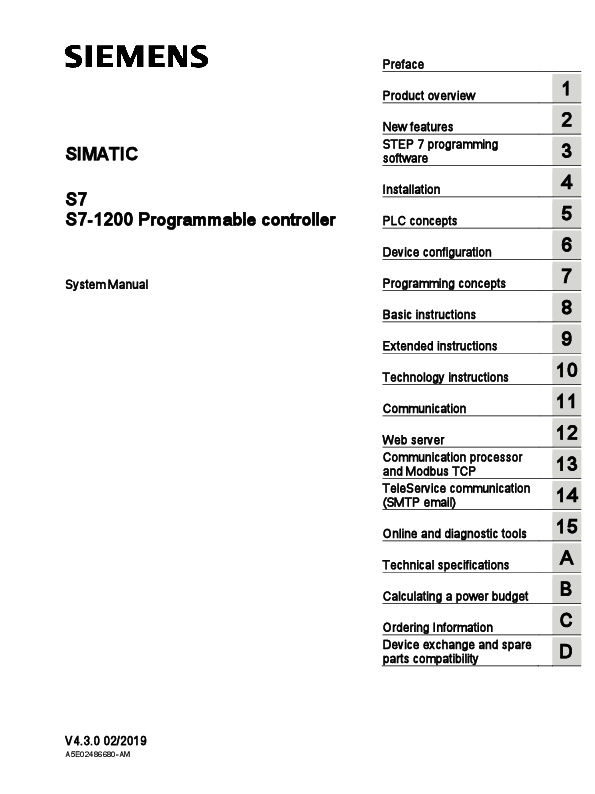
SIMATIC S7 S7-1200 Programmable controller
System Manual
_Pr_ef_ac_e_______________ _Pr_od_u_ct_o_ve_rv_ie_w_________1_ __NSsoTe__fwEtw__Pfa__e7rae__tpu__rroe__gsr__am__m__in__g______________23__
_In_sta_ll_at_ion_____________4_ _PL_C_c_on_c_ep_ts___________5_ _De_v_ice_c_o_nf_igu_ra_ti_on________6_ _Pr_og_ra_m_m_in_g_co_n_ce_pt_s ______7_ _Ba_s_ic_in_st_ru_cti_on_s_________8_ _Ex_te_n_de_d_in_st_ru_cti_on_s_______9_ _Te_c_hn_ol_og_y_in_st_ru_ct_ion_s_____1_0_ _Co_m_m_u_ni_ca_tio_n_________1_1_ _W_eb_s_er_ve_r___________1_2_ _Cano_dm_Mm_oud_nbi_cuas_tiTo_nC_Pp_ro_ce_ss_o_r ___1_3_ _T(Se_Mle_TSP_ere_vmic_ea_icl)_om_m_u_ni_ca_tio_n___1_4_
_On_li_ne_a_n_d d_ia_g_no_st_ic_to_o_ls___1_5_
_Te_c_hn_ic_al_sp_e_cif_ic_at_ion_s_____A__
_Ca_lc_u_lat_in_g _a _po_w_er_b_ud_g_et___B__
_Or_d_er_ing_I_nf_or_m_at_ion_______C__
_ _ _ _ _ _ _ _ _ _ _ Device exchange and spare
parts compatibility
D
V4.3.0 02/2019
A5E02486680-AM
Legal information
Warning notice system This manual contains notices you have to observe in order to ensure your personal safety, as well as to prevent damage to property. The notices referring to your personal safety are highlighted in the manual by a safety alert symbol, notices referring only to property damage have no safety alert symbol. These notices shown below are graded according to the degree of danger.
DANGER indicates that death or severe personal injury will result if proper precautions are not taken.
WARNING indicates that death or severe personal injury may result if proper precautions are not taken.
CAUTION indicates that minor personal injury can result if proper precautions are not taken.
NOTICE indicates that property damage can result if proper precautions are not taken. If more than one degree of danger is present, the warning notice representing the highest degree of danger will be used. A notice warning of injury to persons with a safety alert symbol may also include a warning relating to property damage.
Qualified Personnel The product/system described in this documentation may be operated only by personnel qualified for the specific task in accordance with the relevant documentation, in particular its warning notices and safety instructions. Qualified personnel are those who, based on their training and experience, are capable of identifying risks and avoiding potential hazards when working with these products/systems.
Proper use of Siemens products Note the following:
WARNING Siemens products may only be used for the applications described in the catalog and in the relevant technical documentation. If products and components from other manufacturers are used, these must be recommended or approved by Siemens. Proper transport, storage, installation, assembly, commissioning, operation and maintenance are required to ensure that the products operate safely and without any problems. The permissible ambient conditions must be complied with. The information in the relevant documentation must be observed.
Trademarks All names identified by � are registered trademarks of Siemens AG. The remaining trademarks in this publication may be trademarks whose use by third parties for their own purposes could violate the rights of the owner.
Disclaimer of Liability We have reviewed the contents of this publication to ensure consistency with the hardware and software described. Since variance cannot be precluded entirely, we cannot guarantee full consistency. However, the information in this publication is reviewed regularly and any necessary corrections are included in subsequent editions.
Siemens AG Division Digital Factory Postfach 48 48 90026 N�RNBERG GERMANY
A5E02486680-AM 01/2019 Subject to change
Copyright � Siemens AG 2019. All rights reserved
Preface
Purpose of the manual
The S7-1200 series is a line of programmable logic controllers (PLCs) that can control a variety of automation applications. Compact design, low cost, and a powerful instruction set make the S7-1200 a perfect solution for controlling a wide variety of applications. The S71200 models and the Windows-based STEP 7 programming tool (Page 33) give you the flexibility you need to solve your automation problems. This manual provides information about installing and programming the S7-1200 PLCs and is designed for engineers, programmers, installers, and electricians who have a general knowledge of programmable logic controllers.
Required basic knowledge
To understand this manual, it is necessary to have a general knowledge of automation and programmable logic controllers.
Scope of the manual
This manual describes the following products: STEP 7 Basic and Professional (Page 33) S7-1200 CPU firmware release V4.3 For a complete list of the S7-1200 products described in this manual, refer to the technical specifications (Page 1350).
Certification, CE label, C-Tick, and other approvals
Refer to the technical specifications (Page 1350) for more information.
Service and support
In addition to our documentation, Siemens offers technical expertise on the Internet and on the customer support web site (http://support.industry.siemens.com). Contact your Siemens distributor or sales office for assistance in answering any technical questions, for training, or for ordering S7 products. Because your sales representatives are technically trained and have the most specific knowledge about your operations, process and industry, as well as about the individual Siemens products that you are using, they can provide the fastest and most efficient answers to any problems you might encounter.
S7-1200 Programmable controller
System Manual, V4.3.0 02/2019, A5E02486680-AM
3
Preface
Documentation and information
S7-1200 and STEP 7 provide a variety of documentation and other resources for finding the technical information that you require.
The S7-1200 Programmable Controller System Manual provides specific information about the operation, programming, and the specifications for the complete S7-1200 product family.
The system manual is available as an electronic (PDF) manuals. You can download or view this and other electronic manuals from the Siemens Industry Online Support Web site (http://support.industry.siemens.com). The system manual is also available on the Documents Disk that ships with every S7-1200 CPU.
The online STEP 7 information system provides immediate access to the conceptual information and specific instructions that describe the operation and functionality of the programming package and basic operation of SIMATIC CPUs.
The Siemens Industry Online Support Web site (http://support.industry.siemens.com) provides access to the electronic (PDF) versions of the SIMATIC documentation set, including the system manual, and the STEP 7 information system. Existing documents are available from the Product Support link. With this online documentation access, you can also drag and drop topics from various documents to create your own custom manual. Updates to previous-published system manuals are also available from Siemens Industry Online Support.
You can access online documentation by clicking "mySupport" from the left side of the page and selecting "Documentation" from the navigation choices. To use the mySupport Documentation features, you must sign up as a registered user.
The Siemens Industry Online Support Web site also provides FAQs and other helpful documents for S7-1200 and STEP 7.
You can also follow or join product discussions on the Service & Support technical forum (https://support.industry.siemens.com/tf/ww/en/?Language=en&siteid=csius&treeLang=e n&groupid=4000002&extranet=standard&viewreg=WW&nodeid0=34612486). These forums allow you to interact with various product experts.
� Forum for S7-1200 (https://support.industry.siemens.com/tf/ww/en/threads/237?title=simatic-s71200&skip=0&take=10&orderBy=LastPostDate+desc)
� Forum for STEP 7 Basic (https://support.industry.siemens.com/tf/ww/en/threads/243?title=step-7-tiaportal&skip=0&take=10&orderBy=LastPostDate+desc)
S7-1200 Programmable controller
4
System Manual, V4.3.0 02/2019, A5E02486680-AM
Preface
Security information
Siemens provides products and solutions with industrial security functions that support the secure operation of plants, systems, machines and networks.
In order to protect plants, systems, machines and networks against cyber threats, it is necessary to implement � and continuously maintain � a holistic, state-of-the-art industrial security concept. Siemens' products and solutions constitute one element of such a concept.
Customers are responsible for preventing unauthorized access to their plants, systems, machines and networks. Such systems, machines and components should only be connected to an enterprise network or the internet if and to the extent such a connection is necessary and only when appropriate security measures (e.g. firewalls and/or network segmentation) are in place.
For additional information on industrial security measures that can be implemented, please visit (https://www.siemens.com/industrialsecurity).
Siemens' products and solutions undergo continuous development to make them more secure. Siemens strongly recommends that product updates are applied as soon as they are available and that the latest product versions are used. Use of product versions that are no longer supported, and failure to apply the latest updates may increase customers' exposure to cyber threats.
To stay informed about product updates, subscribe to the Siemens Industrial Security RSS Feed visit (https://www.siemens.com/industrialsecurity).
S7-1200 Programmable controller
System Manual, V4.3.0 02/2019, A5E02486680-AM
5
Table of contents
Preface ................................................................................................................................................... 3
1 Product overview .................................................................................................................................. 25
1.1
Introducing the S7-1200 PLC................................................................................................. 25
1.2
Expansion capability of the CPU............................................................................................ 29
1.3
Basic HMI panels ................................................................................................................... 31
2 New features ........................................................................................................................................ 32
3 STEP 7 programming software ............................................................................................................. 33
3.1
System requirements ............................................................................................................. 34
3.2
Different views to make the work easier ................................................................................ 35
3.3 3.3.1 3.3.2 3.3.3 3.3.4 3.3.5 3.3.6 3.3.7 3.3.8 3.3.9 3.3.10 3.3.11 3.3.12
Easy-to-use tools ................................................................................................................... 36 Inserting instructions into your user program......................................................................... 36 Accessing instructions from the "Favorites" toolbar............................................................... 37 Creating a complex equation with a simple instruction.......................................................... 38 Adding inputs or outputs to a LAD or FBD instruction ........................................................... 40 Expandable instructions ......................................................................................................... 40 Selecting a version for an instruction ..................................................................................... 41 Modifying the appearance and configuration of STEP 7 ....................................................... 41 Dragging and dropping between editors ................................................................................ 42 Changing the operating mode of the CPU ............................................................................. 43 Changing the call type for a DB ............................................................................................. 44 Temporarily disconnecting devices from a network............................................................... 45 Virtual unplugging of devices from the configuration ............................................................. 46
3.4
Backward compatibility .......................................................................................................... 47
4 Installation ............................................................................................................................................ 48
4.1
Guidelines for installing S7-1200 devices .............................................................................. 48
4.2
Power budget ......................................................................................................................... 51
4.3 4.3.1 4.3.2 4.3.3 4.3.4 4.3.5 4.3.6 4.3.7 4.3.8 4.3.8.1 4.3.8.2 4.3.8.3 4.3.8.4
Installation and removal procedures ...................................................................................... 52 Mounting dimensions for the S7-1200 devices...................................................................... 52 Installing and removing the CPU ........................................................................................... 55 Installing and removing an SB, CB, or BB ............................................................................. 57 Installing and removing an SM............................................................................................... 59 Installing and removing a CM or CP ...................................................................................... 60 Removing and reinstalling the S7-1200 terminal block connector......................................... 62 Installing and removing the expansion cable ......................................................................... 63 TS (TeleService) adapter ....................................................................................................... 65 Connecting the TeleService adapter...................................................................................... 65 Installing the SIM card ........................................................................................................... 66 Installing the TS adapter unit on a DIN rail ............................................................................ 68 Installing the TS adapter on a panel ...................................................................................... 69
S7-1200 Programmable controller
6
System Manual, V4.3.0 02/2019, A5E02486680-AM
Table of contents
4.4
Wiring guidelines.....................................................................................................................70
5 PLC concepts ....................................................................................................................................... 77
5.1 5.1.1 5.1.2 5.1.3 5.1.3.1 5.1.3.2 5.1.3.3 5.1.3.4 5.1.3.5 5.1.3.6 5.1.3.7 5.1.3.8 5.1.3.9 5.1.3.10 5.1.3.11 5.1.3.12 5.1.3.13 5.1.3.14 5.1.3.15 5.1.3.16 5.1.3.17 5.1.4 5.1.5 5.1.5.1 5.1.6 5.1.7 5.1.8
Execution of the user program................................................................................................77 Operating modes of the CPU..................................................................................................81 Processing the scan cycle in RUN mode................................................................................85 Organization blocks (OBs) ......................................................................................................85 Program cycle OB...................................................................................................................86 Startup OB ..............................................................................................................................86 Time delay interrupt OB ..........................................................................................................87 Cyclic interrupt OB ..................................................................................................................87 Hardware interrupt OB ............................................................................................................88 Time error interrupt OB ...........................................................................................................89 Diagnostic error interrupt OB ..................................................................................................90 Pull or plug of modules OB .....................................................................................................92 Rack or station failure OB .......................................................................................................93 Time of day OB .......................................................................................................................93 Status OB................................................................................................................................94 Update OB ..............................................................................................................................95 Profile OB................................................................................................................................95 MC-Servo and MC-Interpolator OB ........................................................................................95 MC-PreServo ..........................................................................................................................95 MC-PostServo ......................................................................................................................... 96 Event execution priorities and queuing...................................................................................97 Monitoring and configuring the cycle time ............................................................................101 CPU memory ........................................................................................................................103 System and clock memory....................................................................................................105 Diagnostics buffer .................................................................................................................107 Time of day clock ..................................................................................................................108 Configuring the outputs on a RUN-to-STOP transition.........................................................108
5.2 5.2.1
Data storage, memory areas, I/O and addressing................................................................109 Accessing the data of the S7-1200.......................................................................................109
5.3
Processing of analog values.................................................................................................115
5.4 5.4.1 5.4.2 5.4.3 5.4.4 5.4.5 5.4.6 5.4.7 5.4.8 5.4.9 5.4.10 5.4.11
Data types .............................................................................................................................117 Bool, Byte, Word, and DWord data types .............................................................................118 Integer data types .................................................................................................................119 Floating-point real data types ...............................................................................................119 Time and Date data types.....................................................................................................120 Character and String data types ...........................................................................................121 Array data type......................................................................................................................124 Data structure data type........................................................................................................125 PLC data type .......................................................................................................................125 Variant pointer data type.......................................................................................................126 Accessing a "slice" of a tagged data type.............................................................................126 Accessing a tag with an AT overlay......................................................................................127
5.5 5.5.1 5.5.2
5.5.3
Using a memory card............................................................................................................129 Inserting a memory card in the CPU.....................................................................................130 Configuring the startup parameter of the CPU before copying the project to the memory card .........................................................................................................................133 Transfer card.........................................................................................................................133
S7-1200 Programmable controller
System Manual, V4.3.0 02/2019, A5E02486680-AM
7
Table of contents
5.5.4 5.5.5
Program card ....................................................................................................................... 136 Firmware update .................................................................................................................. 139
5.6
Recovery from a lost password............................................................................................ 142
6 Device configuration ............................................................................................................................143
6.1
Inserting a CPU.................................................................................................................... 144
6.2
Uploading the configuration of a connected CPU................................................................ 146
6.3
Adding modules to the configuration ................................................................................... 148
6.4 6.4.1 6.4.2 6.4.3
Configuration control ............................................................................................................ 149 Advantages and applications of configuration control ......................................................... 149 Configuring the central installation and optional modules ................................................... 149 Example of configuration control.......................................................................................... 155
6.5
Changing a device ............................................................................................................... 158
6.6 6.6.1 6.6.2 6.6.3
Configuring the operation of the CPU .................................................................................. 159 Overview .............................................................................................................................. 159 Configuring digital input filter times ...................................................................................... 160 Pulse catch........................................................................................................................... 162
6.7
Configuring multilingual support........................................................................................... 163
6.8
Configuring the parameters of the modules......................................................................... 165
6.9
Configuring the CPU for communication ............................................................................. 167
6.10
Time synchronization ........................................................................................................... 169
7 Programming concepts ........................................................................................................................171
7.1
Guidelines for designing a PLC system ............................................................................... 171
7.2
Structuring your user program ............................................................................................. 172
7.3 7.3.1 7.3.2 7.3.3 7.3.4 7.3.5 7.3.6
Using blocks to structure your program ............................................................................... 174 Organization block (OB)....................................................................................................... 175 Function (FC) ....................................................................................................................... 176 Function block (FB) .............................................................................................................. 177 Data block (DB) .................................................................................................................... 178 Creating reusable code blocks............................................................................................. 180 Passing parameters to blocks.............................................................................................. 180
7.4
Understanding data consistency.......................................................................................... 183
7.5 7.5.1 7.5.2 7.5.3 7.5.3.1 7.5.3.2 7.5.3.3 7.5.4
Programming language........................................................................................................ 184 Ladder logic (LAD) ............................................................................................................... 184 Function Block Diagram (FBD) ............................................................................................ 185 SCL ...................................................................................................................................... 186 SCL program editor.............................................................................................................. 186 SCL expressions and operations ......................................................................................... 187 Indexed addressing with PEEK and POKE instructions ...................................................... 191 EN and ENO for LAD, FBD and SCL................................................................................... 193
7.6 7.6.1 7.6.2 7.6.3
Protection ............................................................................................................................. 195 Access protection for the CPU............................................................................................. 195 External load memory .......................................................................................................... 197 Know-how protection ........................................................................................................... 198
S7-1200 Programmable controller
8
System Manual, V4.3.0 02/2019, A5E02486680-AM
Table of contents
7.6.4
Copy protection.....................................................................................................................199
7.7
Downloading the elements of your program .........................................................................200
7.8
Synchronizing the online CPU and offline project ................................................................204
7.9 7.9.1
Uploading from the online CPU ............................................................................................205 Comparing the online CPU to the offline CPU......................................................................206
7.10 7.10.1 7.10.2 7.10.3 7.10.4
Debugging and testing the program .....................................................................................206 Monitor and modify data in the CPU.....................................................................................206 Watch tables and force tables ..............................................................................................207 Cross reference to show usage ............................................................................................207 Call structure to examine the calling hierarchy .....................................................................208
8 Basic instructions ................................................................................................................................ 210
8.1 8.1.1 8.1.2 8.1.3
Bit logic operations................................................................................................................210 Bit logic instructions ..............................................................................................................210 Set and reset instructions .....................................................................................................213 Positive and negative edge instructions ...............................................................................216
8.2
Timer operations ...................................................................................................................219
8.3
Counter operations ...............................................................................................................227
8.4 8.4.1 8.4.2 8.4.3 8.4.4 8.4.4.1 8.4.4.2 8.4.4.3
Comparator operations .........................................................................................................233 Compare values instructions ................................................................................................233 IN_Range (Value within range) and OUT_Range (Value outside range) .............................234 OK (Check validity) and NOT_OK (Check invalidity)............................................................235 Variant and array comparison instructions ...........................................................................236 Equality and non-equality comparison instructions ..............................................................236 Null comparsion instructions .................................................................................................237 IS_ARRAY (Check for ARRAY) ............................................................................................237
8.5 8.5.1 8.5.2 8.5.3 8.5.4 8.5.5 8.5.6 8.5.7 8.5.8 8.5.9
Math functions.......................................................................................................................238 CALCULATE (Calculate) ......................................................................................................238 Add, subtract, multiply and divide instructions......................................................................239 MOD (return remainder of division) ......................................................................................240 NEG (Create twos complement) ...........................................................................................241 INC (Increment) and DEC (Decrement)................................................................................242 ABS (Form absolute value)...................................................................................................242 MIN (Get minimum) and MAX (Get maximum).....................................................................243 LIMIT (Set limit value) ...........................................................................................................244 Exponent, logarithm, and trigonometry instructions .............................................................245
8.6 8.6.1
8.6.2 8.6.3 8.6.4 8.6.5 8.6.6 8.6.7 8.6.8 8.6.8.1 8.6.8.2
Move operations ...................................................................................................................247 MOVE (Move value), MOVE_BLK (Move block), UMOVE_BLK (Move block uninterruptible), and MOVE_BLK_VARIANT (Move block) ..................................................247 Deserialize ............................................................................................................................250 Serialize ................................................................................................................................253 FILL_BLK (Fill block) and UFILL_BLK (Fill block uninterruptible).........................................256 SWAP (Swap bytes) .............................................................................................................257 LOWER_BOUND: (Read out ARRAY low limit) ...................................................................258 UPPER_BOUND: (Read out ARRAY high limit) ...................................................................260 Read / Write memory instructions.........................................................................................262 PEEK and POKE (SCL only) ................................................................................................262 Read and write big and little Endian instructions (SCL) .......................................................264
S7-1200 Programmable controller
System Manual, V4.3.0 02/2019, A5E02486680-AM
9
Table of contents
8.6.9 8.6.9.1 8.6.9.2 8.6.9.3 8.6.10 8.6.10.1
Variant instructions .............................................................................................................. 265 VariantGet (Read VARIANT tag value) ............................................................................... 265 VariantPut (Write VARIANT tag value) ................................................................................ 266 CountOfElements (Get number of ARRAY elements) ......................................................... 267 Legacy instructions .............................................................................................................. 268 FieldRead (Read field) and FieldWrite (Write field) instructions .......................................... 268
8.7 8.7.1 8.7.2 8.7.3 8.7.4 8.7.5 8.7.6 8.7.6.1 8.7.6.2
Conversion operations ......................................................................................................... 270 CONV (Convert value) ......................................................................................................... 270 Conversion instructions for SCL .......................................................................................... 271 ROUND (Round numerical value) and TRUNC (Truncate numerical value)....................... 274 CEIL and FLOOR (Generate next higher and lower integer from floating-point number) ... 275 SCALE_X (Scale) and NORM_X (Normalize)...................................................................... 276 Variant conversion instructions ............................................................................................ 279 VARIANT_TO_DB_ANY (Convert VARIANT to DB_ANY)................................................... 279 DB_ANY_TO_VARIANT (Convert DB_ANY to VARIANT) .................................................. 280
8.8 8.8.1 8.8.2 8.8.3 8.8.4 8.8.5 8.8.6 8.8.7 8.8.8 8.8.9 8.8.10 8.8.10.1 8.8.10.2 8.8.10.3 8.8.10.4 8.8.10.5 8.8.10.6 8.8.10.7 8.8.10.8 8.8.10.9 8.8.10.10
Program control operations.................................................................................................. 282 JMP (Jump if RLO = 1), JMPN (Jump if RLO = 0), and Label (Jump label) instructions..... 282 JMP_LIST (Define jump list) ................................................................................................ 283 SWITCH (Jump distributor) .................................................................................................. 284 RET (Return)........................................................................................................................ 286 ENDIS_PW (Enable/disable CPU passwords) .................................................................... 287 RE_TRIGR (Restart cycle monitoring time) ......................................................................... 289 STP (Exit program) .............................................................................................................. 290 GET_ERROR and GET_ERROR_ID (Get error and error ID locally) instructions .............. 291 RUNTIME (Measure program runtime)................................................................................ 294 SCL program control statements ......................................................................................... 296 Overview of SCL program control statements ..................................................................... 296 IF-THEN statement .............................................................................................................. 297 CASE statement................................................................................................................... 298 FOR statement..................................................................................................................... 299 WHILE-DO statement .......................................................................................................... 300 REPEAT-UNTIL statement .................................................................................................. 301 CONTINUE statement ......................................................................................................... 302 EXIT statement .................................................................................................................... 303 GOTO statement.................................................................................................................. 303 RETURN statement ............................................................................................................. 304
8.9 8.9.1 8.9.2 8.9.3 8.9.4
Word logic operations .......................................................................................................... 305 AND, OR, and XOR logic operation instructions ................................................................. 305 INV (Create ones complement) ........................................................................................... 306 DECO (Decode) and ENCO (Encode) instructions ............................................................. 306 SEL (Select), MUX (Multiplex), and DEMUX (Demultiplex) instructions ............................. 308
8.10 8.10.1 8.10.2
Shift and rotate..................................................................................................................... 311 SHR (Shift right) and SHL (Shift left) instructions ................................................................ 311 ROR (Rotate right) and ROL (Rotate left) instructions ........................................................ 312
9 Extended instructions...........................................................................................................................313
9.1 9.1.1 9.1.2 9.1.3
Date, time-of-day, and clock functions................................................................................. 313 Date and time-of-day instructions ........................................................................................ 313 Clock functions..................................................................................................................... 316 TimeTransformationRule data structure .............................................................................. 319
S7-1200 Programmable controller
10
System Manual, V4.3.0 02/2019, A5E02486680-AM
Table of contents
9.1.4 9.1.5
9.2 9.2.1 9.2.2 9.2.3 9.2.3.1
9.2.3.2
9.2.3.3 9.2.4 9.2.4.1 9.2.4.2 9.2.4.3 9.2.4.4 9.2.4.5 9.2.4.6 9.2.4.7 9.2.4.8 9.2.5 9.2.5.1 9.2.5.2 9.2.5.3 9.2.5.4 9.2.5.5
9.3 9.3.1 9.3.2 9.3.3 9.3.4 9.3.5 9.3.6 9.3.7 9.3.8 9.3.9 9.3.10 9.3.10.1 9.3.10.2 9.3.10.3 9.3.10.4
9.4
9.5 9.5.1 9.5.2 9.5.2.1 9.5.2.2 9.5.3 9.5.3.1 9.5.3.2
SET_TIMEZONE (Set timezone) ..........................................................................................320 RTM (Runtime meters) .........................................................................................................321
String and character..............................................................................................................323 String data overview .............................................................................................................323 S_MOVE (Move character string) .........................................................................................323 String conversion instructions...............................................................................................324 S_CONV, STRG_VAL, and VAL_STRG (Convert to/from character string and number) instructions ............................................................................................................................324 Strg_TO_Chars and Chars_TO_Strg (Convert to/from character string and array of CHAR) instructions ...............................................................................................................333 ATH and HTA (Convert to/from ASCII string and hexadecimal number) instructions ..........335 String operation instructions .................................................................................................337 MAX_LEN (Maximum length of a character string) ..............................................................338 LEN (Determine the length of a character string) .................................................................338 CONCAT (Combine character strings) .................................................................................339 LEFT, RIGHT, and MID (Read substrings in a character string) instructions.......................340 DELETE (Delete characters in a character string) ...............................................................341 INSERT (Insert characters in a character string)..................................................................342 REPLACE (Replace characters in a character string)..........................................................343 FIND (Find characters in a character string).........................................................................345 Runtime information..............................................................................................................346 GetSymbolName (Read out a tag on the input parameter) ..................................................346 GetSymbolPath (Query composite global name of the input parameter assignment) .........349 GetInstanceName (Read out name of the block instance)...................................................351 GetInstancePath (Query composite global name of the block instance)..............................354 GetBlockName (Read out name of the block) ......................................................................357
Distributed I/O (PROFINET, PROFIBUS, or AS-i)................................................................360 Distributed I/O Instructions ...................................................................................................360 RDREC and WRREC (Read/write data record) ...................................................................361 GETIO (Read process image) ..............................................................................................364 SETIO (Transfer process image) ..........................................................................................365 GETIO_PART (Read process image area)...........................................................................366 SETIO_PART (Transfer process image area) ......................................................................367 RALRM (Receive interrupt)...................................................................................................369 D_ACT_DP (Enable/disable PROFINET IO devices) ...........................................................373 STATUS parameter for RDREC, WRREC, and RALRM......................................................378 Others ...................................................................................................................................383 DPRD_DAT and DPWR_DAT (Read/write consistent data).................................................383 RCVREC (I-device/I-slave receive data record) ...................................................................386 PRVREC (I-device/I-slave make data record available).......................................................388 DPNRM_DG (Read diagnostic data from a PROFIBUS DP slave) ......................................391
PROFIenergy ........................................................................................................................394
Interrupts ...............................................................................................................................395 ATTACH and DETACH (Attach/detach an OB and an interrupt event) instructions ............395 Cyclic interrupts ....................................................................................................................398 SET_CINT (Set cyclic interrupt parameters).........................................................................398 QRY_CINT (Query cyclic interrupt parameters) ...................................................................400 Time of day interrupts ...........................................................................................................402 SET_TINTL (Set time of day interrupt) .................................................................................402 CAN_TINT (Cancel time of day interrupt) .............................................................................404
S7-1200 Programmable controller
System Manual, V4.3.0 02/2019, A5E02486680-AM
11
Table of contents
9.5.3.3 9.5.3.4 9.5.4 9.5.5
9.6 9.6.1
9.7 9.7.1 9.7.2 9.7.3 9.7.4 9.7.5 9.7.6 9.7.7 9.7.7.1 9.7.8 9.7.8.1 9.7.9 9.7.10
9.8 9.8.1 9.8.2 9.8.3 9.8.4
9.9 9.9.1 9.9.1.1 9.9.1.2 9.9.1.3 9.9.1.4 9.9.2 9.9.2.1 9.9.2.2 9.9.2.3 9.9.2.4 9.9.2.5
9.10 9.10.1 9.10.2 9.10.3 9.10.4
9.11 9.11.1 9.11.2 9.11.3 9.11.4 9.11.5
9.12
ACT_TINT (Activate time of day interrupt) ........................................................................... 405 QRY_TINT (Query status of time of day interrupt)............................................................... 405 Time delay interrupts ........................................................................................................... 407 DIS_AIRT and EN_AIRT (Delay/enable execution of higher priority interrupts and asynchronous error events) instructions .............................................................................. 409
Alarms .................................................................................................................................. 410 Gen_UsrMsg (Generate user diagnostic alarms) ................................................................ 410
Diagnostics (PROFINET or PROFIBUS) ............................................................................. 413 Diagnostic instructions ......................................................................................................... 413 RD_SINFO (Read current OB start information).................................................................. 414 LED (Read LED status) ....................................................................................................... 424 Get_IM_Data (Read the identification and maintenance data) ............................................ 425 Get_Name (Read the name of a PROFINET IO device) ..................................................... 426 GetStationInfo (Read the IP or MAC address of a PROFINET IO device).......................... 433 DeviceStates instruction ...................................................................................................... 441 DeviceStates example configurations.................................................................................. 442 ModuleStates instruction...................................................................................................... 446 ModuleStates example configurations ................................................................................. 448 GET_DIAG (Read diagnostic information) ........................................................................... 452 Diagnostic events for distributed I/O .................................................................................... 458
Pulse .................................................................................................................................... 459 CTRL_PWM (Pulse width modulation)................................................................................. 459 CTRL_PTO (Pulse train output) ........................................................................................... 460 Operation of the pulse outputs ............................................................................................. 464 Configuring a pulse channel for PWM or PTO..................................................................... 466
Recipes and Data logs ......................................................................................................... 470 Recipes ................................................................................................................................ 470 Recipe overview................................................................................................................... 470 Recipe example ................................................................................................................... 471 Program instructions that transfer recipe data ..................................................................... 474 Recipe example program ..................................................................................................... 478 Data logs .............................................................................................................................. 481 Data log record structure ..................................................................................................... 481 Program instructions that control data logs ......................................................................... 483 Working with data logs ......................................................................................................... 496 Limit to the size of data log files........................................................................................... 498 Data log example program................................................................................................... 501
Data block control ................................................................................................................ 506 CREATE_DB (Create data block) ........................................................................................ 506 READ_DBL and WRIT_DBL (Read/write a data block in load memory) instructions .......... 509 ATTR_DB (Read data block attribute) ................................................................................. 512 DELETE_DB (Delete data block) ......................................................................................... 514
Address handling ................................................................................................................. 516 GEO2LOG (Determine the hardware identifier from the slot).............................................. 516 LOG2GEO (Determine the slot from the hardware identifier).............................................. 518 IO2MOD (Determine the hardware identifier from an I/O address) ..................................... 519 RD_ADDR (Determine the IO addresses from the hardware identifier) .............................. 520 GEOADDR system data type............................................................................................... 522
Common error codes for the Extended instructions ............................................................ 523
S7-1200 Programmable controller
12
System Manual, V4.3.0 02/2019, A5E02486680-AM
Table of contents
10 Technology instructions....................................................................................................................... 524
10.1 10.1.1 10.1.1.1 10.1.1.2 10.1.1.3 10.1.2 10.1.2.1 10.1.2.2 10.1.2.3 10.1.2.4 10.1.2.5 10.1.3 10.1.3.1 10.1.3.2 10.1.3.3 10.1.3.4 10.1.3.5 10.1.3.6 10.1.3.7 10.1.3.8 10.1.3.9 10.1.3.10 10.1.4 10.1.4.1 10.1.4.2 10.1.4.3
Counting (High-speed counters)...........................................................................................524 CTRL_HSC_EXT (Control high-speed counter) instruction..................................................525 Instruction overview ..............................................................................................................525 Example ................................................................................................................................526 CTRL_HSC_EXT Instruction System Data Types (SDT) .....................................................529 Operating the high-speed counter ........................................................................................535 Synchronization function.......................................................................................................535 Gate function.........................................................................................................................536 Capture function....................................................................................................................538 Compare function..................................................................................................................539 Applications ........................................................................................................................... 540 Configuring a high-speed counter.........................................................................................541 Type of Counting...................................................................................................................542 Operating phase ...................................................................................................................543 Initial values ..........................................................................................................................547 Input functions.......................................................................................................................547 Output function......................................................................................................................548 Interrupt events .....................................................................................................................549 Hardware input pin assignment ............................................................................................549 Hardware output pin assignment ..........................................................................................551 HSC input memory addresses..............................................................................................552 Hardware identifier................................................................................................................552 Legacy CTRL_HSC (Control high-speed counter) instruction ..............................................553 Instruction overview ..............................................................................................................553 Using CTRL_HSC .................................................................................................................555 HSC current count value.......................................................................................................556
10.2 10.2.1 10.2.2 10.2.2.1 10.2.2.2 10.2.2.3 10.2.2.4 10.2.3 10.2.3.1 10.2.3.2 10.2.3.3 10.2.4 10.2.4.1 10.2.4.2 10.2.4.3 10.2.5 10.2.6 10.2.7 10.2.8
PID control ............................................................................................................................557 Inserting the PID instruction and technology object .............................................................559 PID_Compact ........................................................................................................................561 PID_Compact instruction ......................................................................................................561 PID_Compact instruction Process value limits .....................................................................565 PID_Compact instruction ErrorBit parameters......................................................................566 PID_Compact instruction Warning parameters ....................................................................568 PID_3Step .............................................................................................................................569 PID_3Step instruction ...........................................................................................................569 PID_3Step instruction ErrorBit parameters...........................................................................576 PID_3Step instruction Warning parameters..........................................................................578 PID_Temp .............................................................................................................................579 PID_Temp instruction............................................................................................................579 PID_Temp ErrorBit parameters ............................................................................................588 PID_Temp Warning parameters ...........................................................................................590 Configuring the PID_Compact and PID_3Step controllers ...................................................591 Configuring the PID_Temp controller....................................................................................593 Commissioning the PID_Compact and PID_3Step controllers .............................................608 Commissioning the PID_Temp controller .............................................................................610
10.3 10.3.1 10.3.2 10.3.3 10.3.3.1
Motion control .......................................................................................................................619 Phasing .................................................................................................................................625 Configuring a pulse generator ..............................................................................................627 Open loop motion control......................................................................................................628 Configuring the axis ..............................................................................................................628
S7-1200 Programmable controller
System Manual, V4.3.0 02/2019, A5E02486680-AM
13
Table of contents
10.3.3.2 10.3.4 10.3.4.1 10.3.4.2 10.3.4.3 10.3.4.4 10.3.4.5 10.3.4.6 10.3.4.7 10.3.5 10.3.6 10.3.6.1 10.3.6.2 10.3.6.3 10.3.6.4 10.3.7 10.3.7.1 10.3.7.2 10.3.7.3 10.3.7.4 10.3.7.5 10.3.7.6 10.3.7.7 10.3.7.8 10.3.7.9 10.3.7.10 10.3.7.11 10.3.7.12 10.3.7.13 10.3.8 10.3.8.1 10.3.8.2 10.3.8.3 10.3.9
Commissioning..................................................................................................................... 632 Closed loop motion control .................................................................................................. 637 Configuring the axis ............................................................................................................. 637 ServoOBs ............................................................................................................................. 644 Speed controlled operation .................................................................................................. 646 Telegram 4 support .............................................................................................................. 649 Simulation axis ..................................................................................................................... 654 Data adaptation.................................................................................................................... 656 Axis control using the TM Pulse module.............................................................................. 666 Configuring the TO_CommandTable_PTO .......................................................................... 673 Operation of motion control for S7-1200.............................................................................. 676 CPU outputs used for motion control ................................................................................... 676 Hardware and software limit switches for motion control .................................................... 678 Homing ................................................................................................................................. 688 Jerk limit ............................................................................................................................... 695 Motion control instructions ................................................................................................... 696 MC instruction overview ....................................................................................................... 696 MC_Power (Release/block axis) .......................................................................................... 698 MC_Reset (Confirm error).................................................................................................... 701 MC_Home (Home axis)........................................................................................................ 702 MC_Halt (Pause axis) .......................................................................................................... 705 MC_MoveAbsolute (Position axis absolutely) ...................................................................... 707 MC_MoveRelative (Position axis relatively) ......................................................................... 710 MC_MoveVelocity (Move axis at predefined velocity) ......................................................... 712 MC_MoveJog (Move axis in jog mode)................................................................................ 714 MC_CommandTable (Run axis commans as movement sequence) .................................. 716 MC_ChangeDynamic (Change dynamc settings for the axis) ............................................. 719 MC_WriteParam (write parameters of a technology object) ................................................ 721 MC_ReadParam instruction (read parameters of a technology object)............................... 723 Monitoring active commands ............................................................................................... 725 Monitoring MC instructions with a "Done" output parameter ............................................... 725 Monitoring the MC_Velocity ................................................................................................. 729 Monitoring the MC_MoveJog ............................................................................................... 733 ErrorIDs and ErrorInfos for motion control ........................................................................... 737
11 Communication....................................................................................................................................762
11.1
Asynchronous communication connections......................................................................... 764
11.2 11.2.1 11.2.2 11.2.3 11.2.3.1 11.2.3.2 11.2.3.3 11.2.3.4 11.2.4 11.2.5 11.2.6 11.2.7 11.2.8 11.2.8.1 11.2.8.2
PROFINET ........................................................................................................................... 767 Creating a network connection ............................................................................................ 768 Configuring the Local/Partner connection path.................................................................... 769 Assigning Internet Protocol (IP) addresses ......................................................................... 772 Assigning IP addresses to programming and network devices ........................................... 772 Checking the IP address of your programming device ........................................................ 774 Assigning an IP address to a CPU online ............................................................................ 774 Configuring an IP address for a CPU in your project........................................................... 776 Testing the PROFINET network .......................................................................................... 780 Locating the Ethernet (MAC) address on the CPU.............................................................. 781 Configuring Network Time Protocol (NTP) synchronization ................................................ 783 PROFINET device start-up time, naming, and address assignment ................................... 785 Open user communication ................................................................................................... 786 Protocols .............................................................................................................................. 786 TCP and ISO on TCP .......................................................................................................... 787
S7-1200 Programmable controller
14
System Manual, V4.3.0 02/2019, A5E02486680-AM
Table of contents
11.2.8.3 11.2.8.4 11.2.8.5 11.2.8.6 11.2.8.7 11.2.8.8 11.2.8.9 11.2.8.10 11.2.8.11 11.2.8.12 11.2.8.13 11.2.8.14 11.2.8.15 11.2.8.16 11.2.8.17 11.2.9 11.2.9.1 11.2.9.2 11.2.9.3 11.2.9.4 11.2.10 11.2.10.1 11.2.11 11.2.11.1 11.2.11.2 11.2.11.3 11.2.12 11.2.12.1 11.2.12.2 11.2.12.3 11.2.12.4 11.2.13 11.2.13.1 11.2.13.2 11.2.13.3 11.2.13.4 11.2.13.5 11.2.14 11.2.14.1 11.2.14.2 11.2.14.3 11.2.15 11.2.15.1 11.2.15.2 11.2.15.3 11.2.16 11.2.16.1 11.2.16.2 11.2.17 11.2.17.1 11.2.18 11.2.19
Communication services and used port numbers ................................................................788 Ad hoc mode.........................................................................................................................789 Connection IDs for the Open user communication instructions ...........................................789 Parameters for the PROFINET connection ..........................................................................792 TSEND_C and TRCV_C instructions....................................................................................798 Legacy TSEND_C and TRCV_C instructions .......................................................................811 TCON, TDISCON, TSEND, and TRCV instructions .............................................................819 Legacy TCON, TDISCON, TSEND, and TRCV instructions ................................................830 T_RESET (Terminate and re-establish an existing connection) instruction .........................840 T_DIAG (Checks the status of connection and reads information) instruction .....................842 TMAIL_C (Send an email using the Ethernet interface of the CPU) instruction ...................847 UDP....................................................................................................................................... 856 TUSEND and TURCV...........................................................................................................857 T_CONFIG ............................................................................................................................863 Common parameters for instructions....................................................................................874 Communication with a programming device.........................................................................875 Establishing the hardware communications connection.......................................................876 Configuring the devices ........................................................................................................876 Assigning Internet Protocol (IP) addresses ..........................................................................877 Testing your PROFINET network .........................................................................................877 HMI-to-PLC communication..................................................................................................878 Configuring logical network connections between two devices............................................879 PLC-to-PLC communication .................................................................................................879 Configuring logical network connections between two devices............................................880 Configuring the Local/Partner connection path between two devices..................................881 Configuring transmit (send) and receive parameters ...........................................................881 Configuring a CPU and PROFINET IO device .....................................................................884 Adding a PROFINET IO device ............................................................................................884 Assigning CPUs and device names......................................................................................885 Assigning Internet Protocol (IP) addresses ..........................................................................885 Configuring the IO cycle time................................................................................................886 Configuring a CPU and PROFINET I-device ........................................................................887 I-device functionality .............................................................................................................887 Properties and advantages of the I-device ...........................................................................888 Characteristics of an I-device ...............................................................................................889 Data exchange between higher- and lower-level IO system ................................................892 Configuring the I-device ........................................................................................................894 Shared devices .....................................................................................................................897 Shared device functionality ...................................................................................................897 Example: Configuring a shared device (GSD configuration) ................................................900 Example: Configuring an I-device as a shared device .........................................................905 Media Redundancy Protocol (MRP) .....................................................................................915 Media redundancy with ring topologies ................................................................................915 Using Media Redundancy Protocol (MRP) ...........................................................................916 Configuring media redundancy.............................................................................................920 S7 routing..............................................................................................................................923 S7 routing between CPU and CP interfaces ........................................................................924 S7 routing between two CP interfaces..................................................................................924 Disabling SNMP....................................................................................................................925 Disabling SNMP....................................................................................................................926 Diagnostics ...........................................................................................................................928 Distributed I/O instructions....................................................................................................928
S7-1200 Programmable controller
System Manual, V4.3.0 02/2019, A5E02486680-AM
15
Table of contents
11.2.20 11.2.21
Diagnostic instructions ......................................................................................................... 928 Diagnostic events for distributed I/O .................................................................................... 928
11.3 11.3.1 11.3.2 11.3.3 11.3.3.1 11.3.3.2 11.3.3.3 11.3.4 11.3.5 11.3.6
PROFIBUS........................................................................................................................... 928 Communications services of the PROFIBUS CMs .............................................................. 930 Reference to the PROFIBUS CM user manuals.................................................................. 931 Configuring a DP master and slave device.......................................................................... 932 Adding the CM 1243-5 (DP master) module and a DP slave .............................................. 932 Configuring logical network connections between two PROFIBUS devices ....................... 933 Assigning PROFIBUS addresses to the CM 1243-5 module and DP slave ........................ 933 Distributed I/O instructions ................................................................................................... 934 Diagnostic instructions ......................................................................................................... 934 Diagnostic events for distributed.......................................................................................... 935
11.4 11.4.1 11.4.1.1 11.4.1.2 11.4.1.3 11.4.1.4 11.4.2 11.4.2.1 11.4.2.2 11.4.3 11.4.4
AS-i ...................................................................................................................................... 935 Configuring an AS-i master and slave device...................................................................... 936 Adding the AS-i master CM 1243-2 and AS-i slave............................................................. 936 Configuring logical network connections between two AS-i devices ................................... 937 Configuring the properties of the AS-i master CM1243-2.................................................... 937 Assigning an AS-i address to an AS-i slave ........................................................................ 938 Exchanging data between the user program and AS-i slaves ............................................. 941 STEP 7 basic configuration.................................................................................................. 941 Configuring slaves with STEP 7........................................................................................... 942 Distributed I/O instructions ................................................................................................... 944 Working with AS-i online tools ............................................................................................. 944
11.5 11.5.1 11.5.2 11.5.3 11.5.4 11.5.4.1 11.5.4.2
S7 communication ............................................................................................................... 946 GET and PUT (Read and write from a remote CPU)........................................................... 946 Creating an S7 connection................................................................................................... 951 Configuring the Local/Partner connection path between two devices ................................. 952 GET/PUT connection parameter assignment ...................................................................... 952 Connection parameters........................................................................................................ 953 Configuring a CPU-to-CPU S7 connection .......................................................................... 955
11.6
What to do when you cannot access the CPU by the IP address ....................................... 961
12 Web server ..........................................................................................................................................962
12.1
Enabling the Web server...................................................................................................... 964
12.2
Configuring Web server users ............................................................................................. 966
12.3
Accessing the Web pages from a PC .................................................................................. 967
12.4
Accessing the Web pages from a mobile device ................................................................. 969
12.5
Using a CP module to access Web pages .......................................................................... 970
12.6
Downloading and installing a security certificate ................................................................. 970
12.7 12.7.1 12.7.2 12.7.3 12.7.4 12.7.5 12.7.6 12.7.7
Standard Web pages ........................................................................................................... 973 Layout of the standard Web pages ...................................................................................... 973 Basic pages.......................................................................................................................... 974 Logging in and user privileges ............................................................................................. 975 Introduction .......................................................................................................................... 979 Start...................................................................................................................................... 980 Diagnostics........................................................................................................................... 981 Diagnostic Buffer.................................................................................................................. 984
S7-1200 Programmable controller
16
System Manual, V4.3.0 02/2019, A5E02486680-AM
Table of contents
12.7.8 12.7.9 12.7.10 12.7.11 12.7.12 12.7.13
Module Information ...............................................................................................................985 Communication .....................................................................................................................989 Tag status .............................................................................................................................993 Watch tables .........................................................................................................................994 Online backup .......................................................................................................................997 File Browser ..........................................................................................................................999
12.8 12.8.1 12.8.2 12.8.2.1 12.8.2.2 12.8.2.3 12.8.2.4 12.8.2.5 12.8.2.6 12.8.2.7 12.8.2.8 12.8.2.9 12.8.2.10 12.8.2.11 12.8.3 12.8.4 12.8.5 12.8.6 12.8.7 12.8.8 12.8.9 12.8.9.1 12.8.9.2 12.8.9.3 12.8.9.4 12.8.9.5 12.8.9.6 12.8.9.7 12.8.10 12.8.10.1 12.8.10.2 12.8.10.3 12.8.11
User-defined Web pages ....................................................................................................1002 Creating HTML pages.........................................................................................................1003 AWP commands supported by the S7-1200 Web server ...................................................1004 Reading variables ...............................................................................................................1005 Writing variables .................................................................................................................1006 Reading special variables ...................................................................................................1008 Writing special variables .....................................................................................................1010 Using an alias for a variable reference ...............................................................................1011 Defining enum types ...........................................................................................................1012 Referencing CPU variables with an enum type ..................................................................1012 Creating fragments .............................................................................................................1014 Importing fragments ............................................................................................................1015 Combining definitions..........................................................................................................1016 Handling tag names that contain special characters ..........................................................1016 Configuring use of user-defined Web pages ......................................................................1018 Configuring the entry page .................................................................................................1019 Programming the WWW instruction for user-defined web pages.......................................1020 Downloading the program blocks to the CPU.....................................................................1021 Accessing the user-defined Web pages .............................................................................1022 Constraints specific to user-defined Web pages ................................................................1023 Example of a user-defined web page .................................................................................1024 Web page for monitoring and controlling a wind turbine ....................................................1024 Reading and displaying controller data...............................................................................1026 Using an enum type ............................................................................................................1027 Writing user input to the controller ......................................................................................1028 Writing a special variable ....................................................................................................1029 Reference: HTML listing of remote wind turbine monitor Web page..................................1029 Configuration in STEP 7 of the example Web page ...........................................................1033 Setting up user-defined Web pages in multiple languages ................................................1034 Creating the folder structure ...............................................................................................1035 Programming the language switch .....................................................................................1035 Configuring STEP 7 to use a multi-language page structure .............................................1038 Advanced user-defined Web page control..........................................................................1038
12.9 12.9.1 12.9.2 12.9.3 12.9.4
Constraints ..........................................................................................................................1042 Use of JavaScript................................................................................................................1043 Feature restrictions when the Internet options do not allow cookies..................................1043 Rules for entering tag names and values ...........................................................................1043 Importing CSV format data logs to non-USA/UK versions of Microsoft Excel....................1044
13 Communication processor and Modbus TCP......................................................................................1045
13.1
Using the serial communication interfaces .........................................................................1045
13.2
Biasing and terminating an RS485 network connector.......................................................1046
13.3 13.3.1
Point-to-point (PtP) communication ....................................................................................1048 PtP, Freeport communication .............................................................................................1048
S7-1200 Programmable controller
System Manual, V4.3.0 02/2019, A5E02486680-AM
17
Table of contents
13.3.2 13.3.3 13.3.3.1 13.3.3.2 13.3.3.3 13.3.4 13.3.4.1 13.3.4.2 13.3.5 13.3.5.1 13.3.5.2 13.3.5.3 13.3.5.4 13.3.5.5 13.3.5.6 13.3.5.7 13.3.5.8 13.3.5.9 13.3.5.10 13.3.5.11 13.3.5.12 13.3.6 13.3.6.1 13.3.7 13.3.7.1 13.3.7.2 13.3.7.3 13.3.7.4 13.3.7.5
13.4 13.4.1 13.4.2 13.4.3 13.4.3.1 13.4.3.2 13.4.3.3 13.4.3.4 13.4.4 13.4.5 13.4.6
13.5 13.5.1 13.5.2 13.5.2.1 13.5.2.2 13.5.2.3 13.5.2.4 13.5.3 13.5.3.1 13.5.3.2 13.5.3.3
3964(R) communication ..................................................................................................... 1050 Configuring the PtP Freeport communication.................................................................... 1051 Managing flow control ........................................................................................................ 1053 Configuring transmit (send) parameters ............................................................................ 1054 Configuring receive parameters......................................................................................... 1055 Configuring 3964(R) communication ................................................................................. 1063 Configuring the 3964(R) communication ports .................................................................. 1063 Configuring the 3964(R) priority and protocol parameters ................................................ 1064 Point-to-point instructions .................................................................................................. 1066 Common parameters for Point-to-Point instructions.......................................................... 1066 Port_Config (Configure communication parameters dynamically)..................................... 1068 Send_Config (Configure serial transmission parameters dynamically) ............................. 1070 Receive_Config (Configure serial receive parameters dynamically) ................................. 1072 P3964_Config (Configuring the 3964(R) protocol)............................................................. 1078 Send_P2P (Transmit send buffer data) ............................................................................. 1080 Receive_P2P (Enable receive messages)......................................................................... 1084 Receive_Reset (Delete receive buffer) .............................................................................. 1086 Signal_Get (Query RS-232 signals)................................................................................... 1086 Signal_Set (Set RS-232 signals)........................................................................................ 1088 Get_Features ..................................................................................................................... 1089 Set_Features...................................................................................................................... 1090 Programming the PtP communications ............................................................................. 1092 Polling architecture ............................................................................................................ 1093 Example: Point-to-Point communication ............................................................................ 1094 Configuring the communication module ............................................................................ 1095 RS422 and RS485 operating modes ................................................................................. 1097 Programming the STEP 7 program.................................................................................... 1100 Configuring the terminal emulator...................................................................................... 1101 Running the example program........................................................................................... 1102
Universal serial interface (USS) communication ............................................................... 1102 Selecting the version of the USS instructions .................................................................... 1105 Requirements for using the USS protocol ......................................................................... 1106 USS instructions................................................................................................................. 1109 USS_Port_Scan (Edit communication using USS network) .............................................. 1109 USS_Drive_Control (Swap data with drive) ....................................................................... 1110 USS_Read_Param (Readout parameters from the drive) ................................................. 1113 USS_Write_Param (Change parameters in the drive) ....................................................... 1114 USS status codes............................................................................................................... 1116 USS general drive setup requirements .............................................................................. 1118 Example: USS general drive connection and setup .......................................................... 1118
Modbus communication ..................................................................................................... 1121 Overview of Modbus RTU and Modbus TCP communication ........................................... 1121 Modbus TCP ...................................................................................................................... 1125 Overview ............................................................................................................................ 1125 Selecting the version of the Modbus TCP instructions ...................................................... 1125 Modbus TCP instructions ................................................................................................... 1126 Modbus TCP examples...................................................................................................... 1185 Modbus RTU ...................................................................................................................... 1190 Overview ............................................................................................................................ 1190 Selecting the version of the Modbus RTU instructions ...................................................... 1192 Maximum number of supported Modbus slaves ................................................................ 1192
S7-1200 Programmable controller
18
System Manual, V4.3.0 02/2019, A5E02486680-AM
Table of contents
13.5.3.4 13.5.3.5
13.6 13.6.1 13.6.1.1 13.6.1.2 13.6.1.3 13.6.1.4 13.6.1.5 13.6.1.6 13.6.1.7 13.6.1.8
13.7 13.7.1 13.7.2 13.7.3 13.7.3.1 13.7.3.2 13.7.3.3 13.7.3.4 13.7.4 13.7.5
13.8 13.8.1 13.8.2 13.8.3 13.8.3.1 13.8.3.2 13.8.4 13.8.4.1 13.8.4.2 13.8.4.3 13.8.4.4 13.8.4.5
13.9 13.9.1 13.9.2 13.9.3 13.9.3.1 13.9.3.2 13.9.3.3 13.9.4 13.9.4.1 13.9.4.2
13.10 13.10.1 13.10.2 13.10.3 13.10.4 13.10.5
Modbus RTU instructions ...................................................................................................1193 Modbus RTU examples ......................................................................................................1215
Legacy PtP communication (CM/CB 1241 only) ................................................................1218 Legacy point-to-point instructions .......................................................................................1219 PORT_CFG (Configure communication parameters dynamically) .....................................1219 SEND_CFG (Configure serial transmission parameters dynamically) ...............................1221 RCV_CFG (Configure serial receive parameters dynamically) ..........................................1222 SEND_PTP (Transmit send buffer data).............................................................................1227 RCV_PTP (Enable receive messages)...............................................................................1229 RCV_RST (Delete receive buffer).......................................................................................1231 SGN_GET (Query RS-232 signals) ....................................................................................1232 SGN_SET (Set RS-232 signals) .........................................................................................1233
Legacy USS communication (CM/CB 1241 only)...............................................................1235 Selecting the version of the USS instructions.....................................................................1236 Requirements for using the USS protocol ..........................................................................1237 Legacy USS instructions.....................................................................................................1239 USS_PORT (Edit communication using USS network) instruction ....................................1239 USS_DRV (Swap data with drive) instruction .....................................................................1241 USS_RPM (Readout parameters from the drive) instruction..............................................1243 USS_WPM (Change parameters in the drive) instruction ..................................................1245 Legacy USS status codes...................................................................................................1246 Legacy USS general drive setup requirements ..................................................................1248
Legacy Modbus TCP communication .................................................................................1249 Overview .............................................................................................................................1249 Selecting the version of the Modbus TCP instructions .......................................................1249 Legacy Modbus TCP instructions .......................................................................................1250 MB_CLIENT (Communicate using PROFINET as Modbus TCP client).............................1250 MB_SERVER (Communicate using PROFINET as Modbus TCP server) .........................1257 Legacy Modbus TCP examples ..........................................................................................1263 Example: Legacy MB_SERVER Multiple TCP connections ...............................................1263 Example: Legacy MB_CLIENT 1: Multiple requests with common TCP connection..........1264 Example: Legacy MB_CLIENT 2: Multiple requests with different TCP connections.........1265 Example: Legacy MB_CLIENT 3: Output image write request...........................................1266 Example: Legacy MB_CLIENT 4: Coordinating multiple requests .....................................1266
Legacy Modbus RTU communication (CM/CB 1241 only) .................................................1267 Overview .............................................................................................................................1267 Selecting the version of the Modbus RTU instructions.......................................................1267 Legacy Modbus RTU instructions.......................................................................................1268 MB_COMM_LOAD (Configure port on the PtP module for Modbus RTU) .........................1268 MB_MASTER (Communicate using the PtP port as Modbus RTU master) .......................1271 MB_SLAVE (Communicate using the PtP port as Modbus RTU slave) .............................1277 Legacy Modbus RTU examples..........................................................................................1284 Example: Legacy Modbus RTU master program ...............................................................1284 Example: Legacy Modbus RTU slave program ..................................................................1286
Industrial Remote Communication (IRC) ............................................................................1287 Telecontrol CPs overview ...................................................................................................1287 Connection to a GSM network............................................................................................1290 Applications of the CP 1242-7 ............................................................................................1291 Other properties of the CP 1242-7......................................................................................1293 Further information..............................................................................................................1293
S7-1200 Programmable controller
System Manual, V4.3.0 02/2019, A5E02486680-AM
19
Table of contents
13.10.6 13.10.7
Accessories ........................................................................................................................ 1294 Configuration examples for telecontrol .............................................................................. 1295
14 TeleService communication (SMTP email) .........................................................................................1300
14.1
TM_Mail (Send email) instruction....................................................................................... 1300
15 Online and diagnostic tools ................................................................................................................1307
15.1
Status LEDs ....................................................................................................................... 1307
15.2
Going online and connecting to a CPU.............................................................................. 1310
15.3
Assigning a name to a PROFINET IO device online ......................................................... 1311
15.4
Setting the IP address and time of day .............................................................................. 1313
15.5
Resetting to factory settings............................................................................................... 1313
15.6
Updating firmware .............................................................................................................. 1315
15.7
Formatting a SIMATIC memory card from STEP 7 ........................................................... 1316
15.8
CPU operator panel for the online CPU............................................................................. 1317
15.9
Monitoring the cycle time and memory usage ................................................................... 1317
15.10
Displaying diagnostic events in the CPU ........................................................................... 1318
15.11
Comparing offline and online CPUs................................................................................... 1319
15.12
Performing an online/offline topology comparison............................................................. 1320
15.13 15.13.1 15.13.2 15.13.3 15.13.4 15.13.4.1 15.13.4.2 15.13.5 15.13.5.1 15.13.5.2
Monitoring and modifying values in the CPU ..................................................................... 1321 Going online to monitor the values in the CPU .................................................................. 1322 Displaying status in the program editor ............................................................................. 1323 Capturing a snapshot of the online values of a DB for restoring values............................ 1323 Using a watch table to monitor and modify values in the CPU .......................................... 1324 Using a trigger when monitoring or modifying PLC tags ................................................... 1326 Enabling outputs in STOP mode........................................................................................ 1327 Forcing values in the CPU ................................................................................................. 1328 Using the force table .......................................................................................................... 1328 Operation of the Force function ......................................................................................... 1329
15.14 15.14.1 15.14.2 15.14.3 15.14.4 15.14.5 15.14.6 15.14.7
Downloading in RUN mode................................................................................................ 1330 Prerequisites for "Download in RUN mode" ...................................................................... 1331 Changing your program in RUN mode .............................................................................. 1332 Downloading selected blocks............................................................................................. 1333 Downloading a single selected block with a compile error in another block...................... 1334 Modifying and downloading existing blocks in RUN mode ................................................ 1335 System reaction if the download process fails ................................................................... 1337 Considerations when downloading in RUN mode ............................................................. 1338
15.15
Tracing and recording CPU data on trigger conditions...................................................... 1340
15.16
Determining the type of wire break condition from an SM 1231 module ........................... 1342
15.17 15.17.1 15.17.2 15.17.3
Backing up and restoring a CPU........................................................................................ 1344 Backup and restore options ............................................................................................... 1344 Backing up an online CPU ................................................................................................. 1346 Restoring a CPU ................................................................................................................ 1348
S7-1200 Programmable controller
20
System Manual, V4.3.0 02/2019, A5E02486680-AM
Table of contents
A Technical specifications .....................................................................................................................1350
A.1
Siemens Online Support website........................................................................................1350
A.2
General technical specifications .........................................................................................1350
A.3
PROFINET interface X1 port pinouts..................................................................................1360
A.4 A.4.1 A.4.2 A.4.3 A.4.4 A.4.4.1 A.4.4.2 A.4.4.3 A.4.5
CPU 1211C.........................................................................................................................1362 General specifications and features ...................................................................................1362 Timers, counters, and code blocks supported by CPU 1211C...........................................1364 Digital inputs and outputs ...................................................................................................1368 Analog inputs ......................................................................................................................1369 Step response of the built-in analog inputs of the CPU......................................................1370 Sample time for the built-in analog ports of the CPU .........................................................1370 Measurement ranges of the analog inputs for voltage (CPUs)...........................................1370 CPU 1211C wiring diagrams ..............................................................................................1371
A.5 A.5.1 A.5.2 A.5.3 A.5.4 A.5.4.1 A.5.4.2 A.5.4.3 A.5.5
CPU 1212C.........................................................................................................................1375 General specifications and features ...................................................................................1375 Timers, counters, and code blocks supported by CPU 1212C...........................................1377 Digital inputs and outputs ...................................................................................................1381 Analog inputs ......................................................................................................................1382 Step response of the built-in analog inputs of the CPU......................................................1383 Sample time for the built-in analog ports of the CPU .........................................................1383 Measurement ranges of the analog inputs for voltage (CPUs)...........................................1383 CPU 1212C wiring diagrams ..............................................................................................1384
A.6 A.6.1 A.6.2 A.6.3 A.6.4 A.6.4.1 A.6.4.2 A.6.4.3 A.6.5
CPU 1214C.........................................................................................................................1387 General specifications and features ...................................................................................1387 Timers, counters and code blocks supported by CPU 1214C............................................1389 Digital inputs and outputs ...................................................................................................1393 Analog inputs ......................................................................................................................1394 Step response of the built-in analog inputs of the CPU......................................................1395 Sample time for the built-in analog ports of the CPU .........................................................1395 Measurement ranges of the analog inputs for voltage (CPUs)...........................................1395 CPU 1214C wiring diagrams ..............................................................................................1396
A.7 A.7.1 A.7.2 A.7.3 A.7.4 A.7.4.1 A.7.4.2 A.7.4.3 A.7.4.4 A.7.5
CPU 1215C.........................................................................................................................1400 General specifications and features ...................................................................................1400 Timers, counters and code blocks supported by CPU 1215C............................................1402 Digital inputs and outputs ...................................................................................................1406 Analog inputs and outputs ..................................................................................................1407 Step response of built-in analog inputs of the CPU............................................................1408 Sample time for the built-in analog ports of the CPU .........................................................1408 Measurement ranges of the analog inputs for voltage (CPUs)...........................................1408 Analog output specifications ...............................................................................................1409 CPU 1215C wiring diagrams ..............................................................................................1410
A.8 A.8.1 A.8.2 A.8.3 A.8.4 A.8.4.1 A.8.4.2
CPU 1217C.........................................................................................................................1416 General specifications and features ...................................................................................1416 Timers, counters and code blocks supported by CPU 1217C............................................1418 Digital inputs and outputs ...................................................................................................1421 Analog inputs and outputs ..................................................................................................1426 Analog input specifications .................................................................................................1426 Step response of built-in analog inputs of the CPU............................................................1426
S7-1200 Programmable controller
System Manual, V4.3.0 02/2019, A5E02486680-AM
21
Table of contents
A.8.4.3 A.8.4.4 A.8.4.5 A.8.5 A.8.6 A.8.7
A.9 A.9.1 A.9.2 A.9.3 A.9.4 A.9.5
A.10 A.10.1 A.10.2 A.10.3 A.10.4 A.10.5 A.10.6 A.10.7
A.11 A.11.1 A.11.1.1 A.11.1.2 A.11.2 A.11.2.1
A.12 A.12.1 A.12.1.1 A.12.1.2 A.12.1.3 A.12.1.4
A.13 A.13.1 A.13.2 A.13.3 A.13.4
A.14 A.14.1 A.14.2 A.14.3 A.14.3.1 A.14.3.2 A.14.3.3 A.14.3.4 A.14.4 A.14.4.1 A.14.4.2 A.14.5
Sample time for the built-in analog ports of the CPU......................................................... 1427 Measurement ranges of the analog inputs for voltage (CPUs).......................................... 1427 Analog output specifications .............................................................................................. 1427 CPU 1217C wiring diagrams.............................................................................................. 1429 CPU 1217C Differential Input (DI) detail and application example .................................... 1431 CPU 1217C Differential Output (DQ) detail and application example ............................... 1432
Digital signal modules (SMs) ............................................................................................. 1433 SM 1221 digital input specifications................................................................................... 1433 SM 1222 8-point digital output specifications .................................................................... 1435 SM 1222 16-point digital output specifications .................................................................. 1436 SM 1223 digital input/output V DC specifications .............................................................. 1441 SM 1223 digital input/output V AC specifications .............................................................. 1446
Analog signal modules (SMs) ............................................................................................ 1449 SM 1231 analog input module specifications .................................................................... 1449 SM 1232 analog output module specifications .................................................................. 1453 SM 1234 analog input/output module specifications ......................................................... 1455 Step response of the analog inputs ................................................................................... 1459 Sample time and update times for the analog inputs......................................................... 1460 Measurement ranges of the analog inputs for voltage and current (SB and SM) ............. 1460 Measurement ranges of the analog outputs for voltage and current (SB and SM) ........... 1461
Thermocouple and RTD signal modules (SMs) ................................................................. 1463 SM 1231 Thermocouple..................................................................................................... 1463 Basic operation for a thermocouple ................................................................................... 1465 Selection tables for the SM 1231 thermocouple ................................................................ 1466 SM 1231 RTD .................................................................................................................... 1468 Selection tables for the SM 1231 RTD .............................................................................. 1472
Technology modules .......................................................................................................... 1475 SM 1278 4xIO-Link Master SM .......................................................................................... 1475 SM 1278 4xIO-Link Master overview ................................................................................. 1478 Connecting ......................................................................................................................... 1481 Parameters/address space ................................................................................................ 1483 Interrupt, error, and system alarms.................................................................................... 1486
Digital signal boards (SBs)................................................................................................. 1489 SB 1221 200 kHz digital input specifications ..................................................................... 1489 SB 1222 200 kHz digital output specifications ................................................................... 1491 SB 1223 200 kHz digital input / output specifications ........................................................ 1494 SB 1223 2 X 24 V DC input / 2 X 24 V DC output specifications ...................................... 1497
Analog signal boards (SBs) ............................................................................................... 1500 SB 1231 1 analog input specifications ............................................................................... 1500 SB 1232 1 analog output specifications............................................................................. 1502 Measurement ranges for analog inputs and outputs ......................................................... 1504 Step response of the analog inputs ................................................................................... 1504 Sample time and update times for the analog inputs......................................................... 1505 Measurement ranges of the analog inputs for voltage and current (SB and SM) ............. 1505 Measurement ranges of the analog outputs for voltage and current (SB and SM) ........... 1506 Thermocouple signal boards (SBs).................................................................................... 1507 SB 1231 1 analog thermocouple input specifications ........................................................ 1507 Basic operation for a thermocouple ................................................................................... 1509 RTD signal boards (SBs) ................................................................................................... 1513
S7-1200 Programmable controller
22
System Manual, V4.3.0 02/2019, A5E02486680-AM
Table of contents
A.14.5.1 A.14.5.2
SB 1231 1 analog RTD input specifications .......................................................................1513 Selection tables for the SB 1231 RTD ................................................................................1516
A.15
BB 1297 Battery board........................................................................................................1518
A.16 A.16.1 A.16.1.1 A.16.1.2 A.16.1.3 A.16.1.4 A.16.2 A.16.2.1 A.16.2.2 A.16.2.3 A.16.3 A.16.3.1 A.16.3.2 A.16.4 A.16.4.1 A.16.4.2 A.16.4.3
Communication interfaces ..................................................................................................1520 PROFIBUS .......................................................................................................................... 1520 CM 1242-5 PROFIBUS DP SLAVE ....................................................................................1520 Pinout of the D-sub socket of the CM 1242-5.....................................................................1521 CM 1243-5 PROFIBUS DP Master.....................................................................................1522 Pinout of the D-sub socket of the CM 1243-5.....................................................................1523 CP 1242-7 ...........................................................................................................................1524 CP 1242-7 GPRS................................................................................................................1524 GSM/GPRS antenna ANT794-4MR ...................................................................................1526 Flat antenna ANT794-3M ...................................................................................................1527 CM 1243-2 AS-i master ......................................................................................................1528 Technical data for the AS-i master CM 1243-2 ..................................................................1528 Electrical connections of the AS-i master ...........................................................................1529 RS232, RS422, and RS485 ................................................................................................1530 CB 1241 RS485 specifications ...........................................................................................1530 CM 1241 RS232 specifications...........................................................................................1533 CM 1241 RS422/485 specifications....................................................................................1534
A.17
TeleService (TS Adapter and TS Adapter modular)...........................................................1535
A.18
SIMATIC memory cards......................................................................................................1536
A.19
Input simulators...................................................................................................................1536
A.20
S7-1200 Potentiometer module ..........................................................................................1538
A.21
I/O expansion cable ............................................................................................................1539
A.22 A.22.1 A.22.2 A.22.3 A.22.4 A.22.5 A.22.6
Companion products...........................................................................................................1540 PM 1207 power module ......................................................................................................1540 CSM 1277 compact switch module ....................................................................................1540 CM CANopen module .........................................................................................................1541 RF120C communications module.......................................................................................1541 SM 1238 Energy meter module ..........................................................................................1542 SIWAREX electronic weighing systems .............................................................................1542
B Calculating a power budget ................................................................................................................1543
C Ordering Information ..........................................................................................................................1546
C.1
CPU modules ......................................................................................................................1546
C.2
Signal modules (SMs), signal boards (SBs), and battery boards (BBs).............................1547
C.3
Communication ...................................................................................................................1548
C.4
Fail-Safe CPUs and signal modules ...................................................................................1550
C.5
Other modules ....................................................................................................................1550
C.6
Memory cards .....................................................................................................................1550
C.7
Basic HMI devices ..............................................................................................................1551
C.8
Spare parts and other hardware .........................................................................................1551
C.9
Programming software........................................................................................................1556
S7-1200 Programmable controller
System Manual, V4.3.0 02/2019, A5E02486680-AM
23
Table of contents
D Device exchange and spare parts compatibility ..................................................................................1557
D.1
Exchanging a V3.0 CPU for a V4.x CPU ........................................................................... 1557
D.2
S7-1200 V3.0 and earlier terminal block spare kits ........................................................... 1564
Index .................................................................................................................................................1566
S7-1200 Programmable controller
24
System Manual, V4.3.0 02/2019, A5E02486680-AM
Product overview
1
1.1
Introducing the S7-1200 PLC
The S7-1200 controller provides the flexibility and power to control a wide variety of devices in support of your automation needs. The compact structure, flexible configuration, and powerful instruction set combine to make the S7-1200 a perfect solution for controlling a wide variety of applications.
The CPU combines the following elements and more in a compact housing to create a powerful controller:
A microprocessor
An integrated power supply
Input and output circuits
Built-in PROFINET
High-speed motion control I/O
After you download your program, the CPU contains the logic required to monitor and control the devices in your application. The CPU monitors the inputs and changes the outputs according to the logic of your user program, which can include Boolean logic, counting, timing, complex math operations, motion control, and communications with other intelligent devices.
The CPU provides a PROFINET port for communication over a PROFINET network. Additional modules are available for communicating over networks and protocols such as the following:
PROFIBUS
GPRS
LTE
WAN
RS485
RS232
RS422
IEC
DNP3
USS
MODBUS
S7-1200 Programmable controller
System Manual, V4.3.0 02/2019, A5E02486680-AM
25
Product overview 1.1 Introducing the S7-1200 PLC
Power connector Memory card slot under top
door
Removable user wiring con-
nectors (behind the doors)
Status LEDs for the on-
board I/O
PROFINET connector (on
the bottom of the CPU)
Several security features help protect access to both the CPU and the control program:
Every CPU provides password protection (Page 195) that allows you to configure access to the CPU functions.
You can use "know-how protection" (Page 198) to hide the code within a specific block.
You can use copy protection (Page 199) to bind your program to a specific memory card or CPU.
Table 1- 1 Comparing the CPU models
Feature
CPU 1211C
CPU 1212C
CPU 1214C
Physical size (mm)
90 x 100 x 75
110 x 100 x 75
User memory
Work
50 Kbytes
75 Kbytes
100 Kbytes
Load
1 Mbyte
2 Mbytes
4 Mbytes
Retentive 10 Kbytes
Local onboard I/O Digital
6 inputs/ 4 outputs
8 inputs/ 6 outputs
14 inputs/ 10 outputs
Analog
2 inputs
Process image size Inputs (I) 1024 bytes
Outputs (Q) 1024 bytes
Bit memory (M)
4096 bytes
8192 bytes
Signal module (SM) expansion None
2
8
Signal board (SB), Battery board 1 (BB), or communication board (CB)
Communication module (CM)
3
(left-side expansion)
High-speed coun- Total
ters
1 MHz
Up to 6 configured to use any built-in or SB inputs -
CPU 1215C 130 x 100 x 75 125 Kbytes
CPU 1217C 150 x 100 x 75 150 Kbytes
2 inputs/2 outputs
Ib.2 to Ib.5
S7-1200 Programmable controller
26
System Manual, V4.3.0 02/2019, A5E02486680-AM
Product overview 1.1 Introducing the S7-1200 PLC
Feature
100/180 kH z
30/120 kHz
200 kHz3
Pulse outputs2
Total
1 MHz
100 kHz
20 kHz
Memory card
Data logs
Number
Size
Real time clock retention time
PROFINET Ethernet communication port
Real math execution speed
Boolean execution speed
CPU 1211C Ia.0 to Ia.5
--
CPU 1212C Ia.6 to Ia.7
CPU 1214C Ia.6 to Ib.5
CPU 1215C
CPU 1217C Ia.6 to Ib.1
Up to 4 configured to use any built-in or SB outputs
--
Qa.0 to Qa.3
Qa.0 to Qa.3
Qa.4 to Qb.1
--
Qa.4 to Qa.5 Qa.4 to Qb.1
--
SIMATIC memory card (optional)
Maximum 8 open at one time
500 MB per data log or as limited by maximum available load memory
20 days, typ./12 day min. at 40 degrees C (maintenance-free Super Capacitor)
1
2
2.3 s/instruction 0.08 s/instruction
1 The slower speed is applicable when the HSC is configured for quadrature mode of operation. 2 For CPU models with relay outputs, you must install a digital signal (SB) to use the pulse outputs. 3 Up to 200 kHz are available with the SB 1221 DI x 24 V DC 200 kHz and SB 1221 DI 4 x 5 V DC 200 kHz.
S7-1200 Programmable controller
System Manual, V4.3.0 02/2019, A5E02486680-AM
27
Product overview 1.1 Introducing the S7-1200 PLC
The different CPU models provide a diversity of features and capabilities that help you create effective solutions for your varied applications. For detailed information about a specific CPU, see the technical specifications (Page 1350).
Table 1- 2 Blocks, timers, and counters supported by S7-1200
Element Blocks
OBs
Timers Counters
Type Size CPU Model
Code blocks Linked1 data blocks Unlinked2 data blocks Quantity Nesting depth
Monitoring Program cycle Startup Time-delay interrupts Cyclic interrupts Hardware interrupts Time error interrupts Diagnostic error interrupts Pull or plug of modules Rack or station failure Time of day Status Update Profile Type Quantity Storage Type Quantity Storage
Description OB, FB, FC, DB
CPU 1211C CPU 1212C CPU 1214C CPU 1215C CPU 1217C
50KB
64KB
64KB
64KB
64KB
50KB
75KB
100KB
125KB
150KB
256KB
256KB
256KB
256KB
256KB
Up to 1024 blocks total (OBs + FBs + FCs + DBs)
16 from the program cycle or startup OB; 6 from any interrupt event OB3
Status of 2 code blocks can be monitored simultaneously
Multiple
Multiple
4 (1 per event)
4 (1 per event)
50 (1 per event)
1
1
1
1
Multiple
1
1
1
IEC
Limited only by memory size
Structure in DB, 16 bytes per timer
IEC
Limited only by memory size
Structure in DB, size dependent upon count type
� SInt, USInt: 3 bytes
� Int, UInt: 6 bytes
� DInt, UDInt: 12 bytes
1 Stored in work memory and load memory. Cannot exceed the size of the remaining work or load memory. 2 Stored only in load memory 3 Safety programs use two nesting levels. The user program therefore has a nesting depth of four in safety programs.
S7-1200 Programmable controller
28
System Manual, V4.3.0 02/2019, A5E02486680-AM
Product overview 1.2 Expansion capability of the CPU
1.2
Expansion capability of the CPU
The S7-1200 family provides a variety of modules and plug-in boards for expanding the capabilities of the CPU with additional I/O or other communication protocols. For detailed information about a specific module, see the technical specifications (Page 1350).
Communication module (CM) or communication processor (CP) (Page 1520) CPU (CPU 1211C (Page 1362), CPU 1212C (Page 1375), CPU 1214C (Page 1387),
CPU 1215C (Page 1400), CPU 1217C (Page 1416))
Signal board (SB) (digital SB (Page 1489), analog SB (Page 1500)), communication board
(CB) (Page 1530), or Battery Board (BB) CPU (CPU 1211C, CPU 1212C, CPU 1214C, CPU
1215C, CPU 1217C) (Page 1518)
Signal module (SM) (digital SM (Page 1433), analog SM (Page 1449), thermocouple SM
(Page 1463), RTD SM (Page 1468), technology SM) (Page 1475)
S7-1200 Programmable controller
System Manual, V4.3.0 02/2019, A5E02486680-AM
29
Product overview 1.2 Expansion capability of the CPU
Table 1- 3 S7-1200 expansion modules
Type of module
The CPU supports one plug-in expansion board:
Description
� A signal board (SB) provides additional I/O for your CPU. The SB connects on the front of the CPU.
� A communication board (CB) allows you to add another communication port to your CPU.
� A battery board (BB) allows you to provide long term backup of the realtime clock.
Status LEDs on the SB
Removable user wiring connector
Signal modules (SMs) add additional functionality to the CPU. SMs connect to the right side of the CPU.
� Digital I/O � Analog I/O � RTD and thermocouple � SM 1278 IO-Link Master � SM 1238 Energy Meter
(https://support.industry.siemens.com/ cs/ww/en/view/109483435)
Communication modules (CMs) and communications processors (CPs) add communication options to the CPU, such as for PROFIBUS or RS232/RS485 connectivity (for PtP, Modbus or USS), or the AS-i master.
A CP provides capabilities for other types of communication, such as connecting to the CPU over a GPRS, LTE, IEC, DNP3, or WDC network.
� The CPU supports up to three CMs or CPs
� Each CM or CP connects to the left side of the CPU (or to the left side of another CM or CP)
Status LEDs Bus connector slide tab Removable user wiring connector
Status LEDs Communication connector
S7-1200 Programmable controller
30
System Manual, V4.3.0 02/2019, A5E02486680-AM
Product overview 1.3 Basic HMI panels
1.3
Basic HMI panels
The SIMATIC HMI Basic Panels provide touch-screen devices for basic operator control and monitoring tasks. All panels have a protection rating for IP65 and have CE, UL, cULus, and NEMA 4x certification.
The available Basic HMI panels (Page 1551)are described below:
KTP400 Basic: 4" Touch screen with 4 configurable keys, a resolution of 480 x 272 and 800 tags
KTP700 Basic: 7" Touch screen with 8 configurable keys, a resolution of 800 x 480 and 800 tags
KTP700 Basic DP: 7" Touch screen with 8 configurable keys, a resolution of 800 x 480 and 800 tags
KTP900 Basic: 9" Touch screen with 8 configurable keys, a resolution of 800 x 480 and 800 tags
KTP1200 Basic: 12" Touch screen with 10 configurable keys, a resolution of 800 x 480 and 800 tags
KTP 1200 Basic DP: 12" Touch screen with 10 configurable keys, a resolution of 800 x 400 and 800 tags
S7-1200 Programmable controller
System Manual, V4.3.0 02/2019, A5E02486680-AM
31
New features
2
The following features are new in the V4.3 release:
Web server update: Continued harmonization of standard Web pages between S7-1200 and S7-1500
Secure Open User Communication (OUC) (Page 792): You can now use T-Block instructions to communicate over an encrypted TCP connection via IPV4. You can establish the encrypted connection using the TCON SFB or TSEND_C/TRCV_C FB (which contain the TCON SFB). The addition of the new system data type (SDT), TCON_IP_V4_SEC, supports the secure OUC functionality. This SDT takes the existing TCON_IP_V4 SDT and adds five additional parameters to facilitate the creation of an encrypted IPV4 connection.
Exchanging your V3.0 CPU for a V4.x.x CPU
If you are replacing an S7-1200 V3.0 CPU with an S7-1200 V4.x.x CPU, take note of the documented differences (Page 1557) in the versions and the required user actions.
See also
S7-1200 Functional Safety manual (https://support.industry.siemens.com/cs/ww/en/view/104547552)
S7-1200 Programmable controller
32
System Manual, V4.3.0 02/2019, A5E02486680-AM
STEP 7 programming software
3
STEP 7 provides a user-friendly environment to develop, edit, and monitor the logic needed to control your application, including the tools for managing and configuring all of the devices in your project, such as controllers and HMI devices. To help you find the information you need, STEP 7 provides an extensive online help system.
STEP 7 provides standard programming languages for convenience and efficiency in developing the control program for your application.
LAD (ladder logic) (Page 184) is a graphical programming language. The representation is based on circuit diagrams.
FBD (Function Block Diagram) (Page 185) is a programming language that is based on the graphical logic symbols used in Boolean algebra.
SCL (structured control language) (Page 186) is a text-based, high-level programming language.
When you create a code block, you select the programming language to be used by that block. Your user program can utilize code blocks created in any or all of the programming languages.
Note
STEP 7 is the programming and configuration software component of the TIA Portal. The TIA Portal, in addition to STEP 7, also includes WinCC for designing and executing runtime process visualization, and includes online help for WinCC as well as STEP 7.
The new features in S7-1200 V4.3 require STEP 7 Professional V15.1 and the S7-1200 V4.3 HSP.
S7-1200 Programmable controller
System Manual, V4.3.0 02/2019, A5E02486680-AM
33
STEP 7 programming software 3.1 System requirements
3.1
System requirements
You must install STEP 7 with Administrator privileges.
Table 3- 1 System requirements
Hardware/software Processor type RAM Available hard disk space Operating systems
Graphics card Screen resolution Network
Requirements Intel� CoreTM i3-6100U, 2.30 GHz or better 8 GB 20 GB on system drive C:\ You can use STEP 7 with the following operating systems:
� Windows 7 (64-bit): � Windows 7 Home Premium SP1 ** � Windows 7 Professional SP1 � Windows 7 Enterprise SP1 � Windows 7 Ultimate SP1
� Windows 10 (64-bit): � Windows 10 Home Version 1709 ** � Windows 10 Home Version 1803 ** � Windows 10 Professional Version 1709 � Windows 10 Professional Version 1803 � Windows 10 Enterprise Version 1709 � Windows 10 Enterprise Version 1803 � Windows 10 Enterprise 2016 LTSB � Windows 10 IoT Enterprise 2015 LTSB � Windows 10 IoT Enterprise 2016 LTSB
� Windows Server (64-bit) � Windows Server 2012 R2 StdE (full installation) � Windows Server 2016 Standard (full installation)
32 MB RAM 24-bit color depth 1024 x 768 100 Mbit/s Ethernet or faster, for communication between STEP 7 and the CPU
* Including all applicable security updates. For more detailed information on operating systems, refer to the help on Microsoft Windows or the Microsoft Web site.
** Only for Basic editions
S7-1200 Programmable controller
34
System Manual, V4.3.0 02/2019, A5E02486680-AM
STEP 7 programming software 3.2 Different views to make the work easier
3.2
Different views to make the work easier
STEP 7 provides a user-friendly environment to develop controller logic, configure HMI visualization, and setup network communication. To help increase your productivity, STEP 7 provides two different views of the project: a task-oriented set of portals that are organized on the functionality of the tools (Portal view), or a project-oriented view of the elements within the project (Project view). Choose which view helps you work most efficiently. With a single click, you can toggle between the Portal view and the Project view.
Portal view
Portals for the different tasks Tasks for the selected portal Selection panel for the selected
action
Changes to the Project view
Project view
Menus and toolbar Project navigator Work area Task cards Inspector window Changes to the Portal view Editor bar
With all of these components in one place, you have easy access to every aspect of your project. The work area consists of three tabbed views:
Device view: Displays the device that you have added or selected and its associated modules
Network view: Displays the CPUs and network connections in your network
Topology view: Displays the PROFINET topology of the network including devices, passive components, ports, interconnections, and port diagnostics
Each view also enables you to perform configuration tasks. The inspector window shows the properties and information for the object that you have selected in the work area. As you select different objects, the inspector window displays the properties that you can configure. The inspector window includes tabs that allow you to see diagnostic information and other messages.
S7-1200 Programmable controller
System Manual, V4.3.0 02/2019, A5E02486680-AM
35
STEP 7 programming software 3.3 Easy-to-use tools
By showing all of the editors that are open, the editor bar helps you work more quickly and efficiently. To toggle between the open editors, simply click the different editor. You can also arrange two editors to appear together, arranged either vertically or horizontally. This feature allows you to drag and drop between editors.
The STEP 7 Information System provides extensive online help for all of the configuration, programming, and monitoring tools of STEP 7. You can refer to it for detailed explanations beyond what this manual provides.
3.3
Easy-to-use tools
3.3.1
Inserting instructions into your user program
STEP 7 provides task cards that contain the instructions for your program. The instructions are grouped according to function.
To create your program, you drag instructions from the task card onto a network.
S7-1200 Programmable controller
36
System Manual, V4.3.0 02/2019, A5E02486680-AM
3.3.2
STEP 7 programming software 3.3 Easy-to-use tools
Accessing instructions from the "Favorites" toolbar
STEP 7 provides a "Favorites" toolbar to give you quick access to the instructions that you frequently use. Simply click the icon for the instruction to insert it into your network!
(For the "Favorites" in the instruction tree, doubleclick the icon.)
You can easily customize the "Favorites" by adding new instructions. Simply drag and drop an instruction to the "Favorites". The instruction is now just a click away!
S7-1200 Programmable controller
System Manual, V4.3.0 02/2019, A5E02486680-AM
37
STEP 7 programming software 3.3 Easy-to-use tools
3.3.3
Creating a complex equation with a simple instruction
The Calculate instruction (Page 238) lets you create a math function that operates on multiple input parameters to produce the result, according to the equation that you define.
In the Basic instruction tree, expand the Math functions folder. Double-click the Calculate instruction to insert the instruction into your user program.
The unconfigured Calculate instruction provides two input parameters and an output parameter.
Click the "???" and select the data types for the input and output parameters. (The input and output parameters must all be the same data type.) For this example, select the "Real" data type.
Click the "Edit equation" icon to enter the equation.
S7-1200 Programmable controller
38
System Manual, V4.3.0 02/2019, A5E02486680-AM
STEP 7 programming software 3.3 Easy-to-use tools
For this example, enter the following equation for scaling a raw analog value. (The "In" and "Out" designations correspond to the parameters of the Calculate instruction.)
Out value = ((Out high - Out low) / (In high - In low)) * (In value - In low) + Out low
Out
= ((in4 - in5) / (in2 - in3)) * (in1 - in3) + in5
Where:
Out value
(Out) Scaled output value
In value
(in1)
Analog input value
In high
(in2)
Upper limit for the scaled input value
In low
(in3)
Lower limit for the scaled input value
Out high
(in4)
Upper limit for the scaled output value
Out low
(in5)
Lower limit for the scaled output value
In the "Edit Calculate" box, enter the equation with the parameter names:
OUT = ((in4 - in5) / (in2 - in3)) * (in1 - in3) + in5
When you click "OK", the Calculate instruction creates the inputs required for the instruction.
Enter the tag names for the values that correspond to the parameters.
S7-1200 Programmable controller
System Manual, V4.3.0 02/2019, A5E02486680-AM
39
STEP 7 programming software 3.3 Easy-to-use tools
3.3.4
Adding inputs or outputs to a LAD or FBD instruction
Some of the instructions allow you to create additional inputs or outputs.
To add an input or output, click the "Create" icon or right-click on an input stub for one of the existing IN or OUT parameters and select the "Insert input" command.
To remove an input or output, right-click on the stub for one of the existing IN or OUT parameters (when there are more than the original two inputs) and select the "Delete" command.
3.3.5
Expandable instructions
Some of the more complex instructions are expandable, displaying only the key inputs and outputs. To display all the inputs and outputs, click the arrow at the bottom of the instruction.
S7-1200 Programmable controller
40
System Manual, V4.3.0 02/2019, A5E02486680-AM
3.3.6
STEP 7 programming software 3.3 Easy-to-use tools
Selecting a version for an instruction
The development and release cycles for certain sets of instructions (such as Modbus, PID and motion) have created multiple released versions for these instructions. To help ensure compatibility and migration with older projects, STEP 7 allows you to choose which version of instruction to insert into your user program.
Click the icon on the instruction tree task card to enable the headers and columns of the instruction tree.
To change the version of the instruction, select the appropriate version from the dropdown list.
3.3.7
Modifying the appearance and configuration of STEP 7
You can select a variety of settings, such as the appearance of the interface, language, or the folder for saving your work.
Select the "Settings" command from the "Options" menu to change these settings.
S7-1200 Programmable controller
System Manual, V4.3.0 02/2019, A5E02486680-AM
41
STEP 7 programming software 3.3 Easy-to-use tools
3.3.8
Dragging and dropping between editors
To help you perform tasks quickly and easily, STEP 7 allows you to drag and drop elements from one editor to another. For example, you can drag an input from the CPU to the address of an instruction in your user program. You must zoom in at least 200% to select the inputs or outputs of the CPU. Notice that the tag names are displayed not only in the PLC tag table, but also are displayed on the CPU.
To display two editors at one time, use the "Split editor" menu commands or buttons in the toolbar.
To toggle between the editors that have been opened, click the icons in the editor bar.
S7-1200 Programmable controller
42
System Manual, V4.3.0 02/2019, A5E02486680-AM
3.3.9
STEP 7 programming software 3.3 Easy-to-use tools
Changing the operating mode of the CPU
The CPU does not have a physical switch for changing the operating mode (STOP or RUN).
Use the "Start CPU" and "Stop CPU" toolbar buttons to change the operating mode of the CPU. When you configure the CPU in the device configuration (Page 143), you configure the startup behavior in the properties of the CPU (Page 159). The "Online and diagnostics" portal also provides an operator panel for changing the operating mode of the online CPU. To use the CPU operator panel, you must be connected online to the CPU. The "Online tools" task card displays an operator panel that shows the operating mode of the online CPU. The operator panel also allows you to change the operating mode of the online CPU.
Use the button on the operator panel to change the operating mode (STOP or RUN). The operator panel also provides an MRES button for resetting the memory.
The color of the RUN/STOP indicator shows the current operating mode of the CPU. Yellow indicates STOP mode, and green indicates RUN mode. From the device configuration in STEP 7 (Page 143) you can also configure the default operating mode on power up of the CPU (Page 81).
Note You can also change the operating mode of the CPU from the Web server (Page 962) or the SIMATIC Automation Tool (https://support.industry.siemens.com/cs/ww/en/view/98161300).
S7-1200 Programmable controller
System Manual, V4.3.0 02/2019, A5E02486680-AM
43
STEP 7 programming software 3.3 Easy-to-use tools
3.3.10
Changing the call type for a DB
STEP 7 allows you to easily create or change the association of a DB for an instruction or an FB that is in an FB. � You can switch the association between different DBs. � You can switch the association between a single-
instance DB and a multi-instance DB. � You can create an instance DB (if an instance DB is
missing or not available). You can access the "Change call type" command either by right-clicking the instruction or FB in the program editor or by selecting the "Block call" command from the "Options" menu.
The "Call options" dialog allows you to select a single-instance or multi-instance DB. You can also select specific DBs from a drop-down list of available DBs.
S7-1200 Programmable controller
44
System Manual, V4.3.0 02/2019, A5E02486680-AM
3.3.11
STEP 7 programming software 3.3 Easy-to-use tools
Temporarily disconnecting devices from a network
From the network view, you can disconnect individual network devices from the subnet. Because the configuration of the device is not removed from the project, you can easily restore the connection to the device.
Right-click the interface port of the network device and select the "Disconnect from subnet" command from the context menu.
STEP 7 reconfigures the network connections, but does not remove the disconnected device from the project. While the network connection is deleted, the interface addresses are not changed.
When you download the new network connections, the CPU must be set to STOP mode. To reconnect the device, simply create a new network connection to the port of the device.
S7-1200 Programmable controller
System Manual, V4.3.0 02/2019, A5E02486680-AM
45
STEP 7 programming software 3.3 Easy-to-use tools
3.3.12
Virtual unplugging of devices from the configuration
STEP 7 provides a storage area for "unplugged" modules. You can drag a module from the rack to save the configuration of that module. These unplugged modules are saved with your project, allowing you to reinsert the module in the future without having to reconfigure the parameters.
One use of this feature is for temporary maintenance. Consider a scenario where you might be waiting for a replacement module and plan to temporarily use a different module as a short-term replacement. You could drag the configured module from the rack to the "Unplugged modules" and then insert the temporary module.
S7-1200 Programmable controller
46
System Manual, V4.3.0 02/2019, A5E02486680-AM
3.4
STEP 7 programming software 3.4 Backward compatibility
Backward compatibility
STEP 7 V15.1 and the S7-1200 V4.3 HSP supports configuration and programming of the S7-1200 V4.3 CPU. STEP 7 with this HSP provides for all of the new features (Page 32).
You can download projects for earlier versions of S7-1200 V4.x CPUs from STEP 7 V13 SP1 or later to an S7-1200 V4.3 CPU. Your configuration and program will be limited to the set of features and instructions that the previous version of the S7-1200 CPU and your version of STEP 7 supported.
This backwards compatibility makes it possible for you to run programs on S7-1200 V4.3 CPU models that you previously designed and programmed for older versions.
WARNING
Risks with copying and pasting program logic from older versions of STEP 7
Copying program logic from an older version of STEP 7 can cause unpredictable behavior in program execution or failures to compile. Different versions of STEP 7 implement program elements differently. The compiler does not always detect the differences if you made the changes by pasting from an older version into STEP 7 V15. Executing unpredictable program logic could result in death or severe personal injury if you do not correct the program.
When using program logic from an older release of STEP 7, always upgrade the entire project to the latest version of STEP 7. Then you can copy, cut, paste, and edit program logic as necessary. In STEP 7 V15.1, you can open a project from STEP 7 V13 SP1 or later. STEP 7 then performs the necessary compatibility conversions and upgrades the program correctly. Such upgrade conversions and corrections are necessary for proper program compilation and execution. If your project is older than STEP 7 V13 SP1, you must upgrade the project incrementally to STEP 7 V15.1 (Page 1557).
You cannot download projects for V1.0, V2.0, or V3.0 S7-1200 CPUs to an S7-1200 V4.x CPU. See the Device exchange and spare parts compatibility (Page 1557) topic for guidelines on upgrading older projects to a project that you can download.
Note Projects with S7-1200 V1.x CPU versions
You cannot open a STEP 7 project that contains S7-1200 V1.x CPUs in STEP 7 V15.1. To use your existing project, you must use STEP 7 V13 SP1 (with any update) to open your project and convert the S7-1200 V1.x CPUs to V2.0 or later. You can then use STEP 7 V15.1 to open the saved project with the converted CPUs.
S7-1200 Programmable controller
System Manual, V4.3.0 02/2019, A5E02486680-AM
47
Installation
4
4.1
Guidelines for installing S7-1200 devices
The S7-1200 equipment is designed to be easy to install. You can install an S7-1200 either on a panel or on a standard rail, and you can orient the S7-1200 either horizontally or vertically. The small size of the S7-1200 allows you to make efficient use of space.
Electrical equipment standards classify the SIMATIC S7-1200 system as Open Equipment. You must install the S7-1200 in a housing, cabinet, or electric control room. You should limit entry to the housing, cabinet, or electric control room to authorized personnel.
The installation should provide a dry environment for the S7-1200. SELV/PELV circuits are considered to provide protection against electric shock in dry locations.
The installation should provide the appropriate mechanical strength, flammability protection, and stability protection that is approved for open equipment in your particular location category according to applicable electrical and building codes.
Conductive contamination due to dust, moisture, and airborne pollution can cause operational and electrical faults in the PLC.
If you locate the PLC in an area where conductive contamination may be present, the PLC must be protected by an enclosure with appropriate protection rating. IP54 is one rating that is generally used for electronic equipment enclosures in dirty environments and may be appropriate for your application.
WARNING
Improper installation of the S7-1200 can result in electrical faults or unexpected operation of machinery.
Electrical faults or unexpected machine operation can result in death, severe personal injury, and/or property damage.
All instructions for installation and maintenance of a proper operating environment must be followed to ensure the equipment operates safely.
S7-1200 Programmable controller
48
System Manual, V4.3.0 02/2019, A5E02486680-AM
Installation 4.1 Guidelines for installing S7-1200 devices
Separate the S7-1200 devices from heat, high voltage, and electrical noise
As a general rule for laying out the devices of your system, always separate the devices that generate high voltage and high electrical noise from the low-voltage, logic-type devices such as the S7-1200. When configuring the layout of the S7-1200 inside your panel, consider the heat-generating devices and locate the electronic-type devices in the cooler areas of your cabinet. Reducing the exposure to a high-temperature environment will extend the operating life of any electronic device. Consider also the routing of the wiring for the devices in the panel. Avoid placing low-voltage signal wires and communications cables in the same tray with AC power wiring and highenergy, rapidly-switched DC wiring.
Provide adequate clearance for cooling and wiring
S7-1200 devices are designed for natural convection cooling. For proper cooling, you must provide a clearance of at least 25 mm above and below the devices. Also, allow at least 25 mm of depth between the front of the modules and the inside of the enclosure.
CAUTION For vertical mounting, the maximum allowable ambient temperature is reduced by 10 degrees C. Orient a vertically mounted S7-1200 system as shown in the following figure. Ensure that the S7-1200 system is mounted correctly.
S7-1200 Programmable controller
System Manual, V4.3.0 02/2019, A5E02486680-AM
49
Installation 4.1 Guidelines for installing S7-1200 devices
When planning your layout for the S7-1200 system, allow enough clearance for the wiring and communications cable connections.
Side view Horizontal installation
Vertical installation Clearance area
S7-1200 Programmable controller
50
System Manual, V4.3.0 02/2019, A5E02486680-AM
4.2
Installation 4.2 Power budget
Power budget
Your CPU has an internal power supply that provides power for the CPU, the signal modules, signal board and communication modules and for other 24 V DC user power requirements.
Refer to the technical specifications (Page 1350) for information about the 5 V DC logic budget supplied by your CPU and the 5 V DC power requirements of the signal modules, signal boards, and communication modules. Refer to "Calculating a power budget" (Page 1543) to determine how much power (or current) the CPU can provide for your configuration.
The CPU provides a 24 V DC sensor supply that can supply 24 V DC for input points, for relay coil power on the signal modules, or for other requirements. If your 24 V DC power requirements exceed the budget of the sensor supply, then you must add an external 24 V DC power supply to your system. Refer to the technical specifications (Page 1350) for the 24 V DC sensor supply power budget for your particular CPU.
If you require an external 24 V DC power supply, ensure that the power supply is not connected in parallel with the sensor supply of the CPU. For improved electrical noise protection, it is recommended that the commons (M) of the different power supplies be connected.
WARNING
Connecting an external 24 V DC power supply in parallel with the 24 V DC sensor supply can result in a conflict between the two supplies as each seeks to establish its own preferred output voltage level
The result of this conflict can be shortened lifetime or immediate failure of one or both power supplies, with consequent unpredictable operation of the PLC system. Unpredictable operation could result in death, severe personal injury and/or property damage.
The DC sensor supply and any external power supply should provide power to different points.
Some of the 24 V DC power input ports in the S7-1200 system are interconnected, with a common logic circuit connecting multiple M terminals. For example, the following circuits are interconnected when designated as "not isolated" in the data sheets: the 24 V DC power supply of the CPU, the power input for the relay coil of an SM, or the power supply for a nonisolated analog input. All non-isolated M terminals must connect to the same external reference potential.
WARNING
Connecting non-isolated M terminals to different reference potentials will cause unintended current flows that may cause damage or unpredictable operation in the PLC and any connected equipment.
Failure to comply with these guidelines could cause damage or unpredictable operation which could result in death or severe personal injury and/or property damage.
Always ensure that all non-isolated M terminals in an S7-1200 system are connected to the same reference potential.
S7-1200 Programmable controller
System Manual, V4.3.0 02/2019, A5E02486680-AM
51
Installation 4.3 Installation and removal procedures
4.3
4.3.1
Installation and removal procedures
Mounting dimensions for the S7-1200 devices
S7-1200 Programmable controller
52
System Manual, V4.3.0 02/2019, A5E02486680-AM
Installation 4.3 Installation and removal procedures
Table 4- 1 Mounting dimensions (mm) S7-1200 Devices
CPU
CPU 1211C and CPU 1212C CPU 1214C CPU 1215C
CPU 1217C
Signal modules
Communication interfaces
Digital 8 and 16 point Analog 2, 4, and 8 point Thermocouple 4 and 8 point RTD 4 point SM 1278 IO Link-Master Digital DQ 8 x Relay (Changeover) Analog 16 point RTD 8 point SM 1238 Energy Meter module CM 1241 RS232, and CM 1241 RS422/485 CM 1243-5 PROFIBUS master and CM 1242-5 PROFIBUS slave CM 1242-2 AS-i Master CP 1242-7 GPRS V2 CP 1243-7 LTE-US CP 1243-7 LTE-EU CP 1243-1 CP 1243-8 IRC RF120C TS (TeleService) Adapter IE Advanced 1 TS (Teleservice) Adapter IE Basic 1 TS Adapter TS Module
Width A (mm) 90 110 130
150
45
Width B (mm) 45 55 65 (top)
75
22.5
Width C (mm)
--
--
Bottom: C1: 32.5 C2: 65 C3: 32.5
Bottom: C1: 37.5 C2: 75 C3: 37.5
--
70
35
--
70
35
--
45
22.5
--
30
15
--
30
15
--
30
15
--
1 Before installing the TS (TeleService) Adapter IE Advanced or IE Basic, you must first connect the TS Adapter and a TS module. The total width ("width A") is 60 mm.
Each CPU, SM, CM, and CP supports mounting on either a DIN rail or on a panel. Use the DIN rail clips on the module to secure the device on the rail. These clips also snap into an extended position to provide screw mounting positions to mount the unit directly on a panel. The interior dimension of the hole for the DIN clips on the device is 4.3 mm.
A 25 mm thermal zone must be provided above and below the unit for free air circulation.
S7-1200 Programmable controller
System Manual, V4.3.0 02/2019, A5E02486680-AM
53
Installation 4.3 Installation and removal procedures
Installing and removing the S7-1200 devices
The CPU can be easily installed on a standard DIN rail or on a panel. DIN rail clips are provided to secure the device on the DIN rail. The clips also snap into an extended position to provide a screw mounting position for panel-mounting the unit.
DIN rail installation DIN rail clip in latched position
Panel installation Clip in extended position for panel mounting
Before you install or remove any electrical device, ensure that the power to that equipment has been turned off. Also, ensure that the power to any related equipment has been turned off.
WARNING
Installation or removal of S7-1200 or related equipment with the power applied could cause electric shock or unexpected operation of equipment.
Failure to disable all power to the S7-1200 and related equipment during installation or removal procedures could result in death, severe personal injury and/or property damage due to electric shock or unexpected equipment operation.
Always follow appropriate safety precautions and ensure that power to the S7-1200 is disabled before attempting to install or remove S7-1200 CPUs or related equipment.
Always ensure that whenever you replace or install an S7-1200 device you use the correct module or equivalent device.
WARNING
Incorrect installation of an S7-1200 module may cause the program in the S7-1200 to function unpredictably.
Failure to replace an S7-1200 device with the same model, orientation, or order could result in death, severe personal injury and/or property damage due to unexpected equipment operation.
Replace an S7-1200 device with the same model, and be sure to orient and position it correctly.
S7-1200 Programmable controller
54
System Manual, V4.3.0 02/2019, A5E02486680-AM
Installation 4.3 Installation and removal procedures
WARNING Do not disconnect equipment when a flammable or combustible atmosphere is present. Disconnection of equipment when a flammable or combustible atmosphere is present may cause a fire or explosion which could result in death, serious injury and/or property damage. Always follow appropriate safety precautions when a flammable or combustible atmosphere is present.
Note Electrostatic discharge can damage the device or the receptacle on the CPU. Make contact with a grounded conductive pad and/or wear a grounded wrist strap whenever you handle the device.
4.3.2
Installing and removing the CPU
You can install the CPU on a panel or on a DIN rail.
Note Attach any communication modules to the CPU and install the assembly as a unit. Install signal modules separately after the CPU has been installed.
Consider the following when installing the units on the DIN rail or on a panel: For DIN rail mounting, make sure the upper DIN rail clip is in the latched (inner) position
and that the lower DIN rail clip is in the extended position for the CPU and attached CMs. After installing the devices on the DIN rail, move the lower DIN rail clips to the latched
position to lock the devices on the DIN rail. For panel mounting, make sure the DIN rail clips are pushed to the extended position. To install the CPU on a panel, follow these steps: 1. Locate, drill, and tap the mounting holes (M4), using the dimensions shown in table,
Mounting dimensions (mm) (Page 52). 2. Ensure that the CPU and all S7-1200 equipment are disconnected from electrical power.
S7-1200 Programmable controller
System Manual, V4.3.0 02/2019, A5E02486680-AM
55
Installation 4.3 Installation and removal procedures
3. Extend the mounting clips from the module. Make sure the DIN rail clips on the top and bottom of the CPU are in the extended position.
4. Secure the module to the panel, using a Pan Head M4 screw with spring and flat washer. Do not use a flat head screw.
Note The type of screw will be determined by the material upon which it is mounted. You should apply appropriate torque until the spring washer becomes flat. Avoid applying excessive torque to the mounting screws. Do not use a flat head screw.
Note Using DIN rail stops could be helpful if your CPU is in an environment with high vibration potential or if the CPU has been installed vertically. Use an end bracket (8WA1808 or 8WA1805) on the DIN rail to ensure that the modules remain connected. If your system is in a high-vibration environment, then panel-mounting the CPU will provide a greater level of vibration protection.
Table 4- 2 Task
Installing the CPU on a DIN rail
Procedure 1. Install the DIN rail. Secure the rail to the mounting panel every 75 mm. 2. Ensure that the CPU and all S7-1200 equipment are disconnected from electrical
power. 3. Hook the CPU over the top of the DIN rail. 4. Pull out the DIN rail clip on the bottom of the CPU to allow the CPU to fit over the rail. 5. Rotate the CPU down into position on the rail. 6. Push in the clips to latch the CPU to the rail.
S7-1200 Programmable controller
56
System Manual, V4.3.0 02/2019, A5E02486680-AM
Table 4- 3 Task
Removing the CPU from a DIN rail
Installation 4.3 Installation and removal procedures
Procedure 1. Ensure that the CPU and all S7-1200 equipment are dis-
connected from electrical power. 2. Disconnect the I/O connectors, wiring, and cables from the
CPU (Page 62). 3. Remove the CPU and any attached communication modules
as a unit. All signal modules should remain installed. 4. If an SM is connected to the CPU, retract the bus connector:
� Place a screwdriver beside the tab on the top of the signal module.
� Press down to disengage the connector from the CPU. � Slide the tab fully to the right. 5. Remove the CPU: � Pull out the DIN rail clip to release the CPU from the rail. � Rotate the CPU up and off the rail, and remove the CPU
from the system.
4.3.3
Installing and removing an SB, CB, or BB
Table 4- 4 Task
Installing an SB, CB, or BB 1297
Procedure
1. Ensure that the CPU and all S7-1200 equipment are disconnected from electrical power.
2. Remove the top and bottom terminal block covers from the CPU. 3. Place a screwdriver into the slot on top of the CPU at the rear of
the cover. 4. Gently pry the cover straight up and remove it from the CPU. 5. Place the module straight down into its mounting position in the
top of the CPU. 6. Firmly press the module into position until it snaps into place. 7. Replace the terminal block covers.
S7-1200 Programmable controller
System Manual, V4.3.0 02/2019, A5E02486680-AM
57
Installation 4.3 Installation and removal procedures
Table 4- 5 Task
Removing an SB, CB or BB 1297
Procedure
1. Ensure that the CPU and all S7-1200 equipment are disconnected from electrical power.
2. Remove the top and bottom terminal block covers from the CPU. 3. Remove the signal board connector (if installed) by gently disen-
gaging with a screwdriver. 4. Place a screwdriver into the slot on top of the module. 5. Gently pry the module up to disengage it from the CPU. 6. Without using a screwdriver, remove the module straight up from
its mounting position in the top of the CPU. 7. Replace the cover onto the CPU. 8. Replace the terminal block covers.
Installing or replacing the battery in the BB 1297 battery board
The BB 1297 requires battery type CR1025. The battery is not included with the BB 1297 and must be purchased. To install or replace the battery, follow these steps:
1. In the BB 1297, install a new battery with the positive side of the battery on top, and the negative side next to the printed wiring board.
2. The BB 1297 is ready to be installed in the CPU. Ensure that the CPU and all S7-1200 equipment are disconnected from electrical power and follow the installation directions above to install the BB 1297.
To replace the battery in the BB 1297:
1. Ensure that the CPU and all S7-1200 equipment are disconnected from electrical power. Remove the BB 1297 from the CPU following the removal directions above.
2. Carefully remove the old battery using a small screwdriver. Push the battery out from under the clip.
3. Install a new CR1025 replacement battery with the positive side of the battery on top and the negative side next to the printed wiring board.
4. Re-install the BB 1297 battery board following the installation directions above.
S7-1200 Programmable controller
58
System Manual, V4.3.0 02/2019, A5E02486680-AM
Installation 4.3 Installation and removal procedures
WARNING Installing an unspecified battery in the BB 1297, or otherwise connecting an unspecified battery to the circuit can result in fire or component damage and unpredictable operation of machinery. Fire or unpredictable operation of machinery can result in death, severe personal injury, or property damage. Use only the specified CR1025 battery for backup of the Real-time clock.
4.3.4
Installing and removing an SM
Table 4- 6 Task
Installing an SM
Procedure Install your SM after installing the CPU.
1. Ensure that the CPU and all S7-1200 equipment are disconnected from electrical power.
2. Remove the cover for the connector from the right side of the CPU: � Insert a screwdriver into the slot above the cover. � Gently pry the cover out at its top and remove the cover.
3. Retain the cover for reuse.
Connect the SM to the CPU:
1. Position the SM beside the CPU. 2. Hook the SM over the top of the DIN rail. 3. Pull out the bottom DIN rail clip to allow the SM to fit over the
rail. 4. Rotate the SM down into position beside the CPU and push
the bottom clip in to latch the SM onto the rail.
Extending the bus connector makes both mechanical and electrical connections for the SM.
1. Place a screwdriver beside the tab on the top of the SM. 2. Slide the tab fully to the left to extend the bus connector into
the CPU. Follow the same procedure to install a signal module to a signal module.
S7-1200 Programmable controller
System Manual, V4.3.0 02/2019, A5E02486680-AM
59
Installation 4.3 Installation and removal procedures
Table 4- 7 Task
Removing an SM
Procedure You can remove any SM without removing the CPU or other SMs in place.
1. Ensure that the CPU and all S7-1200 equipment are disconnected from electrical power.
2. Remove the I/O connectors and wiring from the SM (Page 62). 3. Retract the bus connector.
� Place a screwdriver beside the tab on the top of the SM. � Press down to disengage the connector from the CPU. � Slide the tab fully to the right. If there is another SM to the right, repeat this procedure for that SM.
Remove the SM: 1. Pull out the bottom DIN rail clip to release the SM from the rail. 2. Rotate the SM up and off the rail. Remove the SM from the system. 3. If required, cover the bus connector on the CPU to avoid contamination. Follow the same procedure to remove a signal module from a signal module.
4.3.5
Installing and removing a CM or CP
Attach any communication modules to the CPU and install the assembly as a unit, as shown in Installing and removing the CPU (Page 55).
Table 4- 8 Task
Installing a CM or CP
Procedure
1. Ensure that the CPU and all S7-1200 equipment are disconnected from electrical power.
2. Attach the CM to the CPU before installing the assembly as a unit to the DIN rail or panel.
3. Remove the bus cover from the left side of the CPU: � Insert a screwdriver into the slot above the bus cover. � Gently pry out the cover at its top.
4. Remove the bus cover. Retain the cover for reuse. 5. Connect the CM or CP to the CPU:
� Align the bus connector and the posts of the CM with the holes of the CPU
� Firmly press the units together until the posts snap into place.
6. Install the CPU and CP on a DIN rail or panel.
S7-1200 Programmable controller
60
System Manual, V4.3.0 02/2019, A5E02486680-AM
Installation 4.3 Installation and removal procedures
Table 4- 9 Task
Removing a CM or CP
Procedure Remove the CPU and CM as a unit from the DIN rail or panel. 1. Ensure that the CPU and all S7-1200 equipment are disconnected from electrical
power. 2. Remove the I/O connectors and all wiring and cables from the CPU and CMs. 3. For DIN rail mounting, move the lower DIN rail clips on the CPU and CMs to the
extended position. 4. Remove the CPU and CMs from the DIN rail or panel. 5. Grasp the CPU and CMs firmly and pull apart.
NOTICE Separate modules without using a tool. Do not use a tool to separate the modules because this can damage the units.
S7-1200 Programmable controller
System Manual, V4.3.0 02/2019, A5E02486680-AM
61
Installation 4.3 Installation and removal procedures
4.3.6
Removing and reinstalling the S7-1200 terminal block connector
The CPU, SB and SM modules provide removable connectors to make connecting the wiring easy.
Table 4- 10 Removing the connector
Task
Procedure Prepare the system for terminal block connector removal by removing the power from the CPU and opening the cover above the connector.
1. Ensure that the CPU and all S7-1200 equipment are disconnected from electrical power.
2. Inspect the top of the connector and locate the slot for the tip of the screwdriver.
3. Insert a screwdriver into the slot. 4. Gently pry the top of the connector away from the CPU. The connector will release
with a snap.
5. Grasp the connector and remove it from the CPU.
Table 4- 11 Installing the connector
Task
Procedure Prepare the components for terminal block installation by removing power from the CPU and opening the cover for connector.
1. Ensure that the CPU and all S7-1200 equipment are disconnected from electrical power.
2. Align the connector with the pins on the unit. 3. Align the wiring edge of the connector inside the rim of the connector base. 4. Press firmly down and rotate the connector until it snaps into place. Check carefully to ensure that the connector is properly aligned and fully engaged.
S7-1200 Programmable controller
62
System Manual, V4.3.0 02/2019, A5E02486680-AM
Installation 4.3 Installation and removal procedures
4.3.7
Installing and removing the expansion cable
The S7-1200 expansion cable provides additional flexibility in configuring the layout of your S7-1200 system. Only one expansion cable is allowed per CPU system. You install the expansion cable either between the CPU and the first SM, or between any two SMs.
Table 4- 12 Installing and removing the male connector of the expansion cable
Task
Procedure
To install the male connector:
1. Ensure that the CPU and all S7-1200 equipment are disconnected from electrical power.
2. Push the connector into the bus connector on the right side of the signal module or CPU.
To remove the male connector:
1. Ensure that the CPU and all S7-1200 equipment are disconnected from electrical power.
2. Pull out the male connector to release it from the signal module or CPU.
Table 4- 13 Installing the female connector of the expansion cable
Task
Procedure
1. Ensure that the CPU and all S7-1200 equipment are disconnected from electrical power.
2. Place the female connector to the bus connector on the left side of the signal module.
3. Slip the hook extension of the female connector into the housing at the bus connector and press down slightly to engage the hook.
4. Lock the connector into place:
� Place a screwdriver beside the tab on the top of the signal module.
� Slide the tab fully to the left. To engage the connector, you must slide the connector tab all the way to the left. The connector tab must be locked into place.
S7-1200 Programmable controller
System Manual, V4.3.0 02/2019, A5E02486680-AM
63
Installation 4.3 Installation and removal procedures
Table 4- 14 Removing the female connector of the expansion cable
Task
Procedure
1. Ensure that the CPU and all S7-1200 equipment are disconnected from electrical power.
2. Unlock the connector:
� Place a screwdriver beside the tab on the top of the signal module.
� Press down slightly and slide the tab fully to the right.
3. Lift the connector up slightly to disengage the hook extension.
4. Remove the female connector.
Note Installing the expansion cable in a vibration environment
If the expansion cable is connected to modules that move, or are not firmly fixed, the cable male end snap-on connection can gradually become loose.
Use a cable tie to fix the male end cable on the DIN-rail (or other place) to provide extra strain relief.
Avoid using excessive force when you pull the cable during installation. Ensure the cablemodule connection is in the correct position once installation is complete.
S7-1200 Programmable controller
64
System Manual, V4.3.0 02/2019, A5E02486680-AM
4.3.8 4.3.8.1
Installation 4.3 Installation and removal procedures
TS (TeleService) adapter
Connecting the TeleService adapter
Before installing the TS (TeleService) Adapter IE Basic or TS (TeleService) Adapter IE Advanced, you must first connect the TS Adapter and a TS module. Available TS modules: TS module RS232 TS module Modem TS module GSM TS module ISDN
Note
The TS module can be damaged if you touch the contacts of the plug connector of the
TS module.
Follow ESD guidelines in order to avoid damaging the TS module through electrostatic discharge. Before connecting a TS module and TS Adapter, make sure that both are in an idle state.
TS module TS Adapter Elements
Plug connector from the TS module Cannot be opened Ethernet port
S7-1200 Programmable controller
System Manual, V4.3.0 02/2019, A5E02486680-AM
65
Installation 4.3 Installation and removal procedures
Note
Before connecting a TS module and TS adapter basic unit, ensure that the contact pins
are not bent.
When connecting, ensure that the male connector and guide pins are positioned correctly.
Only connect a TS module into the TS adapter. Do not force a connection of the TS adapter to a different device, such as an S7-1200 CPU. Do not change the mechanical construction of the connector, and do not remove or damage the guide pins.
4.3.8.2
Installing the SIM card
Locate the SIM card slot on the underside of the TS module GSM.
Note The SIM card may only be removed or inserted if the TS module GSM is de-energized.
S7-1200 Programmable controller
66
System Manual, V4.3.0 02/2019, A5E02486680-AM
Table 4- 15 Installing the SIM card Task
Installation 4.3 Installation and removal procedures
Procedure Use a sharp object to press the eject button of the SIM card tray (in the direction of the arrow) and remove the SIM card tray.
Place the SIM card in the SIM card tray as shown and put the SIM card tray back into its slot.
TS Module GSM SIM card SIM card tray
Note Ensure that the SIM card is correctly oriented in the card tray. Otherwise, the SIM card will not make connection with the module, and the eject button may not remove the card tray.
S7-1200 Programmable controller
System Manual, V4.3.0 02/2019, A5E02486680-AM
67
Installation 4.3 Installation and removal procedures
4.3.8.3
Installing the TS adapter unit on a DIN rail
Prerequisites: You must have connected the TS Adapter and a TS module together, and the DIN rail must have been installed.
Note If you install the TS unit vertically or in high-vibration environment, the TS module can become disconnected from the TS Adapter. Use an end bracket 8WA1808 on the DIN rail to ensure that the modules remain connected.
Table 4- 16 Installing and removing the TS Adapter
Task
Procedure Installation:
1. Hook the TS Adapter with attached TS module on the DIN rail .
2. Rotate the unit back until it engages. 3. Push in the DIN rail clip on each module to attach
each module to the rail.
Removal:
1. Remove the analog cable and Ethernet cable from the underside of the TS Adapter.
2. Remove power from the TS Adapter. 3. Use a screwdriver to disengage the rail clips on
both modules. 4. Rotate the unit upwards to remove the unit from the
DIN rail.
WARNING
Safety requirements for installing or removing the TS Adapter.
Before you remove power from the unit, disconnect the grounding of the TS Adapter by removing the analog cable and Ethernet cable. Failure to observe this precaution could result in death, severe personal injury and/or property damage due to unexpected equipment operation.
Always follow these requirements when installing or removing the TS Adapter.
S7-1200 Programmable controller
68
System Manual, V4.3.0 02/2019, A5E02486680-AM
4.3.8.4
Installation 4.3 Installation and removal procedures
Installing the TS adapter on a panel
Prerequisites: You must have connected the TS Adapter and TS module.
1. Move the attachment slider to the backside of the TS Adapter and TS module in the
direction of the arrow until it engages.
2. Screw the TS Adapter and TS module to the position marked with to the designated
assembly wall.
The following illustration shows the TS Adapter from behind, with the attachment sliders
in both positions:
Attachment slider Drill holes for wall mounting
S7-1200 Programmable controller
System Manual, V4.3.0 02/2019, A5E02486680-AM
69
Installation 4.4 Wiring guidelines
4.4
Wiring guidelines
Proper grounding and wiring of all electrical equipment is important to help ensure the optimum operation of your system and to provide additional electrical noise protection for your application and the S7-1200. Refer to the technical specifications (Page 1350) for the S7-1200 wiring diagrams.
Prerequisites
Before you ground or install wiring to any electrical device, ensure that the power to that equipment has been turned off. Also, ensure that the power to any related equipment has been turned off.
Ensure that you follow all applicable electrical codes when wiring the S7-1200 and related equipment. Install and operate all equipment according to all applicable national and local standards. Contact your local authorities to determine which codes and standards apply to your specific case.
WARNING
Installation or wiring the S7-1200 or related equipment with power applied could cause electric shock or unexpected operation of equipment.
Failure to disable all power to the S7-1200 and related equipment during installation or removal procedures could result in death, severe personal injury, and/or damage due to electric shock or unexpected equipment operation.
Always follow appropriate safety precautions and ensure that power to the S7-1200 is disabled before attempting to install or remove the S7-1200 or related equipment.
Always take safety into consideration as you design the grounding and wiring of your S71200 system. Electronic control devices, such as the S7-1200, can fail and can cause unexpected operation of the equipment that is being controlled or monitored. For this reason, you should implement safeguards that are independent of the S7-1200 to protect against possible personal injury or equipment damage.
WARNING
Control devices can fail in an unsafe condition, resulting in unexpected operation of controlled equipment.
Such unexpected operations could result in death, severe personal injury and/or property damage.
Use an emergency stop function, electromechanical overrides, or other redundant safeguards that are independent of the S7-1200.
S7-1200 Programmable controller
70
System Manual, V4.3.0 02/2019, A5E02486680-AM
Installation 4.4 Wiring guidelines
Guidelines for isolation
S7-1200 AC power supply boundaries and I/O boundaries to AC circuits have been designed and approved to provide safe separation between AC line voltages and low voltage circuits. These boundaries include double or reinforced insulation, or basic plus supplementary insulation, according to various standards. Components which cross these boundaries such as optical couplers, capacitors, transformers, and relays have been approved as providing safe separation. Only circuits rated for AC line voltage include safety isolation to other circuits. Isolation boundaries between 24 V DC circuits are functional only, and you should not depend on these boundaries for safety.
The sensor supply output, communications circuits, and internal logic circuits of an S7-1200 with included AC power supply are sourced as SELV (safety extra-low voltage) according to EN 61131-2.
To maintain the safe character of the S7-1200 low voltage circuits, external connections to communications ports, analog circuits, and all 24 V DC nominal power supply and I/O circuits must be powered from approved sources that meet the requirements of SELV, PELV, Class 2, Limited Voltage, or Limited Power according to various standards.
WARNING
Use of non-isolated or single insulation supplies to supply low voltage circuits from an AC line can result in hazardous voltages appearing on circuits that are expected to be touch safe, such as communications circuits and low voltage sensor wiring.
Such unexpected high voltages could cause electric shock resulting in death, severe personal injury and/or property damage.
Only use high voltage to low voltage power converters that are approved as sources of touch safe, limited voltage circuits.
Guidelines for grounding the S7-1200
The best way to ground your application is to ensure that all the common and ground connections of your S7-1200 and related equipment are grounded to a single point. This single point should be connected directly to the earth ground for your system.
All ground wires should be as short as possible and should use a large wire size, such as 2 mm2 (14 AWG).
When locating grounds, consider safety-grounding requirements and the proper operation of protective interrupting devices.
S7-1200 Programmable controller
System Manual, V4.3.0 02/2019, A5E02486680-AM
71
Installation 4.4 Wiring guidelines
Guidelines for wiring the S7-1200
When designing the wiring for your S7-1200, provide a single disconnect switch that simultaneously removes power from the S7-1200 CPU power supply, from all input circuits, and from all output circuits. Provide over-current protection, such as a fuse or circuit breaker, to limit fault currents on supply wiring. Consider providing additional protection by placing a fuse or other current limit in each output circuit.
Install appropriate surge suppression devices for any wiring that could be subject to lightning surges. For more information, see Surge immunity (Page 1350) in the General technical specifications section.
Avoid placing low-voltage signal wires and communications cables in the same wire tray with AC wires and high-energy, rapidly switched DC wires. Always route wires in pairs, with the neutral or common wire paired with the hot or signal-carrying wire.
Use the shortest wire possible and ensure that the wire is sized properly to carry the required current.
Wire and cable should have a temperature rating 30 �C higher than the ambient temperature around the S7-1200 (for example, a minimum of 85 �C-rated conductors for 55 �C ambient temperature). You should determine other wiring type and material requirements from the specific electrical circuit ratings and your installation environment.
Use shielded wires for optimum protection against electrical noise. Typically, grounding the shield at the S7-1200 gives the best results. You should ground communication cable shields to S7-1200 communication connector shells using connectors that engage the cable shield, or by bonding the communication cable shields to a separate ground. You should ground other cable shields using clamps or copper tape around the shield to provide a high surface area connection to the grounding point.
When wiring input circuits that are powered by an external power supply, include an overcurrent protection device in that circuit. External protection is not necessary for circuits that are powered by the 24 V DC sensor supply from the S7-1200 because the sensor supply is already current-limited.
All S7-1200 modules have removable connectors for user wiring. To prevent loose connections, ensure that the connector is seated securely and that the wire is installed securely into the connector.
To help prevent unwanted current flows in your installation, the S7-1200 provides isolation boundaries at certain points. When you plan the wiring for your system, you should consider these isolation boundaries. Refer to the technical specifications (Page 1416) for the amount of isolation provided and the location of the isolation boundaries. Circuits rated for AC line voltage include safety isolation to other circuits. Isolation boundaries between 24 V DC circuits are functional only, and you should not depend on these boundaries for safety.
S7-1200 Programmable controller
72
System Manual, V4.3.0 02/2019, A5E02486680-AM
Installation 4.4 Wiring guidelines
A summary of Wiring rules for the S7-1200 CPUs, SMs and SBs is shown below:
Table 4- 17 Wiring rules for S7-1200 CPUs, SMs, and SBs
Wiring rules for...
Connectible conductor cross-sections for standard wires
Number of wires per connection
Wire strip length
Tightening torque* (maximum)
Tool
CPU and SM connector
SB connector
2 mm2 to 0.3 mm2 (14 AWG to 22 1.3 mm2 to 0.3 mm2 (16 AWG to 22
AWG)
AWG)
1 or combination of 2 wires up to 2 mm2 (total)
6.4 mm
0.56 N-m (5 inch-pounds)
1 or combination of 2 wires up to 1.3 mm2 (total)
6.3 to 7 mm
0.33 N-m (3 inch-pounds)
2.5 to 3.0 mm flathead screwdriver
2.0 to 2.5 mm flathead screwdriver
* To avoid damaging the connector, be careful that you do not over-tighten the screws.
Note
Ferrules or end sleeves on stranded conductors reduce the risk of stray strands causing short circuits. Ferrules longer than the recommended strip length should include an insulating collar to prevent shorts due to side movement of conductors. Cross-sectional area limits for bare conductors also apply to ferrules.
See also
Technical specifications (Page 1350)
Guidelines for lamp loads
Lamp loads, including LED lamp loads, are damaging to relay contacts because of the high turn-on surge current. This surge current will nominally be 10 to 15 times the steady state current for a Tungsten lamp. A replaceable interposing relay or surge limiter is recommended for lamp loads that will be switched a large number of times during the lifetime of the application.
S7-1200 Programmable controller
System Manual, V4.3.0 02/2019, A5E02486680-AM
73
Installation 4.4 Wiring guidelines
Guidelines for inductive loads
Use suppressor circuits with inductive loads to limit the voltage rise when a control output turns off. Suppressor circuits protect your outputs from premature failure caused by the high voltage transient that occurs when current flow through an inductive load is interrupted.
In addition, suppressor circuits limit the electrical noise generated when switching inductive loads. High frequency noise from poorly suppressed inductive loads can disrupt the operation of the PLC. Placing an external suppressor circuit so that it is electrically across the load and physically located near the load is the most effective way to reduce electrical noise.
S7-1200 DC outputs include internal suppressor circuits that are adequate for inductive loads in most applications. Since S7-1200 relay output contacts can be used to switch either a DC or an AC load, internal protection is not provided.
A good suppressor solution is to use contactors and other inductive loads for which the manufacturer provides suppressor circuits integrated in the load device, or as an optional accessory. However, some manufacturer provided suppressor circuits may be inadequate for your application. An additional suppressor circuit may be necessary for optimal noise reduction and contact life.
For AC loads, a metal oxide varistor (MOV) or other voltage clamping device may be used with a parallel RC circuit, but is not as effective when used alone. An MOV suppressor with no parallel RC circuit often results in significant high frequency noise up to the clamp voltage.
A well-controlled turn-off transient will have a ring frequency of no more than 10 kHz, with less than 1 kHz preferred. Peak voltage for AC lines should be within +/- 1200 V of ground. Negative peak voltage for DC loads using the PLC internal suppression will be ~40 V below the 24 V DC supply voltage. External suppression should limit the transient to within 36 V of the supply to unload the internal suppression.
Note
The effectiveness of a suppressor circuit depends on the application and must be verified for your particular usage. Ensure that all components are correctly rated and use an oscilloscope to observe the turn-off transient.
S7-1200 Programmable controller
74
System Manual, V4.3.0 02/2019, A5E02486680-AM
Installation 4.4 Wiring guidelines
Typical suppressor circuit for DC or relay outputs that switch DC inductive loads
1N4001 diode or equivalent 8.2 V Zener (DC outputs),
36 V Zener (Relay outputs)
Output point M, 24 V reference
In most applications, the addition of a diode (A) across a DC inductive load is suitable, but if your application requires faster turn-off times, then the addition of a zener diode (B) is recommended. Be sure to size your zener diode properly for the amount of current in your output circuit.
Typical suppressor circuit for relay outputs that switch AC inductive loads
See table for C value See table for R value Output point
Ensure that the working voltage of the metal oxide varistor (MOV) is at least 20% greater than the nominal line voltage.
Choose pulse-rated, non-inductive resistors, and capacitors recommended for pulse applications (typically metal film). Verify the components meet average power, peak power, and peak voltage requirements.
S7-1200 Programmable controller
System Manual, V4.3.0 02/2019, A5E02486680-AM
75
Installation 4.4 Wiring guidelines
If you design your own suppressor circuit, the following table suggests resistor and capacitor values for a range of AC loads. These values are based on calculations with ideal component parameters. I rms in the table refers to the steady-state current of the load when fully ON.
Table 4- 18 AC suppressor circuit resistor and capacitor values
I rms Amps 0.02 0.05
0.1 0.2 0.5 1 2
Inductive load 230 V AC VA 4.6 11.5 23 46 115 230 460
120 V AC VA 2.4 6 12 24 60 120 240
15000 5600 2700 1500
560 270 150
Conditions satisfied by the table values: Maximum turn-off transition step < 500 V Resistor peak voltage < 500 V Capacitor peak voltage < 1250 V Suppressor current < 8% of load current (50 Hz) Suppressor current < 11% of load current (60 Hz) Capacitor dV/dt < 2 V/s Capacitor pulse dissipation : (dv/dt)2 dt < 10000 V2/s Resonant frequency < 300 Hz Resistor power for 2 Hz max switching frequency Power factor of 0.3 assumed for typical inductive load
Suppressor values Resistor
W (power rating) 0.1 0.25 0.5 1 2.5 5 10
Capacitor nF 15 470 100 150 470
1000 1500
Guidelines for differential inputs and outputs
Differential inputs and outputs behave differently than standard inputs and outputs. There are two pins per differential input and output. Determining whether a differential input or output is on or off requires that you measure the voltage difference between these two pins.
See the detailed specifications for the CPU 1217C in Appendix A (Page 1416).
S7-1200 Programmable controller
76
System Manual, V4.3.0 02/2019, A5E02486680-AM
PLC concepts
5
5.1
Execution of the user program
The CPU supports the following types of code blocks that allow you to create an efficient structure for your user program:
Organization blocks (OBs) define the structure of the program. Some OBs have predefined behavior and start events, but you can also create OBs with custom start events.
Functions (FCs) and function blocks (FBs) contain the program code that corresponds to specific tasks or combinations of parameters. Each FC or FB provides a set of input and output parameters for sharing data with the calling block. An FB also uses an associated data block (called an instance DB) to maintain the data values for that instance of the FB call. You can call an FB multiple times, each time with a unique instance DB. Calls to the same FB with different instance DBs do not affect the data values in any of the other instance DBs.
Data blocks (DBs) store data that can be used by the program blocks.
Execution of the user program begins with one or more optional startup organization blocks (OBs) which execute once upon entering RUN mode, followed by one or more program cycle OBs that execute cyclically. You can also associate an OB with an interrupt event, which can be either a standard event or an error event. These OBs execute whenever the corresponding standard or error event occurs.
A function (FC) or a function block (FB) is a block of program code that can be called from an OB or from another FC or FB, down to the following nesting depths:
16 from the program cycle or startup OB
6 from any interrupt event OB Note: Safety programs use two nesting levels. The user program therefore has a nesting depth of four in safety programs.
FCs are not associated with any particular data block (DB). FBs are tied directly to a DB and use the DB for passing parameters and storing interim values and results.
The size of the user program, data, and configuration is limited by the available load memory and work memory in the CPU. There is no specific limit to the number of each individual OB, FC, FB and DB block. However, the total number of blocks is limited to 1024.
Each cycle includes writing the outputs, reading the inputs, executing the user program instructions, and performing background processing. The cycle is referred to as a scan cycle or scan.
S7-1200 Programmable controller
System Manual, V4.3.0 02/2019, A5E02486680-AM
77
PLC concepts 5.1 Execution of the user program
Your S7-1200 automation solution can consist of a central rack with the S7-1200 CPU and additional modules. The term "central rack" refers to either the rail or panel installation of the CPU and associated modules. The modules (SM, SB, BB, CB, CM or CP) are detected and logged in only upon powerup.
Inserting or removing a module in the central rack under power (hot) is not supported. Never insert or remove a module from the central rack when the CPU has power.
WARNING Safety requirements for inserting or removing modules
Failure to disable all power to the CPU before insertion or removal of a module (SM, SB, BB, CD, CM or CP) from the central rack could cause damage or unpredictable behavior which could result in death or severe personal injury and/or property damage.
Always remove power from the CPU and central rack and follow appropriate safety precautions before inserting or removing a module from the central rack.
You can insert or remove a SIMATIC memory card while the CPU is under power. However, inserting or removing a memory card when the CPU is in RUN mode causes the CPU to go to STOP mode.
NOTICE Risks with removing memory card when CPU is in RUN mode.
Insertion or removal of a memory card when the CPU is in RUN mode causes the CPU to go to STOP, which might result in damage to the equipment or the process being controlled.
Whenever you insert or remove a memory card, the CPU immediately goes to STOP mode. Before inserting or removing a memory card, always ensure that the CPU is not actively controlling a machine or process. Always install an emergency stop circuit for your application or process.
If you insert or remove a module in a distributed I/O rack (AS-i, PROFINET, or PROFIBUS) when the CPU is in RUN mode, the CPU generates an entry in the diagnostics buffer, executes the pull or plug of modules OB if present, and by default remains in RUN mode.
S7-1200 Programmable controller
78
System Manual, V4.3.0 02/2019, A5E02486680-AM
PLC concepts 5.1 Execution of the user program
Process image update and process image partitions
The CPU updates local digital and analog I/O points synchronously with the scan cycle using an internal memory area called the process image. The process image contains a snapshot of the physical inputs and outputs (the physical I/O points on the CPU, signal board, and signal modules).
You can configure I/O points to be updated in the process image every scan cycle or when a specific event interrupt occurs. You can also configure an I/O point to be excluded from process image updates. For example, your process might only need certain data values when an event such as a hardware interrupt occurs. By configuring the process image update for these I/O points to be associated with a partition that you assign to a hardware interrupt OB, you avoid having the CPU update data values unnecessarily every scan cycle when your process does not need a continual update.
For I/O that is updated every scan cycle, the CPU performs the following tasks during each scan cycle:
The CPU writes the outputs from the process image output area to the physical outputs.
The CPU reads the physical inputs just prior to the execution of the user program and stores the input values in the process image input area. These values thus remain consistent throughout the execution of the user instructions.
The CPU executes the logic of the user instructions and updates the output values in the process image output area instead of writing to the actual physical outputs.
This process provides consistent logic through the execution of the user instructions for a given cycle and prevents the flickering of physical output points that might change state multiple times in the process image output area.
For controlling whether your process updates I/O points automatically on every scan cycle, or upon the triggering of events, the S7-1200 provides five process image partitions. The first process image partition, PIP0, is designated for I/O that is to be automatically updated every scan cycle and is the default assignment. You can use the remaining four partitions, PIP1, PIP2, PIP3, and PIP4 for assigning I/O process image updates to various interrupt events. You assign I/O to process image partitions in Device Configuration and you assign process image partitions to interrupt events when you create interrupt OBs (Page 175) or edit OB properties (Page 175).
By default, when you insert a module in the device view, STEP 7 sets its I/O process image update to "Automatic update". For I/O configured for "Automatic update", the CPU handles the data exchange between the module and the process image area automatically during every scan cycle.
To assign digital or analog points to a process image partition, or to exclude I/O points from process image updates, follow these steps:
1. View the Properties tab for the appropriate device in Device configuration.
2. Expand the selections under "General" as necessary to locate the desired I/O points.
3. Select "I/O addresses".
S7-1200 Programmable controller
System Manual, V4.3.0 02/2019, A5E02486680-AM
79
PLC concepts 5.1 Execution of the user program
4. Optionally select a specific OB from the "Organization block" drop-down list. 5. From the "Process image" drop-down list, change "Automatic update" to "PIP1", "PIP2",
"PIP3", "PIP4" or "None". A selection of "None" means that you can only read from and write to this I/O using immediate instructions. To add the points back to the process image automatic update, change this selection back to "Automatic update".
You can immediately read physical input values and immediately write physical output values when an instruction executes. An immediate read accesses the current state of the physical input and does not update the process image input area, regardless of whether the point is configured to be stored in the process image. An immediate write to the physical output updates both the process image output area (if the point is configured to be stored in the process image) and the physical output point. Append the suffix ":P" to the I/O address if you want the program to immediately access I/O data directly from the physical point instead of using the process image.
Note Use of process image partitions
If you assign I/O to one of the process image partitions PIP1 - PIP4, and do not assign an OB to that partition, then the CPU never updates that I/O to or from the process image. Assigning I/O to a PIP that does not have a corresponding OB assignment, is the same as assigning the process image to "None". You can read the I/O directly from the physical I/O with an immediate read instruction, or write to the physical I/O with an immediate write instruction. The CPU does not update the process image.
The CPU supports distributed I/O for PROFINET, PROFIBUS, and AS-i networks (Page 762).
S7-1200 Programmable controller
80
System Manual, V4.3.0 02/2019, A5E02486680-AM
5.1.1
PLC concepts 5.1 Execution of the user program
Operating modes of the CPU
The CPU has three modes of operation: STOP mode, STARTUP mode, and RUN mode. Status LEDs on the front of the CPU indicate the current mode of operation.
In STOP mode, the CPU is not executing the program. You can download a project.
In STARTUP mode, the startup OBs (if present) execute once. The CPU does not process interrupt events during the startup mode.
In RUN mode, the program cycle OBs execute repeatedly. Interrupt events can occur at any point during RUN mode, which cause the corresponding interrupt event OBs to execute. You can download some parts of a project in RUN mode (Page 1330).
The CPU supports a warm restart for entering the RUN mode. Warm restart does not include a memory reset. The CPU initializes all non-retentive system and user data at warm restart, and retains the values of all retentive user data.
A memory reset clears all work memory, clears retentive and non-retentive memory areas, copies load memory to work memory, and sets outputs to the configured "Reaction to CPU STOP". A memory reset does not clear the diagnostics buffer or the permanently saved values of the IP address.
S7-1200 Programmable controller
System Manual, V4.3.0 02/2019, A5E02486680-AM
81
PLC concepts 5.1 Execution of the user program
You can configure the "startup after POWER ON" setting of the CPU. This configuration item appears under the "Device configuration" for the CPU under "Startup". Upon powering up, the CPU performs a sequence of power-up diagnostic checks and system initialization. During system initialization, the CPU deletes all non-retentive bit (M) memory and resets all non-retentive DB contents to the initial values from load memory. The CPU retains retentive bit (M) memory and retentive DB contents and then enters the appropriate operating mode. Certain detected errors prevent the CPU from entering the RUN mode. The CPU supports the following configuration choices: No restart (stay in STOP mode) Warm restart - RUN Warm restart - mode prior to POWER OFF
NOTICE Repairable faults can cause the CPU to enter STOP mode. The CPU can enter STOP mode due to repairable faults, such as the following: � Failure of a replaceable signal module � Temporary faults, such as power line disturbance or erratic power up event Such conditions could result in property damage. If you have configured the CPU to "Warm restart - mode prior to POWER OFF", the CPU goes to the operating mode that the CPU was in prior to the loss of power or fault. If the CPU was in STOP mode at the time of power loss or fault, the CPU goes to STOP mode on power up. The CPU stays in STOP mode until the CPU receives a command to go to RUN mode. If the CPU was in RUN mode at the time of power loss or fault, the CPU goes to RUN mode on the next power up. The CPU goes to RUN mode providing the CPU detects no errors that would inhibit a transition to RUN mode. Configure CPUs that you intend to operate independently of a STEP 7 connection to "Warm restart - RUN". This startup mode sets the CPU to return to RUN mode on the next power cycle.
S7-1200 Programmable controller
82
System Manual, V4.3.0 02/2019, A5E02486680-AM
PLC concepts 5.1 Execution of the user program
You can use the "STOP" or "RUN" commands (Page 1317) from the online tools of the programming software to change the current operating mode. You can also include an STP instruction (Page 290) in your program to change the CPU to STOP mode. This instruction allows you to stop the execution of your program based on the program logic.
In STOP mode, the CPU handles any communication requests (as appropriate) and performs self-diagnostics. The CPU does not execute the user program. Automatic updates of the process image do not occur.
In STARTUP and RUN modes, the CPU performs the tasks shown in the following figure:
STARTUP
A Copies the state of the physical inputs to I memory
B Initializes the Q output (image) memory area with either zero, the last value, or the configured substitute value. Zeroes PB, PN, and AS-i outputs
C Initializes non-retentive M memory and data blocks to their initial value and enables configured cyclic interrupt and
RUN
Writes Q memory to the physical outputs Copies the state of the physical inputs to I
memory
Executes the program cycle OBs
time of day events.
Executes the startup OBs.
D Stores any interrupt events into the
Performs self-test diagnostics
queue to be processed after entering
RUN mode
E Enables the writing of Q memory to the Processes interrupts and communications
physical outputs
during any part of the scan cycle
Note
Communication, including HMI communication, cannot interrupt OBs other than program cycle OBs.
S7-1200 Programmable controller
System Manual, V4.3.0 02/2019, A5E02486680-AM
83
PLC concepts 5.1 Execution of the user program
STARTUP processing
Whenever the operating mode changes from STOP to RUN, the CPU clears the process image inputs, initializes the process image outputs and processes the startup OBs. Any read accesses to the process-image inputs by instructions in the startup OBs read zero rather than the current physical input value. Therefore, to read the current state of a physical input during the startup mode, you must perform an immediate read. The startup OBs and any associated FCs and FBs are executed next. If more than one startup OB exists, the CPU executes each OB in order according to the OB number, executing the lowest OB number first.
Each startup OB includes startup information that helps you determine the validity of retentive data and the time-of-day clock. You can program instructions inside the startup OBs to examine these startup values and to take appropriate action. The following startup locations are supported by the Startup OBs:
Table 5- 1 Startup locations supported by the startup OB
Input LostRetentive LostRTC
Data Type Bool Bool
Description This bit is true if the retentive data storage areas have been lost
This bit is true if the time-of-day clock (Real time Clock) has been lost
The CPU also performs the following tasks during the startup processing:
Interrupts are queued but not processed during the startup phase
No cycle time monitoring is performed during the startup phase
Configuration changes to HSC (high-speed counter), PWM (pulse-width modulation), and PtP (point-to-point communication) modules can be made in startup
Actual operation of HSC, PWM and point-to-point communication modules only occurs in RUN
After the execution of the startup OBs finishes, the CPU goes to RUN mode and processes the control tasks in a continuous scan cycle.
S7-1200 Programmable controller
84
System Manual, V4.3.0 02/2019, A5E02486680-AM
5.1.2 5.1.3
PLC concepts 5.1 Execution of the user program
Processing the scan cycle in RUN mode
For each scan cycle, the CPU writes the outputs, reads the inputs, executes the user program, updates communication modules, and responds to user interrupt events and communication requests. Communication requests are handled periodically throughout the scan.
These actions (except for user interrupt events) are serviced regularly and in sequential order. User interrupt events that are enabled are serviced according to priority in the order in which they occur. For interrupt events, the CPU reads the inputs, executes the OB, and then writes the outputs, using the associated process image partition (PIP), if applicable.
The system guarantees that the scan cycle will be completed in a time period called the maximum cycle time; otherwise a time error event is generated.
Each scan cycle begins by retrieving the current values of the digital and analog outputs from the process image and then writing them to the physical outputs of the CPU, SB, and SM modules configured for automatic I/O update (default configuration). When a physical output is accessed by an instruction, both the output process image and the physical output itself are updated.
The scan cycle continues by reading the current values of the digital and analog inputs from the CPU, SB, and SMs configured for automatic I/O update (default configuration), and then writing these values to the process image. When a physical input is accessed by an instruction, the value of the physical input is accessed by the instruction, but the input process image is not updated.
After reading the inputs, the user program is executed from the first instruction through the end instruction. This includes all the program cycle OBs plus all their associated FCs and FBs. The program cycle OBs are executed in order according to the OB number with the lowest OB number executing first.
Communications processing occurs periodically throughout the scan, possibly interrupting user program execution.
Self-diagnostic checks include periodic checks of the system and the I/O module status checks.
Interrupts can occur during any part of the scan cycle, and are event-driven. When an event occurs, the CPU interrupts the scan cycle and calls the OB that was configured to process that event. After the OB finishes processing the event, the CPU resumes execution of the user program at the point of interruption.
Organization blocks (OBs)
OBs control the execution of the user program. Specific events in the CPU trigger the execution of an organization block. OBs cannot call each other. An FC or FB cannot call an OB. Only an event such as a diagnostic interrupt or a time interval can start the execution of an OB. The CPU handles OBs according to their respective priority classes, with higher priority OBs executing before lower priority OBs. The lowest priority class is 1 (for the main program cycle), and the highest priority class is 26.
S7-1200 Programmable controller
System Manual, V4.3.0 02/2019, A5E02486680-AM
85
PLC concepts 5.1 Execution of the user program
5.1.3.1
Program cycle OB
Program cycle OBs execute cyclically while the CPU is in RUN mode. The main block of the program is a program cycle OB. This is where you place the instructions that control your program and where you call additional user blocks. You can have multiple program cycle OBs, which the CPU executes in numerical order. Main (OB 1) is the default.
Program cycle events
The program cycle event happens once during each program cycle (or scan). During the program cycle, the CPU writes the outputs, reads the inputs and executes program cycle OBs. The program cycle event is required and is always enabled. You might have no program cycle OBs, or you might have multiple OBs selected for the program cycle event. After the program cycle event occurs, the CPU executes the lowest numbered program cycle OB (usually "Main" OB 1). The CPU executes the other program cycle OBs sequentially (in numerical order) within the program cycle. Program execution is cyclical such that the program cycle event occurs at the following times:
When the last startup OB finishes execution
When the last program cycle OB finishes execution
Table 5- 2 Start information for a program cycle OB
Input Initial_Call Remanence
Data type Bool Bool
Description True for initial call of the OB True if retentive data are available
5.1.3.2
Startup OB
Startup OBs execute one time when the operating mode of the CPU changes from STOP to RUN, including powering up in the RUN mode and in commanded STOP-to-RUN transitions. After completion, the main "Program cycle" begins executing.
Startup events
The startup event happens one time on a STOP to RUN transition and causes the CPU to execute the startup OBs. You can configure multiple OBs for the startup event. The startup OBs execute in numerical order.
Table 5- 3 Start information for a startup OB
Input LostRetentive LostRTC
Data type Bool Bool
Description True if retentive data are lost True if date and time are lost
S7-1200 Programmable controller
86
System Manual, V4.3.0 02/2019, A5E02486680-AM
PLC concepts 5.1 Execution of the user program
5.1.3.3
Time delay interrupt OB
Time delay interrupt OBs execute after a time delay that you configure.
Time delay interrupt events
You configure time delay interrupt events to occur after a specified delay time has expired. You assign the delay time with the SRT_DINT instruction. The time delay events interrupt the program cycle to execute the corresponding time delay interrupt OB. You can attach only one time delay interrupt OB to a time delay event. The CPU supports four time delay events.
Table 5- 4
Input Sign
Start information for a time delay interrupt OB
Data type Word
Description Identifier passed to triggering call of SRT_DINT
5.1.3.4
Cyclic interrupt OB
Cyclic interrupt OBs execute at a specified interval. You can configure up to a total of four cyclic interrupt events, with one OB corresponding to each cyclic interrupt event.
Cyclic interrupt events
The cyclic interrupt events allow you to configure the execution of an interrupt OB at a configured cycle time. You configure the initial cycle time when you create the cyclic interrupt OB. A cyclic event interrupts the program cycle and executes the corresponding cyclic interrupt OB. Note that the cyclic interrupt event is at a higher priority class than the program cycle event.
You can attach only one cyclic interrupt OB to a cyclic event.
You can assign a phase shift to each cyclic interrupt so that the execution of cyclic interrupts can be offset from one another by the phase offset amount. For example, if you have a 5 ms cyclic event and a 10 ms cyclic event, every ten milliseconds both events occur at the same moment. If you phase shift the 5 ms event by 1 to 4 ms and the 10 ms event by 0 ms, then the two events do not occur at the same moment.
The default phase offset is 0. To change the initial phase shift, or to change the cyclic time for a cyclic event, follow these steps:
1. Right-click the cyclic interrupt OB in the project tree.
2. Select "Properties" from the context menu.
3. Click "Cyclic interrupt" from the "Cyclic interrupt [OB 30]" dialog, and enter the new initial values.
The maximum phase offset is 6000 ms (6 seconds) or the maximum Cyclic time, whichever is smaller.
S7-1200 Programmable controller
System Manual, V4.3.0 02/2019, A5E02486680-AM
87
PLC concepts 5.1 Execution of the user program
You can also query and change the scan time and the phase shift from your program using the Query cyclic interrupt (QRY_CINT) and Set cyclic interrupt (SET_CINT) instructions. Scan time and phase shift values set by the SET_CINT instruction do not persist through a power cycle or a transition to STOP mode; scan time and phase shift values return to the initial values following a power cycle or a transition to STOP. The CPU supports a total of four cyclic interrupt events.
5.1.3.5
Hardware interrupt OB
Hardware interrupt OBs execute when the relevant hardware event occurs. A hardware interrupt OB interrupts normal cyclic program execution in reaction to a signal from a hardware event.
Hardware interrupt events
Changes in the hardware, such as a rising or falling edge on an input point, or an HSC (High Speed Counter) event trigger hardware interrupt events. The S7-1200 supports one interrupt OB for each hardware interrupt event. You enable the hardware events in the device configuration, and assign an OB for an event in the device configuration or with an ATTACH instruction in the user program. The CPU supports several hardware interrupt events. The CPU model and the number of input points determine the exact events that are available.
Limits on hardware interrupt events are as follows:
Edges:
Rising edge events: maximum of 16
Falling edge events: maximum of 16
HSC events:
CV=PV: maximum of 6
Direction changed: maximum of 6
External reset: maximum of 6
Table 5- 5 Start information for a hardware interrupt OB
Input LADDR
USI
IChannel EventType
Data type HW_IO
WORD
USINT BYTE
Description
Hardware identifier of the module that triggered the hardware interrupt
User structure identifier (16#0001 to 16#FFFF), reserved for future use
Number of the channel that triggered the interrupt
Identifier for the module-specific event type associated with the event triggering the interrupt, for example falling edge or rising edge.
S7-1200 Programmable controller
88
System Manual, V4.3.0 02/2019, A5E02486680-AM
PLC concepts 5.1 Execution of the user program
The bits in EventType depend on the triggering module as shown below:
Module / Submodule
Onboard I/O from CPU or SB
HSC
Value
16#0 16#1
16#0 16#1 16#2 16#3
Process event
Rising edge Falling edge
HSC CV=RV1 HSC direction changed HSC reset HSC CV=RV2
5.1.3.6
Time error interrupt OB
If configured, the time error interrupt OB (OB 80) executes when either the scan cycle exceeds the maximum cycle time or a time error event occurs. If triggered, it executes, interrupting normal cyclic program execution or any other event OB.
The occurrence of either of these events generates a diagnostic buffer entry describing the event. The diagnostic buffer entry is generated regardless of the existence of the time error interrupt OB.
Time error interrupt events
The occurrence of any of several different time error conditions results in a time error event:
Scan cycle exceeds maximum cycle time
The "maximum cycle time exceeded" condition results if the program cycle does not complete within the specified maximum scan cycle time. See the section "Monitoring and configuring the cycle time" (Page 101) for more information regarding the maximum cycle time condition, how to configure the maximum scan cycle time in the properties of the CPU, and how to reset the cycle timer.
CPU cannot start requested OB because a second time interrupt (cyclic or time-delay) starts before the CPU finishes execution of the first interrupt OB
Queue overflow occurred
The "queue overflow occurred" condition results if the interrupts are occurring faster than the CPU can process them. The CPU limits the number of pending (queued) events by using a different queue for each event type. If an event occurs when the corresponding queue is full, the CPU generates a time error event.
All time error events trigger the execution of the time error interrupt OB if it exists. If the time error interrupt OB does not exist, then the CPU changes to STOP mode.
The user program can extend the program cycle execution time up to ten times the configured maximum cycle time by executing the RE_TRIGR instruction (Page 289) to restart the cycle time monitor. However, if two "maximum cycle time exceeded" conditions occur within the same program cycle without resetting the cycle timer, then the CPU transitions to STOP, regardless of whether the time error interrupt OB exists. See the section on "Monitoring the cycle time in the S7-1200 System Manual" (Page 101).
S7-1200 Programmable controller
System Manual, V4.3.0 02/2019, A5E02486680-AM
89
PLC concepts 5.1 Execution of the user program
Time error interrupt OB includes start information that helps you determine which event and OB generated the time error. You can program instructions inside the OB to examine these start values and to take appropriate action.
Table 5- 6 Start information for the time error OB (OB 80)
Input fault_id
csg_OBnr csg_prio
Data type BYTE
OB_ANY UINT
Description 16#01 - maximum cycle time exceeded 16#02 - requested OB cannot be started 16#07 and 16#09 - queue overflow occurred Number of the OB which was being executed when the error occurred Priority of the OB causing the error
To include a time error interrupt OB in your project, you must add a time error interrupt by double-clicking "Add new block" under "Program blocks" in the tree, then choose "Organization block", and then "Time error interrupt".
The priority for a new V4.0 CPU is 22. If you exchange a V3.0 CPU for a V4.0 CPU (Page 1557), the priority is 26, the priority that was in effect for V3.0. In either case, the priority field is editable and you can set the priority to any value in the range 22 to 26.
5.1.3.7
Diagnostic error interrupt OB
The diagnostic error interrupt OB executes when the CPU detects a diagnostic error, or if a diagnostics-capable module recognizes an error and you have enabled the diagnostic error interrupt for the module. The diagnostic error interrupt OB interrupts the normal cyclic program execution. You can include an STP instruction in the diagnostic error interrupt OB to put the CPU in STOP mode if you desire your CPU to enter STOP mode upon receiving this type of error.
If you do not include a diagnostic error interrupt OB in your program, the CPU ignores the error and stays in RUN mode.
Diagnostic error events
Analog (local), PROFINET, PROFIBUS, and some digital (local) devices are capable of detecting and reporting diagnostic errors. The occurrence or removal of any of several different diagnostic error conditions results in a diagnostic error event. The following diagnostic errors are supported:
No user power
High limit exceeded
Low limit exceeded
Wire break
Short circuit
Diagnostic error events trigger the execution of the diagnostic error interrupt OB (OB 82) if it exists. If it does not exist, then the CPU ignores the error.
S7-1200 Programmable controller
90
System Manual, V4.3.0 02/2019, A5E02486680-AM
PLC concepts 5.1 Execution of the user program
To include a diagnostic error interrupt OB in your project, you must add a diagnostic error interrupt by double-clicking "Add new block" under "Program blocks" in the tree, then choose "Organization block", and then "Diagnostic error interrupt".
Note Diagnostic errors for multi-channel local analog devices (I/O, RTD, and Thermocouple)
The diagnostic error interrupt OB can process only one channel's diagnostic error at a time.
If two channels of a multi-channel device have an error, then the second error only triggers the diagnostic error interrupt OB under the following conditions: the first channel error clears, the execution of the diagnostic error interrupt OB that the first error triggered is complete, and the second error still exists.
The diagnostic error interrupt OB includes startup information that helps you determine whether the event is due to the occurrence or removal of an error, and the device and channel which reported the error. You can program instructions inside the diagnostic error interrupt OB to examine these startup values and to take appropriate action.
Note Diagnostic error OB Start information references the submodule as a whole if no diagnostic event is pending
In V3.0, the start information for an outgoing diagnostic error event always indicated the source of the event. In V4.0, if the outgoing event leaves the submodule with no pending diagnostics, the start information references the submodule as a whole (16#8000) even if the source of the event was a specific channel.
For example, if a wire break triggers a diagnostic error event on channel 2, the fault is then corrected, and the diagnostic error event is cleared, the Start information will not reference channel 2, but the submodule (16#8000).
S7-1200 Programmable controller
System Manual, V4.3.0 02/2019, A5E02486680-AM
91
PLC concepts 5.1 Execution of the user program
Table 5- 7 Startup information for the diagnostic error interrupt OB
Input IOstate
Data type WORD
Description IO state of the device:
� Bit 0 = 1 if the configuration is correct, and = 0 if the configuration is no longer correct.
� Bit 4 = 1 if an error is present (such as a wire break). (Bit 4 = 0 if there is no error.)
� Bit 5 = 1 if the configuration is not correct, and = 0 if the configuration is correct again.
� Bit 7 = 1 if an I/O access error has occurred. Refer to LADDR for the hardware identifier of the I/O with the access error. (Bit 6 = 0 if there is no error.)
LADDR
Channel MultiError
HW_ANY
UINT BOOL
Hardware identifier of the device or functional unit that reported the error1
Channel number
TRUE if more than one error is present
1 The LADDR input contains the hardware identifier of the device or functional unit which returned the error. The hardware identifier is assigned automatically when components are inserted in the device or network view and appears in the Constants tab of PLC tags. A name is also assigned automatically for the hardware identifier. These entries in the Constants tab of the PLC tags cannot be changed.
5.1.3.8
Pull or plug of modules OB
The "Pull or plug of modules" OB executes when a configured and non-disabled distributed I/O module or submodule (PROFIBUS, PROFINET, AS-i) generates an event related to inserting or removing a module.
Pull or plug of modules event
The following conditions generate a pull of plug of modules event:
Someone removes or inserts a configured module
A configured module is not physically present in an expansion rack
An incompatible module is in an expansion rack that does not correspond to the configured module
A compatible module for a configured module is in an expansion rack, but the configuration does not allow substitutes
A module or submodule has parameterization errors
If you have not programmed this OB, the CPU remains in RUN mode when any of these conditions occur with a configured and non-disabled distributed I/O module.
S7-1200 Programmable controller
92
System Manual, V4.3.0 02/2019, A5E02486680-AM
PLC concepts 5.1 Execution of the user program
Regardless of whether you have programmed this OB, the CPU changes to STOP mode when any of these conditions occur with a module in the central rack.
Table 5- 8 Start information for pull or plug of modules OB
Input LADDR Event_Class
Data type HW_IO Byte
Fault_ID
Byte
Description Hardware identifier 16#38: module inserted 16#29: module removed
Fault identifier
5.1.3.9
Rack or station failure OB
The "Rack or station failure" OB executes when the CPU detects the failure or communication loss of a distributed rack or station.
Rack or station failure event
The CPU generates a rack or station failure event when it detects one of the following:
The failure of a DP master system or of a PROFINET IO system (in the case of either an incoming or an outgoing event).
The failure of a DP slave or of an IO device (in the case of either an incoming or an outgoing event)
Failure of some of the submodules of a PROFINET I-device
If you have not programmed this OB, the CPU remains in RUN mode when any of these conditions occur.
Table 5- 9 Start information for rack or station failure OB
Input LADDR Event_Class
Data type HW_IO Byte
Fault_ID
Byte
Description Hardware identifier 16#38: outgoing event 16#39: incoming event Fault identifier
5.1.3.10
Time of day OB
Time of day OBs execute based on configured clock time conditions. The CPU supports two time of day OBs.
S7-1200 Programmable controller
System Manual, V4.3.0 02/2019, A5E02486680-AM
93
PLC concepts 5.1 Execution of the user program
Time of day events
You can configure a time of day interrupt event to occur once on a specified date or time or cyclically with one of the following cycles:
Every minute: The interrupt occurs every minute.
Hourly: The interrupt occurs every hour.
Daily: The interrupt occurs every day at a specified time (hour and minute).
Weekly: The interrupt occurs every week at a specified time on a specified day of the week (for example, every Tuesday at 4:30 in the afternoon).
Monthly: The interrupt occurs every month at a specified time on a specified day of the month. The day number must be between 1 and 28, inclusive.
Every end of month: The interrupt occurs on the last day of every month at a specified time.
Yearly: The interrupt occurs every year on the specified date (month and day). You cannot specify a date of February 29.
Table 5- 10 Start information for a time of day event OB
Input
Data type
CaughtUp
Bool
SecondTimes Bool
Description OB call is caught up because time was set forward OB call is started a second time because time was set backward
5.1.3.11
Status OB
Status OBs execute if a DPV1 or PNIO slave triggers a status interrupt. This might be the case if a component (module or rack) of a DPV1 or PNIO slave changes its operating mode, for example from RUN to STOP.
Status events
For detailed information on events that trigger a status interrupt, refer to the manufacturer's documentation for the DPV1 or PNIO slave.
Table 5- 11 Start information for status OB
Input LADDR Slot Specifier
Data type HW_IO UInt Word
Description Hardware identifier Slot number Alarm specifier
S7-1200 Programmable controller
94
System Manual, V4.3.0 02/2019, A5E02486680-AM
PLC concepts 5.1 Execution of the user program
5.1.3.12
Update OB
Update OBs execute if a DPV1 or PNIO slave triggers an update interrupt.
Update events
For detailed information on events that trigger an update interrupt, refer to the manufacturer's documentation for the DPV1 or PNIO slave.
Table 5- 12 Start information for update OB
Input LADDR Slot Specifier
Data type HW_IO UInt Word
Description Hardware identifier Slot number Alarm specifier
5.1.3.13
Profile OB
Profile OBs execute if a DPV1 or PNIO slave triggers a profile-specific interrupt.
Profile events
For detailed information on events that trigger a profile interrupt, refer to the manufacturer's documentation for the DPV1 or PNIO slave.
Table 5- 13 Start information for profile OB
Input LADDR Slot Specifier
Data type HW_IO UInt Word
Description Hardware identifier Slot number Alarm specifier
5.1.3.14
MC-Servo and MC-Interpolator OB
STEP 7 creates the read-only MC-Servo and MC-Interpolator OBs automatically when you create a motion technology object and set the drive interface to be "Analog drive connection" or "PROFIDrive". You do not need to edit any OB properties or create this OB directly. The CPU uses these OBs for closed loop control. Refer to the STEP 7 Information System for further details.
5.1.3.15
MC-PreServo
You can program the MC-PreServo OB to contain program logic for the STEP 7 program to execute directly before the MC-Servo OB executes.
S7-1200 Programmable controller
System Manual, V4.3.0 02/2019, A5E02486680-AM
95
PLC concepts 5.1 Execution of the user program
MC-PreServo events
The MC-PreServo OB allows you to read out the configured application cycle information in microseconds.
Table 5- 14 Start information for MC-PreServo OB
Input Initial_Call PIP_Input PIP_Output
Data type BOOL BOOL BOOL
IO_System Event_Count
USINT INT
Synchronous BOOL
CycleTime
UDINT
Description TRUE indicates first call of this OB on transition from STOP to RUN TRUE indicates the associated process image input is up to date.
TRUE indicates that the CPU transferred the associated process image output to the outpus in good time after the last cycle. Number of the distributed I/O system triggering the interrupt
n: number of lost cycles -1: unknown number of cycles lost (for example, because cycle has changed) Reserved
Display of the application cycle configured for the MC-Servo OB in microseconds
5.1.3.16
MC-PostServo
You can program the MC-PreServo OB to contain program logic for the STEP 7 program to execute directly after the MC-Servo OB executes.
MC-PostServo events
The MC-PreServo OB allows you to read out the configured application cycle information in microseconds.
Table 5- 15 Start information for MC-PostServo OB
Input Initial_Call PIP_Input PIP_Output
Data type BOOL BOOL BOOL
IO_System Event_Count
USINT INT
Synchronous BOOL
CycleTime
UDINT
Description TRUE indicates first call of this OB on transition from STOP to RUN TRUE indicates the associated process image input is up to date.
TRUE indicates that the CPU transferred the associated process image output to the outpus in good time after the last cycle. Number of the distributed I/O system triggering the interrupt
n: number of lost cycles -1: unknown number of cycles lost (for example, because cycle has changed) Reserved
Display of the application cycle configured for the MC-Servo OB in microseconds
S7-1200 Programmable controller
96
System Manual, V4.3.0 02/2019, A5E02486680-AM
PLC concepts 5.1 Execution of the user program
5.1.3.17
Event execution priorities and queuing
The CPU processing is controlled by events. An event triggers an interrupt OB to be executed. You can specify the interrupt OB for an event during the creation of the block, during the device configuration, or with an ATTACH or DETACH instruction. Some events happen on a regular basis like the program cycle or cyclic events. Other events happen only a single time, like the startup event and time delay events. Some events happen when the hardware triggers an event, such as an edge event on an input point or a high speed counter event. Events like the diagnostic error and time error event only happen when an error occurs. The event priorities and queues are used to determine the processing order for the event interrupt OBs.
The CPU processes events in order of priority where 1 is the lowest priority and 26 is the highest priority. Prior to V4.0 of the S7-1200 CPU, each type of OB belonged to a fixed priority class (1 to 26). From V4.0 forward, you can assign a priority class to each OB that you configure. You configure the priority number in the attributes of the OB properties.
Interruptible and non-interruptible execution modes
OBs (Page 85) execute in priority order of the events that trigger them. In the Startup properties of the device configuration of the CPU (Page 159), you can configure OB execution to be interruptible or non-interruptible. Note that program cycle OBs are always interruptible, but you can configure all other OBs to be either interruptible or noninterruptible.
If you set interruptible mode, then if an OB is executing and a higher priority event occurs before the OB completes its execution, the running OB is interrupted to allow the higherpriority event OB to run. The higher-priority event runs, and at its completion, the OB that was interrupted continues. When multiple events occur while an interruptible OB is executing, the CPU processes those events in priority order.
If you do not set interruptible mode, then an OB runs to completion when triggered regardless of any other events that trigger during the time that it is running.
S7-1200 Programmable controller
System Manual, V4.3.0 02/2019, A5E02486680-AM
97
PLC concepts 5.1 Execution of the user program
Consider the following two cases where interrupt events trigger a cyclic OB and a time delay OB. In both cases, the time delay OB (OB 201) has no process image partition assignment (Page 77) and executes at priority 4. The cyclic OB (OB 200) has a process image partition assignment of PIP1 and executes at priority 2. The following illustrations show the difference in execution between non-interruptible and interruptible execution modes:
Figure 5-1 Case 1: Non-interruptible OB execution
Figure 5-2 Case 2: Interruptible OB execution
Note If you configure the OB execution mode to be non-interruptible, then a time error OB cannot interrupt OBs other than program cycle OBs. Prior to V4.0 of the S7-1200 CPU, a time error OB could interrupt any executing OB. From V4.0 forward, you must configure OB execution to be interruptible if you want a time error OB (or any other higher priority OB) to be able to interrupt executing OBs that are not program cycle OBs.
S7-1200 Programmable controller
98
System Manual, V4.3.0 02/2019, A5E02486680-AM
PLC concepts 5.1 Execution of the user program
Understanding event execution priorities and queuing
The CPU limits the number of pending (queued) events from a single source, using a different queue for each event type. Upon reaching the limit of pending events for a given event type, the next event is lost. You can use a time error interrupt OB (Page 89) to respond to queue overflows.
Note that STEP 7 allows you to configure some specific event queueing parameters for the Cyclic interrupt OB and the Time of day OB.
For further information on CPU overload behavior and event queueing, refer to the STEP 7 Information System.
Each CPU event has an associated priority. In general, the CPU services events in order of priority (highest priority first). The CPU services events of the same priority on a "first-come, first-served" basis.
Table 5- 16 OB events
Event Program cycle Startup Time delay
Cyclic interrupt
Hardware interrupt Time error
Quantity allowed 1 program cycle event Multiple OBs allowed 1 startup event 1 Multiple OBs allowed Up to 4 time events 1 OB per event
Up to 4 events 1 OB per event
Up to 50 hardware interrupt events2 1 OB per event, but you can use the same OB for multiple events 1 event (only if configured)3
Default OB priority 11
11
OB 20: 3 OB 21: 4 OB 22: 5 OB 23: 6 OB 123 to OB 32767:
3 OB 30: 8 OB 31: 9 OB 32: 10 OB 33: 11 OB 34: 12 OB 35: 13 OB 36: 14 OB 37: 16 OB 38: 17 OB 123 to OB 32767:
7 18 18
22 or 264
S7-1200 Programmable controller
System Manual, V4.3.0 02/2019, A5E02486680-AM
99
PLC concepts 5.1 Execution of the user program
Event Diagnostic error Pull or plug of modules Rack or station failure Time of day Status Update Profile MC-Servo MC-Interpolator
Quantity allowed 1 event (only if configured) 1 event 1 event Up to 2 events 1 event 1 event 1 event 1 event 1 event
Default OB priority 5 6 6 2 4 4 4 25 24
1 The startup event and the program cycle event never occur at the same time because the startup event runs to completion before the program cycle event starts.
2 You can have more than 50 hardware interrupt event OBs if you use the DETACH and ATTACH instructions.
3 You can configure the CPU to stay in RUN if the scan cycle exceeds the maximum scan cycle time or you can use the RE_TRIGR instruction to reset the cycle time. However, the CPU goes to STOP mode the second time that one scan cycle exceeds the maximum scan cycle time.
4 The priority for a new V4.0 or V4.1 CPU is 22. If you exchange a V3.0 CPU for a V4.0 or V4.1 CPU, the priority is 26: the priority that was in effect for V3.0. In either case, the priority field is editable and you can set the priority to any value in the range 22 to 26.
Refer to the topic "Exchanging a V3.0 CPU for a V4.x CPU (Page 1557)" for more details.
In addition, the CPU recognizes other events that do not have associated OBs. The following table describes these events and the corresponding CPU actions:
Table 5- 17 Additional events
Event I/O access error
Max cycle time error Peripheral access error Programming error
Description Direct I/O read/write error
CPU exceeds the configured cycle time twice I/O error during process image update program execution error
CPU action
The CPU logs the first occurrence in the diagnostic buffer and stays in RUN mode. You can access the error cause using the GET_ERROR_ID (Page 291) instruction.
The CPU logs the error in the diagnostic buffer and transitions to STOP mode.
The CPU logs the first occurrence in the diagnostic buffer and stays in RUN mode.
� If block-local error handling is enabled, the system enters an error cause in the error structure. You can access the error cause using the GET_ERROR_ID (Page 291) instruction.
� If global error handling is enabled, the system enters an access error start event into the diagnostic buffer and stays in RUN mode.
100
S7-1200 Programmable controller System Manual, V4.3.0 02/2019, A5E02486680-AM
PLC concepts 5.1 Execution of the user program
Interrupt latency
The interrupt event latency (the time from notification of the CPU that an event has occurred until the CPU begins execution of the first instruction in the OB that services the event) is approximately 175 �sec, provided that a program cycle OB is the only event service routine active at the time of the interrupt event.
5.1.4
Monitoring and configuring the cycle time
The cycle time is the time that the CPU operating system requires to execute the cyclic phase of the RUN mode. The CPU provides two methods of monitoring the cycle time:
Maximum scan cycle time
Minimum scan cycle time
Scan cycle monitoring begins after the startup event is complete. Configuration for this feature appears under the "Device Configuration" for the CPU under "Cycle time".
The CPU monitors the scan cycle and reacts if the scan cycle time exceeds the configured maximum scan cycle time. The CPU generates an error and responds as follows if the scan cycle time exceeds the configured maximum scan cycle time:
If the user program includes a time error interrupt OB (Page 89), then the CPU executes it.
If the user program does not include a time error interrupt OB, then the time error event generates a diagnostic buffer entry. The CPU goes to STOP mode.
The RE_TRIGR instruction (Page 289) (re-trigger cycle time monitoring) allows you to reset the timer that measures the cycle time. If the elapsed time for the current program cycle execution is less than ten times the configured maximum scan cycle time, the RE_TRIGR instruction retriggers the cycle time monitoring and returns with ENO = TRUE. If not, the RE_TRIGR instruction does not retrigger the cycle time monitoring. It returns ENO = FALSE.
Typically, the scan cycle executes as fast as it can be executed and the next scan cycle begins as soon as the current one completes. Depending upon the user program and communication tasks, the time period for a scan cycle can vary from scan to scan. To eliminate this variation, the CPU supports an optional minimum scan cycle time. If you enable this optional feature and provide a minimum scan cycle time in ms, then the CPU delays after the execution of the program cycle OBs until the minimum scan cycle time elapses before repeating the program cycle.
In the event that the CPU completes the normal scan cycle in less time than the specified minimum cycle time, the CPU spends the additional time of the scan cycle performing runtime diagnostics and/or processing communication requests.
S7-1200 Programmable controller System Manual, V4.3.0 02/2019, A5E02486680-AM
101
PLC concepts 5.1 Execution of the user program
In the event that the CPU does not complete the scan cycle in the specified minimum cycle time, the CPU completes the scan normally (including communication processing) and does not create any system reaction as a result of exceeding the minimum scan time. The following table defines the ranges and defaults for the cycle time monitoring functions:
Table 5- 18 Range for the cycle time
Cycle time Maximum scan cycle time1 Minimum scan cycle time2
Range (ms) 1 to 6000 1 to maximum scan cycle time
Default 150 ms Disabled
1 The maximum scan cycle time is always enabled. Configure a cycle time between 1 ms to 6000 ms. The default is 150 ms.
2 The minimum scan cycle time is optional, and is disabled by default. If required, configure a cycle time between 1 ms and the maximum scan cycle time.
Configuring the cycle time and communication load
You use the CPU properties in the Device configuration to configure the following parameters:
Cycle: You can enter a maximum scan cycle monitoring time. You can also enable and enter a minimum scan cycle time.
Communication load: You can configure a percentage of the time to be dedicated for communication tasks.
Note Communication priority
Communication tasks have a priority of 1. Because 1 is the lowest priority, other CPU events can interrupt communication processing. Interruptions from other events can negatively affect communication processing during the scan cycle. You can adjust the "Cycle load due to communication" percentage to increase the portion of the scan cycle dedicated to communication processing.
For more information about the scan cycle, see "Monitoring the cycle time". (Page 101)
102
S7-1200 Programmable controller System Manual, V4.3.0 02/2019, A5E02486680-AM
PLC concepts 5.1 Execution of the user program
5.1.5
CPU memory
Memory management
The CPU provides the following memory areas to store the user program, data, and configuration:
Load memory is non-volatile storage for the user program, data and configuration. When you download a project to the CPU, the CPU first stores the program in the Load memory area. This area is located either in a memory card (if present) or in the CPU. The CPU maintains this non-volatile memory area through a power loss. The memory card supports a larger storage space than that built-in to the CPU.
Work memory is volatile storage for some elements of the user project while executing the user program. The CPU copies some elements of the project from load memory into work memory. This volatile area is lost when power is removed, and is restored by the CPU when power is restored.
Retentive memory is non-volatile storage for a limited quantity of work memory values. The CPU uses the retentive memory area to store the values of selected user memory locations during power loss. When a power down or power loss occurs, the CPU restores these retentive values upon power up.
To display the memory usage for a compiled program block, right-click the block in the "Program blocks" folder in the STEP 7 project tree and select "Resources" from the context menu. The Compiliation properties display the load memory and work memory for the compiled block.
To display the memory usage for the online CPU, double-click "Online and diagnostics" in STEP 7, expand "Diagnostics", and select "Memory".
Retentive memory
You can avoid data loss after power failure by marking certain data as retentive. The CPU allows you to configure the following data as retentive:
Bit memory (M): You can define the size of retentive memory for bit memory in the PLC tag table or in the assignment list. Retentive bit memory always starts at MB0 and runs consecutively up through a specified number of bytes. Specify this value from the PLC tag table or in the assignment list by clicking the "Retain" toolbar icon. Enter the number of M bytes to retain starting at MB0.
Note: For any block, you can display the assignment list by selecting a block in the Program Blocks folder and then selecting he Tools > Assignment list menu command.
Tags of a function block (FB): If an FB is of type "Optimized block access", then the interface editor for this FB includes a "Retain" column. In this column, you can select either "Retain", "Non-retain", or "Set in IDB" individually for each tag. When you place such an FB in the program, the instance DB that corresponds to the FB includes this "Retain" column as well. You can only change the retentive state of a tag from within the instance DB interface editor if you selected "Set in IDB" (Set in instance data block) in the Retain selection for the tag in the optimized FB.
S7-1200 Programmable controller System Manual, V4.3.0 02/2019, A5E02486680-AM
103
PLC concepts 5.1 Execution of the user program
If an FB is not of type "Optimized block access", then the interface editor for this FB does not include a "Retain" column. When you place such an FB in the program, the instance DB that corresponds to the FB does, however, include a "Retain" column that is available for edit. In this case, selecting the "Retain" option for any tag results in the selection of all tags. Similarly, deselecting the option for any tag results in the deselection of all tags.
To view or modify whether an FB is optimized, open the properties of the FB and select the attributes.
Tags of a global data block: The behavior of a global DB with regard to retentive state assignment is similar to that of an FB. Depending on the block access setting you can define the retentive state either for individual tags or for all tags of a global data block.
� If you select "Optimized" when you create the DB, you can set the retentive state for each individual tag.
� If you select "Standard - compatible with S7-300/400" when you create the DB, the retentive-state setting applies to all tags of the DB; either all tags are retentive or no tag is retentive.
The CPU supports a total of 10240 bytes of retentive data. To see how much is available, from the PLC tag table or the assignment list, click the "Retain" toolbar icon. Although this is where the retentive range is specified for M memory, the second row indicates the total remaining memory available for M and DB combined. Note that for this value to be accurate, you must compile all data blocks with retentive tags.
Note
Downloading a program does not clear or make any changes to existing values in retentive memory. If you want to clear retentive memory before a download, then reset your CPU to factory settings prior to downloading the program.
104
S7-1200 Programmable controller System Manual, V4.3.0 02/2019, A5E02486680-AM
5.1.5.1
PLC concepts 5.1 Execution of the user program
System and clock memory
You use the CPU properties to enable bytes for "system memory" and "clock memory". Your program logic can reference the individual bits of these functions by their tag names.
You can assign one byte in M memory for system memory. The byte of system memory provides the following four bits that can be referenced by your user program by the following tag names:
� First cycle: (Tag name "FirstScan") bit is set to1 for the duration of the first scan after the startup OB finishes. (After the execution of the first scan, the "first scan" bit is set to 0.)
� Diagnostics status changed: (Tag name: "DiagStatusUpdate") is set to 1 for one scan after the CPU logs a diagnostic event. Because the CPU does not set the "DiagStatusUpdate" bit until the end of the first execution of the program cycle OBs, your user program cannot detect if there has been a diagnostic change either during the execution of the startup OBs or the first execution of the program cycle OBs.
� Always 1 (high): (Tag name "AlwaysTRUE") bit is always set to 1.
� Always 0 (low): (Tag name "AlwaysFALSE") bit is always set to 0.
You can assign one byte in M memory for clock memory. Each bit of the byte configured as clock memory generates a square wave pulse. The byte of clock memory provides 8 different frequencies, from 0.5 Hz (slow) to 10 Hz (fast). You can use these bits as control bits, especially when combined with edge instructions, to trigger actions in the user program on a cyclic basis.
The CPU initializes these bytes on the transition from STOP mode to STARTUP mode. The bits of the clock memory change synchronously to the CPU clock throughout the STARTUP and RUN modes.
CAUTION
Risks with overwriting the system memory or clock memory bits
Overwriting the system memory or clock memory bits can corrupt the data in these functions and cause your user program to operate incorrectly, which can cause damage to equipment and injury to personnel.
Because both the clock memory and system memory are unreserved in M memory, instructions or communications can write to these locations and corrupt the data.
Avoid writing data to these locations to ensure the proper operation of these functions, and always implement an emergency stop circuit for your process or machine.
S7-1200 Programmable controller System Manual, V4.3.0 02/2019, A5E02486680-AM
105
PLC concepts 5.1 Execution of the user program
System memory configures a byte with bits that turn on (value = 1) for a specific event.
Table 5- 19 System memory
7 6 5 4 3
2
1
0
Reserved Value 0
Always off Value 0
Always on Value 1
Diagnostic status indicator
� 1: Change
First scan indicator
� 1: First scan after startup
� 0: No change
� 0: Not first scan
Clock memory configures a byte that cycles the individual bits on and off at fixed intervals. Each clock bit generates a square wave pulse on the corresponding M memory bit. These bits can be used as control bits, especially when combined with edge instructions, to trigger actions in the user code on a cyclic basis.
Table 5- 20 Clock memory
Bit number Tag name Period (s) Frequency (Hz)
7
6
5
4
3
2
1
0
2.0
1.6
1.0
0.8
0.5
0.4
0.2
0.1
0.5
0.625 1
1.25 2
2.5
5
10
Because clock memory runs asynchronously to the CPU cycle, the status of the clock memory can change several times during a long cycle.
106
S7-1200 Programmable controller System Manual, V4.3.0 02/2019, A5E02486680-AM
PLC concepts 5.1 Execution of the user program
5.1.6
Diagnostics buffer
The CPU supports a diagnostics buffer that contains an entry for each diagnostic event. Each entry includes a date and time the event occurred, an event category, and an event description. The entries are displayed in chronological order with the most recent event at the top. Up to 50 most recent events are available in this log. When the log is full, a new event replaces the oldest event in the log. When power is lost, the events are saved.
The following types of events are recorded in the diagnostics buffer:
Each system diagnostic event; for example, CPU errors and module errors
Each state change of the CPU (each power up, each transition to STOP, each transition to RUN)
To access the diagnostics buffer (Page 1318), you must be online. From the "Online & diagnostics" view, locate the diagnostics buffer under "Diagnostics > Diagnostics buffer".
Reducing the number of security diagnostic events
Some security events generate repeated entries in the diagnostics buffer. These messages can fill up the diagnostics buffer and potentially obscure other event messages. You can configure the PLC to limit the number of diagnostic messages from security events. You make selections in the device configuration of the CPU based on the time interval in which you want to suppress recurring messages:
If you choose to summarize security events within a time interval, you have the choice of setting a time interval in seconds, minutes, or hours, and a numerical value in the range 1 .. 255. If you choose to restrict security events, you will be restricting these types of events: Going online with the correct or incorrect password Manipulated communications data detected Manipulated data detected on memory card Manipulated firmware update file detected Changed protection level (access protection) downloaded to the CPU Password legitimization restricted or enabled (by instruction or CPU display) Online access denied due to the possible number of simultaneous access attempts being
exceeded Timeout when an existing online connection is inactive Logging in to the Web server with the correct or incorrect password
S7-1200 Programmable controller System Manual, V4.3.0 02/2019, A5E02486680-AM
107
PLC concepts 5.1 Execution of the user program
Creating a backup of the CPU Restoring the CPU configuration
5.1.7
Time of day clock
The CPU supports a time-of-day clock. A super-capacitor supplies the energy required to keep the clock running during times when the CPU is powered down. The super-capacitor charges while the CPU has power. After the CPU has been powered up at least 24 hours, then the super-capacitor has sufficient charge to keep the clock running for typically 20 days.
STEP 7 sets the time-of-day clock to system time, which has a default value out of the box or following a factory reset. To utilize the time-of-day clock, you must set it. Timestamps such as those for diagnostic buffer entries, data log files, and data log entries are based on the system time. You set the time of day from the "Set time of day" function (Page 1313) in the "Online & diagnostics" view of the online CPU. STEP 7 then calculates the system time from the time you set plus or minus the Windows operating system offset from UTC (Coordinated Universal Time). Setting the time of day to the current local time produces a system time of UTC if your Windows operating system settings for time zone and daylight savings time correspond to your locale.
STEP 7 includes instructions (Page 316) to read and write the system time (RD_SYS_T and WR_SYS_T), to read the local time (RD_LOC_T), and to set the time zone (SET_TIMEZONE). The RD_LOC_T instruction calculates local time using the time zone and daylight saving time offsets that you set in the "Time of day" configuration in the general properties of the CPU (Page 159). These settings enable you to set your time zone for local time, optionally enable daylight saving time, and specify the start and end dates and times for daylight saving time. You can also use the SET_TIMEZONE instructions to configure these settings.
5.1.8
Configuring the outputs on a RUN-to-STOP transition
You can configure the behavior of the digital and analog outputs when the CPU is in STOP mode. For any output of a CPU, SB or SM, you can set the outputs to either freeze the value or use a substitute value:
Substituting a specified output value (default): You enter a substitute value for each output (channel) of that CPU, SB, or SM device.
The default substitute value for digital output channels is OFF, and the default substitute value for analog output channels is 0.
Freezing the outputs to remain in last state: The outputs retain their current value at the time of the transition from RUN to STOP. After power up, the outputs are set to the default substitute value.
108
S7-1200 Programmable controller System Manual, V4.3.0 02/2019, A5E02486680-AM
5.2
5.2.1
PLC concepts 5.2 Data storage, memory areas, I/O and addressing
You configure the behavior of the outputs in Device Configuration. Select the individual devices and use the "Properties" tab to configure the outputs for each device.
Note Some distibuted I/O modules offer additional settings for the reaction to CPU stop mode. Select from the list of choices in Device Configuration for those modules.
When the CPU changes from RUN to STOP, the CPU retains the process image and writes the appropriate values for both the digital and analog outputs, based upon the configuration.
Data storage, memory areas, I/O and addressing
Accessing the data of the S7-1200
STEP 7 facilitates symbolic programming. You create symbolic names or "tags" for the addresses of the data, whether as PLC tags relating to memory addresses and I/O points or as local variables used within a code block. To use these tags in your user program, simply enter the tag name for the instruction parameter. For a better understanding of how the CPU structures and addresses the memory areas, the following paragraphs explain the "absolute" addressing that is referenced by the PLC tags. The CPU provides several options for storing data during the execution of the user program: Global memory: The CPU provides a variety of specialized memory areas, including
inputs (I), outputs (Q) and bit memory (M). This memory is accessible by all code blocks without restriction. PLC tag table: You can enter symbolic names in the STEP 7 PLC tag table for specific memory locations. These tags are global to the STEP 7 program and allow programming with names that are meaningful for your application. Data block (DB): You can include DBs in your user program to store data for the code blocks. The data stored persists when the execution of the associated code block comes to an end. A "global" DB stores data that can be used by all code blocks, while an instance DB stores data for a specific FB and is structured by the parameters for the FB. Temp memory: Whenever a code block is called, the operating system of the CPU allocates the temporary, or local, memory (L) to be used during the execution of the block. When the execution of the code block finishes, the CPU reallocates the local memory for the execution of other code blocks.
S7-1200 Programmable controller System Manual, V4.3.0 02/2019, A5E02486680-AM
109
PLC concepts 5.2 Data storage, memory areas, I/O and addressing
Each different memory location has a unique address. Your user program uses these addresses to access the information in the memory location. References to the input (I) or output (Q) memory areas, such as I0.3 or Q1.7, access the process image. To immediately access the physical input or output, append the reference with ":P" (such as I0.3:P, Q1.7:P, or "Stop:P").
Table 5- 21 Memory areas
Memory area
I Process image input
I_:P 1 (Physical input)
Q Process image output
Q_:P 1 (Physical output)
M Bit memory
L Temp memory
DB Data block
Description
Copied from physical inputs at the beginning of the scan cycle
Immediate read of the physical input points on the CPU, SB, and SM
Copied to physical outputs at the beginning of the scan cycle
Immediate write to the physical output points on the CPU, SB, and SM
Control and data memory
Force No Yes No Yes No
Temporary data for a block local to that block
No
Data memory and also parameter memory for
No
FBs
Retentive No
No
No
No
Yes (optional)
No
Yes (optional)
1 To immediately access (read or write) the physical inputs and physical outputs, append a ":P" to the address or tag (such as I0.3:P, Q1.7:P, or "Stop:P").
Each different memory location has a unique address. Your user program uses these addresses to access the information in the memory location. The absolute address consists of the following elements:
Memory area identifier (such as I, Q, or M)
Size of the data to be accessed ("B' for Byte, "W" for Word, or "D" for DWord)
Starting address of the data (such as byte 3 or word 3)
When accessing a bit in the address for a Boolean value, you do not enter a mnemonic for the size. You enter only the memory area, the byte location, and the bit location for the data (such as I0.0, Q0.1, or M3.4).
110
S7-1200 Programmable controller System Manual, V4.3.0 02/2019, A5E02486680-AM
PLC concepts 5.2 Data storage, memory areas, I/O and addressing
A Memory area identifier B Byte address: byte 3 C Separator ("byte.bit") D Bit location of the byte (bit 4 of 8)
E Bytes of the memory area
F
Bits of the selected byte
In the example, the memory area and byte address (M = bit memory area, and 3 = Byte 3) are followed by a period (".") to separate the bit address (bit 4).
Accessing the data in the memory areas of the CPU
STEP 7 facilitates symbolic programming. Typically, you create tags either in the PLC tag table, a data block, or in the interface of an OB, FC, or FB. These tags include a name, data type, offset, and comment. Additionally, in a data block, you can specify a start value. You can use these tags when programming by entering the tag name at the instruction parameter. Optionally you can enter the absolute operand (memory area, size and offset) at the instruction parameter. The examples in the following sections show how to enter absolute operands. The % character is inserted automatically in front of the absolute operand by the program editor. You can toggle the view in the program editor to one of these: symbolic, symbolic and absolute, or absolute.
I (process image input): The CPU samples the peripheral (physical) input points just prior to the cyclic OB execution of each scan cycle and writes these values to the input process image. You can access the input process image as bits, bytes, words, or double words. Both read and write access is permitted, but typically, process image inputs are only read.
Table 5- 22 Absolute addressing for I memory
Bit Byte, Word, or Double Word
I[byte address].[bit address] I[size][starting byte address]
I0.1 IB4, IW5, or ID12
By appending a ":P" to the address, you can immediately read the digital and analog inputs of the CPU, SB, SM or distributed module. The difference between an access using I_:P instead of I is that the data comes directly from the points being accessed rather than from the input process image. This I_:P access is referred to as an "immediate read" access because the data is retrieved immediately from the source instead of from a copy that was made the last time the input process image was updated.
Because the physical input points receive their values directly from the field devices connected to these points, writing to these points is prohibited. That is, I_:P accesses are read-only, as opposed to I accesses which can be read or write.
S7-1200 Programmable controller System Manual, V4.3.0 02/2019, A5E02486680-AM
111
PLC concepts 5.2 Data storage, memory areas, I/O and addressing
I_:P accesses are also restricted to the size of inputs supported by a single CPU, SB, or SM, rounded up to the nearest byte. For example, if the inputs of a 2 DI / 2 DQ SB are configured to start at I4.0, then the input points can be accessed as I4.0:P and I4.1:P or as IB4:P. Accesses to I4.2:P through I4.7:P are not rejected, but make no sense since these points are not used. Accesses to IW4:P and ID4:P are prohibited since they exceed the byte offset associated with the SB.
Accesses using I_:P do not affect the corresponding value stored in the input process image.
Table 5- 23 Absolute addressing for I memory (immediate)
Bit Byte, Word, or Double word
I[byte address].[bit address]:P I[size][starting byte address]:P
I0.1:P IB4:P, IW5:P, or ID12:P
Q (process image output): The CPU copies the values stored in the output process image to the physical output points. You can access the output process image in bits, bytes, words, or double words. Both read and write access is permitted for process image outputs.
Table 5- 24 Absolute addressing for Q memory
Bit Byte, Word, or Double word
Q[byte address].[bit address] Q[size][starting byte address]
Q1.1 QB5, QW10, QD40
By appending a ":P" to the address, you can immediately write to the physical digital and analog outputs of the CPU, SB, SM or distributed module. The difference between an access using Q_:P instead of Q is that the data goes directly to the points being accessed in addition to the output process image (writes to both places). This Q_:P access is sometimes referred to as an "immediate write" access because the data is sent immediately to the target point; the target point does not have to wait for the next update from the output process image.
Because the physical output points directly control field devices that are connected to these points, reading from these points is prohibited. That is, Q_:P accesses are write-only, as opposed to Q accesses which can be read or write.
Q_:P accesses are also restricted to the size of outputs supported by a single CPU, SB, or SM, rounded up to the nearest byte. For example, if the outputs of a 2 DI / 2 DQ SB are configured to start at Q4.0, then the output points can be accessed as Q4.0:P and Q4.1:P or as QB4:P. Accesses to Q4.2:P through Q4.7:P are not rejected, but make no sense since these points are not used. Accesses to QW4:P and QD4:P are prohibited since they exceed the byte offset associated with the SB.
Accesses using Q_:P affect both the physical output as well as the corresponding value stored in the output process image.
Table 5- 25 Absolute addressing for Q memory (immediate)
Bit Byte, Word, or Double word
Q[byte address].[bit address]:P Q[size][starting byte address]:P
Q1.1:P QB5:P, QW10:P or QD40:P
112
S7-1200 Programmable controller System Manual, V4.3.0 02/2019, A5E02486680-AM
PLC concepts 5.2 Data storage, memory areas, I/O and addressing
M (bit memory area): Use the bit memory area (M memory) for both control relays and data to store the intermediate status of an operation or other control information. You can access the bit memory area in bits, bytes, words, or double words. Both read and write access is permitted for M memory.
Table 5- 26 Absolute addressing for M memory
Bit Byte, Word, or Double Word
M[byte address].[bit address] M[size][starting byte address]
M26.7 MB20, MW30, MD50
Temp (temporary memory): The CPU allocates the temp memory on an as-needed basis. The CPU allocates the temp memory for the code block and initializes the memory locations to 0 at the time when it starts the code block (for an OB) or calls the code block (for an FC or FB).
Temp memory is similar to M memory with one major exception: M memory has a "global" scope, and temp memory has a "local" scope:
M memory: Any OB, FC, or FB can access the data in M memory, meaning that the data is available globally for all of the elements of the user program.
Temp memory: The CPU restricts access to the data in temp memory to the OB, FC, or FB that created or declared the temp memory location. Temp memory locations remain local and different code blocks do not share temp memory, even when the code block calls another code block. For example: When an OB calls an FC, the FC cannot access the temp memory of the OB that called it.
The CPU provides temp (local) memory for each OB priority level:
16 Kbytes for startup and program cycle, including associated FBs and FCs
6 Kbytes for each additional interrupt event thread, including associated FBs and FCs
You access temp memory by symbolic addressing only.
You can find out the amount of temp (local) memory that the blocks in your program use through the call structure in STEP 7. From the project tree select Program info and then select the Call structure tab. You will see all of the OBs in your program and you can drill down to see the blocks that they call. For each block, you can see the local data allocation. You can also access the Call structure display from the STEP 7 Tools > Call structure menu command.
DB (data block): Use the DB memory for storing various types of data, including intermediate status of an operation or other control information parameters for FBs, and data structures required for many instructions such as timers and counters. You can access data block memory in bits, bytes, words, or double words. Both read and write access is permitted for read/write data blocks. Only read access is permitted for read-only data blocks.
Table 5- 27 Absolute addressing for DB memory
Bit
Byte, Word, or Double Word
DB[data block number].DBX[byte address].[bit address]
DB[data block number].DB [size][starting byte address]
DB1.DBX2.3
DB1.DBB4, DB10.DBW2, DB20.DBD8
S7-1200 Programmable controller System Manual, V4.3.0 02/2019, A5E02486680-AM
113
PLC concepts 5.2 Data storage, memory areas, I/O and addressing
Note
When you specify an absolute address in LAD or FBD, STEP 7 precedes this address with a "%" character to indicate that it is an absolute address. While programming, you can enter an absolute address either with or without the "%" character (for example %I0.0 or I.0). If omitted, STEP 7 supplies the "%" character.
In SCL, you must enter the "%" before the address to indicate that it is an absolute address. Without the "%", STEP 7 generates an undefined tag error at compile time
Configuring the I/O in the CPU and I/O modules
When you add a CPU and I/O modules to your device configuration, STEP 7 automatically assigns I and Q addresses. You can change the default addressing by selecting the address field in the device configuration and entering new numbers.
� STEP 7 assigns digital inputs and outputs in groups of 8 points (1 byte), whether the module uses all the points or not.
� STEP 7 allocates analog inputs and outputs in groups of 2, where each analog point occupies 2 bytes (16 bits).
The figure shows an example of a CPU 1214C with two SMs and one SB. In this example, you could change the address of the DI8 module to 2 instead of 8. The tool assists you by changing address ranges that are the wrong size or conflict with other addresses.
114
S7-1200 Programmable controller System Manual, V4.3.0 02/2019, A5E02486680-AM
PLC concepts 5.3 Processing of analog values
5.3
Processing of analog values
Analog signal modules provide input signals or expect output values that represent either a voltage range or a current range. These ranges are �10 V, �5 V, �2.5 V, or 0 - 20 mA. The values returned by the modules are integer values where 0 to 27648 represents the rated range for current, and -27648 to 27648 for voltage. Anything outside the range represents either an overflow or underflow. See the tables for analog input representation (Page 1460) and analog output representation (Page 1461) for details about the types of out-of-range values.
In your control program, you probably need to use these values in engineering units, for example to represent a volume, temperature, weight or other quantitative value. To do this for an analog input, you must first normalize the analog value to a real (floating point) value from 0.0 to 1.0. Then you must scale it to the minimum and maximum values of the engineering units that it represents. For values that are in engineering units that you need to convert to an analog output value, you first normalize the value in engineering units to a value between 0.0 and 1.0, and then scale it between 0 and 27648 or -27648 to 27648, depending on the range of the analog module. STEP 7 provides the NORM_X and SCALE_X instructions (Page 276) for this purpose. You can also use the CALCULATE instruction (Page 238) to scale the analog values (Page 38).
Example: analog value processing
Consider, for example, an analog input that has a current range of 0 - 20 mA. The analog input module returns values in the range 0 to 27648 for measured values. For this example, consider that you are using this analog input value to measure a temperature range from 50 �C to 100 �C. A few sample values would have the following meanings:
Analog input value 0 6192 12384 18576 27648
Engineering units 50 �C 62.5 �C 75 �C 87.5 �C 100 �C
The calculation for determining engineering units from the analog input value in this example is as follows:
Engineering units value = 50 + (Analog input value) * (100 - 50) / (27648 - 0)
For the general case, the equation would be:
Englineering units value = (Low range of engineering units) + (Analog input value) * (High range of engineering units - Low range of engineering units) / (Maximum analog input range - Minimum analog input range)
S7-1200 Programmable controller System Manual, V4.3.0 02/2019, A5E02486680-AM
115
PLC concepts 5.3 Processing of analog values
In PLC applications, the typical method is to normalize the analog input value to a floating point value between 0.0 and 1.0. Then, you would scale the resulting value to a floating point value in the range of your engineering units. For simplicity, the following LAD instructions use constant values for the ranges; you might actually choose to use tags: Network 1
Network 2
116
S7-1200 Programmable controller System Manual, V4.3.0 02/2019, A5E02486680-AM
5.4
PLC concepts 5.4 Data types
Data types
Data types are used to specify both the size of a data element as well as how the data are to be interpreted. Each instruction parameter supports at least one data type, and some parameters support multiple data types. Hold the cursor over the parameter field of an instruction to see which data types are supported for a given parameter.
A formal parameter is the identifier on an instruction that marks the location of data to be used by that instruction (example: the IN1 input of an ADD instruction). An actual parameter is the memory location (preceded by a "%" character) or constant containing the data to be used by the instruction (example %MD400 "Number_of_Widgets"). The data type of the actual parameter specified by you must match one of the supported data types of the formal parameter specified by the instruction.
When specifying an actual parameter, you must specify either a tag (symbol) or an absolute (direct) memory address. Tags associate a symbolic name (tag name) with a data type, memory area, memory offset, and comment, and can be created either in the PLC tags editor or in the Interface editor for a block (OB, FC, FB and DB). If you enter an absolute address that has no associated tag, you must use an appropriate size that matches a supported data type, and a default tag will be created upon entry.
All data types except String, Struct, Array, and DTL are available in the PLC tags editor and the block Interface editors. String, Struct, Array, and DTL are available only in the block Interface editors. You can also enter a constant value for many of the input parameters.
Bit and Bit sequences (Page 118): Bool (Boolean or bit value), Byte (8-bit byte value), Word (16-bit value), DWord (32-bit double word value)
Integer (Page 119)
� USInt (unsigned 8-bit integer), SInt (signed 8-bit integer),
� UInt (unsigned 16-bit integer), Int (signed 16-bit integer)
� UDInt (unsigned 32-bit integer), DInt (signed 32-bit integer)
Floating-point Real (Page 119): Real (32-bit Real or floating-point value), LReal (64-bit Real or floating-point value)
Time and Date (Page 120): Time (32-bit IEC time value), Date (16-bit date value), TOD (32-bit time-of-day value), DTL (12-byte date-and-time structure)
Character and String (Page 121): Char (8-bit single character), String (variable-length string of up to 254 characters)
Array (Page 124)
Data structure (Page 125): Struct
PLC data type (Page 125)
Variant data type (Page 126)
S7-1200 Programmable controller System Manual, V4.3.0 02/2019, A5E02486680-AM
117
PLC concepts 5.4 Data types
Although not available as data types, the following BCD numeric format is supported by the conversion instructions:
Table 5- 28 Size and range of the BCD format
Format BCD16 BCD32
Size (bits) 16 32
Numeric Range -999 to 999 -9999999 to 9999999
Constant Entry Examples 123, -123 1234567, -1234567
5.4.1
Bool, Byte, Word, and DWord data types
Table 5- 29 Bit and bit sequence data types
Data
Bit
type
size
Bool
1
Byte
8
Word
16
DWord 32
Number type Boolean Binary Unsigned integer Octal Hexadecimal Binary Unsigned integer Signed integer Octal Hexadecimal
Binary Unsigned integer Signed integer Octal Hexadecimal
Binary
Unsigned integer* Signed integer*
Octal Hexadecimal
Number range
Constant examples
Address examples
FALSE or TRUE 2#0 or 2#1 0 or 1 8#0 or 8#1
TRUE 2#0 1 8#1
I1.0 Q0.1 M50.7 DB1.DBX2.3 Tag_name
16#0 or 16#1
16#1
2#0 to 2#1111_1111 0 to 255 -128 to 127 8#0 to 8#377
2#1000_1001 15 -63 8#17
IB2 MB10 DB1.DBB4 Tag_name
B#16#0 to B#16#FF, 16#0 to 16#FF
B#16#F, 16#F
2#0 to 2#1111_1111_1111_1111 2#1101_0010_1001_0110 MW10
0 to 65535 -32768 to 32767
61680 72
DB1.DBW2 Tag_name
8#0 to 8#177_777
8#170_362
W#16#0 to W#16#FFFF,
W#16#F1C0, 16#A67B
16#0 to 16#FFFF
2#0 to
2#1101_0100_1111_1110 MD10
2#1111_1111_1111_1111_1111 _1000_1100
DB1.DBD8
_1111_1111_1111
Tag_name
0 to 4_294_967_295
15_793_935
-2_147_483_648 to 2_147_483_647
-400000
8#0 to 8#37_777_777_777
8#74_177_417
DW#16#0000_0000 to DW#16#FFFF_FFFF,
DW#16#20_F30A, 16#B_01F6
16#0000_0000 to 16#FFFF_FFFF
* The underscore "_" is a thousands separator to enhance readability for numbers greater than eight digits.
118
S7-1200 Programmable controller System Manual, V4.3.0 02/2019, A5E02486680-AM
5.4.2 5.4.3
PLC concepts 5.4 Data types
Integer data types
Table 5- 30 Integer data types (U = unsigned, S = short, D= double)
Data type
USInt SInt UInt Int UDInt DInt
Bit size Number Range
Constant examples
8
0 to 255
78, 2#01001110
8
-128 to 127
+50, 16#50
16
0 to 65,535
65295, 0
16
-32,768 to 32,767
30000, +30000
32
0 to 4,294,967,295
4042322160
32
-2,147,483,648 to 2,147,483,647 -2131754992
Address examples MB0, DB1.DBB4, Tag_name
MW2, DB1.DBW2, Tag_name
MD6, DB1.DBD8, Tag_name
Floating-point real data types
Real (or floating-point) numbers are represented as 32-bit single-precision numbers (Real), or 64-bit double-precision numbers (LReal) as described in the ANSI/IEEE 754-1985 standard. Single-precision floating-point numbers are accurate up to 6 significant digits and double-precision floating point numbers are accurate up to 15 significant digits. You can specify a maximum of 6 significant digits (Real) or 15 (LReal) when entering a floating-point constant to maintain precision.
Table 5- 31 Floating-point real data types (L=Long)
Data type Real
LReal
Bit size Number range
Constant Examples Address examples
32
-3.402823e+38 to -1.175 495e-38, 123.456, -3.4, 1.0e-5 MD100,
�0,
DB1.DBD8,
+1.175 495e-38 to
Tag_name
+3.402823e+38
64
-1.7976931348623158e+308 to 12345.123456789e40, DB_name.var_nam
-2.2250738585072014e-308,
1.2E+40
e
�0, +2.2250738585072014e-308 to +1.7976931348623158e+308
Rules:
� No direct addressing sup-
port
� Can be assigned in an OB, FB, or FC block interface table
Calculations that involve a long series of values including very large and very small numbers can produce inaccurate results. This can occur if the numbers differ by 10 to the power of x, where x > 6 (Real), or 15 (LReal). For example (Real): 100 000 000 + 1 = 100 000 000.
S7-1200 Programmable controller System Manual, V4.3.0 02/2019, A5E02486680-AM
119
PLC concepts 5.4 Data types
5.4.4
Time and Date data types
Table 5- 32 Time and date data types
Data type Time
Size 32 bits
Range
T#-24d_20h_31m_23s_648ms to T#24d_20h_31m_23s_647ms
Stored as: -2,147,483,648 ms to +2,147,483,647 ms
Date
16 bits D#1990-1-1 to D#2168-12-31
Time_of_Day 32 bits TOD#0:0:0.0 to TOD#23:59:59.999
DTL (Date and Time Long)
12 bytes
Min.: DTL#1970-01-01-00:00:00.0
Max.: DTL#2262-04-11:23:47:16.854 775 807
Constant Entry Examples
T#5m_30s T#1d_2h_15m_30s_45ms TIME#10d20h30m20s630ms 500h10000ms 10d20h30m20s630ms
D#2009-12-31 DATE#2009-12-31 2009-12-31
TOD#10:20:30.400 TIME_OF_DAY#10:20:30.400 23:10:1
DTL#2008-12-1620:30:20.250
Time
TIME data is stored as a signed double integer interpreted as milliseconds. The editor format can use information for day (d), hours (h), minutes (m), seconds (s) and milliseconds (ms).
It is not necessary to specify all units of time. For example T#5h10s and 500h are valid.
The combined value of all specified unit values cannot exceed the upper or lower limits in milliseconds for the Time data type (-2,147,483,648 ms to +2,147,483,647 ms).
Date
DATE data is stored as an unsigned integer value which is interpreted as the number of days added to the base date 01/01/1990, to obtain the specified date. The editor format must specify a year, month and day.
TOD
TOD (TIME_OF_DAY) data is stored as an unsigned double integer which is interpreted as the number of milliseconds since midnight for the specified time of day (Midnight = 0 ms). The hour (24hr/day), minute, and second must be specified. The fractional second specification is optional.
120
S7-1200 Programmable controller System Manual, V4.3.0 02/2019, A5E02486680-AM
DTL
PLC concepts 5.4 Data types
DTL (Date and Time Long) data type uses a12 byte structure that saves information on date and time. You can define DTL data in either the Temp memory of a block or in a DB. A value for all components must be entered in the "Start value" column of the DB editor.
Table 5- 33 Size and range for DTL
Length (bytes)
12
Format
Value range
Clock and calendar Min.: DTL#1970-01-01-00:00:00.0
Year-Month-
Max.: DTL#2554-12-31-23:59:59.999 999
Day:Hour:Minute:
999
Second.Nanoseconds
Example of value input
DTL#2008-12-1620:30:20.250
Each component of the DTL contains a different data type and range of values. The data type of a specified value must match the data type of the corresponding components.
Table 5- 34 Elements of the DTL structure
Byte 0 1 2 3 4 5 6 7 8 9 10 11
Component Year
Month Day Weekday 1 Hour Minute Second Nanoseconds
Data type UINT
USINT USINT USINT USINT USINT USINT UDINT
Value range 1970 to 2554
1 to 12 1 to 31 1(Sunday) to 7(Saturday) 1 0 to 23 0 to 59 0 to 59 0 to 999 999 999
1 The format Year-Month-Day:Hour:Minute: Second.Nanosecond does not include the weekday.
5.4.5
Character and String data types
Table 5- 35 Character and String data types
Data type Char WChar
String WString
Size 8 bits 16 bits
Range 16#00 to 16#FF 16#0000 to 16#FFFF
n+ 2 bytes n = (0 to 254 bytes) n+ 2 words n = (0 to 65534 words)
Constant Entry Examples 'A', 't', '@', '�', '' 'A', 't', '@', '�', '', Asian characters, Cyrillic characters, and others "ABC" "�123@XYZ.COM"
S7-1200 Programmable controller System Manual, V4.3.0 02/2019, A5E02486680-AM
121
PLC concepts 5.4 Data types
Char and WChar
A Char occupies one byte in memory and stores a single character coded in ASCII format, including the extended ASCII character codes. A WChar occupies one word in memory and can contain any double-byte character representation.
The editor syntax uses a single quote character before and after the character. You can use visible characters and control characters.
String and WString
The CPU supports the String data type for storing a sequence of single-byte characters. The String data type contains a total character count (number of characters in the string) and the current character count. The String type provides up to 256 bytes for storing the maximum total character count (1 byte), the current character count (1 byte), and up to 254 bytes in the string. Each byte in a String data type can be any value from 16#00 - 16#FF.
The WString data type provides for longer strings of one-word (double-byte) values. The first word contains the maximum total character count; the next word contains the total character count, and the following string can contain up to 65534 words. Each word in a WString data type can be any value from 16#0000 - 16#FFFF.
You can use literal strings (constants) for instruction parameters of type IN using single quotes. For example, `ABC' is a three-character string that could be used as input for parameter IN of the S_CONV instruction. You can also create string variables by selecting data type "String" or "WString" in the block interface editors for OB, FC, FB, and DB. You cannot create a string in the PLC tags editor.
You can specify the maximum string size in bytes (String) or words (WString) by entering square brackets after the keyword "String" or "WString" after you select one of those data types from the data type drop-down list. For example, "MyString String[10]" would specify a 10-byte maximum size for MyString. If you do not include the square brackets with a maximum size, then 254 is assumed for a string and 65534 for a WString. "MyWString WString[1000]" would specify a 1000-word WString.
The following example defines a String with maximum character count of 10 and current character count of 3. This means the String currently contains 3 one-byte characters, but could be expanded to contain up to 10 one-byte characters.
Table 5- 36 Example of a String data type
Total Character Count 10
Byte 0
Current Character Count
3
Byte 1
Character 1
'C' (16#43) Byte 2
Character 2
'A' (16#41) Byte 3
Character 3 ... Character 10
'T' (16#54) ...
Byte 4
...
Byte 11
122
S7-1200 Programmable controller System Manual, V4.3.0 02/2019, A5E02486680-AM
PLC concepts 5.4 Data types
The following example defines a WString with maximum character count of 500 and current character count of 300. This means the String currently contains 300 one-word characters, but could be expanded to contain up to 500 one-word characters.
Table 5- 37 Example of a WString data type
Total Charac- Current Char- Character 1
ter Count
acter Count
Characters 2 to 299
Character 300
... Character 500
500
300
'�' (16#0084) ASCII charac- 'M' (16#004D) ...
-
ter words
Word 0
Word 1
Word 2
Words 3 to 300
Word 301 ... Word 501
ASCII control characters can be used in Char, Wchar, String and WString data. The following table shows examples of control character syntax.
Table 5- 38 Valid ASCII control characters
Control characters $L or $l
$N or $n
ASCII Hex value (Char)
16#0A
16#0A and 16#0D
ASCII Hex value (WChar)
16#000A
16#000A and 16#000D
$P or $p $R or $r $T or $t
$$ $'
16#0C 16#0D 16#09 16#24 16#27
16#000C 16#000D 16#0009 16#0024 16#0027
Control function
Line feed Line break The new line shows two characters in the string. Form feed Carriage return (CR)
Tab Dollar sign Single quote
Examples
'$LText', '$0AText' '$NText',
'$0A$0DText'
'$PText', '$0CText' '$RText','$0DText' '$TText', '$09Text' '100$$', '100$24' '$'Text$'','$27Text$
27'
S7-1200 Programmable controller System Manual, V4.3.0 02/2019, A5E02486680-AM
123
PLC concepts 5.4 Data types
5.4.6
Array data type
Arrays
You can create an array that contains multiple elements of the same data type. Arrays can be created in the block interface editors for OB, FC, FB, and DB. You cannot create an array in the PLC tags editor.
To create an array from the block interface editor, name the array and choose data type "Array [lo .. hi] of type", then edit "lo", "hi", and "type" as follows:
lo - the starting (lowest) index for your array
hi - the ending (highest) index for your array
type - one of the data types, such as BOOL, SINT, UDINT
Table 5- 39 ARRAY data type rules
Data Type ARRAY
Array syntax Name [index1_min..index1_max, index2_min..index2_max] of <data type> � All array elements must be the same data type. � The index can be negative, but the lower limit must be less than or equal to the upper limit. � Arrays can have one to six dimensions. � Multi-dimensional index min..max declarations are separated by comma characters. � Nested arrays, or arrays of arrays, are not allowed. � The memory size of an array = (size of one element * total number of elements in array)
Array index
Constant or variable
Valid index data types
USInt, SInt, UInt, Int, UDInt, DInt
Array index rules � Value limits: -32768 to +32767 � Valid: Mixed constants and variables � Valid: Constant expressions � Not valid: Variable expressions
Example: array declarations
Example: array addresses
ARRAY[1..20] of REAL ARRAY[-5..5] of INT ARRAY[1..2, 3..4] of CHAR ARRAY1[0] ARRAY2[1,2] ARRAY3[i,j]
One dimension, 20 elements One dimension, 11 elements Two dimensions, 4 elements ARRAY1 element 0 ARRAY2 element [1,2] If i =3 and j=4, then ARRAY3 element [3, 4] is addressed
124
S7-1200 Programmable controller System Manual, V4.3.0 02/2019, A5E02486680-AM
5.4.7 5.4.8
PLC concepts 5.4 Data types
Data structure data type
You can use the data type "Struct" to define a structure of data consisting of other data types. The struct data type can be used to handle a group of related process data as a single data unit. A Struct data type is named and the internal data structure declared in the data block editor or a block interface editor.
Arrays and structures can also be assembled into a larger structure. A structure can be nested up to eight levels deep. For example, you can create a structure of structures that contain arrays.
PLC data type
The PLC data type editor lets you define data structures that you can use multiple times in your program. You create a PLC data type by opening the "PLC data types" branch of the project tree and double-clicking the "Add new data type" item. On the newly created PLC data type item, use two single-clicks to rename the default name and double-click to open the PLC data type editor.
You create a custom PLC data type structure using the same editing methods that are used in the data block editor. Add new rows for any data types that are necessary to create the data structure that you want.
If a new PLC data type is created, then the new PLC type name will appear in the data type selector drop-down lists in the DB editor and code block interface editor.
You can potentially use PLC data types in the following ways:
As a data type in a code block interface or in data blocks
As a template for the creation of multiple global data blocks that use the same data structure
As a data type for PLC tag declarations the I and Q memory areas of the CPU
For example, a PLC data type could be a recipe for mixing colors. You can then assign this PLC data type to multiple data blocks. You can adjust the variables within each data block to create a specific color.
S7-1200 Programmable controller System Manual, V4.3.0 02/2019, A5E02486680-AM
125
PLC concepts 5.4 Data types
5.4.9
Variant pointer data type
The data type Variant can point to variables of different data types or parameters. The Variant pointer can point to structures and individual structural components. The Variant pointer does not occupy any space in memory.
Table 5- 40 Properties of the Variant pointer
Length (Byte)
0
Representation Format
Example entry
Symbolic Absolute
Operand DB_name.Struct_name.element_name Operand DB_number.Operand Type Length
MyTag MyDB.Struct1.pressure1 %MW10 P#DB10.DBX10.0 INT 12
5.4.10
Accessing a "slice" of a tagged data type
PLC tags and data block tags can be accessed at the bit, byte, or word level depending on their size. The syntax for accessing such a data slice is as follows:
"<PLC tag name>".xn (bit access)
"<PLC tag name>".bn (byte access)
"<PLC tag name>".wn (word access)
"<Data block name>".<tag name>.xn (bit access)
"<Data block name>".<tag name>.bn (byte access)
"<Data block name>".<tag name>.wn (word access)
A double word-sized tag can be accessed by bits 0 - 31, bytes 0 - 3, or word 0 - 1. A wordsized tag can be accessed by bits 0 - 15, bytes 0 - 1, or word 0. A byte-sized tag can be accessed by bits 0 - 7, or byte 0. Bit, byte, and word slices can be used anywhere that bits, bytes, or words are expected operands.
126
S7-1200 Programmable controller System Manual, V4.3.0 02/2019, A5E02486680-AM
PLC concepts 5.4 Data types
Note
Valid data types that can be accessed by slice are Byte, Char, Conn_Any, Date, DInt, DWord, Event_Any, Event_Att, Hw_Any, Hw_Device, HW_Interface, Hw_Io, Hw_Pwm, Hw_SubModule, Int, OB_Any, OB_Att, OB_Cyclic, OB_Delay, OB_WHINT, OB_PCYCLE, OB_STARTUP, OB_TIMEERROR, OB_Tod, Port, Rtm, SInt, Time, Time_Of_Day, UDInt, UInt, USInt, and Word. PLC Tags of type Real can be accessed by slice, but data block tags of type Real cannot.
Examples
Bit access Byte access Word access
In the PLC tag table, "DW" is a declared tag of type DWORD. The examples show bit, byte, and word slice access:
LAD
FBD
SCL
IF "DW".x11 THEN
...
END_IF;
IF "DW".b2 = "DW".b3 THEN ... END_IF;
out:= "DW".w0 AND "DW".w1;
5.4.11
Accessing a tag with an AT overlay
The AT tag overlay allows you to access an already-declared block tag with an overlaid declaration of a different data type. You can, for example, address the individual bits of a tag of a Byte, Word, or DWord data type with an Array of Bool. AT overlays are available for the following types of tags:
Tags in a standard-access block
Retentive tags in an optimized block
Declaration
To overlay a parameter, declare an additional parameter directly after the parameter that is to be overlaid and select the data type "AT". The editor creates the overlay, and you can then choose the data type, struct, or array that you wish to use for the overlay.
S7-1200 Programmable controller System Manual, V4.3.0 02/2019, A5E02486680-AM
127
PLC concepts 5.4 Data types
Example
This example shows the input parameters of a standard-access FB. An array of Booleans is an overlay for the byte tag B1:
Another example is a DWord tag overlaid with a Struct. The Struct includes a Word, Byte, and two Booleans:
The Offset column of the block interface shows the location of the overlaid data types relative to the original tag.
You can address the overlay types directly in the program logic:
LAD
FBD
SCL
IF #OV[1] THEN
...
END_IF;
IF #DW1_Struct.W1 = W#16#000C THEN ... END_IF;
out1 := #DW1_Struct.B1;
IF #OV[4] AND #DW1_Struct.BO2 THEN ... END_IF;
128
S7-1200 Programmable controller System Manual, V4.3.0 02/2019, A5E02486680-AM
Rules
PLC concepts 5.5 Using a memory card
In FB and FC blocks with standard (not optimized) access, overlaying of tags is possible. In optimized FB and FC blocks, overlaying of tags is possible for any tags that are
retentive. You can overlay parameters for all block types and all declaration sections. You can use an overlaid parameter like any other block parameter. You cannot overlay parameters of type VARIANT. The size of the overlaying parameter must be less than or equal to the size of the overlaid
parameter. You must declare the overlaying variable immediately after the variable that it overlays
and select the keyword "AT" as the initial data type selection.
5.5
Using a memory card
Note
The CPU supports only the pre-formatted SIMATIC memory cards (Page 1536).
Before you copy any program to the formatted memory card, delete any previously saved program from the memory card.
You can use a memory card as either a transfer card or as a program card. Transfer cards and program cards contain all of the code blocks and data blocks, any technology objects, and the device configuration. Transfer cards and program cards do not contain, for example, force tables, watch tables, or PLC tag tables.
Use a transfer card (Page 133) to copy a program to the internal load memory of the CPU without using STEP 7.
You can use an empty transfer card to access a password-protected CPU when you have lost or forgotten the password (Page 142).
Use a program card (Page 136) as external load memory for the CPU.
You also use a memory card when downloading firmware updates (Page 139).
S7-1200 Programmable controller System Manual, V4.3.0 02/2019, A5E02486680-AM
129
PLC concepts 5.5 Using a memory card
5.5.1
Inserting a memory card in the CPU
NOTICE Protect memory card and receptacle from electrostatic discharge
Electrostatic discharge can damage the memory card or the receptacle on the CPU.
Make contact with a grounded conductive pad and/or wear a grounded wrist strap when you handle the memory card. Store the memory card in a conductive container.
Check that the memory card is not write-protected. Slide the protection switch away from the "Lock" position.
Note that if you do insert a write-protected memory card into the CPU, STEP 7 will display a diagnostic message on the next power up alerting you to that fact. The CPU will power up without failure, but instructions involving recipes or data logs, for example, will return errors if the card is writeprotected.
WARNING
Verify that the CPU is not running a process before inserting the memory card.
If you insert a memory card (whether configured as a program card, transfer card, or firmware update card) into a running CPU, the CPU goes immediately to STOP mode, which might cause process disruption that could result in death or severe personal injury.
Before inserting or removing a memory card, always ensure that the CPU is not actively controlling a machine or process. Always install an emergency stop circuit for your application or process.
Note Do not insert V3.0 program transfer cards into S7-1200 V4.x CPUs.
Version 3.0 program transfer cards are not compatible with version S7-1200 V4.x CPUs. Inserting a memory card that contains a V3.0 program causes a CPU error.
If you do insert an invalid version program transfer card (Page 133), you should remove the card, and perform a STOP to RUN transition, a memory reset (MRES), or cycle power. After you recover the CPU from the error condition, you can download a valid V4.x CPU program.
To transfer a V3.0 program to a V4.x program, you must use the TIA Portal to Change Device in the Hardware Configuration.
Note
If you insert a memory card with the CPU in STOP mode, the diagnostic buffer displays a message that the memory card evaluation has been initiated. The CPU will evaluate the memory card the next time you either change the CPU to RUN mode, reset the CPU memory with an MRES, or power-cycle the CPU.
130
S7-1200 Programmable controller System Manual, V4.3.0 02/2019, A5E02486680-AM
Table 5- 41 Inserting a memory card
PLC concepts 5.5 Using a memory card
To insert a memory card, open the top CPU door and insert the memory card in the slot. A push-push type connector allows for easy insertion and removal. The memory card is keyed for proper installation.
CPU behavior when you insert a memory card
When you insert a memory card in the CPU, the CPU peforms the following steps: 1. Transitions to STOP mode (if not already in STOP mode) 2. Prompts for one of the following choices:
� Power cycle � Transition to RUN mode � Perform a memory reset 3. Evaluates the card
S7-1200 Programmable controller System Manual, V4.3.0 02/2019, A5E02486680-AM
131
PLC concepts 5.5 Using a memory card
How the CPU evaluates the memory card
If you do not configure the CPU to "Disable copy from internal load memory to external load memory" in the Protection properties of the device configuration (Page 197), the CPU determines what type of memory card you inserted:
Empty memory card: A blank memory card does not have a job file (S7_JOB.S7S). If you insert a blank memory card, the CPU adds a program job file. It then copies internal load memory to external load memory (the program file on the memory card) and erases internal load memory.
Blank program card: A blank program card has a program job file that is empty. In this case, the CPU copies internal load memory to external load memory (the program file on the memory card) and erases internal load memory.
If you configured the CPU to "Disable copy from internal load memory to external load memory" in the Protection properties of the device configuration, the CPU behaves as follows:
Empty memory card: A blank memory card does not have a job file (S7_JOB.S7S). If you insert a blank memory card, the CPU does nothing. It does not create a program job file and it does not copy internal load memory to external load memory (the program file on the memory card). It does not erase internal load memory.
Blank program card: A blank program card has a program job file that is empty. In this case, the CPU performs no action. It does not copy internal load memory to external load memory (the program file on the memory card). It does not erase internal load memory.
If you insert a program card (Page 136), transfer card (Page 133), or card that contains a firmware update (Page 139)into the CPU, the configuration setting for "Disable copy from internal load memory to external load memory" has no effect on how the CPU evaluates the memory card.
132
S7-1200 Programmable controller System Manual, V4.3.0 02/2019, A5E02486680-AM
5.5.2
PLC concepts 5.5 Using a memory card
Configuring the startup parameter of the CPU before copying the project to the memory card
When you copy a program to a transfer card or a program card, the program includes the startup parameter for the CPU. Before copying the program to the memory card, always ensure that you have configured the operating mode for the CPU following a power-cycle. Select whether the CPU starts in STOP mode, RUN mode, or in the previous mode (prior to the power cycle).
5.5.3
Transfer card
NOTICE Protect memory card and receptacle from electrostatic discharge Electrostatic discharge can damage the memory card or the receptacle on the CPU. Handle the memory card safely through one or both of the following means: � Make contact with a grounded conductive pad. � Wear a grounded wrist strap whenever you handle the memory card. Store the memory card in a conductive container.
S7-1200 Programmable controller System Manual, V4.3.0 02/2019, A5E02486680-AM
133
PLC concepts 5.5 Using a memory card
Creating a transfer card
Remember to configure the startup parameter of the CPU (Page 133) before copying a program to the transfer card. To create a transfer card, follow these steps:
1. Insert a blank SIMATIC memory card that is not write-protected into an SD card reader/writer attached to your computer. (If the card is write-protected, slide the protection switch away from the "Lock" position.)
If you are reusing a SIMATIC memory card that contains a user program, data logs, recipes, or a firmware update, you must delete the files before reusing the card. Use Windows Explorer to display the contents of the memory card and delete the "S7_JOB.S7S" file and also delete any existing folders (such as "SIMATIC.S7S","FWUPDATE.S7S", "DataLogs", and "Recipes").
NOTICE
Do NOT delete the hidden files "__LOG__" and "crdinfo.bin" from the memory card.
The "__LOG__" and "crdinfo.bin" files are required for the memory card. If you delete these files, you cannot use the memory card with the CPU.
2. In the Project tree (Project view), expand the "SIMATIC Card Reader" folder and select your card reader.
3. Display the "Memory card" dialog by right-clicking the drive letter corresponding to the memory card in the card reader and selecting "Properties" from the context menu.
4. In the "Memory card" dialog, select "Transfer" from the "Card type" drop-down menu.
At this point, STEP 7 creates the empty transfer card. If you are creating an empty transfer card, such as to recover from a lost CPU password (Page 142), remove the transfer card from the card reader.
5. Add the program by selecting the CPU device (such as PLC_1 [CPU 1214C DC/DC/DC]) in the Project tree and dragging the CPU device to the memory card. (Another method is to copy the CPU device and paste it to the memory card.) Copying the CPU device to the memory card opens the "Load preview" dialog.
134
S7-1200 Programmable controller System Manual, V4.3.0 02/2019, A5E02486680-AM
PLC concepts 5.5 Using a memory card
6. In the "Load preview" dialog, click the "Load" button to copy the CPU device to the memory card.
7. When the dialog displays a message that the CPU device (program) has been loaded without errors, click the "Finish" button.
Using a transfer card
WARNING Verify that the CPU is not actively running a process before inserting the memory card. Inserting a memory card will cause the CPU to go to STOP mode, which could affect the operation of an online process or machine. Unexpected operation of a process or machine could result in death or injury to personnel and/or property damage. Before inserting a transfer card, always ensure that the CPU is in STOP mode and your process is in a safe state.
Note Do not insert V3.0 program transfer cards into later model CPUs. Version 3.0 program transfer cards are not compatible with later model S7-1200 CPUs. Inserting a memory card that contains a V3.0 program causes a CPU error. If you do insert an invalid version program transfer card, then remove the card, perform a STOP to RUN transition, a memory reset (MRES), or cycle power. After you recover the CPU from the error condition, you can download a valid CPU program
To transfer the program to a CPU, follow these steps: 1. Insert the transfer card into the CPU (Page 130). If the CPU is in RUN, the CPU will go to
STOP mode. The maintenance (MAINT) LED flashes to indicate that the memory card needs to be evaluated. At this point, the existing program is still in the CPU. 2. Power-cycle the CPU to evaluate the memory card. Alternative methods for rebooting the CPU are to perform either a STOP-to-RUN transition or a memory reset (MRES) from STEP 7. 3. After the reboot, The CPU evaluates the memory card and copies the program to the internal load memory of the CPU. The RUN/STOP LED alternately flashes green and yellow to indicate that the program is being copied. When the RUN/STOP LED turns on (solid yellow) and the MAINT LED flashes (yellow), the copy process has finished. You can then remove the memory card. 4. Reboot the CPU (either by restoring power or by the alternative methods for rebooting) to evaluate the new program that was transferred to internal load memory. The CPU then goes to the start-up mode (RUN or STOP) that you configured for the project.
Note You must remove the transfer card before setting the CPU to RUN mode.
S7-1200 Programmable controller System Manual, V4.3.0 02/2019, A5E02486680-AM
135
PLC concepts 5.5 Using a memory card
5.5.4
Program card
NOTICE
Electrostatic discharge can damage the memory card or the receptacle on the CPU.
Make contact with a grounded conductive pad and/or wear a grounded wrist strap when you handle the memory card. Store the memory card in a conductive container.
Check that the memory card is not write-protected. Slide the protection switch away from the "Lock" position.
Before you copy any program elements to the program card, delete any previously saved programs from the memory card.
Creating a program card
When used as a program card, the memory card is the external load memory of the CPU. If you remove the program card, the internal load memory of the CPU is empty.
Note
If you insert a blank memory card into the CPU and perform a memory card evaluation by either power cycling the CPU, performing a STOP to RUN transition, or performing a memory reset (MRES), the program and force values in internal load memory of the CPU are copied to the memory card. (The memory card is now a program card.) After the copy has been completed, the program in internal load memory of the CPU is then erased. The CPU then goes to the configured startup mode (RUN or STOP).
136
S7-1200 Programmable controller System Manual, V4.3.0 02/2019, A5E02486680-AM
PLC concepts 5.5 Using a memory card
Always remember to configure the startup parameter of the CPU (Page 133) before copying a project to the program card. To create a program card, follow these steps: 1. Insert a blank SIMATIC memory card that is not write-protected into an SD card
reader/writer attached to your computer. (If the card is write-protected, slide the protection switch away from the "Lock" position.) If you are reusing a SIMATIC memory card that contains a user program, data logs, recipes, or a firmware update, you must delete the files before reusing the card. Use Windows Explorer to display the contents of the memory card and delete the following files and folders if they exist: � S7_JOB.S7S � SIMATIC.S7S � FWUPDATE.S7S � DataLogs � Recipes
NOTICE Do NOT delete the hidden files "__LOG__" and "crdinfo.bin" from the memory card. The "__LOG__" and "crdinfo.bin" files are required for the memory card. If you delete these files, you cannot use the memory card with the CPU.
2. In the Project tree (Project view), expand the "Card Reader/USB memory" folder and select your card reader.
3. Display the "Memory card" dialog by right-clicking the drive letter corresponding to the memory card in the card reader and selecting "Properties" from the context menu.
4. In the "Memory card" dialog, select "Program" from the shortcut menu.
5. Add the program by selecting the CPU device (such as PLC_1 [CPU 1214C DC/DC/DC]) in the Project tree and dragging the CPU device to the memory card. (Another method is to copy the CPU device and paste it to the memory card.) Copying the CPU device to the memory card opens the "Load preview" dialog.
S7-1200 Programmable controller System Manual, V4.3.0 02/2019, A5E02486680-AM
137
PLC concepts 5.5 Using a memory card
6. In the "Load preview" dialog, click the "Load" button to copy the CPU device to the memory card.
7. When the dialog displays a message that the CPU device (program) has been loaded without errors, click the "Finish" button.
Using a program card as the load memory for your CPU
WARNING Risks associated with inserting a program card Verify that the CPU is not actively running a process before inserting the memory card. Inserting a memory card will cause the CPU to go to STOP mode, which could affect the operation of an online process or machine. Unexpected operation of a process or machine could result in death or injury to personnel and/or property damage. Before inserting a memory card, always ensure that the CPU is offline and in a safe state.
To use a program card with your CPU, follow these steps: 1. Insert the program card into the CPU. If the CPU is in RUN mode, the CPU goes to STOP
mode. The maintenance (MAINT) LED flashes to indicate that the memory card needs to be evaluated. 2. Power-cycle the CPU to evaluate the memory card. Alternative methods for rebooting the CPU are to perform either a STOP-to-RUN transition or a memory reset (MRES) from STEP 7. 3. After the CPU reboots and evaluates the program card, the CPU erases the internal load memory of the CPU. The CPU then goes to the start-up mode (RUN or STOP) that you configured for the CPU. The program card must remain in the CPU. Removing the program card leaves the CPU with no program in internal load memory.
WARNING Risks associated with removing a program card If you remove the program card, the CPU loses its external load memory and generates an error. The CPU goes to STOP mode and flashes the error LED. Control devices can fail in an unsafe condition, resulting in unexpected operation of controlled equipment. Such unexpected operations could result in death or serious injury to personnel, and/or damage to equipment. Do not remove the program card without understanding that you are removing the program from CPU.
138
S7-1200 Programmable controller System Manual, V4.3.0 02/2019, A5E02486680-AM
PLC concepts 5.5 Using a memory card
Service life of a SIMATIC memory card
The service life of a SIMATIC memory card depends on factors such as the following: Number of delete and write operations per memory block Number of bytes written External influences, such as ambient temperature
Note Effect of write and delete operations on SIMATIC memory card service life Write or delete operations, particularly repeated (cyclic) write/delete operations, reduces the service life of the SIMATIC memory card. Cyclic execution of the following instructions reduces the service life of the memory card depending on the number of write operations and data: � CREATE_DB (with ATTRIB "Create DB in load memory") � DataLogWrite � RecipeExport � RecipeImport (if target DB is in load memory) � WRIT_DBL � SET_TIMEZONE In addition to cyclic write/ or delete operations, writing or deleting very large amounts of data also adversely affects the service life of the SIMATIC memory card.
5.5.5
Firmware update
You can use a SIMATIC memory card for performing a firmware update.
NOTICE Protect memory card and receptacle from electrostatic discharge Electrostatic discharge can damage the memory card or the receptacle on the CPU. Make contact with a grounded conductive pad and/or wear a grounded wrist strap whenever you handle the memory card. Store the memory card in a conductive container.
You use a SIMATIC memory card when downloading firmware updates from Siemens Industry Online Support (http://support.industry.siemens.com). From this Web site, navigate to "Downloads". From there search for the specific type of module that you need to update.
S7-1200 Programmable controller System Manual, V4.3.0 02/2019, A5E02486680-AM
139
PLC concepts 5.5 Using a memory card
Alternatively, you can access the S7-1200 downloads Web page (https://support.industry.siemens.com/cs/ww/en/ps/13683/dl) directly.
Note You cannot update an S7-1200 CPU V3.0 or earlier to S7-1200 V4.0 or V4.1 by firmware update.
You can also perform a firmware update by one of these methods: Using the online and diagnostic tools of STEP 7 (Page 1315) Using the Web server "Module Information" standard Web page (Page 985) Using the SIMATIC Automation Tool
(https://support.industry.siemens.com/cs/ww/en/view/98161300)
NOTICE Do not use the Windows formatter utility or any other formatting utility to reformat the memory card. If a Siemens memory card is reformatted using the Microsoft Windows formatter utility, then the memory card will no longer be usable by a S7-1200 CPU.
To download the firmware update to your memory card, follow these steps: 1. Insert a blank SIMATIC memory card that is not write-protected into an SD card
reader/writer attached to your computer. (If the card is write-protected, slide the protection switch away from the "Lock" position.) You can reuse a SIMATIC memory card that contains a user program or another firmware update, but you must delete some of the files on the memory card. To reuse a memory card, you must delete the "S7_JOB.S7S" file and any existing "Data Logs" folders or any folder (such as "SIMATIC.S7S" or "FWUPDATE.S7S") before downloading the firmware update. Use Windows Explorer to display the contents of the memory card and to delete the file and folders.
NOTICE Do NOT delete the hidden files "__LOG__" and "crdinfo.bin" from the memory card. The "__LOG__" and "crdinfo.bin" files are required for the memory card. If you delete these files, you cannot use the memory card with the CPU.
2. Select the zip file for the firmware update that corresponds to your module, and download it to your computer. Double-click the file, set the file destination path to be the root directory of the SIMATIC memory card, and start the extraction process. After the extraction is complete, the root directory (folder) of the memory card will contain a "FWUPDATE.S7S" directory and the "S7_JOB.S7S" file.
3. Safely eject the card from the card reader/writer.
140
S7-1200 Programmable controller System Manual, V4.3.0 02/2019, A5E02486680-AM
PLC concepts 5.5 Using a memory card
To install the firmware update, follow these steps:
WARNING Verify that the CPU is not actively running a process before installing the firmware update. Installing the firmware update will cause the CPU to go to STOP mode, which could affect the operation of an online process or machine. Unexpected operation of a process or machine could result in death or injury to personnel and/or property damage. Before inserting the memory card, always ensure that the CPU is offline and in a safe state.
1. Insert the memory card into the CPU. If the CPU is in RUN mode, the CPU then goes to STOP mode. The maintenance (MAINT) LED flashes to indicate that the memory card needs to be evaluated.
2. Power-cycle the CPU to start the firmware update. Alternative methods for rebooting the CPU are to perform either a STOP-to-RUN transition or a memory reset (MRES) from STEP 7.
Note To complete the firmware upgrade for the module, you must ensure that the external 24 V DC power to the module remains on.
After the CPU reboots, the firmware update starts. The RUN/STOP LED alternately flashes green and yellow to indicate that the update is being copied. When the RUN/STOP LED turns on (solid yellow) and the MAINT LED flashes, the copy process has finished. You must then remove the memory card. 3. After removing the memory card, reboot the CPU again (either by restoring power or by the alternative methods for rebooting) to load the new firmware. The user program and hardware configuration are not affected by the firmware update. When the CPU is powered up, the CPU enters the configured start-up state. (If the startup mode for your CPU was configured to "Warm restart - mode before POWER OFF", the CPU will be in STOP mode because the last state of the CPU was STOP.)
Note Updating multiple modules connected to CPU If your hardware configuration contains multiple modules that correspond to a single firmware update file on the memory card, the CPU applies the updates to all applicable modules (CM, SM, and SB) in configuration order, that is, by increasing order of the module position in Device Configuration in STEP 7. If you have downloaded multiple firmware updates to the memory card for multiple modules, the CPU applies the updates in the order in which you downloaded them to the memory card.
S7-1200 Programmable controller System Manual, V4.3.0 02/2019, A5E02486680-AM
141
PLC concepts 5.6 Recovery from a lost password
5.6
Recovery from a lost password
If you have lost the password for a password-protected CPU, use an empty transfer card to delete the password-protected program. The empty transfer card erases the internal load memory of the CPU. You can then download a new user program from STEP 7 to the CPU.
For information about the creation and use of an empty transfer card, see the section of transfer cards (Page 133).
WARNING
Verify that the CPU is not actively running a process before inserting the memory card
If you insert a transfer card in a running CPU, the CPU goes to STOP. Control devices can fail in an unsafe condition, resulting in unexpected operation of controlled equipment. Such unexpected operations could result in death or serious injury to personnel, and/or damage to equipment.
Before inserting a transfer card, always ensure that the CPU is in STOP mode and your process is in a safe state.
You must remove the transfer card before setting the CPU to RUN mode.
142
S7-1200 Programmable controller System Manual, V4.3.0 02/2019, A5E02486680-AM
Device configuration
6
You create the device configuration for your PLC by adding a CPU and additional modules to your project.
Communication module (CM) or communication processor (CP): Up to 3, inserted in slots 101,
102, and 103
CPU: Slot 1 PROFINET port of CPU Signal board (SB), communication board (CB) or battery board (BB): up to 1, inserted in the
CPU
Signal module (SM) for digital or analog I/O: up to 8, inserted in slots 2 through 9
(CPU 1214C, CPU 1215C and CPU 1217C allow 8, CPU 1212C allows 2, CPU 1211C does not allow any)
Configuration control
Device configuration for the S7-1200 also supports "configuration control (Page 149)" where you can configure a maximum configuration for a project including modules that you might not actually use. This feature, sometimes also called "option handling", allows you to configure a maximum configuration that you might use with variations in the installed modules in multiple applications.
S7-1200 Programmable controller System Manual, V4.3.0 02/2019, A5E02486680-AM
143
Device configuration 6.1 Inserting a CPU
6.1
Inserting a CPU
You can insert a CPU into your project from either the Portal view or the Project view of STEP 7:
� In the Portal view, select "Devices & Networks" and click "Add new device".
� In the Project view, under the project name, double-click "Add new device".
Be sure you insert the correct model and firmware version from the list. Selecting the CPU from the "Add new device" dialog creates the rack and CPU. Note With STEP 7 V14 and later, you cannot add a V1.0 S7-1200 CPU to your project.
"Add new device" dialog
144
S7-1200 Programmable controller System Manual, V4.3.0 02/2019, A5E02486680-AM
Device view of the hardware configuration
Selecting the CPU in the Device view displays the CPU properties in the inspector window. The CPU does not have a preconfigured IP address. You must manually assign an IP address for the CPU during the device configuration. If your CPU is connected to a router on the network, you also enter the IP address for a router.
Device configuration 6.1 Inserting a CPU
S7-1200 Programmable controller System Manual, V4.3.0 02/2019, A5E02486680-AM
145
Device configuration 6.2 Uploading the configuration of a connected CPU
6.2
Uploading the configuration of a connected CPU
STEP 7 provides two methods for uploading the hardware configuration of a connected CPU:
Uploading the connected device as a new station
Configuring an unspecified CPU and detecting the hardware configuration of the connected CPU
Note, however, that the first method uploads both the hardware configuration and the software of the connected CPU.
Uploading a device as a new station
To upload a connected device as a new station, follow these steps: 1. Expand your communications interface from the "Online access" node of the project tree. 2. Double-click "Update accessible devices". 3. Select the PLC from the detected devices.
4. From the Online menu of STEP 7, select the "Upload device as new station (hardware and software)" menu command.
STEP 7 uploads both the hardware configuration and the program blocks.
Detecting the hardware configuration of an unspecified CPU
If you are connected to a CPU, you can upload the configuration of that CPU, including any modules, to your project. Simply create a new project and select the "unspecified CPU" instead of selecting a specific CPU. (You can also skip the device configuration entirely by selecting the "Create a PLC program" from the "First steps". STEP 7 then automatically creates an unspecified CPU.) From the program editor, you select the "Hardware detection" command from the "Online" menu.
146
S7-1200 Programmable controller System Manual, V4.3.0 02/2019, A5E02486680-AM
Device configuration 6.2 Uploading the configuration of a connected CPU From the device configuration editor, you select the option for detecting the configuration of the connected device.
After you select the CPU from the online dialog and click the Load button, STEP 7 uploads the hardware configuration from the CPU, including any modules (SM, SB, or CM). You can then configure the parameters for the CPU and the modules (Page 159).
S7-1200 Programmable controller System Manual, V4.3.0 02/2019, A5E02486680-AM
147
Device configuration 6.3 Adding modules to the configuration
6.3
Adding modules to the configuration
Use the hardware catalog to add modules to the CPU:
Signal module (SM) provides additional digital or analog I/O points. These modules are connected to the right side of the CPU.
Signal board (SB) provides just a few additional I/O points for the CPU. The SB is installed on the front of the CPU.
Battery Board 1297 (BB) provides long-term backup of the realtime clock. The BB is installed on the front of the CPU.
Communication board (CB) provides an additional communication port (such as RS485). The CB is installed on the front of the CPU.
Communication module (CM) and communication processor (CP) provide an additional communication port, such as for PROFIBUS or GPRS. These modules are connected to the left side of the CPU.
To insert a module into the device configuration, select the module in the hardware catalog and either double-click or drag the module to the highlighted slot. You must add the modules to the device configuration and download the hardware configuration to the CPU for the modules to be functional.
Table 6- 1
Module SM
Adding a module to the device configuration
Select the module
Insert the module
Result
SB, BB or CB
CM or CP
148
S7-1200 Programmable controller System Manual, V4.3.0 02/2019, A5E02486680-AM
6.4
6.4.1
6.4.2
Device configuration 6.4 Configuration control
With the "configuration control" feature (Page 149), you can add signal modules and signal boards to your device configuration that might not correspond to the actual hardware for a specific application, but that will be used in related applications that share a common user program, CPU model, and perhaps some of the configured modules.
Configuration control
Advantages and applications of configuration control
Configuration control can be a useful solution when you create an automation solution (machine) that you intend to use with variations in multiple installations. You can load a STEP 7 device configuration and user program to different installed PLC configurations. You only need to make a few easy adaptations to make the STEP 7 project correspond to the actual installation.
Configuring the central installation and optional modules
Configuration control with STEP 7 and the S7-1200 enables you to configure a maximum configuration for a standard machine and to operate versions (options) that use a subset of this configuration. The PROFINET with STEP 7 manual (http://support.automation.siemens.com/WW/view/en/49948856) refers to these types of projects as "standard machine projects". A control data record that you program in the startup program block notifies the CPU as to which modules are missing in the real installation as compared to the configuration or which modules are located in different slots as compared to the configuration. Configuration control does not have an impact on the parameter assignment of the modules. Configuration control gives you the flexibility to vary the installation as long as you can derive the real configuration from the maximum device configuration in STEP 7. To activate configuration control and structure the required control data record, follow these steps: 1. Optionally, reset the CPU to factory settings to ensure that an incompatible control data
record is not present in the CPU. 2. Select the CPU in device configuration in STEP 7. 3. From the Configuration control node in the CPU properties, select the "Enable
reconfiguration of device with user program" check box.
S7-1200 Programmable controller System Manual, V4.3.0 02/2019, A5E02486680-AM
149
Device configuration 6.4 Configuration control
4. Create a PLC data type to contain the control data record. Configure it as a struct that includes four USints for configuration control information and additional USints to correspond to the slots of a maximum S7-1200 device configuration, as follows:
5. Create a data block of the PLC data type that you created.
150
S7-1200 Programmable controller System Manual, V4.3.0 02/2019, A5E02486680-AM
Device configuration 6.4 Configuration control
6. In this data block, configure the Block_length, Block_ID, Version, and Subversion as shown below. Configure the values for the slots based on their presence or absence and position in your actual installation: � 0: Configured module is not present in the actual configuration. (The slot is empty.) � 1 to 9, 101 to 103: The actual slot position for the configured slot � 255: The STEP 7 device configuration does not include a module in this slot.
Note Configuration control not available for HSCs and PTOs on the signal board If you have a signal board in the CPU that you configure for HSCs or PTOs, you must not disable it with a "0" in Slot_1 of the configuration control data record. Configured HSC and PTO devices of the CPU are mandatory regarding configuration control.
See Example of configuration control (Page 155) for an explanation of how to assign the slot values.
7. In the startup OB, call the extended WRREC (Write data record) instruction to transfer the control data record that you created to index 196 of hardware ID 33. Use a label and JMP (jump) instruction to wait for the WRREC instruction to complete.
Network 1:
S7-1200 Programmable controller System Manual, V4.3.0 02/2019, A5E02486680-AM
151
Device configuration 6.4 Configuration control
Network 2:
Note
Configuration control is not in effect until the WRREC instruction transfers the control data record in the startup OB. If you have enabled configuration control and the CPU does not have the control data record, it will go to STOP mode when it exits STARTUP mode. Be sure that you program the startup OB to transfer the control data record.
Module arrangement
The following table shows the slot number assignment:
Slot 1 2 to 9 101 to 103
Modules Signal board or communication board (CPU annex card) Signal modules Communication modules
Control data record
A control data record 196 contains the slot assignment and represents the actual configuration, as shown below:
Byte 0 1 2 3 4 5 ... 12 13 14 15
Element Block length Block ID Version Subversion Assignment of CPU annex card Assignment of configured slot 2 ... Assignment of configured slot 9 Assignment of configured slot 101 Assignment of configured slot 102 Assignment of configured slot 103
Value 16 196 5 0 Actual annex card, 0, or 255* Actual slot, 0, or 255* ... Actual slot, 0, or 255* Actual slot or 255* Actual slot or 255* Actual slot or 255*
*Slot values: 0: Configured module is not present in the actual configuration. (The slot is empty.) 1 to 9, 101 to 103: The actual slot position for the configured slot 255: The STEP 7 device configuration does not include a module in this slot.
Explanation Header
Control element Describes in each element which real slot in the device is assigned to the configured slot.
Unlike signal modules, the actual slot for physically-present communication modules must be the same as the configured slot.
152
S7-1200 Programmable controller System Manual, V4.3.0 02/2019, A5E02486680-AM
Device configuration 6.4 Configuration control
Note
Alternative to creating a PLC tag type
As an alternative to creating a custom PLC tag type, you can create a data block directly with all of the structure elements of a control data record. You could even configure multiple structs in this data block to serve as multiple control data record configurations. Either implementation is an effective way to transfer the control data record during startup.
Rules
Observe the following rules:
Configuration control does not support position changes for communication modules. The control data record slot positions for slots 101 to 103 must correspond to the actual installation. If you have not configured a module for the slot in your device configuration, enter 255 for that slot position in the control data record. If you have configured a module for the slot, enter the configured slot as the actual slot for that slot position.
F-I/O modules do not support configuration control. The control data record slot positions for an F-I/O module must equal the configured slot position for the F-I/O module. If you attempt to move or delete a configured F-I/O module using the control data record, then all actually-installed F-I/O modules will raise a "parameter assignment" error and disallow exchange.
You cannot have embedded empty (unused) slots between filled (used) slots. For example, if the actual configuration has a module in slot 4, then the actual configuration must also have modules in slots 2 and 3. Correspondingly, if the actual configuration has a communication module in slot 102, then the actual configuration must also have a module in slot 101.
If you have enabled configuration control, the CPU is not ready for operation without a control data record. The CPU returns from startup to STOP if a startup OB does not transfer a valid control data record. The CPU does not initialize the central I/O in this case and enters the cause for the STOP mode in the diagnostics buffer.
The CPU saves a successfully-transferred control data record in retentive memory, which means that it is not necessary to write the control data record 196 again at a restart if you have not changed the configuration.
Each real slot must be present only once in the control data record.
You can only assign a real slot to one configured slot.
Note Modifying a configuration
The writing of a control data record with a modified configuration triggers the following automatic reaction by the CPU: Memory reset with subsequent startup with this modified configuration.
As a result of this reaction, the CPU deletes the original control data record and saves the new control data record retentively.
S7-1200 Programmable controller System Manual, V4.3.0 02/2019, A5E02486680-AM
153
Device configuration 6.4 Configuration control
Behavior during operation
For the online display and for the display in the diagnostics buffer (module OK or module faulty), STEP 7 uses the device configuration and not the differing real configuration.
Example: A module outputs diagnostics data. This module is configured in slot 4, but is actually inserted in slot 3. The online view indicates that configured slot 4 is faulty. In the real configuration, the module at slot 3 indicates an error by its LED display.
If you have configured modules as missing in the control data record (0 entry), the automation system behaves as follows:
Modules designated as not present in the control data record do not supply diagnostics and their status is always OK. The value status is OK.
Direct writing access to the outputs or writing access to the process image of outputs that are not present proceeds with no effect; the CPU reports no access error.
Direct read access to the inputs or read access to the process image of inputs that are not present results in a value "0" for each input; the CPU reports no access error.
Writing a data record to a module that is not present proceeds with no effect; the CPU reports no error.
Attempting to read a data record from module that is not present resuls in an error because the CPU cannot return a valid data record.
Error messages
The CPU returns the following error messages if an error occurs during writing of the control data record:
Error code 16#80B1 16#80B5 16#80E2
16#80B0 16#80B8
Meaning Invalid length; the length information in the control data record is not correct. Configuration control parameters not assigned Data record was transferred in the wrong OB context. The data record must be transferred in the startup OB. Block type (byte 2) of control data record is not equal to 196. Parameter error; module signals invalid parameters, for example:
� The control data record attempts to modify the configuration of a communication module or a communication annex card. The real configuration for communication modules and a communication annex card must equal the STEP 7 configuration.
� The assigned value for an unconfigured slot in the STEP 7 project is not equal to 255.
� The assigned value for a configured slot is out of range.
� The assigned configuration has an "internal" empty slot, for example, slot n is assigned and slot n-1 is not assigned.
154
S7-1200 Programmable controller System Manual, V4.3.0 02/2019, A5E02486680-AM
Device configuration 6.4 Configuration control
6.4.3
Example of configuration control
This example describes a configuration consisting of a CPU and three I/O modules.The module at slot 3 is not present in the first actual installation, so you use configuration control to "hide" it.
In the second installation, the application includes the module that was initially hidden but now includes it in the last slot. A modified control data record provides the information about the slot assignments of the modules.
Example: Actual installation with configured but unused module
The device configuration contains all modules that can be present in an actual installation (maximum configuration). In this case, the module that is in slot 3 in the device configuration is not present in the real installation.
Figure 6-1 Device configuration of maximum installation with three signal modules
Figure 6-2 Actual installation with module configured in slot 3 absent, and module configured for slot 4 in actual slot 3
S7-1200 Programmable controller System Manual, V4.3.0 02/2019, A5E02486680-AM
155
Device configuration 6.4 Configuration control
To indicate the absence of the missing module, you must configure slot 3 in the control data record with 0.
156
S7-1200 Programmable controller System Manual, V4.3.0 02/2019, A5E02486680-AM
Device configuration 6.4 Configuration control
Example: Actual installation with module subsequently added to a different slot
In the second example, the module in slot 3 of the device configuration is present in the actual installation but is in slot 4.
Figure 6-3 Device configuration compared to actual installation with modules in slots 3 and 4 swapped
S7-1200 Programmable controller System Manual, V4.3.0 02/2019, A5E02486680-AM
157
Device configuration 6.5 Changing a device
To correlate the device configuration to the actual installation, edit the control data record to assign the modules to the correct slot positions.
6.5
Changing a device
You can change the device type of a configured CPU or module. From Device configuration, right-click the device and select "Change device" from the context menu. From the dialog, navigate to and select the CPU or module that you want to replace. The Change device dialog shows you compatibility information between the two devices.
For considerations on changing devices between different CPU versions, refer to Exchanging a V3.0 CPU for a V4.x CPU (Page 1557).
158
S7-1200 Programmable controller System Manual, V4.3.0 02/2019, A5E02486680-AM
6.6
6.6.1
Device configuration 6.6 Configuring the operation of the CPU
Configuring the operation of the CPU
Overview
To configure the operational parameters for the CPU, select the CPU in the Device view (blue outline around whole CPU), and use the "Properties" tab of the inspector window.
Table 6- 2 CPU properties
Property PROFINET interface DI, DO, and AI High-speed counters (Page 524) and pulse generators (Page 464)
Startup (Page 81)
Description
Sets the IP address for the CPU and time synchronization
Configures the behavior of the local (onboard) digital and analog I/O (for example, digital input filter times and digital output reaction to a CPU stop).
Enables and configures the high-speed counters (HSC) and the pulse generators used for pulse-train operations (PTO) and pulse-width modulation (PWM)
When you configure the outputs of the CPU or signal board as pulse generators (for use with the PWM or motion control instructions), the corresponding output addresses are removed from the Q memory and cannot be used for other purposes in your user program. If your user program writes a value to an output used as a pulse generator, the CPU does not write that value to the physical output.
Startup after POWER ON: Selects the behavior of the CPU following an off-to-on transition, such as to start in STOP mode or to go to RUN mode after a warm restart
Supported hardware compatibility: Configures the substitution strategy for all system components (SM, SB, CM, CP and CPU):
� Allow acceptable substitute
� Allow any substitute (default)
Each module internally contains substitution compatibility requirements based on the number of I/O, electrical compatibility, and other corresponding points of comparison. For example, a 16-channel SM could be an acceptable substitute for an 8-channel SM, but an 8channel SM could not be an acceptable substitute for a 16-channel SM. If you select "Allow acceptable substitute", STEP 7 enforces the substitution rules; otherwise, STEP 7 allows any substitution.
S7-1200 Programmable controller System Manual, V4.3.0 02/2019, A5E02486680-AM
159
Device configuration 6.6 Configuring the operation of the CPU
Property
Cycle (Page 101) Communication load System and clock memory (Page 105) Web server (Page 962) Time of day Multilingual support (Page 163) Protection (Page 195) Configuration control (Page 149) Connection resources (Page 764) Overview of addresses
Description
Parameter assignment time for distributed I/O: Configures a maximum amount of time (default: 60000 ms) for the distributed I/O to be brought online. (The CMs and CPs receive power and communication parameters from the CPU during startup. This assignment time allows time for the I/O connected to the CM or CP to be brought online.)
The CPU goes to RUN as soon as the distributed I/O is online, regardless of the assignment time. If the distributed I/O has not been brought online within this time, the CPU still goes to RUN--without the distributed I/O.
Note: If your configuration uses a CM 1243-5 (PROFIBUS master), do not set this parameter below 15 seconds (15000 ms) to ensure that the module can be brought online.
OBs should be interruptible: Configures whether OB execution (for all OBs) in the CPU is interruptible or non-interruptible (Page 97)
Defines a maximum cycle time or a fixed minimum cycle time
Allocates a percentage of the CPU time to be dedicated to communication tasks
Enables a byte for "system memory" functions and enables a byte for "clock memory" functions (where each bit toggles on and off at a predefined frequency)
Enables and configures the Web server feature
Selects the time zone and configures daylight saving time
Assigns a project language for the Web server to use for displaying diagnostic buffer entry texts for each of the possible Web server user interface display languages.
Sets the read/write protection and passwords for accessing the CPU
Enables configuring a master device configuration that you can control for different actual device configurations
Provides a summary of the communication connection resources that are available for the CPU and the number of connection resources that have been configured
Provides a summary of the I/O addresses that have been configured for the CPU
6.6.2
Configuring digital input filter times
The digital input filters protect your program from responding to unwanted fast changes in the input signals, as may result from switch contact bounce or electrical noise. The default filter time of 6.4 ms blocks unwanted transitions from typical mechanical contacts. Different points in your application can require shorter filter times to detect and respond to inputs from fast sensors, or longer filter times to block slow contact bounce or longer impulse noise.
An input filter time of 6.4 ms means that a single signal change, from `0' to `1' or from `1' to `0', must continue for approximately 6.4 ms to be detected, and a single high or low pulse shorter than approximately 6.4 ms is not detected. If an input signal switches between `0' and `1' more rapidly than the filter time, the input point value can change in the user program when the accumulated duration of new value pulses over old value pulses exceeds the filter time.
The digital input filter works this way:
When a "1" is input, it counts up, stopping at the filter time. The image register point changes from "0" to "1" when the count reaches the filter time.
When a "0" is input, it counts down, stopping at "0". The image register point changes from "1" to "0" when the count reaches "0".
160
S7-1200 Programmable controller System Manual, V4.3.0 02/2019, A5E02486680-AM
Device configuration 6.6 Configuring the operation of the CPU
If the input is changing back and forth, the counter will count up some and count down some. The image register will change when the net accumulation of counts reaches either the filter time or "0".
A rapidly-changing signal with more "0's" than "1's" will eventually go to "0", and if there are more "1's" than "0's", the image register will eventually change to "1".
Each input point has a single filter configuration that applies to all uses: process inputs, interrupts, pulse catch, and HSC inputs. To configure input filter times, select "Digital Inputs".
The default filter time for the digital inputs is 6.4 ms. You can select a filter time from the Input filters drop-down list. Valid filter times range from 0.1 us to 20.0 ms.
WARNING
Risks with changes to filter time for digital input channel
If you change the filter time for a digital input channel from a previous setting, a new "0" level input value may need to stay at "0" for up to 20.0 ms before the filter becomes fully responsive to new inputs. During this time, short "0" pulse events of duration less than 20.0 ms may not be detected or counted.
This changing of filter times can result in unexpected machine or process operation, which may cause death or serious injury to personnel, and/or damage to equipment.
To ensure that a new filter time goes immediately into effect, a power cycle of the CPU must be applied.
Configuring filter times for digital inputs used as HSCs
For inputs that you use as high-speed counters (HSCs), change the input filter time to an appropriate value to avoid missing counts.
Siemens recommends the following settings:
Type of HSC 1 MHz 100 kHz 30 kHz
Recommended input filter time 0.1 microseconds 0.8 microseconds 3.2 microseconds
S7-1200 Programmable controller System Manual, V4.3.0 02/2019, A5E02486680-AM
161
Device configuration 6.6 Configuring the operation of the CPU
6.6.3
Pulse catch
The S7-1200 CPU provides a pulse catch feature for digital input points. The pulse catch feature allows you to capture high-going pulses or low-going pulses that are of such a short duration that they would not always be seen when the CPU reads the digital inputs at the beginning of the scan cycle.
When you enable pulse catch for an input, a change in state of the input is latched and held until the next input cycle update. This ensures that a pulse that lasts for a short period of time will be caught and held until the CPU reads the inputs.
The figures below show the basic operation of the S7-1200 CPU with and without pulse catch enabled:
Note Because the pulse catch function operates on the input after it passes through the input filter, you must adjust the input filter time so that the filter does not remove the pulse.
The figure below shows a block diagram of the digital input circuit:
162
S7-1200 Programmable controller System Manual, V4.3.0 02/2019, A5E02486680-AM
Device configuration 6.7 Configuring multilingual support
The figure below shows the response of an enabled pulse catch function to various input conditions. If you have more than one pulse in a given scan, only the first pulse is read. If you have multiple pulses in a given scan, you should use the rising/falling edge interrupt events:
6.7
Configuring multilingual support
The Multilingual support settings allow you to assign one of two project languages for each user interface language for the S7-1200 Web server (Page 962). You can also configure no project language for a user interface language.
What is a project language?
The project language is the language that the TIA Portal uses to display user-defined project texts as network comments and block comments.
You select project languages in the TIA Portal from the Tools > Project languages menu command for the selected project in the project tree.
You can then configure user texts such as network comments and block comments in each project language from the Tools > Project texts menu command. Then when you change the TIA Portal user interface language, the network comments, block comments, and other multilingual project texts display in the corresponding project language. You set the TIA Portal user interface language from the Options > Settings project language menu command.
Project languages and project texts are also configurable from the Languages & resources node of the project tree.
The Web server can use one or two of the STEP 7 project languages for the display of diagnostic buffer messages.
S7-1200 Programmable controller System Manual, V4.3.0 02/2019, A5E02486680-AM
163
Device configuration 6.7 Configuring multilingual support
Project language correspondence to user interface language in the Web server
The Web server supports the same user interface languages as the TIA Portal; however, it only supports up to two project languages. You can configure the Web server to use one of two project languages for diagnostic buffer text entries depending on the user interface language of the Web server. You configure these settings in the "Multilingual support" properties in the device configuration of the CPU. (Network comments and block comments and other multilingual texts are not visible from the Web server.)
In the Multilingual support properties, the user interface languages on the right are not editable. They are the pre-defined languages that are available for both the TIA Portal and for the Web server user interfaces. The "Assign project language" setting is configurable and can be one of two of your configured project languages, or it can be "None". Because the S7-1200 CPU only supports two project languages, you cannot configure the project language to be the same as the user interface language for all of the supported user interface languages.
In the configuration below, the Web server displays diagnostic buffer entries (Page 984) in German when the Web server user interface is German, displays no texts for diagnostic buffer events when the Web server user interface is Spanish, and displays diagnostic buffer entries in English for all other languages.
164
S7-1200 Programmable controller System Manual, V4.3.0 02/2019, A5E02486680-AM
Device configuration 6.8 Configuring the parameters of the modules
6.8
Configuring the parameters of the modules
To configure the operational parameters for the modules, select the module in the Device view and use the "Properties" tab of the inspector window to configure the parameters for the module.
Configuring a signal module (SM) or a signal board (SB)
The device configuration for signal modules and signal boards provides the means to configure the following:
Digital I/O: You can configure inputs for rising-edge detection or falling-edge detection (associating each with an event and hardware interrupt) or for "pulse catch" (to stay on after a momentary pulse) through the next update of the input process image. Outputs can use a freeze or substitute value.
Analog I/O: For individual inputs, configure parameters, such as measurement type (voltage or current), range and smoothing, and to enable underflow or overflow diagnostics. Analog outputs provide parameters such as output type (voltage or current) and for diagnostics, such as short circuit (for voltage outputs) or upper/lower limit diagnostics. You do not configure ranges of analog inputs and outputs in engineering units on the Properties dialog. You must handle this in your program logic as described in the topic "Processing of analog values (Page 115)".
I/O addresses: You configure the start address for the set of inputs and outputs of the module. You can also assign the inputs and outputs to a process image partition (PIP0, PIP1, PIP2, PIP3, PIP4) or to automatically update, or to use no process image partition. See "Execution of the user program" (Page 77) for an explanation of the process image and process image partitions.
S7-1200 Programmable controller System Manual, V4.3.0 02/2019, A5E02486680-AM
165
Device configuration 6.8 Configuring the parameters of the modules
Configuring a communication interface (CM, CP or CB)
Depending on the type of communication interface, you configure the parameters for the network.
166
S7-1200 Programmable controller System Manual, V4.3.0 02/2019, A5E02486680-AM
6.9
Device configuration 6.9 Configuring the CPU for communication
Configuring the CPU for communication
The S7-1200 is designed to solve your communications and networking needs by supporting not only the simplest of networks but also supporting more complex networks. The S7-1200 also provides tools that allow you to communicate with other devices, such as printers and weigh scales which use their own communications protocols.
Use the "Network view" of Device configuration to create the network connections between the devices in your project. After creating the network connection, use the "Properties" tab of the inspector window to configure the parameters of the network. Refer to "Creating a network connection" (Page 768) for further information.
In the Properties window, select the "Ethernet addresses" configuration entry. STEP 7 displays the Ethernet address configuration dialog, which associates the software project with the IP address of the CPU that will receive that project. Note: The S7-1200 CPU does not have a preconfigured IP address. You must manually assign an IP address for the CPU. Refer to "Assigning Internet Protocol (IP) addresses" (Page 772) for further information.
S7-1200 Programmable controller System Manual, V4.3.0 02/2019, A5E02486680-AM
167
Device configuration 6.9 Configuring the CPU for communication
For the TCP, ISO-on-TCP, and UDP Ethernet protocols, use the "Properties" of the instruction (TSEND_C, TRCV_C, or TCON) to configure the "Local/Partner" connections.
The figure shows the "Connection properties" of the "Configuration tab" for an ISO-on-TCP connection.
Refer to "Configuring the Local/Partner connection path" (Page 769) for further information.
After completing the configuration, download the project to the CPU. All IP addresses are configured when you download the project.
Refer to "Testing the PROFINET network" (Page 780) for further information.
Note
To make a connection to your CPU, your network interface card (NIC) and the CPU must be on the same class of network and on the same subnet. You can either set up your network interface card to match the default IP address of the CPU, or you can change the IP address of the CPU to match the network class and subnet of your network interface card.
Refer to "Assigning Internet Protocol (IP) addresses" (Page 772) for information about how to accomplish this.
168
S7-1200 Programmable controller System Manual, V4.3.0 02/2019, A5E02486680-AM
Device configuration 6.10 Time synchronization
6.10
Time synchronization
The objective of time synchronization of the time-of-day clocks is to have one master clock that synchronizes all other local clocks. The master clock synchronizes the local clocks initially and also periodically re-synchronizes the clocks to avoid the effects of drift over time.
In the case of the S7-1200 and its local base components, only the CPU and some of the CP modules have time-of-day clocks that might need to be synchronized. You can configure the CPU's time-of-day clock to be synchronized to an external master clock. The external master clock might supply the time of day using an NTP server or through a CP in the local rack of the S7-1200 that is connected to a SCADA system that includes a master clock.
Refer to S7-1200 CPs (https://support.industry.siemens.com/cs/us/en/ps) at Siemens Industry Online Support, Product Support for further information on all S7-1200 CPs that support the Time synchronization function.
Setting the time-of-day clock
There are three ways to set the time-of-day clock in the S7-1200 CPU: Using the NTP server (Page 783) Using STEP 7 From the user program Using an HMI panel You configure time synchronization of the CP modules to the CPU's clock by selecting the "CPU synchronizes the modules of the device." check box as shown:
By default, neither time synchronization using the NTP server nor time synchronization of the CP clocks to the CPU's clock is enabled.
You configure time synchronization of the CPU's clock and time synchronization of the CP clocks independently. Consequently, you can enable time synchronization of the CP clocks by the CPU when the CPU's clock is set by any of the above-mentioned methods.
You can select the update interval using the NTP server. The update interval of the NTP server is set to 10 seconds by default.
S7-1200 Programmable controller System Manual, V4.3.0 02/2019, A5E02486680-AM
169
Device configuration 6.10 Time synchronization
When you activate time synchronization in a module, STEP 7 prompts you to select the "CPU synchronizes the modules of the device." if you have not already selected the check box in the CPU's "Time synchronization" dialog. STEP 7 also warns you if you configured more than one master clock source for time synchronization (for example, you activated time synchronization on more than one CP or on both the CPU and a module).
Note Activating time synchronization on a CP causes the CP to set the CPU's clock. If you select "CPU synchronizes the modules of the device" in the CPU "Time synchronization" dialog, then the CPU is the time master. The CP modules then synchronize to the CPU's clock.
Note Only configure one time source for the CPU. Receiving time synchronizations for the CPU from more than one source (NTP server or CP module, for example) could cause conflicting time updates. Time synchronizations from multiple sources could adversely affect instructions and events based on time of day.
170
S7-1200 Programmable controller System Manual, V4.3.0 02/2019, A5E02486680-AM
Programming concepts
7
7.1
Guidelines for designing a PLC system
When designing a PLC system, you can choose from a variety of methods and criteria. The following general guidelines can apply to many design projects. Of course, you must follow the directives of your own company's procedures and the accepted practices of your own training and location.
Table 7- 1 Guidelines for designing a PLC system
Recommended steps Partition your process or machine Create the functional specifications Design the safety circuits
Plan system security
Tasks
Divide your process or machine into sections that have a level of independence from each other. These partitions determine the boundaries between controllers and influence the functional description specifications and the assignment of resources.
Write the descriptions of operation for each section of the process or machine, such as the I/O points, the functional description of the operation, the states that must be achieved before allowing action for each actuator (such as a solenoid, a motor, or a drive), a description of the operator interface, and any interfaces with other sections of the process or machine.
Identify any equipment that might require hard-wired logic for safety. Remember that control devices can fail in an unsafe manner, which can produce unexpected startup or change in the operation of machinery. Where unexpected or incorrect operation of the machinery could result in physical injury to people or significant property damage, consider the implementation of electromechanical overrides (which operate independently of the PLC) to prevent unsafe operations. The following tasks should be included in the design of safety circuits:
� Identify any improper or unexpected operation of actuators that could be hazardous.
� Identify the conditions that would assure the operation is not hazardous, and determine how to detect these conditions independently of the PLC.
� Identify how the PLC affects the process when power is applied and removed, and also identify how and when errors are detected. Use this information only for designing the normal and expected abnormal operation. You should not rely on this "best case" scenario for safety purposes.
� Design the manual or electromechanical safety overrides that block the hazardous operation independent of the PLC.
� Provide the appropriate status information from the independent circuits to the PLC so that the program and any operator interfaces have necessary information.
� Identify any other safety-related requirements for safe operation of the process.
Determine what level of protection (Page 195) you require for access to your process. You can password-protect CPUs and program blocks from unauthorized access.
S7-1200 Programmable controller System Manual, V4.3.0 02/2019, A5E02486680-AM
171
Programming concepts 7.2 Structuring your user program
Recommended steps
Specify the operator stations
Tasks
Based on the requirements of the functional specifications, create the following drawings of the operator stations:
� Overview drawing that shows the location of each operator station in relation to the process or machine.
� Mechanical layout drawing of the devices for the operator station, such as display, switches, and lights.
� Electrical drawings with the associated I/O of the PLC and signal modules.
Create the configura- Based on the requirements of the functional specification, create configuration drawings of the
tion drawings
control equipment:
� Overview drawing that shows the location of each PLC in relation to the process or machine.
� Mechanical layout drawing of each PLC and any I/O modules, including any cabinets and other equipment.
� Electrical drawings for each PLC and any I/O modules, including the device model numbers, communications addresses, and I/O addresses.
Create a list of symbol- Create a list of symbolic names for the absolute addresses. Include not only the physical I/O
ic names
signals, but also the other elements (such as tag names) to be used in your program.
7.2
Structuring your user program
When you create a user program for the automation tasks, you insert the instructions for the program into code blocks:
An organization block (OB) responds to a specific event in the CPU and can interrupt the execution of the user program. The default for the cyclic execution of the user program (OB 1) provides the base structure for your user program. If you include other OBs in your program, these OBs interrupt the execution of OB 1. The other OBs perform specific functions, such as for startup tasks, for handling interrupts and errors, or for executing specific program code at specific time intervals.
A function block (FB) is a subroutine that is executed when called from another code block (OB, FB, or FC). The calling block passes parameters to the FB and also identifies a specific data block (DB) that stores the data for the specific call or instance of that FB. Changing the instance DB allows a generic FB to control the operation of a set of devices. For example, one FB can control several pumps or valves, with different instance DBs containing the specific operational parameters for each pump or valve.
A function (FC) is a subroutine that is executed when called from another code block (OB, FB, or FC). The FC does not have an associated instance DB. The calling block passes parameters to the FC. The output values from the FC must be written to a memory address or to a global DB.
172
S7-1200 Programmable controller System Manual, V4.3.0 02/2019, A5E02486680-AM
Programming concepts 7.2 Structuring your user program
Choosing the type of structure for your user program
Based on the requirements of your application, you can choose either a linear structure or a modular structure for creating your user program:
A linear program executes all of the instructions for your automation tasks in sequence, one after the other. Typically, the linear program puts all of the program instructions into the OB for the cyclic execution of the program (OB 1).
A modular program calls specific code blocks that perform specific tasks. To create a modular structure, you divide the complex automation task into smaller subordinate tasks that correspond to the technological functions of the process. Each code block provides the program segment for each subordinate task. You structure your program by calling one of the code blocks from another block.
Linear structure:
Modular structure:
By creating generic code blocks that can be reused within the user program, you can simplify the design and implementation of the user program. Using generic code blocks has a number of benefits:
You can create reusable blocks of code for standard tasks, such as for controlling a pump or a motor. You can also store these generic code blocks in a library that can be used by different applications or solutions.
When you structure the user program into modular components that relate to functional tasks, the design of your program can be easier to understand and to manage. The modular components not only help to standardize the program design, but can also help to make updating or modifying the program code quicker and easier.
Creating modular components simplifies the debugging of your program. By structuring the complete program as a set of modular program segments, you can test the functionality of each code block as it is developed.
Creating modular components that relate to specific technological functions can help to simplify and reduce the time involved with commissioning the completed application.
S7-1200 Programmable controller System Manual, V4.3.0 02/2019, A5E02486680-AM
173
Programming concepts 7.3 Using blocks to structure your program
7.3
Using blocks to structure your program
By designing FBs and FCs to perform generic tasks, you create modular code blocks. You then structure your program by having other code blocks call these reusable modules. The calling block passes device-specific parameters to the called block.
When a code block calls another code block, the CPU executes the program code in the called block. After execution of the called block is complete, the CPU resumes the execution of the calling block. Processing continues with execution of the instruction that follows after the block call.
A Calling block B Called (or interrupting) block
Program execution Instruction or event that initiates the execution of
another block
Program execution Block end (returns to calling block)
You can nest the block calls for a more modular structure. In the following example, the nesting depth is 3: the program cycle OB plus 3 layers of calls to code blocks.
Start of cycle Nesting depth
Note: The maximum nesting depth is six. Safety programs use two nesting levels. The user program therefore has a nesting depth of four in safety programs.
174
S7-1200 Programmable controller System Manual, V4.3.0 02/2019, A5E02486680-AM
7.3.1
Programming concepts 7.3 Using blocks to structure your program
Organization block (OB)
Organization blocks provide structure for your program. They serve as the interface between the operating system and the user program. OBs are event driven. An event, such as a diagnostic interrupt or a time interval, causes the CPU to execute an OB. Some OBs have predefined start events and behavior.
The program cycle OB contains your main program. You can include more than one program cycle OB in your user program. During RUN mode, the program cycle OBs execute at the lowest priority level and can be interrupted by all other event types. The startup OB does not interrupt the program cycle OB because the CPU executes the startup OB before going to RUN mode.
After finishing the processing of the program cycle OBs, the CPU immediately executes the program cycle OBs again. This cyclic processing is the "normal" type of processing used for programmable logic controllers. For many applications, the entire user program is located in a single program cycle OB.
You can create other OBs to perform specific functions, such as for handling interrupts and errors, or for executing specific program code at specific time intervals. These OBs interrupt the execution of the program cycle OBs.
Use the "Add new block" dialog to create new OBs in your user program.
Interrupt handling is always event-driven. When such an event occurs, the CPU interrupts the execution of the user program and calls the OB that was configured to handle that event. After finishing the execution of the interrupting OB, the CPU resumes the execution of the user program at the point of interruption.
The CPU determines the order for handling interrupt events by priority. You can assign multiple interrupt events to the same priority class. For more information, refer to the topics on organization blocks (Page 85) and execution of the user program (Page 77).
S7-1200 Programmable controller System Manual, V4.3.0 02/2019, A5E02486680-AM
175
Programming concepts 7.3 Using blocks to structure your program
Creating additional OBs
You can create multiple OBs for your user program, even for the program cycle and startup OB events. Use the "Add new block" dialog to create an OB and enter a name for your OB. If you create multiple program cycle OBs for your user program, the CPU executes each program cycle OB in numerical sequence, starting with the program cycle OB with the lowest number (such as OB 1). For example: after the first program cycle OB (such as OB 1) finishes, the CPU executes the program cycle OB with the next higher number.
Configuring the properties of an OB
You can modify the properties of an OB. For example, you can configure the OB number or programming language.
Note
Note that you can assign a process image part number to an OB that corresponds to PIP0, PIP1, PIP2, PIP3, or PIP4. If you enter a number for the process image part number, the CPU creates that process image partition. See the topic "Execution of the user program (Page 77)" for an explanation of the process image partitions.
7.3.2
Function (FC)
A function (FC) is a code block that typically performs a specific operation on a set of input values. The FC stores the results of this operation in memory locations. For example, use FCs to perform standard and reusable operations (such as for mathematical calculations) or technological functions (such as for individual controls using bit logic operations). An FC can also be called several times at different points in a program. This reuse simplifies the programming of frequently recurring tasks.
An FC does not have an associated instance data block (DB). The FC uses the local data stack for the temporary data used to calculate the operation. The temporary data is not saved. To store data permanently, assign the output value to a global memory location, such as M memory or to a global DB.
176
S7-1200 Programmable controller System Manual, V4.3.0 02/2019, A5E02486680-AM
Programming concepts 7.3 Using blocks to structure your program
7.3.3
Function block (FB)
A function block (FB) is a code block that uses an instance data block for its parameters and static data. FBs have variable memory that is located in a data block (DB), or "instance" DB. The instance DB provides a block of memory that is associated with that instance (or call) of the FB and stores data after the FB finishes. You can associate different instance DBs with different calls of the FB. The instance DBs allow you to use one generic FB to control multiple devices. You structure your program by having one code block make a call to an FB and an instance DB. The CPU then executes the program code in that FB, and stores the block parameters and the static local data in the instance DB. When the execution of the FB finishes, the CPU returns to the code block that called the FB. The instance DB retains the values for that instance of the FB. These values are available to subsequent calls to the function block either in the same scan cycle or other scan cycles.
Reusable code blocks with associated memory
You typically use an FB to control the operation for tasks or devices that do not finish their operation within one scan cycle. To store the operating parameters so that they can be quickly accessed from one scan to the next, each FB in your user program has one or more instance DBs. When you call an FB, you also specify an instance DB that contains the block parameters and the static local data for that call or "instance" of the FB. The instance DB maintains these values after the FB finishes execution.
By designing the FB for generic control tasks, you can reuse the FB for multiple devices by selecting different instance DBs for different calls of the FB.
An FB stores the Input, Output, and InOut, and Static parameters in an instance DB.
You can also modify and download the function block interface in RUN mode (Page 1335).
Assigning the start value in the instance DB
The instance DB stores both a default value and a start value for each parameter. The start value provides the value to be used when the FB is executed. The start value can then be modified during the execution of your user program.
The FB interface also provides a "Default value" column that allows you to assign a new start value for the parameter as you are writing the program code. This default value in the FB is then transferred to the start value in the associated instance DB. If you do not assign a new start value for a parameter in the FB interface, the default value from instance DB is copied to start value.
S7-1200 Programmable controller System Manual, V4.3.0 02/2019, A5E02486680-AM
177
Programming concepts 7.3 Using blocks to structure your program
Using a single FB with DBs
The following figure shows an OB that calls one FB three times, using a different data block for each call. This structure allows one generic FB to control several similar devices, such as motors, by assigning a different instance data block for each call for the different devices. Each instance DB stores the data (such as speed, ramp-up time, and total operating time) for an individual device.
7.3.4
In this example, FB 22 controls three separate devices, with DB 201 storing the operational data for the first device, DB 202 storing the operational data for the second device, and DB 203 storing the operational data for the third device.
Data block (DB)
You create data blocks (DB) in your user program to store data for the code blocks. All of the program blocks in the user program can access the data in a global DB, but an instance DB stores data for a specific function block (FB). The data stored in a DB is not deleted when the execution of the associated code block comes to an end. There are two types of DBs: A global DB stores data for the code blocks in your program. Any OB, FB, or FC can
access the data in a global DB. An instance DB stores the data for a specific FB. The structure of the data in an instance
DB reflects the parameters (Input, Output, and InOut) and the static data for the FB. (The Temp memory for the FB is not stored in the instance DB.)
Note Although the instance DB reflects the data for a specific FB, any code block can access the data in an instance DB.
You can also modify and download data blocks in RUN mode (Page 1335).
178
S7-1200 Programmable controller System Manual, V4.3.0 02/2019, A5E02486680-AM
Programming concepts 7.3 Using blocks to structure your program
Read-only data blocks
You can configure a DB as being read-only: 1. Right-click the DB in the project navigator and select "Properties" from the context menu. 2. In the "Properties" dialog, select "Attributes". 3. Select the "Data block write-protected in the device" option and click "OK".
Optimized and standard data blocks
You can also configure a data block to be either standard or optimized. A standard DB is compatible with STEP 7 Classic programming tools and the classic S7-300 and S7-400 CPUs. Data blocks with optimized access have no fixed defined structure. The data elements contain only a symbolic name in the declaration and no fixed address within the block. The CPU stores the elements automatically in the available memory area of the block so that there are no gaps in the memory. This makes for optimal use of the memory capacity. To set optimized access for a data block, follow these steps: 1. Expand the program blocks folder in the STEP 7 project tree. 2. Right-click the data block and select "Properties" from the context menu. 3. For the attributes, select "Optimized block access". Note that optimized block access is the default for new data blocks. If you deselect "Optimized block access", the block uses standard access.
Note Block access type for an FB and its instance DB Be sure that if your FB setting is "Optimized block access" then the setting of the instance DB for that FB is also "Optimized block access". Similarly if you have not selected "Optimized block access" for the FB such that the FB is of type standard access, then be sure that the instance DB is also standard, or not optimized block access. If you do not have compatible block access types, then changes to the IN/OUT parameter values of the FB from an HMI during execution of the FB could be lost.
S7-1200 Programmable controller System Manual, V4.3.0 02/2019, A5E02486680-AM
179
Programming concepts 7.3 Using blocks to structure your program
7.3.5
Creating reusable code blocks
Use the "Add new block" dialog under "Program blocks" in the Project navigator to create OBs, FBs, FCs, and global DBs.
When you create a code block, you select the programming language for the block. You do not select a language for a DB because it only stores data.
Selecting the "Add new and open" check box (default) opens the code block in the Project view.
7.3.6
180
You can store objects you want to reuse in libraries. For each project, there is a project library that is connected to the project. In addition to the project library, you can create any number of global libraries that can be used over several projects. Since the libraries are compatible with each other, library elements can be copied and moved from one library to another. Libraries are used, for example, to create templates for blocks that you first paste into the project library and then further develop there. Finally, you copy the blocks from the project library to a global library. You make the global library available to other colleagues working on your project. They use the blocks and further adapt them to their individual requirements, where necessary. For details about library operations, refer to the STEP 7 online Help library topics.
Passing parameters to blocks
Function Blocks (FB) and Functions (FC) have three different interface types: IN IN/OUT OUT FBs and FCs receive parameters through the IN and IN/OUT interface types. The blocks process the parameters and return values to the caller through the IN/OUT and OUT interface types. The user program transfers parameters using one of two methods.
S7-1200 Programmable controller System Manual, V4.3.0 02/2019, A5E02486680-AM
Programming concepts 7.3 Using blocks to structure your program
Call-by-value
When the user program passes a parameter to a function as "call-by-value", the user program copies the actual parameter value into the input parameter of the block for the IN interface type. This operation requires additional memory for the copied value.
When the user program calls the block, it copies the values.
Call-by-reference
When the user program passes a parameter to a function as "call-by-reference", the user program references the address of the actual parameter for the IN/OUT interface type and does not copy the value. This operation does not require additional memory.
When the user program calls the block, it references the address of the actual parameters.
Note Generally, use the IN/OUT interface type for structured tags (for example, ARRAY, STRUCT, and STRING) in order to avoid increasing the required data memory unnecessarily.
Block optimization and passing parameters
The user program passes FC parameters as "call-by-value" for simple data types (for example, INT, DINT, and REAL). It passes complex data types (for example, STRUCT, ARRAY, and STRING) as "call-by-reference". The user program normally passes FB parameters in the instance Data block (DB) associated with the FB: The user program passes simple data types (for example, INT, DINT, and REAL) as "call-
by-value" by copying the parameters to/from the instance DB. The user program copies complex data types (for example, STRUCT, ARRAY, and
STRING) to and from the instance DB for IN and OUT parameter types. The user program passes complex data types as "call-by-reference" for the IN/OUT
interface type.
S7-1200 Programmable controller System Manual, V4.3.0 02/2019, A5E02486680-AM
181
Programming concepts 7.3 Using blocks to structure your program
DBs can be created as either "Optimized" or "Standard" (non-optimized). The optimized data blocks are more compact than the non-optimized data blocks. Also, the ordering of the data elements within the DB is different for optimized versus non-optimized DBs. Refer to the "Optimized blocks" section of the S7-Programming Guideline for S7-1200/1500, STEP 7 (TIA Portal), 03/2014 (http://support.automation.siemens.com/WW/view/en/81318674) for a discussion of optimized blocks.
You create FBs and FCs to process either optimized or non-optimized data. You can select the "Optimized block access" check box as one of the attributes for the block. The user program optimizes program blocks by default, and the program blocks expect data passed to the block to be in the optimized format.
When the user program passes a complex parameter (for example, a STRUCT) to a function, the system checks the optimization setting of the data block containing the structure and the optimization setting of the program block. If you optimize both the data block and the function, then the user program passes the STRUCT as a "call-by-reference". The same is true if you select non-optimized for both the data block and the function.
However, if you make the function and data block optimization different (meaning that you optimized one block and not the other block), the STRUCT must be converted to the format expected by the function. For example, if you select non-optimized for the data block and optimized for the function, then a STRUCT in the data block must be converted to an optimized format before the function can process the STRUCT. The system does this conversion by making a "copy" of the STRUCT and converting it to the optimized format that the function expects.
In summary, when the user program passes a complex data type (for example, a STRUCT) to a function as an IN/OUT parameter, the function expects the user program to pass the STRUCT as a "call-by-reference":
If you select optimized or non-optimized for both the data block containing the STRUCT and the function, the user program passes the data as "call-by-reference".
If you do not configure the data block and the function with the same optimization settings (one is optimized and the other is non-optimized), the system must make a copy of the STRUCT before passing it to the function. Because the system has to make this copy of the structure, this converts the "call-by-reference", effectively, into a "call-by-value".
Effect of optimization settings on user programs
The copying of the parameter can cause an issue in a user program if an HMI or interrupt OB modifies elements of the structure. For example, there is an IN/OUT parameter of a function (normally passed as "call-by-reference"), but the optimization settings of the data block and function are different:
1. When the user program is ready to call the function, the system must make a "copy" of the structure to change the format of the data to match the function.
2. The user program calls the function with a reference to the "copy" of the structure.
3. An interrupt OB occurs while the function is executing, and the interrupt OB changes a value in the original structure.
4. The function completes and, since the structure is an IN/OUT parameter, the system copies the values back to the original structure in the original format.
182
S7-1200 Programmable controller System Manual, V4.3.0 02/2019, A5E02486680-AM
7.4
Programming concepts 7.4 Understanding data consistency
The effect of making the copy of the structure to change the format is that the data written by the interrupt OB is lost. The same can happen when writing a value with an HMI. The HMI can interrupt the user program and write a value in the same manner as an interrupt OB.
There are multiple ways to correct this issue:
The best solution for this this issue is to match the optimization settings of the program block and the data block when using complex data types (for example, a STRUCT). This ensures that the user program always passes the parameters as "call-by-reference".
Another solution is that an interrupt OB or HMI does not directly modify an element in the structure. The OB or HMI can modify another variable, and then you can copy this variable into the structure at a specific point in the user program.
Understanding data consistency
The CPU maintains the data consistency for all of the elementary data types (such as Words or DWords) and all of the system-defined structures (for example, IEC_TIMERS or DTL). The reading or writing of the value cannot be interrupted. (For example, the CPU protects the access to a DWord value until the four bytes of the DWord have been read or written.) To ensure that the program cycle OBs and the interrupt OBs cannot write to the same memory location at the same time, the CPU does not execute an interrupt OB until the read or write operation in the program cycle OB has been completed.
If your user program shares multiple values in memory between a program cycle OB and an interrupt OB, your user program must also ensure that these values are modified or read consistently. You can use the DIS_AIRT (disable alarm interrupt) and EN_AIRT (enable alarm interrupt) instructions in your program cycle OB to protect any access to the shared values.
Insert a DIS_AIRT instruction in the code block to ensure that an interrupt OB cannot be executed during the read or write operation.
Insert the instructions that read or write the values that could be altered by an interrupt OB.
Insert an EN_AIRT instruction at the end of the sequence to cancel the DIS_AIRT and allow the execution of the interrupt OB.
A communication request from an HMI device or another CPU can also interrupt execution of the program cycle OB. The communication requests can also cause problems with data consistency. The CPU ensures that the elementary data types are always read and written consistently by the user program instructions. Because the user program is interrupted periodically by communications, it is not possible to guarantee that multiple values in the CPU will all be updated at the same time by the HMI. For example, the values displayed on a given HMI screen could be from different scan cycles of the CPU.
S7-1200 Programmable controller System Manual, V4.3.0 02/2019, A5E02486680-AM
183
Programming concepts 7.5 Programming language
The PtP (Point-to-Point) instructions, PROFINET instructions (such as TSEND_C and TRCV_C), PROFINET Distributed I/O instructions (Page 360), and PROFIBUS Distributed I/O Instructions (Page 360) transfer buffers of data that could be interrupted. Ensure the data consistency for the buffers of data by avoiding any read or write operation to the buffers in both the program cycle OB and an interrupt OB. If it is necessary to modify the buffer values for these instructions in an interrupt OB, use a DIS_AIRT instruction to delay any interruption (an interrupt OB or a communication interrupt from an HMI or another CPU) until an EN_AIRT instruction is executed.
Note
The use of the DIS_AIRT instruction delays the processing of interrupt OBs until the EN_AIRT instruction is executed, affecting the interrupt latency (time from an event to the time when the interrupt OB is executed) of your user program.
7.5
7.5.1
Programming language
STEP 7 provides the following standard programming languages for S7-1200: LAD (ladder logic) is a graphical programming language. The representation is based on
circuit diagrams (Page 184). FBD (Function Block Diagram) is a programming language that is based on the graphical
logic symbols used in Boolean algebra (Page 185). SCL (structured control language) is a text-based, high-level programming language
(Page 186). When you create a code block, you select the programming language to be used by that block. Your user program can utilize code blocks created in any or all of the programming languages.
Ladder logic (LAD)
The elements of a circuit diagram, such as normally closed and normally open contacts, and coils are linked to form networks.
To create the logic for complex operations, you can insert branches to create the logic for parallel circuits. Parallel branches are opened downwards or are connected directly to the power rail. You terminate the branches upwards.
184
S7-1200 Programmable controller System Manual, V4.3.0 02/2019, A5E02486680-AM
Programming concepts 7.5 Programming language LAD provides "box" instructions for a variety of functions, such as math, timer, counter, and move. STEP 7 does not limit the number of instructions (rows and columns) in a LAD network. Note Every LAD network must terminate with a coil or a box instruction. Consider the following rules when creating a LAD network: You cannot create a branch that could result in a power flow in the reverse direction.
You cannot create a branch that would cause a short circuit.
7.5.2
Function Block Diagram (FBD)
Like LAD, FBD is also a graphical programming language. The representation of the logic is based on the graphical logic symbols used in Boolean algebra.
To create the logic for complex operations, insert parallel branches between the boxes.
Mathematical functions and other complex functions can be represented directly in conjunction with the logic boxes.
STEP 7 does not limit the number of instructions (rows and columns) in an FBD network.
S7-1200 Programmable controller System Manual, V4.3.0 02/2019, A5E02486680-AM
185
Programming concepts 7.5 Programming language
7.5.3
SCL
Structured Control Language (SCL) is a high-level, PASCAL-based programming language for the SIMATIC S7 CPUs. SCL supports the block structure of STEP 7 (Page 174). Your project can include program blocks in any of the three programming languages: SCL, LAD, and FBD.
SCL instructions use standard programming operators, such as for assignment (:=), mathematical functions (+ for addition, - for subtraction, * for multiplication, and / for division). SCL also uses standard PASCAL program control operations, such as IF-THEN-ELSE, CASE, REPEAT-UNTIL, GOTO and RETURN. You can use any PASCAL reference for syntactical elements of the SCL programming language. Many of the other instructions for SCL, such as timers and counters, match the LAD and FBD instructions. For more information about specific instructions, refer to the specific instructions in the chapters for Basic instructions (Page 210) and Extended instructions (Page 313).
7.5.3.1
SCL program editor
You can designate any type of block (OB, FB, or FC) to use the SCL programming language at the time you create the block. STEP 7 provides an SCL program editor that includes the following elements:
Interface section for defining the parameters of the code block
Code section for the program code
Instruction tree that contains the SCL instructions supported by the CPU
You enter the SCL code for your instruction directly in the code section. The editor includes buttons for common code constructs and comments. For more complex instructions, simply drag the SCL instructions from the instruction tree and drop them into your program. You can also use any text editor to create an SCL program and then import that file into STEP 7.
186
S7-1200 Programmable controller System Manual, V4.3.0 02/2019, A5E02486680-AM
Programming concepts 7.5 Programming language
In the Interface section of the SCL code block you can declare the following types of parameters:
Input, Output, InOut, and Ret_Val: These parameters define the input tags, output tags, and return value for the code block. The tag name that you enter here is used locally during the execution of the code block. You typically would not use the global tag name in the tag table.
Static (FBs only; the illustration above is for an FC): The code block uses static tags for storage of static intermediate results in the instance data block. The block retains static data until overwritten, which can be after several cycles. The names of the blocks, which this block calls as multi-instance, are also stored in the static local data.
Temp: These parameters are the temporary tags that are used during the execution of the code block.
Constant: These are named constant values for your code block.
If you call the SCL code block from another code block, the parameters of the SCL code block appear as inputs or outputs.
In this example, the tags for "Start" and "On" (from the project tag table) correspond to "StartStopSwitch" and "RunYesNo" in the declaration table of the SCL program.
7.5.3.2
SCL expressions and operations
Constructing an SCL expression
An SCL expression is a formula for calculating a value. The expression consists of operands and operators (such as *, /, + or -). The operands can be tags, constants, or expressions.
The evaluation of the expression occurs in a certain order, which is defined by the following factors:
Every operator has a pre-defined priority, with the highest-priority operation performed first.
For operators with equal priority, the operators are processed in a left-to-right sequence.
You use parentheses to designate a series of operators to be evaluated together.
S7-1200 Programmable controller System Manual, V4.3.0 02/2019, A5E02486680-AM
187
Programming concepts 7.5 Programming language
The result of an expression can be used either for assigning a value to a tag used by your program, as a condition to be used by a control statement, or as parameters for another SCL instruction or for calling a code block.
Table 7- 2 Operators in SCL
Type Parentheses Math
Comparison
Bit logic Assignment
Operation (Expression) Power Sign (unary plus) Sign (unary minus) Multiplication Division Modulo Addition Subtraction Less than Less than or equal to Greater than Greater than or equal to Equal to Not equal to Negation (unary) AND logic operation Exclusive OR logic operation OR logic operation Assignment
Operator ( , ) ** + * / MOD + < <= > >= = <> NOT AND or & XOR OR :=
Priority 1 2 3 3 4 4 4 5 5 6 6 6 6 7 7 3 8 9 10 11
As a high-level programming language, SCL uses standard statements for basic tasks:
Assignment statement: :=
Mathematical functions: +, -, *, and /
Addressing of global variables (tags): "<tag name>" (Tag name or data block name enclosed in double quotes)
Addressing of local variables: #<variable name> (Variable name preceded by "#" symbol)
The following examples show different expressions for different uses:
"C" := #A+#B; "Data_block_1".Tag := #A; IF #A > #B THEN "C" := #A; "C" := SQRT (SQR (#A) + SQR (#B));
Assigns the sum of two local variables to a tag Assignment to a data block tag Condition for the IF-THEN statement Parameters for the SQRT instruction
Arithmetic operators can process various numeric data types. The data type of the result is determined by the data type of the most-significant operands. For example, a multiplication operation that uses an INT operand and a REAL operand yields a REAL value for the result.
188
S7-1200 Programmable controller System Manual, V4.3.0 02/2019, A5E02486680-AM
Programming concepts 7.5 Programming language
Control statements
A control statement is a specialized type of SCL expression that performs the following tasks:
Program branching
Repeating sections of the SCL program code
Jumping to other parts of the SCL program
Conditional execution
The SCL control statements include IF-THEN, CASE-OF, FOR-TO-DO, WHILE-DO, REPEAT-UNTIL, CONTINUE, GOTO, and RETURN.
A single statement typically occupies one line of code. You can enter multiple statements on one line, or you can break a statement into several lines of code to make the code easier to read. Separators (such as tabs, line breaks and extra spaces) are ignored during the syntax check. An END statement terminates the control statement.
The following examples show a FOR-TO-DO control statement. (Both forms of coding are syntactically valid.) FOR x := 0 TO max DO sum := sum + value(x); END_FOR; FOR x := 0 TO max DO
sum := sum + value(x); END_FOR;
A control statement can also be provided with a label. A label is set off by a colon at the beginning of the statement: Label: <Statement>;
The STEP 7 online help provides a complete SCL programming language reference.
Conditions
A condition is a comparison expression or a logical expression whose result is of type BOOL (with the value of either TRUE or FALSE). The following example shows conditions of various types:
#Temperature > 50 #Counter <= 100 #CHAR1 < 'S' (#Alpha <> 12) AND NOT #Beta
5 + #Alpha
Relational expression
Comparison and logical expression Arithmetic expression
A condition can use arithmetic expressions:
The condition of the expression is TRUE if the result is any value other than zero.
The condition of the expression is FALSE if the result equals zero.
S7-1200 Programmable controller System Manual, V4.3.0 02/2019, A5E02486680-AM
189
Programming concepts 7.5 Programming language
Calling other code blocks from your SCL program
To call another code block in your user program, simply enter the name (or absolute address) of the FB or FC with the parameters. For an FB, you must provide the instance DB to be called with the FB.
<DB name> (Parameter list) <#Instance name> (Parameter list) "MyDB"(MyInput:=10, MyInOut:="Tag1");
Call as a single instance Call as multi-instance
<FC name> (Parameter list) <Operand>:=<FC name> (Parameter list) "MyFC"(MyInput:=10, MyInOut:="Tag1");
Standard call Call in an expression
You can also drag blocks from the navigation tree to the SCL program editor, and complete the parameter assignment.
Adding block comments to SCL code
You can include a block comment in your SCL code by including the comment text between (* and *). You can have any number of comment lines between the (* and the *). Your SCL program block can include many block comments. For programming convenience, the SCL editor includes a block comment button along with common control statements:
Addressing
As with LAD and FBD, SCL allows you to use either tags (symbolic addressing) or absolute addresses in your user program. SCL also allows you to use a variable as an array index.
Absolute addressing %I0.0 %MB100
Precede absolute addresses with the "%" symbol. Without the "%", STEP 7 generates an undefined tag error at compile time.
Symbolic addressing "PLC_Tag_1" "Data_block_1".Tag_1 "Data_block_1".MyArray[#i]
Tag in PLC tag table Tag in a data block Array element in a data block array
190
S7-1200 Programmable controller System Manual, V4.3.0 02/2019, A5E02486680-AM
7.5.3.3
Programming concepts 7.5 Programming language
Indexed addressing with PEEK and POKE instructions
SCL provides PEEK and POKE instructions that allow you to read from or write to data blocks, I/O, or memory. You provide parameters for specific byte offsets or bit offsets for the operation.
Note To use the PEEK and POKE instructions with data blocks, you must use standard (not optimized) data blocks. Also note that the PEEK and POKE instructions merely transfer data. They have no knowledge of data types at the addresses.
PEEK(area:=_in_, dbNumber:=_in_, byteOffset:=_in_);
PEEK_WORD(area:=_in_, dbNumber:=_in_, byteOffset:=_in_);
PEEK_DWORD(area:=_in_, dbNumber:=_in_, byteOffset:=_in_);
PEEK_BOOL(area:=_in_, dbNumber:=_in_, byteOffset:=_in_, bitOffset:=_in_);
Reads the byte referenced by byteOffset of the referenced data block, I/O or memory area.
Example referencing data block: %MB100 := PEEK(area:=16#84, dbNumber:=1, byteOffset:=#i);
Example referencing IB3 input: %MB100 := PEEK(area:=16#81, dbNumber:=0, byteOffset:=#i); // when #i = 3
Reads the word referenced by byteOffset of the referenced data block, I/O or memory area.
Example: %MW200 := PEEK_WORD(area:=16#84, dbNumber:=1, byteOffset:=#i);
Reads the double word referenced by byteOffset of the referenced data block, I/O or memory area. Example: %MD300 := PEEK_DWORD(area:=16#84, dbNumber:=1, byteOffset:=#i);
Reads a Boolean referenced by the bitOffset and byteOffset of the referenced data block, I/O or memory area
Example: %MB100.0 := PEEK_BOOL(area:=16#84, dbNumber:=1, byteOffset:=#ii, bitOffset:=#j);
S7-1200 Programmable controller System Manual, V4.3.0 02/2019, A5E02486680-AM
191
Programming concepts 7.5 Programming language
POKE(area:=_in_, dbNumber:=_in_, byteOffset:=_in_, value:=_in_);
POKE_BOOL(area:=_in_, dbNumber:=_in_, byteOffset:=_in_, bitOffset:=_in_, value:=_in_);
POKE_BLK(area_src:=_in_, dbNumber_src:=_in_, byteOffset_src:=_in_, area_dest:=_in_, dbNumber_dest:=_in_, byteOffset_dest:=_in_, count:=_in_);
Writes the value (Byte, Word, or DWord) to the referenced byteOffset of the referenced data block, I/O or memory area
Example referencing data block: POKE(area:=16#84, dbNumber:=2, byteOffset:=3, value:="Tag_1");
Example referencing QB3 output: POKE(area:=16#82, dbNumber:=0, byteOffset:=3, value:="Tag_1");
Writes the Boolean value to the referenced bitOffset and byteOffset of the referenced data block, I/O or memory area
Example: POKE_BOOL(area:=16#84, dbNumber:=2, byteOffset:=3, bitOffset:=5, value:=0);
Writes "count" number of bytes starting at the referenced byte Offset of the referenced source data block, I/O or memory area to the referenced byteOffset of the referenced destination data block, I/O or memory area
Example: POKE_BLK(area_src:=16#84, dbNumber_src:=#src_db, byteOffset_src:=#src_byte, area_dest:=16#84, dbNumber_dest:=#src_db, byteOffset_dest:=#src_byte, count:=10);
For PEEK and POKE instructions, the following values for the "area", "area_src" and "area_dest" parameters are applicable. For areas other than data blocks, the dbNumber parameter must be 0.
16#81 I 16#82 Q 16#83 M 16#84 DB
192
S7-1200 Programmable controller System Manual, V4.3.0 02/2019, A5E02486680-AM
Programming concepts 7.5 Programming language
7.5.4
EN and ENO for LAD, FBD and SCL
Determining "power flow" (EN and ENO) for an instruction
Certain instructions (such as the Math and the Move instructions) provide parameters for EN and ENO. These parameters relate to power flow in LAD or FBD and determine whether the instruction is executed during that scan. SCL also allows you to set the ENO parameter for a code block.
EN (Enable In) is a Boolean input. Power flow (EN = 1) must be present at this input for the box instruction to be executed. If the EN input of a LAD box is connected directly to the left power rail, the instruction will always be executed.
ENO (Enable Out) is a Boolean output. If the box has power flow at the EN input and the box executes its function without error, then the ENO output passes power flow (ENO = 1) to the next element. If an error is detected in the execution of the box instruction, then power flow is terminated (ENO = 0) at the box instruction that generated the error.
Table 7- 3 Operands for EN and ENO
Program editor LAD FBD
SCL
Inputs/outputs EN, ENO EN ENO EN1 ENO2
Operands Power flow I, I:P, Q, M, DB, Temp, Power Flow Power Flow TRUE, FALSE TRUE, FALSE
Data type Bool Bool Bool Bool Bool
1 The use of EN is only available for FBs.
2 The use of ENO with the SCL code block is optional. You must configure the SCL compiler to set ENO when the code block finishes.
Configuring SCL to set ENO
To configure the SCL compiler for setting ENO, follow these steps: 1. Select the "Settings" command from the "Options" menu. 2. Expand the "PLC programming" properties and select "SCL (Structured Control Language)". 3. Select the "Set ENO automatically" option.
S7-1200 Programmable controller System Manual, V4.3.0 02/2019, A5E02486680-AM
193
Programming concepts 7.5 Programming language
Using ENO in program code
You can also use ENO in your program code, for example by assigning ENO to a PLC tag, or by evaluating ENO in a local block.
Examples: "MyFunction"
( IN1 := ... , IN2 := ... , OUT1 => #myOut, ENO => #statusFlag ); // PLC tag statusFlag holds the value of E
NO
"MyFunction" ( IN1 := ... IN2 := ... , OUT1 => #myOut, ENO => ENO ); // block status flag of "MyFunction" // is stored in the local block
IF ENO = TRUE THEN // execute code only if MyFunction returns true ENO
Effect of Ret_Val or Status parameters on ENO
Some instructions, such as the communication instructions or the string conversion instructions, provide an output parameter that contains information about the processing of the instruction. For example, some instructions provide a Ret_Val (return value) parameter, which is typically an Int data type that contains status information in a range from -32768 to +32767. Other instructions provide a Status parameter, which is typically a Word data type that stores status information in a range of hexadecimal values from 16#0000 to 16#FFFF. The numerical value stored in a Ret_Val or a Status parameter determines the state of ENO for that instruction.
Ret_Val: A value from 0 to 32767 typically sets ENO = 1 (or TRUE). A value from -32768 to -1 typically sets ENO = 0 (or FALSE). To evaluate Ret_Val, change the representation to hexadecimal.
Status: A value from 16#0000 16#7FFF typically sets ENO = 1 (or TRUE). A value from 16#8000 to 16#FFFF typically sets ENO = 0 (or FALSE).
Instructions that take more than one scan to execute often provide a Busy parameter (Bool) to signal that the instruction is active but has not completed execution. These instructions often also provide a Done parameter (Bool) and an Error parameter (Bool). Done signals that the instruction was completed without error, and Error signals that the instruction was completed with an error condition.
When Busy = 1 (or TRUE), ENO = 1 (or TRUE).
When Done = 1 (or TRUE), ENO = 1 (or TRUE).
When Error = 1 (or TRUE), ENO = 0 (or FALSE).
See also
OK (Check validity) and NOT_OK (Check invalidity) (Page 235)
194
S7-1200 Programmable controller System Manual, V4.3.0 02/2019, A5E02486680-AM
7.6
7.6.1
Protection
Programming concepts 7.6 Protection
Access protection for the CPU
The CPU provides four levels of security for restricting access to specific functions. When you configure the security level and password for a CPU, you limit the functions and memory areas that can be accessed without entering a password.
Each level allows certain functions to be accessible without a password. The default condition for the CPU is to have no restriction and no password-protection. To restrict access to a CPU, you configure the properties of the CPU and enter the password.
Entering the password over a network does not compromise the password protection for the CPU. Password protection does not apply to the execution of user program instructions including communication functions. Entering the correct password provides access to all of the functions at that level.
PLC-to-PLC communications (using communication instructions in the code blocks) are not restricted by the security level in the CPU.
Table 7- 4 Security levels for the CPU
Security level Full access (no protection) Read access
HMI access
No access (complete protection)
Access restrictions Allows full access without password protection.
Allows HMI access, comparing Offline/Online code blocks, and all forms of PLCto-PLC communications without password protection. Password is required for modifying (writing to) the CPU. Password is not required for changing the CPU mode (RUN/STOP). Allows HMI access and all forms of PLC-to-PLC communications without password protection. Password is required for reading the data in the CPU, for comparing Offline/Online code blocks, for modifying (writing to) the CPU, and for changing the CPU mode (RUN/STOP). Allows no access without password protection. Password is required for HMI access, reading the data in the CPU, comparing Offline/Online code blocks, and for modifying (writing to) the CPU.
Note that you can set an emergency (temporary) IP address (Page 961) for the CPU at any security level.
S7-1200 Programmable controller System Manual, V4.3.0 02/2019, A5E02486680-AM
195
Programming concepts 7.6 Protection
Passwords are case-sensitive. To configure the protection level and passwords, follow these steps: 1. In the "Device configuration", select the CPU. 2. In the inspector window, select the "Properties" tab. 3. Select the "Protection" property to select the protection level and to enter passwords.
When you download this configuration to the CPU, the user has HMI access and can access HMI functions without a password. To read data or compare Offline/Online code blocks, the user must enter the configured password for "Read access" or the password for "Full access (no protection)". To write data, the user must enter the configured password for "Full access (no protection)".
WARNING
Unauthorized access to a protected CPU
Users with CPU full access privileges have privileges to read and write PLC variables. Regardless of the access level for the CPU, Web server users can have privileges to read and write PLC variables. Unauthorized access to the CPU or changing PLC variables to invalid values could disrupt process operation and could result in death, severe personal injury and/or property damage.
Authorized users can perform operating mode changes, writes to PLC data, and firmware updates. Siemens recommends that you observe the following security practices: � Password protect CPU access levels and Web server user IDs (Page 966) with strong
passwords. Strong passwords are at least ten characters in length, mix letters, numbers, and special characters, are not words that can be found in a dictionary, and are not names or identifiers that can be derived from personal information. Keep the password secret and change it frequently. � Enable access to the Web server only with the HTTPS protocol. � Do not extend the default minimum privileges of the Web server "Everybody" user. � Perform error-checking and range-checking on your variables in your program logic because Web page users can change PLC variables to invalid values.
196
S7-1200 Programmable controller System Manual, V4.3.0 02/2019, A5E02486680-AM
Programming concepts 7.6 Protection
Connection mechanisms
To access remote connection partners with PUT/GET instructions, the user must also have permission.
By default, the "Permit access with PUT/GET communication" option is not enabled. In this case, read and write access to CPU data is only possible for communication connections that require configuration or programming both for the local CPU and for the communication partner. Access through BSEND/BRCV instructions is possible, for example.
Connections for which the local CPU is only a server (meaning that no configuration/programming of the communication with the communication partner exists at the local CPU), are therefore not possible during operation of the CPU, for example:
PUT/GET, FETCH/WRITE or FTP access through communication modules
PUT/GET access from other S7 CPUs
HMI access through PUT/GET communication
If you want to allow access to CPU data from the client side, that is, you do not want to restrict the communication services of the CPU, follow these steps:
1. Configure the protection access level to be any level other than "No access (complete protection)".
2. Select the "Permit access with PUT/GET communication" check box.
7.6.2
When you download this configuration to the CPU, the CPU permits PUT/GET communication from remote partners
External load memory
You can also prevent copies of internal load memory to external load memory (SIMATIC memory card). To prevent the copying of internal load memory to external load memory follow these steps: 1. From the device configuration of the CPU in STEP 7, select "Protection" from the General
properties. 2. In the "External Load Memory" section, select "Disable copy from internal load memory to
external load memory". See also the topic Inserting a memory card in the CPU (Page 130) for a description of how this property affects the insertion of a memory card into the CPU.
S7-1200 Programmable controller System Manual, V4.3.0 02/2019, A5E02486680-AM
197
Programming concepts 7.6 Protection
7.6.3
Know-how protection
Know-how protection allows you to prevent one or more code blocks (OB, FB, FC, or DB) in your program from unauthorized access. You create a password to limit access to the code block. The password-protection prevents unauthorized reading or modification of the code block. Without the password, you can read only the following information about the code block:
Block title, block comment, and block properties
Transfer parameters (IN, OUT, IN_OUT, Return)
Call structure of the program
Global tags in the cross references (without information on the point of use), but local tags are hidden
When you configure a block for "know-how" protection, the code within the block cannot be accessed except after entering the password.
Use the "Properties" task card of the code block to configure the know-how protection for that block. After opening the code block, select "Protection" from Properties.
1. In the Properties for the code block, click the "Protection" button to display the "Know-how protection" dialog.
2. Click the "Define" button to enter the password.
After entering and confirming the password, click "OK".
198
S7-1200 Programmable controller System Manual, V4.3.0 02/2019, A5E02486680-AM
7.6.4
Programming concepts 7.6 Protection
Copy protection
An additional security feature allows you to bind program blocks for use with a specific memory card or CPU. This feature is especially useful for protecting your intellectual property. When you bind a program block to a specific device, you restrict the program or code block for use only with a specific memory card or CPU. This feature allows you to distribute a program or code block electronically (such as over the Internet or through email) or by sending a memory card. Copy protection is available for OBs (Page 175), FBs (Page 177), and FCs (Page 176). The S7-1200 CPU supports three types of block protection:
Binding to the serial number of a CPU
Binding to the serial number of a memory card
Dynamic binding with mandatory password
Use the "Properties" task card of the code block to bind the block to a specific CPU or memory card.
1. After opening the code block, select "Protection".
S7-1200 Programmable controller System Manual, V4.3.0 02/2019, A5E02486680-AM
199
Programming concepts 7.7 Downloading the elements of your program
2. From the drop-down list under "Copy protection" task, select the type of copy protection that you want to use.
3. For binding to the serial number of a CPU or memory card, select either to insert the serial number when downloading, or enter the serial number for the memory card or CPU.
Note
The serial number is case-sensitive.
For dynamic binding with mandatory password, define the password that you must use to download or copy the block.
When you subsequently download (Page 200) a block with dynamic binding, you must enter the password to be able to download the block. Note that the copy protection password and the know-how protection (Page 198) password are two separate passwords.
7.7
Downloading the elements of your program
You can download the elements of your project from the programming device to the CPU. When you download a project, the CPU stores the user program (OBs, FCs, FBs and DBs) in internal load memory or if a SIMATIC memory card is present in external load memory (the card).
200
S7-1200 Programmable controller System Manual, V4.3.0 02/2019, A5E02486680-AM
Programming concepts 7.7 Downloading the elements of your program
You can download your project from the programming device to your CPU from any of the following locations: Project tree: Right-click the program element, and then click the context-sensitive
"Download" selection. Online menu: Click the "Download to device" selection. Toolbar: Click the "Download to device" icon. Device configuration: Right-click the CPU and select the elements to download. Note that if you have applied dynamic binding with mandatory password (Page 199) to any of the program blocks, you must enter the password for the protected blocks in order to download them. If you have configured this type of copy protection for multiple blocks, you must enter the password for each of the protected blocks in order to download them.
Note Downloading a program does not clear or make any changes to existing values in retentive memory. If you want to clear retentive memory before a download, then reset your CPU to factory settings prior to downloading the program.
You can also download a panel project for the Basic HMI panels (Page 31) from the TIA Portal to a memory card in the S7-1200 CPU.
Downloading when the configured CPU is different from the connected CPU
STEP 7 and the S7-1200 permit a download if the connected CPU has the capacity to store a download from the configured CPU, based on the memory requirements of the project and the compatibility of the I/O. You can download the configuration and program from a CPU to a larger CPU, for example, from a CPU 1211C DC/DC/DC to a CPU 1215C DC/DC/DC because the I/O is compatible and the memory is sufficient. In this case, the download operation displays a warning, "Differences between configured and target modules (online)" along with the article numbers and firmware versions in the "Load preview" dialog. You must choose either "No action" if you do not want the download to proceed or "Accept all" if you do want the download to proceed:
S7-1200 Programmable controller System Manual, V4.3.0 02/2019, A5E02486680-AM
201
Programming concepts 7.7 Downloading the elements of your program
Note When you go online (Page 1310) after downloading the configured CPU to a different connected CPU, you see the project for the configured CPU with online status indicators in the project tree. In the online and diagnostics view, however, you see the actual connected CPU module type.
Figure 7-1 Online view when configured CPU is different from connected CPU
You can, of course, change your device (Page 158) in the device configuration so that the configured CPU is the same module type as the connected CPU. The "Change device" dialog provides complete compatibility details when you try to change a device.
STEP 7 and the S7-1200 prohibit a download if the connected CPU does not have the capacity to store a download from the configured CPU; for example, you cannot download the hardware configuration and program for the following cases:
CPU 1215C DC/DC/DC to a CPU 1212C DC/DC/DC due to insufficient work memory
CPU 1211C DC/DC/Relay to a CPU 1211C DC/DC/DC due to I/O differences
CPU 1217C DC/DC/DC to any CPU 1211C, CPU 1212C, CPU 1214C, or CPU 1215C due to the 1.5 V DC outputs in the CPU 1217C
CPU 1214C V4.2.x to CPU 1214C V4.0, due to downward firmware version incompatibility
The "Load preview" dialog displays an error in such cases:
202
S7-1200 Programmable controller System Manual, V4.3.0 02/2019, A5E02486680-AM
Programming concepts 7.7 Downloading the elements of your program
Recovering from a failed download
If the download fails, the Info tab of the Inspector Window displays the reason. The diagnostic buffer also provides information. After a failed download, follow these steps to be able to download successfully:
1. Correct the problem as described in the error message.
2. Reattempt the download.
In rare cases, the download succeeds but a subsequent power cycle of the CPU fails. In this case you may see an error in the diagnostic buffer such as:
16# 02:4175 -- CPU error: Memory card evaluation error: Unknown or incompatible version of CPU configuration description current card type: No memory card Function finished/aborted, new startup inhibit set: ..- Memory card missing, wrong type, wrong content or protected
If this occurs and additional attempts to download fail, you must clear the internal load memory or external load memory:
1. If using internal load memory, reset the CPU to factory settings.
2. If using a SIMATIC memory card, remove it and delete the contents of the memory card (Page 136) before reinserting.
3. Download the hardware configuration and software.
See also
Synchronizing the online CPU and offline project (Page 204)
S7-1200 Programmable controller System Manual, V4.3.0 02/2019, A5E02486680-AM
203
Programming concepts 7.8 Synchronizing the online CPU and offline project
7.8
Synchronizing the online CPU and offline project
When you download project blocks to the CPU, the CPU can detect whether blocks or tags have changed in the online CPU since the last download. In such cases, the CPU offers you the choice to synchronize the changes. This means that you can upload the online CPU changes to the project before downloading the project to the CPU. Changes in the online CPU can be due to a variety of factors:
Changes to the start values of data block tags during runtime, for example by the WRIT_DBL instruction (Page 509) or by loading a recipe
A download from a "secondary" project (a project other than the one that originated the last download) where one or more of the following conditions exist:
� The online CPU includes program blocks that do not exist in the project.
� Data block tags or block attributes differ between the offline project and online CPU.
� PLC tags exist in the online CPU that do not exist in the offline project.
Note
If you edit blocks or tags in the project that you used for the last download, you do not have to make any choices about synchronization. STEP 7 and the CPU detect that the offline project changes are newer than the online CPU and proceeds with a normal download operation.
Synchronization choices
When you download a project to the CPU, you see the synchronization dialog if STEP 7 detects that data blocks or tags in the online CPU are newer than the project values. For example, if the STEP 7 program has executed WRIT_DBL and changed a start value for a tag in Data_block_1, STEP 7 displays the following synchronization dialog when you initiate a download:
204
S7-1200 Programmable controller System Manual, V4.3.0 02/2019, A5E02486680-AM
Programming concepts 7.9 Uploading from the online CPU
This dialog lists the program blocks where differences exist. From this dialog, you have the following choices:
Online/offline comparison: If you click this button, STEP 7 displays the program blocks, system blocks, technology objects, PLC tags, and PLC data types for the project as compared to the online CPU (Page 1319). For each object, you can click to see a detailed analysis of the differences including time stamps. You can use this information to decide what to do about the differences between the online CPU and the project.
Synchronize: If you click this button, STEP 7 uploads the data blocks, tags, and other objects from the online CPU to the project. You can then continue with the program download, unless program execution has again caused the project to be out of sync with the CPU.
Continue without synchronization: If you click this button, STEP 7 downloads the project to the CPU.
Cancel: If you click this button, you cancel the download operation.
7.9
Uploading from the online CPU
You can also copy the program blocks from an online CPU or a memory card attached to your programming device.
Prepare the offline project for the copied program blocks:
1. Add a CPU device that matches the online CPU. 2. Expand the CPU node once so that the "Program
blocks" folder is visible.
To upload the program blocks from the online CPU to the offline project, follow these steps:
1. Click the "Program blocks" folder in the offline project. 2. Click the "Go online" button. 3. Click the "Upload" button. 4. Confirm your decision from the Upload dialog
(Page 1310).
When the upload is complete, STEP 7 displays all of the uploaded program blocks in the project.
S7-1200 Programmable controller System Manual, V4.3.0 02/2019, A5E02486680-AM
205
Programming concepts 7.10 Debugging and testing the program
7.9.1
Comparing the online CPU to the offline CPU
You can use the "Compare" editor (Page 1319) in STEP 7 to find differences between the online and offline projects. You might find this useful prior to uploading from the CPU.
7.10
Debugging and testing the program
7.10.1
Monitor and modify data in the CPU
As shown in the following table, you can monitor and modify values in the online CPU.
Table 7- 5 Monitoring and modifying data with STEP 7
Editor Watch table Force table Program editor Tag table DB editor
Monitor Yes Yes Yes Yes Yes
Modify Yes No Yes No No
Force No Yes No No No
Monitoring with a watch table
Monitoring with the LAD editor
Refer to the "Online and diagnostics" chapter for more information about monitoring and modifying data in the CPU (Page 1321).
206
S7-1200 Programmable controller System Manual, V4.3.0 02/2019, A5E02486680-AM
7.10.2
Programming concepts 7.10 Debugging and testing the program
Watch tables and force tables
You use "watch tables" for monitoring and modifying the values of a user program being executed by the online CPU. You can create and save different watch tables in your project to support a variety of test environments. This allows you to reproduce tests during commissioning or for service and maintenance purposes.
With a watch table, you can monitor and interact with the CPU as it executes the user program. You can display or change values not only for the tags of the code blocks and data blocks, but also for the memory areas of the CPU, including the inputs and outputs (I and Q), peripheral inputs (I:P), bit memory (M), and data blocks (DB).
With the watch table, you can enable the physical outputs (Q:P) of a CPU in STOP mode. For example, you can assign specific values to the outputs when testing the wiring for the CPU.
STEP 7 also provides a force table for "forcing" a tag to a specific value. For more information about forcing, see the section on forcing values in the CPU (Page 1329) in the "Online and Diagnostics" chapter.
Note
The force values are stored in the CPU and not in the watch table. You cannot force an input (or "I" address). However, you can force a peripheral input. To force a peripheral input, append a ":P" to the address (for example: "On:P").
STEP 7 also provides the capability of tracing and recording program variables based on trigger conditions (Page 1340).
7.10.3
Cross reference to show usage
The Inspector window displays cross-reference information about how a selected object is used throughout the complete project, such as the user program, the CPU and any HMI devices. The "Cross-reference" tab displays the instances where a selected object is being used and the other objects using it. The Inspector window also includes blocks which are only available online in the cross-references. To display the cross-references, select the "Show cross-references" command. (In the Project view, find the cross references in the "Tools" menu.)
Note
You do not have to close the editor to see the cross-reference information.
S7-1200 Programmable controller System Manual, V4.3.0 02/2019, A5E02486680-AM
207
Programming concepts 7.10 Debugging and testing the program
You can sort the entries in the cross-reference. The cross-reference list provides an overview of the use of memory addresses and tags within the user program.
When creating and changing a program, you retain an overview of the operands, tags and block calls you have used.
From the cross-references, you can jump directly to the point of use of operands and tags.
During a program test or when troubleshooting, you are notified about which memory location is being processed by which command in which block, which tag is being used in which screen, and which block is called by which other block.
Table 7- 6 Elements of the cross reference
Column Object
Number Point of use Property
as
Access
Address Type Path
Description Name of the object that uses the lower-level objects or that is being used by the lower-level objects
Number of uses
Each location of use, for example, network
Special properties of referenced objects, for example, the tag names in multiinstance declarations
Shows additional information about the object, such as whether an instance DB is used as template or as a multiple instance
Type of access, whether access to the operand is read access (R) and/or write access (W)
Address of the operand
Information on the type and language used to create the object
Path of object in project tree
Depending on the installed products, the cross-reference table displays additional or different columns.
7.10.4
Call structure to examine the calling hierarchy
The call structure describes the call hierarchy of the block within your user program. It provides an overview of the blocks used, calls to other blocks, the relationships between blocks, the data requirements for each block, and the status of the blocks. You can open the program editor and edit blocks from the call structure.
Displaying the call structure provides you with a list of the blocks used in the user program. STEP 7 highlights the first level of the call structure and displays any blocks that are not called by any other block in the program. The first level of the call structure displays the OBs and any FCs, FBs, and DBs that are not called by an OB. If a code block calls another block, the called block is shown as an indentation under the calling block. The call structure only displays those blocks that are called by a code block.
208
S7-1200 Programmable controller System Manual, V4.3.0 02/2019, A5E02486680-AM
Programming concepts 7.10 Debugging and testing the program
You can selectively display only the blocks causing conflicts within the call structure. The following conditions cause conflicts: Blocks that execute any calls with older or newer code time stamps Blocks that call a block with modified interface Blocks that use a tag with modified address and/or data type Blocks that are called neither directly nor indirectly by an OB Blocks that call a non-existent or missing block You can group several block calls and data blocks as a group. You use a drop-down list to see the links to the various call locations. You can also perform a consistency check to show time stamp conflicts. Changing the time stamp of a block during or after the program is generated can lead to time stamp conflicts, which in turn cause inconsistencies among the blocks that are calling and being called. Most time stamp and interface conflicts can be corrected by recompiling the code blocks. If compilation fails to clear up inconsistencies, use the link in the "Details" column to go to
the source of the problem in the program editor. You can then manually eliminate any inconsistencies. Any blocks marked in red must be recompiled.
S7-1200 Programmable controller System Manual, V4.3.0 02/2019, A5E02486680-AM
209
Basic instructions
8
8.1
Bit logic operations
8.1.1
Bit logic instructions
LAD and FBD are very effective for handling Boolean logic. While SCL is especially effective for complex mathematical computation and for project control structures, you can use SCL for Boolean logic.
LAD contacts
Table 8- 1 LAD
Normally open and normally closed contacts
SCL IF in THEN
Statement; ELSE
Statement; END_IF; IF NOT (in) THEN
Statement; ELSE
Statement; END_IF;
Description
Normally open and normally closed contacts: You can connect contacts to other contacts and create your own combination logic. If the input bit you specify uses memory identifier I (input) or Q (output), then the bit value is read from the process-image register. The physical contact signals in your control process are wired to I terminals on the PLC. The CPU scans the wired input signals and continuously updates the corresponding state values in the process-image input register.
You can perform an immediate read of a physical input using ":P" following the I offset (example: "%I3.4:P"). For an immediate read, the bit data values are read directly from the physical input instead of the process image. An immediate read does not update the process image.
Table 8- 2 Data types for the parameters
Parameter IN
Data type Bool
Description Assigned bit
The Normally Open contact is closed (ON) when the assigned bit value is equal to 1.
The Normally Closed contact is closed (ON) when the assigned bit value is equal to 0.
Contacts connected in series create AND logic networks.
Contacts connected in parallel create OR logic networks.
210
S7-1200 Programmable controller System Manual, V4.3.0 02/2019, A5E02486680-AM
Basic instructions 8.1 Bit logic operations
FBD AND, OR, and XOR boxes
In FBD programming, LAD contact networks are transformed into AND (&), OR (>=1), and EXCLUSIVE OR (x) box networks where you can specify bit values for the box inputs and outputs. You may also connect to other logic boxes and create your own logic combinations. After the box is placed in your network, you can drag the "Insert input" tool from the "Favorites" toolbar or instruction tree and then drop it onto the input side of the box to add more inputs. You can also right-click on the box input connector and select "Insert input".
Box inputs and outputs can be connected to another logic box, or you can enter a bit address or bit symbol name for an unconnected input. When the box instruction is executed, the current input states are applied to the binary box logic and, if true, the box output will be true.
Table 8- 3 FBD
AND, OR, and XOR boxes
SCL1 out := in1 AND in2;
Description
All inputs of an AND box must be TRUE for the output to be TRUE.
out := in1 OR in2; Any input of an OR box must be TRUE for the output to be TRUE.
out := in1 XOR in2;
An odd number of the inputs of an XOR box must be TRUE for the output to be TRUE.
1 For SCL: You must assign the result of the operation to a variable to be used for another statement.
Table 8- 4 Data types for the parameters
Parameter IN1, IN2
Data type Bool
Description Input bit
S7-1200 Programmable controller System Manual, V4.3.0 02/2019, A5E02486680-AM
211
Basic instructions 8.1 Bit logic operations
NOT logic inverter
Table 8- 5 LAD
Invert RLO (Result of Logic Operation)
FBD
SCL
NOT
Description
For FBD programming, you can drag the "Invert RLO" tool from the "Favorites" toolbar or instruction tree and then drop it on an input or output to create a logic inverter on that box connector.
The LAD NOT contact inverts the logical state of power flow input.
� If there is no power flow into the NOT contact, then there is power flow out.
� If there is power flow into the NOT contact, then there is no power flow out.
Output coil and assignment box
The coil output instruction writes a value for an output bit. If the output bit you specify uses memory identifier Q, then the CPU turns the output bit in the process-image register on or off, setting the specified bit equal to power flow status. The output signals for your control actuators are wired to the Q terminals of the CPU. In RUN mode, the CPU system continuously scans your input signals, processes the input states according to your program logic, and then reacts by setting new output state values in the process-image output register. The CPU system transfers the new output state reaction that is stored in the process-image register, to the wired output terminals.
Table 8- 6 LAD
Assignment and negate assignment
FBD
SCL out := <Boolean expression>;
out := NOT <Boolean expression>;
Description
In FBD programming, LAD coils are transformed into assignment (= and /=) boxes where you specify a bit address for the box output. Box inputs and outputs can be connected to other box logic or you can enter a bit address.
You can specify an immediate write of a physical output using ":P" following the Q offset (example: "%Q3.4:P"). For an immediate write, the bit data values are written to the process image output and directly to physical output.
Table 8- 7 Data types for the parameters
Parameter OUT
Data type Bool
212
Description Assigned bit
S7-1200 Programmable controller System Manual, V4.3.0 02/2019, A5E02486680-AM
Basic instructions 8.1 Bit logic operations
If there is power flow through an output coil or an FBD "=" box is enabled, then the output bit is set to 1.
If there is no power flow through an output coil or an FBD "=" assignment box is not enabled, then the output bit is set to 0.
If there is power flow through an inverted output coil or an FBD "/=" box is enabled, then the output bit is set to 0.
If there is no power flow through an inverted output coil or an FBD "/=" box is not enabled, then the output bit is set to 1.
8.1.2
Set and reset instructions
Set and Reset 1 bit
Table 8- 8 S and R instructions
LAD
FBD
SCL Not available
Not available
Description
Set output: When S (Set) is activated, then the data value at the OUT address is set to 1. When S is not activated, OUT is not changed.
Reset output: When R (Reset) is activated, then the data value at the OUT address is set to 0. When R is not activated, OUT is not changed.
1 For LAD and FBD: These instructions can be placed anywhere in the network. 2 For SCL: You must write code to replicate this function within your application.
Table 8- 9 Data types for the parameters
Parameter IN (or connect to contact/gate logic) OUT
Data type Bool Bool
Description Bit tag of location to be monitored Bit tag of location to be set or reset
S7-1200 Programmable controller System Manual, V4.3.0 02/2019, A5E02486680-AM
213
Basic instructions 8.1 Bit logic operations
Set and Reset Bit Field
Table 8- 10 SET_BF and RESET_BF instructions
LAD1
FBD
SCL Not available
Not available
Description
Set bit field: When SET_BF is activated, a data value of 1 is assigned to "n" bits starting at address tag OUT. When SET_BF is not activated, OUT is not changed.
Reset bit field: RESET_BF writes a data value of 0 to "n" bits starting at address tag OUT. When RESET_BF is not activated, OUT is not changed.
1 For LAD and FBD: These instructions must be the right-most instruction in a branch. 2 For SCL: You must write code to replicate this function within your application.
Table 8- 11 Data types for the parameters
Parameter OUT
Data type Bool
n
Constant (UInt)
Description Starting element of a bit field to be set or reset (Example: #MyArray[3])
Number of bits to write
Set-dominant and Reset-dominant flip-flops
Table 8- 12 RS and SR instructions
LAD / FBD
SCL Not available
Description
Reset/set flip-flop: RS is a set dominant latch where the set dominates. If the set (S1) and reset (R) signals are both true, the value at address INOUT will be 1.
Not available
Set/reset flip-flop: SR is a reset dominant latch where the reset dominates. If the set (S) and reset (R1) signals are both true, the value at address INOUT will be 0.
1 For LAD and FBD: These instructions must be the right-most instruction in a branch. 2 For SCL: You must write code to replicate this function within your application.
214
S7-1200 Programmable controller System Manual, V4.3.0 02/2019, A5E02486680-AM
Basic instructions 8.1 Bit logic operations
Table 8- 13 Data types for the parameters
Parameter S, S1 R, R1 INOUT Q
Data type Bool Bool Bool Bool
Description Set input; 1 indicates dominance Reset input; 1 indicates dominance Assigned bit tag "INOUT" Follows state of "INOUT" bit
The "INOUT" tag assigns the bit address that is set or reset. The optional output Q follows the signal state of the "INOUT" address.
Instruction RS
SR
S1 R "INOUT" bit
0
0 Previous state
0
1 0
1
0 1
1
1 1
S R1
0
0 Previous state
0
1 0
1
0 1
1
1 0
S7-1200 Programmable controller System Manual, V4.3.0 02/2019, A5E02486680-AM
215
Basic instructions 8.1 Bit logic operations
8.1.3
Positive and negative edge instructions
Table 8- 14 Positive and negative transition detection
LAD
FBD
SCL Not available 1
Not available 1
Not available 1
Not available 1
Description
Scan operand for positive signal edge.
LAD: The state of this contact is TRUE when a positive transition (OFFto-ON) is detected on the assigned "IN" bit. The contact logic state is then combined with the power flow in state to set the power flow out state. The P contact can be located anywhere in the network except the end of a branch.
FBD: The output logic state is TRUE when a positive transition (OFFto-ON) is detected on the assigned input bit. The P box can only be located at the beginning of a branch.
Scan operand for negative signal edge.
LAD: The state of this contact is TRUE when a negative transition (ONto-OFF) is detected on the assigned input bit. The contact logic state is then combined with the power flow in state to set the power flow out state. The N contact can be located anywhere in the network except the end of a branch.
FBD: The output logic state is TRUE when a negative transition (ON-toOFF) is detected on the assigned input bit. The N box can only be located at the beginning of a branch.
Set operand on positve signal edge.
LAD: The assigned bit "OUT" is TRUE when a positive transition (OFFto-ON) is detected on the power flow entering the coil. The power flow in state always passes through the coil as the power flow out state. The P coil can be located anywhere in the network.
FBD: The assigned bit "OUT" is TRUE when a positive transition (OFFto-ON) is detected on the logic state at the box input connection or on the input bit assignment if the box is located at the start of a branch. The input logic state always passes through the box as the output logic state. The P= box can be located anywhere in the branch.
Set operand on negative signal edge.
LAD: The assigned bit "OUT" is TRUE when a negative transition (ONto-OFF) is detected on the power flow entering the coil. The power flow in state always passes through the coil as the power flow out state. The N coil can be located anywhere in the network.
FBD: The assigned bit "OUT" is TRUE when a negative transition (ONto-OFF) is detected on the logic state at the box input connection or on the input bit assignment if the box is located at the start of a branch. The input logic state always passes through the box as the output logic state. The N= box can be located anywhere in the branch.
1 For SCL: You must write code to replicate this function within your application.
216
S7-1200 Programmable controller System Manual, V4.3.0 02/2019, A5E02486680-AM
Basic instructions 8.1 Bit logic operations
Table 8- 15 P_TRIG and N_TRIG
LAD / FBD
SCL Not available 1
Not available 1
Description
Scan RLO (result of logic operation) for positve signal edge.
The Q output power flow or logic state is TRUE when a positive transition (OFF-to-ON) is detected on the CLK input state (FBD) or CLK power flow in (LAD).
In LAD, the P_TRIG instruction cannot be located at the beginning or end of a network. In FBD, the P_TRIG instruction can be located anywhere except the end of a branch.
Scan RLO for negative signal edge.
The Q output power flow or logic state is TRUE when a negative transition (ON-to-OFF) is detected on the CLK input state (FBD) or CLK power flow in (LAD).
In LAD, the N_TRIG instruction cannot be located at the beginning or end of a network. In FBD, the N_TRIG instruction can be located anywhere except the end of a branch.
1 For SCL: You must write code to replicate this function within your application.
Table 8- 16 R_TRIG and F_TRIG instructions
LAD / FBD
SCL "R_TRIG_DB"(
CLK:=_in_, Q=> _bool_out_);
"F_TRIG_DB"( CLK:=_in_, Q=> _bool_out_);
Description
Set tag on positive signal edge.
The assigned instance DB is used to store the previous state of the CLK input. The Q output power flow or logic state is TRUE when a positive transition (OFF-to-ON) is detected on the CLK input state (FBD) or CLK power flow in (LAD).
In LAD, the R_TRIG instruction cannot be located at the beginning or end of a network. In FBD, the R_TRIG instruction can be located anywhere except the end of a branch.
Set tag on negative signal edge.
The assigned instance DB is used to store the previous state of the CLK input. The Q output power flow or logic state is TRUE when a negative transition (ON-to-OFF) is detected on the CLK input state (FBD) or CLK power flow in (LAD).
In LAD, the F_TRIG instruction cannot be located at the beginning or end of a network. In FBD, the F_TRIG instruction can be located anywhere except the end of a branch.
S7-1200 Programmable controller System Manual, V4.3.0 02/2019, A5E02486680-AM
217
Basic instructions 8.1 Bit logic operations
For R_TRIG and F_TRIG, when you insert the instruction in the program, the "Call options" dialog opens automatically. In this dialog you can assign whether the edge memory bit is stored in its own data block (single instance) or as a local tag (multiple instance) in the block interface. If you create a separate data block, you will find it in the project tree in the "Program resources" folder under "Program blocks > System blocks".
Table 8- 17 Data types for the parameters (P and N contacts/coils, P=, N=, P_TRIG and N_TRIG)
Parameter M_BIT IN OUT CLK Q
Data type Bool Bool Bool Bool Bool
Description Memory bit in which the previous state of the input is saved Input bit whose transition edge is detected Output bit which indicates a transition edge was detected Power flow or input bit whose transition edge is detected Output which indicates an edge was detected
All edge instructions use a memory bit (M_BIT: P/N contacts/coils, P_TRIG/N_TRIG) or (instance DB bit: R_TRIG, F_TRIG) to store the previous state of the monitored input signal. An edge is detected by comparing the state of the input with the previous state. If the states indicate a change of the input in the direction of interest, then an edge is reported by writing the output TRUE. Otherwise, the output is written to FALSE.
Note
Edge instructions evaluate the input and memory-bit values each time they are executed, including the first execution. You must account for the initial states of the input and memory bit in your program design either to allow or to avoid edge detection on the first scan.
Because the memory bit must be maintained from one execution to the next, you should use a unique bit for each edge instruction, and you should not use this bit any other place in your program. You should also avoid temporary memory and memory that can be affected by other system functions, such as an I/O update. Use only M, global DB, or Static memory (in an instance DB) for M_BIT memory assignments.
218
S7-1200 Programmable controller System Manual, V4.3.0 02/2019, A5E02486680-AM
Basic instructions 8.2 Timer operations
8.2
Timer operations
You use the timer instructions to create programmed time delays. The number of timers that you can use in your user program is limited only by the amount of memory in the CPU. Each timer uses a 16 byte IEC_Timer data type DB structure to store timer data that is specified at the top of the box or coil instruction. STEP 7 automatically creates the DB when you insert the instruction.
Table 8- 18 Timer instructions LAD / FBD boxes LAD coils
FBD only:
SCL "IEC_Timer_0_DB".TP(
IN:=_bool_in_, PT:=_time_in_, Q=>_bool_out_, ET=>_time_out_);
"IEC_Timer_0_DB".TON ( IN:=_bool_in_, PT:=_time_in_, Q=>_bool_out_, ET=>_time_out_);
"IEC_Timer_0_DB".TOF ( IN:=_bool_in_, PT:=_time_in_, Q=>_bool_out_, ET=>_time_out_);
"IEC_Timer_0_DB".TONR ( IN:=_bool_in_, R:=_bool_in_, PT:=_time_in_, Q=>_bool_out_, ET=>_time_out_);
PRESET_TIMER( PT:=_time_in_,
Description The TP timer generates a pulse with a preset width time.
The TON timer sets output Q to ON after a preset time delay.
The TOF timer resets output Q to OFF after a preset time delay.
The TONR timer sets output Q to ON after a preset time delay. Elapsed time is accumulated over multiple timing periods until the R input is used to reset the elapsed time.
The PT (Preset timer) coil loads a new PRESET time value in the specified IEC_Timer.
TIMER:=_iec_timer_in_);
FBD only:
RESET_TIMER( _iec_timer_in_);
The RT (Reset timer) coil resets the specified IEC_Timer.
1 STEP 7 automatically creates the DB when you insert the instruction. 2 In the SCL examples, "IEC_Timer_0_DB" is the name of the instance DB.
S7-1200 Programmable controller System Manual, V4.3.0 02/2019, A5E02486680-AM
219
Basic instructions 8.2 Timer operations
Table 8- 19 Data types for the parameters
Parameter Box: IN Coil: Power flow
R
Box: PT Coil: "PRESET_Tag" Box: Q Coil: DBdata.Q Box: ET Coil: DBdata.ET
Data type Bool
Bool Time Bool Time
Description TP, TON, and TONR: Box: 0=Disable timer, 1=Enable timer Coil: No power flow=Disable timer, Power flow=Enable timer TOF: Box: 0=Enable timer, 1=Disable timer Coil: No power flow=Enable timer, Power flow=Disable timer
TONR box only: 0=No reset 1= Reset elapsed time and Q bit to 0
Timer box or coil: Preset time input
Timer box: Q box output or Q bit in the timer DB data Timer coil: you can only address the Q bit in the timer DB data
Timer box: ET (elapsed time) box output or ET time value in the timer DB data Timer coil: you can only address the ET time value in the timer DB data.
Table 8- 20 Effect of value changes in the PT and IN parameters
Timer TP
TON
TOF
TONR
Changes in the PT and IN box parameters and the corresponding coil parameters � Changing PT has no effect while the timer runs. � Changing IN has no effect while the timer runs.
� Changing PT has no effect while the timer runs. � Changing IN to FALSE, while the timer runs, resets and stops the timer.
� Changing PT has no effect while the timer runs. � Changing IN to TRUE, while the timer runs, resets and stops the timer.
� Changing PT has no effect while the timer runs, but has an effect when the timer resumes. � Changing IN to FALSE, while the timer runs, stops the timer but does not reset the timer. Changing
IN back to TRUE will cause the timer to start timing from the accumulated time value.
PT (preset time) and ET (elapsed time) values are stored in the specified IEC_TIMER DB data as signed double integers that represent milliseconds of time. TIME data uses the T# identifier and can be entered as a simple time unit (T#200ms or 200) and as compound time units like T#2s_200ms.
Table 8- 21 Size and range of the TIME data type
Data type TIME
Size
32 bits, stored as DInt data
Valid number ranges1 T#-24d_20h_31m_23s_648ms to T#24d_20h_31m_23s_647ms Stored as -2,147,483,648 ms to +2,147,483,647 ms
1 The negative range of the TIME data type shown above cannot be used with the timer instructions. Negative PT (preset time) values are set to zero when the timer instruction is executed. ET (elapsed time) is always a positive value.
220
S7-1200 Programmable controller System Manual, V4.3.0 02/2019, A5E02486680-AM
Basic instructions 8.2 Timer operations
Timer coil example
The -(TP)-, -(TON)-, -(TOF)-, and -(TONR)- timer coils must be the last instruction in a LAD network. As shown in the timer example, a contact instruction in a subsequent network evaluates the Q bit in a timer coil's IEC_Timer DB data. Likewise, you must address the ELAPSED element in the IEC_timer DB data if you want to use the elapsed time value in your program.
The pulse timer is started on a 0 to 1 transition of the Tag_Input bit value. The timer runs for the time specified by Tag_Time time value.
As long as the timer runs, the state of DB1.MyIEC_Timer.Q=1 and the Tag_Output value=1. When the Tag_Time value has elapsed, then DB1.MyIEC_Timer.Q=0 and the Tag_Output value=0.
Reset timer -(RT)- and Preset timer -(PT)- coils
These coil instructions can be used with box or coil timers and can be placed in a mid-line position. The coil output power flow status is always the same as the coil input status. When the -(RT)- coil is activated, the ELAPSED time element of the specified IEC_Timer DB data is reset to 0. When the -(PT)- coil is activated, the PRESET time element of the specified IEC_Timer DB data is loaded with the assigned time-duration value..
Note When you place timer instructions in an FB, you can select the "Multi-instance data block" option. The timer structure names can be different with separate data structures, but the timer data is contained in a single data block and does not require a separate data block for each timer. This reduces the processing time and data storage necessary for handling the timers. There is no interaction between the timer data structures in the shared multi-instance DB.
S7-1200 Programmable controller System Manual, V4.3.0 02/2019, A5E02486680-AM
221
Basic instructions 8.2 Timer operations
Operation of the timers
Table 8- 22 Types of IEC timers Timer TP: Generate pulse The TP timer generates a pulse with a preset width time.
Timing diagram
TON: Generate ON-delay
The TON timer sets output Q to ON after a preset time delay.
222
S7-1200 Programmable controller System Manual, V4.3.0 02/2019, A5E02486680-AM
Timer
TOF: Generate OFF-delay
The TOF timer resets output Q to OFF after a preset time delay.
Timing diagram
TONR: Time accumulator
The TONR timer sets output Q to ON after a preset time delay. Elapsed time is accumulated over multiple timing periods until the R input is used to reset the elapsed time.
Basic instructions 8.2 Timer operations
Note
In the CPU, no dedicated resource is allocated to any specific timer instruction. Instead, each timer utilizes its own timer structure in DB memory and a continuously-running internal CPU timer to perform timing.
When a timer is started due to an edge change on the input of a TP, TON, TOF, or TONR instruction, the value of the continuously-running internal CPU timer is copied into the START member of the DB structure allocated for this timer instruction. This start value remains unchanged while the timer continues to run, and is used later each time the timer is updated. Each time the timer is started, a new start value is loaded into the timer structure from the internal CPU timer.
When a timer is updated, the start value described above is subtracted from the current value of the internal CPU timer to determine the elapsed time. The elapsed time is then compared with the preset to determine the state of the timer Q bit. The ELAPSED and Q members are then updated in the DB structure allocated for this timer. Note that the elapsed time is clamped at the preset value (the timer does not continue to accumulate elapsed time after the preset is reached).
S7-1200 Programmable controller System Manual, V4.3.0 02/2019, A5E02486680-AM
223
Basic instructions 8.2 Timer operations
A timer update is performed when and only when:
A timer instruction (TP, TON, TOF, or TONR) is executed
The "ELAPSED" member of the timer structure in DB is referenced directly by an instruction
The "Q" member of the timer structure in DB is referenced directly by an instruction
Timer programming
The following consequences of timer operation should be considered when planning and creating your user program:
You can have multiple updates of a timer in the same scan. The timer is updated each time the timer instruction (TP, TON, TOF, TONR) is executed and each time the ELAPSED or Q member of the timer structure is used as a parameter of another executed instruction. This is an advantage if you want the latest time data (essentially an immediate read of the timer). However, if you desire to have consistent values throughout a program scan, then place your timer instruction prior to all other instructions that need these values, and use tags from the Q and ET outputs of the timer instruction instead of the ELAPSED and Q members of the timer DB structure.
You can have scans during which no update of a timer occurs. It is possible to start your timer in a function, and then cease to call that function again for one or more scans. If no other instructions are executed which reference the ELAPSED or Q members of the timer structure, then the timer will not be updated. A new update will not occur until either the timer instruction is executed again or some other instruction is executed using ELAPSED or Q from the timer structure as a parameter.
Although not typical, you can assign the same DB timer structure to multiple timer instructions. In general, to avoid unexpected interaction, you should only use one timer instruction (TP, TON, TOF, TONR) per DB timer structure.
Self-resetting timers are useful to trigger actions that need to occur periodically. Typically, self-resetting timers are created by placing a normally-closed contact which references the timer bit in front of the timer instruction. This timer network is typically located above one or more dependent networks that use the timer bit to trigger actions. When the timer expires (elapsed time reaches preset value), the timer bit is ON for one scan, allowing the dependent network logic controlled by the timer bit to execute. Upon the next execution of the timer network, the normally closed contact is OFF, thus resetting the timer and clearing the timer bit. The next scan, the normally closed contact is ON, thus restarting the timer. When creating self-resetting timers such as this, do not use the "Q" member of the timer DB structure as the parameter for the normally-closed contact in front of the timer instruction. Instead, use the tag connected to the "Q" output of the timer instruction for this purpose. The reason to avoid accessing the Q member of the timer DB structure is because this causes an update to the timer and if the timer is updated due to the normally closed contact, then the contact will reset the timer instruction immediately. The Q output of the timer instruction will not be ON for the one scan and the dependent networks will not execute.
224
S7-1200 Programmable controller System Manual, V4.3.0 02/2019, A5E02486680-AM
Basic instructions 8.2 Timer operations
Time data retention after a RUN-STOP-RUN transition or a CPU power cycle
If a run mode session is ended with stop mode or a CPU power cycle and a new run mode session is started, then the timer data stored in the previous run mode session is lost, unless the timer data structure is specified as retentive (TP, TON, TOF, and TONR timers).
When you accept the defaults in the call options dialog after you place a timer instruction in the program editor, you are automatically assigned an instance DB which cannot be made retentive. To make your timer data retentive, you must either use a global DB or a Multiinstance DB.
Assign a global DB to store timer data as retentive data
This option works regardless of where the timer is placed (OB, FC, or FB).
1. Create a global DB:
� Double-click "Add new block" from the Project tree
� Click the data block (DB) icon
� For the Type, choose global DB
� If you want to be able to select individual data elements in this DB as retentive, be sure the DB type "Optimized" box is checked. The other DB type option "Standard compatible with S7-300/400" only allows setting all DB data elements retentive or none retentive.
� Click OK
2. Add timer structure(s) to the DB:
� In the new global DB, add a new static tag using data type IEC_Timer.
� In the "Retain" column, check the box so that this structure will be retentive.
� Repeat this process to create structures for all the timers that you want to store in this DB. You can either place each timer structure in a unique global DB, or you can place multiple timer structures into the same global DB. You can also place other static tags besides timers in this global DB. Placing multiple timer structures into the same global DB allows you to reduce your overall number of blocks.
� Rename the timer structures if desired.
3. Open the program block for editing where you want to place a retentive timer (OB, FC, or FB).
4. Place the timer instruction at the desired location.
5. When the call options dialog appears, click the cancel button.
6. On the top of the new timer instruction, type the name (do not use the helper to browse) of the global DB and timer structure that you created above (example: "Data_block_3.Static_1").
S7-1200 Programmable controller System Manual, V4.3.0 02/2019, A5E02486680-AM
225
Basic instructions 8.2 Timer operations
Assign a multi-instance DB to store timer data as retentive data
This option only works if you place the timer in an FB.
This option depends upon whether the FB properties specify "Optimized block access" (allows symbolic access only). To verify how the access attribute is configured for an existing FB, right-click on the FB in the Project tree, choose properties, and then choose Attributes.
If the FB specifies "Optimized block access" (allows symbolic access only):
1. Open the FB for edit.
2. Place the timer instruction at the desired location in the FB.
3. When the Call options dialog appears, click the Multi instance icon. The Multi Instance option is only available if the instruction is being placed into an FB.
4. In the Call options dialog, rename the timer if desired.
5. Click OK. The timer instruction appears in the editor, and the IEC_TIMER structure appears in the FB Interface under Static.
6. If necessary, open the FB interface editor (may have to click on the small arrow to expand the view).
7. Under Static, locate the timer structure that was just created for you.
8. In the Retain column for this timer structure, change the selection to "Retain". Whenever this FB is called later from another program block, an instance DB will be created with this interface definition which contains the timer structure marked as retentive.
If the FB does not specify "Optimized block access", then the block access type is standard, which is compatible with S7-300/400 classic configurations and allows symbolic and direct access. To assign a multi-instance to a standard block access FB, follow these steps:
1. Open the FB for edit.
2. Place the timer instruction at the desired location in the FB.
3. When the Call options dialog appears, click on the multi instance icon. The multi instance option is only available if the instruction is being placed into an FB.
4. In the Call options dialog, rename the timer if desired.
5. Click OK. The timer instruction appears in the editor, and the IEC_TIMER structure appears in the FB Interface under Static.
6. Open the block that will use this FB.
7. Place this FB at the desired location. Doing so results in the creation of an instance data block for this FB.
8. Open the instance data block created when you placed the FB in the editor.
9. Under Static, locate the timer structure of interest. In the Retain column for this timer structure, check the box to make this structure retentive.
226
S7-1200 Programmable controller System Manual, V4.3.0 02/2019, A5E02486680-AM
Basic instructions 8.3 Counter operations
8.3
Counter operations
Table 8- 23 Counter instructions
LAD / FBD
SCL "IEC_Counter_0_DB".CTU (
CU:=_bool_in, R:=_bool_in, PV:=_in, Q=>_bool_out, CV=>_out);
"IEC_Counter_0_DB".CTD (
CD:=_bool_in, LD:=_bool_in, PV:=_in, Q=>_bool_out, CV=>_out); "IEC_Counter_0_DB".CTU D( CU:=_bool_in, CD:=_bool_in, R:=_bool_in, LD:=_bool_in, PV:=_in_, QU=>_bool_out, QD=>_bool_out, CV=>_out_);
Description Use the counter instructions to count internal program events and external process events. Each counter uses a structure stored in a data block to maintain counter data. You assign the data block when the counter instruction is placed in the editor.
� CTU is a count-up counter
� CTD is a count-down counter
� CTUD is a count-up-and-down counter
1 For LAD and FBD: Select the count value data type from the drop-down list below the instruction name. 2 STEP 7 automatically creates the DB when you insert the instruction. 3 In the SCL examples, "IEC_Counter_0_DB" is the name of the instance DB.
Table 8- 24 Data types for the parameters
Parameter CU, CD R (CTU, CTUD) LD (CTD, CTUD) PV Q, QU QD CV
Data type1 Bool Bool Bool SInt, Int, DInt, USInt, UInt, UDInt Bool Bool SInt, Int, DInt, USInt, UInt, UDInt
Description Count up or count down, by one count Reset count value to zero Load control for preset value Preset count value True if CV >= PV True if CV <= 0 Current count value
1 The numerical range of count values depends on the data type you select. If the count value is an unsigned integer type, you can count down to zero or count up to the range limit. If the count value is a signed integer, you can count down to the negative integer limit and count up to the positive integer limit.
S7-1200 Programmable controller System Manual, V4.3.0 02/2019, A5E02486680-AM
227
Basic instructions 8.3 Counter operations
The number of counters that you can use in your user program is limited only by the amount of memory in the CPU. Counters use the following amount of memory:
For SInt or USInt data types, the counter instruction uses 3 bytes.
For Int or UInt data types, the counter instruction uses 6 bytes.
For DInt or UDInt data types, the counter instruction uses 12 bytes.
These instructions use software counters whose maximum counting rate is limited by the execution rate of the OB in which they are placed. The OB that the instructions are placed in must be executed often enough to detect all transitions of the CU or CD inputs. For faster counting operations, see the CTRL_HSC instruction (Page 524).
Note
When you place counter instructions in an FB, you can select the multi-instance DB option, the counter structure names can be different with separate data structures, but the counter data is contained in a single DB and does not require a separate DB for each counter. This reduces the processing time and data storage necessary for the counters. There is no interaction between the counter data structures in the shared multi-instance DB.
Operation of the counters
Table 8- 25 Operation of CTU (count up)
Counter
The CTU counter counts up by 1 when the value of parameter CU changes from 0 to 1. The CTU timing diagram shows the operation for an unsigned integer count value (where PV = 3).
� If the value of parameter CV (current count value) is greater than or equal to the value of parameter PV (preset count value), then the counter output parameter Q = 1.
� If the value of the reset parameter R changes from 0 to 1, then the current count value is reset to 0.
Operation
228
S7-1200 Programmable controller System Manual, V4.3.0 02/2019, A5E02486680-AM
Table 8- 26 Operation of CTD (count down)
Counter
The CTD counter counts down by 1 when the value of parameter CD changes from 0 to 1. The CTD timing diagram shows the operation for an unsigned integer count value (where PV = 3).
Operation
� If the value of parameter CV (current count value) is equal to or less than 0, the counter output parameter Q = 1.
� If the value of parameter LOAD changes from 0 to 1, the value at parameter PV (preset value) is loaded to the counter as the new CV (current count value).
Table 8- 27 Operation of CTUD (count up and down)
Counter
The CTUD counter counts up or down by 1 on the 0 to 1 transition of the count up (CU) or count down (CD) inputs. The CTUD timing diagram shows the operation for an unsigned integer count value (where PV = 4).
Operation
� If the value of parameter CV is equal to or greater than the value of parameter PV, then the counter output parameter QU = 1.
� If the value of parameter CV is less than or equal to zero, then the counter output parameter QD = 1.
� If the value of parameter LOAD changes from 0 to 1, then the value at parameter PV is loaded to the counter as the new CV.
� If the value of the reset parameter R is changes from 0 to 1, the current count value is reset to 0.
Basic instructions 8.3 Counter operations
S7-1200 Programmable controller System Manual, V4.3.0 02/2019, A5E02486680-AM
229
Basic instructions 8.3 Counter operations
Counter data retention after a RUN-STOP-RUN transition or a CPU power cycle
If a run mode session is ended with stop mode or a CPU power cycle and a new run mode session is started, then the counter data stored in the previous run mode session is lost, unless the counter data structure is specified as retentive (CTU, CTD, and CTUD counters). When you accept the defaults in the call options dialog after you place a counter instruction in the program editor, you are automatically assigned an instance DB which cannot be made retentive. To make your counter data retentive, you must either use a global DB or a Multiinstance DB.
Assign a global DB to store counter data as retentive data
This option works regardless of where the counter is placed (OB, FC, or FB). 1. Create a global DB:
� Double-click "Add new block" from the Project tree � Click the data block (DB) icon � For the Type, choose global DB � If you want to be able to select individual items in this DB as retentive, be sure the
symbolic-access-only box is checked. � Click OK 2. Add counter structure(s) to the DB: � In the new global DB, add a new static tag using one of the counter data types. Be
sure to consider the Type you want to use for your Preset and Count values. � In the "Retain" column, check the box so that this structure will be retentive. � Repeat this process to create structures for all the counters that you want to store in
this DB. You can either place each counter structure in a unique global DB, or you can place multiple counter structures into the same global DB. You can also place other static tags besides counters in this global DB. Placing multiple counter structures into the same global DB allows you to reduce your overall number of blocks. � Rename the counter structures if desired. 3. Open the program block for editing where you want to place a retentive counter (OB, FC, or FB). 4. Place the counter instruction at the desired location. 5. When the call options dialog appears, click the cancel button. You should now see a new counter instruction which has "???" both just above and just below the instruction name.
230
S7-1200 Programmable controller System Manual, V4.3.0 02/2019, A5E02486680-AM
Basic instructions 8.3 Counter operations
6. On the top of the new counter instruction, type the name (do not use the helper to browse) of the global DB and counter structure that you created above (example: "Data_block_3.Static_1"). This causes the corresponding preset and count value type to be filled in (example: UInt for an IEC_UCounter structure).
Counter Data Type IEC_Counter IEC_SCounter IEC_DCounter IEC_UCounter IEC_USCounter IEC_UDCounter
Corresponding Type for the Preset and Count Values INT SINT DINT UINT USINT UDINT
Assign a multi-instance DB to store counter data as retentive data
This option only works if you place the counter in an FB.
This option depends upon whether the FB properties specify "Optimized block access" (allows symbolic access only). To verify how the access attribute is configured for an existing FB, right-click on the FB in the Project tree, choose properties, and then choose Attributes.
If the FB specifies "Optimized block access" (allows symbolic access only):
1. Open the FB for edit.
2. Place the counter instruction at the desired location in the FB.
3. When the Call options dialog appears, click on the Multi instance icon. The Multi Instance option is only available if the instruction is being placed into an FB.
4. In the Call options dialog, rename the counter if desired.
5. Click OK. The counter instruction appears in the editor with type INT for the preset and count values, and the IEC_COUNTER structure appears in the FB Interface under Static.
6. If desired, change the type in the counter instruction from INT to one of the other types. The counter structure will change correspondingly.
7. If necessary, open the FB interface editor (may have to click on the small arrow to expand the view).
8. Under Static, locate the counter structure that was just created for you.
9. In the Retain column for this counter structure, change the selection to "Retain". Whenever this FB is called later from another program block, an instance DB will be created with this interface definition which contains the counter structure marked as retentive.
S7-1200 Programmable controller System Manual, V4.3.0 02/2019, A5E02486680-AM
231
Basic instructions 8.3 Counter operations
If the FB does not specify "Optimized block access", then the block access type is standard, which is compatible with S7-300/400 classic configurations and allows symbolic and direct access. To assign a multi-instance to a standard block access FB, follow these steps:
1. Open the FB for edit.
2. Place the counter instruction at the desired location in the FB.
3. When the Call options dialog appears, click on the multi instance icon. The multi instance option is only available if the instruction is being placed into an FB.
4. In the Call options dialog, rename the counter if desired.
5. Click OK. The counter instruction appears in the editor with type INT for the preset and count value, and the IEC_COUNTER structure appears in the FB Interface under Static.
6. If desired, change the type in the counter instruction from INT to one of the other types. The counter structure will change correspondingly.
7. Open the block that will use this FB.
8. Place this FB at the desired location. Doing so results in the creation of an instance data block for this FB.
9. Open the instance data block created when you placed the FB in the editor.
10.Under Static, locate the counter structure of interest. In the Retain column for this counter structure, check the box to make this structure retentive.
Type shown in counter instruction (for preset Corresponding structure Type shown in FB
and count values)
interface
INT
IEC_Counter
SINT
IEC_SCounter
DINT
IEC_DCounter
UINT
IEC_UCounter
USINT
IEC_USCounter
UDINT
IEC_UDCounter
232
S7-1200 Programmable controller System Manual, V4.3.0 02/2019, A5E02486680-AM
8.4
Comparator operations
Basic instructions 8.4 Comparator operations
8.4.1
Compare values instructions
Table 8- 28 Compare instructions
LAD
FBD
SCL out := in1 = in2; or IF in1 = in2
THEN out := 1; ELSE out := 0; END_IF;
Description
Compares two values of the same data type. When the LAD contact comparison is TRUE, then the contact is activated. When the FBD box comparison is TRUE, then the box output is TRUE.
1 For LAD and FBD: Click the instruction name (such as "==") to change the comparison type from the drop-down list. Click the "???" and select data type from the drop-down list.
Table 8- 29 Data types for the parameters
Parameter IN1, IN2
Data type
Byte, Word, DWord, SInt, Int, DInt, USInt, UInt, UDInt, Real, LReal, String, WString, Char, Char, Time, Date, TOD, DTL, Constant
Description Values to compare
Table 8- 30 Comparison descriptions
Relation type = <> >= <= > <
The comparison is true if ... IN1 is equal to IN2 IN1 is not equal to IN2 IN1 is greater than or equal to IN2 IN1 is less than or equal to IN2 IN1 is greater than IN2 IN1 is less than IN2
S7-1200 Programmable controller System Manual, V4.3.0 02/2019, A5E02486680-AM
233
Basic instructions 8.4 Comparator operations
8.4.2
IN_Range (Value within range) and OUT_Range (Value outside range)
Table 8- 31 Value within Range and value outside range instructions
LAD / FBD
SCL out := IN_RANGE(min, val, max);
Description Tests whether an input value is in or out of a specified value range. If the comparison is TRUE, then the box output is TRUE.
out := OUT_RANGE(min, val, max);
1 For LAD and FBD: Click the "???" and select the data type from the drop-down list.
Table 8- 32 Data types for the parameters
Parameter MIN, VAL, MAX
Data type1
SInt, Int, DInt, USInt, UInt, UDInt, Real, LReal, Constant
Description Comparator inputs
1 The input parameters MIN, VAL, and MAX must be the same data type.
The IN_RANGE comparison is true if: MIN <= VAL <= MAX
The OUT_RANGE comparison is true if: VAL < MIN or VAL > MAX
234
S7-1200 Programmable controller System Manual, V4.3.0 02/2019, A5E02486680-AM
Basic instructions 8.4 Comparator operations
8.4.3
OK (Check validity) and NOT_OK (Check invalidity)
Table 8- 33 OK (check validity) and Not OK (check invalidity) instructions
LAD
FBD
SCL Not available
Description
Tests whether an input data reference is a valid real number according to IEEE specification 754.
Not available
1 For LAD and FBD: When the LAD contact is TRUE, the contact is activated and passes power flow. When the FBD box is TRUE, then the box output is TRUE.
Table 8- 34 Data types for the parameter
Parameter IN
Data type Real, LReal
Description Input data
Table 8- 35 Operation
Instruction OK NOT_OK
The Real number test is TRUE if: The input value is a valid real number 1 The input value is not a valid real number 1
1 A Real or LReal value is invalid if it is +/- INF (infinity), NaN (Not a Number), or if it is a denormalized value. A denormalized value is a number very close to zero. The CPU substitutes a zero for a denormalized value in calculations.
S7-1200 Programmable controller System Manual, V4.3.0 02/2019, A5E02486680-AM
235
Basic instructions 8.4 Comparator operations
8.4.4
Variant and array comparison instructions
8.4.4.1
Equality and non-equality comparison instructions
The S7-1200 CPU provides instructions for querying the data type of a tag to which a Variant operand points for either equality or non-equality to the data type of the other operand.
In addition, the S7-1200 CPU provides instructions for querying the data type of an array element for either equality or non-equality to the data type of the other operand.
In these instructions, you are comparing <Operand1> to <Operand2>. <Operand1> must have the Variant data type. <Operand2> can be an elementary data type of a PLC data type. In LAD and FBD, <Operand1> is the operand above the instruction. In LAD, <Operand2> is the operand below the instruction.
For all instructions, the result of logic operation (RLO) is 1 (true) if the equality or nonequality test passes, and is 0 (false) if not.
The equality and non-equality type comparison instructions are as follows:
EQ_Type (Compare data type for EQUAL with the data type of a tag)
NE_Type (Compare data type for UNEQUAL with the data type of a tag)
EQ_ElemType (Compare data type of an ARRAY element for EQUAL with the data type of a tag)
NE_ElemType (Compare data type of an ARRAY element for UNEQUAL with the data type of a tag)
Table 8- 36 EQ and NE instructions
LAD
FBD
SCL
Not available
Description
Tests whether the tag pointed to by the Variant at Operand1 is of the same data type as the tag at Operand2.
Not avail- Tests whether the tag pointed to by the Variant
able
at Operand1 is of a different data type as the
tag at Operand2.
Not avail- Tests whether the array element pointed to by
able
the Variant at Operand1 is of the same data
type as the tag at Operand2.
Not avail- Tests whether the array element pointed to by
able
the Variant at Operand1 is of a different data
type as the tag at Operand2.
236
S7-1200 Programmable controller System Manual, V4.3.0 02/2019, A5E02486680-AM
Basic instructions 8.4 Comparator operations
Table 8- 37 Data types for the parameters
Parameter Operand1 Operand2
Data type
Variant
Bit strings, integers, floating-point numbers, timers, date and time, character strings, ARRAY, PLC data types
Description First operand Second operand
8.4.4.2
Null comparsion instructions
You can use the instructions IS_NULL and NOT_NULL to determine whether or not the input actually points to an object or not.
For both instructions, <Operand> must have the Variant data type.
Table 8- 38 IS_NULL (Query for EQUALS ZERO pointer) and NOT_NULL (Query for EQUALS ZERO pointer) instructions
LAD
FBD
SCL
Not available
Description
Tests whether the tag pointed to by the Variant at Operand is null and therefore not an object.
Not avail- Tests whether the tag pointed to by the Variant
able
at Operand is not null and therefore does point
to an object.
Table 8- 39 Data types for the parameters
Parameter Operand
Data type Variant
Description Operand to evaluate for null or not null.
8.4.4.3
IS_ARRAY (Check for ARRAY)
You can use the "Check for ARRAY" instruction to query whether the Variant points to a tag of the Array data type.
The <Operand> must have the Variant data type.
The instructions returns 1 (true) if the operand is an array.
Table 8- 40 IS_ARRAY (Check for ARRAY)
LAD
FBD
SCL IS_ARRAY(_variant_in_)
Description
Tests whether the tag pointed to by the Variant at Operand is an array.
S7-1200 Programmable controller System Manual, V4.3.0 02/2019, A5E02486680-AM
237
Basic instructions 8.5 Math functions
Table 8- 41 Data types for the parameters
Parameter Operand
Data type Variant
Description Operand to evaluate for whether it is an array.
8.5
Math functions
8.5.1
CALCULATE (Calculate)
Table 8- 42 CALCULATE instruction
LAD / FBD
SCL
Description
Use the standard SCL math expressions to create the equation.
The CALCULATE instruction lets you create a math function that operates on inputs (IN1, IN2, .. INn) and produces the result at OUT, according to the equation that you define.
� Select a data type first. All inputs and the output must be the same data type.
� To add another input, click the icon at the last input.
Table 8- 43 Data types for the parameters
Parameter IN1, IN2, ..INn OUT
Data type1 SInt, Int, DInt, USInt, UInt, UDInt, Real, LReal, Byte, Word, DWord SInt, Int, DInt, USInt, UInt, UDInt, Real, LReal, Byte, Word, DWord
1 The IN and OUT parameters must be the same data type (with implicit conversions of the input parameters). For example: A SINT value for an input would be converted to an INT or a REAL value if OUT is an INT or REAL
Click the calculator icon to open the dialog and define your math function. You enter your equation as inputs (such as IN1 and IN2) and operations. When you click "OK" to save the function, the dialog automatically creates the inputs for the CALCULATE instruction.
The dialog shows an example and a list of possible instructions that you can include based on the data type of the OUT parameter:
238
S7-1200 Programmable controller System Manual, V4.3.0 02/2019, A5E02486680-AM
Basic instructions 8.5 Math functions
Note
You also must create an input for any constants in your function. The constant value would then be entered in the associated input for the CALCULATE instruction.
By entering constants as inputs, you can copy the CALCULATE instruction to other locations in your user program without having to change the function. You then can change the values or tags of the inputs for the instruction without modifying the function.
When CALCULATE is executed and all the individual operations in the calculation complete successfully, then the ENO = 1. Otherwise, ENO = 0.
For an example of the CALCULATE instruction, see "Creating a complex equation with a simple instruction (Page 38)".
8.5.2
Add, subtract, multiply and divide instructions
Table 8- 44 Add, subtract, multiply and divide instructions
LAD / FBD
SCL out := in1 + in2; out := in1 - in2; out := in1 * in2; out := in1 / in2;
Description
� ADD: Addition (IN1 + IN2 = OUT) � SUB: Subtraction (IN1 - IN2 = OUT) � MUL: Multiplication (IN1 * IN2 = OUT) � DIV: Division (IN1 / IN2 = OUT) An Integer division operation truncates the fractional part of the quotient to produce an integer output.
1 For LAD and FBD: Click the "???" and select a data type from the drop-down menu.
Table 8- 45 Data types for the parameters (LAD and FBD)
Parameter IN1, IN2 OUT
Data type1 SInt, Int, DInt, USInt, UInt, UDInt, Real, LReal, Constant SInt, Int, DInt, USInt, UInt, UDInt, Real, LReal
1 Parameters IN1, IN2, and OUT must be the same data type.
Description Math operation inputs Math operation output
To add an ADD or MUL input, click the "Create" icon or right-click on an input stub for one of the existing IN parameters and select the "Insert input" command.
To remove an input, right-click on an input stub for one of the existing IN parameters (when there are more than the original two inputs) and select the "Delete" command.
S7-1200 Programmable controller System Manual, V4.3.0 02/2019, A5E02486680-AM
239
Basic instructions 8.5 Math functions
When enabled (EN = 1), the math instruction performs the specified operation on the input values (IN1 and IN2) and stores the result in the memory address specified by the output parameter (OUT). After the successful completion of the operation, the instruction sets ENO = 1.
Table 8- 46 ENO status
ENO 1 0
0 0 0
0
0
0
Description No error
The Math operation result value would be outside the valid number range of the data type selected. The least significant part of the result that fits in the destination size is returned.
Division by 0 (IN2 = 0): The result is undefined and zero is returned.
Real/LReal: If one of the input values is NaN (not a number) then NaN is returned.
ADD Real/LReal: If both IN values are INF with different signs, this is an illegal operation and NaN is returned.
SUB Real/LReal: If both IN values are INF with the same sign, this is an illegal operation and NaN is returned.
MUL Real/LReal: If one IN value is zero and the other is INF, this is an illegal operation and NaN is returned.
DIV Real/LReal: If both IN values are zero or INF, this is an illegal operation and NaN is returned.
8.5.3
MOD (return remainder of division)
Table 8- 47 Modulo (return remainder of division) instruction
LAD / FBD
SCL out := in1 MOD in2;
Description
You can use the MOD instruction to return the remainder of an integer division operation. The value at the IN1 input is divided by the value at the IN2 input and the remainder is returned at the OUT output.
1 For LAD and FBD: Click the "???" and select a data type from the drop-down menu.
Table 8- 48 Data types for parameters
Parameter IN1 and IN2 OUT
Data type1 SInt, Int, DInt, USInt, UInt, UDInt, Constant SInt, Int, DInt, USInt, UInt, UDInt
1 The IN1, IN2, and OUT parameters must be the same data type.
Description Modulo inputs Modulo output
240
S7-1200 Programmable controller System Manual, V4.3.0 02/2019, A5E02486680-AM
Table 8- 49 ENO values
ENO 1 0
Description No error Value IN2 = 0, OUT is assigned the value zero
Basic instructions 8.5 Math functions
8.5.4
NEG (Create twos complement)
Table 8- 50 NEG (create twos complement) instruction
LAD / FBD
SCL -(in);
Description
The NEG instruction inverts the arithmetic sign of the value at parameter IN and stores the result in parameter OUT.
1 For LAD and FBD: Click the "???" and select a data type from the drop-down menu.
Table 8- 51 Data types for parameters
Parameter IN OUT
Data type1 SInt, Int, DInt, Real, LReal, Constant SInt, Int, DInt, Real, LReal
1 The IN and OUT parameters must be the same data type.
Description Math operation input Math operation output
Table 8- 52 ENO status
ENO 1 0
Description No error The resulting value is outside the valid number range of the selected data type. Example for SInt: NEG (-128) results in +128 which exceeds the data type maximum.
S7-1200 Programmable controller System Manual, V4.3.0 02/2019, A5E02486680-AM
241
Basic instructions 8.5 Math functions
8.5.5
INC (Increment) and DEC (Decrement)
Table 8- 53 INC and DEC instructions
LAD / FBD
SCL in_out := in_out + 1;
Description Increments a signed or unsigned integer number value: IN_OUT value +1 = IN_OUT value
in_out := in_out - 1; Decrements a signed or unsigned integer number value: IN_OUT value - 1 = IN_OUT value
1 For LAD and FBD: Click the "???" and select a data type from the drop-down menu.
Table 8- 54 Data types for parameters
Parameter IN/OUT
Data type SInt, Int, DInt, USInt, UInt, UDInt
Description Math operation input and output
Table 8- 55 ENO status
ENO 1 0
Description No error The resulting value is outside the valid number range of the selected data type. Example for SInt: INC (+127) results in +128, which exceeds the data type maximum.
8.5.6
ABS (Form absolute value)
Table 8- 56 ABS (absolute value) instruction
LAD / FBD
SCL out := ABS(in);
Description
Calculates the absolute value of a signed integer or real number at parameter IN and stores the result in parameter OUT.
1 For LAD and FBD: Click the "???" and select a data type from the drop-down menu.
242
S7-1200 Programmable controller System Manual, V4.3.0 02/2019, A5E02486680-AM
Table 8- 57 Data types for parameters
Parameter IN OUT
Data type1 SInt, Int, DInt, Real, LReal SInt, Int, DInt, Real, LReal
1 The IN and OUT parameters must be the same data type.
Basic instructions 8.5 Math functions
Description Math operation input Math operation output
Table 8- 58 ENO status
ENO 1 0
Description No error The math operation result value is outside the valid number range of the selected data type. Example for SInt: ABS (-128) results in +128 which exceeds the data type maximum.
8.5.7
MIN (Get minimum) and MAX (Get maximum)
Table 8- 59 MIN (get minimum) and MAX (get maximum) instructions
LAD / FBD
SCL out:= MIN(
in1:=_variant_in_, in2:=_variant_in_ [,...in32]);
Description
The MIN instruction compares the value of two parameters IN1 and IN2 and assigns the minimum (lesser) value to parameter OUT.
out:= MAX( in1:=_variant_in_, in2:=_variant_in_
[,...in32]);
The MAX instruction compares the value of two parameters IN1 and IN2 and assigns the maximum (greater) value to parameter OUT.
1 For LAD and FBD: Click the "???" and select a data type from the drop-down menu.
Table 8- 60 Data types for the parameters
Parameter IN1, IN2 [...IN32]
OUT
Data type1
SInt, Int, DInt, USInt, UInt, UDInt, Real, LReal, Time, Date, TOD, Constant
SInt, Int, DInt, USInt, UInt, UDInt, Real, LReal, Time, Date, TOD
1 The IN1, IN2, and OUT parameters must be the same data type.
Description Math operation inputs (up to 32 inputs)
Math operation output
S7-1200 Programmable controller System Manual, V4.3.0 02/2019, A5E02486680-AM
243
Basic instructions 8.5 Math functions
To add an input, click the "Create" icon or right-click on an input stub for one of the existing IN parameters and select the "Insert input" command.
To remove an input, right-click on an input stub for one of the existing IN parameters (when there are more than the original two inputs) and select the "Delete" command.
Table 8- 61 ENO status
ENO 1 0
Description No error For Real data type only: � At least one input is not a real number (NaN). � The resulting OUT is +/- INF (infinity).
8.5.8
LIMIT (Set limit value)
Table 8- 62 LIMIT (set limit value) instruction
LAD / FBD
SCL LIMIT(MN:=_variant_in_,
IN:=_variant_in_, MX:=_variant_in_, OUT:=_variant_out_);
Description
The Limit instruction tests if the value of parameter IN is inside the value range specified by parameters MIN and MAX and if not, clamps the value at MIN or MAX.
1 For LAD and FBD: Click the "???" and select a data type from the drop-down menu.
Table 8- 63 Data types for the parameters
Parameter MN, IN, and MX
OUT
Data type1
SInt, Int, DInt, USInt, UInt, UDInt, Real, LReal, Time, Date, TOD�Constant
SInt, Int, DInt, USInt, UInt, UDInt, Real, LReal, Time, Date, TOD
1 The MN, IN, MX, and OUT parameters must be the same data type.
Description Math operation inputs
Math operation output
244
S7-1200 Programmable controller System Manual, V4.3.0 02/2019, A5E02486680-AM
Basic instructions 8.5 Math functions
If the value of parameter IN is within the specified range, then the value of IN is stored in parameter OUT. If the value of parameter IN is outside of the specified range, then the OUT value is the value of parameter MIN (if the IN value is less than the MIN value) or the value of parameter MAX (if the IN value is greater than the MAX value).
Table 8- 64 ENO status
ENO 1 0 0
Description No error Real: If one or more of the values for MIN, IN and MAX is NaN (Not a Number), then NaN is returned. If MIN is greater than MAX, the value IN is assigned to OUT.
SCL examples: MyVal := LIMIT(MN:=10,IN:=53, MX:=40); //Result: MyVal = 40 MyVal := LIMIT(MN:=10,IN:=37, MX:=40); //Result: MyVal = 37 MyVal := LIMIT(MN:=10,IN:=8, MX:=40); //Result: MyVal = 10
8.5.9
Exponent, logarithm, and trigonometry instructions
You use the floating point instructions to program mathematical operations using a Real or LReal data type:
SQR: Form square (IN 2 = OUT)
SQRT: Form square root (IN = OUT)
LN: Form natural logarithm (LN(IN) = OUT)
EXP: Form exponential value (e IN =OUT), where base e = 2.71828182845904523536
EXPT: exponentiate (IN1 IN2 = OUT)
EXPT parameters IN1 and OUT are always the same data type, for which you must select Real or LReal. You can select the data type for the exponent parameter IN2 from among many data types.
FRAC: Return fraction (fractional part of floating point number IN = OUT)
SIN: Form sine value (sin(IN radians) = OUT)
ASIN: Form arcsine value (arcsine(IN) = OUT radians), where the sin(OUT radians) = IN
COS: Form cosine (cos(IN radians) = OUT)
ACOS: Form arccosine value (arccos(IN) = OUT radians), where the cos(OUT radians) = IN
TAN: Form tangent value (tan(IN radians) = OUT)
ATAN: Form arctangent value (arctan(IN) = OUT radians), where the tan(OUT radians) = IN
S7-1200 Programmable controller System Manual, V4.3.0 02/2019, A5E02486680-AM
245
Basic instructions 8.5 Math functions
Table 8- 65 Examples of floating-point math instructions
LAD / FBD
SCL out := SQR(in); or out := in * in;
Description Square: IN 2 = OUT For example: If IN = 9, then OUT = 81.
out := in1 ** in2;
General exponential: IN1 IN2 = OUT For example: If IN1 = 3 and IN2 = 2, then OUT = 9.
1 For LAD and FBD: Click the "???" (by the instruction name) and select a data type from the drop-down menu. 2 For SCL: You can also use the basic SCL math operators to create the mathematical expressions.
Table 8- 66 Data types for parameters
Parameter IN, IN1 IN2 OUT
Data type Real, LReal, Constant SInt, Int, DInt, USInt, UInt,UDInt, Real, LReal, Constant Real, LReal
Description Inputs EXPT exponent input Outputs
Table 8- 67 ENO status
ENO 1 0
Instruction All SQR
SQRT
LN
EXP
SIN, COS, TAN ASIN, ACOS
ATAN FRAC EXPT
246
Condition No error Result exceeds valid Real/LReal range IN is +/- NaN (not a number) IN is negative IN is +/- INF (infinity) or +/- NaN IN is 0.0, negative, -INF, or -NaN IN is +INF or +NaN Result exceeds valid Real/LReal range IN is +/- NaN IN is +/- INF or +/- NaN IN is outside valid range of -1.0 to +1.0 IN is +/- NaN IN is +/- NaN IN is +/- INF or +/- NaN IN1 is +INF and IN2 is not -INF IN1 is negative or -INF
IN1 or IN2 is +/- NaN IN1 is 0.0 and IN2 is Real/LReal (only)
Result (OUT) Valid result +INF +NaN -NaN +/- INF or +/- NaN -NaN +INF or +NaN +INF +/- NaN +/- INF or +/- NaN +NaN +/- NaN +/- NaN +NaN +INF +NaN if IN2 is Real/LReal, -INF otherwise +NaN +NaN
S7-1200 Programmable controller System Manual, V4.3.0 02/2019, A5E02486680-AM
8.6
Move operations
Basic instructions 8.6 Move operations
8.6.1
MOVE (Move value), MOVE_BLK (Move block), UMOVE_BLK (Move block uninterruptible), and MOVE_BLK_VARIANT (Move block)
Use the Move instructions to copy data elements to a new memory address and convert from one data type to another. The source data is not changed by the move process.
The MOVE instruction copies a single data element from the source address specified by the IN parameter to the destination addresses specified by the OUT parameter.
The MOVE_BLK and UMOVE_BLK instructions have an additional COUNT parameter. The COUNT specifies how many data elements are copied. The number of bytes per element copied depends on the data type assigned to the IN and OUT parameter tag names in the PLC tag table.
Table 8- 68 MOVE, MOVE_BLK, UMOVE_BLK, and MOVE_BLK_VARIANT instructions
LAD / FBD
SCL out1 := in;
Description
Copies a data element stored at a specified address to a new address or multiple addresses.1
MOVE_BLK( in:=_variant_in, count:=_uint_in,
out=>_variant_out);
Interruptible move that copies a block of data elements to a new address.
UMOVE_BLK( in:=_variant_in, count:=_uint_in,
out=>_variant_out);
Uninterruptible move that copies a block of data elements to a new address.
MOVE_BLK( SRC:=_variant_in, COUNT:=_udint_in, SRC_INDEX:=_dint_in,
DEST_INDEX:=_dint_in, DEST=>_variant_out);
Moves the contents of a source memory area to a destination memory area.
You can copy a complete array or elements of an array to another array of the same data type. The size (number of elements) of source and destination array may be different. You can copy multiple or single elements within an array. You use Variant data types to point to both the source and destination arrays.
1 MOVE instruction: To add another output in LAD or FBD, click the "Create" icon by the output parameter. For SCL, use multiple assignment statements. You might also use one of the loop constructions.
S7-1200 Programmable controller System Manual, V4.3.0 02/2019, A5E02486680-AM
247
Basic instructions 8.6 Move operations
Table 8- 69 Data types for the MOVE instruction
Parameter IN
OUT
Data type
SInt, Int, DInt, USInt, UInt, UDInt, Real, LReal, Byte, Word, DWord, Char, WChar, Array, Struct, DTL, Time, Date, TOD, IEC data types, PLC data types
SInt, Int, DInt, USInt, UInt, UDInt, Real, LReal, Byte, Word, DWord, Char, WChar, Array, Struct, DTL, Time, Date, TOD, IEC data types, PLC data types
Description Source address
Destination address
To add MOVE outputs, click the "Create" icon or right-click on an output stub for one of the existing OUT parameters and select the "Insert output" command.
To remove an output, right-click on an output stub for one of the existing OUT parameters (when there are more than the original two outputs) and select the "Delete" command.
Table 8- 70 Data types for the MOVE_BLK and UMOVE_BLK instructions
Parameter IN
COUNT OUT
Data type SInt, Int, DInt, USInt, UInt, UDInt, Real, LReal Byte, Word, DWord, Time, Date, TOD, WChar
UInt
SInt, Int, DInt, USInt, UInt, UDInt, Real, LReal, Byte, Word, DWord, Time, Date, TOD, WChar
Description Source start address
Number of data elements to copy Destination start address
Table 8- 71 Data types for the MOVE_BLK_VARIANT instruction
Parameter SRC COUNT SRC_INDEX DEST_INDEX
Data type Variant (which points to an array or individual array element) UDInt DInt DInt
RET_VAL DEST
Int Variant (which points to an array or individualt array element)
Description Source block from which to copy Number of data elements to copy Zero-based index into the SRC array Zero-based index into the DEST array Error information Destination area into which to copy the contents of the source block
248
S7-1200 Programmable controller System Manual, V4.3.0 02/2019, A5E02486680-AM
Basic instructions 8.6 Move operations
Note Rules for data copy operations � To copy the Bool data type, use SET_BF, RESET_BF, R, S, or output coil (LAD)
(Page 213) � To copy a single elementary data type, use MOVE � To copy an array of an elementary data type, use MOVE_BLK or UMOVE_BLK � To copy a structure, use MOVE � To copy a string, use S_MOVE (Page 323) � To copy a single character in a string, use MOVE � The MOVE_BLK and UMOVE_BLK instructions cannot be used to copy arrays or
structures to the I, Q, or M memory areas.
MOVE_BLK and UMOVE_BLK instructions differ in how interrupts are handled:
Interrupt events are queued and processed during MOVE_BLK execution. Use the MOVE_BLK instruction when the data at the move destination address is not used within an interrupt OB subprogram or, if used, the destination data does not have to be consistent. If a MOVE_BLK operation is interrupted, then the last data element moved is complete and consistent at the destination address. The MOVE_BLK operation is resumed after the interrupt OB execution is complete.
Interrupt events are queued but not processed until UMOVE_BLK execution is complete. Use the UMOVE_BLK instruction when the move operation must be completed and the destination data consistent, before the execution of an interrupt OB subprogram. For more information, see the section on data consistency (Page 183).
ENO is always true following execution of the MOVE instruction.
Table 8- 72 ENO status
ENO 1 0
Condition No error
Either the source (IN) range or the destination (OUT) range exceeds the available memory area.
Result All COUNT elements were successfully copied.
Elements that fit are copied. No partial elements are copied.
S7-1200 Programmable controller System Manual, V4.3.0 02/2019, A5E02486680-AM
249
Basic instructions 8.6 Move operations
Table 8- 73 Condition codes for the MOVE_BLK_VARIANT instruction
RET_VAL
Description
(W#16#...)
0000
No error
80B4
Data types do not correspond.
8151
Access to the SRC parameter is not possible.
8152
The operand at the SRC parameter is an invalid type.
8153
Code generation error at the SRC parameter
8154
The operand at the SRC parameter has the data type Bool.
8281
The COUNT parameter has an invalid value.
8382
The value at the SRC_INDEX parameter is outside the limits of the Variant.
8383
The value at parameter SRC_INDEX is outside the high limit of the array.
8482
The value at the DEST_INDEX parameter is outside the limits of the Variant.
8483
The value at parameter DEST_INDEX is outside the high limit of the array.
8534
The DEST parameter is write-protected.
8551
Access to the DEST parameter is not possible.
8552
The operand at the DEST parameter is an invalid type.
8553
Code generation error at the DEST parameter
8554
The operand at the DEST parameter has the data type Bool.
*You can display error codes in the program editor as integer or hexadecimal values.
8.6.2
Deserialize
You can use the "Deserialize" instruction to convert the sequential representation of a PLC data type (UDT) back to a PLC data type and to fill its entire contents. If the comparison is TRUE, then the box output is TRUE.
The memory area which holds the sequential representation of a PLC data type must have the Array of Byte data type and you must declare the data block to have standard (not optimized) access. Make sure that there is enough memory space prior to the conversion.
The instruction enables you to convert multiple sequential representations of converted PLC data types back to their original data types.
Note
If you only want to convert back a single sequential representation of a PLC data type (UDT), you can also use the instruction "TRCV: Receive data via communication connection".
250
S7-1200 Programmable controller System Manual, V4.3.0 02/2019, A5E02486680-AM
Basic instructions 8.6 Move operations
Table 8- 74 DESERIALIZE instruction LAD / FBD
SCL ret_val := Deserialize(
SRC_ARRAY:=_variant_in_, DEST_VARIABLE=>_variant_out _, POS:=_dint_inout_);
Description
Converts the sequential representation of a PLC data type (UDT) back to a PLC data type and fills its entire contents
Table 8- 75 Parameters for the DESERIALIZE instruction
Parameter SRC_ARRAY
Type IN
Data type Variant
DEST_VARIABLE
INOUT
Variant
POS
INOUT
DInt
RET_VAL
OUT
Int
Description
Global data block that contains the data stream
Tag in which to store the converted PLC data type (UDT)
Number of bytes that the converted PLC data type uses
Error information
Table 8- 76 RET_VAL parameter
RET_VAL* (W#16#...)
Description
0000
No error
80B0
The memory areas for the SRC_ARRAY and DEST_VARIABLE parameters overlap.
8136
The data block at the DEST_VARIABLE parameter is not a block with standard access.
8150
The Variant data type at the SRC_ARRAY parameter contains no value.
8151
Code generation error at the SRC_ARRAY parameter.
8153
There is not enough free memory available at the SRC_ARRAY parameter.
8250
The Variant data type at the DEST_VARIABLE parameter contains no value.
8251
Code generation error at the DEST_VARIABLE parameter.
8254
Invalid data type at the DEST_VARIABLE parameter.
8382
The value at parameter POS is outside the limits of the array.
*You can view the error codes as either integer or hexadecimal in the program editor.
S7-1200 Programmable controller System Manual, V4.3.0 02/2019, A5E02486680-AM
251
Basic instructions 8.6 Move operations
Example: Deserialize instruction
The following example shows how the instruction works: Network 1:
The "MOVE" instruction moves the value "0" to the "#BufferPos" data block tag. The Deserialize instruction then deserializes the sequential representation of the customer data from the "Buffer" data block and writes it to the "Target" data block. The Deserialize instruction calculates the number of bytes that the converted data uses and stores it in the "#BufferPos" data block tag. Network 2:
The "Deserialize" instruction deserializes the sequential representation of the data stream pointed to by "Buffer" and writes the characters to the "#Label" operand. The logic compares the characters using the comparison instructions "arti" and "Bill". If the comparison for "arti" = TRUE, the data is article data that is to be deserialized and written to the "Article" data structure of the "Target" data block. If the comparison for "Bill" = TRUE, the data is billing data that is to be deserialized and written to the "Bill" data structure of the "Target" data block. Function block (or Function) interface:
252
S7-1200 Programmable controller System Manual, V4.3.0 02/2019, A5E02486680-AM
Basic instructions 8.6 Move operations Custom PLC data types: The structure of the two PLC data types (UDTs) for this example are as follows:
Data blocks: The two data blocks for this example are as follows:
8.6.3
Serialize
You can use the "Serialize" instruction to convert several PLC data types (UDTs) to a sequential representation without any loss of structure.
You can use the instruction to temporarily save multiple structured data items from your program to a buffer, for example to a global data block, and send them to another CPU. The memory area in which the converted PLC data types are stored must have the ARRAY of BYTE data type and be declared with standard access. Make sure that there is enough memory space prior to the conversion.
The POS parameter contains information about the number of bytes that the converted PLC data types use.
Note
If you only want to send a single PLC data type (UDT), you can use the instruction "TSEND: Send data via communication connection".
Table 8- 77 SERIALIZE instruction LAD / FBD
SCL ret_val := Serialize(
SRC_VARIABLE=>_variant_in_, DEST_ARRAY:=_variant_out_, POS:=_dint_inout_);
Description
Converts a PLC data type (UDT) to a sequential representation.
S7-1200 Programmable controller System Manual, V4.3.0 02/2019, A5E02486680-AM
253
Basic instructions 8.6 Move operations
Table 8- 78 Parameters for the SERIALIZE instruction
Parameter SRC_VARIABLE
Type IN
Data type Variant
DEST_ARRAY
INOUT
Variant
POS
INOUT
DInt
RET_VAL
OUT
Int
Description
PLC data type (UDT) that is to be converted to a serial representation
Data block in which the generated data stream is to be stored
Number of bytes that the converted PLC data types use. The calculated POS parameter is zero-based.
Error information
Table 8- 79 RET_VAL parameter
RET_VAL* (W#16#...)
Description
0000
No error
80B0
The memory areas for the SRC_VARIABLE and DEST_ARRAY parameters overlap.
8150
The Variant data type at the SRC_VARIABLE parameter contains no value.
8152
Code generation error at the SRC_VARIABLE parameter.
8236
The data block at the DEST_ARRAY parameter is not a block with standard access.
8250
The Variant data type at the DEST_ARRAY parameter contains no value.
8252
Code generation error at the DEST_ARRAY parameter.
8253
There is not enough free memory available at the DEST_ARRAY parameter.
8254
Invalid data type at the DEST_VARIABLE parameter.
8382
The value at parameter POS is outside the limits of the array.
*You can view the error codes as either integer or hexadecimal in the program editor.
Example: Serialize instruction
The following example shows how the instruction works: Network 1:
The "MOVE" instruction moves the value "0" to the "#BufferPos" parameter. The "Serialize" instruction serializes the customer data from the "Source" data block and writes it in sequential representation to the "Buffer" data block. The instruction stores the number of bytes used by the sequential representation in the "#BufferPos" parameter.
254
S7-1200 Programmable controller System Manual, V4.3.0 02/2019, A5E02486680-AM
Network 2:
Basic instructions 8.6 Move operations
The logic now inserts some separator text to make it easier to deserialize the sequential representation later. The "S_MOVE" instruction moves the text string "arti" to the "#Label" parameter. The "Serialize" instruction writes these characters after the source client data to the "Buffer" data block. The instruction adds the number of bytes in the text string "arti" to the number already stored in the "#BufferPos" parameter.
Network 3:
The "Serialize" instruction serializes the data of a specific article, which is calculated in runtime, from the "Source" data block and writes it in sequential representation to the "Buffer" data block after the "arti" characters
Block Interface:
Custom PLC data types: The structure of the two PLC data types (UDTs) for this example are as follows:
Data blocks: The two data blocks for this example are as follows:
S7-1200 Programmable controller System Manual, V4.3.0 02/2019, A5E02486680-AM
255
Basic instructions 8.6 Move operations
8.6.4
FILL_BLK (Fill block) and UFILL_BLK (Fill block uninterruptible)
Table 8- 80 FILL_BLK and UFILL_BLK instructions
LAD / FBD
SCL FILL_BLK(
in:=_variant_in, count:=int, out=>_variant_out);
Description
Interruptible fill instruction: Fills an address range with copies of a specified data element
UFILL_BLK( in:=_variant_in, count:=int, out=>_variant_out);
Uninterruptible fill instruction: Fills an address range with copies of a specified data element
Table 8- 81 Data types for parameters
Parameter IN
COUNT OUT
Data type
SInt, Int, DInt, USInt, UInt, UDInt, Real, LReal, Byte, Word, DWord, Time, Date, TOD, Char, WChar
UDint, USInt, UInt
SInt, Int, DInt, USInt, UInt, UDInt, Real, LReal, Byte, Word, DWord, Time, Date, TOD, Char, WChar
Description Data source address
Number of data elements to copy Data destination address
Note Rules for data fill operations � To fill with the BOOL data type, use SET_BF, RESET_BF, R, S, or output coil (LAD) � To fill with a single elementary data type, use MOVE � To fill an array with an elementary data type, use FILL_BLK or UFILL_BLK � To fill a single character in a string, use MOVE � The FILL_BLK and UFILL_BLK instructions cannot be used to fill arrays in the I, Q, or M
memory areas.
The FILL_BLK and UFILL_BLK instructions copy the source data element IN to the destination where the initial address is specified by the parameter OUT. The copy process repeats and a block of adjacent addresses is filled until the number of copies is equal to the COUNT parameter.
FILL_BLK and UFILL_BLK instructions differ in how interrupts are handled:
Interrupt events are queued and processed during FILL_BLK execution. Use the FILL_BLK instruction when the data at the move destination address is not used within an interrupt OB subprogram or, if used, the destination data does not have to be consistent.
Interrupt events are queued but not processed until UFILL_BLK execution is complete. Use the UFILL_BLK instruction when the move operation must be completed and the destination data consistent, before the execution of an interrupt OB subprogram.
256
S7-1200 Programmable controller System Manual, V4.3.0 02/2019, A5E02486680-AM
Basic instructions 8.6 Move operations
Table 8- 82 ENO status
ENO 1
Condition No error
0
The destination (OUT) range exceeds
the available memory area
Result
The IN element was successfully copied to all COUNT destinations.
Elements that fit are copied. No partial elements are copied.
8.6.5
SWAP (Swap bytes)
Table 8- 83 SWAP instruction
LAD / FBD
SCL out := SWAP(in);
Description
Reverses the byte order for two-byte and four-byte data elements. No change is made to the bit order within each byte. ENO is always TRUE following execution of the SWAP instruction.
1 For LAD and FBD: Click the "???" and select a data type from the drop-down menu.
Table 8- 84 Data types for the parameters
Parameter IN OUT
Data type Word, DWord Word, DWord
Description Ordered data bytes IN Reverse ordered data bytes OUT
Example 1
Address W#16#1234 WORD
Parameter IN = MB0 (before execution)
MW0 MB1
12
34
MSB LSB
Parameter OUT = MB4, (after execution)
MW4
MB5
34
12
MSB
LSB
Example 2
Address DW#16# 12345678 DWORD
Parameter IN = MB0 (before execution)
MD0
MB1
MB2 MB3
12
34
56
78
MSB
LSB
Parameter OUT = MB4, (after execution)
MD4
MB5 MB6 MB7
78
56
34
12
MSB
LSB
S7-1200 Programmable controller System Manual, V4.3.0 02/2019, A5E02486680-AM
257
Basic instructions 8.6 Move operations
8.6.6
LOWER_BOUND: (Read out ARRAY low limit)
Table 8- 85 LOWER_BOUND instruction
LAD / FBD
SCL out := LOWER_BOUND(
ARR:=_variant_in_, DIM:=_udint_in_);
Description
You can declare tags with ARRAY[*] in the block interface. For these local tags, you can read out the limits of the ARRAY. You will need to specify the required dimension at the DIM parameter.
The LOWER_BOUND (Read out ARRAY low limit). instruction lets you read out the variable low limit of the ARRAY.
Parameters
The following table shows the parameters of the instruction "LOWER_BOUND: Read out ARRAY low limit":
Parameters EN ENO
Declaration Input Output
Data type BOOL BOOL
Memory area I, Q, M, D, L I, Q, M, D, L
Description
Enable input
Enable output ENO has the signal state "0" if one of the following conditions applies:
� The EN enable input has the signal state "0".
� The dimension specified at input DIM does not exist.
ARR DIM OUT
Input Input Output
ARRAY [*] UDINT DINT
FB: Section InOut ARRAY of which the variable FC: Sections Input low limit is to be read. and InOut
I, Q, M, D, L or constant
Dimension of the ARRAY of which the variable low limit is to be read.
I, Q, M, D, L
Result
You can find additional information on valid data types under "Data types (Page 117)":
258
S7-1200 Programmable controller System Manual, V4.3.0 02/2019, A5E02486680-AM
Example
Basic instructions 8.6 Move operations
In the function (FC) block interface, the input parameter ARRAY_A is a one-dimensional array with variable dimensions.
If the "Enable_Start" operand returns signal state "1", the CPU executes the LOWER_BOUND instruction. It reads out the variable low limit of the ARRAY #ARRAY_A from the one-dimensional array. If the instruction executes without errors, it sets operand "Enable_Out" and sets the "Result" operand to the low limit of the array.
S7-1200 Programmable controller System Manual, V4.3.0 02/2019, A5E02486680-AM
259
Basic instructions 8.6 Move operations
8.6.7
UPPER_BOUND: (Read out ARRAY high limit)
Table 8- 86 LOWER_BOUND instruction
LAD / FBD
SCL out := UPPER_BOUND(
ARR:=_variant_in_, DIM:=_udint_in_);
Description
You can declare tags with ARRAY[*] in the block interface. For these local tags, you can read out the limits of the ARRAY. You will need to specify the required dimension at the DIM parameter.
The UPPER_BOUND (Read out ARRAY high limit) instruction lets you read out the variable high limit of the ARRAY.
Parameters
The following table shows the parameters of the instruction "UPPER_BOUND: Read out ARRAY high limit":
Parameters EN ENO ARR
Declaration Input Output Input
Data type BOOL BOOL ARRAY [*]
DIM
Input
UDINT
OUT
Output
DINT
Memory area
Description
I, Q, M, D, L
Enable input
I, Q, M, D, L
Enable output
FB: Section InOut ARRAY of which the variable FC: Sections Input high limit is to be read. and InOut
I, Q, M, D, L or constant
Dimension of the ARRAY of which the variable high limit is to be read.
I, Q, M, D, L
Result
You can find additional information on valid data types under "Data types (Page 117)":
260
S7-1200 Programmable controller System Manual, V4.3.0 02/2019, A5E02486680-AM
Example
Basic instructions 8.6 Move operations
In the function (FC) block interface, the input parameter ARRAY_A is a one-dimensional array with variable dimensions.
If the "Enable_Start" operand returns signal state "1", the CPU executes the instruction. It reads out the variable high limit of the ARRAY #ARRAY_A from the one-dimensional array. If the instruction executes without errors, it sets operand "Enable_Out" and sets the "Result" operand.
S7-1200 Programmable controller System Manual, V4.3.0 02/2019, A5E02486680-AM
261
Basic instructions 8.6 Move operations
8.6.8
Read / Write memory instructions
8.6.8.1
PEEK and POKE (SCL only)
SCL provides PEEK and POKE instructions that allow you to read from or write to data blocks, I/O, or memory. You provide parameters for specific byte offsets or bit offsets for the operation.
Note
To use the PEEK and POKE instructions with data blocks, you must use standard (not optimized) data blocks. Also note that the PEEK and POKE instructions merely transfer data. They have no knowledge of data types at the addresses.
PEEK(area:=_in_, dbNumber:=_in_, byteOffset:=_in_);
PEEK_WORD(area:=_in_, dbNumber:=_in_, byteOffset:=_in_);
PEEK_DWORD(area:=_in_, dbNumber:=_in_, byteOffset:=_in_);
PEEK_BOOL(area:=_in_, dbNumber:=_in_, byteOffset:=_in_, bitOffset:=_in_);
Reads the byte referenced by byteOffset of the referenced data block, I/O or memory area.
Example referencing data block: %MB100 := PEEK(area:=16#84, dbNumber:=1, byteOffset:=#i);
Example referencing IB3 input: %MB100 := PEEK(area:=16#81, dbNumber:=0, byteOffset:=#i); // when #i = 3
Reads the word referenced by byteOffset of the referenced data block, I/O or memory area.
Example: %MW200 := PEEK_WORD(area:=16#84, dbNumber:=1, byteOffset:=#i);
Reads the double word referenced by byteOffset of the referenced data block, I/O or memory area. Example: %MD300 := PEEK_DWORD(area:=16#84, dbNumber:=1, byteOffset:=#i);
Reads a Boolean referenced by the bitOffset and byteOffset of the referenced data block, I/O or memory area
Example: %MB100.0 := PEEK_BOOL(area:=16#84, dbNumber:=1, byteOffset:=#ii, bitOffset:=#j);
262
S7-1200 Programmable controller System Manual, V4.3.0 02/2019, A5E02486680-AM
Basic instructions 8.6 Move operations
POKE(area:=_in_, dbNumber:=_in_, byteOffset:=_in_, value:=_in_);
POKE_BOOL(area:=_in_, dbNumber:=_in_, byteOffset:=_in_, bitOffset:=_in_, value:=_in_);
POKE_BLK(area_src:=_in_, dbNumber_src:=_in_, byteOffset_src:=_in_, area_dest:=_in_, dbNumber_dest:=_in_, byteOffset_dest:=_in_, count:=_in_);
Writes the value (Byte, Word, or DWord) to the referenced byteOffset of the referenced data block, I/O or memory area
Example referencing data block: POKE(area:=16#84, dbNumber:=2, byteOffset:=3, value:="Tag_1");
Example referencing QB3 output: POKE(area:=16#82, dbNumber:=0, byteOffset:=3, value:="Tag_1");
Writes the Boolean value to the referenced bitOffset and byteOffset of the referenced data block, I/O or memory area
Example: POKE_BOOL(area:=16#84, dbNumber:=2, byteOffset:=3, bitOffset:=5, value:=0);
Writes "count" number of bytes starting at the referenced byte Offset of the referenced source data block, I/O or memory area to the referenced byteOffset of the referenced destination data block, I/O or memory area
Example: POKE_BLK(area_src:=16#84, dbNumber_src:=#src_db, byteOffset_src:=#src_byte, area_dest:=16#84, dbNumber_dest:=#src_db, byteOffset_dest:=#src_byte, count:=10);
For PEEK and POKE instructions, the following values for the "area", "area_src" and "area_dest" parameters are applicable. For areas other than data blocks, the dbNumber parameter must be 0.
16#81 I 16#82 Q 16#83 M 16#84 DB
S7-1200 Programmable controller System Manual, V4.3.0 02/2019, A5E02486680-AM
263
Basic instructions 8.6 Move operations
8.6.8.2
Read and write big and little Endian instructions (SCL)
The S7-1200 CPU provides SCL instructions for reading and writing data in little endian format and in big endian format. Little endian format means that the byte with the least significant bit is in the lowest memory address. Big endian format means that the byte with the most significant bit is in the lowest memory address.
The four SCL instructions for reading and writing data in little endian and big endian format are as follows:
READ_LITTLE (Read data in little endian format)
WRITE_LITTLE (Write data in little endian format)
READ_BIG (Read data in big endian format)
WRITE_BIG (Write data in big endian format)
Table 8- 87 Read and write big and little endian instructions
LAD / FBD Not available
Not available
Not available
Not available
SCL READ_LITTLE(
src_array:=_variant_in_, dest_Variable =>_out_, pos:=_dint_inout) WRITE_LITTLE( src_variable:=_in_, dest_array =>_variant_inout_, pos:=_dint_inout) READ_BIG( src_array:=_variant_in_, dest_Variable =>_out_, pos:=_dint_inout) WRITE_BIG( src_variable:=_in_, dest_array =>_variant_inout_, pos:=_dint_inout)
Description Reads data from a memory area and writes it to a single tag in little endian byte format.
Writes data from a single tag to a memory area in little endian byte format.
Reads data from a memory area and writes it to a single tag in big endian byte format.
Writes data from a single tag to a memory area in big endian byte format.
Table 8- 88 Parameters for the READ_LITTLE and READ_BIG instructions
Parameter src_array
Data type Array of Byte
dest_Variable pos
Bit strings, integers, floating-point numbers, timers, date and time, character strings
DINT
Description
Memory area from which to read data
Destination variable at which to write data
Zero-based position from which to start reading data from the src_array input.
264
S7-1200 Programmable controller System Manual, V4.3.0 02/2019, A5E02486680-AM
Basic instructions 8.6 Move operations
Table 8- 89 Parameters for the WRITE_LITTLE and WRITE_BIG instructions
Parameter src_variable
dest_array pos
Data type
Description
Bit strings, integers, floating-point numbers, LDT, TOD, LTOD, Source data from tag DATA, Char, WChar
Array of Byte
Memory area at which to write data
DINT
Zero-based position at which to start writing data into the dest_array output.
Table 8- 90 RET_VAL parameter
RET_VAL* (W#16#...)
Description
0000
No error
80B4
The SRC_ARRAY or DEST_ARRAY is not an Array of Byte
8382
The value at parameter POS is outside the limits of the array.
8383
The value at parameter POS is within the limits of the Array but the size of the memory area exceeds the high limit of the array.
*You can view the error codes as either integer or hexadecimal in the program editor.
8.6.9
Variant instructions
8.6.9.1
VariantGet (Read VARIANT tag value)
You can use the "Read out Variant tag value" instruction to read the value of the tag to which the Variant pointer at the SRC parameter points and write it in the tag at the DST parameter.
The SRC parameter has the Variant data type. Any data type except for Variant can be specified at the DST parameter.
The data type of the tag at the DST parameter must match the data type to which the Variant points.
Table 8- 91 VariantGet instruction
LAD / FBD
SCL
VariantGet( SRC:=_variant_in_, DST=>_variant_out_);
Description
Reads the tag pointed to by the SRC parameter and writes it to the tag at the DST parameter
S7-1200 Programmable controller System Manual, V4.3.0 02/2019, A5E02486680-AM
265
Basic instructions 8.6 Move operations
Note To copy structures and arrays, you can use the "MOVE_BLK_VARIANT: Move block" instruction.
Table 8- 92 Parameters for the VariantGet instruction
Parameter SRC DST
Data type Variant
Bit strings, integers, floating-point numbers, timers, date and time, character strings, ARRAY elements, PLC data types
Description Pointer to source data Destination at which to write data
Table 8- 93 ENO status
ENO 1
0
Condition
Result
No error
Instruction copied the tag data pointed to by SRC to the DST tag.
Enable input EN has the signal state "0" or the data types Instruction copied no data. do not correspond.
8.6.9.2
VariantPut (Write VARIANT tag value)
You can use the "Write VARIANT tag value" instruction to write the value of the tag at the SRC parameter to the tag at the DST parameter to which the VARIANT points.
The DST parameter has the VARIANT data type. Any data type except for VARIANT can be specified at the SRC parameter.
The data type of the tag at the SRC parameter must match the data type to which the VARIANT points.
Table 8- 94 VariantPut instruction
LAD / FBD
SCL
VariantPut( SRC:=_variant_in_, DST=>_variant_in_);
Description
Writes the tag referenced by the SRC parameter to the variant pointed to by the DST parameter
Note
To copy structures and ARRAYs, you can use the "MOVE_BLK_VARIANT: Move block" instruction.
266
S7-1200 Programmable controller System Manual, V4.3.0 02/2019, A5E02486680-AM
Basic instructions 8.6 Move operations
Table 8- 95 Parameters for the VariantPut instruction
Parameter SRC
DST
Data type Bit strings, integers, floating-point numbers, timers, date and time, character strings, ARRAY elements, PLC data types
Variant
Description Pointer to source data
Destination at which to write data
Table 8- 96 ENO status
ENO 1
0
Condition
Result
No error
Instruction copied the SRC tag data to the DST tag.
Enable input EN has the signal state "0" or the data types Instruction copied no data. do not correspond.
8.6.9.3
CountOfElements (Get number of ARRAY elements)
You can use the "Get number of ARRAY elements" instruction to query how many Array elements are in a tag pointed to by a Variant.
If it is a one-dimensional ARRAY, the instruction returns the difference between the high and low limit +1 is output. If it is a multi-dimensional ARRAY, the instruction returns the product of all dimensions.
Table 8- 97 CountOfElements instruction
LAD / FBD
SCL
Result := CountOfElements( _variant_in_);
Description
Counts the number of array elements at the array pointed to by the IN parameter.
Note
If the Variant points to an Array of Bool, the instruction counts the fill elements to the nearest byte boundary. For example, the instruction returns 8 as the count for an Array[0..1] of Bool.
Table 8- 98 Parameters for the CountOfElements instruction
Parameter IN
Data type Variant
RET_VAL
UDint
Description Tag with array elements to be counted
Instruction result
S7-1200 Programmable controller System Manual, V4.3.0 02/2019, A5E02486680-AM
267
Basic instructions 8.6 Move operations
Table 8- 99 ENO status
ENO 1
Condition No error
0
Enable input EN has the signal state "0" or the Variant
does not point to an array.
Result Instruction returns the number of array elements.
Instruction returns 0.
8.6.10 8.6.10.1
Legacy instructions
FieldRead (Read field) and FieldWrite (Write field) instructions
Note STEP 7 V10.5 did not support a variable reference as an array index or multi-dimensional arrays. The FieldRead and FieldWrite instructions were used to provide variable array index operations for a one-dimensional array. STEP 7 V11 and greater do support a variable as an array index and multi-dimensional arrays. FieldRead and FieldWrite are included in STEP 7 V11 and greater for backward compatibility with programs that have used these instructions.
Table 8- 100 FieldRead and FieldWrite instructions
LAD / FBD
SCL value := member[index];
Description
FieldRead reads the array element with the index value INDEX from the array whose first element in specified by the MEMBER parameter. The value of the array element is transferred to the location specified at the VALUE parameter.
member[index] := value;
WriteField transfers the value at the location specified by the VALUE parameter to the array whose first element is specified by the MEMBER parameter. The value is transferred to the array element whose array index is specified by the INDEX parameter.
1 For LAD and FBD: Click the "???" and select a data type from the drop-down menu.
268
S7-1200 Programmable controller System Manual, V4.3.0 02/2019, A5E02486680-AM
Basic instructions 8.6 Move operations
Table 8- 101 Data types for parameters
Parameter and type
Index
Input
Member 1
Input
Value 1
Out
Data type DInt
Binary numbers, integers, floating-point numbers, timers, DATE, TOD, CHAR and WCHAR as components of an ARRAY tag
Binary numbers, integers, floating-point numbers, timers, DATE, TOD, CHAR, WCHAR
Description
The index number of the array element to be read or written to
Location of the first element in a one- dimension array defined in a global data block or block interface.
For example: If the array index is specified as [-2..4], then the index of the first element is -2 and not 0.
Location to which the specified array element is copied (FieldRead)
Location of the value that is copied to the specified array element (FieldWrite)
1 The data type of the array element specified by the MEMBER parameter and the VALUE parameter must have the same data type.
The enable output ENO = 0, if one of the following conditions applies:
The EN input has signal state "0"
The array element specified at the INDEX parameter is not defined in the array referenced at MEMBER parameter
Errors such as an overflow occur during processing
Example: Accessing data by array indexing
To access elements of an array with a variable, simply use the variable as an array index in your program logic. For example, the network below sets an output based on the Boolean value of an array of Booleans in "Data_block_1" referenced by the PLC tag "Index".
The logic with the variable array index is equivalent to the former method using the FieldRead instruction:
S7-1200 Programmable controller System Manual, V4.3.0 02/2019, A5E02486680-AM
269
Basic instructions 8.7 Conversion operations
FieldWrite and FieldRead instructions can be replaced with variable array indexing logic. SCL has no FieldRead or FieldWrite instructions, but supports indirect addressing of an array with a variable: #Tag_1 := "Data_block_1".Bool_Array[#Index];
8.7
Conversion operations
8.7.1
CONV (Convert value)
Table 8- 102 Convert (CONV) instruction
LAD / FBD
SCL out := <data type in>_TO_<data type out>(in);
Description
Converts a data element from one data type to another data type.
1 For LAD and FBD: Click the "???" and select the data types from the drop-down menu.
2 For SCL: Construct the conversion instruction by identifying the data type for the input parameter (in) and output parameter (out). For example, DWORD_TO_REAL converts a DWord value to a Real value.
Table 8- 103 Data types for the parameters
Parameter IN
OUT
Data type
Bit string1, SInt, USInt, Int, UInt, DInt, UDInt, Real, LReal, BCD16, BCD32, Char, WChar
Bit string1, SInt, USInt, Int, UInt, DInt, UDInt, Real, LReal, BCD16, BCD32, Char, WChar
Description Input value
Input value converted to a new data type
1 The instruction does not allow you to select Bit strings (Byte, Word, DWord). To enter an operand of data type Byte, Word, or DWord for a parameter of the instruction, select an unsigned integer with the same bit length. For example, select USInt for a Byte, UInt for a Word, or UDInt for a DWord.
After you select the (convert from) data type, a list of possible conversions is shown in the (convert to) dropdown list. Conversions from and to BCD16 are restricted to the Int data type. Conversions from and to BCD32 are restricted to the DInt data type.
Table 8- 104 ENO status
ENO 1 0 0
Description No error IN is +/- INF or +/- NaN Result exceeds valid range for OUT data type
Result OUT Valid result +/- INF or +/- NaN OUT is set to the IN value
270
S7-1200 Programmable controller System Manual, V4.3.0 02/2019, A5E02486680-AM
Basic instructions 8.7 Conversion operations
8.7.2
Conversion instructions for SCL
Conversion instructions for SCL
Table 8- 105 Conversion from a Bool, Byte, Word, or DWord
Data type Bool
Byte
Instruction BOOL_TO_BYTE, BOOL_TO_WORD, BOOL_TO_DWORD, BOOL_TO_INT, BOOL_TO_DINT BYTE_TO_BOOL
BYTE_TO_WORD, BYTE_TO_DWORD
Word
BYTE_TO_SINT, BYTE_TO_USINT BYTE_TO_INT, BYTE_TO_UINT, BYTE_TO_DINT, BYTE_TO_UDINT WORD_TO_BOOL
WORD_TO_BYTE
WORD_TO_DWORD
WORD_TO_SINT, WORD_TO_USINT
WORD_TO_INT, WORD_TO_UINT WORD_TO_DINT, WORD_TO_UDINT
DWord
DWORD_TO_BOOL
DWORD_TO_BYTE, DWORD_TO_WORD, DWORD_TO_SINT DWORD_TO_USINT, DWORD_TO_INT, DWORD_TO_UINT DWORD_TO_DINT, DWORD_TO_UDINT, DWORD_TO_REAL
Result The value is transferred to the least significant bit of the target data type.
The least significant bit is transferred into the destination data type.
The value is transferred to the least significant byte of the target data type.
The value is transferred to the target data type.
The value is transferred to the least significant byte of the target data type.
The least significant bit is transferred into the destination data type.
The least significant byte of the source value is transferred to the target data type
The value is transferred to the least significant word of the target data type.
The least significant byte of the source value is transferred to the target data type.
The value is transferred to the target data type.
The value is transferred to the least significant word of the target data type.
The least significant bit is transferred into the destination data type.
The least significant byte of the source value is transferred to the target data type.
The least significant word of the source value is transferred to the target data type.
The value is transferred to the target data type.
S7-1200 Programmable controller System Manual, V4.3.0 02/2019, A5E02486680-AM
271
Basic instructions 8.7 Conversion operations
Table 8- 106 Conversion from a short integer (SInt or USInt)
Data type SInt
Instruction SINT_TO_BOOL
SINT_TO_BYTE SINT_TO_WORD, SINT_TO_DWORD
USInt
SINT_TO_INT, SINT_TO_DINT, SINT_TO_USINT, SINT_TO_UINT, SINT_TO_UDINT, SINT_TO_REAL, SINT_TO_LREAL, SINT_TO_CHAR, SINT_TO_STRING USINT_TO_BOOL
USINT_TO_BYTE
USINT_TO_WORD, USINT_TO_DWORD, USINT_TO_INT, USINT_TO_UINT, USINT_TO_DINT, USINT_TO_UDINT USINT_TO_SINT, USINT_TO_REAL, USINT_TO_LREAL, USINT_TO_CHAR, USINT_TO_STRING
Result The least significant bit is transferred into the destination data type. The value is transferred to the target data type The value is transferred to the least significant byte of the target data type. The value is converted.
The least significant bit is transferred into the destination data type. The value is transferred to the target data type The value is transferred to the least significant byte of the target data type.
The value is converted.
Table 8- 107 Conversion from an integer (Int or UInt)
Data type Int
instruction INT_TO_BOOL
INT_TO_BYTE, INT_TO_DWORD, INT_TO_SINT, INT_TO_USINT, INT_TO_UINT, INT_TO_UDINT, INT_TO_REAL, INT_TO_LREAL, INT_TO_CHAR, INT_TO_STRING INT_TO_WORD
INT_TO_DINT
UInt
UINT_TO_BOOL
UINT_TO_BYTE, UINT_TO_SINT, UINT_TO_USINT, UINT_TO_INT, UINT_TO_REAL, UINT_TO_LREAL, UINT_TO_CHAR, UINT_TO_STRING UINT_TO_WORD, UINT_TO_DATE
UINT_TO_DWORD, UINT_TO_DINT, UINT_TO_UDINT
Result The least significant bit is transferred into the destination data type. The value is converted.
The value is transferred to the target data type. The value is transferred to the least significant byte of the target data type. The least significant bit is transferred into the destination data type. The value is converted.
The value is transferred to the target data type. The value is transferred to the least significant byte of the target data type.
272
S7-1200 Programmable controller System Manual, V4.3.0 02/2019, A5E02486680-AM
Basic instructions 8.7 Conversion operations
Table 8- 108 Conversion from a double integer (Dint or UDInt)
Data type DInt
Instruction DINT_TO_BOOL
DINT_TO_BYTE, DINT_TO_WORD, DINT_TO_SINT, DINT_TO_USINT, DINT_TO_INT, DINT_TO_UINT, DINT_TO_UDINT, DINT_TO_REAL, DINT_TO_LREAL, DINT_TO_CHAR, DINT_TO_STRING DINT_TO_DWORD, DINT_TO_TIME
UDInt
UDINT_TO_BOOL
UDINT_TO_BYTE, UDINT_TO_WORD, UDINT_TO_SINT, UDINT_TO_USINT, UDINT_TO_INT, UDINT_TO_UINT, UDINT_TO_DINT, UDINT_TO_REAL, UDINT_TO_LREAL, UDINT_TO_CHAR, UDINT_TO_STRING UDINT_TO_DWORD, UDINT_TO_TOD
Result The least significant bit is transferred into the destination data type. The value is converted.
The value is transferred to the target data type. The least significant bit is transferred into the destination data type. The value is converted.
The value is transferred to the target data type.
Table 8- 109 Conversion from a Real number (Real or LReal)
Data type Real
Instruction REAL_TO_DWORD, REAL_TO_LREAL
LReal
REAL_TO_SINT, REAL_TO_USINT, REAL_TO_INT, REAL_TO_UINT, REAL_TO_DINT, REAL_TO_UDINT, REAL_TO_STRING LREAL_TO_SINT, LREAL_TO_USINT, LREAL_TO_INT, LREAL_TO_UINT, LREAL_TO_DINT, LREAL_TO_UDINT, LREAL_TO_REAL, LREAL_TO_STRING
Result The value is transferred to the target data type. The value is converted.
The value is converted.
Table 8- 110 Conversion from Time, DTL, TOD or Date
Data type Time DTL TOD Date
Instruction TIME_TO_DINT DTL_TO_DATE, DTL_TO_TOD TOD_TO_UDINT DATE_TO_UINT
Result The value is transferred to the target data type. The value is converted. The value is converted. The value is converted.
S7-1200 Programmable controller System Manual, V4.3.0 02/2019, A5E02486680-AM
273
Basic instructions 8.7 Conversion operations
Table 8- 111 Conversion from a Char or String
Data type Char
Instruction CHAR_TO_SINT, CHAR_TO_USINT, CHAR_TO_INT, CHAR_TO_UINT, CHAR_TO_DINT, CHAR_TO_UDINT CHAR_TO_STRING
String
STRING_TO_SINT, STRING_TO_USINT, STRING_TO_INT, STRING_TO_UINT, STRING_TO_DINT, STRING_TO_UDINT, STRING_TO_REAL, STRING_TO_LREAL STRING_TO_CHAR
Result The value is converted.
The value is transferred to the first character of the string. The value is converted.
The first character of the string is copied to the Char.
8.7.3
ROUND (Round numerical value) and TRUNC (Truncate numerical value)
Table 8- 112 ROUND and TRUNC instructions
LAD / FBD
SCL out := ROUND (in);
out := TRUNC(in);
Description
Converts a real number to an integer. For LAD/FBD, you click the "???" in the instruction box to select the data type for the output, for example "DInt".
For SCL, the default data type for the output of the ROUND instruction is DINT. To round to another output data type, enter the instruction name with the explicit name of the data type, for example, ROUND_REAL or ROUND_LREAL.
The real number fraction is rounded to the nearest integer value (IEEE round to nearest). If the number is exactly one-half the span between two integers (for example, 10.5), then the number is rounded to the even integer. For example:
� ROUND (10.5) = 10
� ROUND (11.5) = 12
TRUNC converts a real number to an integer. The fractional part of the real number is truncated to zero (IEEE - round to zero).
1 For LAD and FBD: Click the "???" (by the instruction name) and select a data type from the drop-down menu.
Table 8- 113 Data types for the parameters
Parameter IN OUT
Data type Real, LReal SInt, Int, DInt, USInt, UInt, UDInt, Real, LReal
Description Floating point input Rounded or truncated output
274
S7-1200 Programmable controller System Manual, V4.3.0 02/2019, A5E02486680-AM
Table 8- 114 ENO status
ENO 1 0
Description No error IN is +/- INF or +/- NaN
Basic instructions 8.7 Conversion operations
Result OUT Valid result +/- INF or +/- NaN
8.7.4
CEIL and FLOOR (Generate next higher and lower integer from floating-point number)
Table 8- 115 CEIL and FLOOR instructions
LAD / FBD
SCL out := CEIL(in);
Description
Converts a real number (Real or LReal) to the closest integer greater than or equal to the selected real number (IEEE "round to +infinity").
out := FLOOR(in);
Converts a real number (Real or LReal) to the closest integer smaller than or equal to the selected real number (IEEE "round to -infinity").
1 For LAD and FBD: Click the "???" (by the instruction name) and select a data type from the drop-down menu.
Table 8- 116 Data types for the parameters
Parameter IN OUT
Data type Real, LReal SInt, Int, DInt, USInt, UInt, UDInt, Real, LReal
Description Floating point input Converted output
Table 8- 117 ENO status
ENO 1 0
Description No error IN is +/- INF or +/- NaN
Result OUT Valid result +/- INF or +/- NaN
S7-1200 Programmable controller System Manual, V4.3.0 02/2019, A5E02486680-AM
275
Basic instructions 8.7 Conversion operations
8.7.5
SCALE_X (Scale) and NORM_X (Normalize)
Table 8- 118 SCALE_X and NORM_X instructions
LAD / FBD
SCL out :=SCALE_X(min:=_in_,
value:=_in_, max:=_in_);
out :=NORM_X(min:=_in_, value:=_in_, max:=_in_);
Description Scales the normalized real parameter VALUE where ( 0.0 <= VALUE <= 1.0 ) in the data type and value range specified by the MIN and MAX parameters: OUT = VALUE (MAX - MIN) + MIN
Normalizes the parameter VALUE inside the value range specified by the MIN and MAX parameters: OUT = (VALUE - MIN) / (MAX - MIN), where ( 0.0 <= OUT <= 1.0 )
1 For LAD and FBD: Click the "???" and select a data type from the drop-down menu.
Table 8- 119 Data types for the parameters
Parameter MIN VALUE
MAX OUT
Data type1 SInt, Int, DInt, USInt, UInt, UDInt, Real, LReal SCALE_X: Real, LReal NORM_X: SInt, Int, DInt, USInt, UInt, UDInt, Real, LReal SInt, Int, DInt, USInt, UInt, UDInt, Real, LReal SCALE_X: SInt, Int, DInt, USInt, UInt, UDInt, Real, LReal NORM_X: Real, LReal
Description Input minimum value for range Input value to scale or normalize
Input maximum value for range Scaled or normalized output value
1 For SCALE_X: Parameters MIN, MAX, and OUT must be the same data type. For NORM_X: Parameters MIN, VALUE, and MAX must be the same data type.
276
S7-1200 Programmable controller System Manual, V4.3.0 02/2019, A5E02486680-AM
Basic instructions 8.7 Conversion operations
Note SCALE_X parameter VALUE should be restricted to ( 0.0 <= VALUE <= 1.0 )
If parameter VALUE is less than 0.0 or greater than 1.0: � The linear scaling operation can produce OUT values that are less than the parameter
MIN value or above the parameter MAX value for OUT values that fit within the value range of the OUT data type. SCALE_X execution sets ENO = TRUE for these cases. � It is possible to generate scaled numbers that are not within the range of the OUT data type. For these cases, the parameter OUT value is set to an intermediate value equal to the least-significant portion of the scaled real number prior to final conversion to the OUT data type. SCALE_X execution sets ENO = FALSE in this case. NORM_X parameter VALUE should be restricted to ( MIN <= VALUE <= MAX )
If parameter VALUE is less than MIN or greater than MAX, the linear scaling operation can produce normalized OUT values that are less than 0.0 or greater than 1.0. NORM_X execution sets ENO = TRUE in this case.
Table 8- 120 ENO status
ENO 1 0
0
Condition No error
Result exceeds valid range for the OUT data type
Parameters MAX <= MIN
0
Parameter VALUE = +/- INF or +/- NaN
Result OUT Valid result
Intermediate result: The least-significant portion of a real number prior to final conversion to the OUT data type.
SCALE_X: The least-significant portion of the Real number VALUE to fill up the OUT size.
NORM_X: VALUE in VALUE data type extended to fill a double word size.
VALUE is written to OUT
S7-1200 Programmable controller System Manual, V4.3.0 02/2019, A5E02486680-AM
277
Basic instructions 8.7 Conversion operations
Example (LAD): normalizing and scaling an analog input value
An analog input from an analog signal module or signal board using input in current is in the range 0 to 27648 for valid values. Suppose an analog input represents a temperature where the 0 value of the analog input represents -30.0 degrees C and 27648 represents 70.0 degrees C.
To transform the analog value to the corresponding engineering units, normalize the input to a value between 0.0 and 1.0, and then scale it between -30.0 and 70.0. The resulting value is the temperature represented by the analog input in degrees C:
Note that if the analog input was from an analog signal module or signal board using voltage, the MIN value for the NORM_X instruction would be -27648 instead of 0.
Example (LAD): normalizing and scaling an analog output value
An analog output to be set in an analog signal module or signal board using output in current must be in the range 0 to 27648 for valid values. Suppose an analog output represents a temperature setting where the 0 value of the analog input represents -30.0 degrees C and 27648 represents 70.0 degrees C. To convert a temperature value in memory that is between -30.0 and 70.0 to a value for the analog output in the range 0 to 27648, you must normalize the value in engineering units to a value between 0.0 and 1.0, and then scale it to the range of the analog output, 0 to 27648:
Note that if the analog output was for an analog signal module or signal board using voltage, the MIN value for the SCALE_X instruction would be -27648 instead of 0.
Additional information on analog input representations (Page 1460) and analog output representations (Page 1461) in both voltage and current can be found in the Technical Specifications.
278
S7-1200 Programmable controller System Manual, V4.3.0 02/2019, A5E02486680-AM
Basic instructions 8.7 Conversion operations
8.7.6
Variant conversion instructions
8.7.6.1
VARIANT_TO_DB_ANY (Convert VARIANT to DB_ANY)
You use the "VARIANT to DB_ANY" instruction to read the operand at the IN parameter and convert it to the data type DB_ANY. The IN parameter is of the Variant data type and represents either an instance data block or an ARRAY data block. When you create the program, you do not need to know which data block corresponds to the IN parameter. The instruction reads the data block number during runtime and writes it to the operand at the RET_VAL parameter.
Table 8- 121 VARIANT_TO_DB_ANY instruction
LAD / FBD Not available
SCL RET_VAL := VARIANT_TO_DB_ANY(
in := _variant_in_, err => _int_out_);
Description
Reads the operand from the Variant IN parameter and stores it in the function result, which is of the type DB_ANY
Table 8- 122 Parameters for the VARIANT_TO_DB_ANY instruction
Parameter IN
Data type Variant
RET_VAL
DB_ANY
ERR
Int
Description Variant that represents and instance data block or an array data block
Output DB_ANY data type that contains the converted data block number
Error information
Table 8- 123 ENO status
ENO 1
0
Condition No error
Enable input EN has the signal state "0" or the IN parameter is invalid.
Result Instruction converts the input Variant and stores it in the DB_ANY function output
Instruction does nothing.
S7-1200 Programmable controller System Manual, V4.3.0 02/2019, A5E02486680-AM
279
Basic instructions 8.7 Conversion operations
Table 8- 124 Error output codes for the VARIANT_TO_DB_ANY instruction
Err
Description
(W#16#...)
0000
No error
252C
The Variant data type at IN parameter has the value 0. The CPU changes to STOP mode.
8131
The data block does not exist or is too short (first access).
8132
The data block is too short and not an Array data block (second access).
8134
The data block is write-protected
8150
The data type Variant at parameter IN provides the value "0". To receive this error message, the "Handle errors within block" block property must be activated. Otherwise the CPU changes to STOP mode and sends the error code 16#252C
8154
The data block has the incorrect data type.
*You can display error codes in the program editor as integer or hexadecimal values.
8.7.6.2
DB_ANY_TO_VARIANT (Convert DB_ANY to VARIANT)
You use the "DB_ANY to VARIANT" instruction to read the number of a data block that meets the requirements listed below. The operand at the IN parameter has the data type DB_ANY, which means you do not need to know during program creation which data block is to be read. The instruction reads the data block number during runtime and writes it to the function result RET_VAL by means of a VARIANT pointer.
Table 8- 125 DB_ANY_TO_VARIANT instruction
LAD / FBD Not available
SCL RET_VAL := DB_ANY_TO_VARIANT(
in := _db_any_in_, err => _int_out_);
Description
Reads the data block number from the Variant IN parameter and stores it in the function result, which is of the type Variant
Table 8- 126 Parameters for the DB_ANY_TO_VARIANT instruction
Parameter IN RET_VAL
Data type DB_ANY Variant
ERR
Int
Description Variant that contains the data block number
Output DB_ANY data type that contains the converted data block number
Error information
280
S7-1200 Programmable controller System Manual, V4.3.0 02/2019, A5E02486680-AM
Basic instructions 8.7 Conversion operations
Table 8- 127 ENO status
ENO 1
Condition No error
0
Enable input EN has the signal state "0" or the IN
parameter is invalid.
Result
Instruction converts the data block number in the variant and stores it in the function DB_ANY output
Instruction does nothing.
Table 8- 128 Error output codes for the DB_ANY_TO_VARIANT instruction
Err
Description
(W#16#...)
0000
No error
8130
The number of the data block is 0.
8131
The data block does not exist or is too short.
8132
The data block is too short and not an Array data block.
8134
The data block is write-protected.
8154
The data block has the incorrect data type.
8155
Unknown type code
*You can display error codes in the program editor as integer or hexadecimal values.
S7-1200 Programmable controller System Manual, V4.3.0 02/2019, A5E02486680-AM
281
Basic instructions 8.8 Program control operations
8.8
Program control operations
8.8.1
JMP (Jump if RLO = 1), JMPN (Jump if RLO = 0), and Label (Jump label) instructions
Table 8- 129 JMP, JMPN, and LABEL instruction
LAD
FBD
SCL
See the GOTO (Page 303) statement.
Description
Jump if RLO (result of logic operation) = 1:
If there is power flow to a JMP coil (LAD), or if the JMP box input is true (FBD), then program execution continues with the first instruction following the specified label.
Jump if RLO = 0: If there is no power flow to a JMPN coil (LAD), or if the JMPN box input is false (FBD), then program execution continues with the first instruction following the specified label.
Destination label for a JMP or JMPN jump instruction.
1 You create your label names by typing in the LABEL instruction directly. Use the parameter helper icon to select the available label names for the JMP and JMPN label name field. You can also type a label name directly into the JMP or JMPN instruction.
Table 8- 130 Data types for the parameters
Parameter Label_name
Data type Label identifier
Description
Identifier for Jump instructions and the corresponding jump destination program label
Each label must be unique within a code block.
You can jump within a code block, but you cannot jump from one code block to another code block.
You can jump forward or backward.
You can jump to the same label from more than one place in the same code block.
282
S7-1200 Programmable controller System Manual, V4.3.0 02/2019, A5E02486680-AM
Basic instructions 8.8 Program control operations
8.8.2
JMP_LIST (Define jump list)
Table 8- 131 JMP_LIST instruction
LAD / FBD
SCL CASE k OF
0: GOTO dest0; 1: GOTO dest1; 2: GOTO dest2; [n: GOTO destn;] END_CASE;
Description
The JMP_LIST instruction acts as a program jump distributor to control the execution of program sections. Depending on the value of the K input, a jump occurs to the corresponding program label. Program execution continues with the program instructions that follow the destination jump label. If the value of the K input exceeds the number of labels - 1, then no jump occurs and processing continues with the next program network.
Table 8- 132 Data types for parameters
Parameter K
DEST0, DEST1, .., DESTn.
Data type UInt Program Labels
Description
Jump distributor control value
Jump destination labels corresponding to specific K parameter values:
If the value of K equals 0, then a jump occurs to the program label assigned to the DEST0 output. If the value of K equals 1, then a jump occurs to the program label assigned to the DEST1 output, and so on. If the value of the K input exceeds the (number of labels - 1), then no jump occurs and processing continues with the next program network.
For LAD and FBD: When the JMP_LIST box is first placed in your program, there are two jump label outputs. You can add or delete jump destinations.
Click the create icon inside the box (on the left of the last DEST parameter) to add new outputs for jump labels.
� Right-click on an output stub and select the "Insert output" command. � Right-click on an output stub and select the "Delete" command.
S7-1200 Programmable controller System Manual, V4.3.0 02/2019, A5E02486680-AM
283
Basic instructions 8.8 Program control operations
8.8.3
SWITCH (Jump distributor)
Table 8- 133 SWITCH instruction
LAD / FBD
SCL Not available
Description
The SWITCH instruction acts as a program jump distributor to control the execution of program sections. Depending on the result of comparisons between the value of the K input and the values assigned to the specified comparison inputs, a jump occurs to the program label that corresponds to the first comparison test that is true. If none of the comparisons is true, then a jump to the label assigned to ELSE occurs. Program execution continues with the program instructions that follow the destination jump label.
1 For LAD and FBD: Click below the box name and select a data type from the drop-down menu. 2 For SCL: Use an IF-THEN set of comparisons.
Table 8- 134 Data types for parameters
Parameter K ==, <>, <, <=, >. >=
DEST0, DEST1, .., DESTn, ELSE
Data type1 UInt
SInt, Int, DInt, USInt, UInt, UDInt, Real, LReal, Byte, Word, DWord, Time, TOD, Date
Program Labels
Description
Common comparison value input
Separate comparison value inputs for specific comparison types
Jump destination labels corresponding to specific comparisons:
The comparison input below and next to the K input is processed first and causes a jump to the label assigned to DEST0, if the comparison between the K value and this input is true. The next comparison test uses the next input below and causes a jump to the label assigned to DEST1, if the comparison is true, The remaining comparisons are processed similarly and if none of the comparisons are true, then a jump to the label assigned to the ELSE output occurs.
1 The K input and comparison inputs (==, <>, <, <=, >, >=) must be the same data type.
284
S7-1200 Programmable controller System Manual, V4.3.0 02/2019, A5E02486680-AM
Basic instructions 8.8 Program control operations
Adding inputs, deleting inputs, and specifying comparison types
When the LAD or FBD SWITCH box is first placed in your program there are two comparison inputs. You can assign comparison types and add inputs/jump destinations, as shown below.
Click a comparison operator inside the box and select a new operator from the drop-down list.
Click the create icon inside the box (to the left of the last DEST parameter) to add new comparison-destination parameters.
� Right-click on an input stub and select the "Insert input" command. � Right-click on an input stub and select the "Delete" command.
Table 8- 135 SWITCH box data type selection and allowed comparison operations
Data type Byte, Word, DWord
SInt, Int, DInt, USInt, UInt, UDInt, Real, LReal, Time, TOD, Date
Comparison Equal Not equal Equal Not equal Greater than or equal Less than or equal Greater than Less than
Operator syntax == <> == <> >= <= > <
SWITCH box placement rules
No LAD/FBD instruction connection in front of the compare input is allowed.
There is no ENO output, so only one SWITCH instruction is allowed in a network and the SWITCH instruction must be the last operation in a network.
S7-1200 Programmable controller System Manual, V4.3.0 02/2019, A5E02486680-AM
285
Basic instructions 8.8 Program control operations
8.8.4
RET (Return)
The optional RET instruction is used to terminate the execution of the current block. If and only if there is power flow to the RET coil (LAD) or if the RET box input is true (FBD), then program execution of the current block will end at that point and instructions beyond the RET instruction will not be executed. If the current block is an OB, the "Return_Value" parameter is ignored. If the current block is a FC or FB, the value of the "Return_Value" parameter is passed back to the calling routine as the ENO value of the called box.
You are not required to use a RET instruction as the last instruction in a block; this is done automatically for you. You can have multiple RET instructions within a single block.
For SCL, see the RETURN (Page 304) statement.
Table 8- 136 Return_Value (RET) execution control instruction
LAD
FBD
SCL
Description
RETURN;
Terminates the execution of the current block
Table 8- 137 Data types for the parameters
Parameter Return_Value
Data type Bool
Description
The "Return_value" parameter of the RET instruction is assigned to the ENO output of the block call box in the calling block.
Sample steps for using the RET instruction inside an FC code block:
1. Create a new project and add an FC:
2. Edit the FC:
� Add instructions from the instruction tree.
� Add a RET instruction, including one of the following for the "Return_Value" parameter:
TRUE, FALSE, or a memory location that specifies the required return value.
� Add more instructions.
3. Call the FC from MAIN [OB1].
The EN input on the FC box in the MAIN code block must be true to begin execution of the FC.
The value specified by the RET instruction in the FC will be present on the ENO output of the FC box in the MAIN code block following execution of the FC for which power flow to the RET instruction is true.
286
S7-1200 Programmable controller System Manual, V4.3.0 02/2019, A5E02486680-AM
Basic instructions 8.8 Program control operations
8.8.5
ENDIS_PW (Enable/disable CPU passwords)
Table 8- 138 ENDIS_PW instruction
LAD / FBD
SCL ENDIS_PW(
req:=_bool_in_, f_pwd:=_bool_in_, full_pwd:=_bool_in_, r_pwd:=_bool_in_, hmi_pwd:=_bool_in_, f_pwd_on=>_bool_out_, full_pwd_on=>_bool_out_, r_pwd_on=>_bool_out_, hmi_pwd_on=>_bool_out_);
Description
The ENDIS_PW instruction can allow and disallow client connections to a S7-1200 CPU, even when the client can provide the correct password.
This instruction does not disallow Web server passwords.
Table 8- 139 Data types for the parameters
Parameter and type
REQ
IN
F_PWD
IN
FULL_PWD
IN
R_PWD
IN
HMI_PWD
IN
F_PWD_ON
OUT
FULL_PWD_ON OUT
R_PWD_ON
OUT
HMI_PWD_ON
OUT
Ret_Val
OUT
Data type Bool Bool Bool Bool Bool Bool Bool Bool Bool Word
Description Perform function if REQ=1 Fail-safe password: Allow (=1) or disallow (=0) Full access password: Allow (=1) or disallow (=0) full access password Read access password: Allow (=1) or disallow (=0) HMI password: Allow (=1) or disallow (=0) Fail-safe password status: Allowed (=1) or disallowed (=0) Full access password status: Allowed (=1) or disallowed (=0) Read only password status: Allowed (=1) or disallowed (=0) HMI password status: Allowed (=1) or disallowed (=0) Function result
Calling ENDIS_PW with REQ=1 disallows password types where the corresponding password input parameter is FALSE. Each password type can be allowed or disallowed independently. For example, if the fail-safe password is allowed and all other passwords disallowed, then you can restrict CPU access to a small group of employees.
S7-1200 Programmable controller System Manual, V4.3.0 02/2019, A5E02486680-AM
287
Basic instructions 8.8 Program control operations
ENDIS_PW is executed synchronously in a program scan and the password output parameters always show the current state of password allowance independent of the input parameter REQ. All passwords that you set to allow must be changeable to disallowed/allowed. Otherwise, an error is returned and all passwords are allowed that were allowed before ENDIS_PW execution. This means that in a standard CPU (where the failsafe password is not configured) F_PWD must always be set to 1, to result in a return value of 0. In this case, F_PWD_ON is always 1.
Note
� ENDIS_PW execution can block the access of HMI devices, if the HMI password is disallowed.
� Client sessions that were authorized prior to ENDIS_PW execution remain unchanged by ENDIS_PW execution.
After a power-up, CPU access is restricted by passwords previously defined in the regular CPU protection configuration. The ability to disallow a valid password must be re-established with a new ENDIS_PW execution. However, if ENDIS_PW is immediately executed and necessary passwords are disallowed, then TIA portal access can be locked out. You can use a timer instruction to delay ENDIS_PW execution and allow time to enter passwords, before the passwords become disallowed.
Note Restoring a CPU that locks out TIA portal communication
Refer to the "Recovery from a lost password (Page 142)" topic for details about how to erase the internal load memory of a PLC using a memory card.
An operating mode change to STOP caused by errors, STP execution or STEP 7 does not abolish the protection. The protection is valid until the CPU is power cycled. See the following table for details.
Action
After memory reset from STEP 7
After powering on, or changing a memory card
After ENDIS_PW execution in a program cycle or startup OB
Operating mode STOP
STOP
STARTUP, RUN
After change of the operating mode from RUN or STARTUP to STOP through STP instruction, error, or STEP 7
STOP
ENDIS_PW password control
Active: Disallowed passwords remain disallowed.
Off: No passwords are disallowed.
Active: Passwords are disallowed according to ENDIS_PW parameters
Active: Disallowed passwords remain disallowed
288
S7-1200 Programmable controller System Manual, V4.3.0 02/2019, A5E02486680-AM
Basic instructions 8.8 Program control operations
Note Password protect CPU access levels with strong passwords. Strong passwords are at least ten characters in length, mix letters, numbers, and special characters, are not words that can be found in a dictionary, and are not names or identifiers that can be derived from personal information. Keep the password secret and change it frequently.
Table 8- 140 Condition codes
RET_VAL (W#16#...) 0000 8090 80D0 80D1 80D2 80D3
Description
No error The instruction is not supported. The password for fail-safe is not configured. The password for read/write access is not configured. The password for read access is not configured. The password for HMI access is not configured.
8.8.6
RE_TRIGR (Restart cycle monitoring time)
Table 8- 141 RE_TRIGR instruction
LAD / FBD
SCL RE_TRIGR();
Description
RE_TRIGR (Re-trigger scan time watchdog) is used to extend the maximum time allowed before the scan cycle watchdog timer generates an error.
Use the RE_TRIGR instruction to restart the scan cycle monitoring timer during a single scan cycle. This has the effect of extending the allowed maximum scan cycle time by one maximum cycle time period, from the last execution of the RE_TRIGR function.
Note
Prior to S7-1200 CPU firmware version 2.2, RE_TRIGR was restricted to execution from a program cycle OB and could be used to extend the PLC scan time indefinitely. ENO = FALSE and the watchdog timer is not reset when RE_TRIGR was executed from a start up OB, an interrupt OB, or an error OB.
For firmware version 2.2 and later, RE_TRIGR can be executed from any OB (including start up, interrupt, and error OBs). However, the PLC scan can only be extended by a maximum of 10x the configured maximum cycle time.
S7-1200 Programmable controller System Manual, V4.3.0 02/2019, A5E02486680-AM
289
Basic instructions 8.8 Program control operations
Setting the PLC maximum cycle time
Configure the value for maximum scan cycle time in the Device configuration for "Cycle time".
Table 8- 142 Cycle time values
Cycle time monitor Maximum cycle time
Minimum value 1 ms
Maximum value 6000 ms
Default value 150 ms
Watchdog timeout
If the maximum scan cycle timer expires before the scan cycle has been completed, an error is generated. If the user program includes a time error interrupt OB (OB 80), the CPU executes the time error interrupt OB, which can include program logic to create a special reaction.
If the user program does not include a time error interrupt OB, the first timeout condition is ignored and the CPU remains in RUN mode. If a second maximum scan time timeout occurs in the same program scan (2 times the maximum cycle time value), then an error is triggered that causes a transition to STOP mode.
In STOP mode, your program execution stops while CPU system communications and system diagnostics continue.
8.8.7
STP (Exit program)
Table 8- 143 STP instruction
LAD / FBD
SCL STP();
Description
STP puts the CPU in STOP mode. When the CPU is in STOP mode, the execution of your program and physical updates from the process image are stopped.
For more information see: Configuring the outputs on a RUN-to-STOP transition (Page 108).
If EN = TRUE, then the CPU goes to STOP mode, the program execution stops, and the ENO state is meaningless. Otherwise, EN = ENO = 0.
290
S7-1200 Programmable controller System Manual, V4.3.0 02/2019, A5E02486680-AM
Basic instructions 8.8 Program control operations
8.8.8
GET_ERROR and GET_ERROR_ID (Get error and error ID locally) instructions
The get error instructions provide information about program block execution errors. If you add a GET_ERROR or GET_ERROR_ID instruction to your code block, you can handle program errors within your program block.
GET_ERROR
Table 8- 144 GET_ERROR instruction
LAD / FBD
SCL GET_ERROR(_out_);
Description
Indicates that a local program block execution error has occurred and fills a predefined error data structure with detailed error information.
Table 8- 145 Data types for the parameters
Parameter ERROR
Data type ErrorStruct
Description
Error data structure: You can rename the structure, but not the members within the structure.
Table 8- 146 Elements of the ErrorStruct data structure
Structure components ERROR_ID FLAGS
REACTION
CODE_ADDRESS BLOCK_TYPE
MODE
CB_NUMBER OFFSET
Data type Word Byte
Byte
CREF Byte
UInt UDInt Byte
Description Error ID Shows if an error occurred during a block call.
� 16#01: Error during a block call. � 16#00: No error during a block call.
Default reaction:
� 0: Ignore (write error),
� 1: Continue with substitute value "0" (read error),
� 2: Skip instruction (system error)
Information about the address and type of block Type of block where the error occurred:
� 1: OB
� 2: FC � 3: FB
Number of the code block
Reference to the internal memory
Access mode: Depending on the type of access, the following information can be output:
Mode
(A)
(B)
(C)
(D)
(E)
S7-1200 Programmable controller System Manual, V4.3.0 02/2019, A5E02486680-AM
291
Basic instructions 8.8 Program control operations
Structure components
OPERAND_NUMBER POINTER_NUMBER_ LOCATION SLOT_NUMBER_SCOPE DATA_ADDRESS
AREA
DB_NUMBER OFFSET
Data type
UInt UInt UInt NREF Byte
UInt UDInt
Description
0
1
2
Area
3
Location Scope
4
Area
5
Area
6
PtrNo.
/Acc
Area
7
PtrNo. / Slot No. / Area
Acc
Scope
Operand number of the machine command
(A) Internal pointer
(B) Storage area in internal memory Information about the address of an operand (C) Memory area: � L: 16#40 � 4E, 86, 87, 8E, 8F, C0 � CE � I: 16#81 � Q: 16#82 � M: 16#83 � DB: 16#84, 85, 8A, 8B
(D) Number of the data block (E) Relative address of the operand
Offset
Number
DB no. DB no.
Offset Offset Offset
DB no. Offset
GET_ERROR_ID
Table 8- 147 GetErrorID instruction
LAD / FBD
SCL GET_ERR_ID();
Description
Indicates that a program block execution error has occurred and reports the ID (identifier code) of the error.
Table 8- 148 Data types for the parameters
Parameter ID
Data type Word
Description Error identifier values for the ErrorStruct ERROR_ID member
292
S7-1200 Programmable controller System Manual, V4.3.0 02/2019, A5E02486680-AM
Basic instructions 8.8 Program control operations
Table 8- 149 Error_ID values
ERROR_ID hexadecimal 0 2520 2522 2523 2524 2525 2528 2529 252C 2530 2533 2538 2539 253A 253C 253D 253E 253F 2550 2575 2576 2942 2943
ERROR_ID decimal
0 9504 9506 9507 9508 9509 9512 9513 9516 9520 9523 9528 9529 9530 9532 9533 9534 9535 9552 9589 9590 10562 10563
Program block execution error
No error Corrupted string Operand out of range read error Operand out of range write error Invalid area read error Invalid area write error Data alignment read error (incorrect bit alignment) Data alignment write error (incorrect bit alignment) Uninitialized pointer error DB write protected Invalid pointer used Access error: DB does not exist Access error: Wrong DB used Global DB does not exist Wrong version or FC does not exist Instruction does not exist Wrong version or FB does not exist Instruction does not exist Access error: DB does not exist Program nesting depth error Local data allocation error Physical input point does not exist Physical output point does not exist
Operation
By default, the CPU responds to a block execution error by logging an error in the diagnostics buffer. However, if you place one or more GET_ERROR or GET_ERROR_ID instructions within a code block, this block is now set to handle errors within the block. In this case, the CPU does not log an error in the diagnostics buffer. Instead, the error information is reported in the output of the GET_ERROR or GET_ERROR_ID instruction. You can read the detailed error information with the GET_ERROR instruction, or read just the error identifier with GET_ERROR_ID instruction. Normally the first error is the most important, with the following errors only consequences of the first error.
The first execution of a GET_ERROR or GET_ERROR_ID instruction within a block returns the first error detected during block execution. This error could have occurred anywhere between the start of the block and the execution of either GET_ERROR or GET_ERROR_ID. Subsequent executions of either GET_ERROR or GET_ERROR_ID return the first error since the previous execution of GET_ERROR or GET_ERROR_ID. The history of errors is not saved, and execution of either instruction will re-arm the PLC system to catch the next error.
S7-1200 Programmable controller System Manual, V4.3.0 02/2019, A5E02486680-AM
293
Basic instructions 8.8 Program control operations
The ErrorStruct data type used by the GET_ERROR instruction can be added in the data block editor and block interface editors, so your program logic can access these values. Select ErrorStruct from the data type drop-down list to add this structure. You can create multiple ErrorStruct elements by using unique names. The members of an ErrorStruct cannot be renamed.
Error condition indicated by ENO
If EN = TRUE and GET_ERROR or GET_ERROR_ID executes, then: ENO = TRUE indicates a code block execution error occurred and error data is present ENO = FALSE indicates no code block execution error occurred You can connect error reaction program logic to ENO which activates after an error occurs. If an error exists, then the output parameter stores the error data where your program has access to it. GET_ERROR and GET_ERROR_ID can be used to send error information from the currently executing block (called block) to a calling block. Place the instruction in the last network of the called block program to report the final execution status of the called block.
8.8.9
RUNTIME (Measure program runtime)
Table 8- 150 RUNTIME instruction
LAD / FBD
SCL Ret_Val := RUNTIME(
_lread_inout_);
Description
Measures the runtime of the entire program, individual blocks, or command sequences.
If you want to measure the runtime of your entire program, call the instruction "Measure program runtime" in OB 1. Measurement of the runtime is started with the first call and the output RET_VAL returns the runtime of the program after the second call. The measured runtime includes all CPU processes that can occur during the program execution, for example, interruptions caused by higher-level events or communication. The instruction "Measure program runtime" reads an internal counter of the CPU and write the value to the IN-OUT parameter MEM. The instruction calculates the current program runtime according to the internal counter frequency and writes it to output RET_VAL.
If you want to measure the runtime of individual blocks or individual command sequences, you need three separate networks. Call the instruction "Measure program runtime" in an individual network within your program. You set the starting point of the runtime measurement with this first call of the instruction. Then you call the required program block or the command sequence in the next network. In another network, call the "Measure program runtime" instruction a second time and assign the same memory to the IN-OUT parameter MEM as you did during the first call of the instruction. The "Measure program runtime" instruction in the third network reads an internal CPU counter and calculates the current runtime of the program block or the command sequence according to the internal counter frequency and writes it to the output RET_VAL.
294
S7-1200 Programmable controller System Manual, V4.3.0 02/2019, A5E02486680-AM
Basic instructions 8.8 Program control operations
The Measure program runtime" instruction uses an internal high-frequency counter to calculate the time. If the counter overruns, the instruction returns values <= 0.0. Ignore these runtime values.
Note The CPU cannot exactly determine the runtime of a command sequence, because the sequence of instructions within a command sequence changes during optimized compilation of the program.
Table 8- 151 Data types for the parameters
Parameter MEM RET_VAL
Data type LReal LReal
Description Starting poing of the runtime measurement Measured runtime in seconds
Example: RUNTIME instruction
The following example shows the use of the RUNTIME instruction to measure the execution time of a function block:
Network 1:
Network 2: Network 3:
When the "Tag_1" operand in network 1 has the signal state "1", the RUNTIME instruction executes. The starting point for the runtime measurement is set with the first call of the instruction and buffered as reference for the second call of the instruction in the "Mem" operand.
The function block FB1 executes in network 2.
S7-1200 Programmable controller System Manual, V4.3.0 02/2019, A5E02486680-AM
295
Basic instructions 8.8 Program control operations
When the FB1 program block completes and the "Tag_1" operand has the signal state "1", the RUNTIME instruction in network 3 executes. The second call of the instruction calculates the runtime of the program block and writes the result to the output RET_VAL_2.
8.8.10
SCL program control statements
8.8.10.1
Overview of SCL program control statements
Structured Control Language (SCL) provides three types of program control statements for structuring your user program:
Selective statements: A selective statement enables you to direct program execution into alternative sequences of statements.
Loops: You can control loop execution using iteration statements. An iteration statement specifies which parts of a program should be iterated depending on certain conditions.
Program jumps: A program jump means an immediate jump to a specified jump destination and therefore to a different statement within the same block.
These program control statements use the syntax of the PASCAL programming language.
Table 8- 152 Types of SCL program control statements
Program control statement
Selective
IF-THEN statement (Page 297)
CASE statement (Page 298)
Loop
FOR statement (Page 299)
WHILE-DO statement (Page 300)
REPEAT-UNTIL statement (Page 301)
Program jump
CONTINUE statement (Page 302)
EXIT statement (Page 303)
GOTO statement (Page 303)
RETURN statement (Page 304)
Description Enables you to direct program execution into one of two alternative branches, depending on a condition being TRUE or FALSE Enables the selective execution into 1 of n alternative branches, based on the value of a variable Repeats a sequence of statements for as long as the control variable remains within the specified value range Repeats a sequence of statements while an execution condition continues to be satisfied Repeats a sequence of statements until a terminate condition is met
Stops the execution of the current loop iteration
Exits a loop at any point regardless of whether the terminate condition is satisfied or not Causes the program to jump immediately to a specified label
Causes the program to exit the block currently being executed and to return to the calling block
296
S7-1200 Programmable controller System Manual, V4.3.0 02/2019, A5E02486680-AM
Basic instructions 8.8 Program control operations
8.8.10.2
IF-THEN statement
The IF-THEN statement is a conditional statement that controls program flow by executing a group of statements, based on the evaluation of a Bool value of a logical expression. You can also use brackets to nest or structure the execution of multiple IF-THEN statements.
Table 8- 153 Elements of the IF-THEN statement
SCL IF "condition" THEN
statement_A; statement_B; statement_C; ; [ELSIF "condition-n" THEN statement_N; ;]
[ELSE statement_X; ;]
END_IF;
Description If "condition" is TRUE or 1, then execute the following statements until encountering the END_IF statement. If "condition" is FALSE or 0, then skip to END_IF statement (unless the program includes optional ELSIF or ELSE statements).
The optional ELSEIF1 statement provides additional conditions to be evaluated. For example: If "condition" in the IF-THEN statement is FALSE, then the program evaluates "condition-n". If "condition-n" is TRUE, then execute "statement_N". The optional ELSE statement provides statements to be executed when the "condition" of the IF-THEN statement is FALSE.
The END_IF statement terminates the IF-THEN instruction.
1 You can include multiple ELSIF statements within one IF-THEN statement.
Table 8- 154 Variables for the IF-THEN statement
Variables "condition" "statement_A" "condition-n" "statement_N"
"statement_X"
Description Required. The logical expression is either TRUE (1) or FALSE (0). Optional. One or more statements to be executed when "condition" is TRUE. Optional. The logical expression to be evaluated by the optional ELSIF statement. Optional. One or more statements to be executed when "condition-n" of the ELSIF statement is TRUE. Optional. One or more statements to be executed when "condition" of the IF-THEN statement is FALSE.
An IF statement is executed according to the following rules:
The first sequence of statements whose logical expression = TRUE is executed. The remaining sequences of statements are not executed.
If no Boolean expression = TRUE, the sequence of statements introduced by ELSE is executed (or no sequence of statements if the ELSE branch does not exist).
Any number of ELSIF statements can exist.
Note
Using one or more ELSIF branches has the advantage that the logical expressions following a valid expression are no longer evaluated in contrast to a sequence of IF statements. The runtime of a program can therefore be reduced.
S7-1200 Programmable controller System Manual, V4.3.0 02/2019, A5E02486680-AM
297
Basic instructions 8.8 Program control operations
8.8.10.3
CASE statement
Table 8- 155 Elements of the CASE statement
SCL CASE "Test_Value" OF
"ValueList": Statement[; Statement, ...] "ValueList": Statement[; Statement, ...] [ELSE Else-statement[; Else-statement, ...]] END_CASE;
Description
The CASE statement executes one of several groups of statements, depending on the value of an expression.
Table 8- 156 Parameters Parameter "Test_Value" "ValueList"
Statement Else-statement
Description
Required. Any numeric expression of data type Int
Required. A single value or a comma-separated list of values or ranges of values. (Use two periods to define a range of values: 2..8) The following example illustrates the different variants of the value list:
1: Statement_A; 2, 4: Statement _B; 3, 5..7,9: Statement _C;
Required. One or more statements that are executed when "Test_Value" matches any value in the value list
Optional. One or more statements that are executed if no match with a value of the "ValueList" stated matches
298
S7-1200 Programmable controller System Manual, V4.3.0 02/2019, A5E02486680-AM
Basic instructions 8.8 Program control operations
The CASE statement is executed according to the following rules: The Test_value expression must return a value of the type Int. When a CASE statement is processed, the program checks whether the value of the
Test_value expression is contained within a specified list of values. If a match is found, the statement component assigned to the list is executed. If no match is found, the program section following ELSE is executed or no statement is executed if the ELSE branch does not exist. Example: Nested CASE statements CASE statements can be nested. Each nested case statement must have an associated END_CASE statement.
CASE "var1" OF 1 : #var2 := 'A'; 2 : #var2 := 'B';
ELSE CASE "var3" OF
65..90: #var2 := 'UpperCase'; 97..122: #var2 := 'LowerCase'; ELSE
#var2:= 'SpecialCharacter'; END_CASE; END_CASE;
8.8.10.4
FOR statement
Table 8- 157 Elements of the FOR statement
SCL FOR "control_variable" := "begin" TO "end" [BY "increment"] DO
statement; ; END_FOR;
Description
A FOR statement is used to repeat a sequence of statements as long as a control variable is within the specified range of values. The definition of a loop with FOR includes the specification of an initial and an end value. Both values must be the same type as the control variable.
You can nest FOR loops. The END_FOR statement refers to the last executed FOR instruction.
S7-1200 Programmable controller System Manual, V4.3.0 02/2019, A5E02486680-AM
299
Basic instructions 8.8 Program control operations
Table 8- 158 Parameters
Parameter "control_variable" "begin" "end" "increment"
Description
Required. An integer (Int or DInt) that serves as a loop counter
Required. Simple expression that specifies the initial value of the control variables
Required. Simple expression that determines the final value of the control variables
Optional. Amount by which a "control variable" is changed after each loop. The "increment" has the same data type as "control variable". If the "increment" value is not specified, then the value of the run tags will be increased by 1 after each loop. You cannot change "increment" during the execution of the FOR statement.
The FOR statement executes as follows:
At the start of the loop, the control variable is set to the initial value (initial assignment) and each time the loop iterates, it is incremented by the specified increment (positive increment) or decremented (negative increment) until the final value is reached.
Following each run through of the loop, the condition is checked (final value reached) to establish whether or not it is satisfied. If the end condition is not satisfied, the sequence of statements is executed again, otherwise the loop terminates and execution continues with the statement immediately following the loop.
Rules for formulating FOR statements:
The control variable may only be of the data type Int or DInt.
You can omit the statement BY [increment]. If no increment is specified, it is automatically assumed to be +1.
To end the loop regardless of the state of the "condition" expression, use the EXIT statement (Page 303). The EXIT statement executes the statement immediately following the END_FOR statement.
Use the CONTINUE statement (Page 302) to skip the subsequent statements of a FOR loop and to continue the loop with the examination of whether the condition is met for termination.
8.8.10.5
WHILE-DO statement
Table 8- 159 WHILE statement
SCL WHILE "condition" DO
Statement; Statement; ...; END_WHILE;
Description
The WHILE statement performs a series of statements until a given condition is TRUE.
You can nest WHILE loops. The END_WHILE statement refers to the last executed WHILE instruction.
Table 8- 160 Parameters
Parameter "condition"
Statement
Description Required. A logical expression that evaluates to TRUE or FALSE. (A "null" condition is interpreted as FALSE.)
Optional. One or more statements that are executed until the condition evaluates to TRUE.
300
S7-1200 Programmable controller System Manual, V4.3.0 02/2019, A5E02486680-AM
Basic instructions 8.8 Program control operations
Note
The WHILE statement evaluates the state of "condition" before executing any of the statements. To execute the statements at least one time regardless of the state of "condition", use the REPEAT statement (Page 301).
The WHILE statement executes according to the following rules:
Prior to each iteration of the loop body, the execution condition is evaluated.
The loop body following DO iterates as long as the execution condition has the value TRUE.
Once the value FALSE occurs, the loop is skipped and the statement following the loop is executed.
To end the loop regardless of the state of the "condition" expression, use the EXIT statement (Page 303). The EXIT statement executes the statement immediately following the END_WHILE statement.
Use the CONTINUE statement to skip the subsequent statements of a WHILE loop and to continue the loop with the examination of whether the condition is met for termination.
8.8.10.6
REPEAT-UNTIL statement
Table 8- 161 REPEAT instruction
SCL REPEAT
Statement; ; UNTIL "condition" END_REPEAT;
Description
The REPEAT statement executes a group of statements until a given condition is TRUE.
You can nest REPEAT loops. The END_REPEAT statement always refers to the last executed Repeat instruction.
Table 8- 162 Parameters
Parameter Statement "condition"
Description Optional. One or more statements that are executed until the condition is TRUE.
Required. One or more expressions of the two following ways: A numeric expression or string expression that evaluates to TRUE or FALSE. A "null" condition is interpreted as FALSE.
Note
Before evaluating the state of "condition", the REPEAT statement executes the statements during the first iteration of the loop (even if "condition" is FALSE). To review the state of "condition" before executing the statements, use the WHILE statement (Page 300).
S7-1200 Programmable controller System Manual, V4.3.0 02/2019, A5E02486680-AM
301
Basic instructions 8.8 Program control operations
To end the loop regardless of the state of the "condition" expression, use the EXIT statement (Page 303). The EXIT statement executes the statement immediately following the END_REPEAT statement.
Use the CONTINUE statement (Page 302) to skip the subsequent statements of a REPEAT loop and to continue the loop with the examination of whether the condition is met for termination.
8.8.10.7
CONTINUE statement
Table 8- 163 CONTINUE statement
SCL CONTINUE
Statement; ;
Description
The CONTINUE statement skips the subsequent statements of a program loop (FOR, WHILE, REPEAT) and continues the loop with the examination of whether the condition is met for termination. If this is not the case, the loop continues.
The CONTINUE statement executes according to the following rules:
This statement immediately terminates execution of a loop body.
Depending on whether the condition for repeating the loop is satisfied or not the body is executed again or the iteration statement is exited and the statement immediately following is executed.
In a FOR statement, the control variable is incremented by the specified increment immediately after a CONTINUE statement.
Use the CONTINUE statement only within a loop. In nested loops CONTINUE always refers to the loop that includes it immediately. CONTINUE is typically used in conjunction with an IF statement.
If the loop is to exit regardless of the termination test, use the EXIT statement.
Example: CONTINUE statement
The following example shows the use of the CONTINUE statement to avoid a division-by-0 error when calculating the percentage of a value: FOR i := 0 TO 10 DO IF value[i] = 0 THEN CONTINUE; END_IF;
p := part / value[i] * 100; s := INT_TO_STRING(p); percent := CONCAT(IN1:=s, IN2:="%"); END_FOR;
302
S7-1200 Programmable controller System Manual, V4.3.0 02/2019, A5E02486680-AM
Basic instructions 8.8 Program control operations
8.8.10.8
EXIT statement
Table 8- 164 EXIT instruction
SCL EXIT;
Description An EXIT statement is used to exit a loop (FOR, WHILE or REPEAT) at any point, regardless of whether the terminate condition is satisfied.
The EXIT statement executes according to the following rules:
This statement causes the repetition statement immediately surrounding the exit statement to be exited immediately.
Execution of the program is continued after the end of the loop (for example after END_FOR).
Use the EXIT statement within a loop. In nested loops, the EXIT statement returns the processing to the next higher nesting level.
Example: EXIT statement FOR i := 0 TO 10 DO CASE value[i, 0] OF
1..10: value [i, 1]:="A"; 11..40: value [i, 1]:="B"; 41..100: value [i, 1]:="C"; ELSE EXIT; END_CASE; END_FOR;
8.8.10.9
GOTO statement
Table 8- 165 GOTO statement
SCL GOTO JumpLabel; Statement;
... ; JumpLabel: Statement;
Description
The GOTO statement skips over statements by jumping to a label in the same block.
The jump label ("JumpLabel") and the GOTO statement must be in the same block. The name of a jump label can only be assigned once within a block. Each jump label can be the target of several GOTO statements.
S7-1200 Programmable controller System Manual, V4.3.0 02/2019, A5E02486680-AM
303
Basic instructions 8.8 Program control operations
It is not possible to jump to a loop section (FOR, WHILE or REPEAT). It is possible to jump from within a loop.
Example: GOTO statement
In the following example: Depending on the value of the "Tag_value" operand, the execution of the program resumes at the point defined by the corresponding jump label. If "Tag_value" equals 2, the program execution resumes at the jump label "MyLabel2" and skips "MyLabel1". CASE "Tag_value" OF 1 : GOTO MyLabel1; 2 : GOTO MyLabel2; ELSE GOTO MyLabel3; END_CASE; MyLabel1: "Tag_1" := 1; MyLabel2: "Tag_2" := 1; MyLabel3: "Tag_4" := 1;
8.8.10.10 RETURN statement
Table 8- 166 RETURN instruction
SCL RETURN;
Description The Return instruction exits the code block being executed without conditions. Program execution returns to the calling block or to the operating system (when exiting an OB).
Example: RETURN instruction: IF "Error" <> 0 THEN RETURN; END_IF;
Note
After executing the last instruction, the code block automatically returns to the calling block. Do not insert a RETURN instruction at the end of the code block.
304
S7-1200 Programmable controller System Manual, V4.3.0 02/2019, A5E02486680-AM
8.9
Word logic operations
Basic instructions 8.9 Word logic operations
8.9.1
AND, OR, and XOR logic operation instructions
Table 8- 167 AND, OR, and XOR logic operation instructions
LAD / FBD
SCL out := in1 AND in2;
Description AND: Logical AND
out := in1 OR in2; out := in1 XOR in2;
OR: Logical OR XOR: Logical EXCLUSIVE OR
1 For LAD and FBD: Click the "???" and select a data type from the drop-down menu.
To add an input, click the "Create" icon or right-click on an input stub for one of the existing IN parameters and select the "Insert input" command.
To remove an input, right-click on an input stub for one of the existing IN parameters (when there are more than the original two inputs) and select the "Delete" command.
Table 8- 168 Data types for the parameters
Parameter IN1, IN2 OUT
Data type Byte, Word, DWord Byte, Word, DWord
Description Logical inputs Logical output
1 The data type selection sets parameters IN1, IN2, and OUT to the same data type.
The corresponding bit values of IN1 and IN2 are combined to produce a binary logic result at parameter OUT. ENO is always TRUE following the execution of these instructions.
S7-1200 Programmable controller System Manual, V4.3.0 02/2019, A5E02486680-AM
305
Basic instructions 8.9 Word logic operations
8.9.2
INV (Create ones complement)
Table 8- 169 INV instruction
LAD / FBD
SCL Not available
Description
Calculates the binary one's complement of the parameter IN. The one's complement is formed by inverting each bit value of the IN parameter (changing each 0 to 1 and each 1 to 0). ENO is always TRUE following the execution of this instruction.
1 For LAD and FBD: Click the "???" and select a data type from the drop-down menu.
Table 8- 170 Data types for the parameters
Parameter IN OUT
Data type SInt, Int, DInt, USInt, UInt, UDInt, Byte, Word, DWord SInt, Int, DInt, USInt, UInt, UDInt, Byte, Word, DWord
Description Data element to invert Inverted output
8.9.3
DECO (Decode) and ENCO (Encode) instructions
Table 8- 171 ENCO and DECO instruction
LAD / FBD
SCL
Description
out := ENCO(_in_); out := DECO(_in_);
Encodes a bit pattern to a binary number
The ENCO instruction converts parameter IN to the binary number corresponding to the bit position of the least-significant set bit of parameter IN and returns the result to parameter OUT. If parameter IN is either 0000 0001 or 0000 0000, then a value of 0 is returned to parameter OUT. If the parameter IN value is 0000 0000, then ENO is set to FALSE.
Decodes a binary number to a bit pattern
The DECO instruction decodes a binary number from parameter IN, by setting the corresponding bit position in parameter OUT to a 1 (all other bits are set to 0). ENO is always TRUE following execution of the DECO instruction.
Note: The default data type for the DECO instruction is DWORD. In SCL, change the instruction name to DECO_BYTE or DECO_WORD to decode a byte or word value, and assign to a byte or word tag or address.
1 For LAD and FBD: Click the "???" and select a data type from the drop-down menu.
306
S7-1200 Programmable controller System Manual, V4.3.0 02/2019, A5E02486680-AM
Table 8- 172 Data types for the parameters
Parameter IN
OUT
Data type ENCO: Byte, Word, DWord DECO: UInt ENCO: Int DECO: Byte, Word, DWord
Basic instructions 8.9 Word logic operations
Description ENCO: Bit pattern to encode DECO: Value to decode ENCO: Encoded value DECO: Decoded bit pattern
Table 8- 173 ENO status
ENO 1 0
Condition No error IN is zero
Result (OUT) Valid bit number OUT is set to zero
The DECO parameter OUT data type selection of a Byte, Word, or DWord restricts the useful range of parameter IN. If the value of parameter IN exceeds the useful range, then a modulo operation is performed to extract the least significant bits shown below.
DECO parameter IN range:
3 bits (values 0-7) IN are used to set 1 bit position in a Byte OUT
4-bits (values 0-15) IN are used to set 1 bit position in a Word OUT
5 bits (values 0-31) IN are used to set 1 bit position in a DWord OUT
Table 8- 174 Examples
DECO IN value
Byte OUT
Min. IN
0
8 bits
Max. IN
7
Word OUT
Min. IN
0
16 bits
Max. IN
15
DWord OUT Min. IN
0
32 bits
Max. IN
31
DECO OUT value ( Decode single bit position) 00000001 10000000 0000000000000001 1000000000000000 00000000000000000000000000000001 10000000000000000000000000000000
S7-1200 Programmable controller System Manual, V4.3.0 02/2019, A5E02486680-AM
307
Basic instructions 8.9 Word logic operations
8.9.4
SEL (Select), MUX (Multiplex), and DEMUX (Demultiplex) instructions
Table 8- 175 SEL (select) instruction
LAD / FBD
SCL out := SEL(
g:=_bool_in, in0:-_variant_in, in1:=_variant_in);
Description
SEL assigns one of two input values to parameter OUT, depending on the parameter G value.
1 For LAD and FBD: Click the "???" and select a data type from the drop-down menu.
Table 8- 176 Data types for the SEL instruction
Parameter G
Data type 1 Bool
Description � 0 selects IN0 � 1 selects IN1
IN0, IN1 OUT
SInt, Int, DInt, USInt, UInt, UDInt, Real, LReal, Byte, Word, DWord, Time, Date, TOD, Char, WChar
SInt, Int, DInt, USInt, UInt, UDInt, Real, LReal, Byte, Word, DWord, Time, Date, TOD, Char, WChar
Inputs Output
1 Input variables and the output variable must be of the same data type.
Condition codes: ENO is always TRUE following execution of the SEL instruction.
Table 8- 177 MUX (multiplex) instruction
LAD / FBD
SCL out := MUX(
k:=_unit_in, in1:=variant_in, in2:=variant_in,
Description
MUX copies one of many input values to parameter OUT, depending on the parameter K value. If the parameter K value exceeds (INn - 1), then the parameter ELSE value is copied to parameter OUT.
[...in32:=variant_in,] inelse:=variant_in);
1 For LAD and FBD: Click the "???" and select a data type from the drop-down menu.
To add an input, click the "Create" icon or right-click on an input stub for one of the existing IN parameters and select the "Insert input" command.
308
S7-1200 Programmable controller System Manual, V4.3.0 02/2019, A5E02486680-AM
Basic instructions 8.9 Word logic operations
To remove an input, right-click on an input stub for one of the existing IN parameters (when there are more than the original two inputs) and select the "Delete" command.
Table 8- 178 Data types for the MUX instruction
Parameter K
Data type UInt
IN0, IN1, .. INn ELSE OUT
SInt, Int, DInt, USInt, UInt, UDInt, Real, LReal, Byte, Word, DWord, Time, Date, TOD, Char, WChar
SInt, Int, DInt, USInt, UInt, UDInt, Real, LReal, Byte, Word, DWord, Time, Date, TOD, Char, WChar
SInt, Int, DInt, USInt, UInt, UDInt, Real, LReal, Byte, Word, DWord, Time, Date, TOD, Char, WChar
1 Input variables and the output variable must be of the same data type.
Description � 0 selects IN1 � 1 selects IN2 � n selects INn Inputs
Input substitute value (optional)
Output
Table 8- 179 DEMUX (Demultiplex) instruction
LAD / FBD
SCL DEMUX(
k:=_unit_in, in:=variant_in, out1:=variant_in, out2:=variant_in,
Description
DEMUX copies the value of the location assigned to parameter IN to one of many outputs. The value of the K parameter selects which output selected as the destination of the IN value. If the value of K is greater than the number (OUTn - 1) then the IN value is copied to location assigned to the ELSE parameter.
[...out32:=variant_in,]
outelse:=variant_in); 1 For LAD and FBD: Click the "???" and select a data type from the drop-down menu.
To add an output, click the "Create" icon or right-click on an output stub for one of the existing OUT parameters and select the "Insert output" command.
S7-1200 Programmable controller System Manual, V4.3.0 02/2019, A5E02486680-AM
309
Basic instructions 8.9 Word logic operations
To remove an output, right-click on an output stub for one of the existing OUT parameters (when there are more than the original two outputs) and select the "Delete" command.
Table 8- 180 Data types for the DEMUX instruction
Parameter K
Data type 1 UInt
IN
OUT0, OUT1, .. OUTn ELSE
SInt, Int, DInt, USInt, UInt, UDInt, Real, LReal, Byte, Word, DWord, Time, Date, TOD, Char, WChar
SInt, Int, DInt, USInt, UInt, UDInt, Real, LReal, Byte, Word, DWord, Time, Date, TOD, Char, WChar
SInt, Int, DInt, USInt, UInt, UDInt, Real, LReal, Byte, Word, DWord, Time, Date, TOD, Char, WChar
1 The input variable and the output variables must be of the same data type.
Description Selector value: � 0 selects OUT1 � 1 selects OUT2 � n selects OUTn Input
Outputs
Substitute output when K is greater than (OUTn - 1)
Table 8- 181 ENO status for the MUX and DEMUX instructions
ENO 1
Condition No error
0
MUX: K is greater than the number of inputs -1
DEMUX: K is greater than the number of outputs -1
Result OUT MUX: Selected IN value is copied to OUT DEMUX: IN value is copied to selected OUT
� No ELSE provided: OUT is unchanged,
� ELSE provided, ELSE value assigned to OUT
� No ELSE provided: outputs are unchanged,
� ELSE provided, IN value copied to ELSE
310
S7-1200 Programmable controller System Manual, V4.3.0 02/2019, A5E02486680-AM
8.10
Shift and rotate
Basic instructions 8.10 Shift and rotate
8.10.1
SHR (Shift right) and SHL (Shift left) instructions
Table 8- 182 SHR and SHL instructions
LAD / FBD
SCL out := SHR(
in:=_variant_in_, n:=_uint_in); out := SHL( in:=_variant_in_, n:=_uint_in);
Description Use the shift instructions (SHL and SHR) to shift the bit pattern of parameter IN. The result is assigned to parameter OUT. Parameter N specifies the number of bit positions shifted:
� SHR: Shift bit pattern right
� SHL: Shift bit pattern left
1 For LAD and FBD: Click the "???" and select the data types from the drop-down menu.
Table 8- 183 Data types for the parameters
Parameter IN N OUT
Data type Integers USInt, UDint Integers
Description Bit pattern to shift Number of bit positions to shift Bit pattern after shift operation
For N=0, no shift occurs. The IN value is assigned to OUT.
Zeros are shifted into the bit positions emptied by the shift operation.
If the number of positions to shift (N) exceeds the number of bits in the target value (8 for Byte, 16 for Word, 32 for DWord), then all original bit values will be shifted out and replaced with zeros (zero is assigned to OUT).
ENO is always TRUE for the shift operations.
Table 8- 184 Example: SHL for Word data
Shift the bits of a Word to the left by inserting zeroes from the right (N = 1)
IN 1110 0010 1010 1101
OUT value before first shift:
After first shift left:
After second shift left:
After third shift left:
1110 0010 1010 1101 1100 0101 0101 1010 1000 1010 1011 0100 0001 0101 0110 1000
S7-1200 Programmable controller System Manual, V4.3.0 02/2019, A5E02486680-AM
311
Basic instructions 8.10 Shift and rotate
8.10.2
ROR (Rotate right) and ROL (Rotate left) instructions
Table 8- 185 ROR and ROL instructions
LAD / FBD
SCL out := ROL(
in:=_variant_in_, n:=_uint_in); out := ROR( in:=_variant_in_, n:=_uint_in);
Description Use the rotate instructions (ROR and ROL) to rotate the bit pattern of parameter IN. The result is assigned to parameter OUT. Parameter N defines the number of bit positions rotated.
� ROR: Rotate bit pattern right
� ROL: Rotate bit pattern left
1 For LAD and FBD: Click the "???" and select the data types from the drop-down menu.
Table 8- 186 Data types for the parameters
Parameter IN N OUT
Data type Integers USInt, UDint Integers
Description Bit pattern to rotate Number of bit positions to rotate Bit pattern after rotate operation
For N=0, no rotate occurs. The IN value is assigned to OUT.
Bit data rotated out one side of the target value is rotated into the other side of the target value, so no original bit values are lost.
If the number of bit positions to rotate (N) exceeds the number of bits in the target value (8 for Byte, 16 for Word, 32 for DWord), then the rotation is still performed.
ENO is always TRUE following execution of the rotate instructions.
Table 8- 187 Example: ROR for Word data
Rotate bits out the right -side into the left -side (N = 1)
IN 0100 0000 0000 0001
OUT value before first rotate:
After first rotate right:
After second rotate right:
0100 0000 0000 0001 1010 0000 0000 0000 0101 0000 0000 0000
312
S7-1200 Programmable controller System Manual, V4.3.0 02/2019, A5E02486680-AM
Extended instructions
9
9.1
Date, time-of-day, and clock functions
9.1.1
Date and time-of-day instructions
Use the date and time instructions for calendar and time calculations.
T_CONV converts a value to or from (date and time data types) and (byte, word, and dword size data types)
T_ADD adds Time and DTL values: (Time + Time = Time) or (DTL + Time = DTL)
T_SUB subtracts Time and DTL values: (Time - Time = Time) or (DTL - Time = DTL)
T_DIFF provides the difference between two DTL values as a Time value: DTL - DTL = Time
T_COMBINE combines a Date value and a Time_and_Date value to create a DTL value
For information about the format of DTL and Time data, refer to the section on the Time and Date data types (Page 120).
Table 9- 1 T_CONV (Convert times and extract) instruction
LAD / FBD
SCL example out := DINT_TO_TIME( in:=_variant_in);
Description
T_CONV converts a value to or from (date and time data types) and (byte, word, and dword size data types).
out := TIME_TO_DINT( in:=_variant_in);
1 For LAD and FBD boxes: Click "???" and select the source/target data types from the drop-down menu. 2 For SCL: Drag T_CONV from instruction tree and drop into the program editor, then select the source/target data types.
Table 9- 2 Valid data types for T_CONV conversions
Data type IN (or OUT) TIME (milliseconds)
DATE (number of days since Jan. 1 1990)
TOD (milliseconds since midnight- 24:00:00.000)
Data types OUT (or IN)
DInt, Int, SInt, UDInt, UInt, USInt, TOD SCL only: Byte, Word, Dword
DInt, Int, SInt, UDInt, UInt, USInt, DTL SCL only: Byte, Word, Dword
DInt, Int, SInt, UDInt, UInt, USInt, TIME, DTL SCL only: Byte, Word, Dword
S7-1200 Programmable controller System Manual, V4.3.0 02/2019, A5E02486680-AM
313
Extended instructions 9.1 Date, time-of-day, and clock functions
Note Using T_CONV to convert a larger data size to a smaller data size Data values can be truncated when you convert a larger data type with more bytes to a smaller data type with less bytes. If this error occurs, then ENO is set to 0.
Conversion to/from DTL data type DTL (Date and Time Long) contains year, month, date, and time data. DTL data can be converted to/from DATE and TOD data types. However, DTL conversion with DATE data only affects the year, month, and day values. DTL conversion with TOD data only affects the hour, minutes, and seconds values. When T_CONV converts to DTL, the unaffected data elements in the DTL format are left unchanged.
Table 9- 3 T_ADD (Add times) and T_SUB (Subtract times) instructions
LAD / FBD
SCL out := T_ADD(
in1:=_variant_in, in2:=_time_in);
out := T_SUB( in1:=_variant_in, in2:=_time_in);
Description T_ADD adds the input IN1 value (DTL or Time data types) with the input IN2 Time value. Parameter OUT provides the DTL or Time value result. Two data type operations are possible:
� Time + Time = Time
� DTL + Time = DTL
T_SUB subtracts the IN2 Time value from IN1 (DTL or Time value). Parameter OUT provides the difference value as a DTL or Time data type. Two data type operations are possible.
� Time - Time = Time
� DTL - Time = DTL
1 For LAD and FBD: Click the "???" and select the data types from the drop-down menu.
Table 9- 4 Data types for the T_ADD and T_SUB parameters
Parameter and type
IN11
IN
IN2
IN
OUT
OUT
Data type DTL, Time Time DTL, Time
Description DTL or Time value Time value to add or subtract DTL or Time sum or difference
1 Select the IN1 data type from the drop-down list available below the instruction name. The IN1 data type selection also sets the data type of parameter OUT.
314
S7-1200 Programmable controller System Manual, V4.3.0 02/2019, A5E02486680-AM
Extended instructions 9.1 Date, time-of-day, and clock functions
Table 9- 5 T_DIFF (Time difference) instruction
LAD / FBD
SCL out := T_DIFF(
in1:=_DTL_in, in2:=_DTL_in);
Description T_DIFF subtracts the DTL value (IN2) from the DTL value (IN1). Parameter OUT provides the difference value as a Time data type.
� DTL - DTL = Time
Table 9- 6 Data types for the T_DIFF parameters
Parameter and type
IN1
IN
IN2
IN
OUT
OUT
Data type DTL DTL Time
Description DTL value DTL value to subtract Time difference
Condition codes: ENO = 1 means no error occurred. ENO = 0 and parameter OUT = 0 errors:
Invalid DTL value
Invalid Time value
Table 9- 7 T_COMBINE (Combine times) instruction
LAD / FBD
SCL out := CONCAT_DATE_TOD(
In1 := _date_in, In2 := _tod_in);
Description
T_COMBINE combines a Date value and a Time_of_Day value to create a DTL value.
1 Note that the T_COMBINE instruction in the Extended Instructions equates to the CONCAT_DATE_TOD function in SCL.
Table 9- 8 Data types for the T_COMBINE parameters
Parameter and type
IN1
IN
Data type Date
IN2 OUT
IN OUT
Time_of_Day DTL
Description Date value to be combined must be between DATE#199001-01 and DATE#2089-12-31
Time_of_Day values to be combined DTL value
S7-1200 Programmable controller System Manual, V4.3.0 02/2019, A5E02486680-AM
315
Extended instructions 9.1 Date, time-of-day, and clock functions
9.1.2
Clock functions
WARNING
Risk of attacker accessing your networks through Network Time Protocol (NTP) synchronization
If an attacker can access your networks through Network Time Protocol (NTP) synchronization, the attacker can possibly disrupt control of your process by shifting the CPU system time. Disruptions to process control can possibly cause death, severe injury, or property damage.
The NTP client feature of the S7-1200 CPU is disabled by default, and, when enabled, only allows configured IP addresses to act as an NTP server. The CPU disables this feature by default, and you must configure this feature to allow remotely-controlled CPU system time corrections.
The S7-1200 CPU supports "time of day" interrupts and clock instructions that depend upon accurate CPU system time. If you configure NTP and accept time synchronization from a server, you must ensure that the server is a trusted source. Failure to do so can cause a security breach that allows an unknown user to disrupt control of your process by shifting the CPU system time.
For security information and recommendations, please see our "Operational Guidelines for Industrial Security" (http://www.industry.siemens.com/topics/global/en/industrialsecurity/Documents/operational_guidelines_industrial_security_en.pdf) on the Siemens Service and Support site.
316
S7-1200 Programmable controller System Manual, V4.3.0 02/2019, A5E02486680-AM
Extended instructions 9.1 Date, time-of-day, and clock functions
Use the clock instructions to set and read the CPU system clock. The data type DTL (Page 120) is used to provide date and time values.
Table 9- 9 System time instructions
LAD / FBD
SCL ret_val := WR_SYS_T(
in:=_DTL_in_); ret_val := RD_SYS_T(
out=>_DTL_out);
Description WR_SYS_T (Set time-of-day) sets the CPU time of day clock with a DTL value at parameter IN. This time value does not include local time zone or daylight saving time offsets.
RD_SYS_T (Read time-of-day) reads the current system time from the CPU. This time value does not include local time zone or daylight saving time offsets.
ret_val := RD_LOC_T(
out=>_DTL_out);
RD_LOC_T (Read local time) provides the current local time of the CPU as a DTL data type. This time value reflects the local time zone adjusted appropriately for daylight saving time (if configured).
ret_val := WR_LOC_T(
LOCTIME:=DTL_in_, DST:_in_;
WR_LOC_T (Write local time) sets the date and time of the CPU clock. You assign the date and time information as local time at LOCTIME with DTL data type. The instruction uses the "TimeTransformationRule (Page 319)" DB structure to calculate the system time. The granularity of the time information for local time and system time is product-specific and is at least one millisecond. Input values at the LOCTIME parameter which are less than those supported by the CPU are rounded up during system time calculation.
Note: You must use the CPU device configuration to set the "Time of day" properties (time zone, DST activation, DST start, and DST stop). Otherwise, WR_LOC_T cannot interpret the DST time change.
Table 9- 10 Data types for the parameters
Parameter and type
IN
IN
OUT
OUT
LOCTIME
IN
DST
IN
Data type DTL DTL
DTL BOOL
Description Time of day to set in the CPU system clock RD_SYS_T: Current CPU system time RD_LOC_T: Current local time, including any adjustment for daylight saving time, if configured WR_LOC_T: Local time WR_LOC_T: Daylight Saving Time only evaluated during the "double hour" when the clocks change to daylight saving time.
� TRUE = daylight saving time (first hour)
� FALSE = standard time (second hour)
RET_VAL
OUT
Int
Execution condition code
The local time is calculated by using the time zone and daylight saving time offsets that you set in the device configuration general tab "Time of day" parameters.
Time zone configuration is an offset to UTC or GMT time.
S7-1200 Programmable controller System Manual, V4.3.0 02/2019, A5E02486680-AM
317
Extended instructions 9.1 Date, time-of-day, and clock functions
Daylight saving time configuration specifies the month, week, day, and hour when daylight saving time begins.
Standard time configuration also specifies the month, week, day, and hour when standard time begins.
The time zone offset is always applied to the system time value. The daylight saving time offset is only applied when daylight saving time is in effect.
Note Daylight saving and standard start time configuration The "Time of day" properties for "Start for daylight saving time" of the CPU device configuration must be your local time.
Condition codes: ENO = 1 means no error occurred. ENO = 0 means an execution error occurred, and a condition code is provided at the RET_VAL output.
RET_VAL (W#16#....) 0000 0001 8080 8081 8082 8083 8084 8085 8086 8087 8089 80B0 80B1
Description The current local time is in standard time. Daylight saving time has been configured, and the current local time is in daylight saving time. Local time not available or LOCTIME value is invalid. Illegal year value or time value assigned by the LOCTIME parameter is invalid Illegal month value (byte 2 in DTL format) Illegal day value (byte 3 in DTL format) Illegal hour value (byte 5 in DTL format) Illegal minute value (byte 6 in DTL format) Illegal second value (byte 7 in DTL format) Illegal nanosecond value (bytes 8 to 11 in DTL format) Time value does not exist (hour already passed upon changeover to daylight saving time) The real-time clock has failed The "TimeTransformationRule" structure has not been defined.
318
S7-1200 Programmable controller System Manual, V4.3.0 02/2019, A5E02486680-AM
Extended instructions 9.1 Date, time-of-day, and clock functions
9.1.3
TimeTransformationRule data structure
Description
The changeover rules for standard and daylight saving time are defined in the TimeTransformationRule structure. The structure is as follows:
Name TimeTransformationRule
Bias DaylightBias DaylightStartMonth DaylightStartWeek
DaylightStartWeekday DaylightStartHour DaylightStartMinute StandardStartMonth StandardStartWeek
StandardStartWeekday StandardStartHour StandardStartMinute TimeZoneName
Data type STRUCT INT INT USINT USINT
USINT USINT USINT USINT USINT
USINT USINT USINT STRING[80]
Description
Time difference between local time and UTC [minutes] Range: -1439 to 1439 Time difference between daylight saving and standard time [minutes] Range: 0 to 60 Month of conversion to daylight saving time Range: 1 to 12 Week of conversion to daylight saving time 1 = First occurrence of the weekday in the month, ..., 5 = Last occurrence of the weekday in the month Weekday of daylight saving time changeover: 1 = Sunday Hour of daylight saving time changeover: Range: 0 to 23 Minute of daylight saving time changeover Range: 0 to 59 Month of conversion to standard time Range: 1 to 12 Week of conversion to standard time 1 = First occurrence of the weekday in the month, ..., 5 = Last occurrence of the weekday in the month Weekday of standard time changeover: 1 = Sunday Hour of standard time changeover Range: 0 to 23 Minute of standard time changeover Range: 0 to 59 Name of time zone: "(GMT+01:00) Amsterdam, Berlin, Bern, Rome, Stockholm, Vienna"
S7-1200 Programmable controller System Manual, V4.3.0 02/2019, A5E02486680-AM
319
Extended instructions 9.1 Date, time-of-day, and clock functions
9.1.4
SET_TIMEZONE (Set timezone)
Table 9- 11 SET_TIMEZONE instruction
LAD / FBD
SCL "SET_TIMEZONE_DB"(
REQ:=_bool_in, Timezone:=_struct_in, DONE=>_bool_out_, BUSY=>_bool_out_, ERROR=>_bool_out_, STATUS=>_word_out_);
Description
Sets the local time zone and daylight saving parameters that are used to transform the CPU system time to local time.
1 In the SCL example, "SET_TIMEZONE_DB" is the name of the instance DB.
Table 9- 12 Data types for the parameters
Parameter and type
REQ
IN
Timezone
IN
DONE BUSY ERROR STATUS
OUT OUT OUT OUT
Data type Bool TimeTransformationRule
Bool Bool Bool Word
Description REQ=1: execute function Rules for the transformation from system time to local time Function complete Function busy Error detected Function result / error message
To manually configure the time zone parameters for the CPU, use the "Time of day" properties of the "General" tab of the device configuration.
Use the SET_TIMEZONE instruction to set the local time configuration. The parameters of the "TimeTransformationRule (Page 319)" structure assign the local time zone and timing for automatic switching between standard time and daylight saving time.
Note Effect of the SET_TIMEZONE instruction on flash memory
The SET_TIMEZONE instruction performs write operations in flash memory (internal load memory or memory card). To avoid reducing the lifetime of the flash memory, use the SET_TIMEZONE instruction for infrequent updates.
320
S7-1200 Programmable controller System Manual, V4.3.0 02/2019, A5E02486680-AM
Extended instructions 9.1 Date, time-of-day, and clock functions
STATUS (W#16#....) 0 7000 7001 7002 808x
Condition codes: ENO = 1 means no error occurred. ENO = 0 means an execution error occurred, and a condition code is provided at the STATUS output.
Description
No error No job processing active Start of job processing. Parameter BUSY = 1, DONE = 0 Intermediate call (REQ irrelevant): Instruction already active; BUSY has the value "1". Error at x-th component: For example 8084 indicates that DaylightStartWeekif is not a value from 1to 5.
9.1.5
RTM (Runtime meters)
Table 9- 13 RTM instruction
LAD / FBD
SCL RTM(NR:=_uint_in_,
MODE:=_byte_in_, PV:=_dint_in_, CQ=>_bool_out_, CV=>_dint_out_);
Description
The RTM (Runtime Meters) instruction can set, start, stop, and read the runtime hour meters in the CPU.
Table 9- 14 Data types for the parameters
Parameter and type
NR
IN
MODE
IN
Data type UInt Byte
PV RET_VAL CQ CV
IN OUT OUT OUT
DInt Int Bool DInt
Description Runtime meter number: (possible values: 0..9) RTM Execution mode number: � 0 = Fetch values (the status is then written to CQ and the
current value to CV) � 1 = Start (at the last counter value) � 2 = Stop � 4 = Set (to the value specified in PV) � 5 = Set (to the value specified in PV) and then start � 6 = Set (to the value specified in PV) and then stop � 7 = Save all RTM values in the CPU to the MC (memory
card)
Preset hours value for the specified runtime meter Function result / error message Runtime meter status (1 = running) Current runtime hours value for the specified meter
S7-1200 Programmable controller System Manual, V4.3.0 02/2019, A5E02486680-AM
321
Extended instructions 9.1 Date, time-of-day, and clock functions
The CPU operates up to 10 runtime hour meters to track the runtime hours of critical control subsystems. You must start the individual hour meters with one RTM execution for each timer. All runtime hour meters are stopped when the CPU makes a run-to-stop transition. You can also stop individual timers with RTM execution mode 2.
When a CPU makes a stop-to-run transition, you must restart the hour timers with one RTM execution for each timer that is started. After a runtime meter value is greater than 2147483647 hours, counting stops and the "Overflow" error is sent. You must execute the RTM instruction once for each timer to reset or modify the timer.
A CPU power failure or power cycle causes a power-down process that saves the current runtime meter values in retentive memory. Upon CPU power-up, the stored runtime meter values are reloaded to the timers and the previous runtime hour totals are not lost. The runtime meters must be restarted to accumulate additional runtime.
Your program can also use RTM execution mode 7 to save the runtime meter values in a memory card. The states of all timers at the instant RTM mode 7 is executed are stored in the memory card. These stored values can become incorrect over time as the hour timers are started and stopped during a program run session. You must periodically update the memory card values to capture important runtime events. The advantage that you get from storing the RTM values in the memory card is that you can insert the memory card in a substitute CPU where your program and saved RTM values will be available. If you did not save the RTM values in the memory card, then the timer values would be lost (in a substitute CPU).
Note Avoid excessive program calls for memory card write operations
Minimize flash memory card write operations to extend the life of the memory card.
Table 9- 15 Condition codes
RET_VAL (W#16#....) 0 8080 8081 8082 8091 80B1
Description No error Incorrect runtime meter number A negative value was passed to the parameter PV Overflow of the operating hours counter The input parameter MODE contains an illegal value Value cannot be saved to MC (MODE=7)
322
S7-1200 Programmable controller System Manual, V4.3.0 02/2019, A5E02486680-AM
9.2
String and character
Extended instructions 9.2 String and character
9.2.1
String data overview
String data type
String data is stored as a 2-byte header followed by up to 254 character bytes of ASCII character codes. A String header contains two lengths. The first byte is the maximum length that is given in square brackets when you initialize a string, or 254 by default. The second header byte is the current length that is the number of valid characters in the string. The current length must be smaller than or equal to the maximum length. The number of stored bytes occupied by the String format is 2 bytes greater than the maximum length.
Initialize your String data
String input and output data must be initialized as valid strings in memory, before execution of any string instructions.
Valid String data
A valid string has a maximum length that must be greater than zero but less than 255. The current length must be less than or equal to the maximum length.
Strings cannot be assigned to I or Q memory areas.
For more information see: Format of the String data type (Page 121).
9.2.2
S_MOVE (Move character string)
Table 9- 16 String move instruction
LAD / FBD
SCL out := in;
Description
Copy the source IN string to the OUT location. S_MOVE execution does not affect the contents of the source string.
Table 9- 17 Data types for the parameters
Parameter IN OUT
Data type String String
Description Source string Target address
If the actual length of the string at the input IN exceeds the maximum length of a string stored at output OUT, then the part of the IN string which can fit in the OUT string is copied.
S7-1200 Programmable controller System Manual, V4.3.0 02/2019, A5E02486680-AM
323
Extended instructions 9.2 String and character
9.2.3
String conversion instructions
9.2.3.1
S_CONV, STRG_VAL, and VAL_STRG (Convert to/from character string and number) instructions
You can convert number character strings to number values or number values to number character strings with these instructions:
S_CONV converts (number string to a number value) or (number value to a number string)
STRG_VAL converts a number string to a number value with format options
VAL_STRG converts a number value to a number string with format options
S_CONV (convert character string)
Table 9- 18 String conversion instruction
LAD / FBD
SCL out := <Type>_TO_<Type>(in);
Description
Converts a character string to the corresponding value, or a value to the corresponding character string. The S_CONV instruction has no output formatting options. This makes the S_CONV instruction simpler, but less flexible than the STRG_VAL and VAL_STRG instructions.
1 For LAD / FBD: Click the "???" and select the data type from the drop-down list.
2 For SCL: Select S_CONV from the Extended Instructions, and answer the prompts for the data types for the conversion. STEP 7 then provides the appropriate conversion instruction.
Table 9- 19 Data types (string to value)
Parameter and type
IN
IN
OUT
OUT
Data type String, WString
String, WString, Char, WChar, SInt, Int, DInt, USInt, UInt, UDInt, Real, LReal
Description Input character string Output number value
Conversion of the string parameter IN starts at the first character and continues until the end of the string, or until the first character is encountered that is not "0" through "9", "+", "-", or ".". The result value is provided at the location specified in parameter OUT. If the output number value does not fit in the range of the OUT data type, then parameter OUT is set to 0 and ENO is set to FALSE. Otherwise, parameter OUT contains a valid result and ENO is set to TRUE.
Input String format rules:
If a decimal point is used in the IN string, you must use the "." character.
Comma characters "," used as a thousands separator to the left of the decimal point are allowed and ignored.
Leading spaces are ignored.
324
S7-1200 Programmable controller System Manual, V4.3.0 02/2019, A5E02486680-AM
Extended instructions 9.2 String and character
S_CONV (value to string conversion)
Table 9- 20 Data types (value to string)
Parameter and type
IN
IN
OUT
OUT
Data type String, WString, Char, WChar, SInt, Int, DInt, USInt, UInt, UDInt, Real, LReal
String, WString
Description Input number value
Output character string
An integer, unsigned integer, or floating point value IN is converted to the corresponding character string at OUT. The parameter OUT must reference a valid string before the conversion is executed. A valid string consists of a maximum string length in the first byte, the current string length in the second byte, and the current string characters in the next bytes. The converted string replaces characters in the OUT string starting at the first character and adjusts the current length byte of the OUT string. The maximum length byte of the OUT string is not changed.
How many characters are replaced depends on the parameter IN data type and number value. The number of characters replaced must fit within the parameter OUT string length. The maximum string length (first byte) of the OUT string should be greater than or equal to the maximum expected number of converted characters. The following table shows S_CONV value to string conversion examples:
Output String format rules:
Values written to parameter OUT do not use a leading "+" sign.
Fixed-point representation is used (no exponential notation).
The period character "." is used to represent the decimal point when parameter IN is the Real data type.
Values are right-justified in the output string and are preceded by space characters that fill empty character positions.
S7-1200 Programmable controller System Manual, V4.3.0 02/2019, A5E02486680-AM
325
Extended instructions 9.2 String and character
Table 9- 21 Maximum string lengths for each data type
IN data type
USInt SInt UInt Int UDInt DInt Real
Character positions allocated by S_CONV 4 4 6 6 11 11 14
LReal
21
Converted string example1
Total string length including maximum and current length bytes
"x255" 6
"-128" 6
"x65535" 8
"-32768" 8
"x4294967295" 13
"-2147483648" 13
"x-3.402823E+38" 16 "x-1.175495E-38" "x+1.175495E-38" "x+3.402823E+38"
"-1.7976931348623E+308" 23 "-2.2250738585072E-308" "+2.2250738585072E-308" "+1.7976931348623E+308"
1 The "x" characters represent space characters that fill empty positions in the right-justified field that is allocated for the converted value.
STRG_VAL (convert characer string to numerical value)
Table 9- 22 String-to-value instruction
LAD / FBD
SCL "STRG_VAL"(
in:=_string_in, format:=_word_in, p:=uint_in, out=>_variant_out);
Description
Converts a number character string to the corresponding integer or floating point representation.
1 For LAD / FBD: Click the "???" and select the data type from the drop-down list.
Table 9- 23 Data types for the STRG_VAL instruction
Parameter and type
IN
IN
FORMAT
IN
P
IN
OUT
OUT
Data type String, WString Word UInt, Byte, USInt
SInt, Int, DInt, USInt, UInt, UDInt, Real, LReal
Description The ASCII character string to convert Output format options IN: Index to the first character to be converted (first character = 1) Converted number value
326
S7-1200 Programmable controller System Manual, V4.3.0 02/2019, A5E02486680-AM
Extended instructions 9.2 String and character
Conversion begins in the string IN at character offset P and continues until the end of the string, or until the first character is encountered that is not "+", "-", ".", ",", "e", "E", or "0" to "9". The result is placed at the location specified in parameter OUT.
String data must be initialized before execution as a valid string in memory.
The FORMAT parameter for the STRG_VAL instruction is defined below. The unused bit positions must be set to zero.
Table 9- 24 Format of the STRG_VAL instruction
Bit
Bit 8 Bit 7
16
0 0 0 0 0 0 0 0 0 0 0 0 0 0 f
Bit 0 r
f = Notation format r = Decimal point format
1= Exponential notation 0 = Fixed point notation
1 = "," (comma character) 0 = "." (period character)
Table 9- 25 Values of the FORMAT parameter
FORMAT (W#16#) 0000 (default) 0001 0002 0003 0004 to FFFF
Notation format Fixed point
Exponential
Illegal values
Decimal point representation "." "," "." ","
Rules for STRG_VAL conversion:
If the period character "." is used for the decimal point, then commas "," to the left of the decimal point are interpreted as thousands separator characters. The comma characters are allowed and ignored.
If the comma character "," is used for the decimal point, then periods "." to the left of the decimal point are interpreted as thousands separator characters. These period characters are allowed and ignored.
Leading spaces are ignored.
S7-1200 Programmable controller System Manual, V4.3.0 02/2019, A5E02486680-AM
327
Extended instructions 9.2 String and character
VAL_STRG (convert numerical value to string)
Table 9- 26 Value-to-string operation
LAD / FBD
SCL "VAL_STRG"(
in:=_variant_in, size:=_usint_in, prec:=_usint_in, format:=_word_in, p:=uint_in, out=>_string_out);
Description
Converts an integer, unsigned integer, or floating point value to the corresponding character string representation.
1 For LAD / FBD: Click the "???" and select the data type from the drop-down list.
Table 9- 27 Data types for the VAL_STRG instruction
Parameter and type
IN
IN
SIZE
IN
PREC
IN
FORMAT
IN
P
IN
OUT
OUT
Data type
Description
SInt, Int, DInt, USInt, UInt, Value to convert UDInt, Real, LReal
USInt
Number of characters to be written to the OUT string
USInt
The precision or size of the fractional portion. This does not include the decimal point.
Word
Output format options
UInt, Byte, USInt
IN: Index to the first OUT string character to be replaced (first character = 1)
String, WString
The converted string
This instruction converts the value represented by parameter IN to a string referenced by parameter OUT. The parameter OUT must be a valid string before the conversion is executed.
The converted string replaces characters in the OUT string starting at character offset count P to the number of characters specified by parameter SIZE. The number of characters in SIZE must fit within the OUT string length, counting from character position P. If the SIZE parameter is zero, then the characters overwrite at position P in the OUT string without limitation. This instruction is useful for embedding number characters into a text string. For example, you can put the numbers "120" into the string "Pump pressure = 120 psi".
Parameter PREC specifies the precision or number of digits for the fractional part of the string. If the parameter IN value is an integer, then PREC specifies the location of the decimal point. For example, if the data value is 123 and PREC = 1, then the result is "12.3". The maximum supported precision for the Real data type is 7 digits.
If parameter P is greater than the current size of the OUT string, then spaces are added, up to position P, and the result is appended to the end of the string. The conversion ends if the maximum OUT string length is reached.
328
S7-1200 Programmable controller System Manual, V4.3.0 02/2019, A5E02486680-AM
Extended instructions 9.2 String and character
The FORMAT parameter for the VAL_STRG instruction is defined below. The unused bit positions must be set to zero.
Table 9- 28 Format of the VAL_STRG instruction
Bit
Bit 8 Bit 7
16
0 0 0 0 0 0 0 0 0 0 0 0 0 s f
Bit 0 r
s = Number sign character f = Notation format r = Decimal point format
1= use sign character "+" and "-" 0 = use sign character "-" only
1= Exponential notation 0 = Fixed point notation
1 = "," (comma character) 0 = "." (period character)
Table 9- 29 Values of the FORMAT parameter
FORMAT (WORD) W#16#0000 W#16#0001 W#16#0002 W#16#0003 W#16#0004 W#16#0005 W#16#0006 W#16#0007 W#16#0008 to W#16#FFFF
Number sign character "-" only
"+" and "-"
Illegal values
Notation format Fixed point Exponential Fixed Point Exponential
Decimal point representation "." "," "." "," "." "," "." ","
Parameter OUT string format rules:
Leading space characters are added to the leftmost part of the string when the converted string is smaller than the specified size.
When the FORMAT parameter sign bit is FALSE, unsigned and signed integer data type values are written to the output buffer without the leading "+" sign. The "-" sign is used if required. <leading spaces><digits without leading zeroes>'.'<PREC digits>
When the sign bit is TRUE, unsigned and signed integer data type values are written to the output buffer always with a leading sign character.
<leading spaces><sign><digits without leading zeroes>'.'<PREC digits>
When the FORMAT is set to exponential notation, Real data type values are written to the output buffer as:
<leading spaces><sign><digit> '.' <PREC digits>'E' <sign><digits without leading zero>
S7-1200 Programmable controller System Manual, V4.3.0 02/2019, A5E02486680-AM
329
Extended instructions 9.2 String and character
When the FORMAT is set to fixed point notation, integer, unsigned integer, and real data type values are written to the output buffer as:
<leading spaces><sign><digits without leading zeroes>'.'<PREC digits>
Leading zeros to the left of the decimal point (except the digit adjacent to the decimal point) are suppressed.
Values to the right of the decimal point are rounded to fit in the number of digits to the right of the decimal point specified by the PREC parameter.
The size of the output string must be a minimum of three bytes more than the number of digits to the right of the decimal point.
Values are right-justified in the output string.
Conditions reported by ENO
When the conversion operation encounters an error, the instruction returns the following results: ENO is set to 0. OUT is set to 0, or as shown in the examples for string to value conversion. OUT is unchanged, or as shown in the examples when OUT is a string.
Table 9- 30 ENO status
ENO 1 0 0 0 0 0
0 0
Description No error Illegal or invalid parameter; for example, an access to a DB that does not exist Illegal string where the maximum length of the string is 0 or 255 Illegal string where the current length is greater than the maximum length The converted number value is too large for the specified OUT data type. The OUT parameter maximum string size must be large enough to accept the number of characters specified by parameter SIZE, starting at the character position parameter P. Illegal P value where P=0 or P is greater than the current string length Parameter SIZE must be greater than parameter PREC.
330
S7-1200 Programmable controller System Manual, V4.3.0 02/2019, A5E02486680-AM
Table 9- 31 Example of S_CONV string to value conversion
IN string "123" "-00456" "123.45" "+2345" "00123AB" "123" "123.45" "1.23e-4" "1.23E-4" "12,345.67" "3.4e39" "-3.4e39" "1.17549e-38" "12345" "A123" "" "++123" "+-123"
OUT data type Int or DInt Int or DInt Int or DInt Int or DInt Int or DInt Real Real Real Real Real Real Real Real SInt N/A N/A N/A N/A
OUT value 123 -456 123 2345 123 123.0 123.45 1.23 1.23 12345.67 3.4 -3.4 1.17549 0 0 0 0 0
Extended instructions 9.2 String and character
ENO TRUE TRUE TRUE TRUE TRUE TRUE TRUE TRUE TRUE TRUE TRUE TRUE TRUE FALSE FALSE FALSE FALSE FALSE
Table 9- 32 Examples of S_CONV value to string conversion
Data type UInt UInt UDInt Real LReal
Real Real Real
IN value 123 0 12345678 +9123.456 +9123.4567890123
-INF +INF NaN
OUT string 1
ENO
"xxx123" TRUE
"xxxxx0" TRUE
"xxx12345678" TRUE
"xx+9.123456E+3" TRUE
"xx+9.1234567890123 TRUE E+3"
"xxxxxxxxxxxINF" FALSE
"xxxxxxxxxxxINF" FALSE
"xxxxxxxxxxxNaN" FALSE
1 The "x" characters represent space characters that fill empty positions in the right-justified field that is allocated for the converted value.
S7-1200 Programmable controller System Manual, V4.3.0 02/2019, A5E02486680-AM
331
Extended instructions 9.2 String and character
Table 9- 33 Example: STRG_VAL conversion
IN string
"123" "-00456" "123.45" "+2345" "00123AB" "123" "-00456" "+00456" "123.45" "123.45" "123.45" "123.45" ".00123AB" "1.23e-4" "1.23E-4" "1.23E-4" "12,345.67" "12,345.67" "3.4e39" "-3.4e39" "1.1754943e-38" (and smaller) "12345" "A123" "" "++123" "+-123"
FORMAT (W#16#....) 0000 0000 0000 0000 0000 0000 0001 0001 0000 0001 0000 0001 0001 0000 0000 0002 0000 0001 0002 0002 0002
N/A N/A N/A N/A N/A
OUT data type
Int or DInt Int or DInt Int or DInt Int or DInt Int or DInt Real Real Real Real Real Real Real Real Real Real Real Real Real Real Real Real
SInt N/A N/A N/A N/A
OUT value
123 -456 123 2345 123 123.0 -456.0 456.0 123.45 12345.0 12345.0 123.45 123.0 1.23 1.23 1.23E-4 12345.67 12.345 +INF -INF 0.0
0 0 0 0 0
ENO
TRUE TRUE TRUE TRUE TRUE TRUE TRUE TRUE TRUE TRUE TRUE TRUE TRUE TRUE TRUE TRUE TRUE TRUE TRUE TRUE TRUE
FALSE FALSE FALSE FALSE FALSE
332
S7-1200 Programmable controller System Manual, V4.3.0 02/2019, A5E02486680-AM
Extended instructions 9.2 String and character
The following examples of VAL_STRG conversions are based on an OUT string initialized as follows:
"Current Temp = xxxxxxxxxx C" where the "x" character represents space characters allocated for the converted value.
Table 9- 34 Example: VAL_STRG conversion
Data type IN value
P
SIZE
UInt UInt UDInt UDInt Int Int Real Real Real Real Real UDInt
123 0 12345678 12345678 123 -123 -0.00123 -0.00123 -INF +INF NaN 12345678
16
10
16
10
16
10
16
10
16
10
16
10
16
10
16
10
16
10
16
10
16
10
16
6
FORMAT (W#16#....)
0000 0000 0000 0001 0004 0004 0004 0006 N/A N/A N/A N/A
PREC
0 2 3 3 0 0 4 4 4 4 4 3
OUT string
Current Temp = xxxxxxx123 C Current Temp = xxxxxx0.00 C Current Temp = x12345.678 C Current Temp = x12345,678 C Current Temp = xxxxxx+123 C Current Temp = xxxxxx-123 C Current Temp = xxx0.0012 C Current Temp = 1.2300E-3 C Current Temp = xxxxxx-INF C Current Temp = xxxxxx+INF C Current Temp = xxxxxxxNaN C Current Temp = xxxxxxxxxx C
ENO
TRUE TRUE TRUE TRUE TRUE TRUE TRUE TRUE FALSE FALSE FALSE FALSE
9.2.3.2
Strg_TO_Chars and Chars_TO_Strg (Convert to/from character string and array of CHAR) instructions
Strg_TO_Chars copies an ASCII character string into an array of character bytes. Chars_TO_Strg copies an array of ASCII character bytes into a character string.
Note Only the zero based array types (Array [0..n] of Char) or (Array [0..n] of Byte) are allowed as the input parameter Chars for the Chars_TO_Strg instruction, or as the IN_OUT parameter Chars for the Strg_TO_Chars instruction.
S7-1200 Programmable controller System Manual, V4.3.0 02/2019, A5E02486680-AM
333
Extended instructions 9.2 String and character
Table 9- 35 Strg_TO_Chars instruction
LAD / FBD
SCL Strg_TO_Chars(
Strg:=_string_in_, pChars:=_dint_in_, Cnt=>_uint_out_,
Chars:=_variant_inout_);
Description
The complete input string Strg is copied to an array of characters at IN_OUT parameter Chars.
The operation overwrites bytes starting at array element number specified by the pChars parameter.
Strings of all supported max lengths (1..254) may be used.
An end delimiter is not written; this is your responsibility. To set an end delimiter just after the last written array character, use the next array element number [pChars+Cnt].
Table 9- 36 Data types for the parameters (Strg_TO_Chars)
Parameter and type
Strg
IN
pChars
IN
Chars
IN_OUT
Cnt
OUT
Data type String, WString DInt Variant
UInt
Description
Source string
Array element number for the first string character written to the target array
The Chars parameter is a pointer to a zero-based array [0..n] of characters copied from the input string. The array can be declared in a DB or as local variables in the block interface. Example: "DB1".MyArray points to MyArray [0..10] of Char element values in DB1.
Count of characters copied
Table 9- 37 Chars_TO_Strg instruction
LAD / FBD
SCL Chars_TO_Strg(
Chars:=_variant_in_, pChars:=_dint_in_, Cnt:=_uint_in_, Strg=>_string_out_);
Description
All or part of an array of characters is copied to a string.
The output string must be declared before Chars_TO_Strg is executed. The string is then overwritten by the Chars_TO_Strg operation.
Strings of all supported maximum lengths (1..254) may be used.
The string maximum length value is not changed by Chars_TO_Strg operation. Copying from array to string stops when the maximum string length is reached.
A nul character '$00' or 16#00 value in the character array works as a delimiter and ends copying of characters into the string.
334
S7-1200 Programmable controller System Manual, V4.3.0 02/2019, A5E02486680-AM
Extended instructions 9.2 String and character
Table 9- 38 Data types for the parameters (Chars_TO_Strg)
Parameter and type
Chars
IN
pChars
Cnt Strg
IN
IN OUT
Data type Variant
Dint UInt String, WString
Description
The Chars parameter is a pointer to zero based array [0..n] of characters to be converted into a string. The array can be declared in a DB or as local variables in the block interface. Example: "DB1".MyArray points to MyArray [0..10] of Char element values in DB1.
Element number for the first character in the array to copy. Array element [0] is the default value.
Count of characters to copy: 0 means all
Target string
Table 9- 39 ENO status
ENO 1 0
0 0
Description No error
Chars_TO_Strg: Attempt to copy more character bytes to the output string than allowed by the maximum length byte in the string declaration
Chars_TO_Strg: The nul character (16#00) value was found in the input character byte array.
Strg_TO_Chars: Attempt to copy more character bytes to the output array than are allowed by the element number limit
9.2.3.3
ATH and HTA (Convert to/from ASCII string and hexadecimal number) instructions
Use the ATH (ASCII to hexadecimal) and HTA (hexadecimal to ASCII) instructions for conversions between ASCII character bytes (characters 0 to 9 and uppercase A to F only) and the corresponding 4-bit hexadecimal nibbles.
Table 9- 40 ATH instruction
LAD / FBD
SCL ret_val := ATH(
in:=_variant_in_, n:=_int_in_,
out=>_variant_out_);
Description Converts ASCII characters into packed hexadecimal digits.
Table 9- 41 Data types for the ATH instruction
Parameter type IN N RET_VAL OUT
IN IN OUT OUT
Data Type Variant UInt Word Variant
Description Pointer to ASCII character byte array Number of ASCII character bytes to convert Execution condition code Pointer to the converted hexadecimal byte array
S7-1200 Programmable controller System Manual, V4.3.0 02/2019, A5E02486680-AM
335
Extended instructions 9.2 String and character
Conversion begins at the location specified by parameter IN and continues for N bytes. The result is placed at the location specified by OUT. Only valid ASCII characters 0 to 9, lower case a to f, and uppercase A to F can be converted. Any other character will be converted to zero.
8-bit ASCII coded characters are converted to 4-bit hexadecimal nibbles. Two ASCII characters can converted into a single byte containing two 4-bit hexadecimal nibbles.
The IN and OUT parameters specify byte arrays and not hexadecimal String data. ASCII characters are converted and placed in the hexadecimal output in the same order as they are read. If there are an odd number of ASCII characters, then zeros are put in the rightmost nibble of the last converted hexadecimal digit.
Table 9- 42 Examples: ASCII-to-hexadecimal (ATH) conversion
IN character bytes '0a23' '123AFx1a23' 'a23'
N
OUT value
4
W#16#0A23
10
16#123AF01023
3
W#16#A230
ENO TRUE FALSE TRUE
Table 9- 43 HTA instruction
LAD / FBD
SCL ret_val := HTA(
in:=_variant_in_, n:=_uint_in_, out=>_variant_out_);
Description
Converts packed hexadecimal digits to their corresponding ASCII character bytes.
Table 9- 44 Data types for the HTA instruction
Parameter and type
IN
IN
N
IN
RET_VAL OUT
OUT OUT
Data Type Variant UInt
Word Variant
Description Pointer to input byte array Number of bytes to convert (each input byte has two 4-bit nibbles and produces 2N ASCII characters) Execution condition code Pointer to ASCII character byte array
336
S7-1200 Programmable controller System Manual, V4.3.0 02/2019, A5E02486680-AM
Extended instructions 9.2 String and character
Conversion begins at the location specified by parameter IN and continues for N bytes. Each 4-bit nibble converts to a single 8-bit ASCII character and produces 2N ASCII character bytes of output. All 2N bytes of the output are written as ASCII characters 0 to 9 through uppercase A to F. The parameter OUT specifies a byte array and not a string.
Each nibble of the hexadecimal byte is converted into a character in the same order as they are read in (left-most nibble of a hexadecimal digit is converted first, followed by the rightmost nibble of that same byte).
Table 9- 45 Examples: Hexadecimal -to- ASCII (HTA) conversion
IN value W#16#0123 DW#16#123AF012
N OUT character bytes 2 '0123' 4 '123AF012'
ENO (ENO always TRUE after HTA execution) TRUE TRUE
Table 9- 46 ATH and HTA condition codes
RET_VAL (W#16#....) 0000 0007
8101 8120
8182 8151 8301 8320
8382 8351
Description
ENO
No error
TRUE
Invalid ATH input character: A character was found that was not an ASCII character 0- FALSE 9, lowercase a to f, or uppercase A to F
Illegal or invalid input pointer, for example, an access to a DB that does not exist.
FALSE
Input string is an invalid format, i.e., max= 0, max=255, current>max, or grant length in FALSE pointer < max
Input buffer is too small for N
FALSE
Data type not allowed for input buffer
FALSE
Illegal or invalid output pointer, for example, an access to a DB that does not exist.
FALSE
Output string is an invalid format, i.e., max= 0, max=255, current>max, or grant length FALSE in pointer < max
Output buffer is too small for N
FALSE
Data type not allowed for output buffer
FALSE
9.2.4
String operation instructions
Your control program can use the following string and character instructions to create messages for operator display and process logs.
S7-1200 Programmable controller System Manual, V4.3.0 02/2019, A5E02486680-AM
337
Extended instructions 9.2 String and character
9.2.4.1
MAX_LEN (Maximum length of a character string)
Table 9- 47 Maximum length instruction
LAD / FBD
SCL out := MAX_LEN(in);
Description
MAX_LEN (Maximum length of string) provides the maximum length value assigned to string IN at output OUT. If errors occur during processing of the instruction, then an empty string length will be output.
The String and WString data types contain two lengths: the first byte (or word) gives the maximum length and the second byte (or word) gives the current length (this is the current number of valid characters).
� The maximum length of the character string is assigned for each String or WString declaration in square brackets. The number of bytes occupied by a String is 2 bytes greater than the maximum length. The number of words occupied by a WString is 2 words greater than the maximum length.
� The current length represents the number of the characters actually used. The current length must be less than or equal to the maximum length. The current length is in bytes for a String and in words for a WString.
Use the MAX_LEN instruction to get the maximum length of the character string and the LEN instruction to get the current length of a string.
Table 9- 48 Data types for the parameters
Parameter and type
IN
IN
OUT
OUT
Data type String, WString DInt
Description Input string
Maximum number of characters allowed for IN string
9.2.4.2
LEN (Determine the length of a character string)
Table 9- 49 Length instruction
LAD / FBD
SCL out := LEN(in);
Description
LEN (length) provides the current length of the string IN at output OUT. An empty string has a length of zero.
Table 9- 50 Data types for the parameters
Parameter and type
IN
IN
OUT
OUT
Data type String, WString Int, DInt, Real, LReal
Description Input string Number of valid characters of IN string
338
S7-1200 Programmable controller System Manual, V4.3.0 02/2019, A5E02486680-AM
Extended instructions 9.2 String and character
Table 9- 51 ENO status
ENO 1 0
Condition No invalid string condition Current length of IN exceeds maximum length of IN Maximum length of IN does not fit within allocated memory range Maximum length of IN is 255 (illegal length)
OUT Valid string length Current length is set to 0
9.2.4.3
CONCAT (Combine character strings)
Table 9- 52 Concatenate strings instruction
LAD / FBD
SCL out := CONCAT(in1, in2);
Description
CONCAT (concatenate strings) joins string parameters IN1 and IN2 to form one string provided at OUT. After concatenation, String IN1 is the left part and String IN2 is the right part of the combined string.
Table 9- 53 Data types for the parameters
Parameter and type
IN1
IN
IN2
IN
OUT
OUT
Data type String, WString String, WString String, WString
Description Input string 1 Input string 2 Combined string (string 1 + string 2)
Table 9- 54 ENO status
ENO 1 0
Condition No errors detected Resulting string after concatenation is larger than maximum length of OUT string
Current length of IN1 exceeds maximum length of IN1, current length of IN2 exceeds maximum length of IN2, or current length of OUT exceeds maximum length of OUT (invalid string) Maximum length of IN1, IN2 or OUT does not fit within allocated memory range Maximum length of IN1 or IN2 is 255, or the maximum length of OUT is 0 or 255 (String data type) Maximum length of IN1 or IN2 is 65534, or the maximum length of OUT is 0 or 65534 (WString data type)
OUT Valid characters
Resulting string characters are copied until the maximum length of the OUT is reached
Current length is set to 0
S7-1200 Programmable controller System Manual, V4.3.0 02/2019, A5E02486680-AM
339
Extended instructions 9.2 String and character
9.2.4.4
LEFT, RIGHT, and MID (Read substrings in a character string) instructions
Table 9- 55 Left, right and middle substring operations
LAD / FBD
SCL out := LEFT(in, L);
out := MID(in, L, p);
out := RIGHT(in, L);
Description LEFT (Left substring) provides a substring made of the first L characters of string parameter IN.
� If L is greater than the current length of the IN string, then the entire IN string is returned in OUT.
� If an empty string is the input, then an empty string is returned in OUT.
MID (Middle substring) provides the middle part of a string. The middle substring is L characters long and starts at character position P (inclusive) If the sum of L and P exceeds the current length of the string parameter IN, then a substring is returned that starts at character position P and continues to the end of the IN string.
RIGHT (Right substring) provides the last L characters of a string.
� If L is greater than the current length of the IN string, then the entire IN string is returned in parameter OUT.
� If an empty string is the input, then an empty string is returned in OUT.
Table 9- 56 Data types for the parameters
Parameter and type
IN
IN
L
IN
Data type String, WString Int
P OUT
IN OUT
Int String, WString
Description Input string Length of the substring to be created:
� LEFT uses the left-most characters number of characters in the string
� RIGHT uses the right-most number of characters in the string � MID uses the number of characters starting at position P within
the string
MID only: Position of first substring character to be copied P= 1, for the initial character position of the IN string Output string
340
S7-1200 Programmable controller System Manual, V4.3.0 02/2019, A5E02486680-AM
Extended instructions 9.2 String and character
Table 9- 57 ENO status
ENO 1 0
Condition No errors detected � L or P is less than or equal to 0
OUT Valid characters Current length is set to 0
� P is greater than maximum length of IN � Current length of IN exceeds maximum length of IN, or current length
of OUT exceeds maximum length of OUT � Maximum length of IN or OUT does not fit within allocated memory
� Maximum length of IN or OUT is 0 or 255 (String data type) or 0 or 65534 (WString data type)
Substring length (L) to be copied is larger than maximum length of OUT string.
MID only: L or P is less than or equal to 0 MID only: P is greater than maximum length of IN Current length of IN1 exceeds maximum length of IN1, or current length of IN2 exceeds maximum length of IN2 (invalid string) Maximum length of IN1, IN2 or OUT does not fit within allocated memory range Maximum length of IN1, IN2 or OUT is illegal length: 0 or 255 (String data type) or 0 or 65534 (WString data type)
Characters are copied until the maximum length of OUT is reached Current length is set to 0
Current length is set to 0
9.2.4.5
DELETE (Delete characters in a character string)
Table 9- 58 Delete substring instruction
LAD / FBD
SCL out := DELETE(in, L, p);
Description Deletes L characters from string IN. Character deletion starts at character position P (inclusive), and the remaining substring is provided at parameter OUT.
� If L is equal to zero, then the input string is returned in OUT.
� If the sum of L and P is greater than the length of the input string, then the string is deleted to the end.
Table 9- 59 Data types for the parameters
Parameter and type
IN
IN
L
IN
P
IN
Data type String, WString Int Int
OUT
OUT
String, WString
Description Input string Number of characters to be deleted Position of the first character to be deleted: The first character of the IN string is position number 1 Output string
S7-1200 Programmable controller System Manual, V4.3.0 02/2019, A5E02486680-AM
341
Extended instructions 9.2 String and character
Table 9- 60 ENO status
ENO 1 0
Condition
OUT
No errors detected
Valid characters
P is greater than current length of IN
IN is copied to OUT with no characters deleted
Resulting string after characters are deleted is larger than maximum length Resulting string characters are
of OUT string
copied until the maximum length
of OUT is reached
L is less than 0, or P is less than or equal to 0
Current length is set to 0
Current length of IN exceeds maximum length of IN, or current length of OUT exceeds maximum length of OUT
Maximum length of IN or OUT does not fit within allocated memory
Maximum length of IN or OUT is 0 or 255
9.2.4.6
INSERT (Insert characters in a character string)
Table 9- 61 Insert substring instruction
LAD / FBD
SCL
Description
out := INSERT(in1, in2, p); Inserts string IN2 into string IN1. Insertion begins after the character at position P.
Table 9- 62 Data types for the parameters
Parameter and type
IN1
IN
IN2
IN
P
IN
Data type String, WString String, WString Int
OUT
OUT
String, WString
Description Input string 1 Input string 2 Last character position in string IN1 before the insertion point for string IN2 The first character of string IN1 is position number 1. Result string
342
S7-1200 Programmable controller System Manual, V4.3.0 02/2019, A5E02486680-AM
Extended instructions 9.2 String and character
Table 9- 63 ENO status
ENO 1 0
Condition No errors detected P is greater than length of IN1
P is less than 0 Resulting string after insertion is larger than maximum length of OUT string
Current length of IN1 exceeds maximum length of IN1, current length of IN2 exceeds maximum length of IN2, or current length of OUT exceeds maximum length of OUT (invalid string) Maximum length of IN1, IN2 or OUT does not fit within allocated memory range Maximum length of IN1 or IN2 is 255, or maximum length of OUT is 0 or 255 (String data type) Maximum length of IN1 or IN2 is 65534, or maximum length of OUT is 0 or 65534 (WString data type)
OUT Valid characters
IN2 is concatenated with IN1 immediately following the last IN1 character
Current length is set to 0
Resulting string characters are copied until the maximum length of OUT is reached
Current length is set to 0
9.2.4.7
REPLACE (Replace characters in a character string)
Table 9- 64 Replace substring instruction
LAD / FBD
SCL out := REPLACE(
in1:=_string_in_, in2:=_string_in_, L:=_int_in_, p:=_int_in);
Description
Replaces L characters in the string parameter IN1. Replacement starts at string IN1 character position P (inclusive), with replacement characters coming from the string parameter IN2.
S7-1200 Programmable controller System Manual, V4.3.0 02/2019, A5E02486680-AM
343
Extended instructions 9.2 String and character
Table 9- 65 Data types for the parameters
Parameter and type
IN1
IN
IN2
IN
L
IN
P
IN
OUT
OUT
Data type String, WString String, WString Int Int String, WString
Description Input string String of replacement characters Number of characters to replace Position of first character to be replaced Result string
If parameter L is equal to zero, then the string IN2 is inserted at position P of string IN1 without deleting any characters from string IN1.
If P is equal to one, then the first L characters of string IN1 are replaced with string IN2 characters.
Table 9- 66 ENO status
ENO 1 0
Condition No errors detected P is greater than length of IN1
P points within IN1, but fewer than L characters remain in IN1
Resulting string after replacement is larger than maximum length of OUT string
Maximum length of IN1 is 0 L is less than 0, or P is less than or equal to 0 Current length of IN1 exceeds maximum length of IN1, current length of IN2 exceeds maximum length of IN2, or current length of OUT exceeds maximum length of OUT Maximum length of IN1, IN2 or OUT does not fit within allocated memory range Maximum length of IN1 or IN2 is 255, or maximum length of OUT is 0 or 255 (String data type) Maximum length of IN1 or IN2 is 65534, or maximum length of OUT is 0 or 65534 (WString data type)
OUT Valid characters
IN2 is concatenated with IN1 immediately following the last IN1 character
IN2 replaces the end characters of IN1 beginning at position P
Resulting string characters are copied until the maximum length of OUT is reached
IN2 characters are copied to OUT
Current length is set to 0
344
S7-1200 Programmable controller System Manual, V4.3.0 02/2019, A5E02486680-AM
Extended instructions 9.2 String and character
9.2.4.8
FIND (Find characters in a character string)
Table 9- 67 Find substring instruction
LAD / FBD
SCL out := FIND(
in1:=_string_in_, in2:=_string_in);
Description
Provides the character position of the substring specified by IN2 within the string IN1. The search starts on the left. The character position of the first occurrence of IN2 string is returned at OUT. If the string IN2 is not found in the string IN1, then zero is returned.
Table 9- 68 Data types for the parameters
Parameter and type
IN1
IN
IN2
IN
OUT
OUT
Data type String, WString String, WString Int
Description Search inside this string Search for this string Character position in string IN1 of the first search match
Table 9- 69 ENO status
ENO 1 0
Condition No errors detected
IN2 is larger than IN1
Current length of IN1 exceeds maximum length of IN1, or current length of IN2 exceeds maximum length of IN2 (invalid string)
Maximum length of IN1 or IN2 does not fit within allocated memory range
Maximum length of IN1 or IN2 is 255 (String data type) or 65535 (WString data type)
OUT Valid character position Character position is set to 0
S7-1200 Programmable controller System Manual, V4.3.0 02/2019, A5E02486680-AM
345
Extended instructions 9.2 String and character
9.2.5
Runtime information
9.2.5.1
GetSymbolName (Read out a tag on the input parameter)
Table 9- 70 GetSymbolName instruction
LAD / FBD
SCL OUT := GetSymbolName(
variable:=_parameter_in_, size:=_dint_in_);
Description
The GetSymbolName instruction returns a string corresponding to the name of a variable from the block interface.
Your program can call the instruction multiple times with different tags. The process value of the tag is irrelevant.
The instruction returns the name read at the OUT parameter.
Parameter
Parameter VARIABLE SIZE
OUT
The following table shows the parameters of the GetSymbolName instruction:
Declaration Input
Input
Data type PARAMETER
DINT
Memory area
Parameter sections Input, Output, InOut
I, Q, M, D, L
Description Variable from the local block interface for which you want a string value of the name returned
Limits the number of characters output at the OUT parameter:
� SIZE > 0: GetSymbolName returns the first SIZE characters of the name.
� SIZE = 0: GetSymbolName returns the entire name.
� SIZE < 0: GetSymbolName returns the last SIZE characters of the name.
Return
WSTRING
I, Q, M, D, L
Output of the tag name supplied by the input parameter
You specify the input parameters of the block interface at the VARIABLE parameter. Use only an interface parameter for this parameter and not a PLC or data block tag.
To limit the length of the read tag name, use the SIZE parameter. If the instruction truncates the name, it indicates the truncation by the characters "..." (Unicode character 16#2026) appears at the end of the name. Note that this character has the length 1.
You can find additional information on valid data types under "Data types (Page 117)".
346
S7-1200 Programmable controller System Manual, V4.3.0 02/2019, A5E02486680-AM
Extended instructions 9.2 String and character
Example: Meaning of SIZE parameter
The following example illustrates the meaning of the SIZE parameter. The following tag name is read from the block interface: "MyPLCTag" (The double quotes at the start and end belong to the name.)
SIZE 1 2
3
6
0
GetSymbolName returns '...' '"...'
'"M...'
'"MyPL...'
'"MyPLCTag"'
Explanation � First character of WSTRING:' � Identifier that the name was truncated: ... � Last character of WSTRING:'
� First character of WSTRING:' � The first character of the name and identifier that the
name was truncated:"... � Last character of WSTRING:'
� First character of WSTRING:' � The first two characters of the name and identifier that
the name was truncated:"... "M... � Last character of WSTRING:'
� First character of WSTRING:' � The first five characters of the name and identifier that
the name was truncated: "MyPL... � Last character of WSTRING:'
� First character of WSTRING:' � All characters of the name: "MyPLCTag" � Last character of WSTRING:'
S7-1200 Programmable controller System Manual, V4.3.0 02/2019, A5E02486680-AM
347
Extended instructions 9.2 String and character Example: Reading a symbol name
In the following example, you read out the name of a tag that is interconnected via the input parameter of a block. Create two tags in a global data block for storing the data.
Create an input parameter inputValue with the BYTE data type in the Level1 block. Call the GetSymbolName instruction in the Level1 block. Interconnect the parameters of the instruction as follows.
Interconnect the inputValue parameter of the Level1 block as follows.
The GetSymbolName instruction is executed in the Level1 block. Input parameter inputValue of the Level1 block is examined for its interconnection using input parameter VARIABLE of the instruction. In doing so, the symbolVALUE tag is read out and output as a character string at output parameter OUT ("MySymNAME"). According to the value of input parameter SIZE, the length of the character string is limited to 60 characters.
348
S7-1200 Programmable controller System Manual, V4.3.0 02/2019, A5E02486680-AM
Extended instructions 9.2 String and character
9.2.5.2
GetSymbolPath (Query composite global name of the input parameter assignment)
Table 9- 71 GetSymbolPath instruction
LAD / FBD
SCL OUT := GetSymbolPath(
variable:=_parameter_in_, size:=_dint_in_);
Description
The GetSymbolPath instruction reads the composite global name of an input parameter at the local interface of a block (FB or FC). The name consists of the storage path and the tag name.
Your program can call the instruction multiple times with different tags. The process value of the tag is irrelevant.
The instruction returns the name read at the OUT parameter.
Parameter
Parameter VARIABLE SIZE
OUT
The following table shows the parameters of the GetSymbolPath instruction:
Declaration Input Input
Output
Data type PARAMETER DINT
WSTRING
Memory area Parameter sections Input, Output, InOut I, Q, M, D, L or constant
I, Q, M, D, L
Description Selection of the local interface to which you want to read the global name of the input parameter supply.
Limits the number of characters output at the OUT parameter.
� SIZE > 0: GetSymbolPath returns the first SIZE characters of the name.
� SIZE = 0: GetSymbolPath returns the entire name.
� SIZE < 0: GetSymbolPath returns the last SIZE characters of the name.
Output of the tag name of the input parameters supply.
You can find additional information on valid data types under "Data types (Page 117)".
S7-1200 Programmable controller System Manual, V4.3.0 02/2019, A5E02486680-AM
349
Extended instructions 9.2 String and character
Usage
Note the following tips on using the GetSymbolPath instruction:
Specify the block interface through which the name of the input tag is read at the VARIABLE parameter of the instruction:
� If a data block tag supplies the input parameter, GetSymbolPath outputs the name of the DB, contained structures and the name of the tag.
� If a PLC tag supplies the input parameters GetSymbolPath outputs the name of the PLC tag.
� If a constant supplies the input parameter, GetSymbolPath outputs the constant value.
To limit the length of the read tag name, use the SIZE parameter. If the name has been truncated, this is indicated by the character "..." (Unicode character 16#2026) at the end of the name. Note that this character has the length 1.
Example: Meaning of the SIZE parameter
The following example illustrates the meaning of the SIZE parameter. GetSymbolPath has read out the following tag name is read out from the block interface: "MyPLCTag" (The double quotes at the start and end belong to the name.)
SIZE 1
GetSymbolPath returns '...'
2
'"...'
3
'"M...'
6
'"MyPL...'
0
'"MyPLCTag"'
Explanation � First character of WSTRING:' � Identifier that the name was truncated: ... � Last character of WSTRING:'
� First character of WSTRING:' � The first character of the name and identifier that the
name was truncated:"... � Last character of WSTRING:'
� First character of WSTRING:' � The first two characters of the name and identifier that
the name was truncated:"... "M... � Last character of WSTRING:'
� First character of WSTRING:' � The first five characters of the name and identifier that
the name was truncated: "MyPL... � Last character of WSTRING:'
� First character of WSTRING:' � All characters of the name: "MyPLCTag" � Last character of WSTRING:'
350
S7-1200 Programmable controller System Manual, V4.3.0 02/2019, A5E02486680-AM
Extended instructions 9.2 String and character
Example: Calling GetSymbolPath over mutiple block call levels
The following example shows the use of GetSymbolPath over several call levels: Organization block OB1 calls the FB_Level_1 block, which in turn calls the FB_Level_2
block. The FB_Level_2 block executes GetSymbolPath to read the path of the parameter at the
REQ2 interface. Since the REQ1 interface supplies REQ2, the instruction determines the path of the input
parameter of REQ1. The MyStarterBit tag is the REQ1 input parameter. The bit is located in the MySTRUCT
structure in the MyDatablock data block. GetSymbolPath reads this information and outputs the path ("MyDataBlock".MySTRUCT.MyStarterBit) at the OUT parameter.
9.2.5.3
GetInstanceName (Read out name of the block instance)
Table 9- 72 GetInstanceName instruction
LAD / FBD
SCL OUT := GetInstanceName(
size:=_dint_in_);
Description
You can use the GetInstanceName instruction to read the name of the instance data block within a function block.
S7-1200 Programmable controller System Manual, V4.3.0 02/2019, A5E02486680-AM
351
Extended instructions 9.2 String and character
Parameter
The following table shows the parameters of the GetInstanceName instruction:
Parameter SIZE
OUT
Declaration Input
Data type DINT
Memory area
I, Q, M, D, L or constant
Description Limits the number of characters output at the OUT parameter.
� SIZE > 0: GetInstanceName returns the first SIZE characters of the name.
� SIZE = 0: GetInstanceName returns the entire name.
� SIZE < 0: GetInstanceName returns the last SIZE characters of the name.
Output
WSTRING I, Q, M, D, L
Read name of the instance data block
You can find additional information on valid data types under "Data types (Page 117)".
352
S7-1200 Programmable controller System Manual, V4.3.0 02/2019, A5E02486680-AM
Extended instructions 9.2 String and character
Example: Meaning of SIZE parameter
To limit the length of the read instance name, use the SIZE parameter. If the instruction has truncated the name, it indicates the truncation by the character "..." (Unicode character 16#2026) at the end of the name. Note that this character has the length 1.
The following example illustrates the meaning of the SIZE parameter. GetInstanceName has read out the following instance name from the block interface: "Level1_DB" (The double quotes at the start and end belong to the name.)
SIZE 1
GetSymbolPath returns '...'
2
'"...'
3
'"L...'
6
'"Leve...'
0
'"Level1_DB"'
Explanation � First character of WSTRING:' � Identifier that the name was truncated: ... � Last character of WSTRING:'
� First character of WSTRING:' � The first character of the name and identifier that the
name was truncated:"... � Last character of WSTRING:'
� First character of WSTRING:' � The first two characters of the name and identifier that
the name was truncated:"... "L... � Last character of WSTRING:'
� First character of WSTRING:' � The first five characters of the name and identifier that
the name was truncated: "Leve... � Last character of WSTRING:'
� First character of WSTRING:' � All characters of the name: "Level1_DB" � Last character of WSTRING:'
GetInstanceName writes out the name of the instance data block to the OUT parameter. The instruction truncates the name if the name of the instance data block is longer than the maximum length of WSTRING.
S7-1200 Programmable controller System Manual, V4.3.0 02/2019, A5E02486680-AM
353
Extended instructions 9.2 String and character
Example: Reading the name of an instance data block
The following example shows how to read out the name of an instance data block. Create two tags in a global data block for storing the data. Define the parameters of the instruction as follows.
The Level1_gin block executes the GetInstanceName instruction, which determines the associated instance data block of the Level1_gin block and outputs the name as a character string at output parameter OUT (outputInstName). According to the value 0 of parameter SIZE (limitSIZE), the length of the character string is unlimited.
9.2.5.4
GetInstancePath (Query composite global name of the block instance)
Table 9- 73 GetInstancePath instruction
LAD / FBD
SCL OUT := GetInstancePath(
size:=_dint_in_);
Description
You use the GetInstancePath instruction to read the composed global name of the block instance within a function block. The composed global name of the block instance is the path of the complete call hierarchy when the program calls multiple instances.
354
S7-1200 Programmable controller System Manual, V4.3.0 02/2019, A5E02486680-AM
Extended instructions 9.2 String and character
Parameter
The following table shows the parameters of the GetInstancePath instruction:
Parameter SIZE
OUT
Declaration Input
Data type DINT
Memory area
I, Q, M, D, L or constant
Description Limits the number of characters output at the OUT parameter.
� SIZE > 0: GetInstancePath returns the first SIZE characters of the name.
� SIZE = 0: GeInstancePath returns the entire name.
� SIZE < 0: GetInstancePath returns the last SIZE characters of the name.
Output
WSTRING
I, Q, M, D, L
Read global name of the block instance.
If the global name of the block instance is longer than the maximum length of WSTRING (254 characters), GetInstancePath truncates the name.
You can find additional information on valid data types under "Data types (Page 117)".
Example: Calling GetInstancePath to get the path of a multi-instance FB call
In the following example, the FB_Level_3 function block calls the GetInstancePath instruction.
The FB_Level_3 function block stores its data in the calling FB_Level_2 function block.
The FB_Level_2 function block in turn stores its data in the calling FB_Level_1 function block.
The FB_Level_1 function block in turn stores its data in its instance data block IDB_LEVEL_1. Through the use of multi-instances, the instance data block of FB_Level_1 contains all data of the three function blocks.
S7-1200 Programmable controller System Manual, V4.3.0 02/2019, A5E02486680-AM
355
Extended instructions 9.2 String and character
The GetInstancePath instruction returns the following values for this example, depending on the value of the SIZE parameter:
SIZE 1 2
3
6
0
GetInstancePath returns '...'
Explanation � First character of WSTRING:'
� Identifier that the name was truncated: ... � Last character of WSTRING:'
'"...'
� First character of WSTRING:'
� The first character of the name and identifier that the name was truncated:"...
� Last character of WSTRING:'
'"I...'
� First character of WSTRING:'
� The first two characters of the name and identifier that the name was truncated:"... "I...
� Last character of WSTRING:'
'"IDB_...'
� First character of WSTRING:'
� The first five characters of the name and identifier that the name was truncated: "IDB_...
� Last character of WSTRING:'
'"IDB_LEVEL_1".Level_2_ � Instance.Level_3_Instance' �
�
First character of WSTRING:' All characters of the name: "IDB_LEVEL_1".Level_2_Instance.Level_3_Instance Last character of WSTRING:'
Note
Use of GetInstancePath in function blocks with single instance
If the function block in which you call GetInstancePath saves data in its own instance data block, GetInstancePath outputs the name of the single instance as the global name. The result at parameter OUT corresponds in this case to the GetInstanceName (Page 351) instruction.
356
S7-1200 Programmable controller System Manual, V4.3.0 02/2019, A5E02486680-AM
Extended instructions 9.2 String and character
9.2.5.5
GetBlockName (Read out name of the block)
Table 9- 74 GetBlockName instruction
LAD / FBD
SCL RET_VAL := GetBlockName(
size:=_dint_in_);
Description
You use the GetBlockName instruction to read the name of the block in which the instruction is called.
Parameter
The following table shows the parameters of the GetBlockName instruction:
Parameter SIZE
RET_VAL
Declaration Input
Data type UINT
Memory area
I, Q, M, D, L or constant
Description Limits the number of characters output at the RET_VAL parameter.
� SIZE > 0: GetBlockName returns the first SIZE characters of the name.
� SIZE = 0: GetBlockName returns the entire name.
� SIZE < 0: GetBlockName returns the last SIZE characters of the name.
Output
WSTRING I, Q, M, D, L
Read name of the instance data block
You can find additional information on valid data types under "Data types (Page 117)".
S7-1200 Programmable controller System Manual, V4.3.0 02/2019, A5E02486680-AM
357
Extended instructions 9.2 String and character
Example: Meaning of the SIZE parameter
To limit the length of the block name to a certain number of characters, specify the maximum length at the SIZE parameter. If GetBlockName truncates the name, it indicates the truncation by the character "..." (Unicode character 16#2026) at the end of the name. Note that this character has the length 1.
The following example illustrates the meaning of the SIZE parameter. GetBlockName has read out the following block name: Level1_gbn (The double quotes at the start and end belong to the name.)
SIZE 1
GetBlockName returns '...'
2
'"...'
3
'"L...'
6
'"Leve...'
0
'"Level1_gbn"'
Explanation � First character of WSTRING:' � Identifier that the name was truncated: ... � Last character of WSTRING:'
� First character of WSTRING:' � The first character of the name and identifier that the
name was truncated:"... � Last character of WSTRING:'
� First character of WSTRING:' � The first two characters of the name and identifier that
the name was truncated:"... "L... � Last character of WSTRING:'
� First character of WSTRING:' � The first five characters of the name and identifier that
the name was truncated: "Leve... � Last character of WSTRING:'
� First character of WSTRING:' � All characters of the name: "Level1_gbn" � Last character of WSTRING:'
GetBlockName writes the name of the block at the RET_VAL parameter. If the name of the block is longer than the maximum length of WSTRING, it truncates the name.
358
S7-1200 Programmable controller System Manual, V4.3.0 02/2019, A5E02486680-AM
Example: Reading a block name
The following example shows how to read out a block name. 1. Create two tags in a global data block for storing the data.
Extended instructions 9.2 String and character
2. Define the parameters of the instruction as follows:
The Level1_gbn block executes the GetBlockName instruction. GetBlockName reads out the name of the Level1_gbn block and outputs the name as a character string at output parameter RET_VAL(outputBlockName). Because the SIZE parameter is 0 (limitSIZE), the length of the character string is unlimited.
S7-1200 Programmable controller System Manual, V4.3.0 02/2019, A5E02486680-AM
359
Extended instructions 9.3 Distributed I/O (PROFINET, PROFIBUS, or AS-i)
9.3
Distributed I/O (PROFINET, PROFIBUS, or AS-i)
9.3.1
Distributed I/O Instructions
The following Distributed I/O instructions can be used with PROFINET, PROFIBUS, or AS-i:
RDREC instruction (Page 361): Reads a data record with the number INDEX from a module or device.
WRREC instruction (Page 361): Transfers a data record with the number INDEX to a module or device defined by ID.
GETIO instruction (Page 364): Consistently reads out all inputs of a DP standard slave / PROFINET IO device.
SETIO instruction (Page 365): Consistently transfers data from the source range defined by the OUTPUTS parameter to the addressed DP standard slave / PROFINET IO device.
GETIO_PART instruction (Page 366): Consistently reads out a related part of the inputs of an IO module.
SETIO_PART instruction (Page 367): Consistently writes data from the source area spanned by the OUTPUTS parameter to the outputs of an IO module.
RALRM instruction (Page 369): Allows you to receive an interrupt with all corresponding information from a module or device and supply this information to its output parameters.
DPRD_DAT instruction (Page 383): Allows you to read consistent data areas greater than 64 bytes from a module or device with the DPRD_DAT instruction.
DPWR_DAT instruction (Page 383): Allows you to write consistent data areas greater than 64 bytes to a module or device with the DPWR_DAT instruction.
The D_ACT_DP instruction (Page 373) allows you to disable and enable configured PROFINET IO devices in a targeted manner. You can also determine whether each assigned PROFINET IO device is currently activated or deactivated.
Note
Note: You can only use the D_ACT_DP instruction with PROFINET IO devices. You cannot use the instruction with PROFIBUS DP slaves.
The DPNRM_DG instruction (Page 391) allows you to read the current diagnostic data of a DP slave in the format specified by EN 50 170 Volume 2, PROFIBUS.
Note
You can only use the DPNRM_DG instruction with PROFIBUS.
360
S7-1200 Programmable controller System Manual, V4.3.0 02/2019, A5E02486680-AM
Extended instructions 9.3 Distributed I/O (PROFINET, PROFIBUS, or AS-i)
9.3.2
RDREC and WRREC (Read/write data record)
You can use the RDREC (Read data record) and WRREC (Write data record) instructions with PROFINET, PROFIBUS, and AS-i.
Table 9- 75 RDREC and WRREC instructions
LAD / FBD
SCL "RDREC_DB"(
req:=_bool_in_, ID:=_word_in_, index:=_dint_in_, mlen:=_uint_in_, valid=>_bool_out_, busy=>_bool_out_, error=>_bool_out_, status=>_dword_out_, len=>_uint_out_, record:=_variant_inout_); "WRREC_DB"( req:=_bool_in_, ID:=_word_in_, index:=_dint_in_, len:=_uint_in_, done=>_bool_out_, busy=>_bool_out_, error=>_bool_out_, status=>_dword_out_, record:=_variant_inout_);
Description Use the RDREC instruction to read a data record with the number INDEX from the component addressed by the ID, such as a central rack or a distributed component (PROFIBUS DP or PROFINET IO). Assign the maximum number of bytes to read in MLEN. The selected length of the target area RECORD should have at least the length of MLEN bytes.
Use the WRREC instruction to transfer a data RECORD with the record number INDEX to a DP slave/PROFINET IO device component addressed by ID, such as a module in the central rack or a distributed component (PROFIBUS DP or PROFINET IO). Assign the byte length of the data record to be transmitted. The selected length of the source area RECORD should, therefore, have at least the length of LEN bytes.
1 STEP 7 automatically creates the DB when you insert the instruction. 2 In the SCL examples, "RDREC_DB" and "WRREC_DB" are the names of the instance DBs.
S7-1200 Programmable controller System Manual, V4.3.0 02/2019, A5E02486680-AM
361
Extended instructions 9.3 Distributed I/O (PROFINET, PROFIBUS, or AS-i)
Table 9- 76 RDREC and WRREC data types for the parameters
Parameter and type
REQ
IN
ID
IN
INDEX MLEN VALID
IN IN OUT
DONE BUSY
OUT OUT
ERROR
OUT
STATUS OUT
Data type Bool HW_IO (Word)
Byte, Word, USInt, UInt, SInt, Int, DInt Byte, USInt, UInt Bool Bool Bool Bool DWord
Description REQ = 1: Transfer data record Logical address of the DP slave/PROFINET IO component (module or submodule):
� For an output module, bit 15 must be set (for example, for address 5: ID:= DW#16#8005).
� For a combination module, the smaller of the two addresses should be specified.
Note: In V3.0, the device ID can be determined in one of two ways:
� By making the following "Network view" selections: � Device (gray box) � "Properties" of the device � "Hardware identifier" Note: Not all devices display their Hardware identifiers, however.
� By making the following "Project tree" menu selections: � PLC tags � Default tag table � System constants tab
All configured device Hardware identifiers are displayed. Note: In V4.0, the device ID (hardware identifier) for the interface module is determined by going to the tag table and locating the "Device Name [HEAD]" parameter under System Constants. Data record number
Maximum length in bytes of the data record information to be fetched (RDREC) New data record was received and valid (RDREC). The VALID bit is TRUE for one scan, after the last request was completed with no error.
Data record was transferred (WRREC). The DONE bit is TRUE for one scan, after the last request was completed with no error.
� BUSY = 1: The read (RDREC) or write (WRREC) process is not yet terminated.
� BUSY = 0: Data record transmission is completed.
ERROR = 1: A read (RDREC) or write (WRREC) error has occurred. The ERROR bit is TRUE for one scan, after the last request was terminated with an error. The error code value at the STATUS parameter is valid only during the single scan where ERROR = TRUE.
Block status (Page 378) or error information (Page 523)
362
S7-1200 Programmable controller System Manual, V4.3.0 02/2019, A5E02486680-AM
Extended instructions 9.3 Distributed I/O (PROFINET, PROFIBUS, or AS-i)
Parameter and type
LEN
OUT (RDREC)
IN (WRREC)
Data type UInt
RECORD IN_OUT
Variant
Description � Length of the fetched data record information (RDREC) � Maximum byte length of the data record to be transferred
(WRREC)
� Target area for the fetched data record (RDREC) � Data record (WRREC)
The RDREC and WRREC instructions operate asynchronously, that is, processing covers multiple instruction calls. Start the job by calling RDREC or WRREC with REQ = 1.
The job status is displayed via output parameter BUSY and the two central bytes of output parameter STATUS. The transfer of the data record is complete when the output parameter BUSY has been set to FALSE
A value of TRUE (only for one scan) on the output parameter VALID (RDREC) or DONE (WRREC) verifies that the data record has been successfully transferred into the target area RECORD (RDREC) or to the target device (WRREC). In the case of the RDREC, the output parameter LEN contains the length of the fetched data in bytes.
The output parameter ERROR (only for one scan when ERROR = TRUE) indicates that a data record transmission error has occurred. In this case, the output parameter STATUS (only for the one scan when ERROR = TRUE) contains the error information.
Data records are defined by the hardware device manufacturer. Refer to the hardware manufacturer's device documentation for details about a data record.
You can have up to four RDREC instructions and four WRREC instructions in use at the same time.
Note
If you configure a DPV1 slave with a GSD file (GSD rev. 3 and higher) and the DP interface of the DP master is set to "S7 compatible", then you might not read any data records from the I/O modules in the user program with "RDREC" or write to the I/O modules with "WRREC". In this case, the DP master addresses the wrong slot (configured slot + 3).
Remedy: set the interface of the DP master to "DPV1".
Note
The interfaces of the "RDREC" and "WRREC" instructions are identical to the "RDREC" and "WRREC" FBs defined in "PROFIBUS Guideline PROFIBUS Communication and Proxy Function Blocks according to IEC 61131-3".
Note
If you use "RDREC" or "WRREC" to read or write a data record for PROFINET IO, then the CPU interprets negative values in the INDEX, MLEN, and LEN parameters as unsigned 16bit integers.
S7-1200 Programmable controller System Manual, V4.3.0 02/2019, A5E02486680-AM
363
Extended instructions 9.3 Distributed I/O (PROFINET, PROFIBUS, or AS-i)
9.3.3
GETIO (Read process image)
You use the instruction "GETIO" to consistently read inputs of modules or submodules of DP slaves and PROFINET IO devices. The instruction "GETIO" calls the instruction "DPRD_DAT (Page 383)". If there is no error during the data transmission, the data that has been read is entered in the destination area indicated by INPUTS.
Table 9- 77 GETIO (Read process image) instruction
LAD / FBD
SCL "GETIO_DB"(
id:=_uint_in_, status=>_dword_out_, len=>_int_out_, inputs:=_variant_inout_);
Description
Use the instruction "GETIO" to consistently read out all inputs of a DP standard slave / PROFINET IO device.
1 STEP 7 automatically creates the DB when you insert the instruction. 2 In the SCL example, "GETIO_DB" is the name of the instance DB.
The destination area must have a length that is greater than or equal to the length of the selected component.
If you read from a DP standard slave with a modular configuration or with several DP identifiers, you only access the data of one component / DP identifier at the configured start address with a "GETIO" call.
Parameters
The following table shows the parameters of the "GETIO" instruction:
Parameter ID
STATUS1
LEN INPUTS
Declaration IN
OUT
OUT IN_OUT
Data type
Description
HW_SUBMOD Hardware ID of the DP standard slave / PROFINET IO device ULE
DWord
Contains the error information of "DPRD_DAT (Page 383)" in the form DW#16#40xxxx00
Int
Amount of data read in bytes
Variant
Destination area for the read data: The destination area must have a length that is greater than or equal to the length of the selected DP standard slave / PROFINET IO device.
You can use the following data types:
� System data types and array of system data types: BYTE, CHAR, SINT, USINT, WORD, INT, UINT, DWORD, DINT, UDINT, REAL, LREAL, LWORD, LINT, ULINT
� User Defined Types (UDT)
� Structures (STRUCT), but only in non-optimized data blocks (DB)
1 When displaying the "GETIO" error codes, use the DWord data type.
364
S7-1200 Programmable controller System Manual, V4.3.0 02/2019, A5E02486680-AM
Extended instructions 9.3 Distributed I/O (PROFINET, PROFIBUS, or AS-i)
9.3.4
SETIO (Transfer process image)
You use the instruction "SETIO" to consistently transfer data from the source range defined by the OUTPUTS parameter to the addressed modules or submodules of DP slaves and PROFINET IO devices. If you have configured the relevant address area of the DP standard slave / PROFINET IO device as a consistent range in a process image, the data is transferred to the process image. "SETIO" calls the "DPWR_DAT (Page 383)" instruction during this transfer.
Table 9- 78 SETIO (Read process image) instruction
LAD / FBD
SCL "SETIO_DB"(
id:=_uint_in_, status=>_dword_out_,
outputs:=_variant_inout_);
Description
Use the instruction "SETIO" to consistently transfer data from the source range defined by the parameter OUTPUTS to the addressed DP standard slave / PROFINET IO device.
1 STEP 7 automatically creates the DB when you insert the instruction. 2 In the SCL example, "SETIO_DB" is the name of the instance DB.
The source range must have a length that is greater than or equal to the length of the selected component.
In the case of a DP standard slave / PROFINET IO device with modular configuration or with several DP identifiers, you can only access one DP identifier / component per "SETIO" call.
Parameters
The following table shows the parameters of the "SETIO" instruction:
Parameter ID
STATUS1
OUTPUTS
Declaration IN
OUT
IN_OUT
Data type
Description
HW_SUBMOD Hardware ID of the DP standard slave / PROFINET IO device ULE
DWord
Contains the error information of "DPWR_DAT (Page 383)" in the form DW#16#40xxxx00
Variant
Source range for the data to be written: The source range must have a length that is greater than or equal to the length of the selected DP standard slave / PROFINET IO device.
You can use the following data types:
� System data types and array of system data types: BYTE, CHAR, SINT, USINT, WORD, INT, UINT, DWORD, DINT, UDINT, REAL, LREAL, LWORD, LINT, ULINT
� User Defined Types (UDT)
� Structures (STRUCT), but only in non-optimized data blocks (DB)
1 When displaying the "SETIO"error codes, use the DWord data type.
S7-1200 Programmable controller System Manual, V4.3.0 02/2019, A5E02486680-AM
365
Extended instructions 9.3 Distributed I/O (PROFINET, PROFIBUS, or AS-i)
9.3.5
GETIO_PART (Read process image area)
You use the instruction "GETIO_PART" to consistently read a related part of the inputs of modules or submodules of DP slaves and PROFINET IO devices. GETIO_PART calls the instruction "DPRD_DAT (Page 383)".
Table 9- 79 GETIO_PART (Read process image area) instruction
LAD / FBD
SCL "GETIO_PART_DB"(
id:=_uint_in_, offset:=_int_in_, len:=_int_in_, status=>_dword_out_, error=>_bool_out_, inputs:=_variant_inout_);
Description
Use the instruction GETIO_PART to consistently read out a related part of the inputs of an IO module.
1 STEP 7 automatically creates the DB when you insert the instruction. 2 In the SCL example, "GETIO_PART_DB" is the name of the instance DB.
Use the ID input parameter to select the IO module by means of the hardware ID.
Use the OFFSET and LEN parameters to specify the portion of the process image area to be read. If the input area spanned by OFFSET and LEN is not completely covered by the module, the block returns the error code DW#16#4080B700.
The length of the destination area must be larger than or equal to the amount of bytes to be read:
If there is no error during the data transmission, ERROR receives the value FALSE. The data that is read is written to the destination area defined at the INPUTS parameter.
If there is an error during the data transmission, ERROR receives the value TRUE. The STATUS parameter receives the error information from DPRD_DAT.
If the destination area is greater than LEN, the instruction writes to the first LEN bytes of the destination area. ERROR receives the value FALSE.
366
S7-1200 Programmable controller System Manual, V4.3.0 02/2019, A5E02486680-AM
Extended instructions 9.3 Distributed I/O (PROFINET, PROFIBUS, or AS-i)
Parameters
The following table shows the parameters of the GETIO_PART instruction:
Parameter ID
OFFSET
LEN STATUS1
ERROR
INPUTS
Declaration IN
IN
IN OUT
OUT
IN_OUT
Data type HW_SUBMO DULE Int
Int DWord
Bool
Variant
Description Hardware identifier of the module
Number of the first byte to be read in the process image for the component (smallest possible value: 0) Number of bytes to be read Contains the error information of DPRD_DAT (Page 383) in the form DW#16#40xxxx00, if ERROR = TRUE Error display: ERROR = TRUE if an error occurs when DPRD_DAT (Page 383) is called Destination area for read data: If the destination area is greater than LEN, the instruction writes to the first LEN bytes of the destination area. You can use the following data types:
� System data types and array of system data types: BYTE, CHAR, SINT, USINT, WORD, INT, UINT, DWORD, DINT, UDINT, REAL, LREAL, LWORD, LINT, ULINT
� User Defined Types (UDT) � Structures (STRUCT), but only in non-optimized data blocks (DB)
1 When displaying the GETIO_PART error codes, use the DWord data type.
9.3.6
SETIO_PART (Transfer process image area)
You can use the "SETIO_PART" instruction to consistently write data from the source area spanned by OUTPUTS to the outputs of modules or submodules of DP slaves and PROFINET IO devices. SETIO_PART calls the instruction "DPWR_DAT (Page 383)".
Table 9- 80 SETIO_PART (Transfer process image area) instruction
LAD / FBD
SCL "SETIO_PART_DB"(
id:=_uint_in_, offset:=_int_in_, len:=_int_in_, status=>_dword_out_, error=>_bool_out_, outputs:=_variant_inout_);
Description
Use the instruction SETIO_PART to consistently write data from the source area spanned by OUTPUTS to the outputs of an IO module.
1 STEP 7 automatically creates the DB when you insert the instruction. 2 In the SCL example, "SETIO_PART_DB" is the name of the instance DB.
With the input parameter ID, you select the I/O module based on the hardware identified.
S7-1200 Programmable controller System Manual, V4.3.0 02/2019, A5E02486680-AM
367
Extended instructions 9.3 Distributed I/O (PROFINET, PROFIBUS, or AS-i)
With the parameters OFFSET and LEN, you assign the portion of the process image area to be written for the component addressed by ID. If the output area spanned by OFFSET and LEN is not completely covered by the module, the block returns the error code DW#16#4080B700.
The length of the destination area must be larger than or equal to the amount of bytes to be read:
If there is no error during the data transmission, ERROR receives the value FALSE.
If there is an error during the data transmission, ERROR receives the value TRUE, and STATUS receives the error information of DPWR_DAT.
If the source area is greater than LEN, the instruction transfers the first LEN bytes from OUTPUTS. ERROR receives the value FALSE.
Parameters
The following table shows the parameters of the SETIO_PART instruction:
Parameter ID
OFFSET
LEN STATUS1
ERROR
OUTPUTS
Declaration IN
IN
IN OUT
OUT
IN_OUT
Data type HW_SUBMO DULE Int
Int DWord
Bool
Variant
Description Hardware identifier of the IO module
Number of the first byte to be written in the process image for the component (smallest possible value: 0) Number of bytes to be written Contains the error information of DPWR_DAT (Page 383) in the form DW#16#40xxxx00, if ERROR = TRUE Error display: ERROR = TRUE if an error occurs when DPWR_DAT (Page 383) is called Source range for the data to be written: If the source area is greater than LEN, the first LEN bytes are transferred from OUTPUTS. You can use the following data types:
� System data types and array of system data types: BYTE, CHAR, SINT, USINT, WORD, INT, UINT, DWORD, DINT, UDINT, REAL, LREAL, LWORD, LINT, ULINT
� User Defined Types (UDT) � Structures (STRUCT), but only in non-optimized data blocks (DB)
1 When displaying the SETIO_PART error codes, use the DWord data type.
368
S7-1200 Programmable controller System Manual, V4.3.0 02/2019, A5E02486680-AM
Extended instructions 9.3 Distributed I/O (PROFINET, PROFIBUS, or AS-i)
9.3.7
RALRM (Receive interrupt)
You can use the RALRM (Read alarm) instruction with PROFINET and PROFIBUS.
Table 9- 81 RALRM instruction
LAD / FBD
SCL "RALRM_DB"(
mode:=_int_in_, f_ID:=_word_in_, mlen:=_uint_in_, new=>_bool_out_, status=>_dword_out_, ID=>_word_out_, len=>_uint_out_, tinfo:=_variant_inout_, ainfo:=_variant_inout_);
Description
Use the RALRM (read alarm) instruction to read diagnostic interrupt information from PROFIBUS or PROFINET I/O modules/devices.
The information in the output parameters contains the start information of the called OB as well as information of the interrupt source.
Call RALRM in an interrupt OB to return information regarding the event(s) that caused the interrupt. In the S7-1200. The following Diagnostic OB interrupts are supported: Status, Update, Profile, Diagnostic error interrupt, Pull or plug of modules, Rack or station failure.
1 STEP 7 automatically creates the DB when you insert the instruction. 2 In the SCL example, "RALRM_DB" is the name of the instance DB.
Table 9- 82 Data types for the parameters
Parameter and type
MODE
IN
F_ID
IN
MLEN
IN
NEW STATUS
OUT OUT
Data type Byte, USInt, SInt, Int HW_IO (Word)
Byte, USInt, UInt Bool DWord
Description Operating mode Logical start address of the component (module) from which interrupts are to be received Note: The device ID can be determined in one of two ways:
� By making the following "Network view" selections: � Device (gray box) � "Properties" of the device � "Hardware identifier" Note: Not all devices display their Hardware identifiers.
� By making the following "Project tree" menu selections: � PLC tags � Default tag table � System constants tab � All configured device Hardware identifiers are displayed.
Maximum length in bytes of the data interrupt information to be received. MLEN of 0 will allow receipt of as much data interrupt information as is available in the AINFO Target Area. A new interrupt was received. Status of the RALRM instruction. Refer to "STATUS parameter for RDREC, WRREC, and RALRM" (Page 378) for more information.
S7-1200 Programmable controller System Manual, V4.3.0 02/2019, A5E02486680-AM
369
Extended instructions 9.3 Distributed I/O (PROFINET, PROFIBUS, or AS-i)
Parameter and type
ID
OUT
LEN TINFO AINFO
OUT IN_OUT IN_OUT
Data type HW_IO (Word)
DWord, UInt, UDInt, DInt, Real, LReal Variant Variant
Description Hardware identifier of the I/O module that caused the diagnostic interrupt Note: Refer to the F_ID parameter for an explanation of how to determine the device ID. Length of the received AINFO interrupt information
Task information: Target range for OB start and management information. The TINFO length is always 32 bytes. Interrupt information: Target area for header information and additional interrupt information. For AINFO, provide a length of at least the MLEN bytes, if MLEN is greater than 0. The AINFO length is variable.
Note
If you call "RALRM" in an OB whose start event is not an I/O interrupt, the instruction will provide correspondingly reduced information in its outputs.
Make sure to use different instance DBs when you call "RALRM" in different OBs. If you evaluate data from an "RALRM" call outside of the associated interrupt OB, use a separate instance DB per OB start event.
Note
The interface of the "RALRM" instruction is identical to the "RALRM" FB defined in "PROFIBUS Guideline PROFIBUS Communication and Proxy Function Blocks according to IEC 61131-3".
370
S7-1200 Programmable controller System Manual, V4.3.0 02/2019, A5E02486680-AM
Extended instructions 9.3 Distributed I/O (PROFINET, PROFIBUS, or AS-i)
Calling RALRM
You can call the RALRM instruction in three different operating modes (MODE).
Table 9- 83 RALRM instruction operating modes
MODE 0
1
2
Description � ID contains the hardware identifier of the I/O module that triggered the interrupt. � Output parameter NEW is set to TRUE. � LEN produces an output of 0. � AINFO and TINFO are not updated with any information.
� ID contains the hardware identifier of the I/O module that triggered the interrupt. � Output parameter NEW is set to TRUE. � LEN produces an output of the amount in bytes of AINFO data that is returned. � AINFO and TINFO are updated with interrupt-related information.
If the hardware identifier assigned to input parameter F_ID has triggered the interrupt then: � ID contains the hardware identifier of the I/O module that triggered the interrupt. Should be the same
as the value at F_ID. � Output parameter NEW is set to TRUE. � LEN produces an output of the amount in bytes of AINFO data that is returned. � AINFO and TINFO are updated with interrupt-related information.
Note
If you assign a destination area for TINFO or AINFO that is too short, RALRM cannot return the full information.
MLEN can limit the amount of AINFO data that is returned.
Refer to the AINFO parameters and TINFO parameters of the online information system of STEP 7 for information on how to interpret the TINFO and AINFO data.
S7-1200 Programmable controller System Manual, V4.3.0 02/2019, A5E02486680-AM
371
Extended instructions 9.3 Distributed I/O (PROFINET, PROFIBUS, or AS-i)
TInfo organization block data
The table below shows how the TInfo data is arranged for the RALRM instruction:
Same for OBs: Status, Update, Profile, Diagnostic error interrupt, Pull or plug of modules, Rack or station failure
0 SI_Format OB_Class
4
LADDR
OB_Nr
TI_Submodule - OBs: Status, Update,
4
Slot
Profile
8
Specifier
0
TI_DiagnosticInterrupt - OB: Diagnostic
4
error interrupt
8
Channel
IO_State
MultiError
0
TI_PlugPullModule - OB: Pull or plug of
4
modules
8
Event_Class Fault_ID
0
0
TI_StationFailure - OB: Rack or station
4
failure
8
Event_Class Fault_ID
0
0
Same for OBs: Status, Update, Profile,
12
0
Diagnostic error interrupt, Pull or plug of
modules, Rack or station failure
16
20
address
slv_prfl
intr_type
24 flags1
flags2
id
281
manufacturer
instance
1 Bytes 28 - 31 (manufacturer and instance) are not used with PROFIBUS.
Note
Refer to the online information system of STEP 7 for more detailed information on TINFO data.
372
S7-1200 Programmable controller System Manual, V4.3.0 02/2019, A5E02486680-AM
9.3.8
Extended instructions 9.3 Distributed I/O (PROFINET, PROFIBUS, or AS-i)
D_ACT_DP (Enable/disable PROFINET IO devices)
With the "D_ACT_DP" instruction, you can disable and enable configured PROFINET IO devices in a targeted manner. In addition, you can determine whether each assigned PROFINET IO device is currently activated or deactivated.
Note You can only use the D_ACT_DP instruction with PROFINET IO devices. You cannot use the instruction with PROFIBUS DP slaves.
Table 9- 84 D_ACT_DP instruction LAD / FBD
SCL "D_ACT_DP_DB"(
req:=_bool_in_, mode:=_usint_in_, laddr:=_uint_in_, ret_val=>_int_out_, busy=>_bool_out_);
Description
Use the D_ACT_DP instruction to disable and enable configured PROFINET IO devices and determine whether each assigned PROFINET IO device is currently activated or deactivated.
1 STEP 7 automatically creates the DB when you insert the instruction. 2 In the SCL example, "D_ACT_DP_SFB_DB" is the name of the instance DB.
You cannot disable/enable an IE/PB Link PN IO type of gateway using the D_ACT_DP instruction. If you nevertheless use D_ACT_DP on the gateway named, the CPU returns the value W#16#8093 (there is no hardware object that can be activated or deactivated for the address specified in LADDR).
Note
The disabling or enabling job requires several runs through the cycle control point. Therefore, you cannot wait for the end of such a job in a programmed loop.
Functional description
D_ACT_DP is an asynchronous instruction, which means that the job processing extends over multiple D_ACT_DP instruction executions. You start the job by calling D_ACT_DP with REQ = 1.
The output parameters RET_VAL and BUSY indicate the status of the job.
Application
If you configure PROFINET IO devices in a CPU which are not actually present or not currently required, the CPU nevertheless continues to access these PROFINET IO devices at regular intervals. After the devices are deactivated, further CPU accessing stops. The corresponding error events no longer occur.
S7-1200 Programmable controller System Manual, V4.3.0 02/2019, A5E02486680-AM
373
Extended instructions 9.3 Distributed I/O (PROFINET, PROFIBUS, or AS-i)
Examples
From a machine OEM's point of view, there are numerous device options possible in series production of machines. However, each delivered machine includes only one combination of selected options.
The manufacturer configures every one of these possible machine options as a PROFINET IO device. The manufacturer does this in order to create and maintain a common user program having all possible options. Use D_ACT_DP to deactivate all PROFINET IO devices not present at machine startup.
A similar situation exists for machine tools having numerous tooling options available, but actually using only a few of them at any given time. These tools are implemented as PROFINET IO devices. With D_ACT_DP, the user program activates the tools currently needed and deactivates those required later.
Identification of a job
If you have started a deactivation or activation job and you call D_ACT_DP again before the job is complete, the behavior of the instruction depends on whether or not the new call involves the same job. If the input parameter LADDR matches, the call is interpreted as a follow-on call.
Deactivating PROFINET IO devices
When you deactivate a PROFINET IO device with D_ACT_DP, its process outputs are set to the configured substitute values or to "0" (safe state). The assigned PROFINET IO controller does not continue to address this component. The error LEDs on the PROFINET IO controller or CPU do not identify the deactivated PROFINET IO devices as faulty or missing.
The CPU updates the process image inputs of deactivated PROFINET IO devices with "0". Therefore, the CPU treats the deactivated PROFINET IO devices just like failed PROFINET IO devices.
If you directly access the user data of a previously deactivated PROFINET IO device from your program, the system behavior depends on the block's error handling selection:
If global error handling is enabled, the system enters an access error start event into the diagnostic buffer and stays in RUN.
If block-local error handling is enabled, the system enters an error cause in the error structure. You can access the error cause using the GET_ERROR_ID (Page 291) instruction.
An error for a read access returns "0". Refer to "Event execution priorities and queuing" (Page 97) for further information on error handling.
If you attempt to access a deactivated PROFINET IO device using an instruction (such as "RD_REC (Page 361)"), you receive the same error information in RET_VAL as for an unavailable PROFINET IO device.
If a PROFINET IO station fails after you have deactivated it with D_ACT_DP, the operating system does not detect the failure.
374
S7-1200 Programmable controller System Manual, V4.3.0 02/2019, A5E02486680-AM
Extended instructions 9.3 Distributed I/O (PROFINET, PROFIBUS, or AS-i)
Activating PROFINET IO devices
When you reactivate a PROFINET IO device with D_ACT_DP, the associated PROFINET IO controller configures the component and assigns parameters (as with the return of a failed PROFINET IO station). This activation is complete when the component is able to transfer user data.
If you try to activate a PROFINET IO device that cannot be accessed (for example, because it was physically separated from the bus) with a D_ACT_DP instruction, the instruction returns the error code W#16#80A7 after expiration of the configured parameter assignment time for distributed I/O. The PROFINET IO device is activated and the fact that the activated PROFINET IO device cannot be accessed results in a corresponding display in the system diagnostics.
If the PROFINET IO device is accessible again afterwards, this results in standard system behavior.
Note
Activating a PROFINET IO device can be time-consuming. If you want to cancel a currently running activation job, start D_ACT_DP with the same value for LADDR and MODE = 2. You repeat the call for D_ACT_DP with MODE = 2 until the successful cancellation of the activation job is displayed with RET_VAL = 0.
Parameters
The following table shows the parameters of the D_ACT_DP instruction:
Parameter Declaration
REQ
IN
Data type Bool
MODE
IN
USInt
LADDR IN
HW_DEVICE
Description
Level-triggered control parameter REQ = 1: Run activation or deactivation Job identifier Possible values:
� 0: Request information on whether the addressed component is activated or deactivated (output using RET_VAL parameter)
� 1: Activate the PROFINET IO device � 2: Deactivate the PROFINET IO device
Hardware identifier of the PROFINET IO device (HW_Device) The number can be taken from the properties of the PROFINET IO device in the Network view or from the "System constants" tab of the standard tag table. If both the identifier for the device diagnostics as well as the ID for operating state transitions are specified there, you must use the code for the device diagnostics.
S7-1200 Programmable controller System Manual, V4.3.0 02/2019, A5E02486680-AM
375
Extended instructions 9.3 Distributed I/O (PROFINET, PROFIBUS, or AS-i)
Parameter Declaration
RET_VAL OUT
Data type Int
BUSY
OUT
Bool
Description
If an error occurs while the program executes the instruction, the return value contains an error code. Active code: � BUSY = 1: The job is still active. � BUSY = 0: The job was terminated.
Parameter RET_VAL
Error code* (W#16#...) 0000 0001 0002 7000 7001 7002 8090
8092 8093 8094
80A0 80A1
80A3 80A4
Explanation
Job completed without error. The PROFINET IO device is active (this error code is only possible with MODE = 0.) The PROFINET IO device is deactivated (this error code is only possible with MODE = 0.) First call with REQ = 0: The job specified in LADDR is not active; BUSY has the value "0". First call with REQ = 1. The program triggered the job specified in LADDR. BUSY has the value "1". Intermediate call (REQ irrelevant). The activated job is still active; BUSY has the value "1".
� You have not configured a module with the address specified in LADDR.
� You operate your CPU as I-slave / I-device, and you have specified an address of this I-slave/I-device in LADDR.
The deactivation of the currently addressed PROFINET IO device (MODE = 2) cannot be canceled by being activated (MODE = 1). Activate the component at a later time. The address specified in LADDR does not belong to any PROFINET IO device that can be activated or deactivated, or the MODE parameter is unknown. You have attempted to activate a device which is a potential partner for a tool change port. However, another device is already activated on this tool change port at this time. The activated device remains activated. Error during the communication between the CPU and the IO controller. Parameters cannot be assigned for the addressed component. (This error code is only possible when MODE = 1.) Note: If this component fails again during parameter assignment of the activated device, the D_ACT_DP instruction supplies the error information. If the parameter assignment of a single module is unsuccessful, D_ACT_DP returns the error information W#16#0000. The PROFINET IO controller concerned does not support this function. The CPU does not support this function for an external PROFINET IO controller.
376
S7-1200 Programmable controller System Manual, V4.3.0 02/2019, A5E02486680-AM
Extended instructions 9.3 Distributed I/O (PROFINET, PROFIBUS, or AS-i)
Error code* Explanation
(W#16#...) 80A6
80A7
80AA 80AB 80AC 80C1 80C3
Slot error in the PROFINET IO device; not all user data can be accessed (this error code is only available when MODE = 1).
Note: D_ACT_DP returns this error information only if the activated component fails again after parameter assignment and before the end of the D_ACT_DP instruction execution. If only a single module is unavailable, D_ACT_DP returns the error information W#16#0000.
A timeout occurred during activation: The remote device is unreachable, or you have set the parameter assignment time for central and distributed I/O too short. The status of the remote device is "activated", but it is not accessible.
Activation with errors in the PROFINET IO device: Differences in the configuration
Activation with errors in the PROFINET IO device: Parameter assignment error
Activation with errors in the PROFINET IO device: Maintenance required
D_ACT_DP has started and is being continued with another address (this error code is possible when MODE = 1 and MODE = 2).
� Temporary resource error: The CPU is currently processing the maximum possible activation and deactivation jobs (8). (This error code is only possible when MODE = 1 and MODE = 2.)
� The CPU is busy receiving a modified configuration. Currently, you cannot enable/disable PROFINET IO devices.
80C6
PROFINET: Jobs not collected by the user are discarded at restart.
General error See the GET_ERROR_ID (Page 291) instruction for information on how to access the information error.
* The error codes in the program editor can be displayed as integer or hexadecimal values.
S7-1200 Programmable controller System Manual, V4.3.0 02/2019, A5E02486680-AM
377
Extended instructions 9.3 Distributed I/O (PROFINET, PROFIBUS, or AS-i)
9.3.9
STATUS parameter for RDREC, WRREC, and RALRM
The output parameter STATUS contains error information that is interpreted as ARRAY[1...4] OF BYTE, with the following structure:
Table 9- 85 STATUS output array
Array element STATUS[1]
Name Function_Num
STATUS[2] STATUS[3] STATUS[4]
Error_Decode Error_Code_1 Error_Code_2
Description � B#16#00, if no error � Function ID from DPV1-PDU: If an error occurs, B#16#80 is OR'ed (for read
data record: B#16#DE; for write data record: B#16#DF). If no DPV1 protocol element is used, then B#16#C0 will be output.
Location of the error ID Error ID Manufacturer-specific error ID expansion
Table 9- 86 STATUS[2] values
Error_decode (B#16#....) 00 to 7F 80 81 to 8F FE, FF
Source
CPU DPV1 CPU DP Profile
Description
No error or no warning Error according to IEC 61158-6 B#16#8x shows an error in the "xth" call parameter of the instruction. Profile-specific error
378
S7-1200 Programmable controller System Manual, V4.3.0 02/2019, A5E02486680-AM
Extended instructions 9.3 Distributed I/O (PROFINET, PROFIBUS, or AS-i)
Table 9- 87 STATUS[3] values
Error_decode (B#16#....) 00 70
80
Error_code_1 (B#16#....) 00 00 01 02 90 92 93
96
A0
A1 A2
A3
A4 A5 A7 A8 A9 AA to AF
B0
Explanation (DVP1) Description
Reserved, reject Reserved, reject Reserved, reject Reserved, pass Reserved, pass Reserved, pass
Read error Write error Module failure Reserved, pass
Reserved, pass Reserved, pass Reserved, pass Version conflict Feature not supported User specific
Invalid index
No error, no warning Initial call; no active data record transfer
Initial call; data record transfer has started
Intermediate call; data record transfer already active Invalid logical start address
Illegal type for Variant pointer
The DP component addressed via ID or F_ID is not configured.
The "RALRM (Page 369)" cannot supply the OB start information, management information, header information, or additional interrupt information. For the following OBs, you can use the "DPNRM_DG (Page 391)" instruction to read the current diagnostics message frame of the relevant DP slave asynchronously (address information from OB start information):
� Hardware interrupt (Page 88)
� Status (Page 94), Update (Page 95) or Profile (Page 95)
� Diagnostic error interrupt (Page 90)
� Pull or plug of modules (Page 92)
Negative acknowledgement while reading from the module Negative acknowledgement while writing to the module
DP protocol error at layer 2 (for example, slave failure or bus problems)
� PROFIBUS DP: DP protocol error with Direct-DataLink-Mapper or User-Interface/User
� PROFINET IO: General CM error
Communication on the communication bus disrupted
DP slave or modules is occupied (temporary error).
DP slave or module reports non-compatible versions.
Feature not supported by DP slave or module DP slave or module reports a manufacturer-specific error in its application. Please check the documentation from the manufacturer of the DP slave or module.
Data record not known in module; illegal data record number 256
S7-1200 Programmable controller System Manual, V4.3.0 02/2019, A5E02486680-AM
379
Extended instructions 9.3 Distributed I/O (PROFINET, PROFIBUS, or AS-i)
Error_decode (B#16#....)
Error_code_1 (B#16#....) B1
B2 B3 B4 B5 B6 B7 B8 B9
BA to BF C0
C1 C2 C3
Explanation (DVP1) Description
Write length error
The length information in the RECORD parameter is incorrect.
� With "RALRM": Length error in AINFO
Note: Refer to the online information system of STEP 7 for immediate access to information on how to interpret the "AINFO" returned buffers.
� With "RDREC (Page 361)" and "WRREC (Page 361)": Length error in "MLEN"
Invalid slot Type conflict
Invalid area Status conflict Access denied Invalid range
Invalid parameter Invalid type
The configured slot is not occupied. Actual module type does not match specified module type. DP slave or module reports access to an invalid area. DP slave or module not ready DP slave or module denies access. DP slave or module reports an invalid range for a parameter or value. DP slave or module reports an invalid parameter. DP slave or module reports an invalid type:
� With "RDREC (Page 361)": Buffer too small (subsets cannot be read)
� With "WRREC (Page 361)": Buffer too small (subsets cannot be written)
User specific
DP slave or module reports a manufacturer-specific error when accessing. Please check the documentation from the manufacturer of the DP slave or module.
Read constraint conflict �
With "WRREC (Page 361)": The data can only be written when the CPU is in STOP mode. Note: This means that data cannot be written by the user program. You can only write the data online with a PG/PC.
� With "RDREC (Page 361)": The module routes the data record, but either no data is present or the data can only be read when the CPU is in STOP mode. Note: If data can only be read when the CPU is in STOP mode, no evaluation by the user program is possible. In this case, you can only read the data online with a PG/PC.
Write constraint conflict
Resource busy Resource unavailable
The data of the previous write request to the module for the same data record has not yet been processed by the module.
The module is currently processing the maximum possible number of jobs for a CPU.
The required operating resources are currently occupied.
380
S7-1200 Programmable controller System Manual, V4.3.0 02/2019, A5E02486680-AM
Extended instructions 9.3 Distributed I/O (PROFINET, PROFIBUS, or AS-i)
Error_decode (B#16#....)
81 82 88
89
8A 8F FE, FF
Error_code_1 (B#16#....)
C4
Explanation (DVP1)
C5 C6
C7
C8 to CF
Dx
00 to FF
00 00 to FF 00 to FF
User specific
01 23 24 32 3A
00 to FF
01 23 24 32 3A
00 to FF 00 to FF 00 to FF
Description
Internal temporary error. Job could not be carried out. Repeat the job. If this error occurs often, check your installation for sources of electrical interference.
DP slave or module not available
Data record transfer was cancelled due to priority class cancellation.
Job aborted due to warm or cold restart on the DP master.
DP slave or module reports a manufacturer-specific resource error. Please check the documentation from the manufacturer of the DP slave or module.
DP Slave specific. Refer to the description of the DP Slave.
Error in the initial call parameter (with "RALRM (Page 369)": MODE)
Illegal operating mode
Error in the second call parameter
Error in the eighth call parameter (with "RALRM (Page 369)": TINFO) Note: Refer to the online information system of STEP 7 for immediate access to information on how to interpret the "TINFO" returned buffers.
Wrong syntax ID
Quantity structure exceeded or destination area too small
Wrong range ID
DB/DI number out of user range
DB/DI number is NULL for area ID DB/DI, or specified DB/DI does not exist.
Error in the ninth call parameter (with "RALRM (Page 369)": AINFO) Note: Refer to the online information system of STEP 7 for immediate access to information on how to interpret the "AINFO" returned buffers.
Wrong syntax ID
Quantity structure exceeded or destination area too small
Wrong range ID
DB/DI number out of user range
DB/DI number is NULL for area ID DB/DI, or specified DB/DI does not exist.
Error in the 10th call parameter
Error in the 15th call parameter
Profile-specific error
S7-1200 Programmable controller System Manual, V4.3.0 02/2019, A5E02486680-AM
381
Extended instructions 9.3 Distributed I/O (PROFINET, PROFIBUS, or AS-i)
Array element STATUS[4] With DPV1 errors, the DP Master passes on STATUS[4] to the CPU and to the instruction. Without a DPV1 error, this value is set to 0, with the following exceptions for the RDREC: STATUS[4] contains the target area length from RECORD, if MLEN > the destination
area length from RECORD. STATUS[4]=MLEN, if the actual data record length < MLEN < the destination area length
from RECORD. STATUS[4]=0, if STATUS[4] > 255; would have to be set In PROFINET IO, STATUS[4] has the value 0.
382
S7-1200 Programmable controller System Manual, V4.3.0 02/2019, A5E02486680-AM
Extended instructions 9.3 Distributed I/O (PROFINET, PROFIBUS, or AS-i)
9.3.10
Others
9.3.10.1
DPRD_DAT and DPWR_DAT (Read/write consistent data)
Use the DPRD_DAT (Read consistent data) instruction to read one or more bytes of data consistently, and use the DPWR_DAT (Write consistent data) instruction to transfer one or more bytes of data consistently. You can use the DPRD_DAT and DPWR_DAT instructions with PROFINET and PROFIBUS.
Table 9- 88 DPRD_DAT and DPWR_DAT instructions
LAD / FBD
SCL ret_val := DPRD_DAT(
laddr:=_word_in_, record=>_variant_out_);
ret_val := DPWR_DAT( laddr:=_word_in_, record:=_variant_in_);
Description
Use the DPRD_DAT instruction to read one or more bytes of data from modules or submodules of one of the following locations:
� Local base I/O
� DP slave
� PROFINET I/O device The CPU transfers the data read consistently. If no errors occur during the data transfer, the CPU enters the read data into the target area set up by the RECORD parameter. The target area must have the same length as you configured with STEP 7 for the selected module. When you execute the DPRD_DAT instruction, you can only access the data of one module or submodule. The transfer starts at the configured start address.
Use the DPWR_DAT instruction to transfer the data in RECORD consistently to the following locations:
� Addressed module or submodule in the local base
� DP standard slave
� PROFINET I/O device The source area must have the same length as you configured with STEP 7 for the selected module or submodule.
The S7-1200 CPU supports consistent peripheral I/O read or write of 1, 2, or 4 bytes. Use the DPRD_DAT instruction to consistently read and the DPWR_DAT instruction to consistently write data of lengths other than 1, 2, or 4 bytes.
You can use these instructions for data areas of 1 or more bytes. If the access is rejected, error code W#16#8090 results.
PROFINET supports up to 1024 bytes of consistent data. You do not need to use these instructions for consistent transfers between the S7-1200 and PROFINET devices.
S7-1200 Programmable controller System Manual, V4.3.0 02/2019, A5E02486680-AM
383
Extended instructions 9.3 Distributed I/O (PROFINET, PROFIBUS, or AS-i)
Note If you are using the DPRD_DAT and DPWR_DAT instructions with consistent data, you must remove this consistent data from the process-image automatic update. Refer to "PLC concepts: Execution of the user program" (Page 77) for more information.
Table 9- 89 Parameters
Parameter LADDR
RECORD RET_VAL
Declaration IN
OUT OUT
Data type
Description
HW_IO (Word) Hardware ID of the module from which the data is to be read. (DPRD_DAT)
Hardware ID of the module to which the data is to be written. (DPWR_DAT)
The hardware ID can be found in the properties of the module in the device view or system constants.
Variant
Destination area for the user data that were read (DPRD_DAT) or source area for the user data to be written (DPWR_DAT). This must be exactly as large as you configured for the selected module with STEP 7.
Int
If an error occurs while the function is active, the return value contains an
error code.
DPRD_DAT operations
Use the parameter LADDR to select the module of the DP standard slave / PROFINET IO device. If an access error occurs on the addressed module, the error code W#16#8090 is output.
Use the parameter RECORD to define the target range of the read data:
The target range has to be at least as long as the inputs of the selected module. Only the inputs are transferred; the other bytes are not considered. If you read from a DP standard slave with a modular configuration or with several DP identifiers, you can only access the data of a module of the configured hardware identifier for each DPRD_DAT instruction call. If you select a target range that is too small, the error code W#16#80B1 is output at the RET_VAL parameter.
The following data types can be used: Byte, Char, Word, DWord, Int, UInt, USInt, SInt, DInt, UDInt. The use of these data types in a User Defined Type (UDT) data structure of the type ARRAY or STRUCT is permissible.
The data type STRING is not supported.
If there was no error during the data transmission, the data that have been read are entered in the target range defined at the parameter RECORD.
384
S7-1200 Programmable controller System Manual, V4.3.0 02/2019, A5E02486680-AM
Extended instructions 9.3 Distributed I/O (PROFINET, PROFIBUS, or AS-i)
DPWR_DAT operations
Use the parameter LADDR to select the module of the DP standard slave / PROFINET IO device. If an access error occurs on the addressed module, the error code W#16#8090 is output.
Use the parameter RECORD to define the source range of the data to be written:
The source range has to be at least as long as the outputs of the selected module. Only the outputs are transferred; the other bytes are not considered. If the source range at the parameter RECORD is longer than the outputs of the configured module, only the data up to the maximum length of the outputs is transferred. If the source range at the parameter RECORD is shorter than the outputs of the configured module, the error code W#16#80B1 is output at the RET_VAL parameter.
The following data types can be used: Byte, Char, Word, DWord, Int, UInt, USInt, SInt, DInt, UDInt. The use of these data types in a User Defined Type (UDT) data structure of the type ARRAY or STRUCT is permissible.
The data type STRING is not supported.
The data is transferred synchronously, that is, the write process is completed when the instruction is completed.
Error codes
Table 9- 90 DPRD_DAT and DPWR_DAT error codes
Error code 1 0000 8090
8092 8093 80A0 80B1 80B2
Description No error occurred One of the following cases apply:
� You have not configured a module for the specified logical base address. � You have ignored the restriction concerning the length of consistent data. � You have not entered the start address in the LADDR parameter in hexadecimal format.
The RECORD parameter supports the following data types: Byte, Char, Word, DWord, Int, UInt, USInt, SInt, DInt, UDInt, and arrays of these types. No DP module/PROFINET IO device from which you can read (DPRD_DAT) or to which you can write (DPWR_DAT) consistent data exists at the logical address specified in LADDR. Access error detected while the I/O devices were being accessed (DPRD_DAT). The length of the specified destination (DPRD_DAT) or source (DPWR_DAT) area is not identical to the user data length configured with STEP 7 Basic. System error with external DP interface module (DPRD_DAT) and (DPWR_DAT)
1 When displaying the DPRD_DAT and DPWR_DAT error codes, use the Word data type.
Note
If you access DPV1 slaves, error information from these slaves can be forwarded from the DP master to the instruction.
S7-1200 Programmable controller System Manual, V4.3.0 02/2019, A5E02486680-AM
385
Extended instructions 9.3 Distributed I/O (PROFINET, PROFIBUS, or AS-i)
9.3.10.2
RCVREC (I-device/I-slave receive data record)
An I-device can receive a data record from a higher-level controller. The receipt takes place in the user program with the RCVREC instruction (receive data record).
Table 9- 91 RCVREC instruction
LAD / FBD
SCL "RCVREC_SFB_DB"(
mode:=_int_in_, F_ID:=_uint_in_, mlen:=_uint_in_, code1:=_byte_in_, code2:=_byte_in_, new=>_bool_out_, status=>_dword_out_, slot=>_uint_out_, subslot=>_uint_out_, index=>_uint_out_ len=>_uint_out_, record:=_variant_inout_);
Description
Use the RCVREC instruction to receive a data record from a higherlevel controller.
1 STEP 7 automatically creates the DB when you insert the instruction. 2 In the SCL example, "RCVREC_SFB_DB" is the name of the instance DB.
The instruction has the following operating modes:
Check whether the I-device has a request for a data record receipt
Make the data record available to the output parameters
Send an answer to the higher-level controller
You can determine the operating mode executed by the instruction using the input parameter MODE (see below).
The I-device must be in the RUN or STARTUP mode.
With MLEN, you specify the maximum number of bytes you want to receive. The selected length of the target range RECORD should have at least the length of MLEN bytes.
If a data record is received (MODE = 1 or MODE = 2), the output parameter NEW indicates that the data record is stored in RECORD. Note that RECORD has a sufficient length. The output parameter LEN contains the actual length of the data record received in bytes.
386
S7-1200 Programmable controller System Manual, V4.3.0 02/2019, A5E02486680-AM
Extended instructions 9.3 Distributed I/O (PROFINET, PROFIBUS, or AS-i)
Set CODE1 and CODE2 to zero for the positive answer to the higher-level controller. If the received data record is to be rejected, enter the negative answer to the higher-level controller in Error Code 1 of the CODE1 and in Error Code 2 of the CODE2.
Note
If the I-device has received a request for a data record receipt, you must recognize the delivery of this request within a certain duration. After recognition, you must send an answer to the higher-level controller within this time period. Otherwise, the I-device experiences a timeout error which causes the operating system of the I-device to send a negative answer to the higher-level controller. For information on the value for the time period, refer to the specifications of your CPU.
The STATUS output parameter receives the error information after the occurrence of an error.
Operating modes
You can determine the operating mode of the RCVREC instruction with the input parameter MODE. This step is explained in the following table:
MODE 0
1 2 3 4
Meaning
Check whether a request for a data record receipt exists
If a data record from a higher-level controller exists on the I-device, the instruction only writes to the NEW, SLOT, SUBSLOT, INDEX, and LEN output parameters. If you call the instruction several times with MODE = 0, then the output parameter only refers to one and the same request.
Receiving a data record for any subslot of the I-device
If a data record from a higher-level controller exists on the I-device for any subslot of the I-device, the instruction writes to the output parameter and transfers the data record to the parameter RECORD.
Receiving a data record for a specific subslot of the I-device
If a data record from a higher-level controller exists on the I-device for a specific subslot of the I-device, the instruction writes to the output parameter and transfers the data record to the parameter RECORD.
Sending a positive answer to the higher-level controller
The instruction checks the request of the higher-level controller to receive a data record, accepts the existing data record, and sends a positive acknowledgment to the higher-level controller.
Sending a negative answer to the higher-level controller
The instruction checks the request of the higher-level controller to receive a data record, rejects the existing data record, and sends a negative acknowledgment to the higher-level controller. Enter the reason for the rejection in the input parameters CODE1 and CODE2.
Note
After the receipt of a data record (NEW = 1), you must call the RCVREC instruction twice to ensure complete processing. You must do this in the following order: � First call with MODE = 1 or MODE = 2 � Second call with MODE = 3 or MODE = 4
S7-1200 Programmable controller System Manual, V4.3.0 02/2019, A5E02486680-AM
387
Extended instructions 9.3 Distributed I/O (PROFINET, PROFIBUS, or AS-i)
Parameters
The following table shows the parameters of the RCVREC instruction:
Parameter Declaration
MODE
IN
F_ID
IN
Data type
Int HW_SUBMODULE
MLEN CODE1 CODE2 NEW
IN IN IN OUT
Int Byte Byte Bool
STATUS OUT
DWord
SLOT
OUT
SUBSLOT OUT
INDEX OUT
LEN
OUT
RECORD IN_OUT
HW_SUBMODULE HW_SUBMODULE UInt UInt Variant
Description
Mode Subslot in the transfer area of the I-device for the data record to be received (only relevant for MODE = 2). The high word is always set to zero. Maximum length of the data record to be received in bytes Zero (for MODE = 3) and/or Error Code 1 (for MODE = 4) Zero (for MODE = 3) and/or Error Code 2 (for MODE = 4)
� MODE = 0: New data record was received � MODE = 1 or 2: Data record was transferred to RECORD
Error information. Refer to "STATUS parameter" (Page 378) for more information. Identical to F_ID Identical to F_ID Number of the data record received Length of the data record received Target range for the data record received
9.3.10.3
PRVREC (I-device/I-slave make data record available)
An I-device can receive a request from a higher-level controller to make a data record available. The I-device makes the data record available in the user program with the PRVREC instruction (make data record available).
Table 9- 92 PRVREC instruction
LAD / FBD
SCL "PRVREC_SFB_DB"(
mode:=_int_in_, F_ID:=_uint_in_, code1:=_byte_in_, code2:=_byte_in_, len:=_uint_in_, new=>_bool_out_, status=>_dword_out_, slot=>_uint_out_, subslot=>_uint_out_, index=>_uint_out_ rlen=>_uint_out_, record:=_variant_inout_);
1 STEP 7 automatically creates the DB when you insert the instruction. 2 In the SCL example, "PRVREC_SFB_DB" is the name of the instance DB.
Description
Use the PRVREC instruction to receive a request from a higher-level controller to make a data record available.
388
S7-1200 Programmable controller System Manual, V4.3.0 02/2019, A5E02486680-AM
Extended instructions 9.3 Distributed I/O (PROFINET, PROFIBUS, or AS-i)
The instruction has the following operating modes:
Check whether the I-device has a request for making a data record available
Transfer the requested data record to the higher-level controller
Sending an answer to the higher-level controller
You can determine the operating mode executed by the instruction using the input parameter MODE (see below).
The I-device must be in the RUN or STARTUP mode.
Enter the maximum number of bytes the data record to be sent should have with LEN. The selected length of the target range RECORD should have at least the length of LEN bytes.
If a request to make a data record available exists, (MODE = 0), the output parameter NEW is set to TRUE.
If the request for making a data record available is accepted, write RECORD for the positive answer to the higher-level controller with the requested data record and write zero for CODE1 and CODE2. If the request for making a data record available is to be rejected, enter the negative answer to the higher-level controller in Error Code 1 of the CODE1 and in Error Code 2 of the CODE2.
Note
If the I-device has received a request for making a data record available, you must recognize the delivery of this request within a certain time period. After recognition, you must send an answer to the higher-level controller within this time period. Otherwise, the I-device experiences a timeout error which causes the operating system of the I-device to send a negative answer to the higher-level controller. For information on the value for the time period, refer to the specifications of your CPU.
The STATUS output parameter receives the error information after the occurrence of an error.
S7-1200 Programmable controller System Manual, V4.3.0 02/2019, A5E02486680-AM
389
Extended instructions 9.3 Distributed I/O (PROFINET, PROFIBUS, or AS-i)
Operating modes
You can determine the operating mode of the PRVREC instruction with the input parameter MODE. This step is explained in the following table:
MODE 0
1 2 3
4
Meaning
Check whether a request for making a data record available exists
If a request from a higher-level controller for making a data record available exists on the I-device, the instruction only writes to the NEW, SLOT, SUBSLOT, INDEX, and RLEN output parameters. If you call the instruction several times with MODE = 0, then the output parameter only refers to one and the same request.
Receiving a request for making a data record available for any subslot of the I-device
If such a request from a higher-level controller for any subslot of the I-device exists on the I-device, the instruction writes to the output parameter.
Receiving a request for making a data record available for a specific subslot of the I-device
If such a request from a higher-level controller for a specific subslot of the I-device exists on the I-device, the instruction writes to the output parameter.
Make the data record available and send a positive answer to the higher-level controller
The instruction checks the request of the higher-level controller to make a data record available, makes the request data record available to RECORD, and sends a positive acknowledgement to the higher-level controller.
Sending a negative answer to the higher-level controller
The instruction checks the request of the higher-level controller to make a data record available, rejects this request, and sends a negative acknowledgement to the higher-level controller. Enter the reason for the rejection in the input parameters CODE1 and CODE2.
Note
After the receipt of a request (NEW = 1), you must call the PRVREC instruction twice to ensure complete processing. You must do this in the following order: � First call with MODE = 1 or MODE = 2 � Second call with MODE = 3 or MODE = 4
390
S7-1200 Programmable controller System Manual, V4.3.0 02/2019, A5E02486680-AM
Extended instructions 9.3 Distributed I/O (PROFINET, PROFIBUS, or AS-i)
Parameters
The following table shows the parameters of the PRVREC instruction:
Parameter Declaration
MODE
IN
F_ID
IN
Data type
Int HW_SUBMODULE
CODE1 CODE2 LEN NEW STATUS
IN IN IN OUT OUT
Byte Byte UInt Bool DWord
SLOT
OUT
SUBSLOT OUT
INDEX OUT
RLEN
OUT
RECORD IN_OUT
HW_SUBMODULE HW_SUBMODULE UInt UInt Variant
Description
Mode Subslot in the transfer area of the I-device for the data record to be sent (only relevant for MODE = 2). The high word is always set to zero. Zero (for MODE = 3) and/or Error Code 1 (for MODE = 4) Zero (for MODE = 3) and/or Error Code 2 (for MODE = 4) Maximum length of the data record to be sent in bytes The new data record was requested by the higher-level controller. Error information. Refer to "STATUS parameter" (Page 378) for more information. Identical to F_ID Identical to F_ID Number of the data record to be sent Length of the data record to be sent Data record made available
9.3.10.4
DPNRM_DG (Read diagnostic data from a PROFIBUS DP slave)
You can use the DPNRM_DG (Read diagnostic data) instruction with PROFIBUS.
Table 9- 93 DPNRM_DG instruction
LAD / FBD
SCL ret_val := DPNRM_DG(
req:=_bool_in_, laddr:=_word_in_, record=>_variant_out_, busy=>_bool_out_);
Description
Use the DPNRM_DG instruction to read the current diagnostic data of a DP slave in the format specified by EN 50 170 Volume 2, PROFIBUS. The data that has been read is entered in the destination area indicated by RECORD following error-free data transfer.
S7-1200 Programmable controller System Manual, V4.3.0 02/2019, A5E02486680-AM
391
Extended instructions 9.3 Distributed I/O (PROFINET, PROFIBUS, or AS-i)
Table 9- 94 DPNRM_DG instruction data types for the parameters
Parameter and type
REQ
IN
LADDR
IN
RET_VAL RECORD
OUT OUT
BUSY
OUT
Data type Bool HW_DPSLAVE
Int Variant
Bool
Description
REQ=1: Read request
Configured diagnostic address of the DP slave: Must be the address of the station and not for the I/O device. Select the station (and not the image of the device) in the "Network" view of the "Device configuration" to determine the diagnostic address.
Enter the addresses in hexadecimal format. For example, diagnostic address 1022 means LADDR:=W#16#3FE.
If an error occurs while the function is active, the return value contains an error code. If no error occurs, the length of the data actually transferred is entered in RET_VAL.
Destination area for the diagnostic data that were read. The minimum length of the data record to be read (or the destination area) is 6 bytes. The maximum length of the data record to be sent is 240 bytes.
Standard slaves can provide more than 240 bytes of diagnostic data up to a maximum of 244 bytes. In this case, the first 240 bytes are transferred to the destination area, and the overflow bit is set in the data.
BUSY=1: The read job is not yet completed
You start the read job by assigning 1 to the input parameter REQ in the DPNRM_DG instruction call. The read job is executed asynchronously, in other words, it requires several DPNRM_DG instruction calls. The status of the job is indicated by the output parameters RET_VAL and BUSY.
Table 9- 95 Slave diagnostic data structure
Byte 0 1 2 3 4 5 6 ...
Description Station status 1 Station status 2 Station status 3 Master station number Vendor ID (high byte) Vendor ID (low byte) Additional slave-specific diagnostic information
392
S7-1200 Programmable controller System Manual, V4.3.0 02/2019, A5E02486680-AM
Extended instructions 9.3 Distributed I/O (PROFINET, PROFIBUS, or AS-i)
Table 9- 96 DPNRM_DG instruction error codes
Error code 0000 7000 7001 7002 8090 8092 8093
80A2
80A3 80A4
80B0
80B1 80B2 80B3 80C0 80C1 80C2 80C3 80C4
80C5 80C6 8xyy1
Description
Restriction
No error
-
First call with REQ=0: No data transfer active; BUSY has the value 0.
-
First call with REQ =1: No data transfer active; BUSY has the value 1.
Distributed I/Os
Interim call (REQ irrelevant): Data transfer already active; BUSY has the value 1.
Distributed I/Os
Specified logical base address invalid: There is no base address.
-
The RECORD parameter supports the following data types: Byte, Char, Word, DWord, Int, UInt, USInt, SInt, DInt, UDInt, and arrays of these types.
� This instruction is not permitted for the module specified by LADDR
-
(S7-DP modules for S7-1200 are permitted).
� LADDR specifies the I/O device instead of specifying the station. Select the station (and not the image of the device) in the "Network" view of the "Device configuration" to determine the diagnostic address for LADDR.
� DP protocol error at layer 2 (for example, slave failure or bus problems) Distributed I/Os � For ET200S, data record cannot be read in DPV0 mode.
DP protocol error with user interface/user Communication problem on the communication bus
� The instruction is not possible for module type. � The module does not recognize the data record. � Data record number 241 is not permitted.
Distributed I/Os
The error occurs between the CPU and the external DP interface module.
-
The length specified in the RECORD parameter is incorrect.
The configured slot is not occupied. Actual module type does not match the required module type. There is no diagnostic information. The data of the previous write job for the same data record on the module have not yet been processed by the module. The module is currently processing the maximum possible number of jobs for a CPU. The required resources (memory, etc.) are currently occupied. Internal temporary error. The job could not be processed. Repeat the job. If this error occurs frequently, check your system for electrical disturbance sources. Distributed I/Os not available Data record transfer was stopped due to a priority class abort (restart or background) General error codes
Specified length > record length -
-
-
Distributed I/Os Distributed I/Os
Refer to "Extended instructions, Distributed I/O: Error information for RDREC, WRREC, and RALRM" (Page 378) for more information on general error codes.
S7-1200 Programmable controller System Manual, V4.3.0 02/2019, A5E02486680-AM
393
Extended instructions 9.4 PROFIenergy
9.4
PROFIenergy
PROFIenergy is a manufacturer- and device-neutral profile for energy management with PROFINET. To reduce electricity consumption during breaks in production and unplanned interruptions, it is possible to shut down equipment in a coordinated and centralized manner using PROFIenergy.
The PROFINET IO controller switches off the PROFINET devices/power modules using special commands in the user program. You require no additional hardware. The PROFINET devices interpret the PROFIenergy commands directly.
The S7-1200 CPU does not support the PE controller functionality. The S7-1200 CPU can only act as a PROFIenergy entity (with I-device functionality).
PROFIenergy controller (PE controller)
The PE controller is a higher-level CPU (for example, an S7-1500) that activates or deactivates the idle state of lower-level devices. The PE controller deactivates and reactivates specific production components or complete production lines using the user program. Lower-level devices receive commands from the user program through corresponding instructions (function blocks).
The user program sends the commands using the PROFINET communication protocol. The PE command can be either a control command to switch a PE entity to the energy-saving mode, or a command to read a status or measured value.
You use the PE_I_DEV instruction to request data from a module. The user program has to determine what information is being requested by the PE controller and retrieve it from the energy module using data records. The module itself does not directly support the PE commands. The module stores the energy measurement information in a shared area, and the lower-level CPU (for example, an S7-1200) triggers the PE_I_DEV instruction to return it to the PE controller.
PROFIenergy entity (PE entity)
The PE entity (for example, an S7-1200) receives the PROFIenergy commands of the PE controller (for example, an S7-1500) and executes these accordingly (for example, by returning a measured value or activating an energy saving mode). Implementation of the PE entity in a PROFIenergy-capable device is device- and manufacturer-specific.
Reference information
You can find further information on PROFIenergy in the TIA Portal STEP 7 online help. You can find examples that use the PROFIenergy instructions in the Industry Online Support in the entry "PROFIenergy - Saving Energy with SIMATIC S7 (http://support.automation.siemens.com/WW/view/en/41986454)".
394
S7-1200 Programmable controller System Manual, V4.3.0 02/2019, A5E02486680-AM
9.5
Interrupts
Extended instructions 9.5 Interrupts
9.5.1
ATTACH and DETACH (Attach/detach an OB and an interrupt event) instructions
You can activate and deactivate interrupt event-driven subprograms with the ATTACH and DETACH instructions.
Table 9- 97 ATTACH and DETACH instructions
LAD / FBD
SCL ret_val := ATTACH(
ob_nr:=_int_in_, event:=_event_att_in_, add:=_bool_in_);
Description
ATTACH enables interrupt OB subprogram execution for a hardware interrupt event.
ret_val := DETACH( ob_nr:=_int_in_, event:=_event_att_ in);
DETACH disables interrupt OB subprogram execution for a hardware interrupt event.
Table 9- 98 Data types for the parameters
Parameter and type
OB_NR
IN
Data type OB_ATT
EVENT
IN
EVENT_ATT
ADD
IN
(ATTACH only)
Bool
RET_VAL
OUT
Int
Description
Organization block identifier: Select from the available hardware interrupt OBs that were created using the "Add new block" feature. Double-click on the parameter field, then click on the helper icon to see the available OBs.
Event identifier: Select from the available hardware interrupt events that were enabled in PLC device configuration for digital inputs or high-speed counters. Double-click on the parameter field, then click on the helper icon to see the available events.
� ADD = 0 (default): This event replaces all previous event attachments for this OB.
� ADD = 1: This event is added to previous event attachments for this OB.
Execution condition code
S7-1200 Programmable controller System Manual, V4.3.0 02/2019, A5E02486680-AM
395
Extended instructions 9.5 Interrupts
Hardware interrupt events
The following hardware interrupt events are supported by the CPU: Rising edge events: first 12 built-in CPU digital inputs (DIa.0 to DIb.3) and all SB digital
inputs � A rising edge occurs when the digital input transitions from OFF to ON as a response
to a change in the signal from a field device connected to the input. Falling edge events: first 12 built-in CPU digital inputs (DIa.0 to DIb.3) and all SB digital
inputs � A falling edge occurs when the digital input transitions from ON to OFF. High-speed counter (HSC) current value = reference value (CV = RV) events (HSC 1 through 6) � A CV = RV interrupt for a HSC is generated when the current count transitions from an
adjacent value to the value that exactly matches a reference value that was previously established. HSC direction changed events (HSC 1 through 6) � A direction changed event occurs when the HSC is detected to change from increasing to decreasing, or from decreasing to increasing. HSC external reset events (HSC 1 through 6) � Certain HSC modes allow the assignment of a digital input as an external reset that is used to reset the HSC count value to zero. An external reset event occurs for such a HSC, when this input transitions from OFF to ON.
Enabling hardware interrupt events in the device configuration
Hardware interrupts must be enabled during the device configuration. You must check the enable-event box in the device configuration for a digital input channel or a HSC, if you want to attach this event during configuration or run time. Check box options within the PLC device configuration: Digital input
� Enable rising edge detection � Enable falling edge detection High-speed counter (HSC) � Enable this high-speed counter for use � Generate interrupt for counter value equals reference value count � Generate interrupt for external reset event � Generate interrupt for direction change event
396
S7-1200 Programmable controller System Manual, V4.3.0 02/2019, A5E02486680-AM
Extended instructions 9.5 Interrupts
Adding new hardware interrupt OB code blocks to your program
By default, no OB is attached to an event when the event is first enabled. This is indicated by the "HW interrupt:" device configuration "<not connected>" label. Only hardware-interrupt OBs can be attached to a hardware interrupt event. All existing hardware-interrupt OBs appear in the "HW interrupt:" drop-down list. If no OB is listed, then you must create an OB of type "Hardware interrupt" as follows. Under the project tree "Program blocks" branch:
1. Double-click "Add new block", select "Organization block (OB)" and choose "Hardware interrupt".
2. Optionally, you can rename the OB, select the programming language (LAD, FBD or SCL), and select the block number (switch to manual and choose a different block number than that suggested).
3. Edit the OB and add the programmed reaction that you want to execute when the event occurs. You can call FCs and FBs from this OB, up to the maximum nesting depth. The maximum nesting depth is four for safety progams. For other programs, the maximum nesting depth is six.
OB_NR parameter
All existing hardware-interrupt OB names appear in the device configuration "HW interrupt:" drop-down list and in the ATTACH / DETACH parameter OB_NR drop-list.
EVENT parameter
When a hardware interrupt event is enabled, a unique default event name is assigned to this particular event. You can change this event name by editing the "Event name:" edit box, but it must be a unique name. These event names become tag names in the "Constants" tag table, and appear on the EVENT parameter drop-down list for the ATTACH and DETACH instruction boxes. The value of the tag is an internal number used to identify the event.
General operation
Each hardware event can be attached to a hardware-interrupt OB which will be queued for execution when the hardware interrupt event occurs. The OB-event attachment can occur at configuration time or at run time.
You have the option to attach or detach an OB to an enabled event at configuration time. To attach an OB to an event at configuration time, you must use the "HW interrupt:" drop-down list (click on the down arrow on the right) and select an OB from the list of available hardware-interrupt OBs. Select the appropriate OB name from this list, or select "<not connected>" to remove the attachment.
You can also attach or detach an enabled hardware interrupt event during run time. Use the ATTACH or DETACH program instructions during run time (multiple times if you wish) to attach or detach an enabled interrupt event to the appropriate OB. If no OB is currently attached (either from a "<not connected>" selection in device configuration, or as a result of executing a DETACH instruction), the enabled hardware interrupt event is ignored.
S7-1200 Programmable controller System Manual, V4.3.0 02/2019, A5E02486680-AM
397
Extended instructions 9.5 Interrupts
DETACH operation
Use the DETACH instruction to detach either a particular event or all events from a particular OB. If an EVENT is specified, then only this one event is detached from the specified OB_NR; any other events currently attached to this OB_NR will remain attached. If no EVENT is specified, then all events currently attached to OB_NR will be detached.
Condition codes
Table 9- 99 Condition codes
RET_VAL (W#16#....) 0000 0001 8090 8091 8093
ENO 1 1 0 0 0
Description No error Nothing to Detach (DETACH only) OB does not exist OB is wrong type Event does not exist
9.5.2
Cyclic interrupts
9.5.2.1
SET_CINT (Set cyclic interrupt parameters)
Table 9- 100 SET_CINT (Set cyclic interrupt parameters)
LAD / FBD
SCL ret_val := SET_CINT(
ob_nr:=_int_in_, cycle:=_udint_in_, phase:=_udint_in_);
Description
Set the specified interrupt OB to begin cyclic execution that interrupts the program scan.
Table 9- 101 Data types for the parameters
Parameter and type
OB_NR
IN
CYCLE
IN
PHASE
IN
RET_VAL
OUT
Data type OB_CYCLIC UDInt UDInt Int
Description OB number (accepts symbolic name) Time interval, in microseconds Phase shift, in microseconds Execution condition code
398
S7-1200 Programmable controller System Manual, V4.3.0 02/2019, A5E02486680-AM
Extended instructions 9.5 Interrupts
Examples: time parameter If the CYCLE time = 100 us, then the interrupt OB referenced by OB_NR interrupts the
cyclic program scan every 100 us. The interrupt OB executes and then returns execution control to the program scan, at the point of interruption. If the CYCLE time = 0, then the interrupt event is deactivated and the interrupt OB is not executed. The PHASE (phase shift) time is a specified delay time that occurs before the CYCLE time interval begins. You can use the phase shift to control the execution timing of lower priority OBs. If lower and higher priority OBs are called in the same time interval, the lower priority OB is only called after the higher priority OB has finished processing. The execution start time for the low priority OB can shift depending on the processing time of higher priority OBs.
If you want to start the execution of a lower priority OB on a fixed time cycle, then phase shift time should be greater then the processing time of higher priority OBs.
S7-1200 Programmable controller System Manual, V4.3.0 02/2019, A5E02486680-AM
399
Extended instructions 9.5 Interrupts
Table 9- 102 Condition codes
RET_VAL (W#16#....) 0000 8090 8091 8092 80B2
Description No error OB does not exist or is of wrong type Invalid cycle time Invalid phase shift time OB has no attached event
9.5.2.2
QRY_CINT (Query cyclic interrupt parameters)
Table 9- 103 QRY_CINT (Query cyclic interrupt)
LAD / FBD
SCL ret_val := QRY_CINT(
ob_nr:=_int_in_, cycle=>_udint_out_, phase=>_udint_out__, status=>_word_out_);
Description
Get parameter and execution status from a cyclic interrupt OB. The values that are returned existed at the time QRY_CINT was executed.
Table 9- 104 Data types for the parameters
Parameter and type
OB_NR
IN
RET_VAL
OUT
CYCLE
OUT
PHASE
OUT
STATUS
OUT
Data type OB_CYCLIC Int UDInt UDInt Word
Description OB number (accepts symbolic name like OB_MyOBName) Execution condition code Time interval, in microseconds Phase shift, in microseconds Cyclic interrupt status code: � Bits 0 to 4, see the STATUS table below � Other bits, always 0
400
S7-1200 Programmable controller System Manual, V4.3.0 02/2019, A5E02486680-AM
Extended instructions 9.5 Interrupts
Table 9- 105 STATUS parameter
Bit
Value
0
0
1
1
0
1
2
0
1
4
0
1
Other Bits
Description During CPU RUN During startup The interrupt is enabled. Interrupt is disabled via the DIS_IRT instruction. The interrupt is not active or has elapsed. The interrupt is active. The OB identified by OB_NR does not exist. The OB identified by OB_NR exists. Always 0
If an error occurs, RET_VAL displays the appropriate error code and the parameter STATUS = 0.
Table 9- 106 RET_VAL parameter
RET_VAL (W#16#....) 0000 8090 80B2
Description No error OB does not exist or is of wrong type. OB has no attached event.
S7-1200 Programmable controller System Manual, V4.3.0 02/2019, A5E02486680-AM
401
Extended instructions 9.5 Interrupts
9.5.3
Time of day interrupts
WARNING
Risk of attacker accessing your networks through Network Time Protocol (NTP) synchronization
If an attacker can access your networks through Network Time Protocol (NTP) synchronization, the attacker can possibly disrupt control of your process by shifting the CPU system time. Disruptions to process control can possibly cause death, severe injury, or property damage.
The NTP client feature of the S7-1200 CPU is disabled by default, and, when enabled, only allows configured IP addresses to act as an NTP server. The CPU disables this feature by default, and you must configure this feature to allow remotely-controlled CPU system time corrections.
The S7-1200 CPU supports "time of day" interrupts and clock instructions that depend upon accurate CPU system time. If you configure NTP and accept time synchronization from a server, you must ensure that the server is a trusted source. Failure to do so can cause a security breach that allows an unknown user to take limited control of your process by shifting the CPU system time.
For security information and recommendations, please see "Operational Guidelines for Industrial Security" (http://www.industry.siemens.com/topics/global/en/industrialsecurity/Documents/operational_guidelines_industrial_security_en.pdf) on the Siemens Service and Support site.
9.5.3.1
SET_TINTL (Set time of day interrupt)
Table 9- 107 SET_TINTL (Set date and time of day interrupt with DTL data type)
LAD / FBD
SCL ret_val := SET_TINTL(
OB_NR:=_int_in_, SDT:=_dtl_in_, LOCAL:=_bool_in_ PERIOD:=_word_in_ ACTIVATE:=_bool_in_);
Description
Set a date and time of day interrupt. The program interrupt OB can be set for one execution, or for recurring execution with an assigned time period.
402
S7-1200 Programmable controller System Manual, V4.3.0 02/2019, A5E02486680-AM
Extended instructions 9.5 Interrupts
Table 9- 108 Data types for the parameters
Parameter and type
OB_NR
IN
SDT
IN
LOCAL
IN
PERIOD
IN
ACTIVATE RET_VAL
IN OUT
Data type OB_TOD (INT) DTL Bool Word
Bool Int
Description OB number (accepts symbolic name) Start date and time: Seconds and milliseconds are ignored and can be set to 0. 0 = Use system time 1 = Use local time (if the CPU is configured for local time, otherwise use system time) The period from the starting date and time for recurring interrupt event.
� W#16#0000 = Once � W#16#0201 = Every minute � W#16#0401 = Every hour � W#16#1001 = Daily � W#16#1201 = Weekly � W#16#1401 = Monthly � W#16#1801 = yearly � W#16#2001 = End of month
0 = ACT_TINT must be executed to activate the interrupt event. 1 = The interrupt event is activated. Execution condition code
Your program can use SET_TINTL to set a date and time of day interrupt event that will execute the assigned interrupt OB. The start date and time is set by parameter SDT and the time period for recurring interrupts (for example, daily or weekly) is set by parameter PERIOD. If you set the repetition period to monthly, then you must set the start date to a day from 1 to 28. The days 29 to 31 may not be used because they do not occur in February. If you want an interrupt event at the end of each month, then use end of month for parameter PERIOD.
The DTL data weekday value in parameter SDT is ignored. Set a CPU's current date and time using the "Set time of day" function in the "Online & diagnostics" view of an online CPU. You must set the month, day of month, and year. STEP 7 calculates the interrupt period based on the CPU date and time clock.
Note
The first hour of the day does not exist when changing from summer to winter (daylight saving time). Use a start time within the second hour or use an additional time delay interrupt within the first hour.
S7-1200 Programmable controller System Manual, V4.3.0 02/2019, A5E02486680-AM
403
Extended instructions 9.5 Interrupts
Table 9- 109 Condition code RET_VAL (W#16#....) 0000 8090 8091
8092 80A1
Description No error
Invalid OB_NR parameter
Invalid SDT start time parameter: (for example, a start time within the skipped hour at the start of daylight savings time)
Invalid PERIOD parameter
The start time is in the past. (This error code only occurs with PERIOD = W #16#0000.)
9.5.3.2
CAN_TINT (Cancel time of day interrupt)
Table 9- 110 CAN_TINT (Cancel date and time of day interrupt)
LAD / FBD
SCL ret_val:=CAN_TINT(_int_in);
Description
Cancels the start date and time of day interrupt event for the specified interrupt OB.
Table 9- 111 Data types for the parameters
Parameter and type
OB_NR
IN
RET_VAL
OUT
Data type OB_TOD (INT) Int
Description OB number (accepts symbolic name) Execution condition code
Table 9- 112 Condition codes
RET_VAL (W#16#....) 0000 8090 80A0
Description No error Invalid OB_NR parameter No start date / time set for that interrupt OB
404
S7-1200 Programmable controller System Manual, V4.3.0 02/2019, A5E02486680-AM
9.5.3.3
ACT_TINT (Activate time of day interrupt)
Table 9- 113 ACT_TINT (Activate date and time of day interrupt)
LAD / FBD
SCL ret_val:=ACT_TINT(_int_in_);
Extended instructions 9.5 Interrupts
Description Activates the start date and time of day interrupt event for the specified interrupt OB.
Table 9- 114 Data types for the parameters
Parameter and type
OB_NR
IN
RET_VAL
OUT
Data type OB_TOD (INT) Int
Description OB number (accepts symbolic name) Execution condition code
Table 9- 115 Condition codes
RET_VAL (W#16#....) 0000 8090 80A0
80A1
Description No error
Invalid OB_NR parameter
Start date and time-of day not set, for the relevant time-of-day interrupt OB
The activated time is in the past. The error only occurs when the interrupt OB is set to execute once only.
9.5.3.4
QRY_TINT (Query status of time of day interrupt)
Table 9- 116 QRY_TINT (Query date and time of day interrupt)
LAD / FBD
SCL ret_val:=QRY_TINT(
OB_NR:=_int_in_, STATUS=>_word_out_);
Description
Queries the date and time of day interrupt status for the specified interrupt OB.
Table 9- 117 Data types for the parameters
Parameter and type
OB_NR
IN
RET_VAL
OUT
STATUS
OUT
Data type OB_TOD (INT) Int Word
Description OB number (accepts symbolic name) of the interrupt OB to query Execution condition code Status of the specified interrupt OB
S7-1200 Programmable controller System Manual, V4.3.0 02/2019, A5E02486680-AM
405
Extended instructions 9.5 Interrupts
Table 9- 118 STATUS parameter
Bit 0 1 2 4 6
Others
Value 0 1 0 1 0 1 0 1 1 0
Description In Run In Startup The interrupt is enabled. The interrupt is disabled. The interrupt is not active or has expired. The interrupt is active. The assigned OB_NR does not exist. An OB with the assigned OB_NR exists. The date and time of day interrupt uses local time. The date and time of day interrupt uses system time. Always 0
Table 9- 119 Condition code
RET_VAL (W#16#....) 0000 8090
Description No error Invalid OB_NR parameter
406
S7-1200 Programmable controller System Manual, V4.3.0 02/2019, A5E02486680-AM
Extended instructions 9.5 Interrupts
9.5.4
Time delay interrupts
You can start and cancel time delay interrupt processing with the SRT_DINT and CAN_DINT instructions, or query the interrupt status with the QRY_DINT instruction. Each time delay interrupt is a one-time event that occurs after the specified delay time. If the time delay event is cancelled before the time delay expires, the program interrupt does not occur.
Table 9- 120 SRT_DINT, CAN_DINT, and QRY_DINT instructions
LAD / FBD
SCL ret_val := SRT_DINT(
ob_nr:=_int_in_, dtime:=_time_in_, sign:=_word_in_);
Description
SRT_DINT starts a time delay interrupt that executes an OB when the delay time specified by parameter DTIME has elapsed.
ret_val := CAN_DINT( ob_nr:=_int_in_);
CAN_DINT cancels a time delay interrupt that has already started. The time delay interrupt OB is not executed in this case.
ret_val := QRY_DINT( ob_nr:=_int_in_, sta-
tus=>_word_out_);
QRY_DINT queries the status of the time delay interrupt specified by the OB_NR parameter.
Table 9- 121 Data types for the parameters
Parameter and type
OB_NR
IN
Data type OB_DELAY
DTIME 1 SIGN 1
RET_VAL STATUS
IN IN
OUT OUT
1 Only for SRT_DINT
Time Word
Int Word
Description
Organization block (OB) to be started after a time-delay: Select from the available time-delay interrupt OBs that were created using the "Add new block" project tree feature. Double-click on the parameter field, then click on the helper icon to see the available OBs.
Time delay value (1 to 60000 ms)
Not used by the S7-1200: Any value is accepted. A value must be assigned to prevent errors.
Execution condition code
QRY_DINT instruction: Status of the specified time-delay interrupt OB, see the table below
S7-1200 Programmable controller System Manual, V4.3.0 02/2019, A5E02486680-AM
407
Extended instructions 9.5 Interrupts
Operation
When EN=1, the SRT_DINT instruction starts the internal time delay timer (DTIME). When the time delay elapses, the CPU generates a program interrupt that triggers the execution of the associated time delay interrupt OB. You can cancel an in-process time delay interrupt before the specified time delay occurs by executing the CAN_DINT instruction. The total number of active time delay interrupt events must not exceed four.
Note The SRT_DINT starts the time delay timer on every scan when EN=1. Assert EN=1 as a one-shot rather than just setting EN=1 to begin your time delay.
Timing diagram for the SRT_DINT instruction:
Time delay interrupt executes
Adding time delay interrupt OBs to your project
You can only assign time delay interrupt OBs to the SRT_DINT and CAN_DINT instructions. No time delay interrupt OB exists in a new project. You must add time delay interrupt OBs to your project. To create a time-delay interrupt OB, follow these steps:
1. Double-click the "Add new block" item in the "Program blocks" branch of the project tree, select "Organization block (OB)", and choose "Time delay interrupt".
2. You have the option to rename the OB, select the programming language, or select the block number. Switch to manual numbering if you want to assign a different block number than the number that was assigned automatically.
3. Edit the time delay interrupt OB subprogram and create programmed reaction that you want to execute when the time delay timeout event occurs. You can call other FC and FB code blocks from the time delay interrupt OB. The maximum nesting depth is four for safety progams. For other programs, the maximum nesting depth is six.
4. The newly assigned time delay interrupt OB names will be available when you edit the OB_NR parameter of the SRT_DINT and CAN_DINT instructions.
408
S7-1200 Programmable controller System Manual, V4.3.0 02/2019, A5E02486680-AM
Extended instructions 9.5 Interrupts
QRY_DINT parameter STATUS
Table 9- 122 If there is an error (REL_VAL <> 0), then STATUS = 0.
Bit
Value
0
0
1
1
0
1
2
0
1
4
0
1
Other bits
Description In RUN In startup The interrupt is enabled. The interrupt is disabled. The interrupt is not active or has elapsed. The interrupt is active. An OB with an OB number given in OB_NR does not exist. An OB with an OB number given in OB_NR exists. Always 0
Condition codes
Table 9- 123 Condition codes for SRT_DINT, CAN_DINT, and QRY_DINT
RET_VAL (W#16#...) 0000 8090 8091 80A0
Description No error occurred Incorrect parameter OB_NR Incorrect parameter DTIME Time delay interrupt has not started.
9.5.5
DIS_AIRT and EN_AIRT (Delay/enable execution of higher priority interrupts and asynchronous error events) instructions
Use the DIS_AIRT and EN_AIRT instructions to disable and enable alarm interrupt processing.
Table 9- 124 DIS_AIRT and EN_AIRT instructions
LAD / FBD
SCL DIS_AIRT();
Description
DIS_AIRT delays the processing of new interrupt events. You can execute DIS_AIRT more than once in an OB.
EN_AIRT();
EN_AIRT enables the processing of interrupt events that you previously disabled with the DIS_AIRT instruction. Each DIS_AIRT execution must be cancelled by an EN_AIRT execution.
The EN_AIRT executions must occur within the same OB, or any FC or FB called from the same OB, before interrupts are enabled again for this OB.
S7-1200 Programmable controller System Manual, V4.3.0 02/2019, A5E02486680-AM
409
Extended instructions 9.6 Alarms
Table 9- 125 Data types for the parameters
Parameter and type
RET_VAL
OUT
Data type Int
Description Number of delays = number of DIS_AIRT executions in the queue.
The DIS_AIRT executions are counted by the operating system. Each of these remains in effect until it is cancelled again specifically by an EN_AIRT instruction, or until the current OB has been completely processed. For example: if you disabled interrupts five times with five DIS_AIRT executions, you must cancel these with five EN_AIRT executions before interrupts become enabled again.
After the interrupt events are enabled again, the interrupts that occurred while DIS_AIRT was in effect are processed, or the interrupts are processed as soon as the current OB has been executed.
Parameter RET_VAL indicates the number of times that interrupt processing was disabled, which is the number of queued DIS_AIRT executions. Interrupt processing is only enabled again when parameter RET_VAL = 0.
9.6
Alarms
9.6.1
Gen_UsrMsg (Generate user diagnostic alarms)
Table 9- 126 Gen_UsrMsg instruction
LAD / FBD
SCL ret_val :=Gen_UsrMsg(
Mode:=_uint_in_, TextID:=_uint_in_, TextListID:=_uint_in_, AssocValues:=_struct_inout_);
Description
You use the "Gen_UsrMsg" instruction to generate a user diagnostic alarm that can be either an incoming or outgoing alarm. By means of user diagnostic alarms, you can write a user entry to the diagnostics buffer and send a corresponding alarm.
The entry in the diagnostic buffer is created synchronously. Alarm transmission is asynchronous.
If an error occurs during the execution of an instruction, it is output via the parameter RET_VAL.
410
S7-1200 Programmable controller System Manual, V4.3.0 02/2019, A5E02486680-AM
Extended instructions 9.6 Alarms
Content of the alarm
A text list defines the content of the alarm:
Define the text list you want to use with the parameter TextListID. For this purpose open the dialog "Text lists" in the project navigation. Show the column "ID" in the dialog "Text lists". Apply the ID at the parameter TextListID.
Use the parameter TextID to select the text list entry you want to write in the diagnostic buffer. For this purpose select an entry from the "Text lists entries" dialog by applying a number from the columns "Range from / range to" at the parameter TextID. You must use the same number from both the "Range from" and "Range to" columns for the text list entry.
Refer to the STEP 7 Information System for detailed information about text lists.
Defining associated values
The text list entry defines new associated values to be added to the alarm:
Add the following information to the text list entry to define associated values:
@<No. of the associated value><Element type><Format specification>@
Use the system data type AssocValues to specify which associated value to add when generating the alarm.
Refer to the STEP 7 Information System for detailed information about the structure of associated values.
Parameters
The following table shows the parameters of the "Gen_UsrMsg" instruction:
Parameter Mode
Declaration Data type
Input
UInt
Memory area
I, Q, M, D, L or constant
Description Parameters for selecting the status of the alarm:
� 1: incoming alarm
� 2: outgoing alarm
TextID
Input
TextListID Input
Ret_Val
Return
AssocValues InOut
UInt
UInt Int VARIANT
I, Q, M, D, L or constant
I, Q, M, D, L or constant I, Q, M, D, L D, L
ID of the text list entry that should be used for the alarm text.
ID of the text list that contains text list entry.
Error code of the instruction.
Pointer to the system data type AssocValues that allows you to define the associated values.
For additional information on valid data types, refer to "Data types (Page 117)".
S7-1200 Programmable controller System Manual, V4.3.0 02/2019, A5E02486680-AM
411
Extended instructions 9.6 Alarms
Parameter AssocValues
Use the system data type AssocValues to define which associated values will be sent. A maximum of eight associated values are possible. Enter the data type "AssocValues" as a data block to create the structure.
You select associated values by entering the numbers of the associated values for the parameters Value[x]. Note the following:
The Gen_UsrMsg instruction treats the values for TextID and TextListID as associated values to be sent. As a result, "1" and "2" are pre-assigned as numbers for addressing associated values. Do not use the numbers "1" or "2" to address associated values.
Address the associated value at parameter Value [1] as number "3", at parameter Value [2] as number "4", and so forth.
Byte
0..1
2..3
4..5 6..7 8..9 10..11 12..13 14..15
Parameter
Data type
Value[1]
UINT
Value[2]
UINT
Value[3] Value[4] Value[5] Value[6] Value[7] Value[8]
UINT UINT UINT UINT UINT UINT
Start value
0
0
0 0 0 0 0 0
Description
Number of the associated value
First associated 3 value of the alarm.
Second asso- 4 ciated value of the alarm.
...
5
...
6
...
7
...
8
...
9
Eighth associ- 10 ated value of the alarm.
Parameter RET_VAL
The following table defines output values for the RET_VAL parameter. See also Common error codes for the Extended instructions (Page 523).
Error code* (W#16#...)
Explanation
0000
No error
8080
Value in the MODE parameter is not supported.
80C1
Resource bottleneck due to too many parallel calls.
8528
Parameter 5 (AssocValues) is not byte-aligned.
853A
Parameter 5 (AssocValues) references an invalid point.
* You can display the error code as either integer or hexadecimal in the program editor.
412
S7-1200 Programmable controller System Manual, V4.3.0 02/2019, A5E02486680-AM
9.7
9.7.1
Extended instructions 9.7 Diagnostics (PROFINET or PROFIBUS)
Diagnostics (PROFINET or PROFIBUS)
Diagnostic instructions
The following diagnostic instructions can be used with either PROFINET or PROFIBUS: RD_SINFO instruction (Page 414): Reads the current OB's start information LED instruction (Page 424): Reads the state of the LEDs for a distributed I/O device. Get_IM_Data instruction (Page 425): Checks the identification and maintenance (I&M)
data for a specified module or sub-module. Get_Name instruction (Page 426): Reads the name of a PROFINET IO device,
PROFIBUS slave, or AS-i slave. GetStationInfo instruction (Page 433): Reads the IP or MAC address of a PROFINET IO
device in the local IO system or a PROFINET IO device located in a lower-level IO system (connected using CP/CM modules). DeviceStates instruction (Page 441): Retrieves the operational states for a distributed I/O device within an I/O subsystem. ModuleStates instruction (Page 446): Retrieves the operational states for the modules in a distributed I/O device. GET_DIAG instruction (Page 452): Reads the diagnostic information from a specified device.
Note You can only use the GetStationInfo instruction with PROFINET IO devices. You cannot use the instruction with PROFIBUS DP slaves.
S7-1200 Programmable controller System Manual, V4.3.0 02/2019, A5E02486680-AM
413
Extended instructions 9.7 Diagnostics (PROFINET or PROFIBUS)
9.7.2
RD_SINFO (Read current OB start information)
Description
Table 9- 127 RD_SINFO instruction
LAD / FBD
SCL
Description
ret_val := RD_SINFO(
You use the instruction "RD_SINFO" to read the
TOP_SI=>_variant_out_, start information of the following OBs:
START_UP_SI=>_variant_out_) ;
� Last OB called that has not yet been completely executed
� Last startup OB that the CPU started
There is no time stamp in either case. If the call is in OB 100, OB 101 or OB 102, two identical start information messages will be returned.
Parameter
The following table shows the parameters of the "RD_SINFO" instruction:
Parameter RET_VAL TOP_SI START_UP_SI
Declaration Return Output Output
Data type INT VARIANT VARIANT
Memory area I, Q, M, D, L D, L D, L
Description Error information Start information of the current OB
Start information of the startup OB last started
You will find more detailed information on valid data types in "Data types (Page 117)".
414
S7-1200 Programmable controller System Manual, V4.3.0 02/2019, A5E02486680-AM
Extended instructions 9.7 Diagnostics (PROFINET or PROFIBUS)
SDTs of the TOP_SI parameter
The following table shows the possible SDTs for the TOP_SI parameter:
Organization blocks (OB) Any
ProgramCycleOB TimeOfDayOB TimeDelayOB CyclicOB ProcessEventOB ProfileEventOB StatusEventOB UpdateEventOB SynchronousCycleOB IOredundancyErrorOB CPUredundancyErrorOB TimeErrorOB DiagnosticErrorOB PullPlugEventOB PeripheralAccessErrorOB RackStationFailureOB ServoOB IpoOB StartupOB ProgrammingErrorOB IOaccessErrorOB
System data types (SDT) SI_classic* SI_none SI_ProgramCycle SI_TimeOfDay SI_Delay SI_Cyclic SI_HWInterrupt SI_Submodule
SI_SynchCycle SI_IORedundancyError SI_CPURedundancyError SI_TimeError SI_DiagnosticInterrupt SI_PlugPullModule SI_AccessError SI_StationFailure SI_Servo SI_Ipo SI_Startup SI_ProgIOAccessError
System data type numbers 592* 593 594 595 596 597 598 601
602 604 605 606 607 608 609 610 611 612 613 614
*The SI_classic SDT is not applicable for the S7-1200. The S7-1200 CPU returns a RET_VAL of #16#8081 if the TOP_SI parameter is of type SI_classic.
SDTs of the START_UP_SI parameter
The following table shows the possible SDTs for the START_UP_SI parameter:
System data types (SDT) SI_classic* SI_none SI_Startup
System data type numbers 592 593 613
*The SI_classic SDT is not applicable for the S7-1200. The S7-1200 CPU returns a RET_VAL of #16#8083 if the START_UP_SI parameter is of type SI_classic.
S7-1200 Programmable controller System Manual, V4.3.0 02/2019, A5E02486680-AM
415
Extended instructions 9.7 Diagnostics (PROFINET or PROFIBUS)
Structures
The following tables define the structure elements of the individual structures:
Table 9- 128 SI_classic structure
Structure element EV_CLASS
Data type BYTE
EV_NUM PRIORITY
BYTE BYTE
NUM TYP2_3
TYP1
ZI1 ZI2_3
BYTE BYTE
BYTE
WORD DWORD
Description � Bits 0 to 3: Event ID � Bits 4 to 7: Event class
Event number Priority class number (Meaning of B#16#FE: OB not available or disabled or cannot be started in current operating mode) OB number Data ID 2_3: Identifies the information entered in ZI2_3 Data ID 1: Identifies the information entered in ZI1 Additional information 1 Additional information 2_3
Table 9- 129 SI_none structure
Structure element SI_Format
Data type USINT
OB_Class OB_Nr
USINT UINT
Description � 16#FF = No information � 16#FE = Optimized start information OB class for "No information" or "Optimized start information" OB number (1 ... 32767)
Table 9- 130 SI_ProgramCycle structure
Structure element SI_Format
OB_Class OB_Nr Initial_Call Remanence
Data type USINT
USINT := 1 UINT BOOL BOOL
Description � 16#FF = No information � 16#FE = Optimized start information
OB class for "No information" or "Optimized start information" OB number (1 ... 32767) For OB_Class = 1, 30, 52, 61, 65 For OB_Class = 1
416
S7-1200 Programmable controller System Manual, V4.3.0 02/2019, A5E02486680-AM
Extended instructions 9.7 Diagnostics (PROFINET or PROFIBUS)
Table 9- 131 SI_TimeOfDay structure
Structure element SI_Format
Data type USINT
OB_Class OB_Nr CaughtUp SecondTime
USINT := 10 UINT BOOL BOOL
Description � 16#FF = No information � 16#FE = Optimized start information
OB class for "No information" or "Optimized start information" OB number (1 ... 32767) For OB_Class = 10 For OB_Class = 10
Table 9- 132 SI_Delay structure
Structure element SI_Format
Data type USINT
OB_Class OB_Nr Sign
USINT := 20 UINT WORD
Description � 16#FF = No information � 16#FE = Optimized start information
OB class for "No information" or "Optimized start information" OB number (1 ... 32767) For OB_Class = 20
Table 9- 133 SI_Cyclic structure
Structure element SI_Format
Data type USINT
OB_Class OB_Nr Initial_Call Event_Count
USINT := 30 UINT BOOL INT
Description � 16#FF = No information � 16#FE = Optimized start information
OB class for "No information" or "Optimized start information" OB number (1 ... 32767) For OB_Class = 1, 30, 52, 61, 65 For OB_Class = 30, 51, 52, 61, 65, 91, 92
Table 9- 134 SI_HWInterrupt structure
Structure element SI_Format
Data type USINT
OB_Class OB_Nr LADDR USI IChannel EventType
USINT := 40 UINT HW_IO WORD USINT BYTE
Description � 16#FF = No information � 16#FE = Optimized start information
OB class for "No information" or "Optimized start information" OB number (1 ... 32767) For OB_Class = 40, 51, 55, 56, 57, 70, 82, 83, 85, 86, 91, 92 For OB_Class = 40 For OB_Class = 40 For OB_Class = 40
S7-1200 Programmable controller System Manual, V4.3.0 02/2019, A5E02486680-AM
417
Extended instructions 9.7 Diagnostics (PROFINET or PROFIBUS)
Table 9- 135 SI_Submodule structure
Structure element SI_Format
Data type USINT
OB_Class OB_Nr LADDR Slot Specifier
USINT UINT HW_IO UINT WORD
Description � 16#FF = No information � 16#FE = Optimized start information
OB class for "No information" or "Optimized start information" OB number (1 ... 32767) For OB_Class = 40, 51, 55, 56, 57, 70, 82, 83, 85, 86, 91, 92 For OB_Class = 55, 56, 57 For OB_Class = 55, 56, 57
Table 9- 136 SI_SynchCycle structure
Structure element SI_Format
Data type USINT
OB_Class OB_Nr Initial_Call PIP_Input PIP_Output IO_System Event_Count SyncCycleTime
USINT := 61 UINT BOOL BOOL BOOL USINT INT LTIME
Description � 16#FF = No information � 16#FE = Optimized start information
OB class for "No information" or "Optimized start information" OB number (1 ... 32767) For OB_Class = 1, 30, 52, 61, 65 For OB_Class = 61, 91, 92 For OB_Class = 61, 91, 92 For OB_Class = 61, 91, 92 For OB_Class = 30, 51, 52, 61, 65, 91, 92 Calculated cycle time
Table 9- 137 SI_IORedundancyError structure
Structure element SI_Format
OB_Class OB_Nr LADDR Event_Class Fault_ID
Data type USINT
USINT := 70 UINT HW_ANY BYTE BYTE
Description � 16#FF = No information � 16#FE = Optimized start information
OB class for "No information" or "Optimized start information" OB number (1 ... 32767) For OB_Class = 40, 51, 55, 56, 57, 70, 82, 83, 85, 86, 91, 92 For OB_Class = 70, 83, 85, 86 For OB_Class = 70, 80, 83, 85, 86
418
S7-1200 Programmable controller System Manual, V4.3.0 02/2019, A5E02486680-AM
Extended instructions 9.7 Diagnostics (PROFINET or PROFIBUS)
Table 9- 138 SI_CPURedundancyError structure
Structure element SI_Format
OB_Class OB_Nr Switch_Over
Data type USINT
USINT := 72 UINT BOOL
Description � 16#FF = No information � 16#FE = Optimized start information
OB class for "No information" or "Optimized start information" OB number (1 ... 32767) For OB_Class = 72
Table 9- 139 SI_TimeError structure
Structure element SI_Format
Data type USINT
OB_Class OB_Nr Fault_ID Csg_OBnr Csg_Prio
USINT := 80 UINT BYTE OB_ANY UINT
Description � 16#FF = No information � 16#FE = Optimized start information
OB class for "No information" or "Optimized start information" OB number (1 ... 32767) For OB_Class = 70, 80, 83, 85, 86 For OB_Class = 80 For OB_Class = 80
Table 9- 140 SI_DiagnosticInterrupt structure
Structure element SI_Format
OB_Class OB_Nr IO_State LADDR Channel MultiError
Data type USINT
USINT := 82 UINT WORD HW_ANY UINT BOOL
Description � 16#FF = No information � 16#FE = Optimized start information
OB class for "No information" or "Optimized start information" OB number (1 ... 32767) For OB_Class = 82 For OB_Class = 40, 51, 55, 56, 57, 70, 82, 83, 85, 86, 91, 92 For OB_Class = 82 For OB_Class = 82
S7-1200 Programmable controller System Manual, V4.3.0 02/2019, A5E02486680-AM
419
Extended instructions 9.7 Diagnostics (PROFINET or PROFIBUS)
Table 9- 141 SI_PlugPullModule structure
Structure element SI_Format
OB_Class OB_Nr LADDR Event_Class Fault_ID
Data type USINT
USINT := 83 UINT HW_IO BYTE BYTE
Description � 16#FF = No information � 16#FE = Optimized start information
OB class for "No information" or "Optimized start information" OB number (1 ... 32767) For OB_Class = 40, 51, 55, 56, 57, 70, 82, 83, 85, 86, 91, 92 For OB_Class = 70, 83, 85, 86 For OB_Class = 70, 80, 83, 85, 86
Table 9- 142 SI_AccessError structure
Structure element SI_Format
Data type USINT
OB_Class OB_Nr LADDR Event_Class Fault_ID IO_Addr IO_LEN
USINT := 85 UINT HW_IO BYTE BYTE UINT UINT
Description � 16#FF = No information � 16#FE = Optimized start information
OB class for "No information" or "Optimized start information" OB number (1 ... 32767) For OB_Class = 40, 51, 55, 56, 57, 70, 82, 83, 85, 86, 91, 92 For OB_Class = 70, 83, 85, 86 For OB_Class = 70, 80, 83, 85, 86 For OB_Class = 85 For OB_Class = 85
Table 9- 143 SI_StationFailure structure
Structure element SI_Format
OB_Class OB_Nr LADDR Event_Class Fault_ID
Data type USINT
USINT := 86 UINT HW_IO BYTE BYTE
Description � 16#FF = No information � 16#FE = Optimized start information
OB class for "No information" or "Optimized start information" OB number (1 ... 32767) For OB_Class = 40, 51, 55, 56, 57, 70, 82, 83, 85, 86, 91, 92 For OB_Class = 70, 83, 85, 86 For OB_Class = 70, 80, 83, 85, 86
420
S7-1200 Programmable controller System Manual, V4.3.0 02/2019, A5E02486680-AM
Extended instructions 9.7 Diagnostics (PROFINET or PROFIBUS)
Table 9- 144 SI_Servo structure
Structure element SI_Format
Data type USINT
OB_Class OB_Nr Initial_Call PIP_Input PIP_Output IO_System Event_Count Synchronous
USINT := 91 UINT BOOL BOOL BOOL USINT INT BOOL
Description � 16#FF = No information � 16#FE = Optimized start information
OB class for "No information" or "Optimized start information" OB number (1 ... 32767) For OB_Class = 1, 30, 52, 61, 65 For OB_Class = 61, 91, 92 For OB_Class = 61, 91, 92 For OB_Class = 61, 91, 92 For OB_Class = 30, 51, 52, 61, 65, 91, 92
Table 9- 145 SI_Ipo structure
Structure element SI_Format
Data type USINT
OB_Class OB_Nr Initial_Call PIP_Input PIP_Output IO_System Event_Count Reduction
USINT := 92 UINT BOOL BOOL BOOL USINT INT UINT
Description � 16#FF = No information � 16#FE = Optimized start information
OB class for "No information" or "Optimized start information" OB number (1 ... 32767) For OB_Class = 1, 30, 52, 61, 65 For OB_Class = 61, 91, 92 For OB_Class = 61, 91, 92 For OB_Class = 61, 91, 92 For OB_Class = 30, 51, 52, 61, 65, 91, 92 For OB_Class = 92
Table 9- 146 SI_Startup structure
Structure element SI_Format
Data type USINT
OB_Class OB_Nr LostRetentive LostRTC
USINT := 100 UINT BOOL BOOL
Description � 16#FF = No information � 16#FE = Optimized start information
OB class for "No information" or "Optimized start information" OB number (1 ... 32767) For OB_Class = 100 For OB_Class = 100
S7-1200 Programmable controller System Manual, V4.3.0 02/2019, A5E02486680-AM
421
Extended instructions 9.7 Diagnostics (PROFINET or PROFIBUS)
Table 9- 147 SI_ProgIOAcessError structure
Structure element SI_Format
OB_Class OB_Nr BlockNr Reaction Fault_ID BlockType Area DBNr Csg_OBNr Csg_Prio Width
Data type USINT
USINT UINT UINT USINT BYTE USINT USINT DB_ANY OB_ANY USINT USINT
Description � 16#FF = No information � 16#FE = Optimized start information
OB class for "No information" or "Optimized start information" OB number (1 ... 32767) For OB_Class = 121, 122 For OB_Class = 121, 122 For OB_Class = 121, 122 For OB_Class = 121, 122 For OB_Class = 121, 122 For OB_Class = 121, 122 For OB_Class = 121, 122 For OB_Class = 121, 122 For OB_Class = 121, 122
Note If this was created with the block property "Standard", the structure elements specified for the SI_classic structure are identical in content to the temporary tags of an OB. Note, however, that temporary tags of the individual OBs can have different names and different data types. Also note that the call interface of each OB includes additional information regarding the date and the time of the OB request.
Bits 4 to 7 of the EV_CLASS structure element contain the event class. The following values are possible here: 1: Start events from standard OBs 2: Start events from synchronous error OBs 3: Start events from asynchronous error OBs The PRIORITY structure element supplies the priority class belonging to the current OB. Apart from these two elements, NUM is also relevant. NUM contains the number of the current OB or the startup OB that was started last.
RET_VAL parameter
The following table shows the meaning of the values of the RET_VAL parameter:
Error code* Explanation (W#16#...)
8081
Start information of the current OB does not correspond to the specified system data type
8083
Start information of the last startup OB started does not correspond to the specified system data type
* You can display the error code as either integer or hexadecimal values in the program editor.
422
S7-1200 Programmable controller System Manual, V4.3.0 02/2019, A5E02486680-AM
Example
Extended instructions 9.7 Diagnostics (PROFINET or PROFIBUS)
A time error interrupt OB (OB 80) is the OB that was called last and that has not yet been completely processed. Startup OB (OB 100) is the startup OB that was started last. The instruction call to read the startup information is as follows, where RD_SINFO_DB is the data block that contains tags of the SDTs for types of OBs:
The following table shows the assignment between the structure elements of the TOP_SI parameter of the "RD_SINFO" instruction and the associated local tags of OB 80.
TOP_SI structure element EV_CLASS EV_NUM PRIORITY NUM TYP2_3 TYP1 ZI1 ZI2_3
Data type
BYTE BYTE BYTE BYTE BYTE BYTE WORD DWORD
OB 80 - Associated local tag
OB80_EV_CLASS OB80_FLT_ID OB80_PRIORITY OB80_OB_NUMBR OB80_RESERVED_1 OB80_RESERVED_2 OB80_ERROR_INFO OB80_ERR_EV_CLASS OB80_ERR_EV_NUM OB80_OB_PRIORITY OB80_OB_NUM
Data type
BYTE BYTE BYTE BYTE BYTE BYTE WORD BYTE BYTE BYTE BYTE
The following table shows the assignment between the structure elements of the START_UP_SI parameter of the "RD_SINFO" instruction and the associated local tags of OB 100.
START_UP_SI structure element EV_CLASS EV_NUM PRIORITY NUM TYP2_3 TYP1 ZI1 ZI2_3
Data type
BYTE BYTE BYTE BYTE BYTE BYTE WORD DWORD
OB 100 - Local tag
OB100_EV_CLASS OB100_STRTUP OB100_PRIORITY OB100_OB_NUMBR OB100_RESERVED_1 OB100_RESERVED_2 OB100_STOP OB100_STRT_INFO
Data type
BYTE BYTE BYTE BYTE BYTE BYTE WORD DWORD
S7-1200 Programmable controller System Manual, V4.3.0 02/2019, A5E02486680-AM
423
Extended instructions 9.7 Diagnostics (PROFINET or PROFIBUS)
9.7.3
LED (Read LED status)
Table 9- 148 LED instruction
LAD / FBD
SCL ret_val := LED(
laddr:=_word_in_, LED:=_uint_in_);
Description
Use the LED instruction to read the state of the LEDs on the CPU (Page 1307). The specified LED state is returned by the RET_VAL output.
Table 9- 149 Data types for the parameters
Parameter and type
LADDR
IN
LED
IN
RET_VAL
OUT
Data type HW_IO UInt
Int
Description
Identifier of the CPU1
LED identifier number
1
RUN/STOP
2
Error
3
Maintenance
Status of the LED
Color 1 = green, color 2 = yellow Color 1 = red Color 1 = yellow
1 For the identifier of the connected CPU, select Local~Common from the drop-down list of the parameter.
Table 9- 150 Status of RET_VAL
RET_VAL (W#16#...) 0 to 9 LED state
8091 8092 8093 80Bx
Description
0
LED does not exist
1
Off
2
Color 1 On (solid)
3
Color 2 On (Solid)
4
Color 1 flashing at 2 Hz
5
Color 2 flashing 2 Hz
6
Color 1 & 2 flashing alternatively at 2 Hz
9
State of the LED is not available
Device identified by LADDR does not exist
Device identified by LADDR does not support LEDs
LED identifier not defined
CPU identified by LADDR does not support the LED instruction
424
S7-1200 Programmable controller System Manual, V4.3.0 02/2019, A5E02486680-AM
Extended instructions 9.7 Diagnostics (PROFINET or PROFIBUS)
9.7.4
Get_IM_Data (Read the identification and maintenance data)
You use the Get_IM_Data instruction to check the identification and maintenance (I&M) data for the specified module or sub-module.
Table 9- 151 Get_IM_Data instruction
LAD / FBD
SCL "GET_IM_DATA_DB"(LADDR:=16#0 ,
IM_TYPE:=0, DONE=>_bool_out_, BUSY=>_bool_out_, ERROR=>_bool_out_, STATUS=>_word_out_,
Description
Use the Get_IM_Data instruction to check the identification and maintenance (I&M) data for the specified module or sub-module.
DATA:=_variant_inout_);
Table 9- 152 Data types for the parameters
Parameter and type
LADDR
Input
IM_TYPE
Input
Data type HW_IO UInt
Description Identifier of the module Identification and maintenance (I&M) data number: � 0: I&M0 (MLFB, serial number, version, and other information) � 1: I&M1 (Designators) � 2: I&M2 (Installation date) � 3: I&M3 (Descriptor) � 4: I&M4 (Signature)
RET_VAL DATA
Output InOut
Int Variant
Status (condition code)
I&M data (STRING or an array of BYTE); recommend use of the SDT "IM0_Data" for IM_TYPE = 0.
Identification and maintenance (I&M) data can help you to check the system configuration, detect hardware changes, or view maintenance data. Module identification data (I data) is read only. Module maintenance data (M data) depends on system information, such as the installation date. M data are created during maintenance planning and written to the module:
If the data type used at the parameter DATA is a string, then the current length of the string is set according to the length of the I&M data.
If the data type used at the parameter DATA is an array of Byte or Char, then the I&M data are copied in as a sequence of bytes.
If the data type used at the parameter DATA is a structure, then the I&M data are copied in as a sequence of bytes.
If the given array of byte/char at DATA is longer than the requested I&M data, then the byte value 16#00 is appended.
Other data types are not supported and error 8093 is returned.
S7-1200 Programmable controller System Manual, V4.3.0 02/2019, A5E02486680-AM
425
Extended instructions 9.7 Diagnostics (PROFINET or PROFIBUS)
Table 9- 153 Condition codes
RET_VAL (W#16#...) 0 8091 8092 8093 80B1 80B2 8452
Description No error LADDR does not exist LADDR does not address a HW object which supports I&M data Data type given at parameter DATA is not supported DATA instruction not supported by the CPU for this LADDR IM_TYPE not supported by the CPU The complete I&M information does not fit into the variable given at the DATA parameter. A partial result up to the byte length of the variable is returned.
9.7.5
Get_Name (Read the name of a PROFINET IO device)
The "Get_Name" instruction reads the name of a PROFINET IO device, PROFIBUS slave, or AS-i slave. The name is displayed in the network view and in the properties of the IO device.
Table 9- 154 Get_Name instruction LAD / FBD
SCL "Get_Name_DB"(
LADDR:=_uint_in_, STATION_NR:=_uint_in_, DONE=>_bool_out_,
BUSY=>_bool_out_, ERROR=>_bool_out_,
LEN=>_dint_out_, STATUS=>_word_out_, DATA:=_variant_inout_);
Description
Use the Get_Name instruction to read the name of a PROFINET IO device or PROFIBUS slave.
1 STEP 7 automatically creates the DB when you insert the instruction. 2 In the SCL example, "Get_Name_DB" is the name of the instance DB.
You select the IO device by using the hardware identifier of the distributed IO system (at the LADDR parameter) and the device number of the PROFINET IO device or the PROFIBUS address of the PROFIBUS slave (at the STATION_NR parameter).
Once the instruction has been executed, the program writes the name of the IO device to the area addressed with the DATA parameter.
The name that is read depends on the type of IO device:
DP slave or IO device: Name of the head module
I-slave or I-device: Name of the interface module
HMI panel: Name of the interface
426
S7-1200 Programmable controller System Manual, V4.3.0 02/2019, A5E02486680-AM
Extended instructions 9.7 Diagnostics (PROFINET or PROFIBUS)
PC station: Name of the interface module GSD devices: Displays the name of the Device Access Point (DAP) (name of the
interface or head module) The instruction writes the length of the name at the LEN parameter. If the name is longer than the area specified at the DATA parameter, the program writes only that section which corresponds to the maximum length of the addressed area. The maximum length for a name is 128 characters.
Note Name of the CPU readout (Version 1.1) If you assign a "0" at each of the parameters LADDR and STATION_NR, the instruction writes the name of the CPU.
Parameters
Parameter LADDR STATION_NR
DATA DONE BUSY
ERROR
LEN STATUS
The following table shows the parameters of the Get_Name instruction:
Declaration IN IN
IN_OUT OUT OUT
OUT
OUT OUT
Data type HW_IOSYSTEM UInt
Variant Bool Bool
Bool
DInt Word
Description Hardware identifier (HW-IoSystem) of the distributed IO system. The number is taken from the system constants or the properties of the IO system.
� PROFINET IO device: Device number is applied in the Network view from the properties of the IO device under "Ethernet addresses".
� PROFIBUS slave: PROFIBUS address is applied in the Network view from the properties of the PROFIBUS slave under "PROFIBUS address".
Pointer to the area where the name is written. The instruction executes successfully. Name of the module transfers to the area at the DATA parameter. Status parameter:
� 0: Execution of the instruction complete.
� 1: Execution of the instruction not yet complete.
Status parameter:
� 0: No error
� 1: An error occurred during execution of the instruction. The STATUS parameter contains detailed information. Length of the name of the IO device (number of characters). Status parameter: The parameter is only set for the duration of one call. To display the status, you should therefore copy STATUS to a free data area.
S7-1200 Programmable controller System Manual, V4.3.0 02/2019, A5E02486680-AM
427
Extended instructions 9.7 Diagnostics (PROFINET or PROFIBUS)
STATUS parameter
Error code* (W#16#...)
Explanation
0
No error
7000
No job in progress
7001
First call of the asynchronous Get_Name instruction. Execution of the instruction not yet complete (BUSY = 1, DONE = 0).
7002
Additional call of the asynchronous Get_Name instruction. Execution of the instruction not yet complete (BUSY = 1, DONE = 0).
8090
The hardware identifier specified at the LADDR parameter does not exist in the project.
8092
The value at the LADDR parameter does not address a PROFINET IO system.
8093
Instruction does not support data type at the DATA parameter.
8095
Device number (STATION_NR parameter) does not exist in the selected PROFINET IO system or does not address an IO device.
80B1
The CPU used does not support the instruction.
80C3
Temporary resource error: The CPU is currently processing the maximum possible number of simultaneous block calls. Get_Name cannot be executed until at least one of the block calls is finished.
8852
The area specified at the DATA parameter is too short for the full name of the IO device. The name can be written up to the maximum possible length.
To read the full name, use a longer data area at the DATA parameter. The area must have at least as many characters as there are at the LEN parameter.
* The error codes in the program editor can be displayed as integer or hexadecimal values.
428
S7-1200 Programmable controller System Manual, V4.3.0 02/2019, A5E02486680-AM
Example
Extended instructions 9.7 Diagnostics (PROFINET or PROFIBUS)
The following example shows how you can read the station name of an ET 200SP PROFINET IO device: 1. Configuring the ET 200SP:
� Create the ET 200SP with the station name "Conveyor_1" in the network view and assign it to the same PROFINET IO system as the CPU.
� Assign the CPU as the IO controller for the ET 200SP. � Use the default device number "1" located in the Properties under "Ethernet
addresses".
2. Assigning parameters for the Get_Name instruction:
� Enter the hardware ID of the IO system at the LADDR parameter. In this example, the hardware ID is "269". You can find the hardware ID at the following location: PLC tags > Show all tags > System constants tab > Local-PROFINET_IO-System
� Enter the device number of the ET 200SP at the STATION_NR parameter. In this example, the device number is "1".
� Connect a tag with the data type STRING of a data block at the DATA parameter.
S7-1200 Programmable controller System Manual, V4.3.0 02/2019, A5E02486680-AM
429
Extended instructions 9.7 Diagnostics (PROFINET or PROFIBUS)
Note When using the dropdown to make your selections for configuring the tag to the DATA parameter, select the DB (in the example, "Datablock") and the tag (in the example, "String[ ]"). In order to read the entire String data type, you must delete the brackets so that the final result is: "Datablock".String
� Define PLC tags (memory area, flags) for the output parameters of the instruction.
430
S7-1200 Programmable controller System Manual, V4.3.0 02/2019, A5E02486680-AM
Extended instructions 9.7 Diagnostics (PROFINET or PROFIBUS)
3. Executing the Get_Name instruction: � As the instruction executes, the BUSY output parameter may get set to "1", and the DONE parameter is then set to "0". � Error code information is displayed at the STATUS output parameter.
S7-1200 Programmable controller System Manual, V4.3.0 02/2019, A5E02486680-AM
431
Extended instructions 9.7 Diagnostics (PROFINET or PROFIBUS)
4. Completing execution of the Get_Name instruction: � After execution of the instruction, the program writes "Conveyor_1", the station name of the ET 200SP, into the data block at the DATA parameter. � The program writes "10", the number of characters in the station name, to the LEN parameter.
432
S7-1200 Programmable controller System Manual, V4.3.0 02/2019, A5E02486680-AM
9.7.6
Extended instructions 9.7 Diagnostics (PROFINET or PROFIBUS)
GetStationInfo (Read the IP or MAC address of a PROFINET IO device)
The "GetStationInfo" instruction reads the IP or MAC address of a PROFINET IO device in the local IO system or a PROFINET IO device located in a lower-level IO system (connected using CP/CM modules).
Note You can only use the GetStationInfo instruction with PROFINET IO devices. You cannot use the instruction with PROFIBUS DP slaves.
Table 9- 155 GetStationInfo instruction LAD / FBD
SCL "GetStationInfo_SFB_DB"(
REQ:=_bool_in_, LADDR:=_uint_in_, DETAIL:=_uint_in_, MODE:=_uint_in_,
DONE=>_bool_out_, BUSY=>_bool_out_,
ERROR=>_bool_out_, STATUS=>_word_out_, DATA:=_variant_inout_);
Description
Use the GetStationInfo instruction to read the IP or MAC address of a PROFINET IO device. The instruction also enables you to read the IP or MAC address of an IO device located in a lower-level IO system (connected using CP/CM modules).
1 STEP 7 automatically creates the DB when you insert the instruction.
2 In the SCL example, "GetStationInfo_SFB_DB" is the name of the instance DB.
You address the IO device using the hardware identifier of the station at the LADDR parameter. You can find the hardware ID at the following location: PLC tags > Show all tags > System constants tab. Search for the "IODevice" in the Name column and for "Hw_Device" in the Data type column.
Use the MODE parameter to select the information to be read.
At the DATA parameter, assign the data area to which the instruction writes the read address data. For storing the IP address, use the "IF_CONF_v4" structure. For storing the MAC address, use the "IF_CONF_MAC" structure.
Enable reading of the address data using the REQ control parameter. This requires the IO device to be accessible.
S7-1200 Programmable controller System Manual, V4.3.0 02/2019, A5E02486680-AM
433
Extended instructions 9.7 Diagnostics (PROFINET or PROFIBUS)
The instruction displays the execution status of the read job using the BUSY, DONE, and ERROR output parameters and the STATUS output parameter.
Note Address the IO device using only the hardware identifier of the station The station, the IO device, and PROFINET interface have their own hardware identifier. Use only the hardware identifier of the station for the GetStationInfo instruction. If a PROFINET interface is addressed using the LADDR parameter, for example, the address data is not read and the CPU generates a "8092" error code. To read the address data of an integrated PROFINET interface or a CM/CP module in the central configuration, use the "RDREC" instruction.
Parameters
Parameter REQ LADDR
DETAIL MODE
DATA DONE BUSY
The following table shows the parameters of the GetStationInfo instruction:
Declaration IN IN
IN IN
IN_OUT OUT OUT
Data type
Description
Bool
Control parameter request
Activates the reading of the information with REQ = "1".
HW_DEVICE
Hardware identifier of the station of the IO device
The number is taken from the properties of the station in the Network view or from the "System constants" tab of the default tag table.
HW_SUBMODUL The DETAIL parameter is not used. Leave the parameter un-
E
connected.
UNIT
Selection of address data to be read:
� MODE = 1: Address parameter according to IPv4 (S7-1200 CPUs as of firmware version V4.2)
� MODE = 2: MAC address (S7-1200 CPUs as of firmware version V4.2)
Variant
Bool Bool
Pointer to the area to which the program writes the address data of the IO device. Use the "IF_CONF_v4" structure for MODE = 1, and the "IF_CONF_MAC" structure for MODE = 2.
The program executed the instruction successfully. The program transferred the address data to the DATA parameter.
STATUS parameter:
� 0: Execution of the instruction complete. � 1: Execution of the instruction not yet complete.
434
S7-1200 Programmable controller System Manual, V4.3.0 02/2019, A5E02486680-AM
Extended instructions 9.7 Diagnostics (PROFINET or PROFIBUS)
Parameter ERROR
Declaration OUT
Data type Bool
STATUS
OUT
Word
Description STATUS parameter:
� 0: No error.
� 1: An error occurred during execution of the instruction. Detailed information is output using the STATUS parameter.
STATUS parameter: The parameter is only set for the duration of one call. To display the status, you should therefore copy STATUS to a free data area.
DATA parameter
Use the "IF_CONF_v4" structure at the DATA parameter to store the address parameter according to IPv4:
Byte 0 ... 1 2 ... 3 4 ... 5
Parameter Id Length Mode
6 ... 9 InterfaceAddress
10 ... SubnetMask 13
14 ... 17
DefaultRouter
Data type UINT UNIT UNIT
Start value 30 18 0
ARRAY [1..4] of BYTE
ARRAY [1..4] of BYTE
ARRAY [1..4] of BYTE
Description ID of the "IF_CONF_v4" structure Length of data read in BYTE Not relevant for the "GetStationInfo" instruction (left at "0") IP address of the IO device in the format IP_V4 (for example, 192.168.3.10):
� addr[1] = 192 � addr[2] = 168 � addr[3] = 3 � addr[4] = 10
Subnet mask of the IO device in the format IP_V4 (for example, 255.255.255.0):
� addr[1] = 255 � addr[2] = 255 � addr[3] = 255 � addr[4] = 0
IP address of the router in the format IP_V4 (for example, 192.168.3.1):
� addr[1] = 192 � addr[2] = 168 � addr[3] = 3 � addr[4] = 1
S7-1200 Programmable controller System Manual, V4.3.0 02/2019, A5E02486680-AM
435
Extended instructions 9.7 Diagnostics (PROFINET or PROFIBUS)
Use the "IF_CONF_MAC" structure at parameter DATA for storing the MAC address:
Byte 0 ... 1 2 ... 3 4 ... 5
Parameter Id Length Mode
6 ... 11 MACAddress
Data type UINT UNIT UNIT
Start value 3 12 0
ARRAY [1..6] of BYTE
Description ID of the "IF_CONF_MAC" structure Length of data read in BYTE Not relevant for the "GetStationInfo" instruction (left at "0") MAC address of the IO device (for example, 08-00-0612-34-56):
� Mac[1] = 8 � Mac[2] = 0 � Mac[3] = 6 � Mac[4] = 12 � Mac[5] = 34 � Mac[6] = 56
STATUS parameter
Error code* (W#16#...)
Explanation
0
No error
7000
No job in progress
7001
First call of the asynchronous instruction GetStationInfo. Execution of the instruction not yet complete (BUSY = 1, DONE = 0).
7002
Additional call of the asynchronous instruction GetStationInfo. Execution of the instruction not yet complete (BUSY = 1, DONE = 0).
8080
Value at the MODE parameter is not supported.
8090
The hardware identifier specified at the LADDR parameter is not configured.
8092
The LADDR parameter does not address a PROFINET IO device.
8093
Invalid data type at the DATA parameter.
80A0
Requested information is not read.
80C0
Addressed IO device is not reachable.
80C3
The maximum number of simultaneous calls of the GetStationInfo instruction (10 instances) has been reached.
* The error codes in the program editor are displayed as integer or hexadecimal values.
436
S7-1200 Programmable controller System Manual, V4.3.0 02/2019, A5E02486680-AM
Example
Extended instructions 9.7 Diagnostics (PROFINET or PROFIBUS)
In the example below, you use the GetStationInfo instruction to read the IP address data of an IO device and write the information to a data block. The IP address data includes the IP address, subnet mask, and (if used) the address data of the router. The IO controller executes the GetStationInfo instruction, and the instruction reads the IP address information of a lower-level IO device (in this example, an ET200SP): 1. Configuring the ET 200SP:
� Create the ET 200SP with the station name "Conveyor_1" in the network view, and assign it to the same PROFINET IO system as the CPU.
� Assign the CPU as the IO controller for the ET 200SP.
S7-1200 Programmable controller System Manual, V4.3.0 02/2019, A5E02486680-AM
437
Extended instructions 9.7 Diagnostics (PROFINET or PROFIBUS)
2. Assigning parameters for the GetStationInfo instruction: � Create five tags and a structure with the IF_CONF_v4 data type in a global data block for storing the IP address data. Assign any name to the structure. (In the example, the structure name is "IP_Address".)
438
S7-1200 Programmable controller System Manual, V4.3.0 02/2019, A5E02486680-AM
Extended instructions 9.7 Diagnostics (PROFINET or PROFIBUS)
3. Assigning parameters for the GetStationInfo instruction: � Enter the hardware ID of the IO device at the LADDR parameter. The hardware identifier uniquely identifies the product, and, in this example, the hardware ID is "270". You can find the hardware ID at the following location: PLC tags > Show all tags > System constants tab Search for the IO device in the Name column and for the "Hw_Device" in the Data type column. The associated value is the hardware ID that you enter at the LADDR parameter. � Select "1" (read address parameters according to IPv4) for the MODE parameter. � Connect the IF_CONF_v4 structure at the DATA parameter.
Note When using the dropdown list to make your selections for configuring the tag to the DATA parameter, select the DB (in the example, "GetStationInfo_Global_DB") and the tag (in the example, "IP address"). In order to read the entire IF_CONF_v4 data type, you must delete the period that appears following "IP address" so that the final result is: "GetStationInfo_Global_DB".IP address
� Define PLC tags from your global DB for the output parameters of the instruction.
S7-1200 Programmable controller System Manual, V4.3.0 02/2019, A5E02486680-AM
439
Extended instructions 9.7 Diagnostics (PROFINET or PROFIBUS)
4. Executing the GetStationInfo instruction: � When the REQ input = 1 (FALSE), the instruction displays no IP address information at the DATA input/output parameter or error code information at the STATUS output parameter.
5. Completing execution of the GetStationInfo instruction: � When the REQ input = 1 (TRUE), the program executes the instruction and writes the IP address to the data block. The program writes the IP address, "C0 A8 02 1A" (decimal value of "192.168.2.26"), to the DATA input/output parameter.
440
S7-1200 Programmable controller System Manual, V4.3.0 02/2019, A5E02486680-AM
Extended instructions 9.7 Diagnostics (PROFINET or PROFIBUS)
9.7.7
DeviceStates instruction
You can use the DeviceStates instruction to return the states of all distributed I/O slave devices connected to a specified distributed I/O Master.
Table 9- 156 DeviceStates instruction
LAD / FBD
SCL
Description
ret_val := DeviceStates(
DeviceStates retrieves the I/O device opera-
laddr:=_word_in_,
tional states of an I/O subsystem. After execu-
mode:=_uint_in_,
tion, the STATE parameter contains the error
state:=_variant_inout_); state of each I/O device in a bit list (for the assigned LADDR and MODE). This information
corresponds with the device status seen in the
STEP 7 diagnostics view.
The LADDR input of DeviceStates uses the hardware identifier of a distributed I/O interface. In the TIA portal, the hardware identifiers for a PLC can be found by looking for "HW_IOSYSTEM" data types in the system constants tab in the PLC tag table.
Table 9- 157 Data types for the parameters
Parameter and type
LADDR
IN
MODE
IN
RET_VAL STATE1
OUT InOut
Data type HW_IOSYSTEM UInt
Int Variant
Description Logical address: (Identifier for the I/O system)
Supports five modes of operation. The MODE input determines which data will be returned to the location specified for STATE information. The modes are as follows:
� 1: Device configuration active
� 2: Device defective
� 3: Device disabled
� 4: Device exists
� 5: Problem in Device
Execution condition code Buffer that receives the error status of each device: The data type that you choose for the STATE parameter can be any bit type (Bool, Byte, Word, or DWord) or an array of a bit type
� Bit 0 of the first byte of the returned STATE data is a summary bit. When it is set to TRUE, it indicates that other data is available.
� The data returned by the STATE parameter shows a one-toone correlation between a bit location and a distributed I/O address. This device addressing is TRUE for PROFIBUS and PROFINET. For example, Bit 4 in the first Byte correlates to PROFIBUS address 4 or PROFINET device number 4.
1 For PROFIBUS-DP, the length of the status information is 128 bits. For PROFINET I/O, the length is 1024 bits.
S7-1200 Programmable controller System Manual, V4.3.0 02/2019, A5E02486680-AM
441
Extended instructions 9.7 Diagnostics (PROFINET or PROFIBUS)
After execution, the STATE parameter contains the error state of each I/O device as a bit list (for the assigned LADDR and MODE).
Table 9- 158 Condition codes
RET_VAL (W#16#...) 0 8091 8092 8093
80Bx 8452
Description No error LADDR does not exist. LADDR does not address an I/O system. Invalid data type assigned for STATE parameter: Valid data types are (Bool, Byte, Word, or Dword), or an array of (Bools, Bytes, Words, or Dwords) DeviceStates instruction not supported by the CPU for this LADDR. The complete state data is too large for the assigned STATE parameter. The STATE buffer contains a partial result.
9.7.7.1
DeviceStates example configurations
PROFIBUS example
The PROFIBUS example consists of the following: 16 PROFIBUS devices named "DPSlave_10" through "DPSlave_25" The 16 PROFIBUS devices use PROFIBUS addresses 10 through 25, respectively. Each slave device is configured with multiple I/O modules. The first four bytes of the returned STATE parameter information is displayed.
MODE
1: Device configuration active 2: Device defective 3: Device disabled 4: Device exists 5: Problem in device
Example 1: Normal operation with
no errors
0x01FC_FF03
Example 2: PROFIBUS slave device DPSlave_12 with single module pulled
0x01FC_FF03
Example 3: PROFIBUS slave device DPSlave_12
disconnected
0x01FC_FF03
0x0000_0000 0x0000_0000 0x01FC_FF03 0x0000_0000
0x0110_0000 0x0000_0000 0x01FC_FF03 0x0110_0000
0x0110_0000 0x0000_0000 0x01EC_FF03 0x0110_0000
442
S7-1200 Programmable controller System Manual, V4.3.0 02/2019, A5E02486680-AM
Extended instructions 9.7 Diagnostics (PROFINET or PROFIBUS)
The following four tables show a binary breakdown of the four bytes of data that are being analyzed:
Table 9- 159 Example 1: No errors: A value of 0x01FC_FF03 is returned for MODE 1 (Device configuration active).
Byte with value Byte 1 0x01 Byte 2 0xFC Byte 3 0xFF Byte 4 0x03
Bit pattern with value Bit 7 0000-0001 Bit 0 Bit 15 1111-1100 Bit 8 Bit 23 1111-1111 Bit 16 Bit 31 0000-0011 Bit 24
Notes Bit 0 is true; data is available.
The devices are configured in addresses 10 (Bit 10) through 25 (Bit 25). No devices are configured in addresses 1 through 9. MODE 4 (Device exists) data matches MODE 1 (Device configuration active), so the configured devices match the existing devices.
Table 9- 160 Example 2: A module has been pulled from PROFIBUS slave device "DPSlave_12". A value of 0x0110_0000 is returned for MODE 2 (Device defective).
Byte with value Byte 1 0x01 Byte 2 0x10 Byte 3 0x00 Byte 4 0x00
Bit pattern with value Bit 7 0000-0001 Bit 0 Bit 15 0001-0000 Bit 8 Bit 23 0000-0000 Bit 16 Bit 31 0000-0000 Bit 24
Notes Bit 0 is true; data is available.
Device 12 (Bit 12) is marked as defective. MODE 5 (Problem in device) returns the same information as MODE 2 (Device defective).
Table 9- 161 Example 2 (continued): A module has been pulled from PROFIBUS slave device "DPSlave_12". A value of 0x01FC_FF03 is returned for MODE 4 (Device exists).
Byte with value Byte 1 0x01 Byte 2 0xFC Byte 3 0xFF Byte 4 0x03
Bit pattern with value Bit 7 0000-0001 Bit 0 Bit 15 1111-1100 Bit 8 Bit 23 1111-1111 Bit 16 Bit 31 0000-0011 Bit 24
Notes Bit 0 is true; data is available.
Even though device 12 (Bit 12) has an error as shown in MODE 2 (Device defective) above, the device is still functioning on the network which causes MODE 4 (Device exists) to show the device as an "existing device".
S7-1200 Programmable controller System Manual, V4.3.0 02/2019, A5E02486680-AM
443
Extended instructions 9.7 Diagnostics (PROFINET or PROFIBUS)
Table 9- 162 Example 3: PROFIBUS slave device "DPSlave_12" is disconnected (cable disconnected or power loss) from the PROFIBUS network. "DPSlave_12" is still detected as a defective device as well as an error in the device. The difference is that "DPSlave_12" is no longer detected as a device that exists. A value of 0x01EC_FF03 is returned for MODE 4 (Device exists).
Byte with value Byte 1 0x01 Byte 2 0xEC Byte 3 0xFF Byte 4 0x03
Bit pattern with value Bit 7 0000-0001 Bit 0 Bit 15 1110-1100 Bit 8 Bit 23 1111-1111 Bit 16 Bit 31 0000-0011 Bit 24
Notes Bit 0 is true; data is available.
Device 12 (Bit 12) is marked as not existing. With this exception, devices 10 through 25 still report as existing.
PROFINET example
The PROFINET example consists of the following: 16 PROFINET slave devices named "et200s_1" through "et200s_16" The 16 PROFINET devices use PROFINET device numbers 1 through 16, respectively. Each slave device is configured with multiple I/O modules. The first four bytes of the returned STATE parameter information is displayed.
MODE
1: Device configuration active 2 - Device defective 3 - Device disabled 4 - Device exists 5 - Problem in device
Example 1: Normal operation with
no errors
0xFFFF_0100
0x0000_0000 0x0000_0000 0xFFFF_0100 0x0000_0000
Example 2: PROFINET slave et200s_1 module
pulled 0xFFFF_0100
0x0300_0000 0x0000_0000 0xFFFF_0100 0x0300_0000
Example 3: PROFINET slave et200s_1 disconnect-
ed 0xFFFF_0100
0x0300_0000 0x0000_0000 0xFDFF_0100 0x0300_0000
444
S7-1200 Programmable controller System Manual, V4.3.0 02/2019, A5E02486680-AM
Extended instructions 9.7 Diagnostics (PROFINET or PROFIBUS)
The following four tables show a binary breakdown of the four bytes of data that are being analyzed:
Table 9- 163 Example 1: No errors: A value of 0xFFFF_0100 is returned for MODE 1 (Device configuration active).
Byte with value Byte 1 0xFF Byte 2 0xFF Byte 3 0x01 Byte 4 0x00
Bit pattern with value Bit 7 1111-1111 Bit 0 Bit 15 1111-1111 Bit 8 Bit 23 0000-0001 Bit 16 Bit 31 0000-0000 Bit 24
Notes Bit 0 is true; data is available.
The devices are configured in addresses 1 (Bit 1) through 16 (Bit 16). No devices are configured in addresses 1 through 9. MODE 4 (Device exists) data matches MODE 1 (Device configuration active), so the configured devices match the existing devices.
Table 9- 164 Example 2: A module has been pulled from PROFINET slave device "et200s_1". A value of 0x0300_0000 is returned for MODE 2 (Device defective).
Byte with value Byte 1 0x03 Byte 2 0x00 Byte 3 0x00 Byte 4 0x00
Bit pattern with value Bit 7 0000-0011 Bit 0 Bit 15 0000-0000 Bit 8 Bit 23 0000-0000 Bit 16 Bit 31 0000-0000 Bit 24
Notes Bit 0 is true; data is available.
Device 1 (Bit 1) is marked as defective. Since the device still exists, MODE 4 (Device exists) shows the same data as when operating normally. MODE 5 (Problem in device) returns the same information as MODE 2 (Device defective).
Table 9- 165 Example 2 (continued): A module has been pulled from PROFIBUS slave device "et200s_1". A value of 0xFFFF_0100 is returned for MODE 4 (Device exists).
Byte with value Byte 1 0xFF Byte 2 0xFF Byte 3 0x01 Byte 4 0x00
Bit pattern with value Bit 7 1111-1111 Bit 0 Bit 15 1111-1111 Bit 8 Bit 23 0000-0001 Bit 16 Bit 31 0000-0000 Bit 24
Notes Bit 0 is true; data is available.
Even though device 1 (Bit 1) has an error as shown in MODE 2 (Device defective) above, the device is still functioning on the network which causes MODE 4 (Device exists) to show the device as an "existing device".
S7-1200 Programmable controller System Manual, V4.3.0 02/2019, A5E02486680-AM
445
Extended instructions 9.7 Diagnostics (PROFINET or PROFIBUS)
Table 9- 166 Example 3: PROFINET slave device "et200s_1" is disconnected (cable disconnected or power loss) from the PROFINET network. A value of 0xFDFF_0100 is returned for MODE 4 (Device exists).
Byte with value Byte 1 0xFD Byte 2 0xFF Byte 3 0x01 Byte 4 0x00
Bit pattern with value Bit 7 1111-1101 Bit 0 Bit 15 1111-1111 Bit 8 Bit 23 0000-0001 Bit 16 Bit 31 0000-0000 Bit 24
Notes Bit 0 is true; data is available.
Device 1 (Bit 1) does not exist. Devices 2 (Bit 2) through 16 (Bit 16) do exist.
9.7.8
ModuleStates instruction
You can use the ModuleStates instruction to return the status of all of the modules in a PROFIBUS or PROFINET station.
Table 9- 167 ModuleStates instruction
LAD / FBD
SCL ret_val := ModuleStates(
laddr:=_word_in_, mode:=_uint_in, state:=_variant_inout);
Description
ModuleStates retrieves the operational states of I/O modules. After execution, the STATE parameter contains the error state of each I/O module in a bit list (for the assigned LADDR and MODE). This information corresponds with the module status seen in the STEP 7 diagnostics view.
The LADDR input of ModuleStates uses is a hardware identifier of a distributed I/O station and not of the head module itself. The hardware identifier can be found by selecting the entire station in the network view and then looking in the hardware identifier section under properties. It can also be found by looking for "Hw_Device" and "Hw_DpSlave" data types in the system constants tab in the PLC tag table.
446
S7-1200 Programmable controller System Manual, V4.3.0 02/2019, A5E02486680-AM
Extended instructions 9.7 Diagnostics (PROFINET or PROFIBUS)
Table 9- 168 Data types for the parameters
Parameter and type
LADDR
IN
MODE
IN
Data type HW_DEVICE UInt
RET_VAL STATE1
OUT InOut
Int Variant
Description Logical address (Identifier for the I/O modules)
Supports five modes of operation. The MODE input determines which data will be returned to the location specified for STATE information. The modes are as follows:
� 1: Module configuration active
� 2: Module defective
� 3: Module disabled
� 4: Module exists
� 5: Problem in Module
Status (condition code)
Buffer that receives the error status of each module: The data type you use for the STATE parameter can be any bit type (Bool, Byte, Word, or DWord) or an array of a bit type.
� Bit 0 of the first byte of the returned STATE data is a summary bit. When it is set to TRUE, it indicates that other data is available.
� The data returned by the STATE parameter shows a one-toone correlation between a bit location and a module position. This slot addressing is TRUE for PROFIBUS and PROFINET. For example, for an ET 200SP with a head module, power module, and a pair of I/O modules, Bit 1 in the first Byte correlates to the head module, Bit 2 to the power module, and Bits 3 and 4 to the I/O modules, respectively.
1 A maximum of 128 bits can be assigned. The number of bits required is dependent on your I/O module usage.
Table 9- 169 Condition codes
RET_VAL ( W#16#...) 0 8091 8092 8093
80Bx 8452
Description No error Module identified by LADDR does not exist. Module identified by LADDR does not address an I/O device. Invalid data type for STATE parameter: Valid data types are (Bool, Byte, Word, or Dword), or an array of (Bools, Bytes, Words, or Dwords). ModuleStates instruction not supported by this CPU for this LADDR. The complete state data is too large for the assigned STATE parameter. The STATE buffer contains a partial result.
S7-1200 Programmable controller System Manual, V4.3.0 02/2019, A5E02486680-AM
447
Extended instructions 9.7 Diagnostics (PROFINET or PROFIBUS)
9.7.8.1
ModuleStates example configurations
PROFIBUS example
The PROFIBUS example consists of the following: 16 PROFIBUS devices named "DPSlave_10" through "DPSlave_25" The 16 PROFIBUS devices use PROFIBUS addresses 10 through 25, respectively. Each slave device is configured with multiple I/O modules. The example uses the LADDR parameter of PROFIBUS slave "DPSlave_12" which
contains a head module, a power module, and two I/O modules. The first four bytes of the returned STATE parameter information is displayed.
MODE
1: Module configuration active 2: Module defective 3: Module disabled 4: Module exists 5: Problem in module
Example 1: Normal operation with
no errors
0x1F00_0000
Example 2: PROFIBUS slave device DPSlave_12 mod-
ule pulled
0x1F00_0000
Example 3: PROFIBUS slave device DPSlave_12
disconnected
0x1F00_0000
0x0000_0000 0x0000_0000 0x1F00_0000 0x0000_0000
0x0900_0000 0x0000_0000 0x1700_0000 0x0900_0000
0x1F00_0000 0x0000_0000 0x0000_0000 0x1F00_0000
The following four tables show a binary breakdown of the four bytes of data that are being analyzed:
Table 9- 170 Example 1: No errors: A value of 0x1F00_0000 is returned for MODE 1 (Module configuration active).
Byte with value Byte 1 0x1F Byte 2 0x00 Byte 3 0x00 Byte 4 0x00
Bit pattern with value Bit 7 0001-1111 Bit 0 Bit 15 0000-0000 Bit 8 Bit 23 0000-0000 Bit 16 Bit 31 0000-0000 Bit 24
Notes Bit 0 is true; data is available.
Slots 1 (Bit 1) through 4 (Bit 4) contain modules. Slots 5 (Bit 5) and beyond do not contain modules. MODE 4 (Module exists) data matches MODE 1 (Module configuration active), so the configured modules match the existing modules.
448
S7-1200 Programmable controller System Manual, V4.3.0 02/2019, A5E02486680-AM
Extended instructions 9.7 Diagnostics (PROFINET or PROFIBUS)
Table 9- 171 Example 2: A module has been pulled from PROFIBUS slave device "DPSlave_12". A value of 0x0900_0000 is returned for MODE 2 (Module defective).
Byte with value Byte 1 0x09 Byte 2 0x00 Byte 3 0x00 Byte 4 0x00
Bit pattern with value Bit 7 0000-1001 Bit 0 Bit 15 0000-0000 Bit 8 Bit 23 0000-0000 Bit 16 Bit 31 0000-0000 Bit 24
Notes Bit 0 is true; data is available.
Only module 3 (Bit 3) is marked as defective. All other modules are functional.
Table 9- 172 Example 2 (continued): A module has been pulled from PROFIBUS slave device "DPSlave_12". A value of 0x1700_0000 is returned for MODE 4 (Module exists).
Byte with value Byte 1 0x17 Byte 2 0x00 Byte 3 0x00 Byte 4 0x00
Bit pattern with value Bit 7 0001-0111 Bit 0 Bit 15 0000-0000 Bit 8 Bit 23 0000-0000 Bit 16 Bit 31 0000-0000 Bit 24
Notes Bit 0 is true; data is available.
Module 3 (Bit 3) is shown as missing. Modules 1, 2, and 4 (Bits 1, 2, and 4) are shown as existing.
Table 9- 173 Example 3: PROFIBUS slave device "DPSlave_12" is disconnected (cable disconnected or power loss) from the PROFIBUS network. A value of 0x1F00_0000 is returned for MODE 2 (Module defective).
Byte with value Byte 1 0x1F Byte 2 0x00 Byte 3 0x00 Byte 4 0x00
Bit pattern with value Bit 7 0001-1111 Bit 0 Bit 15 0000-0000 Bit 8 Bit 23 0000-0000 Bit 16 Bit 31 0000-0000 Bit 24
Notes Bit 0 is true; data is available.
The modules in slots 1 through 4 (Bits 1 through 4) are all marked as defective since the device is missing. MODE 5 (Problem in module) shows the same information as MODE 2 (Module defective).
PROFINET example
The PROFINET example consists of the following: 16 PROFINET slave devices named "et200s_1" through "et200s_16" The 16 PROFINET devices use PROFINET device numbers 1 through 16, respectively. Each slave device is configured with multiple I/O modules. The example uses PROFINET slave "et200s_1" which contains a head module, a power
module, and 18 I/O modules. The first four bytes of the returned STATE parameter information is displayed.
S7-1200 Programmable controller System Manual, V4.3.0 02/2019, A5E02486680-AM
449
Extended instructions 9.7 Diagnostics (PROFINET or PROFIBUS)
MODE
1: Module configuration active 2: Module defective 3: Module disabled 4: Module exists 5: Problem in module
Example 1: Normal operation with
no errors
0xFFFF_1F00
Example 2: PROFINET et200s_1 slave module pulled
0xFFFF_1F00
Example 3: PROFINET et200s_1 slave disconnected
0xFFFF_1F00
0x0000_0000 0x0000_0000 0xFFFF_1F00 0x0000_0000
0x0180_0000 0x0000_0000 0xFF7F_1F00 0x0180_0000
0xFFFF_1F00 0x0000_0000 0x0000_0000 0xFFFF_1F00
The following four tables show a binary breakdown of the four bytes of data that are being analyzed:
Table 9- 174 Example 1: No errors: A value of 0xFFFF_1F00 is returned for MODE 1 (Module configuration active).
Byte with value Byte 1 0xFF Byte 2 0xFF Byte 3 0x1F Byte 4 0x00
Bit pattern with value Bit 7 1111-1111 Bit 0 Bit 15 1111-1111 Bit 8 Bit 23 0001-1111 Bit 16 Bit 31 0000-0000 Bit 24
Notes Bit 0 is true; data is available.
Slots 1 (Bit 1) through 20 (Bit 20) contain modules. Slot 21 (Bit 21) and beyond do not contain modules. MODE 4 (Module exists) data matches MODE 1 (Module configuration active), so the configured modules match the existing modules.
450
S7-1200 Programmable controller System Manual, V4.3.0 02/2019, A5E02486680-AM
Extended instructions 9.7 Diagnostics (PROFINET or PROFIBUS)
Table 9- 175 Example 2: A module has been pulled from PROFINET slave device "et200s_1". A value of 0x0180_0000 is returned for MODE 2 (Module defective).
Byte with value Byte 1 0x01 Byte 2 0x80 Byte 3 0x00 Byte 4 0x00
Bit pattern with value Bit 7 0000-0001 Bit 0 Bit 15 1000-0000 Bit 8 Bit 23 0000-0000 Bit 16 Bit 31 0000-0000 Bit 24
Notes Bit 0 is true; data is available.
Only module 15 (Bit 15) is marked as defective. All other modules are functional.
Table 9- 176 Example 2 (continued): A module has been pulled from PROFIBUS slave device "et200s_1". A value of 0xFF7F_1F00 is returned for MODE 4 (Module exists).
Byte with value Byte 1 0xFF Byte 2 0x7F Byte 3 0x1F Byte 4 0x00
Bit pattern with value Bit 7 1111-1111 Bit 0 Bit 15 0111-1111 Bit 8 Bit 23 0001-1111 Bit 16 Bit 31 0000-0000 Bit 24
Notes Bit 0 is true; data is available.
Module 15 (Bit 15) is shown as missing. Modules 1 through 14 (Bits 1 through 14) and 16 through 20 (Bits 16 through 20) are shown as existing.
Table 9- 177 Example 3: PROFINET slave device "et200s_1" is disconnected (cable disconnected or power loss) from the PROFINET network. A value of 0xFFFF_1F00 is returned for MODE 2 (Module defective).
Byte with value Byte 1 0xFF Byte 2 0xFF Byte 3 0x1F Byte 4 0x00
Bit pattern with value Bit 7 1111-1111 Bit 0 Bit 15 1111-1111 Bit 8 Bit 23 0001-1111 Bit 16 Bit 31 0000-0000 Bit 24
Notes Bit 0 is true; data is available.
The modules in slots 1 through 20 (Bits 1 through 20) are all marked as defective since the device is missing. MODE 5 (Problem in module) shows the same information as MODE 2 (Module defective).
S7-1200 Programmable controller System Manual, V4.3.0 02/2019, A5E02486680-AM
451
Extended instructions 9.7 Diagnostics (PROFINET or PROFIBUS)
9.7.9
GET_DIAG (Read diagnostic information)
Description
You can use the "GET_DIAG" instruction to read out the diagnostic information of a hardware device. The hardware device is selected with the LADDR parameter. With the MODE parameter, you select which diagnostic information to read.
Table 9- 178 GET_DIAG instruction
LAD / FBD
SCL ret_val := GET_DIAG(
mode:=_uint_in_, laddr:=_word_in_, cnt_diag=>_uint_out_, diag:=_variant_inout_, detail:=_variant_inout_);
Description
Reads the diagnostic information from an assigned hardware device.
Parameters
The following table shows the parameters of the "GET_DIAG" instruction:
Table 9- 179 Data types for the parameters
Parameter and type
MODE
IN
LADDR RET_VAL CNT_DIAG DIAG
IN OUT OUT InOut
DETAILS
InOut
Data type UInt
HW_ANY (Word) Int UInt Variant
Variant
Description Use the MODE parameter to select which diagnostic data is to be output.
Hardware ID of the device
Status of the instruction
Number of output diagnostic details
Pointer to data area for storage of diagnostic information of the selected mode
Pointer to data area for storage of diagnostic details in accordance with the selected mode
452
S7-1200 Programmable controller System Manual, V4.3.0 02/2019, A5E02486680-AM
Extended instructions 9.7 Diagnostics (PROFINET or PROFIBUS)
MODE parameter
Depending on the value at the MODE parameter, different diagnostics data is output at the DIAG, CNT_DIAG and DETAILS output parameters:
Table 9- 180 MODE parameter
MODE 0
1
2
Description Output of all supported diagnostic information for a module as DWord, where Bit X=1 indicates that mode X is supported.
Output of the inherent status of the addressed hardware object.
Output of the status of all subordinate modules of the addressed hardware object.
DIAG
CNT_DIAG
Bit string of the supported 0 modes as DWord, where Bit X=1 indicates that mode X is supported.
The S7-1200 CPU ignores the LADDR parameter when the MODE parameter is 0.
Diagnostics status: Output 0 in accordance with the DIS structure. (Note: Refer to the "DIS structure" information below and GET_DIAG instruction example at the end of the section.)
Output of diagnostics data 0 in accordance with the DNN structure. (Note: Refer to the "DNN structure" information below and GET_DIAG instruction example at the end of the section.)
DETAILS -
-
-
S7-1200 Programmable controller System Manual, V4.3.0 02/2019, A5E02486680-AM
453
Extended instructions 9.7 Diagnostics (PROFINET or PROFIBUS)
DIS structure
With the MODE parameter = 1, the diagnostics information is output in accordance with the DIS structure. The following table shows the meaning of the individual parameter values:
Table 9- 181 Structure of the Diagnostic Information Source (DIS)
Parameter
Data type
MaintenanceState DWord
Componentstate Detail
DWord
Value Enum 0 1 2 3 4 5 6 7 8 9 10 Bit array
0 to 2 (enum)
3 4
5
6 7 to 10 11 to 14
15
Description
No maintenance required The module or device is disabled. Maintenance required Maintenance demanded Error Status unknown / error in subordinate module Inputs/outputs are not available. Status of the module submodules: � Bit 0 to 15: Status message of the module � Bit 16 to 31: Status message of the CPU
Additional information: � Bit 0: No additional information � Bit 1: Transfer not permitted
Bit 3 = 1: At least one channel supports qualifiers for diagnostics. Bit 4 = 1: Maintenance required for at least one channel or one component Bit 5 = 1: Maintenance demanded for at least one channel or one component Bit 6 = 1: Error in at least one channel or one component Reserved (always = 0) Bit 11 = 1: PNIO - submodule correct Bit 12 = 1: PNIO - replacement module Bit 13 = 1: PNIO - incorrect module Bit 14 = 1: PNIO - module disconnected Reserved (always = 0)
454
S7-1200 Programmable controller System Manual, V4.3.0 02/2019, A5E02486680-AM
Extended instructions 9.7 Diagnostics (PROFINET or PROFIBUS)
Parameter
Data type
OwnState
Uint16
IO State
Uint16
OperatingState
UInt16
Value 16 to 31
Enum
0 1 2 3 4 5
6 7 Bit array 0 1 2 3 4 5
6 7 8 to 15 Enum 0 1 2 3 4 5 6 7 8 9 10 11
Description Status information for modules generated by the CPU: Bit 16 = 1: Module disabled Bit 17 = 1: CiR operation active Bit 18 = 1: Input not available Bit 19 = 1: Output not available Bit 20 = 1: Overflow diagnostics buffer Bit 21 = 1: Diagnostics not available Bit 22 - 31: Reserved (always 0) The value of the OwnState parameter describes the maintenance status of the module. No fault The module or device is disabled. Maintenance required Maintenance demanded Error The module or the device cannot be reached from the CPU (valid for modules and devices below a CPU). Inputs/outputs are not available. I/O status of the module Bit 0 = 1: No maintenance required Bit 1 = 1: The module or device is disabled. Bit 2 = 1: Maintenance required Bit 3 = 1: Maintenance demanded Bit 4 = 1: Error Bit 5 = 1: The module or the device cannot be reached from the CPU (valid for modules and devices below a CPU). Qualifier; bit 7 = 1, if bit 0, 2, or 3 are set Inputs/outputs are not available. Reserved (always = 0)
In STOP / firmware update In STOP / reset memory In STOP / self start In STOP Memory reset In START In RUN In HOLD -
S7-1200 Programmable controller System Manual, V4.3.0 02/2019, A5E02486680-AM
455
Extended instructions 9.7 Diagnostics (PROFINET or PROFIBUS)
Parameter
Data type
Value 12 13 14 15 16 17 18 19 20
Description Module defective No power CiR In STOP / without DIS In
DNN structure
With the MODE parameter = 2, the diagnostics information details are output in accordance with the DNN structure. The following table shows the meaning of the individual parameter values:
Table 9- 182 Structure of the Diagnostic Navigation Node (DNN)
Parameter SubordinateState
SubordinateIOState
DNNmode
Data type UINT
WORD
WORD
Value Enum
Bitarray
Bitarray
Description Status of the subordinate module (See parameter OwnState of the DIS structure.) Status of the inputs and outputs of the subordinate module (See parameter IO State of the DIS structure.)
� Bit 0 = 0: Diagnostics enabled
� Bit 0 = 1: Diagnostics disabled
� Bit 1 to 15: Reserved
RET_VAL parameter
Table 9- 183 Error codes of the RET_VAL parameter
Error code (W#16#...) 0 8080 8081 8082 8090 8091 80C1
Description
No error Value in the MODE parameter is not supported. Type in the DIAG parameter is not supported with the selected mode (parameter MODE). Type in the DETAILS parameter is not supported with the selected mode (parameter MODE). LADDR does not exist. The selected channel in the CHANNEL parameter does not exist. Insufficient resources for parallel execution
456
S7-1200 Programmable controller System Manual, V4.3.0 02/2019, A5E02486680-AM
Example
Extended instructions 9.7 Diagnostics (PROFINET or PROFIBUS)
The following ladder logic network and DB show how to use the three modes with the three structures: DIS DNN
DNN DIS
S7-1200 Programmable controller System Manual, V4.3.0 02/2019, A5E02486680-AM
457
Extended instructions 9.7 Diagnostics (PROFINET or PROFIBUS)
Note In the DB, you must manually type in the data type to access each of the three structures; there is no dropdown list selection. Type in the data types exactly as shown below: � DNN � DIS
9.7.10
Diagnostic events for distributed I/O
Note
With a PROFIBUS IO system, after a download or power cycle, the CPU will go to RUN mode unless the hardware compatibility is set to allow acceptable substitute modules (Page 159) and one or more modules is missing or is not an acceptable substitute for the configured module.
As shown in the following table, the CPU supports diagnostics that can be configured for the components of the distributed I/O system. Each of these errors generates a log entry in the diagnostic buffer.
Table 9- 184 Handling of diagnostic events for PROFINET and PROFIBUS
Type of error
Diagnostic error Rack or station failure I/O access error 1 Peripheral access error 2 Pull / plug event
Diagnostic information for the station? Yes Yes No No Yes
Entry in the diagnostic buffer? Yes Yes Yes Yes Yes
CPU operating mode
Stays in RUN mode Stays in RUN mode Stays in RUN mode Stays in RUN mode Stays in RUN mode
1 I/O access error example cause: A module that has been removed. 2 Peripheral access error example cause: Acyclic communication to a submodule that is not communicating.
Use the GET_DIAG instruction (Page 452) for each station to obtain the diagnostic information. This will allow you to programmatically handle the errors encountered on the device and if desired take the CPU to STOP mode. This method requires you to specify the hardware device from which to read the status information.
The GET_DIAG instruction uses the "L address" (LADDR) of the station to obtain the health of the entire station. This L Address can be found within the Network Configuration view and by selecting the entire station rack (entire gray area), the L Address is shown in the Properties Tab of the station. You can find the LADDR for each individual module either in the properties for the module (in the device configuration) or in the default tag table for the CPU.
458
S7-1200 Programmable controller System Manual, V4.3.0 02/2019, A5E02486680-AM
9.8
Pulse
Extended instructions 9.8 Pulse
9.8.1
CTRL_PWM (Pulse width modulation)
Table 9- 185 CTRL_PWM (Pulse Width Modulation) instruction
LAD / FBD
SCL "CTRL_PWM_DB"(
PWM:=_uint_in_, ENABLE:=_bool_in_, BUSY=>_bool_out_, STATUS=>_word_out_);
Description
Provides a fixed cycle time output with a variable duty cycle. The PWM output runs continuously after being started at the specified frequency (cycle time). The pulse width is varied as required to affect the desired control.
1 When you insert the instruction, STEP 7 displays the "Call Options" dialog for creating the associated DB. 2 In the SCL example, "CTRL_PWM_DB" is the name of the instance DB.
Table 9- 186 Data types for the parameters
Parameter and type
PWM
IN
ENABLE
BUSY STATUS
IN
OUT OUT
Data type HW_PWM (Word)
Bool
Bool Word
Description PWM identifier: Names of enabled pulse generators will become tags in the "constant" tag table, and will be available for use as the PWM parameter. (Default value: 0)
1=start pulse generator 0 = stop pulse generator
Function busy (Default value: 0)
Execution condition code (Default value: 0)
The CTRL_PWM instruction stores the parameter information in the DB. The data block parameters are not separately changed by the user, but are controlled by the CTRL_PWM instruction.
Specify the enabled pulse generator to use, by using its tag name for the PWM parameter.
When the EN input is TRUE, the PWM_CTRL instruction starts or stops the identified PWM based on the value at the ENABLE input. Pulse width is specified by the value in the associated Q word output address.
Because the CPU processes the request when the CTRL_PWM instruction is executed, parameter BUSY will always report FALSE. If an error is detected, then ENO is set to FALSE, and parameter STATUS contains a condition code.
S7-1200 Programmable controller System Manual, V4.3.0 02/2019, A5E02486680-AM
459
Extended instructions 9.8 Pulse
The pulse width will be set to the initial value configured in device configuration when the CPU first enters RUN mode. You write values to the Q-word location specified in device configuration ("Output addresses" / "Start address:") as needed to change the pulse width. You use an instruction such as a move, convert, math, or PID box to write the desired pulse width to the appropriate Q word. You must use the valid range for the Q-word value (percent, thousandths, ten-thousandths, or S7 analog format).
Note Digital I/O points assigned to PWM and PTO cannot be forced
The digital I/O points used by the pulse-width modulation (PWM) and pulse-train output (PTO) devices are assigned during device configuration. When digital I/O point addresses are assigned to these devices, the values of the assigned I/O point addresses cannot be modified by the Watch table force function.
Table 9- 187 Value of the STATUS parameter
STATUS 0 80A1
Description No error PWM identifier does not address a valid PWM.
9.8.2
CTRL_PTO (Pulse train output)
The PTO instruction provides a square wave with a 50% duty cycle output at a specified frequency. You can use the CTRL_PTO instruction to assign the frequency without a Technology objects (TO) axis data block (DB).
This instruction requires a pulse generator. You must activate the pulse generator and select a signal type in the hardware configuration. Refer to "Configuring a pulse channel for PWM or PTO" (Page 466) for further information.
You can access the CTRL_PTO instruction in the Task Cards, Extended instructions.
Table 9- 188 CTRL_PTO (Pulse Train Output) instruction
LAD / FBD1
SCL2 "CTRL_PTO_DB"(
REQ:=_bool_in_, PTO:=_uint_in_, FREQUENCY:=_udint_in_, DONE=>_bool_out_, BUSY=>_bool_out_, ERROR=>_bool_out_, STATUS=>_word_out_);
Description
The PTO instruction allows the user to control the frequency for a square wave (50% duty cycle) output.
1 When you insert the instruction, STEP 7 displays the "Call Options" dialog for creating the associated DB. 2 In the SCL example, "CTRL_PTO_DB" is the name of the instance DB.
460
S7-1200 Programmable controller System Manual, V4.3.0 02/2019, A5E02486680-AM
Extended instructions 9.8 Pulse
Table 9- 189 Data types for the parameters
Parameter and type
EN
IN
REQ
IN
PTO
IN
Data type Bool
Bool
HW_PTO (Word)
Description 1 = Instruction enabled 0 = Instruction disabled
1 = Set PTO output frequency to value in FREQUENCY input 0 = No change to PTO
PTO identifier: Hardware ID of the pulse generator:
� Names of the enabled pulse generators become tags in the "constant" tag table, and are available for use as the PTO parameter. (Default value = 0)
� You can find the hardware ID in the Properties of the pulse generator in the Device view. The system constants also list the hardware IDs of the pulse generators. (Default value = 0)
FREQUENCY IN
DONE BUSY ERROR STATUS
OUT OUT OUT OUT
UDInt
Bool Bool Word Word
Desired frequency (in Hz) of the PTO. This value is applied only when REQ = 1 (Default value is 0 Hz) Function completed without error (Default value: 0) Function busy (Default value: 0) Error detected (Default value: 0) Execution condition code (Default value: 0)
The CTRL_PTO instruction stores the parameter information in the DB. The data block parameters are not separately changed by the user, but are controlled by the CTRL_PTO instruction.
Specify the enabled pulse generator to use, by using its tag name or hardware identifier for the PTO parameter.
When the EN input is TRUE, the CTRL_PTO instruction starts or stops the identified PTO. When the EN input is FALSE, the CTRL_PTO instruction does not execute and the PTO maintains its current state.
S7-1200 Programmable controller System Manual, V4.3.0 02/2019, A5E02486680-AM
461
Extended instructions 9.8 Pulse
When you set the REQ input to TRUE, the FREQUENCY value takes effect. If REQ is FALSE, the PTO's output frequency cannot be changed, and the PTO continues to output pulses.
Since the CTRL_PTO instruction only starts the PTO, the CTRL_PTO instruction finishes immediately. As a result, the BUSY output never turns on. The DONE output comes on as long as no error occurs. If an error is detected, the ERROR parameter is set to TRUE, and the STATUS parameter contains a condition code.
When the user enables the CTRL_PTO instruction with a given frequency, the S7-1200 outputs a pulse train at that given frequency. The user can change the desired frequency at any time. When the frequency is changed, the S7-1200 finishes the current pulse prior to changing frequency to the new desired frequency. For example, if the desired frequency is 1 Hz (which takes 1000ms to complete) and the user changes the frequency to 10 Hz after 500ms, the frequency changes at the end of the 1000ms time period.
462
S7-1200 Programmable controller System Manual, V4.3.0 02/2019, A5E02486680-AM
Extended instructions 9.8 Pulse
The user changes the frequency to 10 Hz after 500 ms. The 1 Hz pulse must finish before the frequency can change to the new 10 Hz frequency. 1 Hz corresponds to 1000 ms
The pulse generator hardware object has the following restriction: Only one instruction can use the pulse generator as PTO, and the hardware configuration editor manages the use of the pulse generator. Other instructions that try to access that PTO return an error: "0x8090" (Pulse generator with the specified hardware ID is in use).
Note Digital I/O points assigned to PWM and PTO cannot be forced
The digital I/O points used by the pulse width modulation (PWM) and pulse train output (PTO) devices are assigned during device configuration. When digital I/O point addresses are assigned to these devices, the values of the assigned I/O point addresses cannot be modified by the Watch table force function.
Table 9- 190 STATUS parameter error code value
Error code (W#16#...) 0 0x8090 0x8091
0x80A1 0x80D0
0x80D1
Description No errors
Pulse generator with the specified hardware ID is in use.
Frequency out-of-range. The desired frequency exceeds the maximum frequency of the pulse output selected.
PTO identifier (hardware ID) does not address a valid PTO.
Pulse generator with the specified hardware ID is not activated. Activate the pulse generator in the CPU properties under "Pulse generators (PTO/PWM)".
Pulse generator with the specified hardware ID has no PTO selection. Select PTO in Hardware Configuration.
S7-1200 Programmable controller System Manual, V4.3.0 02/2019, A5E02486680-AM
463
Extended instructions 9.8 Pulse
9.8.3
Operation of the pulse outputs
Cycle time Pulse width
Pulse width can be expressed as hundredths of the cycle time (0 to 100), as thousandths (0 to 1000), as ten thousandths (0 to 10000), or as S7 analog format.
The pulse width can vary from 0 (no pulse, always off) to full scale (no pulse, always on).
Since the PWM output can be varied from 0 to full scale, it provides a digital output that in many ways is the same as an analog output. For example, the PWM output can be used to control the speed of a motor from stop to full speed, or it can be used to control position of a valve from closed to fully opened.
You configure frequency in the hardware configuration (Page 466). You control pulse width from the user program.
Four pulse generators are available for controlling high-speed pulse output functions: PWM and Pulse train output (PTO). PTO is used by the motion control instructions. You can assign each pulse generator to either PWM or PTO, but not both at the same time.
You can use onboard CPU outputs, or you can use the optional signal board outputs. The output point numbers are shown in the following table (assuming the default output configuration). If you have changed the output point numbering, then the output point numbers will be those you assigned. Note that PWM requires only one output, while PTO can optionally use two outputs per channel. If an output is not required for a pulse function, it is available for other uses. Refer to the table below for I/O assignment.
The table below shows the default I/O assignments; however, the four pulse generators can be configured to any CPU built-in or SB digital output. Different output points support different voltages and speeds, so take that into account when assigning PWM/PTO locations.
Note
Pulse-train outputs cannot be used by other instructions in the user program.
When you configure the outputs of the CPU or signal board as pulse generators (for use with the PWM or motion control PTO instructions), the corresponding outputs addresses are removed from the Q memory and cannot be used for other purposes in your user program. If your user program writes a value to an output used as a pulse generator, the CPU does not write that value to the physical output.
Note PTO direction outputs can be freed for use elsewhere in your program.
Each PTO requires the assignment of two outputs: one as a pulse output and one as a direction output. You can use just the pulse output and not the direction output. You can then free the direction output for other purposes in your user program.
464
S7-1200 Programmable controller System Manual, V4.3.0 02/2019, A5E02486680-AM
Extended instructions 9.8 Pulse
Table 9- 191 Default output assignments for the pulse generators3
Description PTO1
Built-in I/O SB I/O
PWM1 Built-in outputs SB outputs
PTO2 Built-in I/O SB I/O
PWM2 Built-in outputs SB outputs
PTO3 Built-in I/O SB I/O
PWM3 Built-in outputs SB outputs
PTO4 Built-in I/O SB I/O
PWM4 Built-in outputs SB outputs
Pulse
Q0.0 Q4.0
Q0.0 Q4.0
Q0.2 Q4.2
Q0.2 Q4.2
Q0.41 Q4.0
Q0.41 Q4.1
Q0.62 Q4.2
Q0.62 Q4.3
Direction
Q0.1 Q4.1
-
Q0.3 Q4.3
-
Q0.51 Q4.1
-
Q0.72 Q4.3
-
1 The CPU 1211C does not have outputs Q0.4, Q0.5, Q0.6, or Q0.7. Therefore, these outputs cannot be used in the CPU 1211C.
2 The CPU 1212C does not have outputs Q0.6 or Q0.7. Therefore, these outputs cannot be used in the CPU 1212C.
3 This table applies to the CPU 1211C, CPU 1212C, CPU 1214C, CPU 1215C, and CPU 1217C PTO/PWM functions.
S7-1200 Programmable controller System Manual, V4.3.0 02/2019, A5E02486680-AM
465
Extended instructions 9.8 Pulse
9.8.4
Configuring a pulse channel for PWM or PTO
To prepare for PWM or PTO operation, first configure a pulse channel in the device configuration by selecting the CPU, then Pulse Generator (PTO/PWM), and choose PWM1/PTO1 through PWM4/PTO4. Enable the pulse generator (check box). If a pulse generator is enabled, a unique default name is assigned to this particular pulse generator. You can change this name by editing it in the "Name:" edit box, but it must be a unique name. Names of enabled pulse generators will become tags in the "constant" tag table and will be available for use as one of the following:
PWM parameter of the CTRL_PWM instruction
PTO parameter of the CTRL_PTO instruction
You can also write a comment about this specific pulse generator in the "Comment:" edit box.
Table 9- 192 CPU output: Maximum frequency (PTO) and minimum cycle time (PWM)
CPU 1211C 1212C
1214C and 1215C
1217C
CPU output channel
Qa.0 to Qa.3 Qa.0 to Qa.3 Qa.4, Qa.5 Qa.0 to Qa.3 Qa.4 to Qb.1 DQa.0 to DQa.3 (.0+, .0- to .3+, .3-) DQa.4 to DQb.1
PTO maximum frequency 100 kHz 100 kHz 20 kHz 100kHz 20 kHz 1 MHz
100 kHz
PWM minimum cycle time 10 �s 10 �s 50 �s 10 �s 50 �s 1 �s
10 �s
Table 9- 193 SB signal board output: Maximum frequency (PTO) and minimum cycle time (PWM)
SB signal board
SB 1222, 200 kHz SB 1223, 200 kHz SB 1223
SB output channel
DQe.0 to DQe.3 DQe.0, DQe.1 DQe.0, DQe.1
PTO maximum frequency 200kHz 200kHz 20 kHz
PWM minimum cycle time 5 �s 5 �s 50 �s
Note
The minimum cycle time of each of the CPU and Signal Board outputs is given in the tables above. However, the TIA Portal does not alert you when you configure a PWM pulse generator with a cycle time that falls below the minimum cycle time of the hardware. Problems can result with your application, so always ensure that the cycle time lies within the hardware limits.
466
S7-1200 Programmable controller System Manual, V4.3.0 02/2019, A5E02486680-AM
Extended instructions 9.8 Pulse
Note
When you set the Pulse duration of a PWM signal, the actual Pulse duration time (time that the pulse is high) must be greater than or equal to 1 millisecond if the Time base is "Milliseconds". If the Time base is "Microseconds", the actual Pulse duration time must be greater than or equal to 1 microsecond. The output turns off if the Pulse duration time is less than 1 "Time base".
For example, a Cycle time of 10 microseconds and a Pulse duration of 5 hundredths produces a Pulse duration time of 0.5 microseconds. Because this is less than 1 microsecond, the PWM signal is off.
Parameter assignment
The Parameter assignment section allows the user to configure the parameters of the output pulse. The following options are available, depending on whether PWM or PTO is selected:
Signal type: Configure the pulse output as PWM or PTO. For PTO selections, refer to "Phasing" (Page 625) for further information:
� PWM
� PTO (pulse A and direction B)
� PTO (pulse up A and pulse down B)
� PTO (A/B phase-shifted)
� PTO (A/B phase-shifted - fourfold)
Time base (only applies to PWM): Select which units of time to use:
� Milliseconds
� Microseconds
Pulse duration format (only applies to PWM): Assign the resolution of the pulse duration (width):
� Hundredths (0 to 100)
� Thousandths (0 to 1000)
� Ten-thousandths (0 to 10000)
� S7 analog format (0 to 27648)
Cycle time (only applies to PWM): Assign the time duration it takes to complete one pulse (pulse high time plus pulse low time equals cycle time). You can change the cycle time at runtime by selecting the check box "Allow runtime modification of the cycle time". Refer to the "I/O addresses" section below for further information. Range is 1 to 16,777,215 units of time.
Initial pulse duration (only applies to PWM): Assign the pulse duration of the first pulse. You can change this value at runtime using the Q word address configured in I/O addresses. Range is based upon the Pulse duration format.
Allow runtime modification of the cycle time (only applies to PWM): Selecting this option allows your program to modify the cycle time of the PWM signal while the program is running. Refer to the "I/O addresses" section below for further information.
S7-1200 Programmable controller System Manual, V4.3.0 02/2019, A5E02486680-AM
467
Extended instructions 9.8 Pulse
Note When setting the pulse duration of a PWM signal, be sure to consider the switching delay of the output channel as specified in Appendix A. The actual pulse duration measured at the output may be greater than the selected pulse duration. The increase of the pulse duration is more pronounced for small pulse duration and higher frequencies. Be sure to verify that the pulse duration measured at the output matches your requirements.
Determining the Pulse duration value
"Pulse duration" is derived by multiplying the "Initial pulse duration" by the "Cycle time". When you select a "Time base", "Pulse duration format", "Cycle time", and "Initial pulse duration", you must keep in mind that the overall "Pulse duration" cannot be a fractional value. If your resulting "Pulse duration" is a fractional value, you should adjust your "Initial pulse duration" or change your "Time base" to generate an integer value. Here are two examples: Example 1: If you select the following values:
� Time base = Milliseconds (ms) � Pulse duration format = Hundredths (0 to 100) � Cycle time = 3 ms � Initial pulse duration = 75 The resulting "Pulse duration" = .75 x 3 ms = 2.25 ms This "Pulse duration" value is fractional and causes an error when you operate the CTRL_PWM instruction. The "Pulse duration" value must be an integer value. Example 2: If you select the following values: � Time base = Microseconds (�s) � Pulse duration format = Hundredths (0 to 100) � Cycle time = 3000 �s � Initial pulse duration = 75 The resulting "Pulse duration" = .75 x 3000 �s = 2250 �s This "Pulse duration" value is an integer value, and the CTRL_PWM instruction functions properly with this value.
468
S7-1200 Programmable controller System Manual, V4.3.0 02/2019, A5E02486680-AM
Extended instructions 9.8 Pulse
Hardware outputs
In the hardware outputs section, select the output channel from the dropdown menu. Depending on the configuration, there may be one or two outputs to select. If you do assign an output channel to a pulse generator, the output channel cannot be used by another pulse generator, HSC, or the process image register.
Note Pulse generator outputs cannot be used by other instructions in the user program
When you configure the outputs of the CPU or signal board as pulse generators (for use with the PWM, PTO, or motion control instructions), the corresponding outputs addresses are removed from the Q memory and cannot be used for other purposes in your program. If your program writes a value to an output used as a pulse generator, the CPU does not write that value to the physical output.
I/O addresses
The PWM has two bytes of Q memory designated for "Pulse duration". While the PWM is running, you can modify the value in the assigned Q memory and change the Pulse duration.
In the I/O Address section, enter the Q word address where you want to store the Pulse duration value.
The default addresses for the PWM Pulse duration values are as follows:
PWM1: QW1000
PWM2: QW1002
PWM3: QW1004
PWM4: QW1006
For the PWM, the value at this location controls the duration of the pulse and is initialized to the "Initial pulse duration:" value (assigned above) each time the CPU transitions from STOP to RUN mode. You change this Q-word value during runtime to cause a change in the pulse duration. The range of this value is dependent on the Pulse duration format configured under Parameter assignment.
You can also allocate an additional four bytes of Q memory for the "Cycle time" of the PWM signal. Refer to "Operation of the pulse outputs" (Page 464) for a diagram of the PWM signal. When you select the "Allow runtime modification of the cycle time" check box, the first two bytes hold the Pulse duration value and the last four bytes hold the Cycle time value.
While the PWM is running, you can modify the value of the double word at the end of the Q memory that is allocated to that PWM. This changes the Cycle time of the PWM signal. For example, you enable this option so that the CPU allocates six bytes for PWM1, and you decide to use QB1008 to QB1013. Once you download the program and start the PWM, you can modify the Pulse duration using QW1008 and the Cycle time using QD1010.
Each time the CPU transitions from STOP to RUN mode, the CPU initializes the Cycle time value in Q memory to the "Cycle time" value assigned above in the "Parameter assignment" section. The units and range of values for the Cycle time value in Q memory are the same as the configuration in the "Parameter assignment" section.
S7-1200 Programmable controller System Manual, V4.3.0 02/2019, A5E02486680-AM
469
Extended instructions 9.9 Recipes and Data logs
When you select the "Allow runtime modification of the cycle time" check box, the TIA Portal automatically selects a new address for the output address. The new output address cannot be the same as the default address for that pulse generator. The TIA Portal uses the next available block of six consecutive bytes. If the search does not find an available block of Q memory before it reaches the end of Q memory, the search starts over at address "0" of Q memory and continues searching for an available block.
A pulse generator configured for PTO does not use the Q-word address.
9.9
Recipes and Data logs
9.9.1
Recipes
9.9.1.1
Recipe overview
Recipe data storage
A recipe data block that you create in your project must be stored in CPU load memory. Internal CPU memory or an external memory "Program" card can be used.
Another DB that you must create is the active recipe data block. This DB must be in work memory, where one active recipe record is read or written with your program logic.
Recipe data management
The recipe DB uses an array of product recipe records. Each element of the recipe array represents a different recipe flavor that is based on a common set of components.
You create a PLC data type or struct that defines all the components in one recipe record. This data type template is reused for all recipe records. Product recipes vary according to the start values that are assigned to the recipe components.
One of the recipes can be transferred at any time from the recipe DB (all recipes in load memory) to the active recipe DB (one recipe in work memory) using the READ_DBL instruction. After a recipe record is moved to work memory, then your program logic can read the component values and begin a production run. This transfer minimizes the amount of CPU work memory that is required for recipe data.
If the active recipe component values are adjusted by an HMI device during a production run, you can write the modified values back to the recipe DB, using the WRIT_DBL instruction.
Recipe export (from recipe DB to CSV file)
The complete set of recipe records can be generated as a CSV file using the RecipeExport instruction. Unused recipe records are also exported.
470
S7-1200 Programmable controller System Manual, V4.3.0 02/2019, A5E02486680-AM
Extended instructions 9.9 Recipes and Data logs
Recipe import (from CSV file to recipe DB)
Once a recipe export operation is completed, then you can use the generated CSV file as a data structure template.
1. Use the file browser page in the CPU web server to download an existing recipe CSV file from the CPU to a PC
2. Modify the recipe CSV with an ASCII text editor. You can modify the start values assigned to components, but not the data types or data structure
3. Upload the modified CSV file from PC back to the CPU. However, the old CSV file in CPU load memory (with the same name) must be deleted or renamed before the CPU Web server allows the upload operation.
4. After the modified CSV file is uploaded to the CPU, then you can use the RecipeImport instruction to transfer the new start values from the modified CSV file (in CPU load memory) to the recipe DB (in CPU load memory).
9.9.1.2
Recipe example
Example recipes
The table below shows how to prepare recipe information for use in a recipe DB. The example recipe DB stores five records, three of which are used. The fourth and fifth records are free for later expansions. Each table row represents one record that stores the recipe name, component data types, and component values.
productname Pils Lager BlackBeer Not_used Not_used
water 10 10 10 0 0
barley 9 9 9 0 0
wheat 3 3 3 0 0
hops 280 150 410 0 0
yeast 39 33 47 0 0
waterTmp 40 50 60 0 0
mashTmp mashTime
30
100
30
120
30
90
0
0
0
0
QTest 0 0 1 0 0
Creating a recipe data block
Note Rules for recipe data blocks � The recipe DB must contain a single dimension array of either a PLC data type or a
struct. The recipe example shows how to create a recipe DB with a PLC data type. � In the example, the data type of the component ingredients are all the UINT data type.
The component data types may also be a mix of any data type except for structs. In a recipe DB array element, a struct in a PLC data type or a struct in a struct is not allowed.
S7-1200 Programmable controller System Manual, V4.3.0 02/2019, A5E02486680-AM
471
Extended instructions 9.9 Recipes and Data logs
First, create a new PLC data type
Add a new PLC data type whose name is the recipe type. In the following image, "Beer_Recipe" is the new complex PLC data type that stores a sequence of simple data types. The "Beer_Recipe" PLC data type is a data template that is reused in each recipe DB record and also in the active recipe DB. Enter the component names and data types that are common to all the example recipes. The individual component values are added later in the recipe DB.
Second, create a recipe data block
Create your recipe DB as a global data block with the DB property "Only store in load memory" enabled.
The name of a recipe data block is used as file name of the corresponding CSV file. The DB name characters you assign must follow the Windows file system naming restrictions. Characters \ / : * ? " < > | and the space character are not allowed.
The recipe array assignment is "Products" as Array [1.. 5] of "Beer_Recipe". The array size 5 is the maximum number of recipe flavors that are possible.
The values for recipe components are added as DB start values. In the following image, the "BlackBeer" recipe is expanded to show all the components of a recipe record.
472
S7-1200 Programmable controller System Manual, V4.3.0 02/2019, A5E02486680-AM
Extended instructions 9.9 Recipes and Data logs
Recipe export (from recipe DB to CSV file)
"RecipeExport (Page 474)" execution transfers recipe DB data to a CSV file, as shown in the following text file.
Recipe_DB.csv
index,productname,water,barley,wheat,hops,yeast,waterTmp, mashTmp,mashTime,QTest 1,"Pils",10,9,3,280,39,40,30,100,0 2,"Lager",10,9,3,150,33,50,30,120,0 3,"BlackBeer",10,9,3,410,47,60,30,90,1 4 "Not_used",0,0,0,0,0,0,0,0,0 5 "Not_used",0,0,0,0,0,0,0,0,0
Recipe import (from CSV file to recipe DB)
1. Use the file browser page (Page 999) in the Web server to download an existing recipe CSV file from CPU load memory to a PC
2. Modify the recipe CSV with an ASCII text editor. You can modify the start values assigned to components, but not the data types or data structure
3. Upload the modified CSV file from the PC back to the CPU. You must, however, delete or rename the old CSV file in CPU load memory (of the same name) before the Web server allows the upload operation.
4. After you upload the modified CSV file to the CPU, then you can use the RecipeImport instruction to transfer the new start values from the modified CSV file (in CPU load memory) to the recipe DB (in CPU load memory).
CSV files must exactly match the corresponding recipe DB structure
The values in the CSV file can be changed, but changing the structure is not allowed. The RecipeImport instruction requires that the exact number of records and components matches the destination recipe DB structure. Otherwise, RecipeImport execution fails. For example, if 10 recipes are defined in the recipe DB but only 6 are in use, then line 7 to 10 in the CSV file are also transferred to the DB. You must coordinate whether this data is valid or not. For example, you can assign a variable "Not_used" for the product name in unused recipe records.
If you add data records to the text file and import the modified file, make sure the recipe DB array limit you assign has enough elements for all the recipe records.
An index number is automatically generated during export to the CSV file. If you create additional data records, add consecutive index numbers accordingly.
RecipeImport execution checks the CSV file data for correct structure and whether the values fit in the data types assigned in the associated recipe DB. For example, a Bool data type cannot store an integer value and the RecipeImport execution fails.
S7-1200 Programmable controller System Manual, V4.3.0 02/2019, A5E02486680-AM
473
Extended instructions 9.9 Recipes and Data logs
Display CSV recipe data in Excel
You can open the CSV file in Excel for easy reading and editing. If the commas are not recognized as decimal separators, use the Excel import function to output the data in structured form.
Note Commas in the name field of the PLC data type element
Do not place commas in the name field of the PLC data type element(s) used in a recipe. If you place commas in the name field, Excel inserts extra columns in the displayed .csv file. These extra columns can introduce errors when you edit the recipe record file start values.
9.9.1.3
Program instructions that transfer recipe data
RecipeExport (Recipe export)
Table 9- 194 RecipeExport instruction
LAD/FBD
SCL "RecipeExport_DB"(
req:=_bool_in_, done=>_bool_out_, busy=>_bool_out_, error=>_bool_out_, status=>_word_out_, Recipe_DB:=_variant_inout_);
Description
The "RecipeExport" instruction exports all recipe records from a recipe data block to the CSV file format. The CSV file contains product names, component names, and start values. The CSV file is stored in internal load memory or external load memory, if an optional external "program" memory card is installed.
The export operation is triggered by the "REQ" parameter. The BUSY parameter is set to "1" during export processing. After the execution of RecipeExport stops, BUSY is reset to "0" and the completion of the operation is indicated with "1" at the DONE parameter. If an error occurs during execution, then parameters ERROR and STATUS indicate the result.
474
S7-1200 Programmable controller System Manual, V4.3.0 02/2019, A5E02486680-AM
Extended instructions 9.9 Recipes and Data logs
A recipe DB must be created before a recipe export is possible. The name of a recipe data block is used as the file name of the new CSV file. If a CSV file with an identical name already exists, then it is overwritten during the export operation.
You can use the File Browser page (Page 999) of the CPU's built-in Web server to access the recipe CSV file. The file is put in the recipe folder in the root directory of CPU load memory.
Table 9- 195 Data types for the parameters
Parameter and type
REQ
IN
Data type Bool
RECIPE_DB In/Out
Variant
DONE BUSY
OUT OUT
Bool Bool
ERROR
OUT
Bool
STATUS
OUT
Word
Description Control parameter REQUEST: Activates the export on a positive edge.
Pointer to the recipe data block. Refer to the "Recipe DB example (Page 471)" for details. The DB name characters must follow the Windows file system naming restrictions. Characters \ / : * ? " < > | and the space character are not allowed.
The DONE bit is TRUE for one scan, after the last request was completed with no error. (Default value: False)
RecipeExport execution
� 0: No operation in progress
� 1: Operation on progress
The ERROR bit is TRUE for one scan, after the last request was terminated with an error. The error code value at the STATUS parameter is valid only during the single scan where ERROR = TRUE.
� 0: No warning or error
� 1: An error has occurred. The STATUS parameter provides information on the type of error.
Execution condition code
S7-1200 Programmable controller System Manual, V4.3.0 02/2019, A5E02486680-AM
475
Extended instructions 9.9 Recipes and Data logs
Table 9- 196 Values of ERROR and STATUS
ERROR
0 0 0 0 1 1 1 1 1 1 1 1 1
STATUS (W#16#....) 0000 7000 7001 7002 8070 8090 8091 8092 80B3 80B4 80B6 80C0 80C1
Description
No error Call with no REQ edge: BUSY = 0, DONE = 0 First call with REQ edge (working): BUSY = 1, DONE = 0 Nth call (working): BUSY = 1, DONE = 0 All instance memory is in use. File name contains invalid characters The data structure referenced with RECIPE_DB cannot be processed. Data structure specified in RECIPE_DB exceeds 5000 bytes Not enough space in on MC or in internal load memory MC is write protected Recipe DB attribute "Only store in load memory" is not enabled. CSV file is temporarily locked DB is temporarily locked
RecipeImport (Recipe import)
Table 9- 197 RecipeImport instruction LAD/FBD
SCL "RecipeImport_DB"(
req:=_bool_in_, done=>_bool_out_, busy=>_bool_out_, error=>_bool_out_, status=>_word_out_, Recipe_DB:=_variant_inout_);
Description
The "RecipeImport" instruction imports recipe data from a CSV file, in CPU load memory, to a recipe data block referenced by the RECIPE_DB parameter. Start values in the recipe data block are overwritten by the import process. The import operation is triggered by the "REQ" parameter. The BUSY parameter is set to "1" during import processing. After the execution of RecipeImport stops, BUSY is reset to "0" and the completion of the operation is indicated with "1" at the DONE parameter. If an error occurs during execution, then parameters ERROR and STATUS indicate the result.
476
S7-1200 Programmable controller System Manual, V4.3.0 02/2019, A5E02486680-AM
Extended instructions 9.9 Recipes and Data logs
Table 9- 198 Data types for the parameters
Parameter and type
REQ
IN
RECIPE_DB In/Out
DONE BUSY
OUT OUT
Data type Bool Variant
Bool Bool
Description Control parameter REQUEST: Activates the import on a positive edge.
Pointer to the recipe data block. Refer to "Recipe DB example (Page 471)" for details. The DB name characters must follow the Windows file system naming restrictions. Characters \ / : * ? " < > | and the space character are not allowed.
The DONE bit is TRUE for one scan, after the last request was completed with no error. (Default value: False)
� 0 - No operation in progress
� 1 - Operation on progress
ERROR STATUS
OUT OUT
Bool Word
The ERROR bit is TRUE for one scan, after the last request was terminated with an error. The error code value at the STATUS parameter is valid only during the single scan where ERROR = TRUE.
Execution condition code (Default value: 0)
A recipe DB that contains a structure which is consistent with the CSV file data structure must exist, before a recipe import operation is possible.
CSV file rules:
The CSV file must be located in the root directory "Recipes" folder of internal load memory or external load memory, if an optional external "program" memory card is installed.
The name of the CSV file must match the name of the data block at the RECIPE_DB parameter.
The first line (header) of the CSV file contains the name of the recipe components. The first line is ignored during import. The names of the recipe components in the CSV file and the data block are not reconciled during the import process.
In each case the first value in each line of the CSV file is the index number of the recipe. The individual recipes are imported in the order of the index. For this, the index in the CSV file has to be in ascending order and may contain no gaps (if this is not the case, the error message 80B0 is output at the STATUS parameter).
The CSV file may not contain more recipe data records than provided for in the recipe data block. The maximum number of data records is indicated by the array limits in the data block.
S7-1200 Programmable controller System Manual, V4.3.0 02/2019, A5E02486680-AM
477
Extended instructions 9.9 Recipes and Data logs
Table 9- 199 Values of ERROR and STATUS
ERROR
0 0 0 0 1 1 1
1 1 1
1
1
1 1
1
STATUS (W#16#....) 0000 7000 7001 7002 8070 8090 8092
80C0 80C1 80B0
80B1
80B2
80B6 80D0 +n
80FF
Description
No error Call with no REQ edge: BUSY = 0, DONE = 0 First call with REQ edge (working): BUSY = 1, DONE = 0 Nth call (working): BUSY = 1, DONE = 0 All instance memory is in use. The file name contains invalid characters. No matching CSV file found for the import. Possible cause: The name of the CSV file does not match the name of the recipe DB. CSV file is temporarily locked. Data block is temporarily locked. Numbering in the index of the CSV file is not continuous, not ascending or exceeds the maximum number (array limit) in the data block. Structure of the recipe data block and the CSV file do not match: The CSV file contains too many fields. Structure of the recipe data block and the CSV file do not match: The CSV file contains too few fields. Recipe DB attribute "Only store in load memory" is not enabled. Structure of the recipe data block and the CSV file do not match: Data type in field n does not match (n<=46). Structure of the recipe data block and the CSV file do not match: Data type in field n does not match (n>46).
9.9.1.4
Recipe example program
Prerequisites for the recipe example program
The prerequisites for the recipe example program are as follows: A recipe DB that stores all recipe records. The recipe DB is stored in load memory. An active recipe DB that stores a copy of one recipe in work memory. Refer to the "Recipe DB example (Page 471)" for details about the recipe DB and the corresponding CSV file.
478
S7-1200 Programmable controller System Manual, V4.3.0 02/2019, A5E02486680-AM
Extended instructions 9.9 Recipes and Data logs
Create the active recipe DB
On the "Add new block" window: Select the "Data block" button on the "Add new block" window On the "Type" drop-down menu, select the "Beer_recipe" PLC data type that you created
previously. Start values are not required. The DB data values are set when one recipe is transferred from the recipe DB to the active recipe DB. In the example, the active recipe DB is the destination for READ_DBL data and provides source data for WRITE_DBL. The following image shows the Active_Recipe DB.
Instance DBs
The instance DBs used by instructions RecipeExport ("RecipeExport_DB") and RecipeImport ("RecipeImport_DB") are created automatically when you place the instructions in your program. The instance DBs are used to control instruction execution and are not referenced in the program logic.
Example recipe program
Network 1 A rising edge on REQ starts the export process. A CSV file is generated from the recipe DB data and placed in the CPU memory recipes folder.
S7-1200 Programmable controller System Manual, V4.3.0 02/2019, A5E02486680-AM
479
Extended instructions 9.9 Recipes and Data logs
Network 2 Capture the STATUS output from RecipeExport execution, because it is only valid for one scan.
Network 3 A rising edge on REQ starts the import process. The existing recipe DB is loaded with all recipe data read from the corresponding CSV file that is located in the CPU memory recipes folder.
Network 4 Capture the STATUS output from RecipeImport execution, because it is only valid for one scan.
Network 5 READ_DBL copies the start values from one recipe "Recipe_DB". Products[1] (in CPU load memory) to the Active_Recipe DB current values (in CPU work memory). After READ_DBL execution, your program logic can access the recipe component values by addressing locations in the Active_Recipe DB. For example, the symbolic addresses ( "Active_Recipe".productname) and ("Active_Recipe.water) provide your program logic with the current recipe name and quantity of water.
480
S7-1200 Programmable controller System Manual, V4.3.0 02/2019, A5E02486680-AM
Extended instructions 9.9 Recipes and Data logs
Network 6 During run time, An HMI device could modify a component value stored in the Active_Recipe DB. Improved recipe data can be stored by executing WRIT_DBL. In the example, all Recipe_DB start values for the single recipe "Recipe_DB". Products[1] are overwritten by the current values from the "Active_Recipe" DB.
9.9.2 9.9.2.1
Data logs
Your control program can use the Data log instructions to store run-time data values in persistent log files. The CPU stores data log files in flash memory (CPU or memory card) in standard CSV (Comma Separated Value) format. The CPU organizes the data records as a circular log file of a pre-determined size.
You use the Data log instructions in your program to create, open, write a record to, and close the log files. You decide which program values to log by creating a data buffer that defines a single log record. The CPU uses your data buffer as temporary storage for a new log record. Your control program moves new current values into the buffer during runtime. When the program has updated all of the current data values, it can then execute the DataLogWrite instruction to transfer data from the buffer to a data log record.
You can open, edit, save, rename, and delete data log files from the File Browser page of the Web Server. You must have read privileges to view the file browser and you must have modify privileges to edit, delete, or rename data log files.
Data log record structure
The DATA and HEADER parameters of the DataLogCreate instruction assign the data type and the column header description of all data elements in a log record.
S7-1200 Programmable controller System Manual, V4.3.0 02/2019, A5E02486680-AM
481
Extended instructions 9.9 Recipes and Data logs
DATA parameter for the DataLogCreate instruction
The DATA parameter points to memory used as a temporary buffer for a new log record and must be assigned to an M or DB location.
You can assign an entire DB (derived from a PLC data type that you assign when the DB is created) or part of a DB (the specified DB element can be any data type, data type structure, PLC data type, or data array).
Structure data types are limited to a single nesting level. The total number of data elements declared should correspond to the number of columns specified in the header parameter. The maximum number of data elements you can assign is 253 (with a timestamp) or 255 (without a timestamp). This restriction keeps your record inside the 256 column limit of an Excel sheet.
The DATA parameter can assign either retentive or non-retentive data elements in a "Standard" (compatible with S7-300/400) or "Optimized" DB type.
In order to write a Data log record you must first load the temporary DATA record with new process values and then execute the DataLogWrite instruction that saves new record values in the Datalog file.
HEADER parameter for the DataLogCreate instruction
The HEADER parameter points to column header names for the top row of the data matrix encoded in the CSV file. HEADER data must be located in DB or M memory and the characters must follow standard CSV format rules with commas separating each column name. The data type may be a string, byte array, or character array. Character/byte arrays allow increased size, where strings are limited to a maximum of 255 bytes. The HEADER parameter is optional. If the HEADER is not assigned, then no header row is created in the Data log file.
482
S7-1200 Programmable controller System Manual, V4.3.0 02/2019, A5E02486680-AM
Extended instructions 9.9 Recipes and Data logs
9.9.2.2
Program instructions that control data logs
DataLogCreate (Create data log)
Table 9- 200 DataLogCreate instruction
LAD/FBD
SCL "DataLogCreate_DB"(
req:=_bool_in_, records:=_udint_in_, format:=_uint_in_, timestamp:=_uint_in_, done=>_bool_out_, busy=>_bool_out_, error=>_bool_out_, status=>_word_out_, name:=_string_inout_, ID:=_dword_inout_, header:=_variant_inout_, data:=_variant_inout_);
Description
Creates and initializes a data log file. The CPU creates the file in the \DataLogs folder, using the name in the NAME parameter, and implicitly opens the file for write operations. You can use the Data log instructions in your program to store runtime process data in the flash memory of the CPU or on the memory card.
STEP 7 automatically creates the associated instance DB when you insert the instruction.
1 In the SCL example, "DataLogCreate_DB" is the name of the instance DB.
Table 9- 201 Data types for the parameters
Parameter and type
REQ
IN
Data type Bool
RECORDS
IN
UDint
FORMAT
IN
UInt
TIMESTAMP
IN
UInt
Description A low to high (positive edge) signal starts the operation. (Default value: False)
The maximum number of data records the circular data log can contain before overwriting the oldest entry: The header record is not included. Sufficient available PLC load memory must exist in order to successfully create the data log. (Default value - 1)
Data log format:
� 0 - Internal format (not supported)
� 1 - Comma separated values "csv-eng" (Default value)
Data time stamp format: Column headers for date and time fields are optional. The time stamp can use either the system time (Coordinated Universal Time - UTC) or the local time.
� 0 - No time stamp
� 1 - Date and time stamp, system time (Default value)
� 2 - Date and time stamp, local time
S7-1200 Programmable controller System Manual, V4.3.0 02/2019, A5E02486680-AM
483
Extended instructions 9.9 Recipes and Data logs
Parameter and type
NAME
IN
Data type Variant
ID
In/Out
DWord
HEADER
In/Out
Variant
DATA
In/Out
Variant
DONE BUSY ERROR
STATUS
OUT OUT OUT
OUT
Bool Bool Bool
Word
Description
Data log name: You provide the name. This variant only supports a String data type and must be located in DB, or local memory. (Default value: ' ')
The string reference is the name of the data log file. Use characters from the ASCII character set, with the exception of the characters \ / : * ? " < > | and the space character.
Data log numeric identifier: You store this generated value for use with other Data log instructions. The ID parameter is only used as an output with the DataLogCreate instruction. (Default value: 0)
Symbolic name access for this parameter is not allowed.
Pointer to data log column header names for the top row of the data matrix encoded in the CSV file. (Default value: null).
HEADER data must be located in DB or M memory.
The characters must follow standard CSV format rules with commas separating each column name. The data type may be a string, byte array, or character array. Character/byte arrays allow increased size, where strings are limited to a maximum of 255 bytes.
The HEADER parameter is optional. If the HEADER is not parameterized, then no header row is created in the Data log file.
Pointer to the record data structure, user defined type (UDT), or array. Record data must be located in DB or M memory.
The DATA parameter specifies the individual data elements (columns) of a data log record and their data type. Structure data types are limited to a single nesting level. The number of data elements declared should correspond to the number of columns specified in the header parameter. The maximum number of data elements you can assign is 253 (with a timestamp) or 255 (without a timestamp). This restriction keeps your record inside the 256 column limit of an Excel sheet.
The DONE bit is TRUE for one scan, after the last request was completed with no error. (Default value: False)
� 0 - No operation in progress
� 1 - Operation on progress
The ERROR bit is TRUE for one scan, after the last request was terminated with an error. The error code value at the STATUS parameter is valid only during the single scan where ERROR = TRUE.
Execution condition code (Default value: 0)
484
S7-1200 Programmable controller System Manual, V4.3.0 02/2019, A5E02486680-AM
Extended instructions 9.9 Recipes and Data logs
The CPU creates a data log file with a pre-determined fixed sized based on the RECORDS and DATA parameters and organizes the data records as a circular log file. The DataLogCreate instruction allocates persistent CPU memory for the entire data log when the instruction returns DONE = TRUE. The required memory in the CPU is greater than the size of the file due to file system management and related values. The persistent memory for the data log remains allocated until the CPU deallocates the memory in one of the following ways:
The user program calls the DataLogDelete instruction
A Web server user deletes the data log from the Web server
A SIMATIC Automation Tool user deletes the data log from the SIMATIC Automation Tool
Deleting the data log file by other means, such as using a card reader, does not deallocate the CPU persistent memory for the data log.
The DataLogWrite instruction appends new records to the data log file until it stores the maximum number of records that is specified by the RECORDS parameter. The next record written will overwrite the oldest record. Another DataLogWrite operation will overwrite the next oldest data record and so on.
Memory resource usage:
The data logs consume only load memory.
The size of all data logs combined is limited by the available resources of load memory. Only eight data logs can be open at one time. You can manage your data logs from the File Browser (Page 999) standard Web page. See the description of this standard Web page for guidelines on how many data logs to maintain at a time.
The maximum possible number for the RECORDS parameter is the limit for an UDint number (4,294,967,295). The actual limit for the RECORD parameter depends on the size of a single record, the size of other data logs, and the available resources of load memory. In addition, Excel limits the number of rows allowed in an Excel sheet.
Note Data log creation execution must be complete before starting a data log write operation � DataLogCreate and DataLogNewFile log file creation operations extend over many
program scan cycles. The actual time required for the log file creation depends on the record structure and number of records. Your program logic must monitor and catch the DONE bit's transition to the TRUE state that signals the completion of a log file creation. If the user program executes a DataLogWrite instruction before a data log creation operation is complete, then the write operation will fail to write a new data log record as expected. � In certain situations when a very fast program scan is running, data log creation can take an extended time. If the long creation time is too slow, you should ensure that the checkbox for the Enable minimum cycle time for cyclic OBs is active, and the minimum cycle time is set to one ms or greater. Refer to Configuring the cycle time and communication load (Page 101) for more information.
S7-1200 Programmable controller System Manual, V4.3.0 02/2019, A5E02486680-AM
485
Extended instructions 9.9 Recipes and Data logs
Note The DataLogNewFile instruction copies an existing data log's record structure If you want to prevent overwriting any data records, then you can use the DataLogNewFile instruction to create a new data log based on the current data log, after the current data log has stored the maximum number of records. New data records are stored in the new data log file. The old data log file and record data remain stored in flash memory.
Table 9- 202 Values of ERROR and STATUS
ERROR
0 0 0 0 1 1 1 1 1
1 1
1 1 1 1 1 1 1 1 1 1 1 1 1
STATUS (W#16#....) 0000 7000 7001 7002 8070 807F 8090 8091 8093
8097 80B2
80B3 80B4 80C0 80C1 8253 8353 8453 8B24 8B51 8B52 8C24 8C51 8C52
Description
No error Call with no REQ edge: BUSY = 0, DONE = 0 First call with REQ edge (working): BUSY = 1, DONE = 0 Nth call (working): BUSY = 1, DONE = 0 All internal instance memory is in use. Internal error Invalid file name Name parameter is not a String reference. A data log already exists with that name. Use a different name, make sure the existing data log's .csv file is not open, and then use the File Browser (Page 999) page of the Web Server to delete the existing data log. Requested file length exceeds file system maximum. Out of resource IDs Note: Delete some existing data logs or decrease the number of columns in the data record structure to avoid this error. Insufficient load memory available. MC (memory card) is write-protected. Archive file is locked Too many open files: No more than eight opened data log files are allowed. Invalid record count Invalid format selection Invalid timestamp selection Invalid HEADER area assignment: For example, pointing to local memory Invalid HEADER parameter data type Too many HEADER parameter data elements Invalid DATA area assignment: For example, pointing to local memory Invalid DATA parameter data type Too many DATA parameter data elements
486
S7-1200 Programmable controller System Manual, V4.3.0 02/2019, A5E02486680-AM
Extended instructions 9.9 Recipes and Data logs
DataLogOpen (Open data log)
Table 9- 203 DataLogOpen instruction
LAD / FBD
SCL "DataLogOpen_DB"(
req:=_bool_in_, mode:=_uint_in_, done=>_bool_out_, busy=>_bool_out_, error=>_bool_out_, status=>_word_out_, name:=_string_inout_, ID:=_dword_inout_);
Description
Opens a pre-existing data log file. You must open a data log before you can write (Page 488) new records to the log. You can open and close data logs individually. A maximum of eight data logs can be open at the same time.
STEP 7 automatically creates the associated instance DB when you insert the instruction.
2 In the SCL example, "DataLogOpen_DB" is the name of the instance DB.
Table 9- 204 Data types for the parameters
Parameter and type
REQ
IN
MODE
IN
Data type Bool
UInt
Description A low to high (positive edge) signal starts the operation. (Default value: False) Operation mode:
� 0 - Append to existing data (Default value) � 1 - Clear all existing records
NAME
ID DONE BUSY
IN
In/Out OUT OUT
Variant
DWord Bool Bool
Name of an existing data log: This variant only supports a String data type and can only be located in local, DB, or M memory. (Default value: ' ')
Numeric identifier of a data log. (Default value: 0) Note: Symbolic name access for this parameter is not allowed.
The DONE bit is TRUE for one scan, after the last request was completed with no error. (Default value: False)
� 0 - No operation in progress
� 1 - Operation in progress
ERROR
OUT
STATUS
OUT
Bool Word
The ERROR bit is TRUE for one scan, after the last request was terminated with an error. The error code value at the STATUS parameter is valid only during the single scan where ERROR = TRUE.
Execution condition code (Default value: 0)
You can provide either the NAME or an ID (ID parameter as an input) of a pre-existing data log. If you provide both parameters and a valid ID does correspond to the NAME data log, then the ID is used, and the NAME ignored.
S7-1200 Programmable controller System Manual, V4.3.0 02/2019, A5E02486680-AM
487
Extended instructions 9.9 Recipes and Data logs
The NAME must be the name of a data log created by the DataLogCreate instruction. If only the NAME is provided and the NAME specifies a valid data log, then the corresponding ID will be returned (ID parameter as an output).
Note General usage of data log files � Data log files are automatically opened after the DataLogCreate and DataLogNewFile
operations. � Data log files are automatically closed after a PLC run to stop transition or a PLC power
cycle. � A Data log file must be open before a new DataLogWrite operation is possible. � A maximum of eight data log files may be open at one time. More than eight data log files
may exist, but some of them must be closed so no more than eight are open.
Table 9- 205 Values of ERROR and STATUS
ERROR 0 0 0 0 0 1 1 1 1 1 1
STATUS (W#16#) 0000 0002 7000 7001 7002 8070 8090 8091 8092 80C0 80C1
Description No error Warning: Data log file already open by this application program Call with no REQ edge: BUSY = 0, DONE = 0 First call with REQ edge (working): BUSY = 1, DONE = 0 Nth call (working): BUSY = 1, DONE = 0 All internal instance memory is in use. Data log definition is inconsistent with existing data log file. Name parameter is not a String reference. Data log does not exist. Data log file is locked. Too many open files: No more than eight opened data log files are allowed.
DataLogWrite (Write data log)
Table 9- 206 DataLogWrite instruction
LAD / FBD
SCL
Description
"DataLogWrite_DB"( req:=_bool_in_, done=>_bool_out_,
Writes a data record into the specified data log. The pre-existing target data log must be open (Page 487) before you can write to it with a DataLogWrite instruction.
busy=>_bool_out_, STEP 7 automatically creates the associated instance DB when you error=>_bool_out_, insert the instruction.
status=>_word_out_,
ID:=_dword_inout_);
2 In the SCL example, "DataLogWrite_DB" is the name of the instance DB.
488
S7-1200 Programmable controller System Manual, V4.3.0 02/2019, A5E02486680-AM
Extended instructions 9.9 Recipes and Data logs
Table 9- 207 Data types for the parameters
Parameter and type
REQ
IN
ID
In/Out
DONE BUSY
OUT OUT
Data type Bool DWord
Bool Bool
Description A low to high (positive edge) signal starts the operation. (Default value: False)
Numeric data log identifier. Only used as an input for the DataLogWrite instruction. (Default value: 0) Note: Symbolic name access for this parameter is not allowed. The DONE bit is TRUE for one scan, after the last request was completed with no error.
� 0 - No operation in progress
� 1 - Operation on progress
ERROR
OUT
STATUS
OUT
Bool Word
The ERROR bit is TRUE for one scan, after the last request was terminated with an error. The error code value at the STATUS parameter is valid only during the single scan where ERROR = TRUE.
Execution condition code (Default value: 0)
The DATA parameter of a DataLogCreate instruction defines the memory address and data structure of the record buffer. The control program must load the record buffer with current runtime process values and then execute the DataLogWrite instruction to move new record data from the buffer to the data log.
The ID parameter identifies a data log and data record configuration. The DataLogCreate instruction generates the ID number.
If there are empty records in the circular data log file, then the DataLogWrite instruction writes the next available empty record. If all records are full, then the DataLogWrite instruction overwrites the oldest record.
NOTICE
Data log creation operations must be complete, before starting a data log write operation
DataLogCreate and DataLogNewFile log file creation operations extend over many program scan cycles. The actual time required for the log file creation depends on the record structure and number of records. Your program logic must monitor and catch the DONE bit's transition to the TRUE state that signals the completion of a log file creation. If a DataLogWrite instruction executes before a data log creation operation is complete, then the write operation does not write a new data log record.
Note Effect of data logs on internal CPU memory
Each data log write consumes at a minimum 2 KB of memory. If your program writes small amounts of data frequently, it is consuming at least 2 KB of memory on each write. A better implementation would be to accumulate the small data items in a data block (DB), and to write the data block to the data log at less frequent intervals.
If your program writes many data log entries at a high frequency, consider using a replaceable SD memory card.
S7-1200 Programmable controller System Manual, V4.3.0 02/2019, A5E02486680-AM
489
Extended instructions 9.9 Recipes and Data logs
NOTICE Potential for data log data loss during a CPU power failure If there is a power failure during an incomplete DataLogWrite operation, then the data record being transferred to the data log could be lost.
Table 9- 208 Values of ERROR and STATUS
ERROR 0 0
0 0 0 1 1 1
STATUS (W#16#) 0000 0001
7000 7001 7002 8070 8092 80B0
Description No error Indicates that the data log is full: Each data log is created with a specified maximum number of records. The last record of the maximum number has been written. The next write operation will overwrite the oldest record. Call with no REQ edge: BUSY = 0, DONE = 0 First call with REQ edge (working): BUSY = 1, DONE = 0 Nth call (working): BUSY = 1, DONE = 0 All internal instance memory is in use. Data log does not exist. Data log file is not open (for explicit open mode only).
DataLogClear (Empty data log)
Description
Table 9- 209 DataLogClear instruction
LAD / FBD
SCL "DataLogClear_DB"(
REQ:=_bool_in_, DONE=>_bool_out_, BUSY=>_bool_out_, ERROR=>_bool_out_,
STATUS=>_word_out_,
Description
The "DataLogClear" instruction deletes all data records in an existing data log. The instruction does not delete the optional header of the CSV file (see the description of the HEADER parameter of the instruction "DataLogCreate (Page 483)").
You use the ID parameter to select the data log whose data records are to be deleted.
ID:=_dword_inout_); "DataLogClear_DB" is the name of the instance DB.
Requirement
Before you can delete data records, the data log must be open (see "DataLogOpen (Page 487) instruction").
490
S7-1200 Programmable controller System Manual, V4.3.0 02/2019, A5E02486680-AM
Extended instructions 9.9 Recipes and Data logs
Parameters
The following table shows the parameters of the "DataLogClear" instruction:
Parameter REQ
ID DONE BUSY ERROR
STATUS
Declaration Input
Data type BOOL
InOut Output Output Output
DWORD BOOL BOOL BOOL
Output
WORD
Memory area I, Q, M, L, D, T, C or constant (T and C are only available in LAD and FBD with S7-1500) I, Q, M, D, L I, Q, M, D, L I, Q, M, D, L I, Q, M, D, L
I, Q, M, D, L
Description Execution of the instruction upon a rising edge.
Numeric data log identifier Instruction was executed successfully. Execution of the instruction not yet complete. � 0: No error. � 1: An error occurred during execution of
the instruction. Detailed information is output at the STATUS parameter. Status parameter The parameter is only set for the duration of one call. To display the status, you should therefore copy the STATUS parameter to a free data area.
You can find additional information on valid data types under "Data types (Page 117)".
Parameter STATUS
Error code* (W#16#...)
Explanation
0000
No error.
7000
No job processing active.
7001
Start of job processing. Parameter BUSY = 1, DONE = 0
7002
Intermediate call (REQ irrelevant): Instruction already active; BUSY has the value "1".
8080
The data log file selected with the ID parameter cannot be processed with the "DataLogClear" instruction.
8092
Data log does not exist.
80A2
Write error signaled back by the file system.
80B0
Data log is not open.
80B4
The memory card is write-protected.
* The error codes can be displayed as integer or hexadecimal values in the program editor. For information on switching the display formats, refer to "See also".
S7-1200 Programmable controller System Manual, V4.3.0 02/2019, A5E02486680-AM
491
Extended instructions 9.9 Recipes and Data logs
DataLogClose (Close data log)
Table 9- 210 DataLogClose instruction
LAD / FBD
SCL "DataLogClose_DB"(
req:=_bool_in_, done=>_bool_out_, busy=>_bool_out_, error=>_bool_out_, status=>_word_out_, ID:=_dword_inout_);
Description
Closes an open data log file. DataLogWrite operations to a closed data log result in an error. No write operations are allowed to this data log until another DataLogOpen operation is performed.
A transition to STOP mode will close all open data log files.
STEP 7 automatically creates the associated instance DB when you insert the instruction.
2 In the SCL example, "DataLogClose_DB" is the name of the instance DB.
Table 9- 211 Data types for the parameters
Parameter and type
REQ
IN
ID
In/Out
DONE BUSY
OUT OUT
ERROR
OUT
STATUS OUT
Data type Bool DWord
Bool Bool
Bool
Word
Description A low to high (positive edge) signal starts the operation. (Default value: False) Numeric identifier of a data log. Only used as an input for the DataLogClose instruction. (Default value: 0) Note: Symbolic name access for this parameter is not allowed. The DONE bit is TRUE for one scan after the last request was completed with no error.
� 0 - No operation in progress
� 1- Operation in progress
The ERROR bit is TRUE for one scan, after the last request was terminated with an error. The error code value at the STATUS parameter is valid only during the single scan where ERROR = TRUE. Execution condition code (Default value: 0)
Table 9- 212 Values of ERROR and STATUS
ERROR 0 0 0 0 0 1
STATUS (W#16#) 0000 0001 7000 7001 7002 8092
Description No error Data log not open Call with no REQ edge: BUSY = 0, DONE = 0 First call with REQ edge (working): BUSY = 1, DONE = 0 Nth call (working): BUSY = 1, DONE = 0 Data log does not exist.
492
S7-1200 Programmable controller System Manual, V4.3.0 02/2019, A5E02486680-AM
Extended instructions 9.9 Recipes and Data logs
DataLogDelete (Delete data log)
Table 9- 213 DataLogDelete instruction
LAD / FBD
SCL "DataLogDelete_DB"(
REQ:=_bool_in_, NAME:=_variant_in_, DelFile:=_bool_in_, DONE=>_bool_out_, BUSY=>_bool_out_, ERROR=>_bool_out_, STATUS=>_word_out_, ID:=_dword_inout_);
"DataLogDelete_DB" is the name of the instance DB.
Description
You use the "DataLogDelete" instruction to delete a data log file. The data log and the data records it contains can only be deleted if it was created with the "DataLogCreate" or "DataLogNewFile" instruction.
Parameters
The following table shows the parameters of the "DataLogDelete" instruction:
Parameter REQ
NAME DELFILE ID DONE BUSY ERROR
STATUS
Declaration Input
Data type BOOL
Input Input
VARIANT BOOL
Memory area
I, Q, M, L, D, T, C or constant
(T and C are only available in LAD and FBD with S7-1500)
L, D
I, Q, M, D, L or constant
Description Execution of the instruction upon a rising edge.
File name of the data log � 0: Data log is retained. � 1: Data log is deleted.
InOut Output Output Output
Output
DWORD BOOL BOOL BOOL
I, Q, M, D, L I, Q, M, D, L I, Q, M, D, L I, Q, M, D, L
WORD
I, Q, M, D, L
Numeric data log identifier
Instruction executed successfully.
Deletion of the data log is not yet complete.
� 0: No error.
� 1: An error occurred during execution of the instruction.
Detailed information is output at the STATUS parameter.
Status parameter The parameter is only set for the duration of one call. To display the status, you should therefore copy the STATUS parameter to a free data area.
You can find additional information on valid data types under "Data types (Page 117)".
S7-1200 Programmable controller System Manual, V4.3.0 02/2019, A5E02486680-AM
493
Extended instructions 9.9 Recipes and Data logs
Parameters NAME and ID
Select the data log to be deleted using the NAME and ID parameters. The ID parameter is evaluated first. If there is a data log with the relevant ID, the NAME parameter will not be evaluated. If the value "0" is used at the ID parameter, a value with the data type STRING must be used at the NAME parameter.
Parameter RET_VAL
Error code* (W#16#...)
Explanation
0
No error.
7000
No job processing active.
7001
Start of job processing. Parameter BUSY = 1, DONE = 0
7002
Intermediate call (REQ irrelevant): Instruction already active; BUSY has the value "1".
8091
A data type other than STRING is being used at the NAME parameter.
8092
Data log does not exist.
80A2
Write error signaled back by the file system.
80B4
The memory card is write-protected.
* The error codes can be displayed as integer or hexadecimal values in the program editor. For information on switching the display formats, refer to "See also".
DataLogNewFile (Data log in new file)
Table 9- 214 DataLogNewFile instruction
LAD / FBD
SCL "DataLogNewFile_DB"(
req:=_bool_in_, records=:_udint_in_, done=>_bool_out_, busy=>_bool_out_, error=>_bool_out_, status=>_word_out_, name=:_DataLog_out_, ID:=_dword_inout_);
Description
Allows your program to create a new data log file based upon an existing data log file.
STEP 7 automatically creates the associated instance DB when you insert the instruction.
2 In the SCL example, "DataLogNewFile_DB" is the name of the instance DB.
494
S7-1200 Programmable controller System Manual, V4.3.0 02/2019, A5E02486680-AM
Extended instructions 9.9 Recipes and Data logs
Table 9- 215 Data types for the parameters
Parameter and type
REQ
IN
RECORDS IN
Data type Bool
UDInt
NAME
IN
Variant
ID
In/Out DWord
DONE BUSY
OUT OUT
Bool Bool
Description A low to high (positive edge) signal starts the operation. (Default value: False)
The maximum number of data records the circular data log can contain before overwriting the oldest entry. (Default value: 1)
The header record is not included. Sufficient available CPU load memory must exist in order to successfully create the data log.
Data log name: You provide the name. This variant only supports a String data type and can only be located in local, DB, or M memory. (Default value: ' ') The string reference is also used as the name of the data log file. The name characters must follow the Windows file system naming restrictions. Characters \ / : * ? " < > | and the space character are not allowed.)
Numeric data log identifier(Default value: 0):
� At execution, the ID input identifies a valid data log. The new data log configuration is copied from this data log.
� After execution, the ID parameter becomes an output that returns the ID of the newly created data log file.
Note: Symbolic name access for this parameter is not allowed.
The DONE bit is TRUE for one scan, after the last request was completed with no error.
� 0 - No operation in progress
� 1 - Operation in progress
ERROR
OUT
Bool
STATUS
OUT
Word
The ERROR bit is TRUE for one scan, after the last request was terminated with an error. The error code value at the STATUS parameter is valid only during the single scan where ERROR = TRUE.
Execution condition code (Default value: 0)
You can execute the DataLogNewFile instruction when a data log becomes full or is deemed completed and you do not want to lose any data that is stored in the data log. A new empty data log file can be created based on the structure of the full Data log file. The header record will be duplicated from the original data log with the original data log properties (DATA record buffer, data format, and timestamp settings). The original Data log file is implicitly closed and the new Data log file is implicitly opened.
DataLogWrite parameter trigger: Your program must monitor the ERROR and STATUS parameters of each DataLogWrite operation. When the final record is written and a data log is full, the DataLogWrite ERROR bit = 1 and the DataLogWrite STATUS word = 1. These ERROR and STATUS values are valid for one scan only, so your monitoring logic must use ERROR = 1 as a time gate to capture the STATUS value and then test for STATUS = 1 (the data log is full).
S7-1200 Programmable controller System Manual, V4.3.0 02/2019, A5E02486680-AM
495
Extended instructions 9.9 Recipes and Data logs
DataLogNewFile operation: When your program logic gets the data log is full signal, this state is used to activate a DataLogNewFile operation. You must execute DataLogNewFile with the ID of an existing (usually full) and open data log, but a new unique NAME parameter. After the DataLogNewFile operation is done, a new data log ID value is returned (as an output parameter) that corresponds to the new data log name. The new data log file is implicitly opened and is ready to store new records. New DataLogWrite operations that are directed to the new data log file, must use the ID value returned by the DataLogNewFile operation.
NOTICE
Data log creation operations must be complete, before starting a data log write operation
DataLogCreate and DataLogNewFile log file creation operations extend over many program scan cycles. The actual time required for the log file creation depends on the record structure and number of records. Your program logic must monitor and catch the DONE bit's transition to the TRUE state that signals the completion of a log file creation. If a DataLogWrite instruction is executed before a data log creation operation is complete, then the write operation will fail to write a new data log record as expected.
Table 9- 216 Values of ERROR and STATUS
ERROR 0 0 0 0 1 1 1 1 1 1 1
1 1 1
STATUS (W#16#) 0000 7000 7001 7002 8070 8090 8091 8092 8093 8097 80B2
80B3 80B4 80C1
Description No error Call with no REQ edge: BUSY = 0, DONE = 0 First call with REQ edge (working): BUSY = 1, DONE = 0 Nth call (working): BUSY = 1, DONE = 0 All internal instance memory is in use. Invalid file name Name parameter is not a String reference. Data log does not exist. Data log already exists. Requested file length exceeds file system maximum. Out of resource IDs Note: Delete some existing data logs to create resources for a new data log. Insufficient load memory available. MC is write-protected. Too many open files.
9.9.2.3
Working with data logs
The data log files are stored as comma separated value format (*.csv) in persistent flash memory. You can view the data logs by using the PLC Web server feature or by removing the PLC memory card and inserting it in a standard PC card reader.
496
S7-1200 Programmable controller System Manual, V4.3.0 02/2019, A5E02486680-AM
Extended instructions 9.9 Recipes and Data logs
Viewing data logs with the PLC Web server feature
If the PLC PROFINET port and a PC are connected to a network, then you can use a PC web browser like Microsoft Internet Explorer or Mozilla Firefox to access the built-in PLC Web server. The PLC may be in run mode or stop mode when you operate the PLC Web server. If the PLC is in run mode, then your control program continues to execute while the PLC Web server is transferring log data through the network. Web server access: 1. Enable the Web server in the Device Configuration for the target CPU (Page 964). 2. Connect your PC to the PLC through the PROFINET network (Page 967). 3. Access the CPU through the built-in Web server (Page 973). 4. Download, edit, and delete data log files with the "File Browser" standard Web page
(Page 999). 5. Open the .csv file with a spreadsheet application like Microsoft Excel.
Note Data log management Keep no more than 1000 data logs in a file system. Exceeding this number can prevent the Web server from having enough CPU resources to display the data logs. If you find that the File Browser Web page is not able to display the data logs, then you must place the CPU in STOP mode in order to display and delete data logs. Manage your data logs to ensure that you only keep the number that you need to maintain, and do not exceed 1000 data logs.
Viewing data logs on a PLC memory card
If the S7-1200 CPU has a "Program" type S7-1200 memory card inserted, then you can remove the memory card and insert the card into a standard SD (Secure Digital) or MMC (MultiMediaCard) card slot on a PC or PG. The PLC is in stop mode when the memory card is removed and your control program is not executed. Use the Windows file explorer and navigate to the \DataLog directory on the memory card. All your \*.csv data log files are located in this directory.
S7-1200 Programmable controller System Manual, V4.3.0 02/2019, A5E02486680-AM
497
Extended instructions 9.9 Recipes and Data logs
Make a copy of the data log files and put the copies on a local drive of your PC. Then, you can use Excel to open a local copy of a *.csv file and not the original file that is stored on the memory card.
NOTICE You can copy, but do not modify or delete data log files on a S7-1200 memory card using a PC card reader The standard Web server File Browser page is the recommended tool for viewing, downloading (copying), and deleting data log files. Direct browsing of the memory card file system by the Windows Explorer has the risk that you can accidentally delete/modify data log or other system files which can corrupt a file or make the memory card unusable.
NOTICE Effect of data logs on memory cards To ensure the overall performance and robustness of your system, limit the data log rate to no faster than every 200 ms.
9.9.2.4
Limit to the size of data log files
Data log files share PLC load memory space with the program, program data, configuration data, user-defined Web pages, and PLC system data. A large program using internal load memory requires a large amount of load memory. There might be insufficient free space for data log files. In this case, you can use a "Program card" (Page 136) to increase the size of load memory. S7-1200 CPUs can use either internal or external load memory, but not both at once.
Maximum size rule for Data log files
The maximum size of one data log file cannot exceed the free load memory size or 500 megabytes, whichever is smaller. The size of 500 megabytes in this case refers to the decimal definition of megabyte, such that the maximum data log file size is 500,000,000 bytes or 500 x 10002 bytes.
Table 9- 217 Load memory size
Data area
Internal load memory flash memory External load memory Optional "Program card" flash memory
CPU 1211C 1 MB
CPU 1212C 2 MB
CPU 1214C 4 MB
CPU 1215C, CPU 1217C
4 MB
4 MB, 12 MB, 24 MB, 256 MB, 2 GB, or 32 GB depending on the SD card size
Data storage
User program and program data, configuration data, Data logs, user-defined Web pages, and PLC system data
498
S7-1200 Programmable controller System Manual, V4.3.0 02/2019, A5E02486680-AM
Extended instructions 9.9 Recipes and Data logs
Determining load memory free space
The amount of load memory free space varies during normal operations as the operating system uses and releases memory. Use the following steps to view the load memory memory size.
1. Establish an online connection between STEP 7 and the target S7-1200 PLC.
2. Download the program that controls your data log operations.
3. Create any optional user-defined Web pages that you need. The standard Web pages that access data logs are stored in PLC firmware and do not use load memory.
4. Use the Online and diagnostic tools (Page 1307) or the Web server Diagnostics page (Page 981)to view total load memory size and free space.
Calculating the size of a data log file (all data records)
When the data log file is created the CPU allocates the maximum memory size. In addition to the size required for all the data records, you must include storage space for a data log header (if used), time stamp header (if used), record index header, and the minimum block size for memory allocation.
Use the following formula to determine the size of your data log files and ensure you do not violate the maximum size rule.
Data log data bytes = ((data bytes in one record + time stamp bytes + 12 bytes) * number of records)
Header
Data log header bytes = header character bytes + 2 bytes
Header character bytes
No data header and no timestamps = 7 bytes
No data header and timestamps (has a timestamp header) = 21 bytes
Data headers and no timestamps = number of character bytes in all column head text including separator commas
Data headers and timestamps (has a timestamp header) = number of character bytes in all column head text including separator commas +21 bytes
Data
Data log data bytes = ((data bytes in one record + time stamp bytes + 12 bytes) * number of records)
Data bytes in one data record
The DataLogCreate DATA parameter points to a structure that assigns the number of data fields and the data type of each data field for one data log record.
Multiply the number of occurrences for a given data type by the number of bytes required. Repeat the process for each data type in a record and sum all the data bytes to get the total of all data elements in one record.
S7-1200 Programmable controller System Manual, V4.3.0 02/2019, A5E02486680-AM
499
Extended instructions 9.9 Recipes and Data logs
Size of individual data elements
Log data is stored as character bytes in the CSV (comma separated values) file format. The following table shows the number of bytes that are required to store each data element.
Data type Bool Byte Word DWord Char String
USInt UInt UDInt SInt Int DInt Real LReal Time DTL
Number of bytes (includes data plus one comma byte)
2
5
7
12
4
Example 1: MyString String[10] The maximum string size is assigned as 10 characters. Text characters + automatic padding with blank characters = 10 bytes Opening and closing double quote + comma characters = 3 bytes 10 + 3 = 13 total bytes
Example 2: Mystring2 String If no size is assigned with square brackets, then 254 bytes is allocated by default. Text characters + automatic padding with blank characters = 254 bytes Opening and closing double quote + comma characters = 3 bytes 254 + 3 = 257 total bytes
5
7
12
5
7
12
16
25
15
24
Number of records in a data log file
The RECORDS parameter of the DataLogCreate instruction sets the maximum number of records in a data log file.
Time stamp bytes in one data record
No time stamp = 0 bytes
Time stamp = 20 bytes
500
S7-1200 Programmable controller System Manual, V4.3.0 02/2019, A5E02486680-AM
9.9.2.5
Extended instructions 9.9 Recipes and Data logs
Data log example program
This Data log example program does not show all the program logic necessary to get sample values from a dynamic process, but does show the key operations of the Data log instructions. The structure and number of log files that you use depends on your process control requirements.
Note General usage of Data log files � Data log files are automatically opened after the DataLogCreate and DataLogNew File
operations. � Data log files are automatically closed after a PLC run to stop transition or a PLC power
cycle. � A Data log file must be open before a DataLogWrite operation is possible. � A maximum of eight data log files may be open at one time. More than eight data log files
may exist, but some of them must be closed so no more than eight are open.
Example Data log program
Example data log names, header text, and the MyData structure are created in a data block. The three MyData variables temporarily store new sample values. The process sample values at these DB locations are transferred to a data log file by executing the DataLogWrite instruction.
S7-1200 Programmable controller System Manual, V4.3.0 02/2019, A5E02486680-AM
501
Extended instructions 9.9 Recipes and Data logs
Network 1 REQ rising edge starts the data log creation process.
Network 2 Capture the DONE output from DataLogCreate because it is only valid for one scan.
Network 3 If an error exists save the status output Network 4 A positive edge signal triggers when to store new process values in the MyData structure.
502
S7-1200 Programmable controller System Manual, V4.3.0 02/2019, A5E02486680-AM
Extended instructions 9.9 Recipes and Data logs Network 5 The EN input state is based upon when the DataLogCreate operation is complete. A create operation extends over many scan cycles and must be complete before executing a write operation. The positive edge signal on the REQ input is the event that triggers an enabled write operation.
Network 6 Close the data log once the last record has been written. After executing the DataLogWrite operation that writes the last record, the log file full status is signaled when DataLogWrite STATUS output = 1.
Network 7 A positive signal edge DataLogOpen REQ input simulates the user pushing a button on an HMI that opens a data log file. If you open a Data log file that has all records filled with process data, then the next DataLogWrite operation will overwrite the oldest record. You may want to preserve the old Data log and instead create a new data log, as shown in network 7.
S7-1200 Programmable controller System Manual, V4.3.0 02/2019, A5E02486680-AM
503
Extended instructions 9.9 Recipes and Data logs
Network 8 The ID parameter is an IN/OUT type. First, you supply the ID value of the existing Data log whose structure you want to copy. After the DataLogNewFile operation is complete, a new and unique ID value for the new Data log is written back to the ID reference location. The required DONE bit = TRUE capture is not shown, refer to networks 1, 2, and 4 for an example of DONE bit logic.
Data log files created by the example program viewed with the S7-1200 CPU Web server
The "Delete" option is not available if you are not logged in with modify privileges. The "Rename" option is not available if you are not logged in with modify privileges.
504
S7-1200 Programmable controller System Manual, V4.3.0 02/2019, A5E02486680-AM
Table 9- 218 Downloaded .csv file examples viewed with Excel Two records written in a five record maximum file
Five records in a Data log file with a five record maximum
Extended instructions 9.9 Recipes and Data logs
After one additional record is written to the file above which is full, the sixth write operation overwrites the oldest record one with record six. Another write operation will overwrite record two with record seven and so on.
Note Data logs no longer use an //END marker to mark the end of a data log file that is not full. Prior to V4.1 of the S7-1200 CPU, data logs that were not full included an //END marker.
S7-1200 Programmable controller System Manual, V4.3.0 02/2019, A5E02486680-AM
505
Extended instructions 9.10 Data block control
9.10
Data block control
9.10.1
CREATE_DB (Create data block)
Table 9- 219 CREATE_DB instruction
LAD / FBD
SCL ret_val := CREATE_DB(
REQ:=_bool_in_, LOW_LIMIT:=_uint_in_, UP_LIMIT:=_uint_in_, COUNT:=_udint_in_, ATTRIB:=_byte_in_, BUSY=>_bool_out_, DB_NUM=>_uint_out_);
Description Use the instruction "CREATE_DB" to create a new data block in the load and/or work memory.
The instruction "CREATE_DB" does not change the checksum of the user program.
A data block that you create only in work memory has the following properties:
� After a memory reset or POWER OFF / POWER ON this block no longer exists.
� When loading or when there is a STOP-RUN transition, its content remains unchanged.
Number of the data block
The data block created is assigned a number from the range defined at the LOW_LIMIT (low limit) and UP_LIMIT (high limit) parameters. "CREATE_DB" assigns the smallest possible number from the specified range to the DB. You cannot assign the numbers of the DBs already contained in the user program.
To create a DB with a specific number, enter the same number for the high and low limit of the range to be specified. If a DB with the same number already exists in the work memory and/or load memory, or if the DB exists as a copied version, the instruction will be terminated and an error message will be generated at the RET_VAL parameter.
Start values of the data block
The SRCBLK parameter is used to define start values for the DB that is to be created. The SRCBLK parameter is a pointer to a DB or a DB area from which you apply the start values. The DB addressed at the SRCBLK parameter must have been generated with standard access ("Optimized block access" attribute disabled).
If the area specified at the SRCBLK parameter is larger than the DB generated, the values up to the length of the DB generated will be applied as start values.
If the area specified at the SRCBLK parameter is smaller than the DB generated, the remaining values will be filled with "0".
To ensure data consistency, you must not change this data area while "CREATE_DB" is being executed (which means as long as the BUSY parameter has the value TRUE).
506
S7-1200 Programmable controller System Manual, V4.3.0 02/2019, A5E02486680-AM
Extended instructions 9.10 Data block control
Functional description
The "CREATE_DB" instruction works asynchronously. Processing takes place across several calls. You start the job by calling "CREATE_DB" with REQ = 1.
The output parameters RET_VAL and BUSY indicate the status of the job.
See also: DELETE_DB (Delete data block) (Page 514)
Parameters
The following table shows the parameters of the "CREATE_DB" instruction:
Parameter REQ
Declaration
Input
Data type
BOOL
LOW_LIMIT Input
UP_LIMIT Input
COUNT
Input
UINT UINT UDINT
ATTRIB
Input
BYTE
Memory area
Description
I, Q, M, D, L or constant
I, Q, M, D, L or constant I, Q, M, D, L or constant I, Q, M, D, L or constant
I, Q, M, D, L or constant
Level-triggered control parameter "request to activate"
REQ = 1: Request to generate the data block
Low limit of the range for the assignment of a DB number. The smallest possible number is 60000.
High limit of the area used by "CREATE_DB" to assign a number to your DB (largest possible DB number: 60999)
The count value specifies the number of bytes which you want to reserve for the DB generated. The number of bytes must be an even number. The maximum length is 65534 bytes.
You use the first 4 bits of the byte at parameter ATTRIB to define the properties of the data block *:
� Bit 0 = 0: Attribute "Only store in load memory" is not set.
� Bit 0 = 1: Attribute "Only store in load memory" is set. With this setting, the DB takes up no space in the work memory and is not included in the program. The DB cannot be accessed with bit commands. When bit 0 = 1, the selection for bit 2 is irrelevant.
To ensure compatibility with STEP 7 V5.x, bits 0 and 3 must be considered together (see below).
� Bit 1 = 0: Attribute "Data block write-protected in the device" is not set.
� Bit 1 = 1: Attribute "Data block write-protected in the device" is set.
� Bit 2 = 0: DB is retentive (only for DBs generated in the load and in the work memory). The DB is regarded as retentive if at least one value has been set as retentive.
� Bit 2 = 1: DB is not retentive Retentivity is not supported with DBs that are only stored in load memory or only in the work memory. If you call the "CREATE_DB" instruction with one of the two combinations "retentive and only load memory" or "retentive and only work memory" the DB to be generated will not be marked as retentive.
S7-1200 Programmable controller System Manual, V4.3.0 02/2019, A5E02486680-AM
507
Extended instructions 9.10 Data block control
Parameter Declara- Data
tion
type
Memory area
Description
� Bit 3 = 0: Creation of the DB either in the load memory or in the work memory (selection using bit 0, see above)
� Bit 3 = 1: Creation of the DB both in the load memory and in the work memory (bit 0 irrelevant)
To ensure compatibility with STEP 7 V5.x, bits 0 and 3 must be used in combination. When bit 3 = 1, bit 0 is irrelevant.
Bit 0 Bit 3 DB generation
0
0
In work memory only
1
0
In load memory only
Irrele- 1 vant
Work and load memory
� Bit 4 = 0 - No start values specified (input values at the SRCBLK parameter will be ignored).
� Bit 4 = 1 - Specify start values (values correspond to the DB addressed by the SRCBLK parameter).
SRCBLK Input
VARIAN D T
Pointer to the data block whose values will be used to initialize the data block to be generated.
RET_VAL Return INT
I, Q, M, D, L
Error information
BUSY
Output BOOL I, Q, M, D, L
BUSY = 1: The process is not yet complete.
DB_NUM
Output
DB_DY N (UINT)
I, Q, M, D, L
Number of the DB created.
* The properties selected here correspond to the attributes in the properties of a data block.
You can find additional information on valid data types under "Data types (Page 117)".
Parameter RET_VAL
Error code* (W#16#...) 0000 0081
7000 7001 7002 8081
8092
8093
Description
No error The destination area is greater than the source area. The source area is written completely to the destination area. The remaining bytes of the destination area remain unchanged. First call with REQ = 0: No data transfer active; BUSY has the value "0". First call with REQ = 1: Data transfer triggered; BUSY has the value "1". Intermediate call (REQ irrelevant): Data transfer already active; BUSY has the value "1". The source area is larger than the destination area. The complete destination area is written. The remaining bytes of the source area are ignored. The "Create data block" function is currently unavailable because � The "Compress user memory" function is currently active. � The maximum number of blocks on your CPU has already been reached.
No data block or a data block that is not in the work memory is specified for the SRCBLK parameter.
508
S7-1200 Programmable controller System Manual, V4.3.0 02/2019, A5E02486680-AM
Extended instructions 9.10 Data block control
Error code* (W#16#...) 8094
80A1
Description
An invalid value was specified at parameter ATTRIB. DB number error:
� The number is "0"
� The number exceeds the CPU-specific high limit for DB numbers � Low limit > high limit
80A2
DB length error:
� The length is "0"
� The length is an odd number � The length is greater than permitted by the CPU
80A3
The data block at the SRCBLK parameter was not created with standard access.
80B1
There is no DB number free.
80B2
Not enough work memory.
80B4
The memory card is write-protected.
80BB
Not enough load memory.
80C3
The maximum number of simultaneously active "CREATE_DB" instructions has already been reached.
General error See also: Common error codes for the Extended instructions (Page 523) information
* You can display the error code as either integer or hexadecimal values in the program editor.
9.10.2
READ_DBL and WRIT_DBL (Read/write a data block in load memory) instructions
Table 9- 220 READ_DBL and WRIT_DBL instructions
LAD / FBD
SCL READ_DBL(
req:=_bool_in_, srcblk:=_variant_in_, busy=>_bool_out_, dstblk=>_variant_out_);
Description
Copies DB start values or part of the values, from load memory to a target DB in the work memory.
The content of load memory is not changed during the copy process.
WRIT_DBL( req:=_bool_in_, srcblk:=_variant_in_, busy=>_bool_out_, dstblk=>_variant_out_);
Copies DB current values or part of the values from work memory to a target DB in load memory.
The content of work memory is not changed during the copy process.
S7-1200 Programmable controller System Manual, V4.3.0 02/2019, A5E02486680-AM
509
Extended instructions 9.10 Data block control
Table 9- 221 Data types for the parameters
Parameter and type
REQ
IN
SRCBLK
IN
RET_VAL BUSY DSTBLK
OUT OUT OUT
Data type BOOL VARIANT
INT BOOL VARIANT
Description A high signal starts the operation, if BUSY = 0. READ_DBL: Pointer to the source data block in load memory WRIT_DBL: Pointer to the source data block in work memory Execution condition code BUSY = 1 signals that the reading/writing process is not complete. READ_DBL: Pointer to the destination data block in work memory WRIT_DBL: Pointer to the destination data block in load memory
Typically, a DB is stored in both load memory (flash) and work memory (RAM). The start values (initial values) are always stored in load memory, and the current values are always stored in work memory. READ_DBL can be used to copy a set of start values from load memory to the current values of a DB in work memory that is referenced by your program. You can use WRIT_DBL to update the start values stored in internal load memory or memory card from current values in work memory.
Note
Effect of WRIT_DBL and READ_DBL instruction on flash memory
The WRIT_DBL instruction performs write operations in flash memory (internal load memory or memory card). To avoid reducing the lifetime of the flash memory, use the WRIT_DBL instruction for infrequent updates such as recording changes to a production process. For similar reasons, avoid frequent calls to READ_DBL for read operations.
You must create the data blocks for READ_DBL and WRIT_DBL prior to calling these instructions in the STEP 7 program. If you created the source DB as a "standard" type then the destination DB must also be the "standard" type. If you created the source data block as an "optimized" type then the destination data block must also be the "optimized" type.
If the DBs are standard, then you can specify either a tag name or a P# value. The P# value allows you to specify and copy any number of elements of the specified size (Byte, Word, or DWord). Thus, you can copy part or all of a DB. If the DBs are optimized, you can only specify a tag name; you cannot use the P# operator. If you specify a tag name for either standard or optimized DBs (or for other work-memory types), then the instruction copies the data that this tag name references. This could be a user-defined type, an array, or a basic element. You can only use type Struct with these instructions if the DB is standard, not optimized. You must use a user-defined type (UDT) if it is a structure in optimized memory. Only a user-defined type ensures that the "data types" are exactly the same for both the source and destination structures.
Note
Using a structure (data type Struct) in an "optimized" DB
When using a Struct data type with "optimized" DBs, you must first create a user-defined data type (UDT) for the Struct. You then configure both the source and destination DBs with the UDT. The UDT ensures that the data types within the Struct remain consistent for both DBs.
For "standard" DBs, you use the Struct without creating a UDT.
510
S7-1200 Programmable controller System Manual, V4.3.0 02/2019, A5E02486680-AM
Extended instructions 9.10 Data block control
READ_DBL and WRIT_DBL execute asynchronously to the cyclic program scan. The processing extends over multiple READ_DBL and WRIT_DBL calls. You start the DB transfer job by calling with REQ = 1 and then monitor the BUSY and RET_VAL outputs to determine when the data transfer is complete and correct.
Note Effect of WRIT_DBL and READ_DBL instruction on communication load
When the WRIT_DBL or READ_DBL instruction is continually active, it can consume communication resources to the point that STEP 7 loses communication with the CPU. For this reason, use a positive edge input (Page 216) for the REQ parameter rather than a normally open or closed input (Page 210) that would remain on (signal level high) for multiple scans.
To ensure data consistency, do not modify the destination area during the processing of READ_DBL or the source area during the processing of WRIT_DBL (that is, as long as the BUSY parameter is TRUE).
SRCBLK and DSTBLK parameter restrictions:
A data block must have been previously created before it can be referenced.
The length of a VARIANT pointer of type BOOL must be divisible by 8.
The length of a VARIANT pointer of type STRING must be the same in the source and destination pointers.
Recipes and machine setup information
You can use the READ_DBL and WRIT_DBL instructions to manage recipes or machine setup information. This essentially becomes another method of achieving retentive data for values that do not change often, although you would want to limit the number of writes to prevent wearing out the flash prematurely. This effectively allows you to increase the amount of retentive memory beyond that supported for the normal power-down retentive data, at least for values that do not change often. You could save recipe information or machinesetup information from work memory to load memory using the WRIT_DBL instruction, and you could retrieve such information from load memory into work memory using the READ_DBL instruction.
S7-1200 Programmable controller System Manual, V4.3.0 02/2019, A5E02486680-AM
511
Extended instructions 9.10 Data block control
Table 9- 222 Condition codes
RET_VAL (W#16#...) 0000 0081
7000 7001 7002 8051 8081
8251 82B1 82C0 8551 85B1 85C0 80C3
Description
No error Warning: that the source area is smaller than the destination area. The source data is copied completely with the extra bytes in the destination area unchanged. Call with REQ = 0: BUSY = 0 First call with REQ = 1 (working): BUSY = 1 Nth call (working): BUSY = 1 Data block type error The source area is larger than the destination area. The destination area is completely filled and the remaining bytes of the source are ignored. Source data block type error Missing source data block The source DB is being edited by another statement or a communication function. Destination data block type error Missing destination data block The destination DB is being edited by another statement or a communication function. More than 50 READ_DBL or 50 WRIT_DBL statements are currently queued for execution.
See also Recipes (Page 470)
9.10.3
ATTR_DB (Read data block attribute)
Table 9- 223 ATTR_DB instruction
LAD / FBD
SCL
Description
ret_val := ATTR_DB(
You use the instruction "ATTR_DB" to obtain
REQ:=_bool_in_,
information about a data block (DB) located in the
DB_NUMBER:=_uint_in_, work memory of the CPU. The instruction deter-
DB_LENGTH=>_udint_out_, mines the attributes set at the ATTRIB parameter
ATTRIB=>_byte_out_);
for the DB selected.
The length cannot be read out for data blocks
with optimized access and data blocks that are
only in load memory. In these cases, the
DB_LENGH parameter has the value "0".
Do not apply ATTR_DB to data blocks with optimized access and activated memory reserve.
Do not read out the data blocks for motion control with the "ATTR_DB" instruction. The error code 80B2 is output for this.
512
S7-1200 Programmable controller System Manual, V4.3.0 02/2019, A5E02486680-AM
Extended instructions 9.10 Data block control
Parameters
The following table shows the parameters of the "ATTR_DB" instruction:
Parameter Declaration
REQ
Input
DB_NUMBE Input R
RET_VAL Output
DB_LENGTH Output
Data type BOOL DB_ANY
INT UDINT
Memory area I, Q, M, D, L or constant I, Q, M, D, L or constant
Description REQ = 1: Request to read block attributes Number of the DB to be tested
I, Q, M, D, L I, Q, M, D, L
Error information
� Number of data bytes that the selected DB contains.
� "0" for data blocks with optimized access and data blocks that are only in load memory.
ATTRIB
Output
BYTE
I, Q, M, D, L
DB properties:
� Bit 0*= 0: Attribute "Only store in load memory" is not set.
� Bit 0*= 1: Attribute "Only store in load memory" is set.
� Bit 1 = 0: Attribute "Data block write-protected in the device" is not set.
� Bit 1 = 1: Attribute "Data block write-protected in the device" is set.
If bit 0 = 1, then bit 2 is irrelevant and gets the value 1.
� Bit 2 = 0: Retentive - The DB is regarded as retentive if at least one value has been set as retentive.
� Bit 2 = 1: Not retentive - The complete DB is not retentive.
� Bit 3*= 0: The DB is either in the load memory (bit 0 = 1) or in the work memory (bit 0 = 0).
� Bit 3*= 1: The DB is generated in both the load and the work memory
* The relationship between bit 0 and bit 3 is explained in the parameters of the instruction "CREATE_DB (Create data block) (Page 506)".
You can find additional information on valid data types under "Data types (Page 117)".
S7-1200 Programmable controller System Manual, V4.3.0 02/2019, A5E02486680-AM
513
Extended instructions 9.10 Data block control
Parameter RET_VAL
Error code* (W#16#...) 0000
80A1
Explanation
No error occurred. Error in input parameter DB_NUMBER: the actual parameter selected
� Is "0" � Is greater than the maximum permitted DB number for the CPU used.
80B1
The DB with the specified number does not exist on the CPU.
80B2
Data blocks of motion control technology objects cannot be read with the "ATTR_DB" instruction.
General error See also: Common error codes for the Extended instructions (Page 523) information
* You can display the error code as either integer or hexadecimal values in the program editor.
9.10.4
DELETE_DB (Delete data block)
Table 9- 224 DELETE_DB instruction
LAD / FBD
SCL ret_val := DELETE_DB(
REQ := _bool_in_, DB_NUMBER := _uint_in_, BUSY => _bool_out_);
Description
You use the instruction "DELETE_DB" to delete a data block (DB) that the user program created by calling the instruction "CREATE_DB (Page 506)".
If the data block was not created with "CREATE_DB", DELETE_DB returns the error code W#16#80B5 at the RET_VAL parameter.
The DELETE_DB call does not delete the selected data block immediately, but rather at the cycle control point after execution of the cycle OB.
Functional description
The "DELETE_DB" instruction works asynchronously, that is, its execution extends over multiple calls. You start the interrupt transfer by calling the instruction with REQ = 1.
Output parameter BUSY and bytes 2 and 3 of output parameter RET_VAL show the status of the job.
The deletion of the data block is complete when output parameter BUSY has the value FALSE.
514
S7-1200 Programmable controller System Manual, V4.3.0 02/2019, A5E02486680-AM
Extended instructions 9.10 Data block control
Parameters
The following table shows the parameters of the "DELETE_DB" instruction:
Parameter REQ
DB_NUMBER RET_VAL BUSY
Declaration Input
Input Output Output
Data type Memory area
BOOL
I, Q, M, D, L or constant
UINT INT BOOL
I, Q, M, D, L or constant I, Q, M, D, L I, Q, M, D, L
Description REQ =1: Request to delete the DB with the number in parameter DB_NUMBER Number of the DB to be deleted Error information (see "RET_VAL parameter") BUSY= 1: The process is not yet complete.
You can find additional information on valid data types under "Data types (Page 117)".
Parameter RET_VAL
Error code* (W#16#...) 0000 7000 7001 7002 80A1
Explanation
No error occurred. First call with REQ = 0: No data transfer active; BUSY has the value "0". First call with REQ = 1: Data transfer triggered; BUSY has the value "1". Intermediate call (REQ irrelevant): Data transfer already active; BUSY has the value "1". Error in input parameter DB_NUMBER:
� The value at the parameter is "0".
� The value at the parameter is greater than the maximum permitted DB number for the CPU used.
80B1
The DB with the specified number does not exist on the CPU.
80B4
The DB cannot be deleted because the memory card of the CPU is write-protected.
80B5
The DB was not created using "CREATE_DB".
80BB
Not enough load memory.
80C3
The "Delete a DB" function cannot be executed at this time due to a temporary resource bottleneck.
General error See also: Common error codes for the Extended instructions (Page 523) information
* You can display the error code as either integer or hexadecimal values in the program editor.
S7-1200 Programmable controller System Manual, V4.3.0 02/2019, A5E02486680-AM
515
Extended instructions 9.11 Address handling
9.11
Address handling
9.11.1
GEO2LOG (Determine the hardware identifier from the slot)
You use the GEO2LOG instruction to determine the hardware identifier based upon slot information.
Table 9- 225 GEO2LOG instruction
LAD / FBD
SCL ret_val := GEO2LOG(
GEOADDR:=_variant_in_out_, laddr:=_word_out_);
Description
You use the GEO2LOG instruction to determine the hardware identifier based upon slot information.
The GEO2LOG instruction determines the hardware identifier based upon slot information that you define using the GEOADDR system data type:
Depending on the type of hardware you define at the parameter HWTYPE, the following information is evaluated from the other GEOADDR parameters:
With HWTYPE = 1 (PROFINET IO system):
� Only IOSYSTEM is evaluated. The other parameters of GEOADDR are not taken into consideration.
� The hardware identifier of the PROFINET IO system is output.
With HWTYPE = 2 (PROFINET IO device):
� IOSYSTEM and STATION are evaluated. The other parameters of GEOADDR are not taken into consideration.
� The hardware identifier of the PROFINET IO device is output.
With HWTYPE = 3 (rack):
� Only IOSYSTEM and STATION are evaluated. The other parameters of GEOADDR are not taken into consideration.
� The hardware identifier of the rack is output.
With HWTYPE = 4 (module):
� IOSYSTEM, STATION, and SLOT are evaluated. The SUBSLOT parameter of GEOADDR is not taken into consideration.
� The hardware identifier of the module is output.
With HWTYPE = 5 (submodule):
� All parameters of GEOADDR are evaluated.
� The hardware identifier of the submodule is output.
516
S7-1200 Programmable controller System Manual, V4.3.0 02/2019, A5E02486680-AM
Extended instructions 9.11 Address handling
The AREA parameter of the GEOADDR system data type is not evaluated.
Table 9- 226 Data types for the parameters
Parameter and type
Data type
GEOADDR
IN/OUT or Variant IN ?
RET_VAL LADDR
OUT or RETURN ?
OUT
Int HW_ANY
Description Pointer to the structure of the GEOADDR system data type. The GEOADDR system data type contains the slot information from which the hardware ID is determined. Refer to the "GEOADDR system data type (Page 522)" for further information. Output of error information.
Hardware identifier of the assembly or the module. The number is automatically assigned and is stored in the properties in the hardware configuration.
For further information on valid data types, refer to "Overview of the valid data types" in the STEP 7 online help.
Table 9- 227 Condition codes
RET_VAL* Explanation
(W#16#...)
0
No error occurred.
8091
Invalid value for in GEOADDR for HWTYPE.
8094
Invalid value for in GEOADDR for IOSYSTEM.
8095
Invalid value for in GEOADDR for STATION.
8096
Invalid value for in GEOADDR for SLOT.
8097
Invalid value for in GEOADDR for SUBSLOT.
* The error codes can be displayed as integer or hexadecimal values in the program editor.
S7-1200 Programmable controller System Manual, V4.3.0 02/2019, A5E02486680-AM
517
Extended instructions 9.11 Address handling
9.11.2
LOG2GEO (Determine the slot from the hardware identifier)
You use the LOG2GEO instruction to determine the geographical address (module slot) from the logical address belonging to a hardware identifier.
Table 9- 228 LOG2GEO instruction
LAD / FBD
SCL ret_val := LOG2GEO(
laddr:=_word_in_,
GEOADDR:=_variant_in_out_);
Description
You use the LOG2GEO instruction to determine the module slot belonging to a hardware identifier.
The LOG2GEO instruction determines the geographic address of a logical address based upon the hardware identifier: Use the LADDR parameter to select the logical address based upon the hardware
identifier. The GEOADDR contains the geographic address of the logical address given at the
LADDR input.
Note In the cases where the HW type does not support a component, a subslot number for a module 0 is returned. An error is provided if the LADDR input does not address a HW object.
Table 9- 229 Data types for the parameters
Parameter and type
LADDR
IN
Data type HW_ANY
RET_VAL GEOADDR
OUT IN_OUT
Int Variant
Description
Hardware identifier of the IO system or the module. The number is assigned automatically and is stored in the properties of the CPU or the interface of the hardware configuration.
Error code of the instruction
Pointer to the GEOADDR system data type. The GEOADDR system data type contains the slot information.
Refer to the "GEOADDR system data type (Page 522)" for further information.
518
S7-1200 Programmable controller System Manual, V4.3.0 02/2019, A5E02486680-AM
Extended instructions 9.11 Address handling
For further information on valid data types, refer to "Overview of the valid data types" in the STEP 7 online help.
Table 9- 230 Condition codes
RET_VAL
Description
(W#16#...)
0000
No error
8090
The address specified at the LADDR parameter is invalid.
* The error codes can be displayed as integer or hexadecimal values in the program editor.
9.11.3
IO2MOD (Determine the hardware identifier from an I/O address)
You use the IO2MOD instruction to determine the hardware identifier of the module from an I/O address of a (sub)module.
Table 9- 231 IO2MOD instruction LAD / FBD
SCL ret_val := IO2MOD(
ADDR:=_word_in_, LADDR:=_word_out_);
Description
You use the IO2MOD instruction to determine the module slot belonging to a hardware identifier.
The IO2MOD instruction determines the hardware identifier of the module from an IO address (I, Q, PI, PQ) of a (sub)module.
Enter the IO address at the ADDR parameter. If a series of IO addresses is used at this parameter, only the first address is evaluated to determine the hardware identifier. If the first address is correctly specified, the length for the address specification at the ADDR is of no significance. If an address area is used that encompasses several modules or non-used addresses, the hardware identifier of the first module can also be determined.
If no IO address of a (sub)module is specified at the ADDR parameter, the error code "8090" is output at the RET_VAL parameter.
Note Input of IO address in SCL
You cannot program using the IO access ID "%QWx:P" in SCL. In this case, use the symbolic tag name or the absolute address in the process image.
S7-1200 Programmable controller System Manual, V4.3.0 02/2019, A5E02486680-AM
519
Extended instructions 9.11 Address handling
Table 9- 232 Data types for the parameters
Parameter ADDR
RET_VAL LADDR
Declaration
Data type
IN or IN/OUT ? Variant
Memory area I, Q, M, D, L
OUT or RETURN ?
OUT
Int HW_IO
I, Q, M, D, L I, Q, M, D, L
Description IO address (I, Q, PI, PQ) within a (sub)module. Make sure that slice access is not used for the parameter ADDR. If this is the case, incorrect values are output at the LADDR parameter. Error code of the instruction.
Determined hardware identifier (logical address) of the IO (sub)module.
For further information on valid data types, refer to "Overview of the valid data types" in the STEP 7 online help.
Table 9- 233 Condition codes
RET_VAL* (W#16#...)
Explanation
0
No error occurred.
8090
IO address specified at ADDR parameter is not used by any hardware component.
* The error codes can be displayed as integer or hexadecimal values in the program editor.
9.11.4
RD_ADDR (Determine the IO addresses from the hardware identifier)
You use the RD_ADDR instruction to get the I/O addresses of a submodule.
Table 9- 234 RD_ADDR instruction
LAD / FBD
SCL ret_val := RD_ADDR(
laddr:=_word_in_, PIADDR=>_udint_out_, PICount=>_uint_out_, PQADDR=>_udint_out_, PQCount=>_uint_out_,);
Description
You use the RD_ADDR instruction to get the I/O addresses of a submodule.
520
S7-1200 Programmable controller System Manual, V4.3.0 02/2019, A5E02486680-AM
Extended instructions 9.11 Address handling
The RD_ADDR instruction determines the length and the start address of the inputs or outputs based on the hardware identifier of a submodule:
Use the LADDR parameter to select the input or output module based upon the hardware identifier.
The following output parameters are used depending on whether it is an input module or output module:
� In the case of an input module, the determined values are output at the PIADDR and PICOUNT parameters.
� In the case of an output module, the determined values are output at the PQADDR and PQCOUNT parameters.
The PIADDR and PQADDR parameters each contain the start address of the I/O addresses of the module.
The PICOUNT and PQCOUNT parameters each contain the number of bytes of the inputs or outputs (1 byte for 8 inputs/outputs, 2 bytes for 16 inputs/outputs).
Table 9- 235 Data types for the parameters
Parameter and type
LADDR
IN
RET_VAL
OUT
PIADDR
OUT
PICOUNT
OUT
PQADDR
OUT
PQCOUNT
OUT
Data type HW_IO Int UDInt UInt UDInt UInt
Description Hardware identifier of the (sub)module Error code of the instruction Start address of the input module Number of bytes of the inputs Start address of the output module Number of bytes of the outputs
For further information on valid data types, refer to "Overview of the valid data types" in the STEP 7 online help.
Table 9- 236 Condition codes
RET_VAL
Description
(W#16#...)
0000
No error
8090
Hardware identifier of the module at the LADDR parameter is invalid.
* The error codes can be displayed as integer or hexadecimal values in the program editor.
S7-1200 Programmable controller System Manual, V4.3.0 02/2019, A5E02486680-AM
521
Extended instructions 9.11 Address handling
9.11.5
GEOADDR system data type
Geographical address
The system data type GEOADDR contains the geographical address of a module (or the slot information).
Geographical address for PROFINET IO:
For PROFINET IO, the geographical address is composed of the ID of the PROFINET IO system, the device number, the slot number, and the submodule (if a sub-module is used).
Geographical address for PROFIBUS DP:
For PROFIBUS DP, the geographical address consists of the ID of the DP master system, the station number, and the slot number.
The slot information of the modules can be found in the hardware configuration of each module.
Structure of the GEOADDR system data type
The structure GEOADDR is automatically created if you enter "GEOADDR" as the data type in a data block.
Parameter name GEOADDR
HWTYPE
Data type STRUCT UINT
AREA
UINT
IOSYSTEM STATION
SLOT SUBSLOT
UINT UINT
UINT UINT
Description
Hardware type: � 1: IO system (PROFINET/PROFIBUS) � 2: IO device/DP slave � 3: Rack � 4: Module � 5: Submodule If a hardware type is not supported by the instruction, a HWTYPE "0" is output. Area ID: � 0 = CPU � 1 = PROFINET IO � 2 = PROFIBUS DP � 3 = AS-i PROFINET IO system (0=central unit in the rack) � Number of the rack if area identifier AREA = 0 (central module). � Station number if area identifier AREA > 0. Slot number Number of the submodule. This parameter has the value "0" if no submodule is available or can be plugged.
522
S7-1200 Programmable controller System Manual, V4.3.0 02/2019, A5E02486680-AM
Extended instructions 9.12 Common error codes for the Extended instructions
9.12
Common error codes for the Extended instructions
Table 9- 237 Common condition codes for the extended instructions
Condition code (W#16#....)1 8x222 8x23 8x24 8x25 8x28 8x29 8x30 8x3A
Description Area too small for input Area too small for output Illegal input area Illegal output area Illegal input bit assignment Illegal output bit assignment Output area is a read-only DB. DB does not exist.
1 If one of these errors occurs when a code block is executed, then the CPU remains in RUN (default) or can be configured to go to STOP. Optionally, you can use the GetError or GetErorID instructions within that code block to handle the error locally (CPU remains in RUN), and create a programmed reaction to the error.
2 The "x" represents the parameter number with the error. Parameter numbers start with 1.
S7-1200 Programmable controller System Manual, V4.3.0 02/2019, A5E02486680-AM
523
Technology instructions
10
10.1
Counting (High-speed counters)
The basic counter instructions, described in "Counter operations" (Page 227), are limited to counting events that occur at a rate slower than the scan cycle of the S7-1200 CPU. The High-speed counter (HSC) function provides the ability to count pulses occurring at a higher rate than the PLC scan cycle. In addition, you can configure the HSC to measure the frequency and period of the occurring pulses, or be setup such that motion control can use the HSC to read a motor encoder signal.
To use the HSC function, the HSC must first be enabled and configured using the CPU's Properties tab in the Device Configuration screen. To get started configuring the HSC, refer to "Configuring a high-speed counter" (Page 541).
After you download the hardware configuration, the HSC can count pulses or measure frequency without the need for any instructions to be called. When the HSC is in Count or Period mode, the count value is automatically captured and updated in the process image (I memory) each scan cycle. If the HSC is in Frequency mode, the process image value is the frequency in Hz.
In addition to counting and measuring, the HSC can generate hardware interrupt events, operate dependent on the state of physical input points, and produce an output pulse according to a specified counter event (V4.2 or above CPUs only). Technology instruction CTRL_HSC_EXT allows the user program to control the HSC programmatically. CTRL_HSC_EXT updates HSC parameters and returns the most up-to-date values when executed. You can use the CTRL_HSC_EXT instruction while the HSC is in Count, Period, or Frequency mode.
Note
The CTRL_HSC_EXT instruction replaces the legacy CTRL_HSC instruction for projects targeting V4.2 CPUs and later. All of the functionality of the CTRL_HSC instruction, plus several additional features, is available with the CTRL_HSC_EXT instruction. The legacy CTRL_HSC instruction is only available for compatibility with older S7-1200 projects and should not be used in new projects.
524
S7-1200 Programmable controller System Manual, V4.3.0 02/2019, A5E02486680-AM
Technology instructions 10.1 Counting (High-speed counters)
10.1.1
CTRL_HSC_EXT (Control high-speed counter) instruction
10.1.1.1
Instruction overview
Table 10- 1 CTRL_HSC_EXT instruction
LAD / FBD
SCL "CTRL_HSC_1_DB" (
hsc:=_hw_hsc_in_, done:=_done_out_, busy:=_busy_ out_, error:=_error_out_, status:=_status_out_, ctrl:=_variant_in_);
1 STEP 7 automatically creates the DB when you insert the instruction. 2 In the SCL example, "CTRL_HSC_1_DB" is the name of the instance DB.
Description
Each CTRL_HSC_EXT (Control highspeed counter (extended)) instruction uses a system-defined data structure stored in a user-defined Global DB to store counter data. You assign the HSC_Count, HSC_Period, or HSC_Frequency data types as an input parameter to the CTRL_HSC_EXT instruction.
Table 10- 2 Data types for the parameters
Parameter HSC CTRL
Declaration IN IN_OUT
Data type HW_HSC Variant
DONE
BUSY ERROR STATUS
OUT
OUT OUT OUT
Bool
Bool Bool Word
Description HSC identifier
SFB input and return data. Note: Refer to "CTRL_HSC_EXT instruction System Data Types (SDT) (Page 529)" for further information.
1= Indicates SFB is finished. Always 1 because SFB is synchronous
Always 0, function is never busy
1 = Indicates an error
Execution condition code Note: Refer to the "Execution condition codes" table below for further information.
Table 10- 3 Execution condition codes
STATUS (W#16#) 0 80A1 80B1 80B4 80B5 80B6 80D0
Description No error HSC identifier does not address an HSC Illegal value in NewDirection Illegal value in NewPeriod Illegal value in NewOpModeBehavior Illegal value in NewLimitBehavior SFB 124 not available
S7-1200 Programmable controller System Manual, V4.3.0 02/2019, A5E02486680-AM
525
Technology instructions 10.1 Counting (High-speed counters)
10.1.1.2
Example
To use the CTRL_HSC_EXT instruction, follow the steps below:
1. Place the CTRL_HSC_EXT instruction in the ladder network, which also creates the following instance data block: "CTRL_HSC_EXT_DB":
2. Attach the HSC's hardware identifier, found in the HSC's properties, to the "HSC" pin of the ladder instruction. You can also select one of the six "Hw_Hsc" objects from the dropdown menu of this input pin. The default tag name for HSC1 is "Local~HSC_1":
526
S7-1200 Programmable controller System Manual, V4.3.0 02/2019, A5E02486680-AM
Technology instructions 10.1 Counting (High-speed counters)
3. Create a global data block named "Data_block_1" (You can also use an existing global data block.):
� Within "Data_block_1", locate an empty row and add a variable named "MyHSC".
� In the "Data type" column, add one of the following System Data Types (SDT). Select the SDT that corresponds to the HSC's configured type of counting. More HSC SDT information can be found later in this section. The dropdown list does not contain these types so ensure that you enter the SDT name exactly as shown: HSC_Count, HSC_Period, or HSC_Frequency
� After you enter the data type, you can expand the "MyHSC" variable to see all the fields contained in the data structure. Here, you can find the data type of each of the fields and change the default starting values:
S7-1200 Programmable controller System Manual, V4.3.0 02/2019, A5E02486680-AM
527
Technology instructions 10.1 Counting (High-speed counters)
4. Assign the variable "'Data_block_1'. MyHSC" to the CTRL input pin of the CTRL_HSC_EXT instruction: � Select "Data_Block_1".
� Select "MyHSC".
528
S7-1200 Programmable controller System Manual, V4.3.0 02/2019, A5E02486680-AM
Technology instructions 10.1 Counting (High-speed counters)
� Delete the period (".") following: "'Data_Block_1'.MyHSC". Then, either click outside the box or press the ESC key once and then press the Enter key.
Note After deleting the period (".") following: "'Data_Block_1'.MyHSC", do not press only the Enter key. This action places the period (".") back into the box.
� The completed CTRL input is shown below.
After you configure the HSC in the PLC, you can execute the CTRL_HSC_EXT instruction. If an error occurs, ENO is set to "0" and the STATUS output indicates the condition code.
See also
CTRL_HSC_EXT Instruction System Data Types (SDT) (Page 529)
10.1.1.3
CTRL_HSC_EXT Instruction System Data Types (SDT)
The following System Data Types (SDTs) are only used with the CTRL_HSC_EXT instruction's CTRL pin. To use them, create a user data block and add an object with the data type of the SDT that corresponds to the HSC's configured mode (type of counting). STEP 7 does not show these data types in the dropdown menu. Type the name of the SDT exactly as shown.
Inputs of the HSC's SDT are denoted by the prefix "En" or "New". Inputs prefixed with "En" either enables an HSC function or updates the corresponding parameter. The prefix "New" identifies the update value. In order for the new value to take effect, the corresponding "En" bit must be true, and the "New" value must be valid. When the CTRL_HSC_EXT instruction is executed, the program applies input changes and updates the outputs with the appropriate SDT reference attached.
S7-1200 Programmable controller System Manual, V4.3.0 02/2019, A5E02486680-AM
529
Technology instructions 10.1 Counting (High-speed counters)
SDT: HSC_Count
The "HSC_Count" data type corresponds to an HSC configured for "Count" mode. The Count mode provides the following capabilities: Access the current pulse count Latch the current pulse count on an input event Reset the current pulse count to the starting value on an input event Access status bits, indicating certain HSC events have occurred Disable the HSC using a software or hardware input Change the counting direction using a software or hardware input Change the current pulse count Change the starting value (used when CPU transitions to RUN state or when Sync
function is triggered) Changing two independent reference (or preset) values used for comparison Change the upper and lower counting limits Change how the HSC operates when the pulse count reaches those limits Generate a hardware interrupt event when the current pulse count reaches a reference
(preset) value Generate a hardware interrupt event when the Synchronization (reset) input activates Generate a hardware interrupt event when the counting direction changes based upon an
external input Generate a single output pulse on a specified counting event When an event occurs and the CTRL_HSC_EXT instruction executes, the instruction sets a status bit. On the following CTRL_HSC_EXT instruction execution, the instruction clears the status bit, unless the event occurs again before the instruction executes.
530
S7-1200 Programmable controller System Manual, V4.3.0 02/2019, A5E02486680-AM
Table 10- 4 HSC_Count structure
Structure element Declaration
CurrentCount
OUT
CapturedCount OUT
SyncActive DirChange CmpResult1 CmpResult2 OverflowNeg OverflowPos EnHSC
OUT OUT OUT OUT OUT OUT IN
EnCapture
IN
EnSync
IN
EnDir
IN
EnCV
IN
EnSV
IN
EnReference1 IN
EnReference2 IN
EnUpperLmt
IN
EnLowerLmt
IN
EnOpMode
IN
EnLmtBehavior IN
EnSyncBehavior IN
NewDirection
IN
NewOpModeBe- IN havior
NewLimitBehav- IN ior
NewSyncBehav- IN ior NewCurrentCount IN NewStartValue IN NewReference1 IN NewReference2 IN NewUpperLimit IN New_Lower_Limit IN
Data type Dint Dint
Bool Bool Bool Bool Bool Bool Bool
Bool
Bool
Bool Bool Bool Bool Bool Bool Bool Bool Bool Bool Int
Int
Int
Int
Dint Dint Dint Dint Dint Dint
Technology instructions 10.1 Counting (High-speed counters)
Description Returns the HSC's current count value Returns the counter value captured on the specified input event Status bit: Sync input was activated Status bit: Counting direction has changed Status bit: CurrentCount equals Reference1 event occured Status bit: CurrentCount equals Reference2 event occured Status bit: CurrentCount reached the LowerLimit Status bit: CurrentCount reached the UpperLimit Enables the HSC to count pulses when true; disables counting when false Enables the Capture input when true, Capture input has no effect when false Enables the Sync input when true; Sync input has no effect when false Enables the NewDirection value to take effect Enables the NewCurrentCount value to take effect Enables the NewStartValue value to take effect Enables the NewReference1 value to take effect Enables the NewReference2 value to take effect Enables the NewUpperLimit value to take effect Enables the New_Lower_Limit value to take effect Enables the NewOpModeBehavior value to take effect Enables the NewLimitBehavior value to take effect This value is not used. Counting direction: 1 = count up; -1 = count down; all other values are reserved. HSC's operation on overflow: 1 = HSC stops counting (HSC must be disabled and re-enabled to continue counting); 2 = HSC continues to operate; all other values are reserved. Result of the CurrentCount value on overflow: 1 = set CurrentCount to opposite limit; 2 = set CurrentCount to StartValue; all other values are reserved. This value is not used.
CurrentCount Value StartValue: Initial value of the HSC Reference1 Value Reference2 Value Upper counting limit value Lower counting limit value
S7-1200 Programmable controller System Manual, V4.3.0 02/2019, A5E02486680-AM
531
Technology instructions 10.1 Counting (High-speed counters)
SDT: HSC_Period
The "HSC_Period" data type corresponds to an HSC configured for "Period" mode. The CTRL_HSC_EXT instruction provides program access to the number of input pulses over a specified measurement interval. This instruction allows for the time period between input pulses to be calculated with a fine nanosecond resolution.
Table 10- 5 HSC_Period structure
Structure element Declaration
ElapsedTime
OUT
EdgeCount
OUT
EnHSC
IN
EnPeriod
IN
NewPeriod
IN
Data type UDInt UDInt Bool
Bool Int
Description See description below.
See description below.
Enables the HSC for Period measurement when true; disables Period measurement when false.
Enables NewPeriod value to take effect.
Specifies the measurement interval time in milliseconds. The only allowed values are 10, 100 or 1000 ms.
ElapsedTime returns the time, in nanoseconds, between the last counting events of sequential measurement intervals. If no counting events occurred during a measurement interval, ElapsedTime returns the cumulative time since the last counting event. ElapsedTime has a range from "0" to 4,294,967,280 nanoseconds (0x0000 0000 to 0xFFFF FFF0). The return value 4,294,967,295 (0xFFFF FFFF) indicates that period overflow has occurred. Overflow indicates that the time between pulse edges is greater than 4.295 seconds and the period cannot be calculated using this instruction. The values from 0xFFFF FFF1 to 0xFFFF FFFE are reserved.
EdgeCount returns the number of counting events received during the measurement interval. The period can only be calculated when the value of EdgeCount is greater than zero. If ElapsedTime is either "0" (no input pulses received) or 0xFFFF FFFF (Period overflow), then EdgeCount is not valid.
When EdgeCount is valid, use the following formula to calculate the period in nanoseconds: Period = ElapsedTime/EdgeCount
The calculated time period value is an average of the time periods of all of the pulses that occur during the measurement interval. If the period of an incoming pulse is greater than the measurement interval (10, 100, or 1000 ms), then the period calculation requires multiple measurement intervals.
532
S7-1200 Programmable controller System Manual, V4.3.0 02/2019, A5E02486680-AM
Technology instructions 10.1 Counting (High-speed counters)
The following examples show how the instruction makes period measurements:
S7-1200 Programmable controller System Manual, V4.3.0 02/2019, A5E02486680-AM
533
Technology instructions 10.1 Counting (High-speed counters)
SDT: HSC_Frequency
The "HSC_Frequency" data type corresponds to an HSC configured for "Frequency" mode. The instruction CTRL_HSC_EXT provides program access to the frequency of input pulses, measured over a specified time period.
Using the CTRL_HSC_EXT instruction in Frequency mode provides the following capabilities:
Table 10- 6 HSC_Frequency structure
Structure element Declaration
Frequency
OUT
EnHSC
IN
EnPeriod
IN
NewPeriod
IN
Data type DInt
Bool Bool Int
Description
Returns a frequency in Hz, measured over the measurement interval time. When the HSC counts down, the instruction returns a negative frequency.
Enables the HSC for Frequency measurement when true; disables Frequency measurement when false.
Enables NewPeriod value to take effect.
Specifies the measurement interval time in milliseconds. The only allowed values are 10, 100, or 1000 ms.
The CTRL_HSC_EXT instruction measures the Frequency using the same measurement technique as Period mode to find the ElapsedTime and EdgeCount. The instruction calculates the frequency as a signed integer value in Hz using the formula: Frequency = EdgeCount/ElapsedTime
If you require a floating-point value for frequency, you can use the above formula for frequency when the HSC is in Period mode. Note that in Period mode, ElapsedTime is returned in nanoseconds and can require scaling of the value.
534
S7-1200 Programmable controller System Manual, V4.3.0 02/2019, A5E02486680-AM
10.1.2 10.1.2.1
Technology instructions 10.1 Counting (High-speed counters)
Operating the high-speed counter
Synchronization function
You use the Sync (synchronization) function to set the counter to the start value with an external input signal. You can modify the start value by executing the CTRL_HSC_EXT instruction. This allows the user to synchronize the current count value to a desired value on occurrence of an external input signal. Synchronization always takes place at the occurrence of the input signal and is effective regardless of the status of the internal gate. You must set the "HSC_Count.EnSync" bit to true in order to enable the Sync function. The CTRL_HSC_EXT instruction sets the HSC_Count.SyncActive status bit to true after completion of synchronization. The CTRL_HSC_EXT instruction sets the HSC_Count.SyncActive status bit to false if synchronization has not occurred since the last instruction execution. The figure below shows an example of synchronization when the input signal is configured for an active high level:
Note The configured input filters delay the control signal of the digital input. This input function is only available to be used when the HSC is configured for Count mode.
S7-1200 Programmable controller System Manual, V4.3.0 02/2019, A5E02486680-AM
535
Technology instructions 10.1 Counting (High-speed counters)
Refer to Input functions (Page 547) for information on how to configure the Synchronization function.
10.1.2.2
Gate function
Many applications require counting processes to be started or stopped in accordance with other events. In such cases, counting is started and stopped using the internal gate function. Each HSC channel has two gates: a software gate and a hardware gate. The state of these gates determines the state of the internal gate. See the table below.
The internal gate is open if the software gate is open and the hardware gate is open or has not been configured. If the internal gate is open, counting is started. If the internal gate is closed, all other count pulses are ignored and counting is stopped.
Table 10- 7 Gate function states
Hardware gate Open/not configured Open/not configured Closed Closed
Software gate Open Closed Open Closed
Internal gate Open Closed Closed Closed
The term "open" is defined to be the active state of the gate. Similarly, the term "closed" is defined to be the inactive state of the gate.
You control the software gate with the "HSC_Count.EnHSC" enable bit in the SDT attached to the CTRL_HSC_EXT instruction. To open the software gate, set the "HSC_Count.EnHSC" bit true; to close the software gate, set the "HSC_Count.EnHSC" bit false. Execute the CTRL_HSC_EXT instruction to update the software gate's state.
The hardware gate is optional, and you can enable or disable it in the HSC properties section. To control a counting process with only the hardware gate, the software gate must remain open. If you do not configure a hardware gate, the hardware gate is considered to be always open and the internal gate state is the same as the software gate state.
536
S7-1200 Programmable controller System Manual, V4.3.0 02/2019, A5E02486680-AM
Technology instructions 10.1 Counting (High-speed counters)
The figure below shows an example of the hardware gate opening and closing with a digital input. The digital input is configured for an active high level:
Note The configured input filters delay the control signal of the digital input. The hardware gate function is only available to be used when the HSC is configured for Count mode. In Period and Frequency modes, the internal gate state is the same as the software gate state. In Period mode, the software gate is controlled by "HSC_Period.EnHSC". In Frequency mode, the software gate is controlled by "HSC_Frequency.EnHSC".
Refer to Input functions (Page 547) for information on how to configure the Gate function.
S7-1200 Programmable controller System Manual, V4.3.0 02/2019, A5E02486680-AM
537
Technology instructions 10.1 Counting (High-speed counters)
10.1.2.3
Capture function
You use the Capture function to save the current counter value with an external reference signal. When configured and enabled by the "HSC_Count.EnCapture" bit, the Capture function causes the current count to be captured on the occurrence of an external input edge. The Capture function is effective regardless of the status of the internal gate. The program saves the unchanged counter value when the gate is closed. After executing the CTRL_HSC_EXT instruction, the program stores the captured value in "HSC_Count.CapturedCount".
The figure below shows an example of the Capture function configured to capture on a rising edge. The Capture input does not trigger a capture of the current count when the "HSC_Count.EnCapture" bit is set false through the CTRL_HSC_EXT instruction.
Note The configured input filters delay the control signal of the digital input. This input function can only be used when the HSC is configured for Count mode.
Refer to Input functions (Page 547) for information on how to configure the Capture function.
538
S7-1200 Programmable controller System Manual, V4.3.0 02/2019, A5E02486680-AM
10.1.2.4
Technology instructions 10.1 Counting (High-speed counters)
Compare function
When enabled, the Compare output function generates a single, configurable pulse that occurs every time the configured event occurs. The events include count equal to one of the reference values or the counter overflows. If a pulse is in progress and the event occurs again, a pulse is not produced for that event.
Note This output function can only be used when the HSC is configured for Count mode.
Refer to Output function (Page 548) for information on how to configure the Compare function.
S7-1200 Programmable controller System Manual, V4.3.0 02/2019, A5E02486680-AM
539
Technology instructions 10.1 Counting (High-speed counters)
10.1.2.5
Applications
A typical application uses the HSC to monitor feedback from an incremental shaft encoder. The shaft encoder provides a specified number of counts per revolution that you can use as the clock generator input to the HSC. There is also a reset pulse that occurs once per revolution that you can use as the sync input to the HSC.
To start, the program loads the first reference value into the HSC and sets the outputs to their initial states. The outputs remain in this state for the time period that the current count is less than the reference value. The HSC provides an interrupt when the current count is equal to the reference value, when the sync event (reset) occurs, and also when there is a direction change.
As each counter value equals the reference value, an interrupt event occurs, and the program loads a new reference value into the HSC and sets the outputs to their next state. When the sync interrupt event occurs, the program sets the first reference value and the first output states and repeats the cycle.
Since the interrupts occur at a much slower rate than the counting rate of the HSC, you can implement precise control of high-speed operations with relatively minor impact to the scan cycle of the CPU. The method of interrupt attachment allows each load of a new preset to be performed in a separate interrupt routine for easy state control. Alternatively, you can process all interrupt events in a single interrupt routine.
The Gate function, triggered either by the user program or an external input signal, can disable counting of the encoder pulses. You can ignore any movement of the shaft by deactivating the gate. This means that while the encoder continues to send pulses to the HSC, the count value is held at the last value before the gate goes inactive. When the gate goes active, counting resumes from the last value before the gate went inactive.
When enabled, the Capture function causes the current count to be captured on the occurrence of an external input. A process (for example, a calibration routine) can use this function to determine how many pulses occur between events.
When enabled, the Compare output function generates a single, configurable pulse that occurs every time the current count reaches one of the reference values or overflows (exceeds the counting limits). You can use this pulse as a signal to start another process whenever a certain HSC event occurs.
The counting direction is controlled by either the user program or an external input signal.
To obtain the speed of the rotating shaft, you can configure the HSC for Frequency mode. This function provides a signed integer value in units of Hz. Because the reset signal occurs once per revolution, measuring the frequency of the reset signal provides a quick indication of the shaft's speed, in revolutions per second.
If you desire a floating point value of the frequency, configure the HSC for Period mode. You can use the ElapsedTime and EdgeCount values returned in Period mode to calculate the frequency.
540
S7-1200 Programmable controller System Manual, V4.3.0 02/2019, A5E02486680-AM
10.1.3
Technology instructions 10.1 Counting (High-speed counters)
Configuring a high-speed counter
To setup the high-speed counter (HSC):
Select Device Configuration from the Project navigator.
Select the CPU you wish to configure.
Click the Properties tab, located in the Inspector window (see figure below).
Select the HSC you want to enable from the list shown under the General tab (see figure below).
You may configure up to six high-speed counters (HSC1 through HSC6). Enable an HSC by selecting the "Enable this high speed counter" option. If enabled, STEP 7 assigns a unique default name to this HSC. You can change this name by editing it in the "Name:" edit field; however, it must be a unique name. Names of enabled HSCs become tags with the Data type "HW_Hsc" in the "System constant" tag table and are available for use as the "HSC" parameter of the CTRL_HSC_EXT instructions. Refer to "Configuring the operation of the CPU (Page 159)" for further information:
After enabling the HSC, STEP 7 sets single phase counting as the default configuration. Once you set the digital input filter for the HSC clock generator input, the program can be downloaded to the PLC, and the CPU is ready to count. To change the HSC's configuration, proceed to the next section, "Type of Counting".
S7-1200 Programmable controller System Manual, V4.3.0 02/2019, A5E02486680-AM
541
Technology instructions 10.1 Counting (High-speed counters)
The following table provides an overview of what inputs and outputs are available for each configuration:
Table 10- 8 Counting modes for HSC
Type
Single-phase with internal direction control
Input 1 Clock
Single-phase with external direction control
Clock
Two-phase Clock up
Input 2 -
Input 3 -
Direction
Sync -
Sync Clock down -
A/B counter Phase A
Phase B
Sync -
A/B counter Phase A fourfold
Phase B
1 For an encoder: Phase Z, Home
Sync1 -
Sync1
Input 4 -
Gate -
Gate -
Gate -
Gate -
Gate
Input 5 -
Capture -
Capture -
Capture -
Capture -
Capture
Output 1 -
Compare -
Compare -
Compare -
Compare -
Compare
Function
Count, Frequency, or Period
Count
Count, Frequency, or Period
Count
Count, Frequency, or Period
Count
Count, Frequency, or Period
Count
Count, Frequency, or Period
Count
10.1.3.1
Type of Counting
There are four types of counting or modes. When you change the mode, the available configuration options for that HSC also change:
Count: Counts the number of pulses and increments or decrements the count value, depending on the state of the direction control. External I/O can reset the count, disable counting, initiate a capture of the current count, and produce a single pulse on a specified event. The output values are the current count value and the count value at the moment a capture event occurs.
Period: Counts the number of input pulses over a specified time period. Returns the pulse count and time duration in nanoseconds (ns). Values are captured and calculated at the end of the time period specified by Frequency measuring period. Period mode is available for the CTRL_HSC_EXT instruction but not the CTRL_HSC instruction.
Frequency: Measures the input pulses and time duration and calculates the frequency of the pulses. The program returns the frequency as a signed double integer in units of Hz. The value is negative if the counting direction is down. Values are captured and calculated at the end of the time period specified by the Frequency measuring period.
Motion control: Used by the motion control technology object and not available to the HSC instructions. Refer to "Motion control (Page 619)" for further information.
542
S7-1200 Programmable controller System Manual, V4.3.0 02/2019, A5E02486680-AM
Technology instructions 10.1 Counting (High-speed counters)
10.1.3.2
Operating phase
Select the desired operating phase of the HSC. The four figures below show when the counter value changes, when the current value (CV) equals the reference value (RV) event occurs, and when the direction change event occurs.
Single phase
Single-phase (not available with motion control) counts pulses: User program (internal direction control):
� 1 is up � -1 is down Hardware input (external direction control): � High level is up. � Low level is down.
S7-1200 Programmable controller System Manual, V4.3.0 02/2019, A5E02486680-AM
543
Technology instructions 10.1 Counting (High-speed counters)
Two phase
Two phase counts: Up on the clock up input Down on the clock down input
544
S7-1200 Programmable controller System Manual, V4.3.0 02/2019, A5E02486680-AM
Technology instructions 10.1 Counting (High-speed counters)
A/B counter
A/B phase quadrature counts: Up on the rising edge of the clock A input when the clock B input is low Down on the falling edge of the clock A input when the clock B input is low
S7-1200 Programmable controller System Manual, V4.3.0 02/2019, A5E02486680-AM
545
Technology instructions 10.1 Counting (High-speed counters)
A/B counter fourfold
A/B phase quadrature fourfold counts: Up on the rising edge of the clock A input when the clock B input is low Up on the falling edge of the clock A input when the clock B input is high Up on the rising edge of the clock B input when the clock A input is high Up on the falling edge of the clock B input when the clock A input is low Down on the rising edge of the clock B input when the clock A input is low Down on the falling edge of the clock B input when the clock A input is high Down on the rising edge of the clock A input when the clock B input is high Down on the falling edge of the clock A input when the clock B input is low
546
S7-1200 Programmable controller System Manual, V4.3.0 02/2019, A5E02486680-AM
Technology instructions 10.1 Counting (High-speed counters)
10.1.3.3
Initial values
Each time the CPU goes to RUN, it loads initial values. The initial values are only used in count mode:
Initial counter value: The program sets the current count value to the initial counter value when the CPU goes from STOP to RUN mode or when the program triggers the sync input.
Initial reference value: When the current count reaches the reference value, if the respective functions are set up, the program generates an interrupt and/or an output pulse.
Initial reference value 2: When the current count reaches the reference value 2, if the function is set up, the program generates an output pulse.
Initial upper limit value: Maximum counting value. The default is the largest possible value of +2,147,483,647 pulses.
Initial lower limit value: Minimum counting value. The default is the smallest possible value of -2,147,483,648 pulses.
The values above and the behavior of the counter when it reaches a limit are only available in Count mode. You can adjust the values and the behavior with the CTRL_HSC_EXT instruction using the HSC_Count SDT.
10.1.3.4
Input functions
The Clock and direction inputs determine count events and direction, based upon the operating phase. You can only use the Sync, Capture, and Gate inputs in Count mode and can individually enable and configure the inputs for different types of triggers.
Synchronization input
The Sync (synchronization) input sets the current count value to the starting (or initial counter) value. You typically use the Sync input to reset the counter to "0". You can trigger the Sync when the input pin is in one of the following states:
High
Low
Goes from low to high
Goes from high to low
Goes from high to low or from low to high
S7-1200 Programmable controller System Manual, V4.3.0 02/2019, A5E02486680-AM
547
Technology instructions 10.1 Counting (High-speed counters)
Capture input
The Capture input sets the captured count value to the count value saved at the moment you triggered the Capture input. You can trigger the capture when the input pin is in one of the following states:
Goes from low to high
Goes from high to low
Goes from high to low or from low to high
Gate input
The Gate input stops HSC counting. You can trigger the Gate when the input pin is in one of the following states:
High
Low
10.1.3.5
Output function
The compare output function is the only output for the HSC and is only available in Count mode.
Compare output
You can configure the Compare output to generate a single pulse on the occurrence of one of the following events:
Counter equals reference value (count direction is up)
Counter equals reference value (count direction is down)
Counter equals reference value (count direction is up or down)
Counter equals reference value 2 (count direction is up)
Counter equals reference value 2 (count direction is down)
Counter equals reference value 2 (count direction is up or down)
Positive overflow
Negative overflow
You can configure the output pulse with a cycle time ranging from 1 to 500 ms; the default cycle time is 10 ms. You can set the pulse width, or duty cycle, anywhere from 1 to 100%; the default pulse width is 50%.
If multiple compare output events occur within the specified cycle time, the output pulses from those events are lost due to the fact that the current pulse has not completed its cycle yet. Once the pulse has finished (the configured cycle time has passed), the pulse generator is available to produce a new pulse.
548
S7-1200 Programmable controller System Manual, V4.3.0 02/2019, A5E02486680-AM
10.1.3.6
Technology instructions 10.1 Counting (High-speed counters)
Interrupt events
Under the Event configuration section, you can select a hardware interrupt OB from the dropdown menu (or you can create a new OB) and attach it to an HSC event. The priority of the interrupt is in a range from 2 to 26, where 2 is the lowest priority and 26 is the highest priority. Depending on the HSC's configuration, the following events are available:
Counter value equals reference value event: A counter value equals reference value event occurs when the HSC's count value reaches the reference value. You can set the reference value during configuration under the Initial reference value section, or by updating "NewReference1" using the CTRL_HSC_EXT instruction. Refer to the "Operating phase (Page 543)" section for further information.
Synchronization event: A Sync (synchronization) occurs whenever you enable and trigger the Sync input.
Change of direction event: A change of direction event occurs when the counting direction changes. Refer to the "Operating phase (Page 543)" section for further information.
10.1.3.7
Hardware input pin assignment
For each HSC input that you enable, select the desired input point, located either on the CPU or optional signal board (communication and signal modules do not support HSC inputs). When you select a point, STEP 7 displays the maximum frequency value next to the selection. The digital input filter settings may need to be adjusted so that all valid signal frequencies can pass through the filter. To set up the HSC input filters, refer to "Configuring digital input filter times (Page 160)".
Note CPU and SB input channels (V4 or later firmware) have configurable input filter times
Earlier firmware versions had fixed HSC input channels and fixed filter times that you could not change.
With V4 or later versions, you can assign input channels and filter times. The default input filter setting is 6.4 ms, which limits the maximum counting rate to 78 Hz. You can change the filter settings to count higher or lower frequencies depending on the design of your system.
S7-1200 Programmable controller System Manual, V4.3.0 02/2019, A5E02486680-AM
549
Technology instructions 10.1 Counting (High-speed counters)
WARNING Risks with changes to filter time setting for digital input channels
If the filter time for a digital input channel is changed from a previous setting, a new "0" level input value might need to be presented for up to a 20.0 ms accumulated duration before the filter becomes fully responsive to new inputs. During this time, short "0" pulse events of duration less than 20.0 ms may not be detected or counted.
The changing of filter times can result in unexpected machine or process operation, which can cause death or serious injury to personnel, and/or damage to equipment.
To ensure that a new filter time goes immediately into effect, power cycle the CPU.
Use the following table and ensure that the CPU and SB input channels that you connect can support the maximum pulse rates in your process signals:
Table 10- 9 CPU input: maximum frequency
CPU
CPU Input channel Operating phase: Single phase or Two phase
1211C 1212C
1214C and 1215C
1217C
Ia.0 to Ia.5 Ia.0 to Ia.5 Ia.6, Ia.7 Ia.0 to Ia.5 Ia.6 to Ib.5 Ia.0 to Ia.5 Ia.6 to Ib.1 Ib.2 to Ib.5 (.2+, .2- to .5+, .5-)
100 kHz 100 kHz 30 kHz 100kHz 30 kHz 100 kHz 30 kHz 1 MHz
Operating phase: A/B counter or A/B Counter fourfold 80 kHz 80 kHz 20 kHz 80kHz 20 kHz 80 kHz 20 kHz 1 MHz
Table 10- 10 SB signal board input: maximum frequency (optional board)
SB signal board
SB input channel
SB 1221, 200 kHz SB 1223, 200 kHz SB 1223
Ie.0 to Ie.3 Ie.0, Ie.1 Ie.0, Ie.1
Operating phase: Single phase or Two phase
200kHz 200kHz 30 kHz
Operating phase: A/B counter or A/B Counter fourfold 160 kHz
160 kHz
20 kHz
When assigning an input point to an HSC function, you can assign the same input point to multiple HSC functions. For example, assigning I0.3 to the Sync input of HSC1 and the Sync input of HSC2 to synchronize the count of both HSCs at the same time is a valid configuration; however, it generates a compiler warning.
When possible, avoid assigning multiple input functions of the same HSC to the same input point. For example, assigning I0.3 to the Sync input and the Gate input of HSC 1 to
550
S7-1200 Programmable controller System Manual, V4.3.0 02/2019, A5E02486680-AM
Technology instructions 10.1 Counting (High-speed counters)
synchronize the count and disable counting at the same time is also a valid configuration. You can make this configuration, but it could produce unintended results.
WARNING Risks with assigning multiple functions to a single digital input channel
Assigning multiple input functions of the same HSC to a common input point may produce unpredictable results. When a trigger occurs on a point with multiple functions assigned to that trigger, the order in which the functions are executed by the PLC cannot be known. This is known as a race condition and is often an undesirable situation.
This race condition can result in unexpected machine or process operation, which can cause death or serious injury to personnel, and/or damage to equipment.
To avoid a race condition, do not assign more than two input functions, of the same HSC, to the same input pin. If an HSC has two input functions assigned to the same pin, set the triggers such that they could never occur at the same time. Remember that a falling edge occurs at the same instance that a low level begins and that a rising edge occurs at the same instance that a high level begins.
Note
You assign the digital input and output points used by high-speed counter (HSC) devices during CPU device configuration. When you assign input and output points to HSC devices, you cannot modify the values of these points using the force function in a watch table. The HSC has full control of these input and output points.
10.1.3.8
Hardware output pin assignment
If you enable the Compare output, select an available output point. Once you configure an output point for use by an HSC (or other technology objects such as a pulse generator), that output point is owned exclusively by that object. No other component can use the output point, and the output point cannot be forced to a value. If you configure a single output channel for multiple HSCs or for use in an HSC and a pulse output, the program generates a compile error.
S7-1200 Programmable controller System Manual, V4.3.0 02/2019, A5E02486680-AM
551
Technology instructions 10.1 Counting (High-speed counters)
10.1.3.9
HSC input memory addresses
Each HSC uses a double word section of I-memory that stores the current count. If you configure the HSC for frequency, then the frequency is stored in that input memory location. The available input address range is I0.0 to I1023.7 (maximum start address is I1020.0). The HSC cannot use an input address that overlaps with an input address mapped to another component. For further information on the process image, refer to "Execution of the user program (Page 77)".
The following table shows the default addresses assigned for each HSC:
Table 10- 11 HSC default addresses
High-speed counter (HSC) HSC1 HSC2 HSC3 HSC4 HSC5 HSC6
Current value data type DInt DInt DInt DInt DInt DInt
Default current value address ID 1000 ID 1004 ID 1008 ID 1012 ID 1016 ID 1020
10.1.3.10
Hardware identifier
Each HSC has a unique hardware identifier, which is used by the HSC_CTRL and HSC_CTRL_EXT instructions. You can find the PLC tag for the hardware identifier under "System Constants". An HSC with the name "HSC_1" has the tag "Local~HSC_1" and data type "Hw_Hsc". This tag is also shown in the dropdown menu when selecting the HSC input of the CTRL_HSC_EXT instructions.
552
S7-1200 Programmable controller System Manual, V4.3.0 02/2019, A5E02486680-AM
Technology instructions 10.1 Counting (High-speed counters)
10.1.4
Legacy CTRL_HSC (Control high-speed counter) instruction
10.1.4.1
Instruction overview
Table 10- 12 CTRL_HSC instruction (For general purpose counting)
LAD / FBD
SCL "CTRL_HSC_1_DB" (
hsc:=W#16#0, dir:=False, cv:=False, rv:=False, period:=False, new_dir:=0, new_cv:=L#0, new_rv:=L#0, new_period:=0, busy=>_bool_out_, status=>_word_out_);
Description
Each CTRL_HSC (Control high-speed counter) instruction uses a structure stored in a DB to maintain counter data. You assign the DB when the CTRL_HSC instruction is placed in the editor.
1 When you insert the instruction, STEP 7 displays the "Call Options" dialog for creating the associated DB. 2 In the SCL example, "CTRL_HSC_1_DB" is the name of the instance DB.
S7-1200 Programmable controller System Manual, V4.3.0 02/2019, A5E02486680-AM
553
Technology instructions 10.1 Counting (High-speed counters)
Table 10- 13 Data types for the parameters
Parameter HSC DIR1, 2 CV1 RV1 PERIOD1
NEW_DIR NEW_CV NEW_RV NEW_PERIOD
Declaration IN IN IN IN IN
IN IN IN IN
Data type HW_HSC Bool Bool Bool Bool
Int DInt DInt Int
BUSY3 STATUS
OUT OUT
Bool Word
Description HSC identifier 1 = Request new direction 1 = Request to set new counter value 1= Request to set new reference value 1 = Request to set new period value (only for frequency measurement mode) New direction: 1= forward, -1= backward New counter value New reference value New period value is in milliseconds (only for frequency measurement mode). The only allowed values are 10, 100, or 1000 milliseconds: 1000 = 1 second 100 = 0.1 second 10 = 0.01 second Function is busy Execution condition code
1 If an update of a parameter value is not requested, then the corresponding input values are ignored. 2 The DIR parameter is only valid if the configured counting direction is set to "User program (internal direction control)".
You determine how to use this parameter in the HSC device configuration. 3 For an HSC on the CPU or on the SB, the BUSY parameter always has a value of 0.
You configure the parameters for each HSC in the device configuration for the CPU for counting/frequency function, reset options, interrupt event configuration, hardware I/O, and count value address.
Some of the parameters for the HSC can be modified by your user program to provide program control of the counting process:
Set the counting direction to a NEW_DIR value
Set the current count value to a NEW_CV value
Set the reference value to a NEW_RV value
Set the period value (for frequency measurement mode) to a NEW_PERIOD value
If the following Boolean flag values are set to 1 when the CTRL_HSC instruction is executed, the corresponding NEW_xxx value is loaded to the counter. Multiple requests (more than one flag is set at the same time) are processed in a single execution of the CTRL_HSC instruction.
DIR = 1 is a request to load a NEW_DIR value, 0 = no change
CV = 1 is a request to load a NEW_CV value, 0 = no change
RV = 1 is a request to load a NEW_RV value, 0 = no change
PERIOD = 1 is a request to load a NEW_PERIOD value, 0 = no change
554
S7-1200 Programmable controller System Manual, V4.3.0 02/2019, A5E02486680-AM
10.1.4.2
Technology instructions 10.1 Counting (High-speed counters)
If an error occurs, ENO is set to "0" and the STATUS output indicates a condition code:
Table 10- 14 Execution condition codes
STATUS (W#16#) 0 80A1 80B1 80B2 80B3 80B4 80C0
80D0
Description No error HSC identifier does not address a HSC Illegal value in NEW_DIR Illegal value in NEW_CV Illegal value in NEW_RV Illegal value in NEW_PERIOD Multiple access to the high-speed counter This error can occur if the type of counting (Page 542) is set to "Period" or "Motion control". These types are invalid for the CTRL_HSC instruction and are only supported by the CTRL_HSC_EXT instruction. High-speed counter (HSC) not enabled in CPU hardware configuration
Using CTRL_HSC
The CTRL_HSC instruction is typically placed in a hardware interrupt OB that is executed when the counter hardware interrupt event is triggered. For example, if a CV=RV event triggers the counter interrupt, then a hardware interrupt OB code block executes the CTRL_HSC instruction and can change the reference value by loading a NEW_RV value.
The current count value is not available in the CTRL_HSC parameters. The process image address that stores the current count value is assigned during the hardware configuration of the high-speed counter. You may use program logic to directly read the count value. The value returned to your program will be a correct count for the instant in which the counter was read. The counter will continue to count high-speed events. Therefore, the actual count value could change before your program completes a process using an old count value.
S7-1200 Programmable controller System Manual, V4.3.0 02/2019, A5E02486680-AM
555
Technology instructions 10.1 Counting (High-speed counters)
10.1.4.3
HSC current count value
The CPU stores the current value of each HSC in an input (I) address. The following table shows the default addresses assigned to the current value for each HSC. You can change the I address for the current value by modifying the properties of the CPU in the Device Configuration.
High-speed counters use a DInt value to store the current count value. A DInt count value has a range of -2147483648 to +2147483647. As of CPU firmware V4.2, you can configure the range limits. Refer to "Initial values (Page 547)" for further information.
The counter rolls over from the maximum positive value to the maximum negative value when counting up, and from the maximum negative value to the maximum positive value when counting down. Frequency is returned in units of Hertz (for example, 123.4 Hz is returned as 123).
Table 10- 15 HSC default addresses
HSC HSC1 HSC2 HSC3 HSC4 HSC5 HSC6
Current value data type DInt DInt DInt DInt DInt DInt
Default current value address ID1000 ID1004 ID1008 ID1012 ID1016 ID1020
556
S7-1200 Programmable controller System Manual, V4.3.0 02/2019, A5E02486680-AM
10.2
Technology instructions 10.2 PID control
PID control
STEP 7 provides the following PID instructions for the S7-1200 CPU: The PID_Compact instruction is used to control technical processes with continuous
input- and output variables. The PID_3Step instruction is used to control motor-actuated devices, such as valves that
require discrete signals for open- and close actuation. The PID_Temp instruction provides a universal PID controller that allows handling of the
specific requirements of temperature control.
Note Changes that you make to the PID configuration and download in RUN do not take effect until the CPU transitions from STOP to RUN mode. Changes that you make in the "PID parameters" dialog using the "Start value control" take effect immediately.
All three PID instructions (PID_Compact, PID_3Step, and PID_Temp) can calculate the P-, I, and D-components during startup (if configured for "pre-tuning"). You can also configure the instruction for "fine tuning" to allow you to optimize the parameters. You do not need to manually determine the parameters.
Note Execute the PID instruction at constant intervals of the sampling time (preferably in a cyclic OB). Because the PID loop needs a certain time to respond to changes of the control value, do not calculate the output value in every cycle. Do not execute the PID instruction in the main program cycle OB (such as OB 1).
The sampling time of the PID algorithm represents the time between two calculations of the output value (control value). The output value is calculated during self-tuning and rounded to a multiple of the cycle time. All other functions of PID instruction are executed at every call.
S7-1200 Programmable controller System Manual, V4.3.0 02/2019, A5E02486680-AM
557
Technology instructions 10.2 PID control
PID algorithm
The PID (Proportional/Integral/Derivative) controller measures the time interval between two calls and then evaluates the results for monitoring the sampling time. A mean value of the sampling time is generated at each mode changeover and during initial startup. This value is used as reference for the monitoring function and is used for calculation. Monitoring includes the current measuring time between two calls and the mean value of the defined controller sampling time.
The output value for the PID controller consists of three components:
P (proportional): When calculated with the "P" component, the output value is proportional to the difference between the setpoint and the process value (input value).
I (integral): When calculated with the "I" component, the output value increases in proportion to the duration of the difference between the setpoint and the process value (input value) to finally correct the difference.
D (derivative): When calculated with the "D" component, the output value increases as a function of the increasing rate of change of the difference between the setpoint and the process value (input value). The output value is corrected to the setpoint as quickly as possible.
The PID controller uses the following formula to calculate the output value for the PID_Compact instruction.
y
Output value
w Setpoint value
Kp Proportional gain (P component)
T1 Integral action time (I component)
TD Derivative action time (D component)
x
Process value
s
Laplace operator
a
Derivative delay coefficient
(D component)
b
Proportional action weighting
(P component)
c
Derivative action weighting
(D component)
The PID controller uses the following formula to calculate the output value for the PID_3Step instruction.
y
Output value
w Setpoint value
Kp Proportional gain (P component)
T1 Integral action time (I component)
TD Derivative action time (D component)
558
x
Process value
s
Laplace operator
a
Derivative delay coefficient
(D component)
b
Proportional action weighting
(P component)
c
Derivative action weighting
(D component)
S7-1200 Programmable controller System Manual, V4.3.0 02/2019, A5E02486680-AM
Technology instructions 10.2 PID control
10.2.1
Inserting the PID instruction and technology object
STEP 7 provides two instructions for PID control:
The PID_Compact instruction and its associated technology object provide a universal PID controller with tuning. The technology object contains all of the settings for the control loop.
The PID_3Step instruction and its associated technology object provide a PID controller with specific settings for motor-activated valves. The technology object contains all of the settings for the control loop. The PID_3Step controller provides two additional Boolean outputs.
After creating the technology object, you must configure the parameters (Page 591). You also adjust the autotuning parameters ("pre-tuning" during startup or manual "fine tuning") to commission the operation of the PID controller (Page 608).
Table 10- 16 Inserting the PID instruction and the technology object
When you insert a PID instruction into your user program, STEP 7 automatically creates a technology object and an instance DB for the instruction. The instance DB contains all of the parameters that are used by the PID instruction. Each PID instruction must have its own unique instance DB to operate properly.
After inserting the PID instruction and creating the technology object and instance DB, you configure the parameters for the technology object (Page 591).
S7-1200 Programmable controller System Manual, V4.3.0 02/2019, A5E02486680-AM
559
Technology instructions 10.2 PID control
Table 10- 17 (Optional) Creating a technology object from the project navigator You can also create technology objects for your project before inserting the PID instruction. By creating the technology object before inserting a PID instruction into your user program, you can then select the technology object when you insert the PID instruction.
To create a technology object, double-click the "Add new object" icon in the project navigator.
Click the "Control" icon and select the technology object for the type of PID controller (PID_Compact or PID_3Step). You can create an optional name for the technology object. Click "OK" to create the technology object.
560
S7-1200 Programmable controller System Manual, V4.3.0 02/2019, A5E02486680-AM
Technology instructions 10.2 PID control
10.2.2
PID_Compact
10.2.2.1
PID_Compact instruction
The PID_Compact instruction provides a universal PID controller with integrated self-tuning for automatic and manual mode.
Table 10- 18 PID_Compact instruction
LAD / FBD
SCL "PID_Compact_1"(
Setpoint:=_real_in_, Input:=_real_in_, Input_PER:=_word_in_, Disturbance:=_real_in_, ManualEnable:=_bool_in_, ManualValue:=_real_in_, ErrorAck:=_bool_in_, Reset:=_bool_in_, ModeActivate:=_bool_in_, Mode:=_int_in_, ScaledInput=>_real_out_, Output=>_real_out_, Output_PER=>_word_out_, Output_PWM=>_bool_out_, SetpointLimit_H=>_bool_out_, SetpointLimit_L=>_bool_out_, InputWarning_H=>_bool_out_, InputWarning_L=>_bool_out_, State=>_int_out_, Error=>_bool_out_, ErrorBits=>_dword_out_);
Description
PID_Compact provides a PID controller with self-tuning for automatic and manual mode. PID_Compact is a PID T1 controller with anti-windup and weighting of the P- and Dcomponent.
1 STEP 7 automatically creates the technology object and instance DB when you insert the instruction. The instance DB contains the parameters of the technology object.
2 In the SCL example, "PID_Compact_1" is the name of the instance DB.
S7-1200 Programmable controller System Manual, V4.3.0 02/2019, A5E02486680-AM
561
Technology instructions 10.2 PID control
Table 10- 19 Data types for the parameters
Parameter and type
Setpoint
IN
Input
IN
Data type Real Real
Input_PER
IN
Word
Disturbance
IN
ManualEnable
IN
Real Bool
ManualValue
ErrorAck Reset
IN
Real
IN
Bool
IN
Bool
ModeActivate
Mode
ScaledInput Output1 Output_PER1
IN
IN
OUT OUT OUT
Bool
Int
Real Real Word
Description Setpoint of the PID controller in automatic mode. (Default value: 0.0) A tag of the user program is used as the source of the process value. (Default value: 0.0) If you are using the Input parameter, you must set Config.InputPerOn = FALSE. An Analog input is used as the source of the process value. (Default value: W#16#0) If you are using the Input_PER parameter, you must set Config.InputPerOn = TRUE.
Disturbance variable or pre-control value Enables or disables the manual operation mode. (Default value: FALSE):
� A FALSE to TRUE edge activates "manual mode", while State = 4, Mode remains unchanged.
As long as ManualEnable = TRUE, you cannot change the operating mode using a rising edge at ModeActivate or use the commissioning dialog.
� A TRUE to FALSE edge activates the operating mode that is assigned by Mode.
Note: We recommend that you change the operating mode using ModeActivate only. Output value for manual operation. (Default value: 0.0) You can use values from Config.OutputLowerLimit to Config.OutputUpperLimit.
Resets the ErrorBits and warning outputs. FALSE to TRUE edge Restarts the controller. (Default value: FALSE):
� FALSE to TRUE edge: � Switches to "inactive" mode � Resets the ErrorBits and warning outputs � Clears Integral action � Maintains PID parameters
� As long as Reset = TRUE, PID_Compact remains in "Inactive" mode (State = 0).
� TRUE to FALSE edge: � PID_Compact switches to the operating mode that is saved in the Mode parameter.
The PID_Compact switches to the operating mode that is saved in the Mode parameter. FALSE to TRUE edge:
The desired PID mode; Activated on the leading edge of the Mode Activate input. Scaled process value. (Default value: 0.0)
Output value in REAL format. (Default value: 0.0) Analog output value. (Default value: W#16#0)
562
S7-1200 Programmable controller System Manual, V4.3.0 02/2019, A5E02486680-AM
Technology instructions 10.2 PID control
Parameter and type
Output_PWM1
OUT
SetpointLimit_H
OUT
SetpointLimit_L
OUT
InputWarning_H InputWarning_L State
OUT OUT OUT
Data type Bool Bool
Bool
Bool Bool Int
Description Output value for pulse width modulation. (Default value: FALSE) On and Off times form the output value. Setpoint high limit. (Default value: FALSE) If SetpointLimit_H = TRUE, the absolute setpoint upper limit is reached (Setpoint Config.SetpointUpperLimit). The setpoint is limited to Config.SetpointUpperLimit. Setpoint low limit. (Default value: FALSE) If SetpointLimit_L = TRUE, the absolute setpoint lower limit is reached (Setpoint Config.SetpointLowerLimit). The setpoint is limited to Config.SetpointLowerLimit. If InputWarning_H = TRUE, the process value has reached or exceeded the warning high limit. (Default value: FALSE) If InputWarning_L = TRUE, the process value has reached or fallen below the warning low limit. (Default value: FALSE) Current operating mode of the PID controller. (Default value: 0) You can change the operating mode using the Mode input parameter and a rising edge at ModeActivate:
� State = 0: Inactive
� State = 1: Pre-tuning
� State = 2: Manual fine tuning
� State = 3: Automatic mode
� State = 4: Manual mode
� State = 5: Substitute output value with error monitoring
Error ErrorBits
OUT
Bool
OUT
DWord
If Error = TRUE, at least one error message is pending in this cycle. (Default value: FALSE)
Note: The Error parameter in V1.x PID was the ErrorBits field that contained the error codes. It is now a Boolean flag indicating that an error has occurred.
The PID_Compact instruction ErrorBits parameters table (Page 566) defines the error messages that are pending. (Default value: DW#16#0000 (no error)). ErrorBits is retentive and is reset upon a rising edge at Reset or ErrorAck.
Note: In V1.x, the ErrorBits parameter was defined as the Error parameter and did not exist.
1 You can use the outputs of the Output, Output_PER, and Output_PWM parameters in parallel.
S7-1200 Programmable controller System Manual, V4.3.0 02/2019, A5E02486680-AM
563
Technology instructions 10.2 PID control
Operation of the PID_Compact controller
Figure 10-1 Operation of the PID_Compact controller
Figure 10-2 Operation of the PID_Compact controller as a PIDT1 controller with anti-windup
564
S7-1200 Programmable controller System Manual, V4.3.0 02/2019, A5E02486680-AM
10.2.2.2
Technology instructions 10.2 PID control
PID_Compact instruction Process value limits
"Process value limits" are normally used in conjunction with the analog input; however, you can use them for other purposes. The Process value limits configuration serves two functions: Sets the upper and lower limits for the Setpoint High/Low alarm outputs on the PID block Sets a limit so that the process variable cannot exceed or go below those limits
regardless of the setpoint. This configuration defines fixed limits for the process.
On the PID block, you can use four alarm outputs: SetpointLimit_H: Setpoint exceeds the High Limit. SetpointLimit_L: Setpoint exceeds the Low Limit. InputWarning_H: Process Variable exceeds the input high limit. InputWarning_L: Process Variable exceeds the input low limit.
When you set the Process value limits, the points that trigger the Setpoint high and low alarm outputs to go true are set to the same value. For example, with the settings shown above, if you enter a setpoint that is greater than 120%, the "SetpointLimit_H" output goes true. This action is the same for the low limit. If you enter a setpoint that is lower than 0%, then the "SetpointLimit_L" goes true. This gives your program an indication that the entered setpoint is out-of-range. This alarm can prompt you to re-enter the setpoint.
S7-1200 Programmable controller System Manual, V4.3.0 02/2019, A5E02486680-AM
565
Technology instructions 10.2 PID control
If you enter a setpoint that is out-of-range, the Compact_PID automatically limits the process variable to the configured range. For example, if the Process value high limit is set to 120% (as shown in the figure above), you can still enter a setpoint higher than 120%. As the process variable approaches 120%, the PID reduces the output and controls the process at the high limit of 120%. Conversely, the same action occurs if the setpoint is lower than the Process value low limit. The PID does not let the process variable go below the low limit. This feature allows you to define the acceptable process operation during normal automatic PID control. However, this feature does not apply to startup and shutdown unless the PID is in automatic mode. If the PID is in automatic mode and the setpoint and process variable are less than the lower limit, the PID tries to control the process at the configured lower limit.
10.2.2.3
PID_Compact instruction ErrorBit parameters
If several errors are pending, the values of the error codes are displayed by means of binary addition. The display of error code 0003, for example, indicates that the errors 0001 and 0002 are also pending.
Table 10- 20 PID_Compact instruction ErrorBit parameters
ErrorBit (DW#16#...) 0000 0001 1, 2
0002 2, 3 0004 4 0008 4 0010 4
0020
0080 4
0100 4 0200 2, 3 0400 2, 3 0800 1, 2 1000 2, 3
Description No error
The Input parameter is outside the process value limits. Input > Config.InputUpperLimit Input < Config.InputLowerLimit
Invalid value at the Input_PER parameter. Check whether an error is pending at the analog input.
Error during fine tuning. Oscillation of the process value could not be maintained.
Error at start of pre-tuning. The process value is too close to the setpoint. Start fine tuning.
The setpoint was changed during tuning. Note: You can set the permitted fluctuation on the setpoint at the CancelTuningLevel tag.
Pre-tuning is not permitted during fine tuning. Note: If ActivateRecoverMode = TRUE before the error occurred, PID_Compact remains in fine tuning mode.
Error during pre-tuning. Incorrect configuration of output value limits. Check whether the limits of the output value are configured correctly and match the control logic.
Error during fine tuning resulted in invalid parameters.
Invalid value at the Input parameter: Value has an invalid number format.
Calculation of the output value failed. Check the PID parameters.
Sampling time error: PID_Compact is not called within the sampling time of the cyclic interrupt OB.
Invalid value at the Setpoint parameter: Value has an invalid number format.
566
S7-1200 Programmable controller System Manual, V4.3.0 02/2019, A5E02486680-AM
Technology instructions 10.2 PID control
ErrorBit (DW#16#...) 10000
20000
40000
Description
Invalid value at the ManualValue parameter: Value has an invalid number format.
Note: If ActivateRecoverMode = TRUE before the error occurred, PID_Compact uses SubstituteOutput as the output value. As soon as you assign a valid value in the ManualValue parameter, PID_Compact uses it as the output value.
Invalid value at the SubstituteValue tag: Value has an invalid number format.
PID_Compact uses the output value low limit as the output value.
Note: If automatic mode was active before the error occurred, ActivateRecoverMode = TRUE, and the error is no longer pending, PID_Compact switches back to automatic mode.
Invalid value at the Disturbance parameter: Value has an invalid number format.
Note: If automatic mode was active and ActivateRecoverMode = FALSE before the error occurred, Disturbance is set to zero. PID_Compact remains in automatic mode.
Note: If pre-tuning or fine tuning mode was active and ActivateRecoverMode = TRUE before the error occurred, PID_Compact switches to the operating mode that is saved in the Mode parameter. If Disturbance in the current phase has no effect on the output value, tuning is not canceled.
1 Note: If automatic mode was active before the error occurred and ActivateRecoverMode = TRUE, PID_Compact remains in automatic mode.
2 Note: If pre-tuning or fine tuning mode was active before the error occurred and ActivateRecoverMode = TRUE, PID_Compact switches to the operating mode that is saved in the Mode parameter.
3 Note: If automatic mode was active before the error occurred and ActivateRecoverMode = TRUE, PID_Compact outputs the configured substitute output value. As soon as the error is no longer pending, PID_Compact switches back to automatic mode.
4 Note: If ActivateRecoverMode = TRUE before the error occurred, PID_Compact cancels the tuning and switches to the operating mode that is saved in the Mode parameter.
S7-1200 Programmable controller System Manual, V4.3.0 02/2019, A5E02486680-AM
567
Technology instructions 10.2 PID control
10.2.2.4
PID_Compact instruction Warning parameters
If the PID controller has several warnings pending, it displays the values of the error codes by means of binary addition. The display of error code 0003, for example, indicates that the errors 0001 and 0002 are pending.
Table 10- 21 PID_Compact instruction Warning parameters
Warning (DW#16#...) 0000 0001 1 0002
0004 1 0008 1
0010
0020
0040 1 0080 0100 1 0200 1000
Description No warning pending.
The point of inflection was not found during pretuning. Oscillation was enforced during "tuning in run". (The "Warning" parameter suppresses this warning and is only visible in the "WarningInternal" parameter for diagnostic purposes.)
The setpoint was limited to the configured limits. Not all the necessary controlled system properties were defined for the selected method of calculation. Instead, the PID parameters were calculated using the TIR.TuneRuleHeat / TIR.TuneRuleCool = 3 method.
The operating mode could not be changed because Reset = TRUE or ManualEnable = TRUE.
The cycle time of the calling OB limits the sampling time of the PID algorithm. Improve results by using shorter OB cycle times.
The process value exceeded one of its warning limits.
Invalid value at Mode. The operating mode is not switched. The manual value was limited to the limits of the controller output.
The specified rule for tuning is not supported. No PID parameters are calculated. The substitute output value cannot be reached because it is outside the output value limits.
1 Note: The PID controller deleted the following warnings automatically as soon as the cause is eliminated or the user action repeated with valid parameters: 0001, 0004, 0008, 0040, and 0100.
568
S7-1200 Programmable controller System Manual, V4.3.0 02/2019, A5E02486680-AM
Technology instructions 10.2 PID control
10.2.3
PID_3Step
10.2.3.1
PID_3Step instruction
The PID_3Step instruction configures a PID controller with self-tuning capabilities that has been optimized for motor-controlled valves and actuators.
Table 10- 22 PID_3Step instruction
LAD / FBD
SCL "PID_3Step_1"(
SetpoInt:=_real_in_, Input:=_real_in_, ManualValue:=_real_in_, Feedback:=_real_in_, InputPer:=_word_in_, FeedbackPer:=_word_in_, Disturbance:=_real_in_, ManualEnable:=_bool_in_, ManualUP:=_bool_in_, ManualDN:=_bool_in_, ActuatorH:=_bool_in_, ActuatorL:=_bool_in_, ErrorAck:=_bool_in_, Reset:=_bool_in_, ModeActivate:=_bool_in_, Mode:=_int_in_, ScaledInput=>_real_out_, ScaledFeedback=>_real_out_, ErrorBits=>_dword_out_, OutputPer=>_word_out_, State=>_int_out_, OutputUP=>_bool_out_, OutputDN=>_bool_out_, SetpoIntLimitH=>_bool_out_, SetpoIntLimitL=>_bool_out_, InputWarningH=>_bool_out_, InputWarningL=>_bool_out_, Error=>_bool_out_, ErrorBits=>_dword_out_);
Description
PID_3Step configures a PID controller with self-tuning capabilities that has been optimized for motor-controlled valves and actuators. It provides two Boolean outputs.
PID_3Step is a PID T1controller with antiwindup and weighting of the P- and Dcomponents.
1 STEP 7 automatically creates the technology object and instance DB when you insert the instruction. The instance DB contains the parameters of the technology object.
2 In the SCL example, "PID_3Step_1" is the name of the instance DB.
S7-1200 Programmable controller System Manual, V4.3.0 02/2019, A5E02486680-AM
569
Technology instructions 10.2 PID control
Table 10- 23 Data types for the parameters
Parameter and type
Setpoint
IN
Input
IN
Data type Real Real
Input_PER
IN
Word
Actuator_H
IN
Actuator_L
IN
Feedback
IN
Feedback_PER
IN
Bool Bool Real Int
Disturbance
IN
ManualEnable
IN
Real Bool
ManualValue
IN
Real
Description Setpoint of the PID controller in automatic mode. (Default value: 0.0)
A tag of the user program is used as the source of the process value. (Default value: 0.0) If you are using the Input parameter, you must set Config.InputPerOn = FALSE.
An Analog input is used as the source of the process value. (Default value: W#16#0) If you are using the Input_PER parameter, you must set Config.InputPerOn = TRUE.
Digital position feedback of the valve for the high end stop If Actuator_H = TRUE, the valve is at the high end stop and is no longer moved in this direction. (Default value: FALSE)
Digital position feedback of the valve for the low end stop If Actuator_L = TRUE, the valve is at the low end stop and is no longer moved in this direction. (Default value: FALSE)
Position feedback of the valve. (Default value: 0.0) If you are using the Feedback parameter, you must set Config.FeedbackPerOn = FALSE.
Analog feedback of the valve position. (Default value: W#16#0) If you are using the Feedback_PER parameter, you must set Config.FeedbackPerOn = TRUE. Feedback_PER is scaled, based upon the following tags:
� Config.FeedbackScaling.LowerPointIn
� Config.FeedbackScaling.UpperPointIn
� Config.FeedbackScaling.LowerPointOut
� Config.FeedbackScaling.UpperPointOut
Disturbance variable or pre-control value
Enables or disables the manual operation mode. (Default value: FALSE):
� A FALSE to TRUE edge activates "manual mode", while State = 4, Mode remains unchanged.
As long as ManualEnable = TRUE, you cannot change the operating mode using a rising edge at ModeActivate or use the commissioning dialog.
� A TRUE to FALSE edge activates the operating mode that is assigned by Mode.
Note: We recommend that you change the operating mode using ModeActivate only.
Process value for manual operation. (Default value: 0.0) In manual mode, you specify the absolute position of the valve. ManualValue is evaluated only if you are using OutputPer, or if position feedback is available.
570
S7-1200 Programmable controller System Manual, V4.3.0 02/2019, A5E02486680-AM
Technology instructions 10.2 PID control
Parameter and type
ManualUP
IN
ManualDN
IN
ErrorAck
IN
Reset
IN
ModeActivate
Mode
ScaledInput ScaledFeedback
IN
IN
OUT OUT
Output_UP Output_DN
OUT OUT
Data type Bool
Bool
Bool Bool
Bool Int Real Real Bool Bool
Description
� Manual_UP = TRUE: � The valve is opened even if you use Output_PER or a position feedback. The valve is no longer moved if the high end stop has been reached. � See also Config.VirtualActuatorLimit
� Manual_UP = FALSE: � If you use Output_PER or a position feedback, the valve is moved to ManualValue. Otherwise, the valve is no longer moved.
Note: If Manual_UP and Manual_DN are set to TRUE simultaneously, the valve is not moved.
� Manual_DN = TRUE: � The valve is opened even if you use Output_PER or a position feedback. The valve is no longer moved if the high end stop has been reached. � See also Config.VirtualActuatorLimit
� Manual_DN = FALSE: � If you use Output_PER or a position feedback, the valve is moved to ManualValue. Otherwise, the valve is no longer moved.
Resets the ErrorBits and warning outputs. FALSE to TRUE edge
Restarts the controller. (Default value: FALSE):
� FALSE to TRUE edge: � Switches to "inactive" mode � Resets the ErrorBits and warning outputs � Clears Integral action � Maintains PID parameters
� As long as Reset = TRUE, PID_3Step remains in "Inactive" mode (State = 0).
� TRUE to FALSE edge: � PID_3Step switches to the operating mode that is saved in the Mode parameter.
The PID_3Step switches to the mode that is saved in the Mode parameter. FALSE to TRUE edge:
The desired PID mode; Activated on the leading edge of the Mode Activate input.
Scaled process value
Scaled valve position feedback Note: For an actuator without position feedback, the position of the actuator indicated by ScaledFeedback is very imprecise. ScaledFeedback can only be used for rough estimation of the current position in this case.
Digital output value for opening the valve. (Default value: FALSE) If Config.OutputPerOn = FALSE, the parameter Output_UP is used.
Digital output value for closing the valve. (Default value: FALSE) If Config.OutputPerOn = FALSE, the parameter Output_DN is used.
S7-1200 Programmable controller System Manual, V4.3.0 02/2019, A5E02486680-AM
571
Technology instructions 10.2 PID control
Parameter and type
Output_PER
OUT
SetpointLimitH
OUT
SetpointLimitL
OUT
InputWarningH InputWarningL State
OUT OUT OUT
Error ErrorBits
OUT OUT
Data type Word Bool Bool Bool Bool Int
Bool DWord
Description Analog output value. If Config.OutputPerOn = TRUE, the parameter Output_PER is used.
Setpoint high limit. (Default value: FALSE) If SetpointLimitH = TRUE, the absolute upper limit of the setpoint is reached (Setpoint Config.SetpointUpperLimit). Note: The setpoint is limited to (Setpoint Config.SetpointUpperLimit).
Setpoint low limit. (Default value: FALSE) If SetpointLimitL = TRUE, the absolute lower limit of the setpoint is reached (Setpoint Config.SetpointLowerLimit). Note: The setpoint is limited to (Setpoint Config.SetpointLowerLimit).
If InputWarningH = TRUE, the input value has reached or exceeded the warning high limit. (Default value: FALSE)
If InputWarningL = TRUE, the input value has reached or exceeded the warning low limit. (Default value: FALSE) Current operating mode of the PID controller. (Default value: 0) You can change the operating mode using the Mode input parameter and a rising edge at ModeActivate:
� State = 0: Inactive
� State = 1: Pre-tuning
� State = 2: Manual fine tuning
� State = 3: Automatic mode
� State = 4: Manual mode
� State = 5: Substitute output value approach
� State = 6: Transition time measurement
� State = 7: Error monitoring
� State = 8: Substitute output value approach with error monitoring\
� State = 10: Manual mode without end stop signals
If Error = TRUE, at least one error message is pending. (Default value: FALSE) Note: The Error parameter in V1.x PID was the ErrorBits field that contained the error codes. It is now a Boolean flag indicating that an error has occurred. The PID_3Step instruction ErrorBits parameters table (Page 576) defines the error messages that are pending. (Default value: DW#16#0000 (no error)). ErrorBits is retentive and is reset upon a rising edge at Reset or ErrorAck. Note: In V1.x, the ErrorBits parameter was defined as the Error parameter and did not exist.
572
S7-1200 Programmable controller System Manual, V4.3.0 02/2019, A5E02486680-AM
Operation of the PID_3Step controller
Technology instructions 10.2 PID control
Figure 10-3 Operation of the PID_3Step controller as a PID T1 controller with anti-windup
S7-1200 Programmable controller System Manual, V4.3.0 02/2019, A5E02486680-AM
573
Technology instructions 10.2 PID control
Figure 10-4 Operation of the PID_3Step controller without position feedback
574
S7-1200 Programmable controller System Manual, V4.3.0 02/2019, A5E02486680-AM
Technology instructions 10.2 PID control
Figure 10-5 Operation of the PID_3Step controller with position feedback enabled
S7-1200 Programmable controller System Manual, V4.3.0 02/2019, A5E02486680-AM
575
Technology instructions 10.2 PID control
10.2.3.2
PID_3Step instruction ErrorBit parameters
If several errors are pending, the values of the error codes are displayed by means of binary addition. The display of error code 0003, for example, indicates that the errors 0001 and 0002 are also pending.
Table 10- 24 PID_3STEP instruction ErrorBit parameters
ErrorBit (DW#16#...) 0000 0001 1, 2
0002 2, 3 0004 4 0010 4
0020
0080 4
0100 4 0200 2, 3 0400 2, 3 0800 1, 2 1000 2, 3 2000 1, 2, 5 4000 1, 2, 5 8000 1, 2
Description No error
The Input parameter is outside the process value limits. Input > Config.InputUpperLimit Input < Config.InputLowerLimit
Invalid value at the Input_PER parameter. Check whether an error is pending at the analog input.
Error during fine tuning. Oscillation of the process value could not be maintained.
The setpoint was changed during tuning. Note: You can set the permitted fluctuation on the setpoint at the CancelTuningLevel tag.
Pre-tuning is not permitted during fine tuning. Note: If ActivateRecoverMode = TRUE before the error occurred, PID_3Step remains in fine tuning mode.
Error during pre-tuning. Incorrect configuration of output value limits. Check whether the limits of the output value are configured correctly and match the control logic.
Error during fine tuning resulted in invalid parameters.
Invalid value at the Input parameter: Value has an invalid number format.
Calculating the output value failed. Check the PID parameters.
Sampling time error: PID_3Step is not called within the sampling time of the cyclic interrupt OB.
Invalid value at the Setpoint parameter: Value has an invalid number format.
Invalid value at the Feedback_PER parameter. Check whether an error is pending at the analog input.
Invalid value at the Feedback parameter: Value has an invalid number format.
Error during digital position feedback. Actuator_H = TRUE and Actuator_L = TRUE. The actuator cannot be moved to the substitute output value and remains in its current position. Manual mode is not possible in this state. In order to move the actuator from this state, you must deactivate the "Actuator end stop" (Config.ActuatorEndStopOn = FALSE) or switch to manual mode without end stop signals (Mode = 10).
576
S7-1200 Programmable controller System Manual, V4.3.0 02/2019, A5E02486680-AM
Technology instructions 10.2 PID control
ErrorBit (DW#16#...) 10000
20000 40000
Description
Invalid value at the ManualValue parameter: Value has an invalid number format.
The actuator cannot be moved to the manual value and remains in its current position.
Assign a valid value in ManualValue or move the actuator in manual mode with Manual_UP and Manual_DN.
Invalid value at the SavePosition tag: Value has an invalid number format.
The actuator cannot be moved to the substitute output value and remains in its current position.
Invalid value at the Disturbance parameter: Value has an invalid number format.
Note: If automatic mode was active and ActivateRecoverMode = FALSE before the error occurred, Disturbance is set to zero. PID_3Step remains in automatic mode.
Note: If pre-tuning or fine tuning mode was active and ActivateRecoverMode = TRUE before the error occurred, PID_3Step switches to the operating mode that is saved in the Mode parameter. If Disturbance in the current phase has no effect on the output value, tuning is not canceled.
The error has no effect during transition time measurement.
1 Note: If automatic mode was active before the error occurred and ActivateRecoverMode = TRUE, PID_3Step remains in automatic mode.
2 Note: If pre-tuning, fine tuning, or transition time measurement mode were active and ActivateRecoverMode = TRUE before the error occurred, PID_3Step switches to the operating mode that is saved in the Mode parameter.
3 Note: If automatic mode was active before the error occurred and ActivateRecoverMode = TRUE, PID_3Step switches to "Approach substitute output value with error monitoring" or "Error monitoring" mode. As soon as the error is no longer pending, PID_3Step switches back to automatic mode.
4 Note: If ActivateRecoverMode = TRUE before the error occurred, PID_3Step cancels the tuning and switches to the operating mode that is saved in the Mode parameter.
5 The actuator cannot be moved to the substitute output value and remains in its current position. In manual mode, you can change the position of the actuator only with Manual_UP and Manual_DN, and not with ManualValue.
S7-1200 Programmable controller System Manual, V4.3.0 02/2019, A5E02486680-AM
577
Technology instructions 10.2 PID control
10.2.3.3
PID_3Step instruction Warning parameters
If the PID controller has several warnings pending, it displays the values of the error codes by means of binary addition. The display of error code 0003, for example, indicates that the errors 0001 and 0002 are pending.
Table 10- 25 PID_Compact instruction Warning parameters
Warning (DW#16#...) 0000 0001 1 0002
0004 1 0008 1
0010
0020
0040 1 0080 0100 1 0200 1000
Description No warning pending.
The point of inflection was not found during pretuning. Oscillation was enforced during "tuning in run". (The "Warning" parameter suppresses this warning and is only visible in the "WarningInternal" parameter for diagnostic purposes.)
The setpoint was limited to the configured limits. Not all the necessary controlled system properties were defined for the selected method of calculation. Instead, the PID parameters were calculated using the TIR.TuneRuleHeat / TIR.TuneRuleCool = 3 method.
The operating mode could not be changed because Reset = TRUE or ManualEnable = TRUE.
The cycle time of the calling OB limits the sampling time of the PID algorithm. Improve results by using shorter OB cycle times.
The process value exceeded one of its warning limits.
Invalid value at Mode. The operating mode is not switched. The manual value was limited to the limits of the controller output.
The specified rule for tuning is not supported. No PID parameters are calculated. The substitute output value cannot be reached because it is outside the output value limits.
1 Note: The PID controller deleted the following warnings automatically as soon as the cause is eliminated or the user action repeated with valid parameters: 0001, 0004, 0008, 0040, and 0100.
578
S7-1200 Programmable controller System Manual, V4.3.0 02/2019, A5E02486680-AM
Technology instructions 10.2 PID control
10.2.4
PID_Temp
10.2.4.1
PID_Temp instruction
The PID_Temp instruction provides a universal PID controller that allows handling of the specific requirements of temperature control.
Table 10- 26 PID_Temp instruction
LAD / FBD
SCL "PID_Temp_1"(
Setpoint:=_real_in_, Input:=_real_in_, Input_PER:=_int_in_, Disturbance:=_real_in_, ManualEnable:=_bool_in_, ManualValue:=_real_in_, ErrorAck:=_bool_in_, Reset:=_bool_in_, ModeActivate:=_bool_in_, Mode:=_int_in_, Master:=_dword_in Save:=_dword_in ScaledInput=>_real_out_, OutputHeat=>_real_out_, OutputCool=>_real_out_, OutputHeat_PER=>_int_out_, OutputCool_PER=>_int_out_, OutputHeat_PWM=>_bool_out_, OutputCool_PWM=>_bool_out_, SetpointLimit_H=>_bool_out_, SetpointLimit_L=>_bool_out_, InputWarning_H=>_bool_out_, InputWarning_L=>_bool_out_, State=>_int_out_, Error=>_bool_out_, ErrorBits=>_dword_out_);
Description PID_Temp provides these capabilities:
� Heating and cooling of the process with different actuators
� Integrated autotuning to handle temperature processes
� Cascading to process more than one temperature that depends on the same actuator
1 STEP 7 automatically creates the technology object and instance DB when you insert the instruction. The instance DB contains the parameters of the technology object.
2 In the SCL example, "PID_Temp_1" is the name of the instance DB.
S7-1200 Programmable controller System Manual, V4.3.0 02/2019, A5E02486680-AM
579
Technology instructions 10.2 PID control
Table 10- 27 Data types for the parameters
Parameter and type
Setpoint
IN
Input
IN
Data type Real Real
Input_PER
IN
Int
Disturbance
IN
ManualEnable
IN
Real Bool
ManualValue
ErrorAck Reset
IN
Real
IN
Bool
IN
Bool
ModeActivate
IN
Bool
Description Setpoint of the PID controller in automatic mode. (Default value: 0.0)
A tag of the user program is used as the source of the process value. (Default value: 0.0) If you are using the Input parameter, you must set Config.InputPerOn = FALSE.
An Analog input is used as the source of the process value. (Default value: 0) If you are using the Input_PER parameter, you must set Config.InputPerOn = TRUE.
Disturbance variable or pre-control value
Enables or disables the manual operation mode. (Default value: FALSE):
� A FALSE to TRUE edge activates Manual mode, while State = 4, Mode remains unchanged.
As long as ManualEnable = TRUE, you cannot change the operating mode using a rising edge at ModeActivate or use the commissioning dialog.
� A TRUE to FALSE edge activates the operating mode that is assigned by Mode.
Note: We recommend that you change the operating mode using ModeActivate only.
Output value for manual operation. (Default value: 0.0) You can use values from Config.OutputLowerLimit to Config.OutputUpperLimit.
Resets the ErrorBits and warning outputs with a FALSE to TRUE edge. (Default value: FALSE)
Restarts the controller. (Default value: FALSE):
� FALSE to TRUE edge: � Switches to "inactive" mode � Resets the ErrorBits and warning outputs � Clears Integral action � Maintains PID parameters
� As long as Reset = TRUE, PID_Temp remains in Inactive mode (State = 0).
� TRUE to FALSE edge: � PID_Temp switches to the operating mode that is saved in the Mode parameter.
The PID_Temp switches to the operating mode that is saved in the Mode parameter with a FALSE to TRUE edge. (Default value: FALSE)
580
S7-1200 Programmable controller System Manual, V4.3.0 02/2019, A5E02486680-AM
Technology instructions 10.2 PID control
Parameter and type
Data type
Mode
IN/OUT Int
Master Slave
IN/OUT IN/OUT
DWord DWord
ScaledInput OutputHeat1
OUT OUT
Real Real
OutputCool1
OUT
Real
OutputHeat_PER1 OUT
Int
OutputCool_PER1 OUT
Int
OutputHeat_PWM1 OUT
Bool
Description Activated on the leading edge of the Mode Activate input. Operating mode selection (Default value: 0.0):
� Mode = 0: Inactive
� Mode = 1: Pretuning
� Mode = 2: Fine tuning
� Mode = 3: Automatic mode
� Mode = 4: Manual mode "Substitute output value with error monitoring" (State = 5). This cannot be activated by the user; it is only an automatic error reaction.
Cascade connection to master (AntiWindUp and tuning conditions). (Default value: DW#16#0000)
� Bits 0 - 15: Not used in PID_Temp instruction
� Bits 16 - 23: Limit counter: A slave increments this value if it reaches its limitation. The number of slaves in limitation is processed for Anti-Windup-functionality (Refer to the Config.Cascade.AntiWindUpMode parameter.
� Bit 24: IsAutomatic: This bit is set to "1" if all slaves of this controller are in Automatic mode and are processed to check conditions for tuning in a cascade. This bit is identical to the AllSlaveAutomaticState parameter.
� Bit 25: "IsReplacement-Setpoint": This bit is set to "1" if a slave of this controller has the "Replacement Setpoint" activated and is processed to check conditions for tuning in a cascade. The inverted value is stored in the NoSlaveReplacementSetpoint parameter.
Scaled process value. (Default value: 0.0)
Output value for heating in REAL format. (Default value: 0.0) This output value is calculated, independent from the output selection, using the Config.Output.Heat.Select parameter.
Output value for cooling in REAL format. (Default value: 0.0) This output value is calculated, independent from the output selection, using the Config.Output.Cool.Select parameter.
Output value for heating in peripheral format (Default value: 0) This output value is only calculated if selected using the Config.Output.Heat.Select = 2 parameter. If not selected, this output is always "0".
Output value for cooling in peripheral format (Default value: 0) This output value is only calculated if selected using the Config.Output.Cool.Select = 2 parameter. If not selected, this output is always "0".
Pulse-width-modulated output value for heating. (Default value: FALSE) This output value is only calculated if selected using the Config.Output.Heat.Select = 1 (default value) parameter. If not selected, this output is always FALSE.
S7-1200 Programmable controller System Manual, V4.3.0 02/2019, A5E02486680-AM
581
Technology instructions 10.2 PID control
Parameter and type OutputCool_PWM1 OUT
SetpointLimit_H
OUT
SetpointLimit_L
OUT
InputWarning_H InputWarning_L State
OUT OUT OUT
Data type Bool
Bool
Bool
Bool Bool Int
Description Pulse-width-modulated output value for cooling. (Default value: FALSE) This output value is only calculated if selected using the Config.Output.Cool.Select = 1 (default value) parameter. If not selected, this output is always FALSE. Setpoint high limit. (Default value: FALSE) If SetpointLimit_H = TRUE, the absolute setpoint upper limit is reached (Setpoint Config.SetpointUpperLimit). The setpoint is limited to Config.SetpointUpperLimit. Setpoint low limit. (Default value: FALSE) If SetpointLimit_L = TRUE, the absolute setpoint lower limit is reached (Setpoint Config.SetpointLowerLimit). The setpoint is limited to Config.SetpointLowerLimit. If InputWarning_H = TRUE, the process value has reached or exceeded the warning high limit. (Default value: FALSE) If InputWarning_L = TRUE, the process value has reached or fallen below the warning low limit. (Default value: FALSE) Current operating mode of the PID controller. (Default value: 0) You can change the operating mode using the Mode input parameter and a rising edge at ModeActivate:
� State = 0: Inactive
� State = 1: Pre-tuning
� State = 2: Fine tuning
� State = 3: Automatic mode
� State = 4: Manual mode
� State = 5: Substitute output value with error monitoring
Error ErrorBits
OUT
Bool
OUT
DWord
Warning
OUT
DWord
WarningInternal
OUT
DWord
If Error = TRUE, at least one error message is pending in this cycle. (Default value: FALSE)
Note: The Error parameter in V1.x PID was the ErrorBits field that contained the error codes. It is now a Boolean flag indicating that an error has occurred.
The PID_Temp instruction, ErrorBits parameters table (Page 588)defines the error messages that are pending. (Default value: DW#16#0000 (no error)). ErrorBits is retentive and is reset upon a rising edge at Reset or ErrorAck.
Note: In V1.x, the ErrorBits parameter was defined as the Error parameter and did not exist.
The PID_Temp instruction, Warning parameters table (Page 590) defines the user-relevant warning messages that are pending. (Default value: DW#16#0000 (no warning)).
The PID_Temp instruction, WarningInternal parameters table defines the warning internal messages that are pending (includes all warnings). (Default value: DW#16#0000 (no warning internal)).
1 You can use the outputs of the Output, Output_PER, and Output_PWM parameters in parallel.
582
S7-1200 Programmable controller System Manual, V4.3.0 02/2019, A5E02486680-AM
Technology instructions 10.2 PID control
Operation of the PID_Temp controller
Selecting heating and/or cooling control
You must first select if you need a cooling device in addition to the heating output at parameter "ActivateCooling". Afterwards, you must define if you want to use two PIDparameter-sets (advanced mode) or only one PID-parameter-set with an additional heating/cooling-factor at parameter "AdvancedCooling".
Using CoolFactor
In case you want to apply a heating/cooling-factor, you must define the value manually. You have to identify the value from the technical data of your application (ratio of proportional gain of the actuators (for example, the ratio of maximum heating- and cooling-power of the actuators) and assign it to parameter "CoolFactor". A heating/cooling-factor of 2.0 means that the heating device is two times more effective than the cooling device. If you use cooling factor, PID_Temp calculates the output signal and, depending on its sign, multiply the output signal with the heating/cooling-factor (when sign is negative) or not (when sign is positive).
Using two PID-parameter-sets
Different PID-parameter-sets for heating and cooling can be automatically detected during commissioning. You can expect a better control performance compared to heating/coolingfactor because, in addition to different proportional gains, you can consider different delay times with two parameters-sets. However, the disadvantage is that this can take more time for the tuning process. If PID-parameter switchover is activated (Config.AdvancedCooling = TRUE), the PID_Temp controller detects in "Automatic mode" (controlling is active) if heating or cooling is necessary at that time and uses PID-parameter-sets for control.
ControlZone
With the PID_Temp controller, you can define a control zone for each parameter-set at parameter "ControlZone". If the control deviation (setpoint � input) is within the control zone, PID_Temp uses the PID-algorithm to calculate the output signals. However, if the control deviation leaves the defined range, the output is set to the maximum heating or maximum cooling output value (cooling output activated) / minimum heating output value (cooling output deactivated). You can use this functionality to reach the desired setpoint faster, especially for initial heating-up of slow temperature processes.
DeadZone
In the "DeadZone" parameter, you can define a width of control deviation for heating and cooling that is neglected by the PID-algorithm. This means a control deviation within this range is suppressed, and the PID_Temp controller behaves like the setpoint and process values are identical. Thus, you can reduce unnecessary intervention by the controller around the setpoint and conserve the actuator. If you want to apply a DeadZone, you must define the value manually. Auto tuning does not automatically set the DeadZone value. DeadZone is symmetric (between -Retain.CtrlParams.Heat.DeadZone and +Retain.CtrlParams.Heat.DeadZone) for heating controllers without cooling or heating/cooling controllers using CoolFactor. DeadZone can be asymmetric (between Retain.CtrlParams.Cool.DeadZone and +Retain.CtrlParams.Heat.DeadZone) for heating/cooling controllers using two PID-parameter sets.
S7-1200 Programmable controller System Manual, V4.3.0 02/2019, A5E02486680-AM
583
Technology instructions 10.2 PID control
PID_Temp controller operations
The following block diagrams illustrate the PID_Temp instruction standard and cascade operations:
Figure 10-6 PID_Temp_Operation_Block_Diagram 584
S7-1200 Programmable controller System Manual, V4.3.0 02/2019, A5E02486680-AM
Technology instructions 10.2 PID control
Figure 10-7 PID_Temp_Cascade_Operation_Block_Diagram
Cascading controllers
You can cascade temperature PID controllers to process more than one temperature that depend on the same actuator.
Call order
You must call cascaded PID controllers in the same OB cycle. First, you must call the master, then, the next slave(s) in the control signal flow, and finally on to the last slave in the cascade. The PID_Temp instruction does not make an automatic check of call order.
Communication connections
When cascading controllers, you must connect the master and slave so that they can share information with each other. You must connect a slave's "Master" IN/OUT parameter to its master's "Slave" IN/OUT parameter in the signal flow direction.
This shows a connection of PID_Temp controllers in a cascade with two sub-cascades: "PID_Temp1" provides the setpoint. The configuration connects the outputs of "PID_Temp2", "PID_Temp3", "PID_Temp5", "PID_Temp6", and "PID_Temp8" to the process:
S7-1200 Programmable controller System Manual, V4.3.0 02/2019, A5E02486680-AM
585
Technology instructions 10.2 PID control
Figure 10-8 PID_Temp_Cascading_communication_connection
Replacement setpoint
The PID_Temp instruction provides a second setpoint input at the "ReplacementSetpoint" parameter that you can activate by setting the parameter "ReplacementSetpointOn" = TRUE. You can use "ReplacementSetpoint" as your setpoint input during commissioning or tuning of a slave controller without having to disconnect the output-to-setpoint connection between master and slave. This connection is necessary for normal operation of the cascade.
In this way, you do not have to change your program and download it if you want to temporarily separate a slave from its master. You only have to activate the "ReplacementSetpoint" and deactivate it again when you finish.The setpoint value is effective for the PID algorithm when you can see the value at the "CurrentSetpoint" parameter.
586
S7-1200 Programmable controller System Manual, V4.3.0 02/2019, A5E02486680-AM
Technology instructions 10.2 PID control
Autotuning
An autotuning for a cascaded master controller must meet these requirements:
Be commissioned from its inner slave to the first master.
All slaves of the master have to be in "Automatic mode".
The output of the master must be the setpoint for the slaves.
PID_Temp instruction will provide the following support for autotuning in the cascade:
If you start autotuning for a master controller, the master checks to see if all slaves are in "Automatic mode" and for the deactivation of the Replacement-Setpoint-functionality for all slaves ("ReplacementSetpointOn" = FALSE). If you do not meet these conditions, you cannot autotune the master. The master cancels the tuning, goes to "Inactive" mode" (if "ActivateRecoverMode" = FALSE), or back to the mode stored in the "Mode" parameter (if "ActivateRecoverMode" = TRUE). The master displays the error message 200000hex ("Error with master in the cascade. Slaves are not in automatic mode or have a substitute setpoint enabled and are preventing tuning of the master.").
When all slaves are in "Automatic mode", the system sets the parameter "AllSlaveAutomaticState" = TRUE. You can apply this parameter in your programs or localize the cause of error 200000hex.
When the "ReplacementSetpoint" is deactivated for all slaves, the system sets the parameter "NoSlaveReplacementSetpoint" = TRUE. You can apply this parameter in their programs or localize the cause of error 200000hex.
When the PID_Temp instruction commissioning dialog is used, you have further support for cascade tuning (Page 610).
Operation modes and error handling
The PID_Temp controller does not allow switching of the operating mode by its master or slaves. This means that a master inside the cascade stays in its current mode when a slave raises an error. This is an advantage if two or more parallel slaves operate with this master controller; an error in one chain does not shut down the parallel chain.
Similarly, a slave inside the cascade stays in its current operation mode, if its master has an error. However, further operation of the slave then depends on the configuration of the master because the slave's setpoint is the master's output. This means that if you configure the master with "ActivateRecoverMode" = TRUE and an error occurs, the master outputs the last valid or a substitute output value as setpoint for the slave. If you configure the master with "ActivateRecoverMode" = FALSE, the master switchs to "Inactive mode" and sets all outputs to "0.0" so that the slave uses "0.0" as its setpoint.
Because only the slave controllers have direct access to the actuators and these stay in their operating mode in case of a master error, you can avoid damage to the process. For example, for plastics processing devices, it is fatal for the slaves to stop working, shut down the actuators, and allow the plastic to harden inside the device solely because the master controller had an error.
S7-1200 Programmable controller System Manual, V4.3.0 02/2019, A5E02486680-AM
587
Technology instructions 10.2 PID control
Anti-windup
A slave in a cascade gets its setpoint from the output of his master. If the slave reaches its own output limits while the master still sees a control deviation (setpoint � input), the master freezes or reduces its integration contribution to prevent a so-called "WindUp". In case of a "WindUp", the master increases its integration contribution to a very large value and must reduce it first, before the controller can again have a normal reaction. Such a "WindUp" affects the dynamic of the control negatively. The PID_Temp provides ways to prevent this effect in a cascade by configuring the parameter "Config.Cascade.AntiWindUpMode" of the master controller:
Value 0 1
2
Description Deactivates Anti-Windup functionality.
Reduces the integration contribution of the master controller at the ratio "slaves in limitation" to "existing slaves" (parameter "CountSlaves").
Freezes the integration contribution of the master as soon as one slave reaches its limitation. Only relevant if "Config.Cascade.IsMaster" = TRUE.
10.2.4.2
PID_Temp ErrorBit parameters
If the PID controller has several warnings pending, it displays the values of the error codes by means of binary addition. The display of error code 0003, for example, indicates that the errors 0001 and 0002 are pending.
Table 10- 28 PID_Temp instruction ErrorBit parameters
ErrorBit (DW#16#...) 0000 0001 1, 2
0002 2, 3 0004 4 0008 4 0010 4
0020
0040 4 0080 4
0100 4
Description No error
The Input parameter is outside the process value limits. Input > Config.InputUpperLimit Input < Config.InputLowerLimit
Invalid value at the Input_PER parameter. Check whether an error is pending at the analog input.
Error during fine tuning. Oscillation of the process value could not be maintained.
Error at start of pre-tuning. The process value is too close to the setpoint. Start fine tuning.
The setpoint was changed during tuning. Note: You can set the permitted fluctuation on the setpoint at the CancelTuningLevel tag.
Pre-tuning is not permitted during fine tuning. Note: If ActivateRecoverMode = TRUE before the error occurred, PID_Temp remains in fine tuning mode.
Error during pretuning. The cooling could not reduce the process value.
Error during pre-tuning. Incorrect configuration of output value limits. Check whether the limits of the output value are configured correctly and match the control logic.
Error during fine tuning resulted in invalid parameters.
588
S7-1200 Programmable controller System Manual, V4.3.0 02/2019, A5E02486680-AM
Technology instructions 10.2 PID control
ErrorBit (DW#16#...) 0200 2, 3 0400 2, 3 0800 1, 2 1000 2, 3 10000
20000
40000
200000 400000 800000 1000000 2000000
Description
Invalid value at the Input parameter: Value has an invalid number format.
Calculation of the output value failed. Check the PID parameters.
Sampling time error: PID_Temp is not called within the sampling time of the cyclic interrupt OB.
Invalid value at the Setpoint parameter: Value has an invalid number format.
Invalid value at the ManualValue parameter: Value has an invalid number format.
Note: If ActivateRecoverMode = TRUE before the error occurred, PID_Temp uses SubstituteOutput as the output value. As soon as you assign a valid value in the ManualValue parameter, PID_Temp uses it as the output value.
Invalid value at the SubstituteValue tag: Value has an invalid number format.
PID_Temp uses the output value low limit as the output value.
Note: If automatic mode was active before the error occurred, ActivateRecoverMode = TRUE, and the error is no longer pending, PID_Temp switches back to automatic mode.
Invalid value at the Disturbance parameter: Value has an invalid number format.
Note: If automatic mode was active and ActivateRecoverMode = FALSE before the error occurred, Disturbance is set to zero. PID_Temp remains in automatic mode.
Note: If pre-tuning or fine tuning mode was active and ActivateRecoverMode = TRUE before the error occurred, PID_Temp switches to the operating mode that is saved in the Mode parameter. If Disturbance in the current phase has no effect on the output value, tuning is not canceled.
Error with master in the cascade. Slaves are not in automatic mode or have a substitute setpoint enabled, preventing tuning of the master.
The PID controller does not permit pretuning for heating while cooling is active.
The process value must be close to the setpoint in order to start pretuning for cooling.
Error starting tuning. "Heat.EnableTuning" and "Cool.EnableTuning" are not set or do not match the configuration.
Pretuning for cooling requires successful pretuning for heating.
S7-1200 Programmable controller System Manual, V4.3.0 02/2019, A5E02486680-AM
589
Technology instructions 10.2 PID control
10.2.4.3
ErrorBit (DW#16#...) 4000000
8000000
Description
Error starting fine tuning. "Heat.EnableTuning" and "Cool.EnableTuning" cannot be set at the same time.
Error during PID parameter calculation resulted in invalid parameters (for example, negative Gain; the current PID parameters remain unchanged and tuning has no effect).
1 Note: If automatic mode was active before the error occurred and ActivateRecoverMode = TRUE, PID_Temp remains in automatic mode.
2 Note: If pre-tuning or fine tuning mode was active before the error occurred and ActivateRecoverMode = TRUE, PID_Temp switches to the operating mode that is saved in the Mode parameter.
3 Note: If automatic mode was active before the error occurred and ActivateRecoverMode = TRUE, PID_Compact outputs the configured substitute output value. As soon as the error is no longer pending, PID_Temp switches back to automatic mode.
4 Note: If ActivateRecoverMode = TRUE before the error occurred, PID_Temp cancels the tuning and switches to the operating mode that is saved in the Mode parameter.
PID_Temp Warning parameters
If the PID controller has several warnings pending, it displays the values of the error codes by means of binary addition. The display of error code 0003, for example, indicates that the errors 0001 and 0002 are pending.
Table 10- 29 PID_Temp instruction Warning parameters
Warning (DW#16#...) 0000 0001 1 0002
0004 1 0008 1
0010
0020
0040 1 0080 0100 1 0200
1000
4000
Description
No warning pending.
The point of inflection was not found during pretuning.
Oscillation was enforced during "tuning in run". (The "Warning" parameter suppresses this warning and is only visible in the "WarningInternal" parameter for diagnostic purposes.)
The setpoint was limited to the configured limits.
Not all the necessary controlled system properties were defined for the selected method of calculation. Instead, the PID parameters were calculated using the TIR.TuneRuleHeat / TIR.TuneRuleCool = 3 method.
The operating mode could not be changed because Reset = TRUE or ManualEnable = TRUE.
The cycle time of the calling OB limits the sampling time of the PID algorithm. Improve results by using shorter OB cycle times.
The process value exceeded one of its warning limits.
Invalid value at Mode. The operating mode is not switched.
The manual value was limited to the limits of the controller output.
The specified rule for tuning is not supported. No PID parameters are calculated.
The substitute output value cannot be reached because it is outside the output value limits.
The specified output selection for heating and/or cooling is not supported. Only OutputHeat and OutputCool are active.
590
S7-1200 Programmable controller System Manual, V4.3.0 02/2019, A5E02486680-AM
Technology instructions 10.2 PID control
Warning (DW#16#...) 8000
10000
Description
The specified value for the PIDSelfTune.SUT.AdaptDelayTime parameter is not supported, so the default value "0" is used.
The specified value for the PIDSelfTune.SUT.CoolingMode parameter is not supported, so the default value "0" is used.
1 Note: The PID controller deleted the following warnings automatically as soon as the cause is eliminated or the user action repeated with valid parameters: 0001, 0004, 0008, 0040, and 0100.
10.2.5
Configuring the PID_Compact and PID_3Step controllers
The parameters of the technology object determine the operation of the PID controller. Use the icon to open the configuration editor.
Table 10- 30 Example configuration settings for the PID_Compact instruction
Settings Basic
Process value
Controller type Invert the control logic
Description Selects the engineering units. Allows selection of a reverse-acting PID loop.
� If not selected, the PID loop is in direct-acting mode and the output of PID loop increases if input value < setpoint.
� If selected, the output of the PID loop increases if the input value > setpoint.
Enable last mode after Restarts the PID loop after it is reset or if an input limit has been exceeded and
CPU restart
returned to the valid range.
Input
Selects either the Input parameter or the Input_PER parameter (for analog) for the process value. Input_PER can come directly from an analog input module.
Output
Selects either the Output parameter or the Output_PER parameter (for analog) for the output value. Output_PER can go directly to an analog output module.
Scales both the range and the limits for the process value. If the process value goes below the low limit or above the high limit, the PID loop goes to inactive mode and sets the output value to 0.
To use Input_PER, you must scale the analog process value (input value).
S7-1200 Programmable controller System Manual, V4.3.0 02/2019, A5E02486680-AM
591
Technology instructions 10.2 PID control
Table 10- 31 Example configuration settings for the PID_3Step instruction
Settings Basic
Process value
Controller type Invert the control logic
Description Selects the engineering units. Allows selection of a reverse-acting PID loop.
� If not selected, the PID loop is in direct-acting mode, and the output of PID loop increases if the input value < setpoint).
� If selected, the output of the PID loop increases if the input value > setpoint.
Activate mode after CPU restart
Input Output Feedback
Restarts the PID loop after it is reset or if an input limit has been exceeded and returned to the valid range.
Set Mode to: Defines the mode that the user wants the PID to go to after restart.
Selects either the Input parameter or the Input_PER parameter (for analog) for the process value. Input_PER can come directly from an analog input module.
Selects either to use the digital outputs (Output_UP and Output_DN) or to use the analog output (Output_PER) for the output value.
Selects the type of device status returned to the PID loop:
� No feedback (default)
� Feedback
� Feedback_PER
Scales both the range and the limits for the process value. If the process value goes below the low limit or above the high limit, the PID loop goes to inactive mode and sets the output value to 0.
To use Input_PER, you must scale the analog process value (input value).
592
S7-1200 Programmable controller System Manual, V4.3.0 02/2019, A5E02486680-AM
Technology instructions 10.2 PID control
Settings Actuator
Motor transition time Minimum ON time
Minimum OFF time Reaction to error
Scale Position Feedback1
Description
Sets the time from open to close for the valve. (Locate this value on the data sheet or the faceplate of the valve.)
Sets the minimum movement time for the valve. (Locate this value on the data sheet or the faceplate of the valve.)
Sets the minimum pause time for the valve. (Locate this value on the data sheet or the faceplate of the valve.)
Defines the behavior of the valve when an error is detected or when the PID loop is reset. If you select to use a substitute position, enter the "Safety position". For analog feedback or analog output, select a value between the upper or lower limit for the output. For digital outputs, you can choose only 0% (off) or 100% (on).
� "High end stop" and "Lower end stop" define the maximum positive position (fullopen) and the maximum negative position (full-closed). "High end stop" must be greater than "Lower end stop".
� "High limit process value" and "Low limit process value" define the upper and lower positions of the valve during tuning and automatic mode.
� "FeedbackPER" ("Low" and "High") defines the analog feedback of the valve position. "FeedbackPER High" must be greater than "FeedbackPER Low".
Advanced
Monitoring process Sets the warning high and low limits for the process value. value
PID parameters
If the user wishes, he can enter his own PID tuning parameters in this window. The "Enable Manual Entry" check box must be checked to allow this.
1 "Scale Position Feedback" is editable only if you enabled "Feedback" in the "Basic" settings.
10.2.6
Configuring the PID_Temp controller
The parameters of the technology object determine the operation of the PID controller. Use the icon to open the configuration editor.
S7-1200 Programmable controller System Manual, V4.3.0 02/2019, A5E02486680-AM
593
Technology instructions 10.2 PID control
Table 10- 32 Example configuration settings for the PID_Temp instruction
Basic
Process value Cascade
Settings
Description
Controller type
Selects the engineering units.
Activate mode
Restarts the PID loop after it is reset or if an input limit has been
after CPU restart exceeded and returned to the valid range.
Set Mode to: Defines the mode that the user wants the PID to go to after restart.
Input
Selects either the Input parameter or the Input_PER parameter (for analog) for the process value. Input_PER can come directly from an analog input module.
Output Heat
Selects either to use the digital outputs (OutputHeat and OutputHeat_PWM) or to use the analog output (OutputHeat_PER (analog)) for the output value.
Output Cool
Selects either to use the digital outputs (OutputCool and OutputCool_PWM) or to use the analog output (OutputCool_PER (analog)) for the output value.
Scales both the range and the limits for the process value. If the process value goes below the low limit or above the high limit, the PID loop goes to inactive mode and sets the output value to 0.
To use Input_PER, you must scale the analog process value (input value).
Controller is mas- Sets the controller as a master and selects the number of slaves. ter
Controller is slave Sets the controller as a slave and selects the number of masters.
594
S7-1200 Programmable controller System Manual, V4.3.0 02/2019, A5E02486680-AM
Controller type
Setting
TO-DB parameter
Physical "PhysicalQuantity" quantity
Unit of "PhysicalUnit measurement
Activate mode after CPU restart
"RunModeByStartup"
Set
"Mode"
mode to
Technology instructions 10.2 PID control
Data type
Value range
Int � General
(Enu m)
�
Temperature
(=default)
Int � General: Units =
(Enu
%
m) � Temperature:
Units (possible
selections) =
� �C (=default)
� �F
� K
Bool Checkbox
Int (Enu m)
Modes (possible selections):
� 0: Inactive
� 1: Pretuning
� 2: Fine tuning
� 3: Automatic mode
� 4: Manual mode (=default)
Description
Pre-selection for physical unit value No multi-value control and not editable in online mode of functional view. User unit selection is set back to "0" if you change the physical quantity.
If set to TRUE (=default), the controller switches to the state that is stored in the "Mode" variable after a powercycle (Power on off - on) or PLC STOP-toRUN transition. Otherwise, the PID_Temp remains in "Inactive" mode. The engineering station (ES) sets the start value of the"Mode" variable according to user selection.The default value of Mode (stored inTO-DB) is Manual Mode.
S7-1200 Programmable controller System Manual, V4.3.0 02/2019, A5E02486680-AM
595
Technology instructions 10.2 PID control
Input / output parameters
Setting
TO-DB parameter
Setpoint Setpoint
Selection "Config.InputPerOn" input
Data type
Real)
Value range Real
Bool (Enu m)
Bool
Description
Only accessible in Property Page. No multi value control in online mode of functional view. Selects which kind of input to use. Possible selections:
� FALSE: "Input" (Real)
� TRUE: "Input_PER (analog)"
Input
Input or Input_PER
Selection "Config.Output.Heat.Select" Output (heating)
Output OutputHeat, OutputHeat_PER, (heating) or OutputHeat_PWM
Real Real or Int or Int
Int (Enu m)
2 >= Config.Output. Heat.Select >= 0
Real or Int or Bool
Real, Int, or Bool
Only accessible in Properties page.
No multi value control in online mode of functional view.
Selects which kind of output to use for heating.
Possible selections:
� "OutputHeat" (Real)
� "OutputHeat_PWM" (Bool) (=default)
� "OutputHeat_PER (analog)" (Word)
Is set to "OutputHeat" once, if "This controller is a master" checkbox in the "Cascade" section is activated by user.
Only accessible in Properties page.
No multi value control in online mode of functional view.
596
S7-1200 Programmable controller System Manual, V4.3.0 02/2019, A5E02486680-AM
Setting
TO-DB parameter
Activate "Config.ActivateCooling" output (cooling)
Technology instructions 10.2 PID control
Data type
Bool
Value range Bool
Description
Checking this checkbox:
� Sets the "Config.Output.
Heat.PidLowerLimit = 0.0 once.
� Sets the
"Config.ActivateCooling" parameter to TRUE, instead of FALSE if unchecked (=default).
� Activates all other "Output (cooling)" controls (in "Basic settings" and other views).
� Changes the line from the PID symbol to the controls from gray to black.
� "This controller is a master" checkbox in the "Cascade" section is disabled.
Note: Only available if you do not configure the controller as a master for a cascade ("This controller is a master"checkbox in the "Cascade" section is deactivated; "Config.Cascade.IsMaster" = FALSE).
S7-1200 Programmable controller System Manual, V4.3.0 02/2019, A5E02486680-AM
597
Technology instructions 10.2 PID control
Setting
TO-DB parameter
Selection "Config.Output.Cool.Select" Output (cooling)
Output OutputCool, OutputCool_PER, (cooling) or OutputCool_PWM
Data type
Int (Enu m)
Value range
2 >= Config.Output. Heat.Select >= 0
Real or Int or Bool
Real, Int, or Bool
Description
Selects which kind of output to use for cooling. Possible selections:
� "OutputCool" (Real)
� "OutputCool_PWM" (Bool) (=default)
� "OutputCool_PER (analog)" (Word)
Only available if you check "Activate output (cooling)"; (Config.ActivateCooling = TRUE).
Only accessible in Properties page. No multi value control in online mode of functional view.
598
S7-1200 Programmable controller System Manual, V4.3.0 02/2019, A5E02486680-AM
Technology instructions 10.2 PID control
Cascade parameters
The following parameters enable you to select controllers as masters or slaves and to determine the number of slave copntrollers that receive their setpoint directly from the master controller:
Setting
TO-DB parameter
This
"Config.Cascade.IsMaster"
controller
is a
master
Data type
Value range
Bool Bool
Description
Shows if this controller is a master in a cascade. When you check this checkbox, you perform the following:
� Set the parameter "Config.Cascade.IsMaster " to TRUE, instead of FALSE if unchecked (=default).
� Set "Selection Output (heating)" in "Input / output parameters" section to "OutputHeat" once (Config.Output.Heat.Selec t = 0).
� Enable "Number of Slaves" input field.
� Disable "Activate output (cooling)" checkbox in "Input / output parameters" section.
Note: Only available if cooling output of this controller is deactivated ("Activate output (cooling)" checkbox in "Input / output parameters" section deactivated (Config.ActivateCooling = FALSE).
S7-1200 Programmable controller System Manual, V4.3.0 02/2019, A5E02486680-AM
599
Technology instructions 10.2 PID control
Setting
TO-DB parameter
Number "Config.Cascade.CountSlaves" of slaves
Data type
Int
Value range
255 >= Config.Cascade. CountSlaves >= 1
This
"Config.Cascade.IsSlave"
controller
is a
slave
Bool Bool
Description
Number of slave controllers that get their setpoint directly from this master controller. The PID_Temp instruction processes this value, along with others, for anti-winduphandling."Number of slaves is only available if "This controller is a master" checkbox is activated (Config.Cascade.IsMaster = TRUE).
Shows if this controller is a slave in a cascade. When you check this checkbox, you set the parameter "Config.Cascade.IsSlave" to TRUE, instead of FALSE if unchecked (=default). You must check this checkbox in the property page to enable the "SelectionMaster" dropdown list.
600
S7-1200 Programmable controller System Manual, V4.3.0 02/2019, A5E02486680-AM
Technology instructions 10.2 PID control
Example: Cascading controllers
In the "Basic settings" dialog below, you see the "Input / output parameters" section and the "Cascade" section for slave controller "PID_Temp_2" after selecting "PID_Temp_1" as master. You make the connections between master and slave controller:
Network 1: In these networks, you make the connection between the "PID_Temp_1" master and the "PID_Temp_2" slave in the programming editor:
S7-1200 Programmable controller System Manual, V4.3.0 02/2019, A5E02486680-AM
601
Technology instructions 10.2 PID control
Network 2: You make the connection between the "PID_Temp_1" master's "OutputHeat" and "Slave" parameters to the "PID_Temp_2" slave's "Setpoint" and "Master" parameters, respectively:
Autotuning of temperature processes
The PID_Temp instruction provides two modes for auto tuning: "Pretuning" (parameter "Mode" = 1) "Finetuning" (parameter "Mode" = 2)
602
S7-1200 Programmable controller System Manual, V4.3.0 02/2019, A5E02486680-AM
Technology instructions 10.2 PID control
Depending on the controller configuration, different variants of these tuning methods are available:
Configuration
Associated TO-DB values
Available tuning methods
Controller with heating output
Controller with heating and Controller with heating and
cooling output using cool- cooling output using two
ing factor
sets of PID parameters
� Config.ActivateCooling � Config.ActivateCooling � Config.ActivateCooling
= FALSE
= TRUE
= TRUE
� Config.AdvancedCooling = irrelevant
� Con-
� Con-
fig.AdvancedCooling =
fig.AdvancedCooling =
FALSE
TRUE
� "Pretuning heating"
� "Fine tuning heating" (cooling offset cannot be used)
� "Pretuning heating"
� "Fine tuning heating" (cooling offset can be used)
� "Pretuning heating and cooling"
� "Pretuning heating"
� "Pretuning cooling"
� "Fine tuning heating" (cooling offset can be used)
� "Fine tuning cooling" (heating offset can be used)
S7-1200 Programmable controller System Manual, V4.3.0 02/2019, A5E02486680-AM
603
Technology instructions 10.2 PID control
Output value limits and scaling
Cooling activation disabled If you configure the PID_Temp instruction as master for a cascade "Activate output (cooling)" checkbox in "Basic settings" view is unchecked and disabled, all settings in the "Output settings" view that depend on cooling activation are disabled, too. The figure below shows the "Output value limits and scaling" section in the "Output settings" view with cooling deactivated (OutputHeat_PWM selected in "Input / output parameters" view and OutputHeat always enabled):
604
S7-1200 Programmable controller System Manual, V4.3.0 02/2019, A5E02486680-AM
Technology instructions 10.2 PID control
Cooling activation enabled
The figure below shows the "Output value limits and scaling" section in "Output settings" view with cooling activated (OutputCool_PER and OutputHeat_PWM selected in "Input / output parameters" view; OutputCool and OutputHeat always enabled):
S7-1200 Programmable controller System Manual, V4.3.0 02/2019, A5E02486680-AM
605
Technology instructions 10.2 PID control
Operation modes
To change the mode of operation manually, the user needs to set the "Mode" in-out parameter of the controller and activate it by setting "ModeActivate" from FALSE to TRUE (rising edge triggered). You must reset "ModeActivate" before the next mode change; it does not reset automatically.
Output parameter "State" shows the current operating mode and is set to the requested "Mode" if possible. The "State" parameter cannot be changed directly; it is only changed through the "Mode" parameter or automatic operating mode changes by the controller.
"Mode" / "State" 0
1
Name
Description
Inactive
Pretuning (startup tuning / SUT)
The PID_Temp instruction:
� Deactivates the PID-algorithm and pulse width modulation
� Sets to "0" (FALSE) all controller outputs (OutputHeat, OutputCool, OutputHeat_PWM,OutputCool_PWM, OutputHeat_PER, OutputCool_PER), regardless of configured output limits or offsets. You can reach this mode by setting "Mode" = 0, "Reset" = TRUE, or by error.
This mode determines the parameters during first start up of the controller. Unlike the PID_Compact, for the PID_Temp, you must select if you require heating tuning, cooling tuning, or both with the "Heat.EnableTuning" and "Cool.EnableTuning" parameters. You can activate "Pretuning" from Inactive, Automatic mode, or Manual mode. If tuning is successful, PID_Temp switches to Automatic mode. If tuning is unsuccessful, the switchover of the operating mode depends on "ActivateRecoverMode".
606
S7-1200 Programmable controller System Manual, V4.3.0 02/2019, A5E02486680-AM
Technology instructions 10.2 PID control
"Mode" / "State" 2
3
4
5
Name
Description
Fine tuning (tuning in run / TIR)
This mode determines the optimum parameterization of the PID controller at the setpoint.
Unlike the PID_Compact, for the PID_Temp, you must select if you require heating tuning or cooling tuning with the "Heat.EnableTuning" and "Cool.EnableTuning" parameters.
You can activate "Finetuning" from Inactive, Automatic mode, or Manual mode.
If tuning is successful, PID_Temp switches to Automatic mode. If tuning is not successful, the switchover of the operating mode depends on "ActivateRecoverMode".
Automatic mode
In Automatic mode (the standard PID control mode), the result of the PID-algorithm determines the output values.
PID_Temp switches to Inactive if an error occurs and "ActivateRecoverMode" = FALSE. If an error occurs and "ActivateRecoverMode" = TRUE, the switchover of the operating mode depends on the error. Refer to PID_Temp instruction ErrorBit parameters (Page 588) for further information.
Manual mode
In this mode, the PID controller scales, limits, and transfers the value of parameter "ManualValue" to the outputs.
The PID controller assigns "ManualValue" in the scaling of the PID-algorithm (like"PidOutputSum"), so its value decides if it is effective at the heating or cooling outputs.
You can reach this mode by setting "Mode" = 4 or "ManualEnable"= TRUE.
Substitute output value with error monitoring (Recover mode)
You can activate this mode by setting "Mode" = 5. The mode is an automatic error reaction of the controller if Automatic mode is active at the moment the error occurs:
� SetSubstituteOutput = FALSE (Last valid output value)
� SetSubstituteOutput = TRUE (Value stored in parameter "SubstituteOutput") When PID_Temp is in "Automatic mode" and the "ActivateRecoverMode" parameter = TRUE, PID_Temp changes to this
mode in the case of the following errors:
� "Invalid value at "Input_PER" parameter. Check for an error at the analog input (for example, wire broken)." (ErrorBits = DW#16#0002)
� "Invalid value at "Input" parameter. Value is not a number." (ErrorBits = DW#16#0200)
� "Calculation of output value failed. Check the PID parameters." (ErrorBits = DW#16#0400)
� "Invalid value at "Setpoint" parameter. Value is not a number." (ErrorBits = DW#16#1000)
If the error is no longer pending, PID_Temp will switch back to Automatic mode automatically.
S7-1200 Programmable controller System Manual, V4.3.0 02/2019, A5E02486680-AM
607
Technology instructions 10.2 PID control
10.2.7
Commissioning the PID_Compact and PID_3Step controllers
Use the commissioning editor to configure the PID controller for autotuning at startup and for autotuning during operation. To open the commissioning editor, click the icon on either the instruction or the project navigator.
Table 10- 33 Sample commissioning screen (PID_3Step)
� Measurement: To display the setpoint, the process value (input value) and the output value in a real-time trend, enter the sample time and click the "Start" button.
� Tuning mode: To tune the PID loop, select either "Pre-tuning" or "Fine tuning" (manual) and click the "Start" button. The PID controller runs through multiple phases to calculate system response and update times. The appropriate tuning parameters are calculated from these values.
After the completion of the tuning process, you can store the new parameters by clicking the "Upload PID parameters" button in the "PID Parameters" section of the commissioning editor.
If an error occurs during tuning, the output value of the PID goes to 0. The PID mode then is set to "inactive" mode. The status indicates the error.
PID start value control
You can edit the actual values of the PID configuration parameters so that the behavior of the PID controller can be optimized in online mode.
Open the "Technology objects" for your PID controller and its "Configuration" object. To access the start value control, click the "eyeglasses icon" in the upper left corner of the dialog:
608
S7-1200 Programmable controller System Manual, V4.3.0 02/2019, A5E02486680-AM
Technology instructions 10.2 PID control
You can now change the value of any of your PID controller configuration parameters as shown in the figure below. You can compare the actual value to the project (offline) start value and the PLC (online) start value of each parameter. This is necessary to compare online/offline differences of the Technology object data block (TO-DB) and to be informed about the values that will be used as current values on the next Stop-to-Start transition of the PLC. In addition, a compare icon gives a visual indication to help easily identify online/offline differences:
The figure above shows the PID parameter screen with compare icons showing which values are different between online and offline projects. A green icon indicates that the values are the same; a blue/orange icon indicates that the values are different. Additionally, click the parameter button with the downward arrow to open a small window that shows the project (offline) start value and the PLC (online) start value of each parameter:
S7-1200 Programmable controller System Manual, V4.3.0 02/2019, A5E02486680-AM
609
Technology instructions 10.2 PID control
10.2.8
Commissioning the PID_Temp controller
Use the commissioning editor to configure the PID controller for autotuning at startup and for autotuning during operation. To open the commissioning editor, click the icon on either the instruction or the project navigator.
Table 10- 34 Sample commissioning screen (PID_Temp)
Measurement: To display the setpoint, the process value (input value) and the output value in a real-time trend, enter the sample time and click the "Start" button.
Tuning mode: To tune the PID_Temp loop, select either "Pretuning" or "Finetuning" (manual) and click the "Start" button. The PID controller runs through multiple phases to calculate system response and update times. The appropriate tuning parameters are calculated from these values.
After the completion of the tuning process, you can store the new parameters by clicking the "Upload PID parameters" button in the "PID Parameters" section of the commissioning editor.
If an error occurs during tuning, the output value of the PID goes to "0". The PID mode then is set to "inactive" mode. The status indicates the error.
PWM limits
Actuators that are controlled with the software PWM function of the PID_Temp may need to be protected from too short pulse durations (for example, a thyristor relay needs to be turned on for more than 20 ms before it can react at all); you assign a minimum on time. The actuator can also neglect short impulses and therefore corrupt the control quality. A minimum off time can be necessary (for example, to prevent overheating).
To show up the PWM limits view, you must open the functional view in the Technology objects (TO) configuration and select "PWM limits" from the "Advanced settings" node in the navigation tree.
If you open the "PWM limits" view in the functional view and activate monitoring ("glasses" button), all controls show the online monitor value from TO-DB with orange background color and multi-value control, and you can edit the values (if configuration conditions are fulfilled; refer to the table below).
610
S7-1200 Programmable controller System Manual, V4.3.0 02/2019, A5E02486680-AM
Technology instructions 10.2 PID control
Setting
TO-DB parameter
Minimum on
time (heating) 1,2
"Config.Output.Heat. MinimumOnTime"
Minimum off
time (heating) 1,2
"Config.Output.Heat. MinimumOffTime"
Minimum on
time (cooling) 1,3,4
"Config.Output.Cool. MinimumOnTime"
Minimum off
time (cooling) 1,3,4
"Config.Output.Cool. MinimumOffTime"
Data type
Real
Value range
100000.0 >= "Config.Output. Heat. MinimumOnTime >= 0.0
Description
A pulse at OutputHeat_PWM" is never shorter than this value.
Real Real Real
100000.0 >= "Config.Output. Heat. MinimumOffTime >= 0.0
100000.0 >= Config.Output. Cool. MinimumOnTime >= 0.0
100000.0 >= Config.Output. Cool. MinimumOffTime >= 0.0
A break at OutputHeat_PWM is never shorter than this value.
A pulse at OutputCool_PWM is never shorter than this value.
A break at OutputCool_PWM is never shorter than this value.
1 The field displays "s" (seconds) as the time units.
2 If the�selection Output (heating) in "Basic settings" view is not "OutputHeat_PWM" (Config.Output.Heat.Select = TRUE), you should set this value to "0.0".
3 If selection Output (cooling) in "Basic settings" view is not "OutputCool_PWM" (Config.Output.Cool.Select = TRUE), you should set this value to "0.0".
4 Only available if you check "Activate output (cooling)" in "Basic settings" view (Config.ActivateCooling = TRUE).
S7-1200 Programmable controller System Manual, V4.3.0 02/2019, A5E02486680-AM
611
Technology instructions 10.2 PID control
PID parameters
The "Advanced settings" view, "PID Parameters" section is shown below with the cooling and/or "PID parameterswitchover" feature deactivated.
Setting
TO-DB parameter
Enable
manual entry
Proportional gain (heating) 2
Integral action time (heating) 1,2
Derivative action time (heating) 1,2
"Retain.CtrlParams. SetByUser"
"Retain.CtrlParams. Heat.Gain"
"Retain.CtrlParams. Heat.Ti"
"Retain.CtrlParams. Heat.Td"
Derivative delay coefficient(heatin g) 2
"Retain.CtrlParams. Heat.TdFiltRatio"
Proportional action weighting(h eating) 2
"Retain.CtrlParams. Heat.PWeighting"
Derivative action weighting (heating) 2
"Retain.CtrlParams. Heat.DWeighting"
Data type
Bool
Value range Bool
Real Gain >= 0.0
Description
You must check this checkbox to enter PID parameters manually.
PID proportional gain for heating
Real 100000.0 >= Ti >= 0.0
PID integral action for heating.
Real 100000.0 >= Td >= 0.0
PID derivative action time for heating.
Real Real Real
TdFiltRatio >= 0.0
PID derivative delay coefficient for heating that defines the derivative lag time as coefficient from the PID derivative time.
1.0 >=PWeighting Weighting of the PID
>= 0.0
proportional gain for
heating in either direct-
or loopback- control
path.
1.0 >=DWeighting Weighting of the PID
>= 0.0
derivative part for heat-
ing in either direct- or
loopback- control path.
612
S7-1200 Programmable controller System Manual, V4.3.0 02/2019, A5E02486680-AM
Setting
TO-DB parameter
Sampling time of PID algorithm (heating) 1,2
"Retain.CtrlParams. Heat.Cycle"
Deadband width(heatin g) 2,3
Control Zone (heating)2,3
"Retain.CtrlParams. Heat.DeadZone"
"Retain.CtrlParams. Heat.ControlZone"
Technology instructions 10.2 PID control
Data type Real
Real Real
Value range 100000.0 >=Cycle > 0.0
DeadZone>= 0.0
ControlZone> 0.0
Description
Internal call cycle of the PID controller for heating.
Rounded to an integer multiple of the FB call cycle time.
Width of the deadband for heating control deviation.
Width of the control deviation zone for heating where PID control is active. If control deviation leaves this range, output is switched to maximum output values.
Default value is "MaxReal" so control zone is deactivated as long as autotuning is not executed.
Value "0.0" is prohibited for Control Zone; with the value "0.0", PID_Temp behaves like a two-position controller that is always heating or cooling at full power.
S7-1200 Programmable controller System Manual, V4.3.0 02/2019, A5E02486680-AM
613
Technology instructions 10.2 PID control
Setting
TO-DB parameter
Controller structure (heating)
"PIDSelfTune.SUT. TuneRuleHeat",
"PIDSelfTune.TIR. TuneRuleHeat"
Proportional gain (cooling) 4
Integral action time (cooling) 1,4
Derivative action time (cooling) 1,4
Derivative delay coefficient (cooling) 4
"Retain.CtrlParams. Cool.Gain"
"Retain.CtrlParams. Cool.Ti"
"Retain.CtrlParams. Cool.Td"
Retain.CtrlParams. Cool.TdFiltRatio"
Data type
Int
Value range
"PIDSelfTune.SUT. TuneRuleHeat" = 0..2, "PIDSelfTune.TIR. TuneRuleHeat" = 0..5
Real Gain >= 0.0
Description
You can select the tuning algorithm for heating. Possible selections:
� PID (Temperature) (=default)
("PIDSelfTune.SUT. TuneRuleHeat" = 2)
("PIDSelfTune.TIR. TuneRuleHeat" = 0)
� PID
("PIDSelfTune.SUT. TuneRuleHeat" = 0)
("PIDSelfTune.TIR. TuneRuleHeat" = 0)
� PI
("PIDSelfTune.SUT. TuneRuleHeat" = 1)
("PIDSelfTune.TIR. TuneRuleHeat" = 4) Any other combination shows "User defined", but "User defined" is not provided by default. "PID (Temperature)" is new for PID_Temp, with a specific pretuning (SUT) method for temperature processes. PID proportional gain for cooling
Real 100000.0 >=Ti >= 0.0
PID integral action for cooling
Real 100000.0 >=Td >= 0.0
PID derivative action time for cooling
Real
TdFiltRatio>= 0.0
PID derivative delay coefficient for cooling that defines the derivative lag time as a coefficient from the PID derivative time.
614
S7-1200 Programmable controller System Manual, V4.3.0 02/2019, A5E02486680-AM
Setting
TO-DB parameter
Proportional action weighting (cooling) 4
"Retain.CtrlParams. Cool.PWeighting"
Derivative action weighting (cooling) 4
Retain.CtrlParams. Cool.DWeighting"
Sampling time of PID algorithm (cooling) 1,4
"Retain.CtrlParams. Cool.Cycle"
Deadband "Retain.CtrlParams. width (cool- Cool.DeadZone" ing) 3,4
Technology instructions 10.2 PID control
Data type Real
Real
Real
Real
Value range
Description
1.0 >=PWeighting Weighting of the PID
>= 0.0
proportional gain for
cooling in either the
direct- or loopback-
control path.
1.0 >=DWeighting Weighting of the PID
>= 0.0
derivative part for cool-
ing in either the direct-
or loopback- control
path.
100000.0 >=Cycle > 0.0
Internal call cycle of the PID controller for cooling.
Rounded to an integer multiple of the FB call cycle time.
DeadZone>= 0.0 Width of the deadband for cooling control deviation
S7-1200 Programmable controller System Manual, V4.3.0 02/2019, A5E02486680-AM
615
Technology instructions 10.2 PID control
Setting
TO-DB parameter
Control Zone (cooling) 3,4
"Retain.CtrlParams. Cool.ControlZone"
Data type
Real
Value range ControlZone> 0.0
Description
Width of the control deviation zone for cooling where PID control is active. If control deviation leaves this range, output is switched to maximum output values.
Default value is "MaxReal" so control zone is deactivated as long as autotuning is not executed.
Value "0.0" is prohibited for Control Zone; with the value "0.0", PID_Temp behaves like a two-position controller that is always heating or cooling at full power.
616
S7-1200 Programmable controller System Manual, V4.3.0 02/2019, A5E02486680-AM
Setting
TO-DB parameter
Controller structure (cooling)
"PIDSelfTune.SUT. TuneRuleCool",
"PIDSelfTune.TIR. TuneRuleCool"
Technology instructions 10.2 PID control
Data type
Int
Value range
"PIDSelfTune.SUT. TuneRuleHeat" = 0..2, "PIDSelfTune.TIR. TuneRuleHeat" = 0..5
Description
You can select the tuning algorithm for cooling. Possible selections:
� PID (Temperature) (=default)
("PIDSelfTune.SUT. TuneRuleCool" = 2)
("PIDSelfTune.TIR. TuneRuleCool = 0)
� PID
("PIDSelfTune.SUT. TuneRuleCool" = 0)
("PIDSelfTune.TIR. TuneRuleCool" = 0)
� PI
("PIDSelfTune.SUT. TuneRuleCool" = 1)
("PIDSelfTune.TIR. TuneRuleCool" = 4) Any other combination shows "User defined", but "User defined" is not provided by default.
"PID (Temperature)" is new for PID_Temp, with a specific pretuning (SUT) method for temperature processes.
Only available if you check/select the following items: "Activate output (cooling)" in "Basic settings" view ("Config.ActivateCooling" = TRUE), and "PID parameter switchover" in "Output settings" view (Config.AdvancedCooling = TRUE).
S7-1200 Programmable controller System Manual, V4.3.0 02/2019, A5E02486680-AM
617
Technology instructions 10.2 PID control
Setting
TO-DB parameter
Data type
Value range
Description
1 The field displays "s" (seconds) as the time units.
2 Only available if you check "Enable manual entry" in PID parameters ("Retain.CtrlParams.SetByUser" = TRUE).
3 Unit of measurement is displayed at the end of the field as selected in "Basic settings" view.
4 Only available if you check/select the following items: "Enable manual entry" in PID parameters ("Retain.CtrlParams.SetByUser" = TRUE), "Activate output (cooling)" in "Basic settings" view ("Config.ActivateCooling" = TRUE), and "PID parameter switchover" in "Output settings" view (Config.AdvancedCooling = TRUE).
PID start value control
You can edit the actual values of the PID configuration parameters so that the behavior of the PID controller can be optimized in online mode.
Open the "Technology objects" for your PID controller and its "Configuration" object. To access the start value control, click the "eyeglasses icon" in the upper left corner of the dialog:
You can now change the value of any of your PID controller configuration parameters as shown in the figure below.
You can compare the actual value to the project (offline) start value and the PLC (online) start value of each parameter. This is necessary to compare online/offline differences of the Technology object data block (TO-DB) and to be informed about the values that will be used as current values on the next Stop-to-Start transition of the PLC. In addition, a compare icon gives a visual indication to help easily identify online/offline differences:
618
S7-1200 Programmable controller System Manual, V4.3.0 02/2019, A5E02486680-AM
Technology instructions 10.3 Motion control
The figure above shows the PID parameter screen with compare icons showing which values are different between online and offline projects. A green icon indicates that the values are the same; a blue/orange icon indicates that the values are different. Additionally, click the parameter button with the downward arrow to open a small window that shows the project (offline) start value and the PLC (online) start value of each parameter:
10.3
Motion control
The CPU provides motion control functionality for the operation of stepper motors and servo motors with pulse interface. The motion control functionality takes over the control and monitoring of the drives.
The "Axis" technology object configures the mechanical drive data, drive interface, dynamic parameters, and other drive properties.
You configure the pulse and direction outputs of the CPU for controlling the drive.
Your user program uses the motion control instructions to control the axis and to initiate motion tasks.
Use the PROFINET interface to establish the online connection between the CPU and the programming device. In addition to the online functions of the CPU, additional commissioning and diagnostic functions are available for motion control.
Note
Changes that you make to the motion control configuration and download in RUN mode do not take effect until the CPU transitions from STOP to RUN mode.
S7-1200 Programmable controller System Manual, V4.3.0 02/2019, A5E02486680-AM
619
Technology instructions 10.3 Motion control
PROFINET
Pulse and direction outputs
Power section for stepper motor
Power section for servo motor
The DC/DC/DC variants of the CPU S7-1200 have onboard outputs for direct control of drives. The relay variants of the CPU require the signal board with DC outputs for drive control.
A signal board (SB) expands the onboard I/O to include a few additional I/O points. An SB with two digital outputs can be used as pulse and direction outputs to control one motor. An SB with four digital outputs can be used as pulse and direction outputs to control two motors. Built-in relay outputs cannot be used as pulse outputs to control motors. Whether you use onboard I/O or SB I/O or a combination of both, you can have a maximum number of four pulse generators.
The four pulse generators have default I/O assignments; however, they can be configured to any digital output on the CPU or SB. Pulse generators on the CPU cannot be assigned to SMs or to distributed I/O.
Note Pulse-train outputs cannot be used by other instructions in the user program
When you configure the outputs of the CPU or signal board as pulse generators (for use with the PWM or motion control instructions), the corresponding output addresses no longer control the outputs. If your user program writes a value to an output used as a pulse generator, the CPU does not write that value to the physical output.
620
S7-1200 Programmable controller System Manual, V4.3.0 02/2019, A5E02486680-AM
Technology instructions 10.3 Motion control
Table 10- 35 Maximum number of controllable drives
Type of CPU
CPU 1211C CPU 1212C CPU 1214C CPU 1215C CPU 1217C
DC/DC/DC AC/DC/Relay DC/DC/Relay DC/DC/DC AC/DC/Relay DC/DC/Relay DC/DC/DC AC/DC/Relay DC/DC/Relay DC/DC/DC AC/DC/Relay DC/DC/Relay DC/DC/DC
Onboard I/O; No SB installed
With direc- Without
tion
direction
2
4
0
0
0
0
3
4
0
0
0
0
4
4
0
0
0
0
4
4
0
0
0
0
4
4
With an SB (2 x DC outputs)
With direc- Without
tion
direction
3
4
1
2
1
2
3
4
1
2
1
2
4
4
1
2
1
2
4
4
1
2
1
2
4
4
With an SB (4 x DC outputs)
With direc- Without
tion
direction
4
4
2
4
2
4
4
4
2
4
2
4
4
4
2
4
2
4
4
4
2
4
2
4
4
4
Note The maximum number of pulse generators is four.
Whether you use onboard I/O, SB I/O, or a combination of both, you can have a maximum number of four pulse generators.
S7-1200 Programmable controller System Manual, V4.3.0 02/2019, A5E02486680-AM
621
Technology instructions 10.3 Motion control
Table 10- 36 CPU output: maximum frequency
CPU
CPU output channel
1211C 1212C
1214C and 1215C
1217C
Qa.0 to Qa.3 Qa.0 to Qa.3 Qa.4, Qa.5 Qa.0 to Qa.3 Qa.4 to Qb.1 DQa.0 to DQa.3 (.0+, .0- to .3+, .3-) DQa.4 to DQb.1
Pulse and direction output 100 kHz 100 kHz 20 kHz 100kHz 20 kHz 1 MHz
A/B, quadrature, up/down, and pulse/direction 100 kHz 100 kHz 20 kHz 100kHz 20 kHz 1 MHz
100 kHz
100 kHz
Table 10- 37 SB signal board output: maximum frequency (optional board)
SB signal board
SB 1222, 200 kHz SB 1223, 200 kHz SB 1223
SB output channel
DQe.0 to DQe.3 DQe.0, DQe.1 DQe.0, DQe.1
Pulse and direction output 200kHz 200kHz 20 kHz
A/B, quadrature, up/down, and pulse/direction 200 kHz 200 kHz 20 kHz
Table 10- 38 Limit frequencies of pulse outputs
Pulse output Onboard
Standard SB High-speed SBs
Frequency 4 PTO: 2 Hz f 1 MHz, 4 PTO: 2 Hz f 100 kHz, or any combination of these values for 4 PTOs.1 2
2 Hz f 20 kHz
2 Hz f 200 kHz
1 See the table below for four possible CPU 1217C output speed combinations.
2 See the table below for four possible CPU 1211C, CPU 1212C, CPU 1214C, or CPU 1215C output speed combinations.
622
S7-1200 Programmable controller System Manual, V4.3.0 02/2019, A5E02486680-AM
Technology instructions 10.3 Motion control
Example: CPU 1217C pulse output speed configurations
Note The CPU 1217C can generate pulse outputs up to 1 MHz, using the onboard differential outputs.
The examples below show four possible output speed combinations: Example 1: 4 - 1 MHz PTOs, no direction output Example 2: 1 - 1 MHz, 2 - 100 kHz, and 1 - 20 kHz PTOs, all with direction output Example 3: 4 - 200 kHz PTOs, no direction output Example 4: 2 - 100 kHz PTOs and 2 - 200 kHz PTOs, all with direction output
P = Pulse D = Direction
Ex. 1: 4 - 1 MHz (no direction output)
PTO1 PTO2 PTO3 PTO4
Ex. 2: 1 - PTO1 1 MHz; 2 PTO2 - 100 and 1 - PTO3 20 kHz PTO4 (all with direction output)
Ex. 3: 4 - 200 kHz (no direction output)
PTO1 PTO2 PTO3 PTO4
Ex. 4: 2 - 100 kHz; 2 - 200 kHz (all with direction output)
PTO1 PTO2 PTO3 PTO4
CPU onboard outputs
1 MHz Outputs (Q)
100 kHz Outputs (Q)
0.0+ 0.1+ 0.2+ 0.3+ 0.4 0.5 0.6 0.7 1.0 0.0- 0.1- 0.2- 0.3-
P P P P
High-speed SB outputs 200 kHz Outputs (Q)
1.1 4.0 4.1 4.2 4.3
Standard SB outputs
20 kHz Outputs
(Q)
4.0 4.1
P D
P D P D
P D
P D P D
P P P P
P D P D
S7-1200 Programmable controller System Manual, V4.3.0 02/2019, A5E02486680-AM
623
Technology instructions 10.3 Motion control
Example: CPU 1211C, CPU 1212C, CPU 1214C, and CPU 1215C pulse output speed configurations
The examples below show four possible output speed combinations: Example 1: 4 - 100 kHz PTOs, no direction output Example 2: 2 - 100 kHz PTOs and 2 - 20 kHz PTOs, all with direction output Example 3: 4 - 200 kHz PTOs, no direction output Example 4: 2 - 100 kHz PTOs and 2 - 200 kHz PTOs, all with direction output
P = Pulse D = Direction
Ex. 1: 4 - 100 kHz (no direction output)
Ex. 2: 2 - 100 kHz; 2 - 20 kHz (all with direction output)
Ex. 3: 4 - 200 kHz (no direction output)
Ex. 4: 2 - 100 kHz; 2 - 200 kHz (all with direction output)
PTO1 PTO2 PTO3 PTO4 PTO1 PTO2 PTO3 PTO4
PTO1 PTO2 PTO3 PTO4 PTO1 PTO2 PTO3 PTO4
CPU onboard outputs
High-speed SB outputs Low-speed SB outputs
100 kHz Outputs (Q)
0.0 0.1 0.2 0.3 CPU 1211C CPU 1212C
CPU 1214C
CPU 1215C
P P P P
20 kHz Outputs (Q)
0.4 0.5 0.6 0.7 1.0 1.1
CPU 1212C
CPU 1214C
CPU 1215C
CPU 1214C CPU 1215C
200 kHz Outputs (Q) 4.0 4.1 4.2 4.3
20 kHz Outputs
(Q)
4.0 4.1
P D P D P D P D
P D P D
P P P P
P D P D
624
S7-1200 Programmable controller System Manual, V4.3.0 02/2019, A5E02486680-AM
Technology instructions 10.3 Motion control
Note Refer to the SIMATIC STEP 7 S7-1200 Motion Control V6.0 in TIA Portal V15 for further information.
10.3.1
Phasing
You have four options for the "Phasing" interface to the stepper/servo drive. These options are as follows:
PTO (pulse A and direction B): If you select a PTO (pulse A and direction B) option, then one output (P0) controls the pulsing and one output (P1) controls the direction. P1 is high (active) if pulsing is in the positive direction. P1 is low (inactive) if pulsing is in the negative direction:
PTO (pulse up A and pulse down B): If you select a PTO (pulse up A and pulse down B) option, then one output (P0) pulses for positive directions and a different output (P1) pulses for negative directions:
S7-1200 Programmable controller System Manual, V4.3.0 02/2019, A5E02486680-AM
625
Technology instructions 10.3 Motion control
PTO (A/B phase-shifted): If you select a PTO (A/B phase-shifted) option, then both outputs pulse at the speed specified, but 90 degrees out-of-phase. It is a 1X configuration, meaning one pulse is the amount of time between positive transitions of P0. In this case, the direction is determined by which output transitions high first. P0 leads P1 for the positive direction. P1 leads P0 for the negative direction.
The number of pulses generated is based upon the number of 0 to 1 transitions of Phase A. The phase relationship determines the direction of movement:
PTO (A/B phase-shifted) Phase A leads phase B (positive movement)
Phase A lags phase B (negative movement)
Number of pulses
Number of pulses
PTO (A/B phase-shifted - fourfold): If you select a PTO (A/B phase-shifted - fourfold) option, then both outputs pulse at the speed specified, but 90 degrees out-of-phase. The fourfold is a 4X configuration, meaning one pulse is the transition of each output (both positive and negative). In this case, the direction is determined by which output transitions high first. P0 leads P1 for the positive direction. P1 leads P0 for the negative direction.
Fourfold is based upon positive and negative transitions of both Phase A and Phase B. You configure the number of transitions. The phase relationship (A leading B or B leading A) determines the direction of movement.
PTO (A/B phase-shifted - fourfold) Phase A leads phase B (positive movement)
Phase A lags phase B (negative movement)
Number of pulses
Number of pulses
626
S7-1200 Programmable controller System Manual, V4.3.0 02/2019, A5E02486680-AM
Technology instructions 10.3 Motion control
PTO (pulse and direction (direction de-selected)): If you de-select the direction output in a PTO (pulse and direction (direction de-selected)), then output (P0) controls the pulsing. Output P1 is not used and is available for other program uses. Only positive motion commands are accepted by the CPU in this mode. Motion control restricts you from making illegal negative configurations when you select this mode. You can save an output if your motion application is in one direction only. Single phase (one output) is shown in the figure below (assuming positive polarity):
10.3.2
Configuring a pulse generator
1. Add a Technology object: � In the Project tree, expand the node "Technology Objects" and select "Add new object". � Select the "Axis" icon (rename if required) and click "OK" to open the configuration editor for the axis object.
Note To ensure the consistency of your project after you rename the technology objects, download the project to the CPU while it is in STOP. A name change occurs when you delete a technolology object and create a new technology object with a new name and data block number.
� Display the "Select PTO for Axis Control" properties under the "Basic parameters" and select the desired pulse.
Note If the PTO has not been previously configured in the CPU Properties, the PTO is configured to use one of the onboard outputs. If you use an output signal board, then select the "Device configuration" button to go to the CPU Properties. Under "Parameter assignment", in the "Pulse options", configure the output source to a signal board output.
� Configure the remaining Basic and Extended parameters.
S7-1200 Programmable controller System Manual, V4.3.0 02/2019, A5E02486680-AM
627
Technology instructions 10.3 Motion control
2. Program your application: Insert the MC_Power instruction in a code block. � For the Axis input, select the axis technology object that you created and configured. � Setting the Enable input to TRUE allows the other motion instructions to function. � Setting the Enable input FALSE cancels the other motion instructions.
Note Include only one MC_Power instruction per axis.
3. Insert the other motion instructions to produce the required motion.
Note Configuring a pulse generator to signal board outputs: Select the "Pulse generators (PTO/PWM)" properties for a CPU (in Device configuration) and enable a pulse generator. Two pulse generators are available for each S7-1200 CPU V1.0, V2.0, V2.1, and V2.2. S7-1200 CPU V3.0 and V4.0 CPUs have four pulse generators available. In this same configuration area under "Pulse options", select Pulse generator used as: "PTO".
Note The CPU calculates motion tasks in "slices" or segments of 10 ms. As one slice is being executed, the next slice is waiting in the queue to be executed. If you interrupt the motion task on an axis (by executing another new motion task for that axis), the new motion task cannot be executed for a maximum of 20 ms (the remainder of the current slice plus the queued slice).
10.3.3 10.3.3.1
Open loop motion control
Configuring the axis
You connect the open loop axis on the PLC and the drive through a PTO (Pulse Train Output). For motion applications using PTO, the CPU requires onboard or signal board (SB) digital I/O. This limits the number of axes that are available on the smaller PLCs. STEP 7 provides the configuration tools, the commissioning tools, and the diagnostic tools for the "Axis" technology object.
628
S7-1200 Programmable controller System Manual, V4.3.0 02/2019, A5E02486680-AM
Technology instructions 10.3 Motion control
Drive Technology object Configuration
Commissioning Diagnostics
Note
For CPU firmware releases V2.2 and earlier, the PTO requires the internal functionality of a high-speed counter (HSC). This means the corresponding HSC cannot be used elsewhere.
The assignment between PTO and HSC is fixed. If PTO1 is activated, it will be connected to HSC1. If PTO2 is activated, it will be connected to HSC2. You cannot monitor the current value (for example, in ID1000) when pulses are occurring.
S7-1200 V3.0 and later CPUs do not have this restriction; all HSCs remain available for program use when pulse outputs are configured in these CPUs.
Table 10- 39 STEP 7 tools for motion control
Tool Configuration Commissioning
Diagnostics
Description Configures the following properties of the "Axis" technology object:
� Selection of the PTO to be used and configuration of the drive interface � Properties of the mechanics and the transmission ratio of the drive (or machine or system) � Properties for position limits, dynamics, and homing Save the configuration in the data block of the technology object. Tests the function of your axis without having to create a user program. When the tool is started, the control panel will be displayed. The following commands are available on the control panel:
� Enable and disable axis � Move axis in jog mode � Position axis in absolute and relative terms � Home axis � Acknowledge errors The velocity and the acceleration / deceleration can be specified for the motion commands. The control panel also shows the current axis status. Monitors of the current status and error information for the axis and drive.
S7-1200 Programmable controller System Manual, V4.3.0 02/2019, A5E02486680-AM
629
Technology instructions 10.3 Motion control
The tree selector for the PTO axis does not include the Encoder, Modulo, Position monitoring, and Control loop configuration menus.
After you create the technology object for the axis, you configure the axis by defining the basic parameters, such as the PTO and the configuration of the drive interface. You also configure the other properties of the axis, such as position limits, dynamics, and homing.
Note
You may have to adapt the values of the input parameters of motion control instructions to the new dimension unit in the user program.
630
S7-1200 Programmable controller System Manual, V4.3.0 02/2019, A5E02486680-AM
Technology instructions 10.3 Motion control
Configure the properties for the drive signals, drive mechanics, and position monitoring (hardware and software limit switches).
You configure the motion dynamics and the behavior of the emergency stop command.
You also configure the homing behavior (passive and active).
Use the "Commissioning" control panel to test the functionality independently from your user program.
Click the "Startup" icon to commission the axis.
The control panel shows the current status of the axis. Not only can you enable and disable the axis, but you can also test the positioning of the axis (both in absolute and relative terms) and can specify the velocity, acceleration and deceleration. You can also test the homing and jogging tasks. The control panel also allows you to acknowledge errors.
S7-1200 Programmable controller System Manual, V4.3.0 02/2019, A5E02486680-AM
631
Technology instructions 10.3 Motion control
10.3.3.2
Commissioning
"Status and error bits" diagnostic function
Use the "Status and error bits" diagnostic function to monitor the most important status and error messages for the axis. The diagnostic function display is available in online mode in "Manual control" mode and in "Automatic control" when the axis is active:
Table 10- 40 Status of the axis
Status Enabled Homed
Error
Control panel active
Description The axis is enabled and ready to be controlled via motion control tasks.
(Tag of technology object: <Axis name>.StatusBits.Enable)
The axis is homed and is capable of executing absolute positioning tasks of motion control instruction "MC_MoveAbsolute". The axis does not have to be homed for relative homing. Special situations:
� During active homing, the status is FALSE.
� If a homed axis undergoes passive homing, the status is set to TRUE during passive homing. (Tag of technology object: <Axis name>.StatusBits.HomingDone)
An error has occurred in the "Axis" technology object. More information about the error is available in automatic control at the ErrorID and ErrorInfo parameters of the motion control instructions. In manual mode, the "Last error" field of the control panel displays detailed information about the cause of error. (Tag of technology object: <Axis name>.StatusBits.Error)
The "Manual control" mode was enabled in the control panel. The control panel has control priority over the "Axis" technology object. The axis cannot be controlled from the user program.
(Tag of technology object: <Axis name>.StatusBits.ControlPanelActive)
Table 10- 41 Drive status
Status Drive ready
Error
Description The drive is ready for operation. (Tag of technology object: <Axis name>.StatusBits.DriveReady) The drive has reported an error after failure of its ready signal. (Tag of technology object: <Axis name>.ErrorBits.DriveFault)
Table 10- 42 Status of the axis motion
Status Standstill
Accelerating
Description The axis is at a standstill. (Tag of technology object: <Axis name>.StatusBits.StandStill) The axis accelerates. (Tag of technology object: <Axis name>.StatusBits.Acceleration)
632
S7-1200 Programmable controller System Manual, V4.3.0 02/2019, A5E02486680-AM
Status Constant velocity
Decelerating
Technology instructions 10.3 Motion control
Description The axis travels at constant velocity. (Tag of technology object: <Axis name>.StatusBits.ConstantVelocity) The axis decelerates (slows down). (Tag of technology object: <Axis name>.StatusBits.Deceleration)
Table 10- 43 Status of the motion mode
Status Positioning
Speed Command
Homing
Description The axis executes a positioning task of motion control instruction "MC_MoveAbsolute" or "MC_MoveRelative" or of the control panel. (Tag of technology object: <Axis name>.StatusBits.PositioningCommand)
The axis executes a task at set speed of motion control instruction "MC_MoveVelocity" or "MC_MoveJog" or of the control panel.
(Tag of technology object: <Axis name>.StatusBits.SpeedCommand)
The axis executes a homing task of motion control instruction "MC_Home" or the control panel. (Tag of technology object: <Axis name>.StatusBits.Homing)
Table 10- 44 Error bits Error Min software limit reached Min software limit exceeded Max software limit reached Max software limit exceeded Negative hardware limit Positive hardware limit PTO already used Configuration error
General Error
Description The lower software limit switch has been reached. (Tag of technology object: <Axis name>.ErrorBits.SwLimitMinReached) The lower software limit switch has been exceeded. (Tag of technology object: <Axis name>.ErrorBits.SwLimitMinExceeded) The upper software limit switch has been reached. (Tag of technology object: <Axis name>.ErrorBits.SwLimitMaxReached) The upper software limit switch has been exceeded. (Tag of technology object: <Axis name>.ErrorBits.SwLimitMaxExceeded) The lower hardware limit switch has been approached. (Tag of technology object: <Axis name>.ErrorBits.HwLimitMin) The upper hardware limit switch has been approached. (Tag of technology object: <Axis name>.ErrorBits.HwLimitMax) A second axis is using the same PTO and is enabled with "MC_Power". (Tag of technology object: <Axis name>.ErrorBits.HwUsed) The "Axis" technology object was incorrectly configured or editable configuration data were modified incorrectly during runtime of the user program. (Tag of technology object: <Axis name>.ErrorBits.ConfigFault) An internal error has occurred. (Tag of technology object: <Axis name>.ErrorBits.SystemFault)
S7-1200 Programmable controller System Manual, V4.3.0 02/2019, A5E02486680-AM
633
Technology instructions 10.3 Motion control
"Motion status" diagnostic function
Use the "Motion status" diagnostic function to monitor the motion status of the axis. You can find a description of each motion status in the following table:
Table 10- 45 Motion status
Status
Description
Actual position
The "Actual position" box indicates the measured position of the axis. If the axis is not homed, the value indicates the position value relative to the enable position of the axis.
(Tag of the technology object: <Axis name>.ActualPosition)
Actual velocity
The "Actual velocity" box indicates the measured velocity of the axis.
(Tag of the technology object: <Axis name>.ActualVelocity)
Position setpoint
The "Position setpoint" box indicates the measured position setpoint of the axis. If the axis is not homed, the value indicates the position value relative to the enable position of the axis.
(Tag of the technology object: <Axis name>.Position)
Velocity setpoint
The "Velocity setpoint" box indicates the calculated velocity setpoint of the axis.
(Tag of the technology object: <Axis name>.Velocity)
Target position
The "Target position" box indicates the current target position of an active positioning command or of the axis command table. The value of the "Target position" is only valid during execution of a positioning command.
(Tag of the technology object: <Axis name>.StatusPositioning.TargetPosition)
Remaining travel distance The "Remaining travel distance" box indicates the travel distance currently remaining for an active positioning command or the axis command table. The "Remaining travel distance" value is only valid during execution of a positioning command.
(Tag of the technology object: <Axis name>.StatusPositioning.Distance)
Table 10- 46 Dynamic limits
Dynamic limit Velocity
Acceleration
Deceleration
Description The "Velocity" field indicates the configured maximum velocity of the axis. (Tag of technology object: <Axis name>.Config.DynamicLimits.MaxVelocity) The "Acceleration" field indicates the currently configured acceleration of the axis. (Tag of technology object: <Axis name>.Config.DynamicDefaults.Acceleration) The "Deceleration" field indicates the currently configured deceleration of the axis. (Tag of technology object: <Axis name>.Config.DynamicDefaults.Deceleration)
634
S7-1200 Programmable controller System Manual, V4.3.0 02/2019, A5E02486680-AM
Technology instructions 10.3 Motion control
Motion start value control
You can edit the actual values of the Motion configuration parameters so that the behavior of the process can be optimized in online mode. Open the "Technology objects" for your motion control and its "Configuration" object. To access the start value control, click the "eyeglasses icon" in the upper left corner of the dialog:
Use the "Motion status" diagnostic function to monitor the motion status of the axis. The diagnostic function display is available in online mode in "Manual control" mode and in "Automatic control" when the axis is active.
S7-1200 Programmable controller System Manual, V4.3.0 02/2019, A5E02486680-AM
635
Technology instructions 10.3 Motion control
You can now change the value of any of your motion control configuration parameters as shown in the figure below.
You can compare the actual value to the project (offline) start value and the PLC (online) start value of each parameter. This is necessary to compare online/offline differences of the Technology object data block (TO-DB) and to be informed about the values that will be used as current values on the next Stop-to-Start transition of the PLC. In addition, a compare icon gives a visual indication to help easily identify online/offline differences.
The figure above shows the Motion parameter screen with compare icons showing which values are different between online and offline projects. A green icon indicates that the values are the same; a blue/orange icon indicates that the values are different.
Additionally, click the parameter button with the downward arrow to open a small window that shows the project (offline) start value and the PLC (online) start value of each parameter.
636
S7-1200 Programmable controller System Manual, V4.3.0 02/2019, A5E02486680-AM
Technology instructions 10.3 Motion control
10.3.4 10.3.4.1
Closed loop motion control
Configuring the axis
You connect the closed loop axis on the PLC and the drive through one of two connections: Analog drive: This connection can use onboard, SB, or signal module (SM) analog I/O; it
does not use PTOs. You have the following analog I/O resolution available for your application: � Onboard I/O: 10 bit (lowest I/O resolution) � Signal board (SB) I/O: 12 bit � SM I/O: 14 bit (highest I/O resolution) PROFIdrive: This connection is a network solution and does not use PTOs. The closed loop axis requires an encoder as well. You can connect encoders to the following items: Encoder interface on the drive High-speed counters (HSC) Technology modules (TM) PROFIdrive encoder on PROFINET / PROFIBUS You can have a maximum number of eight drives (or axes) for the PROFIdrive or analog drive connection.
S7-1200 Programmable controller System Manual, V4.3.0 02/2019, A5E02486680-AM
637
Technology instructions 10.3 Motion control
STEP 7 provides the configuration tools, the commissioning tools, and the diagnostic tools for the "Axis" technology object.
Drive Technology object Configuration
Commissioning Diagnostics
Table 10- 47 STEP 7 tools for closed loop motion control
Tool Configuration
Commissioning
Diagnostics
Description Configures the following properties of the "Axis" technology object:
� Selection of the analog drive connection or PROFIdrive to be used and configuration of the drive and encoder interface
� Properties of the mechanics and the transmission ratio of the drive and encoder (or machine or system)
� Properties for position limits, dynamics, and homing Save the configuration in the data block of the technology object. Tests the function of your axis without having to create a user program. When the tool is started, the control panel will be displayed. The following commands are available on the control panel:
� Enable and disable axis � Move axis in jog mode � Position axis in absolute and relative terms � Home axis � Acknowledge errors The velocity and the acceleration / deceleration can be specified for the motion commands. The control panel also shows the current axis status. Monitors of the current status and error information for the axis and drive.
Note
You may have to adapt the values of the input parameters of motion control instructions to the new dimension unit in the user program.
638
S7-1200 Programmable controller System Manual, V4.3.0 02/2019, A5E02486680-AM
Technology instructions 10.3 Motion control
After you create the technology object for the axis, you configure the axis by defining the basic parameters, either the Analog drive or the PROFIdrive connection and the configuration of the drive and encoder.
The tree selector for the analog drive or PROFIdrive connection includes the Encoder, Modulo, Position monitoring, and Control loop configuration menus.
S7-1200 Programmable controller System Manual, V4.3.0 02/2019, A5E02486680-AM
639
Technology instructions 10.3 Motion control
Analog drive connection configuration
In the General configuration dialog, you select the following parameters: � "Analog drive connection" radio button � Unit of measurement
In the Drive configuration dialog, you select the following parameters: � Analog drive hardware outputs � Data exchange drive velocities
Note: The Maximum speed must be greater than or equal to the Reference (nominal) speed.
In the Encoder configuration dialog, you select the following parameters: � Analog drive encoder coupling (for example, a
high-speed counter (HSC)) � HSC interface � Encoder type � Fine resolution
640
S7-1200 Programmable controller System Manual, V4.3.0 02/2019, A5E02486680-AM
PROFIdrive configuration
Technology instructions 10.3 Motion control
In the General configuration dialog, you select the following parameters: � "PROFIdrive" radio button � Unit of measurement
In the Drive configuration dialog, you select the following parameters: � PROFIdrive drive � Data exchange with the drive
Note: The Maximum speed must be greater than or equal to the Reference (nominal) speed.
In the Encoder configuration dialog, you select the following parameters: � PROFIdrive encoder coupling (for example, a
PROFIdrive encoder on PROFINET) � PROFIdrive encoder � Data exchange with the encoder � Encoder type � Fine resolution
S7-1200 Programmable controller System Manual, V4.3.0 02/2019, A5E02486680-AM
641
Technology instructions 10.3 Motion control
Extended parameters
You can also configure the following properties of the closed loop axis: Modulo Position limits Dynamics Homing Position monitoring Following error Standstill signal Control loop
Modulo: You can configure a "Modulo" axis to move the load in a cyclic area which has a start value/start position and a given length. If the position of the load reaches the end of this area, it is automatically set to the start value again. You enable the "Length" and "Modulo start value" fields when you check the "Enable Modulo" check box. Position limits: You can configure the properties for the drive signals, drive mechanics, and position monitoring (hardware and software limit switches).
Dynamics: You can configure the motion dynamics and the behavior of the emergency stop command.
642
S7-1200 Programmable controller System Manual, V4.3.0 02/2019, A5E02486680-AM
Technology instructions 10.3 Motion control
Homing: You can configure the homing behavior (passive and active).
"Positioning monitoring": You can configure tolerance time as well as minimum dwell time for the positioning window. The system connects the following three parameters directly with the axis TO-DB:
� Positioning window � Tolerance time � Minimum dwell time in positioning window Note: The "Positioning window" field's minimum value is "0.001" and its maximum value is "1 E+12".
"Following error": You can configure the difference of the allowed error distance over a velocity range. You check the "Enable following error monitoring" check box to activate following error. You can configure the following parameters:
� Maximum following error � Following error � Start dynamic adjustment � Maximum velocity
S7-1200 Programmable controller System Manual, V4.3.0 02/2019, A5E02486680-AM
643
Technology instructions 10.3 Motion control
"Standstill signal": You can configure the following parameters: � Minimum dwell time in standstill window � Standstill window.
"Control loop": You can configure the velocity gain known as "Precontrol (Kv factor)".
10.3.4.2
Use the "Commissioning" control panel to test the functionality independently from your user program.
Click the "Startup" icon to commission the axis.
The control panel shows the current status of the axis. Not only can you enable and disable the axis, but you can also test the positioning of the axis (both in absolute and relative terms) and can specify the velocity, acceleration and deceleration. You can also test the homing and jogging tasks. The control panel also allows you to acknowledge errors.
ServoOBs
When you create a technology object for S7-1200 motion control, the CPU automatically creates the organization block "MC-Servo (OB 91)" for processing the technology objects. The motion control functionality of the technology objects creates its own priority class, and the SIMATIC S7-1200 execution system calls the OB according to the application cycle.
The MC-Servo OB is write-protected. You cannot change the contents.
The position control algorithms of all technology objects configured for motion control on the CPU are calculated within the MC-Servo OB.
You can set the application cycle and the priority of the organization block in accordance with your requirements for control quality and system load. Multiple ServoOBs can link to a "CyclicServoEvent". The Property page of the MC-Servo OB shows the two changeable values of the CyclicServoEvent:
Priority number
Cycle time
644
S7-1200 Programmable controller System Manual, V4.3.0 02/2019, A5E02486680-AM
Technology instructions 10.3 Motion control
The MC-PreServo OB and MC-PostServo OB are instances of the ServoOB, and they are of type ServoOB. These OBs are optional, can only exist if MC-Servo OB is present, and contain user code. All three OBs (MC-PreServo, MC-Servo, and MC-PostServo) have to run in the same runtime level, and the same CyclicServoEvent triggers them. The PLC firmware executes the OBs sequencially, based upon their block number:
OB instance
MC-PreServo MC-Servo
MC-PostServo
OB number
67 91 95
Automation System Object Model (ASOM)
event ServoOB
ServoOB
ServoOB
Engineering System Object Model (ESOM)
event -
ServoOB
-
Compared to the ASOM, the Engineering System Object Model (ESOM) only links the event to the MC-Servo OB. The ESOM does not link the event to the MC-PreServo OB or MCPostServo OB.
Configuring the axis with an application cycle MC-Servo (OB 91)
Application cycle MC-Servo (OB 91)
You can set the application cycle in which the MC-Servo OB is called in the properties of the organization block:
Synchronous to the BUS: You call the MC-Servo OB synchronously with a bus system. You set the send clock in the properties of the selected bus system.
Cyclical: You call the MC-Servo OB cyclically with the assigned application cycle.
To avoid disruptions in the program execution on the CPU, set the application cycle depending on the number of used axes as follows:
Application cycle = number of axes x 2 ms
Number of axes 1 2 4 8
Application cycle 2 ms 4 ms 8 ms 16 ms
The SINAMICS G120 drive updates the drive process image every 4 ms. To improve control, set the application cycle of the MC-Servo (OB 91) to 4 ms or to a multiple of 4 ms.
S7-1200 Programmable controller System Manual, V4.3.0 02/2019, A5E02486680-AM
645
Technology instructions 10.3 Motion control
Overflow MC-Servo (OB 91)
The selected application cycle must be long enough to allow all the technology objects for motion control to be processed in one cycle. If the application cycle is not observed, overflows occur.
The CPU does not go into STOP at overflow of the MC-Servo (OB 91). (The TIA Portal online help statement concerning STOP at overflow of the MC-Servo (OB 91) is incorrect.)
If necessary, you can set the CPU to STOP at overflow of the MC-Servo (OB 91) using a time-error OB (OB 80).
Process image partition OB Servo PIP
For optimal control of all I/O modules (for example, hardware limit switches) used by motion control, assign them to the process image partition "OB Servo PIP". The assignment causes the I/O modules to be processed simultaneously with the technology object.
When motion control uses a high-speed counter (HSC), motion control automatically assigns the HSC to the process image partition "OB Servo PIP".
10.3.4.3
Speed controlled operation
With speed controlled operation, you can move a positioning axis with "speed controlled". Using the MC_Power instruction, you can enable the axis. With the MC_MoveVelocity and MC_MoveJog instructions, you can move the axis with velocity setpoints. You can move the axis in spite of a sensor error even if no valid actual values are available. "Speed controlled" mode sets the following conditions:
Disables the positioning controller of the axis
Sets velocity setpoints to the drive directly
Sets the axis position setpoint to zero
Updates the actual position of the axis in case of valid sensor values
Does not define the following error and controller error and sets them to zero
You can activate and deactivate the "speed controlled" mode with the following three instructions and these parameters:
MC_Power.StartMode (Int)
MC_MoveVelocity.PositionControlled (Bool)
MC_MoveJog.PositionControlled (Bool)
646
S7-1200 Programmable controller System Manual, V4.3.0 02/2019, A5E02486680-AM
Technology instructions 10.3 Motion control
MC_Power
With the MC_Power instruction, you can enable the axis with the "speed controlled" mode. You can do this if no valid sensor values are available or the axis cannot change to "position controlled" mode.
You can only use StartModes "0" and "1". Other values show an error:
StartMode 0 1 Other
PTO axis Ignored
Ignored
Invalid mode MC_Power.ErrorID = 0x8412 MC_Power.ErrorID = 0x0011
Servo axis Speed controlled
Positioning controlled
Invalid mode MC_Power.ErrorID = 0x8412 MC_Power.ErrorID = 0x0011
During disabling of the TO axis with "MC_Power.Enable = FALSE", you obtain the operation mode. Depending on the operation mode, the axis reacts with a different behavior:
StartMode 0: Emergency stop
1: Immediate stop 2: Emergency stop with jerk control
Mode: Position controlled
Mode: Speed controlled
The axis decelerates positioning controlled with "DynamicDefaults. EmergencyDeceleration" based upon the ActualPosition and ActualVelocity.
The axis decelerates speed controlled with "DynamicDefaults. EmergencyDeceleration" based upon the ActualVelocity if available.
The drive stops with the "AUS3" The drive stops with the "AUS3" ramp within the connected drive. ramp within the connected drive.
Axis brakes are positioning controlled at the configured emergency deceleration based upon the setpoint position. If the jerk control is activated, the configured jerk is taken into account.
Axis brakes are speed controlled at the configured emergency deceleration based upon the setpoint velocity. If the jerk control is activated, the configured jerk is taken into account.
During drive switch off, the operation mode cannot be changed because new motion commands are not accepted until the drive is stopped. After standstill of the drive, the axis can be enabled again.
MC_MoveVelocity/MC_MoveJog
Independent of operation mode (Speed controlled / Positioning controlled), the blocks change the axis to the configured mode. This can happen during closed loop motion or during standstill.
MC_Halt
The MC_Halt instruction does not change the operation mode. In speed controlled mode, the calculated deceleration ramp depends on the setpoint velocity with the configured deceleration.
If the Standstill window is reached, the command is finished and shows "Done = TRUE".
S7-1200 Programmable controller System Manual, V4.3.0 02/2019, A5E02486680-AM
647
Technology instructions 10.3 Motion control
Other motion commands
The speed controlled mode remains active until one of the following commands becomes active: MC_MoveAbsolute MC_MoveRelative MC_MoveVelocity (PositionControlled = TRUE) MC_MoveJog (PositionControlled = TRUE) MC_Home:
� Active homing (Mode 3) � Other modes (passive, direct, adjustment of absolute value sensor) are refused with
ErrorId: ErrorId 8207: "Command rejected" / "Auftrag abgewiesen" ErrorInfo 006B: "Aufruf im Speed controlled Mode unzul�ssig".
Axis TODB
The axis TODB displays the operation mode if one of the three motion instructions, MC_Power, MC_MoveVelocity, or MC_MoveJog, are executed with the speed controlled operation mode:
Axis.Statusbit.NonPositionControlled = TRUE
Axis.Position = 0.0
Calculation of new setpoint position
The setpoint position must be recalculated after a mode change from speed-controlled to closed loop during motion:
With Precontrol (kpc > 0): Position = ActualPosition + ActualVelocity * vtc
Without Precontrol (kpc = 0): Position = ActualPosition + ActualVelocity / kv (vtc = substitute time constate of precontrol; kv = gain of position control)
Software limit switches
During speed controlled mode, the software limit switches are not active.
Hardware limit switches
Hardware limit switches are supported during speed controlled mode.
648
S7-1200 Programmable controller System Manual, V4.3.0 02/2019, A5E02486680-AM
Technology instructions 10.3 Motion control
10.3.4.4
Telegram 4 support
The PROFdrive Telegram 4 contains actor values and two values from different encoders. The first sensor value comes from the encoder on the motor. The second sensor value is provided by an additional encoder on the machine.
The machine encoder is connected directly to a SINAMICS CU, and the CU provides both sensor values within the Telegram 4.
Axis Drive configuration dialog
You configure Telegram 4 in the hardware configuration, and you can select it in the axis Drive configuration dialog.
Axis Encoder configuration dialog
In the axis Encoder configuration dialog, you have two options: Encoder on PROFINET/PROFIBUS Encoder on high-speed counter (HSC) "Encoder on PROFINET/PROFIBUS" is the default selection; however, both options are available.
S7-1200 Programmable controller System Manual, V4.3.0 02/2019, A5E02486680-AM
649
Technology instructions 10.3 Motion control
Example: Configuring the SINAMICS S120 and encoder with Telegram 4
1. Selecting the SINAMICS drive: Use the hardware catalog to add a SINAMICS S120 CU310-2 PN V4.7 drive. To do so, expand the following containers: � Other field devices � PROFINET IO � Drives � SIEMENS AG � SINAMICS Insert the drive as shown in the figures below:
Configure your PROFINET network.
2. Selecting the DO SERVO: � From the Network view, double-click the SINAMICS S120 CU310-2 PN V4.7 drive. � Open the Device overview. � In the hardware catalog, expand the Module container. � Double-click or drag the DO SERVO drive object to insert it in the first blank row:
650
S7-1200 Programmable controller System Manual, V4.3.0 02/2019, A5E02486680-AM
Technology instructions 10.3 Motion control
3. Selecting the Telegram 4: � In the hardware catalog, expand the Submodules container. � Double-click or drag the "Standard telegram 4, PZD-6/15;SERVO" to insert it in the second blank row. � You must skip a blank row to insert the Telegram 4, as shown in the figure below:
S7-1200 Programmable controller System Manual, V4.3.0 02/2019, A5E02486680-AM
651
Technology instructions 10.3 Motion control
4. Selecting the encoder in the Drive configuration dialog: � Navigate to the axis configuration dialog, and the Basic parameters, Drive configuration dialog. � Move to the Select PROFIdrive drive, Drive: field. � Click the ellipsis button. � Double-click "PROFINET IO-System" to open its folder. � Click "SINAMICS-S120-CU310-2PN". � In the right pane, "DO SERVO_1: Standard telegam 4, PZD-6/14; SERVO" displays. � Click the green check mark button to enter the configuration.
652
S7-1200 Programmable controller System Manual, V4.3.0 02/2019, A5E02486680-AM
Technology instructions 10.3 Motion control
5. Configuring the encoder:
� Since you selected Telegram 4 in the axis Drive configuration dialog, the Encoder drive configuration dialog provides a new "Encoder in telegram" entry in the navigation tree. When you select the "Encoder in telegram" entry, the right pane displays two entries, Encoder 1 and Encoder 2, with encoder values.
� Motion control assigns one of the encoders as the drive encoder and the other encoder as the machine encoder. When you select either Encoder 1 or Encoder 2, you determine which encoder is assigned as the drive encoder. The encoder that you do not select is assigned as the machine encoder.
� After you select the drive encoder, click the green check mark button to enter the configuration:
S7-1200 Programmable controller System Manual, V4.3.0 02/2019, A5E02486680-AM
653
Technology instructions 10.3 Motion control
10.3.4.5
Simulation axis
You use Simulation Mode when you want to work with the PROFIdrive or the Analog drive axis on a PLC without a connected drive.
Simulation Mode is required when you want to do one of the following tasks:
Commisioning of program sequence without a drive Testing of user program without moving an axis Simulation of behavior of the axis using a process model without a real movement. Drive and encoder must not be connected: Testing is also possible without a projected
drive; drive will be added and configured later.
Configuring Simulation Mode
The following options are available:
TODB value 0 1
Dialog entries No simulation Simulate drive and encoder
Comment
No simulation
Simulation with and without correct configured addresses of the axis and configured I/O in hardware configuration
You can only use Simulation Mode with Servo Axis, and, therefore, only with PROFIdrive and Analog drive. In the case of a PTO axis, the simulation mode is "0".
The TIA Portal has to implement the remainder of the Simulation Mode in case of switching the type of the axis to PTO. Also, with "Data adaptation", check that in the case of PTO that simulation mode is "0", and, if not, it is set automatically.
The user selects the different simulation modes in the Basic parameters dialog > General section > Simulation field as shown in the following figure:
654
S7-1200 Programmable controller System Manual, V4.3.0 02/2019, A5E02486680-AM
Technology instructions 10.3 Motion control
Mode 1: "Simulate drive and encoder":
In this mode, the axis in your program executes and works on a PLC without real connected hardware regarding a PROFIdrive drive and sensor.
You do not require the logical I/O addresses in the Technology Objects data block (TODB). This means that you do not have to configure the sensor and drive configuration and additional digital signals (hardware limit switches and reference point switches) in the TO and in hardware configuration. The axis does not supply data to the logical addresses of sensor and drive.
Simulates TODB ActualSpeed.
Does not use the PROFIdrive telegram in the case of PROFIdrive.
In the case of PROFIdrive, the PLC shows a diagnostic error that the configured hardware (peripheral devices or drives) is missing, but this has no influence on the applicability of the axis.
Creates homing reports in all homing modes directly. Sets positions and status, accordingly. Does not detect hardware inputs.
All connections can be empty.
Axis Control Panel \ Tuning Panel works as usual.
Supports Speed Controlled axis.
Does not support a virtual axis (like defined by SMC); however, you can use a simulated axis with no hardware connections like a virtual axis.
Download case:
You can download the axis with changed simulation mode during PLC in RUN. In this case, the PLC sets the StatusBit RestartRequired". After restart of the axis, the PLC transfers the changes to the working memory. The following table shows all axis parameters that are connected to hardware configuration (Actor, Sensor, and PositionLimits) and required or optional for simulation:
TODB parameter Actor.Interface.AddressIn Actor.Interface.AddressOut Actor.Interface.EnableDriveOutput Actor.Interface.DriveReadyInput Sensor.Interface.AddressIn Sensor.Interface.AddressOut Sensor.ActiveHoming.DigitalInputAddress Sensor.PassiveHoming.DigitalInputAddress PositionLimits_HW.MinSwitchAddress PositionLimits_HW.MaxSwitchAddress
Mode 1: Simulate PROFIdrive Optional Optional Optional Optional Optional Optional Optional Optional Optional Optional
S7-1200 Programmable controller System Manual, V4.3.0 02/2019, A5E02486680-AM
655
Technology instructions 10.3 Motion control
10.3.4.6
Data adaptation
Overview
You can adapt actor and sensor data that are readable from the drive or sensor module and have been configured the same in both the PLC and the drive/sensor device.
Configuring Adaptation RT
The CPU configures the Adaptation RT in the TO-DB for the specific actor and sensor:
<axis>.Sensor[i].DataAdaptation: DINT [ 0:NO | 1:YES ]
<axis>.Actor.DataAdaptation: DINT [ 0:NO | 1:YES ]
You can change the Adaptation RT configuration during run with the axis configuration dialog, Basic parameters, Drive and Encoder configuration dialogs. The adaptation is effective with TO startup or restart or loss of communication to the drive.
In the TIA Portal, you select "Data adaptation" using the "Automatic acceptance of drive values in the device" check box found in both of the axis configuration dialog, Basic parameters, Drive and Encoder dialogs.
656
S7-1200 Programmable controller System Manual, V4.3.0 02/2019, A5E02486680-AM
The following figure shows the axis configuration Drive dialog:
Technology instructions 10.3 Motion control
If a SINAMICS drive is connected:
� The check box is selected by default.
� The controls following the check box, "Reference speed' and "Maximum speed", are grayed out.
� Adaptation RT for actor data is activated.
� If you manually deselect the check box, you can change the values of both of the controls following the check box.
If no SINAMICS drive or another drive is connected:
� The check box is deselected and grayed out by default.
� The controls following the check box, "Reference speed' and "Maximum speed", are active and editable.
� Adaptation RT for actor data is not activated.
S7-1200 Programmable controller System Manual, V4.3.0 02/2019, A5E02486680-AM
657
Technology instructions 10.3 Motion control
The following figure shows the axis configuration Encoder dialog:
If a PROFIdrive encoder is connected:
� The check box is selected by default.
� The controls following the check box, "Encoder type" ("Steps per revolution" only) and "Fine resolution", are grayed out.
� Adaptation RT for encoder data is activated.
� If you manually deselect the check box, you can change the values of both of the controls following the check box.
658
S7-1200 Programmable controller System Manual, V4.3.0 02/2019, A5E02486680-AM
Technology instructions 10.3 Motion control
If no PROFIdrive encoder is connected (HSC or TM modules): � The check box is deselected and grayed out by default. � The controls following the check box, "Encoder type" and "Fine resolution", are active and editable. � Adaptation RT for actor data is not activated.
Executing Adaptation RT
You execute the adaptation with Adaptation RT activated: During startup of the Technology objects (TO) (or PLC startup) or creation of the TO (on
download of the TO-DB) After the drive or encoder blackout (or communication loss) and startup again Restart of TO (after every restart data are adapted) During active communication of Adaptation RT, motion control refuses communication orders from the user program regarding this drive and displays a resource error in the user program. A drop out of the drive breaks the adaptation during communication of Adaptation RT. If the drive answers again, the adaptation starts again. If the device makes a negative confirmation, motion control does not overwrite the TO axis configuration. If Adaptation RT is selected, but the system does not operate an adaptation successfully, motion control displays an error and the device cannot be enabled.
Displaying adaptation status and adaption errors
Motion control displays the Adaptation RT status and errors in parameters and ErrorIDs/ErrorInfos: Motion control displays the adaptation status at the axis: If the adaptation does not
operate or operates with errors, motion control displays an error at the axis and the ErrorID / ErrorInfo of the MC_Power instruction. General adaptation parameter: Manufacturer, device, version, and date are readout from the P964[7] parameter. The P964 parameter is a PROFIdrive parameter and available at the actor and encoder.
S7-1200 Programmable controller System Manual, V4.3.0 02/2019, A5E02486680-AM
659
Technology instructions 10.3 Motion control
Performance: Motion control executes the Adaptation RT after startup or restart. If the configuration does not change afterwards, it is reasonable to deactivate the data adaptation because of performance reasons. There are two solutions:
� Save the values by application in the RT after adaptation and deactivate the adaptation.
� Upload of the values after adaptation, transfer these values to the project, and deactivate the adaptation.
Adaptation behavior:
� During startup / restart all configured devices (actor and sensor) to be adapted are adapted.
� If a device is not adaptable during this step, motion control displays an error and the status changes to "ADAPTATION_ERROR".
� With errors of an encoder, an enabling of the axis in the speed controlled mode is possible because this mode usually works without an encoder.
Refer to "ErrorIDs and ErrorInfos for motion control" for a listing of the data adaptation ErrorIDs and ErrorInfos.
Adapting actor data
The adaptation of actor data is device specific and supported only for SINAMICS drives. SINAMICS drives support data adaptation and show an error if Adaptation RT is activated.
Units
Adaptation of actor data considers the configured units in the drive. Values and units depend on the DO-Type, DO-Function module, and units system. Adaptation of actor data only supports rotary drives (no linear drives) and units of 1/min. The following parameters are read and evaluated: p107 (DO-Typ) p108 (DO-Function module) p505 (SI units or US units)
Selected current data record from the drive
A SINAMICS drive supports different data sets for the encoder and actor. The SINAMICS drive adapts the current data record at the moment of adaptation. Therefore, "p51" (current data record of drive) is readout:
The reference speed is equal to all data records: "p2000" (reference speed) is independent of the data record.
The maximum speed is independent of the data record: "p1082"
The SINAMICS drive does not check the different maximum values of the different data records if they are consistent regarding their control value in the current data record. For example, this happens after a data adaptation to another data record.
660
S7-1200 Programmable controller System Manual, V4.3.0 02/2019, A5E02486680-AM
Technology instructions 10.3 Motion control
Motor type
SINAMICS supports two motor types: Linear motor Default motor (rotary motor) With Basic Motion Control (BMC), SINAMICS only supports rotary motors. If the SINAMICS drive has a linear motor configured (parameter "r108, bit 12"), motion control displays an ErrorID after a consistency check or a data adaptation abort.
Parameters
Motion control supports "DO-Servo" and "DO-Vector". The following parameters of the drive are adapted:
TO-DB actor parameter Actor.DriveParameter.ReferenceSpeed Actor.DriveParameter.MaxSpeed
SINAMICS parameter p2000 p1082
Three TO DB parameters of the actor are not adapted but checked on plausibility:
TO-DB sensor parameter Actor.type Actor.Interface.AddressIn.RID Actor.Interface.AddressOut.RID
SINAMICS/PROFIdrive parameter r108, bit12 p922 or p2079 p922 or p2079
S7-1200 Programmable controller System Manual, V4.3.0 02/2019, A5E02486680-AM
661
Technology instructions 10.3 Motion control
The values of each parameter are listed in the following tables:
TO-DB actor parameter Actor.type Actor.Interface.AddressIn.RID
Actor.Interface.AddressOut.RID
Value � 0 = Analog � 1 = PROFIdrive � 2 = PTO Note: The TIA Portal only supports the rotary drive. This means that only a "1" value is valid. � 0208_0708 = Telegram 1 � 0208_070A = Telegram 2 � 0208_070C = Telegram 3 � 0208_0720 = Telegram 4 � 0208_070E = Telegram 81 � 0208_0710 = Telegram 83
� 0208_0709 = Telegram 1 � 0208_070B = Telegram 2 � 0208_070D = Telegram 3 � 0208_0721 = Telegram 4 � 0208_070F = Telegram 81 � 0208_0711 = Telegram 83
SINAMICS/PROFIdrive parameter r108, bit12
p922 or p2079
Value � 0 = Linear drive � 1 = Rotary drive Note: The TIA Portal only supports the rotary drive.
� 1 = Telegram 1 � 2 = Telegram 2 � 3 = Telegram 3 � 4 = Telegram 4 � 81 = Telegram 81 � 83 = Telegram 83
Check of the maximum velocity
The TIA Portal verifies the validity of the TO-DB "DynamicLimits.MaxVelocity" parameter. However, with data adaptation, the check is only possible when the system is in RUN and does not perform the TIA Portal verification.
662
S7-1200 Programmable controller System Manual, V4.3.0 02/2019, A5E02486680-AM
Technology instructions 10.3 Motion control
Consistency check
Motion control executes a consistency check during the first startup or restart of the TO axis. Motion control also displays an ErrorID if the data adaptation of the actor is activated. A consistency check involves the telegram, motor type, and maximum speed: Telegram in "p922" or "p2079": If there is an inconsistency between the TO and drive
configuration, motion control displays an error. Motor type in "r108, bit12" of DO-Servo: If there is an inconsistency between the TO and
drive configuration, motion control displays an error. The maximum speed is not reachable with the configured axis parameters, and motion
control displays an error. (Note: Motion control does not display this error again after confirmation if the axis configuration is not changed.) Special case: Maximum speed (p1082) > 2 x reference speed (p2000) Motion control reduces the maximum speed to "2x" reference speed internally. The entry in the axis configuration is not limited. However, motion control adapts the value of "p1082" and displays an error.
Adapting sensor data
Only data adaptation with an active encoder is supported (p0979).
Amount of adapted data
Motion control adapts the actual value description of "p0979" (including the rotary or linear encoder configuration) and checks the TIA Portal encoder type parameter, "incremental or absolute". Motion control does not adapt or evaluate the NIST reference value in Telegram 83.
Correlating the encoder in the telegram to the encoder in the PLC and drive
Motion control configures the mapping of an encoder in the PLC to the actual value in the telegram (actual value 1 or actual value 2) in the VREF.RID of two TO-DB parameters: � <axis>.Sensor[i].Interface.AddressIn � <axis>.Sensor[i].Interface.AddressOut
The mapping in the drive occurs with the index setting in "p979" (encoder modeling in SINAMICS).
S7-1200 Programmable controller System Manual, V4.3.0 02/2019, A5E02486680-AM
663
Technology instructions 10.3 Motion control
Parameters
Motion control adapts the following prarmeters:
TO-DB sensor parameter Sensor[i].System
SINAMICS/PROFIdrive parameter � P979.[1] or P979.[11] � Bit 0 = 0: rotary encoder � Bit 0 = 1: linear encoder
Incremental rotary sensor Sensor[i].Parameter.StepsPerRevolution Sensor[i].Parameter.FineResolutionXist1 Incremental linear sensor Sensor[i].Parameter.Resolution Sensor[i].Parameter.FineResolutionXist1 Absolute rotary sensor Sensor[i].Parameter.StepsPerRevolution Sensor[i].Parameter.FineResolutionXist1 Sensor[i].Parameter.DeterminableRevolutions Sensor[i].Parameter.FineResolutionXist2 Absolute linear sensor Sensor[i].Parameter.Resolution Sensor[i].Parameter.FineResolutionXist1 Sensor[i].Parameter.FineResolutionXist2
P979.[2] or P979.[12] P979.[3] or P979.[13]
P979.[2] or P979.[12] P979.[3] or P979.[13]
P979.[2] or P979.[12] P979.[3] or P979.[13] P979.[5] or P979.[15] P979.[4], bzw.P979.[14]
P979.[2] or P979.[12] P979.[3] or P979.[13] P979.[4], bzw. P979.[14]
Motion control does not adapt one TO-DB sensor parameter, but checks it on consistency:
TO-DB sensor parameter Sensor[i].Type
SINAMICS/PROFIdrive parameter � P979.[5], bzw. P979.[15] � Bit 0 = 0: incremental encoder � Bit 0 > 1: absolute encoder
Sensor[i].Interface.AddressIn Sensor[i].Interface.AddressOut
p922 or p2079
You can use an absolute encoder as an incremental encoder, but not an incremental encoder as an absolute encoder. Motion control displays an incompatibility of the encoder type at the TO and its related actual value in the PROFIdrive telegram in an error. Note: With SINAMICS FW V2.6, the PROFIdrive interface has a sensor zero mark.
664
S7-1200 Programmable controller System Manual, V4.3.0 02/2019, A5E02486680-AM
Technology instructions 10.3 Motion control
Consistency check
Motion control executes a consistency check during the first startup or restart of the TO axis. Motion control also displays an ErrorID if the data adaptation of the sensor is activated. A consistency check involves the telegram and sensor type:
Telegram in "p922" or "p2079": If there is an inconsistency between the TO and sensor configuration, motion control displays an error.
Sensor type in "P979.[5]" or "P979.[15]": You can use an absolute encoder as an incremental encoder, but not an incremental encoder as an absolute encoder. If there is no consistency, motion control displays an error.
Parameters that must be uploaded
The following list shows all the parameters that you have to upload from the drive into the TIA portal. To manage this data adaptation, you must expand the TO-DB. You use the following structs of the TO-DB to perform this expansion:
Actor
Type
Ac-
DINT
tor.DataAdaptation
Default 0
Changeable R (with restart)
Comment Adaptation activate:
� 0: NO
� 1: YES
StatusDrive StatusDrive.AdaptationState
Type DINT
Comment Adaptation status:
� 0: NOT_ADAPTED: Cannot take over data.
� 1: IN_ADAPTATION: Data adaptation has just started.
� 2: ADAPTED: Data are adapted
� 3:NOT_APPLICABLE: Adaptation not selected or not available for this drive
� 4:ADAPTATION_ERROR: Error during adaptation: � Axis cannot be enabled. � Motion control displays a configuration error.
Sensor
Type
Sensor.DataAdaptation DINT
Default 0
Changeable R (with restart)
Comment Adaptation activate: � 0: NO � 1: YES
S7-1200 Programmable controller System Manual, V4.3.0 02/2019, A5E02486680-AM
665
Technology instructions 10.3 Motion control
StatusSensor StatusSensor.AdaptationState
Type DINT
Comment Adaptation status:
� 0: NOT_ADAPTED: Cannot take over data.
� 1: IN_ADAPTATION: Data adaptation has just started.
� 2: ADAPTED: Data are adapted.
� 3: NOT_APPLICABLE: Adaptation not selected or not available for this drive.
� 4: ADAPTATION_ERROR: Error during adaptation: � Axis cannot be enabled. � Motion control displays a configuration error.
10.3.4.7
ErrorWord ... Bit 15: Adaptation Error ...
Type Bool Bool Bool
Comment ErrorID:
Axis control using the TM Pulse module
The TM Pulse Module is an ET 200SP two-channel pulse output module for use with valves and motors. The module can support either two 24 V DC channels at 2 A or one 24 V DC channel at 4 A.
Using the "DC motor" operating mode of the TM Pulse 2x24V output module, you can drive a motor in both directions with a bipolar PWM output. You can assign a digital input as an "External stop" signal for the motor.
The TM Pulse module can perform the following functions to support motion control:
Programmable output response to CPU/master STOP condition
Error detection and diagnostics:
� Missing or under voltage L+ supply voltage
� Short-circuit/overload of a digital output
� Short-circuit/under voltage of a sensor power supply
� Over temperature error
� Parameterization fault
� Module/firmware error
666
S7-1200 Programmable controller System Manual, V4.3.0 02/2019, A5E02486680-AM
Example
Technology instructions 10.3 Motion control
Some applications require the ability to move easily to a specific location, but do not require the absolute accuracy and adherence to a specific profile. The use of a common DC motor in conjunction with the Closed Loop Servo control is possible using the ET 200SP TM Pulse module to control the motor. This application example covers one mode of the ET 200SP TM Pulse module: "PWM with DC Motor". Refer to the ET 200SP Technology module TM Pulse 2x24V Manual for further information on the other ET 200SP TM Pulse modes. In order to use true closed loop control, you require a method of position feedback. You must connect an encoder to the motor to provide feedback to the control system. This example shows three methods of achieving this: High Speed Counter (HSC) that is built into the S7-1200 ET 200SP TM Count Module ET 200SP TM PosInput module In some cases, where moving at various velocities is a requirement, the Closed Loop control can operate in Speed Control mode. If you use this mode, you do not require position feedback. Follow these steps to configure the TM Pulse module: 1. Configure your S7-1200 CPU. 2. Select the required ET 200SP Interface module and place it in the Device View:
S7-1200 Programmable controller System Manual, V4.3.0 02/2019, A5E02486680-AM
667
Technology instructions 10.3 Motion control
3. Add the ET 200SP TM Pulse module:
4. In the Channel configuration, select "2 channels (2A)". 5. Set the Operating mode to "PWM with DC Motor". 6. Set the Diagnostics and Channel parameters as required.
668
S7-1200 Programmable controller System Manual, V4.3.0 02/2019, A5E02486680-AM
Technology instructions 10.3 Motion control
Follow these steps to configure the Axis of Motion with position feedback: 1. When configuring your interface with a Closed Loop Motion Control System, you use
analog control, not PROFIdrive or PTO. You configure the axis to be controlled in the same way that you configure an axis that uses an analog output as the input to a servo drive. Add a "TO PositioningAxis" as shown in the figure below:
S7-1200 Programmable controller System Manual, V4.3.0 02/2019, A5E02486680-AM
669
Technology instructions 10.3 Motion control
2. In the General configuration dialog for the axis configuration, select "Analog drive connection":
3. You now need analog outputs and a drive enable for your drive configuration. Go to the Device View of the ET 200SP interface module and the Device Overview entry for the TM Pulse module. Using the starting Q address for the TM Pulse module and the Control interface and Feedback interface tables in the SIMATIC ET 200SP Technology module TM Pulse 2x24V (6ES7138-6DB00-0BB1) Manual, you can determine the following analog outputs and drive enable required for your drive:
� Analog output
� Select enable output
� Select ready input
670
S7-1200 Programmable controller System Manual, V4.3.0 02/2019, A5E02486680-AM
Technology instructions 10.3 Motion control
In the Drive configuration dialog for the axis configuration, select your hardware interface I/O and data exchange values:
S7-1200 Programmable controller System Manual, V4.3.0 02/2019, A5E02486680-AM
671
Technology instructions 10.3 Motion control
4. In the Encoder configuration dialog for the axis configuration, complete the configuration by selecting one of the following encoders:
TM Count module TM PosInput module High-Speed Counter (HSC)
672
S7-1200 Programmable controller System Manual, V4.3.0 02/2019, A5E02486680-AM
Technology instructions 10.3 Motion control
10.3.5
Configuring the TO_CommandTable_PTO
You can configure a MC_CommandTable instruction using the Technology objects. The following example demonstrates how this is done.
Adding a Technology object
1. In the Project tree, expand the node "Technology Objects" and select "Add new object".
2. Select the "CommandTable" icon (rename if required), and click "OK" to open the configuration editor for the CommandTable object.
S7-1200 Programmable controller System Manual, V4.3.0 02/2019, A5E02486680-AM
673
Technology instructions 10.3 Motion control
Planning the steps for your application
You can create the desired movement sequence in the "Command Table" configuration window, and check the result against the graphic view in the trend diagram.
You can select the command types that are to be used for processing the command table. Up to 32 steps can be entered. The commands are processed in sequence, easily producing a complex motion profile.
Table 10- 48 MC_CommandTable command types
Command type Empty
Halt
Positioning Relative
Positioning Absolute
Velocity setpoint Wait
Separator
Description
The empty serves as a placeholder for any commands to be added. The empty entry is ignored when the command table is processed
Pause axis. Note: The command only takes place after a "Velocity setpoint" command.
Positions the axis based upon distance. The command moves the axis by the given distance and velocity.
Positions the axis based upon location. The command moves the axis to the given location, using the velocity specified.
Moves the axis at the given velocity.
Waits until the given period is over. "Wait" does not stop an active traversing motion.
Adds a "Separator" line above the selected line. The separator line allows more than one profile to be defined in a single command table.
In the figure below, "Command complete" is used as the transition to the next step. This type of transition allows your device to decelerate to the start/stop speed and then accelerate once again at the start of the next step.
Axis decelerates to the start/stop speed between steps.
674
S7-1200 Programmable controller System Manual, V4.3.0 02/2019, A5E02486680-AM
Technology instructions 10.3 Motion control
In the figure below, "Blending motion" is used as the transition to the next step. This type of transition allows your device to maintain its velocity into the start of the next step, resulting in a smooth transition for the device from one step to the next. Using blending can shorten the total time required for a profile to execute completely. Without blending, this example takes seven seconds to run. With blending, the execution time is reduced by one second to a total of six seconds.
Axis continues to move and accelerates or decelerates to the next step velocity, saving time and
mechanical wear.
The operation of your CommandTable is controlled by an MC_CommandTable instruction, as shown below:
S7-1200 Programmable controller System Manual, V4.3.0 02/2019, A5E02486680-AM
675
Technology instructions 10.3 Motion control
10.3.6
Operation of motion control for S7-1200
10.3.6.1
CPU outputs used for motion control
The CPU provides four pulse output generators. Each pulse output generator provides one pulse output and one direction output for controlling a stepper motor drive or a servo motor drive with pulse interface. The pulse output provides the drive with the pulses required for motor motion. The direction output controls the travel direction of the drive.
The PTO output generates a square wave output of variable frequency. Pulse generation is controlled by configuration and execution information supplied through H/W configuration and/or SFCs/SFBs.
Based upon the user's selection while the CPU is in RUN mode, either the values stored in the image register or the pulse generator outputs drive the digital outputs. In STOP mode, the PTO generator does not control the outputs.
Onboard CPU outputs and outputs of a signal board can be used as pulse and direction outputs. You select between onboard CPU outputs and outputs of the signal board during device configuration under Pulse generators (PTO/PWM) on the "Properties" tab. Only PTO (Pulse Train Output) applies to motion control.
The table below shows the default I/O assignments; however, the four pulse generators can be configured to any digital output.
Note Pulse-train outputs cannot be used by other instructions in the user program.
When you configure the outputs of the CPU or signal board as pulse generators (for use with the PWM or motion control instructions), the corresponding output addresses no longer control the outputs. If your user program writes a value to an output used as a pulse generator, the CPU does not write that value to the physical output.
Note PTO direction outputs can be freed for use elsewhere in your program.
Each PTO requires the assignment of two outputs: one as a pulse output and one as a direction output. You can use just the pulse output and not the direction output. You can then free the direction output for other purposes in your user program. The output cannot be used for both the PTO direction output and in the user program, simultaneously.
676
S7-1200 Programmable controller System Manual, V4.3.0 02/2019, A5E02486680-AM
Technology instructions 10.3 Motion control
Table 10- 49 Default address assignments of the pulse and direction outputs
PTO1 PTO2 PTO3 PTO4
Built-in I/O SB I/O
Built-in I/O SB I/O
Built-in I/O SB I/O
Built-in I/O SB I/O
Usage of outputs for motion control Pulse
Q0.0 Q4.0
Q0.2 Q4.2 1
Q0.4 2 Q4.0
Q0.6 3 Q4.2
Direction
Q0.1 Q4.1
Q0.3 Q4.3 1
Q0.5 2 Q4.1
Q0.7 3 Q4.3
1 Outputs Q4.2 and Q4.3 are only available on the SB 1222 DQ4.
2 The CPU 1211C does not have outputs Q0.4, Q0.5, Q0.6, or Q0.7. Therefore, these outputs cannot be used in the CPU 1211C.
3 The CPU 1212C does not have outputs Q0.6 or Q0.7. Therefore, these outputs cannot be used in the CPU 1212C.
4 This table applies to the CPU 1211C, CPU 1212C, CPU 1214C, CPU 1215C, and CPU 1217C PTO functions.
Drive interface
For motion control, you can optionally configure a drive interface for "Drive enabled" and "Drive ready". When using the drive interface, the digital output for the drive enable and the digital input for "drive ready" can be freely selected.
Note
The firmware will take control through the corresponding pulse and direction outputs if the PTO (Pulse Train Output) has been selected and assigned to an axis.
With this takeover of the control function, the connection between the process image and I/O output is also disconnected. While the user has the possibility of writing the process image of pulse and direction outputs via the user program or watch table, this is never transferred to the I/O output. Accordingly, it is also not possible to monitor the I/O output via the user program or watch table. The information read merely reflects the value of the process image and does not match the actual status of the I/O output in any respect.
For all other CPU outputs that are not used permanently by the CPU firmware, the status of the I/O output can be controlled or monitored via the process image, as usual.
S7-1200 Programmable controller System Manual, V4.3.0 02/2019, A5E02486680-AM
677
Technology instructions 10.3 Motion control
10.3.6.2
Hardware and software limit switches for motion control
Use the hardware and software limit switches to limit the "allowed travel range" and the "working range" of your axis.
Mechanical stop Lower and upper hardware limits Lower and upper software limits
A Allowed travel range for the axis B Working range of the axis C Distance
Hardware and software limit switches must be activated prior to use in the configuration or in the user program. Software limit switches are only active after homing the axis.
Hardware limit switches
Hardware limit switches determine the maximum travel range of the axis. Hardware limit switches are physical switching elements that must be connected to interrupt-capable inputs of the CPU. Use only hardware limit switches that remain permanently switched after being approached. This switching status can only be revoked after a return to the allowed travel range.
Table 10- 50 Available inputs for hardware limits
Description Built-in I/O
SB I/O
CPU CPU 1211C CPU 1212C CPU 1214C, CPU 1215C, and CPU 1217C All S7-1200 CPUs
RPS, LIM-, and LIM+ 1 I0.0 - I0.5 I0.0 - I0.7 I0.0 - I01.3
I4.0 - I4.3
1 Reference Point Switch input (RPS), Negative Travel Limit input (LIM-), and Positive Travel Limit input (LIM+)
678
S7-1200 Programmable controller System Manual, V4.3.0 02/2019, A5E02486680-AM
Technology instructions 10.3 Motion control
When the hardware limit switches are approached, the axis brakes to a standstill at the configured emergency deceleration. The specified emergency deceleration must be sufficient to reliably stop the axis before the mechanical stop. The following diagram presents the behavior of the axis after it approaches the hardware limit switches.
The axis brakes to a standstill at the configured emergency deceleration. Range in which the hardware limit switches signal the stats "approached".
A [Velocity]
B Allowed travel range
C Distance
D Mechanical stop
E Lower hardware limit switch
F
Upper hardware limit switch
WARNING
Risks with changes to filter time for digital input channel
If the filter time for a digital input channel is changed from a previous setting, a new "0" level input value needs to be presented for up to 20.0 ms accumulated duration before the filter becomes fully responsive to new inputs. During this time, short "0" pulse events of duration less than 20.0 ms cannot be detected or counted.
This changing of filter times can result in unexpected machine or process operation, which can cause death or serious injury to personnel, and/or damage to equipment.
To ensure that a new filter time goes immediately into effect, a power cycle of the CPU must be applied.
S7-1200 Programmable controller System Manual, V4.3.0 02/2019, A5E02486680-AM
679
Technology instructions 10.3 Motion control
Software limit switches
Software limit switches limit the "working range" of the axis. They must fall inside the hardware limit switches relative to the travel range. Because the positions of the software limit switches can be set flexibly, the working range of the axis can be restricted on an individual basis depending on the current traversing profile. In contrast to hardware limit switches, software limit switches are implemented exclusively by means of the software and do not require their own switching elements.
If software limit switches are activated, an active motion is stopped at the position of the software limit switch. The axis is braked at the configured deceleration. The following diagram presents the behavior of the axis until it reaches the software limit switches.
The axis brakes to a standstill at the configured deceleration.
A [Velocity] B Working range C Distance D Lower software limit switch E Upper software limit switch
Use additional hardware limit switches if a mechanical endstop is located after the software limit switches and there is a risk of mechanical damage.
680
S7-1200 Programmable controller System Manual, V4.3.0 02/2019, A5E02486680-AM
Technology instructions 10.3 Motion control
Edge detection configuration on address change
If you configure a position limit or input homing switch to an input address in a TO PositionAxis, motion control configures it with edge interrupts automatically. If, then, you change the position limit or input homing switch to another address, the configuration with edge detection for the old address remains active.
In the axis configuration, Extended parameters, Position limits dialog, you can add hardware and software limit switches. When you add a hardware limit switch input, an edge detection is automatically activated. Later, if you decide to change an input address, an edge detection dialog displays which offers the following choices:
Yes: Changes to the new address, activates edge detection on the new address, and deactivates edge detection on the old address (default selection)
No: Changes to the new address, activates edge detection on the new address, and maintains edge detection on the old address
Cancel: Does not change to a new address and maintains current edge detection state
Edge detection dialog selection
Yes (default) No
Cancel
Changes to new address Yes Yes No
Activates edge dectection on new address Yes Yes N/A
Deactivates edge detection on old address
Yes No No
Note For Servo configurations that require no edge detection, no dialog displays.
Note If an OB is linked to the input, motion control does not perform operations with edge detection as described above.
S7-1200 Programmable controller System Manual, V4.3.0 02/2019, A5E02486680-AM
681
Technology instructions 10.3 Motion control
Example: Changing to a new HW limit switch address with edge detection and deactivating edge detection on the old address
1. Current state: You have connected an "Input low HW limit switch" to I0.2. This configuration automatically enabled edge detection on I0.2. This configuration is also shown in the CPU Properties, Digital Inputs:
2. You change "Input low HW limit switch" to I0.6 and confirm. The edge detection dialog displays. You select: "Yes: Change address and deactivate edge detection on old address.":
682
S7-1200 Programmable controller System Manual, V4.3.0 02/2019, A5E02486680-AM
Technology instructions 10.3 Motion control
3. The CPU accepts the new I0.6 address and activates edge detection on the I0.6. The edge detection of I0.2 in the CPU Properties, Digital Inputs is automatically deactivated:
S7-1200 Programmable controller System Manual, V4.3.0 02/2019, A5E02486680-AM
683
Technology instructions 10.3 Motion control
Example: Changing to a new HW limit switch address with edge detection and maintaining edge detection on the old address
1. Current state: You have connected an "Input low HW limit switch" to I0.2. This configuration automatically enabled edge detection on I0.2. This configuration is also shown in the CPU Properties, Digital Inputs:
2. You change "Input low HW limit switch" to I0.6 and confirm. The edge detection dialog displays. You select: "No: Change address and keep edge detection on old address.":
684
S7-1200 Programmable controller System Manual, V4.3.0 02/2019, A5E02486680-AM
Technology instructions 10.3 Motion control
3. The CPU accepts the new I0.6 address and activates edge detection on the I0.6. The edge detection of I0.2 in the CPU Properties, Digital Inputs is kept activated:
S7-1200 Programmable controller System Manual, V4.3.0 02/2019, A5E02486680-AM
685
Technology instructions 10.3 Motion control
Example: Canceling change to a new HW limit switch address with edge detection
1. Current state: You have connected an "Input low HW limit switch" to I0.2. This configuration automatically enabled edge detection on I0.2. This configuration is also shown in the CPU Properties, Digital Inputs:
2. You change "Input low HW limit switch" to I0.6 and confirm. The edge detection dialog displays. You select: "Cancel.":
686
S7-1200 Programmable controller System Manual, V4.3.0 02/2019, A5E02486680-AM
Technology instructions 10.3 Motion control
3. The "Input low HW limit switch" remains configured to I0.2 and edge detection on I0.2 remains activated:
Additional information
Your user program can override the hardware or software position limits by enabling or disabling both hardware and software limits functionality. The selection is made from the Axis DB.
To enable or disable the hardware limit functionality, access the "Active" tag (Bool) in the DB path "<axis name>/Config/PositonLimits_HW". The state of the "Active" tag enables or disables the use of hardware position limits.
To enable or disable software position limit functionality, access "Active" tag (Bool) in the DB path "<axis name>/Config/Position Limits_SW". The state of this "Active" tag enables or disables the software position limits.
You can also modify the software position limits with your user program (for example, to add flexibility for machine setup or to shorten machine change-over time). Your user program can write new values to the " MinPosition " and " MaxPosition " tags (engineering units in Real format) in the DB "<axis name>/Config/PositionLimits_SW".
S7-1200 Programmable controller System Manual, V4.3.0 02/2019, A5E02486680-AM
687
Technology instructions 10.3 Motion control
10.3.6.3
Homing
Homing refers to the matching of the axis coordinates to the real, physical drive position. (If the drive is currently at position x, the axis will be adjusted to be in position x.) For positioncontrolled axes, the entries and displays for the position refer exactly to these axis coordinates.
Note
The agreement between the axis coordinates and the real situation is extremely important. This step is necessary to ensure that the absolute target position of the axis is also achieved exactly with the drive.
The MC_Home instruction initiates the homing of the axis.
There are 4 different homing functions. The first two functions allow the user to set the current position of the axis and the second two position the axis with respect to a Home reference Sensor.
Mode 0 - Direct Referencing Absolute: When executed this mode tells the axis exactly where it is. It sets the internal position variable to the value of the Position input of the Homing instruction. This is used for machine calibration and setup.
The axis position is set regardless of the reference point switch. Active traversing motions are not aborted. The value of the Position input parameter of the MC_Home instruction is set immediately as the reference point of the axis. To assign the reference point to an exact mechanical position, the axis must be at a standstill at this position at the time of the homing operation.
Mode 1 - Direct Referencing Relative: When executed this mode uses the internal position variable and adds the value of the Position input on the Homing instruction to it. This is typically used to account for machine offset.
The axis position is set regardless of the reference point switch. Active traversing motions are not aborted. The following statement applies to the axis position after homing: New axis position = current axis position + value of the Position parameter of the MC_Home instruction.
Mode 2 - Passive Referencing: When the axis is moving and passes the Reference Point Switch the current position is set as the home position. This feature will help account for normal machine wear and gear backlash and prevent the need for manual compensation for wear. The Position input on the Homing instruction, as before, adds to the location indicated by the Reference Point Switch allowing easy offset of the Home position.
During passive homing, the MC_Home instruction does not carry out any homing motion. The traversing motion required for this step must be implemented by the user via other motion control instructions. When the reference point switch is detected, the axis is homed according to the configuration. Active traversing motions are not aborted upon start of passive homing.
688
S7-1200 Programmable controller System Manual, V4.3.0 02/2019, A5E02486680-AM
Technology instructions 10.3 Motion control
Mode 3 - Active Referencing: This mode is the most precise method of Homing the Axis. The initial direction and velocity of movement is configured in the Technology Object Configuration Extended Parameters-Homing. This is dependent upon machine configuration. There is also the ability to determine if the leading edge or falling edge of the Reference Point Switch signal is the Home position. Virtually all sensors have an active range and if the Steady State On position was used as the Home signal then there would be a possibility for error in the Homing position since the On signal active range would cover a range of distance. By using either the leading or falling edge of that signal a much more precise Home position results. As with all other modes the value of the Position input on the Homing instruction is added to the Hardware referenced position.
In active homing mode, the MC_Home instruction performs the required reference point approach. When the reference point switch is detected, the axis is homed according to the configuration. Active traversing motions are aborted.
Modes 0 and 1 do not require that the axis be moved at all. They are typically used in setup and calibration. Modes 2 and 3 require that the axis move and pass a sensor that is configured in the "Axis" technology object as the Reference Point Switch. The reference point can be placed in the work area of the axis or outside of the normal work area but within movement range.
Configuration of homing parameters
You configure the parameters for active and passive homing in the "Homing" configuration window. The homing method is set using the "Mode" input parameter of the motion control instruction. Here, Mode = 2 means passive homing and Mode = 3 means active homing.
Note
Use one of the following measures to ensure that the machine does not travel to a mechanical endstop in the event of a direction reversal: � Keep the approach velocity low � Increase the configured acceleration/deceleration � Increase the distance between hardware limit switch and mechanical stop
S7-1200 Programmable controller System Manual, V4.3.0 02/2019, A5E02486680-AM
689
Technology instructions 10.3 Motion control
Table 10- 51 Configuration parameters for homing the axis
Parameter Input reference point switch (Active and passive homing)
Reference point switch (Active and passive homing)
Auto reverse after reaching the hardware limit switches (Active homing only)
Approach direction (Active and passive homing) Approach velocity (Active homing only)
Description
Select the digital input for the reference point switch from the drop-down list box. The input must be interrupt-capable. The onboard CPU inputs and inputs of an inserted signal board can be selected as inputs for the reference point switch.
The default filter time for the digital inputs is 6.4 ms. When the digital inputs are used as a reference point switch, this can result in undesired decelerations and thus inaccuracies. Depending on the homing velocity and extent of the reference point switch, the reference point may not be detected. The filter time can be set under "Input filter" in the device configuration of the digital inputs.
The specified filter time must be less than the duration of the input signal at the reference point switch.
� Active homing: Select whether the axis is to be referenced on the bottom or top side of the reference point switch. Depending on the start position of the axis and the configuration of the homing parameters, the reference point approach sequence can differ from the diagram in the configuration window.
� Passive homing: With passive homing, the traversing motions for purposes of homing must be implemented by the user via motion commands. The side of the reference point switch on which homing occurs depends on the following factors:
� "Reference point switch" configuration
� Current travel direction during passive homing
Activate the check box to use the hardware limit switch as a reversing cam for the reference point approach. The hardware limit switches must be configured and activated for direction reversal.
If the hardware limit switch is reached during active homing, the axis brakes at the configured deceleration (not with the emergency deceleration) and reverses direction. The reference point switch is then sensed in reverse direction.
If the direction reversal is not active and the axis reaches the hardware limit switch during active homing, the reference point approach is aborted with an error and the axis is braked at the emergency deceleration.
With the direction selection, you determine the "approach direction" used during active homing to search for the reference point switch, as well as the homing direction. The homing direction specifies the travel direction the axis uses to approach the configured side of the reference point switch to carry out the homing operation.
Specify the velocity at which the reference point switch is to be searched for during the reference point approach.
Limit values (independent of the selected user unit): Start/stop velocity approach velocity maximum velocity
690
S7-1200 Programmable controller System Manual, V4.3.0 02/2019, A5E02486680-AM
Parameter Homing velocity (Active homing only)
Home position offset (Active homing only)
Technology instructions 10.3 Motion control
Description Specify the velocity at which the axis approaches the reference point switch for homing. Limit values (independent of the selected user unit): Start/stop velocity homing velocity maximum velocity If the desired reference position deviates from the position of the reference point switch, the home position offset can be specified in this field. If the value does not equal 0, the axis executes the following actions following homing at the reference point switch: 1. Move the axis at homing velocity by the value of the home position offset. 2. When the position of the home position offset is reached, the axis position is set
to the absolute reference position. The absolute reference position is specified via parameter "Position" of motion control instruction "MC_Home". Limit values (independent of the selected user unit): -1.0e12 home position offset 1.0e12
Table 10- 52 Factors that affect homing
Configuration Approach direction
Positive
Influencing factors: Configuration
Reference point switch "Bottom (negative) side"
Positive
"Top (positive) side"
Negative
"Bottom (negative) side"
Negative
"Top (positive) side"
Current travel direction
Positive direction Negative direction Positive direction Negative direction Positive direction Negative direction Positive direction Negative direction
Result: Homing on Reference point switch
Bottom Top Top
Bottom Top
Bottom Bottom
Top
Homing reference point switch level
In the axis configuration Homing dialog, Passive or Active, you configure your "Digital input homing switch". As part of this configuration, you can also change the levels (high or low) of the closed loop axes (PROFIdrive and analog) reference point switches. The default value is high level.
S7-1200 Programmable controller System Manual, V4.3.0 02/2019, A5E02486680-AM
691
Technology instructions 10.3 Motion control Example: Selecting the passive reference point switch level
1. You have configured an S7-1200 project with an Analog/PROFIdrive axis using passive homing. Depending on your application, you select "High level" or "Low level" for the passive homing switch level:
2. The program executes a passive homing. 3. After finishing the passive homing, the axis is homed.
692
S7-1200 Programmable controller System Manual, V4.3.0 02/2019, A5E02486680-AM
Technology instructions 10.3 Motion control
Example: Selecting the active reference point switch level
1. You have configured an S7-1200 project with an Analog/PROFIdrive axis using active homing. Depending on your application, you select "High level" or "Low level" for the active homing switch level:
2. The program executes an active homing. 3. After finishing the active homing, the axis is homed.
Sequence for active homing
You start active homing with motion control instruction "MC_Home" (input parameter Mode = 3). Input parameter "Position" specifies the absolute reference point coordinates in this case. Alternatively, you can start active homing on the control panel for test purposes.
S7-1200 Programmable controller System Manual, V4.3.0 02/2019, A5E02486680-AM
693
Technology instructions 10.3 Motion control
The following diagram shows an example of a characteristic curve for an active reference point approach with the following configuration parameters: "Approach direction" = "Positive approach direction" "Reference point switch" = "Top (positive) side" Value of "home position offset" > 0
Table 10- 53 Velocity characteristics of MC homing Operation
Notes A Approach velocity B Homing velocity C Home position coordinate D Home position offset
Search phase (blue curve segment): When active homing starts, the axis accelerates to the configured "approach
velocity" and searches at this velocity for the reference point switch.
Reference point approach (red curve section): When the reference point switch is detected, the axis in this example
brakes and reverses, to be homed on the configured side of the reference point switch at the configured "homing velocity".
Travel to reference point position (green curve segment): After homing at the reference point switch, the axis travels
to the "Reference point coordinates" at the "homing velocity". On reaching the "Reference point coordinates", the axis is stopped at the position value that was specified in the Position input parameter of the MC_Home instruction".
Note
If the homing search does not function as you expected, check the inputs assigned to the hardware limits or to the reference point. These inputs may have had their edge interrupts disabled in device configuration.
Examine the configuration data for the axis technology object of concern to see which inputs (if any) are assigned for "HW Low Limit Switch Input", "HW High Limit Switch Input", and "Input reference point switch". Then open the Device configuration for the CPU and examine each of the assigned inputs. Verify the "Enable rising edge detection" and "Enable falling edge detection" are both selected. If these properties are not selected, delete the specified inputs in the axis configuration and select them again.
694
S7-1200 Programmable controller System Manual, V4.3.0 02/2019, A5E02486680-AM
Technology instructions 10.3 Motion control
10.3.6.4
Jerk limit
With the jerk limit you can reduce the stresses on your mechanics during an acceleration and deceleration ramp. The value for the acceleration and deceleration is not changed abruptly when the step limiter is active; it is adapted in a transition phase. The figure below shows the velocity and acceleration curve without and with jerk limit.
Table 10- 54 Jerk limit Travel without step limiter
Travel with step limiter
The jerk limit gives a "smoothed" velocity profile of the axis motion. This ensures soft starting and braking of a conveyor belt for example.
S7-1200 Programmable controller System Manual, V4.3.0 02/2019, A5E02486680-AM
695
Technology instructions 10.3 Motion control
10.3.7
Motion control instructions
10.3.7.1
MC instruction overview
The motion control instructions use an associated technology data block and the dedicated PTO (pulse train outputs) of the CPU to control the motion on an axis.
MC_Power (Page 698) enables and disables a motion control axis.
MC_Reset (Page 701) resets all motion control errors. All motion control errors that can be acknowledged are acknowledged.
MC_Home (Page 702) establishes the relationship between the axis control program and the axis mechanical positioning system.
MC_Halt (Page 705) cancels all motion processes and causes the axis motion to stop. The stop position is not defined.
MC_MoveAbsolute (Page 707) starts motion to an absolute position. The job ends when the target position is reached.
MC_MoveRelative (Page 710) starts a positioning motion relative to the start position.
MC_MoveVelocity (Page 712) causes the axis to travel with the specified speed.
MC_MoveJog (Page 714) executes jog mode for testing and startup purposes.
MC_CommandTable (Page 716) runs axis commands as a movement sequence.
MC_ChangeDynamic (Page 719) changes Dynamics settings for the axis.
MC_WriteParam (Page 721) writes a select number of parameters to change the functionality of the axis from the user program.
MC_ReadParam (Page 723) reads a select number of parameters that indicate the current position, velocity, and so forth of the axis defined in the Axis input.
696
S7-1200 Programmable controller System Manual, V4.3.0 02/2019, A5E02486680-AM
Technology instructions 10.3 Motion control
CPU firmware levels
If you have an S7-1200 CPU with V4.1 or later firmware, select the V5.0 version of each motion instruction.
If you have an S7-1200 CPU with V4.0 or earlier firmware, select the applicable V4.0, V3.0, V2.0, or V1.0 version of each motion instruction.
Note
Instructions in motion control V1.0 to V3.0 actively control the ENO output of the instruction. When an error occurs within the block, the ENO output is turned to the OFF state. An error is indicated by the ERROR, ErrorID, and ErrorInfo outputs on the block. Using the ENO output, it is possible to evaluate the status of the instruction and execute subsequent instructions after it in a serial manner.
With instructions in motion control V4.0 and V5.0, the ENO output stays true as long as the instruction executes regardless of its error state. This could cause a program that used V3.0 or earlier motion control that depends on the ENO status to function incorrectly. To remedy this situation, use the DONE and ERROR outputs to evaluate the status of the instruction rather than the ENO output when using motion control V4.0 or later.
Note
The CPU calculates motion tasks in "slices" or segments of 10 ms. As one slice is being executed, the next slice is waiting in the queue to be executed. If you interrupt the motion task on an axis (by executing another new motion task for that axis), the new motion task cannot be executed for a maximum of 20 ms (the remainder of the current slice plus the queued slice).
S7-1200 Programmable controller System Manual, V4.3.0 02/2019, A5E02486680-AM
697
Technology instructions 10.3 Motion control
10.3.7.2
MC_Power (Release/block axis)
Note If the axis is switched off due to an error, it will be enabled again automatically after the error has been eliminated and acknowledged. This requires that the Enable input parameter has retained the value TRUE during this process.
Table 10- 55 MC_Power instruction
LAD / FBD
SCL "MC_Power_DB"(
Axis:=_multi_fb_in_, Enable:=_bool_in_, StartMode:=_int_in_, StopMode:=_int_in_, Status=>_bool_out_, Busy=>_bool_out_, Error=>_bool_out_, ErrorID=>_word_out_, ErrorInfo=>_word_out_);
Description
The MC_Power motion control instruction enables or disables an axis. Before you can enable or disable the axis, ensure the following conditions:
� The technology object has been configured correctly.
� There is no pending enable-inhibiting error.
The execution of MC_Power cannot be aborted by a motion control task. Disabling the axis (input parameter Enable = FALSE) aborts all motion control tasks for the associated technology object.
1 STEP 7 automatically creates the DB when you insert the instruction. 2 In the SCL example, "MC_Power_DB" is the name of the instance DB.
698
S7-1200 Programmable controller System Manual, V4.3.0 02/2019, A5E02486680-AM
Technology instructions 10.3 Motion control
Table 10- 56 Parameters for the MC_Power instruction
Parameter and type
Axis
IN_OUT
Enable
IN
Data type TO_Axis Bool
StartMode
IN
Int
StopMode
IN
Int
Status
OUT
Bool
Busy Error
OUT OUT
Bool Bool
ErrorID ErrorInfo
OUT OUT
Word Word
Description Axis technology object
� FALSE (default): All active tasks are aborted according to the parameterized "StopMode" and the axis is stopped.
� TRUE: Motion control attempts to enable the axis.
� 0: Speed controlled Note: The StartMode parameter is only evaluated during edge detection (false to true).
� 1: Position controlled (default)
� 0: Emergency stop: If a request to disable the axis is pending, the axis brakes at the configured emergency deceleration. The axis is disabled after reaching standstill.
� 1: Immediate stop: If a request to disable the axis is pending, this axis is disabled without deceleration. Pulse output is stopped immediately.
� 2: Emergency stop with jerk control: If a request to disable the axis is pending, the axis brakes at the configured emergency stop deceleration. If the jerk control is activated, the configured jerk is taken into account. The axis is disabled after reaching standstill.
Status of axis enable:
� FALSE: The axis is disabled: � The axis does not execute motion control tasks and does not accept any new tasks (exception: MC_Reset task). � The axis is not homed. � Upon disabling, the status does not change to FALSE until the axis reaches a standstill.
� TRUE: The axis is enabled: � The axis is ready to execute motion control tasks. � Upon axis enabling, the status does not change to TRUE until the signal "Drive ready" is pending. If the "Drive ready" drive interface was not configured in the axis configuration, the status changes to TRUE immediately.
FALSE: MC_Power is not active. TRUE: MC_Power is active. FALSE: No error TRUE: An error has occurred in motion control instruction "MC_Power" or in the associated technology object. The cause of the error can be found in parameters "ErrorID" and "ErrorInfo". Error ID for parameter "Error"" Error info ID for parameter "ErrorID"
S7-1200 Programmable controller System Manual, V4.3.0 02/2019, A5E02486680-AM
699
Technology instructions 10.3 Motion control
An axis is enabled and then disabled again. After the drive has signaled "Drive ready" back to the CPU, the suc-
cessful enable can be read out via "Status_1".
Following an axis enable, an error has occurred that caused the axis to be disabled. The error is eliminated and
acknowledged with "MC_Reset". The axis is then enabled again.
To enable an axis with configured drive interface, follow these steps:
1. Check the requirements indicated above.
2. Initialize input parameter "StopMode" with the desired value. Set input parameter "Enable" to TRUE.
The enable output for "Drive enabled" changes to TRUE to enable the power to the drive. The CPU waits for the "Drive ready" signal of the drive.
When the "Drive ready" signal is available at the configured ready input of the CPU, the axis becomes enabled. Output parameter "Status" and technology object tag <Axis name>.StatusBits.Enable indicates the value TRUE.
To enable an axis without configured drive interface, follow these steps:
1. Check the requirements indicated above.
2. Initialize input parameter "StopMode" with the desired value. Set input parameter "Enable" to TRUE. The axis is enabled. Output parameter "Status" and technology object tag <Axis name>.StatusBits.Enable indicate the value TRUE.
To disable an axis, follow these steps:
1. Bring the axis to a standstill.
You can identify when the axis is at a standstill in technology object tag <Axis name>.StatusBits.StandStill.
2. Set input parameter "Enable" to FALSE after standstill is reached.
3. If output parameters "Busy" and "Status" and technology object tag <Axis name>.StatusBits.Enable indicate the value FALSE, disabling of the axis is complete.
700
S7-1200 Programmable controller System Manual, V4.3.0 02/2019, A5E02486680-AM
Technology instructions 10.3 Motion control
10.3.7.3
MC_Reset (Confirm error)
Table 10- 57 MC_Reset instruction
LAD / FBD
SCL "MC_Reset_DB"(
Axis:=_multi_fb_in_, Execute:=_bool_in_, Restart:=_bool_in_, Done=>_bool_out_, Busy=>_bool_out_, Error=>_bool_out_, ErrorID=>_word_out_, ErrorInfo=>_word_out_);
Description
Use the MC_Reset instruction to acknowledge "Operating error with axis stop" and "Configuration error". The errors that require acknowledgement can be found in the "List of ErrorIDs and ErrorInfos" under "Remedy".
Before using the MC_Reset instruction, you must have eliminated the cause of a pending configuration error requiring acknowledgement (for example, by changing an invalid acceleration value in "Axis" technology object to a valid value).
As of V3.0 and later, the Restart command allows the axis configuration to be downloaded to the work memory in the RUN operating mode.
1 STEP 7 automatically creates the DB when you insert the instruction. 2 In the SCL example, "MC_Reset_DB" is the name of the instance DB.
The MC_Reset task cannot be aborted by any other motion control task. The new MC_Reset task does not abort any other active motion control tasks.
Table 10- 58 Parameters of the MC_Reset instruction
Parameter and type
Axis
IN
Execute
IN
Restart
IN
Data type TO_Axis_1 Bool Bool
Done Busy Error
ErrorID ErrorInfo
OUT OUT OUT
Bool Bool Bool
OUTP OUT
Word Word
Description Axis technology object
Start of the task with a positive edge
TRUE = Download the axis configuration from the load memory to the work memory. The command can only be executed when the axis is disabled.
FALSE = Acknowledges pending errors
TRUE = Error has been acknowledged.
TRUE = The task is being executed.
TRUE = An error has occurred during execution of the task. The cause of the error can be found in parameters "ErrorID" and "ErrorInfo".
Error ID for parameter "Error""
Error info ID for parameter "ErrorID"
To acknowledge an error with MC_Reset, follow these steps:
1. Check the requirements indicated above.
2. Start the acknowledgement of the error with a rising edge at the Execute input parameter.
3. The error has been acknowledged when Done equals TRUE and the technology object tag <Axis name>.StatusBits.Error equals FALSE.
S7-1200 Programmable controller System Manual, V4.3.0 02/2019, A5E02486680-AM
701
Technology instructions 10.3 Motion control
10.3.7.4
MC_Home (Home axis)
Table 10- 59 MC_Home instruction
LAD / FBD
SCL "MC_Home_DB"(
Axis:=_multi_fb_in_, Execute:=_bool_in_, Position:=_real_in_, Mode:=_int_in_, Done=>_bool_out_, Busy=>_bool_out_, CommandAborted=>_bool_out_, Error=>_bool_out_, ErrorID=>_word_out_, ErrorInfo=>_word_out_, ReferenceMarkPosition=>_real_out_);
Description
Use the MC_Home instruction to match the axis coordinates to the real, physical drive position. Homing is required for absolute positioning of the axis:
In order to use the MC_Home instruction, the axis must first be enabled.
1 STEP 7 automatically creates the DB when you insert the instruction. 2 In the SCL example, "MC_Home_DB" is the name of the instance DB.
The following types of homing are available:
Direct homing absolute (Mode = 0): The current axis position is set to the value of parameter "Position".
Direct homing relative (Mode = 1): The current axis position is offset by the value of parameter "Position".
Passive homing (Mode = 2): During passive homing, the MC_Home instruction does not carry out any homing motion. The traversing motion required for this step must be implemented by the user via other motion control instructions. When the reference point switch is detected, the axis is homed.
Active homing (Mode = 3): The homing procedure is executed automatically.
Absolute encoder adjustment (relative) (Mode = 6): The current position is shifted by the value of the parameter "MC_Home.Position".
Absolute encoder adjustment (absolute) (Mode = 7): The current position is set to the value of the parameter "MC_Home.Position".
702
S7-1200 Programmable controller System Manual, V4.3.0 02/2019, A5E02486680-AM
Technology instructions 10.3 Motion control
Table 10- 60 Parameters for the MC_Home instruction
Parameter and type Axis Execute Position
IN_OUT IN IN
Data type TO_Axis Bool Real
Mode
IN
Int
Done Busy CommandAborted Error
ErrorID
OUT OUT OUT
OUT
Bool Bool Bool
Bool
OUT
Word
Description Axis technology object Start of the task with a positive edge
� Mode = 0, 2, and 3 (Absolute position of axis after completion of the homing operation)
� Mode = 1 (Correction value for the current axis position)
� Mode = 6 (The current position is shifted by the value of the parameter "MC_Home.Position".)
� Mode = 7 (The current position is set to the value of the parameter "MC_Home.Position".)
Limit values: -1.0e12 Position 1.0e12 Homing mode:
� 0: Direct homing absolute
New axis position is the position value of parameter "Position".
� 1: Direct homing relative
New axis position is the current axis position + position value of parameter "Position".
� 2: Passive homing
Homing according to the axis configuration. Following homing, the value of parameter "Position" is set as the new axis position.
� 3: Active homing
Reference point approach in accordance with the axis configuration. Following homing, the value of parameter "Position" is set as the new axis position.
� 6: The current position is shifted by the value of the parameter "MC_Home.Position". The calculated absolute value offset is stored retentively in the CPU. (<Axis name>.StatusSensor.AbsEncoderOffset)
� 7: The current position is set to the value of the parameter "MC_Home.Position". The calculated absolute value offset is stored retentively in the CPU. (<Axis name>.StatusSensor.AbsEncoderOffset)
TRUE = Task completed TRUE = The task is being executed. TRUE = During execution, the task was aborted by another task. TRUE = An error has occurred during execution of the task. The cause of the error can be found in parameters "ErrorID" and "ErrorInfo". Error ID for parameter "Error""
S7-1200 Programmable controller System Manual, V4.3.0 02/2019, A5E02486680-AM
703
Technology instructions 10.3 Motion control
Parameter and type ErrorInfo ReferenceMarkPosition
OUT OUT
Data type Word Real
Description Error info ID for parameter "ErrorID"
Position of the axis at the reference mark in the previous coordinate system.
"ReferenceMarkPosition" output parameter: The homing function saves the old position before execution and provides this value in the ReferenceMarkPosition output parameter. The output displays the following values during the different homing modes:
Active/Passive homing: Displays the position of the axis at the zero/reference mark of the previous coordinate system during and after active/passive homing.
Absolute encoder adjustment: Displays the previous axis position during and after absolute encoder adjustment.
Direct homing: Displays the previous axis position during and after direct homing.
During homing, motion control sets the axis position to the new value of input "MC_Home.Position". The values of "MC_Home.ReferenceMarkPosition" are valid when "MC_Home.Done" = TRUE.
Note Axis homing is lost under the following conditions � Disabling of axis by the MC_Power instruction � Switchover between automatic control and manual control � Upon start of active homing (After successful completion of the homing operation, axis
homing is available again.) � After power-cycling the CPU � After CPU restart (RUN-to-STOP or STOP-to-RUN)
To home the axis, follow these steps:
1. Check the requirements indicated above.
2. Initialize the necessary input parameters with values, and start the homing operation with a rising edge at input parameter "Execute".
3. If output parameter "Done" and technology object tag <Axis name>.StatusBits.HomingDone indicate the value TRUE, homing is complete.
704
S7-1200 Programmable controller System Manual, V4.3.0 02/2019, A5E02486680-AM
Technology instructions 10.3 Motion control
Table 10- 61 Override response
Mode 0 or 1 2
3
Description
The MC_Home task cannot be aborted by any other motion control task. The new MC_Home task does not abort any active motion control tasks. Position-related motion tasks are resumed after homing according to the new homing position (value at the Position input parameter).
The MC_Home task can be aborted by the following motion control tasks:
MC_Home task Mode = 2, 3: The new MC_Home task aborts the following active motion control task.
MC_Home task Mode = 2: Position-related motion tasks are resumed after homing according to the new homing position (value at the Position input parameter).
The MC_Home task can be aborted by the following The new MC_Home task aborts the following active
motion control tasks:
motion control tasks:
� MC_Home Mode = 3
� MC_Home Mode = 2, 3
� MC_Halt
� MC_Halt
� MC_MoveAbsolute
� MC_MoveAbsolute
� MC_MoveRelative
� MC_MoveRelative
� MC_MoveVelocity
� MC_MoveVelocity
� MC_MoveJog
� MC_MoveJog
10.3.7.5
MC_Halt (Pause axis)
Table 10- 62 MC_Halt instruction
LAD / FBD
SCL "MC_Halt_DB"(
Axis:=_multi_fb_in_, Execute:=_bool_in_, Done=>_bool_out_, Busy=>_bool_out_, CommandAborted=>_bool_out_, Error=>_bool_out_, ErrorID=>_word_out_, ErrorInfo=>_word_out_);
Description
Use the MC_Halt instruction to stop all motion and to bring the axis to a standstill. The stand-still position is not defined.
In order to use the MC_Halt instruction, the axis must first be enabled.
1 STEP 7 automatically creates the DB when you insert the instruction. 2 In the SCL example, "MC_Halt_DB" is the name of the instance DB.
S7-1200 Programmable controller System Manual, V4.3.0 02/2019, A5E02486680-AM
705
Technology instructions 10.3 Motion control
Table 10- 63 Parameters for the MC_Halt instruction
Parameter and type Axis Execute Done Busy CommandAborted
IN IN OUT OUT OUT
Data type TO_Axis_1 Bool Bool Bool Bool
Error
OUT
Bool
ErrorID ErrorInfo
OUT OUT
Word Word
Description Axis technology object Start of the task with a positive edge
TRUE = Zero velocity reached
TRUE = The task is being executed. TRUE = During execution the task was aborted by another task. TRUE = An error has occurred during execution of the task. The cause of the error can be found in parameters "ErrorID" and "ErrorInfo".
Error ID for parameter "Error"
Error info ID for parameter "ErrorID"
The following values were configured in the "Dynamics > General" configuration window: Acceleration = 10.0 and Decelera-
tion = 5.0
The axis is braked by an MC_Halt task until it comes to a standstill. The axis standstill is signaled via "Done_2".
While an MC_Halt task is braking the axis, this task is aborted by another motion task. The abort is signaled via
"Abort_2".
706
S7-1200 Programmable controller System Manual, V4.3.0 02/2019, A5E02486680-AM
Technology instructions 10.3 Motion control
Override response The MC_Halt task can be aborted by the following motion control tasks:
� MC_Home Mode = 3 � MC_Halt � MC_MoveAbsolute � MC_MoveRelative � MC_MoveVelocity � MC_MoveJog
The new MC_Halt task aborts the following active motion control tasks:
� MC_Home Mode = 3 � MC_Halt � MC_MoveAbsolute � MC_MoveRelative � MC_MoveVelocity � MC_MoveJog
10.3.7.6
MC_MoveAbsolute (Position axis absolutely)
Table 10- 64 MC_MoveAbsolute instruction
LAD / FBD
SCL "MC_MoveAbsolute_DB"(
Axis:=_multi_fb_in_, Execute:=_bool_in_, Position:=_real_in_, Velocity:=_real_in_, Direction:=_int_in_, Done=>_bool_out_, Busy=>_bool_out_, CommandAborted=>_bool_out_, Error=>_bool_out_, ErrorID=>_word_out_, ErrorInfo=>_word_out_);
1 STEP 7 automatically creates the DB when you insert the instruction. 2 In the SCL example, "MC_MoveAbsolute_DB" is the name of the instance DB.
Description
Use the MC_MoveAbsolute instruction to start a positioning motion of the axis to an absolute position.
In order to use the MC_MoveAbsolute instruction, the axis must first be enabled and also must be homed.
S7-1200 Programmable controller System Manual, V4.3.0 02/2019, A5E02486680-AM
707
Technology instructions 10.3 Motion control
Table 10- 65 Parameters for the MC_MoveAbsolute instruction
Parameter and type
Axis
IN
Execute
IN
Position
IN
Velocity
IN
Direction Done Busy CommandAborted Error
IN OUT OUT OUT OUT
ErrorID ErrorInfo
OUT OUT
Data type TO_Axis_1 Bool Real
Real
Int Bool Bool Bool Bool
Word Word
Description Axis technology object Start of the task with a positive edge (Default value: False) Absolute target position (Default value: 0.0) Limit values: -1.0e12 Position 1.0e12 Velocity of axis (Default value: 10.0) This velocity is not always reached because of the configured acceleration and deceleration and the target position to be approached. Limit values: Start/stop velocity Velocity maximum velocity Direction of rotation (Default value: 0) TRUE = Absolute target position reached TRUE = The task is being executed. TRUE = During execution the task was aborted by another task. TRUE = An error has occurred during execution of the task. The cause of the error can be found in parameters "ErrorID" and "ErrorInfo". Error ID for parameter "Error" (Default value: 0000) Error info ID for parameter "ErrorID" (Default value: 0000)
You can configure the positioning axis as a Modulo axis. When using a modulo axis, you can select the motion direction with the "Direction" input parameter. Motion control ignores the "Direction" input if the axis is not a Modulo axis.
The following table shows the valid values for the Direction input:
Value 0 1 2 3
Enumeration SIGN_OF_VELOCITY POSITIVE NEGATIVE SHORTEST_WAY
Comment Sign of velocity defines the motion direction Motion with positive velocity Motion with negative velocity Motion with shortest distance to the destination
708
S7-1200 Programmable controller System Manual, V4.3.0 02/2019, A5E02486680-AM
Technology instructions 10.3 Motion control
The following values were configured in the "Dynamics > General" configuration window: Acceleration = 10.0 and Decelera-
tion = 10.0
An axis is moved to absolute position 1000.0 with a MC_MoveAbsolute task. When the axis reaches the target
position, this is signaled via "Done_1". When "Done_1" = TRUE, another MC_MoveAbsolute task, with target posi-
tion 1500.0, is started. Because of the response times (e.g., cycle time of user program, etc.), the axis comes to a
standstill briefly (see zoomed-in detail). When the axis reaches the new target position, this is signaled via
"Done_2".
An active MC_MoveAbsolute task is aborted by another MC_MoveAbsolute task. The abort is signaled via
"Abort_1". The axis is then moved at the new velocity to the new target position 1500.0. When the new target posi-
tion is reached, this is signaled via "Done_2".
Override response The MC_MoveAbsolute task can be aborted by the following motion control tasks:
� MC_Home Mode = 3 � MC_Halt � MC_MoveAbsolute � MC_MoveRelative � MC_MoveVelocity � MC_MoveJog
The new MC_MoveAbsolute task aborts the following active motion control tasks:
� MC_Home Mode = 3 � MC_Halt � MC_MoveAbsolute � MC_MoveRelative � MC_MoveVelocity � MC_MoveJog
S7-1200 Programmable controller System Manual, V4.3.0 02/2019, A5E02486680-AM
709
Technology instructions 10.3 Motion control
10.3.7.7
MC_MoveRelative (Position axis relatively)
Table 10- 66 MC_MoveRelative instruction
LAD / FBD
SCL "MC_MoveRelative_DB"(
Axis:=_multi_fb_in_, Execute:=_bool_in_, Distance:=_real_in_, Velocity:=_real_in_, Done=>_bool_out_, Busy=>_bool_out_, CommandAborted=>_bool_out_, Error=>_bool_out_, ErrorID=>_word_out_, ErrorInfo=>_word_out_);
1 STEP 7 automatically creates the DB when you insert the instruction. 2 In the SCL example, "MC_MoveRelative_DB " is the name of the instance DB.
Description
Use the MC_MoveRelative instruction to start a positioning motion relative to the start position.
In order to use the MC_MoveRelative instruction, the axis must first be enabled.
Table 10- 67 Parameters for the MC_MoveRelative instruction
Parameter and type
Axis
IN
Execute
IN
Distance
IN
Velocity
IN
Data type TO_Axis_1 Bool Real
Real
Done Busy CommandAborted Error
OUT OUT OUT OUT
Bool Bool Bool Bool
ErrorID ErrorInfo
OUT OUT
Word Word
Description Axis technology object Start of the task with a positive edge (Default value: False) Travel distance for the positioning operation (Default value: 0.0) Limit values: -1.0e12 Distance 1.0e12 Velocity of axis (Default value: 10.0) This velocity is not always reached on account of the configured acceleration and deceleration and the distance to be traveled. Limit values: Start/stop velocity Velocity maximum velocity TRUE = Target position reached TRUE = The task is being executed. TRUE = During execution the task was aborted by another task. TRUE = An error has occurred during execution of the task. The cause of the error can be found in parameters "ErrorID" and "ErrorInfo". Error ID for parameter "Error" (Default value: 0000) Error info ID for parameter "ErrorID" (Default value: 0000)
710
S7-1200 Programmable controller System Manual, V4.3.0 02/2019, A5E02486680-AM
Technology instructions 10.3 Motion control
The following values were configured in the "Dynamics > General" configuration window: Acceleration = 10.0 and Decelera-
tion = 10.0
The axis is moved by an MC_MoveRelative task by the distance ("Distance") 1000.0. When the axis reaches the
target position, this is signaled via "Done_1". When "Done_1" = TRUE, another MC_MoveRelative task, with travel
distance 500.0, is started. Because of the response times (for example, cycle time of user program), the axis
comes to a standstill briefly (see zoomed-in detail). When the axis reaches the new target position, this is signaled
via "Done_2".
An active MC_MoveRelative task is aborted by another MC_MoveRelative task. The abort is signaled via
"Abort_1". The axis is then moved at the new velocity by the new distance ("Distance") 500.0. When the new target
position is reached, this is signaled via "Done_2".
Override response The MC_MoveRelative task can be aborted by the following motion control tasks:
� MC_Home Mode = 3 � MC_Halt � MC_MoveAbsolute � MC_MoveRelative � MC_MoveVelocity � MC_MoveJog
The new MC_MoveRelative task aborts the following active motion control tasks:
� MC_Home Mode = 3 � MC_Halt � MC_MoveAbsolute � MC_MoveRelative � MC_MoveVelocity � MC_MoveJog
S7-1200 Programmable controller System Manual, V4.3.0 02/2019, A5E02486680-AM
711
Technology instructions 10.3 Motion control
10.3.7.8
MC_MoveVelocity (Move axis at predefined velocity)
Table 10- 68 MC_MoveVelocity instruction
LAD / FBD
SCL "MC_MoveVelocity_DB"(
Axis:=_multi_fb_in_, Execute:=_bool_in_, Velocity:=_real_in_, Direction:=_int_in_, Current:=_bool_in_, PositionControlled:=_bool_in_, InVelocity=>_bool_out_, Busy=>_bool_out_, CommandAborted=>_bool_out_, Error=>_bool_out_, ErrorID=>_word_out_, ErrorInfo=>_word_out_);
1 STEP 7 automatically creates the DB when you insert the instruction. 2 In the SCL example, "MC_MoveVelocity_DB " is the name of the instance DB.
Description
Use the MC_MoveVelocity instruction to move the axis constantly at the specified velocity.
In order to use the MC_MoveVelocity instruction, the axis must first be enabled.
Table 10- 69 Parameters for the MC_MoveVelocity instruction
Parameter and type
Axis
IN
Execute
IN
Velocity
IN
Direction
IN
Current
IN
Data type TO_SpeedAxis Bool Real Int
Bool
Description Axis technology object Start of the task with a positive edge (Default value: False) Velocity specification for axis motion (Default value: 100.0) Limit values: Start/stop velocity |Velocity| maximum velocity (Velocity = 0.0 is allowed) Direction specification:
� 0: Direction of rotation corresponds to the sign of the value in parameter "Velocity" (Default value)
� 1: Positive direction of rotation (The sign of the value in parameter "Velocity" is ignored.)
� 2: Negative direction of rotation (The sign of the value in parameter "Velocity" is ignored.)
Maintain current velocity:
� FALSE: "Maintain current velocity" is deactivated. The values of parameters "Velocity" and "Direction" are used. (Default value)
� TRUE: "Maintain current velocity" is activated. The values in parameters "Velocity" and "Direction" are not taken into account.
When the axis resumes motion at the current velocity, the "InVelocity" parameter returns the value TRUE.
712
S7-1200 Programmable controller System Manual, V4.3.0 02/2019, A5E02486680-AM
Parameter and type
PositionControlled
IN
Data type Bool
InVelocity
OUT
Bool
Busy CommandAborted Error
OUT OUT OUT
Bool Bool Bool
ErrorID ErrorInfo
OUT OUT
Word Word
Technology instructions 10.3 Motion control
Description � 0: speed controlled � 1: position controlled (Default value: True) TRUE: � If "Current" = FALSE: The velocity specified in parameter "Ve-
locity" was reached. � If "Current" = TRUE: The axis travels at the current velocity at
the start time. TRUE = The task is being executed. TRUE = During execution the task was aborted by another task. TRUE = An error has occurred during execution of the task. The cause of the error can be found in parameters "ErrorID" and "ErrorInfo". Error ID for parameter "Error" (Default value: 0000) Error info ID for parameter "ErrorID" (Default value: 0000)
The following values were configured in the "Dynamics > General" configuration window: Acceleration = 10.0 and Decelera-
tion = 10.0
An active MC_MoveVelocity task signals via "InVel_1" that its target velocity has been reached. It is then aborted
by another MC_MoveVelocity task. The abort is signaled via "Abort_1". When the new target velocity 15.0 is
reached, this is signaled via "InVel_2". The axis then continues moving at the new constant velocity.
An active MC_MoveVelocity task is aborted by another MC_MoveVelocity task prior to reaching its target velocity.
The abort is signaled via "Abort_1". When the new target velocity 15.0 is reached, this is signaled via "InVel_2".
The axis then continues moving at the new constant velocity.
S7-1200 Programmable controller System Manual, V4.3.0 02/2019, A5E02486680-AM
713
Technology instructions 10.3 Motion control
Override response The MC_MoveVelocity task can be aborted by the following motion control tasks:
� MC_Home Mode = 3 � MC_Halt � MC_MoveAbsolute � MC_MoveRelative � MC_MoveVelocity � MC_MoveJog
The new MC_MoveVelocity task aborts the following active motion control tasks:
� MC_Home Mode = 3 � MC_Halt � MC_MoveAbsolute � MC_MoveRelative � MC_MoveVelocity � MC_MoveJog
Note Behavior with zero set velocity (Velocity = 0.0)
An MC_MoveVelocity task with "Velocity" = 0.0 (such as an MC_Halt task) aborts active motion tasks and stops the axis with the configured deceleration. When the axis comes to a standstill, output parameter "InVelocity" indicates TRUE for at least one program cycle.
"Busy" indicates the value TRUE during the deceleration operation and changes to FALSE together with "InVelocity". If parameter "Execute" = TRUE is set, "InVelocity" and "Busy" are latched.
When the MC_MoveVelocity task is started, status bit "SpeedCommand" is set in the technology object. Status bit "ConstantVelocity" is set upon axis standstill. Both bits are adapted to the new situation when a new motion task is started.
10.3.7.9
MC_MoveJog (Move axis in jog mode)
Table 10- 70 MC_MoveJog instruction
LAD / FBD
SCL "MC_MoveJog_DB"(
Axis:=_multi_fb_in_, JogForward:=_bool_in_, JogBackward:=_bool_in_, Velocity:=_real_in_, PositionControlled:=_bool_in_, InVelocity=>_bool_out_, Busy=>_bool_out_, CommandAborted=>_bool_out_, Error=>_bool_out_, ErrorID=>_word_out_, ErrorInfo=>_word_out_);
1 STEP 7 automatically creates the DB when you insert the instruction. 2 In the SCL example, "MC_MoveJog_DB " is the name of the instance DB.
Description
Use the MC_MoveJog instruction to move the axis constantly at the specified velocity in jog mode. This instruction is typically used for testing and commissioning purposes.
In order to use the MC_MoveJog instruction, the axis must first be enabled.
714
S7-1200 Programmable controller System Manual, V4.3.0 02/2019, A5E02486680-AM
Technology instructions 10.3 Motion control
Table 10- 71 Parameters for the MC_MoveJog instruction
Parameter and type
Axis
IN
JogForward1
IN
JogBackward1
IN
Velocity
IN
PositionControlled IN
InVelocity Busy CommandAborted Error
OUT OUT OUT OUT
ErrorID ErrorInfo
OUT OUT
Data type TO_SpeedAxis Bool
Bool
Real
Bool
Bool Bool Bool Bool
Word Word
Description Axis technology object As long as the parameter is TRUE, the axis moves in the positive direction at the velocity specified in parameter "Velocity". The sign of the value in parameter "Velocity" is ignored. (Default value: False) As long as the parameter is TRUE, the axis moves in the negative direction at the velocity specified in parameter "Velocity". The sign of the value in parameter "Velocity" is ignored. (Default value: False) Preset velocity for jog mode (Default value: 100.0) Limit values: Start/stop velocity |Velocity| maximum velocity
� 0: speed controlled
� 1: position controlled (Default value: True)
TRUE = The velocity specified in parameter "Velocity" was reached. TRUE = The task is being executed. TRUE = During execution the task was aborted by another task. TRUE = An error has occurred during execution of the task. The cause of the error can be found in parameters "ErrorID" and "ErrorInfo". Error ID for parameter "Error" (Default value: 0000) Error info ID for parameter "ErrorID" (Default value: 0000)
1 If both the JogForward and JogBackward parameters are simultaneously TRUE, the axis stops with the configured deceleration. An error is indicated in parameters "Error", "ErrorID", and "ErrorInfo".
The following values were configured in the "Dynamics > General" configuration window: Acceleration = 10.0 and Decelera-
tion = 5.0
The axis is moved in the positive direction in jog mode via "Jog_F". When the target velocity 50.0 is reached, this is
signaled via "InVelo_1". The axis brakes to a standstill again after Jog_F is reset.
The axis is moved in the negative direction in jog mode via "Jog_B". When the target velocity 50.0 is reached, this
is signaled via "InVelo_1". The axis brakes to a standstill again after Jog_B is reset.
S7-1200 Programmable controller System Manual, V4.3.0 02/2019, A5E02486680-AM
715
Technology instructions 10.3 Motion control
Override response The MC_MoveJog task can be aborted by the following motion control tasks:
� MC_Home Mode = 3 � MC_Halt � MC_MoveAbsolute � MC_MoveRelative � MC_MoveVelocity � MC_MoveJog
The new MC_MoveJog task aborts the following active motion control tasks:
� MC_Home Mode = 3 � MC_Halt � MC_MoveAbsolute � MC_MoveRelative � MC_MoveVelocity � MC_MoveJog
10.3.7.10 MC_CommandTable (Run axis commans as movement sequence)
Table 10- 72 MC_CommandTable instruction
LAD / FBD
SCL "MC_CommandTable_DB"(
Axis:=_multi_fb_in_, CommandTable:=_multi_fb_in_, Execute:=_bool_in_, StartIndex:=_uint_in_, EndIndex:=_uint_in_, Done=>_bool_out_, Busy=>_bool_out_, CommandAborted=>_bool_out_, Error=>_bool_out_, ErrorID=>_word_out_, ErrorInfo=>_word_out_, CurrentIndex=>_uint_out_, Code=>_word_out_);
1 STEP 7 automatically creates the DB when you insert the instruction. 2 In the SCL example, "MC_CommandTable_DB " is the name of the instance DB.
Description
Executes a series of individual motions for a motor control axis that can combine into a movement sequence.
Individual motions are configured in a technology object command table for pulse train output (TO_CommandTable_PTO).
716
S7-1200 Programmable controller System Manual, V4.3.0 02/2019, A5E02486680-AM
Technology instructions 10.3 Motion control
Table 10- 73 Parameters for the MC_CommandTable instruction
Parameter and type
Axis
IN
Table
IN
Execute
IN
StartIndex
IN
EndIndex
IN
Done
OUT
Busy CommandAborted
OUT OUT
Error
OUT
ErrorID ErrorInfo Step Code
OUT OUT OUT OUT
Data type TO_Axis_1 TO_CommandTable_1 Bool Int
Int
Bool
Bool Bool
Bool
Word Word Int Word
Initial value FALSE 1
32
FALSE
FALSE FALSE
FALSE
16#0000 16#0000 0 16#0000
Description Axis technology object Command table technology object Start job with rising edge Start command table processing with this step Limits: 1 StartIndex EndIndex End command table processing with this step Limits: StartIndex EndIndex 32 MC_CommandTable processing completed successfully Operation in progress The task was aborted during processing by another task. An error occurred during processing. The cause is indicated by the parameters ErrorID and ErrorInfo. Error identifier Error information Step currently in process User defined identifier of the step currently in process
You can create the desired movement sequence in the "Command Table" configuration window and check the result against the graphic view in the trend diagram.
S7-1200 Programmable controller System Manual, V4.3.0 02/2019, A5E02486680-AM
717
Technology instructions 10.3 Motion control
You can select the command types that are to be used for processing the command table. Up to 32 jobs can be entered. The commands are processed in sequence.
Table 10- 74 MC_CommandTable command types
Command type Empty
Halt
Positioning Relative
Positioning Absolute
Velocity setpoint Wait Separator
Description The empty serves as a placeholder for any commands to be added. The empty entry is ignored when the command table is processed
Pause axis. Note: The command only takes place after a "Velocity setpoint" command.
Positions the axis based upon distance. The command moves the axis by the given distance and velocity.
Positions the axis based upon location. The command moves the axis to the given location, using the velocity specified.
Moves the axis at the given velocity.
Waits until the given period is over. "Wait" does not stop an active traversing motion.
Adds a "Separator" line above the selected line. The separator line allows more than one profile to be defined in a single command table.
Prerequisites for MC_CommandTable execution:
The technology object TO_Axis_PTO V2.0 must be correctly configured.
The technology object TO_CommandTable_PTO must be correctly configured.
The axis must be released.
Override response The MC_CommandTable task can be aborted by the following motion control tasks:
� MC_Home Mode = 3 � MC_Halt � MC_MoveAbsolute � MC_MoveRelative � MC_MoveVelocity � MC_MoveJog � MC_CommandTable
The new MC_CommandTable task aborts the following active motion control tasks:
� MC_Home Mode = 3 � MC_Halt � MC_MoveAbsolute � MC_MoveRelative � MC_MoveVelocity � MC_MoveJog � MC_CommandTable � The current motion control job with the
launch of the first "Positioning Relative", "Positioning Absolute", "Velocity setpoint" or "Halt" command
718
S7-1200 Programmable controller System Manual, V4.3.0 02/2019, A5E02486680-AM
Technology instructions 10.3 Motion control
10.3.7.11 MC_ChangeDynamic (Change dynamc settings for the axis)
Table 10- 75 MC_ChangeDynamic instruction
LAD / FBD
SCL "MC_ChangeDynamic_DB"(
Execute:=_bool_in_, ChangeRampUp:=_bool_in_, RampUpTime:=_real_in_, ChangeRampDown:=_bool_in_, RampDownTime:=_real_in_, ChangeEmergency:=_bool_in_, EmergencyRampTime:=_real_in_, ChangeJerkTime:=_bool_in_, JerkTime:=_real_in_, Done=>_bool_out_, Error=>_bool_out_, ErrorID=>_word_out_, ErrorInfo=>_word_out_);
Description Changes the dynamic settings of a motion control axis:
� Change the ramp-up time (acceleration) value
� Change the ramp-down time (deceleration) value
� Change the emergency stop ramp-down time (emergency stop deceleration) value
� Change the smoothing time (jerk) value
1 STEP 7 automatically creates the DB when you insert the instruction. 2 In the SCL example, "MC_ChangeDynamic_DB " is the name of the instance DB.
S7-1200 Programmable controller System Manual, V4.3.0 02/2019, A5E02486680-AM
719
Technology instructions 10.3 Motion control
Table 10- 76 Parameters for the MC_ChangeDynamic instruction
Parameter and type Axis Execute ChangeRampUp RampUpTime
ChangeRampDown RampDownTime
ChangeEmergency EmergencyRampTime
ChangeJerkTime JerkTime
Done Error ErrorID ErrorInfo
Data type
IN
TO_Axis_1
IN
Bool
IN
Bool
IN
Real
IN
Bool
IN
Real
IN
Bool
IN
Real
IN
Bool
IN
Real
OUT Bool
OUT Bool
OUT IN
Word Word
Description
Axis technology object
Start of the command with a positive edge. Default value: FALSE
TRUE = Change ramp-up time in line with input parameter "RampUpTime". Default value: FALSE
Time (in seconds) to accelerate from standstill to the configured maximum velocity without jerk limit. Default value: 5.00
The change will influence the tag <Axis name>. Config.DynamicDefaults.Acceleration. The effectiveness of the change is shown in the description of this tag.
TRUE = Change ramp-down time in line with input parameter "RampDownTime". Default value: FALSE
Time (in seconds) to decelerate axis from the configured maximum velocity to standstill without jerk limiter. Default value: 5.00
The change will influence the tag <Axis name>. Config.DynamicDefaults.Deceleration. The effectiveness of the change is shown in the description of this tag.
TRUE = Change emergency stop ramp-down time in line with input parameter "EmergencyRampTime" Default value: FALSE
Time (in seconds) to decelerate the axis from configured maximum velocity to standstill without jerk limiter in emergency stop mode. Default value: 2.00
The change will influence the tag <Axis name>. Config.DynamicDefaults.EmergencyDeceleration. The effectiveness of the change is shown in the description of this tag.
TRUE = Change smoothing time according to the input parameter "JerkTime". Default value: FALSE
Smoothing time (in seconds) used for the axis acceleration and deceleration ramps. Default value: 0.25
The change will influence the tag <Axis name>. Config.DynamicDefaults.Jerk. The effectiveness of the change is shown in the description of this tag.
TRUE = The changed values have been written to the technology data block. The description of the tags will show when the change becomes effective. Default value: FALSE
TRUE = An error occurred during execution of the command. The cause of the error can be found in parameters "ErrorID" and "ErrorInfo". Default value: FALSE
Error identifier. Default value: 16#0000
Error information. Default value: 16#0000
Prerequisites for MC_ ChangeDynamic execution:
The technology object TO_Axis_PTO V2.0 must be correctly configured.
The axis must be released.
720
S7-1200 Programmable controller System Manual, V4.3.0 02/2019, A5E02486680-AM
Technology instructions 10.3 Motion control
Note You can only use the MC_ChangeDynamic instruction for a drive connection using PTO (Pulse Train Output).
Override response
An MC_ChangeDynamic command cannot be aborted by any other motion control command. A new MC_ChangeDynamic command does not abort any active motion control jobs.
Note The input parameters "RampUpTime", "RampDownTime", "EmergencyRampTime" and "RoundingOffTime" can be specified with values that makes the resultant axis parameters "acceleration", "delay", "emergency stop-delay" and "jerk" outside the permissible limits. Make sure you keep the MC_ChangeDynamic parameters within the limits of the dynamic configuration settings for the axis technology object.
10.3.7.12
MC_WriteParam (write parameters of a technology object)
You use the MC_WriteParam instruction to write a select number of parameters to change the functionality of the axis from the user program.
Table 10- 77 MC_WriteParam instruction
LAD / FBD
SCL "MC_WriteParam_DB"(
Parameter:=_variant_in_, Value:=_variant_in_, Execute:=_bool_in_, Done:=_bool_out_, Error:=_real_out_, ErrorID:=_word_out_, ErrorInfo:=_word_out_);
Description
You use the MC_WriteParam instruction to write to public parameters (for example, acceleration and user DB values).
1 STEP 7 automatically creates the DB when you insert the instruction. 2 In the SCL example, "MC_WriteParam_DB" is the name of the instance DB.
S7-1200 Programmable controller System Manual, V4.3.0 02/2019, A5E02486680-AM
721
Technology instructions 10.3 Motion control
You can write to the parameters that are public. You cannot write to "MotionStatus" and "StatusBits". The valid parameters are listed in the table below:
Writeable parameter name Actor.InverseDirection Actor.DirectionMode Actor.DriveParameter.PulsesPerDriveRevolution Sensor[1].ActiveHoming.Mode Sensor[1].ActiveHoming.SideInput Sensor[1].ActiveHoming.Offset Sensor[1].ActiveHoming.SwitchedLevel Sensor[1].PassiveHoming.Mode Sensor[1].PassiveHoming.SideInput Sensor[1].PassiveHoming.SwitchedLevel Units.LengthUnit Mechanics.LeadScrew DynamicLimits.MinVelocity DynamicLimits.MaxVelocity
Writeable parameter name DynamicDefaults.Acceleration DynamicDefaults.Deceleration DynamicDefaults.Jerk DynamicDefaults.EmergencyDeceleration PositionLimitsHW.Active PositionLimitsHW.MaxSwitchedLevel PositionLimitsHW.MinSwitchedLevel PositionLimitsSW.Active PositionLimitsSW.MinPosition PositionLimitsSW.MaxPosition Homing.AutoReversal Homing.ApproachDirection Homing.ApproachVelocity Homing.ReferencingVelocity
Table 10- 78 Parameters for the MC_WriteParam instruction
Parameter and type PARAMNAME VALUE EXECUTE DONE BUSY ERROR ERRORID ERRORINFO
IN IN IN OUT OUT OUT OUT OUT
Data type Variant Variant Bool Bool Bool Real Word Word
Description Name of parameter where value is written Value to write to assigned parameter Start the instruction. Default value: FALSE Value has been written. Default value: FALSE If TRUE, the instruction is operating. Default value: FALSE If TRUE, an error occurred. Default value: FALSE ID of the error Related information to the ERRORID
722
S7-1200 Programmable controller System Manual, V4.3.0 02/2019, A5E02486680-AM
Technology instructions 10.3 Motion control
Table 10- 79 Condition codes for ERRORID and ERRORINFO
ERRORID
(W#16#...) 0 8410[1] 8410[1] 8410[1] 8410[1] Config Error[2] Config Error[3]
ERRORINFO
(W#16#...) 0 0028[1] 0029[1] 002B[1] 002C[1] Config Error[2] Config Error[3]
Description
Successful change of an Axis TO-DB parameter Set an invalid parameter (Axis TO-DB parameter with incorrect length) Set an invalid parameter (no Axis TO-DB parameter) Set an Invalid parameter (read-only Axis TO-DB parameter) Set a valid parameter, but axis is not disabled Set a valid parameter (public read-only Axis TO-DB parameter) out-of-range
Set a valid parameter (public Axis TO-DB parameter) out-of-range
[1] Error at MC_WriteParam [2] Error at MC_Power [3] Error at MC_Power and MC_MoveXXX or MC_CommandTable
Note
For a drive connection using a PROFIdrive/analog output, you cannot write parameters with MC_WriteParam that require a restart of the technology object. The TIA Portal online help statement concerning this instruction is incorrect.
10.3.7.13
MC_ReadParam instruction (read parameters of a technology object)
You use the MC_ReadParam instruction to read a select number of parameters that indicate the current position, velocity, and so forth of the axis defined in the Axis input.
Table 10- 80 MC_ReadParam instruction
LAD / FBD
SCL "MC_ReadParam_DB"(
Enable:=_bool_in_, Parameter:=_variant_in_, Value:=_variant_in_out_, Valid:=_bool_out_, Busy:=_bool_out_, Error:=_real_out_, ErrorID:=_word_out_, ErrorInfo:=_word_out_);
1 STEP 7 automatically creates the DB when you insert the instruction. 2 In the SCL example, "MC_ReadParam_DB " is the name of the instance DB.
Description
You use the MC_ReadParam instruction to read single status values, independent of the cycle control point.
S7-1200 Programmable controller System Manual, V4.3.0 02/2019, A5E02486680-AM
723
Technology instructions 10.3 Motion control
The MC_ReadParam instruction works on an enable behavior. As long as the input "Enable" is true the instruction reads the specified "Parameter" to the "Value" storage location.
The "MotionStatus" "Position" value updates at each Cycle Control Point (CCP) based upon the current HSC value.
The "MotionStatus" "Velocity" value is the command velocity at the end of the current segment (updated ~10ms). The MC_ReadParam can also read this value.
If an error occurs, the instruction switches to an error state that can only be reset by a new rising edge at the input "Enable".
Table 10- 81 Parameters for the MC_ReadParam instruction
Parameter and type ENABLE PARAMETER VALID BUSY ERROR ERRORID ERRORINFO VALUE
Data type
IN
Bool
IN
Variant
OUT Bool
OUT Bool
OUT Real
OUT Word
OUT Word
INOUT Variant
Description Start the instruction. Default value: FALSE Pointer to the TO-parameter that is to be read If TRUE, the value has been read. Default value: FALSE If TRUE, the instruction is operating. Default value: FALSE If TRUE, an error occurred. Default value: FALSE ID of the error. Default value: 0 Related information to the ERRORID. Default value: 0 Pointer to the location where the read value is stored
Table 10- 82 Condition codes for ERRORID and ERRORINFO
ERRORID (W#16#...) 0 8410 8410 8410 8411
ERRORINFO (W#16#...) 0 0028 0029 0030 0032
Description
Successful read of a parameter Invalid parameter (incorrect length) Invalid parameter (no TO-DB) Invalid parameter (not readable) Invalid parameter (wrong value)
TO parameters
The axis "MotionStatus" consists of four values. You will want to monitor changes in these values, which can be read while the program is running:
Variable name
MotionStatus: � Position � Velocity � Distance � TargetPosition
Data type
Structure REAL REAL REAL REAL
Readable through MC_ReadParam No Yes
Yes
Yes
Yes
724
S7-1200 Programmable controller System Manual, V4.3.0 02/2019, A5E02486680-AM
10.3.8 10.3.8.1
Technology instructions 10.3 Motion control
Monitoring active commands
Monitoring MC instructions with a "Done" output parameter
Motion control instructions with the output parameter "Done" are started by the input parameter "Execute" and have a defined conclusion (for example, with motion control instruction "MC_Home": Homing was successful). The task is complete and the axis is at a standstill.
The output parameter "Done" indicates the value TRUE, if the task has been successfully completed.
The output parameters "Busy", "CommandAborted", and "Error" signal that the task is still being processed, has been aborted or an error is pending. The motion control instruction "MC_Reset" cannot be aborted and thus has no "CommandAborted" output parameter.
� During processing of the motion control task, the output parameter "Busy" indicates the value TRUE. If the task has been completed, aborted, or stopped by an error, the output parameter "Busy" changes its value to FALSE. This change occurs regardless of the signal at input parameter "Execute".
� Output parameters "Done", "CommandAborted", and "Error" indicate the value TRUE for at least one cycle. These status messages are latched while input parameter "Execute" is set to TRUE.
The tasks of the following motion control instructions have a defined conclusion:
MC_Reset
MC_Home
MC_Halt
MC_MoveAbsolute
MC_MoveRelative
The behavior of the status bits is presented below for various example situations.
The first example shows the behavior of the axis for a completed task. If the motion control task has been completely executed by the time of its conclusion, this is indicated by the value TRUE in output parameter "Done". The signal status of input parameter "Execute" influences the display duration in the output parameter "Done".
The second example shows the behavior of the axis for an aborted task. If the motion control task is aborted during execution, this is indicated by the value TRUE in output parameter "CommandAborted". The signal status of the input parameter "Execute" influences the display duration in the output parameter "CommandAborted".
The third example shows the behavior of the axis if an error occurs. If an error occurs during execution of the motion control task, this is indicated by the value TRUE in the output parameter "Error". The signal status of the input parameter "Execute" influences the display duration in the output parameter "Error".
S7-1200 Programmable controller System Manual, V4.3.0 02/2019, A5E02486680-AM
725
Technology instructions 10.3 Motion control
Table 10- 83 Example 1 - Complete execution of task
If "Execute" = FALSE during the processing of the task
If "Execute" = FALSE after completion of the task
The task is started with a positive edge at the input parameter "Execute". Depending on the programming, "Execute"
can still be reset to the value FALSE during the task, or the value TRUE can be retained until after completion of the task.
While the task is active, the output parameter "Busy" indicates the value TRUE.
With conclusion of the task (for example, for motion control instruction "MC_Home": Homing was successful), output
parameter "Busy" changes to FALSE and "Done" to TRUE.
If "Execute" retains the value TRUE until after completion of the task, then "Done" also remains TRUE and changes its
value to FALSE together with "Execute".
If "Execute" has been set to FALSE before the task is complete, "Done" indicates the value TRUE for only one execu-
tion cycle.
726
S7-1200 Programmable controller System Manual, V4.3.0 02/2019, A5E02486680-AM
Table 10- 84 Example 2 - Aborting the task
Technology instructions 10.3 Motion control
If "Execute" = FALSE before the task is aborted
If "Execute" = FALSE after the task is aborted
The task is started with a positive edge at the input parameter "Execute". Depending on the programming, "Execute"
can still be reset to the value FALSE during the task, or the value TRUE can be retained until after completion of the task.
While the task is active, the output parameter "Busy" indicates the value TRUE.
During task execution, the task is aborted by another motion control task. If the task is aborted, output parameter
"Busy" changes to FALSE and "CommandAborted" to TRUE.
If "Execute" retains the value TRUE until after the task is aborted, then "CommandAborted" also remains TRUE and
changes its value to FALSE together with "Execute".
If "Execute" has been set to FALSE before the task is aborted, "CommandAborted" indicates the value TRUE for only
one execution cycle.
S7-1200 Programmable controller System Manual, V4.3.0 02/2019, A5E02486680-AM
727
Technology instructions 10.3 Motion control
Table 10- 85 Example 3 - Error during task execution
If "Execute" = FALSE before the error occurs
If "Execute" = FALSE after the error occurs
The task is started with a positive edge at the input parameter "Execute". Depending on the programming, "Execute"
can still be reset to the value FALSE during the task, or the value TRUE can be retained until after completion of the task.
While the task is active, the output parameter "Busy" indicates the value TRUE.
An error occurred during task execution. When the error occurs, the output parameter "Busy" changes to FALSE and
"Error" to TRUE.
If "Execute" retains the value TRUE until after the error occurs, then "Error" also remains TRUE and only changes its
value to FALSE together with "Execute".
If "Execute" has been set to FALSE before the error occurs, "Error" indicates the value TRUE for only one execution
cycle.
728
S7-1200 Programmable controller System Manual, V4.3.0 02/2019, A5E02486680-AM
10.3.8.2
Technology instructions 10.3 Motion control
Monitoring the MC_Velocity
The tasks of the motion control instruction "MC_MoveVelocity" implement a move at the specified velocity:
The tasks of motion control instruction "MC_MoveVelocity" do not have a defined end. The task objective is fulfilled when the parameterized velocity is reached for the first time and the axis travels at constant velocity. When the parameterized velocity is reached, this is indicated by the value TRUE in output parameter "InVelocity".
The task is complete when the parameterized velocity has been reached and input parameter "Execute" has been set to the value FALSE. However, the axis motion is not yet complete upon completion of the task. For example, the axis motion can be stopped with motion control task "MC_Halt".
The output parameters "Busy", "CommandAborted", and "Error" signal that the task is still being processed, has been aborted or an error is pending.
� During execution of the motion control task, output parameter "Busy" indicates the value TRUE. If the task has been completed, aborted, or stopped by an error, the output parameter "Busy" changes its value to FALSE. This change occurs regardless of the signal at input parameter "Execute".
� The output parameters "InVelocity", "CommandAborted", and "Error" indicate the value TRUE for at least one cycle, when their conditions are met. These status messages are latched while input parameter "Execute" is set to TRUE.
The behavior of the status bits is presented below for various example situations:
The first example shows the behavior when the axis reaches the parameterized velocity. If the motion control task has been executed by the time the parameterized velocity is reached, this is indicated by the value TRUE in output parameter "InVelocity". The signal status of the input parameter "Execute" influences the display duration in the output parameter "InVelocity".
The second example shows the behavior if the task is aborted before achieving the parameterized velocity. If the motion control task is aborted before the parameterized velocity is reached, this is indicated by the value TRUE in output parameter "CommandAborted". The signal status of input parameter "Execute" influences the display duration in output parameter "CommandAborted".
The third example shows the behavior of the axis if an error occurs before achieving the parameterized velocity. If an error occurs during execution of the motion control task before the parameterized velocity has been reached, this is indicated by the value TRUE in the output parameter "Error". The signal status of the input parameter "Execute" influences the display duration in the output parameter "Error".
S7-1200 Programmable controller System Manual, V4.3.0 02/2019, A5E02486680-AM
729
Technology instructions 10.3 Motion control
Table 10- 86 Example 1 - If the parameterized velocity is reached
If "Execute" = FALSE before the configured velocity is reached
If "Execute" = FALSE after the configured velocity is reached
The task is started with a positive edge at the input parameter "Execute". Depending on the programming, "Execute"
can be reset to the value FALSE event before the parameterized velocity is reached, or alternatively only after it has been reached.
While the task is active, the output parameter "Busy" indicates the value TRUE.
When the parameterized velocity is reached, the output parameter "InVelocity" changes to TRUE.
If "Execute" retains the value TRUE even after the parameterized velocity has been reached, the task remains active.
"InVelocity" and "Busy" retain the value TRUE and only change their status to FALSE together with "Execute".
If "Execute" has been reset to FALSE before the parameterized velocity is reached, the task is complete when the
parameterized velocity is reached. "InVelocity" indicates the value TRUE for one execution cycle and changes to FALSE together with "Busy".
730
S7-1200 Programmable controller System Manual, V4.3.0 02/2019, A5E02486680-AM
Technology instructions 10.3 Motion control
Table 10- 87 Example 2 - If the task is aborted prior to reaching the parameterized velocity
If "Execute" = FALSE before the task is aborted
If "Execute" = FALSE after the task is aborted
The task is started with a positive edge at the input parameter "Execute". Depending on the programming, "Execute"
can still be reset to the value FALSE during the task, or the value TRUE can be retained until after the task is aborted.
While the task is active, the output parameter "Busy" indicates the value TRUE.
During task execution, the task is aborted by another motion control task. If the task is aborted, output parameter
"Busy" changes to FALSE and "CommandAborted" to TRUE.
If "Execute" retains the value TRUE until after the task is aborted, then "CommandAborted" also remains TRUE and
changes its status to FALSE together with "Execute".
If "Execute" has been reset to FALSE before the task is aborted, "CommandAborted" indicates the value TRUE for only
one execution cycle.
Note
Under the following conditions, an abort is not indicated in output parameter "CommandAborted":
� The parameterized velocity has been reached, input parameter "Execute" has the value FALSE, and a new motion control task is initiated.
� When the parameterized velocity is reached and input parameter "Execute" has the value FALSE, the task is complete. Therefore, the start of a new task is not indicated as an abort.
S7-1200 Programmable controller System Manual, V4.3.0 02/2019, A5E02486680-AM
731
Technology instructions 10.3 Motion control
Table 10- 88 Example 3 - If an error occurs prior to reaching the parameterized velocity
If "Execute" = FALSE before the error occurs
If "Execute" = FALSE after the error occurs
The task is started with a positive edge at the input parameter "Execute". Depending on the programming, "Execute"
can still be reset to the value FALSE during the task, or the value TRUE can be retained until after the error has occurred.
While the task is active, the output parameter "Busy" indicates the value TRUE.
An error occurred during task execution. When the error occurs, the output parameter "Busy" changes to FALSE and
"Error" to TRUE.
If "Execute" retains the value TRUE until after the error has occurred, then "Error" also remains TRUE and only chang-
es its status to FALSE together with "Execute".
If "Execute" has been reset to FALSE before the error occurs, "Error" indicates the value TRUE for only one execution
cycle.
Note
Under the following conditions, an error is not indicated in output parameter "Error": � The parameterized velocity has been reached, input parameter "Execute" has the value
FALSE, and an axis error occurs (software limit switch is approached, for example).
� When the parameterized velocity is reached and input parameter "Execute" has the value FALSE, the task is complete. After completion of the task, the axis error is only indicated in the motion control instruction "MC_Power".
732
S7-1200 Programmable controller System Manual, V4.3.0 02/2019, A5E02486680-AM
10.3.8.3
Technology instructions 10.3 Motion control
Monitoring the MC_MoveJog
The tasks of motion control instruction "MC_MoveJog" implement a jog operation.
The motion control tasks "MC_MoveJog" do not have a defined end. The task objective is fulfilled when the parameterized velocity is reached for the first time and the axis travels at constant velocity. When the parameterized velocity is reached, this is indicated by the value TRUE in output parameter "InVelocity".
The order is complete when input parameter "JogForward" or "JogBackward" has been set to the value FALSE and the axis has come to a standstill.
The output parameters "Busy", "CommandAborted", and "Error" signal that the task is still being processed, has been aborted or an error is pending.
� During processing of the motion control task, the output parameter "Busy" indicates the value TRUE. If the task has been completed, aborted, or stopped by an error, the output parameter "Busy" changes its value to FALSE.
� The output parameter "InVelocity" indicates the status TRUE, as long as the axis is moving at the parameterized velocity. The output parameters "CommandAborted" and "Error" indicate the status for at least one cycle. These status messages are latched as long as either input parameter "JogForward" or "JogBackward" is set to TRUE.
The behavior of the status bits is presented below for various example situations.
The first example shows the behavior or the axis if the parameterized velocity is reached and maintained. If the motion control task has been executed by the time the parameterized velocity is reached, this is indicated by the value TRUE in output parameter "InVelocity".
The second example shows the behavior of the axis if the task is aborted. If the motion control task is aborted during execution, this is indicated by the value TRUE in output parameter "CommandAborted". The behavior is independent of whether or not the parameterized velocity has been reached.
The third example shows the behavior of the axis if an error occurs. If an error occurs during execution of the motion control task, this is indicated by the value TRUE in output parameter "Error". The behavior is independent of whether or not the parameterized velocity has been reached.
S7-1200 Programmable controller System Manual, V4.3.0 02/2019, A5E02486680-AM
733
Technology instructions 10.3 Motion control
Table 10- 89 Example 1 - If the parameterized velocity is reached and maintained
JogForward
JogBackward
The task is started with a positive edge at the input parameter "JogForward" or "JogBackward".
While the task is active, the output parameter "Busy" indicates the value TRUE.
When the parameterized velocity is reached, the output parameter "InVelocity" changes to TRUE.
When the input parameter "JogForward" or "JogBackward" is reset to the value FALSE, the axis motion ends. The axis
starts to decelerate. As a result, the axis no longer moves at constant velocity and the output parameter "InVelocity" changes its status to FALSE.
If the axis has come to a standstill, the motion control task is complete and the output parameter "Busy" changes its
value to FALSE.
734
S7-1200 Programmable controller System Manual, V4.3.0 02/2019, A5E02486680-AM
Table 10- 90 Example 2 - If the task is aborted during execution
Technology instructions 10.3 Motion control
JogForward
JogBackward
The task is started with a positive edge at the input parameter "JogForward" or "JogBackward".
While the task is active, the output parameter "Busy" indicates the value TRUE.
During task execution, the task is aborted by another motion control task. If the task is aborted, output parameter
"Busy" changes to FALSE and "CommandAborted" to TRUE.
When the input parameter "JogForward" or "JogBackward" is reset to the value FALSE, the output parameter "Com-
mandAborted" changes its value to FALSE.
Note
The task abort is indicated in the output parameter "CommandAborted" for only one execution cycle, if all conditions below are met:
The input parameters "JogForward" and "JogBackward" have the value FALSE (but the axis is still decelerating) and a new motion control task is initiated.
S7-1200 Programmable controller System Manual, V4.3.0 02/2019, A5E02486680-AM
735
Technology instructions 10.3 Motion control
Table 10- 91 Example 3 - If an error has occurred during task execution
JogForward
JogBackward
The task is started with a positive edge at the input parameter "JogForward" or "JogBackward".
While the task is active, the output parameter "Busy" indicates the value TRUE.
An error occurred during task execution. When the error occurs, the output parameter "Busy" changes to FALSE and
"Error" to TRUE.
When the input parameter "JogForward" or "JogBackward" is reset to the value FALSE, the output parameter "Error"
changes its value to FALSE.
Note
An error occurrence is indicated in the output parameter "Error" for only one execution cycle, if all the conditions below are met:
The input parameters "JogForward" and "JogBackward" have the value FALSE (but the axis is still decelerating) and a new error occurs (software limit switch is approached, for example).
736
S7-1200 Programmable controller System Manual, V4.3.0 02/2019, A5E02486680-AM
Technology instructions 10.3 Motion control
10.3.9
ErrorIDs and ErrorInfos for motion control
The following table lists all ErrorIDs and ErrorInfos that can be indicated in motion control instructions and data adaptation. In addition to the cause of the error, remedies for eliminating the error are also listed.
Depending on the error reaction, the axis is stopped in the case of operating errors with stop of axis. The following error reactions are possible:
Remove enable
The setpoint zero is output and the enable is removed. The axis is braked depending on the configuration in the drive, and is brought to a standstill.
Stop with emergency stop ramp
Active motion commands are aborted. The axis is braked with the emergency stop deceleration configured under "Technology object > Extended parameters > Dynamics > Emergency stop ramp" without any jerk limit and brought to a standstill.
Operating error with axis stop
ErrorID 16#8000 16#8001
16#8002
ErrorInfo 16#0001
16#000E 16#000F 16#0010
16#000E 16#000F 16#0010
Description
Remedy
Drive error, loss of "Drive ready"
-
Acknowledge error with instruction
"MC_Reset"; provide drive signal; re-
start command, if necessary
Low SW limit switch has been tripped
The position of the low SW limit switch was reached with the currently configured deceleration
The position of the low SW limit switch was reached with the emergency stop deceleration
Acknowledge the error with instruction "MC_Reset"; use a motion command to move the axis in the positive direction out of the range of the SW limit switch
The position of the low SW limit switch was exceeded with the emergency stop deceleration
High SW limit switch has been tripped
The position of the high SW limit switch was reached with the currently configured deceleration
The position of the high SW limit switch was reached with the emergency stop deceleration
Acknowledge the error with instruction "MC_Reset"; use a motion command to move the axis in the negative direction out of the range of the SW limit switch
The position of the high SW limit switch was exceeded with the emergency stop deceleration
Error reaction -
Stop with emergency stop ramp.
Stop with emergency stop ramp.
S7-1200 Programmable controller System Manual, V4.3.0 02/2019, A5E02486680-AM
737
Technology instructions 10.3 Motion control
ErrorID 16#8003
16#8004
16#8005
16#8006 16#8007
ErrorInfo 16#000E
16#000E
16#0001
16#0012 16#0025 16#0026
Description
Low HW limit switch was reached
The low HW limit switch was reached. The axis was stopped with the emergency stop deceleration.
(During an active homing procedure, the homing switch was not found)
Remedy
Acknowledge the error for an enabled axis with instruction "MC_Reset"; use a motion command to move the axis in the positive direction out of the range of the HW limit switch.
High HW limit switch was reached
The high HW limit switch has been reached. The axis was stopped with the emergency stop deceleration.
(During an active homing procedure, the homing switch was not found)
Acknowledge the error for an enabled axis with instruction "MC_Reset"; use a motion command to move the axis in the negative direction out of the range of the HW limit switch.
PTO/HSC are already being used by another axis
-
The axis was configured incorrectly:
Correct the configuration of the PTO (Pulse Train Output) / HSC (High Speed Counter) and download it to the controller
More than one axis is to run with one PTO:
Another axis is using the PTO / HSC. If the current axis is to assume the control, the other axis must be disabled with "MC_Power" Enable = FALSE.
A communication error in the control panel has occurred
A timeout has occurred
Check the cable connection and press the "Manual control" button again
The axis cannot be enabled
Restarting
Wait until the axis restart is complete.
Executing loading process in RUN mode
Wait until the loading process is complete.
Error reaction For drive connection via PTO (Pulse Train Output): Stop with emergency stop ramp. For drive connection via PROFIdrive/analo g output: Remove enable. For drive connection via PTO (Pulse Train Output): Stop with emergency stop ramp. For drive connection via PROFIdrive/analo g output: Remove enable. -
Remove enable.
-
738
S7-1200 Programmable controller System Manual, V4.3.0 02/2019, A5E02486680-AM
Technology instructions 10.3 Motion control
ErrorID 16#8008
ErrorInfo 16#002E 16#002F
Description Invalid direction of motion
The selected motion direction is not allowed.
A reversing motion is not possible with the selected motion direction.
Remedy
Error reaction -
� Adjust the motion direction and restart the command.
� Adjust the allowed direction of rotation in the technology object configuration under "Extended parameters > Mechanics". Restart the command.
16#8009
16#0033
Reference switch/encoder zero mark not found
Error in the configuration, hardware � Connect a suitable device.
or installation of the encoder or at the homing switch.
�
Check the device (I/Os).
� Compare the configuration of HW
Config and the technology object.
Stop with emergency stop ramp.
16#800A 16#0001 16#0034 16#0035 16#0036
16#0037
16#0038
Alarm message from encoder
Hardware error at encoder
Check the device with regard to function, connections and I/Os.
Encoder dirty
Error during reading of encoder abso- Compare the encoder type in the drive
lute value
or encoder parameter P979 with the
configuration data of the technology
object.
Zero mark monitoring of the encoder
Encoder reports error in zero mark monitoring (fault code 0x0002 in Gx_XIST2, see PROFIdrive profile).
Check the plant for electromagnetic compatibility (EMC).
Encoder is in "Parking" state
� Search for the cause of the error in the connected drive or encoder.
Remove enable.
� Check whether the error message was possibly triggered by a commissioning action at the drive or encoder.
16#800B
16#0040 16#0041
16#0039 16#003A 16#003B
PROFIdrive: Encoder at bus failed (station failure)
PROFIdrive: Signs of life of encoder faulty
Range violation of the position
Range violation in positive direction
Range violation in negative direction
The change of the actual position in a position control clock cycle is greater than the modulo length.
Check the device with regard to function, connections and I/Os.
Home the axis to a valid actual value range. Adjust the modulo length of the employed encoder.
Remove enable.
S7-1200 Programmable controller System Manual, V4.3.0 02/2019, A5E02486680-AM
739
Technology instructions 10.3 Motion control
ErrorID ErrorInfo Description
16#800C
Alarm message from drive
16#0001 -
16#003C PROFIdrive: Drive signal "Control requested" failed
16#003D PROFIdrive: Drive has shut down
16#003E PROFIdrive: Drive at bus failed (station failure)
16#003F PROFIdrive: Signs of life of drive faulty
Remedy
Check the device with regard to function, connections and I/Os.
Error reaction Remove enable.
� Check the device with regard to function, connections and I/Os.
� Compare the clock parameters of HW Config (PROFIBUS line, slave OM for drive or encoder) and the execution system. Tmapc and servo must be configured with the same clock cycle time.
16#800D 16#0001
The permitted following error was exceeded
-
� Check the configuration of the con-
trol loop.
Remove enable.
� Check the direction signal of the encoder.
� Check the configuration of following error monitoring.
16#800E 16#0042
16#0043 16#0044 16#800F 16#0045
Error at the hardware limit switch Illegal free travel direction with active hardware limit switch
Hardware limit switch polarity is reversed, axis cannot be freed Both hardware limit switches are active, axis cannot be freed Error in target range Target range not reached
The programmed direction of movement is disabled due to the active hardware limit switch. Retract the axis in the opposite direction. Check the mechanical configuration of the hardware limit switch.
Target range was not reached within the positioning tolerance time.
Remove enable. Remove enable.
� Check the configuration of the position monitoring.
� Check the configuration of the control loop.
16#0046 Exit target range again
The target range was exited within the minimum dwell time.
� Check the configuration of the position monitoring.
� Check the configuration of the control loop.
740
S7-1200 Programmable controller System Manual, V4.3.0 02/2019, A5E02486680-AM
Technology instructions 10.3 Motion control
ErrorID 16#8010
ErrorInfo 16#0001
Description
Remedy
Position of the low SW limit switch is greater than that of the high SW limit switch when the axis is not a modulo axis
-
Change the position of the software
limit switches.
Error reaction Remove enable.
Operating error without axis stop
ErrorID 16#8200 16#8201 16#8202
16#8203 16#8204 16#8205
16#8206
ErrorInfo 16#0001 16#003D 16#0001
16#0001
16#0001 16#0001
16#0013
16#0001
Description
Remedy
Axis is not enabled
-
Enable the axis; restart the command.
Displayed if a drive with an analog drive con- Enable the axis; restart the command. nection has turned off.
Axis has already been enabled by another "MC_Power" instance
-
Enable the axis with only one "MC_Power" in-
stance.
The maximum number of simultaneous motion control commands has been exceeded (max. 200 commands for drive connection via PTO (Pulse Train Output), max. 100 commands for drive connection via PROFIdrive/analog output)
-
Reduce the number of simultaneously active
commands; restart the command
A command is active if parameter "Busy" = TRUE in the motion control instruction.
Axis is currently operated in "Manual control" (axis control panel)
-
Exit "Manual control"; restart the command.
Axis is not homed
-
Home the axis with instruction "MC_Home"; restart
the command.
The axis is currently controlled by the user program (the error is only displayed in the axis control panel)
The axis is enabled in the user program
Disable axis with instruction "MC_Power" and select "Manual control" again in the axis control panel
Technology object not activated yet
-
Enable the axis with instruction "MC_Power" Ena-
ble = TRUE or enable the axis in the axis control
panel.
S7-1200 Programmable controller System Manual, V4.3.0 02/2019, A5E02486680-AM
741
Technology instructions 10.3 Motion control
ErrorID 16#8207
16#8208 16#8209 16#820A
16#820B 16#820C
ErrorInfo 16#0016
16#0018
16#0019
16#0052 16#0053 16#0054
16#0002 16#000A 16#0002 16#000A 16#0013 16#0027 16#002C 16#0047 16#0048
16#0026 16#0001
Description
Remedy
Command rejected
Active homing is running; another homing method cannot be started.
Wait for active homing to finish or abort the active homing with a motion command, for example, "MC_Halt".
The axis cannot be moved with a command table while it is being actively or passively homed.
Wait until direct or passive homing is complete.
The axis cannot be actively or passively homed while a command table is being processed.
Wait for command table to finish or abort the command table with a motion command, for example, "MC_Halt".
The specified position exceeds the numerical Enter a valid position value at the motion control
limit.
instruction.
The axis is ramping up.
Wait until the axis is ready for operation.
Actual value is invalid
To execute a "MC_Home" command, the actual values must be valid.
Check the status of the actual values. The tag of the technology object <Axis name>."StatusSensor.State" must show the value 2 (valid).
Difference between maximum and start/stop velocity is invalid
Value is not a valid number
Correct the value; restart the command.
Value is less than or equal to 0.
Invalid acceleration for technology object "Axis"
Value is not a valid number
Correct the value; restart the command.
Value is less than or equal to 0.
It is not possible to restart the axis
The axis is enabled in the user program
Disable the axis with the "MC_Power" instruction; restart again.
The axis is currently being operated in "Manual Exit "Manual control"; restart again. control" (axis control panel)
The axis is not disabled.
Disable the axis; restart the command.
The technology object is not ready for restart. Download the project again.
Condition for restart of the technology object is Disable the technology object. not satisfied.
It is not possible to execute the command table
Executing loading process in RUN mode
Wait until the loading process is complete.
No configuration available
-
Internal error
Contact the hotline.
742
S7-1200 Programmable controller System Manual, V4.3.0 02/2019, A5E02486680-AM
Technology instructions 10.3 Motion control
Block parameter error
ErrorID 16#8400 16#8401 16#8402 16#8403 16#8404
16#8405
ErrorInfo 16#0002 16#0005 16#0006
16#0002 16#0005 16#0006
16#0002 16#0008 16#0009 16#0024 16#0011 16#0011 16#0015 16#0017
16#0055 16#0056
16#0011
Description
Remedy
Invalid value at parameter "Position" of the motion control instruction
Value is not a valid number
Correct the value; restart the command.
Value is outside the number range (greater than 1E+12)
Value is outside the number range (less than 1E+12)
Invalid value at parameter "Distance" of the motion control instruction
Value is not a valid number
Correct the value; restart the command.
Value is outside the number range (greater than 1E+12)
Value is outside the number range (less than 1E+12)
Invalid value at parameter "Velocity" of the motion control instruction
Value is not a valid number
Correct the value; restart the command.
Value is greater than the configured maximum velocity
Value is less than the configured start/stop velocity
Value is less than 0
Invalid value at parameter "Direction" of the motion control instruction
The selection value is invalid
Correct the selection value; restart the command.
Invalid value at parameter "Mode" of the motion control instruction
The selection value is invalid
Correct the selection value; restart the command.
Active/passive homing is not configured
Correct the configuration and download it to the controller; enable the axis and restart the command.
The direction reversal is activated at the hard- � Activate the HW limit switch using the tag
ware limit switch, despite the fact that the
<Axis name>.PositionLimitsHW.Active =
hardware limit switches are disabled
TRUE, restart the command.
� Correct the configuration and download it to the controller; enable the axis and restart the command.
Invalid mode at incremental encoder
Start a homing process for an incremental encoder using parameter "Mode" = 0, 1, 2, 3.
Invalid mode at absolute encoder
Passive and active homing ("Mode" = 2, 3) are not possible for an absolute value encoder.
Start a homing process for an absolute encoder using parameter "Mode" = 0, 1.
Invalid value at parameter "StopMode" of the motion control instruction
The selection value is invalid
Correct the selection value; enable the axis again.
S7-1200 Programmable controller System Manual, V4.3.0 02/2019, A5E02486680-AM
743
Technology instructions 10.3 Motion control
ErrorID 16#8406 16#8407 16#8408
16#8409
16#840A 16#840B 16#840C 16#840D 16#840E 16#840F
ErrorInfo 16#0001
16#0001
16#001A 16#001B 16#001C
16#001A 16#001B 16#001C
16#000A 16#001D 16#001E 16#000A 16#001E 16#0002 16#000A 16#0002 16#000A 16#0002 16#000A 16#0002 16#000A
Description
Remedy
Simultaneous forward and backward jogging is not allowed
-
Take steps to ensure that parameters "JogFor-
ward" and "JogBackward" do not have signal
status TRUE simultaneously; restart the com-
mand.
Switching to another axis with instruction "MC_Power" is only permitted after disabling the active axis.
-
Disable the active axis; it is then possible to switch
to the other axis and enable it.
Invalid value at parameter "Axis" of the motion control instruction
The specified value does not match the required technology object version
Correct the value; restart the command.
The specified value does not match the required technology object type
The specified value is not a motion control technology data block
Invalid value at parameter "CommandTable" of the motion control instruction
The specified value does not match the required technology object version
Correct the value; restart the command.
The specified value does not match the required technology object type
The specified value is not a motion control technology data block
Invalid value at parameter "StartStep" of the motion control instruction
Value is less than or equal to 0.
Correct the value; restart the command.
The start step is greater than the end step
Value is greater than 32
Invalid value at parameter "EndStep" of the motion control instruction
Value is less than or equal to 0.
Correct the value; restart the command.
Value is greater than 32
Invalid value at parameter "RampUpTime" of the motion control instruction
Value is not a valid number
Correct the value; restart the command.
Value is less than or equal to 0.
Invalid value at parameter "RampDownTime" of the motion control instruction
Value is not a valid number
Correct the value; restart the command.
Value is less than or equal to 0.
Invalid value at parameter "EmergencyRampTime" of the motion control instruction
Value is not a valid number
Correct the value; restart the command.
Value is less than or equal to 0.
Invalid value at parameter "JerkTime" of the motion control instruction
Value is not a valid number
Correct the value; restart the command.
Value is less than or equal to 0.
744
S7-1200 Programmable controller System Manual, V4.3.0 02/2019, A5E02486680-AM
Technology instructions 10.3 Motion control
ErrorID 16#8410
16#8411
ErrorInfo 16#0002 16#000B
16#0028 16#0029 16#002A 16#002B 16#002C
16#0002 16#0005 16#0006
Description
Remedy
Invalid value at parameter "Parameter" of the motion control instruction
Value is not a valid number
Correct the value; restart the command.
Address is invalid
Download error-free configuration to the controller; enable the axis again with instruction "MC_Power".
Data type of VARIANT pointer "Parameter" and "Value" do not match.
Use a suitable data type; restart command.
VARIANT pointer "Parameter" does not point Correct the VARIANT pointer; restart the com-
to a data block of the technology object.
mand.
The value at the VARIANT pointer "Parameter" Correct the VARIANT pointer; restart the com-
cannot be read.
mand.
The value at the VARIANT pointer "Parameter" Correct the VARIANT pointer or value; restart the
cannot be written.
command.
The axis is not disabled.
Disable the axis; restart the command.
Invalid value at parameter "Value" of the motion control instruction
Value is not a valid number.
Correct the value; restart the command.
Value is outside the number range (greater than 1E+12).
Value is outside the number range (less than 1E+12).
Configuration error of the axis
ErrorID 16#8600
16#8601
16#8602 16#8603 16#8604
ErrorInfo 16#000B 16#0014 16#000B 16#0014 16#000B
16#000B
16#000A
Description
Remedy
Parameter assignment of pulse generator (PTO is invalid
The address is invalid
The selected hardware is used by another application
Download error-free configuration to the controller; enable the axis again with instruction "MC_Power".
Parameter assignment of the high-speed counter (HSC) is invalid
The address is invalid
The selected hardware is used by another application
Download error-free configuration to the controller; enable the axis again with instruction "MC_Power".
Invalid parameter assignment of "Enable output"
The address is invalid
Download error-free configuration to the controller; enable the axis again with instruction "MC_Power".
Invalid parameter assignment of "Ready input"
The address is invalid
Download error-free configuration to the controller; enable the axis again with instruction "MC_Power".
Invalid "Pulses per motor revolution" value
Value is less than or equal to zero
Download error-free configuration to the controller; enable the axis again with instruction "MC_Power".
S7-1200 Programmable controller System Manual, V4.3.0 02/2019, A5E02486680-AM
745
Technology instructions 10.3 Motion control
ErrorID 16#8605
ErrorInfo
16#0002 16#0005
16#000A 16#0030
Description Invalid "Distance per revolution" value
Value is not a valid number
Value is outside the number range (greater than 1E+12)
Value is less than or equal to zero
Value has an incorrect number format or is outside the valid number range
Remedy
Download error-free configuration to the controller; enable the axis again with instruction "MC_Power".
� Download error-free configuration to the controller; enable the axis again with instruction "MC_Power".
� Correct the incorrect value online; acknowledge error with instruction "MC_Reset" and restart the command, if necessary.
16#8606 16#8607
16#0002 16#0003 16#0004 16#0007
16#0002 16#0003 16#0004 16#0030
Invalid "Start/stop velocity" value Value is not a valid number Value is higher than the high hardware limit Value is lower than the low hardware limit The start/stop velocity is greater than the maximum velocity Invalid "maximum velocity" value Value is not a valid number Value is higher than the high hardware limit Value is lower than the low hardware limit Value has an incorrect number format or is outside the valid number range
Download error-free configuration to the controller; enable the axis again with instruction "MC_Power".
Download error-free configuration to the controller; enable the axis again with instruction "MC_Power".
� Download error-free configuration to the controller; enable the axis again with instruction "MC_Power".
� Correct the incorrect value online; acknowledge error with instruction "MC_Reset" and restart the command, if necessary.
16#8608
16#0002 16#0003 16#0004
Invalid "Acceleration" value Value is not a valid number Value is higher than the high hardware limit Value is lower than the low hardware limit
� Download error-free configuration to the controller; enable the axis again with instruction "MC_Power".
� Correct the incorrect value online; acknowledge error with instruction "MC_Reset" and restart the command, if necessary.
16#0030 Value has an incorrect number format or is outside the valid number range
� Download error-free configuration to the controller; enable the axis again with instruction "MC_Power".
� Correct the incorrect value online; acknowledge error with instruction "MC_Reset" and restart the command, if necessary.
746
S7-1200 Programmable controller System Manual, V4.3.0 02/2019, A5E02486680-AM
Technology instructions 10.3 Motion control
ErrorID 16#8609
16#860A
16#860B
ErrorInfo 16#0002 16#0003 16#0004
16#0030
16#0002 16#0003 16#0004
16#0030
16#0002 16#0005 16#0006 16#0030
Description Invalid "Deceleration" value Value is not a valid number Value is higher than the high hardware limit Value is lower than the low hardware limit
Remedy
� Download error-free configuration to the controller; enable the axis again with instruction "MC_Power".
� Correct the incorrect value online; acknowledge error with instruction "MC_Reset" and restart the command, if necessary.
Value has an incorrect number format or is outside the valid number range
� Download error-free configuration to the controller; enable the axis again with instruction "MC_Power".
� Correct the incorrect value online; acknowledge error with instruction "MC_Reset" and restart the command, if necessary.
Invalid "Emergency stop deceleration" value Value is not a valid number Value is higher than the high hardware limit Value is lower than the low hardware limit
� Download error-free configuration to the controller; enable the axis again with instruction "MC_Power".
� Correct the incorrect value online; acknowledge error with instruction "MC_Reset" and restart the command, if necessary.
Value has an incorrect number format or is outside the valid number range
� Download error-free configuration to the controller; enable the axis again with instruction "MC_Power".
� Correct the incorrect value online; acknowledge error with instruction "MC_Reset" and restart the command, if necessary.
Value for position of the low SW limit switch is invalid
Value is not a valid number
Value is outside the number range (greater than 1E+12)
� Download error-free configuration to the controller; enable the axis again with instruction "MC_Power".
Value is outside the number range (less than � Correct the incorrect value online;
1E+12)
acknowledge error with instruction "MC_Reset"
The position value of the low software limit
and restart the command, if necessary.
switch is greater than that of the high software
limit switch
S7-1200 Programmable controller System Manual, V4.3.0 02/2019, A5E02486680-AM
747
Technology instructions 10.3 Motion control
ErrorID 16#860C
ErrorInfo
16#0002 16#0005
16#0006
Description
Remedy
Value for position of the high SW limit switch is invalid
Value is not a valid number
Value is outside the number range (greater than 1E+12)
� Download error-free configuration to the controller; enable the axis again with instruction "MC_Power".
Value is outside the number range (less than 1E+12)
� Correct the incorrect value online; acknowledge error with instruction "MC_Reset" and restart the command, if necessary.
16#0030 Value has an incorrect number format or is outside the valid number range
� Download error-free configuration to the controller; enable the axis again with instruction "MC_Power".
� Correct the incorrect value online; acknowledge error with instruction "MC_Reset" and restart the command, if necessary.
16#860D 16#860E 16#860F
16#000B 16#000C 16#000D
16#000B 16#000C 16#000D
16#0002 16#0005
16#0006
Invalid address of the low HW limit switch Invalid address The address of the falling edge is invalid The address of the rising edge is invalid Invalid address of the high HW limit switch Invalid address The address of the falling edge is invalid The address of the rising edge is invalid Invalid "home position offset" value Value is not a valid number Value is outside the number range (greater than 1E+12) Value is outside the number range (less than 1E+12)
Download error-free configuration to the controller; enable the axis again with instruction "MC_Power".
Download error-free configuration to the controller; enable the axis again with instruction "MC_Power".
� Download error-free configuration to the controller; enable the axis again with instruction "MC_Power".
� Correct the incorrect value online; acknowledge error with instruction "MC_Reset" and restart the command, if necessary.
16#0030 Value has an incorrect number format or is outside the valid number range
� Download error-free configuration to the controller; enable the axis again with instruction "MC_Power".
� Correct the incorrect value online; acknowledge error with instruction "MC_Reset" and restart the command, if necessary.
748
S7-1200 Programmable controller System Manual, V4.3.0 02/2019, A5E02486680-AM
Technology instructions 10.3 Motion control
ErrorID 16#8610
16#8611
16#8612 16#8613
ErrorInfo 16#0002 16#0008 16#0009 16#0030
16#0002 16#0008 16#0009 16#0030
16#000B 16#000C 16#000D 16#0001
Description Invalid "approach velocity" value Value is not a valid number The velocity is greater than the maximum velocity The velocity is less than the start/stop velocity
Remedy
� Download error-free configuration to the controller; enable the axis again with instruction "MC_Power".
� Correct the incorrect value online; acknowledge error with instruction "MC_Reset" and restart the command, if necessary.
Value has an incorrect number format or is outside the valid number range
� Download error-free configuration to the controller; enable the axis again with instruction "MC_Power".
� Correct the incorrect value online; acknowledge error with instruction "MC_Reset" and restart the command, if necessary.
Invalid "Homing velocity" value
Value is not a valid number
The velocity is greater than the maximum velocity
� Download error-free configuration to the controller; enable the axis again with instruction "MC_Power".
The velocity is less than the start/stop velocity � Correct the incorrect value online; acknowledge error with instruction "MC_Reset" and restart the command, if necessary.
Value has an incorrect number format or is outside the valid number range
� Download error-free configuration to the controller; enable the axis again with instruction "MC_Power".
� Correct the incorrect value online; acknowledge error with instruction "MC_Reset" and restart the command, if necessary.
Invalid address of the homing switch
Invalid address The address of the falling edge is invalid The address of the rising edge is invalid
Download error-free configuration to the controller; enable the axis again with instruction "MC_Power".
During active homing, direction reversal at the hardware limit switch is activated although the hardware limit switches are not configured
-
� Download error-free configuration to the con-
troller; enable the axis again with instruction
"MC_Power".
� Correct the incorrect value online; acknowledge error with instruction "MC_Reset" and restart the command, if necessary.
S7-1200 Programmable controller System Manual, V4.3.0 02/2019, A5E02486680-AM
749
Technology instructions 10.3 Motion control
ErrorID 16#8614
ErrorInfo
16#0002 16#001F 16#0020
Description Invalid "Jerk" value Value is not a valid number Value is greater than the maximum jerk Value is less than the minimum jerk
Remedy
� Download error-free configuration to the controller; enable the axis again with instruction "MC_Power".
� Correct the incorrect value online; acknowledge error with instruction "MC_Reset" and restart the command, if necessary.
16#0030 Value has an incorrect number format or is outside the valid number range
� Download error-free configuration to the controller; enable the axis again with instruction "MC_Power".
� Correct the incorrect value online; acknowledge error with instruction "MC_Reset" and restart the command, if necessary.
16#8615 16#8616
16#0011 16#0011
Value for "Unit of measurement" is invalid
The selection value is invalid
Download error-free configuration to the controller; enable the axis again with instruction "MC_Power".
Address of homing switch is invalid (passive homing as of V4)
The selection value is invalid
� Download error-free configuration to the controller; enable the axis again with instruction "MC_Power".
� Correct the incorrect value online; acknowledge error with instruction "MC_Reset" and restart the command, if necessary.
16#0030 Value has an incorrect number format or is outside the valid number range
� Download error-free configuration to the controller; enable the axis again with instruction "MC_Power".
� Correct the incorrect value online; acknowledge error with instruction "MC_Reset" and restart the command, if necessary.
16#8617
16#0011
Value of tag <Axis name>.Sensor.Sensor[1].ActiveHoming.Mode is invalid
The selection value is invalid (Valid value: 2 = Homing via digital input)
� Download error-free configuration to the controller; enable the axis again with instruction "MC_Power".
� Correct the incorrect value online; acknowledge error with instruction "MC_Reset" and restart the command, if necessary.
16#8618
16#0011
Value of tag <Axis name>.Sensor.Sensor[1].PassiveHoming.Mode is invalid
The selection value is invalid (Valid value: 2 = Homing via digital input)
� Download error-free configuration to the controller; enable the axis again with instruction "MC_Power".
� Correct the incorrect value online; acknowledge error with instruction "MC_Reset" and restart the command, if necessary.
750
S7-1200 Programmable controller System Manual, V4.3.0 02/2019, A5E02486680-AM
Technology instructions 10.3 Motion control
ErrorID 16#8619
ErrorInfo 16#0011
Description
Remedy
Value of tag <Axis name>.Actor.Type is invalid
The selection value is invalid
(Valid value: 2 = Connection via pulse interface)
� Download error-free configuration to the controller; enable the axis again with instruction "MC_Power".
� Correct the incorrect value online; acknowledge error with instruction "MC_Reset" and restart the command, if necessary.
16#861A
16#0011 16#002D
Value for "Permitted direction of rotation" is invalid
The selection value is invalid
�
"Both directions" not allowed when direction output is deactivated
Download error-free configuration to the controller; enable the axis again with instruction "MC_Power".
� Correct the incorrect value online; acknowledge error with instruction "MC_Reset" and restart the command, if necessary.
16#861B 16#0031
16#861C 16#0031
Faulty load gear factors
Value is invalid.
Download error-free configuration to the controller; enable the axis again with instruction "MC_Power".
Illegal combination of data for homing with incremental encoder
Value is invalid.
� Download error-free configuration to the controller; enable the axis again with instruction "MC_Power".
� Correct the incorrect value online; acknowledge error with instruction "MC_Reset" and restart the command, if necessary.
16#861D 16#0011
The set encoder mounting type is invalid. Invalid value in <Axis name>.Sensor.Sensor[1].MountingMode
The selection value is invalid
� Download error-free configuration to the controller; enable the axis again with instruction "MC_Power".
� Correct the incorrect value online; acknowledge error with instruction "MC_Reset" and restart the command, if necessary.
16#861E
16#0030
The configuration of the measuring wheel circumference of the encoder is invalid. Invalid value in <Axis name>.Sensor.Sensor[1].Parameter.DistancePerRevolution
Value has an incorrect number format or is outside the valid number range
� Download error-free configuration to the controller; enable the axis again with instruction "MC_Power".
� Correct the incorrect value online; acknowledge error with instruction "MC_Reset" and restart the command, if necessary.
S7-1200 Programmable controller System Manual, V4.3.0 02/2019, A5E02486680-AM
751
Technology instructions 10.3 Motion control
ErrorID 16#861F
16#8620
16#8621
16#8622 16#8623 16#8624
ErrorInfo 16#0030
16#0030
16#0030
16#0011 16#0011 16#0011
Description
Remedy
The configuration for the resolution of the linear encoder is faulty. Invalid value in <Axis name>.Sensor.Sensor[1].Parameter.Resolution
Value has an incorrect number format or is outside the valid number range
� Download error-free configuration to the controller; enable the axis again with instruction "MC_Power".
� Correct the incorrect value online; acknowledge error with instruction "MC_Reset" and restart the command, if necessary.
The set fine resolution for Gn_XIST1 is invalid. Invalid value in <Axis name>.Sensor.Sensor[1].Parameter.FineResolutionXist1
Value has an incorrect number format or is outside the valid number range
� Download error-free configuration to the controller; enable the axis again with instruction "MC_Power".
� Correct the incorrect value online; acknowledge error with instruction "MC_Reset" and restart the command, if necessary.
The set fine resolution for Gn_XIST1 in <Axis name>.Sensor.Sensor[1].Parameter.FineResolutionXist1 is not consistent with the setting in PROFIdrive parameter P979
Value has an incorrect number format or is outside the valid number range
� Download error-free configuration to the controller; enable the axis again with instruction "MC_Power".
� Correct the incorrect value online; acknowledge error with instruction "MC_Reset" and restart the command, if necessary.
Invalid value for the configuration date <Axis name>.Actor.Interface.AddressIn or <Axis name>.Actor.Interface.AddressOut
The selection value is invalid
Download error-free configuration to the controller; enable the axis again with instruction "MC_Power".
The value set in the tag <Axis name>.Sensor.Sensor[1].Type is invalid.
The selection value is invalid
Download error-free configuration to the controller; enable the axis again with instruction "MC_Power".
The set encoder system is invalid. Invalid value in <Axis name>.Sensor.Sensor[1].System
The selection value is invalid
� Download error-free configuration to the controller; enable the axis again with instruction "MC_Power".
� Correct the incorrect value online; acknowledge error with instruction "MC_Reset" and restart the command, if necessary.
752
S7-1200 Programmable controller System Manual, V4.3.0 02/2019, A5E02486680-AM
Technology instructions 10.3 Motion control
ErrorID 16#8625 16#8626 16#8627 16#8628
16#8629
ErrorInfo 16#0030 16#0030
16#0011 16#0030
16#0030
Description
Remedy
Parameter of position monitoring is faulty. Invalid value in <Axis name>.PositioningMonitoring.MinDwellTime
Value has an incorrect number format or is outside the valid number range
� Download error-free configuration to the controller; enable the axis again with instruction "MC_Power".
� Correct the incorrect value online; acknowledge error with instruction "MC_Reset" and restart the command, if necessary.
Parameter of position monitoring is faulty. Invalid value in <Axis name>.PositioningMonitoring.Window
Value has an incorrect number format or is outside the valid number range
� Download error-free configuration to the controller; enable the axis again with instruction "MC_Power".
� Correct the incorrect value online; acknowledge error with instruction "MC_Reset" and restart the command, if necessary.
The configuration of the PROFIdrive interface of the actual value is faulty. Invalid value in <Axis name>.Sensor.Sensor[1].Interface.AddressIn or <Axis name>.Sensor.Sensor[1].Interface.AddressOut
The selection value is invalid
Download error-free configuration to the controller; enable the axis again with instruction "MC_Power".
Faulty controller factors
Value has an incorrect number format or is outside the valid number range
The value for the gain or the precontrol of the control loop is faulty.
� Download error-free configuration to the controller; enable the axis again with instruction "MC_Power".
� Correct the incorrect value online; acknowledge error with instruction "MC_Reset" and restart the command, if necessary. (<Axis name>.PositionControl.Kv, <Axis name>.PositionControl.Kpc)
Limit for standstill signal is faulty. Invalid value in <Axis name>.StandStillSignal.VelocityThreshold
Value has an incorrect number format or is outside the valid number range
� Download error-free configuration to the controller; enable the axis again with instruction "MC_Power".
� Correct the incorrect value online; acknowledge error with instruction "MC_Reset" and restart the command, if necessary.
S7-1200 Programmable controller System Manual, V4.3.0 02/2019, A5E02486680-AM
753
Technology instructions 10.3 Motion control
ErrorID 16#862A
ErrorInfo 16#0030
Description
Remedy
Parameter of position monitoring is faulty. Invalid value in <Axis name>.PositioningMonitoring.ToleranceTime
Value has an incorrect number format or is outside the valid number range
� Download error-free configuration to the controller; enable the axis again with instruction "MC_Power".
� Correct the incorrect value online; acknowledge error with instruction "MC_Reset" and restart the command, if necessary.
16#862B 16#0030
16#862C 16#0030
16#862D 16#0030
16#862E 16#0030
16#862F 16#0030
Inconsistent PROFIBUS parameterization; the sum of Ti and To is greater than one DP cycle
Value has an incorrect number format or is outside the valid number range
Download error-free configuration to the controller; enable the axis again with instruction "MC_Power".
Parameter of standstill monitoring is faulty. Invalid value in <Axis name>.StandStillSignal.MinDwellTime
Value has an incorrect number format or is outside the valid number range
� Download error-free configuration to the controller; enable the axis again with instruction "MC_Power".
� Correct the incorrect value online; acknowledge error with instruction "MC_Reset" and restart the command, if necessary.
Parameter of following error monitoring is faulty. Invalid value in <Axis name>.FollowingError.MinValue
Value has an incorrect number format or is outside the valid number range
� Download error-free configuration to the controller; enable the axis again with instruction "MC_Power".
� Correct the incorrect value online; acknowledge error with instruction "MC_Reset" and restart the command, if necessary.
Invalid value for the configuration date <Axis name>.Modulo.Length
Value has an incorrect number format or is outside the valid number range
� Download error-free configuration to the controller; enable the axis again with instruction "MC_Power".
� Correct the incorrect value online; acknowledge error with instruction "MC_Reset" and restart the command, if necessary.
Invalid value for the configuration date <Axis name>.Modulo.StartValue
Value has an incorrect number format or is outside the valid number range
� Download error-free configuration to the controller; enable the axis again with instruction "MC_Power".
� Correct the incorrect value online; acknowledge error with instruction "MC_Reset" and restart the command, if necessary.
754
S7-1200 Programmable controller System Manual, V4.3.0 02/2019, A5E02486680-AM
Technology instructions 10.3 Motion control
ErrorID 16#8630 16#8631
16#8632
16#8633
ErrorInfo 16#0030
16#0030
16#0030
Description
Remedy
Invalid value for the configuration date <Axis name>.Actor.DriveParameter.ReferenceSpeed
Value has an incorrect number format or is outside the valid number range
� Download error-free configuration to the controller; enable the axis again with instruction "MC_Power".
� Correct the incorrect value online; acknowledge error with instruction "MC_Reset" and restart the command, if necessary.
The set fine resolution for Gn_XIST2 is invalid. Invalid value in <Axis name>.Sensor.Sensor[1].Parameter.FineResolutionXist2
Value has an incorrect number format or is outside the valid number range
� Download error-free configuration to the controller; enable the axis again with instruction "MC_Power".
� Correct the incorrect value online; acknowledge error with instruction "MC_Reset" and restart the command, if necessary.
The number of determinable encoder revolutions is invalid. Invalid value in <Axis name>.Sensor.Sensor[1].Parameter.DeterminableRevolutions
Value has an incorrect number format or is outside the valid number range
� Download error-free configuration to the controller; enable the axis again with instruction "MC_Power".
� Correct the incorrect value online; acknowledge error with instruction "MC_Reset" and restart the command, if necessary.
The specified approach direction of the homing switch for passive homing is invalid. Invalid value in <Axis name>.Sensor.Sensor[1].PassiveHoming.Direction
16#8634 16#8635
16#0030 16#0030
Parameter of the following error monitoring is faulty. Invalid value in <Axis name>.FollowingError.MaxValue
Value has an incorrect number format or is outside the valid number range
� Download error-free configuration to the controller; enable the axis again with instruction "MC_Power".
� Correct the incorrect value online; acknowledge error with instruction "MC_Reset" and restart the command, if necessary.
Parameter of the following error monitoring is faulty. Invalid value in <Axis name>.FollowingError.MinVelocity
Value has an incorrect number format or is outside the valid number range
� Download error-free configuration to the controller; enable the axis again with instruction "MC_Power".
� Correct the incorrect value online; acknowledge error with instruction "MC_Reset" and restart the command, if necessary.
S7-1200 Programmable controller System Manual, V4.3.0 02/2019, A5E02486680-AM
755
Technology instructions 10.3 Motion control
ErrorID 16#8636
ErrorInfo 16#0030
Description
Remedy
Controller factor is incorrect. Invalid value of the precontrol factor <Axis name>.PositionControl.Kpc
Value has an incorrect number format or is outside the valid number range
� Download error-free configuration to the controller; enable the axis again with instruction "MC_Power".
� Correct the incorrect value online; acknowledge error with instruction "MC_Reset" and restart the command, if necessary.
16#8637 16#8638 16#8639
16#863A
16#0011 16#0011 16#0049 16#004A 16#004B 16#004C
Invalid value for the configuration date <Axis name>.Sensor.Sensor[1].Interface.Type
The selection value is invalid
Download error-free configuration to the controller; enable the axis again with instruction "MC_Power".
Invalid value for the configuration date <Axis name>.Sensor.Sensor[1].Interface.HSC
The selection value is invalid
Download error-free configuration to the controller; enable the axis again with instruction "MC_Power".
Error at the drive
Configuration error at device
Download error-free configuration to the controller; enable the axis again with instruction "MC_Power".
The technology needs a smaller servo clock. Internal system error.
Check the project for consistency and reload it into the controller.
Device driver not initialized during ramp-up.
To enable a technology object, the actuator driver must be initialized.
Execute the command again later.
Communication to the drive is faulty
Configuration error at device
� Connect a suitable device.
� Check the device (I/Os).
� Compare the configuration of HW Config and the technology object.
16#004D The device driver needs a smaller servo clock. � Connect a suitable device.
� Check the device (I/Os).
� Compare the configuration of HW Config and the technology object.
16#004E Error in internal communication with the device Check the project for consistency and reload it into the controller.
756
S7-1200 Programmable controller System Manual, V4.3.0 02/2019, A5E02486680-AM
Technology instructions 10.3 Motion control
ErrorID 16#863B
ErrorInfo 16#0049
Description Error at encoder Configuration error at device
16#004A The technology needs a smaller servo clock.
16#004B Device driver not initialized during ramp-up.
16#863C
Communication with encoder is faulty
16#004C Configuration error at device
Remedy
Download error-free configuration to the controller; enable the axis again with instruction "MC_Power". Internal system error. Check the project for consistency and reload it into the controller. To enable a technology object, the actuator driver must be initialized. Execute the command again later.
� Connect a suitable device.
� Check the device (I/Os).
� Compare the configuration of HW Config and the technology object.
16#004D The device driver needs a smaller servo clock. � Connect a suitable device.
� Check the device (I/Os).
� Compare the configuration of HW Config and the technology object.
16#863D
16#004E 16#0030
Error in internal communication with the device Check the project for consistency and reload it into the controller.
Communication to the device (drive or encoder) is faulty
Value has an incorrect number format or is outside the valid number range
� Download error-free configuration to the controller; enable the axis again with instruction "MC_Power".
� Correct the incorrect value online; acknowledge error with instruction "MC_Reset" and restart the command, if necessary.
16#0055 16#0056 16#0057
The requested logical address is invalid.
�
The requested logical output address is invalid. �
The requested logical output address is invalid. �
Connect a suitable device. Check the device (I/Os). Check the topological configuration in HW Config.
� Compare the configuration of HW Config and the technology object.
16#863E 16#863F
16#0030 16#0030
Value of tag "ControlPanel.Input.TimeOut" is invalid (axis control panel)
Value has an incorrect number format or is outside the valid number range
Correct the value in the tags of the technology object <Axis name>.ControlPanel.Input.TimeOut.
The value is specified in milliseconds (ms).
Invalid value for the configuration date <Axis name>.Actor.DriveParameter.MaxSpeed
Value has an incorrect number format or is outside the valid number range
Correct the reference value in the drive and in the configuration of the technology object to Actuator.MaxSpeed/2.
With analog drive connection, correct the reference value in the drive and in the configuration of the technology object to Actuator.MaxSpeed/1.17.
S7-1200 Programmable controller System Manual, V4.3.0 02/2019, A5E02486680-AM
757
Technology instructions 10.3 Motion control
Data adaptation errors
ErrorID ErrorInfo Description
Remedy
16#8640
Errors when adapting actuator configuration
16#0030 Value has the wrong numerical format or is outside the valid number range.
Restart
16#0059
The device is not assigned to any SINAMICS drive unit or does not support the services necessary for adaptation.
Restart
16#005A Adaptation was cancelled because of Restart the lack of resources.
16#005B Adaptation is possible only if the device was wired directly to an IO area.
Restart
16#005C
Maximum speed (p1082): Parameter does not exist or its value cannot be read or is outside the permitted limits. Reading the parameters was cancelled because of an error indicated by the hardware.
Restart
16#005D
Maximum torque/force (p1520): Parameter does not exist or its value cannot be read or is outside the permitted limits. Reading the parameters was cancelled because of an error indicated by the hardware.
Restart
16#005E
Maximum torque/force (p1521): Parameter does not exist or its value cannot be read or is outside the permitted limits. Reading the parameters was cancelled because of an error indicated by the hardware.
Restart
16#005F
Fine resolution torque/force limit (p1544): Parameter does not exist or its value cannot be read or is outside the permitted limits. Reading the parameters was cancelled because of an error indicated by the hardware.
Restart
16#0060
Basic speed/rated speed (p2000): Parameter does not exist or its value cannot be read or is outside the permitted limits. Reading the parameters was cancelled because of an error indicated by the hardware.
Restart
16#0061
Rated torque/rated force (p2003): Parameter does not exist or its value cannot be read or is outside the permitted limits. Reading the parameters was cancelled because of an error indicated by the hardware.
Restart
Error reaction Adaptation Error Adaptation Error Adaptation Error Adaptation Error Adaptation Error
Adaptation Error
Adaptation Error
Adaptation Error
Adaptation Error
Adaptation Error
758
S7-1200 Programmable controller System Manual, V4.3.0 02/2019, A5E02486680-AM
ErrorID ErrorInfo Description
Remedy
16#8041
Errors when adapting the encoder configuration
16#0030 Value has the wrong numerical format or is outside the valid number range.
Restart
16#005A Adaptation was cancelled because of Restart a lack of resources.
16#005B Adaptation is possible only if the device was wired directly to an IO area.
Restart
16#0059
The device is not assigned to any SINAMICS drive unit or does not support the services necessary for adaptation.
Restart
16#0062
Encoder System (r0979[1/11].0): A parameter does not exist or its value cannot be read or is outside the permitted limits. Reading the parameters was cancelled because of an error indicated by the hardware.
Restart
16#0063
Encoder resolution (r0979[2/12]): A parameter does not exist or its value cannot be read or is outside the permitted limits. Reading the parameters was cancelled because of an error indicated by the hardware.
Restart
16#0064
Encoder resolution Gx_XIST1 (r0979[3/13]): A parameter does not exist or its value cannot be read or is outside the permitted limits. Reading the parameters was cancelled because of an error indicated by the hardware.
Restart
16#0065
Encoder resolution Gx_XIST2 (r0979[4/14]): A parameter does not exist or its value cannot be read or is outside the permitted limits. Reading the parameters was cancelled because of an error indicated by the hardware.
Restart
16#0066
Number of resolvable encoder revolu- Restart tions (r0979[5/15]): A parameter does not exist or its value cannot be read or is outside the permitted limits. Reading the parameters was cancelled because of an error indicated by the hardware.
S7-1200 Programmable controller System Manual, V4.3.0 02/2019, A5E02486680-AM
Technology instructions 10.3 Motion control
Error reaction Adaptation Error Adaptation Error Adaptation Error Adaptation Error Adaptation Error Adaptation Error Adaptation Error
Adaptation Error
Adaptation Error
759
Technology instructions 10.3 Motion control
ErrorID ErrorInfo Description
Remedy
Error reaction
16#8642 16#8643
16#8644 16#8645
Configuration is adapted internally
16#0067
1: Impermissible value for Ac-
Reset
tor.MaxSpeed (Actor.MaxSpeed
larger than 2*Actor.ReferenceSpeed);
Remedy: in drive, set P2000 = P1082
for example.
Configuration error
Inconsistency between TO and drive configuration
16#0068 The configured telegram type is not Reset compatible with the device's telegram type (P922 or P2079).
Configuration error
16#0069 The torque resolution is not compati- Reset ble.
Configuration error
16#006A The elementary period time of the
Reset
master application cycle is not identi-
cal with that of the servo clock.
Configuration error
16#006B The processing clock of the technology object is not identical with the drive's application cycle.
Reset
Configuration error
16#006C In the drive, a function module with linear motor is set.
Reset
Configuration error
Inconsistency between TO and encoder configuration
16#0068 The configured telegram type is not Reset compatible with the device's telegram type (P922 or P2079).
Configuration error
16#006A The elementary period time of the
Reset
master application cycle is not identi-
cal with that of the servo clock.
Configuration error
16#006B The processing clock of the technology object is not identical with the drive's application cycle.
Reset
Configuration error
16#006D The encoder at the drive is not an absolute value encoder (P979).
Reset
Configuration error
Maximum velocity cannot be attained with the drive and axis parameters that were set
16#0001 General
Reset
Configuration error
760
S7-1200 Programmable controller System Manual, V4.3.0 02/2019, A5E02486680-AM
Technology instructions 10.3 Motion control
Configuration error of the command table
ErrorID 16#8700 16#8701 16#8702 16#8703 16#8704
ErrorInfo 16#0001
16#0002 16#0005 16#0006
16#0002 16#0008 16#0009
16#0002 16#0021 16#0022
16#0011 16#0023
Description
Remedy
Value for "Command type" in the command table is invalid
-
� Download error-free configuration to the con-
troller; enable the axis again with instruction
"MC_Power".
� Correct the incorrect value online and restart the command, if necessary.
Value for "Position / travel path" in the command table is invalid
Value is not a valid number
Value is outside the number range (greater than 1E+12)
� Download error-free configuration to the controller; enable the axis again with instruction "MC_Power".
Value is outside the number range (less than � Correct the incorrect value online and restart
1E+12)
the command, if necessary.
Value for "Velocity" in the command table is invalid
Value is not a valid number
� Download error-free configuration to the con-
Value is greater than the configured maximum
troller; enable the axis again with instruction
velocity
"MC_Power".
Value is less than the configured start/stop velocity
� Correct the incorrect value online and restart the command, if necessary.
Value for "Duration" in the command table is invalid
Value is not a valid number Value is greater than 64800 s Value is less than 0.001 s
� Download error-free configuration to the controller; enable the axis again with instruction "MC_Power".
� Correct the incorrect value online and restart the command, if necessary.
Value for "Next step" in the command table is invalid
The selection value is invalid
The command transition is not permitted for this command
� Download error-free configuration to the controller; enable the axis again with instruction "MC_Power".
� Correct the incorrect value online and restart the command, if necessary.
Internal errors
ErrorID 16#8FFF
ErrorInfo 16#F0**
Description Internal error -
Remedy
POWER OFF and POWER ON the CPU If this does not work, contact Customer Support. Have the following information ready: � ErrorID � ErrorInfo � Diagnostic buffer entries
S7-1200 Programmable controller System Manual, V4.3.0 02/2019, A5E02486680-AM
761
10.3 Motion control
Communication
11
The S7-1200 offers several types of communication between CPUs and programming devices, HMIs, and other CPUs.
WARNING
If an attacker can physically access your networks, the attacker can possibly read and write data.
The TIA Portal, the CPU, and HMIs (except HMIs using GET/PUT) use secure communication that protects against replay and "man-in-the-middle" attacks. Once communication is enabled, the exchange of signed messages takes place in clear text which allows an attacker to read data, but protects against unauthorized writing of data. The TIA Portal, not the communication process, encrypts the data of know-how protected blocks.
All other forms of communication (I/O exchange through PROFIBUS, PROFINET, AS-i, or other I/O bus, GET/PUT, T-Block, and communication modules (CM)) have no security features. You must protect these forms of communication by limiting physical access. If an attacker can physically access your networks utilizing these forms of communication, the attacker can possibly read and write data.
For security information and recommendations, please see our "Operational Guidelines for Industrial Security" (http://www.industry.siemens.com/topics/global/en/industrialsecurity/Documents/operational_guidelines_industrial_security_en.pdf) on the Siemens Service and Support site.
PROFINET
PROFINET is used for exchanging data through the user program with other communications partners through Ethernet:
In the S7-1200, PROFINET supports 16 IO devices with a maximum of 256 submodules, and PROFIBUS allows 3 independent PROFIBUS DP Masters, supporting 32 slaves per DP master, with a maximum of 512 modules per DP master.
S7 communication
User Datagram Protocol (UDP) protocol
ISO on TCP (RFC 1006)
Transport Control Protocol (TCP)
762
S7-1200 Programmable controller System Manual, V4.3.0 02/2019, A5E02486680-AM
Communication 10.3 Motion control
PROFINET IO controller
As an IO controller using PROFINET IO, the CPU communicates with up to 16 PN devices on the local PN network or through a PN/PN coupler (link). Refer to PROFIBUS and PROFINET International, PI (www.us.profinet.com) for more information.
PROFIBUS
PROFIBUS is used for exchanging data through the user program with other communications partners through the PROFIBUS network:
With CM 1242-5, the CPU operates as a PROFIBUS DP slave.
With CM 1243-5, the CPU operates as a PROFIBUS DP master class1.
PROFIBUS DP Slaves, PROFIBUS DP Masters, and AS-i (the 3 left-side communication modules) and PROFINET are separate communications networks that do not limit each other.
AS-i
The S7-1200 CM 1243-2 AS-i Master allows the attachment of an AS-i network to an S71200 CPU.
CPU-to-CPU S7 communication
You can create a communication connection to a partner station and use the GET and PUT instructions to communicate with S7 CPUs.
TeleService communication
In TeleService via GPRS, an engineering station on which STEP 7 is installed communicates via the GSM network and the Internet with a SIMATIC S7-1200 station with a CP 1242-7. The connection runs via a telecontrol server that serves as an intermediary and is connected to the Internet.
IO-Link
The S7-1200 SM 1278 4xIO-Link Master enables IO-Link devices to connect to an S7-1200 CPU.
S7-1200 Programmable controller System Manual, V4.3.0 02/2019, A5E02486680-AM
763
Communication 11.1 Asynchronous communication connections
11.1
Asynchronous communication connections
Overview of communication services
The CPU supports the following communication services:
Communication service
Functionality
PG communication
HMI communication S7 communication
Routing of PG functions PROFIBUS DP
PROFINET IO
Web server SNMP 1 (Simple Network Management Protocol) S7 routing
Open communication over TCP/IP
Open communication over ISO on TCP
Open communication over UDP
Commissioning, testing, diagnostics
Operator control and monitoring
Data exchange using configured connections
For example, testing and diagnostics beyond network boundaries
Data exchange between master and slave
Data exchange between I/O controllers and I/O devices
Diagnostics
Standard protocol for network diagnostics and parameterization
Using routing tables, communication partners can communicate with each device even though the devices are on different S7 subnets.
Data exchange over Industrial Ethernet with TCP/IP protocol (with loadable FBs)
Data exchange over Industrial Ethernet with ISO on TCP protocol (with loadable FBs)
Data exchange over Industrial Ethernet with UDP protocol (with loadable FBs)
1 The CPU supports SNMP V1 without TRAPs.
Using PROFIBUS DP
CM 1243-5 DP master
module
CM 1242-5 DP slave module
Yes
No
Yes
No
Yes
No
No
No
Yes
Yes
No
No
No
No
No
No
No
No
No
No
No
No
No
No
Using Ethernet
Yes Yes Yes No No Yes Yes Yes
Yes
Yes
Yes
Yes
764
S7-1200 Programmable controller System Manual, V4.3.0 02/2019, A5E02486680-AM
Communication 11.1 Asynchronous communication connections
Available connections
The CPU supports the following number of maximum simultaneous, asynchronous communication connections for PROFINET and PROFIBUS. The maximum number of connection resources allocated to each category are fixed; you cannot change these values. However, you can configure the 6 "Free available connections" to increase the number of any category as required by your application.
Note
The total number of S7-1200 communication connections does not increase when you add CM/CP modules.
Based upon the allocated connection resources, the following number of connections per device are available:
Maximum number of connection resources
Programming terminal (PG)
4 (guaranteed to
support 1 PG device)
Human Machine GET/PUT Interface (HMI) client/server
12
8
(guaranteed to
support
4 HMI devices)
Open User Communica-
tions
8
Web browser
30 (guaranteed to
support 3 web brows-
ers)
For an example, the CPU has four available PG connection resources. Depending on the current PG functions in use, the PG might actually use one, two, three, or four of its available connection resources. You can always use one PG.
Another example is the number of HMIs, as shown in the figure below. HMIs have 12 available connection resources. Depending on what HMI type or model that you have and the HMI functions that you use, each HMI might actually use one, two, or three of its available connection resources. Given the number of available connection resources being used, it might be possible to use more than four HMIs at one time. However, you are always guaranteed at least four HMIs. An HMI can use its available connection resources (one each for a total of three) for the following functions:
Reading
Writing
Alarming plus diagnostics
S7-1200 Programmable controller System Manual, V4.3.0 02/2019, A5E02486680-AM
765
Communication 11.1 Asynchronous communication connections
This is only an example. The actual number of connections used can vary by HMI type and version.
Example
HMI 1
Connection
2
resources
used
HMI 2 2
HMI 3 2
HMI 4 3
HMI 5 3
Total connection resources available
12
Note
Web server (HTTP) connections: The CPU provides connections for multiple web browsers. The number of browsers that the CPU can simultaneously support depends upon how many connections a given web browser requests/utilizes.
Note
The Open User Communications, S7 connection, HMI, programming device, and Web server (HTTP) communication connections may utilize multiple connection resources based upon the features currently being used.
766
S7-1200 Programmable controller System Manual, V4.3.0 02/2019, A5E02486680-AM
11.2
Communication 11.2 PROFINET
PROFINET
The CPU can communicate with other CPUs, with programming devices, with HMI devices, and with non-Siemens devices using standard TCP communications protocols.
Programming device connected to the CPU
HMI connected to the CPU
A CPU connected to another CPU
Ethernet switching
The CPU 1211C, 1212C, and 1214C have a single Ethernet port and do not include a integrated Ethernet Switch. A direct connection between a programming device or HMI and a CPU does not require an Ethernet switch. However, a network with more than two CPUs or HMI devices requires an Ethernet switch.
CPU 1215C
CSM1277 Ether-
net switch
S7-1200 Programmable controller System Manual, V4.3.0 02/2019, A5E02486680-AM
767
Communication 11.2 PROFINET
The CPU 1215C and the CPU 1217C have a built-in 2-port Ethernet switch. You can have a network with a CPU 1215C and two other S7-1200 CPUs. You can also use the rackmounted CSM1277 4-port Ethernet switch for connecting multiple CPUs and HMI devices.
11.2.1
Creating a network connection
Use the "Network view" of Device configuration to create the network connections between the devices in your project. After creating the network connection, use the "Properties" tab of the inspector window to configure the parameters of the network.
Table 11- 1 Creating a network connection
Action
Select "Network view" to display the devices to be connected.
Result
Select the port on one device and drag the connection to the port on the second device.
Release the mouse button to create the network connection.
768
S7-1200 Programmable controller System Manual, V4.3.0 02/2019, A5E02486680-AM
Communication 11.2 PROFINET
11.2.2
Configuring the Local/Partner connection path
A Local / Partner (remote) connection defines a logical assignment of two communication partners to establish communication services. A connection defines the following:
Communication partners involved (One active, one passive)
Type of connection (for example, a PLC, HMI, or device connection)
Connection path
Communication partners execute the instructions to set up and establish the communication connection. You use parameters to specify the active and passive communication end point partners. After the connection is set up and established, it is automatically maintained and monitored by the CPU.
If the connection is terminated (for example, due to a line break), the active partner attempts to re-establish the configured connection. You do not have to execute the communication instruction again.
Connection paths
After inserting a TSEND_C, TRCV_C or TCON instruction into the user program, the inspector window displays the properties of the connection whenever you have selected any part of the instruction. Specify the communication parameters in the "Configuration" tab of the "Properties" for the communication instruction.
Table 11- 2 Configuring the connection path (using the properties of the instruction)
TCP, ISO-on-TCP, and UDP
For the TCP, ISO-on-TCP, and UDP Ethernet protocols, use the "Properties" of the instruction (TSEND_C, TRCV_C, or TCON) to configure the "Local/Partner" connections.
The illustration shows the "Connection properties" of the "Configuration tab" for an ISO-onTCP connection.
Connection properties
S7-1200 Programmable controller System Manual, V4.3.0 02/2019, A5E02486680-AM
769
Communication 11.2 PROFINET
Note When you configure the connection properties for one CPU, STEP 7 allows you either to select a specific connection DB in the partner CPU (if one exists), or to create the connection DB for the partner CPU. The partner CPU must already have been created for the project and cannot be an "unspecified" CPU. You must still insert a TSEND_C, TRCV_C or TCON instruction into the user program of the partner CPU. When you insert the instruction, select the connection DB that was created by the configuration.
Table 11- 3 Configuring the connection path for S7 communication (Device configuration)
S7 communication (GET and PUT) For S7 communication, use the "Devices & networks" editor of the network to configure the Local/Partner connections. You can click the "Highlighted: Connection" button to access the "Properties". The "General" tab provides several properties:
� "General" (shown)
� "Local ID"
� "Special connection properties"
� "Address details" (shown)
Connection properties
Refer to "Protocols" (Page 786) in the "PROFINET" section or to "Creating an S7 connection" (Page 951) in the "S7 communication" section for more information and a list of available communication instructions.
770
S7-1200 Programmable controller System Manual, V4.3.0 02/2019, A5E02486680-AM
Communication 11.2 PROFINET
Table 11- 4 Parameters for the multiple CPU connection
Parameter Address General
Address details
End point Interface Subnet Interface type Connection type Connection ID Connection data Establish active connection End point Rack/slot Connection resource
Port (decimal): TSAP 1 and Subnet ID:
Definition Assigned IP addresses Name assigned to the partner (receiving) CPU Name assigned to the interfaces Name assigned to the subnets S7 communication only: Type of interface Type of Ethernet protocol ID number Local and Partner CPU data storage location Radio button to select Local or Partner CPU as the active connection
S7 communication only: Name assigned to the partner (receiving) CPU S7 communication only: Rack and slot location S7 communication only: Component of the TSAP used when configuring an S7 connection with an S7-300 or S7-400 CPU TCP and UPD: Partner CPU port in decimal format ISO on TCP (RFC 1006) and S7 communication: Local and partner CPU TSAPs in ASCII and hexadecimal formats
1 When configuring a connection with an S7-1200 CPU for ISO-on-TCP, use only ASCII characters in the TSAP extension for the passive communication partners.
Transport Service Access Points (TSAPs)
Using TSAPs, ISO on TCP protocol and S7 communication allows multiple connections to a single IP address. TSAPs uniquely identify these communication end point connections to an IP address.
In the "Address Details" section of the Connection Parameters dialog, you define the TSAPs to be used. The TSAP of a connection in the CPU is entered in the "Local TSAP" field. The TSAP assigned for the connection in your partner CPU is entered under the "Partner TSAP" field.
Port Numbers
With TCP and UDP protocols, the connection parameter configuration of the Local (active) connection CPU must specify the remote IP address and port number of the Partner (passive) connection CPU.
In the "Address Details" section of the Connection Parameters dialog, you define the ports to be used. The port of a connection in the CPU is entered in the "Local Port" field. The port assigned for the connection in your partner CPU is entered under the "Partner Port" field.
S7-1200 Programmable controller System Manual, V4.3.0 02/2019, A5E02486680-AM
771
Communication 11.2 PROFINET
11.2.3
Assigning Internet Protocol (IP) addresses
11.2.3.1
Assigning IP addresses to programming and network devices
If your programming device is using an onboard adapter card connected to your plant LAN, both the programming device and the CPU must exist on the same subnet. You assign the subnet as a combination of the IP address and subnet mask for the device. See your local network administrator for help.
The Network ID is the first three octets of the IP address, for example, 211.154.184.16. This network ID uniquely identifes your IP network. The subnet mask normally has a value of 255.255.255.0. Because your computer is on a plant LAN, however, the subnet mask might have various values, for example, 255.255.254.0, to set up unique subnets. The subnet mask, when combined with the device IP address in a logical AND operation, defines the boundaries of an IP subnet.
Note
In a World Wide Web scenario, where your programming devices, network devices, and IP routers communicate with the world, you must assign unique IP addresses to avoid conflict with other network users. Contact your company IT department personnel, who are familiar with your plant networks, for assignment of your IP addresses.
WARNING
Unauthorized access to the CPU through the Web server
Unauthorized access to the CPU or changing PLC variables to invalid values could disrupt process operation and could result in death, severe personal injury and/or property damage.
Enabling the Web server allows authorized users to perform operating mode changes, writes to PLC data, and firmware updates, Siemens recommends that you observe the following security practices: � Enable access to the Web server only with the HTTPS protocol. � Password-protect Web server user IDs (Page 966) with a strong password. Strong
passwords are at least ten characters in length, mix letters, numbers, and special characters, are not words that can be found in a dictionary, and are not names or identifiers that can be derived from personal information. Keep the password secret and change it frequently. � Do not extend the default minimum privileges of the "Everybody" user. � Perform error-checking and range-checking on your variables in your program logic because Web page users can change PLC variables to invalid values.
Note
A secondary network adapter card is useful when you do not want your CPU on your company LAN. During initial testing or commissioning tests, this arrangement is particularly useful.
772
S7-1200 Programmable controller System Manual, V4.3.0 02/2019, A5E02486680-AM
Communication 11.2 PROFINET
Assigning or checking the IP address of your programming device using "My Network Places" (on your desktop)
To assign or check your programming device's IP address, follow these steps: 1. Open the Control Panel from the Start menu. 2. Open the "Network and Sharing Center" and elect "Local Area Connection" for the
network adapter connected to your CPU 3. Click "Properties" on the "Local Area Connection Status" dialog. 4. In the "Local Area Connection Properties" dialog, select "Internet Protocol Version 4
(TCP/IPv4)" for the "This connection uses the following items:" field. 5. Click the "Properties" button. 6. Select "Obtain an IP address automatically" or to enter a static IP address select "Use the
following IP address". 7. If you selected "Use the following IP address", set the IP address and subnet mask:
� Set the IP address to use the same Network ID and same subnet as the CPU. For example, if the CPU IP address is 192.168.0.1, you could set the IP address to 192.168.0.200.
� Select a subnet mask of 255.255.255.0. � Leave the default gateway blank. You can now connect to the CPU.
Note The Network Interface Card and the CPU must be on the same subnet to allow STEP 7 to find and communicate with the CPU.
Consult your IT personnel to help you set up a network configuration to allow you to connect to the S7-1200 CPU.
S7-1200 Programmable controller System Manual, V4.3.0 02/2019, A5E02486680-AM
773
Communication 11.2 PROFINET
11.2.3.2
Checking the IP address of your programming device
You can check the MAC and IP addresses of your programming device with the following menu selections: 1. In the "Project tree", expand "Online access". 2. Right-click the required network, and select "Properties". 3. In the network dialog, expand "Configurations", and select "Industrial Ethernet". The MAC and IP addresses of the programming device are displayed.
11.2.3.3
Assigning an IP address to a CPU online
You can assign an IP address to a network device online. This is particularly useful in an initial device configuration.
1. In the "Project tree," verify that the CPU does not have a configured IP address. Expand "Online access" > <Adapter card for the network in which the device is located and double-click "Update accessible devices".
If STEP 7 displays a MAC address instead of an IP address, then no IP address has been assigned.
2. Under the required accessible device, double-click "Online & diagnostics".
774
S7-1200 Programmable controller System Manual, V4.3.0 02/2019, A5E02486680-AM
3. In the "Online & diagnostics" dialog, select "Functions" > "Assign IP address".
4. In the "IP address" field, enter your new IP address, and click the "Assign IP address" button.
5. In the "Project tree," verify that STEP 7 has assigned your new IP address to the CPU. Double-click "Update accessible devices" to display the IP address that you configured.
Communication 11.2 PROFINET
S7-1200 Programmable controller System Manual, V4.3.0 02/2019, A5E02486680-AM
775
Communication 11.2 PROFINET
11.2.3.4
Configuring an IP address for a CPU in your project
Configuring the PROFINET interface
To configure parameters for the PROFINET interface, select the green PROFINET box on the CPU. The "Properties" tab in the inspector window displays the PROFINET port.
PROFINET port
Configuring the IP address
Ethernet (MAC) address: In a PROFINET network, each device is assigned a Media Access Control address (MAC address) by the manufacturer for identification. A MAC address consists of six groups of two hexadecimal digits, separated by hyphens (-) or colons (:), in transmission order, (for example, 01-23-45-67-89-AB or 01:23:45:67:89:AB).
IP address: Each device must also have an Internet Protocol (IP) address. This address allows the device to deliver data on a more complex, routed network.
Each IP address is divided into four 8-bit segments and is expressed in a dotted, decimal format (for example, 211.154.184.16). The first part of the IP address is used for the Network ID (What network are you on?), and the second part of the address is for the Host ID (unique for each device on the network). An IP address of 192.168.x.y is a standard designation recognized as part of a private network that is not routed on the Internet.
Subnet mask: A subnet is a logical grouping of connected network devices. Nodes on a subnet tend to be located in close physical proximity to each other on a Local Area Network (LAN). A mask (known as the subnet mask or network mask) defines the boundaries of an IP subnet.
A subnet mask of 255.255.255.0 is generally suitable for a small local network. This means that all IP addresses on this network should have the same first 3 octets, and the various devices on this network are identified by the last octet (8-bit field). An example of this is to assign a subnet mask of 255.255.255.0 and an IP addresses of 192.168.2.0 through 192.168.2.255 to the devices on a small local network.
The only connection between different subnets is via a router. If subnets are used, an IP router must be employed.
776
S7-1200 Programmable controller System Manual, V4.3.0 02/2019, A5E02486680-AM
Communication 11.2 PROFINET
IP router: Routers are the link between LANs. Using a router, a computer in a LAN can send messages to any other networks, which might have other LANs behind them. If the destination of the data is not within the LAN, the router forwards the data to another network or group of networks where it can be delivered to its destination.
Routers rely on IP addresses to deliver and receive data packets.
IP addresses properties: In the Properties window, select the "Ethernet addresses" configuration entry. STEP 7 displays the Ethernet address configuration dialog, which associates the software project with the IP address of the CPU that will receive that project.
Table 11- 5 Parameters for the IP address
Parameter Subnet
IP protocol
Description
Name of the Subnet to which the device is connected. Click the "Add new subnet" button to create a new subnet. "Not connected" is the default. Two connection types are possible:
� The "Not connected" default provides a local connection. � A subnet is required when your network has two or more devices.
IP address Subnet mask Use IP router Router address
Assigned IP address for the CPU Assigned subnet mask Click the checkbox to indicate the use of an IP router Assigned IP address for the router, if applicable
S7-1200 Programmable controller System Manual, V4.3.0 02/2019, A5E02486680-AM
777
Communication 11.2 PROFINET
Note
All IP addresses are configured when you download the project. If the CPU does not have a pre-configured IP address, you must associate the project with the MAC address of the target device. If your CPU is connected to a router on a network, you must also enter the IP address of the router.
The "Set IP address using a different method" radio button allows you to change the IP address online or by using the "T_CONFIG (Page 863)" instruction after the program is downloaded. This IP address assignment method is for the CPU only.
WARNING
Downloading a hardware configuration with "Set IP address using different method"
After downloading a hardware configuration with the "Set IP address using a different method" option enabled, it is not possible to transition the CPU operating mode from RUN to STOP or from STOP to RUN.
User equipment continues to run under these conditions and can result in unexpected machine or process operations, which could cause death, severe personal injury, or property damage if proper precautions are not taken.
Ensure that your CPU IP address(es) are set before using the CPU in an actual automation environment. This can be done by using your STEP 7 programming package, the SIMATIC Automation Tool, or an attached HMI device in conjunction with the T_CONFIG instruction.
WARNING
Condition in which PROFINET network might stop
When changing the IP address of a CPU online or from the user program, it is possible to create a condition in which the PROFINET network might stop.
If the IP address of a CPU is changed to an IP address outside the subnet, the PROFINET network will lose communication, and all data exchange will stop. User equipment may be configured to keep running under these conditions. Loss of PROFINET communication may result in unexpected machine or process operations, causing death, severe personal injury, or property damage if proper precautions are not taken.
If an IP address must be changed manually, ensure that the new IP address lies within the subnet.
Configuring the PROFINET port
By default, the CPU configures port(s) of the PROFINET interface for autonegotiation. For autonegotiation to function properly, you must configure both stations to autonegotiate. If one station has a fixed configuration (for example, full-duplex at 100 Mbps) and the other station is set to autonegotiate, then autonegotiation fails, resulting in half-duplex operation.
To overcome this limitation of autonegotiation, the S7-1200 provides an option to disable autonegotiation. When you disable autonegotiation, the S7-1200 is automatically configured for full-duplex operation at 100 Mbps.
778
S7-1200 Programmable controller System Manual, V4.3.0 02/2019, A5E02486680-AM
Communication 11.2 PROFINET
You can set the transmission rate and duplex to a fixed value for each port:
1. Select Advanced options and the port you need to configure. Then, select Port options.
2. In the Connection, Transmission rate / duplex field, select one of the following:
� Automatic: The CPU and the peer device determine the port's transmission rate and duplex by autonegotiation.
� TP 100 Mbps full-duplex: If you disable autonegotiation, the port operates at 100 Mbps full-duplex. If you enable autonegotiation, the port can operate at 100 Mbps full-duplex or another transmission rate / duplex that is autonegotiated between the CPU and the peer device (which places a message in the diagnostic buffer if "Monitor" is selected (see below)).
3. Monitor: When you select this check box, a message is placed in the diagnostic buffer if any of the following occur at the port:
� A link cannot be established at the port
� An established link fails
� You select "TP 100 Mbps full-duplex" as the Transmission rate / duplex, and the CPU establishes a link using autonegotiation with the negotiated transmission rate not equal to 100 Mbps or the negotiated duplex equal to half-duplex.
4. Enable autonegotiation: Once you set the Transmission rate / duplex field to full-duplex at 100 Mbps, you can then disable autonegotiation. Deselect the "Enable autonegotiation" check box to disable autonegotiation.
Note
If you do not disable autonegotiation, the CPU and the peer device negotiate the port's transmission rate and duplex.
S7-1200 Programmable controller System Manual, V4.3.0 02/2019, A5E02486680-AM
779
Communication 11.2 PROFINET
11.2.4
Testing the PROFINET network
After completing the configuration, download the project (Page 200) to the CPU. All IP addresses are configured when you download the project.
Assigning an IP address to a device online
The S7-1200 CPU does not have a pre-configured IP address. You must manually assign an IP address for the CPU:
To assign an IP address to a device online, refer to "Device configuration: Assigning an IP address to a CPU online" (Page 774) for this step-by-step procedure.
To assign an IP address in your project, you must configure the IP address in the Device configuration, save the configuration, and download it to the PLC. Refer to "Device configuration: Configuring an IP address for a CPU in your project" (Page 776) for more information.
780
S7-1200 Programmable controller System Manual, V4.3.0 02/2019, A5E02486680-AM
Communication 11.2 PROFINET
Using the "Extended download to device" dialog to test for connected network devices
The S7-1200 CPU "Download to device" function and its "Extended download to device" dialog can show all accessible network devices and whether or not unique IP addresses have been assigned to all devices. To display all accessible and available devices with their assigned MAC or IP addresses, check the "Show all accessible devices" checkbox.
If the required network device is not in this list, communications to that device have been interrupted for some reason. The device and network must be investigated for hardware and/or configuration errors.
11.2.5
Locating the Ethernet (MAC) address on the CPU
In PROFINET networking, a Media Access Control address (MAC address) is an identifier assigned to the network interface by the manufacturer for identification. A MAC address usually encodes the manufacturer's registered identification number.
The standard (IEEE 802.3) format for printing MAC addresses in human-friendly form is six groups of two hexadecimal digits, separated by hyphens (-) or colons (:), in transmission order, (for example, 01-23-45-67-89-ab or 01:23:45:67:89:ab).
Note
Each CPU is loaded at the factory with a permanent, unique MAC address. You cannot change the MAC address of a CPU.
S7-1200 Programmable controller System Manual, V4.3.0 02/2019, A5E02486680-AM
781
Communication 11.2 PROFINET
The MAC address is printed on the front, lower-left corner of the CPU. Note that you have to lift the lower door to see the MAC address information.
MAC address
Initially, the CPU has no IP address, only a factory-installed MAC address. PROFINET communications requires that all devices be assigned a unique IP address.
Use the CPU "Download to device" function and the "Extended download to device" dialog to show all accessible network devices and ensure that unique IP addresses have been assigned to all devices. This dialog displays all accessible and available devices with their assigned MAC or IP addresses. MAC addresses are all-important in identifying devices that are missing the required unique IP address.
782
S7-1200 Programmable controller System Manual, V4.3.0 02/2019, A5E02486680-AM
11.2.6
Communication 11.2 PROFINET
Configuring Network Time Protocol (NTP) synchronization
WARNING
Risk of attacker accessing your networks through Network Time Protocol (NTP) synchronization
If an attacker can access your networks through Network Time Protocol (NTP) synchronization, the attacker can possibly disrupt control of your process by shifting the CPU system time. Disruptions to process control can possibly cause death, severe injury, or property damage.
The S7-1200 CPU disables the NTP client feature by default. When you enable the NTP feature, then only the IP addresses that you configure can act as NTP servers. You must configure the NTP feature to allow CPU system time corrections from remote servers.
The S7-1200 CPU supports "time of day" interrupts and clock instructions that depend upon accurate CPU system time. If you configure NTP and accept time synchronization from a server, you must ensure that the server is a trusted source. Failure to do so can cause a security breach that allows an unknown user to take disrupt control of your process by shifting the CPU system time.
For security information and recommendations, please see our "Operational Guidelines for Industrial Security" (http://www.industry.siemens.com/topics/global/en/industrialsecurity/Documents/operational_guidelines_industrial_security_en.pdf) on the Siemens Service and Support site.
The Network Time Protocol (NTP) is widely used to synchronize the clocks of computer systems to Internet time servers. In NTP mode, the CPU sends time-of-day queries at regular intervals (in the client mode) to the NTP server in the subnet (LAN). Based on the replies from the server, the most reliable and most accurate time is calculated and the time of day on the station is synchronized.
The advantage of this mode is that it allows the time to be synchronized across subnets.
You configure the IP addresses of up to four NTP servers. The update interval defines the interval between the time queries (in seconds). The value of the interval ranges between 10 seconds and one day.
In NTP mode, the servers generally transfer UTC (Universal Time Coordinated), which corresponds to GMT (Greenwich Mean Time).
S7-1200 Programmable controller System Manual, V4.3.0 02/2019, A5E02486680-AM
783
Communication 11.2 PROFINET
In the Properties window of the CPU's device configuration, select the "Time synchronization" configuration entry. STEP 7 displays the Time synchronization configuration dialog:
Note The CPU receives all the IP addresses when you download the project.
Table 11- 6 Parameters for time synchronization
Parameter Enable time synchronization via NTP server Server 1 Server 2 Server 3 Server 4 Time synchronization update interval CPU synchronizes the modules of the device.
Definition Select the checkbox to enable time synchronization via NTP server. Assigned IP Address for network time server 1 Assigned IP Address for network time server 2 Assigned IP Address for network time server 3 Assigned IP Address for network time server 4 Interval value (sec) Select the checkbox to synchronize the CP clock with the CPU clock.
784
S7-1200 Programmable controller System Manual, V4.3.0 02/2019, A5E02486680-AM
Communication 11.2 PROFINET
11.2.7
PROFINET device start-up time, naming, and address assignment
PROFINET IO can extend the start-up time for your system (configurable time-out). More devices and slow devices impact the amount of time it takes to switch to RUN.
In V4.0 and later, you can have a maximum of 16 PROFINET IO devices on your S7-1200 PROFINET network.
Each station (or IO device) starts up independently on start-up, and this affects the overall CPU start-up time. If you set the configurable time-out too low, there may not be a sufficient overall CPU start-up time for all stations to complete start-up. If this situation occurs, false station errors will result.
In the CPU Properties under "Startup", you can find the "Parameter assignment time for distributed I/O" (time-out). The default configurable time-out is 60,000 ms (1 minute); the user can configure this time.
PROFINET device naming and addressing in STEP 7
All PROFINET devices must have a Device Name and an IP Address. Use STEP 7 to define the Device Names and to configure the IP addresses. Device names are downloaded to the IO devices using PROFINET DCP (Discovery and Configuration Protocol).
PROFINET address assignment at system start-up
The controller broadcasts the names of the devices to the network, and the devices respond with their MAC addresses. The controller then assigns an IP address to the device using PROFINET DCP protocol:
If the MAC address has a configured IP address, then the station performs start-up.
If the MAC address does not have a configured IP address, STEP 7 assigns the address that is configured in the project, and the station then performs start-up.
If there is a problem with this process, a station error occurs and no start-up takes place. This situation causes the configurable time-out value to be exceeded.
S7-1200 Programmable controller System Manual, V4.3.0 02/2019, A5E02486680-AM
785
Communication 11.2 PROFINET
11.2.8
Open user communication
11.2.8.1
Protocols
The integrated PROFINET port of the CPU supports multiple communications standards over an Ethernet network: Transport Control Protocol (TCP) ISO on TCP (RFC 1006) User Datagram Protocol (UDP)
Table 11- 7 Protocols and communication instructions for each
Protocol TCP
Usage examples
CPU-to-CPU communication Transport of frames
ISO on TCP
CPU-to-CPU communication
Message fragmentation and re-assembly
UDP
CPU-to-CPU communication
User program communications
S7 communication PROFINET IO
CPU-to-CPU communication
Read/write data from/to a CPU
CPU-to-PROFINET IO device communication
Entering data in the receive area Ad hoc mode
Data reception with specified length
Ad hoc mode
Protocol-controlled
User Datagram Protocol
Data transmission and reception with specified length
Data transmission and reception with specified length
Communication instruc- Addressing type tions
Only TRCV_C and TRCV
TSEND_C, TRCV_C, TCON, TDISCON, TSEND, and TRCV
Assigns port numbers to the Local (active) and Partner (passive) devices
Only TRCV_C and TRCV
TSEND_C, TRCV_C, TCON, TDISCON, TSEND, and TRCV
Assigns TSAPs to the Local (active) and Partner (passive) devices
TUSEND and TURCV
Assigns port numbers to the Local (active) and Partner (passive) devices, but is not a dedicated connection
GET and PUT
Assigns TSAPs to the Local (active) and Partner (passive) devices
Built-in
Built-in
786
S7-1200 Programmable controller System Manual, V4.3.0 02/2019, A5E02486680-AM
11.2.8.2
Communication 11.2 PROFINET
TCP and ISO on TCP
Transport Control Protocol (TCP) is a standard protocol described by RFC 793: Transmission Control Protocol. The primary purpose of TCP is to provide reliable, secure connection service between pairs of processes. This protocol has the following features: An efficient communications protocol since it is closely tied to the hardware Suitable for medium-sized to large data amounts (up to 8192 bytes) Provides considerably more facilities for applications, notably error recovery, flow control,
and reliability A connection-oriented protocol Can be used very flexibly with third-party systems which exclusively support TCP Routing-capable Only static data lengths are applicable. Messages are acknowledged. Applications are addressed using port numbers. Most of the user application protocols, such as TELNET and FTP, use TCP. Programming effort is required for data management due to the SEND / RECEIVE
programming interface. International Standards Organization (ISO) on Transport Control Protocol (TCP) (RFC 1006) (ISO on TCP) is a mechanism that enables ISO applications to be ported to the TCP/IP network. This protocol has the following features: An efficient communications protocol closely tied to the hardware Suitable for medium-sized to large data amounts (up to 8192 bytes) In contrast to TCP, the messages feature an end-of-data identification and are message-
oriented. Routing-capable; can be used in WAN Dynamic data lengths are possible. Programming effort is required for data management due to the SEND / RECEIVE
programming interface. Using Transport Service Access Points (TSAPs), TCP protocol allows multiple connections to a single IP address (up to 64K connections). With RFC 1006, TSAPs uniquely identify these communication end point connections to an IP address.
S7-1200 Programmable controller System Manual, V4.3.0 02/2019, A5E02486680-AM
787
Communication 11.2 PROFINET
11.2.8.3
Communication services and used port numbers
The S7-1200 CPU supports the protocols listed in the table below. For each protocol, the CPU assigns the address parameters, the respective communications layer as well as the communications role, and the communications direction.
This information makes it possible to match the security measures for protection of the automation system to the used protocols (for example, firewall). Only the Ethernet or PROFINET networks have security measures. Since PROFIBUS does not have any security measures, the table does not include any PROFIBUS protocols.
The table below shows the different layers and protocols that the CPU uses:
Protocol
Port number
PROFINET protocols
DCP (Discovery and Configuration Protocol)
Not relevant
LLDP (Link Layer Discovery Protocol)
Not relevant
(2) Link layer
Function
(4) Transport layer
Description
(2) Ethernet II and IEEE 802.1Q and Ethertype 0x8892 (PROFINET)
Accessible devices PROFINET Discovery and configuration
(2) Ethernet II and IEEE 802.1Q and Ethertype 0x88CC (PROFINET)
PROFINET Link Layer Discovery protocol
PROFINET uses DCP to discover devices and provide basic settings.
DCP uses the special multicast MAC address: xxxx-xx-01-0E-CF, xx-xx-xx = Organizationally Unique Indentifier
PROFINET uses LLDP to discover and manage neighbor relationships between PROFINET devices.
LLDP uses the special multicast MAC address: 0180-C2-00-00-0E
788
S7-1200 Programmable controller System Manual, V4.3.0 02/2019, A5E02486680-AM
11.2.8.4 11.2.8.5
Communication 11.2 PROFINET
Ad hoc mode
Typically, TCP and ISO-on-TCP receive data packets of a specified length, ranging from 1 to 8192 bytes. However, the TRCV_C and TRCV communication instructions also provide an "ad hoc" communications mode that can receive data packets of a variable length from 1 to 1472 bytes.
Note If you store the data in an "optimized" DB (symbolic only), you can receive data only in arrays of Byte, Char, USInt, and SInt data types.
To configure the TRCV_C or TRCV instruction for ad hoc mode, set the ADHOC instruction input parameter. If you do not call the TRCV_C or TRCV instruction in ad hoc mode frequently, you could receive more than one packet in one call. For example: If you were to receive five 100-byte packets with one call, TCP would deliver these five packets as one 500-byte packet, while ISO-on-TCP would restructure the packets into five 100-byte packets.
Connection IDs for the Open user communication instructions
When you insert the TSEND_C, TRCV_C or TCON PROFINET instructions into your user program, STEP 7 creates an instance DB to configure the communications channel (or connection) between the devices. Use the "Properties" (Page 769) of the instruction to configure the parameters for the connection. Among the parameters is the connection ID for that connection. The connection ID must be unique for the CPU. Each connection that you create must
have a different DB and connection ID. Both the local CPU and the partner CPU can use the same connection ID number for the
same connection, but the connection ID numbers are not required to match. The connection ID number is relevant only for the PROFINET instructions within the user program of the individual CPU. You can use any number for the connection ID of the CPU. However, configuring the connection IDs sequentially from "1" provides an easy method for tracking the number of connections in use for a specific CPU.
Note Each TSEND_C, TRCV_C or TCON instruction in your user program creates a new connection. It is important to use the correct connection ID for each connection.
S7-1200 Programmable controller System Manual, V4.3.0 02/2019, A5E02486680-AM
789
Communication 11.2 PROFINET
The following example shows the communication between two CPUs that utilize two separate connections for sending and receiving the data.
The TSEND_C instruction in CPU_1 links to the TRCV_C in CPU_2 over the first connection ("connection ID 1" on both CPU_1 and CPU_2).
The TRCV_C instruction in CPU_1 links to the TSEND_C in CPU_2 over the second connection ("connection ID 2" on both CPU_1 and CPU_2).
TSEND_C on CPU_1 creates a con-
nection and assigns a connection ID to that connection (connection ID 1 for CPU_1).
TRCV_C on CPU_2 creates the con-
nection for CPU_2 and assigns the connection ID (connection ID 1 for CPU_2).
TRCV_C on CPU_1 creates a second
connection for CPU_1 and assigns a different connection ID for that connection (connection ID 2 for CPU_1).
TSEND_C on CPU_2 creates a sec-
ond connection and assigns a different connection ID for that connection (connection ID 2 for CPU_2).
790
S7-1200 Programmable controller System Manual, V4.3.0 02/2019, A5E02486680-AM
Communication 11.2 PROFINET
The following example shows the communication between two CPUs that utilize 1 connection for both sending and receiving the data.
Each CPU uses a TCON instruction to configure the connection between the two CPUs.
The TSEND instruction in CPU_1 links to the TRCV instruction in CPU_2 by using the connection ID ("connection ID 1") that was configured by the TCON instruction in CPU_1. The TRCV instruction in CPU_2 links to the TSEND instruction in CPU_1 by using the connection ID ("connection ID 1") that was configured by the TCON instruction in CPU_2.
The TSEND instruction in CPU_2 links to the TRCV instruction in CPU_1 by using the connection ID ("connection ID 1") that was configured by the TCON instruction in CPU_2. The TRCV instruction in CPU_1 links to the TSEND instruction in CPU_2 by using the connection ID ("connection ID 1") that was configured by the TCON instruction in CPU_1.
TCON on CPU_1 creates a connec-
tion and assigns a connection ID for that connection on CPU_1 (ID=1).
TCON on CPU_2 creates a connec-
tion and assigns a connection ID for that connection on CPU_2 (ID=1).
TSEND and TRCV on CPU_1 use the
connection ID created by the TCON on CPU_1 (ID=1). TSEND and TRCV on CPU_2 use the connection ID created by the TCON on CPU_2 (ID=1).
S7-1200 Programmable controller System Manual, V4.3.0 02/2019, A5E02486680-AM
791
Communication 11.2 PROFINET
As shown in the following example, you can also use individual TSEND and TRCV instruction to communication over a connection created by a TSEND_C or TRCV_C instruction. The TSEND and TRCV instructions do not themselves create a new connection, so you must use the DB and connection ID that was created by a TSEND_C, TRCV_C or TCON instruction.
TSEND_C on CPU_1 creates a con-
nection and assigns a connection ID to that connection (ID=1).
TRCV_C on CPU_2 creates a connec-
tion and assigns the connection ID to that connection on CPU_2 (ID=1).
TSEND and TRCV on CPU_1 use the
connection ID created by the TSEND_C on CPU_1 (ID=1). TSEND and TRCV on CPU_2 use the connection ID created by the TRCV_C on CPU_2 (ID=1).
11.2.8.6
Parameters for the PROFINET connection
The TSEND_C, TRCV_C and TCON instructions require connection-related parameters in order to connect to the partner device. The TCON_Param structure assigns these parameters for the TCP, ISO-on-TCP, and UDP protocols. Typically, you use the "Configuration" (Page 769) tab of the "Properties" of the instruction to specify these parameters. If the "Configuration" tab is not accessible, then you must provide the TCON_Param structure in the instruction parameters.
With V4.1 or later, the TCON_IP_V4 structure assigns parameters for the TCP protocol, and the TCON_IP_RFC structure assigns parameters for the ISO-on-TCP protocol.
With V4.3 or later, the TCON_IP_V4_SEC structure assigns additional parameters for the TCP protocol. To establish secure TCP communication between two S7-1200 CPUs, you must create a data block with the system data type TCON_IP_V4_SEC in each CPU, carry out the parameter assignment, and call it directly at the instruction. The TCON, TSEND_C, and TRCV_C instructions support the TCON_IP_V4_SEC system data type.
792
S7-1200 Programmable controller System Manual, V4.3.0 02/2019, A5E02486680-AM
Communication 11.2 PROFINET
TCON_Param
Table 11- 8 Structure of the connection description (TCON_Param)
Byte 0 ... 1 2 ... 3
4
Parameter and data type
block_length
UInt
id
CONN_OUC
(Word)
connection_type
USInt
5
active_est
Bool
6
local_device_id
USInt
7
local_tsap_id_len
USInt
8
rem_subnet_id_len
USInt
9
rem_staddr_len
USInt
10
rem_tsap_id_len
USInt
11
next_staddr_len
USInt
Description Length: 64 bytes (fixed) Reference to this connection: Range of values: 1 (default) to 4095. Specify the value of this parameter for the TSEND_C, TRCV_C or TCON instruction under ID. Connection type: � 17: TCP (default) � 18: ISO-on-TCP � 19: UDP
ID for the type of connection: � TCP and ISO-on-TCP:
� FALSE: Passive connection � TRUE: Active connection (default) � UDP: FALSE
ID for the local PROFINET or Industrial Ethernet interface: 1 (default) Length of parameter local_tsap_id used, in bytes; possible values: � TCP: 0 (active, default) or 2 (passive) � ISO-on-TCP: 2 to 16 � UDP: 2
This parameter is not used. Length of address of partner end point, in bytes: � 0: unspecified (parameter rem_staddr is irrelevant) � 4 (default): Valid IP address in parameter rem_staddr (only for
TCP and ISO-on-TCP)
Length of parameter rem_tsap_id used, in bytes; possible values: � TCP: 0 (passive) or 2 (active, default) � ISO-on-TCP: 2 to 16 � UDP: 0
This parameter is not used.
S7-1200 Programmable controller System Manual, V4.3.0 02/2019, A5E02486680-AM
793
Communication 11.2 PROFINET
Byte 12 ... 27
Parameter and data type
local_tsap_id
Array [1..16] of Byte
28 ... 33 rem_subnet_id 34 ... 39 rem_staddr
Array [1..6] of USInt
Array [1..6] of USInt
40 ... 55 rem_tsap_id
Array [1..16] of Byte
56 ... 61 next_staddr 62 ... 63 spare
Array [1..6] of Byte
Word
Description Local address component of connection:
� TCP and ISO-on-TCP: local port no. (possible values: 1 to 49151; recommended values: 2000...5000): � local_tsap_id[1] = high byte of port number in hexadecimal notation; � local_tsap_id[2] = low byte of port number in hexadecimal notation; � local_tsap_id[3-16] = irrelevant
� ISO-on-TCP: local TSAP-ID: � local_tsap_id[1] = B#16#E0; � local_tsap_id[2] = rack and slot of local end points (bits 0 to 4: slot number, bits 5 to 7: rack number); � local_tsap_id[3-16] = TSAP extension, optional
� UDP: This parameter is not used. Note: Make sure that every value of local_tsap_id is unique within the CPU. This parameter is not used.
TCP and ISO-on-TCP only: IP address of the partner end point. (Not relevant for passive connections.) For example, IP address 192.168.002.003 is stored in the following elements of the array: rem_staddr[1] = 192 rem_staddr[2] = 168 rem_staddr[3] = 002 rem_staddr[4] = 003 rem_staddr[5-6]= irrelevant Partner address component of connection
� TCP: partner port number. Range: 1 to 49151; Recommended values: 2000 to 5000): � rem_tsap_id[1] = high byte of the port number in hexadecimal notation � rem_tsap_id[2] = low byte of the port number in hexadecimal notation; � rem_tsap_id[3-16] = irrelevant
� ISO-on-TCP: partner TSAP-ID: � rem_tsap_id[1] = B#16#E0 � rem_tsap_id[2] = rack and slot of partner end point (bits 0 to 4: Slot number, bits 5 to 7: rack number) � rem_tsap_id[3-16] = TSAP extension, optional
� UDP: This parameter is not used.
This parameter is not used.
Reserved: W#16#0000
794
S7-1200 Programmable controller System Manual, V4.3.0 02/2019, A5E02486680-AM
Communication 11.2 PROFINET
TCON_IP_V4
Table 11- 9 Structure of the connection description (TCON_IP_V4): For use with TCP
Byte 0 ... 1
Parameter and data type
InterfaceId
HW_ANY
Description HW-identifier of the IE-interface submodule
2 ... 3 ID
4
ConnectionType
5
ActiveEstablished
6 7 8 9 10 ... 11 12 ... 13
V4 IP address ADDR[1] ADDR[1] ADDR[1] ADDR[1] RemotePort LocalPort
CONN_OUC (Word) Byte
Bool
Reference to this connection: Range of values: 1 (default) to 4095. Specify the value of this parameter for the TSEND_C, TRCV_C, or TCON instruction under ID. Connection type:
� 11: TCP/IP (default) � 17: TCP/IP (This connection type is included for legacy rea-
sons. It is recommended that you use "11: TCP/IP (default)".) � 19: UDP
Active/passive connection establishment:
� TRUE: Active connection (default) � FALSE: Passive connection
Byte Byte Byte Byte UInt UInt
Octet 1 Octet 2 Octet 3 Octet 4 Remote UDP/TCP port number Local UDP/TCP port number
S7-1200 Programmable controller System Manual, V4.3.0 02/2019, A5E02486680-AM
795
Communication 11.2 PROFINET
TCON_IP_V4_SEC
Table 11- 10 Structure of the connection description (TCON_IP_V4_SEC): For use with TCP
Byte 0 ... 15
Parameter and data type
ConnPara
TCON_IP_v4
16
ActivateSecure-Conn Bool
17 18 ... 19
TLSServerReq-ClientC Bool ert
ExtTLSCapabilities
Word
20 ... 23 TLSServerCertRef
UDInt
24 ... 27 TLSClientCertRef
UDInt
Description SDT for the connection parameters Information about the interface_id:
� If you leave the interface_id at the preset value of 0, the operating system of the CPU evaluates the remote IP address and the IP routes existing locally and then specifies an Industrial Ethernet interface of the CPU for establishing the secure OUC connection. In this case, the diagnostics data is always assigned to the first Industrial Ethernet interface of the CPU.
� If you specify the hardware identifier of an Industrial Ethernet interface of the CPU or of a CP as interface_id, the secure OUC connection is established using the associated Industrial Ethernet interface.
Activation of Secure Communication for this connection If this parameter has the value FALSE (default), the subsequent security parameters are irrelevant, meaning that the connection is non-secure. You can set up a non-secure TCP or UDP connection in this case.
Only for the server side: Request for an X.509-V3 certificate from the TLS client. FALSE (default)
� Bit 0: Only for the client side. A set bit means that the client validates the alternative name of the certificate subject (subjectAlternateName) in the X.509-V3 certificate of the server to check the identity of the server. The certificates are checked when the connection is established. 16#0 (default)
� Bit 1 to 15: Reserved for future upgrades
� Server side: ID of its own X.509-V3 certificate
� Client side: ID of the X.509-V3 certificate (usually a CA certificate) that is used by the TLS client to validate the TLS server authentication. If this parameter is 0, the TLS client uses all the (CA) certificates currently loaded in the client certificate store to validate the server authentication. 0 (default)
� Client side: ID of its own X.509-V3 certificate
� Server side: ID of the X.509-V3 certificate (or a group of X.509V3 certificates) that is used by the TLS server to validate the TLS client. If this parameter is 0, the TLS server uses all (CA) certificates currently loaded in the server certificate store to validate the client authentication. 0 (default)
796
S7-1200 Programmable controller System Manual, V4.3.0 02/2019, A5E02486680-AM
Communication 11.2 PROFINET
The CONNECT connection parameter of the instance DBs for the TCON, TSEND_C, and TRCV_C instructions contains a reference to the data block used.
Note You can make non-secure TCP or UDP connections over IPv4. You can also use SDT TCON_IP_V4_SEC for a non-secure TCP or UDP connection over IPv4.
TCON_IP_RFC
Table 11- 11 Structure of the connection description (TCON_IP_RFC): For use with ISO on TCP
Byte 0 ... 1
Parameter and data type
InterfaceId
HW_ANY
Description HW-identifier of the IE-interface submodule
2 ... 3 ID
4
ConnectionType
CONN_OUC (Word)
Byte
5
ActiveEstablished
Bool
6 ... 7
8 9 10 11
12 ... 13 14 ... 45
46 ... 47 48 ... 79
Spare
V4 IP address
ADDR[1]
Byte
ADDR[1]
Byte
ADDR[1]
Byte
ADDR[1]
Byte
Remote transport selector
TSelLength
UInt
TSel
array [1..32] of Byte
Local transport selector
TSelLength
UInt
TSel
array [1..32] of Byte
Reference to this connection: Range of values: 1 (default) to 4095. Specify the value of this parameter for the TSEND_C, TRCV_C, or TCON instruction under ID. Connection type: � 12: ISO-on-TCP (default) � 17: ISO-on-TCP (This connection type is included for legacy
reasons. It is recommended that you use "12: ISO-on-TCP (default)".) Active/passive connection establishment: � TRUE: Active connection (default) � FALSE: Passive connection Not used
Octet 1 Octet 2 Octet 3 Octet 4
Length of TSelector Character array for TSAP name
Length of TSelector Character array for TSAP name
S7-1200 Programmable controller System Manual, V4.3.0 02/2019, A5E02486680-AM
797
Communication 11.2 PROFINET
See also
S7-1200 CM/CPs (https://support.industry.siemens.com/cs/us/en/ps)
11.2.8.7
TSEND_C and TRCV_C instructions
As of version V4.1 or later of the S7-1200 CPU, together with STEP 7 V13 SP1 or later, the CPU extends the capability of the TSEND_C and TRCV_C instructions to use connection parameters with structures according to "TCON_IP_V4" and "TCON_IP_RFC".
As of version V4.3 or later of the S7-1200 CPU, together with STEP 7 V15.1 or later, the CPU extends the capability of the TSEND_C and TRCV_C instructions to use connection parameters with structures according to "TCON_IP_V4", "TCON_IP_V4_SEC", and "TCON_IP_RFC".
For this reason, the S7-1200 supports two sets of TSEND_C and TRCV_C instructions:
Legacy TSEND_C and TRCV_C instructions (Page 811): These TSEND_C and TRCV_C instructions existed prior to version V4.0 of the S7-1200 and only work with connection parameters with structures according to "TCON_Param".
TSEND_C and TRCV_C instructions (Page 799): These TSEND_C and TRCV_C instructions provide all of the functionality of the legacy instructions, plus the ability to use connection parameters with structures according to "TCON_IP_V4", "TCON_IP_V4_SEC", and "TCON_IP_RFC".
Selecting the version of the TSEND_C and TRCV_C instructions
There are two versions of the TSEND_C and TRCV_C instructions available in STEP 7: Versions 2.5 and 3.1 were available in STEP 7 Basic/Professional V13 or earlier. Version 4.0 is available in STEP 7 Basic/Professional V13 SP1 or later. For compatibility and ease of migration, you can choose which instruction version to insert into your user program. Do not use different instruction versions in the same CPU program.
Click the icon on the instruction tree task card to enable the headers and columns of the instruction tree.
To change the version of the TSEND_C and TRCV_C instructions, select the version from the drop-down list. You can select the group or individual instructions.
When you use the instruction tree to place a TSEND_C or TRCV_C instruction in your program, a new FB or FC instance, depending on the TSEND_C or TRCV_C instruction selected, is created in the project tree. You can see new FB or FC instance in the project tree under PLC_x > Program blocks > System blocks > Program resources.
798
S7-1200 Programmable controller System Manual, V4.3.0 02/2019, A5E02486680-AM
Communication 11.2 PROFINET
To verify the version of a TSEND_C or TRCV_C instruction in a program, you must inspect project tree properties and not the properties of a box displayed in the program editor. Select a project tree TSEND_C or TRCV_C FB or FC instance, right-click, select "Properties", and select the "Information" page to see the TSEND_C or TRCV_C instruction version number.
TSEND_C and TRCV_C (Send and receive data using Ethernet)
The TSEND_C instruction combines the functions of the TCON, TDISCON and TSEND instructions. The TRCV_C instruction combines the functions of the TCON, TDISCON, and TRCV instructions. (Refer to "TCON, TDISCON, TSEND, AND TRCV (Page 820)" for more information on these instructions.)
The minimum size of data that you can transmit (TSEND_C) or receive (TRCV_C) is one byte; the maximum size is 8192 bytes. TSEND_C does not support the transmission of data from Boolean locations, and TRCV_C will not receive data into Boolean locations. For information on transferring data with these instructions, see the section on data consistency (Page 183).
Note Initializing the communication parameters
After you insert the TSEND_C or TRCV_C instruction, use the "Properties" of the instruction (Page 769) to configure the communication parameters (Page 792). As you enter the parameters for the communication partners in the inspector window, STEP 7 enters the corresponding data in the DB for the instruction.
If you want to use a multi-instance DB, you must manually configure the DB on both CPUs.
S7-1200 Programmable controller System Manual, V4.3.0 02/2019, A5E02486680-AM
799
Communication 11.2 PROFINET
Table 11- 12 TSEND_C and TRCV_C instructions
LAD / FBD
SCL "TSEND_C_DB"(
req:=_bool_in_, cont:=_bool_in_, len:=_uint_in_, done=>_bool_out_, busy=>_bool_out_, error=>_bool_out_, status=>_word_out_, connect:=_struct_inout_, data:=_variant_inout_, com_rst:=_bool_inout_); "TRCV_C_DB"( en_r:=_bool_in_, cont:=_bool_in_, len:=_uint_in_, adhoc:=_bool_in_, done=>_bool_out_, busy=>_bool_out_, error=>_bool_out_, status=>_word_out_, rcvd_len=>_uint_out_, connect:=_struct_inout_, data:=_variant_inout_, com_rst:=_bool_inout_);
Description TSEND_C establishes a TCP or ISO on TCP communication connection to a partner station, sends data, and can terminate the connection. After the connection is set up and established, it is automatically maintained and monitored by the CPU.
TRCV_C establishes a TCP or ISO on TCP communication connection to a partner CPU, receives data, and can terminate the connection. After the connection is set up and established, it is automatically maintained and monitored by the CPU.
1 STEP 7 automatically creates the DB when you insert the instruction.
800
S7-1200 Programmable controller System Manual, V4.3.0 02/2019, A5E02486680-AM
Communication 11.2 PROFINET
Table 11- 13 TSEND_C and TRCV_C data types for the parameters
Parameter and type
REQ
IN
(TSEND_C)
EN_R
IN
(TRCV_C)
CONT
IN
LEN
IN
ADHOC (TRCV_C)
CONNECT
IN IN_OUT
DATA ADDR
IN_OUT IN_OUT
Data type Bool Bool Bool
UDInt Bool TCON_Param
Variant Variant
Description Starts the send job on a rising edge
Receive enable
Controls the communication connection: � 0: Disconnect the communication connection after data is
sent. � 1: Establish and maintain the communication connection. When sending data (TSEND_C) (rising edge at the REQ parameter) or receiving data (TRCV_C) (rising edge at the EN_R parameter), the CONT parameter must have the value TRUE in order to establish or maintain a connection. Optional parameter (hidden) Maximum number of bytes to be sent (TSEND_C) or received (TRCV_C) with the job. If you use purely symbolic values at the DATA parameter, the LEN parameter must have the value "0". Optional parameter (hidden) Ad hoc mode request for connection type TCP. Pointer to the connection description: � For TCP or UDP, use the structure TCON_IP_v4.
For further information on TCON_IP_v4, refer to: "Parameters for the PROFINET connection" (Page 792). � For TCP, using secure communication, use the structure TCON_IP_V4_SEC.
For further information on TCON_IP_V4_SEC, refer to: "Parameters for the PROFINET connection" (Page 792). � For ISO-on-TCP, use the structure TCON_IP_RFC.
For further information on TCON_IP_RFC, refer to: "Parameters for the PROFINET connection" (Page 792). The CONNECT parameter is only evaluated upon a positive edge at REQ (TSEND_C), when connection establishment starts (TRCV_C), or when COM_RST = 1. Pointer to the send area containing: � Address and length of data to be sent (TSEND_C) � Address and maximum length of received data (TRCV_C)
Optional parameter (hidden) Pointer to the address of the recipient with the connection type UDP. The address information is mapped in the structure TADDR_Param ###.
S7-1200 Programmable controller System Manual, V4.3.0 02/2019, A5E02486680-AM
801
Communication 11.2 PROFINET
Parameter and type
COM_RST
IN_OUT
Data type Bool
DONE
OUT
BUSY
OUT
Bool Bool
ERROR
OUT
STATUS
RCVD_LEN (TRCV_C)
OUT OUT
Bool
Word Int
Description Optional parameter (hidden) Restarts the instruction:
� 0: Irrelevant � 1: Completely restarts the instruction; the existing connec-
tion is either terminated or reset and established again in accordance with CONT. The COM_RST parameter is reset after evaluation by the TSEND_C or TRCV_C instruction and should not, therefore, be switched statically. Status parameter with the following values:
� 0: Send job not yet started or is still executing. � 1: Send job executed without errors. This state is only dis-
played for one cycle.
Status parameter with the following values: � 0: Send job not yet started or already completed. � 1: Send job not yet completed. A new send job cannot be
started.
Status parameters with the following values:
� 0: No error � 1: Error occurred during connection establishment, data
transmission, or connection termination.
Status of instruction (see the ERROR and STATUS parameters description). Amount of data actually received (in bytes).
Note
The TSEND_C instruction requires a low-to-high transition at the REQ input parameter to start a send job. The BUSY parameter is then set to 1 during processing. Completion of the send job is indicated by either the DONE or ERROR parameters being set to 1 for one scan. During this time, any low-to-high transition at the REQ input parameter is ignored.
802
S7-1200 Programmable controller System Manual, V4.3.0 02/2019, A5E02486680-AM
Communication 11.2 PROFINET
Note
The default setting of the LEN parameter (LEN = 0) uses the DATA parameter to determine the length of the data being transmitted. It is recommended that the data transmitted by the TSEND_C instruction be the same size as the DATA parameter of the TRCV_C instruction.
If using the default setting of the LEN parameter and it is necessary to send the data in segments smaller than the DATA parameter size, the following applies. If the size of the data transmitted from TSEND_C does not equal the TRCV_C DATA parameter size, TRCV_C remains in a busy status (status code: 7006) until the overall size of the data transmitted from TSEND_C equals the TRCV_C DATA parameter size.
The TRCV_C DATA parameter buffer does not display the new data received until the data size equals the DATA parameter buffer size.
S7-1200 Programmable controller System Manual, V4.3.0 02/2019, A5E02486680-AM
803
Communication 11.2 PROFINET
TSEND_C operations
The TSEND_C instruction is executed asynchronously and implements the following functions in sequence:
1. Setting up and establishing a communications connection:
TSEND_C sets up a communication connection and establishes this connection if a rising edge is detected at the REQ parameter and no communication connection is in place yet. Once the connection has been set up and established, it is automatically maintained and monitored by the CPU. The connection description specified at the CONNECT parameter is used to set up the communications connection. The following connection types can be used:
� TCON_Param structure for the TCP, ISO-on-TCP, and UDP protocols
� WIth V4.1 and later, TCP/UDP: Connection description using the structure TCON_IP_V4 at the parameter CONNECT
� WIth V4.1 and later, ISO-on-TCP: Connection description using the structure TCON_IP_RFC at the parameter CONNECT
� WIth V4.3 and later, TCP: Connection description using the structure TCON_IP_V4_SEC at the parameter CONNECT
An existing connection is terminated and the connection which has been set up is removed when the CPU goes into STOP mode. To set up and establish the connection again, you must execute TSEND_C again. For information on the number of possible communication connections, please refer to the technical specifications for your CPU.
2. Sending data via an existing communications connection:
The send job is executed when a rising edge is detected at the REQ parameter. As described above, the communications connection is established first. You specify the send area with the DATA parameter. This includes the address and the length of the data to be sent. Do not use a data area with the data type BOOL or Array of BOOL at the DATA parameter. With the LEN parameter, you specify the maximum number of bytes sent with a send job. If using a symbolic name at the DATA parameter, the LEN parameter should have the value "0".
The data to be sent must not be edited until the send job is completed.
3. Terminating the communications connection:
The communications connection is terminated after the data has been sent if the CONT parameter had the value "0" at the time of the rising edge at the REQ parameter. Otherwise, the communications connection will be maintained.
If the send job executes successfully, the DONE parameter is set to "1". The communications connection may be terminated before this (see the above description of the dependency on the CONT parameter). Signal state "1" at the DONE parameter is not confirmation that the data sent has already been read by the communications partner.
TSEND_C is reset when the COM_RST parameter is set to "1". Data loss may occur if data is being transferred at this point.
804
S7-1200 Programmable controller System Manual, V4.3.0 02/2019, A5E02486680-AM
Communication 11.2 PROFINET
The following scenarios are possible depending on the CONT parameter:
CONT = "0":
An existing communications connection is established.
CONT = "1" and a communications connection was established:
An existing communications connection is reset and established again.
CONT = "1" and no communications connection was established.
No communications connection is established.
The COM_RST parameter is reset following evaluation by the instruction T_SEND. To enable TSEND_C again after the execution (DONE = 1), call the instruction once with REQ = 0
TRCV_C operations
The TRCV_C instruction is executed asynchronously and implements the following functions in sequence:
1. Setting up and establishing a communications connection:
TRCV_C sets up a communication connection and establishes this connection if the EN_R parameter = "1" and there is no communication connection. Once the connection has been set up and established, it is automatically maintained and monitored by the CPU.
The connection description specified at the CONNECT parameter is used to set up the communications connection. The following connection types can be used:
� TCON_Param structure for the TCP, ISO-on-TCP, and UDP protocols
� With V4.1 and later, TCP / UDP: Connection description via the structure TCON_IP_V4 at the parameter CONNECT
� With V4.1 and later, ISO-on-TCP: Connection description via the structure TCON_IP_RFC at the parameter CONNECT
� WIth V4.3 and later, TCP: Connection description using the structure TCON_IP_V4_SEC at the parameter CONNECT
An existing connection is terminated and the connection which has been set up is removed when the CPU goes into STOP mode. To set up and establish the connection again, you must execute TRCV_C again with EN_R = "1".
If EN_R is set to "0" before the communications connection has been established, the connection will be established and remain in place even if CONT = "0". However, no data will be received (DONE will remain "0").
For information on the number of possible communication connections, please refer to the technical specifications for your CPU.
S7-1200 Programmable controller System Manual, V4.3.0 02/2019, A5E02486680-AM
805
Communication 11.2 PROFINET
2. Receiving data via an existing communications connection:
Receipt of data is enabled when the EN_R parameter is set to the value "1". As described above, the communications connection is established first. The received data is entered in a receive area. You specify the length of the receive area either with the LEN parameter (if LEN <> 0) or with the length information of the DATA parameter (if LEN = 0), depending on the protocol variant being used. If you use purely symbolic values at the DATA parameter, the LEN parameter must have the value "0".
If EN_R is set to "0" before data is received for the first time, the communication connection will remain in place even if CONT = 0. However, no data will be received (DONE will remain "0").
3. Terminating the communications connection:
The communications connection is terminated after data has been received if the CONT parameter had the value "0" when connection established was started. Otherwise, the communications connection will be maintained.
If the receive job executes successfully, the DONE parameter is set to "1". The communications connection may be terminated before this (see the above description of the dependency on the CONT parameter).
TRCV_C is reset when the COM_RST parameter is set. If data is being received when it executes again, this can lead to a loss of data. The following scenarios are possible depending on the CONT parameter:
CONT = "0":
An existing communications connection is established.
CONT = "1" and a communications connection was established:
An existing communications connection is reset and established again.
CONT = "1" and no communications connection was established:
No communications connection is established.
The COM_RST parameter is reset following evaluation by the instruction TRCV_".
TRCV_C handles the same receive modes as the TRCV instruction. The following table shows how data is entered in the receive area:
Protocol variant
TCP (Ad hoc mode)
Availability of data in the receive area
The data is immediately available.
Connection_type parameter of the connection description
B#16#11
TCP (data receipt with specified length)
ISO on TCP (protocol-controlled data transfer)
The data is available as soon as the data length specified at the LEN parameter has been fully received.
The data is available as soon as the data length specified at the LEN parameter has been fully received.
B#16#11 B#16#12
LEN parameter Selected with the TRCV_C instruction ADHOC input 1 to 8192
1 to 8192
RCVD_LEN parameter 1 to 1472
Identical to the value at the LEN parameter
Identical to the value at the LEN parameter
806
S7-1200 Programmable controller System Manual, V4.3.0 02/2019, A5E02486680-AM
Communication 11.2 PROFINET
Note Ad hoc mode The "ad hoc mode" is only available with the TCP protocol variant. To configure the TRCV_C instruction for ad hoc mode, set the ADHOC instruction input parameter. The length of the receive area is defined by the pointer at the DATA parameter. The data length actually received is output at the RCVD_LEN parameter. A maximum of 1460 bytes can be received.
Note Importing of S7-300/400 STEP 7 projects containing "ad hoc mode" into the S7-1200 In S7-300/400 STEP 7 projects, "ad hoc mode" is selected by assigning "0" to the LEN parameter. In the S7-1200, you configure the TRCV_C instruction for ad hoc mode by setting the ADHOC instruction input parameter.. If you import an S7-300/400 STEP 7 project containing "ad hoc mode" into the S7-1200, you must change the LEN parameter to "65535".
Note TCP (data receipt with specified length) You use the value of the LEN parameter to specify the length for the data receipt. The data specified at the DATA parameter is available in the receive area as soon as the length specified at the LEN parameter has been completely received.
Note ISO on TCP (protocol-controlled data transfer) With the ISO on TCP protocol variant, data is transferred protocol-controlled. The receive area is defined by the LEN and DATA parameters.
BUSY, DONE, and ERROR parameters
Note Due to the asynchronous processing of TSEND_C, you must keep the data in the sender area consistent until the DONE parameter or the ERROR parameter assumes the value TRUE. For TSEND_C, a TRUE state at the parameter DONE means that the data was sent successfully. It does not mean that the connection partner CPU actually read the receive buffer. Due to the asynchronous processing of TRCV_C, the data in the receiver area are only consistent when parameter DONE = 1.
S7-1200 Programmable controller System Manual, V4.3.0 02/2019, A5E02486680-AM
807
Communication 11.2 PROFINET
Table 11- 14 TSEND_C and TRCV_C instructions BUSY, DONE, and ERROR parameters
BUSY 1 0 0
0
DONE 0 1 0
0
ERROR 0 0 1
0
Description The send job is being processed. The send job was completed successfully. The connection establishment or the send job was completed with an error. The cause of the error is specified in the STATUS parameter. No new send job was assigned.
You can check the status of the execution with the BUSY, DONE, ERROR, and STATUS parameters. The BUSY parameter indicates the processing status. With the DONE parameter, you can check whether or not a send job executed successfully. The ERROR parameter is set when errors occurred during execution of TSEND_C or TRCV_C. The error information is output at the STATUS parameter.
Error and Status parameters
Table 11- 15 TSEND_C and TRCV_C condition codes for ERROR and STATUS
ERROR
0 0 0 0 0
0 0 0 0 0 1
1 1 1 1
1
STATUS * (W#16#...) 0000 0001 0003 7000 7001
7002 7003 7004
7005 7006 8085
8086 8087 8088
8089
8091
Description
Send (TSEND_C) or receive (TRCV_C) job executed without errors. Communication connection established. Communication connection closed. No active send job execution; no communications connection established. � Start send (TSEND_C) or receive (TRCV_C) job execution. � Establish connection. � Wait for connection partner.
Job executing (REQ irrelevant) The instruction is terminating the communications connection. Communications connection established and monitored; no send (TSEND_C) or receive (TRCV_C) job execution active. TSEND_C: Data transfer is in progress. TRCV_C: The instruction is receiving the data. � The LEN parameter is larger than the highest permitted value. � The instruction changed the value at the LEN or DATA parameter after the first call.
The ID parameter within the CONNECT parameter is outside the permitted range. Maximum number of connections reached; no additional connection possible. The value at the LEN parameter does not correspond to the receive area set at the DATA parameter. � The CONNECT parameter does not point to a data block. � The CONNECT parameter does not point to a connection description. � The manually-created connection description has an incorrect structure for the selected
connection type.
Maximum nesting depth exceeded.
808
S7-1200 Programmable controller System Manual, V4.3.0 02/2019, A5E02486680-AM
Communication 11.2 PROFINET
ERROR 1 1 1
1 1
1 1 1 1
1
1 1 1
1
STATUS * (W#16#...) 809A 809B 80A1
80A2 80A3
80A4 80A7 80AA 80B3
80B4
80B5 80B6 80B7
80C3
Description
The CONNECT parameter points to a field that does not correspond to the length of the connection description. The InterfaceId in the connection description does not correspond to the CPU or CP.
� Connection or port being used. � Communication error:
� The specified connection has not yet been established. � The specified connection is being terminated. Transfer through this connection is not
possible. � The interface is being re-initialized.
Local or remote port is being used by the system. Refer to "TCON and TDISCON instructions" (Page 820), "ERROR and STATUS condition codes" for further information.
� Attempt being made to re-establish an existing connection. � Attempt being made to terminate a non-existent connection. � The nested T_DIAG instruction reports that the instruction closed the connection.
IP address of the remote endpoint of the connection is invalid, which means it corresponds to the IP address of the local partner. Communication error: You called the instruction with COM_RST = 1 before the send job was complete. Another block is establishing a connection using the same connection ID. Repeat the job with a new rising edge at the REQ parameter.
� When using the protocol variant UDP, the ADDR parameter does not contain any data. � Error in the connection description � A different connection description is already using the local port.
You have violated one or both of the following conditions for passive connection establishment (active_est = FALSE) when using the ISO-on-TCP protocol variant (connection_type = B#16#12): � local_tsap_id_len >= B#16#02 � local_tsap_id[1] = B#16#E0
Only passive connection establishment is permitted for connection type 13 = UDP. Parameter assignment error in the connection_type parameter of the data block for connection description.
� For TCON_Param system data type:
Error in one of the following parameters of the data block for connection description: block_length, local_tsap_id_len, rem_subnet_id_len, rem_staddr_len, rem_tsap_id_len, next_staddr_len. � For TCON_IP_V4 and TCON_IP_RFC system data types:
The instruction set the IP address of the partner end point to 0.0.0.0. � All connection resources are in use. � A block with this ID is already being processed in a different priority group.
S7-1200 Programmable controller System Manual, V4.3.0 02/2019, A5E02486680-AM
809
Communication 11.2 PROFINET
ERROR
STATUS * Description
(W#16#...)
1
80C4
Temporary communication error:
� The instruction cannot establish the connection at this time. � The instruction cannot establish the connection because the firewalls on the connection
path are not open for the required ports. � The interface is receiving new parameters, or the instruction is establishing the connection.
� The "TDISCON (Page 820)" instruction is removing the configured connection.
� A call with COM_RST = 1 is terminating the connection used.
� Temporarily, no receive resources available at the connection partner. The connection partner is not ready to receive.
1
80C5
� Connection terminated by the communication partner.
� The remote connection partner did not release the LSAP.
1
80C6
Network error:
� The local device cannot reach the remote partner.
� Physical interruption on PROFIBUS
1
8722
Error in the CONNECT parameter: Invalid source area (area not declared in data block).
1
873A
Error in the CONNECT parameter: Access to connection description is not possible (no access
to data block).
1
877F
Error in the CONNECT parameter: Internal error
1
8822
TSEND_C: DATA parameter: Invalid source area, the area does not exist in the DB.
1
8824
TSEND_C: DATA parameter: Area error in the VARIANT pointer.
1
8832
TSEND_C: DATA parameter: The DB number is too high.
1
883A
TSEND_C: CONNECT parameter: Access to specified connection data not possible (for ex-
ample, because the DB does not exist).
1
887F
TSEND_C: DATA parameter: Internal error (for example, invalid VARIANT reference)
1
893A
TSEND_C: DATA parameter: Access to send area not possible (for example, because the DB
does not exist).
1
8922
TRCV_C: DATA parameter: Invalid target area; the area does not exist in the DB.
1
8924
TRCV_C: DATA parameter: Area error in the VARIANT pointer.
1
8932
TRCV_C: DATA parameter: The DB number is too high.
1
893A
TRCV_C: CONNECT parameter: Access to specified connection data not possible (for exam-
ple, because the DB does not exist).
1
897F
TRCV_C: DATA parameter: Internal error (for example, invalid VARIANT reference).
1
8A3A
TRCV_C: DATA parameter: No access to the data area (for example because the data block
does not exist).
* The error codes can be displayed as integer or hexadecimal values in the program editor.
810
S7-1200 Programmable controller System Manual, V4.3.0 02/2019, A5E02486680-AM
Communication 11.2 PROFINET
Note
Error messages of the instructions TCON, TSEND, TRCV, and TDISCON
Internally, the TSEND_C instruction uses the TCON, TSEND, and TDISCON instructions; and the TRCV_C instruction uses the TCON, TRCV, and TDISCON instructions. Refer to "TCON, TDISCON, TSEND, AND TRCV (Page 820)" for more information on error messages of these instructions.
Connection Ethernet protocols
Every CPU has an integrated PROFINET port, which supports standard PROFINET communications. The TSEND_C and TRCV_C and TSEND and TRCV instructions all support the TCP and ISO on TCP Ethernet protocols.
Refer to "Device Configuration: Configuring the Local/Partner connection path (Page 769)" for more information.
See also
Connection IDs for the Open user communication instructions (Page 789)
11.2.8.8
Legacy TSEND_C and TRCV_C instructions
Prior to the release of STEP 7 V13 SP1 and the S7-1200 V4.1 CPUs, the TSEND_C and TRCV_C instructions could only work with connection parameters with structures according to "TCON_Param". The general concepts apply to both sets of instructions. Refer to the individual legacy TSEND_C and TRCV_C instructions for programming information.
Selecting the version of the TSEND_C and TRCV_C instructions
There are two versions of the TSEND_C and TRCV_C instructions available in STEP 7: Versions 2.5 and 3.1 were available in STEP 7 Basic/Professional V13 or earlier. Version 4.0 is available in STEP 7 Basic/Professional V13 SP1 or later. For compatibility and ease of migration, you can choose which instruction version to insert into your user program.
S7-1200 Programmable controller System Manual, V4.3.0 02/2019, A5E02486680-AM
811
Communication 11.2 PROFINET
Do not use different instruction versions in the same CPU program.
Click the icon on the instruction tree task card to enable the headers and columns of the instruction tree.
To change the version of the TSEND_C and TRCV_C instructions, select the version from the drop-down list. You can select the group or individual instructions.
When you use the instruction tree to place a TSEND_C or TRCV_C instruction in your program, a new FB or FC instance, depending on the TSEND_C or TRCV_C instruction selected, is created in the project tree. You can see new FB or FC instance in the project tree under PLC_x > Program blocks > System blocks > Program resources. To verify the version of a TSEND_C or TRCV_C instruction in a program, you must inspect project tree properties and not the properties of a box displayed in the program editor. Select a project tree TSEND_C or TRCV_C FB or FC instance, right-click, select "Properties", and select the "Information" page to see the TSEND_C or TRCV_C instruction version number.
Legacy TSEND_C and TRCV_C (Send and receive data using Ethernet)
The legacy TSEND_C instruction combines the functions of the legacy TCON, TDISCON and TSEND instructions. The TRCV_C instruction combines the functions of the TCON, TDISCON, and TRCV instructions. (Refer to "Legacy TCON, TDISCON, TSEND, and TRCV (TCP communication) instructions (Page 831)" for more information on these instructions.) The minimum size of data that you can transmit (TSEND_C) or receive (TRCV_C) is one byte; the maximum size is 8192 bytes. TSEND_C does not support the transmission of data from Boolean locations, and TRCV_C will not receive data into Boolean locations. For information on transferring data with these instructions, see the section on data consistency (Page 183).
Note Initializing the communication parameters After you insert the TSEND_C or TRCV_C instruction, use the "Properties" of the instruction (Page 769) to configure the communication parameters (Page 792). As you enter the parameters for the communication partners in the inspector window, STEP 7 enters the corresponding data in the DB for the instruction. If you want to use a multi-instance DB, you must manually configure the DB on both CPUs.
812
S7-1200 Programmable controller System Manual, V4.3.0 02/2019, A5E02486680-AM
Communication 11.2 PROFINET
Table 11- 16 TSEND_C and TRCV_C instructions
LAD / FBD
SCL "TSEND_C_DB"(
req:=_bool_in_, cont:=_bool_in_, len:=_uint_in_, done=>_bool_out_, busy=>_bool_out_, error=>_bool_out_, status=>_word_out_, connect:=_struct_inout_, data:=_variant_inout_, com_rst:=_bool_inout_); "TRCV_C_DB"( en_r:=_bool_in_, cont:=_bool_in_, len:=_uint_in_, adhoc:=_bool_in_, done=>_bool_out_, busy=>_bool_out_, error=>_bool_out_, status=>_word_out_, rcvd_len=>_uint_out_, connect:=_struct_inout_, data:=_variant_inout_, com_rst:=_bool_inout_);
Description TSEND_C establishes a TCP or ISO on TCP communication connection to a partner station, sends data, and can terminate the connection. After the connection is set up and established, it is automatically maintained and monitored by the CPU.
TRCV_C establishes a TCP or ISO on TCP communication connection to a partner CPU, receives data, and can terminate the connection. After the connection is set up and established, it is automatically maintained and monitored by the CPU.
1 STEP 7 automatically creates the DB when you insert the instruction.
S7-1200 Programmable controller System Manual, V4.3.0 02/2019, A5E02486680-AM
813
Communication 11.2 PROFINET
Table 11- 17 TSEND_C and TRCV_C data types for the parameters
Parameter and type
REQ
IN
(TSEND_C)
EN_R
IN
(TRCV_C)
CONT
IN
LEN
IN
CONNECT DATA
IN_OUT IN_OUT
COM_RST
IN_OUT
DONE BUSY ERROR
OUT OUT OUT
STATUS
RCVD_LEN (TRCV_C)
OUT OUT
Data type Bool Bool Bool
UInt
TCON_Param Variant Bool
Bool Bool Bool
Word Int
Description REQ = 1 starts the TSEND_C send job on a rising edge with the connection descricribed in CONNECT parameter. (CONT = 1 is also required to establish and maintain the communication connection. When EN_R = 1, TRCV_C is ready to receive. The receive job is processed. (CONT = 1 is also required to establish and maintain the communication connection.) Controls the communication connection:
� 0: Disconnect the communication connection
� 1: Establish and maintain the communication connection When sending data (TSEND_C) (rising edge at the REQ parameter), the CONT parameter must have the value TRUE in order to establish or maintain a connection. When receiving data (TRCV_C) (rising edge at the EN_R parameter), the CONT parameter must have the value TRUE in order to establish or maintain a connection. Maximum number of bytes to be sent (TSEND_C) or received (TRCV_C):
� Default = 0: The DATA parameter determines the length of the data to be sent (TSEND_C) or received (TRCV_C).
� Ad hoc mode = 65535: A variable length of data is set for reception (TRCV_C).
Pointer to the connection description (Page 792)
� Contains address and length of data to be sent (TSEND_C)
� Contains start address and maximum length of received data (TRCV_C).
Allows restart of the instruction:
� 0: Irrelevant
� 1: Complete restart of the function block, existing connection will be terminated.
� 0: Job is not yet started or still running.
� 1: Job completed without error.
� 0: Job is completed.
� 1: Job is not yet completed. A new job cannot be triggered.
Status parameters with the following values:
� 0: No error
� 1: Error occurred during processing. STATUS provides detailed information on the type of error.
Status information including error information. (Refer to the "Error and Status Parameters" table below.) Amount of data actually received, in bytes
814
S7-1200 Programmable controller System Manual, V4.3.0 02/2019, A5E02486680-AM
Communication 11.2 PROFINET
Note The TSEND_C instruction requires a low-to-high transition at the REQ input parameter to start a send job. The BUSY parameter is then set to 1 during processing. Completion of the send job is indicated by either the DONE or ERROR parameters being set to 1 for one scan. During this time, any low-to-high transition at the REQ input parameter is ignored.
Note The default setting of the LEN parameter (LEN = 0) uses the DATA parameter to determine the length of the data being transmitted. It is recommended that the data transmitted by the TSEND_C instruction be the same size as the DATA parameter of the TRCV_C instruction. If using the default setting of the LEN parameter and it is necessary to send the data in segments smaller than the DATA parameter size, the following applies. If the size of the data transmitted from TSEND_C does not equal the TRCV_C DATA parameter size, TRCV_C remains in a busy status (status code: 7006) until the overall size of the data transmitted from TSEND_C equals the TRCV_C DATA parameter size. The TRCV_C DATA parameter buffer does not display the new data received until the data size equals the DATA parameter buffer size.
TSEND_C operations
The following functions describe the operation of the TSEND_C instruction: To establish a connection, execute TSEND_C with CONT = 1. After successful establishing of the connection, TSEND_C sets the DONE parameter for
one cycle. To terminate the communication connection, execute TSEND_C with CONT = 0. The
connection will be aborted immediately. This also affects the receiving station. The connection will be closed there and data inside the receive buffer could be lost. To send data over an established connection, execute TSEND_C with a rising edge on REQ. After a successful send operation, TSEND_C sets the DONE parameter for one cycle. To establish a connection and send data, execute TSEND_C with CONT =1 and REQ = 1. After a successful send operation, TSEND_C sets the DONE parameter for one cycle.
S7-1200 Programmable controller System Manual, V4.3.0 02/2019, A5E02486680-AM
815
Communication 11.2 PROFINET
TRCV_C operations
The following functions describe the operation of the TRCV_C instruction:
To establish a connection, execute TRCV_C with parameter CONT = 1.
To receive data, execute TRCV_C with parameter EN_R = 1. TRCV_C receives the data continuously when parameters EN_R = 1 and CONT = 1.
To terminate the connection, execute TRCV_C with parameter CONT = 0. The connection will be aborted immediately, and data could be lost.
TRCV_C handles the same receive modes as the TRCV instruction. The following table shows how data is entered in the receive area:
Table 11- 18 Entering the data into the receive area
Protocol variant TCP TCP
ISO on TCP ISO on TCP
Entering the data in the Parameter
receive area
"connection_type"
Ad hoc mode
B#16#11
Data reception with specified length
B#16#11
Ad hoc mode
B#16#12
Protocol-controlled
B#16#12
Value of the LEN parameter
65535 0 (recommended) or 1 to 8192, except 65535 65535 0 (recommended) or 1 to 8192, except 65535
Value of the RCVD_LEN parameter (bytes) 1 to 1472 1 to 8192
1 to 1472 1 to 8192
Note Ad hoc mode
The "ad hoc mode" exists with the TCP and ISO on TCP protocol variants. You set "ad hoc mode" by assigning "65535" to the LEN parameter. The receive area is identical to the area formed by DATA. The length of the received data will be output to the parameter RCVD_LEN.
If you store the data in an "optimized" DB (symbolic only), you can receive data only in arrays of Byte, Char, USInt, and SInt data types.
Note Importing of S7-300/400 STEP 7 projects containing "ad hoc mode" into the S7-1200
In S7-300/400 STEP 7 projects, "ad hoc mode" is selected by assigning "0" to the LEN parameter. In the S7-1200, you set "ad hoc mode" by assigning "65535" to the LEN parameter.
If you import an S7-300/400 STEP 7 project containing "ad hoc mode" into the S7-1200, you must change the LEN parameter to "65535".
816
S7-1200 Programmable controller System Manual, V4.3.0 02/2019, A5E02486680-AM
Communication 11.2 PROFINET
Note Must keep the data in the sender area consistent until the DONE parameter or the ERROR parameter assumes the value TRUE
Due to the asynchronous processing of TSEND_C, you must keep the data in the sender area consistent until the DONE parameter or the ERROR parameter assumes the value TRUE.
For TSEND_C, a TRUE state at the parameter DONE means that the data was sent successfully. It does not mean that the connection partner CPU actually read the receive buffer.
Due to the asynchronous processing of TRCV_C, the data in the receiver area are only consistent when parameter DONE = 1.
Table 11- 19 TSEND_C and TRCV_C instructions BUSY, DONE, and ERROR parameters
BUSY TRUE FALSE FALSE
FALSE
DONE irrelevant TRUE FALSE
FALSE
ERROR irrelevant FALSE TRUE
FALSE
Description The job is being processed. The job is successfully completed. The job was ended with an error. The cause of the error can be found in the STATUS parameter. A new job was not assigned.
TSEND_C and TRCV_C Error and Status condition codes
ERROR 0 0 0 0 0 0 1 1 1 1 1 1 1
1
STATUS 0000 7000 7001 7002 7003 7004 8085 8086 8087 8088 8089 8091 809A
809B
Description Job executed without error No job processing active Start job processing, establishing connection, waiting for connection partner Data being sent or received Connection being terminated Connection established and monitored, no job processing active LEN parameter is greater than the largest permitted value. The CONNECT parameter is outside the permitted range. Maximum number of connections reached; no additional connection possible. LEN parameter is not valid for the memory area specified in DATA. The CONNECT parameter does not point to a data block. Maximum nesting depth exceeded. The CONNECT parameter points to a field that does not match the length of the connection description. The local_device_id in the connection description does not match the CPU.
S7-1200 Programmable controller System Manual, V4.3.0 02/2019, A5E02486680-AM
817
Communication 11.2 PROFINET
ERROR 1
STATUS 80A1
1
80A3
1
80A4
1
80A5
1
80A7
1
80B2
1
80B3
1
80B4
1
80B7
1
80C3
1
80C4
1
8722
1
873A
1
877F
1
893A
Description Communications error:
� The specified connection was not yet established
� The specified connection is currently being terminated; transmission over this connection is not possible
� The interface is being reinitialized
Attempt being made to terminate a nonexistent connection IP address of the remote partner connection is invalid. For example, the remote partner IP address is the same as the local partner IP address. Connection ID (Page 789) is already in use. Communications error: You called TDISCON before TSEND_C was complete. The CONNECT parameter points to a data block that was generated with the keyword UNLINKED. Inconsistent parameters:
� Error in the connection description
� Local port (parameter local_tsap_id) is already present in another connection description.
� ID in the connection description different from the ID specified as parameter
When using the ISO on TCP (connection_type = B#16#12) to establish a passive connection, condition code 80B4 alerts you that the TSAP entered did not conform to one of the following address requirements:
� For a local TSAP length of 2 and a TSAP ID value of either E0 or E1 (hexadecimal) for the first byte, the second byte must be either 00 or 01.
� For a local TSAP length of 3 or greater and a TSAP ID value of either E0 or E1 (hexadecimal) for the first byte, the second byte must be either 00 or 01 and all other bytes must be valid ASCII characters.
� For a local TSAP length of 3 or greater and the first byte of the TSAP ID does not have a value of either E0 or E1 (hexadecimal), then all bytes of the TSAP ID must be valid ASCII characters.
Valid ASCII characters are byte values from 20 to 7E (hexadecimal). Data type and/or length of the transmitted data does not fit in the area in the partner CPU in which it is to be written. All connection resources are in use. Temporary communications error:
� The connection cannot be established at this time
� The interface is receiving new parameters
� The configured connection is currently being removed by a TDISCON.
CONNECT parameter: Source area invalid: area does not exist in DB. CONNECT parameter: Access to connection description is not possible (for example, DB not available) CONNECT parameter: Internal error such as an invalid ANY reference Parameter contains the number of a DB that is not loaded.
818
S7-1200 Programmable controller System Manual, V4.3.0 02/2019, A5E02486680-AM
Communication 11.2 PROFINET
Connection Ethernet protocols
Every CPU has an integrated PROFINET port, which supports standard PROFINET communications. The TSEND_C and TRCV_C and TSEND and TRCV instructions all support the TCP and ISO on TCP Ethernet protocols.
Refer to "Device Configuration: Configuring the Local/Partner connection path (Page 769)" for more information.
11.2.8.9
TCON, TDISCON, TSEND, and TRCV instructions
As of version V4.1 or later of the S7-1200 CPU, together with STEP 7 V13 SP1 or later, the S7-1200 CPU extends the capability of the TCON instruction to use connection parameters with structures according to "TCON_IP_V4" and "TCON_IP_RFC". The S7-1200 CPU also extends the capability of the TSEND and TRCV instructions to use connection parameters with structures according to "TCON_IP_V4" and "TCON_IP_RFC".
As of version V4.3 or later of the S7-1200 CPU, together with STEP 7 V15.1 or later, the S71200 CPU extends the capability of the TCON instructions to use connection parameters with structures according to "TCON_IP_V4", "TCON_IP_V4_SEC", and "TCON_IP_RFC".
For this reason, the S7-1200 supports two sets of TCON, TDISCON, TSEND, and TRCV instructions:
Legacy TCON, TDISCON, TSEND, and TRCV instructions (Page 831): These TCON, TDISCON, TSEND, and TRCV instructions existed prior to version V4.0 of the S7-1200 and only work with connection parameters with structures according to "TCON_Param".
TCON, TDISCON, TSEND, and TRCV instructions (Page 820): These TCON, TDISCON, TSEND, and TRCV instructions provide all of the functionality of the legacy instructions, plus the ability to use connection parameters with structures according to "TCON_IP_V4", "TCON_IP_V4_SEC", and "TCON_IP_RFC".
Selecting the version of the TCON, TDISCON, TSEND, and TRCV instructions
There are two versions of the TCON, TDISCON, TSEND, or TRCV instructions available in STEP 7:
Versions 2.5 and 3.1 were available in STEP 7 Basic/Professional V13 or earlier.
Version 4.0 is available in STEP 7 Basic/Professional V13 SP1 or later.
For compatibility and ease of migration, you can choose which instruction version to insert into your user program.
S7-1200 Programmable controller System Manual, V4.3.0 02/2019, A5E02486680-AM
819
Communication 11.2 PROFINET
Do not use different instruction versions in the same CPU program.
Click the icon on the instruction tree task card to enable the headers and columns of the instruction tree.
To change the version of the TCON, TDISCON, TSEND, or TRCV instructions, select the version from the drop-down list. You can select the group or individual instructions.
When you use the instruction tree to place a TCON, TDISCON, TSEND, or TRCV instruction in your program, a new FB or FC instance, depending on the TCON, TDISCON, TSEND, or TRCV instruction selected, is created in the project tree. You can see new FB or FC instance in the project tree under PLC_x > Program blocks > System blocks > Program resources. To verify the version of a TCON, TDISCON, TSEND, or TRCV instruction in a program, you must inspect project tree properties and not the properties of a box displayed in the program editor. Select a project tree TCON, TDISCON, TSEND, or TRCV FB or FC instance, rightclick, select "Properties", and select the "Information" page to see the TCON, TDISCON, TSEND, or TRCV instruction version number.
TCON, TDISCON, TSEND, and TRCV (TCP communication) instructions
Ethernet communication using TCP and ISO on TCP protocols
Note TSEND_C and TRCV_C instructions To help simplify the programming of PROFINET/Ethernet communication, the TSEND_C instruction and the TRCV_C instruction combine the functionality of the TCON, TDISCON. TSEND and TRCV instructions: � TSEND_C combines the TCON, TDISCON and TSEND instructions. � TRCV_C combines the TCON, TDISCON and TRCV instructions.
The following instructions control the communication process: TCON establishes the TCP/IP connection between the client and server (CPU) PC. TSEND and TRCV send and receive data. TDISCON breaks the connection. The minimum size of data that you can transmit (TSEND) or receive (TRCV) is one byte; the maximum size is 8192 bytes. TSEND does not support the transmission of data from Boolean locations, and TRCV will not receive data into Boolean locations. For information transferring data with these instructions, see the section on data consistency (Page 183).
820
S7-1200 Programmable controller System Manual, V4.3.0 02/2019, A5E02486680-AM
Communication 11.2 PROFINET
TCON, TDISCON, TSEND, and TRCV operate asynchronously, which means that the job processing extends over multiple instruction executions. For example, you start a job for setting up and establishing a connection by executing an instruction TCON with parameter REQ = 1. Then you use additional TCON executions to monitor the job progress and test for job completion with parameter DONE.
The following table shows the relationships between BUSY, DONE, and ERROR. Use the table to determine the current job status:
Table 11- 20 Interactions between the BUSY, DONE, and ERROR parameters
BUSY 1 0 0
0
DONE 0 1 0
0
ERROR 0 0 1
0
Description The job is being processed. The job successfully completed. The job ended with an error. The cause of the error is output at the STATUS parameter. No new job assigned.
TCON and TDISCON
Note Initializing the communication parameters
After you insert the TCON instruction, use the "Properties" of the instruction (Page 769) to configure the communication parameters (Page 792). As you enter the parameters for the communication partners in the inspector window, STEP 7 enters the corresponding data in the instance DB for the instruction.
If you want to use a multi-instance DB, you must manually configure the DB on both CPUs.
S7-1200 Programmable controller System Manual, V4.3.0 02/2019, A5E02486680-AM
821
Communication 11.2 PROFINET
Table 11- 21 TCON and TDISCON instructions
LAD / FBD
"TCON_DB"( req:=_bool_in_, ID:=_undef_in_, done=>_bool_out_, busy=>_bool_out_, error=>_bool_out_, status=>_word_out_, connect:=_struct_inout_);
"TDISCON_DB"( req:=_bool_in_, ID:=_word_in_, done=>_bool_out_, busy=>_bool_out_, error=>_bool_out_, status=>_word_out_);
Description TCP and ISO on TCP: TCON initiates a communications connection from the CPU to a communication partner.
TCP and ISO on TCP: TDISCON terminates a communications connection from the CPU to a communication partner.
1 STEP 7 automatically creates the DB when you insert the instruction.
Table 11- 22 Data types for the parameters of TCON and TDISCON
Parameter REQ ID CONNECT (TCON)
DONE BUSY
Declaration IN IN IN_OUT
OUT OUT
Data type Bool CONN_OUC (Word) VARIANT
Bool Bool
Description Starts the job to establish the connection specified in the ID upon a rising edge. Reference to the assigned connection. Range of values: W#16#0001 to W#16#0FFF Pointer to the connection description: � For TCP or UDP, use the structure TCON_IP_v4.
For further information on TCON_IP_v4, refer to: "Parameters for the PROFINET connection" (Page 792). � For TCP using secure communication, use the structure TCON_IP_V4_SEC.
For further information on TCON_IP_V4_SEC, refer to: "Parameters for the PROFINET connection" (Page 792). � For ISO-on-TCP, use the structure TCON_IP_RFC.
For further information on TCON_IP_RFC, refer to: "Parameters for the PROFINET connection" (Page 792). Status parameter with the following values: � 0: Job not yet started or still in progress. � 1: Job executed without errors.
Status parameter with the following values: � 0: Job not yet started or already completed. � 1: Job not yet completed. A new job cannot be started.
822
S7-1200 Programmable controller System Manual, V4.3.0 02/2019, A5E02486680-AM
Communication 11.2 PROFINET
Parameter ERROR
STATUS
Declaration OUT
Data type Bool
OUT
Word
Description Status parameter ERROR: � 0: No error � 1: Error occurred
Status of the instruction
Both communication partners execute the TCON instruction to set up and establish the communication connection. You use parameters to specify the active and passive communication end point partners. After the connection is set up and established, it is automatically maintained and monitored by the CPU.
If the connection is terminated due to a line break or due to the remote communications partner, for example, the active partner attempts to re-establish the configured connection. You do not have to execute TCON again.
An existing connection is terminated and the set-up connection is removed when the TDISCON instruction is executed or when the CPU has gone into STOP mode. To set up and re-establish the connection, you must execute TCON again.
Table 11- 23 ERROR and STATUS condition codes for TCON and TDISCON
ERROR 0 0 0 0 1 1 1 1 1 1
1 1
1
1
STATUS * (W#16#...) 0000 7000 7001 7002 8085 8086 8087 8089 809A 809B
80A1 80A2
80A3
80A4
Explanation
Connection successfully established. No job processing active Start job execution; establish connection (TCON) or terminate connection (TDISCON). The instruction is establishing a connection (REQ irrelevant); establish connection (TCON) or terminate connection (TDISCON). TCON: Connection ID is in use. TCON: The ID parameter is outside the valid range. TCON: Maximum number of connections reached; no additional connection possible TCON: The CONNECT parameter does not point to a connection description, or the connection description was created manually. TCON: The instruction does not support the structure at the CONNECT parameter, or the length is invalid. TCON:
� The InterfaceId element in the connection description does not correspond to the CPU or the CP, or it is "0".
� The InterfaceId element within the TCON_xxx structure does not reference a hardware identifier of a CPU or CM/CP interface.
TCON: For TCP/UDP (TCON_IP_V4): Connection or port is in use. TCON: The system is using the local or remote port. Refer to "Common parameters for instructions" (Page 874), "Restricted TSAPs and port numbers for passive ISO and TCP communication" for further information. TCON: A connection (TCON), created by the user program, is using the value at the ID parameter. The connection uses the identical ID and the same connection settings at the CONNECT parameter. TCON: IP address of the remote endpoint of the connection is invalid, or it corresponds to the IP address of the local partner.
S7-1200 Programmable controller System Manual, V4.3.0 02/2019, A5E02486680-AM
823
Communication 11.2 PROFINET
ERROR 1 1 1
1 1 1
1 1 1
1
1 1
STATUS * (W#16#...) 80A7 80B3 80B4
80B5 80B6
80B7
80B8 80C3 80C4
80C5
80C6 80C7
Explanation
TCON: Communication error: You executed "TDISCON" before "TCON" had completed. Inconsistent parameter assignment TCON: Only with TCON_IP_RFC: One of the following occurred: � The instruction did not assign the local T selector. � The first byte does not contain the value 0x0E. � The local T selector starts with "SIMATIC-".
TCON: The instruction permits only passive connection establishment for connection type 13 = UDP (Parameter active_est of the structure TCON_IP_V4 / TCON_PARAM has the value TRUE). TCON: Parameter assignment error in the connection_type parameter of the data block for connection description: � Only valid with TCON_IP_V4: 0x11, 0x0B and 0x13 � Only valid with TCON_IP_RFC: 0x0C and 0x12
TCON: With TCON_IP_V4: � TCP (active connection establishment): Remote port is "0". � TCP (passive connection establishment): Local port is "0". � UDP: Local port is "0". � The instruction set the IP address of the partner end point to 0.0.0.0. TCON: With TCON_IP_RFC: � The instruction assigned the local (local_tselector) or remote (remote_tselector) T selector
with a length of more than 32 bytes. � For TSelLength of the T selector (local or remote), the instruction assigned a length greater
than 32. � Error in the length of the IP address of the specific connection partner � The instruction set the IP address of the partner end point to 0.0.0.0.
TCON: ID parameter in the local connection description (structure at CONNECT parameter) and ID parameter of the instruction are different. TCON: All connection resources are in use. Temporary communication error: � The instruction cannot establish the connection at this time (TCON). � The instruction cannot establish the connection because the firewalls on the connection
path are not open for the required ports (TCON). � The interface is receiving new parameters (TCON and TDISCON). � The "TDISCON" instruction is removing the configured connection (TCON).
TCON: The remote partner did one of the following: � Refused to establish the connection � Terminated the connection � Actively ended the connection
TCON: The instruction cannot reach the remote partner (network error). TCON: Execution timeout
824
S7-1200 Programmable controller System Manual, V4.3.0 02/2019, A5E02486680-AM
Communication 11.2 PROFINET
ERROR 1
1 1 1 1
STATUS * (W#16#...) 80C8
80C9
80CE 80E0 80E1
Explanation
TCON: A connection (TCON), created by the user program, is using the value at the ID parameter. The connection uses the identical ID, but different connection settings at the CONNECT parameter. TCON: Validation of the remote partner failed. The remote partner that wants to establish the connection does not match the defined partner of the structure at the CONNECT parameter. TCON: The IP address of the local interface is 0.0.0.0. TCON: The instruction received an unsuitable or poor message. TCON: Error during the handshake. Possible causes:
� Abort by the user
� Security not high enough
� The instruction does not support renewed negotiation. � The instruction does not support SSL/TLS version.
� Validation of the host name failed.
1
80E2
Certificate not supported / certificate invalid / no certificate
Possible cause: For the module concerned, the CPU did not set the time-of-day or synchronize the module.
Example: The default setting for the date of the module is 1/1/2012, and the CPU did not set the date during commissioning. The validity period of the certificate starts on 20 August 2016, and ends on 20 August 2024. In this case, the date of the module is outside the validity period of the certificate; the certificate is invalid for the module.
1
80E3
Certificate discarded.
1
80E4
No valid certification authority found.
1
80E5
Certificate expired.
1
80E6
Integrity errors in the Transport Layer Security Protocol
1
80E7
Not supported extension in X.509-V3 certificate
1
80E9
The instruction does not support a TLS server without a server certificate.
1
80EA
The instruction does not support DTLS (UDP) protocol.
1
80EB
A client cannot request a client certificate.
1
80EC
The server cannot perform validation based on the subjectAlternateName (only clients can do
this).
1
80ED
TLSServerCertRef_m-ID invalid
* The error codes in the program editor can be displayed as integer or hexadecimal values.
S7-1200 Programmable controller System Manual, V4.3.0 02/2019, A5E02486680-AM
825
Communication 11.2 PROFINET
TSEND and TRCV
Note When using PROFINET Open User communication, if you execute a TSEND instruction without a corresponding TRCV instruction executing on the remote device, then the TSEND instruction may reside indefinitely in a "Busy State", waiting for the TRCV instruction to receive the data. In this state, the TSEND instruction "Busy" output is set, and the "Status" output has a value of "0x7002". This condition may occur if you are transferring more than 4096 bytes of data. The issue is resolved at the next execution of the TRCV instruction.
Table 11- 24 TSEND and TRCV instructions
LAD / FBD
SCL "TSEND_DB"(
req:=_bool_in_, ID:=_word_in_, len:=_udint_in_, done=>_bool_out_, busy=>_bool_out_, error=>_bool_out_, status=>_word_out_, data:=_variant_inout_); "TRCV_DB"( en_r:=_bool_in_, ID:=_word_in_, len:=_udint_in_, adhoc:=_bool_in_, ndr=>_bool_out_, busy=>_bool_out_, error=>_bool_out_, status=>_word_out_, rcvd_len=>_udint_out_, data:=_variant_inout_);
1 STEP 7 automatically creates the DB when you insert the instruction.
Description TCP and ISO on TCP: TSEND sends data through a communication connection from the CPU to a partner station.
TCP and ISO on TCP: TRCV receives data through a communication connection from a partner station to the CPU.
826
S7-1200 Programmable controller System Manual, V4.3.0 02/2019, A5E02486680-AM
Communication 11.2 PROFINET
Table 11- 25 Data types for the parameters of TSEND and TRCV
Parameter and type
REQ
IN
EN_R
IN
ID
IN
LEN
IN
ADHOC DATA DONE
IN IN_OUT OUT
NDR
OUT
BUSY
OUT
ERROR STATUS RCVD_LEN
OUT OUT OUT
Data type Bool Bool CONN_OUC (Word) UDInt
Bool Variant Bool
Bool
Bool
Bool Word UDInt
Description TSEND: Starts the send job on a rising edge. The data is transferred from the area specified by DATA and LEN. TRCV: Enables the CPU to receive; with EN_R = 1, the TRCV is ready to receive. The receive job is processed.
Reference to the associated connection. ID must be identical to the associated parameter ID in the local connection description. Value range: W#16#0001 to W#16#0FFF Maximum number of bytes to be sent (TSEND) or received (TRCV):
� Default = 0: The DATA parameter determines the length of the data to be sent (TSEND) or received (TRCV).
� Ad hoc mode = 65535: A variable length of data is set for reception (TRCV).
TRCV: Optional parameter (hidden) Ad hoc mode request for connection type TCP. Pointer to send (TSEND) or receive (TRCV) data area; data area contains the address and length. The address refers to I memory, Q memory, M memory, or a DB. TSEND:
� 0: Job not yet started or still running. � 1: Job executed without error.
TRCV:
� NDR = 0: Job not yet started or still running. � NDR = 1: Job successfully completed.
� BUSY = 1: The job is not yet complete. A new job cannot be triggered.
� BUSY = 0: Job is complete.
ERROR = 1: Error occurred during processing. STATUS provides detailed information on the type of error Status information including error information. (Refer to the Error and Status condition codes in the table below.) TRCV: Amount of data actually received in bytes
Note
The TSEND instruction requires a low-to-high transition at the REQ input parameter to start a send job. The BUSY parameter is then set to 1 during processing. Completion of the send job is indicated by either the DONE or ERROR parameters being set to 1 for one scan. During this time, any low-to-high transition at the REQ input parameter is ignored.
S7-1200 Programmable controller System Manual, V4.3.0 02/2019, A5E02486680-AM
827
Communication 11.2 PROFINET
TRCV Operations
The TRCV instruction writes the received data to a receive area that is specified by the following two variables:
Pointer to the start of the area
Length of the area or the value supplied at the LEN input if not 0
Note
The default setting of the LEN parameter (LEN = 0) uses the DATA parameter to determine the length of the data being transmitted. It is recommended that the data transmitted by the TSEND instruction be the same size as the DATA parameter of the TRCV instruction.
If using the default setting of the LEN parameter and it is necessary to send the data in segments smaller than the DATA parameter size, the following applies. It is recommended to keep the EN_R bit high until the corresponding TSEND transfers the appropriate amount of data to fill the TRCV DATA parameter. If the size of the data transmitted from TSEND does not equal the TRCV DATA parameter size, TRCV remains in a busy status (status code: 7002) while the EN_R bit is high until the overall size of the data transmitted from TSEND equals the TRCV DATA parameter size. If the EN_R bit of TRCV is pulsed, it needs to be pulsed the same number of times as TSEND is executed to receive the data.
The TRCV DATA parameter buffer does not display the new data received until the data size equals the DATA parameter buffer size.
As soon as all the job data has been received, TRCV transfers it to the receive area and sets NDR to 1.
Table 11- 26 Entering the data into the receive area
Protocol variant TCP
TCP
ISO on TCP ISO on TCP
Entering the data in the Parameter
receive area
"connection_type"
Ad hoc mode
B#16#11
Data reception with specified length
Ad hoc mode
protocol-controlled
B#16#11
B#16#12 B#16#12
Value of the LEN parameter
Selected with the TRCV instruction ADHOC input 0 (recommended) or 1 to 8192, except 65535 65535 0 (recommended) or 1 to 8192, except 65535
Value of the RCVD_LEN parameter (bytes) 1 to 1472
1 to 8192
1 to 1472 1 to 8192
828
S7-1200 Programmable controller System Manual, V4.3.0 02/2019, A5E02486680-AM
Communication 11.2 PROFINET
Note Ad hoc mode The "ad hoc mode" exists with the TCP and ISO on TCP protocol variants. To configure the TRCV instruction for ad hoc mode, set the ADHOC instruction input parameter. The receive area is identical to the area formed by DATA. The length of the received data will be output to the parameter RCVD_LEN. Immediately after receiving a block of data, TRCV enters the data in the receive area and sets NDR to 1. If you store the data in an "optimized" DB (symbolic only), you can receive data only in arrays of Byte, Char, USInt, and SInt data types.
Note Importing of S7-300/400 STEP 7 projects containing "ad hoc mode" into the S7-1200 In S7-300/400 STEP 7 projects, "ad hoc mode" is selected by assigning "0" to the LEN parameter. In the S7-1200, you configure the TRCV instruction for ad hoc mode by setting the ADHOC instruction input parameter. If you import an S7-300/400 STEP 7 project containing "ad hoc mode" into the S7-1200, you must change the LEN parameter to "65535".
Table 11- 27 ERROR and STATUS condition codes for TSEND and TRCV
ERROR 0
STATUS 0000
0
7000
0
7001
0
7002
1
8085
1
8086
1
8088
Description � Send job completed without error (TSEND) � New data accepted: The current length of the received data is shown in RCVD_LEN
(TRCV).
� No job processing active (TSEND) � Block not ready to receive (TRCV)
� Start of job processing, data being sent: During this processing the operating system accesses the data in the DATA send area (TSEND).
� Block is ready to receive, receive job was activated (TRCV).
� Follow-on instruction execution (REQ irrelevant), job being processed: The operating system accesses the data in the DATA send area during this processing (TSEND).
� Follow-on instruction execution, receive job being processed: Data is written to the receive area during this processing. For this reason, an error could result in inconsistent data in the receive area (TRCV).
� LEN parameter is greater than the largest permitted value (TSEND) and (TRCV). � LEN or DATA parameter changed since the first instruction execution (TRCV).
The ID parameter is not in the permitted address range. The LEN parameter is larger than the memory area specified in DATA.
S7-1200 Programmable controller System Manual, V4.3.0 02/2019, A5E02486680-AM
829
Communication 11.2 PROFINET
ERROR 1
STATUS 80A1
1
80C3
1
80C4
Description Communications error:
� The specified connection has not yet established (TSEND and TRCV). � The specified connection is currently being terminated. Transmission or a receive
job over this connection is not possible (TSEND and TRCV). � The interface is being reinitialized (TSEND). � The interface is receiving new parameters (TRCV).
Internal lack of connection (Page 789) resources: A block with this ID is already being processed in a different priority class. Temporary communications error:
� The connection to the communications partner cannot be established at this time. � The interface is receiving new parameter settings, or the connection is currently
being established.
Connection Ethernet protocols
Every CPU has an integrated PROFINET port, which supports standard PROFINET communications. The TSEND_C, TRCV_C, TSEND and TRCV instructions all support the TCP and ISO on TCP Ethernet protocols.
Refer to "Device Configuration: Configuring the Local/Partner connection path (Page 769)" for more information.
11.2.8.10
Legacy TCON, TDISCON, TSEND, and TRCV instructions
Prior to the release of STEP 7 V13 SP1 and the S7-1200 V4.1 CPUs, the TCON, TDISCON, TSEND, and TRCV instructions could only work with connection parameters with structures according to "TCON_Param". The general concepts apply to both sets of instructions. Refer to the individual legacy TCON, TDISCON, TSEND, and TRCV instructions for programming information.
Selecting the version of the TCON, TDISCON, TSEND, and TRCV instructions
There are two versions of the TCON, TDISCON, TSEND, or TRCV instructions available in STEP 7:
Versions 2.5 and 3.1 were available in STEP 7 Basic/Professional V13 or earlier.
Version 4.0 is available in STEP 7 Basic/Professional V13 SP1 or later.
For compatibility and ease of migration, you can choose which instruction version to insert into your user program.
830
S7-1200 Programmable controller System Manual, V4.3.0 02/2019, A5E02486680-AM
Communication 11.2 PROFINET
Do not use different instruction versions in the same CPU program.
Click the icon on the instruction tree task card to enable the headers and columns of the instruction tree.
To change the version of the TCON, TDISCON, TSEND, or TRCV instructions, select the version from the drop-down list. You can select the group or individual instructions.
When you use the instruction tree to place a TCON, TDISCON, TSEND, or TRCV instruction in your program, a new FB or FC instance, depending on the TCON, TDISCON, TSEND, or TRCV instruction selected, is created in the project tree. You can see new FB or FC instance in the project tree under PLC_x > Program blocks > System blocks > Program resources. To verify the version of a TCON, TDISCON, TSEND, or TRCV instruction in a program, you must inspect project tree properties and not the properties of a box displayed in the program editor. Select a project tree TCON, TDISCON, TSEND, or TRCV FB or FC instance, rightclick, select "Properties", and select the "Information" page to see the TCON, TDISCON, TSEND, or TRCV instruction version number.
Legacy TCON, TDISCON, TSEND, and TRCV (TCP communication) instructions
Ethernet communication using TCP and ISO on TCP protocols
Note TSEND_C and TRCV_C instructions To help simplify the programming of PROFINET/Ethernet communication, the TSEND_C instruction and the TRCV_C instruction combine the functionality of the TCON, TDISCON. TSEND and TRCV instructions: � TSEND_C combines the TCON, TDISCON and TSEND instructions. � TRCV_C combines the TCON, TDISCON and TRCV instructions.
The following instructions control the communication process: TCON establishes the TCP/IP connection between the client and server (CPU) PC. TSEND and TRCV send and receive data. TDISCON breaks the connection. The minimum size of data that you can transmit (TSEND) or receive (TRCV) is one byte; the maximum size is 8192 bytes. TSEND does not support the transmission of data from Boolean locations, and TRCV will not receive data into Boolean locations. For information transferring data with these instructions, see the section on data consistency (Page 183).
S7-1200 Programmable controller System Manual, V4.3.0 02/2019, A5E02486680-AM
831
Communication 11.2 PROFINET
TCON, TDISCON, TSEND, and TRCV operate asynchronously, which means that the job processing extends over multiple instruction executions. For example, you start a job for setting up and establishing a connection by executing an instruction TCON with parameter REQ = 1. Then you use additional TCON executions to monitor the job progress and test for job completion with parameter DONE.
The following table shows the relationships between BUSY, DONE, and ERROR. Use the table to determine the current job status:
Table 11- 28 Interactions between the BUSY, DONE, and ERROR parameters
BUSY TRUE FALSE FALSE
FALSE
DONE irrelevant TRUE FALSE
FALSE
ERROR irrelevant FALSE TRUE
FALSE
Description The job is being processed. The job successfully completed. The job was ended with an error. The cause of the error can be found in the STATUS parameter. A new job was not assigned.
TCON and TDISCON
Note Initializing the communication parameters
After you insert the TCON instruction, use the "Properties" of the instruction (Page 769) to configure the communication parameters (Page 792). As you enter the parameters for the communication partners in the inspector window, STEP 7 enters the corresponding data in the instance DB for the instruction.
If you want to use a multi-instance DB, you must manually configure the DB on both CPUs.
832
S7-1200 Programmable controller System Manual, V4.3.0 02/2019, A5E02486680-AM
Communication 11.2 PROFINET
Table 11- 29 TCON and TDISCON instructions
LAD / FBD
"TCON_DB"( req:=_bool_in_, ID:=_undef_in_, done=>_bool_out_, busy=>_bool_out_, error=>_bool_out_, status=>_word_out_, connect:=_struct_inout_);
"TDISCON_DB"( req:=_bool_in_, ID:=_word_in_, done=>_bool_out_, busy=>_bool_out_, error=>_bool_out_, status=>_word_out_);
Description TCP and ISO on TCP: TCON initiates a communications connection from the CPU to a communication partner.
TCP and ISO on TCP: TDISCON terminates a communications connection from the CPU to a communication partner.
1 STEP 7 automatically creates the DB when you insert the instruction.
Table 11- 30 Data types for the parameters of TCON and TDISCON
Parameter and type
REQ
IN
ID
IN
CONNECT (TCON) DONE
BUSY
IN_OUT OUT OUT
ERROR
OUT
STATUS
OUT
Data type Bool CONN_OUC (Word)
TCON_Param
Description
Control parameter REQ starts the job by establishing the connection specified by ID. The job starts at rising edge.
Reference to the connection to be established (TCON) or terminated (TDISCON) to the remote partner, or between the user program and the communication layer of the operating system. The ID must be identical to the associated parameter ID in the local connection description.
Value range: W#16#0001 to W#16#0FFF
Pointer to the connection description (Page 792)
Bool Bool Bool
Word
� 0: Job is not yet started or still running. � 1: Job completed without error.
� 0: Job is completed. � 1: Job is not yet completed. A new job cannot be trig-
gered.
Status parameters with the following values: � 0: No error � 1: Error occurred during processing. STATUS provides
detailed information on the type of error.
Status information including error information. (Refer to the Error and Status condition codes in the table below.)
S7-1200 Programmable controller System Manual, V4.3.0 02/2019, A5E02486680-AM
833
Communication 11.2 PROFINET
Both communication partners execute the TCON instruction to set up and establish the communication connection. You use parameters to specify the active and passive communication end point partners. After the connection is set up and established, it is automatically maintained and monitored by the CPU.
If the connection is terminated due to a line break or due to the remote communications partner, for example, the active partner attempts to re-establish the configured connection. You do not have to execute TCON again.
An existing connection is terminated and the set-up connection is removed when the TDISCON instruction is executed or when the CPU has gone into STOP mode. To set up and re-establish the connection, you must execute TCON again.
Table 11- 31 ERROR and STATUS condition codes for TCON and TDISCON
ERROR 0 0 0
0
1 1 1 1 1 1
1
1 1
1
1
STATUS 0000 7000 7001
7002
8086 8087 809B 80A1 80A2 80A3
80A4
80A5 80A7
80B2
80B4
1
80B5
Description Connection was established successfully.
No job processing active
Start job processing; establishing connection (TCON) or terminating connection (TDISCON)
Follow-on call (REQ irrelevant); establishing connection (TCON) or terminating connection (TDISCON)
The ID parameter is outside the permitted address range.
TCON: Maximum number of connections reached; no additional connection possible.
TCON: The local_device_id in the connection description does not match the CPU.
TCON: Connection or port is already occupied by user.
TCON: Local or remote port is occupied by the system.
Attempt being made to re-establish an existing connection (TCON) or terminate a nonexistent connection (TDISCON).
TCON: IP address of the remote connection end point is invalid; it matches the local partner IP address.
TCON: Connection ID (Page 789) is already in use.
TCON: Communications error: You executed a TDISCON before the TCON completed.The TDISCON must first completely terminate the connection referenced by the ID.
TCON: The CONNECT parameter points to a data block that was generated with the attribute "Only store in load memory".
TCON: When using the ISO on TCP (connection_type = B#16#12) to establish a passive connection, condition code 80B4 alerts you that the TSAP entered did not conform to one of the following address requirements:
� For a local TSAP length of 2 and a TSAP ID value of either E0 or E1 (hexadecimal) for the first byte, the second byte must be either 00 or 01.
� For a local TSAP length of 3 or greater and a TSAP ID value of either E0 or E1 (hexadecimal) for the first byte, the second byte must be either 00 or 01 and all other bytes must be valid ASCII characters.
� For a local TSAP length of 3 or greater and the first byte of the TSAP ID does not have a value of either E0 or E1 (hexadecimal), then all bytes of the TSAP ID must be valid ASCII characters.
Valid ASCII characters are byte values from 20 to 7E (hexadecimal).
TCON: Connection type "13 = UDP" permits only passive connection establishment.
834
S7-1200 Programmable controller System Manual, V4.3.0 02/2019, A5E02486680-AM
Communication 11.2 PROFINET
ERROR 1
1
STATUS 80B6
80B7
1
80B8
1
80C3
1
80C4
Description TCON: Parameter assignment error in CONNECTION_TYPE parameter of the SDT TCON_Param. TCON: Error in one of the following parameters of the data block for connection description:
� block_length � local_tsap_id_len � rem_subnet_id_len � rem_staddr_len � rem_tsap_id_len � next_staddr_len Note: When operating TCON in TCP passive mode, the LOCAL_TSAP_ID_LEN must be "2" and the REM_TSAP_ID_LEN must be "0". TCON: Parameter in the local connection description and Parameter ID are different. TCON: All connection resources are in use. Temporary communications error:
� The connection cannot be established at this time (TCON). � The configured connection is currently being removed by TDISCON (TCON). � The connection is currently being established (TDISCON). � The interface is receiving new parameters (TCON and TDISCON).
TSEND and TRCV
Note
When using PROFINET Open User communication, if you execute a TSEND instruction without a corresponding TRCV instruction executing on the remote device, then the TSEND instruction may reside indefinitely in a "Busy State", waiting for the TRCV instruction to receive the data. In this state, the TSEND instruction "Busy" output is set, and the "Status" output has a value of "0x7002". This condition may occur if you are transferring more than 4096 bytes of data. The issue is resolved at the next execution of the TRCV instruction.
S7-1200 Programmable controller System Manual, V4.3.0 02/2019, A5E02486680-AM
835
Communication 11.2 PROFINET
Table 11- 32 TSEND and TRCV instructions
LAD / FBD
SCL "TSEND_DB"(
req:=_bool_in_, ID:=_word_in_, len:=_udint_in_, done=>_bool_out_, busy=>_bool_out_, error=>_bool_out_, status=>_word_out_, data:=_variant_inout_); "TRCV_DB"( en_r:=_bool_in_, ID:=_word_in_, len:=_udint_in_, ndr=>_bool_out_, busy=>_bool_out_, error=>_bool_out_, status=>_word_out_, rcvd_len=>_udint_out_, data:=_variant_inout_);
1 STEP 7 automatically creates the DB when you insert the instruction.
Description TCP and ISO on TCP: TSEND sends data through a communication connection from the CPU to a partner station.
TCP and ISO on TCP: TRCV receives data through a communication connection from a partner station to the CPU.
Table 11- 33 Data types for the parameters of TSEND and TRCV
Parameter and type
REQ
IN
EN_R
IN
ID
IN
LEN
IN
DATA DONE
IN_OUT OUT
Data type Bool Bool CONN_OUC (Word) UInt
Variant Bool
Description TSEND: Starts the send job on a rising edge. The data is transferred from the area specified by DATA and LEN. TRCV: Enables the CPU to receive; with EN_R = 1, the TRCV is ready to receive. The receive job is processed.
Reference to the associated connection. ID must be identical to the associated parameter ID in the local connection description. Value range: W#16#0001 to W#16#0FFF Maximum number of bytes to be sent (TSEND) or received (TRCV):
� Default = 0: The DATA parameter determines the length of the data to be sent (TSEND) or received (TRCV).
� Ad hoc mode = 65535: A variable length of data is set for reception (TRCV).
Pointer to send (TSEND) or receive (TRCV) data area; data area contains the address and length. The address refers to I memory, Q memory, M memory, or a DB. TSEND:
� 0: Job not yet started or still running.
� 1: Job executed without error.
836
S7-1200 Programmable controller System Manual, V4.3.0 02/2019, A5E02486680-AM
Communication 11.2 PROFINET
Parameter and type
NDR
OUT
BUSY
OUT
ERROR STATUS RCVD_LEN
OUT OUT OUT
Data type Bool
Bool
Bool Word Int
Description TRCV:
� NDR = 0: Job not yet started or still running. � NDR = 1: Job successfully completed.
� BUSY = 1: The job is not yet complete. A new job cannot be triggered.
� BUSY = 0: Job is complete.
ERROR = 1: Error occurred during processing. STATUS provides detailed information on the type of error Status information including error information. (Refer to the Error and Status condition codes in the table below.) TRCV: Amount of data actually received in bytes
Note
The TSEND instruction requires a low-to-high transition at the REQ input parameter to start a send job. The BUSY parameter is then set to 1 during processing. Completion of the send job is indicated by either the DONE or ERROR parameters being set to 1 for one scan. During this time, any low-to-high transition at the REQ input parameter is ignored.
TRCV Operations
The TRCV instruction writes the received data to a receive area that is specified by the following two variables:
Pointer to the start of the area
Length of the area or the value supplied at the LEN input if not 0
Note
The default setting of the LEN parameter (LEN = 0) uses the DATA parameter to determine the length of the data being transmitted. It is recommended that the data transmitted by the TSEND instruction be the same size as the DATA parameter of the TRCV instruction.
If using the default setting of the LEN parameter and it is necessary to send the data in segments smaller than the DATA parameter size, the following applies. It is recommended to keep the EN_R bit high until the corresponding TSEND transfers the appropriate amount of data to fill the TRCV DATA parameter. If the size of the data transmitted from TSEND does not equal the TRCV DATA parameter size, TRCV remains in a busy status (status code: 7002) while the EN_R bit is high until the overall size of the data transmitted from TSEND equals the TRCV DATA parameter size. If the EN_R bit of TRCV is pulsed, it needs to be pulsed the same number of times as TSEND is executed to receive the data.
The TRCV DATA parameter buffer does not display the new data received until the data size equals the DATA parameter buffer size.
S7-1200 Programmable controller System Manual, V4.3.0 02/2019, A5E02486680-AM
837
Communication 11.2 PROFINET
As soon as all the job data has been received, TRCV transfers it to the receive area and sets NDR to 1.
Table 11- 34 Entering the data into the receive area
Protocol variant TCP TCP
ISO on TCP ISO on TCP
Entering the data in the Parameter
receive area
"connection_type"
Ad hoc mode
B#16#11
Data reception with specified length
B#16#11
Ad hoc mode
B#16#12
protocol-controlled
B#16#12
Value of the LEN parameter
65535 0 (recommended) or 1 to 8192, except 65535 65535 0 (recommended) or 1 to 8192, except 65535
Value of the RCVD_LEN parameter (bytes) 1 to 1472 1 to 8192
1 to 1472 1 to 8192
Note Ad hoc mode
The "ad hoc mode" exists with the TCP and ISO on TCP protocol variants. You set "ad hoc mode" by assigning "65535" to the LEN parameter. The receive area is identical to the area formed by DATA. The length of the received data will be output to the parameter RCVD_LEN. Immediately after receiving a block of data, TRCV enters the data in the receive area and sets NDR to 1.
If you store the data in an "optimized" DB (symbolic only), you can receive data only in arrays of Byte, Char, USInt, and SInt data types.
Note Importing of S7-300/400 STEP 7 projects containing "ad hoc mode" into the S7-1200
In S7-300/400 STEP 7 projects, "ad hoc mode" is selected by assigning "0" to the LEN parameter. In the S7-1200, you set "ad hoc mode" by assigning "65535" to the LEN parameter.
If you import an S7-300/400 STEP 7 project containing "ad hoc mode" into the S7-1200, you must change the LEN parameter to "65535".
838
S7-1200 Programmable controller System Manual, V4.3.0 02/2019, A5E02486680-AM
Communication 11.2 PROFINET
TSEND and TRCV Error and Status condition codes
ERROR 0
STATUS 0000
0
7000
0
7001
0
7002
1
8085
1
8086
1
8088
1
80A1
1
80C3
1
80C4
Description � Send job completed without error (TSEND) � New data accepted: The current length of the received data is shown in RCVD_LEN
(TRCV).
� No job processing active (TSEND) � Block not ready to receive (TRCV)
� Start of job processing, data being sent: During this processing the operating system accesses the data in the DATA send area (TSEND).
� Block is ready to receive, receive job was activated (TRCV).
� Follow-on instruction execution (REQ irrelevant), job being processed: The operating system accesses the data in the DATA send area during this processing (TSEND).
� Follow-on instruction execution, receive job being processed: Data is written to the receive area during this processing. For this reason, an error could result in inconsistent data in the receive area (TRCV).
� LEN parameter is greater than the largest permitted value (TSEND) and (TRCV). � LEN or DATA parameter changed since the first instruction execution (TRCV).
The ID parameter is not in the permitted address range. The LEN parameter is larger than the memory area specified in DATA. Communications error: � The specified connection has not yet established (TSEND and TRCV). � The specified connection is currently being terminated. Transmission or a receive
job over this connection is not possible (TSEND and TRCV). � The interface is being reinitialized (TSEND). � The interface is receiving new parameters (TRCV).
Internal lack of resources: A block with this ID is already being processed in a different priority class. Temporary communications error: � The connection to the communications partner cannot be established at this time. � The interface is receiving new parameter settings, or the connection is currently
being established.
Connection Ethernet protocols
Every CPU has an integrated PROFINET port, which supports standard PROFINET communications. The TSEND_C, TRCV_C, TSEND and TRCV instructions all support the TCP and ISO on TCP Ethernet protocols.
Refer to "Device Configuration: Configuring the Local/Partner connection path (Page 769)" for more information.
S7-1200 Programmable controller System Manual, V4.3.0 02/2019, A5E02486680-AM
839
Communication 11.2 PROFINET
11.2.8.11
T_RESET (Terminate and re-establish an existing connection) instruction
The "T_RESET" instruction terminates and then re-establishes an existing connection:
Table 11- 35 T_RESET instruction
LAD / FBD
SCL "T_RESET_DB"(
req:=_bool_in_, id:=_word_in_, done=>_bool_out_, error=>_bool_out_, status=>_word_out_);
Description
Use the T_RESET instruction to terminate and then re-establish an existing connection.
The local end points of the connection are retained. They are generated automatically:
If a connection has been configured and loaded to the CPU.
If a connection has been generated by the user program, for example, by calling the instruction "TCON (Page 820)".
The "T_RESET" instruction can be executed for all connection types regardless of whether the local interface of the CPU or the interface of a CM/CP was used for the connection. An exception to this is connections for data transfer in ad-hoc mode with TCP, as such connections cannot be referenced with a connection ID.
Once the instruction "T_RESET" has been called using the REQ parameter, the connection specified with the ID parameter is terminated and, if necessary, the data send and receive buffer cleared. Canceling the connection also cancels any data transfer in progress. There is therefore a risk of losing data if data transfer is in progress. The CPU defined as the active connection partner will then automatically attempt to restore the interrupted communication connection. You therefore do not need to call the "TCON (Page 820)" instruction to reestablish the communication connection.
The output parameters DONE, BUSY, and STATUS indicate the status of the job.
840
S7-1200 Programmable controller System Manual, V4.3.0 02/2019, A5E02486680-AM
Communication 11.2 PROFINET
Data types for the parameters
The following table shows the parameters of the "T_RESET" instruction:
Parameter REQ
Declaration Input
ID
Input
DONE
Output
BUSY
Output
ERROR
Output
STATUS
Output
Data type BOOL CONN_OUC (WORD)
BOOL
BOOL
BOOL
WORD
Memory area I, Q, M, D, L, T, C or constant L, D or constant
I, Q, M, D, L
I, Q, M, D, L
I, Q, M, D, L
I, Q, M, D, L
Description Control parameter REQUEST starts the job for terminating the connection specified by ID. The job starts on a rising edge. Reference to the connection to the passive partner which is to be terminated. ID must be identical to the corresponding parameter ID in the local connection description. Range of values: W#16#0001 to W#16#0FFF Status parameter DONE
� 0: Job not yet started or still executing.
� 1: Job executed without errors.
Status parameter BUSY
� 0: Job is complete.
� 1: Job is not yet complete.
Status parameter ERROR
� 0: No error occurred.
� 1: Error occurred during processing. The STATUS parameter supplies detailed information on the type of error
Status parameter STATUS Error information (see "STATUS parameter" table).
STATUS parameter
Error bit
0 0 0 0 1
STATUS* Description (W#16#...)
0000
No error.
0001
Connection has not been established.
7001
Connection termination launched.
7002
Connection being terminated.
8081
Unknown connection specified at the ID parameter.
S7-1200 Programmable controller System Manual, V4.3.0 02/2019, A5E02486680-AM
841
Communication 11.2 PROFINET
11.2.8.12
T_DIAG (Checks the status of connection and reads information) instruction
The "T_DIAG" instruction checks the status of a connection and reads further information on the local end point of this connection:
Table 11- 36 T_DIAG instruction LAD / FBD
SCL "T_DIAG_DB"(
req:=_bool_in_, id:=_word_in_, done=>_bool_out_, error=>_bool_out_, status=>_dword_out_);
Description
Use the T_DIAG instruction to check the status of a connection and read further information on the local end point of this connection.
The "T_DIAG" instruction operates as follows:
The connection is referenced by the ID parameter. You can read both connection end points configured in the connection editor and programmed connection end points (e.g. with the "TCON" instruction).
Temporary connection end points (for example end points created when you connect to an engineering station) cannot be diagnosed, as no connection ID is generated in this process.
The connection information read is stored in a structure referenced by the RESULT parameter.
The output parameter STATUS indicates whether it was possible to read the connection information. The connection information in the structure at the RESULT parameter is only valid if the "T_DIAG" instruction has been completed with STATUS = W#16#0000 and ERROR = FALSE.
Connection information cannot be evaluated if an error occurs.
Possible connection information
The "TDiag_Status" structure can be used to read the connection information at the RESULT parameter. The TDiag_Status structure only contains the most important information about a connection end point (for example, the protocol used, the connection status, and the number of data bytes sent or received).
The structure and parameters of the TDiag_Status structure are described below (see the "TDIAG_Status structure" table).
842
S7-1200 Programmable controller System Manual, V4.3.0 02/2019, A5E02486680-AM
Communication 11.2 PROFINET
Data types for the parameters
The following table shows the parameters of the "T_DIAG" instruction:
Parameter REQ ID RESULT
DONE
BUSY
ERROR STATUS
Declaration Input Input InOut
Output
Output
Output Output
Data type BOOL CONN_OUC (WORD) VARIANT
BOOL
BOOL
BOOL
WORD
Memory area I, Q, M, D, L, T, C or constant L, D or constant D
I, Q, M, D, L
I, Q, M, D, L
I, Q, M, D, L
I, Q, M, D, L
Description Starts the instruction to check the connection specified in the ID parameter when there is a positive edge. Reference to the assigned connection. Range of values: W#16#0001 to W#16#0FFF Pointer to the structure in which the connection information is stored. The structure TDiag_Status can be used at the RESULT parameter (for a description, see the "TDIAG_Status structure" table). Status parameter:
� 0: Instruction not yet started or still in progress.
� 1: Instruction executed without errors.
Status parameter:
� 0: Instruction not yet started or already completed.
� 1: Instruction not yet completed. A new job cannot be started.
Status parameter:
� 0: No error.
� 1: Error occurred.
Status of the instruction
Parameters BUSY, DONE, and ERROR
You can check the status of "T_DIAG" instruction execution with the BUSY, DONE, ERROR and STATUS parameters. The BUSY parameter indicates the processing status. You use the DONE parameter to check whether or not an instruction has been executed successfully. The ERROR parameter is set if errors occur during execution of "T_DIAG".
The following table shows the relationship between the BUSY, DONE, and ERROR parameters:
BUSY 1 0
0
0
DONE 1
0
0
ERROR 0
1
0
Description The instruction is being processed.
The instruction has been executed successfully. The data in the structure referenced by RESULT are only valid if this is the case.
Instruction completed with an error. The cause of the error is output at the STATUS parameter.
No new instruction has been assigned.
S7-1200 Programmable controller System Manual, V4.3.0 02/2019, A5E02486680-AM
843
Communication 11.2 PROFINET
STATUS parameter
The following table shows the meaning of the values at the STATUS parameter:
Error bit
0
0 0 0 1 1
1
1
STATUS* Description (W#16#...)
0000
The instruction "T_DIAG" has been executed successfully. The data in the structure referenced at the RESULT parameter can be evaluated.
7000
No instruction processing active.
7001
Instruction processing launched.
7002
Connection information is being read (REQ parameter irrelevant).
8086
The value at the ID parameter is outside the valid range (W#16#0001 ... W#16#0FFF).
8089
The RESULT parameter points to an invalid data type (structures TDIAG_Status and TDIAG_StatusExt only).
80A3
The ID parameter references a connection end point which does not exist. With programmed connections, this error can also occur after the "TDISCON" instruction is called.
80C4
Internal error. Access to the connection end point is temporarily unavailable.
844
S7-1200 Programmable controller System Manual, V4.3.0 02/2019, A5E02486680-AM
Communication 11.2 PROFINET
TDIAG_Status Structure
The table below details the form of the TDIAG_Status structure. The value of each element is only valid if the instruction has been executed without errors. If an error occurs, the content of the parameters will not change:
Name
Data type
Description
The following parameters are in the TDIAG_Status structure:
InterfaceID
HW_ANY
Interface ID (LADDR) of the CPU or the CM/CP.
ID
CONN_OUC ID of the connection diagnosed. Following a successful call, the value of this ele-
ment is identical to the parameter ID of the "T_DIAG" instruction.
ConnectionType
BYTE
Protocol type used for connection:
� 0x01: Not used.
� ...
� 0x0B: TCP protocol (IP_v4) � 0x0C: ISO-on-TCP protocol (RFC1006)
� 0x0D: TCP protocol (DNS)
� 0x0E: Dial-in protocol � 0x0F: WDC protocol
� 0x10: SMTP protocol
� 0x11: TCP protocol
� 0x12: TCP and ISO-on-TCP protocol (RFC1006)
� 0x13: UDP protocol
� 0x14: Reserved
� 0x15: PROFIBUS bus access protocol (FDL)
� 0x16: ISO 8073 transport protocol (ISO native)
� ...
� 0x20: SMTP or SMTPS protocol - based on IPv4
� 0x21: SMTP or SMTPS protocol - based on IPv6
� 0x22: SMTP or SMTPS protocol - based on FQDN (Fully Qualified Domain Name)
� ... � 0x70: S7 connection
� Other: Reserved
ActiveEstablished BOOL
� FALSE: Locally, the passive connection end point
� TRUE: Locally, the active connection end point
S7-1200 Programmable controller System Manual, V4.3.0 02/2019, A5E02486680-AM
845
Communication 11.2 PROFINET
Name State
Kind
SentBytes ReceivedBytes
Data type BYTE
BYTE
UDINT UDINT
Description Current status of the connection end point
� 0x00: Not used.
� 0x01: Connection terminated. Temporary status, for example, after the "T_RESET" instruction is called. The system then automatically attempts to reestablish the connection.
� 0x02: The active connection end point is attempting to establish a connection to the remote communication partner.
� 0x03: The passive connection end point is waiting for establishment of the connection to the remote communication partner.
� 0x04: Connection established.
� 0x05: The connection is being terminated. This may be because the "T_RESET" or "T_DISCON" instruction has been called. Other possible reasons are protocol errors and line breaks.
� 0x06..0xFF: Not used.
Mode of the connection end point:
� 0x00: Not used.
� 0x01: Configured, static connection which has been configured and loaded to the CPU.
� 0x02: Configured, dynamic connection which has been configured and loaded to the CPU (not currently supported).
� 0x03: Programmed connection generated in the user program with the instruction "TCON". A call of the instruction "TDISCON" or a transition to CPU STOP status has destroyed the connection end point.
� 0x04: Temporary, dynamic connection established by the engineering station (ES) or operator station (OS), for example. (this connection type cannot currently be diagnosed as there is no ID).
� 0x05..0xFF: Not used.
Number of data bytes sent. Number of data bytes received.
846
S7-1200 Programmable controller System Manual, V4.3.0 02/2019, A5E02486680-AM
Communication 11.2 PROFINET
11.2.8.13 TMAIL_C (Send an email using the Ethernet interface of the CPU) instruction
Overview
You use the "TMAIL_C" instruction to send an e-mail using the Ethernet interface of the S71200 CPU.
The TMAIL_C instruction has two functionalities:
Email over the CPU Interface (only SMTP without SSL)
Email over a CP Interface (either SMTP without SSL or SMTP with SSL) If you want to use the SSL functionality, you must set the TMAIL_C input parameter CERTINDEX = 1 and use the CP Interface. Also, the correct certificate must be stored in CP cert storage.
The instruction can only be used once the hardware has been configured and if the network infrastructure allows for a communication connection to the mail server.
Table 11- 37 TMAIL_C instruction
LAD / FBD
SCL "TMAIL_C_DB"(
req:=_bool_in_, to_s:=_string_in_, cc:=_string_in_, subject:=_string_in_, text:=_string_in_, attachment:=_variant_in_, attachment_name:=_string_in_, mail_addr_param:=_string_in_, done=>_bool_out_, busy=>_bool_out_, error=>_bool_out_, status=>_word_out_);
Description
The TMAIL_C instruction sends an e-mail using the Ethernet interface of the S7-1200 CPU.
1 STEP 7 automatically creates the DB when you insert the instruction.
You define the content of the e-mail, and the connection data, using the following parameters:
You define the recipient addresses with the parameters TO_S and CC.
You define the content of the e-mail with the parameters SUBJECT and TEXT.
You can define an attachment using VARIANT pointers at the ATTACHMENT and ATTACHMENT_NAME parameters.
The connection data are defined, and addressing and authentication for the mail server executed, using the system data type Tmail_v4 or Tmail_FQDN at the MAIL_ADDR_PARAM parameter. If you are using the interface of the S7-1200 CPU, the system data type Tmail_v4 must be used. In this case, the e-mail can only be sent using SMTP.
S7-1200 Programmable controller System Manual, V4.3.0 02/2019, A5E02486680-AM
847
Communication 11.2 PROFINET
You start the sending of an e-mail with an edge change from "0" to "1" for the REQ parameter.
The job status is indicated by the output parameters "BUSY", "DONE", "ERROR" and "STATUS".
You cannot send an SMS directly with the "TMAIL_C" instruction. Whether or not the e-mail can be forwarded by the mail server as an SMS depends on your telecommunications provider.
Operation of the instruction
The "TMAIL_C" instruction works asynchronously, which means its execution extends over multiple calls. You must specify an instance when you call the instruction "TMAIL_C". In the following cases, the connection to the mail server will be lost: If the CPU switches to STOP while "TMAIL_C" is active. If communication problems occur at the Industrial Ethernet bus. In this case, the transfer
of the e-mail will be interrupted and it will not reach its recipient. The connection is also canceled once the instruction has been successfully executed and the e-mail sent.
NOTICE Changing user programs You can change the parts of your user program that directly affect calls of "TMAIL_C" only when: � The CPU is in "STOP" mode. � No e-mail is being sent (REQ = 0 and BUSY = 0). This relates, in particular, to deleting and replacing program blocks that contain "TMAIL_C" calls or calls for the instance of "TMAIL_C". Ignoring this restriction can tie up connection resources. The automation system can change to an undefined status with the TCP/IP communication functions via Industrial Ethernet. A warm or cold restart of the CPU is required after the changes are transferred.
Data consistency
The TO_S, CC, SUBJECT, TEXT, ATTACHMENT and MAIL_ADDR_PARAM parameters are applied by the "TMAIL_C" instruction while it is running, which means that they may only be changed after the job has been completed (BUSY = 0).
848
S7-1200 Programmable controller System Manual, V4.3.0 02/2019, A5E02486680-AM
Communication 11.2 PROFINET
SMTP authentication
Authentication refers here to a procedure for verifying identity, for example, with a password query.
If you are using the S7-1200 CPU interface, the instruction "TMAIL_C" supports the SMTP authentication procedure AUTH-LOGIN which is required by most mail servers. For information about the authentication procedure of your mail server, please refer to your mail server manual or the website of your Internet service provider.
Before you can use the AUTH-LOGIN authentication procedure, the "TMAIL_C" instruction requires the user name with which it is to log on to the mail server. This user name corresponds to the user name with which you set up a mail account on your mail server. It is transferred via the UserName parameter to the structure at parameter MAIL_ADDR_PARAM.
If no user name is specified at the MAIL_ADDR_PARAM parameter, the AUTH-LOGIN authentication procedure is not used. The e-mail is then sent without authentication.
To log on, the "TMAIL_C" instruction also requires the associated password. This password corresponds to the password you specified when you set up your mail account. It is transferred via the PassWord parameter to the structure at parameter MAIL_ADDR_PARAM.
Data types for the parameters
The following table shows the parameters of the "TMAIL_C" instruction:
Parameter REQ
Declaration Input
TO_S (Page 853)
Input
CC (Page 853)
Input
SUBJECT
Input
Data type BOOL STRING
Memory area
I, Q, M, D, L, T, C or constant
D
STRING D
STRING D
Description
Control parameter REQUEST: Activates the sending of an e-mail upon a rising edge.
Recipient addresses
STRING with a maximum length of 180 characters (bytes).
For the e-mail address format, please see the example in the parameter description.
CC recipient addresses (optional)
STRING with a maximum length of 180 characters (bytes).
Same e-mail address format as for the TO_S parameter. If an empty string is assigned here, the e-mail is not sent to a CC recipient.
Subject of the e-mail STRING with a maximum length of 180 characters (bytes).
S7-1200 Programmable controller System Manual, V4.3.0 02/2019, A5E02486680-AM
849
Communication 11.2 PROFINET
Parameter TEXT
Declaration Input
ATTACHMEN Input T
ATTACHMEN Input T_NAME
MAIL_ADDR_ Input PARAM (Page 851)
DONE (Page 853)
Output
BUSY (Page 853)
Output
ERROR (Page 853)
Output
STATUS (Page 854)
Output
Data type STRING VARIANT VARIANT
VARIANT BOOL BOOL BOOL
WORD
Memory area
D D
D
D
I, Q, M, D, L
Description
Text of the e-mail (optional)
STRING with a maximum length of 180 characters (bytes). If an empty string is assigned at this parameter, the e-mail is sent without text.
E-mail attachment (optional)
Reference to a byte/word/double word field (ArrayOfByte, ArrayOfWord or ArrayOfDWord) with a maximum length of 64 KB. If no value is assigned, the email is sent without an attachment.
E-mail attachment name (optional)
Reference to a character string with a maximum length of 50 characters (bytes) to define the file name of the attachment. If an empty string is assigned at this parameter, the e-mail attachment will be sent with the file name "attachment.bin".
Connection parameter and address of the e-mail server
To define the connection parameters, use the structure Tmail_v4 or Tmail_FQDN (see parameter description).
Status parameter
� DONE = 0: Job not yet started or still executing.
� DONE = 1: Job was executed without errors.
I, Q, M, D, L Status parameter
� BUSY=0: The processing of "TMAIL_C" was stopped.
� BUSY = 1: E-mail transmission is not yet complete.
I, Q, M, D, L Status parameter
� ERROR = 0: No error has occurred.
� ERROR = 1: An error occurred during processing. STATUS supplies detailed information on the type of error.
I, Q, M, D, L
Status parameter
Return value or error information of the "TMAIL_C" instruction (see parameter description).
850
S7-1200 Programmable controller System Manual, V4.3.0 02/2019, A5E02486680-AM
Communication 11.2 PROFINET
You will find more detailed information on valid data types in "Overview of valid data types".
Note Optional parameters The optional parameters CC, TEXT, and ATTACHMENT are only sent with the e-mail if the corresponding parameters contain a string of length > 0.
MAIL_ADDR_PARAM parameter
At the MAIL_ADDR_PARAM parameter, you define the connection for sending the e-mail in the structure Tmail_v4 or Tmail_FQDN, and save the e-mail server address and login details.
The structure you use at the MAIL_ADDR_PARAM parameter depends on the format in which the e-mail server is to be addressed:
Tmail_v4: Addressing by IP address (IPv4).
Tmail_FQDN: Addressing by fully qualified domain name (FQDN).
Which structure you can use depends on the interface addressed at the InterfaceId parameter. If you want to use the "TMAIL_C" instruction with the internal interface, the structure Tmail_v4 must be used at the MAIL_ADDR_PARAM parameter.
Table 11- 38 Tmail_v4: Addressing the mail server by IP address (IPv4)
Parameter Tmail_v4
InterfaceId ID ConnectionType
Data type Struct LADDR CONN_OUC BYTE
ActiveEstablished CertIndex
BOOL BYTE
WatchDogTime
TIME
MailServerAddress IP_v4
UserName PassWord
STRING[254] STRING[254]
Description
Hardware identifier of the interface Connection ID Connection type. Select 16#20 as the connection type for IPv4. Status bit. Set to "1" once the connection is established. =0: SMTP used (Simple Mail Transfer Protocol). SMTP must be used if the e-mail is being sent via the interface of an S7-1200 CPU. Execution watchdog. Use this parameter to define the maximum execution time for the send operation. Note: Connection establishment can take longer (approx. one minute) if the connection is slow. When you specify the WATCH_DOG_TIME parameter, remember to allow for the time required to establish the connection. The connection is terminated once the specified time has elapsed. IP address of the mail server. IPv4 in the following format: XXX.XXX.XXX.XXX (decimal). Example: 192.142.131.237. Mail server login name Mail server password
S7-1200 Programmable controller System Manual, V4.3.0 02/2019, A5E02486680-AM
851
Communication 11.2 PROFINET
Parameter From
LocalPartPlusAtSign FullQualifiedDomainName
Data type EMAIL_ADDR
STRING[64] STRING[254]
Description
E-mail sender address, which is defined using the following two STRING parameters. For example: "myname@mymailserver.com".
Local part of sender address, including @ sign. Example: "myname@".
Fully Qualified Domain Name ( FQDN for short) of the mail server. Example: "mymailserver.com".
Table 11- 39 Tmail_FQDN: Addressing the mail server by FQDN
Parameter Tmail_v6
Tmail_FQDN ID ConnectionType ActiveEstablished CertIndex
WatchDogTime
MailServerAddress
UserName PassWord From
LocalPartPlusAtSign FullQualifiedDomainName
Data type Struct LADDR CONN_OUC BYTE BOOL BYTE
TIME
STRING[254]
STRING[254] STRING[254] Struct
STRING[64] STRING[254]
Description
Hardware identifier of the interface
Connection ID
Connection type. Select 16#22 as the connection type for FQDN.
Status bit. Set to "1" once the connection is established.
=0: SMTP used (Simple Mail Transfer Protocol). SMTP must be used if the e-mail is being sent via the interface of an S7-1200 CPU.
Execution watchdog. Use this parameter to define the maximum execution time for the send operation. Note: Connection establishment can take longer (approx. one minute) if the connection is slow. When you specify the WATCH_DOG_TIME parameter, remember to allow for the time required to establish the connection. The connection is terminated once the specified time has elapsed.
FQDN (Fully Qualified Domain Name) of the mail server. The mail server is addressed using the fully qualified domain name. Example: "www.mymailserver.com.".
Mail server login name
Mail server password
E-mail sender address, which is defined using the following two STRING parameters. For example: "myname@mymailserver.com".
Local part of sender address, including @ sign. Example: "myname@".
Fully Qualified Domain Name (FQDN for short) of the mail server. Example: "mymailserver.com".
852
S7-1200 Programmable controller System Manual, V4.3.0 02/2019, A5E02486680-AM
Communication 11.2 PROFINET
TO_S and CC parameters
The TO_S and CC parameters are strings, for example, with the following content: <wenna@mydomain.com>, <ruby@mydomain.com> <admin@mydomain.com>, <judy@mydomain.com> Note the following rules when entering the parameters: A space and an opening pointed bracket "<" must be entered before each address. A closing pointed bracket ">" must be entered after each address. A comma must be entered between the addresses in TO and CC. For runtime and memory space reasons, the "TMAIL_C" instruction does not perform a syntax check of parameter TO_S or CC
DONE, BUSY and ERROR parameters
The output parameters DONE, BUSY and ERROR are each displayed for only one cycle if the status of the BUSY output parameter changes from "1" to "0".
The following table shows the relationship between DONE, BUSY, and ERROR. Using this table, you can determine the current status of the instruction "TMAIL_C and when the sending of the e-mail is complete.
DONE 0 1 0
0
BUSY 1 0 0
ERROR 0 0 1
0
0
Description The job is being processed. Job successfully completed. The job ended with an error. The cause of the error can be found in the STATUS (Page 854) parameter. The "TMAIL_C" instruction was not assigned a (new) job.
S7-1200 Programmable controller System Manual, V4.3.0 02/2019, A5E02486680-AM
853
Communication 11.2 PROFINET
STATUS parameter
The following table shows the return values of TMAIL_C at the STATUS parameter:
Return value STATUS* (W#16#...): 0000
7001 7002 8xxx 8010
8011
8012
8013
Explanation
Notes
The processing of TMAIL_C was completed without errors.
Error-free completion of TMAIL_C does not mean that the e-mail sent will necessarily arrive.
Incorrectly entering the recipient addresses does not generate a status error of the TMAIL_C instruction. In this case, there is no guarantee that the e-mail will be sent to other recipients, even if these were entered correctly.
TMAIL_C is active (BUSY = 1).
First call: Job triggered.
TMAIL_C is active (BUSY = 1).
Intermediate call: Job already active.
The processing of TMAIL_C was completed with an error code of the communication instructions called internally.
For detailed information, refer to the STATUS parameter descriptions for the TCON, TDISCON, TSEND and TRCV (Page 820) communication instructions.
Error during connection establishment You will find further information on evaluation in the SFB_STATUS parameter of the instance data block. The error code displayed at the SFB_STATUS parameter is explained in the STATUS parameter description for the TCON (Page 820) instruction.
Error sending the data
You will find further information on evaluation in the SFB_STATUS parameter of the instance data block. The error code displayed at the SFB_STATUS parameter is explained in the STATUS parameter description for the TSEND (Page 820) instruction.
Error receiving the data
You will find further information on evaluation in the SFB_STATUS parameter of the instance data block. The error code displayed at the SFB_STATUS parameter is explained in the STATUS parameter description for the TRCV (Page 820) instruction.
Error during connection establishment You will find further information on evaluation in the SFB_STATUS parameter of the instance data block. The error code displayed at the SFB_STATUS parameter is explained in the STATUS parameter description for the TCON (Page 820) and TDISCON (Page 820) instructions.
854
S7-1200 Programmable controller System Manual, V4.3.0 02/2019, A5E02486680-AM
Communication 11.2 PROFINET
Return value STATUS* (W#16#...): 8014
8015 8016 8017 82xx, 84xx, or 85xx
8450 8451 8500
8501 8502
8535
Explanation
Notes
Establishment of a connection is not possible.
You may have entered an incorrect mail server IP address (MailServerAddress (Page 851)) or too short a time span (WatchDogTime (Page 851)) for connection establishment. It is also possible that the CPU has no connection to the network or that the CPU configuration is incorrect.
Incorrect data type for MAIL_ADDR_PARAM
The only valid data types are the system data types (structures) Tmail_v4 and TMail_FQDN.
Incorrect data type for the ATTACHMENT parameter
The only valid data types are ArrayOfByte, ArrayOfWord and ArrayOfDWord.
Incorrect data length for the ATTACHMENT parameter
Data length must be <= 65534 bytes.
The error message originates from the mail server and corresponds, except for the "8", to the error number of the SMTP protocol.
The following lines list several error codes that can occur.
You will find more detailed information on the SMTP error code and other error codes in the SMTP protocol on the Internet or in the error documentation of the mail server. You can also view the most recent error message from the mail server in your instance DB in the BUFFER1 parameter. You will find the last data sent by the TMAIL_C instruction under DATEN in the instance DB.
Action not executed: Mailbox not available/cannot be reached
Try again later.
Action aborted: Local processing error Try again later.
Syntax error: Error not recognized. This also includes the error when a command string is too long. This can also occur when the e-mail server does not support the LOGIN authentication procedure.
Check the parameters of TMAIL_C. Try to send an e-mail without authentication. To do this, replace the content of the UserName parameter with an empty string. If no user name is specified, the LOGIN authentication procedure is not used.
Syntax error: Incorrect input at a parameter
Possible cause: Incorrect address at the TO_S or CC parameter (see also: TO_S and CC parameters (Page 853)).
Command unknown or not implemented
Check your entries, in particular the FROM parameter. It may be incomplete and you may have forgotten the "@" or "." (see also: TO_S and CC parameters (Page 853)).
SMTP authentication incomplete
You have possibly entered an incorrect user name or incorrect password.
S7-1200 Programmable controller System Manual, V4.3.0 02/2019, A5E02486680-AM
855
Communication 11.2 PROFINET
Return val- Explanation ue
Notes
STATUS*
(W#16#...):
8550
Mail server cannot be reached. You have no access rights.
You may have entered an incorrect user name or password, or the mail server may not support your login. Another cause of error could be a mistake in the domain name after the "@" at the TO_S or CC parameter (see also: TO_S and CC parameters (Page 853)).
8552
Action aborted: Assigned memory size has been exceeded
Try again later.
8554
Transfer failed
Try again later.
* You can display error codes as integer or hexadecimal values in the program editor.
11.2.8.14
UDP
UDP is a standard protocol described by RFC 768: User Datagram Protocol. UDP provides a mechanism for one application to send a datagram to another; however, delivery of data is not guaranteed. This protocol has the following features:
A quick communications protocol
Suitable for small-sized to medium data amounts (up to 1472 bytes)
UDP is a simpler transport control protocol than TCP, with a thin layer that yields low overheads
Can be used very flexibly with many third-party systems
Routing-capable
Uses port numbers to direct the datagrams
Messages are unacknowledged: The application is required to take responsibility for error recovery and security
Programming effort is required for data management due to the SEND / RECEIVE programming interface
UDP supports broadcast communication. To use broadcast, you must configure the IP address portion of the ADDR configuration. For example: A CPU with an IP address of 192.168.2.10 and subnet mask of 255.255.255.0 would use a broadcast address of 192.168.2.255.
856
S7-1200 Programmable controller System Manual, V4.3.0 02/2019, A5E02486680-AM
Communication 11.2 PROFINET
11.2.8.15
TUSEND and TURCV
The following instructions control the UDP communication process: TCON establishes the communication between the client and server (CPU) PC. TUSEND and TURCV send and receive data. TDISCON disconnects the communication between the client and server. Refer to TCON, TDISCON, TSEND, and TRCV (Page 820) in the "TCP and ISO-on-TCP" section for more information on the TCON and TDISCON communication instructions.
Table 11- 40 TUSEND and TURCV instructions
LAD / FBD
SCL "TUSEND_DB"(
req:=_bool_in_, ID:=_word_in_, len:=_udint_in_, done=>_bool_out_, busy=>_bool_out_, error=>_bool_out_, status=>_word_out_, data:=_variant_inout_); "TURCV_DB"( en_r:=_bool_in_, ID:=_word_in_, len:=_udint_in_, ndr=>_bool_out_, busy=>_bool_out_, error=>_bool_out_, status=>_word_out_, rcvd_len=>_udint_out_, data:=_variant_inout_);
Description The TUSEND instruction sends data via UDP to the remote partner specified by the parameter ADDR. To start the job for sending data, call the TUSEND instruction with REQ = 1.
The TURCV instruction receives data via UDP. The parameter ADDR shows the address of the sender. After successful completion of TURCV, the parameter ADDR contains the address of the remote partner (the sender). TURCV does not support ad hoc mode. To start the job for receiving data, call the TURCV instruction with EN_R = 1.
1 STEP 7 automatically creates the DB when you insert the instruction.
S7-1200 Programmable controller System Manual, V4.3.0 02/2019, A5E02486680-AM
857
Communication 11.2 PROFINET
TCON, TDISCON, TUSEND, and TURCV operate asynchronously, which means that the job processing extends over multiple instruction executions.
Table 11- 41 TUSEND and TURCV data types for the parameters
Parameter and type
REQ
IN
(TUSEND)
EN_R
IN
(TURCV)
ID
IN
Data type Bool Bool
Word
LEN
IN
UDInt
DONE
IN
(TUSEND)
NDR (TURCV)
OUT
BUSY
OUT
ERROR
OUT
Bool Bool Bool Bool
STATUS
OUT
RCVD_LEN OUT
Word UDInt
Description Starts the send job on a rising edge. The data is transferred from the area specified by DATA and LEN.
� 0: CPU cannot receive. � 1: Enables the CPU to receive. The TURCV instruction is
ready to receive, and the receive job is processed.
Reference to the associated connection between the user program and the communication level of the operating system. ID must be identical to the associated parameter ID in the local connection description. Range of values: W#16#0001 to W#16#0FFF. Number of bytes to be sent (TUSEND) or received (TURCV). � Default = 0. The DATA parameter determines the length of
the data to be sent or received. � Otherwise, range of values: 1 to 1472
Status parameter DONE (TUSEND): � 0: Job is not yet started or still running. � 1: Job completed without error.
Status parameter NDR (TURCV): � 0: Job not yet started or still running. � 1: Job has successfully completed.
� 1: Job is not yet completed. A new job cannot be triggered. � 0: Job has completed.
Status parameters with the following values: � 0: No error � 1: Error occurred during processing. STATUS provides de-
tailed information on the type of error.
Status information including error information. (Refer to the Error and Status condition codes in the table below.) Number of bytes received (TURCV)
858
S7-1200 Programmable controller System Manual, V4.3.0 02/2019, A5E02486680-AM
Communication 11.2 PROFINET
Parameter and type
DATA
IN_OUT
Data type Variant
ADDR
IN_OUT
Variant
Description Address of the sender area (TUSEND) or receive area (TURCV):
� The process image input table � The process image output table � A memory bit � A data block
Pointer to the address of the receiver (for TUSEND) or sender (for TURCV) (for example, P#DB100.DBX0.0 byte 8). The pointer may point to any memory area. A structure of 8 bytes is required as follows:
� First 4 bytes contain the remote IP address. � Next 2 bytes specify the remote port number. � Last 2 bytes are reserved.
The job status is indicated at the output parameters BUSY and STATUS. STATUS corresponds to the RET_VAL output parameter of asynchronously functioning instructions.
The following table shows the relationships between BUSY, DONE (TUSEND), NDR (TURCV), and ERROR. Using this table, you can determine the current status of the instruction (TUSEND or TURCV) or when the sending (transmission) / receiving process is complete.
Table 11- 42 Status of BUSY, DONE (TUSEND) / NDR (TURCV), and ERROR parameters
BUSY TRUE FALSE FALSE
FALSE
DONE / NDR irrelevant TRUE FALSE
FALSE
ERROR irrelevant FALSE TRUE
FALSE
Description The job is being processed. The job was completed successfully. The job was ended with an error. The cause of the error can be found in the STATUS parameter. The instruction was not assigned a (new) job.
1 Due to the asynchronous function of the instructions: For TUSEND, you must keep the data in the sender area consistent until the DONE parameter or the ERROR parameter assumes the value TRUE. For TURCV, the data in the receiver area are only consistent when the NDR parameter assumes the value TRUE.
S7-1200 Programmable controller System Manual, V4.3.0 02/2019, A5E02486680-AM
859
Communication 11.2 PROFINET
Table 11- 43 TUSEND and TURCV condition codes for ERROR and STATUS
ERROR 0
STATUS 0000
0
7000
0
7001
0
7002
1
8085
1
8086
1
8088
1
8089
1
80A1
1
80A4
1
80B3
1
80C3
1
80C4
Description � Send job completed without error (TUSEND). � New data were accepted. The current length of the received data is shown in
RCVD_LEN (TURCV).
� No job processing active (TUSEND) � Block not ready to receive (TURCV)
� Start of job processing, data being sent (TUSEND): During this processing, the operating system accesses the data in the DATA send area.
� Block is ready to receive, receive job was activated (TURCV).
� Follow-on instruction execution (REQ irrelevant), job being processed (TUSEND): During this processing, the operating system accesses the data in the DATA send area.
� Follow-on instruction execution, job being processed: During this processing, the TURCV instruction writes data to the receive area. For this reason, an error could result in inconsistent data in the receive area.
LEN parameter is greater than the largest permitted value, has the value 0 (TUSEND), or you changed the value of the LEN or DATA parameter since the first instruction execution (TURCV). The ID parameter is not in the permitted address range.
� LEN parameter is larger than the memory area (TUSEND) or receive area (TURCV) specified in DATA.
� Receive area is too small (TURCV).
ADDR parameter does not point to a data block. Communications error:
� The specified connection between user program and communications layer of the operating system has not yet been established.
� The specified connection between the user program and the communication layer of the operating system is currently being terminated. Transmission (TUSEND) or a receive job (TURCV) over this connection is not possible.
� The interface is being reinitialized.
IP address of the remote connection end point is invalid; it is possible that it matches the local IP address (TUSEND).
� The set protocol variant (connection_type parameter in the connection description) is not UDP. Please use the TSEND or TRCV instruction.
� ADDR parameter: Invalid settings for port number (TUSEND)
� A block with this ID is already being processed in a different priority class. � Internal lack of resources
Temporary communications error: � The connection between the user program and the communication level of the oper-
ating system cannot be established at this time (TUSEND). � The interface is receiving new parameters (TUSEND). � The connection is currently being reinitiated (TURCV).
860
S7-1200 Programmable controller System Manual, V4.3.0 02/2019, A5E02486680-AM
Communication 11.2 PROFINET
Connection Ethernet protocols
Every CPU has an integrated PROFINET port, which supports standard PROFINET communications. The TUSEND and TURCV instructions support the UDP Ethernet protocol.
Refer to "Configuring the Local/Partner connection path" (Page 769)" in the "Device configuration" chapter for more information.
Operations
Both partners are passive in UDP communication. Typical parameter start values for the "TCON_Param" data type are shown in the following figures. Port numbers (LOCAL_TSAP_ID) are written in a 2-byte format. All ports except for 161, 34962, 34963, and 34964 are allowed.
S7-1200 Programmable controller System Manual, V4.3.0 02/2019, A5E02486680-AM
861
Communication 11.2 PROFINET
The TUSEND instruction sends data through UDP to the remote partner specified in the "TADDR_Param" data type. The TURCV instruction receives data through UDP. After a successful execution of the TURCV instruction, the "TADDR_Param" data type shows the address of the remote partner (the sender), as shown in the figures below.
862
S7-1200 Programmable controller System Manual, V4.3.0 02/2019, A5E02486680-AM
Communication 11.2 PROFINET
11.2.8.16
T_CONFIG
The T_CONFIG instruction can change the Ethernet address, the PROFINET device name, or the IP addresses of the NTP servers for time-of-day synchronization from within the user program. The following features can be adjusted permanently or temporarily:
IP address
Subnet mask
Router address
Station name
IP addresses of up to four NTP servers
Note
Located in the CPU "Properties", "Ethernet address" page, the "IP address is set directly at the device" (Page 870) radio button allows you to change the IP address online or by using the "T_CONFIG" instruction after the program is downloaded.
Located in the CPU "Properties", "Ethernet address" page, the "PROFINET device name is set directly at the device" (Page 871) radio button allows you to change the PROFINET device name online or by using the "T_CONFIG" instruction after the program is downloaded.
Located in the CPU "Properties", "Time synchronization" page, the "Enable time synchronization via NTP server" (Page 873) box allows you to change the IP addresses of up to four NTP servers.
Note
You cannot execute more than one T_CONFIG instruction at a time.
Note
Changes to the IP address or name of station of the CPU can be temporary or permanent. Changes to the NTP server IP addresses can only be temporary: � A permanent change indicates that the change is retentive, meaning that the change
persists through a power failure. � A temporary change indicates that the change is volatile and reverts to the original
value after a power loss.
Table 11- 44 T_CONFIG instruction
LAD / FBD
SCL "T_CONFIG_DB"(
Req:=_bool_in_, Interface:=_uint_in_, Conf_Data:=_variant_in_, Done=>_bool_out_, Busy=>_bool_out_, Error=>_bool_out_, Status=>_dword_out_, Err_Loc=>_dword_out_);
Description
Use the T_CONFIG instruction to change the IP configuration parameters from your user program.
T_CONFIG works asynchronously. The execution extends over multiple calls.
S7-1200 Programmable controller System Manual, V4.3.0 02/2019, A5E02486680-AM
863
Communication 11.2 PROFINET
Table 11- 45 T_CONFIG data types for the parameters
Parameter and type
REQ
Input
INTERFACE
Input
CONF_DATA Input
DONE BUSY
Output Output
Data type Bool HW_Interface Variant
Bool
Bool
Description Starts the instruction on the rising edge. ID of network interface Reference to the structure of the configuration data; CONF_DATA is defined by a struct containing up to four System Data Types (SDT).
� 0: Job has not yet started or is still running. � 1: Job was executed without error.
� 0: The job is complete. � 1: The job is not yet complete. A new job cannot be
triggered.
ERROR
Output
Bool
Status parameters with the following values:
� 0: No error � 1: Error occurred during processing. STATUS provides
detailed information on the type of error.
STATUS ERR_LOC
Output Output
DWord DWord
Status information including error information. (Refer to the Error and Status condition codes in the table below.)
Fault location (field ID and subfield location within the CONF_DATA structure)
The IP configuration information is placed in the CONF_DATA data block, along with a Variant pointer on parameter CONF_DATA referenced above. The successful execution of the T_CONFIG instruction ends with the handover of the IP configuration data to the network interface.
The status and error messages of the instruction "T_CONFIG" are output at the parameters STATUS and ERR_LOC:
The cause of the error is output at the parameter STATUS.
The location of the error that occurred is output at the parameter ERR_LOC. The following options are available here:
� 16#0000_0000: No error or error when calling the instruction (for example, errors when assigning parameters to the instruction or in communication with the PROFINET interface).
� 16#0001_0000: Error with the configuration data in the parameters of the system data type IF_CONF_HEADER.
� 16#0001_000x: Error in the configuration data in the parameters of system data type IF_CONF_V4 or IF_CONF_NOS or IF_CONF_NTP (x specifies the position of the bad sub-block in the T_CONFIG structure. If the T_CONFIG structure contains, for example, a sub-block for the IP address and a sub-block for the station name, and the error is located in the sub-block for the station name, ERR_LOC has the value 0001_0002.)
864
S7-1200 Programmable controller System Manual, V4.3.0 02/2019, A5E02486680-AM
Communication 11.2 PROFINET
The following table shows the possible values for the parameters STATUS and ERR_LOC:
STATUS* 0000_0000 0070_0000 0070_0100 0070_0200 C08x_yy00 C080_8000
ERR_LOC* 0000_0000 0000_0000 0000_0000 0000_0000 0000_0000 0000_0000
C080_8100 0000_0000
C080_8700 0000_0000
C080_8800 0001_0000
C080_8900 0001_0000
C080_8A00 0001_0000
C080_8B00 0001_000x
C080_8C00 0001_000x C080_8D00 0001_000x C080_8E00 0001_000x
C080_9000 0001_000x
C080_9400 0001_000x
Explanation Order processing completed without errors. No job processing active. Start of the order processing. Intermediate call (REQ irrelevant). General error information. Error at call of the instruction: The hardware ID at the parameter Interface is invalid. Error at call of the instruction: The hardware ID at the parameter Interface does not address a PROFINET interface. Error at call of the instruction: Incorrect length of the data block at the parameter CONF_DATA. Error in the system data type IF_CONF_HEADER: The parameter FieldType has an invalid value. Use the value "0" for FieldType. Error in the system data type IF_CONF_HEADER: The parameter FieldId has an invalid value or was used several times. Use the value "0" for FieldId. Error in the system data type IF_CONF_HEADER: Incorrect number at the parameter SubfieldCount. Enter the correct number of system data types IF_CONF_V4, IF_CONF_NOS, or IF_CONF_NTP being used. Error in the system data type IF_CONF_V4, IF_CONF_NOS, or IF_CONF_NTP: The parameter Id has an invalid value. For IF_CONF_V4 use "30", for IF_CONF_NOS "40", for IF_CONF_NTP "17". Error in the system data type IF_CONF_V4, IF_CONF_NOS, or IF_CONF_NTP: Incorrect data type system used, wrong order or multiple use of a system data type. Error in the system data type IF_CONF_V4, IF_CONF_NOS, or IF_CONF_NTP: The parameter Length has an incorrect or invalid value. Error in the system data type IF_CONF_V4, IF_CONF_NOS, or IF_CONF_NTP: The parameter Mode has an incorrect or invalid value.
� With IF_CONF_V4 and IF_CONF_NOS only the values "1" (permanent) or "2" (temporary) are permitted.
� With IF_CONF_NTP only the value "2" (temporary) is permitted.
Error in the system data type IF_CONF_V4, IF_CONF_NOS, or IF_CONF_NTP: Configuration data cannot be applied. Possible cause:
� With IF_CONF_V4: In the hardware configuration, the setting "Set IP address on the device" was not selected..
� With IF_CONF_NOS: In the hardware configuration, the setting "Set PROFINET device name on the device" was not selected..
� With IF_CONF_NTP: In the hardware configuration, the setting "Enable time synchronization via NTP server " was not selected and no IP address was set for NTP servers..
Error in the system data type IF_CONF_V4, IF_CONF_NOS, or IF_CONF_NTP: A parameter value is undefined or invalid.
S7-1200 Programmable controller System Manual, V4.3.0 02/2019, A5E02486680-AM
865
Communication 11.2 PROFINET
STATUS* ERR_LOC* C080_9500 0001_000x C080_C200 0000_0000
C080_C300 0000_0000
C080_C400 0000_0000 C080_D200 0000_0000
Explanation Error in the system data type IF_CONF_V4, IF_CONF_NOS, or IF_CONF_NTP: The values of two parameters are inconsistent. Error at call of the instruction: The configuration data cannot be transferred. Possible cause: The PROFINET interface is not accessible. Error at call of the instruction: Insufficient resources (for example, multiple calling of "T_CONFIG" with different parameters). Error at call of the instruction: Temporary communication error. Time indication for change to daylight saving time. Error at call of the instruction: Call not possible. Instruction is not supported by the selected PROFINET interface.
CONF_DATA Data block
The following diagram shows how the configuration data to be transferred is stored in the configuration DB.
Configuration DB Configuration data Subfield 1
Subfield 2 Subfield n Subfield-specific parameters
The configuration data of CONF_DB consists of a field that contains a header (IF_CONF_Header) and several subfields. IF_CONF_Header provides the following elements:
field_type_id (data type UInt): Zero
field_id (data type UInt): Zero
subfield_cnt (data type UInt): Number of subfields
866
S7-1200 Programmable controller System Manual, V4.3.0 02/2019, A5E02486680-AM
Communication 11.2 PROFINET
Each subfield consists of a header (subfield_type_id, subfield_length, subfield_mode) and the subfield-specific parameters. Each subfield must consist of an even number of bytes. The subfield_mode can support a value of 1 or 2. Please refer to the tables below.
Note Only one field (IF_CONF_Header) is currently allowed. Its parameters field_type_id and field_id must have the value zero. Other fields with different values for field_type_id and field_id are subject to future extensions.
Table 11- 46 Subfields supported
subfield_type_id 30 40 17
Data type IF_CONF_V4 IF_CONF_NOS IF_CONF_NTP
Explanation IP parameters: IP address, subnet mask, router address PROFINET IO device name (Name of station) Network Time Protocol (NTP)
Table 11- 47 Elements of the IF_CONF_V4 data type
Name Id Length Mode InterfaceAddress ADDR
ADDR[1] ADDR[2] ADDR[3] ADDR[4] SubnetMask ADDR ADDR[1] ADDR[2] ADDR[3] ADDR[4] DefaultRouter ADDR ADDR[1] ADDR[2] ADDR[3] ADDR[4]
Data type UInt UInt UInt IP_V4 Array [1..4] of Byte Byte Byte Byte Byte IP_V4 Array [1..4] of Byte Byte Byte Byte Byte IP_V4 Array [1..4] of Byte Byte Byte Byte Byte
Start value 30 18 0 -
Description subfield_type_id subfield_length subfield_mode (1: permanent or 2: temporary) Interface address
0
IP address high byte: 200
0
IP address high byte: 12
0
IP address low byte: 1
0
IP address low byte: 144
-
Subnet mask
0
Subnet mask high byte: 255
0
Subnet mask high byte: 255
0
Subnet mask low byte: 255
0
Subnet mask low byte: 0
-
Default router
0
Router high byte: 200
0
Router high byte: 12
0
Router low byte: 1
0
Router low byte: 1
S7-1200 Programmable controller System Manual, V4.3.0 02/2019, A5E02486680-AM
867
Communication 11.2 PROFINET
Table 11- 48 Elements of the IF_CONF_NOS data type
Name Id Length Mode NOS (Name of station)
Data type UInt UInt UInt Array[1..240] of Byte
Start value 40 246 0 0
Description
subfield_type_id
subfield_length
subfield_mode (1: permanent or 2: temporary)
Station name: You must occupy the ARRAY from the first byte. If the ARRAY is longer than the station name to be assigned, you must enter a zero byte after the actual station name (in conformity with IEC 61158-6-10). Otherwise, NOS is rejected and the "T_CONFIG (Page 863)" instruction enters the error code DW#16#C0809400 in STATUS. If you occupy the first byte with zero, the station name is deleted.
The station name is subject to the following limitations:
A name component within the station name, i.e., a character string between two dots, must not exceed 63 characters.
No special characters such as umlauts, brackets, underscore, slash, blank space, etc. The only special character permitted is the dash.
The station name must not begin or end with the "-" character.
The station name must not begin with a number.
The station name form n.n.n.n (n = 0, ... 999) is not permitted.
The station name must not begin with the string "port-xyz" or "port-xyz-abcde" (a, b, c, d, e, x, y, z = 0, ... 9).
Note
You can also create an ARRAY "NOS" that is shorter then 240 bytes, but not less than 2 bytes. In this case, you must adjust the "Length" (length of subfield) tag accordingly.
868
S7-1200 Programmable controller System Manual, V4.3.0 02/2019, A5E02486680-AM
Communication 11.2 PROFINET
Table 11- 49 Elements of the IF_CONF_NTP data type
Name Id Length Mode NTP_IP
NTP_IP[1] ADDR
NTP_IP[2] ADDR
NTP_IP[3] ADDR
NTP_IP[4] ADDR
ADDR[1] ADDR[2] ADDR[3] ADDR[4]
ADDR[1] ADDR[2] ADDR[3] ADDR[4]
ADDR[1] ADDR[2] ADDR[3] ADDR[4]
ADDR[1] ADDR[2] ADDR[3] ADDR[4]
Data type UInt UInt UInt Array[1...4] of IP_V4 IP_V4 Array[1...4] of Byte Byte Byte Byte Byte IP_V4 Array[1...4] of Byte Byte Byte Byte Byte IP_V4 Array[1...4] of Byte Byte Byte Byte Byte IP_V4 Array[1...4] of Byte Byte Byte Byte Byte
Start value 17 22 0 -
0 0 0 0 0
0 0 0 0 0
0 0 0 0 0
0 0 0 0 0
Description subfield_type_id subfield_length subfield_mode (2: temporary) IP addresses of NTP servers IP addresses of NTP server 1
IP address high byte IP address high byte IP address low byte IP address low byte IP addresses of NTP server 2
IP address high byte IP address high byte IP address low byte IP address low byte IP addresses of NTP server 3
IP address high byte IP address high byte IP address low byte IP address low byte IP addresses of NTP server 4
IP address high byte IP address high byte IP address low byte IP address low byte
S7-1200 Programmable controller System Manual, V4.3.0 02/2019, A5E02486680-AM
869
Communication 11.2 PROFINET
Example: Using the T_CONFIG instruction to change IP parameters
In the following example, in the "addr" subfield, the "InterfaceAddress" (IP address), "SubnetMask", and "DefaultRouter" (IP router) are changed. In the CPU "Properties", "Ethernet address" page, you must select the "IP address is set directly at the device" radio button to enable you to change the IP parameters using the "T_CONFIG" instruction after the program is downloaded.
870
S7-1200 Programmable controller System Manual, V4.3.0 02/2019, A5E02486680-AM
Communication 11.2 PROFINET
Example: Using the T_CONFIG instruction to change IP parameters and PROFINET IO device names
In the following example, both the "addr" and "nos" (Name of station) subfields are changed. In the CPU "Properties", "Ethernet address" page, you must select the "PROFINET device name is set directly at the device" check box to enable you to change the PROFINET device name using the "T_CONFIG" instruction after the program is downloaded.
S7-1200 Programmable controller System Manual, V4.3.0 02/2019, A5E02486680-AM
871
Communication 11.2 PROFINET
872
S7-1200 Programmable controller System Manual, V4.3.0 02/2019, A5E02486680-AM
Communication 11.2 PROFINET
Example: Using the T_CONFIG instruction to change IP addresses in the NTP servers
In the following example, in the "ntp" (Network Time Protocol (NTP) server) subfield, the T_CONFIG instruction changes the IP addresses of up to four NTP servers. In the CPU Properties, PROFINET interface [X1], Time synchronization page, you configure NTP synchronization by selecting the "Enable time synchronization via NTP server" check box as shown in the figure below. You can then change the IP addresses in the NTP servers using the "T_CONFIG" instruction after the program is downloaded.
S7-1200 Programmable controller System Manual, V4.3.0 02/2019, A5E02486680-AM
873
Communication 11.2 PROFINET
11.2.8.17 Common parameters for instructions
REQ input parameter
Many of the Open User Communication instructions use the REQ input to initiate the operation on a low to high transition. The REQ input must be high (TRUE) for one execution of an instruction, but the REQ input can remain TRUE for as long as desired. The instruction does not initiate another operation until it has been executed with the REQ input FALSE so that the instruction can reset the history state of the REQ input. This is required so that the instruction can detect the low to high transition to initiate the next operation.
When you place one of these instructions in your program, STEP 7 prompts you to identify the instance DB. Use a unique DB for each instruction call. This ensures that each instruction properly handles inputs such as REQ.
ID input parameter
This is a reference to the "Local ID (hex)" on the "Network view" of "Devices and networks" in STEP 7 and is the ID of the network that you want to use for this communication block. The ID must be identical to the associated parameter ID in the local connection description.
DONE, NDR, ERROR, and STATUS output parameters
These instructions provide outputs describing the completion status:
Table 11- 50 Open User Communication instruction output parameters
Parameter DONE NDR
BUSY
Data type Bool Bool
Bool
Default FALSE FALSE
FALSE
ERROR STATUS
Bool Word
FALSE 0
Description Is set TRUE for one execution to indicate that the last request completed without errors; otherwise, FALSE.
Is set TRUE for one execution to indicate that the requested action has completed without error and new data has been received; otherwise, FALSE.
Is set TRUE when active to indicate that:
� The job is not yet complete.
� A new job cannot be triggered. Is set FALSE when job is complete.
Is set TRUE for one execution to indicate that the last request completed with errors, with the applicable error code in STATUS; otherwise, FALSE.
Result status:
� If the DONE or NDR bit is set, then STATUS is set to 0 or to an informational code.
� If the ERROR bit is set, then STATUS is set to an error code.
� If none of the above bits are set, then the instruction returns status results that describe the current state of the function.
STATUS retains its value for the duration of the execution of the function.
874
S7-1200 Programmable controller System Manual, V4.3.0 02/2019, A5E02486680-AM
Communication 11.2 PROFINET
Note Note that DONE, NDR, and ERROR are set for one execution only.
Restricted TSAPs and port numbers for passive ISO and TCP communication
If you use the "TCON" instruction to set up and establish a passive communications connection, the following port addresses are restricted and should not be used: ISO TSAP (passive):
� 01.00, 01.01, 02.00, 02.01, 03.00, 03.01 � 10.00, 10.01, 11.00, 11.01, ... BF.00, BF.01 TCP port (passive): 5001, 102, 123, 20, 21, 25, 34962, 34963, 34964, 80 UDP port (passive): 161, 34962, 34963, 34964
11.2.9
Communication with a programming device
A CPU can communicate with a STEP 7 programming device on a network.
Consider the following when setting up communications between a CPU and a programming device:
Configuration/Setup: Hardware configuration is required.
No Ethernet switch is required for one-to-one communications; an Ethernet switch is required for more than two devices in a network.
S7-1200 Programmable controller System Manual, V4.3.0 02/2019, A5E02486680-AM
875
Communication 11.2 PROFINET
11.2.9.1
Establishing the hardware communications connection
The PROFINET interfaces establish the physical connections between a programming device and a CPU. Since Auto-Cross-Over functionality is built into the CPU, either a standard or crossover Ethernet cable can be used for the interface. An Ethernet switch is not required to connect a programming device directly to a CPU.
Follow the steps below to create the hardware connection between a programming device and a CPU:
1. Install the CPU (Page 55).
2. Plug the Ethernet cable into the PROFINET port shown below.
3. Connect the Ethernet cable to the programming device.
11.2.9.2
PROFINET port
An optional strain relief is available to strengthen the PROFINET connection. For ordering information, see Spare parts and other hardware (Page 1551).
Configuring the devices
If you have already created a project with a CPU, open your project in STEP 7. If not, create a project and insert a CPU (Page 144) into the rack. In the project below, a CPU is shown in the "Device View".
876
S7-1200 Programmable controller System Manual, V4.3.0 02/2019, A5E02486680-AM
Communication 11.2 PROFINET
11.2.9.3
Assigning Internet Protocol (IP) addresses
Assigning the IP addresses
In a PROFINET network, each device must also have an Internet Protocol (IP) address. This address allows the device to deliver data on a more complex, routed network:
If you have programming or other network devices that use an onboard adapter card connected to your plant LAN or an Ethernet-to-USB adapter card connected to an isolated network, you must assign IP addresses to them. Refer to "Assigning IP addresses to programming and network devices" (Page 772) for more information.
You can also assign an IP address to a CPU or network device online. This is particularly useful in an initial device configuration. Refer to "Assigning an IP address to a CPU online" (Page 772) for more information.
After you have configured your CPU or network device in your project, you can configure parameters for the PROFINET interface, to include its IP address. Refer to "Configuring an IP address for a CPU in your project" (Page 774) for more information.
11.2.9.4
Testing your PROFINET network
After completing the configuration, you must download your project to the CPU. All IP addresses are configured when you download the project.
The CPU "Download to device" function and its "Extended download to device" dialog can show all accessible network devices and whether or not unique IP addresses have been assigned to all devices. Refer to "Testing the PROFINET network" (Page 780) for more information.
S7-1200 Programmable controller System Manual, V4.3.0 02/2019, A5E02486680-AM
877
Communication 11.2 PROFINET
11.2.10
HMI-to-PLC communication
The CPU supports PROFINET communications connections to HMIs (Page 31). The following requirements must be considered when setting up communications between CPUs and HMIs:
Configuration/Setup: The PROFINET port of the CPU must be configured to connect with the HMI. The HMI must be setup and configured. The HMI configuration information is part of the CPU project and can be configured and
downloaded from within the project. No Ethernet switch is required for one-to-one communications; an Ethernet switch is
required for more than two devices in a network.
Note The rack-mounted CSM1277 4-port Ethernet switch can be used to connect your CPUs and HMI devices. The PROFINET port on the CPU does not contain an Ethernet switching device.
Supported functions: The HMI can read/write data to the CPU. Messages can be triggered, based upon information retrieved from the CPU. System diagnostics
Table 11- 51 Required steps in configuring communications between an HMI and a CPU
Step 1
2 3
Task
Establishing the hardware communications connection
A PROFINET interface establishes the physical connection between an HMI and a CPU. Since AutoCross-Over functionality is built into the CPU, you can use either a standard or crossover Ethernet cable for the interface. An Ethernet switch is not required to connect an HMI and a CPU.
Refer to "Communication with a programming device: Establishing the hardware communications connection" (Page 876) for more information.
Configuring the devices
Refer to "Communication with a programming device: Configuring the devices" (Page 876) for more information.
Configuring the logical network connections between an HMI and a CPU
Refer to "HMI-to-PLC communication: Configuring the logical network connections between two devices" (Page 879) for more information.
878
S7-1200 Programmable controller System Manual, V4.3.0 02/2019, A5E02486680-AM
Communication 11.2 PROFINET
Step 4
5
Task Configuring an IP address in your project Use the same configuration process; however, you must configure IP addresses for the HMI and the CPU. Refer to "Device configuration: Configuring an IP address for a CPU in your project" (Page 776) for more information. Testing the PROFINET network You must download the configuration for each CPU and HMI device. Refer to "Device configuration: Testing the PROFINET network" (Page 780) for more information.
11.2.10.1
Configuring logical network connections between two devices
After you configure the rack with the CPU, you are now ready to configure your network connections.
In the Devices and Networks portal, use the "Network view" to create the network connections between the devices in your project. First, click the "Connections" tab, and then select the connection type with the dropdown, just to the right (for example, an ISO on TCP connection).
To create a PROFINET connection, click the green (PROFINET) box on the first device, and drag a line to the PROFINET box on the second device. Release the mouse button and your PROFINET connection is joined.
Refer to "Device Configuration: Creating a network connection" (Page 768) for more information.
11.2.11
PLC-to-PLC communication
A CPU can communicate with another CPU on a network by using the TSEND_C and TRCV_C instructions.
Consider the following when setting up communications between two CPUs: Configuration/Setup: Hardware configuration is required. Supported functions: Reading/Writing data to a peer CPU No Ethernet switch is required for one-to-one communications; an Ethernet switch is
required for more than two devices in a network.
S7-1200 Programmable controller System Manual, V4.3.0 02/2019, A5E02486680-AM
879
Communication 11.2 PROFINET
Table 11- 52 Required steps in configuring communications between two CPUs
Step 1
2 3 4
5
6
Task Establishing the hardware communications connection A PROFINET interface establishes the physical connection between two CPUs. Since Auto-Cross-Over functionality is built into the CPU, you can use either a standard or crossover Ethernet cable for the interface. An Ethernet switch is not required to connect the two CPUs.
Refer to "Communication with a programming device: Establishing the hardware communications connection" (Page 876) for more information.
Configuring the devices You must configure two CPUs in your project.
Refer to "Communication with a programming device: Configuring the devices" (Page 876) for more information.
Configuring the logical network connections between two CPUs Refer to "PLC-to-PLC communication: Configuring logical network connections between two devices" (Page 880) for more information.
Configuring an IP address in your project
Use the same configuration process; however, you must configure IP addresses for two CPUs (for example, PLC_1 and PLC_2).
Refer to "Device configuration: Configuring an IP address for a CPU in your project" (Page 776) for more information.
Configuring transmit (send) and receive parameters You must configure TSEND_C and TRCV_C instructions in both CPUs to enable communications between them. Refer to "Configuring communications between two CPUs: Configuring transmit (send) and receive parameters" (Page 881) for more information.
Testing the PROFINET network
You must download the configuration for each CPU. Refer to "Device configuration: Testing the PROFINET network" (Page 780) for more information.
11.2.11.1
Configuring logical network connections between two devices
After you configure the rack with the CPU, you are now ready to configure your network connections.
In the Devices and Networks portal, use the "Network view" to create the network connections between the devices in your project. First, click the "Connections" tab, and then select the connection type with the dropdown, just to the right (for example, an ISO on TCP connection).
To create a PROFINET connection, click the green (PROFINET) box on the first device, and drag a line to the PROFINET box on the second device. Release the mouse button and your PROFINET connection is joined.
Refer to "Device Configuration: Creating a network connection" (Page 768) for more information.
880
S7-1200 Programmable controller System Manual, V4.3.0 02/2019, A5E02486680-AM
Communication 11.2 PROFINET
11.2.11.2 Configuring the Local/Partner connection path between two devices
Configuring General parameters
You specify the communication parameters in the "Properties" configuration dialog of the communication instruction. This dialog appears near the bottom of the page whenever you have selected any part of the instruction.
Refer to "Device configuration: Configuring the Local/Partner connection path (Page 769)" for more information.
In the "Address Details" section of the Connection parameters dialog, you define the TSAPs or ports to be used. The TSAP or port of a connection in the CPU is entered in the "Local TSAP" field. The TSAP or port assigned for the connection in your partner CPU is entered under the "Partner TSAP" field.
11.2.11.3
Configuring transmit (send) and receive parameters
Communication blocks (for example, TSEND_C and TRCV_C) are used to establish connections between two CPUs. Before the CPUs can engage in PROFINET communications, you must configure parameters for transmitting (or sending) messages and receiving messages. These parameters dictate how communications operate when messages are being transmitted to or received from a target device.
Configuring the TSEND_C instruction transmit (send) parameters
TSEND_C instruction
The TSEND_C instruction (Page 799) creates a communications connection to a partner station. The connection is set up, established, and automatically monitored until it is commanded to disconnect by the instruction. The TSEND_C instruction combines the functions of the TCON, TDISCON and TSEND instructions.
S7-1200 Programmable controller System Manual, V4.3.0 02/2019, A5E02486680-AM
881
Communication 11.2 PROFINET
From the Device configuration in STEP 7, you can configure how a TSEND_C instruction transmits data. To begin, you insert the instruction into the program from the "Communications" folder in the "Instructions" task card. The TSEND_C instruction is displayed, along with the Call options dialog where you assign a DB for storing the parameters of the instruction.
You can assign tag memory locations to the inputs and outputs, as shown in the following figure:
Configuring General parameters
You specify the parameters in the Properties configuration dialog of the TSEND_C instruction. This dialog appears near the bottom of the page whenever you have selected any part of the TSEND_C instruction.
882
S7-1200 Programmable controller System Manual, V4.3.0 02/2019, A5E02486680-AM
Communication 11.2 PROFINET
Configuring the TRCV_C instruction receive parameters
TRCV_C instruction
The TRCV_C instruction (Page 799) creates a communications connection to a partner station. The connection is set up, established, and automatically monitored until it is commanded to disconnect by the instruction. The TRCV_C instruction combines the functions of the TCON, TDISCON, and TRCV instructions. From the CPU configuration in STEP 7, you can configure how a TRCV_C instruction receives data. To begin, insert the instruction into the program from the "Communications" folder in the "Instructions" task card. The TRCV_C instruction is displayed, along with the Call options dialog where you assign a DB for storing the parameters of the instruction.
You can assign tag memory locations to the inputs and outputs, as shown in the following figure:
S7-1200 Programmable controller System Manual, V4.3.0 02/2019, A5E02486680-AM
883
Communication 11.2 PROFINET
Configuring the General parameters
You specify the parameters in the Properties configuration dialog of the TRCV_C instruction. This dialog appears near the bottom of the page whenever you have selected any part of the TRCV_C instruction.
11.2.12
Configuring a CPU and PROFINET IO device
11.2.12.1 Adding a PROFINET IO device
Adding a PROFINET IO device
In the "Devices and networks" portal, use the hardware catalog to add PROFINET IO devices.
Note To add a PROFINET IO device, you can use STEP 7 Professional or Basic, V11 or greater.
For example, expand the following containers in the hardware catalog to add an ET 200SP IO device: Distributed I/O, ET 200SP, Interface modules, and PROFINET. You can then select the interface module from the list of ET 200SP devices (sorted by part number) and add the ET 200SP IO device.
Table 11- 53 Adding an ET 200SP IO device to the device configuration Insert the IO device
Result
You can now connect the PROFINET IO device to the CPU:
1. Right-click the "Not assigned" link on the device and select "Assign new IO controller" from the context menu to display the "Select IO controller" dialog.
2. Select your S7-1200 CPU (in this example, "PLC_1") from the list of IO controllers in the project.
3. Click "OK" to create the network connection.
884
S7-1200 Programmable controller System Manual, V4.3.0 02/2019, A5E02486680-AM
Communication 11.2 PROFINET
You can also go to the "Devices and networks" portal and use the "Network view" to create the network connections between the devices in your project:
1. To create a PROFINET connection, click the green (PROFINET) box on the first device, and drag a line to the PROFINET box on the second device.
2. Release the mouse button and your PROFINET connection is joined.
Refer to "Device Configuration: Configuring the CPU for communication" (Page 167) for more information.
11.2.12.2 Assigning CPUs and device names
Assigning CPUs and device names
Network connections between the devices also assign the PROFINET IO device to the CPU, which is required for that CPU to control the device. To change this assignment, click the PLC Name shown on the PROFINET IO device. A dialog box opens that allows the PROFINET IO device to be disconnected from the current CPU and reassigned or left unassigned, if desired.
The devices on your PROFINET network must have an assigned name before you can connect with the CPU. Use the "Network view" to assign names to your PROFINET devices if the devices have not already been assigned a name or if the name of the device is to be changed. Right-click the PROFINET IO device and select "Assign device name" to do this.
For each PROFINET IO device, you must assign the same name to that device in both the STEP 7 project and to the PROFINET IO device in the PROFINET network. (You can use either the STEP 7 "Online & diagnostics" tool or the PRONETA commissioning, configuration, and diagnostics tool to assign the device name in the PROFINET network.) If a name is missing or does not match in either location, the PROFINET IO data exchange mode will not run. Refer to "Online and diagnostic tools: Assigning a name to a PROFINET device online (Page 1311)" for more information.
11.2.12.3 Assigning Internet Protocol (IP) addresses
Assigning the IP addresses
In a PROFINET network, each device must also have an Internet Protocol (IP) address. This address allows the device to deliver data on a more complex, routed network:
If you have programming or other network devices that use an onboard adapter card connected to your plant LAN or an Ethernet-to-USB adapter card connected to an isolated network, you must assign IP addresses to them. Refer to "Assigning IP addresses to programming and network devices" (Page 772) for more information.
You can also assign an IP address to a CPU or network device online. This is particularly useful in an initial device configuration. Refer to "Assigning an IP address to a CPU online" (Page 774) for more information.
After you have configured your CPU or network device in your project, you can configure parameters for the PROFINET interface, to include its IP address. Refer to "Configuring an IP address for a CPU in your project" (Page 776) for more information.
S7-1200 Programmable controller System Manual, V4.3.0 02/2019, A5E02486680-AM
885
Communication 11.2 PROFINET
11.2.12.4 Configuring the IO cycle time
Configuring the IO cycle time
A PROFINET IO device is supplied with new data from the CPU within an "IO cycle" time period. The update time can be separately configured for each device and determines the time interval in which data is transmitted from the CPU to and from the device.
STEP 7 calculates the "IO cycle" update time automatically in the default setting for each device of the PROFINET network, taking into account the volume of data to be exchanged and the number of devices assigned to this controller. If you do not want to have the update time calculated automatically, you can change this setting.
You specify the "IO cycle" parameters in the "Properties" configuration dialog of the PROFINET IO device. This dialog appears near the bottom of the page whenever you have selected any part of the instruction.
In the "Device view" of the PROFINET IO device, click the PROFINET port. In the "PROFINET Interface" dialog, access the "IO cycle" parameters with the following menu selections:
"Advanced options"
"Realtime settings"
"IO cycle"
Define the IO cycle "Update time" with the following selections:
To have a suitable update time calculated automatically, select "Automatic".
To set the update yourself, select "Can be set" and enter the required update time in ms.
Table 11- 54 Configuring the ET 200SP PROFINET IO cycle time
ET 200SP PROFINET IO device
ET 200SP PROFINET IO cycle dialog
PROFINET port
886
S7-1200 Programmable controller System Manual, V4.3.0 02/2019, A5E02486680-AM
Communication 11.2 PROFINET
11.2.13
Configuring a CPU and PROFINET I-device
11.2.13.1
I-device functionality
The "I-device" (intelligent IO device) functionality of a CPU facilitates data exchange with an IO controller and operation of the CPU as intelligent preprocessing unit of sub processes, for example. The I-device is linked as an IO device to a "higher-level" IO controller.
The pre-processing is handled by the user program on the CPU. The process values acquired in the centralized or distributed (PROFINET IO or PROFIBUS DP) I/O are preprocessed by the user program and made available through a PROFINET IO interface to the CPU of a higher-level station.
"I-device" naming conventions
In the remainder of this description, a CPU or a CP with I-device functionality is simply called an "I-device".
S7-1200 Programmable controller System Manual, V4.3.0 02/2019, A5E02486680-AM
887
Communication 11.2 PROFINET
11.2.13.2 Properties and advantages of the I-device
Fields of application
Fields of application of the I-device:
Distributed processing:
A complex automation task can be divided into smaller units/subprocesses. This results in manageable processes which lead to simplified subtasks.
Separating subprocesses:
Complicated, widely distributed and extensive processes can be subdivided into several subprocesses with manageable interfaces by using I-devices. These subprocesses can be stored in individual STEP 7 projects if necessary, which can later be merged to form one master project.
Know-how protection:
Components can only be delivered with a GSD file for the I-device interface description instead of with a STEP 7 project. The user can protect his program since it no longer has to be published.
Properties
Properties of the I-device:
Unlinking STEP 7 projects:
Creators and users of an I-device can have completely separated STEP 7 automation projects. The GSD file forms the interface between the STEP 7 projects. This allows a link to standard IO controllers through a standardized interface.
Real-time communication:
The I-device is provided with a deterministic PROFINET IO system through a PROFINET IO interface.
Advantages
The I-device has the following advantages: Simple linking of IO controllers Real-time communication between IO controllers Relieving the IO controller by distributing the computing capacity to I-devices. Lower communications load by processing process data locally. Manageable, due to processing of subtasks in separate STEP 7 projects
888
S7-1200 Programmable controller System Manual, V4.3.0 02/2019, A5E02486680-AM
Communication 11.2 PROFINET
11.2.13.3
Characteristics of an I-device
An I-device is included in an IO system like a standard IO device.
I-device without lower-level PROFINET IO system
The I-device does not have its own distributed I/O. The configuration and parameter assignment of the I-devices in the role of an IO device is the same as for a distributed I/O system (for example, ET 200).
S7-1200 Programmable controller System Manual, V4.3.0 02/2019, A5E02486680-AM
889
Communication 11.2 PROFINET
I-device with lower-level PROFINET IO system
Depending on the configuration, an I-device can also be an IO controller on a PROFINET interface in addition to having the role of an IO device. This means that the I-device can be part of a higher-level IO system through its PROFINET interface and as an IO controller can support its own lower-level IO system. The lower-level IO system can, in turn, contain I-devices (see figure below). This makes hierarchically structured IO systems possible. In addition to its role as IO controller, an I-device can also be used through a PROFIBUS interface as DP master for a lower-level PROFIBUS system.
890
S7-1200 Programmable controller System Manual, V4.3.0 02/2019, A5E02486680-AM
Communication 11.2 PROFINET Example: I-device as IO device and IO controller The I-device as IO device and IO controller is explained based on the example of a print process. The I-device controls a unit (a subprocess). One unit is used, for example, to insert additional sheets such as flyers or brochures in a package of printed material.
Unit 1 and unit 2 each consist of an I-device with centralized I/O. The I-device along with the distributed I/O system (for example, ET 200) forms unit 3. The user program on the I-device is responsible for preprocessing the process data. For this task, the user program of the I-device requires default settings (for example, control data) from the higher-level IO controller. The I-device provides the higher-level IO controller with the results (for example, status of its subtask).
S7-1200 Programmable controller System Manual, V4.3.0 02/2019, A5E02486680-AM
891
Communication 11.2 PROFINET
11.2.13.4
Data exchange between higher- and lower-level IO system
Transfer areas are an interface to the user program of the I-device CPU. Inputs are processed in the user program and outputs are the result of the processing in the user program.
The data for communication between IO controller and I-device is made available in the transfer areas. A transfer area contains an information unit that is exchanged consistently between IO controller and I-device. You can find more information on configuration and use of transfer areas in "Configuring the I-device" (Page 894).
Input transfer areas behave differently upon network loss between controller and I-device
On the controller, the CPU writes zero to the input transfer areas upon network loss. On the I-device, the input transfer areas retain their last values.
You can configure your system to avoid this condition for the general I-device case (nonshared I-device). To do this, clear the input transfer areas for the I-device in a "Rack or Station Failure OB" for a coming event. Follow these steps:
1. Add a "Rack or Station Failure OB" to your project. (This OB defaults to the number OB 86).
2. Add logic to the OB to write the values of the inputs for the I-device to zero when the startup variable of LADDR indicates the value of the I-device hardware ID and the startup variable of Event_Class indicates a "coming" event:
� You can find the I-device hardware ID in the Default tag table in the "System constants" tab. The hardware ID is a type of "HW_Device", and the name of the tag indicates that it is an I-device (for example, "Local~PROFINET_interface_1~IODevice").
� A value of "16#39" in the Event_Class indicates a "coming" event. If the "Event_Class" input variable contains the value of "16#39", this indicates that the "Rack or Station Failure OB" is now active (as opposed to being cleared).
892
S7-1200 Programmable controller System Manual, V4.3.0 02/2019, A5E02486680-AM
Communication 11.2 PROFINET
Data exchange flow
The next figure shows the data exchange between the higher- and lower-level IO system. The individual communication relations are explained below based upon the numbers:
Data exchange between higher-level IO controller and normal IO-device
In this way, the IO controller and IO devices exchange data throughPROFINET.
Data exchange between higher-level IO controller and I-device
In this way, the IO controller and the I-device exchange data throughPROFINET.
The data exchange between a higher-level IO controller and an I-device is based upon the conventional IO controller / IO device relationship.
For the higher-level IO controller, the transfer areas of the I-devices represent submodules of a pre-configured station.
The output data of the IO controller is the input data of the I-device. Analogously, the input data of the IO controller is the output data of the I-device.
Transfer relationship between the user program and the transfer area
In this way, the user program and the transfer area exchange input and output data.
S7-1200 Programmable controller System Manual, V4.3.0 02/2019, A5E02486680-AM
893
Communication 11.2 PROFINET
Data exchange between the user program and the I/O of the I-device
In this way, the user program and the centralized / distributed I/O exchange input and output data.
Data exchange between the I-device and a lower-level IO device
In this way, the I-device and its IO devices exchange data. The data transfer is throughPROFINET.
11.2.13.5
Configuring the I-device
There are basically two possibilities for configuration:
Configuration of an I-device within a project
Configuration of an I-device that is used in another project or in another engineering system.
STEP 7 allows you to configure an I-device for another project or for another engineering system by exporting a configured I-device to a GSD file. You import the GSD file in other projects or engineering systems as with other GSD files. The transfer areas for the data exchange, among other data, are stored in this GSD file.
Note
When you use the S7-1200 as a shared I-device and as a controller, ensure that you increase the PROFINET I-device and PROFINET IO Update times to alleviate the communications performance impact. The system is very stable and works well when you select 2 ms for the Update time of a single PROFINET I-device time and you select 2 ms for the Update time of a single PROFINET IO time.
Configuration of an I-device within a project
1. Drag-and-drop a PROFINET CPU from the hardware catalog into the network view.
2. Drag-and-drop a PROFINET CPU, which can also be configured as an IO device, from the hardware catalog into the network view. This device is configured as an I-device (for example, CPU 1215C).
3. Select the PROFINET interface for the I-device.
4. In the Inspector window in the area navigation choose "Operating mode" and select the check box "IO device".
894
S7-1200 Programmable controller System Manual, V4.3.0 02/2019, A5E02486680-AM
Communication 11.2 PROFINET
5. Now you have the option of choosing the IO controller in the "Assigned IO controller" drop-down list. Once you have chosen the IO controller, the networking and the IO system between both devices are displayed in the network view.
6. With the "Parameter assignment of PN interface by higher-level IO controller" check box, you specify whether the interface parameters will be assigned by the I-device itself or by a higher-level IO controller.
If you operate the I-device with a lower-level IO system, then the parameters of the Idevice PROFINET interface (for example, port parameter) cannot be assigned with the higher-level IO controller.
7. Configure the transfer areas. The transfer areas are found in the area navigation section "I-device communication":
� Click in the first field of the "Transfer area" column. STEP 7 assigns a default name which you can change.
� Select the type of communication relation: you can currently only select CD or F-CD.
� Addresses are automatically preset; you can correct addresses if necessary, and determine the length of the transfer area which is to be consistently transferred.
8. A separate entry is created in the area navigation for each transfer area. If you select one of these entries, you can adjust the details of the transfer area, or correct them and comment on them.
S7-1200 Programmable controller System Manual, V4.3.0 02/2019, A5E02486680-AM
895
Communication 11.2 PROFINET
Note If you configure an S7-1200 as an I-device, the maximum size of a transfer area is 1024 input or output bytes. There are possible constraining factors depending on local I/O as well as address space limitations on the controlling device.
Configuring an I-device with a GSD file
If you use an I-device in another project, or if the I-device is used in another engineering system, then configure the higher-level IO controller and the I-device as described above. However, click on the "Export" button after configuring the transfer areas so a new GSD file is created from the I-device. This GSD file represents the configured I-device in other projects. The "Export" button is found in the "I-device communication" section of the Inspector window. The hardware configuration is compiled and the export dialog opened. Assign a name for the I-device proxy as well as a description in the fields provided. Click the "Export" button to complete your process. Finally, import the GSD file, for example, in another project.
896
S7-1200 Programmable controller System Manual, V4.3.0 02/2019, A5E02486680-AM
Communication 11.2 PROFINET
11.2.14
Shared devices
11.2.14.1
Shared device functionality
Numerous IO controllers are often used in larger or widely distributed systems.
Without the "Shared Device" function, each I/O module of an IO device is assigned to the same IO controller. If sensors that are physically close to each other must provide data to different IO controllers, several IO devices are required.
The "Shared Device" function allows the modules or submodules of an IO device to be divided up among different IO controllers. This allows flexible automation concepts. You have, for example, the possibility of combining I/O modules lying near each other into an IO device.
Principle
PROFINET Logical assignment
Access to the submodules of the shared device is then divided up among the individual IO controllers. Each submodule of the shared device is assigned exclusively to one IO controller.
S7-1200 Programmable controller System Manual, V4.3.0 02/2019, A5E02486680-AM
897
Communication 11.2 PROFINET
Requirement (GSD configuration)
STEP 7 V12 Service Pack 1 or higher S7-1200 CPU with firmware of V4.1 or later as IO controller IO device supports the shared device function, e.g. interface module IM 155-5 PN ST GSD file for configuring the IO device is installed An S7-1200 CPU configured as an I-device supports the Shared Device functionality. You
must export the PROFINET GSD file for the I-device from STEP 7 (as of V5.5) and then import it into STEP 7 (TIA Portal).
Configuring the access
The IO device must be present in several projects so that the modules or submodules of an IO device can be assigned to different IO controllers. A separate project is required for each IO controller. You use the "Shared device" parameter of the interface module to determine the modules or submodules to which the IO controller has access: If the local IO controller has access to the configured module, select the name of the IO
controller from the list. If the IO controller from a different project and not the local IO controller is to have access
to the configured module, select the entry "---". The configuration is consistent regarding access if each module or submodule in exactly one project is assigned to an IO controller.
Module or submodule is assigned to another IO controller
The paragraph below describes the consequences of the "---" setting of the "Shared device" parameter from the point of view of the local IO controller. In this case, the local IO controller does not have access to the module configured in this way. Specifically, this means: No data exchange with the module or submodule No reception of alarms or diagnostics, which means no display of the diagnostics status
in the online view No parameter assignment of the module or submodule
898
S7-1200 Programmable controller System Manual, V4.3.0 02/2019, A5E02486680-AM
Communication 11.2 PROFINET
Setting of the real-time properties
STEP 7 calculates the communication load and thus the resulting update times. You must enter the number of project-external IO controllers in the project in which the PROFINET interface of the shared device is assigned to the IO controller so that a calculation is possible with shared device configurations.
The maximum possible number of IO controllers for the shared device depends on the device. This number is stored in the GSD file of the shared device.
You can set a very short send clock (minimum of 1 ms) with an S7-1200 CPU as IO controller. The send clock can be shorter than the shortest send clock supported by the shared device. In this case, the shared device is operated by the IO controller with a send clock that it supports (send clock adaptation).
Example: A CPU supports send clocks starting from 1 ms. A configured IO device supports send clocks starting at 1.25 ms; another IO device supports send clocks starting at 1 ms. In this case, you have the option of setting the short send clock of 1 ms for the CPU. The CPU operates the "slow" IO device with the send clock of 1.25 ms.
Rules for the configuration
IO controllers that use the shared device are created in different projects. In each project, care must be taken that the shared device is configured identically in each station. Only one IO controller may ever have full access to a submodule. Inconsistencies in the configuration result in a failure of the shared device.
I/O addresses of a module or submodule can only be edited if a module or submodule is assigned to the IO controller in the same project.
The shared device must have the same IP parameters and the same device name in each project.
The send clock must be identical for all IO controllers that have access to the shared device.
The S7 subnet ID of the subnet to which the shared device is connected must be identical in all projects.
The following functions are only available if the PROFINET interface of the shared device is assigned to the local IO controller:
� Prioritized startup
� Parameter assignment of the port properties
S7-1200 Programmable controller System Manual, V4.3.0 02/2019, A5E02486680-AM
899
Communication 11.2 PROFINET
Boundary conditions
The following boundary conditions result because a shared device configuration is distributed across several projects:
The addresses of modules or submodules that are not assigned to this IO controller are missing in the address overview of each IO controller that has access to a shared device.
The modules or submodules that are not assigned are not taken into consideration in the configuration limit calculation for the shared device during the consistency check. For this reason, you must verify for yourself that the maximum number of submodules or the maximum amount of cyclic IO data for the shared device will not be exceeded. For information on the maximum quantities, refer to the documentation for the devices you are using.
Configuration errors such as the assignment of a module or submodule to several IO controllers are not detected in STEP 7.
CPUs that are loaded with a shared device configuration do not have any information on whether the IO device is a shared device. Modules or submodules that are assigned to other IO controllers and therefore other CPUs are missing in the loaded configuration. These modules or submodules are therefore displayed neither in the CPU web server nor in the CPU display.
11.2.14.2
Example: Configuring a shared device (GSD configuration)
This example describes how to configure a distributed I/O system as a shared device with STEP 7 V13 SP1 or higher.
A "distributed" configuration with different engineering tools for different IO controller families is possible. The procedure described below is based on STEP 7 as of V13 SP1 and is limited to configuration with two IO controllers of the S7-1200 series that share one shared device.
The example creates two projects with one IO controller each:
Controller1
Controller2
You must create the shared device in both projects, even though it is physically one and the same IO device.
Requirements
STEP 7 V13 SP1 or higher
IO device supports shared device functionality (for example, ET 200SP IM 155-6 PN HF V3.1).
GSD file for configuring the IO device as a shared device is installed.
900
S7-1200 Programmable controller System Manual, V4.3.0 02/2019, A5E02486680-AM
Communication 11.2 PROFINET
Procedure: Creating project 1
To create the first project with a shared device, follow these steps: 1. Start STEP 7. 2. Create a new project with the name "Controller1". 3. Insert a CPU 1215C from the hardware catalog in the network view. Name it
"Controller1". 4. Insert an IO device with the "Shared Device" function (for example, an ET 200SP) from
the hardware catalog (hardware catalog: Other field devices > PROFINET IO > I/O). 5. Assign the IO controller "Controller1" to the IO device.
6. Double-click the IO device and insert all required modules and submodules from the hardware catalog in the device overview table.
7. Assign the module parameters. 8. Save the project.
Procedure: Creating project 2
To create the second project with a shared device, follow these steps: 1. Start STEP 7 once again.
A new instance of STEP 7 opens. 2. In the new instance, create a new project with the name "Controller2". 3. Insert a CPU 1215C in the network view. Name it "Controller2". 4. Copy the IO device from the project "Controller1" and insert it in the network view of
project "Controller2".
S7-1200 Programmable controller System Manual, V4.3.0 02/2019, A5E02486680-AM
901
Communication 11.2 PROFINET
5. Assign the IO controller "Controller2" to the IO device.
6. Save the project. Both projects now have an identically structured IO device that must be configured in the next step for the different types of IO controller access.
Procedure: Configuring access to the shared device
The modules and submodules you insert in the shared device are automatically assigned to the local CPU. To change the assignment, follow these steps: 1. Select the interface module in the network or device view of project "Controller1". 2. Select the "Shared Device" area in the Inspector window.
A table shows which CPU has access to the respective module or submodule for all configured modules. The default setting is that the local CPU has access to all modules and submodules.
902
S7-1200 Programmable controller System Manual, V4.3.0 02/2019, A5E02486680-AM
Communication 11.2 PROFINET 3. Keep the "Controller1" setting for all modules and submodules that are to remain in the address range of the local CPU. Select the setting "---" for all modules and submodules that are to be located in the address range of the CPU from the "Controller2" project (Controller2). This means that an IO controller outside the project is to have access to the module or submodule.
4. Select the interface module in the network or device view of project "Controller2". 5. Select the "Shared Device" area in the Inspector window.
A table shows which CPU has access to the respective module or submodule for all configured modules. 6. Select the setting "---" for all modules and submodules that are to be located in the address range of the CPU from the "Controller1" project (Controller1).
S7-1200 Programmable controller System Manual, V4.3.0 02/2019, A5E02486680-AM
903
Communication 11.2 PROFINET
7. Finally, check whether the settings for access are "complementary" for each module or submodule in both projects. This means that if the local CPU has access in one project, the option "---" must be set in the other project and vice versa. Note: The option "---" for the PROFINET interface and therefore for the ports makes the associated parameters read-only and not changeable. Parameters of the PROFINET interface and port parameters can only be edited in the project in which the PROFINET interface is assigned to the local CPU. The ports can be interconnected in both projects regardless of this.
8. Check whether the same IP address parameters and device name are set for the shared device in all projects. Check whether the same S7 subnet ID is set in all projects for the subnet to which the shared device is connected (subnet properties, "General" area in the Inspector window).
Note If you make changes to the shared device: Make the same changes in each project on the shared device. Make sure that only one IO controller has access to a module or submodule.
Procedure: Adjusting the real-time settings
To ensure that all IO controllers and shared devices are operated with the appropriate send clock and that the update times are calculated correctly based on the communication load, you must adjust and check the following settings: 1. Select the project whose IO controllers have access to the PROFINET interface and the
ports of the shared device. 2. Select the interface module of the shared device in the network view. 3. In the Inspector window, navigate to the "PROFINET interface > Advanced options >
Real time settings > IO cycle" area. 4. In the "Shared device" area, set the number of project-external IO controllers. The
maximum number depends on the IO device (specification in GSD file). 5. You must set the same send clock for each IO controller that has access to modules and
submodules of the shared device: If you configure the IO controller with STEP 7 (TIA Portal):
� Open the corresponding project. � Select the PROFINET interface of the IO controller. � Select the "Advanced options > Real time settings > IO communication" area in the
Inspector window and set the shared send clock. If you configure the IO controller with a different engineering tool:
� Select the PROFINET interface of the shared device in STEP 7 (TIA Portal) and read out the send clock on the shared device ("Advanced options > Real time settings" area).
� Enter the read send clock in the engineering tool.
904
S7-1200 Programmable controller System Manual, V4.3.0 02/2019, A5E02486680-AM
Communication 11.2 PROFINET
Note
If you configure all IO controllers that have access to the shared device in STEP 7 (TIA Portal), you can set shorter send clocks on the IO controller than supported by the shared device (send clock adaptation).
Compiling and loading
You must compile the configurations for the different IO controllers and load them to the CPUs one after the other.
Due to the distributed configuration with separate projects, STEP 7 does not output consistency errors in the case of incorrect access parameter assignment. These are examples of incorrect access parameter assignment:
Several IO controllers have access to the same module
IP address parameters or send clocks are not identical
These errors do not show up until controller operation and are output as configuration errors.
11.2.14.3
Example: Configuring an I-device as a shared device
This example describes how to configure an S7-1200 as an I-device with STEP 7 Version V13 SP1 or higher and then use it in two projects as a shared device.
A "distributed" configuration with different engineering tools for different IO controller families is possible. The procedure described below is based on STEP 7 V13 SP1 and is limited to a configuration with two IO controllers of the S7-1200 family that share the transfer areas of an I-device as a shared device. The I-device itself is a CPU 1215C.
The example creates three projects with one IO controller each:
S7-1200-I-Device
Controller1
Controller2
You use the S7-1200-I-Device project to configure the I-device. You use the PROFINET GSD variant of S7-1200-I-Device in the Controller1 and Controller2 projects in order to assign the transfer areas in the respective higher-level IO controller.
S7-1200 Programmable controller System Manual, V4.3.0 02/2019, A5E02486680-AM
905
Communication 11.2 PROFINET
Shared I-device concept
The shared I-device concept requires a minimum of three separate projects: I-device project: You configure and program an I-device to perform a particular
automation task. You define transfer areas as the I/O interface for the higher level controllers and assign these transfer areas to different IO controllers. For the connection to higher-level IO controllers, you provide a PROFINET GSD file and use the transfer areas to access the I-device. Controllers that share the I-device (two projects): You use the I-device as a PROFINET GSD variant during configuration of the PROFINET IO system and, in this process, specify the I/O addresses under which the IO controllers access the transfer areas.
Note If you configure an S7-1200 as an I-device, the maximum size of a transfer area is 1024 input or output bytes. There are possible constraining factors depending on local I/O as well as address space limitations on the controlling device.
I-device
You assign the following parameters for an S7-1200 CPU as an I-device: Centralized and distributed I/O Desired transfer areas Number of IO controllers having access to this I-device (always greater than 1 for a
shared device)
Note
You configure the I-device without a higher-level IO controller. As a result, you can only use the local I/O addresses of the transfer area (corresponds with the "Address in the I-device") to create the user program for editing the addresses from the transfer area. You download the I-device, completely configured except for the connection to the higher-level IO controller, to the S7-1200 CPU.
You export a PROFINET GSD file from the I-device configuration.
Controllers that share the I-device
You must install the PROFINET GSD file created from the I-device configuration in all engineering systems that you use in configuring a PROFINET IO system with this shared I-device. If you configure all uses of this I-device with STEP 7 V13 SP1, it is sufficient to install the GSD file in STEP 7.
You configure the I-device as a GSD variant on the PROFINET IO system in the projects involved. In STEP 7 V13 SP1, you find this I-device under "Other field devices > PROFINET IO > PLCs & CPs" following installation.
906
S7-1200 Programmable controller System Manual, V4.3.0 02/2019, A5E02486680-AM
Communication 11.2 PROFINET
In each of the projects involved, you assign transfer areas exclusively to the higher-level IO controllers (default setting: all). You set the other transfer areas to "---" (not assigned). When you do so, the local IO controller cannot access this transfer area, and you can assign the transfer area to another IO controller in another project.
Requirements
STEP 7 V13 SP1 or higher
IO device supports shared device functionality (for example, ET 200SP IM 155-6 PN HF V3.1).
GSD file for configuring the IO device as a shared device is installed.
Procedure: Creating the S7-1200-I-device project
To create the project with a shared I-device, follow these steps: 1. Start STEP 7. 2. Create a new project with the name "S7-1200-I-device". 3. Insert a CPU 1215C from the hardware catalog in the network view. Assign the name
"S7-1200-I-device".
4. Double-click the IO device and configure all required modules and submodules.
S7-1200 Programmable controller System Manual, V4.3.0 02/2019, A5E02486680-AM
907
Communication 11.2 PROFINET
5. Assign the module parameters. In particular, you must configure the following settings for the CPU in the area of the PROFINET interface [X1]: � Enable the "IO device" option in the "Operating mode" area.
� Configure the transfer areas in the "Operating mode" > "I-device configuration" area. The "Address in IO controller" column remains empty because no IO controller is assigned.
Note: To change an input area to an output area, and vice versa, you must navigate to the area of the corresponding transfer area.
� Select the number of IO controllers (at least two) that will access the shared I-device during operation ("Operating mode" > "Real time settings" area, "Shared Device" area).
908
S7-1200 Programmable controller System Manual, V4.3.0 02/2019, A5E02486680-AM
Communication 11.2 PROFINET
6. Save the project. 7. Click the "Export" button ("Mode" > "I-device configuration" area, "Export general station
description file (GSD)" section). If you do not change the name in the Export dialog, the GSD file uses an assigned format name (for example, "GSDML-V2.31-#SiemensPreConf_S7-1200-I-Device-20130925-123456").
Procedure: Creating the Controller1 project
To create the first project with a shared I-device, follow these steps: 1. Start STEP 7. 2. Install the PROFINET GSD file from the export of the I-device CPU (S7-1200-I-Device).
3. Create a new project with the name "Controller1". 4. Insert the CPU 1215C in the network view. The name of the CPU should be "Controller1". 5. Insert the I-device from the hardware catalog (Hardware catalog: Other field devices >
PROFINET IO > PLCs & CPs).
S7-1200 Programmable controller System Manual, V4.3.0 02/2019, A5E02486680-AM
909
Communication 11.2 PROFINET
6. Assign the IO controller "Controller1" to the I-device.
910
S7-1200 Programmable controller System Manual, V4.3.0 02/2019, A5E02486680-AM
Communication 11.2 PROFINET
7. Select the "Shared device" area in the properties of the I-device: � In the table, all transfer areas and the PROFINET interface are assigned to the local IO controller (Controller1). � Define the transfer areas to which the Controller1 CPU should not have access. Select the "---" entry for these areas. These transfer areas are provided for Controller2.
S7-1200 Programmable controller System Manual, V4.3.0 02/2019, A5E02486680-AM
911
Communication 11.2 PROFINET
8. You can adapt the addresses from the Device view of the IO controller in the Device overview. To open the device overview, double-click the I-device.
9. Save the project.
Procedure - Creating the Controller2 project
To create the second project with a shared device, follow these steps:
1. Start STEP 7 once again.
A new instance of STEP 7 opens.
2. In the new instance, create a new project with the name "Controller2".
3. Insert the CPU 1215C in the network view. Assign the name "Controller2".
4. Insert the I-device from the hardware catalog (Hardware catalog: Other field devices > PROFINET IO > PLCs & CPs).
5. Assign the IO controller "Controller2" to the I-device.
6. Adapt the access to the transfer areas as in the Controller1 project. Ensure that no duplicate assignments result.
7. Adapt the parameters of the subnet and PROFINET interface. Because the shared Idevice involves the same device in different projects, these data must match.
8. Save the project.
Both projects now have an identically configured shared I-device. The IO controller access and the parameters of the PROFINET interface should still be checked in the different projects during the next step.
Summary - Assigning parameters for access to the shared device
The transfer areas are automatically assigned to the local IO controller. To change the assignment, follow these steps:
1. Click the "S7-1200-I-Device" device in the network view of the "Controller1" project, and select the "Shared device" area.
2. A table shows which CPU has access to each of the configured transfer areas. The default setting is that the local CPU has access to all modules and submodules.
3. Keep the setting "Controller1" for all transfer areas that are to remain in the address range of the local CPU.
Select the setting "---" for all transfer areas that are to be located in the address range of the "Controller2" CPU from the "Controller2" project. This means that an IO controller outside the project is to have access to the transfer area.
912
S7-1200 Programmable controller System Manual, V4.3.0 02/2019, A5E02486680-AM
Communication 11.2 PROFINET
4. Follow the same procedure for the remaining projects.
5. Finally, check whether the settings for access are "complementary" for each module or submodule in both projects. This means that if the local CPU has access in one project, the option "---" must be set in the other project and vice versa.
Note: The option "---" for the PROFINET interface and therefore for the ports makes the associated parameters read-only and not changeable. Parameters of the PROFINET interface and port parameters can only be edited in the project in which the PROFINET interface is assigned to the local CPU. The ports can be interconnected in both projects regardless of this.
6. Check whether the same IP address parameters and device name are set for the shared device in all projects.
Check whether the same S7 subnet ID is set in all projects for the subnet to which the shared device is connected (subnet properties, "General" area in the Inspector window).
Note
If you make changes to the I-device (for example, change the number or length of the transfer areas), export the I-device as a GSD file again. Re-install the GSD file in each project that uses the I-device as a shared device. Make sure that only one IO controller has access to a transfer area.
Note
When you use the S7-1200 as a shared I-device and as a controller, ensure that you increase the PROFINET I-device and PROFINET IO Update times to alleviate the communications performance impact. The system is very stable and works well when you select 2 ms for the Update time of a single PROFINET I-device time and you select 2 ms for the Update time of a single PROFINET IO time.
You specify the "IO cycle" parameters in the "Properties" configuration dialog of the PROFINET I-device or IO. Refer to "Configuring the IO cycle time" (Page 886) for further information.
S7-1200 Programmable controller System Manual, V4.3.0 02/2019, A5E02486680-AM
913
Communication 11.2 PROFINET
Procedure - Adjusting the real-time settings
To ensure that all IO controllers and shared devices are operated with the appropriate send clock and that the update times are calculated correctly based on the communication load, you must adjust and check the following settings: 1. You must set the same send clock for each IO controller that has access to modules and
submodules of the shared device: If you configure the IO controller with STEP 7 (TIA Portal), perform these steps:
� Open the corresponding project. � Select the PROFINET interface of the IO controller. � Select the "Advanced options > Real time settings > IO communication" area in the
Inspector window and set the shared send clock. If you configure the IO controller with a different engineering tool, perform these steps:
� Select the PROFINET interface of the shared device in STEP 7 (TIA Portal) and read out the send clock on the shared device ("Advanced options > Real time settings" area)
� Enter the read send clock in the engineering tool.
Note If you configure all IO controllers that have access to the shared I-device in STEP 7 (TIA Portal), you can set shorter send clocks on the IO controller than supported by the shared device (send clock adaptation).
Compiling and downloading
You must compile the configurations for the different IO controllers and download them to the CPUs one after the other. Due to the distributed configuration with separate projects, STEP 7 does not output consistency errors in the case of incorrect access parameter assignment. These are examples of incorrect access parameter assignment: Several IO controllers have access to the same module. IP address parameters or send clocks are not identical. These errors do not show up until controller operation and are output as configuration errors.
914
S7-1200 Programmable controller System Manual, V4.3.0 02/2019, A5E02486680-AM
Communication 11.2 PROFINET
11.2.15
Media Redundancy Protocol (MRP)
The following V4.2.x S7-1200 CPUs support operations as an MRP client, but do not fulfill the MRP manager role:
CPU 1215C
CPU 1217C
CPU 1215FC
The three S7-1200 CPUs all have two PN ports which are required to support the MRP protocol and the configuration parameters used to initialize MRP client operation.
11.2.15.1
Media redundancy with ring topologies
In order to increase the network availability of an Industrial Ethernet network with optical or electrical linear bus topologies, you can convert a linear bus topology to a ring topology by joining the ends together.
Devices in a ring topology can be IO devices, IO controllers, external switches, and/or the integrated switches of communication modules.
To set up a ring topology with media redundancy, you need to bring together the two free ends of a linear bus topology in one device. Closing the linear bus topology to form a ring is achieved with two ports (ring ports) of a device in the ring. One device of the resulting ring then takes over the role of the MRP manager. All other devices in the ring are MRP clients.
MRP manager Test frames MRP clients
The ring ports of a device are the ports that establish the connection to the two neighboring devices in the ring topology. The ring ports are selected and set in the configuration of the relevant device (is also preset, if applicable).
S7-1200 Programmable controller System Manual, V4.3.0 02/2019, A5E02486680-AM
915
Communication 11.2 PROFINET
How media redundancy works in a ring topology
The data paths between the individual devices are automatically reconfigured if the ring is interrupted at any point. The devices are available again after reconfiguration.
In the MRP manager, one of the two ring ports is blocked in uninterrupted network operation for normal communication so that no data frames are circulated. In terms of data transmission, the ring topology is a linear bus topology. The MRP manager monitors the ring for interruptions. It does this by sending test frames both from ring port 1 and ring port 2. The test frames run round the ring in both directions until they arrive at the other ring port of the MRP manager.
An interruption of the ring can be caused by loss of the connection between two devices or by failure of a device in the ring.
If the test frames of the MRP manager no longer arrive at the other ring port during an interruption of the ring, the MRP manager connects its two ring ports. This substitute path once again restores a functioning connection between all remaining devices in the form of a linear bus topology.
The time between the ring interruption and restoration of a functional linear topology is known as the reconfiguration time.
As soon as the interruption is eliminated, the original transmission paths are established again, the two ring ports of the MRP manager are disconnected, and the MRP clients informed of the change. The MRP clients then use the original paths again to the other devices.
Media redundancy method
The standard method of media redundancy in SIMATIC is Media Redundancy Protocol (MRP) with a typical reconfiguration time of 200 ms. Up to 50 devices can participate per ring.
11.2.15.2
Using Media Redundancy Protocol (MRP)
The "MRP" process works in conformity with Media Redundancy Protocol (MRP), which is specified in IEC 61158 Type 10 "PROFINET".
Requirements
The following requirements must be met for error-free operation with MRP: The ring in which you want to use MRP may only consist of devices that support this
function. "MRP" must be activated for all devices in the ring. All devices must be interconnected using their ring ports. At least one MRP manager (role "Manager (Auto)") must be available. The ring must contain not more than 50 devices. Otherwise, reconfiguration times of
greater than or equal to 200 ms can occur. All partner ports within the rings must have the identical settings.
916
S7-1200 Programmable controller System Manual, V4.3.0 02/2019, A5E02486680-AM
Topology
Communication 11.2 PROFINET
The following schematic shows a possible topology for devices in a ring with MRP. The devices inside the shaded oval are in the redundancy domain. This is an example of a ring topology with MRP:
The following rules apply to a ring topology with media redundancy using MRP:
All devices in the ring belong to the same redundancy domain.
One device in the ring has the role of a MRP manager.
All other devices in the ring are MRP clients.
You can connect non MRP-compliant devices to the network through ports not configured as ring ports. You can only do this with devices that have more than two ports (for example, a SCALANCE X switch or a PC with a CP1616).
S7-1200 Programmable controller System Manual, V4.3.0 02/2019, A5E02486680-AM
917
Communication 11.2 PROFINET
Boundary conditions
You can have the following communication possibilities: MRP and RT: RT operation is possible with the use of MRP.
Note The RT communication is disrupted (station failure) if the reconfiguration time of the ring is greater than the selected watchdog time of the IO device. You must select a watchdog time greater than 200 ms for your IO devices. Refer to the "Watchdog time" section below for further information.
MRP and TCP/IP (TSEND, HTTP, ...): The TCP/IP communication with MRP is possible because lost data packages are resent, if applicable.
MRP and prioritized startup: � If you configure MRP in a ring, you cannot use the "prioritized startup" function in PROFINET applications on the devices involved. � If you want to use the "prioritized startup" function, then you must disable MRP in the configuration (the device cannot be part of the ring).
MRP on PROFINET devices with more than two ports: If you operate a PROFINET device with more than two ports in a ring, you should set a sync boundary on the ports that are not in the ring. By setting the sync boundary, you define a boundary for a sync domain. You cannot forward sync frames transmitted to synchronize devices within a sync domain.
918
S7-1200 Programmable controller System Manual, V4.3.0 02/2019, A5E02486680-AM
Communication 11.2 PROFINET
Watchdog time
The watchdog time is the time interval that an IO controller or IO device permits, without receiving IO data. If the IO device is not supplied by the IO controller with data within the watchdog time, the device detects the missing frames and outputs substitute values. This is reported in the IO controller as a station failure.
You can configure the watchdog time for PROFINET IO devices. Do not enter the watchdog time directly, but as "Accepted number of update cycles when IO data is missing". The resulting watchdog time is automatically calculated from the number of update cycles.
To assign the watchdog time, follow these steps:
1. Select the PROFINET interface of the IO device in the Network or Device view.
2. In the properties of the interface, navigate to: Advanced options > Realtime settings > IO cycle
3. Select the required number of cycles from the drop-down list.
S7-1200 Programmable controller System Manual, V4.3.0 02/2019, A5E02486680-AM
919
Communication 11.2 PROFINET
11.2.15.3
Configuring media redundancy
All of the components in your application must support Media Redundancy Protocol (MRP).
Procedure
To configure media redundancy, proceed as follows:
1. Establish a ring by means of appropriate port interconnections (for example, in the topology view).
2. Select a PROFINET device for which you want to configure media redundancy.
3. In the Inspector window, navigate to "PROFINET" interface [X1]">"Advanced options">"Media redundancy".
4. Under "Media redundancy role", assign the "Manager (Auto)", "Client", or "Not device in the ring" role to the device. When you configure a ring in the TIA Portal Topology view, the TIA Portal automatically sets the Media Redundancy role for you. If a device can be a Manager, the TIA Portal sets the Media redundancy role as "Manager (Auto)". For the S7-1200, the Media Redundancy role is automatically set to "Client".
Note You cannot assign the "Manager (Auto)" media redundancy role to the S7-1200 CPU.
5. Repeat steps 2 to 4 for all PROFINET devices in the ring. Or: 1. Highlight the PROFINET IO system in the network view. 2. Click on the PROFINET IO system.
920
S7-1200 Programmable controller System Manual, V4.3.0 02/2019, A5E02486680-AM
Communication 11.2 PROFINET
3. Navigate to the device of the required MRP domain in the inspector window.
4. For the PROFINET devices, set the "Manager (Auto)", "Client", or "Not device in the ring" role.
Note You cannot assign the "Manager (Auto)" MRP role to the S7-1200 CPU.
"Media redundancy" setting option: MRP role
Depending on the device used, the roles "Manager", "Manager (Auto)", "Client", and "Not device in the ring" are available.
Rules:
A ring can have only one device with the role of "Manager". No additional devices with the role of "Manager" or "Manager (Auto)" are permissible. All other devices in the ring can only have the role of "Client". Devices not in the ring can have the role "Not device in the ring".
If a ring has no device with the "Manager" role, the ring must at least have one device with the role "Manager (Auto)". A ring can have any number of devices with the roles "Client" and "Manager (Auto)".
Note
You cannot assign the "Manager" or "Manager (Auto)" MRP roles to the S7-1200 CPU.
S7-1200 Programmable controller System Manual, V4.3.0 02/2019, A5E02486680-AM
921
Communication 11.2 PROFINET
"Media redundancy" setting option: Ring port 1 and Ring port 2
Select one at a time those ports you want to configure as ring port 1 or ring port 2. The dropdown list box shows the selection of possible ports for each device type. If the ports are set at the factory, then the fields are unavailable.
Note Ring port configuration is not necessary in the S7-1200 because the S7-1200 CPU has only two ports.
Diagnostic interrupts
If diagnostic interrupts to the MRP state are to be output in the local CPU, select the "Diagnostic interrupts" check box. The following diagnostic interrupts can be configured: Wiring or port error:
The CPU generates diagnostic interrupts for the following errors in the ring ports: � A neighbor of the ring port does not support MRP. � A ring port is connected to a non-ring port. � A ring port is connected to the ring port of another MRP domain. Interruption / return (MRP manager only): If the ring is interrupted and the original configuration is returned, the CPU generates diagnostic interrupts. If both of these interrupts occur within 0.2 seconds, this indicates an interruption of the ring. You can respond to these events in the user program by programming the appropriate response in the diagnostic error interrupt OB (OB 82).
Note Third-party devices as MRP manager To assure error-free operation when a third party device is used as MRP manager in a ring, you must assign the fixed role of "Client" to all other devices in the ring before you close the ring. Otherwise, circulating data frames and network failure could occur.
922
S7-1200 Programmable controller System Manual, V4.3.0 02/2019, A5E02486680-AM
11.2.16
Communication 11.2 PROFINET
S7 routing
From the STEP 7 Network view, you can create a complex communication topology by connecting devices in different S7 subnets. You can connect classic S7-300/S7-400 CPUs and CPs as well as the latest S7 CPUs and CPs and can include HMIs and PC stations such as an OPC server.
Once you decide which devices must communicate and establish the necessary connections using STEP 7, the Engineering System (ES) can download the corresponding routing tables to the various S7 routers as part of the hardware configuration. After you download the routing tables to the various S7 routers, the ES or other communication partners can communicate with each device even though the devices are on different S7 subnets. This is possible because the CPUs and/or CPs, in between, act as S7 routers. The CPUs and/or CPs forward incoming connection requests to the next S7 router until the connection request reaches the targeted device, and the devices establish the S7 connection.
The CPU uses the write record mechanism to transfer the routing tables required by the CP devices in the local base. The routing tables establish the route from one device to another at the time of a connection request, which includes a remote S7 Subnet_ID. The device receiving the connection request interrogates its routing table, finds the next station in the path to the target S7 subnet, and forwards the connection request. Eventually, the connection request reaches the intended target and the response traverses the route in the reverse direction.
The S7-1200 CPUs have a single PN interface and up to three CP devices connected to the local communication bus. Therefore, you have two options for routing within the S7-1200 station:
Routing between the CPU and a CP
Routing from one CP to another CP
Refer to S7-1200 CPs at Siemens Industry Online Support, Product Support for further information on all S7-1200 CPs that support the S7 routing function. The CP 1243-1 (https://support.industry.siemens.com/cs/us/en/view/584459) is shown as an example CP module search for S7 routing capabilities.
S7-1200 Programmable controller System Manual, V4.3.0 02/2019, A5E02486680-AM
923
Communication 11.2 PROFINET
11.2.16.1
S7 routing between CPU and CP interfaces
Since the S7-1200 CPUs are limited to a single PN interface, a stand-alone CPU cannot serve the function of a router. You can never connect a stand-alone CPU to more than one S7 subnet at a time. When you install CP modules in the local base of the CPU, you can connect to multiple S7 subnets and utilize routing.
In the example system below, in order for PLC_1 to communicate with PLC_3, the Engineering System (ES) must rout messages through PLC_2. The ES must download the routing table for PLC_2, and PLC_2 must provide the routing table for the CP module in its local base. With these routing tables in place, PLC_1 and PLC_3 can communicate with each other, even though not directly connected.
In order to check routing from either S7 subnet to the other S7 subnet, PLC_1 must establish a transport connection to PLC_3, and PLC_3 must establish a connection to PLC_1. Doing so, makes sure that routing from the PLC's PN/IE interface to a CP module is possible as well as routing from a CP module to the PLC's PN/IE interface.
11.2.16.2
S7 routing between two CP interfaces
Since the S7-1200 CPUs support up to three CP modules, you can connect all three modules to different S7 subnets. When you install at least two CP modules in the local base of the CPU and connect to different S7 subnets, you can utilize routing.
In the example system below, in order for PLC_1 to communicate with PLC_3, the Engineering System (ES) must rout messages by PLC_2 from the CP module to the CP module in its local base. The ES must download the routing table for PLC_2, and PLC_2 must provide the routing table for the two CP modules. With these routing tables in place, PLC_1 and PLC_3 can communicate with each other, even though not directly connected. Also, you should note that routing takes place from CP module to CP module without messages being sent over the PN/IE interface of PLC_2.
924
S7-1200 Programmable controller System Manual, V4.3.0 02/2019, A5E02486680-AM
11.2.17
Communication 11.2 PROFINET
Disabling SNMP
Simple Network Management Protocol (SNMP) is an Internet-standard protocol for collecting and organizing information about managed devices on IP networks and for modifying that information to change device behavior. Devices that typically support SNMP include routers, switches, servers, workstations, printers, modem racks, and more.
SNMP is widely used in network management systems to monitor network-attached devices for conditions that warrant administrative attention. SNMP uses various services and tools for detection and diagnostics of the network topology. Information about the properties of devices capable of SNMP is contained in Management Information Base (MIB) files for which the user needs to have the appropriate rights. SNMP exposes management data in the form of variables on the managed systems, which describe the system configuration. These variables can then be queried (and sometimes set) by managing applications.
SNMP uses the UDP transport protocol and has two network components:
SNMP manager: Monitors the network nodes
SNMP client: Collects the various network-specific information in the individual network nodes and stores it in a structured form in the Management Information Base (MIB). With this data, detailed network diagnostics can be performed.
Under certain conditions, your application may require you to disable SNMP. Examples of these conditions include the following:
The security settings in your network do not allow the use of SNMP.
You use your own SNMP solution (for example, with your own communications instructions).
If you disable SNMP for a device, you no longer have some options for diagnostics of the network topology (for example, using the PRONETA tool or the web server of the CPU).
S7-1200 Programmable controller System Manual, V4.3.0 02/2019, A5E02486680-AM
925
Communication 11.2 PROFINET
11.2.17.1 Disabling SNMP
Disabling SNMP
Follow these steps to disable SNMP in the S7-1200 CPU: 1. Create a classic data block (DB):
2. Select the Properties of the newly-created DB. 3. Select the Attributes tab. Deselect the check box for "Optimized block access":
4. Click the OK button.
A message displays advising you to recompile your program. Recompile your program at this time.
926
S7-1200 Programmable controller System Manual, V4.3.0 02/2019, A5E02486680-AM
Communication 11.2 PROFINET 5. In the classic DB block interface, create the following static tags with the values shown. You will use these tags in your program to disable the internal SNMP implementation:
6. In the Startup OB (OB100), add the Temporary variables as shown:
7. Using the LAD editor, in the Startup OB (OB100), in Network 1, insert a Label (Jump label) (in the example below, the Label is named "Check") and a WRREC (Write Record) instruction with the inputs and outputs shown:
8. Insert the following loop and check code with the Jump to Label (JMP) output. This code ensures that the call completes and that you disable SNMP before leaving the Startup OB:
S7-1200 Programmable controller System Manual, V4.3.0 02/2019, A5E02486680-AM
927
Communication 11.3 PROFIBUS
11.2.18
Diagnostics
Refer to "Organization blocks (OBs)" (Page 85) for information on how to use organization blocks (OBs) for diagnostics with these communication networks.
11.2.19
Distributed I/O instructions
Refer to "Distributed I/O (PROFINET, PROFIBUS, or AS-i)" (Page 360) for information on how to use the distributed I/O instructions with these communication networks.
11.2.20
Diagnostic instructions
Refer to the "Diagnostics (PROFINET or PROFIBUS)": "Diagnostics instructions" (Page 413) for information on how to use these instructions with these communication networks.
11.2.21
Diagnostic events for distributed I/O
Refer to the "Diagnostics (PROFINET or PROFIBUS)": "Diagnostics events for distributed I/O" (Page 458) for information on how to use this diagnostic information with these communication networks.
11.3
PROFIBUS
A PROFIBUS system uses a bus master to poll slave devices distributed in a multi-drop fashion on an RS485 serial bus. A PROFIBUS slave is any peripheral device (I/O transducer, valve, motor drive, or other measuring device) that processes information and sends its output to the master. The slave forms a passive station on the network since it does not have bus access rights, and can only acknowledge received messages, or send response messages to the master upon request. All PROFIBUS slaves have the same priority, and all network communication originates from the master.
A PROFIBUS master forms an "active station" on the network. PROFIBUS DP defines two classes of masters. A class 1 master (normally a central programmable controller (PLC) or a PC running special software) handles the normal communication or exchange of data with the slaves assigned to it. A class 2 master (usually a configuration device, such as a laptop or programming console used for commissioning, maintenance, or diagnostics purposes) is a special device primarily used for commissioning slaves and for diagnostic purposes.
The S7-1200 is connected to a PROFIBUS network as a DP slave with the CM 1242-5 communication module. The CM 1242-5 (DP slave) module can be the communications partner of DP V0/V1 masters. If you want to configure the module in a third-party system, there is a GSD file available for the CM 1242-5 (DP slave) on the CD that ships with the module and on Siemens Automation Customer Support (https://support.industry.siemens.com/cs/ww/en/ps/6GK7242-5DX30-0XE0) pages on the Internet.
928
S7-1200 Programmable controller System Manual, V4.3.0 02/2019, A5E02486680-AM
Communication 11.3 PROFIBUS In the figure below, the S7-1200 is a DP slave to an S7-300 controller:
The S7-1200 is connected to a PROFIBUS network as a DP master with the CM 1243-5 communication module. The CM 1243-5 (DP master) module can be the communications partner of DP V0/V1 slaves. In the figure below, the S7-1200 is a master controlling an ET 200SP DP slave:
If a CM 1242-5 and a CM 1243-5 are installed together, an S7-1200 can perform as both a slave of a higher-level DP master system and a master of a lower-level DP slave system, simultaneously:
As of V3.0, you can configure a maximum of three PROFIBUS CMs per station, in which there can be any combination of DP master or DP slave CMs. DP masters in a V3.0 or greater CPU firmware implementation can each control a maximum of 32 slaves. The configuration data of the PROFIBUS CMs is stored on the local CPU. This allows simple replacement of these communications modules when necessary.
S7-1200 Programmable controller System Manual, V4.3.0 02/2019, A5E02486680-AM
929
Communication 11.3 PROFIBUS
To use PROFIBUS with S7-1200 V4.0 or later CPUs, you must upgrade the PROFIBUS Master CM firmware to at least V1.3.
Note Always update the PROFIBUS CM firmware to the latest version available (http://support.automation.siemens.com/WW/view/en/42131407). You can perform a firmware update by any of these methods: � Using the online and diagnostic tools of STEP 7 (Page 1315) � Using a SIMATIC memory card (Page 139) � Using the Web server "Module Information" standard Web page (Page 985) � Using the SIMATIC Automation Tool
(https://support.industry.siemens.com/cs/ww/en/view/98161300)
11.3.1
Communications services of the PROFIBUS CMs
The PROFIBUS CMs use the PROFIBUS DP-V1 protocol.
Types of communication with DP-V1
The following types of communication are available with DP-V1:
Cyclic communication (CM 1242-5 and CM 1243-5)
Both PROFIBUS modules support cyclic communication for the transfer of process data between DP slave and DP master.
Cyclic communication is handled by the operating system of the CPU. No software blocks are required for this. The I/O data is read or written directly from/to the process image of the CPU.
Acyclic communication (CM 1243-5 only)
The DP master module also supports acyclic communication using software blocks:
� The "RALRM" instruction is available for interrupt handling.
� The "RDREC" and "WRREC" instructions are available for transferring configuration and diagnostics data.
Functions not supported by the CM 1243-5: SYNC/FREEZE and Get_Master_Diag
930
S7-1200 Programmable controller System Manual, V4.3.0 02/2019, A5E02486680-AM
Communication 11.3 PROFIBUS
Other communications services of the CM 1243-5
The CM 1243-5 DP master module supports the following additional communications services: S7 communication
� PUT/GET services The DP master functions as a client and server for queries from other S7 controllers or PCs via PROFIBUS.
� PG/OP communication The PG functions allow the downloading of configuration data and user programs from a PG and the transfer of diagnostics data to a PG. Possible communications partners for OP communication are HMI panels, SIMATIC panel PCs with WinCC flexible or SCADA systems that support S7 communication.
11.3.2
Reference to the PROFIBUS CM user manuals
Further information
You can find detailed information on the PROFIBUS CMs in the manuals for the devices. You can find these on the Internet in the pages of Siemens Industrial Automation Customer Support under the following entry IDs:
CM 1242-5 (https://support.industry.siemens.com/cs/ww/en/ps/15667)
CM 1243-5 (https://support.industry.siemens.com/cs/ww/en/ps/15669)
S7-1200 Programmable controller System Manual, V4.3.0 02/2019, A5E02486680-AM
931
Communication 11.3 PROFIBUS
11.3.3
Configuring a DP master and slave device
11.3.3.1
Adding the CM 1243-5 (DP master) module and a DP slave
In the "Devices and networks" portal, use the hardware catalog to add PROFIBUS modules to the CPU. These modules are connected to the left side of the CPU. To insert a module into the hardware configuration, select the module in the hardware catalog and either double-click or drag the module to the highlighted slot.
Table 11- 55 Adding a PROFIBUS CM 1243-5 (DP master) module to the device configuration
Module
CM 1243-5 (DP mas-
ter)
Select the module
Insert the module
Result
Use the hardware catalog to add DP slaves as well. For example, to add an ET 200SP DP slave, in the Hardware Catalog, expand the following containers:
Distributed I/O
ET 200SP
Interface modules
PROFIBUS
Next, select "6ES7 155-6BU00-0CN0" (IM155-6 DP HF) from the list of part numbers, and add the ET 200SP DP slave as shown in the figure below.
Table 11- 56 Adding an ET 200SP DP slave to the device configuration Insert the DP slave
Result
932
S7-1200 Programmable controller System Manual, V4.3.0 02/2019, A5E02486680-AM
Communication 11.3 PROFIBUS
11.3.3.2
Configuring logical network connections between two PROFIBUS devices
After you configure the CM 1243-5 (DP master) module, you are now ready to configure your network connections.
In the Devices and Networks portal, use the "Network view" to create the network connections between the devices in your project. To create the PROFIBUS connection, select the purple (PROFIBUS) box on the first device. Drag a line to the PROFIBUS box on the second device. Release the mouse button and your PROFIBUS connection is joined.
Refer to "Device Configuration: Creating a network connection" (Page 768) for more information.
11.3.3.3
Assigning PROFIBUS addresses to the CM 1243-5 module and DP slave
Configuring the PROFIBUS interface
After you configure logical network connections between two PROFIBUS devices, you can configure parameters for the PROFIBUS interfaces. To do so, click the purple PROFIBUS box on the CM 1243-5 module, and the "Properties" tab in the inspector window displays the PROFIBUS interface. The DP slave PROFIBUS interface is configured in the same manner.
Table 11- 57 Configuring the CM 1243-5 (DP master) module and ET 200SP DP slave PROFIBUS interfaces
CM 1243-5 (DP master) module
ET 200SP DP slave
PROFIBUS port
Assigning the PROFIBUS address
In a PROFIBUS network, each device is assigned a PROFIBUS address. This address can range from 0 through 127, with the following exceptions:
Address 0: Reserved for network configuration and/or programming tools attached to the bus
Address 1: Reserved by Siemens for the first master
Address 126: Reserved for devices from the factory that do not have a switch setting and must be re-addressed through the network
Address 127: Reserved for broadcast messages to all devices on the network and may not be assigned to operational devices
Thus, the addresses that may be used for PROFIBUS operational devices are 2 through 125.
S7-1200 Programmable controller System Manual, V4.3.0 02/2019, A5E02486680-AM
933
Communication 11.3 PROFIBUS
In the Properties window, select the "PROFIBUS address" configuration entry. STEP 7 displays the PROFIBUS address configuration dialog, which is used to assign the PROFIBUS address of the device.
Table 11- 58 Parameters for the PROFIBUS address
Parameter Subnet
Parameters
Description
Name of the Subnet to which the device is connected. Click the "Add new subnet" button to create a new subnet. "Not connected" is the default. Two connection types are possible:
� The "Not connected" default provides a local connection.
� A subnet is required when your network has two or more devices.
Address Highest address
Transmission rate
Assigned PROFIBUS address for the device
The highest PROFIBUS address is based on the active stations on the PROFIBUS (for example, DP master). Passive DP slaves independently have PROFIBUS addresses from 1 to 125 even if the highest PROFIBUS address is set to 15, for example. The highest PROFIBUS address is relevant for token forwarding (forwarding of the send rights), and the token is only forwarded to active stations. Specifying the highest PROFIBUS address optimizes the bus.
Transmission rate of the configured PROFIBUS network: The PROFIBUS transmission rates range from 9.6 Kbits/sec to 12 Mbits/sec. The transmission rate setting depends on the properties of the PROFIBUS nodes being used. The transmission rate should not be greater than the rate supported by the slowest node.
The transmission rate is normally set for the master on the PROFIBUS network, with all DP slaves automatically using that same transmission rate (auto-baud).
11.3.4
Distributed I/O instructions
Refer to "Distributed I/O (PROFINET, PROFIBUS, or AS-i)" (Page 360) for information on how to use the distributed I/O instructions with these communication networks.
11.3.5
934
Diagnostic instructions
Refer to the "Diagnostics (PROFINET or PROFIBUS)": "Diagnostics instructions" (Page 413) for information on how to use these instructions with these communication networks.
S7-1200 Programmable controller System Manual, V4.3.0 02/2019, A5E02486680-AM
11.3.6
Communication 11.4 AS-i
Diagnostic events for distributed
Refer to the "Diagnostics (PROFINET or PROFIBUS)": "Diagnostics events for distributed I/O" (Page 458) for information on how to use this diagnostic information with these communication networks.
11.4
AS-i
The S7-1200 AS-i master CM 1243-2 allows the attachment of an AS-i network to an S71200 CPU.
The actuator/sensor interface, or AS-i, is a single master network connection system for the lowest level in automation systems. The CM 1243-2 serves as the AS-i master for the network. Using a single AS-i cable, sensors and actuators (AS-i slave devices) can be connected to the CPU through the CM 1243-2. The CM 1243-2 handles all AS-i network coordination and relays data and status information from the actuators and sensors to the CPU through the I/O addresses assigned to the CM 1243-2. You can access binary or analog values depending on the slave type. The AS-i slaves are the input and output channels of the AS-i system and are only active when called by the CM 1243-2.
In the figure below, the S7-1200 is an AS-i master controlling AS-i I/O module digital/analog slave devices.
To use AS-i with S7-1200 V4.0 CPUs, you must upgrade the AS-i Master CM firmware to V1.1.
You can make this upgrade using the webserver or a SIMATIC memory card.
S7-1200 Programmable controller System Manual, V4.3.0 02/2019, A5E02486680-AM
935
Communication 11.4 AS-i
Note
For V4.0 S7-1200 CPUs, if using the web server or a SIMATIC memory card to upgrade from V1.0 to V1.1 AS-i firmware, you must update the AS-i firmware in the AS-i Master CM 1243-2 according to the following procedure: 1. Download the firmware upgrade to the AS-i Master CM 1243-2. 2. When the download is complete, power cycle the S7-1200 CPU to complete the firmware
upgrade process in the AS-i Master CM 1243-2. 3. Repeat steps 1 and 2 for each additional AS-i Master CM 1243-2. The S7-1200 PLC
allows a maximum of three AS-i Master CM 1243-2.
Note
It is recommended that you always update the AS-i CM firmware to the latest version available (http://support.automation.siemens.com/WW/view/en/43416171)at the Siemens Service and Support web site.
11.4.1
Configuring an AS-i master and slave device
The AS-i master CM 1243-2 is integrated into the S7-1200 automation system as a communication module.
You can find detailed information on the AS-i master CM 1243-2 in the "AS-i master CM 1243-2 and AS-i data decoupling unit DCM 1271 for SIMATIC S7-1200" Manual (https://support.industry.siemens.com/cs/ww/en/ps/15750/man).
11.4.1.1
Adding the AS-i master CM 1243-2 and AS-i slave
Use the hardware catalog to add AS-i master CM1243-2 modules to the CPU. These modules are connected to the left side of the CPU, and a maximum of three AS-i master CM1243-2 modules can be used. To insert a module into the hardware configuration, select the module in the hardware catalog and either double-click or drag the module to the highlighted slot.
Table 11- 59 Adding an AS-i master CM1243-2 module to the device configuration
Module
CM 1243-2 AS-i Mas-
ter
Select the module
Insert the module
Result
936
S7-1200 Programmable controller System Manual, V4.3.0 02/2019, A5E02486680-AM
Communication 11.4 AS-i
Use the hardware catalog to add AS-i slaves as well. For example, to add an "I/O module, compact, digital, input" slave, in the Hardware Catalog, expand the following containers:
Field devices
AS-Interface slaves
Next, select "3RG9 001-0AA00" (AS-i SM-U, 4DI) from the list of part numbers, and add the "I/O module, compact, digital, input" slave as shown in the figure below.
Table 11- 60 Adding an AS-i slave to the device configuration Insert the AS-i slave
Result
11.4.1.2 11.4.1.3
Configuring logical network connections between two AS-i devices
After you configure the AS-i master CM1243-2, you are now ready to configure your network connections.
In the Devices and Networks portal, use the "Network view" to create the network connections between the devices in your project. To create the AS-i connection, select the yellow (AS-i) box on the first device. Drag a line to the AS-i box on the second device. Release the mouse button and your AS-i connection is joined.
Refer to "Device Configuration: Creating a network connection" (Page 768) for more information.
Configuring the properties of the AS-i master CM1243-2
To configure parameters for the AS-i interface, click the yellow AS-i box on the AS-i master CM1243-2 module, and the "Properties" tab in the inspector window displays the AS-i interface.
In the STEP 7 inspector window, you can view, configure, and change general information, addresses and operating parameters:
Table 11- 61 AS-i master CM1243-2 module properties
Property General Operating parameters I/O addresses AS-i interface (X1)
Description Name of the AS-i master CM 1243-2 Parameters for the response of the AS-i master Address area for the slave I/O addresses Assigned AS-i network
S7-1200 Programmable controller System Manual, V4.3.0 02/2019, A5E02486680-AM
937
Communication 11.4 AS-i
Note "Diagnostic interrupt for faults in the AS-i configuration" and "Automatic address programming" are always active and are therefore shown in gray.
11.4.1.4
Assigning an AS-i address to an AS-i slave
Configuring the AS-i slave interface
To configure parameters for the AS-i interface, click the yellow AS-i box on the AS-i slave, and the "Properties" tab in the inspector window displays the AS-i interface.
AS-i port
Assigning the AS-i slave address
In an AS-i network, each device is assigned an AS-i slave address. This address can range from 0 through 31; however, address 0 is reserved only for new slave devices. The slave addresses are 1(A or B) to 31(A or B) for a total of up to 62 slave devices.
"Standard" AS-i devices use the entire address, having a number address without the A or B designation. "A/B node" AS-i devices use the A or B portion of each address, enabling each of the 31 addresses to be used twice. The address space range is 1A to 31A plus 1B to 31B.
Any address in the range of 1 - 31 can be assigned to an AS-i slave device; in other words, it does not matter whether the slaves begin with address 21 or whether the first slave is actually given the address 1.
938
S7-1200 Programmable controller System Manual, V4.3.0 02/2019, A5E02486680-AM
Communication 11.4 AS-i
In the example below, three AS-i devices have been addressed as "1" (a standard type device), "2A" (an A/B node type device), and "3" (a standard type device):
AS-i slave address 1; Device: AS-i SM-U, 4DI; article number: 3RG9 001-0AA00 AS-i slave address 2A; Device: AS-i 8WD44, 3DO, A/B; article number: 8WD4 428-0BD AS-i slave address 3; Device: AS-i SM-U, 2DI/2DO; article number: 3RG9 001-0AC00
Enter the AS-i slave address here:
S7-1200 Programmable controller System Manual, V4.3.0 02/2019, A5E02486680-AM
939
Communication 11.4 AS-i
Table 11- 62 Parameters for the AS-i interface
Parameter Network Address(es)
Description Name of the network to which the device is connected
Assigned AS-i address for the slave device in range of 1(A or B) to 31(A or B) for a total of up to 62 slave devices
940
S7-1200 Programmable controller System Manual, V4.3.0 02/2019, A5E02486680-AM
11.4.2 11.4.2.1
Communication 11.4 AS-i
Exchanging data between the user program and AS-i slaves
STEP 7 basic configuration
The AS-i master reserves a 62-byte data area in the I/O area of the CPU. Access to the digital data is performed here in bytes; for each slave, there is one byte of input and one byte of output data. The assignment of the AS-i connections of the AS-i digital slaves to the data bits of the assigned byte is indicated in the inspection window of the AS-i master CM 1243-2.
You can access the data of the AS-i slaves in the user program by using the displayed I/O addresses with the appropriate bit logic operations (for example, "AND") or bit assignments.
Note "System assignment" is automatically activated if you do not configure the AS-i slaves with STEP 7. If you do not configure any slaves, you must inform the AS-i master CM1243-2 about the actual bus configuration using the online function "ACTUAL > EXPECTED".
Further information
You can find detailed information on the AS-i master CM 1243-2 in the "AS-i master CM 1243-2 and AS-i data decoupling unit DCM 1271 for SIMATIC S7-1200" Manual (https://support.industry.siemens.com/cs/ww/en/ps/15750/man).
S7-1200 Programmable controller System Manual, V4.3.0 02/2019, A5E02486680-AM
941
Communication 11.4 AS-i
11.4.2.2
Configuring slaves with STEP 7
Transferring AS-i digital values
The CPU accesses the digital inputs and outputs of the AS-i slaves through the AS-i master CM1243-2 in cyclic operation. The data is accessed through I/O addresses or by means of a data record transfer.
AS-i slave address 1 AS-i slave address 2A AS-i slave address 3
Access to the digital data is performed here in bytes (in other words, one byte is assigned to each AS-i digital slave). When you configure the AS-i slaves in STEP 7, the I/O address for accessing the data from the user program is displayed in the inspection window for the respective AS-i slave.
The digital input module (AS-i SM-U, 4DI) in the AS-i network above has been assigned slave address 1. By clicking on the digital input module, the "AS interface" tab in the device "Properties" displays the slave address, as shown below:
942
S7-1200 Programmable controller System Manual, V4.3.0 02/2019, A5E02486680-AM
Communication 11.4 AS-i
The digital input module (AS-i SM-U, 4DI) in the AS-i network above has been assigned I/O address 2. By clicking on the digital input module, the "I/O addresses" tab in the device "Properties" displays the I/O address, as shown below:
You can access the data of the AS-i slaves in the user program by using their I/O addresses with the appropriate bit logic operations (for example, "AND") or bit assignments. The following simple program illustrates how the assignment works:
Input 2.0 is polled in this program. In the AS-i system, this input belongs to slave1 (Input byte 2, bit 0). Output 4.3, which is then set, corresponds to AS-i slave 3 (Output byte 4, bit 3)
Transferring AS-i analog values
You can access analog data of an AS-i slave through the process image of the CPU if you have configured this AS-i slave in STEP 7 as an analog slave.
If you did not configure the analog slave in STEP 7, you can only access the data of the AS-i slave through the acyclic functions (data record interface). In the user program of the CPU, AS-i calls are read and written using the RDREC (read data record) and WRREC (write data record) distributed I/O instructions.
Note
A configuration of the AS-i slaves specified through STEP 7 and downloaded into the S7 station is transferred by the CPU on the AS-i master CM1243-2 during S7 station start-up. Any existing configuration that was determined through the "System assignment" online function (Page 941) ("ACTUAL -> EXPECTED") will be overwritten.
Further information
You can find detailed information on the AS-i master CM 1243-2 in the "AS-i master CM 1243-2 and AS-i data decoupling unit DCM 1271 for SIMATIC S7-1200" Manual (http://support.automation.siemens.com/WW/view/en/50414115/133300).
S7-1200 Programmable controller System Manual, V4.3.0 02/2019, A5E02486680-AM
943
Communication 11.4 AS-i
11.4.3
Distributed I/O instructions
Refer to "Distributed I/O (PROFINET, PROFIBUS, or AS-i)" (Page 360) for information on how to use the distributed I/O instructions with these communication networks.
11.4.4
Working with AS-i online tools
Changing AS-i operational modes online
You must go online to view and change the AS-i operational modes.
In order to go online, your must first be in "Device configuration" with the AS-i master CM1243-2 module selected, and then click the "Go online" button in the toolbar. Next, select the "Online and diagnostics" command from the "Online" menu.
944
S7-1200 Programmable controller System Manual, V4.3.0 02/2019, A5E02486680-AM
Communication 11.4 AS-i
There are two AS-i operational modes: Protection mode:
� You cannot change AS-i slave device and CPU I/O addresses. � The green "CM" LED is OFF. Configuration mode: � You can make required changes in your AS-i slave device and CPU I/O addresses. � The green "CM" LED is ON.
In the "Set AS-i address" field, you can change the AS-i slave address. A new slave that has not been assigned an address always has address 0. It is detected by the master as a new slave without an address assignment and is not included in normal communication until assigned an address.
Configuration error
When the yellow "CER" LED is ON, there is an error in the AS-i slave device configuration. Select the "ACTUAL > EXPECTED" button to overwrite the AS-i master CM1243-2 module slave device configuration with the AS-i field network slave device configuration.
S7-1200 Programmable controller System Manual, V4.3.0 02/2019, A5E02486680-AM
945
Communication 11.5 S7 communication
11.5
S7 communication
11.5.1
GET and PUT (Read and write from a remote CPU)
You can use the GET and PUT instructions to communicate with S7 CPUs through PROFINET and PROFIBUS connections. This is only possible if the "Permit access with PUT/GET communication" function is activated for the partner CPU in the "Protection" property of the local CPU properties:
Accessing data in a remote CPU: An S7-1200 CPU can only use absolute addresses in the ADDR_x input field to address variables of remote CPUs (S7-200/300/400/1200).
Accessing data in a standard DB: An S7-1200 CPU can only use absolute addresses in the ADDR_x input field to address DB variables in a standard DB of a remote S7 CPU.
Accessing data in an optimized DB: An S7-1200 CPU cannot access DB variables in an optimized DB of a remote S7-1200 CPU.
Accessing data in a local CPU: An S7-1200 CPU can use either absolute or symbolic addresses as inputs to the RD_x or SD_x input fields of the GET or PUT instruction, respectively.
Note V4.0 CPU program GET/PUT operation is not automatically enabled
A V3.0 CPU program GET/PUT operation is automatically enabled in a V4.0 CPU.
However, a V4.0 CPU program GET/PUT operation in a V4.0 CPU is not automatically enabled. You must go to the CPU "Device configuration", inspector window "Properties"tab, "Protection" property to enable GET/PUT access (Page 195).
946
S7-1200 Programmable controller System Manual, V4.3.0 02/2019, A5E02486680-AM
Communication 11.5 S7 communication
Table 11- 63 GET and PUT instructions
LAD / FBD
SCL "GET_DB"(
req:=_bool_in_, ID:=_word_in_, ndr=>_bool_out_, error=>_bool_out_, status=>_word_out_, addr_1:=_remote_inout_, [...addr_4:=_remote_inout_,] rd_1:=_variant_inout_ [,...rd_4:=_variant_inout_]);
Description
Use the GET instruction to read data from a remote S7 CPU. The remote CPU can be in either RUN or STOP mode.
STEP 7 automatically creates the DB when you insert the instruction.
"PUT_DB"( req:=_bool_in_, ID:=_word_in_, done=>_bool_out_, error=>_bool_out_, status=>_word_out_, addr_1:=_remote_inout_,
[...addr_4:=_remote_inout_,] sd_1:=_variant_inout_,
[....sd_4:=_variant_inout_]);
Use the PUT instruction to write data to a remote S7 CPU. The remote CPU can be in either RUN or STOP mode.
STEP 7 automatically creates the DB when you insert the instruction.
S7-1200 Programmable controller System Manual, V4.3.0 02/2019, A5E02486680-AM
947
Communication 11.5 S7 communication
Table 11- 64 Data types for the parameters
Parameter and type REQ ID
Input Input
NDR (GET)
Output
Data type Bool CONN_PRG (Word)
Bool
DONE (PUT)
Output
Bool
ERROR STATUS
Output Output
Bool Word
ADDR_1
ADDR_2
ADDR_3
ADDR_4
RD_1 (GET) SD_1 (PUT)
RD_2 (GET) SD_2 (PUT)
RD_3 (GET) SD_3 (PUT)
RD_4 (GET) SD_4 (PUT)
InOut InOut InOut InOut InOut
InOut
InOut
InOut
Remote Remote Remote Remote Variant
Variant
Variant
Variant
Description A low to high (positive edge) signal starts the operation. S7 connection ID (Hex)
New Data Ready: � 0: request has not yet started or is still running � 1: task was completed successfully DONE: � 0: request has not yet started or is still running � 1: task was completed successfully
� ERROR=0
STATUS value: � 0000H: neither warning nor error � <> 0000H: Warning, STATUS supplies detailed information � ERROR=1
There is an error. STATUS supplies detailed information about the nature of the error. Pointer to the memory areas in the remote CPU that stores the data to be read (GET) or that is sent (PUT).
Pointer to the memory areas in the local CPU that stores the data to be read (GET) or sent (PUT). Data types allowed: Bool (only a single bit allowed), Byte, Char, Word, Int, DWord, DInt, or Real. Note: If the pointer accesses a DB, you must specify the absolute address, such as: P# DB10.DBX5.0 Byte 10 In this case, 10 represents the number of bytes to GET or PUT.
948
S7-1200 Programmable controller System Manual, V4.3.0 02/2019, A5E02486680-AM
Communication 11.5 S7 communication
You must ensure that the length (number of bytes) and data types for the ADDR_x (remote CPU) and RD_x or SD_x (local CPU) parameters match. The number after the identifier "Byte" is the number of bytes referenced by the ADDR_x, RD_x, or SD_x parameter.
Note
The total number of bytes received on a GET instruction or the total number of bytes sent on a PUT instruction is limited. The limitations are based on how many of the four possible address and memory areas you use: � If you use only ADDR_1 and RD_1/SD_1, a GET instruction can get 222 bytes and a PUT
instruction can send 212 bytes. � If you use ADDR_1, RD_1/SD_1, ADDR_2, and RD_2/SD_2, a GET instruction can get a
total of 218 bytes and a PUT instruction can send a total of 196 bytes. � If you use ADDR_1, RD_1/SD_1, ADDR_2, RD_2/SD_2, ADDR_3, and RD_3/SD_3 a
GET instruction can get a total of 214 bytes and a PUT instruction can send a total of 180 bytes. � If you use ADDR_1, RD_1/SD_1, ADDR_2, RD_2/SD_2, ADDR_3, RD_3/SD_3, ADDR_4, RD_4/SD_4 a GET instruction can get a total of 210 bytes and a PUT instruction can send a total of 164 bytes.
The sum of the number of bytes of each of your address and memory area parameters must be less than or equal to the defined limits. If you exceed these limits, the GET or PUT instruction returns an error.
On the rising edge of the REQ parameter, the read operation (GET) or write operation (PUT) loads the ID, ADDR_1, and RD_1 (GET) or SD_1 (PUT) parameters.
For GET: The remote CPU returns the requested data to the receive areas (RD_x), starting with the next scan. When the read operation has completed without error, the NDR parameter is set to 1. A new operation can only be started after the previous operation has completed.
For PUT: The local CPU starts sending the data (SD_x) to the memory location (ADDR_x) in the remote CPU. When the write operation has completed without error, the remote CPU returns an execution acknowledgement. The DONE parameter of the PUT instruction is then set to 1. A new write operation can only be started after the previous operation has completed.
Note
To ensure data consistency, always evaluate when the operation has been completed (NDR = 1 for GET, or DONE = 1 for PUT) before accessing the data or initiating another read or write operation.
S7-1200 Programmable controller System Manual, V4.3.0 02/2019, A5E02486680-AM
949
Communication 11.5 S7 communication
The ERROR and STATUS parameters provide information about the status of the read (GET) or write (PUT) operation.
Table 11- 65 Error information
ERROR 0 0 1
1 1 1 1 1
1
1
STATUS (decimal) 11 25 1
2 4 8 10 12
20
27
Description
� New job cannot take effect since previous job is not yet completed. � The job is now being processed in a priority class having lower priority.
Communication has started. The job is being processed. Communications problems, such as: � Connection description not loaded (local or remote) � Connection interrupted (for example: cable, CPU is turned off, or CM/CB/CP is in
STOP mode) � Connection to partner not yet established
Negative acknowledgement from the partner device. The task cannot be executed. Errors in the send area pointers (RD_x for GET, or SD_x for PUT) involving the data length or the data type. Access error on the partner CPU Access to the local user memory not possible (for example, attempting to access a deleted DB) When the SFB was called: � An instance DB was specified that does not belong to GET or PUT � No instance DB was specified, but rather a shared DB � No instance DB found (loading a new instance DB)
� Exceeded the maximum number of parallel jobs/instances � The instances were overloaded at CPU-RUN This status is possible for first execution of the GET or PUT instruction There is no corresponding GET or PUT instruction in the CPU.
950
S7-1200 Programmable controller System Manual, V4.3.0 02/2019, A5E02486680-AM
Communication 11.5 S7 communication
11.5.2
Creating an S7 connection
Connection mechanisms
To access remote connection partners with PUT/GET instructions, the user must also have permission.
By default, the "Permit access with PUT/GET communication" option is not enabled. In this case, read and write access to CPU data is only possible for communication connections that require configuration or programming both for the local CPU and for the communication partner. Access through BSEND/BRCV instructions is possible, for example.
Connections for which the local CPU is only a server (meaning that no configuration/programming of the communication with the communication partner exists at the local CPU), are therefore not possible during operation of the CPU, for example:
PUT/GET, FETCH/WRITE or FTP access through communication modules
PUT/GET access from other S7 CPUs
HMI access through PUT/GET communication
If you want to allow access to CPU data from the client side, that is, you do not want to restrict the communication services of the CPU, you can configure the access protection for the S7-1200 CPU (Page 195) for this level of security.
Connection types
The connection type that you select creates a communication connection to a partner station. The connection is set up, established, and automatically monitored.
In the Devices and Networks portal, use the "Network view" to create the network connections between the devices in your project. First, click the "Connections" tab, and then select the connection type with the dropdown, just to the right (for example, an S7 connection). Click the green (PROFINET) box on the first device, and drag a line to the PROFINET box on the second device. Release the mouse button and your PROFINET connection is joined.
Refer to "Creating a network connection" (Page 768) for more information.
Click the "Highlighted: Connection" button to access the "Properties" configuration dialog of the communication instruction.
S7-1200 Programmable controller System Manual, V4.3.0 02/2019, A5E02486680-AM
951
Communication 11.5 S7 communication
11.5.3
Configuring the Local/Partner connection path between two devices
Configuring General parameters
You specify the communication parameters in the "Properties" configuration dialog of the communication instruction. This dialog appears near the bottom of the page whenever you have selected any part of the instruction.
Refer to "Device configuration: Configuring the Local/Partner connection path (Page 769)" for more information.
In the "Address Details" section of the Connection parameters dialog, you define the TSAPs or ports to be used. The TSAP or port of a connection in the CPU is entered in the "Local TSAP" field. The TSAP or port assigned for the connection in your partner CPU is entered under the "Partner TSAP" field.
11.5.4
GET/PUT connection parameter assignment
The GET/PUT instructions connection parameter assignment is a user aid for configuring CPU-to-CPU S7 communication connections.
After inserting a GET or PUT block, STEP 7 displays the connection parameter assignment dialog for the GET/PUT instructions:
952
S7-1200 Programmable controller System Manual, V4.3.0 02/2019, A5E02486680-AM
Communication 11.5 S7 communication
The inspector window displays the properties of the connection whenever you have selected any part of the instruction. You can configure the communication parameters in the "Configuration" tab of the "Properties" for the communication instruction.
Note V4.1 and later CPU program GET/PUT operation is not automatically enabled A V3.0 CPU program GET/PUT operation is automatically enabled in a V4.1 and later CPU. However, a V4.1 and later CPU program GET/PUT operation in a V4.1 and later CPU is not automatically enabled. You must go to the CPU "Device configuration", inspector window "Properties"tab, "Protection" property to enable GET/PUT access (Page 195).
11.5.4.1
Connection parameters
The "Connection parameters" page allows you to configure the necessary S7 connection and to configure the parameter "Connection ID" that is referenced by the GET/PUT block parameter "ID". The page's content has information about the local endpoint and allows you to define the local interface. You can also define the partner end point.
The "Block parameters" page allows you to configure the additional block parameters.
S7-1200 Programmable controller System Manual, V4.3.0 02/2019, A5E02486680-AM
953
Communication 11.5 S7 communication
Table 11- 66 Connection parameter: General definitions
Parameter
Connection parameter: General
End point
Interface
Interface type Subnet name Address
Connection ID Connection name Active connection establishment One-way
Definition
"Local End point": Name assigned to the Local CPU "Partner End point": Name assigned to the Partner (remote) CPU Note: In the "Partner End point" dropdown list, the system displays all potential S7 connection partners of the current project as well as the option "unspecified". An unspecified partner represents a communication partner which is not currently in the STEP 7 project (for example, a third party device communication partner).
Name assigned to the interfaces Note: You can change the connection by changing the Local and Partner interfaces
Type of interface
Name assigned to the subnets
Assigned IP addresses Note: You can specify the remote address of a third party device for an "unspecified" communication partner.
ID number: Automatically generated by the GET/PUT connection parameter assignment
Local and Partner CPU data storage location: Automatically generated by the GET/PUT connection parameter assignment
Checkbox to select Local CPU as the active connection
Checkbox to specify a one-way or two-way connection; read-only
Note: In a PROFINET GET/PUT connection, both the local and partner devices can act as a server or a client. This allows a two-way connection, and the "One-way" checkbox is unchecked. In a PROFIBUS GET/PUT connection, in some cases, the Partner device can only act as a server (for example, an S7-300), and the "One-way" checkbox is checked.
Connection ID parameter
There are three ways to change the system-defined connection IDs: 1. The user can change the current ID directly on the GET/PUT block. If the new ID belongs
to an already existing connection, the connection is changed. 2. The user can change the current ID directly on the GET/PUT block, but the new ID does
not already exist. A new S7 connection is created by the system. 3. The user can change the current ID through the "Connection overview" dialog: The user-
input is synchronized with the ID-parameter on the corresponding GET/PUT block.
Note The parameter "ID" of the GET/PUT block is not a connection name, but a numerical expression which is written like the following example: W#16#1
954
S7-1200 Programmable controller System Manual, V4.3.0 02/2019, A5E02486680-AM
Communication 11.5 S7 communication
Connection name parameter
The connection name is editable through a special user control, the "Connection overview" dialog. This dialog offers all the available S7 connections which could be selected as an alternative for the current GET/PUT communication. The user can create a completely new connection in this table. Click the button to the right of the "Connection name" field to start the "Connection overview" dialog.
11.5.4.2
Configuring a CPU-to-CPU S7 connection
Given the configuration of PLC_1, PLC_2, and PLC_3 as shown in the figure below, insert GET or PUT blocks for "PLC_1".
S7-1200 Programmable controller System Manual, V4.3.0 02/2019, A5E02486680-AM
955
Communication 11.5 S7 communication
For the GET or PUT instruction, the "Properties" tab is automatically displayed in the inspector window with the following menu selections: "Configuration" "Connection parameters"
Configuring a PROFINET S7 connection
For the "Partner End point", select "PLC_3".
956
S7-1200 Programmable controller System Manual, V4.3.0 02/2019, A5E02486680-AM
Communication 11.5 S7 communication
The system reacts with the following changes:
Table 11- 67 Connection parameter: General values
Parameter
Connection parameter: General
End point
Interface
Interface type
Subnet name Address Connection ID Connection name Active connection establishment One-way
Definition "Local End point" contains "PLC_1" as read-only. "Partner End point" field contains "PLC_3[CPU319-3PN/DP]":
� The color switches from red to white � The "Partner" device image is shown. � A connection line appears between the PLC_1- and PLC_3 device images
(green Ethernet line).
"Local Interface" contains "CPU1214C DC/DC/DC, PROFINET interface (R0/S1)". "Partner Interface" contains: "CPU319-3PN/DP, PROFINET interface (R0/S2)". "Local Interface type" contains "Ethernet/IP"; control is read-only. "Partner Interface type" contains "Ethernet/IP"; control is read-only. Interface type images are shown at the right beside the Local and Partner "Interface type" (green Ethernet icon). "Local Subnet name" contains "PN/IE_1"; control is read only. "Partner Subnet name" contains "PN/IE_1"; control is read only. "Local Address" contains the Local IP address; control is read only. "Partner Address" contains the Partner IP address; control is read only. "Connection ID" contains "100". In the Program editor, in the Main [OB1], the GET/PUT block "Connection ID" value also contains "100". "Connection name" contains the default connection name (for example, "S7_Connection_1"); control is enabled. Checked and enabled to select the Local CPU as the active connection.
Read-only and unchecked. Note: "PLC_1" (an S7-1200 CPU 1214CDC/DC/Relay) and "PLC_3" (an S7300 CPU 319-3PN/DP) can both act as a server and a client in a PROFINET GET/PUT connection, allowing a two-way connection.
The GET/PUT icon in the Property View tree also changes from red to green.
S7-1200 Programmable controller System Manual, V4.3.0 02/2019, A5E02486680-AM
957
Communication 11.5 S7 communication Completed PROFINET S7 connection
In the "Network view", a two-way S7 connection is shown in the "Connections" table between "PLC_1" and "PLC_3".
Configuring a PROFIBUS S7 connection
For the "Partner End point", select "PLC_3".
958
S7-1200 Programmable controller System Manual, V4.3.0 02/2019, A5E02486680-AM
Communication 11.5 S7 communication
The system reacts with the following changes:
Table 11- 68 Connection parameter: General values
Parameter
Connection parameter: General
End point
Interface
Interface type
Subnet name Address Connection ID Connection name Active connection establishment One-way
Definition "Local End point" contains "PLC_1" as read-only. "Partner End point" field contains "PLC_3[CPU319-3PN/DP]":
� The color switches from red to white
� The "Partner" device image is shown.
� A connection line appears between the PLC_1- and PLC_3 device images (purple PROFIBUS line).
"Local Interface" contains "CPU1214C DC/DC/DC, PROFIBUS interface (R0/S1)". "Partner Interface" contains: "CPU319-3PN/DP, PROFIBUS interface (R0/S2)".
"Local Interface type" contains "PROFIBUS"; control is read-only. "Partner Interface type" contains " PROFIBUS "; control is read-only. Interface type images are shown at the right beside the Local and Partner "Interface type" (purple PROFIBUS icon).
"Local Subnet name" contains " PROFIBUS _1"; control is read only. "Partner Subnet name" contains " PROFIBUS _1"; control is read only.
"Local Address" contains the Local IP address; control is read only. "Partner Address" contains the Partner IP address; control is read only. "Connection ID" contains "100". In the Program editor, in the Main [OB1], the GET/PUT block "Connection ID" value also contains "100".
"Connection name" contains the default connection name (for example, "S7_Connection_1"); control is enabled.
Read-only, checked, and enabled to select the Local CPU as the active connection.
Read-only and checked. Note: "PLC_3" (an S7-300 CPU319-3PN/DP) can act only as a server (cannot also be a client) in a PROFIBUS GET/PUT connection, allowing only a oneway connection.
The GET/PUT icon in the Property View tree also changes from red to green.
S7-1200 Programmable controller System Manual, V4.3.0 02/2019, A5E02486680-AM
959
Communication 11.5 S7 communication
Completed PROFIBUS S7 connection
In the "Network view", a one-way S7 connection is shown in the "Connections" table between "PLC_1" and "PLC_3".
960
S7-1200 Programmable controller System Manual, V4.3.0 02/2019, A5E02486680-AM
Communication 11.6 What to do when you cannot access the CPU by the IP address
11.6
What to do when you cannot access the CPU by the IP address
In case you cannot reach a CPU by the IP address, you can set an emergency (temporary) IP address for the CPU. The emergency IP address enables you to re-establish communication with the CPU in order to download a device configuration with a valid IP address.
Reasons why you might need an emergency IP address
Your CPU might be inaccessbile if someone downloaded a project with one of the follwing problems:
The IP address of the PROFINET interface of the CPU is a duplicate of another device on the network.
The subnet is incorrect for the CPU.
The subnet mask makes the CPU unreachable.
In these cases, the CPU is no longer accessible from STEP 7.
Assigning an emergency IP address
You can assign an emergency IP address under the following conditions:
The device configuration in STEP 7 has "Set IP address in the project" for the IP protocol.
The CPU is in STOP mode.
Under these conditions, you can use a DCP tool to set the IP address of the device to an emergency IP address. The SIMATIC Automation Tool, for example, has a DCP Set IP address command. You can set an emergency IP address regardless of the protection level (Page 195) of the CPU. After you set a temporary IP address with a DCP tool, the Maintenence LED on the CPU turns on. The Diagnostic Buffer also includes an entry indicating that you enabled an emergency address of an Ethernet interface.
Restoring an IP address after assigning an emergency IP address
The diagnostic buffer informs you when you have enabled or disabled an emergency IP address. You can reset the emergency IP address by powering the CPU off and on.
After you have assigned an emergency IP address, you can then download a STEP 7 project with a valid IP address for the CPU. After you download the project, power cycle the CPU.
S7-1200 Programmable controller System Manual, V4.3.0 02/2019, A5E02486680-AM
961
Web server
12
The Web server for the S7-1200 provides Web page access to data about your CPU and process data.
You can access the S7-1200 Web pages from a PC or from a mobile device. For devices with small screens, the Web server supports a collection of basic pages (Page 974). You use a Web browser to access the IP address of the S7-1200 CPU or the IP address of a Web server-enabled CP (communications processor) module (Page 970) in the local rack with the CPU to establish the connection. The S7-1200 supports multiple concurrent connections.
Standard Web pages
The S7-1200 includes standard Web pages (Page 973) that you can access from the Web browser of your PC (Page 967) or from a mobile device (Page 969):
Introduction (Page 979) - entry point to the standard Web pages
Start Page (Page 980) - general information about the CPU
Diagnostics (Page 981) - detailed information about the CPU including serial, order, and version numbers, program protection, and memory usage
Module Information (Page 985) - information about the local and remote modules and the ability to update firmware for local modules
Communication (Page 989) - information about the network addresses, physical properties of the communication interfaces, statistics, parameters, as well as a connection summary and diagnostic information
Diagnostic Buffer (Page 984) - the diagnostic buffer
Tag status (Page 993) - CPU variables and I/O, accessible by address or PLC tag name
Watch tables (Page 994) - watch tables that you configured in STEP 7
Online backup (Page 997) - ability to backup an online CPU or restore a previously-made online backup
File Browser (Page 999) - browser for files stored internally in the CPU or on a memory card, for example, data logs and recipes
Login (Page 975) - log in as a different user, or log out.
962
S7-1200 Programmable controller System Manual, V4.3.0 02/2019, A5E02486680-AM
Web server 11.6 What to do when you cannot access the CPU by the IP address
These pages are included in the S7-1200 CPU, and are available in English, German, French, Spanish, Italian, and Simplified Chinese. All pages except for the Introduction and Start page require additional user privileges (Page 966) that you configure in STEP 7 to view the page.
User-defined Web pages
The S7-1200 also provides support for you to create user-defined Web pages that can access CPU data. You can develop these pages with the HTML authoring software of your choice, and include pre-defined "AWP" (Automation Web Programming) commands in your HTML code to access CPU data. Refer to the User-defined Web pages (Page 1002) chapter for specific information on the development of user-defined Web pages, and the associated configuration and programming in STEP 7. You can access the user-defined pages from either a PC or mobile device from the standard or basic Web pages. You can also configure one of your user-defined Web pages to be the entry page (Page 1019) for the Web server.
Web browser requirement
Siemens has tested the Web server standard pages and verifies support of the following Web browsers: Internet Explorer 8 to 11 Microsoft Edge Mozilla Firefox V22 to V32, V42 to V47 Google Chrome V33 to V38, V46 to V47 Mobile Safari and Mobile Chrome for iOS 9 devices Android browser for the following versions:
� Jellybean v4.3 � Kitkat v4.4 � Lollipop V5.0 to v5.1 � Marshmellow v6.0 Mobile Chrome for Google Android When using the HTML Browser control in a WinCC project, the Web server supports the following Siemens HMI Panels for the standard pages: Basic Panels � Gen 2 KTP400 to KTP1200 Comfort Panels � TP700 to TP2200 � KP400 to KP1500 � KTP400 � TP700 Comfort Outdoor
S7-1200 Programmable controller System Manual, V4.3.0 02/2019, A5E02486680-AM
963
Web server 12.1 Enabling the Web server
Mobile Panels � Gen 2 KTP700[F], KTP900[F]
For browser-related restrictions that can interfere with the display of standard or user-defined Web pages, see the Constraints (Page 1042) section.
Web server performance
Many factors can affect the performance of the Web server. The S7-1200 CPU and the programming device must share time with other tasks that consume resources and processing time. If you have poor performance with the Web server, try these adjustments to improve Web server performance: Increase the communication load (Page 101) on the PLC from 20% to 50%. Configure a minimum scan time (Page 101). Setting a minimum scan time provides
increased communication time between the S7-1200 CPU and the programming device. Use the S7-1200 CPU's Ethernet interface instead of a CP module (Page 970) to access
the Web server.
12.1
Enabling the Web server
You enable the Web server in STEP 7 from Device Configuration for the CPU to which you intend to connect.
To enable the Web server, follow these steps:
1. Select the CPU in the Device Configuration view.
2. In the inspector window, select "Web server" from the CPU properties.
3. Select the check box for "Activate web server on all modules of this device".
4. For increased security, ensure that "Permit access only with HTTPS" is selected to require secure access to the Web server.
5. If you select "Enable automatic update" for "Automatic update", standard Web pages will refresh by default every ten seconds. You you can also enter a custom refresh time period in seconds for the "Update interval" field.
964
S7-1200 Programmable controller System Manual, V4.3.0 02/2019, A5E02486680-AM
Web server 12.1 Enabling the Web server
WARNING Unauthorized access to the CPU through the Web server
Unauthorized access to the CPU or changing PLC variables to invalid values could disrupt process operation and could result in death, severe personal injury and/or property damage.
Because enabling the Web server allows authorized users to perform operating mode changes, writes to PLC data, and firmware updates, Siemens recommends that you observe the following security practices: � Enable access to the Web server only with the HTTPS protocol. � Password-protect Web server user IDs (Page 966) with a strong password. Strong
passwords are at least ten characters in length, mix letters, numbers, and special characters, are not words that can be found in a dictionary, and are not names or identifiers that can be derived from personal information. Keep the password secret and change it frequently. � Do not extend the default minimum privileges of the "Everybody" user. � Perform error-checking and range-checking on your variables in your program logic because Web page users can change PLC variables to invalid values. � Use a secure Virtual Private Network (VPN) to connect to the S7-1200 PLC Web server from a location outside your protected network.
After you download the device configuration, you can use the standard Web pages to access the Introduction and Start page of the CPU. To access additional pages, you must configure one or more Web server users (Page 966).
If you created and enabled user-defined Web pages (Page 1002), you can access them from the standard or basic Web page navigation menu.
Note Device exchange: Replacing a V3.0 CPU with a V4.x CPU
If you replace an existing V3.0 CPU with a V4.x CPU (Page 1557) and convert your V3.0 project to a V4.x project, note that STEP 7 and the V4.x CPU retain the Web server settings for � "Activate web server on all modules of this device" � "Permit access only with HTTPS"
Note
If a "Download in RUN" (Page 1330) is in progress, standard and user-defined Web pages do not update data values or permit you to write data values until the download is complete. The Web server discards any attempts to write data values while a download is in progress.
S7-1200 Programmable controller System Manual, V4.3.0 02/2019, A5E02486680-AM
965
Web server 12.2 Configuring Web server users
12.2
Configuring Web server users
You can configure users with various privilege levels for accessing the CPU through the Web server.
To configure Web server users and their associated privileges, follow these steps:
1. Select the CPU in the Device Configuration view.
2. In the inspector window, select "Web server" from the CPU properties and enable the Web server (Page 964).
3. Select "User management" in the Web server properties.
4. Enter user names, access levels, and passwords for the user logins that you want to provide.
After you download the configuration to the CPU, only authorized users can access Web server functions for which they have privileges.
Web server access levels
STEP 7 provides a default user named "Everybody" with no password. By default, this user has no additional privileges and can only view the Start (Page 980) and Introduction (Page 979) standard Web pages. You can, however, configure additional privileges for the "Everybody" user as well as other users: Query diagnostics Read tags Write tags Read tag status Write tag status Open user-defined web pages Write in user-defined web pages Read files Write/delete files Change operating mode Flash LEDs Perform a firmware update Backup CPU Restore CPU Change system parameter Change application parameter
966
S7-1200 Programmable controller System Manual, V4.3.0 02/2019, A5E02486680-AM
Web server 12.3 Accessing the Web pages from a PC
If you have set a user-defined Web page to be the entry page (Page 1019) for the Web server, the Everybody user must have the "Open user-defined web pages" privilege.
WARNING
Access to Web server
Granting privileges to the "Everybody" user makes it possible to log in to the Web server with no password. Unauthorized access to the CPU or changing PLC variables to invalid values could disrupt process operation and could result in death, severe personal injury and/or property damage.
Because the "Everybody" user when granted sufficient privileges can perform operating mode changes, writes to PLC data, and firmware updates with no password, Siemens recommends that you observe the following security practices � Enable access to the Web server only with the HTTPS protocol. � Password-protect Web server user IDs with a strong password. Strong passwords are at
least ten characters in length, mix letters, numbers, and special characters, are not words that can be found in a dictionary, and are not names or identifiers that can be derived from personal information. Keep the password secret and change it frequently. � Do not extend the default minimum privileges of the "Everybody" user. � Perform error-checking and range-checking on your variables in your program logic because Web page users can change PLC variables to invalid values. � Use a secure Virtual Private Network (VPN) to connect to the S7-1200 PLC Web server from a location outside your protected network.
12.3
Accessing the Web pages from a PC
You can access the S7-1200 standard Web pages from a PC or from a mobile device through the IP address of the S7-1200 CPU or the IP address of any Web server-enabled CP (Page 970) in the local rack.
To access the S7-1200 standard Web pages from a PC, follow these steps:
1. Ensure that the S7-1200 and the PC are on a common Ethernet network or are connected directly to each other with a standard Ethernet cable.
2. Open a Web browser and enter the URL "https://ww.xx.yy.zz", where "ww.xx.yy.zz" corresponds to the IP address of the S7-1200 CPU or the IP address of a CP in the local rack.
The Web browser opens the Introduction standard Web page (Page 979) or the Default HTML page of your user-defined Web pages if you configured it to be the entry page (Page 1019).
Note
Use a secure Virtual Private Network (VPN) to connect to the S7-1200 PLC Web server from a location outside your protected network. Be aware also of any constraints (Page 1042) that your Web environment or operating system might impose.
S7-1200 Programmable controller System Manual, V4.3.0 02/2019, A5E02486680-AM
967
Web server 12.3 Accessing the Web pages from a PC
Accessing standard Web pages by entering the page URL
You can access a specific standard Web page from the URL of the page. To do so, enter the URL in the form "https://ww.xx.yy.zz/<page>.html", where "ww.xx.yy.zz" corresponds to the IP address of the S7-1200 CPU or the IP address of a CP in the local rack:
https://ww.xx.yy.zz/start.html - start (Page 980) page with general information about the CPU
https://ww.xx.yy.zz/identification.html - identifying information (Page 981) about the CPU including serial, order, and version numbers, now called the Diagnostics page
https://ww.xx.yy.zz/module.html - information about the modules in the local rack and the ability to update firmware (Page 985)
https://ww.xx.yy.zz/communication.html - communication information (Page 989) about the network addresses, physical properties of the communication interfaces, and communication statistics
https://ww.xx.yy.zz/diagnostic.html - the diagnostic buffer (Page 984)
https://ww.xx.yy.zz/variable.html - CPU variables (tags) and I/O (Page 993), accessible by address, PLC tag name, or data block tag name
https://ww.xx.yy.zz/watch.html - watch tables (Page 994)
https://ww.xx.yy.zz/filebrowser.html - browser for accessing data log files or recipe files (Page 999) stored internally in the CPU or on a memory card
https://ww.xx.yy.zz/index.html - introduction page (Page 979) to enter the standard Web pages
https://ww.xx.yy.zz/login.html - page to log in (Page 975) if no user is currently logged in; otherwise, the page is blank.
For example, if you enter "https://ww.xx.yy.zz/communication.html", the browser displays the communication page.
Note
Note that any standard Web page that is not listed specifically above (for example, the Online backup page (Page 997)) does not have a direct access URL.
Secure access
Use a secure Virtual Private Network (VPN) to connect to the S7-1200 PLC Web server from a location outside your protected network. Require and use https:// instead of http:// for secure access (Page 964) to the standard Web pages. When you connect to the S7-1200 with https://, the Web site encrypts the session with a digital certificate. The Web server transmits the data securely and it is not accessible for anyone to view. You typically get a security warning that you can confirm with "Yes" to proceed to the standard Web pages. To avoid the security warning with each secure access, you can import the Siemens software certificate to your Web browser (Page 970).
968
S7-1200 Programmable controller System Manual, V4.3.0 02/2019, A5E02486680-AM
12.4
Web server 12.4 Accessing the Web pages from a mobile device
Accessing the Web pages from a mobile device
To access an S7-1200 from a mobile device, you must connect your PLC to a network that connects to the Internet or to a local wireless access point. Use a secure Virtual Private Network (VPN) to connect a mobile device to the S7-1200 PLC Web server. You can use port forwarding in the wireless router to map the IP address of the PLC to an address by which a mobile device can access it from the Internet. To configure port forwarding, follow the instructions for the software configuration of your router. You can connect as many PLCs and switching devices as your router supports.
Without port forwarding, you can connect to a PLC, but only locally within range of the wireless signal.
In this example, a mobile device that is within range of the local wireless access point can connect to PLC 3 and PLC 4 by their IP addresses. From the Internet outside the local wireless range, a mobile device can connect to PLC 1 and PLC 2 using the port forwarded address for each PLC.
To access the standard Web pages, you must have access to a cellular service or wireless access point. To access a PLC from the Internet, enter the port forwarded address in the Web browser of your mobile device to access the PLC, for example http://ww.xx.yy.zz:pppp or https://ww.xx.yy.zz:pppp, where ww.xx.yy.zz is the address of the router and pppp is the port assignment for a specific PLC.
For local access through a local wireless access point, enter the IP address of the S7-1200 CPU or a Web server-enabled CP (Page 970) in the local rack:
http://ww.xx.yy.zz or https://ww.xx.yy.zz to access the standard Web pages (Page 973)
http://ww.xx.yy.zz/basic or https://ww.xx.yy.zz/basic to access the basic Web pages (Page 974)
For increased security, configure the Web server to be accessible only by secure access (HTTPS) (Page 964).
S7-1200 Programmable controller System Manual, V4.3.0 02/2019, A5E02486680-AM
969
Web server 12.5 Using a CP module to access Web pages
12.5
Using a CP module to access Web pages
Regardless of whether you access the Web server from a PC or a mobile device, you can connect to standard Web pages through one of the following CP modules when you have configured it in STEP 7 and installed it in the local rack with the S7-1200 CPU:
CP 1242-7 GPRS V2
CP 1243-1
CP 1243-1 PCC
CP 1243-7 LTE-EU
CP 1243-7 LTE-US
CP 1243-8 IRC
You use the Start standard Web page (Page 980) to access the Web pages through these CP modules. The Start page displays all configured and installed CP modules that you have in your local rack, but you can only access Web pages from the ones listed above.
Note Access to standard Web pages when Web server-enabled CPs are in the local rack
You might observe delays up to one or two minutes when connecting to the S7-1200 standard Web pages when Web server-enabled CPs are in the local rack. If the pages do not appear to be available, or you get errors, just wait one or two minutes and refresh the page.
12.6
Downloading and installing a security certificate
You can download the default Siemens security certificate to your Internet options.
With the certificate, you do not have to provide security verification when you enter https://ww.xx.yy.zz in your Web browser, where "ww.xx.yy.zz" is the device IP address. If you use an http:// URL and not an https:// URL, then you do not need to download and install the certificate.
As of STEP 7 V15 SP1 with support for S7-1200 V4.3 CPUs, you can create certificates in the device configuration of an S7-1200 CPU. This feature is available under the "Protection & Security > Certificate manager" general setting for the device. Refer to the STEP 7 Information System for instructions about the certification manager and how to create global and local CPU-specific certificates.
Also as of STEP 7 V15 SP1 with support for S7-1200 V4.3 CPUs, you can also create certificates for the Web server of an S7-1200 CPU.
970
S7-1200 Programmable controller System Manual, V4.3.0 02/2019, A5E02486680-AM
Web server 12.6 Downloading and installing a security certificate
Downloading the certificate
You use the "download certificate" link from the Introduction page (Page 979) to download the Siemens security certificate to your PC. The procedure for downloading and importing varies according to which Web browser you use.
Importing the certificate to Internet Explorer
1. Click the "download certificate" link from the Introduction page. 2. From the next dialog, click "Open" to open the file. 3. From the "Certificate" dialog, click the "Install Certificate" button to launch the Certificate
Import Wizard. 4. Click "Next" in the "Certificate Import Wizard" dialog to set the certificate store. 5. Select "Place all certificates in the following store" and click the "Browse" button. 6. From the "Select Certificate Store" dialog, select "Third-Party Root Certification
Authorities" and click OK. 7. Click "Next" then "Finish" to complete the Certificate Import Wizard.
S7-1200 Programmable controller System Manual, V4.3.0 02/2019, A5E02486680-AM
971
Web server 12.6 Downloading and installing a security certificate
Importing the certificate to Mozilla Firefox
1. Click the "download certificate" link from the Intro page. 2. When prompted, click OK to trust the S7-1200 Controller Family. On older versions of Mozilla Firefox, after you click "download certificate", you must save the file and execute the wizard: 1. Click "Save file" from the dialog that opened the certificate. A "Downloads" dialog
appears. 2. From the "Downloads" dialog, double-click "MiniWebCA_Cer.crt" or the name of your
created certificate. If you have attempted the download more than once, multiple copies show up. Just double-click any one of the repeated certificate entries. 3. Click "OK" if prompted to open an executable file. 4. Click "Open" on the "Open File - Security Warning" dialog if it appears. A "Certificate" dialog appears. 5. On the "Certificate" dialog, click the "Install Certificate" button. 6. Follow the dialogs of the "Certificate Import Wizard" to import the certificate, letting the operating system automatically select the certificate store. 7. If the "Security Warning" dialog appears, click "Yes" to confirm installation of the certificate.
Other browsers
Follow the conventions of your Web browser to import and install the Siemens certificate. After you install the Siemens security certificate "S7-1200 Controller Family" in the Internet options for your Web browser content, you do not have to verify a security prompt when you access the Web server with https:// ww.xx.yy.zz.
Note The security certificate remains constant through reboots of the CPU. If you change the IP address of the device you must download a new certificate if you are using a browser other than Internet Explorer or Mozilla Firefox.
972
S7-1200 Programmable controller System Manual, V4.3.0 02/2019, A5E02486680-AM
12.7
Standard Web pages
Web server 12.7 Standard Web pages
12.7.1
Layout of the standard Web pages
Each of the S7-1200 standard Web pages has a common layout with navigational links and page controls. Regardless of whether you are viewing the page on a PC or on a mobile device, each page has the same content area, but the layout and navigation controls vary based on the screen size and resolution of the device. On a standard PC or large mobile device the layout of a standard Web page appears as follows:
Web server header with selector to display PLC Local time or UTC time, and a selector for the
display language (Page 159)
Log in or log out Standard Web page header with name of the page that you are viewing. This example is the
CPU Identification page. Some of the standard Web pages, such as module information, also
display a navigation path here if multiple screens of that type can be accessed.
Refresh icon: for pages with automatic refresh, enables or disables the automatic refresh func-
tion; for pages without automatic refresh, causes the page to update with current data
Print icon: prepares and displays a printable version of the information available from the dis-
played page
Navigation area to switch to another page Content area for specific standard Web page that you are viewing. This example is the Diag-
nostics page.
S7-1200 Programmable controller System Manual, V4.3.0 02/2019, A5E02486680-AM
973
Web server 12.7 Standard Web pages
Note CP module standard Web pages Certain CP modules (Page 970) provide standard Web pages that are similar in appearance and functionality to the S7-1200 CPU standard Web pages. Refer to your CP documentation for descriptions of the CP standard Web pages.
12.7.2
Basic pages
The Web server provides basic pages intended for use on mobile devices. You access the basic pages using the IP address of the device and appending "basic" to the URL: http://ww.xx.yy.zz/basic or https://ww.xx.yy.zz/basic
The basic pages look similar to the standard pages, but with some differences. The page omits the navigation area, login area, and the header area, and includes buttons for advancing backward and forward through the Web pages. Basic pages also include a Home page button that takes you to a Navigation page. You can also use the navigation controls provided with your mobile device for navigation. For example, the basic Diagnostics page appears as follows in the vertical orientation:
The minimum resolution for displaying a basic page is 240 x 240 pixels.
Note that the standard Web page illustrations in this chapter represent the standard PC Web page appearance. Most of the standard Web pages have equivalent basic pages.
974
S7-1200 Programmable controller System Manual, V4.3.0 02/2019, A5E02486680-AM
12.7.3
Web server 12.7 Standard Web pages
Logging in and user privileges
Each of the PC standard Web pages provides a login window above the navigation pane. Due to space considerations, the basic Web pages provide a separate Login page. The S71200 supports multiple user logins with various access levels (privileges): Query diagnostics Read tags Write tags Read tag status Write tag status Open user-defined pages Write in user-defined pages Read files Write/delete files Change operating mode Flash LEDs Perform firmware update Backup CPU Restore CPU Change system parameter Change application parameter You configure user roles, associated access levels (privileges), and passwords (Page 966) in the Web server user management properties of the STEP 7 device configuration of the CPU.
S7-1200 Programmable controller System Manual, V4.3.0 02/2019, A5E02486680-AM
975
Web server 12.7 Standard Web pages
Logging in
STEP 7 provides a default user named "Everybody" with no password. By default, this user has no additional privileges and can only view the Start (Page 980) and Introduction (Page 979) standard Web pages. You can, however, grant additional privileges to the "Everybody" user as well as other users that you configure:
WARNING
Access to Web server
Granting privileges to the "Everybody" user makes it possible to log in to the Web server with no password. Unauthorized access to the CPU or changing PLC variables to invalid values could disrupt process operation and could result in death, severe personal injury and/or property damage.
Because the "Everybody" user when granted sufficient privileges can perform operating mode changes, writes to PLC data, and firmware updates with no password, Siemens recommends that you observe the following security practices � Enable access to the Web server only with the HTTPS protocol. � Password-protect Web server user IDs (Page 966) with a strong password. Strong
passwords are at least ten characters in length, mix letters, numbers, and special characters, are not words that can be found in a dictionary, and are not names or identifiers that can be derived from personal information. Keep the password secret and change it frequently. � Do not extend the default minimum privileges of the "Everybody" user. � Perform error-checking and range-checking on your variables in your program logic because Web page users can change PLC variables to invalid values. � Use a secure Virtual Private Network (VPN) to connect to the S7-1200 PLC Web server from a location outside your protected network.
976
S7-1200 Programmable controller System Manual, V4.3.0 02/2019, A5E02486680-AM
Web server 12.7 Standard Web pages
To perform certain actions such as changing the operating mode of the controller, writing values to memory, and updating the CPU firmware you must have the required privileges. Note that if you have set the protection level of the CPU (Page 195) to "Complete protection (no access)", then the "Everybody" user has no permission to access the Web server, regardless of the Web server user permission settings.
The log in frame is near the upper left corner on each standard Web page when displayed from a PC or a wide mobile device. The Log In page is a separate page on small mobile devices that display the basic pages. It is selectable from the Home page.
To log in, follow these steps: 1. Enter the user name for the Username field. 2. Enter the user password in the Password field. Your login session expires after thirty minutes of inactivity. If the currently-loaded page is continually refreshing, the login session timeout resets, preventing the session from expiring.
Note If you encounter any problems logging in, download the Siemens security certificate (Page 970) from the Introduction page (Page 979). You can then log in with no errors.
S7-1200 Programmable controller System Manual, V4.3.0 02/2019, A5E02486680-AM
977
Web server 12.7 Standard Web pages
Logging out
To log out, simply click the "Logout" link from any page when viewing from a PC or wide mobile device.
From the basic pages, navigate to the Login/Logout page from the Home page and tap the "Logout" button.
After you log out, you can only access and view standard Web pages according to the privileges of the "Everybody" user. Each of the standard Web page descriptions defines the required privileges for that page.
Note Log off prior to closing Web server
If you have logged in to the Web server, be sure to log off prior to closing your Web browser. The Web server supports a maximum of seven concurrent logins.
978
S7-1200 Programmable controller System Manual, V4.3.0 02/2019, A5E02486680-AM
12.7.4
Web server 12.7 Standard Web pages
Introduction
The Introduction page is the welcome screen for entry into the S7-1200 standard Web pages.
From this page, you click "Enter" to access the S7-1200 standard Web pages. At the top of the screen are links to useful Siemens Web sites, as well as a link to download the Siemens security certificate (Page 970). You can also choose to skip the introduction page on future accesses to the Web server.
S7-1200 Programmable controller System Manual, V4.3.0 02/2019, A5E02486680-AM
979
Web server 12.7 Standard Web pages
12.7.5
Start
The Start page displays a representation of the CPU or CP to which you are connected and lists general information about the device and the TIA Portal version you used to download the project to the CPU. For the CPU, you can use the buttons to change the operating mode and flash the LEDs, if you have logged in (Page 975) with the "change operating mode" privilege (Page 966).
The bottom portion of the screen is visible if you have configured and installed Web serverenabled CP modules (Page 970) in the local rack with the S7-1200 CPU. You can hover over and click a Web server-enabled CP module to access the standard Web pages. Refer to the documentation for your CP module for information about the CP module Web pages. You see the name of the CP module when you hover over it.
The Web server also displays any other CM and CP modules in the local rack, but you cannot click them as they do not contain Web pages. The module appearance for these CMs and CPs are light gray (desensitized) to indicate that they are display-only and not clickable modules.
Note that the S7-1200 fail-safe CPUs display additional data on this page related to functional safety.
980
S7-1200 Programmable controller System Manual, V4.3.0 02/2019, A5E02486680-AM
Web server 12.7 Standard Web pages
12.7.6
Diagnostics
The Diagnostics page displays identifying characteristics of the CPU, configuration settings for know-how protection and memory usage for load memory, work memory, and retentive memory:
The page consists of three tabs:
Identification: identifying characteristics of the module and plant and location information from STEP 7
Program protection: status of know-how protection and CPU binding, which can be useful in planning for spare parts as well as STEP 7 configuration setting for allowing or preventing the copy of internal load memory to external load memory (SIMATIC memory card).
Memory: load, work, and retentive memory usage
For F-CPUs, there is an additional Fail-safe tab.
Viewing the Identification page requires the "query diagnostics" privilege (Page 966).
Identification tab
S7-1200 Programmable controller System Manual, V4.3.0 02/2019, A5E02486680-AM
981
Web server 12.7 Standard Web pages
Program protection tab
The program protection tab includes the following information: Know-how protection (Page 198): Displays whether you have configured know-how
protection for any of the program blocks in STEP 7 Binding (Page 199): Displays whether you have bound the program to either the CPU or
to the SIMATIC memory card Program copy to memory card (Page 197): DIsplays whether you have enabled the ability
to copy the program from internal load memory to external load memory (SIMATIC memory card)
982
S7-1200 Programmable controller System Manual, V4.3.0 02/2019, A5E02486680-AM
Memory tab
Web server 12.7 Standard Web pages
Fail-safe tab
Refer to the S7-1200 Functional Safety Manual (https://support.industry.siemens.com/cs/ww/en/view/104547552) for information about the Diagnostics page Fail-safe tab.
S7-1200 Programmable controller System Manual, V4.3.0 02/2019, A5E02486680-AM
983
Web server 12.7 Standard Web pages
12.7.7
Diagnostic Buffer
The diagnostic buffer page displays diagnostic events. The newest event is Number 1 at the top. The oldest event is Number 50. From the selector on the left, you can choose what range of diagnostic buffer entries to display, either 1 to 25 or 26 to 50. From the selector on the right, you can choose whether to display the times in UTC times or PLC local times. The top part of the page displays the diagnostic entries with the time and date of when the event occurred.
You can select any individual diagnostic entry to show detailed information about that entry in the bottom part of the page. Note that the display language of the diagnostic buffer entries depends upon your device configuration setting for multilingual support (Page 163).
Viewing the Diagnostic Buffer page requires the "query diagnostics" privilege (Page 966).
984
S7-1200 Programmable controller System Manual, V4.3.0 02/2019, A5E02486680-AM
Web server 12.7 Standard Web pages
12.7.8
Module Information
The module information page provides information about all the modules in the local rack. The top section of the screen shows a summary of the modules based on the device configuration in STEP 7, and the bottom section shows status, identification and firmware information for the selected module based on the corresponding connected module. The module information page also provides the capability to perform a firmware update.
Viewing the Module Information page requires the "query diagnostics" privilege (Page 966).
Module information: Status tab
The status tab in the bottom section of the module information page displays a description of the current status of the module that is selected in the top section. If the section is empty, then the module has no pending diagnostic state.
S7-1200 Programmable controller System Manual, V4.3.0 02/2019, A5E02486680-AM
985
Web server 12.7 Standard Web pages
Status icons for the modules
For each module, the status column of the top section displays an icon that indicates the status of that module:
Icon Meaning No fault
Deactivated
Maintenance required
Maintenance demanded
Error
The CPU cannot reach the module or device (for devices other than the CPU)
The CPU has established a connection to the device, but the module status is unknown (for devices other than the CPU) Input and output data are unavailable because the submodule has blocked its I/O channels (for devices other than the CPU)
Drilling down
You can select a link in the top section to drill down to the module information for that particular module. Modules with submodules have links for each submodule. The type of information that is displayed varies with the module selected. For example, the module information dialog initially displays the name of the S7-1200 station, a status indicator, and a comment. If you drill down to the CPU, the module information displays the name of the digital and analog inputs and outputs that the CPU model provides, addressing information for the I/O, status indicators, slot numbers, and comments.
As you drill down, the module information page shows the path you have followed. You can click any link in this path to return to a higher level.
986
S7-1200 Programmable controller System Manual, V4.3.0 02/2019, A5E02486680-AM
Web server 12.7 Standard Web pages
Module information: Identification tab
The identification tab displays the Identification and Maintenance (I&M) information of the selected module.
Note that if you click an F-I/O module in the top section, then the bottom section has a Safety tab. On this tab, you can see specific data related to the selected module as described in the S7-1200 Functional Safety Manual (https://support.industry.siemens.com/cs/ww/en/view/104547552).
S7-1200 Programmable controller System Manual, V4.3.0 02/2019, A5E02486680-AM
987
Web server 12.7 Standard Web pages
Module information: Firmware tab
The firmware tab of the module information page displays information about the firmware of the selected module. If you have the "perform firmware update" privilege (Page 966), you can also perform a firmware update of the CPU or other modules in the local rack that support firmware update. For remote modules, you can view the firmware information, but not perform a firmware update.
Note For updating CPU firmware, you can only update S7-1200 CPUs of version 3.0 and higher.
Performing a firmware update
The CPU must be in STOP mode to perform a firmware update. When the CPU is in STOP mode, click the Browse button to navigate to and select a firmware file. Firmware updates are available on the Siemens Industry Online Support Web site (http://support.industry.siemens.com).
During the update, the page displays a message showing that the update is in progress. After the update completes, the page displays the article number and version number of the updated firmware. If you updated the firmware for the CPU or a signal board, the Web server restarts the CPU.
You can also perform a firmware update by one of these methods:
Using the online and diagnostic tools of STEP 7 (Page 1315)
Using a SIMATIC memory card (Page 139)
Using the SIMATIC Automation Tool (https://support.industry.siemens.com/cs/ww/en/view/98161300)
988
S7-1200 Programmable controller System Manual, V4.3.0 02/2019, A5E02486680-AM
Web server 12.7 Standard Web pages
Note Potential problems with performing a firmware update from the Web server In the event of a communications disruption during a firmware update from the Web server, your Web browser could display a message asking whether you want to leave or stay on the current page. To avoid potential problems, select the option to stay on the current page. If you close the Web browser while in the process of performing a firmware update from the Web server, you will be unable to change the operating mode of the CPU to RUN mode. If this situation happens, you must cycle power to the CPU to be able to change the CPU to RUN mode.
12.7.9
Communication
The communication page displays the parameters of the connected CPU, communications statistics, resources and information about connections.
Viewing the Communication page requires the "query diagnostics" privilege.
Parameter tab
The Parameter tab shows the MAC address of the CPU, the IP address and IP settings of the CPU, and physical properties:
S7-1200 Programmable controller System Manual, V4.3.0 02/2019, A5E02486680-AM
989
Web server 12.7 Standard Web pages
Statistics tab
The Statistics tab shows send and receive communication statistics:
990
S7-1200 Programmable controller System Manual, V4.3.0 02/2019, A5E02486680-AM
Web server 12.7 Standard Web pages
Connection resources tab
The Resources tab shows information about the total number of connection resources and how they are allocated for different types of communication:
S7-1200 Programmable controller System Manual, V4.3.0 02/2019, A5E02486680-AM
991
Web server 12.7 Standard Web pages
Connection status tab
The Connections tab shows the connections for the CPU, and connection details for the selected connection.
992
S7-1200 Programmable controller System Manual, V4.3.0 02/2019, A5E02486680-AM
12.7.10
Web server 12.7 Standard Web pages
Tag status
The Tag status page allows you to view any of the I/O or memory data in your CPU. You can enter a direct address (such as %I0.0), a PLC tag name, or a tag from a specific data block. For data block tags, you enclose the data block name in double quotation marks. For each monitor value you can select a display format for the data. You can continue entering and specifying values until you have as many as you want within the limitations for the page. The monitor values show up automatically. You can click the "Refresh" button at any time to refresh all of the monitor values. If you have enabled automatic update in STEP 7 (Page 964), you can click the "Off" icon in the upper right area of the page to disable it. When automatic update is disabled, you can click "On" to re-enable it.
Viewing the Tag status page requires the "read tag status" privilege.
If you login as a user with the "write tag status" privilege (Page 975), you can also modify data values. Enter any values that you wish to set in the appropriate "Modify Value" field. Click the "Go" button beside a value to write that value to the CPU. You can also enter multiple values and click "Apply" to write all of the values to the CPU. The buttons and column labels for modifying only appear if you have the "write tag status" privilege.
If you leave the Tag status page and return, the Tag status page does not retain your entries. You can bookmark the page and return to the bookmark to see the same entries. If you do not bookmark the page, you must re-enter the variables.
S7-1200 Programmable controller System Manual, V4.3.0 02/2019, A5E02486680-AM
993
Web server 12.7 Standard Web pages
For values you frequently monitor or modify, consider using a Watch table (Page 994) instead.
Note Be aware of the following issues when using the standard Tag status page: � Enclose all string modifications in single quotes. � The Tag status page can monitor and modify tags that contain any of the following
characters: &, <, (, +, ,(comma), ., [, ], $, or %, providing you enclose the tag name in double quotation marks, for example, "Clock_2.5Hz". � To monitor or modify just one field of a DTL tag, include the field in the Address, for example, "Data_block_1".DTL_tag.Year. Enter an integer value for the modify value according to the data type of the specific field of the DTL. For example, the Year field is a UInt. � The maximum number of variable entries per page is 50. � If a tag name displays special characters such that it is rejected as an entry on the Tag status page, you can enclose the tag name in double quotation marks. In most cases, the page will then recognize the tag name.
See also Rules for entering tag names and values (Page 1043)
12.7.11
Watch tables
The Web server allows you to access watch tables that you have configured in STEP 7 and which you have downloaded to the CPU. Watch tables with 50 or fewer entries offer the best performance in the Web server.
994
S7-1200 Programmable controller System Manual, V4.3.0 02/2019, A5E02486680-AM
Web server 12.7 Standard Web pages
STEP 7 configuration to select watch tables for the Web server
From the Device Configuration of the CPU in STEP 7, you can add the watch tables that you want the Web server to be able to display. For each watch table that you select from the list of existing watch tables, you select Read or Read/Write privileges for it. When downloaded to the CPU, you can only view the watch tables that have the Read privilege but you can view and modify watch table tags when you select the Read/Write privilege.
After you complete the watch table configuration in the Web server section of the device configuration, download your hardware configuration to the CPU.
Viewing watch tables from the Web server
From the Web server, if you have the "read tags" privilege (Page 966) you can select "Watch tables" from the navigation menu to access the watch tables that you have configured and downloaded to the CPU. If you have downloaded more than one watch table, you can select the one you want to display from the drop-down list. The Web server displays the watch table that you created in STEP 7 and the current values according to the display format. You can change the display format if you choose, but when you return to the watch table page the Web server defaults to the display formats in the STEP 7 watch table.
S7-1200 Programmable controller System Manual, V4.3.0 02/2019, A5E02486680-AM
995
Web server 12.7 Standard Web pages
Modifying watch table tags from the Web server
If you downloaded a watch table with the "Read/Write" access level, and you have logged in to the Web server with the "write tags" privilege (Page 966) you can also modify tag values just like you do in a watch table in STEP 7. You can modify individual tag values and click "Go" to modify only the one value, or you can enter several values and click "Apply" to modify them all at once.
Note Advantages of watch tables for modifying tags
In order for a user to modify tags and data block tags in the CPU from a watch table, you must configure the watch table in the Web server properties in the STEP 7 device configuration, and you must make it have Read/Write access. By so doing, you can restrict the tags to which a user with the "write tags" privilege can modify to only those tags in the configured Web server watch tables.
The Tag Status (Page 993) page on the other hand allows any user with the "write tag status" privilege to write to any tag or data block tag in the CPU.
By careful configuration of the Web server user management privileges (Page 966), you can help safeguard access to your PLC data.
See also
Rules for entering tag names and values (Page 1043)
996
S7-1200 Programmable controller System Manual, V4.3.0 02/2019, A5E02486680-AM
12.7.12
Web server 12.7 Standard Web pages
Online backup
The Online backup standard Web page allows you to make a backup of the STEP 7 project for the online PLC as well as to restore a previously-made backup of the PLC. Before creating a backup or restoring a backup, place the PLC in STOP mode and cease all communication with the PLC such as HMI access and Web server access. If your CPU is not in STOP mode, the backup and restore functions prompt for confirmation to place the CPU in STOP mode before continuing.
If you have accessed the Online backup page through one of the Web-enabled CP modules, you can perform a backup but you cannot restore.
Note
You can also perform backup and restore operations from STEP 7 (Page 1344). Refer to these topics for a full description of what data you can back up and restore. The SIMATIC Automation Tool (SAT) also provides backup and restore capability.
When you back files up from the Web server, your PC or device saves the backup files in the default folder for downloads. When you back files up from STEP 7, STEP 7 stores the files within the STEP 7 project. You cannot restore STEP 7 backup files from the Web server and you cannot restore Web server backup files from STEP 7. You can, however, save STEP 7 backup files directly to the download folder of your PC or device. If you do so, then you can restore these files from the Web server.
S7-1200 Programmable controller System Manual, V4.3.0 02/2019, A5E02486680-AM
997
Web server 12.7 Standard Web pages
Backup PLC
From the Backup PLC section of the page, click the "Create online backup" button to make a backup of the project that is currently stored in the PLC. This function requires the "Backup CPU" user privilege (Page 966). If the CPU is in RUN mode and you have to change it to STOP mode, you also need the "Change operating mode" privilege. The PC or device will store the backup file at the default location for downloads. Depending on your browser and device settings, you might be prompted about saving the file.
Restore PLC
From the Restore PLC section of the page, enter the Web server user password and click the "Browse" or "Choose File" button (depending on your browser) to select a previouslysaved backup file. Click the "Load online backup" button and confirm the prompt to load this file in the connected PLC. This page requires the "Restore CPU" user privilege (Page 966). If the CPU is in RUN mode and you have to change it to STOP mode, you also need the "Change operating mode" privilege.
As the restore operation proceeds, you see a series of progress messages and you must reenter your user login and password. After each step of the process completes successfuly, you see the following completion indicators and a link to reload the page:
WARNING
Restoring backups with unknown content
If you restore a backup with unknown content, you can cause serious damage or injuries in case of malfunctions or program errors.
In addition, if you restore a backup that does not have the Web server enabled in the device configuration of the CPU, you will not be able to access the CPU from the Web server.
Make sure that the backup consists of a configuration with known content.
998
S7-1200 Programmable controller System Manual, V4.3.0 02/2019, A5E02486680-AM
Web server 12.7 Standard Web pages
Note Restoring a backup where the CPU IP address is different If you attempt to restore a backup where the CPU IP address in the backup is different from the IP address of the current CPU, the Web server cannot display the message that the restore is complete. After you see the "Reset CPU" message for greater than five minutes, enter the new IP address that corresponds to the address in the backup file. The CPU now has this address and you can resume Web server access.
12.7.13
File Browser
The File Browser page provides access to files in the internal load memory of the CPU or on the memory card (external load memory). The file browser page initially displays the root folder of the load memory, which contains the "DataLogs" and "Recipes" folders, but also displays any other folders that you might have created, if using a memory card.
The type of file access you have to the files and folders depends on your user privileges (Page 966). Any user with "read files" privileges can view the files and folders with the file browser. You cannot delete the DataLogs folder or Recipes folder regardless of your login privileges, but if you had made custom folders on the memory card, you can delete those folders if you have logged in as a user with "write/delete files" privileges.
Click a folder to access the individual files in the folder.
S7-1200 Programmable controller System Manual, V4.3.0 02/2019, A5E02486680-AM
999
Web server 12.7 Standard Web pages
Data logs
From the "Data Logs" folder, you can open any of the data log files. If you have logged in with the "write/delete files" privilege (Page 966), you can also delete, rename, and upload files. The data log files are in comma-separated values (CSV) file format. You can save them to your computer or open them in Microsoft Excel (default) or another program.
Note Time stamps for data logs
The Web server displays the time stamps for the data logs in either UTC time or PLC local time depending upon your selection at the top of the page.
Note: The "Delete" and "Rename" options are not available if you are not logged in with the "write/delete files" privilege.
Note Data log management
Keep no more than 1000 data logs in a file system. Exceeding this number can prevent the Web server from having enough CPU resources to display the data logs.
If you find that the File Browser Web page is not able to display the data logs, then you must place the CPU in STOP mode in order to display and delete data logs.
Manage your data logs to ensure that you only keep the number that you need to maintain, and do not exceed 1000 data logs.
1000
S7-1200 Programmable controller System Manual, V4.3.0 02/2019, A5E02486680-AM
Web server 12.7 Standard Web pages
Working with a data log in Excel
The data log file is in USA/UK comma-separated values format (CSV). To open it in Excel on non-USA/UK systems, you must import it into Excel with specific settings (Page 1044).
Recipe files
Like the data logs folder, the recipe folder displays any recipe files that are present in load memory. Recipe files are also in CSV format, and you can open them in Microsoft Excel, or another program. Like data logs, you must have modify privileges in order to delete, modify and save, rename or upload recipe files.
Uploading files and automatic page refresh
If you begin a file upload, the upload operation continues as long as you remain on the File Browser Web page. If you enabled automatic update to refresh the Web server pages every ten seconds, then whenever a page refresh occurs you see the incremental progress of the file upload operation. For example, if you are uploading a 2 MB file, you might see updates that show the file size in bytes at 2500, 5000, 10000, 15000, and 20000 as the file upload progresses.
If you navigate away from the File Browser page before the upload completes, the Web server deletes the incomplete file.
Additional information
Note File name conventions In order for the Web server to work with data log and recipe files, the characters in the file names must be from the ASCII character set with the exception of the characters \ / : * ? " < > | and the space character. If your files are not compliant with this naming convention, the Web server can have errors in operations such as file upload, deletion or renaming. In this case, you might need to use a card reader and the Windows file explore to rename files that were on external load memory.
For information on programming with the data log instructions, and importing (Page 476) and exporting (Page 474) recipes, see the Recipes and Data logs (Page 470) chapter.
S7-1200 Programmable controller System Manual, V4.3.0 02/2019, A5E02486680-AM
1001
Web server 12.8 User-defined Web pages
12.8
User-defined Web pages
The S7-1200 Web server also provides the means for you to create your own applicationspecific HTML pages that incorporate data from the PLC.
WARNING Unauthorized access to the CPU through user-defined Web pages Unauthorized access to the CPU through user-defined Web pages could disrupt process operation, which could result in death, severe personal injury and/or property damage. Insecure coding of user-defined Web pages introduces security vulnerabilites such as cross-site scripting (XSS), code injection, and others. Protect your S7-1200 CPU from unauthorized access by installing it in a secure fashion as outlined in the Operational Guidelines found on the Industrial Security Web site (http://www.siemens.com/industrialsecurity).
You create user-defined Web pages using the HTML editor of your choice and download them to the CPU where they are accessible from the standard Web page menu. This process involves several tasks: Creating HTML pages with an HTML editor, such as Microsoft Frontpage (Page 1003) Including AWP commands in HTML comments in the HTML code (Page 1004):The AWP
commands are a fixed set of commands that Siemens provides for accessing CPU information. Configuring STEP 7 to read and process the HTML pages (Page 1018) Generating blocks from the HTML pages (Page 1018) Programming STEP 7 to control the use of the HTML pages (Page 1020) Compiling and downloading the blocks to the CPU (Page 1021) Accessing the user-defined Web pages from your PC (Page 1022) This process is illustrated below:
HTML files with embedded AWP commands
1002
S7-1200 Programmable controller System Manual, V4.3.0 02/2019, A5E02486680-AM
12.8.1
Web server 12.8 User-defined Web pages
Creating HTML pages
You can use the software package of your choice to create your own HTML pages for use with the Web server. Be sure that your HTML code is compliant to the HTML standards of the W3C (World Wide Web Consortium). STEP 7 does not perform any verification of your HTML syntax.
You can use a software package that lets you design in WYSIWYG or design layout mode, but you need to be able to edit your HTML code in pure HTML form. Most Web authoring tools provide this type of editing; otherwise, you can always use a simple text editor to edit the HTML code. Include the following line in your HTML page to set the charset for the page to UTF-8: <meta http-equiv="content-type" content="text/html; charset=utf-8">
Also be sure to save the file from the editor in UTF-8 character encoding.
You use STEP 7 to compile everything in your HTML pages into STEP 7 data blocks. These data blocks consist of one control data block that directs the display of the Web pages and one or more fragment data blocks that contain the compiled Web pages. Be aware that extensive sets of HTML pages, particularly those with lots of images, require a significant amount of load memory space (Page 1023) for the fragment DBs. If the internal load memory of your CPU is not sufficient for your user-defined Web pages, use a memory card (Page 129) to provide external load memory.
To program your HTML code to use data from the S7-1200, you include AWP commands (Page 1004) as HTML comments. When finished, save your HTML pages to your PC and note the folder path where you save them.
Note
The file size limit for HTML files containing AWP commands is 64 kilobytes. You must keep your file size below this limit for STEP 7 to be able to successfully compile your pages.
Refreshing user-defined Web pages
User-defined Web pages do not automatically refresh. It is your choice whether to program the HTML to refresh the page or not. For pages that display PLC data, refreshing periodically keeps the data current. For HTML pages that serve as forms for data entry, refreshing can interfere with the user entering data. If you want your entire page to automatically refresh, you can add this line to your HTML header, where "10" is the number of seconds between refreshes: <meta http-equiv="Refresh" content="10">
You can also use JavaScript or other HTML techniques to control page or data refreshing. For this, refer to documentation on HTML and JavaScript.
S7-1200 Programmable controller System Manual, V4.3.0 02/2019, A5E02486680-AM
1003
Web server 12.8 User-defined Web pages
12.8.2
AWP commands supported by the S7-1200 Web server
The S7-1200 Web server provides AWP commands that you embed in your user-defined Web pages as HTML comments for the following purposes: Reading variables (Page 1005) Writing variables (Page 1006) Reading special variables (Page 1008) Writing special variables (Page 1010) Defining enum types (Page 1012) Assigning variables to enum types (Page 1012) Creating fragment data blocks (Page 1014)
General syntax
Except for the command to read a variable, the AWP commands are of the following syntax: <!-- AWP_ <command name and parameters> -->
You use the AWP commands in conjunction with typical HTML form commands to write to variables in the CPU.
The descriptions of the AWP commands in the following pages use the following conventions:
Items enclosed in brackets [ ] are optional.
Items enclosed in angle brackets < > are parameter values to be specified.
Quotation marks are a literal part of the command. They must be present as indicated.
Special characters in tag or data block names, depending on usage, must be escaped or enclosed in quotation marks (Page 1016).
Use a text editor or HTML editing mode to insert AWP commands into your pages.
Note
Expected syntax of AWP commands
The space after "<!--" and the space before "-->" in the formulation of an AWP command are essential to proper compiling of the command. Omission of the space characters can cause the compiler to be unable to generate the proper code. The compiler does not display an error in this case.
1004
S7-1200 Programmable controller System Manual, V4.3.0 02/2019, A5E02486680-AM
Web server 12.8 User-defined Web pages
AWP command summary
The details for using each AWP command are in the topics to follow, but here is a brief summary of the commands:
Reading variables :=<Varname>:
Writing variables <!-- AWP_In_Variable Name='<Varname1>' [Use='<Varname2>'] ... -->
This AWP command merely declares the variable in the Name clause to be writable. Your HTML code performs writes to the variable by name from <input>, <select>, or other HTML statements within an HTML form.
Reading special variables <!-- AWP_Out_Variable Name='<Type>:<Name>' [Use='<Varname>'] -->
Writing special variables <!-- AWP_In_Variable Name='<Type>:<Name>' [Use='<Varname>']-->
Defining enum types <!--
AWP_Enum_Def Name='<Enum type name>' Values='<Value>, <Value>,... ' -->
Referencing enum types <!-- AWP_In_Variable Name='<Varname>' Enum="<Enum type name>" --> <!-- AWP_Out_Variable Name='<Varname>' Enum="<Enum type name>" -->
Creating fragments <!-- AWP_Start_Fragment Name='<Name>' [Type=<Type>][ID=<id>] -->
Importing fragments <!-- AWP_Import_Fragment Name='<Name>' -->
12.8.2.1
Reading variables
User-defined Web pages can read variables (PLC tags) and data block tags from the CPU, provided that you have configured the tags to be accessible from an HMI.
Syntax
:=<Varname>:
Parameters
<Varname>
The variable to be read, which can be a PLC tag name from your STEP 7 program, a data block tag, I/O, or addressable memory. For memory or I/O addresses or alias names (Page 1016), do not use quotation marks around the tag name. For PLC tags, use double quotation marks around the tag name. For data block tags, enclose the block name only in double quotation marks. The tag name is outside of the quotation marks. Note that you use the data block name and not a data block number. Reference array elements using array element syntax.
S7-1200 Programmable controller System Manual, V4.3.0 02/2019, A5E02486680-AM
1005
Web server 12.8 User-defined Web pages
Examples
:="Conveyor_speed": :="My_Data_Block".flag1: :=I0.0: :=MW100: :="My_Data_Block".Array_Dim1[0]: :="My_Data_Block".Array_Dim2[0,0]:
Example reading an aliased variable
<!-- AWP_Out_Variable Name='flag1' Use='"My_Data_Block".flag1' --> :=flag1:
Note Defining alias names for PLC tags and data block tags is described in the topic Using an alias for a variable reference (Page 1011).
If a tag name or data block name includes special characters, you must use additional quotation marks or escape characters as described in the topic Handling tag names that contain special characters (Page 1016).
12.8.2.2
Writing variables
User-defined pages can write data to the CPU. This is accomplished by using an AWP command to identify a variable in the CPU to be writable from the HTML page. The variable must be specified by PLC tag name or data block tag name. You can declare multiple variable names in one statement. To write the data to the CPU, you use standard HTTP POST commands.
A typical usage is to design a form in your HTML page with text input fields or select list choices that correspond to writable CPU variables. As with all user-defined pages, you then generate the blocks from STEP 7 such that they are included in your STEP 7 program. When a user with privileges to modify variables subsequently accesses this page and types data into the input fields or selects a choice from a select list, the Web server converts the input to the appropriate data type for the variable, and writes the value to the variable in the CPU. Note that the name clause for HTML input fields and HTML select lists uses syntax typical for the name clause of the AWP_In_Variable command. Typically enclose the name in single quotation marks and if you reference a data block, enclose the data block name in double quotation marks.
For form management details, refer to documentation for HTML.
Syntax
<!-- AWP_In_Variable Name='<Varname1>' [Use='<Varname2>'] ... -->
1006
S7-1200 Programmable controller System Manual, V4.3.0 02/2019, A5E02486680-AM
Web server 12.8 User-defined Web pages
Parameters
<Varname1> <Varname2>
If no Use clause is provided, Varname1 is the variable to be written. It can be a PLC tag name from your STEP 7 program, a tag from a specific data block, or a data block name.
If a Use clause is provided, Varname1 is an alternate name for the variable referenced in <Varname2> (Page 1011). It is a local name within the HTML page.
If a Use clause is provided, Varname2 is the variable to be written. It can be a PLC tag name from your STEP 7 program or a tag from a specific data block.
For both Name clauses and Use clauses, the complete name must be enclosed in single quotation marks. Within the single quotes, use double quotation marks around a PLC tag and double quotation marks around a data block name. The data block name is within the double quotes but not the data block tag name. Note that for data block tags, you use the name of the block and not a data block number. Reference array elements using array element syntax.
If you use an AWP_In_Variable command to make a data block writable, then every tag in the data block is writable.
Examples using HTML input field
<!-- AWP_In_Variable Name='"Target_Level"' --> <form method="post"> <p>Input Target Level: <input name='"Target_Level"' type="text" /> </p> </form>
<!-- AWP_In_Variable Name='"Data_block_1".Braking' --> <form method="post"> <p>Braking: <input name='"Data_block_1".Braking' type="text" /> %</p> </form>
<!-- AWP_In_Variable Name='"Data_block_1".Array_Dim2' --> <form method="post"> <p>Two-dimensional array value [2,1]: <input name='"Data_block_1".Array_Dim2[2,1]' type="text" /> %</p> </form>
Example using Use clause
<!-- AWP_In_Variable Name='"Braking"' Use='"Data_block_1".Braking' -> <form method="post"> <p>Braking: <input name='"Braking"' type="text" /> %</p> </form>
S7-1200 Programmable controller System Manual, V4.3.0 02/2019, A5E02486680-AM
1007
Web server 12.8 User-defined Web pages
Example using writable data block
<!-- AWP_In_Variable Name='"Data_block_1"' --> <form method="post"> <p>Braking: <input name='"Data_block_1".Braking' type="text" /> % </p> <p>Turbine Speed: <input name='"Data_block_1".TurbineSpeed' size="10" value='"Data_block_1".TurbineSpeed' type="text" /> </p> </form>
Example using HTML select list
<!-- AWP_In_Variable Name='"Data_block_1".ManualOverrideEnable'--> <form method="post"> <select name='"Data_block_1".ManualOverrideEnable'> <option value=:"Data_block_1".ManualOverrideEnable:> </option> <option value=1>Yes</option> <option value=0>No</option> </select><input type="submit" value="Submit setting" /></form>
Note
Only a user with the "Write in user-defined pages" privilege (Page 966) can write data to the CPU. The Web server ignores the commands if the user does not have modify privileges.
If a tag name or data block name includes special characters, you must use additional quotation marks or escape characters as described in the topic "Handling tag names that contain special characters (Page 1016)".
12.8.2.3
Reading special variables
The Web server provides the ability to read values from the PLC to store in special variables in the HTTP response header. You might, for example, want to read a pathname from a PLC tag to redirect the URL to another location using the HEADER:Location special variable.
Syntax
<!-- AWP_Out_Variable Name='<Type>:<Name>' [Use='<Varname>'] -->
1008
S7-1200 Programmable controller System Manual, V4.3.0 02/2019, A5E02486680-AM
Web server 12.8 User-defined Web pages
Parameters
<Type> <Name>
<Varname>
The type of special variable, which is one of the following:
HEADER
COOKIE_VALUE
COOKIE_EXPIRES
Refer to HTTP documentation for a list of all the names of HEADER variables. A few examples are listed below:
Status: response code
Location: path for redirection
Retry-After: how long service is expected to be unavailable to the requesting client
For types COOKIE_VALUE and COOKIE_EXPIRES, <Name> is the name of a specific cookie.
COOKIE_VALUE:name: value of the named cookie
COOKIE_EXPIRES:name: expiration time in seconds of named cookie
The Name clause must be enclosed in single or double quotation marks.
If no Use clause is specified, the special variable name corresponds to a PLC tag name. Enclose the complete Name clause within single quotation marks and the PLC tag in double quotation marks. The special variable name and PLC tag name must match exactly.
Name of the PLC tag or data block tag into which the variable is to be read
The Varname must be enclosed in single quotation marks. Within the single quotes, use double quotation marks around a PLC tag or data block name. The data block name is within the double quotes but not the data block tag name. Note that for data block tags, you use the name of the block and not a data block number.
If a tag name or data block name includes special characters, you must use additional quotation marks or escape characters as described in the topic Handling tag names that contain special characters (Page 1016).
Example: Reading a special variable with no Use clause
<!-- AWP_Out_Variable Name='"HEADER:Status"' -->
In this example, the HTTP special variable "HEADER:Status" receives the value of the PLC tag "HEADER:Status". The name in the PLC tag table must match the name of the special variable exactly if no Use clause is specified.
Example: Reading a special variable with a Use clause
<!-- AWP_Out_Variable Name='HEADER:Status' Use='"Status"' -->
In this example, the special variable "HEADER:Status" receives the value of the PLC tag "Status".
S7-1200 Programmable controller System Manual, V4.3.0 02/2019, A5E02486680-AM
1009
Web server 12.8 User-defined Web pages
12.8.2.4
Writing special variables
The Web server provides the ability to write values to the CPU from special variables in the HTTP request header. For example, you can store information in STEP 7 about the cookie associated with a user-defined Web page, the user that is accessing a page, or header information. The Web server provides access to specific special variables that you can write to the CPU when logged in as a user with privileges to modify variables.
Syntax
<!-- AWP_In_Variable Name='<Type>:<Name>' [Use='<Varname>']-->
Parameters
<Type> <Name>
<Varname>
The type of special variable and is one of the following:
HEADER
SERVER
COOKIE_VALUE
Specific variable within the types defined above, as shown in these examples:
HEADER:Accept: content types that are acceptable
HEADER:User-Agent: information about the user agent originating the request.
SERVER:current_user_id: id of the current user; 0 if no user logged in
SERVER:current_user_name: name of the current user
COOKIE_VALUE:<name>: value of the named cookie
Enclose the Name clause in single quotation marks.
If no Use clause is specified, the special variable name corresponds to a PLC variable name. Enclose the complete Name clause within single quotation marks and the PLC tag in double quotation marks. The special variable name must match the PLC tag name exactly.
Refer to HTTP documentation for a list of all the names of HEADER variables.
The variable name in your STEP 7 program into which you want to write the special variable, which can be a PLC tag name, or a data block tag.
The Varname must be enclosed in single quotation marks. Within the single quotes, use double quotation marks around a PLC tag or data block name. The data block name is within the double quotes but not the data block tag name. Note that for data block tags, you use the name of the block and not a data block number.
Examples
<!-- AWP_In_Variable Name='"SERVER:current_user_id"' -->
In this example, the Web page writes the value of the HTTP special variable "SERVER:current_user_id" to the PLC tag named "SERVER:current_user_id ". <!-- AWP_In_Variable Name=SERVER:current_user_id' Use='"my_userid"' -->
In this example, the Web page writes the value of the HTTP special variable "SERVER:current_user_id" to the PLC tag named "my_userid".
1010
S7-1200 Programmable controller System Manual, V4.3.0 02/2019, A5E02486680-AM
Web server 12.8 User-defined Web pages
Note Only a user with privileges to modify variables can write data to the CPU. The Web server ignores the commands if the user does not have modify privileges.
If a tag name or data block name includes special characters, you must use additional quotation marks or escape characters as described in the topic "Handling tag names that contain special characters (Page 1016)".
12.8.2.5
Using an alias for a variable reference
You can use an alias in your user-defined Web page for an In_Variable or an Out_Variable. For example, you can use a different symbolic name in your HTML page than the one used in the CPU, or you can equate a variable in the CPU with a special variable. The AWP Use clause provides this capability.
Syntax
<-- AWP_In_Variable Name='<Varname1>' Use='<Varname2>' --> <-- AWP_Out_Variable Name='<Varname1>' Use='<Varname2>' -->
Parameters
<Varname1> <Varname2>
The alias name or special variable name Varname1 must be enclosed in single or double quotation marks.
Name of the PLC variable for which you want to assign an alias name. The variable can be a PLC tag, a data block tag, or a special variable. Varname2 must be enclosed in single quotation marks. Within the single quotes, use double quotation marks around a PLC tag, special variable, or data block name. The data block name is within the double quotes but not the data block tag name. Note that for data block tags, you use the name of the block and not a data block number.
Examples
<-- AWP_In_Variable Name='SERVER:current_user_id' Use='"Data_Block_10".server_user' -->
In this example, the special variable SERVER:current_user_id is written to the tag "server_user" in data block "Data_Block_10". <-- AWP_Out_Variable Name='Weight' Use='"Data_Block_10".Tank_data.Weight' -->
In this example, the value in data block structure member Data_Block_10.Tank_data.Weight can be referenced simply by "Weight" throughout the rest of the user-defined Web page. <-- AWP_Out_Variable Name='Weight' Use='"Raw_Milk_Tank_Weight"' -->
In this example, the value in the PLC tag "Raw_Milk_Tank_Weight" can be referenced simply by "Weight" throughout the rest of the user-defined Web page.
If a tag name or data block name includes special characters, you must use additional quotation marks or escape characters as described in the topic Handling tag names that contain special characters (Page 1016).
S7-1200 Programmable controller System Manual, V4.3.0 02/2019, A5E02486680-AM
1011
Web server 12.8 User-defined Web pages
12.8.2.6
Defining enum types
You can define enum types in your user-defined pages and assign the elements in an AWP command.
Syntax
<!-- AWP_Enum_Def Name='<Enum type name>' Values='<Value>, <Value>,... ' -->
Parameters
<Enum type name>
<Value>
Name of the enumerated type, enclosed in single or double quotation marks.
<constant>:<name> The constant indicates the numerical value for the enum type assignment. The total number is unbounded. The name is the value assigned to the enum element.
Note that the entire string of enum value assignments is enclosed in single quotation marks, and each individual enum type element assignment is enclosed in double quotation marks. The scope of an enum type definition is global for the user-defined Web pages. If you have set up your user-defined Web pages in language folders (Page 1035), the enum type definition is global for all pages in the language folder.
Example
<!-- AWP_Enum_Def Name='AlarmEnum' Values='0:"No alarms", 1:"Tank is full", 2:"Tank is empty"' -->
12.8.2.7
Referencing CPU variables with an enum type
You can assign a variable in the CPU to an enum type. This variable can be used elsewhere in your user-defined Web page in a read operation (Page 1005) or a write operation (Page 1006). On a read operation, the Web server will replace the numerical value that is read from the CPU with the corresponding enum text value. On a write operation, the Web server will replace the text value with the integer value of the enumeration that corresponds to the text before writing the value to the CPU.
Syntax
<!-- AWP_In_Variable Name='<Varname>' Enum="<EnumType>" --> <!-- AWP_Out_Variable Name='<Varname>' Enum="<EnumType>" -->
1012
S7-1200 Programmable controller System Manual, V4.3.0 02/2019, A5E02486680-AM
Web server 12.8 User-defined Web pages
Parameters
<Varname> <EnumType>
Name of PLC tag or data block tag to associate with the enum type, or the name of the alias name for a PLC tag (Page 1011) if declared.
Varname must be enclosed in single quotation marks. Within the single quotes, use double quotation marks around a PLC tag or data block name. Note that for data block tags, you use the name of the block and not a data block number. The data block name is within the double quotes but not the data block tag name.
Name of the enumerated type, which must be enclosed in single or double quotation marks
The scope of an enum type reference is the current fragment.
Example usage in a variable read
<!-- AWP_Out_Variable Name='"Alarm"' Enum="AlarmEnum" -->... <p>The current value of "Alarm" is :="Alarm":</p>
If the value of "Alarm" in the CPU is 2, the HTML page displays 'The current value of "Alarm" is Tank is empty' because the enum type definition (Page 1012) assigns the text string "Tank is empty" to the numerical value 2.
Example usage in a variable write
<!-- AWP_Enum_Def Name='AlarmEnum' Values='0:"No alarms", 1:"Tank is full", 2:"Tank is empty"' --> <!-- AWP_In_Variable Name='"Alarm"' Enum='AlarmEnum' -->... <form method="POST"> <p><input type="hidden" name='"Alarm"' value="Tank is full" /></p> <p><input type="submit" value='Set Tank is full' /><p> </form>
Because the enum type definition (Page 1012) assigns "Tank is full" to the numerical value 1, the value 1 is written to the PLC tag named "Alarm" in the CPU.
Note that the Enum clause in the AWP_In_Variable declaration must correspond exactly to the Name clause in the AWP_Enum_Def declaration.
Example usage in a variable write with use of an alias
<!-- AWP_Enum_Def Name='AlarmEnum' Values='0:"No alarms", 1:"Tank is full", 2:"Tank is empty"' --> <!-- AWP_In_Variable Name='"Alarm"' Enum='AlarmEnum' Use='"Data_block_4".Motor1.Alarm'-->... <form method="POST"> <p><input type="hidden" name='"Alarm"' value="Tank is full" /></p> <p><input type="submit" value='Set Tank is full' /><p> </form>
Because the enum type definition (Page 1012) assigns "Tank is full" to the numerical value 1, the value 1 is written to the alias "Alarm" which corresponds to the PLC tag named "Motor1.Alarm" in data block "Data_Block_4" in the CPU.
S7-1200 Programmable controller System Manual, V4.3.0 02/2019, A5E02486680-AM
1013
Web server 12.8 User-defined Web pages
If a tag name or data block name includes special characters, you must use additional quotation marks or escape characters as described in the topic Handling tag names that contain special characters (Page 1016).
Note Previous releases required a separate AWP_Enum_Ref declaration to associate a variable with a defined enum type. STEP 7 and the S7-1200 support existing code with AWP_Enum_Ref declarations; however, this command is no longer needed.
12.8.2.8
Creating fragments
STEP 7 converts and stores user-defined Web pages as a control DB and fragment DBs when you click "Generate blocks" in the CPU Properties for the Web server. You can set up specific fragments for specific pages or for sections of specific pages. You can identify these fragments by a name and number with the "Start_Fragment" AWP command. Everything in the page following the AWP_Start_Fragment command belongs to that fragment until another AWP_Start_Command is issued or until end of file is reached.
Syntax
<!-- AWP_Start_Fragment Name='<Name>' [Type=<Type>][ID=<id>][Mode=<Mode>] -->
Parameters
<Name>
<Type>
<id> <Mode>
Text string: name of fragment DB
Fragment names must begin with a letter or underscore and be comprised of letters, numeric digits, and underscores. The fragment name is a regular expression of the form: [a-zA-Z_][a-zA-Z_0-9]*
"manual" or "automatic"
manual: The STEP 7 program must request this fragment and can respond accordingly. Operation of the fragment must be controlled with STEP 7 and the control DB variables.
automatic: The Web server processes the fragment automatically.
If you do not specify the type parameter, the default is "automatic".
Integer identification number. If you do not specify the ID parameter, the Web server assigns a number by default. For manual fragments, set the ID to a low number. The ID is the means by which the STEP 7 program controls a manual fragment.
"visible" or "hidden"
visible: Contents of the fragment will display on the user-defined Web page.
hidden: Contents of the fragment will not display on the user-defined Web page.
If you do not specify the type parameter, the default is "visible".
1014
S7-1200 Programmable controller System Manual, V4.3.0 02/2019, A5E02486680-AM
Web server 12.8 User-defined Web pages
Manual fragments
If you create a manual fragment for a user-defined Web page or portion of a page, then your STEP 7 program must control when the fragment is sent. The STEP 7 program must set appropriate parameters in the control DB for a user-defined page under manual control and then call the WWW instruction with the control DB as modified. For understanding the structure of the control DB and how to manipulate individual pages and fragments, see the topic Advanced user-defined Web page control (Page 1038).
12.8.2.9
Importing fragments
You can create a named fragment from a portion of your HTML code and then import that fragment elsewhere in your set of user-defined Web pages. For example, consider a set of user-defined Web pages that has a start page and then several other HTML pages accessible from links on the start page. Suppose each of the separate pages is to display the company logo on the page. You could implement this by creating a fragment (Page 1014) that loads the image of the company logo. Each individual HTML page could then import this fragment to display the company logo. You use the AWP Import_Fragment command for this purpose. The HTML code for the fragment only exists in one fragment, but you can import this fragment DB as many times as necessary in as many Web pages as you choose.
Syntax
<!-- AWP_Import_Fragment Name='<Name>' -->
Parameters
<Name>
Text string: name of the fragment DB to be imported
Example
Excerpt from HTML code that creates a fragment to display an image: <!-- AWP_Start_Fragment Name='My_company_logo' --><p><img src="company_logo.jpg"></p>
Excerpt from HTML code in another .html file that imports the fragment that displays the logo image: <!-- AWP_Import_Fragment Name='My_company_logo' -->
Both .html files (the one that creates the fragment and the one that imports it) are in the folder structure that you define when you configure the user-defined pages in STEP 7 (Page 1018).
S7-1200 Programmable controller System Manual, V4.3.0 02/2019, A5E02486680-AM
1015
Web server 12.8 User-defined Web pages
12.8.2.10
Combining definitions
When declaring variables for use in your user-defined Web pages, you can combine a variable declaration and an alias for the variable (Page 1011). You can also declare multiple In_Variables in one statement and multiple Out_Variables in one statement.
Examples
<!-- AWP_In_Variable Name='"Level'", Name='"Weight"', Name='"Temp"' --> <--! AWP_Out_Variable Name='HEADER:Status', Use='"Status"',
Name='HEADER:Location', Use="Location", Name='COOKIE_VALUE:name', Use="my_cookie" --> <!-- AWP_In_Variable Name='Alarm' Use='"Data_block_10".Alarm' -->
12.8.2.11
Handling tag names that contain special characters
When specifying variable names in user-defined Web pages, you must take special care if tag names contain characters that have special meanings.
Reading variables
You use the following syntax to read a variable (Page 1005): :=<Varname>:
The following rules apply to reading variables:
For variable names from the PLC tag table, enclose the tag name in double quotation marks.
For variable names that are data block tags, enclose the data block name in double quotation marks. The tag is outside of the quotation marks.
For variable names that are direct I/O addresses, memory addresses, or alias names, do not use quotation marks around the read variable.
For tag names or data block tag names that contain a backslash, precede the backslash with another backslash.
If a tag name or data block tag name contains a colon, less than sign, greater than sign, or ampersand define an alias that has no special characters for the read variable, and read the variable using the alias. Precede colons in tag names in a Use clause with a backslash.
1016
S7-1200 Programmable controller System Manual, V4.3.0 02/2019, A5E02486680-AM
Web server 12.8 User-defined Web pages
Table 12- 1 Examples of Read variables
Data block name n/a
Tag name ABC:DEF
n/a
T\
n/a
A \B 'C :D
n/a
a<b
Data_block_1 Data_block_1
Tag_1 ABC:DEF
DB A' B C D$ E DB:DB
Tag Tag:Tag
Read command <!--AWP_Out_Variable Name='special_tag' Use ='"ABC:DEF"' --> :=special_tag: :="T\\":
<!--AWP_Out_Variable Name='another_special_tag' Use='"A \\B \'C :D"' --> :=another_special_tag: <!--AWP_Out_Variable Name='a_less_than_b' Use='"a<b"' --> :=a_less_than_b: :="Data_block_1".Tag_1:
<!-- AWP_Out_Variable Name='special_tag' Use='"Data_block_1".ABC\:DEF'--> :=special_tag: :="DB A' B C D$ E".Tag:
<!--AWP_Out_Variable Name='my_tag' Use ='"DB:DB".Tag\:Tag' --> :=my_tag:
Name and Use clauses
The AWP commands AWP_In_Variable, AWP_Out_Variable, AWP_Enum_Def, AWP_Enum_Ref, AWP_Start_Fragment and AWP_Import_Fragment have Name clauses. HTML form commands such as <input> and <select> also have name clauses. AWP_In_Variable and AWP_Out_Variable can additionally have Use clauses. Regardless of the command, the syntax for Name and Use clauses regarding the handling of special characters is the same:
The text you provide for a Name or Use clause must be enclosed within single quotation marks. If the enclosed name is a PLC tag or Data block name, use single quotation marks for the full clause.
Within a Name or Use clause, data block names and PLC tag names must be enclosed within double quotation marks.
If a tag name or Data block name includes a single quote character or backslash, escape that character with a backslash. The backslash is the escape character in the AWP command compiler.
S7-1200 Programmable controller System Manual, V4.3.0 02/2019, A5E02486680-AM
1017
Web server 12.8 User-defined Web pages
Table 12- 2 Examples of Name clauses
Data block name n/a n/a Data_block_1 Data_block_1 Data_block_1 DB A' B C D$ E
Tag name ABC'DEF A \B 'C :D Tag_1 ABC'DEF A \B 'C :D Tag
Name clause options Name='"ABC\'DEF"' Name='"A \\B \'C :D"' Name='"Data_block_1".Tag_1' Name='"Data_block_1".ABC\'DEF' Name='"Data_block_1".A \\B \'C :D' Name='"DB A\' B C D$ E".Tag'
Use clauses follow the same conventions as Name clauses.
Note
Regardless of what characters you use in your HTML page, set the charset of the HTML page to UTF-8 and save it from the editor with UTF-8 character encoding.
12.8.3
Configuring use of user-defined Web pages
To configure user-defined Web pages from STEP 7, follow these steps:
1. Select the CPU in the Device Configuration view.
2. Display the "Web server" properties in the inspector window for the CPU.
3. If not already selected, select the check box for "Activate Web server on this module".
4. Select "Permit access only with HTTPS" to ensure that the Web server uses encrypted communication and to increase the security of your Web-accessible CPU.
5. Enter or browse to the folder name on your PC where you saved the HTML default page (start page).
6. Enter the name of the default page.
7. Provide a name for your application (optional). The Web server uses the application name to further subcategorize or group web pages. When you provide an application name, the Web server creates an URL for your user-defined page in the following format: http[s]://ww.xx.yy.zz/awp/<application name>/<pagename>.html. If you do not provide an application name, the URL is http[s]://ww.xx.yy.zz/awp/<pagename>.html.
Avoid special characters in the application name. Some characters can cause the Web server to be unable to display the user-defined pages.
1018
S7-1200 Programmable controller System Manual, V4.3.0 02/2019, A5E02486680-AM
Web server 12.8 User-defined Web pages
8. In the Advanced section, enter filename extensions of files that include AWP commands. By default, STEP 7 analyzes files with .htm, .html, or .js extensions. If you have additional file extensions, append them. To save processing resources, do not enter file extensions if no files of that type include AWP commands.
9. Keep the default for the Web DB number, or enter a number of your choice. This is the DB number of the control DB that controls display of the Web pages.
10.Keep the default for the fragment DB start number, or enter a number of your choice. This is the first of the fragment DBs that contains the Web pages.
Generating program blocks
When you click the "Generate blocks" button, STEP 7 generates data blocks from the HTML pages in the HTML source directory that you specified and a control data block for the operation of your Web pages. You can set these attributes as needed for your application (Page 1020). STEP 7 also generates a set of fragment data blocks to hold the representation of all of your HTML pages. When you generate the data blocks, STEP 7 updates the properties to display the control data block number, and the number of the first of the fragment data blocks. After you generate the data blocks, your user-defined Web pages are a part of your STEP 7 program. The blocks corresponding to these pages appear in the Web server folder, which is in the System blocks folder under Program blocks in the project navigation tree.
Deleting program blocks
To delete data blocks that you have previously generated, click the "Delete data blocks" button. STEP 7 deletes the control data block and all of the fragment data blocks from your project that correspond to user-defined Web pages.
12.8.4
Configuring the entry page
In the Device Configuration of the CPU, you have the opportunity to designate a userdefined Web page to be the entry page when you access the Web server from either a PC or a mobile device. Otherwise, the entry page is the Introduction (Page 979) standard Web page.
To select a user-defined Web page to be the entry page, follow these steps:
1. Select the CPU in the Device Configuration view.
2. In the inspector window, select "Web server" from the CPU properties and enable the Web server (Page 964).
3. Select "Entry page" in the Web server properties.
4. Select "UP1" from the drop-down list to configure the Web server to display a userdefined page upon access. (The other selection, "Intro page", sets the Web server to display the standard Introduction Web page upon access.)
You must also configure the Everybody user to have the "open user-defined Web pages" privilege (Page 966) and include a call to the WWW instruction (Page 1020) in your program.
S7-1200 Programmable controller System Manual, V4.3.0 02/2019, A5E02486680-AM
1019
Web server 12.8 User-defined Web pages
After you have completed configuration and downloaded the project to the CPU, the Web server can use the "Default HTML page" that you selected when you configured your userdefined Web pages (Page 1018) as the entry page.
Note The CPU must be in RUN mode to display a user-defined entry page.
12.8.5
Programming the WWW instruction for user-defined web pages
Your STEP 7 user program must include and execute the WWW instruction in order for the user-defined Web pages to be accessible from the standard Web pages. The control data block is the input parameter to the WWW instruction and specifies the content of the pages as represented in the fragment data blocks, as well as state and control information. STEP 7 creates the control data block when you click the "Create blocks" button in the configuration of user-defined Web pages (Page 1018).
Programming the WWW instruction
The STEP 7 program must execute the WWW instruction for the user-defined Web pages to be accessible from the standard Web pages. You might want the user-defined Web pages available only under certain circumstances as dictated by your application requirements and preferences. In this case, your program logic can control when to call the WWW instruction.
Table 12- 3 WWW instruction LAD / FBD
SCL ret_val := WWW(
ctrl_db:=_uint_in_);
Description
Provides access to user-defined Web pages from standard Web pages
1020
S7-1200 Programmable controller System Manual, V4.3.0 02/2019, A5E02486680-AM
Web server 12.8 User-defined Web pages
You must provide the control data block input parameter (CTRL_DB) which corresponds to the integer DB number of the control DB. You can find this control DB block number (called Web DB Number) in the Web Server properties of the CPU after you create the blocks for the user-defined Web pages. Enter the integer DB number as the CTRL_DB parameter of the WWW instruction. The return value (RET_VAL) contains the function result. Note that the WWW instruction executes asynchronously and that the RET_VAL output might have an initial value of 0 although an error can occur later. The program can check the state of the control DB to ensure that the application started successfully, or check RET_VAL with a subsequent call to WWW.
Table 12- 4 Return value
RET_VAL 0 16#00yx
16#803a 16#8081 16#80C1
Description No error x: The request represented by the respective bit is in the waiting state: x=1: request 0 x=2: request 1 x=4: request 2 x=8: request 3 The x values can be logically OR-ed to represent waiting states of multiple requests. If x = 6, for example, requests 1 and 2 are waiting. y: 0: no error; 1: error exists and "last_error" has been set in the control DB (Page 1038) The control DB is not loaded. The control DB is of the wrong type, format, or version. No resources are available to initialize the web application.
Usage of the Control DB
STEP 7 creates the control data block when you click "Generate blocks" and displays the control DB number in the User-defined Web pages properties. You can find the control DB as well in the Program blocks folder in the project navigation tree.
Typically, your STEP 7 program uses the control DB directly as created by the "Generate blocks" process with no additional manipulation. However, the STEP 7 user program can set global commands in the control DB to deactivate the web server or to subsequently reenable it. Also, for user-defined pages that you create as manual fragment DBs (Page 1018), the STEP 7 user program must control the behavior of these pages through a request table in the control DB. For information on these advanced tasks, see the topic Advanced userdefined Web page control (Page 1038).
12.8.6
Downloading the program blocks to the CPU
After you have generated the blocks for user-defined Web pages, they are part of your STEP 7 program just like any other program blocks. You follow the normal process to download the program blocks to the CPU. Note that you can only download user-defined Web page program blocks when the CPU is in STOP mode.
S7-1200 Programmable controller System Manual, V4.3.0 02/2019, A5E02486680-AM
1021
Web server 12.8 User-defined Web pages
12.8.7
Accessing the user-defined Web pages
You access your user-defined Web pages from the standard Web pages (Page 967). The standard Web pages display a link for "User-defined pages" on the left side navigation menu. The basic page navigation also provides a link to "User-defined pages". When you click the "User-defined pages" link, your Web browser goes to the page that provides a link to your default page. From within the user-defined pages, navigation is according to how you designed your specific pages.
Note You can also define a user-defined page as the entry page (Page 1019) for the Web server.
1022
S7-1200 Programmable controller System Manual, V4.3.0 02/2019, A5E02486680-AM
Web server 12.8 User-defined Web pages
12.8.8
Constraints specific to user-defined Web pages
The constraints for standard Web pages (Page 1042) also apply to user-defined Web pages. In addition, user-defined Web pages have some specific considerations.
Load memory space
Your user-defined Web pages become data blocks when you click "Generate blocks", which require load memory space. If you have a memory card installed, you have up to the capacity of your memory card as external load memory space for the user-defined Web pages.
If you do not have a memory card installed, these blocks take up internal load memory space, which is limited according to your CPU model.
You can check the amount of load memory space that is used and the amount that is available from the Online and Diagnostic tools in STEP 7. You can also look at the properties for the individual blocks that STEP 7 generates from your user-defined Web pages and see the load memory consumption.
Note
If you need to reduce the space required for your user-defined Web pages, reduce your use of images if applicable.
Quotation marks in text strings
Avoid using text strings that contain embedded single or double quotation marks in data block tags that you use for any purpose in user-defined Web pages. Because HTML syntax often uses single quotes or double quotes as delimiters, quotation marks within text strings can break the display of user-defined Web pages.
For data block tags of type String that you use in user-defined Web pages, observe the following rules:
Do not enter single or double quotation marks in the data block tag string value in STEP 7.
Do not let the user program make assignments of strings containing quotes to these data block tags.
S7-1200 Programmable controller System Manual, V4.3.0 02/2019, A5E02486680-AM
1023
Web server 12.8 User-defined Web pages
12.8.9
Example of a user-defined web page
12.8.9.1
Web page for monitoring and controlling a wind turbine
As an example of a user-defined Web page, consider a Web page that is used to remotely monitor and control a wind turbine:
Description
In this application, each wind turbine in a wind turbine farm is equipped with an S7-1200 for control of the turbine. Within the STEP 7 program, each wind turbine has a data block with data specific to that wind turbine.
The user-defined Web page provides remote turbine access from a PC. A user can connect to standard web pages of the CPU of a particular wind turbine and access the user-defined "Remote Wind Turbine Monitor" Web page to see the data for that turbine. A user with privileges to modify variables can also put the turbine in manual mode and control the variables for turbine speed, yaw, and pitch from the Web page. A user with privileges to modify variables can also set a braking value regardless of whether the turbine is under manual or automatic control.
The STEP 7 program would check the Boolean values for overriding automatic control, and if set, would use the user-entered values for turbine speed, yaw, and pitch. Otherwise, the program would ignore these values.
1024
S7-1200 Programmable controller System Manual, V4.3.0 02/2019, A5E02486680-AM
Web server 12.8 User-defined Web pages
Files used
This user-defined Web page example consists of three files:
Wind_turbine.html: This is the HTML page that implements the display shown above, using AWP commands to access controller data.
Wind_turbine.css: This is the cascading style sheet that contains formatting styles for the HTML page. Use of a cascading style sheet is optional, but it can simplify the HTML page development.
Wind_turbine.jpg: This is the background image that the HTML page uses. Use of images in user-defined Web pages is, of course, optional, and does require additional space in the CPU.
These files are not provided with your installation, but are described as an example.
Implementation
The HTML page uses AWP commands to read values from the PLC (Page 1005) for the display fields and to write values to the PLC (Page 1006) for data coming from user input. This page also uses AWP commands for enum type definition (Page 1012) and reference (Page 1012) for handling ON/OFF settings.
The first part of the page displays a header line that includes the wind turbine number.
S7-1200 Programmable controller System Manual, V4.3.0 02/2019, A5E02486680-AM
1025
Web server 12.8 User-defined Web pages
12.8.9.2
The next part of the page displays atmospheric conditions at the wind turbine. I/O at the turbine site provide the wind speed, wind direction, and current temperature.
Next, the page displays the power output of the turbine as read from the S7-1200.
The following sections allow for manual control of the turbine, overriding the normal automatic control by the S7-1200. These types are as follows:
� Manual override: enables manual override of the turbine. The STEP 7 user program requires that the manual override setting be true before enabling the use of any of the manual settings for turbine speed, or yaw or pitch.
� Yaw override: enables manual override of the yaw setting, and a manual setting for the yaw. The STEP 7 user program requires that both manual override and yaw override be true in order to apply the yaw setting.
� Pitch override: enables manual override of the pitch of the blades. The STEP 7 user program requires that both manual override and pitch override be true in order to apply the blade pitch setting.
The HTML page includes a submit button to post the override settings to the controller.
The braking user input field provides a manual setting for a braking percentage. The STEP 7 user program does not require manual override to accept a braking value.
In addition, the HTML page uses an AWP command to write the special variable (Page 1010) that contains the user ID of the user that is accessing the page to a tag in the PLC tag table.
Reading and displaying controller data
The "Remote Wind Turbine Monitor" HTML page uses numerous AWP commands for reading data from the controller (Page 1005) and displaying it on the page. For example, consider the HTML code for displaying the power output as shown in this portion of the example Web page:
1026
S7-1200 Programmable controller System Manual, V4.3.0 02/2019, A5E02486680-AM
Web server 12.8 User-defined Web pages
Example HTML code
The following excerpt from the "Remote Wind Turbine Monitor" HTML page displays the text "Power Output:" in the left cell of a table row and reads the variable for the power output and displays it in the right cell of the table row along with the text abbreviation for kilowatts, kW.
The AWP command :="Data_block_1".PowerOutput: performs the read operation. Note that data blocks are referenced by name, not by data block number (that is, "Data_block_1" and not "DB1"). <tr style="height:2%;"> <td> <p>Power output:</p> </td> <td> <p style="margin-bottom:5px;"> :="Data_block_1".PowerOutput: kW</p> </td> </tr>
12.8.9.3
Using an enum type
The "Remote Wind Turbine Monitor" HTML page uses enum types for the three instances where HTML page displays "ON" or "OFF" for a Boolean value, and for where the user sets a Boolean value. The enum type for "ON" results in a value of 1, and the enum type for "OFF" results in a value of 0. For example, consider the HTML code for reading and writing the Manual Override Enable setting in "Data_block_1".ManualOverrideEnable value using an enum type:
Example HTML code
The following excerpts from the "Remote Wind Turbine Monitor" HTML page show how to declare an enum type called "OverrideStatus" with values of "Off" and "On" for 0 and 1, and then setting an enum type reference to OverrideStatus for the ManualOverrideEnable Boolean tag in the data block named "Data_block_1". <!-- AWP_In_Variable Name='"Data_block_1".ManualOverrideEnable' Enum="OverrideStatus" -->
<!-- AWP_Enum_Def Name="OverrideStatus" Values='0:"Off",1:"On"' -->
Where the HTML page includes a display field in a table cell for the current state of ManualOverrideEnable, it uses just a normal read variable command, but with the use of the previously declared and referenced enum type, the page displays "Off" or "On" rather than 0 or 1. <td style="width:24%; border-top-style: Solid; border-top-width: 2px; border-top-color: #ffffff;"> <p>Manual override: :="Data_block_1".ManualOverrideEnable:</p> </td>
S7-1200 Programmable controller System Manual, V4.3.0 02/2019, A5E02486680-AM
1027
Web server 12.8 User-defined Web pages
The HTML page includes a drop-down select list for the user to change the value of ManualOverrideEnable. The select list uses the text "Yes" and "No" to display in the select lists. With the use of the enum type, "Yes" is correlated to the value "On" of the enum type, and "No" is correlated to the value "Off". The empty selection leaves the value of ManualOverrideEnable as it is. <select name='"Data_block_1".ManualOverrideEnable'> <option value=':"Data_block_1".ManualOverrideEnable:'> </option> <option value="On">Yes</option> <option selected value="Off">No</option> </select>
The select list is included within a form on the HTML page. When the user clicks the submit button, the page posts the form, which writes a value of "1" to the Boolean ManualOverrideEnable in Data_block_1 if the user had selected "Yes", or "0" if the user had selected "No".
12.8.9.4
Writing user input to the controller
The "Remote Wind Turbine Monitor" HTML page includes several AWP commands for writing data to the controller (Page 1006). The HTML page declares AWP_In_Variables for Boolean variables so that a user with privileges to modify variables can put the wind turbine under manual control and enable manual override for the turbine speed, yaw override, and/or blade pitch override. The page also uses AWP_In_Variables to allow a user with privileges to modify variables to subsequently set floating-point values for the turbine speed, yaw, pitch, and braking percentage. The page uses an HTTP form post command to write the AWP_In_Variables to the controller.
For example, consider the HTML code for manually setting the braking value:
Example HTML code
The following excerpt from the "Remote Wind Turbine Monitor" HTML page first declares an AWP_In_Variable for "Data_block_1" that enables the HTML page to write to any tags in the data block "Data_block_1". The page displays the text "Braking:" in the left cell of a table row. In the right cell of the table row is the field that accepts user input for the "Braking" tag of "Data_block_1". This user input value is within an HTML form that uses the HTTP method "POST" to post the entered text data to the CPU. The page then reads the actual braking value from the controller and displays it in the data entry field.
A user with privileges to modify variables can subsequently use this page to write a braking value to the data block in the CPU that controls braking. <!-- AWP_In_Variable Name='"Data_block_1"' --> ... <tr style="vertical-align: top; height: 2%;"> <td style="width: 22%;"><p>Braking:</p></td> <td> <form method="POST"> <p><input name='"Data_block_1".Braking' size="10" type="text"> %</p> </form> </td> </tr>
1028
S7-1200 Programmable controller System Manual, V4.3.0 02/2019, A5E02486680-AM
Web server 12.8 User-defined Web pages
Note
Note that if a user-defined page has a data entry field for a writable data block tag that is a string data type, the user must enclose the string in single quotation marks when entering the string value in the field.
Note
Note that if you declare an entire data block in an AWP_In_Variable declaration such as <!-AWP_In_Variable Name='"Data_block_1"' -->, then every tag within that data block can be written from the user-defined Web page. Use this when you intend for all of the tags in a data block to be writable. Otherwise, if you only want specific data block tags to be writable from the user-defined Web page, declare it specifically with a declaration such as <!-AWP_In_Variable Name='"Data_block_1".Braking' -->
12.8.9.5
Writing a special variable
The "Remote Wind Turbine Monitor" Web page writes the special variable SERVER:current_user_id to a PLC tag in the CPU, providing that the user has modify privileges. In this case, the PLC tag value contains the user ID of the user who is accessing the "Remote Wind Turbine Monitor" Web page.
The Web page writes the special variable to the PLC and requires no user interface.
Example HTML code
<!-- AWP_In_Variable Name="SERVER:current_user_id" Use="User_ID"-->
12.8.9.6
Reference: HTML listing of remote wind turbine monitor Web page
Wind_turbine.html
<!DOCTYPE HTML PUBLIC "-//W3C//DTD HTML 4.01 Transitional//EN" "http://www.w3.org/TR/html4/loose.dtd"> <!-This test program simulates a Web page to monitor and control a Wind Turbine Required PLC tags and Data Block Tags in STEP 7:
PLC Tag: User_ID: Int
Data Blocks: Data_block_1
Tags in Data_Block_1:
TurbineNumber: Int WindSpeed: Real WindDirection: Real
S7-1200 Programmable controller System Manual, V4.3.0 02/2019, A5E02486680-AM
1029
Web server 12.8 User-defined Web pages
Temperature: Real PowerOutput: Real ManualOverrideEnable: Bool TurbineSpeed: Real YawOverride: Bool Yaw: Real PitchOverride: Bool Pitch: Real Braking: Real The user-defined Web page displays current values for the PLC data, and provides a select list to set the three Booleans using an enumerated type assignment. The "Submit" button posts the selected Boolean values as well as the data entry fields for TurbineSpeed, Yaw, and Pitch. The value for Braking can be set without use of the "Submit" button.
No actual STEP 7 program is required to use this page. Theoretically, the STEP 7 program would only act on the values of TurbineSpeed, Yaw, and Pitch, if the associated Booleans were set. The only STEP 7 requirement is to call the WWW instruction with the DB number of the generated data blocks for this page. --> <!-- AWP_In_Variable Name='"Data_block_1"' --> <!-- AWP_In_Variable Name='"Data_block_1".ManualOverrideEnable' Enum="OverrideStatus" --> <!-- AWP_In_Variable Name='"Data_block_1".PitchOverride' Enum="OverrideStatus" --> <!-- AWP_In_Variable Name='"Data_block_1".YawOverride' Enum="OverrideStatus" --> <!-- AWP_In_Variable Name="SERVER:current_user_id" Use="User_ID"--> <!-- AWP_Enum_Def Name="OverrideStatus" Values='0:"Off",1:"On"' -->
<html> <head> <meta http-equiv="content-type" content="text/html; charset=utf8"><link rel="stylesheet" href="Wind_turbine.css"> <title>Remote Wind Turbine Monitor</title> </head> <body> <table cellpadding="0" cellspacing="2"> <tr style="height: 2%;"> <td colspan="2"> <h2>Remote Wind Turbine Monitor: Turbine #:="Data_block_1".TurbineNumber:</h2> </td>
<tr style="height: 2%;"><td style="width: 25%;"><p>Wind speed:</p></td> <td><p> :="Data_block_1".WindSpeed: km/h</p></td> </tr>
<tr style="height: 2%;"> <td style="width: 25%;"><p>Wind direction:</p></td> <td><p> :="Data_block_1".WindDirection: deg.</p></td> </tr>
1030
S7-1200 Programmable controller System Manual, V4.3.0 02/2019, A5E02486680-AM
Web server 12.8 User-defined Web pages
<tr style="height: 2%;"><td style="width: 25%;"><p>Temperature:</p></td> <td><p> :="Data_block_1".Temperature: deg. C</p></td> </tr>
<tr style="height: 2%;"> <td style="width: 25%;"><p>Power output:</p></td> <td><p style="margin-bottom:5px;"> :="Data_block_1".PowerOutput: kW</p> </td> </tr>
<form method="POST" action=""> <tr style="height: 2%;" > <td style="width=25%; border-top-style: Solid; border-top-width: 2px; border-top-color: #ffffff;"> <p>Manual override: :="Data_block_1".ManualOverrideEnable:</p> </td> <td class="Text">Set:
<select name='"Data_block_1".ManualOverrideEnable'> <option value=':="Data_block_1".ManualOverrideEnable:'> </option> <option value="On">Yes</option> <option value="Off">No</option> </select>
</td> </tr>
<tr style="vertical-align: top; height: 2%;"><td style="width: 25%;"><p>Turbine speed:</p></td> <td> <p style="margin-bottom:5px;"><input name='"Data_block_1".TurbineSpeed' size="10" value=':="Data_block_1".TurbineSpeed:' type="text"> RPM</p> </td> </tr>
<tr style="vertical-align: top; height: 2%;"> <td style="width: 25%;"> <p>Yaw override: :="Data_block_1".YawOverride: </p> </td> <td class="Text">Set:
<select name='"Data_block_1".YawOverride'> <option value=':="Data_block_1".YawOverride:'> </option> <option value="On">Yes</option> <option value="Off">No</option> </select>
</td> </tr>
<tr style="vertical-align: top; height: 2%;">
S7-1200 Programmable controller System Manual, V4.3.0 02/2019, A5E02486680-AM
1031
Web server 12.8 User-defined Web pages
<td style="width: 25%;"> <p>Turbine yaw:</p> </td> <td> <p style="margin-bottom:5px;"><input name='"Data_block_1".Yaw' size="10" value=':="Data_block_1".Yaw:' type="text"> deg.</p> </td> </tr>
<tr style="vertical-align: top; height: 2%;"> <td style="width: 25%;"> <p>Pitch override: :="Data_block_1".PitchOverride: </p> </td> <td class="Text">Set:
<select name='"Data_block_1".PitchOverride'> <option value=':="Data_block_1".PitchOverride:'> </option> <option value="On">Yes</option> <option value="Off">No</option> </select>
</td> </tr>
<tr style="vertical-align: top; height: 2%;"> <td style="width=25%; border-bottom-style: Solid; border-bottomwidth: 2px; border-bottom-color: #ffffff;"> <p>Blade pitch:</p> </td> <td> <p style="margin-bottom:5px;"><input name='"Data_block_1".Pitch' size="10" value=':="Data_block_1".Pitch:' type="text"> deg.</p> </td>
</tr> <tr style="height: 2%;"> <td colspan="2"> <input type="submit" value="Submit override settings and values"> </td> </tr> </form>
<tr style="vertical-align: top; height: 2%;"> <td style="width: 25%;"><p>Braking:</p></td> <td> <form method="POST" action=""> <p> <input name='"Data_block_1".Braking' size="10" value=':="Data_block_1".Braking:' type="text"> %</p> </form> </td> </tr> <tr><td></td></tr>
1032
S7-1200 Programmable controller System Manual, V4.3.0 02/2019, A5E02486680-AM
Web server 12.8 User-defined Web pages
</table> </body> </html>
Wind_turbine.css
BODY { background-image: url('./Wind_turbine.jpg'); background-position: 0% 0%; background-repeat: no-repeat; background-size: cover;
} H2 {
font-family: Arial; font-weight: bold; font-size: 14.0pt; color: #FFFFFF; margin-top:0px; margin-bottom:10px; } P { font-family: Arial; font-weight: bold; color: #FFFFFF; font-size: 12.0pt; margin-top:0px; margin-bottom:0px; } TD.Text { font-family: Arial; font-weight: bold; color: #FFFFFF; font-size: 12.0pt; margin-top:0px; margin-bottom:0px; }
12.8.9.7
Configuration in STEP 7 of the example Web page
To include the "Remote Wind Turbine Monitor" HTML page as a user-defined Web page for the S7-1200, you configure the data about the HTML page in STEP 7 and create data blocks from the HTML page.
Access the CPU Properties for the S7-1200 that controls the wind turbine, and enter the configuration information in the User-defined pages properties of the Web Server:
S7-1200 Programmable controller System Manual, V4.3.0 02/2019, A5E02486680-AM
1033
Web server 12.8 User-defined Web pages
Configuration fields
HTML directory: This field specifies the fully-qualified pathname to the folder where the default page (home page or start page) is located on the computer. The "..." button allows you to browse to the folder that you need.
Default HTML page: This field specifies the filename of the default page or home page of the HTML application. The "..." button allows you to select the file that you need. For this example, WindTurbine.html is the default HTML page. The Remote Wind Turbine Monitor example only consists of a single page, but in other user-defined applications the default page can call up additional pages from links on the default page. Within the HTML code, the default page must reference other pages relative to the HTML source folder.
Application name: This optional field contains the name that the Web browser includes in the address field when displaying the page. For this example, it is "Remote Wind Turbine Monitor", but you can use any name.
No other fields require configuration.
Final steps
To use the Remote Wind Turbine Monitor as configured, generate the blocks, program the WWW instruction (Page 1020) with the number of the generated control DB as an input parameter, download the program blocks, and put the CPU in run mode.
When an operator subsequently accesses the standard Web pages for the S7-1200 that controls the wind turbine, the "Remote Wind Turbine Monitor" Web page is accessible from the "User-defined pages" link on the navigation bar. This page now provides the means to monitor and control the wind turbine.
12.8.10
Setting up user-defined Web pages in multiple languages
The Web server provides the means for you to provide user-defined Web pages in the following languages:
German (de)
English (en)
Spanish (es)
French (fr)
Italian (it)
Simplified Chinese (zh)
You do this by setting up your HTML pages in a folder structure (Page 1035) that corresponds to the languages and by setting a specific cookie named "siemens_automation_language" from your pages (Page 1035). The Web server responds to this cookie, and switches to the default page in the corresponding language folder.
1034
S7-1200 Programmable controller System Manual, V4.3.0 02/2019, A5E02486680-AM
Web server 12.8 User-defined Web pages
12.8.10.1
Creating the folder structure
To provide user-defined Web pages in multiple languages, you set up a folder structure under your HTML directory. The two-letter folder names are specific and must be named as shown below:
de: German en: English es: Spanish fr: French it: Italian zh: Simplified Chinese
At the same level, you can also include any other folders that your pages need, for example, folders for images or scripts.
You can include any subset of the language folders. You do not have to include all six languages. Within the language folders, you create and program your HTML pages in the appropriate language.
12.8.10.2
Programming the language switch
The Web server performs switching between languages through the use of a cookie named "siemens_automation_language". This is a cookie defined and set in the HTML pages, and interpreted by the Web server to display a page in the appropriate language from the language folder of the same name. The HTML page must include a JavaScript to set this cookie to one of the pre-defined language identifiers: "de", "en", "es", "fr", "it', or "zh".
For example, if the HTML page sets the cookie to "de", the Web server switches to the "de" folder and displays the page with the default HTML page name as defined in the STEP 7 configuration (Page 1038).
Example
The following example uses a default HTML page named "langswitch.html" in each of the language folders. Also in the HTML directory is a folder named "script". The script folder includes a JavaScript file named "lang.js". Each langswitch.html page uses this JavaScript to set the language cookie, "siemens_automation_language".
S7-1200 Programmable controller System Manual, V4.3.0 02/2019, A5E02486680-AM
1035
Web server 12.8 User-defined Web pages
HTML for "langswitch.html" in "en" folder
The header of the HTML page sets the language to English, sets the character set to UTF-8, and sets the path to the JavaScript file lang.js. <!DOCTYPE HTML PUBLIC "-//W3C//DTD HTML 4.01 Transitional//EN"> <html> <head> <meta http-equiv="Content-Language" content="en"> <meta http-equiv="Content-Type" content="text/html; charset=utf-8"> <title>Language switching english page</title> <script type="text/javascript" src="script/lang.js" ></script>
The body of the file uses a select list for the user to select between German and English. English ("en") is pre-selected for the language. When the user changes the language, the page calls the DoLocalLanguageChange() JavaScript function with the value of the selected option. <!-- Language Selection --> <table>
<tr> <td align="right" valign="top" nowrap> <!-- change language immediately on selection change --> <select name="Language" onchange="DoLocalLanguageChange(this)" size="1"> <option value="de" >German</option> <option value="en" selected >English</option> </select> </td>
</tr> </table><!-- Language Selection End-->
HTML for "langswitch.html" in "de" folder
The header for the German langswitch.html page is the same as English, except the language is set to German. <!DOCTYPE HTML PUBLIC "-//W3C//DTD HTML 4.01 Transitional//EN"> <html> <head> <meta http-equiv="Content-Language" content="de"><meta httpequiv="Content-Type" content="text/html; charset=utf-8"> <title>Sprachumschaltung Deutsche Seite</title> <script type="text/javascript" src="script/lang.js" ></script> </head>
1036
S7-1200 Programmable controller System Manual, V4.3.0 02/2019, A5E02486680-AM
Web server 12.8 User-defined Web pages
The HTML in the German page is identical to that of the English page, except that the default value of the selected language is German ("de"). <!-- Language Selection --> <table>
<tr> <td align="right" valign="top" nowrap> <!-- change language immediately on change of the selection -
-> <select name="Language" onchange="DoLocalLanguageChange(this)" <size="1"> <option value="de" selected >Deutsch</option> <option value="en" >Englisch</option> </select>
</td> </tr> </table><!-- Language Selection End-->
JavaScript "lang.js" in "script" folder
The function "DoLocalLanguageChange()" is in the lang.js file. This function calls the "SetLangCookie()" function and then reloads the window that is displaying the HTML page.
The function "SetLangCookie()" constructs an assignment that assigns the value from the select list to the "siemens_automation_language" cookie of the document. It also sets the path to the application so that the switched page, and not the requesting page, receives the value of the cookie.
Optionally, in the commented section, the page could set an expiration value for the cookie. function DoLocalLanguageChange(oSelect) {
SetLangCookie(oSelect.value); top.window.location.reload(); } function SetLangCookie(value) { var strval = "siemens_automation_language="; // This is the cookie by which the Web server // detects the desired language // This name is required by the Web server. strval = strval + value; strval = strval + "; path=/ ;"; // Set path to the application, since otherwise // path would be set to the requesting page // and this page would not get the cookie. /* OPTIONAL
use expiration if this cookie should live longer than the current browser session: var now = new Date(); var endttime = new Date(now.getTime() + expiration); strval = strval + "; expires=" +
endttime.toGMTString() + ";"; */ document.cookie = strval; }
S7-1200 Programmable controller System Manual, V4.3.0 02/2019, A5E02486680-AM
1037
Web server 12.8 User-defined Web pages
Note
If your user-defined Web page implementation includes HTML files within language-specific folders (en, de, for example) and also HTML files that are not in the language-specific folders, note that you cannot define enum types with the AWP_Enum_Def command in files in both locations. If you use enums, you must define them either within files in the language specific folders or within files outside of the language-specific folders. You cannot make enum declarations in files in both places.
12.8.10.3
Configuring STEP 7 to use a multi-language page structure
The procedure for configuring multi-language user-defined Web pages is similar to the general process for configuring user-defined Web pages (Page 1018). When you have folders set up for languages, however, you set your HTML directory setting to the folder that contains the individual language folders. You do not set the HTML directory to be one of the language folders.
When you select the default HTML page, you navigate into the language folder and select the HTML page that is to be the start page. When you subsequently generate blocks and download the blocks to the CPU, the Web server displays the start page in the language folder that you configured.
For example, if the folder structure shown here was at C:\, the setting for HTML directory would be C:\html, and if English were to be the initial page display, you would navigate to en\langswitch.html for the default HTML page setting.
12.8.11
Advanced user-defined Web page control
When you generate data blocks for your user-defined Web pages, STEP 7 creates a control DB that it uses to control display of and interaction with the user-defined pages. STEP 7 also creates a set of fragment DBs that represent the individual pages. Under normal circumstances, you do not need to know the structure of the control DB or how to manipulate it.
If you want to turn a web application on and off, for example, or manipulate individual manual fragments, you use the control DB tags and the WWW instruction to do so.
Structure of the control DB
The control DB is an extensive data structure, and is accessible when programming your STEP 7 user program. Only some of the control data block tags are described here.
1038
S7-1200 Programmable controller System Manual, V4.3.0 02/2019, A5E02486680-AM
Web server 12.8 User-defined Web pages
Commandstate structure
"Commandstate" is a structure that contains global commands and global states for the Web server.
Global commands in the "Commandstate" structure
The global commands apply to the Web server in general. You can deactivate the Web server or restart it from the control DB parameters.
Block tag init
deactivate
Data type BOOL
BOOL
Description Evaluate the control DB and initialize the Web application
Deactivate the Web application
Global states in the Commandstate structure
The global states apply to the Web server in general and contain status information about the Web application.
Block tag initializing error deactivating deactivated initialized last_error
Data type BOOL BOOL BOOL BOOL BOOL INT
Description
Web application is reading control DB
Web application could not be initialized
Web application is terminating
Web application is terminated
Web application is initialized
Last error returned from a WWW instruction call (Page 1020) when the return code of WWW is 16#0010:
16#0001: fragment DB structure is inconsistent 16#0002: the application name already exists 16#0003: no resources (memory) 16#0004: control DB structure is inconsistent 16#0005: fragment DB not available 16#0006: fragment DB not for AWP 16#0007: enumeration data is inconsistent 16#000D: conflicting size of the control DB
Request table
The request table is an array of structures containing commands and states that apply to individual fragment DBs. If you created fragments with the AWP_Start_Fragment (Page 1014) command of type "manual", the STEP 7 user program must control these pages through the control DB. The request states are read-only and provide information about the current fragment. You use the request commands to control the current fragment.
Block tag requesttab
Data type ARRAY [ 1 .. 4 ] OF STRUCT
Description
Array of structures for individual fragment DB control. The Web server can process up to four fragments at a time. The array index for a particular fragment is arbitrary when the Web server is processing multiple fragments or fragments from multiple browser sessions.
S7-1200 Programmable controller System Manual, V4.3.0 02/2019, A5E02486680-AM
1039
Web server 12.8 User-defined Web pages
Struct members of requesttab struct
Block tag page_index fragment_index
Data type UINT UINT
// Request Commands
continue
BOOL
repeat
BOOL
abort finish
BOOL BOOL
// Request states idle waiting sending aborting
BOOL BOOL BOOL BOOL
Description Number of the current web page Number of the current fragment - can be set to a different fragment
Enables current page/fragment for sending and continues with the next fragment Enables current page/fragment for resending and continues with the same fragment Close http connection without sending Send this fragment; page is complete - do not process any additional fragments The request states are read-only Nothing to do, but active Fragment is waiting to be enabled Fragment is sending User has aborted current request
Operation
Whenever your program makes changes to the control DB, it must call the WWW instruction with the number of the modified control DB as its parameter. The global commands and request commands take effect when the STEP 7 user program executes the WWW instruction (Page 1020).
The STEP 7 user program can set the fragment_index explicitly, thus causing the Web server to process the specified fragment with a request command. Otherwise, the Web server processes the current fragment for the current page when the WWW instruction executes.
Possible techniques for using the fragment_index include:
Processing the current fragment: Leave fragment_index unchanged and set the continue command.
Skip the current fragment: Set fragment_index to 0 and set the continue command.
Replace current fragment with a different fragment: Set the fragment_index to the new fragment ID and set the continue command.
To check global states or request states that might be changing, the STEP 7 user program must call the WWW instruction to evaluate the current values of these states. A typical usage might be to call the WWW instruction periodically until a specific state occurs.
Note
If the STEP 7 user program sets more than one request command, the WWW instruction processes only one in this order of precedence: abort, finish, repeat, continue. The WWW instruction clears all of the request commands after processing.
1040
S7-1200 Programmable controller System Manual, V4.3.0 02/2019, A5E02486680-AM
Examples
Web server 12.8 User-defined Web pages
The following example shows a STEP 7 user program that is checking for a fragment with an ID of 1 to be in the waiting state, following a prior call to the WWW instruction. It might also wait for other application-specific conditions to occur. Then it performs whatever processing is necessary for the fragment, such as setting data block tags, performing calculations, or other application-specific tasks. Afterwards, it sets the continue flag so that the Web server will execute this fragment.
When the program calls the WWW instruction with this modified control DB, the user-defined Web page with this fragment can be displayed from the Web browser.
Note that this is a simplified example; the fragment to check could be in any one of the four requesttab structs in the array. Your program must handle all four requesttab structs.
S7-1200 Programmable controller System Manual, V4.3.0 02/2019, A5E02486680-AM
1041
Web server 12.9 Constraints
12.9
Constraints
The following IT considerations can affect your use of the Web server:
Typically, you must use the IP address of the CPU to access the standard Web pages or user-defined Web pages, or the IP address of a wireless router with a port number. If your Web browser does not allow connecting directly to an IP address, see your IT administrator. If your local policies support DNS, you can connect to the IP address through a DNS entry to that address.
Firewalls, proxy settings, and other site-specific restrictions can also restrict access to the CPU. See your IT administrator to resolve these issues.
The standard Web pages use JavaScript and cookies. If your Web browser settings disable JavaScript or cookies, enable them. If you cannot enable them, some features are restricted (Page 1043). Use of JavaScript and cookies in user-defined Web pages is optional. If used, you must enable them in your browser.
The Web server supports Secure Sockets Layer (SSL). You can access the standard Web pages and user-defined Web pages with an URL of either http://ww.xx.yy.zz or https://ww.xx.yy.zz, where "ww.xx.yy.zz" represents the IP address of the CPU.
Siemens provides a security certificate for secure access to the Web server. From the Introduction standard Web page (Page 979), you can download and import the certificate into the Internet options of your Web browser (Page 970). If you choose to not import the certificate, you will get a security verification prompt every time you access the Web server with https://.
Number of connections
The Web server supports a maximum of 30 active connections. Various actions consume the 30 connections, depending on the Web browser that you use and the number of different objects per page (.css files, images, additional .html files). Some connections persist while the Web server is displaying a page; other connections do not persist after the initial connection.
If, for example, you are using certain versions of Mozilla Firefox, which support a maximum of six persistent connections, you could use five browser or browser tab instances before the Web server starts dropping connections. In the case where a page is not using all six connections, you could have additional browser or browser tab instances.
Also be aware that the number of active connections can affect page performance.
Note Log off prior to closing Web server
If you have logged in to the Web server, be sure to log off prior to closing your Web browser. The Web server supports a maximum of seven concurrent logins.
1042
S7-1200 Programmable controller System Manual, V4.3.0 02/2019, A5E02486680-AM
Web server 12.9 Constraints
12.9.1
Use of JavaScript
The standard Web pages use HTML, JavaScript, and cookies. If your site restricts the use of JavaScript and cookies, then enable them for the pages to function properly. If you cannot enable JavaScript for your Web browser, the standard Web pages cannot run. Consider using the basic pages, which do not use JavaScript.
See also
Layout of the standard Web pages (Page 973)
12.9.2
Feature restrictions when the Internet options do not allow cookies
If you disable cookies in your Web browser, the following restrictions apply: You cannot log in. You cannot change the language setting. You cannot switch from UTC time to PLC time. Without cookies, all times are in UTC
time.
12.9.3
Rules for entering tag names and values
Be aware of the following conventions when using the Tag status (Page 993) and Watch tables (Page 994) standard pages:
If modifying the entire value of a DTL tag, for example, "Data_block_1_.DTL_tag, use the following DTL syntax for the modify value: DTL#YYYY-MM-DD-HH-MM-SS[.sssssssss]
When using exponential notation to enter a value for a Real or LReal data type:
� To enter a real-number value (Real or LReal) with a positive exponent (such as +3.402823e+25), enter the value in either of the following formats:
+3.402823e25
+3.402823e+25
� To enter real-number value (Real or LReal) with a negative exponent (such as +3.402823e-25), enter the value as follows:
+3.402823e-25
� Be sure that the mantissa portion of the real value in exponential notation includes a decimal point. Failure to include a decimal point results in the modification of the value to an unexpected integer value. For example, enter -1.0e8 rather than -1e8.
LReal values can be only 15 digits (regardless of the location of the decimal point). Entering more than 15 digits creates a rounding error.
S7-1200 Programmable controller System Manual, V4.3.0 02/2019, A5E02486680-AM
1043
Web server 12.9 Constraints
Limitations on the Tag status and Watch Table page: The maximum number of characters for the URL is 2083. You can see the URL that
represents your current page in the address bar of your browser. For the character display format, if the actual CPU values are not valid ASCII characters
as interpreted by the browser then the page displays the character preceded by a dollar sign: $.
12.9.4
Importing CSV format data logs to non-USA/UK versions of Microsoft Excel
Data log files are in the comma-separated values (CSV) file format. You can open these files directly in Excel from the Data Logs page when your system is running the USA or UK version of Excel. In other countries, however, this format is not widely used because commas occur frequently in numerical notation.
To open a data log file that you have saved, follow these steps for non USA/UK versions of Excel:
1. Open Excel and create an empty workbook.
2. From the "Data > Import External Data" menu, select the "Import Data" command.
3. Navigate to and select the data log file you want to open. The Text Import Wizard starts.
4. From the Text Import Wizard, change the default option for "Original data type" from "Fixed width" to "Delimited".
5. Click the Next button.
6. From the Step 2 dialog, select the "Comma" check box to change the delimiter type from "Tab" to "Comma".
7. Click the Next button.
8. From the Step 3 dialog, you can optionally change the Date format from MDY (month/day/year) to another format.
9. Complete the remaining steps of the Text Import Wizard to import the file.
1044
S7-1200 Programmable controller System Manual, V4.3.0 02/2019, A5E02486680-AM
Communication processor and Modbus TCP
13
13.1
Using the serial communication interfaces
Two communication modules (CMs) and one communication board (CB) provide the interface for PtP communications:
CM 1241 RS232 (Page 1533)
CM 1241 RS422/485 (Page 1534)
CB 1241 RS485 (Page 1530)
You can connect up to three CMs (of any type) plus a CB for a total of four communication interfaces. Install the CM to the left of the CPU or another CM. Install the CB on the front of the CPU. Refer to the installation guidelines (Page 60)for information on module installation and removal.
The serial communication interfaces have the following characteristics:
Have an isolated port
Support Point-to-Point protocols
Are configured and programmed through the point-to-point communication processor instructions
Display transmit and receive activity by means of LEDs
Display a diagnostic LED (CMs only)
Are powered by the CPU: No external power connection is needed.
Refer to the technical specifications for communication interfaces (Page 1520).
LED indicators
The communication modules have three LED indicators:
Diagnostic LED (DIAG): This LED flashes red until it is addressed by the CPU. After the CPU powers up, it checks for CMs and addresses them. The diagnostic LED begins to flash green. This means that the CPU has addressed the CM, but has not yet provided the configuration to it. The CPU downloads the configuration to the configured CMs when the program is downloaded to the CPU. After a download to the CPU, the diagnostic LED on the communication module should be a steady green.
Transmit LED (Tx): The transmit LED illuminates when data is being transmitted out the communication port.
Receive LED (Rx): This LED illuminates when data is being received by the communication port.
The communication board provides transmit (TxD) and receive (RxD) LEDs. It has no diagnostic LED.
1045
S7-1200 Programmable controller System Manual, V4.3.0 02/2019, A5E02486680-AM
Communication processor and Modbus TCP 13.2 Biasing and terminating an RS485 network connector
13.2
Biasing and terminating an RS485 network connector
Siemens provides an RS485 network connector (Page 1548) that you can use to easily connect multiple devices to an RS485 network. The connector has two sets of terminals that allow you to attach the incoming and outgoing network cables. The connector also includes switches for selectively biasing and terminating the network.
Note
You terminate and bias only the two ends of the RS485 network. The devices in between the two end devices are not terminated or biased. Bare cable shielding: Approximately 12 mm (1/2 in) must contact the metal guides of all locations.
Switch position = On: Terminated and biased Switch position = Off: No termination or bias Switch position = On: Terminated and biased
Table 13- 1 Termination and bias for the RS485 connector
Terminating device (bias ON)
Non-terminating device (bias OFF)
Pin number Network connector Cable shield
1046
S7-1200 Programmable controller System Manual, V4.3.0 02/2019, A5E02486680-AM
Communication processor and Modbus TCP 13.2 Biasing and terminating an RS485 network connector
The CB 1241 provides internal resistors for terminating and biasing the network. To terminate and bias the connection, connect TRA to TA and connect TRB to TB to include the internal resistors to the circuit. CB 1241 does not have a 9-pin connector. The following table shows the connections to a 9-pin connector on the communications partner.
Table 13- 2 Termination and bias for the CB 1241 Terminating device (bias ON)
Non-terminating device (bias OFF)
Connect M to the cable shield A = TxD/RxD - (Green wire / Pin 8) B = TxD/RxD + (Red wire / Pin 3)
S7-1200 Programmable controller System Manual, V4.3.0 02/2019, A5E02486680-AM
1047
Communication processor and Modbus TCP 13.3 Point-to-point (PtP) communication
13.3
Point-to-point (PtP) communication
The CPU supports the following Point-to-Point communication (PtP) for character-based serial protocols: PtP, Freeport (Page 1048) PtP, 3964(R) (Page 1050) USS (Page 1102) Modbus (Page 1121)
13.3.1
PtP, Freeport communication
PtP with a Freeport, or freely constructed, protocol provides maximum freedom and flexibility, but requires extensive implementation in the user program.
PtP enables a wide variety of possibilities:
� The ability to send information directly to an external device such as a printer
� The ability to receive information from other devices such as barcode readers, RFID readers, third-party camera or vision systems, and many other types of devices
� The ability to exchange information, sending and receiving data, with other devices such as GPS devices, third-party camera or vision systems, radio modems, and many more
This type of PtP communication is serial communication that uses standard UARTs to support a variety of baud rates and parity options. The RS232 and RS422/485 communication modules (CM 1241) and the RS485 communication board (CB 1241) provide the electrical interfaces for performing the PtP communications.
PtP Freeport over PROFIBUS or PROFINET
PtP enables you to use a PROFINET or PROFIBUS distributed I/O rack to communicate to various devices (RFID readers, GPS device, and others):
PROFINET (Page 767): You connect the Ethernet interface of the S7-1200 CPU to a PROFINET interface module. PtP communication modules in the rack with the interface module can then provide serial communications to the PtP devices.
PROFIBUS (Page 928): You insert a PROFIBUS communication module in the left side of the rack with the S7-1200 CPU. You connect the PROFIBUS communication module to a rack containing a PROFIBUS interface module. PtP communication modules in the rack with the interface module can then provide serial communications to the PtP devices.
1048
S7-1200 Programmable controller System Manual, V4.3.0 02/2019, A5E02486680-AM
Communication processor and Modbus TCP 13.3 Point-to-point (PtP) communication
For this reason, the S7-1200 supports two sets of PtP instructions:
Legacy point-to-point instructions (Page 1218): These instructions existed prior to version V4.0 of the S7-1200 and only work with serial communications using a CM 1241 communication module or CB 1241 communication board.
Point-to-point instructions (Page 1066): These instructions provide all of the functionality of the legacy instructions, plus the ability to support PtP communication modules over PROFINET and PROFIBUS distributed I/O. The point-to-point instructions allow you to access the communication modules over the distributed I/O rack.
The S7-1200 CM 1241 modules must have a minimum firmware version of V2.1 to use the point-to-point instructions. These modules are limited to the local rack to the left side of the S7-1200 CPU. You can also use the point-to-point instructions with a CB 1241.
Communications over distributed I/O use the following modules:
Station ET 200MP
ET 200SP
Module CM PtP RS232 BA CM PtP RS232 HF CM PtP RS422/485 BA CM PtP RS422/485 HF CM PtP
Article number 6ES7540-1AD00-0AA0 6ES7541-1AD00-0AB0 6ES7540-1AB00-0AA0 6ES7541-1AB00-0AB0 6ES7137-6AA00-0BA0
Interface RS232 RS232 RS422/RS485 RS422/RS485 RS232 and RS422/RS485
Note
You can use the point-to-point instructions to access a communication board, local (or left side) serial modules, serial modules over PROFINET, and serial modules over PROFIBUS. STEP 7 provides the legacy point-to-point instructions only to support existing programs. The legacy instructions still function, however, with the current S7-1200 CPUs. You do not have to convert prior programs from one set of instructions to the other.
Note
CM module firmware version requirement for Time synchronization and PtP communication
If you have enabled "CPU synchronizes the modules of the device" in the Time synchronization (Page 169) properties for the Profinet interface in the device configuration, update the firmware versions of the connected communication modules to the latest available versions. Enabling module time synchronization for communication modules with old firmware versions can cause communication issues or errors.
S7-1200 Programmable controller System Manual, V4.3.0 02/2019, A5E02486680-AM
1049
Communication processor and Modbus TCP 13.3 Point-to-point (PtP) communication
13.3.2
3964(R) communication
The S7-1200 CPU supports the 3964(R) protocol to enable communication between a CM 1241 RS232 module or a CM 1241 (RS422/485) module and a communication partner that uses the 3964(R) protocol. Unlike the PtP communication described above where you define specific send (transmit) and receive characteristics for the messages, the 3964(R) protocol proscribes a strict protocol using the following control characters:
STX Start of text Start of character string to be transmitted
DLE Data Link Escape Data transmission switchover
ETX End of Text End of character string to be transmitted
BCC Block check character
NAK Negative Acknowledge
Refer to the chapter describing serial data transmission principles in the S7-300 CP 341 Point-to-Point Communication, Installation, and Parameter Assignment Manual. (https://support.industry.siemens.com/cs/us/en/view/1117397) manual for a complete description of the protocol.
Configuring the communication module
To communicate to a partner using the 3964(R) protocol, you must include one of the following communication modules in your device configuration in STEP 7:
CM 1241 (RS232)
CM 1241 (RS422/485)
The firmware version of the CM module must be V2.2.0 or later.
For the communication module, you then configure the communication ports (Page 1051), priority, and protocol parameters (Page 1064).
Communication to a partner with the 3964(R) protocol
When you configure a CM for 3964(R) protocol, you use the standard point-to-point send and receive instructions to transfer data between the CPU and its communication partner.
The CM embeds your data from the BUFFER parameter of the send instruction into the 3964(R) protocol and sends the data to the communication partner.
The CM receives data from the communication partner by means of the 3964(R) protocol, removes the protocol information, and returns the data in the BUFFER parameter of the receive instruction.
Refer to the following point-to-point instructions:
Send_P2P (Transmit send buffer data) (Page 1080)
Receive_P2P (Enable receive messages) (Page 1084)
1050
S7-1200 Programmable controller System Manual, V4.3.0 02/2019, A5E02486680-AM
Communication processor and Modbus TCP 13.3 Point-to-point (PtP) communication
You can also use the legacy point-to-point send and receive instructions: SEND_PTP (Transmit send buffer data) (Page 1227) RCV_PTP (Enable receive messages) (Page 1229)
13.3.3
Configuring the PtP Freeport communication
You can use either of the following methods to configure the communication interfaces for PtP Freeport communication:
Use the device configuration in STEP 7 to configure the port parameters (baud and parity), the send parameters and the receive parameters. The CPU stores the device configuration settings and applies the settings after a power cycle and a RUN to STOP transition.
Use the Port_Config (Page 1068), Send_Config (Page 1070), and Receive_Config (Page 1072) instructions to set the parameters. The port settings set by the instructions are valid while the CPU is in RUN mode. The port settings revert to the device configuration settings after a STOP transition or power cycle.
After configuring the hardware devices (Page 143), you configure parameters for the communication interfaces by selecting one of the CMs in your rack or the CB, if configured.
The "Properties" tab of the inspector window displays the parameters of the selected CM or CB. Select "Port configuration" to edit the following parameters: � Baud rate � Parity � Data bits per character � Number of stop bits � Flow control (RS232 only) � Wait time
For the CM 1241 RS232 and CB RS485 (except for flow control (Page 1053), which only the CM 1241 RS232 supports), the port configuration parameters are the same regardless of whether you are configuring an RS232 or an RS485 communication module or the RS485 communication board. The parameter values can differ.
S7-1200 Programmable controller System Manual, V4.3.0 02/2019, A5E02486680-AM
1051
Communication processor and Modbus TCP 13.3 Point-to-point (PtP) communication
For the CM 1241 RS422/485, you have additional options for port configuration as shown below. The 422 mode of the CM 1241 RS422/485 module also supports software flow control.
Select "Port configuration" to edit the following RS422/485 parameters:
� "Operating mode": � Full duplex (RS422) four wire mode (point-topoint connection) � Full duplex (RS422) four wire mode (multipoint master) � Full duplex (RS422) four wire mode (multipoint slave) � Half duplex (RS485) two wire mode
� "Receive line initial state": � None � Forward bias (Signal R(A) 0V, signal R(B) 5V)
The STEP 7 user program can also configure the port or change the existing configuration with the Port_Config instruction (Page 1068). The instruction topic provides more detail about the operational mode and initial line state as well as other parameters.
Parameter Baud rate Parity Data bits per character Number of stop bits Flow control
Wait time
Operating mode Receive line initial state
Definition
The default value for the baud rate is 9.6 Kbits per second. Valid choices are: 300 baud, 600 baud, 1.2 Kbits, 2.4 Kbits, 4.8 Kbits, 9.6 Kbits, 19.2 Kbits, 38.4 Kbits, 57.6 Kbits, 76.8 Kbits, and 115.2 Kbits.
The default value for parity is no parity. Valid choices are: No parity, even, odd, mark (parity bit always set to 1), and space (parity bit always set to 0).
The number of data bits in a character. Valid choices are 7 or 8.
The number of stop bits can be either one or two. The default is one.
For the RS232 communication module, you can select either hardware or software flow control (Page 1053). If you select hardware flow control, you can select whether the RTS signal is always on, or RTS is switched. If you select software flow control, you can define the XON and XOFF characters.
The RS485 communication interfaces do not support flow control. The 422 mode of the CM 1241 RS422/485 module supports software flow control.
Wait time specifies the time that the CM or CB waits to receive CTS after asserting RTS, or for receiving an XON after receiving an XOFF, depending on the type of flow control. If the wait time expires before the communication interface receives an expected CTS or XON, the CM or CB aborts the transmit operation and returns an error to the user program. You specify the wait time in milliseconds. The range is 0 to 65535 milliseconds.
This selects the operating mode RS422 or RS485 and network configurations.
This selects the bias options. Valid values are none, forward bias and reverse bias. Reverse bias is used to allow cable break detection.
1052
S7-1200 Programmable controller System Manual, V4.3.0 02/2019, A5E02486680-AM
Communication processor and Modbus TCP 13.3 Point-to-point (PtP) communication
13.3.3.1
Managing flow control
Flow control refers to a mechanism for balancing the sending and receiving of data transmissions so that no data is lost. Flow control ensures that a transmitting device is not sending more information than a receiving device can handle. Flow control can be accomplished through either hardware or software. The RS232 CM supports both hardware and software flow control. The RS485 CM and CB do not support flow control. The 422 mode of the CM 1241 RS422/485 module supports software flow control. You specify the type of flow control either when you configure the port (Page 1051) or with the PORT_CFG instruction (Page 1219).
Hardware flow control works through the Request-to-send (RTS) and Clear-to-send (CTS) communication signals. With the RS232 CM, the RTS signal is output from pin 7 and the CTS signal is received through pin 8. The RS232 CM is a DTE (Data Terminal Equipment) device which asserts RTS as an output and monitors CTS as an input.
Hardware flow control: RTS switched
If you enable RTS switched hardware flow control for an RS232 CM, the module sets the RTS signal active to send data. It monitors the CTS signal to determine whether the receiving device can accept data. When the CTS signal is active, the module can transmit data as long as the CTS signal remains active. If the CTS signal goes inactive, then the transmission must stop.
Transmission resumes when the CTS signal becomes active. If the CTS signal does not become active within the configured wait time, the module aborts the transmission and returns an error to the user program. You specify the wait time in the port configuration (Page 1051).
The RTS switched flow control is useful for devices that require a signal that the transmit is active. An example would be a radio modem that uses RTS as a "Key" signal to energize the radio transmitter. The RTS switched flow control will not function with standard telephone modems. Use the RTS always on selection for telephone modems.
Hardware flow control: RTS always on
In RTS always on mode, the CM 1241 sets RTS active by default. A device such as a telephone modem monitors the RTS signal from the CM and utilizes this signal as a clear-tosend. The modem only transmits to the CM when RTS is active, that is, when the telephone modem sees an active CTS. If RTS is inactive, the telephone module does not transmit to the CM.
To allow the modem to send data to the CM at any time, configure "RTS always on" hardware flow control. The CM thus sets the RTS signal active all the time. The CM will not set RTS inactive even if the module cannot accept characters. The transmitting device must ensure that it does not overrun the receive buffer of the CM.
Data Terminal Ready (DTR) and Data Set Ready (DSR) signal utilization
The CM sets DTR active for either type of hardware flow control. The module transmits only when the DSR signal becomes active. The state of DSR is only evaluated at the start of the send operation. If DSR becomes inactive after transmission has started, the transmission will not be paused.
S7-1200 Programmable controller System Manual, V4.3.0 02/2019, A5E02486680-AM
1053
Communication processor and Modbus TCP 13.3 Point-to-point (PtP) communication
Software flow control
Software flow control uses special characters in the messages to provide flow control. You configure Hex characters that represent XON and XOFF.
XOFF indicates that a transmission must stop. XON indicates that a transmission can resume. XOFF and XON must not be the same character.
When the transmitting device receives an XOFF character from the receiving device, it stops transmitting. Transmitting resumes when the transmitting device receives an XON character. If it does not receive an XON character within the wait time that is specified in the port configuration (Page 1051), the CM aborts the transmission and returns an error to the user program.
Software flow control requires full-duplex communication, as the receiving partner must be able to send XOFF to the transmitting partner while a transmission is in progress. Software flow control is only possible with messages that contain only ASCII characters. Binary protocols cannot utilize software flow control.
Before the CPU can engage in PtP Freeport communications, you must configure parameters for transmitting (or sending) messages and receiving messages. These parameters dictate how communications operate when messages are being transmitted to or received from a target device.
13.3.3.2
Configuring transmit (send) parameters
From the device configuration of the CPU, you configure how a communication interface transmits data by setting the "Transmit message configuration" properties for the selected interface.
You can also dynamically configure or change the transmit message parameters from the user program by using the Send_Config (Page 1070) instruction.
Note
Parameter values set from the Send_Config instruction in the user program override the "Transmit message configuration" properties. Note that the CPU does not retain parameters set from the Send_Config instruction in the event of power down.
1054
S7-1200 Programmable controller System Manual, V4.3.0 02/2019, A5E02486680-AM
Communication processor and Modbus TCP 13.3 Point-to-point (PtP) communication
Parameter RTS On delay
RTS Off delay
Send break at message start Number of bit times in a break Send idle line after a break Idle line after a break
Definition
Specifies the amount of time to wait after activating RTS before transmission is initiated. The range is 0 to 65535 ms, with a default value of 0. This parameter is valid only when the port configuration (Page 1051) specifies hardware flow control. CTS is evaluated after the RTS On delay time has expired.
This parameter is applicable for RS232 modules only.
Specifies the amount of time to wait before de-activating RTS after completion of transmission. The range is 0 to 65535 ms, with a default value of 0. This parameter is valid only when the port configuration (Page 1051) specifies hardware flow control.
This parameter is applicable for RS232 modules only.
Specifies that upon the start of each message, a break will be sent after the RTS On delay (if configured) has expired and CTS is active.
You specify how many bit times constitute a break where the line is held in a spacing condition. The default is 12 and the maximum is 65535, up to a limit of eight seconds.
Specifies that an idle line will be sent before message start. It is sent after the break, if a break is configured. The "Idle line after a break" parameter specifies how many bit times constitute an idle line where the line is held in a marking condition. The default is 12 and the maximum is 65535, up to a limit of eight seconds.
13.3.3.3
Configuring receive parameters
From the device configuration of the CPU, you configure how a communication interface receives data, and how it recognizes both the start of and the end of a message. You set these parameters in the "Receive message configuration" properties for the selected interface.
You can also dynamically configure or change the receive message parameters from the user program by using the Receive_Config instruction (Page 1072).
Note
Parameter values set from the Receive_Config instruction in the user program override the "Receive message configuration" properties. Note that the CPU does not retain parameters set from the RCV_CFG instruction in the event of power down or transition to STOP.
S7-1200 Programmable controller System Manual, V4.3.0 02/2019, A5E02486680-AM
1055
Communication processor and Modbus TCP 13.3 Point-to-point (PtP) communication
Message start conditions
You can determine how the communication interface recognizes the start of a message. The start characters and the characters comprising the message go into the receive buffer until a configured end condition is met.
You can specify multiple start conditions. If you specify more than one start condition, all of the start conditions must be met before the message is considered started. For example, if you configure an idle line time and a specific start character, the CM or CB will first look for the idle line time requirement to be met and then the CM will look for the specified start character. If some other character is received (not the specified start character), the CM or CB will restart the start of message search by again looking for an idle line time.
Parameter Start on Any Character
Line Break
Idle Line
Definition
The Any Character condition specifies that any successfully received character indicates the start of a message. This character is the first character within a message.
The Line Break condition specifies that a message receive operation starts after a break character is received.
The Idle Line condition specifies that a message reception starts once the receive line has been idle or quiet for the number of specified bit times. Once this condition occurs, the start of a message begins.
Special condition:
Recognize message start with single character
Special condition:
Recognize message start with a character sequence
Characters Restarts the idle line timer Idle line is detected and message receive is started
Specifies that a particular character indicates the start of a message. This character is then the first character within a message. Any character that is received before this specific character is discarded. The default character is STX.
Specifies that a particular character sequence from up to four configured sequences indicates the start of a message. For each sequence, you can specify up to five characters. For each character position, you specify either a specific hex character, or that the character is ignored in sequence matching (wild-card character). The last specific character of a character sequence terminates that start condition sequence.
Incoming sequences are evaluated against the configured start conditions until a start condition has been satisfied. Once the start sequence has been satisfied, evaluation of end conditions begins.
You can configure up to four specific character sequences. You use a multiple-sequence start condition when different sequences of characters can indicate the start of a message. If any one of the character sequences is matched, the message is started.
1056
S7-1200 Programmable controller System Manual, V4.3.0 02/2019, A5E02486680-AM
Communication processor and Modbus TCP 13.3 Point-to-point (PtP) communication
The order of checking start conditions is: Idle line Line break Characters or character sequences While checking for multiple start conditions, if one of the conditions is not met, the CM or CB will restart the checking with the first required condition. After the CM or CB establishes that the start conditions have been met, it begins evaluating end conditions.
Example configuration: Start message on one of two character sequences
Consider the following start message condition configuration:
S7-1200 Programmable controller System Manual, V4.3.0 02/2019, A5E02486680-AM
1057
Communication processor and Modbus TCP 13.3 Point-to-point (PtP) communication
With this configuration, the start condition is satisfied when either pattern occurs:
When a five-character sequence is received where the first character is 0x6A and the fifth character is 0x1C. The characters at positions 2, 3, and 4 can be any character with this configuration. After the fifth character is received, evaluation of end conditions begins.
When two consecutive 0x6A characters are received, preceded by any character. In this case, evaluation of end conditions begins after the second 0x6A is received (3 characters). The character preceding the first 0x6A is included in the start condition.
Example sequences that would satisfy this start condition are:
<any character> 6A 6A
6A 12 14 18 1C
6A 44 A5 D2 1C
1058
S7-1200 Programmable controller System Manual, V4.3.0 02/2019, A5E02486680-AM
Communication processor and Modbus TCP 13.3 Point-to-point (PtP) communication
Message end conditions
You also configure how the communication interface recognizes the end of a message. You can configure multiple message end conditions. If any one of the configured conditions occurs, the message ends.
For example, you could specify an end condition with an end of message timeout of 300 milliseconds, an inter-character timeout of 40 bit times, and a maximum length of 50 bytes. The message will end if the message takes longer than 300 milliseconds to receive, or if the gap between any two characters exceeds 40 bit times, or if 50 bytes are received.
Parameter
Recognize message end by message timeout
Definition
The message end occurs when the configured amount of time to wait for the message end has expired. The message timeout period begins when a start condition has been satisfied. The default is 200 ms and the range is 0 to 65535 ms.
Recognize message end by response timeout
Received characters Start Message condition satisfied: message timer starts Message timer expires and terminates the message
The message end occurs when the configured amount of time to wait for a response expires before a valid start sequence is received. The response timeout period begins when a transmission ends and the CM or CB begins the receive operation. The default response timeout is 200 ms and the range is 0 to 65535 ms. If a character is not received within the response time period, RCVTIME, then an error is returned to the corresponding RCV_PTP instruction. The response timeout does not define a specific end condition. It only specifies that a character must be successfully received within the specified time. You must configure another end condition to indicate the actual end of a message.
Transmitted characters Received characters First character must be successfully received by this time.
S7-1200 Programmable controller System Manual, V4.3.0 02/2019, A5E02486680-AM
1059
Communication processor and Modbus TCP 13.3 Point-to-point (PtP) communication
Parameter
Recognize message end by inter-character gap
Definition
The message end occurs when the maximum configured timeout between any two consecutive characters of a message has expired. The default value for the inter-character gap is 12 bit times and the maximum number is 65535 bit times, up to a maximum of eight seconds.
Recognize message end by receiving a fixed number of characters Recognize message end by max length
Read message length from message
Recognize message end with a character Recognize message end with a character sequence
Received characters Restarts the intercharacter timer The intercharacter timer expires and terminates the message.
The message end occurs when the specified number of characters has been received. The valid range for the fixed length is 1 to 4096.
Note that for the S7-1200, this end condition is only valid for V4.0 CPUs or higher.
The message end occurs when the configured maximum number of characters has been received. The valid range for maximum length is 1 to 1024.
This condition can be used to prevent a message buffer overrun error. When this end condition is combined with timeout end conditions and the timeout condition occurs, any valid received characters are provided even if the maximum length is not reached. This allows support for varying length protocols when only the maximum length is known.
The message itself specifies the length of the message. The message end occurs when a message of the specified length has been received. The method for specifying and interpreting the message length is described below.
The message end occurs when a specified character is received.
The message end occurs when a specified character sequence is received. You can specify a sequence of up to five characters. For each character position, you specify either a specific hex character, or that the character is ignored in sequence matching.
Leading characters that are ignored characters are not part of the end condition. Trailing characters that are ignored characters are part of the end condition.
1060
S7-1200 Programmable controller System Manual, V4.3.0 02/2019, A5E02486680-AM
Communication processor and Modbus TCP 13.3 Point-to-point (PtP) communication
Example configuration: End message with a character sequence
Consider the following end message condition configuration:
In this case, the end condition is satisfied when two consecutive 0x6A characters are received, followed by any two characters. The character preceding the 0x6A 0x6A pattern is not part of the end character sequence. Two characters following the 0x6A 0x6A pattern are required to terminate the end character sequence. The values received at character positions 4 and 5 are irrelevant, but they must be received to satisfy the end condition.
Note If you want your character sequence to indicate the end of the message, put the sequence in the last character positions. In the example above, if you wanted 0x6A 0x6A to end the message with no trailing characters, you would configure 0x6A in character positions 4 and 5.
Specification of message length within the message
When you select the special condition where the message length is included in the message, you must provide three parameters that define information about the message length. The actual message structure varies according to the protocol in use. The three parameters are as follows: n: the character position (1-based) within the message that starts the length specifier Length size: The number of bytes (one, two, or four) of the length specifier Length m: the number of characters following the length specifier that are not included in
the length count The ending characters do not need to be contiguous. The "Length m" value can be used to specify the length of a checksum field whose size is not included in the length field.
S7-1200 Programmable controller System Manual, V4.3.0 02/2019, A5E02486680-AM
1061
Communication processor and Modbus TCP 13.3 Point-to-point (PtP) communication
These fields appear in the Receive message configuration of the device properties:
Example 1: Consider a message structured according to the following protocol:
STX Len (n) ADR
1
2
3
STX 0x0C xx
PKE
4
5
xxxx
Characters 3 to 14 counted by the length
INDEX
PWD
STW
6
7
xxxx
8
9
xxxx
10
11
xxxx
HSW
12
13
xxxx
BCC 14 xx
Configure the receive message length parameters for this message as follows:
n = 2 (The message length starts with byte 2.)
Length size = 1 (The message length is defined in one byte.)
Length m = 0 (There are no additional characters following the length specifier that are not counted in the length count. Twelve characters follow the length specifier.)
In this example, the characters from 3 to 14 inclusive are the characters counted by Len (n).
Example 2: Consider another message structured according to the following protocol:
SD1 Len (n) Len (n) SD2
Characters 5 to 10 counted by length
FCS
ED
DA
SA
FA
Data unit=3 bytes
1
2
3
4
5
6
7
8
9
10
11
12
xx
0x06 0x06
xx
xx
xx
xx
xx
xx
xx
xx
xx
Configure the receive message length parameters for this message as follows:
n = 3 (The message length starts at byte 3.)
Length size = 1 (The message length is defined in one byte.)
Length m = 3 (There are three characters following the length specifier that are not counted in the length. In the protocol of this example, the characters SD2, FCS, and ED are not counted in the length count. The other six characters are counted in the length count; therefore the total number of characters following the length specifier is nine.)
In this example, the characters from 5 to 10 inclusive are the characters counted by Len (n).
1062
S7-1200 Programmable controller System Manual, V4.3.0 02/2019, A5E02486680-AM
13.3.4 13.3.4.1
Communication processor and Modbus TCP 13.3 Point-to-point (PtP) communication
Configuring 3964(R) communication
Configuring the 3964(R) communication ports
You can use either of the following methods to configure the communication interfaces for 3964(R) communication:
Use the device configuration in STEP 7 to configure the port parameters. The CPU stores the device configuration settings and applies the settings after a power cycle.
Use the Port_Config (Page 1068) instruction to set the port parameters. The port settings set by the instructions are valid while the CPU is in RUN mode. The port settings revert to the device configuration settings after a power cycle.
After adding the communication interfaces to the device configuration (Page 148), you configure parameters for the communication interfaces by selecting one of the CMs in your rack.
The "Properties" tab of the inspector window displays the parameters of the selected CM. Select "Port configuration" to edit the following parameters: � Protocol: 3964(R) � Operating mode
(CM 1241 (RS422/485) module only) � Receive line initial state
(CM 1241 (RS422/485) module only) � Wire break
(CM 1241 (RS422/485) module only) � Baud rate � Parity � Data bits � Stop bits
S7-1200 Programmable controller System Manual, V4.3.0 02/2019, A5E02486680-AM
1063
Communication processor and Modbus TCP 13.3 Point-to-point (PtP) communication
Parameter Protocol Operating mode* Receive line initial state*
Definition 3964R or Freeport. Select 3964R to configure port for 3964(R) communication Full duplex (RS422) four-wire operation point-to-point. (Enabled) Enable one of the following choices: � None � Bias with R(A)>R(B)>=0V � Bias with R(B)>R(A)>=0V
Wire break*
Enable one of the following choices: � No wire-break check � Enable wire-break check
Baud rate
Parity
Data bits per character Number of stop bits
The default value for the baud rate is 9.6 Kbits per second. Valid choices are: 300 baud, 600 baud, 1.2 Kbits, 2.4 Kbits, 4.8 Kbits, 9.6 Kbits, 19.2 Kbits, 38.4 Kbits, 57.6 Kbits, 76.8 Kbits, and 115.2 Kbits.
The default value for parity is no parity. Valid choices are: No parity, even, odd, mark (parity bit always set to 1), space (parity bit always set to 0), and any parity (set parity bit to 0 for transmission; ignore parity error when receiving).
The number of data bits in a character. Valid choices are 7 or 8.
The number of stop bits can be either one or two. The default is one.
* CM 1241 (RS422/485) module only
13.3.4.2
Configuring the 3964(R) priority and protocol parameters
You can use either of the following methods to configure the communication interfaces for 3964(R) communication:
In the device configuration of the communication interface, click "3964(R) configuration" to set the priority and configure the protocol parameters. The CPU stores the device configuration settings and applies the settings after a power cycle.
Use the P3964_Config (Page 1078) instruction to set the priority and protocol configuration parameters. The values set by the instructions are valid while the CPU is in RUN mode. The values revert to the device configuration settings after a power cycle.
1064
S7-1200 Programmable controller System Manual, V4.3.0 02/2019, A5E02486680-AM
Communication processor and Modbus TCP 13.3 Point-to-point (PtP) communication
The "Properties" tab of the inspector window displays the parameters of the selected CM. Select "3964(R) configuration" to edit the following parameters: � Priority (high or low) � Protocol parameters
� With block check (3964R) � Use default values
Connection attempts Transmission attempts Character delay time Acknowledgement delay
Parameter Priority With block check (3964) Use default values
Connection attempts Transmission attempts Character delay time Acknowledgement delay
Definition High or low: The CM will be either high or low and the communication partner must be the opposite.
If selected, 3964(R) communication employs transmission security by including a block check character (BCC). If not selected transmission security does not include a block check character.
If selected, 3964(R) uses default values for the following protocol parameters:
� Connection attempts
� Transmission attempts
� Character delay time
� Acknowledgement delay If not selected, you can configure values for each of these parameters.
Number of connection attempts (default value: 6 connection attempts) 1 to 255
Number of transmission attempts (default value: 6 connection attempts) 1 to 255
Character delay time setting (depending on the set data transmission rate) (default value: 220 ms) 1 ms to 65535 ms
Acknowledgment delay time setting (depending on the set data transmission rate) (default value: 2000 ms when block check is enabled; 550 ms when block check is not enabled) 1 ms to 65535 ms
Note
With the exception of Priority, the protocol settings must be the same for the CM module and the communication partner.
S7-1200 Programmable controller System Manual, V4.3.0 02/2019, A5E02486680-AM
1065
Communication processor and Modbus TCP 13.3 Point-to-point (PtP) communication
13.3.5
Point-to-point instructions
13.3.5.1
Common parameters for Point-to-Point instructions
Table 13- 3 Common input parameters for the PTP instructions
Parameter REQ
PORT Bit time resolution
Description
Many of the PtP instructions use the REQ input to initiate the operation on a low to high transition. The REQ input must be high (TRUE) for one execution of an instruction, but the REQ input can remain TRUE for as long as desired. The instruction does not initiate another operation until it has been called with the REQ input FALSE so that the instruction can reset the history state of the REQ input. This is required so that the instruction can detect the low to high transition to initiate the next operation.
When you place a PtP instruction in your program, STEP 7 prompts you to identify the instance DB. Use a unique DB for each PtP instruction call. This ensures that each instruction properly handles inputs such as REQ.
A port address is assigned during communication device configuration. After configuration, a default port symbolic name can be selected from the parameter assistant drop-list. The assigned CM or CB port value is the device configuration property "hardware identifier". The port symbolic name is assigned in the "Constants" tab of the PLC tag table.
Several parameters are specified in a number of bit times at the configured baud rate. Specifying the parameter in bit times allows the parameter to be independent of baud rate. All parameters that are in units of bit times can be specified to a maximum number of 65535. However, the maximum amount of time that a CM or CB can measure is eight seconds.
The DONE, NDR, ERROR, and STATUS output parameters of the PtP instructions provide execution completion status for the PtP operations.
Table 13- 4 DONE, NDR, ERROR, and STATUS output parameters
Parameter DONE NDR
ERROR
STATUS
Data type Bool Bool
Bool
Word
Default FALSE FALSE
FALSE
0
Description
Set TRUE for one execution to indicate that the last request completed without errors; otherwise, FALSE.
Set TRUE for one execution to indicate that the requested action has completed without error and that the new data has been received; otherwise, FALSE.
Set TRUE for one execution to indicate that the last request completed with errors, with the applicable error code in STATUS; otherwise, FALSE.
Result status:
� If the DONE or NDR bit is set, then STATUS is set to 0 or to an informational code.
� If the ERROR bit is set, then STATUS is set to an error code.
� If none of the above bits are set, then the instruction returns status results that describe the current state of the function.
STATUS retains its value for the duration of the execution of the function.
1066
S7-1200 Programmable controller System Manual, V4.3.0 02/2019, A5E02486680-AM
Communication processor and Modbus TCP 13.3 Point-to-point (PtP) communication
Note
The DONE, NDR, and ERROR parameters are set for one execution only. Your program logic must save temporary output state values in data latches, so you can detect state changes in subsequent program scans.
Table 13- 5 Common condition codes
STATUS (W#16#....) 0000 7000 7001 7002 8x3A 8070 8080 8081 8082 8083
8090
8091
8092
Description No error Function is not busy Function is busy with the first call. Function is busy with subsequent calls (polls after the first call). Illegal pointer in parameter x All internal instance memory in use, too many concurrent instructions in progress Port number is illegal. Timeout, module error, or other internal error Parameterization failed because parameterization is in progress in background. Buffer overflow: The CM or CB returned a received message with a length greater than the length parameter allowed. Internal error: Wrong message length, wrong sub-module, or illegal message Contact customer support. Internal error: Wrong version in parameterization message Contact customer support. Internal error: Wrong record length in parameterization message Contact customer support.
Table 13- 6 Common error classes
Class description Port configuration Transmit configuration Receive configuration
Transmission runtime Reception runtime Signal handling
Pointer errors
Embedded protocol errors
Error classes
Description
16#81Ax
Used to define common port configuration errors
16#81Bx
Used to define common transmit configuration errors
16#81Cx 16#82Cx
Used to define common receive configuration errors
16#81Dx
Used to define common transmission runtime errors
16#81Ex
Used to define common reception runtime errors
16#81Fx
Used to define common errors associated with all signal handling
16#8p01 to 16#8p51 Used for ANY pointer errors where "p" is the parameter number of the instruction
16#848x 16#858x
Used for embedded protocol errors
S7-1200 Programmable controller System Manual, V4.3.0 02/2019, A5E02486680-AM
1067
Communication processor and Modbus TCP 13.3 Point-to-point (PtP) communication
13.3.5.2
Port_Config (Configure communication parameters dynamically)
Table 13- 7 Port_Config (Port Configuration) instruction
LAD / FBD
SCL "Port_Config_DB"(
REQ:=_bool_in_, PORT:=_word_in_, PROTOCOL:=_uint_in_, BAUD:=_uint_in_, PARITY:=_uint_in_, DATABITS:=_uint_in_, STOPBITS:=_uint_in_, FLOWCTRL:=_uint_in_, XONCHAR:=_char_in_, XOFFCHAR:=_char_in_, WAITTIME:=_uint_in_, MODE:=_uint_in_, LINE_PRE:=_uint_in_, BRK_DET:=_uint_in_, DONE=>_bool_out_, ERROR=>_bool_out_, STATUS=>_word_out_);
Description
Port_Config allows you to change port parameters such as baud rate from your program.
You can set up the initial static configuration of the port in the device configuration properties, or just use the default values. You can execute the Port_Config instruction in your program to change the configuration.
1 STEP 7 automatically creates the DB when you insert the instruction.
The CPU does not permanently store the values you set with the Port_Config instruction. The CPU restores the parameters configured in the device configuration when the CPU transitions from RUN to STOP mode and after a power cycle. See Configuring the communication ports (Page 1051) and Managing flow control (Page 1053) for more information.
Table 13- 8 Data types for the parameters
Parameter and type
REQ
IN
PORT
IN
PROTOCOL
IN
BAUD
IN
PARITY
IN
Data type Bool PORT
UInt UInt
UInt
Description
Activate the configuration change on rising edge of this input. (Default value: False)
After you install and configure a CM or CB communication device, the port identifier appears in the parameter helper drop-list available at the PORT box connection. The assigned CM or CB port value is the device configuration property "hardware identifier". The port symbolic name is assigned in the "System constants" tab of the PLC tag table. (Default value: 0)
0 - Freeport protocol (Default value) 1. 3964(R) protocol
Port baud rate (Default value: 6): 1 = 300 baud, 2 = 600 baud, 3 = 1200 baud, 4 = 2400 baud, 5 = 4800 baud, 6 = 9600 baud, 7 = 19200 baud, 8 = 38400 baud, 9 = 57600 baud, 10 = 76800 baud, 11 = 115200 baud
Port parity (Default value: 1): 1 = No parity, 2 = Even parity, 3 = Odd parity, 4 = Mark parity, 5 = Space parity
1068
S7-1200 Programmable controller System Manual, V4.3.0 02/2019, A5E02486680-AM
Communication processor and Modbus TCP 13.3 Point-to-point (PtP) communication
Parameter and type
DATABITS
IN
STOPBITS
IN
FLOWCTRL* IN
XONCHAR1
IN
XOFFCHAR1 IN
WAITTIME1
IN
MODE2
IN
Data type UInt UInt UInt Char Char UInt
UInt
Description
Bits per character (Default value: 1): 1 = 8 data bits, 2 = 7 data bits
Stop bits (Default value: 1): 1 = 1 stop bit, 2 = 2 stop bits
Flow control (Default value: 1): 1 = No flow control, 2 = XON/XOFF, 3 = Hardware RTS always ON, 4 = Hardware RTS switched
Specifies the character that is used as the XON character. This is typically a DC1 character (16#11). This parameter is only evaluated if flow control is enabled. (Default value: 16#11)
Specifies the character that is used as the XOFF character. This is typically a DC3 character (16#13). This parameter is only evaluated if flow control is enabled. (Default value: 16#13)
Specifies how long to wait for a XON character after receiving a XOFF character, or how long to wait for the CTS signal after enabling RTS (0 to 65535 ms). This parameter is only evaluated if flow control is enabled. (Default value: 2000)
Specifies the selection of the module's operating mode.
� 0 = Full duplex (RS232)
� 1 = Full duplex (RS422) four-wire mode (point-to-point), transmitter always enabled
� 2 = Full duplex (RS422) four-wire mode (multipoint master), transmitter always enabled
� 3 = Full duplex (RS422) four-wire modemultipoint slave, transmitter enabled while sending
� 4 = Half dubplex (RS485) two-wire mode
LINE_PRE
IN
UInt
Specifies the inactive (idle) line condition. For RS422 and RS485 modules the idle line condition is established by applying a bias voltage to the R(A) and R(B) signals. The following selections are possible:
� 0 = Not biased (No Presetting) (default)
� 1 = Biased with R(A) > R(B) 0V; RS422 only
� 2 = Biased with R(B) > R(A) 0V; RS422 and RS485
BRK_DET
IN
UInt
Enables/disables communications cable break detection. Enabling cable break detection causes the module to indicate a fault when the communications cable is not connected to the module. In RS422 Point-to-Point mode cable break detection is only possible when Receive Line Presetting is used with bias applied so that R(A) > R(B) 0V.
� 0 -= No Cable Break Detection (default)
� 1 = Cable Break Detection enabled
DONE ERROR STATUS
OUT OUT OUT
Bool Bool Word
TRUE for one execution after the last request was completed with no error TRUE for one execution after the last request was completed with an error Execution condition code (Default value: 0)
1 Not applicable when Protocol=1 (3964(R) protocol)
2 Only modes 0 and 1 are valid when Protocol=1 (3964(R) protocol) depending on whether your CM module is an RS232 module or RS422 module.
S7-1200 Programmable controller System Manual, V4.3.0 02/2019, A5E02486680-AM
1069
Communication processor and Modbus TCP 13.3 Point-to-point (PtP) communication
Table 13- 9 Condition codes
STATUS (W#16#....) 81A0 81A1 81A2 81A3 81A4 80A5 81A6 81A7 81A8 81A9 81AA 81AB 81AC 8280 8281 8282
Description Specific protocol does not exist. Specific baud rate does not exist. Specific parity option does not exist. Specific number of data bits does not exist. Specific number of stop bits does not exist. Specific type of flow control does not exist. Wait time is 0 and flow control enabled XON and XOFF are illegal values (for example, the same value) Error in the block header (for example, wrong block type or wrong block length) Reconfiguration rejected because a configuration is in progress Invalid RS422/RS485 mode of operation Invalid presetting of the receive line for break detection Invalid RS232 break handling Negative acknowledgement while reading the module Negative acknowledgement while writing the module DP slave or module not available
13.3.5.3
Send_Config (Configure serial transmission parameters dynamically)
Table 13- 10 Send_Config (Send Configuration) instruction
LAD / FBD
SCL "Send_Config_DB"(
REQ:=_bool_in_, PORT:=_word_in_, RTSONDLY:=_uint_in_, RTSOFFDLY:=_uint_in_, BREAK:=_uint_in_, IDLELINE:=_uint_in_, USR_END:=_string_in_, APP_END:=_string_in_, DONE=>_bool_out_, ERROR=>_bool_out_, STATUS=>_word_out_);
Description
Send_Config allows the dynamic configuration of serial transmission parameters for a PtP communication port. Any queued messages within a CM or CB are discarded when Send_Config is executed.
1 STEP 7 automatically creates the DB when you insert the instruction.
You can set up the initial static configuration of the port in the device configuration properties, or just use the default values. You can execute the Send_Config instruction in your program to change the configuration.
1070
S7-1200 Programmable controller System Manual, V4.3.0 02/2019, A5E02486680-AM
Communication processor and Modbus TCP 13.3 Point-to-point (PtP) communication
The CPU does not permanently store the values you set with the Send_Config instruction. The CPU restores the parameters configured in the device configuration when the CPU transitions from RUN to STOP mode and after a power cycle. See Configuring transmit (send) parameters (Page 1054).
Table 13- 11 Data types for the parameters
Parameter and type
REQ
IN
PORT
IN
RTSONDLY
IN
RTSOFFDLY
IN
BREAK
IN
IDLELINE
IN
USR_END*
IN
Data type Bool PORT
UInt UInt UInt UInt STRING[2]
Description
Activate the configuration change on the rising edge of this input. (Default value: False)
After you install and configure a CM or CB communication device, the port identifier appears in the parameter helper drop-list available at the PORT box connection. The assigned CM or CB port value is the device configuration property "hardware identifier". The port symbolic name is assigned in the "System constants" tab of the PLC tag table. (Default value: 0)
Number of milliseconds to wait after enabling RTS before any Tx data transmission occurs. This parameter is only valid when hardware flow control is enabled. The valid range is 0 - 65535 ms. A value of 0 disables the feature. (Default value: 0)
Number of milliseconds to wait after the Tx data transmission occurs before RTS is disabled: This parameter is only valid when hardware flow control is enabled. The valid range is 0 - 65535 ms. A value of 0 disables the feature. (Default value: 0)
This parameter specifies that a break will be sent upon the start of each message for the specified number of bit times. The maximum is 65535 bit times up to an eight second maximum. A value of 0 disables the feature. (Default value: 12)
This parameter specifies that the line will remain idle for the specified number of bit times before the start of each message. The maximum is 65535 bit times up to an eight second maximum. A value of 0 disables the feature. (Default value: 0)
Specifies the number and the characters in the end delimiter. The end delimiter is embedded in the transmit buffer (characters only) and marks the end of the transmitted message (characters are transmitted until the end delimiter is encountered). The end delimiter is appended to the end of the message.
� STRING[2,0,xx,yy] � End delimiter is not used (default)
� STRING[2,1,xx,yy] � End delimiter is a single character
� STRING[2,2,xx,yy] � End delimiter is two characters Either USR_END or APP_END must have a length of zero.
APP_END*
IN
STRING[5] Specifies the number and the characters to be appended to the transmitted
message (only the characters are appended).
STRING[5,0,aa,bb,cc,dd,ee] � End char is not used (default)
� STRING[5,1,aa,bb,cc,dd,ee] � Transmit one end character
� STRING[5,2,aa,bb,cc,dd,ee] � Transmit two end characters
� STRING[5,3,aa,bb,cc,dd,ee]� Transmit three end characters
� STRING[5,4,aa,bb,cc,dd,ee] � Transmit four end characters
� STRING[5,5,aa,bb,cc,dd,ee] � Transmit five end characters
S7-1200 Programmable controller System Manual, V4.3.0 02/2019, A5E02486680-AM
1071
Communication processor and Modbus TCP 13.3 Point-to-point (PtP) communication
Parameter and type
DONE
OUT
ERROR
OUT
STATUS
OUT
Data type Bool Bool Word
Description TRUE for one execution after the last request was completed with no error TRUE for one execution after the last request was completed with an error Execution condition code (Default value: 0)
* Not supported for the CM and CB 1241s; you must use an empty string ("") for the parameter.
Table 13- 12 Condition codes
STATUS (W#16#....) 81B0 81B1 81B2 81B3 81B4 81B5
81B6 8280 8281 8282
Description Transmit interrupt configuration is not allowed. Contact customer suport. Break time is greater than the maximum allowed value. Idle time is greater than the maximum allowed value. Error in the block header, for example, wrong block type or wrong block length Reconfiguration rejected because a configuration is in progress The number of end delimiters specified is greater than two or the number of end characters is greater than five Send configuration rejected when configured for firmware embedded protocols Negative acknowledgement while reading the module Negative acknowledgement while writing the module DP slave or module not available
13.3.5.4
Receive_Config (Configure serial receive parameters dynamically)
Table 13- 13 Receive_Config (Receive Configuration) instruction
LAD / FBD
SCL "Receive_Config_DB"(
REQ:=_bool_in_, PORT:=_uint_in_, Receive_Conditions:=_struct_in_, DONE=>_bool_out_, ERROR=>_bool_out_, STATUS=>_word_out_);
Description
Receive_Config performs dynamic configuration of serial receiver parameters for a PtP communication port. This instruction configures the conditions that signal the start and end of a received message. Any queued messages within a CM or CB are discarded when Receive_Config is executed.
1 STEP 7 automatically creates the DB when you insert the instruction.
You can set up the initial static configuration of the communication port in the device configuration properties, or just use the default values. You can execute the Receive_Config instruction in your program to change the configuration.
1072
S7-1200 Programmable controller System Manual, V4.3.0 02/2019, A5E02486680-AM
Communication processor and Modbus TCP 13.3 Point-to-point (PtP) communication
The CPU does not permanently store the values you set with the Receive_Config instruction. The CPU restores the parameters configured in the device configuration when the CPU transitions from RUN to STOP mode and after a power cycle. See the topic "Configuring receive parameters (Page 1055)" for more information.
Table 13- 14 Data types for the parameters
Parameter and type
REQ
IN
Data type Bool
PORT
IN
PORT
CONDITIONS DONE ERROR STATUS
IN OUT OUT OUT
CONDITIONS Bool Bool Word
Description
Activate the configuration change on the rising edge of this input. (Default value: False)
After you install and configure a CM or CB communication device, the port identifier appears in the parameter helper drop-list available at the PORT box connection. The assigned CM or CB port value is the device configuration property "hardware identifier". The port symbolic name is assigned in the "System constants" tab of the PLC tag table. (Default value: 0)
The Conditions data structure specifies the starting and ending message conditions as described below.
TRUE for one scan, after the last request was completed with no error
TRUE for one scan, after the last request was completed with an error
Execution condition code (Default value: 0)
Start conditions for the Receive_P2P instruction
The Receive_P2P instruction uses the configuration specified by the Receive_Config instruction to determine the beginning and ending of point-to-point communication messages. The start of a message is determined by the start conditions. The start of a message can be determined by one or a combination of start conditions. If more than one start condition is specified, all the conditions must be satisfied before the message is started.
See the topic "Configuring receive parameters (Page 1055)" for a description of the message start conditions.
S7-1200 Programmable controller System Manual, V4.3.0 02/2019, A5E02486680-AM
1073
Communication processor and Modbus TCP 13.3 Point-to-point (PtP) communication
Parameter CONDITIONS data type structure part 1 (start conditions)
Table 13- 15 CONDITIONS structure for start conditions
Parameter and type
STARTCOND
IN
IDLETIME
IN
STARTCHAR
IN
STRSEQ1CTL
IN
STRSEQ1
IN
STRSEQ2CTL
IN
STRSEQ2
IN
STRSEQ3CTL
IN
STRSEQ3
IN
STRSEQ4CTL
IN
STRSEQ4
IN
Data type UInt
UInt Byte Byte
Char[5] Byte Char[5] Byte Char[5] Byte Char[5]
Description Specifies the start condition (Default value: 1)
� 01H - Start Char � 02H - Any Char � 04H - Line Break � 08H - Idle Line � 10H - Sequence 1 � 20H - Sequence 2 � 40H - Sequence 3 � 80H - Sequence 4
The number of bit times required for idle line timeout. (Default value: 40). Only used with an idle line condition. 0 to 65535 The start character used with the start character condition. (Default value: B#16#2) Sequence 1 ignore/compare control for each character: (Default value: B#16#0) These are the enabling bits for each character in start sequence
� 01H - Character 1 � 02H - Character 2 � 04H - Character 3 � 08H - Character 4 � 10H - Character 5 Disabling the bit associated with a character means any character will match, in this sequence position. Sequence 1 start characters (5 characters). Default value: 0 Sequence 2 ignore/compare control for each character. Default value: B#16#0) Sequence 2 start characters (5 characters). Default value: 0 Sequence 3 ignore/compare control for each character. Default value: B#16#0 Sequence 3 start characters (5 characters). Default value: 0 Sequence 4 ignore/compare control for each character. Default value: B#16#0 Sequence 4 start characters (5 characters), Default value: 0
1074
S7-1200 Programmable controller System Manual, V4.3.0 02/2019, A5E02486680-AM
Communication processor and Modbus TCP 13.3 Point-to-point (PtP) communication
Example
Consider the following received hexadecimal coded message: "68 10 aa 68 bb 10 aa 16" and the configured start sequences shown in the table below. Start sequences begin to be evaluated when the first 68H character is successfully received. Upon successfully receiving the fourth character (the second 68H), then start condition 1 is satisfied. Once the start conditions are satisfied, the evaluation of the end conditions begins.
The start sequence processing can be terminated due to various parity, framing, or intercharacter timing errors. These errors result in no received message, because the start condition was not satisfied.
Table 13- 16 Start conditions
Start condition 1 2 3 4
First Character 68H 10H dcH e5H
First Character +1 xx aaH aaH xx
First Character +2 xx xx xx xx
First Character +3 68H xx xx xx
First Character +4 xx xx xx xx
End conditions for the Receive_P2P instruction
The end of a message is determined by the specification of end conditions. The end of a message is determined by the first occurrence of one or more configured end conditions. The section "Message end conditions" in the topic "Configuring receive parameters (Page 1055)" describes the end conditions that you can configure in the Receive_Config instruction.
You can configure the end conditions in either the properties of the communication interface in the device configuration, or from the Receive_Config instruction. Whenever the CPU transitions from STOP to RUN, the receive parameters (both start and end conditions) return to the device configuration settings. If the STEP 7 user program executes Receive_Config, then the settings are changed to the Receive_Config conditions.
S7-1200 Programmable controller System Manual, V4.3.0 02/2019, A5E02486680-AM
1075
Communication processor and Modbus TCP 13.3 Point-to-point (PtP) communication
Parameter CONDITIONS data type structure part 2 (end conditions)
Table 13- 17 CONDITIONS structure for end conditions
Parameter ENDCOND
Parameter type IN
Data type
UInt 0
MAXLEN
IN
UInt
1
N
IN
UInt
0
LENGTHSIZE
IN
UInt
0
LENGTHM
IN
UInt
0
RCVTIME
IN
UInt
200
MSGTIME
IN
UInt
200
CHARGAP
IN
UInt
12
Description
This parameter specifies message end condition:
� 01H - Response time
� 02H - Message time
� 04H - Inter-character gap
� 08H - Maximum length
� 10H - N + LEN + M
� 20H - Sequence
Maximum message length: Only used when the maximum length end condition is selected. 1 to 1024 bytes
Byte position within the message of the length field. Only used with the N + LEN + M end condition. 1 to 1022 bytes
Size of the byte field (1, 2, or 4 bytes). Only used with the N + LEN + M end condition.
Specify the number of characters following the length field that are not included in the value of the length field. This is only used with the N + LEN + M end condition. 0 to 255 bytes
Specify how long to wait for the first character to be received. The receive operation will be terminated with an error if a character is not successfully received within the specified time. This is only used with the response time condition. (0 to 65535 bit times with an 8 second maximum)
This parameter is not a message end condition since evaluation terminates when the first character of a response is received. It is an end condition only in the sense that it terminates a receiver operation because no response is received when a response is expected. You must select a separate end condition.
Specify how long to wait for the entire message to be completely received once the first character has been received. This parameter is only used when the message timeout condition is selected. (0 to 65535 milliseconds)
Specify the number of bit times between characters. If the number of bit times between characters exceeds the specified value, then the end condition will be satisfied. This is only used with the inter-character gap condition. (0 to 65535 bit times up to 8 second maximum)
1076
S7-1200 Programmable controller System Manual, V4.3.0 02/2019, A5E02486680-AM
Parameter ENDSEQ1CTL
ENDSEQ1
Parameter type IN
Data type
Byte B#16#0
IN
Char[5]
0
Communication processor and Modbus TCP 13.3 Point-to-point (PtP) communication
Description Sequence 1 ignore/compare control for each character: These are the enabling bits for each character for the end sequence. Character 1 is bit 0, character 2 is bit 1, ..., character 5 is bit 4. Disabling the bit associated with a character means any character will match, in this sequence position. Sequence 1 start characters (5 characters)
Table 13- 18 Condition codes
STATUS (W#16#....) 81C0 81C1 81C2 81C3 81C4 81C5 81C6 81C7 81C8 81C9 81CA 81CB 81CC 81CD 81CE 81CF 8281 8282 82C0 82C1
82C2 8351
Description Illegal start condition selected Illegal end condition selected, no end condition selected Receive interrupt enabled and this is not possible. Maximum length end condition is enabled and max length is 0 or > 1024. Calculated length is enabled and N is >= 1023. Calculated length is enabled and length is not 1, 2 or 4. Calculated length is enabled and M value is > 255. Calculated length is enabled and calculated length is > 1024. Response timeout is enabled and response timeout is zero. Inter-character gap timeout is enabled and it is zero. Idle line timeout is enabled and it is zero. End sequence is enabled but all chars are "don't care". Start sequence (any one of 4) is enabled but all characters are "don't care". Invalid receive message overwrite protection selection error Invalid receive message buffer handling on STOP to RUN transition selection error Error in the block header, for example, wrong block type or wrong block length Negative acknowledgement while writing the module DP slave or module not available Reconfiguration rejected because a configuration is in progress The specified value for the number of messages that the module can buffer is greater than the maximum permitted value. Receive configuration rejected when configured for firmware embedded protocols Data type not allowed at this Variant pointer
S7-1200 Programmable controller System Manual, V4.3.0 02/2019, A5E02486680-AM
1077
Communication processor and Modbus TCP 13.3 Point-to-point (PtP) communication
13.3.5.5
P3964_Config (Configuring the 3964(R) protocol)
Table 13- 19 P3964_Config (Configuring the 3964(R) protocol) instruction
LAD / FBD
SCL "P3964_Config_DB"(
REQ:=_bool_in_, PORT:=_uint_in_, BCC:=_usint_in, Priority:= _usint_in, CharacterDelayTime:=_uint_in, AcknDelayTime:= _uint_in, BuildupAttempts:=_usint_in_, RepetitionAttempts:=_usint_in_, DONE=>_bool_out_, ERROR=>_bool_out_, STATUS=>_word_out_);
Description
P3964_Config allows you to change priority and protocol parameters during runtime.
You can set up the initial static configuration of the port in the device configuration properties, or just use the default values. You can execute the P3964_Config instruction in your program to change the configuration.
1 STEP 7 automatically creates the DB when you insert the instruction.
The CPU does not permanently store the values you set with the P3964_Config instruction. The CPU restores the parameters configured in the device configuration after a power cycle of the CPU. See Configuring the 3964(R) communication priority and protocol parameters (Page 1064) for more information.
Table 13- 20 Data types for the parameters
Parameter and type
REQ
IN
PORT
IN
BCC
IN
Priority
IN
CharacterDe- IN layTime
Data type Bool UInt
USInt UInt
UInt
Description Activate the configuration change on rising edge of this input. (Default value: False)
After you install and configure a CM or CB communication device, the port identifier appears in the parameter helper drop-list available at the PORT box connection. The assigned CM or CB port value is the device configuration property "hardware identifier". The port symbolic name is assigned in the "System constants" tab of the PLC tag table. (Default value: 0)
Activates/deactivates the use of the block check
� 0 = without block check
� 1 = with block check
Selection of the priority
� 0 = low priority
� 1 = high priority The priority of the CM must be the opposite of the priority of the communication partner.
Character delay time setting (depending on the set data transmission rate) (default value: 220 ms) 1 ms to 65535 ms
1078
S7-1200 Programmable controller System Manual, V4.3.0 02/2019, A5E02486680-AM
Communication processor and Modbus TCP 13.3 Point-to-point (PtP) communication
Parameter and type AcknDelayTime IN
BuildupAttempts IN
RepetitionAttempts DONE ERROR STATUS
IN
OUT OUT OUT
Data type UInt
UInt
UInt
Bool Bool Word
Description Acknowledgment delay time setting (depending on the set data transmission rate) (default value: 2000 ms) 1 ms to 65535 ms
Number of connection attempts (default value: 6 connection attempts) 1 to 255
Number of transmission attempts (default value: 6 connection attempts) 1 to 255
TRUE for one execution after the last request was completed with no error
TRUE for one execution after the last request was completed with an error
Execution condition code (Default value: 0)
Table 13- 21 Condition codes
STATUS (W#16#....) 16#8380 16#8381 16#8382 16#8383 16#8384 16#8385 16#8386 16#8387 16#8388
16#8389 16#838A
16#838B 16#838C 16#838D 16#838E
16#838F 16#8391
Description Parameter assignment error: Invalid value for "Character delay time". Parameter assignment error: Invalid value for "Response timeout". Parameter assignment error: Invalid value for "Priority". Parameter assignment error: Invalid value for "Block check" Parameter assignment error: Invalid value for "Connection attempts". Parameter assignment error: Invalid value for "Transmission attempts". Runtime error: Number of connection attempts exceeded Runtime error: Number of transmission attempts exceeded Runtime error: Error at the "Block check character" The internally calculated value of the block check character does not correspond to the block check character received by the partner at the connection end. Runtime error: Invalid character received while waiting for free receive buffer Runtime error: Logical error during receiving. After DLE was received, a further random character (other than DLE or ETX) was received. Runtime error: Character delay time exceeded Runtime error: Wait time for free receive buffer has started Runtime error: frame repetition does not start within 4 s after NAK Runtime error: In idle mode, one or several characters (other than NAK or STX) were received. Runtime error: Initialization conflict - Both partners have set high priority Parameter assignment error: 3964 configuration data rejected because Freeport is set
S7-1200 Programmable controller System Manual, V4.3.0 02/2019, A5E02486680-AM
1079
Communication processor and Modbus TCP 13.3 Point-to-point (PtP) communication
13.3.5.6
Send_P2P (Transmit send buffer data)
Table 13- 22 Send_P2P (Send Point-to-Point data) instruction
LAD / FBD
SCL "Send_P2P_DB"(
REQ:=_bool_in_, PORT:=_word_in_, BUFFER:=_variant_in_, LENGTH:=_uint_in_, DONE=>_bool_out_, ERROR=>_bool_out_, STATUS=>_word_out_);
1 STEP 7 automatically creates the DB when you insert the instruction.
Description
Send_P2P initiates the transmission of the data and transfers the assigned buffer to the communication interface. The CPU program continues while the CM or CB sends the data at the assigned baud rate. Only one send operation can be pending at a given time. The CM or CB returns an error if a second Send_P2P is executed while the CM or CB is already transmitting a message.
Table 13- 23 Data types for the parameters
Parameter and type
REQ
IN
PORT
IN
BUFFER
IN
LENGTH
IN
DONE ERROR STATUS
OUT OUT OUT
Data type Bool
PORT
Variant
UInt
Bool Bool Word
Description
Activates the requested transmission on the rising edge of this transmission enable input. This initiates transfer of the contents of the buffer to the Point-toPoint communication interface. (Default value: False)
After you install and configure a CM or CB communication device, the port identifier appears in the parameter helper drop-list available at the PORT box connection. The assigned CM or CB port value is the device configuration property "hardware identifier". The port symbolic name is assigned in the "System constants" tab of the PLC tag table. (Default value: 0)
This parameter points to the starting location of the transmit buffer. (Default value: 0)
Note: Boolean data or Boolean arrays are not supported.
Transmitted frame length in bytes (Default value: 0)
When transmitting a complex structure, always use a length of 0. When the length is 0, the instruction transmits the entire frame.
TRUE for one scan, after the last request was completed with no error
TRUE for one scan, after the last request was completed with an error
Execution condition code (Default value: 0)
While a transmit operation is in progress, the DONE and ERROR outputs are FALSE. When a transmit operation is complete, either the DONE or the ERROR output will be set TRUE to show the status of the transmit operation. While DONE or ERROR is TRUE, the STATUS output is valid.
The instruction returns a status of 16#7001 if the communication interface accepts the transmit data. Subsequent Send_P2P executions return 16#7002, if the CM or CB is still busy transmitting. When the transmit operation is complete, the CM or CB returns the status of the transmit operation as 16#0000 (if no errors occurred). Subsequent executions of Send_P2P with REQ low return a status of 16#7000 (not busy).
1080
S7-1200 Programmable controller System Manual, V4.3.0 02/2019, A5E02486680-AM
Communication processor and Modbus TCP 13.3 Point-to-point (PtP) communication
The following diagrams show the relationship of the output values to REQ. This assumes that the instruction is called periodically to check for the status of the transmission process. In the diagram below, it is assumed that the instruction is called every scan (represented by the STATUS values).
The following diagram shows how the DONE and STATUS parameters are valid for only one scan if the REQ line is pulsed (for one scan) to initiate the transmit operation.
The following diagram shows the relationship of DONE, ERROR and STATUS parameters when there is an error.
The DONE, ERROR and STATUS values are only valid until Send_P2P executes again with the same instance DB.
S7-1200 Programmable controller System Manual, V4.3.0 02/2019, A5E02486680-AM
1081
Communication processor and Modbus TCP 13.3 Point-to-point (PtP) communication
Table 13- 24 Condition codes
STATUS (W#16#....) 81D0 81D1 81D2 81D3 81D5 81D6 81D7 81D8 81DF
8281 8282 8301 8322 8324 8328 8332
833A
Description New request while transmitter active Transmit aborted because of no CTS within wait time Transmit aborted because of no DSR from the DCE device Transmit aborted because of queue overflow (transmit more than 1024 bytes) Reverse bias signal (wire break condition) Transmission request rejected because end delimiter was not found in the transmit buffer Internal error / error in synchronization between FB and CM Transmission attempt rejected because the port has not been configured CM has reset the interface to the FB due to one of the following reasons
� The module has restarted (Power cycle) � The CPU has reached a breakpoint � The module has been reparameterized In each case the module indicates this code in the Status parameter. The module resets Status and Error to zero after the first received record for SEND_P2P. Negative acknowledgement while writing the module DP slave or module not available Illegal syntax ID at an ANY pointer Range length error when reading a parameter Range error when reading a parameter Alignment error when reading a parameter The parameter contains a DB number that is higher than the highest permitted number (DB number error). The DB for the BUFFER parameter does not exist.
Note Setting the maximum record length for Profibus communication
When using a CM1243-5 Profibus Master module to control an ET 200SP or ET 200MP Profibus device that uses an RS232, RS422, or RS485 point-to-point module, you need to explicitly set the "max_record_len" data block tag to 240 as defined below:
Set "max_record_len" in the instance DB (for example, "Send_P2P_DB".max_record_len) to 240 after running any configuration instruction such as Port_Config, Send_Config, or Receive_Config.
Explicitly assigning max_record_len is only necessary with Profibus communication; Profinet communication already uses a valid max_record_len value.
1082
S7-1200 Programmable controller System Manual, V4.3.0 02/2019, A5E02486680-AM
Communication processor and Modbus TCP 13.3 Point-to-point (PtP) communication
Interaction of the LENGTH and BUFFER parameters
The minimum size of data that can be transmitted by the SEND_P2P instruction is one byte. The BUFFER parameter determines the size of the data to be transmitted. You cannot use the data type Bool or arrays of Bool for the BUFFER parameter.
You can always set the LENGTH parameter to 0 and ensure that SEND_P2P sends the entire data structure represented by the BUFFER parameter. If you only want to send part of a data structure in the BUFFER parameter, you can set LENGTH as follows:
Table 13- 25 LENGTH and BUFFER parameters
LENGTH = 0
> 0
BUFFER Not used Elementary data type Structure
Array
String
Description
The complete data is sent as defined at the BUFFER parameter. You do not need to specify the number of transmitted bytes when LENGTH = 0.
The LENGTH value must contain the byte count of this data type. For example, for a Word value, the LENGTH must be two. For a Dword or Real, the LENGTH must be four. Otherwise, nothing is transferred and the error 8088H is returned.
The LENGTH value can contain a byte count less than the complete byte length of the structure, in which case the instruction sends only the first n bytes of the structure from the BUFFER, where n = LENGTH. Since the internal byte organization of a structure cannot always be determined, you might get unexpected results. In this case, use a LENGTH of 0 to send the complete structure.
The LENGTH value must contain a byte count that is less than or equal to the complete byte length of the array and which must be a multiple of the data element byte count. For example, the LENGTH parameter for an array of Words must be a multiple of two and for an array of Reals, a multiple of four. When LENGTH is specified, the instruction transfers the number of array elements that correspond to the LENGTH value in bytes. If your BUFFER, for example, contains an array of 15 Dwords (60 total bytes), and you specify a LENGTH of 20, then the first five Dwords in the array are transferred.
The LENGTH value must be a multiple of the data element byte count. Otherwise, STATUS = 8088H, ERROR = 1, and no transmission occurs.
The LENGTH parameter contains the number of characters to be transmitted. Only the characters of the String are transmitted. The maximum and actual length bytes of the String are not transmitted.
S7-1200 Programmable controller System Manual, V4.3.0 02/2019, A5E02486680-AM
1083
Communication processor and Modbus TCP 13.3 Point-to-point (PtP) communication
13.3.5.7
Receive_P2P (Enable receive messages)
Table 13- 26 Receive_P2P (Receive Point-to-Point) instruction
LAD / FBD
SCL "Receive_P2P_DB"(
PORT:=_word_in_, BUFFER:=_variant_in_, NDR=>_bool_out_, ERROR=>_bool_out_, STATUS=>_word_out_, LENGTH=>_uint_out_);
1 STEP 7 automatically creates the DB when you insert the instruction.
Description
Receive_P2P checks for messages that have been received in the CM or CB. If a message is available, it will be transferred from the CM or CB to the CPU. An error returns the appropriate STATUS value.
Table 13- 27 Data types for the parameters
Parameter and type
PORT
IN
BUFFER
IN
NDR
ERROR STATUS LENGTH
OUT
OUT OUT OUT
Data type PORT
Variant
Bool Bool Word UInt
Description
After you install and configure a CM or CB communication device, the port identifier appears in the parameter helper drop-list available at the PORT box connection. The assigned CM or CB port value is the device configuration property "hardware identifier". The port symbolic name is assigned in the "System constants" tab of the PLC tag table. (Default value: 0)
This parameter points to the starting location of the receive buffer. This buffer should be large enough to receive the maximum length message.
Boolean data or Boolean arrays are not supported. (Default value: 0)
TRUE for one execution when new data is ready and operation is complete with no errors.
TRUE for one execution after the operation was completed with an error.
Execution condition code (Default value: 0)
Length of the returned message in bytes (Default value: 0)
The STATUS value is valid when either NDR or ERROR is TRUE. The STATUS value provides the reason for termination of the receive operation in the CM or CB. This is typically a positive value, indicating that the receive operation was successful and that the receive process terminated normally. If the STATUS value is negative (the Most Significant Bit of the hexadecimal value is set), the receive operation was terminated for an error condition such as parity, framing, or overrun errors.
Each PtP communication interface can buffer up to a maximum of 1024 bytes. This could be one large message or several smaller messages. If more than one message is available in the CM or CB, the Receive_P2P instruction returns the oldest message available. A subsequent Receive_P2P instruction execution returns the next oldest message available.
1084
S7-1200 Programmable controller System Manual, V4.3.0 02/2019, A5E02486680-AM
Communication processor and Modbus TCP 13.3 Point-to-point (PtP) communication
Table 13- 28 Condition codes
STATUS (W#16#...) 0000 0094 0095 0096 0097 0098 0099 8085 8088
8090 81E0 81E1 81E2 81E3 81E4 81E5 81E6
81E7
81E8
81E9
81EA
81EB 8201 8223
8225
8229
8230 8231 8232
823A 8280 8282
Description No buffer present Message terminated due to received maximum character length Message terminated because of message timeout Message terminated because of inter-character timeout Message terminated because of response timeout Message terminated because the "N+LEN+M" length condition was satisfied Message terminated because of end sequence was satisfied LENGTH parameter has a value of 0 or is greater than 1KB. The LENGTH parameter or the received length is longer than the area specified in BUFFER or the received length is longer than the area specified in BUFFER. Incorrect configuration message, wrong message length, wrong submodule, illegal message Message terminated because the receive buffer is full Message terminated due to parity error Message terminated due to framing error Message terminated due to overrun error Message terminated because calculated length exceeds buffer size Reverse bias signal (wire break condition) The message queue is full. This error is reported without data. If it occurs, the module toggles between an error free data transfer and this error. Internal error, error in synchronization between instruction and CM: set wehn a sequence error is detected Message terminated, inter-character timeout expired before the end of message criteria was satisfied Modbus CRC error detected (Only used by modules that support CRC generation/checking for the Modbus protocol) Modbus telegram is too short (Only used by modules that support CRC generation/checking for the Modbus protocol) Message terminated, because maximum message size exceeded Illegal syntax ID at an ANY pointer Range length error when writing a parameter. The parameter is located either entirely or partly outside the range of an address or that the length of a bit range is not a multiple of 8 with an ANY pointer. Range error when writing a parameter. The parameter is located in a range that is illegal for the system function. Alignment error when writing a parameter. The referenced parameter is located at bit address that is not equal to 0. Parameter is located in a read-only global DB Parameter is located in a read-only instance DB. Parameter contains a DB number that is higher than the highest block number allowed (DB number error). The DB for the BUFFER parameter does not exist. Negative acknowledgement while reading the module DP slave or module not available
S7-1200 Programmable controller System Manual, V4.3.0 02/2019, A5E02486680-AM
1085
Communication processor and Modbus TCP 13.3 Point-to-point (PtP) communication
13.3.5.8
Receive_Reset (Delete receive buffer)
Table 13- 29 Receive_Reset (Receiver Reset) instruction
LAD / FBD
SCL "Receive_Reset_DB"(
REQ:=_bool_in_, PORT:=_word_in_, DONE=>_bool_out_, ERROR=>_bool_out_, STATUS=>_word_out_);
1 STEP 7 automatically creates the DB when you insert the instruction.
Description
Receive_Reset clears the receive buffers in the CM or CB.
Table 13- 30 Data types for parameters
Parameter and type
REQ
IN
Data type Bool
PORT
IN
PORT
DONE ERROR STATUS
OUT OUT OUT
Bool Bool Word
Description
Activates the receiver reset on the rising edge of this enable input (Default value: False)
After you install and configure a CM or CB communication device, the port identifier appears in the parameter helper drop-list available at the PORT box connection. The assigned CM or CB port value is the device configuration property "hardware identifier". The port symbolic name is assigned in the "System constants" tab of the PLC tag table. (Default value: 0)
When TRUE for one scan, indicates that the last request was completed without errors.
When TRUE, shows that the last request was completed with errors. Also, when this output is TRUE, the STATUS output will contain related error codes.
Error code (Default value: 0)
13.3.5.9
Signal_Get (Query RS-232 signals)
Table 13- 31 Signal_Get (Get RS232 signals) instruction
LAD / FBD
SCL "Signal_Get_DB"(
REQ:=_bool_in_, PORT:=_uint_in_, NDR=>_bool_out_, ERROR=>_bool_out_, STATUS=>_word_out_, DTR=>_bool_out_, DSR=>_bool_out_, RTS=>_bool_out_, CTS=>_bool_out_, DCD=>_bool_out_, RING=>_bool_out_);
1 STEP 7 automatically creates the DB when you insert the instruction.
Description
Signal_Get reads the current states of RS232 communication signals.
This function is valid only for the RS232 CM.
1086
S7-1200 Programmable controller System Manual, V4.3.0 02/2019, A5E02486680-AM
Communication processor and Modbus TCP 13.3 Point-to-point (PtP) communication
Table 13- 32 Data types for the parameters
Parameter and type
REQ
IN
PORT
IN
NDR
ERROR STATUS DTR DSR RTS CTS
DCD RING
OUT
OUT OUT OUT OUT OUT OUT
OUT OUT
Data type Bool
PORT
Bool
Bool Word Bool Bool Bool Bool
Bool Bool
Description Get RS232 signal state values on the rising edge of this input (Default value: False)
After you install and configure a CM or CB communication device, the port identifier appears in the parameter helper drop-list available at the PORT box connection. The assigned CM or CB port value is the device configuration property "hardware identifier". The port symbolic name is assigned in the "System constants" tab of the PLC tag table.
TRUE for one scan, when new data is ready and the operation is complete with no errors
TRUE for one scan, after the operation was completed with an error
Execution condition code (Default value: 0)
Data terminal ready, module ready (output). Default value: False
Data set ready, communication partner ready (input). Default value: False
Request to send, module ready to send (output). Default value: False
Clear to send, communication partner can receive data (input). Default value: False
Data carrier detect, receive signal level (always False, not supported)
Ring indicator, indication of incoming call (always False, not supported)
Table 13- 33 Condition codes
STATUS (W#16#....) 81F0 81F4 8280 8282
Description CM or CB is RS485 and no signals are available Error in the block header, for example, wrong block type or wrong block length Negative acknowledgement while reading the module DP slave or module not available
S7-1200 Programmable controller System Manual, V4.3.0 02/2019, A5E02486680-AM
1087
Communication processor and Modbus TCP 13.3 Point-to-point (PtP) communication
13.3.5.10 Signal_Set (Set RS-232 signals)
Table 13- 34 Signal_Set (Set RS232 signals) instruction
LAD / FBD
SCL "Signal_Set_DB"(
REQ:=_bool_in_, PORT:=_word_in_, SIGNAL:=_byte_in_, RTS:=_bool_in_, DTR:=_bool_in_, DSR:=_bool_in_, DONE=>_bool_out_, ERROR=>_bool_out_, STATUS=>_word_out_);
1 STEP 7 automatically creates the DB when you insert the instruction.
Description
Signal_Set sets the states of RS232 communication signals.
This function is valid only for the RS232 CM.
Table 13- 35 Data types for parameters
Parameter and type
REQ
IN
Data type Bool
PORT
IN
PORT
SIGNAL
IN
Byte
RTS DTR DSR DONE ERROR STATUS
IN IN IN OUT OUT OUT
Bool Bool Bool Bool Bool Word
Description Start the set RS232 signals operation, on the rising edge of this input (Default value: False)
After you install and configure a CM or CB communication device, the port identifier appears in the parameter helper drop-list available at the PORT box connection. The assigned CM or CB port value is the device configuration property "hardware identifier". The port symbolic name is assigned in the "System constants" tab of the PLC tag table. (Default value: 0)
Selects which signal to set: (multiple allowed). Default value: 0
� 01H = Set RTS
� 02H = Set DTR
� 04H = Set DSR
Request to send, module ready to send value to set (true or false), Default value: False
Data terminal ready, module ready to send value to set (true or false). Default value: False
Data set ready (only applies to DCE type interfaces), not used.
TRUE for one execution after the last request was completed with no error
TRUE for one execution after the last request was completed with an error
Execution condition code (Default value: 0)
1088
S7-1200 Programmable controller System Manual, V4.3.0 02/2019, A5E02486680-AM
Communication processor and Modbus TCP 13.3 Point-to-point (PtP) communication
Table 13- 36 Condition codes
STATUS (W#16#....) 81F0 81F1 81F2 81F3 81F4 8280 8281 8282
Description CM or CB is RS485 and no signals can be set Signals cannot be set because of Hardware flow control Cannot set DSR because module is DTE Cannot set DTR because module is DCE Error in the block header, for example, wrong block type or wrong block length Negative acknowledgement while reading the module Negative acknowledgement while writing the module DP slave or module not available
13.3.5.11 Get_Features
Table 13- 37 Get_Features (Get advanced features) instruction
LAD / FBD
SCL "Get_Features_DB"(
REQ:=_bool_in_, PORT:=_word_in_, NDR:=_bool_out_, ERROR=>_bool_out_, STATUS=>_word_out_, MODBUS_CRC=>_bool_out_, DIAG_ALARM=>_bool_out_, SUPPLY_VOLT=>_bool_out);
Description
Get_Features performs reads the advanced feature capabilities of a moduler.
1 STEP 7 automatically creates the DB when you insert the instruction.
Use the Get_Features instruction to read the advanced feature capabilites of a module.
S7-1200 Programmable controller System Manual, V4.3.0 02/2019, A5E02486680-AM
1089
Communication processor and Modbus TCP 13.3 Point-to-point (PtP) communication
Table 13- 38 Data types for the parameters
Parameter and type
REQ
IN
PORT
IN
Data type Bool
PORT
NDR ERROR
OUT OUT
STATUS MODBUS_CRC* DIAG_ALARM* SUPPLY_VOLT*
OUT OUT OUT OUT
Bool Bool
Word Bool Bool Bool
Description
Activate the configuration change on the rising edge of this input. (Default value: False)
After you install and configure a CM or CB communication device, the port identifier appears in the parameter helper drop-list available at the PORT box connection. The assigned CM or CB port value is the device configuration property "hardware identifier". The port symbolic name is assigned in the "System constants" tab of the PLC tag table. (Default value: 0)
Indicates that new data is ready.
TRUE for one scan, after the last request was completed with an error
Execution condition code (Default value: 0)
MODBUS CRC generation and checking
Diagnostic alarm generation
Diagnostics for missing supply voltage L+ is available
*Get_Features returns TRUE (1) if the feature is available, FALSE (0) if the feature is not available
13.3.5.12 Set_Features
Table 13- 39 Set_Features (Set advanced features) instruction
LAD / FBD
SCL "Set_Features_DB"(
REQ:=_bool_in_, PORT:=_word_in_, EN_MODBUS_CRC:=_bool_in_, EN_DIAG_ALARM:=_bool_in_,
Description
Set_Features enables the advanced features that a module supports.
EN_SUPPLY_VOLT:=_bool_in_, DONE=>_bool_out_, ERROR=>_bool_out_, STATUS=>_word_out_);
1 STEP 7 automatically creates the DB when you insert the instruction.
Use the Set_Features instruction to read the advanced feature capabilites of a module.
1090
S7-1200 Programmable controller System Manual, V4.3.0 02/2019, A5E02486680-AM
Table 13- 40 Data types for the parameters
Parameter and type
REQ
IN
Data type Bool
PORT
IN
PORT
EN_MODBUS_CRC IN
Bool
EN_DIAG_ALARM IN
Bool
EN_SUPPLY_VOLT IN
Bool
DONE ERROR
STATUS
OUT OUT
OUT
Bool Bool
Word
Communication processor and Modbus TCP 13.3 Point-to-point (PtP) communication
Description Activate the configuration change on the rising edge of this input. (Default value: False) After you install and configure a CM or CB communication device, the port identifier appears in the parameter helper drop-list available at the PORT box connection. The assigned CM or CB port value is the device configuration property "hardware identifier". The port symbolic name is assigned in the "System constants" tab of the PLC tag table. (Default value: 0) Enable MODBUS CRC generation and checking: � 0: CRC calculation tuned OFF (default) � 1: CRC calculation turned ON Note: Only V2.1 CMs, V4.1 CPUs with CBs, and CM PtP modules for distributed I/O support this parameter. Enable diagnostic alarm generation: � 0: Diagnostic alarm turned OFF � 1: Diagnostic alarm turned ON (default) Enable diagnostics for missing supply voltage L+: � 0: Supply voltage diagnostic disabled (default) � 1: Supply voltage diagnostic enabled Indicates that set features is done TRUE for one scan, after the last request was completed with an error Execution condition code (Default value: 0)
S7-1200 Programmable controller System Manual, V4.3.0 02/2019, A5E02486680-AM
1091
Communication processor and Modbus TCP 13.3 Point-to-point (PtP) communication
13.3.6
Programming the PtP communications
STEP 7 provides extended instructions that enable the user program to perform Point-toPoint communications with a protocol designed and implemented in the user program. These instructions fall into two categories:
Configuration instructions
Communication instructions
Configuration instructions
Before your user program can engage in PtP communication, you must configure the communication interface port and the parameters for sending data and receiving data.
You can perform the port configuration and message configuration for each CM or CB through the device configuration or through these instructions in your user program:
Port_Config (Page 1068)
Send_Config (Page 1070)
Receive_Config (Page 1072)
Communication instructions
The PtP communication instructions enable the user program to send messages to and receive messages from the communication interfaces. For information about transferring data with these instructions, see the section on data consistency (Page 183).
All of the PtP functions operate asynchronously. The user program can use a polling architecture to determine the status of transmissions and receptions. Send_P2P and Receive_P2P can execute concurrently. The communication modules and communication board buffer the transmit and receive messages as necessary up to a maximum buffer size of 1024 bytes.
The CMs and CB send messages to and receive messages from the actual point-to-point devices. The message protocol is in a buffer that is either received from or sent to a specific communication port. The buffer and port are parameters of the send and receive instructions:
Send_P2P (Page 1080)
Receive_P2P (Page 1084)
Additional instructions provide the capability to reset the receive buffer, and to get and set specific RS232 signals:
Receive_Reset (Page 1086)
Signal_Get (Page 1086)
Signal_Set (Page 1088)
1092
S7-1200 Programmable controller System Manual, V4.3.0 02/2019, A5E02486680-AM
Communication processor and Modbus TCP 13.3 Point-to-point (PtP) communication
13.3.6.1
Polling architecture
The STEP 7 user program must call the S7-1200 point-to-point instructions cyclically/periodically to check for received messages. Polling the send tells the user program when the transmit has completed.
Polling architecture: master
The typical sequence for a master is as follows:
1. A Send_P2P (Page 1080) instruction initiates a transmission to the CM or CB.
2. The Send_P2P instruction executes on subsequent scans to poll for the transmit complete status.
3. When the Send_P2P instruction indicates that the transmission is complete, the user code can prepare to receive the response.
4. The Receive_P2P (Page 1084) instruction executes repeatedly to check for a response. When the CM or CB has collected a response message, the Receive_P2P instruction copies the response to the CPU and indicates that new data has been received.
5. The user program can process the response.
6. Go to step 1 and repeat the cycle.
Polling architecture: slave
The typical sequence for a slave is as follows:
1. The user program executes the Receive_P2P instruction every scan.
2. When the CM or CB has received a request, the Receive_P2P instruction indicates that new data is ready and the request is copied into the CPU.
3. The user program services the request and generates a response.
4. Use a Send_P2P instruction to send the response back to the master.
5. Repeatedly execute Send_P2P to be sure the transmit occurs.
6. Go to step 1 and repeat the cycle.
The slave must be responsible for calling Receive_P2P frequently enough to receive a transmission from the master before the master times out while waiting for a response. To accomplish this task, the user program can call RCV_PTP from a cyclic OB, where the cycle time is sufficient to receive a transmission from the master before the timeout period expires. If you set the cycle time for the OB to provide for two executions within the timeout period of the master, the user program can receive transmissions without missing any.
S7-1200 Programmable controller System Manual, V4.3.0 02/2019, A5E02486680-AM
1093
Communication processor and Modbus TCP 13.3 Point-to-point (PtP) communication
13.3.7
Example: Point-to-Point communication
In this example, an S7-1200 CPU communicates to a PC with a terminal emulator through a CM 1241 RS232 module. The point-to-point configuration and STEP 7 program in this example illustrate how the CPU can receive a message from the PC and echo the message back to the PC.
You must connect the communication interface of the CM 1241 RS232 module to the RS232 interface of the PC, which is normally COM1. Because both of these ports are Data Terminal Equipment (DTE), you must switch the receive and transmit pins (2 and 3) when connecting the two ports, which you can accomplish by either of the following methods:
Use a NULL modem adapter to swap pins 2 and 3 together with a standard RS232 cable.
Use a NULL modem cable, which already has pins 2 and 3 swapped. You can usually identify a NULL modem cable as one with two female 9-pin D connector ends.
1094
S7-1200 Programmable controller System Manual, V4.3.0 02/2019, A5E02486680-AM
13.3.7.1
Communication processor and Modbus TCP 13.3 Point-to-point (PtP) communication
Configuring the communication module
You can configure the CM 1241 from the Device configuration in STEP 7 or with user program instructions. This example uses the Device configuration method. Port configuration: Click the communication port of the CM module from the Device
configuration, and configure the port as shown:
Note
The configuration settings for "Operating mode" and "Receive line initial state" are only applicable for the CM 1241 (RS422/RS485) module. The other CM 1241 modules do not have these port configuration settings. Refer to Configuring the RS422 and RS485 (Page 1097).
Transmit message configuration: Accept the default for transmit message configuration. No break is to be sent at message start.
S7-1200 Programmable controller System Manual, V4.3.0 02/2019, A5E02486680-AM
1095
Communication processor and Modbus TCP 13.3 Point-to-point (PtP) communication
Receive message start configuration: Configure the CM 1241 to start receiving a message when the communication line is inactive for at least 50 bit times (about 5 milliseconds at 9600 baud = 50 * 1/9600):
Receive message end configuration: Configure the CM 1241 to end a message when it receives a maximum of 100 bytes or a linefeed character (10 decimal or a hexadecimal). The end sequence allows up to five end characters in sequence. The fifth character in the sequence is the linefeed character. The preceding four end sequence characters are "don't care" or unselected characters. The CM 1241 does not evaluate the "don't care" characters but looks for a linefeed character preceded by zero or more "don't care" characters to indicate the message end.
1096
S7-1200 Programmable controller System Manual, V4.3.0 02/2019, A5E02486680-AM
Communication processor and Modbus TCP 13.3 Point-to-point (PtP) communication
13.3.7.2
RS422 and RS485 operating modes
Configuring the RS422
For RS422 mode, there are three operating modes depending on your network configuration. Select one of these operating modes based on the devices in your network. The different selections for Receive line initial state reference the cases shown below for more details.
Full duplex (RS422) four wire mode (point-to-point connection): select this option when there are two devices on your network. In the Receive line initial state:
� Select none when you supply the bias and termination (Case 3).
� Select forward bias to use internal bias and termination (Case 2).
� Select reverse bias to use internal bias and termination, and enable cable break detection for both devices (Case 1).
Full duplex (RS422) four wire mode (multipoint master): select this option for the master device when you have a network with one master and multiple slaves. In the Receive line initial state:
� Select none when you supply the bias and termination (Case 3).
� Select forward bias to use internal bias and termination (Case 2).
� Cable break detection is not possible in this mode.
Full duplex (RS422) four wire mode (multipoint slave): Select this option for all the slave devices when you have a network with one master and multiple slaves. In the Receive line initial state:
� Select none when you supply the bias and termination (Case 3).
� Select forward bias to use internal bias and termination (Case 2).
� Select reverse bias to use internal bias and termination, and enable cable break detection for the slaves (Case 1).
S7-1200 Programmable controller System Manual, V4.3.0 02/2019, A5E02486680-AM
1097
Communication processor and Modbus TCP 13.3 Point-to-point (PtP) communication Case 1: RS422 with cable break detection
Mode of operation: RS422 Receive line initial state: Reverse bias (biased with R(A) > R(B) > 0V) Cable break: Cable break detection enabled (transmitter always active)
Case 2: RS422 No cable break detection, forward bias
Mode of operation: RS422 Receive line initial state: Forward bias (biased with R(B) > R(A) > 0 V) Cable break: No cable break detection (transmitter enabled only while transmitting)
1098
S7-1200 Programmable controller System Manual, V4.3.0 02/2019, A5E02486680-AM
Communication processor and Modbus TCP 13.3 Point-to-point (PtP) communication
Case 3: RS422: No cable break detection, no bias
Mode of operation: RS422 Receive line initial state: no bias Cable break: No cable break detection (transmitter enabled only while transmitting) Bias and termination are added by the user at the end nodes of the network.
Configuring the RS485
For RS485 mode, there is only one operating mode. The different selections for Receive line initial state reference the cases shown below for more details. Half duplex (RS485) two wire mode. In the Receive line initial state:
� Select none when you supply the bias and termination (Case 5). � Select forward bias to use internal bias and termination (Case 4).
Case 4: RS485: Forward bias
Mode of operation: RS485 Receive line initial state: Forward bias (biased with R(B) > R(A) > 0 V)
S7-1200 Programmable controller System Manual, V4.3.0 02/2019, A5E02486680-AM
1099
Communication processor and Modbus TCP 13.3 Point-to-point (PtP) communication
Case 5: RS485: No bias (external bias)
Mode of operation: RS485 Receive line initial state: No bias (external bias required)
13.3.7.3
Programming the STEP 7 program
The example program uses a global data block for the communication buffer, a RCV_PTP instruction (Page 1229) to receive data from the terminal emulator, and a SEND_PTP instruction (Page 1227) to echo the buffer back to the terminal emulator. To program the example, add the data block configuration and Main program block OB 1 as described below.
Global data block "Comm_Buffer": Create a global data block (DB) and name it "Comm_Buffer". Create one value in the data block called "buffer" with a data type of "array [0 .. 99] of byte".
Network 1: Enable the RCV_PTP instruction whenever SEND_PTP is not active. Tag_8 at MW20.0 indicates when sending is complete in Network 4, and when the communication module is thus ready to receive a message.
Network 2: Use the NDR value (Tag_1 at M0.0) set by the RCV_PTP instruction to make a copy of the number of bytes received and to set a flag (Tag_8 at M20.0) to trigger the SEND_PTP instruction.
1100
S7-1200 Programmable controller System Manual, V4.3.0 02/2019, A5E02486680-AM
Communication processor and Modbus TCP 13.3 Point-to-point (PtP) communication
Network 3: Enable the SEND_PTP instruction when the M20.0 flag is set. Also use this flag to set the REQ input to TRUE for one scan. The REQ input tells the SEND_PTP instruction that a new request is to be transmitted. The REQ input must only be set to TRUE for one execution of SEND_PTP. The SEND_PTP instruction is executed every scan until the transmit completes. The transmit is complete when the last byte of the message has been transmitted from the CM 1241. When the transmit is complete, the DONE output (Tag_5 at M10.0) is set TRUE for one execution of SEND_PTP.
Network 4: monitor the DONE output of SEND_PTP and reset the transmit flag (Tag_8 at M20.0) when the transmit operation is complete. When the transmit flag is reset, the RCV_PTP instruction in Network 1 is enabled to receive the next message.
13.3.7.4
Configuring the terminal emulator
You must set up the terminal emulator to support the example program. You can use most any terminal emulator on your PC, such as HyperTerminal. Make sure that the terminal emulator is in the disconnected mode before editing the settings as follows:
1. Set the terminal emulator to use the RS232 port on the PC (normally COM1).
2. Configure the port for 9600 baud, 8 data bits, no parity (none), 1 stop bit and no flow control.
3. Change the settings of the terminal emulator to emulate an ANSI terminal.
4. Configure the terminal emulator ASCII setup to send a line feed after every line (after the user presses the Enter key).
5. Echo the characters locally so that the terminal emulator displays what is typed.
S7-1200 Programmable controller System Manual, V4.3.0 02/2019, A5E02486680-AM
1101
Communication processor and Modbus TCP 13.4 Universal serial interface (USS) communication
13.3.7.5
Running the example program
To exercise the example program, follow these steps:
1. Download the STEP 7 program to the CPU and ensure that it is in RUN mode.
2. Click the "connect" button on the terminal emulator to apply the configuration changes and open a terminal session to the CM 1241.
3. Type characters at the PC and press Enter.
The terminal emulator sends the characters to the CM 1241 and to the CPU. The CPU program then echoes the characters back to the terminal emulator.
13.4
Universal serial interface (USS) communication
The USS instructions control the operation of motor drives which support the universal serial interface (USS) protocol. You can use the USS instructions to communicate with multiple drives through RS485 connections to CM 1241 RS485 communication modules or a CB 1241 RS485 communication board. Up to three CM 1241 RS422/RS485 modules and one CB 1241 RS485 board can be installed in a S7-1200 CPU. Each RS485 port can operate up to sixteen drives.
The USS protocol uses a master-slave network for communications over a serial bus. The master uses an address parameter to send a message to a selected slave. A slave itself can never transmit without first receiving a request to do so. Direct message transfer between the individual slaves is not possible. USS communication operates in half-duplex mode. The following USS illustration shows a network diagram for an example drive application.
1102
S7-1200 Programmable controller System Manual, V4.3.0 02/2019, A5E02486680-AM
Communication processor and Modbus TCP 13.4 Universal serial interface (USS) communication
USS communications through PROFIBUS or PROFINET
As of version V4.1 of the S7-1200 CPU together with STEP 7 V13 SP1, the CPU extends the capability of USS to use a PROFINET or PROFIBUS distributed I/O rack to communicate to various devices (RFID readers, GPS device, and others):
PROFINET (Page 767): You connect the Ethernet interface of the S7-1200 CPU to a PROFINET interface module. PtP communication modules in the rack with the interface module can then provide serial communications to the PtP devices.
PROFIBUS (Page 928): You insert a PROFIBUS communication module in the left side of the rack with the S7-1200 CPU. You connect the PROFIBUS communication module to a rack containing a PROFIBUS interface module. PtP communication modules in the rack with the interface module can then provide serial communications to the PtP devices.
For this reason, the S7-1200 supports two sets of PtP instructions:
Legacy USS instructions (Page 1239): These USS instructions existed prior to version V4.0 of the S7-1200 and only work with serial communications using a CM 1241 communication module or CB 1241 communication board.
USS instructions (Page 1109): These USS instructions provide all of the functionality of the legacy instructions, plus the ability to connect to PROFINET and PROFIBUS distributed I/O. These USS instructions allow you to configure the communications between the PtP communication modules in the distributed I/O rack and the PtP devices. S7-1200 CM 1241 modules must have a minimum firmware version of V2.1 to use these USS instructions.
S7-1200 Programmable controller System Manual, V4.3.0 02/2019, A5E02486680-AM
1103
Communication processor and Modbus TCP 13.4 Universal serial interface (USS) communication
The blue arrows indicate the flow of bidirectional communication between devices.
Note
With version V4.1 of the S7-1200, you can use the point-to-point instructions for all types of point-to-point communication: serial, serial over PROFINET, and serial over PROFIBUS. STEP 7 provides the legacy point-to-point instructions only to support existing programs. The legacy instructions still function with all S7-1200 CPUs. You do not have to convert prior programs from one set of instructions to the other.
1104
S7-1200 Programmable controller System Manual, V4.3.0 02/2019, A5E02486680-AM
13.4.1
Communication processor and Modbus TCP 13.4 Universal serial interface (USS) communication
Selecting the version of the USS instructions
There are two versions of USS instructions available in STEP 7:
Version 2.0 (legacy instructions) was initially available in STEP 7 Basic/Professional V13.
Version 2.1 is available in STEP 7 Basic/Professional V13 SP1 or later.
For compatibility and ease of migration, you can choose which instruction version to insert into your user program.
You cannot use both versions of the instructions with the same module, but two different modules can use different versions of the instructions.
Click the icon on the instruction tree task card to enable the headers and columns of the instruction tree.
To change the version of the USS instructions, select the version from the drop-down list. You can select the group or individual instructions.
When you use the instruction tree to place a USS instruction in your program, a new FB or FC instance, depending on the USS instruction selected, is created in the project tree. You can see new FB or FC instance in the project tree under PLC_x > Program blocks > System blocks > Program resources.
To verify the version of a USS instruction in a program, you must inspect project tree properties and not the properties of a box displayed in the program editor. Select a project tree USS FB or FC instance, right-click, select "Properties", and select the "Information" page to see the USS instruction version number.
S7-1200 Programmable controller System Manual, V4.3.0 02/2019, A5E02486680-AM
1105
Communication processor and Modbus TCP 13.4 Universal serial interface (USS) communication
13.4.2
Requirements for using the USS protocol
The four USS instructions use two function blocks (FBs) and two functions (FCs) to support the USS protocol. One USS_Port_Scan instance data block (DB) is used for each USS network. The USS_Port_Scan instance data block contains temporary storage and buffers for all drives on that USS network. The USS instructions share the information in this data block.
1106
All drives (up to 16) connected to a single RS485 port are part of the same USS network. All drives connected to a different RS485 port are part of a different USS network. Each USS network is managed using a unique data block. All instructions associated with a single USS network must share this data block. This includes all USS_Drive_Control, USS_Port_Scan, USS_Read_Param, and USS_Write_Param instructions used to control all drives on a single USS network.
The USS_Drive_Control instruction is a Function Block (FB). When you place the USS_Drive_Control instruction into the program editor, you will be prompted by the "Call options" dialog to assign a DB for this FB. If this is the first USS_Drive_Control instruction in this program for this USS network, then you can accept the default DB assignment (or change the name if you wish) and the new DB is created for you. If however this is not the first USS_Drive_Control instruction for this channel, then you must use the drop-down list in the "Call options" dialog to select the DB name that was previously assigned for this USS network.
S7-1200 Programmable controller System Manual, V4.3.0 02/2019, A5E02486680-AM
Communication processor and Modbus TCP 13.4 Universal serial interface (USS) communication
The USS_Port_Scan instruction is a Function Block (FB) and handles the actual communication between the CPU and the drives through the Point-to-Point (PtP) RS485 communication port. Each call to this FB handles one communication with one drive. Your program must call this FB fast enough to prevent a communication timeout by the drives. You may call this function FB in a main program cycle OB or any interrupt OB.
The USS_Read_Param, and USS_Write_Param instructions are both Functions (FCs). No DB is assigned when you place these FCs in the editor. Instead, you must assign the appropriate DB reference to the "USS_DB" input of these instructions. Double-click on the parameter field and then click on the parameter helper icon to see the available DB names).
Typically, you should call the USS_Port_Scan FB from a cyclic interrupt OB. The cycle time of the cyclic interrupt OB should be set to about half of the minimum call interval (As an example, 1200 baud communication should use a cyclic time of 350 ms or less).
The USS_Drive_Control FB provides your program access to a specified drive on the USS network. Its inputs and outputs are the status and controls for the drive. If there are 16 drives on the network, your program must have at least 16 USS_Drive_Control calls, one for each drive. These blocks should be called at the rate that is required to control the operation of the drive.
You may only call the USS_Drive_Control FB from a main program cycle OB.
CAUTION
Considerations in calling USS instructions from OBs
Only call USS_Drive_Control, USS_Read_Param, and USS_Write_Param from a main program cycle OB. The USS_Port_Scan FB can be called from any OB, usually from a cyclic interrupt OB.
Do not use instructions USS_Drive_Control, USS_Read_Param, and USS_Write_Param in a higher priority OB than the corresponding USS_Port_Scan instruction. For example, do not place the USS_Port_Scan in the main OB and a USS_Read_Param in a cyclic interrupt OB. Failure to prevent interruption of USS_Port_Scan execution can produce unexpected errors, which could result in personal injury.
The USS_Read_Param, and USS_Write_Param FCs read and write the remote drive operating parameters. These parameters control the internal operation of the drive. See the drive manual for the definition of these parameters. Your program can contain as many of these functions as necessary, but only one read or write request can be active per drive, at any given time. You may only call the USS_Read_Param, and USS_Write_Param FCs from a main program cycle OB.
S7-1200 Programmable controller System Manual, V4.3.0 02/2019, A5E02486680-AM
1107
Communication processor and Modbus TCP 13.4 Universal serial interface (USS) communication
Calculating the time required for communicating with the drive
Communications with the drive are asynchronous to the S7-1200 scan cycle. The S7-1200 typically completes several scans before one drive communications transaction is completed.
The USS_Port_Scan interval is the time required for one drive transaction. The table below shows the minimum USS_Port_Scan interval for each communication baud rate. Calling the USS_Port_Scan FB more frequently than the USS_Port_Scan interval will not increase the number of transactions. The drive timeout interval is the amount of time that might be taken for a transaction, if communications errors caused 3 tries to complete the transaction. By default, the USS protocol library automatically does up to 2 retries on each transaction.
Table 13- 41 Calculating the time requirements
Baud rate
1200 2400 4800 9600 19200 38400 57600 115200
Calculated minimum USS_Port_Scan call Interval ( milliseconds ) 790 405 212.5 116.3 68.2 44.1 36.1 28.1
Drive message interval timeout per drive ( milliseconds ) 2370 1215 638 349 205 133 109 85
1108
S7-1200 Programmable controller System Manual, V4.3.0 02/2019, A5E02486680-AM
Communication processor and Modbus TCP 13.4 Universal serial interface (USS) communication
13.4.3
USS instructions
13.4.3.1
USS_Port_Scan (Edit communication using USS network)
Table 13- 42 USS_Port_Scan instruction
LAD / FBD
SCL USS_Port_Scan(
PORT:=_uint_in_, BAUD:=_dint_in_, ERROR=>_bool_out_, STATUS=>_word_out_, USS_DB:=_fbtref_inout_);
Description
The USS_Port_Scan instruction handles communication over a USS network.
Table 13- 43 Data types for the parameters
Parameter and type
PORT
IN
Data type Port
BAUD USS_DB
ERROR
STATUS
IN INOUT
DInt USS_BASE
OUT
Bool
OUT
Word
Description
After you install and configure a CM or CB communication device, the port identifier appears in the parameter helper drop-list available at the PORT box connection. The assigned CM or CB port value is the device configuration property "hardware identifier". The port symbolic name is assigned in the "System constants" tab of the PLC tag table.
The baud rate used for USS communication.
The name of the instance DB that is created and initialized when a USS_Drive_Control instruction is placed in your program.
When true, this output indicates that an error has occurred and the STATUS output is valid.
The status value of the request indicates the result of the scan or initialization. Additional information is available in the "USS_Extended_Error" variable for some status codes.
Typically, there is only one USS_Port_Scan instruction per PtP communication port in the program, and each call of this Function Block (FB) handles a transmission to or from a single drive. All USS functions associated with one USS network and PtP communication port must use the same instance DB.
Your program must execute the USS_Port_Scan instruction often enough to prevent drive timeouts. USS_Port_Scan is usually called from a cyclic interrupt OB to prevent drive timeouts and keep the most recent USS data updates available for USS_Drive_Control calls.
Note
When using the USS protocol library and the USS_Port_Scan instruction with a CB 1241, you must set the LINE_PRE data block tag to a value of 0 (No initial state). The default value of 2 for the LINE_PRE data block tag results in an error value of 16#81AB being returned by the USS_Port_Scan instruction. The LINE_PRE data block tag is found in the data block associated with the USS_Port_Scan instruction (usually named USS_Port_Scan_DB).
Ensure the start value of LINE_PRE is changed to a 0 (zero).
S7-1200 Programmable controller System Manual, V4.3.0 02/2019, A5E02486680-AM
1109
Communication processor and Modbus TCP 13.4 Universal serial interface (USS) communication
13.4.3.2
USS_Drive_Control (Swap data with drive)
Table 13- 44 USS_Drive_Control instruction
LAD / FBD
SCL "USS_Drive_Control_DB"(
RUN:=_bool_in_, OFF2:=_bool_in_, OFF3:=_bool_in_, F_ACK:=_bool_in_, DIR:=_bool_in_, DRIVE:=_usint_in_, PZD_LEN:=_usint_in_, SPEED_SP:=_real_in_, CTRL3:=_word_in_, CTRL4:=_word_in_, CTRL5:=_word_in_, CTRL6:=_word_in_, CTRL7:=_word_in_, CTRL8:=_word_in_, NDR=>_bool_out_, ERROR=>_bool_out_, STATUS=>_word_out_, RUN_EN=>_bool_out_, D_DIR=>_bool_out_, INHIBIT=>_bool_out_, FAULT=>_bool_out_, SPEED=>_real_out_, STATUS1=>_word_out_, STATUS3=>_word_out_, STATUS4=>_word_out_, STATUS5=>_word_out_, STATUS6=>_word_out_, STATUS7=>_word_out_, STATUS8=>_word_out_);
Description
The USS_Drive_Control instruction exchanges data with a drive by creating request messages and interpreting the drive response messages. A separate function block should be used for each drive, but all USS functions associated with one USS network and PtP communication port must use the same instance data block. You must create the DB name when you place the first USS_Drive_Control instruction and then reference the DB that was created by the initial instruction usage.
STEP 7 automatically creates the DB when you insert the instruction.
1 LAD and FBD: Expand the box to reveal all the parameters by clicking the bottom of the box. The parameter pins that are grayed are optional and parameter assignment is not required.
1110
S7-1200 Programmable controller System Manual, V4.3.0 02/2019, A5E02486680-AM
Table 13- 45 Data types for the parameters
Parameter and type
RUN
IN
Data type Bool
OFF2 OFF3 F_ACK
DIR DRIVE PZD_LEN SPEED_SP
CTRL3 CTRL4 CTRL5 CTRL6 CTRL7 CTRL8 NDR ERROR
IN
Bool
IN
Bool
IN
Bool
IN
Bool
IN
USInt
IN
USInt
IN
Real
IN IN IN IN IN IN OUT OUT
Word Word Word Word Word Word Bool Bool
STATUS
RUN_EN D_DIR INHIBIT FAULT
OUT
OUT OUT OUT OUT
Word
Bool Bool Bool Bool
Communication processor and Modbus TCP 13.4 Universal serial interface (USS) communication
Description Drive start bit: When true, this input enables the drive to run at the preset speed. When RUN goes to false while a drive is running, the motor will be ramped down to a stop. This behavior differs from the dropping power (OFF2) or braking the motor (OFF3). Electrical stop bit: When false, this bit causes the drive to coast to a stop with no braking. Fast stop bit: When false, this bit causes a fast stop by braking the drive rather than just allowing the drive to coast to a stop. Fault acknowledge bit: This bit is set to reset the fault bit on a drive. The bit is set after the fault is cleared to indicate to the drive it no longer needs to indicate the previous fault. Drive direction control: This bit is set to indicate that the direction is forward (for positive SPEED_SP). Drive address: This input is the address of the USS drive. The valid range is drive 1 to drive 16. Word length: This is the number of words of PZD data. The valid values are 2, 4, 6, or 8 words. The default value is 2. Speed set point: This is the speed of the drive as a percentage of configured frequency. A positive value specifies forward direction (when DIR is true). Valid range is 200.00 to -200.00. Control word 3: A value written to a user-configurable parameter on the drive. You must configure this on the drive. (optional parameter) Control word 4: A value written to a user-configurable parameter on the drive. You must configure this on the drive. (optional parameter) Control word 5: A value written to a user-configurable parameter on the drive. You must configure this on the drive. (optional parameter) Control word 6: A value written to a user-configurable parameter on the drive. You must configure this on the drive. (optional parameter) Control word 7: A value written to a user-configurable parameter on the drive. You must configure this on the drive. (optional parameter) Control word 8: A value written to a user-configurable parameter on the drive. You must configure this on the drive. (optional parameter) New data ready: When true, the bit indicates that the outputs contain data from a new communication request. Error occurred: When true, this indicates that an error has occurred and the STATUS output is valid. All other outputs are set to zero on an error. Communication errors are only reported on the USS_Port_Scan instruction ERROR and STATUS outputs. The status value of the request indicates the result of the scan. This is not a status word returned from the drive. Run enabled: This bit indicates whether the drive is running. Drive direction: This bit indicates whether the drive is running forward. Drive inhibited: This bit indicates the state of the inhibit bit on the drive. Drive fault: This bit indicates that the drive has registered a fault. You must fix the problem and then set the F_ACK bit to clear this bit when set.
S7-1200 Programmable controller System Manual, V4.3.0 02/2019, A5E02486680-AM
1111
Communication processor and Modbus TCP 13.4 Universal serial interface (USS) communication
Parameter and type
SPEED
OUT
STATUS1 STATUS3
OUT OUT
STATUS4
OUT
STATUS5
OUT
STATUS6
OUT
STATUS7
OUT
STATUS8
OUT
Data type Real Word Word Word Word Word Word Word
Description
Drive Current Speed (scaled value of drive status word 2): The value of the speed of the drive as a percentage of configured speed.
Drive Status Word 1: This value contains fixed status bits of a drive.
Drive Status Word 3: This value contains a user-configurable status word on the drive.
Drive Status Word 4: This value contains a user-configurable status word on the drive.
Drive Status Word 5: This value contains a user-configurable status word on the drive.
Drive Status Word 6: This value contains a user-configurable status word on the drive.
Drive Status Word 7: This value contains a user-configurable status word on the drive.
Drive Status Word 8: This value contains a user-configurable status word on the drive.
When the initial USS_Drive_Control execution occurs, the drive indicated by the USS address (parameter DRIVE) is initialized in the Instance DB. After this initialization, subsequent executions of USS_Port_Scan can begin communication to the drive at this drive number.
Changing the drive number requires a CPU STOP-to-RUN mode transition that initializes the instance DB. Input parameters are configured into the USS TX message buffer and outputs are read from a "previous" valid response buffer if any exists. There is no data transmission during USS_Drive_Control execution. Drives communicate when USS_Port_Scan is executed. USS_Drive_Control only configures the messages to be sent and interprets data that might have been received from a previous request.
You can control the drive direction of rotation using either the DIR input (Bool) or using the sign (positive or negative) with the SPEED_SP input (Real). The following table indicates how these inputs work together to determine the drive direction, assuming the motor is wired for forward rotation.
Table 13- 46 Interaction of the SPEED_SP and DIR parameters
SPEED_SP Value > 0 Value > 0 Value < 0 Value < 0
DIR
Drive rotation direction
0
Reverse
1
Forward
0
Forward
1
Reverse
1112
S7-1200 Programmable controller System Manual, V4.3.0 02/2019, A5E02486680-AM
Communication processor and Modbus TCP 13.4 Universal serial interface (USS) communication
13.4.3.3
USS_Read_Param (Readout parameters from the drive)
Table 13- 47 USS_Read_Param instruction
LAD / FBD
SCL USS_Read_Param(REQ:=_bool_in_,
DRIVE:=_usint_in_, PARAM:=_uint_in_, INDEX:=_uint_in_, DONE=>_bool_out_, ERROR=>_bool_out_, STATUS=>_word_out_, VALUE=>_variant_out_, USS_DB:=_fbtref_inout_);
Description
The USS_Read_Param instruction reads a parameter from a drive. All USS functions associated with one USS network and PtP communication port must use the same data block. USS_Read_Param must be called from a main program cycle OB.
Table 13- 48 Data types for the parameters
Parameter type
REQ
IN
DRIVE
IN
PARAM
IN
INDEX
IN
USS_DB VALUE DONE1
INOUT IN
OUT
Data type Bool USInt UInt
UInt
USS_BASE Word, Int, UInt, DWord, DInt, UDInt, Real Bool
Description
Send request: When true, REQ indicates that a new read request is desired. This is ignored if the request for this parameter is already pending.
Drive address: DRIVE is the address of the USS drive. The valid range is drive 1 to drive 16.
Parameter number: PARAM designates which drive parameter is written. The range of this parameter is 0 to 2047. On some drives, the most significant byte can access PARAM values greater than 2047. See your drive manual for details on how to access an extended range.
Parameter index: INDEX designates which Drive Parameter index is to be written. A 16-bit value where the Least Significant Byte is the actual index value with a range of (0 to 255). The Most Significant Byte may also be used by the drive and is drive-specific. See your drive manual for details.
The name of the instance DB that is created and initialized when a USS_Drive_Control instruction is placed in your program.
This is the value of the parameter that was read and is valid only when the DONE bit is true.
When true, indicates that the VALUE output holds the previously requested read parameter value. This bit is set when USS_Drive_Control sees the read response data from the drive. This bit is reset when either: you request the response data using another USS_Read_Param poll, or on the second of the next two calls to USS_Drive_Control.
S7-1200 Programmable controller System Manual, V4.3.0 02/2019, A5E02486680-AM
1113
Communication processor and Modbus TCP 13.4 Universal serial interface (USS) communication
Parameter type
ERROR
OUT
Data type Bool
STATUS
OUT
Word
Description
Error occurred: When true, ERROR indicates that an error has occurred and the STATUS output is valid. All other outputs are set to zero on an error. Communication errors are only reported on the USS_Port_Scan instruction ERROR and STATUS outputs.
STATUS indicates the result of the read request. Additional information is available in the "USS_Extended_Error" variable for some status codes.
1 The DONE bit indicates that valid data has been read from the referenced motor drive and delivered to the CPU. It does not indicate that the USS library is capable of immediately reading another parameter. A blank PKW request must be sent to the motor drive and must also be acknowledged by the instruction before the parameter channel for the specific drive becomes available for use. Immediately calling a USS_Read_Param or USS_Write_Param FC for the specified motor drive will result in a "0x818A" error.
13.4.3.4
USS_Write_Param (Change parameters in the drive)
Note EEPROM write operations (for the EEPROM inside a USS drive) Do not overuse the EEPROM permanent write operation. Minimize the number of EEPROM write operations to extend the EEPROM life.
Table 13- 49 USS_Write_Param instruction
LAD / FBD
SCL USS_Write_Param(REQ:=_bool_in _,
DRIVE:=_usint_in_, PARAM:=_uint_in_, INDEX:=_uint_in_, EEPROM:=_bool_in_, VALUE:=_variant_in_, DONE=>_bool_out_, ERROR=>_bool_out_, STATUS=>_word_out_, USS_DB:=_fbtref_inout_);
Description
The USS_Write_Param instruction modifies a parameter in the drive. All USS functions associated with one USS network and PtP communication port must use the same data block.
USS_Write_Param must be called from a main program cycle OB.
1114
S7-1200 Programmable controller System Manual, V4.3.0 02/2019, A5E02486680-AM
Communication processor and Modbus TCP 13.4 Universal serial interface (USS) communication
Table 13- 50 Data types for the parameters
Parameter and type
REQ
IN
DRIVE
IN
PARAM
IN
INDEX
IN
EEPROM VALUE USS_DB DONE1
IN IN INOUT OUT
ERROR
OUT
STATUS
OUT
Data type Bool USInt UInt
UInt
Bool
Word, Int, UInt, DWord, DInt, UDInt, Real USS_BASE Bool
Bool
Word
Description
Send request: When true, REQ indicates that a new write request is desired. This is ignored if the request for this parameter is already pending.
Drive address: DRIVE is the address of the USS drive. The valid range is drive 1 to drive 16.
Parameter number: PARAM designates which drive parameter is written. The range of this parameter is 0 to 2047. On some drives, the most significant byte can access PARAM values greater than 2047. See your drive manual for details on how to access an extended range.
Parameter index: INDEX designates which Drive Parameter index is to be written. A 16-bit value where the least significant byte is the actual index value with a range of (0 to 255). The most significant byte may also be used by the drive and is drive-specific. See your drive manual for details.
Store To Drive EEPROM: When true, a write drive parameter transaction will be stored in the drive EEPROM. If false, the write is temporary and will not be retained if the drive is power cycled.
The value of the parameter that is to be written. It must be valid on the transition of REQ.
The name of the instance DB that is created and initialized when a USS_Drive_Control instruction is placed in your program.
When true, DONE indicates that the input VALUE has been written to the drive. This bit is set when USS_Drive_Control sees the write response data from the drive. This bit is reset when either you request the response data using another USS_Drive_Control poll, or on the second of the next two calls to USS_Drive_Control.
When true, ERROR indicates that an error has occurred and the STATUS output is valid. All other outputs are set to zero on an error. Communication errors are only reported on the USS_Port_Scan instruction ERROR and STATUS outputs.
STATUS indicates the result of the write request. Additional information is available in the "USS_Extended_Error" variable for some status codes.
1 The DONE bit indicates that valid data has been read from the referenced motor drive and delivered to the CPU. It does not indicate that the USS library is capable of immediately reading another parameter. A blank PKW request must be sent to the motor drive and must also be acknowledged by the instruction before the parameter channel for the specific drive becomes available for use. Immediately calling a USS_Read_Param or USS_Write_Param FC for the specified motor drive will result in a "0x818A" error.
S7-1200 Programmable controller System Manual, V4.3.0 02/2019, A5E02486680-AM
1115
Communication processor and Modbus TCP 13.4 Universal serial interface (USS) communication
13.4.4
USS status codes
USS instruction status codes are returned at the STATUS output of the USS functions.
Table 13- 51 STATUS codes 1
STATUS (W#16#....) 0000 8180
8181 8182
8183
8184
8185 8186 8187
8188 8189 818A 818B
818C
818D
818E
80Ax-80Fx
Description
No error
The length of the drive response did not match the characters received from the drive. The drive number where the error occurred is returned in the "USS_Extended_Error" variable. See the extended error description below this table.
VALUE parameter was not a Word, Real or DWord data type.
The user supplied a Word for a parameter value and received a DWord or Real from the drive in the response.
The user supplied a DWord or Real for a parameter value and received a Word from the drive in the response.
The response telegram from drive had a bad checksum. The drive number where the error occurred is returned in the "USS_Extended_Error" variable. See the extended error description below this table.
Illegal drive address (valid drive address range: 1 to16)
The speed set point is out of the valid range (valid speed SP range: -200% to 200%).
The wrong drive number responded to the request sent. The drive number where the error occurred is returned in the "USS_Extended_Error" variable. See the extended error description below this table.
Illegal PZD word length specified (valid range = 2, 4, 6 or 8 words)
Illegal Baud Rate was specified.
The parameter request channel is in use by another request for this drive.
The drive has not responded to requests and retries. The drive number where the error occurred is returned in the "USS_Extended_Error" variable. See the extended error description below this table.
The drive returned an extended error on a parameter request operation. See the extended error description below this table.
The drive returned an illegal access error on a parameter request operation. See your drive manual for information of why parameter access may be limited.
The drive has not been initialized. This error code is returned to USS_Read_Param or USS_Write_Param when USS_Drive_Control, for that drive, has not been called at least once. This keeps the initialization on first scan of USS_Drive_Control from overwriting a pending parameter read or write request, since it initializes the drive as a new entry. To fix this error, call USS_Drive_Control for this drive number.
Specific errors returned from PtP communication FBs called by the USS Library - These error code values are not modified by the USS library and are defined in the PtP instruction descriptions.
1 In addition to the USS instruction errors listed above, errors can be returned from the underlying PtP communication instructions (Page 1066).
For several STATUS codes, additional information is provided in the "USS_Extended_Error" variable of the USS_Drive_Control Instance DB. For STATUS codes hexadecimal 8180, 8184, 8187, and 818B, USS_Extended_Error contains the drive number where the communication error occurred. For STATUS code hexadecimal 818C, USS_Extended_Error contains a drive error code returned from the drive when using a USS_Read_Param or USS_Write_Param instruction.
1116
S7-1200 Programmable controller System Manual, V4.3.0 02/2019, A5E02486680-AM
Communication processor and Modbus TCP 13.4 Universal serial interface (USS) communication
Example: Communication errors reporting
Communication errors (STATUS = 16#818B) are only reported on the USS_Port_Scan instruction and not on the USS_Drive_Control instruction. For example, if the network is not properly terminated, then it is possible for a drive to go to RUN but the USS_Drive_Control instruction will show all "0's' for the output parameters. In this case, you can only detect the communication error on the USS_Port_Scan instruction. Since this error is only visible for one scan, you will need to add some capture logic as illustrated in the following example. In this example, when the error bit of the USS_Port_Scan instruction is TRUE, then the STATUS and the USS_Extended_Error values are saved into M memory. The drive number is placed in the USS_Extended_Error variable when the STATUS code value is hexadecimal 8180, 8184, 8187, or 818B.
Network 1"PortStatus"port status and"USS_Drive_Control_DB".USS_Ex tended_Error extended error code values are only valid for one program scan. The values must be captured for later processing. Network 2The "PortError" contact triggers the storage of the "PortStatus" value in "LastPortStatus" and the"USS_Drive_Control_DB".USS_Ext ended_Error value in "LastExtError".
Read and write access to a drive's internal parameters
USS drives support read and write access to a drive's internal parameters. This feature allows remote control and configuration of the drive. Drive parameter access operations can fail due to errors such as values out of range or illegal requests for a drive's current mode. The drive generates an error code value that is returned in the "USS_Extended_Error" variable. This error code value is only valid for the last execution of a USS_Read_Param or USS_Write_Param instruction. The drive error code is put into USS_Extended_Error variable when the STATUS code value is hexadecimal 818C. The error code value of USS_Extended_Error depends on the drive model. See the drive's manual for a description of the extended error codes for read and write parameter operations.
S7-1200 Programmable controller System Manual, V4.3.0 02/2019, A5E02486680-AM
1117
Communication processor and Modbus TCP 13.4 Universal serial interface (USS) communication
13.4.5
USS general drive setup requirements
USS general drive setup requirements consist of the following points: The drives must be set to use 4 PKW words. The drives can be configured for 2, 4, 6, or 8 PZD words. The number of PZD word's in the drive must match PZD_LEN input on the
USS_Drive_Control instruction for that drive. The baud rate in all the drives must match the BAUD input on the USS_Port_Scan
instruction. The drive must be set for remote control. The drive must be set for frequency set-point to USS on COM Link. The drive address must be set to 1 to 16 and match the DRIVE input on the
USS_Drive_Control block for that drive. The drive direction control must be set to use the polarity of the drive set-point. The RS485 network must be terminated properly.
13.4.6
Example: USS general drive connection and setup
Connecting a MicroMaster drive
This information about SIEMENS MicroMaster drives is provided as an example. For other drives, refer to the drive's manual for setup instructions.
To make the connection to a MicroMaster Series 4 (MM4) drive, insert the ends of the RS485 cable into the two caged-clamp, screw-less terminals provided for USS operation. Standard PROFIBUS cable and connectors can be used to connect the S7-1200.
CAUTION
Interconnecting equipment with different reference potentials can cause unwanted currents to flow through the interconnecting cable
These unwanted currents can cause communications errors or damage equipment. Be sure all equipment that you are about to connect with a communications cable either shares a common circuit reference or is isolated to prevent unwanted current flows. The shield must be tied to chassis ground or pin 1 on the 9-pin connector. It is recommended that you tie wiring terminal 2-0 V on the MicroMaster drive to chassis ground.
1118
S7-1200 Programmable controller System Manual, V4.3.0 02/2019, A5E02486680-AM
Communication processor and Modbus TCP 13.4 Universal serial interface (USS) communication The two wires at the opposite end of the RS485 cable must be inserted into the MM4 drive terminal blocks. To make the cable connection on a MM4 drive, remove the drive cover(s) to access the terminal blocks. See the MM4 user manual for details about how to remove the covers(s) of your specific drive.
The terminal block connections are labeled numerically. Using a PROFIBUS connector on the S7-1200 side, connect the A terminal of the cable to the drive terminal 15 (for an MM420) or terminal 30 (MM440). Connect the B terminal of B (P) A (N) the cable connector to terminal 14 (MM420) or terminal 29 (MM440). If the S7-1200 is a terminating node in the network, or if the connection is point-to-point, it is necessary to use terminals A1 and B1 (not A2 and B2) of the connector since they allow the termination settings to be set (for example, with DP connector type 6ES7972-0BA40-0X40).
CAUTION Replace drive covers properly before supplying power Make sure the drive covers are replaced properly before supplying power to the unit.
S7-1200 Programmable controller System Manual, V4.3.0 02/2019, A5E02486680-AM
1119
Communication processor and Modbus TCP 13.4 Universal serial interface (USS) communication
If the drive is configured as the terminating node in the network, then termination and bias resistors must also be wired to the appropriate terminal connections. This diagram shows examples of the MM4 drive connections necessary for termination and bias.
Setting up the MM4 drive
Before you connect a drive to the S7-1200, you must ensure that the drive has the following system parameters. Use the keypad on the drive to set the parameters:
1. Reset the drive to factory settings (optional).
If you skip step 1, then ensure that these parameters are set to the indicated values.
2. Enable the read/write access to all parameters (Expert mode). 3. Check the motor settings for your drive. The settings will vary according to the motor(s) being used. To set the parameters P304, P305, P307, P310, and P311, you must first set parameter P010 to 1 (quick commissioning mode). When you are finished setting the parameters, set parameter P010 to 0. Parameters P304, P305, P307, P310, and P311 can only be changed in the quick commissioning mode. 4. Set the local/remote control mode. 5. Set selection of frequency set-point to USS on COM link. 6. Ramp up time (optional) This is the time in seconds that it takes the motor to accelerate to maximum frequency. 7. Ramp down time (optional) This the time in seconds that it takes the motor to decelerate to a complete stop. 8. Set the serial link reference frequency: 9. Set the USS normalization:
P0010=30 P0970=1 USS PZD length = P2012 Index 0=(2, 4, 6, or 8) USS PKW length = P2013 Index 0=4 P0003=3 P0304 = Rated motor voltage (V) P0305 = Rated motor current (A) P0307 = Rated motor power (W) P0310 = Rated motor frequency (Hz) P0311 = Rated motor speed
P0700 Index 0=5 P1000 Index 0=5 P1120=(0 to 650.00)
P1121=(0 to 650.00)
P2000=(1 to 650 Hz) P2009 Index 0=0
1120
S7-1200 Programmable controller System Manual, V4.3.0 02/2019, A5E02486680-AM
Communication processor and Modbus TCP 13.5 Modbus communication
10. Set the baud rate of the RS485 serial interface:
11. Enter the Slave address. Each drive (a maximum of 31) can be operated over the bus. 12. Set the serial link timeout. This is the maximum permissible period between two incoming data telegrams. This feature is used to turn off the inverter in the event of a communications failure. Timing starts after a valid data telegram has been received. If a further data telegram is not received within the specified time period, the inverter will trip and display fault code F0070. Setting the value to zero switches off the control. 13. Transfer the data from RAM to EEPROM:
P2010 Index 0= 4 (2400 baud) 5 (4800 baud) 6 (9600 baud) 7 (19200 baud 8 (38400 baud) 9 (57600 baud) 12 (115200 baud) P2011 Index 0=(0 to 31)
P2014 Index 0=(0 to 65,535 ms) 0=timeout disabled
P0971=1 (Start transfer) Save the changes to the parameter settings to EEPROM
13.5
Modbus communication
13.5.1
Overview of Modbus RTU and Modbus TCP communication
Modbus function codes
A CPU operating as a Modbus RTU master (or Modbus TCP client) can read/write both data and I/O states in a remote Modbus RTU slave (or Modbus TCP server). Remote data can be read and then processed in your program logic.
A CPU operating as a Modbus RTU slave (or Modbus TCP server) allows a supervisory device to read/write both data and I/O states in CPU memory. An RTU master (or Modbus TCP client) can write new values into slave/server CPU memory that is available to your program logic.
S7-1200 Programmable controller System Manual, V4.3.0 02/2019, A5E02486680-AM
1121
Communication processor and Modbus TCP 13.5 Modbus communication
WARNING
If an attacker can physically access your networks, the attacker can possibly read and write data.
The TIA Portal, the CPU, and HMIs (except HMIs using GET/PUT) use secure communication that protects against replay and "man-in-the-middle" attacks. Once communication is enabled, the exchange of signed messages takes place in clear text which allows an attacker to read data, but protects against unauthorized writing of data. The TIA Portal, not the communication process, encrypts the data of know-how protected blocks.
All other forms of communication (I/O exchange through PROFIBUS, PROFINET, AS-i, or other I/O bus, GET/PUT, T-Block, and communication modules (CM)) have no security features. You must protect these forms of communication by limiting physical access. If an attacker can physically access your networks utilizing these forms of communication, the attacker can possibly read and write data.
For security information and recommendations, refer to the "Operational Guidelines for Industrial Security" (http://www.industry.siemens.com/topics/global/en/industrialsecurity/Documents/operational_guidelines_industrial_security_en.pdf).
Table 13- 52 Read data functions: Read remote I/O and program data
Modbus function code 01 02 03 04
Read slave (server) functions - standard addressing Read output bits: 1 to 2000 bits per request Read input bits: 1 to 2000 bits per request Read Holding registers: 1 to 125 words per request Read input words: 1 to 125 words per request
Table 13- 53 Write data functions: Write remote I/O and modify program data
Modbus function code 05 06 15 16
Write slave (server) functions - standard addressing Write one output bit: 1 bit per request Write one holding register: 1 word per request Write one or more output bits: 1 to 1968 bits per request Write one or more holding registers: 1 to 123 words per request
Modbus function codes 08 and 11 provide slave device communication diagnostic information.
Modbus function code 0 broadcasts a message to all slaves (with no slave response). The broadcast function is not available for Modbus TCP, because communication is connection based.
1122
S7-1200 Programmable controller System Manual, V4.3.0 02/2019, A5E02486680-AM
Communication processor and Modbus TCP 13.5 Modbus communication
Table 13- 54 Modbus network station addresses
Station RTU station
TCP station
Standard station address Extended station address Station address
Address 1 to 247 1 to 65535 IP address and port number
Modbus memory addresses
The actual number of Modbus memory addresses available depends on the CPU model, how much work memory exists, and how much CPU memory is used by other program data. The table below gives the nominal value of the address range.
Table 13- 55 Modbus memory addresses
Station RTU station
TCP station
Standard memory address Extended memory address Standard memory address
Address range 10K 64K 10K
Modbus RTU communication
Modbus RTU (Remote Terminal Unit) is a standard network communication protocol that uses the RS232 or RS485 electrical connection for serial data transfer between Modbus network devices. You can add PtP (Point to Point) network ports to a CPU with a RS232 or RS485 CM or a RS485 CB.
Modbus RTU uses a master/slave network where all communications are initiated by a single Master device and slaves can only respond to a master's request. The master sends a request to one slave address and only that slave address responds to the command.
Modbus TCP communication
Modbus TCP (Transmission Control Protocol) is a standard network communication protocol that uses the PROFINET connector on the CPU for TCP/IP communication. No additional communication hardware module is required.
Modbus TCP uses Open User Communications (OUC) connections as a Modbus communication path. Multiple client-server connections may exist, in addition to the connection between STEP 7 and the CPU. Mixed client and server connections are supported up to the maximum number of connections allowed by the CPU model (Page 764).
Each MB_SERVER connection must use a unique instance DB and IP port number. Only 1 connection per IP port is supported. Each MB_SERVER (with its unique instance DB and IP port) must be executed individually for each connection.
S7-1200 Programmable controller System Manual, V4.3.0 02/2019, A5E02486680-AM
1123
Communication processor and Modbus TCP 13.5 Modbus communication
A Modbus TCP client (master) must control the client-server connection with the DISCONNECT parameter. The basic Modbus client actions are shown below. 1. Initiate a connection to a particular server (slave) IP address and IP port number 2. Initiate client transmission of a Modbus message and receive the server responses 3. When desired, initiate the disconnection of client and server to enable connection with a
different server.
Modbus RTU instructions in your program
Modbus_Comm_Load: One execution of Modbus_Comm_Load is used to set up PtP port parameters like baud rate, parity, and flow control. After a CPU port is configured for the Modbus RTU protocol, it can only be used by either the Modbus_Master or Modbus_Slave instructions.
Modbus_Master: The Modbus_Master instruction enables the CPU to act as a Modbus RTU master device and communicate with one or more Modbus slave devices.
Modbus_Slave: The Modbus_Slave instruction enables the CPU to act as a Modbus RTU slave device and communicate with a Modbus master device.
Modbus TCP instructions in your program
MB_CLIENT: Make client-server TCP connection, send command message, receive response, and control the disconnection from the server
MB_SERVER: Connect to a Modbus TCP client upon request, receive Modbus message, and send response
1124
S7-1200 Programmable controller System Manual, V4.3.0 02/2019, A5E02486680-AM
13.5.2 13.5.2.1
Communication processor and Modbus TCP 13.5 Modbus communication
Modbus TCP
Overview
As of version V4.1 of the S7-1200 CPU together with STEP 7 V13 SP1, the CPU extends the capability of Modbus TCP to use enhanced T-block instructions. For this reason, the S7-1200 supports two sets of PtP instructions: Legacy Modbus TCP instructions (Page 1250): These Modbus TCP instructions existed
prior to version V4.0 of the S7-1200. Modbus TCP instructions (Page 1126): These Modbus TCP instructions provide all of the
functionality of the legacy instructions.
13.5.2.2
Selecting the version of the Modbus TCP instructions
The following versions of the Modbus TCP instructions are available in STEP 7: Legacy Version 2.1: Compatible with all CPU and CM versions Legacy Version 3.1: Compatible with all CPU and CM versions Version 4.2: Compatible with V4.0 and later CPUs and V2.1 and later CMs Version 5.1: Compatible with V4.2 and later CPUs and V2.1 and later CMs
S7-1200 Programmable controller System Manual, V4.3.0 02/2019, A5E02486680-AM
1125
Communication processor and Modbus TCP 13.5 Modbus communication
For compatibility and ease of migration, you can choose which instruction version to insert into your user program.
In the Instruction task card, display the MODBUS TCP instructions under "Others" in the Communication group. To change the version of the Modbus TCP instructions, select the version from the drop-down list. You can select the group or individual instructions.
When you use the instruction tree to place a Modbus TCP instruction in your program, a new FB instance is created in the project tree. You can see new FB instance in the project tree under PLC_x > Program blocks > System blocks > Program resources.
To verify the version of a Modbus TCP instruction in a program, you must inspect project tree properties and not the properties of a box displayed in the program editor. Select a project tree Modbus TCP FB instance, right-click, select "Properties", and select the "Information" page to see the Modbus TCP instruction version number.
13.5.2.3
Modbus TCP instructions
MB_CLIENT (Communicate using PROFINET as Modbus TCP client) instruction
Table 13- 56 MB_CLIENT instruction
LAD / FBD
SCL "MB_CLIENT_DB"(
REQ:=_bool_in_, DISCONNECT:=_bool_in_, MB_MODE:=_usint_in_, MB_DATA_ADDR:=_udint_in_, MB_DATA_LEN:=_uint_in_, DONE=>_bool_out_, BUSY=>_bool_out_, ERROR=>_bool_out_, STATUS=>_word_out_, MB_DATA_PTR:=_variant_inout_, CONNECT:=_variant_inout_);
Description
MB_CLIENT communicates as a Modbus TCP client through the PROFINET port on the S7-1200 CPU. No additional communication hardware module is required.
MB_CLIENT can make a client-server connection, send a Modbus function request, receive a response, and control the disconnection from a Modbus TCP server.
1126
S7-1200 Programmable controller System Manual, V4.3.0 02/2019, A5E02486680-AM
Communication processor and Modbus TCP 13.5 Modbus communication
Table 13- 57 Data types for the parameters
Parameter and type
REQ
In
Data type Bool
DISCONNECT
IN
Bool
MB_MODE
IN
MB_DATA_ADDR IN
USInt UDInt
MB_DATA_LEN
IN
UInt
MB_DATA_PTR
IN_OUT Variant
CONNECT DONE BUSY
ERROR
IN_OUT Variant
OUT
Bool
OUT
Bool
OUT
Bool
STATUS
OUT
Word
Description
FALSE = No Modbus communication request TRUE = Request to communicate with a Modbus TCP server
The DISCONNECT parameter allows your program to control connection and disconnection with a Modbus server device.
If DISCONNECT = 0 and a connection does not exist, then MB_CLIENT attempts to make a connection to the assigned IP address and port number.
If DISCONNECT = 1 and a connection exists, then a disconnect operation is attempted. Whenever this input is enabled, no other operation will be attempted.
Mode selection: Assigns the type of request (read, write, or diagnostic). See the Modbus functions table below for details.
Modbus starting Address: Assigns the starting address of the data to be accessed by MB_CLIENT. See the following Modbus functions table for valid addresses.
Modbus data Length: Assigns the number of bits or words to be accessed in this request. See the following Modbus functions table for valid lengths
Pointer to the Modbus data register: The register buffers data going to or coming from a Modbus server. The pointer must assign a non-optimized global DB or an M memory address.
Reference to a Data block structure that contains connection parameters in the system data type "TCON_IP_v4".
The DONE bit is TRUE for one scan, after the last request was completed with no error.
� 0 - No MB_CLIENT operation in progress
� 1 - MB_CLIENT operation in progress
The ERROR bit is TRUE for one scan, after the MB_CLIENT execution ended with an error. The error code at the STATUS parameter is valid only during the single cycle where ERROR = TRUE.
Execution condition code
Note CPU firmware version requirement
The Modbus TCP instructions described in this section of the manual require firmware release V4.1 or later.
S7-1200 Programmable controller System Manual, V4.3.0 02/2019, A5E02486680-AM
1127
Communication processor and Modbus TCP 13.5 Modbus communication
REQ parameter
FALSE = No Modbus communication request TRUE = Request to communicate with a Modbus TCP server
If no instance of MB_CLIENT is active and parameter DISCONNECT=0, when REQ=1 a new Modbus request starts. If the connection is not already established, then a new connection is made.
If the same instance of MB_CLIENT is executed again with DISCONNECT=0 and REQ=1, before the completion of the current request, then no subsequent Modbus transmission will be made. However, as soon as the current request is completed, a new request can be processed if MB_CLIENT is executed with REQ=1.
When the current MB_CLIENT communication request is complete, the DONE bit is TRUE for one cycle. The DONE bit can be used as a time gate to sequence multiple MB_CLIENT requests.
Note Input data consistency during MB_CLIENT processing
Once a Modbus client initiates a Modbus operation, all the input states are saved internally and are then compared on each successive call. The comparison is used to determine if this particular call was the originator of the active client request. More than one MB_CLIENT call can be performed using a common instance DB.
It is important that the inputs are not changed during the period of time that an MB_CLIENT operation is actively being processed. If this rule is not followed, then an MB_CLIENT cannot determine the active instance.
1128
S7-1200 Programmable controller System Manual, V4.3.0 02/2019, A5E02486680-AM
Communication processor and Modbus TCP 13.5 Modbus communication
MB_MODE and MB_DATA_ADDR parameters select the Modbus communication function
The MB_CLIENT instruction uses an MB_MODE input rather than a function code. MB_DATA_ADDR assigns the starting Modbus address of the remote data.
The combination of MB_MODE and MB_DATA_ADDR determines the function code that is used in the actual Modbus message. The following table shows the correspondence between parameter MB_MODE, MB_DATA_ADDR, and Modbus function:
Table 13- 58 Modbus functions
MB_MODE Modbus function
0
01
Data length 1 to 2000
101
01
1 to 2000
0
02
1 to 2000
102
02
1 to 2000
0
03
1 to 125
103
03
1 to 125
0
04
1 to 125
104
04
1 to 125
1
05
1
105
05
1
1
06
1
106
06
1
1
15
2 to 1968
1
16
2 to 123
2
15
1 to 1968
2
15
1 to 1968
2
15
1 to 1968
115
15
1 to 1968
2
16
1 to 123
Operation and data
Read output bits: 1 to 2000 bits per request
Read output bits: 1 to 2000 bits per request
Read input bits: 1 to 2000 bits per request
Read input bits: 1 to 2000 bits per request
Read Holding registers: 1 to 125 words per request
Read Holding registers: 1 to 125 words per request
Read input words: 1 to 125 words per request
Read input words: 1 to 125 words per request
Write one output bit: One bit per request
Write one output bit: One bit per request
Write one holding register: 1 word per request
Write one holding register: 1 word per request
Write multiple output bits: 2 to 1968 bits per request
Write multiple holding registers: 2 to 123 words per request
Write one or more output bits: 1 to 1968 bits per request
Write one or more output bits: 1 to 1968 bits per request
Write one or more output bits: 1 to 1968 bits per request
Write one or more output bits: 1 to 1968 bits per request
Write one or more holding registers: 1 to 123 words per request
MB_DATA_ADDR 1 to 9999
00000 to 65535
10001 to 19999
00000 to 65535
40001 to 49999 or 400001 to 465535 00000 to 65535
30001 to 39999
00000 to 65535
1 to 9999
00000 to 65535
40001 to 49999 or 400001 to 465535 00000 to 65535
1 to 9999
40001 to 49999 or 400001 to 465535 1 to 9999
1 to 9999
1 to 9999
00000 to 65535
40001 to 49999 or 400001 to 465535
S7-1200 Programmable controller System Manual, V4.3.0 02/2019, A5E02486680-AM
1129
Communication processor and Modbus TCP 13.5 Modbus communication
MB_MODE Modbus function
116
16
11
11
Data length 1 to 123
0
80
08
1
81
08
1
3 to 10, 12 to 79, 82 to 100, 107 to 114, 117 to 255
Operation and data
MB_DATA_ADDR
Write one or more holding registers: 1 to 123 words per request
00000 to 65535
Read the server communication status word and event counter. The status word indicates busy (0 = not busy, 0xFFFF = busy). The event counter is incremented for each successful completion of a message.
Both the MB_DATA_ADDR and MB_DATA_LEN parameters of MB_CLIENT are ignored for this function.
Check server status with diagnostic code 0x0000 (Loopback test, server echoes the request)
1 word per request
Reset server event counter with diagnostic code 0x000A
1 word per request
Reserved
Note MB_DATA_PTR assigns a buffer to store data read/written to/from a Modbus TCP server The data buffer can be located in a non-optimized global DB or M memory address. For a buffer in M memory, use the Any Pointer format. This is in the format P#"Bit Address" "Data Type" "Length", an example would be P#M1000.0 WORD 500.
MB_DATA_PTR parameter assigns a communication buffer
MB_CLIENT communication functions: � Read and write 1-bit data from Modbus server addresses (00001 to 09999) � Read 1-bit data from Modbus server addresses (10001 to 19999) � Read 16-bit word data from Modbus server addresses (30001 to 39999) and (40001 to 49999) � Write 16-bit word data to Modbus server addresses (40001 to 49999)
Word or bit sized data is transferred to/from the DB or M memory buffer assigned by MB_DATA_PTR.
1130
S7-1200 Programmable controller System Manual, V4.3.0 02/2019, A5E02486680-AM
Communication processor and Modbus TCP 13.5 Modbus communication
If a DB is assigned as the buffer by MB_DATA_PTR, then you must assign data types to all DB data elements.
� The 1-bit Bool data type represents one Modbus bit address
� 16-bit single word data types like WORD, UInt, and Int represent one Modbus word address
� 32-bit double word data types like DWORD, DInt, and Real represent two Modbus word addresses
Complex DB elements can be assigned by MB_DATA_PTR, such as
� Arrays
� Named structures where each element is unique.
� Named complex structures where each element has a unique name and a 16 or 32 bit data type.
No requirement that the MB_DATA_PTR data areas be in the same global data block (or M memory area). You can assign one data block for Modbus reads, another data block for Modbus writes, or one data block for each MB_CLIENT.
CONNECT parameter assigns data used to establish a PROFINET connection
You must use a global data block and store the required connection data before you can reference this DB at the CONNECT parameter.
1. Create a new global DB or use an existing global DB to store the CONNECT data. You can use one DB to store multiple TCON_IP_v4 data structures. Each Modbus TCP client or server connection uses a TCON_IP_v4 data structure. You reference the connection data at the CONNECT parameter.
2. Name the DB and a static variable with a helpful name. For example, name the data block "Modbus connections" and a static variable "TCPactive_1" (for Modbus TCP client connection 1).
3. In the DB editor, assign the system data type "TCON_IP_v4" in the Data Type column, for the example static variable "TCPactive_1".
4. Expand the TCON_IP_v4 structure so you can modify the connection parameters, as shown in the following image.
5. Modify data in the TCON_IP_v4 structure for an MB_CLIENT connection.
6. Enter the DB structure reference for the CONNECT parameter of MB_CLIENT. For the example, this would be "Modbus connections".TCPactive_1.
S7-1200 Programmable controller System Manual, V4.3.0 02/2019, A5E02486680-AM
1131
Communication processor and Modbus TCP 13.5 Modbus communication
Modify TCON_IP_V4 DB data for each MB_CLIENT connection
InterfaceID: Using the Device configuration window, click on the CPU PROFINET port image. Then click on the General properties tab and use the Hardware identifier that you see there.
ID: Enter a connection ID number between 1 and 4095. Modbus TCP communication is made using underlying TCON, TDISCON, TSEND, and TRCV instructions, for OUC (Open User Communication).
ConnectionType: For TCP/IP, use the default 16#0B (decimal number = 11).
ActiveEstablished: This value must be 1 or TRUE. The connection is active in that MB_CLIENT initiates Modbus communication.
RemoteAddress: Enter the IP address of the target Modbus TCP server into the four ADDR array elements. For example, enter 192.168.2.241, as in the previous image.
RemotePort: The default is 502. This number is the IP port number of the Modbus server that MB_CLIENT attempts to connect and communicate with. Some third-party Modbus servers require that you use another port number.
LocalPort: This value must be 0, for an MB_CLIENT connection.
Multiple client connections
A Modbus TCP client can support concurrent connections up to the maximum number of Open User Communications connections allowed by the PLC. The total number of connections for a PLC, including Modbus TCP Clients and Servers, must not exceed the maximum number of supported Open User Communications connections (Page 764).
Individual concurrent client connections must follow these rules:
Each MB_CLIENT connection must use a unique instance DB
Each MB_CLIENT connection must assign a unique server IP address
Each MB_CLIENT connection must assign a unique connection ID
Unique IP port numbers may or may not be required depending upon the server configuration
1132
S7-1200 Programmable controller System Manual, V4.3.0 02/2019, A5E02486680-AM
Communication processor and Modbus TCP 13.5 Modbus communication
A different connection ID must be used with each instance DB. In summary, the instance DB and the connection ID are paired together and must be unique for each connection.
Table 13- 59 MB_CLIENT instance data block: User accessible static variables
Variable
Data type
Blocked_Proc_Timeo Real ut
Default 3.0
MB_Unit_ID
Word
255
RCV_TIMEOUT
Real
2.0
Connected
Bool
0
description
Amount of time (in seconds) to wait upon a blocked Modbus client instance before removing this instance as being ACTIVE. This can occur, for example, when a client request has been issued and then application stops executing the client function before completely finishing the request. The maximum S7-1200 limit is 55 seconds.
Modbus unit identifier: A Modbus TCP server is addressed using its IP address. As a result, the MB_UNIT_ID parameter is not used for Modbus TCP addressing.
The MB_UNIT_ID parameter corresponds to the slave address in the Modbus RTU protocol. If a Modbus TCP server is used for a gateway to a Modbus RTU protocol, the MB_UNIT_ID can be used to identify the slave device connected on the serial network. The MB_UNIT_ID would be used to forward the request to the correct Modbus RTU slave address.
Some Modbus TCP devices may require the MB_UNIT_ID parameter to be within a restricted range.
Time in seconds that the MB_CLIENT waits for a server to respond to a request.
Indicates whether the connection to the assigned server is connected or disconnected: 1=connected, 0=disconnected
Table 13- 60 MB_CLIENT protocol errors
STATUS (W#16#) 8381 8382 8383
Response code to Modbus client (B#16#) 01 03 02
8384
03
8385
03
Modbus protocol errors
Function code not supported Data length error Data address error or access outside the bounds of the MB_HOLD_REG address area Data value error Data diagnostic code not supported (function code 08)
S7-1200 Programmable controller System Manual, V4.3.0 02/2019, A5E02486680-AM
1133
Communication processor and Modbus TCP 13.5 Modbus communication
Table 13- 61 MB_CLIENT execution condition codes 1
STATUS (W#16#) 7001 7002
7003 80C8
8188 8189 818A 818B 818C 8200 8380 8387
8388
MB_CLIENT parameter errors
MB_CLIENT is waiting for a Modbus server response to a connect or disconnect request, on the assigned TCP port. This code is only returned for the first execution of a connect or disconnect operation.
MB_CLIENT is waiting for a Modbus server response to a connect or disconnect request, for the assigned TCP port. This will be returned for any subsequent executions, while waiting for completion of a connect or disconnect operation. A disconnect operation has successfully completed (Only valid for one PLC scan).
The server has not responded in the assigned time. MB_CLIENT must receive a response using the transaction ID that was originally transmitted within the assigned time or this error is returned. Check the connection to the Modbus server device. This error is only returned after retries (if applicable) have been attempted. Invalid mode
Invalid data address Invalid data length
Invalid pointer to the DATA_PTR area. This can be the combination of MB_DATA_ADDRESS + MB_DATA_LEN. Pointer DATA_PTR points to an non-optimized DB area (must be a non-optimized DB area or M memory area) The port is busy processing an existing Modbus request.
Received Modbus frame is incorrect or too few bytes have been received.
The assigned Connection ID parameter is different from the ID used for previous requests. There can only be a single Connection ID used within each MB_CLIENT instance DB. This code is also returned as an internal error if the Modbus TCP protocol ID received from a server is not 0.
A Modbus server returned a quantity of data that is different than what was requested. This code applies to Modbus functions 15 or 16 only.
1 In addition to the MB_CLIENT errors listed above, errors can be returned from the underlying T block communication instructions (TCON, TDISCON, TSEND, and TRCV).
MB_SERVER (Communicate using PROFINET as Modbus TCP server) instruction
Table 13- 62 MB_SERVER instruction
LAD / FBD
SCL "MB_SERVER_DB"(
DISCONNECT:=_bool_in_, CONNECT:=_variant_in_, NDR=>_bool_out_, DR=>_bool_out_, ERROR=>_bool_out_, STATUS=>_word_out_,
MB_HOLD_REG:=_variant_inout_);
Description
MB_SERVER communicates as a Modbus TCP server through the PROFINET port on the S7-1200 CPU. No additional communication hardware module is required.
MB_SERVER can accept a request to connect with Modbus TCP client, receive a Modbus function request, and send a response message.
1134
S7-1200 Programmable controller System Manual, V4.3.0 02/2019, A5E02486680-AM
Communication processor and Modbus TCP 13.5 Modbus communication
Table 13- 63 Data types for the parameters
Parameter and type
DISCONNECT
IN
CONNECT
IN
MB_HOLD_REG IN_OUT
NDR DR ERROR
STATUS
OUT OUT OUT
OUT
Data type Bool
Variant Variant
Bool Bool Bool Word
Description
MB_SERVER attempts to make a "passive" connection with a partner device. This means that the server is passively listening for a TCP connection request from any requesting IP address. If DISCONNECT = 0 and a connection does not exist, then a passive connection can be initiated. If DISCONNECT = 1 and a connection exists, then a disconnect operation is initiated. This parameter allows your program to control when a connection is accepted. Whenever this input is enabled, no other operation will be attempted.
Reference to a Data block structure that contains connection parameters in the system data type "TCON_IP_v4".
Pointer to the MB_SERVER Modbus holding register: The holding register must either be a non-optimized global DB or an M memory address. This memory area is used to hold the data a Modbus client is allowed to access using Modbus register functions 3 (read), 6 (write), 16 (write), and 23 (write/read).
New Data Ready: 0 = No new data, 1 = Indicates that new data has been written by a Modbus client
Data Read: 0 = No data read, 1 = Indicates that data has been read by a Modbus client.
The ERROR bit is TRUE for one scan, after MB_SERVER execution ended with an error. The error code at the STATUS parameter is valid only during the single cycle where ERROR = TRUE.
Execution condition code
Note CPU firmware version requirement
The Modbus TCP instructions described in this section of the manual require firmware release V4.1 or later.
Note Using Function 23 with the MB_SERVER instruction
The MB_SERVER instruction supports the use of function code 23 for writing to and reading from a holding register in a single request; however, the MB_CLIENT instruction does NOT support this function and returns an error code. You should also note that while the request contains both the read and write, the instruction processes the write before the read.
S7-1200 Programmable controller System Manual, V4.3.0 02/2019, A5E02486680-AM
1135
Communication processor and Modbus TCP 13.5 Modbus communication
CONNECT parameter assigns data used to establish a PROFINET connection
You must use a global data block and store the required connection data before you can reference this DB at the CONNECT parameter.
1. Create a new global DB or use an existing global DB to store the CONNECT data. You can use one DB to store multiple TCON_IP_v4 data structures. Each Modbus TCP client or server connection uses a TCON_IP_v4 data structure. You reference the connection data at the CONNECT parameter.
2. Name the DB and a static variable with a helpful name. For example, name the data block "Modbus connections" and a static variable "TCPpassive_1" (for Modbus TCP server connection 1).
3. In the DB editor, assign the system data type "TCON_IP_v4" in the Data Type column, for the example static variable "TCPactive_1".
4. Expand the TCON_IP_v4 structure so you can modify the connection parameters, as shown in the following image.
5. Modify data in the TCON_IP_v4 structure for an MB_SERVER connection.
6. Enter the DB structure reference for the CONNECT parameter of MB_SEVER. For the example, this would be "Modbus connections".TCPpassive_1.
Modify TCON_IP_V4 DB data for each MB_SERVER connection
InterfaceID: Using the Device configuration window, click on the CPU PROFINET port image. Then click on the General properties tab and use the Hardware identifier that you see there.
ID: Enter a number between 1 and 4095 that is unique for this connection. Modbus TCP communication is made using underlying TCON, TDISCON, TSEND, and TRCV instructions, for OUC (Open User Communication). Up to eight simultaneous OUC connections are allowed.
ConnectionType: For TCP/IP, use the default 16#0B (decimal value = 11).
ActiveEstablished: This value must be 0 or FALSE. The connection is passive in that MB_SERVER is waiting for a communication request from a Modbus client.
1136
S7-1200 Programmable controller System Manual, V4.3.0 02/2019, A5E02486680-AM
Communication processor and Modbus TCP 13.5 Modbus communication
RemoteAddress: There are two options.
� Use 0.0.0.0 and MB_CLIENT will respond to a Modbus request from any TCP client
� Enter the IP address of a target Modbus TCP client and MB_CLIENT only responds to a request originating from this client's IP address. For example, enter 192.168.2.241, as in the previous image.
RemotePort: This value must be 0, for an MB_SERVER connection.
LocalPort: The default is 502. This number is the IP port number of the Modbus client that MB_SERVER attempts to connect and communicate with. Some third-party Modbus clients require another port number.
Modbus and process image addresses
MB_SERVER allows incoming Modbus function codes (1, 2, 4, 5, and 15) to read/write bits/words directly in the input/output process image. For data transfer function codes (3, 6, and 16), the MB_HOLD_REG parameter must be defined as a data type larger than a byte. The following table shows the mapping of Modbus addresses to the process image in the CPU.
Table 13- 64 Mapping of Modbus addresses to the process image
Codes 01 02 04 05 15
Modbus functions
Function Data area Address range
Read bits Output
1
To
Read bits Input
10001 To
Read words Input
30001 To
Write bit Output
1
To
Write bits Output
1
To
8192 18192 30512 8192 8192
S7-1200
Data area
CPU address
Output Process Image
Q0.0 to Q1023.7
Input Process Image
I0.0 to I1023.7
Input Process Image
IW0 to IW1022
Output Process Image
Q0.0 to Q1023.7
Output Process Image
Q0.0 to Q1023.7
Incoming Modbus message function codes function codes (3, 6, and 16) read/write words in a Modbus holding register, which can be in M memory or a data block. The type of holding register is specified by the MB_HOLD_REG parameter.
Note MB_HOLD_REG parameter assignment
Modbus holding registers defined as arrays of word, integer, wide character, unsigned integer, byte, short integer, unsigned short integer, character, double word, double integer, unsigned double integer, or real can be placed in any memory area.
You must place Modbus holding registers that you defined as structures in non-optimized DBs.
For a Modbus holding register in M memory, use the Any Pointer format. This is in the format P#"Bit Address" "Data Type" "Length". An example would be P#M1000.0 WORD 500.
S7-1200 Programmable controller System Manual, V4.3.0 02/2019, A5E02486680-AM
1137
Communication processor and Modbus TCP 13.5 Modbus communication
The following table shows examples of Modbus addresses to holding register mapping used for Modbus function codes 03 (read words), 06 (write word), and 16 (write words). The actual upper limit of DB addresses is determined by the maximum work memory limit and M memory limit, for each CPU model.
Table 13- 65 Mapping examples of Modbus address to CPU memory address
Modbus Address
40001 40002 40003 40004 40005
P#M100.0 Word 5 MW100 MW102 MW104 MW106 MW108
MB_HOLD_REG parameter examples
P#DB10.DBx0.0 Word 5
"Recipe".ingredient
DB10.DBW0
"Recipe".ingredient[1]
DB10.DBW2
"Recipe".ingredient[2]
DB10.DBW4
"Recipe".ingredient[3]
DB10.DBW6
"Recipe".ingredient[4]
DB10.DBW8
"Recipe".ingredient[5]
Modbus Application Protocol header
The Modbus Application Protocol header is the first seven bytes of every Modbus TCP message. This header contains the Transaction Identifier, Protocol Identifier, Length, and Unit Identifier. The MB_SERVER instruction response message contains the same values for the Transaction Identifier, Protocol Identifier, and Unit Identifier that were received in the Modbus request message. The Length field is calculated by the MB_SERVER instruction.
Multiple server connections
Multiple server connections may be created. A single PLC can establish concurrent connections to multiple Modbus TCP clients.
A Modbus TCP server can support concurrent connections up to the maximum number of Open User Communications connections allowed by the PLC. The total number of connections for a PLC, including Modbus TCP Clients and Servers, must not exceed the maximum number of supported Open User Communications connections (Page 764). The Modbus TCP connections may be shared between Client and Server type connections.
Individual concurrent server connection must follow these rules:
Each MB_SERVER connection must use a unique instance DB.
Each MB_SERVER connection must assign a unique IP port number. Only 1 connection per port is supported.
Each MB_SERVER connection must assign a unique connection ID.
The MB_SERVER must be called individually for each connection (with its respective instance DB).
1138
S7-1200 Programmable controller System Manual, V4.3.0 02/2019, A5E02486680-AM
Communication processor and Modbus TCP 13.5 Modbus communication
The connection ID must be unique for each individual connection. A single, connection ID must be used with each individual instance DB. The instance DB and the connection ID are paired together and must be unique for every connection.
Table 13- 66 Modbus diagnostic function codes
MB_SERVER Modbus diagnostic functions
Codes Sub-function Description
08 0x0000
Return query data echo test: The MB_SERVER will echo back to a Modbus client a data word that is received.
08 0x000A
Clear communication event counter: The MB_SEVER will clear the communication event counter that is used for Modbus function 11.
11
Get communication event counter: The MB_SERVER uses an internal communication event
counter for recording the number of successful Modbus read and write requests that are sent to
the Modbus server. The counter does not increment on any request for Function 8, Function 11,
or any request that results in a communication error.
The broadcast function is not available for Modbus TCP, because only one client-server connection exists at any one time.
MB_SERVER instruction data block (DB) variables
This table shows the public static variables that are stored in the MB_SERVER instance data block and can be used in your program
Table 13- 67 MB_SERVER public static variables
Variable HR_Start_Offset Request_Count Server_Message_Count Xmt_Rcv_Count
Data type Default
Word
0
Word
0
Word
0
Word
0
Exception_Count Success_Count Connected QB_Start QB_Count
Word Word Bool UInt UInt
0 0 0 0 65535
QB_Read_Start
UInt
0
Description
Assigns the starting address of the Modbus Holding register
The number of all requests received by this server.
The number of requests received for this specific server.
The number of transmissions or receptions that have encountered an error. Also, incremented if a message is received that is an invalid Modbus message.
Modbus specific errors that require a returned exception
The number of requests received for this specific server that has no protocol errors.
Indicates whether the connection to the assigned client is connected or disconnected: 1=connected, 0=disconnected
The starting address of the output bytes to which the CPU can write (QB0 to QB65535)
The number of bytes to which a remote device can write. If QB_Count = 0, a remote device cannot write to the outputs. Example: To allow only QB10 through QB17 to be writable, QB_Start = 10 and QB_Count = 8.
The starting address of the output bytes to which the CPU can read (QB0 to QB65535)
S7-1200 Programmable controller System Manual, V4.3.0 02/2019, A5E02486680-AM
1139
Communication processor and Modbus TCP 13.5 Modbus communication
Variable QB_Read_Count
IB_Read_Start IB_Read_Count
NDR_immediate DR_immediate
Data type Default
UInt
65535
UInt
0
UInt
65535
Bool
FALSE
Bool
FALSE
Description
The number of output bytes from which a remote device can read. If QB_Count = 0, a remote device cannot read from the outputs. Example: To allow only QB10 through QB17 to be readable, QB_Start = 10 and QB_Count = 8.
The starting address of the input bytes to which the CPU can read (IB0 to IB65535)
The number of input bytes from which a remote device can read. If IB_Count = 0, a remote device cannot read from the inputs. Example: To allow only IB10 through IB17 to be readable, IB_Start = 10 and IB_Count = 8.
Identical meaning as the parameter NDR (New Data Ready). The MB_SERVER updates the "NDR_immediate" in the same call that processes a Modbus TCP write request.
Identical meaning as the parameter DR (Data Read). The MB_SERVER updates the "DR_immediate" in the same call that processes a Modbus TCP write request.
Your program can write data to the control Modbus server operations and the following variables:
HR_Start_Offset
QB_Start
QB_Count
QB_Read_Start
QB_Read_Count
IB_Read_Start
IB_Read_Count
Version requirements for MB_SERVER instruction data block (DB) variables availability are as follows:
Table 13- 68 MB_SERVER instruction data block (DB) variables availability version requirements: Instruction, TIA Portal, and S7-1200 CPU
MB_SERVER instruction version
4.2
TIA Portal version V14 SP1
5.0 or later
V15 or later
S7-1200 CPU firmware (FW) version CPU FW V4.0 or later
CPU FW V4.2 or later
Data block variables
QB_Start QB_Count QB_Start QB_Count QB_Read_Start QB_Read_Count IB_Read_Start IB_Read_Count NDR_immediate DR_immediate
1140
S7-1200 Programmable controller System Manual, V4.3.0 02/2019, A5E02486680-AM
Communication processor and Modbus TCP 13.5 Modbus communication
HR_Start_Offset
Modbus holding register addresses begin at 40001. These addresses correspond to the beginning PLC memory address of the holding register. However, you can use the "HR_Start_Offset" variable to start the beginning Modbus holding register address at another number instead of 40001.
For example, if the holding register starts at MW100 and is 100 words long. An offset of 20 specifies a beginning holding register address of 40021 instead of 40001. Any address less than 40021 or greater than 40119 results in an addressing error.
Table 13- 69 Example of Modbus holding register addressing
HR_Start_Offset 0
20
Address Modbus address (Word) S7-1200 address Modbus address (Word) S7-1200 address
Minimum 40001 MW100 40021 MW100
Maximum 40099 MW298 40119 MW298
HR_Start_Offset is word data in the MB_SERVER instance data block that assigns the starting address of the Modbus holding register. You can set this public static variable by using the parameter helper drop list, after MB_SERVER is placed in your program.
For example, after you place MB_SERVER in a LAD network, you can go to a previous network and assign HR_Start_Offset. The start address must be assigned prior to execution of MB_SERVER.
Entering a Modbus server
variable using the default DB name:
1. Set the cursor in the parameter field and type an m character.
2. Select "MB_SERVER_DB" from the drop list of DB names.
3. Select "MB_SERVER_DB.HR_Start_Offset" from the drop list of DB variables.
S7-1200 Programmable controller System Manual, V4.3.0 02/2019, A5E02486680-AM
1141
Communication processor and Modbus TCP 13.5 Modbus communication
Access to data areas in data blocks (DB) instead of direct access to Modbus addresses
As of version V5.0 of the MB_SERVER instruction and firmware (FW) version V4.2 of the S7-1200 CPU, you can access data areas in DBs instead of directly accessing process images and holding registers. In order to do this, in the global DB "Attributes" Property page, you must deselect the "Only store in load memory" and "Optimized block access" check boxes.
If a Modbus request arrives and you did not define a data area for the Modbus data type of the corresponding function code, the MB_SERVER instruction treats the request as in previous instruction versions: You access process images and holding registers directly.
If you have defined a data area for the Modbus data type of the function code, the MB_SERVER instruction reads from or writes to that data area. Whether it reads or writes depends on the job type.
Note
If a data area is configured, the MB_SERVER instruction ignores the offsets or ranges configured by the static variables in the instance data block that corresponds to the data_type of the data area. Those offsets and ranges only apply to the process image or the memory referenced by MB_HOLD_REG. The data area start and length parameters provide its own way of defining offsets and ranges
For one individual Modbus request, you can only read from or write to one data area. If, for example, you want to read holding registers that extend over multiple data areas, you require multiple Modbus requests.
These are the rules for defining data areas:
You can define up to eight data areas in different DBs; each DB must only contain one data area. An individual MODBUS request can only read from precisely one data area or write to precisely one data area. Each data area corresponds to one MODBUS address area. You define the data areas in the "Data_Area_Array" static tag of the instance DB.
If you want to use less than eight data areas, you must place the required data areas one behind the other, without any gaps. The first blank entry in the data areas ends the data area search during processing. If, for example, you define the field elements 1, 2, 4, and 5, the "Data_Area_Array" only recognizes field elements 1 and 2. as field element 3 is empty.
1142
S7-1200 Programmable controller System Manual, V4.3.0 02/2019, A5E02486680-AM
Communication processor and Modbus TCP 13.5 Modbus communication
The Data_Area_Array field consists of eight elements: Data_Area_Array[1] to Data_Area_Array[8]
Each field element Data_Area_Array[x], 1 <= x <= 8, is a UDT of the type MB_DataArea and is structured as follows:
Parameter data_ type
Data type UInt
db
UInt
start
UInt
length
UInt
Meaning Identifier for the MODBUS data type that is mapped to this data area:
� 0: Identifier for an empty field element or an unused data area. In this case, the values of db, start and length are irrelevant.
� 1: Process image output (used with function codes 1, 5, and 15)
� 2: Process image input (used with function code 2)
� 3: Holding register (used with function codes 3, 6, and 16)
� 4: Input register (used with function code 4) Note: If you have defined a data area for a MODBUS data type, the instruction MB_SERVER can no longer access this MODBUS data type directly. If the address of a MODBUS request for such a data type does not correspond to a defined data area, a value of W#16#8383 is returned in STATUS.
Number of the data block to which the MODBUS register or bits subsequently defined are mapped
The DB number must be unique in the data areas. The same DB number must not be defined in multiple data areas.
Inthe global DB "Attributes" Property page, you must deselect the "Only store in load memory" and "Optimized block access" check boxes.
Data areas also start with the byte address 0 of the DB.
Permitted values: 1 to 60999
First MODBUS address that is mapped to the data block starting from address 0.0
Permitted values: 0 to 65535
Number of bits (for the values 1 and 2 of data_type) or number of registers (for the values 3 and 4 of data_type)
The MODBUS address areas of one and the same MODBUS data type must not overlap.
Permitted values: 1 to 65535
Examples of the definition of data areas:
First example: data_type = 3, db = 1, start = 10, length = 6
The CPU maps the holding registers (data_type = 3) in data block 1 (db = 1), placing the Modbus address 10 (start = 10) at data word 0 and the last valid Modbus address 15 (length = 6) at data word 5.
Second example: data_type = 2, db = 15, start = 1700, length = 112
The CPU maps the inputs (data_type = 2) in data block 15 (db = 15), placing the Modbus address 1700 (start = 1700) at data word 0 and the last valid Modbus address 1811 (length = 112) at data word 111.
S7-1200 Programmable controller System Manual, V4.3.0 02/2019, A5E02486680-AM
1143
Communication processor and Modbus TCP 13.5 Modbus communication
Condition codes
Table 13- 70 MB_SERVER execution condition codes 1
STATUS (W#16#)
7001
7002
7003 8187
818C
8381 8382 8383 8384 8385 8389
Response code to Modbus server (B#16#)
Modbus protocol errors
MB_SERVER is waiting for a Modbus client to connect to the assigned TCP port. This code is returned on the first execution of a connect or disconnect operation.
MB_SERVER is waiting for a Modbus client to connect to the assigned TCP port. This code is returned for any subsequent executions, while waiting for completion of a connect or disconnect operation.
A disconnect operation has successfully completed (Only valid for one PLC scan).
MB_HOLD_REG is not valid, could be pointing into an optimized DB, or is pointing to an area of less than 2 bytes.
Pointer MB_HOLD_REG points to a non-optimized DB area (must be a non-optimized global DB area or M memory area) or Blocked process timeout exceeds the limit of 55 seconds. (S7-1200 specific)
01
Function code not supported
03
Data length error
02
Data address error or access outside the bounds of the MB_HOLD_REG address area
03
Data value error
03
Data diagnostic code not supported (function code 08)
Invalid data area definition:
� Invalid data_type value
� DB number invalid or does not exist:
� Invalid db value
� DB number does not exist � DB number is already used by another data area � DB with optimized access � DB is not located in the work memory
� Invalid length value
� Overlapping of MODBUS address ranges that belong to the same MODBUS data type
1 In addition to the MB_SERVER errors listed above, errors can be returned from the underlying T block communication instructions (TCON, TDISCON, TSEND, and TRCV).
1144
S7-1200 Programmable controller System Manual, V4.3.0 02/2019, A5E02486680-AM
Communication processor and Modbus TCP 13.5 Modbus communication
MB_RED_CLIENT (Redundant communication over PROFINET as a Modbus TCP client)
You can use this instruction to establish a connection between an S7-1200 CPU and a device that supports the Modbus TCP protocol.
Table 13- 71 MB_RED_CLIENT instruction
LAD / FBD
SCL "MB_RED_CLIENT_DB"(
REG_KEY:=_string_in_, USE_ALL_CONN:=_bool_in_ REQ:=_bool_in_,
DISCONNECT:=_bool_in_, MB_MODE:=_usint_in_, MB_DATA_ADDR:=_udint_in_, MB_DATA_LEN:=_uint_in_, LICENSED=>_bool_out_ IDENT_CODE=>_string_out_ DONE=>_bool_out_, BUSY=>_bool_out_, ERROR=>_bool_out_, STATUS_0A=>_word_out_, STATUS_1A=>_word_out_, STATUS_0B=>_word_out_, STATUS_1B=>_word_out_, RED_ERR_S7=>_bool_out_, RED_ERR_DEV=>_bool_out_, TOT_COM_ERR=>_bool_out_ MB_DATA_PTR:=_variant_inout_);
Description
The MB_RED_CLIENT instruction communicates as a Modbus TCP client over the PROFINET connection.
You use the instruction MB_RED_CLIENT to establish a redundant connection between the client and the server, send Modbus requests, receive responses, and control connection termination by the Modbus TCP client.
S7-1200 Programmable controller System Manual, V4.3.0 02/2019, A5E02486680-AM
1145
Communication processor and Modbus TCP 13.5 Modbus communication
Table 13- 72 Data types for the parameters
Parameter and type REG_KEY 1 USE_ALL_CONN
REQ
DISCONNECT
MB_MODE 2 MB_DATA_ADDR 2 MB_DATA_LEN MB_DATA_PTR 2 LICENSED 1 IDENT_CODE 1 DONE BUSY
IN IN
IN
IN
IN IN IN IN_OUT OUT OUT OUT OUT
Data type STRING[17] Bool
Bool
Bool
USInt UDInt UInt Variant Bool STRING[18] Bool Bool
Description Registration code for licensing The MB_RED_CLIENT instruction must be licensed on each CPU individually.
Specify the number of configured connections over which the frame is to be sent:
� 0: Send frame over one connection, switch to next connection only in case of error
� 1: Send frame over all configured connections
Modbus query to the Modbus TCP server The REQ parameter is level-controlled. This means that as long as the input is set (REQ = TRUE), the instruction sends communication requests. If the connection has not been established yet, it is established now, and the Modbus frame is sent immediately thereafter. Changes to the input parameters will not become effective until the server has responded, or an error message has been output. If the parameter REQ is set again during an ongoing Modbus request, no additional transmission takes place afterwards.
With this parameter, you control the establishment and termination of the connection to the Modbus server:
� 0: Establish communication connection to the connection partner configured at the CONNECT parameter (see CONNECT parameter).
� 1: Disconnect the communication connection. No other function is executed during connection termination. The value 0003 is output at the STATUS_x parameter after successful connection termination.
Selects the mode of the Modbus request (read, write or diagnostics) or direct selection of a Modbus function
Modbus address depending on MB_MODE
Data length: Number of bits or registers for the data access
Pointer to a data buffer for the data to be received from the Modbus server or to be sent to the Modbus server.
� 0: Instruction is not licensed
� 1: Instruction is licensed
Identification for licensing. Use this string to request the REG_KEY registration code.
The bit at the DONE output parameter is set to "1" as soon as the activated Modbus job is completed without errors on at least one connection.
� 0: No Modbus request in progress
� 1: Modbus request being processed The BUSY output parameter is not set during connection establishment and termination.
1146
S7-1200 Programmable controller System Manual, V4.3.0 02/2019, A5E02486680-AM
Communication processor and Modbus TCP 13.5 Modbus communication
Parameter and type
ERROR
OUT
STATUS_0A 3 STATUS_1A 3 STATUS_0B 3 STATUS_1B 3 RED_ERR_S7 3
RED_ERR_S7 3
RED_ERR_S7 3
OUT OUT OUT OUT OUT
OUT
OUT
Data type Bool
Word Word Word Word Bool
Bool
Bool
Description � 0: No error � 1: The activated Modbus job could not be transmitted successfully on
any of the configured connections. The cause of error is indicated by the STATUS_x parameter.
Detailed status information of the instruction on connection 0A. Detailed status information of the instruction on connection 1A. Detailed status information of the instruction on connection 0B. Detailed status information of the instruction on connection 1B. � 0: No redundancy error in SIMATIC � 1: Redundancy error in SIMATIC
� 0: No redundancy error on side of link partner � 1: Redundancy error on side of link partner
� 0: At least 1 configured connection is established � 1: Complete loss of communication, all configured connections are
terminated
1 Refer to the "Licensing" section below for further information.
2 Refer to the "Input parameters: MB_MODE, MB_DATA_ADDR, MB_DATA_LEN, and MB_DATA_PTR" section below for further information.
3 Refer to the "Output parameters: STATUS_x, RED_ERR_S7, RED_ERR_DEV, and TOT_COM_ERR" section below for further information.
Note Consistent input data during an MB_RED_CLIENT call When a Modbus client instruction is called, the values of the input parameters are stored internally. The values must not be changed while the frame is being processed.
Note CPU firmware version requirement The Modbus TCP instructions described in this section of the manual require firmware release V4.2 or later. To use the instruction, you do not require an additional hardware module.
S7-1200 Programmable controller System Manual, V4.3.0 02/2019, A5E02486680-AM
1147
Communication processor and Modbus TCP 13.5 Modbus communication
Multiple client connections
The CPUs can process multiple Modbus TCP client connections. The maximum number of connections depends on the CPU being used and can be found in the technical specifications of the CPU. The total number of connections of one CPU, including those of the Modbus TCP clients and server must not exceed the maximum number of supported connections.
With individual client connections, remember the following rules:
Each MB_RED_CLIENT connection must use a unique instance DB.
For each MB_RED_CLIENT connection, a unique server IP address must be specified.
Each MB_RED_CLIENT connection requires a unique connection ID. The connection IDs must be unique throughout the CPU.
Operation and redundancy
The communication nodes can be designed as standalone or redundant. If one of the partners is designed as standalone, we refer to it as single-sided redundancy. If both partners are designed redundantly, we refer to it as double-sided redundancy:
Single-sided redundancy:
� Description: One connection each must be configured for each connection between the communication partners. The connection points of the SIMATIC S7 are referred to as 0 and 1; the connection points of the communication partner are referred to as A and B. The R-CPU or H-CPU 1 refers to the connection point 0, the R-CPU or H-CPU 2 refers to the connection point 1.
1148
S7-1200 Programmable controller System Manual, V4.3.0 02/2019, A5E02486680-AM
Communication processor and Modbus TCP 13.5 Modbus communication
� Configuration: If the S7 is designed redundantly, one connection is created from the S7 connection point 0 to junction A of the link partner (Connection from the S7 connection point 0 to the partner/node A => connection 0A), and one connection from the S7 connection point 1 to junction A of the link partner (Connection from the S7 connection point 1 to the partner/node A => connection 1A). The figure illustrates the connection designations:
Figure 13-1 Single-sided redundancy S7 � If the S7 is designed as standalone and the link partner is designed redundantly, one
connection is created from the S7 connection point 0 to junction A of the link partner (connection from the S7 connection point 0 to the partner/node A => connection 0A), and one connection from the S7 connection point 0 to junction B of the link partner (connection from the S7 connection point 0 to the partner/node B => connection 0B). The figure illustrates the connection designations:
S7-1200 Programmable controller System Manual, V4.3.0 02/2019, A5E02486680-AM
1149
Communication processor and Modbus TCP 13.5 Modbus communication
Figure 13-2 Single-sided redundancy partner
Double-sided redundancy:
� Description: One connection each must be configured for each connection between the communication partners. The connection points of the SIMATIC S7 are referred to as 0 and 1; the connection points of the communication partner are referred to as A and B.
The R-CPU or H-CPU 1 refers to the connection point 0 the R-CPU or H-CPU 2 refers to the connection point 1.
� Configuration: In the case of double-sided redundancy, two connections are created from connection point 0 (connection from the S7 connection point 0 to the partner/node A => connection 0A and connection from the S7 connection point 0 to the partner/node B => connection 0B), and two connections from connection point 1 of the S7 to the junctions A and B of the link partner (connection from the S7 connection point 1 to the partner/node A => connection 1A and connection from the S7 connection point 1 to the partner/node B => connection 1B). The figure illustrates the connection designations:
1150
Figure 13-3 Double-sided redundancy
Frame processing: The frames can be sent via one or via all configured connections:
� Send frames via one connection: The MODBUS frame is sent via one - the currently active - connection with the setting USE_ALL_CONN = FALSE. In case of a timeout (no response from the server) or a connection fault an attempt is made to send the frame via the other (maximum 4) configured connections. The sequence is then 0A, 1A, 0B and 1B. If a frame was transmitted successfully via a connection, this connection is marked as "active" and the further frame traffic is executed via this connection. In the case of a connection fault of the active connection it is again attempted to send the frame via all configured connections. If all send attempts fail, ERROR and STATUS_x are set accordingly.
If a response frame was received, a plausibility check is executed. If this check is successful, the required actions are performed and the job is executed without errors;
S7-1200 Programmable controller System Manual, V4.3.0 02/2019, A5E02486680-AM
Communication processor and Modbus TCP 13.5 Modbus communication
the output DONE is set. If errors are detected during the check, the job is ended without errors, the bit ERROR is set and an error number is displayed at STATUS_x. In this case no new attempt is made to send the frame on the next configured connection. A switchover to the other configured connections only takes place if a connection fault was detected or no response was received.
� Sending frames via all connections: The MODBUS frame is sent via all configured, established connections with the setting USE_ALL_CONN = TRUE. A validity check is performed after the response frame has been received on one of the connections. If this check is successful, the required actions are performed. If a valid response frame was received on at least one connection, the output DONE is set.
Redundancy outputs RED_ERR_S7, RED_ERR_DEV, and TOT_COM_ERR:
� The redundancy bits RED_ERR_S7, RED_ERR_DEV, and TOT_COM_ERR are set based on the states of the status outputs:
Figure 13-4 Display of the interrupt bits for redundancy setup on both sides
S7-1200 Programmable controller System Manual, V4.3.0 02/2019, A5E02486680-AM
1151
Communication processor and Modbus TCP 13.5 Modbus communication
Figure 13-5 Display of the interrupt bits for redundancy setup on one side
Note Port numbers for client and server The Modbus client uses a port number starting at 2000. The Modbus server is usually addressed over the port number 502.
Parameter assignment
You can use the MB_RED_CLIENT instruction V1.0 and V1.1 for S7-1200. The CPU implements the connections over the local interface of the CPU or CM/CP. The CPU configures and establishes the connections using the TCON_IP_V4 structure. Configuration of MB_RED_CLIENT: You make the following settings using the configuration dialog of the MB_RED_CLIENT instruction: Connection parameters for the connections 0A, 1A, 0B and 1B (Refer to "Operation and
Redundancy", above, for more information on redundancy configuration.) Internal parameter (optional) You can open the configuration dialog with the MB_RED_CLIENT instruction or through the technology objects:
Figure 13-6 Parameterized client connection
1152
S7-1200 Programmable controller System Manual, V4.3.0 02/2019, A5E02486680-AM
Communication processor and Modbus TCP 13.5 Modbus communication
Figure 13-7 Configured client connection
Tag
Start Description
value
Configured connections
Interface ID 64
HW identifier of the PN interface used
Connection 16#000 Connection IDs for the connections used
ID
0
These connection IDs must be unique throughout the CPU.
Local port 0
Local port number of the client. By default, no port number is entered for the client.
Remote IP 0.0.0.0 Remote IP address of the server
Remote port 502
Remote port number of the server
The default port for Modbus/TCP server is 502.
Configured connections
Interface ID 64
HW identifier of the PN interface used
Connection ID
16#000 Connection IDs for the connections used
0
These connections are configured in the network view.
S7-1200 Programmable controller System Manual, V4.3.0 02/2019, A5E02486680-AM
1153
Communication processor and Modbus TCP 13.5 Modbus communication
1154
Figure 13-8 Internal parameter (optional)
Tag
Blocked Proc Time
Data type
REAL
Receive timeout
REAL
MB_Unit_I BYTE D
Retries
WORD
Start value 3.0 2.0 255
3
Description
Wait time in seconds before the static tag ACTIVE is reset if there is a blocked Modbus instance. This can, for example, occur if a client request is output and the execution of the client function aborts before the request was fully executed. The wait time must be between 0.5 s and 55 s.
Time interval in seconds in which the "MB_RED_CLIENT" instruction waits for a response from the server. It must be between 0.5 s and 55 s.
Modbus device detection:
A Modbus TCP server is addressed using its IP address. For this reason, the MB_UNIT_ID parameter is not used in the case of Modbus TCP addressing.
The MB_UNIT_ID parameter corresponds to the field of the slave address in the Modbus RTU protocol. If a Modbus/TCP server is used as a gateway for a Modbus RTU protocol, the slave device in the serial network can be identified using MB_UNIT_ID. The MB_UNIT_ID parameter would in this case forward the request to the correct Modbus RTU slave address.
Please note that some Modbus/TCP devices may require the MB_UNIT_ID parameter for the initialization within a limited value range.
Number of send attempts made by the MB_RED_CLIENT instruction before it returns the error W#16#80C8.
Note
Tag MB_Transaction_ID
If the transaction ID in the answer of the Modbus TCP server does not match the transaction ID of the job from MB_RED_CLIENT, the MB_RED_CLIENT instruction waits for the time period RCV_TIMEOUT * RETRIES for the answer of the Modbus TCP server with the correct transaction ID; once this time has expired, it returns the error W#16#80C8.
S7-1200 Programmable controller System Manual, V4.3.0 02/2019, A5E02486680-AM
Licensing
Communication processor and Modbus TCP 13.5 Modbus communication
The MB_RED_CLIENT instruction is subject to a fee, and you must license the instruction on each CPU individually. Licensing takes place in two steps: Displaying the license IDENT_CODE Entering the REG_KEY registration key: You must assign the REG_KEY registration key
at each MB_RED_CLIENT instruction. Save the REG_KEY in a global data block from which all MB_RED_CLIENT instructions receive the necessary registration key. Procedure for displaying the license IDENT_CODE: 1. Assign parameters to the MB_RED_CLIENT instruction in line with your requirements in a cyclic OB. Download the program to the CPU and set the CPU to RUN. 2. Open the instance DB of the Modbus instruction, and click the "Monitor all" button. 3. The instance DB displays an 18-digit character string at the IDENT_CODE output.
Figure 13-9 License
4. Copy this string using copy/paste from the data block and paste it in the form (that was sent to you by email after you ordered the product or is included on the CD).
5. Send the form to Customer support (https://support.industry.siemens.com/my/ww/en/requests/#createRequest) using a service request. You will then receive the registration key for your CPU.
Procedure for entering the registration key REG_KEY:
1. Insert a new global data block with a unique symbolic name, for example "License_DB", using "Add new block...".
2. Create a REG_KEY parameter in this block with the data type STRING[17].
Figure 13-10 REG KEY
S7-1200 Programmable controller System Manual, V4.3.0 02/2019, A5E02486680-AM
1155
Communication processor and Modbus TCP 13.5 Modbus communication
3. Copy the transmitted 17-digit registration key using copy/paste to the "Start value" column.
4. In the cyclic OB, enter the name of the license DB and the name of the string (for example, License_DB.REG_KEY) at the REG_KEY parameter of the MB_RED_CLIENT instruction.
5. Download the modified blocks to the CPU. You can enter the registration key during runtime; a change from STOP to RUN is not necessary.
6. The Modbus/TCP communication using the MB_RED_CLIENT instruction is now licensed for this CPU; the LICENSED output bit is TRUE.
Procedure for correcting missing or incorrect licensing:
If you enter an incorrect registration key or no registration key, the ERROR LED of the CPU flashes. In addition, for the S7-1200, the CPU makes a cyclic entry in the diagnostics buffer regarding the missing license.
Figure 13-11 Diagnostic buffer
In the case of a missing or incorrect registration key, the CPU processes the Modbus TCP communication; however, the CPU always displays "W#16#0A90" (No valid license key for functional package) at the STATUS_x output. The LICENSED output bit is FALSE.
1156
S7-1200 Programmable controller System Manual, V4.3.0 02/2019, A5E02486680-AM
Communication processor and Modbus TCP 13.5 Modbus communication
Input parameters: MB_MODE, MB_DATA_ADDR, MB_DATA_LEN, and MB_DATA_PTR
The combination of the MB_MODE, MB_DATA_ADDR, and MB_DATA_LEN parameters defines the function code used in the current Modbus message:
MB_MODE contains the information on whether to read or to write:
Read: MB_MODE = 0, 101, 102, 103 and 104 Write: MB_MODE = 1, 2, 105, 106, 115 and 116 (Note: With MB_MODE = 2, there is not distinction between Modbus functions 15 and 05 or between Modbus functions 16 and 06.)
MB_DATA_ADDR contains the information on what is to be read or written, as well as address information from which the MB_RED_CLIENT instruction calculates the remote address.
MB_DATA_LEN contains the number of values to be read/written.
The following table shows the relationship between the input parameters MB_MODE, MB_DATA_ADDR, MB_DATA_LEN of the MB_RED_CLIENT instruction and the Modbus function:
MB_MODE 0 0 0
MB_DATA_ADDR 1 to 9,999 10,001 to 19,999
� 40,001 to 49,999
MB_DATA_LEN Modbus Function and data type function
1 to 2,000
01
Read 1 to 2,000 output bits on the
remote address 0 to 9,998
1 to 2,000
02
Read 1 to 2,000 input bits on the re-
mote address 0 to 9,998
1 to 125
03
� Read 1 to 125 holding registers on
the remote address 0 to 9,998
� 400,001 to 465,535
� Read 1 to 125 holding registers on the remote address 0 to 65,534
0
30,001 to 39,999 1 to 125
04
Read 1 to 125 input words on the
remote address 0 to 9,998
1
1 to 9,999
1
05
Write 1 output bit on the remote ad-
dress 0 to 9,998
1
� 40,001 to
1
49,999
06
� Write 1 holding register on the
remote address 0 to 9,998
� 400,001 to 465,535
� Write 1 holding register on the remote address 0 to 65,534
1
1 to 9,999
2 to 1,968
15
Write 2 to 1,968 output bits on the
remote address 0 to 9,998
1
� 40,001 to
2 to 123
16
� Write 2 to 123 holding registers on
49,999
the remote address 0 to 9,998
� 400,001 to 465,535
� Write 2 to 123 holding registers on the remote address 0 to 65,534
2
1 to 9,999
1 to 1,968
15
Write 1 to 1,968 output bits on the
remote address 0 to 9,998
S7-1200 Programmable controller System Manual, V4.3.0 02/2019, A5E02486680-AM
1157
Communication processor and Modbus TCP 13.5 Modbus communication
MB_MODE 2
MB_DATA_ADDR
� 40,001 to 49,999
� 400,001 to 465,535
MB_DATA_LEN Modbus function
1 to 123
16
Function and data type
� Write 1 to 123 holding registers on the remote address 0 to 9,998
� Write 1 to 123 holding registers on the remote address 0 to 65,534
11
The instruction does not evaluate 11
Read status word and event counter of
the MB_DATA_ADDR and
the server:
MB_DATA_LEN parameters when this function is executed.
� The status word reflects the processing status (0 - not processing,
0xFFFF - processing).
� The event counter is incremented when the Modbus request was executed successfully. If an error occurred during execution of a Modbus function, a message is sent by the server but the event counter is not incremented.
80
-
81
-
101
0 to 65,535
102
0 to 65,535
103
0 to 65,535
104
0 to 65,535
105
0 to 65,535
106
0 to 65,535
115
0 to 65,535
116
0 to 65,535
3 to 10, 12 to 79, 82 to 100, 107 to 114, 117 to 255
1
08
Check the server status with the diag-
nostic code 0x0000 (return loop test -
the server sends the request back):
1 WORD per call
1
08
Reset the event counter of the server
with the diagnostic code 0x000A:
1 WORD per call
1 to 2,000
01
Read 1 to 2,000 output bits on the
remote address 0 to 65,535
1 to 2,000
02
Read 1 to 2,000 input bits on the re-
mote address 0 to 65,535
1 to 125
03
Read 1 to 125 holding registers on the
remote address 0 to 65,535
1 to 125
04
Read 1 to 125 input words on the
remote address 0 to 65,535
1
05
Write 1 output bit on the remote ad-
dress 0 to 65,535
1
06
Write 1 holding register on the remote
address 0 to 65,535
1 to 1,968
15
Write 1 to 1,968 output bits on the
remote address 0 to 65,535
1 to 123
16
Write 1 to 123 holding registers on the
remote address 0 to 65,535
Reserved
1158
S7-1200 Programmable controller System Manual, V4.3.0 02/2019, A5E02486680-AM
Communication processor and Modbus TCP 13.5 Modbus communication
Example:
Tag
MB_MODE = 1 MB_DATA_ADDR = 1 MB_DATA_LEN = 1
MB_MODE = 1 MB_DATA_ADDR = 1 MB_DATA_LEN = 2
MB_MODE = 104 MB_DATA_ADDR = 17834 MB_DATA_LEN = 125
Meaning Writes 1 output bit with function code 5, starting from the remote address 0.
Writes 2 output bits with function code 15, starting from the remote address 0.
Reads 125 input words with function code 4, starting from the remote address 17.834.
MB_DATA_PTR:
The MB_DATA_PTR parameter is a pointer to a data buffer for the data to be received from the Modbus server or to be sent to the Modbus server. You can use a global data block or a memory area (M) as the data buffer.
For a buffer in the memory area (M), use a pointer in the ANY format as follows: "P#bit address" "data type" "length" (example: P#M1000.0 WORD 500)
Depending on the memory area in which the data buffer is located, MB_DATA_PTR can reference different data structures:
When you use a global DB with optimized access, MB_DATA_PTR can reference a tag with elementary data type or an array of elementary data types. The following data types are supported:
Data type Bool Byte, SInt, USInt, Char Word, Int, WChar, UInt DWord, DInt, UDInt, Real
Length in bits 1 8 16 32
You can use all supported data types for all Modbus functions. For example, MB_RED_CLIENT can also write a received bit in a tag of the byte type to a specified address without changing other bits in this byte. Therefore, it is not necessary to have an array of bits in order to execute bit-oriented functions.
If you use a bit memory address area or a global DB with standard access as memory area, there is no longer any restriction to the elementary data types for MB_DATA_PTR; MB_DATA_PTR can then also reference complex data structures such as PLC data types (UDTs) and system data types (SDTs).
Note Using a bit memory address area as data buffer
If you use a bit memory address area as data buffer for MB_DATA_PTR, you need to observe this variable. With the S7-1200 CPUs, it is 8 KB.
S7-1200 Programmable controller System Manual, V4.3.0 02/2019, A5E02486680-AM
1159
Communication processor and Modbus TCP 13.5 Modbus communication
Output parameters: STATUS_x, RED_ERR_S7, RED_ERR_DEV, and TOT_COM_ERR
The CPU displays error messages at the status outputs of the MB_RED_CLIENT instruction:
Note You can display the error status codes as integer or hexadecimal values in the program editor: 1. Open the desired block in the programming editor. 2. Switch on the programming status by clicking "Monitor on/off". (If you have not already
established an online connection, the "Go online" dialog opens. In this dialog, you can establish an online connection.) 3. Select the tag that you want to monitor and select the desired display format in the shortcut menu under "Display format".
STATUS_x parameter (general status information):
STATUS (W#16#) 0000 0001 0003 0A90
0AFF
7000 7001 7002 7003 7004 7005 7006
Description
Instruction executed without errors. Connection established. Connection terminated. The instruction MB_RED_CLIENT is not licensed. Refer to the "Licensing" section above for further information. The connection is not configured and is not used. The connection "0A" must be configured. No job active and no connection established (REQ=0, DISCONNECT=1). Connection establishment triggered. Intermediate call. Connection is being established. Connection is being terminated. Connection established and monitored. No job processing active. Data is being sent. Data is being received.
1160
S7-1200 Programmable controller System Manual, V4.3.0 02/2019, A5E02486680-AM
Communication processor and Modbus TCP 13.5 Modbus communication
STATUS_x parameter (protocol error)
STATUS (W#16#) 80C8
8380 8382
8383 8384
8385 8386 8387 8388
Description
No response of the server in the defined period. Check the connection to the Modbus server. This error is only reported on completion of the configured repeated attempts. If the MB_RED_CLIENT instruction does not receive an answer with the originally transferred transaction ID (see static tag MB_TRANSACTION_ID) within the defined period, this error code is output. Received Modbus frame has incorrect format or too few bytes were received.
� The length of the Modbus frame in the frame header does not match the number of received bytes.
� The number of bytes does not match the number of actually transmitted bytes (only functions 1-4).
� The start address in the received frame does not match the saved start address (functions 5, 6, 15, and 16).
� The number of words does not match the number of actually transmitted words (functions 15 and 16).
Error reading or writing data or access outside the address area of MB_DATA_PTR. Refer to the "MB_DATA_PTR" section above for further information.
� Invalid exception code received. � A different data value was received than was originally sent by the client (func-
tions 5, 6, and 8) � Invalid status value received (function 11)
� Diagnostics code not supported. � A different subfunction code was received than was originally sent by the client
(function 8).
Received function code does not match the one sent originally. The protocol ID of the Modbus TCP frame received by the server is not "0". The Modbus server sent a different data length than was processed. This error occurs only when using the Modbus functions 5, 6, 15, or 16.
S7-1200 Programmable controller System Manual, V4.3.0 02/2019, A5E02486680-AM
1161
Communication processor and Modbus TCP 13.5 Modbus communication
STATUS_x parameter (parameter error)
STATUS (W#16#) 80B6 80BB
8188 8189 818A 818B
818C
8200
Description
Invalid connection type; only TCP connections are supported. The ActiveEstablished parameter has an invalid value. Only active connection establishment permitted for client (ActiveEstablished = TRUE). The MB_MODE parameter has an invalid value. Invalid addressing of data at the MB_DATA_ADDR parameter Invalid data length at the MB_DATA_LEN parameter The MB_DATA_PTR parameter has an invalid pointer. You should also check the values of the MB_DATA_ADDR and MB_DATA_LEN parameters. (Refer to the "MB_DATA_ADDR" section above for further information on the "MB_DATA_ADDR".) Timeout at parameter BLOCKED_PROC_TIMEOUT or RCV_TIMEOUT (see static tags of instruction). BLOCKED_PROC_TIMEOUT and RCV_TIMEOUT must be between 0.5 s and 55.0 s.
� The CPU is currently processing a different Modbus request through the port.
� Another instance of MB_RED_CLIENT with the same connection parameters is processing an existing Modbus request.
Note Error codes of internally used communication instructions
With the MB_RED_CLIENT instruction, in addition to the errors listed in the tables, errors caused by the communication instructions (TCON, TDISCON, TSEND, TRCV, T_DIAG, and TRESET), used by the instruction, can occur.
The CPU assigns the error codes through the instance data block of the MB_RED_CLIENT instruction. The CPU displays the error codes for the respective instruction under STATUS in the "Static" section.
The meaning of the error codes is available in the documentation of the corresponding communications instruction.
Note Communication error when sending or receiving data
If a communication error occurs when sending or receiving data (80C4 (Temporary communications error. The specified connection is temporarily terminated.), 80C5 (The remote partner has actively terminated the connection.), and 80A1 (The specified connection is disconnected or is not yet established.)), the CPU terminates the existing connection.
This means that you can see all returned STATUS values when the connection is terminated and that the STATUS code that caused the connection to be terminated is only output when the connection is terminated.
Example: If a temporary communication error occurs when data is received, the STATUS 7003 (ERROR=false) is output initially and then 80C4 (ERROR=true).
1162
S7-1200 Programmable controller System Manual, V4.3.0 02/2019, A5E02486680-AM
Communication processor and Modbus TCP 13.5 Modbus communication
MB_RED_SERVER (Communicating over PROFINET as a Modbus TCP server)
You can use this instruction to establish a connection between an S7-1200 CPU and a device that supports the Modbus TCP protocol.
Table 13- 73 MB_RED_SERVER instruction
LAD / FBD
SCL "MB_RED_SERVER_DB"(
DISCONNECT:=_bool_in_, LICENSED=>_bool_out_ IDENT_CODE=>_string_out_ DR_NDR_0A=>_bool_out, ERROR_0A=>_bool_out, STATUS_0A=>_word_out_, DR_NDR_1A=>_bool_out, ERROR_1A=>_bool_out, STATUS_1A=>_word_out_, DR_NDR_0B=>_bool_out, ERROR_0B=>_bool_out, STATUS_0B=>_word_out_, DR_NDR_1B=>_bool_out, ERROR_1B=>_bool_out, STATUS_1B=>_word_out_, RED_ERR_S7=>_bool_out_, RED_ERR_DEV=>_bool_out_, TOT_COM_ERR=>_bool_out_ MB_HOLD_REG:=_variant_inout_);
Description
The MB_RED_SERVER instruction communicates as a Modbus TCP server over the PROFINET connection.
The instruction MB_RED_SERVER processes connection requests of a Modbus TCP client, receives and processes Modbus requests, and sends responses.
S7-1200 Programmable controller System Manual, V4.3.0 02/2019, A5E02486680-AM
1163
Communication processor and Modbus TCP 13.5 Modbus communication
Table 13- 74 Data types for the parameters
Parameter and type REG_KEY 1 DISCONNECT
MB_HOLD_REG 2
LICENSED 1 IDENT_CODE 1 DR_NDR_0A ERROR_0A STATUS_0A 3 DR_NDR_1A ERROR_1A STATUS_1A 3
IN IN
IN_OUT
OUT OUT OUT OUT OUT OUT OUT OUT
Data type STRING[17] Bool
Variant
Bool STRING[18] Bool Bool Word Bool Bool Word
Description Registration code for licensing The MB_RED_SERVER instruction must be licensed on each CPU individually.
You use the MB_RED_SERVER instruction to enter into a passive connection with a partner module. The server responds to a connection request from the IP addresses which are given in the connection descriptions as specified or unspecified. You can use this parameter to control when a connection request is accepted:
� 0: The CPU establishes a passive connection when there is no communications connection.
� 1: Initialization of the connection termination. If the input is set, the CPU processes no additional client requests, and termination of the connection is initiated. The value "0003" is output at the STATUS_x parameter after successful connection termination.
Pointer to the Modbus holding register of the MB_RED_SERVER instruction MB_HOLD_REG must always reference a memory area that is larger than two bytes. The holding register contains the values that a Modbus client can access by using the Modbus functions 3 (read), 6 (write), 16 (multiple write), and 23 (reading and writing in one job).
� 0: Instruction is not licensed
� 1: Instruction is licensed
Identification for licensing. Use this string to request the REG_KEY registration code.
"Data Read" or "New Data Ready" to connection 0A:
� 0: No new data
� 1: New data read or written by the Modbus client
If an error occurs during a call of the MB_RED_SERVER instruction to connection 0A, the output of the ERROR_0A parameter is set to "1". Detailed information about the cause of the problem is indicated by the STATUS_0A parameter.
Detailed status information of the instruction on connection 0A.
"Data Read" or "New Data Ready" to connection 1A:
� 0: No new data
� 1: New data read or written by the Modbus client
If an error occurs during a call of the MB_RED_SERVER instruction to connection 1A, the output of the ERROR_1A parameter is set to "1". Detailed information about the cause of the problem is indicated by the STATUS_1A parameter.
Detailed status information of the instruction on connection 1A.
1164
S7-1200 Programmable controller System Manual, V4.3.0 02/2019, A5E02486680-AM
Communication processor and Modbus TCP 13.5 Modbus communication
Parameter and type
DR_NDR_0B
OUT
ERROR_0B
OUT
STATUS_0B 3 DR_NDR_1B
OUT OUT
ERROR_1B
OUT
STATUS_1B 3 RED_ERR_S7 3
RED_ERR_S7 3
RED_ERR_S7 3
OUT OUT
OUT
OUT
Data type Bool
Bool
Word Bool
Bool
Word Bool Bool Bool
Description "Data Read" or "New Data Ready" to connection 0B:
� 0: No new data � 1: New data read or written by the Modbus client
If an error occurs during a call of the MB_RED_SERVER instruction to connection 0B, the output of the ERROR_0B parameter is set to "1". Detailed information about the cause of the problem is indicated by the STATUS_0B parameter. Detailed status information of the instruction on connection 0B. "Data Read" or "New Data Ready" to connection 1B:
� 0: No new data � 1: New data read or written by the Modbus client
If an error occurs during a call of the MB_RED_SERVER instruction to connection 1B, the output of the ERROR_1B parameter is set to "1". Detailed information about the cause of the problem is indicated by the STATUS_1B parameter. Detailed status information of the instruction on connection 1B.
� 0: No redundancy error in SIMATIC � 1: Redundancy error in SIMATIC
� 0: No redundancy error on side of link partner � 1: Redundancy error on side of link partner
� 0: At least 1 configured connection is established � 1: Complete loss of communication, all configured connections are
terminated
1 Refer to the "Licensing" section below for further information. 2 Refer to the "MB_HOLD_REG input parameter" section below for further information. 3 Refer to the "Output parameters: ERROR_x, RED_ERR_S7, RED_ERR_DEV, and TOT_COM_ERR" section below for
further information.
Note
Security information
Note that each client of the network is given read and write access to the process image inputs and outputs and to the data block or bit memory area defined by the Modbus holding register. The option is available to restrict access to an IP address to prevent unauthorized read and write operations. Note, however, that the shared address can also be used for unauthorized access.
S7-1200 Programmable controller System Manual, V4.3.0 02/2019, A5E02486680-AM
1165
Communication processor and Modbus TCP 13.5 Modbus communication
Note CPU firmware version requirement The Modbus TCP instructions described in this section of the manual require firmware release V4.2 or later. To use the instruction, you do not require an additional hardware module.
Multiple server connections
The CPUs can:
Process multiple server connections
Accept multiple connections from different clients, simultaneously, at one server port
The maximum number of connections depends on the CPU being used and can be found in the technical specifications of the CPU. The total number of connections of one CPU, including those of the Modbus TCP clients and server must not exceed the maximum number of supported connections.
In the case of server connections, remember the following rules:
Each MB_RED_SERVER connection must use a unique instance DB.
One unique connection/connection ID is required for each and every client that wants to connect to the server port.
The connection IDs must be unique throughout the CPU.
Mapping of Modbus addresses to the process image
The MB_RED_SERVER instruction allows incoming Modbus functions (1, 2, 4, 5, and 15) direct read and write access to the process image inputs and outputs of the CPU (use of the data types BOOL and WORD).
For S7-1200-CPUs, the address space for the process image of the inputs and the process image of the outputs is 1 KB.
The following table shows the address space of the Modbus functions listed above:
Function code 01 02 04 05 15
Function Read: Bits Read: Bits Read: WORD Write: Bit Write: Bits
Modbus function
Data area
Output
0
Input
0
Input
0
Output
0
Output
0
Address space to 65.535 to 65.535 to 65.535 to 65.535 to 65.535
Incoming Modbus requests with the function codes 3, 6, 16, and 23 write or read the Modbus holding registers (you specify the holding register with the MB_HOLD_REG parameter or using Data_Area_Array).
1166
S7-1200 Programmable controller System Manual, V4.3.0 02/2019, A5E02486680-AM
Communication processor and Modbus TCP 13.5 Modbus communication
Modbus functions
The following table lists all the Modbus functions that are supported by the MB_RED_SERVER instruction:
Function code 01 02 03 04 05 06 08
11
15 16 23
Description
Read output bits Read input bits Read a holding register Read input words Write an output bit Write a holding register Diagnostics function:
� Echo test (subfunction 0x0000): The MB_RED_SERVER instruction receives a data word and returns this unchanged to the Modbus client.
� Reset event counter (subfunction 0x000A): The MB_RED_SERVER instruction resets the following event counters: "Success_Count", "Xmt_Rcv_Count", "Exception_Count", "Server_Message_Count", and "Request_Count".
Diagnostics function: Fetch event counter of the communication The MB_RED_SERVER instruction uses an internal event counter for communication to record the number of successfully executed read and write requests sent to the Modbus server. The event counter is not incremented with the functions 8 or 11. The same holds true for requests that cause a communications error, for example, if a protocol error has occurred; the function code in the received Modbus request is not supported). Write output bits Write a holding register Write a holding register and read a holding register with a request
S7-1200 Programmable controller System Manual, V4.3.0 02/2019, A5E02486680-AM
1167
Communication processor and Modbus TCP 13.5 Modbus communication
Operation and redundancy
The communication nodes can be designed as standalone or redundant. If one of the partners is designed as standalone, we refer to it as single-sided redundancy. If both partners are designed redundantly, we refer to it as double-sided redundancy.
Single-sided redundancy:
� One connection each must be configured for each connection between the communication partners. The connection points of the SIMATIC S7 are referred to as 0 and 1; the connection points of the communication partner are referred to as A and B.
The R-CPU or H-CPU 1 refers to the connection point 0, the R-CPU or H-CPU 2 refers to the connection point 1.
� Configuration: If the S7 is designed redundantly, one connection is created from the S7 connection point 0 to junction A of the link partner (Connection from the S7 connection point 0 to the partner/node A => connection 0A), and one connection from the S7 connection point 1 to junction A of the link partner (Connection from the S7 connection point 1 to the partner/node A => connection 1A). The figure illustrates the connection designations:
Figure 13-12 Single-sided redundancy S7
1168
S7-1200 Programmable controller System Manual, V4.3.0 02/2019, A5E02486680-AM
Communication processor and Modbus TCP 13.5 Modbus communication
� If the S7 is designed as standalone and the link partner is designed redundantly, one connection is created from the S7 connection point 0 to junction A of the link partner (connection from the S7 connection point 0 to the partner/node A => connection 0A), and one connection from the S7 connection point 0 to junction B of the link partner (connection from the S7 connection point 0 to the partner/node B => connection 0B). The figure illustrates the connection designations:
Figure 13-13 Single-sided redundancy partner Double-sided redundancy:
� Description: One connection each must be configured for each connection between the communication partners. The connection points of the SIMATIC S7 are referred to as 0 and 1; the connection points of the communication partner are referred to as A and B. The R-CPU or H-CPU 1 refers to the connection point 0, the R-CPU or H-CPU 2 refers to the connection point 1.
S7-1200 Programmable controller System Manual, V4.3.0 02/2019, A5E02486680-AM
1169
Communication processor and Modbus TCP 13.5 Modbus communication
� Configuration: In the case of double-sided redundancy, two connections are created from connection point 0 (connection from the S7 connection point 0 to the partner/node A => connection 0A and connection from the S7 connection point 0 to the partner/node B => connection 0B), and two connections from connection point 1 of the S7 to the junctions A and B of the link partner (connection from the S7 connection point 1 to the partner/node A => connection 1A and connection from the S7 connection point 1 to the partner/node B => connection 1B). The figure illustrates the connection designations:
Figure 13-14 Double-sided redundancy
1170
S7-1200 Programmable controller System Manual, V4.3.0 02/2019, A5E02486680-AM
Communication processor and Modbus TCP 13.5 Modbus communication
Frame processing: Frames can be received through all configured connections. The client can send frames either through one connection or through all connections. If a frame was received on a connection, the CPU displays the status at the corresponding output DR_NDR_x or ERROR_x. Each connection runs independently and has no influence on the display of the other connections.
Redundancy outputs RED_ERR_S7, RED_ERR_DEV, and TOT_COM_ERR:
� The redundancy bits RED_ERR_S7, RED_ERR_DEV, and TOT_COM_ERR are set based on the states of the status outputs:
Figure 13-15 Display of the interrupt bits for redundancy setup on both sides
Figure 13-16 Display of the interrupt bits for redundancy setup on one side
S7-1200 Programmable controller System Manual, V4.3.0 02/2019, A5E02486680-AM
1171
Communication processor and Modbus TCP 13.5 Modbus communication
Note Port numbers for client and server The Modbus client uses a port number starting at 2000. The Modbus server is usually addressed over the port number 502. Depending on the CPU, it is possible to configure port 502 for multiple connections (Multiport). If the local port 502 was configured for two or more connections, the requesting clients are randomly distributed to the existing server connections in the case of unspecified connections. The first client that wants to connect to the "MB_RED_SERVER" instruction is not automatically assigned the connection 0A. Once the assignment of the client requests to the server connections has taken place, the assignment remains intact during the frame exchange until the connection is terminated.
Parameter assignment
You can use the MB_RED_SERVER instruction V1.0 and V1.1 for S7-1200. The CPU implements the connections over the local interface of the CPU or CM/CP. The CPU configures and establishes the connections using the TCON_IP_V4 structure. Configuration of MB_RED_SERVER: You make the following settings using the configuration dialog of the MB_RED_SERVER instruction: Connection parameters for the connections 0A, 1A, 0B and 1B (Refer to "Operation and
Redundancy", above, for more information on redundancy configuration.) Internal parameter (optional) You can open the configuration dialog with the MB_RED_SERVER instruction or through the technology objects:
Figure 13-17 Parameterized server connection
1172
S7-1200 Programmable controller System Manual, V4.3.0 02/2019, A5E02486680-AM
Communication processor and Modbus TCP 13.5 Modbus communication
Figure 13-18 Configured server connection
Tag
Start Description
value
Configured connections
Interface ID 64
HW identifier of the PN interface used
Connection 16#000 Connection IDs for the connections used. These connection IDs must be
ID
0
unique throughout the CPU.
Local port
502
Local port number of the server block. The default port for Modbus/TCP
server is 502.
Remote IP
0.0.0.0 Remote IP address of the client. By default, no IP address is entered for the client.
Remote port 0
Remote port number of the client. By default, no port number is entered for the client.
Configured connections
Interface ID 64
HW identifier of the PN interface used
Connection 16#000 Connection IDs for the connections used. These connections are configured
ID
0
in the network view.
S7-1200 Programmable controller System Manual, V4.3.0 02/2019, A5E02486680-AM
1173
Communication processor and Modbus TCP 13.5 Modbus communication
Figure 13-19 Internal parameter (optional)
Tag
HR_Start_Offset QB_Start
Data type WORD
UINT
Start value 0
0
QB_Count
UINT 0
QB_Read_Start UINT 0 QB_Read_Count UINT 0
IB_Read_Start
UINT
0
Description
Assign the start address of the Modbus holding register. Start address of the permitted addressing range of the outputs that the Modbus master can write to (bytes 0 to 65535) Number of output bytes that the Modbus master can write to. Example:
� QB_Start=0 and QB_Count=10: The Modbus master can write to output bytes 0 to 9.
� QB_Count=0: The Modbus master cannnot write to any output byte.
Start address of the permitted addressing range of the outputs that the Modbus master can read (bytes 0 to 65535) Number of output bytes that the Modbus master can read. Example:
� QB_Read_Start=0 and QB_Read_Count=10: The Modbus master can read output bytes 0 to 9.
� QB_Read_Count=0: The Modbus master cannnot read any output byte.
Start address of the permitted addressing range of the inputs that the Modbus master can read (bytes 0 to 65535)
1174
S7-1200 Programmable controller System Manual, V4.3.0 02/2019, A5E02486680-AM
Communication processor and Modbus TCP 13.5 Modbus communication
Tag IB_Read_Count
Data type
UINT
Start value
0
Data_Area_Array data_type db start length
ARRAY [1..8]
UINT
0
UINT
0
UINT
0
UINT
0
Description
Number of input bytes that the Modbus master can read. Example: IB_Read_Start=0 and IB_Read_Count=10: The Modbus master can read input bytes 0 to 9. IB_Read_Count=0: The Modbus master cannnot read any input byte.
Data Type: 0 to 4 Data block number First Modbus address in the data block Number of Modbus values in the data block
Addressing using the HR_Start_Offset static tag
The addresses of the Modbus holding register start at 0.
Example: The holding register begins at MW100 and has a length of 100 words.
Figure 13-20 HR_Start_Offset_0
S7-1200 Programmable controller System Manual, V4.3.0 02/2019, A5E02486680-AM
1175
Communication processor and Modbus TCP 13.5 Modbus communication
You can define the HR_Start_Offset tag so that the Modbus holding register has a start address other than 0. Example: An offset value of 20 in the HR_Start_Offset parameter means that the start address of the holding register is moved from 0 to 20. This causes an error whenever you address the holding register below the address 20 and above the address 119.
Figure 13-21 HR_Start_Offset_20 Data_Area_Array [1..8] There are eight data areas available for mapping the MODBUS addresses in the SIMATIC S7 memory. If the data area is defined with the "Holding Register" data type, the MB_HOLD_REG parameter is not evaluated. Instead, the Modbus master writes or reads the Modbus register and bits in the data blocks depending on the job type. The CPU can further process these values in the subsequent execution of the program.
Figure 13-22 Server data areas 1176
S7-1200 Programmable controller System Manual, V4.3.0 02/2019, A5E02486680-AM
Communication processor and Modbus TCP 13.5 Modbus communication
You can only read from one DB or write to one DB with any job. Access to registers or bit values that are located in several DBs, even if the numbers are in a sequence without gaps, are to be divided into two jobs. Keep this in mind during configuration. It is possible to map more Modbus areas (registers or bit values) in one data block than the Modbus master can process with one frame.
data_type
The data_type parameter specifies which MODBUS data types the Modbus master maps in this data block. If the value "0" is entered in data_type, the Modbus master does not use the corresponding data area. If the Modbus master is to use multiple Data_Area, you must define these one after the other. The Modbus master does not process any entries after a data_type = 0.
Identifier 0 1 2 3 4
Data type Area not used Output bits (Coils) Input bits (Inputs) Holding register Input words (Input Register)
Description
Bit Bit Word Word
db
The db parameter specifies the data block which maps the MODBUS registers or bit values defined below. The CPU does not permit the DB number 0 because it is reserved for the system.
start, length
start specifies the first Modbus address which the Modbus master maps in data word 0 of the DB. The parameter length defines the length of how many MODBUS addresses the Modbus master maps in the data block. The defined data areas must not overlap. The length parameter must not be 0.
S7-1200 Programmable controller System Manual, V4.3.0 02/2019, A5E02486680-AM
1177
Communication processor and Modbus TCP 13.5 Modbus communication
Example: Address mapping with Data_Area_Array
Data area 1 Data area 2 Data area 3 Data area 4 Data area 5 Data area 6 Data area 7 Data area 8
data_type db start length data_type db start length data_type db start length data_type db start length data_type db start length data_type db start length data_type db start length data_type db start length
3: Holding register 11 0 500 3: Holding register 12 720 181 4: Input words 13 720 281 1: Output bits 14 640 611 2: Input bit 15 1700 601 1: Output bits 16 1700 601 Not used 0 0 0 Not used 0 0 0
1178
S7-1200 Programmable controller System Manual, V4.3.0 02/2019, A5E02486680-AM
Communication processor and Modbus TCP 13.5 Modbus communication
Figure 13-23 Address building
S7-1200 Programmable controller System Manual, V4.3.0 02/2019, A5E02486680-AM
1179
Communication processor and Modbus TCP 13.5 Modbus communication
Licensing
The MB_RED_SERVER instruction is subject to a fee, and you must license the instruction on each CPU individually. Licensing takes place in two steps:
Displaying the license IDENT_CODE
Entering the REG_KEY registration key: You must assign the REG_KEY registration key at each MB_RED_SERVER instruction. Save the REG_KEY in a global data block from which all MB_RED_SERVER instructions receive the necessary registration key.
Procedure for displaying the license IDENT_CODE:
1. Assign parameters to the MB_RED_SERVER instruction in line with your requirements in a cyclic OB. Download the program to the CPU and set the CPU to RUN.
2. Open the instance DB of the Modbus instruction, and click the "Monitor all" button.
3. The instance DB displays an 18-digit character string at the IDENT_CODE output.
Figure 13-24 License
4. Copy this string using copy/paste from the data block and paste it in the form (that was sent to you by email after you ordered the product or is included on the CD).
5. Send the form to Customer support (https://support.industry.siemens.com/my/ww/en/requests/#createRequest) using a service request. You will then receive the registration key for your CPU.
1180
S7-1200 Programmable controller System Manual, V4.3.0 02/2019, A5E02486680-AM
Communication processor and Modbus TCP 13.5 Modbus communication
Procedure for entering the registration key REG_KEY: 1. Insert a new global data block with a unique symbolic name, for example "License_DB",
using "Add new block...". 2. Create a REG_KEY parameter in this block with the data type STRING[17].
Figure 13-25 REG_KEY
3. Copy the transmitted 17-digit registration key using copy/paste to the "Start value" column.
4. In the cyclic OB, enter the name of the license DB and the name of the string (for example, License_DB.REG_KEY) at the REG_KEY parameter of the MB_RED_SERVER instruction.
5. Download the modified blocks to the CPU. You can enter the registration key during runtime; a change from STOP to RUN is not necessary.
6. The Modbus/TCP communication using the MB_RED_SERVER instruction is now licensed for this CPU; the LICENSED output bit is TRUE.
Procedure for correcting missing or incorrect licensing: If you enter an incorrect registration key or no registration key, the ERROR LED of the
CPU flashes. In addition, for the S7-1200, the CPU makes a cyclic entry in the diagnostics buffer regarding the missing license.
Figure 13-26 Diagnostic_buffer
In the case of a missing or incorrect registration key, the CPU processes the Modbus TCP communication; however, the CPU always displays "W#16#0A90" (No valid license key for functional package) at the STATUS_x output. The LICENSED output bit is FALSE.
S7-1200 Programmable controller System Manual, V4.3.0 02/2019, A5E02486680-AM
1181
Communication processor and Modbus TCP 13.5 Modbus communication
MB_HOLD_REG input parameter
The MB_HOLD_REG parameter is a pointer to a data buffer for storing the data to which a Modbus client has read or write access. You can use a global data block (D) or bit memory (M) as memory area:
The high limit for the number of addresses in the data block (D) is determined by the maximum size of a DB of your CPU.
The high limit for the number of bit memories (M) is determined by the maximum bit memory area of your CPU.
The following figures show some examples of mapping Modbus addresses to the holding register for the Modbus functions 3 (read multiple WORD), 6 (write one WORD), 16 (write multiple WORD), and 23 (write and read multiple WORD).
Figure 13-27 MB_HOLD_REG: Data block with offset 0
Figure 13-28 MB_HOLD_REG: Data block with offset 60
Data_Area_Array [1..8]: To use the optional parameters Data_Area_Array [1..8], refer to the "Parameter assignment" section above.
1182
S7-1200 Programmable controller System Manual, V4.3.0 02/2019, A5E02486680-AM
Communication processor and Modbus TCP 13.5 Modbus communication
Output parameters: ERROR_x, STATUS_x, RED_ERR_S7, RED_ERR_DEV, and TOT_COM_ERR
The CPU displays error messages at the status outputs of the MB_RED_SERVER instruction:
Note
You can display the error status codes as integer or hexadecimal values in the program editor: 1. Open the desired block in the programming editor. 2. Switch on the programming status by clicking "Monitor on/off". (If you have not already
established an online connection, the "Go online" dialog opens. In this dialog, you can establish an online connection.) 3. Select the tag that you want to monitor and select the desired display format in the shortcut menu under "Display format".
STATUS_x parameter (general status information):
STATUS (W#16#) 0000 0001 0003 0A90
0AFF 7000 7001 7002 7003 7005 7006
Description
Instruction executed without errors. Connection established. Connection terminated. The instruction MB_RED_SERVER is not licensed. Refer to the "Licensing" section above for further information. The connection is not configured and is not used. The connection 0A must be configured. No call active and no connection established (REQ=0, DISCONNECT=1). First call. Connection establishment triggered. Intermediate call. Connection is being established. Connection is being terminated. Data is being sent. Data is being received.
S7-1200 Programmable controller System Manual, V4.3.0 02/2019, A5E02486680-AM
1183
Communication processor and Modbus TCP 13.5 Modbus communication
STATUS_x parameter (protocol error)
STATUS (W#16#)
8380 8381 8382
Error code in the Description error message from MB_RED_SERVER (B#16#)
-
Received Modbus frame has incorrect format or too few bytes
were received.
01
Function code is not supported.
03
Error in data length:
� Invalid length specification in received Modbus frame
� The frame length entered in the header of the Modbus frame does not match the number of actually received bytes.
� The number of bytes entered in the header of the Modbus frame does not match the number of actually received bytes (functions 15 and 16).
8383
02
8384
03
8385
03
Error in data address or access outside the address area of the holding register (MB_HOLD_REG parameter). Refer to the "MB_HOLD_REG" section above for further information.
Error in the data value (function 05)
Diagnostic code is not supported (only with function 08).
STATUS_x parameter (parameter error)
STATUS (W#16#)
80BB
Description
The ActiveEstablished parameter has an invalid value Only passive connection establishment permitted for server (active_established = FALSE).
8187
The MB_HOLD_REG parameter has an invalid pointer. Data area is too small.
8389
Invalid data area definition:
� Invalid data_type value
� DB number invalid or does not exist:
� Invalid db value
� DB number does not exist � DB number is already used by another data area
� DB with optimized access � DB is not located in the work memory
� Invalid length value
� Overlapping of MODBUS address ranges that belong to the same MODBUS data type
1184
S7-1200 Programmable controller System Manual, V4.3.0 02/2019, A5E02486680-AM
Communication processor and Modbus TCP 13.5 Modbus communication
Note Error codes of internally used communication instructions
With the MB_RED_SERVER instruction, in addition to the errors listed in the tables, errors caused by the communication instructions ("TCON", "TDISCON", "TSEND", "TRCV", "T_DIAG" and "T_RESET") used by the instruction can occur.
The error codes are assigned via the instance data block of the MB_RED_SERVER instruction. The error codes are displayed for the respective instruction under STATUS in the "Static" section of the individual instances.
The meaning of the error codes is available in the documentation of the corresponding communications instruction.
Note Communication error when sending or receiving data
If a communication error occurs when sending or receiving data (80C4 (Temporary communication error. The specified connection is temporarily terminated.), 80C5 (The remote partner has actively terminated the connection.), 80A1 (The specified connection is disconnected or is not yet established.)), the CPU terminates the existing connection.
This also means that you can see all STATUS values that are returned when the connection is terminated and that the STATUS code that caused the connection to be terminated is only output when the connection is terminated.
Example: If a temporary communication error occurs when data is received, the STATUS 7003 (ERROR=false) is output initially and then 80C4 (ERROR=true).
13.5.2.4
Modbus TCP examples
Example: MB_SERVER Multiple TCP connections
You can have multiple Modbus TCP server connections. To accomplish this, MB_SERVER must be independently executed for each connection. Each connection must use an independent instance DB, connection ID, and IP port. The S7-1200 allows only one connection per IP port.
For best performance, MB_SERVER should be executed every program cycle, for each connection.
The CONNECT parameter uses system data type TCON_IP_V4. For the example, these data structures are in a DB named "Modbus connections". The "Modbus connections" DB contains two TCON_IP_V4 structures "TCPpassive_1" (for connection 1) and "TCP_passive_2" (for connection 2).The connection properties ID and LocalPort described in the network comments are data elements stored in the CONNECT data structure.
S7-1200 Programmable controller System Manual, V4.3.0 02/2019, A5E02486680-AM
1185
Communication processor and Modbus TCP 13.5 Modbus communication
The TCON_IP_V4 CONNECT data also contains an IP address in the RemoteAddress ADDR array. IP address assignments within TCPpassive_1 and TCP_passive_2 do not affect the establishment of TCP server connections, but determine which Modbus TCP clients are allowed to communicate though the connections to each MB_SERVER. MB_SERVER passively listens for a modbus client message and compares the incoming message IP address with the IP address stored in the corresponding RemoteAddress ADDR array. Three MB_SERVER IP address variations are possible for the two MB_SERVER instructions: IP address = 0.0.0.0
Each MB_SERVER will respond to all Modbus TCP clients using any IP address. IP address = Same IP address in TCPpassive_1 and TCPpassive_2
Both MB_SERVER connections only respond to Modbus clients originating from this IP address. IP address = Different IP number in TCP_passive_1 and TCP_passive_2 Each MB_SERVER only responds to Modbus clients that originate from the IP address stored in their TCON_IP_V4 data. Network 1: Connection #1, Instance DB = "MB_SERVER_DB", within "Modbus connections.TCPpassive_1" (ID = 1 and LocalPort = 502)
Network 2: Connection #2, Instance DB = "MB_SERVER_DB_1, within "Modbus connections.TCPpassive_2" (ID = 2 and LocalPort = 503)
1186
S7-1200 Programmable controller System Manual, V4.3.0 02/2019, A5E02486680-AM
Communication processor and Modbus TCP 13.5 Modbus communication
Example: MB_CLIENT 1: Multiple requests with common TCP connection
Multiple Modbus client requests can be sent over the same connection. To accomplish this, use the same instance DB, connection ID, and port number. Because both MB_CLIENT boxes use the same CONNECT parameter TCON_IP_v4 data structure ("Modbus_connections".TCPactive_1), the connection ID, port number, and IP address are identical. The CONNECT IP address data assigns the IP address, of the target Modbus TCP server. Only one MB_CLIENT can be active at any given time. Once a client completes its execution, the next client can begin execution. Your program logic is responsible for the execution sequence logic. The example shows both clients reading remote data from a single Modbus client and transferring the data to the Modbus client's CPU (M memory starting at M1000.0). A returned error is captured, which is optional. Network 1: Modbus function 1 - Read 16 output bits from a Modbus TCP server with the IP address assigned in "Modbus connections".TCPactive_1.
Network 2: Modbus function 2 - Read 32 input bits from a Modbus TCP server with the IP address assigned in "Modbus connections".TCPactive_1.
S7-1200 Programmable controller System Manual, V4.3.0 02/2019, A5E02486680-AM
1187
Communication processor and Modbus TCP 13.5 Modbus communication
Example: MB_CLIENT 2: Multiple requests with different TCP connections
Modbus TCP client requests can be sent over different connections. To accomplish this, different instance DBs and connection IDs must be used. The RemotePort (IP port) number must be different, if the connections are established to the same Modbus server. If the connections are on different servers, there is no IP port number restriction. The example shows two Modbus TCP clients transferring remote data from two different Modbus TCP servers to the same local CPU memory area, starting at address M1000.0. Also, a returned error is captured which is optional. Network 1: Modbus function 4 - Read input process image words from a Modbus TCP server CONNECT parameter = "Modbus connections".TCPactive_1: Connection ID = 1, RemoteAddress = 192.168.2.241, RemotePort = 502
Network 2: Modbus function 3 - Read holding register words from a Modbus TCP server CONNECT parameter = "Modbus connections".TCPactive_2: Connection ID = 2, RemoteAddress = 192.168.2.242, RemotePort = 502
1188
S7-1200 Programmable controller System Manual, V4.3.0 02/2019, A5E02486680-AM
Communication processor and Modbus TCP 13.5 Modbus communication
Example: MB_CLIENT 3: Output image write request
This example shows a Modbus client request that transfers bit data from local CPU memory (starting at M1000.0) to a remote Modbus TCP server. Network 1: Modbus function 15 - Write output bits in a Modbus server
Example: MB_CLIENT 4: Coordinating multiple requests
You must ensure that each individual Modbus TCP request finishes execution. The execution sequence must be controlled by your program logic. The example below shows how the outputs of the first and second client requests can control the execution sequence. The example shows both clients using the same CONNECT connection data (used at different times). The clients transfer holding register data from the same remote Modbus TCP server to the same local CPU memory M address. Also, a returned error is captured which is optional. Network 1: Modbus function 3 - Read Modbus TCP server holding register words
S7-1200 Programmable controller System Manual, V4.3.0 02/2019, A5E02486680-AM
1189
Communication processor and Modbus TCP 13.5 Modbus communication
Network 2: Modbus function 3 - Read Modbus TCP server holding register words
13.5.3 13.5.3.1
Modbus RTU
Overview
As of version V4.1 of the S7-1200 CPU together with STEP 7 V13 SP1, the CPU extends the capability of Modbus RTU to use a PROFINET or PROFIBUS distributed I/O rack to communicate to various devices (RFID readers, GPS device, and others):
PROFINET (Page 767): You connect the Ethernet interface of the S7-1200 CPU to a PROFINET interface module. PtP communication modules in the rack with the interface module can then provide serial communications to the PtP devices.
PROFIBUS (Page 928): You insert a PROFIBUS communication module in the left side of the rack with the S7-1200 CPU. You connect the PROFIBUS communication module to a rack containing a PROFIBUS interface module. PtP communication modules in the rack with the interface module can then provide serial communications to the PtP devices.
For this reason, the S7-1200 supports two sets of PtP instructions:
Legacy Modbus RTU instructions (Page 1268): These Modbus RTU instructions existed prior to version V4.0 of the S7-1200 and only work with serial communications using a CM 1241 communication module or CB 1241 communication board.
Modbus RTU instructions (Page 1193): These Modbus RTU instructions provide all of the functionality of the legacy instructions, plus the ability to connect to PROFINET and PROFIBUS distributed I/O. These Modbus RTU instructions allow you to configure the communications between the PtP communication modules in the distributed I/O rack and the PtP devices. S7-1200 CM 1241 modules must have a minimum firmware version of V2.1 to use these Modbus RTU instructions.
1190
S7-1200 Programmable controller System Manual, V4.3.0 02/2019, A5E02486680-AM
Communication processor and Modbus TCP 13.5 Modbus communication
Note
With version V4.1 of the S7-1200, you can use the point-to-point instructions for all types of point-to-point communication: serial, serial over PROFINET, and serial over PROFIBUS. STEP 7 provides the legacy point-to-point instructions only to support existing programs. The legacy instructions still function, however, with V4.1 CPUs as well as V4.0 and earlier CPUs. You do not have to convert prior programs from one set of instructions to the other.
S7-1200 Programmable controller System Manual, V4.3.0 02/2019, A5E02486680-AM
1191
Communication processor and Modbus TCP 13.5 Modbus communication
13.5.3.2
Selecting the version of the Modbus RTU instructions
The following versions of the Modbus RTU instructions available in STEP 7:
Version 3.4: Compatible with V4.0 and later CPUs and V2.1 and later CMs
Version 4.3: Compatible with V4.2 and later CPUs and V2.1 and later CMs
For compatibility and ease of migration, you can choose which instruction version to insert into your user program. In addition the S7-1200 CPU continues to support the legacy versions of the Modbus RTU instructions (Page 1268).
You cannot use both versions of the instructions with the same module, but two different modules can use different versions of the instructions.
In the Instruction task card, display the MODBUS (RTU) instructions in the Communication processor group. To change the version of the Modbus RTU instructions, select the version from the dropdown list. You can select the group or individual instructions.
When you use the instruction tree to place a Modbus RTU instruction in your program, a new FB instance is created in the project tree. You can see new FB instance in the project tree under PLC_x > Program blocks > System blocks > Program resources.
To verify the version of a Modbus RTU instruction in a program, you must inspect project tree properties and not the properties of a box displayed in the program editor. Select a project tree Modbus RTU FB instance, right-click, select "Properties", and select the "Information" page to see the Modbus RTU instruction version number.
13.5.3.3
Maximum number of supported Modbus slaves
Modbus addressing supports a maximum of 247 slaves (slave numbers 1 through 247). Each Modbus network segment can have a maximum of 32 devices, based upon the loading and drive capabilities of the RS485 interface. When you reach the 32-device limit, you must use a repeater to expand to the next segment. You need seven repeaters to support the 247 slaves connected to one master for RS485.
Siemens repeaters work only with PROFIBUS; their function is to monitor PROFIBUS token passing. You cannot use Siemens repeaters with other protocols. Therefore, you require third party repeaters for Modbus.
Modbus timeouts are long by default; the use of multiple repeaters does not create a timedelay problem. The Modbus master does not care if a slave is slow to respond or if multiple repeaters delay the response.
1192
S7-1200 Programmable controller System Manual, V4.3.0 02/2019, A5E02486680-AM
Communication processor and Modbus TCP 13.5 Modbus communication
13.5.3.4
Modbus RTU instructions
Modbus_Comm_Load (Configure SIPLUS I/O or port on the PtP module for Modbus RTU) instruction
Table 13- 75 Modbus_Comm_Load instruction
LAD / FBD
SCL "Modbus_Comm_Load_DB"(
REQ:=_bool_in, PORT:=_uint_in_, BAUD:=_udint_in_, PARITY:=_uint_in_, FLOW_CTRL:=_uint_in_, RTS_ON_DLY:=_uint_in_, RTS_OFF_DLY:=_uint_in_, RESP_TO:=_uint_in_, DONE=>_bool_out, ERROR=>_bool_out_, STATUS=>_word_out_, MB_DB:=_fbtref_inout_);
Description
The Modbus_Comm_Load instruction configures SIPLUS I/O or a PtP port for Modbus RTU protocol communications.
Modbus RTU port hardware options: Install up to three CMs (RS485 or RS232), plus one CB (R4845).
Modbus RTU SIPLUS I/O options: Install ET 200MP S7-1500CM PtP (RS485 / 422 or RS232) or ET 200SP S7-1500 CM PtP (RS485 / 422 or RS232)
An instance data block is assigned automatically when you place the Modbus_Comm_Load instruction in your program.
Table 13- 76 Data types for the parameters
Parameter and type
EN
IN
Data type Bool
REQ PORT
IN
Bool
IN
Port
BAUD PARITY
IN
UDInt
IN
UInt
Description
Note: The Modbus RTU, Modbus_Comm_Load instruction uses the RDREC and WRREC instructions to initialize the PTP module. However, the RDREC/WRREC instruction works asynchronously, which means that it takes several scans for the instruction to complete. Therefore, you must hold the EN parameter of the Modbus_Comm_Load instruction true until completion of the RDREC/WRREC instruction.
A low to high (positive edge) signal starts the operation. (Version 2.0 only)
After you install and configure a CM or CB communication device, the port identifier appears in the parameter helper drop-list available at the PORT box connection. The assigned CM or CB port value is the device configuration property "hardware identifier". The port symbolic name is assigned in the "System constants" tab of the PLC tag table.
Baud rate selection:
300, 600, 1200, 2400, 4800, 9600, 19200, 38400, 57600, 76800, 115200, all other values are invalid
Parity selection:
� 0 � None
� 1 � Odd
� 2 � Even
S7-1200 Programmable controller System Manual, V4.3.0 02/2019, A5E02486680-AM
1193
Communication processor and Modbus TCP 13.5 Modbus communication
Parameter and type
FLOW_CTRL 1
IN
Data type UInt
Description Flow control selection:
� 0 � (default) no flow control � 1 � Hardware flow control with RTS always ON (does not apply to
RS485 ports) � 2 � Hardware flow control with RTS switched
RTS_ON_DLY 1 IN
UInt
RTS_OFF_DLY 1 IN
UInt
RESP_TO 1
IN
UInt
MB_DB
DONE ERROR STATUS
IN
Variant
OUT OUT
Bool Bool
OUT
Word
RTS ON delay selection:
� 0 � (default) No delay from RTS active until the first character of the message is transmitted
� 1 to 65535 � Delay in milliseconds from RTS active until the first character of the message is transmitted (does not apply to RS485 ports). RTS delays shall be applied independent of the FLOW_CTRL selection.
RTS OFF delay selection:
� 0 � (default) No delay from the last character transmitted until RTS goes inactive
� 1 to 65535 � Delay in milliseconds from the last character transmitted until RTS goes inactive (does not apply to RS485 ports). RTS delays shall be applied independent of the FLOW_CTRL selection.
Response timeout:
Time in milliseconds allowed by the Modbus_Master for the slave to respond. If the slave does not respond in this time period, the Modbus_Master will retry the request or terminate the request with an error when the specified number of retries has been sent.
5 ms to 65535 ms (default value = 1000 ms).
A reference to the instance data block used by the Modbus_Master or Modbus_Slave instructions. After Modbus_Master or Modbus_Slave is placed in your program, the DB identifier appears in the parameter helper drop-list available at the MB_DB box connection.
The DONE bit is TRUE for one scan, after the last request was completed with no error. (Version 2.0 only)
The ERROR bit is TRUE for one scan, after the last request was terminated with an error. The error code value at the STATUS parameter is valid only during the single scan where ERROR = TRUE.
Execution condition code
1 Optional parameters for Modbus_Comm_Load (V 2.x or later). Click the arrow at the bottom of a LAD/FBD box to expand the box and include these parameters.
Modbus_Comm_Load is executed to configure a port for the Modbus RTU protocol. Once a port is configured for the Modbus RTU protocol, it can only be used by either the Modbus_Master or Modbus_Slave instructions.
One execution of Modbus_Comm_Load must be used to configure each communication port that is used for Modbus communication. Assign a unique Modbus_Comm_Load instance DB for each port that you use. You can install up to three communication modules (RS232 or RS485) and one communication board (RS485) in the CPU. Call Modbus_Comm_Load from a startup OB and execute it one time or use the first scan system flag (Page 103) to initiate the call to execute it one time. Only execute Modbus_Comm_Load again if communication parameters like baud rate or parity must change.
1194
S7-1200 Programmable controller System Manual, V4.3.0 02/2019, A5E02486680-AM
Communication processor and Modbus TCP 13.5 Modbus communication
If you use the Modbus library with a module in a distributed rack, the Modbus_Comm_Load instruction must be executed in a cyclical interrupt routine (for example, once per second or once every 10 seconds). If power is lost to the distributed rack or the module is pulled, upon restoration of module operation, only the HWConfig parameter set is sent to the PtP module. All requests initiated by the Modbus_Master timeout, and the Modbus_Slave goes silent (no response to any message). Cyclic execution of the Modbus_Comm_Load instruction resolves these issues.
An instance data block is assigned for Modbus_Master or Modbus_Slave when you place these instructions in your program. This instance data block is referenced when you specify the MB_DB parameter for the Modbus_Comm_Load instruction.
Modbus_Comm_Load instance data block (DB) tags
The following table shows the public static tags stored in the Modbus_Comm_Load instance DB that can be used in your program:
Table 13- 77 Modbus_Comm_Load instance DB static tags
Tag ICHAR_GAP
Data type Default
Word
0
RETRIES
Word
2
EN_SUPPLY_VOLT Bool
0
MODE
USInt
0
LINE_PRE
USInt
0
Description Maximum character delay time between characters. This parameter is specified in milliseconds and increases the anticipated period between the received characters. The corresponding number of bit times for this parameter is added to the Modbus default value of 35 bit times (3.5 character times).
Number of retries that the master executes before the error code 0x80C8 for "No response" is returned.
Enable diagnostics for missing supply voltage L+.
Operating mode Valid operating modes are as follows:
� 0 = Full duplex (RS232)
� 1 = Full duplex (RS422) four-wire mode (point-to-point)
� 2 = Full duplex (RS422) four-wire mode (multipoint master, CM PtP (ET 200SP))
� 3 = Full duplex (RS422) four-wire mode (multipoint slave, CM PtP (ET 200SP))
� 4 = Half duplex (RS485) two-wire mode (See Note below.)
Receive line initial state Valid initial states are as follows:
� 0 = "No" initial state (See Note below.)
� 1 = signal R(A) = 5 V DC, signal R(B) = 0 V DC (break detection): Break detection is possible with this initial state. Can only be selected with: "Full duplex (RS422) four-wire mode (point-to-point connection)" and "Full duplex (RS422) four-wire mode (multipoint slave)".
� 2 = signal R(A) = 0 V DC, signal R(B) = 5 V DC: This default setting corresponds to the idle state (no active send operation). No break detection is possible with this initial state.
S7-1200 Programmable controller System Manual, V4.3.0 02/2019, A5E02486680-AM
1195
Communication processor and Modbus TCP 13.5 Modbus communication
Tag BRK_DET
EN_DIAG_ALARM STOP_BITS
Data type Default
USInt
0
Bool
0
USInt
1
Description Break detection The following selections are valid: � 0 = break detection deactivated � 1 = break detection activated
Activate diagnostics interrupt: � 0 = not activated � 1 = activated
Number of stop bits: � 1 = 1 stop bit � 2 = 2 stop bits � 0, 3 to 255 = reserved
Note Required setting for the use of PROFIBUS cables with CM 1241 for RS485
Table 13- 78 Modbus_Comm_Load execution condition codes 1
STATUS (W#16#) 0000 8180 8181 8182 8183 8184 8185
Description No error Invalid port ID value (wrong port/hardware identifier for communication module) Invalid baud rate value Invalid parity value Invalid flow control value Invalid response timeout value (response timeout less than the 5 ms minimum) MB_DB parameter is not an instance data block of a Modbus_Master or Modbus_Slave instruction.
1 In addition to the Modbus_Comm_Load errors listed above, errors can be returned from the underlying PtP communication instructions.
1196
S7-1200 Programmable controller System Manual, V4.3.0 02/2019, A5E02486680-AM
Communication processor and Modbus TCP 13.5 Modbus communication
Modbus_Master (Communicate using SIPLUS I/O or the PtP port as Modbus RTU master) instruction
Table 13- 79 Modbus_Master instruction
LAD / FBD
SCL "Modbus_Master_DB"(
REQ:=_bool_in_, MB_ADDR:=_uint_in_, MODE:=_usint_in_, DATA_ADDR:=_udint_in_, DATA_LEN:=_uint_in_, DONE=>_bool_out_, BUSY=>_bool_out_, ERROR=>_bool_out_, STATUS=>_word_out_, DATA_PTR:=_variant_inout_);
Description
The Modbus_Master instruction communicates as a Modbus master using a port that was configured by a previous execution of the Modbus_Comm_Load instruction. An instance data block is assigned automatically when you place the Modbus_Master instruction in your program. This Modbus_Master instance data block is used when you specify the MB_DB parameter for the Modbus_Comm_Load instruction.
Table 13- 80 Data types for the parameters
Parameter and type
REQ
IN
Data type Bool
MB_ADDR
IN
V1.0: USInt V2.0: UInt
MODE
IN
DATA_ADDR IN
USInt UDInt
DATA_LEN DATA_PTR DONE BUSY
IN IN_OUT OUT OUT
UInt Variant Bool Bool
ERROR
OUT
Bool
STATUS
OUT
Word
Description
0=No request 1= Request to transmit data to Modbus slave
Modbus RTU station address:
Standard addressing range (1 to 247) Extended addressing range (1 to 65535)
The value of 0 is reserved for broadcasting a message to all Modbus slaves. Modbus function codes 05, 06, 15 and 16 are the only function codes supported for broadcast.
Mode Selection: Specifies the type of request (read, write, or diagnostic). See the Modbus functions table below for details.
Starting Address in the slave: Specifies the starting address of the data to be accessed in the Modbus slave. See the Modbus functions table below for valid addresses.
Data Length: Specifies the number of bits or words to be accessed in this request. See the Modbus functions table below for valid lengths.
Data Pointer: Points to the M or DB address (non-optimized DB type) for the data being written or read.
The DONE bit is TRUE for one scan, after the last request was completed with no error.
� 0 � No Modbus_Master operation in progress
� 1 � Modbus_Master operation in progress
The ERROR bit is TRUE for one scan, after the last request was terminated with an error. The error code value at the STATUS parameter is valid only during the single scan where ERROR = TRUE.
Execution condition code
S7-1200 Programmable controller System Manual, V4.3.0 02/2019, A5E02486680-AM
1197
Communication processor and Modbus TCP 13.5 Modbus communication
Modbus_Master communication rules
Modbus_Comm_Load must be executed to configure a port before a Modbus_Master instruction can communicate with that port.
If a port is to be used to initiate Modbus master requests, that port should not be used by a Modbus_Slave. One or more instances of Modbus_Master execution can be used with that port, but all Modbus_Master execution must use the same Modbus_Master instance DB for that port.
The Modbus instructions do not use communication interrupt events to control the communication process. Your program must poll the Modbus_Master instruction for transmit and receive complete conditions.
Call all Modbus_Master execution for a given port from a program cycle OB. Modbus_Master instructions may execute in only one of the program cycle or cyclic/time delay execution levels. They must not execute in both execution priority levels. Preemption of a Modbus_Master instruction by another Modbus_Master instruction in a higher priority execution priority level will result in improper operation. Modbus_Master instructions must not execute in the startup, diagnostic or time error execution priority levels.
Once a Modbus_Master instruction initiates a transmission, this instance must be continually executed with the EN input enabled until a DONE=1 state or ERROR=1 state is returned. A particular Modbus_Master instance is considered active until one of these two events occurs. While the original instance is active, any call to any other instance with the REQ input enabled will result in an error. If the continuous execution of the original instance stops, the request state remains active for a period of time specified by the static variable "Blocked_Proc_Timeout". Once this period of time expires, the next Modbus_Master instruction called with an enabled REQ input will become the active instance. This prevents a single Modbus_Master instance from monopolizing or locking access to a port. If the original active instance is not enabled within the period of time specified by the static variable "Blocked_Proc_Timeout", then the next execution by this instance (with REQ not set) will clear the active state. If (REQ is set), then this execution initiates a new Modbus_Master request as if no other instance was active.
REQ parameter
0 = No request; 1 = Request to transmit data to Modbus Slave
You may control this input either through the use of a level or edge triggered contact. Whenever this input is enabled, a state machine is started to ensure that no other Modbus_Master using the same instance DB is allowed to issue a request, until the current request is completed. All other input states are captured and held internally for the current request, until the response is received or an error detected.
If the same instance of Modbus_Master is executed again with REQ input = 1 before the completion of the current request, then no subsequent transmissions are made. However, when the request is completed, a new request is issued whenever a Modbus_Master is executed again with REQ input = 1.
1198
S7-1200 Programmable controller System Manual, V4.3.0 02/2019, A5E02486680-AM
Communication processor and Modbus TCP 13.5 Modbus communication
DATA_ADDR and MODE parameters select the Modbus function type
DATA_ADDR (starting Modbus address in the slave): Specifies the starting address of the data to be accessed in the Modbus slave.
The Modbus_Master instruction uses a MODE input rather than a Function Code input. The combination of MODE and Modbus address determine the Function Code that is used in the actual Modbus message. The following table shows the correspondence between parameter MODE, Modbus function code, and Modbus address range.
Table 13- 81 Modbus functions
MODE 0 0 0 0 104 1
Modbus function 01
02
03
04
04
05
Data length
1 to 2000 1 to 1992 1 1 to 2000 1 to 1992 1 1 to 125 1 to 124 1 1 to 125 1 to 124 1 1 to 125 1 to 124 1 1
1
06
1
1
15
2 to 1968
2 to 1960 1
1
16
2 to 123
2 to 122 1
2
15
1 to 1968
2 to 1960 1
2
16
1 to 123
1 to 122 1
11
11
0
80
08
1
Operation and data
Read output bits: 1 to (1992 or 2000) bits per request
Read input bits: 1 to (1992 or 2000) bits per request
Read Holding registers: 1 to (124 or 125) words per request
Read input words: 1 to (124 or 125) words per request
Read input words: 1 to (124 or 125) words per request
Write one output bit: One bit per request
Write one holding register: 1 word per request
Write multiple output bits: 2 to (1960 or 1968) bits per request
Write multiple holding registers: 2 to (122 or 123) words per request
Write one or more output bits: 1 to (1960 or 1968) bits per request
Write one or more holding registers: 1 to (122 or 123) words per request
Read the slave communication status word and event counter. The status word indicates busy (0 � not busy, 0xFFFF - busy). The event counter is incremented for each successful completion of a message.
Both the DATA_ADDR and DATA_LEN operands of the Modbus_Master instruction are ignored for this function.
Check slave status using data diagnostic code 0x0000 (Loopback test � slave echoes the request)
1 word per request
Modbus address 1 to 9999
10001 to 19999
40001 to 49999 or 400001 to 465535 30001 to 39999
00000 to 65535
1 to 9999
40001 to 49999 or 400001 to 465535 1 to 9999
40001 to 49999 or 400001 to 465535 1 to 9999
40001 to 49999 or 400001 to 465535
S7-1200 Programmable controller System Manual, V4.3.0 02/2019, A5E02486680-AM
1199
Communication processor and Modbus TCP 13.5 Modbus communication
MODE 81
Modbus function
08
Data length 1
3 to 10, 12 to 79, 82 to 255
Operation and data
Reset slave event counter using data diagnostic code 0x000A 1 word per request Reserved
Modbus address
1 For "Extended Addressing" mode the maximum data lengths are reduced by 1 byte or 1 word depending upon the data type used by the function.
DATA_PTR parameter
The DATA_PTR parameter points to the DB or M address that is written to or read from. If you use a data block, then you must create a global data block that provides data storage for reads and writes to Modbus slaves.
Note The DATA_PTR data block type must allow direct addressing
The data block must allow both direct (absolute) and symbolic addressing. When you create the data block the "Standard" access attribute must be selected.
As of Modbus_Master instruction version V4.0 or later, you can enable the data block attribute "Optimized block access". You can only use a single element, or an array of elements, in optimized memory with the following data types: Bool, Byte, Char, Word, Int, DWord, Dint, Real, USInt, UInt, UDInt, SInt, or WChar.
Data block structures for the DATA_PTR parameter
These data types are valid for word reads of Modbus addresses 30001 to 39999, 40001 to 49999, and 400001 to 465536 and also for word writes to Modbus addresses 40001 to 49999 and 400001 to 465536.
� Standard array of WORD, UINT, or INT data types
� Named WORD, UINT, or INT structure where each element has a unique name and 16 bit data type.
� Named complex structure where each element has a unique name and a 16 or 32 bit data type.
For bit reads and writes of Modbus addresses 00001 to 09999 and bit reads of 10001 to 19999.
� Standard array of Boolean data types.
� Named Boolean structure of uniquely named Boolean variables.
1200
S7-1200 Programmable controller System Manual, V4.3.0 02/2019, A5E02486680-AM
Communication processor and Modbus TCP 13.5 Modbus communication
Although not required, it is recommended that each Modbus_Master instruction have its own separate memory area. The reason for this recommendation is that there is a greater possibility of data corruption if multiple Modbus_Master instructions are reading and writing to the same memory area.
There is no requirement that the DATA_PTR data areas be in the same global data block. You can create one data block with multiple areas for Modbus reads, one data block for Modbus writes, or one data block for each slave station.
Modbus_Master instruction data block (DB) variables
The following table shows the public static tags stored in the Modbus_Master instance DB that you can use in your program:
Table 13- 82 Modbus_Master instance DB static variables
Tag
Data type Default
Blocked_Proc_Timeout Real
3.0
Extended_Addressing Bool
FALSE
Description
Duration (in seconds) for which to wait for a blocked Modbus_Master instance before this instance is removed as ACTIVE. This can occur, for example, if a Modbus_Master request is issued and the program then stops to call the Modbus_Master function before it has completely finished the request. The time value must be greater than 0 and less than 55 seconds, or an error occurs.
Configures single or double-byte slave station addressing:
� FALSE = One-byte address; 0 to 247
� TRUE = Two-byte address (corresponds to extended addressing); 0 to 65535
MB_DB
MB_BASE -
The MB_DB parameter of the Modbus_Comm_Load instruction must be connected to the MB_DB parameter of the Modbus_Master instruction.
Your program can write values to the Blocked_Proc_Timeout and Extended_Addressing variables to control the Modbus_Master operations. See the Modbus_Slave topic description of HR_Start_Offset (Page 1204) and Extended_Addressing (Page 1204) for an example of how to use these variables in the program editor and details about Modbus extended addressing.
S7-1200 Programmable controller System Manual, V4.3.0 02/2019, A5E02486680-AM
1201
Communication processor and Modbus TCP 13.5 Modbus communication
Condition codes
Table 13- 83 Modbus_Master execution condition codes (communication and configuration errors) 1
STATUS (W#16#) 0000 80C8
80C9
80D1
80D2 80E0 80E1 80E2 80E3 80E4 8180 8186 8188 8189 818A 818B 818C
Description No error Slave timeout. The specified slave did not respond in the specified time. Please check the baud rate, parity, and wiring of the slave device. This error is only reported after any configured retries have been attempted. The Modbus_Master instruction has timed out for one of the following reasons:
� The instruction is waiting for a response from the module that is being used for communications.
� The Blocked_Proc_Timeout value is set too small. This error is reported if a PROFIBUS or PROFINET distributed I/O device returns from one of the following:
� An interruption to power or communication
� A communication module pull/plug event In these instances, the hardware configuration from the PLC is reloaded, and Modbus_Comm_Load must be executed again to properly configure the communication module. The receiver issued a flow control request to suspend an active transmission and never reenabled the transmission during the specified wait time. This error is also generated during hardware flow control when the receiver does not assert CTS within the specified wait time. The transmit request was aborted because no DSR signal is received from the DCE. The message was terminated because the receive buffer is full. The message was terminated as a result of a parity error. The message was terminated as a result of a framing error. The message was terminated as a result of an overrun error. The message was terminated as a result of the specified length exceeding the total buffer size. Invalid port ID value or error with Modbus_Comm_Load instruction Invalid Modbus station address Invalid Mode specified for broadcast request Invalid Data Address value Invalid Data Length value Invalid pointer to the local data source/destination: Size not correct Invalid pointer for DATA_PTR or invalid Blocked_Proc_Timeout. The data area must be one of the following:
� Classic DB
� Array of elemental data types in a symbolic or retentive DB
� M memory
8200
Port is busy processing a transmit request.
1202
S7-1200 Programmable controller System Manual, V4.3.0 02/2019, A5E02486680-AM
STATUS (W#16#) 8280
8281
Communication processor and Modbus TCP 13.5 Modbus communication
Description Negative acknowledgement when reading module. Check the input at the PORT parameter. This can be caused by the loss of a PROFIBUS or PROFINET distributed I/O module, either by a station power or communication loss or a module pull. Negative acknowledgement when writing to module. Check the input at the PORT parameter. This can be caused by the loss of a PROFIBUS or PROFINET distributed I/O module, either by a station power or communication loss or a module pull.
Table 13- 84 Modbus_Master execution condition codes (Modbus protocol errors) 1
STATUS (W#16#)
8380 8381 8382 8383
8384 8385 8386 8387 8388
Response code from slave 01 03 02
Greater than 03 03 -
Modbus protocol errors
CRC error Function code not supported Data length error Data address error or address outside the valid range of the DATA_PTR area Data value error Data diagnostic code value not supported (function code 08) Function code in the response does not match the code in the request. Wrong slave responded The slave response to a write request is incorrect. The write request returned by the slave does not match what the master actually sent.
1 In addition to the Modbus_Master errors listed above, errors can be returned from the underlying PtP communication instructions.
Note Setting the maximum record length for Profibus communication
When using a CM1243-5 Profibus Master module to control an ET 200SP or ET 200MP Profibus device that uses an RS232, RS422, or RS485 point-to-point module, you need to explicitly set the "max_record_len" data block tag to 240 as defined below:
Set "max_record_len" in the Send_P2P section of the instance DB (for example, "Modbus_Master_DB".Send_P2P.max_record_len) to 240 after running Modbus_Comm_Load.
Explicitly assigning max_record_len is only necessary with Profibus communication; Profinet communication already uses a valid max_record_len value.
S7-1200 Programmable controller System Manual, V4.3.0 02/2019, A5E02486680-AM
1203
Communication processor and Modbus TCP 13.5 Modbus communication
Modbus_Slave (Communicate using SIPLUS I/O or the PtP port as Modbus RTU slave) instruction
Table 13- 85 Modbus_Slave instruction
LAD / FBD
SCL "Modbus_Slave_DB"(
MB_ADDR:=_uint_in_, NDR=>_bool_out_, DR=>_bool_out_, ERROR=>_bool_out_, STATUS=>_word_out_, MB_HOLD_REG:=_variant_inout_);
Description
The Modbus_Slave instruction allows your program to communicate in one of two ways:
� As a Modbus RTU slave through a PtP port on the CM (RS485 or RS232) and CB (RS485)
� As a Modbus RTU slave through Modbus RTU SIPLUS I/O options:
� Install ET 200MP S7-1500CM PtP (RS485 / 422 or RS232).
� Install ET 200SP S7-1500 CM PtP (RS485 / 422 or RS232).
When a remote Modbus RTU master issues a request, your user program responds to the request by Modbus_Slave execution. STEP 7 automatically creates an instance DB when you insert the instruction. Use this Modbus_Slave_DB name when you specify the MB_DB parameter for the Modbus_Comm_Load instruction.
Table 13- 86 Data types for the parameters
Parameter and type
MB_ADDR
IN
Data type V1.0: USInt V2.0: UInt
MB_HOLD_REG
IN_OUT
Variant
NDR
OUT
Bool
DR ERROR STATUS
OUT
Bool
OUT
Bool
OUT
Word
Description The station address of the Modbus slave: Standard addressing range (1 to 247) Extended addressing range (0 to 65535) Pointer to the Modbus Holding Register DB: The Modbus holding register can be M memory or a data block. New Data Ready:
� 0 � No new data
� 1 � Indicates that new data has been written by the Modbus master
Data Read:
� 0 � No data read
� 1 � Indicates that data has been read by the Modbus master
The ERROR bit is TRUE for one scan, after the last request was terminated with an error. If execution is terminated with an error, then the error code value at the STATUS parameter is valid only during the single scan where ERROR = TRUE. Execution error code
1204
S7-1200 Programmable controller System Manual, V4.3.0 02/2019, A5E02486680-AM
Communication processor and Modbus TCP 13.5 Modbus communication
Modbus communication function codes (1, 2, 4, 5, and 15) can read and write bits and words directly in the input process image and output process image of the CPU. For these function codes, the MB_HOLD_REG parameter must be defined as a data type larger than a byte. The following table shows the example mapping of Modbus addresses to the process image in the CPU.
Table 13- 87 Mapping of Modbus addresses to the process image
Codes 01 02 04 05 15
Modbus functions
Function Data area Address range
Read bits Output
1
to
Read bits Input
10001 to
Read words Input
30001 to
Write bit Output
1
to
Write bits Output
1
to
8192 18192 30512 8192 8192
S7-1200
Data area
CPU address
Output Process Image
Q0.0 to Q1023.7
Input Process Image
I0.0 to I1023.7
Input Process Image
IW0 to IW1022
Output Process Image
Q0.0 to Q1023.7
Output Process Image
Q0.0 to Q1023.7
Modbus communication function codes (3, 6, 16) use a Modbus holding register which can be an M memory address range or a data block. The type of holding register is specified by the MB_HOLD_REG parameter on the Modbus_Slave instruction.
Note
MB_HOLD_REG data block type
A Modbus holding register data block must allow both direct (absolute) and symbolic addressing. When you create the data block the "Standard" access attribute must be selected.
As of Modbus_Slave instruction version V4.0 or later, you can enable the data block attribute "Optimized block access". You can only use a single element, or an array of elements, in optimized memory with the following data types: Bool, Byte, Char, Word, Int, DWord, Dint, Real, USInt, UInt, UDInt, SInt, or WChar.
The following table shows examples of Modbus address to holding register mapping that is used for Modbus function codes 03 (read words), 06 (write word), and 16 (write words). The actual upper limit of DB addresses is determined by the maximum work memory limit and M memory limit, for each CPU model.
Table 13- 88 Mapping of Modbus addresses to CPU memory
Modbus master address
40001 40002 40003 40004 40005
MW100 MW100 MW102 MW104 MW106 MW108
DB10.DBw0 DB10.DBW0 DB10.DBW2 DB10.DBW4 DB10.DBW6 DB10.DBW8
MB_HOLD_REG parameter examples
MW120
DB10.DBW50
"Recipe".ingredient
MW120
DB10.DBW50
"Recipe".ingredient[1]
MW122
DB10.DBW52
"Recipe".ingredient[2]
MW124
DB10.DBW54
"Recipe".ingredient[3]
MW126
DB10.DBW56
"Recipe".ingredient[4]
MW128
DB10.DBW58
"Recipe".ingredient[5]
S7-1200 Programmable controller System Manual, V4.3.0 02/2019, A5E02486680-AM
1205
Communication processor and Modbus TCP 13.5 Modbus communication
Table 13- 89 Diagnostic functions
S7-1200 Modbus_Slave Modbus diagnostic functions
Codes
Sub-function
Description
08
0000H
Return query data echo test:
� Prior to STEP 7 V15.1, the Modbus_Slave echos back to a Modbus master a word of data that is received.
� As of STEP 7 V15.1 or later, the Modbus_Slave instruction V4.1 or later echos back one or more words of data that is received.
08
000AH
11
Clear communication event counter: The Modbus_Slave will clear out the communication event counter that is used for Modbus function 11.
Get communication event counter: The Modbus_Slave uses an internal communication event counter for recording the number of successful Modbus read and write requests that are sent to the Modbus_Slave. The counter does not increment on any Function 8, Function 11, or broadcast requests. It is also not incremented on any requests that result in a communication error (for example, parity or CRC errors).
The Modbus_Slave instruction supports broadcast write requests from any Modbus master as long as the request is for accessing valid addresses. Modbus_Slave will produce error code "0x8188" for function codes not supported in broadcast.
Modbus_Slave communication rules
Modbus_Comm_Load must be executed to configure a port, before a Modbus_Slave instruction can communicate through that port.
If a port is to respond as a slave to a Modbus_Master, then do not program that port with the Modbus_Master instruction.
Only one instance of Modbus_Slave can be used with a given port, otherwise erratic behavior may occur.
The Modbus instructions do not use communication interrupt events to control the communication process. Your program must control the communication process by polling the Modbus_Slave instruction for transmit and receive complete conditions.
The Modbus_Slaveinstruction must execute periodically at a rate that allows it to make a timely response to incoming requests from a Modbus_Master. It is recommended that you execute Modbus_Slave every scan from a program cycle OB. Executing Modbus_Slave from a cyclic interrupt OB is possible, but is not recommended because of the potential for excessive time delays in the interrupt routine to temporarily block the execution of other interrupt routines.
1206
S7-1200 Programmable controller System Manual, V4.3.0 02/2019, A5E02486680-AM
Communication processor and Modbus TCP 13.5 Modbus communication
Modbus signal timing
Modbus_Slave must be executed periodically to receive each request from the Modbus_Master and then respond as required. The frequency of execution for Modbus_Slave is dependent upon the response timeout period of the Modbus_Master. This is illustrated in the following diagram.
The response timeout period RESP_TO is the amount of time a Modbus_Master waits for the start of a response from a Modbus_Slave. This time period is not defined by the Modbus protocol, but is a parameter of each Modbus_Master. The frequency of execution (the time between one execution and the next execution) of Modbus_Slave must be based upon the particular parameters of your Modbus_Master. At a minimum, you should execute Modbus_Slave twice within the response timeout period of the Modbus_Master.
Modbus_Slave instruction data block (DB) variables
The following table shows the public static tags stored in the Modbus_Slave instance DB that you can use in your program:
Table 13- 90 Modbus_Slave instance DB static variables
Variable HR_Start_Offset
Data type Default
Word
0
Extended_Addressing Bool
FALSE
Request_Count
Word
0
Slave_Message_Count Word
0
Bad_CRC_Count
Word
0
Broadcast_Count
Word
0
Exception_Count
Word
0
Success_Count
Word
0
MB_DB
MB_BASE -
QB_Start
UInt
0
Description Assigns the starting address of the Modbus holding register (default = 0) Configures single or double-byte slave addressing:
� FALSE = single byte address
� TRUE = double-byte address
Total of all requests received by this slave Number of requests received for this specific slave Number of requests received that have a CRC error Number of broadcast requests received Modbus-specific errors that require an acknowledgement with a returned exception to the master Number of requests received for this specific slave that have no protocol errors
The MB_DB parameter of the Modbus_Comm_Load instruction must be connected to the MB_DB parameter of the Modbus_Slave instruction. The starting address of the output bytes to which the CPU can write (QB0 to QB65535)
S7-1200 Programmable controller System Manual, V4.3.0 02/2019, A5E02486680-AM
1207
Communication processor and Modbus TCP 13.5 Modbus communication
Variable QB_Count
QB_Read_Start QB_Read_Count
IB_Read_Start IB_Read_Count
Data type Default
UInt
65535
UInt
0
UInt
65535
UInt
0
UInt
65535
Description
The number of bytes to which a remote device can write. If QB_Count = 0, a remote device cannot write to the outputs. Example: To allow only QB10 through QB17 to be writable, QB_Start = 10 and QB_Count = 8.
The starting address of the output bytes to which the CPU can read (QB0 to QB65535)
The number of output bytes from which a remote device can read. If QB_Count = 0, a remote device cannot read from the outputs. Example: To allow only QB10 through QB17 to be readable, QB_Start = 10 and QB_Count = 8.
The starting address of the input bytes to which the CPU can read (IB0 to IB65535)
The number of input bytes from which a remote device can read. If IB_Count = 0, a remote device cannot read from the inputs. Example: To allow only IB10 through IB17 to be readable, IB_Start = 10 and IB_Count = 8.
Your program can write data to the control Modbus server operations and the following variables:
HR_Start_Offset
Extended_Addressing
QB_Start
QB_Count
QB_Read_Start
QB_Read_Count
IB_Read_Start
IB_Read_Count
Version requirements for Modbus_Slave instruction data block (DB) variables availability are as follows:
Table 13- 91 Modbus_Slave instruction data block (DB) variables availability version requirements: Instruction, TIA Portal, and S7-1200 CPU
Modbus_Slave instruction version
3.0
TIA Portal version V14 SP1
4.0 or later
V15 or later
S7-1200 CPU firmware (FW) version CPU FW V4.0 or later
CPU FW V4.2 or later
Data block variables
QB_Start QB_Count QB_Start QB_Count QB_Read_Start QB_Read_Count IB_Read_Start IB_Read_Count
1208
S7-1200 Programmable controller System Manual, V4.3.0 02/2019, A5E02486680-AM
Communication processor and Modbus TCP 13.5 Modbus communication
HR_Start_Offset
Modbus holding register addresses begin at 40001 or 400001. These addresses correspond to the beginning PLC memory address of the holding register. However, you can configure the "HR_Start_Offset" variable to start the beginning Modbus holding register address at another value instead of 40001 or 400001.
For example, if the holding register is configured to start at MW100 and is 100 words long. An offset of 20 specifies a beginning holding register address of 40021 instead of 40001. Any address below 40021 and above 400119 will result in an addressing error.
Table 13- 92 Example of Modbus holding register addressing
HR_Start_Offset 0
20
Address Modbus address (Word) S7-1200 address Modbus address (Word) S7-1200 address
Minimum 40001 MW100 40021 MW100
Maximum 40099 MW298 40119 MW298
HR_Start_Offset is a word value that specifies the starting address of the Modbus holding register and is stored in the Modbus_Slave instance data block. You can set this public static variable value by using the parameter helper drop-list, after Modbus_Slave is placed in your program.
For example, after Modbus_Slave is placed in a LAD network, you can go to a previous network and assign the HR_Start_Offset value. The value must be assigned prior to execution of Modbus_Slave.
Entering a Modbus slave variable using the default DB name:
1. Set the cursor in the parameter field and type an m character.
2. Select "Modbus_Slave_DB" from the droplist.
3. Set the cursor at the right side of the DB name (after the quote character) and enter a period character.
4. Select "Modbus_Slave_DB.HR_Start_Offset" from the drop list.
S7-1200 Programmable controller System Manual, V4.3.0 02/2019, A5E02486680-AM
1209
Communication processor and Modbus TCP 13.5 Modbus communication
Extended_Addressing
The Extended_Addressing variable is accessed in a similar way as the HR_Start_Offset reference discussed above except that the Extended_Addressing variable is a Boolean value. The Boolean value must be written by an output coil and not a move box.
Modbus slave addressing can be configured to be either a single byte (which is the Modbus standard) or double byte. Extended addressing is used to address more than 247 devices within a single network. Selecting extended addressing allows you to address a maximum of 64000 addresses. A Modbus function 1 frame is shown below as an example.
Table 13- 93 Single-byte slave address (byte 0)
Function 1 Request Valid Response Error response
Byte 0 Slave addr. Slave addr. Slave addr.
Byte 1 F code F code 0x81
Byte 2
Byte 3
Start address
Length
E code
Byte 4
Byte 5
Length of coils
Coil data
Table 13- 94 Double-byte slave address (byte 0 and byte 1)
Request Valid Response Error response
Byte 0
Byte 1
Slave address
Slave address
Slave address
Byte 2 F code F code 0x81
Byte 3
Byte 4
Start address
Length
E code
Byte 5
Byte 6
Length of coils
Coil data
1210
S7-1200 Programmable controller System Manual, V4.3.0 02/2019, A5E02486680-AM
Communication processor and Modbus TCP 13.5 Modbus communication
Access to data areas in data blocks (DB) instead of direct access to Modbus addresses
As of version V4.0 of the Modbus_Slave instruction and firmware (FW) version V4.2 of the S7-1200 CPU, you can access data areas in DBs instead of directly accessing process images and holding registers. In order to do this, in the global DB "Attributes" Property page, you must deselect the "Only store in load memory" and "Optimized block access" check boxes.
If a Modbus request arrives and you did not define a data area for the Modbus data type of the corresponding function code, the Modbus_Slave instruction treats the request as in previous instruction versions: You access process images and holding registers directly.
If you have defined a data area for the Modbus data type of the function code, the Modbus_Slave instruction reads from or writes to that data area. Whether it reads or writes depends on the job type.
Note
If a data area is configured, the Modbus_Slave instruction ignores the offsets or ranges configured by the static variables in the instance data block that corresponds to the data_type of the data area. Those offsets and ranges only apply to the process image or the memory referenced by MB_HOLD_REG. The data area start and length parameters provide its own way of defining offsets and ranges
For one individual Modbus request, you can only read from or write to one data area. If, for example, you want to read holding registers that extend over multiple data areas, you require multiple Modbus requests.
These are the rules for defining data areas:
You can define up to eight data areas in different DBs; each DB must only contain one data area. An individual MODBUS request can only read from precisely one data area or write to precisely one data area. Each data area corresponds to one MODBUS address area. You define the data areas in the "Data_Area_Array" static tag of the instance DB.
If you want to use less than eight data areas, you must place the required data areas one behind the other, without any gaps. The first blank entry in the data areas ends the data area search during processing. If, for example, you define the field elements 1, 2, 4, and 5, the "Data_Area_Array" only recognizes field elements 1 and 2. as field element 3 is empty.
S7-1200 Programmable controller System Manual, V4.3.0 02/2019, A5E02486680-AM
1211
Communication processor and Modbus TCP 13.5 Modbus communication
The Data_Area_Array field consists of eight elements: Data_Area_Array[1] to Data_Area_Array[8]
Each field element Data_Area_Array[x], 1 <= x <= 8, is a UDT of the type MB_DataArea and is structured as follows:
Parameter data_ type
Data type UInt
db
UInt
start
UInt
length
UInt
Meaning Identifier for the MODBUS data type that is mapped to this data area:
� 0: Identifier for an empty field element or an unused data area. In this case, the values of db, start and length are irrelevant.
� 1: Process image output (used with function codes 1, 5, and 15)
� 2: Process image input (used with function code 2)
� 3: Holding register (used with function codes 3, 6, and 16)
� 4: Input register (used with function code 4) Note: If you have defined a data area for a MODBUS data type, the instruction Modbus_Slave can no longer access this MODBUS data type directly. If the address of a MODBUS request for such a data type does not correspond to a defined data area, a value of W#16#8383 is returned in STATUS.
Number of the data block to which the MODBUS register or bits subsequently defined are mapped
The DB number must be unique in the data areas. The same DB number must not be defined in multiple data areas.
Inthe global DB "Attributes" Property page, you must deselect the "Only store in load memory" and "Optimized block access" check boxes.
Data areas also start with the byte address 0 of the DB.
Permitted values: 1 to 60999
First MODBUS address that is mapped to the data block starting from address 0.0
Permitted values: 0 to 65535
Number of bits (for the values 1 and 2 of data_type) or number of registers (for the values 3 and 4 of data_type)
The MODBUS address areas of one and the same MODBUS data type must not overlap.
Permitted values: 1 to 65535
Examples of the definition of data areas:
First example: data_type = 3, db = 1, start = 10, length = 6
The CPU maps the holding registers (data_type = 3) in data block 1 (db = 1), placing the Modbus address 10 (start = 10) at data word 0 and the last valid Modbus address 15 (length = 6) at data word 5.
Second example: data_type = 2, db = 15, start = 1700, length = 112
The CPU maps the inputs (data_type = 2) in data block 15 (db = 15), placing the Modbus address 1700 (start = 1700) at data word 0 and the last valid Modbus address 1811 (length = 112) at data word 111.
1212
S7-1200 Programmable controller System Manual, V4.3.0 02/2019, A5E02486680-AM
Communication processor and Modbus TCP 13.5 Modbus communication
Condition codes
Table 13- 95 Modbus_Slave execution condition codes (communication and configuration errors) 1
STATUS (W#16#) 80D1
80D2 80E0 80E1 80E2 80E3 80E4
8180 8186 8187 818C
Description The receiver issued a flow control request to suspend an active transmission and never reenabled the transmission during the specified wait time. This error is also generated during hardware flow control when the receiver does not assert CTS within the specified wait time. The transmit request was aborted because no DSR signal is received from the DCE. The message was terminated because the receive buffer is full. The message was terminated as a result of a parity error. The message was terminated as a result of a framing error. The message was terminated as a result of an overrun error. The message was terminated as a result of the specified length exceeding the total buffer size. Invalid port ID value or error with Modbus_Comm_Load instruction Invalid Modbus station address Invalid pointer to MB_HOLD_REG DB: Area is too small Invalid MB_HOLD_REG pointer. The data area must be one of the following:
� Classic DB � Array of elemental data types in a symbolic or retentive DB � M memory
S7-1200 Programmable controller System Manual, V4.3.0 02/2019, A5E02486680-AM
1213
Communication processor and Modbus TCP 13.5 Modbus communication
Table 13- 96 Modbus_Slave execution condition codes (Modbus protocol errors) 1
STATUS (W#16#)
8380 8381 8382 8383
8384 8385 8389
Response code from slave No response 01 03 02
03 03
Modbus protocol errors
CRC error Function code not supported or not supported within broadcasts Data length error Data address error or address outside the valid range of the DATA_PTR area Data value error Data diagnostic code value not supported (function code 08) Invalid data area definition: � Invalid data_type value � DB number invalid or does not exist:
� Invalid db value � DB number does not exist � DB number is already used by another data area � DB with optimized access � DB is not located in the work memory � Invalid length value � Overlapping of MODBUS address ranges that belong to the same MODBUS data type
1 In addition to the Modbus_Slave errors listed above, errors can be returned from the underlying PtP communication instructions.
Note Setting the maximum record length for PROFIBUS communication
When using a CM1243-5 PROFIBUS Master module to control an ET 200SP or ET 200MP PROFIBUS device that uses an RS232, RS422, or RS485 point-to-point module, you need to explicitly set the "max_record_len" data block tag to 240 as defined below:
Set "max_record_len" in the Send_P2P section of the instance DB (for example, "Modbus_Slave_DB".Send_P2P.max_record_len) to 240 after running Modbus_Comm_Load.
Explicitly assigning max_record_len is only necessary with PROFIBUS communication; PROFINET communication already uses a valid max_record_len value.
1214
S7-1200 Programmable controller System Manual, V4.3.0 02/2019, A5E02486680-AM
Communication processor and Modbus TCP 13.5 Modbus communication
13.5.3.5
Modbus RTU examples
Example: Modbus RTU master program
Modbus_Comm_Load is initialized during start-up by using the first scan flag. Execution of Modbus_Comm_Load in this manner should only be done when the serial port configuration will not change at runtime.
Network 1: Configure/initialize the RS485 module communications port only once during the first scan.
One Modbus_Master instruction is used in the program cycle OB to communicate with a single slave. Additional Modbus_Master instructions can be used in the program cycle OB to communicate with other slaves, or one Modbus_Master FB could be re-used to communicate with additional slaves.
Network 2: Read 100 words of holding register data from location 400001 on slave #2 to memory location MW500-MW698.
S7-1200 Programmable controller System Manual, V4.3.0 02/2019, A5E02486680-AM
1215
Communication processor and Modbus TCP 13.5 Modbus communication
Network 3: Move the first 3 words of the holding register data that has been read to some other location, and set a DONE history bit. This network also sets an ERROR history bit and saves the STATUS word to another location in the event of an error.
Network 4: Write 64 bits of data from MW600-MW607 to output bit locations 00017 to 00081 on slave #2.
1216
S7-1200 Programmable controller System Manual, V4.3.0 02/2019, A5E02486680-AM
Communication processor and Modbus TCP 13.5 Modbus communication
Network 5: Set a DONE history bit when the write is complete. If an error occurs, the program sets an ERROR history bit and saves the STATUS code.
Example: Modbus RTU slave program
MB_COMM_LOAD shown below is initialized each time "Tag_1" is enabled. Execution of MB_COMM_LOAD in this manner should only be done when the serial port configuration will change at runtime, as a result of HMI configuration. Network 1: Initialize the RS485 module parameters each time they are changed by an HMI device.
S7-1200 Programmable controller System Manual, V4.3.0 02/2019, A5E02486680-AM
1217
Communication processor and Modbus TCP 13.6 Legacy PtP communication (CM/CB 1241 only)
MB_SLAVE shown below is placed in a cyclic OB that is executed every 10 ms. While this does not give the absolute fastest response by the slave, it does provide good performance at 9600 baud for short messages (20 bytes or less in the request). Network 2: Check for Modbus master requests during each scan. The Modbus holding register is configured for 100 words starting at MW1000.
13.6
Legacy PtP communication (CM/CB 1241 only)
Prior to the release of STEP 7 V13 SP1 and the S7-1200 V4.1 CPUs, the point-to-point communication instructions existed with different names, and in some cases, slightly different interfaces. The general concepts about point-to-point communication (Page 1048), as well as port (Page 1051) and parameter configuration (Page 1066) apply to both sets of instructions. Refer to the individual legacy point-to-point instructions for programming information.
Table 13- 97 Common error classes
Class description Port configuration Transmit configuration Receive configuration Transmission runtime Reception runtime Signal handling
Error classes 80Ax 80Bx 80Cx 80Dx 80Ex 80Fx
Description Used to define common port configuration errors Used to define common transmit configuration errors Used to define common receive configuration errors Used to define common transmission runtime errors Used to define common reception runtime errors Used to define common errors associated with all signal handling
1218
S7-1200 Programmable controller System Manual, V4.3.0 02/2019, A5E02486680-AM
Communication processor and Modbus TCP 13.6 Legacy PtP communication (CM/CB 1241 only)
13.6.1
Legacy point-to-point instructions
13.6.1.1
PORT_CFG (Configure communication parameters dynamically)
Table 13- 98 PORT_CFG (Port Configuration) instruction
LAD / FBD
SCL "PORT_CFG_DB"(
REQ:=_bool_in_, PORT:=_uint_in_, PROTOCOL:=_uint_in_, BAUD:=_uint_in_, PARITY:=_uint_in_, DATABITS:=_uint_in_, STOPBITS:=_uint_in_, FLOWCTRL:=_uint_in_, XONCHAR:=_char_in_, XOFFCHAR:=_char_in_, WAITTIME:=_uint_in_, DONE=>_bool_out_, ERROR=>_bool_out_, STATUS=>_word_out_);
Description
PORT_CFG allows you to change port parameters such as baud rate from your program.
You can set up the initial static configuration of the port in the device configuration properties, or just use the default values. You can execute the PORT_CFG instruction in your program to change the configuration.
1 STEP 7 automatically creates the DB when you insert the instruction.
The PORT_CFG configuration changes are not permanently stored in the CPU. The parameters configured in the device configuration are restored when the CPU transitions from RUN to STOP mode and after a power cycle. See Configuring the communication ports (Page 1051) and Managing flow control (Page 1053) for more information.
Table 13- 99 Data types for the parameters
Parameter and type
REQ
IN
PORT
IN
PROTOCOL
IN
BAUD
IN
PARITY
IN
DATABITS
IN
Data type Bool PORT
UInt UInt
UInt UInt
Description
Activate the configuration change on rising edge of this input. (Default value: False)
After you install and configure a CM or CB communication device, the port identifier appears in the parameter helper drop-list available at the PORT box connection. The assigned CM or CB port value is the device configuration property "hardware identifier". The port symbolic name is assigned in the "System constants" tab of the PLC tag table. (Default value: 0)
0 - Point-to-Point communication protocol (Default value) 1..n - future definition for specific protocols
Port baud rate (Default value: 6): 1 = 300 baud, 2 = 600 baud, 3 = 1200 baud, 4 = 2400 baud, 5 = 4800 baud, 6 = 9600 baud, 7 = 19200 baud, 8 = 38400 baud, 9 = 57600 baud, 10 = 76800 baud, 11 = 115200 baud
Port parity (Default value: 1): 1 = No parity, 2 = Even parity, 3 = Odd parity, 4 = Mark parity, 5 = Space parity
Bits per character (Default value:1): 1 = 8 data bits, 2 = 7 data bits
S7-1200 Programmable controller System Manual, V4.3.0 02/2019, A5E02486680-AM
1219
Communication processor and Modbus TCP 13.6 Legacy PtP communication (CM/CB 1241 only)
Parameter and type
STOPBITS
IN
FLOWCTRL
IN
XONCHAR
IN
XOFFCHAR
IN
XWAITIME
IN
DONE ERROR STATUS
OUT OUT OUT
Data type UInt UInt
Char
Char
UInt
Bool Bool Word
Description
Stop bits (Default value: 1): 1 = 1 stop bit, 2 = 2 stop bits
Flow control (Default value: 1): 1 = No flow control, 2 = XON/XOFF, 3 = Hardware RTS always ON, 4 = Hardware RTS switched
Specifies the character that is used as the XON character. This is typically a DC1 character (16#11). This parameter is only evaluated if flow control is enabled. (Default value: 16#11)
Specifies the character that is used as the XOFF character. This is typically a DC3 character (116#3). This parameter is only evaluated if flow control is enabled. (Default value: 16#13)
Specifies how long to wait for a XON character after receiving a XOFF character, or how long to wait for the CTS signal after enabling RTS (0 to 65535 ms). This parameter is only evaluated if flow control is enabled. (Default value: 2000)
TRUE for one execution after the last request was completed with no error
TRUE for one execution after the last request was completed with an error
Execution condition code (Default value: 0)
Table 13- 100 Condition codes
STATUS (W#16#....) 80A0 80A1 80A2 80A3 80A4 80A5 80A6 80A7
Description Specific protocol does not exist. Specific baud rate does not exist. Specific parity option does not exist. Specific number of data bits does not exist. Specific number of stop bits does not exist. Specific type of flow control does not exist. Wait time is 0 and flow control enabled XON and XOFF are illegal values (for example, the same value)
1220
S7-1200 Programmable controller System Manual, V4.3.0 02/2019, A5E02486680-AM
Communication processor and Modbus TCP 13.6 Legacy PtP communication (CM/CB 1241 only)
13.6.1.2
SEND_CFG (Configure serial transmission parameters dynamically)
Table 13- 101 SEND_CFG (Send Configuration) instruction
LAD / FBD
SCL "SEND_CFG_DB"(
REQ:=_bool_in_, PORT:=_uint_in_, RTSONDLY:=_uint_in_, RTSOFFDLY:=_uint_in_, BREAK:=_uint_in_, IDLELINE:=_uint_in_, DONE=>_bool_out_, ERROR=>_bool_out_, STATUS=>_word_out_);
Description
SEND_CFG allows the dynamic configuration of serial transmission parameters for a PtP communication port. Any queued messages within a CM or CB are discarded when SEND_CFG is executed.
1 STEP 7 automatically creates the DB when you insert the instruction.
You can set up the initial static configuration of the port in the device configuration properties, or just use the default values. You can execute the SEND_CFG instruction in your program to change the configuration.
The SEND_CFG configuration changes are not permanently stored in the CPU. The parameters configured in the device configuration are restored when the CPU transitions from RUN to STOP mode and after a power cycle. See Configuring transmit (send) parameters.
Table 13- 102 Data types for the parameters
Parameter and type
REQ
IN
PORT
IN
RTSONDLY
IN
RTSOFFDLY
IN
BREAK
IN
IDLELINE
IN
Data type Bool PORT
UInt UInt UInt UInt
Description
Activate the configuration change on the rising edge of this input.. (Default value: False)
After you install and configure a CM or CB communication device, the port identifier appears in the parameter helper drop-list available at the PORT box connection. The assigned CM or CB port value is the device configuration property "hardware identifier". The port symbolic name is assigned in the "System constants" tab of the PLC tag table. (Default value: 0)
Number of milliseconds to wait after enabling RTS before any Tx data transmission occurs. This parameter is only valid when hardware flow control is enabled. The valid range is 0 - 65535 ms. A value of 0 disables the feature. (Default value: 0)
Number of milliseconds to wait after the Tx data transmission occurs before RTS is disabled: This parameter is only valid when hardware flow control is enabled. The valid range is 0 - 65535 ms. A value of 0 disables the feature. (Default value: 0)
This parameter specifies that a break will be sent upon the start of each message for the specified number of bit times. The maximum is 65535 bit times up to an eight second maximum. A value of 0 disables the feature. (Default value: 12)
This parameter specifies that the line will remain idle for the specified number of bit times before the start of each message. The maximum is 65535 bit times up to an eight second maximum. A value of 0 disables the feature. (Default value: 12)
S7-1200 Programmable controller System Manual, V4.3.0 02/2019, A5E02486680-AM
1221
Communication processor and Modbus TCP 13.6 Legacy PtP communication (CM/CB 1241 only)
Parameter and type
DONE
OUT
ERROR
OUT
STATUS
OUT
Data type Bool Bool Word
Description TRUE for one execution after the last request was completed with no error TRUE for one execution after the last request was completed with an error Execution condition code (Default value: 0)
Table 13- 103 Condition codes
STATUS (W#16#....) 80B0 80B1 80B2
Description Transmit interrupt configuration is not allowed. Break time is greater than the maximum allowed value. Idle time is greater than the maximum allowed value.
13.6.1.3
RCV_CFG (Configure serial receive parameters dynamically)
Table 13- 104 RCV_CFG (Receive Configuration) instruction
LAD / FBD
SCL "RCV_CFG_DB"(
REQ:=_bool_in_, PORT:=_uint_in_, CONDITIONS:=_struct_in_, DONE=>_bool_out_, ERROR=>_bool_out_, STATUS=>_word_out_);
Description
RCV_CFG performs dynamic configuration of serial receiver parameters for a PtP communication port. This instruction configures the conditions that signal the start and end of a received message. Any queued messages within a CM or CB are discarded when RCV_CFG is executed.
1 STEP 7 automatically creates the DB when you insert the instruction.
You can set up the initial static configuration of the communication port in the device configuration properties, or just use the default values. You can execute the RCV_CFG instruction in your program to change the configuration.
The RCV_CFG configuration changes are not permanently stored in the CPU. The parameters configured in the device configuration are restored when the CPU transitions from RUN to STOP mode and after a power cycle. See Configuring receive parameters (Page 1055) for more information.
1222
S7-1200 Programmable controller System Manual, V4.3.0 02/2019, A5E02486680-AM
Communication processor and Modbus TCP 13.6 Legacy PtP communication (CM/CB 1241 only)
Table 13- 105 Data types for the parameters
Parameter and type
REQ
IN
Data type Bool
PORT
IN
PORT
CONDITIONS DONE ERROR STATUS
IN OUT OUT OUT
CONDITIONS Bool Bool Word
Description
Activate the configuration change on the rising edge of this input. (Default value: False)
After you install and configure a CM or CB communication device, the port identifier appears in the parameter helper drop-list available at the PORT box connection. The assigned CM or CB port value is the device configuration property "hardware identifier". The port symbolic name is assigned in the "System constants" tab of the PLC tag table. (Default value: 0)
The Conditions data structure specifies the starting and ending message conditions as described below.
TRUE for one scan, after the last request was completed with no error
TRUE for one scan, after the last request was completed with an error
Execution condition code (Default value: 0)
Start conditions for the RCV_PTP instruction
The RCV_PTP instruction uses the configuration specified by the RCV_CFG instruction to determine the beginning and ending of point-to-point communication messages. The start of a message is determined by the start conditions. The start of a message can be determined by one or a combination of start conditions. If more than one start condition is specified, all the conditions must be satisfied before the message is started.
See the topic "Configuring receive parameters (Page 1055)" for a description of the message start conditions.
S7-1200 Programmable controller System Manual, V4.3.0 02/2019, A5E02486680-AM
1223
Communication processor and Modbus TCP 13.6 Legacy PtP communication (CM/CB 1241 only)
Parameter CONDITIONS data type structure part 1 (start conditions)
Table 13- 106 CONDITIONS structure for START conditions
Parameter and type
STARTCOND
IN
IDLETIME
IN
STARTCHAR
IN
SEQ[1].CTL
IN
SEQ[1].STR
IN
SEQ[2].CTL
IN
SEQ[2].STR
IN
SEQ[3].CTL
IN
SEQ[3].STR
IN
SEQ[4].CTL
IN
SEQ[4].STR
IN
Data type UInt
UInt Byte Byte
Char[5] Byte Char[5] Byte Char[5] Byte Char[5]
Description Specifies the start condition (Default value: 1)
� 01H - Start Char � 02H - Any Char � 04H - Line Break � 08H - Idle Line � 10H - Sequence 1 � 20H - Sequence 2 � 40H - Sequence 3 � 80H - Sequence 4
The number of bit times required for idle line timeout. (Default value: 40). Only used with an idle line condition. 0 to 65535 The start character used with the start character condition. (Default value: B#16#2) Sequence 1 ignore/compare control for each character: (Default value: B#16#0) These are the enabling bits for each character in start sequence
� 01H - Character 1 � 02H - Character 2 � 04H - Character 3 � 08H - Character 4 � 10H - Character 5 Disabling the bit associated with a character means any character will match, in this sequence position. Sequence 1 start characters (5 characters). Default value: 0 Sequence 2 ignore/compare control for each character. Default value: B#16#0) Sequence 2 start characters (5 characters). Default value: 0 Sequence 3 ignore/compare control for each character. Default value: B#16#0 Sequence 3 start characters (5 characters). Default value: 0 Sequence 4 ignore/compare control for each character. Default value: B#16#0 Sequence 4 start characters (5 characters), Default value: 0
1224
S7-1200 Programmable controller System Manual, V4.3.0 02/2019, A5E02486680-AM
Communication processor and Modbus TCP 13.6 Legacy PtP communication (CM/CB 1241 only)
Example
Consider the following received hexadecimal coded message: "68 10 aa 68 bb 10 aa 16" and the configured start sequences shown in the table below. Start sequences begin to be evaluated when the first 68H character is successfully received. Upon successfully receiving the fourth character (the second 68H), then start condition 1 is satisfied. Once the start conditions are satisfied, the evaluation of the end conditions begins.
The start sequence processing can be terminated due to various parity, framing, or intercharacter timing errors. These errors result in no received message, because the start condition was not satisfied.
Table 13- 107 Start conditions
Start condition 1 2 3 4
First Character 68H 10H dcH e5H
First Character +1 xx aaH aaH xx
First Character +2 xx xx xx xx
First Character +3 68H xx xx xx
First Character +4 xx xx xx xx
End conditions for the RCV_PTP instruction
The end of a message is determined by the specification of end conditions. The end of a message is determined by the first occurrence of one or more configured end conditions. The section "Message end conditions" in the topic "Configuring receive parameters (Page 1055)" describes the end conditions that you can configure in the RCV_CFG instruction.
You can configure the end conditions in either the properties of the communication interface in the device configuration, or from the RCV_CFG instruction. Whenever the CPU transitions from STOP to RUN, the receive parameters (both start and end conditions) return to the device configuration settings. If the STEP 7 user program executes RCV_CFG, then the settings are changed to the RCV_CFG conditions.
S7-1200 Programmable controller System Manual, V4.3.0 02/2019, A5E02486680-AM
1225
Communication processor and Modbus TCP 13.6 Legacy PtP communication (CM/CB 1241 only)
Parameter CONDITIONS data type structure part 2 (end conditions)
Table 13- 108 CONDITIONS structure for END conditions
Parameter ENDCOND
Parameter type IN
Data type
UInt 0
MAXLEN
IN
UInt
1
N
IN
UInt
0
LENGTHSIZE
IN
UInt
0
LENGTHM
IN
UInt
0
RCVTIME
IN
UInt
200
MSGTIME
IN
UInt
200
CHARGAP
IN
UInt
12
Description
This parameter specifies message end condition:
� 01H - Response time
� 02H - Message time
� 04H - Inter-character gap
� 08H - Maximum length
� 10H - N + LEN + M
� 20H - Sequence
Maximum message length: Only used when the maximum length end condition is selected. 1 to 1024 bytes
Byte position within the message of the length field. Only used with the N + LEN + M end condition. 1 to 1022 bytes
Size of the length field (1, 2, or 4 bytes). Only used with the N + LEN + M end condition.
Specify the number of characters following the length field that are not included in the value of the length field. This is only used with the N + LEN + M end condition. 0 to 255 bytes
Specify how long to wait for the first character to be received. The receive operation will be terminated with an error if a character is not successfully received within the specified time. This is only used with the response time condition. (0 to 65535 bit times with an 8 second maximum)
This parameter is not a message end condition since evaluation terminates when the first character of a response is received. It is an end condition only in the sense that it terminates a receiver operation because no response is received when a response is expected. You must select a separate end condition.
Specify how long to wait for the entire message to be completely received once the first character has been received. This parameter is only used when the message timeout condition is selected. (0 to 65535 milliseconds)
Specify the number of bit times between characters. If the number of bit times between characters exceeds the specified value, then the end condition will be satisfied. This is only used with the inter-character gap condition. (0 to 65535 bit times up to 8 second maximum)
1226
S7-1200 Programmable controller System Manual, V4.3.0 02/2019, A5E02486680-AM
Parameter SEQ.CTL
SEQ.STR
Parameter type IN
Data type
Byte B#16#0
IN
Char[5]
0
Communication processor and Modbus TCP 13.6 Legacy PtP communication (CM/CB 1241 only)
Description Sequence 1 ignore/compare control for each character: These are the enabling bits for each character for the end sequence. Character 1 is bit 0, character 2 is bit 1, ..., character 5 is bit 4. Disabling the bit associated with a character means any character will match, in this sequence position. Sequence 1 start characters (5 characters)
Table 13- 109 Condition codes
STATUS (W#16#....) 80C0 80C1 80C2 80C3 80C4 80C5 80C6 80C7 80C8 80C9 80CA 80CB 80CC
Description Illegal start condition selected Illegal end condition selected, no end condition selected Receive interrupt enabled and this is not possible. Maximum length end condition is enabled and max length is 0 or > 1024. Calculated length is enabled and N is >= 1023. Calculated length is enabled and length is not 1, 2 or 4. Calculated length is enabled and M value is > 255. Calculated length is enabled and calculated length is > 1024. Response timeout is enabled and response timeout is zero. Inter-character gap timeout is enabled and it is zero. Idle line timeout is enabled and it is zero. End sequence is enabled but all chars are "don't care". Start sequence (any one of 4) is enabled but all characters are "don't care".
13.6.1.4
SEND_PTP (Transmit send buffer data)
Table 13- 110 SEND_PTP (Send Point-to-Point data) instruction
LAD / FBD
SCL "SEND_PTP_DB"(
REQ:=_bool_in_, PORT:=_uint_in_,
BUFFER:=_variant_in_, LENGTH:=_uint_in_, PTRCL:=_bool_in_, DONE=>_bool_out_, ERROR=>_bool_out_, STATUS=>_word_out_);
Description
SEND_PTP initiates the transmission of the data and transfers the assigned buffer to the communication interface. The CPU program continues while the CM or CB sends the data at the assigned baud rate. Only one send operation can be pending at a given time. The CM or CB returns an error if a second SEND_PTP is executed while the CM or CB is already transmitting a message.
1 STEP 7 automatically creates the DB when you insert the instruction.
S7-1200 Programmable controller System Manual, V4.3.0 02/2019, A5E02486680-AM
1227
Communication processor and Modbus TCP 13.6 Legacy PtP communication (CM/CB 1241 only)
Table 13- 111 Data types for the parameters
Parameter and type
REQ
IN
PORT
IN
BUFFER
IN
LENGTH 1
IN
PTRCL DONE ERROR STATUS
IN OUT OUT OUT
Data type Bool
PORT
Variant
UInt Bool Bool Bool Word
Description Activates the requested transmission on the rising edge of this transmission enable input. This initiates transfer of the contents of the buffer to the Point-toPoint communication interface. (Default value: False)
After you install and configure a CM or CB communication device, the port identifier appears in the parameter helper drop-list available at the PORT box connection. The assigned CM or CB port value is the device configuration property "hardware identifier". The port symbolic name is assigned in the "System constants" tab of the PLC tag table. (Default value: 0)
This parameter points to the starting location of the transmit buffer. (Default value: 0)
Note: Boolean data or Boolean arrays are not supported.
Transmitted frame length in bytes (Default value: 0)
When transmitting a complex structure, always use a length of 0.
Reserved for future use
TRUE for one scan, after the last request was completed with no error
TRUE for one scan, after the last request was completed with an error
Execution condition code (Default value: 0)
1 Optional parameter: Click the arrow at the bottom of a LAD/FBD box to expand the box and include this parameter.
While a transmit operation is in progress, the DONE and ERROR outputs are FALSE. When a transmit operation is complete, either the DONE or the ERROR output will be set TRUE to show the status of the transmit operation. While DONE or ERROR is TRUE, the STATUS output is valid.
The instruction returns a status of 16#7001 if the communication interface accepts the transmit data. Subsequent SEND_PTP executions return 16#7002, if the CM or CB is still busy transmitting. When the transmit operation is complete, the CM or CB returns the status of the transmit operation as 16#0000 (if no errors occurred). Subsequent executions of SEND_PTP with REQ low return a status of 16#7000 (not busy).
The following diagrams show the relationship of the output values to REQ. This assumes that the instruction is called periodically to check for the status of the transmission process. In the diagram below, it is assumed that the instruction is called every scan (represented by the STATUS values).
The following diagram shows how the DONE and STATUS parameters are valid for only one scan if the REQ line is pulsed (for one scan) to initiate the transmit operation.
1228
S7-1200 Programmable controller System Manual, V4.3.0 02/2019, A5E02486680-AM
Communication processor and Modbus TCP 13.6 Legacy PtP communication (CM/CB 1241 only)
The following diagram shows the relationship of DONE, ERROR and STATUS parameters when there is an error.
The DONE, ERROR and STATUS values are only valid until SEND_PTP executes again with the same instance DB.
Table 13- 112 Condition codes
STATUS (W#16#....) 80D0 80D1 80D2 80D3 80D5 833A
Description New request while transmitter active Transmit aborted because of no CTS within wait time Transmit aborted because of no DSR from the DCE device Transmit aborted because of queue overflow (transmit more than 1024 bytes) Reverse bias signal (wire break condition) The DB for the BUFFER parameter does not exist.
13.6.1.5
RCV_PTP (Enable receive messages)
Table 13- 113 RCV_PTP (Receive Point-to-Point) instruction
LAD / FBD
SCL "RCV_PTP_DB"(
EN_R:=_bool_in_, PORT:=_uint_in_, BUFFER:=_variant_in_, NDR=>_bool_out_, ERROR=>_bool_out_, STATUS=>_word_out_, LENGTH=>_uint_out_);
Description
RCV_PTP checks for messages that have been received in the CM or CB. If a message is available, it will be transferred from the CM or CB to the CPU. An error returns the appropriate STATUS value.
1 STEP 7 automatically creates the DB when you insert the instruction.
S7-1200 Programmable controller System Manual, V4.3.0 02/2019, A5E02486680-AM
1229
Communication processor and Modbus TCP 13.6 Legacy PtP communication (CM/CB 1241 only)
Table 13- 114 Data types for the parameters
Parameter and type
EN_R
IN
PORT
IN
BUFFER
IN
NDR
ERROR STATUS LENGTH
OUT
OUT OUT OUT
Data type Bool
PORT
Variant
Bool Bool Word UInt
Description
When this input is TRUE and a message is available, the message is transferred from the CM or CB to the BUFFER. When EN_R is FALSE, the CM or CB is checked for messages and NDR, ERROR and STATUS output are updated, but the message is not transferred to the BUFFER. (Default value: 0)
After you install and configure a CM or CB communication device, the port identifier appears in the parameter helper drop-list available at the PORT box connection. The assigned CM or CB port value is the device configuration property "hardware identifier". The port symbolic name is assigned in the "System constants" tab of the PLC tag table. (Default value: 0)
This parameter points to the starting location of the receive buffer. This buffer should be large enough to receive the maximum length message.
Boolean data or Boolean arrays are not supported. (Default value: 0)
TRUE for one execution when new data is ready and operation is complete with no errors.
TRUE for one execution after the operation was completed with an error.
Execution condition code (Default value: 0)
Length of the returned message in bytes (Default value: 0)
Note the following correlation between the EN_R input and the message buffer of the RCV_PTP instruction:
Input EN_R controls the copy of a received message to the BUFFER.
When the EN_R input is TRUE and a message is available, the CPU transfers the message from the CM or CB to the BUFFER and updates the NDR, ERROR, STATUS, and LENGTH outputs.
When EN_R is FALSE, the CPU checks the CM or CB for messages and updates the NDR, ERROR, and STATUS outputs, but does not transfer the message to the BUFFER. (Note that the default value of EN_R is FALSE.)
The recommended practice is to set EN_R to TRUE and control execution of the RCV_PTP instruction with the EN input.
The STATUS value is valid when either NDR or ERROR is TRUE. The STATUS value provides the reason for termination of the receive operation in the CM or CB. This is typically a positive value, indicating that the receive operation was successful and that the receive process terminated normally. If the STATUS value is negative (the Most Significant Bit of the hexadecimal value is set), the receive operation was terminated for an error condition such as parity, framing, or overrun errors.
Each PtP communication interface can buffer up to a maximum of 1024 bytes. This could be one large message or several smaller messages. If more than one message is available in the CM or CB, the RCV_PTP instruction returns the oldest message available. A subsequent RCV_PTP instruction execution returns the next oldest message available.
1230
S7-1200 Programmable controller System Manual, V4.3.0 02/2019, A5E02486680-AM
Communication processor and Modbus TCP 13.6 Legacy PtP communication (CM/CB 1241 only)
Table 13- 115 Condition codes
STATUS (W#16#...) 0000 0094 0095 0096 0097 0098 0099 80E0 80E1 80E2 80E3 80E4 80E5 833A
Description No buffer present Message terminated due to received maximum character length Message terminated because of message timeout Message terminated because of inter-character timeout Message terminated because of response timeout Message terminated because the "N+LEN+M" length condition was satisfied Message terminated because of end sequence was satisfied Message terminated because the receive buffer is full Message terminated due to parity error Message terminated due to framing error Message terminated due to overrun error Message terminated because calculated length exceeds buffer size Reverse bias signal (wire break condition) The DB for the BUFFER parameter does not exist.
13.6.1.6
RCV_RST (Delete receive buffer)
Table 13- 116 RCV_RST (Receiver Reset) instruction
LAD / FBD
SCL "RCV_RST_DB"(
REQ:=_bool_in_, PORT:=_uint_in_, DONE=>_bool_out_, ERROR=>_bool_out_, STATUS=>_word_out_);
Description RCV_RST clears the receive buffers in the CM or CB.
1 STEP 7 automatically creates the DB when you insert the instruction.
S7-1200 Programmable controller System Manual, V4.3.0 02/2019, A5E02486680-AM
1231
Communication processor and Modbus TCP 13.6 Legacy PtP communication (CM/CB 1241 only)
Table 13- 117 Data types for parameters
Parameter and type
REQ
IN
Data type Bool
PORT
IN
PORT
DONE ERROR STATUS
OUT OUT OUT
Bool Bool Word
Description
Activates the receiver reset on the rising edge of this enable input (Default value: False)
After you install and configure a CM or CB communication device, the port identifier appears in the parameter helper drop-list available at the PORT box connection. The assigned CM or CB port value is the device configuration property "hardware identifier". The port symbolic name is assigned in the "System constants" tab of the PLC tag table. (Default value: 0)
When TRUE for one scan, indicates that the last request was completed without errors.
When TRUE, shows that the last request was completed with errors. Also, when this output is TRUE, the STATUS output will contain related error codes.
Error code (Default value: 0)
See Common parameters for Point-to-Point instructions (Page 1066) for communication status codes.
Note
You might want to use the RCV_RST instruction to be sure the message buffers are clear following a communications error, or after changing a communication parameter such as the baud rate. Executing RCV_RST causes the module to clear all of the internal message buffers. After clearing the message buffers, you can be assured that when your program executes a subsequent receive instruction, the messages it returns are new messages and not old messages from some time prior to the RCV_RST call.
13.6.1.7
SGN_GET (Query RS-232 signals)
Table 13- 118 SGN_GET (Get RS232 signals) instruction
LAD / FBD
SCL "SGN_GET_DB"(
REQ:=_bool_in_, PORT:=_uint_in_, NDR=>_bool_out_, ERROR=>_bool_out_, STATUS=>_word_out_, DTR=>_bool_out_, DSR=>_bool_out_, RTS=>_bool_out_, CTS=>_bool_out_, DCD=>_bool_out_, RING=>_bool_out_);
Description
SGN_GET reads the current states of RS232 communication signals.
This function is valid only for the RS232 CM.
1 STEP 7 automatically creates the DB when you insert the instruction.
1232
S7-1200 Programmable controller System Manual, V4.3.0 02/2019, A5E02486680-AM
Communication processor and Modbus TCP 13.6 Legacy PtP communication (CM/CB 1241 only)
Table 13- 119 Data types for the parameters
Parameter and type
REQ
IN
PORT
IN
NDR
ERROR STATUS DTR DSR RTS CTS
DCD RING
OUT
OUT OUT OUT OUT OUT OUT
OUT OUT
Data type Bool
PORT
Bool
Bool Word Bool Bool Bool Bool
Bool Bool
Description Get RS232 signal state values on the rising edge of this input (Default value: False)
After you install and configure a CM or CB communication device, the port identifier appears in the parameter helper drop-list available at the PORT box connection. The assigned CM or CB port value is the device configuration property "hardware identifier". The port symbolic name is assigned in the "System constants" tab of the PLC tag table.
TRUE for one scan, when new data is ready and the operation is complete with no errors
TRUE for one scan, after the operation was completed with an error
Execution condition code (Default value: 0)
Data terminal ready, module ready (output). Default value: False
Data set ready, communication partner ready (input). Default value: False
Request to send, module ready to send (output). Default value: False
Clear to send, communication partner can receive data (input). Default value: False
Data carrier detect, receive signal level (always False, not supported)
Ring indicator, indication of incoming call (always False, not supported)
Table 13- 120 Condition codes
STATUS (W#16#....) 80F0
Description CM or CB is RS485 and no signals are available
13.6.1.8
SGN_SET (Set RS-232 signals)
Table 13- 121 SGN_SET (Set RS232 signals) instruction
LAD / FBD
SCL "SGN_SET_DB"(
REQ:=_bool_in_, PORT:=_uint_in_, SIGNAL:=_byte_in_, RTS:=_bool_in_, DTR:=_bool_in_, DSR:=_bool_in_, DONE=>_bool_out_, ERROR=>_bool_out_, STATUS=>_word_out_);
Description
SGN_SET sets the states of RS232 communication signals.
This function is valid only for the RS232 CM.
1 STEP 7 automatically creates the DB when you insert the instruction.
S7-1200 Programmable controller System Manual, V4.3.0 02/2019, A5E02486680-AM
1233
Communication processor and Modbus TCP 13.6 Legacy PtP communication (CM/CB 1241 only)
Table 13- 122 Data types for parameters
Parameter and type
REQ
IN
Data type Bool
PORT
IN
PORT
SIGNAL
IN
Byte
RTS DTR DSR DONE ERROR STATUS
IN IN IN OUT OUT OUT
Bool Bool Bool Bool Bool Word
Description Start the set RS232 signals operation, on the rising edge of this input (Default value: False)
After you install and configure a CM or CB communication device, the port identifier appears in the parameter helper drop-list available at the PORT box connection. The assigned CM or CB port value is the device configuration property "hardware identifier". The port symbolic name is assigned in the "System constants" tab of the PLC tag table. (Default value: 0)
Selects which signal to set: (multiple allowed). Default value: 0
� 01H = Set RTS
� 02H = Set DTR
� 04H = Set DSR
Request to send, module ready to send value to set (true or false), Default value: False
Data terminal ready, module ready to send value to set (true or false). Default value: False
Data set ready (only applies to DCE type interfaces), not used.
TRUE for one execution after the last request was completed with no error
TRUE for one execution after the last request was completed with an error
Execution condition code (Default value: 0)
Table 13- 123 Condition codes
STATUS (W#16#....) 80F0 80F1 80F2 80F3
Description CM or CB is RS485 and no signals can be set Signals cannot be set because of Hardware flow control Cannot set DSR because module is DTE Cannot set DTR because module is DCE
1234
S7-1200 Programmable controller System Manual, V4.3.0 02/2019, A5E02486680-AM
13.7
Communication processor and Modbus TCP 13.7 Legacy USS communication (CM/CB 1241 only)
Legacy USS communication (CM/CB 1241 only)
The USS instructions control the operation of motor drives which support the universal serial interface (USS) protocol. You can use the USS instructions to communicate with multiple drives through RS485 connections to CM 1241 RS485 communication modules or a CB 1241 RS485 communication board. Up to three CM 1241 RS422/RS485 modules and one CB 1241 RS485 board can be installed in a S7-1200 CPU. Each RS485 port can operate up to sixteen drives.
The USS protocol uses a master-slave network for communications over a serial bus. The master uses an address parameter to send a message to a selected slave. A slave itself can never transmit without first receiving a request to do so. Direct message transfer between the individual slaves is not possible. USS communication operates in half-duplex mode. The following USS illustration shows a network diagram for an example drive application.
Prior to the release of STEP 7 V13 SP1 and the S7-1200 V4.1 CPUs, the USS communication instructions existed with different names, and in some cases, slightly different interfaces. The general concepts apply to both sets of instructions. Refer to the individual legacy USS instructions for programming information.
S7-1200 Programmable controller System Manual, V4.3.0 02/2019, A5E02486680-AM
1235
Communication processor and Modbus TCP 13.7 Legacy USS communication (CM/CB 1241 only)
13.7.1
Selecting the version of the USS instructions
There are two versions of USS instructions available in STEP 7:
Version 2.0 was initially available in STEP 7 Basic/Professional V13.
Version 2.1 is available in STEP 7 Basic/Professional V13 SP1 or later.
For compatibility and ease of migration, you can choose which instruction version to insert into your user program.
You cannot use both versions of the instructions with the same module, but two different modules can use different versions of the instructions.
Click the icon on the instruction tree task card to enable the headers and columns of the instruction tree.
To change the version of the USS instructions, select the version from the drop-down list. You can select the group or individual instructions.
When you use the instruction tree to place a USS instruction in your program, a new FB or FC instance, depending on the USS instruction selected, is created in the project tree. You can see new FB or FC instance in the project tree under PLC_x > Program blocks > System blocks > Program resources.
To verify the version of a USS instruction in a program, you must inspect project tree properties and not the properties of a box displayed in the program editor. Select a project tree USS FB or FC instance, right-click, select "Properties", and select the "Information" page to see the USS instruction version number.
1236
S7-1200 Programmable controller System Manual, V4.3.0 02/2019, A5E02486680-AM
13.7.2
Communication processor and Modbus TCP 13.7 Legacy USS communication (CM/CB 1241 only)
Requirements for using the USS protocol
The four USS instructions use 1 FB and 3 FCs to support the USS protocol. One USS_PORT instance data block (DB) is used for each USS network. The USS_PORT instance data block contains temporary storage and buffers for all drives on that USS network. The USS instructions share the information in this data block.
All drives (up to 16) connected to a single RS485 port are part of the same USS network. All drives connected to a different RS485 port are part of a different USS network. Each USS network is managed using a unique data block. All instructions associated with a single USS network must share this data block. This includes all USS_DRV, USS_PORT, USS_RPM, and USS_WPM instructions used to control all drives on a single USS network.
The USS_DRV instruction is a Function Block (FB). When you place the USS_DRV instruction into the program editor, you will be prompted by the "Call options" dialog to assign a DB for this FB. If this is the first USS_DRV instruction in this program for this USS network, then you can accept the default DB assignment (or change the name if you wish) and the new DB is created for you. If however this is not the first USS_DRV instruction for this channel, then you must use the drop-down list in the "Call options" dialog to select the DB name that was previously assigned for this USS network.
Instructions USS_PORT, USS_RPM, and USS_WPM are all Functions (FCs). No DB is assigned when you place these FCs in the editor. Instead, you must assign the appropriate DB reference to the "USS_DB" input of these instructions. Double-click on the parameter field and then click on the parameter helper icon to see the available DB names).
S7-1200 Programmable controller System Manual, V4.3.0 02/2019, A5E02486680-AM
1237
Communication processor and Modbus TCP 13.7 Legacy USS communication (CM/CB 1241 only)
The USS_PORT function handles the actual communication between the CPU and the drives via the Point-to-Point (PtP) RS485 communication port. Each call to this function handles one communication with one drive. Your program must call this function fast enough to prevent a communication timeout by the drives. You may call this function in a main program cycle OB or any interrupt OB.
Typically, you should call the USS_PORT function from a cyclic interrupt OB. The cycle time of the cyclic interrupt OB should be set to about half of the minimum call interval (As an example, 1200 baud communication should use a cyclic time of 350 ms or less).
The USS_DRV function block provides your program access to a specified drive on the USS network. Its inputs and outputs are the status and controls for the drive. If there are 16 drives on the network, your program must have at least 16 USS_DRV calls, one for each drive. These blocks should be called at the rate that is required to control the operation of the drive.
You may only call the USS_DRV function block from a main program cycle OB.
CAUTION
Considerations in calling USS instructions from OBs
Only call USS_DRV, USS_RPM, and USS_WPM from a main program cycle OB. The USS_PORT function can be called from any OB, usually from a cyclic interrupt OB.
Do not use instructions USS_DRV, USS_RPM, or USS_WPM in a higher priority OB than the corresponding USS_PORT instruction. For example, do not place the USS_PORT in the main and a USS_RPM in a cyclic interrupt OB. Failure to prevent interruption of USS_PORT execution can produce unexpected errors, which could result in personal injury.
The USS_RPM and USS_WPM functions read and write the remote drive operating parameters. These parameters control the internal operation of the drive. See the drive manual for the definition of these parameters. Your program can contain as many of these functions as necessary, but only one read or write request can be active per drive, at any given time. You may only call the USS_RPM and USS_WPM functions from a main program cycle OB.
Calculating the time required for communicating with the drive
Communications with the drive are asynchronous to the S7-1200 scan cycle. The S7-1200 typically completes several scans before one drive communications transaction is completed.
1238
S7-1200 Programmable controller System Manual, V4.3.0 02/2019, A5E02486680-AM
Communication processor and Modbus TCP 13.7 Legacy USS communication (CM/CB 1241 only)
The USS_PORT interval is the time required for one drive transaction. The table below shows the minimum USS_PORT interval for each communication baud rate. Calling the USS_PORT function more frequently than the USS_PORT interval will not increase the number of transactions. The drive timeout interval is the amount of time that might be taken for a transaction, if communications errors caused 3 tries to complete the transaction. By default, the USS protocol library automatically does up to 2 retries on each transaction.
Table 13- 124 Calculating the time requirements
Baud rate
1200 2400 4800 9600 19200 38400 57600 115200
Calculated minimum USS_PORT call Interval ( milliseconds ) 790 405 212.5 116.3 68.2 44.1 36.1 28.1
Drive message interval timeout per drive ( milliseconds ) 2370 1215 638 349 205 133 109 85
13.7.3
Legacy USS instructions
13.7.3.1
USS_PORT (Edit communication using USS network) instruction
Table 13- 125 USS_PORT instruction
LAD / FBD
SCL USS_PORT(
PORT:=_uint_in_, BAUD:=_dint_in_, ERROR=>_bool_out_, STATUS=>_word_out_, USS_DB:=_fbtref_inout_);
Description
The USS_PORT instruction handles communication over a USS network.
Table 13- 126 Data types for the parameters
Parameter and type
PORT
IN
Data type Port
BAUD USS_DB
IN INOUT
DInt USS_BASE
Description
After you install and configure a CM or CB communication device, the port identifier appears in the parameter helper drop-list available at the PORT box connection. The assigned CM or CB port value is the device configuration property "hardware identifier". The port symbolic name is assigned in the "System constants" tab of the PLC tag table.
The baud rate used for USS communication.
The name of the instance DB that is created and initialized when a USS_DRV instruction is placed in your program.
S7-1200 Programmable controller System Manual, V4.3.0 02/2019, A5E02486680-AM
1239
Communication processor and Modbus TCP 13.7 Legacy USS communication (CM/CB 1241 only)
Parameter and type
ERROR
OUT
STATUS
OUT
Data type Bool
Word
Description
When true, this output indicates that an error has occurred and the STATUS output is valid.
The status value of the request indicates the result of the scan or initialization. Additional information is available in the "USS_Extended_Error" variable for some status codes.
Typically, there is only one USS_PORT instruction per PtP communication port in the program, and each call of this function handles a transmission to or from a single drive. All USS functions associated with one USS network and PtP communication port must use the same instance DB.
Your program must execute the USS_PORT instruction often enough to prevent drive timeouts. USS_PORT is usually called from a cyclic interrupt OB to prevent drive timeouts and keep the most recent USS data updates available for USS_DRV calls.
1240
S7-1200 Programmable controller System Manual, V4.3.0 02/2019, A5E02486680-AM
Communication processor and Modbus TCP 13.7 Legacy USS communication (CM/CB 1241 only)
13.7.3.2
USS_DRV (Swap data with drive) instruction
Table 13- 127 USS_DRV instruction
LAD / FBD Default view
Expanded view
SCL "USS_DRV_DB"(
RUN:=_bool_in_, OFF2:=_bool_in_, OFF3:=_bool_in_, F_ACK:=_bool_in_, DIR:=_bool_in_, DRIVE:=_usint_in_, PZD_LEN:=_usint_in_, SPEED_SP:=_real_in_, CTRL3:=_word_in_, CTRL4:=_word_in_, CTRL5:=_word_in_, CTRL6:=_word_in_, CTRL7:=_word_in_, CTRL8:=_word_in_, NDR=>_bool_out_, ERROR=>_bool_out_, STATUS=>_word_out_, RUN_EN=>_bool_out_, D_DIR=>_bool_out_, INHIBIT=>_bool_out_, FAULT=>_bool_out_, SPEED=>_real_out_, STATUS1=>_word_out_, STATUS3=>_word_out_, STATUS4=>_word_out_, STATUS5=>_word_out_, STATUS6=>_word_out_, STATUS7=>_word_out_, STATUS8=>_word_out_);
Description
The USS_DRV instruction exchanges data with a drive by creating request messages and interpreting the drive response messages. A separate function block should be used for each drive, but all USS functions associated with one USS network and PtP communication port must use the same instance data block. You must create the DB name when you place the first USS_DRV instruction and then reference the DB that was created by the initial instruction usage.
STEP 7 automatically creates the DB when you insert the instruction.
1 LAD and FBD: Expand the box to reveal all the parameters by clicking the bottom of the box. The parameter pins that are grayed are optional and parameter assignment is not required.
Table 13- 128 Data types for the parameters
Parameter and type
RUN
IN
Data type Bool
OFF2 OFF3
IN
Bool
IN
Bool
Description
Drive start bit: When true, this input enables the drive to run at the preset speed. When RUN goes to false while a drive is running, the motor will be ramped down to a stop. This behavior differs from the dropping power (OFF2) or braking the motor (OFF3).
Electrical stop bit: When false, this bit causes the drive to coast to a stop with no braking.
Fast stop bit: When false, this bit causes a fast stop by braking the drive rather than just allowing the drive to coast to a stop.
S7-1200 Programmable controller System Manual, V4.3.0 02/2019, A5E02486680-AM
1241
Communication processor and Modbus TCP 13.7 Legacy USS communication (CM/CB 1241 only)
Parameter and type
F_ACK
IN
Data type Bool
DIR
IN
Bool
DRIVE
IN
USInt
PZD_LEN
IN
USInt
SPEED_SP
IN
Real
CTRL3 CTRL4 CTRL5 CTRL6 CTRL7 CTRL8 NDR ERROR
IN IN IN IN IN IN OUT OUT
Word Word Word Word Word Word Bool Bool
STATUS
RUN_EN D_DIR INHIBIT FAULT
SPEED
STATUS1 STATUS3
STATUS4
STATUS5
OUT
OUT OUT OUT OUT
Word
Bool Bool Bool Bool
OUT OUT OUT OUT OUT
Real Word Word Word Word
Description
Fault acknowledge bit: This bit is set to reset the fault bit on a drive. The bit is set after the fault is cleared to indicate to the drive it no longer needs to indicate the previous fault.
Drive direction control: This bit is set to indicate that the direction is forward (for positive SPEED_SP).
Drive address: This input is the address of the USS drive. The valid range is drive 1 to drive 16.
Word length: This is the number of words of PZD data. The valid values are 2, 4, 6, or 8 words. The default value is 2.
Speed set point: This is the speed of the drive as a percentage of configured frequency. A positive value specifies forward direction (when DIR is true). Valid range is 200.00 to -200.00.
Control word 3: A value written to a user-configurable parameter on the drive. You must configure this on the drive. (optional parameter)
Control word 4: A value written to a user-configurable parameter on the drive. You must configure this on the drive. (optional parameter)
Control word 5: A value written to a user-configurable parameter on the drive. You must configure this on the drive. (optional parameter)
Control word 6: A value written to a user-configurable parameter on the drive. You must configure this on the drive. (optional parameter)
Control word 7: A value written to a user-configurable parameter on the drive. You must configure this on the drive. (optional parameter)
Control word 8: A value written to a user-configurable parameter on the drive. You must configure this on the drive. (optional parameter)
New data ready: When true, the bit indicates that the outputs contain data from a new communication request.
Error occurred: When true, this indicates that an error has occurred and the STATUS output is valid. All other outputs are set to zero on an error. Communication errors are only reported on the USS_PORT instruction ERROR and STATUS outputs.
The status value of the request indicates the result of the scan. This is not a status word returned from the drive.
Run enabled: This bit indicates whether the drive is running.
Drive direction: This bit indicates whether the drive is running forward.
Drive inhibited: This bit indicates the state of the inhibit bit on the drive.
Drive fault: This bit indicates that the drive has registered a fault. You must fix the problem and then set the F_ACK bit to clear this bit when set.
Drive Current Speed (scaled value of drive status word 2): The value of the speed of the drive as a percentage of configured speed.
Drive Status Word 1: This value contains fixed status bits of a drive.
Drive Status Word 3: This value contains a user-configurable status word on the drive.
Drive Status Word 4: This value contains a user-configurable status word on the drive.
Drive Status Word 5: This value contains a user-configurable status word on the drive.
1242
S7-1200 Programmable controller System Manual, V4.3.0 02/2019, A5E02486680-AM
Communication processor and Modbus TCP 13.7 Legacy USS communication (CM/CB 1241 only)
Parameter and type
STATUS6
OUT
STATUS7
OUT
STATUS8
OUT
Data type Word
Word
Word
Description
Drive Status Word 6: This value contains a user-configurable status word on the drive.
Drive Status Word 7: This value contains a user-configurable status word on the drive.
Drive Status Word 8: This value contains a user-configurable status word on the drive.
When the initial USS_DRV execution occurs, the drive indicated by the USS address (parameter DRIVE) is initialized in the Instance DB. After this initialization, subsequent executions of USS_PORT can begin communication to the drive at this drive number.
Changing the drive number requires a CPU STOP-to-RUN mode transition that initializes the instance DB. Input parameters are configured into the USS TX message buffer and outputs are read from a "previous" valid response buffer if any exists. There is no data transmission during USS_DRV execution. Drives communicate when USS_PORT is executed. USS_DRV only configures the messages to be sent and interprets data that might have been received from a previous request.
You can control the drive direction of rotation using either the DIR input (Bool) or using the sign (positive or negative) with the SPEED_SP input (Real). The following table indicates how these inputs work together to determine the drive direction, assuming the motor is wired for forward rotation.
Table 13- 129 Interaction of the SPEED_SP and DIR parameters
SPEED_SP Value > 0 Value > 0 Value < 0 Value < 0
DIR
Drive rotation direction
0
Reverse
1
Forward
0
Forward
1
Reverse
13.7.3.3
USS_RPM (Readout parameters from the drive) instruction
Table 13- 130 USS_RPM instruction
LAD / FBD
SCL USS_RPM(REQ:=_bool_in_,
DRIVE:=_usint_in_, PARAM:=_uint_in_, INDEX:=_uint_in_, DONE=>_bool_out_, ERROR=>_bool_out_, STATUS=>_word_out_, VALUE=>_variant_out_, USS_DB:=_fbtref_inout_);
Description
The USS_RPM instruction reads a parameter from a drive. All USS functions associated with one USS network and PtP communication port must use the same data block. USS_RPM must be called from a main program cycle OB.
S7-1200 Programmable controller System Manual, V4.3.0 02/2019, A5E02486680-AM
1243
Communication processor and Modbus TCP 13.7 Legacy USS communication (CM/CB 1241 only)
Table 13- 131 Data types for the parameters
Parameter type
REQ
IN
DRIVE
IN
PARAM
IN
INDEX
IN
USS_DB VALUE DONE1
INOUT IN
OUT
ERROR
OUT
STATUS
OUT
Data type Bool USInt UInt
UInt
USS_BASE Word, Int, UInt, DWord, DInt, UDInt, Real Bool
Bool
Word
Description
Send request: When true, REQ indicates that a new read request is desired. This is ignored if the request for this parameter is already pending.
Drive address: DRIVE is the address of the USS drive. The valid range is drive 1 to drive 16.
Parameter number: PARAM designates which drive parameter is written. The range of this parameter is 0 to 2047. On some drives, the most significant byte can access PARAM values greater than 2047. See your drive manual for details on how to access an extended range.
Parameter index: INDEX designates which Drive Parameter index is to be written. A 16-bit value where the Least Significant Byte is the actual index value with a range of (0 to 255). The Most Significant Byte may also be used by the drive and is drive-specific. See your drive manual for details.
The name of the instance DB that is created and initialized when a USS_DRV instruction is placed in your program.
This is the value of the parameter that was read and is valid only when the DONE bit is true.
When true, indicates that the VALUE output holds the previously requested read parameter value. This bit is set when USS_DRV sees the read response data from the drive. This bit is reset when either: you request the response data via another USS_RPM poll, or on the second of the next two calls to USS_DRV
Error occurred: When true, ERROR indicates that an error has occurred and the STATUS output is valid. All other outputs are set to zero on an error. Communication errors are only reported on the USS_PORT instruction ERROR and STATUS outputs.
STATUS indicates the result of the read request. Additional information is available in the "USS_Extended_Error" variable for some status codes.
1 The DONE bit indicates that valid data has been read from the referenced motor drive and delivered to the CPU. It does not indicate that the USS library is capable of immediately reading another parameter. A blank PKW request must be sent to the motor drive and must also be acknowledged by the instruction before the parameter channel for the specific drive becomes available for use. Immediately calling a USS_RPM or USS_WPM FC for the specified motor drive will result in a 0x818A error.
1244
S7-1200 Programmable controller System Manual, V4.3.0 02/2019, A5E02486680-AM
13.7.3.4
Communication processor and Modbus TCP 13.7 Legacy USS communication (CM/CB 1241 only)
USS_WPM (Change parameters in the drive) instruction
Note EEPROM write operations (for the EEPROM inside a USS drive) Do not overuse the EEPROM permanent write operation. Minimize the number of EEPROM write operations to extend the EEPROM life.
Table 13- 132 USS_WPM instruction
LAD / FBD
SCL USS_WPM(REQ:=_bool_in_,
DRIVE:=_usint_in_, PARAM:=_uint_in_, INDEX:=_uint_in_, EEPROM:=_bool_in_, VALUE:=_variant_in_, DONE=>_bool_out_, ERROR=>_bool_out_, STATUS=>_word_out_, USS_DB:=_fbtref_inout_);
Description
The USS_WPM instruction modifies a parameter in the drive. All USS functions associated with one USS network and PtP communication port must use the same data block.
USS_WPM must be called from a main program cycle OB.
Table 13- 133 Data types for the parameters
Parameter and type
REQ
IN
DRIVE
IN
PARAM
IN
INDEX
IN
EEPROM VALUE USS_DB
IN IN INOUT
Data type Bool USInt UInt
UInt
Bool
Word, Int, UInt, DWord, DInt, UDInt, Real USS_BASE
Description
Send request: When true, REQ indicates that a new write request is desired. This is ignored if the request for this parameter is already pending.
Drive address: DRIVE is the address of the USS drive. The valid range is drive 1 to drive 16.
Parameter number: PARAM designates which drive parameter is written. The range of this parameter is 0 to 2047. On some drives, the most significant byte can access PARAM values greater than 2047. See your drive manual for details on how to access an extended range.
Parameter index: INDEX designates which Drive Parameter index is to be written. A 16-bit value where the least significant byte is the actual index value with a range of (0 to 255). The most significant byte may also be used by the drive and is drive-specific. See your drive manual for details.
Store To Drive EEPROM: When true, a write drive parameter transaction will be stored in the drive EEPROM. If false, the write is temporary and will not be retained if the drive is power cycled.
The value of the parameter that is to be written. It must be valid on the transition of REQ.
The name of the instance DB that is created and initialized when a USS_DRV instruction is placed in your program.
S7-1200 Programmable controller System Manual, V4.3.0 02/2019, A5E02486680-AM
1245
Communication processor and Modbus TCP 13.7 Legacy USS communication (CM/CB 1241 only)
Parameter and type
DONE1
OUT
Data type Bool
ERROR
OUT
Bool
STATUS
OUT
Word
Description
When true, DONE indicates that the input VALUE has been written to the drive. This bit is set when USS_DRV sees the write response data from the drive. This bit is reset when either you request the response data via another USS_WPM poll, or on the second of the next two calls to USS_DRV
When true, ERROR indicates that an error has occurred and the STATUS output is valid. All other outputs are set to zero on an error. Communication errors are only reported on the USS_PORT instruction ERROR and STATUS outputs.
STATUS indicates the result of the write request. Additional information is available in the "USS_Extended_Error" variable for some status codes.
1 The DONE bit indicates that valid data has been read from the referenced motor drive and delivered to the CPU. It does not indicate that the USS library is capable of immediately reading another parameter. A blank PKW request must be sent to the motor drive and must also be acknowledged by the instruction before the parameter channel for the specific drive becomes available for use. Immediately calling a USS_RPM or USS_WPM FC for the specified motor drive will result in a 0x818A error.
13.7.4
Legacy USS status codes
USS instruction status codes are returned at the STATUS output of the USS functions.
Table 13- 134 STATUS codes 1
STATUS (W#16#....) 0000 8180
8181 8182
8183
8184
8185 8186 8187
8188 8189 818A 818B
Description
No error The length of the drive response did not match the characters received from the drive. The drive number where the error occurred is returned in the "USS_Extended_Error" variable. See the extended error description below this table. VALUE parameter was not a Word, Real or DWord data type. The user supplied a Word for a parameter value and received a DWord or Real from the drive in the response. The user supplied a DWord or Real for a parameter value and received a Word from the drive in the response. The response telegram from drive had a bad checksum. The drive number where the error occurred is returned in the "USS_Extended_Error" variable. See the extended error description below this table. Illegal drive address (valid drive address range: 1 to16) The speed set point is out of the valid range (valid speed SP range: -200% to 200%). The wrong drive number responded to the request sent. The drive number where the error occurred is returned in the "USS_Extended_Error" variable. See the extended error description below this table. Illegal PZD word length specified (valid range = 2, 4, 6 or 8 words) Illegal Baud Rate was specified. The parameter request channel is in use by another request for this drive. The drive has not responded to requests and retries. The drive number where the error occurred is returned in the "USS_Extended_Error" variable. See the extended error description below this table.
1246
S7-1200 Programmable controller System Manual, V4.3.0 02/2019, A5E02486680-AM
Communication processor and Modbus TCP 13.7 Legacy USS communication (CM/CB 1241 only)
STATUS (W#16#....) 818C 818D 818E
80Ax-80Fx
Description
The drive returned an extended error on a parameter request operation. See the extended error description below this table.
The drive returned an illegal access error on a parameter request operation. See your drive manual for information of why parameter access may be limited.
The drive has not been initialized. This error code is returned to USS_RPM or USS_WPM when USS_DRV, for that drive, has not been called at least once. This keeps the initialization on first scan of USS_DRV from overwriting a pending parameter read or write request, since it initializes the drive as a new entry. To fix this error, call USS_DRV for this drive number.
Specific errors returned from PtP communication FBs called by the USS Library - These error code values are not modified by the USS library and are defined in the PtP instruction descriptions.
1 In addition to the USS instruction errors listed above, errors can be returned from the underlying PtP communication instructions.
For several STATUS codes, additional information is provided in the "USS_Extended_Error" variable of the USS_DRV Instance DB. For STATUS codes hexadecimal 8180, 8184, 8187, and 818B, USS_Extended_Error contains the drive number where the communication error occurred. For STATUS code hexadecimal 818C, USS_Extended_Error contains a drive error code returned from the drive when using a USS_RPM or USS_WPM instruction.
Example: communication errors reporting
Communication errors (STATUS = 16#818B) are only reported on the USS_PORT instruction and not on the USS_DRV instruction. For example, if the network is not properly terminated then it is possible for a drive to go to RUN but the USS_DRV instruction will show all 0's for the output parameters. In this case, you can only detect the communication error on the USS_PORT instruction. Since this error is only visible for one scan, you will need to add some capture logic as illustrated in the following example. In this example, when the error bit of the USS_PORT instruction is TRUE, then the STATUS and the USS_Extended_Error values are saved into M memory. The drive number is placed in USS_Extended_Error variable when the STATUS code value is hexadecimal 8180, 8184, 8187, or 818B.
Network 1"PortStatus"port status and"USS_DRV_DB".USS_Extended_ Errorextended error code values are only valid for one program scan. The values must be captured for later processing.
Network 2The "PortError" contact triggers the storage of the "PortStatus" value in "LastPortStatus" and the"USS_DRV_DB".USS_Extended_E rrorvalue in "LastExtError".
S7-1200 Programmable controller System Manual, V4.3.0 02/2019, A5E02486680-AM
1247
Communication processor and Modbus TCP 13.7 Legacy USS communication (CM/CB 1241 only)
Read and write access to drive internal parameters
USS drives support read and write access to a drive's internal parameters. This feature allows remote control and configuration of the drive. Drive parameter access operations can fail due to errors such as values out of range or illegal requests for a drive's current mode. The drive generates an error code value that is returned in the "USS_Extended_Error" variable. This error code value is only valid for the last execution of a USS_RPM or USS_WPM instruction. The drive error code is put into USS_Extended_Error variable when the STATUS code value is hexadecimal 818C. The error code value of "USS_Extended_Error" depends on the drive model. See the drive's manual for a description of the extended error codes for read and write parameter operations.
13.7.5
Legacy USS general drive setup requirements
Legacy USS general drive setup requirements consist of the following points:
The drives must be set to use 4 PKW words.
The drives can be configured for 2, 4, 6, or 8 PZD words.
The number of PZD word's in the drive must match PZD_LEN input on the USS_DRV instruction for that drive.
The baud rate in all the drives must match the BAUD input on the USS_PORT instruction.
The drive must be set for remote control.
The drive must be set for frequency set-point to USS on COM Link.
The drive address must be set to 1 to 16 and match the DRIVE input on the USS_DRV block for that drive.
The drive direction control must be set to use the polarity of the drive set-point.
The RS485 network must be terminated properly.
USS general drive connection and setup is the same for USS instructions (V4.1) and legacy USS instructions (V4.0 and earlier). Refer to the Example: USS general drive connection and setup (Page 1118) for further information.
1248
S7-1200 Programmable controller System Manual, V4.3.0 02/2019, A5E02486680-AM
13.8
Communication processor and Modbus TCP 13.8 Legacy Modbus TCP communication
Legacy Modbus TCP communication
13.8.1
Overview
Prior to the release of STEP 7 V13 SP1 and the S7-1200 V4.1 CPUs, the Modbus TCP communication instructions existed with different names, and in some cases, slightly different interfaces. The general concepts apply to both sets of instructions. Refer to the individual legacy Modbus TCP instructions for programming information.
13.8.2
Selecting the version of the Modbus TCP instructions
The following versions of the Modbus TCP instructions are available in STEP 7:
Legacy Version 2.1: Compatible with all CPU and CM versions
Legacy Version 3.1: Compatible with all CPU and CM versions
Version 4.2: Compatible with V4.0 and later CPUs and V2.1 and later CMs
Version 5.1: Compatible with V4.2 and later CPUs and V2.1 and later CMs
For compatibility and ease of migration, you can choose which instruction version to insert into your user program.
In the Instruction task card, display the MODBUS TCP instructions under "Others" in the Communication group. To change the version of the Modbus TCP instructions, select the version from the drop-down list. You can select the group or individual instructions.
When you use the instruction tree to place a Modbus TCP instruction in your program, a new FB instance is created in the project tree. You can see new FB instance in the project tree under PLC_x > Program blocks > System blocks > Program resources.
To verify the version of a Modbus TCP instruction in a program, you must inspect project tree properties and not the properties of a box displayed in the program editor. Select a project tree Modbus TCP FB instance, right-click, select "Properties", and select the "Information" page to see the Modbus TCP instruction version number.
S7-1200 Programmable controller System Manual, V4.3.0 02/2019, A5E02486680-AM
1249
Communication processor and Modbus TCP 13.8 Legacy Modbus TCP communication
13.8.3
Legacy Modbus TCP instructions
13.8.3.1
MB_CLIENT (Communicate using PROFINET as Modbus TCP client)
Table 13- 135 MB_CLIENT instruction
LAD / FBD
SCL "MB_CLIENT_DB"(
REQ:=_bool_in_, DISCONNECT:=_bool_in_, CONNECT_ID=_uint_in_, IP_OCTET_1:=_byte_in_, IP_OCTET_2:=_byte_in_, IP_OCTET_3:=_byte_in_, IP_OCTET_4:=_byte_in_, IP_PORT:=_uint_in_, MB_MODE:=_usint_in_, MB_DATA_ADDR:=_udint_in_, MB_DATA_LEN:=_uint_in_, DONE=>_bool_out_, BUSY=>_bool_out_, ERROR=>_bool_out_, STATUS=>_word_out_, MB_DATA_PTR:=_variant_inout_);
Description
MB_CLIENT communicates as a Modbus TCP client through the PROFINET connector on the S71200 CPU. No additional communication hardware module is required.
MB_CLIENT can make a clientserver connection, send a Modbus function request, receive a response, and control the disconnection from a Modbus TCP server.
Table 13- 136 Data types for the parameters
Parameter and type
REQ
In
DISCONNECT
IN
CONNECT_ID
IN
IP_OCTET_1
IN
IP_OCTET_2
IN
IP_OCTET_3
IN
IP_OCTET_4
IN
IP_PORT
IN
Data type Description
Bool
FALSE = No Modbus communication request TRUE = Request to communicate with a Modbus TCP server
Bool
The DISCONNECT parameter allows your program to control connection and disconnection with a Modbus server device.
If DISCONNECT = 0 and a connection does not exist, then MB_CLIENT attempts to make a connection to the assigned IP address and port number.
If DISCONNECT = 1 and a connection exists, then a disconnect operation is attempted. Whenever this input is enabled, no other operation will be attempted.
UInt
The CONNECT_ID parameter must uniquely identify each connection within
the PLC. Each unique instance of the MB_CLIENT or MB_SERVER instruc-
tion must contain a unique CONNECT_ID parameter.
USInt
Modbus TCP server IP address: Octet 1
8-bit part of the 32-bit IPv4 IP address of the Modbus TCPserver to which the client will connect and communicate using the Modbus TCP protocol.
USInt
Modbus TCP server IP address: Octet 2
USInt
Modbus TCP server IP address: Octet 3
USInt
Modbus TCP server IP address: Octet 4
UInt
Default value = 502: The IP port number of the server to which the client will
attempt to connect and ultimately communicate using the TCP/IP protocol.
1250
S7-1200 Programmable controller System Manual, V4.3.0 02/2019, A5E02486680-AM
Communication processor and Modbus TCP 13.8 Legacy Modbus TCP communication
Parameter and type MB_MODE MB_DATA_ADDR
MB_DATA_LEN MB_DATA_PTR
DONE BUSY ERROR
STATUS
IN IN IN IN_OUT OUT OUT OUT OUT
Data type Description
USInt
Mode Selection: Assigns the type of request (read, write, or diagnostic). See the Modbus functions table below for details.
UDInt
Modbus starting Address: Assigns the starting address of the data to be accessed by MB_CLIENT. See the Modbus functions table below for valid addresses.
UInt
Modbus data Length: Assigns the number of bits or words to be accessed in
this request. See the Modbus functions table below for valid lengths
Variant
Pointer to the Modbus data register: The register buffers data going to or coming from a Modbus server. The pointer must assign a non-optimized global DB or a M memory address.
Bool
The DONE bit is TRUE for one scan, after the last request was completed with no error.
Bool
� 0 - No MB_CLIENT operation in progress
� 1 - MB_CLIENT operation in progress
Bool Word
The ERROR bit is TRUE for one scan, after the MB_CLIENT execution was terminated with an error. The error code value at the STATUS parameter is valid only during the single cycle where ERROR = TRUE.
Execution condition code
REQ parameter
FALSE = No Modbus communication request TRUE = Request to communicate with a Modbus TCP server
If no instance of MB_CLIENT is active and parameter DISCONNECT=0, when REQ=1 a new Modbus request will start. If the connection is not already established then a new connection will be made.
If the same instance of MB_CLIENT is executed again with DISCONNECT=0 and REQ=1, before the completion of the current request, then no subsequent Modbus transmission will be made. However, as soon as the current request is completed, a new request can be processed if MB_CLIENT is executed with REQ=1.
When the current MB_CLIENT communication request is complete, the DONE bit is TRUE for one cycle. The DONE bit can be used as a time gate to sequence multiple MB_CLIENT requests.
Note Input data consistency during MB_CLIENT processing
Once a Modbus client initiates a Modbus operation, all the input states are saved internally and are then compared on each successive call. The comparison is used to determine if this particular call was the originator of the active client request. More than one MB_CLIENT call can be performed using a common instance DB.
As a result, it is important that the inputs are not changed during the period of time that a MB_CLIENT operation is actively being processed. If this rule is not followed, then a MB_CLIENT cannot determine that it is the active instance.
S7-1200 Programmable controller System Manual, V4.3.0 02/2019, A5E02486680-AM
1251
Communication processor and Modbus TCP 13.8 Legacy Modbus TCP communication
MB_MODE and MB_DATA_ADDR parameters select the Modbus communication function
MB_DATA_ADDR assigns the starting Modbus address of the data to be accessed. The MB_CLIENT instruction uses a MB_MODE input rather than a function code input.
The combination of MB_MODE and MB_DATA_ADDR values determine the function code that is used in the actual Modbus message. The following table shows the correspondence between parameter MB_MODE, Modbus function, and Modbus address range.
Table 13- 137 Modbus functions
MB_MODE 0
Modbus function
01
Data length 1 to 2000
0
02
1 to 2000
0
03
1 to 125
0
04
1 to 125
1
05
1
1
06
1
1
15
2 to 1968
1
16
2 to 123
2
15
1 to 1968
2
16
1 to 123
11
11
0
80
08
1
Operation and data
MB_DATA_ADDR
Read output bits: 1 to 2000 bits per request
Read input bits: 1 to 2000 bits per request
Read Holding registers: 1 to 125 words per request
Read input words: 1 to 125 words per request
Write one output bit: One bit per request
Write one holding register: 1 word per request
Write multiple output bits: 2 to 1968 bits per request
Write multiple holding registers: 2 to 123 words per request
Write one or more output bits: 1 to 1968 bits per request
Write one or more holding registers: 1 to 123 words per request
Read the server communication status word and event counter. The status word indicates busy (0 � not busy, 0xFFFF - busy). The event counter is incremented for each successful completion of a message.
Both the MB_DATA_ADDR and MB_DATA_LEN parameters of MB_CLIENT are ignored for this function.
Check server status using data diagnostic code 0x0000 (Loopback test � server echoes the request)
1 word per request
1 to 9999
10001 to 19999
40001 to 49999 or 400001 to 465535 30001 to 39999
1 to 9999
40001 to 49999 or 400001 to 465535 1 to 9999
40001 to 49999 or 400001 to 465535 1 to 9999
40001 to 49999 or 400001 to 465535
1252
S7-1200 Programmable controller System Manual, V4.3.0 02/2019, A5E02486680-AM
Communication processor and Modbus TCP 13.8 Legacy Modbus TCP communication
MB_MODE 81
Modbus function
08
Data length 1
3 to 10, 12 to 79, 82 to 255
Operation and data
MB_DATA_ADDR
Reset server event counter using data diagnostic code 0x000A 1 word per request
Reserved
Note MB_DATA_PTR assigns a buffer to store data read/written to/from a Modbus TCP server The data buffer can be in a non-optimized global DB or M memory address. For a buffer in M memory, use the standard Any Pointer format. This is in the format P#"Bit Address" "Data Type" "Length", an example would be P#M1000.0 WORD 500.
MB_DATA_PTR assigns a communication buffer
MB_CLIENT communication functions: � Read and write 1-bit data from Modbus server addresses (00001 to 09999) � Read 1-bit data from Modbus server addresses (10001 to 19999) � Read 16-bit word data from Modbus server addresses (30001 to 39999) and (40001 to 49999) � Write 16-bit word data to Modbus server addresses (40001 to 49999)
Word or bit sized data is transferred to/from the DB or M memory buffer assigned by MB_DATA_PTR.
If a DB is assigned as the buffer by MB_DATA_PTR, then you must assign data types to all DB data elements. � The 1-bit Bool data type represents one Modbus bit address � 16-bit single word data types like WORD, UInt, and Int represent one Modbus word address � 32-bit double word data types like DWORD, DInt, and Real represent two Modbus word addresses
S7-1200 Programmable controller System Manual, V4.3.0 02/2019, A5E02486680-AM
1253
Communication processor and Modbus TCP 13.8 Legacy Modbus TCP communication
Complex DB elements can be assigned by MB_DATA_PTR, such as � Standard arrays � Named structures where each element is unique. � Named complex structures where each element has a unique name and a 16 or 32 bit data type.
There is no requirement that the MB_DATA_PTR data areas be in the same global data block (or M memory area). You can assign one data block for Modbus reads, another data block for Modbus writes, or one data block for each MB_CLIENT station.
Multiple client connections
A Modbus TCP client can support concurrent connections up to the maximum number of Open User Communications connections allowed by the PLC. The total number of connections for a PLC, including Modbus TCP Clients and Servers, must not exceed the maximum number of supported Open User Communications connections (Page 764). The Modbus TCP connections may be shared between Client and/or Server type connections. Individual client connections must follow these rules: Each MB_CLIENT connection must use a distinct instance DB Each MB_CLIENT connection must specify a unique server IP address Each MB_CLIENT connection must specify a unique connection ID Unique IP port numbers may or may not be required depending upon the server
configuration The Connection ID must be unique for each individual connection. This means a single, unique Connection ID must only be used with each individual instance DB. In summary, the instance DB and the Connection ID are paired together and must be unique for every connection.
1254
S7-1200 Programmable controller System Manual, V4.3.0 02/2019, A5E02486680-AM
Communication processor and Modbus TCP 13.8 Legacy Modbus TCP communication
Table 13- 138 MB_CLIENT instance data block user accessible static variables
Variable Blocked_Proc_Timeout MB_Unit_ID
RCV_TIMEOUT Connected
Data type Default
Real
3.0
Word
255
Real
2.0
Bool
0
description
Amount of time (in seconds) to wait upon a blocked Modbus client instance before removing this instance as being ACTIVE. This can occur, for example, when a client request has been issued and then application stops executing the client function before it has completely finished the request. The maximum S7-1200 limit is 55 seconds.
Modbus unit identifier: A Modbus TCP server is addressed using its IP address. As a result, the MB_UNIT_ID parameter is not used for Modbus TCP addressing.
The MB_UNIT_ID parameter corresponds to the slave address in the Modbus RTU protocol. If a Modbus TCP server is used for a gateway to a Modbus RTU protocol, the MB_UNIT_ID can be used to identify the slave device connected on the serial network. The MB_UNIT_ID would be used to forward the request to the correct Modbus RTU slave address.
Some Modbus TCP devices may require the MB_UNIT_ID parameter to be initialized within a restricted range of values.
Time in seconds that the MB_CLIENT waits for a server to respond to a request.
Indicates whether the connection to the assigned server is connected or disconnected: 1=connected, 0=disconnected
Table 13- 139 MB_CLIENT protocol errors
STATUS (W#16#)
8381 8382 8383 8384 8385
Response code to Modbus client (B#16#) 01 03 02 03 03
Modbus protocol errors
Function code not supported Data length error Data address error or access outside the bounds of the MB_HOLD_REG address area Data value error Data diagnostic code value not supported (function code 08)
S7-1200 Programmable controller System Manual, V4.3.0 02/2019, A5E02486680-AM
1255
Communication processor and Modbus TCP 13.8 Legacy Modbus TCP communication
Table 13- 140 MB_CLIENT execution condition codes 1
STATUS (W#16#) 7001
7002
7003 80C8
8188 8189 818A 818B
818C 8200 8380 8387
8388
MB_CLIENT parameter errors
MB_CLIENT is waiting for a Modbus server response to a connect or disconnect request, on the assigned TCP port. This is only reported for the first execution of a connect or disconnect operation. MB_CLIENT is waiting for a Modbus server response to a connect or disconnect request, for the assigned TCP port. This will be reported for any subsequent executions, while waiting for completion of a connect or disconnect operation. A disconnect operation has successfully completed (Only valid for one PLC scan). The server did not respond in the assigned time. MB_CLIENT must receive a response using the transaction ID that was originally transmitted within the assigned time or this error is returned. Check the connection to the Modbus server device. This error is only reported after any configured retries (if applicable) have been attempted. Invalid mode value Invalid data address value Invalid data length value Invalid pointer to the DATA_PTR area. This can be the combination of MB_DATA_ADDRESS + MB_DATA_LEN. Pointer to a optimized DATA_PTR area (must be a non-optimized DB area or M memory area) The port is busy processing an existing Modbus request. Received Modbus frame is malformed or too few bytes have been received. The assigned Connection ID parameter is different from the ID used for previous requests. There can only be a single Connection ID used within each MB_CLIENT instance DB. This is also used as an internal error if the Modbus TCP protocol ID received from a server is not 0. A Modbus server returned a quantity of data that is different than what was requested. This applies to Modbus functions 15 or 16 only.
1 In addition to the MB_CLIENT errors listed above, errors can be returned from the underlying T block communication instructions (TCON, TDISCON, TSEND, and TRCV (Page 820)).
1256
S7-1200 Programmable controller System Manual, V4.3.0 02/2019, A5E02486680-AM
13.8.3.2
Communication processor and Modbus TCP 13.8 Legacy Modbus TCP communication
MB_SERVER (Communicate using PROFINET as Modbus TCP server)
The "MB_SERVER" instruction communicates as Modbus TCP server through the PROFINET connector on the S7-1200 CPU. The "MB_SERVER" instruction processes connection requests of a Modbus TCP client, receives and processes Modbus requests, and sends responses. To use the instruction, you do not require an additional hardware module.
NOTICE Security information Note that each client of the network is given read and write access to the process image inputs and outputs and to the data block or bit memory area defined by the Modbus holding register. The option is available to restrict access to an IP address to prevent unauthorized read and write operations. Note, however, that the shared address can also be used for unauthorized access.
Table 13- 141 MB_SERVER instruction
LAD / FBD
SCL "MB_SERVER_DB"(
DISCONNECT:=_bool_in_, CONNECT_ID:=_uint_in_, IP_PORT:=_uint_in_, NDR=>_bool_out_, DR=>_bool_out_, ERROR=>_bool_out_, STATUS=>_word_out_, MB_HOLD_REG:=_variant_inout_);
Description
MB_SERVER communicates as a Modbus TCP server through the PROFINET connector on the S7-1200 CPU. No additional communication hardware module is required.
MB_SERVER can accept a request to connect with Modbus TCP client, receive a Modbus function request, and send a response message.
S7-1200 Programmable controller System Manual, V4.3.0 02/2019, A5E02486680-AM
1257
Communication processor and Modbus TCP 13.8 Legacy Modbus TCP communication
Table 13- 142 Data types for the parameters
Parameter and type
DISCONNECT
IN
CONNECT_ID
IN
IP_PORT
IN
MB_HOLD_REG IN_OUT
NDR DR ERROR
STATUS
OUT OUT OUT
OUT
Data type Description
Bool
MB_SERVER attempts to make a "passive" connection with a partner device. This means that the server is passively listening for a TCP connection request from any requesting IP address. If DISCONNECT = 0 and a connection does not exist, then a passive connection can be initiated. If DISCONNECT = 1 and a connection exists, then a disconnect operation is initiated. This allows your program to control when a connection is accepted. Whenever this input is enabled, no other operation will be attempted.
UInt
CONNECT_ID uniquely identifies each connection within the PLC. Each
unique instance of the MB_CLIENT or MB_SERVER instruction must contain a
unique CONNECT_ID parameter.
UInt
Default value = 502: The IP port number that identifies the IP port that will be
monitored for a connection request from a Modbus client.
These TCP port numbers are not allowed for a MB_SERVER passive connec-
tion: 20, 21, 25, 80, 102, 123, 5001, 34962, 34963, and 34964.
Variant
Pointer to the MB_SERVER Modbus holding register: The holding register must either be a non-optimized global DB or a M memory address. This memory area is used to hold the values a Modbus client is allowed to access using Modbus register functions 3 (read), 6 (write), and 16 (write).
Bool
New Data Ready: 0 = No new data, 1 = Indicates that new data has been written by a Modbus client
Bool
Data Read: 0 = No data read, 1 = Indicates that data has been read by a Modbus client.
Bool
The ERROR bit is TRUE for one scan, after MB_SERVER execution was terminated with an error. The error code value at the STATUS parameter is valid only during the single cycle where ERROR = TRUE.
Word
Execution condition code
MB_SERVER allows incoming Modbus function codes (1, 2, 4, 5, and 15) to read or write bits and words directly in the input process image and output process image of the S7-1200 CPU. For data transfer function codes (3, 6, and 16), the MB_HOLD_REG parameter must be defined as a data type larger than a byte. The following table shows the mapping of Modbus addresses to the process image in the CPU.
Table 13- 143 Mapping of Modbus addresses to the process image
Codes 01 02 04 05 15
Modbus functions
Function Data area Address range
Read bits Output
1
To
Read bits Input
10001 To
Read words Input
30001 To
Write bit Output
1
To
Write bits Output
1
To
8192 18192 30512 8192 8192
S7-1200
Data area
CPU address
Output Process Image
Q0.0 to Q1023.7
Input Process Image
I0.0 to I1023.7
Input Process Image
IW0 to IW1022
Output Process Image
Q0.0 to Q1023.7
Output Process Image
Q0.0 to Q1023.7
1258
S7-1200 Programmable controller System Manual, V4.3.0 02/2019, A5E02486680-AM
Communication processor and Modbus TCP 13.8 Legacy Modbus TCP communication
Incoming Modbus message function codes function codes (3, 6, and 16) read or write words in a Modbus holding register which can be an M memory address range or a data block. The type of holding register is specified by the MB_HOLD_REG parameter.
Note MB_HOLD_REG parameter assignment
The Modbus Holding Register can be in a non-optimized global DB or an M memory address.
For A Modbus holding register in M memory, use the standard Any Pointer format. This is in the format P#"Bit Address" "Data Type" "Length". An example would be P#M1000.0 WORD 500
The following table shows examples of Modbus address to holding register mapping used for Modbus function codes 03 (read words), 06 (write word), and 16 (write words). The actual upper limit of DB addresses is determined by the maximum work memory limit and M memory limit, for each CPU model.
Table 13- 144 Mapping examples of Modbus address to CPU memory address
Modbus Address
40001 40002 40003 40004 40005
P#M100.0 Word 5 MW100 MW102 MW104 MW106 MW108
MB_HOLD_REG parameter examples
P#DB10.DBx0.0 Word 5
"Recipe".ingredient
DB10.DBW0
"Recipe".ingredient[1]
DB10.DBW2
"Recipe".ingredient[2]
DB10.DBW4
"Recipe".ingredient[3]
DB10.DBW6
"Recipe".ingredient[4]
DB10.DBW8
"Recipe".ingredient[5]
Multiple server connections
Multiple server connections may be created. This permits a single PLC to establish concurrent connections to multiple Modbus TCP clients.
A Modbus TCP server can support concurrent connections up to the maximum number of Open User Communications connections allowed by the PLC. The total number of connections for a PLC, including Modbus TCP Clients and Servers, must not exceed the maximum number of supported Open User Communications connections (Page 764). The Modbus TCP connections may be shared between Client and/or Server type connections.
Individual server connection must follow these rules:
Each MB_SERVER connection must use a distinct instance DB.
Each MB_SERVER connection must be established with a unique IP port number. Only 1 connection per port is supported.
Each MB_SERVER connection must use a unique connection ID.
The MB_SERVER must be called individually for each connection (with its respective instance DB).
S7-1200 Programmable controller System Manual, V4.3.0 02/2019, A5E02486680-AM
1259
Communication processor and Modbus TCP 13.8 Legacy Modbus TCP communication
The Connection ID must be unique for each individual connection. This means a single, unique Connection ID must only be used with each individual instance DB. In summary, the instance DB and the Connection ID are paired together and must be unique for every connection.
Table 13- 145 Modbus diagnostic function codes
MB_SERVER Modbus diagnostic functions
Codes Sub-function Description
08 0x0000
Return query data echo test: The MB_SERVER will echo back to a Modbus client a word of data that is received.
08 0x000A
Clear communication event counter: The MB_SEVER will clear out the communication event counter that is used for Modbus function 11.
11
Get communication event counter: The MB_SERVER uses an internal communication event
counter for recording the number of successful Modbus read and write requests that are sent to
the Modbus server. The counter does not increment on any Function 8 or Function 11 requests. It
is also not incremented on any requests that result in a communication error.
The broadcast function is not available for Modbus TCP, because only one client-server connection exists at any one time.
MB_SERVER variables
This table shows the public static variables stored in the MB_SERVER instance data block that can be used in your program
Table 13- 146 MB_SERVER public static variables
Variable
HR_Start_Offset Request_Count Server_Message_Count Xmt_Rcv_Count
Data type Default value
Word
0
Word
0
Word
0
Word
0
Exception_Count Success_Count
Connected
Word
0
Word
0
Bool
0
Description
Assigns the starting address of the Modbus Holding register The number of all requests received by this server. The number of requests received for this specific server. The number of transmissions or receptions that have encountered an error. Also, incremented if a message is received that is an invalid Modbus message. Modbus specific errors that require a returned exception The number of requests received for this specific server that has no protocol errors. Indicates whether the connection to the assigned client is connected or disconnected: 1=connected, 0=disconnected
Your program can write values to the HR_Start_Offset and control Modbus server operations. The other variables can be read to monitor Modbus status.
1260
S7-1200 Programmable controller System Manual, V4.3.0 02/2019, A5E02486680-AM
Communication processor and Modbus TCP 13.8 Legacy Modbus TCP communication
HR_Start_Offset
Modbus holding register addresses begin at 40001. These addresses correspond to the beginning PLC memory address of the holding register. However, you can configure the "HR_Start_Offset" variable to start the beginning Modbus holding register address at another value instead of 40001.
For example, if the holding register is configured to start at MW100 and is 100 words long. An offset of 20 specifies a beginning holding register address of 40021 instead of 40001. Any address below 40021 and above 40119 will result in an addressing error.
Table 13- 147 Example of Modbus holding register addressing
HR_Start_Offset 0
20
Address Modbus address (Word) S7-1200 address Modbus address (Word) S7-1200 address
Minimum 40001 MW100 40021 MW100
Maximum 40099 MW298 40119 MW298
HR_Start_Offset is a word value that specifies the starting address of the Modbus holding register and is stored in the MB_SERVER instance data block. You can set this public static variable value by using the parameter helper drop-list, after MB_SERVER is placed in your program.
For example, after MB_SERVER is placed in a LAD network, you can go to a previous network and assign the HR_Start_Offset value. The value must be assigned prior to execution of MB_SERVER.
Entering a Modbus server
variable using the default DB name:
1. Set the cursor in the parameter field and type an m character.
2. Select "MB_SERVER_DB" from the droplist of DB names.
3. Select "MB_SERVER_DB.HR_Start_Offset" from the drop-list of DB variables.
S7-1200 Programmable controller System Manual, V4.3.0 02/2019, A5E02486680-AM
1261
Communication processor and Modbus TCP 13.8 Legacy Modbus TCP communication
Table 13- 148 MB_SERVER execution condition codes 1
STATUS (W#16#)
7001
7002
7003 8187 818C
8381 8382 8383 8384 8385
Response code to Modbus server (B#16#)
01 03 02 03 03
Modbus protocol errors
MB_SERVER is waiting for a Modbus client to connect to the assigned TCP port. This code is reported on the first execution of a connect or disconnect operation. MB_SERVER is waiting for a Modbus client to connect to the assigned TCP port. This code is reported for any subsequent executions, while waiting for completion of a connect or disconnect operation. A disconnect operation has successfully completed (Only valid for one PLC scan). Invalid pointer to MB_HOLD_REG: area is too small Pointer to an optimized MB_HOLD_REG area (must be a non-optimized DB area or M memory area) or Blocked process timeout exceeds the limit of 55 seconds. (S7-1200 specific) Function code not supported Data length error Data address error or access outside the bounds of the MB_HOLD_REG address area Data value error Data diagnostic code value not supported (function code 08)
1 In addition to the MB_SERVER errors listed above, errors can be returned from the underlying T block communication instructions (TCON, TDISCON, TSEND, and TRCV (Page 820)).
1262
S7-1200 Programmable controller System Manual, V4.3.0 02/2019, A5E02486680-AM
13.8.4 13.8.4.1
Communication processor and Modbus TCP 13.8 Legacy Modbus TCP communication
Legacy Modbus TCP examples
Example: Legacy MB_SERVER Multiple TCP connections
You can have multiple Modbus TCP server connections. To accomplish this, MB_SERVER must be independently executed for each connection. Each connection must use an independent instance DB, connection ID, and IP port. The S7-1200 allows only one connection per IP port. For best performance, MB_SERVER should be executed every program cycle, for each connection. Network 1: Connection #1 with independent IP_PORT, connection ID, and instance DB
Network 2: Connection #2 with independent IP_PORT, connection ID, and instance DB
S7-1200 Programmable controller System Manual, V4.3.0 02/2019, A5E02486680-AM
1263
Communication processor and Modbus TCP 13.8 Legacy Modbus TCP communication
13.8.4.2
Example: Legacy MB_CLIENT 1: Multiple requests with common TCP connection
Multiple Modbus client requests can be sent over the same connection. To accomplish this, use the same instance DB, connection ID, and port number.
Only 1 client can be active at any given time. Once a client completes its execution, the next client begins execution. Your program is responsible for the order of execution.
The example shows both clients writing to the same memory area. Also, a returned error is captured which is optional.
Network 1: Modbus function 1 - Read 16 output image bits
Network 2: Modbus function 2 - Read 32 input image bits
1264
S7-1200 Programmable controller System Manual, V4.3.0 02/2019, A5E02486680-AM
13.8.4.3
Communication processor and Modbus TCP 13.8 Legacy Modbus TCP communication
Example: Legacy MB_CLIENT 2: Multiple requests with different TCP connections
Modbus client requests can be sent over different connections. To accomplish this, different instance DBs, IP addresses, and connection IDs must be used. The port number must be different if the connections are established to the same Modbus server. If the connections are on different servers, there is no port number restriction. The example shows both clients writing to the same memory area. Also, a returned error is captured which is optional. Network 1: Modbus function 4 - Read input words (in S7-1200 memory)
Network 2: Modbus function 3 - Read holding register words from a Modbus TCP server
S7-1200 Programmable controller System Manual, V4.3.0 02/2019, A5E02486680-AM
1265
Communication processor and Modbus TCP 13.8 Legacy Modbus TCP communication
13.8.4.4
Example: Legacy MB_CLIENT 3: Output image write request
This example shows a Modbus client request to write the S7-1200 output image. Network 1: Modbus function 15 - Write S7-1200 output image bits
13.8.4.5
Example: Legacy MB_CLIENT 4: Coordinating multiple requests
You must ensure that each individual Modbus TCP request finishes execution. This coordination must be provided by your program. The example below shows how the outputs of the first and second client requests can be used to coordinate execution.
The example shows both clients writing to the same memory area. Also, a returned error is captured which is optional.
Network 1: Modbus function 3 - Read holding register words
1266
S7-1200 Programmable controller System Manual, V4.3.0 02/2019, A5E02486680-AM
Communication processor and Modbus TCP 13.9 Legacy Modbus RTU communication (CM/CB 1241 only)
Network 2: Modbus function 3 - Read holding register words
13.9
Legacy Modbus RTU communication (CM/CB 1241 only)
13.9.1
Overview
Prior to the release of STEP 7 V13 SP1 and the S7-1200 V4.1 CPUs, the Modbus RTU communication instructions existed with different names, and in some cases, slightly different interfaces. The general concepts apply to both sets of instructions. Refer to the individual legacy Modbus RTU instructions for programming information.
13.9.2
Selecting the version of the Modbus RTU instructions
There are two versions of the legacy Modbus RTU instructions available in STEP 7:
Legacy version 1.3: Compatible with all CPU and CP versions
Legacy version 2.2: Compatible with all CPU and CP versions
(Note: Version 2.2 design adds REQ and DONE parameters to MB_COMM_LOAD. In V2.2, the MB_ADDR parameter for MB_MASTER and MB_SLAVE allows a UInt value for extended addressing.)
For compatibility and ease of migration, you can choose which instruction version to insert into your user program.
In the Instruction task card, display the MODBUS instructions in the Communication processor group.
To change the version of the Modbus instructions, select the version from the dropdown list. You can select the group or individual instructions.
S7-1200 Programmable controller System Manual, V4.3.0 02/2019, A5E02486680-AM
1267
Communication processor and Modbus TCP 13.9 Legacy Modbus RTU communication (CM/CB 1241 only)
When you use the instruction tree to place a Modbus instruction in your program, a new FB instance is created in the project tree. You can see new FB instance in the project tree under PLC_x > Program blocks > System blocks > Program resources.
To verify the version of a Modbus instruction in a program, you must inspect project tree properties and not the properties of a box displayed in the program editor. Select a project tree Modbus FB instance, right-click, select "Properties", and select the "Information" page to see the Modbus instruction version number.
13.9.3
Legacy Modbus RTU instructions
13.9.3.1
MB_COMM_LOAD (Configure port on the PtP module for Modbus RTU)
Table 13- 149 MB_COMM_LOAD instruction
LAD / FBD
SCL "MB_COMM_LOAD_DB"(
REQ:=_bool_in, PORT:=_uint_in_, BAUD:=_udint_in_, PARITY:=_uint_in_, FLOW_CTRL:=_uint_in_, RTS_ON_DLY:=_uint_in_, RTS_OFF_DLY:=_uint_in_, RESP_TO:=_uint_in_, DONE=>_bool_out, ERROR=>_bool_out_, STATUS=>_word_out_, MB_DB:=_fbtref_inout_);
Description
The MB_COMM_LOAD instruction configures a PtP port for Modbus RTU protocol communications. Modbus port hardware options: Install up to three CMs (RS485 or RS232), plus one CB (R4845). An instance data block is assigned automatically when you place the MB_COMM_LOAD instruction in your program.
1268
S7-1200 Programmable controller System Manual, V4.3.0 02/2019, A5E02486680-AM
Communication processor and Modbus TCP 13.9 Legacy Modbus RTU communication (CM/CB 1241 only)
Table 13- 150 Data types for the parameters
Parameter and type
REQ
IN
Data type Bool
PORT
IN
Port
BAUD PARITY
IN
UDInt
IN
UInt
FLOW_CTRL 1
IN
UInt
RTS_ON_DLY 1 IN
UInt
RTS_OFF_DLY 1 IN
UInt
RESP_TO 1
IN
UInt
MB_DB DONE
IN
Variant
OUT
Bool
Description A low to high (positive edge) signal starts the operation. (Version 2.0 only)
After you install and configure a CM or CB communication device, the port identifier appears in the parameter helper drop-list available at the PORT box connection. The assigned CM or CB port value is the device configuration property "hardware identifier". The port symbolic name is assigned in the "System constants" tab of the PLC tag table.
Baud rate selection: 300, 600, 1200, 2400, 4800, 9600, 19200, 38400, 57600, 76800, 115200, all other values are invalid
Parity selection:
� 0 � None
� 1 � Odd
� 2 � Even
Flow control selection:
� 0 � (default) no flow control
� 1 � Hardware flow control with RTS always ON (does not apply to RS485 ports)
� 2 � Hardware flow control with RTS switched
RTS ON delay selection:
� 0 � (default) No delay from RTS active until the first character of the message is transmitted
� 1 to 65535 � Delay in milliseconds from RTS active until the first character of the message is transmitted (does not apply to RS485 ports). RTS delays shall be applied independent of the FLOW_CTRL selection.
RTS OFF delay selection:
� 0 � (default) No delay from the last character transmitted until RTS goes inactive
� 1 to 65535 � Delay in milliseconds from the last character transmitted until RTS goes inactive (does not apply to RS485 ports). RTS delays shall be applied independent of the FLOW_CTRL selection.
Response timeout: Time in milliseconds allowed by MB_MASTER for the slave to respond. If the slave does not respond in this time period, MB_MASTER will retry the request or terminate the request with an error when the specified number of retries has been sent. 5 ms to 65535 ms (default value = 1000 ms).
A reference to the instance data block used by the MB_MASTER or MB_SLAVE instructions. After MB_SLAVE or MB_MASTER is placed in your program, the DB identifier appears in the parameter helper drop-list available at the MB_DB box connection.
The DONE bit is TRUE for one scan, after the last request was completed with no error. (Version 2.0 only)
S7-1200 Programmable controller System Manual, V4.3.0 02/2019, A5E02486680-AM
1269
Communication processor and Modbus TCP 13.9 Legacy Modbus RTU communication (CM/CB 1241 only)
Parameter and type
ERROR
OUT
STATUS
OUT
Data type Bool
Word
Description
The ERROR bit is TRUE for one scan, after the last request was terminated with an error. The error code value at the STATUS parameter is valid only during the single scan where ERROR = TRUE.
Execution condition code
1 Optional parameters for MB_COMM_LOAD (V 2.x or later). Click the arrow at the bottom of a LAD/FBD box to expand the box and include these parameters.
MB_COMM_LOAD is executed to configure a port for the Modbus RTU protocol. Once a port is configured for the Modbus RTU protocol, it can only be used by either the MB_MASTER or MB_SLAVE instructions.
One execution of MB_COMM_LOAD must be used to configure each communication port that is used for Modbus communication. Assign a unique MB_COMM_LOAD instance DB for each port that you use. You can install up to three communication modules (RS232 or RS485) and one communication board (RS485) in the CPU. Call MB_COMM_LOAD from a startup OB and execute it one time or use the first scan system flag (Page 103) to initiate the call to execute it one time. Only execute MB_COMM_LOAD again if communication parameters like baud rate or parity must change.
An instance data block is assigned for MB_MASTER or MB_SLAVE when you place these instructions in your program. This instance data block is referenced when you specify the MB_DB parameter for the MB_COMM_LOAD instruction.
MB_COMM_LOAD data block variables
The following table shows the public static variables stored in the instance DB for the MB_COMM_LOAD that can be used in your program.
Table 13- 151 Static variables in the instance DB
Variable ICHAR_GAP
Data type UInt
RETRIES STOP_BITS
UInt USInt
Description
Delay for Inter-character gap between characters. This parameter is specified in milliseconds and is used to increase the expected amount of time between received characters. The corresponding number of bit times for this parameter is added to the Modbus default of 35 bit times (3.5 character times).
Number of retries that the master will attempt before returning the no response error code 0x80C8.
Number of stop bits used in framing each character. Valid values are 1 and 2.
1270
S7-1200 Programmable controller System Manual, V4.3.0 02/2019, A5E02486680-AM
Communication processor and Modbus TCP 13.9 Legacy Modbus RTU communication (CM/CB 1241 only)
Table 13- 152 MB_COMM_LOAD execution condition codes 1
STATUS (W#16#) 0000 8180 8181 8182 8183 8184 8185
Description No error Invalid port ID value (wrong port/hardware identifier for communication module) Invalid baud rate value Invalid parity value Invalid flow control value Invalid response timeout value (response timeout less than the 5 ms minimum) MB_DB parameter is not an instance data block of a MB_MASTER or MB_SLAVE instruction.
1 In addition to the MB_COMM_LOAD errors listed above, errors can be returned from the underlying PtP communication instructions.
13.9.3.2
MB_MASTER (Communicate using the PtP port as Modbus RTU master)
Table 13- 153 MB_MASTER instruction
LAD / FBD
SCL "MB_MASTER_DB"(
REQ:=_bool_in_, MB_ADDR:=_uint_in_, MODE:=_usint_in_, DATA_ADDR:=_udint_in_, DATA_LEN:=_uint_in_, DONE=>_bool_out_, BUSY=>_bool_out_, ERROR=>_bool_out_, STATUS=>_word_out_, DATA_PTR:=_variant_inout_);
Description
The MB_MASTER instruction communicates as a Modbus master using a port that was configured by a previous execution of the MB_COMM_LOAD instruction. An instance data block is assigned automatically when you place the MB_MASTER instruction in your program. This MB_MASTER instance data block is used when you specify the MB_DB parameter for the MB_COMM_LOAD instruction.
S7-1200 Programmable controller System Manual, V4.3.0 02/2019, A5E02486680-AM
1271
Communication processor and Modbus TCP 13.9 Legacy Modbus RTU communication (CM/CB 1241 only)
Table 13- 154 Data types for the parameters
Parameter and type
REQ
IN
Data type Bool
MB_ADDR
IN
V1.0: USInt V2.0: UInt
MODE
IN
DATA_ADDR IN
DATA_LEN DATA_PTR DONE BUSY
IN IN OUT OUT
ERROR
OUT
STATUS
OUT
USInt UDInt
UInt Variant Bool Bool Bool
Word
Description
0=No request 1= Request to transmit data to Modbus slave
Modbus RTU station address:
Standard addressing range (1 to 247) Extended addressing range (1 to 65535)
The value of 0 is reserved for broadcasting a message to all Modbus slaves. Modbus function codes 05, 06, 15 and 16 are the only function codes supported for broadcast.
Mode Selection: Specifies the type of request (read, write, or diagnostic). See the Modbus functions table below for details.
Starting Address in the slave: Specifies the starting address of the data to be accessed in the Modbus slave. See the Modbus functions table below for valid addresses.
Data Length: Specifies the number of bits or words to be accessed in this request. See the Modbus functions table below for valid lengths.
Data Pointer: Points to the M or DB address (non-optimized DB type) for the data being written or read.
The DONE bit is TRUE for one scan, after the last request was completed with no error.
� 0 � No MB_MASTER operation in progress
� 1 � MB_MASTER operation in progress
The ERROR bit is TRUE for one scan, after the last request was terminated with an error. The error code value at the STATUS parameter is valid only during the single scan where ERROR = TRUE.
Execution condition code
Modbus master communication rules
MB_COMM_LOAD must be executed to configure a port before a MB_MASTER instruction can communicate with that port.
If a port is to be used to initiate Modbus master requests, that port should not be used by MB_SLAVE. One or more instances of MB_MASTER execution can be used with that port, but all MB_MASTER execution must use the same MB_MASTER instance DB for that port.
The Modbus instructions do not use communication interrupt events to control the communication process. Your program must poll the MB_MASTER instruction for transmit and receive complete conditions.
Call all MB_MASTER execution for a given port from a program cycle OB. Modbus master instructions may execute in only one of the program cycle or cyclic/time delay execution levels. They must not execute in both execution priority levels. Pre-emption of a Modbus Master instruction by another Modbus master instruction in a higher priority execution priority level will result in improper operation. Modbus master instructions must not execute in the startup, diagnostic or time error execution priority levels.
Once a master instruction initiates a transmission, this instance must be continually executed with the EN input enabled until a DONE=1 state or ERROR=1 state is returned.
1272
S7-1200 Programmable controller System Manual, V4.3.0 02/2019, A5E02486680-AM
Communication processor and Modbus TCP 13.9 Legacy Modbus RTU communication (CM/CB 1241 only)
A particular MB_MASTER instance is considered active until one of these two events occurs. While the original instance is active, any call to any other instance with the REQ input enabled will result in an error. If the continuous execution of the original instance stops, the request state remains active for a period of time specified by the static variable Blocked_Proc_Timeout. Once this period of time expires, the next master instruction called with an enabled REQ input will become the active instance. This prevents a single Modbus master instance from monopolizing or locking access to a port. If the original active instance is not enabled within the period of time specified by the static variable "Blocked_Proc_Timeout", then the next execution by this instance (with REQ not set) will clear the active state. If (REQ is set), then this execution initiates a new master request as if no other instance was active.
REQ parameter
0 = No request; 1 = Request to transmit data to Modbus Slave
You may control this input either through the use of a level or edge triggered contact. Whenever this input is enabled, a state machine is started to ensure that no other MB_MASTER using the same instance DB is allowed to issue a request, until the current request is completed. All other input states are captured and held internally for the current request, until the response is received or an error detected.
If the same instance of MB_MASTER is executed again with REQ input = 1 before the completion of the current request, then no subsequent transmissions are made. However, when the request is completed, a new request is issued whenever MB_MASTER is executed again with REQ input = 1.
DATA_ADDR and MODE parameters select the Modbus function type
DATA_ADDR (starting Modbus address in the slave): Specifies the starting address of the data to be accessed in the Modbus slave.
S7-1200 Programmable controller System Manual, V4.3.0 02/2019, A5E02486680-AM
1273
Communication processor and Modbus TCP 13.9 Legacy Modbus RTU communication (CM/CB 1241 only)
The MB_MASTER instruction uses a MODE input rather than a Function Code input. The combination of MODE and Modbus address determine the Function Code that is used in the actual Modbus message. The following table shows the correspondence between parameter MODE, Modbus function code, and Modbus address range.
Table 13- 155 Modbus functions
MODE 0 0 0 0 1
Modbus Function 01
02
03
04
05
Data length
1 to 2000 1 to 1992 1 1 to 2000 1 to 1992 1 1 to 125 1 to 124 1 1 to 125 1 to 124 1 1
1
06
1
1
15
2 to 1968
2 to 1960 1
1
16
2 to 123
2 to 122 1
2
15
1 to 1968
2 to 1960 1
2
16
1 to 123
1 to 122 1
11
11
0
80
08
1
81
08
1
3 to 10, 12 to 79, 82 to 255
Operation and data
Read output bits: 1 to (1992 or 2000) bits per request
Read input bits: 1 to (1992 or 2000) bits per request
Read Holding registers: 1 to (124 or 125) words per request
Read input words: 1 to (124 or 125) words per request
Write one output bit: One bit per request
Write one holding register: 1 word per request
Write multiple output bits: 2 to (1960 or 1968) bits per request
Write multiple holding registers: 2 to (122 or 123) words per request
Write one or more output bits: 1 to (1960 or 1968) bits per request
Write one or more holding registers: 1 to (122 or 123) words per request
Read the slave communication status word and event counter. The status word indicates busy (0 � not busy, 0xFFFF - busy). The event counter is incremented for each successful completion of a message.
Both the DATA_ADDR and DATA_LEN operands of MB_MASTER are ignored for this function.
Check slave status using data diagnostic code 0x0000 (Loopback test � slave echoes the request)
1 word per request
Reset slave event counter using data diagnostic code 0x000A 1 word per request
Reserved
Modbus Address 1 to 9999
10001 to 19999
40001 to 49999 or 400001 to 465535 30001 to 39999
1 to 9999
40001 to 49999 or 400001 to 465535 1 to 9999
40001 to 49999 or 400001 to 465535 1 to 9999
40001 to 49999 or 400001 to 465535
1 For "Extended Addressing" mode the maximum data lengths are reduced by 1 byte or 1 word depending upon the data type used by the function.
1274
S7-1200 Programmable controller System Manual, V4.3.0 02/2019, A5E02486680-AM
Communication processor and Modbus TCP 13.9 Legacy Modbus RTU communication (CM/CB 1241 only)
DATA_PTR parameter
The DATA_PTR parameter points to the DB or M address that is written to or read from. If you use a data block, then you must create a global data block that provides data storage for reads and writes to Modbus slaves.
Note The DATA_PTR data block type must allow direct addressing The data block must allow both direct (absolute) and symbolic addressing. When you create the data block the "Standard" access attribute must be selected.
Data block structures for the DATA_PTR parameter
These data types are valid for word reads of Modbus addresses 30001 to 39999, 40001 to 49999, and 400001 to 465536 and also for word writes to Modbus addresses 40001 to 49999 and 400001 to 465536. � Standard array of WORD, UINT, or INT data types � Named WORD, UINT, or INT structure where each element has a unique name and 16 bit data type. � Named complex structure where each element has a unique name and a 16 or 32 bit data type.
For bit reads and writes of Modbus addresses 00001 to 09999 and bit reads of 10001 to 19999. � Standard array of Boolean data types. � Named Boolean structure of uniquely named Boolean variables.
Although not required, it is recommended that each MB_MASTER instruction have its own separate memory area. The reason for this recommendation is that there is a greater possibility of data corruption if multiple MB_MASTER instructions are reading and writing to the same memory area.
There is no requirement that the DATA_PTR data areas be in the same global data block. You can create one data block with multiple areas for Modbus reads, one data block for Modbus writes, or one data block for each slave station.
S7-1200 Programmable controller System Manual, V4.3.0 02/2019, A5E02486680-AM
1275
Communication processor and Modbus TCP 13.9 Legacy Modbus RTU communication (CM/CB 1241 only)
Modbus master data block variables
The following table shows the public static variables stored in the instance DB for MB_MASTER that can be used in your program.
Table 13- 156 Static variables in the instance DB
Variable
Data type Initial value
Blocked_Proc_T Real
3.0
imeout
Extend-
Bool
ed_Addressing
False
Description
Amount of time (in seconds) to wait for a blocked Modbus Master instance before removing this instance as being ACTIVE. This can occur, for example, when a Master request has been issued and then the program stops calling the Master function before it has completely finished the request. The time value must be greater than 0 and less than 55 seconds, or an error occurs. The default value is .5 seconds.
Configures single or double-byte slave addressing. The default value = 0.
(0=single byte address, 1=double-byte address)
Your program can write values to the Blocked_Proc_Timeout and Extended_Addressing variables to control Modbus master operations. See the MB_SLAVE topic description of HR_Start_Offset and Extended_Addressing for an example of how to use these variables in the program editor and details about Modbus extended addressing (Page 1277).
Condition codes
Table 13- 157 MB_MASTER execution condition codes (communication and configuration errors) 1
STATUS (W#16#) 0000 80C8 80D1
80D2 80E0 80E1 80E2 80E3 80E4 8180 8186 8188 8189 818A 818B 818C
8200
Description No error Slave timeout. Check baud rate, parity, and wiring of slave. The receiver issued a flow control request to suspend an active transmission and never reenabled the transmission during the specified wait time. This error is also generated during hardware flow control when the receiver does not assert CTS within the specified wait time. The transmit request was aborted because no DSR signal is received from the DCE. The message was terminated because the receive buffer is full. The message was terminated as a result of a parity error. The message was terminated as a result of a framing error. The message was terminated as a result of an overrun error. The message was terminated as a result of the specified length exceeding the total buffer size. Invalid port ID value or error with MB_COMM_LOAD instruction Invalid Modbus station address Invalid Mode specified for broadcast request Invalid Data Address value Invalid Data Length value Invalid pointer to the local data source/destination: Size not correct Invalid pointer for DATA_PTR or invalid Blocked_Proc_Timeout: The data area must be a DB (that allows both symbolic and direct access) or M memory. Port is busy processing a transmit request.
1276
S7-1200 Programmable controller System Manual, V4.3.0 02/2019, A5E02486680-AM
Communication processor and Modbus TCP 13.9 Legacy Modbus RTU communication (CM/CB 1241 only)
Table 13- 158 MB_MASTER execution condition codes (Modbus protocol errors) 1
STATUS (W#16#)
8380 8381 8382 8383
8384 8385 8386 8387 8388
Response code from slave 01 03 02
Greater than 03 03 -
Modbus protocol errors
CRC error Function code not supported Data length error Data address error or address outside the valid range of the DATA_PTR area Data value error Data diagnostic code value not supported (function code 08) Function code in the response does not match the code in the request. Wrong slave responded The slave response to a write request is incorrect. The write request returned by the slave does not match what the master actually sent.
1 In addition to the MB_MASTER errors listed above, errors can be returned from the underlying PtP communication instructions.
13.9.3.3
MB_SLAVE (Communicate using the PtP port as Modbus RTU slave)
Table 13- 159 MB_SLAVE instruction
LAD / FBD
SCL "MB_SLAVE_DB"(
MB_ADDR:=_uint_in_, NDR=>_bool_out_, DR=>_bool_out_, ERROR=>_bool_out_, STATUS=>_word_out_, MB_HOLD_REG:=_variant_inout_);
Description
The MB_SLAVE instruction allows your program to communicate as a Modbus slave through a PtP port on the CM (RS485 or RS232) and CB (RS485). When a remote Modbus RTU master issues a request, your user program responds to the request by MB_SLAVE execution. STEP 7 automatically creates an instance DB when you insert the instruction. Use this MB_SLAVE_DB name when you specify the MB_DB parameter for the MB_COMM_LOAD instruction.
S7-1200 Programmable controller System Manual, V4.3.0 02/2019, A5E02486680-AM
1277
Communication processor and Modbus TCP 13.9 Legacy Modbus RTU communication (CM/CB 1241 only)
Table 13- 160 Data types for the parameters
Parameter and type
MB_ADDR
IN
MB_HOLD_REG NDR
IN OUT
Data type V1.0: USInt V2.0: UInt
Variant
Bool
Description The station address of the Modbus slave: Standard addressing range (1 to 247) Extended addressing range (0 to 65535)
Pointer to the Modbus Holding Register DB: The Modbus holding register can be M memory or a data block.
New Data Ready:
� 0 � No new data
� 1 � Indicates that new data has been written by the Modbus master
DR
OUT
Bool
Data Read:
� 0 � No data read
� 1 � Indicates that data has been read by the Modbus master
ERROR STATUS
OUT
Bool
OUT
Word
The ERROR bit is TRUE for one scan, after the last request was terminated with an error. If execution is terminated with an error, then the error code value at the STATUS parameter is valid only during the single scan where ERROR = TRUE.
Execution error code
Modbus communication function codes (1, 2, 4, 5, and 15) can read and write bits and words directly in the input process image and output process image of the CPU. For these function codes, the MB_HOLD_REG parameter must be defined as a data type larger than a byte. The following table shows the example mapping of Modbus addresses to the process image in the CPU.
Table 13- 161 Mapping of Modbus addresses to the process image
Codes 01 02 04 05 15
Modbus functions
Function Data area Address range
Read bits Output
1
to
Read bits Input
10001 to
Read words Input
30001 to
Write bit Output
1
to
Write bits Output
1
to
8192 18192 30512 8192 8192
S7-1200
Data area
CPU address
Output Process Image
Q0.0 to Q1023.7
Input Process Image
I0.0 to I1023.7
Input Process Image
IW0 to IW1022
Output Process Image
Q0.0 to Q1023.7
Output Process Image
Q0.0 to Q1023.7
Modbus communication function codes (3, 6, 16) use a Modbus holding register which can be an M memory address range or a data block. The type of holding register is specified by the MB_HOLD_REG parameter on the MB_SLAVE instruction.
Note MB_HOLD_REG data block type
A Modbus holding register data block must allow both direct (absolute) and symbolic addressing. When you create the data block the "Standard" access attribute must be selected.
1278
S7-1200 Programmable controller System Manual, V4.3.0 02/2019, A5E02486680-AM
Communication processor and Modbus TCP 13.9 Legacy Modbus RTU communication (CM/CB 1241 only)
The following table shows examples of Modbus address to holding register mapping that is used for Modbus function codes 03 (read words), 06 (write word), and 16 (write words). The actual upper limit of DB addresses is determined by the maximum work memory limit and M memory limit, for each CPU model.
Table 13- 162 Mapping of Modbus addresses to CPU memory
Modbus Master Address
40001 40002 40003 40004 40005
MW100 MW100 MW102 MW104 MW106 MW108
DB10.DBw0 DB10.DBW0 DB10.DBW2 DB10.DBW4 DB10.DBW6 DB10.DBW8
MB_HOLD_REG parameter examples
MW120
DB10.DBW50
"Recipe".ingredient
MW120
DB10.DBW50
"Recipe".ingredient[1]
MW122
DB10.DBW52
"Recipe".ingredient[2]
MW124
DB10.DBW54
"Recipe".ingredient[3]
MW126
DB10.DBW56
"Recipe".ingredient[4]
MW128
DB10.DBW58
"Recipe".ingredient[5]
Table 13- 163 Diagnostic functions
S7-1200 MB_SLAVE Modbus diagnostic functions
Codes
Sub-function
Description
08
0000H
Return query data echo test: The MB_SLAVE will echo back to a Modbus master a word of data that is received.
08
000AH
Clear communication event counter: The MB_SLAVE will clear out the communication event counter that is used for Modbus function 11.
11
Get communication event counter: The MB_SLAVE uses an internal communication
event counter for recording the number of successful Modbus read and write requests
that are sent to the Modbus slave. The counter does not increment on any Function 8,
Function 11, or broadcast requests. It is also not incremented on any requests that
result in a communication error (for example, parity or CRC errors).
The MB_SLAVE instruction supports broadcast write requests from any Modbus master as long as the request is for accessing valid addresses. MB_SLAVE will produce error code 0x8188 for function codes not supported in broadcast.
S7-1200 Programmable controller System Manual, V4.3.0 02/2019, A5E02486680-AM
1279
Communication processor and Modbus TCP 13.9 Legacy Modbus RTU communication (CM/CB 1241 only)
Modbus slave communication rules
MB_COMM_LOAD must be executed to configure a port, before a MB_SLAVE instruction can communicate through that port.
If a port is to respond as a slave to a Modbus master, then do not program that port with the MB_MASTER instruction.
Only one instance of MB_SLAVE can be used with a given port, otherwise erratic behavior may occur.
The Modbus instructions do not use communication interrupt events to control the communication process. Your program must control the communication process by polling the MB_SLAVE instruction for transmit and receive complete conditions.
The MB_SLAVE instruction must execute periodically at a rate that allows it to make a timely response to incoming requests from a Modbus master. It is recommended that you execute MB_SLAVE every scan from a program cycle OB. Executing MB_SLAVE from a cyclic interrupt OB is possible, but is not recommended because of the potential for excessive time delays in the interrupt routine to temporarily block the execution of other interrupt routines.
Modbus signal timing
MB_SLAVE must be executed periodically to receive each request from the Modbus master and then respond as required. The frequency of execution for MB_SLAVE is dependent upon the response timeout period of the Modbus master. This is illustrated in the following diagram.
The response timeout period RESP_TO is the amount of time a Modbus master waits for the start of a response from a Modbus slave. This time period is not defined by the Modbus protocol, but is a parameter of each Modbus master. The frequency of execution (the time between one execution and the next execution) of MB_SLAVE must be based on the particular parameters of your Modbus master. At a minimum, you should execute MB_SLAVE twice within the response timeout period of the Modbus master.
1280
S7-1200 Programmable controller System Manual, V4.3.0 02/2019, A5E02486680-AM
Communication processor and Modbus TCP 13.9 Legacy Modbus RTU communication (CM/CB 1241 only)
Modbus slave variables
This table shows the public static variables stored in the MB_SLAVE instance data block that can be used in your program
Table 13- 164 Modbus slave variables
Variable Request_Count Slave_Message_Count Bad_CRC_Count Broadcast_Count Exception_Count Success_Count
Data type Word Word Word Word Word Word
HR_Start_Offset Extended_Addressing
Word Bool
Description The number of all requests received by this slave The number of requests received for this specific slave The number of requests received that have a CRC error The number of broadcast requests received Modbus specific errors that require a returned exception The number of requests received for this specific slave that have no protocol errors Specifies the starting address of the Modbus Holding register (default = 0) Configures single or double-byte slave addressing (0=single byte address, 1=double-byte address, default = 0)
Your program can write values to the HR_Start_Offset and Extended_Addressing variables and control Modbus slave operations. The other variables can be read to monitor Modbus status.
HR_Start_Offset
Modbus holding register addresses begin at 40001 or 400001. These addresses correspond to the beginning PLC memory address of the holding register. However, you can configure the "HR_Start_Offset" variable to start the beginning Modbus holding register address at another value instead of 40001 or 400001.
For example, if the holding register is configured to start at MW100 and is 100 words long. An offset of 20 specifies a beginning holding register address of 40021 instead of 40001. Any address below 40021 and above 400119 will result in an addressing error.
Table 13- 165 Example of Modbus holding register addressing
HR_Start_Offset 0
20
Address Modbus address (Word) S7-1200 address Modbus address (Word) S7-1200 address
Minimum 40001 MW100 40021 MW100
Maximum 40099 MW298 40119 MW298
HR_Start_Offset is a word value that specifies the starting address of the Modbus holding register and is stored in the MB_SLAVE instance data block. You can set this public static variable value by using the parameter helper drop-list, after MB_SLAVE is placed in your program.
S7-1200 Programmable controller System Manual, V4.3.0 02/2019, A5E02486680-AM
1281
Communication processor and Modbus TCP 13.9 Legacy Modbus RTU communication (CM/CB 1241 only)
For example, after MB_SLAVE is placed in a LAD network, you can go to a previous network and assign the HR_Start_Offset value. The value must be assigned prior to execution of MB_SLAVE.
Entering a Modbus slave variable using the default DB name: 1. Set the cursor in the parameter field and
type an m character. 2. Select "MB_SLAVE_DB" from the drop-list. 3. Set the cursor at the right side of the DB
name (after the quote character) and enter a period character. 4. Select "MB_SLAVE_DB.HR_Start_Offset" from the drop list.
Extended_Addressing
The Extended_Addressing variable is accessed in a similar way as the HR_Start_Offset reference discussed above except that the Extended_Addressing variable is a Boolean value. The Boolean value must be written by an output coil and not a move box.
Modbus slave addressing can be configured to be either a single byte (which is the Modbus standard) or double byte. Extended addressing is used to address more than 247 devices within a single network. Selecting extended addressing allows you to address a maximum of 64000 addresses. A Modbus function 1 frame is shown below as an example.
Table 13- 166 Single-byte slave address (byte 0)
Function 1 Request Valid Response Error response
Byte 0
Byte 1
Slave addr. F code
Slave addr. F code
Slave addr.
0x81
Byte 2
Byte 3
Start address
Length
E code
Byte 4
Byte 5
Length of coils
Coil data
Table 13- 167 Double-byte slave address (byte 0 and byte 1)
Request Valid Response Error response
Byte 0
Byte 1
Slave address
Slave address
Slave address
Byte 2 F code F code 0x81
Byte 3
Byte 4
Start address
Length
E code
Byte 5
Byte 6
Length of coils
Coil data
1282
S7-1200 Programmable controller System Manual, V4.3.0 02/2019, A5E02486680-AM
Communication processor and Modbus TCP 13.9 Legacy Modbus RTU communication (CM/CB 1241 only)
Condition codes
Table 13- 168 MB_SLAVE execution condition codes (communication and configuration errors) 1
STATUS (W#16#) 80D1
80D2 80E0 80E1 80E2 80E3 80E4
8180 8186 8187 818C
Description The receiver issued a flow control request to suspend an active transmission and never reenabled the transmission during the specified wait time. This error is also generated during hardware flow control when the receiver does not assert CTS within the specified wait time. The transmit request was aborted because no DSR signal is received from the DCE. The message was terminated because the receive buffer is full. The message was terminated as a result of a parity error. The message was terminated as a result of a framing error. The message was terminated as a result of an overrun error. The message was terminated as a result of the specified length exceeding the total buffer size. Invalid port ID value or error with MB_COMM_LOAD instruction Invalid Modbus station address Invalid pointer to MB_HOLD_REG DB: Area is too small Invalid MB_HOLD_REG pointer to M memory or DB (DB area must allow both symbolic and direct address)
Table 13- 169 MB_SLAVE execution condition codes (Modbus protocol errors) 1
STATUS (W#16#)
8380 8381 8382 8383
8384 8385
Response code from slave No response 01 03 02
03 03
Modbus protocol errors
CRC error Function code not supported or not supported within broadcasts Data length error Data address error or address outside the valid range of the DATA_PTR area Data value error Data diagnostic code value not supported (function code 08)
1 In addition to the MB_SLAVE errors listed above, errors can be returned from the underlying PtP communication instructions.
S7-1200 Programmable controller System Manual, V4.3.0 02/2019, A5E02486680-AM
1283
Communication processor and Modbus TCP 13.9 Legacy Modbus RTU communication (CM/CB 1241 only)
13.9.4
Legacy Modbus RTU examples
13.9.4.1
Example: Legacy Modbus RTU master program
MB_COMM_LOAD is initialized during start-up by using the first scan flag. Execution of MB_COMM_LOAD in this manner should only be done when the serial port configuration will not change at runtime.
Network 1: Configure/initialize the RS485 module communications port only once during the first scan.
One MB_MASTER instruction is used in the program cycle OB to communicate with a single slave. Additional MB_MASTER instructions can be used in the program cycle OB to communicate with other slaves, or one MB_MASTER FB could be re-used to communicate with additional slaves.
Network 2: Read 100 words of holding register data from location 400001 on slave #2 to memory location MW500-MW698.
1284
S7-1200 Programmable controller System Manual, V4.3.0 02/2019, A5E02486680-AM
Communication processor and Modbus TCP 13.9 Legacy Modbus RTU communication (CM/CB 1241 only)
Network 3: Move the first 3 words of the holding register data that has been read to some other location, and set a DONE history bit. This network also sets an ERROR history bit and saves the STATUS word to another location in the event of an error.
Network 4: Write 64 bits of data from MW600-MW607 to output bit locations 00017 to 00081 on slave #2.
Network 5: Set a DONE history bit when the write is complete. If an error occurs, the program sets an ERROR history bit and saves the STATUS code.
S7-1200 Programmable controller System Manual, V4.3.0 02/2019, A5E02486680-AM
1285
Communication processor and Modbus TCP 13.9 Legacy Modbus RTU communication (CM/CB 1241 only)
13.9.4.2
Example: Legacy Modbus RTU slave program
MB_COMM_LOAD shown below is initialized each time "Tag_1" is enabled.
Execution of MB_COMM_LOAD in this manner should only be done when the serial port configuration will change at runtime, as a result of HMI configuration.
Network 1: Initialize the RS485 module parameters each time they are changed by an HMI device.
MB_SLAVE shown below is placed in a cyclic OB that is executed every 10ms. While this does not give the absolute fastest response by the slave, it does provide good performance at 9600 baud for short messages (20 bytes or less in the request).
Network 2: Check for Modbus master requests during each scan. The Modbus holding register is configured for 100 words starting at MW1000.
1286
S7-1200 Programmable controller System Manual, V4.3.0 02/2019, A5E02486680-AM
13.10
Communication processor and Modbus TCP 13.10 Industrial Remote Communication (IRC)
Industrial Remote Communication (IRC)
13.10.1
Telecontrol CPs overview
Industrial Remote Communication provides access to widely distributed machines, plants, and applications of different sizes securely and economically. Industrial Remote Communications includes the following means of communication through CP modules:
TeleControl: Telecontrol is the connection of process stations (Remote Terminal Units/RTUs) that are distributed over a wide geographical area to one or more central process control systems for the purpose of monitoring and control. Various different transmission components in the Remote Networks product spectrum support remote communication over a range of public and private networks. Special telecontrol protocols perform event-driven or cyclic exchange of process data, which permits efficient control of the overall process.
TeleService: Teleservice involves data exchange with distant technical systems (machines, plants, computers, etc.) for the purpose of error detection, diagnostics, maintenance, repair or optimization.
Additional applications for remote communication, for example surveillance, smart grid applications, and condition monitoring.
TeleControl CPs for the S7-1200
For TeleControl applications, the following communications processors, many of which also provide access to the S7-1200 Web server (Page 970), are available:
CP 1243-1:
� Article number: 6GK7 243-1BX30-0XE0
� Communications processor for connecting the SIMATIC S7-1200 using the public infrastructure (for example, DSL) to a control center with TeleControl Server Basic (TCSB version V3)
� With the help of VPN technology and the firewall, the CP allows protected access to the S7-1200.
� You can use the CP as an additional Ethernet interface of the CPU for S7 communication.
� You communicate between the CP and CPU using configurable data points that access PLC tags.
CP 1243-1 DNP3:
� Article number: 6GK7 243-1JX30-0XE0
� Communications processor for connecting the SIMATIC S7-1200 to control centers using the DNP3 protocol
� You communicate between the CP and CPU using configurable data points that access PLC tags.
S7-1200 Programmable controller System Manual, V4.3.0 02/2019, A5E02486680-AM
1287
Communication processor and Modbus TCP 13.10 Industrial Remote Communication (IRC)
CP 1243-1 IEC:
� Article number: 6GK7 243-1PX30-0XE0
� Communications processor for connecting SIMATIC S7-1200 to control centers using the IEC 60870-5 protocol
� You communicate between the CP and CPU using configurable data points that access PLC tags.
CP 1243-1 PCC:
� Article number: 6GK7 243-1HX30-0XE0
� Communications processor for connecting SIMATIC S7-1200 to control centers using Plant Cloud Communication (PCC)
� You communicate between the CP and CPU using configurable data points that access PLC tags.
CP 1242-7:
� Article number: 6GK7 242-7KX31-0XE0
� Communications processor for connecting the SIMATIC S7-1200 to a control center with TeleControl Server Basic using mobile wireless (GPRS) and the public infrastructure (DSL)
CP 1242-7 GPRS V2:
� Article number: 6GK7 242-7KX31-0XE0
� Communications processor for connecting the SIMATIC S7-1200 to a control center with TeleControl Server Basic (TCSB version v3) using mobile wireless (GPRS) and the public infrastructure (DSL)
� With the help of VPN technology and the firewall, the CP allows protected access to the S7-1200.
� You can use the CP as an additional Ethernet interface of the CPU for S7 communication.
� You communicate between the CP and CPU using configurable data points that access PLC tags.
1288
S7-1200 Programmable controller System Manual, V4.3.0 02/2019, A5E02486680-AM
Communication processor and Modbus TCP 13.10 Industrial Remote Communication (IRC)
CP 1243-7 LTE-xx: � Communications processor for connecting the SIMATIC S7-1200 to a control center with TeleControl Server Basic (TCSB version v3) using mobile wireless (GPRS) and the public infrastructure (DSL) � Support of the following mobile wireless specifications: GSM/GPRS, UMTS (G3), LTE � To cover countries with different mobile wireless specifications, the CP is available in two variants: - CP 1243-7 LTE-US: - North American standard - Article number: 6GK7 243-7SX30-0XE0 - CP 1243-7 LTE-EU: - Western European standard - Article number: 6GK7 243-7KX30-0XE0 � With the help of VPN technology and the firewall, the CP allows protected access to the S7-1200. � You can use the CP as an additional Ethernet interface of the CPU for S7 communication. � You communicate between the CP and CPU using configurable data points that access PLC tags.
CP 1243-8 IRC: � Article number: 6GK7 242-8RX30-0XE0 � Communications processor for connecting the SIMATIC S7-1200 to an ST7 network, data point configuration, and VPN
Note You must have TeleControl Server Basic software for TeleControl applications for CPs other than the CP 1243-1.
S7-1200 Programmable controller System Manual, V4.3.0 02/2019, A5E02486680-AM
1289
Communication processor and Modbus TCP 13.10 Industrial Remote Communication (IRC)
Secure communication
The well-proven SINAUT ST7 protocol or the standardized DNP3 or IEC 60870-5 protocol adds security to Industrial Remote Communication (http://w3app.siemens.com/mcms/infocenter/dokumentencenter/sc/ic/InfocenterLanguagePa cks/Netzwerksicherheit/6ZB5530-1AP02-0BA4_BR_Network_Security_en_112015.pdf). The TeleControl solution provides comprehensive measures to prevent data falsification and loss. Each transmission module has a large memory for several thousand data frames, which offers the ability to bridge downtimes in the transmission link. Dedicated VPN solutions protect special IP-based networks.
The CP 1243-1 communications processor securely connects the SIMATIC S7-1200 controller to Ethernet networks. With its integrated firewall (Stateful Inspection) and VPN protocol (IPsec) security functions, the communications processor helps protect S7-1200 stations and lower-level networks against unauthorized access and helps protect data transmission against manipulation and espionage by encryption. Furthermore, the CP can also be used for integrating the S7-1200 station into the TeleControl Server Basic control center software using IP-based remote networks.
13.10.2
Connection to a GSM network
IP-based WAN communication via GPRS
Using the CP 1242-7 communications processor, the S7-1200 can be connected to GSM networks. The CP 1242-7 allows WAN communication from remote stations with a control center and inter-station communication.
Inter-station communication is possible only via a GSM network. For communication between a remote station and a control room, the control center must have a PC with Internet access.
The CP 1242-7 supports the following services for communication via the GSM network:
GPRS (General Packet Radio Service)
The packet-oriented service for data transmission "GPRS" is handled via the GSM network.
SMS (Short Message Service)
The CP 1242-7 can receive and send SMS messages. The communications partner can be a mobile phone or an S7-1200.
The CP 1242-7 is suitable for use in industry worldwide and supports the following frequency bands:
850 MHz
900 MHz
1,800 MHz
1,900 MHz
1290
S7-1200 Programmable controller System Manual, V4.3.0 02/2019, A5E02486680-AM
Communication processor and Modbus TCP 13.10 Industrial Remote Communication (IRC)
Requirements
The equipment used in the stations or the control center depends on the particular application.
For communication with or via a central control room, the control center requires a PC with Internet access.
Apart from the station equipment, a remote S7-1200 station with a CP 1242-7 must meet the following requirements to be able to communicate via the GSM network:
� A contract with a suitable GSM network provider
If GPRS is used, the contract must allow the use of the GPRS service.
If there is to be direct communication between stations only via the GSM network, the GSM network provider must assign a fixed IP address to the CPs. In this case, communication between stations is not via the control center.
� The SIM card belonging to the contract
The SIM card is inserted in the CP 1242-7.
� Local availability of a GSM network in the range of the station
13.10.3
Applications of the CP 1242-7
The CP 1242-7 can be used for the following applications:
S7-1200 Programmable controller System Manual, V4.3.0 02/2019, A5E02486680-AM
1291
Communication processor and Modbus TCP 13.10 Industrial Remote Communication (IRC)
Telecontrol applications
Sending messages by SMS
Via the CP 1242-7, the CPU of a remote S7-1200 station can receive SMS messages from the GSM network or send messages by SMS to a configured mobile phone or an S7-1200.
Communication with a control center
Remote S7-1200 stations communicate via the GSM network and the Internet with a telecontrol server in the master station. For data transfer using GPRS, the "TELECONTROL SERVER BASIC" application is installed on the telecontrol server in the master station. The telecontrol server communicates with a higher-level central control system using the integrated OPC server function.
Communication between S7-1200 stations via a GSM network
Communication between remote stations with a CP 1242-7 can be handled in two different ways:
� Inter-station communication via a master station
In this configuration, a permanent secure connection between S7-1200 stations that communicate with each other and the telecontrol server is established in the master station. Communication between the stations is via the telecontrol server. The CP 1242-7 operates in "Telecontrol" mode.
� Direct communication between the stations
For direct communication between stations without the detour via the master station, SIM cards with a fixed IP address are used that allow the stations to address each other directly. The possible communications services and security functions (for example VPN) depend on what is offered by the network provider. The CP 1242-7 operates in "GPRS direct" mode.
TeleService via GPRS
A TeleService connection can be established between an engineering station with STEP 7 and a remote S7-1200 station with a CP 1242-7 via the GSM network and the Internet. The connection runs from the engineering station via a telecontrol server or a TeleService gateway that acts as an intermediary forwarding frames and establishing the authorization. These PCs use the functions of the "TELECONTROL SERVER BASIC" application.
You can use the TeleService connection for the following purposes:
Downloading configuration or program data from the STEP 7 project to the station
Querying diagnostics data on the station
1292
S7-1200 Programmable controller System Manual, V4.3.0 02/2019, A5E02486680-AM
Communication processor and Modbus TCP 13.10 Industrial Remote Communication (IRC)
13.10.4
Other properties of the CP 1242-7
Other services and functions of the CP 1242-7
Time-of-day synchronization of the CP via the Internet You can set the time on the CP as follows: � In "Telecontrol" mode, the time of day is transferred by the telecontrol server. The CP uses this to set its time. � In "GPRS direct" mode, the CP can request the time using SNTP. To synchronize the CPU time, you can read out the current time from the CP using a block.
Interim buffering of messages to be sent if there are connection problems Increased availability thanks to the option of connecting to a substitute telecontrol server Logging the volume of data
The volumes of data transferred are logged and can be evaluated for specific purposes.
13.10.5
Further information
The CP manuals, associated documentation, and product information documents provide detailed information: CP 1242-7 (http://support.automation.siemens.com/WW/view/en/45605894) CP 1243-7 LTE (https://support.industry.siemens.com/cs/ww/en/ps/15924) CP 1243-1 DNP3 (https://support.industry.siemens.com/cs/ww/en/ps/15938) CP 1243-8 IRC (https://support.industry.siemens.com/cs/ww/en/ps/21162) CP 1243-1 IEC (https://support.industry.siemens.com/cs/ww/en/ps/15942) Firmware updates as available
(https://support.industry.siemens.com/cs/ww/en/view/109482530)
S7-1200 Programmable controller System Manual, V4.3.0 02/2019, A5E02486680-AM
1293
Communication processor and Modbus TCP 13.10 Industrial Remote Communication (IRC)
13.10.6
Accessories
The ANT794-4MR GSM/GPRS antenna
The following antennas are available for use in GSM/GPRS networks and can be installed both indoors and outdoors:
Quadband antenna ANT794-4MR (http://support.automation.siemens.com/WW/view/en/23119005)
Short name ANT794-4MR
Order no. 6NH9 860-1AA00
Flat antenna ANT794-3M
Explanation
Quadband antenna (900, 1800/1900 MHz, UMTS); weatherproof for indoor and outdoor areas; 5 m connecting cable connected permanently to the antenna; SMA connector, including installation bracket, screws, wall plugs
Short name ANT794-3M
Order no. 6NH9 870-1AA00
Explanation
Flat antenna (900, 1800/1900 MHz); weatherproof for indoor and outdoor areas; 1.2 m connecting cable connected permanently to the antenna; SMA connector, including adhesive pad, screws mounting possible
The antennas must be ordered separately.
1294
S7-1200 Programmable controller System Manual, V4.3.0 02/2019, A5E02486680-AM
Communication processor and Modbus TCP 13.10 Industrial Remote Communication (IRC)
13.10.7
Configuration examples for telecontrol
Below, you will find several configuration examples for stations with a CP 1242-7.
Sending messages by SMS
A SIMATIC S7-1200 with a CP 1242-7 can send messages by SMS to a mobile phone or a configured S7-1200 station.
S7-1200 Programmable controller System Manual, V4.3.0 02/2019, A5E02486680-AM
1295
Communication processor and Modbus TCP 13.10 Industrial Remote Communication (IRC)
Telecontrol by a control center
1296
Figure 13-29 Communication between S7-1200 stations and a control center
In telecontrol applications, SIMATIC S7-1200 stations with a CP 1242-7 communicate with a control center via the GSM network and the Internet. The "TELECONTROL SERVER BASIC" (TCSB) application is installed on the telecontrol server in the master station. This results in the following use cases: Telecontrol communication between station and control center
In this use case, data from the field is sent by the stations to the telecontrol server in the master station via the GSM network and Internet. The telecontrol server is used to monitor remote stations. Communication between a station and a control room with OPC client As in the first case, the stations communicate with the telecontrol server. Using its integrated OPC server, the telecontrol server exchanges data with the OPC client of the control room. The OPC client and telecontrol server can be located on a single computer, for example when TCSB is installed on a control center computer with WinCC. Inter-station communication via a control center Inter-station communication is possible with S7 stations equipped with a CP 1242-7. To allow inter-station communication, the telecontrol server forwards the messages of the sending station to the receiving station.
S7-1200 Programmable controller System Manual, V4.3.0 02/2019, A5E02486680-AM
Direct communication between stations
Communication processor and Modbus TCP 13.10 Industrial Remote Communication (IRC)
Figure 13-30 Direct communication between two S7-1200 stations
In this configuration, two SIMATIC S7-1200 stations communicate directly with each other using the CP 1242-7 via the GSM network. Each CP 1242-7 has a fixed IP address. The relevant service of the GSM network provider must allow this.
TeleService via GPRS
In TeleService via GPRS, an engineering station on which STEP 7 is installed communicates via the GSM network and the Internet with the CP 1242-7 in the S7-1200. Since a firewall is normally closed for connection requests from the outside, a switching station between the remote station and the engineering station is required. This switching station can be a telecontrol server or, if there is no telecontrol server in the configuration, a TeleService gateway.
S7-1200 Programmable controller System Manual, V4.3.0 02/2019, A5E02486680-AM
1297
Communication processor and Modbus TCP 13.10 Industrial Remote Communication (IRC)
TeleService with telecontrol server
The connection runs via the telecontrol server. The engineering station and telecontrol server are connected via the Intranet (LAN) or
Internet. The telecontrol server and remote station are connected via the Internet and via the GSM
network. The engineering station and telecontrol server can also be the same computer; in other words, STEP 7 and TCSB are installed on the same computer.
Figure 13-31 TeleService via GPRS in a configuration with telecontrol server
1298
S7-1200 Programmable controller System Manual, V4.3.0 02/2019, A5E02486680-AM
Communication processor and Modbus TCP 13.10 Industrial Remote Communication (IRC)
TeleService without a telecontrol server
The connection runs via the TeleService gateway. The connection between the engineering station and the TeleService gateway can be local via a LAN or via the Internet.
Figure 13-32 TeleService via GPRS in a configuration with TeleService gateway
S7-1200 Programmable controller System Manual, V4.3.0 02/2019, A5E02486680-AM
1299
TeleService communication (SMTP email)
14
14.1
TM_Mail (Send email) instruction
Table 14- 1 TM_MAIL instruction
LAD / FBD
SCL "TM_MAIL_DB"(
REQ:=_bool_in_, ID:=_int_in_, TO_S:=_string_in_, CC:=_string_in_, SUBJECT:=_string_in_, TEXT:= _string_in_, ATTACHMENT:=_variant_in_, BUSY=>_bool_out_, DONE=>_bool_out_, ERROR=>_bool_out_, STATUS=>_word_out_,);
Description
The TM_MAIL instruction sends an email message using the SMTP (Simple Mail Transfer Protocol) over TCP/IP via the CPU Industrial Ethernet connection. Where Ethernet-based Internet connectivity is not available, an optional Teleservice adapter can be used for connection with telephone land lines. TM_MAIL executes asynchronously and the job extends over multiple TM_MAIL calls. When you call TM_MAIL, you must assign an instance DB. The instance DB retentive attribute must not be set. This ensures that the instance DB is initialized in the transition of the CPU from STOP to RUN and that a new TM_MAIL operation can be triggered.
1 STEP 7 automatically creates the instance DB when you insert the instruction.
You start sending an email with a positive edge change from 0 to 1, at input parameter REQ. The following table shows the relationship between BUSY, DONE and ERROR. You can monitor the progress of TM_MAIL execution and detect completion, by evaluating these parameters in successive calls.
The output parameters DONE, ERROR, STATUS, and SFC_STATUS are valid for only one cycle, when the state of the output parameter BUSY changes from 1 to 0. Your program logic must save temporary output state values, so you can detect state changes in subsequent program execution cycles.
Note
TM_MAIL sends a mail message over TCP/IP using the Ethernet interface of the CPU. To send a mail message over a CP interface (with or without SSL) use the instruction TMAIL_C (Send an email using the Ethernet interface of the CPU) instruction (Page 847).
S7-1200 Programmable controller System Manual, V4.3.0 02/2019, A5E02486680-AM
1300
TeleService communication (SMTP email) 14.1 TM_Mail (Send email) instruction
Table 14- 2 Interaction of the Done, Busy and Error parameters
DONE Irrelevant 1 0
0
BUSY 1 0 0
0
ERROR Irrelevant 0 1
0
Description Job is in progress. The job was completed successfully. The job was terminated with an error. For the cause of the error, refer to the STATUS parameter. No job in progress
If the CPU is changed to STOP mode while TM_MAIL is active, then the communication connection to the email server is terminated. The communication connection to the email server is also lost if problems occur in CPU communication on the Industrial Ethernet bus. In these cases, the send process is suspended and the email does not reach the recipient.
NOTICE
Modifying user programs
Deletion and replacement of program blocks, the calls to TM_MAIL, or calls to the instance DBs of TM_MAIL can break the linking of program blocks. If you fail to maintain linked program blocks, then the TPC/IP communication functions can enter an undefined state, possibly resulting in property damage. After transferring a modified program block, you would have to perform a CPU restart (warm) or cold start.
To avoid breaking the linking of program blocks, only change the parts of your user program that directly affect the TM_MAIL calls in the following cases: � The CPU in the STOP mode � No email is sent (REQ and BUSY = 0)
Data consistency
The input parameter ADDR_MAIL_SERVER is read when the operation is started. A new value does not take effect until the current operation is complete and a new TM_MAIL operation is initiated.
In contrast, the parameters WATCH_DOG_TIME, TO_S, CC, FROM, SUBJECT, TEXT, ATTACHMENT, USERNAME and PASSWORD are read during the execution of TM_MAIL and may be changed only when the job is finished (BUSY = 0)
S7-1200 Programmable controller System Manual, V4.3.0 02/2019, A5E02486680-AM
1301
TeleService communication (SMTP email) 14.1 TM_Mail (Send email) instruction
Dial-up connection: Configuring the TS adapter IE parameters
You must configure the Teleservice adapter IE parameters for outgoing calls to connect with the dial-up server of your Internet Service Provider. If you set the call "on demand" attribute, then the connection is established only when an e-mail will be sent. For an analog modem connection, more time is required for the connection process (approx. a minute longer). You must include the extra time, in the WATCH_DOG_TIME value.
Table 14- 3 Data types for the parameters
Parameter and type REQ ID
Data types
IN
Bool
IN
Int
TO_S CC SUBJECT TEXT
IN
String
IN
String
IN
String
IN
String
ATTACHMENT
IN
Variant
DONE BUSY ERROR
STATUS
OUT OUT OUT
Bool Bool Bool
OUT
Word
Description A low to high (positive edge) signal starts the operation.
Connection identifier: See the ID parameter of the instructions TCON, TDISCON, TSEND and TRCV. A number that is not used for any additional instances of this instruction in the user program must be used.
Recipient addresses: STRING data with a maximum length of 240 characters
CC copy to recipient addresses (optional): STRING data with a maximum length of 240 characters
Subject name of the email: STRING data with a maximum length 240 characters.
Text message of the email (optional): STRING data with a maximum length of 240 characters. If this parameter is an empty string, then the email will be sent without message text.
Pointer to email attachment data: Byte, word, or double word data with a maximum length of 65534 bytes. If no value is assigned, then the email sent without an attachment.
� 0 - Job not yet started or still executing.
� 1 - Job was executed error-free.
� 0 - No operation in progress
� 1- Operation in progress
The ERROR bit =1 for one scan, after the last request was terminated with an error. The error code value at the STATUS output is valid only during the single scan where ERROR = 1.
Return value or error information of the TM_MAIL instruction.
1302
S7-1200 Programmable controller System Manual, V4.3.0 02/2019, A5E02486680-AM
TeleService communication (SMTP email) 14.1 TM_Mail (Send email) instruction
Parameter and type ADDR_MAIL_SERVER
WATCH_DOG_TIME
USERNAME PASSWORD FROM SFC_STATUS
1 Static
1 Static
1 Static 1 Static 1 Static 1 Static
Data types DWord
Time
String String String Word
Description
IP address of the mail server: You must assign each IP address fragment as an octet of two 4-bit hexadecimal characters. If the IP address fragment = decimal value 10 which equals hexadecimal value A, then you must enter "0A" for that octet.
For example: IP address = 192.168.0.10
ADDR_MAIL_SERVER = DW#16#C0A8000A, where:
� 192 = 16#C0,
� 168 =16#A8
� 0 = 16#00
� 10 = 16#0A
The maximum time allowed for TM_MAIL to complete the entire SMTP process, from the initiation of the connection to the SMTP to the end of the SMTP transmission. If this time is exceeded, then TM_MAIL execution ends with an error.
The actual time delay until TM_MAIL ends and the error is issued may exceed the WATCH_DOG_TIME, because of the additional time required for the disconnect operation.
At first you should set a time of 2 minutes. This time can be much smaller for an ISDN phone connection.
Mail account user name: STRING data with a maximum length 180 characters.
Mail server password: STRING data with a maximum length 180 characters.
Sender address: STRING with a maximum length of 240 characters
Execution condition code of the called communication blocks
1 The values of these parameters are not modified at every call of TM_MAIL. The values are assigned in the TM_MAIL instance data block and are only referenced once, on the first call of TM_MAIL.
SMTP authentication
TM_MAIL supports the SMTP AUTH LOGIN authentication method. For information on this authentication method, please refer to the manual of the mail server or the website of your internet service provider.
The AUTH LOGIN authentication method uses the TM_MAIL USERNAME and PASSWORD parameters to connect with the mail server. The user name and password must be previously set up on an email account at an email server.
If no value is assigned for the USERNAME parameter, then the AUTH LOGIN authentication method is not used and the email is sent without authentication.
S7-1200 Programmable controller System Manual, V4.3.0 02/2019, A5E02486680-AM
1303
TeleService communication (SMTP email) 14.1 TM_Mail (Send email) instruction
TO_S:, CC:, and FROM: parameters
The parameters TO_S:, CC: and FROM: are strings, as shown in the following examples: TO: <wenna@mydomain.com>, <ruby@mydomain.com>, CC: <admin@mydomain.com>, <judy@mydomain.com>, FROM: <admin@mydomain.com> The following rules must be used when entering these character strings: The characters "TO:", "CC:" and "FROM:" must be entered, including the colon character. A space character and an opening angle bracket "<" must precede each address. For example, there must be a space character between "TO:" and <email address>. A closing angle bracket ">" must be entered after each address. A comma character "," must be entered after each email address for the TO_S: and CC: addresses. For example, the comma after the single email address is required in "TO: <email address>,". Only one email address may be used for the FROM: entry, with no comma at the end. Because of run-time mode and memory usage, a syntax check is not performed on the TM_MAIL TO_S:, CC: and FROM: data. If the format rules above are not followed exactly. The SMTP email server transaction will fail.
STATUS and SFC_STATUS parameters
The execution condition codes returned by TM_MAIL can be classified as follows: W#16#0000: Operation of TM_MAIL was completed successfully W#16#7xxx: Status of TM_MAIL operation W#16#8xxx: An error in an internal call to a communication device or the mail server The following table shows the execution condition codes of TM_MAIL with the exception of the error codes from internally called communication modules.
Note Email server requirements TM_MAIL can only communicate with an email server using SMTP via port 25. The assigned port number cannot be changed. Most IT departments and external email servers now block port 25 to prevent a PC infected with a virus from becoming a rogue email generator. You can connect to an internal mail server via SMTP and let the internal server manage the current security enhancements that are required to relay email through the Internet to an external mail server.
1304
S7-1200 Programmable controller System Manual, V4.3.0 02/2019, A5E02486680-AM
TeleService communication (SMTP email) 14.1 TM_Mail (Send email) instruction
Example: Internal email server configuration
If you use Microsoft Exchange as an internal mail server, then you can configure the server to allow SMTP access from the IP address assigned the S7-1200 PLC. Configure the Exchange management console: Server configuration > Hub transport > Receive connectors > IP relay. On the Network tab, there is a box named "Receive mail from remote servers that have these IP addresses". This is where you put the IP address of the PLC that is executing the TM_MAIL instruction. No authentication is required for this type of connection with an internal Microsoft Exchange server.
Email server configuration
TM_MAIL can only use an email server that allows port 25 communication, SMTP, and AUTH LOGIN authentication (optional).
Configure a compatible email server account to accept remote SMTP log in. Then edit the instance DB for TM_MAIL to put in the TM_MAIL USERNAME and PASSWORD character strings that are used to authenticate the connection with your email account.
Table 14- 4 Condition codes
STATUS (W#16#...): 0000
SFC_STATUS (W#16#...): -
7001 7002 8xxx
7002 xxxx
8010 8011 8012 8013
8014
xxxx xxxx xxxx xxxx
-
8015
-
82xx, 84xx,
-
85xx
8450
-
Description
The TM_MAIL operation completed without error. This zero STATUS code does not guarantee that an email was actually sent (See the first item in the note following this table).
TM_MAIL is active (BUSY = 1).
TM_MAIL is active (BUSY = 1).
The TM_MAIL operation was completed with an error in the internal communication instruction calls. For more information about the SFC_STATUS parameter, see the descriptions of the STATUS parameter of the underlying PROFINET open user communication instructions.
Failed to connect: For more information about the SFC_STATUS parameter, see the STATUS parameter of the TCON instruction.
Error sending data: For more information about SFC_STATUS parameter, see the STATUS parameter of the TSEND instruction.
Error while receiving data: For more information about the SFC_STATUS parameter, see the STATUS parameter descriptions of the TRCV instruction.
Failed to connect: For more information for evaluating the SFC_STATUS parameter, see the STATUS parameter descriptions of the TCON and TDISCON instructions.
Failed to connect: You may have entered an incorrect mail server IP address (ADDR_MAIL_SERVER) or too little time (WATCH_DOG_TIME) for the connection. It is also possible that the CPU has no connection to the network or the CPU configuration is incorrect.
Invalid pointer for ATTACHMENT parameter: Use a variant pointer with a data type and length assignment. For example, "P#DB.DBX0.0" is incorrect and "P#DB.DBX0.0 byte 256" is correct.
The error message comes from the mail server and corresponds to error number "8" of the SMTP protocol. See the second item in the note following this table.
Operation does not run: Mailbox is not available; try again later.
S7-1200 Programmable controller System Manual, V4.3.0 02/2019, A5E02486680-AM
1305
TeleService communication (SMTP email) 14.1 TM_Mail (Send email) instruction
STATUS (W#16#...): 8451 8500
SFC_STATUS (W#16#...): -
8501
-
8502
-
8535
-
8550
-
8552
-
8554
-
Description
Operation aborted: Local error in processing, try again later.
Command syntax error: The cause may be that the email server does not support the LOGIN authentication process. Check the parameters of TM_MAIL. Try to send an email without authentication. Try replacing the parameter USERNAME with an empty string.
Syntax error: Incorrect parameter or argument; you may have typed an incorrect address in the TO_S or CC parameters.
Command is unknown or not implemented: Check your entries, especially the parameter FROM. Perhaps this is incomplete and you have omitted the "@" or "." characters.
SMTP authentication is incomplete. You may have entered an incorrect username or password.
The mail server cannot be reached, or you have no access rights. You may have entered an incorrect username or password or your mail server does not support log in access. Another cause of this error could be an erroneous entry of the domain name after the "@" character in the TO_S or CC parameters.
Operation aborted: Exceeded the allocated memory size; try again later.
Transmission failed: Try again later.
Note
Possible unreported email transmission errors
� Incorrect entry of a recipient address does not generate a STATUS error for TM_MAIL. In this case, there is no guarantee that additional recipients (with correct email addresses), will receive the email.
� More information on SMTP error codes can be found on the internet or in the error documentation for the mail server. You can also read the last error message from the mail server. The error message is stored in buffer1parameter of the instance DB for TM_MAIL.
1306
S7-1200 Programmable controller System Manual, V4.3.0 02/2019, A5E02486680-AM
Online and diagnostic tools
15
15.1
Status LEDs
The CPU and the I/O modules use LEDs to provide information about either the operating state of the module or the I/O.
Status LEDs on a CPU
The CPU provides the following status indicators: STOP/RUN
� Solid yellow indicates STOP mode � Solid green indicates RUN mode � Flashing (alternating green and yellow) indicates that the CPU is in the STARTUP
operating state ERROR
� Flashing red indicates an error, such as an internal error in the CPU, an error with the memory card, or a configuration error (mismatched modules)
� Flashing red for three seconds indicates an error that is not ongoing. An example is if the real time clock (RTC) resets to the default time due to a power loss.
� Defective state: - Solid red indicates defective hardware - All LEDs flash if the firmware detects a defect
MAINT (Maintenance) flashes whenever you insert a memory card. The CPU then changes to STOP mode. After the CPU has changed to STOP mode, perform one of the following functions to initiate the evaluation of the memory card: � Change the CPU to RUN mode � Perform a memory reset (MRES) � Power-cycle the CPU
You can also use the LED instruction (Page 424) to determine the status of the LEDs.
1307
S7-1200 Programmable controller System Manual, V4.3.0 02/2019, A5E02486680-AM
Online and diagnostic tools 15.1 Status LEDs
Table 15- 1 Status LEDs for a CPU
Description
Power is off Startup, self-test, or firmware update Stop mode Run mode Remove the memory card Error Maintenance requested � Forced I/O � Battery replacement re-
quired (if battery board installed)
Defective hardware LED test or defective CPU firmware Unknown or incompatible version of CPU configuration
STOP/RUN Yellow / Green Off Flashing (alternating yellow and green) On (yellow) On (green) On (yellow) On (either yellow or green) On (either yellow or green)
On (yellow) Flashing (alternating yellow and green) On (yellow)
ERROR Red Off -
Flashing -
MAINT Yellow
Off Off
Flashing On
On Flashing
Flashing
Off Flashing
Flashing
Note "Unknown or incompatible version of CPU configuration" error
Attempting to download an S7-1200 V3.0 program to an S7-1200 V4.0 CPU causes a CPU error, and the CPU displays a corresponding error message in the diagnostic buffer. If you reached this state by using an invalid version program transfer card (Page 133), then remove the card, perform a STOP to RUN transition, a memory reset (MRES) or cycle power. If you reach this state by an invalid program download, reset the CPU to factory settings (Page 1313). After you recover the CPU from the error condition, you can download a valid V4.3 CPU program.
The CPU also provides two LEDs that indicate the status of the PROFINET communications. Open the bottom terminal block cover to view the PROFINET LEDs.
Link (green) turns on to indicate a successful connection
Rx/Tx (yellow) turns on to indicate transmission activity
The CPU and each digital signal module (SM) provide an I/O Channel LED for each of the digital inputs and outputs. The I/O Channel (green) turns on or off to indicate the state of the individual input or output.
1308
S7-1200 Programmable controller System Manual, V4.3.0 02/2019, A5E02486680-AM
Online and diagnostic tools 15.1 Status LEDs
S7-1200 behavior following a fatal error
If the CPU firmware detects a fatal error it attempts a defect-mode restart, and if successful, signals the defective mode by continually flashing the STOP/RUN, ERROR and MAINT LEDs. The user program and hardware configuration are not loaded following the defectmode restart. If the CPU successfully completes the defect-mode restart, the CPU performs these actions: Sets the CPU and signal board outputs are to 0 Sets the outputs of central rack signal modules and distributed I/O to the selection for
"Reaction to CPU STOP" in the device configuration of the digital outputs of the module If the defect-mode restart fails, (for example, due to a hardware fault), the STOP and ERROR LEDs are ON and the MAINT LED is OFF.
WARNING Operation in defect state cannot be guaranteed Control devices can fail in an unsafe condition, resulting in unexpected operation of controlled equipment. Such unexpected operations could result in death or serious injury to personnel, and/or damage to equipment. Use an emergency stop function, electromechanical overrides or other redundant safeguards that are independent of the PLC.
Status LEDs on an SM
In addition, each digital SM provides a DIAG LED that indicates the status of the module: Green indicates that the module is operational Red indicates that the module is defective or non-operational Each analog SM provides an I/O Channel LED for each of the analog inputs and outputs. Green indicates that the channel has been configured and is active Red indicates an error condition of the individual analog input or output In addition, each analog SM provides a DIAG LED that indicates the status of the module: Green indicates that the module is operational Red indicates that the module is defective or non-operational The SM detects the presence or absence of power to the module (field-side power, if required).
S7-1200 Programmable controller System Manual, V4.3.0 02/2019, A5E02486680-AM
1309
Online and diagnostic tools 15.2 Going online and connecting to a CPU
Table 15- 2 Status LEDs for a signal module (SM)
Description
Field-side power is off * Not configured or update in progress Module configured with no errors Error condition I/O error (with diagnostics enabled) I/O error (with diagnostics disabled) * Status is only supported on analog signal modules.
DIAG (Red / Green) Flashing red Flashing green
On (green) Flashing red
-
I/O Channel (Red / Green) Flashing red
Off On (green)
Flashing red On (green)
15.2
Going online and connecting to a CPU
You must establish an online connection between the programming device and CPU for loading programs and project engineering data as well as for activities such as the following: Testing user programs Displaying and changing the operating mode of the CPU (Page 1317) Displaying and setting the date and time of day of the CPU (Page 1313) Displaying the module information Comparing and synchronizing (Page 1319) offline to online program blocks Uploading and downloading program blocks Displaying diagnostics and the diagnostics buffer (Page 1318) Using a watch table (Page 1324) to test the user program by monitoring and modifying
values Using a force table to force values in the CPU (Page 1328)
1310
S7-1200 Programmable controller System Manual, V4.3.0 02/2019, A5E02486680-AM
Online and diagnostic tools 15.3 Assigning a name to a PROFINET IO device online
To establish an online connection to a configured CPU, click the CPU from the Project Navigation tree and click the "Go online" button from the Project View:
If this is the first time to go online with this CPU, you must select the type of PG/PC interface and the specific PG/PC interface from the Go Online dialog before establishing an online connection to a CPU found on that interface.
15.3
You have now connected your programming device to the CPU. The orange color frames indicate an online connection. You can now use the Online & diagnostics tools from the Project tree and the Online tools task card.
Assigning a name to a PROFINET IO device online
The devices on your PROFINET network must have an assigned name before you can connect with the CPU. Use the "Devices & networks" editor to assign names to your PROFINET devices if the devices have not already been assigned a name or if the name of the device is to be changed.
S7-1200 Programmable controller System Manual, V4.3.0 02/2019, A5E02486680-AM
1311
Online and diagnostic tools 15.3 Assigning a name to a PROFINET IO device online
For each PROFINET IO device, you must assign the same name to that device in both the STEP 7 project and, using the "Online & diagnostics" tool, to the PROFINET IO device configuration memory (for example, an ET200 S interface module configuration memory). If a name is missing or does not match in either location, the PROFINET IO data exchange mode will not run.
1. In the "Devices & networks" editor, right-click on the required PROFINET IO device, and select "Online & diagnostics".
2. In the "Online & diagnostics" dialog, make the following menu selections: � "Functions" � "Assign PROFINET device
name" Click the "Update list" button to display all of the PROFINET IO devices on the network.
3. In the list that is displayed, click the required PROFINET IO device, and click the "Assign name" button to write the name to the PROFINET IO device configuration memory.
1312
S7-1200 Programmable controller System Manual, V4.3.0 02/2019, A5E02486680-AM
15.4
Online and diagnostic tools 15.4 Setting the IP address and time of day
Setting the IP address and time of day
You can set the IP address (Page 774) and time of day in the online CPU. After accessing "Online & diagnostics" from the Project tree for an online CPU, you can display or change the IP address. You can also display or set the time and date parameters of the online CPU.
Note
This feature is available only for a CPU that either has only a MAC address (has not yet been assigned an IP address) or has been reset to factory settings.
15.5
Resetting to factory settings
You can reset an S7-1200 to its original factory settings under the following conditions: The CPU has an online connection. The CPU is in STOP mode.
Note If the CPU is in RUN mode and you start the reset operation, you can place it in STOP mode after acknowledging a confirmation prompt.
S7-1200 Programmable controller System Manual, V4.3.0 02/2019, A5E02486680-AM
1313
Online and diagnostic tools 15.5 Resetting to factory settings
Procedure
To reset a CPU to its factory settings, follow these steps: 1. Open the Online and Diagnostics view of the CPU. 2. Select "Reset to factory settings" from the "Functions" folder. 3. Select the "Retain IP address" check box if you want to retain the IP address or the
"Delete IP address" check box if you want to delete the IP address. 4. Click the "Reset" button. 5. Acknowledge the confirmation prompt with "OK".
Result
The module switches to STOP mode if necessary, and it resets the factory settings. The CPU performs the following actions:
With memory card installed in CPU
Without memory card installed in CPU
� Clears the diagnostics buffer
� Clears the diagnostics buffer
� Resets the time of day
� Resets the time of day
� Restores work memory from the memory card � Clears the work memory and internal load
� Sets all operand areas to configured initial
memory
values
� Sets all operand areas to configured initial
� Sets all parameters to their configured values
values
� Retains or deletes the IP address based on � Sets all parameters to their configured values
the selection you made. (The MAC address is � Retains or deletes the IP address based on
fixed and is never changed.)1
the selection you made. (The MAC address is
� Deletes the control data record (Page 149), if
fixed and is never changed.)1
present
� Deletes the control data record, if present
1 If you selected "Retain IP address", the CPU sets the IP address, subnet mask, and router address (if used) to the settings in your hardware configuration, unless you have modified these values from the user program or another tool, in which case the CPU restores the modified values.
1314
S7-1200 Programmable controller System Manual, V4.3.0 02/2019, A5E02486680-AM
Online and diagnostic tools 15.6 Updating firmware
15.6
Updating firmware
You can update the firmware of a connected CPU from the STEP 7 online and diagnostics tools, by one of two methods:
Updating from the CPU in the project
Updating from the accessible devices in the project tree
Updating the firmware of a CPU in your project
To perform a firmware update, follow these steps:
1. Open the CPU in the Project Tree that corresponds to the connected CPU.
2. Open the Online and Diagnostics view of the connected CPU.
3. Select "Firmware update" from the "Functions" folder.
4. From the "Firmware loader" section, click the Browse button and navigate to the location that contains the firmware update file. This could be a location on your hard drive to which you have downloaded an S7-1200 (http://support.automation.siemens.com/WW/view/en/34612486/133100) firmware update file from the Siemens Industry Online Support Web site (http://support.industry.siemens.com).
5. Select a file that is compatible with your module. For a selected file, the table displays the compatible modules.
6. Click the "Run update" button. Follow the dialogs, if necessary, to change the operating mode of your CPU.
STEP 7 displays progress dialogs as it loads the firmware update. When it finishes, it prompts you to start the module with the new firmware.
Note
If you do not choose to start the module with the new firmware, the previous firmware remains active until you reset the module, for example by cycling power. The new firmware becomes active only after you reset the module.
Updating the firmware from the accessible devices
To perform a firmware update for one or more accessible devices, follow these steps:
1. Open "Online access" from the project tree.
2. Open the communications interface to which your CPU is connected.
3. Double-click "Update accessible devices" and wait for STEP 7 to display the online devices.
4. Expand the CPU that you want to update and double-click "Online & diagnostics".
5. Expand "Firmware update" from the "Functions" folder. You will see the PLC as well as local modules for the PLC. From either the "PLC" or "Local modules" selection, you can proceed with updating firmware from the "Firmware loader" section as described above.
S7-1200 Programmable controller System Manual, V4.3.0 02/2019, A5E02486680-AM
1315
Online and diagnostic tools 15.7 Formatting a SIMATIC memory card from STEP 7
You can also perform a firmware update by one of the following methods: Using a SIMATIC memory card (Page 139) Using the Web server "Module Information" standard Web page (Page 985) Using the SIMATIC Automation Tool
(https://support.industry.siemens.com/cs/ww/en/view/98161300)
15.7
Formatting a SIMATIC memory card from STEP 7
You can format the memory card in a connected CPU from the STEP 7 online and diagnostic tools. To do so, follow these steps:
1. Ensure the CPU is in STOP mode. Note that if the CPU is in RUN mode and you start a formatting operation, STEP 7 prompts you to allow STEP 7 to put the CPU in STOP mode.
2. Insert a memory card into the connected CPU.
3. Open Online & diagnostics for the connected CPU from either the CPU in the project or from the accessible devices in Online access in the project tree.
4. If the CPU is not online, select "Go online" for the connected CPU.
5. Select "Format memory card" from the "Functions" menu.
6. Click "Format".
7. Confirm the prompt with "Yes".
STEP 7 then formats the memory card and displays a message in the Info window when complete. The CPU is in STOP at the completion of the format operation with the STOP and MAINT lights blinking. You cannot go to RUN mode at this point; you must take one of the following actions:
Remove the memory card and restart the CPU: If the internal load memory of the CPU contains a program, the CPU starts with the program.
Restart the CPU without removing the memory card: If the internal load memory of the CPU contains a program, the CPU copies it to the memory card and starts with that program. If the internal load memory has no program, the CPU changes the memory card to a Program card (Page 136) and waits for a download.
Note
Formatting a memory card has no effect on the contents of internal load memory.
If the CPU was using internal load memory when you inserted the memory card and you did not restart the CPU between inserting the card and executing the format operation, the CPU retains the contents of internal load memory.
1316
S7-1200 Programmable controller System Manual, V4.3.0 02/2019, A5E02486680-AM
15.8 15.9
Online and diagnostic tools 15.8 CPU operator panel for the online CPU
CPU operator panel for the online CPU
The "CPU operator panel" displays the operating mode (STOP or RUN) of the online CPU. The panel also shows whether the CPU has an error or if values are being forced.
Use the CPU operating panel of the Online Tools task card to change the operating mode of an online CPU. The Online Tools task card is accessible whenever the CPU is online.
Monitoring the cycle time and memory usage
You can monitor the cycle time and memory usage of an online CPU. After connecting to the online CPU, open the Online tools task card to view the following measurements: � Cycle time � Memory usage
S7-1200 Programmable controller System Manual, V4.3.0 02/2019, A5E02486680-AM
1317
Online and diagnostic tools 15.10 Displaying diagnostic events in the CPU
15.10
Displaying diagnostic events in the CPU
Use the diagnostics buffer to review the recent activity in the CPU. The diagnostics buffer is accessible from "Online & Diagnostics" for an online CPU in the Project tree. It contains the following entries:
Diagnostic events
Changes in the CPU operating mode (transitions to STOP or RUN mode)
The first entry contains the latest event. Each entry in the diagnostic buffer contains the date and time the event was logged, and a description. The maximum number of entries is dependent on the CPU. A maximum of 50 entries is supported. Only the 10 most recent events in the diagnostic buffer are stored permanently. Resetting the CPU to the factory settings resets the diagnostic buffer by deleting the entries.
You can also use the GET_DIAG instruction (Page 452) to collect the diagnostic information.
1318
S7-1200 Programmable controller System Manual, V4.3.0 02/2019, A5E02486680-AM
15.11
Online and diagnostic tools 15.11 Comparing offline and online CPUs
Comparing offline and online CPUs
You can compare the code blocks in an online CPU with the code blocks in your project. If the code blocks of your project do not match the code blocks of the online CPU, the "Compare" editor allows you to synchronize your project with the online CPU by downloading the code blocks of your project to the CPU, or by deleting blocks from the project that do not exist in the online CPU.
Select the CPU in your project. Use the "Compare Offline/online" command to open the "Compare" editor. (Access the command either from the "Tools" menu or by right-clicking the CPU in your project.)
Click in the "Action" column for an object to select whether to delete the object, take no action, or download the object to the device. Click the "Synchronize" button to load the code blocks.
Right-click an object in the "Compare to" column and select "Start detailed comparison" button to show the code blocks side-by-side. The detailed comparison highlights the differences between the code blocks of online CPU and the code blocks of the CPU in your project.
Note Read access required on protected CPU for the Offline/Online compare operations
For STEP 7 V14 or later versions, the "HMI access" security level is insufficient to perform the Offline/Online compare operations. You must have "Read access" or "Full access", to do Offline/Online compare operations.
See also Access protection for the CPU (Page 195)
S7-1200 Programmable controller System Manual, V4.3.0 02/2019, A5E02486680-AM
1319
Online and diagnostic tools 15.12 Performing an online/offline topology comparison
15.12
Performing an online/offline topology comparison
From the topology overview in STEP 7, you can compare the configured offline topology with the actual online topology.
Procedure
To find the differences between the configured and thee actual topology, follow these steps: 1. Display the topology overview table of the topology view. 2. Click the "Offline/online comparison" button in the toolbar of the topology overview:
Result
STEP 7 removes the "Partner station, "Partner interface" and "Cable data" columns in the topology overview table and inserts comparison columns for "Status", and "Action". For each device or port in the topology overview, the Status column displays the comparison status as follows:
Icon
Meaning
Differing topology in at least one lower-level component
Identical topology
Topology information is only available offline, or device is disabled
Topology information is only available online
Differing topology
Device does not support topology functions For each compared port or device, the Action column provides these possible choices:
Icon
Meaning
No action possible
Adopt the online interconnection
To repeat the comparison, click the toolbar button on the topology overview.
For additional information on the topology view, the topology overview, and online/offline topology comparisons, refer to the STEP 7 Information System. Also you can find additional information in the PROFINET with STEP 7 V13 manual (https://support.industry.siemens.com/cs/ww/en/view/49948856).
1320
S7-1200 Programmable controller System Manual, V4.3.0 02/2019, A5E02486680-AM
15.13
Online and diagnostic tools 15.13 Monitoring and modifying values in the CPU
Monitoring and modifying values in the CPU
STEP 7 provides online tools for monitoring the CPU:
You can display or monitor the current values of the tags. The monitoring function does not change the program sequence. It presents you with information about the program sequence and the data of the program in the CPU.
You can also use other functions to control the sequence and the data of the user program:
� You can modify the value for the tags in the online CPU to see how the user program responds.
� You can force a peripheral output (such as Q0.1:P or "Start":P) to a specific value.
� You can enable outputs in STOP mode.
Note
Always exercise caution when using control functions. These functions can seriously influence the execution of the user/system program.
Table 15- 3 Online capabilities of the STEP 7 editors
Editor Watch table Force table Program editor Tag table DB editor
Monitor Yes Yes Yes Yes Yes
Modify Yes No Yes No No
Force No Yes No No No
S7-1200 Programmable controller System Manual, V4.3.0 02/2019, A5E02486680-AM
1321
Online and diagnostic tools 15.13 Monitoring and modifying values in the CPU
15.13.1
Going online to monitor the values in the CPU
To monitor the tags, you must have an online connection to the CPU. Simply click the "Go online" button in the toolbar.
When you have connected to the CPU, STEP 7 turns the headers of the work areas orange.
The project tree displays a comparison of the offline project and the online CPU. A green circle means that the CPU and the project are synchronized, meaning that both have the same configuration and user program.
Tag tables show the tags. Watch tables can also show the tags, as well as direct addresses.
To monitor the execution of the user program and to display the values of the tags, click the "Monitor all" button in the toolbar.
The "Monitor value" field shows the value for each tag.
1322
S7-1200 Programmable controller System Manual, V4.3.0 02/2019, A5E02486680-AM
15.13.2
Online and diagnostic tools 15.13 Monitoring and modifying values in the CPU
Displaying status in the program editor
You can monitor the status of up to 50 tags in the LAD and FBD program editors. Use the editor bar to display the LAD editor. The editor bar allows you to change the view between the open editors without having to open or close the editors. In the toolbar of the program editor, click the "Monitoring on/off" button to display the status of your user program.
The network in the program editor displays power flow in green. You can also right-click on the instruction or parameter to modify the value for the instruction.
15.13.3
Capturing a snapshot of the online values of a DB for restoring values
You can capture a snapshot of the actual values of data block tags from an online CPU for later use. Note the following prerequisites: You must have an online connection to the CPU. You must have the DB open in STEP 7.
Capturing a snapshot
To capture a snapshot, follow these steps:
1. In the DB editor, click the "Monitor all tags" button: The "Monitor value" column displays the actual data values.
2. Click the button to capture a snapshot of the actual values and display them in the "Snapshot" column.
You can use this snapshot at a later time to update the actual CPU values or to replace the start values.
S7-1200 Programmable controller System Manual, V4.3.0 02/2019, A5E02486680-AM
1323
Online and diagnostic tools 15.13 Monitoring and modifying values in the CPU
Copying the snapshot values to the CPU
To copy the snapshot values to the actual values of the data block tags in the CPU, click the following button: The online CPU loads the snapshot values into the actual values. The Monitor value column shows the actual values in the CPU. The scan cycle might subsequently change the values in the CPU from the snapshot values, but at the time you make the copy, the CPU loads the snapshot values in a consistent download.
Note Be aware that if your snapshot contains state information, timer values, or calculated information, the CPU restores those values as of the time you made the snapshot.
Copying the snapshot values to the start values
To copy the snapshot values to the start values of the data block tags, click the following button:
After you compile the DB and download it to the CPU, the DB uses the new start values when the CPU goes to RUN mode.
Copying individual snapshot or monitor values to start values
The data block editor also lets you copy individual values and paste them over start values. Simply right-click a value in any value column and select Copy to place it in the Windows clipboard. Then, you can right-click on any start value and select paste to replace that value with the value in the clipboard.
After you compile the DB and download it to the CPU, the DB uses the new start values when the CPU goes to RUN mode.
15.13.4
Using a watch table to monitor and modify values in the CPU
A watch table allows you to perform monitoring and control functions on data points as the CPU executes your program. These data points can be process image (I or Q), M, DB or physical inputs (I_:P), depending on the monitor or control function. You cannot accurately monitor the physical outputs (Q_:P) because the monitor function can only display the last value written from Q memory and does not read the actual value from the physical outputs.
The monitoring function does not change the program sequence. It presents you with information about the program sequence and the data of the program in the CPU.
Control functions enable the user to control the sequence and the data of the program. You must exercise caution when using control functions. These functions can seriously influence the execution of the user/system program. The three control functions are Modify, Force and Enable Outputs in STOP.
1324
S7-1200 Programmable controller System Manual, V4.3.0 02/2019, A5E02486680-AM
Online and diagnostic tools 15.13 Monitoring and modifying values in the CPU
With the watch table, you can perform the following online functions: Monitoring the status of the tags Modifying values for the individual tags You select when to monitor or modify the tag: Beginning of scan cycle: Reads or writes the value at the beginning of the scan cycle End of scan cycle: Reads or writes the value at the end of the scan cycle Switch to stop
To create a watch table: 1. Double-click "Add new watch table" to open a new
watch table. 2. Enter the tag name to add a tag to the watch table. The following options are available for monitoring tags: � Monitor all: This command starts the monitoring of
the visible tags in the active watch table. � Monitor now: This command starts the monitoring
of the visible tags in the active watch table. The watch table monitors the tags immediately and once only.
The following options are available for modifying tags: "Modify to 0" sets the value of a selected address to "0". "Modify to 1" sets the value of a selected address to "1". "Modify now" immediately changes the value for the selected addresses for one scan
cycle. "Modify with trigger" changes the values for the selected addresses.
This function does not provide feedback to indicate that the selected addresses were actually modified. If feedback of the change is required, use the "Modify now" function. "Enable peripheral outputs" disables the command output disable and is available only when the CPU is in STOP mode. To monitor the tags, you must have an online connection to the CPU.
You use the buttons at the top of the watch table to select the various functions. Enter the tag name to monitor and select a display format from the dropdown selection. With an online connection to the CPU, click the "Monitor" button to display the actual value of the data point in the "Monitor value" field.
S7-1200 Programmable controller System Manual, V4.3.0 02/2019, A5E02486680-AM
1325
Online and diagnostic tools 15.13 Monitoring and modifying values in the CPU
15.13.4.1
Using a trigger when monitoring or modifying PLC tags
Triggering determines at what point in the scan cycle the selected address will be monitored or modified.
Table 15- 4 Types of triggers
Trigger Permanent At scan cycle start
At scan cycle end
At transition to STOP
Description Continuously collects the data
Permanent: Continuously collects the data at the start of the scan cycle, after the CPU reads the inputs
Once: Collects the data at the start of the scan cycle, after the CPU reads the inputs
Permanent: Continuously collects the data at the end of the scan cycle, before the CPU writes the outputs
Once: Collects the data once at the end of the scan cycle, before the CPU writes the outputs
Permanent: Continuously collects data when the CPU transitions to STOP
Once: Collects the data once after the CPU transitions to STOP
For modifying a PLC tag at a given trigger, select either the start or the end of cycle.
Modifying an output: The best trigger event for modifying an output is at the end of the scan cycle, immediately before the CPU writes the outputs.
Monitor the value of the outputs at the beginning of the scan cycle to determine what value is written to the physical outputs. Also, monitor the outputs before the CPU writes the values to the physical outputs in order to check program logic and to compare to the actual I/O behavior.
Modifying an input: The best trigger event for modifying an input is at the start of the cycle, immediately after the CPU reads the inputs and before the user program uses the input values.
If you suspect values are changing during the scan, you might want to monitor the value of the inputs at the end of the scan cycle to ensure that the value of the input at the end the scan cycle has not changed from the start of the scan cycle. If there is a difference in the values, your user program might be erroneously writing to inputs.
To diagnose why the CPU might have gone to STOP, use the "Transition to STOP" trigger to capture the last process values.
1326
S7-1200 Programmable controller System Manual, V4.3.0 02/2019, A5E02486680-AM
Online and diagnostic tools 15.13 Monitoring and modifying values in the CPU
15.13.4.2
Enabling outputs in STOP mode
The watch table allows you to write to the outputs when the CPU is in STOP mode. This functionality allows you to check the wiring of the outputs and verify that the wire connected to an output pin initiates a high or low signal to the terminal of the process device to which it is connected.
WARNING
Risks in writing to physical outputs in STOP mode
Even though the CPU is in STOP mode, enabling a physical output can activate the process point to which it is connected, possibly resulting in unexpected equipment operation. Unexpected equipment operation can cause death or severe personal injury.
Before writing to an output from the watch table, ensure that changing the physical output cannot cause unexpected equipment operation. Always observe safety precautions for your process equipment.
You can change the state of the outputs in STOP mode when the outputs are enabled. If the outputs are disabled, you cannot modify the outputs in STOP mode. To enable the modification in STOP mode of the outputs from the watch table, follow these steps:
1. Select the "Expanded mode" menu command from the "Online" menu.
2. Select the "Enable peripheral outputs" option of the "Modify" command of the "Online" menu, or from the context menu after right-clicking the row of the Watch table.
You cannot enable outputs in STOP mode if you have configured distributed I/O. An error is returned when you try to do this.
Setting the CPU to RUN mode disables "Enable peripheral outputs" option.
If any inputs or outputs are forced, the CPU is not allowed to enable outputs while in STOP mode. The force function must first be cancelled.
S7-1200 Programmable controller System Manual, V4.3.0 02/2019, A5E02486680-AM
1327
Online and diagnostic tools 15.13 Monitoring and modifying values in the CPU
15.13.5
Forcing values in the CPU
15.13.5.1
Using the force table
A force table provides a "force" function that overwrites the value for an input or output point to a specified value for the peripheral input or peripheral output address. The CPU applies this forced value to the input process image prior to the execution of the user program and to the output process image before the outputs are written to the modules.
Note
The force values are stored in the CPU and not in the force table.
You cannot force an input (or "I" address) or an output (or "Q" address). However, you can force a peripheral input or peripheral output. The force table automatically appends a ":P" to the address (for example: "On":P or "Run":P).
In the "Force value" cell, enter the value for the input or output to be forced. You can then use the check box in the "Force" column to enable forcing of the input or output.
Use the "Start or replace forcing" button to force the value of the tags in the force table. Click the "Stop forcing" button to reset the value of the tags.
In the force table, you can monitor the status of the forced value for an input. However, you cannot monitor the forced value of an output.
You can also view the status of the forced value in the program editor.
Note
When an input or output is forced in a force table, the force actions become part of the project configuration. If you close STEP 7, the forced elements remain active in the CPU program until they are cleared. To clear these forced elements, you must use STEP 7 to connect with the online CPU and then use the force table to turn off or stop the force function for those elements.
1328
S7-1200 Programmable controller System Manual, V4.3.0 02/2019, A5E02486680-AM
Online and diagnostic tools 15.13 Monitoring and modifying values in the CPU
15.13.5.2
Operation of the Force function
The CPU allows you to force input and output point(s) by specifying the physical input or output address (I_:P or Q_:P) in the force table and then starting the force function.
In the program, reads of physical inputs are overwritten by the forced value. The program uses the forced value in processing. When the program writes a physical output, the output value is overwritten by the force value. The forced value appears at the physical output and is used by the process.
When an input or output is forced in the force table, the force actions become part of the user program. Even though the programming software has been closed, the force selections remain active in the operating CPU program until they are cleared by going online with the programming software and stopping the force function. Programs with forced points loaded on another CPU from a memory card will continue to force the points selected in the program.
If the CPU is executing the user program from a write-protected memory card, you cannot initiate or change the forcing of I/O from a watch table because you cannot override the values in the write-protected user program. Any attempt to force the write-protected values generates an error. If you use a memory card to transfer a user program, any forced elements on that memory card will be transferred to the CPU.
Note Digital I/O points assigned to HSC, PWM, and PTO cannot be forced
The digital I/O points used by the high-speed counter (HSC), pulse-width modulation (PWM), and pulse-train output (PTO) devices are assigned during device configuration. When digital I/O point addresses are assigned to these devices, the values of the assigned I/O point addresses cannot be modified by the force function of the force table.
S7-1200 Programmable controller System Manual, V4.3.0 02/2019, A5E02486680-AM
1329
Online and diagnostic tools 15.14 Downloading in RUN mode
Startup A The clearing of the I memory area is not affected by the Force function.
B The initialization of the outputs values is not affected by the Force function.
C During the execution of the startup OBs, the CPU applies the force value when the user program accesses the physical input.
D The storing of interrupt events into the queue is not affected.
E The enabling of the writing to the outputs is not affected.
RUN
While writing Q memory to the physical out-
puts, the CPU applies the force value as the outputs are updated.
When reading the physical inputs, the CPU
applies the force values just prior to copying the inputs into I memory.
During the execution of the user program
(program cycle OBs), the CPU applies the force value when the user program accesses the physical input or writes the physical output.
Handling of communication requests and self-
test diagnostics are not affected by the Force function.
The processing of interrupts during any part of
the scan cycle is not affected.
15.14
Downloading in RUN mode
The CPU supports "Download in RUN mode". This capability is intended to allow you to make small changes to a user program with minimal disturbance to the process being controlled by the program. However, implementing this capability also allows massive program changes that could be disruptive or even dangerous.
WARNING
Risks with downloading in RUN mode
When you download changes to the CPU in RUN mode, the changes immediately affect process operation. Changing the program in RUN mode can result in unexpected system operation, which could cause death or serious injury to personnel, and/or damage to equipment.
Only authorized personnel who understand the effects of RUN mode changes on system operation should perform a download in RUN mode.
1330
S7-1200 Programmable controller System Manual, V4.3.0 02/2019, A5E02486680-AM
Online and diagnostic tools 15.14 Downloading in RUN mode
The "Download in RUN mode" feature allows you to make changes to a program and download them to your CPU without switching to STOP mode:
You can make minor changes to your current process without having to shut down (for example, change a parameter value).
You can debug a program more quickly with this feature (for example, invert the logic for a normally open or normally closed switch).
You can make the following program block and tag changes and download them in RUN mode:
Create, overwrite, and delete Functions (FC), Function Blocks (FB), and Tag tables.
Create, delete, and overwrite Data Blocks (DB) and instance data blocks for Function Blocks (FB). You can add to DB structures and download them in RUN mode. The CPU can maintain the values of existing block tags and initialize the new data block tags to their initial values, or the CPU can set all data block tags to initial values, depending on your configuration settings (Page 1335). You cannot download a web server DB (control or fragment) in RUN mode.
Overwrite Organization Blocks (OB); however, you cannot create or delete OBs.
You can download a maximum number of twenty blocks in RUN mode at one time. If you must download more than twenty blocks, you must place the CPU in STOP mode.
If you download changes to a real process (as opposed to a simulated process, which you might do in the course of debugging a program), it is vital to think through the possible safety consequences to machines and machine operators before you download.
Note
If the CPU is in RUN mode and program changes have been made, STEP 7 always tries to download in RUN first. If you do not want this to happen, you must put the CPU into STOP.
If the changes made are not supported in "Download in RUN", STEP 7 prompts the user that the CPU must go to STOP.
15.14.1
Prerequisites for "Download in RUN mode"
To be able to download your program changes to a CPU that is in RUN mode, you must meet these prerequisites: Your CPU version is V3.0 or later
Note Your CPU version must be V4.0 or later to modify the extended block interface in RUN mode. (Page 1335)
Your program must compile successfully. You must have successfully established communication between the programming
device where you are running STEP 7 and the CPU.
S7-1200 Programmable controller System Manual, V4.3.0 02/2019, A5E02486680-AM
1331
Online and diagnostic tools 15.14 Downloading in RUN mode
15.14.2
Changing your program in RUN mode
To change the program in RUN mode, you must first ensure that the CPU and program meet the prerequisites (Page 1331), and then follow these steps:
1. To download your program in RUN mode, select one of the following methods:
� Select the "Download to device" command from the "Online" menu.
� Click the "Download to device" button in the toolbar.
� In the "Project tree", right-click "Program blocks" and select the "Download to device > Software" command.
If the program compiles successfully, STEP 7 starts to download the program to the CPU.
2. When STEP 7 prompts you to load your program or cancel the operation, click "Load" to download the program to the CPU.
1332
S7-1200 Programmable controller System Manual, V4.3.0 02/2019, A5E02486680-AM
15.14.3
Online and diagnostic tools 15.14 Downloading in RUN mode
Downloading selected blocks
From the Program blocks folder, you can select a single block or a selection of blocks for downloading.
If you select a single block for downloading, then the only option in the "Action" column is "Consistent download". You can expand the category line to be sure what blocks are to be loaded. In this example, a small change was made to the offline block, and no other blocks need to be loaded.
In this example, more than one block is needed for downloading.
Note
You can download a maximum number of twenty blocks in RUN mode at one time. If you must download more than twenty blocks, you must place the CPU in STOP mode.
S7-1200 Programmable controller System Manual, V4.3.0 02/2019, A5E02486680-AM
1333
Online and diagnostic tools 15.14 Downloading in RUN mode
If you attempt to download in RUN, but the system detects that this is not possible prior to the actual download, then the Stop modules category line appears in the dialog.
Click the "Load" button, and the "Load results" dialog appears. Click the "Finish" button to complete the download.
15.14.4
Downloading a single selected block with a compile error in another block
If you attempt a consistent download with a compile error in another block, then the dialog indicates an error, and the load button is disabled.
1334
S7-1200 Programmable controller System Manual, V4.3.0 02/2019, A5E02486680-AM
Online and diagnostic tools 15.14 Downloading in RUN mode
You must correct the compile error in the other block. Then, the "Load" button becomes active.
15.14.5
Modifying and downloading existing blocks in RUN mode
The Download in Run feature allows you to add and modify tags in data blocks and function blocks and then download the changed block to the CPU in RUN mode.
Download without reinitialization
Each DB and FB has an amount of reserved memory, which you can use for adding tags to the block that you can subsequently download in RUN mode. By default, the initial size of the memory reserve is 100 bytes. You can add additional tags to your data up to the size of the memory reserve and download the extended block to the CPU in RUN mode. You can also increase the memory reserve if you need more memory for additional tags in your block. If you add more tags than the amount of memory you have allocated, you cannot download the extended block to the CPU in RUN mode.
The "Download without reinitialization" feature allows you to extend a data block by adding more data block tags and download the extended data block in RUN mode. In this way, you can add tags to a data block and download it without reinitializing your program. The CPU retains the values of the existing data block tags and initializes the newly-added tags to their start values.
S7-1200 Programmable controller System Manual, V4.3.0 02/2019, A5E02486680-AM
1335
Online and diagnostic tools 15.14 Downloading in RUN mode
To enable this function for an online project with a CPU in RUN mode, follow these steps:
1. From the Program blocks folder in the STEP 7 project tree, open the block.
2. Click the "Download without reinitialization" toggle button in the block editor to enable the function. (The icon has a box around it when you have enabled it: )
3. Click OK on the prompt to confirm your choice.
4. Add tags to the block interface and download the block in RUN mode. You can add and download as many new tags as your memory reserve allows.
If you have added more bytes to your block than you have configured for the memory reserve, STEP 7 displays an error when you attempt to download the block in RUN mode. You must edit the block properties to increase the amount. You cannot delete existing entries or modify the "Memory reserve" of the block while the "Download without reinitialization" function is enabled. To disable the "Download without reinitialization" function, follow these steps:
1. Click the "Download without reinitialization" toggle button in the block editor to disable the function. (The icon does not have a box around it when you have disabled it: )
2. Click OK on the prompt to confirm your choice.
3. Download the block. On the download dialog, you must select "reinitialize" in order to download the extended block.
The download then reinitializes all existing and new block tags to their start values.
Downloading retentive block tags
Downloading retentive block tags in RUN mode requires the allocation of a retentive memory reserve. To configure this retentive memory reserve, follow these steps:
1. From the Program blocks folder in the STEP 7 project tree, right-click the block and select "Properties" from the context menu.
2. Select the "Download without reinitialization" property.
3. Select the check box for "Enable download without reinitialization for retentive tags".
4. Configure the number of bytes available for the retentive memory reserve.
5. Click OK to save your changes.
6. Add retentive data block tags to the data block and download the data block in RUN mode. You can add and download as many new retentive data block tags as your retentive memory reserve allows.
If you have added more retentive bytes to your data block than you have configured for the retentive memory reserve, STEP 7 displays an error when you attempt to download the block in RUN mode. You can only add retentive block tags up to the retentive memory reserve in order to be able to download them in RUN mode.
When you download the extended retentive block tags, the tags contain their current values.
1336
S7-1200 Programmable controller System Manual, V4.3.0 02/2019, A5E02486680-AM
Online and diagnostic tools 15.14 Downloading in RUN mode
Configuring amount of reserved memory for new blocks
The default memory reserve size for new data blocks is 100 bytes. When you create a new block, it has 100 bytes available in reserve. If you want the memory reserve size to be different for new blocks, you can change the setting in the PLC programming settings:
1. From STEP 7, select the Options > Settings menu command.
2. From the Settings dialog, expand "PLC programming" and select "General".
3. In the "Download without reinitialization" section, enter the number of bytes for the memory reserve.
When you create new blocks, STEP 7 uses the memory reserve configuration that you entered for the new blocks.
Restrictions
The following restrictions apply to editing and downloading blocks in RUN mode:
Extending the block interface by adding new tags and downloading in RUN mode is only available for optimized blocks (Page 178).
You cannot change the structure of a block and download the changed block in RUN mode without reinitializing. Adding new members to a Struct (Page 125) tag, changing tag names, array sizes, data types, or retentive status all require that you reinitialize the block if you download it in RUN mode. The only modifications to existing block tags that you can perform and still download the block in RUN mode without reinitialization are changes to start values (data blocks), default values (function blocks) or comments.
You cannot download more new block tags in RUN mode than the memory reserve can accommodate.
You cannot download more new retentive block tags in RUN mode than the retentive memory reserve can accommodate.
15.14.6
System reaction if the download process fails
During the initial Download in RUN operation, if a network connection failure occurs, STEP 7 displays the following "Load preview" dialog:
S7-1200 Programmable controller System Manual, V4.3.0 02/2019, A5E02486680-AM
1337
Online and diagnostic tools 15.14 Downloading in RUN mode
15.14.7
Considerations when downloading in RUN mode
Before downloading the program in RUN mode, consider the effect of a RUN-mode modification on the operation of the CPU for the following situations:
If you deleted the control logic for an output, the CPU maintains the last state of the output until the next power cycle or transition to STOP mode.
If you deleted a high-speed counter or pulse output functions which were running, the high-speed counter or pulse output continues to run until the next power cycle or transition to STOP mode.
Any logic that is conditional on the state of the first scan bit will not be executed until the next power cycle or transition from STOP to RUN mode. The first scan bit is set only by the transition to RUN mode and is not affected by a download in RUN mode.
The current values of data blocks (DB) and/or tags can be overwritten.
Note
Before you can download your program in RUN mode, the CPU must support changes in RUN mode, the program must compile with no errors, and the communication between STEP 7, and the CPU must be error-free.
You can make the following changes in program blocks and tags and download them in RUN mode: � Create, overwrite, and delete Functions (FC), Function Blocks (FB), and Tag tables. � Create and delete Data Blocks (DB); however, DB structure changes cannot be
overwritten. Initial DB values can be overwritten. You cannot download a web server DB (control or fragment) in RUN mode. � Overwrite Organization Blocks (OB); however, you cannot create or delete OBs.
You can download a maximum number of twenty blocks in RUN mode at one time. If you must download more than twenty blocks, you must place the CPU in STOP mode.
Once you initiate a download, you cannot perform other tasks in STEP 7 until the download completes.
1338
S7-1200 Programmable controller System Manual, V4.3.0 02/2019, A5E02486680-AM
Online and diagnostic tools 15.14 Downloading in RUN mode
Instructions that might fail due to "Download in RUN mode"
The following instructions might experience a temporary error when download in run changes are being activated in the CPU. The error occurs when the instruction is initiated while the CPU is preparing to activate the downloaded changes. During this time, the CPU suspends initiation of user-program access to the Load Memory, while it completes inprogress user-program access to Load Memory. This is done so that downloaded changes can be activated consistently.
Instruction DataLogCreate DataLogOpen DataLogWrite DataLogClose DataLogNewFile DataLogClear DataLogDelete READ_DBL WRIT_DBL Create_DB Delete_DB RTM
Response while Activation is Pending STATUS = W#16#80C0, ERROR = TRUE STATUS = W#16#80C0, ERROR = TRUE STATUS = W#16#80C0, ERROR = TRUE STATUS = W#16#80C0, ERROR = TRUE STATUS = W#16#80C0, ERROR = TRUE STATUS = W#16#80C0, ERROR = TRUE STATUS = W#16#80C0, ERROR = TRUE RET_VAL = W#16#82C0 RET_VAL = W#16#82C0 RET_VAL = W#16#80C0 RET_VAL = W#16#80C0 RET_VAL = 0x80C0
In all cases the RLO output from the instruction will be false when the error occurs. The error is temporary. If it occurs, the instruction should be retried later.
Note You must not retry the operation in the current execution of the OB.
S7-1200 Programmable controller System Manual, V4.3.0 02/2019, A5E02486680-AM
1339
Online and diagnostic tools 15.15 Tracing and recording CPU data on trigger conditions
15.15
Tracing and recording CPU data on trigger conditions
STEP 7 provides trace and logic analyzer functions with which you can configure variables for the PLC to trace and record. You can then upload the recorded trace measurement data to your programming device and use STEP 7 tools to analyze, manage, and graph your data. You use the Traces folder in the STEP 7 project tree to create and manage traces.
Note The trace measurement data is available only within the STEP 7 project and is not available for processing by other tools.
The following figure shows the various steps of the trace feature:
Configure the trace in the trace editor of STEP 7. You can configure the following options:
� Data values to record
� Recording duration
� Recording frequency
� Trigger condition
Transfer the trace configuration from STEP 7 to the PLC. The PLC executes the program, and when the trigger condition occurs, begins recording the
trace data.
Transfer the recorded values from the PLC to STEP 7. Use the tools in STEP 7 to analyze, graphically display, and save the data.
The S7-1200 supports two trace jobs with a maximum of 16 variables captured per trigger event. Each trace job provides 524288 bytes of RAM for the recording of trace values and associated overhead, for example variable addresses and time stamps.
1340
S7-1200 Programmable controller System Manual, V4.3.0 02/2019, A5E02486680-AM
Online and diagnostic tools 15.15 Tracing and recording CPU data on trigger conditions
Saving trace measurements to the memory card
The S7-1200 CPU can only save trace measurements to the SIMATIC memory card. If you do not have a memory card in your CPU, the CPU will log a diagnostic buffer entry if the program attempts to save trace measurements. The CPU limits the space allocated to trace measurements such that 1 MB of external load memory must always be available. If a trace measument would require more memory than the maximum allowance, the CPU will not save the measurement and will log a diagnostic buffer entry. In addition, if you select "Overwrite oldest recording" in STEP 7, the continual writing can reduce the lifetime of load memory. When you select "Overwrite oldest recording", the CPU replaces the oldest measurement with the newest measurement after it has stored the configured number of trace measurements, and continues tracing and saving measurements. Overwriting the oldest measurements is useful in capturing intermittent problems.
The CPU supports a maximum of 999 trace measurement results. During the time that the CPU is saving the trace measurements to external load memory, the CPU does not check the trigger condition for the trace job. Once the CPU finishes saving the trace measurements, the CPU resumes checking for trigger conditions.
Access to examples
See the STEP 7 information system for details about how to program a trace, how to download the configuration, upload the trace data, and display the data in the logic analyzer. You can find detailed examples there in the "Using online and diagnostics functions > Using the trace and logic analyzer function" chapter. In addition, the online manual "Industry Automation SINAMICS/SIMATIC Using the trace and logic analyzer function" (https://support.industry.siemens.com/cs/ww/en/view/64897128) is an excellent reference.
S7-1200 Programmable controller System Manual, V4.3.0 02/2019, A5E02486680-AM
1341
Online and diagnostic tools 15.16 Determining the type of wire break condition from an SM 1231 module
15.16
Determining the type of wire break condition from an SM 1231 module
As described in the topic Measurement ranges of the analog inputs for voltage and current (SB and SM) (Page 1460), the SM 1231 module returns an analog input value of 32767 (16#7FFF) for both a wire break condition or an overflow condition. If you want to determine which of these two conditions occurred, you can include logic in your STEP 7 program to make the determination. The method to determine the condition type consists of these tasks:
Create a Diagnostic error interrupt OB to be called whenever there is an incoming or outgoing diagnostic event.
Include a call to the RALRM instruction.
Set up an array of bytes for the AINFO parameter, which includes the information about the condition type.
Evaluate bytes 32 and 33 of the AINFO structure of the RALRM_DB when the CPU triggers the Diagnostic Interrupt OB..
Creating a Diagnostic error interrupt OB
To be able to determine when a wire break condition occurs, create a Diagnostic error interrupt OB. The CPU will call this OB whenever an incoming or outgoing diagnostic event occurs.
When the CPU calls the Diagnostic error interrupt OB, the input parameter LADDR will contain the hardware identifier for the module with the error. You can find the hardware identifier for the SM 1231 module in the STEP 7 device configuration for the SM 1231 module.
Calling the RALRM instruction
To program the RALRM instruction call, follow these steps:
1. Add a call to RALRM in your STEP 7 program.
2. Set the F_ID input parameter to the hardware identifier in the LADDR parameter of the Diagnostic error interrupt OB.
3. Use an array of bytes for the TINFO and AINFO input parameters. Use an array size of 34 bytes or greater.
1342
S7-1200 Programmable controller System Manual, V4.3.0 02/2019, A5E02486680-AM
Online and diagnostic tools 15.16 Determining the type of wire break condition from an SM 1231 module
Interpreting AINFO after a diagnostic interrupt has occurred
The AINFO byte array will contain the information about the module diagnostics after the Diagnostic error interrupt OB executes.
Bytes 0 - 25 are header information. The bytes pertaining to the module diagnostic are as follows:
Byte 26 and 27 28 and 29 30
31
32 and 33
Description
Word value 16#8000 - indicates the diagnostic is a Profinet style diagnostic
Word containing channel number responsible for this diagnostic
Bit pattern aaabb000 that indicates the type of channel (aaa) and type of error (bb)
aaa
bb
000: reserved
00: reserved
001: input channel
01: incoming error
010: output channel
10: outgoing error
011: input/output channel
11: outgoing error, other errors present
Indication of data format
0: Free data format
1: Bit
2: Two bits
3: Four bits
4: Byte
5: Word (two bytes)
6: Double word (four bytes)
7: Two double words (eight bytes)
Word that defines the type of error:
16#0000: reserved
16#0001: short circuit
16#0002: undervoltage
16#0003: overvoltage
16#0004: overload
16#0005: over temperature
16#0006: wire break
16#0007: high limit exceeded
16#0008: low limit exceeded
16#0009: error
S7-1200 Programmable controller System Manual, V4.3.0 02/2019, A5E02486680-AM
1343
Online and diagnostic tools 15.17 Backing up and restoring a CPU
For example, consider bytes 26 - 33 of this AINFO structure:
The Word at bytes 26 and 27 is 16#8000, which indicates that this is a Profinet style diagnostic.
The Word at bytes 28 and 29 indicates this is a diagnostic for channel 0 or the module.
Byte 30 is 16#28, which when interpreted as the bit pattern aaa bb 00 is 001 01 000. This value indicates that this diagnostic is for an input channel and is an incoming error.
Byte 31 is 5, which indicates a Word value
The word value at bytes 32 and 33 is 16#0007, which indicates high limit exceeded.
By caputuring the AINFO information from a Diagnostic error interrupt event, you can thus determine the nature of the diagnostic event.
15.17
Backing up and restoring a CPU
15.17.1
Backup and restore options
You will make a number of changes to your automation system over time, for example, add new devices, replace existing devices or adapt the user program. If these changes were to result in undesirable behavior, you can restore the automation plant to an earlier version if you have a backup. STEP 7 and the S7-1200 CPU offer different options for backing up and restoring the hardware configuration and software.
1344
S7-1200 Programmable controller System Manual, V4.3.0 02/2019, A5E02486680-AM
Online and diagnostic tools 15.17 Backing up and restoring a CPU
Backup options
The table below provides an overview of the backup and restoration options of S7 CPUs:
Use case
Requirement
Possible in mode Possible for F-CPUs Backup can be edited
Snapshot of the moni- Upload from device
tored values
(software)
Restoring a specific status of a data block.
The actual values of data blocks including time stamp are accepted in the project.
The CPU exists in a project. The data blocks must be identical online and offline.
Upload blocks from a CPU to the project.
The CPU exists in the project.
RUN, STOP Yes Yes
RUN, STOP Yes Yes
Upload device as new station (hardware and software)
Upload of hardware configuration and software from a device to the project.
Download backup from online device
Create a complete backup of a CPU as a restore point. The backup copy is consistent and cannot be changed or opened.
The device is available in the hardware catalog of TIA Portal. Any necessary HSPs or GSD files are installed.
RUN, STOP
STOP
No
Yes
Yes
No
Backup contents
The table below shows which data you can download and back up with which options:
Snapshot of the moni- Upload from device
tored values
(software)
Actual values of the data blocks
Snapshot is possible
Software blocks
-
PLC tags (names of tags and constants)
Technology objects -
Hardware configura- tion
Monitoring tables
-
(Web server)
Local data, bit memories, timers, counters and process picture
Snapshot is not possible
Archives and recipes (PLC)
General data on the SIMATIC memory card, for example, help for program blocks or GSD files
Download is possible
Download is possible Download is possible
Download is possible -
-
Download is not possible
-
-
Upload device as new station (hardware and software)
Download is possible
Download backup from online device
Backup is possible
Download is possible Backup is possible Download is possible Backup is possible
Download is possible Backup is possible Download is possible Backup is possible
Download is not possible
Download is not possible
Backup is possible Backup is possible
-
Backup is possible
-
Backup is possible
S7-1200 Programmable controller System Manual, V4.3.0 02/2019, A5E02486680-AM
1345
Online and diagnostic tools 15.17 Backing up and restoring a CPU
Special considerations during backup of actual values
The "Backup from online device" type of backup backs up the actual values of the tags that are set as retentive. To ensure consistency of the retentive data, disable all write access to retentive data during the backup. A transition from STOP to RUN mode sets actual values of the non-retentive data to their start values. A CPU backup contains only the start values of non-retentive data.
15.17.2
Backing up an online CPU
Making a backup of your configuration can be useful if you want to return to a specific configuration. You can restore the current configuration at a later time.
Prerequisites
You can create as many backups as you want and store a variety of configurations for a CPU. To make a backup, you must meet the following prerequisites:
You have already created the CPU in the STEP 7 project.
You have connected the CPU to the programming device/PC directly using the PROFINET interface of the CPU. Backup and restore operations do not support the PROFIBUS interfaces of the CMs.
The CPU is online. (If there is no online connection, the backup process establishes an online connection.)
The CPU is in "STOP" mode. (If the CPU is not in STOP mode, the backup process prompts you to allow the CPU to go to STOP mode.)
Procedure
To create a backup of the current configuration of a CPU, follow these steps: 1. Select the CPU in the project tree. 2. Select the "Backup from online device" command in the "Online" menu.
If necessary, you must enter the password for read access to the CPU and confirm that the CPU should enter "STOP" mode.
Result
The backups are named with the name of the CPU and the time and date of the backup. The backup includes all data that are needed to restore a particular configuration of a CPU. The CPU backs up the following data:
Contents of the memory card if one is present
Retentive memory areas of data blocks, counters, and bit memory
Other retentive memory contents, such as IP address parameters
1346
S7-1200 Programmable controller System Manual, V4.3.0 02/2019, A5E02486680-AM
Online and diagnostic tools 15.17 Backing up and restoring a CPU
The backup contains the current values of the CPU but does not include the diagnostic buffer. You can find the backup in the project tree under the CPU in the "Online backups" folder.The following figure shows an S7-1200 CPU for which two backups have been created:
Note Note that you can also back up the online CPU from the SIMATIC Automation Tool (SAT) or the Web server Online backup standard Web page (Page 997). When you back files up from STEP 7, STEP 7 stores the files within the STEP 7 project. When you back files up from the Web server, your PC or device saves the backup files in the default folder for downloads. You cannot restore STEP 7 backup files from the Web server and you cannot restore Web server backup files from STEP 7. You can, however, save STEP 7 backup files directly to the download folder of your PC or device. If you do so, then you can restore these files from the Web server.
Saving backup files to your PC or device
To save a backup file to your PC or device, follow these steps: 1. Right-click a file from the Online backups folder in the project tree. 2. Select "Save as" from the context menu. 3. Navigate to the folder where you want to save the file, for example the default folder for
downloads on your PC or device. 4. Click Save.
S7-1200 Programmable controller System Manual, V4.3.0 02/2019, A5E02486680-AM
1347
Online and diagnostic tools 15.17 Backing up and restoring a CPU
15.17.3
Restoring a CPU
If you have backed up the configuration of a CPU at an earlier point in time, you can transfer the backup to the CPU. The CPU goes to STOP while restoring a backup. If an access level is configured for the CPU, you must supply the password for read access to the CPU.
WARNING Restoring backups with unknown content If you restore a backup with unknown content, you can cause serious damage or injuries in case of malfunctions or program errors. Make sure that the backup consists of a configuration with known content.
Prerequisites
To restore a backup, you must meet the following prerequisites: The STEP 7 project includes a configuration for the CPU and a previously-made backup. The CPU is connected to the programming device/PC directly through the PROFINET
interface of the CPU. The CPU is in "STOP" mode. You know the password for full access to the CPU, if an access level was configured.
Procedure
To restore a backup, follow these steps:
1. Open the CPU in the project tree to display the lower-level objects.
2. Select the backup you want to restore from the "Online backups" folder.
3. From the "Online" menu, select the "Download to device" command.
� If you had previously established an online connection (Page 1310), the "Load preview" dialog opens. This dialog displays alarms and recommends actions needed for the loading operation.
� If you had not previously established an online connection, the "Extended download to device" dialog opens, and you must first select the interface from which you want to establish the online connection to the CPU.
4. Check the alarms in the "Load preview" dialog, and select the actions in the "Action" column, if necessary.
5. Click the "Load" button (The "Load" button is selectable as soon as downloading is possible.)
1348
S7-1200 Programmable controller System Manual, V4.3.0 02/2019, A5E02486680-AM
Online and diagnostic tools 15.17 Backing up and restoring a CPU
6. STEP 7 restores the backup to the CPU. From the "Load results" dialog, you can check whether or not the loading operation was successful and take any further action that might be necessary.
7. After reviewing the "Load results" dialog, click the "Finish" button. If prompted, enter the password for full access to the CPU and confirm that the CPU can enter "STOP" mode. STEP 7 restores the contents of the backup to the CPU and restarts the CPU.
Note Note that you can also restore a CPU backup from the Web server Online backup standard Web page (Page 997).
S7-1200 Programmable controller System Manual, V4.3.0 02/2019, A5E02486680-AM
1349
Technical specifications
A
A.1
Siemens Online Support website
Technical information for these products is available at the Siemens Industry Online Support website (https://support.industry.siemens.com/cs/us/en/).
A.2
General technical specifications
Standards compliance
The S7-1200 automation system design conforms with the following standards and test specifications. The test criteria for the S7-1200 automation system are based on these standards and test specifications.
Note that not all S7-1200 models may be certified to these standards, and certification status may change without notification. It is your responsibility to determine applicable certifications by referring to the ratings marked on the product. Consult your local Siemens representative if you need additional information related to the latest listing of exact approvals by part number.
CE approval
The S7-1200 Automation System satisfies requirements and safety related objectives according to the EC directives listed below, and conforms to the harmonized European standards (EN) for the programmable controllers listed in the Official Journals of the European Community.
EC Directive 2006/95/EC (Low Voltage Directive) "Electrical Equipment Designed for Use within Certain Voltage Limits"
� EN 61131-2 Programmable controllers - Equipment requirements and tests
EC Directive 2004/108/EC (EMC Directive) "Electromagnetic Compatibility"
� Emission standard EN 61000-6:+A1: Industrial Environment
� Immunity standard EN 61000-6-2: Industrial Environment
EC Directive 94/9/EC (ATEX) "Equipment and Protective Systems Intended for Use in Potentially Explosive Atmosphere"
� EN 60079-0:+A11
� EN 60079-15: Type of Protection 'n'
S7-1200 Programmable controller System Manual, V4.3.0 02/2019, A5E02486680-AM
1350
Technical specifications A.2 General technical specifications
The CE Declaration of Conformity is held on file available to competent authorities at: Siemens AG Sector Industry DF FA AS DH AMB Postfach 1963 D-92209 Amberg Germany
cULus approval
Underwriters Laboratories Inc. complying with: Underwriters Laboratories, Inc.: UL 508 Listed (Industrial Control Equipment) Canadian Standards Association: CSA C22.2 Number 142 (Process Control Equipment)
Note The SIMATIC S7-1200 series meets the CSA standard. The cULus logo indicates that the S7-1200 has been examined and certified by Underwriters Laboratories (UL) to standards UL 508 and CSA 22.2 No. 142.
FM approval
Factory Mutual Research (FM) Approval Standard Class Number 3600 and 3611 Approved for use in: Class I, Division 2, Gas Group A, B, C, D, Temperature Class T3C Ta = 60 �C Class I, Zone 2, IIC, Temperature Class T3 Ta = 60 �C Canadian Class I, Zone 2 Installation per CEC 18-150
IMPORTANT EXCEPTION: See Technical Specifications for the number of inputs or outputs allowed on simultaneously. Some models are de-rated for Ta = 60 �C.
WARNING Substitution of components can impair the suitability for Class I, Division 2 and Zone 2. Repair of units should only be performed by an authorized Siemens Service Center.
S7-1200 Programmable controller System Manual, V4.3.0 02/2019, A5E02486680-AM
1351
Technical specifications A.2 General technical specifications
IECEx approval
EN 60079-0: Explosive Atmospheres � General Requirements EN60079-15: Electrical Apparatus for Potentially Explosive Atmospheres Type of protection `nA' US/FMG/ExTR14.0013 Ex nA IIC Gc T3 IECEx rating information may appear on the product with the FM Hazardous Location information. Only products marked with an IECEx rating are approved. Consult your local Siemens representative if you need additional information related to the latest listing of exact approvals by part number. Relay models are not included in IECEx approvals. Refer to specific product marking for temperature rating. Install modules in a suitable enclosure providing a minimum degree of protection of IP54 according to IEC 60079-15.
ATEX approval
ATEX approval applies to DC models only. ATEX approval does not apply to AC and Relay models. EN 60079-0: Explosive Atmospheres - General Requirements EN 60079-15: Electrical Apparatus for Potentially Explosive Atmospheres; Type of protection 'nA' II 3 G Ex nA IIC T4 or T3 Gc Special conditions for safe use: Install modules in a suitable enclosure providing a minimum degree of protection of IP54 according to EN 60529, or in a location providing an equivalent degree of protection. Attached cables and conductors should be rated for the actual temperature measured under rated conditions. Provisions should be made to prevent the rated voltage at the power supply terminals from being exceeded by transient disturbances of more than 119 V.
Australia and New Zealand - RCM Mark (Regulatory Compliance Mark)
The S7-1200 automation system satisfies requirements of standards to AS/NZS 61000.6.4 and IEC 610000-6-4 (Class A).
Korea Certification
The S7-1200 automation system satisfies the requirements of the Korean Certification (KC Mark). It has been defined as Class A Equipment and is intended for industrial applications and has not been considered for home use.
1352
S7-1200 Programmable controller System Manual, V4.3.0 02/2019, A5E02486680-AM
Technical specifications A.2 General technical specifications
Eurasian Customs Union approval (Belarus, Kazakhstan, Russian Federation)
EAC (Eurasion Conformity): Declaration of Conformity according to Technical Regulation of Customs Union (TR CU)
Maritime approval
The S7-1200 products are periodically submitted for special agency approvals related to specific markets and applications. Consult your local Siemens representative if you need additional information related to the latest listing of exact approvals by part number. Classification societies: ABS (American Bureau of Shipping): U.S.A. BV (Bureau Veritas): France DNV (Det Norske Veritas): Norway GL (Germanischer Lloyd): German LRS (Lloyds Register of Shipping): England Class NK (Nippon Kaiji Kyokai): Japan Korean Register of Shipping: Korea CSS (China Classification Society): China
Industrial environments
The S7-1200 automation system is designed for use in industrial environments.
Table A- 1 Industrial environments
Application field Industrial
Emission requirements EN 61000-6-4:2007+A1
Immunity requirements EN 61000-6-2:2005
S7-1200 Programmable controller System Manual, V4.3.0 02/2019, A5E02486680-AM
1353
Technical specifications A.2 General technical specifications
Note
The S7-1200 automation system is intended for use in industrial areas; use in residential areas can have an impact on radio or TV reception. If you use the S7-1200 in residential areas, you must ensure that its radio interference emission complies with the limit value Class B in accordance with EN 55011.
Examples of suitable measures for achieving RF interference, level Class B include:
- Installation of the S7-1200 in a grounded control cabinet
- Use of noise filters in the supply lines
Ensure that the radio interference emission complies with Class B in accordance with EN 55011.
Individual acceptance is required (final installation must meet all safety and EMC requirements of a residential installation).
Electromagnetic compatibility
Electromagnetic Compatibility (EMC) is the ability of an electrical device to operate as intended in an electromagnetic environment and to operate without emitting levels of electromagnetic interference (EMI) that may disturb other electrical devices in the vicinity.
Table A- 2 Immunity per EN 61000-6-2
Electromagnetic compatibility - Immunity per EN 61000-6-2
EN 61000-4-2 Electrostatic discharge
8 kV air discharge to all surfaces 6 kV contact discharge to exposed conductive surfaces
EN 61000-4-3 Radiated, radio-frequency, electromagnetic field immunity test
80 to 1000 MHz, 10 V/m, 80% AM at 1 kHz 1.4 to 2.0 GHz, 3 V/m, 80% AM at 1 kHz 2.0 to 2.7 GHz, 1 V/m, 80% AM at 1 kHz
EN 61000-4-4 Fast transient bursts
2 kV, 5 kHz with coupling network to AC and DC system power 2 kV, 5 kHz with coupling clamp to I/O
EN 6100-4-5 Surge immunity
AC systems - 2 kV common mode, 1 kV differential mode DC systems - 2 kV common mode, 1 kV differential mode For DC systems, refer to Surge immunity below
EN 61000-4-6 Conducted disturbances
150 kHz to 80 MHz, 10 V RMS, 80% AM at 1kHz
EN 61000-4-11 Voltage dips
AC systems 0% for 1 cycle, 40% for 12 cycles and 70% for 30 cycles at 60 Hz
1354
S7-1200 Programmable controller System Manual, V4.3.0 02/2019, A5E02486680-AM
Technical specifications A.2 General technical specifications
Table A- 3 Conducted and radiated emissions per EN 61000-6-4
Electromagnetic compatibility - Conducted and radiated emissions per EN 61000-6-4
Conducted Emissions
0.15 MHz to 0.5 MHz <79dB (V) quasi-peak; <66 dB (V) average
EN 55016, Class A, Group 1 0.5 MHz to 5 MHz
<73dB (V) quasi-peak; <60 dB (V) average
5 MHz to 30 MHz
<73dB (V) quasi-peak; <60 dB (V) average
Radiated Emissions
30 MHz to 230 MHz <40dB (V/m) quasi-peak; measured at 10m
EN 55016, Class A, Group 1 230 MHz to 1 GHz
<47dB (V/m) quasi-peak; measured at 10m
1 GHz to 3 GHz
< 76dB (uV/m) quasi peak, measured at 10m
Surge immunity
Wiring systems subject to surges from lightning strike coupling must be equipped with external protection. One specification for evaluation of protection from lightning type surges is found in EN 61000-4-5, with operational limits established by EN 61000-6-2. S7-1200 DC CPUs and signal modules require external protection to maintain safe operation when subject to surge voltages defined by this standard.
Listed below are some devices that support the needed surge immunity protection. These devices only provide the protection if they are properly installed according to the manufacturer's recommendations. Devices manufactured by other vendors with the same or better specifications can also be used:
Table A- 4 Devices that support surge immunity protection
Sub-system +24 V DC power Industrial Ethernet RS-485
RS-232
+24 V DC digital inputs +24 V DC digital outputs and sensor supply Analog IO Relay outputs
Protection device BLITZDUCTOR VT, BVT AVD 24, Part Number 918 422 DEHNpatch DPA M CLE RJ45B 48, Part Number 929 121 BLITZDUCTOR XT, Basic Unit BXT BAS, Part Number 920 300 BLITZDUCTOR XT, Module BXT ML2 BD HFS 5, Part Number 920 271 BLITZDUCTOR XT, Basic Unit BXT BAS, Part Number 920 300 BLITZDUCTOR XT, Module BXT ML2 BE S 12, Part Number 920 222 DEHN, Inc., Type DCO SD2 E 24, Part Number 917 988 DEHN, Inc., Type DCO SD2 E 24, Part Number 917 988
DEHN, Inc., Type DCO SD2 E 12, Part Number 917 987 None required
S7-1200 Programmable controller System Manual, V4.3.0 02/2019, A5E02486680-AM
1355
Technical specifications A.2 General technical specifications
Environmental conditions
Table A- 5 Shipping and storage
Environmental conditions - Shipping and storage
EN 60068-2-2, Test Bb, Dry heat and EN 60068-2-1, Test Ab, Cold
-40 �C to +70 �C
EN 60068-2-30, Test Db, Damp heat
25 �C to 55 �C, 95% humidity
EN 60068-2-14, Test Na, temperature shock
-40 �C to +70 �C, dwell time 3 hours, 2 cycles
EN 60068-2-32, Free fall
0.3 m, 5 times, product packaging
Atmospheric pressure
1139 to 660 hPa (corresponding to an altitude of -1000 to 3500 m)
Table A- 6 Climatic ambient conditions
Environmental conditions - Climatic ambient conditions
The S7-1200 automation system is suitable for use in weather-proof, fixed locations. The operating conditions are based on requirements according to DIN IEC 60721-3-3:
� Class 3M3 (mechanical requirements) � Class 3K3 (climatic requirements)
Ambient temperature range (Inlet Air 25 mm below unit)
Atmospheric pressure
Concentration of contaminants
EN 60068-2-14, Test Nb, temperature change EN 60068-2-27 Mechanical shock EN 60068-2-6 Sinusoidal vibration
-20 �C to 60 �C horizontal mounting -20 �C to 50 �C vertical mounting 95% non-condensing humidity Unless otherwise specified
1139 to 795 hPa (corresponding to an altitude of -1000 to 2000 m)
S02: < 0.5 ppm; H2S: < 0.1 ppm; RH < 60% noncondensing
ISA-S71.04 severity level G1, G2, G3
0 �C to 60 �C
15 g, 11 ms pulse, 6 shocks in each of 3 axis
DIN rail mount: 3.5 mm from 5-9 Hz, 1G from 8.4 - 150 Hz Panel Mount: 7.0 mm from 5-8.4 Hz, 2G from 8.4 to 150 Hz 10 sweeps each axis, 1 octave per minute
Contamination level/overvoltage category according to IEC 61131-2
Polution degree 2 Overvoltage category: II
1356
S7-1200 Programmable controller System Manual, V4.3.0 02/2019, A5E02486680-AM
Technical specifications A.2 General technical specifications
Protection class
Protection Class II according to EN 61131-2 (Protective conductor not required)
Degree of protection
IP20 Mechanical Protection, EN 60529
Protects against finger contact with high voltage as tested by standard probe. External protection required for dust, dirt, water and foreign objects of < 12.5mm in diameter.
Rated voltages
Table A- 7 Rated voltages Rated voltage 24 V DC 120/230 V AC
Tolerance 20.4 V DC to 28.8 V DC 85 V AC to 264 V AC, 47 to 63 Hz
Note
When a mechanical contact turns on output power to the S7-1200 CPU, or any digital expansion module, it sends a "1" signal to the digital outputs for approximately 50 microseconds. This could cause unexpected machine or process operation which could result in death or serious injury to personnel and/or damage to equipment. You must plan for this, especially if you are using devices which respond to short duration pulses.
Reverse voltage protection
Reverse voltage protection circuitry is provided on each terminal pair of +24 V DC power or user input power for CPUs, signal modules (SMs), and signal boards (SBs). It is still possible to damage the system by wiring different terminal pairs in opposite polarities.
S7-1200 Programmable controller System Manual, V4.3.0 02/2019, A5E02486680-AM
1357
Technical specifications A.2 General technical specifications
Some of the 24 V DC power input ports in the S7-1200 system are interconnected, with a common logic circuit connecting multiple M terminals. For example, the following circuits are interconnected when designated as "not isolated" in the data sheets: the 24 V DC power supply of the CPU, the sensor power of the CPU, the power input for the relay coil of an SM, and the power supply for a non-isolated analog input. All non-isolated M terminals must connect to the same external reference potential.
WARNING
Connecting non-isolated M terminals to different reference potentials will cause unintended current flows that may cause damage or unpredictable operation in the PLC and any connected equipment.
Failure to comply with these guidelines could cause damage or unpredictable operation which could result in death or severe personal injury and/or property damage.
Always ensure that all non-isolated M terminals in an S7-1200 system are connected to the same reference potential.
DC Outputs
Short -circuit protection circuitry is not provided for DC outputs on CPUs, signal modules (SMs) and signal boards (SBs).
Relay electrical service life
The typical performance data estimated from sample tests is shown below. Actual performance may vary depending upon your specific application. An external protection circuit that is adapted to the load will enhance the service life of the contacts. N.C. contacts have a typical service life of about one-third that of the N.O. contact under inductive and lamp load conditions.
An external protective circuit will increase the service life of the contacts.
1358
S7-1200 Programmable controller System Manual, V4.3.0 02/2019, A5E02486680-AM
Technical specifications A.2 General technical specifications
Table A- 8 Typical performance data Data for selecting an actuator Continuous thermal current Switching capacity and life of the contacts
For ohmic load
For inductive load (according to IEC 947-5-1 DC13/AC15)
Activating a digital input
2 A max.
Voltage
24 V DC 24 V DC 24 V DC 48 V AC 60 V AC 120 V AC 120 V AC 120 V AC 230 V AC 230 V AC 230 V AC Voltage
24 V DC 24 V DC 24 V DC 24 V AC 48 V AC 60 V AC 120 V AC 120 V AC 120 V AC 230 V AC 230 V AC 230 V AC Possible
Current
2.0 A 1.0 A 0.5 A 1.5 A 1.5 A 2.0 A
1.0 A
0.5 A
2.0 A
1.0 A
0.5 A
Current
2.0 A 1.0 A 0.5 A 1.5 A 1.5 A 1.5 A 2.0 A
1.0 A
0.5 A
2.0 A
1.0 A
0.5 A
Number of operating cycles (typical) 0.1 million 0.2 million 1.0 million 1.5 million 1.5 million 1.0 million
1.5 million
2.0 million
1.0 million
1.5 million
2.0 million
Number of operating cycles (typical) 0.05 million 0.1 million 0.5 million 1.0 million 1.0 million 1.0 million 0.7 million
1.0 million
1.5 million
0.7 million
1.0 million
1.5 million
S7-1200 Programmable controller System Manual, V4.3.0 02/2019, A5E02486680-AM
1359
Technical specifications A.3 PROFINET interface X1 port pinouts
Data for selecting an actuator Switching frequency
Mechanical At ohmic load At inductive load (according to IEC 947-5-1 DC13/AC15) At lamp load
Max. 10 Hz Max. 1 Hz Max. 0.5 Hz
Max. 1Hz
Internal CPU memory retention
Lifetime of retentive data and data log data: 10 years Power down retentive data, Write cycle endurance: 2 million cycles Data log data: write cycle endurance: 500 million data log entries
Note Effect of data logs on internal CPU memory Each data log write consumes at a minimum 2 KB of memory. If your program writes small amounts of data frequently, it is consuming at least 2 KB of memory on each write. A better implementation would be to accumulate the small data items in a data block (DB), and to write the data block to the data log at less frequent intervals. If your program writes many data log entries at a high frequency, consider using a replaceable SD memory card.
A.3
PROFINET interface X1 port pinouts
The S7-1200 CPU connects to the PROFINET network using a standard female RJ45 jack. The connector pinout depends on the CPU type.
Single-port CPUs
Single-port CPUs (CPU 1211C, CPU 1212C and CPU 1214C) have a standard Ethernet MDI pin configuration as follows:
Pin Signal name
Description
1
TD+
Transmit data
2
TD-
3
RD+
Receive data
4
GND
Ground
5
GND
6
RD-
Receive data
7
GND
Ground
8
GND
RJ45 female jack pinout
1360
S7-1200 Programmable controller System Manual, V4.3.0 02/2019, A5E02486680-AM
Technical specifications A.3 PROFINET interface X1 port pinouts
Dual-port CPUs
The ports of a dual-port CPU (CPU 1215C and CPU1217C) have a standard Ethernet MDI-X pin configuration as follows:
Pin Signal name
Description
1
RD+
Receive data
2
RD-
3
TD+
Transmit data
4
GND
Ground
5
GND
6
TD-
Transmit data
7
GND
Ground
8
GND
RJ45 female jack pinout
Autonegotiation
If the port's configuration enables autonegotiation, the S7-1200 CPU automatically detects the cable type and swaps the transmit/receive lines, if needed. If the port's configuration disables autonegotiation, the CPU also disables this automatic swap. You configure a port's autonegotiation setting in the TIA Portal's port options dialog. This is a port-specific advanced option for the PROFINET interface (X1) of the CPU's properties. Refer to "Configuring the PROFINET port" in Section 11.2.3.4: "Configuring an IP address for a CPU in your project" (Page 776) for further information.
S7-1200 Programmable controller System Manual, V4.3.0 02/2019, A5E02486680-AM
1361
Technical specifications A.4 CPU 1211C
A.4
CPU 1211C
A.4.1
General specifications and features
Table A- 9 General specifications
Technical data
CPU 1211C AC/DC/Relay
CPU 1211C DC/DC/Relay
Article number
6ES7211-1BE40-0XB0
6ES7211-1HE40-0XB0
Dimensions W x H x D (mm)
90 x 100 x 75
Shipping weight
420 grams
380 grams
Power dissipation
10 W
8 W
Electrical current available (CM 750 mA max. (5 V DC) bus)
Electrical current available (24 V 300 mA max. (sensor power) DC)
Digital input current consumption 4 mA/input used (24 V DC)
CPU 1211C DC/DC/DC 6ES7211-1AE40-0XB0
370 grams
Table A- 10 CPU features
Technical data
User memory
Work
(Refer to "General Load technical specifica- Retentive tions" (Page 1350), "Internal CPU memory retention".)
Onboard digital I/O
Onboard analog I/O
Process image size
Bit memory (M)
Temporary (local) memory
Signal modules expansion SB, CB, BB expansion Communication module expansion
Description 50 Kbytes 1 Mbyte internal, expandable up to SD card size 10 Kbytes
6 inputs/4 outputs 2 inputs 1024 bytes of inputs (I) /1024 bytes of outputs (Q) 4096 bytes � 16 Kbytes for startup and program cycle (including associated FBs and
FCs) � 6 Kbytes for each of the other interrupt priority levels (including FBs and
FCs) none 1 max. 3 CMs max.
1362
S7-1200 Programmable controller System Manual, V4.3.0 02/2019, A5E02486680-AM
Technical specifications A.4 CPU 1211C
Technical data High-speed counters
Pulse outputs2
Pulse catch inputs Time delay interrupts Cyclic interrupts Edge interrupts Memory card Real time clock accuracy Real time clock retention time
Description Up to 6 configured to use any built-in or SB inputs. Refer to "Hardware input pin assignment" (Page 549) for CPU 1211C: HSC default address assignments. 100/180 kHz (Ia.0 to Ia.5) Up to 4 configured to use any built-in or SB outputs 100 kHz (Qa.0 to Qa.3) 6 4 total with 1 ms resolution 4 total with 1 ms resolution 6 rising and 6 falling (10 and 10 with optional signal board) SIMATIC memory card (optional) +/- 60 seconds/month 20 days typ./12 days min. at 40 �C (maintenance-free Super Capacitor)
1 The slower speed is applicable when the HSC is configured for quadrature mode of operation. 2 For CPU models with relay outputs, you must install a digital signal board (SB) to use the pulse outputs.
Table A- 11 Performance Type of instruction
Boolean Move
Real Math
Move_Bool Move_Word Move_Real Add Real
Execution speed Direct addressing (I, Q and M) 0.08 s/instruction 0.3 s/instruction 0.137 s/instruction 0.72 s/instruction 1.48 s/instruction
DB accesses
1.17 s/instruction 1.0 s/instruction 1.0 s/instruction 1.78 s/instruction
Note
Many variables affect measured times. The above performance times are for the fastest instructions in this category and error-free programs.
S7-1200 Programmable controller System Manual, V4.3.0 02/2019, A5E02486680-AM
1363
Technical specifications A.4 CPU 1211C
A.4.2
Timers, counters, and code blocks supported by CPU 1211C
Table A- 12 Blocks, timers and counters supported by CPU 1211C
Element Blocks OBs
Timers Counters
Type Size Quantity Address range for FBs, FCs, and DBs
Nesting depth
Monitoring Program cycle Startup Time-delay interrupt Cyclic interrupts Hardware interrupts Time error interrupts Diagnostic error interrupts Pull or plug of modules Rack or station failure Time of day Status Update Profile MC-Interpolator MC-Servo MC-PreServo MC-PostServo Type Quantity Storage Type Quantity Storage
Description OB, FB, FC, DB Up to the size of work memory Up to 1024 blocks total (OBs + FBs + FCs + DBs) FB and FC: 1 to 65535 (such as FB 1 to FB 65535) DB: 1 to 59999 16 from the program cycle or startup OB 6 from any interrupt event OB1 Status of 2 code blocks can be monitored simultaneously Multiple Multiple 4 (1 per event) 4 (1 per event) 50 (1 per event) 1 1 1 1 Multiple 1 1 1 1 1 1 1 IEC Limited only by memory size Structure in DB, 16 bytes per timer IEC Limited only by memory size Structure in DB, size dependent upon count type � SInt, USInt: 3 bytes � Int, UInt: 6 bytes � DInt, UDInt: 12 bytes
1 Safety programs use two nesting levels. The user program therefore has a nesting depth of four in safety programs.
1364
S7-1200 Programmable controller System Manual, V4.3.0 02/2019, A5E02486680-AM
Table A- 13 Communication
Technical data Number of ports Type HMI device Programming device (PG) Connections
Data rates Isolation (external signal to logic) Cable type Interfaces Number of PROFINET interfaces Number of interfaces PROFIBUS Interface Interface Hardware Number of ports Integrated switch RJ-45 (Ethernet) Protocols PROFINET IO controller PROFINET IO device SIMATIC communication Open IE communication Web server Media redundancy PROFINET IO controller Services PG/OP communication S7 routing Isochronous mode Open IE communication IRT MRP PROFIenergy
Prioritized startup Number of connectable I/O devices max.
Technical specifications A.4 CPU 1211C
Description 1 Ethernet 4 1 � 8 connections for Open User Communication (active or passive):
TSEND_C, TRCV_C, TCON, TDISCON, TSEND, and TRCV � 8 CPU-to-CPU connections (client or server) for GET/PUT data � 6 connections for dynamic allocation to either GET/PUT or Open
User Communication 10/100 Mb/s Transformer isolated, 1500 V AC (type test)1 CAT5e shielded
1 0
1 No Yes; X1
Yes Yes Yes Yes Yes No
Yes Yes No Yes No No Yes. The S7-1200 CPU only supports the PROFIenergy entity (with Idevice functionality). Yes (max. 16 PROFINET devices) 16
S7-1200 Programmable controller System Manual, V4.3.0 02/2019, A5E02486680-AM
1365
Technical specifications A.4 CPU 1211C
Technical data Number of IO devices that you can connect for RT, max. Of which are in line, max. Number of IO devices that can be activated/ deactivated simultaneously, max. Update times
With RT Send clock of 1 ms PROFINET IO device Services PG/OP communication S7 routing Isochronous mode Open IE communication IRT, supported MRP, supported PROFIenergy Shared device Number of IO controllers with shared device, max. SIMATIC communication S7 communication, as server S7 communication, as client User data per job, max. Open IE communication TCP/IP:
Data length, max. Several passive connections per port, supported ISO-on-TCP (RFC1006): Data length, max. UDP Data length, max. DHCP SNMP DCP LLDP
Description 16
16 8
The minimum value of the update time also depends on the communication component set for PROFINET IO, on the number of IO devices, and the quantity of configured user data.
1 ms to 512 ms
Yes Yes No Yes No No Yes Yes 2
Yes Yes See online help (S7 communication, user data size)
Yes 8 KB Yes
Yes 8 KB Yes 1472 bytes No Yes Yes Yes
1 Ethernet port isolation is designed to limit hazard during short term network faults to hazardous voltages. It does not conform to safety requirements for routine AC line voltage isolation.
1366
S7-1200 Programmable controller System Manual, V4.3.0 02/2019, A5E02486680-AM
Technical specifications A.4 CPU 1211C
Table A- 14 Power supply
Technical data
Voltage range Line frequency Input current CPU only at max. load
CPU with all expansion accessories at max. load Inrush current (max.) I2 t Isolation (input power to logic) Ground leakage, AC line to functional earth Hold up time (loss of power)
Internal fuse, not user replaceable
CPU 1211C AC/DC/Relay 85 to 264 V AC 47 to 63 Hz 60 mA at 120 V AC 30 mA at 240 V AC 180 mA at 120 V AC 90 mA at 240 V AC 20 A at 264 V AC 0.8 A2 s 1500 V AC 0.5 mA max.
20 ms at 120 V AC 80 ms at 240 V AC 3 A, 250 V, slow blow
CPU 1211C DC/DC/Relay
CPU 1211C DC/DC/DC
20.4 V DC to 28.8 V DC
--
300 mA at 24 V DC 300 mA at 24 V DC
900 mA at 24 V DC
12 A at 28.8 V DC 0.5 A2 s Not isolated --
10 ms at 24 V DC
Table A- 15 Sensor power
Technical data
Voltage range Output current rating (max.) Maximum ripple noise (<10 MHz) Isolation (CPU logic to sensor power)
CPU 1211C AC/DC/Relay
CPU 1211C DC/DC/Relay
20.4 to 28.8 V DC
L+ minus 4 V DC min.
300 mA (short-circuit protected)
< 1 V peak to peak
Same as input line
Not isolated
CPU 1211C DC/DC/DC
S7-1200 Programmable controller System Manual, V4.3.0 02/2019, A5E02486680-AM
1367
Technical specifications A.4 CPU 1211C
A.4.3
Digital inputs and outputs
Table A- 16 Digital inputs
Technical data
Number of inputs Type Rated voltage Continuous permissible voltage Surge voltage Logic 1 signal (min.) Logic 0 signal (max.) Isolation (field side to logic) Isolation groups Filter times
HSC clock input rates (max.) (Logic 1 Level = 15 to 26 V DC) Number of inputs on simultaneously Cable length (meters)
CPU 1211C AC/DC/Relay, CPU 1211C DC/DC/Relay, and CPU 1211C DC/DC/DC 6 Sink/Source (IEC Type 1 sink) 24 V DC at 4 mA, nominal 30 V DC, max. 35 V DC for 0.5 sec. 15 V DC at 2.5 mA 5 V DC at 1 mA 707 V DC (type test) 1 us settings: 0.1, 0.2, 0.4, 0.8, 1.6, 3.2, 6.4, 10.0, 12.8, 20.0 ms settings: 0.05, 0.1, 0.2, 0.4, 0.8, 1.6, 3.2, 6.4, 10.0, 12.8, 20.0 100/80 kHz (Ia.0 to Ia.5)
6 at 60 �C horizontal, 50 �C vertical 500 m shielded, 300 m unshielded, 50 m shielded for HSC inputs
Table A- 17 Digital outputs
Technical data
Number of outputs Type Voltage range Logic 1 signal at max. current Logic 0 signal with 10 K load Current (max.) Lamp load ON state resistance Leakage current per point Surge current Overload protection Isolation (field side to logic)
Isolation groups Inductive clamp voltage Maximum relay switching frequency
CPU 1211C AC/DC/Relay and CPU 1211C DC/DC/Relay 4 Relay, mechanical 5 to 30 V DC or 5 to 250 V AC --2.0 A 30 W DC / 200 W AC 0.2 max. when new -7 A with contacts closed No 1500 V AC (coil to contact) None (coil to logic) 1 -1 Hz
CPU 1211C DC/DC/DC
Solid state - MOSFET (sourcing) 20.4 to 28.8 V DC 20 V DC min. 0.1 V DC max. 0.5 A 5 W 0.6 max. 10 A max. 8 A for 100 ms max.
707 V DC (type test)
L+ minus 48 V DC, 1 W dissipation --
1368
S7-1200 Programmable controller System Manual, V4.3.0 02/2019, A5E02486680-AM
Technical specifications A.4 CPU 1211C
Technical data Switching delay (Qa.0 to Qa.3) Pulse Train Output rate
CPU 1211C AC/DC/Relay and CPU 1211C DC/DC/Relay 10 ms max.
Not recommended 1
CPU 1211C DC/DC/DC
1.0 s max., off to on 3.0 s max., on to off 100 kHz (Qa.0 to Qa.3)2, 2 Hz min.
Lifetime mechanical (no load) Lifetime contacts at rated load Behavior on RUN to STOP
Number of outputs on simultaneously Cable length (meters)
10,000,000 open/close cycles
--
100,000 open/close cycles
--
Last value or substitute value (default value 0)
4 at 60 �C horizontal, 50 �C vertical
500 m shielded, 150 m unshielded
1 For CPU models with relay outputs, you must install a digital signal board (SB) to use the pulse outputs.
2 Depending on your pulse receiver and cable, an additional load resistor (at least 10% of rated current) may improve pulse signal quality and noise immunity.
A.4.4
Analog inputs
Table A- 18 Analog inputs
Technical data Number of inputs Type Full-scale range Full-scale range (data word) Overshoot range Overshoot range (data word) Overflow range Overflow range (data word) Resolution Maximum withstand voltage Smoothing
Noise rejection Impedance Isolation (field side to logic) Accuracy (25 �C / -20 to 60 �C) Cable length (meters)
Description 2 Voltage (single-ended) 0 to 10 V 0 to 27648 10.001 to 11.759 V 27649 to 32511 11.760 to 11.852 V 32512 to 32767 10 bits 35 V DC None, Weak, Medium, or Strong See the table for Step response (ms) for the analog inputs of the CPU (Page 1370). 10, 50, or 60 Hz 100 K None 3.0% / 3.5% of full-scale 100 m, shielded twisted pair
S7-1200 Programmable controller System Manual, V4.3.0 02/2019, A5E02486680-AM
1369
Technical specifications A.4 CPU 1211C
A.4.4.1
Step response of the built-in analog inputs of the CPU
Table A- 19 Step Response (ms), 0 V to 10 V measured at 95%
Smoothing selection (sample averaging)
None (1 cycle): No averaging Weak (4 cycles): 4 samples Medium (16 cycles): 16 samples Strong (32 cycles): 32 samples Sample time
60 Hz 50 ms 60ms 200 ms 400 ms 4.17 ms
Rejection frequency (Integration time)
50 Hz 50 ms
10 Hz 100 ms
70 ms
200 ms
240 ms
1150 ms
480 ms
2300 ms
5 ms
25 ms
A.4.4.2
Sample time for the built-in analog ports of the CPU
Table A- 20 Sample time for built-in analog inputs of the CPU
Rejection frequency (Integration time selection) 60 Hz (16.6 ms) 50 Hz (20 ms) 10 Hz (100 ms)
Sample time 4.17 ms 5 ms 25 ms
A.4.4.3
Measurement ranges of the analog inputs for voltage (CPUs)
Table A- 21 Analog input representation for voltage (CPUs)
System Decimal 32767 32512 32511 27649 27648 20736 34 0 Negative values
Hexadecimal 7FFF 7F00 7EFF 6C01 6C00 5100 22 0
Voltage Measuring Range 0 to 10 V 11.852 V
11.759 V
10 V 7.5 V 12 mV 0 V Negative values are not supported
Overflow Overshoot range Rated range
1370
S7-1200 Programmable controller System Manual, V4.3.0 02/2019, A5E02486680-AM
A.4.5
Technical specifications A.4 CPU 1211C
CPU 1211C wiring diagrams
Table A- 22 CPU 1211C AC/DC/Relay (6ES7211-1BE40-0XB0)
24 V DC Sensor Power
Out For additional noise immunity, connect "M" to chassis ground even if not using sensor supply.
For sinking inputs, con-
nect "-" to "M" (shown).
For sourcing inputs, connect "+" to "M".
Note 1: X11 connectors must be gold. See Appendix C, Spare Parts for article number.
Note 2: Either the L1 or N (L2) terminal can be connected to a voltage source up to 240 V AC. The N terminal can be considered L2 and is not required to be grounded. No polarization is required for L1 and N (L2) terminals.
Note 3: See Device Configuration (Page 143) for information about the Ethernet port of the CPU.
S7-1200 Programmable controller System Manual, V4.3.0 02/2019, A5E02486680-AM
1371
Technical specifications A.4 CPU 1211C
Table A- 23 Connector pin locations for CPU 1211C AC/DC/Relay (6ES7211-1BE40-0XB0)
Pin
X10
X11 (gold)
X12
1
L1 / 120-240 V AC
2 M
1L
2
N / 120-240 V AC
AI 0
DQ a.0
3
Functional Earth
AI 1
DQ a.1
4
L+ / 24 V DC Sensor
--
Out
DQ a.2
5
M / 24 V DC Sensor Out --
DQ a.3
6
1M
--
No connection
7
DI a.0
--
No connection
8
DI a.1
--
No connection
9
DI a.2
--
--
10
DI a.3
--
--
11
DI a.4
--
--
12
DI a.5
--
--
13
No connection
--
--
14
No connection
--
--
Table A- 24 CPU 1211C DC/DC/Relay (6ES7211-1HE40-0XB0)
24 V DC Sensor Power
Out
For additional noise immunity, connect "M" to chassis ground even if not using sensor supply.
For sinking inputs, con-
nect "-" to "M" (shown).
For sourcing inputs, connect "+" to "M".
Note 1: X11 connectors must be gold. See Appendix C, Spare Parts for article number.
Note 2: See Device Configuration (Page 143) for information about the Ethernet port of the CPU.
1372
S7-1200 Programmable controller System Manual, V4.3.0 02/2019, A5E02486680-AM
Technical specifications A.4 CPU 1211C
Table A- 25 Connector pin locations for CPU 1211C DC/DC/Relay (6ES7211-1HE40-0XB0)
Pin
X10
X11 (gold)
X12
1
L+ / 24 V DC
2 M
1L
2
M / 24 V DC
AI 0
DQ a.0
3
Functional Earth
AI 1
DQ a.1
4
L+ / 24 V DC Sensor
--
Out
DQ a.2
5
M / 24 V DC Sensor Out --
DQ a.3
6
1M
--
No connection
7
DI a.0
--
No connection
8
DI a.1
--
No connection
9
DI a.2
--
--
10
DI a.3
--
--
11
DI a.4
--
--
12
DI a.5
--
--
13
No connection
--
--
14
No connection
--
--
Table A- 26 CPU 1211C DC/DC/DC (6ES7211-1AE40-0XB0)
24 V DC Sensor Power
Out
For additional noise immunity, connect "M" to chassis ground even if not using sensor supply.
For sinking inputs, con-
nect "-" to "M" (shown).
For sourcing inputs, connect "+" to "M".
Note 1: X11 connectors must be gold. See Appendix C, Spare Parts for article number.
Note 2: See Device Configuration (Page 143) for information about the Ethernet port of the CPU.
S7-1200 Programmable controller System Manual, V4.3.0 02/2019, A5E02486680-AM
1373
Technical specifications A.4 CPU 1211C
Table A- 27 Connector pin locations for CPU 1211C DC/DC/DC (6ES7211-1AE40-0XB0)
Pin
X10
X11 (gold)
X12
1
L+ / 24 V DC
2 M
3L+
2
M / 24 V DC
AI 0
3M
3
Functional Earth
AI 1
DQ a.0
4
L+ / 24 V DC Sensor
--
Out
DQ a.1
5
M / 24 V DC Sensor Out --
DQ a.2
6
1M
--
DQ a.3
7
DI a.0
--
No connection
8
DI a.1
--
No connection
9
DI a.2
--
--
10
DI a.3
--
--
11
DI a.4
--
--
12
DI a.5
--
--
13
No connection
--
--
14
No connection
--
--
Note Unused analog inputs should be shorted.
1374
S7-1200 Programmable controller System Manual, V4.3.0 02/2019, A5E02486680-AM
A.5
CPU 1212C
Technical specifications A.5 CPU 1212C
A.5.1
General specifications and features
Table A- 28 General
Technical data
Article number Dimensions W x H x D (mm) Shipping weight Power dissipation Electrical current available (SM and CM bus) Electrical current available (24 V DC) Digital input current consumption (24 V DC)
CPU 1212C AC/DC/Relay 6ES7212-1BE40-0XB0 90 x 100 x 75 425 grams 11 W 1000 mA max. (5 V DC)
CPU 1212C DC/DC/Relay 6ES7212-1HE40-0XB0
385 grams 9 W
300 mA max. (sensor power) 4 mA/input used
CPU 1212C DC/DC/DC 6ES7212-1AE40-0XB0
370 grams
Table A- 29 CPU features
Technical data
User memory
Work
(Refer to "General Load technical specifica- Retentive tions (Page 1350)", "Internal CPU memory retention".)
Onboard digital I/O
Onboard analog I/O
Process image size
Bit memory (M)
Temporary (local) memory
Signal modules expansion SB, CB, BB expansion Communication module expansion High-speed counters
Description 75 Kbytes 2 Mbytes internal, expandable up to SD card size 10 Kbytes
8 inputs/6 outputs 2 inputs 1024 bytes of inputs (I)/1024 bytes of outputs (Q) 4096 bytes � 16 Kbytes for startup and program cycle (including associated FBs and FCs) � 6 Kbytes for each of the other interrupt priority levels (including FBs and FCs) 2 SMs max. 1 max. 3 CMs max. Up to 6 configured to use any built-in or SB inputs. Refer to "Hardware input pin assignment" (Page 549) for CPU 1212C: HSC default address assignments. � 100/180 kHz (Ia.0 to Ia.5) � 30 /120 kHz (Ia.6 to Ia.7)
S7-1200 Programmable controller System Manual, V4.3.0 02/2019, A5E02486680-AM
1375
Technical specifications A.5 CPU 1212C
Technical data Pulse outputs2
Description Up to 4 configured to use any built-in or SB outputs � 100 kHz (Qa.0 to Qa.3) � 20 kHz (Qa.4 to Qa.5)
Pulse catch inputs Time delay interrupts Cyclic interrupts Edge interrupts Memory card Real time clock accuracy Real time clock retention time
8 4 total with 1 ms resolution 4 total with 1 ms resolution 8 rising and 8 falling (12 and 12 with optional signal board) SIMATIC memory card (optional) +/- 60 seconds/month 20 days typ./12 days min. at 40 �C (maintenance-free Super Capacitor)
1 The slower speed is applicable when the HSC is configured for quadrature mode of operation. 2 For CPU models with relay outputs, you must install a digital signal board (SB) to use the pulse outputs.
Table A- 30 Performance Type of instruction
Boolean Move
Real Math
Move_Bool Move_Word Move_Real Add Real
Execution speed Direct addressing (I, Q and M) 0.08 s/instruction 0.3 s/instruction 0.137 s/instruction 0.72 s/instruction 1.48 s/instruction
DB accesses
1.17 s/instruction 1.0 s/instruction 1.0 s/instruction 1.78 s/instruction
Note
Many variables affect measured times. The above performance times are for the fastest instructions in this category and error-free programs.
1376
S7-1200 Programmable controller System Manual, V4.3.0 02/2019, A5E02486680-AM
Technical specifications A.5 CPU 1212C
A.5.2
Timers, counters, and code blocks supported by CPU 1212C
Table A- 31 Blocks, timers and counters supported by CPU 1212C
Element Blocks OBs
Timers Counters
Type Size Quantity Address range for FBs, FCs, and DBs
Nesting depth
Monitoring Program cycle Startup Time-delay interrupt Cyclic interrupts Hardware interrupts Time error interrupts Diagnostic error interrupts Pull or plug of modules Rack or station failure Time of day Status Update Profile MC-Interpolator MC-Servo MC-PreServo MC-PostServo Type Quantity Storage Type Quantity Storage
Description OB, FB, FC, DB Up to the size of work memory Up to 1024 blocks total (OBs + FBs + FCs + DBs) FB and FC: 1 to 65535 (such as FB 1 to FB 65535) DB: 1 to 59999 16 from the program cycle or startup OB 6 from any interrupt event OB1 Status of 2 code blocks can be monitored simultaneously Multiple Multiple 4 (1 per event) 4 (1 per event) 50 (1 per event) 1 1 1 1 Multiple 1 1 1 1 1 1 1 IEC Limited only by memory size Structure in DB, 16 bytes per timer IEC Limited only by memory size Structure in DB, size dependent upon count type � SInt, USInt: 3 bytes � Int, UInt: 6 bytes � DInt, UDInt: 12 bytes
1 Safety programs use two nesting levels. The user program therefore has a nesting depth of four in safety programs.
S7-1200 Programmable controller System Manual, V4.3.0 02/2019, A5E02486680-AM
1377
Technical specifications A.5 CPU 1212C
Table A- 32 Communication
Technical data Number of ports Type HMI device Programming device (PG) Connections
Data rates Isolation (external signal to logic) Cable type Interfaces Number of PROFINET interfaces Number of interfaces PROFIBUS Interface Interface Hardware Number of ports Integrated switch RJ-45 (Ethernet) Protocols PROFINET IO controller PROFINET IO device SIMATIC communication Open IE communication Web server Media redundancy PROFINET IO controller Services PG/OP communication S7 routing Isochronous mode Open IE communication IRT MRP PROFIenergy
Prioritized startup Number of connectable I/O devices max. Number of IO devices that you can connect for RT, max.
Description 1 Ethernet 4 1 � 8 connections for Open User Communication (active or passive):
TSEND_C, TRCV_C, TCON, TDISCON, TSEND, and TRCV � 8 CPU-to-CPU connections (client or server) for GET/PUT data � 6 connections for dynamic allocation to either GET/PUT or Open
User Communication 10/100 Mb/s Transformer isolated, 1500 V AC (type test)1 CAT5e shielded
1 0
1 No Yes; X1
Yes Yes Yes Yes Yes No
Yes Yes No Yes No No Yes. The S7-1200 CPU only supports the PROFIenergy entity (with Idevice functionality). Yes (max. 16 PROFINET devices) 16 16
1378
S7-1200 Programmable controller System Manual, V4.3.0 02/2019, A5E02486680-AM
Technical specifications A.5 CPU 1212C
Technical data Of which are in line, max. Number of IO devices that can be activated/ deactivated simultaneously, max. Update times
With RT Send clock of 1 ms PROFINET IO device Services PG/OP communication S7 routing Isochronous mode Open IE communication IRT, supported MRP, supported PROFIenergy Shared device Number of IO controllers with shared device, max. SIMATIC communication S7 communication, as server S7 communication, as client User data per job, max. Open IE communication TCP/IP:
Data length, max. Several passive connections per port, supported ISO-on-TCP (RFC1006): Data length, max. UDP Data length, max. DHCP SNMP DCP LLDP
Description 16 8
The minimum value of the update time also depends on the communication component set for PROFINET IO, on the number of IO devices, and the quantity of configured user data.
1 ms to 512 ms
Yes Yes No Yes No No Yes Yes 2
Yes Yes See online help (S7 communication, user data size)
Yes 8 KB Yes
Yes 8 KB Yes 1472 bytes No Yes Yes Yes
1 Ethernet port isolation is designed to limit hazard during short term network faults to hazardous voltages. It does not conform to safety requirements for routine AC line voltage isolation.
S7-1200 Programmable controller System Manual, V4.3.0 02/2019, A5E02486680-AM
1379
Technical specifications A.5 CPU 1212C
Table A- 33 Power supply
Technical data
Voltage range
Line frequency
Input current (max. load)
CPU only
CPU with all expansion accessories Inrush current (max.) I2 t Isolation (input power to logic) Ground leakage, AC line to functional earth Hold up time (loss of power)
Internal fuse, not user replaceable
CPU 1212C AC/DC/Relay 85 to 264 V AC 47 to 63 Hz 80 mA at 120 V AC 40 mA at 240 V AC
240 mA at 120 V AC 120 mA at 240 V AC 20 A at 264 V AC 0.8 A2 s 1500 V AC 0.5 mA max. 20 ms at 120 V AC 80 ms at 240 V AC 3 A, 250 V, slow blow
CPU 1212C DC/DC/Relay
CPU 1212C DC/DC/DC
20.4 V DC to 28.8 V DC
--
400 mA at 24 V DC
1200 mA at 24 V DC
12 A at 28.8 V DC 0.5 A2 s Not isolated -10 ms at 24 V DC
Table A- 34 Sensor power Technical data
Voltage range
Output current rating (max.) Maximum ripple noise (<10 MHz) Isolation (CPU logic to sensor power)
CPU 1212C AC/DC/Relay
CPU 1212C DC/DC/Relay
20.4 to 28.8 V DC
L+ minus 4 V
DC min.
300 mA (short-circuit protected)
< 1 V peak to peak
Same as input line
Not isolated
CPU 1212C DC/DC/DC
1380
S7-1200 Programmable controller System Manual, V4.3.0 02/2019, A5E02486680-AM
Technical specifications A.5 CPU 1212C
A.5.3
Digital inputs and outputs
Table A- 35 Digital inputs
Technical data Number of inputs Type Rated voltage Continuous permissible voltage Surge voltage Logic 1 signal (min.) Logic 0 signal (max.) Isolation (field side to logic) Isolation groups Filter times
HSC clock input rates (max.) (Logic 1 Level = 15 to 26 V DC) Number of inputs on simultaneously
Cable length (meters)
CPU 1212C AC/DC/Relay, DC/DC/Relay, and DC/DC/DC 8 Sink/Source (IEC Type 1 sink) 24 V DC at 4 mA, nominal 30 V DC, max. 35 V DC for 0.5 sec. 15 V DC at 2.5 mA 5 V DC at 1 mA 707 V DC (type test) 1 us settings: 0.1, 0.2, 0.4, 0.8, 1.6, 3.2, 6.4, 10.0, 12.8, 20.0 ms settings: 0.05, 0.1, 0.2, 0.4, 0.8, 1.6, 3.2, 6.4, 10.0, 12.8, 20.0 100/80 kHz (Ia.0 to Ia.5) 30 /20 kHz (Ia.6 to Ia.7) 4 (no adjacent points) at 60 �C horizontal or 50 �C vertical 8 at 55 �C horizontal or 45 �C vertical 500 m shielded, 300 m unshielded, 50 m shielded for HSC inputs
Table A- 36 Digital outputs
Technical data
Number of outputs Type Voltage range Logic 1 signal at max. current Logic 0 signal with 10 K load Current (max.) Lamp load ON state resistance Leakage current per point Surge current Overload protection Isolation (field side to logic)
Isolation groups Isolation (group-to-group) Inductive clamp voltage Switching delay (Qa.0 to Qa.3)
CPU 1212C AC/DC/Relay and DC/DC/Relay 6 Relay, mechanical 5 to 30 V DC or 5 to 250 V AC --2.0 A 30 W DC / 200 W AC 0.2 max. when new -7 A with contacts closed No 1500 V AC (coil to contact) None (coil to logic) 2 1500 V AC1 -10 ms max.
S7-1200 Programmable controller System Manual, V4.3.0 02/2019, A5E02486680-AM
CPU 1212C DC/DC/DC
Solid state - MOSFET (sourcing) 20.4 to 28.8 V DC 20 V DC min. 0.1 V DC max. 0.5 A 5 W 0.6 max. 10 A max. 8 A for 100 ms max.
707 V DC (type test)
1 -L+ minus 48 V DC, 1 W dissipation 1.0 s max., off to on 3.0 s max., on to off
1381
Technical specifications A.5 CPU 1212C
Technical data
Switching delay (Qa.4 to Qa.5)
Maximum relay switching frequency Pulse Train Output rate
Lifetime mechanical (no load) Lifetime contacts at rated load Behavior on RUN to STOP
Number of outputs on simultaneously
Cable length (meters)
CPU 1212C AC/DC/Relay and DC/DC/Relay
CPU 1212C DC/DC/DC
10 ms max.
5 s max., off to on 20 s max., on to off
1 Hz
--
Not recommended2
100 kHz (Qa.0 to Qa.3)3, 2 Hz min. 20 kHz (Qa.4 to Qa.5)3
10,000,000 open/close cycles
--
100,000 open/close cycles
--
Last value or substitute value (default value 0)
Last value or substitute value (default value 0)
3 (no adjacent points) at 60 �C horizontal or 50 �C vertical 6 at 55 �C horizontal, or 45 �C vertical
500 m shielded, 150 m unshielded
1 Relay group-to-group isolation separates line voltage from SELV/PELV and separates different phases up to 250 V AC line to ground.
2 For CPU models with relay outputs, you must install a digital signal board (SB) to use the pulse outputs.
3 Depending on your pulse receiver and cable, an additional load resistor (at least 10% of rated current) may improve pulse signal quality and noise immunity.
A.5.4
Analog inputs
Table A- 37 Analog inputs
Technical data Number of inputs Type Full-scale range Full-scale range (data word) Overshoot range Overshoot range (data word) Overflow range Overflow range (data word) Resolution Maximum withstand voltage Smoothing
Noise rejection Impedance Isolation (field side to logic) Accuracy (25 �C / -20 to 60 �C) Cable length (meters)
1382
Description 2 Voltage (single-ended) 0 to 10 V 0 to 27648 10.001 to 11.759 V 27649 to 32511 11.760 to 11.852 V 32512 to 32767 10 bits 35 V DC None, Weak, Medium, or Strong See the table for Step response (ms) for the analog inputs of the CPU (Page 1383). 10, 50, or 60 Hz 100 K None 3.0% / 3.5% of full-scale 100 m, shielded twisted pair
S7-1200 Programmable controller System Manual, V4.3.0 02/2019, A5E02486680-AM
Technical specifications A.5 CPU 1212C
A.5.4.1
Step response of the built-in analog inputs of the CPU
Table A- 38 Step Response (ms), 0 V to 10 V measured at 95%
Smoothing selection (sample averaging)
None (1 cycle): No averaging Weak (4 cycles): 4 samples Medium (16 cycles): 16 samples Strong (32 cycles): 32 samples Sample time
60 Hz 50 ms 60ms 200 ms 400 ms 4.17 ms
Rejection frequency (Integration time)
50 Hz 50 ms
10 Hz 100 ms
70 ms
200 ms
240 ms
1150 ms
480 ms
2300 ms
5 ms
25 ms
A.5.4.2
Sample time for the built-in analog ports of the CPU
Table A- 39 Sample time for built-in analog inputs of the CPU
Rejection frequency (Integration time selection) 60 Hz (16.6 ms) 50 Hz (20 ms) 10 Hz (100 ms)
Sample time 4.17 ms 5 ms 25 ms
A.5.4.3
Measurement ranges of the analog inputs for voltage (CPUs)
Table A- 40 Analog input representation for voltage (CPUs)
System Decimal 32767 32512 32511 27649 27648 20736 34 0 Negative values
Hexadecimal 7FFF 7F00 7EFF 6C01 6C00 5100 22 0
Voltage Measuring Range 0 to 10 V 11.852 V
11.759 V
10 V 7.5 V 12 mV 0 V Negative values are not supported
Overflow Overshoot range Rated range
S7-1200 Programmable controller System Manual, V4.3.0 02/2019, A5E02486680-AM
1383
Technical specifications A.5 CPU 1212C
A.5.5
CPU 1212C wiring diagrams
Table A- 41 CPU 1212C AC/DC/Relay (6ES7212-1BE40-0XB0)
24 V DC Sensor Power
Out
For additional noise immunity, connect "M" to chassis ground even if not using sensor supply.
For sinking inputs, con-
nect "-" to "M" (shown).
For sourcing inputs, connect "+" to "M".
Note 1: X11 connectors must be gold. See Appendix C, Spare Parts for article number.
Note 2: Either the L1 or N (L2) terminal can be connected to a voltage source up to 240 V AC. The N terminal can be considered L2 and is not required to be grounded. No polarization is required for L1 and N (L2) terminals.
Note 3: See Device Configuration (Page 143) for information about the Ethernet port of the CPU.
1384
S7-1200 Programmable controller System Manual, V4.3.0 02/2019, A5E02486680-AM
Technical specifications A.5 CPU 1212C
Table A- 42 Connector pin locations for CPU 1212C AC/DC/Relay (6ES7212-1BE40-0XB0)
Pin
X10
X11 (gold)
X12
1
L1 / 120-240 V AC
2 M
1L
2
N / 120-240 V AC
AI 0
DQ a.0
3
Functional Earth
AI 1
DQ a.1
4
L+ / 24 V DC Sensor
--
Out
DQ a.2
5
M / 24 V DC Sensor Out --
DQ a.3
6
1M
--
2L
7
DI a.0
--
DQ a.4
8
DI a.1
--
DQ a.5
9
DI a.2
--
--
10
DI a.3
--
--
11
DI a.4
--
--
12
DI a.5
--
--
13
DI a.6
--
--
14
DI a.7
--
--
Table A- 43 CPU 1212C DC/DC/Relay (6ES7212-1HE40-0XB0)
24 V DC Sensor Power
Out
For additional noise immunity, connect "M" to chassis ground even if not using sensor supply.
For sinking inputs, con-
nect "-" to "M" (shown).
For sourcing inputs, connect "+" to "M".
Note 1: X11 connectors must be gold. See Appendix C, Spare Parts for article number.
Note 2: See Device Configuration (Page 143) for information about the Ethernet port of the CPU.
S7-1200 Programmable controller System Manual, V4.3.0 02/2019, A5E02486680-AM
1385
Technical specifications A.5 CPU 1212C
Table A- 44 Connector pin locations for CPU 1212C DC/DC/Relay (6ES7212-1HE40-0XB0)
Pin
X10
X11 (gold)
X12
1
L+ / 24 V DC
2 M
1L
2
M / 24 V DC
AI 0
DQ a.0
3
Functional Earth
AI 1
DQ a.1
4
L+ / 24 V DC Sensor
--
Out
DQ a.2
5
M / 24 V DC Sensor Out --
DQ a.3
6
1M
--
2L
7
DI a.0
--
DQ a.4
8
DI a.1
--
DQ a.5
9
DI a.2
--
--
10
DI a.3
--
--
11
DI a.4
--
--
12
DI a.5
--
--
13
DI a.6
--
--
14
DI a.7
--
--
Table A- 45 CPU 1212C DC/DC/DC (6ES7212-1AE40-0XB0)
24 V DC Sensor Power
Out
For additional noise immunity, connect "M" to chassis ground even if not using sensor supply.
For sinking inputs, con-
nect "-" to "M" (shown).
For sourcing inputs, connect "+" to "M".
Note 1: X11 connectors must be gold. See Appendix C, Spare Parts for article number.
Note 2: See Device Configuration (Page 143) for information about the Ethernet port of the CPU.
1386
S7-1200 Programmable controller System Manual, V4.3.0 02/2019, A5E02486680-AM
Technical specifications A.6 CPU 1214C
Table A- 46 Connector pin locations for CPU 1212C DC/DC/DC (6ES7212-1AE40-0XB0)
Pin
X10
X11 (gold)
X12
1
L+ / 24 V DC
2 M
3L+
2
M / 24 V DC
AI 0
3M
3
Functional Earth
AI 1
DQ a.0
4
L+ / 24 V DC Sensor
--
Out
DQ a.1
5
M / 24 V DC Sensor Out --
DQ a.2
6
1M
--
DQ a.3
7
DI a.0
--
DQ a.4
8
DI a.1
--
DQ a.5
9
DI a.2
--
--
10
DI a.3
--
--
11
DI a.4
--
--
12
DI a.5
--
--
13
DI a.6
--
--
14
DI a.7
--
--
Note Unused analog inputs should be shorted.
A.6
CPU 1214C
A.6.1
General specifications and features
Table A- 47 General Technical data Article number
CPU 1214C AC/DC/Relay
6ES7214-1BG40-0XB0
CPU 1214C DC/DC/Relay
6ES7214-1HG40-0XB0
CPU 1214C DC/DC/DC
6ES7214-1AG40-0XB0
Dimensions W x H x D (mm)
Shipping weight
Power dissipation Electrical current available (SM and CM bus) Electrical current available (24 V DC)
Digital input current consumption (24 V DC)
110 x 100 x 75 475 grams 14 W 1600 mA max. (5 V DC)
435 grams 12 W
400 mA max. (sensor power) 4 mA/input used
415 grams
S7-1200 Programmable controller System Manual, V4.3.0 02/2019, A5E02486680-AM
1387
Technical specifications A.6 CPU 1214C
Table A- 48 CPU features
Technical data
User memory
Work
(Refer to "General Load
technical specifications",
Retentive
(Page 1350) "In-
ternal CPU
memory reten-
tion".)
Onboard digital I/O
Onboard analog I/O
Process image size
Bit memory (M)
Temporary (local) memory
Description 100 Kbytes 4 Mbytes internal, expandable up to SD card size 10 Kbytes
14 inputs/10 outputs 2 inputs 1024 bytes of inputs (I)/1024 bytes of outputs (Q) 8192 bytes � 16 Kbytes for startup and program cycle (including associated FBs and FCs) � 6 Kbytes for each of the other interrupt priority levels (including FBs and FCs)
Signal modules expansion SB, CB, BB expansion Communication module expansion High-speed counters
Pulse outputs2
8 SMs max. 1 max. 3 CMs max. Up to 6 configured to use any built-in or SB inputs. Refer to "Hardware input pin assignment" (Page 549) for CPU 1214C: HSC default address assignments. � 100/180 kHz (Ia.0 to Ia.5) � 30/120 kHz (Ia.6 to Ib.5)
Up to 4 configured to use any built-in or SB outputs � 100 kHz (Qa.0 to Qa.3) � 20 kHz (Qa.4 to Qb.1)
Pulse catch inputs Time delay interrupts Cyclic interrupts Edge interrupts Memory card Real time clock accuracy Real time clock retention time
14 4 total with 1 ms resolution 4 total with 1 ms resolution 12 rising and 12 falling (16 and 16 with optional signal board) SIMATIC memory card (optional) +/- 60 seconds/month 20 days typ./12 days min. at 40 �C (maintenance-free Super Capacitor)
1 The slower speed is applicable when the HSC is configured for quadrature mode of operation. 2 For CPU models with relay outputs, you must install a digital signal board (SB) to use the pulse outputs.
1388
S7-1200 Programmable controller System Manual, V4.3.0 02/2019, A5E02486680-AM
Table A- 49 Performance Type of instruction
Boolean Move
Real Math
Move_Bool Move_Word Move_Real Add Real
Technical specifications A.6 CPU 1214C
Execution speed Direct addressing (I, Q and M) 0.08 s/instruction 0.3 s/instruction 0.137 s/instruction 0.72 s/instruction 1.48 s/instruction
DB accesses
1.17 s/instruction 1.0 s/instruction 1.0 s/instruction 1.78 s/instruction
Note
Many variables affect measured times. The above performance times are for the fastest instructions in this category and error-free programs.
A.6.2
Timers, counters and code blocks supported by CPU 1214C
Table A- 50 Blocks, timers and counters supported by CPU 1214C
Element Blocks
OBs
Type Size
Quantity Address range for FBs, FCs, and DBs Nesting depth
Monitoring Program cycle Startup Time-delay interrupts Cyclic interrupts Hardware interrupts Time error interrupts Diagnostic error interrupts Pull or plug of modules Rack or station failure Time of day Status Update Profile
Description OB, FB, FC, DB OB, FB, FC: 64 Kbytes DB: up to the size of work memory Up to 1024 blocks total (OBs + FBs + FCs + DBs) FB and FC: 1 to 65535 (such as FB 1 to FB 65535) DB: 1 to 59999 16 from the program cycle or startup OB 6 from any interrupt event OB1 Status of 2 code blocks can be monitored simultaneously Multiple Multiple 4 (1 per event) 4 (1 per event) 50 (1 per event) 1 1 1 1 Multiple 1 1 1
S7-1200 Programmable controller System Manual, V4.3.0 02/2019, A5E02486680-AM
1389
Technical specifications A.6 CPU 1214C
Element
Timers Counters
MC-Interpolator MC-Servo MC-PreServo MC-PostServo Type Quantity Storage Type Quantity Storage
Description 1 1 1 1 IEC Limited only by memory size Structure in DB, 16 bytes per timer IEC Limited only by memory size Structure in DB, size dependent upon count type � SInt, USInt: 3 bytes � Int, UInt: 6 bytes � DInt, UDInt: 12 bytes
1 Safety programs use two nesting levels. The user program therefore has a nesting depth of four in safety programs.
Table A- 51 Communication
Technical data Number of ports Type HMI device Programming device (PG) Connections
Data rates Isolation (external signal to logic) Cable type Interfaces Number of PROFINET interfaces Number of interfaces PROFIBUS Interface Interface Hardware Number of ports Integrated switch RJ-45 (Ethernet) Protocols PROFINET IO controller PROFINET IO device SIMATIC communication
Description 1 Ethernet 4 1 � 8 connections for Open User Communication (active or passive):
TSEND_C, TRCV_C, TCON, TDISCON, TSEND, and TRCV � 8 CPU-to-CPU connections (client or server) for GET/PUT data � 6 connections for dynamic allocation to either GET/PUT or Open
User Communication 10/100 Mb/s Transformer isolated, 1500 V AC (type test)1 CAT5e shielded
1 0
1 No Yes; X1
Yes Yes Yes
1390
S7-1200 Programmable controller System Manual, V4.3.0 02/2019, A5E02486680-AM
Technical specifications A.6 CPU 1214C
Technical data Open IE communication Web server Media redundancy PROFINET IO controller Services PG/OP communication S7 routing Isochronous mode Open IE communication IRT MRP PROFIenergy
Prioritized startup Number of connectable I/O devices max. Number of IO devices that you can connect for RT, max. Of which are in line, max. Number of IO devices that can be activated/ deactivated simultaneously, max. Update times
With RT Send clock of 1 ms PROFINET IO device Services PG/OP communication S7 routing Isochronous mode Open IE communication IRT, supported MRP, supported PROFIenergy Shared device Number of IO controllers with shared device, max. SIMATIC communication S7 communication, as server S7 communication, as client User data per job, max. Open IE communication TCP/IP:
Data length, max.
Description Yes Yes No
Yes Yes No Yes No No Yes. The S7-1200 CPU only supports the PROFIenergy entity (with Idevice functionality). Yes (max. 16 PROFINET devices) 16 16
16 8
The minimum value of the update time also depends on the communication component set for PROFINET IO, on the number of IO devices, and the quantity of configured user data.
1 ms to 512 ms
Yes Yes No Yes No No Yes Yes 2
Yes Yes See online help (S7 communication, user data size)
Yes 8 KB
S7-1200 Programmable controller System Manual, V4.3.0 02/2019, A5E02486680-AM
1391
Technical specifications A.6 CPU 1214C
Technical data Several passive connections per port, supported
ISO-on-TCP (RFC1006): Data length, max.
UDP Data length, max.
DHCP SNMP DCP LLDP
Description Yes
Yes 8 KB Yes 1472 bytes No Yes Yes Yes
1 Ethernet port isolation is designed to limit hazard during short term network faults to hazardous voltages. It does not conform to safety requirements for routine AC line voltage isolation.
Table A- 52 Power supply
Technical data
Voltage range Line frequency Input current CPU only (max. load)
CPU with all expansion accessories Inrush current (max.) I2 t Isolation (input power to logic) Ground leakage, AC line to functional earth Hold up time (loss of power)
Internal fuse, not user replaceable
CPU 1214C AC/DC/Relay 85 to 264 V AC 47 to 63 Hz 100 mA at 120 V AC 50 mA at 240 V AC 300 mA at 120 V AC 150 mA at 240 V AC 20 A at 264 V AC 0.8 A2 s 1500 V AC 0.5 mA max.
20 ms at 120 V AC 80 ms at 240 V AC 3 A, 250 V, slow blow
CPU 1214C DC/DC/Relay
CPU 1214C DC/DC/DC
20.4 V DC to 28.8 V DC
--
500 mA at 24 V DC
1500 mA at 24 V DC
12 A at 28.8 V DC 0.5 A2 s Not isolated -
10 ms at 24 V DC
Table A- 53 Sensor power
Technical data
Voltage range Output current rating (max.) Maximum ripple noise (<10 MHz) Isolation (CPU logic to sensor power)
CPU 1214C AC/DC/Relay
CPU 1214C DC/DC/Relay
CPU 1214C DC/DC/DC
20.4 to 28.8 V DC
L+ minus 4 V DC min.
400 mA (short-circuit protected)
< 1 V peak to peak
Same as input line
Not isolated
1392
S7-1200 Programmable controller System Manual, V4.3.0 02/2019, A5E02486680-AM
Technical specifications A.6 CPU 1214C
A.6.3
Digital inputs and outputs
Table A- 54 Digital inputs
Technical data
Number of inputs Type Rated voltage Continuous permissible voltage Surge voltage Logic 1 signal (min.) Logic 0 signal (max.) Isolation (field side to logic) Isolation groups Filter times
HSC clock input rates (max.) (Logic 1 Level = 15 to 26 V DC) Number of inputs on simultaneously
Cable length (meters)
CPU 1214C AC/DC/Relay
CPU 1214C DC/DC/Relay
CPU 1214C DC/DC/DC
14
Sink/Source (IEC Type 1 sink)
24 V DC at 4 mA, nominal
30 V DC, max.
35 V DC for 0.5 sec.
15 V DC at 2.5 mA
5 V DC at 1 mA
707 V DC (type test)
1
us settings: 0.1, 0.2, 0.4, 0.8, 1.6, 3.2, 6.4, 10.0, 12.8, 20.0
ms settings: 0.05, 0.1, 0.2, 0.4, 0.8, 1.6, 3.2, 6.4, 10.0, 12.8, 20.0
100/80 kHz (Ia.0 to Ia.5) 30/20 kHz (Ia.6 to Ib.5
� 7 (no adjacent points) at 60 �C horizontal or 50 �C vertical
� 14 at 55 �C horizontal or 45 �C vertical
500 m shielded, 300 m unshielded, 50 m shielded for HSC inputs
Table A- 55 Digital outputs
Technical data
Number of outputs Type Voltage range Logic 1 signal at max. current Logic 0 signal with 10 K load Current (max.) Lamp load ON state resistance Leakage current per point Surge current Overload protection Isolation (field side to logic)
Isolation groups Isolation (group-to-group) Inductive clamp voltage
CPU 1214C AC/DC/Relay and DC/DC/Relay 10 Relay, mechanical 5 to 30 V DC or 5 to 250 V AC --2.0 A 30 W DC / 200 W AC 0.2 max. when new -7 A with contacts closed No 1500 V AC (coil to contact) None (coil to logic) 2 1500 V AC1 --
S7-1200 Programmable controller System Manual, V4.3.0 02/2019, A5E02486680-AM
CPU 1214C DC/DC/DC
Solid state - MOSFET (sourcing) 20.4 to 28.8 V DC 20 V DC min. 0.1 V DC max. 0.5 A 5 W 0.6 max. 10 A max. 8 A for 100 ms max.
707 V DC (type test)
1 -L+ minus 48 V DC, 1 W dissipation
1393
Technical specifications A.6 CPU 1214C
Technical data
CPU 1214C AC/DC/Relay and DC/DC/Relay
CPU 1214C DC/DC/DC
Switching delay (Qa.0 to Qa.3)
10 ms max.
1.0 s max., off to on 3.0 s max., on to off
Switching delay (Qa.4 to Qb.1)
10 ms max.
5 s max., off to on 20 s max., on to off
Maximum relay switching frequency 1 Hz
--
Pulse Train Output rate
Not recommended 2
100 kHz (Qa.0 to Qa.3)3, 2 Hz min. 20 kHz (Qa.4 to Qb.1)3
Lifetime mechanical (no load)
10,000,000 open/close cycles
--
Lifetime contacts at rated load
100,000 open/close cycles
--
Behavior on RUN to STOP
Last value or substitute value (default value 0)
Number of outputs on simultaneously � 5 (no adjacent points) at 60 �C horizontal or 50 �C vertical
� 10 at 55 �C horizontal or 45 �C vertical
Cable length (meters)
500 m shielded, 150 m unshielded
1 Relay group-to-group isolation separates line voltage from SELV/PELV and separates different phases up to 250 V AC line to ground.
2 For CPU models with relay outputs, you must install a digital signal board (SB) to use the pulse outputs.
3 Depending on your pulse receiver and cable, an additional load resistor (at least 10% of rated current) may improve pulse signal quality and noise immunity.
A.6.4
Analog inputs
Table A- 56 Analog inputs
Technical data Number of inputs Type Full-scale range Full-scale range (data word) Overshoot range Overshoot range (data word) Overflow range Overflow range (data word) Resolution Maximum withstand voltage Smoothing
Noise rejection Impedance Isolation (field side to logic)
Description 2 Voltage (single-ended) 0 to 10 V 0 to 27648 10.001 to 11.759 V 27649 to 32511 11.760 to 11.852 V 32512 to 32767 10 bits 35 V DC None, Weak, Medium, or Strong See the table for Step response (ms) for the analog inputs of the CPU (Page 1395). 10, 50, or 60 Hz 100 K None
1394
S7-1200 Programmable controller System Manual, V4.3.0 02/2019, A5E02486680-AM
Technical specifications A.6 CPU 1214C
Technical data Accuracy (25 �C / -20 to 60 �C) Cable length (meters)
Description 3.0% / 3.5% of full-scale 100 m, shielded twisted pair
A.6.4.1
Step response of the built-in analog inputs of the CPU
Table A- 57 Step Response (ms), 0 V to 10 V measured at 95%
Smoothing selection (sample averaging)
None (1 cycle): No averaging Weak (4 cycles): 4 samples Medium (16 cycles): 16 samples Strong (32 cycles): 32 samples Sample time
60 Hz 50 ms 60ms 200 ms 400 ms 4.17 ms
Rejection frequency (Integration time)
50 Hz 50 ms
10 Hz 100 ms
70 ms
200 ms
240 ms
1150 ms
480 ms
2300 ms
5 ms
25 ms
A.6.4.2
Sample time for the built-in analog ports of the CPU
Table A- 58 Sample time for built-in analog inputs of the CPU
Rejection frequency (Integration time selection) 60 Hz (16.6 ms) 50 Hz (20 ms) 10 Hz (100 ms)
Sample time 4.17 ms 5 ms 25 ms
A.6.4.3
Measurement ranges of the analog inputs for voltage (CPUs)
Table A- 59 Analog input representation for voltage (CPUs)
System Decimal 32767 32512 32511 27649 27648 20736 34 0 Negative values
Hexadecimal 7FFF 7F00 7EFF 6C01 6C00 5100 22 0
Voltage Measuring Range 0 to 10 V 11.852 V
11.759 V
10 V 7.5 V 12 mV 0 V Negative values are not supported
Overflow Overshoot range Rated range
S7-1200 Programmable controller System Manual, V4.3.0 02/2019, A5E02486680-AM
1395
Technical specifications A.6 CPU 1214C
A.6.5
CPU 1214C wiring diagrams
Table A- 60 CPU 1214C AC/DC/Relay (6ES7214-1BG40-0XB0)
24 V DC Sensor Power
Out
For additional noise immunity, connect "M" to chassis ground even if not using sensor supply.
For sinking inputs, con-
nect "-" to "M" (shown).
For sourcing inputs, connect "+" to "M".
Note 1: X11 connectors must be gold. See Appendix C, Spare Parts for article number.
Note 2: Either the L1 or N (L2) terminal can be connected to a voltage source up to 240 V AC. The N terminal can be considered L2 and is not required to be grounded. No polarization is required for L1 and N (L2) terminals.
Note 3: See Device Configuratio (Page 143)n for information about the Ethernet port of the CPU.
1396
S7-1200 Programmable controller System Manual, V4.3.0 02/2019, A5E02486680-AM
Technical specifications A.6 CPU 1214C
Table A- 61 Connector pin locations for CPU 1214C AC/DC/Relay (6ES7214-1BG40-0XB0)
Pin
X10
X11 (gold)
X12
1
L1 / 120-240 V AC
2 M
1L
2
N / 120-240 V AC
AI 0
DQ a.0
3
Functional Earth
AI 1
DQ a.1
4
L+ / 24 V DC Sensor Out --
DQ a.2
5
M / 24 V DC Sensor Out --
DQ a.3
6
1M
--
DQ a.4
7
DI a.0
--
2L
8
DI a.1
--
DQ a.5
9
DI a.2
--
DQ a.6
10
DI a.3
--
DQ a.7
11
DI a.4
--
DQ b.0
12
DI a.5
--
DQ b.1
13
DI a.6
--
--
14
DI a.7
--
--
15
DI b.0
--
--
16
DI b.1
--
--
17
DI b.2
--
--
18
DI b.3
--
--
19
DI b.4
--
--
20
DI b.5
--
--
Table A- 62 CPU 1214C DC/DC/Relay (6ES7214-1HG40-0XB0)
24 V DC Sensor Power
Out
For additional noise immunity, connect "M" to chassis ground even if not using sensor supply.
For sinking inputs, con-
nect "-" to "M" (shown).
For sourcing inputs, connect "+" to "M".
Note 1: X11 connectors must be gold. See Appendix C, Spare Parts for article number.
Note 2: See Device Configuration (Page 143) for information about the Ethernet port of the CPU.
S7-1200 Programmable controller System Manual, V4.3.0 02/2019, A5E02486680-AM
1397
Technical specifications A.6 CPU 1214C
Table A- 63 Connector pin locations for CPU 1214C DC/DC/Relay (6ES7214-1HG40-0XB0)
Pin
X10
X11 (gold)
X12
1
L+ / 24 V DC
2 M
1L
2
M / 24 V DC
AI 0
DQ a.0
3
Functional Earth
AI 1
DQ a.1
4
L+ / 24 V DC Sensor Out --
DQ a.2
5
M / 24 V DC Sensor Out --
DQ a.3
6
1M
--
DQ a.4
7
DI a.0
--
2L
8
DI a.1
--
DQ a.5
9
DI a.2
--
DQ a.6
10
DI a.3
--
DQ a.7
11
DI a.4
--
DQ b.0
12
DI a.5
--
DQ b.1
13
DI a.6
--
--
14
DI a.7
--
--
15
DI b.0
--
--
16
DI b.1
--
--
17
DI b.2
--
--
18
DI b.3
--
--
19
DI b.4
--
--
20
DI b.5
--
--
Table A- 64 CPU 1214C DC/DC/DC (6ES7214-1AG40-0XB0)
24 V DC Sensor Power
Out
For additional noise immunity, connect "M" to chassis ground even if not using sensor supply.
For sinking inputs, con-
nect "-" to "M" (shown).
For sourcing inputs, connect "+" to "M".
Note 1: X11 connectors must be gold. See Appendix C, Spare Parts for article number.
Note 2: See Device Configuration (Page 143) for information about the Ethernet port of the CPU.
1398
S7-1200 Programmable controller System Manual, V4.3.0 02/2019, A5E02486680-AM
Technical specifications A.6 CPU 1214C
Table A- 65 Connector pin locations for CPU 1214C DC/DC/DC (6ES7214-1AG40-0XB0)
Pin
X10
X11 (gold)
X12
1
L+ / 24 V DC
2 M
3L+
2
M / 24 V DC
AI 0
3M
3
Functional Earth
AI 1
DQ a.0
4
L+ / 24 V DC Sensor Out --
DQ a.1
5
M / 24 V DC Sensor Out --
DQ a.2
6
1M
--
DQ a.3
7
DI a.0
--
DQ a.4
8
DI a.1
--
DQ a.5
9
DI a.2
--
DQ a.6
10
DI a.3
--
DQ a.7
11
DI a.4
--
DQ b.0
12
DI a.5
--
DQ b.1
13
DI a.6
--
--
14
DI a.7
--
-
15
DI b.0
--
--
16
DI b.1
--
--
17
DI b.2
--
--
18
DI b.3
--
--
19
DI b.4
--
--
20
DI b.5
--
--
Note Unused analog inputs should be shorted.
S7-1200 Programmable controller System Manual, V4.3.0 02/2019, A5E02486680-AM
1399
Technical specifications A.7 CPU 1215C
A.7
CPU 1215C
A.7.1
General specifications and features
Table A- 66 General
Technical data
Article number Dimensions W x H x D (mm) Shipping weight Power dissipation Electrical current available (SM and CM bus) Electrical current available (24 V DC) Digital input current consumption (24 V DC)
CPU 1215C AC/DC/Relay 6ES7215-1BG40-0XB0 130 x 100 x 75 585 grams 14 W 1600 mA max. (5 V DC)
CPU 1215C DC/DC/Relay 6ES7215-1HG40-0XB0
550 grams 12 W
400 mA max. (sensor power) 4 mA/input used
CPU 1215C DC/DC/DC 6ES7215-1AG40-0XB0
520 grams
Table A- 67 CPU features
Technical data
User memory
Work
(Refer to "General Load technical specifica- Retentive tions (Page 1350)", "Internal CPU memory retention".)
Onboard digital I/O
Onboard analog I/O
Process image size
Bit memory (M)
Temporary (local) memory
Signal modules expansion SB, CB, BB expansion Communication module expansion High-speed counters
Description 125 Kbytes 4 Mbytes, internal, expandable up to SD card size 10 Kbytes
14 inputs/10 outputs 2 inputs/2 outputs 1024 bytes of inputs (I)/1024 bytes of outputs (Q) 8192 bytes � 16 Kbytes for startup and program cycle (including associated FBs and FCs) � 6 Kbytes for each of the other interrupt priority levels (including FBs and FCs) 8 SMs max. 1 max. 3 CMs max. Up to 6 configured to use any built-in or SB inputs. Refer to "Hardware input pin assignment" (Page 549) for CPU 1215C: HSC default address assignments. � 100/180 kHz (Ia.0 to Ia.5) � 30/120 kHz (Ia.6 to Ib.5)
1400
S7-1200 Programmable controller System Manual, V4.3.0 02/2019, A5E02486680-AM
Technical specifications A.7 CPU 1215C
Technical data Pulse outputs2
Description Up to 4 configured to use any built-in or SB outputs � 100 kHz (Qa.0 to Qa.3) � 20 kHz (Qa.4 to Qb.1)
Pulse catch inputs Time delay interrupts Cyclic interrupts Edge interrupts Memory card Real time clock accuracy Real time clock retention time
14 4 total with 1 ms resolution 4 total with 1 ms resolution 12 rising and 12 falling (16 and 16 with optional signal board) SIMATIC memory card (optional) +/- 60 seconds/month 20 days typ./12 days min. at 40 �C (maintenance-free Super Capacitor)
1 The slower speed is applicable when the HSC is configured for quadrature mode of operation. 2 For CPU models with relay outputs, you must install a digital signal board (SB) to use the pulse outputs.
Table A- 68 Performance Type of instruction
Boolean Move
Real Math
Move_Bool Move_Word Move_Real Add Real
Execution speed Direct addressing (I, Q and M) 0.08 s/instruction 0.3 s/instruction 0.137 s/instruction 0.72 s/instruction 1.48 s/instruction
DB accesses
1.17 s/instruction 1.0 s/instruction 1.0 s/instruction 1.78 s/instruction
Note
Many variables affect measured times. The above performance times are for the fastest instructions in this category and error-free programs.
S7-1200 Programmable controller System Manual, V4.3.0 02/2019, A5E02486680-AM
1401
Technical specifications A.7 CPU 1215C
A.7.2
Timers, counters and code blocks supported by CPU 1215C
Table A- 69 Blocks, timers and counters supported by CPU 1215C
Element Blocks OBs
Timers Counters
Type Size
Quantity Address range for FBs, FCs, and DBs
Nesting depth
Monitoring Program cycle Startup Time-delay interrupts Cyclic interrupts Hardware interrupts Time error interrupts Diagnostic error interrupts Pull or plug of modules Rack or station failure Time of day Status Update Profile MC-Interpolator MC-Servo MC-PreServo MC-PostServo Type Quantity Storage Type Quantity Storage
Description OB, FB, FC, DB OB, FB, FC: 64 Kbytes DB: up to the size of work memory Up to 1024 blocks total (OBs + FBs + FCs + DBs) FB and FC: 1 to 65535 (such as FB 1 to FB 65535) DB: 1 to 59999 16 from the program cycle or startup OB 6 from any interrupt event OB1 Status of 2 code blocks can be monitored simultaneously Multiple Multiple 4 (1 per event) 4 (1 per event) 50 (1 per event) 1 1 1 1 Multiple 1 1 1 1 1 1 1 IEC Limited only by memory size Structure in DB, 16 bytes per timer IEC Limited only by memory size Structure in DB, size dependent upon count type � SInt, USInt: 3 bytes � Int, UInt: 6 bytes � DInt, UDInt: 12 bytes
1 Safety programs use two nesting levels. The user program therefore has a nesting depth of four in safety programs.
1402
S7-1200 Programmable controller System Manual, V4.3.0 02/2019, A5E02486680-AM
Technical specifications A.7 CPU 1215C
Table A- 70 Communication
Technical data Number of ports Type HMI device Programming device (PG) Connections
Data rates Isolation (external signal to logic) Cable type Interfaces Number of PROFINET interfaces Number of interfaces PROFIBUS Interface Interface hardware Number of ports Integrated switch RJ-45 (Ethernet) Protocols PROFINET IO controller PROFINET IO device SIMATIC communication Open IE communication Web server Media redundancy PROFINET IO controller Services PG/OP communication S7 routing Isochronous mode Open IE communication IRT MRP PROFIenergy
Prioritized startup Number of connectable I/O devices max. Number of IO devices that you can connect for RT, max.
Description 2 Ethernet 4 1 � 8 connections for Open User Communication (active or passive):
TSEND_C, TRCV_C, TCON, TDISCON, TSEND, and TRCV � 8 CPU-to-CPU connections (client or server) for GET/PUT data � 6 connections for dynamic allocation to either GET/PUT or Open
User Communication 10/100 Mb/s Transformer isolated, 1500 V AC (type test)1 CAT5e shielded
1 0
2 Yes Yes; X1
Yes Yes Yes Yes Yes Yes
Yes Yes No Yes No Yes as MRP client Yes. The S7-1200 CPU only supports the PROFIenergy entity (with Idevice functionality). Yes (max. 16 PROFINET devices) 16 16
S7-1200 Programmable controller System Manual, V4.3.0 02/2019, A5E02486680-AM
1403
Technical specifications A.7 CPU 1215C
Technical data Of which are in line, max. Number of IO devices that can be activated/ deactivated simultaneously, max. Update times
With RT Send clock of 1 ms PROFINET IO device Services PG/OP communication S7 routing Isochronous mode Open IE communication IRT, supported MRP, supported PROFIenergy Shared device Number of IO controllers with shared device, max. SIMATIC communication S7 communication, as server S7 communication, as client User data per job, max. Open IE communication TCP/IP:
Data length, max. Several passive connections per port, supported ISO-on-TCP (RFC1006): Data length, max. UDP: Data length, max. DHCP SNMP DCP LLDP
Description 16 8
The minimum value of the update time also depends on the communication component set for PROFINET IO, on the number of IO devices, and the quantity of configured user data.
1 ms to 512 ms
Yes Yes No Yes No Yes Yes Yes 2
Yes Yes See online help (S7 communication, user data size)
Yes 8 KB Yes
Yes 8 KB Yes 1472 bytes No Yes Yes Yes
1 Ethernet port isolation is designed to limit hazard during short term network faults to hazardous voltages. It does not conform to safety requirements for routine AC line voltage isolation.
1404
S7-1200 Programmable controller System Manual, V4.3.0 02/2019, A5E02486680-AM
Technical specifications A.7 CPU 1215C
Table A- 71 Power supply
Technical data
Voltage range Line frequency Input current CPU only (max. load)
CPU with all expansion accessories Inrush current (max.) I2 t Isolation (input power to logic) Ground leakage, AC line to functional earth Hold up time (loss of power)
Internal fuse, not user replaceable
CPU 1215C AC/DC/Relay 85 to 264 V AC 47 to 63 Hz 100 mA at 120 V AC 50 mA at 240 V AC 300 mA at 120 V AC 150 mA at 240 V AC 20 A at 264 V AC 0.8 A2 s 1500 V AC 0.5 mA max.
CPU 1215C DC/DC/Relay
CPU 1215C DC/DC/DC
20.4 V DC to 28.8 V DC
--
500 mA at 24 V DC
1500 mA at 24 V DC
12 A at 28.8 V DC 0.5 A2 s Not isolated -
20 ms at 120 V AC 80 ms at 240 V AC
3 A, 250 V, slow blow
10 ms at 24 V DC
Table A- 72 Sensor power
Technical data
Voltage range Output current rating (max.) Maximum ripple noise (<10 MHz) Isolation (CPU logic to sensor power)
CPU 1215C AC/DC/Relay
CPU 1215C DC/DC/Relay
CPU 1215C DC/DC/DC
20.4 to 28.8 V DC
L+ minus 4 V DC min.
400 mA (short-circuit protected)
< 1 V peak to peak
Same as input line
Not isolated
S7-1200 Programmable controller System Manual, V4.3.0 02/2019, A5E02486680-AM
1405
Technical specifications A.7 CPU 1215C
A.7.3
Digital inputs and outputs
Table A- 73 Digital inputs
Technical data
Number of inputs Type Rated voltage Continuous permissible voltage Surge voltage Logic 1 signal (min.) Logic 0 signal (max.) Isolation (field side to logic) Isolation groups Filter times
HSC clock input rates (max.) (Logic 1 Level = 15 to 26 V DC) Number of inputs on simultaneously
Cable length (meters)
CPU 1215C AC/DC/Relay
CPU 1215C DC/DC/Relay
CPU 1215C DC/DC/DC
14
Sink/Source (IEC Type 1 sink)
24 V DC at 4 mA, nominal
30 V DC, max.
35 V DC for 0.5 sec.
15 V DC at 2.5 mA
5 V DC at 1 mA
707 V DC (type test)
1
us settings: 0.1, 0.2, 0.4, 0.8, 1.6, 3.2, 6.4, 10.0, 12.8, 20.0
ms settings: 0.05, 0.1, 0.2, 0.4, 0.8, 1.6, 3.2, 6.4, 10.0, 12.8, 20.0
100/80 kHz (Ia.0 to Ia.5) 30/20 kHz (Ia.6 to Ib.5)
� 7 (no adjacent points) at 60 �C horizontal or 50 �C vertical
� 14 at 55 �C horizontal or 45 �C vertical
500 m shielded, 300 m unshielded, 50 m shielded for HSC inputs
Table A- 74 Digital outputs
Technical data
Number of outputs Type Voltage range Logic 1 signal at max. current Logic 0 signal with 10 K load Current (max.) Lamp load ON state resistance Leakage current per point Surge current Overload protection Isolation (field side to logic)
Isolation groups Isolation (group-to-group) Inductive clamp voltage
1406
CPU 1215C AC/DC/Relay and CPU 1215C DC/DC/Relay 10 Relay, mechanical 5 to 30 V DC or 5 to 250 V AC --2.0 A 30 W DC / 200 W AC 0.2 max. when new -7 A with contacts closed No 1500 V AC (coil to contact) None (coil to logic) 2 1500 V AC1 --
CPU 1215C DC/DC/DC
Solid state - MOSFET (sourcing) 20.4 to 28.8 V DC 20 V DC min. 0.1 V DC max. 0.5 A 5 W 0.6 max. 10 A max. 8 A for 100 ms max.
707 V DC (type test)
1 -L+ minus 48 V DC, 1 W dissipation
S7-1200 Programmable controller System Manual, V4.3.0 02/2019, A5E02486680-AM
Technical specifications A.7 CPU 1215C
Technical data
CPU 1215C AC/DC/Relay and CPU 1215C DC/DC/Relay
CPU 1215C DC/DC/DC
Switching delay (Qa.0 to Qa.3)
10 ms max.
1.0 s max., off to on 3.0 s max., on to off
Switching delay (Qa.4 to Qb.1)
10 ms max.
5 s max., off to on 20 s max., on to off
Maximum relay switching frequency 1 Hz
--
Pulse Train Output rate
Not recommended 2
100 kHz (Qa.0 to Qa.3)3, 2 Hz min. 20 kHz (Qa.4 to Qb.1)3
Lifetime mechanical (no load)
10,000,000 open/close cycles
--
Lifetime contacts at rated load
100,000 open/close cycles
--
Behavior on RUN to STOP
Last value or substitute value (default value 0)
Number of outputs on simultaneously � 5 (no adjacent points) at 60 �C horizontal or 50 �C vertical
� 10 at 55 �C horizontal or 45 �C vertical
Cable length (meters)
500 m shielded, 150 m unshielded
1 Relay group-to-group isolation separates line voltage from SELV/PELV and separates different phases up to 250 V AC line to ground.
2 For CPU models with relay outputs, you must install a digital signal board (SB) to use the pulse outputs.
3 Depending on your pulse receiver and cable, an additional load resistor (at least 10% of rated current) may improve pulse signal quality and noise immunity.
A.7.4
Analog inputs and outputs
Table A- 75 Analog inputs
Technical data Number of inputs Type Full-scale range Full-scale range (data word) Overshoot range Overshoot range (data word) Overflow range Overflow range (data word) Resolution Maximum withstand voltage Smoothing
Noise rejection Impedance Isolation (field side to logic)
Description 2 Voltage (single-ended) 0 to 10 V 0 to 27648 10.001 to 11.759 V 27649 to 32511 11.760 to 11.852 V 32512 to 32767 10 bits 35 V DC None, Weak, Medium, or Strong See the table for Step response (ms) for the analog inputs of the CPU (Page 1408). 10, 50, or 60 Hz 100 K None
S7-1200 Programmable controller System Manual, V4.3.0 02/2019, A5E02486680-AM
1407
Technical specifications A.7 CPU 1215C
Technical data Accuracy (25 �C / -20 to 60 �C) Cable length (meters)
Description 3.0% / 3.5% of full-scale 100 m, shielded twisted pair
A.7.4.1
Step response of built-in analog inputs of the CPU
Table A- 76 Step Response (ms), 0 V to 10 V measured at 95%
Smoothing selection (sample averaging)
None (1 cycle): No averaging Weak (4 cycles): 4 samples Medium (16 cycles): 16 samples Strong (32 cycles): 32 samples Sample time
60 Hz 50 ms 60ms 200 ms 400 ms 4.17 ms
Rejection frequency (Integration time)
50 Hz 50 ms
10 Hz 100 ms
70 ms
200 ms
240 ms
1150 ms
480 ms
2300 ms
5 ms
25 ms
A.7.4.2
Sample time for the built-in analog ports of the CPU
Table A- 77 Sample time for built-in analog inputs of the CPU
Rejection frequency (Integration time selection) 60 Hz (16.6 ms) 50 Hz (20 ms) 10 Hz (100 ms)
Sample time 4.17 ms 5 ms 25 ms
A.7.4.3
Measurement ranges of the analog inputs for voltage (CPUs)
Table A- 78 Analog input representation for voltage (CPUs)
System Decimal 32767 32512 32511 27649 27648 20736 34 0 Negative values
Hexadecimal 7FFF 7F00 7EFF 6C01 6C00 5100 22 0
Voltage Measuring Range 0 to 10 V 11.852 V
11.759 V
10 V 7.5 V 12 mV 0 V Negative values are not supported
Overflow Overshoot range Rated range
1408
S7-1200 Programmable controller System Manual, V4.3.0 02/2019, A5E02486680-AM
Technical specifications A.7 CPU 1215C
A.7.4.4
Analog output specifications
Table A- 79 Analog outputs
Technical data Number of outputs Type Full-scale range Full-scale range (data word) Overshoot range Overshoot range (data word) Overflow range Overflow range data word Resolution Output drive impedance Isolation (field side to logic) Accuracy (25 �C / -20 to 60 �C) Settling time Cable length (meters)
Description 2 Current 0 to 20 mA 0 to 27648 20.01 to 23.52 mA 27649 to 32511 see footnote 1 32512 to 32767 10 bits 500 max. None 3.0% / 3.5% of full-scale 2 ms 100 m, shielded twisted pair
1 In an overflow condition, analog outputs will behave according to the device configuration properties settings. In the "Reaction to CPU STOP" parameter, select either: "Use substitute value" or "Keep last value".
Table A- 80 Analog output representation for current (CPU 1215C and CPU 1217C)
System
Decimal 32767
Hexadecimal 7FFF
32512
7F00
32511
7EFF
27649
6C01
27648
6C00
20736
5100
34
22
0
0
Negative values
Current output range 0 mA to 20 mA See note 1 See note 1 23.52 mA
20 mA 15 mA 0.0247 mA 0 mA Negative values are not supported
Overflow Overshoot range Rated range
1 In an overflow condition, analog outputs will behave according to the device configuration properties settings. In the "Reaction to CPU STOP" parameter, select either: "Use substitute value" or "Keep last value".
S7-1200 Programmable controller System Manual, V4.3.0 02/2019, A5E02486680-AM
1409
Technical specifications A.7 CPU 1215C
A.7.5
CPU 1215C wiring diagrams
Table A- 81 CPU 1215C AC/DC/Relay (6ES7215-1BG40-0XB0)
24 V DC Sensor Power Out
For additional noise immunity, connect "M" to chassis ground even if not using sensor supply.
For sinking inputs, connect "-" to "M" (shown).
For sourcing inputs, connect "+" to "M".
Note 1: X11 connectors must be gold. See Appendix C, Spare Parts for article number.
Note 2: Either the L1 or N (L2) terminal can be connected to a voltage source up to 240 V AC. The N terminal can be considered L2 and is not required to be grounded. No polarization is required for L1 and N (L2) terminals.
Note 3: See Device Configuration (Page 143) for information about the Ethernet port of the CPU.
1410
S7-1200 Programmable controller System Manual, V4.3.0 02/2019, A5E02486680-AM
Technical specifications A.7 CPU 1215C
Table A- 82 Connector pin locations for CPU 1215C AC/DC/Relay (6ES7215-1BG40-0XB0)
Pin
X10
X11 (gold)
X12
1
L1 /120-240 V AC
2 M
1L
2
N / 120 - 240 V AC
AQ 0
DQ a.0
3
Functional Earth
AQ 1
DQ a.1
4
L+ / 24 V DC Sensor Out
3M
DQ a.2
5
M / 24 V DC Sensor Out
AI 0
DQ a.3
6
1M
AI 1
DQ a.4
7
DI a.0
--
2L
8
DI a.1
--
DQ a.5
9
DI a.2
--
DQ a.6
10
DI a.3
--
DQ a.7
11
DI a.4
--
DQ b.0
12
DI a.5
--
DQ b.1
13
DI a.6
--
--
14
DI a.7
--
--
15
DI b.0
--
--
16
DI b.1
--
--
17
DI b.2
--
--
18
DI b.3
--
--
19
DI b.4
--
--
20
DI b.5
--
--
S7-1200 Programmable controller System Manual, V4.3.0 02/2019, A5E02486680-AM
1411
Technical specifications A.7 CPU 1215C
Table A- 83 CPU 1215C DC/DC/Relay (6ES7215-1HG40-0XB0)
24 V DC Sensor Power Out
For additional noise immunity, connect "M" to chassis ground even if not using sensor supply.
For sinking inputs, connect "-" to "M" (shown). For sourcing inputs, connect "+" to "M".
Note 1: X11 connectors must be gold. See Appendix C, Spare Parts for article number. Note 2: See Device Configuration (Page 143) for information about the Ethernet port of the CPU.
1412
S7-1200 Programmable controller System Manual, V4.3.0 02/2019, A5E02486680-AM
Technical specifications A.7 CPU 1215C
Table A- 84 Connector pin locations for CPU 1215C DC/DC/Relay (6ES7215-1HG40-0XB0)
Pin
X10
X11 (gold)
X12
1
L+ / 24 V DC
2 M
1L
2
M / 24 V DC
AQ 0
DQ a.0
3
Functional Earth
AQ 1
DQ a.1
4
L+ / 24 V DC Sensor Out
3M
DQ a.2
5
M / 24 V DC Sensor Out
AI 0
DQ a.3
6
1M
AI 1
DQ a.4
7
DI a.0
--
2L
8
DI a.1
--
DQ a.5
9
DI a.2
--
DQ a.6
10
DI a.3
--
DQ a.7
11
DI a.4
--
DQ b.0
12
DI a.5
--
DQ b.1
13
DI a.6
--
--
14
DI a.7
--
--
15
DI b.0
--
--
16
DI b.1
--
--
17
DI b.2
--
--
18
DI b.3
--
--
19
DI b.4
--
--
20
DI b.5
--
--
S7-1200 Programmable controller System Manual, V4.3.0 02/2019, A5E02486680-AM
1413
Technical specifications A.7 CPU 1215C
Table A- 85 CPU 1215C DC/DC/DC (6ES7215-1AG40-0XB0)
24 V DC Sensor Power Out
For additional noise immunity, connect "M" to chassis ground even if not using sensor supply.
For sinking inputs, connect "-" to "M" (shown). For sourcing inputs, connect "+" to "M".
Note 1: X11 connectors must be gold. See Appendix C, Spare Parts for article number. Note 2: See Device Configuration (Page 143) for information about the Ethernet port of the CPU.
1414
S7-1200 Programmable controller System Manual, V4.3.0 02/2019, A5E02486680-AM
Technical specifications A.7 CPU 1215C
Table A- 86 Connector pin locations for CPU 1215C DC/DC/DC (6ES7215-1AG40-0XB0)
Pin
X10
X11 (gold)
X12
1
L1 / 24 V DC
2 M
4L+
2
M / 24 V DC
AQ 0
4M
3
Functional Earth
AQ 1
DQ a.0
4
L+ / 24 V DC Sensor Out
3M
DQ a.1
5
M / 24 V DC Sensor Out
AI 0
DQ a.2
6
1M
AI 1
DQ a.3
7
DI a.0
--
DQ a.4
8
DI a.1
--
DQ a.5
9
DI a.2
--
DQ a.6
10
DI a.3
--
DQ a.7
11
DI a.4
--
DQ b.0
12
DI a.5
--
DQ b.1
13
DI a.6
--
--
14
DI a.7
--
--
15
DI b.0
--
--
16
DI b.1
--
--
17
DI b.2
--
--
18
DI b.3
--
--
19
DI b.4
--
--
20
DI b.5
--
--
Note Unused analog inputs should be shorted.
S7-1200 Programmable controller System Manual, V4.3.0 02/2019, A5E02486680-AM
1415
Technical specifications A.8 CPU 1217C
A.8
CPU 1217C
A.8.1
General specifications and features
Table A- 87 General
Technical data Article number Dimensions W x H x D (mm) Shipping weight Power dissipation Electrical current available (SM and CM bus) Electrical current available (24 V DC) Digital input current consumption (24 V DC)
CPU 1217C DC/DC/DC 6ES7217-1AG40-0XB0 150 x 100 x 75 530 grams 12 W 1600 mA max. (5 V DC)
400 mA max. (sensor power) 4 mA/input used
Table A- 88 CPU features
Technical data
User memory
Work
(Refer to "General Load technical specifica- Retentive tions (Page 1350)", Internal CPU memory retention".)
Onboard digital I/O
Onboard analog I/O
Process image size
Bit memory (M)
Temporary (local) memory
Signal modules expansion SB, CB, BB expansion Communication module expansion High-speed counters
Description 150 Kbytes 4 Mbytes, internal, expandable up to SD card size 10 Kbytes
14 inputs/ 10 outputs 2 inputs/ 2 outputs 1024 bytes of inputs (I) / 1024 bytes of outputs (Q) 8192 bytes � 16 Kbytes for startup and program cycle (including associated FBs and FCs) � 6 Kbytes for each of the other interrupt priority levels (including FBs and FCs) 8 SMs max. 1 max. 3 CMs max. Up to 6 configured to use any built-in or SB inputs (refer to CPU 1217C Digital input (DI) H/W configuration table) (Page 1421) � 1 MHz (Ib.2 to Ib.5) � 100/180 kHz (Ia.0 to Ia.5) � 30/120 kHz (Ia.6 to Ib.1)
1416
S7-1200 Programmable controller System Manual, V4.3.0 02/2019, A5E02486680-AM
Technical specifications A.8 CPU 1217C
Technical data Pulse outputs
Description Up to 4 configured to use any built-in or SB outputs (refer to CPU 1217C Digital output (DQ) H/W configuration table) (Page 1421)
� 1 MHz (Qa.0 to Qa.3)
� 100 kHz (Qa.4 to Qb.1)
Pulse catch inputs Time delay interrupts Cyclic interrupts Edge interrupts Memory card Real time clock accuracy Real time clock retention time
14 4 total with 1 ms resolution 4 total with 1 ms resolution 12 rising and 12 falling (16 and 16 with optional signal board) SIMATIC memory card (optional) +/- 60 seconds/month 20 days typ./12 days min. at 40 �C (maintenance-free Super Capacitor)
1 The slower speed is applicable when the HSC is configured for quadrature mode of operation.
Table A- 89 Performance Type of instruction
Boolean Move
Real Math
Move_Bool Move_Word Move_Real Add Real
Execution speed Direct addressing (I, Q and M) 0.08 s/instruction 0.3 s/instruction 0.137 s/instruction 0.72 s/instruction 1.48 s/instruction
DB accesses
1.17 s/instruction 1.0 s/instruction 1.0 s/instruction 1.78 s/instruction
Note
Many variables affect measured times. The above performance times are for the fastest instructions in this category and error-free programs.
S7-1200 Programmable controller System Manual, V4.3.0 02/2019, A5E02486680-AM
1417
Technical specifications A.8 CPU 1217C
A.8.2
Timers, counters and code blocks supported by CPU 1217C
Table A- 90 Blocks, timers and counters supported by CPU 1217C
Element Blocks OBs
Timers Counters
Type Size
Quantity Address range for FBs, FCs, and DBs
Nesting depth
Monitoring Program cycle Startup Time-delay interrupts Cyclic interrupts Hardware interrupts Time error interrupts Diagnostic error interrupts Pull or plug of modules Rack or station failure Time of day Status Update Profile MC-Interpolator MC-Servo MC-PreServo MC-PostServo Type Quantity Storage Type Quantity Storage
Description OB, FB, FC, DB OB, FB, FC: 64 Kbytes DB: up to the size of work memory Up to 1024 blocks total (OBs + FBs + FCs + DBs) FB and FC: 1 to 65535 (such as FB 1 to FB 65535) DB: 1 to 59999 16 from the program cycle or startup OB 6 from any interrupt event OB1 Status of 2 code blocks can be monitored simultaneously Multiple Multiple 4 (1 per event) 4 (1 per event) 50 (1 per event) 1 1 1 1 Multiple 1 1 1 1 1 1 1 IEC Limited only by memory size Structure in DB, 16 bytes per timer IEC Limited only by memory size Structure in DB, size dependent upon count type � SInt, USInt: 3 bytes � Int, UInt: 6 bytes � DInt, UDInt: 12 bytes
1 Safety programs use two nesting levels. The user program therefore has a nesting depth of four in safety programs.
1418
S7-1200 Programmable controller System Manual, V4.3.0 02/2019, A5E02486680-AM
Technical specifications A.8 CPU 1217C
Table A- 91 Communication
Technical data Number of ports Type HMI device Programming device (PG) Connections
Data rates Isolation (external signal logic) Cable type Interfaces Number of PROFINET interfaces Number of interfaces PROFIBUS Interface Interface hardware Number of ports Integrated switch RJ-45 (Ethernet) Protocols PROFINET IO controller PROFINET IO device SIMATIC communication Open IE communication Web server Media redundancy PROFINET IO controller Services PG/OP communication S7 routing Isochronous mode Open IE communication IRT MRP PROFIenergy
Prioritized startup Number of connectable I/O devices max. Number of IO devices that you can connect for RT, max.
Description 2 Ethernet 4 1 � 8 connections for Open User Communication (active or passive):
TSEND_C, TRCV_C, TCON, TDISCON, TSEND, and TRC � 8 CPU-to-CPU connections (client or server) for GET/PUT data � 6 connections for dynamic allocation to either GET/PUT or Open
User Communication 10/100 Mb/s Transformer isolated, 1500 V AC (type test)1 CAT5e shielded
1 0
2 Yes Yes; X1
Yes Yes Yes Yes Yes Yes
Yes Yes No Yes No Yes as MRP client Yes. The S7-1200 CPU only supports the PROFIenergy entity (with Idevice functionality). Yes (max. 16 PROFINET devices) 16 16
S7-1200 Programmable controller System Manual, V4.3.0 02/2019, A5E02486680-AM
1419
Technical specifications A.8 CPU 1217C
Technical data Of which are in line, max. Number of IO devices that can be activated/ deactivated simultaneously, max. Update times
With RT Send clock of 1 ms PROFINET IO device Services PG/OP communication S7 routing Isochronous mode Open IE communication IRT, supported MRP, supported PROFIenergy Shared device Number of IO controllers with shared device, max. SIMATIC communication S7 communication, as server S7 communication, as client User data per job, max. Open IE communication TCP/IP:
Data length, max. Several passive connections per port, supported ISO-on-TCP (RFC1006): Data length, max. UDP: Data length, max. DHCP SNMP DCP LLDP
Description 16 8
The minimum value of the update time also depends on the communication component set for PROFINET IO, on the number of IO devices, and the quantity of configured user data.
1 ms to 512 ms
Yes Yes No Yes No Yes Yes Yes 2
Yes Yes See online help (S7 communication, user data size)
Yes 8 KB Yes
Yes 8 KB Yes 1472 bytes No Yes Yes Yes
1 Ethernet port isolation is designed to limit hazard during short term network faults to hazardous voltages. It does not conform to safety requirements for routine AC line voltage isolation.
1420
S7-1200 Programmable controller System Manual, V4.3.0 02/2019, A5E02486680-AM
Table A- 92 Power supply
Technical data Voltage range Line frequency Input current (max. load) CPU only
CPU with all expansion accessories Inrush current (max.) I2 t Isolation (input power to logic) Hold up time (from loss of power) Internal fuse, not user replaceable
CPU 1217C DC/DC/DC 20.4 V DC to 28.8 V DC -600 mA at 24 V DC 1600 mA at 24 V DC
12 A at 28.8 V DC 0.5 A2 s Not isolated 10 ms at 24 V DC 3 A, 250 V, slow blow
Table A- 93 Sensor power
Technical data Voltage range Output current rating (max.) Maximum ripple noise (<10 MHz) Isolation (CPU logic to sensor power)
CPU 1217C DC/DC/DC L+ minus 4 V DC min. 400 mA (short-circuit protected) Same as input line Not isolated
Technical specifications A.8 CPU 1217C
A.8.3
Digital inputs and outputs
Table A- 94 Digital inputs
Technical data Number of inputs
Type: Sink/source (IEC Type 1 sink) Rated voltage Continuous permissible voltage Surge voltage Logic 1 signal (min.) Logic 0 signal (max.) Isolation (field side to logic) Isolation groups Filter times
CPU 1217C DC/DC/DC 14: total: 10: Sink/source (IEC Type 1 sink) 4: Differential (RS422/RS485) Ia.0 to Ia.7, Ib.0 to Ib.1
24 V DC at 4 mA, nominal 30 V DC, max. 35 V DC for 0.5 sec. 15 V DC at 2.5 mA 5 V DC at 1 mA 707 V DC (type test) 1 us settings: 0.1, 0.2, 0.4, 0.8, 1.6, 3.2, 6.4, 10.0, 12.8, 20.0 ms settings: 0.05, 0.1, 0.2, 0.4, 0.8, 1.6, 3.2, 6.4, 10.0, 12.8, 20.0
S7-1200 Programmable controller System Manual, V4.3.0 02/2019, A5E02486680-AM
1421
Technical specifications A.8 CPU 1217C
Technical data HSC clock input rates (max.) (Logic 1 Level = 15 to 26 V DC) Type: Differential input (RS422/RS485) Common mode voltage range Built-in termination and bias
Receiver input impedance Differential receiver threshold/sensitivity Isolation (field side to logic) Isolation groups Filter times
HSC clock input rates (max.)
Differential input channel-to-channel skew General specifications (all digital inputs) Number of inputs on simultaneously
Cable length (meters)
CPU 1217C DC/DC/DC 100/80 kHz (Ia.0 to Ia.5) 30/20 kHz (Ia.6 to Ib.1) Ib.2 to Ib.5 (.2+ .2- to .5+ .5-)
-7 V to +12 V, 1 second, 3 VRMS continuous (RS422/RS485 characteristics) 390 to 2M on Ib'-', 390 to +5 V on Ib'-', (biased OFF when T/B open-circuit) 220 between Ib'+' and Ib'-' 100 including bias and termination +/- 0.2 V min., 60 mV typical hysteresis (RS422/RS485 characteristics)
707 V DC (type test) 1 us settings: 0.1, 0.2, 0.4, 0.8, 1.6, 3.2, 6.4, 10.0, 12.8, 20.0 ms settings: 0.05, 0.1, 0.2, 0.4, 0.8, 1.6, 3.2, 6.4, 10.0, 12.8, 20.0 Single phase: 1 MHz (Ib.2 to Ib.5) Quadrature phase: 1 MHz (Ib.2 to Ib.5) 40 ns max.
5 Sink/source inputs (no adjacent points) and 4 differential inputs at 60 �C horizontal or 50 �C vertical 14 at 55 �C horizontal or 45 �C vertical 500 m shielded, 300 m unshielded 50 m shielded for HSC inputs (sink/source) 50 m shielded, twisted pair for all differential inputs
1422
S7-1200 Programmable controller System Manual, V4.3.0 02/2019, A5E02486680-AM
Table A- 95 CPU 1217C Digital input (DI) H/W configuration table
Input DIa.0 DIa.1 DIa.2 DIa.3 DIa.4 DIa.5 DIa.6 DIa.7 DIb.0 DIb.1 DIb.2+ .2DIb.3+ .3DIb.4+ .4DIb.5+ .5-
Type and rate Type: 24 V, source-sink Type 1 input High-speed counter input rate: 100 kHz max. Type: 24 V, source-sink Type 1 input High-speed counter input rate: 100 kHz max. Type: 24 V, source-sink Type 1 input High-speed counter input rate: 100 kHz max. Type: 24 V, source-sink Type 1 input High-speed counter input rate: 100 kHz max. Type: 24 V, source-sink Type 1 input High-speed counter input rate: 100 kHz max. Type: 24 V, source-sink Type 1 input High-speed counter input rate: 100 kHz max. Type: 24 V, source-sink Type 1 input High-speed counter input rate: 30 kHz max. Type: 24 V, source-sink Type 1 input High-speed counter input rate: 30 kHz max. Type: 24 V, source-sink Type 1 input High-speed counter input rate: 30 kHz max. Type: 24 V, source-sink Type 1 input High-speed counter input rate: 30 kHz max. Type: RS422/RS485 differential input High-speed counter input rate: 1 MHz max. Type: RS422/RS485 differential input High-speed counter input rate: 1 MHz max. Type: RS422/RS485 differential input High-speed counter input rate: 1 MHz max. Type: RS422/RS485 differential input High-speed counter input rate: 1 MHz max.
Technical specifications A.8 CPU 1217C
S7-1200 Programmable controller System Manual, V4.3.0 02/2019, A5E02486680-AM
1423
Technical specifications A.8 CPU 1217C
Table A- 96 Digital outputs
Technical data Number of outputs
Type: Solid state - MOSFET (sourcing output) Voltage range Logic 1 signal at max. current Logic 0 signal with 10 K load Current (max.) Lamp load ON state resistance Leakage current per point Surge current Overload protection Isolation (field side to logic) Isolation groups Inductive clamp voltage Switching delay (Qa.4 to Qb.1)
Maximum relay switching frequency Pulse Train Output rate
CPU 1217C DC/DC/DC 10 total 6: Solid state - MOSFET (sourcing) 4: Differential (RS422/RS485) Qa.4 to Qb.1
20.4 to 28.8 V DC 20 V DC min. 0.1 V DC max. 0.5 A 5 W 0.6 max. 10 A max. 8 A for 100 ms max. No 707 V DC (type test) 1 L+ minus 48 V DC, 1 W dissipation 1.0 s max., off to on 3.0 s max., on to off -100 kHz max. (Qa.4 to Qb.1)1, 2 Hz min.
Type: Differential output (RS422/RS485)
Qa.0 to Qa.3 (.0+ 0- to .3+ .3-)
Common mode voltage range
-7 V to +12 V, 1 second, 3 VRMS continuous (RS422/RS485 characteristics)
Transmitter differential output voltage 2 V min. at RL = 100 , 1.5 V min. at RL = 54 (RS422/RS485 characteristics)
Built-in termination
100 between Qa'+' and Qa'-'
Driver output impedance
100 including termination
Isolation (field side to logic)
707 V DC (type test)
Isolation groups
1
Switching delay (DQa.0 to DQa.3) 100 ns max.
Differential output channel-to-channel 40 ns max. skew
Pulse train output rate
1 MHz (Qa.0 to Qa.3), 2 Hz min.
General specifications (all digital outputs)
Behavior on RUN to STOP
Last value or substitute value (default value 0)
1424
S7-1200 Programmable controller System Manual, V4.3.0 02/2019, A5E02486680-AM
Technical specifications A.8 CPU 1217C
Technical data
CPU 1217C DC/DC/DC
Number of outputs on simultaneously 3 Solid state - MOSFET (sourcing) outputs (no adjacent points) and 4 differential outputs at 60 �C horizontal or 50 �C vertical
10 at 55 �C horizontal or 45 �C vertical
Cable length (meters)
500 m shielded, 150 m unshielded
1 Depending on your pulse receiver and cable, an additional load resistor (at least 10% of rated current) may improve pulse signal quality and noise immunity.
Table A- 97 CPU 1217C Digital output (DQ) H/W configuration table
Output DQa.0+ .0DQa.1+ .1DQa.2+ .2DQa.3+ .3DQa.4 DQa.5 DQa.6 DQa.7 DQb.0 DQb.1
Type and rate
Type: RS422/RS485 differential output Pulse train output rate: 1 MHz max., 2 Hz min.
Type: RS422/RS485 differential output Pulse train output rate: 1 MHz max., 2 Hz min.
Type: RS422/RS485 differential output Pulse train output rate: 1 MHz max., 2 Hz min.
Type: RS422/RS485 differential output Pulse train output rate: 1 MHz max., 2 Hz min.
Type: 24 V Sourcing output Pulse train output rate: 100 kHz max., 2 Hz min.
Type: 24 V Sourcing output Pulse train output rate: 100 kHz max., 2 Hz min.
Type: 24 V Sourcing output Pulse train output rate: 100 kHz max., 2 Hz min.
Type: 24 V Sourcing output Pulse train output rate: 100 kHz max., 2 Hz min.
Type: 24 V Sourcing output Pulse train output rate: 100 kHz max., 2 Hz min.
Type: 24 V Sourcing output Pulse train output rate: 100 kHz max., 2 Hz min.
S7-1200 Programmable controller System Manual, V4.3.0 02/2019, A5E02486680-AM
1425
Technical specifications A.8 CPU 1217C
A.8.4
Analog inputs and outputs
A.8.4.1
Analog input specifications
Table A- 98 Analog inputs
Technical data Number of inputs Type Full-scale range Full-scale range (data word) Overshoot range Overshoot range (data word) Overflow range Overflow range (data word) Resolution Maximum withstand voltage Smoothing
Noise rejection Impedance Isolation (field side to logic) Accuracy (25 �C / -20 to 60 �C) Cable length (meters)
Description 2 Voltage (single-ended) 0 to 10 V 0 to 27648 10.001 to 11.759 V 27649 to 32511 11.760 to 11.852 V 32512 to 32767 10 bits 35 V DC None, Weak, Medium, or Strong See the table for Step response (ms) for the analog inputs of the CPU (Page 1426). 10, 50, or 60 Hz 100 K None 3.0% / 3.5% of full-scale 100 m, shielded twisted pair
A.8.4.2
Step response of built-in analog inputs of the CPU
Table A- 99 Step Response (ms), 0 V to 10 V measured at 95%
Smoothing selection (sample averaging)
None (1 cycle): No averaging Weak (4 cycles): 4 samples Medium (16 cycles): 16 samples Strong (32 cycles): 32 samples Sample time
60 Hz 50 ms 60ms 200 ms 400 ms 4.17 ms
Rejection frequency (Integration time)
50 Hz 50 ms
10 Hz 100 ms
70 ms
200 ms
240 ms
1150 ms
480 ms
2300 ms
5 ms
25 ms
1426
S7-1200 Programmable controller System Manual, V4.3.0 02/2019, A5E02486680-AM
Technical specifications A.8 CPU 1217C
A.8.4.3
Sample time for the built-in analog ports of the CPU
Table A- 100 Sample time for built-in analog inputs of the CPU
Rejection frequency (Integration time selection) 60 Hz (16.6 ms) 50 Hz (20 ms) 10 Hz (100 ms)
Sample time 4.17 ms 5 ms 25 ms
A.8.4.4
Measurement ranges of the analog inputs for voltage (CPUs)
Table A- 101 Analog input representation for voltage (CPUs)
System Decimal 32767 32512 32511 27649 27648 20736 34 0 Negative values
Hexadecimal 7FFF 7F00 7EFF 6C01 6C00 5100 22 0
Voltage Measuring Range 0 to 10 V 11.852 V
11.759 V
10 V 7.5 V 12 mV 0 V Negative values are not supported
Overflow Overshoot range Rated range
A.8.4.5
Analog output specifications
Table A- 102 Analog outputs
Technical data Number of outputs Type Full-scale range Full-scale range (data word) Overshoot range Overshoot range (data word) Overflow range Overflow range data word Resolution Output drive impedance Isolation (field side to logic) Accuracy (25 �C / -20 to 60 �C)
Description 2 Current 0 to 20 mA 0 to 27648 20.01 to 23.52 mA 27649 to 32511 see footnote 1 32512 to 32767 10 bits 500 max. None 3.0% / 3.5% of full-scale
S7-1200 Programmable controller System Manual, V4.3.0 02/2019, A5E02486680-AM
1427
Technical specifications A.8 CPU 1217C
Technical data Settling time Cable length (meters)
Description 2 ms 100 m, shielded twisted pair
1 In an overflow condition, analog outputs will behave according to the device configuration properties settings. In the "Reaction to CPU STOP" parameter, select either: "Use substitute value" or "Keep last value".
Table A- 103 Analog output representation for current (CPU 1215C and CPU 1217C)
System
Decimal 32767
Hexadecimal 7FFF
32512
7F00
32511
7EFF
27649
6C01
27648
6C00
20736
5100
34
22
0
0
Negative values
Current output range 0 mA to 20 mA See note 1 See note 1 23.52 mA
20 mA 15 mA 0.0247 mA 0 mA Negative values are not supported
Overflow Overshoot range Rated range
1 In an overflow condition, analog outputs will behave according to the device configuration properties settings. In the "Reaction to CPU STOP" parameter, select either: "Use substitute value" or "Keep last value".
1428
S7-1200 Programmable controller System Manual, V4.3.0 02/2019, A5E02486680-AM
A.8.5
CPU 1217C wiring diagrams
Table A- 104 CPU 1217C DC/DC/DC (6ES7217-1AG40-0XB0)
Technical specifications A.8 CPU 1217C
24 V DC Sensor Power Out
For additional noise immunity, connect "M" to chassis ground even if not using sensor supply.
For sinking inputs, connect "-" to "M" (shown). For sourcing inputs, connect "+" to "M". See CPU 1217C Differential input (DI) detail and application example (Page 1431). See CPU 1217C Differential output (DQ) detail and application example (Page 1432).
Note 1: X12 connectors must be gold. See Appendix C, Spare Parts (Page 1551) for article number. Note 2: See Device configuration (Page 143) for information about the Ethernet port of the CPU.
S7-1200 Programmable controller System Manual, V4.3.0 02/2019, A5E02486680-AM
1429
Technical specifications A.8 CPU 1217C
Table A- 105 Connector pin locations for CPU 1217C DC/DC/DC (6ES7217-1AG40-0XB0)
Pin
X10
1
L+ / 24 V DC
2
M / 24 V DC
3
Functional Earth
4
L+ / 24 V DC Sensor Out
5
M / 24 V DC Sensor Out
6
1M
7
DI a.0
8
DI a.1
9
DI a.2
10
DI a.3
11
DI a.4
12
DI a.5
13
DI a.6
14
DI a.7
15
DI b.0
16
DI b.1
17
--
18
--
X11 2M 2M DI b.2+ DI b.2DI b.3+ DI b.3DI b.4+ DI b.4DI b.5+ DI b.5---------
X12 (gold) 3M AQ 0 AQ 1 4M AI 0 AI 1 -------------
X13 5M 5M DQ a.0+ DQ a.0DQ a.1+ DQ a.1DQ a.2+ DQ a.2DQ a.3+ DQ a.36L+ 6M DQ a.4 DQ a.5 DQ a.6 DQ a.7 DQ b.0 DQ b.1
Note Unused analog inputs should be shorted.
See also
Analog inputs and outputs (Page 1407)
1430
S7-1200 Programmable controller System Manual, V4.3.0 02/2019, A5E02486680-AM
A.8.6
Technical specifications A.8 CPU 1217C
CPU 1217C Differential Input (DI) detail and application example
Notes � Each differential DI is biased "OFF" when terminal block screws are open-circuit. � Built-in DI Termination and Bias = 100 equivalent impedance. � Built-in DI Termination and Bias resistors limit the continuous common mode voltage range. See electrical specifications for detail.
S7-1200 Programmable controller System Manual, V4.3.0 02/2019, A5E02486680-AM
1431
Technical specifications A.8 CPU 1217C
A.8.7
CPU 1217C Differential Output (DQ) detail and application example
Note
� Built-in DQ Termination resistor limits the continuous common mode voltage range. See electrical specifications for detail.
1432
S7-1200 Programmable controller System Manual, V4.3.0 02/2019, A5E02486680-AM
A.9
Digital signal modules (SMs)
Technical specifications A.9 Digital signal modules (SMs)
A.9.1
SM 1221 digital input specifications
Table A- 106 General specifications
Model Article number Dimensions W x H x D (mm) Weight Power dissipation Current consumption (SM Bus) Current consumption (24 V DC)
SM 1221 DI 8 x 24 V DC 6ES7221-1BF32-0XB0 45 x 100 x 75 170 grams 1.5 W 105 mA 4 mA / input used
SM 1221 DI 16 x 24 V DC 6ES7221-1BH32-0XB0
210 grams 2.5 W 130 mA
Table A- 107 Digital inputs
Model Number of inputs Type Rated voltage Continuous permissible voltage Surge voltage Logic 1 signal (min.) Logic 0 signal (max.) Isolation (field side to logic) Isolation groups Filter times
Number of inputs on simultaneously Cable length (meters)
SM 1221 DI 8 x 24 V DC 8 Sink/Source (IEC Type 1 sink) 24 V DC at 4 mA, nominal 30 V DC, max. 35 V DC for 0.5 sec. 15 V DC at 2.5 mA 5 V DC at 1 mA 707 V DC (type test) 2 0.2, 0.4, 0.8, 1.6, 3.2, 6.4, and 12.8 ms (selectable in groups of 4) 8 500 m shielded, 300 unshielded
SM 1221 DI 16 x 24 V DC 16
4 0.2, 0.4, 0.8, 1.6, 3.2, 6.4, and 12.8 ms (selectable in groups of 4) 16
S7-1200 Programmable controller System Manual, V4.3.0 02/2019, A5E02486680-AM
1433
Technical specifications A.9 Digital signal modules (SMs)
Table A- 108 Wiring diagrams for the digital input SMs
SM 1221 DI 8 x 24 V DC (6ES7221-1BF320XB0)
SM 1221 DI 16 x 24 V DC (6ES7221-1BH320XB0)
For sinking inputs, connect "-" to "M" (shown). For sourcing inputs, connect "+" to "M".
Table A- 109 Connector pin locations for SM 1221 DI 8 x 24 V DC (6ES7221-1BF32-0XB0)
Pin
X10
1
Functional Earth
2
No connection
3
1M
4
DI a.0
5
DI a.1
6
DI a.2
7
DI a.3
X11 No connection No connection 2M DI a.4 DI a.5 DI a.6 DI a.7
1434
S7-1200 Programmable controller System Manual, V4.3.0 02/2019, A5E02486680-AM
Technical specifications A.9 Digital signal modules (SMs)
Table A- 110 Connector pin locations for SM 1221 DI 16 x 24 V DC (6ES7221-1BH32-0XB0)
Pin
X10
1
No connection
2
No connection
3
1M
4
DI a.0
5
DI a.1
6
DI a.2
7
DI a.3
X11 Functional Earth No connection 2M DI a.4 DI a.5 DI a.6 DI a.7
X12 No connection No connection 3 M DI b.0 DI b.1 DI b.2 DI b.3
X13 No connection No connection 4 M DI b.4 DI b.5 DI b.6 DI b.7
A.9.2
SM 1222 8-point digital output specifications
Table A- 111 General specifications Model
SM 1222 DQ 8 x Relay
Article number Dimensions W x H x D (mm) Weight Power dissipation Current consumption (SM Bus) Current consumption (24 V DC)
6ES7222-1HF32-0XB0 45 x 100 x 75 190 grams 4.5 W 120 mA 11 mA / Relay coil used
SM 1222 DQ 8 Relay Changeover 6ES7222-1XF32-0XB0 70 x 100 x 75 310 grams 5 W 140 mA 16.7 mA/Relay coil used
SM 1222 DQ 8 x 24 V DC
6ES7222-1BF32-0XB0 45 x 100 x 75 180 grams 1.5 W 120 mA 50 mA
Table A- 112 Digital outputs
Model
Number of outputs Type
Voltage range
Logic 1 signal at max. current Logic 0 signal with 10K load Current (max.) Lamp load ON state contact resistance Leakage current per point Surge current Overload protection Isolation (field side to logic)
SM 1222 DQ 8 x Relay
8 Relay, mechanical
5 to 30 V DC or 5 to 250 V AC --2.0 A 30 W DC/200 W AC 0.2 max. when new -7 A with contacts closed No 1500 V AC (coil to contact) None (coil to logic)
SM 1222 DQ 8 Relay Changeover 8 Relay change over contact 5 to 30 V DC or 5 to 250 V AC --2.0 A 30 W DC/200 W AC 0.2 max. when new -7 A with contacts closed No 1500 V AC (coil to contact)
SM 1222 DQ 8 x 24 V DC
8 Solid state - MOSFET (sourcing) 20.4 to 28.8 V DC
20 V DC min. 0.1 V DC max 0.5 A 5 W 0.6 max. 10 A max. 8 A for 100 ms max.
707 V DC (type test)
S7-1200 Programmable controller System Manual, V4.3.0 02/2019, A5E02486680-AM
1435
Technical specifications A.9 Digital signal modules (SMs)
Model
Isolation groups Current per common (max.) Inductive clamp voltage
Switching delay
SM 1222 DQ 8 x Relay
2 10 A --
10 ms max.
Maximum relay switching frequency Lifetime mechanical (no load)
Lifetime contacts at rated load (N.O. contact) Behavior on RUN to STOP
Number of outputs on simultaneously
1 Hz 10,000,000 open/close cycles 100,000 open/close cycles
Last value or substitute value (default value 0) 8
Cable length (meters)
500 m shielded, 150 m unshielded
SM 1222 DQ 8 Relay Changeover 8 2 A --
10 ms max.
1 Hz 10,000,000 open/close cycles 100,000 open/close cycles Last value or substitute value (default value 0) � 4 (no adjacent points)
at 60 �C horizontal or 50 �C vertical
SM 1222 DQ 8 x 24 V DC
1 4 A L+ minus 48 V, 1 W dissipation 50 s max. off to on 200 s max. on to off ---
--
Last value or substitute value (default value 0) 8
� 8 at 55 �C horizontal or 45 �C vertical
500 m shielded, 150 m unshielded
500 m shielded, 150 m unshielded
A.9.3
SM 1222 16-point digital output specifications
Table A- 113 General specifications
Model Article number Dimensions W x H x D (mm) Weight Power dissipation Current consumption (SM Bus) Current consumption (24 V DC)
SM 1222 DQ 16 x Relay 6ES7222-1HH32-0XB0 45 x 100 x 75 260 grams 8.5 W 135 mA 11 mA / Relay coil used
SM 1222 DQ 16 x 24 V DC 6ES7222-1BH32-0XB0 45 x 100 x 75 220 grams 2.5 W 140 mA 100 mA
1436
S7-1200 Programmable controller System Manual, V4.3.0 02/2019, A5E02486680-AM
Technical specifications A.9 Digital signal modules (SMs)
Table A- 114 Digital outputs
Model
Number of outputs Type Voltage range Logic 1 signal at max. current Logic 0 signal with 10K load Current (max.) Lamp load ON state contact resistance Leakage current per point Surge current Overload protection Isolation (field side to logic)
Isolation groups Current per common (max.) Inductive clamp voltage Switching delay
Maximum relay switching frequency Lifetime mechanical (no load) Lifetime contacts at rated load (N.O. contact) Behavior on RUN to STOP
Number of outputs on simultaneously
Cable length (meters)
SM 1222 DQ 16 x Relay 16 Relay, mechanical 5 to 30 V DC or 5 to 250 V AC 2.0 A 30 W DC/200 W AC 0.2 max. when new -7 A with contacts closed No 1500 V AC (coil to contact) None (coil to logic) 4 10 A 10 ms max.
1 Hz 10,000,000 open/close cycles 100,000 open/close cycles
SM 1222 DQ 16 x 24 V DC 16 Solid state - MOSFET (sourcing) 20.4 to 28.8 V DC 20 V DC min. 0.1 V DC max. 0.5 A 5 W 0.6 max. 10 A max. 8 A for 100 ms max.
707 V DC (type test)
1 8 A L+ minus 48 V, 1 W dissipation 50 s max. off to on 200 s max. on to off -
Last value or substitute value (default value 0)
� 8 (no adjacent points) at 60 �C horizontal or 50 �C vertical
Last value or substitute value (default value 0)
16
� 16 at 55 �C horizontal or 45 �C vertical
500 m shielded, 150 m unshielded
S7-1200 Programmable controller System Manual, V4.3.0 02/2019, A5E02486680-AM
1437
Technical specifications A.9 Digital signal modules (SMs)
Table A- 115 Wiring diagrams for the 8-point digital output SMs
SM 1222 DQ 8 x Relay (6ES7222-1HF32-0XB0)
SM 1222 DQ 8 x 24 V DC (6ES7222-1BF32-0XB0)
1438
Table A- 116 Connector pin locations for SM 1222 DQ 8 x Relay (6ES7222-1HF32-0XB0)
Pin
X10
1
L+ / 24 V DC
2
M / 24 V DC
3
Functional Earth
4
1L
5
DQ a.0
6
DQ a.1
7
DQ a.2
X11 No connection 2L DQ a.3 DQ a.4 DQ a.5 DQ a.6 DQ a.7
Table A- 117 Connector pin locations for SM 1222 DQ 8 x 24 V DC (6ES7222-1BF32-0XB0)
Pin
X10
1
L+ / 24 V DC
2
M / 24 V DC
3
Functional Earth
4
DQ a.0
5
DQ a.1
6
DQ a.2
7
DQ a.2
X11 No connection No connection No connection DQ a.4 DQ a.5 DQ a.6 DQ a.7
S7-1200 Programmable controller System Manual, V4.3.0 02/2019, A5E02486680-AM
Technical specifications A.9 Digital signal modules (SMs)
Table A- 118 Wiring diagram for the 8-point digital output relay changeover SM SM 1222 DQ 8 x Relay Changeover (6ES7222-1XF32-0XB0)
A changeover relay output controls two circuits using a common terminal: one normally closed contact, and one normally open contact. Using output "0" as an example, when the output point is OFF, the common (0L) is connected to the normally closed contact (.0X) and disconnected from the normally open contact (.0). When the output point is ON, the common (0L) is disconnected from the normally closed contact (.0X) and connected to the normally open contact (.0).
Table A- 119 Connector pin locations for SM 1222 DQ 8 x Relay Changeover (6ES7222-1XF32-0XB0)
Pin
X10
1
L+ / 24 V DC
2
M / 24 V DC
3
No connection
4
No connection
5
0L
6
DQ a.0X
7
DQ a.0
8
No connection
9
1L
10 DQ a.1X
11 DQ a.1
X11 Functional Earth No connection No connection No connection 2L DQ a.2X DQ a.2 No connection 3L DQ a.3X DQ a.3
X12 No connection No connection No connection No connection 4L DQ a.4X DQ a.4 No connection 5L DQ a.5X DQ a.5
X13 No connection No connection No connection No connection 6L DQ a.6X DQ a.6 No connection 7L DQ a.7X DQ a.7
S7-1200 Programmable controller System Manual, V4.3.0 02/2019, A5E02486680-AM
1439
Technical specifications A.9 Digital signal modules (SMs)
Table A- 120 Wiring diagrams for the 16-point digital output SMs
SM 1222 DQ 16 x Relay (6ES7222-1HH320XB0)
SM 1222 DQ 16 x 24 V DC (6ES7222-1BH320XB0)
1440
Table A- 121 Connector pin locations for SM 1222 DQ 16 x Relay (6ES7222-1HH32-0XB0)
Pin
X10
1
L+ / 24 V DC
2
M / 24 V DC
3
1L
4
DQ a.0
5
DQ a.1
6
DQ a.2
7
DQ a.3
X11 Functional Earth No connection 2L DQ a.4 DQ a.5 DQ a.6 DQ a.7
X12 No connection No connection No connection No connection 3L DQ b.0 DQ b.1
X13 4L DQ b.2 DQ b.3 DQ b.4 DQ b.5 DQ b.6 DQ b.7
Table A- 122 Connector pin locations for SM 1222 DQ 16 x 24 V DC (6ES7222-1BH32-0XB0)
Pin
X10
1
L+ / 24 V DC
2
M / 24 V DC
3
No connection
4
DQ a.0
5
DQ a.1
6
DQ a.2
7
DQ a.3
X11 Functional Earth No connection No connection DQ a.4 DQ a.5 DQ a.6 DQ a.7
X12 No connection No connection No connection DQ b.0 DQ b.1 DQ b.2 DQ b.3
X13 No connection No connection No connection DQ b.4 DQ b.5 DQ b.6 DQ b.7
S7-1200 Programmable controller System Manual, V4.3.0 02/2019, A5E02486680-AM
Technical specifications A.9 Digital signal modules (SMs)
A.9.4
SM 1223 digital input/output V DC specifications
Table A- 123 General specifications Model
Article number
Dimensions W x H x D (mm) Weight Power dissipation Current consumption (SM Bus) Current consumption (24 V DC)
SM 1223 DI 8 x 24 V DC, DQ 8 x Relay
SM 1223 DI 16 x 24 V DC, DQ 16 x Relay
6ES7223-1PH32- 6ES7223-1PL32-
0XB0
0XB0
45 x 100 x 75
70 x 100 x 75
230 grams
350 grams
5.5 W
10 W
145 mA
180 mA
4 mA / Input used 11 mA / Relay coil used
SM 1223 DI 8 x 24 V DC, DQ 8 x 24 V DC 6ES7223-1BH320XB0
45 x 100 x 75 210 grams
2.5 W 145 mA
150 mA
SM 1223 DI 16 x 24 V DC, DQ 16 x 24 V DC 6ES7223-1BL320XB0
70 x 100 x 75 310 grams
4.5 W 185 mA
200 mA
Table A- 124 Digital inputs Model
Number of inputs Type
Rated voltage Continuous permissible voltage Surge voltage Logic 1 signal (min.) Logic 0 signal (max.) Isolation (field side to logic) Isolation groups Filter times
SM 1223 DI 8 x 24 V DC, DQ 8 x Relay 8
Sink/Source (IEC Type 1 sink)
24 V DC at 4 mA, nominal
30 V DC max.
35 V DC for 0.5 sec.
15 V DC at 2.5 mA
5 V DC at 1 mA
707 V DC (type test)
2
0.2, 0.4, 0.8, 1.6, 3.2, 6.4, and 12.8 ms, selectable in groups of 4
SM 1223 DI 16 x 24 V DC, DQ 16 x Relay 16
Sink/Source (IEC Type 1 sink)
24 V DC at 4 mA, nominal
30 V DC max.
35 V DC for 0.5 sec.
15 V DC at 2.5 mA
5 V DC at 1 mA
707 V DC (type test)
2
0.2, 0.4, 0.8, 1.6, 3.2, 6.4, and 12.8 ms, selectable in groups of 4
SM 1223
SM 1223
DI 8 x 24 V DC, DQ DI 16 x 24 V DC,
8 x 24 V DC
DQ 16 x 24 V DC
8
16
Sink/Source (IEC Type 1 sink)
Sink/Source (IEC Type 1 sink)
24 V DC at 4 mA, nominal
24 V DC at 4 mA, nominal
30 V DC max. 30 V DC max.
35 V DC for 0.5 35 V DC for 0.5
sec.
sec.
15 V DC at 2.5 15 V DC at 2.5 mA mA
5 V DC at 1 mA 5 V DC at 1 mA
707 V DC (type 707 V DC (type
test)
test)
2
2
0.2, 0.4, 0.8, 1.6, 3.2, 6.4, and 12.8 ms, selectable in groups of 4
0.2, 0.4, 0.8, 1.6, 3.2, 6.4, and 12.8 ms, selectable in groups of 4
S7-1200 Programmable controller System Manual, V4.3.0 02/2019, A5E02486680-AM
1441
Technical specifications A.9 Digital signal modules (SMs)
Model Number of inputs on simultaneously
Cable length (meters)
SM 1223 DI 8 x 24 V DC, DQ 8 x Relay 8
500 m shielded, 300 m unshielded
SM 1223 DI 16 x 24 V DC, DQ 16 x Relay
SM 1223
SM 1223
DI 8 x 24 V DC, DQ DI 16 x 24 V DC,
8 x 24 V DC
DQ 16 x 24 V DC
� 8 (no adjacent 8
16
points) at 60 �C
horizontal or
50 �C vertical
� 16 at 55 �C horizontal or 45 �C vertical
500 m shielded, 300 m unshielded
500 m shielded, 500 m shielded,
300 m un-
300 m unshielded
shielded
Table A- 125 Digital outputs Model
Number of outputs Type
Voltage range
Logic 1 signal at max. current Logic 0 signal with 10 K load Current (max.) Lamp load
ON state contact resistance
Leakage current per point Surge current
Overload protection Isolation (field side to logic)
Isolation groups Current per common Inductive clamp voltage
Switching delay
SM 1223 DI 8 x 24 V DC, DQ 8 x Relay 8 Relay, mechanical
5 to 30 V DC or 5 to 250 V AC --2.0 A 30 W DC / 200 W AC 0.2 max. when new -7 A with contacts closed No 1500 V AC (coil to contact) None (coil to logic) 2 10A --
10 ms max.
SM 1223 DI 16 x 24 V DC, DQ 16 x Relay 16 Relay, mechanical
5 to 30 V DC or 5 to 250 V AC --2.0 A 30 W DC / 200 W AC 0.2 max. when new -7 A with contacts closed No 1500 V AC (coil to contact) None (coil to logic) 4 8 A --
10 ms max.
SM 1223 DI 8 x 24 V DC, DQ 8 x 24 V DC 8 Solid state MOSFET (sourcing) 20.4 to 28.8 V DC
20 V DC, min. 0.1 V DC, max. 0.5 A 5 W
0.6 max.
10 A max. 8 A for 100 ms max. No 707 V DC (type test)
1 4 A L+ minus 48 V, 1 W dissipation 50 s max. off to on 200 s max. on to off
SM 1223 DI 16 x 24 V DC, DQ 16 x 24 V DC 16 Solid state MOSFET (sourcing)
20.4 to 28.8 V DC
20 V DC, min. 0.1 V DC, max. 0.5 A 5 W
0.6 max.
10 A max. 8 A for 100 ms max
No 707 V DC (type test)
1 8 A L+ minus 48 V, 1 W dissipation 50 s max. off to on200 s max. on to off
1442
S7-1200 Programmable controller System Manual, V4.3.0 02/2019, A5E02486680-AM
Technical specifications A.9 Digital signal modules (SMs)
Model
SM 1223 DI 8 x 24 V DC, DQ 8 x Relay
Maximum relay switching frequency 1 Hz
Lifetime mechanical (no load)
10,000,000 open/close cycles
Lifetime contacts at rated load (N.O. 100,000
contact)
open/close cycles
Behavior on RUN to STOP
Last value or substitute value (default value 0)
Number of outputs on simultaneously 8
Cable length (meters)
500 m shielded, 150 m unshielded
SM 1223 DI 16 x 24 V DC, DQ 16 x Relay
SM 1223 DI 8 x 24 V DC, DQ 8 x 24 V DC
1 Hz
--
10,000,000
--
open/close cycles
100,000
--
open/close cycles
Last value or sub- Last value or sub-
stitute value (de- stitute value (de-
fault value 0)
fault value 0)
� 8 (no adjacent 8 points) at 60 �C horizontal or 50 �C vertical
� 16 at 55 �C horizontal or 45 �C vertical
500 m shielded, 500 m shielded, 150 m unshielded 150 m unshielded
SM 1223 DI 16 x 24 V DC, DQ 16 x 24 V DC ---
--
Last value or substitute value (default value 0) 16
500 m shielded, 150 m unshielded
Table A- 126 Wiring diagrams for the digital input V DC/output relay SMs
SM 1223 DI 8 x 24 V DC, DQ 8 x Relay (6ES7223-1PH32-0XB0)
SM 1223 DI 16 x 24 V DC, DQ 16 x Relay (6ES7223-1PL32-0XB0)
Notes
For sinking
inputs, connect "-" to "M" (shown). For sourcing inputs, connect "+" to "M".
S7-1200 Programmable controller System Manual, V4.3.0 02/2019, A5E02486680-AM
1443
Technical specifications A.9 Digital signal modules (SMs)
Table A- 127 Connector Pin Locations for SM 1223 DI 8 x 24 V DC, DQ 8 x Relay (6ES7223-1PH320XB0)
Pin
X10
1
L+ / 24 V DC
2
M / 24 V DC
3
1M
4
DI a.0
5
DI a.1
6
DI a.2
7
DI a.3
X11 Functional Earth No connection 2M DI a.4 DI a.5 DI a.6 DI a.7
X12 No connection No connection 1L DQ a.0 DQ a.1 DQ a.2 DQ a.3
X13 No connection No connection 2L DQ a.4 DQ a.5 DQ a.6 DQ a.7
Table A- 128 Connector Pin Locations for SM 1223 DI 16 x 24 V DC, DQ 16 x Relay (6ES72231PL32-0XB0)
Pin
X10
1
L+ / 24 V DC
2
M / 24 V DC
3
1M
4
DI a.0
5
DI a.1
6
DI a.2
7
DI a.3
8
DI a.4
9
DI a.5
10 DI a.6
11 DI a.7
X11 Functional Earth No connection 2M DI b.0 DI b.1 DI b.2 DI b.3 DI b.4 DI b.5 DI b.6 DI b.7
X12 1L DQ a.0 DQ a.1 DQ a.2 DQ a.3 No connection 2L DQ a.4 DQ a.5 DQ a.6 DQ a.7
X13 3L DQ b.0 DQ b.1 DQ b.2 DQ b.3 No connection 4L DQ b.4 DQ b.5 DQ b.6 DQ b.7
1444
S7-1200 Programmable controller System Manual, V4.3.0 02/2019, A5E02486680-AM
Technical specifications A.9 Digital signal modules (SMs)
Table A- 129 Wiring diagrams for the digital input V DC/output SMs
SM 1223 DI 8 x 24 V DC, DQ 8 x 24 V DC (6ES7223-1BH32-0XB0)
SM 1223 DI 16 x 24 V DC, DQ 16 x 24 V DC (6ES7223-1BL32-0XB0)
Notes
For sinking
inputs, connect "-" to "M" (shown). For sourcing inputs, connect "+" to "M".
Table A- 130 Connector Pin Locations for SM 1223 DI 8 x 24 V DC, DQ 8 x 24 V DC (6ES72231BH32-0XB0)
Pin
X10
1
L+ / 24 V DC
2
M / 24 V DC
3
1M
4
DI a.0
5
DI a.1
6
DI a.2
7
DI a.3
X11 Functional Earth No connection 2M DI a.4 DI a.5 DI a.6 DI a.7
X12 No connection No connection No connection DQ a.0 DQ a.1 DQ a.2 DQ a.3
X13 No connection No connection No connection DQ a.4 DQ a.5 DQ a.6 DQ a.7
S7-1200 Programmable controller System Manual, V4.3.0 02/2019, A5E02486680-AM
1445
Technical specifications A.9 Digital signal modules (SMs)
Table A- 131 Connector Pin Locations for SM 1223 DI 16 x 24 V DC, DQ 16 x 24 V DC (6ES72231BL32-0XB0)
Pin
X10
1
L+ / 24 V DC
2
M / 24 V DC
3
1M
4
DI a.0
5
DI a.1
6
DI a.2
7
DI a.3
8
DI a.4
9
DI a.5
10 DI a.6
11 DI a.7
X11 Functional Earth No connection 2M DI b.0 DI b.1 DI b.2 DI b.3 DI b.4 DI b.5 DI b.6 DI b.7
X12 No connection No connection No connection DQ a.0 DQ a.1 DQ a.2 DQ a.3 DQ a.4 DQ a.5 DQ a.6 DQ a.7
X13 No connection No connection No connection DQ b.0 DQ b.1 DQ b.2 DQ b.3 DQ b.4 DQ b.5 DQ b.6 DQ b.7
A.9.5
SM 1223 digital input/output V AC specifications
Table A- 132 General specifications
Model Article number Dimensions W x H x D (mm) Weight Power dissipation Current consumption (SM Bus) Current consumption (24 V DC)
SM 1223 DI 8 x120/230 V AC / DQ 8 x Relay 6ES7223-1QH32-0XB0 45 x 100 x 75 mm 190 grams 7.5 W 120 mA 11 mA per output when on
1446
S7-1200 Programmable controller System Manual, V4.3.0 02/2019, A5E02486680-AM
Technical specifications A.9 Digital signal modules (SMs)
Table A- 133 Digital inputs
Model Number of inputs Type Rated voltage Continuous permissible voltage Surge voltage Logic 1 signal (min.) Logic 0 signal (max.) Leakage current (max.) Isolation (field side to logic) Isolation groups1 Input delay times
Connection of 2 wire proximity sensor (Bero) (max.) Cable length
Number of inputs on simultaneously
SM 1223 DI 8 x 120/230 V AC / DQ 8 x Relay 8 IEC Type 1 120 V AC at 6 mA, 230 V AC at 9 mA 264 V AC -79 V AC at 2.5 mA 20 V AC at 1 mA 1 mA 1500 V AC 4 Typical: 0.2 to 12.8 ms, user selectable Maximum: 1 mA
Unshielded: 300 meters Shielded: 500 meters 8
1 Channels within a group must be of the same phase.
Table A- 134 Digital outputs
Model Number of outputs Type Voltage range Logic 1 signal at max. current Logic 0 signal with 10K load Current (max.) Lamp load ON state contact resistance Leakage current per point Surge current Overload protection Isolation (field side to logic)
Isolation groups Current per common (max.) Inductive clamp voltage Switching delay (max.) Maximum relay switching frequency Lifetime mechanical (no load)
SM 1223 DI 8 x 120/230 V AC / DQ 8 x Relay 8 Relay, mechanical 5 to 30 V DC or 5 to 250 V AC --2.0 A 30 W DC / 200 W AC 0.2 max. when new -7 A with contacts closed No 1500 V AC (coil to contact) None (coil to logic) 2 10 A -10 ms 1 Hz 10,000,000 open/close cycles
S7-1200 Programmable controller System Manual, V4.3.0 02/2019, A5E02486680-AM
1447
Technical specifications A.9 Digital signal modules (SMs)
Model Lifetime contacts at rated load Behavior on RUN to STOP Number of outputs on simultaneously
Cable length (meters)
SM 1223 DI 8 x 120/230 V AC / DQ 8 x Relay 100,000 open/close cycles Last value or substitute value (default value 0) � 4 (no adjacent points) at 60 �C horizontal or 50 �C vertical � 8 at 55 �C horizontal or 45 �C vertical
500 m shielded, 150 m unshielded
Table A- 135 SM 1223 DI 8 x 120/230 V AC, DQ 8 x Relay (6ES7223-1QH32-0XB0)
Table A- 136 Connector Pin Locations for SM 1223 DI 8 x 120/240 V AC, DQ 8 x Relay (6ES72231QH32-0XB0)
Pin
X10
1
L+ / 24 V DC
2
M / 24 V DC
3
1N
4
DI a.0
5
DI a.1
6
DI a.2
7
DI a.3
X11 Functional Earth No connection 2N DI a.4 DI a.5 DI a.6 DI a.7
X12 No connection No connection 1L DQ a.0 DQ a.1 DQ a.2 DQ a.3
X13 No connection No connection 2L DQ a.4 DQ a.5 DQ a.6 DQ a.7
1448
S7-1200 Programmable controller System Manual, V4.3.0 02/2019, A5E02486680-AM
A.10
Analog signal modules (SMs)
Technical specifications A.10 Analog signal modules (SMs)
A.10.1
SM 1231 analog input module specifications
Table A- 137 General specifications
Model Article number Dimensions W x H x D (mm) Weight Power dissipation Current consumption (SM Bus) Current consumption (24 V DC)
SM 1231 AI 4 x 13 bit 6ES7231-4HD32-0XB0 45 x 100 x 75 180 grams 2.2 W 80 mA 45 mA
SM 1231 AI 8 x 13 bit 6ES7231-4HF32-0XB0
2.3 W 90 mA
SM 1231 AI 4 x 16 bit 6ES7231-5ND32-0XB0
2.0 W 80 mA 65 mA
Table A- 138 Analog inputs
Model
SM 1231 AI 4 x 13 bit
SM 1231 AI 8 x 13 bit
SM 1231 AI 4 x 16 bit
Number of inputs
4
8
4
Type
Voltage or current (differential): Selectable in groups of Voltage or current (differ-
2
ential)
Range
�10 V, �5 V, �2.5 V, 0 to 20 mA, or 4 mA to 20 mA
�10 V, �5 V, �2.5 V, �1.25 V, 0 to 20 mA or 4 mA to 20 mA
Full scale range (data word)
-27648 to 27648 voltage / 0 to 27648 current
Overshoot/undershoot range
Voltage: 32511 to 27649 / -27649 to -32,512
(data word)
Current: 32511 to 27649 / 0 to -4864
Refer to the section on analog input
ranges for voltage and current
(Page 1460).
Overflow/underflow (data word) Refer to the section on input ranges for voltage and current (Page 1460).
Voltage: 32767 to 32512 / -32513 to -32768 Current 0 to 20 mA: 32767 to 32512 / -4865 to -32768 Current 4 to 20 mA: 32767 to 32512 (values below -4864 indicate open wire)
Resolution1
12 bits + sign bit
15 bits + sign bit
Maximum withstand voltage/current �35 V / �40 mA
Smoothing
None, weak, medium, or strong
Refer to the section on step response times (Page 1459).
Noise rejection
400, 60, 50, or 10 Hz
Refer to the section on sample rates (Page 1459).
Input impedance
9 M (voltage) /
1 M (voltage) /
270 , < 290 (current)
< 315 , > 280 (current)
S7-1200 Programmable controller System Manual, V4.3.0 02/2019, A5E02486680-AM
1449
Technical specifications A.10 Analog signal modules (SMs)
Model Isolation Field side to logic Logic to 24 V DC Field side to 24 V DC Channel to channel
Accuracy (25 �C / -20 to 60 �C)
Measuring principle
Common mode rejection
Operational signal range1
Cable length (meters)
SM 1231 AI 4 x 13 bit
SM 1231 AI 8 x 13 bit
SM 1231 AI 4 x 16 bit
None
707 V DC (type test) 707 V DC (type test) 500 V DC (type test) None
�0.1% / �0.2% of full scale
�0.1% / �0.3% of full scale
Actual value conversion
40 dB, DC to 60 Hz
Signal plus common mode voltage must be less than +12 V and greater than -12 V
100 m, twisted and shielded
1 Voltages outside the operational range applied to one channel may cause interference on other channels.
Table A- 139 Diagnostics
Model Overflow/underflow 24 V DC low voltage Open wire
SM 1231 AI 4 x 13 bit
SM 1231 AI 8 x 13 bit
SM 1231 AI 4 x 16 bit
Yes
Yes
4 to 20 mA range only (if input is below -4864; 1.185 mA)
SM 1231 current measurment
You can implement current measurement with either a 2-wire transducer or 4-wire transducer as shown in the following figure:
1450
S7-1200 Programmable controller System Manual, V4.3.0 02/2019, A5E02486680-AM
Technical specifications A.10 Analog signal modules (SMs)
Table A- 140 Wiring diagrams for the analog input SMs SM 1231 AI 4 x 13 bit (6ES7231-4HD32-0XB0)
SM 1231 AI 8 x 13 bit (6ES7231-4HF32-0XB0)
Note: Connectors must be gold. See Appendix C, Spare Parts for article number.
Table A- 141 Connector pin locations for SM 1231 AI 4 x 13 bit (6ES7231-4HD32-0XB0)
Pin
X10 (gold)
1
L+ / 24 V DC
2
M / 24 V DC
3
Functional Earth
4
AI 0+
5
AI 0-
6
AI 1+
7
AI 1-
No connection No connection No connection AI 2+ AI 2AI 3+ AI 3-
X11 (gold)
S7-1200 Programmable controller System Manual, V4.3.0 02/2019, A5E02486680-AM
1451
Technical specifications A.10 Analog signal modules (SMs)
Table A- 142 Connector pin locations for SM 1231 AI 8 x 13 bit (6ES7231-4HF32-0XB0)
Pin
X10 (gold)
X11 (gold)
1
L+ / 24 V DC
No connection
2
M / 24 V DC
No connection
3
Functional Earth No connection
4
AI 0+
AI 2+
5
AI 0-
AI 2-
6
AI 1+
AI 3+
7
AI 1-
AI 3-
X12 (gold) No connection No connection No connection AI 4+ AI 4AI 5+ AI 5-
X13 (gold) No connection No connection No connection AI 6+ AI 6AI 7+ AI 7-
Table A- 143 Wiring diagram for the analog input SM SM 1231 AI 4 x 16 bit (6ES7231-5ND32-0XB0)
Note: Connectors must be gold. See Appendix C, Spare Parts for article number.
Table A- 144 Connector pin locations for SM 1231 AI 4 x 16 bit (6ES7231-5ND32-0XB0)
Pin
X10 (gold)
1
L+ / 24 V DC
2
M / 24 V DC
3
Functional Earth
4
AI 0+
5
AI 0-
6
AI 1+
7
AI 1-
No connection No connection No connection AI 2+ AI 2AI 3+ AI 3-
X11 (gold)
1452
S7-1200 Programmable controller System Manual, V4.3.0 02/2019, A5E02486680-AM
Technical specifications A.10 Analog signal modules (SMs)
Note Unused voltage input channels should be shorted. Unused current input channels should be set to the 0 to 20 mA range and/or disable broken wire error reporting. Inputs configured for current mode will not conduct loop current unless the module is powered and configured. Current input channels will not operate unless external power is supplied to the transmitter.
A.10.2
SM 1232 analog output module specifications
Table A- 145 General specifications
Technical data Article number Dimensions W x H x D (mm) Weight Power dissipation Current consumption (SM Bus) Current consumption (24 V DC)
SM 1232 AQ 2 x 14 bit 6ES7232-4HB32-0XB0 45 x 100 x 75 180 grams 1.8 W 80 mA 45 mA (no load)
SM 1232 AQ 4 x 14 bit 6ES7232-4HD32-0XB0
2.0 W
Table A- 146 Analog outputs Technical data Number of outputs Type Range Resolution
Full scale range (data word)
Accuracy (25 �C / -20 to 60 �C) Settling time (95% of new value)
Load impedance
Maximum output short circuit current
Behavior on RUN to STOP Isolation (field side to logic)
SM 1232 AQ 2 x 14 bit
SM 1232 AQ 4 x 14 bit
2
4
Voltage or current
�10 V, 0 to 20 mA, or 4 mA to 20 mA
Voltage: 14 bits
Current: 13 bits
Voltage: -27,648 to 27,648 ; Current: 0 to 27,648
Refer to the output ranges for voltage and current (Page 1461).
�0.3% / �0.6% of full scale
Voltage: 300 s (R), 750 s (1 uF)
Current: 600 s (1 mH), 2 ms (10 mH)
Voltage: 1000
Current: 600
Voltage mode: 24 mA
Current mode: 38.5 mA
Last value or substitute value (default value 0)
none
S7-1200 Programmable controller System Manual, V4.3.0 02/2019, A5E02486680-AM
1453
Technical specifications A.10 Analog signal modules (SMs)
Technical data Isolation (24 V to output) Cable length (meters)
SM 1232 AQ 2 x 14 bit none 100 m twisted and shielded
SM 1232 AQ 4 x 14 bit
Table A- 147 Diagnostics
Technical data Overflow/underflow Short to ground (voltage mode only) Wire break (current mode only)1 24 V DC low voltage2
SM 1232 AQ 2 x 14 bit Yes Yes Yes Yes
SM 1232 AQ 4 x 14 bit
1 Short circuit detection is only possible when the output voltage is less than -0.5 V or greater than +0.5 V. 2 Wire break detection is only possible when the output current is greater than 1 mA.
Table A- 148 Wiring diagrams for the analog output SMs SM 1232 AQ 2 x 14 bit (6ES7232-4HB32-0XB0)
SM 1232 AQ 4 x 14 bit (6ES7232-4HD32-0XB0)
Note: Connectors must be gold. See Appendix C, Spare Parts for article number.
1454
S7-1200 Programmable controller System Manual, V4.3.0 02/2019, A5E02486680-AM
Technical specifications A.10 Analog signal modules (SMs)
Table A- 149 Connector pin locations for SM 1232 AQ 2 x 14 bit (6ES7232-4HB32-0XB0)
Pin
X10 (gold)
1
L+ / 24 V DC
2
M / 24 V DC
3
Functional Earth
4
No connection
5
No connection
6
No connection
7
No connection
X11 (gold) No connection No connection No connection AQ 0M AQ 0 AQ 1M AQ 1
Table A- 150 Connector pin locations for SM 1232 AQ 4 x 14 bit (6ES7232-4HD32-0XB0)
Pin
X10 (gold)
1
L+ / 24 V DC
2
M / 24 V DC
3
Functional Earth
4
No connection
5
No connection
6
No connection
7
No connection
X12 (gold) No connection No connection No connection AQ 0M AQ 0 AQ 1M AQ 1
X13 (gold) No connection No connection No connection AQ 2M AQ 2 AQ 3M AIQ 3
A.10.3
SM 1234 analog input/output module specifications
Table A- 151 General specifications
Technical data Article number Dimensions W x H x D (mm) Weight Power dissipation Current consumption (SM Bus) Current consumption (24 V DC)
SM 1234 AI 4 x 13 bit / AQ 2 x 14 bit 6ES7234-4HE32-0XB0 45 x 100 x 75 220 grams 2.4 W 80 mA 60 mA (no load)
S7-1200 Programmable controller System Manual, V4.3.0 02/2019, A5E02486680-AM
1455
Technical specifications A.10 Analog signal modules (SMs)
Table A- 152 Analog inputs
Model Number of inputs Type Range Full scale range (data word) Overshoot/undershoot range (data word)
Overflow/underflow (data word)
Resolution Maximum withstand voltage/current Smoothing
Noise rejection
Input impedance Isolation (field side to logic) Accuracy (25 �C / -20 to 60 �C) Analog to digital conversion time Common mode rejection Operational signal range1
Cable length (meters)
SM 1234 AI 4 x 13 bit / AQ 2 x 14 bit 4 Voltage or Current (differential): Selectable in groups of 2 �10 V, �5 V, �2.5 V, 0 to 20 mA, or 4 mA to 20 mA -27648 to 27648 Voltage: 32511 to 27649 / -27649 to -32512 Current: 32511 to 27649 / 0 to -4864 Refer to the section on input ranges for voltage and current (Page 1460). Voltage: 32767 to 32512 / -32513 to -32768 Current: 32767 to 32512 / -4865 to -32768 Refer to the section on input ranges for voltage and current (Page 1460). 12 bits + sign bit �35 V / �40 mA None, weak, medium, or strong Refer to the section on step response times (Page 1459). 400, 60, 50, or 10 Hz Refer to the section on sample rates (Page 1459). 9 M (voltage) / 270 , < 290 (current) None �0.1% / �0.2% of full scale 625 s (400 Hz rejection) 40 dB, DC to 60 Hz Signal plus common mode voltage must be less than +12 V and greater than -12 V 100 m, twisted and shielded
1 Voltages outside the operational range applied to one channel may cause interference on other channels.
1456
S7-1200 Programmable controller System Manual, V4.3.0 02/2019, A5E02486680-AM
Table A- 153 Analog outputs Technical data Number of outputs Type Range Resolution Full scale range (data word)
Accuracy (25 �C / -20 to 60 �C) Settling time (95% of new value)
Load impedance
Maximum output short circuit current
Behavior on RUN to STOP Isolation (field side to logic) Isolation (24 V to output) Cable length (meters)
Technical specifications A.10 Analog signal modules (SMs)
SM 1234 AI 4 x 13 bit / AQ 2 x 14 bit 2 Voltage or current �10 V or 0 to 20 mA or 4 mA to 20 mA Voltage: 14 bits ; Current: 13 bits Voltage: -27648 to 27648; Current: 0 to 27648 Refer to the section on output ranges for voltage and current (Page 1461). �0.3% / �0.6% of full scale Voltage: 300 s (R), 750 s (1 uF) Current: 600 s (1 mH), 2 ms (10 mH) Voltage: 1000 Current: 600 Voltage mode: 24 mA Current mode: 38.5 mA Last value or substitute value (default value 0) none none 100 m twisted and shielded
Table A- 154 Diagnostics
Model Overflow/underflow Short to ground (voltage mode only)1 Wire break (current mode only)2 24 V DC low voltage
SM 1234 AI 4 x 13 bit / AQ 2 x 14 bit Yes Yes on outputs Yes on outputs Yes
1 Short circuit detection is only possible when the output voltage is less than -0.5 V or greater than +0.5 V. 2 Wire break detection is only possible when the output current is greater than 1 mA.
S7-1200 Programmable controller System Manual, V4.3.0 02/2019, A5E02486680-AM
1457
Technical specifications A.10 Analog signal modules (SMs) SM 1234 current measurement
You can implement current measurement with either a 2-wire transducer or 4-wire transducer as shown in the following figure:
Table A- 155 Wiring diagrams for the analog input/output SM SM 1234 AI 4 x 13 Bit / AQ 2 x 14 bit (6ES7234-4HE32-0XB0)
Note: Connectors must be gold. See Appendix C, Spare Parts for article number.
1458
S7-1200 Programmable controller System Manual, V4.3.0 02/2019, A5E02486680-AM
Technical specifications A.10 Analog signal modules (SMs)
Table A- 156 Connector pin locations for SM 1234 AI 4 x 13 Bit / AQ 2 x 14 bit (6ES7234-4HE320XB0)
Pin
X10 (gold)
1
L+ / 24 V DC
2
M / 24 V DC
3
Functional Earth
4
AI 0+
5
AI 0-
6
AI 1+
7
AI 1-
X11 (gold) No connection No connection No connection AI 2+ AI 2AI 3+ AI 3-
X13 (gold) No connection No connection No connection AQ 0M AQ 0 AQ 1M AQ 1
Note
Unused voltage input channels should be shorted.
Unused current input channels should be set to the 0 to 20 mA range and/or disable broken wire error reporting.
Inputs configured for current mode will not conduct loop current unless the module is powered and configured.
Current input channels will not operate unless external power is supplied to the transmitter.
A.10.4
Step response of the analog inputs
Table A- 157 Step response (ms), 0 to full-scale measured at 95%
Smoothing selection (sample averaging)
None (1 cycle): No averaging Weak (4 cycles): 4 samples Medium (16 cycles): 16 samples Strong (32 cycles): 32 samples
Noise reduction/rejection frequency (Integration time selection)
400 Hz (2.5 ms) 60 Hz (16.6 ms)
4 ms
18 ms
50 Hz (20 ms) 22 ms
10 Hz (100 ms) 100 ms
9 ms
52 ms
63 ms
320 ms
32 ms
203 ms
241 ms
1200 ms
61 ms
400 ms
483 ms
2410 ms
S7-1200 Programmable controller System Manual, V4.3.0 02/2019, A5E02486680-AM
1459
Technical specifications A.10 Analog signal modules (SMs)
A.10.5
Sample time and update times for the analog inputs
Table A- 158 Sample and module update times for all channels
Rejection frequency (Integration time)
4-channel x 13 bit SM 8-channel x 13 bit SM 4-channel x 16 bit SM
Sample and module update times for all channels
400 Hz (2.5 ms)
60 Hz (16.6 ms)
50 Hz (20 ms)
10 Hz (100 ms)
0.625 ms 1.25 ms 0.417 ms
4.17 ms 4.17 ms 0.397 ms
5 ms 5 ms 0.400 ms
25 ms 25 ms 0.400 ms
A.10.6
Measurement ranges of the analog inputs for voltage and current (SB and SM)
Table A- 159 Analog input representation for voltage (SB and SM)
System Decimal 32767 32512 32511 27649 27648 20736 1 0 -1 -20736 -27648 -27649 -32512 -32513 -32768
Hexadecimal 7FFF1 7F00 7EFF 6C01 6C00 5100 1 0 FFFF AF00 9400 93FF 8100 80FF 8000
Voltage Measuring Range
�10 V 11.851 V
�5 V 5.926 V
11.759 V
5.879 V
10 V 7.5 V 361.7 V 0 V
5 V 3.75 V 180.8 V 0 V
-7.5 V -10 V
-3.75 V -5 V
-11.759 V -5.879 V
-11.851 V -5.926 V
�2.5 V 2.963 V
2.940 V
2.5 V 1.875 V 90.4 V 0 V
-1.875 V -2.5 V
-2.940 V
-2.963 V
�1.25 V 1.481 V
1.470 V
1.250 V 0.938 V 45.2 V 0 V
-0.938 V -1.250 V
-1.470 V
-1.481 V
Overflow Overshoot range Rated range
Undershoot range Underflow
1 7FFF can be returned for one of the following reasons: overflow (as noted in this table), before valid values are available (for example immediately upon a power up), or if a wire break is detected.
1460
S7-1200 Programmable controller System Manual, V4.3.0 02/2019, A5E02486680-AM
Technical specifications A.10 Analog signal modules (SMs)
Table A- 160 Analog input representation for current (SB and SM)
Decimal 32767 32511 27649 27648 20736 1 0 -1 -4864 327671 -32768
System Hexadecimal 7FFF 7EFF 6C01 6C00 5100 1 0 FFFF ED00 7FFF 8000
0 mA to 20 mA > 23.52 mA 23.52 mA
20 mA 15 mA 723.4 nA 0 mA
-3.52 mA
< -3.52 mA
Current measuring range
4 mA to 20 mA > 22.81 mA
Overflow
22.81 mA
Overshoot range
20 mA 16 mA 4 mA + 578.7 nA 4 mA
1.185 mA < 1.185 mA
Nominal range
Undershoot range Wire break (4 to 20 mA) Underflow (0 to 20 mA)
1 The wire break value of 32767 (16#7FFF) is always returned regardless of the state of the wire break alarm.
See also
Determining the type of wire break condition from an SM 1231 module (Page 1342)
A.10.7
Measurement ranges of the analog outputs for voltage and current (SB and SM)
Table A- 161 Analog output representation for voltage (SB and SM)
Decimal 32767 32512 32511 27649 27648 20736 1 0 -1 -20736 -27648
System Hexadecimal 7FFF 7F00 7EFF 6C01 6C00 5100 1 0 FFFF AF00 9400
� 10 V See note 1 See note 1 11.76 V
10 V 7.5 V 361.7 V 0 V -361.7 V -7.5 V -10 V
Voltage Output Range Overflow Overshoot range Rated range
S7-1200 Programmable controller System Manual, V4.3.0 02/2019, A5E02486680-AM
1461
Technical specifications A.10 Analog signal modules (SMs)
Decimal -27649 -32512 -32513 -32768
System Hexadecimal 93FF 8100 80FF 8000
� 10 V
-11.76 V See note 1 See note 1
Voltage Output Range Undershoot range Underflow
1 In an overflow or underflow condition, analog outputs will take on the substitute value of the STOP mode.
Table A- 162 Analog output representation for current (SB and SM)
Decimal 32767 32512 32511 27649 27648 20736 1 0 -1 -6912 -6913 -32512 -32513 -32768
System Hexadecimal 7FFF 7F00 7EFF 6C01 6C00 5100 1 0 FFFF E500 E4FF 8100 80FF 8000
0 mA to 20 mA See note 1 See note 1 23.52 mA
20 mA 15 mA 723.4 nA 0 mA
See note 1 See note 1
Current output range
4 mA to 20 mA See note 1
Overflow
See note 1
22.81 mA
Overshoot range
20 mA 16 mA 4 mA + 578.7 nA 4mA 4 mA to 578.7 nA 0 mA
Rated range
Undershoot range Not possible. Output value limited to 0 mA.
See note 1 See note 1
Underflow
1 In an overflow or underflow condition, analog outputs will take on the substitute value of the STOP mode.
1462
S7-1200 Programmable controller System Manual, V4.3.0 02/2019, A5E02486680-AM
A.11
Technical specifications A.11 Thermocouple and RTD signal modules (SMs)
Thermocouple and RTD signal modules (SMs)
A.11.1
SM 1231 Thermocouple
Table A- 163 General specifications
Model Article number Dimensions W x H x D (mm) Weight Power dissipation Current consumption (SM Bus) Current consumption (24 V DC) 1
SM 1231 AI 4 x 16 bit TC 6ES7231-5QD32-0XB0 45 x 100 x 75 180 grams 1.5 W 80 mA 40 mA
1 20.4 to 28.8 V DC (Class 2, Limited Power, or sensor power from PLC)
SM 1231 AI 8 x 16 bit TC 6ES7231-5QF32-0XB0
190 grams
Table A- 164 Analog inputs
Model
Number of inputs
Range
Nominal range (data word)
Overrange/underrange (data word)
Overflow/underflow (data word)
Resolution Temperature
Voltage
Maximum withstand voltage
Noise rejection
Common mode rejection
Impedance
Isolation
Field to logic
Field to 24 V DC
24 V DC to logic
Channel to channel
Accuracy
Repeatability
Measuring principle
Module update time
Cold junction error
Cable length (meters)
Wire resistance
SM 1231 AI 4 x 16 bit TC
SM 1231 AI 8 x 16 bit TC
4
8
See Thermocouple selection table (Page 1466).
0.1 �C/0.1 �F 15 bits plus sign � 35 V 85 dB for selected filter setting (10 Hz, 50 Hz, 60 Hz or 400 Hz) > 120 dB at 120 V AC 10 M 707 VDC (type test) 707 V DC (type test) 707 V DC (type test) 120 V AC See Thermocouple selection table (Page 1466). �0.05% FS Integrating See Noise reduction selection table (Page 1466). �1.5 �C 100 meters to sensor max. 100 max.
S7-1200 Programmable controller System Manual, V4.3.0 02/2019, A5E02486680-AM
1463
Technical specifications A.11 Thermocouple and RTD signal modules (SMs)
Table A- 165 Diagnostics
Model Overflow/underflow 1 Wire break 2, 3 24 V DC low voltage 1
SM 1231 AI 4 x 16 bit TC Yes Yes Yes
SM 1231 AI 8 x 16 bit TC
1 The overflow, underflow and low voltage diagnostic alarm information will be reported in the analog data values even if the alarms are disabled in the module configuration.
2 When wire break alarm is disabled and an open wire condition exists in the sensor wiring, the module may report random values.
3 The module performs wire break testing every 6 seconds, which extends the update time by 9 ms for each enable channel once every 6 seconds.
The SM 1231 Thermocouple (TC) analog signal module measures the value of voltage connected to the module inputs. The temperature measurement type can be either "Thermocouple" or "Voltage".
"Thermocouple": The value will be reported in degrees multiplied by ten (for example, 25.3 degrees will be reported as decimal 253).
"Voltage": The nominal range full scale value will be decimal 27648.
Table A- 166 Wiring diagrams for the thermocouple SMs SM 1231 AI 4 x TC 16 bit (6ES7231-5QD32-0XB0)
SM 1231 AI 8 x TC bit (6ES7231-5QF32-0XB0)
Note: Connectors must be gold. See Appendix C, Spare Parts for article number.
TC 2, 3, 4, and 5 not shown connected for clarity.
1464
S7-1200 Programmable controller System Manual, V4.3.0 02/2019, A5E02486680-AM
Technical specifications A.11 Thermocouple and RTD signal modules (SMs)
Table A- 167 Connector pin locations for SM 1231 AI 4 x TC 16 bit (6ES7231-5QD32-0XB0)
Pin
X10 (gold)
1
L+ / 24 V DC
2
M / 24 V DC
3
Functional Earth
4
AI 0+ /TC
5
AI 0- /TC
6
AI 1+ /TC
7
AI 1- /TC
No connection No connection No connection AI 2+ /TC AI 2- /TC AI 3+ /TC AI 3- /TC
X11 (gold)
Table A- 168 Connector Pin Locations for SM 1231 AI 8 x TC bit (6ES7231-5QF32-0XB0)
Pin
X10 (gold)
X11 (gold)
1
L+ / 24 V DC
No connection
2
M / 24 V DC
No connection
3
Functional Earth No connection
4
AI 0+ /TC
AI 2+ /TC
5
AI 0- /TC
AI 2- /TC
6
AI 1+ /TC
AI 3+ /TC
7
AI 1- /TC
AI 3- /TC
X12 (gold) No connection No connection No connection AI 4+ /TC AI 4- /TC AI 5+ /TC AI 5- /TC
X13 (gold) No connection No connection No connection AI 6+ /TC AI 6- /TC AI 7+ /TC AI 7- /TC
Note
Unused analog inputs should be shorted.
The thermocouple unused channels can be deactivated. No error will occur if an unused channel is deactivated.
A.11.1.1
Basic operation for a thermocouple
Thermocouples are formed whenever two dissimilar metals are electrically bonded to each other. A voltage is generated that is proportional to the junction temperature. This voltage is small; one microvolt could represent many degrees. Measuring the voltage from a thermocouple, compensating for extra junctions, and then linearizing the result forms the basis of temperature measurement using thermocouples.
When you connect a thermocouple to the SM 1231 Thermocouple module, the two dissimilar metal wires are attached to the module at the module signal connector. The place where the two dissimilar wires are attached to each other forms the sensor thermocouple.
Two more thermocouples are formed where the two dissimilar wires are attached to the signal connector. The connector temperature causes a voltage that adds to the voltage from the sensor thermocouple. If this voltage is not corrected, then the temperature reported will deviate from the sensor temperature.
S7-1200 Programmable controller System Manual, V4.3.0 02/2019, A5E02486680-AM
1465
Technical specifications A.11 Thermocouple and RTD signal modules (SMs)
Cold junction compensation is used to compensate for the connector thermocouple. Thermocouple tables are based on a reference junction temperature, usually zero degrees Celsius. The cold junction compensation compensates the connector to zero degrees Celsius. The cold junction compensation restores the voltage added by the connector thermocouples. The temperature of the module is measured internally, and then converted to a value to be added to the sensor conversion. The corrected sensor conversion is then linearized using the thermocouple tables.
For optimum operation of the cold junction compensation, the thermocouple module must be located in a thermally stable environment. Slow variation (less than 0.1 �C/minute) in ambient module temperature is correctly compensated within the module specifications. Air movement across the module will also cause cold junction compensation errors.
If better cold junction error compensation is needed, an external iso-thermal terminal block may be used. The thermocouple module provides for use of a 0 �C referenced or 50 �C referenced terminal block.
A.11.1.2
Selection tables for the SM 1231 thermocouple
The ranges and accuracy for the different thermocouple types supported by the SM 1231 Thermocouple signal module are shown in the table below.
Table A- 169 Thermocouple selection table
Type
Under-range Nominal range
minimum1
low limit
J K T E R & S B
N C TXK/XK(L)
-210.0 �C -346.0 �F -270.0 �C -454.0 �F -270.0 �C -454.0 �F -270.0 �C -454.0 �F -50.0 �C -58.0 �C 0.0 �C 32.0 �F ---270.0 �C -454.0 �F 0.0 �C 32.0 �F -200.0 �C -328.0 �F
-150.0 �C -238.0 �F -200.0 �C -328.0 �F -200.0 �C -328.0 �F -200.0 �C -328.0 �F 100.0 �C 212.0 �F 200.0 �C 392.0 �F 800.0 �C 1472.0 �F -200.0 �C -328.0 �F 100.0 �C 212.0 �F -150.0 �C 302.0 �F
Nominal range high limit
1200.0 �C 2192.0 �F 1372.0 �C 2501.6 �F 400.0 �C 752.0 �F 1000.0 �C 1832.0 �F 1768.0 �C 3214.4 �F 800.0 �C 1472.0 �F 1820.0 �C 3276.6 �F 5 1300.0 �C 2372.0 �F 2315.0 �C 3276.6 �F 5 800.0 �C 1472.0 �F
Over-range maximum2
1450.0 �C 2642.0 �F 1622.0 �C 2951.6 �F 540.0 �C 1004.0 �F 1200.0 �C 2192.0 �F 2019.0 �C 3276.6 �F 5 --1820.0 �C 3276.6 �F 5 1550.0 �C 2822.0 �F 2500.0 �C 3276.6 �F 5 1050.0 �C 1922.0 �F
Normal range 3, 4 accuracy @ 25 �C
�0.3 �C �0.5 �F �0.4 �C �0.7 �F �0.5 �C �0.9 �F �0.3 �C �0.5 �F �1.0 �C �1.8 �F �2.0 �C �3.6 �F �1.0 �C �1.8 �F �1.0 �C �1.8 �F �0.7 �C �1.3 �F �0.6 �C �1.1 �F
Normal range 1, 2 accuracy -20 �C to 60 �C �0.6 �C �1.1 �F �1.0 �C �1.8 �F �1.0 �C �1.8 �F �0.6 �C �1.1 �F �2.5 �C �4.5 �F �2.5 �C �4.5 �F �2.3 �C �4.1 �F �1.6 �C �2.9 �F �2.7 �C �4.9 �F �1.2 �C �2.2 �F
1466
S7-1200 Programmable controller System Manual, V4.3.0 02/2019, A5E02486680-AM
Technical specifications A.11 Thermocouple and RTD signal modules (SMs)
Type Voltage
Under-range minimum1
-32512
Nominal range low limit
-27648 -80mV
Nominal range high limit
27648 80mV
Over-range maximum2
32511
Normal range 3, 4 accuracy @ 25 �C
�0.05%
Normal range 1, 2 accuracy -20 �C to 60 �C
�0.1%
1 Thermocouple values below the under-range minimum value are reported as -32768. 2 Thermocouple values above the over-range maximum value are reported as 32767. 3 Internal cold junction error is �1.5 �C for all ranges. This adds to the error in this table. The module requires at least 30
minutes of warm-up time to meet this specification. 4 In the presence of radiated radio frequency of 970 MHz to 990 MHz, the accuracy of the SM 1231 AI 4 x 16 bit TC may
be degraded. 5 Lower limit of 3276.6 with �F reporting
Note Thermocouple channel
Each channel on the Thermocouple signal module can be configured with a different thermocouple type (selectable in the software during configuration of the module).
Table A- 170 Noise reduction and update times for the SM 1231 Thermocouple
Rejection frequency selection
400 Hz (2.5 ms) 60 Hz (16.6 ms) 50 Hz (20 ms) 10 Hz (100 ms)
Integration time
10 ms 1 16.67 ms
20 ms 100 ms
4 Channel module update time (seconds) 0.143 0.223 0.263 1.225
8 Channel module update time (seconds) 0.285 0.445 0.525 2.450
1 To maintain module resolution and accuracy when 400 Hz rejection is selected, the integration time is 10 ms. This selection also rejects 100 Hz and 200 Hz noise.
It is recommended for measuring thermocouples that a 100 ms integration time be used. The use of smaller integration times will increase the repeatability error of the temperature readings.
Note
After power is applied, the module performs internal calibration for the analog-to-digital converter. During this time the module reports a value of 32767 on each channel until valid data is available on that channel. Your user program may need to allow for this initialization time. Because the configuration of the module can vary the length of the initialization time, you should verify the behavior of the module in your configuration. If required, you can include logic in your user program to accommodate the initialization time of the module.
S7-1200 Programmable controller System Manual, V4.3.0 02/2019, A5E02486680-AM
1467
Technical specifications A.11 Thermocouple and RTD signal modules (SMs)
Representation of analog values for Thermocouple Type J
A representation of the analog values of thermocouples type J is shown in the table below.
Table A- 171 Representation of analog values of thermocouples type J
Type J in �C
> 1450.0 1450.0 : 1200.1 1200.0 : -150.0 < -150.0
Decimal 32767 14500 : 12001 12000 : -1500 -32768
Units Hexadecimal 7FFF 38A4 : 2EE1 2EE0 : FA24 8000
Type J in �F
> 2642.0 2642.0 : 2192.2 2192.0 : -238.0 < -238.0
Decimal 32767 26420 : 21922 21920 : -2380 -32768
Units Hexadecimal 7FFF 6734 : 55A2 55A0 : F6B4 8000
Range Overflow Overrange
Rated range
Underflow1
1 Faulty wiring (for example, polarity reversal, or open inputs) or sensor error in the negative range (for example, wrong type of thermocouple) may cause the thermocouple module to signal underflow.
A.11.2
SM 1231 RTD
SM 1231 RTD specifications
Table A- 172 General specifications
Technical data Article number Dimensions W x H x D (mm) Weight Power dissipation Current consumption (SM Bus) Current consumption (24 V DC) 1
SM 1231 AI 4 x RTD x 16 bit 6ES7231-5PD32-0XB0 45 x 100 x 75 220 grams 1.5 W 80 mA 40 mA
1 20.4 to 28.8 V DC (Class 2, Limited Power, or sensor power from CPU)
SM 1231 AI 8 x RTD x 16 bit 6ES7231-5PF32-0XB0 70 x 100 x 75 270 grams
90 mA
1468
S7-1200 Programmable controller System Manual, V4.3.0 02/2019, A5E02486680-AM
Technical specifications A.11 Thermocouple and RTD signal modules (SMs)
Table A- 173 Analog inputs
Technical data
Number of inputs
Type
Range
Nominal range (data word)
Overshoot/undershoot range (data word)
Overflow/underflow (data word)
Resolution Temperature
Resistance
Maximum withstand voltage
Noise rejection
Common mode rejection
Impedance
Isolation
Field side to logic
Field to 24 V DC
24 V DC to logic
Channel to channel isolation
Accuracy
Repeatability
Maximum sensor dissipation
Measuring principle
Module update time
Cable length (meters)
Wire resistance
SM 1231 AI 4 x RTD x 16 bit
SM 1231 AI 8 x RTD x16 bit
4
8
Module referenced RTD and
See RTD Sensor selection table (Page 1472).
0.1 �C/0.1 �F 15 bits plus sign � 35 V 85 dB for the selected noise reduction (10 Hz, 50 Hz, 60 Hz or 400 Hz) > 120dB 10 M 707 V DC (type test) 707 V DC (type test) 707 V DC (type test) none See RTD Sensor selection table (Page 1472). �0.05% FS 0.5 m W Integrating See Noise reduction selection table (Page 1472). 100 meters to sensor max. 20 , 2.7 for 10 RTD max.
Table A- 174 Diagnostics
Technical data Overflow/underflow 1,2 Wire break 3 24 V DC low voltage 1
SM 1231 AI 4 x RTD x 16 bit Yes Yes Yes
SM 1231 AI 8 x RTD x16 bit
1 The overflow, underflow and low voltage diagnostic alarm information will be reported in the analog data values even if the alarms are disabled in the module configuration.
2 For resistance ranges underflow detection is never enabled.
3 When wire break alarm is disabled and an open wire condition exists in the sensor wiring, the module may report random values.
S7-1200 Programmable controller System Manual, V4.3.0 02/2019, A5E02486680-AM
1469
Technical specifications A.11 Thermocouple and RTD signal modules (SMs)
The SM 1231 RTD analog signal module measures the value of resistance connected to the module inputs. The measurement type can be selected as either "Resistor" or "Thermal resistor".
"Resistor": The nominal range full scale value will be decimal 27648.
"Thermal resistor": The value will be reported in degrees multiplied by ten (for example, 25.3 degrees will be reported as decimal 253). The climatic range values will be reported in degrees multiplied by one hundred (for example, 25.34 degrees will be reported as decimal 2534).
The SM 1231 RTD module supports measurements with 2-wire, 3-wire and 4-wire connections to the sensor resistor.
Table A- 175 Wiring diagrams for the RTD SMs SM 1231 RTD 4 x 16 bit (6ES7231-5PD32-0XB0)
SM 1231 RTD 8 x 16 bit (6ES7231-5PF32-0XB0)
Loop-back unused RTD inputs 2-wire RTD 3-wire RTD 4-wire RTD
NOTE: Connectors must be gold. See Appendix C, Spare Parts for article number.
1470
Table A- 176 Connector Pin Locations for SM 1231 RTD 4 x 16 bit (6ES7231-5PD32-0XB0)
Pin
X10 (gold)
X11 (gold)
1
L+ / 24 V DC
No connection
2
M / 24 V DC
No connection
3
Functional Earth No connection
4
AI 0 M+ /RTD
AI 1 M+ /RTD
5
AI 0 M- /RTD
AI 1 M- /RTD
6
AI 0 I+ /RTD
AI 1 I+ /RTD
7
AI 0 I- /RTD
AI 1 I- /RTD
X12 (gold) No connection No connection No connection AI 2 M+ /RTD AI 2 M- /RTD AI 2 I+ /RTD AI 2 I- /RTD
X13 (gold) No connection No connection No connection AI 3 M+ /RTD AI 3 M- /RTD AI 3 I+ /RTD AI 3 I- /RTD
S7-1200 Programmable controller System Manual, V4.3.0 02/2019, A5E02486680-AM
Technical specifications A.11 Thermocouple and RTD signal modules (SMs)
Table A- 177 Connector Pin Locations for SM 1231 RTD 8 x 16 bit (6ES7231-5PF32-0XB0)
Pin
X10 (gold)
X11 (gold)
1
L+ / 24 V DC
No connection
2
M / 24 V DC
No connection
3
Functional Earth No connection
4
AI 0 M+ /RTD
AI 2 M+ /RTD
5
AI 0 M- /RTD
AI 2 M- /RTD
6
AI 0 I+ /RTD
AI 2 I+ /RTD
7
AI 0 I- /RTD
AI 2 I- /RTD
8
AI 1 M+ /RTD
AI 3 M+ /RTD
9
AI 1 M- /RTD
AI 3 M- /RTD
10 AI 1 I+ /RTD
AI 3 I+ /RTD
11 AI 1 I- /RTD
AI 3 I- /RTD
X12 (gold) No connection No connection No connection AI 4 M+ /RTD AI 4 M- /RTD AI 4 I+ /RTD AI 4 I- /RTD AI 5 M+ /RTD AI 5 M- /RTD AI 5 I+ /RTD AI 5 I- /RTD
X13 (gold) No connection No connection No connection AI 6 M+ /RTD AI 6 M- /RTD AI 6 I+ /RTD AI 6 I- /RTD A7 M+ /RTD AI 7 M- /RTD AI 7 I+ /RTD AI 7 I- /RTD
Note
The RTD unused channels can be deactivated. No error will occur if an unused channel is deactivated.
The RTD module needs to have the current loop continuous to eliminate extra stabilization time which is automatically added to an unused channel that is not deactivated. For consistency the RTD module should have a resistor connected (like the 2-wire RTD connection).
S7-1200 Programmable controller System Manual, V4.3.0 02/2019, A5E02486680-AM
1471
Technical specifications A.11 Thermocouple and RTD signal modules (SMs)
A.11.2.1
Selection tables for the SM 1231 RTD
Table A- 178 Ranges and accuracy for the different sensors supported by the RTD modules
Temperature coefficient
RTD type
Under range minimum1
Pt 0.003850 ITS90 DIN EN 60751
Pt 0.003902 Pt 0.003916 Pt 0.003920
Pt 0.003910
Ni 0.006720 Ni 0.006180
LG-Ni 0.005000 Ni 0.006170 Cu 0.004270 Cu 0.004260
Cu 0.004280
Pt 100 climat- -145.00 �C ic
Pt 10
-243.0 �C
Pt 50 Pt 100 Pt 200 Pt 500 Pt 1000 Pt 100
-243.0 �C -243.0 �C
Pt 200 Pt 500 Pt 1000 Pt 10 Pt 50 Pt 100 Pt 500 Ni 100 Ni 120 Ni 200 Ni 500 Ni 1000 LG-Ni 1000 Ni 100 Cu 10 Cu 10 Cu 50 Cu 100 Cu 10 Cu 50 Cu 100
-243.0 �C
-273.2 �C -273.2 �C
-105.0 �C
-105.0 �C -105.0 �C -240.0 �C -60.0 �C -60.0 �C -240.0 �C -240.0 �C
Nominal range low limit
Nominal range high
limit
Over range maximum2
-120.00 �C
145.00 �C 155.00 � C
-200.0 �C
850.0 �C 1000.0 � C
-200.0 �C
850.0 �C 1000.0 � C
-200.0 �C -200.0 �C
850.0 �C 850.0 �C
1000.0 � C
1000.0 � C
-240.0 �C -240.0 �C
1100.0 �C 1295 �C 1100.0 �C 1295 �C
-60.0 �C
250.0 �C 295.0 �C
-60.0 �C -60.0 �C -200.0 �C -50.0 �C -50.0 �C
-200.0 �C -200.0 �C
250.0 �C 180.0 �C 260.0 �C 200.0 �C 200.0 �C
295.0 �C 212.4 �C 312.0 �C 240.0 �C 240.0 �C
200.0 �C 200.0 �C
240.0 �C 240.0 �C
Normal range ac-
curacy @ 25 �C �0.20 �C �1.0 �C �0.5 �C
� 0.5 �C � 0.5 �C
�1.0 �C �0.8 �C
�0.5 �C
�0.5 �C �0.5 �C �1.0 �C �1.0 �C �0.6 �C �1.0 �C �0.7 �C
Normal range accuracy -20 �C to 60 �C
�0.40 �C �2.0 �C �1.0 �C
�1.0 �C �1.0 �C
�2.0 �C �1.6 �C
�1.0 �C
�1.0 �C �1.0 �C �2.0 �C �2.0 �C �1.2 �C �2.0 �C �1.4 �C
1 RTD values below the under-range minimum value report -32768. 2 RTD values above the over-range maximum value report +32767.
1472
S7-1200 Programmable controller System Manual, V4.3.0 02/2019, A5E02486680-AM
Technical specifications A.11 Thermocouple and RTD signal modules (SMs)
Table A- 179 Resistance
Range
150 300 600
Under range minimum
n/a n/a n/a
Nominal range low limit
0 (0 ) 0 (0 ) 0 (0 )
Nominal range high limit
27648 (150 ) 27648 (300 ) 27648 (600 )
Over range maximum1
Normal range accuracy @ 25 �C
176.383 �0.05%
352.767 �0.05%
705.534 �0.05%
1 Resistance values above the over-range minimum value are reported as +32767.
Normal range accuracy -20 �C to 60 �C
�0.1% �0.1% �0.1%
Note
The module reports 32767 on any activated channel with no sensor connected. If open wire detection is also enabled, the module flashes the appropriate red LEDs.
When 500 and 1000 RTD ranges are used with other lower value resistors, the error may increase to two times the specified error.
Best accuracy will be achieved for the 10 RTD ranges if 4 wire connections are used.
The resistance of the connection wires in 2 wire mode will cause an error in the sensor reading and therefore accuracy is not guaranteed.
Table A- 180 Noise reduction and update times for the RTD modules
Rejection frequency selection
400 Hz (2.5 ms)
60 Hz (16.6 ms)
50 Hz (20 ms)
10 Hz (100 ms)
Integration time 10 ms 1 16.67 ms 20 ms 100 ms
Update time (seconds)
4-channel module 4-/2-wire: 0.142 3-wire: 0.285
8-channel module
4-/2-wire: 0.285 3-wire: 0.525
4-/2-wire: 0.222 3-wire: 0.445
4-/2-wire: 0.445 3-wire: 0.845
4-/2-wire: 0.262 3-wire: .505
4-/2-wire: 0.524 3-wire: 1.015
4-/2-wire: 1.222 3-wire: 2.445
4-/2-wire: 2.425 3-wire: 4.845
1 To maintain module resolution and accuracy when the 400 Hz filter is selected, the integration time is 10 ms. This selection also rejects 100 Hz and 200 Hz noise.
Note
After power is applied, the module performs internal calibration for the analog-to-digital converter. During this time the module reports a value of 32767 on each channel until valid data is available on that channel. Your user program may need to allow for this initialization time. Because the configuration of the module can vary the length of the initialization time, you should verify the behavior or the module in your configuration. If required, you can include logic in your user program to accommodate the initialization time of the module.
S7-1200 Programmable controller System Manual, V4.3.0 02/2019, A5E02486680-AM
1473
Technical specifications A.11 Thermocouple and RTD signal modules (SMs)
Representation of Analog values for RTDs
A representation of the digitized measured value for the RTD standard temperature range sensors are shown in the tables below.
Table A- 181 Representation of analog values for resistance thermometers PT 100, 200, 500, 1000 and PT 10, 50, 100, 500 GOST (0.003850) standard
Pt x00 standard in �C (1 digit = 0.1 �C) > 1000.0 1000.0 : 850.1 850.0 : -200.0 -200.1 : -243.0 < -243.0
Decimal
32767 10000 : 8501 8500 : -2000 -2001 : -2430 -32768
Units
Hexadecimal
7FFF 2710 : 2135 2134 : F830 F82F : F682 8000
Pt x00 standard in �F (1 digit = 0.1 �F) > 1832.0 1832.0 : 1562.1 1562.0 : -328.0 -328.1 : -405.4 < -405.4
Decimal
32767 18320 : 15621 15620 : -3280 -3281 : -4054 -32768
Units
Hexadecimal
7FFF 4790 : 3D05 3D04 : F330 F32F : F02A 8000
Range Overflow Overrange
Rated range
Underrange
Underflow
1474
S7-1200 Programmable controller System Manual, V4.3.0 02/2019, A5E02486680-AM
A.12
Technology modules
Technical specifications A.12 Technology modules
A.12.1
SM 1278 4xIO-Link Master SM
Table A- 182 General specifications
Technical data Article number Dimensions W x H x D (mm) Weight General information
I&M data Supply voltage
Rated voltage (DC) Valid range low limit (DC)
Valid range high limit (DC) Polarity reversal protection Input current Current consumption Encoder supply Number of outputs Output current, rated value Power loss Power loss, typ. Digital inputs/outputs Cable length (meters) SDLC Cable length (meters) IO-Link Number of ports Number of ports which can be controlled at the same time IO-Link protocol 1.0 IO-Link protocol 1.1 Operating mode IO-Link DI DQ
SM 1278 4xIO-Link Master signal module 6ES7278-4BD32-0XB0 45 x 100 x 75 150 grams
Yes; IM0 to IM3
24 V DC 19.2 V; 20.5 V if IO-Link is used (the supply voltage for IO-Link devices on the master must be at least 20 V) 28.8 V DC Yes
65 mA; without load
4 200 mA
1 W, excluding port loading
20 m, unshielded, max.
20 m, unshielded, max.
4 4
Yes Yes
Yes Yes Yes; max. 100 mA
S7-1200 Programmable controller System Manual, V4.3.0 02/2019, A5E02486680-AM
1475
Technical specifications A.12 Technology modules
Technical data Connection of IO-Link devices
Port type A Transmission rate
Cycle time, min. Size of process data, input per port Size of process data, input per module Size of process data, output per port Size of process data, output per module Memory size for device parameters Cable length unshielded, max. (meters) Interrupts/diagnostics/status information Status display Interrupts Diagnostic interrupt Diagnostic alarms Diagnostics
Monitoring of supply voltage Short circuit Diagostic indicator LED Monitoring of supply voltage Channel status display
For channel diagnostics For module diagnostics Electrical isolation Electrical isolation channels
Between the channels Between the channels and the backplane bus Insulation Insulation tested with Ambient conditions Operating temperature Min. Max. Horizontal installation, min. Horizontal installation, max. Vertical installation, min. Vertical installation, max.
SM 1278 4xIO-Link Master signal module
Yes 4.8 kBd (COM1) 38.4 kBd (COM2) 230.4 kBd (COM3) 2 ms, dynamic, dependent on the user data length 32 bytes; max. 32 bytes 32 bytes; max. 32 bytes 2 Kbytes 20 m
Yes
Yes; port diagnostics is only available in IO-Link mode
Yes Yes
Yes; flashing red DIAG LED Yes; per channel one green LED for channel status Qn (SIO mode) and PORT status Cn (IO-Link mode) Yes; red Fn LED Yes; green/red DIAG LED
No Yes
707 V DC (type test)
-20 �C 60 �C -20 �C 60 �C -20 �C 50 �C
1476
S7-1200 Programmable controller System Manual, V4.3.0 02/2019, A5E02486680-AM
Overview of the response time
Technical specifications A.12 Technology modules
Table A- 183 Wiring diagram for the SM 1278 IO-Link Master SM 1278 IO-Link Master (6ES7278-4BD32-0XB0)
S7-1200 Programmable controller System Manual, V4.3.0 02/2019, A5E02486680-AM
1477
Technical specifications A.12 Technology modules
Table A- 184 Connector pin locations for SM 1278 IO-Link Master (6ES7278-4BD32-0XB0)
Pin
X10
1
L+ / 24 V DC
2
M / 24 V DC
3
Functional Earth
4
No connection
5
L1
6
C/Q1
7
M1
X11 No connection No connection No connection No connection L2 C/Q2 M2
X12 No connection No connection No connection No connection L3 C/Q3 M3
X13 No connection No connection No connection No connection L4 C/Q4 M4
A.12.1.1
SM 1278 4xIO-Link Master overview
The SM 1278 4xIO-Link Master is a 4-port module that functions as both a signal module and a communication module. Each port can operate in the IO-Link mode, single 24 V DC digital input or 24 V DC digital output.
The IO-Link master programs acyclic communication with an IO-Link device using the IO_LINK_DEVICE function block (FB) in your STEP 7 S7-1200 controller program. The IO_LINK_DEVICE FB indicates the IO-Link master your program uses, and which ports the master uses for data exchange.
Visit the Siemens Industry Online Support website (http://support.industry.siemens.com) for details on working with the IO-Link library. Enter "IO-Link" in the website's search box to access information about IO-Link products and their use.
View of the module
1478
S7-1200 Programmable controller System Manual, V4.3.0 02/2019, A5E02486680-AM
Properties
Technical specifications A.12 Technology modules
Technical properties IO-Link Master according to IO-Link specification V1.1 (see the IO-Link Consortium
website (http://io-link.com/en/index.php) for details) Serial communication module with four ports (channels) Data transmission rate COM1 (4.8 kbaud), COM2 (38.4 kbaud), COM3 (230.4 kbaud) SIO mode (standard IO mode) Connection of up to four IO-Link devices (3-wire connection) or four standard actuators or
standard encoders Programmable diagnostics function by port
Supported functions
I&M (installation and maintenance) identification data
Firmware update
IO-Link parameter assignment by means of the S7-PCT port configuration tool, STEP 7 Professional, and an S7-1200 V4.0 or later CPU. In STEP 7 Professional, V15 (with the use of V2.1 HSP or later), IO-Link parameter assignment can be done using the TIA Portal with limited functionality.
Port Qualifier Information (PQI) bits
Backup and Restore using IO-Link library FBs
IO-Link is a point-to-point connection between a master and a device. Both conventional and intelligent sensors/actuators can be used as devices at the IO-Link via unshielded standard cables using proven 3-wire technology. IO-Link is backward compatible with conventional digital sensors and actuators. The circuit state and data channel are designed in proven 24 V DC technology.
For additional information about the SIMATIC-IO-Link technology, refer to the "IO-Link system Function Manual" on the Siemens Industry Online Support website (http://support.automation.siemens.com).
Note IO-Link parameter data
When you replace the SM 4xIO-Link Master, the parameter data is not automatically assigned to it.
S7-1200 Programmable controller System Manual, V4.3.0 02/2019, A5E02486680-AM
1479
Technical specifications A.12 Technology modules
CAUTION Removal and insertion If you insert the SM 4xIO-Link Master with the load switched on, this can lead to dangerous conditions in your plant. Physical damage to the S7-1200 automation system may occur as a result. Remove or insert the SM 4xIO-Link Master only when the load is switched off.
Effects of resetting to the factory settings
Use the function "Reset to factory settings" to restore the parameter assignments you made with S7-PCT to the delivery state. After a "Reset to factory settings", the parameters of the SM 1278 4xIO-Link module are assigned as follows: The ports are in DI mode The ports are mapped to the relative addresses 0.0 to 0.3 The PortQualifier is disabled Maintenance data 1 to 3 is deleted
Note When you reset to factory settings, the device parameters are deleted and the delivery state is restored. If you remove an SM 1278 4xIO-Link signal module, reset it to factory settings before you put it into storage.
Procedure
For "Reset to factory settings", proceed as described in the S7-PCT online help under "Master Configuration > 'Commands' tab".
1480
S7-1200 Programmable controller System Manual, V4.3.0 02/2019, A5E02486680-AM
A.12.1.2
Technical specifications A.12 Technology modules
Connecting
For details about pin assignment, see table, Connector pin locations for SM 1278 I/O-Link Master (6ES 278-4BD32-0XB0). (Page 1475) The following table shows the terminal assignments for the SM 1278 4xIO-Link Master:
Pin X10
7
M1
6
C/Q1
5
L1
4
RES
3
X11 M2 C/Q2 L2 RES RES
(functional earth)
2
M
RES
1
L+
RES
X12 M3 C/Q3 L3 RES RES
RES RES
X13 M4 C/Q4 L4 RES RES
RES RES
Notes � Mn: ground to slave � C/Qn: SDLC, DI or DQ � Ln: 24 V DC to slave � M: ground � L+: 24 V DC to Master � RES: reserved; may not
be assigned
BaseUnits A1
The following table contains illustrations of connection examples, where n = port number:
IO-Link operating mode
Operating mode DI
Operating mode DQ
Note
Connected sensors must use the device supply provided by the Master module Ln connection.
S7-1200 Programmable controller System Manual, V4.3.0 02/2019, A5E02486680-AM
1481
Technical specifications A.12 Technology modules
1482
S7-1200 Programmable controller System Manual, V4.3.0 02/2019, A5E02486680-AM
Technical specifications A.12 Technology modules
A.12.1.3
Parameters/address space
Configuring the SM 1278 4xIO-Link Master
For module integration, parameter assignment, and commissioning, you need STEP 7 V13 or later. For some features, you also need S7-PCT (Port Configuration Tool).
The table below shows the conditions when you need S7-PCT:
STEP7 V13.x and STEP V14.x STEP 7 15.x
SM 1278 V2.0 4xIO-Link Master S7-PCT required
S7-PCT required
SM 1278 V2.1 4xIO-Link Master
S7-PCT required S7-PCT not required for basic functions S7-PCT required for advanced functions.
For additional information, refer to the SIMATIC IO-Link system manual (https://support.industry.siemens.com/cs/ww/en/view/65949252).
The following table shows the parameters for the SM 1278 4xIO-Link Master:
Parameters
Value range
Diagnostics port 1 � Disable � Enable
Diagnostics port 2 � Disable � Enable
Diagnostics port 3 � Disable � Enable
Diagnostics port 4 � Disable � Enable
Default Disable Disable Disable Disable
Configuration in RUN
Yes
Efficiency range Port (channel)
Yes
Port (channel)
Yes
Port (channel)
Yes
Port (channel)
Enable diagnostics for port 1 to port 4 parameter
This parameter allows diagnostics to be enabled for specific ports of the four IO-Link ports. The port assignments are as follows: Port 1 channel 1 Port 2 channel 2 Port 3 channel 3 Port 4 channel 4 The maximum size of the input and output addresses of the SM 4xIO-Link Master is 32 bytes in each case. You assign address spaces using the S7-PCT port configuration tool, or as of V15 V2.1 HSP or later, by using the TIA Portal hardware configuration.
S7-1200 Programmable controller System Manual, V4.3.0 02/2019, A5E02486680-AM
1483
Technical specifications A.12 Technology modules
Parameter data record
Parameter assignment in the user program
You can configure the device in runtime.
Changing parameters in runtime
The module parameters are included in data record 128. You can transmit the modifiable parameters to the module with the WRREC instruction.
When you reset (power cycle) the CPU, the CPU overwrites the parameters that were sent to the module by the WRREC instruction during the parameterization process.
Instruction for parameter assignment
The following instruction is provided for assigning parameters to the I/O module in the user program:
Instruction
Application
SFB 53 WRREC Transfer of the alterable parameters to the module.
Error message
The following return value is reported in the event of an error:
Error code 80B1H 80E0H 80E1H
Meaning Error in data length Error in header information Parameter error
Data record structure
The following table shows the IO-Link parameters:
Offset Label
0
Version
Type 1 byte
1
Parameter length 1 byte
IO-Link start parameters
2
Port diagnostics 1 byte
(Port1 1 to n)
3
IOL properties 1 byte
Default 0x02
0x02 0x00 0x00
Description Shows the structure of the record 0x02 for the IO-Link Master in accordance with IO-Link V1.1 Parameter length (2 bytes + 2 headers)
Activating the diagnostics for port 1 to n
Module properties
1484
S7-1200 Programmable controller System Manual, V4.3.0 02/2019, A5E02486680-AM
Technical specifications A.12 Technology modules
The following table shows the data record version:
Bit 7
Bit 6
Reserved
Bit 5
Bit 4
Major version (00)
Bit 3
Bit 2
Bit 1
Bit 0
Minor version (0010)
The following table shows the data record port diagnostics:
Bit 7
Bit 6
Bit 5
Reserved
EN_Portx: 0 = Diagnostics deactivated 1 = Diagnostics activated
Bit 4
Bit 3
Bit 2
Bit 1
Bit 0
EN_Port4 EN_Port3 EN_Port2 EN_Port1
The following table shows the data record IOL properties:
Bit 7
Bit 6
Bit 5
Bit 4
Bit 3
Reserved
Bit 2
Bit 1
Bit 0
S7-1200 Programmable controller System Manual, V4.3.0 02/2019, A5E02486680-AM
1485
Technical specifications A.12 Technology modules
A.12.1.4
Interrupt, error, and system alarms
LED display
Meaning of the LED displays
The following table explains the meaning of the status and error displays. You can find remedial measures for diagnostic alarms in the "Diagnostic alarms" section.
LED DIAG
DIAG Off
Flashes On
Flashes
Meaning Backplane bus supply of the S7-1200 not OK
Module is not configured
Module parameterized and no module diagnostics
Module parameterized and module diagnostics OR L+ power not connected
1486
S7-1200 Programmable controller System Manual, V4.3.0 02/2019, A5E02486680-AM
Technical specifications A.12 Technology modules
LED port status
Valid for IO-Link port which is in IO-Link port mode.
COM/1 ... COM/4 Off
Flashes On
Meaning Port deactivated
Port activated, device not connected or Port is not connected to the configured device Port activated, device connected
LED channel status
Valid for IO-Link port which is in DI/Q mode.
DI/Q1 ... DI/Q4 Off On
Meaning Process signal = 0
Process signal = 1
LED port error
F1 ... F4 Off On
Meaning No error
Error
S7-1200 Programmable controller System Manual, V4.3.0 02/2019, A5E02486680-AM
1487
Technical specifications A.12 Technology modules
1488
Module errors are indicated as diagnostics (module status) only in IO-Link mode.
Diagnostic alarm
Short-circuit
Error code STATUS (decimal) (W#16#...)
1
1804
Undervolt- 2 age Overvoltage 3 Overheating 5
Wire break 6
7710 5111 5112 5110 1805 4000 4210 1800
Overflow
7
Underflow 8
Error
9
Parameter 16 assignment error
Supply volt- 17 age missing
Defective 18 fuse Safety shut- 25 down External fault 26
8C10 8C20 8C20 8C30 ---
1882 1883 1802 1886 6320 6321 6350 1806 1807
5101
1880
1809 180A 180B 180C 180D 1808
Meaning (IO-Link error code)
Short-circuit at the process cables on the IO-Link device Short-circuit on IO device Supply voltage too low
IO-Link master
X
IO-Link device
X X
Supply voltage too high
X
Temperature exceeded on master
X
Temperature exceeded on device
X
� No IO-Link device connected
X
� There is a break on the signal line to the IO-Link device
� IO-Link device cannot communicate due to a different error
Process tag range exceeded
X
Measuring range exceeded
Process tag range too low
X
All IO-Link error codes that are not
X
listed here are mapped to this
PROFIBUS DP error
IO-Link master could not be config-
X
ured
Incorrect device
Storage error
Device was not configured correctly
X
L+ supply voltage for device missing
X
L+ supply voltage for device too low (<20 V)
Fuse on device is defective
X
Serious error (master has to be re-
X
placed)
Error in data storage
X
More than 6 errors are pending simultaneously on the IO-Link device
S7-1200 Programmable controller System Manual, V4.3.0 02/2019, A5E02486680-AM
A.13
Digital signal boards (SBs)
Technical specifications A.13 Digital signal boards (SBs)
A.13.1
SB 1221 200 kHz digital input specifications
Table A- 185 General specifications
Technical data Article number Dimensions W x H x D (mm) Weight Power dissipation Current consumption (SM Bus) Current consumption (24 V DC)
SB 1221 DI 4 x 24 V DC, 200 kHz 6ES7221-3BD30-0XB0 38 x 62 x 21 35 grams 1.5 W 40 mA 7 mA / input + 20 mA
SB 1221 DI 4 x 5 V DC, 200 kHz 6ES7221-3AD30-0XB0
1.0 W 15 mA / input + 15 mA
Table A- 186 Digital inputs Technical data Number of inputs Type Rated voltage Continuous permissible voltage Surge voltage Logic 1 signal
Logic 0 signal HSC clock input rates (max.)
Isolation (field side to logic) Isolation groups Filter times us settings
ms settings Number of inputs on simultaneously
Cable length (meters)
SB 1221 DI 4 x 24 V DC, 200 kHz
SB 1221 DI 4 x 5 V DC, 200 kHz
4
Source
24 V DC at 7 mA, nominal
5 V DC at 15 mA, nominal
28.8 V DC
6 V DC
35 V DC for 0.5 sec.
6 V
0 V (10 mA) to L+ minus 10 V (2.9 mA) 0 V (20 mA) to L+ minus 2.0 V ( 5.1 mA)
L+ minus 5 V (1.4 mA) to L+ (0 mA)
L+ minus 1.0 V (2.2 mA) to L + (0 mA)
Single phase: 200 kHz Quadrature phase: 160 kHz
707 V DC (type test)
1
0.1, 0.2, 0.4, 0.8, 1.6, 3.2, 6.4, 10.0,12.8, 20.0
0.05, 0.1, 0.2, 0.4, 0.8, 1.6, 3.2, 6.4, 10.0, 12.8, 20.0
� 2 (no adjacent points) at 60 �C
4
horizontal or 50 �C vertical
� 4 at 55 �C horizontal or 45 �C vertical
50 shielded twisted pair
S7-1200 Programmable controller System Manual, V4.3.0 02/2019, A5E02486680-AM
1489
Technical specifications A.13 Digital signal boards (SBs)
Note
When switching frequencies above 20 kHz, it is important that the digital inputs receive a square wave. Consider the following options to improve the signal quality to the inputs: � Minimize the cable length � Change a driver from a sink only driver to a sinking and sourcing driver � Change to a higher quality cable � Reduce the circuit/components from 24 V to 5 V � Add an external load at the input
Table A- 187 Wiring diagrams for the 200 kHz digital input SBs
SB 1221 DI 4 x 24 V DC, 200 kHz (6ES7221-3BD30-0XB0)
SB 1221 DI 4 x 5 V DC, 200 kHz (6ES7221-3AD30-0XB0)
Supports sourcing inputs only
Table A- 188 Connector pin locations for SB 1221 DI 4 x 24 V DC, 200 kHz (6ES7221-3BD30-0XB0)
Pin
X19
1
L+ / 24 V DC
2
M / 24 V DC
3
DI e.0
4
DI e.1
5
DI e.2
6
DI e.3
1490
S7-1200 Programmable controller System Manual, V4.3.0 02/2019, A5E02486680-AM
Technical specifications A.13 Digital signal boards (SBs)
Table A- 189 Connector pin locations for SB 1221 DI 4 x 5 V DC, 200 kHz (6ES7221-3AD30-0XB0)
Pin
X19
1
L+ / 5 V DC
2
M / 5 V DC
3
DI e.0
4
DI e.1
5
DI e.2
6
DI e.3
A.13.2
SB 1222 200 kHz digital output specifications
Table A- 190 General specifications
Technical data Article number Dimensions W x H x D (mm) Weight Power dissipation Current consumption (SM Bus) Current consumption (24 V DC)
SB 1222 DQ 4 x 24 V DC, 200 kHz 6ES7222-1BD30-0XB0 38 x 62 x 21 35 grams 0.5 W 35 mA 15 mA
SB 1222 DQ 4 x 5 V DC, 200 kHz 6ES7222-1AD30-0XB0
Table A- 191 Digital outputs
Technical data Number of outputs Output type Voltage range Logic 1 signal at max. current Logic 0 signal at max. current Current (max.) Lamp load On state contact resistance Off state resistance Leakage current per point Pulse Train Output rate Surge current Overload protection Isolation (field side to logic) Isolation groups Currents per common Inductive clamp voltage
SB 1222 DQ 4 x 24 V DC, 200 kHz 4 Solid state - MOSFET sink and source1 20.4 to 28.8 V DC L+ minus 1.5 V 1.0 V DC, max. 0.1 A -11 max. 6 max. -200 kHz max., 2 Hz min. 0.11 A No 707 V DC (type test) 1 0.4 A Non
SB 1222 DQ 4 x 5 V DC, 200 kHz
4.25 to 6.0 V DC L+ minus 0.7 V 0.2 V DC, max.
7 max. 0.2 max.
S7-1200 Programmable controller System Manual, V4.3.0 02/2019, A5E02486680-AM
1491
Technical specifications A.13 Digital signal boards (SBs)
Technical data Switching delay
Behavior on RUN to STOP Number of outputs on simultaneously
SB 1222 DQ 4 x 24 V DC, 200 kHz
SB 1222 DQ 4 x 5 V DC, 200 kHz
1.5 s + 300 ns rise 1.5 s + 300 ns fall
200 ns + 300 ns rise 200 ns + 300 ns fall
Last value or substitute value (default value 0)
� 2 (no adjacent points) at 60 �C
4
horizontal or 50 �C vertical
� 4 at 55 �C horizontal or 45 �C vertical
Cable length (meters)
50 shielded twisted pair
1 Because both sinking and sourcing configurations are supported by the same circuitry, the active state of a sourcing load is opposite that of a sinking load. A source output exhibits positive logic (Q bit and LED are ON when the load has current flow), while a sink output exhibits negative logic (Q bit and LED are OFF when the load has current flow). If the module is plugged in with no user program, the default for this module is 0 V, which means that a sinking load will be turned ON.
Note
When switching frequencies above 20 kHz, it is important that the digital inputs receive a square wave. Consider the following options to improve the signal quality to the inputs: � Minimize the cable length � Change a driver from a sink only driver to a sinking and sourcing driver � Change to a higher quality cable � Reduce the circuit/components from 24 V to 5 V � Add an external load at the input
1492
S7-1200 Programmable controller System Manual, V4.3.0 02/2019, A5E02486680-AM
Technical specifications A.13 Digital signal boards (SBs)
Table A- 192 Wiring diagrams for the 200 kHz digital output SBs
SB 1222 DQ 4 x 24 V DC, 200 kHz (6ES7222-1BD30-0XB0)
SB 1222 DQ 4 x 5 V DC, 200 kHz (6ES7222-1AD30-0XB0)
For sourcing outputs, connect "Load" to "-" (shown). For sinking outputs, connect "Load" to "+". Because both sinking
and sourcing configurations are supported by the same circuitry, the active state of a sourcing load is opposite that of a sinking load. A source output exhibits positive logic (Q bit and LED are ON when the load has current flow), while a sink output exhibits negative logic (Q bit and LED are OFF when the load has current flow). If the module is plugged in with no user program, the default for this module is 0 V, which means that a sinking load will be turned ON.
Note
Ensure that the M connection wire is securely grounded. Loss of the ground wire connection to the high-speed DQ SBs may allow enough leakage current to activate a DC load. If the outputs are used for critical DC load applications, extra caution should be exercised by using a redundant ground wire to the SB.
Table A- 193 Connector pin locations for SB 1222 DQ 4 x 24 V DC, 200 kHz (6ES7222-1BD30-0XB0)
Pin
X19
1
L+ / 24 V DC
2
M / 24 V DC
3
DQ e.0
4
DQ e.1
5
DQ e.2
6
DQ e.3
S7-1200 Programmable controller System Manual, V4.3.0 02/2019, A5E02486680-AM
1493
Technical specifications A.13 Digital signal boards (SBs)
Table A- 194 Connector pin locations for SB 1222 DQ 4 x 5 V DC, 200 kHz (6ES7222-1AD30-0XB0)
Pin
X19
1
L+ / 5 V DC
2
M / 5 V DC
3
DQ e.0
4
DQ e.1
5
DQ e.2
6
DQ e.3
A.13.3
SB 1223 200 kHz digital input / output specifications
Table A- 195 General specifications
Technical data
Article number Dimensions W x H x D (mm) Weight Power dissipation Current consumption (SM Bus) Current consumption (24 V DC)
SB 1223 DI 2 x 24 V DC / DQ 2 x 24 V DC, 200 kHz 6ES7223-3BD30-0XB0 38 x 62 x 21 35 grams 1.0 W 35 mA 7 mA / Input + 30 mA
SB 1223 DI 2 x 5 V DC / DQ 2 x 5 V DC, 200 kHz 6ES7223-3AD30-0XB0
0.5 W
15 mA / input + 15 mA
Table A- 196 Digital inputs Technical data
Number of inputs Type Rated voltage Continuous permissible voltage Surge voltage Logic 1 signal Logic 0 signal HSC clock input rates (max.)
Isolation (field side to logic)
Isolation groups
Filter times
us settings
ms settings
Number of inputs on simultaneously
Cable length (meters)
SB 1223 DI 2 x 24 V DC / DQ 2 x 24 V DC, 200 kHz
SB 1223 DI 2 x 5 V DC / DQ 2 x 5 V DC, 200 kHz
2
Source
24 V DC at 7 mA, nominal
5 V DC at 15 mA, nominal
28.8 V DC
6 V DC
35 V DC for 0.5 sec.
6 V
0 V (10 mA) to L+ minus 10 V (2.9 mA) 0 V (20 mA) to L+ minus 2.0 V (5.1 mA)
L+ minus 5 V (1.4 mA) to L+ (0 mA)
L+ minus 1.0 V (2.2 mA) to L + (0 mA)
Single phase: 200 kHz Quadrature phase: 160 kHz
707 V DC (type test)
1 (no isolation to outputs)
0.1, 0.2, 0.4, 0.8, 1.6, 3.2, 6.4, 10.0, 12.8, 20.0
0.05, 0.1, 0.2, 0.4, 0.8, 1.6, 3.2, 6.4, 10.0, 12.8, 20.0
2
50 shielded twisted pair
1494
S7-1200 Programmable controller System Manual, V4.3.0 02/2019, A5E02486680-AM
Technical specifications A.13 Digital signal boards (SBs)
Table A- 197 Digital outputs
Technical data
Number of outputs Output type Voltage range Rated value Logic 1 signal at max. current Logic 0 signal at max. current Current (max.) Lamp load On state contact resistance Off state resistance Leakage current per point Pulse Train Output rate Surge current Overload protection Isolation (field side to logic) Isolation groups Currents per common Inductive clamp voltage Switching delay
Behavior on RUN to STOP Number of outputs on simultaneously Cable length (meters)
SB 1223 DI 2 x 24 V DC / DQ 2 x 24 V DC, 200 kHz
SB 1223 DI 2 x 5 V DC / DQ 2 x 5 V DC, 200 kHz
2
Solid state - MOSFET sink and source1
20.4 to 28.8 V DC
4.25 to 6.0 V DC
24 V DC
5 V DC
L+ minus 1.5 V
L+ minus 0.7 V
1.0 V DC, max.
0.2 V DC, max.
0.1 A
--
11 max.
7 max.
6 max.
0.2 max.
--
200 kHz max., 2 Hz min.
0.11 A
No
707 V DC (type test)
1 (no isolation to inputs)
0.2 A
Non
1.5 s + 300 ns rise 1.5 s + 300 ns fall
200 ns + 300 ns rise 200 ns + 300 ns fall
Last value or substitute (default value 0)
2
50 shielded twisted pair
1 Because both sinking and sourcing configurations are supported by the same circuitry, the active state of a sourcing load is opposite that of a sinking load. A source output exhibits positive logic (Q bit and LED are ON when the load has current flow), while a sink output exhibits negative logic (Q bit and LED are OFF when the load has current flow). If the module is plugged in with no user program, the default for this module is 0 V, which means that a sinking load will be turned ON.
Note
When switching frequencies above 20 kHz, it is important that the digital inputs receive a square wave. Consider the following options to improve the signal quality to the inputs: � Minimize the cable length � Change a driver from a sink only driver to a sinking and sourcing driver � Change to a higher quality cable � Reduce the circuit/components from 24 V to 5 V � Add an external load at the input
S7-1200 Programmable controller System Manual, V4.3.0 02/2019, A5E02486680-AM
1495
Technical specifications A.13 Digital signal boards (SBs)
Table A- 198 Wiring diagrams for the 200 kHz digital input/output SBs
SB 1223 DI 2 x 24 V DC/DQ 2 x 24 V DC, 200 kHz (6ES7223-3BD30-0XB0)
SB 1223 DI 2 x 5 V DC / DQ 2 x 5 V DC, 200 kHz (6ES7223-3AD30-0XB0)
Supports sourcing inputs only For sourcing outputs, connect "Load" to "-" (shown). For sinking outputs, connect "Load" to "+". 1 Because both sinking
and sourcing configurations are supported by the same circuitry, the active state of a sourcing load is opposite that of a sinking load. A source output exhibits positive logic (Q bit and LED are ON when the load has current flow), while a sink output exhibits negative logic (Q bit and LED are OFF when the load has current flow). If the module is plugged in with no user program, the default for this module is 0 V, which means that a sinking load will be turned ON.
Note
Ensure that the M connection wire is securely grounded. Loss of the ground wire connection to the high-speed DQ SBs may allow enough leakage current to activate a DC load. If the outputs are used for critical DC load applications, extra caution should be exercised by using a redundant ground wire to the SB.
Table A- 199 Connector pin locations for SB 1223 DI 2 x 24 V DC/DQ 2 x 24 V DC, 200 kHz (6ES7223-3BD30-0XB0)
Pin
X19
1
L+ / 24 V DC
2
M / 24 V DC
3
DI e.0
4
DI e.1
5
DQ e.0
6
DQ e.1
1496
S7-1200 Programmable controller System Manual, V4.3.0 02/2019, A5E02486680-AM
Technical specifications A.13 Digital signal boards (SBs)
Table A- 200 Connector pin locations for SB 1223 DI 2 x 5 V DC / DQ 2 x 5 V DC, 200 kHz (6ES72233AD30-0XB0)
Pin
X19
1
L+ / 5 V DC
2
M / 5 V DC
3
DI e.0
4
DI e.1
5
DQ e.0
6
DQ e.1
A.13.4
SB 1223 2 X 24 V DC input / 2 X 24 V DC output specifications
Table A- 201 General specifications
Technical Data Article number Dimensions W x H x D (mm) Weight Power dissipation Current consumption (SM Bus) Current consumption (24 V DC)
SB 1223 DI 2 x 24 V DC, DQ 2 x 24 V DC 6ES7223-0BD30-0XB0 38 x 62 x 21 40 grams 1.0 W 50 mA 4 mA / Input used
Table A- 202 Digital inputs
Technical Data Number of inputs Type Rated voltage Continuous permissible voltage Surge voltage Logic 1 signal (min.) Logic 0 signal (max.) HSC clock input rates (max.)
Isolation (field side to logic)
Isolation groups
Filter times
us settings
ms settings
Number of inputs on simultaneously
Cable length (meters)
SB 1223 DI 2 x 24 V DC, DQ 2 x 24 V DC 2 IEC Type 1 sink 24 V DC at 4 mA, nominal 30 V DC, max. 35 V DC for 0.5 sec. 15 V DC at 2.5 mA 5 V DC at 1 mA Single phase: 30 kHz (15 to 26 V DC) Quadrature phase: 20 kHz (15 to 26 V DC) 707 V DC (type test) 1 0.1, 0.2, 0.4, 0.8, 1.6, 3.2, 6.4,10.0, 12.8, 20.0 0.05, 0.1, 0.2, 0.4, 0.8, 1.6, 3.2, 6.4, 10.0, 12.8, 20.0 2 500 shielded, 300 unshielded
S7-1200 Programmable controller System Manual, V4.3.0 02/2019, A5E02486680-AM
1497
Technical specifications A.13 Digital signal boards (SBs)
Table A- 203 Digital outputs
Technical Data Number of outputs Output type Voltage range Logic 1 signal at max. current Logic 0 signal with 10K load Current (max.) Lamp load On state contact resistance Leakage current per point Pulse Train Output (PTO) rate Surge current Overload protection Isolation (field side to logic) Isolation groups Currents per common Inductive clamp voltage Switching delay
Behavior on RUN to STOP Number of outputs on simultaneously Cable length (meters)
SB 1223 DI 2 x 24 V DC, DQ 2 x 24 V DC 2 Solid state - MOSFET (sourcing) 20.4 to 28.8 V DC 20 V DC min. 0.1 V DC max. 0.5 A 5 W 0.6 max. 10 A max. 20 kHz max., 2 Hz min.1 5 A for 100 ms max. No 707 V DC (type test) 1 1 A L+ minus 48 V, 1 W dissipation 2 s max. off to on 10 s max. on to off Last value or substitute value (default value 0) 2 500 m shielded, 150 m unshielded
1 Depending on your pulse receiver and cable, an additional load resistor (at least 10% of rated current) may improve pulse signal quality and noise immunity.
1498
S7-1200 Programmable controller System Manual, V4.3.0 02/2019, A5E02486680-AM
Table A- 204 Wiring diagram for the digital input/output SB
SB 1223 DI 2 x 24 V DC, DQ 2 x 24 V DC (6ES72230BD30-0XB0)
Technical specifications A.13 Digital signal boards (SBs)
Supports sinking inputs only
Table A- 205 Connector pin locations for SB 1223 DI 2 x 24 V DC, DQ 2 x 24 V DC (6ES7223-0BD300XB0)
Pin
X19
1
L+ / 24 V DC
2
M / 24 V DC
3
DI e.0
4
DI e.1
5
DQ e.0
6
DQ e.1
S7-1200 Programmable controller System Manual, V4.3.0 02/2019, A5E02486680-AM
1499
Technical specifications A.14 Analog signal boards (SBs)
A.14
Analog signal boards (SBs)
A.14.1
SB 1231 1 analog input specifications
Note To use this SB, your CPU firmware must be V2.0 or higher.
Table A- 206 General specifications Technical data Article number Dimensions W x H x D (mm) Weight Power dissipation Current consumption (SM Bus) Current consumption (24 V DC)
Table A- 207 Analog inputs Technical data Number of inputs Type Range Resolution Full scale range (data word) Over/Under range (data word)
Overflow/Underflow (data word)
Maximum withstand voltage / current Smoothing
Noise rejection
Accuracy (25 �C / -20 to 60 �C) Input impedance Behavior on RUN to STOP
1500
SB 1231 AI 1 x 12 bit 6ES7231-4HA30-0XB0 38 x 62 x 21 35 grams 0.4 W 55 mA none
SB 1231 AI 1x12 bit 1 Voltage or current (differential) �10 V, �5 V, �2.5 or 0 to 20 mA 11 bits + sign bit -27648 to 27648 Voltage: 32511 to 27649 / -27649 to -32512 Current: 32511 to 27649 / 0 to -4864 (Refer to Analog input representation for voltage and Analog input representation for current (Page 1505).) Voltage: 32767 to 32512 / -32513 to -32768 Current: 32767 to 32512 / -4865 to -32768 (Refer to Analog input representation for voltage and Analog input representation for current (Page 1505).) �35 V / �40 mA None, weak, medium, or strong (refer to Analog input response times for step response time (Page 1504).) 400, 60, 50, or 10 Hz (refer to Analog input response times for sample rates (Page 1505).) �0.3% / �0.6% of full scale Voltage: 150 k; Current: 250 Last value or substitute value (default value 0)
S7-1200 Programmable controller System Manual, V4.3.0 02/2019, A5E02486680-AM
Technical data Measuring principle Common mode rejection Operational signal range
Isolation (field side to logic) Cable length (meters)
Technical specifications A.14 Analog signal boards (SBs)
SB 1231 AI 1x12 bit Actual value conversion 40 dB, DC to 60 Hz Signal plus common mode voltage must be less than +35 V and greater than -35 V None 100 m, twisted and shielded
Table A- 208 Diagnostics
Technical data Overflow/underflow 24 V DC low voltage
SB 1231 AI 1 x 12 bit Yes no
SB 1231 wiring current transducers
Wiring current transducers are available as 2-wire transducers and 4-wire transducers as shown below.
S7-1200 Programmable controller System Manual, V4.3.0 02/2019, A5E02486680-AM
1501
Technical specifications A.14 Analog signal boards (SBs)
Table A- 209 Wiring diagram for the analog input SB SB 1231 AI x 12 bit (6ES7231-4HA30-0XB0)
Connect "R" and "0+" for electrical current.
Note: Connectors must be gold. See Appendic C, Spare Parts for article number.
Table A- 210 Connector pin locations for SB 1231 AI x 12 bit (6ES7231-4HA30-0XB0)
Pin
X19 (gold)
1
No connection
2
No connection
3
AI R
4
AI 0+
5
AI 0+
6
AI 0-
A.14.2
SB 1232 1 analog output specifications
Table A- 211 General specifications
Technical data Article number Dimensions W x H x D (mm) Weight Power dissipation Current consumption (SM Bus) Current consumption (24 V DC)
SB 1232 AQ 1 x 12 bit 6ES7232-4HA30-0XB0 38 x 62 x 21 40 grams 1.5 W 15 mA 40 mA (no load)
1502
S7-1200 Programmable controller System Manual, V4.3.0 02/2019, A5E02486680-AM
Table A- 212 Analog outputs
Technical data Number of outputs Type Range Resolution
Full scale range (data word) Refer to the output ranges for voltage and current (Page 1506). Accuracy (25 �C / -20 to 60 �C) Settling time (95% of new value)
Load impedance
Behavior on RUN to STOP Isolation (field side to logic) Cable length (meters)
Table A- 213 Diagnostics
Technical data Overflow/underflow Short to ground (voltage mode only) Wire break (current mode only)
Technical specifications A.14 Analog signal boards (SBs)
SB 1232 AQ 1 x 12 bit 1 Voltage or current �10 V or 0 to 20 mA Voltage: 12 bits Current: 11 bits Voltage: -27648 to 27648 Current: 0 to 27648
�0.5% / �1% of full scale Voltage: 300 s (R), 750 s (1 uF) Current: 600 s (1 mH), 2 ms (10 mH) Voltage: 1000 Current: 600 Last value or substitute value (default value 0) None 100 m, twisted and shielded
SB 1232 AQ 1 x 12 bit Yes Yes Yes
S7-1200 Programmable controller System Manual, V4.3.0 02/2019, A5E02486680-AM
1503
Technical specifications A.14 Analog signal boards (SBs)
Table A- 214 Wiring diagram for the SB 1232 AQ 1 x 12 bit SB 1232 AQ 1 x 12 bit (6ES7232-4HA30-0XB0)
Note: Connectors must be gold. See Appendix C, Spare Parts for article number.
Table A- 215 Connector pin locations for SB 1232 AQ 1 x 12 bit (6ES7232-4HA30-0XB0)
Pin
X19 (gold)
1
AQ 0M
2
AQ 0
3
Functional Earth
4
No connection
5
No connection
6
No connection
A.14.3
Measurement ranges for analog inputs and outputs
A.14.3.1
Step response of the analog inputs
Table A- 216 Step response (ms), 0 V to 10 V measured at 95%
Smoothing selection (sample averaging)
None (1 cycle): No averaging Weak (4 cycles): 4 samples Medium (16 cycles): 16 samples Strong (32 cycles): 32 samples Sample time
400 Hz (2.5 ms) 4.5 ms 10.6 ms 33.0 ms 63.0 ms
0.156 ms
Integration time selection
60 Hz (16.6 ms)
50 Hz (20 ms)
18.7 ms
22.0 ms
59.3 ms
70.8 ms
208 ms
250 ms
408 ms
490 ms
1.042 ms
1.250 ms
10 Hz (100 ms) 102 ms 346 ms 1240 ms 2440 ms 6.250 ms
1504
S7-1200 Programmable controller System Manual, V4.3.0 02/2019, A5E02486680-AM
Technical specifications A.14 Analog signal boards (SBs)
A.14.3.2
Sample time and update times for the analog inputs
Table A- 217 Sample time and update time
Selection 400 Hz (2.5 ms) 60 Hz (16.6 ms) 50 Hz (20 ms) 10 Hz (100 ms)
Sample time 0.156 ms 1.042 ms 1.250 ms 6.250 ms
SB update time 0.156 ms 1.042 ms 1.25 ms 6.25 ms
A.14.3.3
Measurement ranges of the analog inputs for voltage and current (SB and SM)
Table A- 218 Analog input representation for voltage (SB and SM)
System Decimal 32767 32512 32511 27649 27648 20736 1 0 -1 -20736 -27648 -27649 -32512 -32513 -32768
Hexadecimal 7FFF1 7F00 7EFF 6C01 6C00 5100 1 0 FFFF AF00 9400 93FF 8100 80FF 8000
Voltage Measuring Range
�10 V 11.851 V
�5 V 5.926 V
11.759 V
5.879 V
10 V 7.5 V 361.7 V 0 V
5 V 3.75 V 180.8 V 0 V
-7.5 V -10 V
-3.75 V -5 V
-11.759 V -5.879 V
-11.851 V -5.926 V
�2.5 V 2.963 V
2.940 V
2.5 V 1.875 V 90.4 V 0 V
-1.875 V -2.5 V
-2.940 V
-2.963 V
�1.25 V 1.481 V
1.470 V
1.250 V 0.938 V 45.2 V 0 V
-0.938 V -1.250 V
-1.470 V
-1.481 V
Overflow Overshoot range Rated range
Undershoot range Underflow
1 7FFF can be returned for one of the following reasons: overflow (as noted in this table), before valid values are available (for example immediately upon a power up), or if a wire break is detected.
S7-1200 Programmable controller System Manual, V4.3.0 02/2019, A5E02486680-AM
1505
Technical specifications A.14 Analog signal boards (SBs)
Table A- 219 Analog input representation for current (SB and SM)
Decimal 32767 32511 27649 27648 20736 1 0 -1 -4864 327671 -32768
System Hexadecimal 7FFF 7EFF 6C01 6C00 5100 1 0 FFFF ED00 7FFF 8000
0 mA to 20 mA > 23.52 mA 23.52 mA
20 mA 15 mA 723.4 nA 0 mA
-3.52 mA
< -3.52 mA
Current measuring range
4 mA to 20 mA > 22.81 mA
Overflow
22.81 mA
Overshoot range
20 mA 16 mA 4 mA + 578.7 nA 4 mA
1.185 mA < 1.185 mA
Nominal range
Undershoot range Wire break (4 to 20 mA) Underflow (0 to 20 mA)
1 The wire break value of 32767 (16#7FFF) is always returned regardless of the state of the wire break alarm.
A.14.3.4
Measurement ranges of the analog outputs for voltage and current (SB and SM)
Table A- 220 Analog output representation for voltage (SB and SM)
Decimal 32767 32512 32511 27649 27648 20736 1 0 -1 -20736 -27648 -27649 -32512 -32513 -32768
System Hexadecimal 7FFF 7F00 7EFF 6C01 6C00 5100 1 0 FFFF AF00 9400 93FF 8100 80FF 8000
� 10 V See note 1 See note 1 11.76 V
10 V 7.5 V 361.7 V 0 V -361.7 V -7.5 V -10 V
-11.76 V See note 1 See note 1
Voltage Output Range Overflow Overshoot range Rated range
Undershoot range Underflow
1 In an overflow or underflow condition, analog outputs will take on the substitute value of the STOP mode.
1506
S7-1200 Programmable controller System Manual, V4.3.0 02/2019, A5E02486680-AM
Technical specifications A.14 Analog signal boards (SBs)
Table A- 221 Analog output representation for current (SB and SM)
Decimal 32767 32512 32511 27649 27648 20736 1 0 -1 -6912 -6913 -32512 -32513 -32768
System Hexadecimal 7FFF 7F00 7EFF 6C01 6C00 5100 1 0 FFFF E500 E4FF 8100 80FF 8000
0 mA to 20 mA See note 1 See note 1 23.52 mA
20 mA 15 mA 723.4 nA 0 mA
See note 1 See note 1
Current output range
4 mA to 20 mA See note 1
Overflow
See note 1
22.81 mA
Overshoot range
20 mA 16 mA 4 mA + 578.7 nA 4mA 4 mA to 578.7 nA 0 mA
Rated range
Undershoot range Not possible. Output value limited to 0 mA.
See note 1 See note 1
Underflow
1 In an overflow or underflow condition, analog outputs will take on the substitute value of the STOP mode.
A.14.4
Thermocouple signal boards (SBs)
A.14.4.1
SB 1231 1 analog thermocouple input specifications
Note To use this SB, your CPU firmware must be V2.0 or higher.
Table A- 222 General specifications
Technical data Article number Dimensions W x H x D (mm) Weight Power dissipation Current consumption (SM Bus) Current consumption (24 V DC)
SB 1231 AI 1 x 16 bit Thermocouple 6ES7231-5QA30-0XB0 38 x 62 x 21 35 grams 0.5 W 5 mA 20 mA
S7-1200 Programmable controller System Manual, V4.3.0 02/2019, A5E02486680-AM
1507
Technical specifications A.14 Analog signal boards (SBs)
Table A- 223 Analog inputs
Technical data Number of inputs Type Range
� Nominal range (data word)
� Overrange/underrange (data word)
� Overflow/underflow (data word)
Resolution
Temperature
Voltage
Maximum withstand voltage
Noise rejection
Common mode rejection Impedance Accuracy Repeatability Measuring principle Module update time Cold junction error Isolation (field side to logic) Cable length (meters) Wire resistance
SB 1231 AI 1x16 bit Thermocouple 1 Floating TC and mV See Thermocouple filter selection table (Page 1509).
0.1� C / 0.1� F 15 bits plus sign �35 V 85 dB for the selected filter setting (10 Hz, 50 Hz, 60 Hz, 400 Hz) > 120 dB at 120 V AC 10 M See Thermocouple selection table (Page 1509). �0.05% FS Integrating See Thermocouple filter selection table (Page 1509). �1.5� C 707 V DC (type test) 100 m to sensor max. 100 max.
Table A- 224 Diagnostics
Technical data Overflow/underflow1 Wire break2, 3
SB 1231 AI 1 x 16 bit Thermocouple Yes Yes
1 The overflow and underflow diagnostic alarm information will be reported in the analog data values even if the alarms are disabled in the module configuration.
2 When wire break alarm is disabled and an open wire condition exists in the sensor wiring, the module may report random values.
3 The module performs wire break testing every 6 seconds, which extends the update time by 9 ms for each enable channel once every 6 seconds.
1508
S7-1200 Programmable controller System Manual, V4.3.0 02/2019, A5E02486680-AM
A.14.4.2
Technical specifications A.14 Analog signal boards (SBs)
The SM 1231 Thermocouple (TC) analog signal module measures the value of voltage connected to the module inputs.
The SB 1231 Thermocouple analog signal board measures the value of voltage connected to the signal board inputs. The temperature measurement type can be either "Thermocouple" or "Voltage".
"Thermocouple": The value will be reported in degrees multiplied by ten (for example, 25.3 degrees will be reported as decimal 253).
"Voltage": The nominal range full scale value will be decimal 27648.
Basic operation for a thermocouple
Thermocouples are formed whenever two dissimilar metals are electrically bonded to each other. A voltage is generated that is proportional to the junction temperature. This voltage is small; one microvolt could represent many degrees. Measuring the voltage from a thermocouple, compensating for extra junctions, and then linearizing the result forms the basis of temperature measurement using thermocouples.
When you connect a thermocouple to the SM 1231 Thermocouple module, the two dissimilar metal wires are attached to the module at the module signal connector. The place where the two dissimilar wires are attached to each other forms the sensor thermocouple.
Two more thermocouples are formed where the two dissimilar wires are attached to the signal connector. The connector temperature causes a voltage that adds to the voltage from the sensor thermocouple. If this voltage is not corrected, then the temperature reported will deviate from the sensor temperature.
Cold junction compensation is used to compensate for the connector thermocouple. Thermocouple tables are based on a reference junction temperature, usually zero degrees Celsius. The cold junction compensation compensates the connector to zero degrees Celsius. The cold junction compensation restores the voltage added by the connector thermocouples. The temperature of the module is measured internally, and then converted to a value to be added to the sensor conversion. The corrected sensor conversion is then linearized using the thermocouple tables.
For optimum operation of the cold junction compensation, the thermocouple module must be located in a thermally stable environment. Slow variation (less than 0.1 �C/minute) in ambient module temperature is correctly compensated within the module specifications. Air movement across the module will also cause cold junction compensation errors.
If better cold junction error compensation is needed, an external iso-thermal terminal block may be used. The thermocouple module provides for use of a 0 �C referenced or 50 �C referenced terminal block.
S7-1200 Programmable controller System Manual, V4.3.0 02/2019, A5E02486680-AM
1509
Technical specifications A.14 Analog signal boards (SBs)
Selection table for the SB 1231 thermocouple
The ranges and accuracy for the different thermocouple types supported by the SB 1231 Thermocouple signal board are shown in the table below.
Table A- 225 Thermocouple selection table
Type
Underrange minimum1
Nominal range low limit
Nominal range high limit
J
-210.0 �C -150.0 �C 1200.0 �C
-346.0 �F -238.0 �F
2192.0 �F
K
-270.0 �C -200.0 �C 1372.0 �C
-454.0 �F -328.0 �F
2501.6 �F
T
-270.0 �C -200.0 �C 400.0 �C
-454.0 �F -328.0 �F
752.0 �F
E
-270.0 �C -200.0 �C 1000.0 �C
-454.0 �F -328.0 �F
1832.0 �F
R & S
-50.0 �C 100.0 �C
1768.0 �C
-58.0 �C 212.0 �F
3214.4 �F
B
0.0 �C
200.0 �C
800.0 �C
32.0 �F
392.0 �F
1472.0 �F
--
800.0 �C
1820.0 �C
--
1472.0 �F
3276.6 �F 5
N
-270.0 �C -200.0 �C 1300.0 �C
-454.0 �F -328.0 �F
2372.0 �F
C
0.0 �C
100.0 �C
2315.0 �C
32.0 �F
212.0 �F
3276.6 �F 5
Overrange maximum2
1450.0 � C
2642.0 �F
1622.0 � C
2951.6 �F
540.0 �C
1004.0 �F
1200.0 � C
2192.0 �F
2019.0 � C
3276.6 �F 5
--
--
1820.0 � C
3276.6 �F 5
1550.0 � C
2822.0 �F
2500.0 � C
3276.6 �F 5
Normal range 3, Normal range
4 accuracy @ 1, 2 accuracy -
25 �C
20 �C
to 60 �C
�0.3 �C
�0.6 �C
�0.5 �F
�1.1 �F
�0.4 �C
�1.0 �C
�0.7 �F
�1.8 �F
�0.5 �C �0.9 �F
�1.0 �C �1.8 �F
�0.3 �C
�0.6 �C
�0.5 �F
�1.1 �F
�1.0 �C
�2.5 �C
�1.8 �F
�4.5 �F
�2.0 �C �3.6 �F �1.0 �C
�2.5 �C �4.5 �F �2.3 �C
�1.8 �F
�4.1 �F
�1.0 �C
�1.6 �C
�1.8 �F
�2.9 �F
�0.7 �C
�2.7 �C
�1.3 �F
�4.9 �F
1510
S7-1200 Programmable controller System Manual, V4.3.0 02/2019, A5E02486680-AM
Technical specifications A.14 Analog signal boards (SBs)
Type
Underrange minimum1
Nominal range low limit
TXK/XK(L) -200.0 �C -150.0 �C
-328.0 �F 302.0 �F
Voltage
-32512
-27648 -80mV
Nominal range high limit
800.0 �C
1472.0 �F
27648 80mV
Overrange maximum2
1050.0 � C
1922.0 �F
32511
Normal range 3, Normal range
4 accuracy @ 1, 2 accuracy -
25 �C
20 �C
to 60 �C
�0.6 �C
�1.2 �C
�1.1 �F
�2.2 �F
�0.05%
�0.1%
1 Thermocouple values below the under-range minimum value are reported as -32768. 2 Thermocouple values above the over-range maximum value are reported as 32767. 3 Internal cold junction error is �1.5 �C for all ranges. This adds to the error in this table. The module
requires at least 30 minutes of warm-up time to meet this specification. 4 In the presence of radiated radio frequency of 970 MHz to 990 MHz, the accuracy of the SM 1231
AI 4 x 16 bit TC may be degraded. 5 Lower limit of 3276.6 �F with �F reporting
Table A- 226 Filter selection table for the SB 1231 Thermocouple
Rejection frequency (Hz) 10 50 60 4001
Integration time (ms) 100 20 16.67 10
Signal board update time (seconds) 0.306 0.066 0.056 0.036
1 To maintain module resolution and accuracy when 400 Hz rejection is selected, the integration time is 10 ms. This selection also rejects 100 Hz and 200 Hz noise.
It is recommended for measuring thermocouples that a 100 ms integration time be used. The use of smaller integration times will increase the repeatability error of the temperature readings.
Note
After power is applied to the module, it performs internal calibration for the analog to digital converter. During this time, the module reports a value of 32767 on each channel until valid data is available on that channel. Your user program may need to allow for this initialization time.
S7-1200 Programmable controller System Manual, V4.3.0 02/2019, A5E02486680-AM
1511
Technical specifications A.14 Analog signal boards (SBs)
Table A- 227 Wiring diagram for SB 1231 AI 1 x 16 thermocouple SB 1231 AI 1 x 16 bit thermocouple (6ES7231-5QA30-0XB0)
Note: Connectors must be gold. See Appendix C, Spare Parts for article number.
Table A- 228 Connector pin locations for SB 1231 AI 1 x 16 bit thermocouple (6ES7231-5QA30-0XB0)
Pin
X19 (gold)
1
No connection
2
No connection
3
No connection
4
No connection
5
AI 0- /TC
6
AI 0+ /TC
1512
S7-1200 Programmable controller System Manual, V4.3.0 02/2019, A5E02486680-AM
A.14.5 A.14.5.1
Technical specifications A.14 Analog signal boards (SBs)
RTD signal boards (SBs)
SB 1231 1 analog RTD input specifications
Note To use this SB, your CPU firmware must be V2.0 or higher.
Table A- 229 General specifications
Technical data Article number Dimensions W x H x D (mm) Weight Power dissipation Current consumption (SM Bus) Current consumption (24 V DC)
Table A- 230 Analog inputs
Technical data Number of inputs Type Range
� Nominal range (data word)
� Overrange/underrange (data word)
� Overflow/underflow (data word)
Resolution
Temperature
Voltage
Maximum withstand voltage
Noise rejection
Common mode rejection
Impedance
Accuracy
Repeatability
Maximum sensor dissipation
Measuring principle
Module update time
Isolation (field side to logic)
Cable length (meters)
Wire resistance
S7-1200 Programmable controller System Manual, V4.3.0 02/2019, A5E02486680-AM
SB 1231 AI 1 x 16 bit RTD 6ES7231-5PA30-0XB0 38 x 62 x 2 35 grams 0.7 W 5 mA 25 mA
SB 1231 AI 1 x 16 bit RTD 1 Module referenced RTD and Ohms See Selection tables (Page 1516).
0.1 �C/ 0.1 �F 15 bits plus sign �35 V 85 dB (10 Hz, 50 Hz, 60 Hz, 400 Hz) > 120 dB 10 M See Selection tables (Page 1516). �0.05% FS 0.5 m W Integrating See Selection table (Page 1516). 707 V DC (type test) 100 m to sensor max. 20 , 2.7 for 10 RTD max.
1513
Technical specifications A.14 Analog signal boards (SBs)
Table A- 231 Diagnostics
Technical data Overflow/underflow1, 2 Wire break 3
SB 1231 AI 1 x 16 bit RTD Yes Yes
1 The overflow and underflow diagnostic alarm information will be reported in the analog data values even if the alarms are disabled in the module configuration.
2 For resistance ranges underflow detection is never enabled.
3 When wire break alarm is disabled and an open wire condition exists in the sensor wiring, the module may report random values.
The SM 1231 RTD analog signal board measures the value of resistance connected to the signal board inputs. The measurement type can be selected as either "Resistor" or "Thermal resistor".
"Resistor": The nominal range full scale value will be decimal 27648.
"Thermal resistor": The value will be reported in degrees multiplied by ten (for example, 25.3 degrees will be reported as decimal 253). The climatic range values will be reported in degrees multiplied by one hundred (for example, 25.34 degrees will be reported as decimal 2534).
The SB 1231 RTD signal board supports measurements with 2-wire, 3-wire and 4-wire connections to the sensor resistor.
1514
S7-1200 Programmable controller System Manual, V4.3.0 02/2019, A5E02486680-AM
Technical specifications A.14 Analog signal boards (SBs)
Table A- 232 Wiring diagram for SB 1231 AI 1 x 16 bit RTD SB 1231 AI 1 x 16 bit RTD (6ES7231-5PA30-0XB0)
Loop-back unused RTD input 2-wire RTD 3-wire RTD 4-wire RTD
Note: Connectors must be gold. See Appendix C, Spare Parts for article number.
Table A- 233 Connector pin locations for SB 1231 AI 1 x 16 bit RTD (6ES7231-5PA30-0XB0)
Pin
X19 (gold)
1
No connection
2
No connection
3
AI 0 M+ /RTD
4
AI 0 M- /RTD
5
AI 0 I+ /RTD
6
AI 0 I- /RTD
S7-1200 Programmable controller System Manual, V4.3.0 02/2019, A5E02486680-AM
1515
Technical specifications A.14 Analog signal boards (SBs)
A.14.5.2
Selection tables for the SB 1231 RTD
Table A- 234 Ranges and accuracy for the different sensors supported by the RTD modules
Temperature coefficient
RTD type
Under range minimum1
Nominal range low limit
Pt 0.003850 ITS90 DIN EN 60751
Pt 0.003902 Pt 0.003916 Pt 0.003920
Pt 0.003910
Ni 0.006720 Ni 0.006180
LG-Ni 0.005000 Ni 0.006170 Cu 0.004270 Cu 0.004260
Cu 0.004280
Pt 100 climatic Pt 10 Pt 50 Pt 100 Pt 200 Pt 500 Pt 1000 Pt 100 Pt 200 Pt 500 Pt 1000 Pt 10 Pt 50 Pt 100 Pt 500 Ni 100 Ni 120 Ni 200 Ni 500 Ni 1000 LG-Ni 1000 Ni 100 Cu 10 Cu 10 Cu 50 Cu 100 Cu 10 Cu 50 Cu 100
-145.00 �C -243.0 �C -243.0 �C
-243.0 �C
-273.2 �C -273.2 �C
-105.0 �C
-105.0 �C -105.0 �C -240.0 �C -60.0 �C -60.0 �C -240.0 �C -240.0 �C
-120.00 �C -200.0 �C -200.0 �C
-200.0 �C
-240.0 �C -240.0 �C
-60.0 �C
-60.0 �C -60.0 �C -200.0 �C -50.0 �C -50.0 �C -200.0 �C -200.0 �C
Nominal range
high limit
-145.00 �C 850.0 �C 850.0 �C
Over range maximum2
-155.00 �C 1000.0 �C 1000.0 �C
Normal
Normal
range accu- range accu-
racy @ racy -20 �C
25 �C
to 60 �C
�0.20 �C �0.40 �C
�1.0 �C
�2.0 �C
�0.5 �C
�1.0 �C
850.0 �C 1000.0 �C � 0.5 �C �1.0 �C
1100.0 �C 1295 �C 1100.0 �C 1295 �C
�1.0 �C �0.8 �C
�2.0 �C �1.6 �C
250.0 �C 295.0 �C �0.5 �C
�1.0 �C
250.0 �C 180.0 �C 260.0 �C 200.0 �C 200.0 �C
295.0 �C 212.4 �C 312.0 �C 240.0 �C 240.0 �C
�0.5 �C �0.5 �C �1.0 � �1.0 �C �0.6 �C
200.0 �C 200.0 �C
240.0 �C 240.0 �C
�1.0 �C �0.7 �C
�1.0 �C �1.0 �C �2.0 �C �2.0 �C �1.2 �C
�2.0 �C �1.4 �C
1 RTD values below the under-range minimum value are reported as -32768. 2 RTD values above the over-range maximum value are reported as +32768.
1516
S7-1200 Programmable controller System Manual, V4.3.0 02/2019, A5E02486680-AM
Technical specifications A.14 Analog signal boards (SBs)
Table A- 235 Resistance
Range
Under range minimum
Nominal range low limit
Nominal range Over range
high limit
maximum1
150
n/a
300
n/a
600
n/a
0 (0 ) 0 (0 ) 0 (0 )
27648 (150 ) 27648 (300 ) 27648 (600 )
176.383 352.767 705.534
1 Resistance values above the over-range maximum value are reported as 32767.
Normal range accuracy @ 25 �C
�0.05%
�0.05%
�0.05%
Normal range accuracy
-20 �C to 60 �C �0.1%
�0.1%
�0.1%
Note
The module reports 32767 on any activated channel with no sensor connected. If open wire detection is also enabled, the module flashes the appropriate red LEDs.
Best accuracy will be achieved for the 10 RTD ranges if 4 wire connections are used.
The resistance of the connection wires in 2 wire mode will cause an error in the sensor reading and therefore accuracy is not guaranteed.
Table A- 236 Noise reduction and update times for the RTD modules
Rejection frequency selection
400 Hz (2.5 ms) 60 Hz (16.6 ms) 50 Hz (20 ms) 10 Hz (100 ms)
Integration time
10 ms 1 16.67 ms
20 ms 100 ms
4-/2-wire, 1-channel module Update time (seconds) 0.036 0.056 0.066 0.306
3-wire, 1-channel module Update time (seconds) 0.071 0.111 1.086 0.611
1 To maintain module resolution and accuracy when the 400 Hz filter is selected, the integration time is 10 ms. This selection also rejects 100 Hz and 200 Hz noise.
Note
After power is applied, the module performs internal calibration for the analog-to-digital converter. During this time the module reports a value of 32767 on each channel until valid data is available on that channel. Your user program may need to allow for this initialization time. Because the configuration of the module can vary the length of the initialization time, you should verify the behavior or the module in your configuration. If required, you can include logic in your user program to accommodate the initialization time of the module.
S7-1200 Programmable controller System Manual, V4.3.0 02/2019, A5E02486680-AM
1517
Technical specifications A.15 BB 1297 Battery board
A.15
BB 1297 Battery board
BB 1297 Battery Board
The S7-1200 BB 1297 Battery Board is designed for long-term backup of the Real-time clock. It is pluggable in the signal board slot of the S7-1200 CPU (firmware 3.0 and later versions). You must add the BB 1297 to the device configuration and download the hardware configuration to the CPU for the BB to be functional.
The battery (type CR1025) is not included with the BB 1297 and must be purchased by the user.
Note
The BB 1297 is mechanically designed to fit the CPUs with the firmware 3.0 and later versions.
Do not use the BB 1297 with earlier version CPUs as the BB 1297 connector will not plug into the CPU.
WARNING Installing an unspecified battery in the BB 1297, or otherwise connecting an unspecified battery to the circuit can result in fire or component damage and unpredictable operation of machinery.
Fire or unpredictable operation of machinery can result in death, severe personal injury, or property damage.
Use only the specified CR1025 battery for backup of the Real-time clock.
Table A- 237 General specifications Technical data Article number Dimensions W x H x D (mm) Weight Power dissipation Current consumption (SM Bus) Current consumption (24 V DC)
Battery (not included) Hold up time Battery type
Nominal voltage Nominal capacity
1518
BB 1297 Battery Board 6ES7297-0AX30-0XA0 38 x 62 x 21 28 grams 0.5 W 11 mA none
BB 1297 Battery Board Approximately 1 year CR1025 Refer to Installing or replacing a battery in the BB 1297 battery board (Page 57) 3 V At least 30 mAH
S7-1200 Programmable controller System Manual, V4.3.0 02/2019, A5E02486680-AM
Technical specifications A.15 BB 1297 Battery board
Diagnostics Critical battery level Battery diagnostic
Battery status Battery status update
BB 1297 Battery Board < 2.5 V
Low voltage indicator:
� Low battery voltage causes the CPU MAINT LED to illuminate with the amber light continuously ON.
� Diagnostic Buffer Event: 16#06:2700 "Submodule maintenance demanded: At least one battery exhausted (BATTF)"
Battery status bit provided 0 = Battery OK 1 = Battery low
Battery status is updated at power up and then once per day while CPU is in RUN mode.
Table A- 238 Insertion diagram for the BB 1297 battery board BB 1297 battery board (6ES7297-0AX30-0XA0)
S7-1200 Programmable controller System Manual, V4.3.0 02/2019, A5E02486680-AM
1519
Technical specifications A.16 Communication interfaces
A.16
Communication interfaces
A.16.1
PROFIBUS
A.16.1.1
CM 1242-5 PROFIBUS DP SLAVE
Table A- 239 Technical specifications of the CM 1242-5
Technical specifications Article number Interfaces Connection to PROFIBUS Maximum current consumption on the PROFIBUS interface when connecting network components (for example optical network components) Permitted ambient conditions Ambient temperature
6GK7242-5DX30-0XE0
9-pin D-sub female connector 15 mA at 5 V (only for bus termination) *)
� during storage
� -40 �C to 70 �C
� during transportation
� -40 �C to 70 �C
� during operation with a vertical installation (DIN rail hori- � 0 �C to 55 �C zontal)
� during operation with a horizontal installation (DIN rail vertical)
� 0 �C to 45 �C
Relative humidity at 25 �C during operation, without condensation, maximum Degree of protection Power supply, current consumption and power loss Type of power supply Power supply from the backplane bus Current consumption (typical) Effective power loss (typical) Electrical isolation
95 %
IP20
DC 5 V 150 mA 0.75 W 710 V DC for 1 minute
� PROFIBUS interface to ground � PROFIBUS interface to internal circuit
1520
S7-1200 Programmable controller System Manual, V4.3.0 02/2019, A5E02486680-AM
Technical specifications A.16 Communication interfaces
Technical specifications Dimensions and weights � Width � Height � Depth
Weight � Net weight � Weight including packaging
� 30 mm � 100 mm � 75 mm
� 115 g � 152 g
*)The current load of an external consumer connected between VP (pin 6) and DGND (pin 5) must not exceed a maximum of 15 mA (short-circuit proof) for bus termination.
A.16.1.2
Pinout of the D-sub socket of the CM 1242-5
PROFIBUS interface
Table A- 240 Pinout of the D-sub socket
Pin
Description
1
- not used -
2
- not used -
3
RxD/TxD-P: Data line B
4
RTS
5
M5V2: Data reference potential (ground
DGND)
Pin 6 7 8 9 Housing
Description P5V2: +5V power supply - not used RxD/TxD-N: Data line A - not used Ground connector
S7-1200 Programmable controller System Manual, V4.3.0 02/2019, A5E02486680-AM
1521
Technical specifications A.16 Communication interfaces
A.16.1.3
CM 1243-5 PROFIBUS DP Master
Table A- 241 Technical specifications of the CM 1243-5
Technical specifications
Article number
6GK7243-5DX30-0XE0
Interfaces
Connection to PROFIBUS
9-pin D-sub female connector
Maximum current consumption on the PROFIBUS 15 mA at 5 V (only for bus termination) *) interface when connecting network components (for example optical network components)
Permitted ambient conditions
Ambient temperature
� during storage
� during transportation
� during operation with a vertical installation (DIN rail horizontal)
� during operation with a horizontal installation (DIN rail vertical)
� -40 �C to 70 �C � -40 �C to 70 �C � 0 �C to 55 �C
� 0 �C to 45 �C
Relative humidity at 25 �C during operation, with- 95 % out condensation, maximum
Degree of protection
IP20
Power supply, current consumption and power loss
Type of power supply
DC
Power supply / external
24 V
� minimum � maximum
� 19.2 V � 28.8 V
Current consumption (typical)
� from 24 V DC � from the S7-1200 backplane bus
� 100 mA � 0 mA
Effective power loss (typical)
� from 24 V DC � from the S7-1200 backplane bus
� 2.4 W � 0W
Power supply 24 V DC / external � Min. cable cross section � Max. cable cross section � Tightening torque of the screw terminals
� min.: 0.14 mm2 (AWG 25) � max.: 1.5 mm2 (AWG 15) � 0.45 Nm (4 lb-in)
Electrical isolation
710 V DC for 1 minute
� PROFIBUS interface to ground � PROFIBUS interface to internal circuit
1522
S7-1200 Programmable controller System Manual, V4.3.0 02/2019, A5E02486680-AM
Technical specifications A.16 Communication interfaces
Technical specifications Dimensions and weights � Width � Height � Depth
Weight � Net weight � Weight including packaging
� 30 mm � 100 mm � 75 mm
� 134 g � 171 g
*)The current load of an external consumer connected between VP (pin 6) and DGND (pin 5) must not exceed a maximum of 15 mA (short-circuit proof) for bus termination.
Note
The CM 1243-5 (PROFIBUS master module) must receive power from the 24 V DC sensor supply of the CPU.
A.16.1.4
Pinout of the D-sub socket of the CM 1243-5
PROFIBUS interface
Table A- 242 Pinout of the D-sub socket
Pin
Description
1
- not used -
2
- not used -
3
RxD/TxD-P: Data line B
4
CNTR-P: RTS
5
DGND: Ground for data signals and VP
Pin 6
7 8 9 Housing
Description VP: Power supply +5 V only for bus terminating resistors; not for supplying external devices
- not used -
RxD/TxD-N: Data line A
- not used -
Ground connector
S7-1200 Programmable controller System Manual, V4.3.0 02/2019, A5E02486680-AM
1523
Technical specifications A.16 Communication interfaces
PROFIBUS cable
Note Contacting the shield of the PROFIBUS cable The shield of the PROFIBUS cable must be contacted. To do this, strip the insulation from the end of the PROFIBUS cable and connect the shield to functional earth.
A.16.2
CP 1242-7
Note The CP 1242-7 is not approved for Maritime applications The CP 1242-7 does not have Maritime approval.
Note To use these modules, your CPU firmware must be V2.0 or higher.
A.16.2.1
CP 1242-7 GPRS
Table A- 243 Technical specifications of the CP 1242-7 GPRS V2
Technical specifications Article number Wireless interface Antenna connector Nominal impedance Wireless connection Maximum transmit power
GPRS
SMS
6GK7242-7KX3-0XE0
SMA socket 50 ohms
� GSM 850, class 4: +33 dBm �2dBm � GSM 900, class 4: +33 dBm �2dBm � GSM 1800, class 1: +30 dBm �2dBm � GSM 1900, class 1: +30 dBm �2dBm Multislot class 10 device class B coding scheme 1...4 (GMSK) Mode outgoing: MO service: point-to-point
1524
S7-1200 Programmable controller System Manual, V4.3.0 02/2019, A5E02486680-AM
Technical specifications A.16 Communication interfaces
Technical specifications Permitted ambient conditions Ambient temperature
� during storage
� -40 �C to 70 �C
� during transportation
� -40 �C to 70 �C
� during operation with a vertical installation (DIN rail hori- � 0 �C to 55 �C zontal)
� during operation with a horizontal installation (DIN rail vertical)
� 0 �C to 45 �C
Relative humidity at 25 �C during operation, without condensation, maximum Degree of protection Power supply, current consumption and power loss Type of power supply Power supply / external
95 % IP20
DC 24 V
� minimum � maximum
� 19.2 V � 28.8 V
Current consumption (typical)
� from 24 V DC � from the S7-1200 backplane bus
� 100 mA � 0 mA
Effective power loss (typical)
� from 24 V DC � from the S7-1200 backplane bus
� 2.4 W � 0W
24 V DC power supply � Min. cable cross section � Max. cable cross section � Tightening torque of the screw terminals
� min.: 0.14 mm2 (AWG 25) � max.: 1.5 mm2 (AWG 15) � 0.45 Nm (4 lb-in)
Electrical isolation Power supply unit to internal circuit Dimensions and weights
710 V DC for 1 minute
� Width � Height � Depth
� 30 mm � 100 mm � 75 mm
Weight
� Net weight � Weight including packaging
� 133 g � 170 g
S7-1200 Programmable controller System Manual, V4.3.0 02/2019, A5E02486680-AM
1525
Technical specifications A.16 Communication interfaces
Note
Preventing CPU interference from antennas
CPU interference can occur if antenna proximity is too close, or if you do not use recommended antennas. For recommended antennas, refer to Antenna ANT794-4MR for LTE/UMTS/GSM Compact Operating Instructions (https://support.industry.siemens.com/cs/ww/en/view/23119005) (available in English and German only).
A.16.2.2
GSM/GPRS antenna ANT794-4MR
Technical specifications of the ANT794-4MR GSM/GPRS antenna
ANT794-4MR Article number Mobile wireless networks Frequency ranges
Characteristics Antenna gain Impedance Standing wave ratio (SWR) Max. power Polarity Connector Length of antenna cable External material Degree of protection Permitted ambient conditions � Operating temperature � Transport/storage temperature � Relative humidity External material Construction
Dimensions (D x H) in mm Weight � Antenna incl. cable � Fittings Installation
6NH9860-1AA00 GSM/GPRS � 824 to 960 MHz (GSM 850, 900) � 1 710 to 1 880 MHz (GSM 1 800) � 1 900 to 2 200 MHz (GSM / UMTS) omnidirectional 0 dB 50 ohms < 2,0 20 W linear vertical SMA 5 m Hard PVC, UV-resistant IP20
� -40 �C through +70 �C � -40 �C through +70 �C � 100 % Hard PVC, UV-resistant Antenna with 5 m fixed cable and SMA male connector 25 x 193
� 310 g � 54 g With supplied bracket
1526
S7-1200 Programmable controller System Manual, V4.3.0 02/2019, A5E02486680-AM
Technical specifications A.16 Communication interfaces
A.16.2.3
Flat antenna ANT794-3M
Technical specifications of the flat antenna ANT794-3M
ANT794-3M Article number Mobile wireless networks Frequency ranges Standing wave ratio (VSWR) Return loss (Tx) Antenna gain Impedance Max. power Antenna cable Cable length Degree of protection Permitted temperature range Flammability External material Dimensions (W x L x H) in mm Weight
6NH9870-1AA00
GSM 900
GSM 1800/1900
890 - 960 MHz
1710 - 1990 MHz
2:1
1,5:1
10 dB
14 dB
0 dB
50 ohms
10 W
HF cable RG 174 (fixed) with SMA male connector
1.2 m
IP64
-40 �C to +75 �C
UL 94 V2
ABS Polylac PA-765, light gray (RAL 7035)
70.5 x 146.5 x 20.5
130 g
S7-1200 Programmable controller System Manual, V4.3.0 02/2019, A5E02486680-AM
1527
Technical specifications A.16 Communication interfaces
A.16.3
CM 1243-2 AS-i master
A.16.3.1
Technical data for the AS-i master CM 1243-2
Table A- 244 Technical data for the AS-i master CM 1243-2
Technical data Article number Firmware version Date Interfaces Maximum current consumption From the S7-1200 backplane bus
From the AS-i cable Maximum current carrying capacity between the ASI+/ASI- terminals Pin assignment
Conductor cross-section ASI connector tightening torque Permissible ambient conditions Ambient temperature During storage During transport During the operating phase, with vertical installation (horizontal standard mounting rail) During the operating phase, with horizontal installation (vertical standard mounting rail) Relative humidity at 25 �C during operating phase, no condensation, maximum Degree of protection Power supply, current consumption, power loss Type of power supply Current consumption (typically) From the S7-1200 backplane bus Total power loss (typical): � From the S7-1200 backplane bus � From AS-i cable
3RK7243-2AA30-0XB0 V1.0 01.12.2011
Max. 250 mA, supply voltage S7-1200 communication bus 5 V DC Max. 100 mA 8 A
See section Electrical connections of the AS-i master (Page 1529) 0.2 mm� (AWG 24) ... 3.3 mm� (AWG 12) 0.56 Nm
-40 �C ... 70 �C -40 �C ... 70 �C
0 �C ... 55 �C
0 �C ... 45 �C 95 %
IP20
DC
200 mA
1 W 2.4 W
1528
S7-1200 Programmable controller System Manual, V4.3.0 02/2019, A5E02486680-AM
Technical specifications A.16 Communication interfaces
Technical data Dimensions and weights Width Height Depth Weight Net weight Weight including packaging
30 mm 100 mm 75 mm
122 g 159 g
A.16.3.2
Electrical connections of the AS-i master
Power supply of the AS-i master CM 1243-2
The AS-i master CM 1243-2 is supplied over the communications bus of the S7-1200. This means that a diagnostics message can still be sent to the S7-1200 following failure of the AS-i supply voltage. The connection to the communications bus is on the right-hand side of the AS-i master CM 1243-2.
AS-Interface terminals
The removable terminal for connecting the AS-i cable is located behind the lower cover on the front of the AS-i master CM 1243-2.
If the AS-i shaped cable is used, you can recognize the correct polarity of the cable by means of the symbol
Information on how to remove and re-install the terminal block can be found in the Installation chapter (Page 62).
S7-1200 Programmable controller System Manual, V4.3.0 02/2019, A5E02486680-AM
1529
Technical specifications A.16 Communication interfaces
Note
Maximum current carrying capacity of the terminal contacts
The current carrying capacity of the connection contacts is max. 8 A. If this value is exceeded on the AS-i cable, the AS-i master CM 1243-2 must not be "looped in" to the ASi cable, but must instead be connected via a spur line (only one connection pair assigned on the AS-i master CM 1243-2). Please also ensure that the cables used are suitable for operating temperatures of at least 75 �C if current is being conducted via the AS-i master and currents of greater than 4 amperes are present. You will find additional information on connecting the AS-i cable in the section "Installation, connection and commissioning of the modules" in the manual "AS-i Master CM 1243-2 and AS-i data decoupling unit DCM 1271 for SIMATIC S7-1200".
Terminal assignment
Label ASI+ ASI�
Meaning AS-i connection � positive polarity AS-i connection � negative polarity Functional ground
A.16.4
RS232, RS422, and RS485
A.16.4.1
CB 1241 RS485 specifications
Note To use this CB, your CPU firmware must be V2.0 or higher.
Table A- 245 General specifications
Technical data Article number Dimensions W x H x D (mm) Weight
CB 1241 RS485 6ES7241-1CH30-1XB0 38 x 62 x 21 40 grams
1530
S7-1200 Programmable controller System Manual, V4.3.0 02/2019, A5E02486680-AM
Table A- 246 Transmitter and receiver Technical data Type Common mode voltage range Transmitter differential output voltage
Termination and bias
Optional termination
Receiver input impedance Receiver threshold/sensitivity Isolation RS485 signal to chassis ground RS485 signal to CPU logic common Cable length, shielded Baud rate
Parity
Number of stop bits Flow control Wait time
Table A- 247 Power supply Technical data Power loss (dissipation) Current consumption (SM Bus), max. Current consumption (24 V DC) max.
Technical specifications A.16 Communication interfaces
CB 1241 RS485 RS485 (2-wire half-duplex) -7 V to +12 V, 1 second, 3 VRMS continuous 2 V min. at RL = 100 1.5 V min. at RL = 54 10K to +5 V on B, RS485 Pin 3 10K to GND on A, RS485 Pin 4 Short Pin TB to Pin T/RB, effective termination impedance is 127 , connects to RS485 Pin 3 Short Pin TA to Pin T/RA, effective termination impedance is 127 , connects to RS485 Pin 4 5.4K min. including termination +/- 0.2 V min., 60 mV typical hysteresis 707 V DC (type test)
1000 m max. 300 baud, 600 baud, 1.2 kbits, 2.4 kbits, 4.8 kbits, 9.6 kbits (default), 19.2 kbits, 38.4 kbits, 57.6 kbits, 76.8 kbits, 115.2 kbits No parity (default), even, odd, Mark (parity bit always set to 1), Space (parity bit always set to 0) 1 (default), 2 Not supported 0 to 65535 ms
CB 1241 RS485 1.5 W 50 mA 80 mA
S7-1200 Programmable controller System Manual, V4.3.0 02/2019, A5E02486680-AM
1531
Technical specifications A.16 Communication interfaces
CB 1241 RS485 (6ES7241-1CH30-1XB0)
Connect "TA" and TB" as shown to terminate the network. (Terminate only the end devices on the RS485 network.)
Use shielded twisted pair cable and connect the cable shield to ground.
You terminate only the two ends of the RS485 network. The devices in between the two end devices are not terminated or biased. See the topic "Biasing and terminating an RS485 network connector" (Page 1046)
Table A- 248 Connector pin locations for CB 1241 RS485 (6ES7241-1CH30-1XB0)
Pin 1 2 3 4 5 6 7 8 9 Shell
9-Pin connector RS485 / Logic GND RS485 / Not Used RS485 / TxD+ RS485 / RTS RS485 / Logic GND RS485 / 5 V Power RS485 / Not used RS485 / TxDRS485 / Not Used
X20 --4 - T/RB 6 - RTS ---3 - T/RA -1 - M
1532
S7-1200 Programmable controller System Manual, V4.3.0 02/2019, A5E02486680-AM
A.16.4.2
CM 1241 RS232 specifications
Table A- 249 General specifications
Technical data Article number Dimensions (mm) Weight
CM 1241 RS232 6ES7241-1AH32-0XB0 30 x 100 x 75 150 grams
Technical specifications A.16 Communication interfaces
Table A- 250 Transmitter and receiver
Technical data Type Transmitter output voltage Transmit output voltage Receiver input impedance Receiver threshold/sensitivity
Receiver input voltage Isolation RS 232 signal to chassis ground RS 232 signal to CPU logic common Cable length, shielded Baud rate
Parity
Number of stop bits Flow control Wait time
CM 1241 RS232 RS232 (full-duplex) +/- 5 V min. at RL = 3K +/- 15 V DC max. 3 K min. 0.8 V min. low, 2.4 max. high 0.5 V typical hysteresis +/- 30 V DC max. 707 V DC (type test)
10 m max. 300 baud, 600 baud, 1.2 kbits, 2.4 kbits, 4.8 kbits, 9.6 kbits (default), 19.2 kbits, 38.4 kbits, 57.6 kbits, 76.8 kbits, 115.2 kbits No parity (default), even, odd, Mark (parity bit always set to 1), Space (parity bit always set to 0) 1 (default), 2 Hardware, software 0 to 65535 ms
Table A- 251 Power supply
Technical data Power loss (dissipation) From +5 V DC
CM 1241 RS232 1 W 200 mA
S7-1200 Programmable controller System Manual, V4.3.0 02/2019, A5E02486680-AM
1533
Technical specifications A.16 Communication interfaces
Table A- 252 RS232 connector (male)
Pin
Description
1 DCD 2 RxD 3 TxD 4 DTR 5 GND
Data carrier detect: Input Received data from DCE: Input Transmitted data to DCE: Output Data terminal ready: Output Logic ground
Connector (male)
Pin
6 DSR 7 RTS 8 CTS 9 RI SHELL
Description
Data set ready: Input Request to send: Output Clear to send: Input Ring indicator (not used) Chassis ground
A.16.4.3
CM 1241 RS422/485 specifications
CM 1241 RS422/485 Specifications
Table A- 253 General specifications
Technical data Article number Dimensions W x H x H (mm) Weight
CM 1241 RS422/485 6ES7241-1CH32-0XB0 30 x 100 x 75 155 grams
Table A- 254 Transmitter and receiver Technical data Type Common mode voltage range Transmitter differential output voltage Termination and bias
Receiver input impedance Receiver threshold/sensitivity Isolation RS485 signal to chassis ground RS485 signal to CPU logic common Cable length, shielded Baud rate Parity
1534
CM 1241 RS422/485 RS422 or RS485, 9-pin sub D female connector -7 V to +12 V, 1 second, 3 VRMS continuous 2 V min. at RL = 100 1.5 V min. at RL = 54 10K to +5 V on B, PROFIBUS Pin 3 10K to GND on A, PROFIBUS Pin 8 Internal bias options provided, or no internal bias. In all cases, external termination is required, see Biasing and terminating an RS485 network connector (Page 1046) and Configuring the RS422 and RS485 in the S7-1200 Programmable Controller System Manual (Page 1097) 5.4K min. including termination +/- 0.2 V min., 60 mV typical hysteresis 707 V DC (type test)
1000 m max. (baud rate dependent) 300 baud, 600 baud, 1.2 kbits, 2.4 kbits, 4.8 kbits, 9.6 kbits (default), 19.2 kbits, 38.4 kbits, 57.6 kbits, 76.8 kbits, 115.2 kbits No parity (default), even, odd, Mark (parity bit always set to 1), Space (parity bit always set to 0)
S7-1200 Programmable controller System Manual, V4.3.0 02/2019, A5E02486680-AM
Technical data Number of stop bits Flow control Wait time
Technical specifications A.17 TeleService (TS Adapter and TS Adapter modular)
CM 1241 RS422/485 1 (default), 2 XON/XOFF supported for the RS422 mode 0 to 65535 ms
Table A- 255 Power supply
Technical data Power loss (dissipation) From +5 V DC
CM 1241 RS422/485 1.1 W 220 mA
Table A- 256 RS485 or RS422 connector (female)
Pin
1 2 TxD+ 1
3 TxD+ 2 4 RTS 3
Description
Logic or communication ground Connected for RS422 Not used for RS485: Output Signal B (RxD/TxD+): Input/Output Request to send (TTL level) Output
Connector (female)
5 GND Logic or communication ground
Pin
Description
6 PWR 7
+5 V with 100 ohm series resistor: Output Not connected
8 TXD- 2 9 TXD- 1
SHELL
Signal A (RxD/TxD-): Input/Output
Connected for RS422 Not used for RS485: Output
Chassis ground
1 Pin 2 (TxD+) and Pin 9 (TxD-) are the RS422 transmit signals.
2 Pin 3 (RxD/Tx+) and Pin 8 (RxD/TxD-) are RS485 transmit and receive signals. For RS422, Pin 3 is RxD+ and Pin 8 is RxD-.
3 The RTS is a TTL level signal and can be used to control another half duplex device based on this signal. It is active when you transmit and is inactive all other times.
A.17
TeleService (TS Adapter and TS Adapter modular)
The following manuals contain the technical specification for the TS Adapter IE Basic and the TS Adapter modular:
Industrial Software Engineering Tools Modular TS Adapter
Industrial Software Engineering Tools TS Adapter IE Basic
For more information about this product and for the product documentation, refer to the product catalog web site for the TS Adapter (https://eb.automation.siemens.com/mall/en/de/Catalog/Search?searchTerm=TS%20Adapte r%20IE%20basic&tab=).
S7-1200 Programmable controller System Manual, V4.3.0 02/2019, A5E02486680-AM
1535
Technical specifications A.18 SIMATIC memory cards
A.18
SIMATIC memory cards
Capacity 32 GB 2 GB 256 MB 24 MB 12 MB 4 MB
Article Number 6ES7954-8LT02-0AA0 6ES7954-8LP01-0AA0 6ES7954-8LL02-0AA0 6ES7954-8LF02-0AA0 6ES7954-8LE02-0AA0 6ES7954-8LC02-0AA0
A.19
Input simulators
Table A- 257 General specifications
Technical data Article number Dimensions W x H x D (mm) Weight Points Used with CPU
8 Position Simulator 6ES7274-1XF30-0XA0 43 x 35 x 23 20 grams 8 CPU 1211C, CPU 1212C
14 Position Simulator 6ES7274-1XH30-0XA0 67 x 35 x 23 30 grams 14 CPU 1214C, CPU 1215C
CPU 1217C Simulator 6ES7274-1XK30-0XA0 93 x 40 x 23 43 grams 14 CPU 1217C
WARNING
Safe use of input simulators
These input simulators are not approved for use in Class I DIV 2 or Class I Zone 2 hazardous locations. The switches present a potential spark hazard/explosion hazard if used in a Class I DIV 2 or Class I Zone 2 location. Unapproved use could result in death or serious injury to personnel, and/or damage to equipment.
Use these input simulators only in non-hazardous locations. Do not use in Class I DIV 2 or Class I Zone 2 hazardous locations.
1536
S7-1200 Programmable controller System Manual, V4.3.0 02/2019, A5E02486680-AM
8 Position Simulator (6ES7274-1XF30-0XA0)
Technical specifications A.19 Input simulators
24 V DC sensor
power out
14 Position Simulator (6ES7274-1XF30-0XA0)
24 V DC sensor
power out
CPU 1217C Simulator (6ES7274-1XK30-0XA0)
24 V DC sensor
power out
S7-1200 Programmable controller System Manual, V4.3.0 02/2019, A5E02486680-AM
1537
Technical specifications A.20 S7-1200 Potentiometer module
A.20
S7-1200 Potentiometer module
The S7-1200 Potentiometer module is an accessory for S7-1200 CPU. Each potentiometer creates an output voltage proportional to the position of the potentiometer to drive each of the two CPU analog inputs 0 V DC to 10 V DC. To install the potentiometer:
1. Insert the circuit board `fingers' into any S7-1200 CPU analog input terminal block, and connect an external DC power supply to the 2-position connector on the potentiometer module.
2. Use a small screwdriver to make the adjustments: turn the potentiometer clockwise (to the right) to increase the voltage output, and counterclockwise (to the left) to decrease the voltage output.
Note
Follow ESD guidelines when handling the S7-1200 Potentiometer module.
Technical data Article number Used with CPU Number of potentiometers Dimensions W x H x D (mm) Weight User-supplied voltage input at 2-position connector1 (Class 2, Limited Power, or sensor power from PLC) Cable length (meters)/type Input current consumption Potentiometer voltage output to S7-1200 CPU analog inputs1 Isolation Ambient temperature range
S7-1200 Potentiometer module 6ES7274-1XA30-0XA0 All S7-1200 CPUs 2 20 x 33 x 14 26 grams 16.4 V DC to 28.8 V DC
<30 m, shielded twisted pair 10 mA max. 0 V DC to 10.5 V DC min.
Not isolated -20 �C to 60 �C
1 Potentiometer module output voltage stability depends on the quality of the user-supplied voltage input at the 2-position connector - consider it as an analog input voltage.
1538
S7-1200 Programmable controller System Manual, V4.3.0 02/2019, A5E02486680-AM
Technical specifications A.21 I/O expansion cable
A.21
I/O expansion cable
Table A- 258 Expansion cables
Technical Data Article number Cable length Weight
6ES7290-6AA30-0XA0 2 m 200 g
Refer to the installation section (Page 63) for information about installing and removing the S7-1200 expansion cable.
S7-1200 Programmable controller System Manual, V4.3.0 02/2019, A5E02486680-AM
1539
Technical specifications A.22 Companion products
A.22
Companion products
A.22.1
PM 1207 power module
The PM 1207 is a power supply module for the SIMATIC S7-1200. It provides the following features:
Input 120/230 V AC, output 24 V DC/2.5A
For more information about this product and for the product documentation, refer to the product catalog web site for the PM 1207 (https://mall.industry.siemens.com/mall/en/de/Catalog/Product/6EP1332-1SH71).
A.22.2
CSM 1277 compact switch module
The CSM1277 is an Industrial Ethernet compact switch module. It can be used to multiply the Ethernet interface of the S7-1200 to allow simultaneous communication with operator panels, programming devices, or other controllers. It provides the following features:
4 x RJ45 sockets for connecting to Industrial Ethernet
3 pole plug in terminal strip for connection of the external 24 V DC supply on top
LEDs for diagnostics and status display of Industrial Ethernet ports
Article number 6GK7277-1AA00-0AA0
For more information about this product and for the product documentation, refer to the product catalog web site for the CSM 1277 (https://eb.automation.siemens.com/mall/en/de/Catalog/Search?searchTerm=csm%201277& tab=).
1540
S7-1200 Programmable controller System Manual, V4.3.0 02/2019, A5E02486680-AM
A.22.3
Technical specifications A.22 Companion products
CM CANopen module
The CM CANopen module is a plug-in module between the SIMATIC S7-1200 PLC and any device running CANopen. The CM CANopen can be configured to be both master or slave. There are two CM CANopen modules: the CANopen module (article number 021620-B), and the CANopen (Ruggedized) module (article number 021730-B). The CANopen module provides the following features: Able to connect 3 modules per CPU Connects up to 16 CANopen slave nodes 256 byte input and 256 byte output per module 3 LEDs provide diagnostic information on module, network, and I/O status Supports storage of CANopen network configuration in the PLC The module is integratable in the hardware catalogue of the TIA Portal configuration suite CANopen configuration via included CANopen Configuration Studio (included) or via any
other externanal CANopen configuration tool Complies to the CANopen communication profiles CiA 301 rev. 4.2 and the CiA 302 rev.
4.1 Supports transparent CAN 2.0A for custom protocol handling Pre-made function blocks available for each PLC programming in TIA portal CM CANopen modules include; DSUB with screw terminals for subnetwork. CM
CANopen configuration studio CD, and USB configuration cable For more information about this product and for the product documentation, refer to the product catalog web site for the CM CANopen.
A.22.4
RF120C communications module
The RF10C allows Siemens RFID and code reading systems to be connected directly and easily to an S7-1200. The reader is connected to the RF120C via a point-to-point connecton. Up to three communications modules can be connected to an S7-1200 to the left of the CPU. The RF120C comminications module is configured via the TIA Portal. The article number for the RF120C communications module is 6GT2002-0LA00.
For more information about this product and for the product documentation, refer to the product catalog web site for the RF120C.
S7-1200 Programmable controller System Manual, V4.3.0 02/2019, A5E02486680-AM
1541
Technical specifications A.22 Companion products
A.22.5
SM 1238 Energy meter module
The SM 1238 Energy Meter 480 V AC is designed for machine-level deployment in an S71200 system. It records over 200 different electrical measurement and energy values. It lets you create transparency about the energy requirements of individual components of a production plant down to the machine level. Using the measured values provided by the SM 1238 Energy meter module, you can determine energy consumption and power demand.
For more information about this product and for the product documentation and specifications, refer to the product catalog web site for the SM 1238 Energy meter module (https://support.industry.siemens.com/cs/ww/en/view/109483435).
A.22.6
SIWAREX electronic weighing systems
SIWAREX WP231, WP241, and WP251
The SIWAREX WP231, WP241, and WP251 electronic weighing systems can be used in the S7-1200. These modules use all the features of a modern automation system, such as integrated communication, operation and monitoring, the dignostic system as well as the configuration tools in the TIA Portal.
The SIWAREX WP231 (https://support.industry.siemens.com/cs/us/en/view/90229056), calibrater weighing electronic (1 channel) for strain guage load cells / full bridges (1-4 MV/V) for SIMATIC S7-1200, RS485 and Ethernet - interface, onboard I/O: 4 DI / 4 DO, 1 AO (0/4...20 MA)
The SIWAREX WP241 (https://support.industry.siemens.com/cs/ww/en/view/90229063), belt weigher electronic (1 channel) for strain guage load cells / full bridges (1-4 M/V) for SIMATIC S7-1200, RS485 and Ethernet-interface, onboard I/O: 4 DI / 4 DO, 1 AO (0/4...20 MA)
The SIWAREX WP251, weighing electronic for batching and filling processes (1 channel) for strain guage load cells / full bridges (1-4 MV/V) for SIMATIC S7-1200, RS485 and Ethernet - interface, onboard I/O: 4 DI / 4 DO, 1 AO (0/4...20 MA),
See also
SIWAREX WP251 (https://support.industry.siemens.com/cs/ww/en/view/109481751)
1542
S7-1200 Programmable controller System Manual, V4.3.0 02/2019, A5E02486680-AM
Calculating a power budget
B
The CPU has an internal power supply that provides power for the CPU itself, for any expansion modules, and for other 24 V DC user power requirements.
There are four types of expansion modules:
Signal modules (SM) are installed on the right-side of the CPU. Each CPU allows a maximum number of signal modules possible without regard to the power budget.
� CPU 1214C, CPU 1215C and CPU 1217C allows 8 signal modules
� CPU 1212C allows 2 signal modules
� CPU 1211C allows no signal modules
Communication modules (CM) are installed on the left-side of the CPU. A maximum of 3 communication modules is allowed for any CPU without regard to the power budget.
Signal boards (SB), communications boards (CB), and battery boards (BB) are installed on top of the CPU. A maximum of 1 signal board, communication board, or battery board is allowed for any CPU.
Use the following information as a guide for determining how much power (or current) the CPU can provide for your configuration.
Each CPU supplies both 5 V DC and 24 V DC power:
The CPU provides 5 V DC power for the expansion modules when an expansion module is connected. If the 5 V DC power requirements for expansion modules exceed the power budget of the CPU, you must remove expansion modules until the requirement is within the power budget.
Each CPU has a 24 V DC sensor supply that can supply 24 V DC for local input points or for relay coils on the expansion modules. If the power requirement for 24 V DC exceeds the power budget of the CPU, you can add an external 24 V DC power supply to provide 24 V DC to the expansion modules. You must manually connect the 24 V DC supply to the input points or relay coils.
WARNING
Connecting an external 24 V DC power supply in parallel with the DC sensor supply can result in a conflict between the two supplies as each seeks to establish its own preferred output voltage level.
The result of this conflict can be shortened lifetime or immediate failure of one or both power supplies, with consequent unpredictable operation of the PLC system. Unpredictable operation could result in death, severe personal injury and/or property damage.
The DC sensor supply on the CPU and any external power supply should provide power to different points. A single connection of the commons is allowed.
1543
S7-1200 Programmable controller System Manual, V4.3.0 02/2019, A5E02486680-AM
Calculating a power budget
Some of the 24 V DC power input ports in the PLC system are interconnected, with a logic common circuit connecting multiple M terminals. The CPU 24 V DC power supply input, the SM relay coil power input, and a non-isolated analog power supply input are examples of circuits that are interconnected when designated as not isolated in the data sheets. All nonisolated M terminals must connect to the same external reference potential.
WARNING Connecting non-isolated M terminals to different reference potentials will cause unintended current flows that may cause damage or unpredictable operation in the PLC and connected equipment. Such damage or unpredictable operation could result in death, severe personal injury and/or property damage. Always be sure that all non-isolated M terminals in a PLC system are connected to the same reference potential.
Information about the power budgets of the CPUs and the power requirements of the signal modules is provided in the technical specifications (Page 1350).
Note Exceeding the power budget of the CPU may result in not being able to connect the maximum number of modules allowed for your CPU.
Example power budget
The following example shows a sample calculation of the power requirements for a configuration that includes one CPU 1214C AC/DC/Relay, one SB 1223 2 x 24 V DC Input/ 2 x 24 V DC Output, one CM 1241, three SM 1223 8 DC In/8 Relay Out, and one SM 1221 8 DC In. This example has a total of 48 inputs and 36 outputs.
Note The CPU has already allocated the power required to drive the internal relay coils. You do not need to include the internal relay coil power requirements in a power budget calculation.
The CPU in this example provides sufficient 5 V DC current for the SMs, but does not provide enough 24 V DC current from the sensor supply for all of the inputs and expansion relay coils. The I/O requires 456 mA and the CPU provides only 400 mA. This installation requires an additional source of at least 56 mA at 24 V DC power to operate all the included 24 V DC inputs and outputs.
1544
S7-1200 Programmable controller System Manual, V4.3.0 02/2019, A5E02486680-AM
Calculating a power budget
Table B- 1 Sample power budget
CPU power budget CPU 1214C AC/DC/Relay
System requirements CPU 1214C, 14 inputs 1 SB 1223 2 x 24 V DC Input/ 2 x 24 V DC Output 1 CM 1241 RS422/485, 5 V power 3 SM 1223, 5 V power 1 SM 1221, 5 V power 3 SM 1223, 8 inputs each 3 SM 1223, 8 relay coils each 1 SM 1221, 8 inputs each Total requirements
Current balance Current balance total
5 V DC 1600 mA
5 V DC 50 mA
Minus
220 mA 3 * 145 mA = 435 mA 1 * 105 mA = 105 mA 810 mA
Equals 5 V DC 790 mA
24 V DC 400 mA
24 V DC 14 * 4 mA = 56 mA 2 * 4 mA = 8 mA
3 * 8 * 4 mA = 96 mA 3 * 8 * 11 mA = 264 mA 8 * 4 mA = 32 mA 456 mA
24 V DC (56 mA)
Form for calculating your power budget
Use the following table to determine how much power (or current) the S7-1200 CPU can provide for your configuration. Refer to the technical specifications (Page 1350) for the power budgets of your CPU model and the power requirements of your signal modules.
Table B- 2 Calculations for a power budget
CPU power budget
5 V DC
System requirements
5 V DC
Minus
24 V DC 24 V DC
Total requirements
Current balance Current balance total
5 V DC
Equals
24 V DC
S7-1200 Programmable controller System Manual, V4.3.0 02/2019, A5E02486680-AM
1545
Ordering Information
C.1
CPU modules
Table C- 1 S7-1200 CPUs
CPU models CPU 1211C CPU 1212C CPU 1214C CPU 1215C CPU 1217C
CPU 1211C DC/DC/DC CPU 1211C AC/DC/Relay CPU 1211C DC/DC/Relay CPU 1212C DC/DC/DC CPU 1212C AC/DC/Relay CPU 1212C DC/DC/Relay CPU 1214C DC/DC/DC CPU 1214C AC/DC/Relay CPU 1214C DC/DC/Relay CPU 1215C DC/DC/DC CPU 1215C AC/DC/Relay CPU 1215C DC/DC/Relay CPU 1217C DC/DC/DC
C
Article number 6ES7211-1AE40-0XB0 6ES7211-1BE40-0XB0 6ES7211-1HE40-0XB0 6ES7212-1AE40-0XB0 6ES7212-1BE40-0XB0 6ES7212-1HE40-0XB0 6ES7214-1AG40-0XB0 6ES7214-1BG40-0XB0 6ES7214-1HG40-0XB0 6ES7215-1AG40-0XB0 6ES7215-1BG40-0XB0 6ES7215-1HG40-0XB0 6ES7217-1AG40-0XB0
S7-1200 Programmable controller System Manual, V4.3.0 02/2019, A5E02486680-AM
1546
Ordering Information C.2 Signal modules (SMs), signal boards (SBs), and battery boards (BBs)
C.2
Signal modules (SMs), signal boards (SBs), and battery boards
(BBs)
Table C- 2 Signal modules (SMs)
Signal modules Digital input Digital output
Digital input / output
Analog input
Analog output Analog input / output RTD and thermocouple Technology modules
SM 1221 8 x 24 V DC Input (Sink/Source)
SM 1221 16 x 24 V DC Input (Sink/Source)
SM 1222 8 x 24 V DC Output (Source)
SM 1222 16 x 24 V DC Output (Source)
SM 1222 8 x Relay Output
SM 1222 8 x Relay Output (Changeover)
SM 1222 16 x Relay Output
SM 1223 8 x 24 V DC Input (Sink/Source) / 8 x 24 V DC Output (Source)
SM 1223 16 x 24 V DC Input (Sink/Source) / 16 x 24 V DC Output (Source)
SM 1223 8 x 24 V DC Input (Sink/Source) / 8 x Relay Output
SM 1223 16 x 24 V DC Input (Sink/Source) / 16 x Relay Output
SM 1223 8 x 120/230 V AC Input (Sink/Source) / 8 x Relay Outputs
SM 1231 4 x Analog Input
SM 1231 8 x Analog Input
SM 1231 4 x Analog Input x 16 bit (high feature)
SM 1238 Energy Meter 480 V AC
SM 1232 2 x Analog Output
SM 1232 4 x Analog Output
SM 1234 4 x Analog Input / 2 x Analog Output
SM 1231 TC 4 x 16 bit
SM 1231 TC 8 x 16 bit
SM 1231 RTD 4 x 16 bit
SM 1231 RTD 8 x 16 bit
SM 1278 4xIO-Link Master
SIWAREX WP231, calibrater weighing electronic (1 channel) for strain guage load cells / full bridges (1-4 MV/V) for SIMATIC S71200, RS485 and Ethernet - interface, onboard I/O: 4 DI / 4 DO, 1 AO (0/4...20 MA)
SIWAREX WP241, belt weigher electronic (1 channel) for strain guage load cells / full bridges (1-4 M/V) for SIMATIC S7-1200, RS485 and Ethernet-interface, onboard I/O: 4 DI / 4 DO, 1 AO (0/4...20 MA)
SIWAREX WP251, weighing electronic for batching and filling processes (1 channel) for strain guage load cells / full bridges (1-4 MV/V) for SIMATIC S7-1200, RS485 and Ethernet - interface, onboard I/O: 4 DI / 4 DO, 1 AO (0/4...20MA),
Article number 6ES7221-1BF32-0XB0 6ES7221-1BH32-0XB0 6ES7222-1BF32-0XB0 6ES7222-1BH32-0XB0 6ES7222-1HF32-0XB0 6ES7222-1XF32-0XB0 6ES7222-1HH32-0XB0 6ES7223-1BH32-0XB0
6ES7223-1BL32-0XB0
6ES7223-1PH32-0XB0 6ES7223-1PL32-0XB0 6ES7223-1QH32-0XB0
6ES7231-4HD32-0XB0 6ES7231-4HF32-0XB0 6ES7231-5ND32-0XB0 6ES7238-5XA32-0XB0 6ES7232-4HB32-0XB0 6ES7232-4HD32-0XB0 6ES7234-4HE32-0XB0 6ES7231-5QD32-0XB0 6ES7231-5QF32-0XB0 6ES7231-5PD32-0XB0 6ES7231-5PF32-0XB0 6ES7278-4BD32-0XB0 7MH4960-2AA01
7MH4960-4AA01
7MH4960-6AA01
S7-1200 Programmable controller System Manual, V4.3.0 02/2019, A5E02486680-AM
1547
Ordering Information C.3 Communication
Table C- 3 Signal boards (SB) and battery boards (BBs)
Signal and battery boards
Digital input
SB 1221 200 kHz 4 x 24 V DC Input (Source)
SB 1221 200 kHz 4 x 5 V DC Input (Source)
Digital output
SB 1222 200 kHz 4 x 24 V DC Output (Sink/Source)
SB 1222 200 kHz 4 x 5 V DC Output (Sink/Source)
Digital input / output
SB 1223 2 x 24 V DC Input (Sink) / 2 x 24 V DC Output (Source)
SB 1223 200 kHz 2 x 24 V DC Input (Source) / 2 x 24 V DC Output (Sink/Source)
SB 1223 200 kHz 2 x 5 V DC Input (Source) / 2 x 5 V DC Output (Sink/Source)
Analog
SB 1232 1 Analog Output
SB 1231 1 Analog Input
SB 1231 1 Analog Input Thermocouple
SB 1231 1 Analog Input RTD
Battery
BB 1297 Battery Board (battery type CR1025 not included)
Article number 6ES7221-3BD30-0XB0 6ES7221-3AD30-0XB0 6ES7222-1BD30-0XB0 6ES7222-1AD30-0XB0 6ES7223-0BD30-0XB0 6ES7223-3BD30-0XB0
6ES7223-3AD30-0XB0
6ES7232-4HA30-0XB0 6ES7231-4HA30-0XB0 6ES7231-5QA30-0XB0 6ES7231-5PA30-0XB0 6ES7297-0AX30-0XA0
C.3
Communication
Table C- 4 Communication module (CM)
Communication module (CM)
RS232, RS422, and RS485
CM 1241 RS232 CM 1241 RS422/485
PROFIBUS
CM 1243-5
CM 1242-5
AS-i Master
CM 1243-2
RS232 RS422/485 PROFIBUS Master PROFIBUS Slave AS-i Master
Table C- 5 Communication board (CB)
Communication board (CB)
RS485
CB 1241 RS485
RS485
Article number 6ES7241-1AH32-0XB0 6ES7241-1CH32-0XB0 6GK7243-5DX30-0XE0 6GK7242-5DX30-0XE0 3RK7243-2AA30-0XB0
Article number 6ES7241-1CH30-1XB0
1548
S7-1200 Programmable controller System Manual, V4.3.0 02/2019, A5E02486680-AM
Table C- 6 Communication Processor (CP)
CP CP 1242-7 GPRS V2
CP 1243-7 LTEUS
CP 1243-7 LTEEU
CP 1243-1
CP 1243-8 IRC
Interface GPRS
LTE
LTE
IE-interface IE- and serial interface
Table C- 7 TeleService
TS Adapter TS Adapter IE Basic TS Adapter IE Advanced TS Module GSM TS Module RS232 TS Module Modem TS Module ISDN
Table C- 8 Accessories
Accessory Antenna
ANT794-4MR ANT794-3M
GSM/GPRS antenna Flat antenna
Table C- 9 Connectors
Type of Connector RS485
35-degree cable output, screw-terminal connection 35-degree cable output, FastConnect connection
Ordering Information C.3 Communication
Article number 6GK7242-7KX31-0XE0 6GK7243-7KX30-0XE0 6GK7243-7KX30-0XE0 6GK7243-1BX30-0XE0 6GK7243-8RX30-0XE0
Article number 6ES7972-0EB00-0XA0 6ES7972-0EA00-0XA0 6GK7972-0MG00-0XA0 6ES7792-0MS00-0XA0 6ES7972-0MM00-0XA0 6ES7972-0MD00-0XA0
Article number 6NH9860-1AA00 6NH9870-1AA00
Article number 6ES7972-0BA42-0XA0 6ES7972-0BA60-0XA0
S7-1200 Programmable controller System Manual, V4.3.0 02/2019, A5E02486680-AM
1549
Ordering Information C.4 Fail-Safe CPUs and signal modules
C.4
Fail-Safe CPUs and signal modules
Table C- 10 Fail-Safe CPUs
Fail-Safe CPU models
CPU 1212FC
CPU 1212FC DC/DC/DC
CPU 1212FC DC/DC/Relay
CPU 1214FC
CPU 1214FC DC/DC/DC
CPU 1214FC DC/DC/Relay
CPU 1215FC
CPU 1215FC DC/DC/DC
CPU 1215FC DC/DC/Relay
Table C- 11 Fail-Safe signal modules
Functional Safety signal modules
Digital input
SM 1226 F-DI 16 x 24 V DC
Digital output
SM 1226 F-DQ 4 x 24 V DC
SM 1226 F-DQ 2 x Relay
Article number 6ES7212-1AF40-0XB0 6ES7212-1HF40-0XB0 6ES7214-1AF40-0XB0 6ES7214-1HF40-0XB0 6ES7215-1AF40-0XB0 6ES7215-1HF40-0XB0
Article number 6ES7226-6BA32-0XB0 6ES7226-6DA32-0XB0 6ES7226-6RA32-0XB0
C.5
Other modules
Table C- 12 Companion products
Item Power supply Ethernet switch CM CANopen
RF120C
PM 1207 power supply CSM 1277 Ethernet switch - 4 ports CANopen for SIMATIC S7-1200 CANopen (Ruggedized) for SIMATIC S7-1200 RF120C communications module
Article number 6EP1332-1SH71 6GK7277-1AA10-0AA0 021620-B 021730-B 6GT2002-0LA00
C.6
Memory cards
Table C- 13 Memory cards
SIMATIC memory cards SIMATIC MC 32 GB SIMATIC MC 2 GB SIMATIC MC 256 MB SIMATIC MC 24 MB SIMATIC MC 12 MB SIMATIC MC 4 MB
1550
Article number 6ES7954-8LT02-0AA0 6ES7954-8LP01-0AA0 6ES7954-8LL02-0AA0 6ES7954-8LF02-0AA0 6ES7954-8LE02-0AA0 6ES7954-8LC02-0AA0
S7-1200 Programmable controller System Manual, V4.3.0 02/2019, A5E02486680-AM
C.7
Basic HMI devices
Table C- 14 HMI devices
HMI Basic Panels KTP400 Basic (Mono, PN) KTP700 Basic KTP700 Basic DP KTP900 Basic KTP1200 Basic KTP1200 Basic DP
Ordering Information C.7 Basic HMI devices
Article number 6AV2123-2DB03-0AX0 6AV2123-2GB03-0AX0 6AV2123-2GA03-0AX0 6AV2123-2JB03-0AX0 6AV2123-2MB03-0AX0 6AV2123-2MA03-0AX0
C.8
Spare parts and other hardware
Table C- 15 Expansion cables, simulators, and end retainers
Item I/O expansion cable I/O simulator
Potentiometer module Ethernet strain relief Spare door kit
End Retainer
I/O Expansion cable, 2 m
Article number 6ES7290-6AA30-0XA0
Simulator (1211C/1212C - 8 position) Simulator (1214C/1215C - 14 position) Simulator, CPU 1217C S7-1200 Potentiometer module
6ES7274-1XF30-0XA0 6ES7274-1XH30-0XA0 6ES7274-1XK30-0XA0 6ES7274-1XA30-0XA0
Single port RJ45 strain relief, 10/100 Mbit/sec Dual port RJ45 strain relief, 10/100 Mbit/sec CPU 1211C/1212C CPU 1214C CPU 1215C CPU 1217C Signal module, 45 mm Signal module, 70 mm Communication module (for use with 6ES72xx-xxx32-0XB0 and 6ES72xx-xxx30-0XB0 modules) End Retainer Thermoplastic, 10 MM End Retainer Steel, 10.3 MM
6ES7290-3AA30-0XA0 6ES7290-3AB30-0XA0 6ES7291-1AA30-0XA0 6ES7291-1AB30-0XA0 6ES7291-1AC30-0XA0 6ES7291-1AD30-0XA0 6ES7291-1BA30-0XA0 6ES7291-1BB30-0XA0 6ES7291-1CC30-0XA0
8WA1808 8WA1805
S7-1200 Programmable controller System Manual, V4.3.0 02/2019, A5E02486680-AM
1551
Ordering Information C.8 Spare parts and other hardware
Replacing the terminal block connector It is important to use the correct terminal block for your module. Refer to the tables below and your module specifications to determine the correct terminal block replacement.
Note Keyed removable terminal blocks PLCs always require correct wiring to ensure safety and proper operation. When replacing the terminal block in your CPU or SM, it is important that you use the correct terminal block and correct wiring source for your module. The keyed feature helps prevent you from accidentally placing a high voltage wired terminal block into a low voltage module, or from placing a special voltage wired terminal block into a normal voltage module. Some terminal blocks are specifically keyed at left, at right or at middle.
Removable terminal block (keyed example shown
Key on device
Key on device only fits appropriate removable terminal block
1552
S7-1200 Programmable controller System Manual, V4.3.0 02/2019, A5E02486680-AM
Ordering Information C.8 Spare parts and other hardware
Table C- 16 S7-1200 CPU V4.0 and later - Terminal block spare kits
If you have S7-1200 CPU V4.0 and later (article number) CPU 1211C DC/DC/DC (6ES7211-1AE40-0XB0) CPU 1211C DC/DC/Relay (6ES7211-1HE40-0XB0) CPU 1211C AC/DC/Relay (6ES7211-1BE40-0XB0) CPU 1212C DC/DC/DC (6ES7212-1AE40-0XB0) CPU 1212C DC/DC/Relay (6ES7212-1HE40-0XB0) CPU 1212C AC/DC/Relay (6ES7212-1BE40-0XB0) CPU 1214C DC/DC/DC (6ES7214-1AG40-0XB0) CPU 1214C DC/DC/Relay (6ES7214-1HG40-0XB0) CPU 1214C AC/DC/Relay (6ES7214-1BG40-0XB0) CPU 1215C DC/DC/DC (6ES7215-1AG40-0XB0) CPU 1215C DC/DC/Relay (6ES7215-1HG40-0XB0)
Use this terminal block spare kit (4/pk)
Terminal block article number
6ES7292-1BC30-0XA0
Terminal block description
3 pin, gold-plated
6ES7292-1AH30-0XA0
8 pin, tin-plated
6ES7292-1AP30-0XA0
14 pin, tin-plated
6ES7292-1BC30-0XA0
3 pin, gold-plated
6ES7292-1AH40-0XA0
8 pin, tin-plated, keyed
6ES7292-1AP30-0XA0
14 pin, tin-plated
6ES7292-1BC30-0XA0
3 pin, gold-plated
6ES7292-1AH40-0XA0
8 pin, tin-plated, keyed
6ES7292-1AP40-0XA0
14 pin, tin-plated, keyed
6ES7292-1BC30-0XA0
3 pin, gold-plated
6ES7292-1AH30-0XA0
8 pin, tin-plated
6ES7292-1AP30-0XA0
14 pin, tin-plated
6ES7292-1BC30-0XA0
3 pin, gold-plated
6ES7292-1AH40-0XA0
8 pin, tin-plated, keyed
6ES7292-1AP30-0XA0
14 pin, tin-plated
6ES7292-1BC30-0XA0
3 pin, gold-plated
6ES7292-1AH40-0XA0
8 pin, tin-plated, keyed
6ES7292-1AP40-0XA0
14 pin, tin-plated, keyed
6ES7292-1BC30-0XA0
3 pin, gold-plated
6ES7292-1AM30-0XA0
12 pin, tin-plated
6ES7292-1AV30-0XA0
20 pin, tin-plated
6ES7292-1BC30-0XA0
3 pin, gold-plated
6ES7292-1AM40-0XA0
12 pin, tin-plated, keyed
6ES7292-1AV30-0XA0
20 pin, tin-plated
6ES7292-1BC30-0XA0
3 pin, gold-plated
6ES7292-1AM40-0XA0
12 pin, tin-plated, keyed
6ES7292-1AV40-0XA0
20 pin, tin-plated, keyed
6ES7292-1BF30-0XB0
6 pin, gold-plated
6ES7292-1AM30-0XA0
12 pin, tin-plated
6ES7292-1AV30-0XA0
20 pin, tin-plated
6ES7292-1BF30-0XB0
6 pin, gold-plated
6ES7292-1AM40-0XA0
12 pin, tin-plated, keyed
6ES7292-1AV30-0XA0
20 pin, tin-plated
S7-1200 Programmable controller System Manual, V4.3.0 02/2019, A5E02486680-AM
1553
Ordering Information C.8 Spare parts and other hardware
If you have S7-1200 CPU V4.0 and later (article number) CPU 1215C AC/DC/Relay (6ES7215-1BG40-0XB0)
CPU 1217C DC/DC/DC (6ES7217-1AG40-0XB0)
Use this terminal block spare kit (4/pk)
Terminal block article number
6ES7292-1BF30-0XB0
Terminal block description
6 pin, gold-plated
6ES7292-1AM40-0XA0
12 pin, tin-plated, keyed
6ES7292-1AV40-0XA0
20 pin, tin-plated, keyed
6ES7292-1BF30-0XB0
6 pin, gold-plated
6ES7292-1AK30-0XA0
10 pin, pin-plated
6ES7292-1AR30-0XA0
16 pin, pin-plated
6ES7292-1AT30-0XA0
18 pin, tin-plated
Table C- 17 S7-1200 SMs V3.2 and later - Terminal block spare kits
If you have S7-1200 SMs V3.2 and later (article number)
SM 1221 DI 8 x DC (6ES7221-1BF32-0XB0) SM 1222 DQ 8 x DC (6ES7222-1BF32-0XB0) SM 1222 DQ 8 x Relay (6ES7222-1HF32-0XB0)
SM 1238 Energy Meter 480 V AC (6ES7238-5XA32-0XB0) for voltage input (top) SM 1238 Energy Meter 480 V AC (6ES7238-5XA32-0XB0) for current input (bottom) SM 1231 AI 4 x 13 bit (6ES7231-4HD32-0XB0) SM 1232 AQ 2 x 14 bit (6ES7232-4HB32-0XB0) SM 1231 AI 4 x TC (6ES7231-5QD32-0XB0) SM 1231 AI 4 x 16 bit (6ES7231-5ND32-0XB0) SM 1221 DI 16 x DC (6ES7221-1BH32-0XB0) SM 1222 DQ 16 x DC (6ES7222-1BH32-0XB0) SM 1222 DQ 16 x Relay (6ES7222-1HH32-0XB0)
SM 1223 DI 8 x DC/DQ 8 x DC (6ES7223-1BH32-0XB0) SM 1223 8 x DC/8 x Relay (6ES7223-1PH32-0XB0)
SM 1223 8 x AC/8 x Relay (6ES7223-1QH32-0XB0)
SM 1234 AI 4 / AQ 2 (6ES7234-4HE32-0XB0) SM 1231 AI 8 x 13 BIT (6ES7231-4HF32-0XB0) SM 1232 AQ 4 x 14 bit (6ES7232-4HD32-0XB0) SM 1231 AI 4 x RTD (6ES7231-5PD32-0XB0) SM 1231 AI 8 x TC (6ES7231-5QF32-0XB0) SM 1278 IO LINK (6ES7278-4BD32 0XB0)
Use this terminal block spare kit (4/pk)
Terminal block article number
6ES7292-1AG30-0XA0
Terminal block description
7 pin, tin-plated
6ES7292-1AG30-0XA0
7 pin, tin-plated
6ES7292-1AG40-0XA1
7 pin, tin-plated, keyedleft
6ES7292-1AG40-0XA2
7-pin, tin-plated, keyedmiddle
6ES7292-1AG30-0XA0
7-pin, tin-plated
6ES7292-1BG30-0XA0 6ES7292-1BG30-0XA0 6ES7292-1BG30-0XA0 6ES7292-1BG30-0XA0 6ES7292-1AG30-0XA0 6ES7292-1AG30-0XA0 6ES7292-1AG40-0XA0
6ES7292-1AG30-0XA0 6ES7292-1AG30-0XA0 6ES7292-1AG40-0XA0
6ES7292-1AG40-0XA0
6ES7292-1BG30-0XA0 6ES7292-1BG30-0XA0 6ES7292-1BG30-0XA0 6ES7292-1BG30-0XA0 6ES7292-1BG30-0XA0 6ES7292-1AG30-0XA0
7 pin, gold-plated 7 pin, gold-plated 7 pin, gold-plated 7 pin, gold-plated 7 pin, tin-plated 7 pin, tin-plated 7 pin, tin-plated, keyedright 7 pin, tin-plated 7 pin, tin-plated 7 pin, tin-plated, keyedright 7 pin, tin-plated, keyedright 7 pin, gold-plated 7 pin, gold-plated 7 pin, gold-plated 7 pin, gold-plated 7 pin, gold-plated 7 pin, tin-plated
1554
S7-1200 Programmable controller System Manual, V4.3.0 02/2019, A5E02486680-AM
Ordering Information C.8 Spare parts and other hardware
If you have S7-1200 SMs V3.2 and later (article number)
SM 1222 DQ 8 x Relay (Changeover) (6ES7222-1XF32-0XB0) SM 1223 DI 16 x DC/DQ 16 x DC (6ES7223-1BL32-0XB0) SM 1223 DI 16 x DC/DQ 16 x Relay (6ES7223-1PL32-0XB0)
SM 1231 AI 8 x RTD (6ES7231-5PF32-0XB0)
Use this terminal block spare kit (4/pk)
Terminal block article number
6ES7292-1AL30-0XA0
Terminal block description
11 pin, tin-plated
6ES7292-1AL30-0XA0
11 pin, tin-plated
6ES7292-1AL30-0XA0
11 pin, tin-plated
6ES7292-1AL40-0XA0
11 pin, tin-plated, keyed
6ES7292-1BL30-0XA0
11 pin, gold-plated
Table C- 18 S7-1200 SBs, CBs, and BBs - Terminal block spare kits
If you have
Use this terminal block spare kit (4/pk)
S7-1200 SB, CB, or BB (article number)
Terminal block article number
Terminal block description
SB 1221 DI 4 x 5 V DC (6ES7221-3AD30-0XB0)
6ES7292-1BF30-0XA0
6-pin
SB 1221 DI 4 x 5 V DC (6ES7221-3AD30-0XB0)
SB 1221 DI 4 x 24 V DC (6ES7221-3BD30-0XB0)
SB 1222 DQ 4 x 5 V DC (6ES7222-1AD30-0XB0)
SB 1222 DQ 4 x 24 V DC (6ES7222-1BD30-0XB0)
SB 1223 DI 2x24 V DC/DQ 2x24 V DC (6ES7223-0BD30-0XB0)
SB 1223 DI 2x5 V DC / DQ 2x5 V DC (6ES7223-3AD30-0XB0)
SB 1223 DI 2x24 V DC / DQ 2x24 V DC (6ES7223-3BD30-0XB0)
SB 1231 AI 1 x 12 BIT (6ES7231-4HA30-0XB0)
SB 1231 AI 1 x RTD (6ES7231-5PA30-0XB0)
SB 1231 AI 1 x TC (6ES7231-5QA30-0XB0)
SB 1232 AQ 1x12 BIT (6ES7232-4HA30-0XB0)
CB 1231 RS485 (6ES7241-1CH30-1XB0)
BB 1297 Battery (6ES7297-0AX30-0XA0)
S7-1200 Programmable controller System Manual, V4.3.0 02/2019, A5E02486680-AM
1555
Ordering Information C.9 Programming software
Table C- 19 Fail-Safe CPUs - Terminal block spare kit If you have Fail-Safe CPU (article number)
CPU 1214FC DC/DC/DC (6ES7214-1AF40-0XB0)
CPU 1214FC DC/DC/Relay (6ES7214-1HF40-0XB0)
CPU 1215FC DC/DC/DC (6ES7215-1AF40 0XB0)
CPU 1215FC DC/DC/Relay (6ES7215-1HF40 0XB0)
Use this terminal block spare kit (4/pk)
Terminal block article number
6ES7292-1BC30-0XA0
Terminal block description
3 pin, gold-plated
6ES7292-1AM30-0XA0
12 pin, tin-plated
6ES7292-1AV30-0XA0
20 pin, tin-plated
6ES7292-1BC30-0XA0
3 pin, gold-plated
6ES7292-1AM40-0XA0
12 pin, tin-plated, keyed
6ES7292-1AV30-0XA0
20 pin, tin-plated
6ES7292-1BF30-0XB0
6 pin, gold-plate
6ES7292-1AM30-0XA0
12 pin, tin-plated
6ES7292-1AV30-0XA0
20 pin, tin-plated
6ES7292-1BF30-0XB0
6 pin, gold-plated
6ES7292-1AM40-0XA0
2 pin, tin-plated, keyed
6ES7292-1AV30-0XA0
20 pin, tin-plated
Table C- 20 Fail-Safe signal modules - Terminal block spare kit
If you have Fail-Safe signal module (article number)
SM 1226 F-DI (6ES7226-6BA32-0XB0) SM 1226 F-DQ (6ES7226-6DA32-0XB0) SM 1226 F-Relay (6ES7226-6RA32-0XB0)
Use this Terminal block spare kit (4/pk)
Terminal block article number
Terminal block description
6ES7292-1AL30-0XA0
11 pin, tin-plated
6ES7292-1AL30-0XA0
11 pin, tin-plated
6ES7292-1AL40-0XA0
11 pin, tin-plated, keyed
C.9
Programming software
Table C- 21 Programming software
SIMATIC software Programming software
Visualization software
STEP 7 Basic V15 STEP 7 Professional V15 WinCC Basic V15 WinCC Comfort V15 WinCC Advanced V15 WinCC Professional 512 PowerTags V15 WinCC Professional 4096 PowerTags V15 WinCC Professional max. PowerTags V15
Article number 6ES7822-0AA05-0YA5 6ES7822-1AA05-0YA5 6AV2100-0AA05-0AA5 6AV2101-0AA05-0AA5 6AV2102-0AA05-0AA5 6AV2103-0DA05-0AA5 6AV2103-0HA05-0AA5 6AV2103-0XA05-0AA5
1556
S7-1200 Programmable controller System Manual, V4.3.0 02/2019, A5E02486680-AM
Device exchange and spare parts compatibility
D
D.1
Exchanging a V3.0 CPU for a V4.x CPU
To upgrade a V3.0 CPU to a V4.x CPU, you must replace the CPU hardware. You cannot upgrade a V3.0 CPU to a V4.x CPU by firmware update.
Then in your STEP 7 project, you can replace your V3.0 CPU with a V4.x CPU (Page 158) and use your existing STEP 7 project that you designed for the V3.0 CPU.
When you replace a V3.0 CPU with a V4.x CPU, you might also want to check for and apply firmware updates (Page 139) to your connected signal and communication modules.
Note No device exchange possible in STEP 7 from V4.x to V3.0
You can exchange a V3.0 CPU for a V4.x CPU, but you cannot exchange a V4.x CPU for a V3.0 CPU after you download the configuration. If you want to view or otherwise use your existing STEP 7 V3.0 project, make an archive of your STEP 7 V3.0 project prior to the device exchange.
Note that if you have not downloaded the exchanged device configuration, you can undo it. After downloading, however, you cannot undo the exchange from V3.0 to V4.x.
1557
S7-1200 Programmable controller System Manual, V4.3.0 02/2019, A5E02486680-AM
Device exchange and spare parts compatibility D.1 Exchanging a V3.0 CPU for a V4.x CPU
You need to be aware of some configuration and operational changes between the two CPU versions:
Upgrading STEP 7 projects
You cannot upgrade STEP 7 V11 or V12 projects directly to STEP 7 V15. You must first upgrade these projects to STEP 7 V13 SP1 or STEP 7 V13 SP2 . Then use that project as a basis for upgrade to STEP 7 V15.
WARNING Risks with copying and pasting program logic from older versions of STEP 7 Copying program logic from an older version of STEP 7 such as STEP 7 V12 into STEP 7 V15 can cause unpredictable behavior in program execution or failures to compile. Different versions of STEP 7 implement program elements differently. The compiler does not always detect the differences if you made the changes by pasting from an older version into STEP 7 V15. Executing unpredictable program logic could result in death or severe personal injury if you do not correct the program. When using program logic from a release of STEP 7 earlier than STEP 7 V15, always upgrade the entire project to STEP 7 V15. Then you can copy, cut, paste, and edit program logic as necessary. In STEP 7 V15, you can open a project from STEP 7 V13 SP1 or later. STEP 7 then performs the necessary compatibility conversions and upgrades the program correctly. Such upgrade conversions and corrections are necessary for proper program compilation and execution. If your project is older than STEP 7 V13 SP1, you must upgrade the project incrementally to STEP 7 V15.
Organization blocks
You can configure OB execution to be interruptible or non-interruptible (Page 97). In projects from V3.0 CPUs, STEP 7 set all OBs by default to be non-interruptible. STEP 7 sets all OB priorities (Page 97) to the values they were in the V3.0 CPU STEP 7 project. You can subsequently change the interruptability or priority settings if you choose. The Diagnostic error interrupt OB (Page 90) start information references the submodule as a whole if no diagnostics event is pending.
1558
S7-1200 Programmable controller System Manual, V4.3.0 02/2019, A5E02486680-AM
Device exchange and spare parts compatibility D.1 Exchanging a V3.0 CPU for a V4.x CPU
CPU password protection
STEP 7 sets the password protection level (Page 195) for the V4.x CPU to be the equivalent password protection level that was set for the V3.0 CPU, and assigns the V3.0 password to the "Full access (no protection)" password for the V4.x CPU:
V3.0 protection level No protection Write protection Write/read protection
V4.x access level Full access (no protection) Read access HMI access
Note that the V4.x access level "No access (complete protection)" did not exist for V3.0.
Web server
If you use user-defined Web pages in your V3.0 project, store them in your project installation folder under the subfolder "UserFiles\Webserver" prior to upgrading your project. If you store your user-defined pages at this location, saving the STEP 7 project will also save the user-defined Web pages.
If you exchange a V3.0 CPU for a V4.x CPU, your Web server project setting (Page 964) for activating the Web server and HTTPS setting will be the same as it was in V3.0. You can then configure users, privileges, passwords (Page 966), and languages (Page 964) as needed to use the Web server. If you do not configure users with additional privileges, then you are limited as to what you can view from the standard Web pages (Page 973). The S7-1200 V4.x CPU does not support the former pre-configured "admin" user and password.
The S7-1200 V3.0 Web server Data log page provided a "Download and Clear" operation. The V4.x Web server File browser page (Page 999), from which you access data logs, no longer provides this feature. Instead, the Web server provides the ability to download, rename, and delete data log files.
Transfer card incompatibility
You cannot use a V3.0 transfer card (Page 130) to transfer a V3.0 program to a V4.x CPU. You must open the V3.0 project in STEP 7, change the device to a V4.x CPU (Page 158), and download the STEP 7 project to your V4.x CPU. After you have changed your project to a V4.x project, you can then make a V4.x transfer card for subsequent program transfers.
GET/PUT communication
By default, S7-1200 V3.0 CPUs enabled GET/PUT communication. When you replace your V3.0 CPU with a V4.x CPU (Page 158), you see a message in the compatibility information section stating that GET/PUT is enabled.
S7-1200 Programmable controller System Manual, V4.3.0 02/2019, A5E02486680-AM
1559
Device exchange and spare parts compatibility D.1 Exchanging a V3.0 CPU for a V4.x CPU
Motion control support
S7-1200 V4.x CPUs do not support the V1.0 and V2.0 motion libraries. If you perform a device exchange for a STEP 7 project with V1.0 or V2.0 motion libraries, the device exchange substitutes compatible V3.0 motion control instructions (Page 696) for the V1.0 or V2.0 motion library instructions at compile.
If you perform a device exchange from a V3.0 CPU to a V4.x CPU for a STEP 7 project that contains two different motion control instruction versions (V3.0 and V5.0), the device exchange substitutes compatible V5.0 motion control instructions (Page 696) at compile.
During a device exchange from a V3.0 CPU to a V4.x CPU, the motion control Technological Object (TO) version does not automatically change from V3.0 to V5.0. If you want to upgrade to the later versions, you must go to the Instruction tree and select the required S7-1200 Motion Control version for your project as shown in the table below:
CPU version V4.3 (motion control V5.0) V4.2.x (motion control V5.0) V4.1 (motion control V5.0) V4.0 (motion control V4.0) V3.0 (motion control V3.0)
Allowed motion control versions V6.0 or V5.0 or V4.0 or V3.0 V6.0 or V5.0 or V4.0 or V3.0 V5.0 or V4.0 or V3.0 V4.0 or V3.0 V3.0
The TO structure is different between motion control versions V3.0 and V5.0. All associated blocks change as well. Block interfaces, watch tables, and traces update to the new motion control V5.0 structure. You can find the differences between the V3.0 CPU and V4.x CPU motion control axis parameters in the following two tables:
V3.0 CPU (Motion control V3.0) Config.General.LengthUnit Config.Mechanics.PulsesPerDriveRevolution Config.Mechanics.LeadScrew Config.Mechanics.InverseDirection Config.DynamicLimits.MinVelocity Config.DynamicLimits.MaxVelocity Config.DynamicDefaults.Acceleration Config.DynamicDefaults.Deceleration Config.DynamicDefaults.EmergencyDeceleration Config.DynamicDefaults.Jerk Config.PositionLimits_SW.Active Config.PositionLimits_SW.MinPosition Config.PositionLimits_SW.MaxPosition Config.PositionLimits_HW.Active Config.PositionLimits_HW.MinSwitchedLevel Config.PositionLimits_HW.MaxSwitchedLevel Config.Homing.AutoReversal Config.Homing.Direction
V4.x CPU (Motion control V5.0) Units.LengthUnit Actor.DriveParameter.PulsesPerDriveRevolution Mechanics.LeadScrew Actor.InverseDirection DynamicLimits.MinVelocity DynamicLimits.MaxVelocity DynamicDefaults.Acceleration DynamicDefaults.Deceleration DynamicDefaults.EmergencyDeceleration DynamicDefaults.Jerk PositionLimitsSW.Active PositionLimitsSW.MinPosition PositionLimitsSW.MaxPosition PositionLimitsHW.Active PositionLimitsHW.MinSwitchLevel PositionLimitsHW.MaxSwitchLevel Homing.AutoReversal Homing.ApproachDirection
1560
S7-1200 Programmable controller System Manual, V4.3.0 02/2019, A5E02486680-AM
Device exchange and spare parts compatibility D.1 Exchanging a V3.0 CPU for a V4.x CPU
V3.0 CPU (Motion control V3.0) Config.Homing.SideActiveHoming Config.Homing.SidePassiveHoming Config.Homing.Offset Config.Homing.FastVelocity Config.Homing.SlowVelocity MotionStatus.Position MotionStatus.Velocity MotionStatus.Distance MotionStatus.TargetPosition StatusBits.SpeedCommand StatusBits.Homing
V4.x CPU (Motion control V5.0) Sensor[1].ActiveHoming.SideInput Sensor[1].PassiveHoming.SideInput Sensor[1].ActiveHoming.HomePositionOffset Homing.ApproachVelocity Homing.ReferencingVelocity Position Velocity StatusPositioning.Distance StatusPositioning.TargetPosition StatusBits.VelocityCommand StatusBits.HomingCommand
The only "commandtable" parameter that is renamed is the array with the commands:
V3.0 Config.Command[]
Command[]
V4.x
Note: The array "Command[]" is a UDT of the type "TO_CmdTab_Config_Command" in V3.0 and "TO_Struct_Command" in V4.x.
Instruction changes
The following instructions have changes in parameters or behavior: RDREC and WRREC (Page 361) CONV (Page 270)
HMI panel communication
If you had one or more HMI panels (Page 31) connected to your S7-1200 V3.0 CPU, the communication to the S7-1200 V4.x CPU depends on the type of communication you use and the firmware version of the HMI panel. Recompile and download your project to the CPU and the HMI and/or update your HMI firmware.
Requirement to recompile program blocks
After exchanging a V3.0 CPU for a V4.x CPU, you must recompile all program blocks before you can download them to the V4.x CPU. Additionally, if any of the blocks have know-how protection (Page 198) or copy protection bound to a PLC serial number (Page 199), you must remove the protection before you compile and download the blocks. (You do not, however, need to deactivate copy protection bound to a memory card.) After a successful compile, you can reconfigure the know-how protection and/or PLC serial number copy protection. Note that if your project includes any blocks with know-how protection that an OEM (Original Equipment Manufacturer) provided, you must contact the OEM to provide V4.x versions of those blocks.
S7-1200 Programmable controller System Manual, V4.3.0 02/2019, A5E02486680-AM
1561
Device exchange and spare parts compatibility D.1 Exchanging a V3.0 CPU for a V4.x CPU
In general, Siemens recommends that you recompile the hardware configuration and software in STEP 7 and download to all devices in your project after the device exchange. Correct any errors that compiling the project finds, and recompile until you have no errors. Then, you can download the project to the V4.x CPU.
S7-1200 V3.0 projects might not fit in S7-1200 V4.x CPUs
S7-1200 V4.0 and later added a reserve area of 100 bytes to each DB to support download without reinitialization. You can remove the 100-byte reserve area from DBs prior to attempting to download a V3.0 project to a V4.x CPU. To remove the 100-byte reserve area, follow these steps before you perform the device exchange: 1. From the TIA Portal main menu, select the Options > Settings menu command. 2. From the navigation tree, open the PLC programming > General node. 3. In the "Download without reinitialization" area, set the memory reserve to 0 bytes.
1562
S7-1200 Programmable controller System Manual, V4.3.0 02/2019, A5E02486680-AM
Device exchange and spare parts compatibility D.1 Exchanging a V3.0 CPU for a V4.x CPU
If you have already performed the device exchange, you must remove the 100-byte reserve from each block individually: 1. From the project tree, right-click a data block from the Program blocks folder and select
Properties from the shortcut menu. 2. In the Data block properties dialog, select the "Download without reinitialization" node. 3. Set the memory reserve to 0 bytes. 4. Repeat for each data block in your project.
S7-1200 Programmable controller System Manual, V4.3.0 02/2019, A5E02486680-AM
1563
Device exchange and spare parts compatibility D.2 S7-1200 V3.0 and earlier terminal block spare kits
D.2
S7-1200 V3.0 and earlier terminal block spare kits
Table D- 1 S7-1200 CPU V3.0 and earlier - Terminal Block spare kits
If you have S7-1200 CPU V3.0 and earlier (article number) CPU 1211C DC/DC/DC (6ES7211-1AE31-0XB0) CPU 1211C AC/DC/Relay (6ES7211-1BE31-0XB0) CPU 1211C DC/DC/Relay (6ES7211-1HE31-0XB0) CPU 1212C DC/DC/DC (6ES7212-1AE31-0XB0) CPU 1212C AC/DC/Relay (6ES7212-1BE31-0XB0) CPU 1212C DC/DC/Relay (6ES7212-1HE31-0XB0) CPU 1214C DC/DC/DC (6ES7214-1AG31-0XB0) CPU 1214C AC/DC/Relay (6ES7214-1BG31-0XB0) CPU 1214C DC/DC/Relay (6ES7214-1HG31-0XB0) CPU 1215C DC/DC/DC (6ES7215-1AG31-0XB0) CPU 1215C AC/DC/Relay (6ES7215-1BG31-0XB0) CPU 1215C DC/DC/Relay (6ES7215-1HG31-0XB0)
Use this terminal block spare kit (4/pk)
Terminal block article number 6ES7292-1BC30-0XA0 6ES7292-1AH30-0XA0
Terminal block description 3 pin, gold-plated 8 pin, gold-plated
6ES7292-1AP30-0XA0
14 pin, tin-plated
6ES7292-1BC30-0XA0 6ES7292-1AM30-0XA0 6ES7292-1AV30-0XA0 6ES7292-1BF30-0XB0 6ES7292-1AM30-0XA0 6ES7292-1AV30-0XA0
3 pin, gold-plated 12 pin, tin-plated 20 pin, tin-plated 6 pin, gold-plated 12 pin, tin-plated 20 pin, tin-plated
Table D- 2 S7-1200 SMs V3.0 and earlier - Terminal Block spare kits
If you have S7-1200 SM V3.0 and earlier (article number) SM 1221 DI 8 x DC (6ES7221-1BF30-0XB0) SM 1222 DQ 8 x DC (6ES7222-1BF30-0XB0) SM 1222 DQ 8 x Relay (6ES7222-1HF30-0XB0) SM 1231 AI 4 x 13 bit (6ES7231-4HD30-0XB0) SM 1232 AQ 2 x 14 bit (6ES7232-4HB30-0XB0) SM 1231 AI 4 x TC (6ES7231-5QD30-0XB0) SM 1231 AI 4 x 16 bit (6ES7231-5ND30-0XB0) SM 1221 DI 16 x DC (6ES7221-1BH30-0XB0) SM 1222 DQ 16 x DC (6ES7222-1BH30-0XB0) SM 1222 DQ 16 x Relay (6ES7222-1HH30-0XB0) SM 1223 DI 8 x DC/DQ 8x DC (6ES7223-1BH30-0XB0) SM 1223 8 x DC/8 x Relay (6ES7223-1PH30-0XB0) SM 1223 8 x AC/8 x Relay (6ES7223-1QH30-0XB0) SM 1234 AI 4 / AQ 2 (6ES7234-4HE30-0XB0) SM 1231 AI 8 x 13 bit (6ES7231-4HF30-0XB0) SM 1232 AQ 4 x 14 bit (6ES7232-4HD30-0XB0) SM 1231 AI 4 x RTD (6ES7231-5PD30-0XB0) SM 1231 AI 8 x TC (6ES7231-5QF30-0XB0)
Use this terminal block spare kit (4/pk)
Terminal block article number 6ES7292-1AG30-0XA0
Terminal block description 7 pin, tin-plated
6ES7292-1BG30-0XA0
7 pin, gold-plated
6ES7292-1AG30-0XA0
7 pin, tin-plated
6ES7292-1BG30-0XA0
7 pin, gold-plated
1564
S7-1200 Programmable controller System Manual, V4.3.0 02/2019, A5E02486680-AM
Device exchange and spare parts compatibility D.2 S7-1200 V3.0 and earlier terminal block spare kits
If you have
S7-1200 SM V3.0 and earlier (article number) SM 1222 DQ 8 x Relay (Changeover) (6ES7222-1XF30-0XB0) SM 1223 DI 16 x DC/DQ 16 x DC (6ES7223-1BL300XB0) SM 1223 16 x DC/16 x Relay (6ES7223-1PL30-0XB0) SM 1231 AI 8 x RTD (6ES7231-5PF30-0XB0)
Use this terminal block spare kit (4/pk)
Terminal block article number 6ES7292-1AL30-0XA0
Terminal block description 11 pin, tin-plated
6ES7292-1BL30-0XA0
11 pin, gold-plated
S7-1200 Programmable controller System Manual, V4.3.0 02/2019, A5E02486680-AM
1565
Index
&
& box (FBD AND logic operation), 211
/
/= box (FBD negate assignment), 212
=
= box (FBD assignment), 212
>
>=1 box (FBD OR logic operation), 211
A
ABS (form absolute value), 242 AC
grounding, 71 isolation guidelines, 71 wiring guidelines, 70, 72 Access protection, CPU, 195 Accessible devices formatting a memory card, 1316 Accessible devices, updating firmware, 1315 Accessing data logs from PC, 1000 user-defined Web pages, 1022 ACOS (form arccosine value), 245 ACT_TINT (activate time of day interrupt), 405 Active/passive communication configuring the partners, 769, 953 connection IDs, 789 parameters, 792 Active/Passive connection, 769 Ad hoc mode, TCP and ISO on TCP, 789 ADD (add), 239 Add new device CPU, 144 detect existing hardware, 146 unspecific CPU, 146 Adding inputs or outputs to LAD or FBD instructions, 40
S7-1200 Programmable controller System Manual, V4.3.0 02/2019, A5E02486680-AM
Addresses Read station address with GetStationInfo, 433 Reading out the MAC address with GetStationInfo, 433
Addressing Boolean or bit values, 110 individual inputs (I) or outputs (Q), 110 memory areas, 110 process image, 110
Air flow, 50 Aliases in user-defined Web pages, 1011 Analog drive, 638 Analog I/O
configuration, 165 conversion to engineering units, 39, 115, 278 input representation (current), 1461, 1506 input representation (voltage), 1460, 1505 output representation (current), 1462, 1507 output representation (voltage), 1461, 1506 status indicators, 1309 step response times (CPU), 1370, 1383, 1395, 1408, 1426 step response times (SB), 1504 step response times (SM), 1459 Analog signal boards SB 1231, 1500 SB 1231 RTD, 1513 SB 1231 Thermocouple, 1507 SB 1232, 1502 Analog signal modules SM 1231, 1449 SM 1231 RTD, 1468 SM 1231 Thermocouple, 1463 SM 1232, 1453 SM 1234, 1455 AND (logic operation), 305 Approvals ATEX, 1352 Australia and New Zealand - RCM Mark, 1352 CE, 1350 cULus, 1351 FM, 1351 Korea Certification, 1352 Maritime, 1353 Arrays, accessing members, 269 Article numbers communication interfaces (CM, CB and CP), 1548, 1548, 1549, 1549, 1549
1566
Index
connector blocks, 1551 connectors and terminal connections, 1549 CPU 1214FC, CPU 1215FC, 1550 CPUs, 1546 CSM 1277 Ethernet switch, 1550 end retainer, 1551 expansion cables, 1551 FS signal modules, 1550 HMI basic panels, 1551 memory cards, 1550 PM 1207 power supply, 1550 programming software, 1556 signal boards, battery boards, 1548 signal modules, 1547 simulators, 1551 STEP 7, 1556 visualization software, 1556 WinCC, 1556 AS-i add AS-i master CM1243-2 module, 936 add AS-i slave, 937 address, 938 AS-i master CM 1243-2, 935 distributed I/O instructions, 360 network connection, 937 RDREC (read data record), 361 slave configuration with STEP 7, 942 slave configuration without STEP 7, 941 system assignment, 941 system assignment of slave addresses, 941 transferring analog values, 942 transferring digital values, 942 WRREC (write data record), 361 ASIN (form arcsinevalue), 245 Assigning enum types, user-defined Web pages, 1012 AT tag overlay, 127 ATEX approval, 1352 ATH (convert ASCII string to hexadecimal number), 335 ATTACH (attach an OB to an interrupt event), 395 ATTR_DB (Read data block attribute), 512 Australia and New Zealand - RCM Mark approval, 1352 Autonegotiation, 778 AWP commands, 1004 combining definitions, 1016 defining an enum type, 1012 generating fragments, 1014 importing fragments, 1015 reading special variables, 1008 referencing an enum type, 1012 using an alias, 1011
writing special variables, 1010 writing variables, 1006 AWP_Enum_Def, 1012 AWP_Import_Fragment, 1015 AWP_In_Variable, 1006, 1010 AWP_Out_Variable, 1008 AWP_Start_Fragment, 1014
B
Backing up a CPU, 1346 Basic panels (HMI), 31 Battery board (BB)
BB 1297, 1518 inserting battery, 1519 Baud rate, 1052 BB 1297, 1518 Binding to a CPU, memory card, or password, 199 Bit logic AND, OR, and XOR instructions, 211 normally open and closed coils, 212 normally open and closed contacts, 210 NOT instruction (invert RLO), 212 positive and negative edge instructions, 216 set and reset instructions, 213 Blocks block calls, 77 calling an FB or FC with SCL, 187 consistency check, 208 copying blocks from an online CPU, 205 counters (quantity and memory requirements), 28, 1364, 1377, 1390, 1402, 1418 data block (DB), 77 download, 200 events, 97 function (FC), 77, 176 function block (FB), 77, 177 initial value of an FB, 177 instance data block (DB), 177 interrupts, 28, 97, 1364, 1377, 1389, 1402, 1418 linear and structured programs, 172 monitoring, 28, 1364, 1377, 1389, 1402, 1418 nesting depth, 28, 77, 1364, 1377, 1389, 1402, 1418 number of code blocks, 28, 1364, 1377, 1389, 1402, 1418 number of OBs, 28, 97, 1364, 1377, 1389, 1402, 1418 organization blocks (OBs), 28, 77, 85, 97, 1364, 1377, 1389, 1402, 141 8 password protection, 198
S7-1200 Programmable controller System Manual, V4.3.0 02/2019, A5E02486680-AM
1567
Index
single instance or multi-instance DB, 177 size of the user program, 28, 77, 1364, 1377, 1389, 1402, 1418 start-up OBs, 97 timers (quantity and memory requirements), 28, 1364, 1377, 1390, 1402, 1418 types of, 77 types of code blocks, 77 valid FC, FB, and DB numbers, 77 Boolean or bit values, 110 Break, 1055, 1056 Browsers supported for Web server, 963 BUFFER parameter, SEND_P2P, 1083 Bus connector, 30
C
Cable expansion, 1539 Network communication, 1046
CALCULATE (calculate), 238 scaling analogs, 39 using for complex equations, 38
Calendar, 313 Call structure, 208 Call structure local memory allocation, 113 Calling code blocks within the user program, 174 CAN_DINT (cancel time-delay interrupt), 407 CAN_TINT (cancel time of day interrupt), 404 CANopen modules
021620-B, 021630-B, 1541 Capturing values from an online DB, 1323 Cascading PID controllers, 585 CB 1241
termination and bias, 1047 CB 1241 RS485, 1531 CE approval, 1350 CEIL (generate next higher integer from floating-point number), 275 Change device, 158 Changing settings for STEP 7, 41 Char (character data type), 122 Character position, message length, 1061 Character sequence
message end, 1060 message start, 1056 Chars_TO_Strg (convert array of CHAR to character string), 333 Checking the connection, 842 Clearance, airflow and cooling, 50 Clock RD_LOC_T (read local time), 317
RD_SYS_T (read time-of-day), 317 time-of-day clock, 108 WR_LOC_T (set local time), 317 WR_SYS_T (set time-of-day), 317 Clock memory byte, 106 Closed loop motion control analog drive, 638 configuring the axis, 638 PROFIdrive, 638 Code block binding to a CPU, memory card, or password, 199 block calls, 77 calling code blocks within the user program, 174 copy protection, 199 counters (quantity and memory requirements), 28, 1364, 1377, 1390, 1402, 1418 DB (data block), 77, 178 FB (function block), 77, 177 FC (function), 77, 176 initial value of an FB, 177 instance data block (DB), 177 interrupts, 28, 1364, 1377, 1389, 1402, 1418 know-how protection, 198 linear and structured programs, 172 monitoring, 28, 1364, 1377, 1389, 1402, 1418 nesting depth, 28, 1364, 1377, 1389, 1402, 1418 number of code blocks, 28, 1364, 1377, 1389, 1402, 1418 number of OBs, 28, 1364, 1377, 1389, 1402, 1418 organization blocks (OBs), 28, 175, 1364, 1377, 1389, 1402, 1418 size of the user program, 28, 1364, 1377, 1389, 1402, 1418 timers (quantity and memory requirements), 28, 1364, 1377, 1390, 1402, 1418 types of code blocks, 77 valid FC, FB, and DB numbers, 77 Coils, (See Bit logic) Cold junction compensation, thermocouple, 1466, 1509 Columns and headers in task cards, 41 Commissioning PID_Compact and PID_3Step instructions, 608 PID_Temp instruction, 610 Communication active/passive, 769, 792, 953 AS-i address, 938 communication load, 102 configuration, 769, 792, 953 connection IDs, 789 cycle time, 102 flow control, 1053 hardware connection, 876
1568
S7-1200 Programmable controller System Manual, V4.3.0 02/2019, A5E02486680-AM
Index
IP address, 776 loss, pull or plug of modules, 92 MAC address, 776 network, 875 network connection, 768 number of connections (PROFINET/PROFIBUS), 765 polling architecture, 1093 PROFIBUS address, 933 PROFINET and PROFIBUS, 762 protocols, 788 send and receive parameters, 1054 TCON_Param, 792 time synchronization property (PROFINET), 784 Communication board (CB) add modules, 148 CB 1241 RS485, 1531 comparison chart, 29 configuration of parameters, 165 device configuration, 143 installation, 57 LED indicators, 1045, 1307 overview, 30 programming, 1092 removal, 57 RS485, 1045 Communication interfaces add modules, 148 CB 1241 RS485, 1531 CM 1241 RS232, 1533 comparison chart of the modules, 29 configuration, 1051 device configuration, 143 LED indicators, 1307 programming, 1092 RS232 and RS485, 1045 Communication interfaces, 3964(R), 1063 Communication module (CM) add AS-i master CM1243-2 module, 936 add CM 1243-5 (DP master) module, 932 add modules, 148 CM 1241 RS232, 1533 CM 1241 RS422/RS485, 1534 comparison chart, 29 configuration for PtP example program, 1095 configuration of parameters, 165 data reception, 1084, 1229 device configuration, 143 installation, 60 LED indicators, 1045, 1307 overview, 30 power requirements, 1543
programming, 1092 removal, 60 RS232 and RS485, 1045 Communication processor (CP) add modules, 148 comparison chart, 29 configuration of parameters, 165 device configuration, 143 overview, 30 Communication standard Web page, 989 Compact switch module, CSM 1277, 1540 Compare values, 233 Comparing and synchronizing online/offline CPUs, 1319 Comparison chart CPU models, 26 HMI devices, 31 modules, 29 Compatibility, 47 Computer requirements, 34 CONCAT (combine character strings), 339 Configuration add modules, 148 AS-i, 938 AS-i port, 937 communication interfaces, 1051 communication load, 102 CPU parameters, 159 cycle time, 101 discover, 146 download, 200 Ethernet port, 776 HSC (high-speed counter), 541 IP address, 776 MAC address, 776 modules, 165 network connection, 768 PID_Compact and PID_3Step instructions, 591 PID_Temp instructions, 593 PLC to PLC communication, 879 ports, 1051 PROFIBUS, 933 PROFIBUS address, 933 PROFINET port, 776 receive message, 1055 RS422, operating modes, 1097 RS485 operating modes, 1099 startup parameters, 133 time synchronization property (PROFINET), 784 Configuration control (option handling), 149 control data record, 152 example, 155
S7-1200 Programmable controller System Manual, V4.3.0 02/2019, A5E02486680-AM
1569
Index
Configuration of transmitted message, 1054 Configuration, 3964(R)
communication interfaces, 1063 ports, 1063 priority and protocol parameters, 1064 Configuration, user-defined Web pages setting up multiple languages, 1038 STEP 7 configuration, 1018 Connection contacts Maximum current carrying capacity, 1530 Connections configuration, 792 connection IDs, 789 Ethernet protocols, 951 number of connections (PROFINET/PROFIBUS), 765 partners, 769, 953 S7 connection, 951 types of communication, 762 types, multi-node connections, 951 Web server, 1042 Connector, installation and removal, 62 Consistency check, 208 Constraints user-defined Web pages, 1023 Web server, 1042 Contact information, 3, 158 Contacts, (See Bit logic) Contamination level/overvoltage category, 1356 CONTINUE, SCL, 302 Control DB for user-defined Web pages global commands, 1038 parameter to WWW instruction, 1020 request commands and states, 1038 CONV (convert value), 270 Conversion (SCL instructions), 271 Cookie restrictions, standard Web pages, 1043 Cookie, siemens_automation_language, 1035 Cooling, 50 Copy protection binding to a CPU, memory card, or password, 199 Copying blocks from an online CPU, 205 Copying, cutting, and pasting in STEP 7, 47 COS (form cosine value), 245 Counters CTD (count down), 227 CTRL_HSC (control high-speed counter), 553 CTRL_HSC_EXT (Control high-speed counter (extended)), 525 CTU (count up), 227 CTUD (count up and down), 227 HSC configuration, 541
operation (standard counters), 228 quantity, 28, 1364, 1377, 1390, 1402, 1418 size, 28, 1364, 1377, 1390, 1402, 1418 Counting modes high-speed counter, 542 CountOfElements (Get number of ARRAY elements), 267 CP module access to Web server, 970 Web server Start page, 980 CPU access protection by passwords, 195 add modules, 148 add new device, 144, 144 AS-i, 937 AS-i address, 938 AS-i port, 937 assigning an IP address to an online CPU, 774 backing up, 1346 capturing and resetting DB values, 1323 communication, 767 communication boards (CB), 30 communication load, 102 comparing and synchronizing blocks, 1319 comparison chart, 26 copying blocks from an online CPU, 205 cycle time configuration, 102 device configuration, 143, 143 displaying the MAC and IP addresses, 781 download, 200 download to device, 781 empty transfer card, 142 enable outputs in STOP mode, 1327 Ethernet port, 776 expansion cable, 63 force, 1328, 1329 going online, 1310 grounding, 71 HSC configuration, 541 inductive loads, 74 installation, 54, 55 IP address, 776 isolation guidelines, 71 know-how protection, 198 lamp loads, 73 LED indicators, 1307 lost password, 142 MAC address, 776, 776, 781 monitoring online, 1322 network connection, 768 number of communication connections, 765 online, 1313
1570
S7-1200 Programmable controller System Manual, V4.3.0 02/2019, A5E02486680-AM
operating modes, 81 operating panel (online CPU), 1317 operator panel, 43 oveload behavior, 99 overview, 25 power budget, 51 power requirements, 1543 processing the OBs, 175 PROFIBUS address, 933 PROFINET IO, 884 PROFINET port, 776 program execution, 77 pulse outputs, 464 recover from a lost password, 142 reset to factory settings, 1313 restoring a backup, 1348 RTM (runtime meters), 321 RUN/STOP buttons, 43 RUN/STOP modes, 1317 security levels, 195 signal boards (SB), 30 startup parameters, 133 startup processing, 84 terminal block connector, 62 thermal zone, 50, 53 time synchronization property, 784 types of communication, 762 unspecific CPU, 146 version compatibility, 47 watch table, 1324 wiring guidelines, 70, 72 CPU configuration communication to HMI, 878 cycle time monitoring, 101 module properties, 165 multiple CPUs, 879 operational parameters, 159 pulse channels, 466 CPU memory card inserting, 130 program card, 137 transfer card, 134 CPU properties, user-defined Web pages setting up multiple languages, 1038 STEP 7 configuration, 1018 CPUs CPU 1211C AC/DC/Relay, 1362 CPU 1211C DC/DC/DC, 1362 CPU 1211C DC/DC/Relay, 1362 CPU 1212C AC/DC/Relay, 1375 CPU 1212C DC/DC/DC, 1375 CPU 1212C DC/DC/Relay, 1375
S7-1200 Programmable controller
System Manual, V4.3.0 02/2019, A5E02486680-AM
Index
CPU 1214C AC/DC/Relay, 1387 CPU 1214C DC/DC/DC, 1387 CPU 1214C DC/DC/Relay, 1387 CPU 1215C AC/DC/Relay, 1400 CPU 1215C DC/DC/DC, 1400 CPU 1215C DC/DC/Relay, 1400 CPU 1217C DC/DC/DC, 1416 step response times, 1370, 1383, 1395, 1408, 1426 CREATE_DB (Create data block), 506 Creating a network connection between PLCs, 768 Creating user-defined Web page DBs, 1019 Creating user-defined Web pages, 1003 Cross-reference to show usage, 208 CSM 1277 compact switch module, 1540 CTD (count down), 227 CTRL_HSC (control high-speed counter), 553 CTRL_HSC_EXT (Control high-speed counter (extended)), 525 CTS (Hardware flow control, PtP), 1053 CTU (count up), 227 CTUD (count up and down), 227 cULus approval, 1351 current consumption, 51, 1543 Customer support, 3 Cycle time configuration, 102 monitoring, 1317 overview, 101 Cyclic interrupt OB, 87
D
D_ACT_DP, 373 Data block
capturing and resetting values, 1323 CONF_DATA, 866 creating with CREATE_DB, 506 Deleting with DELETE_DB, 514 global data block, 109, 178 importing fragments in user-defined Web pages, 1015 instance data block, 109 optimized access, 179 organization blocks (OBs), 175 overview, 77, 178 READ_DBL (read from data block in load memory), 509 Reading attributes with ATTR_DB, 512 single FB with multiple instance DBs, 178 standard access, 179
1571
Index
structure, 77 WRIT_DBL (write to data block in load memory), 509 Data block synchronizing online and offline start values, 204 Data exchange between IO systems, 892 Data handling block (DHB), 178 Data log data log overview, 481 data record structure, 481 DataLogClose (close data log), 492 DataLogCreate (create data log), 483 DataLogNewFile (data log in new file), 494 DataLogOpen (open data log), 487 DataLogWrite (write data log), 488 Deleting with DataLogDelete, 493 Empty with DataLogClear, 490 example program, 501 size limit and calculating size, 498 viewing Data logs, 496 Data Logs standard Web page, 1000 Data transmission, initiating, 1080, 1227 Data types, 117 arrays, 124 Bool, Byte, Word, and DWord, 118 characters and strings, 122 PLC data type editor, 125 Real, LReal (floating-point real), 119 Struc, 125 Time, Date, TOD (time of day), DTL (date and time long), 120 USInt, SInt, UInt, Int, UDInt, Dint (integer), 119 Variant (pointer), 126 DataLogClear, 490 DataLogDelete, 493 Date Date data type, 120 DTL (date and time long data type), 121 SET_TIMEZONE (set time zone), 320 T_ADD (add times), 314 T_COMBINE (combine times), 315 T_CONV (convert times and extract), 313 T_DIFF (time difference), 315 T_SUB (subtract times), 314 Daylight saving time TimeTransformationRule, 319 DB (data block), (Data block) DB_ANY_TO_VARIANT (Convert DB_ANY to VARIANT, 280 DC grounding, 71 inductive loads, 74 isolation guidelines, 71
outputs, 1358 wiring guidelines, 70, 72 Debugging in RUN mode, 1338 Debugging n RUN mode, 1330 DEC (decrement), 242 DECO (decode), 306 Defining enum types, user-defined Web pages, 1012 Degree of protection, 1357 DELETE (delete characters in a character string), 341 DELETE_DB (Delete data block), 514 DEMUX (demultiplex), 309 Deserialize, 250 Designing a PLC system, 171, 172 DETACH (detach an OB from an interrupt even)t, 395 Device PROFINET IO, 884 PROFINET IO device names, 885 shared, 900 Device configuration, 143, 876 add modules, 148 add new device, 144 AS-i, 938 AS-i port, 938 changing a device type, 158 configuring the CPU, 159 configuring the modules, 165 discover, 146 download, 200 Ethernet port, 776 network connection, 768 PROFIBUS, 933 PROFINET port, 776 time synchronization property (PROFINET), 784 unplugged modules, 46 Device exchange procedure, 158 V3.0 CPU for a V4.x CPU, 1557 DeviceStates (read module status of an I/O system), 441 DeviceStates, example, 442 Diagnostic error interrupt OB, 90 Diagnostic standard Web page, 984 Diagnostics buffer, 107 cycle time, 1317 DeviceStates (read module status of an I/O system), 441 diagnostics buffer, 1318 GET_DIAG (read diagnostic information), 452 Get_IM_Data (read the identification and maintenance data), 425 LED (read LED status), 424
1572
S7-1200 Programmable controller System Manual, V4.3.0 02/2019, A5E02486680-AM
Index
LED indicators, 1307 memory usage, 1317 ModuleStates (read module status information of a module), 446 status indicator, 106 watch table, 1324 Diagnostics standard Web page, 981 Diagnostics, reducing security events, 107 Differences in Modbus RTU instructions, 1190 in Modbus TCP instructions, 1125 in point-to-point instructions, 1048 in TCON, TDISCON, TSEND, and TRCV instructions, 819 in TSEND_C and TRCV_C instructions, 798 in USS instructions, 1103 Digital I/O configuration, 165 pulse catch, 165 status indicators, 1308 Digital input filter time, 160 Digital signal boards SB 1221, 1489 SB 1222, 1491 SB 1223, 1494, 1497 Digital signal modules SM 1221, 1433 SM 1222, 1435, 1436 SM 1223, 1441, 1446 DIN rail, 54 Directories, languages for user-defined Web pages, 1035 DIS_AIRT (disable execution of higher priority interrupts and asynchronous error events), 409 Discover to upload an online CPU, 146 Displaying the MAC and IP addresses, 781 DIV (divide), 239 Documentation, 4 Download in RUN mode compile errors, 1334 considerations, 1338 download without reinitialization, 1335 downloading selected blocks, 1333 extended block interface, 1335 failed download, 1337 global memory reserve settings, 1337 initiating from STEP 7, 1332 memory reserve and retentive memory reserve, 1335 overview, 1330 prerequisites, 1331 restrictions, 1337
Downloading displaying the MAC and IP addresses, 781 firmware update, 139 project, 200 Siemens security certificate to PC, 979 user program, 200 user-defined Web page DBs, 1021
DP standard slaves Reading a portion of the inputs with GETIO_PART, 366 Reading all inputs with GETIO, 364 Writing a part of the outputs with SETIO_PART, 367 Writing all outputs with SETIO, 365
DPNRM_DG, 391 DPRD_DAT (read consistent data of a DP standard slave), 383 DPWR_DAT (write consistent data of a DP standard slave), 383 Drag and drop between editors, 42 Drives, setting up MM4 drive, 1120 Dynamic binding, 199
E
Edge instructions, positive and negative, 216 Edit in RUN mode, (Download in RUN mode) Electromagnetic compatibility, 1355 Electromagnetic compatibility (EMC), 1354 E-mail, sending with TMAIL_C, 847 EN and ENO (power flow), 193 EN_AIRT (enable execution of higher priority interrupts and asynchronous error events), 409 ENCO (encode), 306 End conditions, 1059 End message character, 1060 ENDIS_PW (enable disable passwords), 287 Enum types in user-defined Web pages, 1012, 1012 Environmental
operating conditions, 1356 transport and storage conditions, 1356 EQ_ElemType (Compare data type of an ARRAY element for UNEQUAL with the data type of a tag), 236 EQ_Type (Compare data type for EQUAL with the data type of a tag), 236 Errors common errors for extended instructions, 523 diagnostic errors, 90 time errors, 89 Ethernet ad hoc mode, 789 connection IDs, 789 CSM 1277 compact switch module, 1540
S7-1200 Programmable controller System Manual, V4.3.0 02/2019, A5E02486680-AM
1573
Index
DPNRM_DG (read diagnostic data from a DP
CPU communication with a common send and
slave), 391
receive connection, 791
DPRD_DAT (read consistent data of a DP standard CPU communication with separate send and
slave), 383
receive connections, 790
DPWR_DAT (write consistent data of a DP standard I-device as IO device and IO controller, 891
slave), 383
PROFINET communication protocols, 786
GET (read data from a remote CPU), 946
shared device, 900
IP address, 776
shared I-device, 905
legacy TCON, TDISCON, TSEND, and TRCV
T_CONFIG, changing IP parameters, 870
instructions, 831
T_CONFIG, changing IP parameters and
legacy TRCV_C (receive data via Ethernet
PROFINET IO device names, 871
(TCP)), 812
T_CONFIG, changing IP parameters of the NTP
legacy TSEND_C (send data via Ethernet
servers, 873
(TCP)), 812
telecontrol, 1295
MAC address, 776
Examples, instructions
network connection, 768
ATH (ASCII to hexadecimal), 336
number of communication connections, 765
CALCULATE, 38
overview, 786
CONTINUE, SCL, 302
PRVREC (make data record available), 388
CTRL_PWM, 468
PUT (write data to a remote CPU), 946
DECO (Decode), 307
RALRM (receive interrupt), 369
Deserialize, 252
RCVREC (receive data record), 386
DeviceStates, PROFIBUS and PROFINET, 442
RDREC (read data record), 361
EXIT, SCL, 303
T_CONFIG (configure interface), 863
GET_DIAG and modes, 457
TCON, 820
GOTO (SCL), 304
TDISCON, 820
HTA (Hexadecimal to ASCII), 337
TRCV, 820
LIMIT (set limit value), 245
TRCV_C, 799
ModuleStates, PROFIBUS and PROFINET, 448
TSEND, 820
PEEK and POKE variations, 191, 262
TSEND_C, 799
RETURN, SCL, 304
TURCV (receive data via Ethernet (UDP)), 857
ROR (Rotate right), SCL, 312
TUSEND (send data via Ethernet (UDP)), 857
RUNTIME (Measure program runtime), 295
types of communication, 762
S_CONV (convert character string), 331
WRREC (write data record), 361
Serialize, 254
Ethernet protocols, 786
SET_CINT cyclic interrupt execution and time
multi-node connections, 951
parameter, 399
Event execution and queueing, 97
SHL (Shift left), SCL, 311
Example
STRG_VAL (convert string to numerical value), 332
adding a SINAMICS S120 drive, 650
SWAP (swap bytes), 257
configuring edge detection on a position limit or
timer coils, 221
input homing switch, 682
TM_MAIL, 1305
selecting a passive motion reference point switch
VAL_STRG (convert numerical value to string), 333
level, 692
Examples, legacy Modbus
selecting an active motion reference point switch
Legacy Modbus RTU, holding register
level, 693
addressing, 1281
Examples, communication
Legacy Modbus RTU, MB_HOLD_REG parameter
AS-i slave addressing, 939
examples, 1279
configuring a PROFIBUS S7 connection, 958
Examples, legacy Modbus CP
configuring a PROFINET S7 connection, 956
MB_HOLD_REG parameter, 1259
CPU communication over TSEND_C or TRCV_C Examples, legacy Modbus RTU
connections, 792
master program, 1284
slave program, 1286
1574
S7-1200 Programmable controller System Manual, V4.3.0 02/2019, A5E02486680-AM
Index
Examples, legacy Modbus TCP holding register addressing, 1261 MB_CLIENT coordinating multiple Modbus TCP requests, 1266 MB_CLIENT multiple requests with different Modbus TCP connections, 1265 MB_CLIENT output image write request, 1266 MB_CLIENT: multiple requests with common Modbus TCP connection, MB_SERVER multiple Modbus TCP connections, 1263
Examples, Modbus MB_CLIENT multiple requests with common Modbus TCP connection, 1187 MB_CLIENT multiple requests with different Modbus TCP connections, 1188 MB_SERVER multiple Modbus TCP connections, 1185 Modbus RTU master program, 1215 Modbus RTU slave program, 1217 Modbus TCP MB_CLIENT coordinating multiple requests, 1189 Modbus TCP MB_CLIENT ourput image write request, 1189 Modbus TCP, holding register addressing, 1141 Modbus TCP, MB_CLIENT connection parameters, 1131 Modbus TCP, MB_HOLD_REG parameter examples, 1138 Modbus TCP, MB_SERVER connection parameters, 1136
Examples, motion control axis behavior, 725 Axis control with the TM Pulse module, 667 configuring a technology object motion command table, 673 CPU 1211C, CPU 1212C, CPU 1214C, and CPU 1215C pulse output speed configurations, 624 CPU 1217C pulse output speed configuration, 623 jerk limit, 695 jog behavior, 733 velocity, 729 velocity characteristics of MC homing, 694
Examples, PID PID_3Step, configuration settings, 592 PID_Compact, configuration settings, 591 PID_Temp, configuration settings, 594
Examples, PtP communication configuration, 1095 end message condition, 1061 Legacy PtP communication, RCV_CFG, 1225 message length within message, 1061
Receive_Config, 1075 running the terminal emulator example, 1102 start message condition, 1057 STEP 7 programming, 1100 terminal emulator, 1094, 1101 Examples, runtime string instructions GetBlockName, 359 GetInstanceName, 354 GetInstancePath, 355 GetSymbolName, 348 GetSymbolPath, 351 Examples, USS communication legacy USS communication errors reporting, 1247 USS communication error reporting, 1117 Examples, various accessing array elements, 269 analog value processing, 115, 278 AT tag overlay, 128 configuration control (option handling), 155 CPU 1217C Differential input and application, 1431 CPU 1217C differential output and appplication, 1432 data log program, 501 downloading selected blocks in RUN mode, 1333 dragging and dropping between editors, 42 ENO evaluation in SCL, 194 nested CASE statements, SCL, 299 power budget calculation, 1544 recipe, 471, 478 S7-1200 IO-Link Master connection, 1481 slice of tagged data type, 127 trace and logic analyzer function, 1341 Examples, Web server access from mobile device, 969 aliases, 1006, 1011 combining AWP declarations, 1016 enum types, 1012, 1013, 1027 fragment DBs, 1015 reading special variables, 1009 reading variables, 1006, 1027 special characters in AWP commands, 1017 STEP 7 program to check fragments, 1041 user-defined Web page, 1024, 1029 user-defined Web page to switch languages, 1035 writing special variables, 1010, 1029 writing variables, 1007, 1028 Exchanging a V3.0 CPU for a V4.x CPU, 1557 Execution speeds of instructions, 1363, 1376, 1389, 1401, 1417 EXIT, SCL, 303 EXP (form exponential value), 245 Expandable instructions, 40
S7-1200 Programmable controller System Manual, V4.3.0 02/2019, A5E02486680-AM
1575
Index
Expanding the capabilities of the S7-1200, 29
Fragment DBs (user-defined Web pages)
Expansion cable, 1539
creating from AWP command, 1014
installation, 63
generating, 1019
removal, 63
importing with AWP command, 1015
EXPT (exponentiate), 245
Freeport protocol, 1048
Extended block interface
Frequency, clock bits, 106
download in RUN mode, 1335
Function (FC)
calling code blocks within the user program, 174
know-how protection, 198
F
linear and structured programs, 172
F_TRIG (set tag on negative signal edge), 217 Factory settings reset, 1313 FAQs, 4 Favorites toolbar, 37 FB (function block)
overview, 77 FBD (function block diagram), 185 FC (function), 77, 176 Features, new, 32 FieldRead (read field), 268 FieldWrite (write field), 268 FILL_BLK (fill block), 256 Filter time, 160
overview, 77, 176 valid FC numbers, 77 Function block (FB) calling code blocks within the user program, 174 initial value, 177 instance data block, 177 know-how protection, 198 linear and structured programs, 172 output parameters, 177 overview, 77, 177 single FB with multiple instance DBs, 178 valid FB numbers, 77 Functionality, I-device, 887
FIND (find characters in a character string), 345
Firmware update from STEP 7, 1315
G
from Web server, 988
Gen_UsrMsg (Generate user diagnostic alarms), 410
with a memory card, 139
Generating user-defined Web page DBs, 1019
First scan indicator, 106
GEO2LOG (Determine the hardware identifier based
Fixed length, 1060
upon slot information), 516
Flexible machines (configuration control), 149
GEOADDR, 522
FLOOR (generate next lower integer from floating-point GET (read data from a remote CPU), 946
number), 275
configuring the connection, 770
Flow control, 1052
GET_DIAG (read diagnostic information), 452
configuration, 1052
GET_ERROR (get error locally), 291
managing, 1053
GET_ERROR_ID (get error ID locally), 292
FM approval, 1351
Get_Features (get advanced features), 1089
Folders, languages for user-defined Web pages, 1035 Get_IM_Data (read the identification and maintenance
FOR, SCL, 299
data), 425
Force, 1328
GetBlockName (Read out name of the block), 357
I memory, 1328, 1329
GetInstanceName (Read out name of block
inputs and outputs, 1329
instance), 351
peripheral inputs, 1328, 1329
GetInstancePath (Query composite global name of the
scan cycle, 1329
block instance), 354
watch table, 1324
GETIO, 364
Force table
GETIO_PART, 366
addressing peripheral inputs, 1328
GetStationInfo, 433
force, 1328
GetSymbolName (Read out a tag on the input
force operation, 1329
parameter), 346
Formatting a memory card, 1316
GetSymbolPath (Query composite global name of the
FRAC (return fraction), 245
input parameter assignment), 349
Global data block, 109, 178
1576
S7-1200 Programmable controller System Manual, V4.3.0 02/2019, A5E02486680-AM
Index
Global library legacy USS protocol overview, 1235 USS protocol overview, 1102
GOTO, SCL, 303 GSD file, 896 Guidelines
CPU installation, 55 grounding, 71 inductive loads, 74 installation, 48 installation procedures, 54 isolation, 71 lamp loads, 73 wiring guidelines, 70, 72
H
Hardware configuration, 143 add modules, 148 add new device, 144 AS-i, 938 AS-i port, 938 configuring the CPU, 159 configuring the modules, 165 discover, 146 download, 200 Ethernet port, 776 network connection, 768 PROFIBUS, 933 PROFINET port, 776
Hardware flow control, 1053 Hardware interrupt OB, 88 High-speed counter, 525, 553
cannot be forced, 1329 configuration, 541 counting modes, 542 operating phase, 543 HMI devices configuring PROFINET communication, 878 network connection, 768 overview, 31 Hotline, 3 HSC (high-speed counter operating phase, 543 HSC (high-speed counter) configuration, 541 counting modes, 542 HTA (convert hexadecimal number to ASCII string), 335 HTML pages listing, user-defined Web page example, 1029 user-defined, 1002
S7-1200 Programmable controller
System Manual, V4.3.0 02/2019, A5E02486680-AM
HTML pages, user-defined accessing S7-1200 data, 1004 developing, 1003 language locations, 1038 page locations, 1018 refreshing, 1003
HTTP connections, Web server, 1042
I
I memory force, 1328 force operation, 1329, 1329 force table, 1328 monitor, 1322 monitor LAD, 1323 peripheral input addresses (force table), 1328 watch table, 1322
I/O addressing, 114 analog input representation (current), 1461, 1506 analog input representation (voltage), 1460, 1505 analog output representation (current), 1462, 1507 analog output representation (voltage), 1461, 1506 analog status indicators, 1309 digital status indicators, 1308 force operation, 1329 inductive loads, 74 monitoring status in LAD, 1323 monitoring with a watch table, 1324 step response times (CPU), 1370, 1383, 1395, 1408, 1426 step response times (SB), 1504 step response times (SM), 1459
Identification of CPU, viewing with Web server, 981 I-device (intelligent IO device)
configuring, 894 configuring with GSD file, 896 functionality, 887 lower-level PN IO system, 889 Properties, 888 shared, 905 Idle line, 1055, 1056 IF-THEN, SCL, 297 IN_Range (value within range), 234 INC (increment), 242 Incompatible CPU version error, 1308 Indexing arrays with variables, 269 Inductive loads, 74 Industrial environments approvals, 1353 Information resources, 4
1577
Index
Input filter time, 160 Input simulators, 1536 Inputs
pulse catch bits, 162 Inputs and outputs
monitoring, 1322 INSERT (insert characters in a character string), 342 Inserting a device
unspecific CPU, 146 Inserting instructions
drag and drop, 36 drag and drop between editors, 42 favorites, 37 Inserting the memory card into CPU, 130 Installation air flow, 50 clearance, 50 communication board (CB), 57 communication module (CM), 60 cooling, 50 CPU, 55 expansion cable, 63 grounding, 71 guidelines, 48 inductive loads, 74 isolation guidelines, 71 lamp loads, 73 mounting dimensions, 53 overview, 48, 54 power budget, 51 requirements, 34 signal board (SB), 57 signal module (SM), 59 signal modules (SM), 30 terminal block connector, 62 thermal zone, 50, 53 TS Adapter and TS module, 65 TS Adapter on a DIN rail, 68 TS Adapter on a wall, 69 TS Adapter SIM card, 66 wiring guidelines, 70, 72 Instance data block, 109 Instruction execution speeds, 1363, 1376, 1389, 1401, 1417 Instructions & box (FBD AND logic operation), 211 -( )- (normally open coil), 212 -(/)- (normally closed coil), 212 -(N)- (set operand on negative signal edge), 216 -(P)- (set operand on positive signal edge), 216 -(RESET_BF) (reset bit field), 214 -(SET_BF) (set bit field), 214
/= box (FBD negate assignment), 212 -|/|- (normally closed contact), 210 -||- (normally open contact), 210 -|N|- (scan operand for negative signal edge), 216 -|P|- (scan operand for positive signal edge), 216 = box (FBD assignment), 212 >=1 box (FBD OR logic operation), 211 ABS (form absolute value), 242 ACOS (form arccosine value), 245 ACT_TINT (activate time of day interrupt), 405 ADD (add), 239 adding inputs or outputs to LAD or FBD instructions, 40 AND (logic operation), 305 AS-i distributed I/O, 360 ASIN (form arcsine value), 245 ATAN (form arctangent value), 245 ATH (convert ASCII string to hexadecimal number), 335 ATTACH (attach an OB to an interrupt event), 395 ATTR_DB (Read data block attribute), 512 CALCULATE, 38 CALCULATE (calculate), 238 calendar, 313 CAN_DINT (cancel time-delay interrupt), 407 CAN_TINT (cancel time of day interrupt), 404 CASE (SCL), 298 CEIL (generate next higher integer from floatingpoint number), 275 Chars_TO_Strg (convert array of CHAR to character string), 333 clock, 317 columns and headers, 41, 798, 811, 819, 830, 1105, 1125, 1192, 1236, 1249, 1267 common parameters, 874 compare values, 233 CONCAT (combine character strings), 339 CONTINUE (SCL), 302 CONV (convert value), 270 COS (form cosine value), 245 CountOfElements (Get number of ARRAY elements), 267 CREATE_DB (Create data block), 506 CTD (count down), 227 CTRL_HSC (control high-speed counter), 553 CTRL_HSC_EXT (Control high-speed counter (extended)), 525 CTRL_PTO (pulse train output), 460 CTRL_PWM (pulse width modulation), 459 CTU (count up), 227 CTUD (count up and down), 227
1578
S7-1200 Programmable controller System Manual, V4.3.0 02/2019, A5E02486680-AM
Index
DataLogClose (close data log), 492 DataLogCreate (create data log), 483 DataLogNewFile (data log in new file), 494 DataLogOpen (open data log), 487 DataLogWrite (write data log), 488 date, 313 DB_ANY_TO_VARIANT (Convert DB_ANY to VARIANT, 280 DEC (decrement), 242 DECO (decode), 306 DELETE (delete characters in a character string), 341 DELETE_DB (Delete data block), 514 DEMUX (demultiplex), 309 Deserialize, 250 DETACH (detach an OB from an interrupt event), 395 DeviceStates (read module status of an I/O system), 441 DIS_AIRT (disable execution of higher priority interrupts and asynchronous error events), 409 DIV (divide), 239 DPNRM_DG (read diagnostic data from a DP slave), 391 DPRD_DAT (read consistent data of a DP standard slave), 383 DPWR_DAT (write consistent data of a DP standard slave), 383 drag and drop, 36 drag and drop between editors, 42 EN_AIRT (enable execution of higher priority interrupts and asynchronous error events)), 409 ENCO (encode), 306 ENDIS_PW (enable disable passwords), 287 EQ_ElemType (Compare data type of an ARRAY element for EQUAL with the data type of a tag), 236 EQ_Type (Compare data type for EQUAL with the data type of a tag), 236 EXIT (SCL), 303 EXP (form exponential value), 245 expandable instructions, 40 EXPT (exponentiate), 245 F_TRIG (set tag on negative signal edge), 217 favorites, 37 FieldRead (read field), 268 FieldWrite (write field), 268 FILL_BLK (fill block), 256 FIND (find characters in a character string), 345 FLOOR (generate next lower integer from floatingpoint number), 275 FOR (SCL), 299 force operation, 1329
FRAC (return fraction), 245 Gen_UsrMsg (Generate user diagnostic alarms), 410 GEO2LOG (Determine the hardware identifier based upon slot information), 516 GET (read data from a remote CPU), 946 GET_DIAG (read diagnostic information), 452 GET_ERROR (get error locally), 291 GET_ERROR_ID (get error ID locally), 292 Get_Features (get advanced features), 1089 Get_IM_Data (read the identification and maintenance data), 425 GetBlockName (Read out name of the block), 357 GetInstanceName (Read out name of block instance), 351 GetSInstancePath (Query composite global name of the block instance), 354 GetSymbolName (Read out a tag on the input parameter), 346 GetSymbolPath (Query composite global name of the input parameter assignment), 349 GOTO (SCL), 303 HTA (convert hexadecimal number to ASCII string), 335 IF-THEN (SCL), 297 IN_Range (value within range), 234 INC (increment), 242 INSERT (insert characters in a character string), 342 inserting, 36 INV (create ones complement), 306 IO2MOD (Determine the hardware identifier from an I/O address, 519 IS_ARRAY (Check for ARRAY), 237 IS_NULL (Query for EQUALS zero pointer), 237 JMP (jump if RLO = 1), 282 JMP_LIST (define jump list), 283 JMPN (jump if RLO = 0), 282 Label (jump label), 282 LED (read LED status), 424 LEFT (read the left characters of a character string), 340 legacy TCON, TDISCON, TSEND, and TRCV instructions, 831 legacy TRCV_C (receive data via Ethernet (TCP)), 812 legacy TSEND_C (send data via Ethernet (TCP)), 812 legacy USS status codes, 1246 LEN (determine the length of a character string), 338 LIMIT (set limit value), 244
S7-1200 Programmable controller System Manual, V4.3.0 02/2019, A5E02486680-AM
1579
Index
LN (form natural logarithm), 245 LOG2GEO (Determine the slot from the hardware identifier), 518 LOWER_BOUND (read out ARRAY low limit), 258 MAX (get maximum), 243 MAX_LEN (maximum length of a character string), 338 MB_CLIENT, 1126 MB_RED_CLIENT, 1145 MB_RED_SERVER, 1163 MC_ChangeDynamic (change dynamic settings for the axis), 719 MC_CommandTable, 716 MC_Halt (pause axis), 705 MC_Home (home axis), 702 MC_MoveAbsolute (position axis absolutely), 707 MC_MoveJog (move axis in jog mode), 714 MC_MoveRelative (position axis relatively), 710 MC_MoveVelocity (move axis at predefined velocity), 712 MC_Power (release/block axis), 698 MC_ReadParam (read parameters of a technology object), 723 MC_Reset (confirm error), 701 MC_WriteParam (write to parameters of a technology object), 721 MID (read the middle characters of a character string), 340 MIN (get minimum), 243 MOD (return remainder of division), 240 Modbus_Comm_Load (Configure SIPLUS I/O or port on the PtP module for Modbus RTU), 1193 Modbus_Master (Communicate using SIPLUS I/O or the PtP port as Modbus RTU master), 1197 Modbus_Slave (Communicate using SIPLUS I/O or the PtP port as Modbus RTU slave), 1204 ModuleStates (read module status information of a module), 446 monitor, 1323 monitoring status or value, 1322 motion control, 696 MOVE (move value), 247 MOVE_BLK (move block), 247 MUL (multiply), 239 MUX (multiplex), 308 N (scan operand for negative signal edge), 216 N_TRIG (scan RLO for negative signal edge), 217 N= box and N coil (set operand on negative signal edge), 216 NE_ElemType (Compare data type for UNEQUAL with the data type of a tag), 236
NE_Type (Compare data type for UNEQUAL with the data type of a tag), 236 NEG (create twos complement), 241 NORM_X (normalize), 276 NOT (invert RLO), 212 NOT_NULL (Query for UNEQUALS zero pointer), 237 NOT_OK (check invalidity), 235 OK (check validity), 235 OR (logic operation), 305 OUT_Range (value outside range), 234 P (scan operand for positive signal edge), 216 P_TRIG (scan RLO for positive signal edge), 217 P= box and P coil (set operand on positive signal edge), 216 P3964_Config (Configuring the 3964(R) protocol), 1078 PEEK and POKE variations, 191, 262 PID_Compact (universal PID controller with integrated tuning), 561 PID_Temp (universal PID controller that allows handling of temperature control), 579 Port_Config (port configuration), 1068 PROFIBUS distributed I/O, 360 PROFINET distributed I/O, 360 program control (SCL), 296 PRVREC (make data record available), 388 PUT (write data to a remote CPU), 946 QRY_CINT (query cyclic interrupt parameters), 400 QRY_DINT (query time-delay interrupt status), 407 QRY_TINT (query status of time of day interrupt), 405 R (reset output), 213 R_TRIG (set tag on positive signal edge), 217 RALRM (receive interupt), 369 RCVREC (receive data record), 386 RD_ADDR (determine the IO addresses from the hardware identifier), 520 RD_LOC_T (read local time), 317 RD_SYS_T (read time-of-day), 317 RDREC (read data record), 361 RE_TRIGR, 101 RE_TRIGR (restart cycle monitoring time), 289 READ_BIG (Read data in big little endian format), 264 READ_DBL (read from data block in load memory), 509 READ_LITTLE (Read data in little endian format), 264 Receive_Config (receive configuration), 1072 Receive_P2P (receive Point-to-Point), 1084 Receive_Reset (receiver reset), 1086
1580
S7-1200 Programmable controller System Manual, V4.3.0 02/2019, A5E02486680-AM
Index
RecipeExport (recipe export), 474 RecipeImport (recipe import), 476 REPEAT (SCL), 301 REPLACE (replace characters in a character string), 343 reset output, 213 RESET_BF (reset bit field), 214 RET (return), 286 RETURN (SCL), 304 RIGHT (read the right characters of a character string), 340 ROL (rotate left) and ROR (rotate right), 312 ROUND (round numerical value), 274 RS (reset/set flip-flop), 214 RT (reset timer), 219 RTM (runtime meters), 321 RUNTIME (Measure program runtime), 294 S (set output), 213 S_CONV (convert character string), 324 S_MOV (move chracter string), 323 SCALE_X (scale), 276 scaling analog values, 39 SCL conversion instructions, 271 SEL (select), 308 Send_Config (send configuration), 1070 Send_P2P (send Point-to-Point data), 1080 Serialize, 253 set output, 213 SET_BF (set bit field), 214 SET_CINT (set cyclic interrupt parameters), 398 Set_Features (set advanced features), 1090 SET_TIMEZONE (set time zone), 320 SET_TINTL (set date and time of day interrupt), 402 SGN_GET (get RS232 signals), 1086 SHL (shift left) and SHR (shift right), 311 Signal_Set (set RS232 signals), 1088 SIN (form sine value), 245 SQR (form square), 245 SQRT (form square root), 245 SR (set/reset flip-flop), 214 SRT_DINT (start time-delay interrupt), 407 status, 1323 STP (exit program), 290 Strg_TO_Chars (convert character string to array of CHAR), 333 STRG_VAL (convert character string to numerical value), 324 SUB (subtract), 239 SWAP (swap bytes), 257 SWITCH (jump distributor), 284 T_ADD (add times), 314 T_COMBINE (combine times), 315
T_CONFIG (configure interface), 863 T_CONV (convert times and extract), 313 T_DIAG, 842 T_DIFF (time difference), 315 T_RESET, 840 T_SUB (subtract times), 314 TAN (form tangent value), 245 TCON, 820 TDISCON, 820 time, 313 timer, 219 TM_MAIL (send email), 1300 TOF (off-delay timer), 219 TON (on-delay timer), 219 TONR (on-delay retentive timer), 219 TP (pulse timer), 219 TRCV, 820 TRCV_C, 799, 883 TRUNC (truncate numerical value), 274 TSEND, 820 TSEND_C, 799, 881 TURCV (receive data via Ethernet (UDP)), 857 TUSEND (send data via Ethernet (UDP)), 857 UFILL_BLK (fill block uninterruptible), 256 UMOVE_BLK (move block uninterruptible), 247 UPPER_BOUND (read out ARRAY high limit), 260 USS status codes, 1116 USS_Drive_Control (Swap data with drive), 1110 USS_Port_Scan (Edit communication via USS network), 1109 USS_Read_Param (readout parameters from the drive), 1113 USS_Write_Param (change parameters in the drive), 1114 VAL_STRG (convert numerical value to character string), 324 VARIANT_TO_DB_ANY (Convert VARIANT to DB_ANY), 279 VariantGet (Read VARIANT tag value), 265 VariantPut (Write VARIANT tag value), 266 versions of instructions, 41, 798, 811, 819, 830, 1105, 1125, 11 92, 1236, 1249, 1267 WHILE (SCL), 300 WR_LOC_T (set local time), 317 WR_SYS_T (set time-of-day), 317 WRIT_DBL (write to data block in load memory), 509 WRITE_BIG (Write data in big endian format), 264 WRITE_LITTLE (Write data in little endian format), 264 WRREC (write data record), 361
S7-1200 Programmable controller System Manual, V4.3.0 02/2019, A5E02486680-AM
1581
Index
WWW (synchronizing user-defined Web pages), 1020 x box (FBD XOR logic operation), 211 XOR (logic operation), 305 Instructions, legacy MB_CLIENT (communicate via PROFINET as Modbus TCP client), 1250 MB_COMM_LOAD (configure port on the PtP module for Modbus RTU), 1268 MB_MASTER (communicate via the PtP port as Modbus master), 1271 MB_SERVER (communicate via PROFINET as Modbus TCP server), 1257 MB_SLAVE (communicate via the PtP port as Modbus slave), 1277 PORT_CFG (configure communication parameters dynamically), 1219 RCV_CFG (configure serial receive parameters dynamically), 1222 RCV_PTP (enable receive messages), 1229 RCV_RST (delete receive buffer), 1231 SEND_CFG (configure serial transmission parameters dynamically), 1221 SEND_PTP (transmit send buffer data), 1227 SGN_GET (Query RS232 signals), 1232 SGN_SET (set RS-232 signals), 1233 USS_DRV (Swap data with drive), 1241 USS_PORT (Edit communication via USS network), 1239 USS_RPM (readout parameters from the drive), 1243 USS_WPM (change parameters in the drive), 1245 Inter-character gap, 1060 Interrupts ATTACH (attach an OB to an interrupt event), 395 CAN_DINT (cancel time-delay interrupt), 407 DETACH (detach an OB from an interrupt event, 395 interrupt latency, 97 overview, 85 QRY_DINT (query time-delay interrupt status), 407 SRT_DINT (start time-delay interrupt), 407 Intro standard Web page, 979 INV (create ones complement), 306 IO system, data exchange, 892 IO2MOD (Determine the hardware identifier from an I/O address, 519 IO-Link address space, 1483 changing parameters in runtime, 1484 configuring, 1483 data record, 1484
device profile, 1478 device storage, 1480 diagnostics, 1488 diagram, 1482 error messages, 1484, 1486, 1488 functions, 1479 LED display, 1486 parameters, 1483 pin assignment, 1481 replacing, 1479 reset to factory settings, 1480 IO-Link Master signal module, 1475 IP address, 776, 777 assigning, 772, 780 assigning online, 774 configuring, 776 configuring the online CPU, 1313 device configuration, 159 MAC address, 776 IP address, emergency (temporary), 961 IP router, 776 IS_ARRAY (Check for ARRAY), 237 IS_NULL (Query for EQUALS ZERO pointer), 237 ISO on TCP ad hoc mode, 789 ISO on TCP protocol, 786 Isolation guidelines, 71 ISO-on-TCP connection configuration, 769 connection IDs, 789 parameters, 792
J
JavaScript, standard Web pages, 1043 Jerk limit, 695 JMP (jump if RLO = 1), 282 JMP_LIST (define jump list), 283 JMPN (jump if RLO = 0), 282
K
Know-how protection password protection, 198
Know-how protection, viewing with Web server, 981 Korea Certification approval, 1352
L
Label (jump label), 282
1582
S7-1200 Programmable controller System Manual, V4.3.0 02/2019, A5E02486680-AM
Index
LAD (ladder logic)
Logging in/out, standard Web pages, 976
monitor, 1323
Logic analyzer, 1340
monitoring status or value, 1322
Loss of CPU communication to modules, 92
overview, 184
Lost password, 142
program editor, 1323
LOWER_BOUND (read out ARRAY low limit), 258
status, 1323, 1328
Lamp loads, 73
Languages, user-defined Web pages, 1034
M
Latency, 97 LED (read LED status), 424 LED indicators
communication interface, 1045, 1307 CPU status, 1307 LEFT (read the left characters of a character string), 340 Legacy TCON, TDISCON, TSEND, and TRCV instructions, 831 Legacy TRCV_C (receive data via Ethernet (TCP)), 812 Legacy TSEND_C (send data via Ethernet (TCP)), 812 Legacy USS protocol library overview, 1235 requirements for using, 1237 status codes, 1246 USS_DRV (Swap data with drive), 1241 USS_PORT (Edit communication via USS network), 1239 USS_RPM (readout parameters from the drive), 1243 USS_WPM (change parameters in the drive), 1245 LEN (determine the length of a character string), 338 LENGTH parameter, SEND_P2P, 1083 Length, PtP message, 1061 LIMIT (set limit value), 244 Linear programming, 172 LN (form natural logarithm), 245 Load memory, 26 CPU 1211C, 1362 CPU 1212C, 1375 CPU 1214C, 1387 CPU 1215C, 1400 CPU 1217C, 1416 user-defined Web pages, 1023 Local memory maximum per OB priority level, 113 usage by blocks, 113 Local time RD_LOC_T (read local time), 317 WR_LOC_T (set local time), 317 Local/Partner connection, 769 LOG2GEO (Determine the slot from the hardware identifier), 518
MAC address, 776, 781 Manual fragment DB control, 1038 Manuals, 4 Maritime approval, 1353 Master polling architecture, 1093 Math, 38, 238, 239 MAX (get maximum), 243 MAX_LEN (maximum length of a character string), 338 Maximum message length, 1060 Maximum Web server connections, 1042 MB_CLIENT, 1126 MB_CLIENT (communicate via PROFINET as Modbus TCP client), legacy, 1250 MB_COMM_LOAD (configure port on the PtP module for Modbus RTU), legacy, 1268 MB_MASTER (communicate via the PtP port as Modbus master), legacy, 1271 MB_RED_CLIENT, 1145 MB_RED_SERVER, 1163 MB_SERVER, 1134 MB_SERVER (communicate via PROFINET as Modbus TCP server), legacy, 1257 MB_SLAVE (communicate via the PtP port as Modbus slave), legacy, 1277 MC_ChangeDynamic (change dynamic settings for the axis), 719 MC_CommandTable, 716 MC_Halt (pause axis), 705 MC_Home (home axis), 702 MC_MoveAbsolute (position axis absolutely), 707 MC_MoveJog (move axis in jog mode), 714 MC_MoveRelative (position axis relatively), 710 MC_MoveVelocity (move axis at predefined velocity), 712 MC_Power (release/block axis), 698 MC_ReadParam (read parameters of a technology object), 723 MC_Reset (confirm error), 701 MC_WriteParam (write to parameters of a technology object), 721 MC-PostServo OB, 96 MC-PreServo OB, 95 Measurements, trace jobs, 1341
S7-1200 Programmable controller System Manual, V4.3.0 02/2019, A5E02486680-AM
1583
Index
Media redundancy Configuring, 920 Functions in ring topology, 916
Memory clock memory, 105 I (process image input), 111 L (local memory), 109 load memory, 103 M (bit memory), 113 monitoring memory usage, 1317 peripheral input addresses (force table), 1328 Q (process image output), 112 retentive memory, 103 system memory, 105 Temp memory, 113 work memory, 103
Memory areas addressing Boolean or bit values, 110 immediate access, 110 process image, 110
Memory areas, viewing with Web server, 981 Memory card, 1536
configure the startup parameters, 133 empty transfer card for a lost password, 142 firmware update, 139 incompatibility error, 1308 inserting into CPU, 130 lost password, 142 overview, 129 program card, 137 transfer card, 134 Memory card service life, 139 Memory locations, 109, 111 Message end, 1059 length, 1060 start, 1056 Message configuration instructions, 1092 receive, 1055 transmit, 1054 MicroMaster drive, connecting, 1118 MID (read the middle characters of a character string), 340 MIN (get minimum), 243 Miscellaneous PtP parameter errors, 1067 Mobile device, accessing Web server, 969 Mobile devices Web page layout, 974 MOD (return remainder of division), 240 Modbus function codes, 1121
1584
MB_CLIENT (communicate via PROFINET as Modbus TCP client), legacy, 1250 MB_COMM_LOAD (configure port on the PtP module for Modbus RTU), legacy, 1268 MB_MASTER (communicate via the PtP port as Modbus master), legacy, 1271 MB_SERVER (communicate via PROFINET as Modbus TCP server), legacy, 1257 MB_SLAVE (communicate via the PtP port as Modbus slave), legacy, 1277 memory addresses, 1123 Modbus_Comm_Load (Configure SIPLUS I/O or port on the PtP module for Modbus RTU), 1193 Modbus_Master (Communicate using SIPLUS I/O or the PtP port as Modbus RTU master), 1197 Modbus_Slave (Communicate using SIPLUS I/O or the PtP port as Modbus RTU slave), 1204 network station addresses, 1123 RTU communication, 1123 versions, 41, 1105, 1192, 1236, 1267 MODBUS MB_CLIENT, 1126 MB_RED_CLIENT, 1145 MB_RED_SERVER, 1163 MB_SERVER, 1134 Modbus RTU master program, 1215 slave example, 1217 Modbus TCP versions, 1125, 1249 Modbus_Comm_Load (Configure SIPLUS I/O or port on the PtP module for Modbus RTU) instruction, 1193 Modbus_Master (Communicate using SIPLUS I/O or the PtP port as Modbus RTU master), 1197 Modbus_Slave (Communicate using SIPLUS I/O or the PtP port as Modbus RTU slave), 1204 Modifying program editor status, 1323 variables from Web server, 993 watch table, 1324 Module information standard Web page, 985 Modules communication boards (CB), 30 communication module (CM), 30 communication processor (CP), 30 comparison chart, 29 configuring parameters, 165 signal board (SB), 30 signal modules (SM), 30 thermal zone, 50, 53 ModuleStates, 446 ModuleStates example, 448
S7-1200 Programmable controller
System Manual, V4.3.0 02/2019, A5E02486680-AM
Index
Monitoring capturing and resetting DB values, 1323 cycle time, 1317 force operation, 1329 force table, 1328 LAD status, 1323 LAD status and use of watch table, 1322 memory usage, 1317 watch table, 1324
Monitoring the program, 207 Monitoring variables from Web server, 993 Motion
Telegram 4, 649 Motion control
hardware and software limit switches, 678 homing (sequence for active homing), 693 homing configuration parameters, 689 homing the axis, 688 List of ErrorIDs and ErrorInfo, 737 MC_ChangeDynamic (change dynamic settings for the axis), 719 MC_CommandTable, 716 MC_Halt (pause axis), 705 MC_Home (home axis), 702 MC_MoveAbsolute (position axis absolutely), 707 MC_MoveJog (move axis in jog mode), 714 MC_MoveRelative (position axis relatively), 710 MC_MoveVelocity (move axis at predefined velocity), 712 MC_Power (release/block axis), 698 MC_ReadParam (read parameters of a technology object), 723 MC_Reset (confirm error), 701 MC_WriteParam (write to parameters of a technology object), 721 overview, 619 phasing, 625 TM Pulse module, 666 Motion control instructions, 696 Mounting airflow, 50 clearance, 50 communication board (CB), 57 communication module (CM), 60 cooling, 50 CPU, 55 dimensions, 53 expansion cable, 63 grounding, 71 guidelines, 48 inductive loads, 74 isolation, 71
lamp loads, 73 overview, 54 signal board (SB), 57 signal module (SM), 59 terminal block connector, 62 thermal zone, 50, 53 wiring guidelines, 70, 72 MOVE (move value), 247 MOVE_BLK (move block), 247 Movement sequence (MC_CommandTable), 716 MRES, operator panel, 43 MUL (multiply), 239 Multi-node connections connection types, 951 Ethernet protocols, 951 Multiple AWP variable definitions, 1016 MUX (multiplex), 308
N
N (scan operand for negative signal edge), 216 N_TRIG (scan RLO for negative signal edge), 217 N= box and N coil (set operand on negative signal edge), 216 NE_ElemType (Compare data type for UNEQUAL with the data type of a tag), 236 NE_Type (Compare data type for UNEQUAL with the data type of a tag), 236 NEG (create twos complement), 241 Nesting depth, 77 Network communication, 875
bias and terminate cable, 1046 Network connection
connecting devices, 768 multiple CPUs, 879, 880, 884, 933, 937 Network time protocol (NTP), 783 New features, 32 No restart, 81 NORM_X (normalize), 276 Normalizing analog values, 278 Normally open/closed coil, 212 Normally open/closed contact, 210 NOT (invert RLO), 212 NOT_NULL (Query for UNEQUALS ZERO pointer), 237 NOT_OK (check invalidity), 235 Numbers binary, 118 integer, 119 real, 119
S7-1200 Programmable controller System Manual, V4.3.0 02/2019, A5E02486680-AM
1585
Index
O
OB, (Organization block) Off-delay (TOF), 219 OK (check validity), 235 On-delay delay (TON), 219 On-delay retentive (TONR), 219 Online
assigning an IP address, 774 capturing and resetting DB values, 1323 comparing and synchronizing, 1319 cycle time, 1317 diagnostics buffer, 1318 force, 1328 force operation, 1329 going online, 1310 IP address, 1313 memory usage, 1317 monitoring status or value, 1322 operating panel, 1317 operator panel, 43 RUN/STOP buttons, 43 status, 1323 time of day, 1313 tools, 1321 watch table, 1322, 1323, 1324 Online and diagnostic tools downloading in RUN mode, 1330 Online device names PROFINET IO, 1311 OPC, configuration, 1296 Open loop motion control configuring the axis, 628 PTO, 628 Open User Communication establishing a connection and reading data with legacy TRCV_C, 812 establishing a connection and reading data with TRCV_C, 799 establishing a connection and sending data with legacy TSEND_C, 812 establishing a connection and sending data with TSEND_C, 799 Open User Communication instructions return values, 874 Operating mode, 43, 43 changing STOP/RUN, 1317 operating modes of the CPU, 81 Operating phase HSC (high-speed counter), 543 Operator panel, 43 Operator panels, 31 Optimized data blocks, 179
Option handling (configuration control), 149 OR (logic operation), 305 Organization block
call, 85 calling code blocks within the user program, 174 configuring operation, 176 creating, 176 cyclic interrupt, 87 function, 85 know-how protection, 198 linear and structured programming, 172 multiple cyclic, 176 overview, 77 priority classes, 85 processing, 175, 175 startup processing, 84 temp memory allocation, 113 Organization block (OB) Reading start information with RD_SINFO, 414 OUT_Range (value outside range), 234 Output parameters, 177 configuring pulse channels, 466 pulse outputs, 464 Overvoltage category, 1356
P
P (scan operand for positive signal edge), 216 P_TRIG (scan RLO for positive signal edge), 217 P= box and P coil (set operand on positive signal edge), 216 P3964_Config (Configuring the 3964(R) protocol), 1078
errors, 1079 Panels (HMI), 31 Parameter assignment, 177 Parameters configuration
LENGH and BUFFER for SEND_P2P, 1083 receive, 884 transmit, 882 Parity, 1052 Passive/active communication configuring the partners, 769, 953 connection IDs, 789 parameters, 792 Password protection access to the CPU, 195 binding to a CPU, memory card, or password, 199 code block, 198 copy protection, 199 empty transfer card, 142 ENDIS_PW (enable disable passwords), 287 lost password, 142
1586
S7-1200 Programmable controller System Manual, V4.3.0 02/2019, A5E02486680-AM
Index
PEEK, PEEK_WORD, PEEK_BOOL, PEEK_DWORD, PEEK_BLK, 191, 262 Performance times, 1363, 1376, 1389, 1401, 1417 Phase shift, cyclic interrupt OBs, 87 Phasing, 625 PID
cascading controllers, 585 overview, 558 PID_3STEP (PID controller with tuning for valves), 569 PID_3Step algorithm, 558 PID_3Step ErrorBit parameters, 576 PID_Compact (universal PID controller with integrated tuning), 561 PID_Compact algorithm, 558 PID_Compact ErrorBit parameters, 566 PID_Compact process value limits, 565 PID_Temp (universal PID controller that allows handling of temperature control), 579 PID_Temp ErrorBit parameters, 588 PLC add modules, 148 assigning an IP address to an online CPU, 774 communication load, 102 comparing and synchronizing, 1319 copying blocks from an online CPU, 205 cycle time, 101, 102 cycle time, 101, 102 device configuration, 143 download, 200 expansion cable, 63 force, 1328 force operation, 1329 HSC configuration, 541 installation, 54, 55 know-how protection, 198 monitoring, 1322 operating modes, 81 overview of the CPU, 25 power budget, 51 RTM (runtime meters), 321 startup processing, 84 system design, 171 tags, 109 terminal block connector, 62 time synchronization property, 784 using blocks, 172 watch table, 1324 PM 1207 power module, 1540 PN slave Activating and deactivating with D_ACT_DP, 373
Pointers Variant data type, 126
Point-to-Point communication, 1048 Point-to-Point programming, 1092 POKE, POKE_BOOL, POKE_BLK, 191, 262 Polling architecture, 1093 Polution degree, 1356 Port configuration, 1051
errors, 1070, 1220 instructions, 1092 PtP example program, 1095 Port configuration, 3964(R), 1063 Port numbers assigning to communication partners, 786 restricted, 875 PORT_CFG (configure communication parameters dynamically), legacy, 1219 Port_Config (port configuration), 1068 Portal view, 35 Potentiometer module specifications, 1538 Power budget, 51 example, 1544 form for calculations, 1545 overview, 1543 Power supply module PM1207, 1540 Priority priority class, 85 priority in processing, 97 Process image force, 1328 force operation, 1329 monitor, 1323 monitoring status or value, 1322 Reading inputs with GETIO, 364 Reading the process image area with GETIO_PART, 366 status, 1323, 1328 Transferring the process image area with SETIO_PART, 367 Writing outputs with SETIO, 365 PROFIBUS add CM 1243-5 (DP master) module, 932 add DP slave, 932 address, 933 address, configuring, 933 CM 1242-5 (DP slave) module, 929 CM 1243-5 (DP master) module, 929 distributed I/O instructions, 360 DPNRM_DG (read diagnostic data from a DP slave), 391
S7-1200 Programmable controller System Manual, V4.3.0 02/2019, A5E02486680-AM
1587
Index
DPRD_DAT (read consistent data of a DP standard time synchronization property, 784
slave), 383
types of communication, 762
DPWR_DAT (write consistent data of a DP standard WRREC (write data record), 361
slave), 383
PROFINET instructions
GET (read data from a remote CPU), 946
legacy TCON, TDISCON, TSEND, and TRCV
master, 928
instructions, 831
network connection, 768, 933
legacy TRCV_C (receive data via Ethernet
number of communication connections, 765
(TCP)), 812
PUT (write data to a remote CPU), 946
legacy TSEND_C (send data via Ethernet
RALRM (receive interrupt), 369
(TCP)), 812
RDREC (read data record), 361
T_CONFIG (configure interface), 863
S7 connection, 951
T_DIAG, 842
slave, 928
T_RESET, 840
WRREC (write data record), 361
TCON, 820
PROFIBUS and PROFINET
TDISCON, 820
DeviceStates example, 442
TRCV, 820
ModuleStates example, 448
TRCV_C, 799, 883
PROFIdrive, 638
TSEND, 820
PROFIenergy, 394
TSEND_C, 799
Profile OB, 95
TURCV (receive data via Ethernet (UDP)), 857
PROFINET
TUSEND (send data via Ethernet (UDP)), 857
ad hoc mode, 789
PROFINET IO
configuring communication between CPU and HMI
Adding a device, 884
device, 878
Assigning a CPU, 885
configuring the IP address, 159
Assigning device names, 885
connection IDs, 789
Assigning device names online, 1311
CPU-to-CPU communication, 879
device names, 885
device naming and addressing, 785
Devices, 884
distributed I/O instructions, 360
Online device names, 1311
DPRD_DAT (read consistent data of a standard DP PROFINET IO devices
slave), 383
Reading a portion of the inputs with
DPWR_DAT (write consistent data of a DP standard GETIO_PART, 366
slave), 383
Writing a part of the outputs with SETIO_PART, 367
Ethernet address properties, 777
Writing all outputs with SETIO, 365
GET (read data from a remote CPU), 946
PROFINET port
IP address, 776
autonegotiation, 778
IP address assignment, 785
PROFINET RT, 786
MAC address, 776
Program
network connection, 768, 879, 880, 884
binding to a CPU, memory card, or password, 199
number of communication connections, 765
calling code blocks within the user program, 174
overview, 786
copying blocks from an online CPU, 205
PLC-to-PLC communication, 879
download, 200
PRVREC (make data record available), 388
linear and structured programs, 172
PUT (write data to a remote CPU), 946
memory card, 129
RALRM (receive interrupt), 369
organization blocks (OBs), 175
RCVREC (receive data record), 386
password protection, 198
RDREC (read data record), 361
priority class, 85
resetting a connection, 840
Program card
S7 connection, 951
configure the startup parameters, 133
system start-up time, 785
creating, 137
testing a network, 780
inserting into CPU, 130
time synchronization, 159
overview, 129
1588
S7-1200 Programmable controller System Manual, V4.3.0 02/2019, A5E02486680-AM
Index
Program control (SCL), 296 CASE, 298 CONTINUE, 302 EXIT, 303 FOR, 299 GO TO, 303 IF-THEN, 297 REPEAT, 301 RETURN, 304 WHILE, 300
Program cycle OB, 86 Program editor
monitor, 1323 status, 1323 Program execution, 77 Program information In the call structure, 208 Program structure, 174 Programming adding inputs or outputs to LAD or FBD instructions, 40 binding to a CPU, memory card, or password, 199 block calls, 77 calling code blocks within the user program, 174 comparing and synchronizing code blocks, 1319 data block (DB), 77 drag and drop between editors, 42 expandable instructions, 40 favorites, 37 FBD (function block diagram), 185 function (FC), 176 function block (FB), 77, 177 initial value of an FB, 177 inserting instructions, 36 instance data block (DB), 177 LAD (ladder), 184 linear program, 172 operating modes of the CPU, 81 PID overview, 558 PID_3STEP (PID controller with tuning for valves), 569 PID_3Step algorithm, 558 PID_Compact (universal PID controller with integrated tuning), 561 PID_Compact algorithm, 558 PID_Temp (universal PID controller that allows handling of temperature control), 579 power flow (EN and ENO), 193 priority class, 85 PtP instructions, 1092 RTM (runtime meters), 321 SCL (Structured Control Language), 186, 186, 187
structured program, 172 system time, 317 types of code blocks, 77 unplugged modules, 46 unspecific CPU, 146 valid FC, FB, and DB numbers, 77 Programming user-defined Web page language switch, 1035 Project access protection by passwords, 195 binding to a CPU, memory card, or password, 199 comparing and synchronizing, 1319 download, 200 empty transfer card, 142 lost password, 142 program card, 137 protecting a code block, 198 transfer card, 134 Project view, 35, 35 Protection class, 1357 Protection level binding to a CPU, memory card, or password, 199 code block, 198 CPU, 195 lost password, 142 Protocol communication, 1048 freeport, 1048 ISO on TCP, 786 Modbus, 1048 PROFINET RT, 786 TCP, 786 UDP, 786 USS, 1048 Protocols, communication, 788 PRVREC (make data record available), 388 PTO, 628 PTO (pulse train output) cannot be forced, 1329 configuring pulse channels, 466 CTRL_PTO (pulse train output), 460 CTRL_PWM (pulse width modulation), 459 operation, 464 PtP communication, 1048 configuring parameters, 1054 configuring ports, 1051 example program, 1094 example program configuration, 1095 example program, running, 1102 example program, STEP 7 programming, 1100 programming, 1092 terminal emulator for example program, 1101
S7-1200 Programmable controller System Manual, V4.3.0 02/2019, A5E02486680-AM
1589
Index
PtP communication, 3964(R) configuring ports, 1063 configuring priority and protocol parameters, 1064
PtP error classes, 1067, 1218 PtP instruction return values, 1066 Pull or plug of modules OB, 92 Pulse catch, 162, 165 Pulse catch bits, digital input configuration, 162 Pulse delay (TP), 219 Pulse outputs, 464 PUT (write data to a remote CPU), 946
configuring the connection, 770 PWM (pulse width modulation
Cycle time, 467 Pulse duration, 467 PWM (pulse width modulation) cannot be forced, 1329 changing the Cycle time, 469 changing the Pulse duration, 469 configuring pulse channels, 466 CTRL_PTO (pulse train output), 460 CTRL_PWM (pulse width modulation), 459 I/O addresses, 469 operation, 464
Q
Q memory configuring pulse channels, 466 pulse outputs, 464
QRY_CINT (query cyclic interrupt parameters), 400 QRY_DINT (query time-delay interrupt status), 407 QRY_TINT (query status of time of day interrupt), 405 Queueing, 97 Quotation mark conventions, Web server, 1016
R
R (reset ouput), 213 R_TRIG (set tag on positive signal edge), 217 Rack or station failure OB, 93 RALRM (receive interrupt), 369, 378 Rated voltages, 1357, 1357 RCV_CFG (configure serial receive parameters dynamically), legacy, 1222 RCV_PTP (enable receive messages), legacy, 1229 RCV_RST (delete receive buffer), legacy, 1231 RCVREC (receive data record), 386 RD_ADDR (determine the IO addresses from the hardware identifier), 520 RD_LOC_T (read local time), 317
RD_SINFO (Read current OB start information, 414 RD_SYS_T (read time-of-day), 317 RDREC (read data record), 361, 378 RE_TRIGR (restart cycle monitoring time), 289 READ_BIG (Read data in big endian format), 264 READ_DBL (read from data block in load memory), 509 READ_LITTLE (Read data in little endian format), 264 Reading from DBs, I/O, or memory, 191, 262 Reading HTTP variables, 1008 Receive configuration errors, 1077, 1227 Receive message configuration
PtP device configuration, 1055 PtP example program, 1096 Receive parameters configuration, 884 Receive runtime return values, 1084, 1229 Receive_Config (receive configuration), 1072 Receive_P2P (receive Point-to-Point), 1084 Receive_Reset (receiver reset), 1086 Recipe DB structure, 471 example program, 479 overview, 470 RecipeExport (recipe export), 474 RecipeImport (recipe import), 476 Recipe program example, 478 Redundancy Redundancy clients, 915 Redundancy domains, 917 Referencing enum types, user-defined Web pages, 1012 Refreshing user-defined Web pages, 1003 Relay electrical service life, 1358 REPEAT, SCL, 301 REPLACE (replace characters in a character string), 343 Replacing modules, 46 Requirements, installation, 34 Reset timer (RT), 219 Reset to factory settings, 1313 RESET_BF (reset bit field), 214 Resetting the values of a DB, 1323 Restoring a backup, 1348 Restricted TSAPs and port numbers, 875 RET (return), 286 Retentive block tags download in RUN mode, 1336 Retentive memory, 26, 103 CPU 1211C, 1362 CPU 1212C, 1375 CPU 1214C, 1387
1590
S7-1200 Programmable controller System Manual, V4.3.0 02/2019, A5E02486680-AM
Index
CPU 1215C, 1400 CPU 1217C, 1416 Return values Open User Communication instructions, 874 PtP instructions, 1066 RETURN, SCL, 304 Reverse voltage protection, 1357 RIGHT (read the right characters of a character string), 340 Ring port, 922 Ring topology, 915 ROL (rotate left) and ROR (rotate right), 312 ROUND (round numerical value), 274 Router IP address, 777 RS (reset/set flip-flop), 214 RS232 and RS485 communication modules, 1045 RS485 connector termination and bias, 1046 RT (reset timer), 219 RTS (Hardware flow control, PtP), 1053 RTS On delay, Off delay, 1055 Run axis commands as movement sequence (MC_CommandTable), 716 RUN mode, 81, 85, 1317 force operation, 1329 operator panel, 43 toolbar buttons, 43 RUN to STOP transition, 108 RUN/STOP buttons, 43 Runtime meters (RTM), 321 RUNTIME(Measure program runtime), 294
S
S (set ouput), 213 S_CONV (convert character string), 324 S_MOV (move chracter string), 323 S7 communication
configuring the connection, 770 S7 routing, 923 Saving backup files, 1347 SCALE_X (scale), 276 Scaling analog values, 278 Scaling analogs, 39 Scan cycle
force operation, 1329, 1329 overview, 101 SCL (Structured Control Language) addressing, 187 bit logic, 210 calling an FB or FC, 187 calling blocks, 174
S7-1200 Programmable controller
System Manual, V4.3.0 02/2019, A5E02486680-AM
compare values, 233 conditions, 187 control statements, 187, 296 Conversion instructions, 271 EN and ENO (power flow), 193 expressions, 187 operators, 187 overview, 186 priority of operators, 187 program control, 296 program editor, 186 timers, 219 Var section, 186 Security binding to a CPU, memory card, or password, 199 copy protection, 199 CPU access protection, 195 know-how protectionf for a code block, 198 lost password, 142 Security events in diagnostics buffer, 107 SEL (select), 308 Send message configuration, 1054 Send parameters configuration, 769, 882, 953 SEND_CFG (configure serial transmission parameters dynamically), legacy, 1221 Send_Config (send configuration), 1070 Send_P2P (send Point-to-Point data), 1080 SEND_P2P (send Point-to-Point data) LENGH and BUFFER parameters, 1083 SEND_PTP (transmit send buffer data), legacy, 1227 Serial communication, 1048 Serialize, 253 Service and support, 3 SET_BF (set bit field), 214 SET_CINT (set cyclic interrupt parameters), 398 Set_Features (set advanced features), 1090 SET_TIMEZONE (set time zone), 320 SET_TINTL (set date and time of day interrupt), 402 SETIO, 365 SETIO_PART, 367 Settings, 41 SGN_GET (get RS232 signals), 1086 SGN_GET (Query RS232 signals), legacy, 1232 SGN_SET (set RS-232 signals), legacy, 1233 Shared device concept, 897 configuration, 900 Shared I-device, configuration, 905 SHL (shift left) and SHR (shift right), 311 Siemens security certificate, Web pages, 979 Siemens technical support, 3 siemens_automation_language cookie, 1035
1591
Index
Signal boards (SB) add modules, 148 analog output representation (current), 1462, 1507 analog output representation (voltage), 1461, 1506 configuration of parameters, 165 input representation (current), 1461, 1506 input representation (voltage), 1460, 1505 installation, 57 overview, 30 power requirements, 1543 removal, 57 SB 1221 DI 4 x 24 V DC, 200 kHz, 1489 SB 1221 DI 4 x 5 V DC, 200 kHz, 1489 SB 1222 DQ 4 x 24 V DC, 200 kHz, 1491 SB 1222 DQ 4 x 5 V DC, 200 kHz, 1491 SB 1223 DI 2 x 24 V DC, DQ 2 x 24 V DC, 1497 SB 1223 DI 2 x 24 V DC/DQ 2 x 24 V DC, 200 kHz, 1494 SB 1223 DI 2 x 5 V DC/DQ 2 x 5 V DC, 200 kHz, 1494 SB 1231 AI 1 x 12 bit, 1500 SB 1231 AI 1 x 16 bit RTD, 1513 SB 1231 AI 1 x 16 bit Thermocouple, 1507 SB 1232 AQ 1 x 12 bit, 1502
Signal handling errors, 1087, 1089, 1233, 1234 Signal modules (SM)
add modules, 148 analog input representation (current), 1461, 1506 analog input representation (voltage), 1460, 1505 analog output representation (current), 1462, 1507 analog output representation (voltage), 1461, 1506 configuration of parameters, 165 expansion cable, 63 installation, 59 overview, 30 power requirements, 1543 removal, 60 SM 1221 DI 16 x 24 V DC, 1433 SM 1221 DI 8 x 24 V DC, 1433 SM 1222 DQ 16 x 24 V DC, 1436 SM 1222 DQ 16 x Relay, 1436 SM 1222 DQ 8 Relay Changeover, 1435 SM 1222 DQ 8 x 24 V DC, 1435 SM 1222 DQ 8 x Relay, 1435 SM 1223 DI 16 x 24 V DC, DQ 16 x 24 V DC, 1441 SM 1223 DI 16 x 24 V DC, DQ 16 x Relay, 1441 SM 1223 DI 8 x 120/230 V AC/DQ 8 x Relay, 1446 SM 1223 DI 8 x 24 V DC, DQ 8 x 24 V DC, 1441 SM 1223 DI 8 x 24 V DC, DQ 8 x Relay, 1441 SM 1231 AI 4 x 13 bit, 1449 SM 1231 AI 4 x 16 bit, 1449 SM 1231 AI 4 x 16 bit TC, 1463
SM 1231 AI 4 x RTD x 16 bit, 1468 SM 1231 AI 8 x 13 bit, 1449 SM 1231 AI 8 x 16 bit TC, 1463 SM 1231 AI 8 x RTD x 16 bit, 1468 SM 1232 AQ 2 x 14 bit, 1453 SM 1232 AQ 4 x 14 bit, 1453 SM 1234 AI 4 x 13 bit/AQ 2 x 14 bit, 1455 SM 1278 4xIO-Link Master, 1475 step response times, 1459 Signal_Set (set RS232 signals), 1088 Simulators, 1536 SIN (form sine value), 245 Slave polling architecture, 1093 Slice (of a tagged data type), 126 SM 1231 RTD selection tables, 1472, 1516 SM and SB comparison chart, 29 device configuration, 143, 143 Smart phone, accessing Web server, 969 SMS, 1295 Snapshot of DB values, 1323 Snubber circuits for inductive loads, 74 Software flow control, 1054 Special characters User-defined Web pages, 1016 Specifications analog input representation (current), 1461, 1506 analog input representation (voltage), 1460, 1505 analog output representation (current), 1462, 1507 analog output representation (voltage), 1461, 1506 approvals, 1350 BB 1297, 1518 CB 1241 RS485, 1531 CM 1241 RS232, 1533 CM 1241 RS422/485, 1534 CPU 1211C AC/DC/Relay, 1362 CPU 1211C DC/DC/DC, 1362 CPU 1211C DC/DC/Relay, 1362 CPU 1212C AC/DC/Relay, 1375 CPU 1212C DC/DC/DC, 1375 CPU 1212C DC/DC/Relay, 1375 CPU 1214C AC/DC/Relay, 1387 CPU 1214C DC/DC/DC, 1387 CPU 1214C DC/DC/Relay, 1387 CPU 1215C AC/DC/Relay, 1400 CPU 1215C DC/DC/DC, 1400 CPU 1215C DC/DC/Relay, 1400 CPU 1217C DC/DC/DC, 1416 electromagnetic compatibility (EMC), 1354 environmental conditions, 1356 general technical specifications, 1350
1592
S7-1200 Programmable controller System Manual, V4.3.0 02/2019, A5E02486680-AM
Index
industrial environments, 1353 input simulators, 1536 memory cards, 1536 potentiometer module, 1538 rated voltages, 1357 SB 1221 DI 4 x 24 V DC, 200 kHz, 1489 SB 1221 DI 4 x 5 V DC, 200 kHz, 1489 SB 1222 DQ 4 x 24 V DC, 200 kHz, 1491 SB 1222 DQ 4 x 5 V DC, 200 kHz, 1491 SB 1223 DI 2 x 24 V DC, DQ 2 x 24 V DC, 1497 SB 1223 DI 2 x 24 V DC/DQ 2 x 24 V DC, 200 kHz, 1494 SB 1223 DI 2 x 5 V DC/DQ 2 x 5 V DC, 200 kHz, 1494 SB 1231 AI 1 x 12 bit, 1500 SB 1231 AI 1 x 16 bit RTD, 1513 SB 1231 AI 1 x 16 bit Thermocouple, 1507 SB 1232 AQ 1 x 12 bit, 1502 SM 1221 DI 16 x 24 V DC, 1433 SM 1221 DI 8 x 24 V DC, 1433 SM 1222 DQ 16 x 24 V DC, 1436 SM 1222 DQ 16 x Relay, 1436 SM 1222 DQ 8 Relay Changeover, 1435 SM 1222 DQ 8 x 24 V DC, 1435 SM 1222 DQ 8 x Relay, 1435 SM 1223 DI 16 x 24 V DC, DQ 16 x 24 V DC, 1441 SM 1223 DI 16 x 24 V DC, DQ 16 x Relay, 1441 SM 1223 DI 8 24 V DC, DQ 8 x Relay, 1441 SM 1223 DI 8 x 120/230 V AC/DQ 8 x Relay, 1446 SM 1223 DI 8 x 24 V DC, DQ 8 x 24 V DC, 1441 SM 1231 AI 4 x 13 bit, 1449 SM 1231 AI 4 x 16 bit, 1449 SM 1231 AI 4 x 16 bit TC, 1463 SM 1231 AI 4 x RTD x 16 bit signal module, 1468 SM 1231 AI 8 x 13 bit, 1449 SM 1231 AI 8 x 16 bit TC, 1463 SM 1231 AI 8 x RTD x 16 bit signal module, 1468 SM 1232 AQ 2 x 14 bit, 1453 SM 1232 AQ 4 x 14 bit, 1453 SM 1234 AI 4 x 13 bit/AQ 2 x 14 bit, 1455 SM 1278 4xIO-Link Master, 1475 step response times (CPU), 1370, 1383, 1395, 1408, 1426 step response times (SB), 1504 step response times (SM), 1459 SQR (form square), 245 SQRT (form square root), 245 SR (set/reset flip-flop), 214 SRT_DINT (start time-delay interrupt), 407 Standard data blocks, 179 Standard machine projects (configuration control), 149
Standard Web pages, 962 accessing from PC, 967 changing operating mode, 980 communication, 989 cookie restrictions, 1043 Data Logs, 1000 Diagnostic, 984 Diagnostics, 981 Intro, 979 JavaScript, 1043 layout, 973 logging in and out, 976 Module information, 985 secure access, 968 Start, 980 Tag status, 993
Start conditions, 1056 Start message character, 1056 Start standard Web page, 980 Startup after POWER ON, 81
startup processing, 84 STARTUP mode
force operation, 1329 Startup OB, 86 Startup parameters, 133 Station
Read information with GetStationInfo, 433 Status
LED indicators, 1307 LED indicators (communication interface), 1045 Status OB, 94 STEP 7 add modules, 148 add new device, 144 Adding a PROFINET IO device, 884 adding inputs or outputs to a LAD or FBD instruction, 40 AS-i, 938 AS-i port, 937 assigning an IP address to an online CPU, 774 block calls, 77 calling code blocks within the user program, 174 changing the settings, 41 communication load, 102 comparing and synchronizing, 1319 configuring the CPU, 159 configuring the modules, 165 copying blocks from an online CPU, 205 cycle time, 101, 102 cycle time, 101, 102 data block (DB), 77 device configuration, 143
S7-1200 Programmable controller System Manual, V4.3.0 02/2019, A5E02486680-AM
1593
Index
download, 200 drag and drop between editors, 42 Ethernet port, 776 expandable inputs or outputs, 40 favorites, 37 force, 1328 force operation, 1329 function (FC), 176 function block (FB), 77, 177 HSC configuration, 541 initial value of an FB, 177 inserting instructions, 36 instance data block (DB), 177 linear and structured programs, 172 monitoring, 1322, 1323 network connection, 768 operating modes, 81 operation, 1324 operator panel, 43 password protection, 198 Portal view and Project view, 35 priority class (OB), 85 PROFIBUS, 933 PROFINET port, 776 program card, 129 RTM (run time meters), 321 RUN/STOP buttons, 43 startup processing, 84 time synchronization property (PROFINET), 784 types of code blocks, 77 unplugged modules, 46 valid FC, FB, and DB numbers, 77 version compatibility, 47 STEP 7 programming PtP example program, 1100 user-defined Web pages, 1020 STEP 7 web pages, 4 Stop bits, 1052 STOP mode, 81, 1317 enable outputs in STOP mode, 1327 force operation, 1329 operator panel, 43 toolbar buttons, 43 STP (exit program), 290 Strg_TO_Chars (convert character string to array of CHAR), 333 STRG_VAL (convert character string to numerical value), 324 String S_MOVE (move character string), 323 string data overview, 323
String data type, 122 string operations overview, 337 Structured programming, block structure, 172 SUB (subtract), 239 Subnet mask, 776 Support, 3 Suppressor circuits for inductive loads, 74 Surge immunity, 1355 SWAP (swap bytes), 257 SWITCH (jump distributor), 284 Switching languages, user-defined Web pages, 1034 Synchonizing data block start values, 204 Synchronization time synchronization property (PROFINET), 784 System clock RD_SYS_T (read time-of-day), 317 WR_LOC_T (set local time), 317 WR_SYS_T (set time-of-day), 317 System memory byte, 106 System requirements, 34
T
T_ADD (add times), 314 T_COMBINE (combine times), 315 T_CONFIG (configure interface), 863 T_CONV (convert times and extract), 313 T_DIAG, 842 T_DIFF (time difference), 315 T_RESET, 840 T_SUB (subtract times), 314 Tablet, accessing Web server, 969 Tag
force operation, 1329 monitoring status or value, 1322 overlay, 127 slice, 126 Tag status standard Web page, 993 TAN (form tangent value), 245 Task cards columns and headers, 41, 798, 811, 819, 830, 1105, 1125, 1192, 1236, 1249, 1267 TCON, 820 configuration, 769 connection IDs, 789 connection parameters, 792 TCON, TDISCON, TSEND, and TRCV versions, 819, 830 TCON_Param, 792 TCP ad hoc mode, 789
1594
S7-1200 Programmable controller System Manual, V4.3.0 02/2019, A5E02486680-AM
Index
connection configuration, 769, 769 connection IDs, 789 parameters, 792 protocol, 786 TCP/IP communication, 786 TDISCON, 820 Technical specifications, 1350 Technical support, 3 Technology instructions, 525, 553 Technology module, SM 1278 4xIO-Link Master, 1475 Technology objects motion control, 627 PID, 559 Telecontrol, 1292 TeleControl communication processors, 1287 TeleService adapter and module, 65 Teleservice communication TM_MAIL (send email), 1300 TeleService via GPRS, 1292 Temp memory maximum per OB priority level, 113 usage by blocks, 113 Terminal block connector, 62 Terminal emulator for PtP example program, 1101 Testing the program, 207 Thermal zone, 50, 53 Thermocouple basic operation, 1466, 1509 cold junction compensation, 1466, 1509 SB 1231 AI 1 x 16 bit, 1507 SB 1231 Filter selection table, 1511 SB 1231 Thermocouple filter selection table, 1510 SM 1231 Thermocouple filter selection table, 1466 SM 1231 Thermocouple selection table, 1466 TIA Portal, Portal view and Project view, 35 Time DTL (date and time long data type), 121 RD_LOC_T (read local time), 317 RD_SYS_T (read time-of-day), 317 SET_TIMEZONE (set time zone), 320 T_ADD (add times), 314 T_COMBINE (combine times), 315 T_CONV (convert times and extract), 313 T_DIFF (time difference), 315 T_SUB (subtract times), 314 Time data type, 120 TOD (time of day data type), 120 WR_LOC_T (set local time), 317 WR_SYS_T (set time-of-day), 317 Time delay OB, 87 Time error interrupt OB, 89
Time of day configuring the online CPU, 1313
Time of day OB, 94 Time synchronization, 169 Time synchronization property, 784 Time-delay interrupts, 407 Timers
operation, 222 quantity, 28, 1364, 1377, 1390, 1402, 1418 RT (reset timer), 219 size, 28, 1364, 1377, 1390, 1402, 1418 TOF (off-delay timer), 219 TON (on-delay delay timer), 219 TONR (on-delay retentive) timer, 219 TP (pulse delay timer), 219 TimeTransformationRule for daylight saving time, 319 TM_MAIL (send email), 1300 TMAIL_C, 847 Topology Ring, 915 Topology view, 35 Trace feature, 1340 Transfer (program) cards, 1536 Transfer card, 134 configure the startup parameters, 133 empty transfer card for a lost password, 142 inserting into CPU, 130 lost password, 142 overview, 129 Transmission block (T-block), 881 Transmit configuration errors, 1072, 1222 Transmit message configuration PtP device configuration, 1054 PtP example program, 1095 Transmit runtime errors, 1082, 1229 TRCV, 820 connection IDs, 789 TRCV (receive data via Ethernet (TCP)) ad hoc mode, 789 parameter configuration, 884 TRCV_C ad hoc mode, 789 TRCV_C (receive data via Ethernet (TCP)), 799 connection IDs, 789 connection parameters, 792 TRCV_C (receive data via Ethernet (TCP)) configuration, 769 Triggering trace, 1340 values in the watch table, 1326 Trigonometric instructions, 245
S7-1200 Programmable controller System Manual, V4.3.0 02/2019, A5E02486680-AM
1595
Index
Troubleshooting diagnostics buffer, 1318 LED indicators, 1307
TRUNC (truncate numerical value), 274 TS Adapter, 29
installing a TS module, 65 installing on a DIN rail, 68 installing on a wall, 69 SIM card, 66 TSAP (transport service access points), 771 configuring general parameters, 881, 952 definition, 787 instructions for assigning to devices, 786 restricted TSAPs and port numbers, 875 TSEND, 820 connection IDs, 789 TSEND_C (send data via Ethernet (TCP)), 799 configuration, 769 connection IDs, 789 connection parameters, 792 instruction configuration, 882 TSEND_C and TRCV_C legacy versions, 811 versions, 798 TURCV (receive data via Ethernet (UDP)), 857 configuration, 769 connection parameters, 792 TUSEND (send data via Ethernet (UDP)), 857 configuration, 769 parameters, 792
U
UDP connection configuration, 769 parameters, 792
UDP protocol, 786 UFILL_BLK (fill block uninterruptible), 256 UMOVE_BLK (move block uninterruptible), 247 Unknown CPU version error, 1308 Unplugged modules, 46 Unspecific CPU, 146 Update OB, 95 Updating firmware
from STEP 7, 1315 from Web server, 988 with a memory card, 139 Updating user-defined Web pages, 1003 Upgrading a V3.0 CPU to V4.x, 1557 Uploading copying blocks from an online CPU, 205 user program, 205
1596
UPPER_BOUND (read out ARRAY high limit), 260 User configuration, Web server, 966 User interface
STEP 7 project and portal views, 35 User program
adding inputs or outputs to LAD or FBD instructions, 40 binding to a CPU, memory card, or password, 199 calling code blocks within the user program, 174 copying blocks from an online CPU, 205 download, 200 drag and drop between editors, 42 expandable instructions, 40 favorites, 37 inserting instructions, 36 linear and structured programs, 172 memory card, 129 organization blocks (OBs), 175 password protection, 198 program card, 129 transfer card, 129 User-defined Web pages, 963, 1002 accessing from PC, 1022 activating and deactivating from control DB, 1038 AWP commands for accessing S7-1200 data, 1004 configuring, 1018 creating fragments, 1014 creating with HTML editor, 1003 deleting program blocks, 1019 downloading corresponding DBs, 1021 enabling with WWW instruction, 1020 example, 1024 generating program blocks, 1019 handling special characters, 1016 HTML listing, 1029 importing fragments, 1015 load memory constraints, 1023 manual fragment DB control, 1038 multiple language configuration, 1038 multiple languages, 1034 programming in STEP 7, 1020 reading special variables, 1008 reading variables, 1005 refreshing, 1003 writing special variables, 1010 writing variables, 1006 USS protocol library overview, 1102 requirements for using, 1106 status codes, 1116 USS_Drive_Control (Swap data with drive), 1110
S7-1200 Programmable controller
System Manual, V4.3.0 02/2019, A5E02486680-AM
Index
USS_Port_Scan (Edit communication via USS
user configuration, 966
network), 1109
user-defined Web pages, 1002
USS_Read_Param (readout parameters from the WHILE, SCL, 300
drive), 1113
Wireless connection to Web server, 969
USS_Write_Param (change parameters in the
Wiring diagrams
drive), 1114
CB 1241 RS 485, 1532
CPU 1211C, 1371
CPU 1212C, 1384
V
CPU 1214C, 1396
VAL_STRG (convert numerical value to character string), 324 Valve PID tuning, 569 Variable index for an array, 269 Variable status Web page (See Tag status), 993 Variables, monitoring and modifying from Web server, 993 VARIANT_TO_DB_ANY (Convert VARIANT to DB_ANY), 279 VariantGet (Read VARIANT tag value), 265 VariantPut (Write VARIANT tag value), 266 Versions of instructions, 41, 798, 811, 819, 830, 1105, 1125, 1192, 1236, 1249, 1267 Visualization, HMI devices, 31
CPU 1215C, 1410 CPU 1217C, 1429 SB 1221, 1490 SB 1222, 1493 SB 1223, 1496, 1499 SB 1231, 1502 SB 1231 RTD, 1515 SB 1231 thermocouple, 1512 SB 1232, 1504 SM 1221, 1434 SM 1222, 1438 SM 1223, 1443, 1448 SM 1231, 1451 SM 1231 RTD, 1470 SM 1231 thermocouple, 1464 SM 1232, 1454
SM 1234, 1458
W
SM 1278 IO-Link Master, 1477 Wiring guidelines, 72
Wait time, 1052
clearance for airflow and cooling, 50
Warm restart, 81
grounding, 71
Watch table
prerequisites, 70
enable outputs in STOP mode, 1327
Work memory, 26
force, 207
CPU 1211C, 1362
monitor, 1322
CPU 1212C, 1375
operation, 1324
CPU 1214C, 1387
trigger values, 1326
CPU 1215C, 1400
Watchdog timer (RE_TRIGR instruction), 289
CPU 1217C, 1416
WChar (word character data type), 122
WR_LOC_T (set local time), 317
Web pages
WR_SYS_T (set time-of-day), 317
STEP 7 service, support, and documentation, 4
WRIT_DBL (write to data block in load memory), 509
Web server
WRITE_BIG (Write data in big endian format), 264
access through CP module, 970
WRITE_LITTLE (Write data in little endian format), 264
appearance on mobile device, 974
Writing to DBs, I/O, or memory, 191, 262
browser support, 963
WRREC (write data record), 361, 378
constraints, 1042
WString (word string data type), 122
enabling, 964
WWW (synchronizing user-defined Web pages), 1020
maximum HTTP connections, 1042
mobile device access, 969
quotation mark conventions, 1016
X
standard Web pages, 967 update rate, 964
x box (FBD EXCLUSIVE OR logic operation), 211 XON / XOFF, 1054
XOR (logic operation), 305
S7-1200 Programmable controller System Manual, V4.3.0 02/2019, A5E02486680-AM
1597