

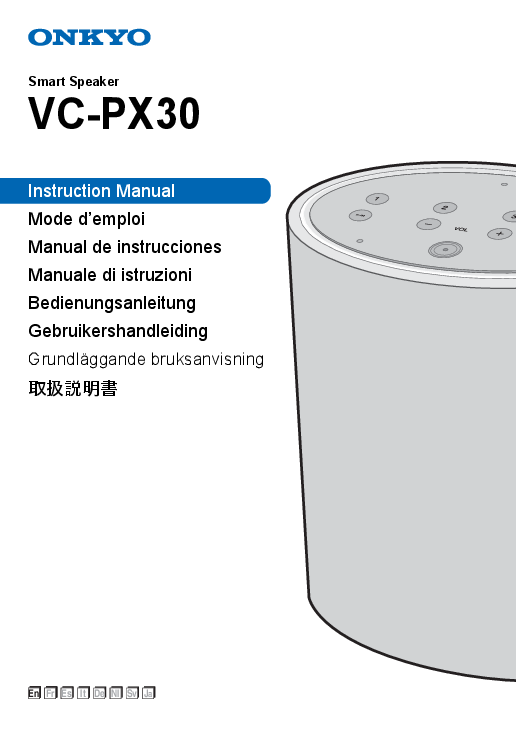
Smart Speaker VC-PX30 - Onkyo
Using Amazon Alexa Either face the unit and say "Alexa" or press the Amazon Alexa button to call up the Amazon Alexa Voice Service. When you have spoken to the unit and Alexa has recognized a question, the Lig…
VC-PX30 - ONKYO
Ja. Smart Speaker. VC-PX30. Instruction Manual. Mode d'emploi. Manual de instrucciones. Manuale di istruzioni. Bedienungsanleitung. Gebruikershandleiding.
0Also refer to the instruction manual of the audio device you want to connect for connection and operation details. To input audio from other devices You can input the audio from other audio devices into this unit, then…
Full PDF Document

If the inline viewer fails, it will open the original document in compatibility mode automatically. You can also open the file directly.
Extracted Text
Smart Speaker
VC-PX30
Instruction Manual Mode d'emploi Manual de instrucciones Manuale di istruzioni Bedienungsanleitung Gebruikershandleiding Grundl�ggande bruksanvisning
En Fr Es It De Nl Sv Ja

Part Names

Front

Back

1

2

8

3

9

4

5

10

6

11

7 12

1. Microphone: Used when talking to Amazon Alexa.
2. Preset button: You can tune stations with one press of a button by registering your favorite stations. (P4)
3. Light Ring: The status of this unit is indicated by the colors
and illumination status of the LEDs. (P3) 4. Mic Mute button: Turn on or off microphone. 0 Amazon Alexa will not respond when you call it while
microphone is off. 5. Volume (i/j) buttons: Use to adjust the volume. You can
adjust the volume between 0 and 30. When you press the
i volume button, the Light Ring lights in a clockwise direction. 6. Amazon Alexa button: Use to call Amazon Alexa with a
button rather than calling it with your voice. 7. Play/pause (1/;) button: Used for play operations in the
Music app, etc.

14

13

8. Power (�) button: A short press turns the power on or off. 9. Wi-Fi ( ) button:
Wi-Fi setup mode: 8 seconds press WPS mode: 3 seconds press Cancel: Single press 10.RESET button: Use to reset the unit to return it to the state it was in at the time of shipment. (P4) 11. micro USB/USB ports: This is not available for use. It is only used when the unit is being serviced. 12.AUX IN ( ) jack: Use the supplied mini plug cable to input the audio from other devices to this unit. (P4) 13.AUX OUT ( ) jack: Use the supplied mini plug cable to output the audio received by this unit to another device. (P4) 14.DC IN: Connect the supplied AC adapter.

2

Connect & Initial Setup

Power Cord Hookup
This unit is supplied with a removable AC adapter. Connect the power cord to DC IN of the unit and then connect to the outlet. Always disconnect the outlet side first when disconnecting the power cord.

Play-Fi MusicControl
3. After tapping "Set Up Play-Fi Device", follow the on-screen instructions to connect this unit to the network.
4. Register this unit with Amazon Alexa. Sign in with your Amazon account and register this unit.
When using an iOS device 1. Connect your iOS device directly to this unit via Wi-Fi. 2. Start the Music Control app.

Download the Music Control app
Use the Music Control app to setup the unit and operate it. Download the Music Control app from Google Play or the App Store to your smartphone or tablet. Refer to the following for Music Control app: http://www.onkyo.com/playfi/app_o.html 0 Refer to the FAQ section for information about versions of
operating systems supporting the Music Control app. Refer to the following for FAQ: http://www.eu.onkyo.com/en/faq/
Music Control
The smartphone or tablet needs to be connected to the same network as this unit to setup and operate the unit. Check network connection beforehand.
Initial Setup
Perform the following operation while the Light Ring on this unit lights orange and rotates. Note that you need an Amazon account to use the Amazon Alexa Voice Service on this unit. Arrange an Amazon account before starting.

Play-Fi MusicControl

3. Select the access point to connect the Play-Fi device (this unit).
4. After connecting this unit to the access point, register this unit with Amazon Alexa. Sign in with your Amazon account and register this unit.
0 You can also register with Amazon Alexa later. Tap " " in the Home screen of the app, select "Amazon Alexa" and register this unit.
0 Refer to "Using Amazon Alexa" (P4) for how to use Amazon Alexa.
Checking the status of this unit
The illumination and blinking status of the Light Ring on the top of the unit lets you see the status of the unit.

The Light Ring lights blue and a brighter blue light rotates around the ring
All off
The Light Ring lights orange and rotates
Lights white

Starting
On standby Connected by Wi-Fi Adjusting the volume

When using an Android handset 1. Connect your Android handset to the access point. 2. Start the Music Control app.

En 3

Operate the Unit

Using Amazon Alexa
Either face the unit and say "Alexa" or press the Amazon Alexa button to call up the Amazon Alexa Voice Service. When you have spoken to the unit and Alexa has recognized a question, the Light Ring lights blue and a brighter blue light rotates around the ring.
Alexa answers the question after a while. 0 Alexa will not respond if the microphone is off, even if you
call her.
Registering a station
You can register up to 4 of your favorite radio stations. You can call up stations with one press of a button by registering them. Perform the following procedure when the unit is on. 1. Play the station you want to register on the Music Control
app. 2. Press and hold one of the Preset buttons 1 to 4 for
4 seconds. Repeat steps 1 and 2 to register your favorite stations. 0 This feature may not be supported by some services. Refer to the FAQ for stations you can register. Refer to the following for FAQ: http://www.eu.onkyo.com/en/faq/ 0 You cannot register stations which you started playing with Amazon Alexa.
Connecting external devices
To output audio from other devices You can output the audio being played on this unit through the speakers of another audio device. Turn off this unit before connecting the supplied mini plug cable. 1. Connect the supplied mini plug cable to the AUX OUT jack
on the rear and to the audio input jack on your audio device, etc. 2. Turn on this unit and start play on the music app. 0 If there is no sound output from the audio device you connected, check whether the audio output level on this unit is too low. 0 Also refer to the instruction manual of the audio device you want to connect for connection and operation details.
To input audio from other devices You can input the audio from other audio devices into this unit, then stream to other devices on the Play-Fi network for play via this unit. Turn off this unit before connecting the supplied mini plug cable. 1. Connect the supplied mini plug cable to the AUX IN jack
on the rear and to the audio output jack on your audio device, etc. 2. After turning this unit on, tap the "i" at the top of the screen in the Home screen of the app, then tap "Line In". 3. In the Line In selection screen, tap the device connected with the mini plug (this unit).
4

4. Select the device for streaming from the list of Play-Fi compatible devices in the network.
5. Start play on the connected audio device. 0 If there is no audio output, check whether the audio output
level on your audio device is too low. 0 Also refer to the instruction manual of the audio device you
want to connect for connection and operation details.
Initialize
Initialize the settings of the unit to return the settings to the status at the time of purchase. This returns the unit to the status at the time of purchase, so take note of the settings before proceeding. To initialize, press and hold RESET for 8 seconds. The unit makes a sound when initializing starts. It takes about 30 seconds to initialize. When initializing is finished, the Light Ring lights orange and rotates and the unit is on stand by to receive initial settings.

Troubleshooting
 Wi-Fi settings
Q: Cannot connect with Wi-Fi router. A: It may not be possibly to connect with your Wi-Fi router if it
is in stealth mode.
 Settings
Q: Failed to update the software. A: Check the internet connection. A: Before trying to update the software, stop any play
operations. If this doesn't work, trying quitting the app, then restarting it and trying the update again.
 Play
Q: Cannot control play with voice commands. A: Content that you started playing using the Music Control
app cannot be voice controlled using the Amazon Alexa Voice Service. Operate using the Music Control app.
En 5

Specifications
 Audio Section
Frequency Response 28 Hz - 20 kHz
 Descriptions required by the RE Directive of the European Union (EU)
Maximum radio-frequency power transmitted in the frequency band(s) (For European models)
2400 - 2483.5 MHz: 20 dBm (Equivalent Isotropic Radiated Power) 5150 - 5350 MHz: 21 dBm (Equivalent Isotropic Radiated Power) 5470 - 5725 MHz: 20 dBm (Equivalent Isotropic Radiated Power)
 General
Power Supply AC 220 - 240 V, 50 / 60 Hz
Power Consumption 7 W 0.4 W (Standby mode) 6.5 W (No sound)
Dimensions (W a H a D) 166.7 mm a 201.5 mm a 106 mm (6-9/16" a 7-15/16" a 4-3/16")
Weight 1.6 kg (3.5 lbs.)
 Input jack
Analog AUX IN: 1
 Output jack
Analog AUX OUT: 1
 Other jacks
micro USB a 1 USB type A a 1 0 These jacks are not available for use.
 Supported File Formats
.mp3 (8-48 kHz/16 bit, 24-320 bps) .m4a and .aac (8-48 kHz/16 bit (24 bit: Apple Lossless only) 16-320 bps) .flac (8-48 kHz/16, 24 bit) .wav (8-48 kHz/16, 24 bit) .aiff (8-48 kHz/16, 24 bit)
 Other features (Speaker)
Full Range 2.5 in 4 ohm NEO, 2 pieces Passive Radiator: 105 a 59, 2 pieces
Specifications and appearance are subject to change without notice. We will not accept responsibility for damage arising from the connection of equipment manufactured by other companies.
6

License and Trademark
Apple and the Apple logo are trademarks of Apple Inc., registered in the U.S. and other countries. App Store is a service mark of Apple Inc., registered in the U.S. and other countries. Google Play and the Google Play logo are trademarks of Google Inc. Amazon, Alexa and all related logos are trademarks of Amazon.com, Inc. or its affiliates. For DTS patents, see http://patents.dts.com. Manufactured under license from DTS, Inc. DTS,Play-Fi, the Symbol, and Play-Fi together in combination with the Symbol are trademarks of DTS, Inc.DTS and Play-Fi are registered trademarks of DTS, Inc. � DTS, Inc. All Rights Reserved. All other trademarks are the property of their respective owners. / Toutes les autres marques commerciales sont la propri�t� de leurs d�tenteurs respectifs. / El resto de marcas comerciales son propiedad de sus respectivos propietarios. / Tutti gli altri marchi di fabbrica sono di propriet� dei rispettivi proprietari. / Alle anderen Warenzeichen sind das Eigentum ihrer jeweiligen Eigent�mer. / Alle andere handelsmerken zijn eigendom van de desbetreffende rechthebbenden. / Alla andra varum�rken tillh�r deras respektive �gare. / Kaikki muut tuotemerkit ovat omistajiensa omaisuutta. /
En 7

1-10-5 Yokoami, Sumida-ku, Tokyo 130-0015 Japan http://www.onkyo.com/
<U.S.A.> 18 Park Way, Upper Saddle River, N.J. 07458, U.S.A. For Dealer, Service, Order and all other Business Inquiries: Tel: 201-785-2600 Fax: 201-785-2650 http://www.us.onkyo.com/
For Product Support Team Only: 1-800-229-1687 http://www.us.onkyo.com/
<Germany> Gutenbergstrasse 3, 82178 Puchheim, Germany Tel: +49-8142-4401-0 Fax: +49-8142-4208-213 http://www.eu.onkyo.com/
<UK> Anteros Building, Odyssey Business Park, West End Road, South Ruislip, Middlesex, HA4 6QQ United Kingdom Tel: +44 (0)871-200-1996 Fax: +44 (0)871-200-1995 For Product Support only: +44 (0)208-836-3510 http://www.uk.onkyo.com/en/
<France> 6, Avenue de Marais F - 95816 Argenteuil Cedex FRANCE For Product Support only: +33 969 368 138 http://www.fr.onkyo.com/fr/
<Hong Kong> Unit 1033, 10/F, Star House, No 3, Salisbury Road, Tsim Sha Tsui Kowloon, Hong Kong. Tel: +852-2429-3118 Fax: +852-2428-9039 http://www.hk.onkyo.com/
<PRC> 302, Building 1, 20 North Chaling Rd., Xuhui District, Shanghai, China 200032, Tel: +86-21-52131366 Fax: +86-21-52130396 http://www.cn.onkyo.com/
<Asia, Oceania, Middle East, Africa> Please contact an Onkyo distributor referring to Onkyo SUPPORT site. http://www.intl.onkyo.com/support/
The above-mentioned information is subject to change without prior notice. Visit the Onkyo web site for the latest update.

(C) Copyright 2018 Onkyo & Pioneer Corporation Japan. All rights reserved. http://www.onkyo.com/privacy/
SN29403263B

F1809-2
*29403263B*

Smart Speaker
VC-PX30
Instruction Manual Mode d'emploi Manual de instrucciones Manuale di istruzioni Bedienungsanleitung Gebruikershandleiding Grundl�ggande bruksanvisning
En Fr Es It De Nl Sv Ja

Nom des pi�ces

Avant

Arri�re

1

2

8

3

9

4

5

10

6

11

7 12

1. Microphone : Utilis� pour parler � Amazon Alexa.
2. Touche de pr�s�lection : Vous pouvez syntoniser des stations d'une seule pression sur une touche en y m�morisant vos stations favorites. (P4)
3. Anneau lumineux : L'�tat de cet appareil est indiqu� par les couleurs et le mode d'�clairage des LED. (P3)
4. Touche Coupure du microphone : Activation ou
d�sactivation du microphone. 0 Amazon Alexa ne r�pondra pas si vous l'appelez pendant
que le microphone est d�sactiv�.
5. Touches du volume (i/j) : Permettent de r�gler le volume. Vous pouvez r�gler le volume de 0 � 30. Lorsque vous appuyez sur la touche i, l'anneau lumineux s'�claire dans le sens horaire.
6. Touche Amazon Alexa : Permet de faire appel � Amazon Alexa � l'aide d'une touche plut�t qu'avec votre voix.
7. Touche lecture/pause (1/;) : Utilis�e pour les commandes de lecture dans Music App, etc.

14

13

8. Touche d'alimentation (�) : Une br�ve pression permet de mettre en marche ou de couper l'alimentation.
9. Touche Wi-Fi ( ) : Mode configuration Wi-Fi : Pression de 8 secondes Mode WPS : Pression de 3 secondes Annulation : Simple pression
10.Touche RESET : Utilis�e pour r�initialiser l'appareil pour qu'il retrouve l'�tat qu'il avait au moment de son achat. (P4)
11. Ports micro USB/USB : Ceux-ci ne sont pas destin�s � �tre utilis�s. Ils sont uniquement utilis�s lorsque l'appareil est en d�pannage.
12.Prise AUX IN ( ) : Utilisez le c�ble � mini-fiche fourni pour permettre l'entr�e du son provenant d'autres dispositifs sur cet appareil. (P4)
13.Prise AUX OUT ( ) : Utilisez le c�ble � mini-fiche fourni pour �mettre le son re�u par cet appareil vers un autre dispositif. (P4)
14.DC IN : Permet de raccorder l'adaptateur secteur fourni.

2

Raccordement et Configuration initiale

Branchement du cordon d'alimentation
Cet appareil est fourni avec un adaptateur secteur amovible. Branchez le cordon d'alimentation � la prise DC IN de l'appareil puis � la prise d'alimentation. Toujours d�brancher de la prise en premier lorsque vous retirez le cordon d'alimentation.

Pour utiliser un t�l�phone Android 1. Connectez votre t�l�phone Android au point d'acc�s. 2. Lancez l'application Music Control.
Play-Fi MusicControl

T�l�chargez l'application Music Control
Utilisez l'application Music Control pour configurer l'appareil et l'utiliser. T�l�chargez l'application Music Control depuis Google Play ou l'App Store de votre smartphone ou tablette. Consultez ce qui suit concernant l'appli Music Control : http://www.onkyo.com/playfi/app_o.html 0 Consultez la section FAQ pour avoir des informations sur
les versions des syst�mes d'exploitation prenant en charge l'appli Music Control. Visitez l'adresse suivante pour consulter la FAQ : http://www.eu.onkyo.com/en/faq/
Music Control
Le smartphone ou la tablette doivent �tre connect�s au m�me r�seau que cet appareil pour pouvoir configurer et utiliser ce dernier. Contr�lez la connexion r�seau au pr�alable.
Initial Setup
Effectuez l'action suivante pendant que l'anneau lumineux de cet appareil est orange et qu'il tourne. Veuillez noter qu'il est n�cessaire d'avoir un compte Amazon pour utiliser Amazon Alexa Voice Service sur cet appareil. Pr�voyez d'avoir un compte Amazon avant le d�marrage.

3. Apr�s avoir touch� "Set Up Play-Fi Device", suivez les instructions � l'�cran pour connecter cet appareil au r�seau.
4. Enregistrez cet appareil avec Amazon Alexa. Inscrivezvous avec votre compte Amazon et enregistrez cet appareil.
Pour utiliser un dispositif iOS 1. Connectez votre dispositif iOS directement � cet appareil
par Wi-Fi. 2. Lancez l'application Music Control.

Play-Fi MusicControl

3. S�lectionnez le point d'acc�s pour connecter le dispositif Play-Fi (cet appareil).
4. Apr�s avoir connect� cet appareil au point d'acc�s, enregistrez-le avec Amazon Alexa. Inscrivez-vous avec votre compte Amazon et enregistrez cet appareil.
0 Vous pouvez �galement vous enregistrer avec Amazon Alexa ult�rieurement. Touchez " " sur l'�cran Home de l'appli, s�lectionnez "Amazon Alexa" et enregistrez cet appareil.
0 Consultez "Utilisation de Amazon Alexa" (P4) pour savoir comment utiliser Amazon Alexa.
V�rification de l'�tat de cet appareil
Le mode d'�clairage et de clignotement de l'anneau lumineux situ� sur cet appareil vous permet de connaitre l'�tat de l'appareil.

L'anneau lumineux devient bleu et une lumi�re plus vive tourne autour de celui-ci.
Tout �teint
L'anneau lumineux est orange et tourne
�clairage blanc

D�marrage
En veille Connect� par Wi-Fi R�glage du volume

Fr 3

Actionner l'appareil

Utilisation de Amazon Alexa
Mettez-vous face � l'appareil et dites "Alexa" ou appuyez sur la touche Amazon Alexa pour faire appel � Amazon Alexa Voice Service. Une fois que vous avez parl� � l'appareil et qu'Alexa a compris la question, l'anneau lumineux devient bleu et un point plus fortement �clair� tourne sur l'anneau.
Alexa r�pond � la question au bout de quelques instants. 0 Alexa ne r�pondra pas si le microphone est d�sactiv�
m�me si vous l'appelez.
M�morisation d'une station
Vous pouvez m�moriser jusqu'� 4 de vos stations de radio favorites. Vous pouvez appeler des stations en appuyant sur une touche en les y m�morisant. Effectuez la proc�dure suivante lorsque l'appareil est en marche. 1. Lancez la station que vous d�sirez m�moriser sur l'appli
Music Control. 2. Appuyez sur l'une des touches de pr�s�lection 1 � 4
pendant 4 secondes. R�p�tez les �tapes 1 et 2 pour m�moriser vos stations favorites. 0 Cette fonctionnalit� pourrait ne pas �tre prise en charge par certains services. Consultez la FAQ pour connaitre les stations que vous pouvez m�moriser. Visitez l'adresse suivante pour consulter la FAQ : http://www.eu.onkyo.com/en/faq/ 0 Vous ne pouvez pas m�moriser les stations que vous avez commenc�es � �couter avec Amazon Alexa.
Raccordement de dispositifs ext�rieurs
Pour reproduire le son vers d'autres dispositifs Vous pouvez �mettre le son en cours de lecture sur cet appareil vers les enceintes d'un autre dispositif audio. �teignez cet appareil avant de raccorder le c�ble � mini-fiche fourni. 1. Branchez le c�ble � mini-fiche � la prise AUX OUT situ�e
� l'arri�re et � l'entr�e audio de votre dispositif audio, etc. 2. Mettez en marche cet appareil et lancez la lecture sur
Music app. 0 Si aucun son n'est audible sur le dispositif audio que vous
avez branch�, v�rifiez si le niveau sonore sur cet appareil est trop bas. 0 Consultez �galement le mode d'emploi du dispositif audio que vous d�sirez raccorder pour en savoir plus sur le raccordement et les commandes.
Pour reproduire le son provenant d'autres dispositifs Vous pouvez permettre l'entr�e du son provenant d'autres dispositifs audio sur cet appareil, puis vous pouvez le diffuser vers d'autres dispositif sur le r�seau Play-Fi pour le lire via cet appareil. �teignez cet appareil avant de raccorder le c�ble � mini-fiche fourni. 1. Branchez le c�ble � mini-fiche � la prise AUX IN situ�e �
l'arri�re et � la sortie audio de votre dispositif audio, etc.
4

2. Apr�s avoir mis en marche cet appareil, touchez "i" sur le haut de l'�cran Home de l'appli, puis touchez "Line In".
3. Sur l'�cran de s�lection Line In, touchez le dispositif qui est raccord� � l'aide de la mini-fiche (cet appareil).
4. S�lectionnez le dispositif de diffusion dans la liste des dispositifs compatibles Play-Fi du r�seau.
5. Lancez la lecture sur le dispositif audio raccord�. 0 Si aucun son n'est audible, v�rifiez si le niveau sonore de
votre dispositif audio est trop bas. 0 Consultez �galement le mode d'emploi du dispositif audio
que vous d�sirez raccorder pour en savoir plus sur le raccordement et les commandes.
Initialisation
Initialisez les param�tres de l'appareil pour qu'ils reviennent comme ils �taient au moment de l'achat. Ceci remet l'appareil comme il �tait au moment de l'achat, donc veuillez noter les r�glages avant de proc�der. Pour initialiser, appuyez sur la touche RESET pendant 8 secondes. L'appareil �met un son lorsque l'initialisation d�marre. L'initialisation prend environ 30 secondes. Une fois que l'initialisation est termin�e, l'anneau lumineux devient orange et tourne puis l'appareil se met en veille pour recevoir les r�glages initiaux.

D�pannage
 Param�tres Wi-Fi
Q : Impossible de se connecter avec le routeur Wi-Fi. R : Il pourrait �tre impossible de se connecter � votre routeur
Wi-Fi si celui-ci est en mode discret.
 R�glages
Q : �chec de la mise � jour du logiciel. R : V�rifiez la connexion Internet. R : Avant d'essayer de mettre � jour le logiciel, arr�tez toutes
les actions de lecture. Si ceci ne fonctionne pas, essayez de fermer l'appli puis de la relancer et de refaire la mise � jour.
 Lecture
Q : Impossible de contr�ler la lecture avec les commandes vocales.
R : Le contenu que vous essayez de lancer � l'aide de l'appli Music Control ne peut pas �tre contr�l� vocalement � l'aide de Amazon Alexa Voice Service. Utilisez l'appli Music Control.
Fr 5

Caract�ristiques techniques
 Section audio
R�ponse en fr�quence 28 Hz - 20 kHz
 Descriptions exig�es par les Directives sur les �quipements radio de l'Union Europ�enne (UE)
Puissance maximum de radiofr�quence �mise dans la(les) bande(s) de fr�quence (Pour les mod�les europ�ens)
2400 - 2483,5 MHz: 20 dBm (Puissance Isotrope Rayonn�e �quivalente) 5150 - 5350 MHz: 21 dBm (Puissance Isotrope Rayonn�e �quivalente) 5470 - 5725 MHz: 20 dBm (Puissance Isotrope Rayonn�e �quivalente)
 G�n�ral
Alimentation 220 - 240 V CA, 50 / 60 Hz
Consommation d'�nergie 7 W 0,4 W (Mode veille) 6,5 W (Pas de son)
Dimensions (L a H a P) 166,7 mm a 201,5 mm a 106 mm (6-9/16" a 7-15/16" a 4-3/16")
Poids 1,6 kg (3,5 lbs.)
 Prise d'entr�e
Analogique AUX IN : 1
 Prise de sortie
Analogique AUX OUT : 1
 Autres prises
micro USB a 1 USB type A a 1 0 Ces prises ne sont pas destin�es � �tre utilis�es.
 Formats de fichier pris en charge
.mp3 (8-48 kHz/16 bit, 24-320 bps) .m4a et .aac (8-48 kHz/16 bits (24 bits : Apple Lossless uniquement) 16-320 bps) .flac (8-48 kHz/16, 24 bits) .wav (8-48 kHz/16, 24 bits) .aiff (8-48 kHz/16, 24 bits)
 Autres caract�ristiques (Haut-parleur)
Large bande 2,5 en 4 ohm NEO, 2 unit�s Radiateur passif : 105 a 59, 2 unit�s
Les sp�cifications et l'aspect peuvent changer sans avis. Nous d�clinons toute responsabilit� concernant des dommages r�sultant d'une connexion � des �quipements fabriqu�s par d'autres soci�t�s.
6

Licence et Marque commerciale
Apple and the Apple logo are trademarks of Apple Inc., registered in the U.S. and other countries. App Store is a service mark of Apple Inc., registered in the U.S. and other countries. Google Play and the Google Play logo are trademarks of Google Inc. Amazon, Alexa and all related logos are trademarks of Amazon.com, Inc. or its affiliates. For DTS patents, see http://patents.dts.com. Manufactured under license from DTS, Inc. DTS,Play-Fi, the Symbol, and Play-Fi together in combination with the Symbol are trademarks of DTS, Inc.DTS and Play-Fi are registered trademarks of DTS, Inc. � DTS, Inc. All Rights Reserved. All other trademarks are the property of their respective owners. / Toutes les autres marques commerciales sont la propri�t� de leurs d�tenteurs respectifs. / El resto de marcas comerciales son propiedad de sus respectivos propietarios. / Tutti gli altri marchi di fabbrica sono di propriet� dei rispettivi proprietari. / Alle anderen Warenzeichen sind das Eigentum ihrer jeweiligen Eigent�mer. / Alle andere handelsmerken zijn eigendom van de desbetreffende rechthebbenden. / Alla andra varum�rken tillh�r deras respektive �gare. / Kaikki muut tuotemerkit ovat omistajiensa omaisuutta. /
Fr 7

1-10-5 Yokoami, Sumida-ku, Tokyo 130-0015 Japan http://www.onkyo.com/
<U.S.A.> 18 Park Way, Upper Saddle River, N.J. 07458, U.S.A. For Dealer, Service, Order and all other Business Inquiries: Tel: 201-785-2600 Fax: 201-785-2650 http://www.us.onkyo.com/
For Product Support Team Only: 1-800-229-1687 http://www.us.onkyo.com/
<Germany> Gutenbergstrasse 3, 82178 Puchheim, Germany Tel: +49-8142-4401-0 Fax: +49-8142-4208-213 http://www.eu.onkyo.com/
<UK> Anteros Building, Odyssey Business Park, West End Road, South Ruislip, Middlesex, HA4 6QQ United Kingdom Tel: +44 (0)871-200-1996 Fax: +44 (0)871-200-1995 For Product Support only: +44 (0)208-836-3510 http://www.uk.onkyo.com/en/
<France> 6, Avenue de Marais F - 95816 Argenteuil Cedex FRANCE For Product Support only: +33 969 368 138 http://www.fr.onkyo.com/fr/
<Hong Kong> Unit 1033, 10/F, Star House, No 3, Salisbury Road, Tsim Sha Tsui Kowloon, Hong Kong. Tel: +852-2429-3118 Fax: +852-2428-9039 http://www.hk.onkyo.com/
<PRC> 302, Building 1, 20 North Chaling Rd., Xuhui District, Shanghai, China 200032, Tel: +86-21-52131366 Fax: +86-21-52130396 http://www.cn.onkyo.com/
<Asia, Oceania, Middle East, Africa> Please contact an Onkyo distributor referring to Onkyo SUPPORT site. http://www.intl.onkyo.com/support/
The above-mentioned information is subject to change without prior notice. Visit the Onkyo web site for the latest update.

(C) Copyright 2018 Onkyo & Pioneer Corporation Japan. All rights reserved. http://www.onkyo.com/privacy/
SN29403263B

F1809-2
*29403263B*

Smart Speaker
VC-PX30
Instruction Manual Mode d'emploi Manual de instrucciones Manuale di istruzioni Bedienungsanleitung Gebruikershandleiding Grundl�ggande bruksanvisning
En Fr Es It De Nl Sv Ja

Nombres de las piezas

Delantero

Detr�s

1

2

8

3

9

4

5

10

6

11

7 12

1. Micr�fono: Utilizado cuando se habla con Amazon Alexa.
2. Bot�n de preajuste: Registrando sus emisoras favoritas, puede sintonizar emisoras con un toque de un bot�n. (P4)
3. Anillo de luz: El estado de esta unidad se indica a trav�s
de los colores y el estado de iluminaci�n de los LED. (P3) 4. Bot�n de silenciar el micr�fono: Enciende o apaga el
micr�fono.
0 Mientras el micr�fono est� apagado, Amazon Alexa no responder� cuando la llame.
5. Botones de volumen (i/j): Se utilizan para ajustar el volumen. Puede ajustar el volumen entre 0 y 30. Cuando pulsa el bot�n de volumen i, el anillo de luz se ilumina en direcci�n horaria.
6. Bot�n Amazon Alexa: Se utiliza para llamar a Amazon Alexa con un bot�n en vez de con la voz.
7. Bot�n de reproducci�n/pausa (1/;): Utilizado para operaciones de reproducci�n en la aplicaci�n de m�sica, etc.

14

13

8. Bot�n de encendido (�): Una pulsaci�n breve enciende o apaga la alimentaci�n.
9. Bot�n Wi-Fi ( ): Modo de configuraci�n de Wi-Fi: Pulsaci�n de 8 segundos Modo WPS: Pulsaci�n de 3 segundos Cancelar: Una pulsaci�n
10.Bot�n RESET: Util�celo para restablecer la unidad para devolverla al estado en el que estaba en el momento del env�o. (P4)
11. Puertos micro USB/USB: No est�n disponibles para su uso. Solo se usan cuando la unidad se encuentra en mantenimiento.
12.Conector AUX IN ( ): Utilice el cable mini plug suministrado para introducir audio desde otros dispositivos a esta unidad. (P4)
13.Conector AUX OUT ( ): Utilice el cable mini plug suministrado para transmitir el audio recibido por esta unidad a otro dispositivo. (P4)
14.DC IN: Conecte el adaptador de CA suministrado.

2

Conexi�n y configuraci�n inicial

Conexi�n del cable de alimentaci�n
Esta unidad se suministra con un adaptador de CA extra�ble. Conecte el cable de alimentaci�n al DC IN de la unidad y luego con�ctelo a la toma. Desconecte siempre el cable de alimentaci�n del lado de la toma de corriente primero cuando desconecte el cable de alimentaci�n.

Cuando use un terminal Android 1. Conecte su terminal Android al punto de acceso. 2. Abra la aplicaci�n Music Control.
Play-Fi MusicControl

Descargue la aplicaci�n Music Control
Utilice la aplicaci�n Music Control para configurar la unidad y operarla. Descargue la aplicaci�n Music Control desde Google Play o la App Store en su tel�fono inteligente o tableta. Consulte el siguiente enlace sobre la aplicaci�n Music Control: http://www.onkyo.com/playfi/app_o.html 0 Consulte la secci�n FAQ para informaci�n sobre las
versiones de sistemas operativos compatibles con la aplicaci�n Music Control. Consulte el siguiente enlace sobre FAQ: http://www.eu.onkyo.com/en/faq/
Music Control
Es necesario que el tel�fono inteligente o tableta est� conectado a la misma red que esta unidad para realizar la configuraci�n y operar la unidad. Compruebe antes la conexi�n de red.
Initial Setup
Realice la siguiente operaci�n mientras el anillo de luz de esta unidad se ilumina en naranja y gira. Tenga en cuenta que necesita una cuenta Amazon para usar el Amazon Alexa Voice Service en esta unidad. Cree una cuenta Amazon antes de comenzar.

3. Despu�s de tocar "Set Up Play-Fi Device", siga las instrucciones en pantalla para conectar esta unidad a la red.
4. Registre esta unidad con Amazon Alexa. Entre en su cuenta Amazon y registre esta unidad.
Cuando use un dispositivo iOS 1. Conecte su dispositivo iOS directamente a esta unidad v�a
Wi-Fi. 2. Abra la aplicaci�n Music Control.

Play-Fi MusicControl

3. Seleccione el punto de acceso para conectar el dispositivo Play-Fi (esta unidad).
4. Despu�s de conectar esta unidad al punto de acceso, registre la unidad con Amazon Alexa. Entre en su cuenta Amazon y registre esta unidad.
0 Tambi�n puede registrarse con Amazon Alexa m�s tarde. Toque " " en la pantalla Home de la aplicaci�n, seleccione "Amazon Alexa" y registre esta unidad.
0 Consulte "Uso Amazon Alexa" (P4) para informaci�n sobre c�mo usar Amazon Alexa.
Comprobaci�n del estado de esta unidad
El estado de iluminaci�n y parpadeo del anillo de luz de la parte superior de la unidad le permite ver el estado de la unidad.

El anillo de luz se ilumina en azul y una luz de un azul m�s brillante gira alrededor del anillo
Todo apagado
El anillo de luz se ilumina en naranja y rota
Se ilumina en blanco

Iniciando
En espera Conectado por Wi-Fi Ajuste del volumen

Es 3

Operaci�n de la unidad

Uso Amazon Alexa
Col�quese delante de la unidad y diga "Alexa" o pulse el bot�n Amazon Alexa para activar Amazon Alexa Voice Service. Cuando haya hablado a la unidad y Alexa haya reconocido una pregunta, el anillo de luz se iluminar� en azul y una luz azul m�s brillante girar� alrededor del anillo.
Alexa responde la pregunta despu�s de un rato. 0 Alexa no responder� si el micr�fono est� apagado, incluso
aunque la llame.
Registrar una emisora
Puede registrar hasta un m�ximo de 4 emisoras de radio favoritas. Registrando las emisoras, podr� activarlas con un toque de un bot�n. Realice el siguiente procedimiento cuando la unidad est� encendida. 1. Reproduzca la emisora que quiere registrar en la
aplicaci�n Music Control. 2. Mantenga pulsado uno de los botones de preajuste 1 a 4
durante 4 segundos. Repita los pasos 1 y 2 para registrar sus emisoras favoritas. 0 Puede que esta funci�n no sea compatible con algunos servicios. Consulte las FAQ para informaci�n sobre las emisoras que puede registrar. Consulte el siguiente enlace sobre FAQ: http://www.eu.onkyo.com/en/faq/ 0 No puede registrar emisoras que ha comenzado a reproducir con Amazon Alexa.
Conectar dispositivos externos
Para emitir audio desde otros dispositivos Puede emitir el audio reproducido en esta unidad a trav�s de los altavoces de otro dispositivo de audio. Apague la unidad antes de conectar el cable mini plug suministrado. 1. Conecte el cable mini plug suministrado al conector AUX
OUT en la parte trasera y al conector de entrada de audio de su dispositivo de audio, etc. 2. Encienda la unidad y comience a reproducir en la aplicaci�n de m�sica. 0 Si no se emite sonido desde el dispositivo de audio que ha conectado, compruebe si el nivel de salida del audio en esta unidad es demasiado bajo. 0 Tambi�n consulte el manual de instrucciones del dispositivo de audio que desea conectar para informaci�n sobre la conexi�n y el funcionamiento.
Para introducir audio desde otros dispositivos Puede introducir el audio desde otros dispositivos de audio a esta unidad y despu�s transmitirlo a otros dispositivos de la red Play-Fi para su reproducci�n a trav�s de esta unidad. Apague la unidad antes de conectar el cable mini plug suministrado. 1. Conecte el cable mini plug suministrado al conector AUX
IN en la parte trasera y al conector de salida de audio de
4

su dispositivo de audio, etc. 2. Despu�s de encender la unidad, toque "i" en la parte
superior de la pantalla en la pantalla Home de la aplicaci�n y despu�s toque "Line In". 3. En la pantalla de selecci�n Line In, toque el dispositivo conectado con el mini plug (esta unidad). 4. Seleccione en la lista de dispositivos compatibles Play-Fi de la red el dispositivo para la transmisi�n. 5. Inicie la reproducci�n en el dispositivo de audio conectado. 0 Si no se emite audio, compruebe si el nivel de salida del audio en su dispositivo de audio es demasiado bajo. 0 Tambi�n consulte el manual de instrucciones del dispositivo de audio que desea conectar para informaci�n sobre la conexi�n y el funcionamiento.
Inicializar
Inicialice los ajustes de la unidad para devolver los ajustes al estado en el que estaban en el momento de la compra. Esto hace que la unidad vuelva al estado en el que estaba en el momento de la compra, de modo que tome nota de los ajustes antes de continuar. Para inicializar, mantenga pulsado RESET durante 8 segundos. La unidad emite un sonido cuando comienza la inicializaci�n. Tardar� aproximadamente 30 segundos en inicializarse. Cuando la inicializaci�n haya terminado, el anillo de luz se iluminar� en naranja y girar� y la unidad estar� en modo de espera para recibir los ajustes iniciales.

Resoluci�n de problemas
 Configuraci�n de Wi-Fi
Q: No se puede conectar con el router Wi-Fi. A: Puede que no sea posible conectar con su router Wi-Fi si
est� en modo sigiloso.
 Configuraci�n
Q: Error al actualizar el software. A: Compruebe la conexi�n a internet. A: Antes de intentar actualizar el software, detenga cualquier
operaci�n de reproducci�n. Si esto no funciona, pruebe a cerrar la aplicaci�n y despu�s volver a abrirla e intente realizar la actualizaci�n de nuevo.
 Reproducci�n
Q: No se puede controlar la reproducci�n con comandos de voz.
A: El contenido que ha comenzado a reproducir utilizando la aplicaci�n Music Control no se puede controlar por voz usando Amazon Alexa Voice Service. Opere utilizando la aplicaci�n Music Control.
Es 5

Especificaciones
 Secci�n de audio
Respuesta de frecuencia 28 Hz - 20 kHz
 Descripciones requeridas por la Directiva RE de la Uni�n Europea (UE)
Potencia de radiofrecuencia m�xima transmitida en la banda(s) de frecuencia (Para modelos europeos)
2400 - 2483,5 MHz: 20 dBm (Potencia isotr�pica radiada equivalente) 5150 - 5350 MHz: 21 dBm (Potencia isotr�pica radiada equivalente) 5470 - 5725 MHz: 20 dBm (Potencia isotr�pica radiada equivalente)
 General
Alimentaci�n 220 - 240 V CA, 50 / 60 Hz
Consumo de energ�a 7 W 0,4 W (Modo de espera) 6,5 W (Sin sonido)
Dimensiones (An a Al a Pr) 166,7 mm a 201,5 mm a 106 mm (6-9/16" a 7-15/16" a 4-3/16")
Peso 1,6 kg (3,5 lbs.)
 Conector de entrada
Anal�gico AUX IN: 1
 Conector de salida
Anal�gico AUX OUT: 1
 Otros conectores
micro USB a 1 USB tipo A a 1 0 Estos conectores no est�n disponibles para su uso.
 Formatos de archivo compatibles
.mp3 (8-48 kHz/16 bit, 24-320 bps) .m4a y .aac (8-48 kHz/16 bit (24 bit: Apple Lossless solo) 16-320 bps) .flac (8-48 kHz/16, 24 bit) .wav (8-48 kHz/16, 24 bit) .aiff (8-48 kHz/16, 24 bit)
 Otras caracter�sticas (Altavoz)
Gama completa 2,5 en 4 ohmios NEO, 2 piezas Radiador pasivo: 105 a 59, 2 piezas
Las especificaciones y el aspecto est�n sujetos a cambios sin previo aviso. No aceptamos ninguna responsabilidad por da�o causado debido a la conexi�n de equipos fabricados por otras compa��as.
6

Licencias y marcas comerciales
Apple and the Apple logo are trademarks of Apple Inc., registered in the U.S. and other countries. App Store is a service mark of Apple Inc., registered in the U.S. and other countries. Google Play and the Google Play logo are trademarks of Google Inc. Amazon, Alexa and all related logos are trademarks of Amazon.com, Inc. or its affiliates. For DTS patents, see http://patents.dts.com. Manufactured under license from DTS, Inc. DTS,Play-Fi, the Symbol, and Play-Fi together in combination with the Symbol are trademarks of DTS, Inc.DTS and Play-Fi are registered trademarks of DTS, Inc. � DTS, Inc. All Rights Reserved. All other trademarks are the property of their respective owners. / Toutes les autres marques commerciales sont la propri�t� de leurs d�tenteurs respectifs. / El resto de marcas comerciales son propiedad de sus respectivos propietarios. / Tutti gli altri marchi di fabbrica sono di propriet� dei rispettivi proprietari. / Alle anderen Warenzeichen sind das Eigentum ihrer jeweiligen Eigent�mer. / Alle andere handelsmerken zijn eigendom van de desbetreffende rechthebbenden. / Alla andra varum�rken tillh�r deras respektive �gare. / Kaikki muut tuotemerkit ovat omistajiensa omaisuutta. /
Es 7

1-10-5 Yokoami, Sumida-ku, Tokyo 130-0015 Japan http://www.onkyo.com/
<U.S.A.> 18 Park Way, Upper Saddle River, N.J. 07458, U.S.A. For Dealer, Service, Order and all other Business Inquiries: Tel: 201-785-2600 Fax: 201-785-2650 http://www.us.onkyo.com/
For Product Support Team Only: 1-800-229-1687 http://www.us.onkyo.com/
<Germany> Gutenbergstrasse 3, 82178 Puchheim, Germany Tel: +49-8142-4401-0 Fax: +49-8142-4208-213 http://www.eu.onkyo.com/
<UK> Anteros Building, Odyssey Business Park, West End Road, South Ruislip, Middlesex, HA4 6QQ United Kingdom Tel: +44 (0)871-200-1996 Fax: +44 (0)871-200-1995 For Product Support only: +44 (0)208-836-3510 http://www.uk.onkyo.com/en/
<France> 6, Avenue de Marais F - 95816 Argenteuil Cedex FRANCE For Product Support only: +33 969 368 138 http://www.fr.onkyo.com/fr/
<Hong Kong> Unit 1033, 10/F, Star House, No 3, Salisbury Road, Tsim Sha Tsui Kowloon, Hong Kong. Tel: +852-2429-3118 Fax: +852-2428-9039 http://www.hk.onkyo.com/
<PRC> 302, Building 1, 20 North Chaling Rd., Xuhui District, Shanghai, China 200032, Tel: +86-21-52131366 Fax: +86-21-52130396 http://www.cn.onkyo.com/
<Asia, Oceania, Middle East, Africa> Please contact an Onkyo distributor referring to Onkyo SUPPORT site. http://www.intl.onkyo.com/support/
The above-mentioned information is subject to change without prior notice. Visit the Onkyo web site for the latest update.

(C) Copyright 2018 Onkyo & Pioneer Corporation Japan. All rights reserved. http://www.onkyo.com/privacy/
SN29403263B

F1809-2
*29403263B*

Smart Speaker
VC-PX30
Instruction Manual Mode d'emploi Manual de instrucciones Manuale di istruzioni Bedienungsanleitung Gebruikershandleiding Grundl�ggande bruksanvisning
En Fr Es It De Nl Sv Ja

Nome dei componenti

Anteriore

Retro

1

2

8

3

9

4

5

10

6

11

7 12

1. Microfono: Utilizzato per impartire comandi vocali ad
Amazon Alexa. 2. Pulsante Preset: � possibile sintonizzare le stazioni con
una pressione singola del pulsante memorizzando le
stazioni preferite. (P4) 3. Anello luminoso: Lo stato di questa unit� � indicato dai
colori e dallo stato di illuminazione dei LED. (P3)
4. Pulsante disattivazione microfono: Consente di attivare o disattivare il microfono.
0 Amazon Alexa non risponder� al comando vocale quando il microfono � disattivato.
5. Tasti volume (i/j): Usare per regolare il volume. Il volume pu� essere regolato in un intervallo compreso tra 0
e 30. Premendo il tasto del volume i, l'anello luminoso si illumina in senso orario. 6. Pulsante Amazon Alexa: Utilizzato per richiamare Amazon
Alexa con un pulsante anzich� con un comando vocale. 7. Pulsante riproduzione/pausa (1/;): Utilizzato per le
operazioni di riproduzione nell'app musicale, ecc.

14

13

8. Pulsante di accensione (�): Premere brevemente per attivare o disattivare l'alimentazione.
9. Tasto Wi-Fi ( ): Configurazione modalit� Wi-Fi: Pressione di 8 secondi Modalit� WPS: Pressione di 3 secondi Annulla: Pressione singola
10.Pulsante RESET: Utilizzato per resettare l'unit� e riportarla allo stato in cui era al momento della spedizione. (P4)
11. Porte micro USB/USB: Non disponibili per l'uso. Vengono utilizzate solamente in occasione di interventi di assistenza sull'unit�.
12.Terminale AUX IN ( ): Usare il cavo mini plug in dotazione per trasferire l'audio da altri dispositivi a questa unit�. (P4)
13.Terminale AUX OUT ( ): Usare il cavo mini plug in dotazione per trasferire l'audio ricevuto da questa unit� a un altro dispositivo. (P4)
14.DC IN: Collegare l'adattatore CA in dotazione.

2

Collegamento e setup iniziale

Collegamento del cavo di alimentazione
Questa unit� � dotata di un adattatore CA rimovibile. Collegare il cavo di alimentazione all'DC IN dell'unit�, quindi collegarlo alla presa. Scollegare sempre prima il lato presa e successivamente il cavo di alimentazione.

Quando si utilizza un dispositivo Android 1. Collegare il dispositivo Android al punto di accesso. 2. Lanciare la app Music Control.

Play-Fi MusicControl

Scaricare l'app Music Control
Usare l'app Music Control per configurare e usare l'unit�. Scaricare l'app Music Control sul proprio smartphone o tablet da Google Play o App Store. Per informazioni sull'app Music Control, fare riferimento al seguente sito Web: http://www.onkyo.com/playfi/app_o.html 0 Per informazioni sulle versioni dei sistemi operativi che
supportano l'app Music Control, fare riferimento alla sezione delle FAQ. Per informazioni su FAQ vedere: http://www.eu.onkyo.com/en/faq/
Music Control
Lo smartphone o il tablet devono essere collegati alla stessa rete di questa unit� affinch� possano essere usati per la sua configurazione e il suo utilizzo. Verificare preventivamente la connessione di rete.
Initial Setup
Eseguire la seguente operazione mentre l'anello luminoso di questa unit� si illumina in sequenza in arancione. Si noti che per poter utilizzare Amazon Alexa Voice Service su questa unit�, � necessario disporre di un account Amazon. Configurare un account Amazon prima di iniziare.

3. Dopo aver toccato "Set Up Play-Fi Device", seguire le istruzioni sullo schermo per collegare questa unit� alla rete.
4. Registrare questa unit� con Amazon Alexa. Accedere al proprio account Amazon e registrare questa unit�.
Quando si utilizza un dispositivo iOS 1. Collegare il dispositivo iOS direttamente a questa unit�
tramite Wi-Fi. 2. Lanciare la app Music Control.

Play-Fi MusicControl

3. Selezionare il punto di accesso per collegare il dispositivo Play-Fi (questa unit�).
4. Dopo aver collegato questa unit� al punto di accesso, registrare questa unit� con Amazon Alexa. Accedere al proprio account Amazon e registrare questa unit�.
0 La registrazione con Amazon Alexa pu� essere eseguita anche in un secondo momento. Toccare " " nella schermata Home dell'app, selezionare "Amazon Alexa" e registrare questa unit�.
0 Per istruzioni sull'uso di Amazon Alexa, fare riferimento alla sezione "Uso di Amazon Alexa" (P4).
Verifica dello stato di questa unit�
Lo stato di illuminazione e lampeggiamento dell'anello luminoso posto sulla parte superiore di questa unit� fornisce indicazioni sullo stato dell'unit�.

L'anello luminoso si illumina in blu e una luce blu pi� luminosa appare in sequenza attorno all'anello

Avvio

Tutte le luci spente

Standby

L'anello luminoso si illumina in sequenza in arancione

Collegato tramite Wi-Fi

L'anello luminoso si illumina in bianco Regolazione del volume

It 3

Utilizzo dell'unit�

Uso di Amazon Alexa
Rivolgersi verso l'unit� e dire "Alexa" oppure premere il pulsante Amazon Alexa per richiamare Amazon Alexa Voice Service. Una volta lanciato il comando vocale all'unit� e dopo che Alexa ha riconosciuto la domanda, l'anello luminoso si illumina in blu e una luce blu pi� luminosa appare in sequenza attorno all'anello.
Alexa risponde alla domanda dopo alcuni secondi. 0 Alexa non risponder� se il microfono � disattivato,
nonostante il richiamo.
Memorizzazione di una stazione
� possibile memorizzare fino a 4 stazioni radio preferite. � possibile richiamare le stazioni con la pressione singola di un pulsante dopo averle memorizzate. Eseguire la procedura sotto descritta quando l'unit� � accesa. 1. Selezionare la stazione che si desidera memorizzare
sull'app Music Control. 2. Tenere premuto uno dei pulsanti Preset da 1 a 4 per
4 secondi. Ripetere i passaggi 1 e 2 per memorizzare le altre stazioni preferite. 0 Questa funzione potrebbe non essere supportata da alcuni servizi. Consultare le FAQ per informazioni sulle stazioni che possono essere memorizzate. Per informazioni su FAQ vedere: http://www.eu.onkyo.com/en/faq/ 0 Non � possibile memorizzare stazioni la cui riproduzione sia stata avviata con Amazon Alexa.
Collegamento di dispositivi esterni
Per riprodurre l'audio da altri dispositivi � possibile emettere l'audio riprodotto su questa unit� attraverso i diffusori di un altro dispositivo audio. Spegnere questa unit� prima di collegare il cavo mini plug in dotazione. 1. Collegare il cavo mini plug in dotazione all'uscita AUX
OUT sul retro e al terminale di ingresso audio del dispositivo audio, ecc. 2. Accendere questa unit� e avviare la riproduzione sull'app musicale. 0 Se non viene emesso alcun suono dal dispositivo audio collegato, verificare che il livello del volume di questa unit� non sia troppo basso. 0 Per informazioni dettagliate sul collegamento e sul funzionamento del dispositivo audio che si desidera collegare, fare riferimento al relativo manuale di istruzioni.
Per trasferire l'audio da altri dispositivi � possibile trasferire l'audio da altri dispositivi a questa unit� ed eseguire quindi lo streaming ad altri dispositivi presenti nella rete Play-Fi attraverso questa unit�. Spegnere questa unit� prima di collegare il cavo mini plug in dotazione. 1. Collegare il cavo mini plug in dotazione all'ingresso AUX
IN sul retro e al terminale di uscita audio del dispositivo
4

audio, ecc. 2. Dopo aver acceso questa unit�, toccare "i" nella parte
superiore della schermata Home dell'app, quindi toccare "Line In". 3. Nella schermata di selezione Line In, toccare il dispositivo collegato con il cavo mini plug (questa unit�). 4. Selezionare il dispositivo per lo streaming dall'elenco dei dispositivi compatibili Play-Fi presenti nella rete. 5. Avviare la riproduzione sul dispositivo audio collegato. 0 Se non viene emesso alcun suono, verificare che il livello del volume del dispositivo audio non sia troppo basso. 0 Per informazioni dettagliate sul collegamento e sul funzionamento del dispositivo audio che si desidera collegare, fare riferimento al relativo manuale di istruzioni.
Reset
Resettare le impostazioni dell'unit� per riportarle allo stato in cui erano al momento dell'acquisto. In questo modo, l'unit� torna allo stato in cui era al momento dell'acquisto ed � pertanto opportuno prendere nota delle impostazioni prima di procedere. Per eseguire il reset, tenere premuto RESET per 8 secondi. L'unit� emette un suono quando la procedura di reset viene avviata. Tale procedura richiede circa 30 secondi. Una volta terminata, l'anello luminoso si illumina in sequenza in arancione; l'unit� � in standby, pronta a ricevere le impostazioni iniziali.

Risoluzione dei problemi
 Impostazioni Wi-Fi
Q: Impossibile stabilire una connessione con il router Wi-Fi. A: Potrebbe non essere possibile stabilire una connessione
con il router Wi-Fi se questo si trova in modalit� invisibile.
 Impostazioni
Q: Impossibile aggiornare il software. A: Controllare la connessione internet. A: Prima di tentare di aggiornare il software, interrompere
qualsiasi operazione di riproduzione. Se non � possibile effettuare l'aggiornamento, provare a uscire dall'app, riavviarla e ritentare l'aggiornamento.
 Riproduzione
Q: Impossibile controllare la riproduzione con i comandi vocali.
A: Il contenuto la cui la riproduzione � stata avviata tramite l'app Music Control non pu� essere controllato tramite comandi vocali con Amazon Alexa Voice Service. Usare l'app Music Control.
It 5

Caratteristiche tecniche
 Sezione Audio
Risposta in frequenza 28 Hz - 20 kHz
 Descrizioni richieste dalla Direttiva RE dell'Unione Europea (UE)
Potenza massima radio-frequenza trasmessa nella banda(e) di frequenza (per modelli per l'Europa)
2400 - 2483,5 MHz: 20 dBm (potenza isotropa irradiata equivalente) 5150 - 5350 MHz: 21 dBm (potenza isotropa irradiata equivalente) 5470 - 5725 MHz: 20 dBm (potenza isotropa irradiata equivalente)
 Generale
Alimentazione CA 220 - 240 V, 50 / 60 Hz
Consumo elettrico 7 W 0,4 W (Modalit� Standby) 6,5 W (Nessun audio)
Dimensioni (L a A a P) 166,7 mm a 201,5 mm a 106 mm (6-9/16" a 7-15/16" a 4-3/16")
Peso 1,6 kg (3,5 lbs.)
 Connettore di ingresso
Analogico AUX IN: 1
 Terminale di uscita
Analogico AUX OUT: 1
 Altri terminali
micro USB a 1 USB di tipo A a 1 0 Questi terminali non sono disponibili per l'uso.
 Formati file supportati
.mp3 (8-48 kHz/16 bit, 24-320 bps) .m4a e .aac (8-48 kHz/16 bit (24 bit: solo Apple Lossless) 16-320 bps) .flac (8-48 kHz/16, 24 bit) .wav (8-48 kHz/16, 24 bit) .aiff (8-48 kHz/16, 24 bit)
 Altre funzioni (diffusore)
Full Range 2,5 in 4 ohm NEO, 2 pezzi Radiatore passivo: 105 a 59, 2 pezzi
Le caratteristiche tecniche e l'aspetto sono soggetti a variazioni senza preavviso. Non accetteremo responsabilit� per danni derivanti dal collegamento di apparecchiature prodotte da altre aziende.
6

Licenza e marchi
Apple and the Apple logo are trademarks of Apple Inc., registered in the U.S. and other countries. App Store is a service mark of Apple Inc., registered in the U.S. and other countries. Google Play and the Google Play logo are trademarks of Google Inc. Amazon, Alexa and all related logos are trademarks of Amazon.com, Inc. or its affiliates. For DTS patents, see http://patents.dts.com. Manufactured under license from DTS, Inc. DTS,Play-Fi, the Symbol, and Play-Fi together in combination with the Symbol are trademarks of DTS, Inc.DTS and Play-Fi are registered trademarks of DTS, Inc. � DTS, Inc. All Rights Reserved. All other trademarks are the property of their respective owners. / Toutes les autres marques commerciales sont la propri�t� de leurs d�tenteurs respectifs. / El resto de marcas comerciales son propiedad de sus respectivos propietarios. / Tutti gli altri marchi di fabbrica sono di propriet� dei rispettivi proprietari. / Alle anderen Warenzeichen sind das Eigentum ihrer jeweiligen Eigent�mer. / Alle andere handelsmerken zijn eigendom van de desbetreffende rechthebbenden. / Alla andra varum�rken tillh�r deras respektive �gare. / Kaikki muut tuotemerkit ovat omistajiensa omaisuutta. /
It 7

1-10-5 Yokoami, Sumida-ku, Tokyo 130-0015 Japan http://www.onkyo.com/
<U.S.A.> 18 Park Way, Upper Saddle River, N.J. 07458, U.S.A. For Dealer, Service, Order and all other Business Inquiries: Tel: 201-785-2600 Fax: 201-785-2650 http://www.us.onkyo.com/
For Product Support Team Only: 1-800-229-1687 http://www.us.onkyo.com/
<Germany> Gutenbergstrasse 3, 82178 Puchheim, Germany Tel: +49-8142-4401-0 Fax: +49-8142-4208-213 http://www.eu.onkyo.com/
<UK> Anteros Building, Odyssey Business Park, West End Road, South Ruislip, Middlesex, HA4 6QQ United Kingdom Tel: +44 (0)871-200-1996 Fax: +44 (0)871-200-1995 For Product Support only: +44 (0)208-836-3510 http://www.uk.onkyo.com/en/
<France> 6, Avenue de Marais F - 95816 Argenteuil Cedex FRANCE For Product Support only: +33 969 368 138 http://www.fr.onkyo.com/fr/
<Hong Kong> Unit 1033, 10/F, Star House, No 3, Salisbury Road, Tsim Sha Tsui Kowloon, Hong Kong. Tel: +852-2429-3118 Fax: +852-2428-9039 http://www.hk.onkyo.com/
<PRC> 302, Building 1, 20 North Chaling Rd., Xuhui District, Shanghai, China 200032, Tel: +86-21-52131366 Fax: +86-21-52130396 http://www.cn.onkyo.com/
<Asia, Oceania, Middle East, Africa> Please contact an Onkyo distributor referring to Onkyo SUPPORT site. http://www.intl.onkyo.com/support/
The above-mentioned information is subject to change without prior notice. Visit the Onkyo web site for the latest update.

(C) Copyright 2018 Onkyo & Pioneer Corporation Japan. All rights reserved. http://www.onkyo.com/privacy/
SN29403263B

F1809-2
*29403263B*

Smart Speaker
VC-PX30
Instruction Manual Mode d'emploi Manual de instrucciones Manuale di istruzioni Bedienungsanleitung Gebruikershandleiding Grundl�ggande bruksanvisning
En Fr Es It De Nl Sv Ja

Teilenamen

Front

Zur�ck

1

2

8

3

9

4

5

10

6

11

7 12

1. Mikrofon: Wird beim Sprechen mit Amazon Alexa
verwendet. 2. Sendertaste: Sie k�nnen Sender mit einem Tastendruck
einstellen, wenn Sie Ihre bevorzugten Sender registrieren.
(P4) 3. Lichtring: Der Status dieses Ger�tes wird durch die Farben
und den Beleuchtungszustand der LEDs angezeigt. (P3)
4. Taste Mikrofon-Stummschaltung: Zum Ein-/Ausschalten des Mikrofons.
0 Amazon Alexa reagiert nicht, wenn Sie sie bei ausgeschaltetem Mikrofon ansprechen.
5. Lautst�rketasten (i/j): Zum Anpassen der Lautst�rke. Sie k�nnen die Lautst�rke zwischen 0 und 30 einstellen.
Beim Dr�cken der i-Lautst�rketaste l�uft der Lichtring im Uhrzeigersinn. 6. Amazon Alexa Taste: Zum Ansprechen von Amazon Alexa
mit einer Taste anstatt mit Ihrer Stimme. 7. Wiedergabe/Pause-Taste (1/;): Wird f�r die Wiedergabe
in der Musik-App usw. verwendet.

14

13

8. Power-Taste (�): Kurz dr�cken, um den Strom ein- oder auszuschalten.
9. Wi-Fi-Taste ( ): Wi-Fi-Einstellmodus: 8 Sekunden lang dr�cken WPS-Modus: 3 Sekunden lang dr�cken Abbruch: Einmal dr�cken
10.RESET Taste: Zum Zur�cksetzen der Einheit auf den Status bei Auslieferung. (P4)
11. Mikro-USB/USB-Ports: Nicht zur Verwendung vorgesehen. Wird nur f�r Servicearbeiten am Ger�t eingesetzt.
12.AUX IN-Buchse ( ): Verwenden Sie das mitgelieferte Ministeckerkabel, um Audiosignale von anderen Ger�ten in dieses Ger�t einzugeben. (P4)
13.AUX OUT-Buchse ( ): Verwenden Sie das mitgelieferte Ministeckerkabel, um Audiosignale von diesem Ger�t an andere Ger�te auszugeben. (P4)
14.DC IN: Zum Anschluss des mitgelieferten AC-Adapters.

2

Verbindung und Ersteinrichtung

Netzkabelanschluss
Diese Einheit ist mit einem abnehmbaren AC-Adapter ausgestattet. Verbinden Sie das Netzkabel mit DC IN an diesem Ger�t und anschlie�end mit der Steckdose. Trennen Sie immer zuerst die Verbindung zur Steckdose, wenn Sie das Netzkabel abziehen.

Mit einem Android-Handger�t 1. Verbinden Sie Ihr Android-Handger�t mit dem
Zugangspunkt. 2. Starten Sie die Music Control-App.

Play-Fi MusicControl

Music Control-App herunterladen
Verwenden Sie die Music Control-App, um das Ger�t einzurichten und zu bedienen. Laden Sie die Music ControlApp aus Google Play oder dem App Store auf Ihr Smartphone oder Tablet herunter. Informationen zur Music Control-App finden Sie unter: http://www.onkyo.com/playfi/app_o.html 0 Im FAQ-Abschnitt finden Sie Information �ber Versionen
von Betriebssystemen, die die Music Control-App unterst�tzen. Sie finden FAQ unter: http://www.eu.onkyo.com/en/faq/
Music Control
Um das Ger�t einrichten und bedienen zu k�nnen, muss das Smartphone bzw. Tablet mit demselben Netzwerk verbunden sein wie dieses Ger�t. �berpr�fen Sie im Vorfeld die Netzwerkverbindung.
Initial Setup
F�hren Sie die folgende Prozedur aus, w�hrend der Lichtring auf dieser Einheit orange leuchtet und uml�uft. Beachten Sie, dass Sie ein Amazon-Konto f�r die Benutzung des Amazon Alexa Voice Service auf dieser Einheit ben�tigen. Richten Sie ein Amazon-Konto ein, bevor Sie beginnen.

3. Tippen Sie auf "Set Up Play-Fi Device" und folgen den angezeigten Anweisungen, um dieses Einheit mit dem Netzwerk zu verbinden.
4. Registrieren Sie diese Einheit mit Amazon Alexa. Melden Sie sich mit Ihrem Amazon-Konto an und registrieren diese Einheit.
Mit einem iOS-Ger�t 1. Verbinden Sie Ihr iOS-Ger�t direkt mit dieser Einheit �ber
Wi-Fi. 2. Starten Sie die Music Control-App.

Play-Fi MusicControl

3. W�hlen Sie den Zugangspunkt zum Verbinden des PlayFi-Ger�ts (dieser Einheit).
4. Nach der Verbindung dieser Einheit mit dem Zugangspunkt registrieren Sie diese Einheit mit Amazon Alexa. Melden Sie sich mit Ihrem Amazon-Konto an und registrieren diese Einheit.
0 Sie k�nnen mit Amazon Alexa auch sp�ter registrieren. Tippen Sie auf " " im Home-Bildschirm der App, w�hlen "Amazon Alexa" und registrieren diese Einheit.
0 Unter "Benutzung von Amazon Alexa" (P4) finden Sie, wie Amazon Alexa benutzt wird.
Pr�fen des Status dieser Einheit
Der Leucht- und Blinkzustand des Lichtrings oben auf der Einheit zeigt Ihnen den Status der Einheit an.

Der Lichtring leuchtet blau und ein helleres blaues Licht l�uft auf dem Ring herum Alles aus
Der Lichtring leuchtet orange und l�uft um Leuchtet wei�

Betriebsstart
Im StandbyModus Verbunden �ber Wi-Fi Anpassen der Lautst�rke

De 3

Betrieb der Einheit

Benutzung von Amazon Alexa
Entweder wenden Sie sich der Einheit zu und sagen "Alexa" oder dr�cken Sie die Amazon Alexa-Taste, um den Amazon Alexa Voice Service anzusprechen. Wenn Sie die Einheit angesprochen haben und Alexa eine Frage erkannt hat, leuchtet der Lichtring blau und ein helleres blaues Licht l�uft auf dem Ring herum.
Alexa beantwortet die Frage nach einer Weile. 0 Alexa antwortet nicht wenn das Mikrofon aus ist, selbst
wenn Sie sie ansprechen.
Registrieren von Sendern
Sie k�nnen bis zu 4 Ihrer bevorzugten Radiosender registrieren. Sie k�nnen Sender mit einem Tastendruck anw�hlen, wenn Sie Ihre bevorzugten Sender registrieren. F�hren Sie die folgenden Schritte aus, wenn das Ger�t eingeschaltet ist. 1. Spielen Sie den Sender, den Sie registrieren wollen, in der
Music Control-App. 2. Halten Sie eine der Sendertasten 1 bis 4 f�r 4 Sekunden
gedr�ckt. Wiederholen Sie die Schritte 1 und 2 zum Registrieren Ihrer bevorzugten Sender. 0 Dieses Merkmal wird m�glicherweise von einigen Diensten nicht unterst�tzt. Im FAQ finden Sie Sender, die Sie registrieren k�nnen. Sie finden FAQ unter: http://www.eu.onkyo.com/en/faq/ 0 Sie k�nnen Sender nicht registrieren, die Sie mit Amazon Alexa zum Spielen angew�hlt haben.
Anschluss von externen Ger�ten
Audiowiedergabe mit anderen Ger�ten Sie k�nnen das auf dieser Einheit abgespielte Audio �ber die Lautsprecher eines anderen Audioger�ts wiedergeben. Schalten Sie diese Einheit aus, bevor Sie das mitgelieferte Ministeckerkabel verbinden. 1. Stecken Sie das mitgelieferte Ministeckerkabel in die AUX
OUT-Buchse an der R�ckseite und in die AudioEingangsbuchse an Ihrem Audioger�t, usw. 2. Schalten Sie diese Einheit an und starten das Abspielen in der Music-App. 0 Wenn Ihr angeschlossenes Audioger�t keinen Ton ausgibt, pr�fen Sie, ob die Audio-Lautst�rke an dieser Einheit zu niedrig ist. 0 Sehen Sie auch in der Bedienungsanleitung des Audioger�ts, das Sie anschlie�en wollen, Einzelheiten zur Verbindung und Bedienung nach.
Audiowiedergabe von anderen Ger�ten Sie k�nnen Audio von anderen Audioger�ten in diese Einheit eingeben und zum Abspielen �ber diese Einheit zu anderen Ger�ten im Play-Fi-Netzwerk streamen. Schalten Sie diese Einheit aus, bevor Sie das mitgelieferte Ministeckerkabel
4

verbinden. 1. Stecken Sie das mitgelieferte Ministeckerkabel in die AUX
IN-Buchse an der R�ckseite und in die AudioAusgangsbuchse an Ihrem Audioger�t, usw. 2. Schalten Sie diese Einheit ein, tippen auf "i" ganz oben im Home-Bildschirm der App, danach tippen Sie auf "Line In". 3. Im Line In-Auswahlbildschirm tippen Sie auf das mit dem Ministecker verbundene Ger�t (diese Einheit). 4. W�hlen Sie das Zielger�t f�r das Streamen in der Liste der Play-Fi-kompatiblen Ger�te im Netzwerk. 5. Starten Sie die Wiedergabe am angeschlossenen Audioger�t. 0 Wenn kein Ton zu h�ren ist, pr�fen Sie, ob die AudioLautst�rke an Ihrem Audioger�t zu niedrig ist. 0 Sehen Sie auch in der Bedienungsanleitung des Audioger�ts, das Sie anschlie�en wollen, Einzelheiten zur Verbindung und Bedienung nach.
Initialisieren
Initialisieren Sie die Einstellungen des Ger�tes, um die Einstellungen auf den Auslieferungsstatus zur�ckzusetzen. Dies setzt die Einheit zur�ck in den Zustand zur Zeit des Kaufs � notieren Sie sich also die Einstellungen, bevor Sie fortfahren. Zum Initialisieren halten Sie RESET 8 Sekunden lang gedr�ckt. Die Einheit l�sst einen Ton h�ren, wenn die Initialisierung beginnt. Die Initialisierung dauert ca. 30 Sekunden. Wenn die Initialisierung beendet ist, leuchtet der Lichtring orange und l�uft um, und die Einheit ist im Standby-Modus bereit f�r die Starteinstellungen.

Fehlersuche
 Wi-Fi-Einstellungen
Q: Kann nicht mit dem Wi-Fi-Router verbinden. A: Es kann unm�glich sein mit Ihrem Wi-Fi-Router zu
verbinden, wenn er im Stealth-Modus ist.
 Einstellungen
Q: Aktualisieren der Software fehlgeschlagen A: �berpr�fen Sie die Internet-Verbindung. A: Vor dem Aktualisieren der Software stoppen Sie jegliche
Wiedergabe. Wenn dies nicht hilft, schlie�en Sie die App, starten sie erneut und versuchen nochmals die Aktualisierung.
 Wiedergabe
Q: Kann die Wiedergabe nicht mit gesprochenen Befehlen kontrollieren.
A: Wenn Sie die Wiedergabe von Inhalt mit der Music Control-App gestartet haben, kann sie nicht mit dem Amazon Alexa Voice Service kontrolliert werden. Arbeiten Sie mit der Music Control-App.
De 5

Technische Daten
 Audio-Bereich
Frequenzgang 28 Hz - 20 kHz
 Beschreibungen erforderlich laut RE-Richtlinie der Europ�ischen Union (EU)
In den Frequenzb�ndern �bertragene max. Funkfrequenzleistung (bei Modellen f�r Europa)
2400 - 2483,5 MHz: 20 dBm (�quivalente isotrope Strahlungsleistung (EIRP)) 5150 - 5350 MHz: 21 dBm (�quivalente isotrope Strahlungsleistung (EIRP)) 5470 - 5725 MHz: 20 dBm (�quivalente isotrope Strahlungsleistung (EIRP))
 Allgemeine Daten
Stromversorgung AC 220 - 240 V, 50 / 60 Hz
Stromverbrauch 7 W 0,4 W (Standby-Modus) 6,5 W (Kein Ton)
Abmessungen (B a H a T) 166,7 mm a 201,5 mm a 106 mm (6-9/16" a 7-15/16" a 4-3/16")
Gewicht 1,6 kg (3,5 lbs.)
 Eingangsbuchse
Analog AUX IN: 1
 Ausgangsbuchse
Analog AUX OUT: 1
 Andere Buchsen
Mikro-USB a 1 USB Typ A a 1 0 Diese Buchsen sind nicht zur Verwendung vorgesehen.
 Unterst�tzte Dateiformate
.mp3 (8-48 kHz/16 Bit, 24-320 bps) .m4a und .aac (8-48 kHz/16 Bit (24 Bit: nur Apple Lossless) 16-320 bps) .flac (8-48 kHz/16, 24 Bit) .wav (8-48 kHz/16, 24 Bit) .aiff (8-48 kHz/16, 24 Bit)
 Andere Merkmale (Lautsprecher)
Voller Bereich 2,5 Zoll 4 Ohm NEO, 2 St�ck Passivmembran: 105 a 59, 2 St�ck
�nderungen der technischen Daten und des Erscheinungsbildes ohne Ank�ndigung vorbehalten. Wir �bernehmen keinerlei Haftung f�r Sch�den, die beim Anschlie�en von Drittanbieterger�ten entstehen.
6

Lizenzen und Warenzeichen
Apple and the Apple logo are trademarks of Apple Inc., registered in the U.S. and other countries. App Store is a service mark of Apple Inc., registered in the U.S. and other countries. Google Play and the Google Play logo are trademarks of Google Inc. Amazon, Alexa and all related logos are trademarks of Amazon.com, Inc. or its affiliates. For DTS patents, see http://patents.dts.com. Manufactured under license from DTS, Inc. DTS,Play-Fi, the Symbol, and Play-Fi together in combination with the Symbol are trademarks of DTS, Inc.DTS and Play-Fi are registered trademarks of DTS, Inc. � DTS, Inc. All Rights Reserved. All other trademarks are the property of their respective owners. / Toutes les autres marques commerciales sont la propri�t� de leurs d�tenteurs respectifs. / El resto de marcas comerciales son propiedad de sus respectivos propietarios. / Tutti gli altri marchi di fabbrica sono di propriet� dei rispettivi proprietari. / Alle anderen Warenzeichen sind das Eigentum ihrer jeweiligen Eigent�mer. / Alle andere handelsmerken zijn eigendom van de desbetreffende rechthebbenden. / Alla andra varum�rken tillh�r deras respektive �gare. / Kaikki muut tuotemerkit ovat omistajiensa omaisuutta. /
De 7

1-10-5 Yokoami, Sumida-ku, Tokyo 130-0015 Japan http://www.onkyo.com/
<U.S.A.> 18 Park Way, Upper Saddle River, N.J. 07458, U.S.A. For Dealer, Service, Order and all other Business Inquiries: Tel: 201-785-2600 Fax: 201-785-2650 http://www.us.onkyo.com/
For Product Support Team Only: 1-800-229-1687 http://www.us.onkyo.com/
<Germany> Gutenbergstrasse 3, 82178 Puchheim, Germany Tel: +49-8142-4401-0 Fax: +49-8142-4208-213 http://www.eu.onkyo.com/
<UK> Anteros Building, Odyssey Business Park, West End Road, South Ruislip, Middlesex, HA4 6QQ United Kingdom Tel: +44 (0)871-200-1996 Fax: +44 (0)871-200-1995 For Product Support only: +44 (0)208-836-3510 http://www.uk.onkyo.com/en/
<France> 6, Avenue de Marais F - 95816 Argenteuil Cedex FRANCE For Product Support only: +33 969 368 138 http://www.fr.onkyo.com/fr/
<Hong Kong> Unit 1033, 10/F, Star House, No 3, Salisbury Road, Tsim Sha Tsui Kowloon, Hong Kong. Tel: +852-2429-3118 Fax: +852-2428-9039 http://www.hk.onkyo.com/
<PRC> 302, Building 1, 20 North Chaling Rd., Xuhui District, Shanghai, China 200032, Tel: +86-21-52131366 Fax: +86-21-52130396 http://www.cn.onkyo.com/
<Asia, Oceania, Middle East, Africa> Please contact an Onkyo distributor referring to Onkyo SUPPORT site. http://www.intl.onkyo.com/support/
The above-mentioned information is subject to change without prior notice. Visit the Onkyo web site for the latest update.

(C) Copyright 2018 Onkyo & Pioneer Corporation Japan. All rights reserved. http://www.onkyo.com/privacy/
SN29403263B

F1809-2
*29403263B*

Smart Speaker
VC-PX30
Instruction Manual Mode d'emploi Manual de instrucciones Manuale di istruzioni Bedienungsanleitung Gebruikershandleiding Grundl�ggande bruksanvisning
En Fr Es It De FNrl Sv Ja

Namen van de onderdelen

Voorkant

Achter

1

2

8

3

9

4

5

10

6

11

7 12

1. Microfoon: Gebruikt om tegen Amazon Alexa te praten.
2. Voorkeuzeknop: U kunt met ��n druk op een knop op zenders afstemmen, door uw favoriete zenders te registreren. (P4)
3. Lichtring: De status van dit toestel wordt aangeduid door de kleuren en de verlichtingsstatus van de LEDS. (P3)
4. Knop microfoon uit: Schakelt de microfoon in of uit.
0 Amazon Alexa zal niet aansprakelijk zijn als u haar oproept terwijl de microfoon uit staat.
5. Volumeknoppen (i/j): Gebruikt om het volume te regelen. U kunt het volume tussen 0 en 30 regelen. Als u op de i volumeknop drukt, brandt de lichtring in een rechtsom draaiende richting.
6. Amazon Alexa-knop: Gebruikt om Amazon Alexa met een knop op te roepen in plaats van met uw stem.
7. Afspeel-/Pauzeknop (1/;): Gebruikt voor afspeelhandelingen in de muziek-app, enz.

14

13

8. Stroomknop (�): Met een korte druk wordt de stroom in of uit geschakeld.
9. Wi-Fi ( )-knop: Instelmodus Wi-Fi: Druk 8 seconden WPS-modus: Druk 3 seconden Annuleren: Druk ��n keer
10.RESET-knop: Gebruikt om het toestel te resetten naar de status waarin het zich bevond op het moment van verzending. (P4)
11. micro USB/USB-poorten: Dit is niet beschikbaar voor gebruik. Het wordt alleen gebruikt als service op het toestel uitgevoerd wordt.
12.AUX IN ( )-aansluiting: Gebruik de bijgeleverde ministekkerkabel om de audio afkomstig van andere apparaten naar dit toestel in te voeren. (P4)
13.AUX OUT ( )-aansluiting: Gebruik de bijgeleverde ministekkerkabel om de audio die door het toestel ontvangen wordt naar een ander apparaat uit te voeren. (P4)
14.DC IN: Verbind de bijgeleverde netadapter.

2

Verbinding en Begininstelling

Het netsnoer aansluiten
Dit toestel wordt geleverd met een verwijderbare netadapter. Verbind het netsnoer met DC IN van het toestel en verbind het vervolgens met het stopcontact. Koppel altijd eerst de kant van het stopcontact los wanneer u het netsnoer ontkoppelt.

Als een Android-handset gebruikt wordt 1. Verbind uw Android-handset met het toegangspunt. 2. Start de Music Control-app.
Play-Fi MusicControl

Download de Music Control-app
Gebruik de Music Control-app om het toestel in te stellen en te bedienen. Download de Music Control-app van Google Play of de App Store naar uw smartphone of tablet. Raadpleeg de volgende site voor de instellingen van de Music Control-app: http://www.onkyo.com/playfi/app_o.html 0 Raadpleeg FAQ voor informatie over versies van
besturingssystemen die de Music Control-app ondersteunen. Raadpleeg de volgende site voor FAQ: http://www.eu.onkyo.com/en/faq/
Music Control
De smartphone of tablet moeten verbonden worden met hetzelfde netwerk als dit toestel om het toestel in te stellen en te bedienen. Controleer van tevoren de netwerkverbinding.
Initial Setup
Voer de volgende handelingen uit terwijl de lichtring op dit toestel oranje brandt en draait. Houd er rekening mee dat u een Amazon-account nodig heeft om de Amazon Alexa Voice Service op dit toestel te gebruiken. Zorg voor een Amazon-account voordat u van start gaat.

3. Na op "Set Up Play-Fi Device" getikt te hebben, volgt u de instructies op het scherm om dit toestel met het netwerk te verbinden.
4. Registreer dit toestel bij Amazon Alexa. Meld u aan bij uw Amazon-account en registreer dit toestel.
Als een iOS-apparaat gebruikt wordt 1. Verbind uw iOS-apparaat rechtstreeks met dit toestel via
Wi-Fi. 2. Start de Music Control-app.

Play-Fi MusicControl

3. Selecteer het toegangspunt waarmee het Play-Fi-apparaat (dit toestel) verbonden moet worden.
4. Nadat dit toestel met het toegangspunt verbonden is, registreer dit toestel dan bij Amazon Alexa. Meld u aan bij uw Amazon-account en registreer dit toestel.
0 U kunt het ook later bij Amazon Alexa registreren. Tik " " aan op het Home-beeldscherm van de app, selecteer "Amazon Alexa" en registreer dit toestel.
0 Raadpleeg "Gebruik van Amazon Alexa" (P4) voor het gebruik van Amazon Alexa.
De status van dit toestel controleren
De verlichting en de knipperstatus van de lichtring op de bovenkant van het toestel laat u de status van het toestel zien.

De lichtring brandt blauw en een lichter blauwe kleur draait rondom de ring Alles uit De lichtring brandt oranje en draait
Brandt wit

Starten
Op stand-by Verbonden met Wi-Fi Regelt het volume

Nl 3

Het toestel bedienen

Gebruik van Amazon Alexa
Kijk naar het toestel en zeg "Alexa" of druk op de Amazon Alexa-knop om de Amazon Alexa Voice Service op te roepen. Wanneer u tegen het toestel gesproken heeft en Alexa een vraag herkend heeft, brandt de lichtring blauw en draait een lichtere blauwe kleur rondom de ring.
Alexa beantwoordt de vraag na een tijdje. 0 Alexa zal niet antwoorden als de microfoon uit staat, zelfs
niet als u haar oproept.
Een zender registreren
U kunt maximaal 4 van uw favoriete radiozenders registreren. U kunt met ��n druk op een knop op zenders afstemmen door ze te registreren. Voer de volgende procedure uit terwijl het toestel ingeschakeld is. 1. Speel de zender af die u wilt registreren op de Music
Control-app. 2. Houd een van de voorkeuzeknoppen 1 tot 4 gedurende
4 seconden ingedrukt. Herhaal stappen 1 en 2 om uw favoriete zenders te registreren. 0 Deze functie wordt door bepaalde diensten mogelijk niet ondersteund. Raadpleeg FAQ voor zenders die u kunt registreren. Raadpleeg de volgende site voor FAQ: http://www.eu.onkyo.com/en/faq/ 0 U kunt geen zenders registreren die u begon af te spelen met Amazon Alexa.
Externe apparaten verbinden
Audio uit andere apparaten laten komen U kunt de audio die op dit toestel afgespeeld wordt via de luidsprekers van een ander audio-apparaat laten klinken. Schakel dit toestel uit alvorens de bijgeleverde ministekkerkabel aan te sluiten. 1. Verbind de bijgeleverde ministekkerkabel met de AUX
OUT-aansluiting op de achterkant en met de audioingangsaansluiting op uw audio-apparaat, enz. 2. Schakel dit toestel en start het afspelen op de muziek-app. 0 Als er geen geluid uit het verbonden audio-apparaat komt, controleer dan of het audio-uitgangsniveau op dit toestel niet te laag is. 0 Raadpleeg ook de gebruiksaanwijzing van het audioapparaat waarmee u verbinding wilt maken, voor details over de verbinding en de bediening.
Audio afkomstig van andere apparaten invoeren U kunt de audio afkomstig van andere audio-apparaten in dit toestel invoeren en de audio vervolgens naar andere apparaten streamen over het Play-Fi-netwerk, om het via dit toestel af te spelen Schakel dit toestel uit alvorens de bijgeleverde ministekkerkabel aan te sluiten. 1. Verbind de bijgeleverde ministekkerkabel met de AUX IN-
aansluiting op de achterkant en met de audio-
4

uitgangsaansluiting op uw audio-apparaat, enz. 2. Nadat dit toestel is ingeschakeld, tikt u "i" aan op de
bovenkant van het scherm op het Home-scherm van de app en daarna tikt u "Line In" aan. 3. In het Line In-selectiescherm tikt u het apparaat aan dat met de ministekker verbonden is (dit toestel). 4. Selecteer het apparaat voor het streamen uit de lijst van apparaten in het netwerk die compatibel zijn met Play-Fi. 5. Start het afspelen op het verbonden audio-apparaat. 0 Als er geen geluid uit komt, controleer dan of het audiouitgangsniveau op uw audio-apparaat niet te laag is. 0 Raadpleeg ook de gebruiksaanwijzing van het audioapparaat waarmee u verbinding wilt maken, voor details over de verbinding en de bediening.
Initialiseren
Initialiseer de instellingen van het toestel om de instellingen weer op de status van het moment van aankoop te zetten. Hierdoor keert het toestel terug naar de status van het moment van aankoop, noteer de instellingen dus voordat u dit doet. Om te initialiseren, houd u RESET gedurende 8 seconden ingedrukt. Het toestel maakt een geluid wanneer het initialiseren start. De initialisatie duurt ongeveer 30 seconden. Als de initialisatie klaar is, brandt de lichtring oranje en draait en staat het toestel op stand-by om de begininstellingen te ontvangen.

Problemen oplossen
 Wi-Fi-instellingen
V: Kan geen verbinding met de Wi-Fi router maken. A: Het is misschien niet mogelijk verbinding met uw Wi-Fi
router te maken als die in de verborgen modus staat.
 Instellingen
V: Updaten van de software mislukt. A: Controleer de internetverbinding. A: Voordat u probeert de software te updaten, moet u iedere
afspeelhandeling stoppen. Als dit niet werkt, probeer de app dan te verlaten en deze vervolgens opnieuw te starten. Probeer het updaten daarna opnieuw.
 Spelen
V: Kan het afspelen niet met gesproken commando's bedienen.
A: De inhoud die u begon af te spelen met gebruik van de Music Control-app, kan niet met de stem bediend worden met gebruik van de Amazon Alexa Voice Service. Maak voor de bediening gebruik van de Music Control-app.
Nl 5

Technische gegevens
 Audio
Frequentie reactie 28 Hz - 20 kHz
 Beschrijvingen vereist door de Richtlijn Radioapparatuur van de Europese Unie (EU)
Maximum vermogen radiofrequentie uitgezonden in de frequentieband(en) (Voor Europese modellen)
2400 - 2483,5 MHz: 20 dBm (Equivalent Isotroop Uitgestraald Vermogen) 5150 - 5350 MHz: 21 dBm (Equivalent Isotroop Uitgestraald Vermogen) 5470 - 5725 MHz: 20 dBm (Equivalent Isotroop Uitgestraald Vermogen)
 Algemeen
Voeding AC 220 - 240 V, 50 / 60 Hz
Stroomverbruik 7 W 0,4 W (Stand-by-modus) 6,5 W (Geen geluid)
Afmetingen (B a D a H) 166,7 mm a 201,5 mm a 106 mm (6-9/16" a 7-15/16" a 4-3/16")
Gewicht 1,6 kg (3,5 lbs.)
 Ingangsaansluiting
Analoog AUX IN: 1
 Uitgangsaansluiting
Analoog AUX OUT: 1
 Andere aansluitingen
micro USB a 1 USB type A a 1 0 Deze aansluitingen zijn niet beschikbaar voor gebruik.
 Ondersteunde bestandsformaten
.mp3 (8-48 kHz/16 bit, 24-320 bps) .m4a en .aac (8-48 kHz/16 bit (24 bit: Alleen Apple Lossless) 16-320 bps) .flac (8-48 kHz/16, 24 bit) .wav (8-48 kHz/16, 24 bit) .aiff (8-48 kHz/16, 24 bit)
 Andere kenmerken (Luidspreker)
Volledig bereik 2,5 in 4 ohm NEO, 2 stuks Passieve Radiator: 105 a 59, 2 stuks
Specificaties en uiterlijke kenmerken zijn zonder voorafgaande kennisgeving onderhevig aan wijzigingen. Wij zijn niet aansprakelijk voor enige schade als gevolg van de verbinding van apparatuur die door andere bedrijven geproduceerd is.
6

Licentie en handelsmerken
Apple and the Apple logo are trademarks of Apple Inc., registered in the U.S. and other countries. App Store is a service mark of Apple Inc., registered in the U.S. and other countries. Google Play and the Google Play logo are trademarks of Google Inc. Amazon, Alexa and all related logos are trademarks of Amazon.com, Inc. or its affiliates. For DTS patents, see http://patents.dts.com. Manufactured under license from DTS, Inc. DTS,Play-Fi, the Symbol, and Play-Fi together in combination with the Symbol are trademarks of DTS, Inc.DTS and Play-Fi are registered trademarks of DTS, Inc. � DTS, Inc. All Rights Reserved. All other trademarks are the property of their respective owners. / Toutes les autres marques commerciales sont la propri�t� de leurs d�tenteurs respectifs. / El resto de marcas comerciales son propiedad de sus respectivos propietarios. / Tutti gli altri marchi di fabbrica sono di propriet� dei rispettivi proprietari. / Alle anderen Warenzeichen sind das Eigentum ihrer jeweiligen Eigent�mer. / Alle andere handelsmerken zijn eigendom van de desbetreffende rechthebbenden. / Alla andra varum�rken tillh�r deras respektive �gare. / Kaikki muut tuotemerkit ovat omistajiensa omaisuutta. /
Nl 7

1-10-5 Yokoami, Sumida-ku, Tokyo 130-0015 Japan http://www.onkyo.com/
<U.S.A.> 18 Park Way, Upper Saddle River, N.J. 07458, U.S.A. For Dealer, Service, Order and all other Business Inquiries: Tel: 201-785-2600 Fax: 201-785-2650 http://www.us.onkyo.com/
For Product Support Team Only: 1-800-229-1687 http://www.us.onkyo.com/
<Germany> Gutenbergstrasse 3, 82178 Puchheim, Germany Tel: +49-8142-4401-0 Fax: +49-8142-4208-213 http://www.eu.onkyo.com/
<UK> Anteros Building, Odyssey Business Park, West End Road, South Ruislip, Middlesex, HA4 6QQ United Kingdom Tel: +44 (0)871-200-1996 Fax: +44 (0)871-200-1995 For Product Support only: +44 (0)208-836-3510 http://www.uk.onkyo.com/en/
<France> 6, Avenue de Marais F - 95816 Argenteuil Cedex FRANCE For Product Support only: +33 969 368 138 http://www.fr.onkyo.com/fr/
<Hong Kong> Unit 1033, 10/F, Star House, No 3, Salisbury Road, Tsim Sha Tsui Kowloon, Hong Kong. Tel: +852-2429-3118 Fax: +852-2428-9039 http://www.hk.onkyo.com/
<PRC> 302, Building 1, 20 North Chaling Rd., Xuhui District, Shanghai, China 200032, Tel: +86-21-52131366 Fax: +86-21-52130396 http://www.cn.onkyo.com/
<Asia, Oceania, Middle East, Africa> Please contact an Onkyo distributor referring to Onkyo SUPPORT site. http://www.intl.onkyo.com/support/
The above-mentioned information is subject to change without prior notice. Visit the Onkyo web site for the latest update.

(C) Copyright 2018 Onkyo & Pioneer Corporation Japan. All rights reserved. http://www.onkyo.com/privacy/
SN29403263B

F1809-2
*29403263B*

Smart Speaker
VC-PX30
Instruction Manual Mode d'emploi Manual de instrucciones Manuale di istruzioni Bedienungsanleitung Gebruikershandleiding Grundl�ggande bruksanvisning
En Fr Es It De Nl Sv Ja

Delarnas namn

Fr�mre

Bakre

1

2

8

3

9

4

5

10

6

11

7 12

1. Mikrofon: Anv�nds n�r man pratar med Amazon Alexa.
2. Snabbvalsknapp: Du kan st�lla in stationer med ett tryck p� en knapp genom att registrera dina favoritstationer. (P4)
3. Ljusring: Den h�r apparatens status visas genom f�rgerna och lysdiodernas ljusstatus. (P3)
4. Knapp f�r att st�nga av ljudet: S�tter p� eller st�nger av
mikrofonen. 0 Amazon Alexa svarar inte om du ringer upp med
mikrofonen avst�ngd.
5. Volymknappar (i/j): Anv�nds f�r att justera volymen. Du kan justera volymen mellan 0 och 30. N�r du trycker p� i volymknappen, t�nds ljusringen medurs.
6. Amazon Alexa-knappen: Anv�nds f�r att ringa Amazon Alexa med en knapp hellre �n att ringa upp med r�sten.
7. Spela upp/paus-knapp (1/;): Anv�nds f�r uppspelningsfunktioner i musikappen, etc.

14

13

8. Str�m-knapp (�): Ett kort tryck s�tter p�/st�nger av str�mmen.
9. Wi-Fi ( )-knapp: Wifi-inst�llningsl�ge: Tryck i 8 sekunder WPS-l�ge: Tryck i 3 sekunder Avbryt: Ett tryck
10.RESET-knappen: Anv�nds f�r att �terst�lla apparaten till det skick den var i vid leveransen. (P4)
11. Mikro-USB/USB-portar: Dessa �r inte tillg�ngliga f�r anv�ndning. De anv�nds endast n�r apparaten servas.
12.AUX IN ( )-uttag: Anv�nd den medf�ljande minikontaktkabeln f�r att mata in ljudsignaler fr�n andra enheter till den h�r apparaten. (P4)
13.AUX OUT ( )-uttag: Anv�nd den medf�ljande minikontaktkabeln f�r att mata ut ljudet som den h�r apparaten tar emot till en annan enhet. (P4)
14.DC IN: Anslut den medf�ljande n�tadaptern.

2

Anslutning och grundinst�llning

Anslutning av n�tkabel
Apparaten levereras med en l�stagbar n�tadapter. Anslut n�tkabeln till DC IN p� enheten och anslut den sedan till ett eluttag. Koppla alltid loss n�tkabeln fr�n v�gguttaget f�rst n�r kabeln ska kopplas loss.

Play-Fi MusicControl

3. Efter att du tryckt p� "Set Up Play-Fi Device", f�ljer du anvisningarna f�r att ansluta den h�r apparaten till n�tverket.
4. Registrera den h�r apparaten p� Amazon Alexa. Logga in med ditt Amazon-konto och registrera den h�r apparaten.
N�r du anv�nder en iOS-enhet. 1. Anslut din iOS-enhet direkt till den h�r apparaten via Wi-Fi. 2. Starta Music Control-appen.

Ladda ned Music Control-appen
Anv�nd Music Control-appen f�r att stalla in apparaten och anv�nda den. Ladda ned Music Control-appen fr�n Google Play eller appbutiken i din smartmobil eller surfplatta. Se f�ljande om Music Control-appen: http://www.onkyo.com/playfi/app_o.html 0 Se FAQ-avsnittet f�r att f� mer information om vilka
versioner av operativsystemen som st�der Music Controlappen. H�r hittar du FAQ: http://www.eu.onkyo.com/en/faq/
Music Control
Smartmobilen eller surfplattan m�ste vara ansluten till samma n�tverk som den h�r apparaten f�r att kunna st�lla in och styra apparaten. Kontrollera n�tverksanslutningen i f�rv�g.
Initial Setup
Utf�r f�ljande medan ljusringen p� den h�r apparaten t�nds i orange och roterar. Observera att du beh�ver ett Amazonkonto f�r att anv�nda Amazon Alexa Voice Service p� den h�r apparaten. Ordna ett Amazon-konto innan du b�rjar.

Play-Fi MusicControl

3. V�lj den �tkomstpunkt du vill ansluta Play-Fi-enheten (den h�r apparaten) till.
4. Efter att den h�r apparaten anslutits till �tkomstpunkten, registrerar du den h�r apparaten hos Amazon Alexa. Logga in med ditt Amazon-konto och registrera den h�r apparaten.
0 Du kan ocks� registrera den hos Amazon Alexa senare. Tryck p� " " i appens Home-sk�rm, v�lj "Amazon Alexa" och registrera den h�r apparaten.
0 Se "Anv�nda Amazon Alexa" (P4) f�r info om hur du anv�nder Amazon Alexa.
Kontrollera den h�r apparatens status
Du kan se apparatens status genom att titta p� hur ljusringen upptill p� apparaten lyser och blinkar.

Ljusringen lyser bl�tt och ett starkare bl�tt ljus roterar runt ringen
Allt avst�ngt
Ljusringen lyser orange och roterar Lyser vitt

Startar
I standby Ansluten via Wi-Fi Justera volymen

N�r du anv�nder en Android-telefon 1. Anslut din Android-telefon till �tkomstpunkten. 2. Starta Music Control-appen.

Sv 3

Anv�nda apparaten

Anv�nda Amazon Alexa
Antingen �r du v�nd mot apparaten och s�ger "Alexa" eller s� trycker du p� Amazon Alexa-knappen f�r att h�mta Amazon Alexa Voice Service. N�r du har pratat med apparaten och Alexa har identifierat en fr�ga, lyser ljusringen bl�tt och ett starkare bl�tt ljus roterar runt ringen.
Alexa svarar p� fr�gan efter en stund. 0 Alexa kommer inte att svara om mikrofonen �r avst�ngd,
�ven om du ropar p� henne.
Registrera en kanal
Du kan registrera upp till 4 av dina favoritradiostationer. Du kan h�mta stationer med ett tryck p� en knapp genom att registrera dem. Utf�r f�ljande procedur n�r apparaten �r p�. 1. Spela den station du vill registrera i Music Control-appen. 2. Tryck och h�ll kvar en av snabbvalsknapparna 1 till 4 i
4 sekunder. Upprepa steg 1 och 2 f�r att registrera dina favoritstationer. 0 Den h�r funktionen kanske inte st�ds av vissa tj�nster. Du kan se vilka stationer du kan registrera i FAQ. H�r hittar du FAQ: http://www.eu.onkyo.com/en/faq/ 0 Du kan inte registrera stationer som du b�rjat spela med Amazon Alexa.
Anslutning av externa enheter
Att mata ut ljud fr�n andra enheter Du kan mata ut ljud som spelas p� den h�r apparaten genom h�gtalarna p� en annan ljudenhet. St�ng av den h�r apparaten innan den medf�ljande minikontaktkabeln ansluts. 1. Anslut den medf�ljande minikontaktkabeln till AUX OUT-
uttaget baktill och till ljuding�ngen p� din ljudenhet etc. 2. S�tt p� den h�r apparaten och b�rja spela i musikappen. 0 Om det inte matas ut n�got ljud fr�n ljudenheten du ansl�t,
kontrollerar du om ljudniv�n f�r utg�ngen p� den h�r apparaten �r f�r l�g. 0 Se �ven bruksanvisningen till ljudenheten du vill ansluta f�r att f� mer information om anslutning och anv�ndning.
Att mata in ljud fr�n andra enheter Du kan mata in ljud fr�n andra ljudenheter i den h�r apparaten, och sedan str�mma det till andra enheter i PlayFi-n�tverket f�r uppspelning via den h�r apparaten. St�ng av den h�r apparaten innan den medf�ljande minikontaktkabeln ansluts. 1. Anslut den medf�ljande minikontaktkabeln till AUX IN-
uttaget baktill och till ljudutg�ngen p� din ljudenhet etc. 2. Efter att den h�r apparaten satts p�, trycker du p� "i"
upptill i sk�rmen i appens Home-sk�rm, och sedan trycker du p� "Line In". 3. I sk�rmen d�r du v�ljer Line In, trycker du p� enheten som �r ansluten med minikontakten (den h�r apparaten). 4. V�lj enheten som ska streama i listan �ver
4

Play-Fi-kompatibla enheter i n�tverket. 5. Starta uppspelningen p� den anslutna ljudenheten. 0 Om det inte matas ut n�got ljud, kontrollerar du om
ljudniv�n f�r utg�ngen p� din ljudenhet �r f�r l�g. 0 Se �ven bruksanvisningen till ljudenheten du vill ansluta
f�r att f� mer information om anslutning och anv�ndning.
Initiera
Initierar apparatens inst�llningar s� att de �terst�lls till det l�ge de var i vid ink�pstillf�llet. Detta �terst�ller apparaten till det tillst�nd den var i vid ink�pstillf�llet, s� notera inst�llningarna innan du forts�tter. Du initierar genom att trycka p� RESET och h�lla kvar i 8 sekunder. Apparaten avger ett ljud n�r initieringen startar. Det tar ungef�r 30 sekunder att initiera den. N�r initieringen �r klar, lyser ljusringen orange och roterar och apparaten �r redo att ta emot grundinst�llningarna.

Fels�kning
 Wi-Fi-inst�llningar
Q: Kan inte ansluta till Wi-Fi-routern. A: Det kanske inte g�r att ansluta till din Wi-Fi-router om den
�r i dolt l�ge.
 Inst�llningar
Q: Kunde inte uppdatera programmet. A: Kontrollera internetanslutningen. A: Stoppa eventuell uppspelning innan du f�rs�ker uppdatera
programmet. Om det inte fungerar, f�rs�k att avsluta appen, starta sedan om den och f�rs�k uppdatera igen.
 Spela
Q: Det g�r inte att styra uppspelningen med r�stkommandon. A: Inneh�llet som du b�rjade spela med Music Control-appen
g�r inte att styra med r�sten via Amazon Alexa Voice Service-appen. Anv�nd den med hj�lp av Music Controlappen.
Sv 5

Specifikationer
 Avsnitt om ljud
Frekvensg�ng 28 Hz - 20 kHz
 Beskrivningar som kr�vs enligt RE-direktivet f�r den Europeiska unionen (EU)
Maximal radiofrekvenseffekt som s�nds i frekvensbanden (g�ller europeiska modeller)
2400 - 2483,5 MHz: 20 dBm (Ekvivalent isotropt utstr�lad effekt) 5150 - 5350 MHz: 21 dBm (Ekvivalent isotropt utstr�lad effekt) 5470 - 5725 MHz: 20 dBm (Ekvivalent isotropt utstr�lad effekt)
 Allm�nt
Str�mf�rs�rjning AC 220 - 240 V, 50 / 60 Hz
Str�mf�rbrukning 7 W 0,4 W (standbyl�ge) 6,5 W (inget ljud)
M�tt (B a H a D) 166,7 mm a 201,5 mm a 106 mm (6-9/16" a 7-15/16" a 4-3/16")
Vikt 1,6 kg (3,5 lbs.)
 Ing�ng
Analoga AUX IN: 1
 Utg�ng
Analoga AUX OUT: 1
 Andra uttag
micro-USB a 1 USB typ A a 1 0 Dessa uttag �r inte tillg�ngliga f�r anv�ndning.
 Filformat som st�ds
.mp3 (8-48 kHz/16 bitar, 24-320 bps) .m4a och .aac (8-48 kHz/16 bitar (24 bitar: endast Apple Lossless) 16�320 bit/s) .flac (8-48 kHz/16, 24 bitar) .wav (8-48 kHz/16, 24 bitar) .aiff (8-48 kHz/16, 24 bitar)
 Andra funktioner (h�gtalare)
Fullregister 2,5 tum med 4 ohm NEO, 2 delar Passiv h�gtalare: 105 a 59, 2 delar
Specifikationer och utseende kan �ndras utan f�reg�ende meddelande. Vi kommer inte att ta n�got ansvar f�r skador som uppst�r p� grund av anslutning av utrustning som tillverkats av andra f�retag.
6

Licens och varum�rke
Apple and the Apple logo are trademarks of Apple Inc., registered in the U.S. and other countries. App Store is a service mark of Apple Inc., registered in the U.S. and other countries. Google Play and the Google Play logo are trademarks of Google Inc. Amazon, Alexa and all related logos are trademarks of Amazon.com, Inc. or its affiliates. For DTS patents, see http://patents.dts.com. Manufactured under license from DTS, Inc. DTS,Play-Fi, the Symbol, and Play-Fi together in combination with the Symbol are trademarks of DTS, Inc.DTS and Play-Fi are registered trademarks of DTS, Inc. � DTS, Inc. All Rights Reserved. All other trademarks are the property of their respective owners. / Toutes les autres marques commerciales sont la propri�t� de leurs d�tenteurs respectifs. / El resto de marcas comerciales son propiedad de sus respectivos propietarios. / Tutti gli altri marchi di fabbrica sono di propriet� dei rispettivi proprietari. / Alle anderen Warenzeichen sind das Eigentum ihrer jeweiligen Eigent�mer. / Alle andere handelsmerken zijn eigendom van de desbetreffende rechthebbenden. / Alla andra varum�rken tillh�r deras respektive �gare. / Kaikki muut tuotemerkit ovat omistajiensa omaisuutta. /
Sv 7

1-10-5 Yokoami, Sumida-ku, Tokyo 130-0015 Japan http://www.onkyo.com/
<U.S.A.> 18 Park Way, Upper Saddle River, N.J. 07458, U.S.A. For Dealer, Service, Order and all other Business Inquiries: Tel: 201-785-2600 Fax: 201-785-2650 http://www.us.onkyo.com/
For Product Support Team Only: 1-800-229-1687 http://www.us.onkyo.com/
<Germany> Gutenbergstrasse 3, 82178 Puchheim, Germany Tel: +49-8142-4401-0 Fax: +49-8142-4208-213 http://www.eu.onkyo.com/
<UK> Anteros Building, Odyssey Business Park, West End Road, South Ruislip, Middlesex, HA4 6QQ United Kingdom Tel: +44 (0)871-200-1996 Fax: +44 (0)871-200-1995 For Product Support only: +44 (0)208-836-3510 http://www.uk.onkyo.com/en/
<France> 6, Avenue de Marais F - 95816 Argenteuil Cedex FRANCE For Product Support only: +33 969 368 138 http://www.fr.onkyo.com/fr/
<Hong Kong> Unit 1033, 10/F, Star House, No 3, Salisbury Road, Tsim Sha Tsui Kowloon, Hong Kong. Tel: +852-2429-3118 Fax: +852-2428-9039 http://www.hk.onkyo.com/
<PRC> 302, Building 1, 20 North Chaling Rd., Xuhui District, Shanghai, China 200032, Tel: +86-21-52131366 Fax: +86-21-52130396 http://www.cn.onkyo.com/
<Asia, Oceania, Middle East, Africa> Please contact an Onkyo distributor referring to Onkyo SUPPORT site. http://www.intl.onkyo.com/support/
The above-mentioned information is subject to change without prior notice. Visit the Onkyo web site for the latest update.

(C) Copyright 2018 Onkyo & Pioneer Corporation Japan. All rights reserved. http://www.onkyo.com/privacy/
SN29403263B

F1809-2
*29403263B*

Smart Speaker
VC-PX30
Instruction Manual Mode d'emploi Manual de instrucciones Manuale di istruzioni Bedienungsanleitung Gebruikershandleiding Grundl�ggande bruksanvisning
En Fr Es It De Nl Sv JCat


1 8
2

3 4

9

5

10

6

11

7 12

1. Amazon Alexa  2.
(P6) 3.  LED
(P5) 4.  /
 0 Amazon Alexa
 5.  (i/j)  : 0  30


 6. Amazon Alexa Amazon Alexa
 7.  /  (1/;)  : Music


14

13

8.  �
  /  9. Wi-Fi  / Wi-Fi
Wi-Fi 8  WPS 3
 10.
(P6) 11.  USB/USB
 12.AUX IN ( )
(P6) 13.AUX OUT ( )
(P6) 14.DC IN:  AC

2


Amazon Alexa
Amazon Alexa  Amazon   Amazon Music   Alexa  Alexa Amazon  Web   0 Amazon Music
  Web
Music Control
Play-Fi
Music Control  (iOS  AndroidTM     DTS Play-Fi    DTS Play-Fi

 AUX

Ja 3


 AC   DC IN

Android  1.  Android  2. Music Control

Play-Fi MusicControl

Music Control
Music Control   Google Play  App Store  Music Control   Music Control  http://www.onkyo.com/playfi/app_o.html 0 Music Control  OS
FAQ  FAQ  http://www.jp.onkyo.com/support/faq/index.htm
Music Control

3.
 0 2

 4.
 5.
 Amazon Alexa  6.  Amazon
 7.Music Control

  5

iOS  1. iOS  Wi-Fi
Wi-Fi  2. iOS  Wi-Fi   PlayFiDevice  3.  Music Control


 Amazon Alexa Amazon   Amazon


(  )

Wi-Fi

4

Play-Fi
MusicControl
4.
5.   Amazon Alexa
6.  Amazon
7.Music Control
0 Amazon Alexa   Amazon Alexa
0 Amazon Alexa Amazon Alexa  (P6)


 /


 Wi-Fi


Ja 5


Amazon Alexa
1. AlexaAmazon Alexa   0 Amazon Alexa
Amazon Alexa
2.  Alexa
(  )    7
Music Control
Music Control    0
 0 2
 Music Control

 4    1. Music Control  2.  1  4  4
 12   0  FAQ  FAQ  http://www.jp.onkyo.com/support/faq/index.htm 0 Amazon Alexa


     1.  AUX OUT
  2.  0   0

  Play-Fi     1.  AUX IN
 2.
  3.  (   )  4.  Play-Fi   5.  0   0

    8    30

6


   1.  Wi-Fi  8
 2
2.  (P4)  1
Ja 7


 Wi-Fi
Q: Wi-Fi  A:  Wi-Fi  (  )


Q:  A:  A:


Q:  A : Music Control
Amazon Alexa  Music Control
8


 (JEITA) 28 Hz  20 kHz

 AC 100 V50 / 60 Hz
 7 W 0.35 W (  ) 6.5 W (  )
 166.7(  ) � 201.5(  ) � 106 (  ) mm
 1.6 kg

 AUX IN  (1)

 AUX OUT  (1)

 USB  (1) USB  (  A) (1) 0

.mp3 (8  48 kHz/16 bit24  320 bps) .m4a .aac (8  48 kHz/16 bit (24 bitApple Lossless  ) 16  320 bps) .flac (8  48 kHz/1624 bit) .wav (8  48 kHz/1624 bit) .aiff (8  48 kHz/1624 bit)
 (  )
 2.5 4 NEO (2) 105 � 59 (2)


Ja 9


�����  �����  ����� ���  ��� �����  ����� ���  ������ ���  ������ ��� ������ ���  �������� �������� ���   For DTS patents, see http://patents.dts.com. Manufactured under license from DTS, Inc. DTS,Play-Fi, the Symbol, and Play-Fi together in combination with the Symbol are trademarks of DTS, Inc.DTS and Play-Fi are registered trademarks of DTS, Inc. � DTS, Inc. All Rights Reserved.
10


IUUQXXXKQPOLZPDPNTVQQPSUBVEJPWJTVBMJOEFYIUN
 0/,:0%*3&$5

(C) Copyright 2018 Onkyo & Pioneer Corporation Japan. All rights reserved. http://www.onkyo.com/privacy/
SN29403263B

F1809-2
*29403263B*