

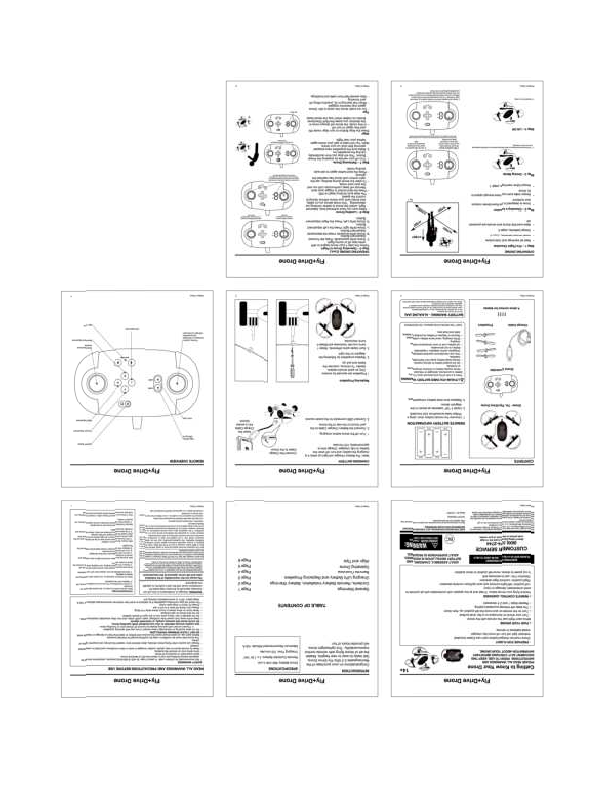
FlyDrive Drone User Manual
Model: U7U1003068
Manufacturer: Heng Sheng Universal Trading Ltd.
Introduction
Welcome to the FlyDrive Drone user manual. This guide provides essential information for operating and maintaining your drone safely and effectively.
Safety Information
General Warnings
Read all safety instructions before operating the drone. Keep away from children. Do not operate near people, animals, or obstacles. Ensure sufficient open space for flight, free from obstructions and interference. Always maintain visual line of sight with the drone.
Battery Safety
Use only the specified batteries for the remote controller and the drone. Do not use damaged batteries. Do not attempt to recharge non-rechargeable batteries. Dispose of used batteries properly according to local regulations. Avoid short-circuiting the battery terminals.
Product Overview
Drone Components
The FlyDrive Drone features a central body housing the electronics and battery, four motor arms extending from the body, and propellers attached to each motor. It also includes landing gear for stable ground contact.
Remote Controller
The remote controller is designed for intuitive operation and features dual joysticks, trim adjustment buttons, a power switch, and potentially other function buttons. It requires AA batteries for power.
Controller Layout Description:
- Left Joystick: Controls throttle (push up to ascend, pull down to descend) and yaw (turn left/right).
- Right Joystick: Controls pitch (push forward to fly forward, pull back to fly backward) and roll (push left to fly left, push right to fly right).
- Trim Buttons: Used to fine-tune the drone's stability and counteract any unwanted drift in pitch, roll, or yaw.
- Power Switch: Activates or deactivates the remote controller.
- Other Buttons: May include functions like headless mode (simplifies control by orienting the drone relative to the pilot, not its own front) or auto-return-to-home.
Setup and Preparation
Propeller Installation
Diagram Description: A diagram shows how to install propellers onto the drone's motor shafts. Propellers are typically marked with letters (e.g., 'A' and 'B') and must be matched to the corresponding motor positions on the drone. They are attached by screwing them onto the motor shaft until secure.
Ensure propellers are correctly installed before flight to prevent damage or loss of control.
Battery Installation
Diagram Description: A diagram illustrates battery insertion. Insert 3 AA batteries (not included) into the remote controller's battery compartment, observing polarity. Connect the drone's rechargeable battery pack to the designated port within the drone's body, ensuring a secure connection.
Pre-Flight Check
Perform a thorough pre-flight check: Ensure the drone and controller batteries are fully charged. Visually inspect the drone for any damage, especially to propellers and body. Confirm all propellers are securely attached. Select a safe, open flying environment away from people and obstacles.
Operation
Powering On and Pairing
Turn on the remote controller first. Then, power on the drone. The controller and drone should automatically pair. Indicator lights on both devices will typically confirm a successful connection.
Takeoff
Place the drone on a flat, level surface. Gently push the left joystick upwards to increase throttle. The drone will begin to lift off. Continue to push gently until the drone hovers at a desired low altitude.
Flight Controls
Use the joysticks to maneuver the drone: ascend/descend, yaw left/right, pitch forward/backward, and roll left/right. Practice smooth, controlled movements.
Landing
To land, gently pull the left joystick downwards to decrease throttle. The drone will descend. Once the drone has landed on a flat surface, continue holding the left joystick down for a few seconds to disengage the motors.
Troubleshooting
Drone Not Responding or Pairing Issues
Possible Cause: Low battery on controller or drone, or pairing failure.
Solution: Ensure both the controller and drone batteries are fully charged. Turn off both devices, then power on the controller first, followed by the drone, to re-establish pairing. Check for any interference.
Unstable Flight or Drifting
Possible Cause: Unbalanced propellers, incorrect trim settings, or environmental factors like wind.
Solution: Adjust the trim settings using the dedicated buttons on the controller to counteract any drift. Ensure propellers are correctly installed and undamaged. If flying outdoors, be aware of wind conditions and avoid flying in strong winds.
Product Specifications
- Model: U7U1003068
- Power Source: Remote Controller requires 3 x AA batteries (not included). Drone uses a rechargeable battery pack (included).
- Operating Frequency: 2.4GHz
- Approximate Flying Time: 5-7 minutes per charge
- Approximate Charging Time: 60-75 minutes
Customer Service
For further assistance or inquiries regarding your FlyDrive Drone, please contact Heng Sheng Universal Trading Ltd.
