

File info: application/pdf · 3 pages · 94.14KB
INTRODUCTION DESCRIPTION
INSTALLATION INSTRUCTIONS To update the operating system software of the XT15, follow the procedure below: 1. The firmware can be upgraded using a USB Memory Stick or using a microSD Card. 2. The firmware file must be r…
Download 94 KB
Omnii Operating System Support & | Zebra
Full PDF Document

If the inline viewer fails, it will open the original document in compatibility mode automatically. You can also open the file directly.
Extracted Text
INTRODUCTION
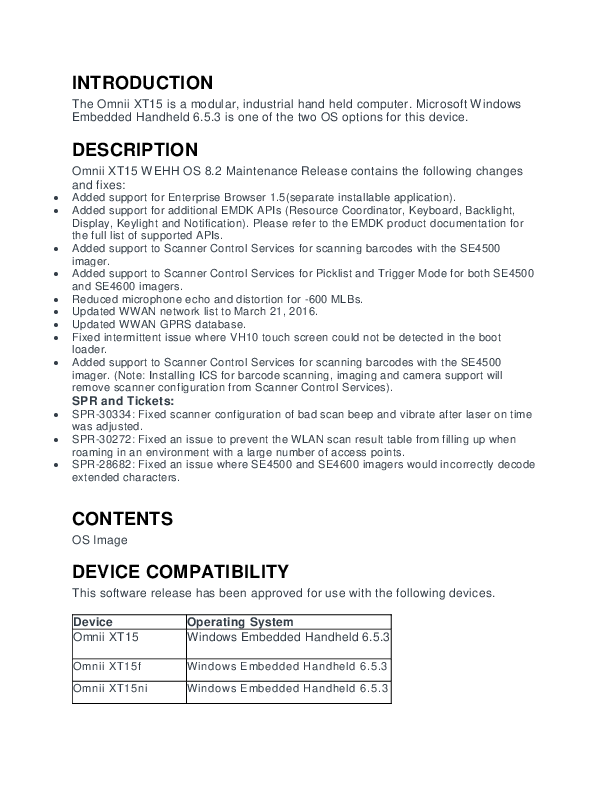
The Omnii XT15 is a modular, industrial hand held computer. Microsoft Windows Embedded Handheld 6.5.3 is one of the two OS options for this device.
DESCRIPTION
Omnii XT15 WEHH OS 8.2 Maintenance Release contains the following changes and fixes: � Added support for Enterprise Browser 1.5(separate installable application). � Added support for additional EMDK APIs (Resource Coordinator, Keyboard, Backlight, Display, Keylight and Notification). Please refer to the EMDK product documentation for the full list of supported APIs. � Added support to Scanner Control Services for scanning barcodes with the SE4500 imager. � Added support to Scanner Control Services for Picklist and Trigger Mode for both SE4500 and SE4600 imagers. � Reduced microphone echo and distortion for -600 MLBs. � Updated WWAN network list to March 21, 2016. � Updated WWAN GPRS database. � Fixed intermittent issue where VH10 touch screen could not be detected in the boot loader. � Added support to Scanner Control Services for scanning barcodes with the SE4500 imager. (Note: Installing ICS for barcode scanning, imaging and camera support will remove scanner configuration from Scanner Control Services). SPR and Tickets: � SPR-30334: Fixed scanner configuration of bad scan beep and vibrate after laser on time was adjusted. � SPR-30272: Fixed an issue to prevent the WLAN scan result table from filling up when roaming in an environment with a large number of access points. � SPR-28682: Fixed an issue where SE4500 and SE4600 imagers would incorrectly decode extended characters.

CONTENTS
OS Image

DEVICE COMPATIBILITY
This software release has been approved for use with the following devices.

Device Omnii XT15

Operating System Windows Embedded Handheld 6.5.3

Omnii XT15f Omnii XT15ni

Windows Embedded Handheld 6.5.3 Windows Embedded Handheld 6.5.3

INSTALLATION REQUIREMENTS
MicroSD card 2GB or greater formatted as FAT32 OR USB Memory stick and Omnii docking cradle
INSTALLATION INSTRUCTIONS
To update the operating system software of the XT15, follow the procedure below:
1. The firmware can be upgraded using a USB Memory Stick or using a microSD Card.
2. The firmware file must be renamed 7545os.img
3. Copy the file containing the firmware upgrade to the root directory of the USB memory stick or Micro SD card
4. Install the USB memory stick into the docking cradle or install the Micro SD card into the Omnii in the Micro SD slot in the battery compartment .
5. Press and hold down the [Blue FN] key, the [SCAN] key and the [Power] key, simultaneously for a minimum of six seconds.
6. When the update is complete, the device reboots to the main operating system.
7. Remove the MicroSD card from the device to prevent the device from performing the upgrade process again on the next cold boot, and then disconnect external power. The device is now ready to be used.
Reminder: Most Windows Embedded Handheld OS updates also require an ADDON cab file. Don't forget to install this CAB file after the OS update.
PART NUMBER AND RELEASE DATE
P745XW65CPCB080200 P745XW65CPMI080200 P745XW65CTCB080200 P745XW65CTMI080200 P745XW65DECB080200 P745XW65DEMI080200 P745XW65ENCB080200 P745XW65ENMI080200 P745XW65FRCB080200 P745XW65FRMI080200 P745XW65ITCB080200

P745XW65ITMI080200 P745XW65JPCB080200 P745XW65JPMI080200 P745XW65KOCB080200 P745XW65KOMI080200 P745XW65SICB080200 P745XW65SIMI080200
November 7, 2016