

File info: application/pdf · 60 pages · 5.12MB
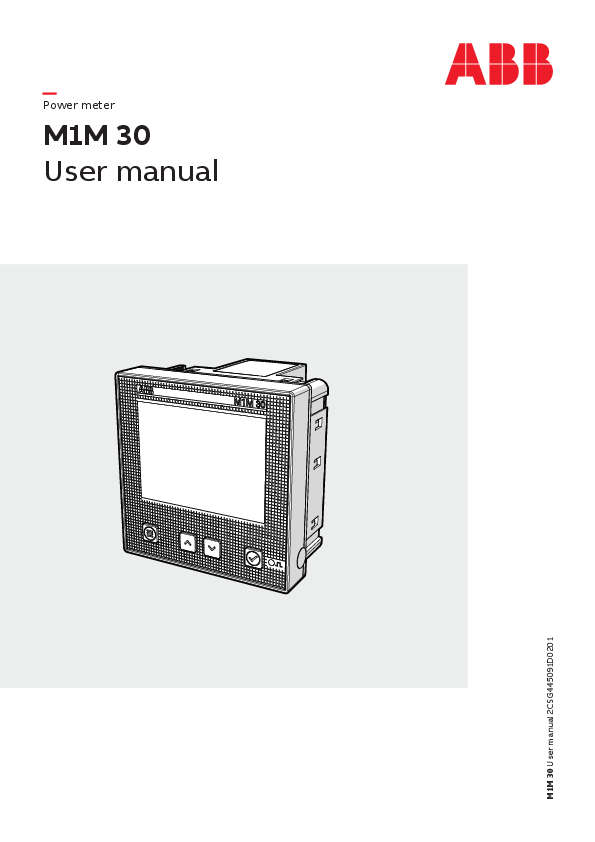
M1M 30 User manual
Full PDF Document

If the inline viewer fails, it will open the original document in compatibility mode automatically. You can also open the file directly.
Extracted Text
Power meter
M1M 30 User manual

M1M 30 User manual 2CSG445091D0201

M1M 30 POWER METER USER MANUAL

3

Table of Contents

1.General information.............................................................................................. 5 1.1.Use and storage of the manual..............................................................................5 1.2.Copyright...................................................................................................................5 1.3.Liability disclaimer...................................................................................................5 1.4.General safety warnings.........................................................................................5 1.5.Cyber Security Disclaimer.......................................................................................6
2.Packaging contents............................................................................................... 7
3.Technical characteristics......................................................................................8 3.1.Description of the device.......................................................................................8 3.2.Main functionalities.................................................................................................8 3.3.Versions......................................................................................................................8 3.4.Overall dimensions..................................................................................................9 3.5.Technical data.........................................................................................................10
4.Installation........................................................................................................... 12 4.1.Assembly.................................................................................................................. 12 4.2.Disassembly............................................................................................................ 13 4.3.Wiring diagrams.....................................................................................................14
5.Access to device.................................................................................................. 17 5.1.Display...................................................................................................................... 17 5.2.Buttons.................................................................................................................... 19 5.3.Data entry............................................................................................................... 20
6.First commissioning........................................................................................... 23 6.1.Password for the first use (PASS).......................................................................23 6.2.Real Time Clock (RTC)...........................................................................................24 6.3.Wiring (WIRI)...........................................................................................................24 6.4.CT ratio (CT)...........................................................................................................25 6.5.VT ratio (VT)............................................................................................................26
7.Configuration (CONF).......................................................................................... 27 7.1.Unit (UNIT)...............................................................................................................28 7.2.Installation (INSTL)................................................................................................ 31 7.3.Historicals (HIST)...................................................................................................32 7.4.Input / output (I/O).............................................................................................. 34 7.5.Alarms (ALM) ..........................................................................................................36 7.6.Communication (COMM)..................................................................................... 42

4

M1M 30 POWER METER USER MANUAL

8.Data reading (READ)...........................................................................................45
8.1.Realtime (REAL)..................................................................................................... 45 8.2.Energy (ENRG)........................................................................................................47 8.3.Power Quality (PWQT)......................................................................................... 48 8.4.Average values (AVG)........................................................................................... 49 8.5.Maximum values (MAX)....................................................................................... 50 8.6.Minimum values (MIN)..........................................................................................51 8.7.I/O.............................................................................................................................52 8.8.Notifications (NOTF).............................................................................................53 8.9.LOG.......................................................................................................................... 56 8.10.Timers (TIME)........................................................................................................57

M1M 30 POWER METER USER MANUAL

5

1.General information
1.1.Use and storage of the manual
Carefully read this manual and adhere to the indications described prior to using the device.
This manual contains all of the safety information, the technical aspects and the operations necessary to ensure the correct use of the device and maintain it in safe conditions.
1.2.Copyright
The copyright of this manual is the property of ABB LV Installation Materials Co. Ltd. Beijing. This manual contains texts, designs and illustrations of a technical nature which must not be disclosed or transmitted to third parties, even partially, without the written authorisation of ABB LV Installation Materials Co. Ltd. Beijing.
1.3.Liability disclaimer
The information contained in this document is subject to change without notice and cannot be considered as an obligation by ABB LV Installation Materials Co. Ltd. Beijing. ABB LV Installation Materials Co. Ltd. Beijing is not liable for any errors that may appear in this document. ABB LV Installation Materials Co. Ltd. Beijing is not liable under any circumstances for any direct, indirect, special, incidental or consequential damage of any kind that may arise from using this document. ABB LV Installation Materials Co. Ltd. Beijing is also not liable for incidental or consequential damage that may arise from using the software or hardware mentioned in this document.
1.4.General safety warnings
Non-adherence to the following points can lead to serious injury or death.
Use the suitable personal protection devices and adhere to the current regulations governing electrical safety. � This device must be installed exclusively by qualified personnel who have read all of the information relative
to the installation. � Check that the voltage supply and measurement are compatible with the range permitted by the device. � Ensure that all current and voltage supplies are disconnected prior to carrying out any controls, visual
inspections and tests on the device. � Always assume that all circuits are under voltage until they are completely disconnected, subjected to tests
and labelled. � Disconnect all of the power supply prior to working on the device. � Always use a suitable voltage detection device to check that the supply is interrupted. � Pay attention to any dangers and carefully check the work area ensuring that no instruments or foreign
objects have been left inside the compartment in which the device is housed. � The correct use of this device depends on a correct manipulation, installation and use. � Failure to adhere to the basic installation information can lead to injuries as well as damage to the electric
instruments or to any other product. � NEVER connect an external fuse in by-pass. � Disconnect all of the input and output wires before carrying out a dielectric rigidity test or an insulation test
on an instrument in which the device is installed. � The tests carried out at a high voltage can damage the device's electronic components. � The device has to be installed inside a switchboard. � Installation of M1M shall include a switch or circuit breaker for the connection of auxiliary supply and voltage
measurement. The switch or circuit breaker must be suitably located and easily reachable and must be marked as the disconnecting device for M1M. � Switch off circuit breaker or switch before disconnecting from the auxiliary supply and voltage measurement or connecting to the auxiliary supply or voltage measurement.

6

M1M 30 POWER METER USER MANUAL

1.5.Cyber Security Disclaimer
M1M 30 power meter is designed to be connected and to communicate information and data via a network interface, which should be connected to a secure network. It is your sole responsibility to provide and continuously ensure a secure connection between the product and your network or any other network (as the case may be) and to establish and maintain appropriate measures (such as but not limited to the installation of firewalls, application of authentication measures, encryption of data, installation of antivirus programs, etc.) to protect the M1M 30 power meter product, the network, its system and interfaces against any kind of security breaches, unauthorized access, interference, intrusion, leakage and/or theft of data or information. ABB LV Installation Materials Co. Ltd. Beijing and its affiliates are not liable for damages and/ or losses related to such security breaches, unauthorized access, interference, intrusion, leakage and/or theft of data or information.
Although ABB LV Installation Materials Co. Ltd. Beijing provides functionality testing on the products and updates that we release, you should institute your own testing program for any product updates or other major system updates (to include but not limited to code changes, configuration file changes, third party software updates or patches, hardware change out, etc.) to ensure that the security measures that you have implemented have not been compromised and system functionality in your environment is as expected.

M1M 30 POWER METER USER MANUAL

7

2.Packaging contents
1

2

3

M1M Calibration Certificate

Contact us
ABB S.p.A. Electrification Business Viale dell'Industria, 18 20010 Vittuone (MI) Italy https://new.abb.com/low-voltage
Warning! Installation by person with electrotechnical expertise only. !
QR Code for online User Manual.
� Copyright 2019 ABB S.p.A. All rights reserved. Specification subject to change without notice.

1.Packaging Content
� A M1M product attached with a fixed clips � A Installation Manual � A Calibration Certificate � A pack of wiring terminals (power source,
voltage port, I/O ports and RS-485 port)

2.Installation 2.1.Assembly

92-0+0,8 mm 1

3.Wiring Diagram 3-Phase 4-wire network with 3CTs
3-Phase 4-wire network with 1CT
3-Phase 3-wire network with 3CTs

92-0+0,8 mm

2CSG445090D1001

July 2020

 4.HMI

4.HMI
RTC RTC

M1M 30 power meter INSTALLATION MANUAL   1. � M1M �  �  �  2. 2.1.
2
3.  3
 1
 3

Menu
Data Area

Icon Test Conditions

No.

V1 [V]

V2 [V]

V3 [V]

I1 [A]

I2 [A]

I3 [A]

PF

#1 230 230 230

6

6

6

1

#2 230 230

1

23

230 4

0,9 Ene0rg,9y LED 0,9

1

Button

Fun#ct3ions 230

1 Menu 2 Up 3 Down 4 Enter

Access the menu and navigation
Navigate in the#m4easure2m3e0nts or change a configuration value
Navigate in the measurements oCrocnhfiarnmgaenaaccotn#iof5ingaunradtio2n3v0alue navigation

230 230 0,15 0,15

1


2320  230 66

3


230 230 0,9 0,9

4


0,15 6 0,9

#6 230

5.First Commissioning

To start to use the analyzer i#t 7is mand2at3o0ry to configure the basic setting (password,
type of network, CT ratio and VT ratio).

5.1.Setting password #8 230

The password is composed by 4 numerical

cchhaarraacctteerr,si.tInisonredceerstsoarsyelteoctu#se9eacbhunttuomn2e3`Ur0ipc'al

or `Down' and confirm every selection with

`Enter'.

#10 230

Default password is 0000. At

first use, the password shall be

defined. In password,

polredaesreteo#ndt1ie1sra0b0le0t02h. e30

230 230 0,15 0,15 0,15 5.
2302M310M1,51,5 1,5

2350.1.230 0,2

0,2

0,2

.  2302301,51,51,.5

230 230 0,2 0,2 0,2

230

0000

0000

230

6

6

6

1 0,5 ind. 0,5 ind. 0,5 ind.
1 1 0,5 ind. 0,5 ind. 0,5 ind.

#12 230 230 230 0,9 0,9 0,9 0,5 ind.

#13 230 230 230 0,15 0,15 0,15 0,5 ind.

#14 58

58

58

6

6

6

5.2.Type of network #15

58

Select the type of network among the

following ones

Type

Descrip#t1io6n 230

558.2.58 6

6


230 230

6  -

3N3T Three-phase,four-wireandthree-transformer

3N3T  3

#17 230 230 230 0,9

-

3 3T Three-phase,three-wireandthree-transformer 3 3T 3

3 2T Three-phase,three-wirea#nd1t8wo-trans2fo3r0mer 23302T 23020,15 -

3 1T Three-phase,three-wireandone-transformer

3 1T 1

1N1T Single-phase,two-wirean#d1o9ne-transf2o3rm0er 2310N1T 23016

-

6 6 0,9 0,15 6

1 0,5 ind.
1 1 1 0,5 ind.

#20 230 5.3.Current Transformer ratio

1. Select the current transformer primary ratio

and confirm selection by `E#n2te1r'.

230

2. Select the current transformer secondary

ratio and confirm selection by `Enter'

2350.3.2300,9

-

1.  2320. 2300,15-

0,9 0,15

0,5 ind. 0,5 ind.

Test Description
Verification � Active energy (Import)
Verification � Active energy (Import)
Verification � Active energy (Import)
Verification � Active energy (Import)
Verification � Active energy (Import)
Verification � Active energy (Import)
Verification � Active energy (Import)
Verification � Active energy (Import)
Verification � Active energy (Import)
Verification � Active energy (Import)
Verification � Active energy (Import)
Verification � Active energy (Import)
Verification � Active energy (Import)
Verification � Active energy (Import)
Verification � Active energy (Import)
Verification � Active energy (Import)
Verification � Active energy (Import)
Verification � Active energy (Import)
Verification � Active energy (Import)
Verification � Active energy (Import)
Verification � Active energy (Import)

Accuracy

Results

Limit

-0,01%

�0,5%

-0,01%

�0,5%

-0,01%

�0,5%

-0,01%

�0,5%

-0,01%

�0,5%

-0,01%

�0,5%

-0,01%

�0,5%

-0,01%

�0,5%

-0,01%

�0,5%

-0,01%

�0,5%

-0,01%

�0,5%

-0,01%

�0,5%

-0,01%

�0,5%

-0,01%

�0,5%

-0,01%

�0,5%

-0,01%

�0,5%

-0,01%

�0,5%

-0,01%

�0,5%

-0,01%

�0,5%

-0,01%

�0,5%

-0,01%

�0,5%

1

T2his Calibration Certificate may not be reproduced, in whole or in part,

without written permission of ABB

Test Result
Passed Passed Passed Passed Passed Passed Passed Passed Passed Passed Passed Passed Passed Passed Passed Passed Passed Passed Passed Passed Passed

3-Phase 4-wire network with 3CTs and 3VTs

 33

1-Phase 2-wire network with 1CT

 1

5.4.Voltage Transformer ratio
1. Select the current transformer primary ratio and confirm selection by `Enter';
2. Select the current transformer secondary ratio and confirm selection by `Enter'.

5.4. 1. ; 2.

1

2

4 4

Packaging contents

1

Power meter M1M 30

2

Installation manual

3

Calibration certificate

4

Installation accessories (removable terminals, fixing clips)

The number and type of removable terminals in the package varies according to the different versions.

8

M1M 30 POWER METER USER MANUAL

3.Technical characteristics

3.1.Description of the device
M1M series can help users accurately monitor energy efficiency while meeting their cost control requirement.
Conforming to the international electric energy metering and monitoring accuracy standards, all M1M series products are perfectly suitable for ABB electrical systems and solutions.

3.2.Main functionalities
Real-time Measurement TRMS Current TRMS Voltage Frequency Active, Reactive and Apparent Power Power Factor Operating timer, countdown timer
Energy Active, Reactive and Apparent Energy Four-quadrant (Import/Export)
Power quality THD (I, V) Individual harmonics Unbalances (I, V) Neutral current
Data recording and logs Maximum demand RTC (Real-Time Clock) Alarms Warnings, alarms and errors logs Historicals data

� � � � � �
� �
� 40th � Calculated
� � 15 � �

3.3.Versions
Product Name M1M 30 I/O M1M 30 MODBUS M1M 30 ETHERNET

I/O 2 digital inputs, 2 digital outputs 2 digital outputs 2 digital outputs

Communication protocol Modbus RTU Modbus RTU Modbus TCP/IP

M1M 30 POWER METER USER MANUAL
3.4.Overall dimensions

9
65,8 mm 19,2 mm

96 mm 90 mm

96 mm

IEC 61554

92 -0+0,8 mm

85 mm

92 -0+0,8 mm

10

M1M 30 POWER METER USER MANUAL

3.5.Technical data
Auxiliary power supply Voltage Frequency Power consumption Installation category Protection fuse
Measurement accuracy IEC 61557-12
Active energy
Reactive energy Active power Reactive power Apparent power Voltage Current Neutral Current (calculated) Frequency Unbalance Harmonics, THD (Current, voltage)
Voltage Measurement inputs Voltage Range Type Rated frequency Protection fuse
Current measurement inputs Current input mode Rated current at secondary side of CT Range without accuracy derating
I/O Digital Output Number of output channels Voltage Current
Digital Input Number of input channels Voltage
Mechanical properties Overall Dimensions
IP degree of protection (IEC 60529)
Max. weight

100-230 V AC/DC �15% 50 - 60Hz �5% 5VA max CAT III 300V class per IEC 61010-1 edition 3 T1 A-277 VAC
IEC 61557-12 PMD/S/K55/1 (M1M 30 Modbus, M1M 30 Ethernet) IEC 61557-12 PMD/S/K55/0.5 (M1M 30 I/O) IEC 61557-12 Class 1 (M1M 30 Modbus, M1M 30 Ethernet) IEC 61557-12 Class 0.5 (M1M 30 I/O) IEC 62053-22 Class 0.5S (M1M 30 I/O) IEC 61557-12 Class 2 IEC 61557-12 Class 1 (M1M 30 Modbus, M1M 30 Ethernet) IEC 61557-12 Class 0.5 (M1M 30 I/O) IEC 61557-12 Class 2 IEC 61557-12 Class 2 IEC 61557-12 Class 0.5 IEC 61557-12 Class 0.5 IEC 61557-12 Class 1 IEC 61557-12 Class 0.1 IEC 61557-12 Class 0.5 IEC 61557-12 Class 1
80-265 VAC(L-N) Single-phase, three-phase (3P, 3P+N) 50Hz or 60Hz T1 A-277 VAC
Indirect insertion with CT 1A or 5A 50mA-6A
2 5-48VDC 2-100mA
2 (M1M 30 I/O only) 24VDC
96 mm x 96 mm x 85 mm Front: IP51 Terminals: IP20 345g

M1M 30 POWER METER USER MANUAL

11

Climatic conditions Operating temperature Storage temperature
Environment

-5 to 55 �C (K55 IEC61557-12) -25 to 70 �C (K55 IEC61557-12) It is prohibited to use in the environment containing H2S, Cl2, NH3 and other harmful gases

Communication protocol Modbus RTU Communication interface Baud rate
Parity number
Address Connector Modbus TCP/IP Protocol Communication interface

M1M 30 MODBUS, M1M 30 I/O RS485 with optical isolation 9.6, 19.2, 38.4, 57.6, 115.2 kbps Odd (1 stop bit), Even (1 stop bit), None (1 or 2 stop bits) 1-247 3 pole terminal
M1M 30 ETHERNET Modbus TCP/IP RJ45

Real time clock Clock drift Keep work after power off

<0.4s/day >7 day

Standards Power metering and monitoring devices (PMD) EMC Electrical safety

IEC 61557-12 IEC 61326-1 IEC 61010-1

12

M1M 30 POWER METER USER MANUAL

4.Installation
4.1.Assembly

IEC 61554

92-0+0,8 mm
1

92-0+0,8 mm

2

3

M1M 30 POWER METER USER MANUAL

13

4.2.Disassembly

1

IEC 61554

92-0+0,8 mm

2

92-0+0,8 mm

14

M1M 30 POWER METER USER MANUAL

4.3.Wiring diagrams
The operations to carry out for the correct connection of the device, based on the type of electric line available, are described in this section.
The installation and the cabling of the device must be carried out by qualified personnel.
Danger of electrocution, burning and electric arc. Use the personal protection devices suitable to adhere to the current regulations governing electrical safety. Prior to carrying out any connections check the sectioning of the electric supply with the voltage detection device.
� M1M 30 ETHERNET

� M1M 30 I/O

M1M 30 POWER METER USER MANUAL

15

� M1M 30 MODBUS

Type of network M1M 30 can be used on different type of network (please refer to chapter "7.Configuration (CONF)" for the configuration on the device). According to the type of network that has been chosen, the parameters visualized on the device HMI change. Below the wiring diagrams are shown: � 3-phase 4-wire network with 3CTs (3N3T)
� 3-phase 3-wire network with 3CTs (3 3T)

16

M1M 30 POWER METER USER MANUAL

� 3-phase 3-wire network with 2CTs (3 2T)

� 3-phase 3-wire network with 1CT (3 1T)

� 1-phase 2-wire network with 1CT (1N1T) � Digital outputs � Digital inputs (M1M 30 I/O only)

M1M 30 POWER METER USER MANUAL

17

5.Access to device
This chapter gives a detailed introduction of the device's HMI, including how to read data and configure related parameters.
5.1.Display Front panel
The front panel of M1M is shown below:

1

2 3

Operator panel

1

Display

2

Function buttons

3

Energy pulse LED

18

M1M 30 POWER METER USER MANUAL

Display content Display is divided into 8 different areas, as shown in the figure below:
8 1
7 6

2

4

5

3

N Area

Description

1 Title

Title of the content displayed on each screen, including MENU, READ and CONF...

2 Phase

The corresponding phase of the measured value displayed, such as L1, L2, L3, L12 and L23...

3 Measurements

Specific measured value

4

Magnitude/Unit

Magnitude includes E, K and M; Unit includes V, A, W and WH...

5 Load type

Inductive load and capacitive load

6 Additional info

Additional info regarding the displayed page. Includes MAX, MIN, LOG...

7 Icons

Indicating various types of state; and for further details, see the table below

8 RTC

Real-time clock

Icon

Description Notification of alarm Unread alarm notification Correct phase sequence Reverse phase sequence Notification of error Communication signals sent Communication signals received Historical data available Configure parameters Device locked, and parameters non-configurable Device unlocked, and parameters configurable Notification of warning

M1M 30 POWER METER USER MANUAL

19

5.2.Buttons
Each M1M is provided with 4 pushbuttons as per below picture::

2

3

1

4

Functions of each button might change according to the displayed page on the meter. See below for a complete description:

#

Button Functions

1

Menu

Go to the main menu; go back; or return to the default screen

2

Up

Page up and enter numerical value in cyclic and ascending way and decimal point; and when pressed continuously, page is up continuously or numerical value ascends automatically

3

Down

Page down and move to higher-order numerical value and confirm the decimal point; and when pressed continuously, page is down or numerical value moves to higher order continuously until zero clearing

4

Enter

Go to the next menu, confirm the numerical value or option input, and read the average of the parameter measurements

Inside the Data reading menu (READ), a combination of pushbuttons might have a specific function, only available on some pages. See below for a complete description:

Menu READ/REAL/ READ/LOG/

Screen VLN VLL I IN P Q S PQST
All

Combined Buttons Enter Up + Enter Down + Enter
Up + Down + Enter
Up + Enter Down + Enter

Function Read the average Read the maximum value Read the minimum value
Reset maximum and minimum value
Read the last set of stored data Read the next set of stored data

20

M1M 30 POWER METER USER MANUAL

5.3.Data entry
Some of the pages require the entry of numerical characters (0-9) in the Configuration mode. In these cases the display will show an active field identified by a flashing number.
Data entry procedure The data entry procedure is as follows:

1 x3
1. Press "Up" to increase the numerical characters from 0 to 9, until the required character is obtained. � How to: Go back to a previous number

x9
If during the data entry the desired number is exceeded by mistake, it is needed to increase the displayed number until data entry starts again from 0. � Add a second digit
2 x1
2. Press "Down" to move the cursor in order to add a second digit to the number;

M1M 30 POWER METER USER MANUAL

21

� How to: Enable the comma

x1
Some device configurations allow entering the comma. Comma can be displayed by increasing the number with "Up" , after character 9 and before data entry starts again from character 0. � Confirm number
1 x5
2 x1
3 x1
3. Repeat the operations described in steps 1 and 2 until the desired number is obtained, press "Enter" to confirm the number.

22

M1M 30 POWER METER USER MANUAL

� How to: Enter the magnitude
Some device configurations allow entering the magnitude.
Once the number has been entered as after step 3, keys "Up" and "Down" allow enabling the magnitude "K" (kilo) or not. Press "Enter" to confirm the magnitude. Follow the steps below when the buttons are used to enter numbers:

x1 x1

M1M 30 POWER METER USER MANUAL

23

6.First commissioning
When the device is started up for the first time, the basic parameters need to be set, and the wizard program will guide the user to configure the device by following the steps below:
First commissioning wizard
Set password (PASS)
Set Real Time Clock (RTC)
Set Wiring (WIRI)
Set CT ratio (CT)
Set VT ratio (VT)
6.1.Password for the first use (PASS)
A password can be set by the user to protect the Configuration menu and avoid any unwanted modification to the device settings. At the first use it is mandatory to define a password.
The password comprises 4 digits, and Button "Up" and Button "Down" can be used to enter numbers, and Button "Enter" can be used to confirm the user's settings and Button "Menu" used to drop the user's settings. In order to disable the password, please set the new password as 0000.
The password can be changed this way: 1. go to CONF/UNIT/PASS, 2. press "Enter" to start changing password.

24

M1M 30 POWER METER USER MANUAL

6.2.Real Time Clock (RTC)
Setting date and time is mandatory in order to use the time-related functionalities on the device (Historicals). Please notice that if no date and time are set, no timestamp will be available on the measured data.
CONF UNIT RTC
1. First setup is date, in the format of MM/DD/YY 2. Second setup is time, in the format of hh:mm:ss.

6.3.Wiring (WIRI)
In order to configure the type of network it is needed to choose one of the available options according to the installation conditions.
CONF INSTL WIRI
1. Scroll the list of fields "Up" or "Down" 2. Select one option by pressing "Enter"

Type 3N3T 3 3T 3 2T 3 1T 1N1T

Description Three-phase, four-wire and 3 CTs Three-phase, three-wire and 3 CTs Three-phase, three-wire and 2 CTs Three-phase, three-wire and 1 CT Single-phase, two-wire and 1 CT

M1M 30 POWER METER USER MANUAL

25

6.4.CT ratio (CT)
M1M is capable to measure current only via indirect connection by means of current transformers CTs.../5A or .../1A.
It is needed to set the transformation ratio of the installed current transformers.
In order to configure the current transformers ratio it is possible to set the primary (PRIM) and secondary (SEC) of the current transformer.
CONF INSTL CT
1. When the number of the primary CT is set, press Button "Enter"
2. Use Button "Up" and Button "Down" to select the magnitude
3. Press button "Enter" to confirm the setting of the primary CT
4. Press button "Down" to go to the setting of the secondary CT
5. Select the secondary CT among 1 and 5A 6. Press button "Enter" to confirm the setting of the
secondary CT

26

M1M 30 POWER METER USER MANUAL

6.5.VT ratio (VT)
M1M is capable to measure voltage via direct connection up to 265 VL-N, or via indirect connection by means of voltage transformers.
In order to configure the voltage transformer ratio it is needed to enter manually the values of both primary (PRIM) and secondary (SEC).
CONF INSTL VT
1. When the number of the primary VT is set, press Button "Enter"
2. Use Button "Up" and Button "Down" to select the magnitude
3. Press button "Enter" to confirm the setting of the primary VT
4. Press button "Down" to go to the setting of the secondary VT
5. When the number of the secondary VT is set, press Button "Enter"
6. Press button "Enter" to confirm the setting of the secondary VT

In case of direct insertion without voltage transformers, please set VT ratio as 230/230 (default)

M1M 30 POWER METER USER MANUAL

27

7.Configuration (CONF)

When the user goes to the CONF section, Icon will be displayed.
When entering the CONF section, in order to change any configuration of the device, it is mandatory to enter the password. The password is valid as soon as the user remains in the Configuration section and for max. 5 minutes of idle. After quitting the Configuration section, it is needed to enter again the password.
In case of wrong entering of the password for three times in a row, user will have to wait for 5 minutes until he can enter the password once again.
In order to read only the configurations, it is possible to simultaneously press "Enter" and "Up" buttons.
After the user enters the password to unlock the device, Icon will be displayed and icon will disappear.
CONF includes the following menus:

Menu UNIT INSTL HIST I/O ALARM COMM

Description Settings related to the device itself Settings related to the installation conditions Settings related to Historicals functionalities, stored on the flash memory Definition of I/O type of the M1M version Definition of alarm conditions Settings related to the embedded communication protocols of the M1M version

28

M1M 30 POWER METER USER MANUAL

7.1.Unit (UNIT)
UNIT includes the following sub-menus:

Menu PASS RESET INFO RTC BRT

Description Change the existing password Full or partial reset of the meter Device information Change date and time on the device Adjust the brightness of the display

Modify password (PASS)
PWD shares the same interface and setting way with password setting. For details, see "6.1.Password for the first use (PASS)".
CONF UNIT PASS

Reset (RESET) CONF UNIT RESET
If the user selects "YES" and presses Button "Enter", all parameters will be reset, i.e. restoring all parameters to their factory default.

RESET sub-menu includes the following pages:

Menu RESET FACTORY RESET ENRG RESET NOTF RESET HIST

Description Reset factory settings Clear energy value Clear notifications Clear historical data

� RESET FACTORY
Reset Factory settings restores parameters to default values, including communication parameters, input and output, notifications, history, etc.
CONF UNIT RESET FACTORY

M1M 30 POWER METER USER MANUAL

29

� RESET ENRG Reset energy will clear the energy to 0.
CONF UNIT RESET ENRG

� RESET NOTF All notifications will be cleared after the Reset Notification, including alarms, warnings, and faults.
CONF UNIT RESET NOTF

� RESET HIST All historical data will be cleared after the Reset Historical.
CONF UNIT RESET HIST

30

M1M 30 POWER METER USER MANUAL

Real Time Clock (RTC) RTC shares the same setting way with the same item under the first startup. For details, see "6.2.Real Time Clock (RTC)".
CONF UNIT RTC
Device info (INFO) INFO includes firmware version, product model and peripheral functions, etc.
CONF UNIT INFO

Menu FW CNFC M1M

Description Firmware version Parameter configuration counter Product model and peripheral functions

M1M 30 POWER METER USER MANUAL

31

Brightness (BRT) The parameter is used to adjust brightness of the display.
CONF UNIT BRT

The default of this parameter is 100%, and the adjustable range is 10%-100%.

7.2.Installation (INSTL)
INSTL includes the following sub-menus:

Menu WIRI CT VT AVG

Description Set the type of network and number of wires on which the device is installed Set the ratio of current transformers for current measurement Set the ratio of voltage transformers for voltage measurement, if any Average calculation period

The first three items must be set during the first startup. For details, see "6.3.Wiring (WIRI)", "6.4.CT ratio (CT)" and "6.5.VT ratio (VT)".

Average (AVG) AVG needs the user to set a calculation period (in minutes).
CONF INSTL AVG

The default of this parameter is 15 minutes, and the adjustable range is 1-60 minutes.

32

M1M 30 POWER METER USER MANUAL

7.3.Historicals (HIST)
In this section it is possible to carry out configurations related to Historicals functionalities. Historicals functionalities allow to store measurement variable (VARB) at a set Time (TIME). Historicals functionalities can be set for one of following group of parameters:

Group REAL ENRG PWQT

Variables
Phase voltage, line voltage, current, neutral current, active power, reactive power, apparent power, total active power, total reactive power, total apparent power, frequency
Active energy consumption, active power generation, reactive energy consumption, reactive generation of electrical energy, apparent energy
Power factors (per phase and total) THD voltage, THD current, unbalances voltage (phase voltage and line voltage), unbalances current

Time interval (TIME) TIME parameter represents the time interval for storing measurement inside the flash memory.
CONF HIST TIME

The default of this parameter is 15 minutes, and the adjustable range is 1-60 minutes.

M1M 30 POWER METER USER MANUAL

33

Variables (VAR)
This menu will list all optional measurement variable groups. In order to set one of the following groups of variables, it is needed to press Button "Enter" and use Button "Up" or "Down" to select the group needed, and select "YES".
CONF HIST VAR

When you modify the storage interval time or reselect variable group that is stored, the old historical data will be completely erased.

34

M1M 30 POWER METER USER MANUAL

7.4.Input / output (I/O)

In this section it is possible to configure I/O slots of the meter.

The number and type of I/O on the M1M power meter varies according to the different product versions. Please refer to the table in "3.3.Versions" for the detail of I/O types per each M1M.

I/O includes the following sub-menus:

Menu DO DI PULSE

Description Digital output Digital input Specific settings in case of pulse output

Digital Output (DO) All DOs can be configured as alarm output (ALARM) or pulse output (PULSE).
CONF IO DO

Digital input (DI) DI can monitor the current state on one hand, and record the number of input pulses on the other hand. This parameter can clear the number of pulses recorded.
CONF IO DI
When "YES" is selected and Button "Enter" pressed, the system will clear all pulses recorded by the DI. DI pulse count requires a factor to be set, which can be in the range of 1 to 9999

M1M 30 POWER METER USER MANUAL

35

Options WH KWH MWH VARH KVARH MVARH VAH KVAH MVAH

Description None Active energy
Reactive energy
Apparent energy

Pulse settings (PULS)
PULS includes selection of energy variables of panel LED indicator, energy pulse output ratio, and selection of energy variables of the DO set as PULSE.
CONF IO PULSE

The optional output energy variables of LED indicator and DO include:

Electricity Variable PEN QEN OFF

Description Active energy Reactive energy Off

The setting range of pulse output ratio is: 0.001 ... 9999. The formula guiding this parameter setting is: 1 pulse = X Wh (varh/VAh)
X is the set number.

36

M1M 30 POWER METER USER MANUAL

7.5.Alarms (ALM)
ALARM configuration is used to get info on threshold violations of specific parameters. When the measurement quantity exceeds the limit, an alarm will be given to prompt users to make corresponding treatment measures in time.
Each alarm can only be triggered when certain conditions are met. The following graph describes the process of triggering and releasing an alarm:

Variable Event

Event Threshold

Delay MAX

Hysteresis
MIN Delay

Hysteresis Event Threshold

Event

Alarm Digital Output

When the value of the alarm variable exceeds the threshold and the delay, the alarm will be generated; and when the alarm variable recovers to the normal range and exceeds the hysteresis and delay, the alarm will be released. Alarm can be connected to certain DO to control the alarm signal output at the DO. If the alarm is stored in flash, it can be viewed later in the read data menu. When the device is in alarm state,
ICON will be displayed. If this alarm is selected to be stored in Flash, ICON will also be displayed
Each M1M provides up to 15 alarms; following parameters are available:

Menu NUM VARIABLE PHASE TYPE SETPOINT DELAY HYSTERESIS LOG PORT

Description Select which alarm will be edited, max 15 alarms can be selected Select alarm variable Select the phase of alarm variable Type of alarm: cross-up (MAX) or cross-down (MIN) Set threshold Delay time Set hysteresis Storing the alarm Select digital output port for alarm

M1M 30 POWER METER USER MANUAL

37

NUM Select an alarm to edit, which will be added to the alarm list if it has been edited.
CONF ALM NUM
� "ADD" indicates that the alarm is not yet present. If it needs to be added, press Button "Enter" to go to the event and configure the subsequent parameters.

� "EDIT" indicates that the alarm is already present. If it needs to be modified, press Button "Enter" to go to the event and modify the configurations.

If certain event needs to be deleted from the alarm list, the alarm variable is selected as "NONE". For details, see "VARIABLE".

38

M1M 30 POWER METER USER MANUAL

VARIABLE Select one variable as alarm variable or event variable.
CONF ALM VARIABLE

Variable VLN VLL I IN P Q S PT QT ST PF PFT F THDV THDI UBLN UBLL UBI TIMD

Description Phase voltage Line voltage Phase current Neutral current Active power Reactive power Apparent power Total active power Total reactive power Apparent power Power factor Total power factor Frequency Total harmonic distortion of voltage Total harmonic distortion of current Unbalanced phase voltage Unbalanced line voltage Unbalanced phase current Countdown timer

M1M 30 POWER METER USER MANUAL

39

PHASE When a variable is selected, a specific phase of the variable needs to be selected.
CONF ALM PHASE

Phase L1 L2 L3 L123 TOT

Description Phase 1 Phase 2 Phase 3 All three phases Total phase

Different variables contain different phases, so the phase selection depends on the variable selected.
TYPE TYPE includes MAX (cross-up event) and MIN (cross-down event).
CONF ALM TYPE

40

M1M 30 POWER METER USER MANUAL

SETPOINT
SETPOINT includes numerical value and magnitude. Different variables correspond to different thresholds, magnitudes, and units, and you need to select variables before setting SETPOINT.
CONF ALM SETPOINT

After the number is set, it is needed to use Button "Up" and Button "Down" to adjust the magnitude. HYSTERESIS HYSTERESIS is a percentage value, and its setting range is 0%-50%.
CONF ALM HYSTERESIS
DELAY DELAY is used to verify whether the variable value really exceeds the limit or is recovered, and its setting range is 1-255s.
CONF ALM DELAY

M1M 30 POWER METER USER MANUAL

41

LOG This parameter is used to set whether the alarm is stored or not.
CONF ALM LOG

If the alarm is configured as LOG, the alarm information will be stored in Flash when the alarm is triggered. When the alarm is not viewed, ICON will always be displayed (even when restarted), and the icon will disappear after the alarms have been checked. PORT Each alarm event can be connected with certain DO, and different alarms can be connected to the same DO.
CONF ALM PORT The optional DOs include DO1, DO2 and OFF.
Only the DOs configured as alarm output can appear in the list. For details, see "7.4.Input / output (I/O)".

42

M1M 30 POWER METER USER MANUAL

7.6.Communication (COMM)
Communication menu allow to set all the parameters related to the communication protocol available for a specific product version. The embedded communication protocol varies according to the different product versions. Please refer to "3.3. Versions" for the details on the embedded communication protocols.
Based on product version following configuration menus are available:

Communication Protocol Modbus RTU
Modbus TCP/IP

Parameter ADDR BAUD BYTE DHCP IP MASK GW

Description Bus address Baud rate Byte format Enable/disable DHCP function IP address Subnet mask Default gateway

In the communication process, whichever communication mode is selected, when the device receives data, Icon will appear and flicker; and when the device sends data, Icon will appear and flicker.

Modbus RTU (M1M 30 Modbus, M1M 30 I/O)
� ADDR For the devices that adopt the Modbus RTU protocol, a unique address on the bus needs to be set.
CONF COMM ADDR

The address range is 1-247.
� BAUD BAUD represents data transmission rate. The higher the BAUD, the faster the data transmission.
CONF COMM BAUD

The optional Baud rates include 9600, 19200, 38400, 57600 and 115200 bps.

M1M 30 POWER METER USER MANUAL

43

� BYTE BYTE comprises three parts � bits per byte, parity bit and stop bit.
CONF COMM BYTE

The optional byte formats include:

BYTE 8E1 8O1 8N1 8N2

Description 8 even parity bits and 1 stop bit 8 odd parity bits and 1 stop bit 8 No Parity bits and 1 stop bit 8 No Parity bits and 2 stop bits

Modbus TCP/IP (M1M 30 Ethernet) � DHCP If DHCP is set as "YES", it indicates that the IP address and subnet mask assigned by the host will be used.
CONF COMM DHCP

The default state of DHCP is "NO", i.e. turned off.
� IP IP comprises 4 segments. Each time Button "Enter" is pressed, the next segment can be set.
CONF COMM IP

The default IP address is: 192.168.2.252. The device and the host must share the same network, or their communication is not possible.

44

M1M 30 POWER METER USER MANUAL

� MASK
MASK indicates the LAN segment. Only the devices that have the same subnet mask within the same LAN can communicate with each other.
CONF COMM MASK

The default MASK is: 255.255.255.0.
� GW The default GW is the node address that forwards the data package to other networks.
CONF COMM GW

The default GW is: 192.168.002.001.

M1M 30 POWER METER USER MANUAL

45

8.Data reading (READ)

READ section allows to visualize all the parameters measured by M1M. Specifically, it includes the following menus:

Menu REAL ENRG PWQT AVG MAX MIN I/O NOTF LOG TIMCN

Description Real-time measurements Energy measurements Power quality Average of measurement variable Maximum value of measurement variable Minimum value of measurement variable State of digital input/output port Notification message Historicals Timers

8.1.Realtime (REAL)
REAL means the real-time data of the current electric energy, including the following items: READ REAL

46

M1M 30 POWER METER USER MANUAL

REAL
SUMM
VLN VLL I
IN
P Q S PQST F

Description Summary data, including total three-phase voltage, three-phase current and active power Phase voltage; when WIRI is selected as "3 3T", "3 2T" or "3 1T", this data is absent Line voltage Current Neutral current; when WIRI is selected as "3 3T", "3 2T", "3 1T" or "1N1T", this data is absent Per phase active power; when WIRI is selected as "1N1T", this data is absent Per phase reactive power; when WIRI is selected as "1N1T", this data is absent Per phase apparent power; when WIRI is selected as "1N1T", this data is absent Total active, reactive, apparent power Frequency

M1M 30 POWER METER USER MANUAL

47

8.2.Energy (ENRG)
READ ENRG

ENRG +PEN -PEN +QEN -QEN SEN

Description Total imported active energy Total exported active energy Total imported reactive energy Total exported reactive energy Total apparent energy

48

M1M 30 POWER METER USER MANUAL

8.3.Power Quality (PWQT)
READ PWQT

PWQT PF
PFT THDV THDI
UNBL

Description Per phase power factor; when WIRI is selected as "3 3T", "3 2T", "3 1T" or "1N1T", this data is absent Total power factor Total harmonic distortion of voltage Total harmonic distortion of current Unbalances values for line to neutral voltage (VLN), line to line voltage (VLL) and current (I); when WIRI is selected as "1N1T", this data is absent

Individual harmonics are present only via Modbus RTU and Modbus TCP/IP communication.

M1M 30 POWER METER USER MANUAL

49

8.4.Average values (AVG)
AVG represents the average values for instantaneous parameters, calculated over the averaging time (see AVG sub-menu under ISTL menu), including the following items: In order to access the AVG values, please press "Enter" when in the parameter page in READ/REAL.
READ REAL

AVG VLN VLL I IN P Q S PQST

Description Average phase voltage Average line voltage Average current Average neutral current Average per phase active power Average per phase reactive power Average per phase apparent power Average total active, reactive, apparent power

50

M1M 30 POWER METER USER MANUAL

8.5.Maximum values (MAX)

In order to access the MAX values, please press simultaneously "Enter" and "Up" when in the parameter page in READ/REAL.

READ REAL

+

MAX represents the maximum values for:

MAX VLN VLL I IN P Q S PQST

Description Maximum phase voltage Maximum line voltage Maximum current Maximum neutral current Maximum average per phase active power calculated over AVG time Maximum average per phase reactive power calculated over AVG time Maximum average per phase apparent power calculated over AVG time Maximum total active, reactive and apparent power

In order to reset all the MAX and MIN values, please press simultaneously "Enter", "Up" and "Down" when in any parameter page in READ/REAL.

M1M 30 POWER METER USER MANUAL

51

8.6.Minimum values (MIN)

In order to access the MIN values, please press simultaneously "Enter" and "Down" when in the parameter page in READ/REAL.

READ REAL

+

MIN represents the minimum values for:

MIN VLN VLL I IN P Q S PQST

Description Minimum phase voltage Minimum line voltage Minimum current Minimum neutral current Minimum average per phase active power calculated over AVG time Minimum average per phase reactive power calculated over AVG time Minimum average per phase apparent power calculated over AVG time Minimum average total active, reactive and apparent power calculated over AVG time

In order to reset all the MAX and MIN values, please press simultaneously "Enter", "Up" and "Down" when in any parameter page in READ/REAL.

52

M1M 30 POWER METER USER MANUAL

8.7.I/O
I/O sub-menu includes the reading of status and/or pulses for I/O, according to the product version:

Menu DO STATE DO PULSE DI STATE DI PULSE

Description State of digital output port Pulse count of digital output port State of digital input port Pulse count of digital input port

All M1M 30 are equipped with 2 Digital Outputs. Only M1M 30 I/O is equipped with 2 Digital Inputs.

The state classifications include:

State ON OFF PULSE

Description DO is on DO is off Pulse output

M1M 30 POWER METER USER MANUAL

53

8.8.Notifications (NOTF)
NOTF includes the following items:

Menu ALARM WARN ERROR

Description Alarm list, user settable and related to specific parameters, threshold, etc Warnings list, related to installation conditions and device settings. Errors list, related to the device and to its self-diagnostics.

Alarms (ALARM)
ALARM is generated based on the Alarm configured by the user. When the conditions meet the alarm parameters, the ALARM notification will be generated and Icon will be displayed. ALARM comprises alarm count and specific alarm message. The alarm message consists of alarm number, variable name, type, phase and threshold.
READ NOTF ALARM

54

M1M 30 POWER METER USER MANUAL

Warnings (WARN) WARN is generated when the device detects the operating conditions. When there is a WARN notification, Icon will be displayed; and when the user checks all warn messages, Icon will disappear. WARN comprises warn count and specific warn message.
READ NOTF WARN

Warning VOL REVES U1 MISS U2 MISS U3 MISS I1 MISS I2 MISS I3 MISS I1 REVES I2 REVES I3 REVES I12 REVES I23 REVES I31 REVES

Definition Voltage Reverse Voltage 1 Missing Voltage 2 Missing Voltage 3 Missing Current 1 Missing Current 2 Missing Current 3 Missing Current 1 Reverse Current 2 Reverse Current 3 Reverse Current 1 with 2 Reverse Current 2 with 3 Reverse Current 3 with 1 Reverse

M1M 30 POWER METER USER MANUAL

55

Errors (ERR)
ERROR is generated when the device detects operating conditions. When there is an ERROR notification, Icon will be displayed and it will not diapear until the error is solved. ERROR comprises error count and specific error message.
READ NOTF ERR

Error RTC ERROR UNCONFIG MEMRY ERROR FWUP FAIL REPROVED

Definition RTC Missing or data invalid EEPROM Missing Flash Missing or data invalid Firmware update Failure Product not Approved

56

M1M 30 POWER METER USER MANUAL

8.9.LOG
LOG is the stored data of measurement variable customized by the user. It comprises parameters value and timestamps. When the device has a Log, Icon will be displayed.
READ LOG

The log number needs to be entered by the user by using Button "up" and Button "Down", after which the user can press Button "Enter" to read the Log.

When the user reads the log, Button "Up" or "Down" can be used to read the data of other measurement variables before or after it, and the combined buttons (Button "Up" + Button "Down" or Button "Down" + Button "Enter") can also be used to read the previous or the next log.

M1M 30 POWER METER USER MANUAL

57

8.10.Timers (TIME)
TIME comprises service time and device maintenance countdown (in hour). Service time is measured from the time point when the user starts the device, and the device maintenance countdown needs "TIMD" setting in "VARIABLE" under "7.5.Alarms (ALM)".

"SET" means the user's set value, and "ACT" refers to the currently remaining time.

.......................................................................................................................................................................................................................................... .......................................................................................................................................................................................................................................... .......................................................................................................................................................................................................................................... .......................................................................................................................................................................................................................................... .......................................................................................................................................................................................................................................... .......................................................................................................................................................................................................................................... .......................................................................................................................................................................................................................................... .......................................................................................................................................................................................................................................... .......................................................................................................................................................................................................................................... .......................................................................................................................................................................................................................................... .......................................................................................................................................................................................................................................... .......................................................................................................................................................................................................................................... .......................................................................................................................................................................................................................................... .......................................................................................................................................................................................................................................... .......................................................................................................................................................................................................................................... .......................................................................................................................................................................................................................................... .......................................................................................................................................................................................................................................... .......................................................................................................................................................................................................................................... .......................................................................................................................................................................................................................................... .......................................................................................................................................................................................................................................... .......................................................................................................................................................................................................................................... .......................................................................................................................................................................................................................................... .......................................................................................................................................................................................................................................... .......................................................................................................................................................................................................................................... .......................................................................................................................................................................................................................................... .......................................................................................................................................................................................................................................... .......................................................................................................................................................................................................................................... .......................................................................................................................................................................................................................................... .......................................................................................................................................................................................................................................... .......................................................................................................................................................................................................................................... .......................................................................................................................................................................................................................................... .......................................................................................................................................................................................................................................... .......................................................................................................................................................................................................................................... .......................................................................................................................................................................................................................................... ..........................................................................................................................................................................................................................................

ABB LV Installation Materials Co. Ltd. Beijing
Electrification Business Area No. 17 Kangding Street , Beijing Economic-Technological Development Area 100176 new.abb.com/low-voltage