

1
File info: application/pdf · 5 pages · 531.14KB
1
PRIMERGY CUSTOMER INFORMATION BULLETIN - Fujitsu
PRIMERGY & PRIMEQUEST servers running VMware ESXi 6.x can experience a communication failure of the installed LAN card when a down-level ...
PRIMERGY & PRIMEQUEST servers running VMware ESXi 6.x can experience a communication failure of the installed LAN card when a down-level "i…
Customer Information Bulletins : Fujitsu United States
Full PDF Document

If the inline viewer fails, it will open the original document in compatibility mode automatically. You can also open the file directly.
Extracted Text
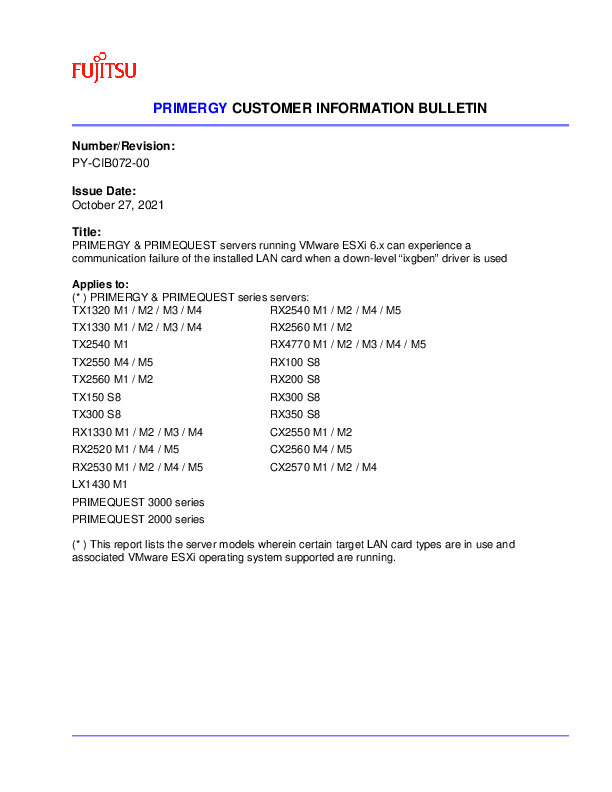
PRIMERGY CUSTOMER INFORMATION BULLETIN

Number/Revision: PY-CIB072-00

Issue Date: October 27, 2021

Title: PRIMERGY & PRIMEQUEST servers running VMware ESXi 6.x can experience a communication failure of the installed LAN card when a down-level "ixgben" driver is used

Applies to:

(* ) PRIMERGY & PRIMEQUEST series servers:

TX1320 M1 / M2 / M3 / M4

RX2540 M1 / M2 / M4 / M5

TX1330 M1 / M2 / M3 / M4

RX2560 M1 / M2

TX2540 M1

RX4770 M1 / M2 / M3 / M4 / M5

TX2550 M4 / M5

RX100 S8

TX2560 M1 / M2

RX200 S8

TX150 S8

RX300 S8

TX300 S8

RX350 S8

RX1330 M1 / M2 / M3 / M4

CX2550 M1 / M2

RX2520 M1 / M4 / M5

CX2560 M4 / M5

RX2530 M1 / M2 / M4 / M5

CX2570 M1 / M2 / M4

LX1430 M1

PRIMEQUEST 3000 series

PRIMEQUEST 2000 series

(* ) This report lists the server models wherein certain target LAN card types are in use and associated VMware ESXi operating system supported are running.

PRIMERGY CUSTOMER INFORMATION BULLETIN
Summary/ Impacts: In certain PRIMERGY & PRIMEQUEST servers running VMware ESXi 6.x operating system can experience a communication failure in the LAN card when a down-level "ixgben" driver is used.
Impact on system operation: Stops the business operation that involves network communication.
Symptoms: The network communication with a virtual machine operating within VMware ESXi or ESXi may fail. When this occurs, the following event is repeatedly logged to the VMware ESXi var/log/vmkernel.log in every few seconds.
vmnic*: TX hang detected: reset it
Cause: The LAN driver (ixgben) contains a control error, which may intermittently reset the LAN controller. As a result, the network communication fails.
The problem manifests itself when all the conditions below are met: 1) VMware ESXi 6.5/6.7 is used as the OS. And 2) The following LAN card or onboard LAN card is used:
PRIMERGY series - LAN cards with these part numbers S26361-F3752-L502 (including S26361-F3752-E2/E202) S26361-F3948-L502 (including S26361-F3948-E2/E202/E210/E540) S26361-F3629-L502 (including S26361-F3629-E2/E202/E702) S26361-F5295-L500 (including S26361-F5295-E500) - Onboard LAN for the following servers: PRIMERGY RX4770 M1/M2/M3
PRIMEQUEST 3000 series - Dual-channel LAN card (10G BASE-T) MC-0JXEJ1*, MCX0JXEJ1*, MC-0JXEJ2* - I/O unit MC-5HUX6*, MCX5HUX6* MC-5HUX7*, MCX5HUX7* PRIMEQUEST 2000 series - Dual-channel LAN card (10G BASE-T) - MC-0JXE3*, MCX0JXE31 - Dual-channel LAN card (10G BASE) - MC-0JXE4*, MCX0JXE4* - I/O unit (10GbE) MC-2HUX4*, MCX2HUX41 MC-3HUX4*, MCX3HUX4*
And 3) LAN driver "ixgben" version lower than 1.7.10

PRIMERGY CUSTOMER INFORMATION BULLETIN
Procedure for identifying driver version using an esxcli command:
Direct Console User Interface (DCUI) or SSH connection to log into the ESXi shell.
Run the following command:
# esxcli network nic get -n <VMNIC_name> The driver version information is displayed on Version. The driver version information is displayed on Version. Driver Info:
Bus Info: 0000:c5:00:1 Driver: ixgben Firmware Version: 0x80000d02 Version: 1.7.10
Corrective action / Fixes:
The error has been fixed in the LAN driver "ixgben" version 1.7.20. This LAN driver "ixgben" can be downloaded from VMware's website.
 For VMware ESXi 6.5 Update to ESXi6.5U3. Obtain the LAN driver "ixgben" from the following URL and install it. https://my.vmware.com/en/group/vmware/details?downloadGroup=DT-ESXI60-INTEL-IXGBEN1720&productId=491
* The driver name in the linked site is "ESXi 6.0", however, the driver is also compatible with ESXi 6.5
 For VMware ESXi 6.7 Update to ESXi6.7U2 or later. Obtain the LAN driver "ixgben" from the following URL and apply it. https://my.vmware.com/en/web/vmware/details?downloadGroup=DT-ESXI67-INTEL-IXGBEN1720&productId=742
 Additionally If the LAN driver "ixgben" version 1.7.20 is used in the server environment where the following NIC cards are installed, the card firmware needs to be updated to version 2.00 or later.
PRIMERGY series - LAN cards with these part numbers S26361-F3948-L502 (including S26361-F3948-E2/E202/E210/E540)
See next page for firmware location.

PRIMERGY CUSTOMER INFORMATION BULLETIN
[How to obtain the firmware]
Use the "Download" page on "PRIMERGY" website to download the firmware. Visit the download page at: https://support.ts.fujitsu.com/
* Click "Browse for Product" > FUJITSU Server PRIMERGY > desired PRIMERGY product group > PRIMERGY product family and then select the desired firmware version.
For example, NVM Update Package for Intel� X550 Series version 3.15
Direct download: https://support.ts.fujitsu.com/IndexDownload.asp?SoftwareGuid=E8CBD6EC-8DAB-4453-B7BAF9D109A552AE

PRIMERGY CUSTOMER INFORMATION BULLETIN

Revision History:

REVISION

DATE

CHANGE SUMMARY

00

October 27, 2021 Initial draft Release � RQB60