

Introduction
Dear customer, Thank you for purchasing our product. Please read the following instructions carefully before first use and keep this user manual for future reference. Pay particular attention to the safety instructions. If you have any questions or comments about the device, please contact the customer line.
Contact: www.alza.co.uk/kontakt | +44 (0)203 514 4411
Importer: Alza.cz a.s., Jankovcova 1522/53, Holešovice, 170 00 Praha 7, www.alza.cz
Product Diagram
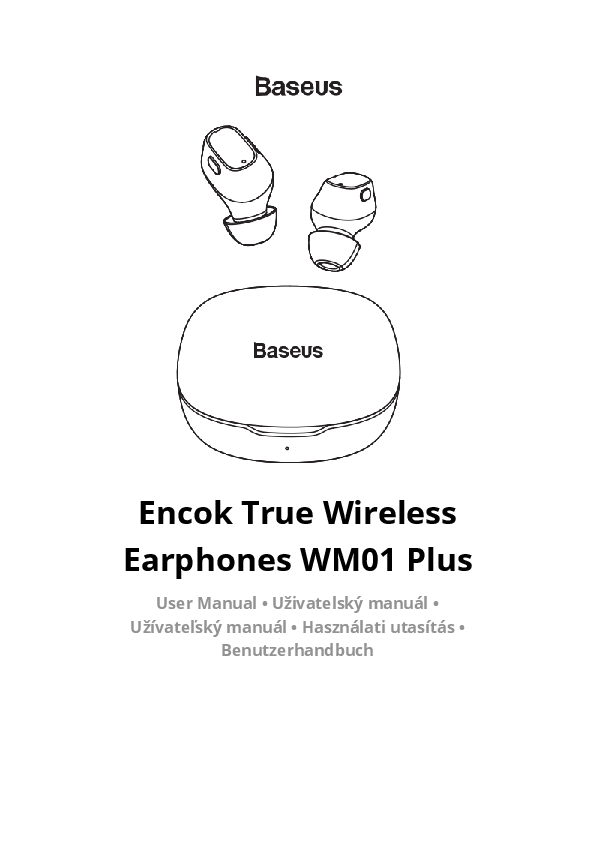
The product consists of two wireless earphones and a charging case. Each earphone features an indicator light, a touch-sensitive area for controls, and a microphone.
Product Operation
Turning On: Double-click the touch area on an earphone. For initial power-on, take the earphones out of the charging case and long-press for 3 seconds.
Music Mode:
- Long press left earphone for 2 seconds: Previous song
- Long press right earphone for 2 seconds: Next song
- Double-click the right earphone: Play / Pause
- Double-click the left earphone: Activate voice assistant
Call Mode:
- Double-click left and right earphone: Answer / Hang up
- Long press left and right earphone: Reject a call
Charging Case Features
The charging case has an indicator light and a Type-C charging port. It also features a digital display that shows the battery percentage of the charging case.
Charging Case Buttons:
- Without earphones: Single press the button to show the charging case battery percentage.
- With earphones: Single press to show the charging case battery percentage. Press again to show the remaining usage time of the left earphone. Press a third time for the right earphone's usage time. Press a fourth time to show the charging case battery percentage. This cycle repeats.
Technical Specifications
| Name | Baseus Encok True Wireless Earphones |
|---|---|
| Model | Baseus Encok WM01 Plus |
| Material | ABS |
| Version | V5.0 |
| Communication range | 10 m |
| Standby time | 300 hours |
| Music time | 5 hours (70% of the volume) |
| Music time including case | 50 hours |
| Battery capacity | 40 mAh / 0.128 Wh (earphones) 800 mAh / 1.11 Wh (charging case) |
| Earphone rated input | DC 5 V = 50 mA |
| Earphone rated consumption current | 8 mA |
| Charging case rated input | DC 5 V = 880 mA |
| Charging case rated consumption current | 96 mA |
| Charging time | 2 hours |
| Frequency response range | 20 Hz - 20 kHz |
| Charging interface | Type-C |
| Suitable for | Compatible with all wireless devices |
Package Contents
The package includes:
- Earphone charging case ×1
- Earphones (L&R) ×2
- Ear tips ×4
- Charging cable ×1
- Storage bag ×1
- User manual & Warranty card ×1
Product Operating Method
Before first use, remove the insulating sticker from the earphones and place them in the charging case to charge. Once the earphones and charging compartment are fully charged, remove the earphones. They will automatically turn on. Wait a few seconds for the earphone's white light to flash quickly. When the white light flashes, you can open your phone's Bluetooth to connect.
Using Both Earphones:
- Start: Remove earphones from the charging case or long-press both earphones for 3 seconds to initiate pairing between them. Successful pairing is indicated when one earphone flashes quickly and the other slowly, entering the dual-earphone pairing mode. Then, turn on your phone's wireless connection to search and connect.
- Shutdown: Place the earphones into the charging case; they will automatically power off and begin charging.
Using a Single Earphone:
- Start: Remove earphones from the charging case, turn them on to pair automatically, and enter dual-earphone pairing mode.
- Shutdown: Place earphones into the charging case to power off and charge automatically.
- Controls: Tap earphones for Play/Pause/Answer/Hang up.
Restore Factory Settings
To restore factory settings, turn off nearby phone wireless connections. Place earphones in the charging case, open it, and remove them. When one earphone's white light flashes quickly and the other's slowly, touch either earphone three times. The earphone's red light will flash once, indicating it has reset. Place them back in the case, remove again, and reconnect to your phone.
For resetting a single earphone, remove it from the case. When the white light flashes quickly, touch the earphone three times until the red light flashes once. Return it to the case. Repeat for the other earphone. After both are reset, place them in the case, remove, and search to reconnect.
Pairing Mode
For first-time pairing, ensure the distance between the earphone and mobile phone is within 1 meter. Open the charging case; earphones turn on automatically and indicators flash twice (one quick, one slow). Turn on your phone's wireless function, search for devices, select "Baseus Encok WM01", and connect. Enter "0000" if prompted for a password. Repeat if pairing fails; the indicator will turn off upon success.
To switch devices, re-enter pairing mode. Refer to factory reset for specific operations.
Notes
- If the headset fails to reconnect automatically, turn off the phone's wireless, perform a factory reset, and then reconnect.
- Electromagnetic waves in your area may interfere with wireless connection, causing silence or disconnection.
Product Safety Information
Read all instructions and warnings carefully before use. Improper use may damage the product.
- Do not store the product in high temperatures, strong light, or strong magnetic fields. Avoid harsh environments like fire sources. If water enters, dry naturally.
- Improper use can damage the product or endanger personal and property safety.
- The consumer is liable for damages resulting from improper use or ignoring warnings.
- Disassembly by non-professionals is strictly prohibited.
- Avoid using household appliances or loads exceeding the product's output current.
- Avoid intense physical actions like knocking, throwing, trampling, or squeezing.
Frequently Asked Questions (FAQs)
- Why doesn't the product turn on? Ensure the earphones are fully charged. If the battery is depleted, they may not turn on.
- The earphone is silent during playback? Check the connection between the device and earphone. Reconnect if necessary. Adjust the volume on your phone or earphones.
- Why is the wireless connection unstable? How far should my mobile phone be kept from the earphones? Keep your mobile phone within an effective distance of 10 meters. Ensure no obstructions and minimal interference from other wireless/Wi-Fi devices. Ensure earphones have sufficient power. Press and hold earphones for 10s to turn off, then 3s to turn on (factory reset). Then reconnect. Contact customer service if issues persist.
- Incoming calls: Double-click an earphone to answer/hang up. Sound may come from earphones or phone depending on the device.
Warranty Conditions
A new product purchased from Alza.cz is guaranteed for 2 years. For repairs or services during the warranty period, contact the seller directly with proof of purchase. Warranty claims may not be recognized for:
- Use for unintended purposes or failure to follow instructions.
- Damage from natural disasters, unauthorized persons, or buyer's fault (e.g., transport, improper cleaning).
- Natural wear and aging of consumables (e.g., batteries).
- Exposure to adverse external influences (sunlight, radiation, magnetic fields, liquid ingress, object ingress, power surges, electrostatic discharge, incorrect voltage/polarity, chemical processes).
- Modifications, alterations, or use of non-original components.
