

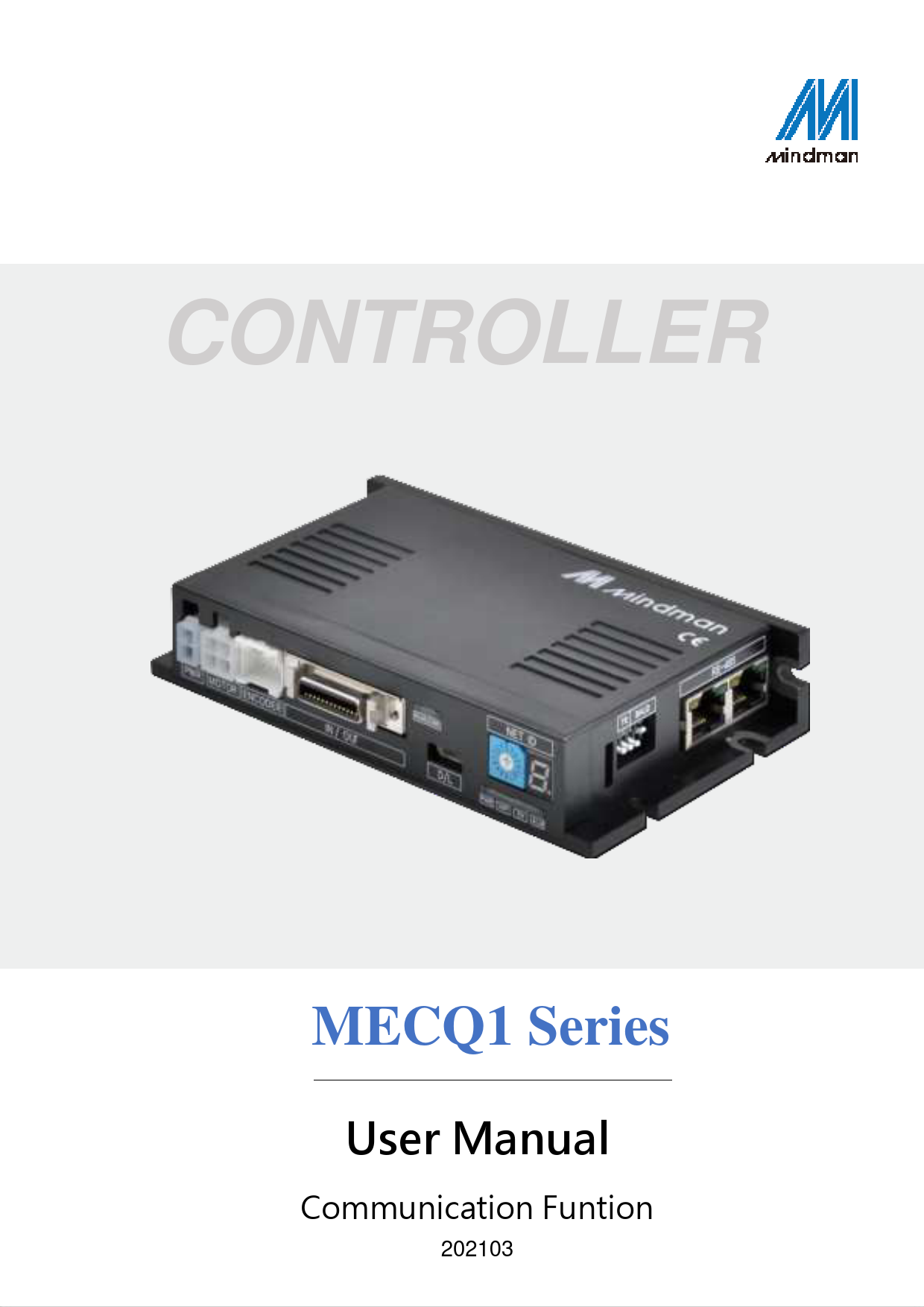
Mindman MECQ1 Series Controller User Manual
File info: application/pdf · 127 pages · 2.04MB
Communication Funtion
Extracted Text
CONTROLLER
MECQ1 Series
User Manual
Communication Funtion
202103

2 Communication Protocols
Table of Content
 Communication Protocols............................................................................................ 3  Communication Functions............................................................................ 3  Communication Specifications....................................................... 3  RS-485 Communication Protocols ................................................. 4  CRC Calculation Example ............................................................. 5  Response Frame Structure and Communication Error ............... 7  Structure of Frame type ............................................................................... 8  Frame type and Data configuration .............................................. 8  Parameter List .............................................................................. 22  Bit set up of Output pin ............................................................... 23  Bit set up of input pin................................................................... 24  Bit set up of status flag ................................................................ 25  Contents of position table............................................................. 26  Information of Motors................................................................... 27  Program Method.......................................................................................... 27
 Library for PC program ............................................................................................. 28  Library configuration .................................................................................. 28  Communication status window .................................................................. 29  Drive Link Function.................................................................................... 34  Parameter Control Function ...................................................................... 43  Servo Control Function ............................................................................... 49  Control I/O Function ................................................................................... 53  Position control Function............................................................................ 66  Drive Status Control Function ................................................................... 77  Running Control Function.......................................................................... 83  Position Table Control Function ............................................................ 111  Other Control Function ......................................................................... 120
 Protocol for PLC Program ....................................................................................... 126
www.mindman.com.tw

Communication Protocols 3

Communication Protocols
Communication Functions
MECQ1 can control up to 16axes by Daisy-Chain link at RS-485 (2- wire).

Caution

Pay attention that when Windows goes into standby or power-save mode, serial communication is basically disconnected. When the system is recovered from standby mode, it should be connected again with serial communication. This is also applicable to the library provided.

Communication Specifications

Specification

RS-485

Communication Type
baud rate [bps]
Data Type Parity bit stop bit CRC Check
Max Cabling Length (Converter  Drive) Min Cable length between
drive Number of Connected Axes

Asynchronous
Half-duplex 19200, 38400, 57600, 115200,
230400, 460800, 921600 8bit
ASCII code, HEX No 1bit Yes
30 m
More than 60 cm
16 axes (No. 0~F)

www.mindman.com.tw

4 Communication Protocols

RS-485 Communication Protocols
1) Overview of communication FRAME

PC Communication Port # No.

Sending Frame Reponse Frame

MECQ1 Controller

2) Basic structure of FRAME

Header

Frame Data

Tail

0xAA 0xCC

4~252 bytes

0xAA 0xEE

 0xAA : Delimited byte
 0xAA 0xCC : Displays that the Frame locates in header.
 0xAA 0xEE : Displays that the Frame locates in tail.  If any of the Frame data is `0xAA', `0xAA' should be added right after it. (byte stuffing)  If any data following `0xAA' is not `0xAA', `0xCC' or `0xEE', it displays that an error has occurred.

Detailed Frame Data is configured as follows:

Slave ID

Frame type

Data

CRC

1 byte

1 bytes

0 ~ 248 bytes.

2 bytes Low byte High byte

 Slave ID : Dive module number (0~15) connected to the PC communication port.
 Frame type : To designate command type of relevant frames. For the command type, refer to Frame Type and Data Configurationsection.
 Data : Data structure and length is set according to Frame type. For more information, refer to Frame Type and Data Configurationsection.
 CRC : To check that an error occurs during communication, `0xA001' of a polynomial
factor in CRC16(Cyclic Redundancy Check) is used. Or `X16+X15+X2+1' of a

polynomial factor in CRC-16-IBM(Cyclic Redundancy Check) is used. CRC calculation is

performed for all items (Slave ID, Frame type, Data) prior to CRC item.

www.mindman.com.tw

Communication Protocols 5
CRC Calculation Example
The following program source is included in a file (file name : CRC_Checksum.c) provided with the product.
1) The use of`0xA001'of CRC16
const unsigned short TABLE_CRCVALUE[] = {
0X0000, 0XC0C1, 0XC181, 0X0140, 0XC301, 0X03C0, 0X0280, 0XC241, 0XC601, 0X06C0, 0X0780, 0XC741, 0X0500, 0XC5C1, 0XC481, 0X0440, 0XCC01, 0X0CC0, 0X0D80, 0XCD41, 0X0F00, 0XCFC1, 0XCE81, 0X0E40, 0X0A00, 0XCAC1, 0XCB81, 0X0B40, 0XC901, 0X09C0, 0X0880, 0XC841, 0XD801, 0X18C0, 0X1980, 0XD941, 0X1B00, 0XDBC1, 0XDA81, 0X1A40, 0X1E00, 0XDEC1, 0XDF81, 0X1F40, 0XDD01, 0X1DC0, 0X1C80, 0XDC41, 0X1400, 0XD4C1, 0XD581, 0X1540, 0XD701, 0X17C0, 0X1680, 0XD641, 0XD201, 0X12C0, 0X1380, 0XD341, 0X1100, 0XD1C1, 0XD081, 0X1040, 0XF001, 0X30C0, 0X3180, 0XF141, 0X3300, 0XF3C1, 0XF281, 0X3240, 0X3600, 0XF6C1, 0XF781, 0X3740, 0XF501, 0X35C0, 0X3480, 0XF441, 0X3C00, 0XFCC1, 0XFD81, 0X3D40, 0XFF01, 0X3FC0, 0X3E80, 0XFE41, 0XFA01, 0X3AC0, 0X3B80, 0XFB41, 0X3900, 0XF9C1, 0XF881, 0X3840, 0X2800, 0XE8C1, 0XE981, 0X2940, 0XEB01, 0X2BC0, 0X2A80, 0XEA41, 0XEE01, 0X2EC0, 0X2F80, 0XEF41, 0X2D00, 0XEDC1, 0XEC81, 0X2C40, 0XE401, 0X24C0, 0X2580, 0XE541, 0X2700, 0XE7C1, 0XE681, 0X2640, 0X2200, 0XE2C1, 0XE381, 0X2340, 0XE101, 0X21C0, 0X2080, 0XE041, 0XA001, 0X60C0, 0X6180, 0XA141, 0X6300, 0XA3C1, 0XA281, 0X6240, 0X6600, 0XA6C1, 0XA781, 0X6740, 0XA501, 0X65C0, 0X6480, 0XA441, 0X6C00, 0XACC1, 0XAD81, 0X6D40, 0XAF01, 0X6FC0, 0X6E80, 0XAE41, 0XAA01, 0X6AC0, 0X6B80, 0XAB41, 0X6900, 0XA9C1, 0XA881, 0X6840, 0X7800, 0XB8C1, 0XB981, 0X7940, 0XBB01, 0X7BC0, 0X7A80, 0XBA41, 0XBE01, 0X7EC0, 0X7F80, 0XBF41, 0X7D00, 0XBDC1, 0XBC81, 0X7C40, 0XB401, 0X74C0, 0X7580, 0XB541, 0X7700, 0XB7C1, 0XB681, 0X7640, 0X7200, 0XB2C1, 0XB381, 0X7340, 0XB101, 0X71C0, 0X7080, 0XB041, 0X5000, 0X90C1, 0X9181, 0X5140, 0X9301, 0X53C0, 0X5280, 0X9241, 0X9601, 0X56C0, 0X5780, 0X9741, 0X5500, 0X95C1, 0X9481, 0X5440, 0X9C01, 0X5CC0, 0X5D80, 0X9D41, 0X5F00, 0X9FC1, 0X9E81, 0X5E40, 0X5A00, 0X9AC1, 0X9B81, 0X5B40, 0X9901, 0X59C0, 0X5880, 0X9841, 0X8801, 0X48C0, 0X4980, 0X8941, 0X4B00, 0X8BC1, 0X8A81, 0X4A40, 0X4E00, 0X8EC1, 0X8F81, 0X4F40, 0X8D01, 0X4DC0, 0X4C80, 0X8C41, 0X4400, 0X84C1, 0X8581, 0X4540, 0X8701, 0X47C0, 0X4680, 0X8641, 0X8201, 0X42C0, 0X4380, 0X8341, 0X4100, 0X81C1, 0X8081, 0X4040 };
unsigned short CalcCRC(unsigned char* pDataBuffer, unsigned long usDataLen) {
unsigned char nTemp; unsigned short wCRCWord = 0xFFFF;
www.mindman.com.tw

6 Communication Protocols
while (usDataLen--) {
nTemp = wCRCWord ^ *(pDataBuffer++); wCRCWord >>= 8; wCRCWord ^= TABLE_CRCVALUE[nTemp]; } return wCRCWord; }
2) Use of`X16+X15+X2+1'of CRC-16-IBM
unsigned short CalcCRCbyAlgorithm(unsigned char* pDataBuffer, unsigned long usDataLen) {
const unsigned short POLYNOMIAL = 0xA001; unsigned short wCrc; int iByte, iBit;
/* Initialize CRC */ wCrc = 0xffff;
for (iByte = 0; iByte < usDataLen; iByte++) {
/* Exclusive-OR the byte with the CRC */ wCrc ^= *(pDataBuffer + iByte);
/* Loop through all 8 data bits */
for (iBit = 0; iBit <= 7; iBit++) {
/* If the LSB is 1, shift the CRC and XOR the polynomial mask with the CRC */
// Note - the bit test is performed before the rotation, so can't move the << here if (wCrc & 0x0001) { wCrc >>= 1; wCrc ^= POLYNOMIAL; } else { // Just rotate it wCrc >>= 1; }
} } return wCrc; }
www.mindman.com.tw

Communication Protocols 7

Response Frame Structure and Communication Error
When any command is sent, the basic structure of Frame at the response side is same. However, there is a difference in case of Frame Data, which `communication status' is added as shown below.

Slave ID

Frame type

Data

CRC

1 byte

0 ~ 247bytes

2 bytes

1 byte

1 byte

Communication status

Response data

Low byte

High byte

 Slave ID : Same to sending Frame.

(When this is not same to sending data, it should be recognized as the error status.)  Frame type : Same to sending Frame.

(When this is not same to sending data, it should be recognized as the error status.)  Data : When simple executive instructions are sent, this data cannot be read. However, in case of
response, 1 byte is added to display the communication status (error / normal).

The code by bytes means the `Communication status' as follows.

Hexa Decimal Code Code

Description

0x00

0

Communication is normal.

0x80

128

Frame Type Error : Responded Frame type cannot be recognized.

0x81

129

Data error, ROM data read/write error : Data value responded is without the given range.

0x82

130

Received Frame Error : Frame data received is out of this specification.

Running Command Failure :

The user has tried to execute new running commands in wrong

condition as follows.

0x85

133

1) currently motor is running 2) currently motor is stopping

3) currently Servo is OFF status

4) try to Z-pulse Origin without encoder

5) other wrong motion command

0x86
0x87 0x88 0x89 0xAA

RESET Failure :

The user has tried to execute new running commands in wrong

134

condition as follows.

1) While the servo is ON

2) Already RESET in ON by external input signal

Servo ON Failure  :

135

While an alarm occurs, the user has tried to execute Servo ON

command.

Servo ON Failure  :

136

While Emergency Stop occurs, the user has tried to execute Servo ON

command.

Servo ON Failure  :

137

`ServoON' signal is assigned to input pin already. Servo ON/OFF

Can execute by external input signal only.

CRC Error :

170

Frame data received is out of CRC format. In this case, DLL Library of

sending side automatically try to send 1 more time.

1) If `Header' and `Slave ID' values in the sending Frame are abnormal, there is no response from the drive.
www.mindman.com.tw

8 Communication Protocols

2) If the communication status is displayed to `130', the size of response data is `0' byte.
Structure of Frame type
Frame type and Data configuration
(1) The following table displays the content and configuration of data by Frame type.

Frame type
0x01 (1)

Library Name
FAS_ GetSlaveInfo

Contents

Connected slave type and program version information are required.

Sending : 0 byte Response : 1~248 bytes

1 byte Communication status

1 bytes Slave type

0~246 bytes ACII string with NULL byte ( strlen() + 1 byes)

 Slave type : 102 : MECQ1

0x05 (5)

FAS_ GetMotorInfo

Connected motor type and maker information are required.

Sending : 0 byte Response : 1~248 bytes

1 byte Communication status

1 bytes Motor type (1~255)

0~246 bytes ACII string with NULL byte ( strlen() + 1 byes)

 Motor type : refer to 1-1-7.Information of Motors

0x10 (16)

FAS_ SaveAllParameters

Current setting parameters & assign of IO signals are saved in the ROM of the drive. Even though the drive is powered off, saving these must be possible. Values set at `FAS_SetParameter' &`FAS_SetIOAssignMap' are saved together.
Sending : 0 byte Response : 1 byte
1 byte Communication status

www.mindman.com.tw

Communication Protocols 9

0x11 (17)

Specific parameter values in the ROM are read.

FAS_ GetRomParameter

Sending : 1 byte 1 byte Parameter number (0~31)

Response : 5 bytes

1 byte

4 bytes

Communication status Parameter value

Refer to 1-2-2.Parameter List

0x12 (18)

FAS_ SetParameter

Specific parameter values are saved to the RAM.

Sending : 5 bytes 1 byte Parameter number (0~31)

4 bytes Parameter value

Response : 1 byte
1 byte Communication status
Refer to 1-2-2.Parameter List

0x13 (19)

FAS_ GetParameter

Specific parameter values in the RAM are read

Sending : 1 byte 1 byte Parameter number (0~32)

Response : 5 bytes

1 byte

4 bytes

Communication status Parameter value
Refer to 1-2-2.Parameter List

0x20 (32)

FAS_ SetIOOutput

Output signal level of the control output port is set.

Sending : 8 bytes 4 bytes I/O set mask value

4 bytes I/O clear mask value

When specific bit of the set mask is `1', the relevant output port signal is set to
[ON]. When specific bit of the clear mask is `1', the relevant output port signal is set to
[OFF].
For more information, refer to 1-2-3.Bit setup of Output Pin.

Response : 1 byte
1 byte Communication status

www.mindman.com.tw

10 Communication Protocols

0x21 (33)
0x22 (34)
0x23 (35)
0x24 (36)

FAS_ SetIOInput
FAS_ GetIOInput
FAS_ GetIOOutput
FAS_ SetIOAssignMap

Input signal level of the control input port is set.

Sending : 8 bytes

4 bytes

4 bytes

I/O set mask value I/O clear mask value

When specific bit of the set mask is `1', the relevant input port signal is set to
[ON]. When specific bit of the clear mask is `1', the relevant input port signal is set to
[OFF].
For more information, refer to1-2-4. Bit setup of Input Pin.

Response : 1 byte
1 byte Communication status
Current input signal status of the control input port is read.

Sending : 0 byte
Response : 5 byte 1 byte Communication status

4 bytes Input status value

Relevant bit by each input signal, refer to 1-2-4. Bit setup of Input Pin Current output signal status of the control output port is read.

Sending : 0 byte
Response : 5 byte 1 byte Communication status

4 bytes Output value

status

Relevant bit by each output signal, refer to 1-2-3.Bit setup of Output Pin.
To assign control I/O signals to the pin of CN1 port and set the signal level. By running `FAS_SaveAllParameters', you can save the setting value to the ROM.

Sending : 6 bytes

1 byte

4 bytes

1 byte

I/O number I/O pin masking data Setting level

I/O number: `0~11' corresponds to `Limit+, Limit-, Org,IN1,..., IN9' respectively, and `12~22' corresponds to `COMP, OUT1,..., OUT9'
respectively. I/O pin masking data: Refer to 1-2-4. Bit setup of Input Pin.
Level Setting: 0:Active Low, 1:Active High

Response : 1 byte 1 byte Communication status

Pin setting status of CN1 port is read from RAM area.

0x25 (37)

FAS_ GetIOAssignMap

www.mindman.com.tw

Sending : 1 byte 1 byte I/O number
I/O number: `0~11' corresponds to `Limit+, Limit-, Org, IN1, ..., IN9'

Communication Protocols 11

0x26 (38)

respectively, and `12~22' corresponds to `COMP, OUT1, ..., OUT9' respectively.

Response : 6 bytes 1 byte Communication status

4 bytes IO pin masking status

1 byte Level status

For more information, refer to `0x24'Frame type. Pin setting status of CN1 port is loaded to RAM from ROM area.

FAS_ IOAssignMapReadR
OM

Sending : 0 byte

Response : 2 bytes

1 byte

1 byte

Command performing status Communication status (0 : complete, values except 0: error)

Start/Stop command for `Compare Out' signal

Sending : 18 bytes 1 byte Output start/stop (1:start 0:stop)

4 bytes Pulse start position [pulse]

4 byte Pulse period [pulse]

0x27 (39)

FAS_ TriggerOutput_Run
A

4 byte

1 bytes

4 byte

Pulse width Output pin number

spare

[msec]

(fix to 0)

 Pulse start position: Setting the start position of first pulse output.

(-134,217,727 ~134,217,727)

 Pulse period: Setting the pulse period. (1 ~134,217,727)

(0: pulse output only 1 time in pulse start position

1~ : pulse output repeatedly depends on setting)

 Pulse width: Setting the pulse width. (1~1000)

Response : 2 byte

1 byte Communication status

1 byte Command performing status (0 : complete, values except 0: error)

0x28 (40)

Command to check if the trigger output pulse is working or not.

FAS_ TriggerOutput_
Status

Sending : 0 byte Response : 2 byte

1 byte

1 bytes

Communication status Status (1:output ON, 0 :output OFF)

www.mindman.com.tw

12 Communication Protocols

0x2A (42)
0x2B (43)

Servo ON/OFF status is set.

FAS_ ServoEnable

Sending : 1 byte 1 byte 0:OFF, 1:ON
Response : 1 byte 1 byte Communication status
Servo alarm status is reset.

FAS_ ServoAlarmReset

Sending : 0 byte Response : 1 byte
1 byte Communication status To request the Alarm type Sending: 0 byte Response: 2 byte

1 byte

1 bytes

Communication status Alarm type ( 1~ )

0x2E

FAS_

 Alarm type: No alarm (0) OverCurrent(1) OverSpeed(2)

(46)

GetAlarmType

StepOut(3) OverLoad(4) OverTemperature(5)

BackEMF(6) MotorConnect(7) EncoderConnect(8)

MotorPower(9) Inposition(10) SystemHalt(11)

ROMdevice(12) OverInputVoltage(14)

Position Overflow(15)

0x31 (49)

FAS_ MoveStop

To request to stop running the motor
Sending : 0 byte Response : 1 byte
1 byte Communication status

0x32 (50)

FAS_ EmergencyStop

To request the running motor to stop emergently
Sending : 0 byte Response : 1 byte
1 byte Communication status

www.mindman.com.tw

Communication Protocols 13

0x33 (51)
0x34 (52)
0x35 (53)

FAS_ MoveOriginSingle
Axis

To request the motor to return to the origin at the current setting parameter condition
Sending : 0 byte Response : 1 byte
1 byte Communication status

To request the motor to move its position as much as the absolute value[pulse]

FAS_ MoveSingleAxisAbs
Pos

Sending : 8 bytes 4 bytes Absolute position value
Response : 1 byte

1 byte Communication status

4 bytes Running [pps]

speed

FAS_ MoveSingle AxisIncPos

To request the motor to move its position as much as the incremental

value[pulse]

Sending : 8 bytes

4 bytes

4 bytes

Incremental value

position Running [pps]

speed

Response : 1 byte 1 byte Communication status

0x36 (54)

FAS_ MoveToLimit

To request the motor to start limit motion at the current setting parameter condition

Sending : 5 bytes

4 bytes

Running

speed

[pps]

1 byte Running direction (0: -Limit 1: +Limit)

0x37 (55)

FAS_ MoveVelocity

Response : 1 byte 1 byte Communication status
To request the motor to start jog motion at the current setting parameter condition

Sending : 5 bytes

4 bytes

Running

speed

[pps]

1 byte Running direction (0: -Jog 1: +Jog)

Response : 1 byte 1 byte Communication status

www.mindman.com.tw

14 Communication Protocols

0x38 (56)

To request the motor to change the target absolute position value[pulse] while it is in running.

FAS_ PositionAbsOverrid
e

Sending : 4 bytes 4 bytes Changed command position value [pulse]
Response : 1 byte 1 byte Communication status

To request the motor to change the target incremental position value[pulse] while it is in running.

0x39 (57)

FAS_ PositionIncOverride

Sending : 4 bytes 4 bytes Changed command position value [pulse]

0x3A (58)

FAS_ VelocityOverride

Response : 1 byte 1 byte Communication status
To request the motor to change the running speed value[pps] while it is in running. Sending : 4 bytes
4 bytes Changed running speed [pps] The accel/decel time is assigned to `Axis Acc Time' and `Axis Dec Time' value in parameter lists.
Response : 1 byte 1 byte Communication status

0x3B (59)

FAS_ AllMoveStop

To request stop for all motor that connected in same port.
Sending : 0 byte ( Slave number must be `99') Response : No response ( It can not be receivedresponse from all Slave at the same time, So all Slaves are not sending the response )

0x3C (60)

FAS_ AllEmergencyStop

To request emergency stop for all motor that connected in same port.
Sending : 0 byte ( Slave number must be `99') Response : No response ( It can not be receivedresponse from all Slave at the same time, So all Slaves are not sending the response )

www.mindman.com.tw

Communication Protocols 15

0x3D (61)
0x3E (62)

FAS_All MoveOriginSingle
Axis

To request return to the origin at the current setting parameter condition for all motors that connected in same port.
Sending : 0 byte ( Slave number must be `99')
Response : no response ( It can not be receivedresponse from all Slave at the same time, So all Slaves are not sending the response )

FAS_All SingleAxisAbsPos

To request move its position as much as the absolute value[pulse] for all motors that connected in same port.

Sending : 8 bytes ( Slave number must be `99')

4 bytes

4 bytes

Absolute position value

Running [pps]

speed

Response : no response ( It can not be received response from all Slave at the same time, so all slaves are not sending the response )

0x3F (63)

FAS_All SingleAxisIncPos

To request move its position as much as the incremental value[pulse] for all motors that connected in same port.

Sending : 8 bytes ( Slave number must be `99')

4 bytes

4 bytes

incremental position value Running speed [pps]

Response : no response ( It can not be receivedresponse from all Slave at the same time, so all slaves are not sending the response )

Request the motor to move its position as much as the absolute value[pulse] with Custom Accel. / Decel. Time[msec]

0x80 (128)

Sending: 40 bytes

4 bytes Absolute position value

4 bytes Running speed [pps]

4 bytes Flag option

2 bytes Custom Accel. Time (1~9999)

FAS_ MoveSingleAxisAbs
PosEx

2 bytes Custom Decel. Time (1~9999)

24 bytes Reserved

Flag option : 0x0001 : reserved 0x0002 : Custom Accel. Time is used. 0x0004 : Custom Decel. Time is used.
If the Flag bit is OFF status(0), Accel./Decel. Time value is used that saved in controller.

Response: 1 byte

www.mindman.com.tw

16 Communication Protocols

Request the motor to move its position as much as the absolute value [pulse] with Custom Accel. / Decel. Time[msec]

Sending: 40 bytes

4 bytes incremental position value

4 bytes Running speed [pps]

4 bytes Flag option

2 bytes Custom Accel. Time (1~9999)

0x81 (129)

FAS_ MoveSingle AxisIncPosEx

2 bytes Custom Decel. Time (1~9999)

24 bytes Reserved

Flag option : 0x0001 : reserved 0x0002 : Custom Accel. Time is used. 0x0004 : Custom Decel. Time is used.
If the Flag bit is OFF status (0), Accel./Decel. Time value is used that saved in controller.

Response: 1 byte

Request the motor to start jog motion at the current setting parameter condition with custom Accel/Decel time value[msec].

Sending: 37 bytes

4 bytes

1 bytes

4 bytes

Running speed Running direction (0: -Jog 1: Flag option

[pps]

+Jog)

0x82 (130)

FAS_ MoveVelocityEx

2 bytes Custom Accel./Decel. Time (1~9999)

26 bytes Reserved

Flag option : 0x0001 : reserved 0x0002 : Custom Accel./Decel. Time is used.

If the Flag bit is OFF status(0), Accel./Decel. Time value is used that saved in controller.

Response : 1 byte

FAS_MoveLinearAbs Pos
FAS_MoveLinearInc Pos

To request Linear Interpolation move its position as much as the absolute value[pulse] for more than 2 motors that connected in same port. Refer to 2. Library for PC program.
To request Linear Interpolation move its position as much as the incremental value[pulse] for more than 2 motors that connected in same port. Refer to 2. Library for PC program.

www.mindman.com.tw

Communication Protocols 17

0x40 (64)
0x41 (65)
0x42 (66)
0x43 (67)

To request the Flag value of displaying the running status

FAS_ GetAxisStatus

Sending : 0 byte Response : 5 bytes

1 byte Communication status

4 bytes Status flag value

For bit related to each Flag, refer to 1-2-5. Bit setup of Status Flag.

To request the I/O status and the running Flag status. (Frame type 0x22, 0x23, and 0x40 are packed.)

FAS_ GetIOAxisStatus

Sending : 0 byte Response : 13 bytes

1 byte Communication status

4 bytes Input value

4 bytes

4 bytes

status Output status Status flag

value

value

To request the current running progress status and its PT number (Frame type 0x51, 0x53, 0x54, and 0x55 are packed.)

FAS_ GetMotionStatus

Sending : 0 byte Response : 21 bytes

1 byte

4 bytes

4 bytes 4 bytes 4 bytes

Communicat Command Actual

Position

Running

ion

position

Position

Difference speed

status

value

value

value

value

To request all data including the current running status

(Frame type 0x41, and 0x42 are packed.)

4 bytes Current running PT number

Sending : 0 byte

FAS_ GetAllStatus

Response : 33 bytes

1 byte

4 bytes

Communicatio Input status

n status

value

4 bytes Output status value

4 bytes Status flag value

4 bytes
Command position value

4 bytes Actual position value

4 bytes Position Difference
value

4 bytes Running
speed value

4 bytes Current running PT number

0x50 (80)

FAS_ SetCommandPos

The user sets it to the command position value before starts to operate and then can check how the command position value is changed.
Sending : 4 bytes 4 bytes Command position setting count value

www.mindman.com.tw

18 Communication Protocols

0x51 (81)
0x52 (82)
0x53 (83)
0x54 (84)
0x55 (85)

Response : 1 byte 1 byte Communication status
To request the command position value[pulse] being tracked.

FAS_ GetCommandPos

Sending : 0 byte

Response : 5 bytes

1 byte

4 bytes

Communication status Command position

value

MECQ1 is the closed loop control drive and so the actual position value

is continuously controlled while the motor is in running. The user sets

it to the actual position value before it starts to operate and then can

check how the actual position value is changed.

FAS_ SetActualPos

Sending : 4 bytes 4 bytes Actual position count value

FAS_ GetActualPos

Response : 1 byte 1 byte Communication status
To request the current actual position value [pulse].
Sending : 0 byte

Response : 5 bytes

1 byte

4 bytes

Communication status Actual position value

To request the difference [pulse] between the command position value

and the actual position value.

FAS_ GetPosError

Sending : 0 byte Response : 5 bytes

1 byte

4 bytes

Communication status Position difference value

By this value, the user can check the current running status (how much inposition is tracked). To request the current running speed value [pps]

FAS_ GetActualVel

Sending : 0 byte

Response : 5 bytes 1 byte Communication status

4 bytes Speed value

www.mindman.com.tw

Communication Protocols 19

0x56 (86)

FAS_ ClearPosition

The user sets the command position and actual position value to `0' before it starts to operate and then can check how the command position value is changed.
Sending : 0 byte Response : 1 byte
1 byte Communication status

0x58 (88)

FAS_ MovePause

To request the pause start and pause end of motor motioning.
Sending : 1 byte 1 byte 0:pause release, 1:pause start
Response : 1 byte 1 byte Communication status

To read PT values in the RAM of the drive.

0x60 (96)

FAS_ PosTableReadItem

Sending : 2 bytes 2 bytes Readable PT number (0~255)

Response : 65 bytes

1 byte

64 bytes

Communication status Relevant PT values

For items by each PT, refer to 1-2-6. Position Table Item.

To save PT values to the RAM of the drive.

0x61 (97)

FAS_ PosTableWriteItem

Sending : 66 bytes

2 bytes

64 bytes

PT number (0~255) Relevant PT value
For items by each PT, refer to 1-2-6. Position Table Item.

Response : 2 bytes

1 byte Communication status

1 byte
Command performing status (values except 0 : complete, 0: error)

To read all PT values (256 ea) in the ROM of the drive

0x62 (98)

FAS_ PosTableReadROM

Sending : 0 byte
Response : 2 bytes 1 byte Communication status

1 byte Command performing status (0 : complete, values except 0: error)

www.mindman.com.tw

20 Communication Protocols

To save all PT value (256 ea) to the ROM of the drive.

0x63 (99)

FAS_ PosTableWriteROM

Sending : 0 byte
Response : 2 bytes 1 byte

Communication status

1 byte Command performing status (0 : complete, values except 0: error)

To start the position table operation from the designated PT number

0x64 (100)

FAS_ PosTableRunItem

Sending : 2 bytes 2 bytes PT Number (0~255)
Response : 1 byte 1 byte Communication status

0x6A (106)

FAS_ PosTableReadOneIt
em

To read one of PT values in the RAM of the drive.

Sending: 4 byte

2 byte

2 byte

PT Number (0~255)

Offset value(0~40)

Refer to 1-2-6. Position Table Itemfor Offset value

Response: 5 byte 1 byte Communication status

4 byte Relevant one of PT value

0x6B (107)

FAS_ PosTableWriteOneIt
em

To save one of PT values to the RAM of the drive.

Sending: 8 byte

2 byte

2 byte

4 byte

PT Number (0~255) Offset value (0~40) Relevant one of PT value Refer to 1-2-6. Position Table Itemfor Offset value

Response: 2 byte 1 byte Communication status

1 byte Command performing status (values except 0 : complete, 0: error)

0x78 (120)

FAS_ MovePush

To request push motion(maintain specified motor torque) Command.

Sending: 28 bytes

4 byte

4 bytes

Normal

Normal

Start speed Move

speed

4 byte Normal Position

2 bytes Accel time

2 bytes Decel time

www.mindman.com.tw

Communication Protocols 21

0x79 (121)

2 byte Push torque ratio

4 bytes Push Move speed

4 byte Push Position

2 byte Push mode

positioning start speed : 1~35000[pps] positioning operating speed : 1~500000[pps] positioning absolute position value : -134,217,728 ~134,217,727 Positioning Acceleration/Deceleration time : 1~9,999[ms] Push motion torque ration : 20~90[%] Push motion speec value : 1~33333[pps] (Max. 200[rpm]) (Resolution : 10,000) Push motion absolutr position value : -134,217,728 ~134,217,727 push mode : 0(stop mode), 1~10,000(non-stop mode)

Refer to MECQ1_Manual_Text 8-6. Push Motion.
Response: 1 byte 1 byte Communication status

To request the current push motion status.

Sending: 0 byte

FAS_ GetPushStatus

Response: 2 byte

1 byte Communication status

1 bytes Push motion status (0: normal Servo ON
1: push motioning but the work is not detected 2: work detected and torque is maintained )

* Frame Type `0x65 ~ 0x69', `0x90 ~ 0x92' are allocated for internal using purpose.

www.mindman.com.tw

22 Communication Protocols

Parameter List

No

Name

Unit

Lower

Upper

Default

0

Pulse Per Revolution

0

15

6

1

Axis Max Speed

[pps]

1

2,500,000

500,000

2

Axis Start Speed

[pps]

1

35,000

1

3

Axis Acc Time

[msec]

1

9,999

100

4

Axis Dec Time

[msec]

1

9,999

100

5

Speed Override

[%]

1

500

100

6

Jog Speed

[pps]

1

2,500,000

5,000

7

Jog Start Speed

[pps]

1

35,000

1

8

Jog Acc Dec Time

[msec]

1

9,999

100

9

S/W Limit Plus Value

[pulse] -134,217,728 134,217,727 134,217,727

10

S/W Limit Minus Value

[pulse] -134,217,728 134,217,727 -134,217,728

11

S/W Limit Stop Method

0

2

2

12

H/W Limit Stop Method

0

1

0

13

Limit Sensor Logic

0

1

0

14

Org Speed

[pps]

1

500,000

5,000

15

Org Search Speed

[pps]

1

50,000

1,000

16

Org Acc Dec Time

[msec]

1

9,999

50

17

Org Method

0

7

0

18

Org Dir

0

1

1

19

Org OffSet

[pulse] -134,217,728 134,217,727

0

20

Org Position Set

[pulse] -134,217,728 134,217,727

0

21

Org Sensor Logic

0

1

0

22

Position Loop Gain

0

63

4

23

Inpos Value

0

63

0

24

Pos Tracking Limit

[pulse]

1

134,217,727

1,000

25

Motion Dir

0

1

0

26

Limit Sensor Dir

0

1

0

27

Org Torque Ratio

[%]

20

90

50

28

Pos. Error Overflow Limit [pulse]

1

134,217,727

1,000

29

Brake Delay Time

[msec]

10

5,000

200

30

Run Current

*10[%]

5

15

10

31

Boost Current

*50[%]

0

7

0

32

Stop Current

*10[%]

2

10

5

www.mindman.com.tw

Communication Protocols 23

 Bit set up of Output pin
`This displays the detailed description for 0x20 Frame type. This command is applicable only to 9 signals of `User Output 0' ~ 'User Output 8' out of 24 signal types in the control output port. The rest (15 output signals) of them cannot be operated by the user's disposal. When any relevant situation occurs while the drive operates, they are displayed. The following table shows bit mask values by each signal.

Signal Name
Compare Out Inposition Alarm Moving Acc/Dec ACK END AlarmBlink

Relevant Bit Signal Name Position 0x00000001 Origin Search OK 0x00000002 ServoReady 0x00000004 reserved 0x00000008 reserved 0x00000010 PT Output0 0x00000020 PT Output1 0x00000040 PT Output2 0x00000080 User OUT 0

Relevant Bit Signal

Relevant Bit

Position

Name

Position

0x00000100 User OUT 1 0x00010000

0x00000200 User OUT 2 0x00020000

0x00000400 User OUT 3 0x00040000

0x00000800 User OUT 4 0x00080000

0x00001000 User OUT 5 0x00100000

0x00002000 User OUT 6 0x00200000

0x00004000 User OUT 7 0x00400000

0x00008000 User OUT 8 0x00800000

Example 1 Sending data to turn ON the User Output 5 port.

4 bytes

4 bytes

(I/O set mask value)

(I/O clear mask value)

0x00100000

0x00000000

Example 2 Sending data to turn OFF the User Output 5 port

4 bytes

4 bytes

(I/O set mask value)

(I/O clear mask value)

0x00000000

0x00100000

www.mindman.com.tw

24 Communication Protocols

Bit set up of input pin
This displays the detailed description for 0x21 Frame type.

This command is applicable to 32 signals in the control input port. The user can use signals

for test as if they are inputted without actual input signal. The following table shows bit mask

values by each signal.

Signal Relevant Signal Relevant Signal

Relevant Signal

Relevant

Name Bit

Name Bit

Name

Bit

Name

Bit

Position

Position

Position

Position

Limit+ 0x00000001 PT A4 0x00000100 Alarm Reset 0x00010000 JPT input2 0x01000000

Limit-

PT A5/

0x00000002

0x00000200

User IN 6

ServoON

0x00020000

JPT Start

0x02000000

PT A6/

Origin 0x00000004

0x00000400

User IN 7

Pause

0x00040000 User IN 0 0x04000000

Clear

PT A7/

0x00000008

0x00000800 Org Search 0x00080000 User IN 1 0x08000000

Position

User IN 8

PT A0 0x00000010 PT Start 0x00001000 Teaching 0x00100000 User IN 2 0x10000000

PT A1 0x00000020 Stop 0x00002000 E-stop 0x00200000 User IN 3 0x20000000

PT A2 0x00000040 Jog+ 0x00004000 JPT input0 0x00400000 User IN 4 0x40000000

PT A3 0x00000080 Jog- 0x00008000 JPT input1 0x00800000 User IN 5 0x80000000

Example 1 Sending data to turn ON the Pause port

4 bytes (I/O set mask value)
0x00040000

4 bytes (I/O clear mask value)
0x00000000

Example 2 Sending data to turn OFF the Pause port

4 bytes

4 bytes

(I/O set mask value)

( I/O clear mask value)

0x00000000

0x00040000

Caution Do not mix the bit setup of ` A5 ~ PT A7'and `User IN 6 ~ IN8' together on your program.

www.mindman.com.tw

Communication Protocols 25

Bit set up of status flag
Refer to `motion_define.h' of include files.

Name of Flag Define

Contents

Relevant

Bit Position

FFLAG_ERRORALL FFLAG_HWPOSILMT FFLAG_HWNEGALMT FFLAG_SWPOGILMT FFLAG_SWNEGALMT FFLAG_ERRPOSOVERFLOW FFLAG_ERROVERCURRENT FFLAG_ERROVERSPEED FFLAG_ERRPOSTRACKING
FFLAG_ERROVERLOAD FFLAG_ERROVERHEAT FFLAG_ERRBACKEMF FFLAG_ERRMOTORPOWER
FFLAG_ERRINPOSITION

One or more error occurs. `+' direction limit sensor turns ON. `-' direction limit sensor turns ON. `+' direction program limit is exceeded. `-' direction program limit is exceeded. Position error is bigger than `Pos Error Overflow Limit' value after finished positioning command. The motor driving device is under over-current. The motor speed exceeded 3000[rpm]. Position error is bigger thn `Pos Tracking Limit' value during the positioning command. Load exceeding the max torque of the motor is loaded more than 5 seconds. The internal temperature of the drive exceeds 85�C. A counter electromotive force of the motor exceeds 45V. The power supplied to the motor is abnormal status. After operation is finished, a position error occurs for more than 3 seconds.

0X00000001 0X00000002 0X00000004 0X00000008 0X00000010 0X00000080 0X00000100 0X00000200 0X00000400
0X00000800 0X00001000 0X00002000 0X00004000
0X00008000

FFLAG_EMGSTOP

The motor is under emergency stop.

0X00010000

FFLAG_SLOWSTOP

The motor is under general stop.

FFLAG_ORIGINRETURNING The motor is returning to the origin.

0X00020000 0X00040000

FFLAG_INPOSITION

Inposition has been finished.

0X00080000

FFLAG_SERVOON

The motor is under Servo ON.

0X00100000

FFLAG_ALARMRESET FFLAG_PTSTOPED

AlarmReset has run. Position Table operation has been finished.

0X00200000 0X00400000

FFLAG_ORIGINSENSOR

The origin sensor is ON.

0X00800000

The motor operates to z-pulse type of origin return

FFLAG_ZPULSE

operations.

0X01000000

FFLAG_ORIGINRETOK

Origin return operation has been finished.

0X02000000

FFLAG_MOTIONDIR

To display the motor operating direction (+: Off, -: On) 0X04000000

FFLAG_MOTIONING

The motor is running.

0X08000000

FFLAG_MOTIONPAUSE

The motor in running is stopped by Pause command. 0X10000000

FFLAG_MOTIONACCEL

The motor is operating to the acceleration section. 0X20000000

FFLAG_MOTIONDECEL FFLAG_MOTIONCONST

The motor is operating to the deceleration section. The motor is operating to the normal speed, not acceleration / deceleration sections.

0X40000000 0X80000000

www.mindman.com.tw

26 Communication Protocols

Contents of position table

Refer to `motion_define.h' of include files.

Name

Name

of Number of Offset

Structure

Bytes

value

Parameter

Position

lPosition

4 (signed)

0

Low Speed

dwStartSpd

4 (unsigned)

4

High Speed dwMoveSpd

4 (unsigned)

8

Accel. Time wAccelRate

2 (unsigned)

12

Decel. Time wDecelRate

2 (unsigned)

14

Command

wCommand

2 (unsigned)

16

Wait time

wWaitTime

2 (unsigned)

18

Continuous Action

wContinuous

2 (unsigned)

20

Jump Table No.

wBranch

2 (unsigned)

22

Jump PT 0

wCond_branch0 2 (unsigned)

24

Jump PT 1

wCond_branch1 2 (unsigned)

26

Jump PT 2

wCond_branch2 2 (unsigned)

28

Loop Count wLoopCount

2 (unsigned)

30

Loop Jump

wBranchAfterLoop 2 (unsigned)

32

Table No.

PT set

wPTSet

2 (unsigned)

34

Loop Counter

wLoopCountCLR 2 (unsigned)

36

Clear

Check Inposition

bCheckInpos

2 (unsigned)

38

Compare Position

lTriggerPos

4 (signed)

40

Compare Width

wTriggerOnTime 2 (unsigned)

44

Push Ratio

wPushRatio

2 (unsigned)

46

Push Speed dwPushSpeed

4 (unsigned)

48

Push Position lPushPosition

4 (signed)

52

Push Mode wPushMode

2 (unsigned)

56

Blank

6 (unsigned)

58

Unit [pulse] [pps] [pps] [msec] [msec] [msec]
[pulse] [msec]
[%] [pps] [pulse]

Low Limit Upper

*1

Limit *1

-134217728 0 0 1 1 0 0

+134217728 500000 500000 9999 9999 10 600000

0

1

0 10000
0 10000
0 10000
0 10000
0 0 10000 0

255 10255
255 10255
255 10255
255 10255
100 255 10255 15

0

255

0

1

-134217728 +134217728

1

9999

20

90

0

33333

-134217728 +134217728

0

10000

0x00

For the setting method by each item, refer to other manual MECQ1_Manual_Position Table

www.mindman.com.tw

Communication Protocols 27
Information of Motors
Firstly the number and 2~3 characters are indicating the motor size and length. Example 1 42L : Motor Flange size is 42mm and long size
Program Method
There are 2 methods of programming for MECQ1. The first is normally used method that using Visual C++ language under window system of PC. Library that serviced together with MECQ1 have to be used. Refer to 2. Library for PC Program The second method can be accomplished by sending command characters directly to MECQ1. The user have to prepare low level protocol programming like `Protocol Test' program. This method is normally used for PLC system. To excise the protocol programming, please refer to serviced  3. Protocol for PLC Program.with product, It can be also self tested by using of , `ProtocolTest.exe' GUI program.
www.mindman.com.tw

28 Library for PC program

Library for PC program
Library configuration
To use this library, C++ header file(*.h) and library file(*.lib or *.dll) are required. These files are included in "MINDMAN\\ MEC Motor Editor V6 \\include\\ The following contents should be included in a source file for development. #include "\\MINDMAN\\ MEC Motor Editor V6 \\include\\FAS_EziMotionPlusR.h" #include "\\ MINDMAN\\ MEC Motor Editor V6 \\include\\COMM_Define.h" #include "\\ MINDMAN\\ MEC Motor Editor V6 \\include\\MOTION_DEFINE.h" #include "\\ MINDMAN\\ MEC Motor Editor V6 \\include\\ReturnCodes_Define.h"
Also, library files are as follows: "\\MINDMAN\\ MEC Motor Editor V6 \\include\\EziMotionPlusR.lib" "\\ MINDMAN\\ MEC Motor Editor V6 \\include\\EziMotionPlusR.dll"
A sample program source of using library is included in a "\\ MINDMAN\\ MEC Motor Editor V6 \\Examples\\" folder.
(1) The following table describes values returned when each library (DLL) function is used. The user can check the values returned at the library (DLL) function. In case of low-level programming, this service not provided.

Item

Definition

Normal

FMM_OK

Input Error FMM_NOT_OPEN

FMM_INVALID_PORT_NUM

FMM_INVALID_SLAVE_NUM

Operation FMM_POSTABLE_ERROR

Error

FMC_DISCONNECTED FMC_TIMEOUT_ERROR FMC_CRCFAILED_ERROR

FMC_RECVPACKET_ERROR

Returned

Description

value

0

The function has normally performed the command.

1

Wrong port number is inputted.

2

The port is not connected.

3

Wrong slave number is inputted.

An error occurs while the motor accesses to the position 9
table.

5

The relevant drive is disconnected.

6

Response delay (100 msec) occurs.

7

Checksum error occurs.

Protocol level error occurs in packet that comes from 8
Drive.

www.mindman.com.tw

Library for PC program 29

(2) The following table shows return values included commonly in all libraries. The user

can check the result (communication status, running status) judged by the drive. When the

user develops programs by using protocols without libraries (DLL), they are available as well.

Item

Definition

Returned

Description

value

Normal

FMP_OK

0

Communication has been normally performed.

Input Error FMP_FRAMETYPEERROR

128

The drive cannot recognize the command.

FMP_DATAERROR

Operation Error

FMP_RUNFAIL FMP_RESETFAIL

Connection Error

FMP_SERVOONFAIL1 FMP_SERVOONFAIL2 FMP_SERVOONFAIL3
FMP_PACKETERROR

FMP_PACKETCRCERROR

129 Input data is out of the range

The motor is already running or not prepared 133
for running. Other wrong motion command.

The user cannot execute AlarmReset command 134
while the servo is ON.

135 An alarm has occurred.

136 The motor is under Emergency Stop.

137

`ServoON'signal is already assigned to input pin.

Protocol level error occurs in packet that Drive's 130
received.

CRC value is not correct in packet that Drive's 170
received.

Communication status window
Above communication status is dividing by 3 groups. (1) Communication Error
FMM_NOT_OPEN,

COM Port is not connected (This error mode can not be generated on GUI) FMM_INVALID_PORT_NUM,
COM Port number does not exist ( This error mode can not be generated on GUI ) www.mindman.com.tw

30 Library for PC program

FMM_INVALID_SLAVE_NUM,

Slave number does not exist. Checking the ID value of the drive. FMC_DISCONNECTED = 5,

COM Port is disconnecting during communication. Checking the communication cable Or Power of the drive.
FMC_TIMEOUT_ERROR,

There is no response from the drive.

FMC_CRCFAILED_ERROR,

CRC value of communication packet from the drive is not correct. Check the possibility of noise on communication cable.
FMC_RECVPACKET_ERROR,

The length of received packet is not correct. Check the possibility of noise on communication cable.
www.mindman.com.tw

Library for PC program 31 FMP_FRAMETYPEERROR = 0x80,
Drive does not recognize the command or wrong command is sent Check the command value sent you want to send to the drive.
FMP_DATAERROR,
The value of the sended data is out of the proper range for drive. Check the value that you want to send to the drive.
FMP_PACKETERROR,
The length of received packet on drive is not correct. Check the possibility of noise on communication cable.
FMP_PACKETCRCERROR = 0xAA, The CRC value on drive is not correct. Check the possibility of noise on communication cable.
www.mindman.com.tw

32 Library for PC program (2) Wrong Command
FMP_RUNFAIL = 0x85, Fail on motion command: The motor can not run on next status. -. The motor is already running -. The motor is under stop command -. Servo OFF status -. Other wrong motion command
FMP_RESETFAIL, Fail on reset command: The motor can not reset on next status. -. Servo ON status -. Already `Reset status by external input signal.
FMP_SERVOONFAIL1,
Wrong `Servo ON' command during Alarm happens.
www.mindman.com.tw

Library for PC program 33 FMP_SERVOONFAIL2, Wrong `Servo ON' command during the emergency Stop FMP_SERVOONFAIL3, `Servo ON' Signal is assigned by external input pin. In this case Servo ON command by DLL library is not working. (3) Command Execution Error
FMM_POSTABLE_ERROR, The execution of DLL library for `Position Table' is failed.
www.mindman.com.tw

34 Library for PC program

Drive Link Function

Function Name

Description

The drive tries to connect communication with the drive module: The

FAS_Connect

drive tries to connect communication with the drive module: When it is successfully connected, TRUE will return. Otherwise,

FALSE will return.

FAS_Close

The drive tries to disconnect communication with the drive module.

The drive reads drive type and program version: FAS_GetSlaveInfo
Drive type and version information will return.

The drive reads motor type and maker: FAS_GetMotorInfo
Motor type and maker information will return.

FAS_IsSlaveExist

The drive checks whether there is the relevant drive: When it exists, TRUE will return. Otherwise, FALSE will return

FAS_EnableLog

To select the communication error log function ON/OFF : When it exists, TRUE will return. Otherwise, FALSE will return.

FAS_SetLogPath

To set the saved folder name of error log file : When folder exists, TRUE will return. Otherwise, FALSE will return.

www.mindman.com.tw

Library for PC program 35

FAS_Connect
FAS_Connect is the function of connecting MECQ1. Syntax
BOOL FAS_Connect( BYTE nPortNo, DWORD dwBaud
); Parameters
nPortNo Select a serial port to be connected.
dwBaud Input the Baudrate of the serial port
Return Value When it is successfully connected, TRUE will returns. Otherwise, FALSE will return.
Remarks

Example #include "FAS_ EziMOTIONPlusR.h"

void funcInit()

{

BYTE nPortNo = 1; // COMM Port number

DWORD dwBaudrate = 115200;

// Baudrate(Be variable by setting)

BYTE iSlaveNo = 0; // Slave No (0 ~ 15)

char lpBuff[256];

int nBuffSize = 256;

BYTE nType;

int nRtn;

// Try to connct

if (FAS_Connect(nPortNo, dwBaudrate) == FALSE)

{

// Connection failed.

// The port is not connected or the baudrate may be wrong.

return;

return;

}

if (FAS_IsSlaveExist(nPortNo, iSlaveNo) == FALSE) {
// There is no relevant slave number.
www.mindman.com.tw

36 Library for PC program

// Check the slave number of MECQ1.

return;

}

}

nRtn = FAS_GetSlaveInfo(nPortNo, iSlaveNo, &nType, lpBuff, nBuffSize); if (nRtn != FMM_OK) {
// Command has not been performed properly. // Refer to ReturnCodes_Define.h. }

printf("Port : %d (Slave %d) \n", nPortNo, iSlaveNo); printf("\tType : %d \n", nType); printf("\tVersion : %d \n", lpBuff);

// Disconnect. FAS_Close(nPortNo); }
See Also
FAS_Close

www.mindman.com.tw

FAS_Close
To disconnect the serial port being used Syntax
void FAS_Close( BYTE nPortNo
); Parameters
nPortNo Port number to disconnect
Remarks
Example Refer to `FAS_Connect' library.
See Also FAS_Connect

Library for PC program 37

www.mindman.com.tw

38 Library for PC program
FAS_GetSlaveInfo
To get the version information string of the relevant drive Syntax
int FAS_GetSlaveInfo( BYTE nPortNo, BYTE iSlaveNo, BYTE pType, LPSTR lpBuff, int nBuffSize
); Parameters
nPortNo Port number of relevant drive iSlaveNo Slave number of relevant drive pType Relevant drive type number lpBuff Buffer pointer to get version information string nBuffSize lpBuff memory allocation size
Return Value FMM_OK : Command has been normally performed. FMM_NOT_OPEN : The drive has not been connected yet. FMM_INVALID_PORT_NUM : There is no nPort in the connected ports. FMM_INVALID_SLAVE_NUM : There is no drive of iSlaveNo in the relevant port.
Remarks
Example Refer to `FAS_Connect' library.
See Also
www.mindman.com.tw

Library for PC program 39
FAS_GetMotorInfo
To get the motor information string of the relevant drive Syntax
int FAS_GetMotorInfo( BYTE nPortNo, BYTE iSlaveNo, BYTE pType, LPSTR lpBuff, int nBuffSize
); Parameters
nPortNo Port number of relevant drive iSlaveNo Slave number of relevant drive pType Relevant motor type number lpBuff Buffer pointer to get version information string nBuffSize lpBuff memory allocation size
Return Value FMM_OK : Command has been normally performed. FMM_NOT_OPEN : The drive has not been connected yet. FMM_INVALID_PORT_NUM : There is no nPort in the connected ports. FMM_INVALID_SLAVE_NUM : There is no drive of iSlaveNo in the relevant port.
Remarks
Example Refer to `FAS_Connect' library.
See Also
www.mindman.com.tw

40 Library for PC program
FAS_IsSlaveExist
To check that the drive is connected. Syntax
BOOL FAS_IsSlaveExist( BYTE nPortNo, BYTE iSlaveNo
); Parameters
nPortNo Port number of relevant drive
iSlaveNo Slave number of relevant drive
Return Value TRUE : The drive is connected. FALSE : The drive is disconnected.
Remarks This function is provided from the library only and it is inapplicable to the protocol
program mode. Example
Refer to `FAS_Connect' library. See Also
FAS_Connect
www.mindman.com.tw

Library for PC program 41
FAS_EnableLog
To select the save function of communication error log file. Syntax
void FAS_EnableLog(BOOL bEnable); Parameters
bEnable Select output of Log.
Remarks Select the Log output during Ezi-MOITON Plus-R DLL function used. This setup Does not affect the other process or other program. Log function start from `FAS_Connect' function, the Log output is ended when the `FAS_Close' is excuted..
Example #include "FAS_ EziMOTIONPlusR.h"
void funcDisableLog() {
BYTE nPortNo = 1; // COMM Port number
FAS_EnableLog(FALSE);
// Since the function of Log is not output..
// Try to connect. if (FAS_Connect(nPortNo, 115200) == FALSE) {
// connection fail. // cab be different Port or different Baudrate. return; }
// Connection close.. FAS_Close(nPortNo); } See Also FAS_SetLogPath
www.mindman.com.tw

42 Library for PC program
FAS_SetLogPath
Setup the folder path of Log output files.
Syntax
BOOL FAS_SetLogPath(LPCTSTR lpPath);
Parameters
lpPath Folder path Character string of Log output file.
Return Value
If the folder name does not exist or can not access, return FALSE.
Remarks
This function has to be called before FAS_Connect library. If the lpPath value is NULL or the length is 0, the Log path is selected to Ezi-MOTION Plus-R Library folder. The default value for Log path is NULL that the current library and program exist folder.
Example #include "FAS_ EziMOTIONPlusR.h" void funcEnableLog() { BYTE nPortNo = 1; // COMM Port number // Log output.. FAS_EnableLog(TRUE); // Do not need to use if (!FAS_SetLogPath(_T("C:\\Logs\\"))) // C:\Logs floder have to be exist { // Log path does not exist. Return; } // All Log output is stored in C:\Logs folder. // Try to connect. if (FAS_Connect(nPortNo, 115200) == FALSE) { // Connection fail. // cab be different Port or different Baudrate. return; } // Close connect. FAS_Close(nPortNo); }
See Also
FAS_EnableLog
www.mindman.com.tw

Library for PC program 43

Parameter Control Function

Function Name

Description

Current parameters are saved to the ROM:

Even after the drive is powered OFF, parameters related to FAS_SaveAllParameters
operating speed, acceleration/deceleration time, and origin

return need to be preserved.

FAS_SetParameter

The designated parameter is saved to the RAM: Specific parameter is saved..

FAS_GetParameter

The designated parameter is read from the RAM: Specific parameter is read.

The designated parameter is read from the ROM: FAS_GetROMParameter
Specific parameter is read from the ROM.

www.mindman.com.tw

44 Library for PC program
FAS_SaveAllParameters
All parameters edited up to now & assign status of In/Out signals are saved in the ROM area.
Syntax
Int FAS_SaveAllParameters( BYTE nPortNo, BYTE iSlaveNo
);
Parameters
nPortNo Port number of relevant drive
iSlaveNo Slave number of relevant drive
Return Value
FMM_OK : Command has been normally performed. FMM_NOT_OPEN : The drive has not been connected yet. FMM_INVALID_PORT_NUM : There is no nPort in the connected ports. FMM_INVALID_SLAVE_NUM : There is no drive of iSlaveNo in the relevant port.
Remarks
Parameter values set to `FAS_SetIOAssignMap' library as well as current parameter values are saved to the ROM.
Example #include "FAS_ EziMOTIONPlusR.h"
void funcModifyParameter() {
BYTE nPortNo = 1; // COMM Port number BYTE iSlaveNo = 0; // Slave No (0 ~ 15) long lParamVal; int nRtn;
// Try to connect if (FAS_Connect(nPortNo, 115200) == FALSE) {
// Connection failed. // The port is not connected or the baudrate may be wrong. return; }
// Check Axis Start Speed Parameter. nRtn = FAS_GetParameter(nPortNo, iSlaveNo, SERVO_AXISSTARTSPEED, &lParamVal); if (nRtn != FMM_OK) {
// Command has not been performed properly. // Refer to ReturnCodes_Define.h. _ASSERT(FALSE); }
www.mindman.com.tw

Library for PC program 45

else { // Parameter value saved in MECQ1. printf("Parameter [before] : Start Speed = %d \n", lParamVal); }

// Change Axis Start Speed parameter as 200 then read it again. nRtn = FAS_SetParameter(nPortNo, iSlaveNo, SERVO_AXISSTARTSPEED, 200); _ASSERT(nRtn == FMM_OK); // To Stop if the command didn't execute correctly. nRtn = FAS_GetParameter(nPortNo, iSlaveNo, SERVO_AXISSTARTSPEED, &lParamVal); _ASSERT(nRtn == FMM_OK); printf("Parameter [after] : Start Speed = %d \n", lParamVal);

// Check the value saved in the ROM. nRtn = FAS_GetROMParameter(nPortNo, iSlaveNo, SERVO_AXISSTARTSPEED, &lParamVal); _ASSERT(nRtn == FMM_OK); // To Stop if the command didn't execute correctly.. printf("Parameter [ROM] : Start Speed = %d \n", lParamVal);

// Edit the parameter value then save it in the ROM. nRtn = FAS_SetParameter(nPortNo, iSlaveNo, SERVO_AXISSTARTSPEED, 100); _ASSERT(nRtn == FMM_OK); // To Stop if the command didn't execute correctly nRtn = FAS_SaveAllParameters(nPortNo, iSlaveNo); _ASSERT(nRtn == FMM_OK);

} See Also

// Disconnect. FAS_Close(nPortNo);

FAS_GetRomParameter

www.mindman.com.tw

46 Library for PC program
FAS_SetParameter
Edit the relevant parameter value and then save it to the RAM. Syntax
int FAS_SetParameter( BYTE nPortNo, BYTE iSlaveNo, BYTE iParamNo, long lParamValue
); Parameters
nPortNo Port number of relevant drive.
iSlaveNo Slave number of relevant drive.
iParamNo Parameter number to be edited
lParamValue Parameter value to be edited
Return Value FMM_OK : Command has been normally performed. FMM_NOT_OPEN : The drive has not been connected yet. FMM_INVALID_PORT_NUM : There is no nPort in the connected ports. FMM_INVALID_SLAVE_NUM : There is no drive of iSlaveNo in the relevant port. FMM_INVALID_PARAMETER_NUM : There is no parameter of designated iParamNo.
Remarks The function operates only for one parameter designated. Parameters in the drive are saved to 2 memory areas. That is, when power is off, the ROM saves parameters permanently. When power is on, parameters in the ROM are copied to the DSP RAM and used. When the user changes parameters, it changes not parameters in the ROM but parameter in the RAM. This function is to set the parameter number designated from the RAM to the relevant value.
Example Refer to `FAS_SaveAllParameter' library.
See Also FAS_GetParameter
www.mindman.com.tw

Library for PC program 47
FAS_GetParamater
To call specific parameter values of the drive Syntax
int FAS_GetParameter( BYTE nPortNo, BYTE iSlaveNo, BYTE iParamNo, long* lParamValue
); Parameters
nPortNo Port number of relevant drive.
iSlaveNo Slave number of relevant drive.
iParamNo Parameter number to be imported.
lParamValue Parameter values
Return Value FMM_OK : Command has been normally performed. FMM_NOT_OPEN : The drive has not been connected yet. FMM_INVALID_PORT_NUM : There is no nPort in the connected ports. FMM_INVALID_SLAVE_NUM : There is no drive of iSlaveNo in the relevant port. FMM_INVALID_PARAMETER_NUM : There is no parameter of designated iParamNo.
Remarks The function operates only for one parameter designated. Parameters in the drive are saved to 2 memory areas. That is, when power is off, the ROM saves parameters permanently. When power is on, parameters in the ROM are copied to the DSP RAM and used. When the user changes parameters, it changes not parameters in the ROM but parameter in the RAM. This function reads the parameter number designated to the RAM..
Example Refer to `FAS_SaveAllParameter' library.
See Also FAS_SetParameter
www.mindman.com.tw

48 Library for PC program
FAS_GetROMParameter
To call parameters saved in the ROM Syntax
int FAS_GetROMParameter( BYTE nPortNo, BYTE iSlaveNo, BYTE iParamNo, long* lRomParam
); Parameters
nPortNo Port number of relevant drive.
iSlaveNo Slave number of relevant drive.
iParamNo Parameter number to be imported.
lRomParam Parameter values saved in the ROM.
Return Value FMM_OK : Command has been normally performed. FMM_NOT_OPEN : The drive has not been connected yet. FMM_INVALID_PORT_NUM : There is no nPort in the connected ports. FMM_INVALID_SLAVE_NUM : There is no drive of iSlaveNo in the relevant port. FMM_INVALID_PARAMETER_NUM : There is no parameter of designated iParamNo
Remarks To call parameter values saved in the ROM Even though this function runs, the value in the RAM is not changed. For this, run FAS_SetParameter.
Example Refer to `FAS_SaveAllParameter' library.
See Also FAS_SaveAllParameters
www.mindman.com.tw

Library for PC program 49

Servo Control Function

Function Name

Description

FAS_ServoEnable

The Servo of the drive designated turns ON/OFF.

The drive which an alarm occurs is released: FAS_ServoAlarmReset
Troubleshoot the alarm cause and use this function.

FAS_GetAlarmType Read the Alarm type of the drive.

www.mindman.com.tw

50 Library for PC program
FAS_ServoEnable
To turn ON/OFF the servo drive Syntax
int FAS_ServoEnable( BYTE nPortNo, BYTE iSlaveNo, BOOL bOnOff
); Parameters
nPortNo Port number of relevant drive
iSlaveNo Slave number of relevant
bOnOff Enable or Disable.
Return Value FMM_OK : Command has been normally performed. FMM_NOT_OPEN : The drive has not been connected yet. FMM_INVALID_PORT_NUM : There is no nPort in the connected ports. FMM_INVALID_SLAVE_NUM : There is no drive of iSlaveNo in the relevant port.
Remarks The given time is required until Servo ON flag in the axis status turns on after enable.
Example #include "FAS_ EziMOTIONPlusR.h"
void funcAxisStatus() {
BYTE nPortNo = 1; // COMM Port number BYTE iSlaveNo = 0; // Slave No (0 ~ 15) EZISERVO_AXISSTATUS AxisStatus; int nRtn;
// Try to connect if (FAS_Connect(nPortNo, 115200) == FALSE) {
// Connection failed. // The port is not connected or the baudrate may be wrong. return;
www.mindman.com.tw

Library for PC program 51
} nRtn = FAS_GetAxisStatus(nPortNo, iSlaveNo, &(AxisStatus.dwValue)); _ASSERT(nRtn == FMM_OK); // If SERVO_ON flag turns off, the servo turns on... if (AxisStatus.FFLAG_SERVOON == 0) {
nRtn = FAS_ServoEnable(nPortNo, iSlaveNo, TRUE); _ASSERT(nRtn == FMM_OK); } // If there is an alarm, AlarmReset runs. if (AxisStatus.FFLAG_ERRORALL || AxisStatus.FFLAG_ERROVERCURRENT || AxisStatus.FFLAG_ERROVERLOAD) { nRtn = FAS_ServoAlarmReset(nPortNo, iSlaveNo); _ASSERT(nRtn == FMM_OK); } // Disconnect. FAS_Close(nPortNo); } See Also FAS_ServoAlarmReset
www.mindman.com.tw

52 Library for PC program
FAS_ServoAlarmReset
To send AlarmReset command Syntax
int FAS_ServoAlarmReset( BYTE nPortNo, BYTE iSlaveNo
); Parameters
nPortNo Port number of relevant drive.
iSlaveNo Slave number of relevant drive
Return Value FMM_OK : Command has been normally performed. FMM_NOT_OPEN : The drive has not been connected yet. FMM_INVALID_PORT_NUM : There is no nPort in the connected ports. FMM_INVALID_SLAVE_NUM : There is no drive of iSlaveNo in the relevant port.
Remarks Before sending this command, troubleshoot the alarm cause. For alarm cause, refer to `MECQ1_Manual_Text'
Example Refer to `FAS_ServoEnable' library
See Also FAS_ServoEnable
www.mindman.com.tw

Library for PC program 53

Control I/O Function

Function Name

Description

FAS_SetIOInput

To set the input signal level of the control input port : Input signal is set to [ON] or [OFF].

FAS_GetIOInput FAS_SetIOOutput

To read the current input signal status of the control input port : The signal status returns by bit for each input signal. To set the output signal level of the control output port : Output signal is set to [ON] or [OFF].

To read the current output signal status of the control

FAS_GetIOOutput

output port :

The signal status returns by bit for each output signal..

To read the pin setting status of the CN1 port :

FAS_GetIOAssignMap

The setting status for each 9 variable signals returns by bit

to the Input and Output port.

To assign the control I/O signal to CN1 port pin and also set

FAS_SetIOAssignMap

the signal level : Setting for each 9 variable signals is assigned to the Input

and Output port.

To load the pin setting status of CN1 port from ROM area to FAS_IOAssignMapReadROM RAM area.

www.mindman.com.tw

54 Library for PC program
FAS_SetIOInput
To set I/O input. For more information, refer to `1-2. Structure of Frame Type' Syntax
int FAS_SetIOInput( BYTE nPortNo, BYTE iSlaveNo, DWORD dwIOSetMask, DWORD dwIOCLRMask
); Parameters
nPortNo Port number of relevant drive.
iSlaveNo Slave number of relevant drive.
dwIOSetMask Input bitmask value to be set.
dwIOCLRMask Input bitmask value to be cleared.
Return Value FMM_OK : Command has been normally performed. FMM_NOT_OPEN : The drive has not been connected yet. FMM_INVALID_PORT_NUM : There is no nPort in the connected ports. FMM_INVALID_SLAVE_NUM : There is no drive of iSlaveNo in the relevant port.
Remarks Be careful that dwIOSetMask bit and dwIOCLRMask bit are not duplicated.
Example #include "FAS_ EziMOTIONPlusR.h"
void funcIO() {
BYTE nPortNo = 1; // COMM Port number BYTE iSlaveNo = 0; // Slave No (0 ~ 15) DWORD dwInput, dwOutput; int nRtn;
// Try to connect if (FAS_Connect(nPortNo, 115200) == FALSE) {
www.mindman.com.tw

Library for PC program 55
// Connection failed. // The port is not connected or the baudrate may be wrong return; }
// Check I/O input nRtn = FAS_GetIOInput(nPortNo, iSlaveNo, &dwInput); _ASSERT(nRtn == FMM_OK); if (dwInput & SERVO_IN_BITMASK_LIMITP) {
// Limit + input is ON.. }
if (dwInput & SERVO_IN_BITMASK_USERIN0) {
// User Input 0 is ON. }
// Turning ON 'Clear Position' and 'User Input 1' inputs and turning off 'Jog +' input. nRtn = FAS_SetIOInput(nPortNo, iSlaveNo, SERVO_IN_BITMASK_CLEARPOSITION | SERVO_IN_BITMASK_USERIN1, SERVO_IN_BITMASK_PJOG); _ASSERT(nRtn == FMM_OK);
// Check I/O output. nRtn = FAS_GetIOOutput(nPortNo, iSlaveNo, &dwOutput); _ASSERT(nRtn == FMM_OK); if (dwOutput & SERVO_OUT_BITMASK_USEROUT0) {
// User Output 0 is ON. }
// Turn off User Output 1 and 2 signals. nRtn = FAS_SetIOOutput(nPortNo, iSlaveNo, 0, SERVO_OUT_BITMASK_USEROUT1 | SERVO_OUT_BITMASK_USEROUT2); _ASSERT(nRtn == FMM_OK);
// Disconnect. FAS_Close(nPortNo); } See Also FAS_GetIOInput
www.mindman.com.tw

56 Library for PC program
FAS_GetIOInput
To read I/O input values. For more information, refer to `1-2. Structure of Frame Type'. Syntax
int FAS_GetIOInput( BYTE nPortNo, BYTE iSlaveNo, DWORD* dwIOInput
); Parameters
nPortNo Port number of relevant drive.
iSlaveNo Slave number of relevant drive.
dwIOInput Parameter pointer which input values will be saved.
Return Value FMM_OK : Command has been normally performed. FMM_NOT_OPEN : The drive has not been connected yet. FMM_INVALID_PORT_NUM : There is no nPort in the connected ports. FMM_INVALID_SLAVE_NUM : There is no drive of iSlaveNo in the relevant port.
Remarks There are 12 input pins in S-SERVO PlusR. The user can select and use 9 input pins of them. This function can read the input port status by 32bit. All of them are insulated by a photocoupler. (Refer to the figure.)
When Port A is supplied 24V from an external input port, the input is recognized to 5V(High)..
www.mindman.com.tw

Example Refer to `FAS_SetIOInput' library.
See Also FAS_SetIOInput

Library for PC program 57

www.mindman.com.tw

58 Library for PC program
FAS_SetIOOutput
To read I/O output values. For more information, refer to `1-2. Structure of Frame Type'. Syntax
int FAS_SetIOOutput( BYTE nPortNo, BYTE iSlaveNo, DWORD dwIOSetMask, DWORD dwIOCLRMask
); Parameters
nPortNo Port number of relevant drive
iSlaveNo Slave number of relevant drive..
dwIOSetMask Output bitmask value to be set ( On )
dwIOCLRMask Output bitmask value be cleared ( Off ).
Return Value FMM_OK : Command has been normally performed. FMM_NOT_OPEN : The drive has not been connected yet. FMM_INVALID_PORT_NUM : There is no nPort in the connected ports. FMM_INVALID_SLAVE_NUM : There is no drive of iSlaveNo in the relevant port.
Remarks There are 10 output pins in MECQ1. The user can select and use 9 output pins of them.
When output data is `1', Port A becomes 0V. When it is `0', Port A becomes +5V..
Be careful that dwIOSetMask bit and dwIOCLRMask bit are not duplicated. Example www.mindman.com.tw

Refer to FAS_SetIOInput.. See Also
FAS_GetIOOutput

Library for PC program 59

www.mindman.com.tw

60 Library for PC program
FAS_GetIOOutput
To read I/O output values. For more information, refer to `1-2. Structure of Frame Type'. Syntax
int FAS_GetIOOutput( BYTE nPortNo, BYTE iSlaveNo, DWORD* dwIOOutput
); Parameters
nPortNo Port number of relevant drive.
iSlaveNo Slave number of relevant drive.
dwIOInput Parameter pointer which the output value will be saved.
Return Value FMM_OK : Command has been normally performed. FMM_NOT_OPEN : The drive has not been connected yet. FMM_INVALID_PORT_NUM : There is no nPort in the connected ports. FMM_INVALID_SLAVE_NUM : There is no drive of iSlaveNo in the relevant port.
Remarks
Example Refer to `FAS_SetIOInput' library.
See Also FAS_SetIOOutput
www.mindman.com.tw

Library for PC program 61
FAS_GetIOAssignMap
To read I/O Assign Map. For more information, refer to `1-2. Structure of Frame Type'.. Syntax
int FAS_GetIOAssignMap( BYTE nPortNo, BYTE iSlaveNo, BYTE iIOPinNo, BYTE* nIOLogic, BYTE* bLevel
); Parameters
nPortNo Port number of relevant drive.
iSlaveNo Slave number of relevant drive.
iIOPinNo I/O pin number to be read.
nIOLogic Parameter pointer which the logic value assigned to a relevant pin will be saved
bLevel Parameter pointer which the active level of relevant logic will be saved.
Return Value FMM_OK : Command has been normally performed. FMM_NOT_OPEN : The drive has not been connected yet. FMM_INVALID_PORT_NUM : There is no nPort in the connected ports. FMM_INVALID_SLAVE_NUM : There is no drive of iSlaveNo in the relevant port..
Remarks For nIOLogic, refer to `Motion_define.h'.
Example #include "FAS_ EziMOTIONPlusR.h"
void funcIOAssign() {
BYTE nPortNo = 1; // COMM Port number BYTE iSlaveNo = 0; // Slave No (0 ~ 15) BYTE iPinNo; DWORD dwLogicMask; BYTE bLevel;
www.mindman.com.tw

62 Library for PC program

BYTE i; int nRtn;

// Try to connect if (FAS_Connect(nPortNo, 115200) == FALSE) {
// Connection failed // The port is not connected or the baudrate may be wrong. return; }

// Check assigned information of input pin. for (i=0; i</*Input Pin Count*/12; i++) {
nRtn = FAS_GetIOAssignMap(nPortNo, iSlaveNo, i, &dwLogicMask, &bLevel); _ASSERT(nRtn == FMM_OK);

if (dwLogicMask != IN_LOGIC_NONE) printf("Input Pin %d : Logic Mask 0x%08X (%s)\n", i,
dwLogicMask, ((bLevel == LEVEL_LOW_ACTIVE) ? "Low Active" : "High Active")); else printf("Input Pin %d : Not assigned\n", i);
}

// Assign SERVOON Logic (Low Active) to input pin 3

iPinNo = 3;

// 0 ~ 11 value is available (Caution : 0 ~ 2 is fixed.).

nRtn

=

FAS_SetIOAssignMap(nPortNo,

iSlaveNo,

SERVO_IN_BITMASK_SERVOON, LEVEL_LOW_ACTIVE);

_ASSERT(nRtn == FMM_OK);

iPinNo,

// Check assign information of output pin for (i=0; i<10/*Output Pin Count*/; i++) {
nRtn = FAS_GetIOAssignMap(nPortNo, iSlaveNo, 12/*Input Pin Count*/ + i, &dwLogicMask, &bLevel);
_ASSERT(nRtn == FMM_OK);

if (dwLogicMask != OUT_LOGIC_NONE) printf("Output Pin %d : Logic Mask 0x%08X (%s)\n", i,
dwLogicMask, ((bLevel == LEVEL_LOW_ACTIVE) ? "Low Active" : "High Active")); else printf("Output Pin %d : Not assigned\n", i);
}

// Assign ALARM Logic (High Active) to output pin 9..

iPinNo = 9;

// 0 ~ 9 value is available (Caution : 0 is fixed to COMPOUT.).

www.mindman.com.tw

Library for PC program 63
nRtn = FAS_SetIOAssignMap(nPortNo, iSlaveNo, 12/*Input Pin Count*/ + iPinNo, SERVO_OUT_BITMASK_ALARM, LEVEL_HIGH_ACTIVE);
_ASSERT(nRtn == FMM_OK); // Disconnect. FAS_Close(nPortNo); } See Also FAS_SetIOAssignMap
www.mindman.com.tw

64 Library for PC program
FAS_SetIOAssignMap
To set I/O Assign Map. For more information, refer to `1-2. Structure of Frame Type'. Syntax
int FAS_SetIOAssignMap( BYTE nPortNo, BYTE iSlaveNo, BYTE iIOPinNo, BYTE nLogicNo, BYTE bLevel
); Parameters
nPortNo Port number of relevant drive.
iSlaveNo Slave number of relevant drive..
iIOPinNo I/O Pin number to be read.
nIOLogic Logic value to be assigned to the relevant pin.
bLevel Active Level value of the relevant logic.
Return Value FMM_OK : Command has been normally performed. FMM_NOT_OPEN : The drive has not been connected yet. FMM_INVALID_PORT_NUM : There is no nPort in the connected ports. FMM_INVALID_SLAVE_NUM : There is no drive of iSlaveNo in the relevant port. FMM_INVALID_PARAMETER_NUM : Designated iIOPinNo or nIOLogic value is out of range
Remarks To save current setting values to the memory, `FAS_SaveAllParameters' library should be run.
Example Refer to `FAS_GSetIOAssignMap' library.
See Also FAS_GetIOAssignMap
www.mindman.com.tw

Library for PC program 65
FAS_IOAssignMapReadROM
To load the status of CN1 assignment being saved in ROM area. Syntax
int FAS_PosTableReadROM( BYTE nPortNo, BYTE iSlaveNo
); Parameters
nPortNo Port number of relevant drive.
iSlaveNo Slave number of relevant drive
Return Value FMM_OK : Command has been normally performed. FMM_NOT_OPEN : The drive has not been connected yet. FMM_INVALID_PORT_NUM : There is no nPort in the connected ports. FMM_INVALID_SLAVE_NUM : There is no drive of iSlaveNo in the relevant port. FMC_POSTABLE_ERROR : The error is generating during the reading Position Table.
Remarks
Example
See Also FAS_ GetIOAssignMap
www.mindman.com.tw

66 Library for PC program

Position control Function

Function Name

Description

FAS_SetCommandPos To set the command position value

FAS_SetActualPos

To set the current position to the actual position value

FAS_GetCommandPos To read the current command position value

FAS_GetActualPos

To read the actual command position value

FAS_GetPosError

To read the difference between the actual position value and the command position value

FAS_GetActualVel

To read the actual running speed value while the motor is moving

FAS_ClearPosition

To set the command position and actual position value to `0'

www.mindman.com.tw

Library for PC program 67
FAS_SetCommandPos
To set the command position value of motor Syntax
int FAS_SetCommandPos( BYTE nPortNo, BYTE iSlaveNo, long lCmdPos
); Parameters
nPortNo Port number of relevant drive.
iSlaveNo Slave number of relevant drive.
lCmdPos Commnad position value to be set.
Return Value FMM_OK : Command has been normally performed. FMM_NOT_OPEN : The drive has not been connected yet. FMM_INVALID_PORT_NUM : There is no nPort in the connected ports. FMM_INVALID_SLAVE_NUM : There is no drive of iSlaveNo in the relevant port
Remarks The user sets the position command (pulse output counter) value. This function is generally used when the user sets the current position to coordinate that the user wants
Example #include "FAS_ EziMOTIONPlusR.h"
void funcClearPosition() {
BYTE nPortNo = 1; // COMM Port number BYTE iSlaveNo = 0; // Slave No (0 ~ 15) int nRtn;
// Try to connect. if (FAS_Connect(nPortNo, 115200) == FALSE) {
// Connection failed // The port is not connected or the baudrate may be wrong. return;
www.mindman.com.tw

68 Library for PC program
} // Initialize Command Position and Actual Position values to 0. nRtn = FAS_SetCommandPos(nPortNo, iSlaveNo, 0); _ASSERT(nRtn == FMM_OK); nRtn = FAS_SetActualPos(nPortNo, iSlaveNo, 0); _ASSERT(nRtn == FMM_OK); // Disconnect. FAS_Close(nPortNo); } See Also FAS_SetActualPos
www.mindman.com.tw

Library for PC program 69
FAS_SetActualPos
To set the actual position value of the motor Syntax
int FAS_SetActualPos( BYTE nPortNo, BYTE iSlaveNo, long lActPos
); Parameters
nPortNo Port number of relevant drive.
iSlaveNo Slave number of relevant drive.
lActPos Actual position value to be set.
Return Value FMM_OK : Command has been normally performed. FMM_NOT_OPEN : The drive has not been connected yet. FMM_INVALID_PORT_NUM : There is no nPort in the connected ports. FMM_INVALID_SLAVE_NUM : There is no drive of iSlaveNo in the relevant port..
Remarks The user sets the encoder feedback counter value to the value that the user wants.
Example Refer to `FAS_GetActualPos' library.
See Also FAS_SetCommandPos
www.mindman.com.tw

70 Library for PC program
FAS_GetCommandPos
To read the command position of the current motor. Syntax
int FAS_GetCommandPos( BYTE nPortNo, BYTE iSlaveNo, long* lCmdPos
); Parameters
nPortNo Port number of relevant drive
iSlaveNo Slave number of relevant drive.
lCmdPos Parameter pointer that command position value will be saved.
Return Value FMM_OK : Command has been normally performed. FMM_NOT_OPEN : The drive has not been connected yet. FMM_INVALID_PORT_NUM : There is no nPort in the connected ports. FMM_INVALID_SLAVE_NUM : There is no drive of iSlaveNo in the relevant port
Remarks To read the position command (pulse output counter) value.
Example #include "FAS_ EziMOTIONPlusR.h"
void funcDisplayStatus() {
BYTE nPortNo = 1; // COMM Port number BYTE iSlaveNo = 0; // Slave No (0 ~ 15) long lValue; int nRtn;
// Try to connect if (FAS_Connect(nPortNo, 115200) == FALSE) {
// Connection failed // The port is not connected or the baudrate may be wrong. return; }
www.mindman.com.tw

Library for PC program 71
// Check position information of MECQ1. nRtn = FAS_GetCommandPos(nPortNo, iSlaveNo, &lValue); _ASSERT(nRtn == FMM_OK); printf("CMDPOS : %d \n", lValue); nRtn = FAS_GetActualPos(nPortNo, iSlaveNo, &lValue); _ASSERT(nRtn == FMM_OK); printf("ACTPOS : %d \n", lValue); nRtn = FAS_GetPosError(nPortNo, iSlaveNo, &lValue); _ASSERT(nRtn == FMM_OK); printf("POSERR : %d \n", lValue); nRtn = FAS_GetActualVel(nPortNo, iSlaveNo, &lValue); _ASSERT(nRtn == FMM_OK); printf("ACTVEL : %d \n", lValue); // Disconnect. FAS_Close(nPortNo); } See Also FAS_GetActualPos
www.mindman.com.tw

72 Library for PC program
FAS_GetActualPos
To read the actual position value of the motor. Syntax
int FAS_GetActualPos( BYTE nPortNo, BYTE iSlaveNo, long* lActPos
); Parameters
nPortNo Port number of relevant drive.
iSlaveNo Slave number of relevant drive.
lActPos Parameter pointer which the actual position value will be saved.
Return Value FMM_OK : Command has been normally performed. FMM_NOT_OPEN : The drive has not been connected yet. FMM_INVALID_PORT_NUM : There is no nPort in the connected ports. FMM_INVALID_SLAVE_NUM : There is no drive of iSlaveNo in the relevant port.
Remarks When the user decides the motor position and checks its actual position, this function is generally used.
Example Refer to `FAS_GetCommandPosition' library.
See Also FAS_GetCommandPos
www.mindman.com.tw

Library for PC program 73
FAS_GetPosError
To read the actual position value of the motor Syntax
int FAS_GetPosError( BYTE nPortNo, BYTE iSlaveNo, long* lPosErr
); Parameters
nPortNo Port number of relevant drive.
iSlaveNo Slave number of relevant drive.
lPosErr Parameter pointer which the position error value will be saved.
Return Value FMM_OK : Command has been normally performed. FMM_NOT_OPEN : The drive has not been connected yet. FMM_INVALID_PORT_NUM : There is no nPort in the connected ports. FMM_INVALID_SLAVE_NUM : There is no drive of iSlaveNo in the relevant port.
Remarks
Example Refer to `FAS_GetCOmmandPosition' library.
See Also FAS_GetCommandPos, FAS_GetActualPos
www.mindman.com.tw

74 Library for PC program
FAS_GetActualVel
To read the actual velocity of the motor. Syntax
int FAS_GetActualVel( BYTE nPortNo, BYTE iSlaveNo, long* lActVel
); Parameters
nPortNo Port number of relevant drive.
iSlaveNo Slave number of relevant drive.
lActVel Parameter pointer which the actual velocity value will be saved.
Return Value FMM_OK : Command has been normally performed. FMM_NOT_OPEN : The drive has not been connected yet. FMM_INVALID_PORT_NUM : There is no nPort in the connected ports. FMM_INVALID_SLAVE_NUM : There is no drive of iSlaveNo in the relevant port
Remarks
Example Refer to `FAS_GetCOmmandPosition' library.
See Also
www.mindman.com.tw

Library for PC program 75
FAS_ClearPosition
To set the command position value and actual value to `0'. Syntax
int FAS_SetCommandPos( BYTE nPortNo, BYTE iSlaveNo
); Parameters
nPortNo Port number of relevant drive.
iSlaveNo Slave number of relevant drive.
Return Value FMM_OK : Command has been normally performed. FMM_NOT_OPEN : The drive has not been connected yet. FMM_INVALID_PORT_NUM : There is no nPort in the connected ports. FMM_INVALID_SLAVE_NUM : There is no drive of iSlaveNo in the relevant port.
Remarks The user sets the position command (pulse output counter) value. This function is generally used when the user sets the current position to initial values..
Example #include "FAS_ EziMOTIONPlusR.h"
void funcClearPosition() {
BYTE nPortNo = 1; // COMM Port number BYTE iSlaveNo = 0; // Slave No (0 ~ 15) int nRtn;
// Try to connect. if (FAS_Connect(nPortNo, 115200) == FALSE) {
// Connection failed. // The port is not connected or the baudrate may be wrong. return; }
www.mindman.com.tw

76 Library for PC program
// Initialize Command Position and Actual Position values to 0. nRtn = FAS_ClearPosition(nPortNo, iSlaveNo); _ASSERT(nRtn == FMM_OK); // Disconnect. FAS_Close(nPortNo); } See Also FAS_SetActualPos, FAS_SetCommandPos
www.mindman.com.tw

Library for PC program 77

Drive Status Control Function

Function Name FAS_GetIOAxisStatus FAS_GetMotionStatus FAS_GetAllStatus FAS_GetAxisStatus

Description
To read control I/O status, running status Flag value : The current input status value, the output setting status value, and the running status Flag value will be returned To read the current running progress status and its PT number : The command position value, the actual position value, the speed value will be returned To read all status including the current I/O status at one time : This function is to combine `FAS_GetIOAxisStatus' function and `FAS_GetMotionStatus' function.: To read the running status Flag value of the relevant drive.

www.mindman.com.tw

78 Library for PC program
FAS_GetIOAxisStatus
To read I/O Input and Output values of the relevant drive, and the motor Axis Status. Syntax
int FAS_GetIOAxisStatus( BYTE nPortNo, BYTE iSlaveNo, DWORD* dwInStatus, DWORD* dwOutStatus, DWORD* dwAxisStatus
); Parameters
nPortNo Port number of relevant drive.
iSlaveNo Slave number of relevant drive.
dwInStatus Parameter pointer which the I/O input value will be saved..
dwOutStatus Parameter pointer which the I/O output value will be saved
dwAxisStatus Parameter pointer which the axis status value of the relevant motor will be saved.
Return Value FMM_OK : Command has been normally performed. FMM_NOT_OPEN : The drive has not been connected yet. FMM_INVALID_PORT_NUM : There is no nPort in the connected ports. FMM_INVALID_SLAVE_NUM : There is no drive of iSlaveNo in the relevant port.
Remarks
Example Refer to `FAS_MoveSingleAxisAbsPos' library.
See Also
www.mindman.com.tw

Library for PC program 79
FAS_GetMotionStatus
To read the motion status of current motor at one time. Syntax
int FAS_GetMotionStatus( BYTE nPortNo, BYTE iSlaveNo, long* lCmdPos, long* lActPos, long* lPosErr, long* lActVel, WORD* wPosItemNo
); Parameters
nPortNo Port number of relevant drive.
iSlaveNo Slave number of relevant drive.
lCmdPos Parameter pointer which the command position value will be saved.
lActPos Parameter pointer which the actual position value will be saved.
lPosErr Parameter pointer which the position error value will be saved.
lActVel Parameter pointer which the actual velocity value will be saved.
wPosItemNo Parameter pointer which current running item number in the Position Table will be saved.
Return Value FMM_OK : Command has been normally performed. FMM_NOT_OPEN : The drive has not been connected yet. FMM_INVALID_PORT_NUM : There is no nPort in the connected ports. FMM_INVALID_SLAVE_NUM : There is no drive of iSlaveNo in the relevant port..
Remarks
Example Refer to `FAS_MoveSingleAxisAbsPos' library.
See Also
www.mindman.com.tw

80 Library for PC program
FAS_GetAllStatus
To read I/O Input and Output values of the relevant drive, the motor Axis Status, the motor motion status
Syntax
int FAS_GetAllStatus( BYTE nPortNo, BYTE iSlaveNo, DWORD* dwInStatus, DWORD* dwOutStatus, DWORD* dwAxisStatus, long* lCmdPos, long* lActPos, long* lPosErr, long* lActVel, WORD* wPosItemNo
);
Parameters
nPortNo Port number of relevant drive.
iSlaveNo Slave number of relevant drive.
dwInStatus Parameter pointer which the I/O input value will be saved..
dwOutStatus Parameter pointer which the I/O output value will be saved.
dwAxisStatus Parameter pointer which the axix status value of the relevant motor will be
lCmdPos Parameter pointer which the command position value will be saved.
lActPos Parameter pointer which the actual position value will be saved.
lPosErr Parameter pointer which the position error value will be saved.
lActVel Parameter pointer which the actual velocity value will be saved.
wPosItemNo Parameter pointer which current running item number in the Position Table will be saved.
Return Value
FMM_OK : Command has been normally performed.
www.mindman.com.tw

Library for PC program 81 FMM_NOT_OPEN : The drive has not been connected yet. FMM_INVALID_PORT_NUM : There is no nPort in the connected ports. FMM_INVALID_SLAVE_NUM : There is no drive of iSlaveNo in the relevant port. Remarks Example Refer to `FAS_MoveSingleAxisAbsPos' library See Also FAS_GetAxisStatus FAS_GetMotionStatus
www.mindman.com.tw

82 Library for PC program
FAS_GetAxisStatus
To read the motor Axis Status value. For status Flag, refer to `1-2. Structure of Frame Type'. Syntax
int FAS_GetAxisStatus( BYTE nPortNo, BYTE iSlaveNo, DWORD* dwAxisStatus
); Parameters
nPortNo Port number of relevant drive.
iSlaveNo Slave number of relevant drive
dwAxisStatus Parameter pointer which the axis status value of the relevant motor.
Return Value FMM_OK : Command has been normally performed. FMM_NOT_OPEN : The drive has not been connected yet. FMM_INVALID_PORT_NUM : There is no nPort in the connected ports. FMM_INVALID_SLAVE_NUM : There is no drive of iSlaveNo in the relevant port.
Remarks
Example Refer to `FAS_MoveSingleAxisAbsPos' library..
See Also
www.mindman.com.tw

Library for PC program 83

Running Control Function

Function Name

Description

FAS_MoveStop FAS_EmergencyStop FAS_MoveOriginSingleAxis FAS_MoveSingleAxisAbsPos FAS_MoveSingleAxisIncPos FAS_MoveToLimit FAS_MoveVelocity FAS_PositionAbsOverride FAS_PositionIncOverride FAS_VelocityOverride FAS_AllMoveStop FAS_AllEmergencyStop FAS_AllMoveOriginSingleAxis FAS_AllMoveSingleAxisAbsPos FAS_AllMoveSingleAxisIncPos
FAS_MoveLinearAbsPos
FAS_MoveLinearIncPos

The motor in running is decelerated and stopped. The motor in running stops immediately without deceleration The motor starts the origin return. The motor moves as much as the given absolute position value. The motor moves as much as the given incremental position value. The motor moves up to the position that the limit sensor is detected. The motor moves to the given velocity and direction: This function is available to Jog motion. While the motor is running, the target absolute position value [pulse] is changed. While the motor is running, the target incremental position value [pulse] is changed. While the motor is running, the running velocity value [pulse] is changed. All motors that connected in same port are decelerate and stopped. All motors that connected in same port are directly stop without deceleration. All motors that connected in same port are starts the origin return. All motors that connected in same port moves as much as the given absolute position value. All motors that connected in same port moves as much as the given incremental position value. More than 2 motors that connected in same port Linear Interpolation moves as much as the given absolute position value. More than 2 motors that connected in same port Linear Interpolation moves as much as the given incremental position value.

www.mindman.com.tw

84 Library for PC program

The motor moves as much as the given absolute position FAS_MoveSingleAxisAbsPosEx value with custom accel/decel time value.

FAS_MoveSingleAxisIncPosEx FAS_MoveVelocityEx FAS_MovePause

The motor moves as much as the given incremental position value with custom accel/decel time value.
The motor moves to the given velocity and direction: This function is available to Jog motion with custom accel/decel time value. The motor starts pause in runing or the motor starts again In pause status.

FAS_MoveStop
To stop the motor Syntax
int FAS_MoveStop( BYTE nPortNo, BYTE iSlaveNo, );
Parameters nPortNo Port number of relevant drive. iSlaveNo Slave number of relevant drive.
Return Value FMM_OK : Command has been normally performed. FMM_NOT_OPEN : The drive has not been connected yet. FMM_INVALID_PORT_NUM : There is no nPort in the connected ports. FMM_INVALID_SLAVE_NUM : There is no drive of iSlaveNo in the relevant port.
Remarks
Example Refer to `FAS_MoveSingleAxisAbsPos' library..
See Also
www.mindman.com.tw

Library for PC program 85
FAS_EmergencyStop
To stop the motor without deceleration Syntax
int FAS_EmergencyStop( BYTE nPortNo, BYTE iSlaveNo, );
Parameters nPortNo Port number of relevant drive. iSlaveNo Slave number of relevant drive.
Return Value FMM_OK : Command has been normally performed. FMM_NOT_OPEN : The drive has not been connected yet. FMM_INVALID_PORT_NUM : There is no nPort in the connected ports. FMM_INVALID_SLAVE_NUM : There is no drive of iSlaveNo in the relevant port.
Remarks This function does not include deceleration phase. So, the user must be careful so that the machine cannot be impacted.
Example Refer to `FAS_MoveSingleAxisAbsPos' library.
See Also
www.mindman.com.tw

86 Library for PC program
FAS_MoveOriginSingleAxis
To search the origin of system. For more information, refer to `MECQ1_Manual_Text 8.3 Origin Return' Syntax
int FAS_MoveOriginSingleAxis( BYTE nPortNo, BYTE iSlaveNo, );
Parameters nPortNo Port number of relevant drive. iSlaveNo Slave number of relevant drive.
Return Value FMM_OK : Command has been normally performed. FMM_NOT_OPEN : The drive has not been connected yet. FMM_INVALID_PORT_NUM : There is no nPort in the connected ports. FMM_INVALID_SLAVE_NUM : There is no drive of iSlaveNo in the relevant port.
Remarks
Example Refer to `FAS_MoveSingleAxisAbsPos' library.
See Also
www.mindman.com.tw

Library for PC program 87
FAS_MoveSingleAxisAbsPos
To move the motor to the absolute coordinate Syntax
int FAS_MoveSingleAxisAbsPos( BYTE nPortNo, BYTE iSlaveNo, long lAbsPos, DWORD lVelocity, );
Parameters nPortNo Port number of relevant drive. iSlaveNo Slave number of relevant drive. lAbsPos Absolute coordinate of position to move. lVelocity Velocity when the motor moves
Return Value FMM_OK : Command has been normally performed. FMM_NOT_OPEN : The drive has not been connected yet. FMM_INVALID_PORT_NUM : There is no nPort in the connected ports. FMM_INVALID_SLAVE_NUM : There is no drive of iSlaveNo in the relevant port.
Remarks
Example #include "FAS_ EziMOTIONPlusR.h"
void funcMove() {
BYTE nPortNo = 1; // COMM Port number BYTE iSlaveNo = 0; // Slave No (0 ~ 15) DWORD dwAxisStatus, dwInput; EZISERVO_AXISSTATUS stAxisStatus; long lAbsPos, lIncPos, lVelocity; int nRtn;
www.mindman.com.tw

88 Library for PC program
// Try to connect. if (FAS_Connect(nPortNo, 115200) == FALSE) {
// Connection failed. // The port is not connected or the baudrate may be wrong. return; }
// Check error and Servo ON status. nRtn = FAS_GetAxisStatus(nPortNo, iSlaveNo, &dwAxisStatus); _ASSERT(nRtn == FMM_OK); stAxisStatus.dwValue = dwAxisStatus;
//if (dwAxisStatus & 0x00000001) if (stAxisStatus.FFLAG_ERRORALL)
FAS_ServoAlarmReset(nPortNo, iSlaveNo); //if ((dwAxisStatus & 0x00100000) == 0x00) if (stAxisStatus.FFLAG_SERVOON == 0)
FAS_ServoEnable(nPortNo, iSlaveNo, TRUE);
// Check input status. nRtn = FAS_GetIOInput(nPortNo, iSlaveNo, &dwInput); _ASSERT(nRtn == FMM_OK);
if (dwInput & (SERVO_IN_LOGIC_STOP | SERVO_IN_LOGIC_PAUSE | SERVO_IN_LOGIC_ESTOP))
FAS_SetIOInput(nPortNo, iSlaveNo, 0, SERVO_IN_LOGIC_STOP | SERVO_IN_LOGIC_PAUSE | SERVO_IN_LOGIC_ESTOP);
// Increase the motor to 15000 pulse. lIncPos = 15000; lVelocity = 30000; nRtn = FAS_MoveSingleAxisIncPos(nPortNo, iSlaveNo, lIncPos, lVelocity); _ASSERT(nRtn == FMM_OK);
// Stand by until motion command is completely finished. do {
Sleep(1);
nRtn = FAS_GetAxisStatus(nPortNo, iSlaveNo, &dwAxisStatus); _ASSERT(nRtn == FMM_OK); stAxisStatus.dwValue = dwAxisStatus; } while (stAxisStatus.FFLAG_MOTIONING);
www.mindman.com.tw

Library for PC program 89

} See Also

// Move the motor to '0'. lAbsPos = 0; lVelocity = 20000; nRtn = FAS_MoveSingleAxisAbsPos(nPortNo, iSlaveNo, lAbsPos, lVelocity); _ASSERT(nRtn == FMM_OK);
// Stand by until motion command is completely finished. do {
Sleep(1);
nRtn = FAS_GetAxisStatus(nPortNo, iSlaveNo, &dwAxisStatus); _ASSERT(nRtn == FMM_OK); stAxisStatus.dwValue = dwAxisStatus; } while (stAxisStatus.FFLAG_MOTIONING);
// Disconnect. FAS_Close(nPortNo);

www.mindman.com.tw

90 Library for PC program
FAS_MoveSingleAxisIncPos
To move the motor to the incremental coordinate value. Syntax
int FAS_MoveSingleAxisIncPos( BYTE nPortNo, BYTE iSlaveNo, long lIncPos, DWORD lVelocity );
Parameters nPortNo Port number of relevant drive. iSlaveNo Slave number of relevant drive. lIncPos Incremental coordinate of position to move. lVelocity Velocity when the motor moves.
Return Value FMM_OK : Command has been normally performed. FMM_NOT_OPEN : The drive has not been connected yet. FMM_INVALID_PORT_NUM : There is no nPort in the connected ports. FMM_INVALID_SLAVE_NUM : There is no drive of iSlaveNo in the relevant port.
Remarks
Example Refer to `FAS_MoveSingleAxisAbsPos' library.
See Also
www.mindman.com.tw

Library for PC program 91
FAS_MoveToLimit
To give the motor a command to search the limit sensor. Syntax
int FAS_MoveToLimit( BYTE nPortNo, BYTE iSlaveNo, DWORD lVelocity, int iLimitDir, );
Parameters nPortNo Port number of relevant drive. iSlaveNo Slave number of relevant drive. lVelocity Velocioty when the motor moves. iLimitDir Limit direction which the motor moves ( 0: -Limit, 1: +Limit)
Return Value FMM_OK : Command has been normally performed. FMM_NOT_OPEN : The drive has not been connected yet. FMM_INVALID_PORT_NUM : There is no nPort in the connected ports. FMM_INVALID_SLAVE_NUM : There is no drive of iSlaveNo in the relevant port.
Remarks
Example Refer to `FAS_MoveSingleAxisAbsPos' library.
See Also
www.mindman.com.tw

92 Library for PC program
FAS_MoveVelocity
To move the motor to the relevant direction and velocity. This function is also available for Jog motion. Syntax
int FAS_MoveVelocity( BYTE nPortNo, BYTE iSlaveNo, DWORD lVelocity, int iVelDir
); Parameters
nPortNo Port number of relevant drive.
iSlaveNo Slave number of relevant drive.
lVelocity Velocity when the motor moves.
iVelDir Direction which the motor moves ( 0: -Jog, 1: +Jog).
Return Value FMM_OK : Command has been normally performed. FMM_NOT_OPEN : The drive has not been connected yet. FMM_INVALID_PORT_NUM : There is no nPort in the connected ports. FMM_INVALID_SLAVE_NUM : There is no drive of iSlaveNo in the relevant port.
Remarks
Example Refer to `FAS_MoveSingleAxisAbsPos' library.
See Also
www.mindman.com.tw

Library for PC program 93
FAS_PositionAbsOverride
To change the incremental position value set while the motor moves to the incremental position. Syntax
int FAS_PositionAbsOverride( BYTE nPortNo, BYTE iSlaveNo, long lOverridePos
); Parameters
nPortNo Port number of relevant drive
iSlaveNo Slave number of relevant drive.
lOverridePos Absolute coordinate position value to be changed.
Return Value FMM_OK : Command has been normally performed. FMM_NOT_OPEN : The drive has not been connected yet. FMM_INVALID_PORT_NUM : There is no nPort in the connected ports. FMM_INVALID_SLAVE_NUM : There is no drive of iSlaveNo in the relevant port.
Remarks 1) If the target position is set to the farther coordinate than the original target position while the motor moves to the accelerated or uniform velocity, the motor moves to the velocity pattern until then and stops the target position.
Speed

Position Override

Time

2) If the target position is changed while the motor is decelerated, it is again accelerated up to the uniform velocity and then stops to the target position..

www.mindman.com.tw

94 Library for PC program
Speed

Position Override Time
3) . If the changed target position is set to the closer coordinate than the original target position, the motor move to the changed target position Speed

Position Override

Time

3) It can not be used with `FAS_PositionAbsOverride' library at the same time . It can not be used with `FAS_VelocityOverride' library at the same time.
Example Refer to `FAS_MoveSingleAxisAbsPos' library..
See Also FAS_PositionIncOverride

www.mindman.com.tw

Library for PC program 95
FAS_PositionIncOverride
To change the incremental position value set while the motor moves to the incremental position. Syntax
int FAS_PositionIncOverride( BYTE nPortNo, BYTE iSlaveNo, long lOverridePos
); Parameters
nPortNo Port number of relevant drive..
iSlaveNo Slave number of relevant drive.
lOverridePos Incremental coordinate position value to be changed.
Return Value FMM_OK : Command has been normally performed. FMM_NOT_OPEN : The drive has not been connected yet. FMM_INVALID_PORT_NUM : There is no nPort in the connected ports. FMM_INVALID_SLAVE_NUM : There is no drive of iSlaveNo in the relevant port.
Remarks 1) Refer to `FAS_PositionAbsOverride' library 2) It can not be used with `FAS_PositionIncOverride' library at the same time. It can not be used with `FAS_VelocityOverride' library at the same time..
Example Refer to `FAS_MoveSingleAxisAbsPos' library.
See Also FAS_PositionAbsOverride
www.mindman.com.tw

96 Library for PC program
FAS_VelocityOverride
To change the set up velocity while the motor moving Syntax
int FAS_VelocityOverride( BYTE nPortNo, BYTE iSlaveNo, DWORD lVelocity
); Parameters
nPortNo Port number of relevant drive.
iSlaveNo Slave number of relevant drive.
lVelocity Velocity to be changed in [pps].
Return Value FMM_OK : Command has been normally performed. FMM_NOT_OPEN : The drive has not been connected yet. FMM_INVALID_PORT_NUM : There is no nPort in the connected ports. FMM_INVALID_SLAVE_NUM : There is no drive of iSlaveNo in the relevant port.
Remarks
1) In case of ((change speed) < (speed before change)), the motor reaches the change speed through acceleration/deceleration using a new velocity pattern.
5) In case of ((change speed)  (speed before change)), the motor reaches the change speed through acceleration/deceleration without any new velocity pattern.
4) The motor reaches the `speed before change without a change of the velocity pattern and then it reaches the `change speed by a new velocity pattern.
2), 3) After acceleration/deceleration is finished, the motor reaches the change speed corresponding to the velocity pattern of the `change speed' www.mindman.com.tw

Library for PC program 97  It can not be used with `FAS_PositionIncOverride' library at the same time
It can not be used with `FAS_PositionAbsOverride' library at the same time. Example
Refer to `FAS_MoveSingleAxisAbsPos' library.. See Also
www.mindman.com.tw

98 Library for PC program
FAS_AllMoveStop
To stop the motor that connected in same port. Syntax
int FAS_AllMoveStop( BYTE nPortNo, BYTE iSlaveNo, );
Parameters nPortNo Port number of relevant drive. iSlaveNo Slave number of relevant drive. (must be `99')
Return Value No response.
Remarks Example
Refer to `FAS_MoveSingleAxisAbsPos' library. See Also
www.mindman.com.tw

Library for PC program 99
FAS_AllEmergencyStop
To stop the motor that connected in same port without deceleration. Syntax
int FAS_AllEmergencyStop( BYTE nPortNo, BYTE iSlaveNo, );
Parameters nPortNo Port number of relevant drive. iSlaveNo Slave number of relevant drive. (must be `99').
Return Value No response.
Remarks This function does not include deceleration phase. So, the user must be careful so that the machine cannot be impacted.
Example Refer to `FAS_MoveSingleAxisAbsPos' library.
See Also
www.mindman.com.tw

100 Library for PC program
FAS_AllMoveOriginSingleAxis
To search the origin of system for all motor that is connected in same port. For more information, refer to `MECQ1_Manual_Text 8.3 Origin Return'. Syntax
int FAS_AllMoveOriginSingleAxis( BYTE nPortNo, BYTE iSlaveNo, );
Parameters nPortNo Port number of relevant drive. iSlaveNo Slave number of relevant drive. (must be `99').
Return Value No response.
Remarks
Example Refer to `FAS_MoveSingleAxisAbsPos' library.
See Also
www.mindman.com.tw

Library for PC program 101
FAS_AllMoveSingleAxisAbsPos
To move the motor that connected in same port to the absolute coordinate. Syntax
int FAS_AllMoveSingleAxisAbsPos( BYTE nPortNo, BYTE iSlaveNo, long lAbsPos, DWORD lVelocity, );
Parameters nPortNo Port number of relevant drive. iSlaveNo Slave number of relevant drive. (must be `99'). lAbsPos Absolute coordinate of position to move lVelocity Velocity when the motor moves.
Return Value No response.
Remarks
Example Refer to `FAS_MoveSingleAxisAbsPos' library.
See Also
www.mindman.com.tw

102 Library for PC program
FAS_AllMoveSingleAxisIncPos
To move the motor that connected in same port to the incremental coordinate value. Syntax
int FAS_AllMoveSingleAxisIncPos( BYTE nPortNo, BYTE iSlaveNo, long lIncPos, DWORD lVelocity );
Parameters nPortNo Port number of relevant drive iSlaveNo Slave number of relevant drive. (must be `99'). lIncPos Incremental coordinate of position to move. lVelocity Velocity when the motor moves.
Return Value No response.
Remarks
Example Refer to `FAS_MoveSingleAxisAbsPos' library.
See Also
www.mindman.com.tw

Library for PC program 103
FAS_MoveLinearAbsPos
To move with Linear Interpolation function more than 2 motors that connected in same port to the absolute coordinate. Syntax
int FAS_MoveLinearAbsPos( BYTE nPortNo, BYTE nNoOfslaves, BYTE *iSlavesNo, long *lAbsPos, DWORD lFeedrate, DWORD wAccelTime, );
Parameters nPortNo Port number of relevant drive. nNoOfSlaves Slave numbers for Linear motioning. islavesNo Array of Slave numbers. lAbsPos Array of position value for each slave. lFeedrate Speed value when moving wAccelTime Time value of Acceleration & deceleration section when moving
Return Value FMM_OK : Command has been successfully performed. FMM_NOT_OPEN : The drive has not been connected yet. FMM_INVALID_PORT_NUM : There is no nPort in the connected ports. FMM_INVALID_SLAVE_NUM : There is no drive of iSlaveNo in the relevant port.
Remarks
www.mindman.com.tw

104 Library for PC program
FAS_MoveLinearIncPos
To move with Linear Interpolation function more than 2 motors that connected in same port to the incremental coordinate. Syntax
int FAS_MoveLinearIncPos( BYTE nPortNo, BYTE nNoOfslaves, BYTE *iSlavesNo, long *lIncPos, DWORD lFeedrate, DWORD wAccelTime, );
Parameters nPortNo Port number of relevant drive. nNoOfSlaves Slave numbers for Linear motioning. islavesNo Array of Slave numbers. lIncPos Array of position value for each slave. lFeedrate Speed value when moving. wAccelTime Time value of Acceleration & deceleration section when moving.
Return Value FMM_OK : Command has been successfully performed. FMM_NOT_OPEN : The drive has not been connected yet. FMM_INVALID_PORT_NUM : There is no nPort in the connected ports. FMM_INVALID_SLAVE_NUM : There is no drive of iSlaveNo in the relevant port
Remarks
www.mindman.com.tw

Library for PC program 105
FAS_MoveSingleAxisAbsPosEx
To move the motor to the absolute coordinate. ( possible to appoint the running acc/deceleration time )
Syntax int FAS_MoveSingleAxisAbsPosEx( BYTE nPortNo, BYTE iSlaveNo, long lAbsPos, DWORD lVelocity, MOTION_OPTION_EX* lpExOption );
Parameters nPortNo Port number of relevant drive. iSlaveNo Slave number of relevant drive. lAbsPos Absolute coordinate of position to move lVelocity Velocity when the motor moves lpExOption Custom option.
Return Value
FMM_OK : Command has been normally performed. FMM_NOT_OPEN : The drive has not been connected yet. FMM_INVALID_PORT_NUM : There is no nPort in the connected ports. FMM_INVALID_SLAVE_NUM : There is no drive of iSlaveNo in the relevant port.
Remarks
Refer to MOTION_OPTION_EX struct.
Example #include "FAS_ EziMOTIONPlusR.h"
void funcMoveEx() {
BYTE nPortNo = 1; // COMM Port number BYTE iSlaveNo = 0; // Slave No (0 ~ 15) DWORD dwAxisStatus, dwInput; EZISERVO_AXISSTATUS stAxisStatus; long lAbsPos, lIncPos, lVelocity;
www.mindman.com.tw

106 Library for PC program
MOTION_OPTION_EX opt = {0}; int nRtn;
// Try to connect. if (FAS_Connect(nPortNo, 115200) == FALSE) {
// Connection failed.. // The port number may be wrong, or incorrect Baudrate. return; }
// Moving motor with different acc/dec time. : FAS_MoveSingleAxisIncPosEx lIncPos = 15000; lVelocity = 30000;
opt.flagOption.BIT_USE_CUSTOMACCEL = 1; opt.flagOption.BIT_USE_CUSTOMDECEL = 1;
opt.wCustomAccelTime = 50; opt.wCustomDecelTime = 200;
nRtn = FAS_MoveSingleAxisIncPosEx(nPortNo, iSlaveNo, lIncPos, lVelocity, &opt); _ASSERT(nRtn == FMM_OK);
// Waiting until Motion command has finished.. do {
Sleep(1);
nRtn = FAS_GetAxisStatus(nPortNo, iSlaveNo, &dwAxisStatus); _ASSERT(nRtn == FMM_OK); stAxisStatus.dwValue = dwAxisStatus; } while (stAxisStatus.FFLAG_MOTIONING);
// Moving the motor to position 0 lAbsPos = 0; lVelocity = 20000; nRtn = FAS_MoveSingleAxisAbsPos(nPortNo, iSlaveNo, lAbsPos, lVelocity); _ASSERT(nRtn == FMM_OK);
// Waiting until Motion command has finished do {
Sleep(1);
www.mindman.com.tw

Library for PC program 107

} See Also

nRtn = FAS_GetAxisStatus(nPortNo, iSlaveNo, &dwAxisStatus); _ASSERT(nRtn == FMM_OK); stAxisStatus.dwValue = dwAxisStatus; } while (stAxisStatus.FFLAG_MOTIONING);
// Disconnect. FAS_Close(nPortNo);

www.mindman.com.tw

108 Library for PC program
FAS_MoveSingleAxisIncPosEx
To move the motor to the specific Incremental coordinate ( possible to appoint the running acc/decelerationtime ) Syntax
int FAS_MoveSingleAxisIncPosEx( BYTE nPortNo, BYTE iSlaveNo, long lIncPos, DWORD lVelocity, MOTION_OPTION_EX* lpExOption
); Parameters
nPortNo Port number of relevant drive
iSlaveNo Slave number of relevant drive.
lIncPos Incremental coordinate of position to move.
lVelocity Velocity when the motor moves.
lpExOption Custom option.
Return Value FMM_OK : Command has been normally performed. FMM_NOT_OPEN : The drive has not been connected yet. FMM_INVALID_PORT_NUM : There is no nPort in the connected ports. FMM_INVALID_SLAVE_NUM : There is no drive of iSlaveNo in the relevant port.
Remarks
Example
See Also
www.mindman.com.tw

Library for PC program 109

FAS_MoveVelocityEx
To move the motor to the relevant direction and velocity. This function is also available for Jog motion..
Syntax
int FAS_ MoveVelocityEx ( BYTE nPortNo, BYTE iSlaveNo, DWORD lVelocity, int iVelDir, VELOCITY_OPTION_EX* lpExOption
);
Parameters
nPortNo Port number of relevant drive.
iSlaveNo Slave number of relevant drive
lVelocity Velocity when the motor moves.
iVelDir Direction which the motor moves ( 0: -Jog, 1: +Jog)
lpExOption Custom option.
Return Value
FMM_OK : Command has been normally performed. FMM_NOT_OPEN : The drive has not been connected yet. FMM_INVALID_PORT_NUM : There is no nPort in the connected ports. FMM_INVALID_SLAVE_NUM : There is no drive of iSlaveNo in the relevant port.
Remarks
Refer to VELOCITY_OPTION_EX struct.
Example
#include "FAS_ EziMOTIONPlusR.h"

void funcMoveVelocityEx()

{

BYTE nPortNo = 1;

// COMM Port number

BYTE iSlaveNo = 0;

// Slave No (0 ~ 15)

long lVelocity;

VELOCITY_OPTION_EX opt = {0};

www.mindman.com.tw

110 Library for PC program

} See Also

int nRtn;
// Try to connect. if (FAS_Connect(nPortNo, 115200) == FALSE) {
// Connection failed.. // The port number may be wrong, or incorrect Baudrate. return; }
// Moving motor with different acc/dec time. : FAS_MoveSingleAxisIncPosEx lVelocity = 30000;
opt.flagOption.BIT_USE_CUSTOMACCDEC = 1; opt.wCustomAccDecTime = 300;
nRtn = FAS_MoveVelocityEx(nPortNo, iSlaveNo, lVelocity, DIR_INC, &opt); _ASSERT(nRtn == FMM_OK);
Sleep(5000); FAS_MoveStop(nPortNo, iSlaveNo);

www.mindman.com.tw

Library for PC program 111

Position Table Control Function

Function Name

Description

FAS_PosTableReadItem

To read items of RAM area in the specific all items of position table

FAS_PosTableWriteItem

To save specific all items of position table items to RAM area

FAS_PosTableWriteROM

To save all of position table values to ROM area : Total 256 PT values are saved.

FAS_PosTableReadROM

To read position table values in ROM area : Total 256 PT values are read.

FAS_PosTableRunItem

The motor starts to run from the designated position table in sequence:

To read items of RAM area in the specific one item of FAS_PosTableReadOneItem
position table

To save specific one item of position table items to RAM FAS_PosTableWriteOneItem
area

www.mindman.com.tw

112 Library for PC program
FAS_PosTableReadItem
To read a specific item in the position table Syntax
int FAS_PosTableReadItem( BYTE nPortNo, BYTE iSlaveNo, WORD wItemNo, LPITEM_NODE lpItem
); Parameters
nPortNo Port number of relevant drive
iSlaveNo Slave number of relevant drive.
wItemNo Item number to be read.
lpItem Item structure pointer which item value is saved.
Return Value FMM_OK : Command has been normally performed. FMM_NOT_OPEN : The drive has not been connected yet. FMM_INVALID_PORT_NUM : There is no nPort in the connected ports. FMM_INVALID_SLAVE_NUM : There is no drive of iSlaveNo in the relevant port. FMM_INVALID_PARAMETER_NUM : wItemNo is out of range
Remarks
Example #include "FAS_EziMOTIONPlusR.h"
void funcPosTable() {
BYTE nPortNo = 1; // COMM Port number BYTE iSlaveNo = 0; // Slave No (0 ~ 15) WORD wItemNo; ITEM_NODE nodeItem; int nRtn;
// Try to connect if (FAS_Connect(nPortNo, 115200) == FALSE)
www.mindman.com.tw

Library for PC program 113

{ // Connection failed. // The port is not connected or the baudrate may be wrong. return;
}

// Read No.20 Position table value and edit the position value. wItemNo = 20; nRtn = FAS_PosTableReadItem(nPortNo, iSlaveNo, wItemNo, &nodeItem); _ASSERT(nRtn == FMM_OK);

nodeItem.lPosition = 260000; // Change the position value to 260000..

nodeItem.wBranch = 23;

// Set next command as 23

nodeItem.wContinuous = 1;

// Next command should be connected

without deceleration..

nRtn = FAS_PosTableWriteItem(nPortNo, iSlaveNo, wItemNo, &nodeItem); _ASSERT(nRtn == FMM_OK);

// Call the value in the ROM regardless of edited position table data nRtn = FAS_PosTableReadROM(nPortNo, iSlaveNo); _ASSERT(nRtn == FMM_OK);

// Save edited position table data in the ROM. nRtn = FAS_PosTableWriteROM(nPortNo, iSlaveNo); _ASSERT(nRtn == FMM_OK);

// Disconnect FAS_Close(nPortNo); }
See Also
FAS_PosTableWriteItem

www.mindman.com.tw

114 Library for PC program
FAS_PosTableWriteItem
To edit specific items in the position table Syntax
int FAS_PosIableWriteItem( BYTE nPortNo, BYTE iSlaveNo, WORD wItemNo, LPITEM_NODE lpItem
); Parameters
nPortNo Port number of relevant drive.
iSlaveNo Slave number of relevant drive.
wItemNo Item number to be edited.
lpItem Item structure pointer to be edited.
Return Value FMM_OK : Command has been normally performed. FMM_NOT_OPEN : The drive has not been connected yet. FMM_INVALID_PORT_NUM : There is no nPort in the connected ports. FMM_INVALID_SLAVE_NUM : There is no drive of iSlaveNo in the relevant port. FMC_POSTABLE_ERROR : An error occurs while position table is being written. FMM_INVALID_PARAMETER_NUM : wItemNo is out of range.
Remarks Position Table data is saved to RAM / ROM area, This function acts to save data to RAM area. When power is off, data is deleted.
Example
See Also FAS_PosTableReadItem
www.mindman.com.tw

Library for PC program 115
FAS_PosTableWriteROM
To save all current position table items to ROM area Syntax
int FAS_PosTableWriteROM( BYTE nPortNo, BYTE iSlaveNo
); Parameters
nPortNo Port number of relevant drive.
iSlaveNo Slave number of relevant drive.
Return Value FMM_OK : Command has been normally performed. FMM_NOT_OPEN : The drive has not been connected yet. FMM_INVALID_PORT_NUM : There is no nPort in the connected ports. FMM_INVALID_SLAVE_NUM : There is no drive of iSlaveNo in the relevant port. FMC_POSTABLE_ERROR : An error occurs while position table is being saved.
Remarks Position table data is saved to RAM / ROM area, This function acts to save data to ROM area. Even though power is off, data is preserved..
Example
See Also FAS_PosTableReadROM
www.mindman.com.tw

116 Library for PC program
FAS_PosTableReadROM
To read position table items being saved in ROM area Syntax
int FAS_PosTableReadROM( BYTE nPortNo, BYTE iSlaveNo
); Parameters
nPortNo Port number of relevant drive.
iSlaveNo Slave number of relevant drive..
Return Value FMM_OK : Command has been normally performed. FMM_NOT_OPEN : The drive has not been connected yet. FMM_INVALID_PORT_NUM : There is no nPort in the connected ports. FMM_INVALID_SLAVE_NUM : There is no drive of iSlaveNo in the relevant port. FMC_POSTABLE_ERROR : An error occurs while position table is being read.
Remarks
Example
See Also FAS_PosTableWriteROM
www.mindman.com.tw

Library for PC program 117
FAS_PosTableRunItem
To perform command from a specific item in the position table. Syntax
int FAS_PosTableRunItem( BYTE nPortNo, BYTE iSlaveNo, WORD wItemNo
); Parameters
nPortNo Port number of relevant drive.
iSlaveNo Slave number of relevant drive.
wItemNo Item number to start motion.
Return Value FMM_OK : Command has been normally performed. FMM_NOT_OPEN : The drive has not been connected yet. FMM_INVALID_PORT_NUM : There is no nPort in the connected ports. FMM_INVALID_SLAVE_NUM : There is no drive of iSlaveNo in the relevant port. FMM_INVALID_PARAMETER_NUM : wItemNo is out of range
Remarks
Example
See Also FAS_GetAllStatus FAS_MoveStop FAS_EmergencyStop
www.mindman.com.tw

118 Library for PC program
FAS_PosTableReadOneItem
To read a one item in the specific position table Syntax
int FAS_PosTableReadOneItem( BYTE nPortNo, BYTE iSlaveNo, WORD wItemNo, WORD wOffset, long* lPosItemVal
); Parameters
nPortNo Port number of relevant drive.
iSlaveNo Slave number of relevant drive.
wItemNo Item number to be read.
wOffset offset value which will be read in PT items. (Refer to `1-2-6. Position Table Item')
Return Value FMM_OK : Command has been normally performed. FMM_NOT_OPEN : The drive has not been connected yet. FMM_INVALID_PORT_NUM : There is no nPort in the connected ports. FMM_INVALID_SLAVE_NUM : There is no drive of iSlaveNo in the relevant port. FMM_INVALID_PARAMETER_NUM : wItemNo is out of range.
Remarks
Example
See Also FAS_PosTableReadItem FAS_PosTableWriteOneItem
www.mindman.com.tw

Library for PC program 119
FAS_PosTableWriteOneItem
To edit one item in the specific position table. Syntax
int FAS_PosIableWriteOneItem( BYTE nPortNo, BYTE iSlaveNo, WORD wItemNo, WORD wOffset, long lPosItemVal ); Parameters
nPortNo Port number of relevant drive.
iSlaveNo Slave number of relevant drive.
wItemNo Item number to be edited.
wOffset offset value which will be save in PT items. (Refer to `1-2-6. Position Table Item')
Return Value FMM_OK : Command has been normally performed. FMM_NOT_OPEN : The drive has not been connected yet. FMM_INVALID_PORT_NUM : There is no nPort in the connected ports. FMM_INVALID_SLAVE_NUM : There is no drive of iSlaveNo in the relevant port. FMC_POSTABLE_ERROR : An error occurs while position table is being written. FMM_INVALID_PARAMETER_NUM : wItemNo is out of range.
Remarks
Example
See Also FAS_PosTableWriteItem FAS_PosTableReadOneItem
www.mindman.com.tw

120 Library for PC program

Other Control Function

Function Name

Description

FAS_TriggerOutput_RunA To Start/Stop command for `Compare Out' signal

FAS_TriggerOutput_Status To check if the trigger output pulse is working or not.

FAS_MovePush

To request push motion(maintain specified motor torque) command

FAS_GetPushStatus

To request the current push motion status

www.mindman.com.tw

Library for PC program 121
FAS_TriggerOutput_RunA
To start/stop the digital output signal(Compare Out pin) when reaching the specific Taregt position. Syntax
int FAS_TriggerOutput_RunA( BYTE nPortNo, BYTE iSlaveNo, BOOL bStartTrigger, long lStartPos, DWORD dwPeriod, DWORD dwPulseTime, ); Parameters
nPortNo Port number of relevant drive..
iSlaveNo Slave number of relevant drive.
bStartTrigger Output start/stop command (1:start, 0:stop)
long lStartPos Output start position [pulse]
DWORD dwPeriod Period of output signal [pulse] DWORD dwPulseTime Width of output signal [msec] Return Value FMM_OK : Command has been normally performed. FMM_NOT_OPEN : The drive has not been connected yet. FMM_INVALID_PORT_NUM : There is no nPort in the connected ports. FMM_INVALID_SLAVE_NUM : There is no drive of iSlaveNo in the relevant port. FMM_INVALID_PARAMETER_NUM : wItemNo is out of range.
Remarks
Example
See Also FAS_TriggerOutput_Status
www.mindman.com.tw

122 Library for PC program
FAS_ TriggerOutput_Status
To check if the trigger output is working or not.. Syntax
int FAS_TrggerOutput_Status( BYTE nPortNo, BYTE iSlaveNo, BYTE* bTriggerStatus ); Parameters
nPortNo Port number of relevant.
iSlaveNo Slave number of relevant drive..
bTriggerStatus Current status of signal output
Return Value FMM_OK : Command has been normally performed. FMM_NOT_OPEN : The drive has not been connected yet. FMM_INVALID_PORT_NUM : There is no nPort in the connected ports. FMM_INVALID_SLAVE_NUM : There is no drive of iSlaveNo in the relevant port.
Remarks
Example
See Also FAS_ TriggerOutput_RunA
www.mindman.com.tw

Library for PC program 123
FAS_MovePush
Movement while maintaining a predetermined strength from a specific location by moving the position command, and moving since in contact with the object (work) only to stop the move that power is the ability to continue (maintain specified motor torque)
Syntax
int FAS_MovePush( BYTE nPortNo, BYTE iSlaveNo, DWORD dwStartSpd, DWORD dwMoveSpd, long lPosition, WORD wAccel, WORD wDecel, WORD wPushRate, DWORD dwPushSpd, long lEndPosition, WORD wPushMode );
Parameters
nPortNo Port number of relevant drive
iSlaveNo Slave number of relevant drive.
DWORD dwStartSpd Start speed of position command.
DWORD dwMoveSpd Move speed of position command.
long lPosition Absolute target position of position command. WORD wAccel Accel time of position command WORD wDecel
Deceleration time of position command. WORD wPushRate
Torque ratio of Push motion.. DWORD dwPushSpd
Move speed of Push motion.. long lEndPosition
Absolute target position of push motion.. WORD wPushMode
Select the push mode (Stop or Non-stop)
Return Value
www.mindman.com.tw

124 Library for PC program FMM_OK : Command has been normally performed. FMM_NOT_OPEN : The drive has not been connected yet. FMM_INVALID_PORT_NUM : There is no nPort in the connected ports. FMM_INVALID_SLAVE_NUM : There is no drive of iSlaveNo in the relevant port.
Remarks Example See Also
FAS_GetPushStatus
www.mindman.com.tw

Library for PC program 125
FAS_GetPushStatus
The function to check progressing current push motionststus.. Syntax
int FAS_MovePush( BYTE nPortNo, BYTE iSlaveNo, BYTE* nPushStatus ); Parameters
nPortNo Port number of relevant drive.
iSlaveNo Slave number of relevant drive.
BYTE* nPushStatus Status value of push motion. (refer to`1-2-1. FrameType and Data Configuration')
Return Value FMM_OK : Command has been normally performed. FMM_NOT_OPEN : The drive has not been connected yet. FMM_INVALID_PORT_NUM : There is no nPort in the connected ports. FMM_INVALID_SLAVE_NUM : There is no drive of iSlaveNo in the relevant port.
Remarks
Example
See Also FAS_Move Push
www.mindman.com.tw

126 Protocol for PLC Program
Protocol for PLC Program

Next window will be open when you click folder.

icon in User Program(GUI) installed

Next test procedure will help you to understand the protocol programming.

(1) Servo ON/OFF command

The header and tail information is needed for protocol programming. Additionally Frame Data (Slave ID, Frame type, Data and CRC) is also needed in every protocol with header and tail.

1) Insert `Comm Port' number and click `Connect' button. 2) Header : Click `Header' and you can see `[0XAA][0xCC]' on `Send Buffer' window. 3) Slave ID : Insert your slave number(above example is `0') and click `SlaveNo'. 4) Frame type : Insert `Frame type'.

You can find next table information in `1-2-1. Frame Type and Data Configuration' on MECQ1_Manual_ Communication Function.

Frame type 42 (0x2A)

DLL Library name FAS_ServoEnable

Data Setting the Servo ON/OFF status.
Sending : 1 byte 1 byte
0:OFF, 1:ON

Insert `42' in area and click `1 byte' because the size of Frame Type is 1 byte.. 5) Data : To make Servo ON status, the data is `1'. Insert `1' and click 1 byte'. 6) CRC : Click `CRC' and the calculated result value(2 bytes) is displayed on
www.mindman.com.tw

Protocol for PLC Program 127
`Send Buffer' window. 7) Tail : click `Tail' and you can see `[0XAA][0xEE]' on `Send Buffer' window. 8) Finally click `Send' button to send command characters to MECQ1.
You can check the motor torque and LED flash for Servo ON status. 9) After sending command you can check the answering informations from MECQ1
on `Buffer Received' window. (2) Motion Command
1) Header 2) Slave No. 3) Frame type : insert `53' in 1 byte size for `Incremental Move'command. 4) Data(Position value) : insert`10000' and click `4byte' 5) Data(Running speed) : insert`5000' and click `4 byte' 6) CRC 7) Tail 8) Send : In case of parameter is set to `default' , motor has 1 revolution.
Command No `53' is incremental command, so re-click `send' button, motor move again I more revolution. (3) PLC Programming There are some difference exist between real protocol and above example as below. Avove testing GUI excuates following fuctions automatically. 1) To use `Byte stuffing' method to have clearly distinguish among the Header and Tail. Refer to 1-1-2. RS-485 communication Protocol 2) To use CRC function to check communication error 3) Refer to 1-1-3. CRC calculation example
www.mindman.com.tw