

File info: application/pdf · 7 pages · 2.20MB
OptiPlex 7070 Spec Sheet - Dell Technologies
... of declarations and certifications, refer to the Dell Regulatory and Environmental Datasheet found in the Manuals section of Product Support information at.
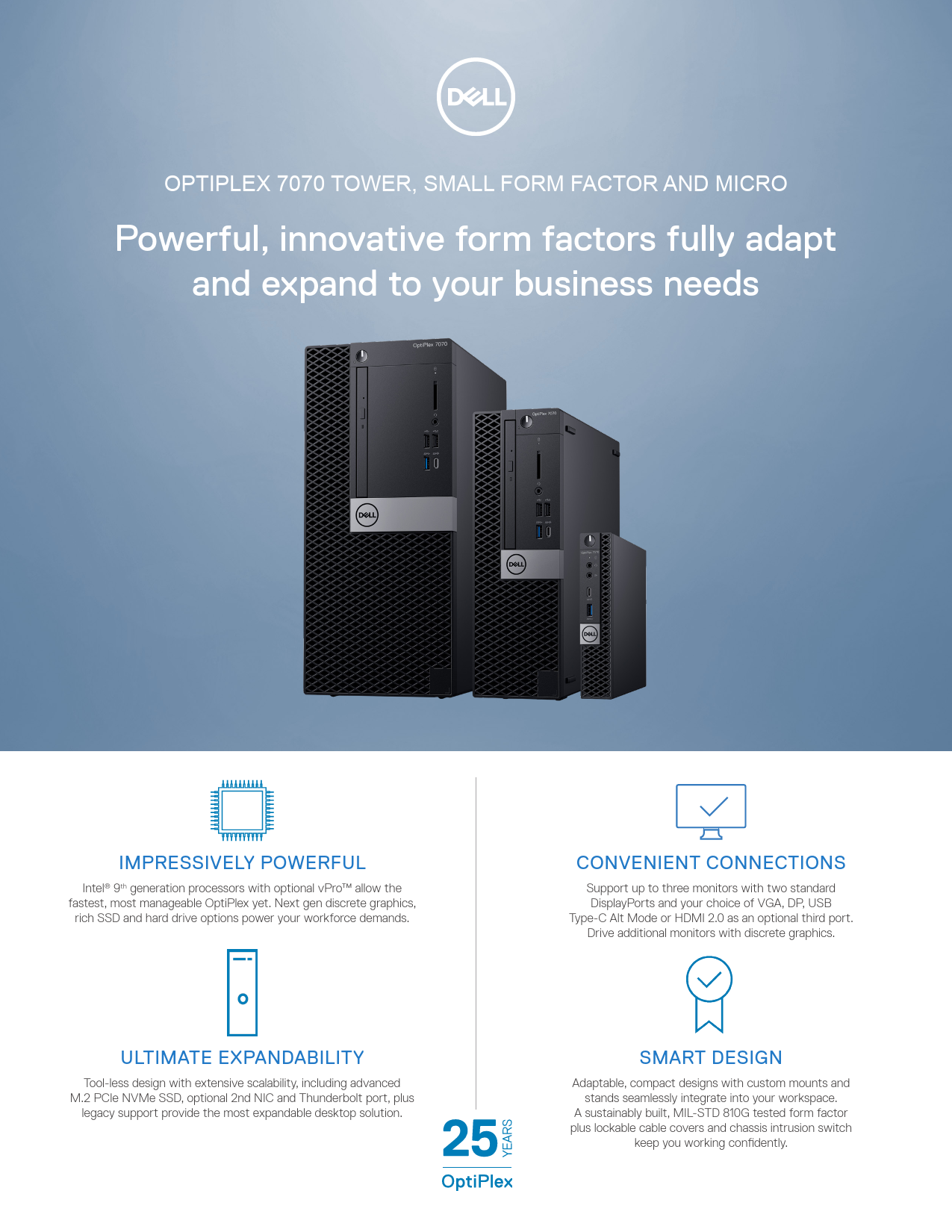
OPTIPLEX 7070 TOWER, SMALL FORM FACTOR AND MICRO Powerful ...
Features & Technical Specifications OPTIPLEX 7070 TOWER, SMALL FORM FACTOR AND MICRO Feature OptiPlex 7070 Technical Specifications1 Processors1 Intel Core™ i3-9100 (4 Cores/6MB/4T/3.6GHz to 4.2GHz/65W); supports Wi…
Extracted Text
OPTIPLEX 7070 TOWER, SMALL FORM FACTOR AND MICRO
Powerful, innovative form factors fully adapt and expand to your business needs

IMPRESSIVELY POWERFUL
Intel� 9th generation processors with optional vProTM allow the fastest, most manageable OptiPlex yet. Next gen discrete graphics,
rich SSD and hard drive options power your workforce demands.
ULTIMATE EXPANDABILITY
Tool-less design with extensive scalability, including advanced M.2 PCIe NVMe SSD, optional 2nd NIC and Thunderbolt port, plus
legacy support provide the most expandable desktop solution.

CONVENIENT CONNECTIONS
Support up to three monitors with two standard DisplayPorts and your choice of VGA, DP, USB Type-C Alt Mode or HDMI 2.0 as an optional third port. Drive additional monitors with discrete graphics.
SMART DESIGN
Adaptable, compact designs with custom mounts and stands seamlessly integrate into your workspace.
A sustainably built, MIL-STD 810G tested form factor plus lockable cable covers and chassis intrusion switch
keep you working confidently.

Recommended Accessories
OPTIPLEX 7070 TOWER, SMALL FORM FACTOR AND MICRO
CUSTOM STANDS AND MOUNTS

OPTIPLEX SMALL FORM FACTOR ALL-
IN-ONE STAND
Small footprint mounting solution featuring integrated monitor power and Ethernet cables, as well as monitor adjustability with height, tilt,
swivel and pivot functions.

OPTIPLEX MICRO
ALL-IN-ONE STAND Small footprint mounting solution adapts to your environment, with cable management and monitor height adjustability, tilt, swivel and pivot functions.

OPTIPLEX MICRO ALL-IN-ONE MOUNT FOR DELL
E SERIES MONITORS This mount allows the Micro to be VESA mounted to select Dell E Series displays.

OPTIPLEX MICRO DUAL VESA MOUNT
Mount your system between two VESA compatible devices. Includes an adapter
box to securely house the system's power adapter.

OPTIPLEX MICRO DVD+/-RW ENCLOSURE Mount your system on a wall or under a surface with full optical drive access. Includes an adapter box to
securely house the system's power adapter.

OPTIPLEX MICRO VESA MOUNT
Mount your system on a wall or under a desk Includes an adapter box to securely house the
system's power adapter.

PURPOSE-BUILT SOLUTIONS

DELL 24 MONITOR - P2419H
23.8" ultrathin bezel optimized for dual display productivity. Easy Arrange feature enables multitasking efficiency and its small base frees
valuable workspace.

DELL ULTRASHARP
24 MONITOR - U2419H
See details and true-to-life color on this UltraSharp monitor with virtually borderless InfinityEdge,
packaged in a sleek, space saving design.

DELL WIRELESS KEYBOARD AND MOUSE - KM636
Compact design and chiclet keys, this essential desktop solution offers
the convenience of wireless and clutter-free performance.

DELL WIRED MOUSE WITH FINGERPRINT
READER - MS819
Wired mouse with fingerprint reader offers convenient and secure login and
online access without passwords.

DELL PRO STEREO HEADSET - UC350
Communicate clearly with a headset optimized to provide in-person sound quality, certified for Microsoft Skype
for Business.

OPTIPLEX CABLE COVERS
Thermally tested custom cable covers offer an easy to install and attractive way to manage
cables and secure ports.

OPTIPLEX DUST FILTERS
Custom dust filters safeguard internal components in factory, warehouse, or retail environments.

Built for business

Dell Technologies Unified Workspace
Dell Technologies Unified Workspace is the most comprehensive solution to deploy, secure, manage and support virtually all devices from the cloud. We designed this revolutionary solution with intelligence and automation providing you with visibility across the entire endpoint environment. We help you save time, improve user experience, optimize
resources and strenthen security.

DEPLOY

Our modern deployment solution, ProDeploy in the Unified Workspace allows you to revolutionize the way deployment gets done. By spending just one hour for set up, IT can then hand deployment to Dell and have preconfigured systems shipped directly to the end users--wherever they are.

SECURE

Dell Endpoint Security for the Unified Workspace helps you manage growing cyber risks while embracing workforce transformation. With Dell SafeGuard and Response powered by Secureworks, you gain actionable insight to help you quickly and efficiently prevent, detect and respond to cyber-attacks keeping your environment free from harm.

MANAGE

We integrated our hardware management solution Dell Client Command Suite with VMware Workspace ONE, allowing you to take advantage of unified endpoint management (UEM) and manage the firmware, operating system and applications for all devices from the Workspace ONE console. UEM simplifies the management of the entire environment saving IT time from having to work between separate consoles for PCs and phones.

SUPPORT

ProSupport Plus continues to be the only predictive and proactive support in the market. When compared to key competitors, ProSupport Plus with SupportAssist reduced time to resolve a failed hard drive with up to 11x faster time to resolution*

*Based on a Principled Technologies test report, "Spend Less Time and Effort Troubleshooting Laptop Hardware Failures" dated April 2018. Testing ommissioned by Dell, conducted in the United States. Actual results will vary. Full report: http://facts.pt/L52XKM

Features & Technical Specifications
OPTIPLEX 7070 TOWER, SMALL FORM FACTOR AND MICRO

Feature
Processors1
Chipset Operating System Options1 Graphics Options2 Memory2,3
Networking4 I/O Ports
Removable Media Options

OptiPlex 7070 Technical Specifications1
Intel� CoreTM i3-9100 (4 Cores/6MB/4T/3.6GHz to 4.2GHz/65W); supports Windows 10/Linux Intel� CoreTM i3-9300 (4 Cores/8MB/4T/3.7GHz to 4.3GHz/65W); supports Windows 10/Linux Intel� CoreTM i5-9400 (6 Cores/9MB/6T/2.9GHz to 4.1GHz/65W); supports Windows 10/Linux Intel� CoreTM i5-9500 (6 Cores/9MB/6T/3.0GHz to 4.4GHz/65W); supports Windows 10/Linux Intel� CoreTM i5-9600 (6 Cores/9MB/6T/3.1GHz to 4.6GHz/65W); supports Windows 10/Linux Intel� CoreTM i7-9700 (8 Cores/12MB/8T/3.0GHz to 4.8GHz/65W); supports Windows 10/Linux Intel� CoreTM i9-9900 (8 Cores/16MB/16T/3.1GHz to 4.9GHz/65W); supports Windows 10/Linux Intel� Celeron G4930T (2 Cores/2MB/2T/3.0GHz/35W); supports Windows 10/Linux Intel� Pentium G5420T (2 Cores/4MB/4T/3.2GHz/35W); supports Windows 10/Linux Intel� Pentium G5600T (2 Cores/4MB/4T/3.3GHz/35W); supports Windows 10/Linux Intel� CoreTM i3-9100T (4 Cores/6MB/4T/3.1GHz to 3.7GHz/35W); supports Windows 10/Linux (Micro only) Intel� CoreTM i3-9300T (4 Cores/8MB/4T/3.2GHz to 3.8GHz/35W); supports Windows 10/Linux (Micro only) Intel� CoreTM i5-9400T (6 Cores/9MB/6T/1.8GHz to 3.4GHz/35W); supports Windows 10/Linux (Micro only) Intel� CoreTM i5-9500T (6 Cores/9MB/6T/2.2GHz to 3.7GHz/35W); supports Windows 10/Linux (Micro only) Intel� CoreTM i5-9600T (6 Cores/9MB/6T/2.3GHz to 3.9GHz/35W); supports Windows 10/Linux (Micro only) Intel� CoreTM i7-9700T (8 Cores/12MB/8T/2.0GHz to 4.3GHz/35W); supports Windows 10/Linux (Micro only) Intel� CoreTM i9-9900T (8 Cores/16MB/16T/2.1GHz to 4.4GHz/35W); supports Windows 10/Linux (Micro only)
Intel� Q370 Chipset
Microsoft� Windows 10 Home (64-bit) Microsoft� Windows 10 Pro (64-bit) Microsoft� Windows 10 National Academic Ubuntu� 18.04 LTS (64-bit) Neokylin� v6.0 (China only)
Integrated Intel� UHD Graphics 630 AMD RadeonTM R5 430, 2GB AMD RadeonTM RX 550, 4GB NVIDIA GeForce� GT 730, 2GB NVIDIA GeForce� GTX 1050, 2GB (Tower only) Dual AMD RadeonTM R5 430, 2GB Dual AMD RadeonTM RX 550, 4GB (Tower only) *Please note that discrete graphics cards are not available on Micro
4 DIMM slots (2 SODIMM slots for Micro); Non-ECC dual-channel 2666Hz DDR4 SDRAM (Memory performance on Intel� Core i3 processor will be at 2400MHz ). Max memory is 64GB (Tower/SFF) and 32GB (Micro) 4GB (1x4GB) 2666MHz DDR4 Memory 8GB (2x4GB) 2666MHz DDR4 Memory 8GB (1x8GB) 2666MHz DDR4 Memory 16GB (2x8GB) 2666MHz DDR4 Memory 16GB (1x16GB) 2666MHz DDR4 Memory 32GB (4x8GB) 2666MHz DDR4 Memory (Tower/SFF only) 32GB (2x16GB) 2666MHz DDR4 Memory 64GB (4x16GB) 2666MHz DDR4 Memory (Tower/SFF only) Optional Intel� OptaneTM Memory 16GB
Integrated Intel I219-LM Ethernet LAN 10/100/1000 Qualcomm� QCA61x4A Dual-band 2x2 802.11ac Wireless with MU-MIMO + Bluetooth 4.2 Intel� Wireless-AC 9560, Dual-band 2x2 802.11ac Wi-Fi with MU-MIMO + Bluetooth 5 Intel� Wireless-AX 200, Dual-band 2x2 802.11ax Wi-Fi with MU-MIMO + Bluetooth 5
Tower/SFF 10 External USB: 1 x USB Type-C 3.1 Gen 2; 5 x 3.1 Gen 1 Type-A (1 front, 4 rear) and 4 x 2.0(2 Type-A front (one with PowerShare), 2 Type A rear (both SmartPower On) Micro: 6 External USB: 1 x USB Type-C 3.1 Gen 2 (front); 3 x 3.1 Gen 1 (1 Front with PowerShare/ 2 rear - One SmartPower On) 2 x 3.1 Gen 2 (Rear) 1 RJ-45 2-Displayport 1-Serial (Optional on Micro) 2-PS/2 (Optional on Micro) 1 Optional 3rd Video Port (VGA/DP/HDMI 2.0b/USB Type-C Alt Mode) 1 Universal Audio Jack 1 Line-Out
Optional 8x DVD-ROM 9.5mm ODD (Tower and Small Form Factor only) Optional 8x DVD+/-RW 9.5mm ODD (Tower and Small Form Factor only) Optional SD Media Card Reader *Optical drive on Micro available via DVD+/- RW Enclosure

Features & Technical Specifications
OPTIPLEX 7070 TOWER, SMALL FORM FACTOR AND MICRO

Feature
Storage Options1,5,15
Chassis

OptiPlex 7070 Technical Specifications1
2.5 inch 500GB 5400rpm SATA Hard Disk Drive 2.5 inch 500GB 7200rpm SATA Hard Disk Drive 2.5 inch 2TB 5400rpm SATA Hard Disk Drive 3.5 inch 500GB 7200rpm SATA Hard Disk Drive 3.5 inch 1TB 7200rpm SATA Hard Disk Drive 3.5 inch 2TB 7200rpm SATA Hard Disk Drive 2.5 inch 256GB SATA Class 20 Solid State Drive 2.5 inch 512GB SATA Class 20 Solid State Drive 2.5 inch 1TB SATA Class 20 Solid State Drive M.2 128GB PCIe NVMe Class 35 Solid State Drive M.2 1TB PCIe Class 40 Solid State Drive M.2 2TB PCIe Class 40 Solid State Drive M.2 256GB PCIe NVMe Class 40 Solid State Drive M.2 256GB PCIe NVMe Class 35 Solid State Drive M.2 512GB PCIe NVMe Class 40 Self Encrypting Opal 2.0 Solid State Drive M.2 512GB PCIe NVMe Class 40 Solid State Drive M.2 512GB PCIe NVMe Class 35 Solid State Drive M.2 1TB PCIe NVMe Class 40 Solid State Drive M.2 2TB PCIe NVMe Class 40 Solid State Drive

Form Factor Dimensions (H x W x D) Dimensions (H x W x D) (cm) Min. Weight (lbs/kg) Number of Bays (max)
Expansion Slots
Power Supply1,6

Tower 13.8" x 6.1" x 10.8"

Small Form Factor (SFF) 11.42" x 3.7 x 11.50"

Micro 7.2" x 1.4" x 7.0"

35 x 15.4 x 27.4

29.0 x 9.26 x 29.2

18.2 x 3.6 x 17.8

17.49 / 7.93

11.57 / 5.26

2.6 / 1.18

1 internal 3.5" HDD 2 internal 2 .5" HDD 1 internal slim ODD Optional 5.25" bay

1 x 3.5" or 2 x 2.5" HDD 1 internal slim ODD

1 internal 2.5" HDD

1 Full Height PCIe x16 1 Full Height PCIe x16 (wired
x4) 1 Full Height PCI and 1
Full Height PCIe x 1
1 M.2 for wireless (22x30mm)
1 M.2 for storage (22x80mm / 22x30mm)
260W typical 85% Efficient PSU
(80 PLUS Bronze); ENERGY STAR compliant, Active PFC
260W typical 92% Efficient PSU
(80 PLUS Platinum); ENERGY STAR compliant,
Active PFC 360W typical 90% Efficient
PSU (80 PLUS Gold); ENERGY STAR compliant,
Active PFC

1 Half Height PCIe x16 1 Half Height PCIe x4
(open ended)

1 M.2 for wireless (22x30mm)

1 M.2 for wireless (22x30mm)

1 M.2 for storage (22x80mm 1 M.2 for storage (22x80mm

/ 22x30mm)

/ 22x30mm)

200W typical 85% Efficient PSU
(80 PLUS Bronze); ENERGY STAR compliant, Active PFC
200W typical 92% Efficient PSU
(80 PLUS Platinum); ENERGY STAR compliant,
Active PFC

90W external PSU (for 35W CPU);
130W external PSU (for 65W CPU)

Features & Technical Specifications
OPTIPLEX 7070 TOWER, SMALL FORM FACTOR AND MICRO

Feature

OptiPlex 7070 Technical Specifications1

Recommended accessories

Monitors: qualified with select Dell UltraSharp, Professional and E series monitors Micro Mounting Options: Micro Vertical Stand, Micro VESA Mount, Micro Dual VESA Mount, Micro All-in-One Stand, Micro All-in-One Mount for E Series Displays, Micro DVD+/-RW Enclosure. Small Form Factor mounting option: Small Form Factor All-in-One Stand Keyboards: Dell wired keyboard with multimedia functionality, Dell Smart Card keyboard, Dell wireless keyboard Mouse: Dell wired mouse, Dell wireless mouse, Dell Laser mouse, Dell Wired Fingerprint Reader Mouse Audio Speakers: Internal Dell Business audio speaker, Dell stereo speaker systems available; Dell sound bar for select flatpanel displays. Dell Wireless Speaker System available. Audio Headsets: Dell Pro Stereo headsets

Security Options

Trusted Platform Module6 TPM 2.0, Dell Data Protection| Encryption, Microsoft Windows Bitlocker, Local HDD data wipe via BIOS ("Secure Erase"), Encryption-SED HDD (Opal FIPS), Chassis lock slot support, Lockable Port Cover, Chassis Intrusion Switch, D-Pedigree (Secure Supply Chain Functionality ), Setup/BIOS Password, Optional Smart Card keyboards, Intel� Trusted Execution Technology, Intel� Identity Protection Technology, Firmware support for optional Absolute Data & Device Security (formerly Computrace)7, Intel Software Guard eXtensions

Systems Management Options9

Dell Client Command Suite for In-Band systems management, Optional Intel� Standard Manageability or Intel� vProTM for Outof-Band systems management

Environmental, Ergonomic & Regulatory Standards10

Environmental Standards (eco-labels): ENERGY STAR, EPEAT Registered9, TCO Certified, CEL, WEEE, Japan Energy Law, South Korea E-standby, South Korea Eco-label, EU RoHS, China RoHS14. Please see your local representative or www.dell.com for specific details.

Warranty

Limited Hardware Warranty10; Standard Next Business Day On Site Service after Remote Diagnosis11; Optional Dell ProSupport offers premium support from expert technicians and 24x7 availability12.

Configuration Services

Factory Image load, BIOS Customization, Hardware Customization, Asset Tagging and Reporting.

OPTIPLEX 7070 TOWER, SMALL FORM FACTOR AND MICRO
Powerful, innovative form factors fully adapt
and expand to your business needs
Discover professional class desktops at www.dell.com/OptiPlex
1. Offering may vary by region. Some items may be available after product introduction. For complete details, refer to the Technical Guidebook published on www.dell.com.
2. System Memory and Graphics: Significant system memory may be used to support graphics, depending on system memory size and other factors. 3. 4GB or Greater System Memory Capability: A 64-bit operating system is required to support 4GB or more of system memory. 4. Particular versions of Microsoft Windows may not support the full Bluetooth 4.2 functionality 5. Storage: GB means 1 billion bytes and TB equals 1 trillion bytes; actual capacity varies with preloaded material and operating environment and will be less. 6. PSU: This form factor utilizes a more efficient Active Power Factor Correction (APFC) power supply. Dell recommends only Universal Power Supplies (UPS) based on Sine Wave
output for APFC PSUs, not an approximation of a Sine Wave, Square Wave, or quasi-Square Wave (see UPS technical specifications). If you have questions please contact the manufacturer to confirm the output type. 7. TPM is not available in all regions. 8. AbsoluteTM Data & Device Security: An AbsoluteTM offer. Some conditions apply. Terms and Conditions at www.absolute.com/legal 9. Systems Management Options: Desktop and mobile Architecture for System Hardware (DASH) - Fully enabled at point of purchase. 10. For complete listing of declarations and certifications, refer to the Dell Regulatory and Environmental Datasheet found in the Manuals section of Product Support information at www.dell.com/support/home/us/en/19 11. Please refer to www.epeat.net for specific country registration rating and participation. 12. Limited Hardware Warranty: For copy of Ltd Hardware Warranty, write Dell USA LP, Attn: Warranties, One Dell Way, Round Rock, TX 78682 or see www.dell.com/warranty 13. Onsite Service after Remote Diagnosis: Remote Diagnosis is determination by online/phone technician of cause of issue; may involve customer access to inside of system and multiple or extended sessions. If issue is covered by Limited Hardware Warranty (www.dell.com/warranty) and not resolved remotely, technician and/or part will be dispatched, usually within 1 business day following completion of Remote Diagnosis. Availability varies. Other conditions apply. 14. Dell Services: Availability and terms of Dell Services vary by region. For more information, visit www.dell.com/servicedescriptions 15. AMD and NVIDIA discrete graphics options are only available on Tower and Small Form Factor 16 2.5 Inch Solid State Drives are only available as a secondary storage option and can only be paired with a Solid State Drive as the Primary Storage Device.