

Nissan; CVT / TCM Calibration Data "Write" Procedure
File info: application/pdf · 20 pages · 1.98MB
Nissan; CVT / TCM Calibration Data "Write" Procedure
Previous prelim#: 1210310, 1303077, 1310268
Technical, Communications
Nissan; CVT / TCM Calibration Data 'Write' Procedure
appropriate Electronic Service Manual (ESM) for further diagnostic information. 26. If the valve body was replaced, perform CLUTCH POINT LEARNING under "Transmission Work Support" in C-III plus. Follow the steps for CLU…
Refer to the appropriate Electronic Service Manual (ESM) for further diagnostic information. 26. If the valve body was replaced, perform CLUTCH POINT LEARNING under...
Nissan; CVT / TCM Calibration Data 'Write' Procedure
Extracted Text
Classification:
AT12-009f

Reference:
NTB12-103f

Date:
November 8, 2018

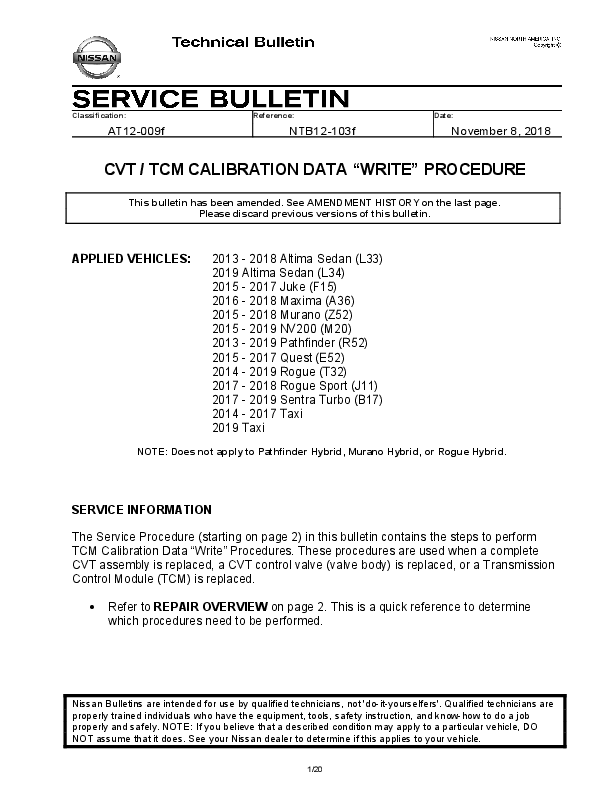
CVT / TCM CALIBRATION DATA "WRITE" PROCEDURE
This bulletin has been amended. See AMENDMENT HISTORY on the last page. Please discard previous versions of this bulletin.

APPLIED VEHICLES:

2013 - 2018 Altima Sedan (L33) 2019 Altima Sedan (L34) 2015 - 2017 Juke (F15) 2016 - 2018 Maxima (A36) 2015 - 2018 Murano (Z52) 2015 - 2019 NV200 (M20) 2013 - 2019 Pathfinder (R52) 2015 - 2017 Quest (E52) 2014 - 2019 Rogue (T32) 2017 - 2018 Rogue Sport (J11) 2017 - 2019 Sentra Turbo (B17) 2014 - 2017 Taxi 2019 Taxi

NOTE: Does not apply to Pathfinder Hybrid, Murano Hybrid, or Rogue Hybrid.

SERVICE INFORMATION
The Service Procedure (starting on page 2) in this bulletin contains the steps to perform TCM Calibration Data "Write" Procedures. These procedures are used when a complete CVT assembly is replaced, a CVT control valve (valve body) is replaced, or a Transmission Control Module (TCM) is replaced.
 Refer to REPAIR OVERVIEW on page 2. This is a quick reference to determine which procedures need to be performed.

Nissan Bulletins are intended for use by qualified technicians, not 'do-it-yourselfers'. Qualified technicians are properly trained individuals who have the equipment, tools, safety instruction, and know-how to do a job properly and safely. NOTE: If you believe that a described condition may apply to a particular vehicle, DO NOT assume that it does. See your Nissan dealer to determine if this applies to your vehicle.
1/20

REPAIR OVERVIEW
PROCEDURE
Erase/Write Calibration Data
Save/Write Calibration Data
G-Sensor Learning Clutch Point Learning
Select Learning

VALVE BODY REPLACEMENT
Required

TCM REPLACEMENT
Not needed

CVT ASSEMBLY REPLACEMENT
Required

Not needed Not needed
Required

Required
Required (except for Juke vehicles)
Required

Not needed Not needed Not needed

Required

Required

Required

SERVICE PROCEDURE
IMPORTANT: If replacing the TCM only, skip to page 14: SAVE / WRITE CALIBRATION DATA WHEN REPLACING THE TCM.

ERASE / WRITE CALIBRATION DATA WHEN REPLACING CVT OR VALVE BODY NOTE:
 Use the following steps when a complete CVT assembly or valve body is replaced.  Also use the following steps if the TCM was replaced with a complete CVT or valve
body.
Before starting, make sure:  ASIST on the CONSULT PC has been freshly synchronized to the current date.  All C-III plus software updates (if any) have been installed.
1. Obtain the calibration file disc (provided with the new CVT or valve body). 2. Match the numbers on the disc with the new CVT or new valve body and QR label.
 See pages 3 and 4 for number matching examples.

2/20

NTB12-103f

If a complete CVT is being replaced, match the following number (calibration file):

 Disc (CD) provided with the new CVT.

Example

 QR label on the new CVT.

Figure A Example

 Calibration file number on the CVT case or label.

Figure B
Example
Skip two digits

Figure C IMPORTANT: All three of the above numbers must be the same (they must match).

3/20

NTB12-103f

If a new valve body is being replaced, match the following number (calibration file):
Example
 Disc (CD) provided with the new valve body.

 QR label provided with the new valve body.

Figure D Example

 Calibration file number on the valve body.

Figure E Example

Figure F IMPORTANT: All three of the above numbers must be the same (they must match).

4/20

NTB12-103f

3. Connect the external disk drive to the CONSULT PC. NOTE: Use the external disk drive provided with the C-III plus kit.
4. Load the CD into the external disc drive.
5. Connect the CONSULT PC to the vehicle with the plus VI and then open / start C-III plus.  Make sure ASIST and other programs are closed.
6. After the plus VI is recognized, select Diagnosis (All Systems).

Step 6: plus VI is recognized

Step 6

Figure 1 7. Navigate C-III plus to TRANSMISSION > Work Support.

5/20

NTB12-103f

8. Select the scroll arrow shown in Figure 2.

Step 8

Figure 2
9. Print a copy of the screen shown in Figure 3 and attach it to the repair order. NOTE:  Make sure to print page 1 of 7 (1 / 7).  This screen print is used for warranty documentation.
10. Select scroll arrow shown in Figure 3. Step 10
Screen print must show the VIN
Example

Print page 1 of 7 (1 / 7) Figure 3
6/20

NTB12-103f

11. Select WRITE IP CHARA � REPLACEMENT AT/CVT, and then select Start.

Step 11
Figure 4
IMPORTANT: When starting the calibration "write" procedure in C-III plus, and after selecting Start under Work Support, the C-III screen may only blink.  If this occurs, confirm ASIST is closed and then perform step 11 above.
 If there is still no change: reboot the CONSULT PC, keep ASIST closed, and restart this procedure from step 1.
 If error "STOPPED, no comm. with ECU" shows when trying to write calibration data, verify that the vehicle is in park (P).

7/20

NTB12-103f

12. Select OK.

Step 12

13. Select My Computer.

Figure 5

Figure 6
8/20

NTB12-103f

14. Select DVD/CD-RW Drive (F:) Step 14
Figure 7 15. Highlight the file and then select Open.

Figure 8
9/20

NTB12-103f

16. Verify that the serial number (calibration file number) matches the numbers from step 2 on page 2 (see Figures on pages 3 and 4).  If the numbers do not match, contact TECH LINE.
17. Select Next. NOTE: If error message "Stopped, No Comm with ECU" is displayed, confirm that the vehicle is in Park.

Step 16

Step 17

Figure 9
18. Before selecting Start, follow the directions in Figure 10.  Do not follow the directions on the C-III plus screen.
First:  IGN ON, ENG OFF  PRESS BRAKE PEDAL  SHIFT INTO REVERSE (R)  DEPRESS THROTTLE
PEDAL � WAY AND HOLD Then  SELECT START on the C-III
plus screen
Figure10
10/20

NTB12-103f

19. Follow the on screen instructions.

Figure 11 20. Follow the on screen instructions.

Make sure to put the transmission in Park
NOTE: A slight delay will occur before "P" will display on the instrument cluster
Touch Start = Touch Write

Figure 12
11/20

NTB12-103f

21. After Complete, select End.

Step 21

Figure 13
22. Select Home to return to the screen shown in Figure 1 on page 5.
23. Perform steps 6 � 9, starting on page 5.
24. Attach the second screen print to the repair order. NOTE: Screen prints are used for warranty documentation.
25. Clear any DTCs that may have set. NOTE: Any DTCs that will not clear are not covered by this bulletin. Refer to the appropriate Electronic Service Manual (ESM) for further diagnostic information.
26. If the valve body was replaced, perform CLUTCH POINT LEARNING under "Transmission Work Support" in C-III plus.
 Follow the steps for CLUTCH POINT LEARNING exactly as presented in C-III plus.
 If the procedure is not performed correctly, the vehicle may not move when the CVT is placed in gear.  If this condition occurs, cycle the ignition OFF/ON, and then perform CLUTCH POINT LEARNING again.
27. If the CVT assembly was replaced, do not perform CLUTCH POINT LEARNING.

12/20

NTB12-103f

28. Perform Select Learning (Drive / Reverse Learning). a. Set the parking brake. b. Start the engine, and then wait five (5) seconds. c. Move the shift selector to the N position and hold more than two (2) seconds, and then move it to the D position and wait for transmission engagement. d. Repeat step 28c ten times. e. Move the shift selector to the N position and hold for more than 2 seconds, and then move it to the R position and wait for transmission engagement. f. Repeat step 28e ten times. g. Move the shift selector to the P position, and then turn the ignition OFF.
29. Test drive the vehicle.
END

13/20

NTB12-103f

SAVE / WRITE CALIBRATION DATA WHEN REPLACING THE TCM NOTE:
 The following steps are used if TCM only is replaced.  If the CVT or valve body is being replaced, go back to page 2.  Before starting, make sure:
 ASIST on the CONSULT PC has been freshly synchronized to the current date.  All C-III plus software updates (if any) have been installed.
Save Calibration Data Before TCM Replacement 1. Connect the CONSULT PC to the vehicle. 2. Open / start C-III plus.
 Make sure ASIST and other programs are closed. 3. Wait for the plus VI to be recognized.
 The serial number will display when the plus VI is recognized. 4. Select Diagnosis (One System).

Step 3: plus VI is recognized

Step 4

Figure A1 5. Navigate C-III plus to TRANSMISSION >> Work Support.
14/20

NTB12-103f

6. Select READ IP CHARA � REPLACEMENT TCM, and then Start.

7. Select Start.

Step 6 Figure A2

Step 7

Figure A3
15/20

NTB12-103f

8. When the calibration data has been saved to the CONSULT PC, the message "Data saved successfully" will be displayed and Current status will indicate Completed (see Figure A4).
9. Select End.
Step 9 Figure A4 10. Replace the TCM. 11. After the TCM has been replaced, go to Write Calibration Data After TCM Replacement on the next page.

16/20

NTB12-103f

Write Calibration Data After TCM Replacement
12. After the TCM has been replaced, select WRITE IP CHARA � REPLACEMENT TCM, and then select Start.

Step 12
Figure A5
IMPORTANT: When starting the calibration "write" procedure in C-III plus, and after selecting Start under Work Support, the C-III plus screen may only blink.  If this occurs, confirm ASIST is closed, and then perform step 12 above.
 If there is still no change: reboot the CONSULT PC, keep ASIST closed, and restart the procedure from the beginning.
 If error "STOPPED, no comm. with ECU" shows when trying to write calibration data, verify that the vehicle is in Park (P).

17/20

NTB12-103f

13. Select Start again.

14. Select Yes.

Step 13 Figure A6

Figure A7
18/20

NTB12-103f

15. When the calibration data has been written to the TCM, the message "Data writing completed successfully" will be displayed and Current status will indicate Complete (Figure A8).
16. After Complete, select End to finish.

Step 16

Figure A8
17. Clear any DTCs that may have set. NOTE: Any DTCs that will not clear are not covered by this bulletin. Refer to the appropriate Service Manual for further diagnostic information.
18. Perform G-Sensor Learning under "Transmission Work Support" in C-III plus. Juke vehicles: Skip to step 19. Do not perform G-Sensor learning on Juke vehicles.
19. Perform CLUTCH POINT LEARNING under "Transmission Work Support" in C-III plus. NOTE: Skip this step if the CVT assembly was replaced.  Follow the steps for CLUTCH POINT LEARNING exactly as presented in C-III plus.  If the procedure is not performed correctly, the vehicle may not move when the CVT is placed in gear.  If this condition occurs, cycle the ignition OFF/ON, and then perform CLUTCH POINT LEARNING again.

19/20

NTB12-103f

20. Perform Select Learning (Drive / Reverse Learning): a. Set the parking brake. b. Start the engine, and then wait five (5) seconds. c. Move the shift selector to the N position and hold for more than two (2) seconds, and then move it to the D position and wait for transmission engagement. d. Repeat step 20c ten times. e. Move the shift selector to the N position and hold for more than two (2) seconds, and then move it to the R position and wait for transmission engagement. f. Repeat step 20e ten times. g. Move the shift selector to the P position, and then turn the ignition OFF.
21. Test drive the vehicle.

AMENDMENT HISTORY

PUBLISHED DATE November 14, 2012
March 22, 2013

REFERENCE NTB12-103 NTB12-103a

DESCRIPTION Original bulletin published. APPLIED VEHICLES section revised.

October 17, 2013

NTB12-103b

APPLIED VEHICLES section revised, and changes made throughout to accommodate updated version of CONSULT-III plus.

March 31, 2016

NTB12-103c

APPLIED VEHICLES and SERVICE PROCEDURE sections revised.

June 9, 2016

NTB12-103d APPLIED VEHICLES section revised.

April 26, 2017

NTB12-103e

APPLIED VEHICLES, SERVICE INFORMATION, SERVICE PROCEDURE sections revised, and REPAIR OVERVIEW added.

November 8, 2018 NTB12-103f

APPLIED VEHICLES and SERVICE INFORMATION sections revised.

20/20

NTB12-103f