

HALO Bolt Flashlight Rev 1
File info: application/pdf · 17 pages · 6.67MB
HALO Bolt Flashlight Rev 1
USER MAINTENANCE INSTRUCTIONS MOVING AND STORAGE INSTRUCTIONS • Read all instructions before using the product. • When used correctly, lithium- ion rechargeable batteries provide a safe and dependable source of portable…
Halo Bolt Flashlight - ZAGG
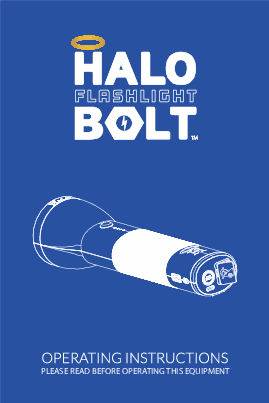
HALO BOLT FLASHLIGHT. Thank you for choosing HALO! The HALO BOLT FLASHLIGHT is fashionable, feature rich and built for every day use.
Full PDF Document

If the inline viewer fails, it will open the original document in compatibility mode automatically. You can also open the file directly.
Extracted Text
PLEASE READ BEFORE OPERATING THIS EQUIPMENT

HALO BOLT FLASHLIGHT
Thank you for choosing HALO! The HALO BOLT FLASHLIGHT is fashionable, feature rich and built for every day use. This rechargeable ashlight provides a super-bright, LED beam, dual mode ashlight. Powerful and easy to use, the HALO BOLT FLASHLIGHT can also safely jump start your car. In addition, you can use it to charge your phone tablet and other electronic devices. The HALO BOLT FLASHLIGHT also features a strong magnetic ashlight head with a convenient multi-mode work and emergency oodlight.

TABLE OF CONTENTS
Included Items Operating Instructions Troubleshooting Guide Speci cations Safety Precautions Warranty and Contact Information

4-5 6-12 10 12 12-14 16

INCLUDED ITEMS
- HALO BOLT FLASHLIGHT - Jumper Cables - USB Type-C Cable

1

2

- USB Wall Charger - USB Car Charger - Carrying Pouch
3

6

10

11

4 5
7

8

9

14 13

12

15

1 | USB Type-C Cable 2 | LED Flashlight 3 | Built-in Magnet 4 | LED Flashlight Power ON/OFF Button 5 | LED Battery Indicators 6 | USB Car Charger 7 | Work Light / Emergency Light 8 | USB Output Port 9 | Work Light / Emergency Light Power On/O Button 10 | USB Wall Charger 11 | Jumpstart Button 12 | USB Type-C Input 13 | Jumpstart Output 14 | USB ON/OFF Button 15 | Jumper Cables

OPERATING INSTRUCTIONS
IMPORTANT: Before using your halo bolt ashlight for the rst time, fully charge it (so that pressing any button lights up all four LEDS on the LED Battery Indicators).
To charge your HALO BOLT FLASHLIGHT, connect the provided USB Wall Charger with the provided USB Type-C Cable. Next, connect the USB Wall Charger into a wall outlet; and the USB Type-C Cable tip into the HALO BOLT FLASHLIGHT. The HALO BOLT FLASHLIGHT will automatically begin charging. When the HALO BOLT FLASHLIGHT is fully charged, all four battery indicator lights will be solid white. (This could take up to 7 hours). When fully charged, disconnect the cable.
HALO BOLT FLASHLIGHT LED BATTERY INDICATORS
CHARGING YOUR HALO BOLT FLASHLIGHT Indicator Lights Amount of Charge
0%-24% 25%-49% 50%-74% 75%-100% *Blinking light indicates recharging. Solid lights indicate fully charged.

NOTE: The HALO BOLT FLASHLIGHT is designed to charge between 32�F-113�F (0-45�C). The battery indicators will rapid ash if the HALO BOLT FLASHLIGHT is attempted to be charged outside of this temperature range.
When you're on the road, you can also use the supplied Car Charging Adapter to charge your HALO BOLT FLASHLIGHT.
USING YOUR HALO BOLT FLASHLIGHT / WORKLIGHT
The HALO BOLT FLASHLIGHT contains a ashlight and work-light. The LED ashlight has a low and high beam mode. Press the ashlight power ON/OFF button once to turn on low beam mode. Press the button a second time to turn on high beam mode.

NOTE:

Built-in Magnets

Magnets are built into the face of the ashlight.

The Work Light / Emergency Light can be turned on/o by pressing the Work Light / Emergency Light Power ON/OFF button. The rst press will turn on the work light. Second press will turn on the red emergency light. Third press will turn on SOS ashing red light.

NOTE: � The ashlight and work light will automatically turn o after 2 hours of inactivity. � Do not look directly into the LED lights � The ashlight head includes built-in magnets. To prevent drops, ensure that ashlight is a xed to a at and smooth metal surface.

JUMP STARTING YOUR VEHICLE WITH

THE HALO BOLT FLASHLIGHT

1. Plug the jumper cables into the jump start output on the

HALO BOLT FLASHLIGHT.

Positive Clamp

Negative Clamp

NOTE: Make sure the jumper cables are fully plugged into the jump start output before trying to jump your vehicle.
2. Attach the jumper cable clamps to the vehicle battery. - Red clamp on positive terminal (+) - Black clamp on negative terminal (-)
Positive Clamp
Negative Clamp

NOTE: Do not touch red (positive) and black (negative) clamps together at any point. If the jump start button ashes red, the jumper cables have been connected incorrectly. If this ashing red condition occurs, disconnect the jumper cables from the HALO BOLT
FLASHLIGHT and vehicle battery and restart the process from Step 1.

3. Press the "Jump Start" button and wait for solid green light.
JUMP START
JUMP START
NOTE: A ashing green light indicates safety checks are in progress.
Do not disconnect the jumper cables when the Jump Start button is illuminated solid green. If you wish to cancel a jump start attempt, simply press the Jump Start button again and the solid green light will turn o indicating that the jump start attempt has been cancelled.
4. Start your vehicle. NOTE: If your vehicle fails to start after the rst attempt, wait 30 seconds and repeat step 3 and step 4. If your vehicle does not start after three attempts, we recommend you consult a certi ed mechanic.
5. Disconnect the jumper cable clamps from the car battery. NOTE: � The jump start function can not be used in conjunction with USB charging. Please ensure that you have not activated the USB output when attempting to jump start your vehicle. � The HALO BOLT FLASHLIGHT is designed to allow a jump start when used within a safe temperature range. � When attempting to jump start your vehicle, turn o your headlights and any other components that may drain your car battery.

JUMP START TROUBLESHOOTING TIPS

Condition

Potential Cause

Solution

The Jump Start button has been pressed but nothing
happens

The USB ON/OFF Button has been pressed and the battery indicators are
illuminated white

The jump start output can not be used in conjunction with the USB output. Ensure the USB output is o
and then press the jump start button.

The Jump Start Button has been pressed and the battery indicators
rapid ash white

The HALO BOLT FLASHLIGHT is not su ciently charged to jump start the
vehicle.
The HALO BOLT FLASHLIGHT has detected a a low or high temperature
condition.

Recharge the HALO BOLT FLASHLIGHT. Verify the HALO BOLT FLASHLIGHT has
greater than a 50% charge.
Disconnect the HALO BOLT FlASHLIGHT and allow unit to acclimate to temperature operating range (-4�F to 140�F) (-20�C to 60�C)

The Jump Start button ashes red

The jumper cables have not been properly connected to the vehicle
battery.

Check the jumper cables and ensure that the red clamp is connected to the positive terminal (+) and the
black clamp is connected to the negative terminal (-)

The Jump Start button ashes green
continuously

The HALO BOLT FLASHLIGHT is waiting Check the jumper cables and ensure they

to be connected to a battery.

are properly connected to the battery.

The HALO BOLT FLASHLIGHT safety checks can not be completed on the
connected vehicle battery.

It is recommended that you consult with a certi ed mechanic.

The Jump Start button shuts o unexpectedly

The HALO BOLT FLASHLIGHT detects that it is connected to a vehicle battery that does not require a jump start. This
could indicate some other vehicle component is faulty.

It is recommended that you consult with a certi ed mechanic.

NOTE: If none of these troubleshooting tips work, please consult a certi ed mechanic for assistance.

CHARGING AN ELECTRONIC DEVICE USING 5V/2.4A USB OUTPUT PORT
1. Connect the USB Type-C tip of the supplied USB Type-C Cable into the USB Type-C input of your electronic device and connect the Standard USB end of the supplied USB Type-C cable into the HALO BOLT FLASHLIGHT USB 5V/2.4A Output port.
TYPE-C
USB Plug
2. Turn on the USB charging by pressing the USB Power ON/OFF Button on the HALO BOLT FLASHLIGHT. NOTE: If your electronic device does not have a USB Type-C Input, your HALO BOLT FLASHLIGHT is also compatible with the charging cable provided with your electronic device. To use, plug the Standard USB end of the cable into the 5V/2.4A USB Output port located on your HALO BOLT FLASHLIGHT. NOTE: The HALO BOLT FLASHLIGHT USB charging feature will automatically power o after 30 minutes of inactivity.

HALO SMART CHARGE TECHNOLOGY
Your HALO BOLT FLASHLIGHT contains the HALO SMART CHARGE TECHNOLOGY to achieve higher compatibility for charging standard 5V USB electronic devices. The HALO SMART CHARGE TECHNOLOGY will allow the HALO BOLT FLASHLIGHT to communicate with your electronic device and provide the fastest and safest charge for that device.

COMPATIBILITY
Standard 5V USB electronic devices including: Mobile phones, Tablets, PSP, NDS, MP3, MP4, MP5, Bluetooth, GPS, Cameras, and more.

Mobile Phones

Tablets

Digital Cameras

Mobile Gaming

+ more!

SPECIFICATIONS
Model: Battery Cells: Battery Pack Energy: Jump Start: Input: USB Output: Dimensions: Weight: Operating Temperature (During Charging): Optimal Discharging Temperature: Storage Temperature Range:

HBFL-36630 3x Li-Polymer 3300mAh
36630 mWh 12V/400Amps
5V/2A 5V/2.4A 2.85 x 10.43 inches 1.15 lbs 32�F - 113�F (0�C - 45�C) -4�F - 104�F (-20�C - 40�C) -4�F - 158�F (-20�C - 70�C)

SAFETY PRECAUTIONS USER MAINTENANCE INSTRUCTIONS MOVING AND STORAGE INSTRUCTIONS
� Read all instructions before using the product. � When used correctly, lithium- ion rechargeable batteries provide a safe and dependable source of portable power. However, if they are misused or abused, this may result in leakage, burns, re or explosion, causing personal injury or damage to other devices. � Misusing or incorrectly connecting your HALO BOLT FLASHLIGHT may cause electric shock to users and damage equipment. � Keep your HALO BOLT FLASHLIGHT dry and away from moisture and corrosive materials. The HALO BOLT FLASHLIGHT should not be used near water or wet areas such as bathtubs, showers, bathrooms, sinks, swimming pools or basements. � Do not expose your HALO BOLT FLASHLIGHT to moisture, water, rain, or snow. � Keep your HALO BOLT FLASHLIGHT away from heat sources, including open ames, radiators, stoves, ovens, and any other devices that product heat. � The lithium-ion rechargeable battery used in this charging device may present a risk of re or chemical burn if mistreated. Do not expose to
re or excessive temperature. Do not expose to heat above 212�F (100�C) or incinerate. � In the unlikely event of leakage or explosion use sand or a chemical
re extinguisher. � Your HALO BOLT FLASHLIGHT may become warm under extended high power operation. Do not cover, wrap, or otherwise restrict the HALO BOLT FLASHLIGHT during operation. � Do not disassemble your HALO BOLT FLASHLIGHT. There are no user-serviceable parts inside. Incorrect reassembly may result in shock or re hazard. � Do not drop or subject to strong impacts. Do not operate your HALO BOLT FLASHLIGHT if it has received a sharp blow, or has otherwise

been damaged in any way. � Do not puncture, crush or subject to mechanical shock. � Only charge your HALO BOLT FLASHLIGHT by the speci ed method with the speci ed charging adapter provided with the unit. � Do not use any non-HALO-branded accessories with the HALO BOLT FLASHLIGHT. Doing so may cause electric shock to users and damage equipment. � The HALO BOLT FLASHLIGHT, along with its accessories, are not toys and should be kept away from children. � Make sure the jumper cables are fully plugged into the jump start output before trying to jumpstart your vehicle. � Do not touch red (positive) and black (negative) jumper clamps together at any point. � Do not insert any foreign object into the ports or openings of your HALO BOLT FLASHLIGHT. � Do not clean your HALO BOLT FLASHLIGHT with harsh chemicals, soaps or detergents. Just wipe the case with a soft cloth. � Do not modify or attempt to repair the HALO BOLT FLASHLIGHT except as indicated in the instructions for use and care. � Make sure the HALO BOLT FLASHLIGHT's charging ports do not become contaminated with lint or other debris. Use a canned-air type of product periodically to ensure that the port openings are clear. � Batteries should be recycled or disposed of as per state and local guidelines. � The device shall be stored indoors and protected from the elements; � The unit shall not be charged outdoors; � When in use, steps should be taken to reduce the exposure to rain, sleet, snow, and the like � For appliance and battery storage, do not exceed 104�F (40�C) � Under abusive conditions, liquid may be ejected from the battery; avoid contact. If contact accidentally occurs, ush with water. If liquid contacts eyes, additionally seek medical help. Liquid ejected from the battery may cause irritation or burns.

SAVE THESE INSTRUCTIONS
COMPLIANCE WITH FCC REGULATION
This device complies with part 15 of the FCC Rules and RSS-Gen of IC Rules. Operation is subject to the following two conditions: (1) This device may not cause harmful interference, and (2) this device must accept any interference received, including interference that may cause undesired operation. NOTE: This equipment has been tested and found to comply with the limits for a Class B digital device, pursuant to part 15 of the FCC Rules. These limits are designed to provide reasonable protection against harmful interference in a residential installation. This equipment generates, uses, and can radiate radio frequency energy and, if not installed and used in accordance with the instructions, may cause harmful interference to radio communications. However, there is no guarantee that interference will not occur in a particular installation.
If this equipment does cause harmful interference to radio or television reception, which can be determined by turning the equipment o and on, the user is encouraged to try to correct the interference by one or more of the following measures: � Reorient or relocate the receiving antenna. � Increase the separation between the equipment and receiver. � Connect the equipment into an outlet on a circuit di erent from that
to which the receiver is connected. � Consult the dealer or an experienced radio/TV technician for help.
CAUTION: To comply with the limits of the Class B digital device, pursuant to Part 15 of the FCC Rules, this device must be used with certi ed peripherals and shielded cables. All peripherals must be shielded and grounded. Operation with non-certi ed peripherals or non-shielded cables may result in interference to radio or reception.

LIMITED WARRANTY
HALO2CLOUD LLC. (HALO) warrants its products to be free from defects in material and workmanship under normal use. Conditions are as follows: � During the rst 90 days from date of purchase, HALO will repair or
replace the defective product. � HALO will, subject to inspection, repair the defective product or replace it with a new or reconditioned unit. The return must be accompanied by a Return Merchandise Authorization (RMA) number to be issued upon request, and must be shipped prepaid. � Where applicable, all requests for warranty returns must be accompanied by a proof of purchase. � The warranty does not extend to the electronic equipment that is used, or incorporates with any of our products and accessories. HALO shall not be held responsible for the improper use of its products. � In no event shall HALO be liable for any incidental, special, consequential or punitive damages arising out of the use of HALO's products. For all questions or exchange requests, please call 888-907-6274, or contact us at zagg.com/support. This Limited Warranty sets forth the full scope of HALO's obligations and liabilities with respect to the product. All implied warranties, including without limitation the implied warranties of merchantability and tness for a particular purpose, are limited to the duration of this Limited Warranty. In no event shall HALO be liable for any incidental, special, consequential or punitive damages or any damages or losses of or to electronic equipment or products that are used with any of HALO's products.

FOR TECHNICAL SUPPORT PLEASE CONTACT US AT:
ZAGG.COM/SUPPORT OR
CALL US AT: 888 907 6274
HALO 6 CENTRAL ROW HARTFORD, CT 06103
WWW.ZAGG.COM/HALO
Designed by HALO. 6 Central Row, Hartford, CT 06103 Made in China.