

Insignia Platinum Range Chrome Frame Steam Shower Cabin Installation Guide
File info: application/pdf · 27 pages · 4.69MB
Insignia Platinum Range Chrome Frame Steam Shower Cabin Installation Guide
Insignia, Platinum, Range, Chrome, Frame, Steam, Shower, Cabin, Installation, Guide
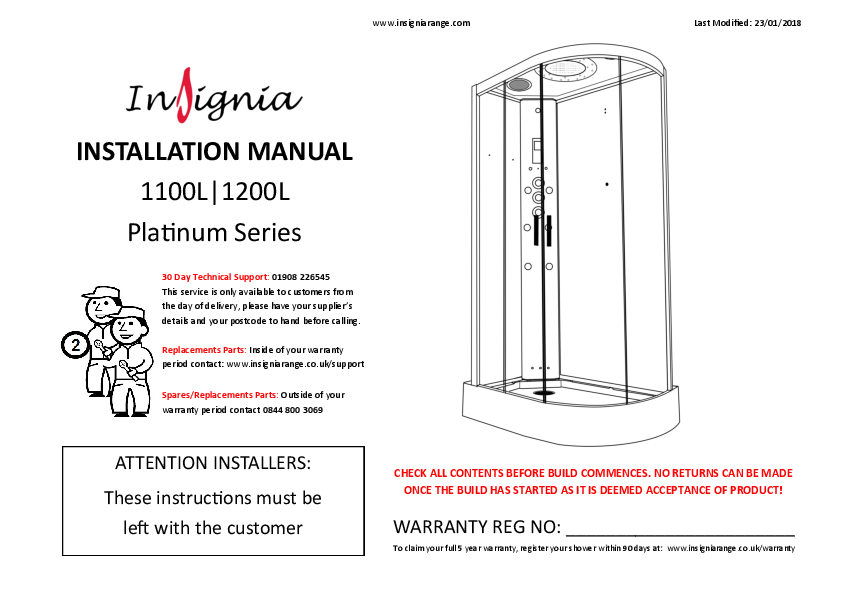
INSTALLATION MANUAL L|L Platinum Series
INSTALLATION MANUAL L|L Platinum Series ATTENTION INSTALLERS: These instructions must be left with the customer WARRANTY REG NO: 30 Day Technical Support: 01908 226545 This service is only available to customers from th…
Insignia Platinum Range Chrome Frame Steam Shower Cabin Installation Guide (4.69MB)
Insignia Platinum Black Frame Left Hand Offset Quadrant Shower Cabin 1200 x 800mm - PL12L-OBF-CG
Full PDF Document

If the inline viewer fails, it will open the original document in compatibility mode automatically. You can also open the file directly.
Extracted Text
www.insigniarange.com

Last Modified: 23/01/2018

INSTALLATION MANUAL 1100L|1200L Platinum Series
30 Day Technical Support: 01908 226545 This service is only available to customers from the day of delivery, please have your supplier's details and your postcode to hand before calling.
Replacements Parts: Inside of your warranty period contact: www.insigniarange.co.uk/support
Spares/Replacements Parts: Outside of your warranty period contact 0844 800 3069

ATTENTION INSTALLERS: These instructions must be
left with the customer

CHECK ALL CONTENTS BEFORE BUILD COMMENCES. NO RETURNS CAN BE MADE ONCE THE BUILD HAS STARTED AS IT IS DEEMED ACCEPTANCE OF PRODUCT!
WARRANTY REG NO: _______________________
To claim your full 5 year warranty, register your shower within 90 days at: www.insigniarange.co.uk/warranty

www.insigniarange.com
Contents
Thank you for your purchase 3 Tips for assembly 4
Electrical/Pressure/Tool requirements 5 Box contents 6
Starting the installation 7 Accessory installation 16 AMI Installation 17
Water valve connections 18 Control panel connections 19 Steam generator connections 20
Signing off your shower 21 Control panel instructions 22
Parts list 24

Last Modified: 23/01/2018 02

www.insigniarange.com

Last Modified: 23/01/2018

Thank you for your recent purchase of an Insignia shower. Please read this booklet with great care to ensure you get the best out of your build and have a shower that
will last for many years to come! Like everything, in order to obtain a first class product that will serve you well for many years, the effort and correctness put into the
assembly will reflect in the quality of your finish.
03

www.insigniarange.com
Before we start, here's our 4 top tips which may assist you...

Last Modified: 23/01/2018

TIP 1--Building Your Shower
This product is suitable for a DIY build, providing you are confident in your DIY abilities. Please look through this build guide and decide on whether you feel confident in undertaking this task. If you are not, seek the services of a professional and show them these instructions before hiring.
TIP 2--Hard Water
Due to the nature of this product we highly advise the purchase and fitting of a water softener. (Please note: limescale build up may cause damage to your shower and will not be covered under warranty)
TIP 3--Installation
These showers are designed to be free standing and movable from their location should you have the need to replace anything. ALWAYS USE Flexible braided water inlet pipes (not supplied) at least a metre long (not central heating plastic type!) NEVER FIX with rigid pipes, NEVER FIX the unit to the wall or floor.

TIP 4--Sealing
When using Insignia's RubberGum, please ensure the product does not come in contact with your silicone as this will cause the RubberGum to fail and will not adhere as intended. Rubbergum is immediately waterproof and will gain additional strength over time.

04

www.insigniarange.com

Last Modified: 23/01/2018

Electrical Requirements

Pressure/Water Requirements

Tools Required

Voltage Rating 220 -240AC Frequency Rating 50HZ
Power Rating 2.8KW (steam version only)

We recommend a BAR pressure between 2.5 and 3.4 BAR. If you have a combi boiler system no problem should be
experienced. If you have a gravity feed older type installation � (hot water tank type usually less than 1 BAR) you will almost certainly need a pump. We cannot advise on which type of � pump is used, location or design because all house plumbing

Your electrical contractor should understand ALL legal requirements of connection before undertaking any work
or installation.

layouts vary. This is a job for your installer/plumber. The end � delivery however must fall within the scope above.
Important Note Do not exceed 3.4 BAR pressure under any �

UNDER NO CIRCUMSTANCES UNDERTAKE

circumstances. Warranty is void if so as damage will occur. If you have a combi supply, please use a pressure reducing valve

�

THIS YOURSELF!!!

if required to lower the BAR pressure to the shower.

�

Note for electrician: This product comes with 13 amp plug (s) fitted with an RCD unit. We leave it this way for you to connect it your own way due to continued additions to
current regulations.

�

Please Remember that this product is free standing and is

�

designed to be pulled away from the wall.

1) Connect within current laws and IP directives. 2) (Preferred) Wire into isolated fused feed connecting
directly to the house consumer/service box. Always use protection against electrical surge. Your shower

The waste hose must be of a flexible type (1m flexible waste supplied).
The water supply pipes need to be at least 1 metre in length and must be that of a flexible braided type (not supplied).

should be treated the same as a home computer. A surge DO NOT OVERTIGHTEN THE BRAIDED HOSES AS IT CAN CAUSE

protector should eradicate the possibility of either the

THE CONNECTION TO POP AFTER A FEW WEEKS OF USE.

transformer or control panel being burnt out.

Always fit easy to get to isolation taps on both hot and cold �

Electrical work needs to be signed off by a fully qualified

water supply (not supplied). Just like a dishwasher or washing � machine, this product MUST be isolated when not in use.

operative by law. Failure to adhere to this will not only void

�

your electrical warranty for your shower, but could void

your house insurance too.

�

You will require:
Scissors Knife Spirit Level Tape Measure Philips Screwdriver Electric Drill Safety Gloves Safety Glasses
Parts Required
RubberGum (supplied) Plumbers Mait (not supplied) Hot and cold isolation valves (not supplied) 2 x Braided hoses (not supplied) Steam version requires 3.

05

www.insigniarange.com

Last Modified: 23/01/2018

What's in the Boxes?

Box Tray
Glass Room Column Backwalls

Contents Shower Tray Waste + Hose Glass Shelf Riser Rail for hand shower Screw Pack Flexible seal (12mm) Shower hose
Glass Doors Front Fixed Glass Complete Column
Hand Shower Left Back Panel Right Back Panel

Quantity

1

[ ]

1

[ ]

1

[ ]

1

[ ]

1

[ ]

2

[ ]

1

[ ]

2

[ ]

2

[ ]

1

[ ]

1

[ ]

1

[ ]

1

[ ]

VERY IMPORTANT
Have you got everything? If not please contact the Insignia Support Line on 01908 226545. Remember NEVER book your tradesman until everything has arrived, been checked and is present. No replacement/missing parts can be obtained free of charge during or after the build. Any claims can only be within the timescale permitted (48 hours after delivery) and
always BEFORE build.

Framework Roof

Top Rail Bottom Rail Outer Fixed Uprights Inner upright posts Magnetic door seals Rear flap door seals Framework Securing Clips Roof with fittings

1

[ ]

1

[ ]

2

[ ]

2

[ ]

2

[ ]

2

[ ]

4

[ ]

1

[ ]

Screw Pack Contents

Product Code SP097 SP276 SP276A SP072 ST10 ST16 ST20 PRC20 AMI01 SW9 DB9

Description

Quantity

Door Handles

2

Twin Door Wheels Non-Push

4

Twin Door Wheels Push button

4

Door stops

8

10mm Screws

8

16mm Screws

28

20mm Nut and Bolt

12

Glass Retaining Clips

4

Jubilee Clip (For steam version only)

1

Small Washers

20

Drill Piece

1 06

www.insigniarange.com
Step 1 -- Level the Tray and connecting the waste

Last Modified: 23/01/2018

Twist to adjust
07

Step 2 -- Connecting framework
Wider rail on top
1

www.insigniarange.com
Internal View
3

Last Modified: 23/01/2018

2
Narrow rail at the bottom 08

Step 3 -- RubberGum the tray

www.insigniarange.com
Apply RubberGum to raised sections of the tray and remove
backing paper.

Last Modified: 23/01/2018

Step 4 -- Fix framework to the tray
PRESS FRAME DOWN FIRMLY
ONTO THE RUBBERGUM.

09

www.insigniarange.com
Step 5 -- Connecting the back panels
ST16 x12

Last Modified: 23/01/2018
PRESS PANELS DOWN FIRMLY
ON TO THE RUBBERGUM.

DO NOT SCREW BACK PANELS TO THE TRAY.

10

Step 6 -- Column Connection

www.insigniarange.com

ST20 x 12

SW9 x 12

Rear View (attach nuts and bolts from rear)

Last Modified: 23/01/2018

----------------
NOTE: Column features varies between models
11

Step 7 -- Fixed Glass Connection

ST16 x 4

PRC20 x 4

www.insigniarange.com

Last Modified: 23/01/2018

12

Step 8 -- Fitting the glass seals

www.insigniarange.com Fit seal inside the shower between the glass and framework

2x 12mm Seals

Last Modified: 23/01/2018

Step 9 -- Fitting the door stops
ST10 x8
SP072 x8

Internal View -- Top Rail
Internal View -- Bottom Rail 13

Step 10 -- Attaching the Roof
ST16 x6

www.insigniarange.com Screw from the rear

Last Modified: 23/01/2018

Step 11 -- Fit door handles, seals and magnets
14

Step 12 -- Fit top door wheels x 4

www.insigniarange.com

Slide cover off

Door

Step 13 -- Fit bottom door wheels x 4

Slide cover off

Door

Step 14 -- Fitting the doors

Last Modified: 23/01/2018
Tighten to secure wheels into door runners. DO NOT OVERTIGHTEN

Slide covers on
15

Step 15 -- Accessory Installation

www.insigniarange.com

Slide cover off

Last Modified: 23/01/2018

Slide cover off 16

www.insigniarange.com
Step 16 -- Install AMI System to the rear of the column (steam version only)

Last Modified: 23/01/2018

AMI Box Contents

Product Code AMI01 AMI02 AMI03 AMI04 AMI06 AMI07 AMI08 AMI09 AMI11 AMI13 AMI14

Description Jubilee Clip PVC Hose (1 metre) AMI Essence Filler
Solenoid Straight Pipe Connector Battery Box (Inc Velcro) Electrical Connection Cable
Cable Mount Clips AMI Injection Button
90 Degree Elbow Brass T-Piece

Quantity 2 1 1 1 1 1 1 2 1 1 1

17

Step 17 -- Valve/Water Connections

www.insigniarange.com

Monsoon Head

Jets

Hand Shower

Last Modified: 23/01/2018

2 x Washers located on the back of the valve

Cold Water Inlet

Hot Water Inlet

Connection for steam generator (steam version only)

18

www.insigniarange.com
Step 18 -- Control Panel Connections
Platinum Steam Version

Power Supply

Roof Light
Speaker Antenna Speaker

Last Modified: 23/01/2018
Platinum Version
19

1 2
3

www.insigniarange.com

Last Modified: 23/01/2018

Steam Generator Connections (steam version only)

The steam generator has 3 connections.
1. Steam Outlet: Connect the white insulated hose to the steam outlet within your shower as shown in image A. Make sure these are fitted in the correct position as they are only attached for transportation reasons only.
2. Water Inlet: Connect a braided hose (not supplied) from the shower valve's centre feed to this opening.
2. Drain: Connect the grey rubber hose from the steam generators drain opening to the nozzle on the shower waste as shown in image B. Secure in place with the use of the Jubilee clip (AMI01) found in your screw pack Ensure you drill out the spigot to allow the steam generator water to drain in to the waste.

A

Steam Generator

NOTE: MUST DRILL OUT

White Insulated Pipe
B
Steam Outlet

20

www.insigniarange.com

Last Modified: 23/01/2018

Signing off your shower
Now your shower is assembled, there is just few steps before you can sign the shower off.

1. Please ensure all the connections are watertight including the waste, body jets, internal and external hoses and steam connections (model dependent).
2. Once you are happy, check the shower functions by switching on the overhead shower and then adjust the selector knob (top knob) to the hand shower and then onto the body jets. Whilst the water is running, check
external hoses for any signs or water drips or leaks and tighten accordingly.
Please note, when testing the body jets, water will shoot towards the open doors and the user.
3. Do not aim the hand shower directly at the joints of your shower as this does not fall under "normal showring conditions". However, due to Insignia's unique design of the shower tray, water will only leak back in to the tray so you
won't get flooded.
4. Visually check the water flow in to the waste and adjust the feet of the tray accordingly to ensure the direction of the water flows towards to the waste to prevent over puddling (a small amount of puddling is normal).
5. Never use the shower until all checks have been made and the installer is 100% happy in the knowledge no hose leaks are present.
6. Any Rubbergum which has squeezed out between the panels and the tray, simply cut off using a sharp, clean knife blade.
7. Now push the shower from it's base into it's final position. NEVER PUSH THE GLASS OR FRAME into its final resting position.

Happy Showering!

21

1

3

2

6

5

4

7

www.insigniarange.com

Last Modified: 23/01/2018

Control Panel Instructions (steam version only)
Button 1 (Lights)
Once the control panel is switched on, the lights will come on automatically. Press the Light button once and the lights will start to scroll through the multiple colour options. Then to stop the lights on a specific colour simply press the light button
again on the desired colour. To turn the lights off press the light button again.
Button 2 (Steam)
To start the steam function, simply press the steam button (which looks like a cloud). To set the time and temperature of the steam session, simply press the mode button (button 3) and then use the arrows to scroll up and down (button 6)
Button 3 (Mode)
This will do nothing on start-up, however it will be your go to button when using steam, radio and Bluetooth options
Button 4 (Padlock)
This is your unlock button. After twenty seconds of inactivity the steam function will lock on the panel. This is done as a safety feature, so it can't be accidentally activated. Other buttons will remain functional whilst in this state of `lock mode'
Button 5 (Music)
Press once for FM Radio and press twice for Bluetooth. For tuning radio stations or connecting Bluetooth, please see the next page. For volume control, once on the radio or Bluetooth setting press Mode (button 3) then use the left and right
arrows to change the volume. The volume is denoted by a number followed by the letters `db'
Button 6 (Left and Right Arrows)
This will do nothing on start-up, however they are multi-functional depending on what setting you are using. When in the radio setting you can use them to change the station. When using the Bluetooth setting you can skip forward or back tracks
in your playlist. You can also control the volume with these arrows as directed above.
Button 7 (Power)
Press once to turn on the panel. Simply press again to turn it off. When powering down the 03 will automatically start and last for approximately 10 minutes. After this the screen will power off.

To see our tutorial videos for operating this control panel's features, please search for "Insignia Showers" on YouTube and find our "SUN Control Panel"
Playlist, or you can click here 22

1

2

3

4

5

6

7

8

www.insigniarange.com
Control Panel Instructions

Last Modified: 23/01/2018

Button 1 (Radio Search)
With the Radio function active, hold for approximately three seconds to automatically
tune you radio
Button 2 (Mode) Press x1 to turn on the radio Press x2 to activate the Bluetooth
Button 3/7 (Audio Volume)
Press up or down to increase or decrease the volume in the cabin.
Button 4/5 (Skip button)
Press to skip radio station on the radio setting. When the Bluetooth is activated this will skip to
the next song in your playlist.

Button 6 (Lights)
Press to activate or deactivate the lights.
Button 8 (Power Button)
On/Off.

To see our tutorial videos for operating this control panel's features, please search for "Insignia Showers" on YouTube and find our "SUN Control Panel" Playlist,
or you can click here
23

Connecting to Bluetooth

www.insigniarange.com
Control Panel Instructions

Step 1
To connect a device via Bluetooth, press the music function button twice (which looks like a musical note) the control panel will then show "INS".

Step 2
Then simply go on your device and pair up with the shower which should be shown as "INS". Once this is complete you will hear a beep to signify you're connected and ready to listen to any music of your choice.

Tuning your radio channels
Step 1 To tune your radio channels firstly press the music function button (which looks like a musical note)

Step 2
Then once the radio is on press and hold the mode button until it starts scrolling.

Last Modified: 23/01/2018
Step 3 Finally, once the panel has finished scrolling then use the left and right arrows to cycle through all the radio stations that were found.

24

Internal Items
Part Code SP170 SP078 SP174 SP174a

Part Description Monsoon Shower head Ozone Module Round Body Jet (Two Open Ends) Round Body Jet (One Open End)

SP236 SP112 (warranty) SP120 (warranty)
SP142 SP097

Complete riser bar Shower holder (for riser bar) Water Inlet (bottom part of riser bar)
Shower waste
Chrome rectangular door handles

SP190
SP196 SP072 SP276 SP276A SP034 SP105 SP060 SP270 SP036 SP228 SP211

Glass Shelf
Thermo sensor holder Door stoppers Twin Door Wheels Non-Push Twin Door Wheels Push Button Tri-Jet system Chrome Flexible Hose Electrical extension cable Chromotherapy Lighting Speaker Speaker cover 12V Transformer

SP200 SP117 SP227
SP194

www.insigniarange.com
Parts List
Insignia Control Panel Insignia Control Panel (steam version only) Microphone Style Hand Shower Fixed Glass Seals (12mm)

Last Modified: 23/01/2018

External Items
Part Code SP300 SP301 SP221 SP234
SP308 SP310 SP173
SP095 SP044
SP182
SP043

Part Description Waste hose White insulated pipe Drain Hose Vertical steam generator/Electric box
Magnetic door seals Rear door seals 3 port--3 feed thermostatic valve
3 Port Selector Cartridge
On/Off Water Mixer Valve
Vernet Screw Fit Thermostatic Cartridge
Plastic Thermostatic Valve Safety Lock Ring

25

www.insigniarange.com

Last Modified: 23/01/2018

All images are registered with ImageTraker
InsigniaTM is a registered trademark of Maclean International Ltd All images are subject to copyright. Images may not be used in any way shape or form with out written permission from Maclean International Ltd. Images are NOT permitted
to be saved, printed or uploaded. Violation of copyright laws are punishable by law. 26

Check out our full range of Shower Enclosures
Quadrant Shower Enclosures Corner Entry Shower Enclosures Walk in Shower Enclosures Sliding Shower Doors Bifold Shower Doors Pivot Shower Doors Hinged Shower Doors Shower Screens
From Top Brands
Coram Shower Enclosures Mira Shower Enclosures Hydrolux Shower Enclosures Diamond Shower Enclosures
With quality shower trays to match your enclosure
Square Shower Trays Rectangular Shower Trays Quadrant Shower Trays Coram Shower Trays Mira Flight Shower Trays