

cat nb2 nB-iOt & gnss usb dongle
File info: application/pdf · 6 pages · 575.27KB
cat nb2 nB-iOt & gnss usb dongle
USB Dongle BG95- Technical Specifications & User Manual
How to connect BG95 and BG77 to the Internet
Set Up a Connection or Network Choose a connection option Connect to the Internet Set up a broadband or dial-up connection to the Internet. Set up a new network
PDF How to connect BG95 and BG77 to the Internet - 5G HUB
Full PDF Document

If the inline viewer fails, it will open the original document in compatibility mode automatically. You can also open the file directly.
Extracted Text
How to connect BG95 and BG77 to the Internet
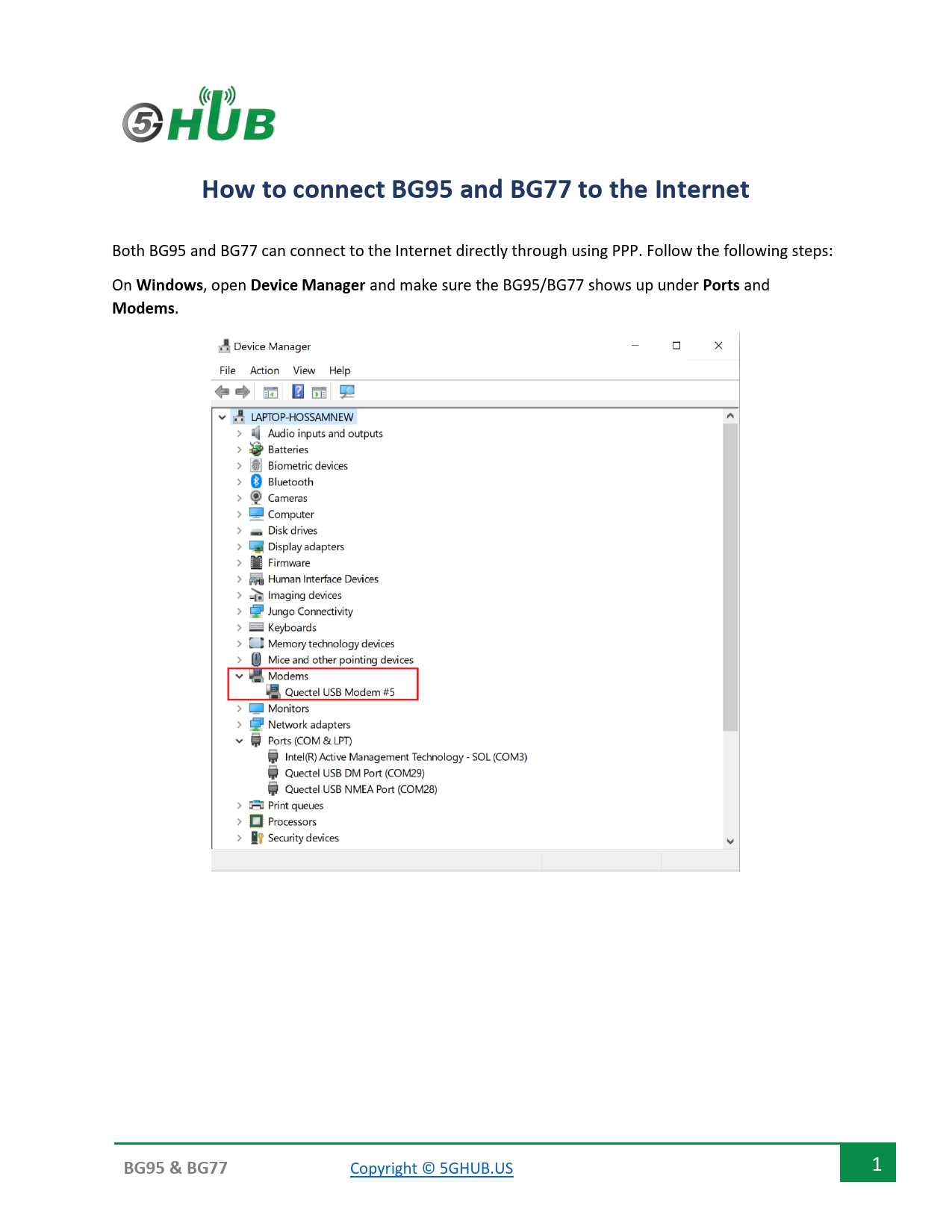
Both BG95 and BG77 can connect to the Internet directly through using PPP. Follow the following steps: On Windows, open Device Manager and make sure the BG95/BG77 shows up under Ports and Modems.

BG95 & BG77

Copyright � 5GHUB.US

1

Open the Control panel -> Network and Internet - > Network Sharing Center. And choose "Set up a new connection or network".

BG95 & BG77

Copyright � 5GHUB.US

2

Select "Connect to the Internet".

BG95 & BG77

Copyright � 5GHUB.US

3

BG95 & BG77

Copyright � 5GHUB.US

4

Choose "Dial-up".

BG95 & BG77

Copyright � 5GHUB.US

5

Enter *99# and click Connect. You shall be connected to the Internet.

BG95 & BG77

Copyright � 5GHUB.US

6