

TELTONIKA GH5200 Personal Tracker User Manual
File info: application/pdf · 106 pages · 3.35MB
FM1100 Manual
User manual
Teltonika Telemedic UAB GH5200 Worker Badge 2AZXV-GH5200 2AZXVGH5200 gh5200
Extracted Text
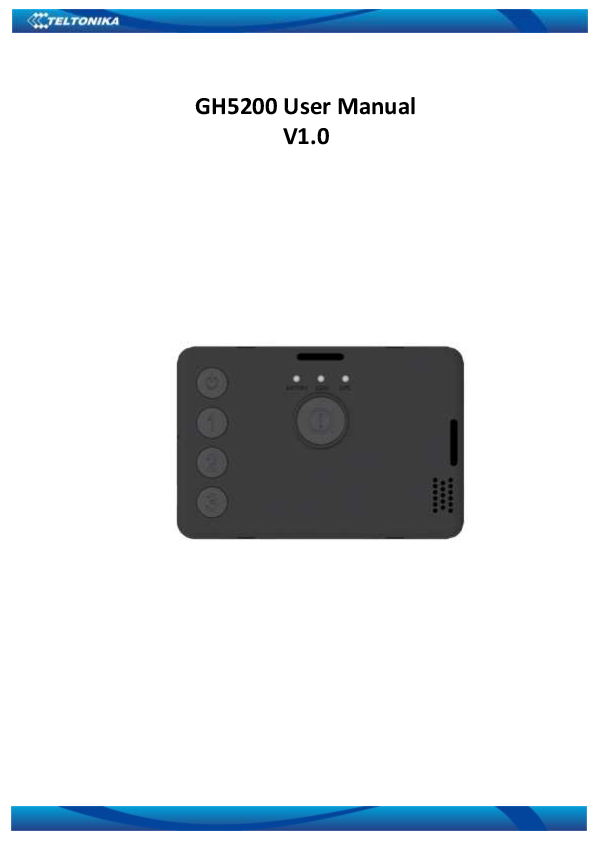
GH5200 User Manual V1.0

Table of contents
1 INTRODUCTION ................................................................................................................... 7
1.1 ATTENTION............................................................................................................................ 7 1.2 BRIEF DESCRIPTION.................................................................................................................. 8 1.3 LEGAL NOTICE ........................................................................................................................ 8 1.4 ABOUT DOCUMENT ................................................................................................................. 8
2 BASIC DESCRIPTION .......................................................................................................... 11
2.1 PACKAGE CONTENTS .............................................................................................................. 11 2.2 BASIC CHARACTERISTICS ......................................................................................................... 11 2.3 TECHNICAL FEATURES............................................................................................................. 12 2.4 TECHNICAL INFORMATION ABOUT INTERNAL BATTERY................................................................... 12 2.5 ELECTRICAL CHARACTERISTICS.................................................................................................. 13
3 CONNECTION .................................................................................................................... 14
3.1 HOW TO INSERT SIM CARD AND CONNECT THE BATTERY INTO GH5200 DEVICE:............................... 14 3.2 INSTALLING GH5200 DRIVERS ................................................................................................ 15
4 OPERATIONAL BASICS ....................................................................................................... 17
4.1 OPERATIONAL PRINCIPLES....................................................................................................... 17 4.2 SLEEP MODES ....................................................................................................................... 17
4.2.1 GPS Sleep mode ......................................................................................................... 17 4.2.2 Deep Sleep mode ....................................................................................................... 17 4.2.3 Online Deep Sleep mode ............................................................................................ 18 4.2.4 Ultra Deep Sleep mode .............................................................................................. 18 4.3 FEATURES............................................................................................................................ 18 4.3.1 Alarm ......................................................................................................................... 18 4.3.2 ManDown .................................................................................................................. 19 4.3.3 OverSpeeding............................................................................................................. 19 4.3.4 Movement Event........................................................................................................ 19 4.4 VOICE CALL .......................................................................................................................... 19 4.5 TRACKING ON/OFF ............................................................................................................... 20 4.6 BLUETOOTH ......................................................................................................................... 20 4.7 AUTO GEOFENCE .................................................................................................................. 20 4.8 MANUAL GEOFENCE.............................................................................................................. 20 4.9 USER INTERFACE ................................................................................................................... 20 4.10 KEYBOARD........................................................................................................................... 20
5 CONFIGURATION............................................................................................................... 20
5.1 CONFIGURATOR.................................................................................................................... 20 5.1.1 Main Buttons description: ......................................................................................... 22 5.1.2 Keyword SMS (GPRS) commands:.............................................................................. 22 5.1.3 Keyword configuration with TCP ............................................................................... 22
5.2 STATUS INFO ........................................................................................................................ 23 5.3 SECURITY INFO ..................................................................................................................... 23 5.4 SYSTEM SETTINGS.................................................................................................................. 24 5.5 GPRS................................................................................................................................. 26 5.6 SMS/CALL SETTINGS............................................................................................................. 27 5.7 GSM OPERATORS, ROAMING, BLACKLIST OPERATOR LIST ............................................................ 28 5.8 DATA ACQUISITION MODE SETTINGS ........................................................................................ 30 5.9 FEATURES SETTINGS............................................................................................................... 34
5.9.1 Alarm ......................................................................................................................... 34 5.9.2 Over Speeding............................................................................................................ 35 5.9.3 ManDown .................................................................................................................. 35 5.9.4 Movement Event........................................................................................................ 36 5.10 AUTOGEOFENCING SETTINGS .................................................................................................. 36
2

5.11 MANUAL GEOFENCE.............................................................................................................. 37 5.12 BLUETOOTH ......................................................................................................................... 39
5.12.1 General functionality................................................................................................. 39 5.12.2 How to connect Bluetooth Hands Free adapter to GH5200 device ........................... 40
5.12.2.1 Bluetooth settings configuration ...................................................................................... 40 5.12.2.2 Connecting Bluetooth Hands Free adapter ...................................................................... 42 5.12.3 Logging the GH5200 device using your mobile phone .............................................. 42 5.12.4 Device debug over Android smartphone ................................................................... 43 5.13 SMS EVENTS........................................................................................................................ 45 5.14 SMS TEXT ........................................................................................................................... 46 5.15 I/O SETTINGS ....................................................................................................................... 47 5.15.1 Operand On Exit ........................................................................................................ 48 5.15.2 Operand On Entrance................................................................................................ 48 5.15.3 Operand On Both ...................................................................................................... 48 5.15.4 Operand Monitoring ................................................................................................. 49 5.15.5 Operand On Hysteresis.............................................................................................. 49 5.15.6 Operand On Change .................................................................................................. 49 5.15.7 Operand On Delta Change ........................................................................................ 50 5.15.8 Avg const (Averaging parameter description)........................................................... 50 5.16 USER INTERFACE ................................................................................................................... 51 5.17 KEYBOARD........................................................................................................................... 55
6 SMS/GPRS COMMAND LIST .............................................................................................. 56
6.1 SMS/GPRS COMMAND LIST................................................................................................... 56 6.1.1 getinfo ....................................................................................................................... 58 6.1.2 getver......................................................................................................................... 59 6.1.3 getstatus .................................................................................................................... 59 6.1.4 getgps ........................................................................................................................ 59 6.1.5 ggps ........................................................................................................................... 60 6.1.6 getparam ................................................................................................................... 60 6.1.7 setparam.................................................................................................................... 60 6.1.8 flush #,#,#,#,#,#,#....................................................................................................... 60 6.1.9 countrecs ................................................................................................................... 61 6.1.10 deleterecords............................................................................................................. 61 6.1.11 battery....................................................................................................................... 61 6.1.12 btgetlist # .................................................................................................................. 61 6.1.13 setkey # # .................................................................................................................. 62 6.1.14 delkey # # .................................................................................................................. 62 6.1.15 bbread # .................................................................................................................... 62 6.1.16 bbinfo # ..................................................................................................................... 62 6.1.17 sdformat .................................................................................................................... 62
7 PARAMETER LIST............................................................................................................... 63
7.1 SYSTEM PARAMETERS ............................................................................................................ 63 7.1.1 Sleep Mode (ID=102) ................................................................................................. 63 7.1.2 Sleep timeout (ID=103) .............................................................................................. 63 7.1.3 Static Navigation (ID=106)......................................................................................... 63 7.1.4 Saving/Sending without time synchronization (ID=107) ........................................... 63 7.1.5 GNSS Source (ID=109) ................................................................................................ 63 7.1.6 Synchronization settings (ID=900) ............................................................................. 64 7.1.7 NTP Resync (ID=901).................................................................................................. 64 7.1.8 NTP server 1 (ID=902) ................................................................................................ 64 7.1.9 NTP server 2 (ID=903) ................................................................................................ 64
7.2 GPRS PARAMETERS .............................................................................................................. 65 7.2.1 Sorting (ID=1002)....................................................................................................... 65 7.2.2 Open Link Timeout (ID=1000) .................................................................................... 65 7.2.3 Server Response Timeout (ID=1001) .......................................................................... 65 7.2.4 SIM GPRS content activation (ID=2000) .................................................................... 65
3

7.2.5 SIM APN Name (ID=2001).......................................................................................... 66 7.2.6 SIM APN Username (ID=2002) ................................................................................... 66 7.2.7 SIM APN Password (ID=2003) .................................................................................... 66 7.2.8 Domain (ID=2004)...................................................................................................... 66 7.2.9 Target Server Port (ID=2005) ..................................................................................... 66 7.2.10 Protocol (ID=2006) .................................................................................................... 67 7.2.11 Backup Server Domain (ID=2007) ............................................................................. 67 7.2.12 Backup Server Port (ID=2008) ................................................................................... 67 7.2.13 Backup Server Protocol (ID=2009)............................................................................. 67 7.2.14 Backup Server Mode (ID=2010)................................................................................. 67 7.2.15 FOTA WEB status (ID=13003) .................................................................................... 67 7.2.16 FOTA WEB Domain (ID=13000) ................................................................................. 68 7.2.17 FOTA WEB port (ID=13001) ...................................................................................... 68 7.2.18 FOTA WEB Period (min) (ID=13002) .......................................................................... 68 7.3 SMS/CALL SETTINGS ............................................................................................................. 68 7.3.1 SMS data sending settings (ID=3000) ........................................................................ 68 7.3.2 Data send number (ID=3001)..................................................................................... 68 7.3.3 Authorized phone numbers (ID=4000-4199).............................................................. 69 7.3.4 GSM Predefined Numbers (ID=6000-6009)................................................................ 69 7.3.5 SMS Login (ID=3003).................................................................................................. 69 7.3.6 SMS Password (ID=3004) ........................................................................................... 69 7.3.7 Incoming call action (ID=3005) .................................................................................. 69 7.3.8 SMS Event Time Zone (ID=3006) ................................................................................ 70 7.3.9 Detect Number Type By Plus Symbol (ID=4999) ........................................................ 70 7.4 GSM OPERATORS................................................................................................................. 70 7.4.1 SIM Roaming Operator List (ID=5000-5049).............................................................. 70 7.4.2 Black List (ID=5500-5549) .......................................................................................... 70 7.5 DATA ACQUISITION MODES PARAMETERS.................................................................................. 71 7.5.1 Home Network GSM operator code "Vehicle on STOP" parameters ......................... 71
7.5.1.1 Min Period (ID=10000) ....................................................................................................... 71 7.5.1.2 Min Saved Records (ID=10004) .......................................................................................... 71 7.5.1.3 Send Period (ID=10005)...................................................................................................... 71 7.5.2 Home Network GSM operator code "Vehicle MOVING" parameters ........................ 71 7.5.2.1 Min Period (ID=10050) ....................................................................................................... 71 7.5.2.2 Min Distance (ID=10051) .................................................................................................... 71 7.5.2.3 Min Angle (ID=10052)......................................................................................................... 72 7.5.2.4 Min Speed Delta (ID=10053) .............................................................................................. 72 7.5.2.5 Min Saved Records (ID=10054) .......................................................................................... 72 7.5.2.6 Send Period (ID=10055)...................................................................................................... 72 7.5.3 Roaming Network GSM operator code "Vehicle on STOP" parameters .................... 73 7.5.3.1 Min Period (ID=10100) ....................................................................................................... 73 7.5.3.2 Min Saved Records (ID=10104) .......................................................................................... 73 7.5.3.3 Send Period (ID=10105)...................................................................................................... 73 7.5.4 Roaming Network GSM operator code "Vehicle MOVING" parameters ................... 73 7.5.4.1 Min Period (ID=10150) ....................................................................................................... 73 7.5.4.2 Min Distance (ID=10151) .................................................................................................... 74 7.5.4.3 Min Angle (ID=10152)......................................................................................................... 74 7.5.4.4 Min Speed Delta (ID=10153) .............................................................................................. 74 7.5.4.5 Min Saved Records (ID=10154) .......................................................................................... 74 7.5.4.6 Send Period (ID=10155)...................................................................................................... 75 7.5.5 Unknown Network GSM operator code "Vehicle on STOP" parameters ................... 75 7.5.5.1 Min Period (ID=10200) ....................................................................................................... 75 7.5.5.2 Min Saved Records (ID=10204) .......................................................................................... 75 7.5.5.3 Send Period (ID=10205)...................................................................................................... 75 7.5.6 Unknown Network GSM operator code "Vehicle MOVING" parameters .................. 75 7.5.6.1 Min Period (ID=10250) ....................................................................................................... 75 7.5.6.2 Min Distance (ID=10251) .................................................................................................... 76 7.5.6.3 Min Angle (ID=10252)......................................................................................................... 76 7.5.6.4 Min Speed (ID=10253) ........................................................................................................ 76 7.5.6.5 Min Saved Records (ID=10254) .......................................................................................... 77
4

7.5.6.6 Send Period (ID=10255)...................................................................................................... 77 7.6 FEATURES PARAMETERS ......................................................................................................... 77
7.6.1 Alarm ......................................................................................................................... 77 7.6.1.1 Scenario Settings (ID=11710).............................................................................................. 77 7.6.1.2 Send SMS To (ID=7245) ...................................................................................................... 77 7.6.1.3 SMS Text (ID=8245) ............................................................................................................ 77 7.6.1.4 Call Settings (ID=11711) ..................................................................................................... 78 7.6.1.5 Call to (ID=11712) ............................................................................................................... 78
7.6.2 Overspeeding scenario parameters ........................................................................... 78 7.6.2.1 Overspeeding priority (ID=11100) ...................................................................................... 78 7.6.2.2 Max Speed (ID=11104) ....................................................................................................... 78 7.6.2.3 Overspeeding Send SMS To (ID=7032) ............................................................................... 78 7.6.2.4 Overspeeding SMS Text (ID=8032) ..................................................................................... 79
7.6.3 ManDown scenario parameters ................................................................................ 79 7.6.3.1 Scenario Settings (ID=12100).............................................................................................. 79 7.6.3.2 Position (ID=12100) ............................................................................................................ 79 7.6.3.3 Angle (ID=12102) ................................................................................................................ 79 7.6.3.4 Timeout (ID=12103)............................................................................................................ 79 7.6.3.5 Send SMS To (ID=7222) ...................................................................................................... 79 7.6.3.6 SMS Text (ID=8222) ............................................................................................................ 79 7.6.3.7 Call Settings (ID=12104) ..................................................................................................... 80 7.6.3.8 Call to (ID=12105) ............................................................................................................... 80
7.7 AUTOGEOFENCING SCENARIO PARAMETERS ............................................................................... 80 7.7.1 AutoGeofencing priority (ID=20000).......................................................................... 80 7.7.2 Eventual Records (ID=20002)..................................................................................... 80 7.7.3 AutoGeofence event generating (ID=20001) ............................................................. 81 7.7.4 Radius (ID=20004) ..................................................................................................... 81 7.7.5 AutoGeofence Send SMS to (ID=7030)....................................................................... 81 7.7.6 SMS Text (ID=8030) ................................................................................................... 81 7.7.7 Call Settings (ID=12104) ............................................................................................ 82 7.7.8 Call to (ID=12105) ...................................................................................................... 82
7.8 MANUAL GEOFENCE.............................................................................................................. 82 7.8.1 First Geozone parameters.......................................................................................... 82 7.8.1.1 #1 Geozone Manual Geofencing priority (ID=20100): ........................................................ 82 7.8.1.2 #1 Geozone Manual Geofence event generating (ID=20101) ............................................ 83 7.8.1.3 #1 Geozone Eventual Records (ID=20102) ......................................................................... 83 7.8.1.4 #1 Geozone Frame border (ID=20103) ............................................................................... 83 7.8.1.5 #1 Geozone Shape type (ID=20104) ................................................................................... 84 7.8.1.6 #1 Geozone Radius (ID=20105).......................................................................................... 84 7.8.1.7 #1 Geozone X1 (ID=20106) ................................................................................................. 85 7.8.1.8 #1 Geozone Y1 (ID=20107) ................................................................................................. 85 7.8.2 Other Geozones ......................................................................................................... 86 7.8.2.1 Send SMS to #1-5 Geozone (ID=7025-7029), #6-50 Geozone (ID=7071-7115).................. 86 7.8.2.2 SMS Text #1-5 Geozone (ID=8025-8029), #6-50 Geozone (ID=8071-8115) ....................... 86
7.9 USER INTERFACE ................................................................................................................... 87 7.9.1 Indication Scenario (12500) ....................................................................................... 87 7.9.2 Sleep Config (12501) .................................................................................................. 87 7.9.3 Led (12502) ................................................................................................................ 87 7.9.4 Vibration (12503)....................................................................................................... 87 7.9.5 Period (12504) ........................................................................................................... 87 7.9.6 On (ms) (12505) ......................................................................................................... 87 7.9.7 Off (ms) (12506)......................................................................................................... 88 7.9.8 Repeat (12507) .......................................................................................................... 88
7.10 KEYBOARD........................................................................................................................... 91 7.11 ACTIONS ............................................................................................................................. 93
7.11.1 SMS Action ................................................................................................................ 93 7.11.1.1 SMS Send to (7249) .......................................................................................................... 93 7.11.1.2 SMS Text (8249)................................................................................................................ 93
7.11.2 Call Action ................................................................................................................. 93 7.11.2.1 Call to (13010) .................................................................................................................. 93
7.12 BLUETOOTH ......................................................................................................................... 93
5

7.12.1.1 BT Radio (ID=800) ............................................................................................................. 93 7.12.1.2 Local name (ID 801) .......................................................................................................... 93 7.12.1.3 Local PIN (ID=802) ............................................................................................................ 94 7.12.1.4 Security mode (ID=803) .................................................................................................... 94 7.12.1.5 External MAC (ID=804) ..................................................................................................... 94 7.12.1.6 External name (ID=805) .................................................................................................... 95 7.12.1.7 External PIN (ID=806) ....................................................................................................... 95 7.12.1.8 Connection mode (ID=807) .............................................................................................. 95 7.12.1.9 Authorized devices MAC list (ID=830 - 834) ..................................................................... 96 7.13 I/O PARAMETERS.................................................................................................................. 96 7.13.1 I/O#1 property parameter priority (ID=50010) ......................................................... 96 7.13.2 I/O#1 operand (ID=50011) ........................................................................................ 96 7.13.3 I/O#1 High level (ID=50012) ...................................................................................... 97 7.13.4 I/O#1 Low level (ID=50013) ....................................................................................... 97 7.13.5 I/O#1 Event only (ID=50014) ..................................................................................... 97 7.13.6 I/O#1 averaging length (ID=50015) .......................................................................... 98 7.13.7 I/O#1 send SMS (ID=7001) ........................................................................................ 98 7.13.8 I/O#1 SMS text (ID=8001).......................................................................................... 98 7.13.9 I/O elements parameters and types.......................................................................... 99 8 DEBUG MODE ................................................................................................................. 104 9 CHANGE LOG ................................................................................................................... 105
6

1 INTRODUCTION
1.1 Attention Operate the device in suitable conditions
Do not use the device where mobile connectivity is forbidden.
Road safety first Comply with local traffic laws, always hold your hands on a steering wheel when using a device. Your safety is of utmost importance when you drive.
Interference All wireless devices are sensitive to electromagnetic interference, as a result wireless devices affect the performance of each other.
Limit the use of device in hospitals Please follow all restrictions. Turn off the device in the vicinity of medical devices when required.
Limit the use of device in vehicles Please follow all restrictions. Wireless devices can interfere with other electronic equipment in vehicles.
Be cautious near flammable materials and liquids
Charging precautions SELV LPS chargers, personal computers or laptops that device will be connected to must comply with the requirements of IEC 60950:2005 standard.
Use only original batteries Using uncertified manufacturer or different type batteries may cause an explosion.
Use batteries safely Protect batteries from moisture. Place them in a cool and dry place when storing. Avoid extensive operation at high temperatures. Do not attempt charging battery directly from the electrical mains. All utilised batteries shall comply with IEC 62133.
Power supplies Power supply circuits used to charge the device connection must have safeguards, which prevent power leakage, short circuits or incorrect electrical grounding. Any used switches ought to be installed in a readily accessible location. Power must be uninterrupted and the distance between the contacts must be 3 mm or larger.
Remove device safely Device must be disconnected from computer or charger by unplugging the magnetic USB cable from the device.
7

Other In order to prevent device from mechanical damage it is advisable to transport it in a shock�resistant packaging. If device stopped working properly regardless of the settings only a qualified specialist can help. It is recommended to contact your local seller or your UAB Teltonika manager in such case.
1.2 Brief description
GH5200 is a handheld tracking device with built-in functions and characteristics of a mobile phone. This device is intended for the surveillance and protection of people, cargo and valuables. GNSS receiver is able to identify current location and send it to an operations center or a person. In case of an emergency the device can activate the alarm function or make a voice call. Device is able to execute various tasks through GSM network and GNSS system. Easy installation, operation and user friendly design will help perform the user's desired tasks easier.
1.3 Legal Notice
Copyright � 2019 Teltonika. All rights reserved. Reproduction, transfer, distribution or storage of part or all of the contents in this document in any form without the prior written permission of Teltonika is prohibited.
Other products and company names mentioned here may be trademarks or trade names of their respective owners.
The manufacturer reserves the right to make changes and/or improvements at any time in design, functionality, parameters and electrical characteristics without any prior notice and without incurring obligations.
1.4 About document
This document contains information about the architecture, possibilities, mechanical characteristics, and configuration of the GH5200 device.
Acronyms and terms used in this document:  AC/DC � Alternating Current/Direct Current  ACC � Accessories  AVL - Automatic vehicle location: means for automatically determining and transmitting
the geographic location of a vehicle.  AVL packet: Data packet which is being sent to the server during data transmission.  APN - Access Point Name: the name of a gateway between 3GPP mobile network and
Internet or another computer network.  CAN - Controller Area Network: a vehicle bus standard designed to allow microcontrollers
and devices to communicate with each other in applications without a host computer.  CNG - Compressed Natural Gas: methane stored at high pressure.  COM port - serial communication interface that is used to transfer information to/from
devices such as modems, terminals and various peripherals.  DTC - Diagnostic Trouble Code  ESP - Electronic Stability Program: is a technology that improves a vehicle's stability by
detecting and reducing loss of traction (skidding).  ETA - Estimated Time of Arrival  FAP - Particulate Filter  FOTA - Firmware-Over-The-Air
8

 GNSS � Global Navigation Satellite System: a system with global coverage that uses satellites to provide autonomous geo-spatial positioning.
 GPS � Global Positioning System: a worldwide satellite navigational system formed by 24 satellites orbiting the earth and their corresponding receivers on the earth.
 GPRS � General Packet Radio Service: a standard for wireless communications which runs at speeds up to 115 kilobits per second.
 GSM � Global System for Mobile Communications: one of the leading digital cellular systems. GSM uses narrowband TDMA, which allows eight simultaneous calls on the
same radio frequency.  I/O � Input/Output  ICCID - Integrated Circuit Card Identifier: a unique serial number that is stored on the SIM
card.  IMEI - International Mobile Equipment Identity: is a unique number that is used to
identify 3GPP mobile phones.  LED - Light Emitting Diode  MAC � Media Access Control. Hardware address which uniquely identifies each node of
the network. In IEEE 802 networks, the Data Link Control (DCL) layer of the PSO Reference
Model is divided into two sub-layers: the Logical Link Control (LLC) layer and the Media
Access Control layer. The MAC layer interfaces directly with the network medium.
Consequently, each different type of network medium requires a different MAC layer.  MAF - Mass Airflow Sensor: a device used to measure the mass flow rate of air entering a
fuel-injected internal combustion engine.  NITZ - Network Identity and Time Zone: a mechanism for provisioning local time and date,
time zone and DST offset, as well as network provider identity information, to mobile
devices via a wireless network.  NMEA: a data specification for communication between electronics such as echo
sounder, sonars, anemometer, gyrocompass, autopilot, GPS receivers.  NTP - Network Time Protocol: networking protocol for clock synchronization between
computer systems over packet-switched, variable-latency data networks.  OBD - On-board Diagnostics: a vehicle's self-diagnostic and reporting capability, which
gives access to the status of the various vehicle subsystems.  PC � Personal Computer  PCB - Printed Circuit Board  PIN - Personal Identification Number  RFID - Radio-Frequency Identification: a method that uses electromagnetic fields to
automatically identify and track tags attached to objects.  RPM - Engine Revolutions Per Minute  RTC - Real-Time Clock  SELV - Safety Extra Low Voltage: an electrical system in which the voltage cannot exceed
50 VAC or 120 VDC under normal conditions, and under single-fault conditions, including
earth faults in other circuits.  SMS � Short Message Service: the transmission of short text messages to and from a
mobile phone, fax machine and/or IP address.  SIM - Subscriber Identification Module: an integrated circuit card that is intended to
securely store the information which is used to identify and authenticate subscribers on
mobile telephony devices.  TCP � Transmission Control Protocol � one of the main protocols in TCP/IP networks.
Whereas the IP protocol deals only with packets, TCP enables two hosts to establish a
9

connection and exchange streams of data. TCP guarantees delivery of data and also guarantees that packets will be delivered in the same order in which they were sent.  TMO - Timeout  UDP � User Datagram Protocol � a connectionless protocol that, like TCP, runs on top of IP networks. Provides very few error recovery services, offering instead a direct way to send and receive datagrams over IP network.  Record � AVL data stored in FMB memory. AVL data contains GNSS and I/O information.
10

2 BASIC DESCRIPTION
GH5200 is an AUTONOMOUS personal tracker with GNSS, GSM and Bluetooth connectivity, device has high quality voice communication feature and modern slim design.
The tracker is designed for Lone Worker protection. Everyone who performs activity without close or direct supervision of others: healthcare visitors, maintenance workers, selfemployed or working out of standard work hours employees.
2.1 Package contents
The GH5200 device is supplied to the customer in a cardboard box containing all the equipment that is necessary for operation. The package contains:
 GH5200 device;  3.7 V 1050 mAh rechargeable Li-ion battery;  Micro USB cable;  Screw driver.
2.2 Basic characteristics
GSM / GPRS / GNSS features:  Teltonika TM2500 quad band module (GSM 850 / 900 / 1800 / 1900 MHz);  GPRS class 12 (Up to 240 kbps);  SMS (text, data);  Integrated GNSS receiver;  Up to -165 dBm GNSS receiver sensitivity.
Hardware features:  Built-in accelerometer;  Panic button;  Built-in Bluetooth 3.0 and 4.0);  Internal High Gain GNSS antenna;  Internal High Gain GSM antenna;  1050 mAh Li-ion rechargeable 3.7 V battery.  Slim casing;  Magnetic USB cable.
Firmware features:  Fast position fix;  Two way voice communication;  Man-down detection;  50 Manual Geofence zones;  Auto Geofencing;  Action on call feature;  Configurable 3 LED status indication;  Authorized numbers;  Time synchronization over NTP and NITZ;  Real time tracking;  Smart data acquisition based on:
11

o Time;
o Speed;
o Angle;
o Distance;
o Movement or any other I/O event;  Sending acquired data via GPRS;  GPRS and SMS I/O events;  Configurable using Secured SMS Commands.

2.3 Technical features

Part name
LED USB GNSS GSM Microphone and speader BUTTON

Physical specification
3 status LEDs Micro USB socket Internal GNSS antenna Internal GSM antenna Internal microphone and
speader 5 configurable buttons

Technical details Energy consumption1:
GPRS: average 52.31 mA; Nominal: average 45.10 mA; GNSS Sleep: average 10.12 mA; Deep Sleep: average 3.02 mA; Online Deep Sleep: average 3.78 mA; Ultra Deep Sleep: average 1.82 mA.
Battery charge current: average 733 mA;
Operation temperature: -25 �C .. +65 �C
Storage temperature: -40 �C .. +70 �C
Storage relative humidity: 5 .. 95 % (no condensation)

2.4 Technical Information about internal battery

Table 1. Li �ion rechargeable battery, 3.7 V, 1050 mAh.

Internal back-up battery

Battery voltage V Nominal capacity (mAh) Power (Wh)

Li-ion rechargeable battery

3.70

1050

3.885

Charging temperature �C
0 � 45

1 Energy consumption has been tested by running GH5200 on battery (4.2 V).
12

CAUTION: RISK OF EXPLOSION IF BATTERY IS REPLACED BY AN INCORRECT TYPE. DISPOSE OF USED BATTERIES ACCORDING TO THE INSTRUCTIONS.

Battery Disposal instructions:

Battery should not be disposed of into general household waste. Bring damaged or worn-out batteries to your local recycling center or dispose them into a battery recycle bin commonly found in supermarkets.

Warranty: batteries are covered by 6 months warranty support. 2.5 Electrical characteristics
Table 2. GH5200 electrical characteristics Characteristic description

Value

Supply Voltage: In recommended operating conditions

Min.

Typ.

Max.

Unit

4.5

5.0

5.5

V DC

13

3 CONNECTION

3.1 How to insert SIM card and connect the battery into GH5200 device:

 Remove GH5200 cover.

 Insert Micro SIM card as shown. Battery has

to be disconnected at this point.

 Insert the battery.

 Reatach the cover and tighten the srew

Note: SIM card insertion/removal must be performed when GH5200 device is powered off � with external voltage and battery disconnected. Otherwise SIM card may be damaged.
14

3.2 Installing GH5200 drivers

Table 3. Software requirements:

Operating system
Windows XP with SP3 or later
Windows Vista Windows 7 Windows 8.1 Windows 10

Version
32 bit and 64 bit
32 bit 64 bit 32 bit and 64 bit

MS .NET Framework version
MS .NET Framework 4 https://www.microsoft.com/enUS/Download/confirmation.aspx?id=17718 http://avl1.teltonika.lt/downloads/software/Framework/.NET%20Framew ork%204/dotNetFx40_Full_x86_x64.exe
With MS .NET Framework 4 update KB2468871-v2 update https://www.microsoft.com/en-us/download/details.aspx?id=3556 http://avl1.teltonika.lt/downloads/software/Framework/.NET%20Framew ork%204%20update%20KB2468871-v2/ NDP40-KB2468871-v2-x86.exe NDP40-KB2468871-v2-x64.exe or NDP40-KB2468871-v2-IA64.exe MS .NET Framework 4.6.2 https://www.microsoft.com/enus/download/confirmation.aspx?id=53344
http://avl1.teltonika.lt/downloads/software/Framework/.NET%20Framew ork%204.6.2/NDP462-KB3151800-x86-x64-AllOS-ENU.exe

Drivers: Please download COM Port drivers from Teltonika website:
http://avl1.teltonika.lt/downloads/FMB1/MS_USB_ComPort_Driver_exe_v1.1032.3.zip

Installing drivers: Extract and run MS_USB_ComPort_Driver_exe_v1.1032.3. This driver is used to control
GH5200 device connected to the computer. Click Next in driver installation window:

Figure 2 Driver installation window 1 This will launch device driver installation wizard. In the following window click Install:
15

Figure 3 Driver installation window 2 Setup will continue installing drivers and eventually the confirmation window will appear. Click Close to complete the setup:
Figure 4 Driver installation window 3 You are now ready to use the device on your computer.
16

4 OPERATIONAL BASICS
4.1 Operational principles GH5200 module is designed to acquire records and send them to the server. Records
contain GNSS data and I/O information. Module uses GNSS receiver to acquire GNSS data and is run in three (time-based, distance-based and angle-based) acquisition modes. Please note that if GH5200 loses connection to GNSS satellites it continues to make records, however coordinate in these records remains the same (last known coordinate). All data is stored into flash memory and later can be transmitted via GPRS.
GPRS and SMS settings are described in following sections. GH5200 communicates with server using Codec 8 data protocol. GH5200 can be managed by SMS commands, which are described in SMS command section.
4.2 Sleep modes There are four sleep modes: GPS sleep, Deep sleep, Online Deep sleep and Ultra Deep
sleep mode.
4.2.1 GPS Sleep mode GH5200 is able to go into GPS sleep mode if such mode is enabled. Sleep mode timeout starts counting when device is in STOP mode. After timeout is reached
and all conditions for GPS sleep mode are met, the device goes into sleep mode. When in GPS sleep mode, GH5200 turns GPS module off and continues making new periodic records.
GH5200 will enter GPS sleep mode if ALL of these conditions are met:  GH5200 is configured to work in GPS Sleep mode and sleep timeout is reached;  Device time is synchronized with GNSS satellites and GPS fix is obtained;  Movement is not detected by the accelerometer;  Forced wakeup is not set;  There are no SMS messages being received.
GH5200 exits GPS sleep mode if following condition is true:  Movement by accelerometer is detected.
4.2.2 Deep Sleep mode When in deep sleep mode, GH5200 sets the GNSS receiver to sleep mode and turns off
GSM/GPRS module (hence it is not possible to wake up device via SMS). Records with last known coordinate being saved and sent to AVL server - GSM/GPRS module is turned on to send data and then it is turned off. Please note that power saving depends on two configurable parameters: Send Period and Minimum Record Saving Period in "X on Stop Mode". When records are sent successfully in deep sleep mode, open link timeout counter will be skipped and GH5200 will enter deep sleep mode immediately.
Because a lot of functions are disabled in deep sleep mode following I/O elements are disabled from records that are generated in this mode: GSM Signal, GNSS Status, GNSS PDOP,
17

GNSS HDOP, GSM CellID, GSM Area Code, Active GSM Operator and ICCID. GH5200 can enter deep sleep mode if ALL of these conditions are met:
 GH5200 is configured in Deep Sleep mode and sleep timeout is reached;  Device time is synchronized with GNSS satellites and GPS fix is obtained;  Movement is not detected by the accelerometer;  Min. Record Saving Period (Data Acquisition Mode settings) must be larger than Open
Link Timeout parameter, so that GH5200 could close GPRS link;  The difference between Send Period (Data Acquisition Mode settings) and Open Link
Timeout must be more than 90 seconds, so that GH5200 could close GPRS link within at least 90 seconds;  Forced wakeup is not set;  There are no SMS messages being received;  Data socket(s) are closed;  Data sending is not in progress;  FOTA is not in progress.
GH5200 exits deep sleep mode if following condition is true: � Movement by accelerometer is detected;
4.2.3 Online Deep Sleep mode In this mode the device works as in deep sleep mode, but without deregistering from GSM
network. GSM part stays powered so this increases power consumption. In this mode device should send/receive SMS and make/accept calls. It does not close GPRS context if one was previously opened. Conditions to enter online deep sleep mode are the same as entering deep sleep mode. GH5200 exits online sleep mode if following condition is true. GH5200 exits online sleep mode if following condition is true:
 Movement by accelerometer is detected;
4.2.4 Ultra Deep Sleep mode Conditions to enter ultra deep sleep mode, where GPS and GSM modem are turned off and
device functions are suspended for maximum battery saving, are the same as entering Deep Sleep mode.
GH5200 exits ultra deep sleep mode only when movement is detected by accelerometer. Movement source is not taken into account in this case.
4.3 Features Using available features can greatly increase GH5200 utilization.
4.3.1 Alarm Alarm is a feature that can be only triggered by a pressing the configured button. When the
alarm is triggered, an event with IO ID 236 is generated. Following a configured button press to activate the Alarm an SMS can be sent and a call can be performed. Data sending follows in this order: 1. GPRS; 2. SMS; 3. Call.
There are "GPRS and SMS" and "GPRS or SMS" notification methods.
18

If selected method "GPRS or SMS". At first device tries to connect to GPRS context using configured APN. If it does not connect device sends sms event to configured number.
If method is "GPRS and SMS" SMS will be sent in both cases, when GPRS has failed and when records are sent to server.
These SMS sending methods are valid for these Events: Alarm; Man Down, Movement Event and Over speeding.
4.3.2 ManDown ManDown functionality gets current accelerometer data and calculates the angle between
offset position. Currently there are two positions: horizontal and Scanning is performed each second. When calculated angle exceeds the configured angle value for 3 seconds an event is generated with configured priority, device can make a voice call or send an SMS notification, if it is configured. When the device returns to allowed base position an event with same priority is generated.
4.3.3 OverSpeeding This functionality prevents exceeding fixed speed limits and inspects the driver if required.
4.3.4 Movement Event Movement Event functionality makes an eventual high priority record (and sends an optional SMS)
when device is stationary or in motion (depending on configured "Mode") for set Timeout (added to "Movement Start/Stop Delays" accordingly).
Timeout is a configured amount of time (in seconds) after which an eventual high priority record is generated. Note: this timeout is added with Movement Start Delay if configured Mode is Movement Event or with Movement Stop Delay if configured Mode is No Movement Event.
Movement Event mode generates a record after the start of movement whereas No Movement Event generates a record after the stop of movement.
4.4 Voice call Device has integrated microphone and a speaker, which allows you to perform two voice
call. Voice call is available in normal and loud speaker modes. Normal speaker mode � when call is answered with low speaker volume, default speaker
volume is set to 40%. Loud speaker Volume. � when call is answered with loud speaker volume, default speaker
volume is set to 100%.
Figure 5 Volume control
19

4.5 Tracking On/Off This keyboard functionality, which turns on and off GNSS module on konfigured key
pressed.
4.6 Bluetooth Bluetooth can work in two modes - slave or master. When in master mode Bluetooth can
connect to the defined hands-free system. When working in slave mode - Bluetooth can accept incoming pairing requests from external devices.
NOTE: GH5200 supports ONE connection at a time. NOTE: GH5200 can see up to 10 available devices. If there are more than 10 devices the scanning list may change.
4.7 Auto Geofence Auto Geofence is a feature that notifies the user if the object has left the zone that was
generated within set radius around the device. This feature is based on the last known position after the movement has stopped. More details about Auto Geofencing can be found in chapter 5.10.
4.8 Manual Geofence Geofencing is another feature which is highly customizable and can detect whenever car
enters or leaves customized areas. More details about Geofencing can be found out in chapter 5.11.
4.9 User Interface This section allows to configure GH5200's LED, audio and vibration indication for each
scenario using the configurator. More information about this can be found in Chapter 5.16
4.10 Keyboard There are five configurable buttons in GH5200 - Alarm Button, Power Button, 1, 2 and 3
buttons. More information about this can be found in Chapter 5.17
5 CONFIGURATION
5.1 Configurator At first GH5200 device will have default factory settings set. These settings should be
changed according to the user's needs. Device can be configured to acquire and send data to server, in this case the GSM settings
shall be set in regards with GSM operator's information. If device GSM is unavailable, the device will not be able to send the data and GH5200 will start storing records to flash memory. It is possible to store up to 192000 data records within internal memory (when 100 MB are used to
20

store records). It will send data over GPRS when it is available. Note that GH5200 might reach its full memory capacity. If such case happens, the device will start deleting the oldest records in order to save new ones.
GH5200 configuration is performed via GH5200 Configurator program. Contact sales manager to get the latest GH5200 Configurator version.
GH5200 configurator operates on Microsoft Windows OS and uses prerequisite MS .NET Framework.
Module configuration can be performed over Micro USB cable or using a Bluetooth connection. Configuration process begins by starting GH5200 Configurator software and then connecting to GH5200 device via Connect button located in Online menu part. GH5200 has one user editable profile, which can be loaded and saved to the device. After any modification of configuration the changes need to be saved to GH5200 device using Save to device button.
Figure 5 GH5200 configurator window when selecting the connection method
Figure 6 GH5200 configurator main window when connected to it and successfully loaded parameters
21

Figure 7 GH5200 status elements
5.1.1 Main Buttons description: Load from device � loads configuration from device. Save to device � save configuration to device. Load from file � load configuration from file. Save to file � save configuration to file. Update firmware � update firmware on device. Reset device � reset device configuration to default.
5.1.2 Keyword SMS (GPRS) commands: Configuration should not be locked when the user is attempting to set a new keyword,
change it or delete it. For example: Set new keyword (set):
<SMS login>{space}<SMS pass>{space}setkey{space}{space}<newkeyword> Change old keyword (change):
<SMS login>{space}<SMS pass>{space}setkey{space}<oldkeyword>{space}<newkeyword> Delete current keyword:
<SMS login>{space}<SMS pass>{space}delkey{space}<keyword>
5.1.3 Keyword configuration with TCP If keyword is set, it will be saved to configuration file.
22

If keyword in configuration file does not match keyword in device after TCP configuration, configurator will ask the device keyword. When device is locked, the keyword cannot be changed with TCP configuration.
5.2 Status info Status info enables the user to monitor real time information of GH5200. Following fields
are displayed: Device Info field, GNSS Info field, GSM Info field, I/O Info field and Maintenance field. User is able to export all of the information to .HTML file using an icon which is at the top right corner of the Device Info area.
Device Info shows device name, firmware version, last device start time, RTC Time, power voltage (mV), device IMEI, internal memory free space, device uptime, battery voltage (mV) and internal battery status.
GNSS Info shows:  Real time GNSS status information: module status (ON, Deep/GPS/Online Sleep mode),
the amount of GNSS packets device received from startup, fix status and the last GNSS fix time.  Satellite information: the amount and type of satellites that are visible, and the amount of satellites used for location positioning.  Location information: latitude, longitude, altitude, angle, HDOP, PDOP and speed. GSM Info shows:  GSM status: modem status, SIM status, GPRS status, actual operator code and GSM signal level.  GPRS traffic: the amount of data that has been sent and received by the device.  Sockets information: which server domain and port is used.  Records: how many records were sent to the server since last data reset, when the last record was sent and when the last server response was.  SMS count: the amount of SMS messages GH5200 has received and the amount of SMS responses that were sent from the device. I/O Info shows: � Values from all configurable I/O elements. Maintenance shows: � A "log" option to start capturing log for a set amount of time. Log will be saved to directory set in settings. � A "Dump" option to start downloading logs from currently connected device. Files will be saved to directory set in settings. � A "Read" option to start capturing accelerometer data for a set amount of time. Log will be saved to directory set in settings.
5.3 Security info In security section user can see SIM card and configurator keyword security information.
 The state and status of currently inserted SIM card can be observed here. If a SIM card with PIN code is used, user can enter it in this section. The remaining attempts to enter PIN code are shown as well.
23

 When SIM PIN code is entered correctly user can change PIN code or disable it from the SIM card. When SIM PIN is disabled and user would like to enable it again, user must enter the previously used PIN code.
 Configuration security keyword can be set to configurator. Keyword can be saved in configuration file (.cfg), so there is no need to connect the device to the configurator to configure the keyword. Minimum keyword length is 4 symbols and maximum length is 10 symbols. Only uppercase, lowercase letters and numbers are supported. Keyword can be configured to .cfg configuration file when the device is not connected.
5.4 System settings
System settings have following configurable parameters:  Sleep Settings, where user can choose a sleep mode;  Records saving settings, where user can enable or disable records when GPS is not
available (no time synchronization);  GNSS Source settings, where user can choose the necessary satellite system(s);  Power On By USB/Charger setting. Device supports two working modes: normal mode,
where the device works as usual, and charging mode, which is entered when Power On By USB/Charger parameter is disabled. To enter normal mode, device can be turned on by power button or by USB charger, if Power On By USB/Charger parameter is set to Enable.  Accelerometer Delay Settings, where user can configure movement start and stop delay values (in seconds);  Time Synchronization settings, where user can choose which source(s) to use for GH5200 time synchronization. User has a choice to: use only one synchronization source (Disable (GPS only)), allow synchronization from both the GNSS and NTP server (NTP), select synchronization through GNSS and GSM operator (NITZ) or from all three sources (when NITZ+NTP is selected). User can select which NTP server (it is possible to configure up to two servers) and what time period to use to resynchronize time.  Data Protocol setting � allows user to choose which protocol version to be used for data sending to server.  Sleep Exit Source - allows to select exit from sleep mode method. There are exit sources: Movement and Alarm button.
Power saving mode is present in GH5200. It allows users to choose from two possible options:
1. Performance mode � High performance mode, where GNSS module is constantly awake for a maximum track quality (excluding when GH5200 is in sleep mode).
2. Low Power mode � Battery saving mode, where GNSS module is woken up only when it is time to acquire position. Standard sleep modes are not available in this mode. For this mode to function properly, Min Period in "Data Acquisition" tab has to be >=120 seconds.
Static Navigation mode is a filter, which filters out track jumps when the object is stationary. If static navigation filter is disabled, it will apply no changes to GPS data. If static navigation filter is enabled, it will filter changes in GPS position if no movement (as defined by
24

configured movement source) is detected. It allows filtering GPS jumps when the object is parked (not moving) and GPS position is still traced.

Figure 8 System settings configuration

GNSS Source settings allows user to configure which GNSS system(s) to use. User has a choice to use one system between GPS, GLONASS, Galileo or BeiDou and it is possible to choose two or three systems together. One exception is that you cannot combine BeiDou and GLONASS systems together. Below you will find GNSS source combination examples:

List of configurable GNSS sources:

BeiDou only GLONASS only Galileo only Galileo+BeiDou Galileo+GLONASS GPS only GPS+BeiDou GPS+Glonass GPS+Galileo GPS+Galileo+BeiDou GPS+Galileo+GLONASS

ID:01 ID:02 ID:04 ID:05 ID:06 ID:08 ID:09 ID:10 ID:12 ID:13 ID:14

Example of good configuration

List of NON�configurable GNSS sources: GLONASS+BeiDou

25

Galileo+GLONASS+BeiDou GPS+GLONASS+BeiDou GPS+Galileo+GLONASS+BeiDou

Example of bad configuration

5.5 GPRS
GPRS settings define main parameters for GH5200: GSM operator APN and GPRS Username and Password (optional � depending on operator), destination server IP and port, and allows setting the protocol used for data transfers � TCP or UDP. Backup server settings can also be selected for Backup server.
Backup server has 3 different modes:  Disable: backup server is not used.  Backup: records are sent to backup server if main server is not available (for example fails
to open link) or when main server response timeout is reached successively 5 times.  Duplicate: records are sent to both servers (main and backup), records are deleted from
SD-card (or RAMS) only if both servers accepted the records.

Some operators use specific type of authentication for GPRS session � CHAP or PAP. One of these should be selected depending on your GSM operator. Information about APN and authentication type should be provided by your GSM operator as well.
GH5200 device will send the newest records first when Newest is selected in Records Settings, which is useful in cases when the most important parameter set is the most recent one, as a result other records will be sent right after the newest records are received by AVL application.
Open Link Timeout is used to set termination timeout for link between GH5200 and AVL application. If GH5200 has already sent all records it waits for the new records before closing the link (except for Deep Sleep mode, for more information refer to Deep Sleep mode). If new record is generated and link is still open, it is sent to server immediately without waiting for send period. This option is useful when GSM operator charges for link activation.
Response Timeout is used to set a period of time waiting for the response from server side.

FOTA WEB settings are used to configure FOTA WEB server connection parameters. Status enables or disables FOTA WEB functionality. Address and port number of FOTA website are entered to Domain and Port fields. Period is used to set the timeout of repeat connections to the FOTA WEB server.
The connection to FOTA WEB may be forced without waiting the specified period by sending the following SMS command: <SMS login>{space}<SMS pass>{space}web_connect

26

5.6 SMS/Call Settings

Figure 9 GPRS configuration

Essential fields in SMS/Call Settings are Login and Password. The login and password are used with every SMS sent to GH5200. If login and password are not set, in every SMS sent to GH5200 device two spaces before command have to be used (<space><space><command>).
Command structure with set login and password: <SMS login><space><SMS password><space><command>, for example: "asd 123 getgps" Phone numbers have to be written in international standard. Using "+" is optional but not necessary (in both cases number will be recognized, but when number is without "+" symbol, IDD Prefix will not be generated, which depends on location of the phone). If no numbers are entered, configuration and sending commands over SMS are allowed from all GSM numbers. SMS data sending settings allow sending AVL data using binary SMS. AVL data will be sent by SMS only when there is no GPRS connection. This setting does not affect replies to SMS request messages � answers are always sent back to the sender's telephone number.

27

Figure 10 SMS/Call Settings configuration
Incoming call settings parameter defines device action during incoming call:  Do Nothing (BT HF) � Device will ignore incoming call.  Hangup � Automatically hang up an incoming call.  Report Position � Device will send SMS with it's GNSS location to caller number and hang
up incoming call.  Auto Answer (HF) � Auto answers incoming call in normal speakers mode.  Man-Down � Auto answer incoming call if Man-Down event is detected  Info SMS � Device will send info SMS to caller number and hang up incoming call.
Info SMS format: Date: <date> Time: <time>; IMEI: <imei>; Version: <version>; BatLvl: <batlvl>; OpId: <operator_id>; GSMSignLvl: <gsm_signal_level>
 Power Off � Hang up incoming call and turn device off.  Send GPRS Data � Hang up incoming call and start sending records to server.  Auto Geofencing Off � Turn off Auto Geofence scenario.
When Number Check Settings option is enabled, numbers with "+" symbols will be used as international and numbers without it - as local/unknown.
GH5200 works in synchronized GPS time which is UTC+0, with this option customer can configure the time zone and get SMS messages with correct time.
5.7 GSM Operators, Roaming, Blacklist Operator list GH5200 can work in different modes (use different settings) according to the operator list
defined. Operator list is used for Data Acquisition mode switching (see Data Acquisition Mode
28

settings section for more details). Modes are changed based on GSM operator GH5200 is connected to.
Figure 11 Roaming and Operator BlackList configuration If roaming operator list is left empty, GH5200 will automatically detect home operator. If home operator is written to the roaming operator list, it will still be detected as home operator. Any operator not in the roaming operator list (except the home operator) will be recognized as unknown operator and GH5200 will work in Unknown mode (make sure it is configured to allow data sending � GPRS context is enabled). If user wants GH5200 to not connect and work with a particular operator it has to be written to Operator Blacklist. Up to 50 operators may be entered to this list. Operator search procedure is initiated as normal every 15 minutes and tries to connect to an operator providing the strongest signal. It will prioritize operators which are specified in the operator list. If no operators from the operator list are available, the device will try to connect to an operator from the blacklist. If device connects to an operator from the blacklist, best operator search procedure is initiated instantly. During the time when device is connected to blacklisted operator no GPRS connection would be initiated and no data would be sent via GPRS. However, the ability to send SMS commands to the device would remain. If no suitable operator is found on both lists, the device will try to connect to a remaining available operator with the strongest signal.
29

Opening GPRS

Best operator search

Current operator is in black operator list

NO A

NO White List empty

YES
Do not allow to open GPRS/Send
data

YES
NO Black List empty

A

YES

Work as usual

Skip op search procedure
A

Find new best operator from
White List

YES A

Connect to strongest signal exept if in Black
list
A
Figure 12 Operator search functionality diagram. White list is Roaming Operator lists
5.8 Data Acquisition Mode settings Data Acquisition modes are an essential part of GH5200 device, they are also highly
configurable. Through configuration user defines how records will be saved and sent. There are three
different modes: Home, Roaming and Unknown. All these modes with configured data acquisition and report frequencies depend on current GSM Operator defined in the Operator list (see section GSM Operators, Roaming, Blacklist Operator list) and are switched when GSM operator changes (e.g. vehicle passes through a country border).
If current GSM operator is defined as Home Operator, device will work in Home Data Acquisition mode, if current operator is defined as Roaming Operator, device will work in

30

Roaming Data Acquisition mode, and if current operator code is not written in the Roaming Operator list, device will work in Unknown mode.
This functionality allows having different AVL records to acquire and send parameter values when object is moving or standing still. GH5200 has 6 different modes. Operational logic is shown in Figure 13.
If home operator is written to roaming operator list, it will still be detected as home operator.
Figure 13 Data Acquisition Mode operational logic Operator search is performed every 15 minutes. Depending on current GSM operator Home, Roaming or Unknown mode can be changed faster than every 15 minutes. This process is separate from operator search. Movement criteria are checked every second.
31

Figure 14 Data Acquisition Mode configuration Min Saved Records defines minimum number of coordinates and I/O data that should be transferred within a single connection to the server. If GH5200 does not have enough coordinates to send to the server, it will check again after a time interval defined in Send Period field. Send period controls the frequency of GPRS data being sent to server. Module makes attempts to send collected data to the server every defined period of time. If it does not have enough records (depends on the parameter Min. Saved Records described above), it tries again after the defined time interval.
Note: Keep in mind that GH5200 operates in GMT:0 time zone, without daylight saving.
GH5200 is able to collect records using four methods at the same time: time, distance, angle and speed based data acquisition:
1. Time based data acquisition (Min Period) � records are acquired every time when a defined interval of time passes. Entering zero disables data acquisition based on time.
32

Min. time period
2. Distance based data acquisition (Min Distance) � records are acquired when the distance between previous coordinate and current position is greater than a defined parameter value. Entering zero disables data acquisition based on distance.
Min. distance
3. Angle based data acquisition (Min Angle) � records are acquired when the angle difference between last recorded coordinate and current position is greater than a defined value. Entering zero disables data acquisition based on angle.
Min. angle
4. Speed based data acquisition (Min Speed Delta) � records are acquired when the speed difference between last recorded coordinate and current position is greater than a defined value. Entering zero disables data acquisition based on speed.
33

5.9 Features settings Three different scenarios can be selected in Features window.
Figure 15 Scenarios configuration 5.9.1 Alarm
This function can be only triggered by a button (Power Button or Alarm Button). When the alarm is triggered, an event with IO ID 236 is generated. Eventually an SMS will be sent and a call can be performed.
Figure 16 Alarm parameters
34

5.9.2 Over Speeding This feature is used to prevent the driver from exceeding fixed speed and inspects the
driver if needed. When vehicle speed exceeds maximum configured speed value the scenario is activated, and a record is generated. Scenario is activated until speed value decreases below the set parameter value.
Figure 17 Over Speeding parameters 5.9.3 ManDown
This feature gets current accelerometer data and calculates angles between offset positions. There are two positions: horizontal (when GPS antenna is in horizontal position facing the sky) and vertical. Scanning is performed each second. When calculated angle exceeds configured angle for configured time period, then an event is generated with configured priority and an SMS event takes place, if it is configured. When angle returns to allowed position, an event with the same priority is generated, an SMS can be sent and a call can be performed, if it is configured.
Figure 18 ManDown parameters
35

5.9.4 Movement Event Movement Event functionality makes an eventual high priority record (and sends an optional SMS)
when device is stationary or in motion (depending on configured "Mode") for set Timeout (added to "Movement Start/Stop Delays" accordingly).
Timeout is a configured amount of time (in seconds) after which an eventual high priority record is generated. Note: this timeout is added with Movement Start Delay if configured Mode is Movement Event or with Movement Stop Delay if configured Mode is No Movement Event.
Movement Event mode generates a record after the start of movement whereas No Movement Event generates a record after the stop of movement.
Figure 19 Movement Event parameters 5.10 AutoGeofencing settings
AutoGeofence is based on the last known position after the movement has stopped. You can be notified using this feature if the object has left the generated zone. The size of Geofence zones are set by parameters. AutoGeofencing options can be configured by following parameters as depicted in Figure 19 below.
AutoGeofence zone is generated immediately within set Radius value around tracker's most recent position, when Auto Geofencing is enabled over Keyboard. Scenario can also be activated through a SMS/GPRS command and can be disabled by SMS/GPRS, configured button or a call. To disable Auto Geofencing scenario with a call, configure Incoming Call Settings to Auto Geofence Off and set authorized numbers if such are used.
Note that AutoGeofencing does not require entering coordinates, instead it requires GPS visibility.
36

5.11 Manual Geofence

Figure 20 Auto Geofence configuration

GH5200 has 50 configurable Geofence zones and it can generate an event when a defined

Geofence zone border is crossed. Frame border is an additional border around Geofence zone

used to prevent false events when object stops on the border of the area and as a result records

are made inside and outside the defined area because of GNSS errors. The event is generated

only when both (Geofence

and frame) borders are

crossed. See Figure 20 for

details: blue track is

considered to have entered

the area whereas red track is

not.

Shape can be a

rectangle or a circle as

defined by the user.

Priority of Geofence

event is categorized into

Low, High or Panic levels.

These levels define the

priority of event information

that is sent to the server. For

more details about priorities

look in I/O settings section.

Generate event allows

to choose when record will be generated.

Figure 21 Geofence border

37

Eventual records controls where scenario status value appears: when disabled it will exist in each AVL record and when enabled the value will be appended only to eventual records.
OverSpeeding helps to configure OverSpeeding scenarios separately for each different Geozone. Regular OverSpeeding and geozones' OverSpeeding function independently. If digital output control is enabled in a regular OverSpeeding scenario, geozones OverSpeeding scenario will control it too i.e when the device is in more than one geozone and OverSpeeding is detected in any zone then the digital output turns on. Digital output turns off only when OverSpeeding is not detected anywhere.
X1 is used to set geofence zone left bottom corner X coordinate (longitude) whereas Y1 is used to set Y coordinate (latitude).
X2 or R are used to set accordingly geofence zone upper right corner X coordinate (longitude) when Rectangular zone is used or circle radius when Circular zone is used. Y2 sets geofence zone upper right corner Y coordinate (latitude) for a Rectangular zone.
Figure 22 Geofence configuration
38

5.12 Bluetooth
5.12.1 General functionality
General functionality configures Bluetooth to work in slave mode. This mode allows any external device to connect to GH5200.
Parameter BT Radio allows enabling or disabling Bluetooth. There are three different settings:
 Disabled � Bluetooth functionality will be disabled.  Enable (hidden) � Bluetooth functionality will be enabled, external devices will be able to
connect to GH5200, but no devices will be able to detect it.  Enable (visible) � Bluetooth functionality will be enabled and any external device will be
able to detect and connect to GH5200. Local Name parameter lets user declare a visible name of GH5200 to external devices. Local PIN parameter lets user configure Bluetooth PIN of GH5200 device.

GH5200 Bluetooth has several different
Security Modes:  PIN only � only Local PIN will be reacquired to complete connection to GH5200.  PIN + MAC list � PIN and Authorized Devices MAC List will be checked against to allow
connection to GH5200. If the external device
MAC ID is in the list and correct Local PIN is
entered then connection will be established,
otherwise GH5200 will reject connection.  MAC list only � only Authorized Devices MAC
List will be checked when trying to connect to
GH5200. If external device MAC ID is in the list
then connection will be established,
otherwise GH5200 will reject connection.  None � neither Local PIN nor Authorized
Device MAC List will be checked.
Auto connection functionality configures
GH5200 as master device, which allows connecting
GH5200 to an external device. GH5200 currently
supports these modes:  None � disables auto connection functionality.  Hands Free � GH5200 starts searching for an external hands free headset. If GH5200 finds a
device which matches user defined External
MAC or External Name then GH5200 will try
to pair with that external device. If the

Figure 23 Bluetooth

39

external device asks for PIN then GH5200 will send user defined External PIN. After successfully pairing GH5200 will connect to paired device.  Data Link � BT Data link mode is enabled by Configurator Data Link parameter: when Data Link is configured and GH5200 has a link with the server, paired device can send messages via Bluetooth SPP profile directly to the server. Messages will be encoded by codec12.
GH5200 supports ONE connection at a time. GH5200 can see up to 10 available devices. If there are more than 10 devices, the list may change with each new scan.
External Name parameter works as a substring, which allows user to enter a part of the full external device name. For example, if external device name is "HandsFreeHeadset" and user enters "HandsFree" in External Name parameter window, then GH5200 will be allowed to connect to an external device named "HandsFreeHeadset".
5.12.2 How to connect Bluetooth Hands Free adapter to GH5200 device 5.12.2.1 Bluetooth settings configuration
These are instructions on how to easily create a connection between a Bluetooth Hands Free device and GH5200 device. First the GH5200 device Bluetooth settings need to be configured. These are the required steps:
 Connect GH5200 device to PC using USB cable.  Launch GH5200 Configurator and connect to the device as shown in Figure 23.
Figure 24 GH5200 configurator devices connection window  After successful connection to the device wait a few moments while the device loads the
current configuration, then nagivate to Bluetooth section as shown on Figure 24.
40

Figure 25 1 � Bluetooth settings; 2 � Enable Bluetooth; 3 � Bluetooth local name; 4 � Bluetooth security mode; 5 � Hands Free connection mode; 6 � External BT device name; 7 � Authorized Devices MAC list
 When device configuration is loaded press Bluetooth settings (Figure 24 position 1).  Turn on BT Radio by pressing Enable (visible) (Figure 24 position 2). Local name (Figure 24
position 3) will be "GH5200_last 7 imei digits" by default, which can be changed.  Set Security Mode (Figure 24 position 4) to PIN only or None. PIN + MAC list or MAC list
only security modes could also be selected, but in that case external device MAC address is required to be entered to Authorized Devices MAC List (Figure 24 7 position).  Set connection mode to Hands Free (Figure 24 position 5).  Set External Name (Figure 24 position 6) as your hands-free device name for proper identification. In the given example hands-free headset name is "DMH10" but at least 2 characters are required to recognize it and connect to it. For better and quicker adapter identification on the network you could enter a full device name. You could check your hands-free adapter Bluetooth name by scanning nearby Bluetooth devices using a mobile phone or a computer with Bluetooth adapter.  Go to SMS/Call Settings in main menu and set Incoming Call Action to Do Nothing as shown on Figure 25.
41

Figure 26 Incoming Call Action settings
 After all these steps press Save to device to save configuration.  Now GH5200 device can be disconnected from the configurator.
5.12.2.2 Connecting Bluetooth Hands Free adapter Turn on hands-free device and then turn on its Bluetooth connection for pairing following
your model instructions. Hands-free adapter should make a specific sound in the speakers or its LED identification should inform about successful connection. To check if the adapter is successfully connected, dial the GH5200 device phone number and the hands-free device should start ringing. If you later restart GH5200 device it will automatically reconnect to this adapter.
5.12.3 Logging the GH5200 device using your mobile phone
Bluetooth starts automatically when GH5200 device is on. Take your mobile phone, go to Settings->Bluetooth and turn it on. Scan for nearby devices, find the device in the list, distinguish the device by last IMEI digits on device module. Press pair, wait until device asks to enter pairing password, type: "5555" (as in the example on the Figure 24). Paired device will show up in the paired device list. Download a terminal for Bluetooth e.g. BlueTerm from Play Store/App store. Run app, click Find->Connect to your paired device. Now we need to send a command to GH5200 from Bluetooth terminal, type: ".log:1". Device will respond with "Debug enabled" and GH5200 log will show up. Do not forget to save the log file to mobile phone.
42

5.12.4 Device debug over Android smartphone In order to pair FMB device with Android smartphone, make sure that BT radio is enabled
(visible) in device configuration. It can be checked via SMS command too: getparam 800
The answer has to be 2, which means Enabled (visible).  Scan for visible BT devices using your Android
smartphone and connect to your GH5200 device. Default GH5200 BT name is: GH5200_last_7_imei_digits Default PIN code is: 5555
43

 Download Bluetooth Terminal application. Following link can be used:
https://play.google.com/store/apps/details?id=com.hatflabs.btt  Run Bluetooth Terminal. In menu press Connect button and select paired GH5200 device. To start log check CR and enter the command into terminal: .log:1
Wait ~10 minutes and press Save button in menu. You will find the saved log file in device folder My Files/Bluetooth Terminal, select log files, press Share via Email and send them to Teltonika support.
Note: Unfortunately, it is not possible to perform debug the same way on iPhone, because there is no native SPP Bluetooth profile support on iPhone.
44

5.13 SMS events SMS events functionality allows GH5200 to send a configured SMS when an event is
triggered. This event can be triggered by every I/O element. When any of the I/O elements is triggered, GH5200 sends a configured SMS message to a
defined phone number. If SMS events are activated but there are no numbers defined in GSM Predefined Numbers list (similarly as in Figure 26), then the device will not send any messages.
Figure 27 GSM PreDefined Numbers list The sent SMS messages format is following: "Date Time Current Coordinate Event Text" For example, if GH5200 is configured to send an SMS, when Movement reaches high level while configured with High priority and event generation on both range entrance and exit (as Figure 27), then the sent SMS is: "2017/06/13 13:52:18 Lon:25.255537 Lat:54.667193 Movement 1"
45

Figure 28 Configured Movement SMS event

5.14 SMS Text The SMS Text field can be altered and any text can be entered. Maximum message length is
160 symbols (numbers, letters and symbols in ASCII, except for comma symbol ",").
SMS Event Text may be either in default or composed format.

Default format:

Date, time, longitude, latitude, 'SMS text', value

Example:

2018/11/02 12:00:00 Lon:0.000000 Lat:0.000000 Alarm 1

Composed format:

Composed format may consist of text and defined commands which start with % symbol. Supported commands:

Command imei fw fullfw

Description Device IMEI Firmware version Full Firmware version

46

Command modem gnss lat lon sat time pdp hdp mov op spd sig slp cel lac datetime val Io'par_id' gmap

Description Modem Firmware version GPS Firmware version Latitude (non-float value) Longitude (non-float value) Satellites in use Timestamp PDOP HDOP Movement GSM Operator Speed GSM Signal Sleep Mode Cell ID Area Code Time in hh:mm:ss format Eventual IO value Element value by parameter ID Google Maps link

Composed text example: %imei Movement %io50010 Event SMS text: 352094082828606 Movement 1

ATTENTION! If GH5200 is in Deep Sleep mode and an SMS event occurs with Low priority (which does not wake up GH5200), then the device does not send the message. It is saved to device memory until it wakes up from Deep Sleep mode and GSM modem starts working normally. After it wakes up, all the messages that are saved to memory will be sent, but keep in mind that only 10 messages can be saved to memory � all other messages will not be saved, until there is free memory space.

5.15 I/O settings
When no I/O element is enabled, AVL packet comes with GNSS information only. After enabling I/O element(s) AVL packet contains current value(s) of enabled I/O element(s) along with GNSS information.
If the device is connected to configurator all current I/O values are displayed in Current Value column.

47

Priority field allows enabling I/O elements and setting them a priority so they are added to the data packet, which is sent to the server. By default 8 I/O elements with low priority are enabled: Movement, Data Mode, GSM Signal, Sleep Mode, GNSS Status, GNSS PDOP, GNSS HDOP and Battery Voltage. Priority level (AVL packet priority) can be Low, High or Panic. All records made by GH5200 are regular, and regular packets are sent as low priority records. When Low priority event is triggered, GH5200 makes an additional record with an indication that the event was caused by an I/O element change (depending on Operand configuration). When High priority is selected, module makes an additional record with high priority flag and sends event packet immediately to the server using GPRS. Panic priority triggers same actions as High priority, but if GPRS fails, it sends an AVL packet using SMS data if SMS data sending is enabled and the number is provided in SMS/Call Settings.
High and Low levels define I/O value range. If I/O value enters or exits this range, GH5200 generates an event. Operand parameter defines when to generate event: On Exit, On Entrance, On Both, On Hysteresis or On Delta Change.
When Event Only is selected, I/O element status value will be appended only to eventual records, otherwise I/O element status value will appear in each AVL record.
5.15.1 Operand On Exit Record is generated when input value leaves a range between low and high level limits.

Current value < Low level or
Current value > High level

Generate record

Figure 29 On Exit operand logic
5.15.2 Operand On Entrance Record is generated when input value enters a range between low and high level limits.

Current value >= Low level or
Current value <= High level

Generate record

Figure 30 On Entrance operand logic 5.15.3 Operand On Both
Record is generated by both On Exit and On Entrance operands' logic at same time.
48

Current value < Low level or
Current value > High level

Current value >= Low level or
Current value <= High level

Generate record

Figure 31 On Both operand logic
5.15.4 Operand Monitoring No event at all. Values are recorded only when other triggers worked.

Wait other events

Generate record

Figure 32 Monitoring operand logic
5.15.5 Operand On Hysteresis Record is generated when input value crosses the high limit value from below the low limit
value or vice versa.

Figure 33 Hysteresis operand logic 5.15.6 Operand On Change
Record is generated when input value changes.
49

Current value != last value

Generate record

Figure 34 On change operand logic
5.15.7 Operand On Delta Change Record is generated when input value changes and the absolute change becomes equal to
or higher than the limit value.

Current value != last value

|Last value - Current value| >=
High level

Generate record

Figure 35 On Delta Change operand logic
5.15.8 Avg const (Averaging parameter description) If Avg Const value is 10, new value must be present for 1 second to register the change to a
new value. Internal sampling is done every 40 ms, so 25 samples are taken per second. To configure 5 seconds of averaging multiply 10 by 5 yielding 50 as Avg Const value. The same logic works if the device is in Deep Sleep mode.
Averaging follows RC exponential curve, see image below:

Figure 36 Averaging counting explanation
50

For Boolean values 5, values is used, that means value change is taken when new values is averaged to more then 99.3%.
5.16 User Interface
Indication is configurable in User Interface tab of configurator or via Features ParametersID. Each 100 ms device checks if any indication is enabled in response to triggered scenarios. If two scenarios need to indicate on the same indication source (LED or Vibration) then the active indicating scenario needs to be finished first (with exception of Alarm, Power Key Pressed and Device Off scenarios, which can override the control of indication sources). An example of indication configuration is given in the picture shown below. Period setting is indicative of Periodic scenarios (refer to the table below) and if Period is set to 0 the indication will take place immediately. When indication is periodic and On parameter value is set to 0, the indication source will stay on until the scenario is finished. Triggered scenarios will turn on LED and/or vibration for a configured On duration and then keep them off for a configured Off period of time. In case the configured Repeat value is higher than 0 the device continues a periodic on/off cycle.

Name

Type

Trigger Reason

GSM Error GSM Signal Established SMS Send/Received Incoming Call Call Active Outgoing Call Remote Connection Event Panic Event No GPS Fix GPS Fix Device Off Device On

On SIM is not inserted, blocked, failed to connect to an event operator or jammed
On Register to GSM network event
On SMS is being received or sent event
On Incoming call is in process event
On Call is in process event
On Outgoing call is in process event
On Device is connected to the server event
On An event record is saved event
On A panic event record is saved event
Periodic Device tries to obtain valid GPS fix
Periodic Device has valid GPS fix
On Device is turning off event
On Device is turning on event

51

Name

Type

Trigger Reason

Key Pressed Keyboard Activated Keyboard Deactivated Charging Fully Charged Charging Error
Pre Alarm Sleep Mode I Am Alive ManDown Battery Low

Periodic Any button is pressed Action On Configured functionality was activated by pressed button
event Action On Configured functionality was deactivated by pressed
event button Periodic Device is charging Periodic Device is fully charged
On Device stops charging while being connected to power event supply Periodic ManDown functionality starts counting down to an event Periodic Device is in sleep mode Periodic Indication about turned on device Periodic Man-down in enabled Periodic Low battery

Figure 37 Indication settings There are two types of indications: periodic and on event. Periodic indications are indicating each configured period and on event time indications are indicating only one time. All indications are described in tables below. Indication can be configured in User Settings via configurator or via SMS/GPRS commands using parameter ID.
52

Parameter ID P+0 P+1

Name Min

Enable

0

Enable In Sleep

0

P+2

LED

0

P+3

Aditional Indication

0

P+4

Period

0

P+5

On

0

P+6

Off

0

P+7

Repeat

0

P � Parameter ID of indication scenario described.

Configuration values

Max

Description

1 Enables or disables scenario

1

0 � Disabled 1 � Enabled

0 � Battery Red 1 � Battery Green 2 � GSM Red 3 3 � GSM Green 4 � GNSS Red 5 � GNSS Green 6 � None

0 � None

3

1 � Vibration 2 � Audio

3 � Vibration and Audio

3600000 Period in milliseconds

10000 Time in ms

10000 Time in ms

100 Repeat count of On-Off Cycle

Indication works like this. Each 100 ms device checks if any indication is enabled and triggered. If indication is enabled and triggered then it starts. If other scenario has to be indicated on the same LED, vibration or audio, then it has to wait while active scenario finishes, only if indication has higher priority then indication with lower priority will be canceled.

"Enable In Sleep" indications. This parameter allows to disable or enable indication, when device is in Deep Sleep, Online Deep Sleep or Ultra Deep Sleep modes. When "Low Power Mode" is configured, then "Enable In Sleep" parameter has no effect and indications are allowed if they is enabled.

It is possible to configure indication's LED, Vibration, Audio, Period, On, Off and Repeat. When period is set to 0, then indication will start immediately to indicate with configured resources. Indication will turn LED and Vibration on for configured ON timeout and play audio signal that is 100 ms long. After this timeout resources are turned off and indication waits for configured OFF timeout. When Off timeout exceeds, then device checks into Repeat configuration, if it is higher then 0, then indication repeats On/Off cycle for configured repeats, if it is 0, then indication is finished and indication will start on the next period, when indication is periodic. To set LED, vibration and audio to work permanently, indications ON timeout has to be set to 0. The resources will be freed only when scenario is canceled or higher priority indication starts executing. Permanent audio is using 100 ms long sound signal, then 100 ms pause. All configuration by parameter ID is in table above.

When one of keyboard indications is triggered other indications will be suspended.

53

Indication scenarios, indication description and default settings:

Par ID

Name

Trigger Reason

Parameters default values

LED
Audio Vibration Enable In
Sleep Enable

14000

GSM Error

When SIM not inserted, is blocked, failed to connect to operator or jammed

1 0 0 0 GSM Red

14010

GSM signal established

When device is registered to home or roaming network

0

0

0 0

GSM Green

14020

SMS Send/Received

When SMS is received or sent

0 0 1 0 GSM Green

14030

Incoming Call

When there is incoming call

0 0 1 0 GSM Green

14040

Remote Connection

When device is connected to server

0 0 0 0 GSM Green

14050

Event

When eventual record is saved

0 0 0 0 GNSS Green

14060

Panic Event

When panic record is saved

0 0 0 0 GNSS Red

14070

No GPS Fix

When device searches valid GPS fix

1 0 00

GNSS Green

14080

GPS Fix

When device has valid GPS fix

1 0 00

GNSS Green

14090

Device Off

When device is turning off

1 - 1 1 Battery Green

14100

Device ON

When device turns on

1 - 1 1 Battery Green

14110

Key Pressed

When device button is pressed

0 - 0 0 Battery Green

14130

Keyboard Action Activated

Button was triggered with configured function to activate functionality

0

-

1 0

GNSS Green

14140

Keyboard Action Deactivated

Button was triggered with configured function to deactivate functionality

0

-

1 0

GNSS Green

14150

Charging

When device is charging

1 - 0 0 Battery Green

14160

Fully Charged

When device is fully charged

1 - 0 0 Battery Green

14170

Pre Alarm

When ManDown functionality starts timeout till event.

counting

0

-

1 1

GNSS Red

14180

Sleep Mode

When device is in sleep mode

0 1 0 0 GNSS Green

14190

I Am Alive

When configured period passes

1 0 0 0 GNSS Green

14200 14210

Battery Error Termo Shutdown

When charger connected and device is in critical

temperature mode. Device enters this mode after termo shutdown, which is executed when

1

-

0 0

Battery Red

temperature exceeds 65  temperature.

When temperature exceeds 65

1 - 1 0 Battery Red

14220

Low Battery

When battery level is less of equal configured low battery level (12)

1

-

0 0

Battery Red

14230

Charger Error

When somethings wrong happens while charging and charger is disabled forcefully

1

-

0 0

Battery Red

14240

Outgoing Call

Not yet implemented

0 - 1 0 GNSS Green

54

Par ID

Name

Trigger Reason

Parameters default values

LED
Audio Vibration Enable In
Sleep Enable

14280
14290
14300 14310 14320

First Function
Second Function
Function Detective Call Active ManDown

When button is hold for configured timeout for detecting first function

1

-

0 1 Battery Green

When button is hold for configured timeout for detecting second function

1

-

0 1

GSM Green

When button is hold for configured timeout for deactivation

1

-

0 1

GNSS Green

When Voice call is in progress

1 1 0 0 GSM Green

When ManDown event is generated

0 1 0 0 GSM Green

5.17 Keyboard
A virtual keyboard is based on five buttons: Alarm Button, 1, 2, 3 and Power Button. Each
button has three click combinations and one Power Button-specific combination for power off:  1 Click � button is pressed once for no longer than two seconds.  Clicks � button is pressed for no more than two times. Time between clicks has to be shorter than one second.  Long Click � button in pressed and held down for two seconds.  5 second-long click on Power Button - the device is turned off.

Name

Figure 38 Keyboard settings
Trigger Reason

55

None

Do nothing when button is triggered

Alarm

Activate Alarm scenario

ManDown On

Enable ManDown scenario

ManDown Off

Disable ManDown scenario

ManDown Switch

Activate/Deactivate ManDown scenario

Auto Geofence On

Enable Auto Geofence scenario

Auto Geofence Off

Disables Auto Geofence scenario

Auto Geofence Switch Activate/Deactivate Auto Geofence scenario

Call

Initiates a call to the number selected in Call table

SMS

Send an SMS to the number selected in SMS table

Tracking On

Enable GNSS tracking

Tracking Off

Disables GNSS tracking

Tracking Switch

Enables/Disables GPS tracking

Movement Event On

Enables movement scenario

Movement Event Off

Disables movement scenario

Movement Event Switch Enables/Disables movement scenario

Answer

Answer an incoming call in normal mode

Loud Answer

Answer an incoming call in Loudspeaker mode

Hang-Up

Hang-up incoming/outgoing call

Volume Up

Increase active voice call volume

Volume Down

Decrease active voice call volume

Switch Speaker

Enable/Disable Loudspeaker mode

Power Off

Turn off device

There is no restriction for configuring the same action for all button's combinations.

6 SMS/GPRS COMMAND LIST2
All commands are case sensitive. When user tries to send SMS/GPRS message to GH5200 that operates in Deep Sleep mode, it cannot arrive to GH5200 device because the GSM/GPRS module is disabled most of the time. GH5200 will receive the SMS/GPRS message when it exits Deep Sleep mode. If GH5200 is in GPS Sleep or Online Deep Sleep mode, sent SMS/GPRS message will arrive to the device.

6.1 SMS/GPRS command list Table 4. Common SMS/GPRS commands

2

GPRS commands require Codec 12 protocol

56

Command getinfo getver
getstatus getgps getio ggps readio # cpureset getparam # setparam #:# setparam #:#;#:#;...
flush #,#,#,#,#,#,#
countrecs deleterecords battery wdlog defaultcfg setkey # #
delkey #
bbread #

Description Returns device runtime system information Returns code version, device IMEI, modem app version, RTC time, Init time, Uptime and BT MAC address Returns modem status information Returns current GPS data, date and time Reads out analog input, digital input and output Returns location information with Google maps link Returns IO status, # AVL ID Resets the device Returns selected parameter value, # param ID Sets selected parameter value 1.# - first ID value 2.# - New first Parameter Value 3.# - second ID value 4.# - New second Parameter Value 5.# - third ID value 6.# - New third Parameter Value SMS command is limited to 160 characters Redirects device to other server 1.# - IMEI 2.# - APN 3.# - LOGIN 4.# - PASS 5.# - IP 6.# - PORT 7.# - MODE (0-TCP/1-UDP) Returns records number Deletes all records from SD card Returns battery state info Returns all information about watchdog restarts Loads default configuration Adds a new configuration keyword or changes the current one. If device is locked, keyword cannot be changed 1.# - old keyword 2.# - new keyword Removes existing keyword (If the device is locked, the keyword cannot be changed) # - old keyword Returns black box information (HEX value of event ID and HEX value of custom data field (optional)). 1.# - returns entered number of latest events. When # is omitted the latest events are packed into a single

Response Yes Yes
Yes Yes Yes Yes Yes No Yes Yes
Yes
Yes Yes Yes Yes Yes Yes
Yes
Yes

57

Command

SMS message

Description

Response

bbinfo # sdformat

Returns the same information as bbread command but Yes

additionally all events timestamps are written in HEX.

1.# - returns entered number of latest events. When #

is omitted the latest events are packed into a single

SMS message

Formats NAND

Yes

Table 5. SMS commands related to Bluetooth

Command

Description

btgetlist #

Returns requested Bluetooth list

# - 0,1 or 2 (0 � Discovered, 1 � Paired, 2 � Connected)

btscan

Starts Bluetooth scan

btvisible #

Sets Bluetooth to visible with TMO

# - visibility TMO (from 1 to 255 seconds).

btrelease #

Disconnects from current device and pauses auto

connect functionality for a TMO duration

# - none or TMO (from 1 to 255 seconds).

btunpair #

Unpairs Bluetooth device

# - all, BT address (all � unpair all devices, BT address �

unpair only specified MAC address)

Response Yes Yes Yes Yes
Yes

Parameter ID consists of 3 or 5 digits. Detailed list of parameters and IDs can be found in Parameter list.
For example: `username password setparam 2001:wap' will change configured APN. As another example: `username password setparam 2001:wap;2002:user;2003:pass' will change configured APN name, APN username and APN password. SMS command is limited to 160 characters.

6.1.1 getinfo Response details RTC Init UpTime PWR RST GPS
SAT TTFF TTLF NOGPS SR

Description RTC Time Device initialization time Total up time (in seconds) Last restart reason Total restarts count GPS receiver state. 0 � OFF, 1 � ON without fix, 2 � ON with fix, 3 � In sleep mode. Average satellites Time To First Fix Time To Last Fix How much time no GPS fix (h:min) Number of Sent Records

58

Response details

Description

FG

Failed GPRS counter

FL

Failed link counter

SMS

Sent SMS Counter

REC

Records Found � number of records stored in the memory

MD

Data Mode state. 0 � Home and Stop, 1 � Home and Moving, 2 � Roaming

and Stop, 3 � Roaming and Moving, 4 � Unknown and Stop, 5 � Unknown

and Moving

Example: "RTC:2017/6/16 7:13 Init:2017/6/16 5:44 UpTime:4744s PWR:PwrVoltage RST:0

GPS:1 SAT:0 TTFF:0 TTLF:0 NOGPS: 1:18 SR:0 FG:200 FL:0 SMS:3 REC:42 MD:1".

6.1.2 getver

Response details

Description

Ver

Firmware version

GPS

Version of GPS module

Hw

Version of hardware

Mod

HW version modification

IMEI

Device IMEI

Init

Device initialization time

Uptime

Total up time (in seconds)

BT

Device MAC address

Example: "Ver:02.00.01_06 GPS:AXN_3.80_3333_16070400,0000,, Hw:GH5200 Mod:4

IMEI:352094082042885 Init: 2017-6-16 5:54 Uptime: 16574 BT:31F5BFE66261".

6.1.3 getstatus

Response details

Description

Data Link

Indicates module connection to server at the moment: 0 � Not connected, 1

� Connected

GPRS

Indicates if GPRS is available at the moment

Phone

Voice Call status: 0 � Ready, 1 � Unavailable, 2 � Unknown, 3 � Ringing, 4 � Call in progress, 5 � Asleep

SIM

SIM Status: 0 � Ready, 1 � PIN, 2 � PUK, 3 � PIN2, 4 � PUK2

OP

When connected to GSM Operator: numerical ID of operator

Signal

GSM Signal Quality [0-5]

NewSMS

Indicates if new message has been received

Roaming

0 � Home Network, 1 � Roaming

SMSFull

Indicates whether SMS storage is full. 0 � OK, 1 � SMS storage is full

LAC

GSM Tower Location Area Code

Cell ID

GSM Tower Cell ID Code

Example: "Data Link: 0 GPRS: 1 Phone: 0 SIM: 0 OP: 24602 Signal: 5 NewSMS: 0 Roaming: 0

SMSFull: 0 LAC: 1 Cell ID: 3055".

6.1.4 getgps Response details

Description

59

Response details

Description

GPS

Indicates valid (1) or invalid (0) Gps data

Sat

Provides currently available satellites'count

Lat

Latitude (Last good Latitude)

Long

Longitude (Last good Longitude)

Alt

Altitude

Speed

Ground speed, km/h

Dir

Ground direction, degrees

Date

Current date

Time

Current GMT time

Example: "GPS:1 Sat:0 Lat:54.666042 Long:25.225031 Alt:0 Speed:0 Dir:0 Date: 2017/6/16

Time: 12:52:30".

6.1.5 ggps

Response details

Description

D

Date

T

Time

S

Actual Speed

C

Latitude (Last good Latitude), Longitude (Last good Longitude)

Url

Google Maps Link

Example (if no GNSS FIX): "GPS Data not Available. No GPS signal".

Example: D:17/1/9 T:12:52:30 S:0.00 C:54.666042, 25.225032 Url:

http://maps.google.com/?q=54.666042,25.225032&om=1speed:0

6.1.6 getparam
Reads parameter value for given ID that consists of 3 or 5 digits. A detailed list of parameters and identifiers can be found in the following chapter.
For example: getparam 2001 command will request APN name. Example answer: Param ID:2001 Value:wap

6.1.7 setparam
Reads parameter value for a given ID that consists of 3 or 5 digits. A detailed list of parameters and identifiers can be found in the following chapter.
For example: setparam 2001:wap will change configured APN name. Answer: Param ID:2001 Value:wap2 Another example: setparam 2001:wap;2002:user;2003:pass will change configured APN name, APN username and APN password. SMS command of limited to 160 characters.

6.1.8 flush #,#,#,#,#,#,#
Initiates all data transfer by GPRS to a specified target server. Comma separated parameters go in following order:
1.# - IMEI 2.# - APN 3.# - GPRS LOGIN 4.# - GPRS PASSWORD

60

5.# - IP 6.# - PORT 7.# - MODE (0 � TCP/1 � UDP) Parameters are separated by comma (no spaces needed). In case you do not need to enter parameter (APN Login/ APN Pass) � do not use space, simply enter comma and write next parameter.
Example: opa opa flush 353976012555151,banga,,,212.47.99.62,12050,0

Response details

Description

FLUSH SMS Accepted

FLUSH SMS Accepted

# records found on FLASH

Number of records found on FLASH

Minimum Records to Send: #

Number of minimum saved records to send

GPRS Enabled: #

State of the GPRS connection: 0 � Disabled; 1 �

Enabled

Time Sync: #

Indicates time synchronization on the device:

0 � Not synchronized; 1 � Synchronized

Example: "FLUSH SMS Accepted. 11 records found on FLASH. Minimum Records to Send: 1.

GPRS Enabled: 1. Time Sync: 1."

6.1.9 countrecs
Returns current number of records stored in the device memory. Example (if more than 100): "more than 100 records found" Example: "25 records found"

6.1.10 deleterecords Deletes all records from the device memory.

6.1.11 battery

Response details

Description

BatState

Battery connected (1) or disconnected (0) from device

FSMState

Current battery state

ChargerIC

Battery charging status

ExtV

External Voltage

BatV

Battery voltage

BatI

Battery charging current

Example: "BatState: 1 FSMState: ACTIVE ChargerIC: OFF ExtV: 11796 BatV: 3942 BatI: 0"

6.1.12 btgetlist #
btgetlist command needs argument what list should be printed! btgetlist 0; device will respond with BT_LIST_Discovered. btgetlist 1; device will respond with all paired devices. btgetlist 2; device will respond with connected blutetooth device.

61

Note: Without argument it is always 0 i.e BT_LIST_Discovered. In FW 01.00.23 btgetlist (without args) will not respond (as unknown command).
6.1.13 setkey # # "setkey <oldkeyword> <newkeyword>" - Set new or change the keyword. Configuration
should be not locked. Example: New keyword (set)
<name>{space}<pass>{space}setkey{space}{space}<newkeyword> Another example: Change keyword (change)
<name>{space}<pass>{space}setkey{space}<oldkeyword>{space}<newkeyword>
6.1.14 delkey # # "delkey <keyword>" - Deletes current keyword. Configuration keyword should be
configured and not locked. Example: <name>{space}<pass>{space}delkey{space}<keyword>
6.1.15 bbread # # describes start offset and is an optional field. For example, value of 20 means that
blackbox data is requested starting from 20th latest event. When # is omitted the most recent events are packet into a single SMS.
Example: X1:Y1,X2:Y2,...,Xn:Yn, where Xn � HEX value of event ID. Yn � HEX value of custom data field (optional). 6.1.16 bbinfo #
# describes start offset and is an optional field. For example, value of 20 means that blackbox data is requested starting from 20th latest event. When # is omitted the most recent events are packet into a single SMS.
Example: X1-Y1:Z1,X2-Y2:Z2,...,Xn-Yn:Zn, where Xn � timestamp in HEX. Yn � HEX value of event ID. Zn � HEX value of custom data field (optional). 6.1.17 sdformat
Format device memory (deletes all information from device memory).
62

7 PARAMETER LIST

7.1 System parameters

7.1.1 Sleep Mode (ID=102)
Device has three sleep modes: GPS sleep, Deep Sleep and Online Deep Sleep mode. When sleep is disabled (value 0) module will never enter sleep mode, in sleep mode (value 1) module reduces level of power usage by turning GPS module to sleep, in deep sleep mode (value 2) module turns GPS module to sleep and device is deregistered from network (note, that GH5200 do not receive SMS when in deep sleep), online Deep Sleep mode (value 3) device works as in Deep Sleep mode, but without deregistering from GSM network. GSM part stays powered, so this increases power consumption. In this mode, device should received/send SMS and make/receive calls. Also not closes GPRS context, if previously opened.

Minimum value 0

Maximum value 4

Default value 2

Goes with (depends on) parameters
Sleep timeout (ID=103)

Value type Uint8

7.1.2 Sleep timeout (ID=103)
Sleep timeout is time after which GH5200 goes into GPS sleep, Deep Sleep or Online Deep Sleep if other requirements are met. Its parameter is set in minutes.

Minimum value 1

Maximum value 3000

Default value 10

Goes with (depends on) parameters
Sleep Mode (ID=102)

Value type Uint8

7.1.3 Static Navigation (ID=106)
When static navigation is enabled, GH5200 filters out GPS jumps, when it is not moving. When it is disabled, it does not make any changes to collected GPS data.

Minimum value 0

Maximum value 1

Default value 1

Goes with (depends on) parameters

Value type Uint8

7.1.4 Saving/Sending without time synchronization (ID=107)
When this feature is enabled (value = 1), then records can be saved and sent to server without time synchronization.

Minimum value 0

Maximum value 2

Default value 0

Goes with (depends on) parameters

Value type Uint8

7.1.5 GNSS Source (ID=109) This parameter sets satellite system(s), available values are:

63

0 � Undefined 1 � BeiDou only 2 � GLONASS only 3 � Galileo + BeiDou 4 � Galileo only

5 � Galileo + BeiDou 6 � Galileo + GLONASS
8 � GPS only 9 � GPS + BeiDou

10 � GPS + GLONASS
12 � GPS + Galileo
13 � GPS + Galileo + BeiDou

14 � GPS + Galileo + GLONASS
15 � GPS,Galileo, GLONASS and BeiDou and not allowed

Minimum value 0

Maximum value 15

Default value 10

Goes with (depends on) parameters Value type Uint8

7.1.6 Synchronization settings (ID=900)

Sets the source used for device internal time synchronization: 0 � GPS only; 1 � NITZ and NTP; 2 � NTP; 3 � NITZ.

Minimum Maximum

value

value

0

3

Default value 1

Goes with (depends on) parameters
NTP Resync (ID=901) NTP server 1 (ID=902) NTP server 2 (ID=903)

Value type Uint8

7.1.7 NTP Resync (ID=901)
Periodical time synchronization parameter. GH5200 will resynchronize once set period (not 0) expires.

Minimum Maximum

value

value

0

24

Default value 0

Goes with (depends on) parameters
Synchronization settings (ID=900) NTP server 1 (ID=902) NTP server 2 (ID=903)

Value type Uint8

7.1.8 NTP server 1 (ID=902)

Minimum Maximum

value

value

Default value

0

55 char string

avl1.teltonika.lt

Goes with (depends on) parameters
Synchronization settings (ID=900) NTP Resync (ID=901) NTP server 2 (ID=903)

Value type S8[55]

7.1.9 NTP server 2 (ID=903)

Minimum Maximum

value

value

Default value

0

55 char string

pool.ntp.org

Goes with (depends on) parameters
Synchronization settings (ID=900) NTP Resync (ID=901) NTP server 1 (ID=902)

Value type S8[55]

64

7.2 GPRS parameters

7.2.1 Sorting (ID=1002)
Record sorting parameter is responsible for record sorting order. Value of 0 results in arranging data starting from newest record, another option is to sort by oldest record.

Minimum Maximum

value

value

0

1

Default value 0

Goes with (depends on) parameters
Open Link Timeout (ID=1000) Server Response Timeout (ID=1001)

Value type Uint8

7.2.2 Open Link Timeout (ID=1000)
Defines how many seconds device will keep connection to the server after successful data transfer while waiting for a new record.

Minimum value
30

Maximum value
259200

Default value 30

Goes with (depends on) parameters
Sorting (ID=1002) Server Response Timeout
(ID=1001)

Value type Uint32

7.2.3 Server Response Timeout (ID=1001) Defines time period in seconds for server response to sent records.

Minimum value
5

Maximum value
300

Default value 30

Goes with (depends on) parameters
Sorting (ID=1002) Open Link Timeout (ID=1000)

Value type Uint16

ATTENTION! Some GSM operators may disconnect the device from an active data link if the device does not send any data for a very long duration, even if the active data link timeout is set to maximum value. The amount of time that an operator keeps the link open depends solely on the operator. For example, if active data link timeout is set to maximum of 259200 seconds (72 hours) and the device sends data to server every 86400 seconds (24 hours), the operator might disconnect the link earlier and the device will have to connect to the server again. This may cost extra, depending on the operator GPRS data charges. When using active data link timeout, it is strongly recommended that data sending to the server is not rare (24 hours or less).

7.2.4 SIM GPRS content activation (ID=2000) Parameter allows or does not allow GPRS usage with SIM, value of 0 disallows GPRS.

Minimum Maximum

value

value

0

1

Default value 1

Goes with (depends on) parameters
SIM APN Name (ID=2001) SIM SIM APN Username (ID=2002) SIM SIM APN Password (ID=2003)

Value type Uint8

65

7.2.5 SIM APN Name (ID=2001) Parameter defines SIM GPRS Access Point Name.

Minimum Maximum

value

value

0

32 char string

Default value Empty

Goes with (depends on) parameters
SIM SIM GPRS content activation (ID=2000)
SIM SIM APN Username (ID=2002) SIM SIM APN Password (ID=2003)

Value type S8[32]

7.2.6 SIM APN Username (ID=2002)
Parameter defines SIM APN username. In case operator does not use username for login, value should be empty.

Minimum Maximum

value

value

0

30 char string

Default value Empty

Goes with (depends on) parameters
SIM GPRS content activation (ID=2000)
SIM APN Name (ID=2001) SIM APN Password (ID=2003)

Value type S8[30]

7.2.7 SIM APN Password (ID=2003)
Parameter defines SIM APN password. In case operator does not use password for login, value should be empty.

Minimum Maximum

value

value

0

30 char string

Default value Empty

Goes with (depends on) parameters
SIM GPRS content activation (ID=2000)
SIM APN Name (ID=2001) SIM APN Username (ID=2002)

Value type S8[30]

7.2.8 Domain (ID=2004) Parameter defines data destination server IP address. Example: 212.47.99.62

Minimum value
0

Maximum value 55 char string

Default value Empty

Goes with (depends on) parameters
SIM GPRS content activation (ID=2000)

Value type S8[55]

7.2.9 Target Server Port (ID=2005) Parameter defines data destination server port number. Example: 12050

Minimum Maximum

value

value

0

65535

Default value 0

Goes with (depends on) parameters
SIM GPRS content activation (ID=2000)

Value type Uint16

66

7.2.10 Protocol (ID=2006)
Parameter defines GPRS data transport protocol. Module can use TCP or UDP transport protocol to send data to the server. For TCP protocol use value of 0, for UDP protocol value is 1.

Minimum value
0

Maximum value
1

Default value 0

Goes with (depends on) parameters
SIM GPRS content activation (ID=2000)

Value type Uint8

7.2.11 Backup Server Domain (ID=2007) This parameter defines data destination backup server IP address. Example: 212.47.99.61

Minimum value
0

Maximum value
55 char string

Default value Empty

Goes with (depends on) parameters
SIM GPRS content activation (ID=2000)
Backup Server Mode (ID=2010)

Value type S8[55]

7.2.12 Backup Server Port (ID=2008)

Parameter defines data destination backup server port number. Example: 12051

Minimum Maximum

value

value

0

65535

Default value 0

Goes with (depends on) parameters
SIM GPRS content activation (ID=2000)
Backup Server Mode (ID=2010)

Value type Uint16

7.2.13 Backup Server Protocol (ID=2009)
Parameter defines GPRS data transport protocol. Module can use TCP or UDP transport protocol to send data to backup server. For TCP protocol use 0, for UDP protocol value is 1.

Minimum Maximum

value

value

0

1

Default value 0

Goes with (depends on) parameters
SIM GPRS content activation (ID=2000)
Backup Server Mode (ID=2010)

Value type Uint8

7.2.14 Backup Server Mode (ID=2010)
Sets backup server mode: 0 � Disable (backup server not used); 1 � Backup (sent to backup server if main server not available); 2 � Duplicate (send records to both servers).

Minimum value
0

Maximum value
2

Default value 0

Goes with (depends on) parameters
SIM GPRS content activation (ID=2000)

Value type Uint8

7.2.15 FOTA WEB status (ID=13003) This parameter allows or disallows connection to FOTA WEB server.

67

Minimum Maximum

value

value

0

1

Default value 1

Goes with (depends on) parameters
FOTA WEB Domain (ID=13000) FOTA WEB port (ID=13001)
FOTA WEB Period (min) (ID=13002)

Value type Uint8

7.2.16 FOTA WEB Domain (ID=13000) FOTA WEB server IP or DNS address.

Minimum value
0

Maximum value
55 char string

Default value 85.206.140.106

Goes with (depends on) parameters
FOTA WEB status (ID=13003) FOTA WEB port (ID=13001) FOTA WEB Period (min) (ID=13002)

Value type S8[55]

7.2.17 FOTA WEB port (ID=13001) FOTA WEB server port.

Minimum Maximum

value

value

Default value

0

65535

5000

Goes with (depends on) parameters
FOTA WEB status (ID=13003) FOTA WEB Domain (ID=13000) FOTA WEB Period (min) (ID=13002)

Value type Uint16

7.2.18 FOTA WEB Period (min) (ID=13002) This parameter defines how often device connects to the server.

Minimum Maximum

value

value

30

65535

Default value 720

Goes with (depends on) parameters
FOTA WEB status (ID=13003) FOTA WEB Domain (ID=13000)
FOTA WEB port (ID=13001)

Value type Uint16

7.3 SMS/Call settings

7.3.1 SMS data sending settings (ID=3000) Parameter controls sending AVL data using binary SMS. It is equal to 1 when it is allowed.

Minimum value 0

Maximum value 1

Default value 0

Goes with (depends on) parameters
Data send number (ID=3001)

Value type Uint8

7.3.2 Data send number (ID=3001) This parameter defines a GSM number which is ready to receive Data SMS.

Minimum value
Empty

Maximum value
16 digits

Default value -

Goes with (depends on) parameters
SMS data sending settings (ID=3000)

Value type S8[16]

68

7.3.3 Authorized phone numbers (ID=4000-4199) If at least one number is entered then only those number can send messages to device. Example: +37060012346

Minimum value
Empty

Maximum value
16 digits

Default value -

Goes with (depends on) parameters
SMS Login (ID=3003) SMS Password (ID=3004)

Value type S8[16]

7.3.4 GSM Predefined Numbers (ID=6000-6009)
These IDs contain GSM numbers, which are used to send "Event SMS" text messages. Example: +37060012346

Minimum Maximum

value

value

Default value

Empty 16 digits

-

Goes with (depends on) parameters
Over Speeding Send SMS To (ID=7032)
AutoGeofence Send SMS to (ID=7030)
Send SMS to #1-5 Geozone (ID=7025-7029), #6-50 Geozone
(ID=7071-7115) Alarm send SMS to (ID=7245) ManDown Send SMS (ID=7222)
I/O#1 send SMS (ID=7000)

Value type S8[16]

7.3.5 SMS Login (ID=3003)

User login is used to ensure module security. Used in every SMS that is sent to device. Example: ba321

Minimum value
Empty

Maximum value
5 char

Default value -

Goes with (depends on) parameters
SMS Password (ID=3004) SMS Event Time Zone (ID=3006)

Value type S8[5]

7.3.6 SMS Password (ID=3004) User password is used to ensure module security. Used in every SMS that is sent to device. Example: ab123

Minimum value
Empty

Maximum value
5 char

Default value -

Goes with (depends on) parameters
SMS Login (ID=3003) SMS Event Time Zone (ID=3006)

Value type S8[5]

7.3.7 Incoming call action (ID=3005)
This parameter defines the device's response to a call: 0 - Do nothing (BT HF); 1 - Hang up; 2 - Report position; 3 - Auto Answer (HF); 4 � SPY; 5 � ManDown; 6 - Info SMS; 7 - Power Off; 8 Send GPRS Data; 9 - Auto Geofence Off.

69

Minimum value 0

Maximum value 9

Default value 0

Goes with (depends on) parameters

Value type Uint8

7.3.8 SMS Event Time Zone (ID=3006) Time zone which will be used in event SMS messages.

Minimum value
-720

Maximum value
840

Default value
0

Goes with (depends on) parameters
SMS Password (ID=3004) SMS Login (ID=3003)

Value type Uint16

7.3.9 Detect Number Type By Plus Symbol (ID=4999)

When enabled, numbers with "+" symbols will be used as international and numbers without it - as local/unknown. 0 � Disable; 1 � Enable.

Minimum Maximum

value

value

Default value

0

10

0

Goes with (depends on) parameters
Authorized Numbers (ID=40004199)
GSM Predefined Numbers (ID=6000-6009)

Value type Uint8

7.4 GSM Operators

7.4.1 SIM Roaming Operator List (ID=5000-5049)
This parameter list defines a roaming operator list for SIM. An operating profile is selected ccording to this list. If roaming operator list is left empty, GH5200 will automatically detect a home operator. If home operator is written to any part of the roaming operator list, it will still be detected as a home operator. All other written operators are Preferred Roaming Operator Codes. More information about operator search functionality can be found in GSM Operators Roaming and Blacklist Operator list.

Minimum value 0

Maximum value 999999

Default value 0

Goes with (depends on) parameters
Black List (ID=5500-5549)

Value type Uint32

7.4.2 Black List (ID=5500-5549)
If it is required that GH5200 does not connect to a particular operator it must be written to the Operator BlackList. Refer to GSM Operators Roaming and Blacklist Operator list for more information.

Minimum value
0

Maximum value
999999

Default value 0

Goes with (depends on) parameters
Roaming Operator List (ID=50005049)

Value type Uint32

70

7.5 Data Acquisition Modes parameters

7.5.1 Home Network GSM operator code "Vehicle on STOP" parameters 7.5.1.1 Min Period (ID=10000)
This parameter indicates time interval in seconds in order to acquire a new record. If value is 0 it means no records by min period will be saved.

Minimum Maximum

value

value

Default value

Goes with (depends on) parameters

Value type

0

2592000

3600

Min Saved Records (ID=10004) Send Period (ID=10005)

Uint32

7.5.1.2 Min Saved Records (ID=10004) This parameter defines minimum number of records in one data packet that can be sent to
server. It has higher priority than Data Send Period (ID=10005).

Minimum value
1

Maximum value
255

Default value 1

Goes with (depends on) parameters
Min Period (ID=10000) Send Period (ID=10005)

Value type Uint8

7.5.1.3 Send Period (ID=10005) This parameter indicates frequency (time interval in seconds) of sending data to server.

Minimum Maximum

value

value

0

2592000

Default value 120

Goes with (depends on) parameters
Min Period (ID=10000)
Min Saved Records (ID=10004)

Value type Uint32

7.5.2 Home Network GSM operator code "Vehicle MOVING" parameters 7.5.2.1 Min Period (ID=10050)
This parameter indicates time interval in seconds in order to acquire a new record. If value is 0 no records by min period will be saved.

Minimum Maximum

value

value

0

2592000

Default value 300

Goes with (depends on) parameters
Min Distance (ID=10051) Min Angle (ID=10052)
Min Speed Delta (ID=10053) Min Saved Records (ID=10054)
Send Period (ID=10055)

Value type Uint32

7.5.2.2 Min Distance (ID=10051) This parameter indicates distance in meters in order to acquire a new record. Record is
stored when the distance between previous records is greater than parameter's value. If value is 0 it means no records by min distance will be saved.

71

Minimum Maximum

value

value

Default value

0

65535

100

Goes with (depends on) parameters
Min Period (ID=10050) Min Angle (ID=10052) Min Speed Delta (ID=10053) Min Saved Records (ID=10054) Send Period (ID=10055)

Value type Uint16

7.5.2.3 Min Angle (ID=10052) This parameter indicates angle in degrees in order to acquire a new record. If angle
difference between last recorded coordinate and current position is greater than defined value, new record is stored. This parameter is operational, when speed is higher than 10km/h. If value is 0 it means no records by min angle will be saved.

Minimum Maximum

value

value

Default value

0

180

10

Goes with (depends on) parameters
Min Period (ID=10050) Min Distance (ID=10051) Min Speed Delta (ID=10053) Min Saved Records (ID=10054) Send Period (ID=10055)

Value type Uint8

7.5.2.4 Min Speed Delta (ID=10053) This parameter indicates speed difference in order to acquire a new record. If speed
difference between last recorded coordinate and current position is greater than defined value, new record is stored. If value is 0 it means no records by min speed delta will be saved.

Minimum Maximum

value

value

Default value

0

255

10

Goes with (depends on) parameters
Min Period (ID=10050) Min Distance (ID=10051)
Min Angle (ID=10052) Min Saved Records (ID=10054)
Send Period (ID=10055)

Value type Uint8

7.5.2.5 Min Saved Records (ID=10054) This parameter defines minimum number of records in one data packet that can be sent to
server. It has higher priority than Data Send Period (ID=10055).

Minimum Maximum

value

value

Default value

1

255

1

Goes with (depends on) parameters
Min Period (ID=10050) Min Distance (ID=10051)
Min Angle (ID=10052) Min Speed Delta (ID=10053)
Send Period (ID=10055)

Value type Uint8

72

7.5.2.6 Send Period (ID=10055) This parameter indicates frequency (time interval in seconds) of sending data to server.

Minimum Maximum

value

value

0

2592000

Default value 120

Goes with (depends on) parameters
Min Period (ID=10050) Min Distance (ID=10051)
Min Angle (ID=10052) Min Speed Delta (ID=10053) Min Saved Records (ID=10054)

Value type Uint32

7.5.3 Roaming Network GSM operator code "Vehicle on STOP" parameters 7.5.3.1 Min Period (ID=10100)
This parameter indicates time interval in seconds in order to acquire a new record. If value is 0 it means no records by min period will be saved.

Minimum value
0

Maximum value
2592000

Default value 3600

Goes with (depends on) parameters
Min Saved Records (ID=10104) Send Period (ID=10105)

Value type Uint32

7.5.3.2 Min Saved Records (ID=10104) This parameter defines minimum number of records in one data packet that can be sent to
server. It has higher priority than Data Send Period (ID=10105).

Minimum value
1

Maximum value
255

Default value 1

Goes with (depends on) parameters
Min Period (ID=10100) Send Period (ID=10105)

Value type Uint8

7.5.3.3 Send Period (ID=10105) This parameter indicates frequency (time interval in seconds) of sending data to server.

Minimum value
0

Maximum value
2592000

Default value 120

Goes with (depends on) parameters
Min Period (ID=10100) Min Saved Records (ID=10104)

Value type Uint32

7.5.4 Roaming Network GSM operator code "Vehicle MOVING" parameters 7.5.4.1 Min Period (ID=10150)
This parameter indicates time interval in seconds in order to acquire a new record. If value is 0 it means no records by min period will be saved.

Minimum value
0

Maximum value
2592000

Default value 300

Goes with (depends on) parameters
Min Distance (ID=10151) Min Angle (ID=10152)

Value type Uint32

73

Min Speed Delta (ID=10153) Min Saved Records (ID=10154)
Send Period (ID=10155) 7.5.4.2 Min Distance (ID=10151)
This parameter indicates distance in meters in order to acquire a new record. Record is stored when the distance between previous records is greater than parameter's value. If value is 0 it means no records by min distance will be saved.

Minimum Maximum

value

value

Default value

0

65535

100

Goes with (depends on) parameters
Min Period (ID=10150) Min Angle (ID=10152) Min Speed Delta (ID=10153) Min Saved Records (ID=10154) Send Period (ID=10155)

Value type Uint16

7.5.4.3 Min Angle (ID=10152) This parameter indicates angle in degrees in order to acquire a new record. If angle
difference between last recorded coordinate and current position is greater than defined value, new record is stored. This parameter is operational, when speed is higher than 10km/h. If value is 0 it means no records by min angle will be saved.

Minimum Maximum

value

value

Default value

0

180

10

Goes with (depends on) parameters
Min Period (ID=10150) Min Distance (ID=10151) Min Speed Delta (ID=10153) Min Saved Records (ID=10154) Send Period (ID=10155)

Value type Uint8

7.5.4.4 Min Speed Delta (ID=10153) This parameter indicates speed difference in order to acquire a new record. If speed
difference between last recorded coordinate and current position is greater than defined value, new record is stored. If value is 0 it means no records by min speed delta will be saved.

Minimum Maximum

value

value

Default value

0

255

10

Goes with (depends on) parameters
Min Period (ID=10150) Min Distance (ID=10151)
Min Angle (ID=10152) Min Saved Records (ID=10154)
Send Period (ID=10155)

Value type Uint8

7.5.4.5 Min Saved Records (ID=10154) This parameter defines minimum number of records in one data packet that can be sent to
server. It has higher priority than Data Send Period (ID=10105).

Minimum value 1

Maximum value 255

Default value 1

Goes with (depends on) parameters
Min Period (ID=10150)

Value type Uint8

74

Minimum Maximum

value

value

Default value

Goes with (depends on) parameters
Min Distance (ID=10151) Min Angle (ID=10152)
Min Speed Delta (ID=10153) Send Period (ID=10155)

Value type

7.5.4.6 Send Period (ID=10155) This parameter indicates frequency (time interval in seconds) of sending data to server.

Minimum Maximum

value

value

0

2592000

Default value 120

Goes with (depends on) parameters
Min Period (ID=10150) Min Distance (ID=10151)
Min Angle (ID=10152) Min Speed Delta (ID=10153) Min Saved Records (ID=10154)

Value type Uint32

7.5.5 Unknown Network GSM operator code "Vehicle on STOP" parameters 7.5.5.1 Min Period (ID=10200)
This parameter indicates time interval in seconds in order to acquire a new record. If value is 0 it means no records by min period will be saved.

Minimum value
0

Maximum value
2592000

Default value 3600

Goes with (depends on) parameters
Min Saved Records (ID=10204) Send Period (ID=10205)

Value type Uint32

7.5.5.2 Min Saved Records (ID=10204) This parameter defines minimum number of records in one data packet that can be sent to
server. It has higher priority than Data Send Period (ID=10205).

Minimum value
1

Maximum value
255

Default value 1

Goes with (depends on) parameters
Min Period (ID=10200) Send Period (ID=10205)

Value type Uint8

7.5.5.3 Send Period (ID=10205) This parameter indicates frequency (time interval in seconds) of sending data to server.

Minimum value
0

Maximum value
2592000

Default value 120

Goes with (depends on) parameters
Min Period (ID=10200) Min Saved Records (ID=10204)

Value type Uint32

75

7.5.6 Unknown Network GSM operator code "Vehicle MOVING" parameters 7.5.6.1 Min Period (ID=10250)
This parameter indicates time interval in seconds in order to acquire a new record. If value is 0 it means no records by min period will be saved.

Minimum Maximum

value

value

0

2592000

Default value 300

Goes with (depends on) parameters
Min Distance (ID=10251) Min Angle (ID=10252) Min Speed (ID=10253)
Min Saved Records (ID=10254) Send Period (ID=10255)

Value type Uint32

7.5.6.2 Min Distance (ID=10251) This parameter indicates distance in meters in order to acquire a new record. Record is
stored when the distance between previous records is greater than parameter's value. If value is 0 it means no records by min distance will be saved.

Minimum Maximum

value

value

Default value

0

65535

100

Goes with (depends on) parameters
Min Period (ID=10250) Min Angle (ID=10252) Min Speed (ID=10253) Min Saved Records (ID=10254) Send Period (ID=10255)

Value type Uint16

7.5.6.3 Min Angle (ID=10252) This parameter indicates angle in degrees in order to acquire a new record. If angle
difference between last recorded coordinate and current position is greater than defined value, new record is stored. This parameter is operational, when speed is higher than 10km/h. If value is 0 it means no records by min angle will be saved.

Minimum Maximum

value

value

Default value

0

180

10

Goes with (depends on) parameters
Min Period (ID=10250) Min Distance (ID=10251)
Min Speed (ID=10253) Min Saved Records (ID=10254)
Send Period (ID=10255)

Value type Uint8

7.5.6.4 Min Speed (ID=10253) This parameter indicates speed difference in order to acquire a new record. If speed
difference between last recorded coordinate and current position is greater than defined value, new record is stored. If value is 0 it means no records by min speed delta will be saved.

Minimum value
0

Maximum value
255

Default value 10

Goes with (depends on) parameters
Min Period (ID=10250) Min Distance (ID=10251)

Value type Uint8

76

Min Angle (ID=10252) Min Saved Records (ID=10254)
Send Period (ID=10255)

7.5.6.5 Min Saved Records (ID=10254) This parameter defines minimum number of records in one data packet that can be sent to
server. It has higher priority than Data Send Period (ID=10105).

Minimum Maximum

value

value

Default value

1

255

1

Goes with (depends on) parameters
Min Period (ID=10250) Min Distance (ID=10251)
Min Angle (ID=10252) Min Speed (ID=10253) Send Period (ID=10255)

Value type Uint8

7.5.6.6 Send Period (ID=10255) This parameter indicates frequency (time interval in seconds) of sending data to server.

Minimum Maximum

value

value

0

2592000

Default value 120

Goes with (depends on) parameters
Min Period (ID=10250) Min Distance (ID=10251)
Min Angle (ID=10252) Min Speed (ID=10253) Min Saved Records (ID=10254)

Value type Uint32

7.6 Features Parameters

7.6.1 Alarm
7.6.1.1 Scenario Settings (ID=11710) Scenario: 0 � Disabled; 1 � Enable.

Minimum Maximum

value

value

Default value

0

1

0

Goes with (depends on) parameters
GSM Predefined Numbers (ID=6000-6009)

Value type Uint8

7.6.1.2 Send SMS To (ID=7245) Enables/disables SMS. 0 � Disable; 1-10 � SMS will be sent to configured GSM number.

Minimum value
0

Maximum value
10

Default value 0

Goes with (depends on) parameters
GSM Predefined Numbers (ID=6000-6009)

Value type Uint8

7.6.1.3 SMS Text (ID=8245) Configures alarm SMS event text.

77

Minimum value 0

Maximum value
160 char

Default value Alarm

Goes with (depends on) parameters

Value type S8[160]

7.6.1.4 Call Settings (ID=11711) Scenario: 0 � Disabled; 1 � Enable.

Minimum Maximum

value

value

Default value

0

1

0

Goes with (depends on) parameters
GSM Predefined Numbers (ID=6000-6009)

Value type Uint8

7.6.1.5 Call to (ID=11712) Enables/disables the call event. 0 � Disable; 1-10 � SMS will be sent to configured GSM
number.

Minimum value
0

Maximum value
10

Default value 0

Goes with (depends on) parameters
GSM Predefined Numbers (ID=6000-6009)

Value type Uint8

7.6.2 Overspeeding scenario parameters

7.6.2.1 Overspeeding priority (ID=11100) Defines priority of overspeeding scenario: 0 � Disabled; 1 � Low; 2 � High; 3 � Panic.

Minimum Maximum

value

value

0

3

Default value 0

Goes with (depends on) parameters
Max allowed Speed (ID=11104) Over Speeding Send SMS To (ID=7032)
Over Speeding SMS Text (ID=8032)

Value type Uint8

7.6.2.2 Max Speed (ID=11104) Maximum allowed speed, an event will occur when this value is exceeded.

Minimum Maximum

value

value

0

260

Default value 90

Goes with (depends on) parameters
Overspeeding priority (ID=11100) Over Speeding Send SMS To (ID=7032)
Over Speeding SMS Text (ID=8032)

Value type Uint16

7.6.2.3 Overspeeding Send SMS To (ID=7032) Enables/disables SMS. 0 � Disable; 1-10 � SMS will be sent to configured GSM number.

Minimum value
0

Maximum value
10

Default value 0

Goes with (depends on) parameters
Overspeeding priority (ID=11100) Max allowed Speed (ID=11104)

Value type UInt8

78

Over Speeding SMS Text (ID=8032) GSM Predefined Numbers (ID=6000-6009)

7.6.2.4 Overspeeding SMS Text (ID=8032) Configures over speeding SMS event text.

Minimum Maximum

value

value

0

160 char

Default value Overspeeding

Goes with (depends on) parameters
Overspeeding priority (ID=11100) Max allowed Speed (ID=11104)
Over Speeding Send SMS To (ID=7032)

Value type S8[160]

7.6.3 ManDown scenario parameters
7.6.3.1 Scenario Settings (ID=12100) Scenario settings: 0 � Disable; 1 � Enable.

Minimum value 0

Maximum value 1

Default value 0

Goes with (depends on) parameters

Value type Uint8

7.6.3.2 Position (ID=12100) 0 � Horizontal; 1 � Vertical.

Minimum value 0

Maximum value 1

Default value 0

Goes with (depends on) parameters

Value type Uint8

7.6.3.3 Angle (ID=12102) Angle in degrees from 30 to 150.

Minimum value 30

Maximum value 150

Default value 60

Goes with (depends on) parameters

Value type Uint8

7.6.3.4 Timeout (ID=12103) Timeout in seconds before ManDown is detected.

Minimum value 0

Maximum value 65500

Default value 3

Goes with (depends on) parameters

Value type Uint16

7.6.3.5 Send SMS To (ID=7222) Enable/disable SMS. 0 � Disable; 1-10 � SMS will be sent to configured GSM number.

Minimum value
0

Maximum value
10

Default value 0

Goes with (depends on) parameters
GSM Predefined Numbers (ID=6000-6009)

Value type Int32

79

7.6.3.6 SMS Text (ID=8222) Configures ManDown SMS event text.

Minimum Maximum

value

value

Default value

0

160 char

ManDown

Goes with (depends on) parameters
GSM Predefined Numbers (ID=6000-6009)

Value type S8[160]

7.6.3.7 Call Settings (ID=12104) Sets time period, that DOUT will be on.

Minimum Maximum

value

value

Default value

Goes with (depends on) parameters

Value type

Eventual records (ID=11701)

0

1

0

Send SMS to (ID=7140)

Uint8

SMS text (ID=8140)

7.6.3.8 Call to (ID=12105)

Enables/disables call. 0 � Disable; 1-10 � SMS will be sent to a configured GSM number.

Minimum value
0

Maximum value
10

Default value 0

Goes with (depends on) parameters
GSM Predefined Numbers (ID=6000-6009)

Value type Uint8

7.7 AutoGeofencing scenario parameters

7.7.1 AutoGeofencing priority (ID=20000)

Defines priority of autogeofencing scenario: 0 � Disabled; 1 � Low; 2 � High; 3 � Panic.

Minimum Maximum

value

value

Default value

0

3

0

Goes with (depends on) parameters
Eventual Records (ID=20002) AutoGeofence event generating
(ID=20001) Radius (ID=20004) Send SMS to (ID=7030) SMS Text (ID=8030)

Value type Uint8

7.7.2 Eventual Records (ID=20002)
0 � Disabled, include parameter to all records; 1 � Enabled, include parameter to record only if event was generated.

Minimum Maximum

value

value

0

1

Default value 1

Goes with (depends on) parameters
AutoGeofencing priority (ID=20000)
AutoGeofence event generating

Value type Uint8

80

(ID=20001) Radius (ID=20004) Send SMS to (ID=7030) SMS Text (ID=8030)

7.7.3 AutoGeofence event generating (ID=20001)

Generate event: 0 � On exiting zone; 1 � On entering zone; 2 � On both.

Minimum Maximum

value

value

Default value

0

2

0

Goes with (depends on) parameters
AutoGeofencing priority (ID=20000)
Eventual Records (ID=20002) Radius (ID=20004)
Send SMS to (ID=7030) SMS Text (ID=8030)

Value type Uint8

7.7.4 Radius (ID=20004)
This parameter represents the radius of a circle with device coordinates after activating AutoGeofence feature.

Minimum Maximum

value

value

Default value

0

1000000

100

Goes with (depends on) parameters
AutoGeofencing priority (ID=20000)
Eventual Records (ID=20002) AutoGeofence event generating
(ID=20001) Send SMS to (ID=7030)
SMS Text (ID=8030)

Value type Uint32

7.7.5 AutoGeofence Send SMS to (ID=7030)

Enables/disables SMS. 0 � Disable; 1-10 � SMS will be sent to configured GSM number.

Minimum Maximum

value

value

Default value

0

10

0

Goes with (depends on) parameters
AutoGeofencing priority (ID=20000)
Eventual Records (ID=20002) AutoGeofence event generating
(ID=20001) Radius (ID=20004) SMS Text (ID=8030) GSM Predefined Numbers
(ID=6000-6009)

Value type Uint64

7.7.6 SMS Text (ID=8030) Configures AutoGeofence SMS event text.

81

Minimum Maximum

value

value

Default value

0

160

AutoGeofence

Goes with (depends on) parameters
AutoGeofencing priority (ID=20000)
Eventual Records (ID=20002) AutoGeofence event generating
(ID=20001) Radius (ID=20004) Send SMS to (ID=7030)

Value type S8[180]

7.7.7 Call Settings (ID=12104) Sets time period, that DOUT will be on.

Minimum Maximum

value

value

Default value

0

1

0

Goes with (depends on) parameters
Eventual records (ID=11701) Send SMS to (ID=7140) SMS text (ID=8140)

Value type Uint8

7.7.8 Call to (ID=12105)

Enables/disables call. 0 � Disable; 1-10 � SMS will be sent to configured GSM number.

Minimum value
0

Maximum value
10

Default value 0

Goes with (depends on) parameters
GSM Predefined Numbers (ID=6000-6009)

Value type Uint8

7.8 Manual Geofence
7.8.1 First Geozone parameters An example of first Geozone parameters is given here. All 50 geozones are configured with
a similar logic.

7.8.1.1 #1 Geozone Manual Geofencing priority (ID=20100): 0 � Disabled; 1 � Low; 2 � High; 3 � Panic.

Minimum Maximum

value

value

0

3

Default value 0

Goes with (depends on) parameters
#1 Geozone Manual Geofence event generating (ID=20101) #1 Geozone Eventual Records
(ID=20102) #1 Geozone Frame border
(ID=20103) #1 Geozone Shape type (ID=20104)
#1 Geozone Radius (ID=20105) #1 Geozone X1 (ID=20106) #1 Geozone Y1 (ID=20107) #1 Geozone X2 (ID=20108) #1 Geozone X1 (ID=20109)

Value type Uint8

82

Minimum Maximum

value

value

Default value

Goes with (depends on) parameters
#1 Geozone OverSpeeding (ID=20110)
#1 Geozone Max allowed speed (ID=20111)

Value type

7.8.1.2 #1 Geozone Manual Geofence event generating (ID=20101) Generate event: 0 � No event; 1 - On exiting zone; 2 � On entering zone; 3 � On both.

Minimum Maximum

value

value

0

3

Default value 0

Goes with (depends on) parameters
#1 Geozone Manual Geofencing priority (ID=20100)
#1 Geozone Eventual Records (ID=20102)
#1 Geozone Frame border (ID=20103)
#1 Geozone Shape type (ID=20104) #1 Geozone Radius (ID=20105) #1 Geozone X1 (ID=20106) #1 Geozone Y1 (ID=20107) #1 Geozone X2 (ID=20108) #1 Geozone X1 (ID=20109) #1 Geozone OverSpeeding (ID=20110) #1 Geozone Max allowed speed (ID=20111)

Value type Uint8

7.8.1.3 #1 Geozone Eventual Records (ID=20102) 0 � Disabled, include parameter to all records; 1 � Enabled, include parameter to record
only if event was generated.

Minimum Maximum

value

value

0

1

Default value 1

Goes with (depends on) parameters
#1 Geozone Manual Geofencing priority (ID=20100)
#1 Geozone Manual Geofence event generating (ID=20101) #1 Geozone Frame border
(ID=20103) #1 Geozone Shape type (ID=20104)
#1 Geozone Radius (ID=20105) #1 Geozone X1 (ID=20106) #1 Geozone Y1 (ID=20107) #1 Geozone X2 (ID=20108) #1 Geozone X1 (ID=20109) #1 Geozone OverSpeeding (ID=20110)
#1 Geozone Max allowed speed

Value type Uint8

83

(ID=20111)

7.8.1.4 #1 Geozone Frame border (ID=20103) Frame border is an additional border around Geofence zone.

Minimum Maximum

value

value

0

1000000

Default value 1

Goes with (depends on) parameters
#1 Geozone Manual Geofencing priority (ID=20100)
#1 Geozone Manual Geofence event generating (ID=20101) #1 Geozone Eventual Records
(ID=20102) #1 Geozone Shape type (ID=20104)
#1 Geozone Radius (ID=20105) #1 Geozone X1 (ID=20106) #1 Geozone Y1 (ID=20107) #1 Geozone X2 (ID=20108) #1 Geozone X1 (ID=20109) #1 Geozone OverSpeeding (ID=20110)
#1 Geozone Max allowed speed (ID=20111)

Value type Uint32

7.8.1.5 #1 Geozone Shape type (ID=20104) Shape type: 0 � Circle; 1 - Rectangle.

Minimum Maximum

value

value

Default value

0

1

0

Goes with (depends on) parameters
#1 Geozone Manual Geofencing priority (ID=20100)
#1 Geozone Manual Geofence event generating (ID=20101) #1 Geozone Eventual Records
(ID=20102) #1 Geozone Frame border
(ID=20103) #1 Geozone Radius (ID=20105)
#1 Geozone X1 (ID=20106) #1 Geozone Y1 (ID=20107) #1 Geozone X2 (ID=20108) #1 Geozone X1 (ID=20109) #1 Geozone OverSpeeding
(ID=20110) #1 Geozone Max allowed speed
(ID=20111)

Value type Uint8

7.8.1.6 #1 Geozone Radius (ID=20105) Radius of circle (in metres) when circular zone is used.

84

Minimum Maximum

value

value

5

1000000

Default value 5

Goes with (depends on) parameters
#1 Geozone Manual Geofencing priority (ID=20100)
#1 Geozone Manual Geofence event generating (ID=20101) #1 Geozone Eventual Records
(ID=20102) #1 Geozone Frame border
(ID=20103) #1 Geozone Shape type (ID=20104)
#1 Geozone X1 (ID=20106) #1 Geozone Y1 (ID=20107) #1 Geozone X2 (ID=20108) #1 Geozone X1 (ID=20109) #1 Geozone OverSpeeding
(ID=20110) #1 Geozone Max allowed speed
(ID=20111)

Value type Uint32

7.8.1.7 #1 Geozone X1 (ID=20106) Geofence zone left bottom corner X coordinate (longitude).

Minimum Maximum

value

value

-180

180

Default value 0

Goes with (depends on) parameters
#1 Geozone Manual Geofencing priority (ID=20100)
#1 Geozone Manual Geofence event generating (ID=20101) #1 Geozone Eventual Records
(ID=20102) #1 Geozone Frame border
(ID=20103) #1 Geozone Shape type (ID=20104)
#1 Geozone Radius (ID=20105) #1 Geozone Y1 (ID=20107) #1 Geozone X2 (ID=20108) #1 Geozone X1 (ID=20109) #1 Geozone OverSpeeding (ID=20110)
#1 Geozone Max allowed speed (ID=20111)

Value type Double

7.8.1.8 #1 Geozone Y1 (ID=20107) Geofence zone left bottom corner Y coordinate (latitude).

85

Minimum Maximum

value

value

-90

90

Default value 0

Goes with (depends on) parameters
#1 Geozone Manual Geofencing priority (ID=20100)
#1 Geozone Manual Geofence event generating (ID=20101) #1 Geozone Eventual Records
(ID=20102) #1 Geozone Frame border
(ID=20103) #1 Geozone Shape type (ID=20104)
#1 Geozone Radius (ID=20105) #1 Geozone X1 (ID=20106) #1 Geozone X2 (ID=20108) #1 Geozone X1 (ID=20109) #1 Geozone OverSpeeding (ID=20110)
#1 Geozone Max allowed speed (ID=20111)

Value type Double

7.8.2 Other Geozones

Other Geozone's parameters have a similar logic as given for Geozone #1.

GeoFence Zone
Number 1 2 3 ... 49 50

Geofence Zone's
parameter IDs
20100-20111 20120-20131 20140-20151
... 21060-21071 21080-21091

7.8.2.1 Send SMS to #1-5 Geozone (ID=7025-7029), #6-50 Geozone (ID=7071-7115) Enables/disables SMS. 0 � Disable; 1-10 � SMS will be sent to configured GSM number.

Minimum Maximum

value

value

0

10

Default value 0

Goes with (depends on) parameters
GSM Predefined Numbers (ID=6000-6009)
SMS Text #1-5 Geozone (ID=80258029), #6-50 Geozone (ID=8071-
8115)

Value type Uint8

7.8.2.2 SMS Text #1-5 Geozone (ID=8025-8029), #6-50 Geozone (ID=8071-8115) Configures geozone # SMS event text.

Minimum Maximum

value

value

Default value

Goes with (depends on) parameters

Value type

86

Minimum Maximum

value

value

Default value

0

160

Geozone Zone #

Goes with (depends on) parameters
Send SMS to #1-5 Geozone (ID=7025-7029), #6-50 Geozone
(ID=7071-7115)

Value type S8[160]

7.9 User Interface

7.9.1 Indication Scenario (12500)

0 � Disabled; 1 � Enabled.

Minimum value 0

Maximum value 1

Default value 1

Goes with (depends on) parameters

Value type Uint8

7.9.2 Sleep Config (12501)
0 � Undefined; 1 � GPS; 2 � Deep; 3 � Online Deep; 4 - Ultra Deep; 5 � GPS + Online Deep; 6 � Deep + Online Deep; 7 � GPS + Deep + Online Deep; 8 � Ultra Deep; 9 � GPS + Ultra Deep; 10 � Deep + Ultra Deep; 11 � GPS + Deep + Ultra Deep; 12 � Online Deep + Ultra Deep; 13 � GPS + Online Deep + Ultra Deep; 14 � Deep + Online Deep + Ultra Deep; 15 � GPS + Deep + Online Deep + Ultra Deep.

Minimum value 0

Maximum value 15

Default value 0

Goes with (depends on) parameters

Value type Uint8

7.9.3 Led (12502)

0 � Red; 1 � Green; 2 � Blue; 3 � None.

Minimum value 0

Maximum value 3

Default value 0

Goes with (depends on) parameters

Value type Uint8

7.9.4 Vibration (12503) 0 � Disabled; 1 � Enabled.

Minimum value 0

Maximum value 1

Default value 0

Goes with (depends on) parameters

Value type Uint8

7.9.5 Period (12504) LED and vibration period in seconds.

Minimum value 0

Maximum value 3600

Default value 15

Goes with (depends on) parameters

Value type Uint8

87

7.9.6 On (ms) (12505) LED and vibration switching in milliseconds.

Minimum value 0

Maximum value 10000

Default value 2000

Goes with (depends on) parameters

7.9.7 Off (ms) (12506) LED and vibration shutdown in milliseconds.

Minimum value 0

Maximum value 10000

Default value 0

Goes with (depends on) parameters

7.9.8 Repeat (12507)

Minimum value 0

Maximum value 100

Default value 0

Goes with (depends on) parameters

Value type Uint32
Value type Uint32
Value type Uint32

Table 6. Parameters for GH5200 User Interface

Parameter Parameter

Default

ID

Type

value

12500

Uint8

1

12501

Uint8

0

12502

Uint8

0

12503

Uint8

0

12504

Uint8

15

12505

Uint32

2000

12506

Uint32

0

12507

Uint32

0

12510

Uint8

1

12511

Uint8

0

12512

Uint8

0

12513

Uint8

0

12514

Uint8

15

12515

Uint32

2000

12516

Uint32

0

12517

Uint32

0

12520

Uint8

1

12521

Uint8

0

12522

Uint8

0

12523

Uint8

0

12525

Uint32

2000

12526

Uint32

0

12527

Uint32

0

12530

Uint8

1

12531

Uint8

0

Value range

Min

Max

0

1

0

15

0

3

0

1

0

3600

0

10000

0

10000

0

100

0

1

0

15

0

3

0

1

0

3600

0

10000

0

10000

0

100

0

1

0

15

0

3

0

1

0

10000

0

10000

0

100

0

1

0

15

Parameter name
GSM Error Setting GSM Error Config
GSM Error LED GSM Error Vibration
GSM Error Period GSM Error On (ms) GSM Error Off (ms) GSM Error Repeat GSM Registering Setting GSM Registering Config GSM Registering LED GSM Registering Vibration GSM Registering Period GSM Registering On (ms) GSM Registering Off (ms) GSM Registering Repeat GSM Send/Receive Setting GSM Send/Receive Config GSM Send/Receive LED GSM Send/Receive Vibration GSM Send/Receive On (ms) GSM Send/Receive Off (ms) GSM Send/Receive Repeat Outgoing Call Setting Outgoing Call Config

88

Parameter ID
12532 12533 12534 12535 12536 12537 12540 12541 12542 12543 12544 12545 12546 12547 12550 12551 12552 12553 12555 12556 12557 12560 12561 12562 12563 12565 12566 12567 12570 12571 12572 12573 12574 12575 12576 12577 12580 12581 12582 12583 12584 12585 12586 12587 12590 12591

Parameter Type Uint8 Uint8 Uint8 Uint32 Uint32 Uint32 Uint8 Uint8 Uint8 Uint8 Uint8 Uint32 Uint32 Uint32 Uint8 Uint8 Uint8 Uint8 Uint32 Uint32 Uint32 Uint8 Uint8 Uint8 Uint8 Uint32 Uint32 Uint32 Uint8 Uint8 Uint8 Uint8 Uint8 Uint32 Uint32 Uint32 Uint8 Uint8 Uint8 Uint8 Uint8 Uint32 Uint32 Uint32 Uint8 Uint8

Default value
0 0 15 2000 0 0 1 0 0 0 15 2000 0 0 1 0 0 0 2000 0 0 1 0 0 0 2000 0 0 1 0 0 0 15 2000 0 0 1 0 0 0 15 2000 0 0 1 0

Value range

Min

Max

0

3

0

1

0

3600

0

10000

0

10000

0

100

0

1

0

15

0

3

0

1

0

3600

0

10000

0

10000

0

100

0

1

0

15

0

3

0

1

0

10000

0

10000

0

100

0

1

0

15

0

3

0

1

0

10000

0

10000

0

100

0

1

0

15

0

3

0

1

0

3600

0

10000

0

10000

0

100

0

1

0

15

0

3

0

1

0

3600

0

10000

0

10000

0

100

0

1

0

15

89

Parameter name
Outgoing Call LED Outgoing Call Vibration
Outgoing Call Period Outgoing Call On (ms) Outgoing Call Off (ms) Outgoing Call Repeat Remote Connection Setting Remote Connection Config Remote Connection LED Remote Connection Vibration Remote Connection Period Remote Connection On (ms) Remote Connection Off (ms) Remote Connection Repeat
Event Setting Event Config
Event LED Event Vibration Event On (ms) Event Off (ms) Event Repeat Panic Event Setting Panic Event Config Panic Event LED Panic Event Vibration Panic Event On (ms) Panic Event Off (ms) Panic Event Repeat No GPS Fix Setting No GPS Fix Config No GPS Fix LED No GPS Fix Vibration No GPS Fix Period No GPS Fix On (ms) No GPS Fix Off (ms) No GPS Fix Repeat GPS Fix Setting GPS Fix Config
GPS Fix LED GPS Fix Vibration
GPS Fix Period GPS Fix On (ms) GPS Fix Off (ms) GPS Fix Repeat Device Off Setting Device Off Config

Parameter ID
12592 12593 12595 12596 12597 12600 12601 12602 12603 12605 12606 12607 12610 12611 12612 12613 12614 12615 12616 12617 12620 12621 12622 12623 12624 12625 12626 12627 12630 12631 12632 12633 12635 12636 12637 12640 12641 12642 12643 12645 12646 12647 12650 12651 12652 12653

Parameter Type Uint8 Uint8 Uint32 Uint32 Uint32 Uint8 Uint8 Uint8 Uint8 Uint32 Uint32 Uint32 Uint8 Uint8 Uint8 Uint8 Uint8 Uint32 Uint32 Uint32 Uint8 Uint8 Uint8 Uint8 Uint8 Uint32 Uint32 Uint32 Uint8 Uint8 Uint8 Uint8 Uint32 Uint32 Uint32 Uint8 Uint8 Uint8 Uint8 Uint32 Uint32 Uint32 Uint8 Uint8 Uint8 Uint8

Default value
0 0 2000 0 0 1 0 0 0 2000 0 0 1 0 0 0 15 2000 0 0 1 0 0 0 15 2000 0 0 1 0 0 0 2000 0 0 1 0 0 0 2000 0 0 1 0 0 0

Value range

Min

Max

0

3

0

1

0

10000

0

10000

0

100

0

1

0

15

0

3

0

1

0

10000

0

10000

0

100

0

1

0

15

0

3

0

1

0

3600

0

10000

0

10000

0

100

0

1

0

15

0

3

0

1

0

3600

0

10000

0

10000

0

100

0

1

0

15

0

3

0

1

0

10000

0

10000

0

100

0

1

0

15

0

3

0

1

0

10000

0

10000

0

100

0

1

0

15

0

3

0

1

Parameter name
Device Off LED Device Off Vibration Device Off On (ms) Device Off Off (ms) Device Off Repeat Device On Setting
Device On Config Device On LED
Device On Vibration Device On On (ms) Device On Off (ms) Device On Repeat Alarm Key Pressed Setting Alarm Key Pressed Config Alarm Key Pressed LED Alarm Key Pressed Vibration Alarm Key Pressed Period Alarm Key Pressed On (ms) Alarm Key Pressed Off (ms) Alarm Key Pressed Repeat Power Key Pressed Setting Power Key Pressed Config Power Key Pressed LED Power Key Pressed Vibration Power Key Pressed Period Power Key Pressed On (ms) Power Key Pressed Off (ms) Power Key Pressed Repeat Function Activated Setting Function Activated Config Function Activated LED Function Activated Vibration Function Activated On (ms) Function Activated Off (ms) Function Activated Repeat Function Deactivated Setting Function Deactivated Config Function Deactivated LED Function Deactivated Vibration Function Deactivated On (ms) Function Deactivated Off (ms) Function Deactivated Repeat Charging Setting
Charging Config Charging LED
Charging Vibration

90

Parameter ID
12654 12655 12656 12657 12660 12661 12662 12663 12664 12665 12666 12667 12670 12671 12672 12673 12674 12675 12676 12677 12680 12681 12682 12683 12684 12685 12686 12687 12690 12691 12692 12693 12694 12695 12696 12697

Parameter Type Uint8 Uint32 Uint32 Uint32 Uint8 Uint8 Uint8 Uint8 Uint8 Uint32 Uint32 Uint32 Uint8 Uint8 Uint8 Uint8 Uint8 Uint32 Uint32 Uint32 Uint8 Uint8 Uint8 Uint8 Uint8 Uint32 Uint32 Uint32 Uint8 Uint8 Uint8 Uint8 Uint8 Uint32 Uint32 Uint32

Default value
15 2000
0 0 1 0 0 0 15 2000 0 0 1 0 0 0 15 2000 0 0 1 0 0 0 15 2000 0 0 1 0 0 0 15 2000 0 0

Value range

Min

Max

0

3600

0

10000

0

10000

0

100

0

1

0

15

0

3

0

1

0

3600

0

10000

0

10000

0

100

0

1

0

15

0

3

0

1

0

3600

0

10000

0

10000

0

100

0

1

0

15

0

3

0

1

0

3600

0

10000

0

10000

0

100

0

1

0

15

0

3

0

1

0

3600

0

10000

0

10000

0

100

Parameter name
Charging Period Charging On (ms) Charging Off (ms) Charging Repeat Fully Charged Setting Fully Charged Config Fully Charged LED Fully Charged Vibration Fully Charged Period Fully Charged On (ms) Fully Charged Off (ms) Fully Charged Repeat Pre Alarm Setting Pre Alarm Config
Pre Alarm LED Pre Alarm Vibration
Pre Alarm Period Pre Alarm On (ms) Pre Alarm Off (ms) Pre Alarm Repeat Sleep Mode Setting Sleep Mode Config Sleep Mode LED Sleep Mode Vibration Sleep Mode Period Sleep Mode On (ms) Sleep Mode Off (ms) Sleep Mode Repeat I Am Alive Setting I Am Alive Config
I Am Alive LED I Am Alive Vibration
I Am Alive Period I Am Alive On (ms) I Am Alive Off (ms) I Am Alive Repeat

7.10 Keyboard Keyboard parameters IDs and values.

Parameter ID 13011

Name Alarm Button 1 Click

Value Possible 0 � None

Default 0

91

Parameter ID 13012 13013 13014 13015 13016 13017 13018 13019 13020 13021

Name Alarm Button 2 Clicks Alarm Button Long Click Power Button 1 Click Power Button 2 Clicks Power Button Long Click
1st Button 1 Click 1st Button 2 Clicks 1st Button Long Click 2nd Button 1 Click 2nd Button 2 Clicks

Value
1 � Alarm 2 � ManDown On 3 � ManDown Off 4 � ManDown Switch 5 � Auto Geofence On 6 � Auto Geofence Off 7 � Auto Geofence Switch
8 � Call 9 � SMS 10 - Tracking Switch
11 � Tracking On 12 � Tracking Off 13 � Movement Event Switch 14 � Movement Event On 15 � Movement Event Off
16 � Answer 17 � Loud Answer
18 � Hang-up

13022

2nd Button Long Click

13023

3rd Button 1 Click

13024

3rd Button 2 Clicks

13025

3rd Button Long Click

7265

Alarm Button SMS Action Send To

-

8265 13031 7266

Alarm Button SMS Text Alarm Button Call To
Power Button SMS Action Send To

Standart SMS event format -

8266 13032 7267

Power Button SMS Text Power Button Call To
1st Button Button SMS Action Send To

Standart SMS event format -

8267 13033 7268

1st Button Button SMS Text
1st Button Button Call To 2nd Button Button SMS Action Send
To

Standart SMS event format -

0 0 0 0 0 0 0 0 0 0 0
-
None -
None -
None -

92

Parameter ID 8268 13034 7269
8269 13035

Name
2nd Button Button SMS Text 2nd Button Button Call To
3rd Button Button SMS Action Send To
3rd Button Button SMS Text 3rd Button Button Call To

Value Standart SMS event format
-
Standart SMS event format -

None -
None -

7.11 Actions
7.11.1 SMS Action 7.11.1.1 SMS Send to (7249)
Enables/disables SMS. 0 � Disable; 1-10 � SMS will be sent to configured GSM number.

Minimum value
0

Maximum value
10

Default value 0

7.11.1.2 SMS Text (8249) Configures Keyboard SMS event text.

Minimum Maximum

value

value

Default value

0

160 char

Keyboard

Goes with (depends on) parameters
GSM Predefined Numbers (ID=6000-6009)
Goes with (depends on) parameters
GSM Predefined Numbers (ID=6000-6009)

Value type Int32
Value type S8[160]

7.11.2 Call Action

7.11.2.1 Call to (13010) Enables/disables call. 0 � Disable; 1-10 � SMS will be sent to configured GSM number.

Minimum value
0

Maximum value
10

Default value 0

Goes with (depends on) parameters
GSM Predefined Numbers (ID=6000-6009)

Value type Uint8

7.12 Bluetooth

7.12.1.1 BT Radio (ID=800) Enables/disables Bluetooth. 0 � Disabled; 1 � Enabled (hidden); 2 � Enabled (visible).

Minimum value 0

Maximum value
2

Default value 0

Goes with (depends on) parameters
Local name (ID 801) Local PIN (ID=802)

Value type Uint8

93

Security mode (ID=803) External MAC (ID=804) External name (ID=805) External PIN (ID=806) Connection mode (ID=807) Authorized devices MAC list
(ID=830 - 834)

7.12.1.2 Local name (ID 801) This parameter defines the visible name of GH5200 device.

Minimum Maximum

value

value

Default value

0 Symbols 30 Symbols

GH5200_(last 7 IMEI numbers)

Goes with (depends on) parameters
BT Radio (ID=800) Local PIN (ID=802) Security mode (ID=803) External MAC (ID=804) External name (ID=805) External PIN (ID=806) Connection mode (ID=807) Authorized devices MAC list
(ID=830 - 834)

Value type S8[30]

7.12.1.3 Local PIN (ID=802) Parameter allows configuring Bluetooth PIN.

Minimum Maximum

value

value

Default value

0 Symbols 4 Symbols

5555

Goes with (depends on) parameters
BT Radio (ID=800) Local name (ID 801) Security mode (ID=803) External MAC (ID=804) External name (ID=805) External PIN (ID=806) Connection mode (ID=807) Authorized devices MAC list
(ID=830 - 834)

Value type String

7.12.1.4 Security mode (ID=803)
Parameter defines a security mode of GH5200 device. 0 � PIN only; 1 � PIN and MAC; 2 - MAC only; 3 � None.

Minimum Maximum

value

value

Default value

0

3

0

Goes with (depends on) parameters
BT Radio (ID=800) Local name (ID 801) Local PIN (ID=802) External MAC (ID=804) External name (ID=805) External PIN (ID=806)

Value type Uint8

94

Connection mode (ID=807) Authorized devices MAC list
(ID=830 - 834)

7.12.1.5 External MAC (ID=804) Defines external device's MAC, for GH5200 to auto connect to.

Minimum Maximum

value

value

Default value

0 symbols 12 symbols

0

Goes with (depends on) parameters
BT Radio (ID=800) Local name (ID 801) Local PIN (ID=802) Security mode (ID=803) External name (ID=805) External PIN (ID=806) Connection mode (ID=807) Authorized devices MAC list
(ID=830 - 834)

7.12.1.6 External name (ID=805) Defines external device's name, for GH5200 to auto connect to.

Minimum Maximum

value

value

Default value

0 symbols 30 symbols

0

Goes with (depends on) parameters
BT Radio (ID=800) Local name (ID 801) Local PIN (ID=802) Security mode (ID=803) External MAC (ID=804) External PIN (ID=806) Connection mode (ID=807) Authorized devices MAC list
(ID=830 - 834)

7.12.1.7 External PIN (ID=806) Defines external device's PIN, for GH5200 to auto connect to.

Minimum Maximum

value

value

Default value

0 symbols 8 symbols

0

Goes with (depends on) parameters
BT Radio (ID=800) Local name (ID 801) Local PIN (ID=802) Security mode (ID=803) External MAC (ID=804) External name (ID=805) Connection mode (ID=807) Authorized devices MAC list
(ID=830 - 834)

Value type String
Value type String
Value type String

95

7.12.1.8 Connection mode (ID=807)
Defines a mode in which GH5200 will connect to external devices. 0 � None, 1 � GH5200 will connect to Hands Free Headset; 2 � Data Link.

Minimum Maximum

value

value

Default value

Goes with (depends on) parameters

Value type

BT Radio (ID=800)

Local name (ID 801)

Local PIN (ID=802)

Security mode (ID=803)

0

2

0

External MAC (ID=804)

Uint8

External name (ID=805)

External PIN (ID=806)

Authorized devices MAC list

(ID=830 - 834)

7.12.1.9 Authorized devices MAC list (ID=830 - 834)

This parameter allows adding an authorized devices MAC for connection to GH5200.

Minimum Maximum

value

value

Default value

0 symbols 12 symbols

-

Goes with (depends on) parameters
BT Radio (ID=800) Local name (ID 801) Local PIN (ID=802) Security mode (ID=803) External MAC (ID=804) External name (ID=805) External PIN (ID=806) Connection mode (ID=807)

Value type String

7.13 I/O parameters I/O properties are additional data sources which are recorded along with usual GPS data.

7.13.1 I/O#1 property parameter priority (ID=50010) This parameter defines I/O property priority: 0 � Disabled; 1 � Low; 2 � High; 3 - Panic.

Minimum Maximum

value

value

0

3

Default value 2

Goes with (depends on) parameters
I/O#1 operand (ID=50011)I/O#1 High level (ID=50012)
I/O#1 Low level (ID=50013) I/O#1 Event only (ID=50014) I/O#1 averaging length (ID=50015) I/O#1 send SMS (ID=7000)
I/O#1 SMS text (ID=8000)

Value type Uint8

7.13.2 I/O#1 operand (ID=50011)
This parameter defines when event is sent: 0 � On range exit; 1 � On range entrance; 2 � Both; 3 � Monitoring; 4 � Hysteresis; 5 � On changes; 6 � On delta change.

96

Minimum Maximum

value

value

0

6

Default value 5

Goes with (depends on) parameters
I/O#1 property parameter priority (ID=50010)I/O#1 High level (ID=50012) I/O#1 Low level (ID=50013) I/O#1 Event only (ID=50014)
I/O#1 averaging length (ID=50015) I/O#1 send SMS (ID=7000) I/O#1 SMS text (ID=8000)

Value type Uint8

7.13.3 I/O#1 High level (ID=50012)
This parameter defines high value of triggered I/O property. This parameter is used to set thresholds for I/O properties to generate events.

Minimum Maximum

value

value

0

1

Default value 0

Goes with (depends on) parameters
I/O#1 property parameter priority (ID=50010)
I/O#1 operand (ID=50011) I/O#1 Low level (ID=50013) I/O#1 Event only (ID=50014) I/O#1 averaging length (ID=50015) I/O#1 send SMS (ID=7000) I/O#1 SMS text (ID=8000)

Value type Uint8

7.13.4 I/O#1 Low level (ID=50013)
This parameter defines low value of triggered I/O property. This parameter is used to set thresholds for I/O properties to generate events.

Minimum Maximum

value

value

0

1

Default value 0

Goes with (depends on) parameters Value type

I/O#1 property parameter priority (ID=50010)
I/O#1 operand (ID=50011)I/O#1 High level (ID=50012)
I/O#1 Event only (ID=50014) I/O#1 averaging length (ID=50015)
I/O#1 send SMS (ID=7000) I/O#1 SMS text (ID=8000)

Uint8

7.13.5 I/O#1 Event only (ID=50014)
This parameter defines when I/O element value is sent: 0 � With every AVL packet; 1 � On event only. On event means that I/O element value is included to AVL packet only when this particular event happens. With regular, periodic records such I/O element value is not included.

Minimal Maximum

value

value

Default value

Goes with (depends on) parameters

Value type

97

0

1

I/O#1 property parameter priority

(ID=50010)

I/O#1 operand (ID=50011)I/O#1

0

High level (ID=50012)

Uint8

I/O#1 Low level (ID=50013)

I/O#1 averaging length (ID=50015)

I/O#1 send SMS (ID=7000)

I/O#1 SMS text (ID=8000)

7.13.6 I/O#1 averaging length (ID=50015) This parameter defines I/O property sample length used for averaging.

Minimum Maximum

value

value

0

65535

Default value 1

Goes with (depends on) parameters
I/O#1 property parameter priority (ID=50010)
I/O#1 operand (ID=50011)I/O#1 High level (ID=50012)
I/O#1 Low level (ID=50013) I/O#1 Event only (ID=50014) I/O#1 send SMS (ID=7000)
I/O#1 SMS text (ID=8000)

Value type Uint16

7.13.7 I/O#1 send SMS (ID=7001)

Enables/disables SMS. 0 � Disable; 1-10 � SMS will be sent to configured GSM number.

Minimum Maximum

value

value

0

10

Default value 0

Goes with (depends on) parameters
GSM Predefined Numbers (ID=6000-6009)
I/O#1 property parameter priority (ID=50010)
I/O#1 operand (ID=50011)I/O#1 High level (ID=50012)
I/O#1 Low level (ID=50013) I/O#1 Event only (ID=50014)
I/O#1 SMS text (ID=8000)

Value type Uint8

7.13.8 I/O#1 SMS text (ID=8001) Configures I/O#1 SMS event text.

Minimum Maximum

value

value

Default value

Goes with (depends on) parameters

Value type

98

I/O#1 property parameter priority

(ID=50010)

I/O#1 operand (ID=50011)I/O#1

0

160

Movement

High level (ID=50012)

S8[160]

I/O#1 Low level (ID=50013)

I/O#1 Event only (ID=50014)

I/O#1 send SMS (ID=7000)

7.13.9 I/O elements parameters and types
Priority: 0 � Disabled; 1 � Low; 2 � High; 3 � Panic. Operand: 0 � On Exit; 1 � On Entrance; 2 � On Both; 3 � Monitoring; 4 � On Hysteresis; 5 - On Change; 6 � On Delta Change. Event only: 0 � No; 1 � Yes.

Table 7. Parameters for GH5200 devices

Parameter Parameter

Default

ID

Type

value

50010

Uint8

1

50011

Uint8

5

50012

Uint8

0

50013

Uint8

0

50014

Uint8

0

50015

Uint16

1

7001

Uint8

0

8001

String

0

50020

Uint8

1

50021

Uint8

3

50022

Uint8

0

50023

Uint8

0

50024

Uint8

0

7002

Uint8

0

8002

String

0

50030

Uint8

1

50031

Uint8

3

50032

Uint8

0

50033

Uint8

0

50034

Uint8

0

50035

Uint16

1

7003

Uint8

0

8003

String

0

50040

Uint8

1

50041

Uint8

3

50042

Uint8

0

50043

Uint8

0

50044

Uint8

0

7004

Uint8

0

Value range

Min

Max

0

3

0

6

0

1

0

1

0

1

0

65535

0

10

0

160

0

3

0

6

0

5

0

5

0

1

0

10

0

160

0

3

0

6

0

5

0

5

0

1

0

65535

0

10

0

160

0

3

0

6

0

2

0

2

0

1

0

10

Parameter name
Movement Priority Movement Operand Movement High level Movement Low level Movement Event only Movement Average
Send SMS SMS Text Data Mode Priority Data Mode Operand Data Mode High level Data Mode Low level Data Mode Event only Send SMS SMS Text GSM Signal Priority GSM Signal Operand GSM Signal High level GSM Signal Low level GSM Signal Event only GSM Signal Average Send SMS SMS Text Sleep Priority Sleep Operand Sleep High level Sleep Low level Sleep Event only Send SMS

99

Parameter ID
8004 50050 50051 50052 50053 50053 7005 8005 50060 5061 5062 5063 5064 5065 7006 8006 50070 50071 50072 50073 50074 50075 7007 8007 50100 50101 50102 50103 50104 7010 8010 50110 50111 50112 50113 50114 7011 8011 50120 50121 50122 50123 50124 50125 7012 8012

Parameter Type String Uint8 Uint8 Uint8 Uint8 Uint8 Uint8 String Uint8 Uint8 Uint16 Uint16 Uint8 Uint16 Uint8 String Uint8 Uint8 Uint16 Uint16 Uint8 Uint16 Uint8 String Uint8 Uint8 Uint32 Uint32 Uint8 Uint8 String Uint8 Uint8 Uint32 Uint32 Uint8 Uint8 String Uint8 Uint8 Uint16 Uint16 Uint8 Uint8 Uint8 String

Default value
0 1 3 0 0 0 0 0 0 3 0 0 0 10 0 0 1 3 0 0 0 10 0 0 0 3 0 0 0 0 0 0 3 0 0 0 0 0 1 3 0 0 0 0 0 0

Value range

Min

Max

0

160

0

3

0

6

0

5

0

5

0

1

0

10

0

160

0

3

0

6

0

1000

0

1000

0

1

0

65535

0

10

0

160

0

3

0

6

0

1000

0

1000

0

1

0

65535

0

10

0

160

0

3

0

6

0

999999

0

999999

0

1

0

10

0

160

0

3

0

6

0

999999

0

999999

0

1

0

10

0

160

0

3

0

6

0

5000

0

5000

0

1

0

10

0

10

0

160

100

Parameter name
SMS Text GNSS Status Priority GNSS Status Operand GNSS Status High level GNSS Status Low level GNSS Status Event only
Send SMS SMS Text GNSS PDOP Priority GNSS PDOP Operand GNSS PDOP High level GNSS PDOP Low level GNSS PDOP Event only GNSS PDOP Average Send SMS SMS Text GNSS HDOP Priority GNSS HDOP Operand GNSS HDOP High level GNSS HDOP Low level GNSS HDOP Event only GNSS HDOP Average Send SMS SMS Text GSM Cell ID Priority GSM Cell ID Operand GSM Cell ID High level GSM Cell ID Low level GSM Cell ID Event only Send SMS SMS Text GSM Area Code Priority GSM Area Code Operand GSM Area Code High level GSM Area Code Low level GSM Area Code Event only Send SMS SMS Text Battery Voltage Priority Battery Voltage Operand Battery Voltage High level Battery Voltage Low level Battery Voltage Event only Battery Voltage Average Send SMS SMS Text

Parameter ID
50660 50661 50662 50663 50664 7013 8243 50140 50141 50142 50143 50144 7014 8014 50150 50151 50152 50153 50154 7014 8244 50160 50161 50162 50163 50164 7016 8016 50170 50171 50172 50173 50174 50175 7017 8017 50180 50181 50182 50183 50184 50185 7018 8018 50190 50191

Parameter Type Uint8 Uint8 Uint16 Uint16 Uint8 Uint8 String Uint8 Uint8 Uint32 Uint32 Uint8 Uint8 String Uint8 Uint8 Uint32 Uint32 Uint8 Uint8 String Uint8 Uint8 Uint32 Uint32 Uint8 Uint8 String Uint8 Uint8 Uint8 Uint8 Uint8 Uint16 Uint8 String Uint8 Uint8 Uint16 Uint16 Uint8 Uint16 Uint8 String Uint8 Uint8

Default value
0 3 0 0 0 0 0 0 3 0 0 0 0 0 0 3 0 0 0 0 0 0 3 0 0 0 0 0 0 3 0 0 0 1 0 0 0 3 0 0 0 10 0 0 0 0

Value range

Min

Max

0

3

0

6

0

1000

0

1000

0

1

0

10

0

160

0

3

0

6

0

999999

0

999999

0

1

0

10

0

160

0

3

0

6

0

1

0

1

0

1

0

10

0

160

0

3

0

6

0 10000000

0 10000000

0

1

0

10

0

160

0

3

0

6

0

1

0

1

0

1

0

65535

0

10

0

160

0

3

0

6

0

30000

0

30000

0

1

0

65535

0

10

0

160

0

3

0

6

Parameter name
Battery Level Priority Battery Level Operand Battery Level High level Battery Level Low level Battery Level Event only
Send SMS SMS Text Active GSM Operator Priority Active GSM Operator Operand Active GSM Operator High level Active GSM Operator Low level Active GSM Operator Event only Send SMS SMS Text Charger Connected Priority Charger Connected Operand Charger Connected High level Charger Connected Low level Charger Connected Event only Send SMS SMS Text Total Odometer Priority Total Odometer Operand Total Odometer High level Total Odometer Low level Total Odometer Event only Send SMS SMS Text Digital Input 1 Priority Digital Input 1 Operand Digital Input 1 High level Digital Input 1 Low level Digital Input 1 Event only Digital Input 1 Average Send SMS SMS Text Analog Input 1 Priority Analog Input 1 Operand Analog Input 1 High level Analog Input 1 Low level Analog Input 1 Event only Analog Input 1 Average Send SMS SMS Text Digital Output 1 Priority Digital Output 1 Operand

101

Parameter ID
50192 50193 50194 50195 7019 8019 50200 50201 50202 50203 50204 50205 7020 8020 50210 50211 50212 50213 50214 50215 7021 8021 50220 50221 50222 50223 50224 50225 7022 8022 50230 50231 50232 50233 50234 50235 7023 8023 50240 50241 50242 50243 50244 50245 7024 8024

Parameter Type Uint8 Uint8 Uint8 Uint16 Uint8 String Uint8 Uint8 Uint32 Uint32 Uint8 Uint16 Uint8 String Uint8 Uint8 Uint32 Uint32 Uint8 Uint16 Uint8 String Uint8 Uint8 Uint16 Uint16 Uint8 Uint16 Uint8 String Uint8 Uint8 Uint16 Uint16 Uint8 Uint16 Uint8 String Uint8 Uint8 Uint16 Uint16 Uint8 Uint16 Uint8 String

Default value
0 0 0 1 0 0 0 3 0 0 0 1 0 0 0 3 0 0 0 1 0 0 0 3 0 0 0 1 0 0 0 3 0 0 0 1 0 0 0 3 0 0 0 1 0 0

Value range

Min

Max

0

1

0

1

0

1

0

65535

0

10

0

160

0

3

0

6

0 1000000

0 1000000

0

1

0

65535

0

10

0

160

0

3

0

6

0 1000000

0 1000000

0

1

0

65535

0

10

0

160

0

3

0

6

-8000 8000

-8000 8000

0

1

0

65535

0

10

0

160

0

3

0

6

-8000 8000

-8000 8000

0

1

0

65535

0

10

0

160

0

3

0

6

-8000 8000

-8000 8000

0

1

0

65535

0

10

0

160

102

Parameter name
Digital Output 1 High level Digital Output 1 Low level Digital Output 1 Event only Digital Output 1 Average
Send SMS SMS Text Fuel Used GPS Priority Fuel Used GPS Operand Fuel Used GPS High level Fuel Used GPS Low level Fuel Used GPS Event only Fuel Used GPS Average Send SMS SMS Text Fuel Rate GPS Priority Fuel Rate GPS Operand Fuel Rate GPS High level Fuel Rate GPS Low level Fuel Rate GPS Event only Fuel Rate GPS Average Send SMS SMS Text Axis X Priority Axis X Operand Axis X High level Axis X Low level Axis X Event only Axis X Average Send SMS SMS Text Axis Y Priority Axis Y Operand Axis Y High level Axis Y Low level Axis Y Event only Axis Y Average Send SMS SMS Text Axis Z Priority Axis Z Operand Axis Z High level Axis Z Low level Axis Z Event only Axis Z Average Send SMS SMS Text

Parameter ID
50250 50251 50254 7069 8069

Parameter Type Uint8 Uint8 Uint8 Uint8 String

Default value
0 3 0 0 0

Value range

Min

Max

0

3

0

6

0

1

0

10

0

160

Parameter name
ICCID Priority ICCID Operand ICCID Event only
Send SMS SMS Text

103

8 DEBUG MODE
GH5200 device is able to provide its debug trace when it is connected to PC using the magnetic USB cable. This trace can be used to detect errors and provide debug information if the device functions not as expected. Required Terminal application can be downloaded using: http://avl1.teltonika.lt/Downloads/Software/Terminal.zip
When powered on GH5200 device is connected to PC, two ports are created: MTK USB Modem Port is used for modem trace; MTK USB Debug Port is used for Terminal log. If connected GH5200 device is not recognized by PC, please install the required drivers. Following link can be used: http://avl1.teltonika.lt/Downloads/FMB1/ After selecting your port click Connect and then click on Start Log button. If the log is not running, please send .log:1 command (see picture below).
Figure 38 Terminal.exe window
104

9 CHANGE LOG

Nr.

Date

1 2019-03-21

Version Comments

1.0

Preliminary release.

105

FCC Regulations:
Contains FCC ID2AZXV-GH5200  This device complies with part 15 of the FCC Rules. Operation is subject to the following two
conditions: (1) This device may not cause harmful interference, and (2) this device must accept any interference received, including interference that may cause undesired operation.  This equipment has been tested and found to comply with the limits for a Class B digital device, pursuant to part 15 of the FCC Rules. These limits are designed to provide reasonable protection against harmful interference in a residential installation. This equipment generates, uses and can radiate radio frequency energy and, if not installed and used in accordance with the instructions, may cause harmful interference to radio communications. However, there is no guarantee that interference will not occur in a particular installation. If this equipment does cause harmful interference to radio or television reception, which can be determined by turning the equipment off and on, the user is encouraged to try to correct the interference by one or more of the following measures:
--Reorient or relocate the receiving antenna. --Increase the separation between the equipment and receiver. --Connect the equipment into an outlet on a circuit different from that to which the receiver is connected. --Consult the dealer or an experienced radio/ TV technician for help.  Changes or modifications not expressly approved by the manufacturer could void the user's authority to operate the equipment.
Specific Absorption Rate (SAR) information: This device meets the government's requirements for exposure to radio waves. The guidelines are based on standards that were developed by independent scientific organizations through periodic and thorough evaluation of scientific studies. The standards include a substantial safety margin designed to assure the safety of all persons regardless of age or health. FCC RF Exposure Information and Statement the SAR limit of USA (FCC) is 1.6 W/kg averaged over one gram of tissue. Device types: Worker Badge (FCC ID: 2AZXV-GH5200) has also been tested against this SAR limit. This device was tested for typical body-worn operations with the back of the device kept 10mm from the body. To maintain compliance with FCC RF exposure requirements, use accessories that maintain a 10mm separation distance between the user's body and the back of the phone. The use of belt clips, holsters and similar accessories should not contain metallic components in its assembly. The use of accessories that do not satisfy these requirements may not comply with FCC RF exposure requirements, and should be avoided.
1..................................................................................................................................................KONICA MINOLTA, INC.