

File info: application/pdf · 2 pages · 1.27MB
HP DeskJet 2755e All-in-One Printer w/ 6 months free ink ...
it simple. All the basics, now with easy-to- use features. Print, scan, and copy everyday documents, and get worry-free wireless. Get simple setup with HP Smart app. Choose. HP ...
printer with the HP-recommended setup process as indicated in the instructions that came with your printer. Use of in-box ink car tridge is included in period of of fer. One of fer redeemable per printer. Free months of…
HP DeskJet 2755e All-in-One Printer w
This is an HP enabled printer. Choose HP at product setup to activate benefits. HP requires an HP account, connection to the internet, and.
Extracted Text
Datasheet
HP DeskJet 2755e All-in-One Printer
w/ 6 months free ink through HP Plus
Keep it simple
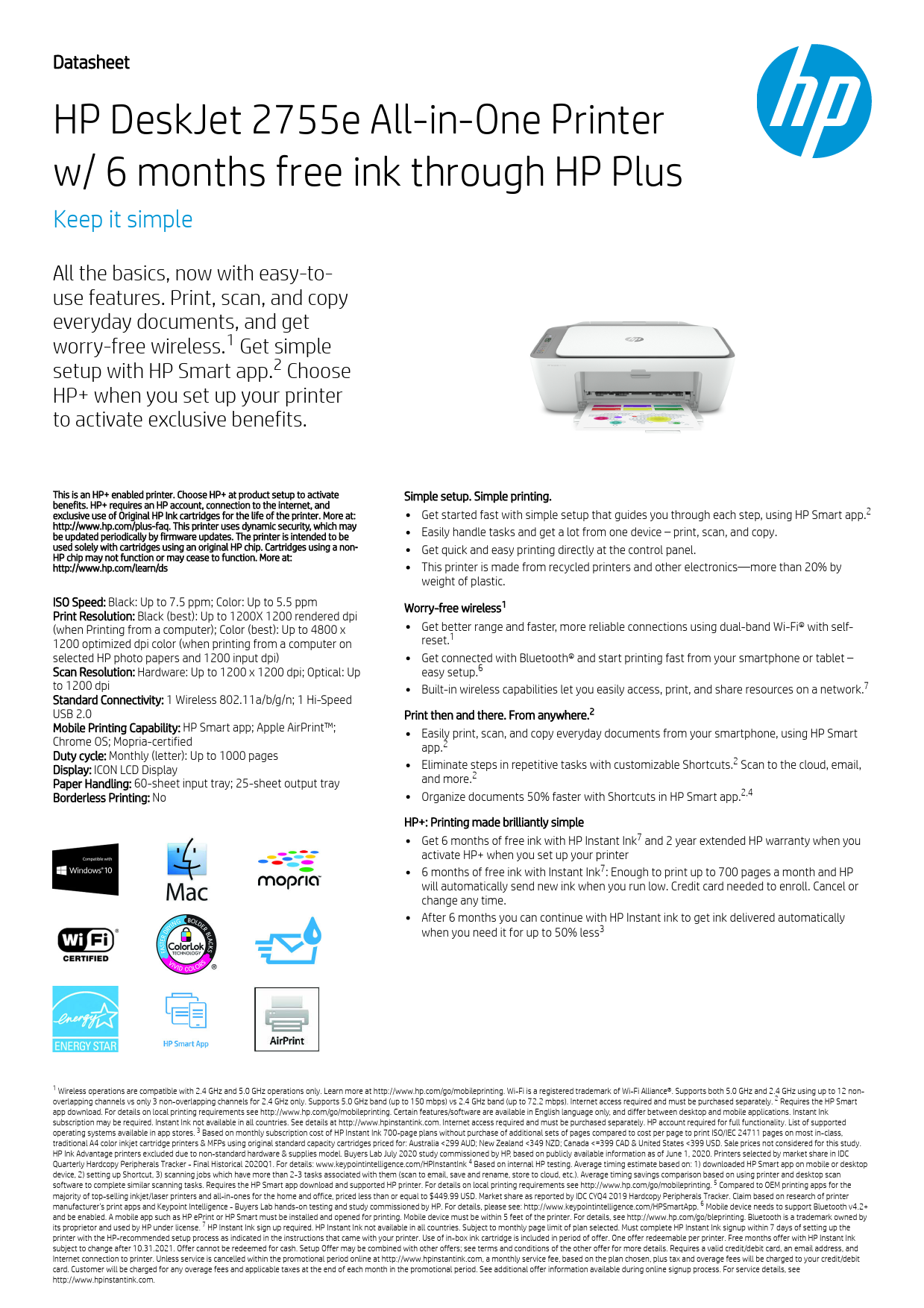
All the basics, now with easy-touse features. Print, scan, and copy everyday documents, and get worry-free wireless.1 Get simple setup with HP Smart app.2 Choose HP+ when you set up your printer to activate exclusive benefits.

This is an HP+ enabled printer. Choose HP+ at product setup to activate benefits. HP+ requires an HP account, connection to the internet, and exclusive use of Original HP Ink cartridges for the life of the printer. More at: http://www.hp.com/plus-faq. This printer uses dynamic security, which may be updated periodically by firmware updates. The printer is intended to be used solely with cartridges using an original HP chip. Cartridges using a non- HP chip may not function or may cease to function. More at: http://www.hp.com/learn/ds
ISO Speed: Black: Up to 7.5 ppm; Color: Up to 5.5 ppm Print Resolution: Black (best): Up to 1200X 1200 rendered dpi (when Printing from a computer); Color (best): Up to 4800 x 1200 optimized dpi color (when printing from a computer on selected HP photo papers and 1200 input dpi) Scan Resolution: Hardware: Up to 1200 x 1200 dpi; Optical: Up to 1200 dpi Standard Connectivity: 1 Wireless 802.11a/b/g/n; 1 Hi-Speed USB 2.0 Mobile Printing Capability: HP Smart app; Apple AirPrintTM; Chrome OS; Mopria-certified Duty cycle: Monthly (letter): Up to 1000 pages Display: ICON LCD Display Paper Handling: 60-sheet input tray; 25-sheet output tray Borderless Printing: No

Simple setup. Simple printing. Get started fast with simple setup that guides you through each step, using HP Smart app.2
Easily handle tasks and get a lot from one device � print, scan, and copy.
Get quick and easy printing directly at the control panel.
This printer is made from recycled printers and other electronics--more than 20% by weight of plastic.
Worry-free wireless1
Get better range and faster, more reliable connections using dual-band Wi-Fi� with selfreset.1
Get connected with Bluetooth� and start printing fast from your smartphone or tablet � easy setup.6 Built-in wireless capabilities let you easily access, print, and share resources on a network.7
Print then and there. From anywhere.2
Easily print, scan, and copy everyday documents from your smartphone, using HP Smart app.2 Eliminate steps in repetitive tasks with customizable Shortcuts.2 Scan to the cloud, email, and more.2 Organize documents 50% faster with Shortcuts in HP Smart app.2,4
HP+: Printing made brilliantly simple Get 6 months of free ink with HP Instant Ink7 and 2 year extended HP warranty when you activate HP+ when you set up your printer 6 months of free ink with Instant Ink7: Enough to print up to 700 pages a month and HP will automatically send new ink when you run low. Credit card needed to enroll. Cancel or change any time.
After 6 months you can continue with HP Instant ink to get ink delivered automatically when you need it for up to 50% less3

1 Wireless operations are compatible with 2.4 GHz and 5.0 GHz operations only. Learn more at http://www.hp.com/go/mobileprinting. Wi-Fi is a registered trademark of Wi-Fi Alliance�. Supports both 5.0 GHz and 2.4 GHz using up to 12 nonoverlapping channels vs only 3 non-overlapping channels for 2.4 GHz only. Supports 5.0 GHz band (up to 150 mbps) vs 2.4 GHz band (up to 72.2 mbps). Internet access required and must be purchased separately. 2 Requires the HP Smart
app download. For details on local printing requirements see http://www.hp.com/go/mobileprinting. Certain features/software are available in English language only, and differ between desktop and mobile applications. Instant Ink
subscription may be required. Instant Ink not available in all countries. See details at http://www.hpinstantink.com. Internet access required and must be purchased separately. HP account required for full functionality. List of supported operating systems available in app stores. 3 Based on monthly subscription cost of HP Instant Ink 700-page plans without purchase of additional sets of pages compared to cost per page to print ISO/IEC 24711 pages on most in-class,
traditional A4 color inkjet cartridge printers & MFPs using original standard capacity cartridges priced for: Australia <299 AUD; New Zealand <349 NZD; Canada <=399 CAD & United States <399 USD. Sale prices not considered for this study.
HP Ink Advantage printers excluded due to non-standard hardware & supplies model. Buyers Lab July 2020 study commissioned by HP, based on publicly available information as of June 1, 2020. Printers selected by market share in IDC Quarterly Hardcopy Peripherals Tracker - Final Historical 2020Q1. For details: www.keypointintelligence.com/HPInstantInk 4 Based on internal HP testing. Average timing estimate based on: 1) downloaded HP Smart app on mobile or desktop
device, 2) setting up Shortcut, 3) scanning jobs which have more than 2-3 tasks associated with them (scan to email, save and rename, store to cloud, etc.). Average timing savings comparison based on using printer and desktop scan software to complete similar scanning tasks. Requires the HP Smart app download and supported HP printer. For details on local printing requirements see http://www.hp.com/go/mobileprinting. 5 Compared to OEM printing apps for the
majority of top-selling inkjet/laser printers and all-in-ones for the home and office, priced less than or equal to $449.99 USD. Market share as reported by IDC CYQ4 2019 Hardcopy Peripherals Tracker. Claim based on research of printer manufacturer's print apps and Keypoint Intelligence - Buyers Lab hands-on testing and study commissioned by HP. For details, please see: http://www.keypointintelligence.com/HPSmartApp. 6 Mobile device needs to support Bluetooth v4.2+
and be enabled. A mobile app such as HP ePrint or HP Smart must be installed and opened for printing. Mobile device must be within 5 feet of the printer. For details, see http://www.hp.com/go/bleprinting. Bluetooth is a trademark owned by its proprietor and used by HP under license. 7 HP Instant Ink sign up required. HP Instant Ink not available in all countries. Subject to monthly page limit of plan selected. Must complete HP Instant Ink signup within 7 days of setting up the
printer with the HP-recommended setup process as indicated in the instructions that came with your printer. Use of in-box ink cartridge is included in period of offer. One offer redeemable per printer. Free months offer with HP Instant Ink
subject to change after 10.31.2021. Offer cannot be redeemed for cash. Setup Offer may be combined with other offers; see terms and conditions of the other offer for more details. Requires a valid credit/debit card, an email address, and
Internet connection to printer. Unless service is cancelled within the promotional period online at http://www.hpinstantink.com, a monthly service fee, based on the plan chosen, plus tax and overage fees will be charged to your credit/debit
card. Customer will be charged for any overage fees and applicable taxes at the end of each month in the promotional period. See additional offer information available during online signup process. For service details, see
http://www.hpinstantink.com.

Data sheet | HP DeskJet 2755e All-in-One Printer w/ 6 months free ink through HP Plus

HP DeskJet 2755e All-in-One Printer w/ 6 months free ink through HP Plus Technical specifications

Functions / Multitasking supported
Print speed6

Print, copy, scan / No
Black (ISO): Up to 7.5 ppm; Color (ISO): Up to 5.5 ppm; First page out black: As fast as 15 sec; First Page Out Color: As fast as 19 sec

Print resolution

Black (best): Up to 1200X 1200 rendered dpi (when Printing from a computer); Color (best): Up to 4800 x 1200 optimized dpi color (when printing from a computer on selected HP photo papers and 1200 input dpi)

Print technology

HP Thermal Inkjet

Print cartridges number

2 (1 each black, tri-color)

Borderless printing

No

Standard print languages

HP PCL 3 GUI; HP PCLm (HP Apps/UPD); URF (AirPrint)

Scan type / Technology

Flatbed Contact Image Sensor (CIS)

Scan resolution

Hardware: Up to 1200 x 1200 dpi; Optical: Up to 1200 dpi

Scan file format

JPEG, TIFF, PDF, BMP, PNG

Scan input modes

Front-panel scan

Scan size maximum

Flatbed: 8.5 x 11.69 in

Bit depth / Grayscale levels 24-bit/ 256

Digital sending standard

No

features

Copy speed

Black (ISO): Up to 6 cpm; Color (ISO): Up to 3 cpm

Maximum number of copies Up to 9 copies

Copier settings

Auto-enlarge

Copier resize

Via HP Smart app

Standard connectivity

1 Wireless 802.11a/b/g/n; 1 Hi-Speed USB 2.0

Network capabilities

Yes, built-in Wi-Fi 802.11a/b/g/n

Wireless capability Mobile printing capability8

Yes HP Smart app; Apple AirPrintTM; Chrome OS; Mopria-certified

Memory

Standard: 64 MB DDR1; 20 MB Flash; Maximum: 64 MB DDR1; 20 MB Flash

Processor speed

180 MHz/Hard disk: No

Duty cycle

Monthly, letter: Up to 1000 pages

Recommended monthly page 50 to 100 volume

Media types supported

Plain paper, photo paper, brochure paper, envelopes and other specialty inkjet papers

Media weight supported

Letter: 16 to 32 lb; HP envelopes: 20 to 24 lb; HP cards: up to 110 lb; HP 4 x 6 inch photo paper: up to 145 lb

Media sizes supported

Letter; legal; 4 x 6 in; 5 x 7 in; 8 x 10 in; No. 10 envelopes

Media Sizes Custom

3 x 5 to 8.5 x 14 in

Paper handling

Input Capacities: Up to 60 sheets Standard; Up to 5 envelopes; Up to 20 cards; Up to 10 sheets Labels; Up to 60 sheets Legal Auto Document Feeder: No Output Capacities: Up to 25 sheets Standard; Up to 5 envelopes; Up to 20 cards; Up to 10 sheets Labels; Up to 25 sheets Legal Duplex Options: Manual (driver support provided) Envelope feeder: No Standard paper trays: 1

What's in the box7

26K67A HP DeskJet 2755e All-in-One Printer; HP 67 Setup Black Cartridge; HP 67 Setup Tri-Color Cartridge; Regulatory flyer; Setup guide; Reference guide; Power cord [For ink volume and page yield information, visit http://hp.com/go/learnaboutsupplies]

Replacement cartridges4 HP 67 Black Original Ink Cartridge (~120 pages yield) 3YM56AN; HP 67XL Black High Yield Original Ink Cartridge (~240 pages yield) 3YM57AN; HP 67XXL Black Extra High-Yield Original Ink Cartridge (~400 pages yield) 3YM59AN; HP 67 TriColor Original Ink Cartridge (~100 pages yield) 3YM55AN; HP 67XL Tri-Color High-Yield Original Ink Cartridge (~200 pages yield) 3YM58AN; HP 67XXL TriColor Extra High-Yield Original Ink Cartridge (~330 pages yield) 6ZA16AN. Actual yield varies considerably based on content of printed pages and other factors. For details see http://www.hp.com/go/learnaboutsupplies

Instant ink eligible

HP Instant Ink eligible

Product dimensions Product weight5

W x d x h: 16.7 x 11.97 x 6.06 in; Maximum: 16.7 x 21.5 x 9.8 inch (Output Extension fully out)
7.55 lb

Warranty features

One-year limited hardware warranty; 24-hour, 7 days a week support

Energy efficiency compliance

EPEAT� Silver

Energy star certified Yes

Control panel

Icon LCD display, 7 buttons (includes Power, Cancel, Resume, WiFi, Info, Color Copy and Black Copy) and 5 LED indicator light (Power, Ink, Resume, WiFi and Info)

Display description

ICON LCD Display

Software included

HP Printer Software, available online

Compatible operating Windows 10, 7: 32-bit or 64-bit, macOS v10.14 Mojave, macOS v10.15

systems

Catalina, macOS v11 Big Sur;

Compatible network operating systems

Windows 10, 7; MacOS Sierra v10.12 (previously OS X), macOS High Sierra v10.13, macOS Mojave v10.14, macOS Catalina v10.15

Minimum system requirements
Power2

PC: Windows 10, 7: 32-bit or 64-bit, 2 GB available hard disk space, Internet connection, Internet Explorer.; Mac: macOS v10.14 Mojave, macOS v10.15 Catalina, macOS v11 Big Sur; 2 GB HD; Internet required
Power supply type: Internal; Power requirements: Input voltage: 100 to 240 VAC (+/- 10%), 50/60 Hz (+/- 3 Hz); Power consumption: 2.5 Watts (Ready) ; 1.1 Watts (Sleep); 0.15 Watts (Off) ; 0.15 Watts (Auto-off)

Acoustics

Acoustic power emissions: 6.2 B(A); Acoustic pressure emissions: 48 dB(A)

Operating environment

Operating temperature range: 41 to 104�F; Recommended operating temperature: 59 to 86�F; Storage temperature range: -40 to 140�F; Nonoperating humidity range: 5 to 90% RH (non-condensing); Operating humidity range: 15 to 80% RH (non-condensing); Recommended humidity operating range: 20 to 80% RH (non-condensing)

Accessories

None

HP Service and Support options

With services, software, solutions and support from HP Total Care, you can use, protect and enjoy your HP technology; one-year technical support; oneyear limited hardware warranty; access to 24/7 award-winning support services through http://www.hp.com/support; to improve your product experience, please take the time to register at http://www.register.hp.com

Learn more at hp.com

1 Dimensions vary as per configuration 2 Power requirements are based on the country/region where the printer is sold. Do not convert operating voltages. This will damage the printer and void the product warranty. 3 Speed specifications have been updated to reflect current industry testing methods. 4 Average based on ISO/IEC 24711 or HP testing methodology and continuous printing. Actual yield varies considerably based on content of printed pages and other factors. For details see http://hp.com/go/learnaboutsupplies 5 Weight vary as per configuration 6 Either after first page or after first set of ISO test pages. For details see http://www.hp.com/go/printerclaims 7 For more information about page yields for replacement cartridges see http://hp.com/go/learnaboutsupplies for setup cartridges click on Setup supplies link on the same page. 8 Local printing requires mobile device and printer to be on the same network or have a direct wireless connection to the printer. Wireless performance is dependent on physical environment and distance from access point. Wireless operations are compatible with 2.4 GHz operations only. Remote printing requires an Internet connection to an HP web-connected printer. App or software and HP Smart app account registration may also be required. Wireless broadband use requires separately purchased service contract for mobile devices. Check with service provider for coverage and availability in your area. Learn more at http://www.hp.com/go/mobileprinting
� Copyright 2020 HP Development Company, L.P. The information contained herein is subject to change without notice. The only warranties for HP products and services are set forth in the express warranty statements accompanying such products and services. Nothing herein should be construed as constituting an additional warranty. HP shall not be liable for technical or editorial errors or omissions contained herein.
January 2021