

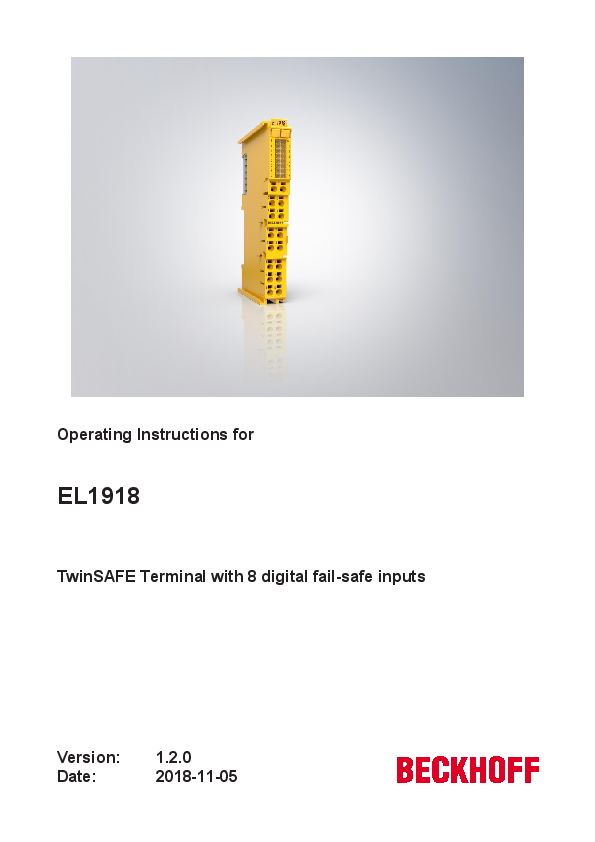
Operating Instructions for EL1918
File info: application/pdf · 55 pages · 3.92MB
Operating Instructions for EL1918
EL1918-0000 TwinSAFE Terminal with 8 digital fail-safe inputs Operating Instructions for EL1918 EL1918en Ver1.2.0
EL1918-0000, TwinSAFE, Terminal, with, 8, digital, fail-safe, inputs, Operating, Instructions, for, EL1918, EL1918en Ver1.2.0
Operating Instructions for EL1918 - Beckhoff Automation
Foreword EL1918 Version: 1.2.07 1.2.3Description of safety symbols In these operating instructions the following instructions are used. These instructions must be read carefully and followed without fail!
Operating Instructions for EL1918 - Directory contents of ...
For the use of the TwinSAFE components according to EN 81-22 and EN 81-50, the conditions de- scribed in the manuals for achieving category ...
Extracted Text
Operating Instructions for
EL1918
TwinSAFE Terminal with 8 digital fail-safe inputs

Version: Date:

1.2.0 2018-11-05

Table of contents
Table of contents
1 Foreword .................................................................................................................................................... 5 1.1 Notes on the documentation.............................................................................................................. 5 1.2 Safety instructions ............................................................................................................................. 6 1.2.1 Delivery state ..................................................................................................................... 6 1.2.2 Operator's obligation to exercise diligence ........................................................................ 6 1.2.3 Description of safety symbols ............................................................................................ 7 1.3 Documentation issue status .............................................................................................................. 7 1.4 Version history of the TwinSAFE product .......................................................................................... 8 1.5 References ........................................................................................................................................ 8
2 System description ................................................................................................................................... 9 2.1 The Beckhoff EtherCAT Terminal system ......................................................................................... 9 2.1.1 EtherCAT Bus Coupler .................................................................................................... 10 2.1.2 EtherCAT Terminals ........................................................................................................ 11 2.1.3 E-bus ............................................................................................................................... 11 2.1.4 Power contacts ................................................................................................................ 11 2.2 TwinSAFE........................................................................................................................................ 12 2.2.1 The I/O construction kit is extended safely ...................................................................... 12 2.2.2 Safety concept ................................................................................................................. 12 2.2.3 The fail-safe principle (Fail Stop) ..................................................................................... 13
3 Product description................................................................................................................................. 14 3.1 EL1918 � TwinSAFE Terminal with 8 digital fail-safe inputs ........................................................... 14 3.2 Intended use .................................................................................................................................... 15 3.3 Technical data ................................................................................................................................. 17 3.4 Safety parameters ........................................................................................................................... 18 3.5 Safe input ........................................................................................................................................ 18 3.6 Characteristic curve of the inputs .................................................................................................... 19 3.7 Dimensions ...................................................................................................................................... 20
4 Operation.................................................................................................................................................. 21 4.1 Environmental conditions ................................................................................................................ 21 4.2 Installation ....................................................................................................................................... 21 4.2.1 Safety instructions ........................................................................................................... 21 4.2.2 Transport / storage .......................................................................................................... 21 4.2.3 Mechanical installation..................................................................................................... 21 4.2.4 Electrical installation ........................................................................................................ 28 4.3 Configuration of the terminal in TwinCAT ........................................................................................ 33 4.3.1 Inserting a Bus Coupler ................................................................................................... 33 4.3.2 Inserting a Bus Terminal.................................................................................................. 33 4.3.3 Adding an EL1918 ........................................................................................................... 33 4.3.4 Address settings on TwinSAFE terminals with 1023 possible addresses ....................... 34 4.3.5 Alias devices.................................................................................................................... 35 4.3.6 EL1918 parameters in TwinCAT...................................................................................... 36 4.3.7 Process image of the EL1918.......................................................................................... 38 4.3.8 Local logic function .......................................................................................................... 39

EL1918

Version: 1.2.0

3

Table of contents
4.3.9 Project design limits of EL1918 ....................................................................................... 40 4.4 TwinSAFE reaction times ................................................................................................................ 40 4.5 Diagnosis ......................................................................................................................................... 43
4.5.1 Status LEDs..................................................................................................................... 43 4.5.2 Diagnostic LEDs .............................................................................................................. 43 4.5.3 Flash code display ........................................................................................................... 44 4.5.4 Diagnosis History............................................................................................................. 44 4.5.5 Diag History tab ............................................................................................................... 47 4.6 Maintenance .................................................................................................................................... 48 4.7 Service life ....................................................................................................................................... 49 4.8 Decommissioning ............................................................................................................................ 49 4.9 Firmware update of TwinSAFE products ......................................................................................... 50
5 Appendix .................................................................................................................................................. 53 5.1 Support and Service ........................................................................................................................ 53 5.2 Certificates....................................................................................................................................... 54

4

Version: 1.2.0

EL1918

1

Foreword

Foreword

1.1 Notes on the documentation
Intended audience
This description is only intended for the use of trained specialists in control and automation engineering who are familiar with the applicable national standards.
It is essential that the following notes and explanations are followed when installing and commissioning these components.
The responsible staff must ensure that the application or use of the products described satisfy all the requirements for safety, including all the relevant laws, regulations, guidelines and standards.
Origin of the document
This documentation was originally written in German. All other languages are derived from the German original.
Currentness
Please check whether you are using the current and valid version of this document. The current version can be downloaded from the Beckhoff homepage at http://www.beckhoff.com/english/download/twinsafe.htm. In case of doubt, please contact Technical Support [} 53].
Product features
Only the product features specified in the current user documentation are valid. Further information given on the product pages of the Beckhoff homepage, in emails or in other publications is not authoritative.
Disclaimer
The documentation has been prepared with care. The products described are subject to cyclical revision. For that reason the documentation is not in every case checked for consistency with performance data, standards or other characteristics. We reserve the right to revise and change the documentation at any time and without prior announcement. No claims for the modification of products that have already been supplied may be made on the basis of the data, diagrams and descriptions in this documentation.
Trademarks
Beckhoff�, TwinCAT�, EtherCAT�, EtherCAT P�, Safety over EtherCAT�, TwinSAFE�, XFC� and XTS� are registered trademarks of and licensed by Beckhoff Automation GmbH. Other designations used in this publication may be trademarks whose use by third parties for their own purposes could violate the rights of the owners.
Patent Pending
The EtherCAT Technology is covered, including but not limited to the following patent applications and patents: EP1590927, EP1789857, DE102004044764, DE102007017835 with corresponding applications or registrations in various other countries.
The TwinCAT Technology is covered, including but not limited to the following patent applications and patents: EP0851348, US6167425 with corresponding applications or registrations in various other countries.

EL1918

Version: 1.2.0

5

Foreword
EtherCAT� and Safety over EtherCAT� are registered trademarks and patented technologies, licensed by Beckhoff Automation GmbH, Germany.
Copyright � Beckhoff Automation GmbH & Co. KG, Germany. The reproduction, distribution and utilization of this document as well as the communication of its contents to others without express authorization are prohibited. Offenders will be held liable for the payment of damages. All rights reserved in the event of the grant of a patent, utility model or design.
Delivery conditions In addition, the general delivery conditions of the company Beckhoff Automation GmbH & Co. KG apply.
1.2 Safety instructions
1.2.1 Delivery state
All the components are supplied in particular hardware and software configurations appropriate for the application. Modifications to hardware or software configurations other than those described in the documentation are not permitted, and nullify the liability of Beckhoff Automation GmbH & Co. KG.
1.2.2 Operator's obligation to exercise diligence
The operator must ensure that � the TwinSAFE products are only used as intended (see chapter Product description); � the TwinSAFE products are only operated in sound condition and in working order. � the TwinSAFE products are operated only by suitably qualified and authorized personnel. � the personnel is instructed regularly about relevant occupational safety and environmental protection aspects, and is familiar with the operating instructions and in particular the safety instructions contained herein. � the operating instructions are in good condition and complete, and always available for reference at the location where the TwinSAFE products are used. � none of the safety and warning notes attached to the TwinSAFE products are removed, and all notes remain legible.

6

Version: 1.2.0

EL1918

Foreword
1.2.3 Description of safety symbols
In these operating instructions the following instructions are used. These instructions must be read carefully and followed without fail!
DANGER Serious risk of injury!
Failure to follow this safety instruction directly endangers the life and health of persons.
WARNING Risk of injury!
Failure to follow this safety instruction endangers the life and health of persons.
CAUTION Personal injuries!
Failure to follow this safety instruction can lead to injuries to persons.
NOTE Damage to the environment/equipment or data loss
Failure to follow this instruction can lead to environmental damage, equipment damage or data loss.
Tip or pointer
This symbol indicates information that contributes to better understanding.
1.3 Documentation issue status
Version Comment 1.2.0 � Project design limits added 1.1.0 � Restrictions on channel usage added
� Note added for commissioning 1.0.0 � Certificate added
� Connection added � First released version 0.0.3 � System limits added � Description of Module Fault Link active parameter added. � Version history updated � References added � Description of local logic function added � Foreword updated � Safety instructions adapted to IEC 82079-1. 0.0.2 � Update after review 0.0.1 � First draft

EL1918

Version: 1.2.0

7

Foreword

1.4 Version history of the TwinSAFE product

This version history lists the software and hardware version numbers. A description of the changes compared to the previous version is also given.
Updated hardware and software
TwinSAFE products are subject to a cyclical revision. We reserve the right to revise and change the TwinSAFE products at any time and without prior notice. No claims for changes to products already delivered can be asserted from these hardware and/or software changes.

A description of how a firmware (software) update can be performed can be found in chapter Firmware update of TwinSAFE products [} 50].

Date

Software ver- Hardware

sion

version

03.08.2018 01

00

Modifications First release of the EL1918

1.5
No [1]
[2]

References

Version 1.6.0 or newer
3.1.0 or newer

Title / description Operating instructions for EL6910
The document contains a description of the logic functions of the EL6910 and their programming Documentation � TwinSAFE Logic FB
The document describes the safety function blocks that are available in the EL6910 and form the safety application.

8

Version: 1.2.0

EL1918

2

System description

System description

2.1 The Beckhoff EtherCAT Terminal system
The Beckhoff EtherCAT Terminal system is used for decentralized connection of sensors and actuators to a controller. The components of the Beckhoff EtherCAT Terminal system are mainly used in industrial automation and building management systems. As a minimum, a bus station consists of an EtherCAT Coupler and connected EtherCAT Terminals. The EtherCAT Coupler forms the communication interface to the higher-level controller, while the EtherCAT Terminals form the interface to the sensors and actuators. The whole bus station is clipped onto a 35 mm DIN mounting rail (EN 60715). The mechanical link of the bus station is established with a slot and key system on EtherCAT Couplers and EtherCAT Terminals.
The sensors and actuators are connected with the terminals via the screwless (spring-loaded) connection system.

Fig. 1: Slot and key system and screwless (spring-loaded) connection system

EL1918

Version: 1.2.0

9

System description

2.1.1 EtherCAT Bus Coupler

Mechanical data Material Dimensions (W x H x D) Mounting Attachable by

Bus Coupler polycarbonate, polyamide (PA6.6). 44 mm x 100 mm x 68 mm on 35 mm mounting rail (EN 60715) with locking double slot and key connection

Fig. 2: Bus Coupler (EtherCAT)
Connection technology Wiring Connection cross-section Fieldbus connection Power contacts Current load Nominal voltage

Bus Coupler Spring-loaded system 0.08 mm� ... 2.5 mm�, stranded wire, solid wire EtherCAT 3 spring contacts 10 A 24 VDC

10

Version: 1.2.0

EL1918

System description

2.1.2 EtherCAT Terminals

Mechanical data Material Dimensions (W x H x D) Mounting Attachable by

Bus Terminal polycarbonate, polyamide (PA6.6). 12 mm x 100 mm x 68 mm or 24 mm x 100 mm x 68 mm on 35 mm mounting rail (EN 60715) with locking double slot and key connection

Fig. 3: Overview of EtherCAT Terminals

Connection technology Wiring Connection cross-section Communication Power contacts Current load Nominal voltage

Bus Terminal Spring-loaded system typically 0.08 mm� � 2.5 mm�, stranded wire, solid wire E-bus Up to 3 blade/spring contacts 10 A Depending on terminal type (typically 24 VDC)

2.1.3 E-bus
The E-bus is the data path within a terminal strip. The E-bus is led through from the Bus Coupler through all the terminals via six contacts on the terminals' side walls.

2.1.4 Power contacts
The operating voltage is passed on to following terminals via three power contacts. Terminal strip can be split into galvanically isolated groups by means of potential supply terminals as required. The supply terminals play no part in the control of the terminals, and can be inserted at any locations within the terminal strip.

EL1918

Version: 1.2.0

11

System description
2.2 TwinSAFE
2.2.1 The I/O construction kit is extended safely
The integrated TwinSAFE safety solution is the logical continuation of the open, PC-based Beckhoff control philosophy. Due to their modularity and versatility, the TwinSAFE components fit seamlessly into the Beckhoff control system. The I/O components are available in the formats Bus Terminal, EtherCAT Terminal, EtherCAT plug-in module and EtherCAT Box.
Thanks to the fieldbus-neutral safety protocol (TwinSAFE/Safety-over-EtherCAT), TwinSAFE devices can be integrated into any fieldbus system. They are integrated into existing networks with K-bus or EtherCAT and can be used directly in the machine as IP 67 modules. These safety I/Os form the interfaces to the safetyrelevant sensors and actuators.
The possibility to transmit the safety-relevant signals over a standard bus system gives rise to substantial advantages in terms of planning, installation, operation, maintenance, diagnostics and costs.
The safety application is configured or programmed respectively in the TwinCAT software. This application is then transferred via the bus to a TwinSAFE logic component. These form the heart of the TwinSAFE system. All safety devices in the system communicate with this logic component. Due to the enormous flexibility of the system, several TwinSAFE logic components can also be operated simultaneously in a network.
2.2.2 Safety concept
TwinSAFE: Safety and I/O technology in one system � Extension of the familiar Beckhoff I/O system with TwinSAFE Terminals � Freely selectable mix of safe and standard signals � Logic link of the I/Os in the TwinSAFE logic component, e.g. EL6910 � Safety-relevant networking of machines via bus systems
TwinSAFE protocol (FSoE / Safety-over-EtherCAT) � Transfer of safety-relevant data via any media ("genuine black channel") � TwinSAFE communication via fieldbus systems such as EtherCAT, Lightbus, PROFIBUS or Ethernet � IEC 61508:2010 SIL 3 compliant
TwinCAT software and TwinSAFE editor � Safety application is configured or programmed in the TwinCAT software � Certified function blocks such as emergency stop, operation mode, etc. � simple handling � Transfer of the application via the bus to the TwinSAFE logic component
TwinSAFE logic component, e.g. EL6910 � Processing of the safety-related application and communication with the TwinSAFE terminals � No safety requirements for higher-level control system � TwinSAFE enables a network with up to 65,535 TwinSAFE components. � TwinSAFE logic component can establish up to 512 connections (TwinSAFE connections). � Several TwinSAFE logic components can be operated in a network � Suitable for applications up to SIL 3 according to IEC 61508:2010 and category 4 / PL e according to EN ISO 13849-1:2015.

12

Version: 1.2.0

EL1918

System description
TwinSAFE I/O components � The TwinSAFE I/O components are available in the formats Bus Terminal, EtherCAT Terminal, EtherCAT plug-in module, EtherCAT Box and TwinSAFE Drive option card � All common safety sensors and actuators can be connected � Operation with a TwinSAFE logic component � Typically meet the requirements of IEC 61508:2010 up to SIL 3 and EN ISO 13849-1:2015 up to Category 4, PL e. More detailed information can be found in the respective user documentation
2.2.3 The fail-safe principle (Fail Stop)
The basic rule for a safety system such as TwinSAFE is that failure of a part, a system component or the overall system must never lead to a dangerous condition.
CAUTION Safe state
The safe state of the TwinSAFE system is always the switched-off and de-energized state.

EL1918

Version: 1.2.0

13

Product description

3

Product description

3.1 EL1918 � TwinSAFE Terminal with 8 digital fail-safe inputs
The EL1918 is a digital input terminal for sensors with potential-free contacts for 24 VDC. The TwinSAFE Terminal has 8 fail-safe inputs.
With a two-channel connection, the EL1918 meets the requirements of IEC 61508:2010 SIL 3 and EN ISO 13849-1:2015 (Cat 4, PL e). See chapter Safe input [} 18].
The TwinSAFE terminal has the typical design of an EtherCAT HD Terminal.

Fig. 4: EL1918 � TwinSAFE Terminal with 8 fail-safe inputs

14

Version: 1.2.0

EL1918

Product description
3.2 Intended use
WARNING Caution - Risk of injury!
TwinSAFE components may only be used for the purposes described below!
The TwinSAFE Terminals expand the application area of Beckhoff Bus Terminal system with functions that enable them to be used for machine safety applications. The TwinSAFE Terminals are designed for machine safety functions and directly associated industrial automation tasks. They are therefore only approved for applications with a defined fail-safe state. This safe state is the switched-off and de-energized state. Failsafety according to the relevant standards is required.
The TwinSAFE I/O components allow the connection of: � 24 VDC sensors such as emergency stop push-buttons, rope pull switches, position switches, two-hand switches, safety switching mats, light curtains, light barriers, laser scanners, etc. � 24 VDC actuators such as contactors, protective door switches with tumbler, signal lamps, servo drives, etc.
Test pulses
When selecting actuators please ensure that the test pulses of the TwinSAFE component do not lead to switching of the actuator or a diagnostic message of the TwinSAFE component.
The following TwinSAFE components were developed for these tasks: � The EL1904 is an EtherCAT Terminal with 4 digital fail-safe inputs � The EL2904 is an EtherCAT Terminal with 4 digital fail-safe outputs � The EL6900 is an EtherCAT Terminal with integrated TwinSAFE logic
These TwinSAFE components are suitable for operation on the � Beckhoff EKxxxx series Bus Couplers � Beckhoff CXxxxx series Embedded PCs with E-bus connection
WARNING System limits
The T�V S�D certificate applies to this TwinSAFE component, the function blocks available in it, the documentation and the engineering tool. TwinCAT 3.1 and the TwinSAFE Loader are permitted as engineering tools. Any deviations from these procedures or tools, particularly externally generated xml files for TwinSAFE import or externally generated automatic project creation procedures, are not covered by the certificate.
WARNING Power supply from SELV/PELV power supply unit!
The TwinSAFE components must be supplied with 24 VDC by an SELV/PELV power supply unit with an output voltage limit Umax of 36 VDC. Failure to observe this can result in a loss of safety.
WARNING Commissioning test
Before the EL1918 can be used for the safety-related task, a commissioning test must be carried out by the user so that wiring errors to the sensors can be ruled out.
CAUTION Follow the machinery directive!
The TwinSAFE components may only be used in machines as defined in the machinery directive.

EL1918

Version: 1.2.0

15

Product description
CAUTION
Ensure traceability!
The buyer has to ensure the traceability of the device via the serial number.
CAUTION
Note on approval according to EN 81-20, EN 81-22 and EN 81-50
� The TwinSAFE components may only be used in machines that have been designed and installed in accordance with the requirements of the EN 60204-1 standard.
� Provide a surge filter for the supply voltage of the TwinSAFE components against overvoltages. (Reduction to overvoltage category II)
� EN 81 requires that in the case of devices with internal temperature monitoring, a stop must be reached in the event of an overtemperature. In this case, passengers must be able to disembark (see EN 81-20 chapter 5.10.4.3, for example). To ensure this, application measures are necessary. The internal terminal temperature of the TwinSAFE components can be read out by the user. There is a direct switch-off at the maximum permissible temperature of the respective TwinSAFE component (see chapter Temperature measurement). The user must select a temperature threshold below the maximum temperature such that a stop can be reached in all cases before the maximum temperature is reached. Information on the optimum terminal configuration can be found under Notes on the arrangement of TwinSAFE components and under Example configuration for temperature measurement.
� For the use of the TwinSAFE components according to EN 81-22 and EN 81-50, the conditions described in the manuals for achieving category 4 according to EN ISO 13849-1:2015 must be observed.
� The use of TwinSAFE components is limited to indoor applications.
� Basic protection against direct contact must be provided, either by fulfilling protection class IP2X or by installing the TwinSAFE components in a control cabinet which corresponds at least to protection class IP54 according to EN 60529.
� The ambient conditions regarding temperature, humidity, heat dissipation, EMC and vibrations, as specified in the operating instructions under technical data, must be observed.
� The operating conditions in potentially explosive atmospheres (ATEX) are specified in the operating instructions.
� The safe state (triggering) of the application must be the de-energized state. The safe state of the TwinSAFE components is always the de-energized, switched-off state, and this cannot be changed.
� The service life specified in the operating instructions must be observed.
� If the TwinSAFE component is operated outside the permissible temperature range, it changes to "Global Shutdown" state.
� The TwinSAFE components must be installed in a control cabinet with protection class IP54 according to EN 60529, so that the requirement for contamination level 3 according to EN 60664-1 can be reduced to level 2.
� The TwinSAFE components must be supplied by a SELV/PELV power supply unit with a maximum voltage of Umax <= 36 VDC.

16

Version: 1.2.0

EL1918

Product description

3.3 Technical data

Product designation

EL1918

Number of inputs

8

Status display

12 (one green LED per input + 4 DIAG LEDs)

Reaction time (read input/write to E-bus)

typically: 4 ms, maximally: see error reaction time

Fault response time

 watchdog time

Cable length between sensor and terminal

unshielded max. 100 m (0.75 or 1 mm�) shielded max. 100 m (0.75 or 1 mm�)

Output current of the clock outputs

typically 3 mA, max. 6.5 mA

Input process image

7 bytes

Output process image

6 bytes

Supply voltage of the EL1918 (PELV) Signal voltage "0" inputs

24 VDC (�15% / +20%)
-3 V ... 5 V (EN 61131-2, type 3) see chapter Characteristic curve of the inputs [} 19]

Signal voltage "1" inputs

11 V ... 30 V (EN 61131-2, type 3) see chapter Characteristic curve of the inputs [} 19]

Current consumption of the module electronics at 24 V (without cur- 8 channels occupied: typically 29.6 mA (@28.8 VDC)

rent consumption of sensors)

0 channel occupied: typically 2.27 mA (@28.8 VDC)

Current consumption via E-bus

8 channels occupied: approx. 165 mA

Power dissipation of the terminal

typically 1.6 W

Electrical isolation (between the channels)

No

Electrical isolation (between the channels and the E-bus)

Yes

Insulation voltage (between the channels and the E-bus, under com- insulation tested with 500 VDC mon operating conditions)

Dimensions (W x H x D)

12 mm x 100 mm x 68 mm

Weight

approx. 50 g

Permissible ambient temperature (operation)

-25 �C to +55 �C (note chapter Temperature measurement [} 23])

Permissible ambient temperature (transport/storage)

-40 �C to +70 �C

Permissible air humidity

5% to 95%, non-condensing

Permissible air pressure (operation/storage/transport)

750 hPa to 1100 hPa (this corresponds to an altitude of approx. -690 m to 2450 m above sea level, assuming an international standard atmosphere)

Climate category according to EN 60721-3-3

3K3 (the deviation from 3K3 is possible only with optimal environmental conditions and also applies only to the technical data which are specified differently in this documentation)

Permissible contamination level according to EN 60664-1

Contamination level 2 (note chapter Maintenance [} 48])

Inadmissible operating conditions

TwinSAFE Terminals must not be used under the following operating conditions:

� under the influence of ionizing radiation (exceeding the natural background radiation)

� in corrosive environments

� in an environment that leads to unacceptable contamination of the TwinSAFE component

EMC immunity / emission

conforms to EN 61000-6-2 / EN 61000-6-4

Vibration / shock resistance

conforms to EN 60068-2-6 / EN 60068-2-27

Shocks

15 g with pulse duration 11 ms in all three axes

Protection class

IP20

Permitted operating environment

In the control cabinet or terminal box, with minimum protection class IP54 according to IEC 60529

correct installation position

see chapter Installation position and minimum distances [} 22]

Approvals

CE, T�V S�D

EL1918

Version: 1.2.0

17

Product description

3.4 Safety parameters

Characteristic numbers Lifetime [a] Prooftest Interval [a] PFHD PFD MTTFD DC Performance level Category HFT Element classification 2

EL1918 20 not required 1 3.00 E-09 4.90 E-05 high high PL e 4 1 Type B

1. Special proof tests are not required during the entire service life of the EL1918 EtherCAT terminal. 2. Classification according to IEC 61508-2:2010 (chapter 7.4.4.1.2 and 7.4.4.1.3)

The EL1918 EtherCAT Terminal can be used for safety-related applications within the meaning of IEC 61508:2010 up to SIL3 and EN ISO 13849-1:2015 up to PL e (Cat4).

Further information on calculating or estimating the MTTFD value from the PFHD value can be found in the TwinSAFE application manual or in EN ISO 13849-1:2015, Table K.1.
In terms of safety-related parameters, the Safety-over-EtherCAT communication is already considered with 1% of SIL3 according to the protocol specification.

3.5 Safe input
The safe inputs and associated clock outputs are implemented as a single channel for each module. This has the advantage that any channels, e.g. for a two-channel safe sensor, can be combined and used. For error evaluation of these two channels, the Module Fault Link active parameter of the two modules involved must be set to TRUE. This is the default state of this parameter.
DANGER Clocked signals inside a sheathed cable
If clocked signals (clock outputs for the safe inputs) of different modules are used within a sheathed cable, a fault of one module, such as cross-circuit or external feed, must lead to the disconnection of all of these modules. This is achieved by setting the Module Fault Link active parameter for all modules involved. This parameter is set to TRUE by default.
DANGER Safe inputs in Kat.4 / PL e
If two safe input channels are to be used in a Category 4 structure, please ensure that you always combine an even and an odd channel number.

18

Version: 1.2.0

EL1918

3.6 Characteristic curve of the inputs
The characteristic curve of the inputs is similar to type 3 according to EN 61131-2.

Product description

Fig. 5: Characteristic curve of the inputs

EL1918

Version: 1.2.0

19

Product description
3.7 Dimensions

Fig. 6: EL1918 dimensions
Width: 12 mm (side-by-side installation) Height: 100 mm Depth: 68 mm

20

Version: 1.2.0

EL1918

4

Operation

Operation

4.1 Environmental conditions
Please ensure that the TwinSAFE components are only transported, stored and operated under the specified conditions (see technical data)!
WARNING Risk of injury!
The TwinSAFE components must not be used under the following operating conditions. � under the influence of ionizing radiation (that exceeds the level of the natural environmental radiation) � in corrosive environments � in an environment that leads to unacceptable soiling of the TwinSAFE component
NOTE Electromagnetic compatibility
The TwinSAFE components comply with the current standards on electromagnetic compatibility with regard to spurious radiation and immunity to interference in particular. However, in cases where devices such as mobile phones, radio equipment, transmitters or high-frequency systems that exceed the interference emissions limits specified in the standards are operated near TwinSAFE components, the function of the TwinSAFE components may be impaired.

4.2 Installation

4.2.1 Safety instructions
Before installing and commissioning the TwinSAFE components please read the safety instructions in the foreword of this documentation.
4.2.2 Transport / storage
Use the original packaging in which the components were delivered for transporting and storing the TwinSAFE components.
CAUTION Note the specified environmental conditions
Please ensure that the digital TwinSAFE components are only transported and stored under the specified environmental conditions (see technical data).

4.2.3 Mechanical installation
DANGER Risk of injury!
Bring the bus system into a safe, de-energized state before starting installation, disassembly or wiring of the devices!

EL1918

Version: 1.2.0

21

Operation

4.2.3.1

Instructions for ESD protection
NOTE Devices can be destroyed by electrostatic charging!
The devices contain electrostatically sensitive components which can be damaged by improper handling. � Please ensure you are electrostatically discharged when handling the components; also
avoid touching the spring contacts directly (see illustration). � Avoid contact with highly insulating materials (synthetic fibers, plastic films etc.) � When handling the components, ensure good grounding of the environment (workplace,
packaging and persons)
� Each bus station must be terminated on the right side with the EL9011 or EL9012 end cap to ensure the protection class and ESD protection.

Fig. 7: Spring contacts of Beckhoff I/O components
4.2.3.2 Control cabinet / terminal box
The TwinSAFE terminals must be installed in a control cabinet or terminal box with IP54 protection class according to IEC 60529 as a minimum.
4.2.3.3 Installation position and minimum distances
For the prescribed installation position the mounting rail is installed horizontally and the mating surfaces of the EL/KL terminals point toward the front (see illustration below). The terminals are ventilated from below, which enables optimum cooling of the electronics through convection. The direction indication "down" corresponds to the direction of positive acceleration due to gravity.

22

Version: 1.2.0

EL1918

Operation

Fig. 8: Installation position and minimum distances
In order to ensure optimum convection cooling, the distances to neighboring devices and to control cabinet walls must not be smaller than those shown in the diagram.
4.2.3.4 Temperature measurement
The temperature measurement consists of an EK1100 EtherCAT Coupler, to which EtherCAT Terminals are attached, based on the typical distribution of digital and analog signal types at a machine. On the EL6910 a safety project is active, which reads safe inputs and enables safe outputs during the measurement.
NOTE External heat sources / radiant heat / impaired convection
The maximum permissible ambient temperature of 55�C was checked with the example configuration described above. Impaired convection, an unfavorable location near heat sources or an unfavorable configuration of the EtherCAT Terminals may result in overheating of the TwinSAFE components. The key parameter is always the maximum permitted internally measured temperature of 110�C, above which the TwinSAFE components switch to safe state and report an error. The internal temperature can be read from the TwinSAFE components via CoE.

EL1918

Version: 1.2.0

23

Operation
4.2.3.5 Notes on the arrangement of TwinSAFE components
The following notes show favorable and unfavorable arrangement of the terminals in relation to thermal
aspects. Components with higher waste heat are marked with a red symbol and components with low
waste heat with a blue symbol .
EtherCAT coupler EK11xx and power supply terminal EL9410 The more terminals are connected behind an EtherCAT coupler or a power supply terminal, the higher is the E-Bus current, which must be supplied by their power supply units. As the current increases, the waste heat of the power supply units is also increased..
EL69x0 The EL69x0 has a rather high waste heat because it has a high internal clock and high logic power.
EL2904 The EL2904 has a rather high waste heat, due to the possibly high output current of the connected actuators.
EL1904 Even the EL1904 has a rather high waste heat, although the external load by clock outputs and safe inputs is rather low.

24

Version: 1.2.0

EL1918

Operation Thermally unfavorable arrangement of the TwinSAFE terminals The following structure is rather unfavorable, since terminals with rather high waste heat are connected directly to couplers or power supply terminals with high E-Bus load. The additional external heating of the TwinSAFE terminals by the adjacent power supply units increases the internal terminal temperature, which can lead to the maximum permissible temperature being exceeded. This leads to a diagnosis message "overtemperature".
Fig. 9: Thermally unfavorable arrangement of the TwinSAFE terminals

EL1918

Version: 1.2.0

25

Operation Thermally favorable arrangement of the TwinSAFE terminals The following structure is thermally favorable, since between the coupler / power supply terminal and terminals with rather high waste heat, terminals with low current consumption and thus rather low waste heat are placed.
Fig. 10: Thermally favorable arrangement of the TwinSAFE terminals

26

Version: 1.2.0

EL1918

Operation
4.2.3.6 Installation on mounting rails WARNING
Risk of electric shock and damage of device!
Bring the bus terminal system into a safe, powered down state before starting installation, disassembly or wiring of the Bus Terminals!
Mounting

Fig. 11: Installation on the mounting rail
The Bus Couplers and Bus Terminals are attached to commercially available 35 mm mounting rails (DIN rail according to EN 60715) by applying slight pressure:
1. First attach the Fieldbus Coupler to the mounting rail. 2. The Bus Terminals are now attached on the right-hand side of the Fieldbus Coupler. Join the compo-
nents with slot and key and push the terminals against the mounting rail, until the lock clicks onto the mounting rail. If the terminals are clipped onto the mounting rail first and then pushed together without slot and key, the connection will not be operational! When correctly assembled, no significant gap should be visible between the housings.
Fastening of mounting rails
The locking mechanism of the terminals and couplers protrudes into the profile of the mounting rail. When installing the components, make sure that the locking mechanism doesn't come into conflict with the fixing bolts of the mounting rail. For fastening mounting rails with a height of 7.5 mm under the terminals and couplers, use flat fastening components such as countersunk head screws or blind rivets.

EL1918

Version: 1.2.0

27

Operation Disassembly

Fig. 12: Removal from mounting rail
Each terminal is secured by a lock on the mounting rail, which must be released for disassembly:
1. Pull down the terminal at its orange-colored straps from the mounting rail by approx. 1 cm. The rail locking of this terminal is automatically released, and you can now pull the terminal out of the Bus Terminal block with little effort.
2. To do this, grasp the unlocked terminal simultaneously at the top and bottom of the housing surfaces with your thumb and index finger and pull it out of the Bus Terminal block.

4.2.4 Electrical installation

4.2.4.1 Connections within a Bus Terminal block
The electric connections between the Bus Coupler and the Bus Terminals are automatically realized by joining the components:
Spring contacts (E-bus)
The six spring contacts of the E-bus deal with the transfer of the data and the supply of the Bus Terminal electronics.
NOTE Observe the E-bus current
Observe the maximum current that your Bus Coupler can supply to the E-bus! Use the EL9410 Power Supply Terminal if the current consumption of your terminals exceeds the maximum current that your Bus Coupler can feed to the E-bus supply.
Power contacts
The power contacts deal with the supply for the field electronics and thus represent a supply rail within the Bus Terminal block. The power contacts are supplied via terminals on the Bus Coupler.
Note the connection of the power contacts
During the design of a Bus Terminal block, the pin assignment of the individual Bus Terminals must be taken account of, since some types (e.g. analog Bus Terminals or digital 4-channel Bus Terminals) do not or not fully loop through the power contacts. Potential supply terminals (EL91xx, EL92xx) interrupt the power contacts and thus represent the start of a new supply rail.

28

Version: 1.2.0

EL1918

Operation
PE power contact The power contact labelled PE can be used as a protective earth. For safety reasons this contact mates first when plugging together, and can ground short-circuit currents of up to 125 A.

Fig. 13: PE power contact
CAUTION Insulation tests
Note that, for reasons of electromagnetic compatibility, the PE contacts are capacitatively coupled to the mounting rail. This may lead to incorrect results during insulation testing or to damage on the terminal (e.g. disruptive discharge to the PE line during insulation testing of a consumer with a rated voltage of 230 V). For insulation testing, disconnect the PE supply line at the Bus Coupler or the Potential Supply Terminal! In order to decouple further feed points for testing, these Power Feed Terminals can be released and pulled at least 10 mm from the group of terminals.
DANGER Serious risk of injury!
The PE power contact must not be used for other potentials!
4.2.4.2 Overvoltage protection
If protection against overvoltage is necessary in your plant, provide a surge filter for the voltage supply to the Bus Terminal blocks and the TwinSAFE terminals.

EL1918

Version: 1.2.0

29

Operation
4.2.4.3 HD housing wiring

Fig. 14: Connection of a cable to a terminal point

Up to 16 terminal points enable the connection of solid or finely stranded wires to the EtherCAT Terminal. The terminal points are spring-loaded.
Several conductors at one connection
If it is necessary to connect several conductors to one connection, pre-connect them with terminal blocks, for example.

Solid and stranded wire conductors with ferrules can be inserted directly into the terminal point. This eliminates steps 1 and 3 in the above illustration. For all other conductor types, the terminal point must be opened with a screwdriver to establish the connection.

Connect the cables as follows:

1. Open a terminal point by pushing a screwdriver straight into the square opening above the terminal point as far as it will go. Do not turn or move the screwdriver back and forth (do not lever)
2. The wire can now be inserted into the round terminal opening without any force.
3. The terminal closes automatically when the pressure is released, holding the wire safely and permanently.

The permissible conductor cross-sections can be taken from the following table.

Wire cross-section (solid) Wire cross-section (stranded wire) Wire cross-section (core wire with ferrule) Strip length

0.08 ... 1.5 mm2 0.25 ... 1.5 mm2 0.14 ... 0.75 mm2 8 ... 9 mm

30

Version: 1.2.0

EL1918

4.2.4.4 Connection of the EL1918

Operation

Fig. 15: EL1918 connection

Terminal point Input

1

1

2

3

3

4

5

5

6

7

7

8

9

2

10

11

4

12

13

6

14

15

8

16

Signal Input 1+ (clock output) Input 1- (safe input) Input 3+ (clock output) Input 3- (safe input) Input 5+ (clock output) Input 5- (safe input) Input 7+ (clock output) Input 7- (safe input) Input 2+ (clock output) Input 2- (safe input) Input 4+ (clock output) Input 4- (safe input) Input 6+ (clock output) Input 6- (safe input) Input 8+ (clock output) Input 8- (safe input)

Configurable inputs
The inputs 1 to 8 can be occupied as you want with normally closed contacts or normally open contacts. The corresponding analysis is carried out in the safety PLC. The input labeled Input x- is used for connecting OSSD sensors (self-testing sensors).

EL1918

Version: 1.2.0

31

Operation
4.2.4.5 Signal cables
Cable routing
Fig. 16: Cable routing
NOTE Route the signal cable separately
The signal cable must be routed separately from potential sources of interference, such as motor supply cables, 230 VAC power cables etc.! Interference caused by cables routed in parallel can influence the signal form of the test pulses and thus cause diagnostic messages (e.g. sensor errors or OpenLoad errors). D: Distance between the cable ducts should be as large as possible blue arrows: signal line red arrows: potential source of interference The common routing of signals together with other clocked signals in a common cable also reduces the maximum propagation, since crosstalk of the signals can occur over long cable lengths and cause diagnostic messages.

32

Version: 1.2.0

EL1918

Operation
4.3 Configuration of the terminal in TwinCAT
CAUTION Do not change CoE objects!
Do not change any of the CoE objects in the TwinSAFE terminals. Any modifications (e.g. via TwinCAT) of the CoE objects will permanently set the terminals to the Fail-Stop state or lead to unexpected behavior of the terminals!
4.3.1 Inserting a Bus Coupler
See TwinCAT automation software documentation.
4.3.2 Inserting a Bus Terminal
See TwinCAT automation software documentation.
4.3.3 Adding an EL1918
An EL1918 is added in exactly the same way as any other Beckhoff EtherCAT Terminal. Open TwinSAFE Terminals item in the list and select the EL1918.

Fig. 17: Adding an EL1918

EL1918

Version: 1.2.0

33

Operation
4.3.4 Address settings on TwinSAFE terminals with 1023 possible addresses

Fig. 18: Address settings on TwinSAFE terminals with 1023 possible addresses

The TwinSAFE address of the terminal is set via the 10-way DIP switch on the left-hand side of the TwinSAFE terminal. TwinSAFE addresses between 1 and 1023 are available.

DIP switch

1

2

ON

OFF

OFF ON

ON

ON

OFF OFF

ON

OFF

OFF ON

ON

ON

...

...

ON

ON

3 OFF OFF OFF ON ON ON ON ... ON

4 OFF OFF OFF OFF OFF OFF OFF ... ON

5 OFF OFF OFF OFF OFF OFF OFF ... ON

6 OFF OFF OFF OFF OFF OFF OFF ... ON

7 OFF OFF OFF OFF OFF OFF OFF ... ON

8 OFF OFF OFF OFF OFF OFF OFF ... ON

9 OFF OFF OFF OFF OFF OFF OFF ... ON

10 OFF OFF OFF OFF OFF OFF OFF ... ON

Address
1 2 3 4 5 6 7 ... 1023

WARNING
TwinSAFE address
Each TwinSAFE address may only be used once within a network / a configuration! The address 0 is not a valid TwinSAFE address!

34

Version: 1.2.0

EL1918

Operation
4.3.5 Alias devices
The communication between the safety logic and the I/O level is realized via an alias level. At this alias level (subnode Alias Devices) corresponding alias devices are created for all safe inputs and outputs, and also for standard signal types. For the safe inputs and outputs, this can be done automatically via the I/O configuration. The connection- and device-specific parameters are set via the alias devices.
Fig. 19: Starting the automatic import from the I/O configuration If the automatic import is started from the I/O configuration, a selection dialog opens, in which the individual terminals to be imported can be selected.

Fig. 20: Selection from the I/O tree
The alias devices are created in the safety project when the dialog is closed via OK. Alternatively, the user can create the alias devices individually. To this end select Add and New item from the context menu, followed by the required device.

EL1918

Version: 1.2.0

35

Operation

Fig. 21: Creating alias devices by the user
4.3.6 EL1918 parameters in TwinCAT
After creating the alias device, it can be parameterized according to the user specifications. The FSoE address is set under the Linking tab, and the link to the physical device is created.

Fig. 22: Linking tab of the alias device
Under the Connection tab you can make further settings, e.g. the mapping of the info data or the behavior in case of a module error.

36

Version: 1.2.0

EL1918

Operation
Fig. 23: Connection tab of the alias device The Safety Parameters tab contains the parameters of the EL1918 to be set. The parameters are set separately for each input. Objects 0x8000 and 0x8001 are available for input 1. For all other inputs, the CoE index is increased by 10 hex each, so that objects 0x8070 and 0x8071 are available for input 8.

Fig. 24: EL1918 parameters

EL1918

Version: 1.2.0

37

Operation Index Name 80x0:01 ModuloDiagTestPulse
80x0:02 MultiplierDiagTestPulse 80x0:04 Diag TestPulse active 80x0:05 Module Fault Link active
80x1:01 InputFilterTime 80x1:02 DiagTestPulseFilterTime

Default value/ Description unit

0x00 / integer

Modulo value for the frequency of generating a test pulse. 0 -> every time 1 -> every second time ...

0x01 / integer Length of the test pulse in multiples of 400 �s

TRUE / Boolean Activation of test pulses for the corresponding input module

TRUE / Boolean If a module error occurs in this module, a module error is also set for all other modules of this TwinSAFE component for which this parameter is also set to TRUE.

0x000A / 0.1 ms Input filter of the safe input. Following this time the internal input signal changes to the applied signal state.

0x0002 / 0.1 ms Input filter for the test pulse signal

4.3.7 Process image of the EL1918
The process image of the EL1918 consists of 7 bytes process data in the input and 6 bytes process data in the output.

Fig. 25: Process image of the EL1918 The assignment of the individual signals in the safe data is listed in the following table.

38

Version: 1.2.0

EL1918

Operation

Name
FSIN Module1.Input FSIN Module1.Module Fault FSIN Module2.Input FSIN Module2.Module Fault FSIN Module3.Input FSIN Module3.Module Fault FSIN Module4.Input FSIN Module4.Module Fault FSIN Module5.Input FSIN Module5.Module Fault FSIN Module6.Input FSIN Module6.Module Fault FSIN Module7.Input FSIN Module7.Module Fault FSIN Module8.Input FSIN Module8.Module Fault FSIN Module 1.ErrAck FSIN Module 2.ErrAck FSIN Module 3.ErrAck FSIN Module 4.ErrAck FSIN Module 5.ErrAck FSIN Module 6.ErrAck FSIN Module 7.ErrAck FSIN Module 8.ErrAck

Process image IN IN IN IN IN IN IN IN IN IN IN IN IN IN IN IN OUT OUT OUT OUT OUT OUT OUT OUT

Bit position Description

0.0

Safe input 1

0.1

Module error information for input 1

0.2

Safe input 2

0.3

Module error information for input 2

0.4

Safe input 3

0.5

Module error information for input 3

0.6

Safe input 4

0.7

Module error information for input 4

1.0

Safe input 5

1.1

Module error information for input 5

1.2

Safe input 6

1.3

Module error information for input 6

1.4

Safe input 7

1.5

Module error information for input 7

1.6

Safe input 8

1.7

Module error information for input 8

0.0

Error acknowledge for safe input 1

0.1

Error acknowledge for safe input 2

0.2

Error acknowledge for safe input 3

0.3

Error acknowledge for safe input 4

0.4

Error acknowledge for safe input 5

0.5

Error acknowledge for safe input 6

0.6

Error acknowledge for safe input 7

0.7

Error acknowledge for safe input 8

4.3.8 Local logic function
In addition to its standard function as a digital safe input terminal, the EL1918 TwinSAFE Terminal also supports the option of executing a local safety-related user program. To do this, select the EL1918 as the target system in the TwinCAT Safety Editor.
Information on creating a safety user program can be found in the documentation for the EL6910 (see References [} 8]).
The default project, so that the EL1918 once again behaves as a safe input terminal, can be reactivated by deleting the safety-related user program from the TwinSAFE component. To do this, select the entry Safe Logic, Mapping and Parameter Data in the dialog for deleting the project. After switching the TwinSAFE component off and on, the default project is active again.

Fig. 26: Deleting the project data

EL1918

Version: 1.2.0

39

Operation

4.3.9 Project design limits of EL1918

Project design limits
The maximum project design size for EL1918 is determined by the available memory. This is managed dynamically. The values specified in the following table are therefore only guide values and may differ from the actual values, depending on the safety project.
NOTE
Execution time of the logic function
The execution time of the logic program - with identical logic program - will typically be longer compared to the EL6910, since the safe I/O signals must be processed additionally. This also has a corresponding effect on the processing of the I/O signals, since with increasing project size these can only be evaluated with a lower frequency.

Process image size
TwinSAFE connections
Safe data per TwinSAFE connection TwinSAFE blocks
TwinSAFE groups TwinSAFE user Standard PLC inputs Standard PLC outputs

max. 1486 byte per data direction (maximum memory size 0x1E00 for 3 buffers, ie with the same size of input and output process data, a maximum size of 1280 bytes per data direction is possible. Only straight start addresses are possible, so fill bytes must be taken into account) 128 max. (up to 255 CRCs in total; 1 CRC is required for a TwinSAFE connection with 1 or 2 byte safe data.) maximum 126 byte (telegram length 255 byte)
maximum 512 (when using ESTOP function blocks with complete input and output mapping, other function blocks can lead to a smaller maximum number) 128 max. 40 max. dynamic (memory-dependent), max. 1484 byte dynamic (memory-dependent), max. 1484 byte

NOTE
Project development
TwinCAT 3.1 Build 4022.25 or newer is required to use the internal logic functions. If the EL1918 is used as TwinSAFE slave with the default project, at least an EL6910, EK1960 or newer logic component is required as TwinSAFE master.

4.4 TwinSAFE reaction times
The TwinSAFE terminals form a modular safety system that exchanges safety-oriented data via the Safetyover-EtherCAT protocol. This chapter is intended to help you determine the system's reaction time from the change of signal at the sensor to the reaction at the actuator.
Typical reaction time
The typical reaction time is the time that is required to transmit information from the sensor to the actuator, if the overall system is working without error in normal operation.

40

Version: 1.2.0

EL1918

Operation

Fig. 27: Typical reaction time

Definition RTSensor RTInput RTComm
RTLogic
RTOutput RTActor WDComm

Description
Reaction time of the sensor until the signal is provided at the interface. Typically supplied by the sensor manufacturer.
Reaction time of the safe input, such as EL1904 or EP1908. This time can be found in the technical data. In the case of the EL1904 it is 4 ms.
Reaction time of the communication This is typically 3x the EtherCAT cycle time, because new data can only be sent in a new Safety-over-EtherCAT telegram. These times depend directly on the higher-level standard controller (cycle time of the PLC/NC).
Reaction time of the logic terminal. This is the cycle time of the logic terminal and typically ranges from 500 �s to 10 ms for the EL6900, depending on the size of the safety project. The actual cycle time can be read from the terminal.
Reaction time of the output terminal. This typically lies within the range of 2 to 3 ms.
Reaction time of the actuator. This information is typically supplied by the actuator manufacturer
Watchdog time of the communication

This results in the following equation for the typical reaction time:

with, for example

Worst-case reaction time The worst case reaction time is the maximum time required to switch off the actuator in the case of an error.

Fig. 28: Worst-case reaction time

EL1918

Version: 1.2.0

41

Operation
This assumes that a signal change occurs at the sensor and is transmitted to the input. A communication error occurs at precisely the moment when the signal is to be transferred to the communication interface. This is detected by the logic following the watchdog time of the communication link. This information should then be transferred to the output, but a further communication error occurs here. This error is detected at the output following the expiry of the watchdog time and leads to the switch-off. This results in the following equation for the worst-case reaction:
with, for example

42

Version: 1.2.0

EL1918

4.5 Diagnosis
4.5.1 Status LEDs

Operation

Fig. 29: Status LEDs
LED Input 1 Input 2 Input 3 Input 4 Input 5 Input 6 Input 7 Input 8

Color green

Description Status display for the respective input LED lights up: Input is set LED not lit: Input is not set

4.5.2 Diagnostic LEDs

Diagnostic LEDs

LED
Diag 1 (green)

lit
Environment variables, operating voltage and internal tests are in the valid range
� If Diag 2 flashes, a logic error code applies

flashing -

Diag 2 (red)
Diag 3 (red) Diag 4 (red)

Together with Diag 3 and 4:
Global shutdown1) has occurred. (see diag history of the TwinSAFE components)

Logic or environment error code according to Diag1 and tables below is output

Global fault or global shutdown on �C11)

Global fault or global shutdown on �C21)

off
Environment variables, operating voltage and internal tests are outside the valid range
� If Diag 2 flashes, an environment error code applies
Together with Diag 3 and 4:
Global fault1) has occurred. (see diag history of the TwinSAFE components)
No global fault or global shutdown on �C11)
No global fault or global shutdown on �C21)

EL1918

Version: 1.2.0

43

Operation

1. A global fault permanently disables the TwinSAFE component, so that it has to be replaced. A global shutdown temporarily disables the TwinSAFE component. The error can be reset by switching off and back on again.

Logic error codes of LED Diag 2 (if LED Diag 1 is lit)

Flashing Code 1 2 3 4 5 6 7

Description
Function block error in one of the TwinSAFE groups Communication error in one of the TwinSAFE groups Error combination: Function block and communication General error in one of the TwinSAFE groups Error combination: General and function block Error combination: General and communication Error combination: General, function block and communication

Environment error codes of LED Diag 2 (if LED Diag 1 is off)

Flashing Code 1 2 3 4 5 6 7 8 9 10

Description
Maximum supply voltage �C1 exceeded Supply voltage �C1 below minimum value Maximum supply voltage �C2 exceeded Supply voltage �C2 below minimum value Maximum internal temperature exceeded Internal temperature below minimum value Valid temperature difference between �C1 and �C2 exceeded not used not used General error

4.5.3 Flash code display

LED flashing

Display

flickering

Description 400 ms ON / 400 ms OFF 1 second pause between the flash codes
50 ms ON / 50 ms OFF

4.5.4 Diagnosis History
The diagnostic history of the TwinSAFE devices that support this function is implemented in accordance with the ETG guideline ETG.1020 Chapter 13 "Diagnosis Handling". The diagnostic messages are saved by the TwinSAFE device in a dedicated CoE object under 0x10F3 and can be read out by the application or by TwinCAT.
Both the control entries and the history itself can be found in the CoE object 0x10F3. The entry Newest Message (0x10F3:02) contains the subindex of 0x10F3, which contains the latest diagnostic message, e.g. 0x06 for diagnostic message 1.

44

Version: 1.2.0

EL1918

Operation

Index 10F3hex Diagnosis History

Index (hex) Name

Meaning

10F3:0

Diagnosis History

10F3:01

Maximum Messages

Maximum number of stored messages. A maximum of 64 messages can be stored. After that the respective oldest messages are overwritten.

10F3:02

Newest Message

Subindex of the latest message

10F3:03

Newest

Subindex of the last confirmed message

Acknowledged

Message

10F3:04

New Messages Available

Indicates that a new message is available

10F3:05 Flags

Set via the startup list. If set to 0x0001, the diagnostic messages are additionally sent by emergency to the EtherCAT master

10F3:06

Diagnosis Diagnostic message 1 Message 001

...

...

...

10F3:45

Diagnosis Diagnostic message 64 Message 064

Data type Flags Default

UINT8

RO 0x40 (64dec)

UINT8 UINT8

RO 0x00 (0dec) RW 0x00 (0dec)

BOOLEAN RO 0x00 (0dec)

UINT16 RW 0x0000 (0dec)

BYTE[32] RO {0}

...

...

...

BYTE[32] RO {0}

Structure of the diagnostic messages � DiagCode (4 bytes) � in this case always 0x 0000 E000 � Flags (2 bytes) - diagnosis type (info, warning or error), timestamp and number of parameters contained (see the following table) � Text ID (2 bytes) � ID of the diagnostic message as a reference to the message text from the ESI/XML � Timestamp (8 bytes) � local slave time in ns since switching on the TwinSAFE device � dynamic parameters (16 bytes) � parameters that can be inserted in the message text (see following table)

Flags in diagnostic messages

Data type Offset

Description

UINT16 Bits 0 to 3 DiagType (value)

0

Info message

1

Warning message

2

Error message

3...15 reserved

Bit 4

If the bit = 1, the timestamp contained in the message is the local timestamp of the TwinSAFE device. The age of the diagnostic message can be deduced by calculation with the current timestamp from the CoE object 0x10F8.

Bits 5 to 7 reserved

Bits 8 to 15 Number of parameters in this diagnostic message

EL1918

Version: 1.2.0

45

Operation

Dynamic parameters in the diagnostic messages

Type

Data type

Flags parameter 1 UINT16

Parameter 1

Data type in accordance with flags

Flags parameter 2 UINT16

Parameter 2

Data type in accordance with flags

...

Description

Describes the type of parameter 1

Bits 12 to 15 = Bits 0 to 11 = data type of parameter 1

0

0x0001 - BOOLEAN

0x0002 - INT8

0x0003 - INT16

0x0004 - INT32

0x0005 - UINT8

0x0006 - UINT16

0x0007 - UINT32

0x0008 - REAL32

0x0011 - REAL64

0x0015 - INT64

0x001B - UINT64

Text parameters and formats are specified in ETG.2000.

Value of parameter 1

see Flags parameter 1 Value of parameter 2

The diagnostic messages are saved in text form in the ESI/XML file belonging to the TwinSAFE device. On the basis of the Text ID contained in the diagnostic message, the corresponding plain text message can be found in the respective languages. The parameters can be inserted in the appropriate positions. In the following example, %x is used for a hexadecimal representation of the parameters.

Fig. 30: ESI/XML message text
Via the entry New Messages Available the user receives information that new messages are available. The messages can be read out via CompleteAccess (a CoE read command for the complete CoE object 0x10F3). The New Messages Available bit is reset after reading the messages.
The sending of emergency messages to the EtherCAT master is activated by adding the CoE object 0x10F3:05 to the startup list (Transition IP, value 0x0001). If new diagnostic messages arrive, they are entered in object 0x10F3 and additionally sent by emergency to the EtherCAT master.

Fig. 31: Startup list 46

Version: 1.2.0

EL1918

Operation
4.5.5 Diag History tab
All errors occurring within the TwinSAFE components are stored in their diag history. The diag history can be viewed by selecting the corresponding TwinSAFE component in the I/O tree structure and then selecting the Diag History tab. Use the Update History button to fetch the current data from the TwinSAFE component. Errors within the logic, the function blocks, the connections or the component itself are stored with a corresponding time stamp.
Fig. 32: Diag history Use the Advanced... button to open the advanced settings. Here, the user can customize the behavior of the diag history.

Fig. 33: Diag history � advanced settings

EL1918

Version: 1.2.0

47

Operation

Advanced Settings

Setting

Description

Message Types

� disable Info Messages with status Info are not stored in the diag history

� disable Warnings Messages with status Warning are not stored in the diag history

� disable Errors Messages with status Error are not stored in the diag history

Emergency

In addition to saving the message in the diag history, an emergency object is also sent and displayed in the TwinCAT logger window.

Overwrite / Acknowledge Mode This setting is currently not supported.

4.6 Maintenance
Maintenance The TwinSAFE components are maintenance-free!
Environmental conditions
WARNING Observe the specified environmental conditions!
Please ensure that the TwinSAFE components are only stored and operated under the specified conditions (see technical data).
If the TwinSAFE component is operated outside the permitted temperature range it will switch to Global Shutdown state.
Cleaning Protect the TwinSAFE component from unacceptable soling during operation and storage! If the TwinSAFE component was subjected to unacceptable soiling it may no longer be operated!
WARNING Have soiled terminals checked!
Cleaning of the TwinSAFE component by the user is not permitted! Please send soiled terminals to the manufacturer for inspection and cleaning!

48

Version: 1.2.0

EL1918

4.7 Service life

The TwinSAFE terminals are designed for a service life of 20 years.

Due to the high diagnostic coverage within the lifecycle no special proof tests are required.

The TwinSAFE terminals bear a date code, which is composed as follows:

Date code: CW YY SW HW

Legend: CW: Calendar week of manufacture YY: Year of manufacture SW: Software version HW: Hardware version

Sample: Date Code 17 11 05 00 Calendar week: 17 Year: 2011 Software version: 05 Hardware version: 00

In addition the TwinSAFE terminals bear a unique serial number.

Operation

Fig. 34: Unique serial number of a TwinSAFE terminal
4.8 Decommissioning
DANGER Serious risk of injury!
Bring the bus system into a safe, de-energized state before starting disassembly of the devices!
Disposal In order to dispose of the device, it must be removed and fully dismantled.
� Housing components (polycarbonate, polyamide (PA6.6)) are suitable for plastic recycling. � Metal parts can be sent for metal recycling. � Electronic parts such as disk drives and circuit boards must be disposed of in accordance with national
electronics scrap regulations.

EL1918

Version: 1.2.0

49

Operation
4.9 Firmware update of TwinSAFE products
For TwinSAFE products there is the option of performing a firmware update via the EtherCAT interface. The complete firmware of the TwinSAFE component is deleted and replaced by a new version.
The latest firmware can be downloaded from the Beckhoff website or requested from Beckhoff Support. The versions are available in an encrypted form and can only be loaded onto the matching TwinSAFE product. An incorrect firmware file is rejected by the respective TwinSAFE product.
Prerequisite for a firmware update
DANGER Put the machine into a safe state!
A firmware update stops the current processing of the firmware of the TwinSAFE product. It is essential that you switch the TwinSAFE system to the safe state before you start an update. All safe outputs must be in a safe, de-energized state. If hanging or pulling loads are present on the machine or the TwinSAFE system, these must also be brought into a safe state through external safety measures if necessary.
DANGER Monitor the machine state!
It is necessary that you have control over the machine, i.e. you can see it and thus ensure that it is in a safe state and that a firmware update can be carried out without endangering the operators or other personnel.
NOTE Avoid communication interruptions during the download
Please avoid disconnecting the EtherCAT connection while downloading the firmware under any circumstances. If a communication error does occur, the TwinSAFE product may subsequently be unusable and must be sent to the Beckhoff Service.
WARNING Default project for TwinSAFE I/O components with local logic function!
After a firmware update, any implemented default project starts automatically. An EK1960, for example, would start up as a TwinSAFE I/O slave after a firmware update.
NOTE Firmware update of TwinSAFE logics
If a firmware update is performed for a TwinSAFE logic component, e.g. on a TwinSAFE logic EL6910, the safety-related user program must be reloaded to the TwinSAFE logic after the update.
EtherCAT communication
When an EtherCAT component is updated, it is switched to BOOTSTRAP mode. This can have an effect on the EtherCAT communication with other EtherCAT devices.

50

Version: 1.2.0

EL1918

Operation Performing the firmware update Click the button (1) in the TwinCAT system to enter Config mode. Confirm the query with OK (2). After that a further window appears which must be confirmed with Yes (Ja) (3). Deactivate the "Free Run" with No (Nein) (4). The system is now in "Configuration mode".
Fig. 35: Firmware update of TwinSAFE products - Part 1

EL1918

Version: 1.2.0

51

Operation
To perform the firmware update, select the "Online" tab (6) for the "EtherCAT Device" (5). If you want to update several components, you can select the corresponding components (7) together; for individual components, select only these. Subsequently, click with the right mouse button inside the selected area and select the command "Firmware Update..." (8) in the command overview.

Fig. 36: Firmware update of TwinSAFE products - Part 2
In the place where you have stored the desired firmware version, select the firmware file (9) and click "Open" (10). Confirm the window that then opens with "OK" (11); the firmware update is then performed. After successful completion you must click OK (12) in the concluding "Function Succeeded" window. You can then switch the system back to Run mode and use the TwinSAFE system.

Fig. 37: Firmware update of TwinSAFE products - Part 3

52

Version: 1.2.0

EL1918

5

Appendix

Appendix

5.1 Support and Service
Beckhoff and their partners around the world offer comprehensive support and service, making available fast and competent assistance with all questions related to Beckhoff products and system solutions.

Beckhoff's branch offices and representatives
Please contact your Beckhoff branch office or representative for local support and service on Beckhoff products!
The addresses of Beckhoff's branch offices and representatives round the world can be found on her internet pages: http://www.beckhoff.com
You will also find further documentation for Beckhoff components there.

Beckhoff Headquarters
Beckhoff Automation GmbH & Co. KG
Huelshorstweg 20 33415 Verl Germany
Phone: Fax: e-mail:

+49(0)5246/963-0 +49(0)5246/963-198 info@beckhoff.com

Beckhoff Support

Support offers you comprehensive technical assistance, helping you not only with the application of individual Beckhoff products, but also with other, wide-ranging services:
� support � design, programming and commissioning of complex automation systems � and extensive training program for Beckhoff system components

Hotline: Fax: e-mail:

+49(0)5246/963-157 +49(0)5246/963-9157 support@beckhoff.com

Beckhoff Service
The Beckhoff Service Center supports you in all matters of after-sales service: � on-site service � repair service � spare parts service � hotline service

Hotline: Fax: e-mail:

+49(0)5246/963-460 +49(0)5246/963-479 service@beckhoff.com

EL1918

Version: 1.2.0

53

Appendix
5.2 Certificates

54

Version: 1.2.0

EL1918

List of figures
List of figures
Fig. 1 Slot and key system and screwless (spring-loaded) connection system..................................... 9 Fig. 2 Bus Coupler (EtherCAT).............................................................................................................. 10 Fig. 3 Overview of EtherCAT Terminals ................................................................................................ 11 Fig. 4 EL1918 � TwinSAFE Terminal with 8 fail-safe inputs.................................................................. 14 Fig. 5 Characteristic curve of the inputs ................................................................................................ 19 Fig. 6 EL1918 dimensions ..................................................................................................................... 20 Fig. 7 Spring contacts of Beckhoff I/O components............................................................................... 22 Fig. 8 Installation position and minimum distances ............................................................................... 23 Fig. 9 Thermally unfavorable arrangement of the TwinSAFE terminals ................................................ 25 Fig. 10 Thermally favorable arrangement of the TwinSAFE terminals .................................................... 26 Fig. 11 Installation on the mounting rail ................................................................................................... 27 Fig. 12 Removal from mounting rail......................................................................................................... 28 Fig. 13 PE power contact......................................................................................................................... 29 Fig. 14 Connection of a cable to a terminal point .................................................................................... 30 Fig. 15 EL1918 connection ...................................................................................................................... 31 Fig. 16 Cable routing ............................................................................................................................... 32 Fig. 17 Adding an EL1918 ....................................................................................................................... 33 Fig. 18 Address settings on TwinSAFE terminals with 1023 possible addresses ................................... 34 Fig. 19 Starting the automatic import from the I/O configuration ............................................................. 35 Fig. 20 Selection from the I/O tree........................................................................................................... 35 Fig. 21 Creating alias devices by the user............................................................................................... 36 Fig. 22 Linking tab of the alias device...................................................................................................... 36 Fig. 23 Connection tab of the alias device............................................................................................... 37 Fig. 24 EL1918 parameters ..................................................................................................................... 37 Fig. 25 Process image of the EL1918...................................................................................................... 38 Fig. 26 Deleting the project data.............................................................................................................. 39 Fig. 27 Typical reaction time.................................................................................................................... 41 Fig. 28 Worst-case reaction time ............................................................................................................. 41 Fig. 29 Status LEDs................................................................................................................................. 43 Fig. 30 ESI/XML message text ................................................................................................................ 46 Fig. 31 Startup list.................................................................................................................................... 46 Fig. 32 Diag history.................................................................................................................................. 47 Fig. 33 Diag history � advanced settings................................................................................................. 47 Fig. 34 Unique serial number of a TwinSAFE terminal............................................................................ 49 Fig. 35 Firmware update of TwinSAFE products - Part 1 ........................................................................ 51 Fig. 36 Firmware update of TwinSAFE products - Part 2 ........................................................................ 52 Fig. 37 Firmware update of TwinSAFE products - Part 3 ........................................................................ 52

EL1918

Version: 1.2.0

55