

Safety
Important safety instructions
⚠️ WARNING: TO REDUCE THE RISK OF FIRE OR ELECTRIC SHOCK, DO NOT OVEREXPOSE THIS APPLIANCE TO RAIN OR MOISTURE. ❗ AVIS: RISQUE DE CHOC ELECTRIQUE, NE PAS OUVRIR.
❗ WARNING: THE MAINS PLUG OR AC INLET IS USED AS A DISCONNECT DEVICE. THE DISCONNECT DEVICE SHALL REMAIN READILY OPERABLE.
❗ WARNING: CONNECT ONLY TO MAINS SOCKET WITH PROTECTIVE EARTHING CONNECTION.
❗ WARNING: TO REDUCE THE RISK OF ELECTRIC SHOCK, DO NOT REMOVE COVER (OR BACK) AS THERE ARE NO USER-SERVICABLE PARTS INSIDE. REFER SERVICING TO QUALIFIED PERSONNEL.
The lightning flash with arrowhead symbol, within an equilateral triangle, is intended to alert the user to the presence of uninsulated "dangerous voltage" within the product's enclosure that may be sufficient magnitude to constitute a risk of electric shock to persons.
The exclamation point within an equilateral triangle is intended to alert the user to the presence of important operating and maintenance (servicing) instructions in the literature accompanying the appliance.
The asterisk within an equilateral triangle is intended to inform the user to necessary installation or removal instructions regarding equipment or hardware use relating to the system.
Follow these instructions:
- Read these instructions.
- Keep these instructions.
- Heed all warnings.
- Follow all instructions.
- Do not use this apparatus near water.
- Clean only with a dry cloth.
- Do not block any ventilation openings. Install in accordance with the manufacturer's instructions.
- Do not install near any heat sources such as radiators, heat registers, stoves, or other apparatus (including amplifiers) that produce heat.
- Do not defeat the safety purpose of the polarized or grounding-type plug. A polarized plug has two blades with one wider than the other. A grounding type plug has two blades and a third grounding prong. The wide blade or the third prong is provided for your safety. If the provided plug does not fit into your outlet, consult an electrician for replacement of the obsolete outlet.
- Protect the power cord from being walked on or pinched particularly at plugs, convenience receptacles, and the point where they exit from the apparatus.
- Only use attachments/accessories specified by the manufacturer.
- Use only with the cart, stand, tripod, bracket, or table specified by the manufacturer, or with the apparatus. When a cart is used, use caution when moving the cart/apparatus combination to avoid injury from tip-over.
- Unplug the apparatus during lightning storms or when unused for long periods of time.
- Refer all servicing to qualified service personnel. Servicing is required when the apparatus has been damaged in any way, such as power-supply cord or plug is damaged, liquid has been spilled or objects have fallen into the apparatus, the apparatus has been exposed to rain or moisture, does not operate normally, or has been dropped.
- No naked flame sources, such as lighted candles, should be placed on the apparatus.
- To reduce the risk of fire or electric shock, do not expose this apparatus to rain or moisture. The apparatus should not be exposed to dripping or splashing. Objects filled with liquids, such as vases should not be placed on apparatus.
- Do not block any ventilation openings. Install in accordance with the manufacturer's instructions.
- Minimum 60 cm (2 ft) distances around the apparatus for sufficient ventilation.
- The ventilation should not be impeded by covering the ventilation openings with items, such as newspapers, table-cloths, curtains, etc.
- To completely disconnect AC power from this apparatus, the power supply cord must be unplugged.
Multilingual Safety Notes:
- Danish: Apparatets stikprop skal tilsluttes en stikkontakt med jord som giver forbindelse til stikproppens jord.
- Finnish: Laite on liitettävä suojakoskettimilla varustettuun pistorasiaan.
- Norwegian: Apparatet må tilkoples jordet stikkontakt.
- Swedish: Apparaten skall anslutas till jordat uttag.
❗ Warning! This product is not designed to be suspended. Do NOT use handles or any other method to suspend the loudspeaker. Handles on Electro-Voice loudspeakers are intended to only be used for temporary transport by people. Items, such as fiber rope, wire rope, cables, or other types of materials cannot be used to suspend loudspeaker from the handles.
❗ Warning! Use of non-authorized accessories or attachments with this or any Electro-Voice product is at your own discretion. Use of non-authorized accessories or attachments can result in product malfunction, injury, or death. The user assumes all liability and may result in the warranty being voided.
⚠️ Caution! Do not attempt to move this loudspeaker system when it is fully assembled. You may damage the system or cause personal injury.
⚠️ Caution! To maintain tip-over stability, do not use EVOLVE 30M 2-piece sub-pole with EVOLVE 50 column speaker array or subwoofer. Doing so may result in damage, and/or personal injury.
⚠️ Caution! For optimal acoustics and performance, ONLY use EVOLVE 30M column speaker array with the EVOLVE 30M subwoofer. Do not use EVOLVE 30M column speaker array or subwoofer with EVOLVE 50 column speaker array or subwoofer. Doing so may result in poor acoustic performance, permanent damage, and void of warranty.
FCC information
This device complies with Part 15 of the FCC Rules. Operation is subject to the following two conditions:
- This device may not cause harmful interference, and
- This device must accept any interference received, including interference that may cause undesired operation.
Notice! This product has been tested and found to comply with the limits for a Class B digital device, pursuant to Part 15 of the FCC Rules. These limits are designed to provide reasonable protection against harmful interference in a residential installation. This product generates, uses, and can radiate radio frequency energy and, if not installed and used in accordance with the instructions, may cause harmful interference to radio communications. However, there is no guarantee that interference will not occur in a particular installation. If this product does cause harmful interference to radio or television reception, which can be determined by turning the equipment off and on, the user is encouraged to try to correct the interference by one or more of the following measures:
- Reorient or relocate the receiving antenna.
- Increase the separation between the equipment and receiver.
- Connect the equipment into an outlet on a circuit different from that to which the receiver is connected.
- Consult the dealer or an experienced radio/TV technician for help.
The device has been granted by FCC and IC, the FCC ID:ESVEVOLVE and IC:1249A - EVOLVE30M.
Please take attention that changes or modification not expressly approved by the party responsible for compliance could void the user's authority to operate the equipment. This equipment should be installed and operated with a minimum distance of 20cm between the radiator and your body.
This device complies with Industry Canada license-exempt RSS standard(s). Operation is subject to the following two conditions:
- this device may not cause interference, and
- this device must accept any interference, including interference that may cause undesired operation of the device.
Le présent appareil est conforme aux CNR d'Industrie Canada applicables aux appareils radioexempts de licence. L'exploitation est autorisée aux deux conditions suivantes : (1) l'appareil ne doit pas produire de brouillage, et (2) l'utilisateur de l'appareil doit accepter tout brouillage radioélectrique subi, même si le brouillage est susceptible d'en compromettre le fonctionnement.
Precautions
ℹ️ Notice! If an Electro-Voice loudspeaker is used outdoors on a sunny day, place the loudspeaker in a shaded or covered area. The loudspeaker amplifiers have protection circuits that temporarily shut the loudspeaker off when extremely high temperatures are reached. This can happen on hot days when the loudspeaker is in direct sunlight.
ℹ️ Notice! Do not use Electro-Voice loudspeakers in an environment where temperatures are below 0°C (32°F) or exceed +35°C (95°F).
ℹ️ Notice! Never expose an Electro-Voice loudspeaker to rain, water, or high moisture.
ℹ️ Notice! Electro-Voice loudspeakers are easily capable of generating sound pressure levels sufficient to cause permanent hearing damage to anyone within normal coverage distance. Caution should be taken to avoid prolonged exposure to sound pressure levels exceeding 90 dB.
Certifications
United Arab Emirates: TRA Registered no.: ER77128/19 Dealer no.: DA45733/15
Notices
Old electrical and electronic appliances
Electrical or electronic devices that are no longer serviceable must be collected separately and sent for environmentally compatible recycling (in accordance with the European Waste Electrical and Electronic Equipment Directive). To dispose of old electrical or electronic devices, you should use the return and collection systems put in place in the country concerned.
Copyright and disclaimer
All rights reserved. No part of this document may be reproduced or transmitted in any form by any means, electronic, mechanical, photocopying, recording, or otherwise, without the prior written permission of the publisher. For information on getting permission for reprints and excerpts, contact Electro-Voice.
All content including specifications, data, and illustrations in this manual are subject to change without prior notice.
ℹ️ Notice! Bluetooth® is available in select countries. Contact your nearest Electro-Voice dealer or Electro-Voice distributor for more information.
The Bluetooth® word mark and logos are registered trademarks owned by Bluetooth SIG, Inc. and any use of such marks by Bosch Security Systems, Inc. is under license. Other trademarks and trade names are those of their respective owners.
China ROHS Disclosure Table
For use in China: CHINA ROHS DISCLOSURE TABLE
| Pb | Hg | Cd | Cr 6+ | PBB | PBDE | |
| (Pb) | (Hg) | (Cd) | (Cr 6+) | (PBB) | (PBDE) | |
| 电路板 (Circuit Board) | ○ | ○ | ○ | ○ | ○ | ○ |
| 电子组件 (Electronic Components) | X | ○ | ○ | ○ | ○ | ○ |
| 换能器 (Transducer) | X | ○ | ○ | ○ | ○ | ○ |
| 显示屏 (Display) | X | ○ | ○ | ○ | ○ | ○ |
| 电缆和导线 (Cables and Wires) | ○ | ○ | ○ | ○ | ○ | ○ |
| 塑料材料 (Plastic Materials) | ○ | ○ | ○ | ○ | ○ | ○ |
| 金属材料 (Metal Materials) | X | ○ | ○ | ○ | ○ | ○ |
| 木质和纸质材料 (Wood and Paper Materials) | ○ | ○ | ○ | ○ | ○ | ○ |
| 涂料与涂层 (Paint and Coating) | ○ | ○ | ○ | ○ | ○ | ○ |
○: The content of the above hazardous substance in all homogeneous materials of this substance is below the GB/T 26572 limit.
X: The content of the above hazardous substance in any homogeneous material of this substance is above the GB/T 26572 limit.
For detailed explanation of the production date code for this type of product, please see: http://www.boschsecurity.com/datecodes/
Short information
Product Family and Descriptions
The following table lists products in a family, with CTN (Commercial Type Number) and identifying product name DESCRIPTION.
| CTN | Description |
|---|---|
| EVOLVE30M-US | Portable column system, US, black |
| EVOLVE30M-EU | Portable column system, EU AP, black |
| EVOLVE30M-W | Portable column system, global, white |
| EVOLVE30M-SUBCVR | Soft cover for EVOLVE 30M sub |
| EVOLVE-CASE | Carrying case for EVOLVE 30M & 50 |
| EVOLVE30M-PL-B | Replacement pole for EVOLVE 30M, black |
| EVOLVE30M-PL-W | Replacement pole for EVOLVE 30M, white |
Shipping contents
Table 2.1: EVOLVE30M-US, EVOLVE30M-EU models
| Quantity | Component |
|---|---|
| 1 | Column speaker array |
| 1 | Subwoofer |
| 1 | Sub pole (2 sections) |
| 1 | Power cord |
| 1 | Carrying bag |
| 1 | Installation manual |
| 1 | Safety manual |
Table 2.2: EVOLVE30M-W model
| Quantity | Component |
|---|---|
| 1 | Column speaker array |
| 1 | Subwoofer |
| 1 | Sub pole (2 sections) |
| 2 | Power cords |
| 1 | Carrying bag |
| 1 | Installation manual |
| 1 | Safety manual |
Description
Thank you for choosing an Electro-Voice portable column system. Please take time to consult the manual to understand all the features built into your EV system and fully utilize its performance capabilities.
System Overview:
Designed to deliver a step up in sound quality and set a new performance standard for compact column speaker systems, the EVOLVE 30M is perfect for solo musicians, small groups, mobile entertainers, and smaller venues that need an easy-to-use, highly portable, and lightweight system with extraordinary coverage and output for its size. The EVOLVE 30M comes ready to go with a speaker array, symmetrical aluminum pole connectors with internal wire assembly and magnetically assisted latching, a subwoofer, and an included pole/array carry case – all designed to pack up compactly, set up and tear down quickly, look great on stage, and withstand real-world wear and tear.
Professional-grade EV-engineered components and build quality: The full-range column array features six 2.8” neodymium drivers providing room-filling, ultra-wide 120° coverage via custom-designed waveguides. Array-formed 40° asymmetrical vertical coverage ensures acoustic output is directed towards both sitting and standing audience members. The array enclosure is constructed from a durable composite material and incorporates an ergonomic aluminum handle. Four tuning ports are located on the rear of the enclosure for acoustic optimization. A 10" subwoofer is housed in a 15 mm wood enclosure with a high-efficiency laminar-flow vent design for enhanced rigidity and acoustical performance. The Class-D amplifier provides up to 1000 W of output power: 500 W to the subwoofer and 500 W to the column array. The speakers are protected by a black powder-coated 18 ga. steel grille. Combined, these components generate a genuinely stunning performance-to-size ratio – an elegant form factor that looks as good as it sounds.
Extensive Feature Set: The EVOLVE 30M has an integrated, full-function, and fully programmable eight-channel digital mixer with multiple inputs (4x XLR/TRS combo line/mic inputs, 1x XLR/TRS stereo line input, 1x RCA, 1x 3.5 mm stereo, 1x Hi-Z instrument input, wireless Bluetooth® Audio Input), and professional-grade preamps and mixer functions, all designed in collaboration with the world-class mixer engineering team at EV's sibling brand Dynacord. For the performing musician, Hi-Z and foot switch inputs are included for flexible system configuration. A range of onboard studio-quality effects (30 presets, including chorus, delay, flange, and reverb, via two FX channels) add myriad options for finessing your sound. This reduces set-up time – and on-stage clutter – by minimizing the need for external equipment such as a mixer and effects pedals, which also makes loading in and out of the venue quicker. High-resolution, low-latency Bluetooth® streaming ensures exceptional results for music playback or accompaniment.
QuickSmart DSP and Mobile App: The next-generation Electro-Voice QuickSmart Mobile application utilizes Bluetooth® Low Energy (BTLE) technology for the wireless configuration, control, mixing, and monitoring of all parameters of up to six EVOLVE 30M systems simultaneously, and is fully programmable. The full-function GUI allows intuitive control of all system functions from your mobile device. EVOLVE 30M offers simple or sophisticated operation according to your application, making great sound easy for users of all levels.
EV's industry-leading QuickSmart DSP interface allows intuitive navigation of system parameters via an LCD with single-knob control, as well as multiple options for signal routing and inputs. Setup is simple via four presets (Music, Live, Speech, Club), three-band system EQ (low, mid, high), seven-band graphic EQ (in Mixer mode), five user-programmable presets (Store and Recall settings), phantom power, visual monitoring of limiter status, input level control and meters, and master volume control to optimize gain structure.
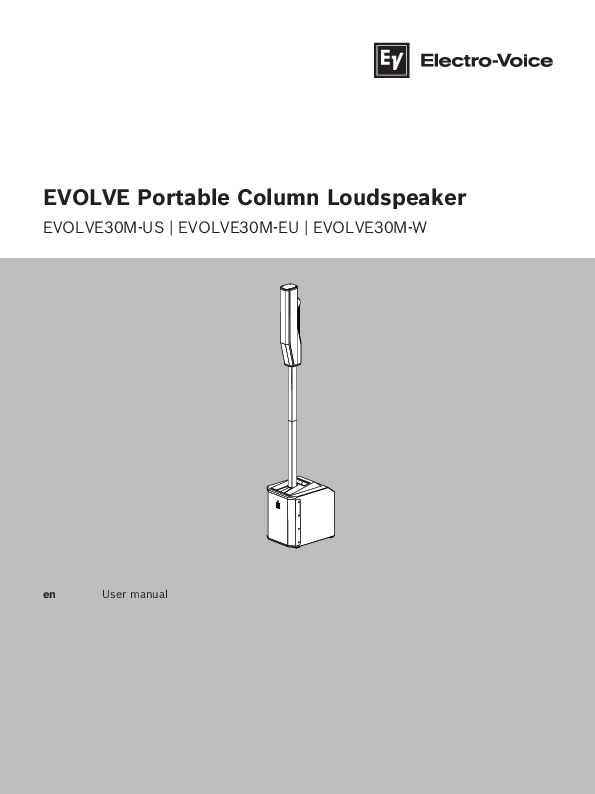
System Image Description: The EVOLVE 30M system consists of a compact subwoofer base unit and a multi-section column array that attaches to the subwoofer via a pole. The system is designed for portability and quick setup.
Installation
Caution!
⚠️ Do not attempt to move this loudspeaker system when it is fully assembled. You may damage the system or cause personal injury.
Assembling the loudspeaker system
To assemble the loudspeaker system, do the following:
- Place the subwoofer on a level and stable surface.
- Assemble the pole by connecting the two sections together and inserting them into the subwoofer base. The pole has magnets (A) at each end.
- Place the column array loudspeaker system on top of the subwoofer pole.
- The column array loudspeaker system set up is complete.
Diagram Description: The diagrams show the three main steps of assembly: 1. The subwoofer unit. 2. Connecting the two pole sections and inserting them into the subwoofer base. 3. Placing the column array on top of the assembled pole. 4. The fully assembled system.
Amplifier DSP
Amplifier DSP controls
The amplifier has a combination of controls and connectors to ensure the most versatile loudspeaker system.
Portable column system control and monitoring interface
The portable column system DSP control menu selections are available for the EVOLVE.
Diagram Description: The control panel of the EVOLVE 30M is shown with numbered elements:
- LCD screen: DSP control and monitoring interface.
- MASTER VOLUME knob: Adjusts the sound level. Push to enter DSP menu.
- INPUT Selection Soft Keys: Selects channels INPUT 1 through INPUT 7/8 for channel DSP settings and individual level settings.
- INPUT 1-4, 5/6 & 7/8: Input connectors for microphones and line-level signals. Includes XLR/TRS combo jacks, a HI-Z input on Input 4, and stereo inputs for 5/6 (XLR, TRS, RCA, or 1/8" stereo). Input 7/8 is for stereo Bluetooth audio.
- MIX OUT: Post-fader output for mixing signals from inputs 1-7/8.
- AUX OUT: Configurable output for a separate audio mix or main mix.
- FOOT SWITCH: Control for DSP user-selectable audio FX.
- MAINS IN: Power input socket.
- POWER: AC switch for turning the unit ON or OFF.
Notice! Markings and statements on amplifier panel may vary.
System status
Figure 5.1: Normal system status home screen with Bluetooth® status
The LCD screen displays system status information. Key indicators include:
- VOLUME (VOL): Master gain in dB, ranging from mute to +10 dB.
- Input VU Meters (1, 2, 3, 4, 5-6, 7-8): Display signal levels for each input.
- AUX VU Meter: Displays signal level of the AUX output.
- MAIN VU Meter: Displays signal level of the MAIN output.
- C: Control app status (OFF - DISABLED, FLASHING - PAIRING MODE, SOLID - CONNECTED).
- 1: Indicates the selected user-defined store function number (1-5).
- E: Indicates a preset is not saved. Disappears when saved.
- S: Audio streaming status (OFF - DISABLED, FLASHING - PAIRING MODE).
- FUNCTION indicator: Shows whether the system is in MIXER or BASIC mode.
Notice! Bluetooth® is available in select countries. Contact your nearest Electro-Voice dealer or Electro-Voice distributor for more information.
System protection
System protection limiters indicate when the system is exceeding recommended usage by displaying CLIP or LIMIT on the LCD display.
- CLIP: Indicates the signal to the loudspeaker is too high, resulting in a clipped signal. Reduce input gain and/or signal on the mixer or source equipment.
- LIMIT: Protects the loudspeaker from short-term peaks. A small LIMIT indicates the limiter is active but distortion is controlled. A large LIMIT indicates sound is negatively affected; reducing output volume (MASTER VOL) is strongly recommended.
DSP control menu
The DSP control menu allows for detailed configuration of the system's audio parameters.
DSP control menu for Basic mode:
| Parameter | Options |
|---|---|
| VOLUME | Mute, -80 dB to +10 dB (1 dB increments) |
| EXIT | Returns to the previous menu. |
| FUNCTION | Basic / Mixer |
| MODE | MUSIC, LIVE, SPEECH, CLUB |
| DELAY | 0 m to 100 m (0 ft to 328.1ft), in 0.1m/ft increments. Default: OFF. |
| SUB LEVEL | Mute, -80 dB to +10 dB (1 dB increments). Default: 0 dB. |
| TREBLE | -12 dB to +6 dB (1 dB increments). Default: 0 dB. |
| MID | -12 dB to +6 dB (1 dB increments). Default: 0 dB. |
| BASS | -12 dB to +6 dB (1 dB increments). Default: 0 dB. |
| BLUETOOTH | ON / OFF (Default: OFF) |
DSP control menu for Mixer mode:
| Parameter | Options |
|---|---|
| VOLUME | Mute, -80 dB to +10 dB (1 dB increments) |
| EXIT | Returns to the previous menu. |
| FUNCTION | Basic / Mixer |
| MODE | MUSIC, LIVE, SPEECH, CLUB |
| MAIN LEVEL | Mute, -80 dB to +10 dB (1 dB increments). Default: 0 dB. |
| AUX LEVEL | Mute, -80 dB to +10 dB (1 dB increments). Default: 0 dB. |
| SUB LEVEL | Mute, -80 dB to +10 dB (1 dB increments). Default: 0 dB. |
| TREBLE | -12 dB to +6 dB (1 dB increments). Default: 0 dB. |
| MID | -12 dB to +6 dB (1 dB increments). Default: 0 dB. |
| BASS | -12 dB to +6 dB (1 dB increments). Default: 0 dB. |
| MAIN GEQ (7 bands) | 63Hz, 160Hz, 400Hz, 1.0KHz, 2.5KHz, 6.0KHz, 12KHz. Range: -12 dB to +12 dB (1 dB increments). Default: 0 dB for each band. |
| AUX GEQ (7 bands) | 63Hz, 160Hz, 400Hz, 1.0KHz, 2.5KHz, 6.0KHz, 12KHz. Range: -12 dB to +12 dB (1 dB increments). Default: 0 dB for each band. |
| FX1 & FX2 | Select reverb, delay, chorus, or flanger preset. |
| AUX OUT | AUX MIX (default) / MAIN MIX |
| MIX OUT | L+R (default) / R / L |
| BLUETOOTH | ON / OFF (Default: OFF) |
| CONTROL PAIR | ON / OFF (Default: OFF) |
| AUDIO PAIR | PAIRING / ON / OFF (Default: OFF) |
| LED | OFF / ON (Default) / LIMIT |
| DISPLAY | BACK / LCD DIM / BRIGHT / CONTRAST |
| LCD DIM | ON / OFF (Default: ON) |
| BRIGHT | 1 to 10 (Default: 5) |
| CONTRAST | 1 to 10 (Default: 5) |
| STORE | EXIT, 1, 2, 3, 4, 5 |
| RECALL | EXIT, 1, 2, 3, 4, 5 |
| RESET | NO (Default) / YES |
| INFO | PRODUCT NAME / FIRMWARE VERSION |
| EXIT | Returns to the previous menu. |
DSP control menu for Input 1-4:
| Parameter | Options |
|---|---|
| LEVEL | Mute, -80 dB to +10 dB (1 dB increments). Default: 0 dB. |
| EXIT | Returns to the previous menu. |
| INPUT PRESET | Flat (default), Low Cut 80 Hz, Low Cut 120 Hz, Vocal Mic, Acoustic Guitar, Electric Guitar, More presets available with firmware updates. |
| COMP | 0 to 100. Default: 0. |
| TREBLE | -12 dB to +12 dB (1 dB increments). Default: 0 dB. |
| MID | -12 dB to +12 dB (1 dB increments). Default: 0 dB. |
| BASS | -12 dB to +12 dB (1 dB increments). Default: 0 dB. |
| FX1 | -80dB TO +10dB (1dB increments). Default: OFF. |
| FX2 | -80dB TO +10dB (1dB increments). Default: OFF. |
| AUX | -80dB TO +10dB (1dB increments). Default: OFF. |
| PAN | C (Default) / 10L to 10R |
| EXIT | Returns to the previous menu. |
DSP control menu for Input 5/6:
| Parameter | Options |
|---|---|
| LEVEL | -80 dB to +10 dB (1 dB increments). Default: 0 dB. |
| EXIT | Returns to the previous menu. |
| MONO | OFF/ON |
| TREBLE | -12 dB to +12 dB (1 dB increments). Default: 0 dB. |
| MID | -12 dB to +12 dB (1 dB increments). Default: 0 dB. |
| BASS | -12 dB to +12 dB (1 dB increments). Default: 0 dB. |
| FX1 | -80dB TO +10dB (1dB increments). Default: OFF. |
| FX2 | -80dB TO +10dB (1dB increments). Default: OFF. |
| AUX | -80dB TO +10dB (1dB increments). Default: OFF. |
| BAL | C (Default) / 10L to 10R |
| EXIT | Returns to the previous menu. |
DSP control menu for Input 7/8:
| Parameter | Options |
|---|---|
| LEVEL | -80 dB to +10 dB (1 dB increments). Default: 0 dB. |
| EXIT | Returns to the previous menu. |
| TREBLE | -12 dB to +12 dB (1 dB increments). Default: 0 dB. |
| MID | -12 dB to +12 dB (1 dB increments). Default: 0 dB. |
| BASS | -12 dB to +12 dB (1 dB increments). Default: 0 dB. |
| AUX | -80dB TO +10dB (1dB increments). Default: OFF. |
| BAL | C (Default) / 10L to 10R |
| BLUETOOTH | ON / OFF (Default: OFF) |
| CONTROL PAIR | CONTROL PAIRING / AUDIO PAIRING |
| AUDIO PAIR | OFF / ON (Default: OFF) |
Menu Explanations:
- EXIT Menu: Used to return to the home screen.
- FUNCTION Menu: Configures between Basic and Mixer functions. BASIC provides input/output gain, 3-band EQ, and system delay for simplified setups. MIXER provides full access to the 8-channel digital mixer with AUX outs, FX, and 7-band GEQ.
- MODE Menu: Configures the sound type. Options include MUSIC (recorded music), LIVE (live sound), SPEECH (spoken word), and CLUB (recorded electronic music). Default is MUSIC.
- MAIN LEVEL Menu (Mixer mode): Controls the overall mixer output level to the loudspeaker and MIX OUT.
- AUX LEVEL Menu (Mixer mode): Controls the overall signal level at the AUX OUT connector.
- DELAY Menu (Basic mode): Delays the output signal to compensate for distance differences. Set in meters or feet, up to 100.0 m (328 ft). Default is OFF.
- SUB LEVEL Menu: Independent gain control for the subwoofer output, affecting crossover. Default setting of 0 dB recommended. Range: MUTE, -80 dB to +10 dB.
- TREBLE Menu: Adjusts high frequencies (high shelving filter centered at 6 kHz). Range: -12 dB to +6 dB (Main EQ), -12 dB to +12 dB (INPUTS 1-7/8 in mixer mode). Default: 0 dB.
- MID Menu: Adjusts the MID peak filter gain. Range: -12 dB to +6 dB (Main EQ), -12 dB to +12 dB (INPUTS 1-7/8 in mixer mode). Default: 0 dB.
- BASS Menu: Configures low frequencies. Range: -12 dB to +6 dB (Main EQ), -12 dB to +12 dB (INPUTS 1-7/8 in mixer mode). Default: 0 dB.
- MAIN GEQ Menu (Mixer mode): Adjusts frequency response with 7 filters (63, 160, 400, 1.0K, 2.5K, 6.0K & 12K Hz). Range: -12 dB to +12 dB per filter. Default: 0 dB.
- AUX GEQ Menu (Mixer mode): Adjusts AUX OUT frequency response with 7 filters. Range: -12 dB to +12 dB per filter. Default: 0 dB.
- FX1 & FX2 Menu (Mixer mode): Selects reverb, delay, chorus, or flanger presets.
- AUX OUT Menu (Mixer mode): Selects signal for AUX OUT: AUX MIX (default) or MAIN MIX.
- MIX OUT Menu (Mixer mode): Selects signals for MIX OUT and loudspeaker output: L+R (default), R, or L.
- BLUETOOTH Menu: Turns Bluetooth® ON or OFF. Options: ON/OFF, CONTROL PAIR, AUDIO PAIR.
- CONTROL PAIR Menu: Enables QuickSmart Mobile wireless control. Options: ON or OFF. Default: OFF.
- AUDIO PAIR Menu: Streams audio from Bluetooth® device. Options: PAIRING, ON, OFF. Default: OFF.
- LED Menu: Shows power status and limit indication. Options: ON, OFF, LIMIT.
- DISPLAY Menu: Options: BACK, LCD DIM, BRIGHT, CONTRAST. Default: ON.
- LCD DIM Menu: Dims display when idle. Options: ON or OFF. Default: ON.
- BRIGHT Menu: Adjusts LCD brightness. Range: 1 to 10. Default: 5.
- CONTRAST Menu: Adjusts LCD contrast. Range: 1 to 10.
- STORE Menu: Creates up to five customized user settings. Options: EXIT, 1, 2, 3, 4, 5.
- RECALL Menu: Retrieves customized user settings. Options: EXIT, 1, 2, 3, 4, 5.
- RESET Menu: Resets the system to original factory settings. Options: NO (Default) or YES.
- INFO Menu: Displays product name and firmware version.
Notice! Bluetooth® is available in select countries. Contact your nearest Electro-Voice dealer or Electro-Voice distributor for more information.
Pairing the portable column system with your Bluetooth® enabled device:
The EV QuickSmart Mobile app is available for download for iOS and Android devices.
First time pairing:
- Open the EV QuickSmart Mobile app.
- Tap 'Finding nearby speakers'. The app searches for available Electro-Voice Bluetooth® enabled loudspeakers.
- Available loudspeakers are displayed. The app can display up to eight.
- Tap the desired loudspeaker. It will be highlighted.
- Repeat for all desired loudspeakers.
- Tap the red 'CONNECT' button.
- The app pairs with the desired loudspeaker(s). The app can connect to up to six loudspeakers.
Subsequent pairing:
- Tap the EV QuickSmart Mobile app icon.
- Tap 'Finding nearby speakers'. The app searches for available Electro-Voice Bluetooth® enabled loudspeakers.
- Available loudspeakers are displayed. The app can display up to eight.
- Tap the desired loudspeaker. It will be highlighted.
- Repeat for all desired loudspeakers.
- Tap the red 'CONNECT' button.
- The app pairs with the desired loudspeaker(s). The app can connect to up to six loudspeakers.
Notice! If connected with a mobile device, notification alerts and ring tones will also be played through the system. Disable these notifications or enable Airplane mode on your mobile device to prevent unwanted interruptions during audio playback.
Mixer operation
Inputs 1-4, 5/6 & 7/8
INPUT LEVEL control
Adjusts the sensitivity of LINE/MIC or line inputs. Follow these steps for a good signal input level:
- Set MASTER volume controls to -80 dB.
- Set the INPUT LEVEL control to -80 dB.
- Connect the sound source (microphone, instrument, etc.) to the desired LINE/MIC input.
- Start the sound source at its highest expected volume level (sing or speak directly and loudly into the microphone).
- While playing the source or singing, adjust the INPUT GAIN control so the CLIP indicator does not show during the loudest part.
- Increase MASTER VOL until the desired output from the column is achieved. This is the basic channel setting.
If EQ adjustments are needed, repeat these steps as sound shaping influences overall level.
TREBLE/MID/BASS controls
These EQ controls shape the incoming audio signal across three frequency bands. Set all EQ controls to 0 initially. Use minor adjustments for best results. Moderate use of the MID control helps avoid acoustical feedback. Lowering MID can increase output and reduce feedback. BASS adds punch to kick drums or body to vocals. TREBLE adds clarity to cymbals and vocals.
FX1 & FX2 control
Sets the amount of effect required on a channel. Assign effects easily for instruments or vocals. Start with controls at minimum and increase gradually. This switch turns the internal FX unit on or off. An external footswitch can also be used.
AUX control
Establishes an independent mix, e.g., for monitors or a second zone. Individual channel AUX controls determine the signal amount at the AUX output.
COMP control
Adjusts the on-board compressor for inputs 1-4. The COMP threshold and compression ratio are adjusted simultaneously. As COMP increases from 0 to 100, gain below the threshold increases from 0 to 10 dB, and the compression ratio increases from 1:1 to 1:8. The compressor reduces dynamic range proportionally to the setting. It is recommended to start with low to moderate compression (25-40) and increase slowly if necessary.
Recommended configurations
Stereo pair of EVOLVE 30M systems
Figure 8.1: R = Right; L = Left
Diagram Description: Two EVOLVE 30M units are shown, one configured as the Right (R) speaker and the other as the Left (L) speaker, connected for stereo operation. Signal paths are indicated by arrows.
| Setting | Value |
|---|---|
| Mode: | Music |
| MASTER SPEAKER (L) MIX OUT: | R |
| SATELLITE SPEAKER (R): | INPUT 5 (MONO) |
Table 8.3: DSP settings for the portable column system
Notice! Stereo connection from device to the MASTER SPEAKER can be made with hard wires into the stereo INPUT 5/6 or via Bluetooth (R) into stereo Bluetooth (R) INPUT 7/8.
Solo musician performance
Figure 8.2: A = Guitar, conga drum, etc.; B = Microphone
Diagram Description: A single EVOLVE 30M system is shown set up for a solo musician. Inputs are depicted for a guitar (A) and a microphone (B), connecting to the appropriate channels on the mixer.
Notice! The direction of the arrow indicates the signal path.
| Setting | Value |
|---|---|
| Mode: | Live |
Table 8.4: DSP settings for the portable column system
Troubleshooting
If you encounter issues with your EVOLVE 30M system, consult the following table:
| Problem | Possible cause | Action |
|---|---|---|
| 1. No sound | Amplifier | Verify all electronics are on, signal routing is correct, source is active, volume is up, no channels are muted, etc. Correct/repair/replace as necessary. If still no sound, check wiring. |
| Wiring | Verify correct cables are connected. Play at a low level. Connect a test loudspeaker in parallel with the malfunctioning line. If sound is gone or weak, the line has a short. Move down the line and test each connection/junction. Observe proper polarity. | |
| 2. Intermittent output such as crackling or distortion | Faulty connection | Check all connections at amplifier and loudspeakers for cleanliness and tightness. If problem persists, check wiring (see problem 1). |
| 3. Constant noise such as buzzing, hissing, or humming | Defective source or other electronic device | If noise is present without program material, evaluate each component to isolate the problem. A break in the signal path is most likely. |
| Poor system grounding or ground loop | Check and correct system grounding. | |
| 4. No sound produced with microphone connected to INPUTS 1-4 | Microphone requires phantom power. | Ensure microphone is connected to INPUTS 1-4. Phantom power is not available on INPUT 5/6. |
| Input channel is muted or LEVEL is too low. | Select the channel and verify it is not muted. Slowly increase the channel LEVEL until sound is produced. | |
| 5. Sound is distorted, front LED is OFF, LCD screen LIMIT is ON | Excessive input level | Reduce the input level or loudspeaker level to prevent limit. |
| Incorrect gain structure or source input (mixing console/preamp) is overdriven | Verify source level controls using the VU meter. If the VU meter bar is solid or CLIP/LIMIT is indicated, the input or source level is too high. | |
| 6. Microphone produces acoustic feedback when input level is amplified | Incorrect gain structure | Reduce microphone signal by reducing INPUT level. Positioning the microphone close to the sound source increases gain before feedback. |
| MODE is set to MUSIC | Change the MODE to LIVE or SPEECH. | |
| Microphone position is too close to the front of the loudspeaker | Whenever possible, set up loudspeakers so the microphone is behind them. If using a monitor, aim it to the back of the microphone. | |
| 7. QuickSmart Mobile app does not detect the loudspeaker | Enable Bluetooth® | Ensure Bluetooth® is enabled on the loudspeaker. |
If these suggestions do not solve your problem, contact your nearest Electro-Voice dealer or Electro-Voice distributor.
Technical data
Specifications:
| Parameter | Value |
|---|---|
| Frequency response (-3 dB)¹ | 51 Hz to 20 KHz |
| Frequency range (-10 dB)¹ | 45 Hz to 20 KHz |
| Maximum SPL² | 123 dB |
| Coverage (H x V) | 120° x 40° |
| Amplifier rating | 1000 W |
| LF channel rating | 500 W |
| HF channel rating | 500 W |
| Crossover frequency | 200 Hz |
| Connectors | 4x XLR/TRS Combo Jack Line / Mic Input 1x 1/4" TRS HI-Z input 2x XLR/TRS Combo Jack for Stereo Line Input 1x Stereo RCA Input 1x 3.5 mm Stereo Input 1x Wireless Stereo Bluetooth® Audio Input 1x 1/4" Foot Switch Input 1x XLR MIX OUT Output 1x XLR AUX OUT Output |
| Enclosure | Sub: 15 mm plywood Column: Composite Pole: Aluminum |
| Grille | Steel with black or white powder coat |
| Color | Black or white |
| Dimensions (HxWxD) | Sub: 448 x 332 x 432 mm (17.6 x 13.1 x 17 in) Column: 620 x 95 x 157 mm (24.4 x 3.7 x 6.2 in) Pole (2 pcs): 600 x 48 x 55 mm (23.6 x 1.9 x 2.2 in) |
| Net weight | Sub: 34.9 lb (15.8 kg) Column: 6.0 lb (2.7 kg) Pole (2 pcs): 3.1 lb (1.4 kg) Bag for column and pole: 1.9 lb (0.85 kg) |
| Shipping weight | 53.4 lb (24.2 kg) |
| Power consumption³ | 100-240 V AC, 50-60 Hz, 1.5-0.6 A |
¹Half-space measurement using live DSP preset.
²Maximum SPL is measured at 1 m using broadband pink noise at maximum output.
³Current rating is 1/8 power.
Frequency Response Graph
Figure 10.1: Frequency response EVOLVE 30M (Music Mode, Live Mode, Speech Mode, and Club Mode)
Graph Description: The graph displays Sound Pressure Level (dB) on the Y-axis against Frequency (Hz) on the X-axis (logarithmic scale). Four frequency response curves are shown for different modes: Music, Live, Speech, and Club. The curves generally show a rise in the low frequencies, a relatively flat response in the mid-range, and a gradual roll-off in the high frequencies.
Dimensions
Figure 10.2: Dimensions EVOLVE 30M
Diagram Description: This figure provides detailed dimensional drawings of the EVOLVE 30M system components. It shows:
- The subwoofer unit with height, width, and depth measurements.
- The assembled column array and pole sections with height and diameter measurements.
- The total assembled height of the system.
Figure 10.3: Dimensions EVOLVE short pole
Diagram Description: This figure shows the dimensions of the EVOLVE short pole, including its length and diameter.
Notice! The EVOLVE short pole can be used with EVOLVE 50 and EVOLVE 30M.