

1user manual for Meter Metene TD-4116
File info: application/pdf · 38 pages · 1.15MB
1user manual for Meter Metene TD-4116
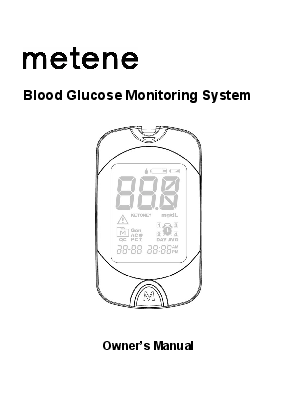
Blood Glucose Monitoring System
Quick Start Guide Blood Glucose Test Strips Lancing Device Steril
This manual provides important information to help you to use the system properly. Before using this product, please read the following contents thoroughly and carefully. If you have other questions regarding this produ…
Monitoring System. This manual provides important information to help you to use the system properly. Before using this product, please read the following contents thoroughly and carefully. If you have other questions r…
Full PDF Document

If the inline viewer fails, it will open the original document in compatibility mode automatically. You can also open the file directly.
Extracted Text
Blood Glucose Monitoring System
 Owner's Manual


Dear PHWHQH System Owner:

English

Thank you for choosing the PHWHQH TD-4116 Blood Glucose
Monitoring System. This manual provides important information to help you to use the system properly. Before using this product, please read the following contents thoroughly and carefully.

If you have other questions regarding this product, please contact the local customer service or place of purchase.

Intended Use
The PHWHQH TD-4116 Blood Glucose Monitoring System is intended to be used for the quantitative measurement of glucose (sugar) in fresh capillary whole blood from the finger and alternative sites (palm, forearm and upper arm). This blood glucose monitoring system is intended to be used by a single person and should not be shared.
The PHWHQH TD-4116 Blood Glucose Monitoring System is intended for self-testing outside the body (in vitro diagnostic use) by people with diabetes at home as an aid to monitor the effectiveness of diabetes control. This system should not be used for the diagnosis of or screening for diabetes, nor for use on neonates.
AST in this system can be used only during steady-state blood glucose conditions described in the section of "Alternative Site Testing (AST)."

Version 1.0 2019/07 311-4277300-xxx


IMPORTANT SAFETY PRECAUTIONS
READ BEFORE USE
y The meter and lancing device are for single patient use. Do not
share them with anyone including other family members! Do not use on multiple patients!
y All parts of the kit are considered biohazardous and can
potentially transmit infectious diseases, even after you have performed cleaning and disinfection.
For more information, please visit
"FDA Public Health Notification: Use of Fingerstick Devices on More than One Person Poses Risk for Transmitting Bloodborne Pathogens: Initial Communication" (2010)
http://wayback.archiveit.org/7993/20170111013014/http://www.fda.gov/MedicalDevices/ Safety/AlertsandNotices/ucm224025.htm
"CDC Clinical Reminder: Use of Fingerstick Devices on More than One Person Poses Risk for Transmitting Bloodborne Pathogens" (2010)
http://www.cdc.gov/injectionsafety/Fingerstick-DevicesBGM.html

1. Use this device ONLY for the intended use described in this manual.
2. Do NOT use accessories which are not specified by the manufacturer.
3. Do NOT use the device if it is not working properly or if it is damaged.

4. Do NOT use the equipment in places where aerosol sprays are being used, or where oxygen is being administered.
5. Do NOT under any circumstances use the device on neonates or infants.
6. This device does NOT serve as a cure for any symptoms or diseases. The data measured is for reference only.
7. Before using this device to test blood glucose, read all instructions thoroughly and practice the test. Carry out all the quality control checks as directed.
8. Keep the device and testing equipment away from young children. Small items such as the battery cover, batteries, test strips, lancets and vial caps are choking hazards.
9. Do not use this instrument in close proximity to sources of strong electromagnetic radiation, as this may interfere with the accurate operation.
10.Proper maintenance and periodically control solution test are essential to the longevity of your device. If you are concerned about your accuracy of measurement, please contact your local customer service or place of purchase for help.
KEEP THESE INSTRUCTIONS IN A SAFE PLACE

TABLE OF CONTENTS

BEFORE YOU BEGIN

1

Important Information

1

Test Principle

3

Contents of System

3

Meter Overview

4

Display Screen

5

Test Strip

5

SETTING THE METER

6

THE FOUR MEASURING MODES

7

BEFORE TESTING

8

Control Solution Testing

8

Performing a Control Solution Test

8

TESTING WITH BLOOD SAMPLE

10

Preparing the Lancing Device for Blood Testing

10

Preparing the Puncture Site

10

Performing a Blood Glucose Test

12

Alternative Site Testing

14

METER MEMORY

16

Reviewing Test Results

16

Reviewing Blood Glucose Day Average Results

16

DOWNLADING RESULTS TO A COMPUTER

17

Data transmission via cable

17

MAINTENANCE

18

Battery

18

Caring for Your Meter

19

Disinfecting Procedures

20

Caring for Your Test Strips

21

Important Control Solution Information

22

MEASUREMENT RESULT READINGS

23

Result Readings

23

Reference Values

24

Comparing Meter and Laboratory Results

24

SYSTEM TROUBLESHOOTING

26

Error Messages

26

Troubleshooting

27

SPECIFICATIONS

28


BEFORE YOU BEGIN
Important Information
y Severe dehydration and excessive water loss may cause readings
which are lower than actual values. If you believe you are suffering from severe dehydration, consult a healthcare professional immediately.
y If your blood glucose results are lower or higher than usual, and
you do not have any symptoms of illness, first repeat the test. If you have symptoms or continue to get results which are higher or lower than usual, follow the treatment advice of your healthcare professional.
y Use only fresh whole blood samples to test your blood glucose.
Using other substances will lead to inaccurate results.
y If you are experiencing symptoms that are inconsistent with your
blood glucose test results and you have followed all the instructions given in this owner's manual, contact your healthcare professional.
y The device should not be used on severely hypotensive individuals
or patients in shock. Readings which are lower than actual values may occur for individuals experiencing a hyperglycemichyperosmolar state, with or without ketosis. Please consult the healthcare professional before use.


y Limitation
The device should not be used on individuals in hyperglycemichyperosmolar state, with or without ketosis; not for neonatal use; not for use on critically ill patients. This device is not intended for use in healthcare or assisted-use settings such as hospitals, physician offices, or long-term care facilities because it has not been cleared by FDA for use in these settings, including for routine assisted testing or as part of glycemic control procedures. Use of this device on multiple patients may lead to transmission of Human Immunodeficiency Virus (HIV), Hepatitis C Virus (HCV), Hepatitis B Virus (HBV), or other bloodborne pathogens.


Test Principle
Your system measures the amount of sugar (glucose) in whole blood. The glucose testing is based on the measurement of electrical current generated by the reaction of glucose with the reagent of the strip. The meter measures the current, calculates the blood glucose level, and displays the result. The strength of the current produced by the reaction depends on the amount of glucose in the blood sample.
Contents of System
Your new blood glucose monitoring system kit includes:
Meter Owner's Manual Protective Wallet Quick Start Guide Blood Glucose Test Strips Lancing Device Sterile Lancets 1 x 1.5 V AAA alkaline batteries
Test strips (c), control solutions (d), sterile lancets (e) or lancing device (f) are not included in the kit. They must be purchased separately. Please make sure you have those items needed for a blood glucose test beforehand.
The USB cable is not provided in the kit but an accessory for the data transmission feature connecting to your PC (see section Downloading Results onto your Computer). Please contact local customer services or the place of purchase for obtaining the cable.
NOTE:
If any items are missing from your kit or opened prior to use, please contact local customer services or place of purchase for assistance.


Meter Overview
Test Strip Slot & Strip Indicator  Insert test strip here to turn the meter on for testing. Display Screen M Button (M) Enter the meter memory and mute a reminder alarm. Data Port Transfer test results with a cable connection. Battery Compartment SET Button (S) Enter and confirm the meter settings.


Display Screen
Test Result Ketone warning Error Warning Memory symbol Control solution mode
QC � control solution test Measurement modes
AC � before meal PC � after meal Gen � any time of day Date Time Day average Reminder alarms Measurement unit Low battery symbol Test strip symbol Blood drop symbol

Test Strip

Absorbent hole Confirmation window

Test strip handle Contact bars

Attention: The front side of the test strip should face up when inserting the test strip. Test results might be wrong if the contact bar is not fully inserted into the test slot.

NOTE: The PHWHQH7' Blood Glucose Meter should only be used with PHWHQH 7'Blood Glucose Test Strips. Using other test strips with this meter can produce inaccurate results


SETTING THE METER
Before using your meter for the first time or if you change the meter battery, you should check and update these settings. Entering the Setting Mode (a) Start with the meter off (no test strip inserted). Press SET (S).
Setting the date The sequence of the date setting is: YEAR  MONTH  DAY. With the YEAR/MONTH/DAY flashing in sequence, press M button (M) until the correct year/month/day appears. Press S. Setting the time format
Press M to select the desired time format (12h or 24h). Press S. Setting the time
With the Hour/Minute flashing in sequence, press M until the correct hour/minute appears. Press S. Deleting the memory With "dEL" and a "    " symbol on the display, press M and select "no" to keep the results in memory then press S to skip. To delete all the results, press M and select "yes" to delete all memory records.


Setting the reminder alarm Your meter has four reminder alarms. The meter will display "OFF" and " ". If you don't want to set an alarm, press S to skip this step.
To set an alarm, press M to select "On", then press S. With the hour/minute flashing in sequence, press M to select the correct hour/minute. Press S and go to the next alarm setting. When the alarm beeps, you can press M to silence it or insert a test strip to begin testing; if you ignore it, the meter will beep for 2 minutes then switch off.
Congratulations! You have completed all settings! NOTE:
y These parameters can ONLY be changed in the setting mode. y If the meter is idle for 3 minutes during the setting mode, it will
switch off automatically.
THE FOUR MEASURING MODES
The meter provides you with four modes for measuring, General, AC, PC and QC. You can switch between each mode by:
Start with the meter switched off. Insert a test strip to turn on the meter. The screen will display a flashing blood drop and "Gen". Press M button to switch between General, AC, PC and QC mode.


BEFORE TESTING

Control Solution Testing

Our Control Solution contains a known amount of glucose that reacts with test strips and is used to ensure your meter and test strips are working together correctly.
Do a control solution test when:
y You first receive the meter y At least once a week to routinely check the meter and test strips y You begin using a new vial of test strips y You suspect the meter or test strips are not working properly y Your blood glucose test results are not consistent with how you feel,
or if you think the results are not accurate
y Practicing the testing process y You have dropped or think you may have damaged the meter

Performing a Control Solution Test

To perform a control solution test, you will need: (b), (c) and (d).

Insert the test strip into the meter. There will be a strip light

indicating the test strip is inserted into the test slot. Wait for the

meter to display " " and "

".

Press M button to mark this test as a control solution test

With "QC" displayed, the meter will store your test result in memory under "QC". If you press M again, the "QC" will disappear and this test is no longer a control solution test.


WARNING:
When doing the control solution test, you have to mark it so that the test result will NOT mix with the blood glucose TEST RESULTS stored in the memory. Failure to do so will mix up the blood glucose test results with the control solution test results in memory.
Apply Control Solution (g) Shake the control solution vial thoroughly before use. Squeeze out a drop and wipe it off, then squeeze out another drop and place it on the tip of the vial cap. Hold the meter to move the absorbent hole of the test strip to touch the drop. Once the confirmation window fills completely, the meter will begin counting down. To avoid contaminating the control solution, do not directly apply control solution onto a strip
Read and Compare the Result After counting down to 0, the control solution test result will appear on the display. Compare this result with the range printed on the test strip vial and it should fall within this range. If not, please read the instructions again and repeat the control solution test.
NOTE:
y The control solution range printed on the test strip vial is for
control solution use only. It is not a recommended range for your blood glucose level.
y See MAINTENANCE section for important information about
your control solutions.


TESTING WITH BLOOD SAMPLE
WARNING:
To reduce the chance of infection:
y Never share a lancet or the lancing device. y Always use a new, sterile lancet. Lancets are for single use only. y Avoid getting hand lotion, oils, dirt, or debris in or on the lancets
and the lancing device.
y Wash and dry your hands thoroughly after handling the meter,
lancing device and test strips to prevent infection. For more information, please refer to the "Cleaning and Disinfection" section.
y If the meter is being operated by a second person who is
providing testing assistance to the user, the meter and lancing device should be decontaminated prior to use by the second person. Sharing the lancing device and lancets may increase the risk of contracting infectious diseases. Lancing device must not be used for more than one person.
Preparing the Lancing Device for Blood Testing
Please refer to the manufacturer's instructions for the lancing device to collect a blood sample.
Preparing the Puncture Site
Stimulating blood perfusion by rubbing the puncture site before blood extraction significantly reduces variations between measurements.


Please follow the suggestions below before obtaining a drop of blood:
y Wash and dry your hands before starting. y Select the puncture site at fingertips or another body parts (please
see section "Alternative Site Testing" (AST) on how to select the appropriate sites).
y Clean the puncture site using cotton moistened with 70% alcohol
and let it air dry.
y Rub the puncture site for about 20 seconds before penetration. y Use a clear cap (included in the kit) while setting up the lancing
device.
Fingertip testing (h)
Press the lancing device's tip firmly against the lower side of your fingertip. Press the release button to prick your finger, then a click indicates that the puncture is complete.
Blood from sites other than the fingertip (i)
Replace the lancing device cap with the clear cap for AST. Pull the cocking control back until it clicks. When lancing the forearm, upper arm, or hand, avoid lancing the areas with obvious veins because of excessive bleeding.
NOTE:
y Choose a different spot each time you test. Repeated punctures
at the same spot may cause soreness and calluses.
y Please consult your healthcare professional before you begin
AST.
y It is recommended that you discard the first drop of blood as it
might contain tissue fluid, which may affect the test result.


Performing a Blood Glucose Test

To perform a blood glucose test, you will need: meter (b), strip (c), sterile lancet (f) and lancing device (e).

Insert the test strip to turn on the meter

Wait for the meter to display " " and"

".

Select the appropriate measuring mode by pressing M.

Obtaining a blood sample (j) Use the pre-set lancing device to puncture the desired site. Wipe off the first appeared drop of blood with a clean cotton swab. Gently squeeze the punctured area to obtain another drop of blood. The volume of blood sample must be at least 0.7 microliter (L) of volume. ( actual size). Be careful NOT to smear the blood sample.

Apply the Sample (k) Gently apply the drop of blood to the absorbent hole of the test strip at a tilted angle. Confirmation window should be completely filled if enough blood sample has been applied. Do NOT remove your finger until you hear a beep sound.


NOTE:
y Do not press the punctured site against the test strip or try to
smear the blood.
y If you do not apply a blood sample to the test strip within 3
minutes, the meter will automatically turn off. You must remove and reinsert the test strip to start a new test.
y The confirmation window should be filled with blood before the
meter begins to count down. NEVER try to add more blood to the test strip after the drop of blood has moved away. Discard the used test strip and retest with a new one.
y If you have trouble filling the confirmation window, please contact
your health care professional or the local customer service for assistance.
Read Your Result The result of the blood glucose test will appear after the meter counts down to 0. This blood glucose result will automatically be stored in the memory. Remove the used test strip and lancet (l) Remove the test strip by hand; throw the strip into a disposal container. The meter will turn itself off automatically after the test strip is removed. Always follow the instructions in the lancing device package insert when removing the lancet.


WARNING: The used lancet and test strip may be biohazards. Please follow
your healthcare provider's recommendations for proper disposal. Wash your hands thoroughly with soap and water after handling
the meter, lancing device and test strips to avoid contamination. For more information, please refer to the "Cleaning and Disinfection" section.
Alternative Site Testing
When you are doing alternative site testing, only samples from the palm, upper arm and forearm should be used.
IMPORTANT: There are limitations with AST (Alternative Site Testing). Please consult your health care professional before you perform AST. AST should not be used for calibrating continuous glucose monitors (CGMs). AST should not be used for insulin dose calculations. AST can be used only during steady-state blood glucose conditions.


When to use AST?
Food, medication, illness, stress and exercise can affect blood glucose levels. Capillary blood at the fingertip reflects these changes faster than capillary blood at other sites. Thus, when testing blood glucose during or immediately after a meal, physical exercise, or any other event, take a blood sample from your finger only.
We strongly recommend that you perform AST ONLY at the following times:
y In a pre-meal or fasting state (more than 2 hours since last meal). y Two hours or more after taking insulin. y Two hours or more after exercise.
Do NOT use AST if:
y You think your blood glucose is low. y You are unaware of hypoglycemia. y You are testing for hyperglycemia. y Your AST results do not match the way you feel. y Your routine glucose results often fluctuate.


METER MEMORY
The meter stores the 450 most recent blood glucose test results along with respective dates and times in its memory. To enter the meter memory, start with the meter switched off.
Reviewing Test Results
Press and release M. " " will appear on the display. Press M again, and the first reading you see is the last blood glucose result along with date, time and the measurement mode. Press M to recall the test results stored in the meter each time you press. After the last test results, press M button again and the meter will be turned off.
Reviewing Blood Glucose Day Average Results
Press and release M. When "    " appears on the display, keep pressing M for 3 seconds until the flashing "DAY AVG" appears. Release M and then your 7-day average result measured in general mode will appear on the display. Press M to review 14-, 21-, 28-, 60- and 90- day average results stored in each measuring mode in the order of Gen, AC, and then PC. Exit the meter memory. Keep pressing the M button and the meter will turn off after displaying the last test result.
NOTE:
y Any time you wish to exit the memory, keep pressing M button for
5 seconds or leave it without any action for 3 minutes. The meter will switch off automatically.
y Control solution results are NOT included in the day average.


DOWNLADING RESULTS TO A COMPUTER
Data transmission via cable
You can use the meter with the USB cable and the Health Care Software System to view test results on your personal computer. To learn more about the Health Care Software System or to obtain the USB cable separately, please contact local customer services or the place of purchase for assistance.
Obtaining the required cable and installing the software.
To download the Health Care Software System, please visit the metenecare, website at http://metene.com.
Connecting to a personal computer
Connect the cable to the USB port on your computer. With the meter switched off, connect the other end of the USB cable to the meter data port. "USb" will appear on the meter display, indicating that the meter is in communication mode.
Data transmission
To transmit data, follow the instructions provided with the software. Results will be transmitted with date and time. Remove the cable and the meter will automatically switch off.
WARNING:
While the meter is connecting to the PC, it will be unable to perform a blood glucose test.


MAINTENANCE

Battery

Your meter comes with one 1.5 V AAA size alkaline battery. Low Battery Signal

The meter will display one of the messages below to alert you when the meter power is getting low.

The "

" symbol appears along with display messages:

The meter is functional and the result remains accurate, but it is

time to change the batteries.

The "      " symbol appears with E-b and"

":

The power is not enough to do a test. Please change the batteries

immediately.

To replace the batteries, make sure that the meter is turned off. (m)

Press the edge of the battery cover and lift it up to remove.
Remove the old batteries and replace with one 1.5 V AAA size alkaline battery.
Close the battery cover. If the battery is inserted correctly, you will hear a "beep" afterwards.
NOTE:
y Replacing the batteries does not affect the test results stored in
the memory.
y As with all small batteries, these batteries should be kept away
from small children. If swallowed, promptly seek medical assistance.
y Batteries might leak chemicals if unused for a long time. Remove
the battery if you are not going to use the device for an extended


period (i.e., 3 months or more).
y Properly dispose of the batteries according to your local
environmental regulations.
y After replacing the battery, the meter will enter the setting mode.
Caring for Your Meter
To avoid the meter and test strips attracting dirt, dust or other contaminants, please wash hands thoroughly with soap and water before and after use. Why the cleaning and disinfection should be performed Cleaning and disinfection are different. Cleaning is the process of removing dirt (e.g. food debris, grease, dust), while disinfection is the process of killing germs (e.g. bacteria and viruses). When to clean and disinfect the meter Clean the meter when you see any dirt on it. You should disinfect the meter at least once a week to prevent infection. How to clean and disinfect the meter The meter must be cleaned prior to the disinfection. Use one disinfecting wipe to clean exposed surfaces of the meter thoroughly and remove any visible dirt or blood or any other body fluid with the wipe. Use a second wipe to disinfect the meter. Do NOT use organic solvents to clean the meter.
y We recommend for meter cleaning and disinfection you should use
the disinfecting wipes/towelettes


Disinfecting Procedures
1. Wipe all meter's exterior surface display and buttons by three passes vertically and three passes horizontally with a folded disinfecting towelette. Hold the meter with the test strip slot pointing down and wipe the area around the test slot but be careful not to allow excess liquid to get inside. Keep meter wet with disinfection solution contained in the wipe for a minimum of 2 minutes for MicroKill+TM wipes. (n)
2. Remove the wipe. Allow the meter surface to dry completely.
3. Discard the used wipes and never reuse them. Users should wash hands thoroughly with soap and water after handling the meter, lancing device, or test strips.
This device has been validated to withstand up to 10950 cleaning and disinfection cycles using the recommended disinfecting wipe/towelette. The tested number of cycles is estimated by 10 cleaning and disinfection cycles per day over 3 years. The meter should be replaced after the validated number of cleaning and disinfection cycles or the warranty period, whichever comes first.
Stop using the meter if you see any signs of deterioration. For example:
y Meter cannot be turned on y LCD display cracks or becomes cloudy y Buttons no longer function y Meter outer casing cracks y Data cannot be transmitted to pc y Color or paint/printing on housing is abnormal y Scratches or abrasions on meter are higher than acceptable
Please contact the customer service for a replacement meter if any of the signs of deterioration are noticed.


NOTE:
y Do NOT clean and disinfect the meter while performing tests. y If the meter is being operated by a second person, the meter and
lancing device should be decontaminated prior to use by the second person.
y Do NOT allow cleaning and disinfecting solution to get in the test
slot, battery compartment, or strip-ejection button.
y If you do get moisture in the test strip slot, wipe it away with a
corner of tissue.
y Always dry the meter thoroughly before using it y Do not spray the meter directly with cleaning solutions especially
those containing water (i.e. soapy water), as this could cause the solution to enter the case inside and damage the electronic components or circuitry
Caring for Your Test Strips
y Storage conditions: 39.2�F ~ 104�F (4�C ~ 40�C), relative humidity
between 10% ~ 85%. Do not freeze.
y Store your test strips in their original vial only. Do not transfer to
another container.
y Store test strip packages in a cool dry place. Keep away from direct
sunlight and heat.
y After removing a test strip from the vial, immediately close the vial
cap tightly.
y Touch the test strip with clean and dry hands. y Use each test strip immediately after removing it from the vial. y Do not use test strips after the expiration date. This may cause
inaccurate results.
y Do not bend, cut, or alter a test strip in any way. y Keep the strip vial away from children since the cap and the test
strip may be a choking hazard. If swallowed, promptly see a doctor for help.


For further information, please refer to the test strip package insert.
Important Control Solution Information
y Use only PHWHQH Control Solutions with your meter. y Do not use the control solution after the expiration date or 3 months
after first opening. Write the opening date on the control solution vial and discard the remaining solution after 3 months.
y It is recommended that the control solution test be done at room
temperature (68�F ~ 77�F / 20�C ~ 25�C). Make sure your control solution, meter, and test strips are at this specified temperature range before testing.
y Shake the vial before use, discard the first drop of control solution,
and wipe off the dispenser tip to ensure a pure sample and an accurate result.
y Store the control solution tightly closed at temperatures between
35.6�F ~ 86�F (2�C ~ 30�C). Do NOT freeze.


MEASUREMENT RESULT READINGS

Result Readings

MESSAGE

WHAT IT MEANS

Appears when your result is below measurement limit,

which is less than 20 mg/dL (1 mmol/L).

This indicates hypoglycemia (low blood glucose). You

should seek medical assistance immediately.

Appears when your result is equal to or higher than 240

mg/dL (13.3 mmol/L). This indicates the possibility of

ketone accumulation for type 1 diabetes. Please seek

medical assistance immediately.

The User's blood glucose level has exceeded 240 mg/dL (13.3 mmol/L), possible of ketoacidosis. Please consult with the healthcare professionals for further inspection.

Source: Abbas E. Kitabchi et al., Diabetes Care. 2009 Jul; 32(7): 133532(7): 1335�1343.

Appears when your result is higher than the limit of measurement, which is higher than 600 mg/dL (33.3 mmol/L).


Reference Values

Blood glucose monitoring plays an important role in diabetes control. A long-term study showed that maintaining blood glucose levels close to normal can reduce the risk of diabetes complications by up to 60%*1. The results provided by this system can help you and your healthcare professional monitor and adjust your treatment plan to gain better control of your diabetes.

Time of day
Fasting and before meal 2 hours after meals

Normal plasma glucose range for people without diabetes (mg/dL) Less than 100 mg/dL (5.6 mmol/L) Less than 140 mg/dL (7.8 mmol/L)

*1: American Diabetes Association. Standards of Medical Care in Diabetes- 2018 Jan; 41(Supplement 1): S1-S2.
Please consult your doctor to determine a target range that works best for you.

Comparing Meter and Laboratory Results

The meter provides you with whole blood equivalent results. The result you obtain from your meter may differ somewhat from your laboratory result due to normal variation. Meter results may be affected by factors and conditions that do not affect laboratory results in the same way. To make an accurate comparison between meter and laboratory results, follow the guidelines below.
Before going to the lab:
y Perform a control solution test to make sure that the meter is
working properly.
y Fast for at least eight hours before doing comparison tests, if
possible.
y Take your meter with you to the lab.


While staying at the lab:
Make sure that the samples for both tests are taken and tested within 15 minutes of each other.
y Wash your hands before obtaining a blood sample. y Never use your meter with blood that has been collected in a gray-
top test tube.
y Use fresh capillary or venous blood only.
You may still have a variation from the result because blood glucose levels can change significantly over short periods of time, especially if you have recently eaten, exercised, taken medication or experienced stress*2. In addition, if you have eaten recently, the blood glucose level from a finger prick can be up to 70 mg/dL (3.9 mmol/L) higher than blood drawn from a vein (venous sample) used for a lab test*3. Therefore, it is best to fast for eight hours before doing comparison tests. Factors such as the amount of red blood cells in the blood (a high or low hematocrit) or the loss of body fluid (dehydration) may also cause a meter result to be different from a laboratory result.
*2: Surwit, R.S., and Feinglos, M.N.: Diabetes Forecast (1988), April, 49-51.
*3: Sacks, D.B.: "Carbohydrates. " Burtis, C.A., and Ashwood, E.R.( ed.), Tietz Textbook of Clinical Chemistry. Philadelphia: W.B. Saunders Company (1994), 959.


SYSTEM TROUBLESHOOTING

If you follow the recommended action but the problem persists, or error messages other than the ones below appear, please contact your local customer service. Do not attempt to repair yourself and never try to disassemble the meter under any circumstances.

Error Messages

MESSAGE WHAT IT MEANS

ACTION

E-b

Appears when the battery cannot provide enough power for a test.

Replace the battery immediately.

E-U

Appears when a used Repeat the test with a new

test strip is inserted

test strip.

E-E

Repeat the test with a new

E-0

test strip. If the meter still

Problem in operation. does not work, please contact

E-A

the customer service for

E-C

assistance.

Appears when test strip

E-F

is removed while

Repeat the test with a new

counting down, or other test strip.

problems in operation.

E-t

Appears when ambient temperature is below or above system operation range.

System operation range is 46.4�F ~ 113�F (8�C ~ 45�C). Repeat the test after the meter and test strip are in the above temperature range.


Troubleshooting

If the meter does not display a message after inserting a test strip:

POSSIBLE CAUSE

WHAT TO DO

Battery exhausted.

Replace the battery.

Test strip inserted upside

Insert the test strip with contact bars

down or incompletely.

end first and facing up.

Defective meter or test strips. Please contact customer services.

If the test does not start after applying the sample:

POSSIBLE CAUSE

WHAT TO DO

Defective test strip.

Repeat the test with a new test strip.

Sample applied after

Repeat the test with a new test strip.

automatic switch-off (3

Apply sample only when flashing " "

minutes after last user action). appears on the display.

Defective meter.

Please contact customer services.

If the control solution testing result is out of range.

POSSIBLE CAUSE

WHAT TO DO

Error in performing the test.

Read instructions thoroughly and repeat the test again.

Control solution vial was

Shake the control solution vigorously

poorly shaken.

and repeat the test again.

Expired or contaminated

Check the expiry date of the control

control solution.

solution.

Control solution, meter, and test

Control solution that is too

strips should be at room temperature

warm or too cold.

(68�F ~ 77�F / 20�C ~ 25�C) before

testing.

Defective test strip.

Repeat the test with a new test strip.

Meter malfunction.

Please contact customer services.

Improper working of meter and test strip.

Please contact customer services.


SPECIFICATIONS
Model No: TD-4116 Dimension: 89.8 (L) x 52.4 (W) x 17.3 (H) mm Weight: 46.6 g Power Source: One 1.5 V AAA alkaline batteries Display: LCD Memory: 450 measurement results with respective date and time External output: USB Cable
Auto electrode insertion detection Auto reaction time count-down Auto switch-off after 3 minutes without action Temperature Warning
Operating Condition: 50�F ~ 104�F (10�C ~ 40�C), 10% to 85% R.H. (non-condensing)
Meter Storage/Transportation Conditions: -4�F ~ 140�F (-20�C ~ 60�C), below 95% R.H.
Strip Storage / Transportation Conditions: 39.2�F ~ 104�F (4�C ~ 40�C), 10% to 85% R.H.(non-condensing), up to 24 months for unopened vial
Measurement Units: mg/dL Measurement Range: 20 ~ 600 mg/dL (1.1 ~ 33.3 mmol/L)
This device has been tested to meet the electrical and safety requirements of: IEC/EN 61010-1, IEC/EN 61010-2-101, EN 61326-1, IEC/EN 61326-2-6.


Distributed by PHWHQH limited. 20947 Currier Road Suite O,Walnut,CA,91789 USA Toll Free: +12133786121 (7:00 am - 6:00 pm PST, Mon.-Fri.) For assistance outside of these hours, please contact your healthcare professional. www.PHWHQH.com
For Self-testing. Read instructions before use.

TD-4116
For over the counter use

Blood Glucose Test Strips
ver 6.0 2019/06 322-3223001-xxx

Important Safety Instructions
)RUin vitroGLDJQRVWLFXVHIRUXVHRXWVLGHRIWKHERG\RQO\ )RUVLQJOHXVHRQO\ 7KHPHWHUDQGODQFLQJGHYLFHDUHIRUVLQJOHSDWLHQWXVH'RQRWVKDUHWKHPZLWKDQ\RQHLQFOXGLQJRWKHU
IDPLO\PHPEHUV'RQRWXVHRQPXOWLSOHSDWLHQWV $OOSDUWVRIWKHNLWDUHFRQVLGHUHGELRKD]DUGRXVDQGFDQSRWHQWLDOO\WUDQVPLWLQIHFWLRXVGLVHDVHVHYHQ
DIWHU\RXKDYHSHUIRUPHGFOHDQLQJDQGGLVLQIHFWLRQ 3OHDVHUHDGWKLVVKHHWDQG\RXU%ORRG*OXFRVH0RQLWRULQJ6\VWHP2ZQHU�V0DQXDOEHIRUH\RXXVHWKLVWHVW
VWULS8VHRQO\PHWHQH7'7HVW6WULSVZLWKPHWHQH7'%ORRG*OXFRVH0RQLWRULQJ6\VWHPWR REWDLQDFFXUDWHUHVXOWVDQGEHFRYHUHGE\WKHPDQXIDFWXUHU�VZDUUDQW\ 7KLVV\VWHPLVQRWIRUXVHLQSDWLHQWVZLWKDEQRUPDOO\ORZEORRGSUHVVXUHRUWKRVHZKRDUHLQVKRFN 7KLVV\VWHPLVQRWIRUXVHLQSDWLHQWVLQK\SHUJO\FHPLFK\SHURVPRODUVWDWHZLWKRUZLWKRXWNHWRVLV 7KLVV\VWHPVKRXOGQRWEHXVHGRQFULWLFDOO\LOOSDWLHQWV 7KLVV\VWHPVKRXOGQRWEHXVHGRQSDWLHQWVZLWKLPSDLUHGSHULSKHUDOFLUFXODWLRQVHYHUHGHK\GUDWLRQDVD UHVXOWRIGLDEHWLFNHWRDFLGRVLVRUVHYHUHK\SHUJO\FHPLDK\SHURVPRODUQRQNHWRWLFFRPDRUVKRFN .HHSWHVWVWULSVDQGODQFHWVDZD\IURPVPDOOFKLOGUHQ,IVZDOORZHGFRQVXOWDGRFWRULPPHGLDWHO\IRU DGYLFH
For more information, please visit: "FDA Public Health Notification: Use of Fingerstick Devices on More than One Person Poses Risk for Transmitting Bloodborne Pathogens: Initial Communication" (2010) http://wayback.archive-it.org/7993/20170111013014http://www.fda.gov/MedicalDevices/Safety/ AlertsandNotices/ucm224025.htm "CDC Clinical Reminder: Use of Fingerstick Devices on More than One Person Poses Risk for Transmitting Bloodborne Pathogens" (2010) http://www.cdc.gov/injectionsafety/Fingerstick-DevicesBGM.html

Intended Use
PHWHQH7'7HVW6WULSZKHQXVHGWRJHWKHUZLWKmetene TD-4116 Blood Glucose Monitoring System to TXDQWLWDWLYHO\PHDVXUHJOXFRVHVXJDULQIUHVKFDSLOODU\ZKROHEORRGIURPWKHILQJHUDQGDOWHUQDWLYHVLWHV SDOPIRUHDUPDQGXSSHUDUP7KLVV\VWHPLVLQWHQGHGIRUVLQJOHSDWLHQWXVHOD\XVHUVDWKRPHDQGVKRXOG QRWEHVKDUHG,WVKRXOGQRWEHXVHGIRUWKHGLDJQRVLVRIRUVFUHHQLQJIRUGLDEHWHVQRUIRUXVHRQQHRQDWHV
Limitations

+HPDWRFULW7KHKHPDWRFULWOHYHOLVOLPLWHGWREHWZHHQDQG3OHDVHDVN\RXUKHDOWKFDUH SURIHVVLRQDOLI\RXGRQRWNQRZ\RXUKHPDWRFULWOHYHO
1HRQDWDO8VH7KHVHWHVWVWULSVDUHQRWIRUXVHZLWKQHZERUQV ([RJHQRXVVXEVWDQFHV'RSDPLQH/'RSDPHWK\OGRSDWROD]DPLGHDVFRUELFDFLGYLWDPLQ&
DFHWDPLQRSKHQDQGPDQQRVHPD\FDXVHLQDFFXUDWHUHVXOWVLIFRQFHQWUDWLRQVRIWKHVHVXEVWDQFHVJUHDWHU WKDQWKHUDSHXWLFSK\VLRORJLFFRQFHQWUDWLRQV (QGRJHQRXVVXEVWDQFH8ULFDFLGPD\FDXVHLQDFFXUDWHUHVXOWVLIFRQFHQWUDWLRQRIWKHVXEVWDQFHJUHDWHU WKDQWKHUDSHXWLFSK\VLRORJLFFRQFHQWUDWLRQ 7KHUHLVQRVLJQLILFDQWLQWHUIHUHQFHLQWKHSUHVHQFHRIJDODFWRVHPDOWRVHRUIUXFWRVHREVHUYHGLQEORRG glucose tests. ;\ORVH'RQRWWHVWEORRGJOXFRVHGXULQJRUVRRQDIWHUD[\ORVHDEVRUSWLRQWHVW;\ORVHLQWKHEORRGFDQJLYH IDOVHO\HOHYDWHGUHVXOWV 0DQQLWRO8SWRPJG/GRQRWDIIHFWWKHUHVXOWVVLJQLILFDQWO\EXWPD\FDXVHLQDFFXUDWHUHVXOWVDW KLJKHUOHYHO /LSHPLF(IIHFWV%ORRGWULJO\FHULGHVXSWRPJG/GRQRWDIIHFWWKHUHVXOWVVLJQLILFDQWO\EXWPD\DIIHFW UHVXOWVDWKLJKHUOHYHO *OXWDWKLRQHUHGXFHGDQGSUDOLGR[LPHLRGLGH'RQRWWHVWEORRGJOXFRVHGXULQJRUVRRQDIWHUDJOXWDWKLRQH UHGXFHGRUSUDOLGR[LPHLRGLGHWUHDWPHQW7KHWZRFRPSRXQGVZLWKLQWKHWKHUDSHXWLFSK\VLRORJLF FRQFHQWUDWLRQUDQJH*OXWDWKLRQH�PJG/3UDOLGR[LPHLRGLGHaPJG/PD\DIIHFWWKH glucose results. $OWLWXGH(IIHFWV$OWLWXGHVXSWRIHHWPGRQRWDIIHFWWHVWUHVXOWV 7KLVGHYLFHLVQRWLQWHQGHGIRUXVHLQKHDOWKFDUHRUDVVLVWHGXVHVHWWLQJVVXFKDVKRVSLWDOVSK\VLFLDQ RIILFHVRUORQJWHUPFDUHIDFLOLWLHVEHFDXVHLWKDVQRWEHHQFOHDUHGE\)'$IRUXVHLQWKHVHVHWWLQJV LQFOXGLQJIRUURXWLQHDVVLVWHGWHVWLQJRUDVSDUWRIJO\FHPLFFRQWUROSURFHGXUHV8VHRIWKLVGHYLFHRQ PXOWLSOHSDWLHQWVPD\OHDGWRWUDQVPLVVLRQRI+XPDQ,PPXQRGHILFLHQF\9LUXV+,9+HSDWLWLV&9LUXV+&9 +HSDWLWLV%9LUXV+%9RURWKHUEORRGERUQHSDWKRJHQV
Storage and Handling

IMPORTANT:'RQRWXVHWKHWHVWVWULSVLIWKH\KDYHH[SLUHG

7HVWVWULSVH[SLUHPRQWKVDIWHUILUVWRSHQLQJ:ULWHWKHILUVWRSHQLQJGDWHRQWKHWHVWVWULSYLDOZKHQ\RX ILUVWRSHQHGLW)RUVWULSYLDORQO\
6WRUHWKHWHVWVWULSVLQDFRROGU\SODFHEHWZHHQ)DQG)&DQG&DQGWR UHODWLYHKXPLGLW\
.HHSWKHWHVWVWULSVDZD\IURPGLUHFWVXQOLJKW'RQRWVWRUHWKHWHVWVWULSVLQKLJKKXPLGLW\ 6WRUHWKHWHVWVWULSVLQWKHLURULJLQDOYLDO21/<'RQRWWUDQVIHUWKHPWRDQHZYLDORUDQ\RWKHUFRQWDLQHUV 'RQRWWRXFKWKHWHVWVWULSVZLWKZHWKDQGV 8VHHDFKWHVWVWULSLPPHGLDWHO\DIWHUWDNLQJLWRXWRIWKHYLDO&ORVHWKHYLDOLPPHGLDWHO\DIWHUWDNLQJRXWD
strip. .HHSWKHYLDOFORVHGDWDOOWLPHV 'RQRWEHQGFXWRUDOWHUWKHWHVWVWULS

Strip Appearance

1 1. Absorbent Hole

2

$SSO\DGURSRIEORRGKHUH7KHEORRGZLOOEHDXWRPDWLFDOO\DEVRUEHG

2. Confirmation Window

7KLVLVZKHUH\RXFRQILUPLIHQRXJKEORRGKDVEHHQGUDZQLQWRWKHDEVRUEHQWKROHLQ

WKHVWULS 3 3. Test Strip Handle

+ROGWKLVSDUWWRLQVHUWWKHWHVWVWULSLQWRWKHVORW

4

4. Contact Bars ,QVHUWWKLVHQGRIWKHWHVWVWULSLQWRWKHPHWHU3XVKLWLQILUPO\XQWLOLWZLOOJRQRIXUWKHU

Attention: The front side of test strip should face up when inserting test strip7HVWUHVXOWV PLJKWEHZURQJLIWKHFRQWDFWEDULVQRWfullyLQVHUWHGLQWRWKHWHVWVORW

Front
About Alternative Site Testing (AST)
IMPORTANT: 7KHUHDUHOLPLWDWLRQVIRUSHUIRUPLQJ$673OHDVHUHDGWKHPHWHQH7'%ORRG*OXFRVH 0RQLWRULQJ6\VWHP2ZQHU�V0DQXDODQGFRQVXOW\RXUGRFWRUEHIRUH\RXSHUIRUP$67
$OWHUQDWLYHVLWHWHVWLQJ$67LVZKHQLQGLYLGXDOVFKHFNWKHLUEORRGJOXFRVHOHYHOVXVLQJDUHDVRIWKHERG\ RWKHUWKDQWKHILQJHUWLS2QO\VDPSOHVIURPWKHSDOPXSSHUDUPDQGIRUHDUPVKRXOGEHXVHG:HVWURQJO\ UHFRPPHQGWKDW\RXSHUIRUP$6721/<DWWKHIROORZLQJWLPHV

'XULQJDSUHPHDORUIDVWLQJVWDWHPRUHWKDQKRXUVVLQFHWKHODVWPHDO 7ZRKRXUVRUPRUHDIWHUWDNLQJLQVXOLQ 7ZRKRXUVRUPRUHDIWHUH[HUFLVH
Do NOTXVH$67LI <RXWKLQN\RXUEORRGJOXFRVHLVORZ <RXPD\QRWQRWLFHLI\RXDUHK\SRJO\FHPLF <RXU$67UHVXOWVDUHLQFRQVLVWHQWZLWKWKHZD\\RXIHHO <RXDUHWHVWLQJIRUK\SHUJO\FHPLD <RXUURXWLQHJOXFRVHUHVXOWVRIWHQIOXFWXDWH 7KHUHVXOWVDUHWREHXVHGWRFDOLEUDWHFRQWLQXRXVJOXFRVHPRQLWRUV&*0V 7KHUHVXOWVDUHWREHXVHGLQLQVXOLQGRVLQJFDOFXODWLRQV
7RREWDLQDEORRGVDPSOHIURPWKHDOWHUQDWLYHVLWHVSOHDVHUXEWKHSXQFWXUHVLWHIRUDSSUR[LPDWHO\ VHFRQGVEHIRUHIROORZLQJWKHSURFHGXUHVRI�7HVWLQJ<RXU%ORRG*OXFRVH�

Testing Your Blood Glucose
PLEASE WASH AND DRY YOUR HANDS BEFORE PERFORMING ANY TESTS.
CAUTION: Lancing devices should never be used for more than one person.
STEP 1,QVHUWWKHWHVWVWULSIXOO\LQWRWKHVORWRIWKHPHWHUXQWLOLWZLOOJRQR IXUWKHU:KHQWKHVWULSLVIXOO\LQVHUWHGWKHPHWHUZLOOGRVHYHUDOVHOIFKHFNV 3OHDVHPDNHVXUHWKHFRGHQXPEHURQWKHGLVSOD\LVWKHVDPHDVWKHRQH SULQWHGRQWKHVWULSYLDOODEHO

STEP 2 &ROOHFWDEORRGVDPSOHIRUDERXW/ZLWKWKHWHVWVWULS$VXIILFLHQW TXDQWLW\RIEORRGLVUHTXLUHGIRUWKHWHVWWRSURYLGHDFFXUDWHUHVXOWV7RXFK WKHEORRGGURSZLWKWKHDEVRUEHQWKROHRIWKHWHVWVWULSDQGZDLWXQWLOWKH FRQILUPDWLRQZLQGRZLVIXOO\FRYHUHG'RNOTDSSO\DVPHDUHGEORRGVDPSOH 7KHPHWHUZLOOVWDUWFRXQWLQJGRZQ

STEP 3 $IWHUDIHZVHFRQGVWKHPHWHUZLOOGLVSOD\\RXUEORRGJOXFRVHOHYHO 7KHODVWUHDGLQJZLOOEHDXWRPDWLFDOO\VDYHGLQWKHPHWHU7XUQLWRIIE\ UHPRYLQJWKHWHVWVWULS'LVSRVHRIXVHGWHVWVWULSVDFFRUGLQJWR\RXU KHDOWKFDUHSURYLGHU�VLQVWUXFWLRQV

3OHDVHUHIHUWR\RXU2ZQHU�V0DQXDOIRUPRUHLQIRUPDWLRQ

&OHDQLQJDQGGLVLQIHFWLRQRI\RXUPHWHUDUHUHTXLUHGWRUHGXFHWKHULVNRIEORRGERUQHSDWKRJHQWUDQVPLVVLRQ 7KHPHWHUPXVWEHFOHDQHGSULRUWRWKHGLVLQIHFWLRQ8VHRQHGLVLQIHFWLQJZLSHWRFOHDQH[SRVHGVXUIDFHVRI WKHPHWHUWKRURXJKO\DQGUHPRYHDQ\YLVLEOHGLUWEORRGRUDQ\RWKHUERG\IOXLGZLWKWKHZLSH8VHDVHFRQG ZLSHWRGLVLQIHFWWKHPHWHUE\IROORZLQJWKHGLVLQIHFWLQJSURFHGXUH3OHDVHUHIHUWR\RXU2ZQHU
V0DQXDOIRU PRUHLQIRUPDWLRQDERXWWKHFOHDQLQJDQGGLVLQIHFWLRQSURFHGXUHVZLWKDGLVLQIHFWLQJZLSH

7KHXVHGODQFHWDQGWHVWVWULSDUHSRWHQWLDOO\ELRKD]DUGRXV3OHDVHIROORZ\RXUKHDOWKFDUHSURYLGHU�V recommendations for proper disposal.
Reading Your Result
<RXUEORRGJOXFRVHUHDGLQJVGHOLYHUSODVPDHTXLYDOHQWUHVXOWVDQGDUHGLVSOD\HGLQPLOOLJUDPVRIJOXFRVHSHU GHFLOLWHURIEORRGPJG/RUPLOOLPROHVSHUOLWHURIEORRGPPRO/ 7KHPHDVXUHPHQWUDQJHRIWKLVPHWHULVaPJG/aPPRO/
Reference values

7LPHRIGD\

1RUPDOSODVPDJOXFRVHUDQJHIRUSHRSOHZLWKRXWGLDEHWHV

)DVWLQJDQGEHIRUHPHDOV /HVVWKDQPJG/PPRO/

KRXUVDIWHUDPHDO

/HVVWKDQPJG/PPRO/

6RXUFH$PHULFDQ'LDEHWHV$VVRFLDWLRQ6WDQGDUGVRI0HGLFDO&DUHLQ'LDEHWHV-DQ 6XSSOHPHQW66

Please consult your doctor to determine a target range that works best for you.

Questionable or inconsistent results

,I\RXUWHVWUHVXOWVDUHXQXVXDORULQFRQVLVWHQWZLWKKRZ\RXDUHIHHOLQJ 0DNHVXUHWKHFRQILUPDWLRQZLQGRZRIWKHWHVWVWULSLVFRPSOHWHO\ILOOHGZLWKEORRG &KHFNWKHH[SLUDWLRQGDWHRIWKHWHVWVWULSV &KHFNWKHSHUIRUPDQFHRI\RXUPHWHUDQGWHVWVWULSZLWKWKHFRQWUROVROXWLRQV

PLEASE NOTE:8QXVXDOO\KLJKRUORZEORRGJOXFRVHOHYHOVPD\EHV\PSWRPVRIDVHULRXVPHGLFDOFRQGLWLRQ ,IPRVWRI\RXUUHVXOWVDUHXQXVXDOO\KLJKRUORZSOHDVHFRQWDFW\RXUKHDOWKFDUHSURIHVVLRQDO
Quality Control Testing
2XU%ORRG*OXFRVH&RQWURO6ROXWLRQVFRQWDLQDNQRZQDPRXQWRIJOXFRVHWKDWFDQUHDFWZLWKWHVWVWULSV'RD FRQWUROVROXWLRQWHVWZKHQ h<RXILUVWUHFHLYHWKHPHWHU h$WOHDVWRQFHDZHHNWRURXWLQHO\FKHFNWKHPHWHUDQGWHVWVWULSV h<RXEHJLQXVLQJDQHZYLDORIWHVWVWULSV h<RXVXVSHFWWKHPHWHURUWHVWVWULSVDUHQRWZRUNLQJSURSHUO\ h<RXUEORRGJOXFRVHWHVWUHVXOWVDUHQRWFRQVLVWHQWZLWKKRZ\RXIHHORULI\RXWKLQNWKHUHVXOWVDUHQRW
accurate h3UDFWLFLQJWKHWHVWLQJSURFHVV h<RXKDYHGURSSHGRUWKLQN\RXPD\KDYHGDPDJHGWKHPHWHU <RXFDQFKHFNWKHSHUIRUPDQFHRIPHWHUWHVWVWULSDQG\RXUWHFKQLTXHE\FRPSDULQJWKHFRQWUROVROXWLRQ UHVXOWVZLWKWKHUDQJHSULQWHGRQWKHODEHORIWHVWVWULSYDLO&KHFNLQJUHJXODUO\FDQHQVXUH\RXUWHVWUHVXOWV DUHDFFXUDWH,IWKHTXDOLW\FRQWUROFKHFNIDLOVFRQGXFWWKHTXDOLW\FRQWUROFKHFNDJDLQRUFRQWDFWFXVWRPHU VHUYLFHLIWKHTXDOLW\FRQWUROFKHFNFRQWLQXHVWRIDLO3OHDVHUHIHUWRWKH2ZQHU
V0DQXDOIRUFRPSOHWHWHVWLQJ instructions.

IMPORTANT:7KHUHIHUHQFHUDQJHRIWKHFRQWUROVROXWLRQVPD\YDU\ZLWKHDFKQHZYLDORIWHVWVWULSV 0DNHVXUH\RXFKHFNWKHUDQJHRQWKHODEHORI\RXUFXUUHQWYLDO

Chemical Components
!*OXFRVHR[LGDVH !(OHFWURQVKXWWOH !(Q]\PHSURWHFWRU !1RQUHDWLYHLQJUHGLHQWV

Performance Characteristics
6DPSOH6L]H/ 5HDFWLRQ7LPHVHFRQGV 6\VWHP0HDVXUHPHQW5DQJHWRPJG/ +HPDWRFULW5DQJHWR

Accuracy
� Capillary Blood Study :LWKLQPJG/DWJOXFRVHFRQFHQWUDWLRQPJG/DQGZLWKLQDWJOXFRVHFRQFHQWUDWLRQ� PJG/6WXGLHVZHUHFRQGXFWHGXVLQJFDSLOODU\EORRGDQGWKHUHVXOWVDUHDVEHORZ

1  \ [ 5  5DQJH PJG/

Additional information of Accuracy for Professionals
7KHPHWHQH7'V\VWHPZDVWHVWHGRQFDSLOODU\EORRGVDPSOHVDQGWKHUHVXOWVZHUHFRPSDUHG WRWKH<6,ODERUDWRU\PHWKRG7KHWDEOHEHORZVKRZKRZZHOOWKHWZRPHWKRGVFRPSDUHG 7KHWDEOHVVKRZGLIIHUHQFHVLQJOXFRVHYDOXHVEHWZHHQWKLVV\VWHPDQG<6,7DEOHDQG7DEOH UHSUHVHQWVDPSOHVIRUJOXFRVHUHVXOWVORZHUWKDQPJG/DQGJUHDWHUWKDQ�PJG/

Table 1

'LIIHUHQFHUDQJHLQYDOXHV EHWZHHQWKHODERUDWRU\YDOXH DQGWKHPHWHU�VYDOXH
7KHQXPEHUDQGSHUFHQWRI VDPSOHVIRUZKLFKWKH GLIIHUHQFHEHWZHHQWKH PHWHU�VDQGODERUDWRU\YDOXH ZHUHZLWKLQWKHGLIIHUHQFH UDQJHVKRZQLQWKHWRSURZ

:LWKLQ PJG/


:LWKLQ

:LWKLQ

PJG/ PJG/


:LWKLQ PJG/


Table 2

'LIIHUHQFHUDQJHLQYDOXHV EHWZHHQWKHODERUDWRU\YDOXH DQGWKHPHWHU�VYDOXH
7KHQXPEHUDQGSHUFHQWRI VDPSOHVIRUZKLFKWKH GLIIHUHQFHEHWZHHQWKH PHWHU�VDQGODERUDWRU\YDOXH ZHUHZLWKLQWKHGLIIHUHQFH UDQJHVKRZQLQWKHWRSURZ

:LWKLQ


:LWKLQ

:LWKLQ

:LWKLQ


$FFHSWDQFHFULWHULDLQ,62DUHWKDWRIDOOGLIIHUHQFHVLQJOXFRVHYDOXHVLH<6,JOXFRVH YDOXHPLQXVWKHPHWHU�VJOXFRVHYDOXHVKRXOGEHZLWKLQPJG/RIIRUJOXFRVHYDOXHVOHVVWKDQ PJG/DQGZLWKLQIRUJOXFRVHYDOXHVJUHDWHUWKDQPJG/

Note::KHQPHWHQH7'JOXFRVHPHWHUUHVXOWVDUHFRPSDUHGWRWKHODERUDWRU\UHVXOWVGLIIHUHQFH YDOXHVEHORZPJG/DUHH[SUHVVHGLQPJG/ZKLOHWKRVHDERYHPJG/DUHFRPSDUHGLQSHUFHQW

� User performance study 'LDEHWHVH[SHUWVKDYHVXJJHVWHGWKDWJOXFRVHPHWHUVVKRXOGDJUHHZLWKLQPJG/RID<6, ODERUDWRU\PHWKRGZKHQWKHJOXFRVHFRQFHQWUDWLRQLVORZHUWKDQPJG/DQGZLWKLQRIDODERUDWRU\ PHWKRGZKHQWKHJOXFRVHFRQFHQWUDWLRQLVPJG/RUKLJKHU7DEOHGLVSOD\VKRZRIWHQWKHPHWHU DFKLHYHVWKLVJRDOLQWKHKDQGRIOD\XVHU
Table 3

)RUJOXFRVHUHVXOWVORZHUWKDQPJG/WKHQXPEHU DQGSHUFHQWRIPHWHUUHVXOWVWKDWPDWFKWKH ODERUDWRU\PHWKRGZLWKLQPJG/
)RUJOXFRVHUHVXOWVDWPJG/RUKLJKHUWKH QXPEHUDQGSHUFHQWRIPHWHUUHVXOWVWKDWPDWFKWKH ODERUDWRU\PHWKRGZLWKLQ


Note: :KHQPHWHUUHVXOWVDUHFRPSDUHGWRWKHODERUDWRU\UHVXOWVUHVXOWVEHORZPJG/DUHFRPSDUHGLQ PJG/

� Alternative site testing study VXEMHFWVZHUHWHVWHGRQWKHILQJHUDQGWKHDOWHUQDWLYHVLWHVWKHSDOPWKHIRUHDUPDQGWKHXSSHUDUP 7KHWDEOHVVKRZGLIIHUHQFHVLQJOXFRVHYDOXHVEHWZHHQDOWHUQDWLYHVLWHVDQGILQJHU7DEOHDQG7DEOH UHSUHVHQWVDPSOHVIRUJOXFRVHUHVXOWVORZHUWKDQPJG/DQGJUHDWHUWKDQPJG/
Table 4

'LIIHUHQFHUDQJHLQYDOXHVEHWZHHQ :LWKLQ WKHDOWHUQDWLYHVLWHV�YDOXHDQGWKH PJG/ ILQJHU�VYDOXH

Palm


)RUHDUP


8SSHUDUP


:LWKLQ PJG/

:LWKLQ PJG/


Table 5

'LIIHUHQFHUDQJHLQYDOXHVEHWZHHQ WKHDOWHUQDWLYHVLWHV�YDOXHDQGWKH ILQJHU�VYDOXH

:LWKLQ

Palm


)RUHDUP


8SSHUDUP


:LWKLQ

:LWKLQ


:LWKLQ


$FFHSWDQFHFULWHULDLQ,62DUHWKDWRIDOOGLIIHUHQFHVLQJOXFRVHYDOXHVLHILQJHUJOXFRVH YDOXHPLQXVDQDOWHUQDWLYHVLWHJOXFRVHYDOXHVKRXOGEHZLWKLQPJG/RIIRUJOXFRVHYDOXHVOHVVWKDQ PJG/DQGZLWKLQIRUJOXFRVHYDOXHVJUHDWHUWKDQPJG/

Note: :KHQWKHDOWHUQDWLYHVLWHUHVXOWVDUHFRPSDUHGWRWKHILQJHUUHVXOWVGLIIHUHQFHYDOXHVEHORZPJG/ DUHH[SUHVVHGLQPJG/ZKLOHWKRVHDERYHPJG/DUHFRPSDUHGLQSHUFHQW

Precision &9VRILQWHUPHGLDWHSUHFLVLRQDQGUHSHDWDELOLW\ZHUHOHVVWKDQ

Distributed by metene limited. &XUULHU5RDG6XLWH2 :DOQXW&$86$ 7ROO)UHH DPSP3670RQ)UL )RUDVVLVWDQFHRXWVLGHRIWKHVH KRXUVSOHDVHFRQWDFW\RXU KHDOWKFDUHSURIHVVLRQDO
www.metene.com

0DGHLQ7DLZDQ
)RUin vitro diagnostic use. )RUVLQJOHXVHRQO\ 5HDGLQVWUXFWLRQVEHIRUHXVH 6WRUHDWa)
7DL'RF7HFKQRORJ\&RUSRUDWLRQ %)1R:XJRQJQG5G:XJX'LVW 1HZ7DLSHL&LW\7DLZDQ ZZZWDLGRFFRP
&RS\ULJKWDQG'LVWULEXWHGE\0HWHQH/LPLWHG &XUULHU5RDG6XLWH2:DOQXW&$ $OO5LJKWV5HVHUYHG (PDLOFV#PHWHQHFRP

Use only with the metene TD-4116 Blood Glucose Monitoring System.

INSTRUCTIONS

Ver 2.0 2019-07

318-5010200-134

LANCING DEVICE AND STERILE LANCET

Our Lancing Device allows you to collect your capillary blood from your fingertip (and alternative sites) easily and virtually pain free.

Lancet Holder Cap
Adjustable Tip
Depth Indicator Arrow

Ejector Lock

Cocking Control

Release Button
Lock Indicator

A Clear Cap (For AST use only)

The Lancing Device offers you 6 depths of skin penetration:

Shallow

Deep

Soft or thin skin

Average skin

Thick or calloused skin

The longer the length of the indicator line, the greater the depth of penetration.

WARNING

To reduce the chance of infection: 1HYHUVKDUHDODQFHWRUWKHODQFLQJGHYLFH $OZD\VXVHDQHZVWHULOHODQFHW/DQFHWVDUHIRUVLQJOHXVHRQO\  $YRLG JHWWLQJ KDQG ORWLRQ RLOV GLUW RU GHEULV LQ RU RQ WKH ODQFHWV DQG WKH ODQFLQJ
device. 7KHXVHGODQFHWPD\SRWHQWLDOO\EHELRKD]DUGRXV3OHDVHGLVSRVHRIXVHGODQFHWV
properly.

Setting up the Lancing Device
1 2

1. Twist and pull off the cap of the lancing device.

2. Insert a lancet into the lancet holder and push down firmly until it is fully secured.
2

1

3. Twist the protective disk off the lancet.

3
4. Replace and twist the cap to the right to close the lock as shown in the picture until you hear the click. When the lock is properly closed lock indicator is in the extreme right position.
Hold your fingers on the ERG\127WKHFDS

5. Hold the cap to select the depth of penetration by turning the adjustable tip in either direction so that the arrow on the cap points to the desired depth.

6. Pull the cocking control back until it clicks. You will see a color change inside the release button when it is ready. ,ILWGRHVQRWFOLFN,WKHGHYLFHPD\ KDYHEHHQFRFNHGZKHQWKHODQFHWZDV LQVHUWHG

NOTE
Before collecting a drop of blood: :DVKDQGGU\\RXUKDQGVEHIRUH\RXVWDUW 6HOHFWWKHSXQFWXUHVLWHDWWKHILQJHUWLS 5XEWKHSXQFWXUHVLWHIRUDERXWVHFRQGVEHIRUHSHQHWUDWLRQ &OHDQWKHVLWHXVLQJFRWWRQVZDEPRLVWHQHGZLWKDOFRKRODQGOHWLWDLUGU\

7. Lancing the finger Press the lancing device's tip firmly against the lower side of your fingertip. Press the release button to prick your finger, then a click indicates that the puncture is complete.

8. Remove the device from the puncture site. After penetration, remove the first drop of blood with a clean cotton swab. *HQWO\VTXHH]HWKHSXQFWXUHGDUHDWR obtain another drop of blood. Be careful 127WRVPHDUWKHEORRGVDPSOH$SSO\WKH blood to the test strip.

9. Remove the lancet by twisting the cap off first. Safely dispose of the used lancet by placing the protective disk on a hard surface, and pushing the exposed tip into the disk.

10. Slide the ejector forward to remove the used lancet. Dispose of the lancet according to your local regulations. )RUFROOHFWLQJEORRGVDPSOHVIURP VLWHVRWKHUWKDQWKHILQJHUWLSXVHWKH FOHDUFDS

Alternative Site Testing (AST)

NOTE
1
This option is not available for all

devices. Refer to the Intended Use in

2

your meter's Owner's Manual if you can

perform AST with your device.

Testing on sites other than the fingertip is referred to as alternative site testing (AST). Please read the $OWHUQDWLYH 6LWH 7HVWLQJ section in your Owner's Manual before you perform AST. Substitute the lancing device cap with the clear cap for alternative site testing. Pull the cocking control back until it clicks. When lancing the forearm, upper arm, or hand, you should avoid lancing the areas with obvious veins in order to prevent excess bleeding.

Cleaning and Disinfection
� The lancet is disposable and is intended for single use only. � The lancing device is reusable. � We recommend for lancing device cleaning and disinfection, you should use
Micro-Kill+TM (Micro-Kill PlusTM). Please refer to your Owner's Manual for more information about the cleaning and disinfection procedures with a disinfecting wipe. '2127ULQVHWKHGHYLFHXQGHUZDWHU 'R127SODFHWKHGHYLFHLQDGLVKZDVKHURUXVHGHWHUJHQWV

Distributed by metene limited. &XUULHU5RDG6XLWH2:DOQXW&$86$ 7ROO)UHH DPSP3670RQ)UL For assistance outside of these hours, please contact your healthcare professional. www.metene.com Email:cs@metene.com
TaiDoc Technology Corporation %)1R:XJRQJQG5G:XJX'LVW 1HZ7DLSHL&LW\7DLZDQ www.taidoc.com

0RGHO1RRI6WHULOH/DQFHW7' 0RGHO1RRI/DQFLQJ'HYLFH7'
For self-testing. Do not re-use (Lancet only). 6WHULOL]HGXVLQJLUUDGLDWLRQ/DQFHWRQO\ Read instructions before use. Made in Taiwan