

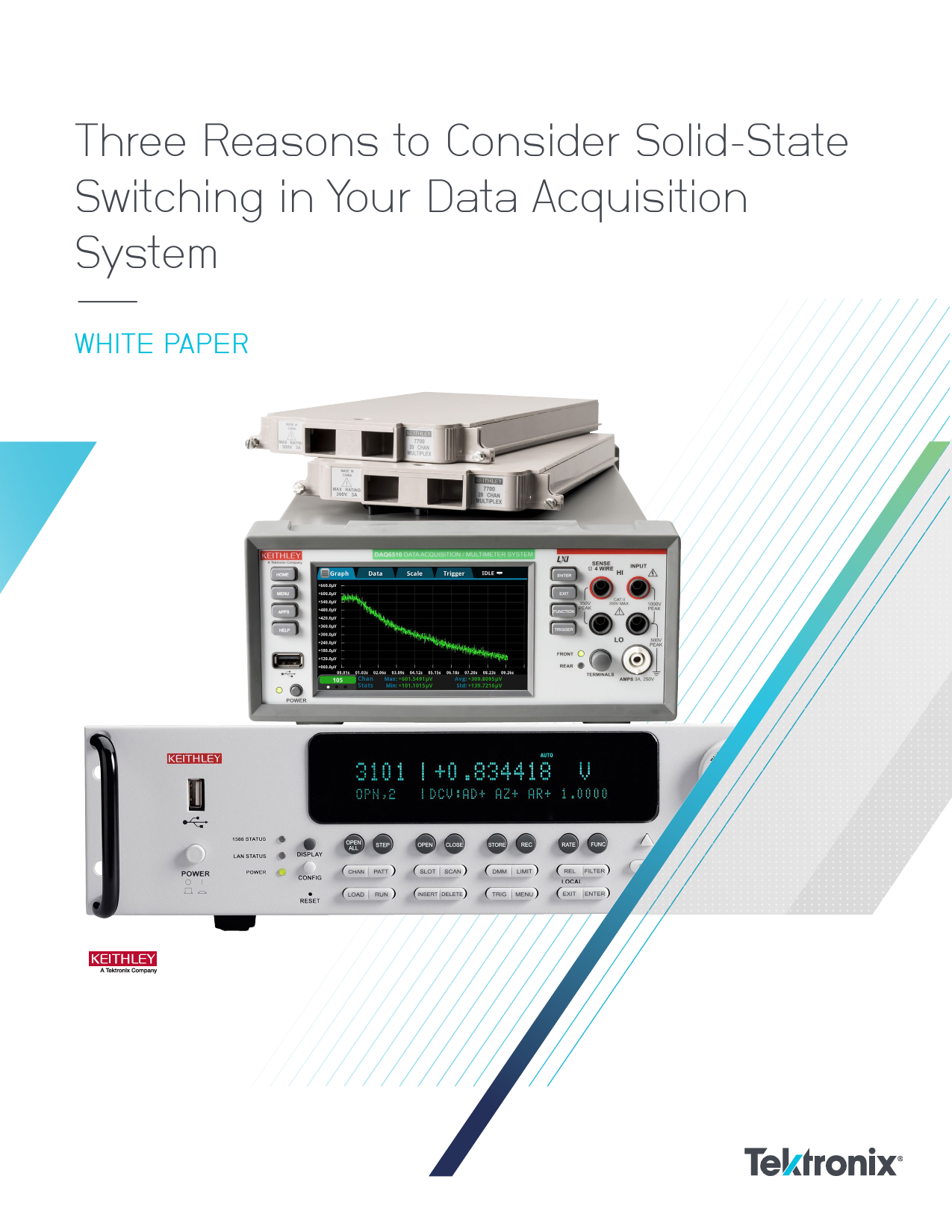
File info: application/pdf · 22 pages · 862.53KB
Datei herunterladen
three reasons consider solid state switching your data acquisition system | Tektronix
Full PDF Document

If the inline viewer fails, it will open the original document in compatibility mode automatically. You can also open the file directly.
Extracted Text
Three Reasons to Consider Solid-State Switching in Your Data Acquisition System
��
WHITE PAPER

Three Reasons to Consider Solid-State Switching in Your Data Acquisition System

WHITE PAPER

Introduction
Electromechanical (EM) relays are the most common type of switch used in multiplexing modules that connect to devices-under-test (DUTs) or sensors in multi-channel data acquisition (DAQ) systems. These relays facilitate the signal routing and measurement process. Although EM relays are quite satisfactory and cost-effective for most situations, they have some limitations in others. This article addresses the three most common situations where using a multiplexing or switching module with solid-state relays provides a better fit for the application.
Longer Switch Contact Life
DAQ systems are often employed in applications that involve monitoring multiple electrical characteristics (such as temperature, DC voltage, resistance, etc.) for a long time � days, weeks, months, or more. DAQ systems are also used in production testing that involves switching. EM relay contact life is generally in the tens of millions of cycles or more, but this must be de-rated in some applications. For example, the specifications for the Keithley 7700 20-Channel Differential Multiplexer Module (used with the DAQ6510 Data Acquisition and Logging Multimeter System) indicate users can expect the EM relays to last for at least 100 million cycles in no-load conditions. Operating using maximum signal levels drops the specification to at least 100 thousand cycles � a 1000� decrease. However, the specifications for the Keithley 7710 20-Channel Solid-State Differential Multiplexer Module (also compatible with the DAQ6510) indicate that the solid-state relays can sustain at least 10 billion cycles at the maximum signal level. Therefore, a solid-state relay has a life at least 100 times longer than an electromechanical relay under noload switching conditions and 100,000 times longer under full-load switching conditions. For applications with high switching requirements, solid-state relay multiplexer modules can reduce downtime involved in replacing worn-out EM multiplexer modules and save on multiplexer replacement costs over the life of the test system.

Higher Speed Switching
The 7710 and 3724 (Dual 1�30 FET Multiplexer Card used with the 3706A System Switch/Multimeter) solidstate modules can scan faster than the 7700 20-Channel Multiplexer and the 3720 Dual 1�30 Channel Multiplexer (also used with the 3706A) EM relay cards because they have a shorter switch actuation time. Solid-state cards offer switching rates 5�10� faster than electromechanical switching modules. Appendices A and B provide example code that shows how to set up scans and compute switching times. Using the code provided in Appendix A, the DAQ6510 achieved an 800 channels/second scan rate with the solidstate card but just 80 channels/second using the EM card. Using the example code in Appendix B, the 3706A achieved a 1600 channels/second scan rate with the solid-state card but just 120 channels/second using the EM card.
Contact Contamination Avoidance
An electromechanical relay (Figure 1) contains physical switch contacts that are magnetically actuated to open or close. Over time, the switch contacts can develop a residue buildup (especially when routing lower-level signals) that causes the switch not to make good contact or significantly increases contact resistance, even with the strong magnetic force involved in the actuation. When working with higher energy signal levels, the voltage or current can help to clean the buildup from the contact points; however, this contributes to the lower contact switching life mentioned previously.

Control

Signal

Relay
Figure 1. Simple electromechanical relay.

2 | WWW.TEK.COM

Three Reasons to Consider Solid-State Switching in Your Data Acquisition System

WHITE PAPER

In contrast, a solid-state relay (Figure 2) is typically composed of a field effect transistor (FET) configuration, which lacks a mechanical switch that would be subject to contamination or other types of material failure.
Figure 2. Simple solid-state relay.
Limitations of Solid-State Switching
It would seem obvious that a solid-state switching module would always be preferred over an EM switching module. However, solid-state switching modules have limitations on the capacity of the solid-state switches. For example, the maximum signal levels for the 7710 solid-state multiplexer module is 60 VDC or 42 Vrms and 100 mA. The maximum capacity for a typical EM card is 300 VDC or 300 Vrms and 1 A. EM relay modules can switch signals with a wider range of voltages and currents. Solid-state cards can have lower channel isolation, given that solid-state devices such as FETs can have small off-state leakage currents. Solid-state switches also have a higher contact resistance. This can be a limitation when testing low-value resistance elements. Finally, solid-state switching modules cost more than equivalent EM switch modules. Although solid-state switches provide faster switching and longer life, other factors must be considered before deciding on the type of switch to use.

Use Case Example � Fast Scanning to Monitor the Turn-Off DC Current of an Energy Storage System
Let us consider a scenario in which many supply voltages are held up by an energy storage module (for instance, a buck converter with a large capacitor) that, when the main power is lost, will provide power for approximately 10 seconds while the dependent system saves the contents of memory to an on-board NAND Flash device. There are 0.1  resistor shunts used to determine the current draw on the inputs of each supply module power rail (in this case, there are three) and all supply module output voltages are being monitored. When a power down (or loss) occurs, the DAQ6510 and 7710 multiplexer are triggered to scan at the fastest rate possible to collect all the information for the 10-second period. A design engineer will review the details to verify that as many functions as possible are turned off to conserve the most power by observing that the least amount of current is drawn to conserve valuable energy. The designer must also ensure that both the design's 10-year-lifetime requirement and the memory transfer is achieved at both 0�C and 60�C temperatures.
The test circuit in Figure 3 shows three different supplies along with three independent circuit loads, which are supported by large capacitances on the outputs of individual supplies (instead of on the inputs). In this example, the DAQ6510 is configured to scan DC voltage across each of the three resistive loads, as well as the three 0.1  shunt resistors (which will allow computing the current). Another measurement channel samples the temperature of the surrounding environment.

WWW.TEK.COM | 3

Three Reasons to Consider Solid-State Switching in Your Data Acquisition System

WHITE PAPER

Main Power Module

Supply 1 Supply 2 Supply 3

CH 104

680 �F

0.1

10 k

CH 101

CH 105

13.8 mF

0.1

1 k

CH 102

CH 106

200 �F

0.1

10 k

CH 103

Figure 3. Test circuit for monitoring the turn-off DC current of an energy storage system

The following test example can be used to analyze the characteristics of devices after the removal of or loss of power. This type of test analyzes a system's current or voltage draw to determine the product's lifetime. It can help determine how a system responds to power loss along with the preservation of memory within the device.
1. Set the TERMINALS switch on the front of the DAQ6510 to its REAR position.
2. Cycle the power on the DAQ6510. 3. Touch the Build Scan button. 4. Touch the + button to "Add a group of channels." 5. Select channels 101, 102, 103, 104, 105, and 106 in
the pop-up dialog provided, then touch OK. 6. Select DC Voltage as the measurement function. 7. In the settings tab, change the configuration
as follows: �� Change the Range to 10 V. �� Set Auto Delay to OFF. �� Change the NPLC to 0.0005. �� Set Auto Zero to OFF.

8. In the upper-left corner of the display, touch the MENU button and choose Expand Group from the list of options.
9. For channels 104 through 106, change the range to 100 mV.
10. In the upper-left corner of the display, touch the MENU button and choose Collapse Groups from the list of options
11. Touch the + button to add another group of channels.
12. Select channel 110, then touch OK. 13. Select Temperature as the measurement function. 14. In the Settings tab, change the channel 110
configuration as follows:
�� Set Open Lead Detector to OFF.
�� Set Auto Delay to OFF.
�� Change the NPLC to 0.0005.
�� Set Auto Zero to OFF.

4 | WWW.TEK.COM

Three Reasons to Consider Solid-State Switching in Your Data Acquisition System

WHITE PAPER

15. Touch the Scan tab to configure the scan settings. Note how the Scan Duration indicator reads "< 1 second."
16. Touch the Scan Count button and change the value to 1300, then touch OK. Note how the Scan Duration indicator reads "~00:10" to indicate a 10-second run time.
17. Ensure that your test circuit items are powered on and stable.
18. Touch the Start Scan button on the DAQ6510 display, then immediately power off your main supply.
19. Touch the View Scan Status button. This should show you the status of the scan and its progress while running.
20. Upon scan completion, touch the Watch Channels button, deselect channel 110, then choose channels 104, 105, and 106.
21. Press the MENU key.
22. Under Views, select Graph. Note that these are the waveforms that provide the voltage drops across the shunt resistors.
Figures 4 through 7 show individual views of the decaying voltage across the shunts in the absence of the main supply. All are unique due to the capacitance and load resistance values at the output of each regulator device.

Figure 5. Plot of measurements acquired at the shunt monitored by CH104. Figure 6. Plot of measurements acquired at the shunt monitored by CH105.

Figure 4. Plots of collective measurements across shunt resistors.

Figure 7. Plot of measurements acquired at the shunt monitored by CH106.

WWW.TEK.COM | 5

Three Reasons to Consider Solid-State Switching in Your Data Acquisition System

WHITE PAPER

The same viewing capabilities are available for the voltage drops across the loads (Figure 8), as well as the temperature (not shown).

Conclusion
The solid-state cards for both the DAQ6510 and 3706A clearly show a significant speed advantage over the more commonly used EM cards. With a speed difference of up to 10� that of the EM cards, system operators can scan more channels and devices in a given amount of time. When test speed, high volume manufacturing, or long-term monitoring are required, consider solid-state switching modules as long as the solidstate card can handle the voltage and current levels involved.

Figure 8. Collective plot of voltage drops across loads
The data can be exported in several different ways to allow manipulating and analyzing the data using a PC, such as to calculate the currents for each channel of interest. However, this can be automated with a test program that performs all of the steps in the test example. Appendices C and D provide a test program and the underlying script that perform the following:
� Establishes the scan setup as defined previously.
� Uses the DAQ6510 to issue control commands to the 2280S power supply over an Ethernet connection.
� Configures and turns on the 2280S power supply.
� Starts the scan.
� Turns off the 2280S power supply.
� Monitors scan completion.
� On the DAQ6510, computes the current for the three channels connected to shunts, and creates new buffers to store these values.
� Returns the voltage, current, or temperature data for each channel.

6 | WWW.TEK.COM

Three Reasons to Consider Solid-State Switching in Your Data Acquisition System

WHITE PAPER

Appendix A: High-Speed Scanning with the DAQ6510 and7710 Multiplexer
The following example shows how to configure a DAQ6510 with a 7710 solid-state multiplexer to achieve channel scanning rates
of 800 channels per second. Comments in the code body and displayed in the program console detail the scan configuration
timing separate from the scan execution timing.
This code was generated using Python 3.7 and uses the PyVisa extension for communication between the instrument and the
controlling PC.
import visa import struct import math import time
doDebug = 1 rm = 0 myDaq = 0 printCmds = 0
# ============================================================ # DEFINE FUNCTIONS BELOW... # ============================================================ def KEI_Connect(rsrcString, doIdQuery, doReset, doClear):
myInstr = rm.open_resource(rsrcString) if doIdQuery == 1:
print(KEI_Query(myInstr, "*IDN?")) if doReset == 1:
KEI_Write(myInstr, "*RST") if doClear == 1:
myInstr.clear() myInstr.timeout = 10000 return myInstr
def KEI_Write(myInstr, cmd): if printCmds == 1: print(cmd) myInstr.write(cmd) return
def KEI_Query(myInstr, cmd): if printCmds == 1: print(cmd) return myInstr.query(cmd)
def KEI_Query_Binary_Values(myInstr, cmd): if printCmds == 1: print(cmd) return myInstr.query_binary_values(cmd, datatype = 'f', is_big_endian = False)
def KEI_Disconnect(myInstr): myInstr.close() return

#================================================================================

#

# MAIN CODE STARTS HERE

#

#================================================================================

DAQ_Inst_1 = "USB0::0x05E6::0x6510::04340543::INSTR"

# Instrument ID String examples...

#

LAN -> TCPIP0::134.63.71.209::inst0::INSTR

#

USB -> USB0::0x05E6::0x2450::01419962::INSTR

#

GPIB -> GPIB0::16::INSTR

#

Serial -> ASRL4::INSTR

WWW.TEK.COM | 7

Three Reasons to Consider Solid-State Switching in Your Data Acquisition System

WHITE PAPER

# Capture the program start time... t1 = time.time()

# Opens the resource manager and sets it to variable rm then # connect to the DAQ6510 rm = visa.ResourceManager() myDaq = KEI_Connect(DAQ_Inst_1, 1, 1, 1)

# Reset and start from known conditions KEI_Write(myDaq, "*RST")

# Set up the reading buffer KEI_Write(myDaq, "TRACe:MAKE 'mybuf', 1000") KEI_Write(myDaq, "TRACe:CLEar 'mybuf'") KEI_Write(myDaq, "FORM:ASC:PREC 0")

# Configure the channel measurement settings to optimize for speed # a. Setting a fixed range # b. Disabling auto zero # c. Disabling auto delay # d. Turn line sync off # e. Disable filtering and limits # f. Decreasing the power line cycles (PLC) to the minimum KEI_Write(myDaq, "SENS:FUNC 'VOLT', (@101:110)") KEI_Write(myDaq, "SENS:VOLT:RANG 1, (@101:110)") KEI_Write(myDaq, "SENS:VOLT:RANG:AUTO 0, (@101:110)") KEI_Write(myDaq, "SENS:VOLT:AZER OFF, (@101:110)") KEI_Write(myDaq, "DISP:VOLT:DIG 4, (@101:110)") KEI_Write(myDaq, "SENS:VOLT:NPLC 0.0005, (@101:110)") KEI_Write(myDaq, "SENS:VOLT:LINE:SYNC OFF, (@101:110)") KEI_Write(myDaq, "CALC2:VOLT:LIM1:STAT OFF, (@101:110)") KEI_Write(myDaq, "CALC2:VOLT:LIM2:STAT OFF, (@101:110)")

# Configure the scanning attributes KEI_Write(myDaq, "ROUT:SCAN:COUN:SCAN 100") KEI_Write(myDaq, "ROUT:SCAN:BUFF 'mybuf'") KEI_Write(myDaq, "ROUT:SCAN:INT 0.0") KEI_Write(myDaq, "ROUT:SCAN:CRE (@101:110)")

# Change to processing the screen KEI_Write(myDaq, "DISP:SCR PROC")

# Start the scan... t2 = time.time() KEI_Write(myDaq, "INIT")

# Capture the time when the scan begins...

# Check the state of the scan (via the trigger model), if running

# or waiting, then continue to hold; if idle then exit the

# loop and extract the data.

rcvBuffer = KEI_Query(myDaq, "TRIG:STAT?")

while (("RUNNING" in rcvBuffer) or ("WAITING" in rcvBuffer)):

time.sleep(0.01)

rcvBuffer = KEI_Query(myDaq, "TRIG:STAT?")

t3 = time.time()

# Captured the time when the scan ends...

# Change to HOME the screen KEI_Write(myDaq, "DISP:SCR HOME")

# Extract the data print(KEI_Query(myDaq, "TRACe:DATA? 1, 1000, 'mybuf'"))

t4 = time.time()

# Capture the time when the test is complete...

# Terminate the instrument and resource sessions KEI_Disconnect(myDaq) rm.close

8 | WWW.TEK.COM

Three Reasons to Consider Solid-State Switching in Your Data Acquisition System

WHITE PAPER

# Notify the user of completion and the data streaming rate achieved. print("done\n") print("Elapsed Total Test Time: {0:0.3f} s".format(t4-t1)) print("Elapsed Test Configuration Time: {0:0.3f} s".format(t2-t1)) print("Elapsed Scan Time: {0:0.3f} s".format(t3-t2)) print("Elapsed Data Extraction Time: {0:0.3f} s".format(t4-t3)) print("Calculated Scan Rate: {0:0.3f} chan/s".format(1000/(t3-t2))) print("Calculated Scan Rate with Data Extraction: {0:0.3f} chan/s".format(1000/(t4-t2)))
input("\nPress Enter to continue...") exit()

WWW.TEK.COM | 9

Three Reasons to Consider Solid-State Switching in Your Data Acquisition System

WHITE PAPER

Appendix B: High-Speed Scanning with the Series 3706A and 3724 Multiplexer
The following example shows how to configure a 3706A with a 3724 solid-state multiplexer to achieve channel scanning rates in excess of 1000 channels per second. Comments in the code body and displayed in the program console detail the scan configuration timing separate from the scan execution timing.

This code was generated using C# in Visual Studio 2017 and uses direct sockets communication between the instrument and the controlling PC.

using System;

using System.Collections.Generic;

using System.Linq;

using System.Text;

using System.Threading.Tasks;

using System.Net.Sockets;

using System.Diagnostics; // for timing tools

using System.IO;

using System.Threading;

// for delay

namespace Series_3706A_Speed_Scanning {
class Program {
static public bool echoCommands = true;

static void Main(string[] args) {
string ipAddress = "192.168.1.37"; int portNum = 5025; TcpClient myClient = null; NetworkStream netStream = null; string rcvBuffer = ""; Stopwatch myStpWtch = new Stopwatch(); myStpWtch.Start();

// Get the elapsed time as a TimeSpan value. TimeSpan ts = myStpWtch.Elapsed; string elapsedTime = ""; int cardSlot = 1; String sndBuffer = "";

InstConnect(ref myClient, ref netStream, ipAddress, portNum, true, false, ref rcvBuffer);

// Reset the instrument to the default settings and clear existing system errors... InstSend(netStream, "*rst"); InstSend(netStream, "errorqueue.clear()");

// Check the interlock state and reset any existing scan attributes... InstQuery(netStream, "print(slot[1].interlock.state)", 32, ref rcvBuffer); InstSend(netStream, "*cls"); InstSend(netStream, "scan.reset()");

// Build the script that will...

// a. Configure the measurement channel attributes

// b. Clear and size the scan buffer,

// c. Establish the scan configuration

// d. Execute the scan

// e. Provide timers that allow us to monitor

//

i. Scan setup time

//

ii. Scan execution time

InstSend(netStream, "loadscript SCAN_3724");

InstSend(netStream, "timer.reset()");

10 | WWW.TEK.COM

Three Reasons to Consider Solid-State Switching in Your Data Acquisition System

WHITE PAPER

sndBuffer = String.Format("if slot[{0}].interlock.override == 0 then slot[{1}].

interlock.override = 1 end", cardSlot, cardSlot);

InstSend(netStream, sndBuffer);

InstSend(netStream, "channel.open(\"allslots\")");

InstSend(netStream, "dmm.reset('all')");

InstSend(netStream, "dmm.func = dmm.DC_VOLTS");

InstSend(netStream, "dmm.nplc = 0.0005");

InstSend(netStream, "dmm.displaydigits = dmm.DIGITS_7_5");

InstSend(netStream, "dmm.autorange = dmm.OFF");

InstSend(netStream, "dmm.autodelay = dmm.OFF");

InstSend(netStream, "dmm.autozero = dmm.OFF");

InstSend(netStream, "dmm.limit[1].enable = dmm.OFF");

InstSend(netStream, "dmm.limit[2].enable = dmm.OFF");

InstSend(netStream, "format.data = format.SREAL"); // Use binary data transfer for

readings...

InstSend(netStream, "dmm.range = 10");

InstSend(netStream, "dmm.measurecount = 1");

InstSend(netStream, "scan.scancount = 100");

// used to be measurecount

InstSend(netStream, "dmm.linesync = dmm.OFF");

InstSend(netStream, "dmm.configure.set('dcv')");

InstSend(netStream, "scan_buf = dmm.makebuffer(1000)");

InstSend(netStream, "channel.connectrule = channel.BREAK_BEFORE_MAKE");

//InstSend(netStream, "dmm.measure()");

sndBuffer = String.Format("dmm.setconfig('1001:1010','dcv') scan. create('1001:1010')");
InstSend(netStream, sndBuffer); InstSend(netStream, "timeLapseSetup = timer.measure.t()");

InstSend(netStream, "timer.reset()"); InstSend(netStream, "scan.execute(scan_buf)"); InstSend(netStream, "timeLapse = timer.measure.t()"); InstSend(netStream, "endscript");

// Call the script (on the instrument) that executes the scanning... InstSend(netStream, "SCAN_3724()"); //Extract all data... float[] fltData = new float[100]; int start_index = 1; int end_index = 100; int chunk_size = 100; int mm = 0; for (int n = 0; n < 10; n++) {
sndBuffer = String.Format("printbuffer({0}, {1}, scan_buf.readings)", start_ index, end_index);
InstQuery_FloatData(netStream, sndBuffer, chunk_size, ref fltData); // scan_ buf.readings,
start_index += chunk_size; end_index += chunk_size; for (int m = 0; m < fltData.Length; m++) {
Console.Write("Rdg {0} = {1},\n", (mm++) + 1, fltData[m]); } }

// To get channels per sec scan speed, must divide 30 (the # of chans in a scan) by elapsed time
InstSend(netStream, "format.data = format.ASCII"); InstQuery(netStream, "print(timeLapseSetup)", 128, ref rcvBuffer); Console.WriteLine("Time Lapse for scan script configuration: {0:E}", rcvBuffer);

InstQuery(netStream, "print(timeLapse)", 128, ref rcvBuffer); Console.WriteLine("Time Lapse for internal scan execution: {0:E}", rcvBuffer);

Double testResults = 1000 / Convert.ToDouble(rcvBuffer); Console.WriteLine("Calculated Channels/Sec: {0:E}", testResults);

WWW.TEK.COM | 11

Three Reasons to Consider Solid-State Switching in Your Data Acquisition System

WHITE PAPER

InstDisconnect(ref myClient, ref netStream);
myStpWtch.Stop();
// Get the elapsed time as a TimeSpan value. ts = myStpWtch.Elapsed;
// Format and display the TimeSpan value. elapsedTime = String.Format("{0:00}:{1:00}:{2:00}:{3:00}.{4:000}",
ts.Days, ts.Hours, ts.Minutes, ts.Seconds, ts.Milliseconds / 10); Console.WriteLine("Total Program Run Time " + elapsedTime + "\n");
Console.WriteLine("Press any key to continue..."); char k = Console.ReadKey().KeyChar; }
static public int InstConnect(ref TcpClient myClient, ref NetworkStream netStream, string ipAddress, int portNum, bool echoIdString, bool doReset, ref string strId)
{ int status = 0; try { myClient = new TcpClient(ipAddress, portNum); Console.WriteLine("Connected to instrument......"); myClient.ReceiveTimeout = 20000; myClient.ReceiveBufferSize = 35565; netStream = myClient.GetStream(); if (echoIdString) { InstQuery(netStream, "*IDN?", 128, ref strId); } if (doReset) { InstSend(netStream, "reset()"); } } catch (Exception e) { status = -1; Console.WriteLine(e.Message); } finally { // Nothing to close } return status;
}
static public void InstDisconnect(ref TcpClient myClient, ref NetworkStream netStream) {
netStream.Close(); myClient.Close(); }
static public int InstSend(NetworkStream netStream, string cmdStr) {
try {
byte[] byteBuffer; if (echoCommands == true) {
Console.WriteLine("{0}", cmdStr); } byteBuffer = Encoding.ASCII.GetBytes(cmdStr + "\r\n"); netStream.Write(byteBuffer, 0, byteBuffer.Length); Array.Clear(byteBuffer, 0, byteBuffer.Length); return 0;
12 | WWW.TEK.COM

Three Reasons to Consider Solid-State Switching in Your Data Acquisition System

WHITE PAPER

} catch (Exception e) {
Console.WriteLine("{0}", e.Message); Console.WriteLine("{0}", e.ToString()); return -9999; }
}
static public int InstRcv(NetworkStream netStream, int byteCount, ref string rcvStr) {
try {
byte[] rcvBytes; rcvBytes = new byte[byteCount]; int bytesRcvd = netStream.Read(rcvBytes, 0, byteCount); rcvStr = Encoding.ASCII.GetString(rcvBytes, 0, bytesRcvd); Array.Clear(rcvBytes, 0, byteCount); return 0; } catch (Exception e) { Console.WriteLine("{0}", e.Message); return -9999; } }
static public int InstRcv_FloatData(NetworkStream netStream, int chunkSize, ref float[] fltData)
{ byte[] rcvBytes; rcvBytes = new byte[chunkSize * 4 + 3]; int bytesRcvd = netStream.Read(rcvBytes, 0, rcvBytes.Length); // Need to convert to the byte array into single or do Buffer.BlockCopy(rcvBytes, 2, fltData, 0, fltData.Length * 4); Array.Clear(rcvBytes, 0, rcvBytes.Length); return 0;
}
static public int InstQuery(NetworkStream netStream, string cmdStr, int byteCount, ref string rcvStr)
{ int status = 0; status = InstSend(netStream, cmdStr); if (status == 0) status = InstRcv(netStream, byteCount, ref rcvStr); return status;
}
static public int InstQuery_FloatData(NetworkStream netStream, string cmdStr, int byteCount, ref float[] fltData)
{ int status = 0; status = InstSend(netStream, cmdStr); status = InstRcv_FloatData(netStream, byteCount, ref fltData); return 0;
} } }

WWW.TEK.COM | 13

Three Reasons to Consider Solid-State Switching in Your Data Acquisition System

WHITE PAPER

Appendix C: Using the DAQ6510 and 2280S-32-6 Test Script to Monitor Voltage Decay
This TestScriptProcessor (TSP) code was created in TestScriptBuilder, Keithley's TSP development environment. The provided
code links the devices listed using TSP-Net with LAN connections. Note: The DAQ6510 cannot use LAN and USB connections
at the same time. This code executes a high-speed scan of seven channels of the card when the power supply output is
powered off to show the characteristics of the regulators when power is removed.
--[[ GLOBAL VARS DEFINED HERE ]]-gInstPort = 5025 gPsuInstId = nil gShuntVal = 0.1
--[[ SYSTEM FUNCTIONS DEFINED HERE ]]-function DAQ_ChanConfig(voltChans, currChans, tempChan)
--[[ Configure the channel measurement settings to optimize for speed a. Setting a fixed range b. Disabling auto zero c. Disabling auto delay d. Turn line sync off e. Disable filtering and limits f. Decreasing the power line cycles (PLC) to the minimum
]]--
reset()
-- Configure channels measuring output voltage channel.setdmm(voltChans, dmm.ATTR_MEAS_FUNCTION, dmm.FUNC_DC_VOLTAGE) channel.setdmm(voltChans, dmm.ATTR_MEAS_AUTO_DELAY, dmm.DELAY_OFF) channel.setdmm(voltChans, dmm.ATTR_MEAS_RANGE, 10) channel.setdmm(voltChans, dmm.ATTR_MEAS_RANGE_AUTO, dmm.OFF) channel.setdmm(voltChans, dmm.ATTR_MEAS_AUTO_ZERO, dmm.OFF) channel.setdmm(voltChans, dmm.ATTR_MEAS_DIGITS, dmm.DIGITS_4_5) channel.setdmm(voltChans, dmm.ATTR_MEAS_NPLC, 0.0005) channel.setdmm(voltChans, dmm.ATTR_MEAS_LINE_SYNC, dmm.OFF) channel.setdmm(voltChans, dmm.ATTR_MEAS_LIMIT_ENABLE_1, dmm.OFF) channel.setdmm(voltChans, dmm.ATTR_MEAS_LIMIT_ENABLE_2, dmm.OFF)
-- Configure channels measuring current by way of the shunt channel.setdmm(currChans, dmm.ATTR_MEAS_FUNCTION, dmm.FUNC_DC_VOLTAGE) channel.setdmm(currChans, dmm.ATTR_MEAS_AUTO_DELAY, dmm.DELAY_OFF) channel.setdmm(currChans, dmm.ATTR_MEAS_RANGE, .1) channel.setdmm(currChans, dmm.ATTR_MEAS_RANGE_AUTO, dmm.OFF) channel.setdmm(currChans, dmm.ATTR_MEAS_AUTO_ZERO, dmm.OFF) channel.setdmm(currChans, dmm.ATTR_MEAS_DIGITS, dmm.DIGITS_4_5) channel.setdmm(currChans, dmm.ATTR_MEAS_NPLC, 0.0005) channel.setdmm(currChans, dmm.ATTR_MEAS_LINE_SYNC, dmm.OFF) channel.setdmm(currChans, dmm.ATTR_MEAS_LIMIT_ENABLE_1, dmm.OFF) channel.setdmm(currChans, dmm.ATTR_MEAS_LIMIT_ENABLE_2, dmm.OFF)
-- Configure channel measuring temperature channel.setdmm(tempChan, dmm.ATTR_MEAS_FUNCTION, dmm.FUNC_TEMPERATURE) channel.setdmm(tempChan, dmm.ATTR_MEAS_OPEN_DETECTOR, dmm.OFF) channel.setdmm(tempChan, dmm.ATTR_MEAS_AUTO_DELAY, dmm.DELAY_OFF) channel.setdmm(tempChan, dmm.ATTR_MEAS_AUTO_ZERO, dmm.OFF) channel.setdmm(tempChan, dmm.ATTR_MEAS_NPLC, 0.0005) end
function DAQ_ScanConfig(scanchan, myScanCnt) --[[ Establish the scan and buffer settings ]]-scan.scancount = myScanCnt scan.scaninterval = 0.0

14 | WWW.TEK.COM

Three Reasons to Consider Solid-State Switching in Your Data Acquisition System
scan.create(scanchan)
defbuffer1.clear() format.data = format.ASCII
-- Note that scan.stepcount should only be used after -- scan channels have been defined per scan.create() -- or scan.add(), otherwise this system attribute will -- be set to zero. defbuffer1.capacity = scan.scancount * scan.stepcount end
function DAQ_Trig() --[[ Trigger the start of the scan ]]-trigger.model.initiate()
end
function DAQ_ParseReadingBuffer(bufSize) --[[ This utility function is used to break apart the default buffer where the collection of all readings is stored and separate them out into individual accessible buffers for each test point of interest.
Note that for the buffers which hold current values, we not only extract, but also calculate based upon a known shunt resistance value (defined as a global above). ]]--
-- Create a series of writable buffers to hold data from each point voltBuff1 = buffer.make(bufSize, buffer.STYLE_WRITABLE) voltBuff2 = buffer.make(bufSize, buffer.STYLE_WRITABLE) voltBuff3 = buffer.make(bufSize, buffer.STYLE_WRITABLE) currBuff1 = buffer.make(bufSize, buffer.STYLE_WRITABLE) currBuff2 = buffer.make(bufSize, buffer.STYLE_WRITABLE) currBuff3 = buffer.make(bufSize, buffer.STYLE_WRITABLE) tempBuff = buffer.make(bufSize, buffer.STYLE_WRITABLE)
-- Establish the fill mode voltBuff1.fillmode = buffer.FILL_CONTINUOUS voltBuff2.fillmode = buffer.FILL_CONTINUOUS voltBuff3.fillmode = buffer.FILL_CONTINUOUS currBuff1.fillmode = buffer.FILL_CONTINUOUS currBuff2.fillmode = buffer.FILL_CONTINUOUS currBuff3.fillmode = buffer.FILL_CONTINUOUS tempBuff.fillmode = buffer.FILL_CONTINUOUS
-- Define the buffer format buffer.write.format(voltBuff1, buffer.UNIT_VOLT, buffer.DIGITS_4_5) buffer.write.format(voltBuff2, buffer.UNIT_VOLT, buffer.DIGITS_4_5) buffer.write.format(voltBuff3, buffer.UNIT_VOLT, buffer.DIGITS_4_5) buffer.write.format(currBuff1, buffer.UNIT_AMP, buffer.DIGITS_4_5) buffer.write.format(currBuff2, buffer.UNIT_AMP, buffer.DIGITS_4_5) buffer.write.format(currBuff3, buffer.UNIT_AMP, buffer.DIGITS_4_5) buffer.write.format(tempBuff, buffer.UNIT_CELSIUS, buffer.DIGITS_4_5)
-- Iterate through the main system buffer to extract specific -- readings per buffer. for i = 1, defbuffer1.n, 7 do
-- Extract voltage values holder1 = defbuffer1.readings[i] buffer.write.reading(voltBuff1, holder1)
holder2 = defbuffer1.readings[i+1] buffer.write.reading(voltBuff2, holder2)

WHITE PAPER
WWW.TEK.COM | 15

Three Reasons to Consider Solid-State Switching in Your Data Acquisition System

holder3 = defbuffer1.readings[i+2] buffer.write.reading(voltBuff3, holder3)

-- Extract current values per I = V/R

holder4 = defbuffer1.readings[i+3]

holder4 = holder4 / gShuntVal

-- calculate I

buffer.write.reading(currBuff1, holder4)

holder5 = defbuffer1.readings[i+4]

holder5 = holder5 / gShuntVal

-- calculate I

buffer.write.reading(currBuff2, holder5)

holder6 = defbuffer1.readings[i+5]

holder6 = holder6 / gShuntVal

-- calculate I

buffer.write.reading(currBuff3, holder6)

-- Extract temperature values holder7 = defbuffer1.readings[i+6] buffer.write.reading(tempBuff, holder7) end end

function PSU_Configure(ipAddress, vLevel, iLevel, outState) gPsuInstId = PowerSupply_Connect(ipAddress, gInstPort) PowerSupply_SetVoltage(gPsuInstId, vLevel) PowerSupply_SetCurrent(gPsuInstId, iLevel) PowerSupply_OutputState(gPsuInstId, outState) PowerSupply_SetDisplayText(gPsuInstId, "Start Test")
end

function PSU_Disable() PowerSupply_OutputState(gPsuInstId, 0) PowerSupply_SetDisplayText(gPsuInstId, "End Test") PowerSupply_Disconnect(gPsuInstId)
end

function PSU_Off() PowerSupply_OutputState(gPsuInstId, 0)
end

function PowerSupply_Connect(instAddr, remote_port) psuId = tspnet_init(instAddr, remote_port) return psuId
end

function PowerSupply_Disconnect(instId) tspnet_destroy(instId)
end

function PowerSupply_SetVoltage(instId, vLevel) sndBuffer = string.format("SOURce:VOLTage %f", vLevel) tspnet_send(instId, sndBuffer)
end

function PowerSupply_SetCurrent(instId, iLevel) sndBuffer = string.format("SOURce:CURRent %f", iLevel) tspnet_send(instId, sndBuffer)
end

function PowerSupply_OutputState(instId, myState) if myState == 0 then tspnet_send(instId, "OUTP OFF") else tspnet_send(instId, "OUTP ON") end
end

16 | WWW.TEK.COM

WHITE PAPER

Three Reasons to Consider Solid-State Switching in Your Data Acquisition System

WHITE PAPER

function PowerSupply_GetOutputState(instId) return tspnet_query(instId, "OUTP?")
end

function PowerSupply_SetDisplayText(instId, myText) sndBuffer = string.format("DISP:USER:TEXT \"%s\"", myText) tspnet_send(instId, sndBuffer)
end

-- Initialize connection between DAQ and controlled instrument

function tspnet_init(remote_ip, remote_port)

tspnet.timeout = 5.0

tspnet.reset()

tspnet_instID = tspnet.connect(remote_ip, remote_port, "*RST\n")

if tspnet_instID == nil then return nil

end

tspnet_ipaddress = remote_ip

tspnet.termination(tspnet_instID, tspnet.TERM_LF)

tspnet_send(tspnet_instID, "*RST") return tspnet_instID end

-- Send command to controlled remote instrument function tspnet_send(tspnet_instID, command)
tspnet.execute(tspnet_instID, command) end

-- Query data from the controlled instrument

function tspnet_query(tspnet_instID, command, timeout)

timeout = timeout or 5.0

--Use default timeout of 5 secs if not specified

tspnet.execute(tspnet_instID, command)

timer.cleartime()

while tspnet.readavailable(tspnet_instID) == 0 and timer.gettime() < timeout do delay(0.1)
end return tspnet.read(tspnet_instID) end

-- Terminate the connection between the master and subordinate instrument function tspnet_destroy(tspnet_instID)
if tspnet_instID ~= nil then tspnet.disconnect(tspnet_instID) tspnet_instID = nil
end end

print("Done...")

WWW.TEK.COM | 17

Three Reasons to Consider Solid-State Switching in Your Data Acquisition System

WHITE PAPER

Appendix D: Program File Used to Execute the Supply Monitoring Script
The following example code is used to call the functions defined in the script provided in Appendix C. Note how the program makes calls to functions loaded on the DAQ6510 in order to configure and execute a scan, control the state of the power supply, and extract specific buffered readings, which (in some cases) already have the necessary conversion calculations applied.

This code was generated using C# in Visual Studio 2017 and uses VISA COM driver references for communication between the instrument and the controlling PC.

using System;

using System.Collections.Generic;

using System.Linq;

using System.Text;

using System.Threading.Tasks;

using System.Threading;

using System.Diagnostics;

// needed for stopwatch usage

using Ivi.Visa.Interop;

namespace Example_DAQ6510_Monitor_Energy_Storage_Module {
class Program {
static Boolean echoCmd = true;

static void Main(string[] args) {
ResourceManager ioMgr = new ResourceManager(); string[] resources = ioMgr.FindRsrc("?*");

foreach (string n in resources) {
Console.Write("{0}\n", n); }

FormattedIO488 myInstr = new Ivi.Visa.Interop.FormattedIO488();

////////////////////////////////////////////////////////////////////////////////////

/////////////

myInstr.IO = (IMessage)ioMgr.Open("TCPIP0::192.168.1.165::inst0::INSTR", AccessMode.

NO_LOCK, 20000);

// Instrument ID String examples...

//

LAN -> TCPIP0::134.63.71.209::inst0::INSTR

//

USB -> USB0::0x05E6::0x2450::01419962::INSTR

//

GPIB -> GPIB0::16::INSTR

//

Serial -> ASRL4::INSTR

////////////////////////////////////////////////////////////////////////////////////

/////////////

myInstr.IO.Clear();

int myTO = myInstr.IO.Timeout;

myInstr.IO.Timeout = 20000;

myTO = myInstr.IO.Timeout;

myInstr.IO.TerminationCharacterEnabled = true;

myInstr.IO.TerminationCharacter = 0x0A;

Stopwatch myStpWtch = new Stopwatch(); Stopwatch CHANTIME = new Stopwatch();

myStpWtch.Start();

// Clear any script local to the DAQ6510 which has the name "loadfuncs" instrWrite(myInstr, "if loadfuncs ~= nil then script.delete('loadfuncs') end\n"); // Build the new "loadfuncs" script by defining it then extractin all the functions // defined within the test script file local to this program executable. instrWrite(myInstr, "loadscript loadfuncs\n"); string line;

// Load the script file from the path where the Program.cs file resides

18 | WWW.TEK.COM

Three Reasons to Consider Solid-State Switching in Your Data Acquisition System

WHITE PAPER

System.IO.StreamReader file = new System.IO.StreamReader("..\\..\\ myTestFunctions.tsp");
while ((line = file.ReadLine()) != null) {
instrWrite(myInstr, line); } file.Close(); instrWrite(myInstr, "endscript\n"); // To ensure all the functions written to the instrument become active, we // call the "loadfuncs" script which holds the definitions. Console.WriteLine(instrQuery(myInstr, "loadfuncs()\n"));
// Configure the DAQ6510 channel measure attributes DCV and Temperature. // Note that we will calculate current after the scan is complete. String sndBuffer = String.Format("DAQ_ChanConfig(\"{0}\", \"{1}\", \"{2}\")", "101:103", "104:106", "110"); instrWrite(myInstr, sndBuffer);
// Configure the DAQ6510 scan attributes. Int16 scanCount = 1300; sndBuffer = String.Format("DAQ_ScanConfig(\"{0}\", {1})", "101:106,110", scanCount); instrWrite(myInstr, sndBuffer);
// Tell the DAQ6510 to make a LAN connection to the power supply and configure // it to set the output on and supplying 9V at 1.5A. sndBuffer = String.Format("PSU_Configure(\'{0}\', {1}, {2}, {3})", "192.168.1.28", 9.0, 1.5, 1); instrWrite(myInstr, sndBuffer);
//start timer for scan time CHANTIME.Start();
// Trigger the scanning to start. instrWrite(myInstr, "DAQ_Trig()");
// Turn the power supply output off. instrWrite(myInstr, "PSU_Off()");
// Loop until the scan has successfully completed. CheckScanProgress(myInstr);
// Scanning timer ending CHANTIME.Stop();
// Ensure that the supply is turned off and the socket connection // is closed. instrWrite(myInstr, "PSU_Disable()");
// Split the main buffer (defbufer1) into separate buffer items where the // individual channel measurments are warehoused. sndBuffer = String.Format("DAQ_ParseReadingBuffer({0})", scanCount); instrWrite(myInstr, sndBuffer);
// Extract each buffer's contents and make them local to the controlling PC. Note // that the values for the current channels will hold the current values calculated // local to the DAQ6510. Console.WriteLine(instrQuery(myInstr, "printbuffer(1, voltBuff1.n, voltBuff1)")); Console.WriteLine(instrQuery(myInstr, "printbuffer(1, voltBuff2.n, voltBuff2)")); Console.WriteLine(instrQuery(myInstr, "printbuffer(1, voltBuff3.n, voltBuff3)")); Console.WriteLine(instrQuery(myInstr, "printbuffer(1, currBuff1.n, currBuff1)")); Console.WriteLine(instrQuery(myInstr, "printbuffer(1, currBuff2.n, currBuff2)")); Console.WriteLine(instrQuery(myInstr, "printbuffer(1, currBuff3.n, currBuff3)")); Console.WriteLine(instrQuery(myInstr, "printbuffer(1, tempBuff.n, tempBuff)"));
// Output block for the time it took to run just the scan (not including the // output of the buffer) TimeSpan dt = CHANTIME.Elapsed;

WWW.TEK.COM | 19

Three Reasons to Consider Solid-State Switching in Your Data Acquisition System

WHITE PAPER

double dts = dt.Seconds; double dtms = dt.Milliseconds; dtms = dtms / 1000; double totalt = dts + dtms; Console.WriteLine("Scan time elapsed: " + totalt + " Second");

of scans,

double chanpersec = (7 * 1300) / totalt; // number of channels times number
// then divide by scan time Console.WriteLine("Channels scanned per second: " + chanpersec);

myInstr.IO.Close();

myStpWtch.Stop();

// Get the elapsed time as a TimeSpan value. TimeSpan ts = myStpWtch.Elapsed;

// Format and display the TimeSpan value. string elapsedTime = String.Format("{0:00}:{1:00}:{2:00}:{3:00}.{4:000}",
ts.Days, ts.Hours, ts.Minutes, ts.Seconds, ts.Milliseconds / 10); Console.WriteLine("Total Test Run Time " + elapsedTime);

Console.WriteLine("Press any key to continue..."); char k = Console.ReadKey().KeyChar; }

static void instrWrite(FormattedIO488 instr, string cmd) {
if (echoCmd == true) {
Console.WriteLine("{0}", cmd); } instr.WriteString(cmd + "\n"); return; }

static string instrQuery(FormattedIO488 instr, string cmd) {
instr.WriteString(cmd); return instr.ReadString(); }

static void CheckScanProgress(FormattedIO488 instr) {
string trgrcheck = ""; bool triggercheck = false; do {
trgrcheck = instrQuery(instr, "print(scan.state())"); //Console.WriteLine(trgrcheck); //uncomment to see the current trigger state if (trgrcheck.Contains("SUCCESS")) {
triggercheck = true; } } while (triggercheck == false); return; } } }

20 | WWW.TEK.COM

Three Reasons to Consider Solid-State Switching in Your Data Acquisition System

WHITE PAPER

WWW.TEK.COM | 21

Contact Information
Australia* 1 800 709 465 Austria 00800 2255 4835 Balkans, Israel, South Africa and other ISE Countries +41 52 675 3777 Belgium* 00800 2255 4835 Brazil +55 (11) 3759 7627
Canada 1 800 833 9200 Central East Europe / Baltics +41 52 675 3777
Central Europe / Greece +41 52 675 3777 Denmark +45 80 88 1401 Finland +41 52 675 3777 France* 00800 2255 4835
Germany* 00800 2255 4835 Hong Kong 400 820 5835 India 000 800 650 1835
Indonesia 007 803 601 5249 Italy 00800 2255 4835
Japan 81 (3) 6714 3086 Luxembourg +41 52 675 3777
Malaysia 1 800 22 55835 Mexico, Central/South America and Caribbean 52 (55) 56 04 50 90
Middle East, Asia, and North Africa +41 52 675 3777 The Netherlands* 00800 2255 4835 New Zealand 0800 800 238 Norway 800 16098
People's Republic of China 400 820 5835 Philippines 1 800 1601 0077 Poland +41 52 675 3777 Portugal 80 08 12370
Republic of Korea +82 2 565 1455 Russia / CIS +7 (495) 6647564 Singapore 800 6011 473 South Africa +41 52 675 3777 Spain* 00800 2255 4835 Sweden* 00800 2255 4835 Switzerland* 00800 2255 4835 Taiwan 886 (2) 2656 6688 Thailand 1 800 011 931
United Kingdom / Ireland* 00800 2255 4835 USA 1 800 833 9200 Vietnam 12060128
* European toll-free number. If not accessible, call: +41 52 675 3777
Rev. 090617
Find more valuable resources at TEK.COM
Copyright � Tektronix. All rights reserved. Tektronix products are covered by U.S. and foreign patents, issued and pending. Information in this publication supersedes that in all previously published material. Specification and price change privileges reserved. TEKTRONIX and TEK are registered trademarks of Tektronix, Inc. All other trade names referenced are the service marks, trademarks or registered trademarks of their respective companies. 040119 SBG 1KW-61547-0