
Home
›
ST
›
ST X-NUCLEO-BNRG2A1 Bluetooth Low Energy Expansion Board Based on BlueNRG-M2SP Module for STM32 Nucleo User Guide

ST X-NUCLEO-BNRG2A1 Bluetooth Low Energy Expansion Board Based on BlueNRG-M2SP Module for STM32 Nucleo User Guide
File info: application/pdf · 22 pages · 1.43MB
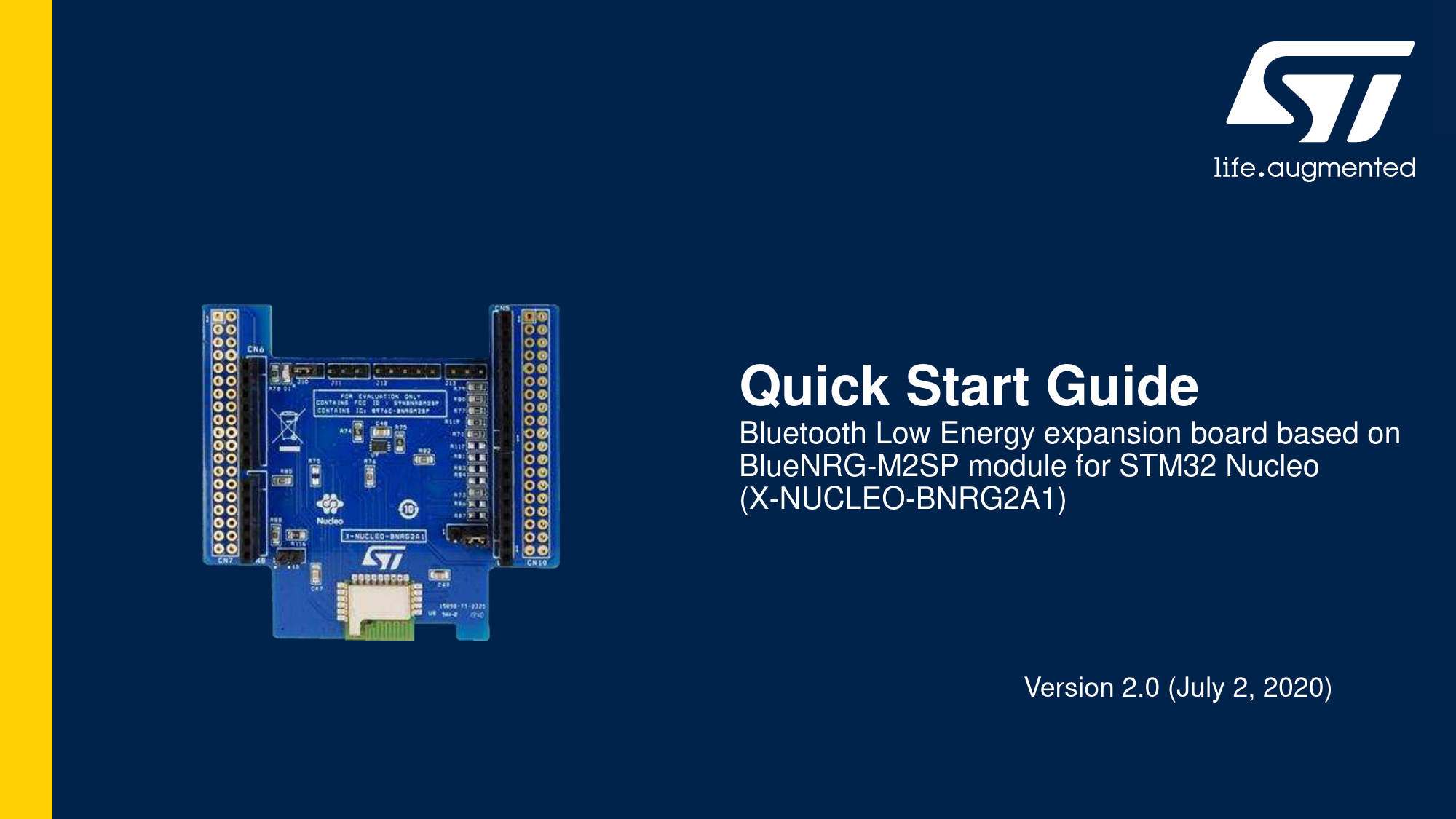
Bluetooth Low Energy expansion board based on BlueNRG-M2SP ...
Quick Start Guide Bluetooth Low Energy expansion board based on BlueNRG-M2SP module for STM32 Nucleo (X-NUCLEO-BNRG2A1) Version 2.0 (July 2, 2020) Agenda 1 Hardware and Software overview 3 & Related Resources 4 STM3…
Quick Start Guide - STMicroelectronics
2 Setup & Demo Examples ... Setup & Application Examples ... with the X-CUBE- BLE2 Bluetooth Low Energy software expansion for STM32Cube – user manual.
Quick Start Guide
Quick Start Guide. Bluetooth Low Energy expansion board based on BlueNRG-M2SP module for STM32 Nucleo (X-NUCLEO-BNRG2A1). Version 2.0 (July 2, 2020).
Full PDF Document

If the inline viewer fails, it will open the original document in compatibility mode automatically. You can also open the file directly.
Extracted Text
Quick Start Guide
Bluetooth Low Energy expansion board based on BlueNRG-M2SP module for STM32 Nucleo (X-NUCLEO-BNRG2A1)
Version 2.0 (July 2, 2020)

1 Hardware and Software overview 2 Setup & Demo Examples 3 Documents & Related Resources 4 STM32 Open Development Environment: Overview

Agenda
2

1- Hardware and Software overview

Bluetooth Low Energy expansion board

X-NUCLEO-BNRG2A1 Hardware Description

Hardware Overview

� The X-NUCLEO-BNRG2A1 is a Bluetooth Low Energy (BLE) evaluation and development board system, designed around ST's BLUENRG-M2SP Bluetooth Low Energy module based on BlueNRG-2.
� The BlueNRG-2 processor hosted in the BLUENRG-M2SP module communicates with the STM32 microcontroller, hosted on the Nucleo development board, through an SPI link available on the Arduino UNO R3 connector.

Arduino UNO R3 connector

Key Products on board
BLUENRG-M2SP
Bluetooth Low Energy, FCC and IC certified (FCC ID: S9NBNRGM2SP, IC: B976C-BNRGM2SP), module based on Bluetooth� Low Energy wireless network processor BlueNRG-2, BLE v5.0 compliant.
BLUENRG-M2SP integrates a BALF-NRG-02D3 balun and a PCB antenna. It embeds 32 MHz crystal oscillator for the BlueNRG-2.
M95640-RMC6TG
64-Kbit serial SPI EEPROM with high-speed clock interface

BLUENRG-M2SP

M95640-RMC6TG

Latest info available at www.st.com X-NUCLEO-BNRG2A1

X-CUBE-BLE2 Software Description
� The X-CUBE-BLE2 is a software package which provides STM32 drivers running for the BlueNRG-2 Bluetooth Low Energy device. It is an STM32Cube expansion software package that eases portability across different STM32 MCU families
� Implementation examples are available for the STM32 Nucleo Bluetooth Low Energy expansion board (X-NUCLEO-BNRG2A1) plugged on top of an STM32 Nucleo board (NUCLEO-L476RG)
Key features
� Complete middleware to build applications using the BlueNRG-2 network processor
� Easy portability across different MCU families thanks to the STM32Cube � Sample applications that the developer can use to start experimenting with the
code
� References to free Android and iOS app that can be used along with the sample applications
� Free, user-friendly license terms

X-CUBE-BLE2
Software Overview
Overall Software Architecture
Latest info available at www.st.com X-CUBE-BLE2
5

2- Setup & Demo Examples

Setup & Application Examples
HW prerequisites for X-NUCLEO-BNRG2A1

� 1x X-NUCLEO-BNRG2A1 Bluetooth Low Energy expansion board � 1x STM32 Nucleo development board (Nucleo-L476RG)

Nucleo-L476RG + X-NUCLEO-BNRG2A1

� 1 x BLE-enabled smartphone and associated apps

Smartphone requirements

App for Demo

Android OS device

ST BLE Sensor

App for Hands On
BLE Scanner

iOS device

https://play.google.com/store/apps /details?id=com.st.bluems

https://play.google.com/store/apps/ details?id=com.macdom.ble.blesca nner

https://apps.apple.com/it/app/stbluems/id993670214

https://apps.apple.com/us/app/blescanner-4-0/id1221763603

7

Setup & Application Examples
HW limitation
� Warning Even if not strictly required for the correct working of the BlueNRG-2 module, to correctly set the BlueNRG-2 RESET pin on pin D7 of the Arduino connector a 0 Ohm resistor must be soldiered on R117. Alternatively, the D7 pin and the pin #5 of the J12 on the X-NUCLEOBNRG2A1 expansion board must be bridged (as shown in the picture).

Setup & Application Examples
Software and Other prerequisites
� STSW-LINK009
� ST-LINK/V2-1 USB driver
� STSW-LINK007
� ST-LINK/V2-1 firmware upgrade
� X-CUBE-BLE2
� Copy the zip file content into the "c:\Program Files (x86)\STMicroelectronics\" folder on your PC � The package contains the source code examples (Keil, IAR EWARM, STM32CubeIDE) based on NUCLEO-L476RG
� BlueNRG GUI SW package
� The BlueNRG GUI SW package contains the Graphical User interface (GUI) and script launcher PC applications which supports BlueNRG-2, BlueNRG-1, BlueNRG-MS and BlueNRG Bluetooth Low Energy (BLE) devices.
9

X-CUBE-BLE2 sample applications
Start coding in just a few minutes

1 www.st.com/stm32ode

X-CUBE-BLE2 package structure

2
Select Expansion Pack: X-CUBE-BLE2

3
Download & unpack

Docs BSP, HAL drivers
BLE HCI stack

6
Evaluate / modify / build the code

Sample applications, binary
4

5

Open project example (e.g.

SensorDemo_BLESensor-App)

10

X-CUBE-BLE2 sample applications
Evaluate in just a few minutes (1/2)

1

From X-CUBE-BLE2 software resource

package drag and drop

SensorDemo_BLESensor-App_L476RG.bin

on Nucleo drive

2 Download and install the ST BLE Sensor application on your smartphone from Google Play or App Store
11

X-CUBE-BLE2 sample applications
Evaluate in just a few minutes (2/2)
3 Connect your smartphone application to the BlueNRG-2 device and control the cube on the smartphone
4 Simulated environmental and motion data are sent periodically from the STM32 Nucleo board to the smartphone app
12

X-CUBE-BLE2 sample applications
Evaluate using the BlueNRG GUI

Drag and drop

1

Virtual_COM_Port_L476RG.bin

on Nucleo drive

2 Download the BlueNRG GUI from st.com and install it on your PC
3
13

X-CUBE-BLE2 for BlueNRG-2N device
Emulating BlueNRG-2N device with X-NUCLEO-BNRG2A1 (1/3)

1 The X-CUBE-BLE2 software package can be used also with the BlueNRG-2N device

2 The BlueNRG-2 device on the X-NUCLEO-BNRG2A1 expansion board can be used to emulate the BlueNRG-2N device

3 To flash the BlueNRG-2N firmware on the BlueNRG-2 device, you need a standard ST-LINK/V2 debugger with 5 jumper wires (female-female)
4 Connect the J12 pins on the X-NUCLEO-BNRG2A1 and the STLink/V2 pins as shown in the table below

J12 pin no.

ST-Link/V2 pin no.

VDD

1

1

SWTCK

2

9

GND

3

12

SWDIO

4

7

RST

5

15

14

X-CUBE-BLE2 for BlueNRG-2N device
Emulating BlueNRG-2N device with X-NUCLEO-BNRG2A1 (2/3)
5 Download and unpack the STSW-BNRG2N-V320, containing the BlueNRG-2N firmware image (available on www.st.com)
6 Download and install the STSW-BNRGFLASHER (available only for Windows)
7 Connect the ST-Link/V2 debugger to your PC
15

X-CUBE-BLE2 for BlueNRG-2N device
Emulating BlueNRG-2N device with X-NUCLEO-BNRG2A1 (3/3)

8 Open the BlueNRG-1_2 Flasher Utility (STSW-BNRGFLASHER)

a Select the SWD tab

b Erase the BlueNRG-2 flash memory

c Load the BlueNRG_2N_FW_V3_2_0.hex firmware contained in the STSWBNRG2N-V320 and press the Flash button

16

Restoring the BlueNRG-2 firmware image
� To restore the BlueNRG-2 firmware image on the BlueNRG-2 device, download and install the STSWBNRGUI
� Execute all steps described in previous slide at point 8, loading (8.c) the DTM_SPI.hex firmware contained in the STSW-BNRGUI installation folder (usually C:\Program Files (x86)\STMicroelectronics\BlueNRG GUI 3.2.1\Firmware\BlueNRG2\DTM for version 3.2.1)
17

3- Documents & Related Resources

Documents & Related Resources
All documents are available in the DESIGN tab of the related products webpage
X-NUCLEO-BNRG2A1: � Gerber files, BOM, Schematic � DB4086: Bluetooth Low Energy expansion board based on BLUENRG-M2SP module for STM32 Nucleo � data brief � UM2667: Getting started with the X-NUCLEO-BNRG2A1 BLE expansion board based on BLUENRG-M2SP module for STM32 Nucleo � user
manual X-CUBE-BLE2: � DB4087: Bluetooth Low Energy software expansion for STM32Cube � databrief � UM2666: Getting started with the X-CUBE-BLE2 Bluetooth Low Energy software expansion for STM32Cube � user manual

Consult www.st.com for the complete list

19

4- STM32 Open Development Environment: Overview

STM32 Open Development Environment Fast, affordable Prototyping and Development
� The STM32 Open Development Environment (STM32 ODE) is an open, flexible, easy, and affordable way to develop innovative devices and applications based on the STM32 32-bit microcontroller family combined with other state-of-the-art ST components connected via expansion boards. It enables fast prototyping with leading-edge components that can quickly be transformed into final designs

STM32Cube development software

STM32 Nucleo expansion boards
(X-NUCLEO)

STM32 Nucleo development boards

STM32Cube expansion software
(X-CUBE)

Function Packs (FP)
For further information, please visit www.st.com/stm32ode
21

Thank you
� STMicroelectronics - All rights reserved. The STMicroelectronics corporate logo is a registered trademark of the STMicroelectronics group of companies. All other names are the property of their respective owners.