3J Tech ILP0001A IDEAL LIFE POD User Manual Ideal POD Manual 2008

3J Tech. Co., Ltd. IDEAL LIFE POD Ideal POD Manual 2008

Users Manual

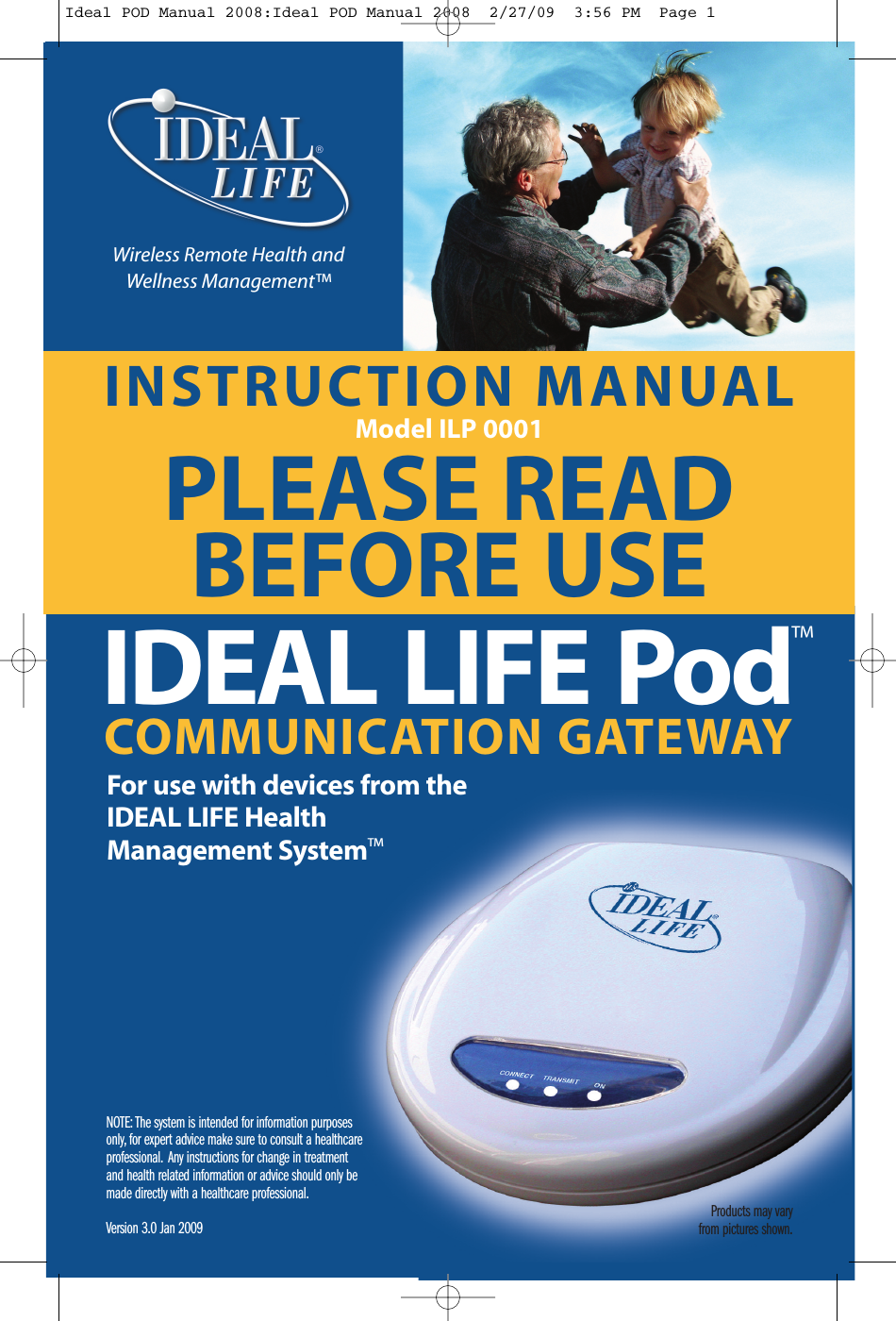
Products may varyfrom pictures shown.INSTRUCTION MANUALModel ILP 0001PLEASE READBEFORE USENOTE: The system is intended for information purposesonly, for expert advice make sure to consult a healthcareprofessional. Any instructions for change in treatmentand health related information or advice should only bemade directly with a healthcare professional.Version 3.0 Jan 2009COMMUNICATION GATEWAYIDEAL LIFE Pod™For use with devices from theIDEAL LIFE HealthManagement System™Wireless Remote Health andWellness Management™Ideal POD Manual 2008:Ideal POD Manual 2008  2/27/09  3:56 PM  Page 1
Table of ContentsIDEAL LIFE Pod™2Table of Contents© 2009 - 001 IDEAL LIFE INC. All rights reserved. IDEAL LIFE is a registered trademark in the United States for weight scales,blood glucose meters, blood pressure cuffs and meters, heart monitors. IDEAL LIFE BODY MANAGER, IDEAL LIFE BP MANAGER,IDEAL LIFE GLUCO MANAGER, IDEAL LIFE POD, REALIZING THE VISION OF A BETTER TOMORROW, Leveraging the Power ofCommunication, Real time health and wellness information on demand, wireless remote health and wellness management, andSolutions for better healthcare through advanced communication technology, The IDEAL LIFE Interactive CommunicationTechnology Platform, the IDEAL LIFE Information Management System, and the IDEAL LIFE Health & Wellness Solution are allproprietary trademarks of IDEAL LIFE INC. Contents are covered by one issued U.S. patent and one or more U.S. patentspending. Manufactured for and Distributed by IDEAL LIFE INC., Toronto ON M4P 1G8, and made in Taiwan and China. Productsmay vary from pictures shown.TABLE OF CONTENTS 2INTRODUCTION 3Preface 3PACKAGE CONTENTS 4REQUIREMENTS 5IDEAL LIFE Pod™LOCATION/INTERFERENCE 6BEFORE YOU START 7Your IDEAL LIFE Pod™ 7INSTALLATION 8Connecting YourIDEAL LIFE Pod™ 8Using an RJ11 Jack 8Using an RJ45 Jack 8Looking at Graphs 9Recharging Batteries with yourIdeal Life Pod 10CARE AND MAINTENANCE 10SPECIFICATIONS 11FCC STATEMENT 12CUSTOMER INFORMATION 13SERVICE REQUIREMENTS 14Ideal POD Manual 2008:Ideal POD Manual 2008  2/27/09  3:56 PM  Page 2
IntroductionPrefaceThank you for purchasing the IDEAL LIFE Pod™, also called ILP 0001. This is an optional product thatis used together with your other IDEAL LIFE products. The Pod allows you to automatically send andrecord information, to help you better manage your health with your health care provider. Afterreadings are taken, they are stored and the Pod transmits them so that they can be viewed online asgraphs and tables.CAUTION:Before using this product, read all instructions thoroughly.For any questions or comments, please call IDEAL LIFE customer servicetoll-free at 1-888-IDEAL-41 (1-888-433-2541).IntroductionInstruction Manual 3Ideal POD Manual 2008:Ideal POD Manual 2008  2/27/09  3:56 PM  Page 3
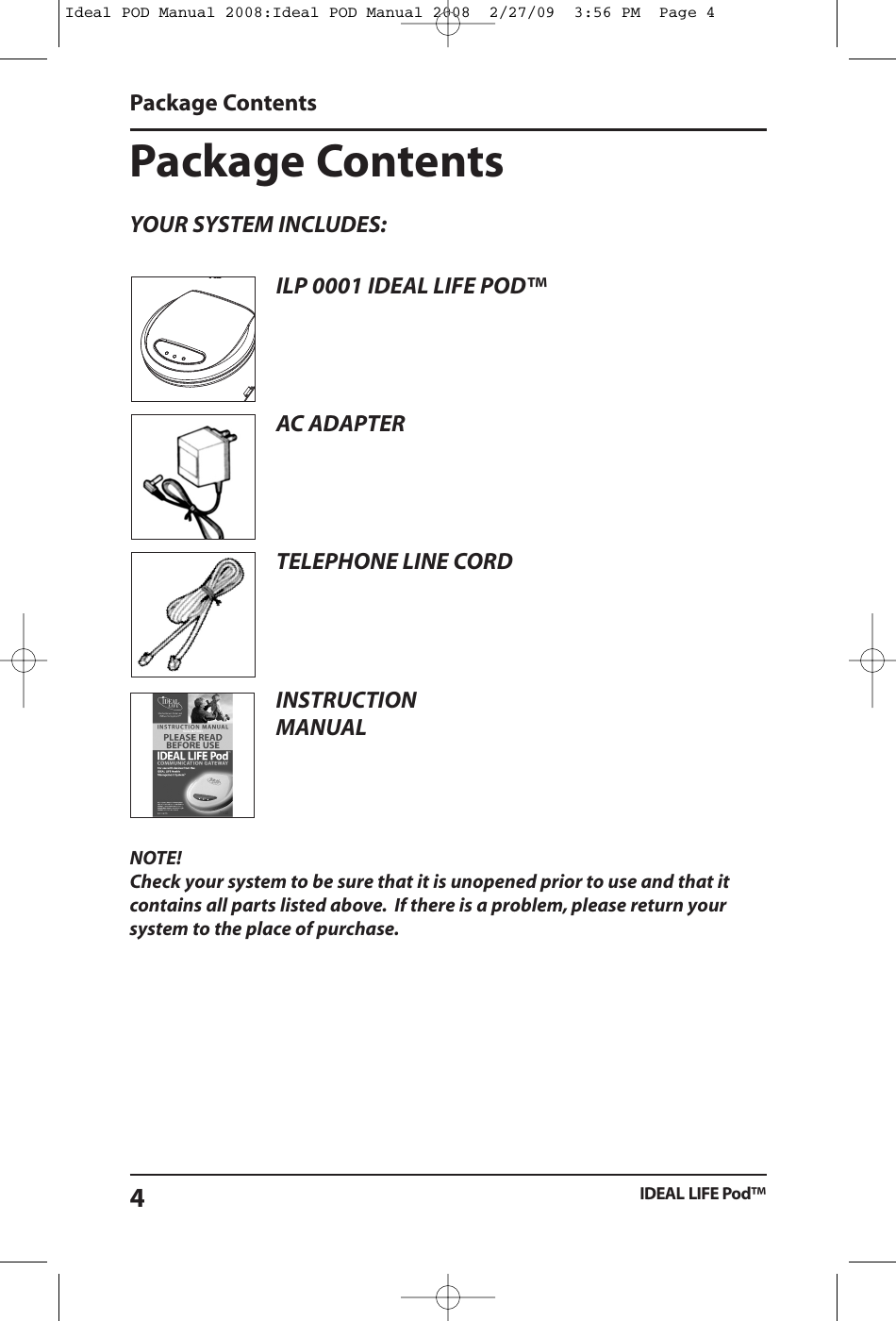
NOTE!Check your system to be sure that it is unopened prior to use and that itcontains all parts listed above. If there is a problem, please return yoursystem to the place of purchase.Package ContentsYOUR SYSTEM INCLUDES:Package ContentsIDEAL LIFE Pod™4ILP 0001 IDEAL LIFE POD™AC ADAPTERTELEPHONE LINE CORDINSTRUCTIONMANUALIdeal POD Manual 2008:Ideal POD Manual 2008  2/27/09  3:56 PM  Page 4
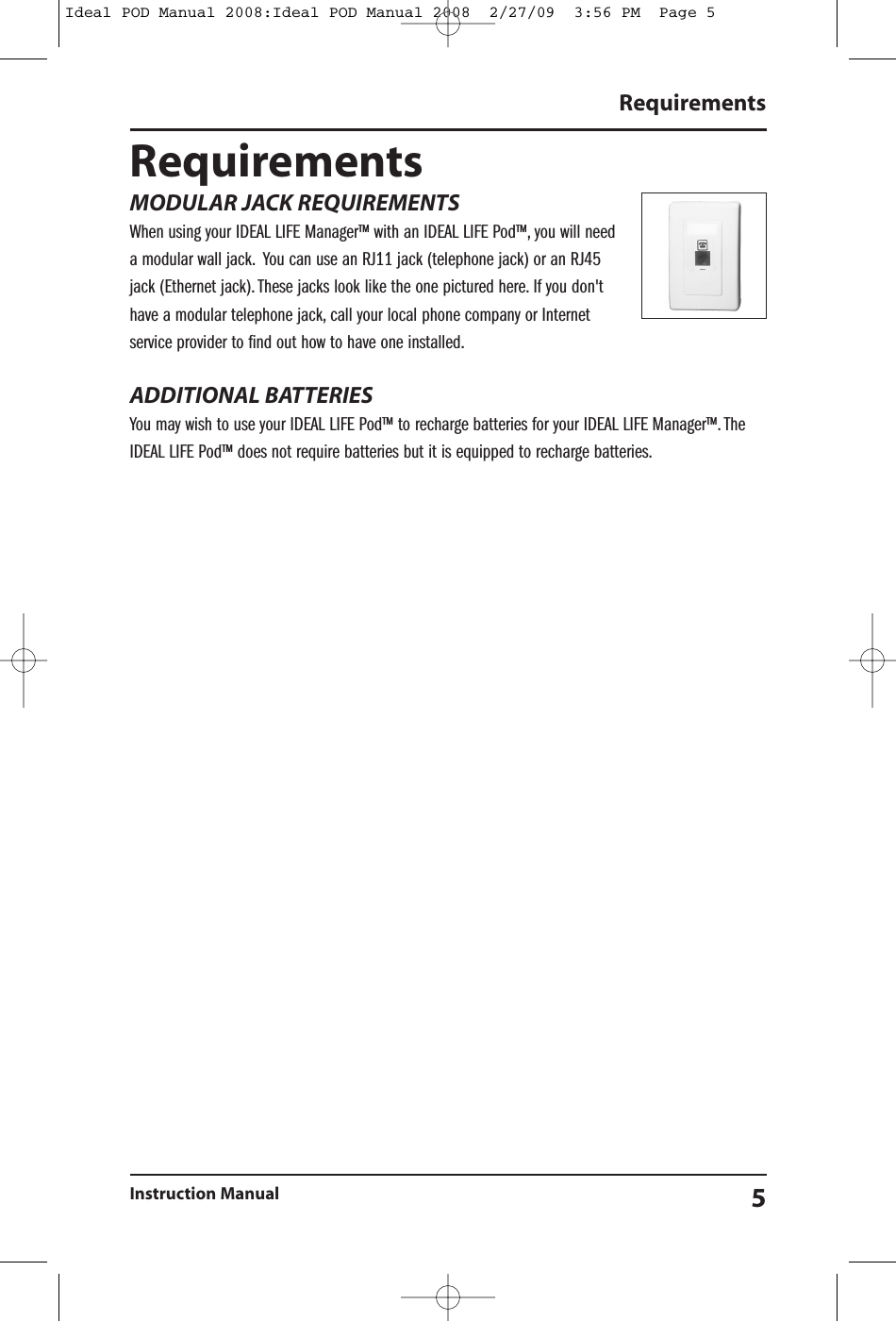
RequirementsInstruction Manual 5RequirementsMODULAR JACK REQUIREMENTSWhen using your IDEAL LIFE Manager™ with an IDEAL LIFE Pod™, you will needa modular wall jack. You can use an RJ11 jack (telephone jack) or an RJ45jack (Ethernet jack). These jacks look like the one pictured here. If you don'thave a modular telephone jack, call your local phone company or Internetservice provider to find out how to have one installed.ADDITIONAL BATTERIESYou may wish to use your IDEAL LIFE Pod™ to recharge batteries for your IDEAL LIFE Manager™. TheIDEAL LIFE Pod™ does not require batteries but it is equipped to recharge batteries.Ideal POD Manual 2008:Ideal POD Manual 2008  2/27/09  3:56 PM  Page 5
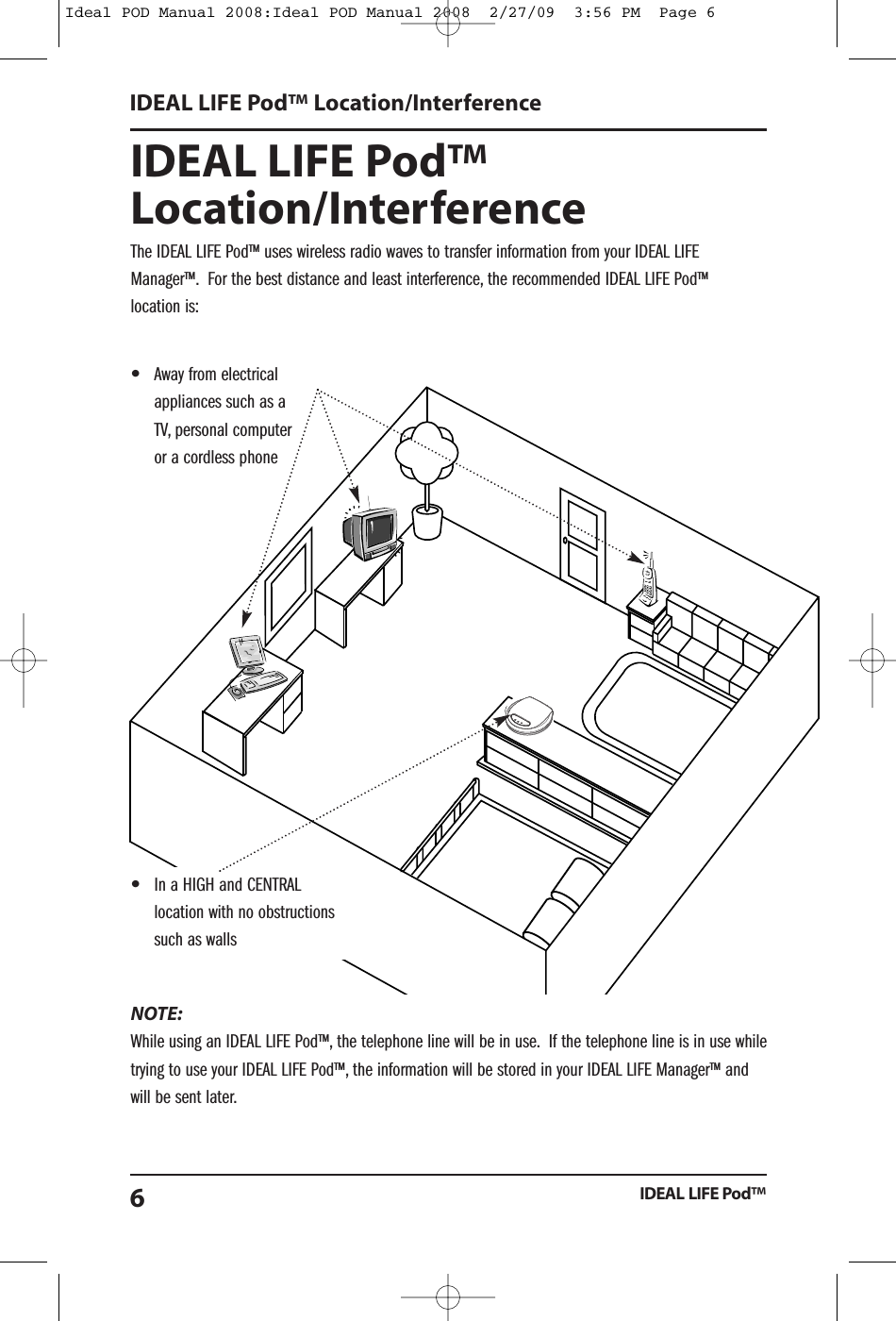
IDEAL LIFE Pod™Location/InterferenceThe IDEAL LIFE Pod™ uses wireless radio waves to transfer information from your IDEAL LIFEManager™. For the best distance and least interference, the recommended IDEAL LIFE Pod™location is:NOTE:While using an IDEAL LIFE Pod™, the telephone line will be in use. If the telephone line is in use whiletrying to use your IDEAL LIFE Pod™, the information will be stored in your IDEAL LIFE Manager™ andwill be sent later.IDEAL LIFE Pod™ Location/InterferenceIDEAL LIFE Pod™6•In a HIGH and CENTRALlocation with no obstructionssuch as walls•Away from electricalappliances such as aTV, personal computeror a cordless phoneIdeal POD Manual 2008:Ideal POD Manual 2008  2/27/09  3:56 PM  Page 6
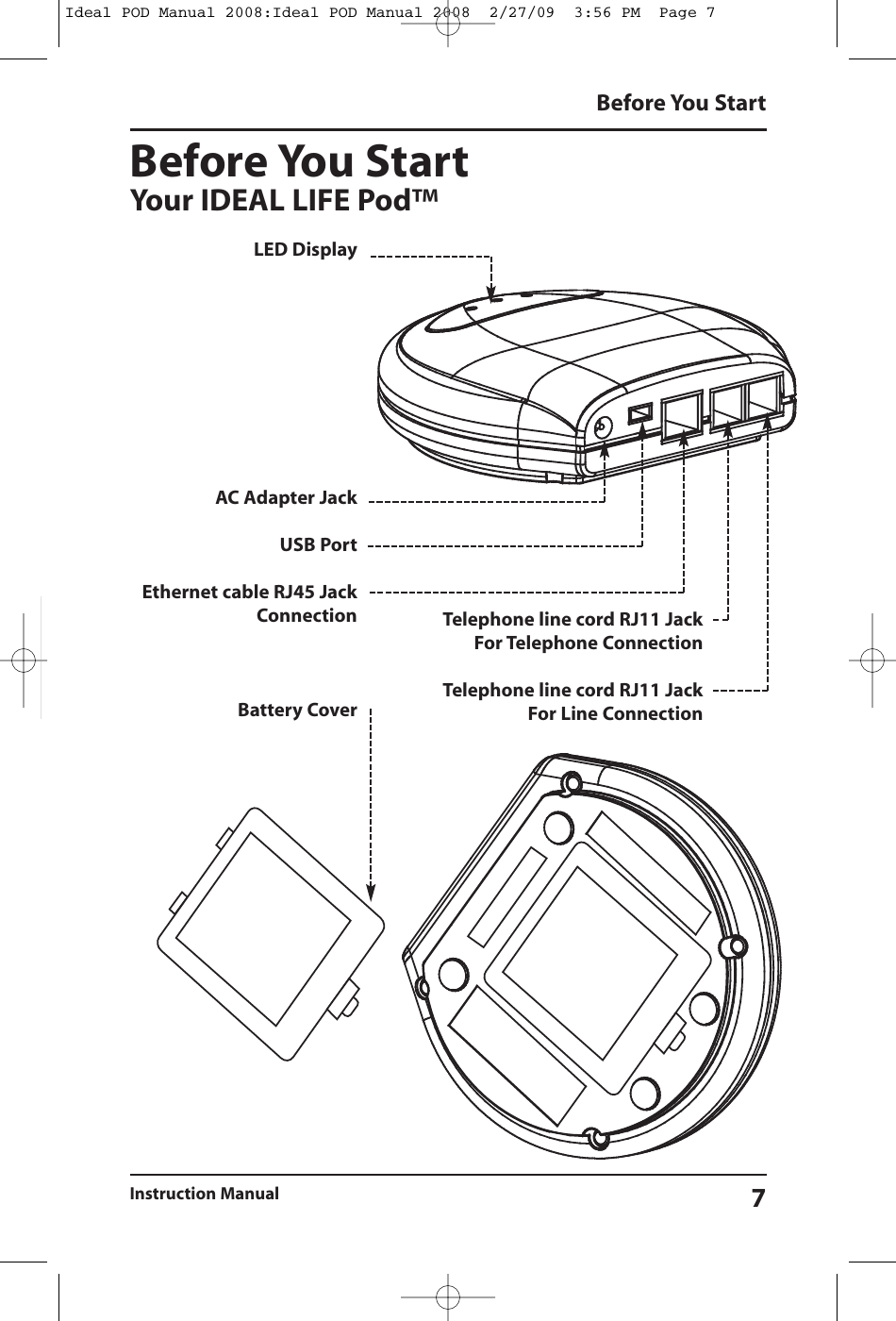
LED DisplayAC Adapter JackUSB PortEthernet cable RJ45 JackConnectionBattery CoverBefore You StartInstruction Manual 7Before You StartYour IDEAL LIFE Pod™Telephone line cord RJ11 JackFor Telephone ConnectionTelephone line cord RJ11 JackFor Line ConnectionIdeal POD Manual 2008:Ideal POD Manual 2008  2/27/09  3:56 PM  Page 7
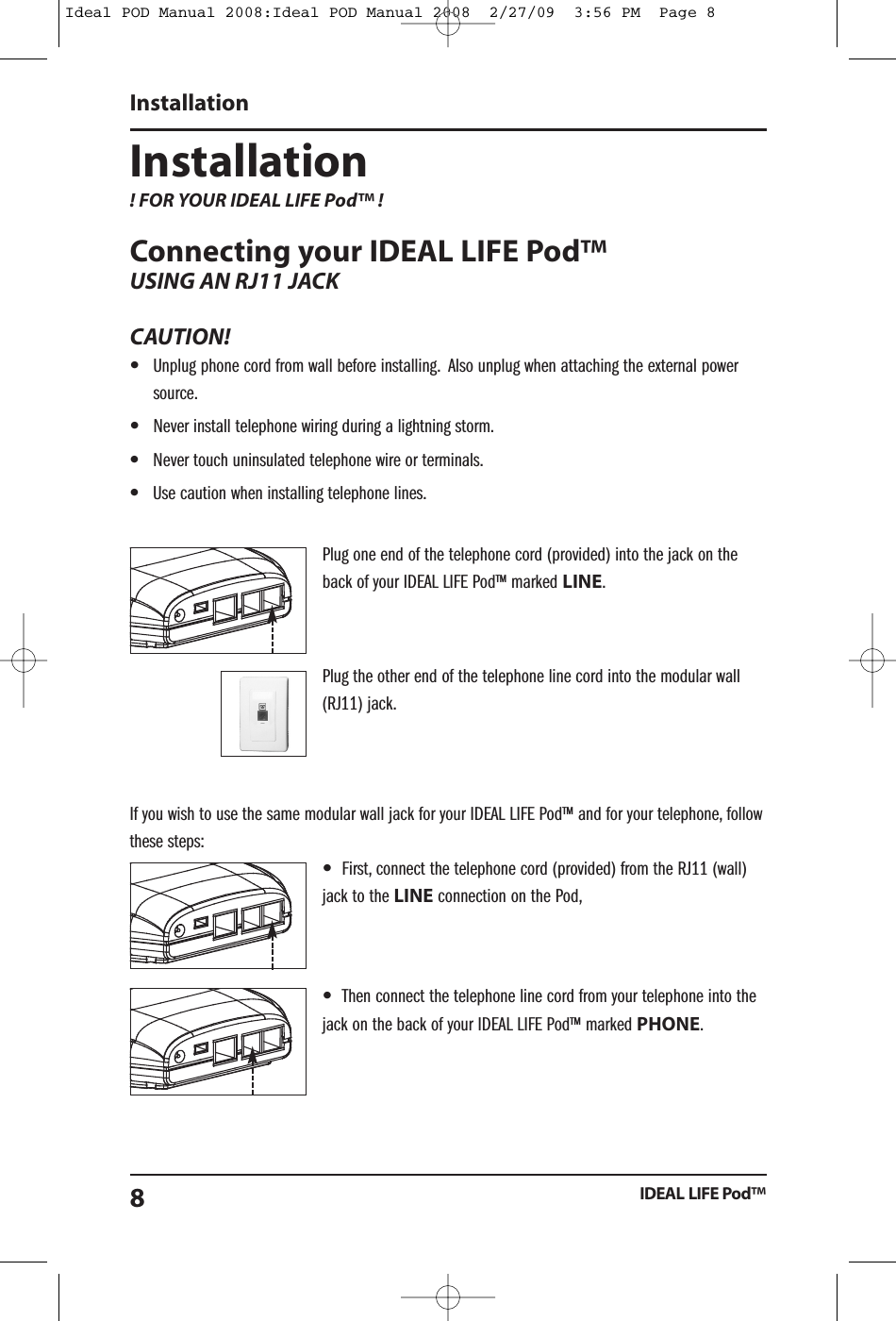
Installation! FOR YOUR IDEAL LIFE Pod™ !Connecting your IDEAL LIFE Pod™USING AN RJ11 JACKCAUTION!•Unplug phone cord from wall before installing. Also unplug when attaching the external powersource.•Never install telephone wiring during a lightning storm.•Never touch uninsulated telephone wire or terminals.•Use caution when installing telephone lines.Plug one end of the telephone cord (provided) into the jack on theback of your IDEAL LIFE Pod™ marked LINE.Plug the other end of the telephone line cord into the modular wall(RJ11) jack.If you wish to use the same modular wall jack for your IDEAL LIFE Pod™ and for your telephone, followthese steps:•First, connect the telephone cord (provided) from the RJ11 (wall)jack to the LINE connection on the Pod,•Then connect the telephone line cord from your telephone into thejack on the back of your IDEAL LIFE Pod™ marked PHONE.InstallationIDEAL LIFE Pod™8Ideal POD Manual 2008:Ideal POD Manual 2008  2/27/09  3:56 PM  Page 8
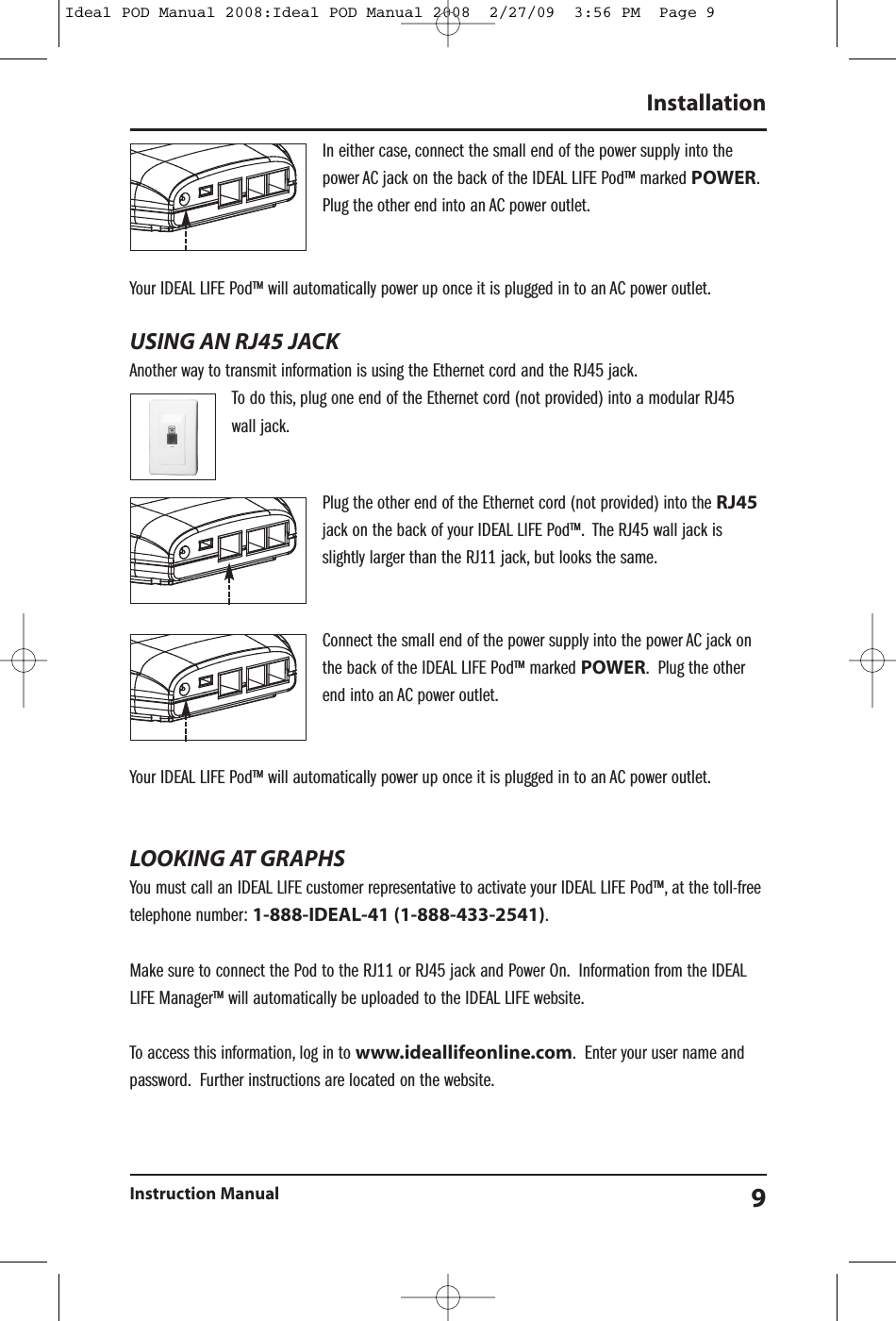
In either case, connect the small end of the power supply into thepower AC jack on the back of the IDEAL LIFE Pod™ marked POWER.Plug the other end into an AC power outlet.Your IDEAL LIFE Pod™ will automatically power up once it is plugged in to an AC power outlet.USING AN RJ45 JACKAnother way to transmit information is using the Ethernet cord and the RJ45 jack.To do this, plug one end of the Ethernet cord (not provided) into a modular RJ45wall jack.Plug the other end of the Ethernet cord (not provided) into the RJ45jack on the back of your IDEAL LIFE Pod™. The RJ45 wall jack isslightly larger than the RJ11 jack, but looks the same.Connect the small end of the power supply into the power AC jack onthe back of the IDEAL LIFE Pod™ marked POWER. Plug the otherend into an AC power outlet.Your IDEAL LIFE Pod™ will automatically power up once it is plugged in to an AC power outlet.LOOKING AT GRAPHSYou must call an IDEAL LIFE customer representative to activate your IDEAL LIFE Pod™, at the toll-freetelephone number: 1-888-IDEAL-41 (1-888-433-2541).Make sure to connect the Pod to the RJ11 or RJ45 jack and Power On. Information from the IDEALLIFE Manager™ will automatically be uploaded to the IDEAL LIFE website.To access this information, log in to www.ideallifeonline.com. Enter your user name andpassword. Further instructions are located on the website.InstallationInstruction Manual 9Ideal POD Manual 2008:Ideal POD Manual 2008  2/27/09  3:56 PM  Page 9
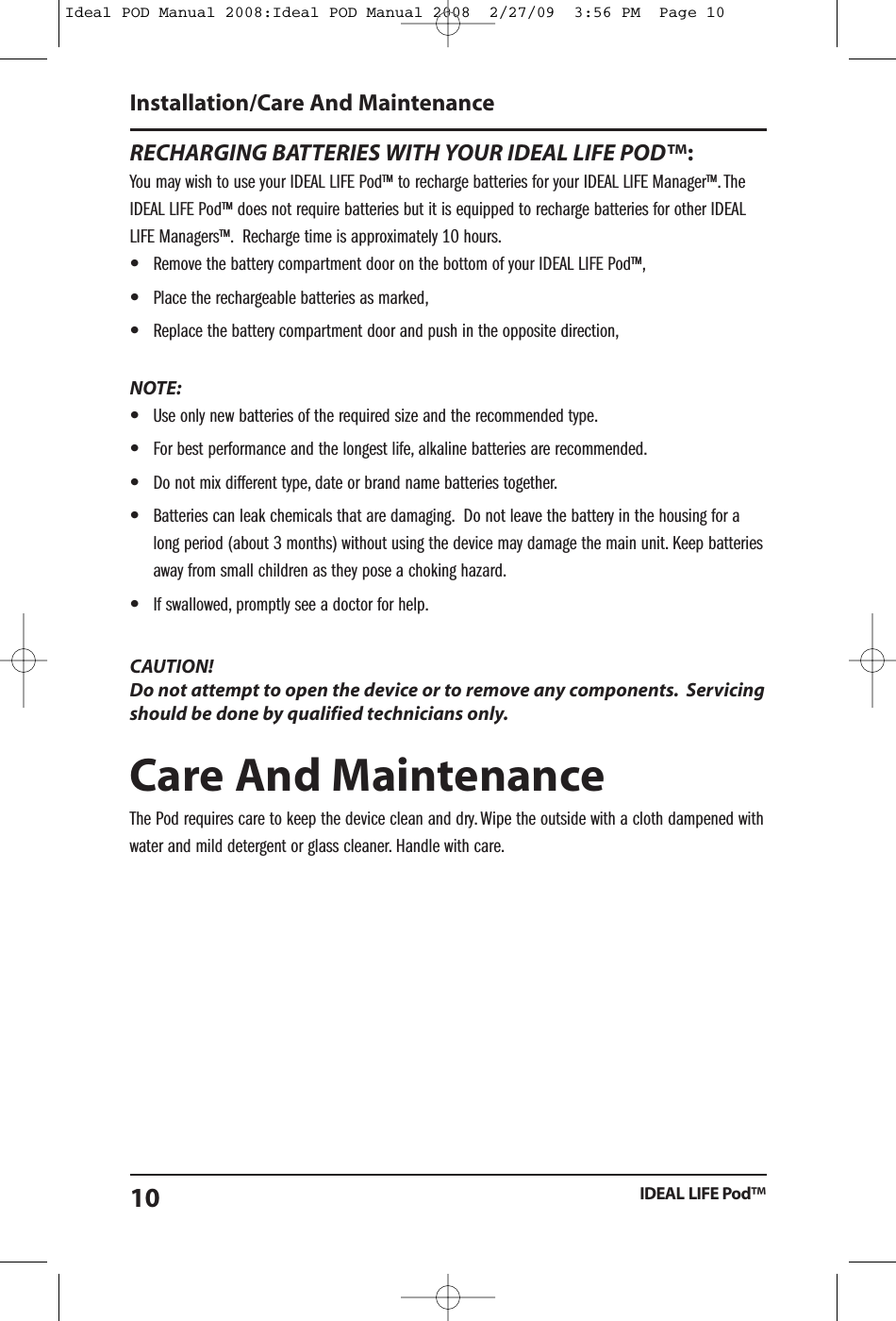
RECHARGING BATTERIES WITH YOUR IDEAL LIFE POD™:You may wish to use your IDEAL LIFE Pod™ to recharge batteries for your IDEAL LIFE Manager™. TheIDEAL LIFE Pod™ does not require batteries but it is equipped to recharge batteries for other IDEALLIFE Managers™. Recharge time is approximately 10 hours.•Remove the battery compartment door on the bottom of your IDEAL LIFE Pod™,•Place the rechargeable batteries as marked,•Replace the battery compartment door and push in the opposite direction,NOTE:•Use only new batteries of the required size and the recommended type.•For best performance and the longest life, alkaline batteries are recommended.•Do not mix different type, date or brand name batteries together.•Batteries can leak chemicals that are damaging. Do not leave the battery in the housing for along period (about 3 months) without using the device may damage the main unit. Keep batteriesaway from small children as they pose a choking hazard.•If swallowed, promptly see a doctor for help.CAUTION!Do not attempt to open the device or to remove any components. Servicingshould be done by qualified technicians only.Care And MaintenanceThe Pod requires care to keep the device clean and dry. Wipe the outside with a cloth dampened withwater and mild detergent or glass cleaner. Handle with care.Installation/Care And MaintenanceIDEAL LIFE Pod™10Ideal POD Manual 2008:Ideal POD Manual 2008  2/27/09  3:56 PM  Page 10
SpecificationsIDEAL LIFE Pod™Model: ILP 0001 IDEAL LIFE Pod™Display: 3 LED’sPower Source: AC adapterOperating Temperature/Humidity: 10°C - 40°C/Below 85% relative humidityStorage Temperature/Humidity -5°C - 50°C/Below 90% relative humidityConsole Weight: Approx. 142 g without batteriesOuter Dimensions: Approx. 120 mm Width x 105 mm Depth x 30 mm HeightNote: These specifications are subject to change without notice.SpecificationsInstruction Manual 11Ideal POD Manual 2008:Ideal POD Manual 2008  2/27/09  3:56 PM  Page 11
Ideal POD Manual 2008:Ideal POD Manual 2008  2/27/09  3:56 PM  Page 12FCC StatementFCC StatementInterference InformationThis equipment has been tested and found to comply with the limits for a Class B digital device,pursuant to Part 15 of FCC Rules. These limits are designed to provide reasonable protection againstharmful interference in a residential installation. This equipment generates and can radiate radiofrequency energy. If not installed and used in accordance with the instructions the Pod couldinterfere with radio communications. There is no guarantee that interference will not occur in aparticular installation. If this equipment does cause harmful interference to radio or televisionreception (which can be determined by turning the equipment off and on) you may be able to correctit by:•  Reorient or relocate the receiving antenna•  Increase the separation between the equipment and receiver•  Connect the equipment into a different outlet circuit than the receiver•  Consult the dealer or an experienced radio/TV technician for helpFCC Number is located on the Cabinet Bottom.REN Number is located on the Cabinet Bottom.IDEAL LIFE Pod™12FCC Caution: Any changes or modifications not expressly approved by the party responsible for compliance could void the user's authority to operate this equipment.This device complies with Part 15 of the FCC Rules. Operation is subject to the following two conditions: (1) This device may not cause harmful interference, and (2) this device must accept any interference received, including interference that may cause undesired operation.This device and its antenna(s) must not be co-located or operating in conjunction with any other antenna or transmitter.
Customer InformationThis equipment complies with Part 68 of the FCC rules and the requirements adopted by the ACTA.The FCC number (below) must be provided to the telephone company if requested. If this equipment(ILP 0001) caused harm to the telephone network, the telephone company will notify you in advancethat temporary discontinuation of service may be required. You will be advised of your right to file acomplaint with the FCC if you believe it is necessary. The telephone company may make changes inits facilities, equipment, operations or procedures that could affect the operation of the equipment. Ifthis happens the telephone company will provide advance notice in order for you to make necessarymodifications to maintain uninterrupted service. If you experience trouble with this equipment,disconnect if from the network until the problem has been corrected or until you are sure that theequipment is not malfunctioning. Please do not repair any parts of the device except wherespecified. Connection to party line service is subject to state tariffs. Contact the state public utilitycommission, public service commission or corporation commission for information.If the telephone company requests information on what equipment is connected to their lines, informthem of:a) Your (connected) telephone number,(b) The ringer equivalence number: [0.0B](c) The USOC jack required: [RJ11C](d) The FCC Registration Number: [US:5CQMM00BILP0001]Items (b) and (d) are indicated on the label. The ringer equivalence number (REN) is used todetermine how many devices can be connected to your telephone line. In most areas, the sum of theRENs of all devices on any one line should not exceed five (5.0). If too many devices are attached,they may not ring properly.Customer InformationInstruction Manual 13Ideal POD Manual 2008:Ideal POD Manual 2008  2/27/09  3:56 PM  Page 13
Service RequirementsIn the event of equipment malfunction, all repairs should be performed by our Company or anauthorized agent. It is the responsibility of the User to report the need for service to our Company orauthorized agent. Please refer to the original location of purchase for service details.Service RequirementsIDEAL LIFE Pod™14Ideal POD Manual 2008:Ideal POD Manual 2008  2/27/09  3:56 PM  Page 14
NotesInstruction Manual 15Ideal POD Manual 2008:Ideal POD Manual 2008  2/27/09  3:56 PM  Page 15
© 2009 - 001 IDEAL LIFE INC. All rights reserved. IDEAL LIFE is a registered trademark in the United States for weightscales, blood glucose meters, blood pressure cuffs and meters, heart monitors. IDEAL LIFE BODY MANAGER, IDEAL LIFE BPMANAGER, IDEAL LIFE GLUCO MANAGER, IDEAL LIFE POD, REALIZING THE VISION OF A BETTER TOMORROW, Leveraging thePower of Communication, Real time health and wellness information on demand, wireless remote health and wellnessmanagement, and Solutions for better healthcare through advanced communication technology, The IDEAL LIFE InteractiveCommunication Technology Platform, the IDEAL LIFE Information Management System, and the IDEAL LIFE Health &Wellness Solution are all proprietary trademarks of IDEAL LIFE INC. Contents are covered by one issued U.S. patent andone or more U.S. patents pending. Manufactured for and Distributed by IDEAL LIFE INC., Toronto ON M4P 1G8, and madein Taiwan and China. Products may vary from pictures shown.IDEAL LIFE INC.55 Eglinton Avenue East, Suite 808, Toronto ON M4P 1G8Between 9:00 am and 5:00 pm (EST): Tel 416-489-1494 Fax: 416-489-3009 www.IDEALLIFEonline.comAt all other times, you should contact your healthcare professional for assistance.Ideal POD Manual 2008:Ideal POD Manual 2008  2/27/09  3:56 PM  Page 16

Navigation menu