ADDON Technology BDSI13 Wall outlet Dual Mode Speaker Phone User Manual 20150318 BDS EN A for FCC

ADDON Technology Wall outlet Dual Mode Speaker Phone 20150318 BDS EN A for FCC

User manual

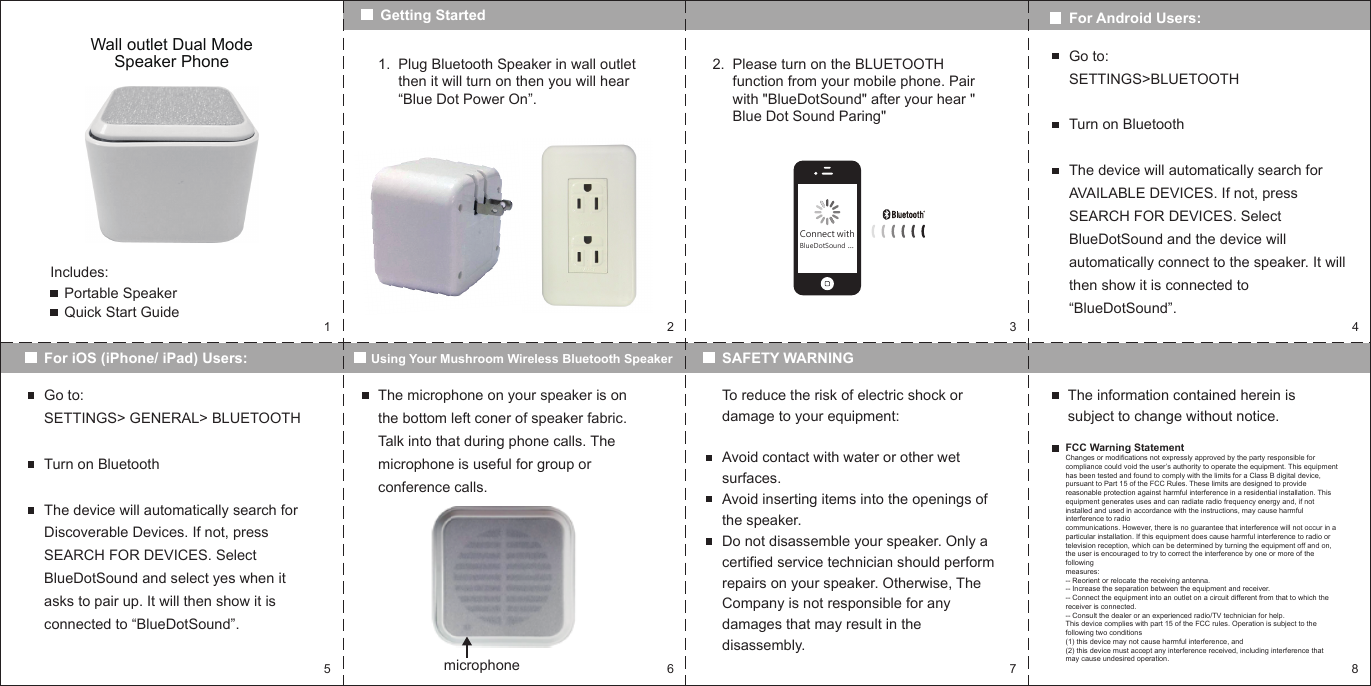
152 3 46 7 8Wall outlet Dual Mode Speaker PhoneIncludes:Portable SpeakerQuick Start GuideGetting StartedFor iOS (iPhone/ iPad) Users: Using Your Mushroom Wireless Bluetooth SpeakerPlug Bluetooth Speaker in wall outlet then it will turn on then you will hear “Blue Dot Power On”.1. Please turn on the BLUETOOTH function from your mobile phone. Pair with "BlueDotSound" after your hear " Blue Dot Sound Paring"2.For Android Users:Go to: SETTINGS>BLUETOOTHTurn on BluetoothThe device will automatically search for AVAILABLE DEVICES. If not, press SEARCH FOR DEVICES. Select BlueDotSound and the device will automatically connect to the speaker. It will then show it is connected to “BlueDotSound”.Go to:SETTINGS> GENERAL> BLUETOOTHTurn on BluetoothThe device will automatically search for Discoverable Devices. If not, press SEARCH FOR DEVICES. Select BlueDotSound and select yes when it asks to pair up. It will then show it is connected to “BlueDotSound”.SAFETY WARNINGThe microphone on your speaker is on the bottom left coner of speaker fabric. Talk into that during phone calls. The microphone is useful for group or conference calls.microphoneTo reduce the risk of electric shock or damage to your equipment:Avoid contact with water or other wet surfaces.Avoid inserting items into the openings of the speaker.Do not disassemble your speaker. Only a certified service technician should perform repairs on your speaker. Otherwise, The Company is not responsible for any damages that may result in the disassembly.The information contained herein is subject to change without notice.FCC Warning StatementChanges or modifications not expressly approved by the party responsible for compliance could void the user’s authority to operate the equipment. This equipment has been tested and found to comply with the limits for a Class B digital device, pursuant to Part 15 of the FCC Rules. These limits are designed to provide reasonable protection against harmful interference in a residential installation. This equipment generates uses and can radiate radio frequency energy and, if not installed and used in accordance with the instructions, may cause harmful interference to radiocommunications. However, there is no guarantee that interference will not occur in a particular installation. If this equipment does cause harmful interference to radio or television reception, which can be determined by turning the equipment off and on, the user is encouraged to try to correct the interference by one or more of the followingmeasures:-- Reorient or relocate the receiving antenna.-- Increase the separation between the equipment and receiver.-- Connect the equipment into an outlet on a circuit different from that to which thereceiver is connected.-- Consult the dealer or an experienced radio/TV technician for help.This device complies with part 15 of the FCC rules. Operation is subject to the following two conditions (1) this device may not cause harmful interference, and(2) this device must accept any interference received, including interference that may cause undesired operation.Connect withBlueDotSound ...

Navigation menu