AKUVOX R15P-433 SIP Phone User Manual

AKUVOX (XIAMEN) NETWORKS CO., LTD. SIP Phone Users Manual

Users Manual

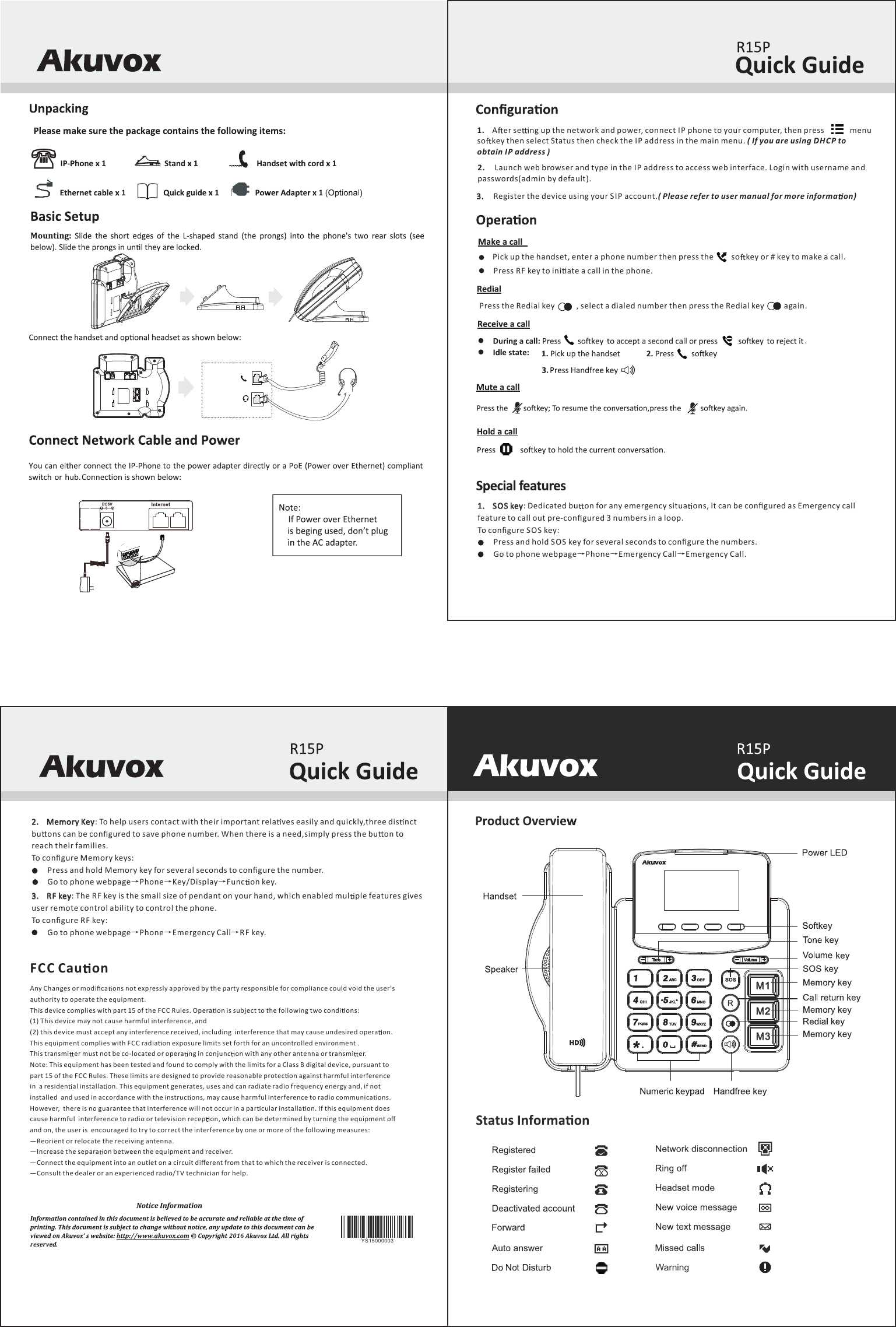
Warning1.     SOS key: Dedicated bu on for any emergency situa ons, it can be configured as Emergency call feature to call out pre-configured 3 numbers in a loop. To configure SO S key:        Press and hold SOS key for several seconds to configure the numbers.        Go to phone webpage→Phone→Emergency Call→Emergency Call.: To help users contact with their important rela ves easily and quickly,three dis nct 2.     Memory Keybu ons can be configured to save phone number. When there is a need,simply press the bu on to reach their families.To configure Memory keys:        Press and hold Memory key for several seconds to configure the number.        Go to phone webpage→Phone→Key/Display→Func on key.3.     RF key: The RF key is the small size of pendant on your hand, which enabled mul ple features gives user remote control ability to control the phone.To configure RF key:        Go to phone webpage→Phone→Emergency Call→RF key.20162.     Launch web browser and type in the I P address to access web interface. Login with username and passwords(admin by default).1.    A er se ng up the network and power, connect IP phone to your computer, then press             menu so key then select Status then check the IP address in the main menu. ( If you are using DHCP to obtain IP address )3.     Register the device using your SIP account.( Please refer to user manual for more informa on)Pick up the handset, enter a phone number then press the         so key or # key to make a call.  Press RF key to ini ate a call in the phone.Press the Redial key           , select a dialed number then press the Redial key          again. .M1M2M3YS15000003Any Changes or modifica ons not expressly approved by the party responsible for compliance could void the user's authority to operate the equipment.This device complies with part 15 of the FC C Rules. Opera on is subject to the following two condi ons: (1) This device may not cause harmful interference, and (2) this device must accept any interference received, including  interference that may cause undesired opera on.This equipment complies with F CC radia on exposure limits set forth for an uncontrolled environment .This transmi er must not be co-located or opera ng in conjunc on with any other antenna or transmi er.Note: This equipment has been tested and found to comply with the limits for a Class B digital device, pursuant to  part 15 of the FC C Rules. These limits are designed to provide reasonable protec on against harmful interference in  a residen al installa on. This equipment generates, uses and can radiate radio frequency energy and, if not installed  and used in accordance with the instruc ons, may cause harmful interference to radio communica ons. However,  there is no guarantee that interference will not occur in a par cular installa on. If this equipment does cause harmful  interference to radio or television recep on, which can be determined by turning the equipment off and on, the user is  encouraged to try to correct the interference by one or more of the following measures: —Reorient or relocate the receiving antenna. —Increase the separa on between the equipment and receiver. —Connect the equipment into an outlet on a circuit different from that to which the receiver is connected. —Consult the dealer or an experienced radio/T V technician for help.FC C Cau on

Navigation menu